Product listing
Asset Browser Pro
By Adam Kubecki ·
From $39.00
Listing details
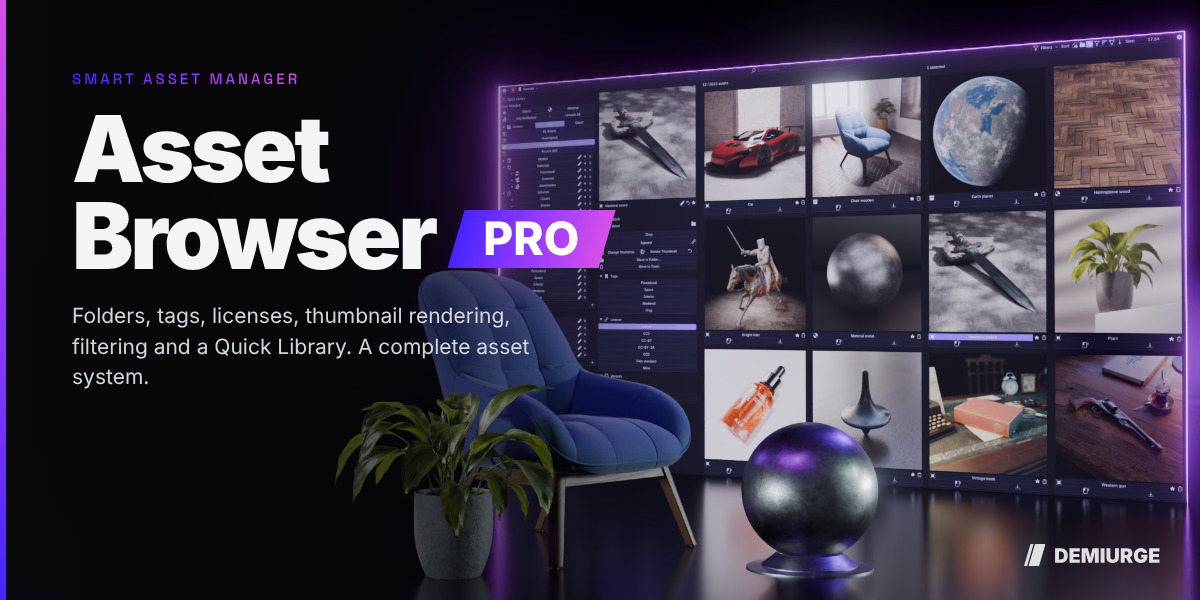
A smarter asset manager for Blender. Organize with folders, tags, licenses and variants, save anything to your Quick Library in one click, and drag assets straight into your scene. Asset Browser Pro, Better Asset Browser, Asset Pro Browser
Categories
Tags
Installation
- Download Asset Browser Pro and check which Blender versions the creator supports. Keep the installable archive (for example,
Asset_Browser_Pro.zip) intact. If the download is a bundle, extract it first to find the add-on archive. - In Blender, go to Edit → Preferences → Add-ons. In Blender 4.2 and newer, open the top-right menu and choose Install from Disk. In older versions, click Install….
- Select the add-on archive (for example,
Asset_Browser_Pro.zip) or its standalone.pyfile and confirm the installation. - Find the add-on in the Add-ons list and tick its checkbox if it isn’t already enabled.
Check the creator’s instructions for any extra setup, such as dependencies or license activation.
Compare with other products
Choose a category to find products to compare with this listing.
Variants
-
Individual published
Price: $39.00 · List price: $39.00
Variant versions
-
2.1 published
Created Aug 24, 2026 · Published Aug 24, 2026
Release notes (source)
<div><img src="data:image/png;base64,iVBORw0KGgoAAAANSUhEUgAABoAAAAkyCAIAAABmc8tyAAAWfmNhQlgAABZ+anVtYgAAAB5qdW1kYzJwYQARABCAAACqADibcQNjMnBhAAAAFlhqdW1iAAAAR2p1bWRjMm1hABEAEIAAAKoAOJtxA3VybjpjMnBhOjQxODk3YWZmLTNiMTktNDRhYi04ZTEzLTVhNzAxOWJjZGQ0OQAAAAOTanVtYgAAAClqdW1kYzJhcwARABCAAACqADibcQNjMnBhLmFzc2VydGlvbnMAAAAAuGp1bWIAAABEanVtZGNib3IAEQAQgAAAqgA4m3ETYzJwYS5pbmdyZWRpZW50LnYzAAAAABhjMnNo//rEFGxZ/eSuBSs0nVXVjAAAAGxjYm9yo2lkYzpmb3JtYXRpaW1hZ2UvcG5namluc3RhbmNlSUR4LHhtcDppaWQ6ODFmODczNDctYTI5YS00YTA3LWE1MDYtMmY0OTkzNzA3MWZhbHJlbGF0aW9uc2hpcGhwYXJlbnRPZgAAAeJqdW1iAAAAQWp1bWRjYm9yABEAEIAAAKoAOJtxE2MycGEuYWN0aW9ucy52MgAAAAAYYzJzaH+hiC0lH5DBVmMIARx9bLgAAAGZY2JvcqJnYWN0aW9uc4KiZmFjdGlvbmtjMnBhLm9wZW5lZGpwYXJhbWV0ZXJzoWtpbmdyZWRpZW50c4GiY3VybHgtc2VsZiNqdW1iZj1jMnBhLmFzc2VydGlvbnMvYzJwYS5pbmdyZWRpZW50LnYzZGhhc2hYIMW38kybOxNl6Covd68DcOEyXa99rYs2uVdg5RSpWKAKpGZhY3Rpb254HWNvbS5hbnRocm9waWMuY2xhdWRlLnByb3ZpZGVkanBhcmFtZXRlcnOheB9jb20uYW50aHJvcGljLm9yaWdpbi1jb25maWRlbmNlZ3Vua25vd25rZGVzY3JpcHRpb254ZkNsYXVkZSBwcm92aWRlZCB0aGlzIGZpbGUgYXQgdGhlIHJlcXVlc3Qgb2YgYSB1c2VyIGFuZCBtYXkgaGF2ZSBjcmVhdGVkIG9yIG1vZGlmaWVkIHRoZSBmaWxlIGNvbnRlbnRzLm1zb2Z0d2FyZUFnZW50oWRuYW1lZkNsYXVkZXJhbGxBY3Rpb25zSW5jbHVkZWT1AAAAyGp1bWIAAABAanVtZGNib3IAEQAQgAAAqgA4m3ETYzJwYS5oYXNoLmRhdGEAAAAAGGMyc2g1puqXXdRqXTnVfG4Gv7kQAAAAgGNib3KlY2FsZ2ZzaGEyNTZjcGFkTQAAAAAAAAAAAAAAAABkaGFzaFggPCZjRHYEhFF3ZQHhXp/ngVRnBY0LIDxE/Lpj/MAFrK1kbmFtZW5qdW1iZiBtYW5pZmVzdGpleGNsdXNpb25zgaJlc3RhcnQYIWZsZW5ndGgZFooAAAI+anVtYgAAACdqdW1kYzJjbAARABCAAACqADibcQNjMnBhLmNsYWltLnYyAAAAAg9jYm9ypWNhbGdmc2hhMjU2aXNpZ25hdHVyZXhNc2VsZiNqdW1iZj0vYzJwYS91cm46YzJwYTo0MTg5N2FmZi0zYjE5LTQ0YWItOGUxMy01YTcwMTliY2RkNDkvYzJwYS5zaWduYXR1cmVqaW5zdGFuY2VJRHgseG1wOmlpZDpmOGQwZjIwMS04ZmNmLTQyMzItYTA1ZS0yZDVlN2U1NDIwZjdyY3JlYXRlZF9hc3NlcnRpb25zg6JjdXJseC1zZWxmI2p1bWJmPWMycGEuYXNzZXJ0aW9ucy9jMnBhLmluZ3JlZGllbnQudjNkaGFzaFggxbfyTJs7E2XoKi93rwNw4TJdr32tiza5V2DlFKlYoAqiY3VybHgqc2VsZiNqdW1iZj1jMnBhLmFzc2VydGlvbnMvYzJwYS5hY3Rpb25zLnYyZGhhc2hYINyRpkF0LMxMIdQhAFcjWjXnVrT4sDWXB+UVmfxD47nnomN1cmx4KXNlbGYjanVtYmY9YzJwYS5hc3NlcnRpb25zL2MycGEuaGFzaC5kYXRhZGhhc2hYIOPHYi3CNZyvDpe2Aq6op5IlUzCi0Cb6val2yZk9uS7LdGNsYWltX2dlbmVyYXRvcl9pbmZvo2RuYW1lb0FudGhyb3BpYyBGaWxlc2d2ZXJzaW9uZTEuMC4wa3NwZWNWZXJzaW9uZTIuNC4wAAAQOGp1bWIAAAAoanVtZGMyY3MAEQAQgAAAqgA4m3EDYzJwYS5zaWduYXR1cmUAAAAQCGNib3LShFkCEqIBJhghWQIKMIICBjCCAY2gAwIBAgIUQOWgCu7COdC+uIP6BkIFPWdVEwAwCgYIKoZIzj0EAwMwSTEXMBUGA1UEChMOQW50aHJvcGljLCBQQkMxLjAsBgNVBAMTJUFudGhyb3BpYyBDb250ZW50IENyZWRlbnRpYWxzIFJvb3QgQ0EwHhcNMjYwODA3MTg0MzU2WhcNMjgwODA2MTk0MzU2WjBEMRcwFQYDVQQKEw5BbnRocm9waWMsIFBCQzEpMCcGA1UEAxMgQW50aHJvcGljIENsYXVkZSBDb250ZW50IFNpZ25pbmcwWTATBgcqhkjOPQIBBggqhkjOPQMBBwNCAASYegpry1AYBRTVNL1CpTlbROnY3dey+UrsF9C3phYrATN3ZHf93Mo8RQN0KOUuOn19P4oWNFWe5n2/She9N7eTo1gwVjAOBgNVHQ8BAf8EBAMCB4AwFQYDVR0lBA4wDAYKKwYBBAGD6F4CATAMBgNVHRMBAf8EAjAAMB8GA1UdIwQYMBaAFM5R4gSBTmRbI/jjxM+aPpzB11zCMAoGCCqGSM49BAMDA2cAMGQCMDFzHRSeAXrSy1WOzkbhPZ6Km2wGTmZ/2gK18k8BQGXyqz88Rdrz6CTX9flAnYNVxgIwcF9c3fVhqmJKpi+UhasNUMko69cyX6STPfta3Q8EjyzDjzoyrol46FP6VFHhvUcJoWNwYWRZDZ4AAAAAAAAAAAAAAAAAAAAAAAAAAAAAAAAAAAAAAAAAAAAAAAAAAAAAAAAAAAAAAAAAAAAAAAAAAAAAAAAAAAAAAAAAAAAAAAAAAAAAAAAAAAAAAAAAAAAAAAAAAAAAAAAAAAAAAAAAAAAAAAAAAAAAAAAAAAAAAAAAAAAAAAAAAAAAAAAAAAAAAAAAAAAAAAAAAAAAAAAAAAAAAAAAAAAAAAAAAAAAAAAAAAAAAAAAAAAAAAAAAAAAAAAAAAAAAAAAAAAAAAAAAAAAAAAAAAAAAAAAAAAAAAAAAAAAAAAAAAAAAAAAAAAAAAAAAAAAAAAAAAAAAAAAAAAAAAAAAAAAAAAAAAAAAAAAAAAAAAAAAAAAAAAAAAAAAAAAAAAAAAAAAAAAAAAAAAAAAAAAAAAAAAAAAAAAAAAAAAAAAAAAAAAAAAAAAAAAAAAAAAAAAAAAAAAAAAAAAAAAAAAAAAAAAAAAAAAAAAAAAAAAAAAAAAAAAAAAAAAAAAAAAAAAAAAAAAAAAAAAAAAAAAAAAAAAAAAAAAAAAAAAAAAAAAAAAAAAAAAAAAAAAAAAAAAAAAAAAAAAAAAAAAAAAAAAAAAAAAAAAAAAAAAAAAAAAAAAAAAAAAAAAAAAAAAAAAAAAAAAAAAAAAAAAAAAAAAAAAAAAAAAAAAAAAAAAAAAAAAAAAAAAAAAAAAAAAAAAAAAAAAAAAAAAAAAAAAAAAAAAAAAAAAAAAAAAAAAAAAAAAAAAAAAAAAAAAAAAAAAAAAAAAAAAAAAAAAAAAAAAAAAAAAAAAAAAAAAAAAAAAAAAAAAAAAAAAAAAAAAAAAAAAAAAAAAAAAAAAAAAAAAAAAAAAAAAAAAAAAAAAAAAAAAAAAAAAAAAAAAAAAAAAAAAAAAAAAAAAAAAAAAAAAAAAAAAAAAAAAAAAAAAAAAAAAAAAAAAAAAAAAAAAAAAAAAAAAAAAAAAAAAAAAAAAAAAAAAAAAAAAAAAAAAAAAAAAAAAAAAAAAAAAAAAAAAAAAAAAAAAAAAAAAAAAAAAAAAAAAAAAAAAAAAAAAAAAAAAAAAAAAAAAAAAAAAAAAAAAAAAAAAAAAAAAAAAAAAAAAAAAAAAAAAAAAAAAAAAAAAAAAAAAAAAAAAAAAAAAAAAAAAAAAAAAAAAAAAAAAAAAAAAAAAAAAAAAAAAAAAAAAAAAAAAAAAAAAAAAAAAAAAAAAAAAAAAAAAAAAAAAAAAAAAAAAAAAAAAAAAAAAAAAAAAAAAAAAAAAAAAAAAAAAAAAAAAAAAAAAAAAAAAAAAAAAAAAAAAAAAAAAAAAAAAAAAAAAAAAAAAAAAAAAAAAAAAAAAAAAAAAAAAAAAAAAAAAAAAAAAAAAAAAAAAAAAAAAAAAAAAAAAAAAAAAAAAAAAAAAAAAAAAAAAAAAAAAAAAAAAAAAAAAAAAAAAAAAAAAAAAAAAAAAAAAAAAAAAAAAAAAAAAAAAAAAAAAAAAAAAAAAAAAAAAAAAAAAAAAAAAAAAAAAAAAAAAAAAAAAAAAAAAAAAAAAAAAAAAAAAAAAAAAAAAAAAAAAAAAAAAAAAAAAAAAAAAAAAAAAAAAAAAAAAAAAAAAAAAAAAAAAAAAAAAAAAAAAAAAAAAAAAAAAAAAAAAAAAAAAAAAAAAAAAAAAAAAAAAAAAAAAAAAAAAAAAAAAAAAAAAAAAAAAAAAAAAAAAAAAAAAAAAAAAAAAAAAAAAAAAAAAAAAAAAAAAAAAAAAAAAAAAAAAAAAAAAAAAAAAAAAAAAAAAAAAAAAAAAAAAAAAAAAAAAAAAAAAAAAAAAAAAAAAAAAAAAAAAAAAAAAAAAAAAAAAAAAAAAAAAAAAAAAAAAAAAAAAAAAAAAAAAAAAAAAAAAAAAAAAAAAAAAAAAAAAAAAAAAAAAAAAAAAAAAAAAAAAAAAAAAAAAAAAAAAAAAAAAAAAAAAAAAAAAAAAAAAAAAAAAAAAAAAAAAAAAAAAAAAAAAAAAAAAAAAAAAAAAAAAAAAAAAAAAAAAAAAAAAAAAAAAAAAAAAAAAAAAAAAAAAAAAAAAAAAAAAAAAAAAAAAAAAAAAAAAAAAAAAAAAAAAAAAAAAAAAAAAAAAAAAAAAAAAAAAAAAAAAAAAAAAAAAAAAAAAAAAAAAAAAAAAAAAAAAAAAAAAAAAAAAAAAAAAAAAAAAAAAAAAAAAAAAAAAAAAAAAAAAAAAAAAAAAAAAAAAAAAAAAAAAAAAAAAAAAAAAAAAAAAAAAAAAAAAAAAAAAAAAAAAAAAAAAAAAAAAAAAAAAAAAAAAAAAAAAAAAAAAAAAAAAAAAAAAAAAAAAAAAAAAAAAAAAAAAAAAAAAAAAAAAAAAAAAAAAAAAAAAAAAAAAAAAAAAAAAAAAAAAAAAAAAAAAAAAAAAAAAAAAAAAAAAAAAAAAAAAAAAAAAAAAAAAAAAAAAAAAAAAAAAAAAAAAAAAAAAAAAAAAAAAAAAAAAAAAAAAAAAAAAAAAAAAAAAAAAAAAAAAAAAAAAAAAAAAAAAAAAAAAAAAAAAAAAAAAAAAAAAAAAAAAAAAAAAAAAAAAAAAAAAAAAAAAAAAAAAAAAAAAAAAAAAAAAAAAAAAAAAAAAAAAAAAAAAAAAAAAAAAAAAAAAAAAAAAAAAAAAAAAAAAAAAAAAAAAAAAAAAAAAAAAAAAAAAAAAAAAAAAAAAAAAAAAAAAAAAAAAAAAAAAAAAAAAAAAAAAAAAAAAAAAAAAAAAAAAAAAAAAAAAAAAAAAAAAAAAAAAAAAAAAAAAAAAAAAAAAAAAAAAAAAAAAAAAAAAAAAAAAAAAAAAAAAAAAAAAAAAAAAAAAAAAAAAAAAAAAAAAAAAAAAAAAAAAAAAAAAAAAAAAAAAAAAAAAAAAAAAAAAAAAAAAAAAAAAAAAAAAAAAAAAAAAAAAAAAAAAAAAAAAAAAAAAAAAAAAAAAAAAAAAAAAAAAAAAAAAAAAAAAAAAAAAAAAAAAAAAAAAAAAAAAAAAAAAAAAAAAAAAAAAAAAAAAAAAAAAAAAAAAAAAAAAAAAAAAAAAAAAAAAAAAAAAAAAAAAAAAAAAAAAAAAAAAAAAAAAAAAAAAAAAAAAAAAAAAAAAAAAAAAAAAAAAAAAAAAAAAAAAAAAAAAAAAAAAAAAAAAAAAAAAAAAAAAAAAAAAAAAAAAAAAAAAAAAAAAAAAAAAAAAAAAAAAAAAAAAAAAAAAAAAAAAAAAAAAAAAAAAAAAAAAAAAAAAAAAAAAAAAAAAAAAAAAAAAAAAAAAAAAAAAAAAAAAAAAAAAAAAAAAAAAAAAAAAAAAAAAAAAAAAAAAAAAAAAAAAAAAAAAAAAAAAAAAAAAAAAAAAAAAAAAAAAAAAAAAAAAAAAAAAAAAAAAAAAAAAAAAAAAAAAAAAAAAAAAAAAAAAAAAAAAAAAAAAAAAAAAAAAAAAAAAAAAAAAAAAAAAAAAAAAAAAAAAAAAAAAAAAAAAAAAAAAAAAAAAAAAAAAAAAAAAAAAAAAAAAAAAAAAAAAAAAAAAAAAAAAAAAAAAAAAAAAAAAAAAAAAAAAAAAAAAAAAAAAAAAAAAAAAAAAAAAAAAAAAAAAAAAAAAAAAAAAAAAAAAAAAAAAAAAAAAAAAAAAAAAAAAAAAAAAAAAAAAAAAAAAAAAAAAAAAAAAAAAAAAAAAAAAAAAAAAAAAAAAAAAAAAAAAAAAAAAAAAAAAAAAAAAAAAAAAAAAAAAAAAAAAAAAAAAAAAAAAAAAAAAAAAAAAAAAAAAAAAAAAAAAAAAAAAAAAAAAAAAAAAAAAAAAAAAAAAAAAAAAAAAAAAAAAAAAAAAAAAAAAAAAAAAAAAAAAAAAAAAAAAAAAAAAAAAAAAAAAAAAAAAAAAAAAAAAAAAAAAAAAAAAAAAAAAAAAAAAAAAAAAAAAAAAAAAAAAAAAAAAAAAAAAAAAAAAAAAAAAAAAAAAAAAAAAAAAAAAAAAAAAAAAAAAAAAAAAAAAAAAAAAAAAAAAAAAAAAAAAAAAAAAAAAAAAAAAAAAAAAAAAAAAAAAAAAAAAAAAAAAAAAAAAAAAAAAAAAAAAAAAAAAAAAAAAAAAAAAAAAAAAAAAAAAAAAAAAAAAAAAAAAAAAAAAAAAAAAAAAAAAAAAAAAAAAAAAAAAAAAAAAAAAAAAAAAAAAAAAAAAAAAAAAAAAAAAAAAAAAAAAAAAAAAAAAAAAAAAAAAAAAAAAAAAAAAAAAAAAAAAAAAAAAAAAAAAAAAAAAAAAAAAAAAAAAAAAAAAAAAAAAAAAAAAAAAAAAAAAAAAAAAAAAAAAAAAAAAAAAAAAAAAAAAAAAAAAAAAAAAAAAAAAAAAAAAAAAAAAAAAAAAAAAAAAAAAAAAAAAAAAAAAAAAAAAAAAAAAAAAAAAAAAAAAAAAAAAAAAAAAAAAAAAAAAAAAAAAAAAAAAAAAAAAAAAAAAAAAAAAAAAAAAAAAAAAAAAAAAAAAAAAAAAAAAAAAAAAAAAAAAAAAAAAAAAAAAAAAAAAAAAAAAAAAAAAAAAAAAAAAAAAAAAAAAAAAAAAAAAAAAAAAAAAAAAAAAAAAAAAAAAAAAAAAAAAAAAAAAAAAAAAAAAAAAAAAAAAAAAAAAAAAAAAAAAAAAAAAAAAAAAAAAAAAAAAAAAAAAAAAAAAAAAAAAAAAAAAAD2WEAJLfRMnm5Y5uRQbtmP8lkClQGS7kM0NairY1ti2rOv6psGaoKZZLhrjzQkZ04DzQdb0FCqtDJtT2pMXcU8qymb4sPdfQAAEABJREFUeAHsnQdglEX6xt9JgCSU0ItSBSmCCigWUBCkKYKK5fRshwX928vZRT3PO3v37IKevZ2nqIiggCBS7CgoniJFkd4iJYRk/s873+5ms9ndbEuySZ6P2fneeeedd2Z+X7Jhn20ZdevWZyEBEiABEiABEiABEiABEiABEiABEqjeBLg7EiCBSiSQITxIgARIgARIgARIgARIgARIoEIIcBISIAESIAESqJkEKMDVzOvOXZMACZAACZBAzSXAnZMACZAACZAACZAACZBABROgAFfBwDkdCZAACSgB3kiABEiABEiABEiABEiABEiABGoOAQpwNedah+6UbRIgARIgARIgARIgARIgARIgARIggepPgDtMAwIU4NLgInAJJEACJEACJEACJEACJEACJFC9CXB3JEACJFCzCVCAq9nXn7snARIgARIgARIggZpDgDslARIgARIgARIggUoiQAGuksBzWhIgARIggZpJgLsmARIgARIgARIgARIgARKoeQQowNW8a84dkwAJkAAJkAAJkAAJkAAJkAAJkAAJkAAJVCCBShLgKnCHnIoESIAESIAESIAESIAESIAESIAESKCSCHBaEiABJUABTinwRgIkQAIkQAIkQAIkQAIkUH0JcGckQAIkQAIkUMkEKMBV8gXg9CRAAiRAAiRAAjWDAHdJAiRAAiRAAiRAAiRQcwlQgKu51547JwESqHkEuGMSIAESIAESIAESIAESIAESIIFKIEABrhKg1+wpuXsSIAESIAESIAESIAESIAESIAESIIHqT4A7DCZAAS6YBm0SIAESIAESIAESIAESIAESIIHqQ4A7IQESIIE0IUABLk0uBJdBAiRAAiRAAiRAAiRQPQlwVyRAAiRAAiRAAiRAAY4/AyRAAiRAAiRQ/QlwhyRAAiRAAiRAAiRAAiRAApVIgAJcJcLn1CRQswhwtyRAAiRAAiRAAiRAAiRAAiRAAiRQMwnULAGuZl5j7poESIAESIAESIAESIAESIAESIAEahYB7pYE0owABbg0uyBcDgmQAAmQAAmQAAmQAAmQQPUgwF2QAAmQAAmQgJ8ABTg/CZ5JgARIgARIgARIoPoR4I5IgARIgARIgARIgATSgAAFuDS4CFwCCZAACVRvAtwdCZAACZAACZAACZAACZAACdRsAhTgavb1rzm7505JgARIgARIgARIgARIgARIgARIgASqP4E03SEFuDS9MFwWCZAACZAACZAACZAACZAACZBA1STAVZMACZBAKAEKcKFE2CYBEiABEiABEiABEiCBqk+AOyABEiABEiABEkgjAhTg0uhicCkkQAIkQAIkUL0IcDckQAIkQAIkQAIkQAIkQAJKgAKcUuCNBEig+hLgzkiABEiABEiABEiABEiABEiABEigkglQgKuAC8ApSIAESIAESIAESIAESIAESIAESIAEqj8B7pAEIhGgABeJDP0kQAIkQAIkQAIkQAIkQAIkUPUIcMUkQAIkQAJpSIACXBpeFC6JBEiABEiABEiABKo2Aa6eBEiABEiABEiABEggmAAFuGAatEmABEiABKoPAe6EBEiABEiABEiABEiABEiABNKEAAW4NLkQXEb1JMBdkQAJkAAJkAAJkAAJkAAJkAAJkAAJVH8CZe2QAlxZhNhPAiRAAiRAAiRAAiRAAiRAAiRAAulPgCskARJIYwIU4NL44nBpJEACJEACJEACJEACJFC1CHC1JEACJEACJEAC4QhQgAtHhT4SIAESIAESIIGqS4ArJwESIAESIAESIAESIIE0I0ABLs0uCJdDAiRQPQhwFyRAAiRAAiRAAiRAAiRAAiRAAiTgJ0ABzk+i+p25IxIgARIgARIgARIgARIgARIgARIggepPgDusAgQowFWBi8QlkgAJkAAJkAAJkAAJkAAJkEB6E+DqSIAESIAEohGgABeNDvtIgARIgARIgARIgASqDgGulARIgARIgARIgATSlAAFuDS9MFwWCZAACZBA1STAVZMACZAACZAACZAACZAACZBAKAEKcKFE2CaBqk+AOyABEiABEiABEiABEiABEiABEiABEkgjAuUkwKXRDrkUEiABEiABEiABEiABEiABEiABEiCBciLAtCRAArEQoAAXCyXGkAAJkAAJkAAJkAAJkAAJpC8BrowESIAESIAE0pwABbg0v0BcHgmQAAmQAAmQQNUgwFWSAAmQAAmQAAmQAAmQQCQCFOAikaGfBEiABKoeAa6YBEiABEiABEiABEiABEiABEggDQlQgEvDi1K1l8TVkwAJkAAJkAAJkAAJkAAJkAAJkAAJVH8C3GE8BCjAxUOLsSRAAiRAAiRAAiRAAiRAAiRAAulDgCshARIggSpCgAJcFblQXCYJkAAJkAAJkAAJkEB6EuCqSIAESIAESIAESKAsAhTgyiLEfhIgARIgARJIfwJcIQmQAAmQAAmQAAmQAAmQQBoToACXxheHSyOBqkWAqyUBEiABEiABEiABEiABEiABEiABEghHoHoJcOF2SB8JkAAJkAAJkAAJkAAJkAAJkAAJkED1IsDdkEAVI0ABropdMC6XBEiABEiABEiABEiABEggPQhwFSRAAiRAAiQQKwEKcLGSYhwJkAAJkAAJkAAJpB8BrogESIAESIAESIAESKAKEKAAVwUuEpdIAiRAAulNgKsjARIgARIgARIgARIgARIgARKIRoACXDQ67Ks6BLhSEiABEiABEiABEiABEiABEiABEiCB6k+giu6QAlwVvXBcNgmQAAmQAAmQAAmQAAmQAAmQQOUQ4KwkQAIkEC8BCnDxEmM8CZAACZAACZAACZAACVQ+Aa6ABEiABEiABEigChGgAFeFLhaXSgIkQAIkQALpRYCrIQESIAESIAESIAESIAESiIUABbhYKDGGBEggfQlwZSRAAiRAAiRAAiRAAiRAAiRAAiSQ5gQowKXgAjEFCZAACZAACZAACZAACZAACZAACZBA9SfAHZJAogQowCVKjuNIgARIgARIgARIgARIgARIoOIJcEYSIAESIIEqSIACXBW8aFwyCZAACZAACZAACVQuAc5OAiRAAiRAAiRAAiQQDwEKcPHQYiwJkAAJkED6EOBKSIAESIAESIAESIAESIAESKCKEKAAV0UuFJeZngS4KhIgARIgARIgARIgARIgARIgARIggepPINkdUoBLliDHkwAJkAAJkAAJkAAJkAAJkAAJkED5E+AMJEACVZgABbgqfPG4dBIgARIgARIgARIgARKoWAKcjQRIgARIgARIIBECFOASocYxJEACJEACJEAClUeAM5MACZAACZAACZAACZBAFSNAAa6KXTAulwRIID0IcBUkQAIkQAIkQAIkQAIkQAIkQAIkECsBCnCxkkq/OK6IBEiABEiABEiABEiABEiABEiABEig+hPgDqsBAQpw1eAicgskQAIkQAIkQAIkQAIkQAIkUL4EmJ0ESIAESCAZAhTgkqHHsSRAAiRAAiRAAiRAAhVHgDORAAmQAAmQAAmQQBUlQAGuil44LpsESIAESKByCHBWEiABEiABEiABEiABEiABEoiXAAW4eIkxngQqnwBXQAIkQAIkQAIkQAIkQAIkQAIkQAIkUIUIJCjAVaEdcqkkQAIkQAIkQAIkQAIkQAIkQAIkQAIJEuAwEiCBVBCgAJcKisxBAiRAAiRAAiRAAiRAAiRQfgSYmQRIgARIgASqOAEKcFX8AnL5JEACJEACJEACFUOAs5AACZAACZAACZAACZBAogQowCVKjuNIgARIoOIJcEYSIAESIAESIAESIAESIAESIIEqSIACXBW8aJW7ZM5OAiRAAiRAAiRAAiRAAiRAAiRAAiRQ/Qlwh6kkQAEulTSZiwRIgARIgARIgARIgARIgARIIHUEmIkESIAEqgkBCnDV5EJyGyRAAiRAAiRAAiRAAuVDgFlJgARIgARIgARIIFkCFOCSJcjxJEACJEACJFD+BDgDCZAACZAACZAACZAACZBAFSZAAa4KXzwunQQqlgBnIwESIAESIAESIAESIAESIAESIAESSIRA1RLgEtkhx5AACZAACZAACZAACZAACZAACZAACVQtAlwtCVQzAhTgqtkF5XZIgARIgARIgARIgARIgARSQ4BZSIAESIAESCBVBCjApYok85AACZAACZAACZBA6gkwIwmQAAmQAAmQAAmQQDUgQAGuGlxEboEESIAEypcAs5MACZAACZAACZAACZAACZAACSRDgAJcMvQ4tuIIcCYSIAESIAESIAESIAESIAESIAESIIHqT6Ca7pACXDW9sNwWCZAACZAACZAACZAACZAACZBAYgQ4igRIgARSTYACXKqJMh8JkAAJkAAJkAAJkAAJJE+AGUiABEiABEiABKoRAQpw1ehiciskQAIkQAIkkFoCzEYCJEACJEACJEACJEACJJAKAhTgUkGROUiABMqPADOTAAmQAAmQAAmQAAmQAAmQAAmQQBUnQAEuhgvIEBIgARIgARIgARIgARIgARIgARIggepPgDskgfIiQAGuvMgyLwmQAAmQAAmQAAmQAAmQAAnET4AjSIAESIAEqiEBCnDV8KJySyRAAiRAAiRAAiSQHAGOJgESIAESIAESIAESSCUBCnCppMlcJEACJEACqSPATCRAAiRAAiRAAiRAAiRAAiRQTQhQgKsmF5LbKB8CzEoCJEACJEACJEACJEACJEACJEACJFD9CZT3DinAlTdh5icBEiABEiABEiABEiABEiABEiCBsgkwggRIoBoToABXjS8ut0YCJEACJEACJEACJEAC8RFgNAmQAAmQAAmQQHkQoABXHlSZkwRIgARIgARIIHECHEkCJEACJEACJEACJEAC1YwABbhqdkG5HRIggdQQYBYSIAESIAESIAESIAESIAESIAESSBUBCnCpIpn6PMxIAiRAAiRAAiRAAiRAAiRAAiRAAiRQ/QlwhzWAAAW4GnCRuUUSIAESIAESIAESIAESIAESiE6AvSRAAiRAAuVJgAJcedJlbhIgARIgARIgARIggdgJMJIESIAESIAESIAEqikBCnDV9MJyWyRAAiRAAokR4CgSIAESIAESIAESIAESIAESSDUBCnCpJsp8JJA8AWYgARIgARIgARIgARIgARIgARIgARKoRgQiCHDVaIfcCgmQAAmQAAmQAAmQAAmQAAmQAAmQQAQCdJMACVQEAQpwFUGZc5AACZAACZAACZAACZAACUQmwB4SIAESIAESqOYEKMBV8wvM7ZEACZAACZAACcRGgFEkQAIkQAIkQAIkQAIkUF4EKMCVF1nmJQESIIH4CXAECZAACZAACZAACZAACZAACZBANSRAAa4aXtTktsTRJEACJEACJEACJEACJEACJEACJEAC1Z8Ad1iRBCjAVSRtzkUCJEACJEACJEACJEACJEACJFBMgBYJkAAJ1BACFOBqyIXmNkmABEiABFH39QkAABAASURBVEiABEiABMIToJcESIAESIAESIAEypsABbjyJsz8JEACJEACJFA2AUaQAAmQAAmQAAmQAAmQAAlUYwIU4KrxxeXWSCA+AowmARIgARIgARIgARIgARIgARIgARIoDwLpJcCVxw6ZkwRIgARIgARIgARIgARIgARIgARIIL0IcDUkUMMIUICrYRec2yUBEiABEiABEiABEiABEvAIsCYBEiABEiCBiiJAAa6iSHMeEiABEiABEiABEihNgB4SIAESIAESIAESIIEaQKAmCnBG6uRm9S9dGtTpWzujVSwXvXZm84ZZ/aMXzBI2VYPafTAwt06/sL1RnHUymzfK6h+9RJo0OG2DOj0bZ/UPlEzTILg3um2kVv3aezXPOapDg0vb1B/TJHtAVsZu0YegF6tqktU/YsnWrqzM5ohMrGBs0+z+wcVI7eBU9Wrt6fVmmnrB/kg2EjbL7t+hwdgODc6BUSejaaRIz4/pEBZLaZJ1oDckpK5fu3Pz7P5RSuM6fUKGhDStlbq12rfKGbxng7Gdc8/fre7Q+rU6iWSEhLFJAuEJ0EsCJEACJEACJEACJEACJEACJFCeBGri4/NaGc16NJ+0d/NJWrfw1Wju23LKAbv/b79WX7ZucLlIrSjYG2UN2qf5pH1bTAqu93Ue1D1bTEJdO6NZ2Axdmz6GgH1avBa2N4qzcdag/VpO6t1iUki9X4tJ+7ec5NWRJi1OazP2d/EY0qeVDmxV77ji3qgWFLcBrf93yO7zezd/pWuTf3Rv8vABLd8b2ObHg1tNy63dO8rQOpnNDmo16cBWk1CjHLybGsV1y0mwm2YPipIhelez7EH9Wk3q22pSoG6ec1jwkI6556PrkN0m1a/dMdhf2m5Yp3fflhOPbLfkkFaTejW7r2fT+w/dbdKIdksPbvmfhnX2KR3vebIyG/ffbdKA3SYF12getrs6g+sDW4z3hoTUXRpeeNhukxCJeuDuk0rXBzZ/LGRIcLNZ9iFHtp0/st13h+3+1n7N79uv+V39W715VPuvR7Vb2K7+CcGRtEmABEiABEiABEiABEiABEiABEigUgnU0Mkzaui+RayIET15tZpwiWTX6tyh4d97tviwTsbucEYsxmXw1xqmiQRJkcZ4toQ/tBNB4TujeS1GBc3om8V5vHmjDXZ9jbL71srIhbl22wfIhpU0yT4czTLLHrl/7d704exazXQUhokEZm+YdcD+Lf9bt9aeEvVwgzQCGXBCrR4rXg1PMsWK5tla8ItmE2meM0yCDq9XL1iQs7TZqeElA3ef2aLuIF0bElkJ7LFV3WGDWn/aKffC0qMCHiuCQSK+WvDDBZer1W+d38IdoWiQIEhD3DXF7LBRCw6vF0ap0iJ7wGG7vZVbZy/06Mr1hDSYWOrWatO3xTNt6x0PHwsJkAAJkAAJkAAJkAAJkICfAM8kQAIkUNEEaq4AB11jc/4n360dESjfrzt++ebbCwpXQ/Won7V/p8YPRrsaVjWO3/Ke+HbNiAWlyjdrRhQUrQs/3Gkr4bvK8mLNUJEw6ZerR4QtESf1Z/bkNuRZuuWezfnzrEiznCFiy/gxyMrYrWPDayEBFRRuWbzxmrm/D/5weavpv3ac9/vQtdumwl8ns2m3xrf7J4l43pD/ybxVI3xl9Yi5q0bM9dfrd0yPOKysDmst1oC9/LLl0R27ViG8Vd0RqAMF+0VvoBnWaFC7216NbkSkEt76xozf+r+7vPV7y9rNWNn/tz/+i/zw92h8c/3aXUsPzy/cOOv3ESgzfx/hlaV5L3hh3224CZ6Pfx/hlflrz/b8pWvrlvjF2os/XjnCKzOcgRpl/przSw+BB6N6Nrs902TDXrzp4Rm/H/X2so5vLm39wa99F2/+F5z4Md2v6T0ZLkCbvJEACZAACZAACaQLAa6DBEiABEiABEigBhEoQ3mpriSgp0C5KCzauCV/VqBs3DHl17zbFqwZau12qC1N6h6RaRpGJAAdzUr+rqWb82eFLVZ2hh9rIYmE7ynTaxFhZHvB0k35s8KWiJNioCsqt4nsLNy8eedn67ZPA4daJrdx9iGuM2LVrO6QzIxsEFuy+Y5leY9u3jm/0G7dWbh20865X645fsOO2cjTvO4RWZmtI6ZwHQWFGzfkz/KVHc7w1/mFa11IQhWuhShVK3b19skiUrdW+9w6e8PwFau9PjvcCVvr2fQh3aPIT5sf/HztmZt2fr2raEtB0cZN+V9/tvaM/0HMMpKRkdO72YMIlpKHlYJ1O2YFl+27VnghWwoWBfs35M/3/KVrT/vbmP/N2h2zSpeNOz8vPQSeBrU7Nq6zL4zftr77zYbr12yfuaNwbUHRlk07v/t6/XWLNt6Ln+Ts2s3a1jsaMSwkQAIkUIoAHSRAAiRAAiRAAiRAAiRAAhVBoIYKcFZUkUEtpY78wl825c/wurNrtS/V73dYgWJi/a24zjoKklVcY1ywDsJgPbl2nFXtjGa5Wfth0IYdH4oUbsyfgWRipElZn79WJ6MFdBzsd+uuHzG8RDF23fYp0KSwqPq1u5ToCm4YJBDMJeVzYHbdi8jqbVO8GVrkDPcMrcuavUHtzk1z+mKJ23ct/37jP3RIyRucOwrWYJamWYfUq71Hyc6ILRCL2FeqAwwT4JOV2dLLlFfwP88Irldue19zWmkQ5dIED6gcm7OSAAmQAAmQAAmQAAmQAAmQAAmQQDUnUEMFOFxV6DXQU2CIhFY7C1dBi4G3yG5HHb44TSdShvBDnNc3L06uGVfl02gSGouJmucc6e1r/Y5paG7Kn7eraDNyNssZjGaUsrNoLXQcRNYL9wbMnUUbtVckIAaFSWURop9KFqYraZcRY0Xzw1i748NCd9Va5AwV/4GVG9gIQh2u1MlsqmSMrN8+r0h2lA4ptFs37JyLBNDU6mQ0LR0Q1oN5w/rDOpE5rD+6M79wjReQWyeM+qmXRhct2ZktvDDWJEACJEACJEACJEACJEACJFCTCXDvJFBZBGquAAe9A9JEWO51a+0FOWdX0aYdu5aGDVCnRYiKNmrHc4syb5lpMFanVDGpzNgwAY3937ewfvuHrrtw/Y6PkLNBnf3qZDRznvDVhu0zMS8iOzS4onX902tnNA6OW7Pt/fmrRny2aoSn6wV3hdqJrjw0T6k2ElvnhGa6drvKi01z+gaUMqxcexHkYkpXtTMaepdz666fS/d6nq0FS5AAebIyG3me1NZxqXWBqf8oWLKlQF+WuHvdo3o0HlevVodAF4xtu1ZMWzli2m8jFm92nwcHFwsJkAAJkAAJkAAJkEBlE+D8JEACJEACNZBADRXgVEmxKrmEXPIMU69d7s25WQdDb1r5x6NWCkICiptGoJg0yh7YLvea0qV+nZ7FkSFWuHlDQiI1LTqMNMoa2KHhNb6S6zcaXtMgyqQYaDOau+8Gzdv5bX7hSjhQNuyYhp2CRrOcI9CMVLYXLl2e9zj2m1Wr6d5NHx3UdunBrWZ0bXxbs+zBRmrtLFq1MV8/0C3waqzSeXTlInUz99yz4TWhpdE1LXNGlR4Slwf5jX/Amu0fqGkzWtb1b8q6a23VHfaGXYADggptmJe/eUMK7XYkwCxGsjxPamuohFjDHrmn79X4Gi2NruneuLjUKSl6Fk9t7Hfrb/WaPRpfc1S7b0e0/fqA5o93aPDn2hm5WLP3cXJ5TqTzwliTAAmQAAmQgIgQAgmQAAmQAAmQAAmQQEUSyKjIydJnLk9JqVfnoO7NJ+7VbCLq7s0m7tviowN3/6VtwyvRu3bb6ys23xltwVagmDTJHt6+4bh2ueNQt/fXHRqOq1dbPxc/0nCLDgg5qOMsOshK87rD98gd17HhOK0bjeuYO65TQ60bRJ20UXbfzIxcTKiiG06urNs2VaAkijTJGeQcEasfNlyzeOM1eTsXa4TNaJi1f/sGF+/f8q1BrX/p0eThnMwyPhYNK8euG9TZq3OjcV0ajytRNxzXsu5RmjaJm5ffS7Bq6/ue0cIJjp6N2bFTzw5fuxSowvfCazUBVEiYMRb8hMQYqWFWMEGnBmP3bjyuR6NxezcZ173RuB6NfXXIqw4l6Ph121uzfj9pzY6Z8GHG+rU7dcw99cDmTx7bYWn/Vq+2yBkAPwsJpCcBrooESIAESIAESIAESIAESIAEagiBGirA4epC7sjKbNEoa1Dj7EGoG2UPql/nwAyTA4Vl0/YPl23+u5gihEUsTreC3oE8qDXME288v7Yj3jQQwyL2R+zA2sTLrykkMK8mc/6IIyGxZR/uBknwG0Xzi1Zuyf8O/qZZh2vyKONN0bK8Rz/9vc/c3wf/suXeLTu/8mavXatRmwZjDmk9r3nOyCij0YVZUKN4E6FWjxWt4U2uWCnOk6+vyNMvG22eM8RIbXEfPaezIAiNkqW4hd7oDF2vt+viUVEt7DFqf8lOXaJgG1iIV2Mu2KilrOP37ZNmrDzqveX7fr3uhtXbphcV7USyDKm9e90Rg3Z7b5/GfxMeJEACJEACJEACJEACJEACJEACJFCTCVT23muuAAddI79wzaYd07Xka705f/q2gsXwN8oZ0rvVvLq194p2dSxEEvkt74lv14xYUKps2DEl4lin40TsjdqBtYnVSb9cPaJ0iTapSLOcwVaksGjbxh2fBE+yIX8a/HVqNWuUdXCwP5K9eef8/23625zfB0xb0f67ded5+l2myenV/JkyXwe3If+TeatG+MrqEXNXjZjr6iVb7o80XYx+6E3YRSB49bYPwKp2Rm6znP5wwg7uhSekaK9LgSqkq7hp9Yrb4naKLU+t+2LtxR+vHOGVGc5AjbLd/67hKLNu3fXL4s0Pfbzq6P8sbT3j92N+3+Y+6c9I98Z/bV//T1EGsosESIAESIAESIAESIAESKAiCHAOEiCBGkyghgpw0Fmgd2zdOW/RuqO1rNV64dqjv1rVZ9mm29Gbaeo2zTk+2g+G0c+Ay9+1dHP+rNJlZ+HqiGOt6jgRe6N2WPQa2V6wdFP+rNIlP/KktTOa5dbZX/eVUXdwu/VD2uV5ZWi7vA4NLoEful7TnMORPmzpkHtZx4bXtKk/Nri3oGjDb1tfmrOq75LNDyBDhslu2+Cs4IDSdkHhxg3u0+K03qEfG7fB1X8UuHe2lh4QswdksIZA+Jrtk3F90WyRMxw1dhfcq56St4Ki9YjBhckwOSV7iluZGXW9WXYWrSv2ps6CSog1bMz/xvvUtpC6KMKH07Wtd5z3UXG1TL3AWhC8evu0matGf/z7sciJfXXOPS/QS4MESIAESIAESKBGE+DmSYAESIAESIAEKoNADRXgPCUFdQhzY2RT/ofqN1Ins1lIb4mmFQTbEq5YGzoquiAUIZMOwmA9RYiI4Pa+YwFDxY3FyhGI2vN4ddPsiAJcm/pj9mw4bs+G12JU6fLLlvugdiFxvdrdSvf6PNArYSEIdTkUJNZd+DNv3rlg265laO1Wz326XFmz/1G05eygAAAQAElEQVTwPyVjpX7tjhgVttSrvYfOYmXzzm/DBpR2gnBpZyQPGOoaInVH8LfIGbx343EodWu3LR2yavtHG3d+BQ2uUdbemr90BD0kQAIkUCkEOCkJkAAJkAAJkAAJkAAJ1DACGTVsv8XbhV4DPaW4HbCsVd0E3QFPWMNpOuEzhI33O5FYR+Hk98R+thiFwahjH+Mim2QPwiAM3bj9k/Xbp6/bNt2rNzh7Z+Eqp9EcVCcjvOa4Y9dKaEN1MltkZbZw+UKqDPRq/iifmmcR4j6MLWRoippWXH4pPlZv069iyMlsn1u7O7hh79hjcXdJa2fR+h0Fa5CiSVbf2hmNSnZqC84m2Qdilh2FvxXabeqK4YZ5Y4jyhehPnc+M46SXxoU3rN3dnUMrazOwryIb9QMNQwfVjDZ3SQIkQAIkQAIkQAIkQAIkQAIkQAIVRSCjoiZKu3mgd0BPCbMsKGvoUMEmTGexy0LWiCLpFAeGWMXzhnTE0MRYnbLMtYWkshnNco7A2PzCdZ+vPvKrtUcHypfO/vWPCboZkaY5Q0KGes0N+dMxLzLs2fDvnie4bt/gXDSxqC35C2FEKwiK1p14HxLbkqNXb1cBDv7mOcOwcu1Fo2RMcGvF1hexx7q12+zX7InMoLdzIgbN/Zs9lZ3RCgmW5b0IT3mUuNS6wAJW75jhXbvuja/NkKyA3zNa5BzWKKsH9rV55zeA4DlZkwAJkAAJkAAJkAAJkAAJkAAJVCwBzkYCUkMFOCP6CW6ow/wIWCdo2DA9JVxOp2uUPbBd7jVhS1ZmuxLxgYbV/Bkmq33uNWFLi7oRPy/fIomRRlkDOzS8xldy/YbzZIebtGH2wbUzcsXKhh0fmXB7Xr99GnqxrCZZ4d+FuiJvQn7RKihEbRqc2rv5642zDq2T0Sw7s23b+mMPajW1U6PrkbWgKG/FH09jgWGLrlykbuaeeza8JrQ0Uk+TLP22hLBjY3EiP9YQHLlu+6yCoi3wt8wZht1pLxrBESXtHzbdvq1wGfbYqt6IgbvP7pR7YaucEbvVHQVjUOvZreodAT5/FCxZvPnukuNS1tJLY2WP3NP3anyNlkbXeB/uFqjDzrRux+xVW6ejq2GdvYa2mdWm7rF1M9vWzmjYpt7ovi2ePazVWxlSCyv/YdMjwoMESIAESIAESIAESKBGE+DmSYAESIAEKpNADRXgIMVAkUEdhj2UNXjRjTpKsQLFpEn28PYNx7XLHYe6vb/u0HAc7Oxa7SONtiIZGdkI69BoHOo9StYt654QaaBBh5XmdYfvkTuuY8NxWjca1zF3XKeGvjrspE2zD8eMGLphxzTUpcum/Hn5ReugUjWrOxQKVOmAgqL1X685dVfRJvS2qHvEAS3fH9T2lwGtF3Vvel+jOgdjVTt3bfpq7cn5kb+pEzFYQ4M6e3VuNK5L43El6obqaZLdr/S8sXu8/MHxVgrWuO9CbZLdt2XdIzC7ICg4oqRdZLd/s+7SgqJN4NCgTqe9m9xxcKtXD2zx0j5N76hfqxNi83et/3rdxUURvgwBAaULfkJKOyN6sEQjnRqM3bvxuB6Nxu3dZFz3RuN6NPbV8EQaOG/NmZt3fo+5oMEdstvzI9svOm6PX/u1fK5dg+MzjKpvX6+74bdt70QaTj8JkAAJkAAJVCABTkUCJEACJEACJEACNZRADRXgcLWd3IFzqWJFhRpbyh/icDodVA8EotZOHSYYXOyR8IcGIgidroaq5Xm8Gu5IBZHB+QPzahq3nrADm+YMRmbErNs+JWwA8mzYrq+iqpPRrGFWn7Axm3fO//T3Q9ft+LDIFiEeMV6N9azb/vHc1QM37JgJZ5SCNXi9uovAKxAtEqAh7iQJH1bCJFizfQrmyjC1cmq109kRJNGONds/mvZbn1Xb9BtUdXdWtMYII79ve2fayj5ry9ojYoMLZg9ulmHrEkW86+hqzG7h8PslwpFftP6j3wb9tPmZgqI8zKjhFmmU6padP368cvTizQ9FGEo3CdRMAtw1CZAACZAACZAACZAACZAACVQ0gZoowBUUrZzzawOUH9afUpr3HwWfzf61AcrPGy8r3et51m577ZMVDVBm+WsYwWXmigab82d5wSH156sO+HhFg5AyY0WDQPl2Xfi3oK7e9tr0FQ2mL9cybXmDsGVTuEk/WzXow+UNPlreoKBoXchiAs3v1p81dXkDlC07Pw84Q4wdhcu+XDN6+q/t568a4ZXPVo2YvqLz52tGbtv1c0hwcDO/cOX7yxqULpOWNQiUnzbdGTwkLvu3ra+9u7TBO0sb/JL3ePDAX7e+AudE14UapcwvMN1RuHremhPfXdZqyvK9Z6wcOP23wz5Y3uOdpS3nrT4lvzAiveBJPfv7Tbe9+UsDlFXbPvA8JevQ1pfrLntjSYOQ8rrzoPZK6Jig9i679Yt1l7y1tP1Hvw2dtnKEVyb/euD7v+6/avuHQYE0SYAESIAESIAESIAESIAESIAESIAEKo5AYKaaKMAFNk8jAQK7ijZtzJ/llQ35s3YWrUogSZoPKbRbtxUu27Tzi807v9xeuLzQbkvzBXvLs1KwPn/u2h2zvLJ55/eenzUJkAAJkAAJkAAJkAAJkEBNJsC9kwAJpAMBCnDpcBW4BhIgARIgARIgARIgARKozgS4NxIgARIgARKo4QQowNXwHwBunwRIgARIgARqCgHukwRIgARIgARIgARIgAQqiwAFuMoiz3lJgARqIgHumQRIgARIgARIgARIgARIgARIoAYSoABX4y46N0wCJEACJEACJEACJEACJEACJEACJFD9CXCH6USAAlw6XQ2uhQRIgARIgARIgARIgARIgASqEwHuhQRIgARIwBGgAOcwsCIBEiABEiABEiABEqiuBLgvEiABEiABEiABEqhsAhTgKvsKcH4SIAESIIGaQIB7JAESIAESIAESIAESIAESqMEEKMDV4IvPrdc0AtwvCZAACZAACZAACZAACZAACZAACZBAZRCoWAGuMnbIOUmABEiABEiABEiABEiABEiABEiABCqWAGcjARIoQYACXAkcbJAACZAACZAACZAACZAACVQXAtwHCZAACZAACaQLAQpw6XIluA4SIAESIAESIIHqSIB7IgESIAESIAESIAESIAGhAMcfAhIgARKo9gS4QRIgARIgARIgARIgARIgARIggcokQAGuMunXpLm5VxIgARIgARIgARIgARIgARIgARIggepPgDsMS4ACXFgsdJIACZAACZAACZAACZAACZAACVRVAlw3CZAACaQbAQpw6XZFuB4SIAESIAESIAESIIHqQIB7IAESIAESIAESIIEAAQpwARQ0SIAESIAESKC6EeB+SIAESIAESIAESIAESIAE0oEABbh0uApcAwlUZwLcGwmQAAmQAAmQAAmQAAmQAAmQAAnUcAI1QoCr4deY2ycBEiABEiABEiABEiABEiABEiCBGkGAmySBdCVAAS5drwzXRQIkQAIkQAIkQAIkQAIkUBUJcM0kQAIkQAIkUIoABbhSSOggARIgARIgARIggapOgOsnARIgARIgARIgARJIJwIU4NLpanAtJEACJFCdCHAvJEACJEACJEACJEACJEACJEACjgAFOIeBVXUlwH2RAAmQAAmQAAmQAAmQAAmQAAmQAAlUfwLpvkMKcOl+hbg+EiABEiABEiABEiABEiABEiCBqkCAayQBEiCBiAQowEVEww4SIAESIAESIAESIAESqGoEuF4SIAESIAESIIF0JEABLh2vCtdEAiRAAiRAAlWZANdOAiRAAiRAAiRAAiRAAiRQggAFuBI42CABEqguBLgPEiABEiABEiABEiABEiABEiABEkgXAhTgyu9KMDMJkAAJkAAJkAAJkAAJkAAJkAAJkED1J8AdkkCZBCjAlYmIASRAAiRAAiRAAiRAAiRAAiSQ7gS4PhIgARIggXQmQAEuna8O10YCJEACJEACJEACVYkA10oCJEACJEACJEACJBCWAAW4sFjoJAESIAESqKoEuG4SIAESIAESIAESIAESIAESSDcCFODS7YpwPdWBAPdAAiRAAiRAAiRAAiRAAiRAAiRAAiRQ/QnEvEMKcDGjYiAJkAAJkAAJkAAJkAAJkAAJkAAJpBsBrocESKAqEKAAVxWuEtdIAiRAAiRAAiRAAiRAAulMgGsjARIgARIgARKISoACXFQ87CQBEiABEiABEqgqBLhOEiABEiABEiABEiABEkhXAhTg0vXKcF0kQAJVkQDXTAIkQAIkQAIkQAIkQAIkQAIkQAKlCFCAK4Wkqju4fhIgARIgARIgARIgARIgARIgARIggepPgDusSgQowFWlq8W1kgAJkAAJkAAJkAAJkAAJkEA6EeBaSIAESIAEYiJAAS4mTAwiARIgARIgARIgARJIVwJcFwmQAAmQAAmQAAmkOwEKcOl+hbg+EiABEiCBqkCAayQBEiABEiABEiABEiABEiCBiAQowEVEww4SqGoEuF4SIAESIAESIAESIAESIAESIAESIIF0JJBaAS4dd8g1kQAJkAAJkAAJkAAJkAAJkAAJkAAJpJYAs5EACcRFgAJcXLgYTAIkQAIkQAIkQAIkQAIkkC4EuA4SIAESIAESqCoEKMBVlSvFdZIACZAACZAACaQjAa6JBEiABEiABEiABEiABMokQAGuTEQMIAESIIF0J8D1kQAJkAAJkAAJkAAJkAAJkAAJpDMBCnDpfHWq0tq4VhIgARIgARIgARIgARIgARIgARIggepPgDtMiAAFuISwcRAJkAAJkAAJkAAJkAAJkAAJkEBlEeC8JEACJFDVCFCAq2pXjOslARIgARIgARIgARJIBwJcAwmQAAmQAAmQAAnETIACXMyoGEgCJEACJEAC6UaA6yEBEiABEiABEiABEiABEqgKBCjApeAqtWrV6tZyOzp27JiCJTIFCZQfgXTNXG6/lNESX3XVVWedddbRRx/ds+e+6QqG6yIBEiABEiABEiABEiABEiABEqhoAtVCgKtoaKHzHXvsseeV23HSSSeFzsc2CZBADATK7ZcyWmIIcHfcccfTTz89deqHa9asmTlz5gMPPHDCCSc0atQohiUzhARIgARIgARIgARIgARIIDoB9pJAVSVAAS4FV2748OEpyBIhxRFHHBGhh24SIIF0J9CtW7dTTjnl0Ucf/fHHHydOnAh5rlOnTum+aK6PBEiABEiABEigDALsJgESIAESIIG4CVCAixtZyICmTZsdeOCBIc4UNvfaa68uXbqmMCFTkQAJVAqBgw8+GALcnDlzXn755YEDB1bKGjgpCZBANSLArZAACZAACZAACZAACVQlAhTgkr1aRx89qnbt2slmiTr+xBNPiNrPThIggapEYPDgwa+99tqUKVOOOuqoqrTuMGuliwRIgARIgARIgARIgARIgARIICYCFOBiwhQlqALeIjp8ON+FGukK0E8CVZVAr1695o4kGgAAEABJREFUnnnmmQkTJrRs2aKq7oHrJgESIAESIAESIAESIAESIIGKIlDV56EAl9QVzM3NPfTQQ5NKEcPgbt268l2oMXBiSAURuOmmmyYnd/CVX4FLNXLkyKlTP9x7770DHhokQAIkUG0ItG5wRb82eYe2zTu0TV7/tnkD2uYNbJc3sG3e4e20DGmXhzKsfd6wdnlHtNdyZPu8Ee3zRnbIO6p93qgOeUd3yDtmj7xjOuSN3kPL8R3zjt8j74SOeSd2zPtTp7w/dcw7uVPeyR3zTumk5bQ9807rlHfGnlr+0jnvL3vmndk578w9887urOWcLnnndM47t4uW/+ua939d8s7vmndB17wLu+Vd2DXv4m5aLtkr75JueZftpeWK7nlX7JX31+5aruqRd1X3vKt75F3TPe/aHlqu3zvv+h55N+yt5cZ98m7cO+/mffJu2nvL3/bJ+9s+W/6+b97f99ly6755t+675Z898/657+bbem65refmO3ptuaPn5jt7bbmz1+a7e2++u9eme3pvvrf3pvv223xf703377fpgf02Pahl40P7b3p4v43/2n/Tv/bf8EifjY/uv+GxPhsf67Ph8QM2PNFnw5MHbHiyz/qnDtjw9AHrxx+4fvwB6yYcuP6ZA9c9e9D6Zw9c+++D1v37oLXPH7zu+YPWvnAwypqX+q596eA1L/dd+/LBq1/tu+bVvqtf67fmtb6rXu+3+o1+q/5zyOr/9Fv15iEov7916Kq3Dvn97UNRVr7T//eJh658tz/Kb5MGrHyv/2/vD0D5dfKA3yYP+PWDw36dMmDF1MN+nXrYig8HrvjwsOXTBq6YNnD59EHLpw9cNmPQ8hmDls48fNnMQUtnHb501qBfPjl86SeH//Lp4F8+PXzJnMG/zBm8ZO6QJXMH/zx/iJbPhv782ZCfLu58VbX5yedGqjcB7o4ESIAEEiZAAS5hdDrw6KOPLu/3n+o0Iied9CfPYE0ClU6gU6dO+yV3NGvWrNJ3kT4LaNWq1VtvvdWv3yHpsySuhARIgARSQqBR9lBjxFoRIzhQwQ7UxR7EoOGKxougFu+wPhujJMRGQJBHMwfyBPzO42ULrkXTYbx4Oa04hxVfDNxW9LCigf7aNbTy5kIAej3bihiDltZWkwpyqMPrFjH4p0Gifq3EGANbBEu0sDBI3GGcBxV6/bZxNipxftGhGAA3HNqw4mpj4EI2zSkw0SvGWqtuQW3c2tChtqZDh68X4WFHqV8zINqKoIU8goYIxoq6cIGNcZkFfl9m4+YVA5egFx3G2WgEbHh0vPoxSj5dN1OjeSMBEiABEiCB6kuAAlxS1/aII8rx+0+DVza8PL9oNXgi2iRAAhVPIDc399//fhaqZsVPzRlJIDECHEUCZRLIzMjNzTrQWk9yEcgsVgSai4jWsAVKjDjbCnpFBL0aL3rAxklrf68gyNlWRP3+WtwBT4mxCIrit4Jk2o+Ts60IMvgEJc/21wJhyrMtTMGByOC5/LaqSKpGuShjvGEId22k9s2Fk8DlVC3YSAr1ShDueAhqY9xYWIKcsK0IIgVu5Bf1w4YfpkBTMwY2YtBpjRjtV49asA3UMVtsIwjDike5oRiDSDFoCGx/LwL9+UXQiRhj0O9sbFs8G6Mwr6BXdC6fbQz8cPozWLVLxiAcDnSYvIK8BZu/9CJYkwAJkAAJkEB1JUABLvErW7du3QEDDkt8fDwju3Tpsu+++8YzgrEkUM0JVLPtNWzYEBocXxtYzS4rt0MCNZlA4+xhRupAhIEAo7WIqjUqtggOtcXnCe4tYTtxBh4MEhw4uWFaWYEfPrW9U7DHb6MneHa/ZBQ01oq4FFpZKc4Z1vYEJYS6XusNtYFRxuXXbr2hoSdBJXpgsHX5rXp0lJ4N+q11flgGOxZtBHl8kVZzWHRqDG7Q0TRQxOBfIIO6rODwe8Tf67yBNcDrt63oIHGHG2VFjGAhxWuAVuhcWhXbLghjiz3o92cQvy0CS+fCSQSV2gY6HS6MYBaBjdOcDTMLigrgYCEBEiABEiCBakwgoxrvrby3dtRRR2VnZ5f3LIH8o0ePDtg0SIAEqh+Bli1b3XPPPdVvX9wRCZBAzSTQKGuIQKOxYrzaUQi1xfWiFj2CewWjROCxyCB6wIZo49w+P7xW1Fa/60AMPKIiDyrBAQ96YcDv2RqIBlwixR4RiTpK3OGL1xQCG2lQ+/M7xcpaI/5XtFmNgVLmhlpjMIGaVor9wa81gw5lDGK0X8TFILURnx9n7bRGDExU1qKCiZNqf+qFy/mM0VD0+cYiRBs4we8iNLMbhWE6SrsNdDGL/CG2hR+7QCA6PBuGFTFwIV5Pavv24vldfq0EhxWN9Cpkw6Ks0Zaggn4Hew7ffyo8SIAE0p4AF0gCSROgAJc4wiOOOCLxwfGP5LtQ42fGESRQxQiMGDGCv+lV7JpxuSRAAuEJmIbZg1R/MdoNicYKxBYoLwJbRNRtBbZFLXrAo7YKRNrEWIFLBDEixbWFjTTW7xE01LYiCNcM4vPg7PPgJNqLnF421/BcAo+O9WK8GgnUJTjUYTUGthbYXi8afhsZ0DKCpVsDDUusQRu9cMAwaFljtEaIz+E7WQOXtdoJj9ribKstCxsprIjWRjCxGIOzxU0sbLhQXK+6xLmshvi6YUNlQ6jgMKKRqAK2ixTREyIxBrXBNHB4aprWAof6YcNUJQ7dYhEnVnxjNUQMlEfsRdBQG5E4oaXFCgYhg0Gn2nrGDRmMEiuat/4TDeOtTAIMIAESIAESqMoEKMAlePVq1659+OGHJzg4oWF77rkn34WaEDkOIoGqROCmm26qSsvlWkmABGoagdj226BOnzqZuxujIow3ArYaEF2snvXmbJ8fuow4jcYK3CKi/pK2uAO9Vkr0inO5SnSUv1fcAY+1gl60YEPxgYESYgdi0GVFvF5vlLhdBGwR0d6g2r2GS3QH0JIslCmNNQbDRC2xxsDWrAiC6YdijfZbVFYrdOrJ2QYN57fGwHZ+EWdanPWmbpwF8xqD/DBQXLzn9s9rjK9X9a9wdiADUsLGNG4NLhs0NYEDbmvECA4ks8U29mICMW5GTI5JMMAYDcUIFGf6RgVsX6S1CzcvWJO/GmEsJEACJEACJFC9CVCAS/D6HnnkkfXq1UtwcKLDjj/++ESHchwJkEDVINC5c+ehQ4dWjbVW1io5LwmQQNoTaJwzymCRVqC24KzFaiWotaOULb5IL15DrN8DLceiWwJHSG8gZ8Cv4doQcXUgp9UOwaFuK54fTWSAbUXU79VWPI/gcDbO2mtF9KQVsiFGRIxRlzGqNxkDG0oThCkrMNELfUpDBftQhxXRGDH4JxopVpxD1GOts60RhIsxOAdsuPweuNHy9ZZ4jRvUQHG9Jnheg2hrjLdC2AhRGyc0THEkHOpHoOfHIgxuVkRdFrZbrYGWJzgs3GoH/IiF7V+DNUZbqKxopPbC4WxkUNNaMTJjzRThQQIkQAIkQAI1gAAFuAQv8ogRIxIcmcSwYcOGJTGaQ1NHgJlIoDwJ/OlPJ5VneuYmARIggXIn0Dh7COaA8qJ6DSwRtb1aJRfBoZ5ItnZDrsEJCdxYL9KrxecRd4TNY8UXoyqPiEBWQuUarkIDGhncgiOQwclBcEjAg4ZnwwjkhI0CfyBekN8G9CZoUoJeLN3N5fxWDP7pMOzLGhja7UXqYDhUk8IwCxN9AlOXCHVMAjb81hjEizucLai15eU0RnthB2fDlMbAbwWVCEx4xAW5Chm0I9gWjXB+EY23Fme9aZA1YkQEfmhtaokIElj4BYcxaOAsgTW4GCu+VwiiyxoDn3rQ+HT9LNQsJEACJEACJJCuBFK2LgpwiaA0xgwePDiRkcmN6dSpE9+FmhxCjiaBKkCgf/9Dq8AquUQSIAESiECgTubudWvvDX0FAozRk2jlE1vE54Er4EEeZ1sRdeMkKv9oQ1xlJTDKwuPJOwgVEVejV/0Y5J08txX1oxZ0iAZ6NpoosNWlfhuwPU9QfmRArAaJq/yRgsPZVgJ+DLYGeplF7Wb08qAfHk2EWM9vRA90W3X7MMGG3yIcnc4voicLL0L8to4SuDTQ2eJyagULJ4tBVhCivbBFj2IbQzUbnFbQa0WcJzAKop/aIvAHvbbOBSFecPhtHYvEgsjieQWHtc6FKigDWhaZnceLcZ61+av/l/c9HCwkQAJRCbCTBEigOhCgAJfIVRw+fHjDhg0TGZn0mBNPPDHpHExAAiSQ1gSaNGly0EEHpfUSuTgSIAESiEygcfaRxqhIo5VPipEwNkKsP4uzXeUixdVW4BERb6y4A7Yt6dcY57Hii1SPiOBkReNhwvbX4g74fTqUuBhEijugKPntkBjtRp6Svc4BXUkVKIH6JrDhg+mULMHhPFi0qN/ltPBigDGYzJneqNIx1ho3SiufbcWNQoUMaotXIVJwGH2VmRhYLqdFuLMlyC+u26C2vlGivT7bFNsWtlhvvBiDCV1DEK42EqAXdelXunl+BAVlQDY4UGMEUgga6J21dhqGo8FCAiRAAiRAAtWeAAW4RC7xkUcemciwVIypxKlTsXzmIAESiInAPvvsE1Mcg0igZhHgbqsGgcbZQ1V/ceKS8WpoLVZVGysC9cVaUb+rxTusCDq8ygp6Rfy1f6x4R6AXTWdbGKXHwomOkn444EYJzo9m8WrRsCXmleAMrjfgwS78tr6qyxiEWtwgvKkpYgxa1kDP0gkE+9C2FXQ4W0cJXHBAuUM6ta2r4MLZ+sYKwgW2ntSGHxlhAW6QLZ6tNSKNy2kMwsTgn/X8aAaN0m7Pj9q4UajU9olivlEWfVK8cmxRpHisGDcXTiKogvKLl01PRk0Rb5SgAdNgljnrZ6LFQgIkQAIkQAI1gQAFuESu8pAh+skmiYwU+eOPPxIb6I1q167dAQcc4NmsSYAEypXAgQce2CL0KG4PHDhwzJgxt9xyy1tvvZXyZey5Z+eU52RCEiABEqgAAsbUyc06FDKLtaKai4jaroaCU+xBrwo1Ao+IIMbrFfHZ4h2IEfVY1KJHcKRgsNWq9FgrEhLprUfE5xeVgJwt/jrgseISS2gGL9KKd7hep0yJNVDZrDVitEttz7LBfrU1EiHqx2wG4bY4UtSGS9TlZdNacLhIK9ohxgCKdXHWhM4lzi/qF/SKd0DngkeQQNvwQ/sTF1nCFmQTVOLW5vp1KmvEwKWVrgeqmRg4LNL5bbHGIFSj/HNZhKBtkNPC1pZBZYNGWbvLFny+YS7CWEiABEiABEigJhCgABf3Vcaj7ubNm8c9zD9g6tSpyWlwcswxx/iT8UwCJFBpBBYtWjRp0qRHHnnk3HPPhVT38ssvp3ApLVokfieTwmUwFQmQAAnES6Bh1mG1MhqKdRqNCCQXtQWSjriGqwK92i2qy6DTs0UjfR7PDtQiCIGAg14r7sAJLhHP49Xi94iI51GHVVtEYCODnpztrQ0e+EWc29Yxo10AABAASURBVEXaIFu8wwqywfRqcQMM1CUR1CKokQxKE9ZvjderrwtTP1xwuO8rUJXKqN8KDqu9FobAj1EGkdqyYoyzUQlsZHYnQYxA4VKXWOPyaCA6S9j6CjWDXMgjOKwx2hJUggrqGzyCw/hHWVE/hhk3SlvWwhYrxuBsBYdVG7OjHfDDtlbQgXEaKNYY9QU8Gq+UrPjcesJNLEYJ1Lc/duUJDxIgARIggcgE2FOdCFCAi/tqHnXUUXGPCRrw5Zdffvfdd0GOuM0jjjgi7jGpGLDPPvucdNJJt9xyy0svvTRjxowFCxYsX758TdDxyy+/QJLABmfPnv3hhx++8MILN9xww9FHH7377runYv7Ec1TdlQf23K1bt7PPPvuOO+546qmnXn/99SlTpsydOxe0gX/ZsmW4FjNnznrnnXdeeOH5hx56CNiHDx8eGJuw0bFjxyPDHU2aNEk4pzewS5cu4RL7fIcddpgXVoXqpUuXXnrppX/+85+3bNmSkmU3a9YsbJ4+ffr4MCV02n///cOm9ZyDBw++6aab3njjjXnz5i1ZsmTFihX40froo48ef/xxbK1p0/BL8saWWSP5VVdddf/99z/zzDNvvvkmnor47LPPfvjhB+9n+Ntvv8X9BgRN6JhPPPHE7bffPmbMGPwElpk2SkDr1q0TglRiUO/evaNMEbYr4Wu0xx57hE0Yydm2bdsSa020ESl/dH+jRo2GDBlyySWX/Otf/3rvvffwM7N48WJczeDyv//979tvF8yfP//jjz9+9913H3jggbFjx6bV5xvirvL6669/8MEHn3/++YkTJ2KdX3/9NX74sQtsBz+iU6dOwW8E7njvuONO3Akn+TNZGmmnTp0SvW46Dr9WpXMGPD169LjiiiuwtVmzZnm/awsXLvrkk0/w1/mCCy7A/XAgMrVGk5yRSOgTYWCJqO3VVlR5CWcLDoubKypGaSQcxWNdDyp4oPiEzRPiRzBUHkT68ljNCScyeH7YngseK56ppzB54PYSQWfy23CIiI61Vm0rBnqW8yC/aKRFL+xivziP1gYB/l6Y8LttwxRxfouziM/WaG+UFbV1Rpy9UerxdC6xgsPZOAvyONvLjFowBusyRm1E+HvV77NF0IkYnJBMbatnETjgtkaM4EAC67P9MZjcGqMd6Eeoge5mvWjPL2joLDghFmmszFgzVXhUBQJcIwmQAAmQQEoIUICLGyP+vx73mKABX3zxBSSqIEfcZrt27SrsAczBBx88bty4Dz74AFobHoc//PDD559/Ph50de/evVWrVtnZ2cGrr1evHlSDNm3adO7ced999x02bBgkiaeffhqPZxYuXAjZ7swzz2zcuHHwkPKzq+7Kg5lA7X3sscfwkGnmzJmQJM4666xjjjkG+lSvXr3wOBC0EZyTk4Nr0a1bV/xUDBs2/OSTTwZ2POLCA0hIchdffHHLli0RlkAZOXLkv8MdmCiBbMFD8CA8XGKf75577gkOrkI2fkfw+5KSBe/cuTNsnr/+9a8+TAmdLr/8srBpca2xeIhfF1100YABA6AE1a9fPysrCz9a0K+PO+44KBT/+tfDYcdGceKnFKLb5MmT8dOI5LBPPfVU/FQfeuihPXv2bN++vSfm4mcYP6W434B0BUFh9OjRUDruuusuqMyQb5588kno+FFmidSF5AlBKjHon//8Z6T8kfyQmUqkiLlx3nnnRcoZ1n/aaafFnDti4G233RY2eVgnkJ5++unjx4//6quvfvzxR9yr4wf+T3/60wEHHICfmdJ37w0bNmzZslWHDh322muvAw888JRTTgFP3C/h5wHP4tx6661whp2oXJ1t27bFj6L3Y4m7yssuuwz6Mv6y468G1olnjPDDjwVgO/gR7dmzF34jcMd71lln4k4YP5Off/45fh3wg4qY5AsyR7w2MXTgj3LYNfTsuS+ej5k+ffq1116LrXXt2hXXDpHNmzeD7jZs2LC//e1vkEThKY/SKHuISitQXnAS1VpUbPFsrxaIM2Ig1IjAYf2R2hB3+D3oDYxVG53uhLE+00VaNFCshPjhEy8eluu1MFCsBEeKP8aK+PwBj7oEhzqsvxdtZ1sYKBZ+A10JJ2ysZCQ2qdoTev1+RGKM58fmRLRDjGpVSCQ44AATuLxsQba+ck3QLaLxbrS+Zg3J4BGcMJfgMCVtixQGbu21OJfs9TLAbaAe+iIRUZxNjNGVwKFBzoZh1Y19wcRCNETE4F9QBszr+bXH6uyaBzEYgNp5+AFwwoMESIAESKAmEaAAF9/V7tfvEDwijW9MUPSOHTvwf3c8qR7kS8TEf9kTGRbzmAYNGlx44YV4pDFx4sRLLrmkd+/eIVpbzJl8gc2bN4dsd+eddy5evPiNN94YM2aMryPVp6q78mASEDHxSG/RokXPPPPM8ccf37x5gq88glJ24403fvvtt2+++eYZZ5wRPAXtciLwyiuv4MIln3z9+vXJJ4klQ8uWLfBjNmHCBAhtscTHGAMFDYoe7kOgdOy3334xjiodBvnm2GOPhY7/008/QdiCjlA6JpIHP/m//vprpN4Y/VArApGxGLm5uXvuuWcskaVjevToUdoZxQO1KEpvjF0Q92OJhDiFn5Mffvjh3nvvHTVqVOvWrWMZFSUGz+JAcIQGhL+Jd9xxJ/7KRAlOVddJJ50E+e+LL75I5scSz4FBsIOgvGDBAsiX2EiqlpeSPJmZmTfccMN7700aNiwFr4NOYEk5tbpkZ7azIlBeLE7iDmg3Qba6DKQYcZV4kbAhy2gt6gmxxR2ILOGH0w1wVYlR4mZUv4WJOMEJ61EPTJys4EAVkjM4xtcrojEiEsgpAtu/Eutsa9zJ1dqr2pPgQK+qZgamCPIE/EYVNynhN9pyldXaWgNFzI1SjUxtawwWoaNcHiMi6tBIcUAxl6hXF1dsG+MfJdbrNTq7z5YgG37MhVzI5mxnYlRQjMarR7s0RrBHhIuXWUzQXM7WuOIY9FrPY4xZunXJyu3J3ku7bKxIgARIgARIoGoQoAAX33UaOTKp95/iASHmmzVrVlFREYyEy7BhwxIeG31gy5Ytb731Vjw+ufnmmzt27Bg9OLHeAQMG3HXXXd99991ll11Wt27dxJKUHlV1Vx68l7Zt2z7xxBNffvkl9AvvBW7BvQnbhx566D333AMJ46abbko4CQfGSOD111+PMTJKWMUIcJB68UD9qOTeVh+yi6uvvnrhwkVQkFOr6EHYOuWUU3Dn+fzzz++7774hk0ZqIj5SV4x+zNupU6cYgxF28MEHZWQk+Ic1XiknYaUP6wyUadOmBeywBuQ2yGR4Mia1PyeBuaBnnXXWmZMnT37ppZeiv0U6MCQBY8yYMyEHP/zww3haIoHhYYfg2bhzzjlnxowZ4JPCtGHnitFZu3ZtKIOXXnppnTp1YhyS8rAmgfefikox4h22hK0+K+IEG62sGD2F1taFWO8k7rAaY0UQrn5R3QcViudBHvSiqYIPXCKeB7WI2iJaa4zXK5oBveoJstGJ/PBrHudHpTY6RLTCAD3BNqpYuVA4rFg1EQPFSm31+T1eoPNATbP+SCzBIo+etM+KoKW9RrMJ/GK8bGrrKITAgw6DyUV7na2jnccaQYd1NqyStluVZvZyIsjvQSYs0RiDbJ6NwbCNb7UuD1xYm+cRdFr0YhTcaAlO6EWgWnBbTeZs0UULBiAEJ+Nm/3gt338KGCwkQAIkQAI1iEB8jxNqEJgIW01S+fIEuC1btvzwww8RZojJjUcsffv2jSk0nqALLrhgzpw55513XqNGjeIZl0hsixYtrr/++vnz519yySWJjC85puquPHgf11133ezZs0ePHh3sTKENKeGiiy76/PPPy+mBdAqXWqVTffLJrOTXn5KX0UVfRvPmzV977TXcmUQPi733pJNOgnZ/5ZVXNk/0NZuxzDV8+HCINffee28sn0k3ffr0WHJGj+nZs2f0gODe3r0Tf7lfgwYNesT8Ijg8e5H8cyQ7duyYOjXiA+AuXbq+884748ePr4A3iuLR+JAhQ95//33IcLELrMHkI9kHHHDAlClT7rrrzuRxRZoCfAAK6l4sP5ORkqTE/9hjjw0cODAlqRJO0ih7qDEBmcUTW6SEB71SymPFucWLFHfAY8XngS1SbPv8nge16IGx1kpwpHpFSvs1xh8paPhtREIncg7x2WiIiKs9j+jmJGCjZQwEJ2vEoMtAV/Jls862xvnF8xuEW4F6JRa9YkUdAltwwGNFDFzqCc7plCzRDuPlERy2dgNTb3fTdC/T6kDTok9mo85SbzeMQpxT7oxni09rs/DrKNEMVnOJNSVtLE4wyFqDk7gBftsYdMLjZdY8BmNFDOLFGqMn0cNnIxwtdWsGmBqJbYhoj99vPl03U3iQAAmkOQEujwRIIKUEKMDFgRNPzif5YPWrr77y5gsYXjOBOrXvQt1jjz0mTZr0t7/9rX79+gksJuEhkOHGjRuHhy5t2rRJLEnVXXnwfrt16wbp8/LLL0/yrb7BOSPZ+BmeMGHCHXfckZmZGSmG/mQIfPPNgmSGe2Px++gZ5VffdtttKXkJFVbYpEmT1157DQJE27Zt0SzvUqtWrdNPP33mzJmDBg2KPheUl4KCgugxZfbG9cK0JMWj2N+u26tX74RfahfYMp4C2bZtW6AZbOCpkY8++rDiX9gFGQ5/Ec4666zgxSRsX3/99RMnTuzVq1fCGWIfCAH6gw8mx34FY88cYySgJfZpiTHmjyUsMyO3QdaBokKNhqvWIk5xCfYEbNetlfNYF2m9k/iOQC/asNGb21RueFHLdS/IdS/KtS9oufoFufpFueoFuepFufIFLVc8L1e8IJc/r+XSf8v/PSan3S6jr5GDjpNGuyGZQAPCCTmxWtGTVsivJ3GVFcQMOEfOekbOmiCox0yQMc/IX1BPkDPGyxkT5PTxctp4c+rTctoEc8p4OWW8+fPTctLjZtSdZugNGX3HSrsDkdriBu0J2TCXMWgVe6zOBfXKwq1KmUDnwryqcwkCxfmtGIOG1Zu1zfc1+12cOeqVrNET64x4oc7hj9Q59I46/e+qffjjWcNfyBo9LXvQE1l7/aV2TisRDNDK6PtV/bZvJc7v2VZw+NYgVoxBqIXLs7GqgI3FaZ/1xQTbgoaIUVUO3eJFRs0gf+zasmDzlwgtuzCCBEiABEiABKoLAQpwcVzJUaNGxREdLvTTTz/13J9//rlnJFyn8LtQsa+pU6f26dMn4cUkORCP8fA4eXj8X9xZdVceTOy000774IMP4nqbW/DwBGz8FxkP1fAot3nz5gkM55DoBFq2bBE9oMzeb775esOGDWWGJRMwdOjQVIn4hxxyyPTp0yv+dTfNmzd79dVXx40bF4UD1KV58+ZFCYilq1u3rrGEeTFJvvE29uE9enT3Zkym/vjjj8MOf/nllwE2KysrbG95O3NycvAMwRNPPJHMRC1btnzrrbcuu+x8bAYpAAAQAElEQVSy1DzTENtS8PTG22+/DXU4tvBURrVq1eq6665LZcaEcjXOHmakjkCL8YkwvizGebxGsI1IC6/rdZV4vbDV7U6eB00U2LVqyx77FJcO+4iv7C0dXGm/twSXdmjuI10Oll7D5ZCT5Pgb5Pr35Mr/yMAxIgYCkSCnnkQPz3bTiqDXSuPW0rqH7F6y7NZDQkqr7hIou/eUjv2l+1FywBhz7APmvKkZR92VsefhkKS8nNDRdAYDrcrCFnQ4GxPCFqPzwh8Uo6atU9/0OCNz1Et1hjxUu/NxmXUjf7tSwz1N1zNqDX0hu/9DWW2G4Zk2awySCtJATTNGbcwUsOHHGgT9VtAJVU5t3NChK8RJ/ariSbGNfhHxxwsO2C4GpqDDaiXIbIyOEkzrsrl54ZY562cWFCX7BAkmYCEBEiABEiCBKkQgowqttdKXimfmk1nD77//vmLFCi8DHq96RsL17rvvjse9CQ8PDBw9evT48eNzc3MDnkoxmjVr9vzzz48ZMyb22avuyoP3eOmll9577714wBnsrBgbkuubb76Jh6kVM13NmaVz5y5Jbvb1198IzZDStjHm1ltvTUnKESNGQKzZbTf3kpKUZIwzySWXXPLUU09hR5HGJf8xcLFf0DZt2kAHibSSWPw9esT6PQwp+QaGsC+0hDQ/ePDgWFZbrjG4h58xY0bjxo0TmKVt27YQwvr165fA2CSHQLW85557zjnnnCTzxDsc6lvDhg3jHZXy+CbZI1VrsWKgtiC7NkraEF6siOcXNJwZ4vH3WivBecTzuxpDkynNO8gRF8sNH0ifYzQNZnEnV7mVq8fNrq7kbrXrSodDZPitGWe8mdGmjxiDDUARg+iHGrZ6VLdSU1C5XetZb1ZjshrZPpfUOvqV2vuelVl/9zhW07h7Ru+r6xz+fE6HYzMxrRUvP3IKDiP6yjh1CSrjvxhoqI14waEnjdexUAzFok+sqBsnBFgRdWllrTi/qMNqpLUiaFm1oesZXwYgtsbI9DUR3/8uPEiABEiABEigmhKgABfrhe3atWuXLkk9rl6woPiNaStXrly6dGmsc0eIS/7NJvvvv/9DDz0UIX1Jd4W0brvtthhf2Vd1Vx4M8gZ3GKP/WQ32V5jdtWvXt956C2Juhc1YEyZK8hdz1apV//73v8sV1J/+9KeUfB7WKaec8uyzz1bA+6aj0zjmmGMg30eKmThxYqSuGP3t27evW7duLMHJfzRnt27dYpkIMUn+PUKGn3766eeff4YRXF544YWDDjoo2FOJdvfu3Z977rnatWvHtYYuXbpCfUvJT3hc8waCjTH4W3bxxRcHPOVttG7d+oQTTijvWWLIbxrlDEWYUYEFugtMKWGLajbw4IQ/exBn1BaN8TwiPlvcgV5rBZFowQ7EoJmSUr+pHH+TjLxSMEdwftg6Lya2ksKjfks56p6MvUaJQIeygvSCQ1lBjcIJDWwRNjBZEaM3Iw1ay/BH6nQ9LqNOfUnsqLub6XFhnf1vycqopQlM8eyYK3hen43pEYOlaLRojNLQhjX+VYnF+g0icXI2uq1xDrUENhqiHkGotxd4LG5ulCmy9tN14V+BiwwsJEACJEACaUCASygXAhTgYsV63HHHxRoaIe7rr78O7vniiy+CmwnYRx55ZAKjAkMaNGjwxBNP4On6gKfSjVq1aj3yyCNlfoZO1V15MOFrrrnm0ksvDfZUit2pU6fXXnut0j87vFL2Xh6TQs1M8r7iX//6V35+fnmsLZAzJS/POfzww++5555Azso1hg0b9tRTT4ddAzSmZcuWhe2K0ZmRkVHmnZKXqnfv3p6RcI07txjfhRq7VBdpMaVfG3j22WeDZKT4SvFDDcRvROxT77HHHq+99mqbRD9UNPaJyowcN27cmDFjygxLScBFF10Ur0yZknlDkjSo06eWyVXNRSUX7VS1JdgWCfUEep34g7HQelyQ6BHoRcPZVoo7JUVH35PllLs9UQhakUtqBStBQ2vnSFUFCeywazJ6/tnlF/HTwOatN5eBT2c3WBBuzfYyRzxaGxqcJH207Jd50N3ZdfQbtnQui+3pXGojtylpW1wGAze8+io5tzZr0BLU4u+F7Vu59WKtdZGI01E4wa2jnN/NCIcYY7C7RVsW/LErT9u8kUA0AuwjARIggepGgAJcrFc0+Ycl8+fPD55s3rwSzeCuGO1WrVoNGDAgxuDSYdddd127du1K+yvXg8efTz31VPQ1VN2VB/aFx0t//etfA83KNbp06fLcc+X7kqvK3WBFzn733Xcn84bu2bM/ffLJJ8t1wZAI4/paz7CL2XfffbFOKOZheyvFecwxR1911VVhpy6tNIUNi+KM8Z2hMWpnUSZCVyxiH2SmZH7MMAvKRx99iDpQ2rZti7vWQDN9jNGjR48dOzaW9eBv4quvvoqf8FiCyzvGGHPXXXcl+TxZjIscOlRfdxZjcPmFNc4ZaVRaEUHtq8TzqMOK1vDjVNIWdyDSwo9eEdgiroZH3AG/sxHj2qmsug+UIy6DKCSYBHl1ditouLkk5cfBF2TsfbxOBU3KzWUl6FVpoqKWNWKa9zBD7quVlbo3FjfeO+PAu3KM248xOGNebcDyNo/9enag079ChKmm5u/FEuER16t2wB+UAX6LIBeD9LojNJEZ+p0RM2PNFDRZSIAESIAESKCmEaAAF9MV79ChQ4wPwCKly8/PD3wDgxczc2YKXnt/9NGjvGzx1nigmJJXwcQ7byzxeBx42WWXRYqsuisP7Oiggw664YYbAs10MA444IBI4kU6LK9KrAEP+99+++1kHgmvXbv2wgsviL5ZPHSJHlBmb5Iv0EP+Ro0aQX1LXgBCqtQWiNph+Sf/mZsxfuBakn8mPBq4i/MMfx3mnLyEmpeXN336jODUN910cxpeU2+FMb5Y+J577sEfa29ImtRQ5Js0aRJlMcn/Rnfr1i1NnktrnD0U+otu1kJE0rNR4UWguaCB2kpJ2/UKgsQdVhADSx2wXS88Fi4UnLTDFwNHasshp0m3gZoSk2AXmBcNr4aR8nLA2IysXDHiVC2dxqLSLeIkatfJtf1vrlUrJ8UzN9gjo+cNWZrUWoMTpkSNGVFb0clhoDhbtTO/jauBXosmTojXwYjHyQoqEQMN0fndKFXf4NFRgkrQjRMCLcLRKfbT9TOFBwmQAAmQAAnUPAIU4GK65ieeeGJMcZGDvv/++8LCwuD+JUuW/Pbbb8GeBOxhw4YnMApDLrmk8t/8iGVEKueee26kz96uuiv3NpuVlXXfffdV5BfzefOWWV988cVdu3YNF0ZfGQQ6dep05ZVXfvTRR8l8BNj27dvPP//8lStXRp/MPaSJHhKtt1OnPU8++eRoETH03XvvvZX4AVtRFpiRkfHggw+2bt06JAaXZseOHSHOuJpdYvgAUIhi9esn+ilNQauJRcWLURAMyhpqzpnzaUFB8fcP4nd/1KiRoUFp027RosU111wTfTlnnHH6sGHDosdUfC9W/o9//CPKvEn+RterVy9VX6gSZZGxdNXJ3L1u7b0NJBZRsQU6i7hDPdZZEuqH2+t1g7RXrHi2d0Iv8nge2MW9Ui7H8Iu9aQVzBeYVb/pUT1i7nvQ+Hf8Dtwa6lbXGTWOgTPntw/5eq17k7zlNZjmtDqvV7uhaBvOKGCPQxQQ6IG6wrRV3wA9p2IjRVtCq4BeN8T7TDUMRrzHwu3gXrpmt36O9msZaUzyLrMtf/b+8HzSaNxIgARIgARKoYQTw5z/9d1z5Kwz7qoq4lhXyAXDe2M8/T/Zj4Fq1ajVw4EAvW+w1npA/5pijY4+v+MhmzZpddNFFpeetuisP7OXqq6/u3LlzoJk+RnZ29j//+c/0WU86rAQ/hHhwG6U89NBDn3322Zw5c3BZmzZtmvCat27detppp82cWe6vCIBWGIuWFGUjJ5100qhRCb7wNkraVHXhruPOO+8IybZt27aQTwAICSizGQu0Aw44oMw8sQRUjAAX8vK3s88+G/JlLMurrJixY8fi/j/S7E2bNrv++vR6WXFgqSeccMKhhx4aaKbWyMnJOeyww1KbM7FsjbOPhMKiGpnRBNBf3Akajaj+Iu6w4vOjBdurvXi/bUXU4TuJF+95YPvdEumY/45c2ksu6y2X95YrXPnrfnL3CfLx87J1U6RBPn/T9tLL+5+R1XmtiDevRD6eOMbe21fu62vvd+WBfvbBfvbVs+3cp+z2sqbrqm/YNdCz3L6gTykr49SrHidntOqtk0eeWXu2rrTLPihaOH7X/H8WfHlPwQ/P7Vo5s7Bgi3ZFv3U9L6tuG0ylUUZ3aY1RW/RkYVoLU8+4uWsKxc1qhC3hRwOLRoyqb9iKCGzfjvyRgsPZ7pVx6ERDZq6dhiZ6WEiABEggEgH6SaC6EqAAV/aVbdu2ba9evcqOixrxRbivXJg3b27UQTF1jhwZ98sWUvupNBs2bPjqq6++dMeiRYtiWnQMQUcddVTpqKq7cm8ve+yxBx5GenYa1gMGDIjxW2jTcPHlsaQzzjjjvKjHySef3L59+ySnXrVq1amnnpb855QluYxYhmdmZl555ZWxRFZizLBhw0t/GUKS4mZubi60y+ib6tmzZ/SAGHshhZeZas8994wxW9gwPFqePHlycFdqFaIffljs/iB8+dVXX61evSp4ooRtXIKwfxS8hOPG3RBFnvNiKrG+5ZZbKnH2ipm6SY7+V8QJOE6FEfHZKsmIq8TnET3UFp9HvAMKjoozEHx8/uJRCHANVBZ21KKZXRAqz169RN69X24ZLAumRh0p0tUppd4o31w4RR5kjFu077Vdni2rv7efPSsvn1G07n+RR4rUqS9t+mGnGCVGM1gkg0BVO9vsfUpmtJEif/xmZ12z8/3Tdn5+587FLxX++lHhsvcLf/h3wWd/L5h03PaFTxTs2hotQUZt6XhqHQUN/Uwwr67BDVDbx02sqBqICkEWK9QABFrPRq/PDynNGHSIgcON8irsRdQn2qmjBIcxGvnx2rKuBELToHAJJEACJEACJJByAhkpz1j9Eo4ePTr5TX38cZhPfPvwwxKfgZ3YLCNGjIh34CGHHBLvkNLx69atu/POO/GwrVu3bsOHD4dwgzJw4MAWLVpccMEF3333XekhcXk6duzYtdQ7Iqvuyr2933jjjXh07dlJ1kuWLIFk88orr7zwwgszZsxYvHhxfiq+OjNtX0WSJK70HF5YWPj888/jl+jTT2en5wpDVjVmzJjkBceQnOXRLP0Zi++9916SE5UpisXy2W0xriH69zDUrVsXd48xpgobtnDhwuAPQMA1TVLR82aZPn366aefjj8BAwb0x58DFPxp2GeffQ89tP+ECRO8mGRq/H0JO3zfffc99dRTw3bF68Tfta+//nrSpEnPPPPMxIkT8czZmjVr4k1SOh4/G3/6059K+8v0VJUAY+o0zBoAacWnvIhAi/HZTqgRCfI428KvUoxraq2XOAAAEABJREFUoNIBohlgiwo5ARuRcCCb1iIuUKIcFn0uyJfBs+G08uK18n3U1xl32F/zY0bfWDcKVeRidYBYF4/aTQaXtdvWy1uXFO2I+jq4dn0zoIb7xkKDs5phrxNMVtQvXtj4o5163s7Vn1nF5OZyGbBGALVYwc+v75p9xY6CP+CJWFoNqFW3NWIxXkfhhFDjWwNMONRvMIe1ohNoZmhqxqhPxPWiwt79tggsuBAverhIVFYkUCPfLlvw2YY5woMESIAESIAEaiQBCnBlX/bk33/6008/rVoV5lUAS5cuXbZsWdkriBrRrFmzww8/PGpIaGf37t1DXXG2v/322wEDBtx7770//vhj6aFvvPEGlgR5rnRXXB48fguJr7orx0agJybwckUMDC54NHjTTTfhIe7BBx98/PHHX3LJJVdccQUe2vXv379t27ZXXXVV8OPq4IEx2t26dQ28zBA/tN7LWELq9evXx5gtUtgvv/wSkjO4mbx6G2netPLPnDnzuOOO++tf/7plSwxvGaqkpYdMe+6554Z4kmn++uuvU6ZMmTDhmddffz3kO2qSSYuxuHcK0bB+dge6Ei7R73wgrMfyNtUYZ4deEyWyV6/eSb5dFNp9cP79998/uJmYffnll5900kkffPBB6eE//rj42muvHTRo0DfffFO6N3ZPpCdgLgr3eQWxp/Uip0z5AH/rcZWHDRsGofmaa64555xzcGe4995749514sSJXljC9VlnnZXw2PQf2DDrsIyMOhBqxBNnvBU7G8qL19LaedQQgR/xcIgE2VYCHrGCAxUiYfhqWGWVkAwIx1hfHitTn4AjYsnJlVZdReOteHn8p0hDNMoYqE4a4F4LBgOD1ZO/xXz/nkU7UmnYVowxfg7W2XavE6K9/G3bapl59c7CbUip8dCzkCKQIWBv+bnoi1vzERSpmFrS8ZQsXT1AG10tbLd+tTHK2TgjpevRmdyMmEzdasNEn/aU3AVSaohojGp2rqGTWGvEfL5xbkFR8QdQuk5WJEACJEACJFBTCGTUlI0mus9WrVr16dMn0dG+cXgW3WeVOs2bN6+UL25HvB/JtMcee8Q9R8kB0H3WrVtX0hfagjyXzEOOP/74o3Xr1iFJq+7KsZGxY89BnUzBT8vgwYMff/zxSEn+/e9/IwDKTqSAWPx/+ctfvLDXXnsNGmjpkuTHaSH5o48+WjptwHPmmWciphqXadOmHXPMMSeccMKcOVXpVQCQfZP/BfQu66JFi3DnAI3stNNOu/baay688MJjjz12n332fuSRR7yA5GuoJyFJZs/+JMQTVxPadJR4COK1atWKEhBXF0SfKPE9eiT7DMrUqSXe/5X8p1K+++67L774YpQ1o2vhwoVQuHAnBjuxsn37dghkIWNbt24NmSzEGVdzx44dl1122WmnnR5JH1y8eDF+nMaOHbt1a9T39UWdFT/tBx54YNSQKtyp7z+1UGpUihHj34jzWH8L+ouaJXvhUYcVr9dXI03Ag4gg24ovUqIewTk10Ao8FrWRlT/IxqhfddPYfYkLVmJFUEsZBxQlXa4XaUTVK1dbmOj4fYGNkqBuM4MYjNUgnETaHpqR3TjKCPnqXwU7t4jGYwJbenbr0iCDWfdF4fJ3d8GKVJr3w12Wy4Q8unCL1ahepidkhyl6EueHqamt84hRxc0aXyQGq20Fh8/WfeFmLUJx1kA19bPkZqwpcf+DMSwkQAIkQAIkUEygulsU4Mq4wnicnJkZ7dnIMsa77s8+m+/OYarZs1Pw1rPhw4cbo/+9CTNBOFdOTk44d6w+SG94KBVLNB6VjR8/vszILVu2fPvtt5MnT37yySevvfbak046qVevXh07drz66qtDxlbdlWMjxx6b1HuZFyxYcMopp6xevRqpopQNGzZA2UlGIzv88MPxmDbKFOxKjMA777xzwQUX7Lmnfg9pGkpvmzdvnjt37ttvT3z66aefeOIJ1BMnToRcsnz5cu/dzW3auAemiW0+aNTbb789cOBA3DkE+dRcvXrNLbfccvLJJ2Ml2k7uNnLkyCZNmgTnmDZtenAzXrtz5y5RhiT/PE1w8m7dukX5u5PkV6Bu3Ljxk09KaJHZ2dnBsydgf/311zGOOu+882KRsVasWDF79qevvPLKXXfdde655w4dOgT6b+/evSHdhkyEJwyysrJCnHE1//rXv7700ktlDsHPLZ55KjMsSkCq3icbZYrgLvza4rrgD+uECc/gNxrljTfewH85fvrpJzy/FRyZvN0oa4j+H0QVFogt4v13BB6VX1z2EBs+eATxsFAwwLMtGlrQGzwWkeoV8fwS9UAy7VchSHy2tsUbC8+aJa4docptLohBZyAedqRivNjiuaxzQI2CSwdtXKp1pFtOY4Qb9GIuJ3dJq17ahCdsWfV50W+zLWi4ICsCPUuMwVyw4S6eF5fBGPPD0zt36WvlJOxRq57kdtX/3xpNYI0YDfOUNbUEfrcq9YfY7p2z6heMFau9AlMwL07u2nlrgwNrK7aNmDnro74NGDlYSKDSCXABJEACJFBuBCjAlYEW2lYZETF0T5kS8em+Dz74oKioKIYc0UKaNWs2ePDgaBEp7atXr17s+e69994dO3YE4jdt2vTdd99NmjTpscceu+aaa/70pz/16NEDkgTWf8YZZ4wbN27ChAnTp09fuTLqM9SBdHEalbjyE088MTc3N871Fofv2rXrwgsvzMvLK3ZFtc4///zt27dHDYnWGe9rKqPlYp+fwA8//ABVBdpKo0aN/L7KP+NR+nPP/Rt3dJ07dz766KPHjj3n+uuvv/HGG1Gfc845+EmAtOS9u7lhwxQs+4svvoCeEmXb06ZNu/zyy/HoLkpMLF0QlaBEB0dOnTo1+L4ouCsWu3379nXr1o0Uuc8++0TqSsCPxeNJiEgDk3yv68yZs0IyG2NCPPE2Y79zw337iyVfKweFF1rbCy+8cOedd44dOxZ/C6C17b///qNHHwvB65577nnrrbe++WZBpCUdccQRkbpi8f/nP/95/fXXY4lEDDT0559/HkZiZciQIYkNjHfUhx9+CCEbv7bDhg3DH9Zrr70Gv9EoeAJg9OjR/fr1w/NbUKjffPO/8WYOG59Tq0t2rXZixfs5Kq4DHgzzbNSe7dXu504r+FXHEdGGr/blESg44tkwA7OoHe6GBNbzW98oeNThTl6e7VH/kGbVxyQ6AifEW2dGrly/DcyFbXgNnyZVO+rTnRCqVE5Ddh2EJdqW+6JGWyRc9ct7haqIuRAjBmiwQld7ttbqFmugzVlbsFVWz472Irim+2cigxUxxrg84mroZfDB9PnhFTi8GLitz48x8KPGRjRGBLZ63MlVYgzOWA8WrsOWbf155fZfhQcJkAAJkAAJ1FQCFOCiXfmmTZsddNBB0SJi6MOji1XhPgDOG7phwwY8LPfsZGo8To59eOw6TticOTk50R9CB49at27dtddee/XVV0OB6t69Ox46Hn744WPGjLn55pufeeaZGTNmrF27Njg+ul11Vz5s2PDoW4ve+9prry1evDh6THDvihUrXn75lWBPXDYeA8cVz+BYCFx11VUPP/zwu+++i0s5a9asO+64E9oBpJZYxpZTzKJFiwYMGHDllVd99dVX0ado2LBhkp87hvzQ388+++wyxTUgCtFoMDaBEvLOxIKCgmReeIjtQxWKtIzUCnCYpXfv3qjDFmi4Yf0xOj/+eEZI5Naw76wMCYraPPbYY6P2l+h8+umnb7/99rPPPgd/C6C1QeEdPfrYK664As/WvP32299++22J6KgNqMZJ0rjtttuizhDaedddd4W6Ym43b968b9++MYcnErhx48aTTjrplFNOgZAdffz8+fOvvfaa6DEx9ur7TwU6C4QZgdYiIk5y8deiR7EHLV+QxqNlRSOtFZ8bJ78t3uGJWs728jgzfGWlRB5xk3ijkBhNdDdopudIt60bEKKdJUapI+xNs3qR6IaaZoxbLvQvEZjNOkuUo+APMfgngkgIVFkNTNNuRiIcO/NkxYwiY5BfI/xzBdvYPZrWGCRxtZXfPy6EK1Jp1KOWn7zFIny2tUaMDkEVznbpregerdqwEAnhrZi29goOLFYzwBJjtDFjbQq+fEzT8UYCJEACJEACVZMABbho1w2qVu3ataNFxND3xRdfRI+aO3du9IBYeocOHWqM/g8oluDk3+H1j3/8A2pCLHMh5qWXXnr22Wc//vhjiHFoJlOq7soHDjwsmY3jcWm8w9999514hwTi0+KzigKrqXaGMaZr165nnXXmc8899/nnn//f//1fZtLvc08A0rx580aPHv3LL7/EMhb3MLGERY956qmnVsb24lbIHMm8Ws1bxiGHHBLyLlTcC3ldidX77rtv2IG77757mzZtwnYl7Iw0V4cOHWJ/uVnp2QsLC6FvhviT/1qVdu3aQfGJIhoGz7h06dL777//nXcmfvfdd8H+BOyRI0cmMCowBIIsnqsINGMxVq9eDfU8lsiwMYMGDQrrT4kTT/Udf/zx06cn9VbrBFYCAQ7/+bAWCotqMMW28yBhsUcENoKMnrxGCY+63Sjr6xQ9rHjx6MUsgpN6w9+8Tq2DRnkzWnFDrbTdW6Icee7jbZEBc3nzRgmG4uRFutSoVGNyoyz8mLfTwGj/zc77HYvSSMwlxjTuFG2qzb8gGBNal18M/mGY0SGmpO17ksNq5IaF0QS4uu0ygrPB1jlwEmuQGI0g25jAK+MsbCzFQIOzFpMjFrZ6DEwRgxNiBAdMqyfc1DNjzRRYLCRAAiRAAiRQYwlE+59BjYXi27jI8OHDAnbCRpnf7pfkY0JvYc2aNYv97S2bNm3yRiVTQ4BbsGDBuHHj8Cg3mTxxja2iK8dj6YYNG8a10+DgLVu2JPCY6pNPPkkYV05ODjW44EtQfnaLFi3+/ve/z549O0kpId4VLly48JRTTtm4cWOMA5N/hRfmuvvuu2OcDlIChPsYg6OEhfwYfxDuOzqjDA/pivThawMGDAiJTL4Z6XsYcGeSTPKvv/669N3Chg0bksnpjcWCgfe111477rjjOneO+rIfb0Aq6hglv0hT4U4yUlcUfzICXJKXL8qqcFnxG528phllirBdmRm5DbL6QGFRncWK6i4isAW2ilHiHfB4Qo0V7fVsEbVFXG0FYwUHTs62Ihgl4mo0RA/1+G1th7tpDPyYXdxYEQnKedDxUifq20LX/CTegTxYp2dHqo1BanGVV1ucMMqIwZC9Rpn2h+AcsWxcYr0+zWBtdkMd5XlK15t+dsHF+7KCYag0FCftcOOhc+nZQC+ztvAP2b7Kaki4Wx3MaAXRgdfTwYaO5sUaNLAZ1/ZsONBlXGZnu7ksfLjgxTZGBMWIQajmMXm78r7bnNRXIetMvJEACZBAORJgahIodwIU4CIizs3NTYm09NFHH0Wcw3V8+OGH25P4uC6XQ6tRo0bpKYYbnsOPIarskFatWopbGN0AABAASURBVF1yySX//e9/16xZ88UXX7zyyit/+9vfTj755B49epQ9OKGIKrryPn36JLRd36AlS6J+ZLQvKswp0pf6hQkt5YrybrtSsXQkS6Bjx47jx4//xz/+YQweqSSbrczxkHT//Oc/x/6G7v322y/Kx5+VOZ0XEO8zDaVfqOXliavet+Rr1n7++ef//e9/cWUIDo70bsfy+GXBXGHfnhxJBAxeZxR7xowZpXt/++230s7EPAMHDnz88cchKONea+rUKQ8++ODFF198+OGHl9PnHkL1S2yd3qhFixZ5Rlz1vHnz4ooPDi6/P44XXXRhxatv2Frj7GEC4QWWdTqLiN6FWe8kvvszdflsNW1JG2qN81hxB04aJFpZ8TJ4tahLfLVEPFTqQSfGBtXeqPb7yLAL4I1Y1i2VLatcr5vLN69zhK38rzVz6S1CoIIBh9m9pz3qzoxB17oscEcov3ykY9xgwVxZUZ+n27nFBVvRpNZltJjLGfA527m9NYhPUxObv9G5vcCSdUaW1M416EZO7AVrQD9s1EgZqOFHjOdxts6rHrjcvIg0zkaF6wnbZUNma9BnxRic7Zz1M7EqOFiiEmAnCZAACZBAdSZAAS7i1YWelZ30d8Phwd6vv5bxcbNJfjJRYANDhgwxBv/FCTgiGsk8foiUtG3btniUdcEFFzz00EPTp0//5Zdfpk6d+uijj0KhGzx4cOPGjSMNjMtfRVfes2fPuLYZElyvXr1bEzoaJvGyuyQf54dsgc0yCRhjzj333LfeeitVvyxRZnzhhRdWrVoVJSCkK8nXGXnZJk+e7Bkx1p988snaeD4gMmza0noH0oaNjMXZpUv4L0Lt1SupX/CwU9eqVSusrgdhLmx8jE4831M68rPPPkvJi+CCM9evX79nz17QeW+88UY8N7N48eIvv/zy1Vdf/fvf/w4nhDP8wAfHJ2C3bNkyyXf+Dhs2LIF71mRerIo1t2zZIoHNRh+CKxjlu56ijw3XG4evcfZI4/7foTV0Fjc0vB2uV/xjbbheLw9SWhHPduES/dBIcfEiAjEKlZGcBjLkXBn7hNSN+l0ySz8XHJrBYiikJLSilWPuNH8eb04eb0562l8mZJwzyYx+NKPDodEGom/d97Lme+vmsmjilt0w2v4K8xElGg9tzQUa47anbuRR27nV9vO0GFCQZzUkwi27hbhRosmsDdhifaPghx3wq7ImxXOJvhpOXK/Vk1ZOd4PLIhtsgd8bNWNNxG8kEx4kQAIkQAIkUDMIUICLeJ2PSO671by8c+bM8YzodbyvDQmbrVmzZsOHx/RJ//E+Eg47XXQnNCOoTieccMK4ceNefvllPPr65ptv8DDsqquuGjhwYPSxUXqr6Mo7dOgQZVNldnXu3Pm8hI4oX6RY5qTt2rUrM4YBKSfQt2/f1157NXnpP/rCHnnkkegBIb2dOnUK8STQhC4f8yhf4IIFC3xWoqf27duHDP3oow9DPLE3cV169gzzMXDduu0Ve5LYI8MKcJ067Rl7hpBIqK5fRPhM0tmzZ4cEp7ZpjIFYNmjQoP/7v/978MEHp02btmzZsqlTp9x3332nn356YveQ3bt3T3KRkAITuGcdO3ZsMvPutVeyyy49+/jx40s7K8RjGucMtdBcoLaIGK8W1a3C2P5eL94iDAUnzx+oreaxInAgUk/OVtFJZR/PIZGO3Oay90DZZ5D0GOiMw2XQGDn9bhn3gQw5T2plRRrn83/2hjOsYP0WJhaBOnJp0VVadfeVlt0FpUU3yY76QrZAsoVvFGp6i7lwVq2qdr1AZxijMN9iVa4DINTWV5NhqFhT8rPYVO0yGmhEI3f9YbUR4ZbVJFMvGHqtGKhpYmGigg2/wQ0Oo2e9WY2BT9AQVJpfO8Ud2ouhWI8L0Y5i20rRp+s+dnGsSIAESIAESKDmEqAAF/7a161b97DDkvrUfC9vjB8W8847iX9evjeRV4+M7ROpf/jhByhi3pAKq3fbbbfDDz8cAtxrr722Zs2a999/H3a8j7t++KFiVl6CSvIrb926dYmMVaGx++67V4VlVsM19uzZ6/HHHy+/jX355ZfxvrIs+R9gzLhxY6yfNxfYOzSagJ2Y0bJly5CB06fPSObrHXB1QhLiL0VWVlkP60PGxNYs/cLDzMzMPfdMXAydOXNmpJmnTKnoT0Z3amav00477d57750/fz7EVvzYjxo1KtIKS/vbt0/qiY3SCSvGk/LnNgoKCirgqamwcBrU6ZNpciGzqFLmImDrGeqM1bPe/HZwDGy40avxFjoOTPFscR2wrQhqyDnOgYbTdLSSKEfXg+Ws++RMV8bcJ2fcLSMukb0PL1t6Q87P/yPrvM97wJRWUMHp1TBSW5Z/apd4rwZTCQsqlZ6817hFmigzCzFepzVGbbc2Zwtq7XJu2NqLtlW/yajtAtEOV4oKigTDxKusESM4kMD6bO10thXxbJxxHdR2+cWiR3DAo9qfFGcQZ8OPmIWbF/yxK094kAAJkAAJkEBaEqiwRVGAC496xIgReHgQvi9mb2FhYdj3+5RO8Ouvv0JZKu2P1zN8+HBj3H99yhr56KOPlhVSvv37778/BDg87po6derFF18c+2RVceUpf8QVO66EI1u1apXw2Goz8MADD2wR9ejVqxckg7Fjx/7jH/944403tm7dmpK94/4Hvx0pSVU6CX7pSjuje3bffbfoAWX2/vJLTN+1GpLn559/DvHE22zatGmIOga1Ipl3oXbv3iNkDXF9wuP3338fMjxKM+QD7BB5wAEH1KpVC0ZiZdq0aZEGvvrqqz/95P/w+UhB5enHHc5xxx03fvx4LOORRx7BH4gyZ2vTpuo9sYFNpfy5DWiX27ZtQ+aKL41zRup/OKx4/++A7ZNi/B5dkt/2YgRBIp6tpuu18EDR8U7iDiuBXrRDbbhSXTYsl+nuiQ9vLje9VjbVEyHfuh/sx7cWYsfeXMbgbDHZjk0WvZFK7bqCGBFUKo/hJILKQPPCSUQr8EcuqF2aUj3aWyvqC+t24pkRC60Ng0RcDpdBjMHZrceqrVoeVoxI5ze+19wZ+NCNGm6L8TipKic41BT40CliZAa//1R4kEAZBNhNAiRQEwhQgAt/lVPy/tOvvvoq9gfkn3wyK/xS4vE2bNjwyCOPjGXEyy+//OOPP8YSWd4xPXv2vPHGGxctWnTDDTc0bdqszOmq3MqbNSt7U2XuuuIDIEA3adKk4uetWjOuXLly3rx5b7/99kMPPXTBBRfgh/nBBx9MyRYuueSSjh07piRVSJL169eHeMpsNmiQW2ZM9IAEJkXC33//HXWSpfT7Z5N5y3+3bl1D1gMRNsQTpTlp0qTYX3/Xtm3bkNceJvNdtFAeo79O6r777ouy8grrys3NPfHEE99///0333xz0KBBUeatondQKf+LkNgvVxSwsXc1zdFXLKrOYiGwqNaitghq6zwioTaCoNmIqF9woOEirTiPFThEBBlEXG0FByp4AjnhSW3ZtkleukK2u++H9+YqXmdqZxJZtcB+cGVRwR+a1z+XntHO34wqYqnTQJUsx8cqGlTqsMZAjxP4VSPDCQngsNaZ1hhTu74z4Q9XdqwtRAx6jEZZ0XehokJqK6Iu+KHxGZ+tip4RHJrZE+0QagymdBEKDjGeLXCjV9yAGWsTf/s/5mMhARIgARIggepBgAJc+OuYzOeUBTLi0SPksBhLAu/PCkwUbIwYMSK4GcWG4BWlt4K78Jjk0ksvnTVr5vDhZX+MXdVaeTKvWKngqxAyHS5KiIfN6AS2bNnyz3/+E7/y69atix5ZZm9WVtbVV19dZlgCAZs3b4l3VEZGsn8pdu7cGe+kiE/JvWLpH+P33nsPyRMrpb+HIS5R7Lvvvvvhhx9in7p///7Bwd2T+NSz+fPnR3+d1BtvvDFrVgqeBwpecAJ2YMihhx766quvPvXUUwFPiJGZmRniqRJNPE+W2nXG/jxfaufNqtUup1ZnlVasOJ1FStjaKOnB9C7Sivqt1RpyjTu5Ch7/KO1VSceFooI/qFdSeuStlZculw3LJWQXNqWzIFnhTvn8qaL3LirK32IFOxJXwdSJLRz5UV8Bl9veGI8Jxlnr2SacLSJGdTRNDf2rfoeId+BFO6VoG/QyRAqOQDbYYlC5WdDp2epwHhjodmuAaXyvhoMJL5boxVhtW8FKoNOt2rFy6dZkX9GsCXkjARIgARIggSpOIOJf5Sq+r6SWP2rU0bm5yb7iAysYNWrUv2M+UvWOMwhYtWvXxuxllo8//jitlCwsGA+Vn3322euuuw52lFK1Vg4lJcpe0rmrAr6OMw23n/ySvvjiiz//+c/J5znuuONKvwkx+bQ7dmyPN0mVFuBKv04qmbf84z6qZcsWAYC7uyPQLNOAChbXu1BD3onZrVu3MqeIFDAz8gfABYaMHTt22bJlgWY6GMccc8ynn34aVnmM8S9dOuwieA0p+d9FcMLt2+P+jQ4enrDdKGuoN9YYiDyeCbVFbTjQVr+eij2CDigy6vBM0Rjn0UDXCwMFfhviR692qGSHc6rKigXy5Bny23eaz4pbj4i4uVwlKTzeOrfwm+ct1ChxE2CPSgKClVjjPFvXYAkS6ciFjmYRiX5roK+VsN14saJ+MQgRjcFcDffMyKij7bC3nRst1oBsiEQAFhew0YStr31z6ZDU1yswBaOkxFzqcF7MC9saMWiichkMv35BafBGAiRAAiRAAiIU4ML8FIwYEdO7OMOMTIUryRx4dh0aXIxJnnrqqRdffDHG4IoJy8zMvPzyy++///7o01WhlScvXkRHUX69DRumQIYuv+Wlc+Zvvvnmuef+nfwK//KXvySfJB0y7Nq1K4FlbNq0KYFRIUPC6h3JvOX/oIMODkwxYMCAgF2msWrVqrVr1y5cuLDMyEBAz549AzaMPfdM/CtQJ06ciAzRy4YNG84666yUYI8+UVy92PV///vf0hpcFb1rrV+/flzbT9vgJjkjsTaj+pFAZxHRylrxPEZFGEEtfo/gsOJcXiWIFClRiw4QPaz4etGAHVKjmXRZ87O8fatMOEfy1om4ebXyzyXuUI8zUlK1P8TB0qTQpwAIWeGBDZdFI+9X2bYW5/Alq5E06YH/tFsD5Uu0Rgq1LWwdYrANZyNXwG52cLQXim5ZjHtmtwZjNJvLID4bopw14nqR3sJyr5WDLWqjG4FW3GEFNiyDLFZcA2PRgGmg3H28xvvKCeFBAiRAAiQQhgBdNYkA/pbXpO3GsFdjzJAhQ2IITN+QkSP1v8Uxrg9q12233VZQUBBjfMWEnXrqqWW+/66qrLyyXp6Q/JXKzEz8496Tn72qZ3jwwYeS38Khhx6afJLkMyT2BtLgeXNycoKbMdr16kX98PDYsoS9c4vydQRlZt1rr70CMfvtt1/ALtNYvHgxYr77Lg4Brlu3bnhOAqNQ9thjj4YNG8JIoPzyyy8xfqPFt99+e+SRR8Z7dsquAAAQAElEQVSlEiawnniHNG7c+JVXXtm95Fcz5+fnx5snHeIDFzQdFpPwGoyp0zBrgFFxRqC5IA9qT3ixVj1WRHu92gp6RQQeCWcLuq3oYdWEERwJlxWBx6slueP3H2Tuq/LyVfKvk+SriRCRNHNgVYIdiWAuie2YMNo+2K/o4UPsQ/2K/nWI/fQxrDHiyH3/nJGFZ7WsGPxDlMHNGoOTFeeBufa7Iol8tB+aaaC+WYsxnrjlvb4M68cg6FzohY3egL1b/2h/xzct0O+CwOSaByffYORHDjFaWZysoBLMaIy61BJrDGBZX1tNnw23YhXobm6UtbtswWcb52AUS1oT4OJIgARIgAQqhAAFuFDMw4YNS/hBTmiuSmoPHjy4dmzvQvUW+MADD5x88skrV670mmlSX3nllWV+nl2VWHn0z11KE9pcRsoJrFix4ptvvk4yLTSXzp07J5kk+eHJKx2JCXANGjRIfvFhfwE/+uijvLy8xJJDFAsM7NWrV8Au0/A+/e3rr78qKor2GDs4T3Z29oEHHuh59t57H89IoJ41a2bsoyDVDRo0KN1eHN2qVatnn302eBfJ/1gGZ6MdF4GGWYdlmDpincIi4qkwWgd7ArZ2iEEd8EDLcbb1xnon2IhBLejWeLhhlpjFql+dEW4/zpVnr/CVf/9VnnPl2UvlsTFy1yi5oY88cpq8d7d8P13zWC+JDbXhdgsR8Z0kymGgNEERc9v75hX7x5qIsXXqy35nGWOwIatBVgzUNLRcw6hfVn9ltRXh1nZgZu1ci0j0Y17oXM4u9kBHE4NOVPpqtWYHZtbfI9r/89fPK9BwK8bgbHWkVRv6XcDGxdA+K+jwbBGY0NcsTupBd8AjcMANl9WbFTHy+Ya5BUXp9Syv8CABEiABEiCBSiIQ7Q9zJS2pkqctU/Sp5PXFMD0ExCOOiO9dtLNmzTr44IPvvvvuzZujfgtXDLOnMOSmm24qU0lM/5Vv2RL3Z96nkCFTVSKBb75ZkPzsRx11VPJJksyQvNKRmACXkjfrbd++rfT28TB1zpxPQ/2xtQOSaFZWVvCr4coc7b2sDILgkiVLygwOBPTp08ezu3Xr6hkJ1NOmTY931OWXX37EEUd8+mmClOKdLpZ4yJ1nnHFGIDL5H8tAKhrxEvDefwptBfIRdBYMVwFHRGsrxZ6Stq9DJRoJRNrgUWiIO6BGWSmdBy5rXUCEastaWThDy6KPZeF0WTRDy+LZsuJb2fy7Tuzl9PJ4dmAlSOnZMFCCbTTDFmSAVmWMLteIKdwlnz8bbX1dR2XUb4nJNRkGqYLmWsZ4GeT3zwu1L8KtTkPZ97zaHnP/vBqKOzTjzsZoHjXFGmP2Oj/L2eGrbSuK8tcKlmswWLHiJLBdNrVFk1mDkwj8WK0oQp9t0BBrDJQ+Cdjq04b6EWtgW5nB958qF95IgARIgARIQAlQgFMKwbehQ32fKxzsrHL2qFFxvAvV292OHTsgwPXt2/fpp59O/jscvZxJ1h07djz//PPLTJL+K49V1ixzqwyoUgRS8qpS/BZU+qY3btyY5BqaNWuWQIbddtstgVEhQ9auXRfi8ZrTp8/wjHjrLl26eEMOOOAAaHCeHUs9b948Lyyu72EIfBFHYF4vSez11q1bJ02aFHt8IPLLL7889thjzz777Pnz5weclWsEf1tRun1WXeWSqeDZG2W7T+qwogqLiMosARuqjfOI81i/LTisRuKMePR6Dc/25dGGlLARjVElc8IXsbhI7XWjYGhKK6InQWY1/baIzyOeRyAZiWcLDiuIxzlKsSIG/6zqTaqIiSx6225aLpGOzDpywPn6oWwGU+lgPevNWtHJ7NaV5rdPo71Ctv3wzC4n1bIixvfKO8FhoIKJrgFZYaPOzDEH3JFVr41Bb6Ty++QCRBovRE/IIJpZPdZVAjf2pRms2jCcHw2YYvxr0OWjZb1RVpzt1cgwZ30cr8AVHiRAAiRAAiRQrQmUFOCq9VZj2dzAgQMTe6AYS/KKjBk0aFCZrx0Lux5Ib9dff33v3r0vv/zyuXPn4onQsGEV5jzuuONinCudV75q1aoYdxE2DI/bn6iM45dffgm7HjpjJJDYNw+EJG/ZsmWIp+KbySuJHTp0SGDZnTp1SmBU8BDcg/3888/BnoA9ZcqUgB2v4b0qLfDm0FiG//7774FfqK+//jqWIV7M3nvv7RkJ08A9uZchsfqdd94ZOXJk//79J0yYgLvZxJKkahR+HY4//ngv26+//uoZCdeVcbf6xJtvvpnwgtNkYE6tLtm12mEx0FYsxBZYIrBVvBE9jFYiOFmvcjYqp47BLSJevGcLTlZwoIIfOeFAEzZqrxcerzcwi3aVvlkNh1vHWpw13LORAW3YgfwIDdjwoxceDPAiPVudkW8u0gr0L+u0J4Ep856MpqB1GGha7I1xVmfUUbB1lDgbatfCF6MNFyN7n1frgOtr12mEDCVefYa7O80ltvFemX3vz266nyp9EuHIX2eX/yffGHdJNEazBe1d32GKTr8HvVggJkeo7tfzY7XGaAZXaQy6jcEqEAMTHrN065KV25P9VUUuFhIggXIjwMQkQAIVSoACXAnc6fBurxILSrTRsGHDZN5Lm5+f/+KLLx599NE9e/a84IILxo8f/8UXX+zYsSPR5SQ+rnv37nvssUfs49Nz5atXr459C6UjFy1adGNlHN5HVpVeDz0xEmjevHmMkVHCUpIkSv5YupJUkDFF3bp1O8WvpiX/6r/169dHeg/4ihUr8JuFtSVQPFEM906xj12woPj9yJ999lnsA3EH2KhRI8QnTGPGjBkYnmRZvHjxtddeu88+++Dvwj/+8Y/33nsvef0rsSUFvuZ7xYpkH9X/85//rPh71ieffDKxjafPqCY5I1V/8WQW1N7KrHjyjAQOv0dDrKgsI6I2aneCx8IWQTavQ91W4IcPtrU4h+91HeEqDBPNoEM9WzQDcqrHb+OsnVYjPTswFyI9T2BVaEYpxkCBgtKkIciJPEtmyNoftBn2ZjJk/3Pxf29vlOpcGqYrURsZ1i8sWjknqgYn0mZw5pBncqDE1dsdo5DAyybN+mT2Hpfd96HsBp0wBfwRy/I38o3oKFQABBv6nd+GwwZ54IbSZ7FRl05HwbaifshysEVgw3QnBYcMYqBLiv14bSzffyo8SIAESIAESKCGECjjL3QNoRDYZuB/9gFP1TVGjhyV/OLxwPuNN9647rrrjjzyyHbt2kHUu/rqayZMmDBnzpwKeykEpk5gI2m18iQfqVaPV2UmcBGr+hDo18lvoXnzRN68mfy8wRl++umn4GZi9iGH9It34P777x/vkJB4qGwhnuDmrFmzgpux2967Qbt0ieND2fAcRiD/3LlzY38+IyMjo0+fPpDhIGIGMsRlTJ48Oa74KMGFhYVY/EMPPXTmmWfut99+PXr0gHH33Xe/++67P/74Y5SBKezq18/3g/S//yU7Y9ALM1O4wOqfCgKcMZ7CoptVW6C2OI/oEd5jBYPQrb0WZy2wYaKGaOP1ahBcmkzUL652HsGh4g9O0QpGQQXzssHWUDSsoIKtHoszJhTPhh8O1PB6HhjqgQuJ0IhSdD1QphAqSOdeEYal27mPRlPQWvUy7foj3Klaogfmhf5lxKBhjPnmqV2F+TCjlTq50unEWkOezz76w5xRH+aM/LDuUVPrHnh71m6HRXvhm5fxjyVFv72l7z/VCS0qzItd6MqNqKJnDALhwfZgoITabrXqF6hs1mq4wNQMOIuo7cXwA+CEBwmQAAmQAAkEEaAAVwyjb9++rVq1Km5XcWvIkPi+CzWW7X7++efPPvvMtddee8wxx3Tv3n3fffc9++xz7rvvvvfffx8P0fHYLJYk8ca0bds23iGl4yt35d9++23pJcXuad++fezBjEwTAl26dDn44INjXkzEwMzMWhH7Kqrjyy+/TH6qIUPi+3hN6DutW7dOct7vvvsuSoZp06ZF6Y3S1blz58zMzD33jOMdsp+W/DaDuJD27t07rm97CF75999/v2zZsmBPCu21a9e+9957EODOOuusQw89FPfVo0aNwhM2zz333Pz585P/6MCwS23RokV2dja6MPtvv/0GI+GCX9KEx9bYgZkZuQ3q9IF85TQaUeVFFRwoL1LCox1+D2zEODFHTSuCk7jDOhO182gV1tYO8eV3thscpkKn9TKgRr+/FnSIVr5eZ3u7sJ6N2sVokN82xnNJxMOKgQIlToGyqHWT8Pz2pV0+10YcJdLn/2r51DpBBkEoRgEi5oNutfkX+exeCGRSHseurfLdP7ZjLk1uvdmt34b6hl3oa9l868GC0GdwsoJKxHj7NWhYY3w19iI4rKAbmdVr1fxjV953m78RHiRAAiRAAiRAAn4CFOD8JETwyKG4UfWtevXqxbOjMjacm5vbr98hIUGrVq16552Jd9xxx1/+8pd+/frttttuRxxxxI033hjXG6xCcpZuNmuW1Pv40mHlX3/9del9xe7p0aNH48aNY49nZDoQ+Nvf/paSZWzbti0leZJJAgUnybdRY/ZDDgm9A4EzSknJ3VfwGz9LzzV9+vS8vLzS/jI9HTt23H///WvVilUbxUWEIBWcds6cOcHN6Dae7dhzzz2jx0Tq/eSTTyJ1JemHegUhMjhJfn7+vHnzxo8ff+WVV44cObJr166gdMYZZ7z00kvr168PjkzSbtfO95xEwm8i9hbQv39/z2AdO4HG2cMgrYhKLP5BsEWcFCPOFM8W74DLirjaVeL1whZxtlcjBsqNs62V4l4r3oFRAb/nCVsjHJEQtLRGhApioraVQM7iPOgN8mMURqB48TCs+EZJpANJrTXFrxoTDICCBs+8x4ps5G80zW0r3Ua7l6oVr8GKaluoAMIum2p/mhh5vCR6FMn3d2/f/hsyG6RwO9X1wxZdic+G37p9wQ9bBTl0i3i2jgQsrFZjBMs1YnDSSj1qu0iZs36mRaT28UYCJEACJJB2BLigSiFAAa4Y+7Bhw4ob1cJK+CPtevfufdxxx1199dWPP/74pEmTvvvuu59++umtt/5b5kPoL7/88oknnsC8Q4cOTdX7nprF8/2J6bnyL774YuvWrQn/TGVmZqZEjEh4ARwYL4GrrrpqyBD3LYHxjiwVv3nz5lK+SnAk+SpOrLhBgwaXXXYZjBjLSSedFGNklLAyda7E3oXatm1bSEtR5g3p+vzzz0M8s2fPDvFEae611157xPNRmMGppk5NwQcwtWnT5vDDDz/33HPxdMvLL788c+asNWvWQNq7/fbbg+cqba9YsQJ/CHDdsQU8N7M6uU/DDOTfbTffa9W/+SapF9ccdthhgZw0YiTQJHuk6itWVG3xKitQWyxsKDioocdY9Yh3WBEM8GpnQpBBvIhzW4FtRQQxqFBbgUdE1LTuJO6wEvC7dvgKo7z81uu3/lFubaLdgjxWRE0rsEUEtrXu5FVWAn6JflhrjI7Gj7C4TQAAEABJREFUzZsX4cagZTcukSXTLZqRSs8zMmrVAazAXFgisnkezfDl/btWTI/2VtZImaP4Fz+yY93cXcZoflS6PpzEoi0WK8G52PZpZ+pHSvVDlROECCrfaq3ggEt7vQz+URaJp69Jwf0PJmCpxgS4NRIgARKoaQQowPmu+H777deunX6rl69dLU54yOS9VSfKbrp27Tpq1NGXX375vffe+9Zbb0FBwyOrDz74ANLblVdeCRmuT58+LVq08DKceOKJnlFmjcdFZ5xxxi233FJmZJkBRUV4qjZMVNVaeZlCQJgdBrnOP//8oFasZpcuXd94443bbrvtnHPOwUPN9HkZXZk/lrHuMP3iunfv/tRTT0OAS9XSfkmP76JN5jtDAyjGjBkTsKMbF198cVzKe9hs33//fZkfTDZjxsdhx5bpHDlyZJkxgYDSv/5Qr2J/8V3Hjh27desWyBa7sXHjxhkzZsQej8hGjRrhiZa//OUvN99887///e+PPvoIP4H4u/DKK6/84x//OOusswYPHtytm+/D7wYMGAAtEqNiKXhuZtCgQctS8X7YwMcdJPwmYm/BHTp0OOOM0z07rvqmm27Cn0j8muNPZI8ePeIaW8WDTaMcfS85tBVVW1QsEtjWimowImp7tfOIqEcjXTcqEZ9H3KHxpSNFY6yrdazogUjYsOBHHaUg0lsPYmB7owJ2YA3I4/XCE2wjUlRcQgUTPagjl+JXgQkGQJ9CNqWifvnsqaLCnRLpyG4ie5+eGbQGawwmFn8ezTT31l3fPL7L7pLkj/z19osrtv32rr6zFRqZMTqXziE6L/YJh2/l6oFpDZYiFpXjaeAyRkdhMSUyoBt9IugUi1GiLWOKrP10XYJ3sEjBQgIkQAIkQALVkgAFON9lrZavMKpXr17Io0Q8kIOUc+edd7766qt4TAitbdasWePHP33dddedfvrp/fr1a9OmjY9IuBMebEQPCBn0yCOP/PzzzyHOeJvew9Squ3Jvv3gc6xmJ1Z06dYIkEe/Yq666Eo+Qob5Bg3v99dcXL168aNGiSZMmPfbYY1ddddWxxx4LtSjenCmJr35id6tWrU477bS3334bescxxxydEkpeElw1z6jc+s033ywo0EduySxj9913v//++8vMALHpiiuuKDOszID333+/zJjJk8uOCZvkgAMOCOsP6wy7EmhwXnAsdVwvuAskjGUK/O3D/f+TTz45efJk3D9Asvzvf/979913X3jhhUceeeQ+++yDvyOBhKWNyy67rLQzkmfdunUPPPBApN7Y/Zs2bfKCP//8899//92zE6svv/yKBg0axDUWTC666CL8NcS9KGS46dOn4y/pzJmzXnrppX/+85/QKPv375+bmxtXzqoS3KBOn1omV3UWcWoLavHEFpwECo2Ta0p5tEMwyoqvFucRHFbgx1kdzrYisK3VWrOhEfD4bYl66NhApBWXSPSwgrmsiHZarb1IG/Boh+hhBZEwjBjUUYtFpBUXZ8UY7zPUoFKpf8tK+XGSlchH9xMzshpiFDYqmEn1O5xEfHnUtv97rXDWdTv/+DVaHinrWPvprvkXbNu8sNC4nEZ0hahwqWD75rUWtlPQ9NshREP9HoMJsAAdpW4RI16M4PB50Il9GDjEGJzsoi0L/tiVyHv8NQVvJEACJEACJFBNCVCA813YVL1fzJcubU5HHXVU8Fr23LPTLbfccuaZZw4aNAiaTnBXLHZ2dvaDDz4YS2QgJvpnMAXCohh4bIPeqrtyLB7l3XffRZ1MwYO9uPSys88++5hjjgmZsVmzZn369Dn++OORDQ+5oRatWLFi9uzZL7744q233jpmzJkQ7Mp86FhYGP41iSFzRWnigX2U3vTpwsNsYIlUIGs+8cQT//nPfz777DP8nN933319+/ZN+eJnz/405TkTSLhlyxYIDQkMDBly6qmnQhEOcQY3IdI9+eRT0UWf4Pgo9muvvRal1+tatWrVd1G/qMELS6Zevnw5hK3SGaZPj++1aaUzlOmZOXNmmTH/93//d/nll0OO32+//XD/UGZ8SACeuRk4cGCIM0oTT/xE6Y2x69dffw1EfvjhhwE7AaN169Z33HFH7AOBCL/1peO7deuK/0WMHTsW2XCf8NNPPy1cuPC9997Ds1C4s4XK2bWr72WDpcdWIU/jnJFOWhHoK36xRYo94myvtqIxflvcgUgb8Ps9gTw6wPVaEUSKuBoN0QOewFhtR74hsnRODceCrLhKNEa0DuRUjxXvCNgWiTxXhNqIyk6oMdSNUsUKo4zx/PL5+MKC7REGi9TKkd5jM1X/ciEG+p1FRjRssL32S/vBX/K/fqBg+2qLvrjKpm+LPrt824JbduzcVITUbr8Guhtsn9YmmEsdgtk9W2usX+cK7MVNajUGlTYwCjHOEriRwRoxggNuq/aMNVPQYiEBEiABEiABEggmkBHcqCy70ufF/4xRKn0Z5bEAPDSCahbIPH/+ZwE7MQPP7cf1EgY8nE5sosAoPIyBXXVXjsWjrF69esqUD2AkXHAdX3/9dTxOjiXDJZdcUubHM3l5srKyOnfuPHTo0PPOO++uu+5844038NDx22+/Peigg7yA0nXyn0rWpk2biRMnnnDCCSFi3yGHHALdsPSMleU544wzgCVSgZA0evRo/Ea0b+/7SPiUr3PDhg2ffhrHh4WlfAHBCWPRs4LjI9m33Xbb/fffH/YN0YMHD/7gg8nQMiKNjd0/a9asJUuWxBKPyFjCEo6J9DK09957Fw+8E05b5kAknzRpUplh+GUvMyZ6ADSm2F8P2LFjx+jZyuxdtmzZpk2bAmEvvPBCwE7MOPHEE5966qmmTZuVORy/6a+++mqMX4jRvHlzYEFyCHDjx4/HjxmeTHrsscfKnCWdA5rmjLLQX6CwiBivVuFFbRGB+hK2VzvEHW4sLET6auexaKDg5Dq0suLlF22IV8Mj4pkS7QiMRZCzcdY0VrzBsL11iogvp9uLoAMetyO/7VwS8YA+5SKhN0HOEmMQrzYaaorkbzKL/lMUcbxIpyMzctuWGOWWiQVZZIAt4myRJRMLJ5+S/9W9Bb9+VJi/UaIffywtWv52wZfXbf/sym2bF2EBFnOIFZfT6lgL23u9HjYMGz6NARnXsIiEyxiMQyhMMfhn1a+79tsYbHCzIi4StptFM89Ym5Q4LjxIgASqNwHujgRqKgEKcHrlYxQ1NDTqDQ+0/pKi48or/xp1qlg765V8Fyoet3z2WbIa3CmnnPLf/77VunXrMhcxduzYKDpOmcO9AG/BVXfl3i5QP/PMs6iTKXhE9+STT7788stR9OJTTz118uTJ48aNS2aijIyMefPmRcqQvACHzAcffPCjjz4Kse+jjz7Cgr/++ms8Ov3vf/8L3TDed4QhW3UtSX7EVWqxQDNdvXpVSnLip/Srr77CD8Cll156zDHHQOi8/vrrZ8yYgZ/tli1bpWQKCCUx5knyJVRlzhLpIq5duzZ58SvK7N988w2miBLgdU2b9pFnJFzjfgniLC5imRmgvN9www1lhkUPCIGGH6Qod1bRUwV68UM4a9ZMSO0BT4ix995733HHHbiz2meffUK64mp+//33ccWnVXBWrXbZtTpDZrFWoLN4NVboeWCgeDZ6fbYIPKrIiB7BtrZxU3FJAvHBkcH5A36Eblgll/aWS3vJ5b21XLGf/LW3XLmflqv3l1dvEswSMhbzoMCPPDBQYAfHBNter7+2798q9xxs7+sr9/W19/ezD/S1D/ZDKXroEPtwv6Ktqw1yBtYP1duIwVgxxp/Tfv6kHd9/1zMDtDx72K5nBxQ8d9iu5w4reH7grucP2/nS4IK8XwEUihUGQcoSjIfCZUwgMzQvZ2uHXTap8Ivbdn5w4o5ZF+348vad3z60c/GEgp9fLfj55YIfntq58IGdX9+6Y8bJ22afu23xozvXfVGIQZpUAvmt0RlE01ufLUjvt+EXayUoHraIwO9WJTiMMZoTlfgyOIfaOhJ+a1ftWLl0688ITuvCxZEACZAACZBAhROgAKfIhw8frqekb+++++77KTqee+75lStXJr0iTTBq1Cg9+W9YpN9M/HzIIf2mTp16zz33DBs2NGyWESNGvPXWW//85z/D9sbuXOQOL77qrtxb/0cffZSSN7sNHjx41qxZ06dPv+uuuy6++GI8dDzrrLNuu+22119/fcmSJffff/9+++3nzZhwHR11SgS4wNrwgBYLDn6l5D777BvoreHGK6+8klYEcL+UqvXUrVv3hBNOgBzz1FNP4Z7ksssui+sd1tGXsXz5ckhC0WMCvXjiZMOGDYFmao0dO3ZEEfhieYtowuv5+OOYPv58ypSpyeuqeKYHFxESLZ50CfsaNzxncNVVV+FeK/mvLCh97/T0008nTCkwsFmzZrfeeusPP/zw4osvXnvttXgqbfTo0VjzE088AWl42rRpuJsNecVuYGzsxquvlvyNjn1kGkQ2yhoKaUWsajFYjmouesLN51HL3+uzcfJ7gsfCjeJlCKmtCCIhAfn84qQeVYjUr7P7PThr8QaI9nqj1IEU8LhaO0S82sspOKzAtiII8UaJ+Gx30gpzqc9aYzQKN/XoCb3egtBAr3PDRDR0N1EPFo1BLr9G+m24xXgxAtsa6FzILy5GHWIMOgQVtDw9CSpoeRYnETFGe3BC7KYf7G8f7Vr2TuFPkN6eLoAM98tru5a/V7BqVmH+Bn9mhGOU4GR1qIjoSW2rpvMLksENhQ4+n40T+gQOd0JlLWJUmoONk6sxEmeLEyKNf19u5WYOv35BufBGAiRAAiRAAqEEKMBJhw4d8OR2KJj42/g/x5QpqfzAC/ynP/5VhBkxYMCA7OzsQMerr77qfa1BwJOYgYcrZ5xxxgsvvIjHutj4ZP+BR7Nr1qx59tln+/Xrl1jm4FFQ8QLNqrvywBbievduYFRYA49jx4wZc+ONN0K/uOOOO85x33Nav379sMHxOqPrPuvWrYs3YVzxXbp0jiu+ugZDri1XgUa5xXl7+OGHV61aFeegSgi//fbbY58Vd92fflpeH7Q3f/78bdu2RVrMhx9+FKkref+HMX842n/+82by0yHDwQcfjCdd5s6dO2/ePP8fhMn46/DTTz/hOQOIWQ0bNkRYMgV3Pm++Gbrat99+2/ukgmQye2ObNGkydOjQK6644u6774b0hjVDhkuVNDxlygerV6/xJqqKddO6I7Fs4yQXVCVsK6EeEY30aiu+A0F+G72q6bgO2FBw1LTihXge2OrECX6IVCLq92or3qEeKwhBE3aYnCLw+/LDFj08D0ZZ8fWWsNHAAFcbg4k1Sm/w4CQ4oGGp34hBw4VYtcQa6FDWeUUMQpxHnMc6j1OvoHZprwhq2DpKBDY6rcsDWwc72xqjtkAVE89GJnGvR4NfbTSCI2H7ezEInd4otZHDFK/QYhorqOC2Rozg0JTFNgbD67IhRgx6xRoDn9o+l7y4RuMAABAASURBVKiNO1L1er3Wzlg7VXiQAAmQAAmQAAmUIkABTk444YRSWBJxfP/998GfDJ1IipJjYn/4VHJcaKtevXrB77HdsGFD6QcwoWPiaUPd69Wr137+o0uXLnGMjhq6cePGCRMmBEKq7soDW5g4ceJXX30VaKanMXv2p9EX+eWXX5bryrt161au+atKcmgZ6bbUHTt23Hrrrem2qpD1QE37z3/+E+KM3ozxxWLRk4TtjZ75009n424t7MAknXgWBCpYjEkee+yxgoKCGINjCdtjjz38fxD269WrV/IvHAtM+swzzwTsYOPOO+8Mbqan/fTT49NzYbGsypg6uXUGQGFRhQsnEa2sOCkmqHYeG9SrtoaKHtrQszqsfxRUHL8t2iGBnFZEHb6Tz4YHa3ANV1lBvBV3WLVhhcQgHjHwe8VnI0hEKzfKlrS1ZcVAq/IUJdSChcKDEwqEKNWhoEyhIb5ImJ4fhitWY9wwbRpMZsWlsDAxStzJ4GTR4QLdjILDWsQ7L/xqw+dFwu/ZqnkZmAKPrgQn0UjYRopXAhuRcCDUszUQDZTALEYbnh+1y4B5xdli8M9aVAiCHZwNkqFBoMW8OLt+a3dJwWcb5qDBQgIkQAIkQAKlCNR0BwU4wdPdKfkpmD17dkryBJJ88MEHeLgbaCZjHHXUUcHD77//fmhbwZ70tJ9++uktW7YEr63qrjywi7/97W8BOz2NG264PvrCFi5c+Pvvv0ePSaY3xs84T2aK9B87ZcoHH31Uji+PSpjA66+//vbbbyc8vLwHbtq06dJLL413lkmTJulDyniHxRCPzNGjZs2aFT0gsd5PPvkk9oGrV6/GnW3s8ZUVuXbtuieeeCLs7JMnT546Na1fcYPnvVL1qvawBMrb2TBrQEZGHcwCRUYszq5AcvHbPr/zoNJunKyKNlZEe73aCtwioh4r3gHbWgn1O48VQS9m9HoFspLn8dfqsagEhxcJA8WzvVGww+QX3yicQnrdKChKKiwZKX6Fmou0RnBYY7AUa+ASgenpUBhgDPziDmsMbCtiRAQmYgSmtUZPcCHcs61ot1dZY4yIszVS9IAqhxC1cDIWlbNNkB828mOkFWvEIDWq4EivF34XqeNxczbiYQps3A1ipLj8mgcNZ2MUuj0/bETCxhhfjFj1iBeq9ufr5xYUpVLTx1wsJJBSAkxGAiRAApVGoKYLcK1atcLz85KKI+WPlgsKClL12Oywww7LDnoX6sqVK++4445UbLocc/z444933313yARVd+WBjcyZM+euu+4KNNPNePTRRxctWlTmquYn/XW6UabYY489ovTWhK7NmzdfeeVVabvTK664Yvny5Wm4PDx6vOyyy5YtWyZxHmvXrl2w4Js4B5Ud/tNPP/38cxkfQ15Oosy0adPKXl9QxM0337x06dIgRzqat99+W8hTMsGrvOSSS8v1iYHgueK1N23adPPNN8U7Kq3im+SMgsAiUGSwLFdrZcXzwIbWo7bfIzj8Nnox1uhJUHtuXzzCUKz6cdYQvy3acJXzWHSjWEEGnNGJDD4bDVF/wCM4XKSFgWK1F2cEIkZwEq8SPcL3QudSLUn1JgRZ2DiJMRgMW1U5gSkWlbUinh9qHRpwweGz0QiKsdZANRMrgsQY5PIIbPg9r1GlDBWcxo3VSnvVIegItTG5+P2wDWyxRpBTNAEMlOJ5Axk0BveZLshnG4NxVisR41u/4IBdvCr0aDa4YcEtogOsEW9G3dEMvv8UNFhIgARIgARIIByBmi7AnXjiicbofxvCwYnDl5eXN3369DgGxBaaqpxQ34477rjgOZ955pkpUz4I9qSbfd1114VdUtVdeWA799xzTzk96g5MkZixZMmSGF+g9/HHMxKbIpZRbdu2reFfhHrttdem80et4e7urLPOiiKFxHKVyyPmgQceKPMVZ5HmnTUrjpeMRUoS4o/lGZT33nuvsLAwZGCSTTx5M2XKlLKShPZfeOGFoa50as+cOfOFF16IsqL169dddNFF+fn5UWIqq+v222+v0p/+Bm6Nsobo/5WseP9hgm1FUIsVeGzAdg1UIhLoFfHZ4g74i+P9nkAeUYEIlVNz/L3WOo8IxiJS3AE7xK8ecTEigkWUHOUcghhkgC043MnzoIXibAsD0xsoZRa6ki/IWnEWTk6bcy2NEWu0wxooVp6NEE1hjdHNwI8WTIhVxngeOMSZ1t/r5YTfGp1XDEzNBr8Y1xAMVQ+W5vrUVpfrxJQlbCuio7Bo0UNtEYN/YlFBd3O2qN9a2Ba9Bpn1rDfBYY3RnGqJZ1uEIAjDXAb0wIRDR+gN4ZpN5qyfqX28kQAJkAAJkAAJlCJQ0wW4YcOGlWKSiGPOnE/x35FERkYd8/7776cq7YgRR4ZMddFFFyfwUpGQJOXUvOGGG6I8dq26Kw/gOuecc/73v/8FmulgrF279owzzohxJS+//PKKFStiDI4QFs29zz77Ruuu1n1///vf4/0Is4rnsWDBgnPPPXfXrl0VP3WkGd9+eyJkjki9Zfo/LIfvQ4jlZWibNm2K/pGLZa68dMAXX3yBtKX90T2fffbZzTffHD2msnp//vnnsWPHljk7/mpAvC4zrIIDJkyYgOeNKnjS1E6XU6tLdq12Yp3aIqIqDGyRUI92CEQb9ARqKwK39U7iDque4LHoRbyVkn6oOfD4axFBTGCU4LDOIxKcH7bGiK5NO0Sr0vmtuMOK5hRfLTpYjPGdRGAjmVOdrIXbwiO6INiYAHH4H5rxPJ76JnALehEpgkiM0leECQ4rBsoa8hk0YMNCjQZiRPMYZyOPmwtBpoTtMqPSPOgUrxcnNGAjRbCtybTDYARsa9FAsWhjYmNwdi4rxq0K7YAftkWs0bNWYo2LQajL5vlL7Ev9uFkNWbp1ycrtvyIBCwmQAAmQAAmQQGkCNVmAk6ZNm/Xp06c0lAQ8M2Z8nMCoMof89ttveKBbZlgsAQMGHBbySdh4hDZmzJg0fBnLE0888dRTT0XZVNVdeWBTwH7qqaeuXr064KlcY/PmzaeffvqPP/4Y4zIKCwsfeeSRGIMTCOvaNWVf5ZHA7JU1pKio6JZbbvnXv/5VWQuIa16oS1dffXVcQ8ov+MMPPxw79pxk8qf8+xDy8vKAKJYlffxxiv98zJyZ4MtPHnvsseivMotlOymPwf3kX/4yJsbPLX3xxRcffvjhlK8h4YQQ09NQE4x3O01y9PtPRYUXrTDcwBbRGpqL6FHaVq/rtVIq0u8Rd2AsFCKX0hfp3GqH+lXUkpDIkPzoDvGUzh8pQ2Be6FkaY5EMSpMgg6iNCmoUpCYE+v2ive7T0HQEIv1rRqQuV70uxuXUFmKQSC3RGI1Hw1oDxc15xAoOX85iGz43l0bCtsYgPwyUYjt4FBZqjMaggo3BSKa21TOGwVbtTwxsVAEbfqxWdD1iDDJYF2HRcDGCbMY4n3aiF7ZVh5WP136IbhYSIAESSE8CXBUJVDqBGi3AHX/8cZmZmSm5BpMnT05JntJJZsyYUdqZgCc7O/voo48OGbhw4cIzzzwTYlCIvxKbzz333I033ljmAqruygNbW7p06YgRI1IlsAbSJmD88ccfZ511VrzfbTphwoQlS5YkMF0sQ7p0qXECHK7CeeedV66yZizk44qBWIM179y5M65RKQ9+5513IB8nnza170KdO3duQWxfLQr1MPnFB2d4//33g5tx2VdccQV4xjWkXIPXrVv35z//+ccfF8c+y6233nrTTTfFHl9+kfiPwfnnn19++Sssc5OcUTqXyi8qDanWErBNKQ+0GSuCIBGvVtOKqjOew9lWRLTDV4f0indYCfh9klFJT6AXi4BtRTSlFdgiWlsRUZf4PEFrg9uX0wuxvhjBoTb0NT1hhBfpz4ANQ2lSH25B83p+OHx5DNQrTGCQTlDBFE1h/bbnN6pnqQudOiNMKF8aKGLwz9qAjUg4RMSUeD2auMM3O2xvlBiYqDQ/TmgYnPzZxBjdlw6C6WxE6HZ1DTCxDQ0Rq30WHeozogPgt17Laq9YMd56xNc7Y03c73/XfDXpxr2SAAmQAAnUZAI1WoAbPnx4Sq79999//+uv5fV6+wQ+yifSpo48MvRdqIicNWvW6NGjfy/PL7XELLEU6IDXXHPNlVdeGUswYqruyrF4r6xYsWLIkCFvvPGG16yU+v/ZOwsAK4uuj5/ZrrsL7NLdJaECooKEgiKKYmGLgV2v3X622N3x2h342oooiIVFKSkh3blLz/c/M8+9e9liWRbY+I9zz3PmzJkzZ37P3dXneHf3r7/+Qh0QMEuw+1lnnbVixYoSLNzmkubNm2/TpyI5TJs27ZBD+g0bNqzcHeqDDz44+eSTF+6+z3I+8sgjZ5555ubS+DVq331XOv+3w9/E74r9ubbffvtt0aJFftWOy9mzZ+P/T+xIHPB8/vnndyRCaa0dPXo0vjtNmDBhewM+9dRTKNuheLe9C0vR/9577y3+D/WX4r6lHio2Jj2UsDfCGi2woMoCVfLqohatxaCuE6V7i0gwK75tHWcrHzgUNGsliIB94S+uQbdWTFiHHboVgR26uOZ12HWEyOJmo6WVyCxWOd2ZLKpLWOCk80f9KzyrVS2nC+JH7AZ1KLdUxNnFwiIi8HSfSgMaa1CVg8V4XZwdu4iB8DuKSKALnCQ3pjUGE4KlsBsD3cIDHSosmMA4oiM0PCPx4Ratw99oZMR0M9Al0GHHrEazEDqrFqdHIiCy98G0wUAzhwons3rj6gkrS/8P2iA6OwmQAAmQAAlUDAK7vwC3uzimp6d37dq1VHbHQ0KpxCkwyJgxYxYvXlzg1PYau3fvjlPnXzV+/PhevXrt3jLQ6NE/HHjggdv7i3LKb+bRd+H888+/+OKLs7Ozo427QMdjw8svv4wy9KRJk0q2HR6MBw8+PScnp2TLi1jVuHHjImYr0tSaNWvuv//+3r17b9dnfMoUgW+//Rb5f/996f8Rg6KPuXDhgkGDBt1+++1FuxV/9osvviiVQp7fcbv+HAQY+lU7LktWTM+z77XXXnv66acvXrwkj32XDfFdBf8/Bv9zaObMmSXbdPjw4fj32k8//VSy5TuyCv9Da8CAASjA7UiQsrO2alJfEWNQZ9GLBE2LLYEq0KFaEe8jrjjj9fwyejasW6tLIWHQaH4VwsCOQpPobK7dzTqTRLKyIuLsKqx4u6A53YoEdkFQ1fPsBTPi64RAYEsrGkJrUq7qJGgmqFIhktrVgmDq6CyorNmt7fCABT4iBv9A9xFETUE01XWVFYEFE8YImvGeBoPwrGhWMMBTwrr4hshQLKwIAE2l98T68OfprMG8DZyg4z8AIHXW2aHDImFd7UZcy93XbH3GMDEfU4wx2PjHpSNBzC2kIAESIIHCCXCGBCoxgcpbgDvqqKPi4+NL5dYX8xf9lHgvPEiUeG30wqSkpCOPPCLaEtGXLVuGMtBpp502e/bsiHHXKGvUrhy8AAAQAElEQVTXrh06dOjAgUeW7C9ClN/Mo/G++eabhx566MiS/uam6FDF1PFYiwfsK664Ygf/aOAPP4xGnGL+eqZi5ga3SvKHUN94440ePXrg/b9u3Tqcuvx2/E8CfEe97LLLds0fb924cePLL790wAE9RowYUYrQcIrS+pHwv/76a7s+Fl2KBymtfx998sknBxxwwFtvvVWKhIsZ6tdff+3bt+/2/v+Y/MEXLlyIQtgdd9yxatWq/LM7yfLqq6/27n3gbin87aQTVU06zJVWBPUVbBFIXILCi+isOBltsRI05wkdBq+qvxXoMOoFOoo8Imr30opvsAQlI3Gzzg4BO6o/kQiBj5W8lvAq2K3XnYzWEUdc8zGhon5kDBJSLwwNamHWR7ZOt8aPYBcxBkUni2t4laA5HVfBtM7BB9vA30bWosAV0Y21oi6BT6CbwB/x1eJiIivVnWnrVbqVODukGISziK86BqisGTHBrO6luvr4HcV63Ri1wzGyl1uP2dy9jMvK2cWouxXBRaD7Xb5d/JWUl8Y8SYAESIAESGB3EKi8BbiDS+nnT1evXl1aBbLC3gClGL9fv0ML2wX2zz77rFOnTnfeeeeueYpGxe22227r0KHD/fffj913pJffzCOnxhP7McccM2TIkJ3911FRsrz55pu7dOmyXZ/QieSZX8EDP76axo4t5Z86aVdx/xAq6gIovXXr1v2SSy75d2f+Mdn8N2unWlB62H///R999NFSL8hGp433LaozV1xx5c7YpbSK4Nv7eUB8B0NVMfqYJdNRyf289H4h6dKlSy666KL+/ft/9dUueqhG8gMHDsT/jZg8eTt+6VvRrB5++GG8Ld95550d/J8NRe+CWbx5evfujTI0uGG47V4+PEzV5D7WugqLiNZavHQWEWeJ6FogUov3F1FdrL843atWUK8REY1m/SXQA7tOOLuVwILqkXUWL6zabZQuElgEzaqOK8IgE8FFnHB2u7XuJiTYJfDEMbTqhD0FzULXQ4gEdq1PCSatulsxBlevW1VFDP7RVQZOeGGxMbj6WQst1yJwsTopWOPjY3IrHQMRFahw6UX1wFMEhlxdR7qvRhAN6iNDYk8raFbNyB8qnIxRu76s6IRY6GKh4oqLoBlU3MQaGMRiiMKhMRh4XeCKA+jYQkWdbssPS74TNhIgARIgARIggcIJVNICXHp6Ov6LvHAs2zHz448/6n8VbceK7XbFww8eq7Z7WUELcGqcvaCZXNtDDz3Uvn37Cy+8EM+Ea9asyZ0oJW3t2rVffPHFKaec0rlzZzyrl+JnE8pv5hG0w4YNwz0aMGDAiy++uHDhgoi9VJTZs2c/+eST++/fDbJUAkaCzJw5s0+fPghbiqXbCvaHUPHw/9NPP913330oZ7Rr1w6lt93/M6eR+1d6Cv6HBKrqLVu2vPHGG//+++/SCywrVqx4+eWX991338GDB+/g7zgrIqvS+nsI2xsnOzt7zJgxRSRWzCm8x0qlkBe9HRI76aSTunfvjm/X+P8E0VOlpaPcNnTo0Hbt9jj11FN3xq90WLhw4QUXXIB/r11//fVAVFppR+Kg9Hbaaafh/6BM2P5fVxcJUjaVUEKnWJPuSy6os/giDFL1FijoeXQrqMWgUCPw9zpWQRcR9XTSYgKVG6dvNZvH7pZhFcyQEU+B3Xoh0XaYRQKLuBY9K1qqgtAJ2JFDHn8rArvmhYu1RoygQVivWWM0hBFjxVv0gv8ChEXQUKuy3o4LqlHWwIiui6C7EXzEIozfxYqojouOYYerwA81MmMCHTOwiIgxsDhXjQBd0CKe0NUT8a04f41mw7o4mwtgjdMhIpnDrjcMJvgZhLG4igjszke0YSBqwbQxcMIAqkZzOag+cdW4NZtWCxsJkAAJkAAJkEDhBCppAe6www5LSkoqHMt2zOC/vLfDu0SueDZDma9ES/MuwqkHDhyY11rQ+O2338YTRZMmTc4444xXX311xz+ng2fm559/Hs9XjRs3RvUNNTgpaN8dt5XfzCNnxyPi1Vdf3a5d+xNOOAHwZ8yYEZkqgYLq2HPPPXfkkQM7dep0880377xPZyA4HnGR87vvvlviStzcuXO//PKL+++//5dffinBYcvOEhSMQB7FC8BHzah+/fqoq95zzz2wlJ0kd14mTz/9dI8ePXr16vXwww/vyKcjUTV+5513Tj/99BYtWlxxxRXTp0/feTkj8s8//7xs2TIoO9JRhfyu2H+BIbJRqfzuthLsG0mgaAU1MpRWe/bsuc8++9x99934HoWactFLip5duXIl/t8SvmkgIKp7+JJfuLDU/hJFgVsvX7782WefxZdhu3btbrjhBvxbNWfHfn/liBEj8J5EuRmlN/z/qgI3Le/GqsmHa60lKMiI6EBQfoFBvK6Fl8AuaNaZIcOzEqVrPcgVjhABvhFpRVdhVi9O96sidg1mJfAXbCmiJiec3UrQAh8366YFFsyqwaoOP+jYC3avYy9RkwroBtdgGtWl6L1cTU2Xqd2KqKoS9TjrdJVqFxxSdRFoGsEYgwteqHMZrZFZgxkLCYMYI2gQWu3CRcSgxmctLiIQGl/UyRpjECesC5oR3QvC63kiwN2FMViluogxga4nRSZiMRZs5eyCZkWcCULX4hIY1BMWHbmLX6XVN5ctAny7aBd9VFbYSIAESIAEyisB5i2VtAD3+uuv1yil9swzz+yC99GgQYNKKd8aL7300nYl/PHHH1922WV7771379698dz1xhtvoD7y66+//vPPP3ieKTAUnj/nzJkzduyfn376KR6/zz333LZt2+JR/Nprr/289H48qsCto43lN/PIKYYPHw74eEBFYeuSSy7Bmw21LTy1ojiF52EUufxHFPEYuWTJEpSupk6d+ueff3799dco+uAJE7WwPffcs0uXLtddd90PP4yOhN2pCnI+//zzkXDXrl2vuOJyJIyUpk2bNn/+fNSk8my9ePFi5Dx69Ggc7eyzz27Tpg0SPvnkU4YOHYqKbR7n7R2W1pdMyeKgYATy/fv3B3x8IWxv8oX5456WLJ/IqjfffLOw4KVux0284447+vTp07RpUxT0H3roIXwDQanihx9+GD9+PIprvtqFN/DChQumTJmCNzbeve+99x7ewJdffjm+7aBqfMEFF3zyySelnlthAVu1ahVhVTIFh8VjcGHxC7OjAlWy7aJXPf7444XFLy07/n/AAw88gDJW/fr1hwwZgpLWsGHDvv/+e9xQfEdaV8hvM1y8eAm+0nHfX3755Ztuugn/P6B58+YnnXTSk08+iYCllVsx4yxcuBDfcI444oiGDRseddRR+G6D/8+Bf1/gFGPHjkXdHN9OfahVq1YtXLgAlr/++gvFWbwz7733Xrwh8ZYGdvx7Gccp7N+DPsI2JWAi1I70Sy+9dJu7lNihatJBWIvailZboIlAR/nFlWUEUss17gIhIpgVcdKKt+jFim+YzV2LaW+3gQtmI7t4k3dRu4hKK2gQXscshpJbgBJvhzGPD+wRS/5ZQSAr8EGVShBNrDG4WMEAL521EJg1qFhZ6Doy6gJdwnbnLaL2IIKgaX0K7laj6cvpBnG8jzh/6+NAR41P4OJjio3WrcAqFmu1aKe6GHW1eoHAdDDrtLAOH5cD0hV1F7i6XTDQfVHdE/ggphGjUcMCurNHRRNRi4sg4nSNIM5TY/6wlD9/ChrsZZ8AMyQBEiCB3Umgkhbgdifycrv3hAkT8KiAMhDqI4ceeijKK/g//wU+NuD5c6+99urTp+/gwYPx+P3++++jzrIbz11+M49Aw5MtKheoqaG2hafWww47rHv37ihyNWnSBLcAj5G+dLX//vv37dv3xBNPRNEHT5jDhw9HVS4SZBcrKNG+/PIrSBgp7bfffh06dEBNCtlGd1RmkfPAgQNxtA8//DDy3LuLU+V2O5sAivKou9155534BoJK3JFHHnnggQeiuOarXXgDt2vXvlu3bnhj49173nnn4Q38yiuv7PgHb3f2uSp5fJTerr/+epThUMbCDcV3pAYNGkR/gUf0tm3b4Csd9/2KK6546qmndtn/D9jmDULRDaVP/H+OM844A6dAZQ11c3w79Zk3a9YM70xYevbsefjhh+OdiQLcO++8gzrdNiNXAIeE2Dop8XtozUWLNnogFGfC5RdRXZwscFYLPsGsu4i2gjz9rEbbejaP3WK9OonmIyphUYNVXUSgW+suXliBpxXXrPhZWDCG7k9hMUC34u0imrQxmEedS1BXggEXo/UyvWqVSl0sBi4CqlfWwMlao3ZofhEGaoGbmxVjDCb0Zb0uJvypMfXR+JiAqqtQLxPMh2NGdBFYoyMjpGjbtieqYz5+bgRrRXKzsmIE4Qwu1ueAYfReBUVQBHATYwzWLt6wcOrqSTrmiwRIgARIgARIoHACLMAVzoYzJEACJEACJFABCfBIJLBtAlWT+hmDKoyIFlhUiAgMQeHFim/eEtFtlB2qzopb5aUVBBM0XLzupYh6WvHN63DBEDpiRnTsDiO62sWtchJLYcGs9xRcrAqRsMRRIpatdawS11wEK6iO4YUBVNEGFTUmwcWKwT8iULUep56oWCGcGPWALnpFTU09vQ5Ha3ResMpa6Go3UT7QkYOBWazqEiw2aoIexM8bWf0RE7NWHcUajWm9jomovdxSFdZg2oVEWi4ALIigKmp/RiMIXNQ3Sofd+3sf6MZ7YameyIxa/A2mNApfJEACJEACJEAChRNgAa5wNpwhARLYWQQYlwRIgARIoEwTqJZ8mFiXoRWDOouIQVXG6SICi4hKKyKYcMJa8XZB8zqk18NrLYbouPhVPrKT4ixeIo53icTUSSuwY7V26Lg4qT5eVydRYcVdVKiqJvFrIaMtWCt+VpCiCKbFqsFaVcU1Kwb/WL3AyeAF1U07PfA0qMdZ6AbzmLQixkCHFBSnnArdf24OLvCEXQz+0VWqY4WrbWFWtFnMQfcX6MCkq3QKI1EdkUVDQ3eRUTVTu/dUiwh0gYtVDeFVFwmku2CtoJlgLVSYsUrtGl+8bpCKvqwVo1e8RFXd5bvF/AVwyo0vEiABEiABEiiaQKUtwBWNhbMkQAIkQAIkQAIkUHkJ/L1k4A9zQqPnhL6fExr5r/Zv/w2hfzM7NHx26GvXv5wVQv9iVujzWaFPXf9kZujjmaH/zQx9NDM0bEbow5mhD2aE3p8Res/1d/4Job/9T+itf0JvTg+9MT30uuuvTguhvzIt9PK00EtTQ/+dGnrR9eenhtCfmxJ6dkromSmhp6eEnpqs/cnJoScmhx6fHHpscujRSdofmRR6eFLoob9DD/4desD1+/8K3fdX6F7Xh04Mod89MXTXxNCdE7TfMSF0+4TQbeNDt00I3To+dMv40P+ND92MPi5007j0G8el3zAu/fqx2q8bm37t2PRrtGdc/WfGVX9mXOn65X9koF/2RxX0S3+vgn7J71Uu+b3qRb9Vuei36LXsDQAAEABJREFUqhe6fv6vVdHP+7Ua+jljqqGfPaba2WMyz3L9zF8y0U//JfP0X7IG/6z9tJ+zTv25+imun/xT9ZN+qn7iTzXQT/ixxvE/1hikveZxP9Q81vVjfqh19GjtR42uNXB07SO/r3Xk97WP0F7n8FG1D/++zmGj0Ov2H1Xn0FF1+43UfsjIeuh9v6uH3ue7+ugHfVv/wG8b9Ha914gGvUY07DmiYY8RDQ/4puEBIxp1/wa9cbdvGu3/TeP9hqM32Xe49q5fN9nn66ZdXO/8VdPOXzX7YcnIyvulwpOTAAmUEwJMkwTKAgEW4MrCXWAOJEACJEACJEACJEACJEACFZkAz0YCJEACJFDJCbAAV8nfADw+CZAACZAACZBAZSHAc5IACZAACZAACZAACewuAizA7S7y3JcESIAEKiMBnpkESIAESIAESIAESIAESIAEKiEBFuAq4U2v7Efm+UmABEiABEiABEiABEiABEiABEiABCo+gbJ0QhbgytLdYC4kQAIkQAIkQAIkQAIkQAIkQAIViQDPQgIkQAKOAAtwDgMFCZAACZAACZAACZAACVRUAjwXCZAACZAACZDA7ibAAtzuvgPcnwRIgARIgAQqAwGekQRIgARIgARIgARIgAQqMQEW4CrxzefRSaCyEeB5SYAESIAESIAESIAESIAESIAESGB3EGABbtdS524kQAIkQAIkQAIkQAIkQAIkQAIkQAIVnwBPSAJbEWABbiscHJAACZAACZAACZAACZAACZBARSHAc5AACZAACZQVAizAlZU7wTxIgARIgARIgARIoCIS4JlIgARIgARIgARIgASEBTi+CUiABEiABCo8AR6QBEiABEiABEiABEiABEiABHYnARbgdid97l2ZCPCsJEACJEACJEACJEACJEACJEACJEACFZ9AgSdkAa5ALDSSAAmQAAmQAAmQAAmQAAmQAAmQQHklwLxJgATKGgEW4MraHWE+JEACJEACJEACJEACJFARCPAMJEACJEACJEACEQIswEVQUCEBEiABEiABEqhoBHgeEiABEiABEiABEiABEigLBFiAKwt3gTmQAAlUZAI8GwmQAAmQAAmQAAmQAAmQAAmQQCUnwAJcpXgD8JAkQAIkQAIkQAIkQAIkQAIkQAIkQAIVnwBPWFYJsABXVu8M8yIBEiABEiABEiABEiABEiCB8kiAOZMACZAACeQjwAJcPiQ0kAAJkAAJkAAJkAAJlHcCzJ8ESIAESIAESIAEyhIBFuDK0t1gLiRAAiRAAhWJAM9CAiRAAiRAAiRAAiRAAiRAAo4AC3AOAwUJVFQCPBcJkAAJkAAJkAAJkAAJkAAJkAAJkMDuJrDzC3C7+4TcnwRIgARIgARIgARIgARIgARIgARIYOcT4A4kQAKFEmABrlA0nCABEiABEiABEiABEiABEihvBJgvCZAACZAACZRFAizAlcW7wpxIgARIgARIgATKMwHmTgIkQAIkQAIkQAIkQAJbEWABbiscHJAACZBARSHAc5AACZAACZAACZAACZAACZAACZQVAizAlZU7URHz4JlIgARIgARIgARIgARIgARIgARIgAQqPgGecJsEWIDbJiI6kAAJkAAJkAAJkAAJkAAJkAAJlHUCzI8ESIAEyjIBFuDK8t1hbiRAAiRAAiRAAiRAAuWJAHMlARIgARIgARIggQIJsABXIBYaSYAESIAESKC8EmDeJEACJEACJEACJEACJEACZY0AC3Bl7Y4wHxKoCAR4BhIgARIgARIgARIgARIgARIgARIggQiBCluAi5yQCgmQAAmQAAmQAAmQAAmQAAmQAAmQQIUlwIORQHkgwAJcebhLzJEESIAESIAESIAESIAESKAsE2BuJEACJEACJFAkARbgisTDSRIgARIgARIgARIoLwSYJwmQAAmQAAmQAAmQQFklwAJcWb0zzIsESIAEyiMB5kwCJEACJEACJEACJEACJEACJJCPAAtw+ZDQUN4JMH8SIAESIAESIAESIAESIAESIAESIIGKT6A8nZAFuPJ0t5grCZAACZAACZAACZAACZAACZBAWSLAXEiABEigWARYgCsWJjqRAAmQAAmQAAmQAAmQQFklwLxIgARIgARIgATKOgEW4Mr6HWJ+JEACJEACJFAeCDBHEiABEiABEiABEiABEiCBQgmwAFcoGk6QAAmUNwLMlwRIgARIgARIgARIgARIgARIgATKIgEW4Er3rjAaCZAACZAACZAACZAACZAACZAACZBAxSfAE5LAdhFgAW67cNGZBEiABEiABEiABEiABEiABMoKAeZBAiRAAiRQXgiwAFde7hTzJAESIAESIAESIIGySIA5kQAJkAAJkAAJkAAJbJMAC3DbREQHEiABEiCBsk6A+ZEACZAACZAACZAACZAACZBAWSbAAlxZvjvMrTwRYK4kQAIkQAIkQAIkQAIkQAIkQAIkQAIVn0CJTsgCXImwcREJkAAJkAAJkAAJkAAJkAAJkAAJ7C4C3JcESKC8EWABrrzdMeZLAiRAAiRAAiRAAiRAAmWBAHMgARIgARIgARIoNgEW4IqNio4kQAIkQAIkQAJljQDzIQESIAESIAESIAESIIHyQIAFuPJwl5gjCZBAWSbA3EiABEiABEiABEiABEiABEiABEigSAIswBWJp7xMMk8SIAESIAESIAESIAESIAESIAESIIGKT4AnLK8EWIArr3eOeZMACZAACZAACZAACZAACZDA7iDAPUmABEiABLabAAtw242MC0iABEiABEiABEiABHY3Ae5PAiRAAiRAAiRAAuWJAAtw5eluMdfdQqBWUtu2GQO7ZV3cLuPo2sntdksO3JQESKBMEmBSJEACJEACJEACJEACJEACJFAsAizAFQsTnSongb2rDb6q9bQLWvx4QqOXDqlz+/GNXryg+ejr2v6zb+Z5ZQYIEyEBEiABEiABEiABEiABEiABEiABEijrBHa8AFfWT8j8SKAEBJJiM85s+tmR9R4JxdfQ5VbEiLVijKTGZR1eb+i5zb5Oia0mbCRAAiRAAiRAAiRAAiRAAiRQaQjwoCRAAiUmwAJcidFxYUUmcFS9pxqldrN6ROMEym9afdManKASZxukdjmm/lM6xRcJkAAJkAAJkAAJkMAuJMCtSIAESIAESKA8EqiMBbgYSU5P7B7pGYndC+xVErtH97T4tqV1g6skdMlM6h7ds5K6F9GrJ3WvksBfPVZa+Lcdp036wFYZh1mxrvbmJApvWndzNTiB1JlWGYe0yxgobGWAQLO09ofWGvyf5o/c3+GTl/b5/ePu81yf+0n3eZ90h5z7fOcfhrZ/94Jmd/apOahBSosykHKhKTRIabJnla6+71W1a7jvs1fVgnv1hJqFxuIECZDATiPAwCRAAiRAAiRAAiRAAiSwXQQqYwFui13fstpr7Wp82q76p+3Dsn31TzvU0N6xxqfoe9ZUHRL6XjU/3VONH24X2cKc40x6tzpf7V/70/1qfdqt9qf7R8lutT7tXlv7AbU/Re9RJ1fWTzuusIC0lzqBbjUuEou6m9FPwJlAYhdjYMY1kKjIdat+vo752k0EumcdcW3r597oOvmBjp+f1/yuXjWPaZG+V7X4WkjHBncQ91CrpbWTG+2RsW//Oqf9p8UDT3ca8fo+f17Z8pFO1XrBs+z0OBN/bpMrXt3nsyc6vfHE3q8/2en1J/Z67cm9vXwDylN7v66y0+tP7f3a051ef3rv157p9HqP6geVnSMwExIgARIgARIgARIgARIgARIggQIJVMYCnJgty9Z9IP7B3EkIQW3FEVIdlRULg9ZZfM0FMiG2Vih+L+eyQ6JGSl8jMTYqPjJBfEjdUrRZFW53KFYwO3ftx1DLWq+Q+aTEZtZN6QTo7hNweFtYPaa7YSq0mINJtYmY+qn7pMVlCdsuJ3BgzeOf7fTLFa2e6prZPzUuJGK04oa7ozfJfTG5yqkRg6/mYFa8iotUTazeu+ZRt+/x6ktdfjy54WVV4nf/TWwV2uOFzv87tfH58THx+OJH3v4Y7lwY6fsQL2hqd+cVPaMVNemh+CIBEiABEiABEiABEiABEiCBnUWAcXeYQKUswIkszR6mT61WvNQHWKuqiKDaZSFFm+pu4B7qJSu5r1p37FU96UAXUh+io+MLksCEC652kYhcu3HO0nU/C9suIZASl2XEoFRjUONwd0m3dTcDAgaDObwh1GphyUxoripfu4rAHhn7PdDhq4ubP1g9sb7bE182ek8MqlGB6u6fu0eooooJz8JbVThBs8bd35pJDVCAe6HL98fUOxfW3dLjTPxZjS97ptP7zdJaICvkYHAWvehbTXU9i1FDxC7W240Y2NlJgARIgARIgARIoFIQ4CFJgARIoDwTqKQFuBXrvt2waRFuXPjBVvAYGzyXW6hiRXDBrMHjrRVIK5KZ3Ed2uFVPOdCFFJVWJTZDfA1soOpV99VHb4Ed+rzsj6DoBF87n8D6zastoLvqDO4R7oNKtYgKf4+C+2Fg2WjX7vykuIMnYE5tdMPte7zXJLQHyAc3wd0pgbTW3Smo+nVkDEaw4IZZwV3ErBoEX1RWDfqTxTBgRkRSYtOGNLnhjj1eTY1Lx3BX9mZprZ7v/L8zmlwUFxOvuWnueKdpiqq6ipsxyFQteGdCg90YvUJohXFXpsu9SIAESIAESIAESIAESIAESIAESkSgkhbgRH8K9X8ghidYPM1CgdQnWpFAusd2zOJZ3UsRSU/oEh+TCaXEPSN+z+TY2lhuEF/ES4GuD9daCgh2F206C7uRefz5U+Wxi16rN81bs2kxSiBGtEYjXhpBC+4INNwXSEF9Rxavm6YqXzufwFWtnh1Y9wLR2+AEvjh1U9wF3B5rXK3KTQjG4TuIW6UjnfWqFQODtSp0Oa7OItI5s+cDHT6okVhXzTv/FStxZza59LlOw5qHWqKy5jZEVu5dZ9wI0udprQgG+lJNv2Pg6r9jYCBslY4AD0wCJEACJEACJEACJEACJFDeCFTWAtzWP4Wqz7Lhx1jV8WBr3bMuJOxO4s7iub16Sn8oJe7VU3pbtxgP1HieVqkXQWQ1Q9eLRPus27hoUc4oZ6bYRQTGr3gLt8QKqiHY0d0NiK3fCZgQMb8sfWmjzZZK2Hb5kS9s9uC+mf31S0S/bERvSO6XjY6stWqwVnCnkJ6rxxkM1BflOGtgxKReRHQWFgysuK93wSorjdNaPrjnB3WSG8O4U3uztFbPdvrwjEaXxMcmIANjkAk2RPUNWSEhUYOb0PdhMNCTwA9H1Glc3CkEJixlJwESIAESIAESIAESIAESIAESKMMEym0BboeZrlj3nf4UKp5drXuA9VJUt5CwO4mHXJggYYDMTNqhn0LNSuqtcRBZtOGxGjF9fB1jY72I2kW85/wc/vyp7OI2ctH9azcuNv6zb3ofRNwtUWHFoDyit03WbV45fMFdwrbzCRxV76LeNb8io/EAABAASURBVI8XrTcJJApRehegit4MER0ZzFqvurG7R6heicEsBGpbTjo7CnJG769fELZrDc5WT6xzb/s3MxNqys5pMRJ7WqOLnuk8rEV6W2wcnCUqK2xrcs+CepxBbVHEiIjawwsw8KcQNhIgARIgARIgARIgARKo4AR4PBKoCAQqbwFOzJZlOcP0sVcfbEXw7C3a/BO5t0PqpBXjZiGraQUtXv22/xVn0jOTu1kRxIQUVzqArg/UehFMRNuhY8e5/PlT2dUte/PS12YOyt603N0WVEDcrXICd8TdF7Nu86qXZxy/atO8XZ1c5duvXcb+Jze83uiXhzUGX4rWqRD40hFBrUqvWqUygpskohcxBhdrxPnDbC0MWsmCv4UP6nHWCBoGOm3UU4wxMFVPqntZi/uglHpvnNr8qU7vD2lyeYJJMMbl5gV0bIbcwmfByCI1tfisMEDBDTljgbPAoLO4wJedBEiABEiABEhgZxNgfBIgARIgARLYIQKVuAAnsiRnmD72+gdYK/rkLWGJh1xYIGGBtIIGEReTXi2pJ/QS9Kzk3sbGBLsgpgh2R0yBrhdUAaAKWsRn/ablC3NGwMK+iwnMyRnz3xn9F62bLFrjEEgRFVoTEVmUM/m56f1nrh0tbDuZQHJs2kXNH8ZXhP8sm6+gic29F/iyMWJURu6U1ZzgaUSrbKKzYjALu4EjdEitZMHgBuoC3ehXIq462yWzV5+ax0iptm5ZfV7u8mWb9A7YwGg+Vnf3wr+xxGflTKKTKLlpyjqLq+BlRXDB6SDdLJIWNhIggUpDgAclARIgARIgARIgARIorwQqdQFu5bpR/qdQg2dadxNVx/Ox9Y+3YvB4Cx0PviJOSFZyXylRq57UGyGsW4sHakRTqRfBLoIJ6H7WSyvz1v5PZIsbUexqAvNzxj86pfML0w4ds/T5+dnj129ZMz974i/Lnn1m2iEPTek8L2fsrk6oUu43oM65WYn13BeH+1IEBP2ycV8uwdcLLjqPmpT7OrICRxGDChekRM2KuGW4iOisVrtQwxKYsQirVDp/N3t646swVYq9UWpzty9CRj6vhy1dUsbt6yqG0JCVk6L+1hqDkRXkKQJNF8DTWnF5ippkFzZuRQIkQAIkQAIkQAIkQAIkQAIksN0EKnUBTsyWpeuG4WlWH2DxMOvo4VHXSvBIq7ob6KMunn6hi2Qm95MStZqph2Ad9kKYQLpnfmyG+JDIBA7ouq8I5Lzsj4UtL4FdOp6xdtRHc//z+NT9bptQ57Gp+3405/JZa3/YpRlU4s2SYlIOq3M2vvLwteA/Aacw3EC/gvCFpGNcdGRQjQpU0bF+UeFLyorRkcEsnFW1uGpMKeDzcajiieiXpRGTlVi7Z40BUtrNYG/kpbuLGOwlatGkoFujIzFR2aquZzEiUXax3m7ECBsJkAAJkAAJkAAJkAAJkAAJVFACFelYlbsAJ7Ik+8PgARYPv+7G4lEXT7Thx2ExbgAJCyRcUuIapsW3hbJdPT1hj8TY2liicfQJXDSwVSmQGGBu6xw2bF69MOdrmNlJoHIS6FStb2pcuqBWha8RfK1YrTqJ1YEK/1WDWXwJQVqrBitzcqZ9seCNF2bceuvEU68dd+wtEwZ/teCt7E1r9OvXIpixkPCHKmg6QN3NrzVGr6L1L43Wq3rpF+CwpRGD7wHG4AveQkU+UGEXty8U5APpjoUqIczqDwvs0GA3Rq8QWpfEBDsJkAAJkAAJkAAJkMBOI8DAJEACJFAqBCp7AW7luu/1p1DBUh+EcRF9rhXRJ1tY/AOyk4InZguBh1/JSj5Yte15ZSUdqJGtqBTR+GEp4fgIHcyKtvnZn1jZqBpfJFApCexTrb87t9bCUGkyqE/5YhW+jvSrxoZn8XVjdVbk7knnnPfbAY9OvfyDuU//suzr8St/+GXZlw9NveyUn/f8esE7+FrTrzJ1typ0Pa5iVKhEhUttFrMG0ffLOjghJlEtpfWyiIoUrCn8LOrh8hFIa52ADVdnEDGRs1sx+McKGwmQAAmQQIUnwAOSAAmQAAmQAAmUdwKVvQAnZsuSnA/0ARbPtO5mqu5qbcZL2K3giReTgRTJTOqD4Xb1rOQD1R/R9OI/xOOkbhPEF+h+1sl5az9x15KIaokdaiR1R6+Z3L2mKt0SYqqUJNDOWZMR37hmUqeU2Fo7Ej7epKTG1qqW0KJ20t71kvetntg6FFc3ISZtR2LurrWJMaHGqV2bpnVrFu5N0/ZLji1DtyxCJiM+q0FK2+ZpXWonNQ/FZUbsO0NpV2U/Fxa1MNShDKpj+iVi8QWJGpYYoyMRSAuJ2RvGHzt6yf+koJazee0DUy79av5b4UVBTHyVwx0hEQbSGBcN1THBjpiRJqlt9FJaL42MrQo9y9L1S0Yu/kKs+ERw8ZXHIE8Rzc/igm8lVjQapLCRwK4hwF1IgARIgARIgARIgARIgARKTCCmxCsrzMKlOcPwTKtPvO5I0K3gwVbQ8AyMZ3Lxj7p4AsYEpEiV5P3iY7aj9BBrUjITuyEgehAfmkh0fEFz8XGFfdOWnAU5n0MvZk+IqVo35bD21f6vV+2Pjm08v1+97w+q+2nfep8eVOfTPvU+7Vv3s0FN/u1f74f9ajzZIv30qgnb/SO0SCMrqWO/uh8dWu+jQ+t+1L/eR/3rfnRYWB7mdAwPr/cR+oD68HkXS6J7Qkxon6xrj280+uLWq09rOu74xiOGNJ96TvOZh9V7LSO+SbRnYXpWYpt2VU7pXfPuExp9enHLfy9rs/DCllPPbv7baU2/PaXJl2c2++WiVpMubz3/uj1Wn9X0p2MbvHlQrbtbpR9ZWLTC7HWSO57W+KPTGg1T2TiQg5t8NLjxsNObDIM8o8mw0xsPg9TedFjbjBL+lGLdlPbdss45seHTV7f+6e6Ocy5u8flFLT6+sPnHKlv87+IWn97dYcYNbcec0ujpHjXOrZfSrrCEi7bvn3XSpc3fv7TF+5D/gWzx/n9avg/lspbvX9bifSff8/Lylu/XSW5ZYLRaSc2Oq3/TNa0/fLnrkkf2+vv29t/d2PaTezr++MTek17tuvjiFi/sl3lUQkxygWtLbGyYgoqq/yqzJqg0Gf0SMfiClNyvI/8lKva/M28ft3J00ds9OPWy6asnqo+1RrQGJxpJDOJbKwgM6S5uFpOmXkpjKdVm9HsI9sLuIgZbilp0Xxmx8NOTfz54xMLPjeaDWbi6PHUWXqJ2/60KFoO1OitsJEACJEACJEACJEACJEACJEACZZ5ATJnPcKcnuCL6b6HigVcET7p4vMUFEro+8OJRF3YjIjDjwT0mK7mvFLtlJvWKiYlHNKywohEgBXtZ1X18DDGwetFPxqH6tsWuc6NtiBYZFxxcb/RRjWcfUPuNtlUvr53SKz4mDXGQOXaEjMSvltSuafrJXWs8cniDn45rNGOf6vcnx+qvpdvGBuHphJiM+qm96qX0qudlWq+6Kb3qp/WCBRJTkQ5LvZTu4XV6rZ2870lNxnTJuq5GUvsgH5diUmxms9CA9Pj66lTIq3Fan4NqPXBWsz9Pb/rzIXWe6JR1Qf2U7slxVRAHxPwiF0y56dBKjeS2zdP775N1wdENXrm05T99at1dPbG1ThXjlRSb0SStZ9P03k1DPZuFejUL9WwOmaZ607RezdN7NQ2pbBbCVK/mab0y4usUI2quS5X4+n1rXXNV658vaznyqPpDO1UbVCu5laaO95g7hhN630RMjcTmnasNOrreXVe3HnV9m5/61b4qM6GhbE+rGl+vTZWebTJ6QrbO6NEWSnqPNhk9Wqf3aFOlR5v0Hm2r9GzrZUaPUFxWnthV4mud3fTJoR1+6l/n4tbp3cDcALq1xrh0nehS7fDzmz/9yJ5/HlxrSJ7lOzKsn9ISm7gIxlrsqpsZoxIDZ0E6IqhViV21cfn/5j4vxWjvzX0Sa/0qo/7WCWsEkcUYo0MX0wgstkZiXbWU3gv7+cjGaHy3iSzbsPj6cedfP+GCFRuXYSurKeqbQjQTCIPvFt5uBKvEGJW4WMcAU+wkQAIkQAIkQAIkQAIkQAKlTIDhSKBUCbAAh2dYWZLzPh5jjSMbSDzeWp2y4iQu/gk4LLfrp1BrpByo8RHaCoSIhB+fYcbAPWmLhg5mReav/RiGonuT0BmHN5y4Z+bdVRO1qqXOVgVeBccXQXy4YDYpLqtVlbOPazxl78zb4mNCUryGtYGjC4Q4KBR4mWsXUYvktsap/Y9q8ElaXF23yM0ikBvA0yHIdY7WMhNbHdfg06MbvN+x2pCqCU0xBf/cHV0EGNHVrhe8RJwdApEhU+Or75N1wTnNfzmh0QfNQwfDKEU3K8bo7TcotMLTVUBgcmpwp5ADhnrD9GJVFOPVKLXrkKYf3tB2/MG1r62Z1NLHN4iPAAY76iY+slZVDCJacdKoj0Wd7tDa197Sbux5zd5pmLI3povVETgIqjUmjeyCIiZQGJ0VNTifWBMnUa1LtSNvbzdq/6xj3SQmLF44tXH5iMFiJ6wgzbT4qqc2uvOudt81TC3J5ytd5K1EzaSGkX0RXzPPt69boOcau2LkRrveDbchflzyBRLHjTTh+6sL9CgCu698hWetiKmSkLcoKTvSLLLFemuizvLt4s9O+bnfiMWfYQIdu2oq4oTzd1kZEcHLzSJB6wbW4GKFjQRIgARIgARIoMIS4MFIgARIgAQqCoGYinKQHTrHkpyPIo+x/mHWWhjwlCsGT+bQjcZ3QrzMSkYpp7j0qicdFCxDNI3kIqOS4SOHZeAjsmlLzvzsT51jwSIjoW2fuj90rv5wSmwDZIhKSrDWqIo10fmrySeNHUUd/SzsWNuu6qUDG/5RP/UQKUbzYVRaQSCN43ZEHBEY3AYQVhJiU8S1Gkmd+td/M8bEY+QWBWfH7qKBJJCSt+1f/cbBTcc0SNvqk3TBjlb8juJ2x0q160XUbkW83Um/iYg0Szvo+IbvHt/o7fiYVAwL7brKCuoj4qsbVj3dBipcON1Fre6nCMWZdFjoKykm/fgGz1zY4ouW6b2MgT9iYq3GR23FGSzCWBHVIUWTwBWzgkysdXYrarZtMw66svXXJzd8PKHog4hrVgQRRJy0Rgzuj6BZTLh7AQOGzifeJEH1/aCaQ85r9hzKanA03kc0Z4G0iIMwFsEsxpoVVHVqkNrmutYftAh1kR1ucSYhal8X32K3rfZ1m2BfOy9nptO3LdZtyZ65dpLoeXEKpK4xERh7OanRwrOIZuPdWxda6XTdF5EM7ix2Wrp+4Q0TLrh+/Pn+g2+YQIcdN8ZJ0UysNQYjlycMAgJ4aQSdFSuYhIGdBEiABHYeAUYmARIgARIgARIgARLYYQLFLSHt8EZlOsCKdaPWb5rrH2PxqGsleKRV3Q2sVQukBA+/EheTXjW5G4bb7GnxrVLiG+Mx2XtiFysuGqR//A/LiM/i9d9ssmukkFY/9eiD6/1ULakd4iC+C0OLAAAQAElEQVSQZuWDOn+vBjJPZAt3ddJz4RqeTYmteVCdd/bKvAm2orvFtHFpug00jpqcxZOBg0jEHmuS+tR+Opj2dhGJiiAFtTiTPLDB212zrtJNXHz1wkAEkRENUk8t2pxZIOEY2N1AhQ3seoEvTCIt0vsNbvxlelw9GAruugqu1qDShM38Yg0tEDAYnDTY3sKin8wqOFBgrZ3c9tKW33XKHORrLpAiGsNoLQaboZICg0KBVcTNYRtBQ3zMhn0wAxVmEWOka9YJ17b5rkZiMym6IahbhX2NPxEWY4nBC3EQXxW8YIiNSYCC3rPGaSc1vEsdsRap5Z7X1eA0c8FipIlVXoY52FB81Zvbfty+Si/ZsbZkw5w/l383dsXIsSu+G7di5J8roI8aq8qoP5ePHLt85B/LR0L5c/l3fy4fNW/d9OLvtmrjctxD42mIwUKDE1mBCkr+YnQWqlm1cYWUajPYG8jEjFj02ak/9xux6NP84TUfWNU1/B5AciK5dgnsRoxUksZjkgAJkAAJkAAJkAAJkAAJkEB5JsACnN49Y2RJzjA8gGOAUgOeaFXXuoNgSqxKKypFBLOwiEhW0sGQ2+xZSb3VB9H0oksRQaPhOdwG0XQXzIZ95q35GKMCe+PQKV1r/hdTPk+Ei6yF0fdtxs+/FpYO1a48sM6bKJn5IAVKRMaOmII/UofU3f0pYMWJvLSyaUs21HZVzqqa2EI9McCs94REICtqh5StWqxJPLbhx41T+4mjofEFKhYLGnbEAFLtFips2q2oDruguYEKH8FbEEBNAp/aKe0HN/kiI74+ZgroWAUnrb9YpIl1Kq0VaD4C1uj2eoGj0Z2hF9zrJLcb0mRYZmIT9USVB166VgOh1mMwtNYZLMJYi7ECNhioqtUx1S18DPaH2bnoKYz+hrimF7f8oGZSc/Ut7IUFRueM7m6NhoBJIzjVGqOB1UMk3hXgGqV2OLHBHbBYOIKGiDFwEhEdGJVYBd061ZuhGhcIOVto5zd9Iiuh8CqnbLsNX/jGrX8NumXicbdMHPR/Yfl/Toe8WZVBkDdPPP6miYNGLMr7Rz+K2CA9LlP0/iJncTmDhuYM9MYgd5GAFSbtyo1LpbTbsg2Lb5xw/g0Tzl/hfuNb/vB4b6jRissEAllhkDdPJBuuewobCZAACZAACZAACZAACZAACZBAKRHYKWFidkrUchh0SfZHeMZF4oH05YUoiSmtR+CRHJrr1VOK9WObWUkHqrsVjeyliHtyDqS4XQTNzW6xG+dlf4JR/l435ci9qz+mcURyI1jRFi0lmBVEFlEZnsVaqF5uZXemhqn9e9Z6UVwtQgpqWOvN2F2sQIKJl4HdXWCJi0mB2rHaxZDqqRdxmwhmsUrcADpm3WQgDqh5e+3kLt6uLlbtTqgCO9Z6iQjQ1SpQXRgsEPEDVa1XxTesghMkVlVJbHBSow+SY6v5qa0kVjkn42o04qURNGfGNfIm8KSsMxUgaia1OqvJh6GE6phza50ntnd5GRfZoNYDs9FbpcK6OSSKNWJhwWZGfaxgxuJlrGoCiUHV+LoXt/gAUgprBgHUF8UboztCN/BFTIQw2NYbNCuJM/qTwqc2fCA+NjnXJxwAVxghjc/HYLGosIKIrhKkV4NZkYyErEtbaKXYLSlDolpCjUZpLRwNAEBiyFmMCpXhypc1ygqzMnXNBL2U1svabxd9etrPhxT4wTe/icXF4CUCaZEJkoUNA2eAGeAtLLgVsGAgbCRAAiRAAiRAAiRAAhWOAA9EAiRQ0QiwABfc0ZXrR6/bPBcD91yLJ1482TqJx1srkedzOOhzMC4iqXEtUuKK/PCRiJGEzORu+qDvlyGaaMPjMwwq9SI+vkAXWZTz7cYty9Vp61dWUrf9ar1iJMaKNl2LB3ArutZLmLeOj339rLjIkFYgYFaJS2QWdpggG6YdtlfmDVJgs1oLCGbgGt4dqsYJJvRirWy0a2omdUmLd39l1e8Of8EmjqqEB1DCs1DrpXTfs+q5cEIElSL5I8Mds4EdA9GmOeBqnb8V8RycDLu4HSGs+LXVk1r2q3Of5G+6QJ1QUVIVmOBjRRDNil/rJUxW0JwXrlv39PiaQ5p+mBafpQGCteppDCTWoY4GnsHnxTwUtcJTxOAfQdNZQT3LWl2EQDprDU4hAgkDrlXi617Q4t2EGK14Sr6mbogAu0qshQH7IIRKa8VFFlysSFxMYvfqJzVO6xjko9O6SeCjNSl4aVaIEvjoUucjasMINSyDvaxtGmrfq8ZJUsbaAdUHaEbIUHJp4KBIHxKZA40Es7Jxy4ZJq/5Q/9J4rdq4/KaJFxbxwTe/iXK0SEETwUXfhwY2i1m8VNML3grWzwpMmGMnARIgARIggdInwIgkQAIkQAIkQAKlRiCm1CKV80B4wl2S/QEOgYdZK4KhiEo8k4t/1MXjMCYgRWARNCNZyX1wLaJnJfeINSnq79bCM4gPTQS7ROILmvMp8O+fxplQl+pPw0WsIAIUXasXLYPApHEwFKiCBh8roj568UmrhF3E2UXEnQsyN6a6SIfMK7ISC/ojm1qV0FWC5gIF8bEKu8AY7rDHm7SWGYOCrMKzsKuKfeGJCDqAltu71bg5yMfNqoj4YCCCCCIq80YWHCJsh6cVFV6K6EDES0Twa61IuyrH1khqI3kaJuBqtTqjKnQ46DJRYcVFtrChq0V3hpq3H1X/kfRI/RHRcGobWasxjPKECZU4EYNpgRXBIFFzEW3WwMc6H4tx2EfEqGoFrgIfqZ3U8pj6t0uBDT7OUetivoKGxfB00vj4GFoLx1iJ71frIt3d6AYQEl4LFzA28FfT1jmLJoL4os2qj8Uy1Onk8DoXqq0svQ6pdaKmY63xNDR3CeeMryYrgrP7Wfl52fCNdoOUUvto3hsjFhX84dY8O7h8BIkgIc3TuqxgCPjjVlgxQZ7CRgIVnACPRwIkQAIkQAIkQAIkQAIVgQALcLl3cUn2/zCwIsY93uKCx17oruAAIXjgFRFvETQr1fzvd4NeSM9M6ulXYRmiwSuID83t4qNFfLbIlgU5BfwCuHbVbkmNb6CL8NCtFzyYIyRCSGStMwci2MVKnvjWzSOTXDtMkZii/kZi9q/5oBTU/Cqd8aus6O5eqjV4+fjtqpyts7BF4sMTQ0gEsiKwQ0rQqiW0qpO8j4LGsWDHrIiPAPet7NbZLabFN69iXx26gQofASYMIjFtsFZjivSseT3mt+pYhUCu0uF8UIvxix1zzAoiuBmBXQz+gbJ136vq8W3SD4HN4GXx0moUzuJU2HCFJYgMuwutAsF0DhcsgrR4YUtrjFsFVe3qaTBjRWC3EKZb1uAWoQL+KojdgllBM8GJEMJiqPUyVV1kGIyBsVX6/rWSmxnRCQyBQVURY4xog10M/rF+lXWqTlgRY4ziQFULswIVPlI7uemeVfpiVEb68Q0uaZDa0rp0UWdExkhUc7PWiDudnkIkzOqTea+Jtl390ruDzII8kY7BCEnAbiScZzCLC2bYSYAESIAESIAESIAESIAESIAEyjQBFuByb8/K9T+s3xz1t1Ct4GHcipO4+CfgsBQ0I9USuxsJ/nAkDPl7ZtIB1q1F/QjRVDon6DB7KXigxgB2K0tyRq3bvAhqdK+a2LFpxpAgjsBd0PxaleG1MCK+ShHYczYtWZAzYl72iPk5IzZsXi2uGZc/ZnWR39eZILAWEnbMZibu2SL9FLdiK4HZYOxc4YmsvMy1i+4Oz1y7FbiLqLSQ0ftiAibR1jrjeFVhEcHaIB81QRXfYM/d0cjSdZN/WvLQp3PPf3PWgI/mDBm56LaFOeMFEawKLHOqXypYqxa3O3TEwUTr9MPjTQqU3I61btqglgSr1mJEYHHCr/LSsZSwhBL0hJi0Q+vcat1IpVENAVA9UU0Xw6QVH8waxHeXSG7wQW1I4KImHTkfdXIGncALY/VBNB1Y+Bxd7w4jMZKn6XnVF0U7oyeCbuACf42msxLEEelU7XDY3e6BTzi8uIa1uOpeehaDxaLCCrx1lbsanEhEpRW09lV6QJaF3j5jv1MbXeVPHaYhSFTQ9Ciq6rkwtNaI+WfNpF+Xf4fRLu6KzRhsqkIzQbKwOYt/tyFbawUGq3niRHBmJwESIAESIAESIAESIAESqBgEeIqKSiDf43pFPWgxzoXH3cXZH1jnaa1/vBUYVcezrogTgRQ0K7ExKdWSukMtsCfEZmUkdEQEfUIOL7bOVWPiWdqKn/VSjMzPLuDjb62qXKmLfASs0gGeyeHuJOxWdCACCXXlhkmjF5z1/qzGw+cN+Gb+AMj3Zjb/adGl2ZvmYlbdLRw1UGRfQcNTvajd59a2SgE/PIi1IurjT6SefpWbUGEFLbBb0fgY6wQufpHLGSMr4u1eimQltlXV2REBs6qqSSINdsT08ot5/3lueqdvF944bsUrM9eMmLjyzdGL73nhn/3enjlo3ZYVWBtEyF2sml+LWcTRsZjGaQc4JSz0RFa0iuSrG1YndJnL3OUTWevmnEmdgte+WWeG4mvmWuGEmBYh1WYMpBVXCzOQ1jqDFSP/rPn5+yXPfrvw8X/W/Kiw3KwgE+8DE+JA6q0TI+6iPiLwEdsgtf2eVQ+XPM2Km/XSGjF+mR4GmhXdXQQXK2j+c3nYxooKi1kLFYswib10d+/jF7sxPAXu3snNIh+ra0WkVWhfyN3eO1XtdUOb51y6LhdkKNYga2sxhgif1OBg4mZfnHkXpnZ9Rwa4O06KZmKtMRi5PGEQTVBwL6zVWYEUNhIgARIgARIgARIoXQKMRgIkQAIkUOoEWIDbCumS7GF41LUieN4VEdXdQB918dgLHVJEgmlBy0zuDVlgz0zsCU+shcRjsvfBUoQJJCoXbhDxmbf2fe8WkalxjeukuF8bD09YrQbDVXPTCx7VRU1WfJu79uPP5/SYueYtP/Ryk107ddXzn/zbbem6X2EpbK3PCg4IVi2pTe3krStT4bNj1u+ocXQQHM6pWC2B3Z8OhvCE2jGE3clgGXTXU+NrqqNLAp6YVVVNbhoD0chqNzIv+7c/lz8nBbVpaz59febhcAdVlfDBJSwRGXaMsjevmJM9Ztzytzbn+SVfVgz+EQtpxYrqEJo01sJgwMGHEAuL85Hotk/m6Qb1kYjJ6AL1tNapPqY1rsojkFb+XvXN3X91fWTKwe/9e+WHc69/ZMqhd0zs/Peq4epjrfcRcTmINqMq7NARB+8Ba7Cjtd2yBsO0VTfYHSvDPoJVMImaINzu4hqs1ro43sfKX6tGvv/v3R/Mvfu9f+8at2I4Ahn4u1mLJUaTwCo1YA4XGMUa+FgrKjE2jVL3SIurAm039j41B/3fHq+kxmUI0kVumoo1ICZW1CQuZ1VBwF9+X/79T0txZNktTfPBxgZYreqaMwYuT2+XwG7EwMBOAiRAAhWSAA9FAiRAAiRAAiRAAhWJAAtwW93Nlet/WrdJfwoVz+V4C/0nDAAAEABJREFUsMVjr8HjrRVIKypFBAbBQPBsLBhUS+wlhbTMpAPgibU6r8UKvWIpIgTSIoDG8T5L1/+Y/+dP66cdo7PwxDIEiMSBBUPIsB2jZevGjlxwwmabDT1/X7d5ydfzBq7btETPhemotbA4g8tHnLTSMC3vx6l0Kyto6o9MrAS5weS69dKK99RZWIws3zD9h0U3ffTvMa9M3/ORv0OPTAo9N6Xl+/8ePmLBleNXvLB+ywp4pcXV9qugB/FFfIS8disbtgQ/VCsFtQU5f05Y8S7WWhGsXbdp5byc38Yvf2fkoqHD/j33v//0vf/vJvf+Vf/56b0/mHPW9DXfSHTTc+k6VNawFrdHpSaEGpYgHOYEoQXNwGzEQIv0Zmk9MhMbh9e6ObdAPVGTgp+uhQlrra60dsrqEc9MO2rhukmYjPRF66c+NfWYyStHGsSw1hiDTFR1HtZCRaIisENHZKs+rTN6VPF/+UHCzYpgKQR8xBoMLEzhs1iLAKIGQTNhn/HLh18/fv97Jx310bz7hs2976N5998/edC147qNXT7cR4CnhkAKWAspiGs0Q1S1EFOgusgIbaR6YkMYdlc/ut55l7Z4wIimjHRwtcgZeYoYQdMB6m6qW3FOsmbz6kemXIu53dWRj25tBQk5gexwBXILDafweRolr3Zh22kEGJgESIAESIAESIAESIAESIAESoUAC3BbYcQD7eJs/QwaFDylR0v4waISL9/xKGwlPbFdYmw9b8gjq6EAhydk/4BsBe765OycNLKIlxL2mb+2gL+QWCulr+4b9hGBu6D5tSotRqh3qJy88lG9FP7asGXF1FUvIRNdFIlpBXF8blZUhxQjDVL1zwhIVFO7Gwb+LgJ0zdDbvYRdJGL/felDr/7T8bdlD85c88WKjdPEtbWb5/279tuxy58aPv+SRevGwmZls8ZHcqJrg3zUBFV88zEhG6b2bJrWzxsLlKMXD/1k7gWv/NPvoUkt7vu73gvTe34454zvFt0+dsVr/2b/uHbT4gJXqdFidxwAlQ73tz5dpUbCWQUnteoI6M4cDLypZXpfpGuCVS6C0RnkHK6qwB+mIP76LatfnTnEx1e/6Jexr846V3dBXUw3RlZw1Ji6Hp56sTChMGPCPm0zDsRMbvc+GFu/oxVdIPDXPBHSGywuonuJGbPswwemHDcvZzLG0R0WlOH+XPE51upZDBYjDjYX3QTh3NUgExGVQUipklBddlMbWPfcMxrfiM2DfFyiRiVoaMYiGIhaoOFAjsPQvy+ct26m7Kam2DQpEUjr8rSwYeAMMIfzxAEMbJgUNhIgARIgARIgARIgARIgARIggTJNYNsFuDKd/k5IbnH2METFA69BNcIKnsxVx0BUFxGnijbrhJWs5F6qbf1KiWuaFt8UT8i6AJ5+GZ6cnZvGDMeHD3aBeW6+nz9NiMnMTOzqZzUOnLDKS6sGjYPI0CFFZq/V5N18oWLmmnes6NpgXzeAgAkSYTSm6DahhEZpcVt9dgmz4htc4WIFuVlRKVFNI+CkVu0/L7n9h8VaAYmaL1hdu3GJxrcibq1KqGqSSNPI4X2Pafh2vzpP1k3uGpmNVpasn/Tn8pdnZ3+/ZtP8aPu2dd3RilaRtPaB3XSJFXFZ4bwi4iWuMENKVGsWcj93LG4t0sUUnIK1GtoYSDW5T8mZbxc+sWbTEngV2FdunDdy8bOodukisYI4opGtQPWpGd3EZ6tOtkWou0Q3dTUQ4n3E7461asNaXQR/ndVL9uZVL8+8Elph/YV/Ltd8MK2LBVEQQaVGhhX5WINoFhJDgTkjvobs8mYk5sJm95zV5CYcVfBCPnoRAwBQkKFYIwYzGFl3AEhjzH9nDP152dYfioTHLuzISawYXKzgou+TYACzqNnZXeETd9aqSdhIgARIgARIgARIgARIoDQIMAYJkMBOI8ACXF60qzf8vG7zXH3gFYHEM7kY96iLJ3UraCrwEAzNSfgU+FOomUk9Ak9c4AmJJYJgwVO0iGBtJP7y9b/lbP5Xtm7VkjoFPrD7CFYQDCO160VzgwlxFq/7aYtdB1vRffmGiRu3rLJwcufCWiQUxMQZYfcSJivVk/ZyhkD4VTrArIjmoCaXg+S2wG5k9poRY5YMzZ0oUlu7eZ4GQ2SrkX1WOFewCHZxdie9vX2Vk09p8tWQZr/2r/PkPpmXNAsdkhHfSHawWaxXNMZ/ik0MxqJHcsIKxqhAqVHEma2EW2JMqE5yO4xMsBaqiAFQq57Wq9abjKsBjVu5jZrpuBWfCDyxSJAVXoJmVLVu4CNboztaEdMoZW+Jbga7qyNyNt4Hi+HgpNHIWAUfRABy+8vS99dsWob5wvqKjQt/X/GZrjGahHF+kIjvVGt8TJUwqE8oriq0XdnT4jJubfv6IbVPRvVKDLKDMMjZaFa4+vPCAj08i7eUkeELP3h99qO7MtUC93J5iiA1aw3umo3KE3fJaP5iwFZnhY0ESIAESIAEKhgBHocESIAESIAEKiIBFuAKuKuL177rH3gh8airD7x41BV94BURbxE0/1BspVpyL3jCEN2rJXX3nnhMVjsiwB8PzqIRnKp1q4hPgX//tGriXoisEayoFBHEEW1qxzXKnhbXuFftjyK9d+2P0A+s/RH6QXU+iu5brbWSG1NVQfNZQamS0Boy0iN2MNFVVjQrLyNOOCMsGFr5ZckduBazz8v+KRIfGYo7qcYXqAgqaIEd8eFqxU1IZmLLdlVP7l3r9mMbvHN+i/GXt5p3SuMvDq3z2D6ZFzVJ650Yky7b1bAvtkGlRlDdwEonYUEKVgxmBRLbizZYJKyL1EvpqBUfVEyCtW7OwtEggF8ruAhMsNiVG+bMz/kL00X0GWt+xhvFGOxixe0OZ43mB7DDjGwt8lSfGslNkmMz4BN0nVXVwEecj7UYa70M0ayFXWAwWIuIZvLqHzFbdJ+++jdjdDEWWKwFGRFjEAEDPRc0l7PojA70hcGu6bWTGt3f4eM9qx2A3Y24PKFZnBRJWQEHKyrFGkHDQKeNmF+XfnvvpEth2u1d744mJS5PCIOR4IVTCE4kxqjExb3fMMNOAiRQ2gQYjwRIgARIgARIgARIgARKlQALcAXgXJzj/haqxeOtWHESFzz9ijanqiL+odhIYkxWlcQuzhQIayUzqad64jFZL7oYj8wIh0Vwgg6zl4gD//lrP4Y9T0+NbeJnA+mm80ZAINitJMfVrJXcq3aK9jqpvWql9PKydmqvXLubTYxL10U+N4SzCO8yVCGRrBA1FF8fMtJtRPOrXAT1j0zALkGEZev/WrDuZyl2m7V2uIYJR/CsQAYB1I6LuMg2kAJPK75pDtBgEUmMC9VP2W/PaqcdVOvOExsNu6LN3DObjOpT667moX7xManw2ka3YowezGgdTTCwIpAiKoJ81CSOVkRCQSmwKVahzAPpXVQanXIhdYRZEZhQ/TGzsn+XbbWNdt3s7D9cRQZZYSXWQgKPuIv10mhdyTqT1EhsKpGGReGkjZ4o8IE/QhidFR9BtNnF62fptcjX/Jx/NB9dLCqsGGVhxV0NMoEGCYPoBMQu6x2qdLuvw8d1U5oiQ7P1eRWD0XyMSuWvCepAkPiU1eNv/WvIFtksu7tFsjJBnnjLwIYB0sRNE1xwOkhMGFwwKWwkQAIkQAIkQAIkQAIkQAIkQAJlmkBMmc5uNyW3esOY7I0zDB7VreDxHM/tkMgFloiE4h6F8QgsYiQzuYdEtYzEDomxWervIqinDgSeVrRpzHB8zK7aMHH1xkk6sfUrJb4eZv3uWOsnC4wQzKKe4pzyxA9msaOo6meDyAgXlRvUyKwYSYmtI1ENsxipdKvU0+3oMwzs2MUKLLPXbt8v0lq0buzstd8iK0FMKyohNKhEWrCjFcRXIzz1ondBHb3dini7k7DXTum4T9aFxzd8+5o2C05o+H69lH2kiKarrKB+JFqj0dBw1o1V9ft6KVrfERHsIL5V0Xol1ooVrPU24BC4aAC3zBj4W5jgszDfHzqQgtqCnMm6SKzGgQxCugtysCI+W3XCQKolRP1VEBh0NuwjfnesxUTuicT7iNm4JUe21VZvWooobrFmg20Ry4hx69wn4BDNWtjV4s2q7fTXEXWG3L7H2+kJ1TQf5CDICdvrCBUraC5d0aaz1mDeYlYmrfrjhgknry/G2XXtTn4ZxLfIDfdIBHlCV5SaJ15uVkTvu9VZHElNwkYCJEACJEACJEACJEACJEACO0CAS3c6ARbgCka8xP0pBjz2WiuCioyF0IKDuIdiHUBzz73wwSNw1cT9YYj0Kgn7wG4xdmvVXwcYByqWwqA+epF5az/SuXyvOJNqfARMwdNJrMVV7XpxWcHkZ6Xg+MhQ0KzO4lr0WjhYvFzMlPiaUCPd271ETI2jA6jq4lRVvH3dlkL/toA6FfT6YfEdmqIVREBQTcGG/TCQsD3CBBbRhkk4YpW/X5G13i64wMvJ5ul9Tm/y9cD6z6fF1YKtgG7hDldUQHJ/R5hoaBXhyNYttM7sdTUk6CfssFYM6iNqcC+DN43ztNap8NerMWb9ljXOYxti9abFFosQ1eKlzgYEfCpiVbfWYEdrxc1nRP/RA4Pd1eoqUO5EWCCiJgit74hv6qgR/KgouUU2YydBHCtYJU5aXHSRNRoTJlTiMNZEcdnZPUZiL23x0JlNbtGEsDkO7c6iWRnk6LJCEqpaXDFvQExzNr8s/eaqsceu3LjU2cuEMGCIRAzSdJnrWTCQXLsEdiMGjuwkQAIkQAIkQAIkUCEI8BAkQAIkUJEJsABX8N3Vv4WK0oEVg8dbJ604HVLwVIyXk25WjGQk7CMS66wqqiR2wSOzgWpFI0BBNMitFmntzPssyCng50/V3cRoHDjljwMLPCAxC8VLKCJQrZdWdYGESQQDK9o0Jq5WcnOzGMNRwo4uUZGkmK3+fqXOek9InMiKRoDU1fqyKoJzbdi81o22Q8zP+en7hbdgATIUxBfR+JAS5BPYrbNDwu66FUFuOivOM7zW2/VgMLsBfBCzXcZx5zb/sU36QLjn7VgLJ1edQUysU6kWPRe2QRhBCF2mNSYjRlX3MqibeE+x3qrSLYBZZ+FmYIMJa+1muxGGbfaczSuMcauQm/PWaNhXw6jJuH0hkS3m0+IzIYOuPqpiFtUoo6tgCp/FWmP8osBHL9t8WTEG++ISjiNi8I9YXC1iCmK6yLAYDHZuD8VVvW2Pt3vXOE630hSwqxiDkTXi8tR0rDOIKCsRvb9iRL5a8PbNEwev37Ltv14iu7CBoe6mZ0HNVIxBphiAtoWG4xmjVwjcU/XkiwRIgARIoNQIMBAJkAAJkAAJkAAJ7BQCLMAVjHX1xl+zN0zX51uLp18896qbtU6qcC88AsPiZHxsWkZCJ2dVUTWpq+DBHyokfKBYGFAGcFJEI4flmk3TVm4YJwU1azeJj+Cl88GGuOZGsBhpZL14XcTPClaJqP9YBIsAABAASURBVPR2CxUP74HExZ8IJvirdGGgWxHMikhKfHXISFe7G8BH/RHfCvQgjkie3GT72y9L7/tj2ZOIqfGRj9UQTqgCO/byEptBV6tAhbu7iPiBZmK9Kr5hFZwgdZWRlNisYxu+3CJ0iJ/NlVjlnIyr0YiXRtCcGVek5aS4aohYP4DcYjcZAyjYV+smgloPrLlrnaffXrAWPs4CnyL7xi3rrF9lxbh8jE9BL2rCG9RgL+8jkqAfxAtH9D4Y2ciOMAn8BUuRrBWBweIiPiouRXejq6zoxQmoutKKaCCDTKBBwiA6AbHzesOUVvd3/KxdlX39vmKQnCAPZaKskISOjM8HqhWjEjTkxRl33z/lP1a27Lz0ShDZYg0y9NJqnsHdF4EZs8jfWZStgQ0mYSt9AgkJiS1atd93/wMP6HlI+w5dqlbNKv09Co1Ykok6dRvutfd+PXv377JPj6bNWhlT3H+/x8bG1a5dr137Tgf07Ld3524NGzVPTEwufgbGGGzXuUsPbL1Xp/3r1G1U/LUxMbHNmrfB2l4HHtapc/fGTVoUfy09SYAESIAESIAESIAESKB8ESjuf6CXr1OVSraLc4ZZKwaP804iJnSVePlu9QIfgY9I1aR9dSySFFsvJa6hVjcwho/R52T4YAQJAxSsUrMVxJy3puCfP4XbFrtO48AVAy9dMIyiI0T7WMzBx4q6Q+JixQ1UetXLYJUbQMAHUt0tVIRQf/hIVMNsMLJ61Rzc2XEKHYdfgd35hG3bcR2x8Kr3Zg1csXEGAhQQGalZCezhhKyIqlbUbnUAIT43CTc1oSwj6iOBHFj/uSrxWz8uhgNZ0doHdhM0rEU0G6zyEUTrOyKiC8Q1VMrUH55+LUDAbgUuUI1RT2Mg1YT4iTEpUoyWEJOii8RqHNGsrEDVrXBFZEF1CXZ1woxs3JItkQaDzkrgI353rMVELg3xPoJZca0ogR3Vz10QBduqDNbqJ/sMollr1EkCs+yUtnfV3ne3/6hWUgPBvfA7WosdrYggBwhBEjpCxQqaWPFZbZJNd/99wVv/PiZlr+XmaQXp4n1iDGwYIH1RDSoselJXw4VJdnMbcu6Vt9zxZHRv0DDqL4Hs5uy2e/u0tNCAI0+66rp7TjrlvEMOPebAPkccfdzpl15x24mnnF+7Dt5sxQpYvUbtm259LJrJFdfcXayV2++E+uCFl9x0zvnXHHHUKahk9R9w/KmnX4LtUFCLiYktOt4++/a85ob7zr3w+mMGnXlgnwE4+BlDLrvupgeOPvb0bZbhULnr0evQK64Ziu0OO+J4bH3EwJPPOf9qJLNH+9z/I1VgAomJSWALyKcMvghrUbw7/MgTB5/5n8uvvqvbAQcXuIRGEiABEiABEiABEiABEijXBMpsAW73U12cPcw/5OKRVx91g5KFPgPDovm55174wAS1WmJQgKuauE/wgAwnTOgAizHQHjFggLWIvCC7kJ8/FVRScrwPnLGLl4gARe160RoK8kEcjNCDWbeh+kTvbuEIF1E7rqgTWREssCpEVFrRptLZ1aSG4BXYMcKsiMZRk8tBcltgdz651u3RZq79+r/TO49ceMPajeFfJOeiITLCQAbndburJd954Q4flX46LCNr/dKk2IxD6tyJydyuE4rGoKajVuMELMF5MUY1R43iLMGNETRX+cK8mGAtbIIBAPl9DfJEWs5kjImPKVYBLjE2TRdhlcVL0Iym4wda50I+Rne0gnkr66MLcAZbwooUrPE+WCwiThpUqVxoTBt1RATZdtPdRSNYwSoRlchBtNkgpkbG2LtCKf1+VL0LbmrzSkpsmrj93b5edWN3LlSvxGiOBvlgEtLatZtW3zj+pG8XfyhltWm2VgSJW2tw16wfiNrxfjO4VRYDd9cwkN3bkpKS69ZrnCeH5i32yGMpL8PWbTpeeOn/7d25W3x8Qp6cW7Zqd/Z5V3fvke9js3n83HDg0afGxm6j+OUcd0ggyZNOvRD1weo1aucJhDIiCmrnX3xDYZ/dS0lJO+2MSw89bFBCQmKetRi279jlwktvatS40I+kZVWvheC9DzocG8E/uiOZYwedecLJ58bGxkXbI3r9Bk0v/s8t++5/YHJy3u+B6elV+hx85DnnX5uaii/tyAoqJEACJEACJEACFZwAj0cClYEAC3CF3uU1G3/P3jBdn279o67oA6+IeIugWdGBk3hAroICHB6WRTISO8MHFkh9WNaLesIieHCWYJFAt7Ju05zlG8ZAL7Bv2LIIqwwiWFEJp3BBQ+0YRtnXbJy5IHvEfNfnZY+APm+tyvmQOc6eMwJ29LlrdYhZOEN6C4xz1o7AEIrKNSOgzFkzAptEOhLBiXRoRZCJFc3KS8ltkdxyTduvbbbrxyx9+Llpe3w+77zZa771+yKyRO0L3Qe2oqrOCrAKBmqBp6rOAqEmlCwkyFmC1jL98DrJHYMBLliFQKjUiLudXsLiImCthsEFnuhWDP6B4vrqTQu14oOKiV8lbs6KwGIFi6yIXgRX/aRYZkJDKUbLSmhojMH+gtycP9IxfgC7FYNsLbI13mflxgXOywmdVUV9xPlYi7HWyxDNWtgFBoO1YvAP5rbZrRiji8UJuFsRY4zurie10ABaDQitAyndFmvi/9Pi8dMa3SAmBhsHzHEWbKOp4AIzNkYmQYo4r1HVLt248KqxR/25YrQ6ldUXskVqVs9inNCzOIs/kTudm3Bnx8zu7M1b7mEMMpQlSxZ+POxNn0rT5m28Ur5k02atjz3+zEhVaNasab/9OvqnH76ZOmXipk2bcJaYmJiD+h7Rdb/e0IvonbocULeefrR2zepVb73xrPf0t9XrpSVPPOX8Fi3b+mirVq38+68/f/j+63F//rJ40XxvrF691qlnXJyckuqH0bL/gOObNG3pLUsWL5gw/rfRo7764/efcGpvRC3suBPOKnBtKJRx2hmXZGXV9J6LFs0bN3YMtkYCOLI3tmrdYdAJZ3k9WqKyNujEs9NC6d44b+5sv3b8uF8XLw6+d9Wp2+Dk0y4qrH7nF1KSAAmQQKkTYEASIAESIAES2KkEYnZq9PIefHHOh+4hF8UEPQp0XLyEInjkxMBJPH7Gx1RNT+wAe9XELjBDUanP/FC1NAGfSDkCOmYh564t6mM42ZvmYRf3HB7kgFjYUCUiiyCCzorGX5gzasT8AZH+zfwB6MPnD0D/et6APP2reQPQv5w3IE//Yt4A9M/nDYh0xI505BzoSMIGu+fmgDnYxdmdlB1uG+3aCStefXv24Y9ObvjB7BNQkpu95vtgR+xlgw3UAhUWL62o6qSFxXX4KH9wswI94CaoaEiLUD/n4oTOqpNBLQkG1Lac9MKv8lKhwypWhXst3zAbq3CrIL1VpdE5t6OOMCsCE/Y1NZKCp18pstVObuMe3ZEVVmItpNsVKlJx0iBP6DojS9bPzo2HRWpHsrqjq9dggcAfIYzOisDgfWCSbTe3yopenICK8LpWAxlkIrCjwijarIpSfGXEZ96+x7s9axwVpCx6Luzv98XG4nYEMaN3EAOD3XXWyszsSZf9MeCftX/BUmY7MtZTiBMWp8NbBjZ3CpxTRPSuWUhMGFys7N7WIvxhtxnTJ02ZPN4nU6dO/aSkZK+XI3lwv6N90WfZssVPPXbHC8/c/9EHr372yTuvvvTYQ/ffOGvmVH+WPgcfiSqS1/PLlNQQinTe/uXn723csN7reBN6pbRk6zYdIxW070d++dD9N7z52tNffPbee++8+NjDtw57/xV8FWCvatWq9+gZ9S0OJpFmzdvs0W5vp8rwr4Y9+tAt77z53Jefv//hey/h1C+/+Mjq1aswm5oaOuTQY6Dk6d17HILyHIyoS7779guPP3zbe2+/gK2RwIP33/jLz99hCr1l6w4tWrWHEt179zki5Kpv69blvPziw08/cZdf++5bzz/20C2ffvyWd0YNruNewefKvaWSSB6TBEiABEiABEiABEigohJgAa6oO7so/FOoxqibE3jeVV1f7rnXQuJ5GGMjVRL3jZHE9IQ9DYbiPK3oWusHKqEKnqKtwAdrFxT+86dwy970D6oJGgEDLIDEWi/DEXTWCsIlxwYfRpCd1nwKKt2OyB+7q6ompBAkF9gxUXqZrNu8bNqaj79deMObs/oNnRh68Z+uH88Z8vPSh2esGZGzabnuiL2sIB8Qk/AdsQJVgoYBErQCHysqRZt+wqhhajdV/UvXWkyjVmUEA6tmt4EKoyNE0IvWd3B1JlxFFq5DZcfqItG6ibNhS1ELzG6ZMfC3MCF+vZT2ybEZUmRLi8uqmdRCF4nVOJBBSHdBDlZEa17WGB9Z5mZPlEgLZiXwkcAHtRtBACu6CJpG0Ate2+zKAU7uYkUjqBREFtF8NBM8+YcjSym2Jql73Nv+s9YZWuMO4uu+un+wY25WemdN1Oyvy7654s8jFq+fW4r57IxQBkGtdVIE9wW6HhVn1Hsf2B1nnYVNTVKKbXtDNW3e2i+ZOuWvlSuX+Q8xGWNQHvL28iJR8alZqy6y3bx581uvPzN//hzokb561QoYs9eugSUuLr5dh85QCuz9Dj0m2f1k5axZ08b++UuBPqVi3HPv/Xycv//686svPtjsPqPnLZC///bDqO8+h4LevmMXyOjepWsPP5w44beR3wZu3gI5fdrfX3z2LhT09h26xMTEQonukYCoMI4fu9WHuDdt3PDJR2/OnjXd+++991ZFtLj4hPZhdF9/+eH0aZO8W0T+/OO3OI4fRjz9kJIESIAESIAESIAESIAEyjUBFuCKun1rNv6RvWG6uCIMHnKtPgLjeVdgETSYRAykFQhMVE3sWiVxnxgTZ50dUtxaSMyKa/CE3cv1mxctWVfUj8KtWD8W8f2+QQSrwRBJ7XpxhRQXLitpH5Gde0Ot39FJ5KM5qAkqTIGEFtgN1JL0ItakxGVlxOuPbS5eN3HiyjdRj3tr1oCHJzd4emrHD/49bczSxxflTFJA1gkvEc5n4mSQG2pPsLsOS3q8PnW7kU4YtxoSNTJRHQI3UuCJQxq4hG8JLM5HfFuzacmy9bOgG9RHcPHd6AL1tFpVsdaKqMmgtiK2dXofKbLtkXGwwBOLxOXgnI2qFgaEVt0isvGR52b/tW7LauflhG6ljpg1mhVWGZ3wIogcGOCj2jZfuruIbiwaBiGRB9AImjUaEybkg6F3hVIKvXPVg29v92GN5AbYCvta62PioiO3r2hC1gk3rXfH6Oz7c566eeKp2Zu1eiJlvhkwRJKaeJinnkly7RLYjRg47sZep26j1NQQEkDRato0FKDln+mTMERv1iL40UjoO6+jNlS9Ru169Runpu7orwzLyqrl81y+fMmCratv3r527ZpZ4Q/BZWYW/D88GjZq7otTmzZt+vDdl/3CnSQzM6v7yH9P/MMreeS4cGksNTWEylf0rC81wjJi+CeQ+TvKakuWLIQ9Jiambl39rgvd97TC05JVAAAQAElEQVS0kK8wYvjXhN8h8/cJ43/1xqrVgiT9sHr1WgkJiV7/9ZdRXskjI8epFj5gHgcOSYAESIAESIAESIAEKg6BynSSnVuvqQAkF+W8J3ied2UE4x51VVh3MkgMnNSHff0E3P5Vktxnc1CPsO7JGBI+cHcRcLWidi/nrf3Ax5RC2ooN4zZsWqk+VlTCLRIHFgwhw/ETYjNqp/SCbed13cpqeH9eSM3KitrVDFR6UTuuFq8d6tUSWjZN698585K+tR89vuFnF7SYgT6g/kv5gy7fMH3Sqve/XnDNc9M7D/v3jLWbl2Bz5KYS3ri4O4JENTeka6FiQjssobioZ2kQhsnVquCIdSrVEtQ6LRYhNCR8LOLovI7ca8aan3BF3cdbVVoYtBplgqoKbDDBYqHtX30Ipovo3eFgLdYiE2yGlXC2FioSFTEqDSLbwGf6mh8lulkRbAMBH7EGAwtT+CzWGqOBxTVjMHBa0cKKMdgXl3AcEYN/xOKKKp4RxHSRYdEBxjvaj6t/2bWtX0iJS9Mt/eZBZAPaovfCqkFTwK5iDEawmPWbsu+ZdMHzM25DTrJzmhFzYI0jrmx57yN7vv2/bmPf23/M/R1e+0+L27pUO6BkG4KhLtSz4HTBWWCB3ejFWyBxUjjBtNt65BeQ/Tt7uv8E1rSpWoZDQs0K/zVwLVq2O/PsK9APOfRYeObvHTp2wSx6z9798896S5UqmUcMPOWG/3vowktuGnLuVVddd++ll9/avcfBmG3StCXWoh/Y5wgMi9lDoeDjqMuWLi5syYoVy/1Ugb8ZzZiYIwae7B1Gj/pq2bJC43ifHZSpacGvUVu8WCtl+aOtWL40YvQ/MeqHSUnJoAd906ZNi8O/LQ7DPH3+vH+9pU69Bl7xMj2jqlfWr1/nf1LVD6PliuXL/DAPqEgaK1YsxfvZ++SRY//85ebrz0O/f+i1eaY4JAESIAESIIGdQoBBSYAESGCXEGABbhuYF4d/ChV+1j3qOoGRiHFP9E66h31JjqtZJ/VEZ9BZ9XSVAkGz6o7HZcxiBH8rMj/7f9CL7gvXf6P7RuKIiwMJi5cIJC4TkRbpF0DdZu9b55MjGvx6YJ23O2fd3Srj7DopvUPxTba5Cg5+KyjIX8+CHKxA1wxhFYk+HexS7JYQE6qT3LVtxsn7Vb9xQL3XT23y8+WtV5/R7Ncj67/Zo+bt7asOrp/aLSUuCzFrJe1dP6V7EYEnrnzn3VmDNBPkFoBRd6yN5IxEwzmjRiMrN0b9rBlWwdXCrrUPQWVHBP4i4syizapAbN0FQf3IyWlrvoHBBKtcBKMTbq1bZiFhCuI3Seu6V9UCfsWSrhHpmnly/ZQOBrUzv8qKcZEN9oaHXtSEmlTEZ8LK4ZjJ7d4HY+t3tIIYeBncPFHhDRYX8VFxKbq7VdYtdgKqrrQiuplBttAgYRCdgNiRHm8Sr2z57PENroyJidUndhPJPNjARO0rfhb7WT3v0vULrx539HeLi/pNi/DdkV4tocYje757Y9tHD619XPsqXUPxVbISauxdbf8j6516b4eX72j3TGpsaLvi66mMWwGpp8DthQ0DwUs1ALC4KlsDm1Pdgt0gmrcI/thC5GcJp0/7G2UdpIIqT736ef86KuzoofSMBg2botesVQfD/D09oxpm0avn++Oe3rld+07nXXT9Xp32i43N/TubVatVP6jvkcedMCQ1NYS16DVr1vb+xZETJ/z+8osPo3/95QeF+UcSXrN6ZX6fnr0PzcyqATuqS999+ymUndrfev0ZZIteWBGtdp36kQRWrVoR0evWa+j15cvDf2baj7eWS5cs8oZatXLjwLJ0yWJsiv7ay09gWGCvVbuet+ep0CUlJ3t7TnaOV+rWa4y7dvyJZ596+sWHH3liq9ZRfxLHe1CSQCUhwGOSAAmQAAmQAAlUdAIswG3jDq/ZOG7thul4qIdfIKH57p579UEYz8OwOJkW3xxmg6HFk7E+IevFikoRSKgCs5WNm5cvySn4B3DgEOkLs7/y+2KtN0YiYBfsrrNWVIrUSe3TtuqV3q0w2aHatbVSDqiS0LJeSr+2VS/oWv3+vnWHHd1o7OnNVx/Z4JeDar/RKfO2Vuln1UnukRYXPKRFQmHHQLd69btD9buryb0COybcsDjimIafDGr01cF1nuyadVWz9MOzEtuI41lAZJEDa91TdMy5Ob/o5j5CxFVNqGWIj+mluHrWig3BBz0ETQ9p4WQFFRyMLV4CgWgWZh1FrxXRBRJuk1d/BUOwFiBgt6IWK8aopzGQFibno5+DO7b+g01Sg9/lJFGteaj7CQ0fxTJUnXQRkkAOolnpenjigvwhUe2C3Zh1m1dNXj0SM7k9mBWNAx/xu7u3oBMusp8V0VnZZsOxEMWhFBfeyWCtnsggH2uNOklglhK2qvE1b2v3/r5Zhxk9qTUIYy1iWhFjdIQrzgEZUArPYho+c3KmdarW64QGl0b6iQ0uLbCf1PDSkxpcqrLhJV6e3PAS32slbfXxH4lqVeIzH9vz/T2qdA52VxL6MqK3CrJ7Vt8H9nwlMSYpatE2VIN5K3o4K7jo+yQY+MgKHna9gDNsukB2S0OJDdUTv/W0qcFvHty8adPsWdO8sUXLPbxSurJ+g6ZHHXs6dkdYkEft79cxo3756TvU/rZs2dJ2j70O7DMAU9vbUTVDKPSFC+YVuLZO3UaNGrfwU3Pn6g+be93LjIxq3Q7Qz99h+NEHr4IDlJ3aZ/wzGdmib9y4ocCNuvcI/vbC4sULNkX5pIU/67dp46atFm492LRpozeE0qt4xcv163OwKXrkB3K9PSJxazp1Dn6x5vx5UX8TJuLhlPj4hBNPPvfs867q3uPg1m33bNqsdafO3U84+ZzzLry+lvtlfM6LggRIgARIgARIgARIgAQqCAEW4LZ9IxflvOce6vWBF954KBb/xOukfzRW1ao58BSB3YoIJnDxUrR5FXJe9jAxW9RU5Gvu2mEbNq9SF8TBxWpIXCPxsSNMKmEV6VDtpv1r/jcpdqtfu+NmJM6kdal+f4dq1+VZG3mEr5bYun7aYe2rXbpfzQf71f94UOMJVRNa+7VeWlyQelhqHDUFZGD2PbB7T2/alpy5Rj+3pcGwygoi+Kwi5xLYRdQuUjN5j6Pqv5MUG/wYlORr9VP2hzvWqsQsLmGJCLBjZPFyHZblG2c41QmdQPUEtR6jqrjFcLKiAhL1Hh9CnAWJSm5bu2np78veMuLXOrvRBVuvVZMJqicmMTZ0UcvPjq53X0r4RKlxmYPqP3Rh84/UB3vB0yIUshKsVE1V6wbWQLfW6I72p6VvbdiSDYfcbrC7OqJOYZyPYAGmnTQa2WKEW2jU0ek6LvKFHTFv9IJVqmKt9Wut8TFVuhlvhlqcvrVPg5SW93T4rEVoL40JzogJBxPsi8C6u+6Lq99XRFUn1C7tq+x3cqOrTm545SlOnqryilMaXXlKwytOhWyk8tRGV5zWGJbLT218xakNLz+t0ZWnNbx8cKMrvf20RlfUTtrq4z8SbrESd33rR2unNFB6yA0JYWeLl3q4NDEwrUMdL2l+i5qK/TI+mlGsBndNz2KwWu3KQe1iwMEaMbDvrt6iZTtjNIG1a1bPm5tbZ0EhzKfUrPCfQvUOJZNHHnVyTIz+y2v16pX/ff6hl198+H8fvv7J/958+cVHnnly6PJli6tu/XvHSrZLnlV16zU6+bTz/b5r1qz+a0LeX7t25NGnxMXpx/EmTvgdxak8y3fxMDY27vAjT4r8gPBvY77fZQmkpYVOPePS9PCPqf42puD/z5QWSj9l8IUtW3fIn1it2vXOPv+aFjunept/O1pIgARIgARIgARIgARIYNcQ0GeYXbNT+diloCyDn0IVcU+aoo+bVrRBYuCkf0BWFQ/Foj6wYFIflvWiJlgED87iZkUWZn8sxWgbt6yatebVreK4VYimga34rEQHbkKkYdrRh9b7Zb8az7atcnndlEPRW6QP6Vr90WMaT22ZcTactlprBWshJJwbFA1mZX7O98s3/I1hpHu7DrEAJ7Wiu3up1uAViR+Mi3GZtVYLcJH4iCCIL6LxIcUlB2FFYLfSPP2Qc5qN71nztlpJe0lUS42t1bna+Uc3eE0d4SlwxzJBC2Ja0ZiQMLkO+6RVUT8LjFUwoQIiqG7Aw0lYEAarMCuIoJkKGiwS1jF0ffTip/RTS07XOQvNIAD2dSpsuMISRIYdFZxuNc66o/2Mh/ZagX5n++n7VR8siGzxwpbWGLcKqmjTaJixIrBbCB/NfLvoWcnTdFZNJjgRQliMUY8TVV1kGAziw6ASs9voVozRxeIEnK2IMVirV0SGhhOpQazoQErWWqfvm5lYR7QChTC6mTEqMXAEEB2TqHVaXML7QhU0Y7CxNd5V752FAT4CDuquqwz8XAzNVhBZjHE2+Ig1Agtc1anAV7fqB3eq1k3UxfHXtVYXOW9kKDqAxRxWd1Db9K3eqFJk0zw1ZxHNBMJgJHhZn5WzWMEF7zTZfa15+M8sRP7wgs9l6pQJXqlTt2FSUvAjh96y47Jps1ZZ1YO/lvDuWy/MnDElOub8ebPffO3pLVu2/f82olcVoRsT07RZ6xNPOe/s865OTQ3BE3fnw/de2rx5q8+OtWvfqUnTVpjdsH7dxx+9CWV39bRQRrcD+v7nyts7hT+DNmvWtB9H6zfYnZ1S7Tr1Dz/yxEuvuL1u3eBDo6O++yK6MhudQCiU3rBR88WL5qN4+tRjd9xxy6UvPPvA8K+GrV+/Dm4oIB476Myq1bKgs5MACZAACZAACZDATiPAwCSwSwmwALdt3P6nUOGHB96IhCL+odjJ8KO3Pow7g86rf+QR3krEB3MbtyxflPMNlOL0ySvu37BlpbWBL+JDQzQYVOKCcbQUSY7PahQ6fs+s/+tZ+61edd7qUv2B5hmD42PSsBaOugpLfG7OBIHUIaNnp656DV7RHbPB0LlqHKvniuQmsIuo3Ukpdpub/f2inHEW/uEIQT5qgooJ7RrZuvhWkuIy9sm8dHDT765pu3pIszEnNvrsopZTLm41tU+doSmxmQbu8ETNAorrWItAkMjWS2e2S9dP+WfNt053AqvctEHdBwZXAdEtRQXWCmJaCHR/8RLDoM/J+f2PZW95q0qjdhdSR6j1iMCklRSMDeK7SyQ3QXwduCscxTofdRKLlWrCy2JeLxYmxITPNwufWrhuKsxbdb3LVi3WGj0RdIMh/DWazoqPINowq5eiX0ZXWdGLE1B9zoLI1uBEIiqtaPNSte1/BWutxnXpovaB0E7FoX1AzOq87giDQXK4YFbtrj6FWSxCjUwEqhW4YNooDViMoLlFsGt8DLdmBUOBvW/tozW+BrAGp7ZWRAPBoHZBs2JgsUZMn1pHYlycbuGEVaJLXZ4QsBkRwQsaLpqnDjQyaMhuak2bB5+Q9X//NJLFwgXzVq3S3zhmjGnZun3EXipKReWTmgAAEABJREFU5IdA/5k+OU/1zcdfsGDu5L/Hen1HZLPmrY8/8ezrbnrg1NMvbtkqOAXKQ2+8+tTUKcHP2/r4CQmJkb8mMfzr/2WvjfozxN5j58vU1LQDeva74JIbr7zm7j4HDwyFf8h08qTxr730+E7dv3qN2v0HHH/ltfece8F1nTp3j49P8NuNGP7x118W9esX582d9cyTQ38dM2r+/DkbNqyfNXPqyG8/f+7pe9et018Pl5CYtE/XnftnhXyelCRAAiSwuwlwfxIgARIggcpCgAW4Yt3pRdnvwA8PvBEJxT/3hh+6RZ+KVag519OKwcC6CRHBw7hoW5D9uZWNqhXjtW7zor9X3I213hfBoGBfDWylwPgFz2qVRIJVGkLyr43MLln3x9RVr8IrumMWQ5VWBGexgggWqppEBQbYxYrarWxX+2nJ3UEEF1kgRRBHopqeC3YbtkN3s5mJrRqmdkuLq63+VsTbndSY4hrskdxE1FPQzG/Ltv6zqrrKYho1FCMYWDihBOJVv8pL8RUcTEje9sm8m3I2BX8t0b8hXOYGfsZAIqb/BBaqQtYZLMJYEdUhBfuKIL5bhmqLs1tntoJTCFR3UR8MzJL1s/437y7J3+CO2hDsKq3RdTBhrUoXHnMiOisiRorRdBXc3AVRkJvKYK0/kZdwksAsJWpBOmCFMGCCfVzmUEWwr2iDE+zhHXOzCq9yN0AZwlkdcREsjr6/uggxLcwumtIAK8FmeBXYYyS2Y8a+IlgGEd4de3kD7DBDami8fewexf4EHDLAAicRwkfGyIrLBho2Eb3vVlyeoibZ9a1O3UapqSG/7+S/x3slIiM/g9m8eduIsVSU9PDPNi5ePL+wgKjBFTZVHHvrNh0vuPimUwZf3LrtngkJiX7JhvXrfvpxxCMP3DR50jhvicg+hwxMC6VjOH/enJ9+KO7/WYF/qfS0tNCAI0+67Kq7DuwzoEaNOpGYc/6d8carT7/+yhMoGkaMpavUrl3v5NMuvPCSm7rs0wNp+OBbtmz5+68/n3rsjm+/+cRbCpPvvvUC6m55ZhctnPfN1x95Y+u2BfyAqp+iLG0CjEcCJEACJEACJEACJLDTCbAAVyzEi3OG4SEXj9LwtnhhEJZaBbDuEdhJ+GDSisAOKXgax8WbRJtXFxTv5091gXtNXfH4kpwfVbUIqdei4/td1MeKLoAUfXyHHVe16wWP+ZI7G6VukS2jF10s+ZqGwYlgRyArGsdi4AoCGl51vAI7fDAodp++5n9zs38UrLKCCAiqqg2vx0DCduQQtjuzQMKAVeDvB2qxXsUy0QaTSOATznZ+9tgflzwi0U1XwRX1F1RwrAh0CGwpWBvOCnZBDFhQx4GWp6/etOCjuVcHRgSwVj0hscZirZpMUD1BhUU0tBVYRVSGY2IVZjEBKYIZqKLNaDp+AB/cR/vyzAvX+d8VqPNRLwR1jq4C5U6ExZiHXcQgByu+wQAfr29D6u6CxZ6Gl0XkLCVuQW7ujLoNcpTIvgpS0OAEO3wcJVVFhZvWrIyODE4KX1XhD80a1LAQU31FZ2HGuXSVXtysYEIKaVUSqibHpuqk0ZsaRBCsxcuZVbVi9GKMqZqQqdbiveBv4ZkbGSMMEAx3UERVqz7WGjeQ3dEiv18Mm19zw3233PFkdN9zr66wozdppj+YCWVbfat5Y7YaRg+Sk1P8cM3qlV7JL1evXpXfWEzL4UeccPxJ59SoWdv7b968acY/Uz775J17777ms4/fXrOmgE+3RT4f9/WXH/hVu0zWqdvgvAtv2LtzN//r57DvyhXLfhvz/VOP3/XsU/dM+vtPWPL37LVrvDEuPs4rBcq4uHhvz8kO/P3Qy457dR1y3tWRH0OGEfXHUd998cC917/52tPz58+BpYi+auXypUsXFegwberf3l6lSqYxhb8VvBMlCZAACZAACZAACZAACZQTAizAFetGrdk4YfWGv/2DgD4N4HEY6yAxcNJ6KQIfp6ImIpjEAz4sgqaP4bjAIJu3rF6U/aUOiv8y9pfFQ3I2LUJQxMc67JgnPoy+ww4flRbuqA5I3hzy260uhcAqaGOXDV2yroAnN52FE0JC4kTWRYbEGtetl1Yins5QXPH5vHOyNy6BN06HEFbEZx6JFtits0NK0KwIfHRWkJxgoBZkqKqzQKjJ3Rd1hYts3JLz4Vz9pXiiLfzCKg2ESgeqGzA6qRZdi2UIIz4tVHCsGPwDr3z99+Vv/bT0BQO7xUtrQyaoAcEGEyxBZKMGizBuE32HGAywKBLfWmMMTgCzVbtmYvwAdivD5t46dXUhv2QdC4yuMbq7NboKJo3gVGuMBlYPEWMwkG036zwtLuE4Igb/uNxRxTOCmC4yLDrAuEQ9WAtWiK43xhiVGOjmkVnsoqysGqzoLAQ8BRbnr+lYZ9AJrMXFOQpm9GWtX2uMXiVghUl4Yb7Qrt7qggytMRhZwYbO3Vpc1C4uWkJM8HN5sG6zg6H6IIKuRQAXWdOx0MR6CyRUq56749W8RZvibJuaGqpbr1FxPKN9QqGt/uxm9FROTvBnRqpWrR5tj9YzMwudinbLr3c74OBOXQ7wdlSyPv/03aF3XPnf5x/86Ydv8n9Wy7tFy1MGXxRdhfT6yadd6H1CoQxvgdy/ex9v3BGZnJx6wsnn+Q/fbdmyZfy4X597+j7Uvz768LX5hf/tUey4ZMlCSPQqVapBFtarhX8F27Jli/P41K/f5IiBp8TGav1u/fp1o0d99cC9Nzz1+B1ff/nh6lX608d5/CPDLZs3e33dunVeyS9zstdGjCkprswdGVMhARIgARIgARIgARIggdIgsFtisABXXOyLsj90T9R44g0vwaMwHn6dDD9666wziPjncEj4CB6dYQjkwpwvtkihzx7wLbBnb5o1euFRGzYvR3w4YEcEVokLxtFSRO0igt1FVIZnsRaql1vZnckJmbrqtd+X3ikFNaz1ZsTHUSHBxMvA7i5qEYGU7WwrN874bN4ZWKRrrWg+FiNspRIv2HN3xOncrNoVregCEZVWBZZpBAka1qrFr3Lys3mXL1r3VzAduWAtXC0qHajBweokAok4s2izKrCnMwcDb4qW7//7n9+WvSXOya11nhYSpiC+QYVFDUhIDIQVnUOiGsjCoruojxXMWLw0H+ejBhTAvlr4yJcLHpLCmrpanbTWoEqlkQ2GxmAzUYFJGCwuMHsJpajuVlm32AmoyDKIbA2yFdhRexJtVkUJX8FaqwmK1cjI00Qy99PWiMH+xu0rxs1iP6t2/QScYFYMZuEO1UKHO2bFwk1gEqNCZbjyhVnlrPOFvFZuWLF+yzqNr2ut0fiIpwO8ou24R0bMgpxCf14yzw6IIsbZIPUUCAAbBmpWDUe0uOIUsGDgnHetSEpKrluvcTH3bB7+Ww0R//Xul3xhmJgUfJwNenQv4rfvr14VfPAtq3rN6CXReuSvNEQbt6knJCT26NXPu/065vuHH7j5x9HDUV3yljIo9+t2YHq6VipXrVr5/DP3vfvW8//Onl6cPJcvW4KCHTzj4xMiPzqKYZ4euQtLFi/IM9W331Ex7g/Rzvn3n0cfvPnLz99fuWJpHp8Ch0jV2zOzCi2SVq9R2/ts3LhhbfjDet5CSQIkQAIkQAIViQDPQgIkUNkIsABX3Du+JGeY0UdgPPGGl/hHYEj/COwkXJzBPxur1AWBSaBDXbC2WH//VPK15evHjpx/1PrN+svF8ACue1nRrLyEv8sBVz+LAoOfFbjC6mahWnEGK5FZKyJudubqD0YtPFcKaVgbzOgC1AUEEaBCBnZ30d0RDRNuuF1i1toRn847ExEEEUQKiAyoNmwPJ2ThKZhwdjeAEB8Bdt/VFOQMw9uzT/pj+StQ8naNaQX1FLGqilUHCESzMOsonJWv0TgvNRfwemv2ub8t1RocTmSMehoDacXVwgykdbtYK4gPq5cYCBpqWLCr1EXIRGfV34rzsPLlgoc/mHOzFNHU1eUZnMgI4sAfO0Kz4iILLlbQMAu5jY6l6ucuWIUIKkVt4k+EvayFXdC8GUoJerAW+VvjIyOItdjKihhjRBukjlA7U0N4FtNqFT+L+44IOLCoD1YhQ4ElMisCtlaMcZZgVopom2XT78u/F8EyiKh7pJvAqnaDq8/H2r9W/y7FawZumokP5M7us/IGSCsCi0bWWdEFsotbi5btjNGNN23adOvNF918/Xn5+/cjg8/5Ns/3Wbnly5f5hKtWLeAnc6tl1mjUuLl3yC9nzpjsjXXrNapTt6HXo2VWVq2mJfq511atO6AGh1BLliz834evbd7675zCXlifN2fm7FnTC+uLFga1VwSM+Kxaqd/GIwFTUkNd9+u1R/tOEUtxlDZt9/RuX3727px/Z3i9mHJZ+Mc/O+/Ts8AlNWrWieAFkGifUCi9QcOmsKCK9+ZrT2/XD/wuXjQfq7A2NjauTduC/zTwHu33hgP6ksWLINlJgAR2KgEGJwESIAESIAES2GUEWIArLuo1GyeuXq+/mAYPv8ETrz5+ij6EWlHVSX0oxhOyCOxWRDCBi5eibYvNWZjzhWolei3f8OuIeX0X5XwfiY8dsYtKFxBb4Qqp26IIoBeXEKwWjrhInrUStv+w8NIRC05Vj0JeFnaEDkuNoyZUN2DK7YHde+aai6tNWvn2qzMOWLlhFgJEziUYiCCyiMrA7nYXEUxCxaza3UCFDex6EfESPis3zH1+2oGTVgW/51vyNIuxgjOo+ECNLLOCtYhvgBMXnXIW4HN6gcLKljdnnf3J3Js2ywYsCq/Vq3FVHoSwWGmwo8CKYJAWFxjFGvjoMtR3MA77iBgj2ZtXvjbromFzb5GimwunwlqjJ7K6GEsQQqAishU0nZXwvhgX2TURwWIsMKINEvUv1cSafDk7e4mESw28NaZY7GgRxuj2uqMIpHvz4er3dSardp+Pngj+MCMrL60VNGuNp6G+YjBrrSAwpLu4WRFjpPD25YL3dBIu1hqNgBFCCAyqqYqYesHsp/PfhbGYHf7Wigay1iBP6weiduUAJBYDnB2zsjta8/CH2mbOmLp506YCU5g2Nfh4ad16jZOSkqN95s2d5X+SNCUltc/BA6OnMjNrnHjKefHxCdHGaH3a1L+XuZ+IjI2NhWfkj6J6n7r1Gp0y+MLILy/zxmLKKlWDn8dEkaiYS7zbm68/8/wz9xXWv/zcvU9EsrPXRnzGj/vVr4XMyKh24cU39ut/3LGDzjz19EtgKWaPfEJt4cJ5xVwScfvl55FeP6DnIfl/HrZe/cYnnnwuCMNn1syp8+f9CyXSM6oEZdOc7LXbVX1DhOzsNRPH/wYF/YijTkYlV0Sg+25MzP7d+nTZp4cf/vTDcK9QkgAJkAAJkAAJkAAJkEAFIMAC3HbcxMXr9BdsG6yweOEZWAQD6HjE9hIG6JCYtDqpD8vwEcFAH6JFFuV8tdkW8Autpdht1cZJ387v98ui8zdtWbyurZAAABAASURBVBUdPzqAFWyIx3OV0T6wS57cYDIyffW7783ca/Kq5zFbRNejwB8ekDipFQOTlzCGO04KM/YNG7b7umjdH6/N6Pnbsic1vkgkGiJjAKl26ycEzauwQ9d9kZsIfLxdLe7UG7asGbHg9iem7DU35xcprGEtAqGeIqh9wMlJWFyEICYumEG3YvAPlCK6kW8XPfzo5L7T14yycNO1uGrly2BorTNYhLFWVKrQGb1aGDQhY2DRgRVtvy378J6/e/+wJO+fqdW5PC8rulQg9dNSRjSa6FkwgXcIdodFxDnprBSjYSn8kS6WWvWHMMYgqrhqETSEVoNY0YGUsAVrwQphdDNjVGLgNkd0EXencLHWqruFKmjGYASL80dmmFXVqr8VlYJZwYyIaLaCaTEGqwQXVO6MwAJXKax9t/iTsct/FHVBhtYYo9GwyC2wzo7IYsywua9OXj3OmYslcBb4aQQ9HQK4yIhurRHdwBiVorO6DZx3cW/avLXfcfq0oMrmh9EStTn/e9OMMXnqLNZumTBujHfudkDfU0+/uHOXHm332OvwI04854Jrq1evtXy5/i5I75BffvjeK9bqwUOhjMFnXnrq6ZccfuSJ/Q8/HsqQc6+qUjVzuavQ5V9YtCUlJc071G/Q9Myzryi6dwz/lQm/ZEfkXp32S00L+QhNm7WqXbue14uWcfEJse5XsMFt4NGnFp3t4DP/A7fo/vOPI6ZP0/+lFBMT0/eQoy645MZjB50F5YijTjntjEvOOufKqtX0R0Q3rF/37lsvRi+EnpIaZJuYlFz0vpg95NBjsSS6f/7Zezk5+lveUJY96dTzz73g+qOOPf3gfkcPOnHIZVfe3rffUd556pS//vzjJ69TkgAJkAAJkAAJkAAJkEAFIMAC3HbcxEXZH8JbH/twQTd4IBZx0niZaxA09TT6AA4dT+neZ0H2Jzrc+lWC0YzVr3z2b5d/Vr+8YbP7q3y6mdvexcJeMHiJDN2zqk64NCXa/u/az/8364CRC05ftXGqehT5Qsxg3gXSONZFs4FZYBdRu5OyAy1n85IRC656cnKL35c9uW5z8FufNLJ18a0I9oIUbWrHFRYvrU4q8zCSVRvn/LjkocemtB+1eOhGmw2vQjvWajitdFg4aY1DBBYnPEkvw7HVS7bV5ub88dS0w56ZduTvy94WQaJBfIP4CGDwRhEV0DWuFbj4A4g16mOxKmfjylGLnx/6V68X/jl98fp/pDgNgX261hpUx0TjYB1iQjU6K7qXhV10Z4htdbfKil6cgKorrYjB1SBbaJAwCAx4lbT7CILMBRUx0ZgWEgPjM9fAmM3d18/CbK3adZVgVoyuFYHqAuDL0igNWIygIZqIgbRW0OxWa2EorN/69/lz183EIY3Gx1qEEER0+2KRFWP+Wvn7o1Nvw6CY3cLPIAaWIjAyQbKwOQsMOussMLg8QQO2Xdnr1G2UGi7BTJk8obCtrd2CGpyfbRb+xJwfQn75+QeRH2xs2qz1YUccf9wJQzp16Z6YmPT3xD9Gj/waPoX1WTOnvvfOi/63sxljmjZr1alz9y5de0DBkq+++GD0qJJ8cio2Tv+kACKkpYUaNGxadM/ICD4uB//S7WmhjOIEjA//iVI416nbsOhs6zdoArc8/d23XvhrYvCT0TVq1Nmj/d77d++z1977NWnaClThvHTJoldffmLVqq1+Whb2+DCouLi4ovfFbM1adbAkuq9ZvfKt15/JztYaHOy169Tr0LHLft0OatN2r/SMqrCgz/n3n3ffeg4KOwmQAAmQAAmQAAlUQAI8UmUlwALcdtz5tRv/XrPhbzz2BmvwUIznYUh96BZxErPOIGjQ8WxscAmbtsjG+WsL+clHLNjOnrN57pjFF3w0q/nPC8+Zl/2FrnY5QLEW6eApXaJ3V7uIpmNl7cZZfy65672Z7YbPP3bphj+keA1r4ajSCgLpLm5H3UUNwCFogR0+GOxYX7t5/jcLrnpiStNh/546ffWnkch+R83BxVc7FCtqtyIuK8hF6/7+Y9kLr87o/8jk1sMX3Lh2U96/5Sf5m661gnqKoPaBgVUXt4EKPTwm1Sa+giPOJMVqU1aPeH3WkOvH1n9z1vkTV362fvNqa63L2SKMFVEdUrCvCOJbK8as2rDot+XvPjf91OvGt3x79hX/5vwpxW9WEAHCSWvE5N4kaFb8jrhYQcMs5Da6JgUXd8EqRFApfm3wWbDgXHDzZigl6MFaE8THjggC6fBgX4xE99X5YMfc2fAqCc8KDizqLiJb319dhJgWZmypF1TQoLkFUkRbvmHpOWP6v/Xvsxu3bHD5YK3bT3T1mo2rnp1+zwW/Hbt+y7oiguSZ0pUWd8ptjjyha2gLN7zcLFTlLJjFbmqCZdf1Fi3b+s1WrVqR/9fz+ykv/WesoDcLf2IOuu8bNqx/8rE7R377WfRvQ1u7dvWokV+89ca2Ky/jx4558tE7xv7x8+bwb2qDMnvW9JdeeCjyu+f8RmVf/vTjCJQUd32e2dlr3nr92Refe/Df2f9sDv9xUp8GSm+ffvz2ow/9305KbMY/Ux558OZffv5uw/q8XxrLly/55KM3n33q3nXhv9ThU6IkARIgARIoZQIMRwIkQAIksMsJsAC3fch/XtDl69kh37+aHfL9y1kh9C9mhdA/nxVC/2xWCP3TWSH0T2aGPpkVgvx4JobVdvDnT/Onu8munbHm9ZELjnljeuh/s9oPn3vob0uunbn67XnZIxbkjJi3dsS/az+avvLVv1c8/ufS239YeO7ncw5+Z0aL92btMXb5nWs2zZRit3nZ3z0zJYT+9JSQ9skqn5ocQn9ycgj9icmhSH98Umj8iqeKHXsbjpvt+imrP3j/30EP/V3ztX/6fjX/sj+X/XfmmhG+z1Dlm0mrho1b8eovS54ctfiuT+de+N/pve6emPXMtC6fzrtk5trgtx1tYxs3/c+a724el37TuNBN49JvHBe6UWX6DePSbxir8vqx6ejXjU2P9B+WbPcx121ZNWbZ68//c/x14+rfN6nbGzMvGLX4mUkrv5my6tvJq76FnLRqxMSVXw5f8PAL/wy+ZXzH68e3eGnGkLErPtpk17sct0N8PH/oOWOqoZ89ptrZYzKHjKk2RGXmWWOCfuYvmZF+xi+Zs7ML/UBTZNepa34+5efq2n+qfspP1U92/aSfqod7jRN/rH7iTzVO+DHo/5v3WGTtdilfLPjvUaNr+T5wdK2Bo2ujHzm69pHfaz/i+9q+D/i+zoDva0MePqrO4d/XUTmqzmGu9x9Vp/+ouv2dPHRUXe0j6/YLer1DRtY9ZCSk9oO/q3fwyHp9v0Ov72Wf7+r7/seK0UWkvXbz6qem337qz71fmPHA2BU/r96wYtmGRb8sHfnY1FtO/rnnK7Me3yybilief+qLhcP2Hd6kq+9fQ2m6z9dN9vkaUnuXr5uGe7POXzXt/FWzd+e8lj/ITrV8+80n/k8u3D/02qI3+umHb7znPXdeld9z08YNw7/66P57rrt/6HXPPX3fA/dcD7evv/jQ2i1jfvnOL3znzUKLcajUvP/uf2+96SLvCeX5Z+5DZSf/RsW0oO7jQxVHfjfi02KGnTplog94393XFLgkJ3vtC88+8MSjt835t3gfa3VRcnLW+rDFkbfdfJFbVICYOWPKc0/fe8etl/73+Ye+/vLDN197euidV6E69vOPI6xFybeAJRMn/F6cTb3PSy88XEAIEZwawIfedfVrLz/+6cdvjRj+8bD3X3n2qXseuu9GFOYKXEJjBSTAI5EACZAACZAACZBAZSIQU5kOW/HPumbTjEXrRk1e+dgPi84cMX/A8HkDvpk/4LsFJ/24+Lxfl1wzfvnQ6atfW7Tuh5zNwV/lK3dENtrsuTk//rH82S/mX/TWrAGR/uasIz749+RP5p739YKrRi2688/lL83L+RVlu7J/wHk5E35Z9tr7c656evpRT047Ev0JlQOfmX7cR/NuHrti2NIN21EkLfvnragZzl83++WZD1/yx3GHj+5w1OjOV4475Z05LyzfuKyinrd0z7Vq1fJ/Z09fuXJ34Crdk+xAtIUL5iUn6y+hW7PG/VaBHQhVgqWbN22a8c/kUd998fdff2av3XUJoAg7ZfKEn3/89ttvPvn9tx/m/DujBMlzCQmQAAmQAAmQAAmQAAmUCwIswJWL28QkKy4BnowESKC0CcTFB7/NrbQD76x4J5920X+uuD0zq8aqVSsXLZy3s7ZhXBIgARIgARIgARIgARIggd1HIEZ2397cmQRIgARIgARKQKBuvUZnFv6HSvfv3sfH3C2fJvNbb5es36Bxampo5owpb7/+zObwb7Xbrgh0JgESIAESIAESIIHiEaAXCZDAbiPAT8DtNvTcmARIgARIoGQEUlJSGxT+h0pD4T8kOnXKxJLF38Wr7rrtsttvuUT/HsL2/Bq4XZwktyMBEiCB0iPASCRAAiRAAiRQGQmwAFcZ7zrPTAIkQAIVm8DiRfO/+Oy9v//anj8ZXLGJ8HR5CXBMAiRAAiRAAiRAAiRAAruUAAtwuxQ3NyMBEiCBMAFeS05g6pSJN19/XhH9sYdv/eH7r0u+AVeSAAmQAAmQAAmQAAmQAAmQQKkSYAGuVHGWs2BMlwRIgARIgARIgARIgARIgARIgARIoOIT4Al3OwEW4Hb7LWACJEACJEACJEACJEACJEACJFDxCfCEJEACJFCZCbAAV5nvPs9OAiRAAiRAAiRAApWLAE9LAiRAAiRAAiRAAruFAAtwuwU7NyUBEiABEqi8BHhyEiABEiABEiABEiABEiCBykaABbjKdsd5XhJQAnyRAAmQAAmQAAmQAAmQAAmQAAmQAAnsMgK7rQC3y07IjUiABEiABEiABEiABEiABEiABEiABHYbAW5MAiQgwgIc3wUkQAIkQAIkQAIkQAIkQAIVnQDPRwIkQAIkQAK7lQALcLsVPzcnARIgARIgARKoPAR4UhIgARIgARIgARIggcpKgAW4ynrneW4SIIHKSYCnJgESIAESIAESIAESIAESIAES2OUEWIDb5ci5IQmQAAmQAAmQAAmQAAmQAAmQAAmQAAlUfAI8YS4BFuByWVAjARIgARIgARIgARIgARIgARKoWAR4GhIgARIoEwRYgCsTt4FJkAAJkAAJkAAJkAAJVFwCPBkJkAAJkAAJkEBlJ8ACXGV/B/D8JEACJEAClYMAT0kCJEACJEACJEACJEACJLDbCLAAt9vQc2MSqHwEeGISIAESIAESIAESIAESIAESIAESqIwEKlsBrjLeY56ZBEiABEiABEiABEiABEiABEiABCobAZ6XBMoUARbgytTtYDIkQAIkQAIkQAIkQAIkQAIVhwBPQgIkQAIkQAKeAAtwngMlCZAACZAACZAACVRMAjwVCZAACZAACZAACZDAbifAAtxuvwVMgARIgAQqPgGekARIgARIgARIgAQCvRfUAAAQAElEQVRIgARIgAQqMwEW4Crz3a9cZ+dpSYAESIAESIAESIAESIAESIAESIAEKj6BMnlCFuDK5G1hUiRAAiRAAiRAAiRAAiRAAiRAAuWXADMnARIgga0JsAC3NQ+OSIAESIAESIAESIAESKBiEOApSIAESIAESIAEygwBFuDKzK1gIiRAAiRAAiRQ8QjwRCRAAiRAAiRAAiRAAiRAAiIswPFdQAIkUNEJ8HwkQAIkQAIkQAIkQAIkQAIkQAIksFsJsAC3S/BzExIgARIgARIgARIgARIgARIgARIggYpPgCckgYIJsABXMBdaSYAESIAESIAESIAESIAESKB8EmDWJEACJEACZY4AC3Bl7pYwIRIgARIgARIgARIo/wR4AhIgARIgARIgARIggVwCLMDlsqBGAiRAAiRQsQjwNCRAAiRAAiRAAiRAAiRAAiRQJgiwAFcmbgOTqLgEeDISIAESIAESIAESIAESIAESIAESIIGKT6DoE7IAVzQfzpIACZAACZAACZAACZAACZAACZBA+SDALEmABMosARbgyuytYWIkQAIkQAIkQAIkQAIkUP4IMGMSIAESIAESIIH8BFiAy8+EFhIgARIgARIggfJNgNmTAAmQAAmQAAmQAAmQQJkiwAJcmbodTIYESKDiEOBJSIAESIAESIAESIAESIAESIAESMATYAHOc6iYkqciARIgARIgARIgARIgARIgARIgARKo+AR4wjJPgAW4Mn+LmCAJkAAJkAAJkAAJkAAJkAAJlH0CzJAESIAESKBwAizAFc6GMyRAAiRAAiRAAiRAAuWLALMlARIgARIgARIggTJJgAW4MnlbmBQJkAAJkED5JcDMSYAESIAESIAESIAESIAESGBrAizAbc2DIxKoGAR4ChIgARIgARIgARIgARIgARIgARIggTJDYKcV4MrMCZkICZAACZAACZAACZAACZAACZAACZDATiPAwCRAAtsmwALcthnRgwRIgARIgARIgARIgARIoGwTYHYkQAIkQAIkUKYJsABXpm8PkyMBEiABEiABEig/BJgpCZAACZAACZAACZAACRRMgAW4grnQSgIkQALlkwCzJgESIAESIAESIAESIAESIAESKHMEWIArc7ek/CfEE5AACZAACZAACZAACZAACZAACZAACVR8Ajxh8QmwAFd8VvQkARIgARIgARIgARIgARIgARIoWwSYDQmQAAmUCwIswJWL28QkSYAESIAESIAESIAEyi4BZkYCJEACJEACJEACRRNgAa5oPpwlARIgARIggfJBgFmSAAmQAAmQAAmQAAmQAAmUWQIswJXZW8PESKD8EWDGJEACJEACJEACJEACJEACJEACJEAC+QlUtAJc/hMW07J/t17HHHdqnt7tgAOLubwSujVv0eaMIRf7vk/X7nkIHNCzj5+CbNiwcZ5ZDkuFwJFHneDfsQOPPqlUAlbOIFWrZR1y6MD9uvWKj08oFQL9+g/09wUyLi6uVGLu3iBNmrY8uN8ROE6k44y7N6XdtXtKSmoEwkF9+5c4jYTExG7de4Nq1aqZJQ7ChSRQTAKNGjeNvG87dOxczFW7xa1Fy7aRVFu3abcjOfAb147Q41oSIAESKDcEmCgJlCsCLMAFt2vQiaf3P/zoPP24408LpnnJR6B27TrdDzjQ92YtWueZx39D+ynIzOq18sxyWCoE+h4ywL9jD+0/sFQCVsIgHTp2uue+pwadMHjIOZfeec/j6RkZOw6h14H9/H2BjCulot6OZ1XiCKefeeGN/3fP8SeegeNEOs5Y4oDlemFySmoEQvcD+pbsLKj53n3Pk2eefQmo3n3fU63btC9ZHK4igWISaNCwSeR92679XsVctVvcmjVvFUm1Zas9SpwDv3GVGB0XloQA15AACZAACZBA8QiwAKec8D+HQ6ECHrxhxP9BVQ++SKBSEuiyz/4vvjLM9yHn/KfiMThswDFx8fH+XFlZNXr2OsTreWRqashDgLzngWfyzFbgId4AB/TsU4EP6I+GY+LO+r4L3ucHHnRo1WrBB98SEhJQbvBpUJJAyQlwZRQBfEVXhm9cUSemSgIkQAIkQAIkUD4IsACn96lDx856ca8Rwz8b/tWnTlXRoePeeuGLBEiABCofgQ4du0QOvWHDhunTJk2b+jf6rBnTIvZA4aXkBEzJl3IlCZBAPgL8xpUPCQ0kQAIkQAIkQAJlggALcHob2rXfUy/uNX7cH+PH/+ZUFXu0y53SMV9llgATI4HtJzBq5PDIok0bN0YPI/bKrFTLzIoc/6nH77v9lqvvuPUa9McfvSdip7K9BEaN/Bpvtsiq0aNy34QRIxUSIIESE+A3rhKj40ISIAESIAESKD8EymWmLMBJQmJi48bN/d3DQ9H48b9PnDAWirc0btI8JTXN65QkQAIVjMDIb7969qkH//xjzMjvvr7tliuXL1tSwQ64g8cxUZ/NWrFi2Q5G43JPYOGCebffes33I4f/+fsvTz5+748/fOftlCRAAqVCgN+4SgUjg5AACRSDAF1IgARIYPsIsAAne+/dNSY21mObPn0ySm/oU6dO8hZjTMc9c39A1RspSYAEKgyBH0Z/+/ADt7/43KOzZ82oMIfiQco4gVkzpz3/7CMPP3jHLz99X8ZTZXokQAJlmwCzIwESIAESIAESKDcEWICTPaL+IthfE8f5Wzdxwp9egWzXrhT+ZFhcfHyNmrWbNW/dvEWb6jVqxcXFIXKZ6gkJifUbNEJ6yckpuz6x9IyMhg0bt2y1R63adePjE3Z9Ajtpx9jYONx3nAtsk5KSS7BLKJTRqHHTJk1b7iCWhF1+fyvqPS3BTdwFSzIzq7do2bZ27Xpioj60tgs2LmgLY0zVall40+L7SWZWjZjY4P9wFORL264jkJYWwjcT3JSsrJq4RyXbOCOjCr6btW7TrkHDxvgad0HKnMC3TSSJb7x16zVISUktc/m5hPBvh5q16uDLFl8szrB9IiU1rU7d+jhj4ybNEaHEN3T7dnXe2As77sgXeExsrP83I96KLmRZEfjXNL6LgmrDRk3K7Nu7rMBiHiRAAiRAAiRAAttPgAU4aRf1C+DGjf3VM4woGLZt1wGyxL1u3fr/ueKmZ194d+h9T11/093X3XjXPfc//eyL713yn+tRbCos7AUXXQVn9Kuvu8P7dO6y/6WX33Tfg88iFORlV97c/YCD/JSXcLjksuuH3v/U08+/8+CjL1117e19Dj48ITHRzxYma9asc+rgc++85/Gnn3/71jseRnpPPPPGw4+/fMXVt3bo2KmwVaVlxwPhkUed8OAj/334sZf/7/aHrrn+jrvueQKZXHbl/7Xdo2MRu+ThgyeZbt17nzL4HEQAtNPPuqiItdFTfQ8ZAH/fO+xZ1HlPOmWId4PEf6BHB8ETKYy+w81PNW3WCrfjmeffxn1HVmD75LNvAm+7DsWr5xqz7349br/r0UeeePnmWx+48f/uARbc97PPu6xe/QZ+i+LI7b2/eFP5g3h55FEnRnZp266jN0ZkHg7es8T31C/PL2vVrhvZ8YSTzsrjgCfY62+6O+LgFTw+5XEbcOQgPwWJOnhkNvrenXn2JRE7nt7hGemXXXlTZKpKlaoRu1dwpyKzBSp4qDvk0IEXXnLNbXc+iq/fBx55AW+JA3ochPdtgf7FNOIxuGfvfvhSffq5t+976Llrb7jzznsef+7F9yCPO35wamqomHGi3fANxx/Ky/oNGkdmB59xoTd6eehhR0WmIgreEoPPvABv9Qcefh5vWrzh8aZ98pk38SWJOxVxi1a67neADwiJr+LoKej7dO0Oe56e/9vaBRdfHfHBsz0WFt13/H0eHR9FxmOOOxXftXBY3F98h0c+bfco6l8cke9gSBvF8eho0e/JyPcT/G+b004/F++fR594pZhbRMfsss/+t975yKNPvopvJrgp9z74zDPPv3POeZdHvplcdMk1yAT98qtuiV4Y0UH1kEOPfOSJlx967CV8N8O/X265/aGHH9PhgX36460Y8Sy+gq847Og7Tl3EwsjbsrD0/Fq85/GVjq8F5Ikk8VWGb6GPP/06JJLMw9kv8RLfMXwakIjgjQXK6HfONr/wC4yAwtkRA4+/6ZZ7n3nhnbvvfRJftvhiwZfwTbfc1/vAfuBc4Kpo45577XP73Y8+/tRrd9z9GM6IhRrh+bfx7bHE1UZ8L8L7AceP9D3aFfALcEvwBR6dOXRU3PDd4Oln3/L/ZsRb8cln3wQNnB05wKFkPfIO8flv7zcubI07e/Ot9yMZfP8E1f+77UH/9saXdpUq1YrIKvK1jBzghlD4PlaC/xrBWnYSIAESIAESIIEKTyCmwp+w6APifx3jf5V7n1WrVs6cMd3r/86eiaHX4dC4SQuvFyILNeOJBY897Tvsnd+j415d7rjr0UMOHZh/CpaGjZuhTKC9WUsM8Th3/kVXdei4N5704uLjIdu13+uMIRfhkR6z6PivPTh03LNLjRq1ExISqlSp0rpNuxNPPuvGm++DMxwK7HgMuOveJ3od2A//VR3tkJ6egafHSy+/8Yab7yn6Pz2jV22vjlLUXfc+iRyqVK0avRbPcu3a73nF1becf9GVhX1UMJoP/K++7nY8y/U+8FA8RwFa9H98R0fOr9eooR9LxBL0jIyt0sjjXLdeQ/j4npS81WfZ4uITvB0Sblh46GFH4ykXtyPP01TzFm0uu+JmpIqc4VZYx0PUNdfdjlpb3Xq5tTYswa3EI98ttz982IBjClsbbQfbu7bz/mZmVccpIr12nXqRgBkZVSJ2r+ThAM8duadYXmBfsnih3w6yfb7yZctWbWHP09u0bZ8n1B7tOkZ8Vq9aGZmNvncNGjSJ2JOTUyP+UJo0zf0OEB91uzGFXrVa7l8qiESIKPhSGnrf04NOGLx3p31R74iLj69aNRNvVDyF4hkvM7N6xHO7lOrVaw697ykUZRA/uiAVGxuLL+d+/QeiGIT68nbFhHOzZi1xokjHWxFG3xs0bBSxQ6lRs7a3R+ThRxx3+12P9OjZNzExKWKEgu9IqDaiWFBgPuvXrUc035u3bAv/6N6+Qyc/FS2bNAl+a6f3xJfGXnvt4x0yM2ts2bzZ24uQmVk79D6Pjozv4Xff+2T/w4/Gdy18hcbFx6NY1qnzfiiMXnDRVdv+Dta8dZ7vEtHvybr1GmKvHr0OvuueJ3r27of3T1ooPXoL/CugsC2wED0pOQWZnHfhVfXrayhYfEcQlD5vvvXB/bv1gqVRk+bNmrdGb9os960Ou++oquPODjrhdPzb0FsiEt8WTj717NvuegRKxFhMpUGDJtjRd5y6iFXNwm/LpgWl5xeiLIVqzsCjT8z/NVW3XgMkidvUuJB/laelpfs0IGvWrOMDFiij3zlFf+EXuLxDx873P/Qc/rcTMomJyf0PMHwJ479GThl87j33PYV/dxe41hsv/s916HXr5v6rwdvj4xP6ck1YQAAAEABJREFUHnL4vQ8806r1Ht5SfImaEf6Fi/cDjo/etFmrMb/8MGH8H3kilOwLPDrIfvv3vGPoYwf0OCguPj5ix/+fAA2cHe+xKlWK+rdwZEl+pVn4HYL80VNScj/2uM1vXHXq1sfW+A+qRo2b5YmMdzW+tIfe/zTKc3mmIsOGUf+1hu9FJf6vkUhAKiRAAiRAAuWCAJMkgZIRyP3vv5KtL++r2keVxiI/f+oPNWFc7n99ovLljdsl9+6037GDTov+j+w8y/HcNeiEwXhezWOPHmL5Oedfgce5aGNExyM9aj1d9tkftaeIMVrBA9ull90Y/R+7kdk+Bx+OxwD892LEkl9p2qzlWedcmt++45aD+vb/z+U34bmuiFCdu3RDGQtPJkX4gM+5F1zZvEXrInx28dRenfY9dtCpSKywffG/x/FIXBj59IyMm269HwWawpYj8tHHnoKyKZTCfGDf9fe3tO4pko/umzZtWrpkkbfUqFHLKxHZqFHTiB5RGjbMa0RNxM8i2sKF87y+C2TVKtUuuPga3NMC98KX5w3/d1+NfJWsAp2jjXi8vPKaWyOHip6K6EnJycefeAZqvhHLTlVQbDrqmJPwPa2wXVAZPOGkM08747w8DnP+nRmx1KxZK6J7pUHD3Kqot0CiVAEZ6TVr1YnsO2/enIh9FygosuN7eGElsE5d9sdtKmy2mOnt3Wm/wWecD3oF+uNfAUVskZ6efsPNQ1GiLXAtjMjtjLMuQvkDemEd//q47Mqba9euV5gD7HXrNrjm+jtTUtOg75Y+8OiTUJZKLvL3J1Stlnn9TXcXUUnZ2Zk3adrywouvRr2piI1Qwz373MvxBV6gz0mnno06Y4FT3ohb8P/snQeAXVXVttdOA0JJ6L2E3nvvVUX9sXzWzwYiH6AgCIrY6AgC0pEmXURAwEITsAHSpBcRBUIIEFpIwlADYf3P2vvcMzfTMplMykzek3PXXmetd6+9z3PuvZOzZ+7Mfgf8eLkRbd8AS7ZDy/Vl9a1etnP3C887/aYb/9BG3OMXeF3nIx/95B57fYfl+DrSxlls8SX33f+Hi7R7E2gj693Dddff5NDDf87QXZRlzizP7br7t7rQkOIr8qz2vxFmpV0EREAEREAERGCWIjC7L8Ct1fT508cebV1x4yI1H67Z0Wcx0HS9f+ozX+Q/ZEVz+21/OfnEI/ffd9dvf/OrOA/ef0+JY7+y616LLLo4Toc7N5abbrbVB5Mm3fynP/7y7JPPPP24P93w+/ffe68Ws9az9z4Hcfjc6Gd/8+vzTznpp5decu5TTz5BpOzc5G+3/UeKX1uCn/v81+rDZ0c9Q8fv7v+NPXf/3OGHHMBYjFiy3LyxsFL83rLrrLfh/355j3oF6o03Wq79w5XnnXvqqSf99Ne/+uX9995ZD8Sd4R5drgDCh/VH9Nw2jHtt7FNP/vvJ/z4++tmZ9tv0V1t9rX33O7jM57FHH/rD76447eRjrv7tpVxxln6Il331Ndb+6m57Fb/ZwmTf/X6waNPz4c0337j7rtsuu/S8M06LS88JFv1Xd92rzc8ZlXixPb6+T/z70ev+eFW9N1+L0aNH1fHiALwMh+3Fa0q1Nnu9qsLlbvNiWWbZ6jOS997zj1tuurZ0rIPlkDvM4cOrzxA9/9yzJdi1HTv2lXKOxd504x9r/VtvvlGCtX2y8Tdbak3t/PS4M8qiwCMPP3DNVb/mGX7pJec0Ux0+fPiBBx3KedVduuN8Zde969U33g2uv/bqw37yHV683/3OHqef8rMXnh9divB02nPv73S9hF2Utb3+umvq88IZ21j6RHD7rX8mUu8PP3gfwbJ/9vNfY7Gp+Fgm8NsrLjnzjON/cdpxV15+8aimv26x7XYf2X6HndHU+yuvvPTuu++Uw/qkyuHAgYOWWLJa9/nVxeeMeubpEl928lXXxZrWhsa8UJ17UXZme/w8by64zLLL7XfAj4i8887bvEh57zrtlGOv+M2Fzee78ipr7LZ7dz8RT6k2O+8n++z3fYI9GIJFnIN+cPSSTT8q1eGbCc+9Qw4/foHOf4pzgw02rVc8eclfctHZRxz6XZ5sh/54fy7u+PHjmR47Sxhf+vIeODN+5yvULp/8XD3upEmTHrj/7quu/BXvvX/43eWPPvJgnWIdk2WU5m+81anp7fAutNc3D8CWgSZMGH/RBWf98KBv7fH1z/zo4H14W3ij5fWSGj7//Lvv0cFzhuXUHXf6WNF8MGnS766+7Nijf7T3Hl/4/nf3Ov/c0/giXlIs8O29z/e6+bsghwyZ46CDj6xX30DHfzNu/fstpVRtp+UFXoqss+5Gn//ibsUvduTT/7nx+t+dcerP+OrGy4f/BhBffoWVt9n2QzhTu/fsjWvZ5Vbc+5sHNr9D/vc//7r+2qtOP+VnvJD/ec/tvO7qmTCx//nsl+vD9g4vpVnqfyPtZ6iICIiACIiACIjATCcwWy/A8b3iESOqjzKxfPPAfa2LYlyYhx68jyAOO/8pRIzT/X3OuYYu3rgtfGbkk+edc8pDD9w7Yfy4lpYJOKecdPRtt/65VOOW4P/t8tnid2g/+OCDE084nLu7f9z+13vu/gerbEce/r2J777bLH7s0QcPP/QA1uYevP9uliGOOvwgxLVgk023rP3ifHjnT9V3Av967OHDfrI/HceOfWXixHefGfkUY115xcVFid1m27brdwR7vHNT/Y099mNpoFR4/F+PcBPCzRK399w13fynP3ITyzoFdwJFsOFGmzff25dgG8uKxkEH7HnAfl8/6vDvH33EwRf88rQ2ghl8yH/iuTs94WeHXHPVpfffd9cff38FV/ygA/e8567b65mwEtH+99zt/LFPr7jSarUGGvQ664wTbrrxDywwcemPOvz7xx3z4ymuIvX4+nI5fnvFxfV+91231ZMZPWpkHS/O+PGvlez0uKalcrFjmn6safEllizBsCkt3fjc6KhRT48c+WQEzeZfYMHmF+ySSy5d4tjmUhx2trPwVM6xWG7ja+Wbb71ZgrX9zxOP1dn2DjeWp5x49InHH0YRnuG33HQdz/Dmp+giiyy+zjpd/f7BNjXnn3/B+hXNqi5vDldefhGLU7x4mfZ9995x+KEHcntfei240CJTVZxnbH1eOK82LcD95c83EKl3nthlCFbJP9r0++B4rv74B/te98ff3nPX7f+85x/czR72k+9gixj7xS/tPnzyD5rVF2WBBRaq35dQ8sZbfw9j5NNPcokJsi/T9JvpOFxssdbPDD7XvQXWnj3PGav9PvrZZw4/5EBepLxaeSO64bprjjj0wOYljE0222ruuedt37H7kZ4NscsnP79k02fYmV7P3kxWyL8Gocz2ogvO/Mst1498+r882Z4dNZLLevyxP37rrTdLljNdeOFFiz/D7KKLLfHFpl8NyTei4M9XkGv/cCVPUVa9f37cobwV129WPKP23PsAVqlm2AzLQJtttk29vsw6Jl8g/vaXG8aMeY4FdBaseVs48YQj6v9yrL/hZs3vYKXCCis2fWm46drfX/Mb1pFZIXr5pTG33XrL0UceNKqx0s1bypb5k8WlY2eW1beDf3RU/fPjzITlsDv+8bc2+ml/gQ8aNOgb//ftuixn/fPjDjvi0O9dftkF9/7zDt4xePkcdMD/8Y2EWjO1Tg/euBhi3/0PrlffWADlG5w/PfIHLCvfd+8dvJB/cdrxh/xof76aoyz7x3f5bBc/nF40vAkcNCv9b6TMSlYEREAEREAE+jOBPnVus/UC3Lrrbsh3LMv1Gv3sqDffbCl+sRw+0/iBC1aLEJd4N+3CCy3Mf/SL+LWxrxSn2bKY8tprr7KqcuH5v7jqykuaU218VqYee/Sh5iB3PrffVq3fEWetivsi/veMX++/uujs2l9yqcl++w/xx//1MP93Z2kPn+941//v57DsrOW99eYbxR8+fHhxesXyLeJ55p2vlBo/bhz/42dRshzWlnWK31396/pwq613qP32DguIrGi8+upL7VMzJcLax4knHDn62dYP1pVpjHvt1TPPOH7k0/8ph9htttsJ27w3R+64/W+shNZXoZY9/q9HTv75UW0ud50tzuMz9vr2+jUtZ1Hb558bVfuLLda6ALf00ssOGTKkpEY+/d+nn2plu/LKq5c4dvGm32T3/PPPEpmR++mnHPvgA5Mt7jM6CzS89nHKvsFGmxWnWzalv/7lhtcnxG+yu/OOvz/+r0fa9GJ1ntWWOrjAgl39irpa1mOn+UnLi/GyS89r+37izj1tPU+W2LbYarJX9PONH9ljDks0XawRy1e/kom3uFHPPDWqscDKmkt920wXDrFlb/5Aa4lMV8vq6rFH//DFMc83j/LBpEmXXHTW2MbaJd9i2WDDTZoFU+X3cIiUtthq+3qgaXkzWXChhes6Y8e2fZt94fnRf/vLjSNHPsViHOtcrzbOuu4yvZ3td/ho/aWW996fHvl9vj62GZQvoEcffjCvixJnbWvzLbYt/gyzL7zw3F133lbmwFd8vhvXZmjewR55+P46uFAT9hJceJHWxU2+W1aCtaXyNb/91Ssvv/i3v9542snH3PvP1h8krzXNDt8jZPWNxbUSnDhx4oknHMFX3nLYbKf9Bb7RxlvUX/T5ynXKz49u/wvm3n77Lb6RcFvjG5PNE5hO/rrrb1L/ukDesk4+8Wi+wdlmLHgec9QPm7/jtf2OH22jaT7kDXCW+t9I89zki4AITF8Cqi4CIiAC3SMwWy/Arbl269+j/NdjD7Yn9nhTsFncXtk+8sqrrYtuq66+9jrrtf0JFxZWDtxv9zNOO+7vf/3T+PHj2leoI3fe0fY70qSa/0fIugP/TSTYvPON8fr/6Hy3n1uO5uwdt//12KN/tP8+u7L6Nm7c2OZU8d2db1MXn/86Dxkyhb+mWpTdsc23hTdcf/Wbk6971hWuv+6a+oNpa665bhe/Le6mG39f95oVnCsuu+Cdt9/qbCbnnXtaWfdEsO56G3MXhFP2FVZcdZFFFi/+W2+9edmlvyx+e/vqqy/dcP017eN1ZAZf316/pvWJFGf06OYFuAoRqeWXb/2F8f/9z79ZB3m7Qb75tyA1r9k911SKCtN7f+jB+1jp7nCU22/7Sx1fdGp+7REruZdcePZ++3z1hJ8denMnT/5nn60+rckQ9U0mfq/vAwcO2niT1h+wbV73bzPW1b+9tI5sutk2tY/DIg627Is1/Tjbso2PmnLVJk16/6mn/ls0LLjUP7xMZNFFW58SrNMRmWH7DdddzUu1/XCsMvzznjvq+CKLtv6MXh3sptOzIZZddkT9nskMp+XNZNxr1Q+6MuFPfPILbb6UEGR19YhDDsD++/FH+cJBZIbtfAtt8y1bl9Ku+M2F9TtAmznwnnn9dVfXwa179DnHunsPnKee/PfZvzjhW3t/6YJfnnbfvXd1WIHneR1fcMFFar84Y199tTjYbbb90GKLt34rgvpaIBoAABAASURBVAj7Qw/ee9CBe150/pn333cX/wEg0tnO152Df3h0vfoGtJ8fd9jj/3q4vb5XXuCbb9m6FnzjDb/v4rdwXv7rC95qfOev/WR6N7Jt03OAhT8uUIf1eUrzXdI6tf76G7d/CdTZmfy/kXoeckRABERABERABGZVArP3Atxa69bX5dFHWr/zXAcffqg1uGaTuBZ04bAEU//qmaFD597/gJ8ccsSJfO90zbXWa14a6KJCnWJZofZrZ+LE1o+gvvTSmDre7PAt8fpw0KCBtV87LS0T4pOqKS288KKrrrYmc2vehwyZs1bOO9+w2p9GZ9mm36r+xhstzSM2+6uvvvaLY14oY3GX1fwxqBKsbfPdex2cic79Tb/gr/00WDllAaXEBw8essIK1YegidQfBcJ/ZuRTwMHpbH/k4cl+ZWGHshl2fXv9mrY5ndHPjqxXLRdurFGiWW7E8lj2l158obwinh1VLTzVazdkF2760w2jR7f9yUQE02+/684OVs/LcM0328Mav6KupLppH3v0wdGjR3EvvdyIFZpfO/hLLtn6Q6/T+PnHriez5FJLl19yh2zChPELLrQwo3e4zzV0rg8mVX+fdKmll+FFTZeyT/YTjo1P7pNapvH54mefjd/qOGrUU5MaFUY0/SHU+ieDXnnlpffff5+OM2y//dZbOhtrTNNvoxs+f/UrCDsTdxHv2RD1Uj6Vn37qv12/mbBwg6yz/c47/l6nNtx4i5+f/Muv7/FtvnmwxprrtF2JqHUzyllyyaXrdUaWnPjGQxcj/+2vf6qzyy63fDd/S1rdpVccVmZv/fstTHXYsOErrbx6m1dK8/Nk3vnmazPiY489+EZL9XvillxqmZ/+7Az+X7HJpltRZMGF2q7WtenbfLj8Cisd/KOfLguBHGX17fhjD+3sc/S98gIf0fhRVgZ8+KHW3x3JYZv9zTdbRo58qk1wOh0uv2LrF99b/3ZzF6M8+d/H+RJTBIMGD15p5VWL397Oav8baT9DRURABERABERABGYugdl3AY7v/c47b7Wo9O677zz++KPtr8QT/36UVIkjHtF0y1eCXdtLLjqr+YfLRoxY4Stf2/PAgw479IgTTz/r0n32O5hvYjd/kKqzau9M/uve2svef691Ma59tovIRhtvwf/gzzznsuNOPOf7PzyauTXvSy+zXBd9e5xqvmfbY8/9m0ds49d3CIw119Ch2A73ljcm++xwh5oZFnz99QmsvXY93EsvvVgL5m76u4FDm87x5Zerxcda2cZpXrNok6oPZ9j17fVrWp9CcVhVYW2l+Is0raYt0/hrp6PKLz8yG/VMrNSgXKbxxxnwF238fBkv57Ez9iNyL73Y8eI4s+Kpgi374EFDitN9O9+wYZ/7wq5HH3s6r1/eUtq8dj7/xV27X2palEOHzl13Z02hzTSaDw/47mR/a2KeuVs7jmp82J9S9WrpwKa/wPDM0/ln39yffbZaP1228cNxKaWFGqsPY5p+VyClpvfOMsrrr1cLIu3Her2l9X1pyJDB7QXdifR4iOa/VfLii5N9Qrb9uKMay9btU0SeevLf1197FU7Z55xzrq223mG/A3703e8fcfqZv+K5x/Nw2eWqDwsXzQyz9eobI778UtuPxxJs3ieMHwfPOjJsvuo/AHVkBjh8Vd19j2+ffPpF7D/8yTHNLxD8rj8Yy1eWC847gzfDMk+e+eust+Fe3/ouHU846dzjfn72brvvs976U/6wM/+TWbbx9si70DFH/WBk0y9GKMVr2ysv8HqNnrKjp/QtkJdfmsLXPor0yj7PPPPVdZ6f0q8mGDOm9UU099B56o5tnFnqfyNt5qZDERABERABERCBWYHAgFlhEjNlDus2fSZ0jjnmPO/Cqy+45Pftd1L19Kb8p9NqaXZefmnMkYd+7567/5GPJjMsu2yw4Wa77v4t/t+87fY7T5abIQeDBg066AdHfXPfg/gfPDdUM2TMGIRxBwzoybNujjnmiv6z/OO1sa2fEupssq++0nqjOFfTf+XnmGPOusurr7xS+x06b7315pudf1QHzjPs+jLWDLim9drKggsuzJ1nMElpqaWrNeJRz1R/fqF2FlhgoXpZcKGFFwu92QtTussqsl60LzcttvZi2fU33Oz4E3+588c+tUTT35foxfrdLzVHT1+Yc8zZuqQ+fvxr9ZN50cbnSZdfYeX6eVV/+HR0Y6lomca3B5oJvND0u+S6fwo9Vk7xRdrjynXHHg8x77ytiwvjx7V+hrSu3Oy8/957Nf/meO1fefnF5517KpepjhSHV+JyI1bgeXjYkT8/8KDDh03+tzWKplds6uSrRvPT79VXW7+x0dmg9U9VI5hzrtZnIIfd3N29m8r2ss9+/qtHHH3KllvvwFJ1+2x3Ivffd9fPfvrjZzr6GTFWrrfedqdvf+eHP/3ZGVP8QwH1WI8+8kD7X1daZ3GaCXPY/b1+gQ8aPLh+Ib/99lssI3Zd5OWXW78+dq2cliyz4tlbKrAKOcVZNf+Wjznm7Bv/GylnJysCIiACIjCdCai8CEwdgZ4shUzdCLOqes211pvaqa219lR3GTdu7JmnH7f/vrtedul5Dz903ztvv91m0HnnHfa13fb65Ke/2CY+vQ933X2f1VZfa3qP0r4+372vP0RG9sn/Pt7NfcKE8ehn4j7fsG79uER37qyGDZu/PpF3Gr+zjAg3J9iyDxs2hT98wbIXy7hF3N7OyOs7Y67pC421swEDBy6W/w4DSzBDGn+B4emnqj+/8NSTlQOTlfLfk+VGq4b5/PPPEZ+R+6QPqg9d9uKgSy659J57fac+916s3INSzU9aFoW7+XJG9t7Eic3DvTimujQLL1ytli7f+HQ27xijRlWfSqs/nrbY4ksOHDiICostthS27M83niTlcHrb+mPR02+gHg/RvKBWf0S3s3nyPZgu3kxKr9tv/fMB3/76iccf9uebr69Xw0uq2DXXWvewI0+ef4He/4sffJUcOLCDX6HAuM1PP2REut6b38ab33u77tWcHd6jT4tTYautd/zox/8HZxp3XjuHH3IA+++v+c1TT/6bV0ebgosvsdT3Dj5irXXWbxPv8HDzLbb92te/1WGqBJsJ9+wF/v5779WTnGuuobwhl8qd2eHTbRm3eURmxVeuEpln7nnKm0k57NDOO1/rV+R332n7H7kOuygoAjOQgIYSAREQARHoMwRm0wW4oXPPM2IqP0/KJR0xYiU64kztPmH8uJtu/MNJJxyx955fPOwn37niNxe2+X0rH9/ls4suusTUlu2xnntX/ttdun8wadIffnfFccf8eO//++JuX/lE817f6xZlb1kWJetS55x18tFHHNyd/cH776579aJT3xhQs+sVjXpdAGUX+/wLLDjFG4xFF1u8rvDaa61/AWNc0w+qLDKl58NSS7f+kq+6WnFm/PWdAdf0+aYfblp8iVhzGbF89RcYWKR4uvHr+V966YX6jnG5ESsApP49YvgvzNgFGkacHvvHd/lc/dH1kU//59yzTvrhQd9qfuXin3LST6fH0O1rNv/IJ+S781oumjY/TvV8Y210+Pzzl1fQso0PmcbHThs/dvTMyP+UOQwYMGDFleI3MS2+ROs753NT+nRb6Ts72OaX5OLtflt/GwIjmn5FV5tU86G7P/LwA7+6+Owffv9b++79ZZ5jt/7t5tdfn1Brhg8f/tnPf7U+nKLTvDw95xxzdKZv/iu3bTTNf3R1kcbPTrbR1Ic8rxZorA/yzt/8TZ3mmQyZo6vPg09xNbMebjInpf/3yc/VkbvuvO2UE49mQZOXavN+041/rDVdO8+MfOp3V1921OHf33uPLxx79I+uv/aqF5s+I8l65Ve+tlf9E15tSt1/313NfwFm2+0+9JWv7dlGUx92+wXe9ut48wu82V+y6ddT1qM0O4st1vaPSzRne9GvXyMD+KbO4q1vIx0OsVjTH4d5telPbHUoVlAEREAEREAEREAEOiMwmy7ArbvuhvX/Tblp5FvKXex817fg439p66yzQfGnaIcPX2DjTbb43Bd2/cL/fr1V7D7qmadvuO6aY4764WE/3r+lpbp14b/Lq6+5TqtsOnvrrb9xffp/++ufrrnq0sf/9Uj7HwdYYonp8v/g8eNal5y6vvGrf3Bp+vF4/fXWH6xbZJHFOxtonXU37Hp5rrnjFlts13zYxl9yqWVYIKuDr73W+pHVZjKrrrbGfPPNV8vaO5tsunX7YInM+OvbPPPpdE1H51/DX05wsXyztFxjgealF6u/wFCyvMSKUxbgFs/iEnnuuVHF6dN27XWrdyF3P+G4w+/4x9/GjKl+fKw+r6U7X5+tNb3ivDbuVRZAS6kFF1y4659C6uIp3fw7Dcst+jKNX1P1bOPH3xjlmWeeZukEh7080xpL1cY0nhvdH64vpzbt+xNNv9V0hRVX5W2ni5rbbveRzrKDBg1acaXVPvSRXfbc+8DmX/T2xhstfFPkgvNOP3C/r//lluvr7quutmbtT9FpaX77XbTTFZANNty0s1JjX32ZV0HJ8vVi5VXWKH6Hdostt6/jzW+8BCeMH4ct+0ILLVqc9nauuYautPLq7eNTjCy33PILL1yVHT161Nm/OOHBB+6pF4Dq7kt0+YnypZZeZpttP/TVXffaetud6i7vvTfxiX8/euXlF//goG+ed84pvApKiuEmW5FsLGGTfe21sSh538Av+/Y7frSzn4PrlRd4M97NNu/0KxeT4Q1k1dWn4ilElx7vzR/N3niTLbuos+hiSyzT+Mw7Mp51WO0iIAIiIAIiIAIi0AMCs+kC3FrrbFjD+uc9d5SfyOjM3nPX7bV4rW4vwH334MP33uegnT/2qW23/zDfeK8r1M6oUSOv/cNv68PhM+RjF2W4BRZcuDjY5597Ftt+32zzbeZo+pVk7QU9jvzrsUfqvh/+yCdqv43DEuEPfnLsIUec2LMbnjbVOjtsXjlaf8NNO/scykc++qnOKjTire3HP/FZJt96PLnHmmwdePXVl5v/K//444+80/iQMvB3+WSnH0zmLmWHnT5a12njzPjrOwOuKXet9b1lubFcdrkR5cR5KRWn2GcbvyZs6WVCUC/QkH228bca8PvoPueccw0dWv35ggkTxr3Vye8B3HSzru5ye/HcP5g06b//+Vdd8KMf/3Ttt3FY1zj+pPP2/tb3cNqkOGx+I1piifh46eKLL0Wc/Zmnq8+f4pt7vRS7bP4THIssUq1rvPLyi/VnykI5ez9eeeWlZxq/KYxv8Oy+x7c747HmWuttvGmnqw8bbLjZjw459otf2n3Tzbdef4ON2xeB+SUXnf164+fghs3X+km99uI2kfFNy16bbLZVm2w5HDJkjq232bH4Hdp/PfZwHf/0Z/639ts4vCd/4lOfr4OPPfpA7eO89tor2LKz1LJkJwthH975E0MaH3sv4m7aBRZs/SulYzr5UyELLrRIF8uXLC9XdNNvAAAQAElEQVQefuTJu+7+re122HnzLbbtcNzbb/sL63p1av75F6j95j/5miwRP/esk5rX4Lbd7kMdrsH1ygv8X489xIhl337HnbtYiP/Ep77A176inN720UdanwM7fujjvLN2NuKn/+dLfP+1ZF94fvTYsa3PlhKcoqU4L6IDDzr881/cjWXcKeolEAEREAEREAERmPUJ9GyGs+kC3Bprrl3zeuTh+2u/Q6dZsOZa63aoaR+89547SpD/Tf7PZ75c/Da2/jgM8eYfAOFwuu6vT2j9sa8lllym/VisGH5m8k8SdfH5oPbdu4785ZbruGcrmuVXWLmz33/3hf/dfdFFFx8xYoUf/uSYz04+mdK3V+y/H3+0/gGKBRdceJdPtt6h1fXX33CzLu6LalntLLTQIs2rbHUcZ5NNt1q7aQ335j/9kWC9T3z33Tvu+Gt9uM22O3X4u7QHDx6y69f3xtbKNs50ur5zzNnpZ8RmxDV1rz9jFT+rmNKSS7X9CwyFw8iR+S9mmnFBh849T/2B3zfffGNC0w1/EffA8oruQa/e6vLOO2/zPCnVhg2bnxMsfrPd8UMfa/5Rmq4/UtfcsWf+LTe3/gDUh3f+xGqrt7671gVZ/tjrWweyeMFaz7EnnLn+Bm1/pql5bZQF1hVXWnVA4/fuj3z6iboOzjONP5m69LLxBIgnA1GzztY1cnIqTBfP86moMgtI777rtnoWI5Zf6aAfHNX+F7Rtu/3O39z3oFrW3rnvvrt4ypX4jjt9bFhH3yhicaH+FXIvvND6xyJLry7sE/9+tM7y3tjh291nv/C1Dp/kdcc/3XBN7VOhs9U63pPnn3/BouQ9//o/Xl38YnlnYAG3+Cy1fPHL32j/zZhFF11iux16+BeTqF+KYxfv5BPBX/jf3QYNil9riIadFwu23idMGP/EE9VKN6e5TtNfkao1OM3/qZjiD4R2cw1u2l/gt9x0bf1Fn69cu+2+L5bZttlXXmUNvuq1CU6/w1tuvu6996rfRMl3Nb70lT249O2HW2fdDTfaZIs6/qcbflf73XQ42cOO+PmHPrIL/4H8yEc/+ZPDj2++0N0sIpkIiIAIdEhAQREQgT5HYHZcgFthxVXmnXdYuVSTJk16dEoLcA8/fN/7771X9HTkTqb4Xdvm7y3zXy7+989dSnMX/g+9w46tP8T03//8uzk7Xf3/NP4fzyjb7fCRj+/y2Tmb/qrXSiuvfujhJzb/Px7ZF7+8x1prr1f/1i0iPd65kbj2D1fW3fmO948OOZbbiUUWXZy7dOJ8e/wru+75oY/8P3x2rtE9d1ermRz27s63spu/Db7LJz93yBEnbrvdRxZcaJF55pl32eVW5LvW++538NQOyhX/8aHHrbHmOgsvvCj/p+e+d8WVVvvmvt/b61vfrUuNGfPcX/58Q31YnGt+++vXJ0wo/qDBg7//w6O4KwD7sGHD+S/74osvtcGGmx997Gnrb7hZ0XRoe/H6vvPOO/UQa6613nY77Iwt+5JNPyQyY64pxMpkFl5k0WWXWa6+QR35dPUnUEv2qcn+DsOqiyyyWImPeWF0cXpg3534Tv3zd/PNN4xnRYGA5fXSg4LT0uXpp6sVRl4v3/v+4SusGL8KrRQcPHjIZz//tc9/8evlsNi11l5/+3zheEqXSO/ae+/5R/1TSEzpoB8cucde3wHL8OHVD+AsvfSy3/3+EbzxlnHHj3+t+SdiSrClZcKECdU3BngrGNH4rWQTJ04c9ewzRVPsMyOry83LgTfV+ReoVlWe6+SHeUuvrm03n+ddF5nVsqwUNP9w4mqrr8VbB29BLARsuPEWPId5r/vabnt1/fM4fO178P5/llNjIYxvh/CVqxwWO2TIHHv837cHDqz+SMIzjb9HXLJd27vvvO2NltdrDW93e+9zEHNjIJ48PIW+d/CRrPrVgg6dRx5+4IGm3xC62zf23Xf/H/B+y7vugIEDeQdmRfjHh/6M9+S6+59u+P0rTX+KusRv/fvNxcGusea6x590zv/7xOeWXW5FXlNLLrXM9jt+9PCjT+K1T7YH++jRI+vfZbH0Msvt+c3vLrRQ9ZObVONbBcx5w402x6/3D314F1DwDlNHmldUv/mtg7bedidL8bNsteBj/+8zy41YsRyynvjGGy3F78J2Zw1u2l/gvLSv+2Prz/uvu/7GPBXXW3+TxRZfkq9rw4fPz9e4L331/w7+0dGDBg/uYra9m3rrzTeuvPziuuaWW21/+JEn8x2yRRddIs9qAd6ydtt9n/0P/ElKFeennvz3rbf+ue7STYfviCza9CvkeOPadvsPd7Nvn5BpkiIgAiIgAiIgAt0nMDsuwK29TuvnT59+6j/1t/c7o8YdyFNPtf4IBv8/60zZHH/5pTHNy0w7f+xTp/3ikkMOP+Gru+71jT33P+zIk5r/r3n7bX9p/+tgmqv1rv/Evx996snqjAYMGPA/n/3y6WddesxxvzjsqJNxuMVaaullwHLxhWfV47KWdMD3DvvyV/eoI9Pi/P6a3zz538frCtws7X/AT352wlnnX/y7Cy75/SlnXLL9Dq1Lk7+7+rJRU3NTV5ftpnPJhWe93fSnSEeMWOFrX9/7hJPOPe3MXx12ZHzXmjpcIKDhTHHnTuOxRx9Exv/dWXQ47sRzzrvw6hNPOY9Fxo02bv2c1weTJp171sk8tVA279wyXXDe6XUkpbTjhz5+yOHHn3z6RedecNVPjztjn/2+v3BeUbry8ovqpbpaXxym2lvXd1Tj45xUnmOOOXn2HnjQYWX/yEc/RbDeZ8A1fb6xwrLQQovs8qkvlKHdfWRjQapEuPN8s/HBzJ0+/P+4xyvx557r+QIcV4pXdKmDZQnjwAaH3f/v20Rm5H79ta23stxvs7jAe8uhR/ycJ+2Z5/7mox//NHePd97x93pRjAv3lV33YsI8J6fTPM8568TmlZTNt9iWt5GTTruAlzP7ET89dfU1qh+LYz2dZz5vL+1n8mLjN9mtvMrqm2xafYT2+eeesaZfX0WvkU+3/h2G3ffYl0jZn3++578ArvvP8zJWn7C8NE47+dh62Zo5s9a2yaZbsfT2rX0P4jnMex3Bd99950cH79P8Hkiwef/tFRfXX54WWWRxvnKdeOr5+x3w4//98jcO+N6hJ59+Yf39AErdeH3rz6M1F+nQnzTp/QvO/0Wd4u1u4022YG5nnHUpTx6eQuVpc8VvLqRyLWvv8IziWyl1fP0NNuX9lndd3nt5B2ZFuHmRmi/6l//mwlpcO9dfd029tktw/vkX/PRnvsSXgHPOv/KoY077ytf25HU06pmnb7n5OrJTu098992//eXGutemm23FAt+Jp5x/6BE/P/n0i44/6VzmTJYz5SsIDjvv86DgZcsyIofst916y+P/qn6Bw5A55mBtCFAH/SC+SYPyhJN/+ZnPfQVZ2f/wu8uLM0XbnTW4aX+B/+6a39SvXKbE2X37Oz885rhf8HXtpNMu5GscK608AZ5//tmbuv2XKKgzjfvNf/rjQw/cWxfhfz7f+e4hx55wZp7VBXwXLVY5G2m+Op92yrFt3o4aya7a5tW3oltiiaWLIysCIiACIiACIjC7EZgdF+DWWrv1Y6RlrWSKV/3RR2JJpcjWWnu94kzRXnXlr+64/W+1jLviEcuvtN0OO2+x5XbLLrd8HR/97DMXnndGfThjnDPPOKH+jz4jDoy/ArbkssuOmHvueThkv/H63/31zzc039UQ7MX9xOOPYFWr64KsUnFD0ryO2bW+Z9lXXnnptJN/Wv94QvsiDz5wz0Xnn/H669WP57QXNEcmjB9/6kk/5T6tOdjG52aS/8ePnHzZqNYw3IXn/2LSpEl1pL3zpxt+f/21V78/qfrBzPaC3rq+E8aPa34Otx+oOTK9ryn3ZvVw5X6VwxeeHz1x4rs4zfuzo0aWwzXWXJdFh+JPy0/AUeGGzlcWyM7I/ZGHH7juj1c1jzjPvPOxErfgQovwQib++usTfnXxOffcfTv+jNl5nhx1xPefenIKP8bLIt3xxx7CAnGHs6qXilhgLX9AA1nz0hiH7M8++8zEidUHx5p/aOj5afgLDMy/+89z5tBX9paWCUcc+r161ab9tCF55unH8yJqn6ojfBX4+XGHNb9Dsji17nobsbq91trr168v9OecdXK9Ss5hd/b7773z8ssuZK2wM/Fdd9x6w3XX1D9/2qGM1cNjjvzBM43fedehpgQffui+E352aIdrKHy54a27i/m/OOb50045psefdL76t7/+zxOPWdM2/wIL8rIdNmw4C0+E//34o5zp402/0o5g855nePTopuf50KFzr7b6WnyTZsONt1hwwdZf7fq3v940xS+vzZXPndLvg+MFMq0vcPeTTzxqZGP1vHn02h8/fvwvTjuux4TrOlPlnH7asd1hxdU/5qgfwGGqihfxSy++UJzavtDJ7wGsBXJEQAREQAREQAT6K4HZbgFu6NzzLDdipfpyPtj0zc862N55+KHW75GOGLES33xur+kwcu7ZJ/F/+qeerH7crI3mrTff+P01v/npUT+YNOn9NqmpOuyBeOyrLx/yo2+zxNZ8W1Xq8L3666+9molxePwxh9x/313tNaSmceeW6bxzTjn26B898vD97e++iDz91H+OOOwgbkimcaDudOcG9cjDvvfwQ/e1Eb/88phLLznnlBOPrn9/TRtBh4esBx137E8efOCf3Ny2EXAHxWLuMUce/OAD97RJNR/+/a9/OuFnh3C3BofmOD7Lhb88++Tf/Pp8/C72Xry+F5x/Os+HV15+set7YCYzva9ph7/SqP0CDTMZ9UzTr+3nOO+sdOe2h+bWv918wS9Pe270s+83PpDew0K90e23V1x8+ik/e6bxYczmkqNGjTzxuEN5b+FZdNml57Gg0P5Z1KzvLZ+bzKMO//55557aIef33pvIUsuPf7BvZ6tvTAO22Db7ZH+BoeTc48fiit+wvEJHN35AshGburb7z/Opqzuz1e+8/dZxx/yY9xNWsngy8MQoMxo/bty99/zjqMO++9CDrV/dSqq9peMPv/8t1v15jbfPEuGyHnPUD7nE+FO733j9NbzHtl8EfOedt6/741Vnn/nz7hRklfDIw7/3x99fwTtkh3qelrwcTjrhiM5OgV7jxo096vCD/v63m3i6cljvb775Bl+Jjjz8IN5X6+DUOnyVP/7YQy6/7IL2RXiF3nfvnaedcgw1L7rgF3/58/XjXhuL336HyZGHfvfXv/rlq6++3D5L5KWXxpx/7mkUwZ+qnTW4f97TumS/bbu/yTDtL/DXJ0z46ZE/uOnGP77xRtvPxk6aNOmuO2875Iffbv80mKqz6IGY93P+K8JXVf7LwYVoX4Fnxc1/+uOhP/5Oj+f255uv5/8SdWVWGP/+15vqQzkiIAIiIAIi0BMC6tNnCcx2C3Dcfnz9q5/c7SufKPuo7n228dlRI4seu/uun2aJqvtX6r0vTwAAEABJREFU/IH77+b/9EcedtA5Z5546SXnsrB11ZW/uvD8X3DL8b0D/u93V1/GDVL7agcd8H+MVfYOBXzPtmSxF13Q+lnR5lLcMpEtO//3bU7hE7n4wrO+tdeXWAWjArcu3O0Q2X/fXa+8/CIE7C+99MJpJx/zrT3/txRhlYpg2W/9+y0liL304nNKsLb8d5Z42bu4K+O27cTjD//+d/c684zjuTv6w+8uv+Sis0/++VH77v0Vxuri6kyRTz2Tbjp8f5t7M2by8+MOYz/8kAO+/c2vfv/AvW65qfrA0S9OO76cDnZkJz+8Vo/F0+yUE4/a8xuf+8kP9/3Facdx0Tk7SO6/724/P+5QlkhqZWfOvx9/lBtaniFnnXHCFb+5kOfJBeedzpXixP9xe/WHGg7cb3cmw77H1z/Tvs40Xt+6IPcnPB8OOnDP3b/2Kcaqd5Zaak2z0+Nr2lykQ5/7n3r02jn3rJPai7nLrQW18/i/Wv9aYt2Fm+FacOiP96vjHTo857mg0K674Bz83b3aiLlGxMve4Yu36LnJLxrsd769awl239537x2HH3Lg/vt87YzTjrvqykt48f7hd1ccfcTBh/14//oJdtONf2DNq37H685SS5sJ8JRjemWf4tOevrff+udDfrQf73i8A/C04Zl/4XlnsAD0zT3/97RTjm3+qVvEbfY/33xdGajZshrSRsbhEYd+r1mDv8du/9PhjzUh7ubezed5958wD95/NxMr+y9OO77NNLp4kvTWEM0jPvboQ6xk8WTgDb9Miaccz5zmH6dq1rf3J4wfx7r/d7+zxyknHs01/e0Vl/B8YyWIr2uH/eRAnid8w6B9r25GHnrwnz86eB++SvLeW3b8fff+8m+vaP0VXVMsxbc3rv7tpYDlGXjWGSfwlsvTj6+5nGYJ8nKYYhFWuDi7/ffZtUyDF9QB3/76Pnt9iTdh3tXp/pdbri8AsddfO9kPopLtemeZ+MbrfwfDQ3+8P4s+TI+XLf8f+P6Be55+yrGlPhO45MKzD9jv69QvO+fVXJb3DdaDOKMTjz+MIrzX8bWb6fGGzJx/8L29b7v1lvavBb5/UKphf3Xx2c0Fa59nKdl6v+j8Dn4wf1pe4AwEgcsu/eW3v/kVVoQvOv9MCFx26Xm/OO247+6/+9m/OKGlZQKav/31xnoOfOEj0oOdJ2RdpDtvXHxV5b8cB3x7N96m+E8IE7v8sgt5bh9x6Hd5AvA85/tqnU2Da1GP1eEbPn0P+/EB1ORyc0ZHHPY9LmJn1RQXgb5EQHMVAREQARGYegKz3QLc1CPqnR5PP/XEnXf8/ZabruW/X9f+4cq///VPDz5wz1tvvdk71aelijsrJn/7yw3cunC389c/39DFDwhMyzhd9H3l5Rfvuet27o6uuerX3N5wM/bmm22/Q95F915MvfzSmEcfeYD9mZFPlZuBaSru/tzoZ/95zz+46Jzd/ffdNbU1uRW/+67bbrjuGv7vzh0UV2qq5zOTru+sc02nmlif6sCS1r33/OPaP/yWF+81V13a/KsVZ+J5PPXkE9zQXn/t1TzzWUF7/F+PsLw1E+ejoXuLwFtvvsFXLq7pdX/8Lc83VoL4ujaqe9/HmuIc+CrJe2/Z8VmsmWKXDgWjn32Gt03ecnn68TWXF0hnPxbXYXeCfGku0+AFNW5cxz+MhqzHO9/S41toTI+XLf8fmNrpMa67P/LwAxRhRY+v3XyNYGmMORMnO733aXyBM0lWhFlogwCXiS+R43v896l79VSZBt8v5D8hTOzG66/hud2dxbvuTIH/VlGTy82X8nfefqs7XaQRAREQAREQARHolwS0ANcvL6tOSgREQAREYPoT0AgiIAIiIAIiIAIiIAIiIAIi0D0CWoDrHiepRGDWJKBZiYAIiMC0EVhm2RH131LwDz6YtmK933vJpZaZlafX+yesiiIgAiIgAiIgAiIgAv2UwDQvwPVTLjotERABERABEejrBLbYcrsfHXJs1/tPDm39FXWvvvrqDD7lKc7wkMNOqKc09rXe/0BoXVyOCIiACIiACIhANwhIIgIi0HMCWoDrOTv1FAEREAEREIFZmcACCy684kqrdb0PGjy4PoVHH7mv9meMM8UZDpljjnomjz3yQO3LEQERmI0J6NRFQAREQAREoE8S0AJcn7xsmrQIiIAIiIAI9C6Bp5584vfXXN67NXux2sin/3PNVb/uxYLTVkq9RUAEREAEREAEREAERGDqCGgBbup4SS0C7Qm8/dab1/3xqrLfdutN7QWKiMB0IKCSIjBlAv954l/lralre9WVvzr5xCOPOvygiRPfnXLRXlV0Z4Zlekcc+r0ZP71ePVcVEwEREAEREAEREAERmK0JaAFutr7803by6l0ReOutN397xcVlv+Wm66qoGhEQARGY2QSe+Pej5a2pa3vtH6586IF7Z8pkuzPDmTi9mcJEg4qACIiACIiACIjALEhAU5p2AlqAm3aGqiACIiACIiACIiACIiACIiACIjB9Cai6CIiACPRpAlqA69OXT5MXAREQAREQAREQARGYcQQ0kgiIgAiIgAiIgAj0jIAW4HrGTb1EQAREQAREYOYQ0KgiIAIiIAIiIAIiIAIiIAJ9joAW4PrcJdOERWDmE9AMREAEREAEREAEREAEREAEREAEREAEuk+gry7Adf8MpRQBERABERABERABERABERABERABEeirBDRvEegXBLQA1y8uo05CBERABERABERABERABERg+hFQZREQAREQARGYNgJagJs2fuotAiIgAiIgAiIgAjOGgEYRAREQAREQAREQARHoswS0ANdnL50mLgIiIAIznoBGFAEREAEREAEREAEREAEREAERmHoCWoCbembqMXMJaHQREAEREAEREAEREAEREAEREAEREIH+T6BfnaEW4PrV5dTJiIAIiIAIiIAIiIAIiIAIiIAI9B4BVRIBERCB3iGgBbje4agqIiACIiACIiACIiACIjB9CKiqCIiACIiACIhAnyegBbg+fwl1AiIgAiIgAiIw/QloBBEQAREQAREQAREQAREQgZ4T0AJcz9mppwiIwIwloNFEQAREQAREQAREQAREQAREQAREoE8S0ALcVF02iUVABERABERABERABERABERABERABPo/AZ2hCPQuAS3A9S5PVRMBERABERABERABERABERCB3iGgKiIgAiIgAv2GgBbg+s2l1ImIgAiIgAiIgAiIQO8TUEUREAEREAEREAEREIFpJ6AFuGlnqAoiIAIiIALTl4Cqi4AIiIAIiIAIiIAIiIAIiECfJqAFuD59+TT5GUdAI4mACIiACIiACIiACIiACIiACIiACPR/AtPnDLUAN324qqoIiIAIiIAIiIAIiIAIiIAIiIAI9IyAeomACPQ7AlqA63eXVCckAiIgAiIgAiIgAiIgAtNOQBVEQAREQAREQAR6j4AW4HqPpSqJgAiIgAiIgAj0LgFVEwEREAEREAEREAEREIF+QUALcP3iMuokREAEph8BVRYBERABERABERABERABERABERCBaSOgBbhp4zdjemsUERABERABERABERABERABERABERCB/k9AZ9hvCWgBrt9eWp2YCIiACIiACIiACIiACIiACEw9AfUQAREQARHofQJagOt9pqooAiIgAiIgAiIgAiIwbQTUWwREQAREQAREQAT6FQEtwPWry6mTEQEREAER6D0CqiQCIiACIiACIiACIiACIiACvUNAC3C9w1FVRGD6EFBVERABERABERABERABERABERABERCBPk9gigtwff4MdQIiIAIiIAIiIAIiIAIiIAIiIAIiIAJTJCCBCIjA9COgBbjpx1aVRUAEREAEREAEREAEREAEpo6A1CIgAiIgAiLQLwloAa5fXladlAiIgAiIgAiIQM8JqKcIiIAIiIAIiIAIiIAI9C4BLcD1Lk9VEwEREIHeIaAqIiACIiACIiACIiACIiACIiAC/YaAFuD6zaXs/RNRRREQAREQAREQAREQAREQAREQAREQgf5PQGc4/QloAW76M9YIIiACIiACIiACIiACIiACIiACXRNQVgREQAT6NQEtwPXry6uTEwEREAEREAEREAER6D4BKUVABERABERABERg+hDQAtz04aqqIiACIiACItAzAuolAiIgAiIgAiIgAiIgAiLQ7whoAa7fXVKdkAhMOwFVEAEREAEREAEREAEREAEREAEREAER6D0Cs+oCXO+doSqJgAiIgAiIgAiIgAiIgAiIgAiIgAjMqgQ0LxGYLQhoAW62uMw6SREQAREQAREQAREQAREQgc4JKCMCIiACIiAC05eAFuCmL19VFwEREAEREAEREIHuEZBKBERABERABERABESg3xLQAly/vbQ6MREQARGYegLqIQIiIAIiIAIiIAIiIAIiIAIi0PsEtADX+0xVcdoIqLcIiIAIiIAIiIAIiIAIiIAIiIAIiED/JzBbnaEW4Gary62TFQEREAEREAEREAEREAEREAERaCUgTwREQARmDAEtwM0YzhpFBERABERABERABERABDomoKgIiIAIiIAIiEC/J6AFuH5/iXWCIiACIiACIjBlAlKIgAiIgAiIgAiIgAiIgAhMPwJagJt+bFVZBERg6ghILQIiIAIiIAIiIAIiIAIiIAIiIAL9koAW4Ca7rDoQAREQAREQAREQAREQAREQAREQARHo/wR0hiIwYwloAW7G8tZoIiACIiACIiACIiACIiACIlAIyIqACIiACMw2BLQAN9tcap2oCIiACIiACIiACLQnoIgIiIAIiIAIiIAIiMD0J6AFuOnPWCOIgAiIgAh0TUBZERABERABERABERABERABEejXBLQA168vr06u+wSkFAEREAEREAEREAEREAEREAEREAER6P8EZs4ZagFu5nDXqCIgAiIgAiIgAiIgAiIgAiIgArMrAZ23CIjAbEdAC3Cz3SXXCYuACIiACIiACIiACIiAmRiIgAiIgAiIgAjMOAJagJtxrDWSCIiACIiACIjA5AR0JAIiIAIiIAIiIAIiIAKzBQEtwM0Wl1knKQIi0DkBZURABERABERABERABERABERABERg+hLQAtz05du96lKJgAiIgAiIgAiIgAiIgAiIgAiIgAj0fwI6w9mWgBbgZttLrxMXAREQAREQAREQAREQARGYHQnonEVABERABGY8AS3AzXjmGlEEREAEREAEREAEZncCOn8REAEREAEREAERmK0IaAFutrrcOlkREAEREIFWAvJEQAREQAREQAREQAREQAREYMYQ0ALcjOGsUUSgYwKKioAIiIAIiIAIiIAIiIAIiIAIiIAI9HsCA/r9GeoERUAEREAEREAEREAEREAEREAEREAETAhEQARmHgH9BNzMY6+RRUAEREAEREAEREAERGB2I6DzFQEREAEREIHZkoAW4GbLy66TFgEREAEREIHZmYDOXTESdpoAABAASURBVAREQAREQAREQAREQARmLAEtwM1Y3hpNBERABAoBWREQAREQAREQAREQAREQAREQgdmGgBbgZptL3f5EFREBERABERABERABERABERABERABEej/BHSGM5+AFuBm/jXQDERABERABERABERABERABESgvxPQ+YmACIjAbE1AC3Cz9eXXyYuACIiACIiACIjA7ERA5yoCIiACIiACIiACM4eAFuBmDneNKgIiIAIiMLsS0HmLgAiIgAiIgAiIgAiIgAjMdgS0ADfbXXKdsAiYiYEIiIAIiIAIiIAIiIAIiIAIiIAIiMCMIzCzFuBm3BlqJBEQAREQAREQAREQAREQAREQAREQgZlFQOOKgAhAQAtwQNAuAiIgAiIgAiIgAiIgAiLQnwno3ERABERABERg5hLQAtzM5a/RRUAEREAEREAEZhcCOk8REAEREAEREAEREIHZloAW4GbbS68TFwERmB0J6JxFQAREQAREQAREQAREQAREQARmPAEtwM145rP7iDp/ERABERABERABERABERABERABERCB/k9AZ9hEQAtwTTDkioAIiIAIiIAIiIAIiIAIiIAI9CcCOhcREAERmDUIaAFu1rgOmoUIiIAIiIAIiIAIiEB/JaDzEgEREAEREAERmO0JaAFutn8KCIAIiIAIiMDsQEDnKAIiIAIiIAIiIAIiIAIiMPMIaAFu5rHXyCIwuxHQ+YqACIiACIiACIiACIiACIiACIjAbElgNluAmy2vsU5aBERABERABERABERABERABERABGYzAjpdEZi1CGgBbta6HpqNCIiACIiACIiACIiACIhAfyGg8xABERABERCBioAW4CoQakRABERABERABESgPxLQOYmACIiACIiACIiACMx8AlqAm/nXQDMQAREQgf5OQOcnAiIgAiIgAiIgAiIgAiIgArM1AS3AzdaXf3Y6eZ2rCIiACIiACIiACIiACIiACIiACIhA/ycwa56hFuBmzeuiWYmACIiACIiACIiACIiACIiACPRVApq3CIiACLQhoAW4NkB0KAIiIAIiIAIiIAIiIAL9gYDOQQREQAREQAREYNYhoAW4WedaaCYiIAIiIAIi0N8I6HxEQAREQAREQAREQAREQAQgoAU4IGgXARHozwR0biIgAiIgAiIgAiIgAiIgAiIgAiIwcwloAW5G8NcYIiACIiACIiACIiACIiACIiACIiAC/Z+AzlAEOiGgBbhOwCgsAiIgAiIgAiIgAiIgAiIgAn2RgOYsAiIgAiIw6xHQAtysd000IxEQAREQAREQARHo6wQ0fxEQAREQAREQAREQgSYCWoBrgiFXBERABESgPxHQuYiACIiACIiACIiACIiACIjArEFAC3CzxnXQLPorAZ2XCIiACIiACIiACIiACIiACIiACIhA/ycwhTPUAtwUACktAiIgAiIgAiIgAiIgAiIgAiIgAn2BgOYoAiIw6xLQAtyse200MxEQAREQAREQAREQARHoawQ0XxEQAREQAREQgQ4IaAGuAygKiYAIiIAIiIAI9GUCmrsIiIAIiIAIiIAIiIAIzFoEtAA3a10PzUYERKC/ENB5iIAIiIAIiIAIiIAIiIAIiIAIiEBFQAtwFYj+2OicREAEREAEREAEREAEREAEREAEREAE+j8BneGsT0ALcLP+NdIMRUAEREAEREAEREAEREAERGBWJ6D5iYAIiIAIdEFAC3BdwFFKBERABERABERABESgLxHQXEVABERABERABERg1iSgBbhZ87poViIgAiIgAn2VgOYtAiIgAiIgAiIgAiIgAiIgAm0IaAGuDRAdikB/IKBzEAEREAEREAEREAEREAEREAEREAERmHUITK8FuFnnDDUTERABERABERABERABERABERABERCB6UVAdUVABLpBQAtw3YAkiQiIgAiIgAiIgAiIgAiIwKxMQHMTAREQAREQgVmbgBbgZu3ro9mJgAiIgAiIgAj0FQKapwiIgAiIgAiIgAiIgAh0QkALcJ2AUVgEREAE+iIBzVkEREAEREAEREAEREAEREAERGDWI6AFuFnvmvT1GWn+IiACIiACIiACIiACIiACIiACIiAC/Z+AznAqCGgBbipgSSoCIiACIiACIiACIiACIiACIjArEdBcREAERKBvENACXN+4TpqlCIiACIiACIiACIjArEpA8xIBERABERABERCBKRDQAtwUACktAiIgAiIgAn2BgOYoAiIgAiIgAiIgAiIgAiIw6xLQAtyse200MxHoawQ0XxEQAREQAREQAREQAREQAREQAREQgQ4I9LMFuA7OUCEREAEREAEREAEREAEREAEREAEREIF+RkCnIwJ9i4AW4PrW9dJsRUAEREAEREAEREAEREAEZhUCmocIiIAIiIAIdJOAFuC6CUoyERABERABERABEZgVCWhOIiACIiACIiACIiACsz4BLcDN+tdIMxQBERCBWZ2A5icCIiACIiACIiACIiACIiACItAFAS3AdQFHqb5EQHMVAREQAREQAREQAREQAREQAREQARHo/wT65hlqAa5vXjfNWgREQAREQAREQAREQAREQAREYGYR0LgiIAIiMJUEtAA3lcAkFwEREAEREAEREAEREIFZgYDmIAIiIAIiIAIi0HcIaAGu71wrzVQEREAEREAEZjUCmo8IiIAIiIAIiIAIiIAIiEA3CGgBrhuQJBEBEZiVCWhuIiACIiACIiACIiACIiACIiACIjBrE9ACXG9cH9UQAREQAREQAREQAREQAREQAREQARHo/wR0hiLQQwJagOshOHUTAREQAREQAREQAREQAREQgZlBQGOKgAiIgAj0PQJagOt710wzFgEREAEREAEREIGZTUDji4AIiIAIiIAIiIAITAUBLcBNBSxJRUAEREAEZiUCmosIiIAIiIAIiIAIiIAIiIAI9A0CWoDrG9dJs5xVCWheIiACIiACIiACIiACIiACIiACIiAC/Z/ANJ6hFuCmEaC6i4AIiIAIiIAIiIAIiIAIiIAIiMCMIKAxREAE+i4BLcD13WunmYuACIiACIiACIiACIjAjCag8URABERABERABHpAQAtwPYCmLiIgAiIgAiIgAjOTgMYWAREQAREQAREQAREQgb5FQAtwfet6abYiIAKzCgHNQwREQAREQAREQAREQAREQAREQAS6SUALcN0ENSvKNCcREAEREAEREAEREAEREAEREAEREIH+T0Bn2PcJaAGu719DnYEIiIAIiIAIiIAIiIAIiIAITG8Cqi8CIiACIjANBLQANw3w1FUEREAEREAEREAERGBGEtBYIiACIiACIiACItA3CWgBrm9eN81aBERABERgZhHQuCIgAiIgAiIgAiIgAiIgAiIwlQS0ADeVwCQXgVmBgOYgAiIgAiIgAiIgAiIgAiIgAiIgAiLQdwj0dAGu75yhZioCIiACIiACIiACIiACIiACIiACItBTAuonAiLQCwS0ANcLEFVCBERABERABERABERABERgehJQbREQAREQARHo2wS0ANe3r59mLwIiIAIiIAIiMKMIaBwREAEREAEREAEREAER6CEBLcD1EJy6iYAIiMDMIKAxRUAEREAEREAEREAEREAEREAE+h4BLcD1vWs2s2es8UVABERABERABERABERABERABERABPo/AZ1hLxLQAlwvwlQpERABERABERABERABERABERCB3iSgWiIgAiLQPwhoAa5/XEedhQiIgAiIgAiIgAiIwPQioLoiIAIiIAIiIAIiMI0EtAA3jQDVXQREQAREQARmBAGNIQIiIAIiIAIiIAIiIAIi0HcJaAGu7147zVwEZjQBjScCIiACIiACIiACIiACIiACIiACItADAn1sAa4HZ6guIiACIiACIiACIiACIiACIiACIiACfYyApisC/YuAFuD61/XU2YiACIiACIiACIiACIiACPQWAdURAREQAREQgV4ioAW4XgKpMiIgAiIgAiIgAiIwPQiopgiIgAiIgAiIgAiIQN8noAW4vn8NdQYiIAIiML0JqL4IiIAIiIAIiIAIiIAIiIAIiMA0ENAC3DTAU9cZSUBjiYAIiIAIiIAIiIAIiIAIiIAIiIAI9H8C/fMMtQDXP6+rzkoEREAEREAEREAEREAEREAERKCnBNRPBERABHqZgBbgehmoyomACIiACIiACIiACIhAbxBQDREQAREQAREQgf5DQAtw/eda6kxEQAREQAREoLcJqJ4IiIAIiIAIiIAIiIAIiEAvENACXC9AVIlpJODuU1VhavVTVVziWY+AZiQCIiACIiACIiACIiACIiACIiACfZuAFuC6c/2kEQEREAEREAEREAEREAEREAEREAER6P8EdIYiMJ0IaAGuF8DONWjlzZdq2Wypls2XbsHZYumWLZZq2bJht1yqZaulW7ZaqmXrpVtwtlk6HCz7tsu0FLvt0i3bLdOy3dIt22e7wzIt2y/dgmXfcZlwsOw7Lduy0zItH1q2sh9apuXDy7Z8eJmWjzQszs7LxiGW/aPLtXx02ZaPNezHlm35+HKx/z/ssi1Y9l1GhIPdZbmWT4xo+cRyLZ9s2E8u1/KpEbF/umFx/mf5lmL/Z0TLZ5ZvKfYzI1o+u3zLZ0e0fA67fMvnVmjB+TzO8i1fWKEFB/uF5Vu+uEJLsTj/u0IcYj+21L0ppe5fhvkGr7Tbym98bcWWXVdq2XXFlt0aFufrK8Uhln33lVuK3X2llm+s3FLsN1Zq2WPllj1Wavk/7MphcfZcJRzsniu37LVKS7F7rdyy9yotxeJ8c9U4/NaqLd9cpQX7rVVa9lm1pdh9VmnZd9U4xLJ/e9UW9v1Wq+x+q7bsv1pLsTjfWa1l/1VbsOwHrB4O9oDVWg5cvaXYA1dr+e7qLcXifG+NOPze6i3sB61R2YNWb/n+Gi3F4hy8Rhxi2X+wZkuxP1ij5YdrtvxwjZYfNeyP1mj58Zpx+OO1wvlJw/5kzZZD1mop9pA1Ww5dKw6xh671+mFrcfj6YWu3HLbW64ev3XL4Wq8f0bBHrPX6kWu3FHvk2q8ftU5Ltq8ftfbrR6/Tku3rR6/9+k/XwU7Ash+zDocTsMesM+HYdV8v9th1Jvxs3deL/dm6E45b9/WfrYON/fj1Knv8uhNOWG/C8euOx56w7vifrzeh2J+vN/7E9SeEXW/CieuNP2n9YseftN74k9efkC3O+FPWx47DnrL+uFM34DDsqeuPO22D8cWetv640zcYny3OuDM2rOwZG4z7xYbjztjgNewvNnjtzA3HFXvmhq+dteG4bHFeO3ujcWdtiH3t7A1fO2cj7FjsORuOPXej14o9d6Oxv9z4tWzH/nKjsedt/Fq2Y8/baOz5G2NfDbtx2PM3fvWCjQm+esEmYy/Y+NULN3k127EXbvzqRZvEIfaijV+5eBMOX7l401cv3uSVSxr2kk1e+dWmrxT7q01evnSBXMsoAAAQAElEQVTTOLx0M2z4l2768q83e6XYX2/68mWbvXzZpi//JuxLWPbLN+fwpcs3y3bzly/f7KUrGvaKzV66cnMOw165+Yu/3Rznxd9u8dJvN3/xqoa9avMXr97ixYYdg3/1FmOu2ZJg2Gu2GPO7LV/Mdszvthjz+y2xL2B/v+ULf9iSw7B/2PKFP241JtsX/rjlC9duNeaPWz5/7VYvXLvl89dhtwp73VbPX7/1C9lyiP/89Vs9f8PWlb1hq+du3JrD527c5vkbt37uT9s8ly3+aPw/bT36pm2eK/ambUbfvM1z2eKMvmVb7LPYW7Z59s/bji72z9s8+5dtR2eL8+xft8OOqu1ftx31t+2eLfZv2476+3Ycjvr79jjP3Dq5vXW7Z27bflS2OM/cvj12JPb27Uf+YwcOsSP/sf3IO3bAPo29Y4en79yBw4bdceSdOzx9144chr1rh6fu3vHpZnv3jk/ds9PT2T51z45P/XMn7JPYf+745L07PZXtk1dtflP332ClFAEREAERmEUIaBoiIAIiIAL9j4AW4Hrhmg6fcyc3izUkGjPHprCxrOQW1syIhDHP1srmhOlgoXEzNG74jhvljC18GrMIcIDcDU1VyCMRJtJWtuJWmlpPriSIWK5geXOLMJbGjQPmH33NwrfYcjgcHpGNxoomrFe+MX/D5AGyIYs+Qh6JMIxisYUfrY15+5bcdtcsMXTHqIk8lwjTrmYEPIaFEnNAG5ZIJIyEh7GyUS3CbqGxbJt9IhYngyaU0Zhxpg1N+BGwsnluUNKGRWlWKluUafLdKMYMaVCGxi18TCRwo0N2m3y3UDZr8C22UJLFxXLgZozuVvSGH4GoaZgSd9zGcxW31uBbIplKN/w8RSKWUnwEGMvUQ08sR3JNI+IeI0YYhVkojS0HEiqLapb4526RzfrQMmLxjS2S0ZhFTUuJBh9N9ovePRmbW9TMfrjkHLnlLQeyKjSW+OdujOtZ49m37Bc9ARw3Y0DHlIZx0aRq/uizZ1h3ouaGFGO5clizbIm15WO5ZFgzQ29UiBocePGdXvV1cUNPzvJW60MTlVMinTWYqgyzpROTwxLK9R1LxIuchFMvqtHEWAafyUYPJR2KkioWG5U9RSh680ygWnQuU0hZkUMpNDwikVKxUYwQPVNKIY0RCeBHLKoRDdeCQ9HkGaZQRgJNSNwi6WZR2MI3o4lelkMM5RbxOGsi+Mms2Dx/w1rZHKWFxspYdItQPtPoFCoCxhzcU0IZHZhJSqSzT84YkkfrFSEHmZAwVhxYNlhat1LNci9K4uTRjbix5dHROkrKWNTBReN5DlVNpxbpbEPjjqVcNEEjEnbH2FupqF0EekBAXURABERABERABERABHqRgBbgegHm8Dl35O7IjTsfY8M3z3623BERjEg0xg2R49A0LPrQEHHDL8qIIDAjbGbE3czyQfgc4Ddsca1pa9WYFR8NlY3NDd9xmvaiKYnKJ+sRoK30NGaRLdYtNs8RD5cHkoYbcUZEj7WcCFPSHoHQJxvz1s043d+XHLpT1KRDlIs6zayceL6ljYQZyirrTT7xyTVmTdkulVGtjJtvco0NfamGb1HHrMmWrFtsbrlruDxibtFE5/DdShqNWXGtbJHFy4nwUXLoWeN4sUectlmD7xZxJxF7DoTDo4oTsiaNGwHu2y02Dw0Xj5Dhxwlnt/bjKOUeKSV6pITGwrgZAQ9jxZrnAAfRhsay78RZszBDW3xjQ2NZY4ZbCWlghZ6eXhKprFYgNU+sTZhZynMIocUWNS3OKHGEpvho8PO4ofdU6iAxS/Q1y41Hkh7ReELjk42bUjIzDFHDdTR09pRyfWPzlBMpJQ5SIm6YUrKxbhKamCEK8xRn4VmEyTMkTiAKOy5tYibmpMNH79kvxrPELJFDY2wd1Ew5jSGdrVeWavSKtCX8Us2NLOtNiKka8TaaSFvi5DxLjGqxfpQPPEUdz+kwhkvCebB77uolEUpiiUIWcefACiX4pBxLKRFNUdNywBJyCBgb1cq4k2usSeOTaSyEFhXMDD+yDOgWoaK0shGozt1LFglXx83oFg9maLF5irm5pRwPP6LlrIsmbGSzkiQ+chz36FOseaKvkYhYKueIS5a4uxkHPDhfK1vRFGu5SfE8ieQdr2oBLjjoIQIiIAIiIAIiIAIiIAIzl4AW4KaV/8AB8w2bc2tuiBL3Z25YbppoiIQ141bI2CJBU5JIw48DXHqRLZYw91rW6EXWYqMaktCTLcpiSRIxi2zDGr3IRmORwEeTrbHhW4TNKmtFTwk3QjEWPm62RtYI5wbjxhlVGo9EmDbKCCM1to6VeQ5k331/wktvT8XN4eAB8y0+dJuOa1LOrEwkbEyLe2ljthU3spEwtpxsnaExH7cOlW4WnWiQe8OPkIWebPEttnA9nMlm6JXSGMUwVrbQ4LkRCj86Z99iy+FweEQ2GmuvLHOw5rkVn2q5RBh8FMSNAsYWAc8+loNizUq1ZMmMR0w30UY2fMt3/imlqBQBT5bC5+H40Vg2IcELjVV+XgtIlkP46Ek4pblGnlKiX046Xvg8IkljEccPDT4rDmhQOQesZaSSRugeEvcIkEsWG3M2Ak3jchSaWD1JCVHRO57lzQ0F5cxinpYSfZ0mxsKPJxOPrKcOwkjSIKcmwlwpxkWD70bS8aPJPhpaoyGXEhpL/DM0MVayUEaYXhy4hW9YDsyYVUMZfqVBZM5xkVAA38oBs6oqE2AdrVQLPzSWN6gSKKNnS9dS2Qx9rkzIjNHdEv/cs+9k88DZJMtbo1qOVSOij8KGnp7WqvTEAVnm7E6WJ0QEzMI3ownylsgbDzS5iaxbWMOWLOM6HirjUSnNqnHJRIdczcjziAniRZjGjKtGryhKiGSpZmweAQohwXpKUS0MqtLViCCENl5oaKpzj3DoEiHjkbP0cupEQ8iJ53LGHMxDSdZyNpuU6GU5i0nELB4oaWN3j3geMWdDHtk33m+5d9ydodBDBERABERABERABERABESgawLTOasFuGkFPGyOrZMN4Y6HQuUWyTiIe6G4PQoXn5zziL3ShGuhxITIIl40bhFwKxtxnIiYhe+tljsuy1tkiceAZhxgauscRIK+k+mrcG4w3K25obHa0smtbMQbbqsmqjGKWzZho2/uUOlJmIXvNJQzAtHLYsOnGfPWzR/Yezjd3JccuuPANKSzmqUIlRnQctNGiYBwPU8O2dFEJBOoesVkyUSDvqpmFspiI9TIFj/HG24o40xzZ3qFb7HlQDg8Ih5NrlNG59ANTcwnwpYPrAulW7XRK3waC31UwHfDhG9RLnyz1mrFd5oqy9275Q0l6xTZ9dBzAhHCZ32hdLDEWgylac1SrBrQGFv4SPDcEoXpi2/0tahJyPBzncRpW6JvaCKRomaoeaRIlhJoWJZxgjShqfS5jnmkDUNNGoa0hHErW/ho4qBJ79l3ROTR576hsdZxDQ0Deg55Ym61njlnMSb0xBNDFqET5CChN/zEYSr6cNEwFnEkRqDB3LPGLRHDoDHDzYGGJgJ0S9GGPnz0oQlYyQhEjknjT0abmVRKkuhiDw0zD5dqKKIQJRKzdYtCnk22ZuFH1tjQR2+UdLNUje5kYvfIkSBunqpqWYNxi2zruLFqZokYpumsGanWdEiSOlHN84CeLA7CmqWUzLAWOVx3AplhpclxEhaPonSPA0fJHJyYGQHmZmWLCtSjQ7PGQ1PCyNAwa2wmz1gWvpMh7NE1SyNrHFmqyJA1jvMMEaNkXLoRMzSEEq7joyRLFTcjFA+8aMzRUCFFTWJ5dLi53Tfu7vc+mIr3WNMmAiIgAiIgAiIwcwlodBEQgf5LYED/PbUZdGbD59ypHsm93ApZipsjM26CiGBxS8S4gyJMk62HQy8OcKNXNBEM3wiH3rKhAEqsZU2YOMgaM/QRsSzF5IPQoym+hcbMCJiFzWGkxlaU2DoR2SKNdIRpI0CCTm6MSMTK2RHhINI0cYcfrltk3UJZLIFIWDbG9sJUfv50ibl2is6lWrFmUR9r1eZmUZ+GWbmVrOV5GhEeDT+7JZTnHN2sKIvb6ruxFT7FtrkKJdvay+maK+dQmUN2c9yybWiqLGkiWDPSHiZXwLiFxiPE6OGbWT6LIjc0RiA3mKI0I4RbW8tbVMAhQQW3qOZm+Jg4MLYcyLXjfp4kaTd84z6fuBv39vjGhg89J2q4IfQoU3yjU2SSkeCBJTu5NSLGrBMGPyxKAliUFtUMSx4ltuEbWY9j99BU1sIPvbFF1izxLyqjx8OiTwyQlY7X8MniYtFYSrX1lFBhjXTi3BkLlx2JGxFzowmTlRywzpKMLWKxMlK5mRWaCOdO+LltaNzgTH06uxn1MaExthyoEugj4p412bplH8sKDm7uXGZLhaJ0w7W8ueFTzSw0lvgXmliBCk2k88ySlY2Aocyx5tFhEl3JWdkY3VOEogfKXM1LIHyzlBK9ksUMs/WU8D0ZYcOlTSmOLEa0xL/GuMlCQ8DNUqJXNMWHOQeMaEicLI3R5NOKfhbyMopblYwmRcJTShyEMccLH1Heo0LWGFeHLOkcihGjZogIGLN1T4mQWzEozSx6WeJfhFNUzho8I4IyJBw5LTXx0BgPqoW13BXbYEs34gQsNzGupRT9wtArXGZi+vwphLSLgAhMNQF1EAEREAEREAERmA4EtAA3jVDT/HN+JErE3Q73P9nlborbKFzPEWy5RSLS2LlHcvy6lxuuu+XGyhaR4pmhNwuLxHICwy0YNnpZbOHT0piF3sNGlgi+xSSyixc7GqclZKGMaviEss3Gmrc2+qhM2g1l9MVv7K1KsqSzrfQWerfYuE9+8e2/htftxxLzbM9YpUSMUhUqgapKxHEZ1yz8Jg19c9gqy5UyKwdtlM2zNTOyZtl6ZY0S+AHVypYDVsXrym6xeQ57uDyoFi4dzMKPgyjU6hOPgJWtiqP3yfWTaxCjrCxKvGbLYd7ROE5zteK3VvMccIvGsx6fU/IU9/luJDz7ZkY6DOsC0QThEOJTDo3RJB4kcM0TKxHu0csbvtGBR64QGksRMKMbBt/d2NxTNXochG9uSA3DmlE0JeBusbmlNuNGmoynMgfyocl9CRvHKHJjaGKlLIfw0XhJJOZANhJGHXMsJifdEyO6x4Hj5zNKEUuMaFakKc4IP6SRi97RpqhMPNIJfZTBtxRCyxs1UbuliKWExa00JCJAMqS1kgNPUY1EVoZPkKJGf9Z6ykGKZNEUvVkOZY3lzfHplhKtp4RFEt3Coys590rJKNWEQhNhRI4P1SwxT3G+ng88oUeUEocYXBykcRxKi3mSsKwkR8ItDNLchCGbYylxZBiShuv0opjTjz3FuLk1a9XQt8zByhnla8cZmRGgDaW5ReNRwYkXpbElHuYkszI/Wzhw5PiRizgP83yAkriT5jCEzJCsuxmVPJUZkuA4BrFwnXiIIutFSTzPMxkJNLyj7QBn0gAAEABJREFU4jFIinPJrvttr/w5vL740JxFQAREQAREQAREQAREoH8R0ALcNF3PeYdsOGTgEvn2J+qU2yJsIuTcHUXQyh1U5eaGuyWyuNisDE3xzaKvxeZmJM2y5aD0IoSfa5IIl4jFFj6tE0aKxz2nVdWKJvcqLumYZzQWETeaiMRB9sMYWwngRDYaa1W61fU9wla2ZiV3g1bGbRSqlWPf/efbk8aULt2xC86x4dzQpk4uEQafnqU+Tt7r0WNubq2WbCdKI16UZqGvrVVbXdOalOEbxsrmln0a8LtFnWLNjF6YMtuSNRqLeNF49jG1Bt+qrR49appNZi226EQFSnrOuhkjuhWl4UfAylZXi3jHmrirT5GmR6wUpESJkLIOklJinJysVgQQceefw2hyEolZSrnJqwnJksWWq+HHJLIf4egVlUMQj0jSujWEjI6fZxU1I5H1xPF5nnsOe+hDaLGRNAIxAG2uSQhNu3GLJCaOPjfM2S1RNLoxLvURedQxxyuiOGsLF6FFEqWllPOsgBjKPCIS9wi7Ww6ET8fQEMh6RuxMb1bpQ2OJf9TB9w5rmqNHUywafGyKSeQ6uZdZhMOQMCvVIuTZFE32yVnZ8tnltBU9Xb2hwSeaB0ih4ZFPtVVJOs8tWd4a1XKsQTJXwxRN5mNUME/UY6w4CY9BnDDX3VJKxhZKT5bIc9SoZpF0LPFi3apq1lBa5CLMs8JS4shp8rMLjXFsjtPIMgfGcg8hCU7RssbY0HjiqGSzjTqJFHvX55uzuajVM/QYGBNhXMYllw/CGGNBIKyVrFtKTCiaetzHXn/45XdfMm0iIAIiIAIiIAIiIAIiIAKzAAEtwE3TRRg2Z/xFTqdGvsvi9od7IWy5a8KSYSdZ/MmUxv0Sd1A0cTNY9QrXYnNL0WQNDiUs+5TAd8PEWLWerMUWdWgjbeE7Bw2RG2EnQGPhm1lozIyIW/husblFoFiOOTCLrJnhE2/Ycl5mJWxla1aWRMg9J70EDM2Yt27Joe6apebOtN0symWDb3F2BGipGZaHGX7MjYQ3fIstB8LhERqLbJDMiTBuZQu/eBaaCOdQ9IoDY4tA7XPzW0KW9cSJYK2aYbh0MMNUvltVLYeysbLh45BttnFGHNOLko4XO5pwc4fwOcD3RuWQWA5kzyw0ZpZD4bvF5jlQDWARDyhkPHHnTzzFySRWB/AtkUj4NMUPjYXrlU3M0PLmnn2PrHlCafi5Gr6jwScZaxCW0BqPEublQcA5iJCHoW/OpxjdjbRhWPuIhmRiXLfYvKEnZI6QVQmkuWbWW9O4+BaP6Frr3S26eWIsfEOffTMjno2bWYohI+DFdYutKPFJWypniuv4TMFDYhaBqGyUCI25JWKYPENcAuRaNSjcLBKpqsmsrPIttsihCtcjjp8m11AgstYdZWjajE41y5WpE+lcB7+jmsw9pWp08yale+5KKNrEudA9FSV8OKCrlybBn87R2xJKwoksPkoOUFGN5w8+CeL4ZrhuiZLuxuahoUOyxFFKxUbdCJCtlNGQy31oI5n1dHWjVyjz1SFqhiKeV8bmiblRL1HBEj7yCBsaOmNDmaJNZEmloiQZGtYNiXFiqc6ahe+5kHv0dCdmZimYYI0tJTo5NirkJuWsWbrj1b+bNhEQAREQAREQAREQgb5BQLPs/wS0ADdN13j+OXfihihRw40bH26+ws2+W45gLbbImhWlxe2ScVD3xTczNNHL8ha3ZuFMpvHQMArKyGVN1IwDwtHU+tB0pvesDFPd+0XnXKi1l8VYCCNMk+dcskaISBkd32LLgXAi4CGhZq2PWUXCSHiYGPf5N2+2qdmWnGvHyeq4RX0q5JnQkg3Lg0jJuhk+pozOWeBbbATQUwEbms6VqNGg54xCaUYvM4sINjdhPEewHDRbMxIeJg+fDZKohu9WqlmZp1Wb55ZxacOSdQulm+FjooSxkQ23xJ0kRY3GMZEwtvBp8l7ro5pZWM82/OgQDyLGMNzVYy0lbPYNawyQLGVbfFzn2OgVjZH0MBZbrCaQpQJHrFx4SvgeGs9+dOPh0dUdEY/s46I35Hg0rF8kSwxmsb6APtfh2D007iTDIDGzGNcS/9wMvaNBb2ysU6SU6JeTjhd+foRf6S2lOKLpQO8hwoQEl7EcIbWx9KJmsUTwKV0sWSJYshYPs5RoyTI3bFZGwHOYrLGlRMgS/xgFC61yRuRiEhxnPYcUMBSptDmJSzdIZo1H2gyNsaVoPayHx8syhnLP1sIaNllsVLDEP0eKX2kiYFaUxlBmoWFGjRlCjxDXLmx0tdggZh5KqtHLPSo4aaZg4SOKxkMTSo49BzyFW2lS4ogIK27YnCjVigtUQ0lD5azBNbesyZYsB0bDPFOKahYajOVEqBthEp5SaMJYaKiVojWL88ULjeWzs+yGNbMcCSXnSF2nTjSWNVW1aLxokkU2B0rELCpgyMSYwROJxeYEYnRPKWepaY5H/s6xt4ZCDxEQAREQARHoLgHpREAEREAEpiMBLcD1HO6QgUvMM2SDfJ/DfVHcN1o+aNwE5Qj3QHF3FKOQbLhWaeJOyaxOeHbdykYYB2UEOKDJNiL45DzrLaxZwzZqxl1ZG33WeLZmRh2zsEQsK43NjXj0xTerwjT4VM5Zcw44sZzFt9iyxKIvR/kgfLL4nuNOInYCNG+//8JrE+/F6eY+dODiC825UVWTPt5BTbJkwtZZBsNnsk4mdgI0aAhgOZfJ7ORKNJY7oKl8z4Fsu6AUIjSZGMOxU8Zp8t5azSx8N7IxE2P47JsRN2uyaEo1pPghtLLlgFlu6OVmlY8mDowtJy3iGA6yrebvFr3cykYy7u1pzBP3/IjwveEbk+ARaxlGywONmSVEYbzUceOYFQ2LzROrA5ZD5gk9opTrFD+0PKgZah45aYTMLHz0FicTdcJPHCT6GjXx0bAeZIabAyGx2HLAw7N63DiKviHKc4i5RZBHioBHndDz+nWCNImxit5I5nkmahumCnvx3djcU9TETxwl+uamGCeM50auHR9iFno3GvNs3PJGTQJxkK8OSg8luRSTjuNIAsbDR0vcHBPhaPALpVofGTqkmKEb3czC92jM8Tl1Y4sRacyRhJ+o4IlebllkEcc3Ng/f3FK0CY3hojeOS7jLs2Y6lpA3MKU2JJ1yxtaqcUbkihRr0TkbhJaoRpyzcMsdUlQzrJkRMAsb80lZyWzdicU8s9LyhrLSmKd2muhqbjRG1lr5ECJM3B3DAClqlpDlOmaJsKUpnW+uiTLqxEwsuqWwRl8SDcv19SjqRtbdXnn3pUcnPGTaRKDvEdCMRUAEREAEREAERKB/EtACXM+v67A5t7O4pzI27nZSNBb3Qm4W91QWPm4kjC2HaS0CHHDn5BaaYsnQy3IEa9U2xcpUczOs5S30HLiVytauZk4SZvjo0IWetFulpBc3l9hKb0YisoQsNnyayEZjkXWr52CWfaxV2wtv/aXyutcsPnS7NIA7zFzHzdqdl3FCTpgGl7tui9Fxm5QcOQ8kbjFxj4OYcxwYIQJVLzQRyA3GLeIeIfTWrmYUINtGiTwSxkay4ea55VCpiY1sSZfKORvGGYqiRsO4KI2t1uBXydxg0FPHLfQYfKzFFq4TRmQ0VTXPPibSxpYDeQCe244QnyavccTwDR8pTwiKeawLlFPySBIyujkm9GbU4RGhiLGCkFJzTcsdqJXrcMSxo6YxmlwzT461D/OU8J1E1DE0+AxOHN9Cj0FisZFLhMLNzxz8XC76JqIeAWri5j2SOWSMRZKxIlTOHYXnh+eu2XfLvtE4Br2Z0TdqkolYjGXMza06aXwLH1P0wYeaOY3vHmHP+tBY3pgDnaJmoiVLGe9IGaOjoBr9OGuv9ASK3urKCYXFiEXv2ff2oyfyxsYcPHx3AnFeKSYRvln0MjY0lviHJip7xPEZ3Sz8sMnMEv/Mw5KNMh5Zj0SYODCjQtFYxGJEQ2p0pVNKydjq8zWPYxJI3CLpRkMgJTIeftGYW9FEY4l/biklYimFtZhtroaAKNkI0WSeSKjQ0LiRiwPamCEVYsjGc9LMWmdoiX8elbOS0mSpZSkliw16kc2JXIGg56wbDStxKaHkgF5ZGS6zIhlzSClnw3Xcu8f+gy6mTQREQAREQAREQAREQAREYNYgoAW4nl+H+efcic7c5zRb546o3ARxF+SWXfKx49Og92h4WPhe2TjGj8ZQenYwoYmG+zErCSLcfoWmIQrfqo0scyi20pPx7Dpe7JGlpZtZ+MTzbI2IF2NlI4ATmmh4WPgeTts5ZCkmkrlBGZrs5w7W5NqYt6bu86dLDN2prlZVzkWjZgwZB8TDJWQWfhzEzSwBmFjeiNNGpDTWlbIUMKs00dfDj5lEYStbB9VyCFOUlbXct8nGrBBRk2puZcuB4oY+wjnE6KHPmQhEIg4iTkvIsp44vlsYN7ZsaHOENhIWvUgUn9GJx+454EZjHhrDjydHYjUkhm/4iEmbYdysNPhFzpM1WWzZemVzOqVcoVjD51Fs1hM3yyZb9/CxxhQ9WaJJrdZSSmTCePaxHJtFtPQyj2yrZSwiWDTFGlvWEMG18OlLibBoPFkikZptiCwbs8Sk0HDSbmz0gpW5RdpTXn8JPwfczWo9GmPz1EYfGsYtQgSN+uhT4iAlrCUqh5KAccyaTpZmH2UceGjwU65W9BEvGovGPPqaGxrzVDQp66Ow5c3RcJTIWlaGiXUfI4FPLk4MrafoSigSCb1bO00JVAk0ZhbWi3V6xiAWRVMbMgRTDBDGOSga5BywekUkxSPGdcPFII+5xUGKauRjjwr0S/geftG4J7rRizB74uGRDWUUSlGZID46osU6IaaSs24pZytlZCjTWAijWswzpUrDkyay7qFzT2WGZK2UoUHiliifs+4R4kF9s4hjKEa8oWFauGamz58CQbsIiIAIiIAIiIAIiIAIzDoEOluAm3VmOIvOJKUhw+fYKe5zuCGKmyPjXihuggi55RuosB5hKxs+TmiiiWzcKcW9U/YJ4mOpZkYZs2y9YQl5hKhAKFwiFlv40RKOzoTRlDkQIltsFUHiBGgsIs0+RfIcqIDL7jwQukXEjaaq7BZ9CUTCwrixYVr9fIDJaZKcbuVO8olj3p6Kv8AwwAYvxQJcngklqFlGNyJmrb5bGT0i+BwU29AQiEmUXlY1XZxR6M2qasgb1awdpVC6sVXV8NAQwRYfWyrglLhbqWxZEz4pNEbAyhbV8IrSrGhirGafrEW3yOKTLtYm01tIcsRxuavPPm4ZHSf2vDpgOcRagHtK2eduv/jgi4Cn0EQhd0OSy4WxyJqht9g8DDVp83pNrpmzbqHE5mz4IXXKMU+3yIbNvUq1sBEqaxnZkmUmdMj6am7Ghs5Cj4umWI8I9RkrbJtx0dDfLLJmrfPEzUoiOZ/H5UzdGBaTaM0YyzH5AN+YVVWIM2rmE74ZUsdY1ufKCZ9ZRWv1LPAAABAASURBVE3PGo8AmmSxtdbkiDNCE/VDiTBrUoomHkZXWk+0jo2iOenZEjUPDXGzrke3sgWBXC36cvIpdTY6cTRYN+ZcjW5GAEMvi82NQMrD53MxXCcUbKOXZR9bj+sWkjx/98hiKEAUvXkiFJZj/JBGpKFJKRGy6kytbLlMNS03SwnfafIczC1v0TBDwmSNJl/NXK0ELLZkifoJ643RI+uUjDQ5I5dKGxUM1wnlsRr1Cdbn4s4RJiq4pUQ5qkUFXDqH546NiUay0tDkmhF+z9/7h/4CAxy1i4AIiIAIiIAIdI+AVCIgAjOAgBbgegh52BzbDBo4n9M7boO48eG2KKwTyndEZLgNIhmROIgsLXdQISmaSEe80rgRCE0UMw7cDGtm0YsD0h5+VdmqjTBeaKLhEZrJatKr1IykoXez0EdjbJWP51Zl8c2Im4V1M8uJiLhhq/pV2MoWcTyUFpoyT6yx0asxhxff+vt7H7xOrJv7YnNtPcegYYipTzXKV6M31SxZtxg3siFq+BZbDoTDgzooLYfC56BcEXJWwla2Osth5eN51jhe7BGnpZpZ+G7hYmmwFhsuDdYbTVGG1LNxErG3aszQmIWNM7LAF9lOlKGJdJPeLAesbFSrNGaVb3XNUtQjXhAbPqsDblGi4ccBj1gZMVoerBo4Ta4Tyhz1bKlgbNGXNJWzDdCJfGgavnGczCxrsiVLwOlLJ8eNdR+jxcdaSlhPjG7GgaE3lEa08s3Dx0bjKKNCYkRLCevJEj1SZXGNcNbge0pFQ00PDTOxRCKlYnEt3IhnTcg9ooyY13rMihKG2XVD726xOTUt1kryQYqz8EgbJuuNmkZ/1mtwOUilZuLIQ+9ZH2ZyPVWRWNZYpDnKelrKlJrZko1Y10oPidWaOMrV3BInnI1HkNJMrfmMMkmeJ5ZFFtk2SipUlVs15pbDjj7XpEIJEc9nSiIHKjKOMmuMhKUgSTVjS0zQHSdmYnGQgqEZiWwilxiECkg84o5PyOKRNaSRx1iEyFLfnUzMkxyNsXkijp8QWcJ3wwshSfPwjVC0kSWYmE9oSjjqEzSU+VzImmGiQnTyFDWdmJmlfBYpRo8Dpp4ohjQ3ibzzSPeOvfON91tMmwiIgAj0KQKarAiIgAiIgAj0bwJagOvh9R0+Z/6LnPSOu518MxR3QcZNELFijYhZ8ZNlDSbry+2SuVmzJkTGlsNISYaNiFvUKZbj0gsn716sWxRwo6nrRy+ziISxsmUJN26Ec32quRVlZatwbjAl62ZZGRY3BjO2HKaNPcaldYs6boYeU5TFt9im9vOnSw7Nf22WOp3XpG4ZPWx7JWdhTMfKFhq8Us0tZmuVtW4orZwLoxhudAi31Mk26kco0h7Gylb5NHRyK+NaUzVkbgRIGxt1OMCGMifClMpZEi4hfLeuNNQqGhw3Y0S30JsZPqZxEGPlUEqRSAkb9//0TonRPJE1rEUkTPbbViPBzmoCaipk3z0l/JCy4pBSogJpVm3wwudBEq1bxN1SyhlWHxgxfCeR9blO6KkZjREgl+WVT2NsrNp4wnc36rinlOhgoXe88PMjfC96SynSNDEWvrlFIOvdEWFK2KImJnqnhEVTbKjweJlli4ZIbSOWLDFyYj3F6YXrBDIZfAsfEzXN0PCIkNM2NB4B84bEnBwhY2s+a6YwuSYhQBdNoo3ROT3PbhtlCimjRzJrws8aj5CbVaMTxzf0EWOGxkl4Z0pPKB1lY274uXxVDaqWNcU6fpSLLJ1QmqWUjK1S4pHI1YqLxosmGq6jEYlqUSckEcY3owL1oxohQ5nrGptHILolw3LA89lDiIqAEU0WG7Sznztw7mjcDGux0csS/8gyoOcK7iVQNCklMomQeaILWY6RcOBmzDBMObAywwgbIh559FzBYlYervmdY28jp70HBNRFBERABERABERABERABKYTAS3A9RDs8Dl25H6IztztcC/EnQ83RuF7dp1M3B1VmnBzxAyNWdi4ySLthom+aNzKhgaXODanjUhouL+KEFKLbPHNIouNcNVExCMeo1hsoY82HpG1nDWznIgIeiq4lS2Hi2tko04O4cdMUJakWw5bxK3VtupRupWtKPGn6vOn6JcYuiP1u66JLDQWc5hMaXlzq0anMUNpbPjEi2WeRNiJFJ+4hdLNDN8temEt0gRoiThN3sPngISHMuZQ4iHPnuW4maHBdH41PWfNjJpBuyjp5ZaNla3yacxQxoj4ReMWmxsBHLKTWeIksETdcWmzLb6jZx0hOpPl/t/d8kFinaXyLRE3s2Rs4SPB8whEX3yzxMw5AWOjJisFpAk1fIvOiZrk856iJppAlkLoEXYPjeMnEqnS4Fv4Vdg4Dkl0yH7zuPgpyiX6hggfDfPJarMUATdKmIePBt89MTd38mYkYyXF8pZKncR0LNE3NCQm16MhhsbQNMZyI9Dg4yk0niJm+EY2WbZRNFls2aLB99BY2BgwoTGy4UfSwzdKxEHKlS1lDcYJ0ljW4LN7TrrRGH7O5nSy7CMxPOMkEw9rVcaI9CJA3BFE06wxsobJZ50TYaKbIU1QpZolDhLzpAKuW2LYDjQxNw8pXUPDMhvyJpuvC50tsg0lvZBwFEXJmFmKca1syOMqJGqiZJ5ZaVmDa7GFhnmisdBQLpF3HtTEmqNKPMjiu+UOKZ9RYqzWc8lZS0hLNtwib9VwFm6RMDRmWAakyTMMk7NuicqEGYWqycgkphN1aHLWCdodY/8ejR4iIAIiIAIiIAIiIAIiIAKzDAEtwPXkUsw1aOW5Bq+cb3PiHinfBBl3QdTCciuExbdIRIuyuGE54J7JrVXjZnHrZCVSNNgcRmps1LRaUyWsWR8ay5GSzTYMhazaihuWBIW9Vd9cv6jdLJTFevaxjZCXuBmJ4lMhkvkgfA6KjwQfa7HhTnj3iZb3/hsH3XvMN3il4XOuUteszppCxuDGlt3se9hKmRNuETG2Qg+HUD73SLiValZnEdS+c5CvLwPgEy+WMBFsrtNws5JgQ1NVRmOUN7ZQevaxHDRbs6InXG6rq7NwY6t8POZgFhqLjWT4NIziVioYmmY/hDE3WuqUbKslGnfyNAxLOOoZd/hU4IgOkWV9gbhH3PCN0eLhTtQiTH2P0YtvllJkDJ1b4l8Wsd4RvhOKtYYs8dCYJ5q8NzRGpyzkZPDRW0qo0MdaCR5DEsp6hkFjkYuEsYVvHEQbdfCjoY7nMh4Byz5qCkSgMRY+oma9ucHEnIqWtzxu0Vvk0Oc2+yiizRpKW4zl3pBkXePAEYaEpjqviERhtyBvbM4jj27YSHPqpZobSkyZVtanCJllZUo5Tf1KQ5NHt7IxIuqsoS+Vs0vIUeFnlYfN3CIRR3FeiaiXAINwYFQwT1Z384h7sRa+YRNzSZbMeGDJonc88wiFKVLmHwEyEYsRja5GN46NsWiwZuEbFaKOIXECNEbj4VMhfELJUrbGhmdkibinxFFlLcbFt7J5Q2MxVhwwE2Oo3NkNl5Jm9HJ6kXBCaKKk5Qg5QpXNEZSWeyE3S4nRzajAI8JuWC+WLEdGk2uidItejseTIOWDlCKUEtZTnmdKNurNp59582nTJgIiIAIiIAIiIAIiIAJTJCDBDCSgBbiewB4+50504z6nWDfDzzdN3Dw1+VZtKcI5ToADy75buM5BpMOvXCtb1MTLCXzz0McoRJxE7JVLY4amNUvELYxbbMWahcbMSGDilo0mj07EIxwVLLYcsA70JNspiRW95SZ6uVW+5fph8GLvwY+/xbk3ZlvN0Ev5KMgjRoyGh4Xv4UQvxi2+GVMza1gO3LpQupmhweRxUUY1Il7CVrYcsBJC42bhezZusXn4OK1Zs/Cdhsk1fIutqhZuI07IGr5lfRi82KMObXtNnjMZ9pyMCuFz4NmvLVF8rHlOlgPPlfGjUGJ1IKA3/BAnTIq7fYtylRCfyTk5t7IV30ND/dBn34nH6o8ZNXmYm1miX5js5zokURLGEghVHCRLZpZSpFPU5CDSEXULa9S3vIrEkSeEHEXjKc4FfYRSdLKyRRIvQh6+UwiNp6KPqtkPTSrGo6EEcRZDOCp6RqoSqZobcUuYLEFK/5ibRcsj1KTNU9ZjzSPXsJ41HnEr1vCZoJFAWSpThSzTMQ/XQsmqjSVEmEI70hzn0VF55aNxT4lCoTQ34pU1Dx8bcyMRRwnf6Z6r0cmrgwQr89zZKk0ijc9JFz3VYi2vHKSog56IWcrVMG55Q0ktDiIRSqIpV8Nxx6UoOXqkatxEhrhXnUITBIi6p6KJYSw0BBMPT2UORmVPDUsBclGZMLNINCVrKeFbymlskKQxT6VOytnws8JDGZo4atU4h/TynHXnKMbiYZYSCayxhVuy3uhrORvnYtklDgYPv6FJOXvH2FtNmwiIgAiIgAj0IQKaqgiIgAjMHgS0ANeT6zx8zh0T/ZwH9z/GnZJ7WHOzuAUzImYWGosth7OSo+rA0FS9COZetCWJwx7ZaEJZVfbsW2Wt3LOVJtsYsWjcLNdkFDMr1tC7FU3lc0AEy3GTniO3UNZz4CB8lCVBFh9r1VaFc9NGGX0NY2XrwS+Ao2NV06w6lzJbq7bI4k4+elFWlmzeswQQZlRwi6xnH5PPyKpkNBHw0ET9ODCjVxgrmxuBUBrGrYNqWV9lo+GRnwlUc7OcjV4WWw6EwyNGjMZC41Zpit6qrdZEtmiKtUrPIJa3WslR+CVRqhU/37cnyyH8qIMfDasYKSXOz1hZMMcLn4dn39E0zojqobGsiQM3/FwnanpK2Q8NvlGDdNbg0mIJhDU0jonVmZSo58lSSeQVDVaUiBDwnDSSblZsogmXscyaxk2JSNabI3FyVm35JKjGIZUtpYRHw1gp4aOlj+PFqSJ0kjRGE31Dk31Dg8qNpONHYzGsFQkNuWQJgTG3ondiFPbQ4KMnV0kyAfTE0btHGEvjFvqGMlky44FFQ4nKEspX0GIjbATQmFGtHp14VZOi5uSKJDRZT5YWy5BhLTZ6maVUpO3mSdjdKo3FxjU1ApGgjVlZ8IkCbiTCkDQ2quX5x1wmJ+OWUhZFtUoTx45PNcu+WWQxHEWHuI7G5vFwIxqF0eBTzaNBQwIbWXSce4SrE4jZRoJQ7hoC5JFNoSyjl6xTMvKRzJrcIyoQ9Zx1IxGmIa3GdWKcr0UYl8bxM41kcXrx8IbbeK7Si3Mxz3Ine+erWoADl3YRmEoCkouACIiACIiACIjAdCagBbipBjxwwHzD5tzaG/3inse5R4q7JuPWB59UttwW4bKjCRv3Tha+mxUld2j4FhsB8xK2aDARMvRRB59s1mfXyoaPgwZr+QC/Vc+I9MJGOh5I3AyNWbYeNvQWosg6Xuy1JgKRCGXMMPuhMGtyDX2zMmrWabfKTTZx0oSX3p6Km8PBA+ZbfO5tzCzqu7FF5WisrslRq++GssyzUppVWYuNrNPmUPhu2NATNCNs1rDQNotQQ+WTAAAQAElEQVSDrKmq4YPKrWz0DTd3C58DfM+dvEjCx8thKwdtlZY3j6TjIjULTbYxNyJumPAttvAtR7DM02mYlkUvfIsNTcPNcWKELPsl4UaAdQHLW/StBvDwOeHcJO7t8bM2sdYQ4oSJeDSTjztZzVwnaqLHZ72AdEw3UcdLZ+qyvoCfd5KGsq4ZItYmDJU7vUgwbrGRS9EBY46C16AbOR6JB/psy/xbLcFIJ+aAm3cqxCiJAw/fow7lEprwE4lEhWh4WGJY4oS94UfYE3qmYomjVOubNfjMkL4ozLOGUEPvFl09m1qD3rwksh6X4S18whYb/RvXsblm+HRNkTZMPiMC0YWqKWbolpqqISJArh49koQikdATTxFKVmyUSmG8smTNUyjNUqWhk7G5o8mco01oCKbQWASycSfG+KkNScKJsIW8WRM+CeL5WRQuPsoYK58v9fFLNtJRgTFw3cN3jw5YI8QjKxGYNbK5GrN1K1tibqHnKFfI58tBSoxlKeQcRRO+uRE3lLlyqZMTYeo61DQzI2YpNPTKFSjpnixRMVXWPB+QTjlruSFLHNvyXss/x92JRLsIiIAIiIAIiIAIiIAIiMAsRUALcFN9Oeaf80PJhqTcjxsfbobw3eMmKGIc0HBfZFUkAm5sGPShrA7o2qQhWHrhIC2WiFupQF9iWLccsdjwaSar6YaG0mEtfMdatRUffRzngzAMEE3Eql64RLjD86hAtQi4GfMxw1reciB7GM9hbK4WdYpPKvciTJ0X3rr5A3uPWDf3JefacSC06VyqFWvGYB6GKRpb+FkTfhwwlMUcOM4SktnlltzCLxo3NE4iz5AWP7J49HIL340mDAfRtFYmwEFladyoFhF8OhVr1eZmEaApleMgQgSKS7ryaRqauFLMjQjWrGiMrOFabMQ9+240YapyTISAlY06EY50JsBB8c1S4sDi4ZZo3VOiqKWEzb5hjTGTpWyLj+scmxtCQpPbyCSjAg+sp1Rs7oVvROjkCYMfFiVZLOt0FhLDkkeDjQPWbpJFHUMY84ymBJr0BIgjYb3DU0JPBJt9xkqkPAw+rpENfaKNc0lmllJHeka0rERSlGEJZX1UiwQPRMlyBZJu8y2bFl47LbHpwAVWTUMXIWQpJTTGmktVk0JcF2+EzcnFgRkaHtaR3rLeYmvoo3VHDUOaYqlshNzMWNnBGJsnY4Y8sG7E3WNANyOAiQMzRncChGiiWjImjm9xLeKAY3xs0LbQu4UkVyNTdSVmxijmyXKo1rgTMEwytpRossawBLL1Yg2lY7KGtjEHYpxjk4YAY7kb1rA8StYtxiVMYzSsWqYUIxrGsqayJYDNs811Qmix5XGjg8X5TqbhIA9rsUUvAlSIozwW43rUcQtrWOp4skSCBxY3lNFE2sOQiZZxLRTkchOje0o5G4M4Hok7x9763gdT8R5LTe0iIAIiIAIiIAIiIAIiIAIzgMCAGTDGVAzRF6TD54jPn8b9EPc80cSkuQmK+y5cItnme6G4UyoBYmjMDetxwI2ShcbD0pcYOxG3iBhbPij6sCQIemS/c4Id+5tqPwbncvvpb+yYy+2Yy8L+9DL76eW2w2dRV6N4djHUqW0U8mzccmNly8MW19DH3AhZ+DF/i5qY4tPVcrbYVr1b5YfUkHh2pvbzp0sM3amqk0tUfi6VA9kzIx7zIVT7TLMM6UbYzaLBcNXMwnerehlSQ0OLdbO9z7V9L7ZvX2z7XBzOvhcZ+z4XxeFe54YSDeJicahTUXLDX3072/vCat/rQqv2i2zPC223M5GHJvS46Bnc8WIvo6/zMdvjwti/cYF940IrdvcLrOybfqFVucJm9vXz7esX2G5lP992O992zfsO37ZSLRozZhWD5FD4HBTfYltqbfvyeY39/PSlX9qXzjfsl89POxxoZoEscbcPYnyO88qCUSh81j4sNrcU5+Ibfc0+/8v0hV+mz/0y4eR9wOfOTZ/75YDPnTsA+9lz0zYHDqBYiprRlQfFPBoehr/clvY/5wzI+8BPnzOgsQ/81DkDPnUONvZPnj3wk+cMxBL5BH5j/8TZAz5x9sBPYM8ZtMtZA3Y5Z+AuZw/Y5ZxB/++sAf/vbOxA7Bqfr976GKsxrm+y34CPnjnwY2U/axD+R8/EDlp3t4GhscTkQs8Brlv2nSAIUpwLfuJwgZUGrL/vgO1PGvzJ3w754t+GfOyiwTucMnibYwd96MzBu1wx5PN/HbLzhYO3OHzwirsMSDVJpxorXGYUwA+SlrdYVYmVlxSJ1KyvNe6rfHHQNmcM2eaMObOdY+vsb316RLY+fY4VPzc40456VKFfrpOHiQTX1yPiZimt/5M5tjhtzs0bO/5m4c+1+alzLrHdICRoohNV3Nb+wRybnjpXtZ82dJNT59ok7FDsxqcM3fjUoVj8jU6ZK/xTsXNvdOpcG52KHYrd8JShG546tNgNThm6xEeZp6dMcqVvzbXBKXOzr3/K3K37yXOvf/Lc65089zwrDWowN7NkZomTMDNcd/whC9q6J8+7zknzrHMSNva1T5q33udabkBDCXPOKTqnGNfKNnSZAaufOO8aJ823Rthha/x83jVOHLb6z+dbPdsR+81Nn6yMsaqrw7gUdWN095w0T1AyNxqzxLVzmgglBiwiR1OtXRpbJFDSx4xekeVEq24pQpYlOWueombOupF1NzYW4LDaRUAEREAEREAERKAvENAcRWD2IjBg9jrdXjjbNGzO7bjNSdxGOfc8NEbDnU+KeyrDGhtpbJUMLwIeTlEaPqFsw+BHMh64EcGloYJHzaoXwWSLLGVbftRWWrt1X3Gt8LErrm213eEzqM2YVRhjo3KM26gZPtlcP7KRpi3hcHjEuNFYnJeboccUZfGNcoTDhuvWgZKEGZ3c/cW3/2pTsy0x9/Yxh+hslHAMvlVbccOSYApuHYzeNE+61dU6UFLBjGoDBtoya9rSa1YWp95HrG9LrhYas8oavRg3GiPkZqtuZUut2W5fIyLLb2SLr8odtZXRw9KJIbEWG+5Km9uSa3S6t7waMkZBOdcwW2KNjvcFl21cR6RlhnTAh4bn0SmDjzUbMo8tvkZjXz072S62ui04wuhNB1YZKBA+D/fwnUKt52K5Wkppnf9JdFx0dSsWp/2++sdt8NzMMNdhhKhJARqjofBcw9Miq1s394WzEtvYU3bSwqvZwqunDu08i1nZGCufi1lK8yxOx7TQ6m33oYtYaJgvE4yTpkEfx5yvsbEOYpxLWnqr9JGzB3/k3EGr/M/ARddLcy1EroN9vmXTUlsP2OA7gz7268ErfGxghojxlIdhMDer/FgV8mTAjRivoIjnScdxsthSGrp4mn/VAfOv2tYOz5HVdhs0zzKs8lAl5EZNx69qMjAHVWXz+VYYMHzV1n1Y9rHsQ+ZPiRGbRp93xADi1b5K9tvZ+SIyEDvfKh1agtU+x0IDLEhasjTpHZ93lYGd7fOvO9ASZ5TJmBsXxAnQGA0TnH+9IfOsMrCzff71WOnLSvOUUnQDBr5V27xrD55nlUFzrzxw7o7sB+86fbI01u9SojPDA9JxiVfWQpWwTCiYeyLnFgFMJZrsLChhzMYtkm408bqrDix8I22lToKAGzZ6MQXzlO3dY29HpV0EREAERKDbBCQUAREQAREQgRlEYMAMGqe/DDPvkA2HDFwi3+dw52POeXEz5OFzEHEn1LqT5CDi0fAIZb4di/soI+3FhI10frTRT1bZbbtPZNGUzPJrxFJd9M3KNjXrOUS8MYcQ1j5zMyNrFrZVz8Tdyka2uGEb+mZlNXqko8fYd//59qQx4XXvseAcG849KNOmAvXdMHQN67SxV3OIkIVPHN8tjIeAR8Rp8o4fs+JOlWyIOlA+dW+WdmKWWy8SuatFZwzVzML3MKzWWecbS3iTzSErq2rZX2LV3HRkJr1n//1HJKjgtHTDdrKTDE3Ohp6DHMIPAiUeV9MJ56MODJ2Mc3I0rBTghpZHxCnkFsaJRyHiS6xrc3ey6mRN28AhtuqH6cpELEpkQxmjBGMFzziy6bsxWB6QUXDd33sLr4P9g4mdzDNOOs/TffDQtMn3B251xKAFVqFWB0U6DM29WNrwu4N2PHPI/CsnNs/FGIwSrIjlLh7xCEUsfDThMnNWf7JkSmbAEFvnO0OiU2OA8JtqZrdRjfqdF4wCuXOYOOhc2rOMe1Q2H3f/+10UmHflQbBPrGoxdUiYTUYm2XxrDLTOt3lXG5QSBRiLs+aE4wkXAbrQmM8T9TnoeH/9ofdZC8s5T7EK5gzPRLKfw2aUab6CDEbW2BJjeWs2zpdXVlTwyPKwLHHLosQ5ulsc8EBZXCsaLKtvKVHTQmn22ISHX373JdPW9whoxiIgAiIgAiIgAiIgAv2fgBbgpu4aD59zp0QP526HGx/jxiffd3F7ZRY3QRaRcK1snhtuoEovQ+MWmmLJEjEj69la3mp9UZKOCCKyyTbcnmbKO323Yaku10cdFaIxqsWcLeaMhhbbOnrWx1CEyGGJuKGhl+GbhY+1XAFrVutjlDiIED4Jxy0RszFv3WJTsy01907IqVNGLNUiwqNRM7IcxjCtVwQlsdIrhF4C2TqZyZQE2ij/e3doOnssvUZkohctDRjcooKbJZtrPlt4OetiW3qtGB1lyGNyoQ0/Whs63BZYJnsdmTH/tvfepitDVrYjVWuslA/rlT7mSb5cRxyzxAqCdbpFXy586Fk1oHGkPCIOeibiVCBmNG628g6RsW5sK2wbqwmhbq5DiVhxsMS/bhSZNkkMxiNRhcbSxDei4ajNPvHNPJs284SbG/QQDxmWdjx50Ao7D7CoRWDq9gVWTTucNmSxjXKxqBndy0GiIpGwHhH3RJJIblJYcoSmsC+49oClPjQwpdwBwkadxtWkZoQ9km5dlyuasAhLY726QTXPbdyD70/qZD2U8eZZaUCKiXriIPTxRAw/zx8z7yqDItPJg/U1R8RY7inRzynmhqGOmaW5V+x0/c7ftwn3TkxZG9az59GwKhfFLDY3SynlcmWNj1e9GwHDErGU4oAmellciziOZHRKiYilFLFs3CLscYxL0i1xHWNcXkdxkOvYHWP/jlK7CIiACIiACIiACIiACIjALEhgwCw4p1l5SizAOfNLPIz7onz7w52VGREPE7dX3Cm5lY0wTiijIWH4ocl3UMTCp3FD6Tg0ZqHJlvpGxI0IPu6iS9ryq1k3t413DCG9aLBeNxxYVdPY3AhQH5c9fDNGNLZ8gB/Z4hM0y66VLbJ4hMzCd4vNwy9n53Ecjxfeujmajh8dRJccGicwWU1UbnkovNgjS0uIeKGafWLsTa61Ki37TpOvSBhjI4Blf/p+e+cN2o73pTL/zqqttKmlLl9VS64Ro1dkGkNW80w2YsOOBy3RUfdbrSSSOKDpckcTg2Rl+HEQJ0wgrmn0zXf14XTwyHK0jJvv82nNEisXZhZhS4W5VTVXH6SFswAAEABJREFU3BqvW/sS67FYSc1KTJ1gEjUdn9WEKjGdm2qsPO57b3Y82HtvMDWz0FjogYLveZ7uQ+axHU8ctMDKhKzH24DBtvnhgxdaK6Wap3lihcUYjKqeYO4ewxsmVnCMjUCAd9wp7mvsOWRg9bvLcjUqp0SvFJWjrQJdF/PW0Rs/4UXfXtw9VWedJvyr0x+Cm3PRAYOGMWiKB/OPhumbEXAfNNSGLtPVi3DIwmmuJQbwxp3P3XM3ulbPxoFz2VxLd7oA98YT73v8hQNPXCnGDEuBaPLgFpt7+GSpap4SR5ZSaHIWn8EZlyNP5XzJWonTcFGdQCHsIUxmxqNyPWdLZXwyziPmf+ert5o2ERABERABERABERABEZjlCcyeE+zqLmX2JNLFWQ8ZuMQ8QzbgLsg8VO7c83AfZdwpxXEkzPJNVomUgMXNFGEa3GybNUVUIuSdR9Zg3KKOm2UNPu52n7Tub8usbEstX8npG2U8F3OjiflHKPuY7GdDMp+XMQnjoFlpecsFsofEkdAYM4RMWMu+mdXnZfbW+y+MfbfLz3baZNvQgYsvNMdGUY36TKtYJE01OYq5RWMxVkMTvSw2N8JWtg6VpGsNg9TKkfcXtwO74NI29/AmPpy6W4yY7bLrdtClOTT/EjbvQmblLBpDegQoZEutZV1sT98DYLqGEhlnhO16RxOD5AHC56D4ZjFnY4v7dpoOd+R5MFrnkX3OPfueKxRr4S+1ns29sHVzGzDQVv2o5ZrZevTLMww0KcciND0fieLOSHnElFhoI9B+n/hG43zJoaebm+V1n5TSBt8aOP+KhGwat4Fz2sYHDx4whMKlUlyXZCkzZ8WtzMEJsC6TCKOKiRMoBxx3tQ8ZZmvuNUdWlGp0plr2owB+PLsolzWdGDqZl9FTim6d6HoYTjG8h3Uf//CkLqossP7gTKbts9FSGr7+IJvSV7b51hmUUqJCGM4oRmLcaOZbZ3AX3d94JJbfjFWzAAYOTymsFUNJMyvPDePAOaiuVzy5GdCQm2Eb2TI6WZJuRM0jnQ1HuX6E4sFxNGV0CtGLcQ2N0fuVd196dMJDeNpFQAREQAREQAS6Q0AaERABEZjBBKZ0mzKDpzNrDzf/nDsn7nyYZOJh3P7QYLkJwjFumGjccjKsc5j30OA0JcL1rHESsRNpuBYJDHdWbvRtrrxR9z5/ao1t68aCHXWcIDWzpWZEIsSNmzF6I0wbe2RpSbiF7xyEMhq3HLZoMBxkGxzwS9atbDkQ7vNvXh9Ntx9LDt15wABWByxGcWudQxWwskUcLw+DH+fFNJ0QjeWwRYPJ515pqkRDk/VhiGflk50vFaYBNmKDUtKiWtbHuNT3+NMNNqVt5S0mGxc5w8boZkvkH68j0n5/90175l6rlDRmZXTrbGtoojK+h75xjTwHSs/wi9ehTZZPDGuWUjLDGltilcHNCHg27ittz4F1f1t+m9BHHfqEaymGyuUASnB67jEWozSNO7GTH3ss8cT5Mh/0TDBscFt8I1t+5157F5178bTalwc5o7B71I+fBEwxWKpGB1ChhIJnUUOTj6Zolv7wwPlXZ7ZONTqHZRQqx5C58hRLuMVsPOu8NNnvDZMrUzNa5vbavWWpq+PS86wy0BJK40Gf3HBenJYPW3Nwx32aovOuPoh1MYtuPPL7jMVGyXm6/Pjq+AfeowPD5HHdgl7YeCqFH0V4VFmLNpV4uJbAXHHzZCnXiZVWI2Fh3MwiTDbWFjlonSd1YhiLXqUOvRx5Nf/bXvlLPGHIaxcBEeg7BDRTERABERABERCB2YcAN2Ozz8lO65mWz59yc9S4CTJufbiZ4iYoIpHIEYvNjaRVm2cfi8aNA3qFxSVi1VbcsGi4x3KjspMkRJNsyeVtRCcLNK+8gK6DfeMdIkiBmCGuR018i/s3oz4xw4+mhLNXRscterNQNnzL+lLTsjIiZOPAwsdE2spW3Bem9hfAzbMjlMq4bWq6ETC2qOzZx8aBcVD1Mgs/DFM0thLHRtwNywlHfdzcNwxx5G5P5L91YJ1sy6xF18hRreqVmQyewxZfJeJdP5ZZx9qOaxZ1WIBb1TrbRj/IzGLcUDbm2Zk44g1NjIXPDN3CJxd38hZ18MuacjgdP+KWnr4xcqwIRC83OrMuENWKTyCl5beyDreWFzsM2+Jr27yLtqlpKcVgr420h6/w5v2RK7zN3tnfTGCwx6/xR69g/6DYx674oM3+4gNM3xL/yvzdUkqTJjp92+8lTodEDklMMPRcj1U+PYhYZ/tbr9jD5036837v/eELE3+z3cQbvzHxH4e+/+qjlOish43YeWCMQj6uEaswDBb6GD1lv5giCo0l/qHvxs7acfw1BnrFE5dVm7oynZ0yTtv1PvnoXWjH3Pz+s1e/126fmCMTR1+d92smjm7ax//r/ZQSVM1ibm88/cHE1zqd0bwr578eW9RVJ3pZSmle1uZsChurbChLb57hiQq5B2Dm6fwvMEx6y9987P38UmDVzFMKHBiexGGNSFQpxZKlqr47nnEqyM1SiiNaAhaKko0jd7LEjKa64uZZ7tHHsVEixRVEgh8d6vnfObaHnz81bSIgAiIgAiIgAiIgAiIgAtOfgBbguss4pSHzzbFl4pbHuPMxNzNuidyIcIB1t9jcCONgvTQNW2lyAj96xd0X6dadeN0Lv2iwUdRty51blc3eO2/Z33/fHGj1F1/Olls1CkQFM2rGPBtzwMclHZZsmU8+QGnW0FskiKDHZUcS88Sz0ESFTMZyIkydttg+sIkvv3NbeN17DLDBi825dTVilMuFGzUJmFlkzSwfhF+ybq1+TrpVG/Eyz2bb2Rm9NNLGdbKmSbmlVo9RcKgZ9ZmDG2bFTWzAQMJT2Jdagxv2SkMvr1xbei0bPFfjoF07Kn8qtnVEM3yb0oYmzjEPU3zcIBAduZ+nceI0ne3JEqlULHf+cRAXm16tlc2WXM/mWYRcB/uDV9an2Da78odTShbpxHMsZsK6A0O99Kjfcar/49QPsHec+sGdxT+N4Ad3NmwXC3APXPzBXadNuvt0v/u0Sfec7ned9kH2P8C/+3TsB6Nu9RiQ6UTjiRNynzSR4w72SRMRWWhI4rpn43MukJbcDJdoB/trT/jvPzvxX7+a9MpDH7z9EgKf8JQ9d+ukv+z73v2ndv7bzRa0RfLH3MGRWIeKS5XonCDvXiaRYrbEYifH+kt43XvMOyKt+L/505fuKdGbkrFuFb0pH02XDzSto3sX0mf/MPE/Z7/7n7Pe+S/27IY9Z+J/z37nyXMi9d9zJv73rHefPPvdYp88651x907K58KsqrmNf6TTT6HOu+JAG4CyMX9cxzcb5HMvP+UX4VxLDBg4H9OPk0nBGT92kMxN5XA7eLQ88n6eIamYYX6uUoFxJ2NYa0jEdeTa0SPhWhh3jngLwMdJKbfFUKzO0iv8SKQyw4TckDNuseUg5ex7/t69r90VCj1EQAREQAREQAREQAREQARmSQIDZslZzehJdWe8YXNsM2jAsLgd5jbKLdHHLZpsw0TIuC+yvEUExy3CbjTcTEXWLayZca8VxthCQ9NUOTRuoXEL38ySbdjJ50+f/pc9erd1tm37abpSOvJt5kBlN8Na3sLHoSmWGXrOuhk+pp4ovsUWAbKUd4s6btakjKzFNubNv7/3wevhde+x2FxbDxk4rJ5thzUjS7Uyolv70UmylzmEdY647e1YSTI0Iak0T+cFrxxoa1iA45lANOZAt9wZf7n1iE15X2g5m3v+Spa7Vv5Sa1dOh81/8gImozBgjA5nOncobQSLsrLRxLnTKViFJoVvFIqDzh6sJuSuaCHj4edJhIkDKwVW6uTzp5Mm2oOX+fvvWIfb8tvEykWUoXysOFhKcUSTx8WPROUzZDzTPCTZ77AmwbxCwXl51PGsBxkBcyoiYHez8GlYv3BLKb3bYh1u777uxN3RMLzRZD8tvGYUsE62u3/2fip5zsss8c/YYO5PXvPBE5d3urS08DqxflT0/5+9Pw+39LrOO7F3VRUKVZjBSRQAgiNIioNsUQRJcZJIARIp0d1ud0uW0naUJ/nDiazuTndiy2m3LbvTieU8j9vRPMRD4o7dHiVbUtuSKHEUQYLgAAHgCBATQQAkCAKFAqpQVbfq7d+79nfuPffWORcFkhAJ4tv1fWu/+13vXnvtdQ6oZ2/dWxVrcqZKTjSThCwFKy1YFXTG7xU/ftY5z0a9FXNEGxbHbk9qqIVyt3UnzWLvqz9BonkRLUqXqks8fdPy+55rsqmzdMF37MGZzzqdmGrp4j99Fi49Ztuji1+1P2uRg1h3mnDw+Xv3nkcO03BHd/iGE8UyYbt64OkT8WK/IofWdI+XNdzeQUhVJdrmfo0DEfywSYhBKhZlvMFMCaQyOHv14Y3cROT27eGNNd9g5s7PXIG5AnMF5grMFZgrMFdgrsBcgbkC3+gK5ADzjc7hybH+RQfyL3KOXDn45CjEoYeuLYaDF3YcppAFS8OOjlnRcF5iltLibRzDQIqmbeLAOEywdNkL1/77p5+7SZ/6qI6sOXxxbWdJRMNgLVYZMZMPhz5rtPADYVsZBu/AkBJQixYvuKngJeWID4Gf594j78Se+XPpuVcjPj0mSyUmnZLJhK2hxI4dSWqJRoM3qKlgBmBHY/h+IOjxTta69aPA1c/+g/lpNXzos1MmW+Dn7PpPKKAfT+3RC65syCzqDyQCH/ErQKufh76oL98eVwuzVnY6BqFXvORj6NYEZ5DFILizwMMTnkCg9U9xPxVvYSq3BhLQqs1vMlh60Zu1sn3pM0J6z41a2Z71El14KRl0CExiOkpzp5BbBimLVda1CoyBb1prW6F36+3GKHsuezE4T7EWK4dGw72Gj6/5L2hcwEVvCz2GufY5z2CQUKe/xx/SodsWZUZP4ZkbHWvlDu72d57KaNV73iUsRWZu56SvYklVtcVhZW07VsPCntGz94Be8VNnk1GlSkqgRKOq1q4taznySWVPYFU3OZ3ccn/EWkKfGNvWZUOGJwTKVEa9QjTS/R/eyCStbuPvequEVKyJoAtesdsvBS8HOu9lXHRmcvGtWDh2n/7AB4933VC7qsBZ2AoyJISDSXrdfiOZpJV1wcXMQj+gVRDZSzoJm9dSOhkvX6yKHo7yQfPZaf73TzW3uQJzBeYKzBWYKzBXYK7AXIGvsQLz9Ce4AvMF3JkW+KIDV+ckNOTmzMNBSjUoDkGWsJhm2kAoNAM65NjTNXiZJdy83AKIaTammSX9m35I69pnPiaf0i1r7jie8e16xWs7GsYidAzrpltkGBo3TtFwxgFhbe0RB4wUr9KW80Qf5UIfrC3l3Uf/QI+nXXLwqkQY0YaVYIxVJ9EmmUCBPXnVFRuSeEHDC7DitYgzsnUIjQYGsKPJlj6569+n9Fzu2ljAwoxoTLx01d/Qt3EMz87n8j/VTGc7IjDe5e+Pu+Pj+PM4RpMHJ7oAABAASURBVFt59nClQTNFZhVr7FpgqSoeTZUBG7zuye1JfEbHwm2JwOQte9l369w1//7plz5FAN9zw5olSi99O9kkLTrWqQK7KutUYV1qBp/dxLCM1z9mTs/qCTFyRe7GeDt/epRQbY8dWn0pduxBdMv6BKqqfet/X3j/BeIplrSYHLMY5PZEOvS5U5/6pyc/+69P3nza8+UbT0XPNKUfeioPQSljQ8cnbmFE494Ku/p59H7UO13Peu2eS96Sf4VgkRTRqAzp7lQujxOIom5Smbw52AkmZzJ0KdMqEoefPkcFC4vH1bdR2BQajEY6/hU/cvvqD0XSeVfk/36ZtAgfyz2Uz38p12o4tz2nuDfbRmRwfv6xBdYFD6uSzr1i7f3dsXtPHfsSybAKU7AWG2D5Xh0IC2Op+GNesZfwdlvFClvw9HyaoMZ8vA42NJ8Fls+0Bz0aqCHrjghYprpjxl5z/3s1t7kCcwXmCswVmCvwLVCBeQtzBeYKzBX41q1ADjDfurv7uu3s4L4Xn7PvCk5ByiFJw3LycShOQQJzOsK5IDQafDQ4tKSxIMIrLTh9XvSJw4mOUTswYaQr3wK14jl1Sjd+iPObPr3+Vya/523KkhjCba6+wFKc1tTIIRivFJxB71GTDbHphQRDtd2hh8Z/6NhnDp+4GXCGzwVnXXHxgZekPjtiSk1otKwFgpLAo0rLNqsvvBN2lCMyFidW3RJB8UptrSMP6u7Pal3LD7tZ6k+KucR5wat11gGd3m6//nROl758IpMDsHTORXrac0Crn9s/ylJxsRbdsmW48kFDgplmBVvqxdqomxtbuHu80pQKvnKTItXA+b4J2FPZ+xVvYaCV7Z6bVFV3XueVXsjnvzlzi0oSiLFdrOWhd3EXkw+18DQvAS2wdmloZDTcXkmE5s3NhbrhNIBOKpysBbaPHaLT6W3jqHbqEdmPPkC39vmOH9tLYBHSjkmM9JUdSVU3/oONP/7lkx//pY3rf3nj+l8CT/Zz/26j8p+a0dAX1ZCCIQQRyAeAhsGwiY1r1fP53139u64v/z+dlchWwlnEsbV7Q8NCscqOWH0XfVceP8q+S+ppixUztVJ5BOBJU51FVUHVtGsd+sTavy/v/L4sq8jV1lXV12oddskcXhXk3Bft3Xdw6VtBPvIuF3CHP3GCpTo3QmctPoUs7DaGzIOGm7UgwXf8por4renKhKrFN0FCqTiL8MYQuVQM8EjKXEkQcvD4qKyiShbt9kdu5QHMz1yBuQJfnwrMUeYKzBWYKzBXYK7AXIG5Ak9ABeYLuDMq6tMOvoNjTh9/NCwdh6BiYMUShvOVBCFNVpyf8KZTNJbQWGADhxQNWGkhcMA4GlmCanvpC/W8l2pl+8KtOvKwiHnjB1f6Q77qLSISmhFzyhwP+WBZURGoW7yAXhd9ZknDqvWEghezDEGneC0Nb9wLrLS7HvmddGf8Xn7uO5IDcXbEzFIsMgWKBmjttrpRcJgVwZIzGVrRa7tVh8bgHbiVt62/07zkpRoxiZZMSs9/FTNXPJs/vLbsu2zx26bWFOcFr9HaZt3yRyN9UoxqrBgqo9VvNHh6geCkKxZrQt24GYFgqz1aY8ZtArcGCUAgUrDYdVbvqeAXrvn9U0Le9VHq73tv1PGHGa14nv5CPeMKNMScwlmNewFWL8HDoXGJ5RUiXq1t5Jm7CZMb04Y+uCcQayuOVUV80R0/4lMntKPBJBisJYRWVWbTPXTnKa1v3/Hje7/rJ/eefaFQGiNmpd+5o4nOfkZgtNGhZ2HuaLy0C2vSsDt0YrIUa61pX7np5CN3rfCe/bR6+U9xB8c0E8DSFFlr25Jm8c1ZqyXalFtmqQs39sKUpmImyWa0cHzTIpl2rQeuX3sBd/az6sAziawRvqoueMXePWfr9PbAdad9ri0675X7auTA18riPu7gpWv/b+LhG0Ym3Km5piUzbUQYlqjZA97+PNlLLajwGaiKLqP+JiRCJIYHiy58lRJBUKiBw8YbJbtO10o0eu9970w3v3MF5grMFZgrMFdgrsBcgbkCcwXmCnwTV2DtYeObOOdvQGr5/VOOPKy8sDkRcSTKISgHfDw8IWA4M42BOC6JxoHLluLWwA01GhgQPh3vpBGOxaxdfv/0lhuUudZnrtfDhzL99PfiZ+pPv6nz7JhDP2QQ2cuqnOGF22085I0nqMRRW7w7lBaEJDT3PN7fPz3namZtVYzcrDRrMyZDNMOuUCpKa2oog5lsBTt8ZqVX042keCU1Bb55/T9t8YzL8zNrm0qi5WfitLN96XP68h07yTF+8evTsxQda21eyTHc8RDk4fuFJon3hGAGjXeIN4fRMEDjnmsGlFIhSLdHrXGoHm4zi0G1G2sYJkiYBCiicROh/P7pM7SyPXCHjj7g4rbIuueGlZKQV/CB818WCyxicrMgZVDc2vBFrJJUxJHoQmjXVglX6BMTLOYDlT5vcChy478LN+VSnTztoubEEVUC9FQ72BbN/vJNOno/aO3z0h/d+x/9y/1v+Fv7nnf1nq0dFfdNTlBhuM2ho5IqzIisXkUejkIfmCQmrLToowGjZwRY8ew7T7f8i9N21cLn/cf7Lnxp/58AL6/evlWGNbhRGp7gafVBrLBoKC42e6/0xV4QVu8l+2WQLj6iwWOTiwqlpdIDH9nw6vRFu+CV+9AwqQhpX8gQ9rTn/g+s+h1U6YKXn8UiYrJMDuf/6bPU9TgtAEnqgWuPNe8iNzmzYvoTbAcRxn6jLkZDqUkJa6XlU172hkOe2oZ28Z2fNAqOPy+axO+dioFb2Z5rvrzrL8xHM79zBeYKzBWYKzBXYK7AXIG5AnMF5gp8gyuw7rTxDU4ry3/TvHv3XHD+2a/JgYuUnIMPONASZyFMidZGORZJwXjHiQuNBc+sWLwwWE3N3dsas6IBMxgWb+nKt9Ktfj71UZbRmPVp8GqVXvc2EZIculP0UhiJzjGJI0wPkg/ugaWhVzdo+lgLOymb2oZhpGMbh7786Pp7rNYsm7P2XPCsg6/dFodVWAZR140+3nRi+WC8bowBa2oDxhohG9PYxbJFaikapSUavTU0N39Ip9/I4B/PC69MTJFV61dewD1wt754y5DvtJd/VxjHcKzWpS9rtMqMn6HbzG1zxXyaq/RwL3qj/tqH9H+7NvavXauf/pCG/elr9Vc/pJ++trA8f+WDDOs//XvatSVH7lBSJZJg09aoD52lF781npUR7rnRSn1cVXd93Cs1kFdclVuMGmH6dqOYhoObCDl4WtetMc4molj94l6sS77RC6PgfmuCY92M1OueOu2uhwu4BENiRWMMg8byLv+Wgrrt3a/nfO+e1/23+37s3Wdf/Stnffd/ddbl319nn08SvRcPS8yoqxK5ROq8hagKbFC+IkCqkUHE1qShB2tN23/+njt/9+SRe1dLvvO/2i+LRZhdldB5Gax6LJSTP1gT1qr2sv/6wJU/f85rfuHcK3/+4Gt+/twrf+4gw1cv7Kt//pzv/rlzhv3unz/3VT93zv6L9mSPCeUkQmXA1qljOvzZk8CVzwUv3Uf+JJJ8qs7/jn2nyzYO+dh9Pv5lJDud5790b/ZgXNyK6nyi7ZRM4yO3njz18MD9ncmSVn9nkm17jG1G4qPKiDu1eInfRLCkdC6FKvEhqwksjOiYWYWHns2h1GiEEf9F2FXtjdyghzceuuHQ+h/W1dzmCswVmCswV2CuwFyBuQJPigrMSc4V+NavwHwB99if8cUHfqC0Xxx0JA4+5li0wByPgDDDqlswgE7RR8NJycEoRQNz7DIoTwvby6iVgrKmtaTLXqDnvQTfioeA171LWuhv/JDWtSu/X3vO0lCKRvztORiSOBLrbuYsGLexlhuaEHil4AwIt4ThlXbP0Xee0mm3GvGsfi8956q9tf/0mL2UNm0WZGBNyoFJwdvCxguBVwulEAmC0gF5gkcnoZdih3fjmFb+DW7qlp9Z68nM4vrswHnNbjf33aH7btfxo9vZHmW6spYU+20v1rp224fj6aWk7lgxGYL1J9CyTOVmQVkdM76lmir5gjeCVj93cSNsZa59+zWrNbDnfZu+/ZVcvxhMV9wy8BXsQeaCqxgVObRkQcCteYoUp3Wlxomp0dppaDYQnFICucuoT/6rk5/6V6eWn5t/62RrFL3d2EpzqW76ZxvHH8rgTN6nvbRe9Gf3vO6vn/Vnf+vst/7C/pf9xL7zntO5YUZIEVPmT8K5sl+rKiMsMGlmRA8bJbwMHuzpdu9BtGt/CO6CF+15wY/us8e8xPH6X6tllW1KTdPG5B32vOfvueAl49nbALvbU/lZNFZgu7nhUqDYHHdYD06/+7ljhQzPu2KvULozt89/yd6w29+jd58iztG7VtzinfuifZt7QHPui1ZMH8EO38T/iDlrySinymfdzhbRcOKNiAFpqfIJSsAm2IvSXPk2WnFoSWMVHxZe/iPw5I1yQBde4idme40894YfvP99J06/Odbc5grMFZgrMFfgq6jAPGWuwFyBuQJzBeYKPIEV2PMExv5WCX3RgauyFbcxZx7OSMpZyBInZ8zCqlvTrWHIAGihd1s4LelzpArFiQsaqVDK0pLmze/Qunb7p/UI5/+F/qPvXifUwfP06resjs+cDtDexeAMs02e1sg5Vo2xmtrdjzy+v5zokoNXi72fFtOC1mgTpiNla6wrZkkDn15V4R1KI+oCL0RNEEg0dr1Dedvinx/Fu+O59KU9i8ha+xfA3f3JaO5d9Y85XPIdLBUvYS95mfZzUQI67Tl5Qrf03+63I8+x09PkTwTBynw/nYIB2a81rV667NVr//1Tn9Tt10TKbQX6B273Q19Ym96Lvr9ouCcrVmPFLAZi+aKz2yoW6S5PlJnQysxKDq2H5eMvEVnKXQYGPOV54//k637x5Hg+8osneW76Z6ccZ39S6DOpxoCYJx6q9//MiZOP6vG2Z7yiXv4Te9/+T/a/9Rf3P+0VVYRMiNynlGqKb4PYexMkQeLaqTTTMotu5XPWuYlxx2+v/pvgmHLFf77/7IvpeRLn1AZg9cNSS6uTWyKvlj5+tlS9a7ZL5IbTx1K7/DVw575g7yiKrfNetG/f+QTZufYjt26geeSWFRdwew7ogpdPPzRHhHNeMOGdIaSHrucCjoTwcOPmKrBJmTs1IGywMCTg9DaIzcQ7CNjFgG9OvKTFRidl3KLlO+Yq/ExDYRCduImzqrJuFZxjZND8+6f6VmvzfuYKzBWYKzBXYK7AXIG5AnMFvjUrMF/APebnWheezcWVxEEHs7A2Aw5PTTvWmlpLxOkoTA/AcjNujdV0rJvAoAHHptsW+cq34l/9fCp/w71GIGLe9wV94Vata6/9Qe2IP5ZCz9xYDnfpenUwboYW3uw3tDLA4JWC8catKbLSQjiA0+m9R9dfCkay8730vLeOWg071kWUmHT9ZC0AlJbWtSCG3lIGmO15xhvRcGqYJYrtAAAQAElEQVS0HdG21m3lzX35NZQ77LOeL+ZGL1225hdIb70umrs/tWNqhmefq2dzhReoyxb/KGqPtpkv3KST/RdYsda2fWWwTflEDVhY2YWETUFDWJSH+4UXr//90/s+q+MPo+eOAIu+vrD+t1Bf+BY0KAlppYG5DwJnneJWYkBrwtGsfVtjiZi83JhgRQvPBwaSisD2wqJ0qfiOVyxvSaoaFhqMRTPspOcm5YvX611/5cSxB/XVtae/vN768/v/9E/11Q/5EJ4Ms66LXRO0WGusrsotDPuCdQ0lUMHpV717zx6sP/s/cYU08Da771y9+H+3P9RY/aSljE5/s6IXqye3gU8XfjUMlRQ7FYbPPR1fBQj+N+TQDSdPHtHKtme/8mNrZpbOf9nelZqHb95Q6fBnVm//vJeOf4fBB5+zZ98FbHFFjFPH9NAfn7DcPhd7pw41Ppd8u5pnERRoCNIa2EAhzF4YyiVmxaJTHDGNkaSnQ8OupZJUrCUpUJWpHl3lmyAaymvv/yPA/MwVmCswV2CuwFyBuQJzBeYKzBWYK/BNXoH5Au4xPqDz9796/95LCpV5ORxJOQWJs5DcVhJMjJZbDmiMh8aKxsosSQknmjXBEA7OrAziAENd+kI9d/0vJ97wAW3GHPpPXqd17VXfq337l/QSS7mtuhEBhn3hCGZgjfiTRWbe1CHMAmtUAH2cHaDx/ceuO3rynubOyDz97Fefs/cSKVcLK2JuxjDOaEYOW1YKxireGJRkYuAiZ2BnS8+Dk3QnS3ea8vYb9Miau5Xznq4Lvk0imnXJ4ipNS+3QvZlLJe+6aYldgpd/ZwYs++z1H/Ht/Zc7odmRZ3ba2SbEE/qyAcrJWtkpXSqZXbNo1S6/f/qF60nZURKBufLn1385z3mGLrsyNy9V7NXifkHcU4iVxR2EG4cW9yCR4Fn/cCsRja1eN7jF8EpkTHZRhRtN1h1KHMRXVnUsEcDAFiqZKFZqS1Zx3Hejf/cvHf/CB9b/9qYeo73oz+39/l/Zf/DbyGTEjJ5sqxJfw1AYuSpdQYm3yK4Kq3WtL+Cygbv+8OShz6zO8PIf3nfe5SV2J5/q29510aoKV4mEeAv89XqKeFO12SPbssgnplji0I0b2JXPeS/c20np/Bf3JeZpooc/eVLWQzet+Ak4tOdesbeXrXOvWD0dzSOf3vBxFX/kWGOTYa/rtqhkoSgc9PnsNGB4sReG03dv81NmhmycUVZRVaIlAhAKhLutFKeqpo5vaaD0iYdu+NKxL2pucwXmCswVmCswV2CuwFyBuQJzBZ60FXjqJD5fwD3GZ33hgas5/xgVnTj/cCyKHacmrGgWTitWi8bpCIiNpt0DA/tAhjP6zOJIxSgODQ0jNGDsm384o5Xv8Ud1wwc5oLXTmYv+xvV/09bZB/W6H1zSM49Z2ZC0uboUDA/TNvkrrYkAXnKDxw7MuvGaUcIFN7znyB90f6bmsnOvHjGnHAi2IyahCdYWJTlMSmo4lBqERtvSSBMWQdUBYheTNHnbMeGF8vb1v4V6yUsS7eAFevrlqHc+93w2XqLd+pGdrjHm3g0vOTzjeYNYYW+7ViSFJp0UPYOmwHriW6lYpIoSC9O49yVd/mqd+wyI1c+dHz5VGrPaqm77gHf5u6pe9NaE5+ZCzJKZy0YFZ9e4v6gRZ/Ed1tpW6JlcQ899B8qaXiUkIeK0M7DjAwo9OKOqYUULRAOxaWE7wxSCWdKRL9X7/vrGH/wXJ279D6dOPBL3430vfkm98f+5/6xzyTapML2yCzBZqTFcFkwi8hg0P3ATp5m93LkrM6r0iV85fpp/Il78E/sJXaqTx3aL1hrWHpphpwhfY8eNkkhRmP6ZsmIpMB9UVtnlr4E79/I9/Z3Ruc9f8X/ONg75yF0nVdo4dOrRu1bcP57z3L0sJfmc563+ATqJy7vx03OuGp9OZgQnNaYiwRp2sQvHC1392QFMCpOGrnITB1V4IrHizreLvY8BBGuFZ8yAQrTS6q6IAJSu+fJ7Nbe5AnMF5grMFZgrMFfga67AHGCuwFyBuQJ/AhVYcWL5E1j1SbTExQeutlTi0DRZOls5BClWtLiFsWLVDQ0DLEoOrGBocDRIGSRk6GgYxsEhS2jQx0LWbv/+6Weu18bx1muyKl37Bzq26q/8V7crr9aIPKxyPMR0KhgvMBlaDGLASgtOD400NpnjbUcMGMFmTOnx/gVwlx686jFiOutSH9ZZrUxqrUHBs9Bnv+DOMBjXdmWiQVpMDl5S3vpRrWvjt1Cfs+YXSO/848wj2sP36/47gne8z3x+f+JafX+H+NgjujM/R0ZSnS7GSv6Wus564ht3CikG22BFa3n1K94az8oUThzRnR/ObUL0fGDMlTeO6oufXCkP+bw35sahipgW9wtyiWlgquSmPYhg7da4kWlN6xMHscdboyO+VUV80WWPYEHxujXWtmpXChCNJr1QRYMKRIoQ993oD/+/Nv7NDx//wN/auO33Th15nD+ZdOEL6lX/zVlFIBZLhotMkqbH4nGSAh2ZTprS+rZnf1e1lV/5hO9+z8mV2me/ee9F37GX/Zw8ttK/SU7R2LWSg75eLXuwJ0tHKtm1qjL4ynVrfwLuwKV7q0p7fPCyFTdohz+9UTUFAuu0duCSvd6jUq2cPuQPfXxcwPEdIEOimQmL75jAovXdHHHyTehqs2zwkBcKaVMj4lDCEQcavPD2NIUYGmWqIXr14SUmEeLQB+9/H775mSswV+BbowLzLuYKzBWYKzBXYK7AXIFv7Qrs+dbe3te4u/17Lzlv/3f3MUccfPoQlIMRWBa824LHQmEGkiYNJyU0mw4wAazRopEmZ3dhLCyRJV226++ffuy90pi1HFO6af2/hfqn3qiD5/Qka7SsNZA04Y6ptm2U5hCALY0UbDqWV5RgpQVLRzfuvv/4mh/9imrne87eb3/GgSt3j8mcLMIC0mql1U7hFa0H4NQT3N5gXFIT3WH4pNryaaKPZVsW7dPr/4alZzw3R+xvfwmqFc8t14YkGiveeUPwjpcLOLznPl3nTH8L/g6/7lj8/mkSIV0JPdEEdozWtLtv0m/8Vf2bvxoL+M0AYxfPwP63P63f/Kv+wK+vidJ05dZAWYwVwV5g6QVv0Lp253UpX+aiz2Te3N3c9oGMV846+DQ97/XUE0G2l7n5GMAKnugFXhliQU569dzchkyOyqfsphVMKZGYm47cbkgMVOxRUyv0lqCtxlZa68lNOFRDD3RjS6XPv+fUh39247f+/LF//xMnPvbzGwyPflln0p7zlj1P+w4Rk/K1bWwlvDtAsmVtq8JVVnc7Vps9Zyk6OUr70/9w7T8Z8cIf4+5PG0d2i8bHM6Kpul+9Zth73nnizt88cedvHL/zN2I/3/jzv3n8879xfMv+5vG7YNqePNoZMrUDd3gDe8U6cufJY19cndjBS/ITcOe9cN+e/Uze+Tz0iQ1uykQg+6FVv8da+3T+S/ZxA8tF3s7JPd445Ic/vZEIo4aySG4Yt6I/kfF5EUfKYsXngjdQlW8RA0XDt5EIwqEqHFhoCSJx+G8EZfNNh0ePV67E3PTyjdV9x75406G+5tfXrc2B5grMFZgrMFdgrsBcgbkCcwXmCswVeIIqsOcJivutEfbiA29Xzkui2YujEGchi0GYHJSC1a3pICRiwAnKqtZgw2xiaUuzhHdovnf9v38q6Sd+Wv/yE/qXn9S/WFjAP/+Evrv/0QgEpz9n7dfrfqgXyfLxZxfpp3xCd87hRrZBwm2lTXoGeK2xr1g1xiqNOHc98u+Dzvi99Jy3156cKhNtRNbOmJKInA0saisamUiZJamxhjedwoxoboxJCNGaQArkmC8isDsRoR0xrbz/87r/rmhOf59+uZj1rBec7tGRB3XPp+PFh2b8VW7g5efA+broEq27v0N5R//wXTJhQEeynmKKPCHXPKz+2ffqlvfp5vfq5vfps+8DF2A8t7yvbhnMe/W599UXP+01YUJzf5EyIGFFcwtAEmL151ypc5+pde2F36v/4po9P/WBGvanPrDnL3+gsK//yQRbO+utVYXAxQKshQ5brOimFavGuHZ7hsZMZXLPitpW8ceKsaqyJTpPMY1j2q/SWk8ACSEGvVojItdwTPrQfIu8kChE1eE7T938m6eu+dsnfvtHjr3zLx3/xP/35KP3a/f2/HfsIyaa2KzrrI5hQVhuYQQRBz2aquHQupbdMcNGd+SeU7f8z+PnuXbKv+11e899Xp1c//OzmZDVicPqznD9e9dvn7j5V4/d/GvHb/61R2/59eM3/+qjt/zasZt/9dgtv37s5l+LZcgD/hzDX3t042H+2yfyKOpUvdFlpapDn9hYudqBZ++pqnNfuOLH39Af+vhGjb1XPfix4zCnPweftxfN2c9e/X8ND3/yRDGnk5iqbXdIVRyiM0bUhBfKVWCDOv82MN33Z6HeZL4tQT0ZoM3aoiSANEWgt6oyqsJhDBGw77vvXQTU3OYKzBWYKzBXYK7AXIG5AnMF5grMFXgyVGD1kePJkPkTleNy3IsPXs2Qc86wFqcgTk10HH8mnFORpjYwepTqAbgPU0uzWoszmoE5UklRSmpHjAOvfKu+7u01VyWyF3FZC8jqYXoQnEHvETOwMktSvJJQWsELKxoYPaCfux/vXwB33lWpFdUgTtuEAS/FzIqwrK5pddGGpi2jdrZ3DOBHNBxgohlHniYkOgzWIv7IIRalprby+gzf0y7NJ/vM5wF3Pnf+caJxVI/D+tyaH0vk9u3pq6ZnlvSpd6cnK9OToaaYgVas1rbMsiLyMOpmZuXQTidHI9wZtHeFqdwLSEUR2xic0rx4/e+f6qttz3tT7dnnyq23s5gw3Muk6zQbK6sXdrensyWOJ9HQswnGsTaW+xQW4CMslDhUhK6BcUuYBChot2FEZHD/pBJuuVbXx9Gr9QKj1wM36xP/v43f/hGu4VbfJanbs74rN0pAIssq/mCzLBwP0aChGrO6DdrlIU5/4oUGfPM/PXH4tlVT9uhFP7b/xMOrXMycHlZnL1Yl2sSt6rJieNfIsKLHkCwolcdrB7MbHHKhhGwqxqwyVZ7uwetXF63O0sHn7Tnn8hUXcBuH/MitJ5mbyPaJr2j1XwN3+V4i1Jp/g+HwDazbmYwMkxUfBgVYfBulYg1Zab2LoZGqHTEwSl/bv12SWtNz7XgNLkk1KUVDs1UxqoQkK86/f0pt5meuwFyBuQJzBeYKzBWYK/C1VWCePVfgT7AC8wXc2mJX7b9g/5sK/zjtWH0Kis1RK45gSw212ThAhbHQD2WYUNKwfXZawAzAk8bRDHzpC3X5Ffq6t5e/TudeuJnIFD4rApdWJ/PkL01WUztdmUlsAH+OpRrwpI9/6dH3w53hs0dnPfvAm5mc+CPOCDSwphYvMEtybaLk5raKNVZTW6HEM6KNyAylQE+WLrNCxeEYjXbzh0e/017wmEBeGQAAEABJREFUTB04X8947k6e8e3Xb2VI5Ie+rC/fDr3zecbz9Izn7CTH+IEv6NA9TJ2+IdMnYrHrrTyHdJXd0oxdTxpuT1T8MWNuEFyFOwPGKx/bhcPOJEwGAj//Dfq6t/3nijs47m6KBViRrXtpdZlksygpp1v/mkSVODVpLCISTrQ4CWRV4U4XpRpHYlA+PHCcdBK3HjHxNPazv2vPq35yz6v+8t7v+sk93/2X9wb/FHjvq35q7/nTvyiq4o9o1JyYJG0G1POT/+Tkh3929Y+hITjn2XXW+a5qfQwYWhB0I2asvbDQuz2sOJSECC7d+HOr/6a3S75/L1XbLVbfCk3RVLsoK172298xdDZETDFQ1dRNlcdBme3QlrJrVW3TfOXDayt2Ljdol634v2UPfXIj2+Gz84jmw5/iNk072oFL9xx87prrN+nQdcclEuLFjgwJR+DGSrPaC0d92IWyGSi3I2bsBa9ckyNfsdDtllVVTIthABLKdMqyqpq6VAyhtOETH/nKmnt9EpifuQJzBeYKzBV4ElVgTnWuwFyBuQJzBZ4aFVhxaHlqbPyxd3nh2d+7b+8FXgg5/sicgpZOTbhgOCIZ1E+fizAQ6Mfpa3NWK9pYm5qMGUin67/vz+iJaHv36Q3vyC6m4JurMwaT28Imf0ipCY2WPEFNBaPfrMDA7b33yHtPnHoIeIbPsw++ef++C0etYlfFJBQrTpa1lnKA5GmCPg9K0zcVnAFBey8D4+0nXsCuys+u/7dlr3idDpzH/J3P5z6kRGatEVm64493ahg/8/l62uX0K57PX98RFp5t0WrpE1wIdvSTHtZKCouPM/wosVy5m8CNH93qJxo8SCLMfQqjy6/ULv/+KYKv+nnhW6r6nkL0wnB7lU6szgdopdmVbv3LXAuNI6Ff4EAz4B4KSxGLLtHGvgp5UZN0vKrUOfpWYhxWrF7nPEsv/ZG943nJj+zN859N9lnfmWnEyiqZ4EpMJ5wwrKU7fv/UxqNa1y4Y/7JnEWfSD+W6mMO7ztZmPdkpmVgPfOLUXb+34iqKCM963YofJYPnKd7snS474tMArXu4JyJ1NMWKiGrshRoygPboKl5wYgcP6Ezdql7nf+KQHvncyZ6105zznD0HL92zk5Ue+sSGCJxds66lOnTDilu8A5fuPbjq/k7So3efOnbvKdKtpG91V5UBgQWBiPgoMoBLZQzZGoVo43CoatovChVh4KNh1pQhjlK1xQgNDmyq0V2lGrjqI/d/8OGNw6D5mSvw9anAHGWuwFyBuQJzBeYKzBWYKzBX4AmuwIpDyxO84pMm/EUHrhqHIzIu3j5AheHUpHEuouPU1TiQ45VoCPugpGlWOsHgaiiNCMgNpGsGjHtYiNKr1/9Vbvra2pVXaSsfJ9bYVzZDOjAjQ/KJM/QC4lawNUVAucACCxPNPUfeqcfTLj3napZJTIsQUz5ScExiCrPwgtFP3iS0SQTwJkI6Jabauu3AWE1tU6mRP9GsLRyoo4d015p/vvNl36fT25EHde/NHJw1VldHHv+iwg7x0y/XxZfu4KbhbR/pCNNogbfntnCu6LOv3svIoYoBiVBEbBKqassI6YoAC8rOTAs5k6sy64n4/dOx3nNfX3v2syKrGIZ7BxZkXTXRWMothnZtFnphlLn9jl0IDieBDOR2z1V4sEIFotBt1TQ2garCVWFdKpRHvsR8pqx4vu1Ve6rQqArb+qmGhph2ZO3yt63VPjGTTOi4yWLWWIYlq/CkT5y4rTDDv9p2BHaBkpDJgf92PvX/OX5i1e3Nec9b+38ULBV/mMwdkBlplxZla5JnUTAzFWJKNp2rqUoUsORhFaeweEyf/EXzoZtWX8AdvHzvgW9fkfah6zc6WW48XZVoD1634gLu7GfvOfic1deOD9809ERQ8ccW373YBBZFJS8YefJmo+6lUDJQsLDFoMQEl6aWMLgtJQIGTwbsV6h5sRBd7ar2EiBr4fMH738cP2LMhPmZKzBXYK7AXIG5AnMF5grMFZgrMFfgG1uBFYeWb2xC3zyrX3T21X3i4VykPgQltcUhiHOs1G6MNKBGmzQ5KWnL4YbWaNOsJc3WrNZc9gJd/gT8/ulY/SWv0kXP7HzGWGL1Pg2KBmbDZAjDkCd4dAuLZvJ6mouHB+Ww9xz9A8CZP5ecc9UUkxCnxfQiEJrkhgYGa8WYQZ5gejopyrbr8sykhXLCFkT06YKlWEt0t/W/h6DT2oteexol3faxkOSQaEATQDev+jG6pz937QXcLR/ILDOdfKREkwR2G2v3hn7UaspBPQtKNOPlZiQUDAO4dQ8rSkimOA5+/uv1BLV9B/Sit+7JHQRLirVy90E/0pxyyFi7tvynVbm5mFQEM7B4l/ZuVzR4CkeB6fqJftBoCGYGuQ5pDbge+jy2paeZy9645/zppxo7/khd016IDPGMV9bZF2tdO3Jvr4fUqizbQhONqVZzlVsbq5Kcdm2F0kOJvOtZOv6gPvOPj+86b6czmbB+pa/C7hQsj3d+gshHCmQSHXvJ7aeEQ0WGkgJViw3l+6kManwuVQ98bFyHaUe78Dv37WAYnviKH7l18yfg2LWl2jjso3ec0mntgj911mlciEPXnyAFPoFkNfZuV5HVoNvKnWHiM6eKtRSHVQhtpW3TxKGYOIvwePm/KSgzKJUk5krDuhKzvVZRDYt2zf3vxc7PXIG5AnMF5grMFZgrMFdgrsBcgbkCX1UFvgGT5gu41UU/uO/FB8+6gmNO5XDEmYdOlYHEmQoDlsDqNpTA0AyQW0Mf2w6rGaymxulrWa+lyN/3H0+aJ6Lbs1dv/DNKPh195IBNPum0nInYiyDS4RzTVirjVdqDxz5z+MTNQWf2XnDWFRed/ZJdYo7IsSRNIlaqammpYoIXRHdqi9d6TOW2dYdePUtplsa6t6z5a+DOXXWNcuf1Pc0aq8dKRx7Ulz6nHe3sc3cQ0/Dez0RvaawuNmQljiX2hYlDuzT2tUPZU8e03BFUEcgadrdA0kI4Pv3LX6tzn6knrr3g+1hwbDi3EiRIB2UpWGngdGtfi5zFzcWkoBrZuaXcZWBwm457oio8Fguip+sn+kFv6uVJrziOflkP3OLW7jR7ztKb/oezLnw+fO6YCj3hiO/OxzrvOfW6v7Ef98rn5KN65N6h9Jha1UIyEcQ04H6qauxCj9FYFwWWqcMyLN3x2xsPfmrFbRTOlY/Vqzt9r65dWqFdVmYSFVRV9Swqo+JPOD5eF+zQWENSBZdBPiNlpw98fMMn0O18zroQ5U7y8Kc2qpglpW6uQmNJhz+9IsS+C/Di3P6c0kNc+WUS/724RDS3cYKhhRBEScO6cjvmeB0qJgMJXsbLt0C0VIZda+GkGq6q4e39Djg0LNNeZgGJw2f3yK23P3IrkeZnrsBcgbkCcwXmCswVeDJXYM59rsBcgadWBeYLuNWf99MOvgNHDkTKGanPUTkLqY9IMVDaajAM0IfuQTADzktYfM5Uepym6ycaAJQElgXkkCXp1d+HWf08ekQ//qf0oy/Xj75Mf77tj71cf/5lwvL8+CsCfvzl+iv/kXZpr/7+rIWAdZ2OV8EMKme/GHBogemxIbrboZy8cQN115HfSXfG7+XnLaptEXnUgdlZyvR54AOhFE2qBLZirNGCFUa0HmQW3oGzLRzpIBrFbNPgcCI4nrxNCOrWj+jE+r+0S9vbrddlFWZlL5vfAemuG7fr1o/u/Hh8yY2eJKRg0gJbMdbuDX1W70Ra6cwC0cl4uUNRd7Hw655oIlnU3Fe8JSHWyf/tf+lfeP2pX3yDf/H1p35psoBTv/xG/9IbsKd++Q2nfuWNpx59cF0AXfaaOuscVqRw2GygqnHPyNp2bA9XmtKSnrlirLQimkPYorOrb0akkni5B6FrTACDJ31qhX9Tz1zp3utQaGU7/zn1tn+0//V/c98lr92771yr9VX1bVfu+c6/tO/7f2n/wfU3mF/8yCmUtkQiVmOrWxMDe+KLRNu3i0GjEYeOHYk4UuwNf/+YV/9ap05vhOFuSJk3Vtcu7cKX7n3m68965utjn/E9+8Cx37Pv6d+zD/CM79n7zOC9z3j9WQzxwh+8bK+srOIOvChBLT4jbt8e+vSZptv/AgN5sl8Tgf/5bqvDN2109Mc2Rz53cuPhcUHp6lu8Tg7Dfdw0vQhP0hlNGpQQbR1vdoEIzLfLTEZbOBTY36uFN8o4KmtptOLjhe+uioFQWHrPfY/vR4xHtNnOFZgrMFdgVQVmbq7AXIG5AnMF5grMFfgTqsB8Abe60BcdyO+fco7CvTj+iONPGA5AaozV1DgRgaJM114vWcgcneg2AwQzSLCFUmgaX7brv39644d0chwhF3oTLIHoOGYSJuCuW3X3bQEr3xd+p55xWTybOTMtmDhWdqqF1dQs4SRn5cCooRE5MIaRJka658jjOxxecvBqEaEXwGhVzOQWkeK1stawEElLbWINI8LxdjUWjomHXsQPxOvMYl+JGQrYDLjDIIHaOK47bmjqscyR/gvgEs0iUExCiDZ+NRXwmM+tH2Zqls9Ua0TbsmpGj9V6p4kQIed/BZsBNwiuGm5sKNjVD6UnEQt5BFUvfHP6le/RB/T5jyKl8lhWxFK8aMddQ4L1grdf47Cr3r379aKr9mzTE4NZLc60pRuK5naa3BNt6rMk81vTkxN5bCZxXCr2h5tZIFIPtiKx6AhQFU+wWg8l3fp7j3EZ9Jy37HnTz+77c79z9o++a/+PvvvsH3nX/jf/3bNe8mN795+vXdpd7z1JDlnQLIjQVVk9r1T8WeRQInG8dLs+ZMtO3UqLAG1Ee/g23/HvVvxEGK7TH5uprEnX35/TFUvMi3/y7O/8mQPf+TMHv7PtKyfL8OArf4bnnFcM+zcPvuJnznl522e9aR8LZBUWIVR27YLKfhmDdeiG8b99DB/jefBjJ5RdY5ItHZ+vSg9cd0J+jLnD/dCNJxar82XK6nwuRCBOUmsRkYZG3BKSej4QD40Wq4sGFhEShxHCREBIZ1cV82Lk9poxQC2vmjrWDSOMrvnyt9jvn2pucwXmCswVmCswV2CuwFyBuQJzBb7lKzBfwK34iPfuueD8s1+Tk1Afgzj+cCzCGgoGyyTnFBQGrGBJ0Ujq4xJ2a5Y4XoWgnwLQjYGUWaZrTc99y66/f/rx9+UYKJqnuSMYBA/Yi+769X9JN4u+qX9EDrCpD2bQORCDZ4oGUq8lCQrTmkA30dZKO37y0JcfvTbozN6z9lzwrHPy96ixeirGLO+MCYfX6aYqRdk5wPGQSbwgaUs58HBY0VijgQFRwvRgwrDermQVyNac4fXZbR/RFI1Z26Pdcs3isyPm+mfjmG77MFuUiIAhB9NNe9/81ukxmxMg901ROlkRNTHB41aCmIhCRbLybWfmOu7nvlYHLwpY+d55rYs1raokHSxNtkSDTgql295nhuueF7xFVZlQRRwFeRiDJTMAABAASURBVMmKVdZNDV+tXdhmCmuCseEqYroJbNdBGVVuSdRTVZH0kvaERXNxzyJLJemhO/Tpf/UYd3DIHtfzlU/58394UlkSQ24922K93L9k5EqeUHAKdtjd3spmilkoCyxmGpw5/uw/PvHo+n9QIpLFm1nsPRFGDgvH16vvBTp8J2fXUrWL/KUHP37iTFY7fr+P3nmK/9iK7RKnO6Ix9+RhH7njJOAxn4euZy1X1rWq0FcRTiCbEV8lB4+ayFWMVDVpZDApeEhr7AWvBk/XEYifcCWp+BPL1NERsyMwy47XKOrhjcM3HOq/ZlJzmyswV2CuwFyBuQJzBeYKzBWYKzBX4ElTgfkCbsVHdfGBHyjtLzw57XBGEoceg6GGlcJgYLCaWjTAobG2aVqpKVi6EGiAVhWdOGQhwO7y+6cbJ3TN77ZyzFKwsZrahC3if/j3J3Jl991vDb2ZMxOCmSaRg7pZakK0eNMpXseGGe4cOTXg3UfeeUocXJGe0XPpwav2Um0mW4SIAUsT1tSyFjDu1GryDuVE4M6zrAxuTXKWJqupxQvsmMGt1NjLwEQ2BJ2Yu/JfUSDAjueO6zkzRx9+e7Qjh1b8NXCRbX/vulEbx5UUHMeUG3h7tPh2fyd9Ionzv4nZ1MBsya7Ca+3SrCGJlV78VvRr1bflhnERM0u51WaCrWADU5/bP6DjDwevfC95Ve0/31mxp8VksghBgKLTbo27qoofbe4yggNzn1WVtMSth4iPB4vUINJqq8m2siqjKiyaYbf0H/+lk4fX/2sM6B7Xc+q4Pv73j7MGmZBEdpGBGmOmATeqxShFQeikpl3bNqUzVVrMqo1H9clfPq4zap7W5T8IexHhjGaekcjS9OGUaOMzghKO3imXnp84ufFQhvh3eQ5/aiOTiJA8iWbCpJ4952G8DXYxp47poVz29Xcmk4kAxo7APZX4wkfSps/nkqUMZQwYNmUyveUQOFI9LeiKbzFAI7xSK6XN/05lKLwRytfc/74Tpx7H/8ZqbnMF5grMFZgrMFdgrsBcgbkC32QVmNN5alZgz1Nz27vv+qKzr+L8Y4nTDlY9CGYwjlrKIQmaHgsN4IlGioVqB6aPTpweNRrMwikxwGCtaZZ02Qv0nBdpXbv5j3XkcK++mYmUANZoiSMN+9nr9cCXtK4996W65AWTUgmhzLIC3ZPcWIKXtmyOkBGFCVZaEwH3HHlnujN+LznnauInToeI8TQ5eIK9lmKpp9oRM5QeBG7RiDZZ+Ijaa7g8TQTwogzdVLCjJD5EvLxqBtvVvuuTOrL+by7Ton3mjzSiheiY2V0G4T9/Br/HesfHRA5mCp00RQNbMVbasEGrX5Tb99Lnf5lofIFiDe47hURdHQS2uGVgLcI5uhe8CW71c/K4bvujbTGrbxCGuqghqHgVfMp3XusMVr179urFP7jH+NEbPXlOuiY8DdZ0tXNdqyLNugQF2xWN1Y5gTa3YL7AokoqcjQa8Xb+pkd71X288dEdrmPU1PN7Qtf+P44c+p8TKwkoKGYzV4R1KnYnAJKciEz/WqrVdaSXyNIlouvcDG/d9+Ax+KIw4Y12pzmRdPc6WtJLP9D+XBnM/Rbo4WJG1pdKhTzz2b6E+dNMJlMTpPJ1peYkm2kM3PnaEhz95AiWlrxTPSoeFUOWb006Bycqjr1GTag2zDC8G1aq2QgNV8UqFkz0uIkx6xQuHVw4OzwTVYt0Pfvl9mttcgbkCcwXmCswV+JorMAeYKzBXYK7AXIE/4QrMF3CnF7wuPPAWTk6VwxFnHjqlszgLaVhJORCJZgFFQx8vcmsohcaKxcQNFA3YNFJGHBKFIwwO6fv+rHZpH3//Tj3izbkJYIJFM3L46Lvxr33e8GeSwzQrnZjFcQ+bOeQvQcMIocUAHO/AELixSgPavvforktGuO295Ly3Jibcmph4iLyttk1lVhxKVjGkKBp8GOv0POOVxiQhX9Y0Nmzvmh68TdnUrR+h2+05dK8e+AKhNVaPVWOswt/+UbrHeG69lu0qq5MEk6zEsURuVrCkuLVLMz70WCLEjtuH3GQVkykT9wVSFaJotabxmSIZCV2+6++ffv46bRxjldwajDUXP7OT0FmQnqVYUFl3999Cff73VlWHiX7EFK0D4ACufU5bNyGEsaqmrjXEsbjXkEHqlv0CQitmpd6tj1tHvuw//D+f+MI142/rZ+ZX8xw/pGv/h+N3v/9UVmdFVp7S7GjjkxIUw1FhsEOQyWbqOFc+QzOsRHhjNVpHU33yF4+dfHQw6617nl2V1THrpV+VJ+Hz/UyKBMiuXcpajGxlRevQHz/29dkD1+Un4CoRehb1zFeJaETSoY+daCJ43XuYSzrjJB8Tp/8nNSGqIGGwChSWHmkrFQ1UxpGmzzctNJgwwypOxMnQpYofoyByK3qrir0Pm0HiQNjX3v9HmttcgW+VCsz7mCswV2CuwFyBuQJzBeYKPHUqMF/A7fysz9//6v17L+HggwPrdDkcqWLDhGqMS4NWeEloMDkj0bUGxqE5PSoEJs8OfZ+4OJvF9Zq3xK57P/h7Yu6yfmD0vZREh1nkcN0faJf26u/XNr2SIvFHtow6mGCCGbCXReSxLsrQxp/n/mPXHT15T9CZvU8/+9XndrUTIIGEmSIvIrD65JWCM1iRJzReKZpEOC1PdSM+StFJ6MlfYAucWerIWKnp7jBEk6A+91gXcJ+/sT/HnkzMxFdaEwGfuzZLBK15jx7KP5aauQiYJgWbLhMnrMdumWrFihM+ejOXEFhO8kpnvNz4BONf87RQilQv/n46rWu3f5DAxOQmAklKVrnbAudJHPoiBTRUybd/QBtHoVY/z36lDj5d6mk9SWnuuZo2FmbVW8vrsiCaonOCmbnk5kIDVuEocDQ1jNNBo0me6mkVDZ7CUbk3UfMxjz6g9//1jWv/zomjX9bjbVx7fe43T/6Hv/joF95PcKJRPQAZgll9ipdV2XVGzupkXkODPuwub5FtQrae7K2d0eQj9+rWf/lYv4hamVeJRohE22XRr8aV8KpYY8i0tmoO3zst3f+h8bNpa1c4fp+P3XOSOHy3iyhGmWyDG24c9pHbt37iD+7058GPHWvStbTfxk1LHS2hWQF+2IxrsRafESq7sgtVlYQVDUhuAD7gwmvmFcMCdxdDGPjJphveTzx0w5eOfRHB/MwVmCswV2CuwFyBuQJzBeYKzBWYK/DkqsB8Abfz87r44DsKjgMRJyprYM5LOfxyCJKCF1ZoJDR9UOoBhlmhNJRanqWpbeqjsaKxwJe9UDxa0+78rL74eRaQlmKC1c1qSIfEIho53/RBHX5A69olL9DlL5aIttAHQ5A/VlPbzJZxcHs3lZayltI+/8jvpDvj9/Jz34F2iplApCyRT4xGixc0vFbWsjQ0nUkbCA6zsR2i8cIR+cBUJlO7U2xoKzEZLsVkZGl4hdCKxvrMBxjt9tz+8UmpldEk7tfuvXlbhB2DOz4WYmvXS6snB2myeoxmTUr6YHVCnPDtqsbcLKix8Gtds4U83tIL3ph+5euTuuXdSIlFTCQLDOxnimMRrnH+9rG71v88YO3Vi9/GJ2BNySotOUM0lfHql4tAZg6fhZ4i0uUGpwqPlTjk2ThOg/KlAcdJ1/qYeCa9wBZOL/QkYiWkdNvv+9/9yPEP/M2NL/zRqaP3odrt2XhE99/k639x43d+5Nj1v3Bi4+EEqho2CwRqijxWLRUOOO5uQMkWuYxSuzQ0ZMsEk6gsDX2pJF7cw/pz//zEI3fh19pGhOn7QyJm2lrlV+cgZJKSxqcjBuZlsVg3to59yY/es9vPGx7+1IaIkGjMc1WsslEMwUQ7/MkN7Lpn4yEfvSVL1LRfJhOOkhNtmmQRrToc3ytGC6+Nw3izbrr+NnYE1FboWBhw/wTioPDKRJRFSxh4uwrOityg93xp17/ak5nzM1dgrsBcgbkCcwXmCswVmCswV2CuwDdlBXIB902Z2DcsqYsPXO3F4hx8gjn50HH0MYegHJICPYmGJgwEnQTDCQrrobGgwbFSBhgGbeHDoOlV7vqc/tzL9J/285+1/ZGXC4D9kZfp//qfcMZj2s4c1K1CK9EwPRg5/B/fpP/85foLr5gs4C++MsP/7Sv1F18hLvW2sq2EwEgJY00tcYDtCB4OR5O5maQe6PH+BXCXnnu1pCkm8VfFbBpRlkGZFZvCSMJaU8MbDCUFZ9CzMAMPXot2JsplTenBu/XXX63/9rtjAf/dqwOwPH/jSv2NV+vD/2rVZ2QRxixLJ/3aX9DfulJ/+zX621fqv2/7f3+N/vsrheX51z+NLno6djFZC5xvC2OJMJY+8bv6O6/Vz75usj/7Wv3d12nYf/N/ac1iQuamcKISlbsJD3f1/cJt19Tf+x7/j9+jYf/H7/Hff73a+l//lFvPRBHg13/I/+/vOfVzr/fPvf7Uz79hsj//+lO/8Ab/wptOHX2QLzGBq5ct5hTx6fopnDgqcSYs/Ye/dvJX33jqV94Q+6tvPPlrbzo17K+98eSvv+nU9f9/Z6qJSVUdLGUuqUj/7D/Z+IdvPvkP3hT7D9+08Y/efPIftv1Hb9549H7uNTTapM+67GXESSpFbuSjQlbUJB2vKk4Lepho4F3os24xqE09mqGHBUuff9/JP/obG7/1o8d+4x3H3/3fnLj272x8/Bc3PvlPTn7mX5y88R9sfPTvbVzz3534D3/h2L/9M8fe/V8e+9xvnDzxiNWLJSZrFeFUxLey0vCZ1UXh4BdWwa2x9cd///hvff+R377q6G9ddfS3rz7621cd+R0A9uqjH/mbx1CiYQLpE9NE6qey1Bi5WPGE3v+/P/q7Vz/yez9wpC3gkd//AezDw97xb7m0aiWTKpM/9JeOvPMHHv6DH3z4D37g8B9if/DwH77t4T/8wcPv2mYPv+sHD7/7bdiHsO9+20PveRvD2Pe87aH3vv1w24fe+7aH7vznx7hb7NRcVLuTZljklo43m+Aj/Oj/4fAH3v7gB37oEPYa7A89eM0PH7rmhx784A8/iP3s330ETZFgR+iYxeQiJl0/d/zKkWt/+CsffscDH/7hr1y3sNe94ysfeccD1/3w/df/b/L/tUgEuSqBqrBZPSGJYBefhBxKrmIE7G8+EBqvjZC+si64GBZ7GdDoSdOlGpp4QaNLzHhVrGsJDW/iX3P//BfAaW5zBeYKzBWYKzBXYK7A11SBefJcgbkC36AKzBdw2wq/f+8l55z1ipx1Bm3OPDkScQgKsTgKWRpMlBbWMIoSox7E4JAmJXPBmjQ5msFYkWDTaVKi6ccSdJTqWUMfSpMSLLURbeizOvIexOBOF3qa1dLQVhgz5qTXGMgqWCJIaNSNHIKtod+yeFs/vEc27n7w+E1wZ/ics/fbn7b/lVvRRnwmL8VkZE3riqwyyF6UJSGCF7B3ATc01lZkNcaKEBr64WVgaSdW2i67jl6a4ihBYmx+AAAQAElEQVQtmECEt4ZXYxdxaMLCzdt5wlvhLfSW1HpNkuwr2NBNtRclJI/VvNI284QK3owsVTEQLbymEAtsxesYuVQswztZwwA1eXEMuWAYqPgDE+sqIi9ZopWYHAMGCh0EFqWQS1j8LpWkKmzjaV03MSxe0arQKO9YN5E7Ghyz4m19eOSOUviW1209ytP1MGol00Z8LFiqoiPasEJUIg4MUHEKC0MnY0Kl52btvo+fuuP3T978Gydv+scbN/zaxqf/6clb/5eTX7jm1CN3q1tuCROt53FPVLC2EswJwzCLSNzaTBqJ25xouItpJSbToEe0acL2n7oa0ZB2FE0tYcRk+EQD9VcTDQw2MscQ2YWSCYS3OzcPorHUGe7UDCXCEq2KzqUK5u0VFrsWtDGtoU/+EYYbGgcmQbEWg6EctVLSGmbQ6ipVEcIxMghRW8Uay2S63t2gUKDsCQIbk8poWjGrT04YqfgTDbzDe1gF401nNNmLaJGOvQjI4nCJkwEaRkGjW8pfFSpGvu/4F28+/GnG8zNXYK7AXIEnfQXmDcwVmCswV2CuwFyBp14F5gu4bZ/5xQfeXpx84IpXffIRxyhzMBIHsmDOTjghhoXmiUbtldSOGDe0RgszkIQ+caYzGOc3pVnROJAXHDt10+pkwlwsrkQIHcgbXsJKbS2mRpkuWIq1poZy8koDIxwxh11WSpNGiKyhV7cmgr7wyL9Pd8bvpee8fc8ezrdSh1gZU9LEo2k8csOKRianVUAo4Rc2e0SpQWu0rZgoiWANd0/SaANvU/J5ocTtIQfliYaeCVKwlWZB7FwdSpo0YDTDKg1IN9nuohwUypEnw4EBp2tGhvCbGmTiFkA54Yd3x8QupFHmDkLCrcqNAHCBrTTD8y11sIxvigZGzyYr0WpggXmJ2XKpQtCJFoweZOLw6W/GRO9IhYFPpyZsjTatm4GLteJm0DiiLFP897upDyGVqFyB0YC9pBdO1pXoeaOhE23Sg9ATk7UmDXoLtzCdJ9HNIF3CT8peRUIEUWQ7aRQNWDQHt5vJ0cAVSSxpHBxveuMMpiOrWFVFzzyeKRpIKFfkqY7GHVAk8qRPBBcZwlaiwauVfOTBGl6ojAqlkZIIqyOZBrWjStDV0TBmgN4LTaZXFV0RLR1eMe7cMqESbXIMTRUaL2w0ygxedqrR8CYCypFz1kV5mkaGIpx6QrGWCTCU+MA8vZaw8MMOOS4eV+ZnGoNiF8BCOTQMcKMht2EVR5v4Mhl+0lDEUknqAHTCUYmJtmNOGer9970r/+nhn5+vSwXmIHMF5grMFZgrMFdgrsBcgbkCcwX+BCswX8BtK/ZF/funOQlZw9JxiCsGMFjkORBBy4pVt2g4M1lDKTSNLYVRWnB6JQyDJf2kYZY0cDRKG5HHYsFLGg0cFZBwsUOzrI9/EY5lF5BDX/Qos6KFtWJFW4rMiJjDokGv4V0Eyizc0t1Hdv0XH1qzbC479yoi7x4zi5gFe3cMLAYxYGnCmtpytF3yRB1lOiWClRwkjX1pq7HINqW0UrlNM6IZaadAiEDRAq3J0oGx7bCaV9qE6di0lRUtjdx26OGHRnSKxope0tBrNG4BIEIVvV19tsdmGliuCI3h/iLYbqGLgRWMyUDiLoB3UGC7gq0Rp9QxxTVBICPGOAGWSMGqogN3VmC0xBFxWhrjppHKEWq0YI2oufkqsC3WdevRJvDAmWGc9OZtPUFDsS6aYh0cizwjirMpEceqQiO61oDNYGV9hrCVKv6QCTuyg80s/lvzQtO+UreyXOijIUNHA55WHxIxP5qMWjP00bQef7UvBl8GRW9Pdkup0JgsI5GhJo2oBfpKt9DASdQWo4SoYSuaBLBi8Y4u0VT8keG2VYnx0GxGW9JEWcRE1OyWsnML19XT0FABVTFBdFClaqvRbMZkK7GWXRWvQhikbl7SEFqTEl8clhZK1mIWkw015Yl3cvMtgmZguHhFIoayVAWfbnxz2ra3TZwtCj8GLCLWwq3MHF6rCke6Vor2wfn3T6nC/MwVmCswV2CuwFyBuQJzBeYKzBV4clZgvoDb+tyq9l949htz5BEnH1kShyELhgGWk5u6QYfJcUnKQHil2GhgNme1BmLopdZICiVmDX2sIm1aWDPsJxpAU8Fur6GW9BzTmsAMTYs0YdjF02EkOkxJbbM6jEMHK62JAF7iDBtvOzBheHsW/Skd/9Kj7wec4bNHZz374JuJvBwTnMiLmPFKSQvDHk037RqluqGHbqjoGQyqbZt2WhOmk6KUBIYfkZUWwgF5GUjblCw+vBZOS+naTNhCn8+63RhJWGtqeIObCs6AoK0ZWAovCQ1m5AZ2iLW7ltqtzLXSrExaTAiftHhxJGj1vYNQmZN/bhOC8zYuNIpxKO4pEk3doh9xGLqIw6jQu7iFQS8w7yKOwChG5xYucLbOhKIv5krC3cahR5yeKyQuDCM6GSG3EtEbzF0JimV9RLyEEd3Q28o0F2uBNfRLeYYQdPYLjoYlWy8PR+ZKSpw2E41GSIs3s9LXZmWEcmSIW/FFIwaTprngRGNhTRiJFH1W15a+tmvcmq2YqKEyr8hhgmh6FmGmx/GiLZSqVgqInpWmaKpMshRHTZpQjeFFw8eMyRb9iCyBrYytNDt4WtFFNCkWbztizEAdjc8FDNcaOKDBfDhmRFebn6PgK7MwwcCOn2idLYSkeOHJwGBuzVR4YRafTkvyvRKtebTRIFxoMrW9GEVD7Oq9IFJ7syxeu8hQXnihWuJJFC9YhWPSgKSCMLMIjO0MgdKGT3zkKx/S3OYKzBWYKzBXYK7AXIG5AnMF5gp8lRWYp32DKzBfwG19ABee/b1791yo6XA0TkHx2lJBK+eiQKUNBmRxXGo3R8IJDyUDCxNnOqURbeijsbYszo5JbykapW3TS+jDDPem3hqEOKcNjG0KPWRD+mQS7MZYIljRWAJj4gaK1rAx3hF5QTWRaLgHvueR95449RCzzvDh9m3/3gu37cUiEzN/rDJWZAhFbo43S4LVGKu0IY9FA4HNQBpKddvEznBa12JFxpMFacGI5Xn7MyWaJSJYQylwiIVmGTsDzNCoJQQA8GTddIrXSjQ3xixEm5rh3bILzRBuWSsYm07b9aHy4hVJj/N8AnH7UIUnDm4cCm+Ky4uGpK02kYD6fqEAPMEu9JFwK+GqQhvCS1iGTfni05DQ2RiiiG5p3dy2lJKh0E8aOlmwSsu6YDSMFusmHIu4qpiHe6GnX8wNRK8qNKLLusFWgjkscZgPwcCtsaoYNBYasIUGHNjYaOBEZ4xwqArbemOZ4BDTLLyiVaFR8ce8haiKVFrJLIihR4pPk4Y+n5qgMq13wUC4jSGCaL3TUBYVM5b6SIRXY43maqqtq3BjiaymVVXq1gHAFndJNijhkMtFfKXhE17RszoWCV6iWSgxmYZkx6c8aeJcaIjJtGKaXKI577SuoBlHYyuruyKymANDDsBeMV7jxW3BCINIak1VqIJbaCAkxqKFlxWlg21trQXdPlWHO9P9omZaVkmwrK4pJh4TdPpklcaC6tWHRkMuXfeVDz28cVhzmyswV2CuwFyBuQJP7grM2c8VmCswV+CpW4H5Am7rs3/awXdsDjgp5RTE4UgC5+ykHLggwoOl4IUdgyhhOC9xpNJCrzi1aNs0HQJmiulJ2bTGAK8k7JZmMz680h5DTyKOjHcoiRbcA3AiD9zKhvjzxEsPpe05CKmanuy9R94Jd+bPtn//lGkWa011ZtgPjAEs43i/ujwziyBSh+kO04PEt9LcXgfytlOhMKPaTW3p4VMAjQYP2LLuqUvWcfMKzYTd2NKIvBxNaVFuekcO0B5yUJ5o6IkgBVtpHtjBEk5uatLJxZmfcoRaYBzmzc1Ia9WaAcHcpCgtGrCDicPtgCziaHucEb8dFU3LpRr5VzbZ2KLZhcbgwlHMlSMVhnsNpUHgcyB9dGgycvTMLUIPPSL8KmJGkLedhspchOih7WhstSNYaqjoB203ZsBUtwZcEprODXcwNVGahY87lGAt9JOm9TjQbOYQjfK5wMvF3j3catysY1mAyCSBAxsvdBFIxU4nDVhb0dAxiiaRGw59HMV0uZgrZ5pci9VJIUzTjozXlUlWpS+UcDVFQw+7mWEVI1dhkfeugT11Z2WEQ0U0S4EqQhJOLOYauakYVQ0rhCGMlwUt+GC+t1HljTA0bpxtycFSHJWYGg1v8ilGruTQGkdnuDxW4W4vK4PHWo4vkUlz8IoGthJHyiTV5l7wZl2m4YAnn6FhFiFcW96B28usEu6qBCphebPT93zp8f1vLFHmZ67AXIE1FZjpuQJzBeYKzBWYKzBXYK7AN6AC8wXcVtEvOnBVLUY2Zx4OQeIQJEs5BE02jKaGvp1RopmU1qTBLWHcVt2ITI+Nph0xiKQwSgtDTzcsq7u9lsCYodfUmu4cMD2Y4uM/Tc/UeHGhbP207kIJjQY/z5YSrxXlsPhgpE3l3Ucf318Ad8nBq7airYm5tfpSnpnFuttX31LCj2hG1B/IZoohCNQ5D6+VaI4jZqEMVpQxXqEZwi1rhBzMVyhFPsIsRVNjeCurMwRLI5raGTu8Fo7sbrh3KI2zJ8CDlzVT6K4AKkuc9q2qScp9TRUTQgWL5rzmLmBnzAjVc0XLXUApcaq2WxmCyYUKHIsOYmHbUZWuCou+Lf5pXRj0wyoSLaxQ8mJd9OhxD8taJabFgIFCAYElQ1UtLF5wrHBv6bP15U+w99hKJnd90EbE3Q2opW0ykBJeVQzQMJcMCW/BJ0Pwskbis+DFLdNviyknDCzBJHGzIxqBYqPEbQvCkzJYmGnClK2XNY3RDMnm6mjA7jjDSgRyjLqNvWQxhr06e/GkGdGSoSuUNaIpGtKUFStsKW0RDUckzKKTOnxVazajLTRCMuJYwmsMynS9U+HPC5FOuDvPaKraRtFrKc1RTku2EjKUJdRKw0vHfZmrwMaRtYabHAQBL53RfpX1eU00OqkjqLZXQ054S4mJhPimW6wb7/wXwGlucwXmCswVmCswV2CuwFyBuQJzBZ7MFZgv4KZP7+C+Fx/Ye7kZ5RjEwQcUaygYC6O2VmNNLQc0IO7hsMJgIc2bZziDFK8UuyLypp7DlxatJ4+YGrg9gTv0UBLK5EmE4bWajrWmhia4HcEZ5GQYwgtlBhNGM2IOm8w7EhI3OHTsM4dP3NzwjMwFZ11x8YGXJE6HIH5wT22ikRReEhRmsaNJ6dCW0mHwSsEWs0aesUrrAAG8eJ2u98ssBritNjjygOlQThYvFJaxWmmNhiYQrxTMAGzFWKMFDyRFI6mp4DUaSZN3h9JqArdo0aRb2gvDTQ1YObdzhs80cCa7KtsubbdSFW6saFV4G49oU9EVBXFQYLlHgI8yMbnLUPurbxDUrdAAildFSPRAG2Khd0VjCU7BA3qBlYYvuwhc6Cvhirm2BOblxkSjVQhDMQxGnwS9WwAAEABJREFUkxCu5Ga1I1hTqypQjNUWJVXFEqht77c1Qwk/lMrYaNQZMgJztyIRqKPZC0xIdTOa1qORi11AV8dEg55ha+ibnqhCaS8iL+2XWTJi+mjA1dGiH7SSGXMzcvDQyDU0FX07tyvxysIrTK/Yk2O2orFf41+sPiB67ijhFT7GpQqeohFXTRhiEczFZ4QHqp2SgPm2FFM9YWVQUWq08Jk1NOTJuuzI0ThqZGhwDys6u9id45mmNowGoOF1KzXihBZY/VkrSiLQF1CVBc2IAURbKqM42hgnDhtDaYr8PSgkQynaFKe71sDpjkduvfvoXUHzO1dgrsBcgbkCcwXmCswVmCswV2CuwJOzAt/AC7hvroI97eA7ppMQHalhc5riXMQxqi0kjFQhYtWNAxQMBzKOS1gcYYYyjog6WEAIBkSwooeDsrSkhyBOLDQd3h16pUFPERiZAIgUxhLRrGBJYKVZQI2WDEHW0MQusFrPsuTQEuFFDw4zvHFvEgF3PfI76c74vfy8dxAzYSytiTm8k00nMiGHWEljlrLrGCu8JfhhpWClNRHAu21dK7NgmSX1IqKZl8DdoccBnJTw0ha2MstQHKgVfmCIONRmyboxth3Ro1RaE5OXMevGa0FNWAqO6SQw1qTZxJK27SWn+hrUOO1P9wV9QxFMCIpqpuWOo+NEniUZQONVValbdAKnbwmLWR2nJUbF3URjIDUZdw3SJKQDd1YRoU8mRByLkUNwaNZ1JEprIh5lFwQjjsW6bo3B2/Uh0CAnBxV/omFd9DWtJYPUbfu6UkeOldqaDo2YmTjEtAhvxUpCn2gjXq+i4Uap3oUFgVDdNvVE65hVuFuDmcIQh0m4sVBkGw2IoMhxtMWbmJV+aIJa07UthIIyZkyghiPbrdUVUSuHpIoBk1hxWFeBsS0ESlXR0CeywOmpEkiBbZY06l1HP60LkWh0EAshu3aJBQgxIkTTjKpKGrY1wmq0RBCzpKyCAZtu+7dRYu+RDi9FcodEKeNT1hIawUeT9QwWjlYKppVTf/p+8SoRpFgXMxwOkwhAMrSrahHTIFJpyySgqrI63Wb+77lv/v1TzW2uwFyBuQJzBeYKzBV4UldgTn6uwFyB+QJu+g5cdODqHHkY5RgkYS0YtbWVZkEDsB6dFE3baNoRxgq0RgMD4EP0INjRED9dYyPiTNYWMzTxSgNn6kIEHlA0Bpo0AltDLxoYKzXdHYbD3bBWmrWllyal0uDJMJZRO2LMIImCQXjvedy/f7pUbfeKJtIUE0hMbBxScAbtJfOB4UNotElDQo4+OeMAY6Wmu8MQQRrUNEsJNGnAEry0ZDtOPl+tUBqyJzMrmoEhpYYaLV4QlBScaYtoAw9e0rIGbG3p22lNbeLRaEljQXBuV5qjUSyLVbF54+WIXzVwRtUzqooZVfDCyBKE21jdMjeR242ZsOG560HSc3Pv0FhqDR2LO9hWYjpmsUANPW65uJuQVCMOaSrNLgKo58rtBKMB97pN1YiTCaro1R0abc/Tw1FDz1zGBJMmvZjMLCgXWFh6V2FVBY9FM6zDJsPcHEWOPrtwuzGdIQ4IJtlA+srqxs2w0MPXFBkIyVPoZAB9oQEXHJPWxJw0mVFgu63EJA+jbs3vjLZjdfckb+lt1ZYmXrdTCyVeMOtCg60tjaPJLpqrwqNCaQloFYFtpaEclcQB3zsNBPN9aI13aDItEWShjLeVoYYyAl6I5EBnlCypGjngkzKVCKK5+dZIjZUGwXx5Ulb6IgK+6mh4HS/L42NU8TIto0JiMLQLHqzm801QQxWE8RIAZSbU8ErXfPl9mttcgbkCcwXmCnzNFZgDzBWYKzBXYK7AXIFvYAXmC7gUf++eC84/+zXmyMNoYZXjj2IxJVpOR3QcoATdnSabuWiYi4VkrrSpV7doAJbQWHjDgCUNvdIGAYo3nVBqd73RcWablBrROlDmxkkA6G3ZJj4a5i7p0TZBv1M/QsTLLPw9i/7YxqEvP3ot4Ayfs/Zc8KyDr129esckfLyEy2Kr97Vw0k95MosMs98xSwpWWhPb9o5SmaChmWy0Cs0E5FZ4S2RlBUsCx2i0FXniaA29hVyj7aKcIo8VUTNtYFIBd7QtjaaYONnFZOmsoZmsoHgzuTjDxxusPvlXFSsEy6UK5jU4ndpEApomgXi4GUHdVGK6CpzQ+TkgwgjM60D6EYd5lrIupj1goQHHwe1YqeNEb0L2R674SmnRo0DDiBsZFyNb8HZVMU9xGoSCx4IITW+rKm66rAVObN7W40YYDR1y4iPsSMQXGrCF0+B0jdHQiw5fFRoVf4Z+oQwNLmYpOHIGEtXjFVll9lQ9OwT8kGQSxBiQFau3PsYjGm5Hv6mBiBtuM+Y2pUYj2kLJHt3RbChLk34zQ4VLNJGQRXhpaIZllKoKhxXJUjRr0rCKXCr8k6a7eBeaquHlO4Yy7rxubDHVVlVrpmhaRAP0VwavhSjZgmWRlDqC0hKhKeG1qxItJk5ZKv6IRn0cbEN0NEgFx4wMCW2RgZ0I9uTNQJoyjKYUETYSvNbkBWdNXuOlU4SK166Cswgggx7eOHzDoY9pbt8qFZj3MVdgrsBcgbkCcwXmCswVmCvw1KzAfAGXz/3iAz9Q2s85hwEHH6fjMCSwLHgvLB4eeNONB7cEEyXnpeGwoJml0RioGSzYdFP8SeP2DitlgEHZNhow3s348AkQoaV0mPZOmSjuTIqbQSQLKDTEHFYRxSACZhcgKV5JoRTMZLAVY40GD7jnyDtP6QTgDJ9Lz7lqb+1nLjko4dpsxuwoTasd2qGUhPfx5rkIr+VoollESyZgKV5NLdhS3Jqw0poI4A2frqs96s/QQjMyNMMMdLoSz5YmAyFc1sfbFCYYjaOh34omBZuuc8AsNsMsbkaU5tZYocC5X1APinuW6EtS5daATrRg0xNO+LiD6IGKPZJKBos4oQaGRasiJrCfONFXx2Fu1sLhQhNcOCrrWgXGkJsEhMBnjdbEGLg29W5sePxM4mZkyFWsNdYVGm5nLCR2ba0Lsaxn3aFR5todaLs+60olWoGHxiEW9XF4WeEUPKDBnYNo7gALW4xclXSr2iKRYJmAzSdIp2gatwZjCZV5ZY1mhJNGrmQoDStKqckLlsFQaLJKEU5VbWEj4DWabdHgNjW95M5d41XipDA9GWJLQ+XFNBytkQS0tjRmRXJoixNHbOYoSkN0tElj0XDEGRTaGRAnu7Yy4F3+lIlmqLHrRTQIJmNFYxVqUERAW81jjAfarEdNatMrBeNtR4wZCGmdtt8qaPRY4pAVSijxgtJlxfYSP3HwQPPN1Afvf9+JU4/jf2PJYH7mCswVmCswV2CuwFyBuQJzBeYKzBX4ZqvAnm+2hL4h+Vx04KrNdTn45Nxj5bwE26cvsLVgxBlJ0agtDggsShgcjSUxSxIEByuhUfBmfAYRxq1JOSKopZi4OSq2d2A1xiqNqU0jzTCRieDWWAJjEGlqA2Yt41xExtlKevNuYkeTzGHATB5WSgSspnXvPvL4/nKiSw5erV1iErYDs2BWBy/WzayFdwvjhbTCWMnNjTEJoRi3hRHhGsPgsBjEgJWWGqbPO2ErMbWwShvyWLwQWAZtMwsMyR6lQIs28WB4a8QUWBiNZjWmI01se6GYG4s34USDCRwaK9Estb4qHhFBEI1znm+caTn5V8FnQt8mqLV8H7gXaJg4XkjyIVShJ0K8lR4voiUrcOIUBhwbnYxFqQ6Ajb9U+KuwLrCxRHYTwypYC6u0KOXYKaarimkx4dGYMV3spCHCWB3rKjxYJO7XjAFNg9FIwzTFAF2g0nNfE30gY1cNKVhVeOKYNHCpORoSJAzjoZFyL6PiT3PohcSG4LNoCxGfiCBFaYlZJhorGsqYEvOChVG3/mQZ4cZn9NDDKglKxZ+2WatjqpXQYQgvoLqtimYW5nuiKVo6J6YXFiaYoMsaobGwiqPXrQlmp1UsbI39xlqtEWpD04nOwZkn5GJFtUOWCEBXwuGqgo+RQcGaWiK0Rr1KNE2xdzBx0EGoV69KNA3TgZRZKv6YN46qtmIRBQpbGRBhsboYuzOxhFxS4sAMpZpGJCnuqoXVpIGYf/9Uc5srMFdgrsBcgbkCcwXmCswVePJWYM58UYH5Ao5K1IVnv4WO4w+W086w5mAEssJgxxEJZvHAG8wxSksaKBis0pZgaxQbZztirGHVLRhAJxFfeDmOmUGWD21hp9yg8UqhMHGIWfEOnElablteLZSKCHnWAkvB2M3IrAjVNpGV1kQANwj3Hn130Bm/l5z31qzVIaZ8mEv8JALKE54ejRRspVkhhlVj7PY8kyGiJY01tcQB4pWCcYCtNhptwnRSNMNaaRZ04meg4RWUFGy6bGDCSsMJHaQ1GmunppWSiJMqaYo5sBn2gze4JwczGBg5OBpO70yywjsaRulc3A5kG4W2wBEXpnIvIFUKynghQa9WMt+gYJS4o3QNrDGLW5uWSBWCTrRg9CC7Iy/iZHUwHPr8pA8dy7QedR583I8EycVasqDU2BYD8/ZcpeE0PV003BYZN13mDr0g4i56MDFNJ0wIu9ihGaXPK1r6RAjMxjKeJK3P7HCVHUmFxjVFBqsSU2l2MPpKX4VV1aQJjcgKq4USBpxoOFoZHJYX5Wn1gVNNmtZndSOmx4ceb3AxilJWUFv+i56URIgjngJbEVlFSKsbGfKJM0DjisZxK8ZWmh2fhlUcYJSS2hFjqxI0GK/SV2GFwSmg3diiGYJ1QXmaF9TYUedPNIhJY4lBe8Xe1ROKTwpHsArfkCirMCoytFUdJ1jd3EpPOLyjUQzrxssspS/iSyJCG0sqAidCvo14J6WKOJLw9urECTZKvtXMi732/j/S3OYKzBWYKzBXYK7AXIGvpQLz3LkCcwXmCnwTVGC+gNP5+1+9f+8lffzJB+IceTgiqaDcFjoHMUE0xORBGWZoLNxhQilzldZ0QGgGOYK1FxwqOLAxuuDuQjDY1EOGkkYmAw+v6KBj6TZzCBZGtIW898WYyMSxkuewkDDSSqUcR8zCHay0+49dd/TkPUFn9j797Fefu/eSaDtEzIi5ZvWtDK1gZq5RCn67Bq0FrdFSGVBTwSvXVevRUE6LFXcqx6zhFR1vVxXeEjlgwEprIoB3ijMoi8iQkwVJmQRPSCwDh4oBS7iDNbVEAzYVvKwZmBO+mNQJga0qcDruIKoQWawlzvndg+2mh0UPr80OdamUlhuBAtvK3UHrBeZ1RZA3TnpL07J04NyJVKGKI5mI1thu2tFLwUqzVPwRjXVBxLFYN/oia0Go5yLJGKK7tbsmBzNziLjvCE7IJogsVYWj7wzBFs6smE6saC0kRFPxBwUrkgnYZpTIlT6EtKRn9Q6B3g5vq4lgKTgmk4vBIma8bj1MidYGxdRnRUYmGrWalCGkqoUGrF5sx+rwLalKV9HwDiXf8I5mRIopddvce9i5Z1gAABAASURBVLhefW19pkqSWyRL0ayqDpfKu1T4Cb6IpjgXmqr2TkpUeQgJO9IKPk0zebNfovWOiGBHyDQIKRrRqBsYqr0LTSvbq/YyK9GcWSY56qMiJt4KR9/7ZStWm9DALY3DyKg3d6rETJwRLhFwy5946IYvHfui5jZXYK7At0AF5i3MFZgrMFdgrsBcgbkCT+0KzBdwuvjgOzgLcThSTjsCy1uW49X4huAc2IwZqDVtw8M4TDAnLnWD6Z6YBqDRQgMOFekmlASWtEKvKDHJbcCWtlnSu7EjnJQWGkPQSVuRHRxNDpsaDYkHUrzBg2obEyrLB7fm84/8jh5Pu/zcVDszOkTMaTHxkuewqWdEnc9QSk1oNJShmwrOYMowuwtUJmDYqRRsbSkHYY0WHkQ0TZoww2tBW1ObMJ00acBWm1hpYaHAWLxt4wCTmzVaIoDwSsHwYCvGGi14ICkaSU0FD42bSMlECz9KIAfDd1c551vR8uYOZcLcDjSNEAe3AKVFs8HcCIRPNGZZW9GQpbhF5MCKYXdT5xZK0JtxelBbejS5+1CkKuZaaZNeobKuOgfWGnpE4DhBQ5S5UiihYRNWYrpYy47DjaXwbWBVWRIhExqGgypmCVySalEfiGJZw6s1TFpgNMOthV5IxHzuWYAMamiaC2ZqEU4FD25R9MQJdnhwbddY0WzmwEBRjvgkVFO0ngWbULxGONWw9QnQVLFTI8hT0Y+BiQMVa002Xjg6T8pKX6wIXb0ixgy2NBUvFMrE2Vo3SnjEROvvlRYaOKBVmxpHk90Jh6qGlSelIbrOmVDsCF4V0+/k7a7IJ9PiQJGaBHYE4hURVJsaC02vi48BI5RkK9VQ4lRYW2mb3gwigW93GzT06BMhSEJDsbDJv7ta5P+eL/2+vo5tDjVXYK7AXIG5AnMF5grMFZgrMFdgrsA3qALzBZwuPnD1OBxxtOLgg+WzgFEOVgojldK2MAcoTktYNG4vtkVbGmbgxbYyTitSK5phJbUmXqU5ZjrLkcmW0grGu6k3AyRtrUSw6GIy0NBjw4gkeDsy3kG1jYGJM9EGjLUmm04MqAnRRFvkAHPP4/wL4C49p6u9a0xWIPLWilYwZszqrQwYa5yhRm6xMHEwYbEji0bM4WXChAUULbwae2GJAGanbUUDq71KsxrTsbg1ImihsdIm2x0rxmtFaWkoWUVpeAMHb5wEFZ0xcYgWTDce44wm0aRYmFZWpcsLI5bJXQCFqFpgwYjJhRcMHNYuMLPSSdw+YNRtwkRgyE2Zq8BI+UY1VmM5U21EvI2B6AkGEJ2jiYcBtx6ljkM2NiEJN4hgSdO6uCXuI6JZ1lccEPhEY03xwqaLngAZ0XGvUQW2ojcoazEfgoEl1jKGwbBowFihAqFvixcGm1GpGFRhURIai9xNDKtgYdGo+MMq2KRIZVyKHiLVyIBx+6C6d/RD03o0Fs6YEbp3CsUelV3gIVm30yIpfBqNGx9XKPgd0dz6yCwUxZL0iQnqJMgQR3uVxlpyhYJbrDiU1hRtSVOZ4/B28EJTxQhm5IbIeRcajfzR2OpoCuOhaSucgsBrVyWaWgMidzQ8CxrHpAkjhD01vdSVLLAtogkl+4KWpYlRIoi4jjfuJqZo6TwiVERqQsUfQiSmqorZYi2hFLQYpxufSHuJqXjxXHP/+xDMz1yBuQJzBeYKzBWYKzBXYK7AXIG5Ak/2Cjz1LuC2f2L7915yzlmv4MQDzbHInIJ6AJYFDMMZyPjzhEmfd9LkpCSkQ7k8S4IWDWUCjMltw4QidDRA6KEcFgZHYuKwtvRSE7GS4KVYS2oH5vQcJi8SsrUyywwWq4OVlrmKN0QPUCYHtbLnAnnaqaMbdz94/CaGZ/ics/fbn3b2K3ePOSKjyS7GilBWjKd1wCA0IXoQnMGKPEMva8DW0AeaSHmC6ek0eQW2hlLdmmik5iVBYUae6tU3rcRcacluRmMWOHKN1oTUHbMsTRhNBqK1U3jBYiCB1306466E2cWZHxF6e8IiXd7cdxBDUnhJaDA4x4oOMe5fEoc3H4noozdupJqwMrlyp4AgT8WpphWMXkx1NAPLRW7qOELD7QMdGnCuNdStQrhh65lbcGjQw2eZ2rmuVcxATxyD6Iq1mNuOGvqKpwiABGw1dli7ogEXw2Jud8MYGmThW6pP17PgVOgtAa0a8UUjJrt1ED0OuVAyLkSKPE427GBZ8DLGkwbMrqV2t1E3g5lWRRxXZVQFHs4hT4yh6e8G3iizl1YyJzgzHCwLXq5iBESvIGg0k9Q1qrTQhC4WEcTOygiHiv1aClQRMhPQT3Eq0fCW1F5JQOPlA7R6Qqkk3rYxahpvx0l8x2/ViKa0LU3vqHNj+UlTTFUm0EcZjJd1U22YEAnTTAbMUGUtCcjUyK20hSYObWriixJv70UZVGdYxTQvLCuiJRwKsO479sWbD38axfzMFZgrMFdgrsBcgbkCcwXmCnxVFZgnzRX4JqrAU/0C7uIDbxcnHaXZjbCciCwGYcDAtuJ8JmjRQqCBsXJ2GrYdVjNYTS1xgG7eUo5XyixJCRTTNOFEix7eisbSsl5p7YTeqQ91mr6JKJmVwyPQSmQinRYZLqunk/AOpYMljVmJo7S7Hvn36c74vfSct9eenCoTZ03MiaZbn2c7OccqmTDYnmeIOJJWMD1d27FurISFxqpbMIBuc10wkRWlujXRCGNlESzdsNIUbcwSgXhX5Qm9qQG3kDB8OoxSfwaWhgasqQHjZTS8Vla0tF3ZRFOc8I0TTJcboqrEEHcHMqhXJsPG7jjG2TSTIKKXiMMrKNNzf1HVeMRJIHhxsxOotNPybE/0qgKj55sw1rUSzAuaOApOmMZCzwA9KFIRx63HDyEPBSInWKjWYMBQS3vP5lpv5OxdmQtGKFUxMl3vpTF799DDt36i5U09GqEhBBwajzCCiEbdyAEik4vey0qHkDJLojNGPZnI9qSHAJfSwEKhbkReaIYejT3cI2b1INabykWeitLSUNIHiwXS92dNyTyISdNdommKVpE4tAmgmAwk8pGLyQqXaEIqCFtVJRqfplSTEq/VJk4gXquq4Oj6c4k/L3w6aLJtK1cNpRZKFOxUxZ9eMjkUZCYPjYUvEejbCzZUY6VBCCLTit4ukY7HUiGkqnD0IyZu8U5KvAxEF2+UVghnTmB/t+HRY8k9Kxr4vvvexRTE8zNXYK7AXIG5Ak/mCsy5zxWYKzBXYK7AXIFU4Cl/AXfw6pQhxyAORw05+XAignEYO2SbAGg6zkVhehDsLWUfnZAIp9PnjYZ+OTJDR4MeyLNTj3eHXtv1eKWmlPhuvLDboiktGnocWuiVIyDE2CMjMVAMYUbHLDIcVt2QxNv47iN/0P2ZmsvOu2oz2s6Yi6DwgSwjBWewM094SUji7A4muxg4co0GAcCLHRPAUTL2IEB5UJqeTpo0YAuTnJWgwRJe0XoATjRwK4NxSU1otGhATQWbwRRtS7/m08ykoe9JmDCLborWVBscRHZjJwk5GoFZwMUdR5ZcYOS4FaElgR0z5FxaFMGgRWNuWzRyVUcYVqh4YbBoVNVMDJgQ6NvitJt2Fb1LBVfVc5ctrNrHWqIZJyEWFj0MFs2waMBLlsCsNVk0rviHbYS2w7VRLHrWsKVJn4uPdjAXVmC3cSSL+kyD1jhunAkwOhUx1c2srq2YRJOqb5fUohhrtGC0GTgacBFUNfThtVqj1hOn3TV94kxwJZNNByNtRbMYc9+EDlVlKahwNVYMVMHbrVET4PSFRsLKw2YtsGgG534QxyKygqOkhEqLBvlQQhATCXdSiJjkmtaFd7EjJP2EZ15t1yQaEwSNCg1u7FR5vGTreKapijJe0VzxWtURgiHzEG2bBm6hYRvx2nCN2a8SoU1YguFtUZE/WCWpiC8pUDVp0pWwvKJ9cP79U6owP1+fCsxR5grMFZgrMFdgrsBcgbkCcwW+wRV4Sl/AVe2/YP+bio8ghySOTuLQw+GIs1DOZnEoOLRGa2GUcbq9badZiHJ0oiOAolFbNOIYqESzhGZY4BDFCS1aCAevjhk3qtNygGPW8BJfiaBuHtbNWHRTZCv5QPSsGIuG2cI9wCgUzq19nfTxLz36/lBn9u7RWc8+8GaxU8KNDJdjbmL3UliYZStN2YoQvItM3NiTVyNyuLyOSa3SM8BrJY4lcIxGa2IR2drSWGrlZJEYSNc8uPOEMgRYacHp86ba9FZiqu0yhlGiZergl61aj9XUrGbomOTGkjrDRJDUp/pSU33aryrR4J37Bea105XOeHgjsSdimpp7hIoaCdhKNCnWIhqfQJQOM2HRTJx0Et44uUkBE0FVIx4MDuZgg2HzIaGHixUtPsWjrCjFWqxrd5jG2/Ua2RLBwESOPpDVoYZljhLXMFmWQdAUOR6B5dIUiJuXxYrRBy9iRgMmt2W91Ro6WSp12xYzuVUlPgZRrDRZpZWK3RTWZAJ0e4eNoCNXEKsbXaKJVdBDW4IQegYSGl4oWQSKBjdeIoeQsFGW4HmxeDtPRQNlqarULVjg9HzioC4N0a3kIIXCpubFwJZaUkRDs8CS0MulwsEbS+dmEPaKVaEqu4DXaMbLLEuJgEnOdHxeAioNjZhlVTWF0q4qVtEglFYMyAEeLwQ2XpQM8lgoKrMSzaDegHotqqSqcHQwJSYzoyWVSVVhqjKIYR40q4hOQ14VjchQDpRO+MRHvvIhzW2uwFyBuQJzBeYKzBWYKzBXYK7AXIFviQo8pS/gLjz7e/ftvSDnJI5F4uCTs1BOPlB9FBLNwmmD8uClw0LEpluahc/R02eWFI0kBpgRE4xmWKZao0EAVuhh3QHammE/W3qoHmQuGK+jt2KlhWV1KQNrKIdVNwK4ASZ8Ot4oZeHFZtzYoNK9R9574tRDwDN8nn3wzWfvuxAx8YlGzKmqTnzj6CdeCRtvRAustCYCeKNJx7uksaJpiwPNplVRbsFsRYYw/jzh6Zms7RoYCyNtWUsZWJnlBV6OBpbU09BIwmZdxbGFJSQESAfmM2LQ1JbGcVpTm3g00oTVMWNAPMbJLYDo5OI8Pxb2Jo6juEfA26LWKNCqSiCMwKI5WK6ixzYDJppIlxfrohdvSVilAYkQa+RcRQTKit8Vq6pisSJDiQFOxguLBmg1VZPttdB76NHEkRdCaVGSWyhXtR4aJoFcsbwFh3OyhiERVyIbkkF1fdSe5htalZBK65ipcw+KueRbxajApieMGHM/NQa1FXOxVhFOtamXKpOmyeF3xmy9EBkl3WRDW0XnGtEKLLxGnMeNrfCuaAYeRBQj2rYdsUeUOGsRzQx4vBVNru0aOTHHJ94xcwfXFCZ3VerJRUibWK1sTRwqokGjERgnA8K4unptJZWkIoIkoPG2MhQYCrptjJs2FKJKfGeamyBd0dCQG1QmtKa9xsVj2FSm0hcR4CrLMyZAoIcUZe8FSsKERmQXs4yGgYp8HlL4AAAQAElEQVQ/eNmWFGi8pGYVMY3XoesjX/ngwxuHNbe5AnMF5grMFZgrMFdgrsBcgbkCcwUefwW+CWc8pS/gnnbwHbaKj2VhA8GhxFGIoTgQSQOHtmhjViwUzLIGBkWfrIDRMEQD444zLOTSLEbmHRoAA7xepcfbj4e1WIUTIF3WykCb2VpqQrTJOygLjRWrbsENMFGma287YkYgspICrbse+R09nnb5eV1tJiccp02RQwJsxswgPH1y2FRqoaQ+YE0tGqDbO6watzVWPQFjEWxHlaAsjRyGd7J0bn5YSTsyDEHQdMmh9ZMGrDQLojWYHkxKCUeINcrkE3cnOzQ7VjcBCNpxwCs0nP/RZFrVpnUV0oXFL2fclqKDtSNaKCm3HqgTJ9iuAkfKvVIVIjBTDeq0wOgbTsL2cPsgNGAnzsAGs7g7jJlmfEgkRa/iDxQ5GDSFW7WuaBaaXnfoCRqKahC/hoM7FNCELSRyppFIVTxVWJcKTU0WCINVnMhLtNrMUHiTW+gE2tyRBI2peOh7KXD63gUx3RpPEgh0UKLlPqjAidm4IIde1auLnYrWXrFYez2iNRasunUdGNlilltjh2CcyBI8L5RMnwxFQuuULpREiMRV6QYRzMRk6IJSW2OjKVwJr5ghnZTD0dUbcGwoGmuhWfMJdgUmJZF7LfosqOIPAWJdI071AsQXbAb0XmigsvfhHc7NyiBKTOKka6WqNVV0LhUOXrYhEDEZWMq6mDEgMyisGHdH/qpiZGVd4ojZ7/nS4/sdf+bMz1yBuQJzBeYKzBWYK/BNVYE5mbkCcwXmCixX4Cl9AXfR2Vdx4qEcHHycjlfBFnwftTgEBeMIQ9cPGnpsNO3AcI7ChsEnxYtNgO4wcTdvpVkhHMiLftgQcSiMY7dijmjoFF6KtaRlPZpQojVNn4doiTOotm3iGpmD0CzbTX2Up8W858g7EZ/5c8k5VxN/KybnzNNiEg3NsFvKzR15bFSbmrVKKTlraugNbCo4A8bR0IWh6ycY7yoldEsUDWhZM/BmnlrSNE6FN/drtVyjTZhOSmTTEUgQqYAmTI93m7XCYGE9TuxiFhMmmxXbjZfzv634UXLaH1gFL6knBEOLACG4gwDyFHHYAEgu9MQpqAWOlpf7nSh445ShYiI0JPcRxS0Gc9tRxBluKRhJjXXJTaM1gYMRa6E20sRh7ogDkZgI8hRroWKahjDu6KMxnKQCa2qVOILKJOYmpkgimuAKRgMHlCa9oAVBfbAMwhMinMDAwuGBDWRG24HjmGZZiKJnDFY6lNwxiU6urG5VkiuwUYCFE4hlAhQ2XlnV3kkJLTTkuVOjjmxp6CNUmh29HF4u4sBiLbUjxgzEjPaC4RQ8oMGU3CiiSbXBaDajxVMhjEG6sP39iaMjoMJhQ3T+7MuVaBoWP8/kLZZyJc+x1mkaGQrR0BSDEMQE4VM6EUFd+eYTDZpvo5XmYj5+OKnj0IUq5N7UsAsw2mgkLFukQ7kUwYoCmrnEZGAv4oQqdmrR5r8AjiLMz1yBuQJfewXmCHMF5grMFZgrMFdgrsA3SQWeuhdwB/e9+Ox9l/cxJ2ek4gOxOAXlQMQhaGDIOOigNWCsm7GiB0JZYhYGjBUnLojFLLwQ2E1NY1QjQibBtCZM4zEZGAZpP1EqkeNd1hM50tCb+iZEyyxPsyYvejUj0VlpNpCgogtmmhtjwFilAQ8d+8yRk5/P4MzeC8664vz9z12OybyRCdGCecWyvTrGGl6NPBcit4Y4ak28VpSWlpV4Q2g09AlgRamFbY2w8HT9bCq1JtoUBzGzGCxbaYovggonH0YYM+7vWCjhgBhQEUJ0h7Gih2X1ZQzTXnoyVHu3LCz3BVg0gh6xuTtozIR4OeHDGz+3DL0KmKwMS55IuekID018dBmIlgC4ERHHINx0uWtoiaNRxwGRg4dGdJmLyGD0qmK1DLKWhpQ8vaC1yA0fWMWf7hMHnI44Q+8Qahw5e4EgN9G1EIxmoZdxJL6mtshB0WMWSUS3ie0SeSoaMIO4O9aWBidMHMQU8sBmqBhjmNhkIrTGTbbuAB5EsKTWl8hcyi0MGvDQgJVIEEKhbgVTjOxijE0gt1GssPGUMq0t0RY1J8fQ+JSW1d2ajNhLFW5jIqyQVemKGYTBCm9rcFoQMa1hEAyl9IkmkhUEY7EWHVYKljsmFJWBGEryBJdoUbYmSsYKa2yvnhUdI+Pb/ilPGnUERe5YlGABe6011a7KOtWqtqzCNJd6FlCqYmT6xbpgdjEsXqX16qXKtDEL1owzqNq0rqEs3fHIrXcfvQvVt8Yz72KuwFyBuQJzBeYKzBWYKzBXYK7AXIGn7gXc0w6+g4+/OBBJWA+bro9IHIjA2motnJTqQWa5oZXOMVKsNbVogAt9H/o4m2lZhHOb3mKWaO2IMYNk1V28IXCoMQOwg7fiK63p8GbEQI0zSDQIDwyvNNYNEcdCOTBOqyEoz11HHvfvnya3UdXNQNtjbq0uBVtpVuQO5AXHdodmR0zo5R1lEpQUZdvJa0GDsVJjKR2GDKXghUa0gSXiWFJPC2YAtiastCYCeCceSksa9Cm/RosGdLqGTIwjTzsTgQH6sestC2u1xlhuAXpglI0TqPp+QTjsYNEqb077UktjDE5y+IBKQ89Sbo2jYZTOlZgoiK/ghjEhBMUXvYXMJSZ6Zno4FnqkLnIIDR6T1M3FJGZUesz2vUhNxaepNSGFcrCt7qrzHI5gKXwbSyqWcRtG5NCYddtR5Cap4Nu0JPti0qYmGG9iVGEbW0GTTUxUVXCuwqqI7O2RRTO+7BQot8ZIFZPbqKa1U9NuXJMef/SkCcfjSU8no8GBpTz4hJLMFoOiVoOSWoN7ae+iudCjAcqbGjNsR8yIZgfLBGJGlEuazgE6Grqa1q1IWNASkAjBDJCgXNxg4oSXopET2WgWlKFRqhtepZ6F14UHbzAo/iIwfjq58onErZj11WYtlMxmFkoiwCSeK7uQqqRhYrl5FM3ttaX2TkrRkEcDbReRse19z33z759SnvmZKzBXYK7AXIG5AnMF5grMFZgr8K1TgafuBdxFB67myMNZiw/TVuWAFhsGrMZYTc3dRwlgwGRHEwYM2bPoLQ1COZs1tog/RbaCNVmhkTb1aMBTTMcRAwVsK/RuvYEcY5VobgvROYQBo5SYlGiaBsGhFAcGjNXU4gVaeIPbCxZtRAb0c8+Rx3c4vOTg1czbjDlluD1mvBGJFYNZ3RrKyWpq8QItEcEaXoEhmKU0CyK7DtGDzMogjhADRzIpBbYSzdJytIGHV3S8W5XfpmznInBr0I5oViIzXEQD5oGnwzJt2WrSQ6tb8geYtyMPx4g2cJ/bS02BrSpwOk74VZXsIGRQMK8bG81pMbMOb+4ySv8re/cBGEXRhnH8LqFr6F1RFAWkd5Su9A7SBOkdEemgIIgoRRAEsSMqWLCLDRCk9yJFREFEmii9IyAf5HvuJtksl0tIuSSX3P8ch9nZ2dmZ3+5dcm9271ybOVx9hjqdKrvbqx+nQ324V4aaomtZK7UQ6nC4ognKtGBytVHZtUIxEafD1Y/ToQ5C1aV79w7XOleV1rn+cepfVd2wX0VG3O3VVh041MJhHu5JqDeHI2K/oa6yQ+2d7hUO935VDHW4M/d+Ha42ocrUxl12hDodTq136P9QlV3/qCLU1UZ1Dof6V+ZQG4dDYzPttdrVMNTdp5o6QrUurIll6KoLOxahYS1d7cNbOt19uvNQ5a6WDlenqnaVnVpwuMquLGzBVe+qCnVoVOF9OoyMaeIaoSpUFartXO1VH9ZSFWacqnI4omipjV1bmiZWG/d2rt4crhG6ZuFq5K51LTgcGo/DNQvXkXU1CXVVmzahWunuzmrjaulq5KrVWofKDjUKdWWqC3WXQ1Vyr3B16SqHulaHhmqlllz/uNZqoqY3hx46W9xrQx36xzVaNXSEOlxtlDn0cOpfV4Vauvt3dacWoa7RuleHOtTC6epZcw8NVUm7d611r3BlrgWHQ2sdWquuVacmDld1qHLVuHOtdW/scPWllq5/XOWwNq5/XOenq7lr7doTK7SWhAACCCCAAAIIIJAsBRg0At4EAjcAt/N4/bV/hVhpzaGQNX+FrD4Ustrkh0JWudPKQyFWWnEoRGn5oRBXOhiy7FDIMne+9GCIlZYcDFH68WCIlRYfDFFadCBk0cEQk/9wIERp4YEQKy04EGLS/AMhJn2/P+T7AyGufH/Id+707f4QK32zP8RKX+8L+Xp/yLx9EemrfSFW+nJfiNIX+0Jc6U9X/vmfIZ/vC1H+2Z8hJn36Z4iVPvkzxJX2uvKP94aYNHdviEkf7Q0x6djl1d5OpyjrFv3dYPYfIUrv7QlRendPiJXe2RNipVl7Qlzpd1f+9u8hb+8Jmfl7RHrr9xArvfl7iCvtduVv7A6x0uu7Q6z02u4QpVd3h7jSLlf+yq4QK83YFWKll3eFWGn6byHTd4W48t9CptnSS7+FKE39LcRKU34NmfJbiCv/NeRFW5r8a4iVJv0a4ko7XfkLO0OsNHFniEkTdoaYNP6XkPE7Q0w+7pcQKz3/S4iVnvslxEpjd4RY6dkdIVYasyPESs/8HPLMjowmH/1zyOifM5o06ueMVnr654yutN2Vj9ye0Uojtme00lPbM4anTE9uy/jkduWuNHxbJisN25bJSkO3Zhq6LZPJh2zNpDR4a6bBWzPb80FbMw3amnmgSVvcBeVbMg9wp/5bMt+YsjzxU+YntmQxeb+fsljp8Z+yWKnvT1lcabMrf2xzlsc2ZzV5n81Z+mzOalLvzVmt1GtT1l6bs5q856as4Slbj01Ze2xS7krdN2VzpY2uvNvGbFbqujFbeMreZWO2LhuVu1LnDdk7b8zuyjdk72RLHTdk77ghR0d33mF99g4bcnRYn0N5+/U5rPTo+hzhKWc7V1m5O61z5W3X5bTSI+tyhqdcbdblbLMuV5u1rrz12lyt1+Vy5WtztbKllmtztVyb2+Qt1uRusTZ3RL4m98O21HxN7uZr8jR3581W52m2Jo8rX52nqS01WZ2nyeq8Jm+8Oq8rrQrPV+VtFJFua7gqb8NVyl2pwcrbGqy6zeT1V94Wnm6vt/K2eiuVu1LdlbdHpBW3111xex1Xymfy2ivyWanWinyutNyV11yer+byO8JzFe54aHlEenDZHQ8uv8Od31ljWUSqvuxOK1VzlfNXW+ZOS/NXW5q/qi1VWZq/ytK7qrjzykvvcqUl4fmSuypFpLsfWHLXA0uUu9L9P959/5K7TV7xx7sr/ljAnir8WMBK5RcXKP/jPa588T3lFqvgyn86vSHK11NWIIAAAgggEBMB2iCAAAII+JlA4Abg/OxAJKfhhIaGxmq4sW0fq85pjAACCCCAAAJ+KsCwEEAAAQQQQAABBMIFCMCFS/BvjAWcTtedVDFubm6/inlzWiKAAAK+E6AnBBBAAAEE3lDurAAAEABJREFUEEAAAQQQQMAPBAjA+cFBYAgpW4DZIYAAAggggAACCCCAAAIIIIBAyheIboYE4KLTYR0CCCCAAAIIIIAAAggggAACyUeAkSKAgJ8KEIDz0wPDsBBAAAEEEEAAAQQQSJ4CjBoBBBBAAAEEPAUIwHmKsIwAAggggAACyV+AGSCAAAIIIIAAAggg4EcCBOD86GAwFAQQSFkCzAYBBBBAAAEEEEAAAQQQQAABlwABOJdCyv2fmSGAAAIIIIAAAggggAACCCCAQMoXYIZ+LkAAzs8PEMNDAAEEEEAAAQQQQAABBJKHAKNEAAEEEIhKgABcVDLUI4AAAggggAACCCQ/AUaMAAIIIIAAAgj4oQABOD88KAwJAQQQQCB5CzB6BBBAAAEEEEAAAQQQQMAuQADOrkEZgZQjwEwQQAABBBBAAAEEEEAAAQQQQMBPBBIwAOcnM2QYCCCAAAIIIIAAAggggAACCCCQgAJ0jQACNxMgAHczIdYjgAACCCCAAAIIIICA/wswQgQQQAABBPxYgACcHx8choYAAggggAACyUuA0SKAAAIIIIAAAggg4E2AAJw3FeoQQACB5CvAyBFAAAEEEEAAAQQQQAABBPxMgACcnx2QlDEcZoEAAggggAACCCCAAAIIIIAAAilfgBnGVIAAXEylaIcAAggggAACCCCAAAIIIOB/AowIAQQQSAYCBOCSwUFiiAgggAACCCCAAAL+LcDoEEAAAQQQQACB6AQIwEWnwzoEEEAAAQSSjwAjRQABBBBAAAEEEEAAAT8VIADnpweGYSGQPAUYNQIIIIAAAggggAACCCCAAAIIeAqkvACc5wxZRgABBBBAAAEEEEAAAQQQQACBlCfAjBBIRgIE4JLRwWKoCCCAAAIIIIAAAggg4F8CjAYBBBBAAIGYCBCAi4kSbRBAAAEEEEAAAf8VYGQIIIAAAggggAACfi5AAM7PDxDDQwABBJKHAKNEAAEEEEAAAQQQQAABBBCISoAAXFQy1Cc/AUaMAAIIIIAAAggggAACCCCAAAIpXyAZzpAAXDI8aAwZAQQQQAABBBBAAAEEEEAgaQXYOwIIIBAbAQJwsdGiLQIIIIAAAggggAAC/iPASBBAAAEEEEAgmQgQgEsmB4phIoAAAggg4J8CjAoBBBBAAAEEEEAAAQRuJkAA7mZCrEcAAf8XYIQIIIAAAggggAACCCCAAAII+LEAATgfHRy6QQABBBBAAAEEEEAAAQQQQACBlC/ADBGIiwABuLiosQ0CCCCAAAIIIIAAAgggkHQC7BkBBBBAIJkJEIBLZgeM4SKAAAIIIIAAAv4hwCgQQAABBBBAAAEEYipAAC6mUrRDAAEEEPA/AUaEAAIIIIAAAggggAACCCQDAQJwyeAgMUT/FmB0CCCAAAIIIIAAAggggAACCCCQ8gXiM0MCcPHRY1sEEEAAAQQQQAABBBBAAAEEEk+APSGAQDIVIACXTA8cw0YAAQQQQAABBBBAIGkE2CsCCCCAAAIIxFaAAFxsxWiPAAIIIIAAAkkvwAgQQAABBBBAAAEEEEhGAgTgktHBYqgIIOBfAowGAQQQQAABBBBAAAEEEEAAgZgIEICLiZL/tmFkCCCAAAIIIIAAAggggAACCCCQ8gWYYTIXIACXzA8gw0cAAQQQQAABBBBAAAEEEkeAvSCAAAIIxFWAAFxc5dgOAQQQQAABBBBAIPEF2CMCCCCAAAIIIJAMBQjAJcODxpARQAABBJJWgL0jgAACCCCAAAIIIIAAArERIAAXGy3aIuA/AowEAQQQQAABBBBAAAEEEEAAAQSSiUA8AnDJZIYMEwEEEEAAAQQQQAABBBBAAAEE4iHApgggEF8BAnDxFWR7BBBAAAEEEEAAAQQQSHgB9oAAAggggEAyFiAAl4wPHkNHAAEEEEAAgcQVYG8IIIAAAggggAACCMRFgABcXNTYBgEEEEg6AfaMAAIIIIAAAggggAACCCCQzAQIwCWzA+Yfw2UUCCCAAAIIIIAAAggggAACCCCQ8gWYoa8ECMD5SpJ+EEAAAQQQQAABBBBAAAEEfC9AjwgggEAKECAAlwIOIlNAAAEEEEAAAQQQSFgBekcAAQQQQAABBOIjQAAuPnpsiwACCCCAQOIJsCcEEEAAAQQQQAABBBBIpgIE4JLpgWPYCCSNAHtFAAEEEEAAAQQQQAABBBBAAIHYCiS/AFxsZ0h7BBBAAAEEEEAAAQQQQAABBBBIfgKMGIEUJEAALgUdTKaCAAIIIIAAAggggAACvhWgNwQQQAABBHwhQADOF4r0gQACCCCAAAIIJJwAPSOAAAIIIIAAAggkcwECcMn8ADJ8BBBAIHEE2AsCCCCAAAIIIIAAAggggEBcBQjAxVWO7RJfgD0igAACCCCAAAIIIIAAAggggEDKF0iBMyQAlwIPKlNCAAEEEEAAAQQQQAABBBCInwBbI4AAAr4UIADnS8049OV0OgsVKtS4ceMBAwYMHz68VatWZcqUSZcuXRy6in6TsmXLNg1/FClSJPrGyWht/vz569/4uOnga9euHS7RNEeOHFb72BJlyJDB2nPdunWtfijEVqBj596vvPHhkOHPZsyUKbbb+rb93QUKFSteWsnhdPq255TdW0hIJqEp5cqdN/nOtGixkppCrNLt+e6w5qu5m22lYVUmm4LTaQavp0CyGXOyGmj1B+tOmT5rzHMv3VswUX/+xuFHZLJyTezBJtHT3Ns0ec56U6EOAQQQQAABPxcgAJdkByhLliwvvfTSb7/9tmrVqlmzZo0YMWLw4MGvvvrqwoULf//999mzZ999990+HFy3bt1mhj+aNWvmw56Ttiu5ycqeHnzwweiHNG7cuHCJmUWLFrUax5YoZ86c1n51BK1+KMRKoFDhYg/WrH/LLbcWLVaqdp0msdrW543bd+o1eNgYpdSpUvu88xTcYYF7CwtN6aGaDZLvNAcMGqUpxCo1bNzamq/mbraVhlWZXAo64c3g9RTwNmbq4iUQFBz8aIfuWbNmvzP/3a3adIxXX7HcOA4/ImO5h8Bq7j9Pc56zgXXmMVsEEEAAgZQiQAAuaY5kgQIF5s+f/+ijj2bNmjXyCNKlS1e/fn01qFGjRuS1KaBm1KhRz4U/smfPHucZCeqhhx7y2Pzhhx/2qEl5i9EDdu7cJVz3uYoVK/r59E+dOnH16n9mkCeOHzWFSLnPKmrXbdyydUcln/WYYB0lo6EmmAEdI+DwqydCqTIV9eqhlDNXnpgfm+vXrp0+fdK0P57wr3JmR8oD9kek5h7nFLdDHOfdsSECCCCAAAIIBJQAAbgYHm5fNsufP/8XX3yhGFz0nSo2N3fu3BQZg+vevXuv8EeWLFmid4hmbZMmTTJmzOjRQLHL1KlT+OVL0QM2adI4XLeX/RI/Dyg/WTx+7MiUSc9u27rpvXdeW7F8UUKPqlr1Og0bt1BK6B3Fv/9kNNT4T9Yfepg29bkpk8Z4pN27fjFj++6bzz1WafH7bz81a8kTTsCvngglS5bWq4dSzpy5YzXlieOe3rB+1fzvvnj37Rmx2jA+jQP2R2R80OJ8iOOzU7ZFAAEEEPBDAYaEQEIIBGgALn/mF2rfcb5J/vOPFDjf+Z7zjxU6P/C+8yOKnR9b/NzkUmdfLnP6rfKnZlc8/kmlY/Mq/7Ow2uGlNQ6srbmv7R2dfXIMpkyZkjdv2CclXb58efbs2W3bti1TpkyRIkUeeeSRt99++/z582ZHwcHBI0aMMGXyyAKNGze2KlevXm3KCsnZ600luT8LKMYxferzK5b94M+DZGwpXmDnL9t/2bHVI507d8ZM/O/DBz1WafGvQwfNWnIEohc4ferEG6+++Nknc/73v/9F39KHa+0/ClfzI9KHsnSFQGIJsB8EEEAAgRQmEKABuOzpagc5HcFOh+bvyp3h5SCH0xnqqnFYeWiQu8bpCF13cpUj3o/8+fNXrVrV6ubpp0cOHTp0yZIlf/3114kTJ5YuXaqIW48ePa5du2balCpVqnTp0qZMbhcICQmpUaOGqTl06NCXX35pysqbN2+unIQAAggggEBgCvjqR2Rg6jFrBBBAAAEEEEAgIQSCEqJTP+8zfaqCt6a+N5UzUvTNVaO4m1OxtvAYXKjicQrAqeavS3/uv7jXEe9HuXLlrD4uXLgwZ8771qJVUBhu3bp11mL16tWtsr0QHBxct27d8ePHf/TRR59//vnEiRO7du1655132tvEtlyhQoWRI0e+++678+bNmzZtWr9+/cqUKROTTooXL65I4syZb3/33XcLFy7UqKpUqaIR2rd98MEHzWeTpbbdItqnTx9TqbnYG9+03KJFi7Rp05pmGzdu/OGHiOunJJbV24frmcYJmgvwhRdemDt3ro6IENq2bat3QZH3qOGZWSt/5plnIjdQjTy11iTFbVUTPWCHDh1M4zvuuEONTZKqqezevbupsedOp7NmzZpjx4794IP3v/pq3owZM3r16mX/Zlh7Y5UHDRpkelOuRaUMGTL07dtXx/1792PgwIFe56uW0aSHajVo6f5ctqDgYKtZUHCwqaxUJexbNe4tWKRVm079B40cOXpi337DtGg1vmmhYKGipreMGcO+aNUsKi9brlJUm2fLlqNBo4f79B06YtTEIcPHPlCpusN5829HzX9XgabNH9EItdXwEePqNWh2yy0hUe0icn0chlqocLFWbTr2Hzhy0NAxbR/tXrJUOaczynEa7WYPtzW7zp49V+dufUU69MnnOnbuXapMRaczym3NJjHJH6pZf/CwZ9XtY/2GNmzcMkvWGH3UY/GSZTR+TUQbDhg0Svh58tzudXd58tyuY6ckLjXImClT/YbN+/Ybpg21lWqSPKVLn6Fajdrdejzx5MhxOhM0KtXcdFRZsmSrU69Jj14DtZXm0qZtl7y35bvpVlE1cDqdVarV7NN3qLpSh4/1G6oOY/jhZXfdfW+LVu1j+3SLz6lYvETpDp16DXvqeY02wy236sjq+CrF8DmbKnXqchUqt+/YS0/VAYNH66yWv8Pp/WQ2zwJ1rtcZr3oVKlbWWiVz6mbOnFVlpTvvKmjaV65aU4tKeoKbmuhzPSvVWEmnbuSWzngcqci9mZqE/hEZEpJJjDrD9dLRs8+geg2aGyuzdysvVbqCZq2k42tVRi6UKFlWbZRKlo74HclqFvMXVR1QdaJUparr82F1Vugp0K1n/6eeHt+rz2Crw8iFuB1iPal1mglBz6+keppbcylarFS//k/q6aPzXz8R7i5QyFrlUdBJKCIlPcu06qavn7nz3Na4aWu9kujJ5XpmVa+liWtDj1Sm7P0t3T/Kve7aEtbPR48NzWLVarXM5rly5zU1Vp4hwy0NGrUYOGS0ZqeXiB69BzZp1iZ9+gxWA68FPa30M+WRdl3NhmLRrxPBwam8NraeoRqnGtx2+x0ajNlQsKohIYAAAggg4BOBQAzAZU5X2x1fc0TKFX1TVFQNQSUAABAASURBVC40OEi/tIcGOR2Ku7nbqCZ0/cnlPhG/9dZbrX6Cg4OtEJJVaQoPP/xwzvCHAmGm0p537Nhx69at77//vgIrtWrVqlatmqJvisGtWrXq6aefTpcunb1xTMqKly1atEjhs/79+zds2LBSpUrt2rUbNWqUomkKr9x+++1RdVKxYsVvv/12yZIlChg1bdpEEagyZcpoVF9++aXiYpUrV7Y2LFeuXC/3I1WqiF+A2rdv767rdf/991stY1Kw31yzfv3648ePb9u2zWyo6fvwIjjTZ0xyhd4E2KVLF0W1dESEMH369NWrV1tX6lmdZMyY0cxaeY8ePax6e6FTp05aa1KePHm0KnpAHUHT2B6AU8zOVDZr1kw92FObNm02bdqkWGHv3r3r1KlbuXIl1Siytn37dkXicuTIYW9syoonmt6U6+x96KGHNmzYoACijnt59+Opp55Snw0aNDDtY5hXqVaroftz2YKDIgJwKpvK8hUqpUuXXr8Hjxg1oUGjh/V27p5779M7bS0+MXBE6tRpYrKXe+4tbHrTOw3T3iwqL+Xt/Z7a1K7beNKUN1u16VTh/ir3FryvaLGSepP5/PiXc+SM8rOf8t2RX+/Bnhk7VeEtjVBbFb6vmEIe01+d3fbRbuozJilWQ9Ubg+cnztB7vwaNWpQqU0FvcevUazxg8KjJL83UsL3uzmgryqO15StUHjdxRvUade65974iRUs8WLN+/4EjJk19S/1obdyS3pjpDVKHzr2LFS+lbstXqNKydYcp097u0u1xHceo+tRhfXHa24OGPKPxayLaUO/DhT/uhVf05tn+imF60Ds0HTule+4tpPeQEye/0fqRzjLXhjEMMJl+EihXHOqFF9/QlPXmX2WdCZrL5KlvlSxVPqo9Kpyhd5VC0KlSqUoNbXXPvffVa9Bs3MRXhgx/VgGpqDaMqj5z5qyjnp2i0IDOBHWlDnUs1OH4F17VORnVVqqXtk710c++2KhJKx0XbSvYmz7d4nAqVq1WU0dQTzQFTfRcVvhYAZ37ihTXHlOlCr4nNs9Znc8vTX+nb79hNWs30FO1ZKmyOqvl/+JLM0uWKq9JeSTzLNDe9Trjscosli77gNYqZXXHjrNkzaay0l13FTAN7n+gqhaVajxUz9REnxcpWkqNlXLluc2jZZyPlEc/HosJ9yNSz/FOXfu8NONdBUx1huulQ3+caNO2s57mvfsOyZQps30koaGhmrVS8xaP2us9yg+3bK82StevX7eviu2LalBQkDpRKlehSubMWcaOm6angIJxepW4M//d9p49ynE4xHpOJfnT3JpFm7Zd9EJRptwD99x7n85//UQYNWbSkyPH5crlGczSJjF//dTmg4Y+M2HSaw+3fFSvJHpyuZ5Z3fu99PI7OqCKcKk3K91yy62SV3qwppcnRdnyYc8p/XxUBNDayiq0bNNR29Zv0Oz8ubNWpQo6dnJu1aajorSanV4iKlWu0bxFO/2YqxT+9zk180iieGHKm/qZUrd+U7OhWHr0GvDyq7O1uUdjLRYpWlJ7V8qUOateT54b/7LKZsOMGTOpAQkBBBBAIIAEEnKqQQnZuZ/2nTV9Lb3LV2TNlYIcIlBB4bbgIGdExM2pelc8TjVB7kjcupMrHb54HDlyxOomffr0jz/+uLUY84LiIy+++GLu3Lkjb5IuXbonnnhi8eLFmTNnjrw2qpouXbp8+umnpUqV8tpA4ZXly5eX8XYpnIJEX331lWJwXjfMly/fJ5980rhxE69r41OZK1euBx54wOpBw1N55cqIY9Skie93ql1Ek3r27CnGyA0UO5s9e3bkGFzklolZo8igziJ7qM7au95+KxK3YMGCIkWKWJWRC/L/4IMPdCA8VmXNmvWNN94oUaKER308Fp2duvbV78HXrl07fuzIgf1//vfff6a30mUqKthkyr7N73+gWrv23RUXOHPm1L59e8+fD3s/oL+Kj3h6ot4wR96d/tKu6JtCLVqloe79Y9f+fXsvnD+nxeDgYP1Cr/CKyj5M6nPwsDG33RZ2wePJE8f+PnxIb3e1i2zZcvTpO1ShHJWjSopw6d1ymrRpT586+cee35Sbltmz5xw45Bm9rzaLscpTpQ4eOPjp+4oU17voP/f+LjrziVdOp7NajdrDR4zLkOGWyB3qrVT/QSM1Zq3ShprIgQP7Ll+6pEVtqDfPj3bwcv2m1iqlSZNWsRv7pRChoapOypQtW/ZBQ0brPduFC+clcOrUCXNQbr015IkBT+lMjjy47NlzjXp2st4WBgXpJ5JDJ7n0dO6ZDRXbUvxLRyryhlHVKAgyYvREK1pkRnLp0r9qr7NRYTiFNVX2mh7t0FPxFJ3DxyM93QYP8365bjxPxSZNW+u57HUwN690Ovs8Pkyn+q0hGdVY589fhw4eP35UBS1my5ZD5jqFVPbPFJ8jFc2M9Mqsl2irgQ9/RGbOnGXkqBdqPFhPJ5L616uxTldzaunZWvH+qqPHTrGHV7Zv23TmzBm1vOvue7Nlz6lC5JQ7z213uqNjarlj+xarQTxfVHv2GWwfidWtTwrZ/OBpbk1EwSk9qbV4+K+D+tFjDocWFSLUC4ux1WLkFP3r570Fi2jz4iXCboO4ePHCwQP7zUt6unTpmzRrPXzE8/bXpZ82r7vu/vgUxeki78teWayE5yer6PTQa6a2+uOPXf/+e1EFk/TTZMjwMebZrZqTJ4+7xnD1qsqK93Xv2d/rj6omzdr06/9kjhy51Ew/hfUD7vDhg5cvu36m6I8Z+llcrXotrfKaNBK9nuhkttaGOpL6h4o1FAoBJcBkEUAghQq4ftdPoVPzPq3goIxZ01ZzRdwcDuXB7lwKKgeFfe7b9bByUGiQUzG40CDH9UvXzm06tc57j7Gs1e/B+hXT2mjYsGGvvfZaVdunwlmroioMHz5c8RFr7W+//fbFF1/MmTNn8+bNVmWhQoUmT55sLUZfUGxo/PjxCruYZgoRfv/99++++67iWfrd2lRmzJjxzTffTHfjhXW1atV64YUXrA3V+OOPP3777be14VX3r0faNk2aNNOmvWQuoPvnn3+2uB/mrZHWKu3YscNdt+Wvv/7SYgxTq1atrP3++uuvBw4c0IYrVqxQblKFChUU/jPlRMj1VuSxxx7TjjRxM51L7vCBapQUaZ06dWpISCzuQ9RWkdNNAc2uz54Nixaph/3795vK3bt3a9GkkSNHtm0bdgeiak6cOKGjpuO7aFHEbbyKzc2aNSuaMQ8dOlSHQO/S9+zZc/DgQfsx1XkyZswY9eyTlDt33or3V9m2ZWP/vp2GDe41ZtTAXt1bL/7hW9N5kaIlvEY0zForn//dF106NFXSm3NTqbJJs2a+bGrseatHOuqdzKgR/Qb26zJ29KAnHus4842Xrl51Bf4yZ8lSv+HD9sYq58yVRwGvdOnSq6yhPjW0z/PPDn929KB+j3V4/dXJ5h2LwisKQqlB9CmGQy1Zupz1JmHB91/179thyMAeI598vG+vdh998LaOi/aisIjeJ6sQOaVNk7ZHr4H//XflgzlvDRnUY9zYJwf176oe1JWCPnrv0alzH0UbI28Yfc39D1QvWKjo77t3jhrxxHNjhoquT482L704VpFBbZj/rgKdurieJipbSe/x9GZJi9rvl59/KGoNY8zTA/r0fOSTue+at3PVatT1vPDQ6dQmSrXrNtbbsJ2/bB//3FN9erbVMf3w/bdUn4SpafM2V/939dUZk/r1aS+Bwf27jX1msIlvKqTbrMWjHmPT86jfgBHmvaLOuhfGj9RJLj2de6NHPnH69Em1V5i1U+fHVIhh6ti5t+lQwREdXDOSx3q2nTFtgt6OqhPFpPTmXAWPlCNHzhoP1d229Yan26KFYU83bVKqTEWPTeJ8KoY6XAcxXdp0des3vXLl8pz33nhySJ8uHZspXbxwMYZPhDaPdK5Q0XWdtXp4Z+aMPj0e0dN22KCeOpG++uIjnVQy79zt8WzZvFzS6zGRaBb3/blHp5bS8qULTLMpk8ZoUenJIb1NTdzyOB+p6HeXUD8inc7H+z95ez5X0F/x2UkTnu7dvbVOV51aermTkkaVNWt2xdPt1yavW7NM9UpRRT0qV3lIa5VWr/xRuUlxe1F1uk8q9XBvwcKK3Zw4cWz61HF6KulIjX56gOqjShq82ijF8BD7w9PczCVP7rz6kaSg87Qpzz39VD/96NHh0EHZvu0nNdDLY99+w9OkCfu8DtW4UgxeP7Nkzf7EgKe0udr/smObnlaP9370maf79+7eZtqU58+5L1LTC0KXbv3UwCQFzvbudf2mkSVLtts87p13OgsVKqpm5iW9SBHPP9EVDw/zbdu6Sc3CktPZs88Qcy5t3LBGz+shA7prDH16tXX9dLh+3el0tm3X1f4HGG2oFwT9UUcF/RzUT7TBA7vrNfDpJ/vpxcH6zaF9p16RgrNObaLUqk0H5T8s+Hr0yP49urTQKbF5k29+/1e3JAQQQAABBBR6CiyELOnqpA5Ko7ib9RlwKgcHhV3vFuR0BAc5na5IXKjyIKd+lQtVvv7kiqvXXX9wc8T7cfnyZUXcrG6cTmfLli0VQVOU5JVXXuncuUvJkiVVaTXwKOTKlfOJJ56wKl9//fXq1av36dNnyJAhDRo0GD16tLWqSZMmMfz2BsVKFD8yG65aterBBx/q0qWLwnwaWLt27U6fPm1W3Xnnnd26RdxGp0FOmDAhyH29hhooBFO3bl2NbcSIEdqwYsWKe/eGfWSegjiDB7s+e+WDDz6o535cuXJFm5jUu3dvd109hXtMTUzyhg0bWs0U0zTltWvXWqPVjB555BFTnwi5dpc3b97t27fVrFnTTOfBBx+0h0QVgtQ7oniOJHrA5557zux6x44d1o7eeOMNU2kOgeoLFixov+5SUcvKlSvrqI0aNap9+w46l/Q7q5opFShQYMCAASp4TQ888IACtaVKldTm5cqVe+ihh/bs2WO1rFKliqZsLcankDvPbbt++2X6S+MuXgz7dmBHaKhiTOvXrTLdlq/gevttyr7Kr18PnfD8CCtap27Xrln+0fuzVFAqXbaCcnt6uOWj5j2A3vNrqHovZK3duH71G69OMYtNmz+icIApxyt3Oh/t0NP08Nknsz/9+L1z51yX2qnm0qV/9R7jzdfC9qhIov0KBTUwScPQO6s3XntxyeLvzTsi1Z88cUxdaQoqp0qduvUjnVWIVcqQ4Za9f+x+YcIoE3HTtgo+/rz9p/HPPXXmzCktVri/yl1336uClQrcU+jkyeNa/PTj2d9+/WnEUXY4Fs6fN//7r7RKrzMKX6oQOWmPK5cvfvGF0Xt+//Wy+wqv/4VH/yM3TpyaW2/NqDjX5o1rrN3t37d3yuQxZmB33VXA4wrKKtVq33FnfjUWlGIEOttVNklnoN46XrlyWYsPVK5uAh8q3zQVK+66aEXP5UkTR/2x5zer/Zaf1r88bYKTGApBAAAQAElEQVQWdYrqmaWCR7r11pDfft2hmEXEgQgNnfvh2xFPt/I3fmaiL05FjWHsM0OWLVlw9OjfenYrXbvm/qpQrYg25cqdV8E7Nbl69b+pk8euWvmjYspaVNL4v5n3iTmZ9frcoJFn0Fxt/CHF+UhFP/gE+hFZvUadAvcU1q51/owbO1ynikKcWlTSST5x3EjlKuu42MGXL/tBlUoPVA773iSV7aniA65vplJXS5cssOrj+aKqVwZFn0c99cS2rRvPuF98zBPQ6j+eBX94mpsppEuf/uKF8/qBtX1bxF9hNfdpU8bqLxNqo79e6A8VKkROUorq9bN1m063uq8q3bZ109TJY/RaZDbXc3P7tk0Tnn/qwgXXT+T7H6iqP7qYVcr1IqZcqXjJssqtVKBAwQy3uD6AZcOG1aosWLiocnvS39LM4pbNG0xBeYEChTJnzqzC/n1/vP7KJJ11KivpUOqng57gKh87diTvjcG+R9wf+HDt2jX9XPj04/f+s/3Cqd8cliyer61Sp07zcMt2KkROMtHf2z7+6J1DB8Mu99PuIjejBgEEEEAAgbgJBGAAzn3/qSJuTtcVcJp/sMoOUw4Ndiri5roCzumKwSkq5yoHOa+v99H9pw73Y9q0aYq1uYsRmaIVrVu3njTphcWLF+/YsWPkyJHpbrzczDTt2LFT6tSpTXnhwoXPPHPDDUGKtnzyySdmrQJkMYn4KIxSJPxOw7///luht5MnT5gelK9cuVJhHRVMatasqSkob9GihUJyKijpPXavXr127typskl//fXXwIEDTVl5sWLFlPsq5cuXr4ztflgrAKfftzRgay/2dyBWZcIVFH1r1Kjxrl27zC7+/PPPxo0b//rrr2ZRuUKiypM89ezZU29HzTAOHz6soKoVtVSlYsFTp05VwaRHH33UamxqrPyXX37p2rXr0aPHTI1mqvCr3kGZReXly3v56CXVxyF96O2apnlffmS6yndndJ/sY9rENv/um8/0Bt5x42bLly00lyPlyJFLv6NbK9Onz1CmrOuyoH1/7jFvCaxVpvDT5rXbtmxUOWvW7KVK+YClQsXKGoM61B7nf/elCh5p08Y1Wza7/mivcVarXttjrVnc8fOW7Vsj3rCZSuWa+xl32L1EybJZsmRTTazS+7PfsiJ61obC/P7bL8ziQ7UamILJF87/asiA7qNG9FPB1Nhz69KD3Llvs9db5ZMnj8957w1r0R8KCnLt3vWLx0gO/3Vwy09hbyzvLXiffW3Vaq7Lfy5fujTrrWmR6RQVNVEkvaRXr1HXvmE0ZRN1PXv29L8XL3g0U6TyqWGPDRvUc0V4WMSjQfRPtztufLr55FT87JM5fx8+5DGMmCzWq99ELGr546Lvf98d8QNINSYpGH3q1Ak9F/bYopBmlZ/k8TlSUU0h4X5E1q7TyOz0g9lvnj17xpStXNHPd94Ou6D4wZr1rfpjR/8xUWC9at11d9i3WFhr77n3PtVrUUfw9KmwXz988qKqPzCYuw7Vuc/Tlp/WJ/nT3JrUDwu/tuisShUUOleuVK2G9zsuo3r9zJw5i57a2lB/0Xn37ZftP9lVqXTkn8PWD7s69RqrxqRNG9aaQpGiJU3B5OYCN50zK5YtUo1+MOlPLyqYlCp1asXaVP7n779cUXiV3Mn6NfjIkX/cFTdkC+Z/1f/xjs+OHqy/+lgrSpYqZ35s6blv/2OG1UAhOXMbSpmy9+s0s+qtwqaNq/X3NmuRAgIIIIAAAr4VUADKtx36eW/OrGkfVJRN07Zyp8MR5HSoRrnTYSJuoe6onOvaN0XfgpyhG066/mTn8N1j7NixzZo1VwRNoavIvebMmbN///5LliwpWfKG32DUsnr16spNmjlzpinY87ffjqgsW/aGv0Dam1nlOnXqWOW5c+da19FYlR988IEVoClWrLj1rRE1atSw2ixduuSnn1w3O1g1Kqxfv17xwY4dO953X5Hatb2HANQsDqlt27bmTZe2PXv27Jo1EVeafP/996o0SYHFokU9/8pqViVE/sorr16x/aFVu1BAcM6cOSqYVKpUqaiCWaZB4uT2+501vMhH/NVXX7182XXFjcaTNWtWhWhViJzmzZvn8Uu5zoHdu3+3WmbPnt0qx6egd1AKXkTu4eiRv020ImPGjJHXxrPG/gu9vSu9kzSLWbJkNQXlRYuVSp06jQprVofdaaWyR1q3drmpKVbc+yctmrUxzIu7r29S4x8Xfafca/rR/Xd+rbJ/8o4WrbRyRcTdXlalCjqs27aF3QQU1bZq5jUdOnTgwP4/vK7a5L7wQas8wk+qUbIur1DZnq5fC7v0OLMN3N7g992/XovZ1VL2rRK0/OfeiEtB7Ts6cuSwWcyUObMpKNc7wPx33aPCLzu2RH4yql5p7eqwk6fwfSW0GJN04oQrMq6Ab6UqD0ZurzfPkStNzU2fbiE3Pt18ciru2O7548MM5qb5fUVdz6br16//sGCe18aazuD+3WZMn7h+bcQnhHptmVSVcT5S0Qw4gX5EZs6c1dyWrvPHutDJYxiHDu5XHE2VmTJlvvPOuxzhj9Wrwl4bK1WJ+M3BrKxUOey3mjXhbVQf/xdVRa41TnWVQMkfnuZmajr/ly8Nu8bQ1Fi5fnSa0HbOnHl0+Kx6qxDV62ex4qWDgoPVbNOGNVG9LimUZi4uK+S+t1SNlRQ+O3rkbxUKFioSFOzqQWWlIkVdr1179/ymUPhV94c5mJCcVikVL14mlftPy/qzkBatdDQ87laqVDmPy9zURns/d/asCvakvxuZxVW225lNjckVJt62xfXXqaDg4GLFS5tKe77zl5/ti5QRQACBRBdghylcQHGnFD5D+/RuTVMuQ+q8+o3Air5p/mHlIIcCbe5yaLAzNMgRqkV37vj17LZjV47a+/FJee3aNQpOlS5d+rnnnlu5cqUV8rA6v/fee7/99ttmzZpZNSqUCP9se/3KpT9R1o/0yJv3Nqur/Pnza5Pok6JCVgP1Gak/V8XBg65PWFMzxY+KFy+ugtJ990VcxLF6dUQITKus9PrrryvIaL+kzloVn4L90ralS5detd1xpgCc/ZfFdu2832IQn71Hta1GEnnV/Pmumx1MfYYMGazDZ2oSPw8JCbnrrog3RYqcRh7Dv//+u2VLxMdg6xSN3EY1e8NvMVbZStapohrtS3n807GjUT77zp51XYKRzv3Ja/Hfkb2Hf/4Ji5XYK1U+cybsjux06SO+TKDAPYW0Sil9+vT6hd5r0u/6aqCUI2ce5fFMt+ULe2orahNVV3t+/1WhNK3Nd0fEEdeildTAKnsU9v8ZFkK648bLnTyaRV7cv8979E0tdbBMrCFXrjzmqh9Vek1p0qQtWapcx869W7bu2H/Q06ZNqlTBpuCRnw+/99ajPgkXrTeNHmOw/pKR3nbyuN6mBukHkeP69VCvZ44q78x/9xn3PXQ5c7o+U9yjW6+LVkirR68Bw0eMq1S5RlSff++xeQyebunsm/jkVDwT/rSy93zTcurUaXQuqZnC4jq7VEiOKc5HKprJJtCPyPzhN4///nvETc2Rh/HHnrDLwPPbLnZbu3rZFfed1BUqVvHYpGx5103NWrt+XUSQNP4vqufOu26Q9NiXDxf94WlupnP82BFzN6hZ9Mj37w/7MJC7wg+fvUFUr5/57gi7rny3twtLTQ+KZB06tE/lW0My5rB9ObgJzqZNm+6++8J+XUyVOvXdBVw/JXfu/Fl/Nvtjj+tz4grfF3FjRPHw72TYEn6ZsLpVOnHiqAkgpkuffuy46X36DlV8zdzKqrVek/l7hlZlz55TL55e06VLYX9i9HobfvJ9MdGsfZfoCQEEEEAgoQRcv/cnVN/+12+WdLU1YUXZ9E7O+gw4U+N0KO7mUMRNa1V2Rd+cocFBoarZcCril0Kfz+no0aMzZsxo2bJlwYIFu3Xr9uGHH544EXYLhvaVLl26F1988fbbb1dZKWvWrKpRQSkoKGjWrLdne3tYbbJkyWKVtYnXpD6t+qFDh3rrb3bJkqWsNnny5DVlhZNMQfk//3i5O0D1CZGKFStmj/0p4mbfi4Jx9kBYot31efz4ifPeft0/cuTIyZMnrRHedpv32+isBgld8LhY7MCBg173ePhwRPgpTx7vASPF6SJve839DWiR6+NTc+36tag2D3WERrUqnvXX/uf9I6hCve3Qej/QolWHwcPGeE29+rg+BlGjypgx4uonLcYtpUuXVhsqvmYPN6vGnv73v/+ddn9+f6ZMWez1Vvls1FGPI+5LGNQycxbv22qV12Q+4N/rKlUePxYWS82W1fMT8bNkzV67buNuPZ7Qu6zX35o7YPCoB2vWb9i4RQzDRurcf1KUZ6y3s+eWW8O+m6XC/VW8njmmMnNm1xWXClymS58hJjP9+KN39/4RFgfRG90evQe++NLMV974cPCwZ6vVqJ06teuCTa/9RDl4h55sXs5+n5yKXkdy00rrZ9D58C8pvukmftggzkcqqrkk3I/IDOnTm52eOxv2dwiz6JEfP+a6+lKVWWxXrV69+p+5nTxjxkxWtEVtSpYupxoVNm5YozYqmJThlltNIdFeVM3uYp5H+UxJxKe5GW000Tc1UHhauVKWrLH4PAHrV8ez7tC/Nveajh93fXynVmWxfVjBlp/Wq0apaLGwXx2LFSutP9+qZqv7oxjM343uLlDQeiEq7A7VnTt3NvJdva+/OsncMaoe9CI5cMjoV9/4cMr0WT37DCpesoz69EgZMoT9bUwtB0fx47h+w+Zmq6h+OJq15AgggAACCCSEgKJPCdGtn/aZNV1tV9zNaT7xzREc5AgKK4dH34IcTmdYWatMJG7tiYjv1nQk2OPy5cvffvvtwIEDK1eu/NFHYR9upb1lzJjx0UfDvjXvllvCfrFQfQxTrlw3uWLC+jUrhh1myRIWPrBuAtWG+sVIeeKk1q1b23f09ttvH7vxYb9mUNN/6CHX5yvZN0nk8oULEZ/BFBLvL0KN5+DtRy2ari7ZvsI1DmddND2nyFWxOv/TumNn8XRIlSrsgyCj7+ei+9xLlSqVAjeRW0ZzMly8eM60T5s27C23WbxprphgNG0u/Rv2XLBHkdKlS9+l2+OTp77Vrn33KtVq5rsjv3W14B97fvvsk4ibuKPpOQFWJVKXqYKDY7WndGlvuAAtqm3/++/K82OflN7xY0esNrfccmux4qWk/eJLb5csVd6qj08hlS9OxbgNwNp19Gdd3DpPtK18fqQS7kdkqlSpDEv04BcuhL166Hwz7U2+Kvye94oPhN1zqvr77w8rr1y+WItWSvwXVWvXCVFIoKd5+FC9RMbDVzn+/feiKaePWezeNA4OP9bXr0fbefg3I90a/ocEbb5r185/3R89WTj8Grf73N95euSfw+aD6ra7vyxC0bfCRYqpfbZsOfLkvV2FX3ZsVe6R/jp0cOTwx5YumX/B/Z0PZm3WrNkfqFR90JBn+2FV5gAAEABJREFURo+dmit32F+FzSpr5GYx+tz6TJXom7EWAQQQQAABHwoE+bAvP+8qTXDezGnLasKuGJwjPAbndKgm2JWHxd08yif/O/LL2e2ORHycPn16wIABCxYssPZZrlw5Uz579qwpKNdvwG/G4OH1sixtbqV///3XKn/99Tc37fK3334z7e09Z8qUyVQmQt6oUdiHQMdwXw8/nBhffpcpU8aoxpM5c2Zrlf0IWpVRFBQLdka1Ks719usr1Um2bN7/JJ7Fdt1TrMasPgMwXbl8ycz680/fnzJpTPRp1lthH1JuNolbftkdIXU6nXoPE00PJu52/dq1/65cidwsQ4awa0wir7KuC7C/PkRuFrkmQ4boAnYhGcNeKC6Gv21TD+079apWo7beb1+7dm3zxjUfzHlr3Ngnu3V+uEuHpiqscH9it5ql1GQJb1i/Kvozx6y9EB7duDlIaOj8774YNrjX2GeGfvj+W8uX/vDn3rCPaMyYKdOAwU9bb49v3lXULXxyKkbdfXRrrMhC6jQxCkpG11fSrvPpkUq4H5HWuRp9XD5d+PdHWQfI6O7e9cvRo66L5cuWuz842BXLU16qjCsQrHpF200zkyf+i6rZbwLlFp3vn+YOR9q00V0Vm9F61XX/PSaGE7T800b7CQ9p0riuxVaf/4b/cUVlR2joDncoLf9d96Rzb17I/Z2nv/0a9tlqh/86eMZ9YV2RIiXVvmSpsF9xt4d/9qgq7enffy++/96bTzzWYerkMfohu3bNcp0wpsFddxUY8fTEW24Ju45YleYVSb8hq7F5zYwm9/rNP+qEhAACCCCAQMIJKPoUVecprT5LuvrBTqeX6FuQI8h91Zv7ejdHkCPUXPsW7Ax1Oq6vObHEt7e5ffvttwvDH1F9upbof7J9p0GOHGG3a507d+7ixbA/Zuq994cffjjqZo9Tp06pt2jSyZMRN0hu2rTxZv2N2rQp7NPZjxyJuLCiaNEi0ezCh6sqV65s3ZAbw27r1auXOnWMLheKYYdem6VJk8aKk9obFC5cOJMtOnnwYNgtn/rt0GqmbbNmdd1fZtWooD/MRq5UfTzT5cuXjx+PuMe5ZEnXr7+R+yxSJOKA7t+/P3IDauwCZ8+6PopONRcunNff8KNP0XzymnqIYTp37qxpmfe2200hcp4qVars2XOq/uy5sOGpbE95b8tnX7SX78xfwCyeOhl2h5FZvGmeI+cNFyN4tL/ttjtUo0DbqfDvOsyVK29l97cE/O/q1ckTR786Y9KSxd/rrfj18HuZnb6PQmsIfpSskyf0emj0Z45Z+78obo6OZkr7/vz9x0Xfz373tefGDB0zauC+fXtN45atO5hCfHKfnIpxG8ClS//+999/2jZXrtzKY5WcjrDreoLDr/Tx2PxW2xU9HqsSbjH+RypBf0Ra52rOaMFz5wl7UToT6Sb3te6vqVFQplTpCmIsW/5+lVVYHenz8q19JdqLqoaRcMmaTkI8zXPlzq2/10U1eOvT3E6eCrs1OKqW9nprwLlvvL7M3kbl3OGfSXL69A2/am7b6vrWb6fTWax46fTpM+TLd6cab98W8V0rP293fc5swUKu3zTMdXD6ufCzrYHaeyT91rTj563ff/v5zDdeenJI79dmTDKD1J8TGjSK+DureUXSro8c+ce8ZkaTH47Tly97DIxFBFKYANNBAIGEFgigAFzY/acO97VvTofr/lOHQ7E2RdyCnQ4rd9dcDw5S9C1U9etO+PgD4G677bYy4Y/mzcM+h8IR6VG6dMR3M5nPvzBNduzYYQrK9au28nimbdu2WT2UL1/eKt+0YEXi1LJOnbrpwv/orUWTFELaunXrokWLpkyZ0q1bN/0+ZOrjkzdvHvGVFCdOnOgUxWPkyJHWXjJmzJg4nwTn9VK7Rx55xBrJ6dOnf/nlF7OosimYvGLFiqZg5Tq4wbG8N83aNvrC1q0RvwTbP6vb2qpSpcoFCoTFX1S5fPly5aRoBPaEfyT5vQUjvpkkmvbxX6U36qaT4iWi/KbjEiXLmVNoX/h1T2YTKy9VOuy6A6vGKljd/hH+eerWqugL99xbKJ37kofIzQoVLmY+LO/Qwf0Kt5kG+cK/J/Hnn3/avSvs2WFWmfy2213v3Ew5ReZ/7v3dfPRVgXtdH1Ke0HM8sP/PSeNH6q2sduQTW5+cihpM3NL+fa5vC8mQ4Za7bJ/379GVxx1qZq3+FGEKuXPnMQWP/LbbowxPe7RMoMW4HakE/RG5d+9uc64qbhLsvoTN69wVczH1e37faQpWvnzZwuvXr2uxbPn7lZd3f/2CalauuOH+U61K/BdV7TThUoI+zVOnTlO8eNinrXlMQX+Gua9IcVUKedevXl5gtcprsj5BskhR73+l01Z6Pc+f3/UNzgqEHQ3/2FDVK235aYP5U0Hh+4oXuq94UHCwXvN37oz4bXOH+4uP9ZcenUj33OP6ubnrt18uh19Lrh5umjZtXPPu26+YZvlsXzT0517XNzyo/r7wG2BVJiGAAAIIIOA/AoESgHM602RNV1WzVUzNW+666i08Bnc9KMihP48rQnct9Mrm02GfJuurY7Zhwwarq65du1arVs1atAqNGzdu0KCBtWiPkS1btsyqHzBgQObMma1FU1D05Pfff583b96ECRPq169vKqPJf/jhB2ut9vvAAw9Yi6agAJYGoDja9OnTu3fvbsXRvvjiiyvh97Xlzp179OjRpr2V9+vXT9HGUqVKdejQQQE485bPrL1q+97SmF/npV03bBhx/+nSpUsXRPGYOXPm0aNHzL6U29+TaDGBkqZZLvxmYbMLBVp1iE1Z+cKFC5WbdO7cOXsM7oknnlC80qxSLvOnnw778kctRk7RA0a/9quv5lkd6oh7nCS33HLLxIkTrQYKs/7555/WYgooRFzQ6nT6ajp7fv/VfPlAufIP6Nh57bZkqXKdujxWukzFNOH37HhtZq+MZqg/bV5nWtas3UBvYEzZI2/UpIWpMZ97bcr2vPqDipt7uWP0zjvv0htstbx48cKOHa7rFFSOYUqbNl3d+k29Nq5bv4mp3xL+Ed1a1NtC5UqnTkVciqtFK1W83/M7E61VKaNw7dr/ft3p+rNKjhy5zGVBkeeVMVOmx/oNrVL1oajOLo9NbrstX6Mmrfo8PqxA+Pfz2htcuXJZSTV63648nsknp2L0Y4jmibDd/WFS2tw621W2pyxZsj0/YcaM195v37GXvf7UybALgb3GF0qVqagN7e2t8vXwj9h3BvngBcS3R8rpdCboj8jr166Zc1URT73yWCb2QomSZe/Mf7dqjh79569DYVd8a9Gkc2fP/uK+ObF4iTIKyhQt7vpD48/bf1K9aWDlCfSiavUfTcG3h9jsKCGe5qZnk9dvGPZqbxat/KFaDdKkcX3jyq87f7561XW5qLUq+sLuXTvPu7/bpFjxUvqJ4LVxo8YtU7lvLzDRNHub/65c+X33r6opcE/BQoVcl7nt3v2rYnCqMUl/cdHppD8RlS1XMYv72yHMRXNmrZXfV6REi1Yd+g8cmTq1axZWvSnoJ5QpKM5oCsp/2hz2O/aDNaP8BbhBo4dbtemovwk5nD54FmunJAQQQAABBGIuEBTzpsm6Zaa01dMEZfS8/9TpUJRNcTf9Iu26CzXI4XS4rnpTjeJ0Tsf1LWfWX/jfeYdPH2+88Yb5w6B6TZMmzYcffjhlyhQFQZTatWs3fPjwefPmvfXWW05n2K8F+kP97Nmz1dikWbNmWYGbXLlyqXGR8LsFU6dOXatWrddff01RuUqVKinmVaJECbNVNLkiLCtXhl3lFxQUpP7tnyBTunRpjTBv3ryKo7Vt21ZhQSuOdvjwYfuXRXTv3l1hL81CERyn0znE/bD2+95771llFQ4dOqTcpMcee6xAgQIZMmRQtM7URJXXqVPH/pll8+fPj6ql6r/77nvlJlWvXiPmYT6zSRxyRdDmzp2reRctWlQHZejQoZ988km68AsDddB1WO3dbtzoukfD1JQtW1aRUIXhmjdvPmzYsNWrVxcrVuzMmTNmbeQ8esADBw5YmzRr1qxSpcpaFLJypS+//PLXX12/GauspBNSwb6KFSvqKHfu3FkhzcKFI67Eeemll9QmJaUz7i8G1Yz01le5T5IO7pIfXWejwk/9B43KnDmLR7eKm7Rp26XGQ3WfGDiimPs9p0cDj0WzGM1Q9+/bu+s31+UMmTNn7d13sMMZ9nJhNlTern13c03Q8eNH17hv+1KlR7rlllv7PD7U442Nu8OheilQ4yWLv7e/ZVJNTJLelRUv4XpfbW+sNzwKPqrmwoXzS39coIJJh/8KO1cLFy5ufxNl1ha+r5iihKYc27xJszZTX35n7LjpCn3GdttEbr/g+y/NHrv16Hd3gYhnn6l0Op0dOvYqX6FKt579GzdtYyqjz7Nlz9miVfsKFSs3b/GoNvdo3Lhp63TuqxTNO2SPtbFd9MmpGP1Oo3kiLF2y8NIl18eYlil7f+26jT36SZM2bd8nhum8ujUk4xn3Z05ZDfbtC/s4vLr1moWEZLLqVbjr7ns7dOp5LfwmaNXY0+nwSHGuXNHdbW3fJJqyb49UIvyItM7V5i3a3XOv68Il++xy5c7btccTpmbB91+Zgke+ZtUS1dx6a0i9+k3Tu78WYPXKparxSAn0ouqxF6+Lvj3E1i4W+PppbvWswn1FijdtHnG5vWqUFGBq0SrsNvPvv/1MNTFP8jcv1HoB6d13qP4G4LFtufKV6tZrokrF0eZ/F/YKpkUrbXd/oFu+O+4qVNgVgPtlxw1/y1GEbs8e1wcK16nX1Gzy02Yvf+1WoLZRk5alylTQTxDTzMqDg1M1aRb2lVy/795p1R/Y/4f54Zj/rns6d+urZtYqU9ATvPnD7Ro0ajFo6DOZM3n+Ddu0iZynSp2612NDXnnjw6FPPpczV57IDahBAAEEEEAghgJBMWyX3JtlSVdLMTXNNpXrE9/cd6E6TB7qir65425OVx5256mJwa1PgO8/3b59+yuvhF02L1VFbTp06KAQm9K0adMGDx5cqVIl/VVQq0xS5b59+0xZ+blz5xTiUcGkIkWKLFu27Oeff1b+559/KiKWJ0/YbwYnTpx48803TbPoc3V4Kvyj4rJnz/7OO+/s2rVr6dKlf/zxh6JCCs2YzRV602BM2eTPPvusPZTTtGlTzUKjPXr0qKJI5j28Wq5du1axORWstG3bNqusmN26dev279/fvXt3q9JroVmzZlb92bNnFSqyFiMXFGayKoXcooX3vw9bbeJZkPb69eszZcqkietYLF++XAE4LVrdKja3c2fE74iq/+CDD5RbSYdSgTAdMh2O3Llzi0inirXWo6C1Vk1kQPsHCBYsWHDevK+OHTs2ffp0s4mOY+/evQVoFtOnT6/A37fffqs+J02aVLhwYVOvXIf7xx9/VCElpcN/hV2U0avP4Fp1GhYvWeY+9xe0xXOO3z3q+EYAABAASURBVH3z2cEDrg/Lu7tAwfGTXtNf14sWK6n3//nuyK/3D88+/3Ie97e86X2C/fqv6Hca/VDfnfWKCT3ojdCTI56vcH8VhfaUylWo3H/QSBOM0FujWW+9rCPudUc7ft5aomTZiS++XuOh+tpQqe2j3V948Y3ceW5T+wP7//x63icqxCpt3rgmKDh40NAxfR4fps7VZ/kKlUc/O7lVm06mn9nvvm7/BoajR/7e87srHHx7vjtGjp70QKXq2bLlUASzUuUa/Qc9PXzEuMvu8IrZNuZ59uy5FCDIkiWb/Nu06xLzDZOk5e5dvyxfukC7Vpxo5OiJPXoNLFPugQy33JojR66q1Wo989xLOqZae/Hiha+/+liFm6aft/8kWDXTSTj62SkV76+qQE+69BnuK1J8yPBnJaNVSjHsTS2jT/E/FaPv/3DUz1mdHu/NCvt5qqBzl26PlypdQWedUpVqNcdPfKXAPa4XtGPH/vlhwdf2vaxZtUyxYNUosjB+0quKU+hErVOviXxGP/ui3rSvdseJ1MAjHTroepqrslGTVgp56AVETz0txi359kglwo9I61xVDHfok2ObPdxWAtJWzF0RDdFlckc0dv6ybcWyiIvr7Tg/bd5w4fw51dRv6PrcrnNnz27dGnbJkirtKSFeVO39R1X27SG29mLR+eppbvX8597fT5w4pmOhV1q9Vuhw6LW37xPDnxw5Tn/lVbOlS+abmJTKMU+Wv34ijB7zon5cqmelkqXK67n2WL9heqlXb/O++viff/5SwSNt2rhWNfpt1vwpSKe6Fu3p150/a7GA+ypdmZ8O/2BQVVpp2ZIFJhSu2fXr/6T2niHDLXph1zSfmzBd4Tm1PH/+7OIfvlPBStYrUvUadSZMfq1eg2Yag34c31uwSIfOvUaMmpjKfeHewvnzzkT6mEKrE49C5coP3v9AVf3VqkjREg0bJezvkx67ZhEBBBBIJAF2k1gCCkkl1q6SdD/7zgz/8WDIN/tDPt4b8t6ekNd3h0z9LWT8LyGjf844bFumJ7Zk6bkpa6cN2dusy9VsTZ56K297cPkdlZbc9dHBdxNi1OPHj4/JhUX//fffCy+8MHXqVI8xKFbSr1+/y5cvm3r9fVLxmqJFiyrMZGqUHz16pE2bNtFcQqU2VlLwq23btv/8849VkzVr1mLFimXMmNGq0WD69u1rXStn6v/999/mzZsvXuz56S1mrclXrFjRtWtXjxCABE7avvzBtIz+er3UqVPXrl3btFSunXr0qUp72rRp019//WXVJPTHwOnPxQqeHj161NqjvSC3yLfoKrg5efJkezOrrH6GDx9u3Z1n1VuF6AE/+eQT++V1Zis7rwKsipbu2bPHrIqcX7lyRdFV7SXyquRe8903n590f7GAQjOPdug5aMgzTZvH6Kqi6CeuE2DK5NHm4+3Tp8+g96JDho998+1Px46brvf2md3fKvvXoYPTp46Lvh/72uiHeuzoP1MmPaugjDYpVLhYn75DBw8bo9S33zDFIFR5+fKlGdMn7vb2wWpaq/T+7Df0EpE1a/ZOXXprQ6U69RrrXYpWnTl9evrU5xW/UzlWSQIatjapULHywCGj1afep+nNj2qUvv36U0XoVLCn92e/+e+/ru+WyX9XgZ59Br047e2XZrzXo/fAUqXLawDvvfOavXEMy6lSu75j0TROlSrBv4PF7Cg++Zz33ly9ynUdkP5uUalKDb3VfPWNDydNfatrj37m/q9/L16YNOFpEzOKyY6mTx2n0IZaSrV33yEvvjTz9bfmDnvq+aLFXJ8VJdg5770RzbmhDWOe4n8qRr8vnVHRPGc3blijuZhXy2o1aiv6rLNOqVuPJxR2VM86ySdPeMbj/jsFrz96f6bWKt16a0ijJi11orZ9tJt89MPu7TenXfrXdWGd1nqk7ds2m1CCIk0KCugFpHvP/iYS4dEyhou+OlKJ9iNyzntvbtq4WrNTcEchSAlIWzH3Vm06KjiiekX2X542XgWv6dq1/210by52Ndi4YZXORhUip4R4UY28l8g1Pj/E1i5E59unuelZLwtz3ntdjHql1eu/Dodee/WHGbP2t193fDD7LVOOVS7/qZOf0Y8tbaWnkn5cqmelAYOf1h94nE6n6hWk06u6CpGTAmpmW606c+bU35G+7mD71oibAMxzSi090vHjR996fYp5duvPEtr7q29+NPXldzTNPO7v+lAwd9qUcRdtX6utHtyvSGPMC6D+jNGmbReFJvXjeMSoCQ/VbJDK/b0rG9av+uqLD9U4hkmRRKtlsLsHa5GCLwXoCwEEEAgAgUAJwPnboZwwYYLCUoqSXLt2LfLYVPnFF1889NBDU6ZMibxWNYqw1KpV6+uvv7bCcKo0SdG0N998s1GjxvavazCrosm3bt1avXr16dOnHzvm+T1Zevcyb968hx9++PPPP4/cw+nTpx91PxYt+uHChQv2BocOHRozZkyrVq1OhV9eZ609fvx406bN1qxZY9XoFyx7ANGqtwqKoNkDgt9/H3GHqdXGoyAfq6ZChQr58uWzFhOioHhWixYt7ZeMaVKqnDhxooKhF8O/vta+awXg+vfvf+nSJavy6tWrc+fOrVu3ro6INrfqPQo3BWzfvv17771n7+Hs2TN333231c+vv/5arVq1UaNGeZyEBw8efOeddytVqvTqq69ajVNSQb+pjxv75M5ftluTurtAwci3cFprY17Qr/vPPzv0w/dnnjzh+ST655+/vv7q4wnPP/mvO9IUwz5vOtS9f+waObzvmtXL/gv/NEbT8/+uXl2/duWop/pvs73DMavs+ZnTp8Y9O8y8IbTq9aZr3doVY0YPPB1+r661KoaFr774cNbMl0/ciHD82JGZb0778nMvb3gOHdw/euQAvR2yn67a18ED+yeOf/qnn9arHNt05J/DSxbP11ai+OSj91Tw86Q/J8x6a/q0Kc/v+9MzLK7zatmSBc89O+zggX0xn4VOuXHPDV++dMG/F294WVYPf+z5TbDqU2VfpXieitEP4+LF89E/ZzWXsc8M/nXnzx6nkFS3bF438fmnTpw4GnkXOs/fePVF/YCzVqm9cF5+6flf3J9TZtV7FF6ZPvHHRd9Z+0qdOk2BSDcOe2wSzaKvjlSi/YiU0mszJr86Y5IVXrFmp+fdu2/PmDp5jMcrktXAFMy9jaa8fJn3C+XMWp38z/v0RdV0G13uXufbQ+zu0pWJzrdPc1en7v93bN+iJ7W5mthd4cr+vXjhm3mfTH3xWe3XtRz7//Vrw7OjB372yWz708R0o/D9hOdHfPHZDRfym1VW/vP2zaasmKYp2PMDB/YpMGdqtvzk/SpIrVWEffLEUT9tXqdfjLVoJS2uX7dq1Ij+1rcuWKtU2PvH7qef6qcXwEs3XkMtit9373x31it67qtZzNPKlT/u+9N137rG/O28T2O+IS0RQAABBBDwECAA5wGSeIvfffddo0aN7rnnnoYNG9q/zNNU9unT5/ffXT/soxqQ1vbo0aNgwYLt2rXT5gqCKSR3331FFGlSVOWA7VPATA+PPfZYzvCH1yub9AvWuHHjihUr1qxZc3XYsWPHBg0alCpVSrvo2bOnwjSmH6/54sWL27fvcO+991atWlUj0eY1atQoW7bsa69FefXK77/vbt68edGiRbWXli1bFihQQBP32rmpVEQyfPiuf2MSgHv22WddTd3/58qVSwFB05WI3HWubPny5aZS+U2J1MaeFOt0deH+31xfpknpcBQqVEjHVIwKeFWuXHnq1Kn6TdG+ob2scJvM27ZtK7T69evLUCG5v//+W21U6e7bla1bF/ah+6o3SfuKBlBHc9iwYRpAzZo1Ff4rUqRI8eIl/rzx6xQ0KnestpHwa9eu3bp1ax2OcuXKPfnkcMvK7MvKy5cv7xqN+/9ltu8DsRpoFu6VrkwTt+qjL4wdPahLh6ZKV22fEq2yapS0NqrNB/fvpgaP9WwbVQOv9adPnXjxhdFPPNZx7DNDp0wa8+yoQY7wD1bXvtShkvbudds3X3tRa5X2/rErcoPr167pnfmQgT3GjBqsN6Lzvpz76ssvaHHEsL4qxyr6ZjqPZqimgd4gvf3mtL59Hp025blP5r6rt0MK4mjxzdeneA06mK2sXG30hnBgv856N/LVFx/pTfUTj3V46/WpZ2N8Y47patuWDTJRmv/dF6pZvXLJsEE99fbs80/ff3/2m3IeNrjX2ig+ik7tT544pgH0e6zD9JfGaxjvv/fGxHEjn3m6/57ffxWpulVSCEYtrWTtce6Hb1uV9sIHc958cmifgU90+Wmz604o+6pYlRVr0N6VFK+JfkONRM2UNDavLZcvW6i1SlFdM7J926axzwwZ1L+bDp8c3pv16jNPD+j/eMc5772h0IbXPqOpPHb0n9nvvtG3T/tnRw96753Xvvjsfb0V79v7UUkK1mNDnfAamJKeAh6rrEXzdOvd3fsVo3E4FbUv7VFJe7f24rVw0yfCgf1/6l36gMc76xwWnUIGOo11AsyYPvHoUdfLqdduFfYd+ERn+eh1QCyamnITndezSQNTivxM12gVZ+/VvfXokf214fPPDlPYzmv/9spoTo9YHSl7n/ayD39E2ruNqrx545pRI/rplU3Rdr246VyVxlPDHlu54uafWnD4r4OCNUnlqHZh6vUKEKsXVR0d07POLtNDHHJ1EtUhjuY4mh0l2tNcgzQzfenFsdq1ntTjn3tKR0EvF599Mkdh0H59O+q5oD9CaK1H0muU2VbT8Vjlsag/ycz/7suB/Trp9Vw961i/NmOSfmToJVqRLI/GHot6Gpq96PTwWGUWB/brYhp4DaKZNsp3/faLQqJ9ejyinX768XsfzHlLg+ndo41+HCscpgZe0/nzZ10vgL3aTZowSj+G9OefqS8++3jvR7XtyuVe7tsQhRmMcCJ3KEb9IBszauDQgT2ieUmJvCE1CCCAAAIIeAgQgPMASezFixcvbtq0aYHtoVCXKmM4jsuXL//444/aWiGwn3/++eTJsG92i+HmXputXbtGHS5cuHDz5s0mEuS1WeRKBXR2796tkWjzX20f8x+5pVVz/Phx7WXlypUxn7K1rd8WTp8+rWMqxn+juInJY+Tnz59fsmSJ0H766acYbmL1ED2getuxY4ciZSdORHdiqNn27dsVi1RvDqvrlF7Qb+f6g/YvO7YejnRrTPynfmD/H3oj+vVXH2/etFbRpXh2eNOh6r3B9m2bF86f9903nymIE/3lJ5EHc+bMaUUivpn3id5Ue1wvELlxDGvMhQbff/v50h/nyzkmW/178YLe+WgYS5cs2B31nbMx6cq0OXrk7wsXfPwtOqbnBM0VbFq/dqUcVixfFKur3ryPKjR0/769K5b98N03n+/YvkXI3pv5qDaep2L0o7jpE0ENdA6LTiEDBUwV2Iq+Q9dat49eBxRE+++/K66amP2vmR46uF8b7v1jt85+mVpuAAAQAElEQVT2mG0UbSv3SBLtSEU7lJiu/Oefv1avXKIXOp2r0ojpZnFq59sX1ZgMwfeH2LZXHz/Nw3vWUVi2ZMH8777Y8fNWxS7Dq33wr8Jt6lnHetPGNfqR4YMeY9mFAo76ubDg+6+WLP5eg9HRiUkHem7+9uvP+jGkP3u4XgBjcxF65P4V6FdEMnI9NQgggAACCMRcwP8CcDEfOy0RQAABBBBAAAEEEEAAAQQQQCC5CjBuBAJIgABcAB1spooAAggggAACCCCAAAI3CrCEAAIIIIBAYggQgEsMZfaBAAIIIIAAAghELcAaBBBAAAEEEEAAgRQuQAAuhR9gpocAAgjETIBWCCCAAAIIIIAAAggggAACCSVAAC6hZOk39gJsgQACCS6weuWP33/7hdK169cSfGfsAAEEEEAAAQQQQAABBBDwJhCAdQTgAvCgM2UEEAhcgaU/zv/80zlKvv2OvMAFZeYIIIAAAgggkGwFGDgCCCCQmAIE4BJTm30hgAACCCCAAAIIIBAhQAkBBBBAAAEEAkSAAFyAHGimiQACCCCAgHcBahFAAAEEEEAAAQQQQCChBQjAJbQw/SOAwM0FaIEAAggggAACCCCAAAIIIIBAChYgABd2cPkHAQQQQAABBBBAAAEEEEAAAQRSvgAzRCApBAjAJYU6+0QAAQQQQAABBBBAAIFAFmDuCCCAAAIBJkAALsAOONNFAAEEEEAAAQSMADkCCCCAAAIIIIBAYgkQgEssafaDAAIIIBBZgBoEEEAAAQQQQAABBBBAIAAECMAFwEFmitELsBYBBBBAAAEEEEAAAQQQQAABBFK+QFLOkABcUuqzbwQQQAABBBBAAAEEEEAAgUASYK4IIBCgAgTgAvTAM20EEEAAAQQQQACBQBVg3ggggAACCCCQ2AIE4BJbnP0hgAACCCCAgMOBAQIIIIAAAggggAACASRAAC6ADjZTRQCBGwVYQgABBBBAAAEEEEAAAQQQQCAxBAjAJYZy1PtgDQIIIIAAAggggAACCCCAAAIIpHwBZhjgAgTgAvwEYPoIIIAAAggggAACCCAQKALMEwEEEEAgqQQIwCWVPPtFAAEEEEAAAQQCUYA5I4AAAggggAACAShAAC4ADzpTRgABBAJdgPkjgAACCCCAAAIIIIAAAokpQAAuMbXZFwIRApQQQAABBBBAAAEEEEAAAQQQQCDlC7hnSADOzUCGAAIIIIAAAggggAACCCCAQEoVYF4IIJDUAgTgkvoIsH8EEEAAAQQQQAABBAJBgDkigAACCCAQwAIE4AL44DN1BBBAAAEEAk2A+SKAAAIIIIAAAgggkBQCBOCSQp19IoBAIAswdwQQQAABBBBAAAEEEEAAgQATIAAXYAfcTJccAQQQQAABBBBAAAEEEEAAAQRSvgAz9BcBAnD+ciQYBwIIIIAAAggggAACCCCQEgWYEwIIIICAgwAcJwECCCCAAAIIIIBAihdggggggAACCCCAQFIKEIBLSn32jQACCCAQSALMFQEEEEAAAQQQQAABBAJUgABcgB54ph2oAswbAQQQQAABBBBAAAEEEEAAAQQSWyDxA3CJPUP2hwACCCCAAAIIIIAAAggggAACiS/AHhFAwBIgAGdRUEAAAQQQQAABBBBAAIGUJsB8EEAAAQQQ8AcBAnD+cBQYAwIIIIAAAgikZAHmhgACCCCAAAIIIBDgAgTgAvwEYPoIIBAoAswTAQQQQAABBBBAAAEEEEAgqQQIwCWVfCDulzkjgAACCCCAAAIIIIAAAggggEDKF2CGkQQIwEUioQIBBBBAAAEEEEAAAQQQQCC5CzB+BBBAwJ8ECMD509FgLAgggAACCCCAAAIpSYC5IIAAAggggAACbgECcG4GMgQQQAABBFKqAPNCAAEEEEAAAQQQQACBpBYgAJfUR4D9IxAIAswRAQQQQAABBBBAAAEEEEAAgQAWCJgAXAAfY6aOAAIIIIAAAggggAACCCCAQMAIMFEE/FGAAJw/HhXGhAACCCCAAAIIIIAAAslZgLEjgAACCCBwgwABuBs4WLipQOXKlYcOHVqiRImbtozcoEWLFgMGDMidO3fkVdT4iUB8jq+fTIFhIIAAAgiEC/AvAggggAACCCCAgL8IEIDziyNRunTp+rbH/fffH/9hqROry9tvvz1WHdarV8/aNl26dNa2I0eO/OqrrxSAW7hw4aOPPmrV37QQHBz85Zdfvv766yNGjFi6dGnJknGJ3910L4nQoGn4o3HjJomwu0TeRZyPbyKPk90lKwEGiwACCCCAAAIIIIAAAggg4CAA5xcnwaxZs2bbHh9//LE97BW3IT799NNWlzVq1IhVJ++++661bbZs2axtW7VqZcqpUqVq166dKcckL1DgnipVqpiW2bNnb978YVNOlNxnO7nzzjtnhj9ee+1Vn/XrNx3F+fj6zQwYCAIIIIAAAggggAACCCCAQOAK+PPMCcAl/dGpWrWqxxVqGTJkaNmyZdKPLNII/vjjD6tu165dVlmFmjVrPhf+aN26tWrs6fDhv86dO2fV7Ny50ypT8KFA9Efh7rvvDj9Ezw0ZMiTyfqM5vpEbU4MAAggggAACCCCAAAKRBahBAAEEvAoQgPPKkqiVzZs3j7y/Jk388Q7HYcOGrVmz9sKFC999993zzz9vH3a5cuV6hT9q165tX6XyxYsXtXLXrt2nT59+6aWXPvvsM1WSfC4Q/VG47bbbdBRM8noBYzTH1+dDpUMEEEAAAQQQSDgBekYAAQQQQAABfxMI0ABc/swv1L7zfJP85x8pcL7zPecfK3R+4H3nRxQ7P7bEucmlz75c5vRb5U/Nrnj8k0rH5lX+Z2G1w0trHFhbc1/bOzr7/Pg5nc769eubbo8ePXrgwAFTrlKlSq5cuUzZf/I///yzefNmd999d9euXRVKi9XAlixZUq1a1UKFCk2YMCFWG9I40QTic3wTbZDsCAEEkosA40QAAQQQQAABBBBAAAFLIEADcNnT19bMg52uz8ALDnIEOR1hZadD9VoMcoS6a0KDnKFOx3VTXndylcPXj7p161ofsrZu3br169ebPaRKlcr6QC5TQ44AArEVoD0CCCCAAAIIIIAAAggggAAC/iCgcJM/DCNRx5A+VcFbU93rjqndEHdz17gibgq6uaJyDsXgXIsqOx2hhy79uf/i3tgO9KbtmzVrZrVZs2bNihUrrMVGjRpZ5agKTqezadOmo0eP/uCD97/44ouXX37Z3mFUW5n6bNmyt2/ffsKECdrwo48+mjRpUsmSJc2qqPKWLVtaHyJm3Wc6cuRIVVYJ/44FbVuoUGHVKD377LNaNGnQoEGqMenee+81lR65plOzZs2xY8dqOl99NW/GjBm9evXKkSOHRzOzmDVrVtOb8p49e5rK22+/3WgsXLhQ82rTpo2pjyavWrWq5j5nzpzvvvtOW82c+XbHjh1Sp04dzSZxWJU3b96OHTt++umn2sXXX389a9Ysyd8UXDuqUKGChN9999158+ZNmzatX79+ZcqUUb1HUhs5RHUUOnXqpLU63NZWGTNmVI1JBQsWMvVej69W+YQ6c+bM7dq106w///zzuXPnTp48uWzZsupcaejQoWYkyrNnz64ajxRnPY9+WEQAAQQQQAABBBBAAAEEEkqAfhGIViAQA3CZ09VWrC3Y4UjldF3vpnKQw0TiFG5TjeJurjzI6VDczb02NDgodP3J5Q5fP9KlS1erVi2rV0XflixZ8t9//5kaxVmiClSZBoqbqP3MmTMff/zxOnXqKpD0yCOPvPXWW4rypE2b1rSJKld0b+XKlVOnTu3WrZs21DA6d+78ww8/PPXUU1FtonpFxxQRM0mBIdUode3aVTUVK1ZU2aTChQupRsmKi6m+bdu2qjFJYTLVeCQFyzZt2qTQTO/evTWdypUrqUYRme3btysSFzkMpxCS6U25IkfqTQ5r165Vrs2lp3lpQ00zKsZKlSovWrRIcTrNvV69epqRtmratMmLL07ZunVrly5d1Gf8k47y9OnTt23b9uKLL9aoUUO7eOCBBxo3bix57X327NlZsmTxuhdF09RAYcH+/fs3bNiwUqVKCmCNGjVKITxFCT0Moz8KOtxSat484tMGM2bMqBqT7rzzDjMAr8dXq+yN40bdoEGD1atXK4CoWVerVk07UkxwwYIFEydOVP8dOnQwI1HuoRFnPXVLQgABBBBAAAEEAk6ACSOAAAII+KuAQk/+OrQEG1fW9LUUfXNH1lxxt7Cy0xEcpLibapxBjvBIXJArBhfkDFXNupMrHb5+KKqi0Ibpdd++ffv37z99+vSWLVtMjfLIXyeqSpMUVPrqqy+LFStmFu25ojwvvPCCvcaj3KRJE4XtcuTwvNQoKCho4MCBCnt5tE+ERYWoFCy7446wSJB9j6lSpdKQFKwpUqSIvd5edjqdiruNHj1a8Rp7vcqFCxd+//33M2TIoLI9PfbYY1988XmpUqXslVY5Z86cMhw+fLhVE7eCxvP5558r+Oh1cw27fv36H374YeThdenSRYHUqIanKOHy5csVy/PabYJWasyxpdb5NmvWLJFGHpjihvYorUeDOOt59MMiAggggECiCrAzBBBAAAEEEEAAgUgCQZFqUnhFcFDGrGmrKfoW7HBH3JyKuJm4W3juNFfAXQ8OUk1osNMVffv32vlNp9Y5fP2w3y66cmVYgG/NmjXWfho3bmyVPQrTpk3LceO9mdu2bVPw7uTJk2rZqlWrfPnyqRA55c6dW6Gl4OBga9WFCxe0odL//vc/VQ4dOjQoKBYnxvbt27Xt4cOHta1JJ06cUI1Jpib6fOTIkfYQlTZ/++2333zzzUWLfrA2VGxOQZyQkBCrxl5Inz69AmqquXTp0q+//nrs2DGVrXT33Xf369fPWlRB4cunn37aQrh27dratWtnz569dOnSK1euqIFJgwYNKlCggCnHLVdAs0KFCmbb69evf/fdd88//7wCWHPnzrV2VK5cOZmbNiZXCHX8+PGKPJrFI0eOfP/99++++65OEusCSYVuRaQQlWkT/VHYs2ePDseuXbtMY+Xau2pMOnv2rGpimGJLffvtt0+ePNmi1l4uXrxo9nv16lUt9uv3+C233KJC5BQ3vcj9UBOIAswZAQQQQAABBBBAAAEEEPAngVjEWfxp2HEfS5Z0dVIHpdG0FYNTnsrpcDpMDE6xNkeQ83qQM9Tceep0uMpBjlAFo9afXH71uitYEPcdR9oyS5Ys1atXt6oXL15kykuWLDEF5Yoc3X///Sp4pKpVq5YvX96qPHjwYPPmzevUqVOvXj2t+uGHH1KnTp0nTx6rgb3QqVMn62sfVL9mzdoHH3xQGyqpB8VoFOpyOp1aFcP08MMPa9uPP/7Yaq8YomqUGjZsaFVGVShYsKACUtbaFStWVK5cecSIEaNGjWrfvkOfPn0UHTNrFQsbMGCAKXvk6iRr1qwK9EhM0atixYp1rTNVHgAAEABJREFU6dLFHleyxzq1rfZohbfWr19frVo1NVAU7JFHHlH5n3/+URslp9PZKAafxKeWXpK76qGHHnT/68pefvnlrl27Kv/000/NXaXWCGvVqmUPUY0ZM8ZaXLVq1YMPPqTpDB8+vGXLlu3atTt9+rSrO4fjzjvv7NatmylHfxTkqcOhQKdprPz48eOqMWnjxo2qiWGKLXXfvn2z2O6xVaDTfr7t3LkzV67cUcVV46YXw4nQDAEEEEAAAQQQQAABBBBAAAFfCMSoD8WgYtQuxTTKks51/2mqIIdmbmJwwUEOp9MWg3O4InFOd26ib8rXJ8D9p02bNrUuX7p06dKyZcsd7sfmzZutAJAqWrZsodwjKdpi1Zw5c6Z+/fqKeZmaEydOdOjQ4euvvzaLkXN7RGnDhg0PP9z8wIEDptkvv/yikNkff/xhFhMn79mzpxVsOnz4sCJKVoBJA/jiiy+mTp2qgkmPPvqo1djUWPmcOXMUgLOidd9///2MGTOstQreZc6c2Vp8/vnnFdJ66aWXFi1a9Nhjj+3Zs8datW/fvrlz51qL0dz3arWJppAtW8R9voo92Vv+/PPPiqkpwliiRAmFTa2RP/DAA9ZO//77b43z5MkT1oYrV6587rnnrMVmzZpa5UQrxIpakU1rYJs2bVKkeP/+/aZG0Tedb7t27TaLkfM46EXuhBoEEEAAAQQQQAABBAJAgCkigIC/CwT5+wB9PD5n1rQPWnE3Td6UUzkVjwsNcuUmEnfdXe+KxAU5rjud1zecXO3w9cN+e+n69evN7XhmJwsXLjQF5Q0bNnI6Pa9Hs1/+9uWXXx0/flwt7enFF1+0L1rl3LlzFyoU9pWXqnz77bdDQ0NVsNL58+ffeecdazERCoo9WXtRZOfcuXPWoim8+uqrly9fNuWsWbMqPmXKHrk9amZWffDBB6Zg8ly5cpmCcokpQjdhwoT27dv/9ddfqrEnKxamypw5I7bSYmyTdmRt0qiR5/WAX375pSKMR44csdqoUKdOHeUmaVKRQTQvK0ZZrFjxm37hhunKh7lG5dGbhmSvsagLFixkv9xSh9LjfPv333/feWeWfVt7OQ569s0pI4AAAggggEDiCrA3BBBAAAEEEIhSQDGoKNelvBUhacplSJVXc3bH10yszZUrvhXkjPjuhaAgR5DTFY9zOlz5b2e3Hbty1LcailDYA0kLFkRE3LSjb775RrlJil80aNDAlE2eOnXqggULmrLyH39crNwj7d692yOsYxqUKVPGFJRfuXLFHulTjUkeF2qZygTKQ0JC7rrrLqvzpUsjbr+1KhWj2WL7YorSpUtbq6yCwjq//fabtWgKp06dOun+RDyzmDFjRlOInOfNm1fx0H79+k2aNGn+/PmDBg2y2gQF6eywlmJd2L59u7VNx46dVqxYMXHiC127dq1UqXJUH3xm/+KF69ev1/f2OHgw7KLF4ODg4sWLW7tIhEKsqIsUuc8a0sWLF2VrLVqFZcuWWWWPQhz0PHpgEQEEAk+AGSOAAAIIIIAAAggg4I8CCkb547ASaEyZ09VWOCVVkCPY4XDF4Jzu72EIK4cGBzmCXJ/7ptwVd1M5OCg0yBG64VTY1yM4fPdo1aqV9RlkV69e/fbbb+19r1mz5ujRiKuimjVrbl+bNWsW++KOHTvsi1Y58oVdWmUPQh08eFAxOFV6JAXv7JeAeaz17aJ9POr5wIGDyiOnw7ZvePD62XYytK6Ss28ezUTSpk372GOPffzxxzt2/Lxt27ZZs2aNGjWqc+fO5cqVU1TL3kl8ylOmvGhdraZ+7rvvvq5du0ycOHHevK/27NnzxRdfdOzYwWN3WbNmVUuThg4dOtvbo2TJiC9vzZMnr2mcOHmsqO1Bxr///tvrCA8cOOD12KlxHPS0lR8khoAAAggggAACCCCAAAIIIIDADQKBFYDLmq62+25Td/TNxN3CcnO3qT2/HhTkcF8BF7r2xIobzHyx0ND27QSpU6f+7TfXF3cesz1y5cpt7ad27VrWp8WpMk2atMqt5C3G5FoZ+dZF1aZJk1q5SdeuXTcFj1wdXrhwwaMygRadTmdMer506ZLVzB7TsSpjW8ibN+8PP/wwZsyYhx56yE5t+jl16pQpxD8/evSYgq07vAVJFYGtWrXqiy9O0UgKFoy4L9h+rGMygCxZIj7bLibtE7NNkJ5F4ftzOqM81l4DwdouDnraioQAAggggAACCCCAAAIIBI4AM00uAkHJZaDxH2ea4LxZ0pXVhF3XvjkcEZE4p7kOzh19c7qug3PH3VzXwanlySv//HI24i5Chy8e+fLls98KetMuM2TIoCCO1ezMmTNWWYVs2bIpj5yy2L560lp77tx5q5wpk/dbMhUAuvXWW61mCVo4cSLi6wW0o5jMxfrmULWPc3r77betLzpQJ7t27f7www/feOONwYMHV65cWYE5Vfoq/fzzzzVr1qxdu/bo0aO//vqbyLcGlyhRYtast9OmDYur/vvvv9au1f7Nmz1+i3TvrbV5khfOnDlrjeH222+3yvZCxowZM2XKZK+xl2OrZ9+WMgIIIIAAAggggEDiCLAXBBBAAIGbCgTdtEWKaZAlff0gh1MxtWCHIzjIEeR0XQfndLjyIIcr+maLu4W6a0KdjutrTi4NddzwNQWOeD8eeeQRp9MZq26aNo34ssvz58/b72q0f2SY1aeCaAVtnxNn1dvvS82dO3euXDmtVVbh/vvv97gp0lrl88Lly5ePH4+IwZUsWdLrLuzBMus7NL22jEllsWLFypUrZ1pev3592LBh1apVHThwoAJk77///p49e5zO2B0d01X0+fbt2xXg69Gju8JtVatWffLJJ3ft2mVtUqhQobp165pF++fWbdq0cdTNHps2bTIb+mFufVadxqZz8u6771bBI3n9UD+PNjHX89iQRQQQQACBwBFgpggggAACCCCAgD8LBPnz4Hw7tixpXfefBjtMxM2eu6Jv7oibQ7n76xfCroNTtG7dSd9/AFxD2/2na9eu7RTF48MPP7QEKlWqlMv2JZ47d+60VjVu3MgqW4VWrVp5vVVz69at1gVWTqezTZtHrE2sQsuWLa1yIhS2bv3J2otdxqqsVKlygQIFrMXly5db5bgV7rnnHmvDzZs3v/fee9aiKeTPn98UfJXr2N17771Wb7t3737nnXfq1at38GDEZ97dd1/Y9xVs27bNamn/ulurMhkVFDiz387cvXv3yIPv3Llz5Ep7Taz07BtSRiDxBdgjAggggAACCCCAAAIIIOBVIFACcE5nmmzpqmq2iqlFzp0OV8RNoTf32tAgp8PpuK7ytdArm0+t9woX58pixYrZr+f64osvFkTxeP311629pEqVqk2bNtai/dtL69Sp26RJE2uVCrlz5x42bJgKkdO1a9eWLIn4ptHHH3/cHttS+1q1asUtAKeetblJGaP+vlHTwJ5/9dU8a7Fx48b169e3FlVQGHHixIkqmLRp06Y///zTlOOc/+9//7O2DQ31vLxRe/T42lmrcWwLZcqU+eSTTxSE2rFjx6RJkzw2VyT0n3/+sSqvXr1qyj/88IMpKBeI/dtyVaMkXgXpFi1aNH36dIW0FEhVpUnXrl0zBeVqptye/vvvP2sx8lprlW8L9nO1bdu2HjHWLl26KBDpdY9x0/PaFZUIIIAAAggggAACCCCAAAIIJK2AglE+HoB/dpcpbfU0QRkjPvfNEX4FXJDrqjfF2pyKwTnDykHustN5fcuZ9Rf+F/GhaQ5fPFq1amV1c/ny5a+//tpa9Cj8/vvvit1YlY0aRVzp9uGHH9o/Pe2VV1555plnKlasmDdv3h49eijkkct2uZzVgynMnDnTFJRnzpz5q6++6tWrV/78+cuWLfv000/PmjUryPbB+WoTw7R3716rpUbSrFmz1KlT33XXXVZlVIUvv/zy119/tda+8cYbGoZ60Fw6d+6s4GThwhFfUPDSSy9ZLeNc2L17t7Vt+fLlW7RoYS2WLFni888/L1QoYo/WqjgU/v7770qVKuXJk0fbVq5ceejQocHBwSqb1LVr1woVKpiy8iVLflSupCDjypVh113qWOiI2A996dKldfSFU6pUKcWzFCu0xxCjPwqauNVYATiNJ0uWLDpVFHPUfhMo6YBawVnt6J133lHIderUqTNmzJg/f/4LL7xgN7GPIW569h4oI4AAAggggAACCCCAQMIK0DsCCMRYIFACcJnT1TLRN5Mr4qaZBwfdGHFzXFfoyekMDXaGmnjc+hMrYiwZ04aNGze2mq5Zs+bcuXPWYuSCwk9WpQIu1m2MFy9enDZtmrUqXbp0ffv2/fbbb7dt2zZu3DhFZ44ePfrTTxG3dlotVVi/fr1aqmBS7ty5n3vuuY0bN2pfTzzxRPr06VetWhX9qMyGHvnWrVutK8syZMjw1ltvHT58WIEkjc2jpceiQkK9e/e2vlpBA9AwNELNZdKkSYULF7baa8o//hgWpbIq41DYs2eP5ms2DAoKev3115ctW7Zo0aIdO3YsXvyjApH2MJZpFrf8yJEjCpZZ2yrgtXnzZoVHldauXTtx4kTr4rUvvvhi+/afrZZDhgyxvok1e/bsClrt2rVr6dKlf/zxxw8//KDopGkpOpmYssmjPwpnzpxRVNe0VK7xKCSnWStKqMUESj///LPCbVbnmnLlypXat2/fpk0b80l8kydPtkeTrZZx1rN6oIAAAggggAACASHAJBFAAAEEEEgOAgpDJYdhxnuM+88MX3ww5Jv9IR//GfLeHyGv7w6Z+lvI+F9CRv+ccei2TE9sydJzU9ZOG3K0WZuz2eo89Vbe/tDyOyotueujg+/Ge883dFCpUmX7d0Eq5nXD6kgLissoyGJVP/JIxEe2zZw5c+7cudYqe+Hy5csDBw48eTLiyw3sa1UeNmy4/do61Vjp0KFDAwYMsN+raK2KvrB///6XX37Zo03atGlNkMWj3mNR0aWmTZsqLuZRby1euXLl2WefHT9+vFUTz4J6+9f2ZaNFixYtVapULvdlgwpyPf300/Hs39p87NixikBZi7fddlsZ98P+OXTz588fPHiw1UYFYbZt29Z+g2rWrFmLFSuW0XZvr46Roq4Kcaq9lbRh9EdBU7OfUWbD0qVLm0IC5QqxKahq/+YQa0eKJ9rDc1a9KcRNz2xLjgACCCSqADtDAAEEEEAAAQQQQCBagUAJwEWLkHgrH364mbWzq1evzps3z1r0Wjhw4MAm23dcPvzww1YzhVH69++vwM1vv/1m3eKntdu2bWvXrl30V4opNqeA1+uvv27/UtTr168rEtSiRQvF4NRPHNILL7zwzDPPWNeyqYfz58/nzZtXhZumX3/9tVq1aqNGjdq4caN9OgcPHnznnXcrVar06quv3rSTmDeQat26dRctWmTf5Ny5c59//nnjxk1UsNfHp6wwn46aqM+cORO5H0UehwwZ0rlzZzXzWLt16xuwxigAABAASURBVNbq1atPnz792LFjHqvUlc4cdavReqzSYvRHYcWKFY8++ui+ffvU0iQF8jJnzmzKCZd//PHHVapUmTJliuS3bNmyePFiHdb27R/t2LGj/XB7DEAsmmYc9Dz6CZRF5okAAggggAACCCCAAAIIIOCvAgTgEvXIDBkyNGf447bbbotJoKdRo0bhW+SMfKXS+++/rzBN/vz5FU5SqKJEiRJ16tRZvXq1ZtW+fQdrww8++EA19qTQhoJlZcqUKViwoDZs0KCBCooE7d+/X82KFClibXv48GHVmNSnTx+rfty4cabSykNDQxUr0bYKtbRp00Z5gQIFPv30U9OgfPny1rbLli0zlfZcgZg333xT89VWtWvXbt26ddGiRcuVK/fkk8O9xgQ1VKtD+3WF9j6LFStmtVHox75q9+7d7du3L1WqlGJAigRVqVL13nvvfeyxxxSdVEtrK0Uqra0UD7Xq8+XLZ9VHX9BRFrWOnXbUKfyhPepgKeY4Z86cqDZXoE3ImkKzZs21nTbXYdKAdaR69uypSKXXDRWZjeYoaBMFZytWrFi2bNnmzZs3bNjwzjvvHDFihOqVojq+8aRWz0rHjx9XcFB7rFevnoKAOqyLFi3WaIODg2+99VY1MMnjQrk465neyBFAAAEEEEAAAQQQQAABBBJAgC5jLUAALtZkfrjBlStXtm7dqrjbkSNHYjs8RXm04ebNmxXpiO22XttfvXr1999/V4hNudcGN61UcHD79u3Lly9XyOamjePZ4O+//164cKEiQb//vlvBoHj2Fs3mFy9e1I4WhD+0x5gfrLVr12g7ba7DpAFHsxdr1U2PgmKaa9asUahRcU9rqwQtKJzqtX+FAq0PCrx06ZLXz4OLj57XnVKJAAIIIIAAAgggkPwFmAECCCCQnAQIwCWno8VYEUh2AjVq1Hjttdd27typmGzr1q0jj3/06NFW5apVYV//atVQQAABBBBAwL8FGB0CCCCAAAIIIBAjAQJwMWKiEQIIxE0gNDS0ZcuWOXLk0ObTp09/+eWXGzZsWN/9aNGixeLFiytUqKBVJr3yii8/6c/0SY5AAAgwRQQQQAABBBBAAAEEEPB3AQJw/n6EGB8CyUEgyjGuWLFi0qRJZnVwcPAjjzzy7rvvznY/Xn/99ZIlS5pVyl966aX169erQEIAAQQQQAABBBBAAAEEEEAghQmkmABcCjsuTAeBlCPw4osvjhkz5uLFi1FN6dy5c6NGjZowYUJUDahHAAEEEEAAAQQQQAABBCwBCggkRwECcMnxqDFmBJKZwGuvvXbffff17dv3o48++umnn86fP3/69Olt27bNmzdPobcKFSq8+eabyWxKDBcBBBBAAAEEAluA2SOAAAIIIBArAQJwseKiMQIIxFHg8uXLn3322YABA+rXr1+gQIFChQrVqVOnZ8+eCr2dOnUqjp2yGQIIIBDYAsweAQQQQAABBBBAILkIEIBLLkeKcSKAAAL+KMCYEEAAAQQQQAABBBBAAAEEbipAAO6mRDTwdwHGhwACCCCAAAIIIIAAAggggAACKV8gOc+QAFxyPnqMHQEEEEAAAQQQQAABBBBAIDEF2BcCCCAQJwECcHFiYyMEEEAAAQQQQAABBJJKgP0igAACCCCAQHITIACX3I4Y40UAAQQQQMAfBBgDAggggAACCCCAAAIIxFiAAFyMqWiIAAL+JsB4EEAAAQQQQAABBBBAAAEEEEgOAgTg4neU2BoBBBBAAAEEEEAAAQQQQAABBFK+ADNEIF4CBODixcfGCCCAAAIIIIAAAggggEBiCbAfBBBAAIHkKkAALrkeOcaNAAIIIIAAAggkhQD7RAABBBBAAAEEEIi1AAG4WJOxAQIIIIBAUguwfwQQQAABBBBAAAEEEEAgOQkQgEtOR4ux+pMAY0EAAQQQQAABBBBAAAEEEEAAgZQv4JMZEoDzCSOdIIAAAggggAACCCCAAAIIIJBQAvSLAALJXYAAXHI/gowfAQQQQAABBBBAAIHEEGAfCCCAAAIIIBBnAQJwcaZjQwQQQAABBBBIbAH2hwACCCCAAAIIIIBAchQgAJccjxpjRgCBpBRg3wgggAACCCCAAAIIIIAAAgjESoAAXKy4/KUx40AAAQQQQAABBBBAAAEEEEAAgZQvwAxTigABuJRyJJkHAggggAACCCCAAAIIIJAQAvSJAAIIIBBvAQJw8SakAwQQQAABBBBAAIGEFqB/BBBAAAEEEEAgOQsQgEvOR4+xI4AAAggkpgD7QgABBBBAAAEEEEAAAQTiJEAALk5sbIRAUgmwXwQQQAABBBBAAAEEEEAAAQQQSG4CsQ/AJbcZMl4EEEAAAQQQQAABBBBAAAEEEIi9AFsggIDPBAjA+YySjhBAAAEEEEAAAQQQQMDXAvSHAAIIIIBAShAgAJcSjiJzQAABBBBAAIGEFKBvBBBAAAEEEEAAAQTiJUAALl58bIwAAggklgD7QQABBBBAAAEEEEAAAQQQSK4CBOCS65FLinGzTwQQQAABBBBAAAEEEEAAAQQQSPkCzNDnAgTgfE5KhwgggAACCCCAAAIIIIAAAvEVYHsEEEAgJQkQgEtJR5O5IIAAAggggAACCPhSgL4QQAABBBBAAAGfCBCA8wkjnSCAAAIIIJBQAvSLAAIIIIAAAggggAACyV2AAFxyP4KMH4HEEGAfCCCAAAIIIIAAAggggAACCCAQZ4FkE4CL8wzZEAEEEEAAAQQQQAABBBBAAAEEko0AA0UgJQoQgEuJR5U5IYAAAggggAACCCCAQHwE2BYBBBBAAAGfChCA8yknnSGAAAIIIIAAAr4SoB8EEEAAAQQQQACBlCJAAC6lHEnmgQACCCSEAH0igAACCCCAAAIIIIAAAgjEW4AAXLwJ6SChBegfAQQQQAABBBBAAAEEEEAAAQRSvkBKniEBuJR8dJkbAggggAACCCCAAAIIIIBAbARoiwACCCSIAAG4BGGlUwT8XyB//vz13Y9y5cp5jLZFixYDBgzInTu3Rz2LCCCAAAIIIJAoAuwEAQQQQAABBFKaAAE4vzii6dKlq1mzZteuXUeOHNmvX79GjRoVKlTI6XRGM7iSJUu4gyeu7O67746mJatSqkC9evVch9/9v06hmE+zcOHCn3766caNG2e7H/Pnzz927FjFihXVQ3Bw8Jdffvn666+PGDFi6dKlOs1USUIAgYAUYNIIIIAAAggggAACCCDgMwECcD6jjFtHDzzwwBdffLF37965c+dOnDixf//+o0aNeuedd1atWvXLL78MHjw4JCTEa8+9e/dxB09cmQJ2XttQmbIF3n33Xdfhd/+fLVu2GE62bNmyirjVqFHD3v7MmTMbNmxQTYEC91SpUkUFpezZszdv/rAKSZfYMwIIIIAAAggggAACCCCAAAIpQYAAXPRHMWHXTp48+euvv65atWrq1Kkj7ylHjhzDhw9fu3YN8bXIONTEWeDpp0fdeuutHpv/9NNPpubw4b/OnTtnysp37typnIQAAggggAACCCCAAAIIpHgBJohAggoQgEtQ3ug6f/PNNzt16hRdC/e6XLlyv/baax7XK7nXkCEQa4F8+fJVrlzJ2uyVV16pXLlyrly5nnrqKVN58eLFXr167dq1+/Tp0y+99NJnn31m6skRQAABBBBAAAEEEkGAXSCAAAIIpFSBAA3A5c/8Qu07zzfJf/6RAuc733P+sULnB953fkSx82NLnJtc+tzLZU6/Vf7U7IrHP6l0bF7lfxZWO7y0xoG1Nfe1vaOzr86DcePGNW/e3OotNDR01apVr7/+et++fYcMGTJjxoxjx45Za9OlS/fyyy9nzJjRqqGAQNwEChQoYG14/PjxsWPH7tmzR6ff/v37rfolS5ZUq1a1UKFCEyZMsCopIIAAAggEjgAzRQABBBBAAAEEEPC5QIAG4LKnr62ZBzsdrjzIEeR0hJWdjiBHqBaVu2tCg52hTsd1U153cpXDF4969er16NHD6unEiROtW7du0aLFM88889lnn82ZM+e5556rUqXK119/bbXJnTv34MGDrUUKCMRNwH6z8+nTp+PWCVshkAgC7AIBBBBAAAEEEEAAAQQQSEkCCkClpOnEaC7pUxW8NdW97piaPe5myoq+hbqib4rKOdzRN2docJDD6Qg9dOnP/Rf3xmgHN2vUrVs3q8mFCxfat2+/YsUKq8YUzpw5oyDdN998YxaVt23bNqovZNBapcyZM3fq1GnGjBnz5s1buHDhCy+8cNddd6k+mnTvvfeOHTt25sy3zSYff/zxoEGDsmXL7nWTli1bKjJoUuHChU0bxQ1feeUVxQpjuMcHHnhg6NChb731ljaZOXPm448/niFDBnWletOzcoUjVeM1VahQYeTIke+++64GPG3atH79+pUpU8ZrS6tSIadq1aqNHz9eI1ywYMHcuXNF1KtXr3Tp0lltvBa8VgYHB3fu3Hn69OkfffSRevv++++nTp364IMPem2cNWtWTceknj17mja333776NGjP/jgfY3niy++aNOmjamPKtfh0BkyYcIENdZOJ02aVLJkyagaR1WvEZphtG4dsTv78HRwrW11DpjGynWGmPpatWpp0SSNX6qm3so1TrPW5IUKFbJWWYUkP3zWSCgggAACCCCAAAIIIIAAAgggECaQKP8EJcpe/GsnmdPVVvQt2OFI5XQEOUzczZ07Q93XvjkUcVMMTmXF3dRS5eCg0PUnlzt88VBEo3r16lZPzz777JYtW6xFj4IiHVevXjWViq/Vrl3blCPnirUtX7588uTJCuhUqlRJYakuXbqsXr36ySefjNxYNbfddtvbb7+9atWq3r17N23axGzy0EMPqf2WLT8p3JM2bVo1s6eaNWsqbmVSgQIF8uXLt2jRotdff71169YKn910j7fccov2qLibAnDNmjXTJk2bNtUE161bV6xYseLFi5uelXudZpUqVbS77777rn///g0bNtSA27VrN2rUKIWxFEBUVMs+VKuswJN4P//88+7du2uEZcuW1SxEpCDR5s2b7VEna5NoCh06dNi6datCYAqGKiCl3sqXL6/o2CeffKIQqsJ8HttmzJhR0zHJ7EsBx7Vr1yqvU6euxlO1alVFA1euXKmzwmNbs9ioUSOtVYxPQVs11k4V/vvhhx+sj2wzzW6alytXzgyjadMmVuPs2bObSuViseo1O9WYZMFu375dbqZS4x8wYIDV3hSefXaMWatcR2f37t2m3uT+cPjMSMgRQAABBBBAAAEEEPBHAcaEAAIpXUABqJQ+xUjzy5q+lqJvwc6w6Ju97Iq1uepNJM5c+3Y9yBmqSNy6kysdvnjUqVPH6ubEiRMffPCBtRi58PfffytE9Wb449KlS5HbqCY4OPjDDz/MmzevyvaUOnXqQYMGKRJnr1RZEcBFixY3adIkKMjLCZA+fXqFez7++GOn06nGXpPCc99//32pUqU81ka1R41j6XaDAAAQAElEQVTw008/1R492msxT548c+bMSZUqlcpRJU1Bm0fenWmvoJKCj4pnmUUrb9q0qXhz5cpl1dgLOXPmVPDL/kl89rUeZY3/jTfemDJlSu7cuT1WmcX77rtPYnXqRBkhdTqdilvpaEa+8q5w4cLvv/++uRLQ9GZycc2cOTNHDs8LEnXUBg4cqHCYaZY4+fHjx8eNG2ft67HHHlMM11pUcLBVq1Zm8dq1a4MGDTRlkyf54TPDIEcAAQQQQACBmwiwGgEEEEAAAQQSTMBL/CXB9uUXHQcHZcyatpqib664W5AjyOm+9s1hrnpT2Rkeg7serLWOULVUzaVr5zedWufwxeOBB+63ulmxYoWiFdai18KsWbNGhT8WLFjgtU3r1q3vuecerfrnn39+++0366I51SgNHz48a9asKpikSNALL7xgD+vs2LFDgapvv/1WQRbTRnnlypU7dOiggtfUqVMnE4qKao+ZM2e2b6jAU/ny5e01f/zxx5YtW8xn/99+++3t27e3r7WXa9SoMX78eCtCd+TIEcX+3n333ZUrV/7333+mZcaMGRWltMe2brnlFsXLFBA0Dfbu3atglsJGEyZMEJGpVFht8uTJ2aK45da0Mfmjj7Z7+OGHTVn52bNnFy1aNGfO7I0bN2rRJI1w3Ljxphw5V1hTe1f9pUuXfv31V/uXbKjy7rvv7tevnwpWEq8Ok0Zo1Vy4cEFiSv/73/9UOXTo0CBv8VOtipx0mLShkv3CNI1ENSb9+eefkbfyqJk9e/aaNWtNpXjHjBljysoVm9N5pYLSO++8s337zyqY5A+Hz4yEHAEEkocAo0QAAQQQQAABBBBAICUKBFwALku6OqmD0mja7sia6y5Up0NxN4eibK4a5/WgINf1bio7HdeDnKGqV5Rj/cnlV6+H3Qoaz9Mgd+48Vg+KfVjl+BQKFCigmE7t2rVKlixZvXr14sWLL1682OpQ0bfGjRtbi23btlW4xyz+9ddfbdq0qVmz5qBBg7p161ahQoXly5ebVcrtF+tp0Z4eeOCB6PfYqFEjq32uXDm7dOliLV68eHHYsOGVKlWqV69exYoVFQJTFNIEEK029sKYMWOsONSqVasefPAh9aaoYsuWLdu1a2d9k8Cdd96pKVgbPvTQQ4rKmcWTJ09KYOTIkZ9//vlLL72kkNDcuXPNKsXsGjeOGKqp9MgVWurdu49VqdifgomKGA4ZMlTTVJjSinhqDJEvxDMbFixYUAdCkxW+BlCsWDHNQoE8s1Z5s2bNlFtJIc5s2bJZi4p8PfjggxJT0nHZtWvXHXfcoYFZDaIvKMCqDZXGjh1rtTx06JBqTNLArPpoCsOGDf33339Ng8aNG+t8U1nshcM/E/DgwYPjx98QhUzyw6cRxjqxAQIIIIAAAggggAACCCCAAAI+FVAkyqf9+X1nWdK57j+94dPfghxOpy0G577qzenOTfRN+Xof3X/qcDhuvfVW5SadP3/eFDzzWC5funSpc+fO1mVHp06d6tmz59GjR61uSpQoYZW//vrrVq1aKUqiwjPPjFm2bJm1SqGxV155xVq0oipWjVWI1R5btWqtOJe1be/evd97712zGBoaqtDPsGHDzGLkXJG+IkWKmPq///5bQauTJ0+YReUrV6587rnnVDCpWbOmpqA8R44cyk3avXv3iRMRW2mnmv6zzz7btGnTu+6667333jPNosrVXryPP/7422+7vq1Csb8zZ85YjX/44Qf7dXAlSkT5DQlz5szRZBVtNNt+//33M2bMMGXliqLaLxtUaE+VJm3YsOHhh5sfOHDALP7yyy8NGzb8448/zGJi5nv27Hn55ZfNHoOCgp588sm0adP279/f1ChXjc4iFUzyh8NnRkKOAAIIIIAAAggggAACCPilAIMKFIGgQJlo2DydWdM+GOx0uO48DXJo8q5y+BVwqgyvue6uN/efXg9yXt9wcrXDR4/06dNbPZl7Ca3FOBdWrVq5f/9+++YKgtgvgrNfS6VVK1asmDZtWo8ePb799hv7VipbF3OpnDNnTuVe0033mNV202vJkhEfFbd161ZFrDz6fP/99w8ePOhRaRbr2D4yb+7cuefOnTP1Vv7BBx9YF8EVK1Zc8SCz6siRI6agXCE8jy/lVHTy1VdfXbdunX2+ahlV+v333z/99NMRI0Yoshm5jf045smTO3IDU6Pxm4KVa/BWWYVc4R9Xlzt3bvuAFfhTEFANrKTQ7TvvvGMtJmbhpZde2rFjh9ljzZo1x44dq9GaRYV0f/zxR1M2uZ8cPjMYcgQQQAABBBBAAIEoBKhGAAEEEEhwAUWcEnwf/rODkDTlMqTKGxwWcTNXvVm569Pf3DG40KAgR5AzVGWnw5X/enbbsSsRV5PFczoXLlywerj11hCrHJ/CgQNeolfWBVPq+ZZbblHuNWXOnFlhlO7duz/33HOff/75hx9+aDULEoS1cGMhVnssUOBua2uPAI1Vb7+IzKpUwf7FC9evX6/v7XHwYNilYcHBwcWLF9dWSlu2bLGCa5rjwoULZ8+ePXTo0KZNmxYoUEAN4pOKFi3aqlUr9TZ9+vSVK1dWrx7xtbZRoSmCZn32nLXrU6dOnTx50lq07pm138d65coVDd5qYxXWrg37ODarJnEKmsigQQOt6/i6dAm7ufjMmTMKUHqMwT8Pn8cgWUQAAQQQ8A8BRoEAAggggAACCKRkgcAKwGVOV1thteAgR7CJwTmt715wOJ2hqg9yfe6bI8gddwtyXA8OCg1yhG445ZvvP3W4H4pTuP91ZdmyRXw3gms5rv9bH8tl78AKP9krrXKzZs1mznxbQZzdu3fPnTt3/PjxvXr1qlat2q22O2StxpELsdqj/f7Tv/76K3JvqonqCjj7lXQKeCmIFjnZr7DLkyfsq2CPHDny5ptvqmeTFIJU7E49zJw5c926ddu2bZs4cWKR8JtbTZvo81y5co4aNerbb7/9888/ly1b9uqrr6q3tm3bRnOjrr1DHY7Lly/ba0zZimSZRZNbkTgtSkYxOBU8kg6c1209miXE4vbtP8+aNcujZ51C9i/xMGv95/CZ8ZAjcDMB1iOAAAIIIIAAAggggAACCSIQWAG4rOlq3/Dpb07F2hy2u01DbeXrQUEO9xVwoWtPrHD47vH3339bnZWwfTSbVZnQheDg4Lfcj6ZNm9xzzz1Op9O+x1OnTtkXfVIOEmV4R/ZyeJ3rX8WnXP9E+t8evIu00ktFliwR3746bty4KVOmeO05b968Xbt2XbRo0eDBg730EqmqcuXKK1as7NevX8WKFT1ilKGhofagaqRNY1vhap8mTWrXP+7/r1277v7XM1P0zX41pefqxF3WYFau9BKn9pPDl7gY7A0BBBBAAAEEEEAAAQQQQAABT4EgzwpHiq1IE5w3S7qymrA7yuaIiMQ5zXVw7uib+zo4d9xNsTlXzYkr//xydrvDd4+1tjsHFda5aYRixowZC8Mf3bt3j/9ARo8e3axZM6ufI0eOfP3112+++eb48eMbN25sv5vSahPPwnnbd00o8uW1tzx58nitt19q9/XX32ic0Sf7bZ6KCr3wwgvFixfv1q27ttqyZct///1n30uaNGmGDx/erl07e2Xkcu7cud977z3rYi5F3NavX//OO+++8sorvXr1Klas2Pz58yNvFZ+ac+civp0jU6aMXrvSmeMRCvTaLCEqy5Ur161bN3vPiuq++OKL9hpT9ofDZ0ZCjgACCCCAAAIIIIAAApEFqEEAgUQTUDwq0faVxDvKkr5+kMOp6Jvr/tMgh+teVKfD6Yi4As4edwtyKPoW6nRcX3tyaagj1IdD//HHH63P7M+YMaP1EVped1G4cOE2bdqUCX8oWOa1WawqW7RoYbWfO3du+fLle/ToMWrUqGnTpm3YsMFa5cPC0aMR34dwzz33eO25QAHv9faPSNu0aaPGGX3atGmTR/+nTp369ttvtFW9evUKFSrUqVOnOXNmKzZnNevatatV9lpo3rx5pkyZzCr11qhRoyZNmjz55PCxY8d+9dVXx48fdzqdZq2vcvuNugr/5crl5dsw7r//foW9fLXHmPfjdDoVa7N2rVik2bZKlSqRJf3h8JnhkSOAAAIIIICA3wowMAQQQAABBAJBICgQJmnmmCWt6/7TYIeJuIXl7uvgFGtzuCNurtz99QvXg4MUmwtVtG7dSS831pkO45YfOnRowYIF1rZPPfWUQmDWor2QOnXqyZMnWzWKZdg3tOpjVQgJCbG+2/Ty5cvDhw/3+Hwxhfxi1WFMGm/dus1qVr9+/WzZsluLpqCdPvDA/abskW/bts2qiQrKahC5oDiRfauLFy/KcMiQoWPGjLEaFyxY0Cp7LeTPn9+qV8gycozvjjvutBr4pLB161br2jEFvNq0eSRyty1btoxcmQg1gwcPLhL+2XmKvg0bNuz69bCbZEeOHJkvXz77GPzh8NnHQxkBBBCISoB6BBBAAAEEEEAAAQQSVCAoQXv3n86dzjTZ0lXVbBVTs+dOhysS53S4v4HB6Yq4mUic03FdLa+FXtl8ar3PZ/Hyyy9bF8GlS5fu/fffr1atmsde7r777nfeeadixYpW/eeff26/bsuqj1XB4x7MyNu2atUqcmU8a+bNmxcaGnYVoeY7Y8bLGTNG3FZ5++23T58+Pcj2OXH23f3www/WYuPGjR944AFr0RTUlaI8ixYtUifdu3dXuMrUKxi0ePHiffv2ff/995F59+7da5opVyBSeTTJzm5NxGpfrFix0qVLWYs+KWiPS5Yssbp6/PHHPb65tVatWkkSgNMwnnjiCTMwUUyaNGnXrl0fffSRqVF4V0fBlE3uD4fPjCRZ5AwSAQQQQAABBBBAAAEEEEAgpQooGJVSp3bDvDKlrZ4mKKP7ejdXxE3TVnwtPHfF3ZyKwTldV8Cp3pSdzutbzqy/8L+IT+Ny+Oixffv2KVOmWJ1lzZr1M/dj/Pjxzz333Guvvfbtt9+uWbOmbt26Vpuff/75+eeftxbjXLhy5cqhQ4fM5oqFjRnzrBWxypUr16uvvtq6dWuz1oe5ol2akdWhgkcrVqx47733Jk584YMP3lfsrHTp0tZaj8KmTZusT/dXkG7WrFmNGjWy2mjDDz/8MG/evKVKlWrbtm2DBg0UFTJrFZgrWbKk5qjFF154oWDBQiqYlDt37qeeesqUla9ff5MY6549e9TMpEceeaRw4cKmrLxx4yYffPBBhgwZVPZtmjlzptVh5syZv/rqq169euXPn79s2bJPP/20HKRhNUi0wrRp0wyp9vjJJ5+sXr1ahTFjxlh3GVepUqVz586qNMkfDp8ZCTkCCCCAAAIIIIAAAggggECEAKVEFwhK9D0mzQ4zp6ulyJpmmyrIEeQM/waGIJVd0TfrqregIIfTdR2c69Pf1H79iRUJNFwF4L755hurc0XBqlev3r17dwVZWrZsWbFixeDgYGvtwYMHO3Xq55xP+wAAEABJREFUpNiZVROfgn2/Xbt2UYhk4cKFmzdv3rZtW6tWrf7++++bXhEWh72PHDnC/gF2t912m4Jl2nudOnWzZ89+/PgJgUTV7ZAhQ06dOmXWqvE777yza9eupUuX/vHHHz/88IOszCqF3hQeMmXlr7zyysWLF1VQKlCgwIoVyxXp00yVNm7cWLx4cdUr/ffffwrPqRBN+uabb8+dO2caaADatfb7448/KjA3a9bbCv8pwmjW+jBXWNAetVTQUMFZjXzBggVPPPFE+vTpV61aZY3Kh/uNpquuXbta2idOnFDczTTWMJ5+epQpKx95442oSX74NCQSAggggAACCCCAgD8KMCYEEEAgkASCAmSy+88M//FgyDf7Qz7eG/LenpDXdodM/S1k/C8ho3/OOHRbpie2ZOm5KWunDTnarM3ZbHWeeitvf2j5nZWW3PXRwXcTzqdHjx6ffPLJTftXnKVRo0aHDx++acsYNpgxY4ZCV1bjO+64o0yZMsoV8rtw4UKfPn0SIgB39Oix2rVrK25l7dcqXLp06bHH+ii3ajwK+/fvb9u27T///GPVZ82atVixYhlt97Eqjta3b1/rWjm1PHTo0IgRI6yPJ9PsSpUqpZkqWddwnT59ulu3bjt37lT7aNLJkycmTJhgNUiVKlXp0qVLlChhvpnhu+++++yzz6y1PiwMGzZ8+3bv38Cr2Q0YMECz9uHuou9KccYnn3zSaqOopRUVVeXXX3+9YkVYtFos9htRk/zwaXgkBBBAAAEEohRgBQIIIIAAAgggkCgCgRKASxTM2O0kNDS0X79+rVu33rBhg/WRcFYX165dW7duXbdu3Vu0aGG/dsxqEOeC4iYNGzZ877337JfUXb16VdErDUY7jXPP0W949OjRDh06tGvXThGrLVu2rF+//quvvnr++ecrVqxoxW6i6mHr1q3Vq1dXWOfYsWMebc6cOTNv3ryHH374888/91g1d+5cRe7E61GvRcX7vvzyy5o1a3qNCaqBR5o1a1anTp12795tr9dxmTZtWtebfYmqfZNYlRX4a9q06euvv27/UlSFFOfPn6+zQjG4WPUWz8YTJ07MnDmz6eSnn36aPXu2KVu5wp1W6LZKlSodO3a0ViX54bNGQgEBPxVgWAgggAACCCCAAAIIIJDSBQjAJfERXr58eePGje+9916FihTiMUmBqvvuu0/Bl2+/jbhN1WOgffr0yRn+GDdunMdaLb722mvh63O2uvGrFU6fPj1s2LCiRYs+8sgj2mPt2rULFCjQsmXLzZs3a8OCBQuaDW+//XYtWilWe9R0rA3thR9//FERq3r16jVp0qRXr14vv/yywlhqcMsttyg36fx5L5+7p0CbplmsWLFmzZprzIrvNGjQoFSpUhptz549N27caLb1yJctWybe2rVraRMradfaqnfv3vbAlseGkRcXLFhQtWrVhx56SP0oUlmmTJkSJUqMHz9eLadOnWrElGuQqjFp//79qjHJA9M0UK4ZmQbKN23apBp7+vfff5955hntSwNWkFFTVqFz587qWc2KFCmirUyK4TWSixcvNu2VK0ymTsKS7Z/y5ctrrUkCNGsEbmqU169f31Ta8z179txxxx1aa9KcOXPsa5P88NkHQxkBBBBAAAEEEEAAAQQQQACBRBbwmwBcIs/bz3Z38eLFJUuWKMRj0g8//KCARUKP8dy5c0uXLtUet2/fbl27lKA7zZo162233eZ1FyVLlrTqTUjOWvQorF27RmNe6P7cur///ttjrdfF7dt/1iZWWr9+vf3qP6+bRFX5yy+/qB+FTWMVvIuqt5jX63xYvXq1IqQ6ajHfyg9bJu3h80MQhoQAAggggAACCCCAQOAJMGMEAlGAAFwgHvVEnvMtt9wyfPjw+fPn79y5c86cOdadjNYwatWq9dBDD1mLixcvtsoUEEAAAQQQQAABBBBIAAG6RAABBBBAIFEFCMAlKndg7uzixYsVK1YsV65ccHBw8eLFFYnr3LlL/fDH6NGj33nnHUtmyZIlW7dutRYpIIAAAgggkHIFmBkCCCCAAAIIIIBAoAgQgAuUI5208xw0aNCBAwfMGO65555Jk16YHf54/PHHra8l/eeff0aMGGGakSOAQKIIsBMEEEAAAQQQQAABBBBAAIEEFyAAl+DE7EAC+/fvb9asWRSXtmm9K23YsOHhhx/et2+fa4H/EUAAAQQQQAABBBBAAAEEEEAgZQkE8mwIwAXy0U/UuR8+fLhu3bpVqlSdNm3aokWL/vjjjytXrigwt2LFipkzZzZv3rxx48Z79+5N1DGxMwQQQAABBBBAAAEEEAgwAaaLAAIIJIkAAbgkYQ/cnf7+++7x48e3b9++UqVK+fLlq1ChQqtWrUaOHLlmzZrARWHmCCCAAAIIIBBgAkwXAQQQQAABBAJNgABcoB1x5osAAggggIBLgP8RQAABBBBAAAEEEEAg0QQIwCUaNTtCAAFPAZYRQAABBBBAAAEEEEAAAQQQCASBQA/ABcIxZo4IIIAAAggggAACCCCAAAIIBLoA80cgSQUIwCUpPztHAAEEEEAAAQQQQACBwBFgpggggAACgSpAAC5QjzzzRgABBBBAAIHAFGDWCCCAAAIIIIAAAokuQAAu0cnZIQIIIIAAAggggAACCCCAAAIIIIBAIAkQgAuko81c7QKUEUAAAQQQQAABBBBAAAEEEEAg5Qv4xQwJwPnFYWAQCCCAAAIIIIAAAggggAACKVeAmSGAQKALEIAL9DOA+SOAAAIIIIAAAggEhgCzRAABBBBAAIEkEyAAl2T07BgBBBBAAIHAE2DGCCCAAAIIIIAAAggEogABuEA86swZgcAWYPYIIIAAAggggAACCCCAAAIIJKoAAbhE5Q7fGf8igAACCCCAAAIIIIAAAggggEDKF2CGCBgBAnDGgRwBBBBAAAEEEEAAAQQQSJkCzAoBBBBAIMkFCMAl+SFgAAgggAACCCCAQMoXYIYIIIAAAggggEAgCxCAC+Sjz9wRQACBwBJgtggggAACCCCAAAIIIIBAkggQgEsSdnYauALMHAEEEEAAAQQQQAABBBBAAAEEUr7AjTMkAHejB0sIIIAAAggggAACCCCAAAIIpAwBZoEAAn4jQADObw4FA0EAAQQQQAABBBBAIOUJMCMEEEAAAQQQcDgIwHEWIIAAAggggEBKF2B+CCCAAAIIIIAAAggkqQABuCTlZ+cIIBA4AswUAQQQQAABBBBAAAEEEEAgUAUIwAXSkWeuCCCAAAIIIIAAAggggAACCCCQ8gWYod8JEIDzu0PCgBBAAAEEEEAAAQQQQACB5C/ADBBAAAEEIgQIwEVYUEIAAQQQQAABBBBIWQLMBgEEEEAAAQQQ8AsBAnB+cRgYBAIIIIBAyhVgZggggAACCCCAAAIIIBDoAgTgAv0MYP6BIcAsEUAAAQQQQAABBBBAAAEEEEAgyQQSLQCXZDNkxwgggAACCCCAAAIIIIAAAgggkGgC7AgBBCILEICLbEINAggggAACCCCAAAIIJG8BRo8AAggggIBfCRCA86vDwWAQQAABBBBAIOUIMBMEEEAAAQQQQAABBIwAATjjQI4AAgikTAFmhQACCCCAAAIIIIAAAgggkOQCBOCS/BCk/AEwQwQQQAABBBBAAAEEEEAAAQQQSPkCzDBqAQJwUduwBgEEEEAAAQQQQAABBBBAIHkJMFoEEEDALwUIwPnlYWFQCCCAAAIIIIAAAslXgJEjgAACCCCAAAI3ChCAu9GDJQQQQAABBFKGALNAAAEEEEAAAQQQQAABvxEgAOc3h4KBIJDyBJgRAggggAACCCCAAAIIIIAAAgg4HCk9AMcxRgABBBBAAAEEEEAAAQQQQACBlC/ADBHwawECcH59eBgcAggggAACCCCAAAIIJB8BRooAAggggIB3AQJw3l2oRQABBBBAAAEEkqcAo0YAAQQQQAABBBDwOwECcH53SBgQAgggkPwFmAECCCCAAAIIIIAAAggggECEAAG4CAtKKUuA2SCAAAIIIIAAAggggAACCCCAQMoXSBYzJACXLA4Tg0QAAQQQQAABBBBAAAEEEPBfAUaGAAIIRC9AAC56H9YigAACCCCAAAIIIJA8BBglAggggAACCPitAAE4vz00DAwBBBBAAIHkJ8CIEUAAAQQQQAABBBBAILIAAbjIJtQggEDyFmD0CCCAAAIIIIAAAggggAACCPiVAAG4BDkcdIoAAggggAACCCCAAAIIIIAAAilfgBkiEDMBAnAxc6IVAggggAACCCCAAAIIIOCfAowKAQQQQMDvBQjA+f0hYoAIIIAAAggggID/CzBCBBBAAAEEEEAAgagFCMBFbcMaBBBAAIHkJcBoEUAAAQQQQAABBBBAAAG/FCAA55eHhUElXwFGjgACCCCAAAIIIIAAAggggAACKV8gdjMkABc7L1ojgAACCCCAAAIIIIAAAggg4B8CjAIBBJKNAAG4ZHOoGCgCCCCAAAIIIIAAAv4nwIgQQAABBBBA4OYCBOBubkQLBBBAAAEEEPBvAUaHAAIIIIAAAggggIBfCxCA8+vDw+AQQCD5CDBSBBBAAAEEEEAAAQQQQAABBLwLEIDz7pI8axk1AggggAACCCCAAAIIIIAAAgikfAFmmOwECMAlu0PGgBFAAAEEEEAAAQQQQACBpBdgBAgggAACMRcgABdzK1oigAACCCCAAAII+JcAo0EAAQQQQAABBJKFAAG4ZHGYGCQCCCCAgP8KMDIEEEAAAQQQQAABBBBAIHoBAnDR+7AWgeQhwCgRQAABBBBAAAEEEEAAAQQQQMBvBXwWgPPbGTIwBBBAAAEEEEAAAQQQQAABBBDwmQAdIYBA7AUIwMXejC0QQAABBBBAAAEEEEAgaQXYOwIIIIAAAslKgABcsjpcDBYBBBBAAAEE/EeAkSCAAAIIIIAAAgggEDMBAnAxc6IVAggg4J8CjAoBBBBAAAEEEEAAAQQQQMDvBQjA+f0h8v8BMkIEEEAAAQQQQAABBBBAAAEEEEj5Asww7gIE4OJux5YIIIAAAggggAACCCCAAAKJK8DeEEAAgWQpQAAuWR42Bo0AAggggAACCCCQdALsGQEEEEAAAQQQiJ0AAbjYedEaAQQQQAAB/xBgFAgggAACCCCAAAIIIJBsBAjAJZtDxUAR8D8BRoQAAggggAACCCCAAAIIIIAAAjcXSO4BuJvPkBYIIIAAAggggAACCCCAAAIIIJDcBRg/AslagABcsj58DB4BBBBAAAEEEEAAAQQST4A9IYAAAgggEDcBAnBxc2MrBBBAAAEEEEAgaQTYKwIIIIAAAggggECyEyAAl+wOGQNGAAEEkl6AESCAAAIIIIAAAggggAACCMRcgABczK1o6V8CjAYBBBBAAAEEEEAAAQQQQAABBFK+QIqYIQG4FHEYmQQCCCCAAAIIIIAAAggggEDCCdAzAgggED8BAnDx86is5BgAABAASURBVGNrBBBAAAEEEEAAAQQSR4C9IIAAAggggECyFSAAl2wPHQNHAAEEEEAg8QXYIwIIIIAAAggggAACCMRegABc7M3YAgEEklaAvSOAAAIIIIAAAggggAACCCCQrAQIwMXpcLERAggggAACCCCAAAIIIIAAAgikfAFmiIBvBAjA+caRXhBAAAEEEEAAAQQQQACBhBGgVwQQQACBZC9AAC7ZH0ImgAACCCCAAAIIJLwAe0AAAQQQQAABBBCIuwABuLjbsSUCCCCAQOIKsDcEEEAAAQQQQAABBBBAIFkKEIBLloeNQSedAHtGAAEEEEAAAQQQQAABBBBAAIGUL+DbGRKA860nvSGAAAIIIIAAAggggAACCCDgGwF6QQCBFCNAAC7FHEomggACCCCAAAIIIICA7wXoEQEEEEAAAQTiL0AALv6G9IAAAggggAACCStA7wgggAACCCCAAAIIJGsBAnDJ+vAxeAQQSDwB9oQAAggggAACCCCAAAIIIIBA3AQIwMXNLWm2Yq8IIIAAAggggAACCCCAAAIIIJDyBZhhihMgAJfiDikTQgABBBBAAAEEEEAAAQTiL0APCCCAAAK+EyAA5ztLekIAAQQQQAABBBDwrQC9IYAAAggggAACKUKAAFyKOIxMAgEEEEAg4QToGQEEEEAAAQQQQAABBBCInwABuPj5sTUCiSPAXhBAAAEEEEAAAQQQQAABBBBAINkKxDgAl2xnyMARQAABBBBAAAEEEEAAAQQQQCDGAjREAAHfCxCA870pPSKAAAIIIIAAAggggED8BNgaAQQQQACBFCVAAC5FHU4mgwACCCCAAAK+E6AnBBBAAAEEEEAAAQR8I0AAzjeO9IIAAggkjAC9IoAAAggggAACCCCAAAIIJHsBAnDJ/hAm/ATYAwIIIIAAAggggAACCCCAAAIIpHwBZphwAgTgEs6WnhFAAAEEEEAAAQQQQAABBGInQGsEEEAgRQoQgEuRh5VJIYAAAggggAACCMRdgC0RQAABBBBAAAHfChCA860nvSGAAAIIIOAbAXpBAAEEEEAAAQQQQACBFCNAAC7FHEomgoDvBegRAQQQQAABBBBAAAEEEEAAAQTiL+DvAbj4z5AeEEAAAQQQQAABBBBAAAEEEEDA3wUYHwIpWoAAXIo+vEwOAQQQQAABBBBAAAEEYi5ASwQQQAABBBJGgABcwrjSKwIIIIAAAgggEDcBtkIAAQQQQAABBBBIcQIE4FLcIWVCCCCAQPwF6AEBBBBAAAEEEEAAAQQQQMB3AgTgfGdJT74VoDcEEEAAAQQQQAABBBBAAAEEEEj5AgExQwJwAXGYmSQCCCCAAAIIIIAAAggggEDUAqxBAAEEElaAAFzC+tI7AggggAACCCCAAAIxE6AVAggggAACCKRYAQJwKfbQMjEEEEAAAQRiL8AWCCCAAAIIIIAAAggg4HsBAnC+N6VHBBCInwBbI4AAAggggAACCCCAAAIIIJCiBAjAeT2cVCKAAAIIIIAAAggggAACCCCAQMoXYIYIJI4AAbjEcWYvCCCAAAIIIIAAAggggIB3AWoRQAABBFK8AAG4FH+ImSACCCCAAAIIIHBzAVoggAACCCCAAAIIJJwAAbiEs6VnBBBAAIHYCdAaAQQQQAABBBBAAAEEEEiRAgTgUuRhZVJxF2BLBBBAAAEEEEAAAQQQQAABBBBI+QKJO0MCcInrzd4QQAABBBBAAAEEEEAAAQQQMALkCCAQMAIE4ALmUDNRBBBAAAEEEEAAAQQiC1CDAAIIIIAAAgkvQAAu4Y3ZAwIIIIAAAghEL8BaBBBAAAEEEEAAAQRStAABuBR9eJkcAgjEXICWCCCAAAIIIIAAAggggAACCCSMAAG4hHGNW69shQACCCCAAAIIIIAAAggggAACKV+AGQacAAG4gDvkTBgBBBBAAAEEEEAAAQQQcDgwQAABBBBIPAECcIlnzZ4QQAABBBBAAAEEbhRgCQEEEEAAAQQQCAgBAnABcZiZJAIIIIBA1AKsQQABBBBAAAEEEEAAAQQSVoAAXML60jsCMROgFQIIIIAAAggggAACCCCAAAIIpFgBKwCXYmfIxBBAAAEEEEAAAQQQQAABBBBAwBKggAACiS9AAC7xzdkjAggggAACCCCAAAKBLsD8EUAAAQQQCCgBAnABdbiZLAIIIIAAAghECFBCAAEEEEAAAQQQQCBxBAjAJY4ze0EAAQS8C1CLAAIIIIAAAggggAACCCCQ4gUIwKX4Q3zzCdICAQQQQAABBBBAAAEEEEAAAQRSvgAzTDoBAnBJZ8+eEUAAAQQQQAABBBBAAIFAE2C+CCCAQEAKEIALyMPOpBFAAAEEEEAAgUAWYO4IIIAAAggggEDiChCAS1xv9oYAAggggIARIEcAAQQQQAABBBBAAIGAESAAFzCHmokiEFmAGgQQQAABBBBAAAEEEEAAAQQQSHiBpA7AJfwM2QMCCCCAAAIIIIAAAggggAACCCS1APtHIKAFCMAF9OFn8ggggAACCCCAAAIIBJIAc0UAAQQQQCBpBAjAJY07e0UAAQQQQACBQBVg3ggggAACCCCAAAIBJ0AALuAOORNGAAEEHA4MEEAAAQQQQAABBBBAAAEEEk+AAFziWbOnGwVYQgABBBBAAAEEEEAAAQQQQACBlC/ADCVAAE4IJAQQQAABBBBAAAEEEEAAgZQswNwQQACBpBUgAJe0/uwdAQQQQAABBBBAIFAEmCcCCCCAAAIIBKwAAbiAPfRMHAEEEEAgEAWYMwIIIIAAAggggAACCCS+AAG4xDdnjwgEugDzRwABBBBAAAEEEEAAAQQQQCCgBAI0ABdQx5jJIoAAAggggAACCCCAAAIIIBCgAkwbAf8QIADnH8eBUSCAAAIIIIAAAggggEBKFWBeCCCAAAIBL0AALuBPAQAQQAABBBBAIBAEmCMCCCCAAAIIIIBA0gkQgEs6e/aMAAIIBJoA80UAAQQQQAABBBBAAAEEAlKAAFxAHvZAnjRzRwABBBBAAAEEEEAAAQQQQACBlC/gXzMkAOdfx4PRIIAAAggggAACCCCAAAIIpBQB5oEAAgiECRCAC4PgHwQQQAABBBBAAAEEUqIAc0IAAQQQQACBpBcgAJf0x4ARIIAAAgggkNIFmB8CCCCAAAIIIIAAAgEtQAAuoA8/k0cgkASYKwIIIIAAAggggAACCCCAAAJJI0AALjHd2RcCCCCAAAIIIIAAAggggAACCKR8AWaIgIcAATgPEBYRQAABBBBAAAEEEEAAgZQgwBwQQAABBPxHgACc/xwLRoIAAggggAACCKQ0AeaDAAIIIIAAAgggIAECcEIgIYAAAgikZAHmhgACCCCAAAIIIIAAAggkrUDABeA21vpjU+299jxdultICCS0AP0jgAACCCCAAAIIIIAAAggggIAlkLThsATcexRdB1wAzuFwXg91OMLzUFfZwQMBBBBAAAEEEEAAAQQQQACBFCLANBBAwP8EAi4AZ6Jv7rCbKxIX6nD630FhRAgggAACCCCAAAIIJHMBho8AAggggAACNoGAC8A5nM5QPRzOUCm4y/qXhAACCCCAAAIpUIApIYAAAggggAACCCDgHwIBF4Bz3XPqiru5+E3ZVeJ/BBBAIIEE6BYBBBBAAAEEEEAAAQQQQCDgBQIuAKcj7oq7ORz2XJUpOTE3BBBAAAEEEEAAAQQQQAABBBBI+QLM0H8FAi4Ap7hbqLn/VHmoQ2X/PTiMDAEEEEAAAQQQQAABBBBIZgIMFwEEEEDAi0DgBeDC7j91Xnc4QsPKXlyoQgABBBBAAAEEEEi2AgwcAQQQQAABBBDwL4HAC8CFOhxO1/ef6p9Qd9nBAwEEEEAAAd8L0CMCCCCAAAIIIIAAAgggECYQcAE4h+vOU1fgzfVVqGFlBw8EUqgA00IAAQQQQAABBBBAAAEEEEAAgaQXSOgAXNLP0GMEYXE3V63TlF1F/kcAAQQQQAABBBBAAAEEEEAAgXgIsCkCCEQjEHABuPD7Tx2hUgm7F1UlEgIIIIAAAggggAACCCR7ASaAAAIIIICAfwoEXADOfO6b8lDX/acOxeMcPBBAAAEEEEAAAd8J0BMCCCCAAAIIIIAAAh4CgReAc8fdTPTN5B4iLCKAAAIpQIApIIAAAggggAACCCCAAAII+I9A4AXgQkOl7/rf4QjVf1ogJYwAvSKAAAIIIPB/9s4CMIqji+N7BElwDe4ekgCB4G4FihYtDsXdirt7odhXoFShLVVaSinu7k5xhxD0cEju++/O3WZzklySS3KX+6evj7dvZGd+M2tv5UiABEiABEiABEiABEiABEgABNwuACfpdEoITsTedCISBxAUEiCBhEqA/SIBEiABEiABEiABEiABEiABEiCB+CXgdgE4RN8MSgzOoLyLKkk6Kfb/uAYSIAESIAESIAESIAESIAESIAESIIGET4A9JAEbBNwuACcpcTc1+hZqkPhHAiRAAiRAAiRAAiRAAiRAAgmHAHtCAiRAAiTgfATcLgAXqoyBEnbTCVtxUJEACZAACZAACZAACTiOAGsiARIgARIgARIgARLQEHC7ABz6LqJv4hcYFBs+CgmQAAmQQIIjwA6RAAmQAAmQAAmQAAmQAAmQgHMQcLsAnEEOuekM8j/QGAR+Aw4QKLFGgBWTAAmQAAmQAAmQAAmQAAmQAAmQAAkkfAKR9NDtAnCSpFO++6bVEv9IgARIgARIgARIgARIgARIgARIwMUJsPkkQALOS8DtAnDiu2/yY3CIxMnjwifgZAr8nwRIgARIgARIgARIgAQcQYB1kAAJkAAJkAAJWCHgdgE4MED0zSDplG/ACQ0fhQRIgARIgARIIMEQYEdIgARIgARIgARIgARIwLkIuF0ATv74G6Jv8j868SU45xoQtoYESCCBEGA3SIAESIAESIAESIAESIAESIAESMBIwO0CcJIcfZMkSfkGnA4xOCnh/rFnJEACJEACJEACJEACJEACJEACJEACCZ8Ae+j8BNwuABcqScr7p5Kkk2NwsCX+kQAJkAAJkAAJkAAJkAAJkAAJxIwAS5MACZAACURAwO0CcJIkf/cNcTf5JVTFlvhHAiRAAiRAAiRAAiSQIAiwEyRAAiRAAiRAAiTgnATcLgBnjLsp//AbcM45KdkqEiABEnBpAmw8CZAACZAACZAACZAACZAACZgRcLsAnKSTlOCb8vU3naLNkHCRBFyfAHtAAiRAAiRAAiRAAiRAAiRAAiRAAiTgPARiKwDnPD00awmib/L7p5JkUKJvsM0ycJEESIAESIAESIAESIAESIAESIAESMBeAsxHAiRgBwH3C8AZv/smP/uG6JtBMthBiVlIgARIgARIgARIgARIgAScmACbRgIkQAIkQALOTcD9AnBywE0XapD/UZTOuQeIrSMBEiABEiABEnARAmwmCZAACZAACZAACZAACdgg4HYBOOM34JQMOIzUAAAQAElEQVT3T422DTR0kwAJkIDrEWCLSYAESIAESIAESIAESIAESIAEnI+A2wXgDAZJfP1NUmJwBolPwDl6VrI+EiABEiABEiABEiABEiABEiABEiCBhE+APYwCAfcLwEk6A4Jwki4UkThJJ6so4GJWEiABEiABEiABEiABEiABEiAB5yHAlpAACZCAaxBwvwCcAQMjR9/wjxyI4xNwAEEhARIgARIgARIgARKIPgGWJAESIAESIAESIIFICLhdAA4BNznuppPCdCSImEwCJEACJEACzk+ALSQBEiABEiABEiABEiABEnBeAm4XgEPcLdw34HT8Bpzzzk62zNUIsL0kQAIkQAIkQAIkQAIkQAIkQAIkQAJWCCSwAJyVHpq5DFLYN+Akoy3xjwRIgARIgARIgARIgARIgARIgARIwIUIsKkk4FoE3C8AZ8AA6UIN8j+hMCU+ASdT4P8kQAIkQAIkQAIkQAIkQAJRJcD8JEACJEACJGAnAbcLwCHgJgffdDpZS5Ich7MTFbORAAmQAAmQAAmQgPMRYItIgARIgARIgARIgAScn4DbBeDkuJuIvinagICc848SW0gCJEACzk2ArSMBEiABEiABEiABEiABEiABEoiAgNsF4CRJvH8KLUmSziAH5CT+JQAC7AIJkAAJkAAJkAAJkAAJkAAJkAAJkEDCJ+CaPXS7AJz47hu/Aeea05WtJgESIAESIAESIAESIAESIAEnIMAmkAAJkEAUCbhdAA58DPhfp5M1vwEHFBQSIAESIAESIAESIAFXJMA2kwAJkAAJkAAJuA4BtwvAGQySQX7zFEOkgy3xG3AS/0iABEiABEggugRYjgRIgARIgARIgARIgARIwA4C7heAk6NvBkkyfgNOvIsq8Y8ESMB1CbDlJEACJBBXBDy9vIr6+PoU88+YyTuu1sn1kAAJkAAJkAAJkAAJJAQCbhiAU6JvErQUKmudA4bRQVUEBJT44IPaQooUKRJxrVHKHHFVTI1HAhkzZhQjDl2pUsV4bEn8rjp9hky4oIWkTZsuflvi2LUXKFjEv3gAxLHVxkZthYsU8ynmjwY7qnLvzFlQISRlytSOqpP1JDwCH7ftMnfB8v6DRqZK7ezzJJGHR4NGzWfP/V//QaP6DRwxedr8vgOGJbwRcc8eFSxUtGHjlk0+ag3BKOcvUNitOOTNVwD7aoiki9pZsZNvvzj4QsyOa/nyFxo5Zuq0mYsqV6mpHWUes7Q0aDs5AZxZYYOFYN46eVMjaF7WrDmwhUKicQLg8LPWCNppI4luEogmAbcLwEmS+PqbVktO8te3b5/ly5cJ+fjjVhG3KkqZI66KqfFIwN/fX4w49JQpk+OxJfG76tKB5XFBC/HzD4jfljh27c1btuvVdyjEsdXGRm09eg8G/y7d+jiq8ipV66BCSL4CBR1VJ+tJYAQQ9ahSrVby5CmK+vjVqFnPmXuXOHHiocPGfdjwo8RJkqjtPHHsiGrTcEUCSZMma9Sk5fTZiwd/OrZ+gyYf1GsEwSgPHT5+8vT5des3jmpAyhUhoM2t2nTGvhqSJHHY9IY/YnH+7RcHXwgOxNqONGrSIlfuvOnSp2/eqn2SJEnVJBc8Zqltp+F2BHBmhQ0Wgnnrup2vWLk6tlBI3rwFotoLh5+1RrUBzE8C0SbgdgE48d03rY42OxaMNoFq1aqNGzdWSLNmH0W7Hha0SmDkyOGCLXSGDBmt5qGTBGJOwL9EqSbKAyOZvDPHvDbW4IYEHj9++O7dW9Hx4AdBwnBOXbV67bz55FAyGrx5499LF81Z/sWCY0cPOWdr46pVrr2eDBm8x06YWe/DJlafvM6Y0btx01afDp+YNFky1+5nrLXehbZfLYOHD4PFol7/FJuzsKlJwNkIZMueQ5xi+RTzd7a2sT0kQAIxIeB2AThJ0inffdNqiX9xTKBUqYCuXbsIqVmzehyvPcGvrlOnjoItdLp0aRJ8f9nB+CLg61v8A+WBkUyZ4isAF19d53odQwBBt4XzZ546eXTVdyv27N7mmEpjp5ZChX1ExT+u+vrXn1edPHH06OEDz58/E05qlyOAsFr/QSPEh/yCg4PW/Pjt1EkjB/TpPHxIr7mzJu3ZvfX9+/foVL78Bbr3HACDYknAhbZfbeN/+P7LTf+uO3Rw75wZE7R+2iTgVASyZs0hTrHUo49TNY+NIQESiDYBtwvAie++aXW02bEgCUgSGZAACZAACUSfwMX/zi1ZOGf3zq3RryJOSqZIkUqs59zZk8KgdmkCHzb4SHw76fq1KxPHfbpty4ZbN6+/ffvm2bOnly6e//6bFbNnTBAB1mK+JUqULO3SnY29xrvK9qsl8P79+99+Wb1y+aInTx5r/bRJgARIgARIwB4CMczjdgE4SdJ+/U3YEv9IgARIgARIgARIwBYB9dv0b94Y35m1lZN+lyDgX7yUaOc3Xy19/+6dsLX6xvUrv//6k/AElnHfn0gSBKhJgAScigAbQwIk4LoE3C4AZzBIBkmClhCJgyUl8L8iRYoMGjRwyZJFP//805IlCwcNGlCwoJXvXNauXXOc6aNs3bp1tYTSs2cPNUOePLnNMlStWlVN7d+/r1mqdnH48E+Rs0KF8qqzUKFC8EDGjh2tOrWGnV3QFrG0mzZtglUIqVGjhmWG8uXLi1Todu3aaDOgR3AK8fbOhKQcOXKMGjVi+fJla9b8OGvW9K5du1gyQTatFCxYsHv3brNmzcBALFv2BYpnyWLvW3sFCuQfN24MBhGrW7v29++++xpNSp8+g7Z+2FWrVhmnDGISzTfCu3fvKpwYYuQxkzRp0rRo0Rxd+Omn1V9+uWLMmFHNmzdLnjy5WTYHLqZJk7ZWnQafdO87dPiEAYNH16rzof2fuE6ZMnXV6nU6dOqBgp279kE9adOZQ0BTs+fIJb6aUTqwAhYt5cOGzUQGq9/9KVioqEj18S0umf6wXjjrN2gqHBkzedf7sEnXHv3Ri/6DRpUpW9H+XogatLpgoaJNm7Xu1Wdo3wEjmrfs4OtXUqeL/HfoEidJUqFitbYduvUbOPzTEROApXKVmkCkrdmKrdOhXy0/7thv4Ei5VOeeWbNlt5ItQhe4gQYkV578ImO5ClWwCKlV50PhsdSeXl4VKlVHOwd/Ohbc6tRtCI9lNjNPrtx5MV7degxAkUFDx6D+5MlTmuWJdDGRhwfaBilbvrLInL9A4abNPu7VdwggoHIsCn8EWqega96yXd8Bw1CqT/9hqM3DI7FZkdiYfmarEItZs+VEjyCVq9YSHqs6c5asyAOpVuMDywzp0qWvUatepy69MSjoVLMWbSOYD2IraNComajHp5h/6zadBg4ZjYJeyVMIp9BgVb5i1a7d+yEJNWNLQc22PhQoqkULMUyiuKW2fxtBJagKgtER9WBwozrWoiC0OtVRYTrTLrd+g4+wKESdw1myZBMe8XuLqVKnrv1BA0wtEMBUR1VmgnGR9yHd+2EH0q5j14qVqqlVmeXEIvYJonKxx4NG2e69BmEqNm3W2myrR0swS3v3G4pV9+n3aTnTnEc9kUqSJEnFiho3bYVBtJUfScggclpuAigVjfHCNEBBq1KnbiOsq0Gj5tpUdaDLV6gCf+IkSTDlOnTuOWTYuC5dIzoJQWYhYkK+evni7p3bwmOpjx7e9+8/f0KuXr2kTVVHBLS1ftXOkzc/2gwBCtUJQy2IqYXFpMmSNW7aEtsImo3GV6pSI4JpgPxCwB+7cYwyJoA8yjb2RSIzWohmQOycmaJU+vQZMW+xCWPHiylq9RgncmLgUDkEIyI8/sUDsAjBLkJ4rOpiviWQB+LrX9Iyg0P2/JbVCo/KBMMhPFa1/aODvqMjEDtnI06EgLdjl17Yfw4dPh5H5IBS5VCJZTPgRLWQCGquXrMuMkC8vbNY1qB6cKRAHkgEO3k1sy0DxFADJG3adMgjDkNiHhb18YNHK9GbqGKTwYaABuPYhPO9Nu26ZMueQ1tz8uQpcT6GIwvmJxjWrd84iebHNLQ5VTtxkiQBpcu2+rgT5jN2ng0bt8BGqqaqhugROoi1q05LAztw5IHE/MBqWTk8OM6i8tKBxmulgoWKYFEIyCCDpYA2NqWWrTuAGHYLrdt2zpDB2zKbmcfT07NsuUoft+0CjCgF4IWLFDPLE9VFwMERCnsPoI706BZ55cqpF7aRmJy1Rr4W5iCBuCXgfgE4EX3Tyd+AQ/wtFP/HLfE4W1tgYOlff/1548Z/EHRr0ODDsmXLNGjQAMG4LVs2/fDDKl9fX21LELLpavoo25Ahgzw8PLSpyZIlGzp0sJqhVi3z6702bT5WU4sUKaota2Z36NABOdE21Y8AHDyQLl06q05hIJv9XRBFbOnq1athFUICA0tZZvPz8xWp0PXqhfsxvpYtW8IpJG3a9C1btti6dRMikh98ULtcubKtW7ceN27shg3rrQYuxYoGDx60YcPfCG+1bt0KA1G3bh0U37Jlc716Vi6JRRGhs2XLtmTJ4s2bN3bt+gkGEasrWbJE1apVhw4dsm/frkmTJmBoRE7ogICSXZVBTJw4MRaFoHnCWaZMGeERGlG20aNHHjiwd+7c2ciD+CMidN27d5s3b87Onds+/ri1yGamM2bMOHHi+FWrvkOdONibpUa8mCRJUkSXps1c2KxFG4TG8hcoVKRosWYt2g4bMcEr/NW7ZT044WjT/pMZcxbjgh9XWSiI64FmLdpMm/n5J937pk6dRlvkxYsX4qsZuLDR+oWNU0+c2YgMxUsGCqdW16xdX6Qm1cQxsVI4a9SSJwaqnTxtfqMmLUuVLodeFPXx7dy1z7gJMxCV09Zjj13Ux2/sxFm4+sIVpn+JgGK+/jVr1+3T/9MpMxaUMp14Wa0HXZg193/tO3WvVLm6T7Hi+fIXQguBaOqMBQhRWS0CZ8FCRSdOmddvwPDqNT7wKeYnl6pQZdTY6VG6REc9adOlBw1I7tx5sQgJLFMBixBb56xY9aSpn7Xv2A3thA1uTZt9PGX6Aj/bP3qbPUcunFuPHDMVncV5M4oUKuzTrEXbWfOWNm/ZHiu1XzwSeaBtkIBSZXC6iasFXPPg+se/eClAQOVY7NlnCKaorTpLBAROmvYZ0GF64LoRpXz9SnTq0mv2vKU4edWWio3pp61ftR8/elCjVl10qtXHHbGBqH4zo2q12sgDQaxNm4SoTadPek+Z8XmLVu3Llq+EQUGnMHnGTZzdf9BIq5skrgBRT41a9RJ5eABXv4EjcO1duEgxFEycOOyQgQuz4aOnINJaKrA8klAzthTUPH7SHAyftg3CxpRAtRAMk/BodQTbCOrX5hQ2KkFVkGiPtahHaHWqo8J0pnA/NlIsCvFM5ilyemfOIjz58hdEpGPilM8+at4GUwsEvDNnFnmExkUyguYTJs+V9yGB5Yv6+FasVKNdx+7TZy1u2Lil1f1qkaJ+ovJ06dIXL1Fq6nR5/1MyIBBTEbuOLyxq3AAAEABJREFUSVPn5i9QGJVjz9++U49xk2ZjlmLLwqp9/UviIh+XqTqdDhkilXfv3mJAsS5c0Pr6WQmLiBr8/EsiA7IVKlw0JET+UJrwQxeN4j5NHS9MAxS3KtVqyHO4Vp362tREiRKhAZCA0uUQzhg9bjqmHKYo4OfMlUeb05b99u0bJCVOkgQCw6q8fv36j99+hGze+Lc2gzoi3lmyav2qnTNnHrQNUqCgPDSqXy2IqYWYwvhJs+vWb4JtBM1G49u27zp95mIMn5rf0rB/XyTK2j8zRX7oGrXqTp72GXbR2MTyFyhU1CeiYxwGDt2EYChRFoI73FiENGzcAou2BEdS5IGEhoZq8zhwz6+tVmtj1LBeCIZD69faURod+2cj9tVduvadNnMh8OLIi80tf4HC1Wt80K1nfxwQcYzTtgG2PTVnyJARfYFUqWZ+co4ahGC9OFIgDwb38aOHwhkNXaSoLyqBpE6TrmbtemMnzICNHRH2NqlSpdZWGOWJmiUrqoJgk8HZ1IRJcxF3w7EJ53s4rxg9bkYN5QQMq8AGMn3WQswuHFnyFygEho2btsKpQqrU4RqAnKpUr/kBiuCOSLUadTCfsfNE/G74qMnDRk7KlTufmg1G3B9YsVJLqVFLPhEFQ5EEvCAjRD3oiCSh06bLAAK444JoLIghPw79E6fOBSWRwYrW6bAbnzZrMc4EMHOAEaUAHJG4iVPmZc+e00qRyFzROLpFXCX2jWgMTr2wjcTkrDXitTCVBOKegDsG4CRJjr5BGyRJsu+sVHK1v/bt2/300w+BgaWtNrxixQo///zThx+GPauyadMWnGiKzAjNlC9fTthCV6pUMWnSpMKGLl3avNoyZcI8O3fuRJ6YS1S7EPM12lNDwYIFZs6cjmt4s8yANnbs6H79+pj5sThu3JiBA/sn0URz4ISkSpVywYL5WbOGuzaDX5XKlSutW7e2QYP6OANTnarh5eXVqVPHb7/9Sqez68pKLQjD2zvTL7/81KNHdzQbi2bi7e2NPi5atMDMj0WsrnPnTmjYuHFjhwwZDI+dgpO/QUPH1KxdF5fuKBISEnLz5vWrVy7CyJuvYN/+nyZJEhY0RAat4OLq0+ETKlepKeLCb9++vXnj2qtXr5BHp9MhljdizBTc0MaikCePH96+dQM2zuEsbwAW9fFHkpAi1m70FSosR5Dfvnlz+tRxkU3VWB2agesleJ48eXz9+lXxhSAsZs2Wc8iw8WnSpoVtp9SsXQ8hjGzZcoj8jx4+uHvntgHXLpKUPn3Grt37WQ0zoQ0DBo/+sGEzTAAUfP/u3b17d+7cufVe+V447tgjxoGzUiSZSWDZCgMGj/L2Ns43tPzK5f+Cg4Nw0d6hc0//4gFm+R24iO707T8MZ+cvXjwHtMePH4pupkiRsmfvQTh3t1yXj29xRN9wbo0kTBJMlRvXr754rscipgHQ4ZQRdlQF9Nq074o1os7gB0GYSJhOohLENXr3+1TYZhpn6j16DcqYUb6ZjDaAG4CLHSYCVWhJxUrV1CKxN/3UVQgDDTh54ihsAAm0/X5cyVJlkQeye1fYR9awXQwfPQmhQ7FvAYerVy49efJYjEtRHz9EJDGXUMqq1P+wCXBZTUI0fMjw8blNkVkx4mJrRTtr1fkQk81qQatODHQ0thFRVfTGWpSNiU6aNFmvvkPE5inqMRjCdtH5CxQePnoyguYi6eXLF7du3hAbLw4r9Rs0wX4yAvKZMnl36dYPe1HsLrCXwzRGPZiEiNp7enphAleoWBWehw8f3L59U6RiETuElq07wrBH9u/bJbKVKVdBGJYa9z+Ec++eHcIQOibjJWqInu7ctY/2EGBnJbduXkfOJEmSflC3IYw4lvTpM/QbOBL7xtevXmOXcvfOTbH1eXp5Nm/ZDoFUq+2p36Cp/fsisxoinplq5sAyFVq06oA5hh0Cdtc4UogkHOOGDpuA8LpYjECfOnn06dOnyJAnb/70GeSXBmCbSeYsWXMqcVLkPHv6hJoaS3t+tX47DYxLNEZHVB7BbMyYMdO4ibNwLAZeZMY+HMc1bMti6BFe79N/GFaNJKtiq+Yd2zeJ/KVs37fDNos9MLIdP3oY64URQ8mdJ1/zlu2xm1XrUd4vMi7FZKLiqNS776c4m9Lrn4HPmzevUSmcuFdUqLBPvQ+bNG/ZDjvJZ8+e4siFzQepkKzZsvcbMMLKNZ1OhzsQ2AHinhOyIdp75/ZNzG3YkLz5CgwZNi6gVNglD+DE14EV7YmeJPLQ4bYiNiicz2DPf//eXbHz9/DwwEDgTo9ltTjxAy4ELsWhCqeCOMvCSZEo6J05y5DhE6Iag4vh0c2ykdhS4uus1bIx9JCAYwm4XQBOksR330xaDsJJLvpnq9k1atSYPHkidq8iA/bIP/7404oVK9es+fmd6UMnKVIk/+yzOSVKFBd54N+3b5+wocuWNV6zwYaYxeMCAsLdGC9UqHCGDMY3AbHv/uefDShiS06dOnns2HEEDNQMDx8+hAdy/HjYSVg0uqBWGKvGoEEDcEjDKs6cOYM2379/H7YqgwYNNINTs2aNrl0/UTPAuHfvPgqePXsWtqenZ69evWBYCk5rpkyZnDFjRjUJa/zxxx///vuf4OBg1Vm+fPk2bVqLxbt35ZpROc4whAcapeCB3L59B4sQ1Pz55/N9NY9AHjx4aPXqH9au/fPy5SvIIKRRo0YdO3YQttC5c+fSlqpTp5bw26Nbt+mMEx3kfPDg/hdLPxvYr8u0SSNnTR8/YczgM6dP4rZbDdO9TeQJJzpdj96Dsin34oIfBM2fO3Vg387TJo8a3P+T6VNGX7t6GZnTpcvQq+9QXEfBFnLqpByYgO1fItxchadoUfnZz9CQENi4dQqtFZxAeHklh+e/C2fFVTFsVXS6RIh84ext8oRhIz/tM2PK6E8H9fz6yyWI1iEPrkxq1gr3jAactsTXv2Rz08nrpn/XDRvcc/SIAZPGfzq4f9eff/oW2xEK4moW8T4YWsEdyyJF5RcEEAnCqgf2+2Ti2KGTxw/7dHCPA/t3i5xNPjJOCbEInTVrjnYduoupu23rvyiCls+eMWHsyIHff7vi9etXnT7pk0wTZEeRCATYe3VrA9m1Y7PItnD+DCxCxo8eJDxa/WHDpu9D3i//YsHQgd0BbdSwfjOmjnn86BHyJPLwaNjE/CmJTN6Zu3bvj60DGU4eP4pJgqmC4R46qMeKZQvFuJQtV6lCperIECXx9s5aOrA86hw2uNfYUQMxkQb07bx18z+iEoAt5ltC2KpG8ELcQ8agYKRGjegPbgA+qF8XtWCrNp201/+xNP3UJqnGvj3Gux2BZcqrTq1R1McP0xKey5f+exBk3Fnh0NCzz2ART8Rl/2dzpoDDrOnjMKWnTBz++LE8Ltmy5WjTNtyOC5VIOjmQlCxpspq1P8RF0Q+rVo4fPbhX97aQly9eyhkk6eO2XUTNuDQCKDHi2Fq/WDIPMxZ5yleoUrCQHOOGHbFEexsR1UZjrEVBrVanOuY2oiQiaciA7lgUol7ICTjIUKNW3eTJU5w7e3rOzImD+n+CbD/98DX8kLTpMvTqMxipsM+eOYXdyJAB3aZOGjGwb5clC+fgahN+wGnXoRsMq1KvQdPbt65PGv8pdhdTJo4YPqTXmdPyfQIvr+Tdew3EcF/879y4UQPHjBgwZcLwwQO6bli/VtRTuWpN3MkQdsT6wL6d797JH7nz9QvQ7lTVUnD6l5CfIsccOLDPuM9BagzHCzVESXSSTuTPj/14kWKIOS5dNAdzGMCnTh4pkiLW27f+KzI0aNS8V98huGEjFuNGt27bBdvmnt1bx4yUdymTxg8fMrD7qu9WICaLBiCQWsXiaaZSpctFdV+EqiRls4URwcxEqipNm7fGbgGTEzCxu8aRAgcaMSUQE6lVx65g5cH9xjCu9uaEugoY5cpXgYbs27MdWkjs7flF/fbrRk1aRGl0dJJOVB7xbMTtH5yuICfiSjiZwUEExzVsyxPGDMGuBv6kSZOaHRB1dtSMffuVy/Ir0mhzocI+qMdSypStKJx7Yvpj0zpRT9Nm8mnGlk3rsSPq16sDtrtjRw+JpGhOVFFYkkqXqeDp5bVowaxhg3uCz6B+n/zz9x8isclHrT6o1+jRo2DQw94PR65B/bt8uWyRmJ+IQJUqVVbkVHWz5m3QHixif/Xd18tQ2+QJwzG3IXt2y3MPzDt26Zk9Ry7kERLXB1ax1vAaB00gXfHF58L97z9/YlFI2EFHpElSYJnyWbNkW7/ud5weY88/YewQwMGxQKTXqlMfNzuFreqWrTv4FJNfGUaEHSeBOBWcNX08TopwyL508TyyITDXvfdgDw+bt8aRRysxP7ppa4Pt2LNWVJighJ1xfQJuF4AzKPdooDF20E4bf6tXr97atb9HIKVKyWfA6IWZ6HS6yZMnJEpkHNmbN2/Wr99o2LARkyZNHjp0WOPGH929e1cUwfXt2LFjhA29Y4fxhAl26dLhKjd75C1LlsyIxSCbkEqVwu6THz16DPczhd+qbt26bePGTX/++Vc1FYE/eCBNmxo/LRTtLqh1xp5RqFDBoKCgrl271avXAG2uVq0GgmLq6nBl27VrF3URRrdu4S5iv/nm2+rVa6Bg3bof9urV+9GjR7lyWX/Mu2XLFnnzGt+juX37dvv2HbHGYcNGolTlylV37gwbrFq1amJFELQENUPevJHfrIEH0q/fAHggX3/9DRYhjRo1rFDBOGSvXr3q06d/8+YtR4wYhZx16tRdt24d8gjp06c3JomwoRH4QzAXhpAHD8LigMJjS+fJmx/hEqTijuXcmROPHz303hQIDg5+sOjzmRfOnxEXpchjJpUqV8+bryCcwcFBs2eMR05xrxgenMIidgANG/fr6mieYhA3MOEvooTbYKhSsLB88X/48H54cEc0V/i3D9QnU06dOoYMZoIzEl0i3dxZk+/cvqUmHdi/+5c134vF4iWtvNMqksJpna7Vx8YHUn7/9Yffflktrr2RB7GwrZs3rFy+GDakafOPcacXhio5cuTGqAHgkkVzseqQEOP7X69fvcJlkogR4EoSl/FqERjNWrbBWSaM9ev+WPPDN/fu3YEtZM+urUsXzUXXEAsTHofrFClS/W/xvKOHD6g1Y9QWLpiJXsCTO3deXDbAUAUXP2gPFv9a+/PSxXOCgx/AFnLk0L6VyxcJu0Gjj6La5sxZsiK0ijpfvnwuKpEMhp9/+u7Qwb1isVRpi9P3lu2QFBIS8vln03/7ZbUItsIDQcHtWzfCQEiiYeOwMGIsTT+syEwQfBH72wIFi1gNrwSaLrr2aZ5UKl+xWo6c8sUGik+ZNApA1GoxsefMnPhGeeKgTLmK2bLnUJNUQzCfOW3szu2bg4LuASAkJMQ4D32KyU+YhoSEfDZ3qpiNouDxY4eXLp4HOzg4yDuz9bf2kBomMdhGRCXRGGtRMIbayyv5noGjlPcAABAASURBVF3bPv9s2uVLF7BVojYxz2F81OzjFCnln1JFiHbRghmgDSckJOQ9PHNnTXzxQp6WgWUqYEDhtxSMMrbWu6ZvliH//5Z8FqSEVhF9ww4Wgbxg0/aCubr2958Qe0U9CL6LoYEdsbx+/frE8cPIg51/gMXmAH/pMuUx4WHgeltc98KWYjxeciXR+h/AEe3FZSe2O3FpqgKPuL6jRw4ePLBH5PEvXmrytPnDR03+oF7jDHZ8OEmUiolOlSr15o1/f//NCgyiqOfVyxe7d27FCIpjXKPGLRKHf3C+WdT3RaJmoQHK1swUGYQODTXMmWl+jPv5x+9EavGSdj0rvWvnFpEfuxFhmGnMInjQ0x3bjXdxsBh7e35UHiUBq6iOjqgfBW3NRkQokiRJEhISEhwctGDedJzMiCLQQUH3Fi2YKW5R4BaR2MfCr5UIaka2/fuMN2PKlKuERTPBfgO3OeFE6Eq7XniiKZKE9uCUAyc/t28Zn+FVt7sYTlTczfr+m2U4PIm2YZL8+ccaEevH2WCyZJ4rly/W9uLwob2bN64XmYtpPt0LD44CNWvLt0Wxp1o4f+bePdvFi+dIwr4CaxETFWdHLVq1h1MIVh33B1ax6uhpnMr+s/4PnC+BlagBe5XP588IUg4NSZIkNTs19c6cpbLy6VjMhykTRuzRPB2PU9D5c6ddvybfjPf2zow7N6LCSHXMj25mq4jfs1azxnCRBBxOwBimcXi9TlshIm6Iu0k6KVQTiXPC1iLIVbJkiQgkXTr5A6iWLW/SpHHOnMaYDo70/fr1/++/C2q206dPDx48VF0MDCytPrGlfXLN398f5+siW7JkyXx8igpbDd5Vq1ZNeKBLlw47IduxI9wLKUiNhkS7C9FYV1SL6PXPW7RotXGj8ZTxxYuXCIqtXv2DWg/ia7huEYsYRO2zhP/73xdjx45HEZH699//fPxxu3emUJRwqnrdunVt27afNWsOjClTpu3YYTy7QgbUgKpgCClUqJAw7NQI7ak5582b/9dff6mLaMyAAYMvXpRvpcKJ9tesGfaQEdY7bdoM5EHSnTt3pk+fCcMeqVKttsi2ccNfT58+EXaYNhjW/GgMDoY5TVaNmh8I88dVX+PyUtiqxrnUt19/IRaraJ4XuHrl0lPlFRizOBQua3H2hvyb/l33TnnKQ9wDhEdIUZ9iMHASc+zoQRiWsmH92rDYjSkZ53DiuSGcr6ijb0q08i/ux4qnhHDTG0wscxw9sh9hSvhxjlsx/HNey79YMHhA18kTh2ujG8gp5MTxI8LAeacwoNOnzyge7ALA9et+g8dMcKcU8REzpwMXUTlWYVbh3Ts3TxyXr/Phz5e/MLQQT0+v4iXkV9oBZ/2634VTqzE0J4/LTzimS5fB39/8CUdtTqv2Tz98a+lf9+cvwpkjlzHqLRZ9/UqmS5ce9rYtG7SBKniEIH4qZlqJkqXRcuGMvekn6tfq/XvlXS5uWpSrIL97qE3CvesSpieV1EADMpRXPlr/+tXrb1b+TzwKCqcqjx4++GutTAN1Vqps5fdqkPOP3368e8f6d+tFvPjZsyeIJiCnVi5fuoA787jTrj3d12bQ2jHZRtR6ojTWaqkYGrik+WHVV5aVpEmTtpQSz0IA/buvl2EnY5bn/r27602bZ41a8ucmzTJgcf++XWqwHosQXPQeO2IMbSMChcsnOLWC7UUsZsyURRiR6n0RPlkZWMZ4/2av8vyIqM0h4yWqskuHz/Tl8oWIG4b32bX01YrFa378VhwLUAD3ipp81GrKjPmjxk5r1qJtWtNX/5DkcHn+/Nmff/xsWS02E+ww4UesVkWNxejti1BQFVszU80gjIiPcThy4agkckagHwTdF0co5M+T1/yHv/LlLwQ/il+6eP7JY+P3yLD/jNU9P1Znv0R1dLQ125qN6OncWZMG9+86d9Zky7MIREyuKk/04z5uetPvvWirhW2rZiQdOrD7jXLjJCAgELtueLRSsXJ14dy7Wz5eaJOibR85vB+3AC2Lx3yi3rx5/eyZk2Y1HzywW3hw6ME2ImxVHzXtA3H3UXXCQPRNdBy3yixLIcNPq795rDyMX7hIsSxZssEjJF4OrGLV0dA4//znb+PDzmpxHBq2bPpbLOI2pzCErlzFeNv+h++/empxTh4S8n7VdytEzgrKNw2EHYF2yNFNW3+8n7VqG0ObBGKDgDsG4CT5FxgkaATjoKWE9Ve1qvHBfnRr586dR4/K76fAVmXPnr2HDhmve+FUQ2kIrp05cwYeSKpUKQMDA2FAqlSp5Okpf2f63r3727bJD2zDWbasMRV2QEBYAE6NTMEfbYl2F6K9RvsL/vbb71evXjPLv2zZctWTIkXywEA5fABP5cqV1Tjm+/fvv/jCeEhDkpBz5879+6/8BI1Y1GpEu3bt2r1o0eLevfv9/bfx5p6a4Z0mbJcpk/VvrKiZtQbCqWXKGMcOVywrVnypTYWNmn/+Wb78hg0pXdqYGTZk5cqvSpcu26JFq4oVqyCYC489UrBgEWTDBefhg8bnjLColTu4hXr9qtYj7LRp02XNJkeTcWmKe5LCaaZRFCfxcKZOnSZnzrDf5xX5camgjcEV85Ufz3n27Omtm9cR30Ep7SNymOe5lAfibly/qn/2DKmWcvXKRUsnPMEPjO/3pU4T+WfgiilPCaGU+g4UbDPZvs04MYooL5yGSzUYgu7fC+cxLeDMSZhp08phI2GrfTx18oiaQSSpWpxuqouONQRqyzrvm3qRJm0aNdWnmB9u2GLR6sk9/BD1XLyo5ot+8EcqmPMI/FlmA08RikqpPKCkZvD1M76kv3ePcddnTDL9gxDwyePyezeJPDx8ihkzIzGWph9qNpPt2zZhy4KzVGDYV2ywCCleorSX8vMmR48cfKeEm+H09PTKnUf+5vTZMyfMQjlIFSKeNYCNaxJoSzlj7flQke3hQ/lxxXTpMpQtX1l4tBobsnYxArtYDLcRSYrqWEfQmCglXbp4wepW5lPMH5MEVR09vN8W+d07t719Iz+/XKiQvM9EZjO5dVP+uqWZ87Hy1jCciHpAm8n9+3eFJ2XKlMKIVJ89c/LRI/kB5yJF/VKkCFcKi4ULy++4BQXdv/jfObWqmI+XWlVUDYSM7Z9XlpUjtj5qWP+1v/8UHBykpubMladWnQ+nTp/fpVtf7btpaoaYG0cOH1C3SrPajh01RlTFoVOkRntfJIpD25qZSNJKpMc47cFFW9DM3msK41o+BCeeiEf+/XvDnuX3ic09P9YVJYnq6KiVRzobcchAJE7NrzVwligWsf8UhlZHXDN2dyeU22/Y5xcvaTwFVYuXKi0fHUJDQ3fuMH4tTk2KtnHu7GmrZWM+Ue/cumlZ86OH8h4J/keP5EMMDK0gKicWsYMShtCFi/jCQMc3bzSGorCoFeyr95seHvTV3M+LlwOrtmFRsu/cvoGOWBa5d9f4rkPKVKm1qUWV36t9+vTpaRuH8ps3rt25LY9Czlx5UqYMV1Zbj2o75Oim1gajiOnllfg6a0UbKCQQqwTcLgAnSTr5CThZI/4mbMkJ/xDtOnbseATy+PFjq80uXDjseah9+4yncWY5DxwI8/v6yifTIgMiPsKALl/e+CpWuXLykRue09hVHzOG80qUKAEPJE+e3NmyGe8aITJ1/rz87QD4YyIx6UJM1mtP2f37w9Cp+a9cuQpRF/385A8rYNHHJ4wthvKh6QQCSaocPXpUtSMw0qRJg1Bp586dxo0bu3r19199tVLNrL5urHoiMAIDSyMGJzLcvn2nVq0aH3xQ20xwsiIyQOfLF+6BIHgw8Q4cOBiifEMNi5EKgikZM3kj28OHD55a3GqDX8jNm1YCcLmUSAEyXLoU9hQnFs3kyuX/hCd33vzCgD5peroKZwZYFCLOxsR1438XzsKZP38hcVUM26dYCREwPXXyGBativblTW2Gp0+N26Otd2m1mbPlyCUWcaErDEuNu7UisJJDE1W0zAZPqlSpy5St2Lvf0CYftW7QyPgiJO6iI0lItuzG1V1VPhMjnGb6io3Aolm26C0+CLIeLnzyxAgNUSG15rzKG8dY9PT0xNhZlUQexiNXxkzG35RAfnsk+EHYNbZZ/qfKI5Oenl5avwjIwpM+fSarLYETVz7IAMmcJQu0kFiafqJyrca13CXliy2IPmcO/4OM6nXv3t1h0cMCBYskSiTTMxhC0Xirkit3HjE04ikV7eqELVgJ20yfOWX8lGenLr0GDR2DK+30Nr7CblbQbDHm20hUx9qsAdFe1D+TfyrEsnj2HMZ96UVlvCwzwIOL89u35RBbipSpMmaSd5twauX5c+s3BkSe0FD505bCDtM401EWdMZvNykLkan9e3cjC/aH6izCIqRchSqJPDxgmIXsYz5eqDN6on8uv7cbvbKiFKhuWL927MiBUyeN/PXn1WdOHxcPEyXy8AgsU2HU2GkifiEyO0pfu3LJVlVXLhmTtLG/aO+L1LXYmplqBmFEeozz9Aq3kxSlLPXB/cZnskoHmn+hsmSpMsgPyIc09+Ridc+P1UVJojo6auVRnY1ZsmSrWr3OkmWrOnTuWbyE8dsvSZIkUStUjUhrVvfzgWUqqqVgYBZlyy7fyDx/7ozexp1FZIuq6PVPrRaJ+UR9HuEWbfXkU3mjybw5OPn09pbPEB4E3X/2zHprUUYcQGHkypUXWki8HFjFqqOhHwRZP7F5Yro3oz2xwcmhmA8vXuitngAIJ071RUsyKQyFbUs75OimrTzez1q1jaFNArFBQD4Rj069LlvGgD9JUmNwplNTp+vPP//807hx0wjkyBHju2ZmTfdSPiEvnHdNn3sTi6q+dSvsC1be3mFn+Zs2Gd+sRM6SJY0htpIlS2IRcuTIMTVClyNHjuzZs8NZvnzYqZWaCn9MJCZdiMl67Sl748Z1q9muXpW/mCCSMmc2Ik2ZMoXwQF+9aiXABP/169YrRBKkYcOGS5Ys2rZty8mTx7799quJE8d37dqlUqWK2pqRzX7JpHlcLn/+fMuXL7OUMWNGqRVqfwVCdUbJSJ5C/k0DFHn21OLlU3hN8viRMRZjcsj/epmiIfpnEZUNfmC8I5o2bdh72WdOn8D5PWopVFh+qxSGp5dXLuXHGc+dOYXFkyfkKFviJEnEAx3w+Jh+mOKEKXgHp5mEvLd2iWvcpZjltbkoYqDYFdl6EAYlcTP8yZNHMFKntvJIHW5L1vuwSc8+QyZPnz9r3v86d+3j5x/wQb1GnsrDqiilFa/kxuulx6azMW2qsPXPnmGNwna4DrEaF8BqlB0x/tUKbuCLxcZNW/UbOMKqdOnaV+RJnTqNMOzUNluC8uKHeWBoRA2n9h0wzGpL4Kz9QQNRQjtSsTT9xIrM9AHTz1Zq3xbBbPdRPrEcFHRfvcBAwRSmx6BKBZZH422J2JSSJkuGelDKfvn151XqEzSFCvt0+qT31BkL5i5Y3m/sEdZXAAAQAElEQVTgyAqVqidJktTOqmK+jUR1rO1sWLSzeXomE2WfmYL1YtFMB5u+4Gbnc0ZmxR21uGvnFuygUFug6YVT2BCxiJs0uzWfDYI/5uOFSuJdbt28vnnjukULZg0Z0P2LJfOuX5eP2ghYIziCKIZjm6fXWw/UYi0PHwaJKEOaNGFHtGjvi1BhlMQhxzis8d27t8eUr/LjFhEu6eER4utfEh7YZk+ZxeqeH6uLkkR1dKJUeTHfErhb1n/QyDmffTF+8pzWbTrpdLryFapAR6kes8wXzp95pDy46udfQrunLV/B+HWCfZovgZqVdeBinE3USNssviSLbIiwQ9uSB2GvL4Q7nXCqA6utxgt/SEioMMy01bhkihQpxUzLli1HPxunWPAXU94XQYXiZACGSaz86/CjW7yftVrpJF0k4FAC7heAk599kyTxDTid8z4BJ0X3T+xYIy796tVrNYN6sITn0KHDwaZf2BRxN5xV+/n5Igmyb9/eO3fuXLtmDBghDARnqVJh759u3boNnphLTLoQ87VHrwa9PuwmfIoUxrib9jam9WcTJOnxY+uhJQ8Pj8WLP4c0aPAhImVmTB7beP4x0sZ7eXlGmkebIaoBDm1ZYet08uMSwo5Av1FevDLLgDt1wmMtUCNSZI37ePI/kqSdzAgniWfccufJizgCMiAcAKowTp+WQ283rl95ptwUVZ91F8/HPXoUjMswZIs9UfsV8SpevniBDMgs2g8bkjlL1v6DRo0aO61Rk5a4Ya4+o4T+Hj96aMd2Ky+YmE0eVGJV3r6V332zmhSXTjFGdq5RS8bOIlHK5pHYrtkr6sTeUhjQGI44m34HD+x9I77+o7xnhLVDSgcav5R/wPR+DZyQxB5R6BHyeyaL2h4Ds2jWjAm///pj8IOwe/LYMBENbN+xG4Jxfv5hhwzUb0sw7W0laf1WtxFtBuexPRInFo0JDY3oxt9L5XcYkNP+N0aR2eHy5PFDMYHz5C2gPsPonTlLbuWp5HNnT+rDP0qTwMYrJOT98WOHZ0wZvVP5iYCkSZOK33x0IGer18Zq/WIaaPdv0d4XqXXGvRH2TJbp12DQhjKm57P27Ap3xmj3nh91SFoy8rKj/4/q6Ni5foTeJk6Zh9s5uFtW1McvhemLBy+e6xHyPnPa/MNndlarZturfOIN0bcyZY0fakRSKeXrBFjFMRtftkUeB4rzTNTEiZOIfol7CcK21OquDMcpbapTHVi1DYuh7eFhPBLZWY/V27pmZR1+dHOts1YzGlwkAXsIuGEATpJ0OvkEWKdE33RReStDcoG/58/DbqumSZPGaovTpw+7rfos/PsyO0wf+0dZX1/fsmXLiKvKJ0+eiM/JHT5s/H5cyZLyI3LFi8sf1cJanj17tm1buNMpOKMnMexC9Faq09k1E9KnD/u0lnZFaTUfsVKDcc+fywEUkS2ljc8oZMyYQWQw06NGjWjYsKHqvHfv/rp161asWDlr1pxmzVrUqVNXTYqS8fz5SzX/3bt3UWHE8vPPVr4SrdZgj/H6lRGCl5cxLmm1lJfmyU01w6tXxtYmTRpRFCCZKUbw6tUrtSyMUyflN6ZxWi9uvxcpIj8Kd+f2zadPniAVcuGc/NHDQsrvouIiUwSzzpw2vkOHDLEkb17LEXCdTocT5QhWkSSp/MhMaEiI+CwUciZOnLhXn6FFfeSYOM6nd2zb+N3Xy6ZMHNGrW5t+vTp8sfSzixfCvsqE/ELU77KnMD39JPxmWsVo5o/jxTevjYP4x28/LZw/I2L59qv/xWrzxEjh9D3iZojUTf+G+8pMnE2/d+/eHj0svxqPCZy/gPHnLNQnlXBdp0X0yrRNHT60VzQ7Yq3dG2vricg2GDZu+HPsqIEzp41b8+M3u3duvWp62y5V6jS9+w1FKDyi4kqaIB+NbUQpHasqmpWrEzuZtcdU1UqTKls9Fl++NO79YMeLHFCerMQQlCtfSTSgfIUqwthr8ShNwhsv0dMfVn/1QgmJFinql9jai4EiWzS0+ny3ZVkwT55C/vTe69dhc0AQjt6+yHIVceO5+N+5IOV3GEuUDBSX/dB+xeUQPPzqtyNEY9QNxBn2/FEdHdGFiHWWLNm69xqIKDayofsb1v+x/H/zRwztjcP30EE9Vn/35aOHYTctkCcasmf39tBQ+WGoUoHGABzOFsQTTIcP70dYORp1RrWI80zUly+NJ5/iVMpWR9QA02vTuYfI6XQHVtGsGGsVy907NyM++ovUCL6UorZF3XgddXRTx8IlzlpVDjRIwH4CbheAk+Qn4HD/GdE3VUsJ6e/evbBDeJEiRax2rVgxORIhku7cCXsdFZ5t28J+I6lUqYBSpYzfpDh0yPjG6+7de5AN4u/vh+NWwYIFYUP27TuAU0MYMZcYdsFqA7RtS5s2rWWeLFmyWDotPei1pROeokWLQgu5c8f43VP1G/PwFypkBAVbK/7+xgim1gm7SZPG0ELWrPm5cuWqvXv3mzRp8qJFiw9pfkNDZLBfPzC9rYkiOl0iVBixfP75IuSMibzGgVS55sd5J06+bVWVJfznq0Q29VNT3qa3eoXfTGc2/XaV+iE2keH4MeMvmYrQm4hNnDsrv38qMpw5I8facuaSH5HzM31/98Qx41QXeWJDI1otqs2S1fj9RLGo1Yi1ZciQEZ6nymN6MCBly1fJnCUrjEePgieO//TH1V/v3bP99i35o1FwyqKzEkdWvwOS3fQxODln+P+zZsuOSGV4X/wsPTP198ULPc78IpbLEX4cMOYdECOl0+mCgu5F3BKk3r0bbl8al9MP112is6WVzy2lTJm6gBKJO3/ulD78k0rqNmUIldDmSOX9+/ei5mjoa1cvbdvy76rvVsyaPm7a5FHihT7U0+SjVtARiyCPPFHdRlDEOeWZaWJ7e8ubsK1GZjbtCcUb6LayxYH/4IG9r5RbGiUDjB+ELRFQButF6P/oEeOuFYtCoj1e6qNGHolsPpuZIrkcjRIrimttMIgHoj08PDJn1g4cTiDltthqdspUqeRk2/+rA22ZBYckrA5+ddcNWxCO3r4IxeNLDihP4OJc0V+Ju5UICISNxuzbE/ZhSixC1A3EGfb8UR0dtD9SqdegadKk8jv4Z8+cGD9m8Nrf12A7eqr9NIfOyuE70mq1GZ48fnjhvPxx28KFi4qbmqVKG78Ss2Nb2BdmtEUcbjvPRMW559u3b9FBb+/M0LYkm/KBPKRafibFOQ+saGpMRMWSzNMr0hMAZAg3RW2sWN14HXV0U3d92V3hrNUGFbpJICICbheAQyDGgBic/BU4OQYHOyI8Lph2RPNtuOrVq2rfghS9SZUqVfXq1YQNfeCA/BN+MIRs3rz5nekXNv38fEuWLC78O3YYA3NbtmwVGRDdq1ixQqJExim0bdtWkTPmOoZdsNqA55qH0Xx8fCzzoLOWTktPvXpWHj2rWbNG5sxhB/jDpocEjx6VX3UUlSAAZ7kKnU5Xv359kUGrU6VKqX6sDQGsMWPGvQn/hmahQmE/taEtGKl99OhRVCiyZcmSuWDBAsKOVX1D+ZIOriiK+Rmnk9nqEidJUtT0o4fapKtXL71Tfr2xQMEiEQTvxANuKKj91hUW9c+eIQQAI3+BIkmSJBW/ZnDmtPxYHJyQkyeOYoeAhuXNW6BAQRkpLjhxcoykWJXr14zf2C7max0I1u7rZ/xFiOtXL2NRSM5cuYWxdfM/6J2wtTpr1uzaRWFfuXxRGEV8jD8PIha1ukTJQO1iPNqXLxl/UkMETOOxJVi1mD8wChe2stOAPwLBAInicTD9EIgMUp408S8hP11Sukz5RB5yOGOv8kaStpHXrl4W21Te/HGx7aurvnnj2vw5k7G5wZM1m/xFcBgRSLS3kQjqjN+kq6bfOSli+n03y/Z4JU8hPgT+7NnToPvWf7rEslQseUJC3h89sg+V58iZK1269IjRZ1FudRzYv1s+gUKCRqI9Xu/fvRPP7GTImElTX5iJOzex8b5hp096L12+GtKsRduwlVmz0qWXb4Qg5f37d9BCcBErjIzWfisDSdlNV/WwrQr28Fb9cIpYFQz10VHY164ajxrR2BeheHzJrp1bxPgi9IY2BCgxXHj27DZ/YcKp9vxRHR10LVJRPyP428+rLbcgFA8f4YUjOiJ+HSWRh0eA8kUC8bwhzsHu3pF/1DI6NUaxjFNN1Js3rqL5iEXmzWfzeKeOteVPUTn/gRW9i4bcuC5/tDp9+oyQaBS3LOLwo5trnbVaAkmoHvbLgQSM0RMH1ujkVRmUN08RdzNIkrCdvMFRbd4ff6xVgzXZs2cfMWKYWQ2TJk3IkMH42qNer//rr3CvTb18+fLAAePNbR+foiVLlkRxXDWtX/8PDMjTp0+PHDkKI3HixO3atYEBCQkJ2bgxCrfXQkLCnqpIlSo1atBKDLugrUq172p+j6JkyRL164eLo7Vs2aJMGbsCEL6+vl27fqJWCyNNmjTjxo2FIeTy5SvHjhlDPPv3H9Cud/r0qYj1iGxCf/rpkHz5wn53STih374NO9HHoqV89FFTS6fq0T60ki5d2OvGyIC5sW+ffE0FGzJ27GhoMxk0aMCBA/u++Wbl8OGfligRLkKUMWPGiRPHr1r1XdeuXRA9NCtoa/H4MeNry1Wr1bGap0bNel7WflgtNCTkgnI7F+dP1WrUtlq2mG+JnLnknxdEAOLO7XCPICH/6VPyWGTLnsPPvwSCxW/fvDmvvHaKJMirly+uX5PDW/kLFMqTVz4/u3DuNGY7kmJVjimfpsYqqlavYyuw+EG9RsgAOXki7Ik8XLfAA3n4MBjaUsRFjpn/0qULj5WfX8idO29e02+MavPg+rZGrXBbhDY1AjtU/TifLqa37tW14JT3hfIefcmAQMudg8jm61eybfuuxUuUSmp6X0/4Ha7VqVu5ai1bldep27Bps9YFCxWVLCDE5fTbu1t+ogTn09gcxHfWnj9/duxYuPsr6AL2vWKbypjRW73Oh18rqVKn7tqjf/kKVWzx12bW2lmz5qhbvzHK5rV2tYOdDwT5LW8LwWkm0d5GzOpxnsWL/53HiKA9PsX8ctr4aeN69RsnTiJ/t+iMsuNC5viV3TvlSYU2lAosX0q5noe9a8cWaDOJyXg9Ur4cj0NArtz5zKrFYpWq1o8aSIqJqA8O+/qXtNxy1ZpLBpQRj8/g3kyw5vnxR48eijyFrIXm06ZN5+Mrf6ND5LGq8+YrmNfaZpIkSdJKlWuIIoc0PxIaw32RqDDutf7Zs3NnT2K9uNuEqJC404bbYPDDqRWn2vPnjeLoaDtiy9Ycvo0/G6XNmTZdBnESonVGwz5y+IB4x9C/eEncuRSf8d2vPIcYjdqiUSRWJ2pU24ObrKJInbrGEyqxqGoc7MopP1KBs83j1t5+iN8Dq/qAsE7nsFMs9P3UyWPQkBq16kFblXYdu+PcRo0aW82jOh1+dIu9s1a1zTRIIH4Jz+oQXAAAEABJREFUuF8ADoE3nfHmk3zx6Mh9WvwOpXHtd+7cWbPmF+OCJHXr1nX+/Hk1a9bIkCFjgwYNvvpqRbNmH6mp3333vXoeqTq3bzc+7Fa0aFFEl+A/depUsOnHGbC4e/duaEi1atWgISdOnNRmgCdiuXLlmpohMLB0w4YNcUmWJ4/x6Z6Yd0GtXDXUJ/iEZ/HiRVOmTG7evFmHDu2XLFk4Z84sBBZFUqR69OiRkydPLF++fJYsmdu2/fi3337Jm1cOAImC33zzrTCgQ0JCfvjhRxhC/P39kRmxM4SxgA7j0rdvH5FkpnGZqv5Sraen5+jRo3Q640zNnNkbBbWDaFYWi2pZ2N27d0eML3ny5NmyGd92XLZsBfxC0Iz//W9pOlOQLlWqVO3bt+vVq2fWrFmqV6/ep09v9QclRP5vv/2qc+dOlStXQsxxyJDBwhmp3r1rq8CLK88P6oW9WisKFvXxa9iombAt9cYNfwlng0Yt8uWXH1ITi0J7Z87SoXMPYW/615hTLAp9XIn9IfRWq86H8Jw/bx5fO3vmNPy+fiUQj4ChnpfAjj25cf2q+MA5rtO6dOtrefnXolV7cS4eHBy0X/kSk2jMvbu3heHrV1IYWv1hw2bWH7swGLZt2SBydu7aO126cN8xxPVe1+79Utr4RqEoZUurrwk45Na9WAvCx9u3bYKdLJlnr75D06Qxf2E8VarUzVq0rVSlRs8+QzCjkDP25Mb1K2KkcufJ165jVw+LrxfnyZu/YaPmOLnvO2B4GoufZI3L6bd3zzZxgedfvFShQvLHBw4f3I+LCks46jbVoVOPvBYhAJ1O1/rjzoi2dOjcs96HTSyLR+BJnyFj46atULZh45aoxywnasPeDE6zJ1XhsZQb0d1GLKtyEg8mtngLDGQ+6d4fF35mDQsoVaamcjmEUVPHyCxPHC9eu3oJNzaw0iJF/YooD+7Bc++e8RsL8KsSk/G6cd14PtC02ceAo9YJo0zZitVr1MaRFLZj5eCB3RgR1JklS7bOn/SGYSnVanzQyZR09Mi+kJD3ap6rV4wP6vr6lZCD72qCJGGvjlJJlZcNNW4r5ifd+6XPEO65v8RJknTu2idN2rTIffG/c9c0jz/fiNm+CBXGl+zbsxOrTpEiZa3a9RFmhS08MLSC4XCePT8aFqXRQf5IJci04RS3eN4cR5Z2HT6xZ85EupaQkPdHDsk3WQsXKYb7jsj/7t3bfRYfbYQfgqnrU8wfYrk7Qmr0xKkm6s4dmxE6R0dKlCxdw+IuI2499uozRMxJBC4fPbQSGI3fA+tjU6A/k3cW9MJRsnP7ZhGlBZOKlapbVlu9Zt2Klaphh9ypi/V9o1kRbLwOPrrF2lmrWcu5SALxRcDtAnAALcfdJE0MDq6EJVOnTjt//rzaJ0R8vvrqy2PHDiHSVLNmTdW/f/+B2bPnqouqsWmTfPWLRfVxrb175cM5PEI2bTLeAFczqD/dIDJEqk+cOI79tciG2NDixZ9fvvzfpk3/issz+GPYBdRgJqdOnRYP7gk/Wt6hQ7t58+ZMmTIJcUk4V678CjpS2bNnL8p27Njhp59WHzy4f/r0aQU1b3FeuHBBG4BDbYh23TF9Eg6LJUuWQPjs6NFDiGRhXOBZv34DtKX8/fd61dmxY/vdu3esXfv7nj079+/fi4J3795V3yRVs6kG4qGq/cEHtbdv33r+/JnOnTsKJ7qg7Wz9+nWPHDm4e/fOzZs3njp1fOrUyeoo7N69Z8+evaIUdO7cuXx9fWEIqVPH5jNBIoOq3797t/q75WKxyUetho2cGFC6LM75fP1Kdu3Rv/+gkbjqOHQgbEUip9C4CNm1Q364Eq0aMHhUg0bNfHyLoywEUY8Ro6ekVqIe586e2r3TykvQt2/dECdVeZUnv86dlcNtomahcSsehkjFde+xOPmZMKzx+2+Xi/NCXHUPHjqmVGB59AgCMr36Dqlhug7/9qsvtE/kHTq4T5TCuVH3XoOQ39PTK2euPDVr1x8zYSbgvDJ9dRir0MqmjX9fVT6EnylT5nET5yA+grKQqtXrTJw6188/AJzFU3LaUpHat24aPz9Xt37jDxt+hKFBRyItFWmGDev/EDXnzVdg/OS5TZu1Lurji3Nl3IzFikaPm5FF+XYe4jgiwhVphTHJoI5UxUo1JkyZg0guYqNoTP4ChVu37Txk2HjMXkmSNm9c/1T7NR+4JMnh00+p1brSP3t29oz8pEn1mh+IJiHwbTUrxlpsUylSpho6fALOsEsEBHolT5ExY6YKFauNHDsNkxAFcYL+91+/wbBfsDWJFycxXtg2SwdWQHzB08sLl4LYzBs2biGqsrNalXyUthGxCufU6sTOnCXriFGTMVLYBiHYABFz79pjQCIPD7R83V+/3jNdq2MxfmXPLnm/WqBgIUx7tGSvEkyBYSnRHq/tW/8VtRUpWmzcxNnYxnG13KBR87ETZiIadenShRvKRwxEHkfpp0+e/PHbj6I2hPmmzVyECHvN2vWw6lp1GiC4P/uz/7X6uKOIidy/d/eXNatEZqHv3rktQvNYHDh4FMpWrFQd9XTp2nfilHmY8Jv+XYekCOTM6ZMZMmQaP2k2YtaYA5DKVWtNmjqvZID8MD7281+vNP+FGZVwNPZFEbQktpOwlxYPNdep2xDr0j97ekLzWDc8qqgbSN743vMfPrQ3qqOj9sKWob5127b9J81bdkAfcRxBCKxRk5bTZi0s5lvC1uHbVoW2/Lt3yQ+u4g5WReVRyhPHD79WfvfJLD+C3Zi6/QaOgOBEwiw1JovOM1Ffv3q16lvjyWeLVh3adejmXzwA2xoEB7thIyflVc4McfLz4+qvrXY5fg+st2/fDAkJQcPQ7JatOxQvUap8hSqJE0ftZ0xR3Exev361+rsv4cQcaNex2+BPx4KGt3eW5MlT4mCEvR/WhVTIb798D22PqBuvo45usXTWak9fmIcE4oCA2wXgQuUnenUGBOAk+bdQDZLxwaI4YB1nq3j58mXLlh9v3SqfN9ta6W+//d6+fUexZzfLc/Xqtf/+M97dFUlbtoSr6ty5czduhPucxObNcohEZLZHX79+Y8kS85PLZMmSBQQEiOIx7IKoxEwPHDgI6zVzisWvv/4GwSZhR6yXL//S1m8g3Lp1q3fvvgYR3zXVgo706tXn8ePHJke4f3ft2v3FF1+Ec5kWwOfy5SumJSlnzpwI3kF7eHg8f/6if/+Bb8J/FU7NCWPWrDmPHj2CoRVt7GzixMnospqKw3muXDkLFSqYyPRFPyQdPXoM3YGhSnBw8Nu38hdthefBA+tvQYpUM33yxNF1fxofzMQZT7ceA3DO16f/p6WU15q2bdlwTnlLxayUWPxh1VdHDu+HjWuhDxs26zdgOMpCEJfx8koOP65k/rdkHgyrcua0/EsLIgnNEIaqr1z+D5c6YvHatcuvlN+LEIuxqh8E3V84fwZiHFgLTsG7du+HHkFAxr+4/MsnOGP+YulniJUggyqvXr74ZY3xfKhkQCDyf7bwy1FjpzVv2S579pwvXjz//VfjJaVaxGgYDP9bPPex8iKqp5dn/QZNUBbSuk2ndOkyPH/+7Nuvv3hn+vijsYgd/5w+dezMafklX4RBccGMoenYuUciDzmIYEdpm1kQnf98/jTxzX7cnUaktf+gUQsWfTVm/AxcrKZJmxYl79y+uWThHBixLcpITcdFI1aUMaN3sxZth4+ahMYMHT6+arXa2Hbgx9XaX2vXwLCUM3E4/fbtlR9eTpFC/mL9zRvXEP6zbI/wYJvat1d+LAWbfNnylXr0GjRvwfLJ0xe079Q9Z075SWTMtM/mTMGMEvnt10sXzRGscuXO+0n3vlNnLPjs8y8HDhldVPn+IGLcP6xaaTarbVWukI/yNmKrNmfwY2IvnD8dUxeNQWiyZeuO2AYhvfsNRcxdp5PPRjas/+Ofv/9ABieRXTu34jwBF/M49Lx58/rQgd22Ghbt8cJ82L3L+EUwxNaxjffoPfjDhh9ly57z0cMHX3251NYaY+jfsmm9+qRhuvTpEdVq3rI9Vt2sRRtc6KY0PRSMWxfzZk/ClbzZ6lZ9u+KV8iMViTw8ULZdx26du/YJLFsBURUc7C6bvmVpVkpd3LVjE0J4OKgh4Ig5AGnTrgv2xsgA4F8uW4i+w9aKQjj6+yJtVXFph4S8P6wcwcWu6fChfdgPWG0ANhAn2fNv2bQhqqNjtUdaJ+7/ib1ukiRJa9aui+gPjiOIfdT7sAkOoJhmEUS3tfVEat+4fgWBG2QTwPfZCJpnzZYdUxfZgoLuY2rBcJSgNuzoxIEgGgdNRzVD1IOzRxx0xOPhFStX79V3KLY1CA52OGtCngcP7s+fO+Xly+ewrUo8Hljfvnnz5x8/o1XY/VavWbdnnyEdOve0fBcEGaIqwPL9tytClOgeTkFBY+LUeXMXLMPBCHs/1IZrmW+/+h8mLWx7BBsvBt2RR7fYOWu1py/MQwJxQMDFAnAOICJ/Aw4xEjkGJym2A+p0viqePHnSqdMnEITGEK9RG/j06dO//vrro4+aDxw4+I3tCI42GoWq1K/CqfXs2bNHte/evXvq1Gl10U5j7tx5kydPfab5hT69/nnWrGFPWWO9aD8kel2wbAaib82aNd+jeaQLeRDkGjBg0LhxE8ThGZ6IJSTkfadOXVav/kFL7/79+2vW/NyoUdOLF42fSdZWcuzY8YYNG69fv+Hhw4eq/8WLl8uXr+jSpSsOcqpTazx+/Lhp02bffbdKuyKESDA07dq1txwRbdng4OAWLVprv/WG3iG+qebBStHldu067N9/AEmqXxgnTpzE0LRu3QZDIDxCo83Tps1AG7B4586d6dNnwrBf/v7rt6+/XBL8IEhb5NGj4O++Wb7mx7D3drWpwkZrV3zx+fIvFohDu3AKff/e3e+/WbZowQycpgiPpT5+3PgNtXt37zyy9oqB+qsLcfP+qdrCq1cuThw7dP++XWaNf//u3aEDe6dMGGEZLkTZvbu3zZs9GSfrsFUBIpxOTZkw/LESYlP9WuPZs6czp445sH83zpO0/gP7ds+aPt5sXLQZIra/WDIf8VN1FuHSIq/yNb2IS0Waqn/2bNb0cZgYlkN2796dv//6dc7Mia/iKloK2pPGD9+1w/gyi9p4YL908Twm8JfLFqlOMyMup9/RIwfFkyZow/4IP/qDluPcGhFM7TtuKAXRP3u6c/vmmdPHiR9/hCdKgtGZPXOCzMriYUwEu+fNmYLK7a8wetuI/fXHfc5nz55OnzL6919/wLHYbO2IQ82dNWnt79YjuWaZ42wRodgzp4+L1Z04fgQ3BoRtVUd7vFZ9uxyxsLeaGzzYDR49fGDu7ClPHocdN62uNCZODMTnn007f+6M1ZAQDk+4RsWOCKNmuZagoHufzZ4kntVVU4ODg3764Rsc7FSPLcMgSYsXzl6/7vfXr15r82AazJk5QWWuTYIdk+lSV8QAABAASURBVH0RiseXiNfTxNp37dwmDKta7yx7fkM0Rsdqj7RO7HVXfbcC80rrxAkAJv+82ZMMhlCtPyb2fuX+CmrAus4qT0bDNpOsWXMIz4Vzp4ThQO1UExUHnRlTx8ibeWg4wrjDhBse0yaNFA9u2+p+/B5YN274c/V3X2rPdgoULGyrqVHy79m1deqkUadPHgtRwnBq2Xfv3h4/emjBvGkiXqz6IzWeOfrohgrDzlo1q4/hWaumJpokEG8E3C4AZ5CDbzpZS5KslXvO8YY//Iq7dOmWK1deIePHTwyfaL5kT+atW7cim59f8Zo1P2jfvmONGrX8/Er06dP/8GFjSMK8UtPyhAmTRDOg/f2tfG1q+PCRSBJStmwFU7ko/Av4iECVLFm6Zs3aaBt0sWJ+v/5q/sZTtLtgtSlBQQ8+/rhtnTr1unXr3r59p8qVq1avXvP33+XHDY4cOSq6A922bXurxYVTr9ePGDEKJOvVa4AYVokSpQMDyw0dOgxhL5HBUt+4cbNnz17obJky5dDZunU/LFEiAEEuBNeOHz+BNQqpVs346WVRA+Jfo0ePCQgIRFPR4AYNGhUr5t+mTbujR+Xvp6IBolSBAlYOxhcvXmzVqg3KNmnyEYqALaKuolpV79y5q2XL1qVLl0XlEPQF86RIkWIIF2JorF5orVz5FfK3aNGqYsUqp0+fVquy00D0Z+yogbie+XHVV3/89tOcmRPHjBiAiBKK40jfq1sbyK6dxhec4dTK0cMHJk8YjojVt19/se7PX77/ZvmUiSMmjB2yZ/d2bTZL++zpE6gWMnHcUMtUeBDdQypkw/q1WLQqM6aMRgbIO+VXWS3zrFy+CKkQs4gGTvvghFgWgQenF9+sXDpkUPfFn8/+9edVa3//acnCOVhcuWLRw4fhIpXIrAqu0MBw7MgByIZQ1PffLJs07lP04smTx6dPHcO6IH+Y3q5SS8F4+vQJYqCfDuqxbOn8v9b+DHvE0N5fr1zyQPkBzfGjB6HgqGH9kNN+ARCEyQb07YzhWDh/BhqGOIso/suab1Eh5KQpBir8qsZYIxVi9ZEfXBIjtDd6xIDpU8agjxj05f+bj0XMgXV//qo9H1UrtGWgkVgLBONoKw86jgyD+4f7iRU18/Pnz1Z/v3LIgK7z5079cfXXf/6xZuGCmUMGdEPERExgNaeZ4ZDpZ1anzUWDYeigHugFZOvmDTazmRJOnTw6c9rYkcP6YSJhPnz/zfKpk0YOG9Lrh1UrEdo25Qr7F/RQMwQ8w7wWFqYTWA0e2B2RJlxtYlaD1eAB3WbPmHD50gWL7FLE1UZ1G0Hb0EIIqrVcl/BEPNYij6VG+1EtxOqzEpjkSIJg2luW1XoQAd+44a8RQ3th8gA1JvPy/32OLXHe7MmXLoZ9O0JbBHWiZgjWovULe8e2jUiCbN74t/BotbpPwKBo/fbb79/L70Ah/97IdrbIE9XxQhEhv//6w9CB3cEEu5HJE4YN6NcFN11E/B17FfRuYN8uIqfQ9gy0yBmxPnf29IJ5UzHtEWv7958/IdihYcZiBzt6eH9co0ZQ/ObN61MnjRg3ehDajOEbPqTX2JEDxRu1KnarOzdRJyIv2O5GDuuN3T6M775ehpWiHrODiMis6qjuizBnQA+CWaRWYmlge0EeCMBapsKjHuMQZsWiKpEWRM67d26iZiGw4YlAHLjnx1rESnEghq2KLSZAJPJjCMxHJ8LRATRREDTUtVg1du/cinmFfSO2fewbse8dM3IAJv/79+9xDiAq0YbM7K9Zu7qQEOMPne3fu1vr19pZs2UXixeUn7oSdqRaRQSGEWd27ETFrR0BZ+kiK1/OwZwRqZMnDLfaqps3rmEzHz6kN/Yq2NawjWNDw+ESNzysnuuGqySWD6zh1mVtAWdKONkYP2YwTj8+mzNl86b1IheGQPQagyI8ZhrHYpFh4fzpZkliERvj4oWzhw7stnTx3F9/Xv3Lmu9xWj64f9cvln524fwZkSdKGtM46ke370Qjrd5yjo2z1ij1iJlJIJYIuF0ATpLkN0/Daylh/4WEhFy8+N+OHTsvXZJ/8NGpOvvu3buLFy+hbdARNMyxXTh//vy//27asWPH9evGL1hFsGpbSa9fvz5z5gxiWI8eReH+/L1799HZs2fPIvRmq2YzP+J9aCoafPLkKazULDXiRcQEEa3bvXvPixcvbeVEHlQOQV8wT16+tJlT1PD48eMDBw5iRMRiNDRuje7Yvunff9biahxx2CjVgJOwfXt2/P3Xb3t2b4vgDbso1Rnvmd+/e4erNVw8b1i/9tTJozjvt6dJwcEPDh3Yi6t3hCCBxZ4iIs/r16+OHT24ft3viIc+tfhsmcgTVY0uYDjOnjmJwY3qmEa6rhvXr6CPGHTciBYX5JEWiaUM6BrOShHvwEU1ImtRCgLGUpNiXu2Txw8xkTAfsE1F76k3620wGG5cv4qrTczqs6dPvLJ4IM56KRteTLBobCM2KnMWN8JtO7dvRgz96JH9kW+J8dTqpMmS+RTzx8qDg4Mw+WHYI9Ebr3fv3oIJdiN3bt/CFbU9K3JUnhcvniPWhvsWEMT9MWODg618kd3q6nCVizbjvgiCj1YzROzEYR27fWyAe/dst3+lCXJfZAbqhhPs+aM3OmYdsVy8cf0qtn3sG7Hv1eufWWaIoadU6fKiBsxqYVhq78xZ4cSmes7i27jwO0oMBgP2G05y0ERM8OjhA9jWsI1jg5UMBkd107Iexx5YgTHo/j2Q/O/C2be2316ybIY9HkxyxPI2b1y3ZdN6nJYjiGZPqYjzYE+OGe6oo1tsnLVG3H6mkkBsE3C7AFyosr9VnkIWkbjYJsz6SYAESMD1CbAHJEAC7kegarXanp6e6Pce02faYFNIgASclkDOXHnyFyiE5p09c+LRI5vf6hUBuBs3rlp9pBfFKSRAAiRAArFEwO0CcJJOUkJwOuXHGGL1/kcsDZm7Vst+kwAJkAAJkAAJxBUB/+IBDRs3x9qePXu6ZdM/MCgkQALOTMA7c5buPQeKFv619ldhWNXe3lngP3fW8R+AQ7UUEiABEnAQgYRZjdsF4JQnjsU34KAlyZm+ASfxjwRIgARIgARIgATij0BRH78ly1ZNmDy3V9+hSZIkDQ0N/XHVV+9sfP4y/prJNZMACRgJJE2W7PMlX0+a9tn4ibMzZvKGd9vWf69dtfKzYEiCpE2bzsvLC8bpU8ehKRESYCIJkAAJOJiA2wXgJOUbcAZZG4Qt8Y8ESIAESIAESIAESECSAkqV1el0mbNkBYwXL55/s3LpsaMHYVPiiQBXSwKREPD3L4VYeaZMmRN5eISEhGz6d92aH76JoEwij8T//vPnhvVrr111um9DR9BsJpEACZBAwiDgdgG4UOUNVPn9U8TgFDthDCR7EXsE1qxZs2LFSiG3b9+OvRWxZhIgARJwPgJskXsROHvm5P59u04eP7r6uy9HDe938MAe9+p/bPb2/LlTCHxAgu7djc31sG73InD//p0d2zaePXPizz/WjBs16LdfVkfc/0cPH/zx249rf/8p4mxMJQESIAESiA0CbheAkySdQcKfVmORQgI2CXz++aJJkyYLccJfkrXZ7oSTwJ6QAAmQAAnEEYFjRw9+s3Lp0sVzdu3c4vBf3IujPjjrak6fOobAB+TevTvO2ka2y/UI3Lxx7cfVXy+cP/Ofv/+I4IcXXK9jbDEJkAAJJEQCbheAM8gPv8lff0MYTth2DCuzkAAJkAAJkAAJkAAJkAAJkAAJkAAJJHwC7CEJxBIB9wvASZIBf7KWDDrZjiWyrJYESIAESIAESIAESIAESIAEokGARUiABEiABBIeAXcMwEniLVSd/BwcbIl/JEACJEACJEACJEAC4QlwiQRIgARIgARIgARIwIEE3C4AJ0k65XcYjNE3xZb4RwIkQAIk4IQE2CQSIAESIAESIAESIAESIAESSBgE3C4AF2owSIjBKW+hClviHwnYJsAUEiABEiABEiABEiABEiABEiABEiCBhE8glnvodgE4yfTmqRKIE8/BxTJjVk8CJEACJEACJEACJEACJEACJEACkRJgBhIggYRLwO0CcIi7GSQJYorEJdyxZc9IgARIgARIgARIgARIIKoEmJ8ESIAESIAESCAWCLhfAE5E3yQpVLyFGgtMWSUJkAAJkAAJkECMCLAwCZAACZAACZAACZAACSQsAu4XgFMefgtVtEHRCWtA2RsSIAEHEWA1JEACJEACJEACJEACJEACJEACJOAgAm4XgFPePDWE0w5C6fhqWCMJkAAJkAAJkAAJkAAJkAAJkAAJkEDCJ8AeJnwCbheAM+BP/h0Gg8GkE/4gs4ckQAIkQAIkQAIkQAIkQAIkEAkBJpMACZAACcQiAfcLwEnyL58aNDoW6bJqEiABEiABEiABEiCBKBBgVhIgARIgARIgARJImATcLwBnkAfSYJD/UZS8yP9JgARIgARIwESA/5IACZAACZAACZAACZAACZCAgwm4XQBO0knyLzDodIpWbAcjZXUkEHMCrIEESIAESIAESIAESIAESIAESIAESCDhELAVgEs4PTTrSVjczRSDM8vARRIgARIgARIgARIgARIgARIgARJwHwLsKQmQQBwQcLsAHJiKN0/5FipQUEiABEiABEiABEiABEjAGQiwDSRAAiRAAiSQsAm4XQAO0TeD+gsM8tjqZMX/SYAESIAESIAE3J4AAZAACZAACZAACZAACZBALBFwvwCcTmfAn9CSLlQyxBJZVusSBBJ5eBQoWMSnmH/efAVcosFsZIInwA6SAAmQAAmQAAmQAAmQAAmQAAkkPALuF4AzGCQl+mbUEp+AM5/VMVmuWLnGtFkLR42dlr9A4ZjUEzdlA0qVmz5r0ZBh4/oNHDFs5KS5C5brdMb58HHbLljsP2hkqtSp46Yxcb0WnQ5hR4hLRx5da77ZP8RZs+bwLx4AMZt+CBbDCbG/qohzemfOgjkASZkygc7ziPvvmqkJf+/kmuPCVpMACZAACZAACZCASxJgo+OQgNsF4CRJJ/8Og6RDIM5kS/xzCIFEHh6tPu6QLl2GnLnyNG32sUPqjL1KmrVo261n/9Sp06irOHP6hEGZFgULFa1SrVby5CmK+vjVqFlPzZCQjCSJkyDsCGnVprOL9su15luUIFesXL1X36GQvHnDPZjZvGU7OCFRqi2CzFWq1sEcgOQrUDCCbExyHgLusHdyHtpsCQmQAAmQQBwR4GpIgARIwD0IuF0ALlQZ11BJDrQIW3FQOYBAaEjIkyePRUXBwUHCcE6dPXvOWnU+FG07dHDvimULFy2YtXnj38Lz+PHDd+/eCjv4QVx0pEatuk0+ag0RK3WITpIkKSqEVK5S0yEVOlslTjLf/EuUAmRIJu/MzoYI7XHy5qGFlCgRiPu9U5Sax8wk4MIE2HQSIAESIAESIAESiGUCbheAA08D/pd0iuaGP8IwAAAQAElEQVQX4GQWDvx/3uwphw/t3bjhz++/WebAah1eVdFi/qLOfXt3rly+6MihfWdOH79x/apwIui2cP7MUyePrvpuxZ7d24QzVnXFStU/qNcI4sC1IACHCiHlKlR2YLVOVZUzzDdf3+KADMmUyRkDcE7ePKeaTvHfGDtaEPd7JzsaxSwkQAIkQAIkQAIkQAIkQAKRE3C7AJzBIAfdoMEGWoThYFMcQuDJ44dfLlv0+68/vn//3iEVxlIlKVKkFDVf/O+cMMw0/EsWztm9c6uZP4Evulr3XGW+uRpXttepCXDv5NTDw8aRAAmQAAmQAAmQAAmQgA0CThaAs9FKB7oRcUPcDRWGaiJxWKS4FQGdzvhjC2/fvHGrjrOzJEACJEACJEACJEACJEACJOAcBNgKEnAvAu4YgMMIi6+/IRgH2xkkielzXY2bttLpjLEhy4bpdDpkaKJ8LMzDI7FZBk9Pz7LlKn3ctsvAIaM/HTGhU5fehYsUM8ujLvr6lRT1pE2bDs6s2XJise+AYShY1McPHq0ULFS0bfuuQ4ePHzp8Qq8+Q9u06+JjeoVTmw22Wm2WLNmwaFUyZ8la78MmXbv36z9oVLuOXStWqubp5WU1J5xqhWnSpMWil1fyylVqdujcc/CnY9GYOnUbetoui/xm0qBRM3QTUrBQEZFUOrA8FoXkzJlbOKGrVq8jnIk8PLAoJJGHh3CWr1AFnsRJkpSvWBWNGTJsXJeufeHRipdX8jp1GwmkGJFOn/Su36Cpp2e4nhYoWERUmCqV8TcoxSJ0yYAy2tqiZKN5qKF+g49EqXTpM2BRiLaPIlXVefLmb9y0Za++QzAHuvUYkN+O37HFhPTxLd68ZTvRzT79h5UtX9lyZopVOHYozeo0m29i+ABcZMuYyVuecj36Y85g1pUpW1HS6USSVa3T6TCymKJAgZnWtUf/Zi3amn3iDRuOQJorT35RSbkKVYRH/byg8KtaYdUBWxCq7dPvU8xes2arOWNuRKN5WKmnl1eFStU7dOqBXoMVWggP/BFLunTpa9Sqhx0OSqFrYJU1W/aIi1hNjeGooU4MnAI5kgmZNFkyMVJ16zdGKUsRWxDyYAu1TE2bzrhBValWyzI1Sh7QxloiFbOfKhagUAp7JHV1sOGBoPHCiT15j16DMCLYMJs2a21WichDTQIkQAIkIElkQAIkQAIkQAJxRMDtAnDgKuJuWg1n/Mq7d28RLPugXiNcECJOYasxxUuUQgZkK1S4aEiI5h1PnQ7+abMWI8qDa0JUlS9/obLlKyHuM3HKvOzZc1pWWKSoL+qBpE6TrmbtemMnzIBdzLcECqrBIJTCRR0CTLiurlSlBiIy+QsU8i8RULlqrX4DRyCCkDy58UVO5BRSpKgf6oF4Z8kqPFrt7Z2l38DhEybPbdSkZanA8kV9fCtWqtGuY/fpsxY3bNwSF8/azMJWK0ydOk2JkqWnzlzYpv0nuMIsWKgoGtO02cdTpi/w9S8pMkeqa9Sqj7ZB0E2RuURAIBaF5NAE4BB/EU6PRJoAXKJEwhlQuhwCgqPHTUeoAo3BVXrOXHlEhULDM3naZ02btRZIMSKIjTZs3GLqzM/Llq8s8kCjGaLCVKYfYxWL0H52dwr1mEmpwHKooWbtusKfLl0GLArR9lGkQidOnLhz1z7DR02uW7+Jf/FSaFVA6bKIt/bsMyRJkqTIYFWAbtK0z/oNGF6zdn3RTV+/Ep269Jo9byk6a1nEsUMp6lfrNJtvYvgQFUI2RBUnT5svT7nS5TBnMOvQ2XETZiAqh1RLQehq+OgpGNlSgeWBAjOtVOlyiKmNnzQHoSU1f9p06QXS3LnzCmdgmQrCgw1EeFTtXzwAQ6+wqostCNVi0jZt9vG4SbOxfYG/mtNRRpSaJ1aKnk6a+ln7jt1ADzZYoYXYvvz8A0QGS50yZepOn/SeMuPzFq3aly1fCaXQNbAaN3F2/0EjvZKnsCwSgQfrBcDojRqqtX9Cvn3zJrBMeayrcdNW2JBR1kyaNm+DVEi1GnXMkrAYUKoMkiAxj5+WKWucM6gtAsmVOx/Wq4oAhfzavRNseCClAsshJ+YqhgBMMCLYMHEzYNjISdiTYyeMVIrzEWCLSIAESIAESIAESIAEEj4BtwvAqW+eIgAnbCcZ5P37domWlClXQRiWOrBMReHct2enMKBx9d5vwAhcSXopz4IFBwddvXIx+EFQSEgIUr0zZxkyfILVGBxSIbnz5Gvesr02+KW8m4sUSdLpevcdggCTpPzhqvXmjWtPnzxRliRf/5KDPx1jzwMyIn/+AoWHj57sU6y4WHz58sWtmzfEp+I8PT3rN2gyaOiYpMmSiVRL7Z05a9ceA9DHFy+eX79+9fHjhwblXeIUKVL26j24qMVTe5Y1ONbTuWsfW5ffCLf1HzQiRcpUYo2PHgXLPX33DovJk6fo2Lknrp9hO4+0+rhTmbIVMWEwbTDEb98afwG2eIlSCJhabWf9Bk179BqUMaM3Ul8811+5/N+dO7dev36NRYRdEJSpWKkabKsSZ0OJWV25Sk1EFdGMJ08eY9o8f/4MNiRrtpxDho1PkzYtbK0gzjtk+PjcppiamGyvXr1CHg8PD4SWOnTuCTtKgsBrr75D06fPiFKhoaGPHj64efP661cyK7QQ21fL1h2QFL+SPn3Gvv2HpUqVWnRZu3317D0IAVbL5mXI4D189CQEWxMlko8jmDlXr1wCZ4OyYWKTRAw3gi3askLhAZOojhoKRnVCnjp5DKUg/sVLQWsle45c4CA8hQr7CEOrfYoZnxE+cfyI1h979ntl72F//U2btcZcRf67d27icCAmMBYRIR0+erLZ3QL4KSRAAiRAAiRAAiRAAiRAAnFAQL5wioPVONUqcHlo0EnQaJXQMOJdDuzb+e6dHPjw9Quw+tgRnH7F5Ue93rx5fejgHrXBuHoXF4QILnz/7YqxIwfOmj5+7KiBQwd2v3TxPLIhaNW992CLFwN1SILgUg16y6b1UyaO6NerQ69ubY4dPQQPpEbND8SFN67Jv1qxeGC/LtMmjxrxaW/kvHb1EjLgSrV2nQYwIpW06TL06jMY4SfkPHvm1OQJw4YM6DZ10oiBfbssWThHr38mSRIuDtt16IYMVqVBo+bo+PIvFqBfM6aMHjWs34ypYxDbQuZEHh4NGrWAEakM7v8JOgj5958/ReYVX3yORSH79oaFNUWqmdZJOuHJX6AQomwPHz5YumjOyE/7oPjUySNFkqTTde7aF4OFxSOH948dOWD08P7o6aABXX/9eRXiL4gvtGjZzlN5F3Xjhj9RFnLn9k3kh8AW8u3XX2AxerJowSxUMmRAd1Ec0TEsCrHsY8aMmSpVqXHyxJFhg3th2mCIB/TtvGXTBlEWg+JfwjxCUap0OQSVkAExu03/rhs1ov/sGRMmjx82qF+XrZv/gR/Sqk0nWwHKBo4YSqwiUtHpEn3YsBnYTp4wDMOEafPpoJ5ff7kEoWSUTZs2Xc1a9WFo5eO2XURUEeEkdEpMNkybL5bMQ5wROREvAxMY165eFkh37diMRcjC+TOEZ/zoQVgUkr9AYcSGYCMs9ecfa9CA0SMGTJs0clD/LvJ8UKLkFSvXsPU4HgpGT+xsnlr5hw2bvg95b7Z9PX70CBmwfTVsYr59Ie7fs89gwQpRns/mTMHMmTV9HDhPmTj88WO5YLZsOdq0/QQ1REmiMWrRmJAnjh8WrSpiEbv3Ud6vD1WGBpE4s4dGQSN/AfkF9lcvX/x34ayoJNr6t19WY9pYFew9RLUI3x/Yb7w9IzwR6zx5C9T+oCHuxCz+fPak8cNnTR+PCYzROX3qOApiJ9y958CkSZPBppAACZAACZAACZAACZBAfBFwz/W6XQDOoIyziLsJW3HEv3r9+rW4JvT09AwoXdayQYFlKoiwzvFjh5FZZPDOnEW87/boUfCUCSP27Noq/NCvX7+aP3fa9WtXYHt7Z65ctSYMS/HySv71l0t+WfP97Vs3xPNo6tMWxXzleB+KfPvV/w4e2IMIAmwIci6YNx3xPlyCpkhp/hYqMljKR80+TqE8EXbq5NFFC2bcuX1L5AkJeQ/P3FkTEeODB30sUFC+uIVtJpmzZP3f4nlHDx9Q/TeuX120YLZobb78BRBPUZNi2wA0BGimTBh+8sTRJ08eY3WiGTDy5i2QJk0aGCCP6F5w8APYEGTYvPHv9et+gx0UdD9rtD6ShbIOlxQpUl44f2bporkvXz43Vm4w/LLm20MH94rFgADz2disZTskhYSEfP7ZdEQQRDwLHsjPP323fetGGJirIkgH20zibCgRetYl0s2dNVmdb2jJgf27MdthQIqXDITWigi+oGufzZ2KwKWahI1u6eJ5WAwODvLObOX1aiRZlbz5Cj56FIyk33754Z+//wiDLEmYDxv/XYekRIkSlS0X9mIyPHEvKVKksty+Fi6YiXmLxuTOndds+ypfsVqOnLmQdOb08SmTRmlDUaA9Z+ZEhMuRWqZcxWzZc8CwX6IxatGYkOfPnRHPhRX18TVrW+Eisuf0qRPijoiYEmqeggWLYBeNxbNnTqq7RCxGT7ATQz2W8urVyxIlA1EnjGX/+0zsmbFoj6RIkfLli+eY9qdPGZ/yQynsrxZ/Puvc2dOwEe2tXtP4fjoWKSRAAiRAAiTgtgTYcRIgARKIYwJuF4AD31BJQugNWtjQTiLqi6WBZcpbNqm0yblvzw41tXIVY1jth++/evrU+HKomhoS8n7VdyvEYoWKVYVhpo8c3o+QhJlTLCYzvRB69+5t4VE1onszp40bPLD7j6u+Up22jDRp0pZSQoqvXr367utlllet9+/dFZEp1FCjVj1oS0EE5OJ/58z8d+/cFFFL+PPkKwAdZ/Ll8oVqGFS7UnFxDk9Q0D1oM9m08e9hQ3rOmDrm6hX5EUKz1Pha/OmHby1Xve7PX4QzZ66w36aAx9evZLp06WFs27JBG3aBR8jvv/7w9OlT2CVKlvZUHvSDrZW4HMoN69e+VAOLpkbs2rlFPKKFwLSnp6fJLf8rXpl89uwJgsvysub/y5cuTBg7ZOzIgdowtybdurl547rRw/tPnjAMhmUO9WnTzFEJ6lnWE3NPpIOSL39h7VrKK79D8vrV629W/k88LKZNffTwwV9r5fmj0+kqVa6hTbLHjtKoRW9CYi909swJNAbB9LyaXUciD48CBQvBf/78abGRingcPELUeByC78LjcJ0qVeoevQZ7eMhfn/x65dIHQfejuorNm9Y/efzQshTi48JZsXI1YVCTAAnEOwE2gARIgARIgARIwH0IuF0ALhSxNwTgFC1s5xnss2dOiodlihT1S5Ei3JNlWCysfI0IGS6cP6O2uajy/hTiHac1DzuoqTBu3rh2R3m9MWeuPClTpobHTM4pz0SYOcVicHCQMD6oZ+W3AoMfBBnf4xWZbGtcsibykC8mjx7eL942tcy7e+c2K8NCewAAEABJREFU8SBVIdPvk5rluXb1splHLN6/b4xzpTb9joHwx6pGfAFBQ6urCLpvvFr28wuwfMwNfdQ/M36GzGrxuHcijIg4puV6g+7fE4GVlKnCTRtfP+NX/Pbu2W5ZCp63b9+cPC6/xZzIw8PH9Mk/+FWJy6G8euWiul6tEfzAOEyp04T7DNzDh/ITi+nSZSir+a0MtaCtQVcz2DLumB75NMsQ8l7+MiCcadKmhY5HiXRQ0qRNozbP09Mrdx75ZwEQw7K1RR/Yt1vkL1zE5m8xiwyWOkqjFu0Jedr0GTjtLC1cuGiyZJ5o0oXzpy9dvAAjf4GCmMkwhBQpKj8fh03juOklVuF3oO7Re7CYD1s3/3My6p+ZCw0N3bVji9X2YEu/e0e+m5IpU+a0yu9fi2zUJEACJEACJEACJEACJEACcUDA7QJwYCrH3UzfgJNtuJxG9u+Vr1o9PDzKlDP+3oJoGsIB4iJQ+/hb4sSJs2XPiQwvXuh9ivnbkseP5XckkS2Td2ZoM9Hr5YeVzJxi8eTxo8KoWKna+Mlzatauly17Dkln/A6aSLJHZ89h/IXQi8o36awWQdTm9u0bSEqRMlXGTN4wzOSBtQfKkEe8AQrD0zM5dNyI/rnpbU2L9T18GCQucT29PEePm9G1e79iviW8ovhzkBa1xqJDDqTaqB6BXaSoD0LChuTKLUdeYKRPn8nWlENQDxkgmbNkgTYTy6EUGWJjKO/duyMqN9NPnxo3iuThh+bMKfmpKGTu1KXXoKFjyparlD5DJiw6UJImTebrV/Ljtl2afNS6d7+homZsy8KIL23HoHipbStQsEgi5YcXDIZQW3MgV+48YkDFd+LUsvYYURq1aE/IE8ePII6G9ojbGDAgPkrI+PnzZ3du3zp39hQ8iMcVNL0Xnzx5ypy55L0ZdmUIpiPV4dK4aav8BeRH8K5eufTzmu+jUT+2aPFGv9WyN25cFX4RQhU2NQmQAAmQAAmQAAmQAAmQQBwQcLsAnPHNU+WXPuXH4JRoUhyAtnMVu3ZuMSgfqAssU0FbRLyUGhoauntX2GNHKVKk1OnkDmTLlqPfwBG2pJivv6gqbRQfeTh6ZP9W0zf1s2TJ1rxl+7ETZi1Y9NWwkZPq1m+cKnVqUW2k2tMzmcjzzBT1EItmOtj0ubS0aeU3HM1SQ0JDzDzGRQWX0XaOf1YsWyBCVwiklgos33fAsHkLlk+btbBz1z4+vsbHx5yjpXIrbIJFok7eRPCvVtSIFfpla8rV/sD40xypU1t5sMvmGmNhKEPeW582tlb168+r1MevChX26fRJ76kzFsxdsLzfwJEVKlVPkiSpFoX9dtp0GWrUqtuhU48x42d89vmKPv0/rVKt1gf1Gjk8umd/k8xyRmlQUpi+/Ijp3c/2nkfscJIiguUVFrwzW6/VxSiNWrQn5KtXLy9f/g8NyJM3PxoJAyJ+YePM6ZOwL126gDwwxFNvMHz9iut08i73lOnpOTgdKD7F/DErUCEiaF8snWfnI8bIr5Xntm8PINsD0wutmJNYpJAACZAACZAACZCAOxJgn0kgngi4XQAOnEVQAVoW/A+X08iTxw/Fd7Xy5C2gXpzDwCLaeOH8GWSAIcTDI7Ew7NSe4T93ZU+pn3/6bumiOZcvyZepIn/SpEnz5ivQuGmr6bMWIwwnnBFrj8TGdoZG+MDhyxfGx8pSmi7vI67WaVPv3L41ceyQHds34SpabWS6dBnKlK3Yb8DwEWOmemfOovpdzvBI7GF/m82enrO/YHzlfPv2zawZE37/9cfgB8b3r9EShHh8ivm179gNwTg//wB47BdsdO06dJsyfX6LVh3KV6yaPUcu8Sgrarhy+T+sCIbLSWKPKMwB9M5TeakTRmxITCbkyRPyzxQgUF64sPyerKeXV86cudFI8ewb4l/nz8nv+xcu4gMnpKjyA6kwjh81/ogqbEdJ+vQZu3Trq9PpQkNDVy5f9PTJk+jVrLMWN1erevXqhbA9rX2fUSRRkwAJkAAJxAUBroMESIAESMD9CLhdAM4gnn1T4m7CdrZBP7BvF5qEy7By5SvBgKi/n7B/704sqvLypfFS6u6dmwvnz4hUzp6RH+tQi9tpnDxxdM7MCaNHDPj+m2VbNv1z5vRJ8ZN8uGpFGO7Dhs0irefN61ciT7III4BJkxoflHv58qXI77r61auXP6766tNBPTAof/z204H9u4NMD57kzp136LDxyZOH+8afC/X0zevXaK3BYEDXIpVN//6NzC4mBsPGDX+OHTVw5rRxa378ZvfOrVdNv5iRKnWa3v2GFlK+xmhnp1q16VyxcnVsLCEhIUcPH/jph29mz5jQp2f7Xt3awEDldtbjVNkwvUV7Dh/aG+kcQIbnz/Uif2zomEzIw4f2iSYVLeYHo0iRYok8PDC3sdPDIuSs8kMNuXLnEw8/ikfhsL99+DAsPotsMRfcTenVd2iKFPJu4d9//ozevlo0I1mE4c5UqVKLbOoND7FI7aYE2G0SIAESIAESIAESIIE4JOB+ATjxCww6KVQTiYtD4JGv6uCBva9eyRGrkgFlRe6AUoEw4Dxy+AAMVV6/fvX27VssJvP0wgVbpPL0aTQfqcAqHj18sGf39l/WfLdowYwxI/ofOrgXTkjd+o3FpSlsW/Ls2VOR5O2dVRhWdeYsxtQnTx5ZzeByTlzJY1D+/Wft118uGT960PL/fS5QII7zQb2GLtcd0eBnyo9IIEAcFHQPvYtY7t69JUq5or529dK2Lf+u+m7FrOnjpk0edf36VdGLJh+1Ekak2ts7Sznlxxzev3u3YN605V8s2L713yuX/xOfHkNxnfw6I/51MXmq/MotGm0IlSKeACJVhOyR34rE2BWTCfnk8UPxxcZChYqiIeL90+vXrrwy3ds4qfwGAuKnhYsUy5IlW1rlLf7Tpg8FooijpHWbTjly5kJtly9d+POPNTCiLfK3Pm1PrBw55W/YofKHj4KhKSRAAiRAAiRAAiRAAiRAAnFGwB0DcJISfYM2ALPzXQCHhLw/ekR+LgPXY+nSpc+YMVPWbDnR0sMH9yAJhlZuXL+CxfTpM0JgxI08ffpk5fJFIh6ROHFitDPi9aof1RLPj1jN7JU8Ra5ceZGEEFWQ6YdNsRjrEocrOHpk//ffLBcrzJ5DftNN2K6lEZYSDS4clQfBRBHX1TdvXJs/ZzIiquiC2B5hRCo5chlH+fTpExf/O2eZP1t2edO29Du559rVy+/eyaH/vPkLxHtTr129JNoQvQl55vRxFM+aLYenp1d+5ccWzp+Tf3sBTgh2R7dvyT8Oky9/wYKmCX9Cicoh1VFSpmzFSlVqoLanT558seQzGDER3BHx8ZEf6LOsBLtr8fxmaGjoxQtWJqRlEXpIgARIgARIgARIgARIIAERiOeuuF0ADrwNcuBNfgIOdqhiw3Aq2b3T+EsLpQIrBJatKNq2Y/tmYWi1+i3wGrXqaf1au13H7nXqNsyeQ368QuuP2E6RImX1mnXbd+pRuUpNqznVN5gSJ05iNYPqvPjf+efPn2HRp5if+MQSbDOpV79x4iRyPWdOydfDZqkutFi4SLHGTVv16jM0SRIrH+xXvwqXOPyX1MKmoe1HV6IKwWAQvzgi6XSODDMfP2b8+lXlqrVsNQnzrWmz1vLzRA5dta3VOcqfNWuOuvUbd+3RP28+K3GlN8of1pVEmagwhISKHQoWLDqLMAfckMePH0JbSunA8pZOx3oiaF60V4Q7ARfOn0XxjBm9/Ytb/yheqtSpQbJ8hSrqO4/IHxsSwwkpiidKlMinWPEcOeSd5KmT4XZB4ntwefIWQAwO7X/xXH/50gUYjpIsWbK1bd8VtYWEhCz733y9Xt5VYjEmgg3QavEq1WonTSrvl86fOyNCqFaz0UkCJEACJEACJBCbBFg3CZCA+xJwuwAcIm4IdkBjzIWG4Wxy7eqlIOWTYT7F/MVTY7dv3YBYtnPn9s3iS3A1atWtWKm6ZQYE0SpWqta02ceduvS2TI3Ag9jBR83bVKhYtX7Dj1KnTmOWs6iPX0HlaZFXr15du3rZLNVs8f379zu2ydFDnU73Sff+uDI3yxBQqkxNJYAYGhKyccNfZqmutVjMtziCOP4lAiyvgT08En/YsKnozqWL54Uh9FPTW7eIAQmPmUYwC5MBYknPLKe6+OrVyzdv5O+1ZcjojSCc6o+hceP6FfE7Ibnz5GvXsSs6ZVZhnrz5GzZqXqduo74DhqexmDlmmZ1qMX2GjAielipdrmHjlpirZm2r92ETT+UjhmZj9+Sx8Y3pzJmN71CrBe/cvinswoV9Ept+ikR4oAsV9hHPPcGOPYmgeTFZqbqddujUwzJeCXqtP+4Mkh069wS3mKwo0rIxnJCIpiGmhrXUqlPPw8Pj1atXV5SfRoVHyGnllgBmNQSek1H//VOE2AYOGT13wfLOXfuADCpRJWmyZD37DIGGZ92fv5itGs7oSeEixT5s+JFZWexDML2F899/1gpD6MRJknTp1hctHDB4tPwGq/BSkwAJJGQC7BsJkAAJkAAJkEA8EHC7ABwYyw+s6KQwDZfzyZ5dW9Go/AUK5ctXEMa+8D+/AI+Q169frf7uS9i4rmvXsdvgT8dWqFjN2ztL8uQp/fwDcGnXsnUHpEJ+++V7aPvl1auXBw/sQf60adONHDutes26WbPlTJIkaZ68Bdq279q3/7DEynNAWzatt+dJig3r/7h1U36TK3OWrCNGTa5e8wPEkiBoZItW7bv2GJDIQ/5dxXV//Xrv3h2s1HVl5/ZNISEhaH+DRs169BqEPnp5JU+XLn1A6bJjJszwKVYcSc+fP9u6+V8Yqty5bfxW2ifd+shwfIvjElpNxeAOHDyq38AREM+o/HahqBbx0169hwSWrVCiZOms2bKr1Ubb+P7b5a+UzxRWrFRjwpQ5tep8iFmBIEL+AoVbt+08ZNh4MTc2b1z/9Gn0PzsoxfnfmdPHxevPRX18R4yeUjqwQvoMmTy9vDAW/QeNbNi4hWjR33/9JgyhxcSGjcAroh4+vsVLmZ5rQ22I7yApW/acn46YWKZsxfTpM6ZJk7ZsuUq9+w0dNHSM+vskyBNLEkHzYrLGi/+d27VDjqqnSJlq6PAJiO+XCAj0Sp4iY8ZMFSpWwx4DEx714/aAGS44HS4xnJCnT59Ak/Iqe9pzFr9Ug3Dz2zdvvLy8EEdDttMnj0JHSep+2ARTKHnyFJgAEG3Zjp17YZcID/ai2LSbfNTaqgAp8tgp9+/dffjwQYNGzYePmoRR8CnmX8y3RLeeA3F0EI+/7di+CZ3S1la2bKXAMhXQwiJFi31Qt5E2KTZt1k0CJEACJEACJEACJEAC7kXA7QJwBkkyKNE3VTvngO/auRVxHFwvIZYBY++eHbbaeeTw/u+/XYE8yFCwUNH2nbpPnDpv7oJluMIvXqIUnAaD4duv/nfu7GnYUZKffvj6ymX5+0qIwby5Ih0AABAASURBVCGQN27izM+XfI2LukpVaiTykONl+/ft+ntduGCErfrfv3+/cP508UAQghotW3fsp4ST0MgateohwISCCNL98/cfMFxagoMffLVicWio/PonQhLo5rzPV0ybtahbjwHiAv7Fc/2ShXNevnyu7eY/f699pHwTPXuOXDKcAcMRylEzIGqWyEMGHhR0/4HyaKSaFLHxy5rvxcTwLxHQpWvfHr0HI6gUcRF7UtEGjKZe+W2NjBm9m7Voi1mxYNFXQ4ePr1qttnjU6/ChvX+tXWNPbfGXx8qaly6aI/qVK3feT7r3nTpjwWeffzlwyOiiyke1QkNCfli1ErEnbcnTp44hcgcPAp2IevQbMLxj5x6JPOTxgvOHVV+9evUSBirs3LXP1Jmfz5izpNMnvRF6Rm3ffytHz5EaexJx82KyXnRtn3JjIFGiRGXLV0K4ed6C5ZOnL8AuSLxp/urli8/mTFFfu47JuiIuG8MJeepEWEztjEUADvvP8+eNO0/sx05qMkfcKjVVbBFiUWsnSZI0oFQZ4Yf9Qb1GtqSUKaQrMkesX795vfr7lZhdCItjt4NdUN8Bw9QVXTh/5qfVX5vVoG2Vh8WjmmaZuUgCJEACJEACJEACJEACJBA9Am4ZgDP9/qkcjMP/0SPngFIRVYFrV3FVj0y4PsQiDFuyZ9fWqZNGnT55TERb1Gzv3r09fvTQgnnTxHWy6rfTePvmzcIF0//+69fg4CCzIvB8/83yb1YuVZ4kNEu0vvjs2dPpU0b//usPT58+NcuBiMbcWZPW/u568RqzjohFhETB/NjRQ2bDgcVDB/dOmTji6hU5rCkyC4143OwZE7VBUvl9N53x221Zs+YQ2S5oPg8vPBHrK5f/QwQEYTs1m3jMR12MtoEuTBo/fNeOza+UR+HUehCtuHTx/HffLP9y2SLV6ULGvXt3Zs+cIPfL9DuYauMBc96cKTutfYrxiyXzt23ZEKpEXZEfwZS8eY1fkbt968aUiSMRjlRTkQFy6+YN1Hb8+CHYsS0RNC8mq8ZYI7KPaLLlS+gIYgLUzOnjbt28HpNV2F82JhPy1KljiKxhXejR6ZNhwTh4hJw9c0oY/104I3KKRTs1dqEAgsxXr1yM4FYKMjhKzp4+gdl1Ofy36nAQWb/u90Wfz0I3zVa0Z8/2a8pvWTx58vifdb+bpXKRBEiABEiABEiABEjAIQRYCQm4XwBOibgpyv7YUfzMk6WL5vbq1gbyxdLIfxfv7p2bixfOHjqw29LFc3/9efUva76fM3Pi4P5dUfbC+TOWHfhlzbeoGXIywl/0e/3q1bo/fx07cuDYUQNXLFv419qfly2dP270IHj27N4W1Wpx7bpxw18jhvZCuO2HVStR8/L/fT5iaO95sycjamNZGzyRtnPXzi3oBWTjhj+R307547cfUQSCYJnVIjOmjEYq5J3ya48iD2x4IEgVHlv6vwtnly39bFC/T9C1335Z/dMP36DLA/t1Wbl8ES5xrZZ68vjh559N+3RQz5nTxi2cP2P65DHqBM2azfje6AXly/dWi9ty4iJ8/OhBI4f1QwNQ7ddfLhY57enLqGH90NmBfbuIImb6+fNnq79fOWRA1/lzp/64+us//1izcMHMIQO6YUV7oz43UHk0htLW9MAAoeUQdBM1WwoGAqmQaxZfMHwQdB/9GjywO+LFq75bsfb3n9CvwQO6zZ4xATAtq4IHa1nz47cD+naeMnEEIM+aPg7ROviFPHr4AOHIoYN6YNvEFvTjqq8wK6ZOGoHaQkNC0AYIKheZhf5lzXdwQsyet5oxdQycEJHNTh1B836JbD+gDso/f1t/OvXUyaMzp43FBFu5YhF6h7j81Ekjhw3phQ38/r27drZQZIvJqKGGqE5IFBGCOw39enUA1d7d2+I+gXBq9Y5tG5EKWTh/ptZvp333zu1Rw/tNmzxq1vTx2uAXxgV12iML50/XritSUMh8+dIFHAIwITEQv//648L5M4YO7okBev/uHVLNBE7sdtDCsSMHBAXdM0vlIgmQAAmQQEIiwL6QAAmQAAnEIwH3C8DpTL9/qryLGmqIR/iOX/Xr168RUNu8cd2WTetxAYaAl6PWEfwg6MihfevX/X7s6EFEKGJY7aWL53du3/z3X78ePbL/6VNX+kxYlDqOC+yL/53b9O+67Vv/RZdxlRtpcQQRrl29dPbMybt3jV+FQxHvzPLX/VFc+4gc/PYLontoAKq1Gl+wvx7LnAgoIMKLCAUCNGdPn3ilvG5pmc31PAbDjetXd+/cumH92rPol8UDcZY9wgDdvnUDkK9euQQsZhlevXyBbRNb0I7tmzArzFLjYDHi5sWwAZhghw7sRe8Ql4+zp96sthnknXBCYld888Y1qw2OVScm5M7tm3FzAtMS0d6I14UWop0R52EqCTiEACshARIgARIgARIgAfck4H4BOETcTDE48TsM7jnw7LULERABuBs3rr58Ge7LcS7UBTaVBJyKABtDAiRAAiRAAiRAAiRAAiRAAnFMwO0CcOArx90k4+t9woaTQgJxSSBK6/L2zoL8584aP0QFm0ICJEACJEACJEACJEACJEACJEACJOACBExNdLsAXKj4BQYE4CT5XVSDCQT/JQHnJJA2bTovLy+07fSp49AUEiABEiABEiABEiABEiABEogaAeYmARJwAgJuF4CTdPKzb4i7QYTtBKPAJpCATQKJPBL/+8+fG9avvWbxcwE2yzCBBEiABEiABEiABJyNANtDAiRAAiRAAu5NwO0CcAaDZFBjcAjC6dx7/Nl7pyfw6OGDP377ce3vPzl9S9lAEiCBeCMQEhqCSD1k354d8dYIl1gxG0kCJEACJEACJEACJEAC8UTA/QJwkukJOETiJPkt1Hgiz9WSAAm4JQF2mgRigUBoSAgi9ZAd2zbGQvWskgRIgARIgARIgARIgARIIKYE3C8AZ5CRKUqOxMkL7vY/+0sCJEACJEACJEACJEACJEACJEACJJDwCbCHTkTA/QJwOilU4Q9tgC1CcYqHigRIgARIgARIgARIgARIgARIwKEEWBkJkAAJkIBMwP0CcErELVTRBmh+A06eBvyfBEiABEiABEiABBIwAXaNBEiABEiABEiABOKZgNsF4MBbjrtJxvdPhQ0nhQRIgARIgARikwDrJgESIAESIAESIAESIAEScF8CbheAk988leS3UA0m7b6Dz567HQF2mARIgARIgARIgARIgARIgARIgARIIB4IxHEALh56aLlKhN7g1GosUkiABEiABEiABEiABEiABEiABEiABBxFgPWQAAloCbhdAM5gkBB602otDtokQAIkQAIkQAIkQAIkQAIJhgA7QgIkQAIkQAJOQsD9AnCS/PU3YwxOJ9tOMhJsBgmQAAmQAAmQQIIkwE6RAAmQAAmQAAmQAAmQgFsG4BCDw8gr0TdE4mBSSIAESCBhE2DvSIAESIAESIAESIAESIAESIAE4pGAmwbgQDxUvIsKixInBLgSEiABEiABEiABEiABEiABEiABEiCBhE+APbRGwP0CcMozb4i+gYZBsWFQSIAESIAESIAESIAESIAESIAEEg4B9oQESIAEnIyA2wXgJJ0kR9+02smGhM0hARIgARIgARIgARJICATYBxIgARIgARIgARIwEXC7AJwcfZPCxeBMKPgvCZAACZAACSQ4AuwQCZAACZAACZAACZAACZCAExBwuwAcmIfif8n4+6ciHqc4qEiABGKHAGslARIgARIgARIgARIgARIgARIgAfcm4B4BOM0Yi4gbtEFSnoPTJNEkARIgARIgARIgARIgARIgARIgARJwZQJsOwk4KQG3C8BJOuXZN6120qFhs0iABEiABEiABEiABEiABFyRANtMAiRAAiRAAuYE3C4AJz/7pkTfDDr5CThocyRcJgESIAESIAESIAGXJ8AOkAAJkAAJkAAJkAAJOBEBtwvAgb3BIBkk5Tk4k4aTQgIkQAIk4GgCrI8ESIAESIAESIAESIAESIAESEAm4HYBODn0psTdjIYMgf8nYALsGgmQAAmQAAmQAAmQAAmQAAmQAAmQQMIn4OQ9dNcAnE5+Ak7E4Jx8hNg8EiABEiABEiABEiABEiABEiABlyDARpIACZCALQLuF4BT3z81xeBsoaGfBEiABEiABEiABEiABFyOABtMAiRAAiRAAiTghATcLwBnev9U/jUGxXbCUWGTSIAESIAESMClCbDxJEACJEACJEACJEACJEACWgLuGIBD/w34H9E3RVORAAkkSALsFAmQAAmQAAmQAAmQAAmQAAmQAAk4CQF3DMCFKqE3VcfeSLBmEiABEiABEiABEiABEiABEiABEiCBhE+APSSByAi4XwBOefjNoNGRIWI6CZAACZAACZAACZAACZAACTg9ATaQBEiABEjAiQm4XwBOkkIRfdPJGv/KthMPD5tGAiRAAiRAAiRAAq5EgG0lARIgARIgARIgARKwRsAdA3CSEn0DDQTgoCkkQAIkQAIJigA7QwIkQAIkQAIkQAIkQAIkQAJORsDtAnDgH2qQEHrjN+CAghJbBFgvCZAACZAACZAACZAACZAACZAACZBAwidgbw/dLgCH6BvY8BtwgEAhARIgARIgARIgARIgARIgARJwfQLsAQmQgAsQcLsAnPzsG/5X3kI1KNoFRolNJAESIAESIAESIAESIAGnJsDGkQAJkAAJkAAJRETAHQNwxm/A6ST5OThdRHSYRgIkQAIkQAIk4DoE2FISIAESIAESIAESIAEScFICbheAwziEim/AGWDKv4Uq/8P/SYAESMAxBFgLCZAACZAACZAACZAACZAACZAACZgTcLsAHKJvYKAE3xJq9A39o5AACZAACZAACZAACZAACZAACZAACSRwAuyeCxFwuwCc+t23UElSbRcaMDaVBEiABEiABEiABEiABEiABJyHAFtCAiRAAiRgDwH3C8AZJOM34BCAU2yJfyRAAiRAAiRAAiRAAq5MgG0nARIgARIgARIgAScn4H4BOEl+8xSRt1DNl+CcfJDYPBIgARIgAecnwBaSAAmQAAmQAAmQAAmQAAmQgC0C7heAQ+xNkhRl1LbQ0E8CLkeADSYBEiABEiABEiABEiABEiABEiABEnBCAg4OwDlhD82aJH/3TQnAyd+AkyRoswxcJAESIAESIAESIAESIAESIAESIAESiIQAk0mABKJCwP0CcMrDbwaNjgou5iUBEiABEiABEiABEiABEnAaAmwICZAACZAACbgIAfcLwEmab8DpZNtFRorNJAESIAESIAEScEoCbBQJkAAJkAAJkAAJkAAJREbAHQNwBkn5+ptOMii/wxAZIqaTAAmQgNMTYANJgARIgARIgARIgARIgARIgAScmID7BuDEr6AiGOfEo+NSTWNjSYAESIAESIAESIAESIAESIAESIAEEj4B9jA6BNwvAKc89SaefRM6OtgEOJWJAAAQAElEQVRYhgRIgARIgARIgARIgARIgARIIN4IcMUkQAIk4GIE3C8AJ9481WgXGzE2lwRIgARIgARIgARIwCkIsBEkQAIkQAIkQAIkYC8BtwvA7b6ZavetVFr9+vULCgmQAAmQAAm4JgEewkiABEiABEiABEiABEjAJQnYG7hKKPncLgCXUAaO/SAB5yHAlpAACZAACZAACZAACZAACZAACZAACUREIGEE4CLqIdNIgARIgARIgARIgARIgARIgARIgAQSBgH2ggRclAADcC46cGw2CZAACZAACZAACZAACZBA/BDgWkmABEiABEggqgQYgIsqMeYnARIgARIgARIggfgnwBaQAAmQAAmQAAmQAAm4EAEG4FxosNhUEiABEnAuAmwNCZAACZAACZAACZAACZAACZCAPQQYgLOHEvM4LwG2jARIgARIgARIgARIgARIgARIgARIIOETcPEeMgDn4gPI5pMACZAACZAACZAACZAACZAACcQNAa6FBEiABKJLgAG46JJjORIgARIgARIgARIgARKIewJcIwmQAAmQAAmQgAsSYADOBQeNTSYBEiABEiCB+CXAtZMACZAACZAACZAACZAACUSFAANwUaHFvCRAAs5DgC0hARIgARIgARIgARIgARIgARIgARchwABcDAaKRUmABEiABEiABEiABEiABEiABEiABBI+AfaQBGJKgAG4mBJkeRIgARIgARIgARIgARIgARKIfQJcAwmQAAmQgAsTYADOhQePTScBEiABEiABEiCBuCXAtZEACZAACZAACZAACUSHAANw0aHGMiRAAiRAAvFHgGsmARIgARIgARIgARIgARIgARcjwACciw0Ym+scBNgKEiABEiABEiABEiABEiABEiABEiCBhE/AUT1kAM5RJFkPCZAACZAACZAACZAACZAACZAACTieAGskARJIAAQYgEsAg8gukAAJkAAJkAAJkAAJkEDsEmDtJEACJEACJEACMSHAAFxM6LEsCZAACZAACZBA3BHgmkiABEiABEiABEiABEjARQkwAOeiA8dmkwAJxA8BrpUESIAESIAESIAESIAESIAESIAEokqAAbioEov//GwBCZAACZAACZAACZAACZAACZAACZBAwifAHiYgAgzAJaDBZFdIgARIgARIgARIgARIgARIwLEEWBsJkAAJkIAjCDAA5wiKrIMESIAESIAESIAESCD2CLBmEiABEiABEiABEnBxAgzAufgAsvkkQAIkQAJxQ4BrIQESIAESIAESIAESIAESIIHoEmAALrrkWI4E4p4A10gCJEACJEACJEACJEACJEACJEACJOCCBKIYgHPBHrLJJEACJEACJEACJEACJEACJEACJEACUSTA7CRAAo4kwACcI2myLhIgARIgARIgARIgARIgAccRYE0kQAIkQAIkkEAIMACXQAaS3SABEiABEiABEogdAqyVBEiABEiABEiABEiABGJKgAG4mBJkeRIgARKIfQJcAwmQAAmQAAmQAAmQAAmQAAmQgAsTYADOhQcvbpvOtZEACZAACZAACZAACZAACZAACZAACSR8AuxhbBBgAC42qLJOEiABEiABEiABEiABEiABEiCB6BNgSRIgARJIYAQYgEtgA8rukAAJkAAJkAAJkAAJOIYAayEBEiABEiABEiABRxFgAM5RJFkPCZAACZAACTieAGskARIgARIgARIgARIgARJIAAQYgEsAg8gukEDsEmDtJEACJEACJEACJEACJEACJEACJEACMSHgGgG4mPSQZUmABEiABEiABEiABEiABEiABEiABFyDAFtJAgmUAANwCXRg2S0SIAESIAESIAESIAESIIHoEWApEiABEiABEnA0AQbgHE2U9ZEACZAACZAACZBAzAmwBhIgARIgARIgARIggQREgAG4BDSY7AoJkAAJOJYAayMBEiABEiABEiABEiABEiABEnAEAQbgHEGRdcQeAdZMAiRAAiRAAiRAAiRAAiRAAiRAAiSQ8Akk8B4yAJfAB5jdIwESIAESIAESIAESIAESIAESsI8Ac5EACZBAbBFgAC62yLJeEiABEiABEiABEiABEog6AZYgARIgARIgARJIgAQYgEuAg8oukQAJkAAJkEDMCLA0CZAACZAACZAACZAACZCAIwkwAOdImqyLBEjAcQRYEwmQAAmQAAmQAAmQAAmQAAmQAAkkEAIMwEUwkEwiARIgARIgARIgARIgARIgARIgARJI+ATYQxKIbQIMwMU2YdZPAiRAAiRAAiRAAiRAAiRAApETYA4SIAESIIEETIABuAQ8uOwaCZAACZAACZAACUSNAHOTAAmQAAmQAAmQAAnEBgEG4GKDKuskARIgARKIPgGWJAESIAESIAESIAESIAESIIEERoABuAQ2oOyOYwiwFhIgARIgARIgARIgARIgARIgARIggYRPIK56yABcXJHmekiABEiABEiABEiABEiABEiABEjAkgA9JEACbkCAATg3GGR2kQRIgARIgARIgARIgAQiJsBUEiABEiABEiCB2CTAAFxs0mXdJEACJEACJEAC9hNgThIgARIgARIgARIgARJIoAQYgEugA8tukQAJRI8AS5EACZAACZAACZAACZAACZAACZCAowkwAOdoojGvjzWQAAmQAAmQAAmQAAmQAAmQAAmQAAkkfALsoRsRYADOjQabXSUBEiABEiABEiABEiABEiCB8AS4RAIkQAIkEBcEGICLC8pcBwmQAAmQAAmQAAmQgG0CTCEBEiABEiABEiCBBE6AAbgEPsDsHgmQAAmQgH0EmIsESIAESIAESIAESIAESIAEYosAA3CxRZb1kkDUCbAECZAACZAACZAACZAACZAACZAACZBAAiRgFoBLgD1kl0iABEiABEiABEiABEiABEiABEiABMwIcJEESCAuCTAAF5e0uS4SIAESIAESIAESIAESIIEwArRIgARIgARIwE0IMADnJgPNbpIACZAACZAACVgnQC8JkAAJkAAJkAAJkAAJxDYBBuBimzDrJwESIIHICTAHCZAACZAACZAACZAACZAACZBAAibAAFwCHtyodY25SYAESIAESIAESIAESIAESIAESIAEEj4B9jA+CDAAFx/UuU4SIAESIAESIAESIAESIAEScGcC7DsJkAAJuBkBBuDcbMDZXRIgARIgARIgARIgAUGAmgRIgARIgARIgATiigADcHFFmushARIgARIgAUsC9JAACZAACZAACZAACZAACbgBAQbg3GCQ2UUSiJgAU0mABEiABEiABEiABEiABEiABEiABGKTgHME4GKzh6ybBEiABEiABEiABEiABEiABEiABEjAOQiwFSTgpgQYgHPTgWe3SYAESIAESIAESIAESMBdCbDfJEACJEACJBDXBBiAi2viXB8JkAAJkAAJkAAJSBIZkAAJkAAJkAAJkAAJuBEBBuDcaLDZVRIgARIIT4BLJEACJEACJEACJEACJEACJEACcUGAAbi4oMx12CbAFBIgARIgARIgARIgARIgARIgARIggYRPwM17yACcm08Adp8ESIAESIAESIAESIAESIAE3IUA+0kCJEAC8UWAAbj4Is/1kgAJkAAJkAAJkAAJuCMB9pkESIAESIAESMANCTAA54aDzi6TAAmQAAm4OwH2nwRIgARIgARIgARIgARIIC4JMAAXl7S5LhIggTACtEiABEiABEiABEiABEiABEiABEjATQi4dQDOTcaY3SQBEiABEiABEiABEiABEiABEiABtybAzpNAfBNgAC6+R4DrJwESIAESIAESIAESIAEScAcC7CMJkAAJkIAbE2AAzo0Hn10nARIgARIgARJwNwLsLwmQAAmQAAmQAAmQQHwQYAAuPqhznSRAAiTgzgTYdxIgARIgARIgARIgARIgARJwMwIMwLnZgLO7ggA1CZAACZAACZAACZAACZAACZAACZBAwifgLD1kAM5ZRoLtIAESIAESIAESIAESIAESIAESSIgE2CcSIAESkBiA4yQgARIgARIgARIgARIggQRPgB0kARIgARIgARKITwIMwMUnfa6bBEiABEiABNyJAPtKAiRAAiRAAiRAAiRAAm5KgAE4Nx14dpsE3JUA+00CJEACJEACJEACJEACJEACJEACcU2AAbi4Ji5JXCMJkAAJkAAJkAAJkAAJkAAJkAAJkEDCJ8AekoBKgAE4FQUNEiABEiABEiABEiABEiABEkhoBNgfEiABEiABZyDAAJwzjALbQAIkQAIkQAIkQAIJmQD7RgIkQAIkQAIkQAJuToABODefAOw+CZAACbgLAfaTBEiABEiABEiABEiABEiABOKLAANw8UWe63VHAuwzCZAACZAACZAACZAACZAACZAACZBAwidg0UMG4CyQ0EECJEACJEACJEACJEACJEACJEACrk6A7ScBEnAmAgzAOdNosC0kQAIkQAIkQAIkQAIkkJAIsC8kQAIkQAIkQAIKAQbgFAxUJEACJEACJEACCZUA+0UCJEACJEACJEACJEAC8U2AAbj4HgGunwRIwB0IsI8kQAIkQAIkQAIkQAIkQAIkQAJuTIABOLcZfHaUBEiABEiABEiABEiABEiABEiABEgg4RNgD52RAANwzjgqbBMJkAAJkAAJkAAJkAAJkAAJuDIBtp0ESIAESCAcAQbgwuHgAgmQAAmQAAmQAAmQQEIhwH6QAAmQAAmQAAmQgLMQYADOWUaC7SABEiABEkiIBNgnEiABEiABEiABEiABEiABEpAYgOMkIIEET4AdJAESIAESIAESIAESIAESIAESIAESiE8CcROAi88ect0kQAIkQAIkQAIkQAIkQAIkQAIkQAJxQ4BrIQESsEqAATirWOgkARIgARIgARIgARIgARJwVQJsNwmQAAmQAAk4GwEG4JxtRNgeEiABEiABEiCBhECAfSABEiABEiABEiABEiABlQADcCoKGiRAAiSQ0AiwPyRAAiRAAiRAAiRAAiRAAiRAAs5AgAE4ZxiFhNwG9o0ESIAESIAESIAESIAESIAESIAESCDhE2APIyTAAFyEeJhIAiRAAiRAAiRAAiRAAiRAAiTgKgTYThIgARJwVgIMwDnryLBdJEACJEACJEACJEACrkiAbSYBEiABEiABEiABCwIMwFkgoYMESIAESIAEXJ0A208CJEACJEACJEACJEACJOBMBBiAc6bRYFtIICERYF9IgARIgARIgARIgARIgARIgARIgAQUAgk6AKf0kIoESIAESIAESIAESIAESIAESIAESCBBE2DnSMDZCTAA5+wjxPaRAAmQAAmQAAmQAAmQAAm4AgG2kQRIgARIgARsEmAAziYaJpAACZAACZAACZCAqxFge0mABEiABEiABEiABJyRAANwzjgqbBMJkAAJuDIBtp0ESIAESIAESIAESIAESIAESCAcAQbgwuHgQkIhwH6QAAmQAAmQAAmQdIvtjgAAEABJREFUAAmQAAmQAAmQAAkkfAKu0kMG4FxlpNhOEiABEiABEiABEiABEiABEiABZyTANpEACZBApAQYgIsUETOQAAmQAAmQAAmQAAmQgLMTYPtIgARIgARIgAScmQADcM48OmwbCZAACZAACbgSAbaVBEiABEiABEiABEiABEjAKgEG4KxioZMESMBVCbDdJEACJEACJEACJEACJEACJEACJOBsBBiAc/yIsEYSIAESIAESIAESIAESIAESIAESIIGET4A9JAG7CTAAZzcqZiQBEiABEiABEiABEiABEiABZyPA9pAACZAACbgCAQbgXGGU2EYSIAESIAESIAEScGYCbBsJkAAJkAAJkAAJkECEBBiAixAPE0mABEiABFyFANtJAiRAAiRAAiRAAiRAAiRAAs5KgAE4Zx0ZtssVCbDNJEACJEACJEACJEACJEACJEACJEACCZ9AlHvIAFyUkbEACZAACZAACZAACZAACZAACZAACcQ3Aa6fBEjAlQgwAOdKo8W2kgAJkAAJkAAJkAAJkIAzEWBbSIAESIAESIAE7CLAAJxdmJiJBEiABEiABEjAWQmwXSRAAiRAAiRAAiRAAiTg7AQYgHP2EWL7SIAEXIEA20gCJEACJEACJEACJEACJEACJEACNgkwAGcTjaslsL0kQAIkQAIkQAIkQAIkQAIkQAIkQAIJnwB76IoEGIBzxVFjm0mABEiABEiABEiABEiABEggPglw3SRAAiRAAlEiwABclHAxMwmQAAmQAAmQAAmQgLMQYDtIgARIgARIgARIwFUIMADnKiPFdpIACZAACTgjAbaJBEiABEiABEiABEiABEiABCIlwABcpIiYgQScnQDbRwIkQAIkQAIkQAIkQAIkQAIkQAIk4MwEHBOAc+Yesm0kQAIkQAIkQAIkQAIkQAIkQAIkQAKOIcBaSIAEokWAAbhoYWMhEiABEiABEiABEiABEiCB+CLA9ZIACZAACZCAqxFgAM7VRoztJQESIAESIAEScAYCbAMJkAAJkAAJkAAJkAAJ2E2AATi7UTEjCZAACTgbAbaHBEiABEiABEiABEiABEiABEjAFQgwAOcKo+TMbWTbSIAESIAESIAESIAESIAESIAESIAEEj4B9jBGBBiAixE+FiYBEiABEiABEiABEiABEiABEogrAlwPCZAACbgqAQbgXHXk2G4SIAESIAESIAESIIH4IMB1kgAJkAAJkAAJkECUCTAAF2VkLEACJEACJEAC8U2A6ycBEiABEiABEiABEiABEnAlAgzAudJosa0k4EwE2BYSIAESIAESIAESIAESIAESIAESIAG7CLh0AM6uHjITCZAACZAACZAACZAACZAACZAACZCASxNg40nA1QkwAOfqI8j2kwAJkAAJkAAJkAAJkAAJxAUBroMESIAESIAEok2AAbhoo2NBEiABEiABEiABEohrAlwfCZAACZAACZAACZCAKxJgAM4VR41tJgESIIH4JMB1kwAJkAAJkAAJkAAJkAAJkAAJRIkAA3BRwsXMzkKA7SABEiABEiABEiABEiABEiABEiABEkj4BBJKD90uAFc+h75CDn2YzqnYOWVnxfC6Yg49PNCVcuq1ulIOPTzQlXPqtbpyDj080FVy6o06px42pKpihNO59FisZk1Xy6mvnktvqavn1NfIpbfUNXLqa+bSh9O5ZA+ctRQjnM6tx2Jta7p2Lj380HVy67W6Ti49PNAf5NZr9Qe59PBA182tN+rcetlWNIx6imHUeeSkenn0WKxvTdfPrYcf+sM8eq3+MLceHugGefRa3SC3Hh7ohnlkw0xjUUijvHoYqm6URw8bunFevVY3zqOHB7pJXr2lbpJHDz9007x6o86rh63KR8qiUeeTkz7Kp8diM2u6WV49/NDN8+ktdfO8+hb59Ja6heJHUst8cgYzjcVW+fWWulU+PfzQrfPrtbp1Pj080B/n11vqj/Pp4Yduk19v1Pn1sq1oGG0Vw6gLyEltC+ixKHQ7xTbT7fLr4YFuX0BvqeHsUEBvqeHsUFAP3bGAooVt0nB2LKiH7mRNdyqg71xQb6k7K37oLgXlDGYai0I+KaSHYaY/KajvWkhvqbsWlP3Q3QrpLXW3gnr4Id0LyYaZxmL3wnroHtZ0j0J6+KF7FtZb6p6F9L0K6y01nEJ6F5YzhNNFFE8RPZx9bOs+hfV9i+gtdV/FD92viD6cLqKHR5X+yqJRF5WT+hfVY1HoAYptpgcU0cMDPbCo3lIPLKIfVFRv1EUVW6ORJGSwj5xkpgcX1cMDPcRHb6mHFNXDDz3UR2+p4fzUR29dF9Mj6VNFD7Omh/no4YceXkxvqYf76OGHHlFMb9TF9LKtaBgjFcOofeWkkSYNJ2zoUb56Sz2qmB5+6NG+eks9upgefsgYX9kw01gc46eHHmtNj/XVww89zk9vqcf56uGHHu+nt6afwQ+Z4Kcf7/fMTE+Ax18PPdG2nuj3bJK/3paepKRO8n822V9vqSfDX1wPPcWanuL/bErxZ9BTbeup/s+mFX8WXj+FZ1pxo55eHBmehtMlFE+JZ9OLP52u6BnW9IziT+GHnlnimaWeWfwp/NCzSjybWeKpScMZZs8q8XR2SSxa17NLPEHq7BJP55R8OrvEEzM9R/FAzy35NJwu+QSeuSY9r+RT2EYdoNgmPa/kk3kBT6E/s6KffFbyCfzQ8wNk20zPL/kEHsiCgCfzSz6WdcATRQv78YJSWHwMz4KAx58rtpn+XPFDLyz1xFIvDHgMP/SiUk+MutRj2ZY1kmCHyeLSsq3Rj2AvLvVY0Y+WlH68uJR1vaTUo6WlH9vSS5XUpaUf/a/0YwsN56P/BT7+X+lHXwQ+sqW/UFK/KP1wWeAjS71M8S8LfLg88NEyC70cnjKPoFfY1isCH64o8xD6S2v6y8CH8H8ZGLyyzMNwuoziUfRKk/6qzEPYX5W1or8qE/x12YcWOlh4vpZTg6G/KWumHygeWX9TRtFlH3xbNvgbC/0tPOWCob+zrb8r+wCp0N+Xe6DoYEUL26iRtKrcg+/LBZnpVfCUf6Dq1YptpleXC4JH1T+UfwA7vA76oVzQD+WDoH8M0/dlu3yQomX7x/L3f5IXTboCku7/FF7/VP7+mgpBtvQaOfU+9M8VTLrCfcW+B/1zhXD6l4pIuveLnOGe0a54/5cKsg39q2Jb1b9WuPdrxXvQv1nXd+H/reLd3yves64r3fsdqYr+w7b+o+LdPyrdhV5rru/As7biXUUrdqU7f1bConX9Z6U7f1W+a0v/JafegV5X2UzfVjyyXldJ0ZVv/135zjoL/Tc8Ve6oer1ih9coeHt9ldvrKxv1P4qt6Fuq/qeybENvqHL7nyq3ZF1Z0cJW9AboqrdlXUXW/yr2v1WR7Zaq/60i2/9Wubmx6i1beqOSCr2p6q2NVW9a1Zvgr3YLenM1ZLhpoW/As7mqUW+pdhO2Vb2l6o2t1W4adTXFlvWNLRq9FXZ1JF3fZltvq3Z9e/UbEevt1a7vqH7dqKsrdjh9Dak7ql/bWQNJEemd1a/tqnHdQl9TPEa9q8a13TWQ7aoVXVPx10SGq3si0Vf31Li6t6aZvqJ4wvTeGrINva8mMl8Jp2spnlpX99W8st+okQG2mb68v9aV/TUvC31Asc11rcvwHDDpg7WuwD4oL14+WFuxayMD7MsHa106WBv68iFZX7KqD9WS/dCHa1+2omtfOlwbGWSdUAJr9vbD7QJwAGPA/5IErYNhkISWTQOUZDBIOrgMsi0yCY/QwiM0siCn0HJulMI/OiVRaCwqgjz4FxpZhJYzoQ1YULTsN0jQYX7UAI9Jy37FRibREqFRrezBP0iVJGN7JOOfQfkXGjULLdejrBEpcg2KjVThFzrMjwRRTNGyH2sxyGtBcQmp+AcekzY5sCyLQVZylbLfoGQ3yC7Ug3+gw/mxYEpFL1BMaLkY/FiLQYLHIMlawh/yK1r2oBeSZHJI2j+xFqFRp5yEAshvkPOH+VHYIMEFj9DyugwStIQ/pCraIMkeWUvh/uDBMrSc0SAJLXsMUMqMwr8Gkx/JBgkLWBfqFxptgy3hT+mpnCpJ8MgZkV+SJKHRcsWU/ZL8Z3LLa8GyXJv8j5JdZFK07FdqRp1Yl5IsQcMva5hIVbSEP1Gp4jGmwinBlMQfqoQBjYyoAVquU7jQQiVB9iPBIIWt0SBJSp3wyCZS4VC0hFL4X9FwyKnKoqywoPhhy3XCNqAa/AOHolGnQbblVKUw6pfbI/yKlj2SJLSEPJIErRQSGSX8CTcMIagNBrTsNyC7Zl2mOuVUJBskJVnWMGFDY11CS/hDHmilAvwr+/GPhIyS8Q8upBpkj1wnvIotN06xkSD7TeuFH/VDy35kgF+S4DEoWtL8wYMlaDRBaJSCDS374bK1XtSJVEWjZuQXWpILS9BIFBp+2MItmf7ggQkt+w3IiNXAYdS2+oK1IKtBkox1yoVlW8IfWmLScMt5sChJsCXNH2rGErTsNyipBjhisF5jUdE0o0aNon4Ysgt5lLXI60WCQUL7Zb9iS2i54jFIkuw3aQmpkgQt/LKW5D/hhgWP0PDINSsLsOWaFVtWSiY5FQkGSa7fIEmKDS38sgMeuBUNv6T8wY9/ocO70Rm4w+1P5HrgQ1ahlR6hHtmPwgYpbL3IgFSTht8gKamyRlYJf/BIkg5aZ9KS/Gcshjol+A2SnGow6HSyX6eDhktnMBi1TocalFTJqFFAabrsl2TLoMM/SFW0ogzQcg1INSipJg2/JCcqvTauSrZ1qMIgCS3Bj3yKhscgSTodkiVJMmp4YKtaB78B/ysF8K/BIKcaDDq0XNFYAWxoSYc8BmgDGoFUCXkktBFuaEkn29ByqrxsgMMgwSFhCTb+gRjgwrJB9sOW/YotGZCI+iUkyH7Ub5B0Otmj08kaCxL+4DdpnWxjLajDIElGraxdZquTR0dJNUArq5QUjcoUDwjrdLJH0ZJSgQHaYJBtWSEnTOSRJPgl5Q9+SV6vBDdsnfwv/ley4l85D0YfFjTWC79RS1gNqkZZk1YcBp1Oh0ZIUECA7CYNB/oCjSqFhiFErgBlDGohuZicZIDCeiVJXguUbOt0cqpOB22AC3UKrUMeybh22KhPkldjkGTLqGUH8sAlBCtGqpyoTAfF1iGTQRJaUmwJNcsenUGCCZdR4x+UgM8g4c80RnL9yAOf0kLkMK7FIHsNssbKYEOjmKRmVLJjvQaDWrGcjgUD/kUbTFon6WRT1kiBLWuZg2mGyDMBqQbjupAZHqGV+g3QWK+iDcgIG9qAHGiDJMl+WaNm2LLGP5L8hz5KOqxFkjV6BhtaXjKgNEbHqHXwGsRajBoF5P6ifoOE+tFaaEmSbUkyagml8L+pfoMk6fCfhD8UE1r2KX2R1yWnYi3IYzBAifqFRh7ULzRqhY3ych78o1YmSTqFqk6S/3SSTv5HWbska4MOWkmM8rcAABAASURBVK4YBWQbNcMDLaGUskZRv9Dw63QS1iXJWoI2SJLQRoeSLLsk/Bl9SjWgGr5+uRhKy32UlHWhaLi1KMVQi4SmSZKcqtGSBI+pfgl/qF/SoS+S0MZ1yUuoB35Zo/kGnWldWNDp0BUDCljODQNKysn4R5L/hI16lAV5ZOVi+F+uQod/lSrQfqRD6+SKDUat/GPKgtVKsNEcVKmuRadDJvgVHX4tpnXJecMKK/VLipbLGOR1oQlyNUpG2GItQut0ci6dTtaSSaNmSV6XAR7YOkmH+vA/tIQ/gwFK2KYeyTlQs5wHifhH1hhBSZKpQsm2TocE2ZbLyrYBC6gfmaCRJjRSYUNL+FPWpSi5i/DDNhUNN/xyS7AuCVVixA06nZxXVnKzZI8kZzdIcr0GOU2CQ8IfbGhZ5ESlnei7AalGW64AS8qKsRYJazEYdEaNVsFGaaOW5LVIQqNmg2yiAjgk/OlM/xqQIK/FAA/qNGodCht0OlkjI/xCyw4JfgmFYMv16KBkgUdCPfg/TBt0cjH8r9QDv7Iy1Aa/ok1tNhjk2lCFMSP8ckWyA72DKSdLOp1Owp+sDVhQxkjmqUPNkkGHJNSjaEUZFA0l12YqJEPX6bAaCTVIyKLUD1uuTbYNOh1qMugknZxVwh8yIaPQite4FtlGgoR/5UR5LbANBkmHeozaAFuuR6fUBj8KyCuHH5askYo0SZKEltzszx0DcGKIMSUMwoJWBh8e2cT8+D85bqDsQHLrWB7+/0djD8gqSbftmXkTG7GxEZ0tIZEgCGbpqm3ZFj5KUN9v1X7D1Ffx61Mq9xsU+9xQeXTK7WJXdVYRzedZJstEAw5rAnlzdKa8OUYs/6fO/4u5bd18Q8ynHIo57FbTf7kP1YXepxsG9J7LD1Qk9hoj6eukMh7dZ/Sorklk9eVNs7q8U5Zrqe5wdbpOKfakcTeaA5z+mQXIoWiAXGSTRZtVDp0iF3GlxerOpfzReZZTZPW73euk5Y/uFI9i2Aiq50FOpwPUn1lWFaLaVyOj0eKDVX234NaXvXE37dCD1VD9RazGstGoG1dLONzCwiqyP7oHpX3ZG7YL3OQioN7Mm/LiKUXHBmP+fIbh1unFPb8yzYTT5dU9qIhBBYrNXIUftFp95/KiRMtzHw/qi4L+om+QB6h10YM8VH+Re0YaYfHJtKoQ1ff1cj1Hi/a+9WbCIadrXaWZKqHVKBn9IuUafcaiRwU9S1TcRYX2evh5qXgSv1WtlYwAeWg15eazd8AVaT1rKW9VnXJ4UT9dEbS+eJmHWttrNaj0SQ2WL9qh8kWo8ap0pdB3e2kVkFfXCvxg9XCId8tWg4pTNHqTQz4rD6sOh26vTHvVLSyagNzyD+pRr6D+81wqz1x7Pzp/Vnt5It0a0DbU4Yvm8/NE8iavor3Vn3yVVumSN9OqJ/3ivj75VuViMy1tg0oT9Fv4RQ1ZY7LGcn9rKr+vHDGhv/k6N5rkq0ddTVQZf7Gl1f5X7+yYxVl9/N1p9UXbVXQWMdLfpmAV0I9r9r14ipGV1llZY6URHLuIelh082pHczIKvUN3FU8P2usHpCxWCoaScW4eVOknM1qrPDe36p1jZ/9XBy8Hxn/imywXuWXCERjzi/VgsPvgGtFklSDfuQ70sKjD6ov95Ds30LZfnOZnrDb5PrcB1FeoIs+3dZ9CS16Pn5F8kc9qQw9rNN+wmrxJVTIWFlVm72CcGeI+Sx9M3YcRDVsMqMMHy3ofw6x5WsSlv9hEpk2hyGI5oL75Qu+zc22wqjXWLYyfTFKkSj0M+NazuNwatvrus7j1NbPOGpG2V0FrMRQ5vTSxpx43OtHppcvVx5sQG/zEYOgqzk48ZDmVUdGOvE0NG28SVEzDFamXdlYPNd4dtu2dkplWZqdP820bG5gvjvrKDViOxSqOLDWyQsvSdj93IOpeTnTi1B52FuZQ7hVnWp8qyv2Lu22xDbRIq6E0uHaU+77ew1Y70Vlai63H3k5Rorx6ZwUxiEToLJ2GHeKK772PezD/fZbyzzNaNP+wvUTn75RWx3wjRGbnHnpwYnstslUP5Y7KUuHh5ph8aH4T0OO/xcFM+VjPjDlFk0c9WLX4IAYw/hUimnwY5edlW1mmxhfN2Yhqs5Uio54s4iHGPEXvgNQmUf0Q+z24ERXHF8v3KazyjehpWh+nwBdfi9Kv3b+I7ouX0/VMKUXeKeOzE3v9DGGcYjLwwQC9vrh//VqYYhbLL/8Xm4NtGZHi5W+ac6E6MwMi6rPPhU1Q9OoWwxQjmn+Iyypag0hGTHHP33xs4FkzIxPqaWtQCIs5HO/QHP8Um5a0LFg+3rPNnlGefno8a9zVRKaW/CJXrRQW52YVFfazpW08iGvM1+6niaoTw61xO+4Un/eD5oQx55Dlgjo2+RCzmbji2+jbrppRIOOtOD3MaojM6ovLA8pFJz58qmRhi47EpclosZXxDuj53FzD+KbN8EuduE2NcYib1VCjnGaOaXnSWC4C6nSNMOagQsDtEFeLUTFoNv9FP7FgIb/oWV3cnM7iX7v+pf8HnF8YvxLi84f36+F3J+z3hurBTQ+v7pfFqlhdtd8zqvAgKnDYBOltJtC1kT28sv8JtXpsevXg4f9i7vmhXQVcdyuJxcNOjBZPfT35rHJ6enj00ASR3orPc6k0iKuyXAzCfjCn8KxHz1OtmoJvjc56sJvaO2s9rarDZ1Zlb5JVTqcrgjqs/UEMa2Fv1cPqp7xo8jMlb9Wc4OHRpYaeAtULuOwVP6+19K959upK3Wx69dAuUT3wf5wV6tdoKF0R7AIFucgtD0f2qdWf+6fO+whUtIjNVK8Jy4FiqC5V512/s5a3kMK9TZMotCkcuj26itKL1XWbs0rgJnJL55LTi3t85X6GCo8eqge331lydVEdVw/INRbDTTzEz8q39wGN8CDqEe5j61yrT+bqV6iyzksrWt00g6xWgUNuGQTCGi/GiCrssstd1GP50LLKo5sfzKzSMogpCnJRAdDDLhV3sXooen5fzfEK6hZE9VCTiAXMkRZTrib3bniTHo7KqN69inugkVlc/lv4X80N2GDVNHmxG13GdduYnX7CoRW7ihjw81ejTyG0zS7TFILJKoeo6xBXD1TnXe8AdSWxQih63jR3p9tVPMVylD2gtfTNB3Q6HRU4PLt6nfxZZnpW12PXYRUl40O7xJfrQVMQhWLQAw+i0/dOf41Pk5uKRV/PXHt7oHroJpoQzNTzQahiApvM+1sNpO3mWQ9vr7+9YPzHNHGb1dX2fyc0aKuWy3mHBeSPhyh7I6X+75MaY5d8qpb7hZD31LeKwqExSuUYau+OFzbzqgbTpXQe1P3Vy2Yy8+wWrYjjc4XiEwqeNlSQPzePczuSflZtOL03r5yZ8XKF5vhej/24Ys2tr6S4bxPcFVoN4z+hIN6tmsw4MUVYbEOfyEOnM4Aep7t/cJoQenZ6g6YHFX9Pi/upVrYqB8vJFMtNVkmooqDOu1ZSSIXeZDDI91ToXPdOmeWLwS4BnW6tLnXieEeLvcRu6lV8+ylqZwWij13P50b13vCZ0oZRSwvqbuJMI2bEIEJxC/uM3t/ksXmLsbw6YlWsUhUt5e6+njukYZYH8xHkGJRyQb6jBqSimhN7MG68ORn/viImZHDVYxWrNsuy+oPKflR6LDBt+iLIldyoo8mMOQrl5gxUabP6mvZJ7bKqrFSOK9H690njxEZrcRO1iDDNp+nL6Xqe9PI3TCWjyy7RhN4hep1igg82e9hiFhFNKCq0zCxy6z0EdfMZ/4nv8WHUnFukcztFNZnx0tHhRLx52tCqsk4xNqFXoxsqbjqR4pppN3ywDcbgE5mgK+bbFnQmuEQTio6N8pNvUSOhiHoQ71lwzTxT1HnzN0ZPBtse5PLNTWZWL4RBrRjE5/OUVmdmN3Y93GSPYgYjfE8T3GOENPyZVaWtgdpTFMpRj7IBxd36FD14k1m+uLP8HLDNjmZq8u9Caczxg5se0CJfLK+796Eehds2eaXM8sVyeweXffufRZf/xWvSqQR3nTe/PQ9vxoxYzTfq2HWfG/d0P7OkdfkRtic6VWzqlMEx/5g1wJiZuOEaldBnCbWbUMV3IxAi3Ov93DSqi21w81q4aTQZEJMZMxYTlWso9q3SJh2eFumK8JxswluF8Z8H3XZilXI/jaU7BdEwddzU3Xw9Hh6haeyKOHXuFIommB/V50P0Eh4Wn5zQx7pZgFVgJTZLHhj/ie9ZrZnViPh+hmlTomNljbHheIB+hgKumbpgsdy63wfwzpjQ/K1V780xzXepdidaTZBT1A8LKCXjLIVihrF5BK2bT5e6aZH6vuKhSo12teA3X0HMTAfMiEHUZEPKn08SFN5Z/DvXv/H/gPOvHvq3F90OAb8k+/Xwm+LBL8aisF8hXtxyq+dH2gg3abH5qyysuFB9SXUP8sXmLH/0oFLhneit0KmuKp7uqPBHP0Xkz9rWKtq7vW+nVDFN5UwiVLfwq9PQR5deVTx9FVtfQbWvU36xKpv/i7ZpWsXP1imwHnWMBqspXLWfBqsvWnQX4/bKSwumfXVNaovVwyGrFFf5ndJZVmNbo0uXL1TZwrX+wUffz7BToGibEYAYVH5nyTmdJlvtdGk8uy1ylgf5yuj3KGovdlOAyxSl3mf1JqvIacTjl76Ksq+z/KKiL/2/2CZNlYzgU70ph306DWlVRbtYIcJ2uYfqPMjPUvdkcrptmJIHEapn8eW4VtFay/KbqGJRrA5i6Dos23cz4YuWta7S3pdfZlFFD/ss9zlLV2lVHc7yi9xSAmdBsU0mAOoeRKlK0GPaIa5Vep/jn4kef14GZI9Fc+RKNA2KZvLRNb1VdWnRqjoOQOf/cGJ7tdsL7YJi8P5QNJlPNXQFq+rtffnph+oSMW57nd0faC+b8CJal/fOLzdf/VAdV2ivaGY8+2uj6Hub+OAWt+kjwdO7z3Kcrcq1lgZ5J16+UugKpYcs51nqsgc32XK+kozLLPJwbNC0KHS6vSo3FzfffVlV/sWqvpXATCjqwQQQTStKVYIen+gQV8DeFHSWBteCwrOrewnR32HtteKh6JZrHn8LNlpVpb/nqud+1UWff57H42/EOGQvVJPv+ked5Wa4AzMg9JfrmH/c3so9aJzlYtS9pXjBeLB3UQga/V27ckS1w+r0hvt0zkqtKhsq6BynO0DE6g0QOX28eeU+BVQ/VAfPZoIeXMclzPzBeHpbHcJb9c46P6jLT5KVakmGm2uTGeYXe+dO9Lnqms/N7R+VNAHB3sWXezDoUJ9ce4LrFz1a7ScmwynIS90tvDg7d/pcGbkRT1WpSo2ne1unvLz6KsMYO3K3/3iNMdSxrTalB/fxAzAft3p2rp8hT76yVZszPNjqM2Uso963n6ds0V5cVsHQB0qNxxgoptgraIz5hkX75vun23LE1Z2YjMiD2wwGqdj2IHPTX8SAwTXOjVVXWdd6AAAQAElEQVSTH1R8qslyk60uIvosqyMaoaIr0+QYEU8vX+oAZZ3FRipoUhB1RN18Ksj7WFF2/8V5ntGpn1nWw4zOGVHqt7FKrHgHN/VUt62O8s6y3pt0820AW43o9/DQgpxWQlfGTA4pN2L04sHQGR9M6h0YbxtGf+h6cXpAfP6atLBTLGS2MlLSXoIJi+bLrajLFxU6i53lQSMum3ygPxhltV8cu8hUjWm9w+xJTBXN4/TE5IVnFkFF1H1oFXPUi7uRVr/4fGf+TMEYP7E4Bcqb04k98MSo+7iYZvWQzxQlD2R+n2U55hDR+uZnUWGfolU8aGGMYw55+PPXufxDMps8tTycKsJqjTDHJ/3BWKVrLSxqNL80OV5D1lr0lGnyoU1mbtWKDTAzUKzqR1jeT4nKHrxiaknRWVSQ++x29IBWq2LZk781OaxOIw6Kre4sxEQ0qJakY0U/1cTeTnw5Clrju67pc+GKb/sXheaQD+73hMW982ix2sFjUpg3fwfq0WCVp+oJuQm44ruznt1eTzOqzXxu6+kyLYSZn7TqlvcTtjPlRm9AihR7W6tY9jMsepqxnhmxmc9tDbhM5ahrRGqrxt5HoVYnRq+naT3Tg/jkt2bOtVmyGUYloupilMwp7mZY1hPTnDX+RTrr8xluQ+1OwSow/TDcmsnQVYy6mUXkJsSqmfQOgbbNiJnjnYXL2gcl/6rXv/H/gPv8vcc/dfwu+C2U+eV58PQ9YNkv5H5tEEmVw1K/TgptcKPrVVrt+fv+KLV7sLLY/OUfXQVzwk08ZJUiVHkRdTh8dP6sYPGuzO9yihMPW7a21ipmhqYFaiqWfnQFdbCqfvgK3Kq+H+0/9S10ir7Y+phUPIjOPeyt3uZA9UVcP7qnVt3gZN7VnCd+N3Wt0hfrl7st6jdCdJbTi7ZYXazFTwAtdJ1uWg/aH/2V//mNqt6IbTAnmP+ZRcuIgcNWpa/OrlafgJ6vKDPnsEoMWFMl371J09Qtv1hTEAveR2oVVNil7i7+lZtWPTU6t9UoPBNVLIi/E1XuA6rxZ5aedq6ix6pph9Xft4q0md00PrOezGBOq9ssf3TNm6wS6sGlZ1HFXVQ49Ph5mSYXrZp2eMphM7OZL6IpiIV3LqCTXeruokbJocR88WYdqrSqtQUwTb7YtHCIChyqRNo2BX5X9f3AWsxW07qz3ET1YjdatmryiyYDh+gB0eKhuvxk3qUiFatH444/SbpKJ65igs9bU2D227XTq8MhDfLwa8R1suRel3motdVP5s39JIdvckBdeBF4qnbRtRYjaSaLSjzlm3ioqR6rpr1oWqsWgtw+5G56XnwFz32lYFiN7fWY8krLCxH6iTUzHGJQENu1+dUV1EGdXVrcxb/yf3mi5pz10Mxtq25zaH5ADqL0UF3+ys+uokmc/QUm7hMZCtf26v56m6k+I4b7Jbc4IhG97qFVuQn97avdKqPiW8TldWUvVk8WWaP5/STlkZqwCExNbgRQFx5sYZRwjW+8ue8XbRirxqlsc5+o3LlGZKbIi1apsDoi3lflsM9VlnnRXa7JV4d4Tu3y6suJRQtYUMfPLYJjHnTDpf7ilDvFjAfxzg3yV3gV72nt+2FhfhYeHMvJIcvFBJXwRShnlzqdwrxIV++JWsv+pgeriR6nH9LQiL2VN7dq06LXsiii4v0Xp2cT+M+VVBP0rL0NbLPYavOZF+sZPVHqX0edzIvOGUakK0I9PUd1779aYasF5e0Jo+lFdggmV/GvIH3Qbg9NtUrLThk/JZwy1Tk0OZr7KanGajdrFtSx+Eyp8I/pNVSCThF2Ou2e4jZvhNM17RT/Xk5p6NBZCzrNj2H1WAjybdUD2uFQPVI3XFq/qM7nGaPdtqgYLZp8aI+8AT7vHrSqLKLeHlt1WwVeVOeetFMY/2lx6BKt9+mwarLVF2loMDMPrtDn9fHkuAxYjKgK884Cxn9w9RPGfKLinT94z1i06z+nJDM0tYhhneJ9pKvM7GYB18PreWeZPFajZlvR6ewsW+ViPeOQIFLMholWDyt4cGuyW59olos2F/8xRTW9/3+Z0lAn4cRSryYdXDPPJmfzFzNaWTRTnvaZzE158c+z1KLA2Q2u4KawyOHfKX7nf2fh6ixz7C7Odxb08MUa+9kyY+FBN1xVTPBz61P8TLGm3tCyRnym0JQ82C2w+YezXAQFvXEzSDRfTVzViajLRZkDxB1Vqi4XMYDnj6HC5i/GKX7aogmH6nJqj73vLAWzH5Q1x094k+VzfNo2I1rYf/s6KyMi0rRp9ywap7IoWP2ipumpu/k0Pyq97XEjEuEeVV27qGLmIiI8iJcCehOaIzVn0edVET2ZcDiezT/cQ9NisQONSFCJwmV6WE6X3wc3sfXep7MyeAmxoZY3SNAjYsBl+kHIxZUQ6+iUzItGyEWGYt917axNW/kttox3qMW/C/burL3PfNGCCSjgLOQt2klX07r/u97/wv8Drl8T/8j3t5f0tX98FblYx0cJVV5Efblfn1K5X7/Y59bio1Put5BdOt3FGvv989SXyW5/dA9QPcUm6I/S5lsNheBqtVuVz9wKW5Xo/OjyV6b5cIq8ugcVMVR5kVd5cj46e58PssbwXS/fgFf28KE+l/wUUf/iP6b/PqO8Fp0OX3wCstM9/OpaefRm8iy57IPpof+ZctYZI7DqLLxhy6toi4Ifw2I899UhqeJBHrd7eTgCTQNMg6Imq6H6i1gNXZE+E71DjansW+74IvW88h54VjOlpi0KtUL1PIjVKO0U46LQT6A03JL/D2c12R4zFws2h+ov8ipPprrDo9ftB1ljFulKoW/T3DYGy9U9SMVgtZ+Vd4jSZq6OK5S+WCFCX+p3HwW5WBVMA1QAeXWTgUfCVT0cYjWITdOTpS/yWXnYWsor2Fvad9PgkNO1rvJNVrdN/YP0eSvEJo2e+9fsRhWlVuX28mc5y7MYKHZrGtug0l671JV/sDpKZ1zcqpqtX7TXw72Ob9lk7Yc2+7cTm2k1qB+v7pBs/yHUkkW6Uui7XTy6vLpWeCVc1cMh3idqDkClE6XBppu7NaVnr85WwS08q70gqhyiFYqVmlA9HPI7l62KKH//avysdrFVcAuIgDp8sXd2ruXLX65HvVTdUYuAyj0vlOvBqu8W3PpqL1sVzYQeBD3mLNazvAl65DTI4uUryPd3p4V7qZW0l7RKTPbXmGiz+qHK+IvQ6Jr07IApzurT33zhRT8+lQdVX11HT7jmeUMTAMOApomOlVYaIeUOxxXfrXYLpvhExZ4dmN2ra1o9TfC5Wgge5BZQ7+/mcSLVzWnVMdORM6KCv2JD7w8vAuM/8W2naA7PsuthSMODNCwioO5FF8t3rsJWnY4Xz7zYT75zA2p/cPbmYxVY7gbSgS820ultdbNgfqvq+j7IZyktb5XexFba2t3msaD+oM8ebroFexdHJVm06GdoYiPg0BhZdWOCq9zNl8oXa2+97xZiW6vy5vdzGz1ZvdgDmpLxkzkkKv2c1WW/6D3p0sHx6XGmm6Be7NY7o5wssrpT9g4W1W0t9g7DqM0/7rA30UWrzE489BBg6BoTELSPHjMVLBfdDKbG7HQWszqin2RRk71F70DkfpfYPqbdh9P80gYsx2JQJ3SFCkmx5z7v7Sqb7yn6N98mG55vRauj66rMk+9j4EErLXJ6qa3eNnQ9eBtbTbFtvk+PvZ2ydXnv4BTrYsJ01syDK/j5bHzE6m6+TPbBROVFd2XwYBquzjJ/vCEPx2RS3OilzZ9OR10ZlxY6ax7uqCwVHr5P4TH1kCag5/kknctYqW7DbP5h9Ro7136b9B1WNve5RIv23ja9TnRecpE9WWiznPk7pTHKDW2ztMbNl7e6fPNRcVYRp+xT7OdGK2GsHEqtPujWnC3Kydfuv7+VVb5TnoO62pifd5Y3f5qNGWD8R6yOw9spdxtbq2hXP3QWyrHsQxQ9DT71ky+/T6w1c3RbhZkB0Rixz4VNUDTNYqglEZ1yiCth7y/+ncVUB3fABp41MzKhnZ0SKlA0TZ5O8QHGG5b7DUnL+cGe1bfpOO8yoc/R42z+F02wWrQQWnCWOZm97SFYhQdxjc+mXUTV9NCVHjwtH29LvvhMgdm0xdGzTS3uRFzxbfRt7KwUTVNGfU+zuPUxB774WpR+7f1LmRDa6Uhc8e1nW8QprYw3kTfT6rQ0hz/UhwjKjSn30GgV0+pO03ZiP0/MTERg/EcqLpeOrcAzkS4lQhEzm/NM2bSVrgAWfKsv9lzO/2/W/8cX+Rf+H3D9mvj2CyY+H3e6n3Lo18kviNyC6FdI5bC6ql+kUIUHUYHDS74q931drG6X0r5Mdg82tXxVD48emvAin/xT7GqDm1d78BFua+RfnWc9+RhZU+3p4dHD/2ZuNNrQ7c/cCuq8a7lQ/dW24Tk4q9Uri8qiz5hOb9Uy5e1SBxZ7N+lW6fV5dLquKjOhiMWaXrv/gYPLqs5D8+Wi1lhzSqjCYtxaRL0U11UlFj+6/DNlG6z31SleIbRLVAuY9mJ1BZtPgVYFlRcxwbddWMRlUbvkM6tKWr2Jjx6UVDAhdNaLbFrxFGiVrghbbSYc4mrBrS8zq6dVZ8lFD+qWxaZZtRCqQzGoR7r5WIVDqbpclIOUW6ZJHj2rB7dHD81cvDvgMiKwU1qVqryIn4bvq0rQyK0nkypymw6bzLbZZbI0mKx+iLoG8XSozrsMAiE/2F6e5RSZ2K7UadVN5aMHrFYxCBAr1ShfikuP6Evlq0eq9n015/cprISaFq2aU/qfT6QCOlulS2c303Y7vQmv4hW9rGhd/bBdMWZNZgYPVtVLV5HjarPbBqijEdcrv/9eU70JPJnb8HB1y+JlFjtmLZe5cerKBvS1iuQUsUKMUevLNDdR/bBxPSj/j+eu98/cVQQzi+zEm5seHj20S3RUqkOVu4MCPlfQAw+i07c63DWtZnm7eNaTTz3qOkUPp8vbFT4I5eps8mG7qt/OrnLfm9P/tTBrPaS//KCY8Ree+a26beiI5f3fIa3W49Moi6g4XgsxTY96kWkVV+7dc/T0O6PHTQWL9ibaCyttFRVcVVBJ+d1cprKFZ4a6yf1NOcxqhmoT7avO+3ROHD03rOhFMvsUU3u5CXKxXdvQFFwZ4V72HtFnebFdMd0g3NbS6epRcEqY2QwxlQSl9xOTWlUTAbG8v63Nx+kmi/S0T1SWNExUDXIfiacVk+U5HVrlXe8hMKYVjSjvpmKhmFZTvTexyzhPYp+ohUcnFnf6NEGAGldPKer1uMte1NgwZ6H9Cj5pD+puT36YUe+G6+X7jM93wGZlkaaFsow8Ip6nUnkPVqP298oKmorOggX6pIKFw7jhUsc0p6PiTYYx1beodOj9kSW9m9gDawzVUW+vaSlXnNnBC0qB8SlEPexpud3um+8doseHGVzriagl2LVcMLgeTYHmRzRSPQo6RbpmNElMPmx+9ELQRAAAEABJREFUE3qT8ubYrKRSVMiMoWmnynIt5os+YzEoe61FqFXs5jvAcwdPjP9ss2EWTFDxeR80It9Z6tpF5ctPOM5wK25Pvkz5T8Eu+iwgYrLPsp4LEtGSMUFuMfJKY4zRKsSGgMpiPz2LoPLs6p7eZ2G+syL3Q+TyOyqzfKYHRFTkBtCcTlxZoSae9fD+5w/ffJ1G2GebaE7YfEpNrq6j0bdV0FLBLbXrlbYsi28TyHQKi+Xm4ckGpLq8iejDpVdLpjpalBbL6zAt1KNwG/Wi/k75cHuHcYBe/+6UNVle9XJ+ZiVoFw0uNTPM6GVGrObbw/PX6USO7yw6wbcRRY3d2pnjjP+EA978CubbJVosVjMZP2G88xikXAWpVbe+fBa3tnbT3gY3apGHnbKYGXOkm1Buddv61ykP1EEW6VI6bZvQGWZMZvyng8up0kJvqJDMjB0F1JGj4F6GPAVc48FNVBKXZ7lPN9O4epSWt15ubrSXjpoTN7ocdNIVwU+ADFNaVDPTk69yp5QlM+qpr7Jp+WM3R6FlZnZjsTz4yfDgqJuGS2VzjjYe7QmzstymGQtgPhST+XDK9Y4NxPJ9wir0HeWqPcg9yVqAZtoVy94tmTlFDHLTtKf8MkUFm1vkX7r+hf8HHP7Vw4NuchHweyA/5GM6vQX/Q8+DXxi6Qp1ZuugXbA+0dZWFaipu4ilFD2ACFE85NOerK+0XGP0pXNWvMV4kgturS1dZaMkmN/GUogf45gPmg2hyUaqi9cXqGI1dzjVApJvq6kJ+hdV5lMdoGlQSlBZz2I0u9fBM0Z9qnX66p1AamSMfVJGJv7LKvZomM21RaARUz4Nc86LgxKvikPBU8bBUpdTz92WX8qEmuWjZnEMV+fO5VWqEyn+dZU51Lba9qGKfL6srV/jw6vuMZlo9vDsUg8rjCVzbomCQ1d7tH7OyxsO3iV3tYqvizu0Bivq3/GRazaPjCqdrceKhsq9yEKEY3rXSAu1VNnPRm7OF6uEQq7Hsw6CiR8ufWZ/qulpdcvLSgr0qv4hWUGnmy01GXutOZPG9Q6urCL5+jE+TYl8WoMmL7TIBUL9kqUpWEJfjWt77HHd4ZN+XAR7Ek4v2ngT/deJNb6bO0F5xOa74dkz1eqSrLGxpoV3Uo+4UsQc4VAHEm/VU3bbt9NK8HhyDyk30JI9b5d1eaC8ccnfWCvL2ykOrwXXT1eVii6/+4Zbkv7gW7fBTaKaCE0H9SQa5VquH1b2zEfaKeFjLcuEjW5F/8ZN80lnBZDOLL8d11dAE0d6o7n9/uS93tyr9RcW+lMBMKOrBBBB9iqJUJeh5pocu0d4g6BStqr8Yua/qRPThRX+HKcqvzUz5+IswGacQllOrilLGQ6v3v6NEA6qj3rf/O7OevLw7YFzBqvTFmgaXEHWHFxOl/cQu2FOoZbGX0ngmD1Zxoptoskify5u721Z0y15B9M4NOk/HWFDQn0x/vzLLwfFQrA4y83HFt85i3zN/MJbf1s1/qv7611i0WlMfw1A96ot7N2XvvIV2ctOLDfZuhCJivTt+VCr3hscxNOtJ6TY5BNcNV5H70mhBDHX2k2lumNPwNOaT8ebFvacH1hP1FkZPgp9MQaVbLch9792s0mWt2/ueWvjB4HCrYsyXiTfXy1pdXrm60tig0/yEIqxS7Nvp0dOaVd7lSFgobqtXVjKy2MP4Adi76D1rsrpJyy1MM9eD2FnbLEyrHZAZuVO8eXX7PeBWGYuGSYudQtdVE3VHiv3+mIjKTdH1mIaxMv4VCEUWy0HaUKtQnrgZKarTFfUqTZGbVZNKtrrIM7eel8OepjgjMk63VwQP3lnEgOmsOqKwn0On4NIu+rLqN1C0IsoV5TYseso0+QdtHr3Uc/yb3ymjP3S9WHcQe7fmXjHdyGxlekh7iUJv0hx5K9XTaovVdXcW02f0UN1k7SLYc7P2xAfHXtKquJzZk3j5KJicsZoeIrJTzkjDSqv79/Is7sHMPVnVNPstVbhnUWHG44xpzT/eezprDzwxNTq37hyP9be6nMzmT3Mfzioi2NXKjFhumls7VdyUo9BmKct7E4Vau9H1JNfDw8HTNnDI7P2/mFoE1ng4feilyfLW/eDWGo2OHO9vVax6/8YNLhvEdjPOstU05E8ALo3tNSZjdXmfqH4bqkMLI5Y9+dZUxGqAzQ+UVrcJEBPRIPSkUxw/b36ip98ct34wtMFkkDkLl5YPSiyYNiNt2t7W1nCZ6lF/cyo/+Ykt8qINGh8EeYvm0tXv3u6fKVbmyfdW4eW61DfHicqX7yOCQrhlfhN6yPQv1UKnmLPNVppDFhH3uZyFh958DJAustj8zWnZieVu0MKIpj2z3hxgBgQ9Yu0Kdha7qQQtm+lhvGGiUG5aYrdvsZeo1XfrvtXrByW5WI8FBQcmUy76KcXqPaPJ1lGwrKcF33rAiXSl8K97/xv/D7j7S4v7VfF70K+Qf/koSYNfEr8rKsV+q6pYfXTbAurCi7jUF1s83eO+VNxFLYdN3lnVY1i/ola/ugnqL1ZfrvVucmh7FTer4A0j8iy5TDT5sDn/67mfav1pWpUewPxVfufiUn9R41KhrxSeALdWVzLBinjKofl6Hl0p+CxVluOUVQLVAXUQq/hEpbhOltzrphw2TdUG/bH15zO3LSjpPHSKXMRldbEWb4IWfpe6R7HGbDUKzXdrTrdX12TVnGB+q6vIdbF6EVSyiEuP6M1BWp0ueTd1pcUqqafP6yF4uCmHjw6nF6XOXcRl16KtT9UjUm5VdxZVmskeXlSxIHp/Zx2qyEV7VQ7tkIu+VA4dLhc99uXhEx8D+qm2mhafzOX/OVHFBvGmHKq0c59XYmvTeGTeZZdUbDVbDW4qh6bJxbsDrstcVK+9zehnl4q7+Fd+Hq9p0qz9Rf2X36rJ6ja/qDU61OHPRJ7VqpmwTUXT5CLqW27y8tMPtaofmqz/UMVGsa2/c6t+362aicZuTyblhWCa+eKf5MBvZtuoB1j9UHmNuOTi52WmXKwe7c9Epzy6OeqWX6wpiAWrUqsv8hOgXI8S2n8KUguLvW045G3off4z2SroiXBVuk6WqR+qNGEP8nuWQ/XK4SYeoimIVlVKVRQW1dml7i7+lX0M5f5b5tYEhWxTFDzgQf3QfG9yqIJrn0WuXf2wsge3DWB/dc2LdLUNFRsWW01/yW2+1bC/FA9HzlZfZNhsf4lmWSpY9UCVe6T+ItRnsvqL0q/lGVX7GBEOUde3qBKYsQw8qCL/4KjH9za4J60m480XHSAXGT0RP7/XFbzjIYNcbLUsCkEBT3I3X1HynOry6sv3uczHQvVOZ6bKTNEDLvUXp9wpZgQe3On9bKd/na1G3JEsGraKn/BMlUU2IGJSXtAp1QPq7FKnc1GWT3ffa3Wvp7/X1ZuvEqdbDY5JUV0urpCZ8RIIfgQaX1TwWUQjDyX3aow9hnkutk1qK31qYe/gPa2a/2A3M1Gnc+UzZpebh5RQ9mAFsqhsYfXCfh1W2AAO0WrV/DAiRXjQzQ5PwfX+jZr/tDVUh4+3WDU7/UXbsNnHfXGWi6fXsHOdpeVwGPUpqo3Z+CltQ/8K8uY3yNo/71A5l7+YT0xALlaX7jbTDA5NVn/RucOI1dI+p8vFqrkpD64xYgTvwOq6tb7IZvHmR2YDrjYgt9nqi7PKobRPOkZE3jvYlJty2ABc6i/OfrY2rfDs8eAUbyjGMBsy7qYtYlda+DMlmbGzuhs2uS1Whplnp+vhqf355nj/wYbwovnsLFvlYj3zPCMu7WihPS8HFU3g/XGZzyxfjGgOao5XLypk3lkeZt4pjW5+7fY8Uyx7oKtW907BNDJaZcXjjfD+NFLF+Ben0hoRexHzg5FRcHuxEq4/U/rvO41A/DQ30u5nipsOQsNSo5ydcjjT+kyRF03WWvQzwdtaFTHbt5lFjJNWd7gOhUPcLNr74iwXbVwMsyZ1257PTdY0p1gTNTtANP9QXf62+hg0J0U/4Wmagp9S5CaMDaZWD7UHVaIsEz0eSlDyJtG4/3n7cvVR28FOwbRkHvSCcrsfpFM4nM6SGlAEUQ02eTFT/uLYnJmi1p315Pu3qGzP4JKLvuLbBLT71IcZ9/jeHKsJ3iTVzZzjuzXH4mN0FrZV8OmkLTOjtQf7PPQmZrJpRWV5kYLdm1Ou3e2DjqEHLZsvb1p5ZpySYdqASxNWj1Xt/VuUW0BnLTdr/17mhClGXKveSs3pcHVbi1atAYf8y9a/8f+Auz/x9HtwlPvjqwBi4oZL7tdEVDnEr0mQV/e7I1/UfMphoEY3uuRuooK9okdf8kMVudg2kDfHG6bc6Wzzf9FxfIv1l5bXr045FCOaxrOaw1/dfJUXH3+3htYfRJMPccX3Vne31erSB1Rk9bvd66Tlj363UjdN5JmC+irNVA/1iw4Mrupu0GIW6Uqhb/1urYK8uofl8CgfvWlWU72f5E5vNXQFi9WdTnn9fFerUD/vOmlPj26mRzFgNVR/kdPpAPVnllWFqPZl06OjXcqzWnipOdIP2ms1mOmdD7EaTUajYlAt4XALC6vI/ugelPZlb9gucJOLgHozb8qLpxQdG4zxPnxWHnZ6cYVXpplwury6BxUxqECxmavwg1ar71xelGh57uNBHXZHv6RVygM8hzXJgx4zD7lnpFWLT6Yehai+r5frOVq09603DQ45XesqzVQJrUbJ6Bcp19j7lHq+/y4sUXcT22SCh5+XaZ7Eb1VrpQ2S5zvRfEyI5VYt9lalyv9lor5LlrSpDdQqbE6rFpZXDypPptzk0PWLYIw3KdJ1RVl7aRWQV9cE/GD1cMj/cS67soh2r/ag2ytjGnzRu+FEyz+oR72C+s9zqRgqKhfd+OdqL0+kWy1aVf6i+a1aVn+xvVF+/jr10KXl5nqQx81biX4m4r7sdRetHjaoUq0qTdDf8uYf15A1JpdcTJTf18NN8NdYqw3yfXrUHSC2ur/hGmdCpbA4q4+/PtVfNF/FqxRBDK7+Gka/lBHm8BTvXOk8Mkz2KqMeuWEwXucwuLJCcnKFRNSk8kUTDGohbZAbSsa5eZDlomPUi9iW6RPZ2d+yvBysWRXJcpFbM7eLYyZMjW46wxZVmq+uUHRTeBEv7twH+8l3bmjzH5zm6/QTC+VaOkDdYWIq7M2V95CiydodTOU8yGfV1EOrmI930FSsnLFAUWU61wilov9LhjHZ6oOGjR43VOx/Ec+923aCz8iz9MtOn9pNJis50bbSlp3Sz60e81dhD2BbxswstttZZgxYs7q4XJV+JOA9edbMOmtU7hQUtBZzXIvPu0Jsk4smjeVUOa6usjffv5TV+kaYnXjIciqjslc2QO70B/E+lxypVZ/OmKJTyrats1pPc8j4OYjNt220MV8c9ZUbvByLVRxWiryjYmPfL3fX6OVEJ07t1vcZzbGt3ZlpfapQrKVWD69F6l+H+qyau+i4vnqt7vkS2XYAABAASURBVFtN0bYGnClm2jHbLfcmdFaKQax92jDqUegsXPH95eMpEZWLca/k2/zDJnCeGHSzWh3zq1Bo5uysenKtjP/E99qFzc8Vl6tNj09+E4zbvx2mycd6ZjprVKLcWW4WHzRB3a6ifxza8+Rbc0huq04eNA31Pc0HGfVkEQ/5WrwD+mwS1Q9pvKbuKo4vkvE+VO8n1r4wo3dR8Dvzg4EtouflpTHHSFz3bTdB4yNh1ZwH7f3Mmqlr5kEj6fWhTycaIxVTS8ov/xctD7al+M6yOYA5uKbvRiigPqfb1ILXDFqEYkbdJ1q0bhnLSZHMcnHPPheoALbxrJmRCfVcjkIPXjaUZ7xDslT02xIsCEU3KzKbRfZ8s+hqUW1pLZkfbIMdlcLi3KyigrNsbAMc4hq/Cdq9IKr2h1vjdtwp3uEHE8aEQ5YLzbepxc3EFd9G38ZWUyTjrTg9zGqIzOqLywPKRSc+fKpkYYuOxKXpZrUy3gE9n5trGN+0GX6pE201/sG0Kui55GzOIbF5v4eWNRZVgDFH9AqAaSDiqiXLM+rmPOgnFizkFz2ri51ktUX+petf+n/A+YXxry4+f3a/Hn6rwn57qB7c9PDqflmsitVV+w2jCg+iAodNkN5mAl0b2cMr738AKsQmN6oHD/8Xc88P7SrgultJLB5ectGzo7YgVImtSrj9cy6vLvHpdLaB5geWi0eLp/CsKgZESz+2qin41uisB7upaUWrOtLQKSzGbRP+cQe6LKKOgMsw0deTw+p5kE0+NF+PaHS7giaVw+oKFk6H6gVcV5Xcay39a569olI3m149tEtUD3jnF6srXLM6XPWr06W9OoJXLnKrhWP/21n77M0Mh/yvZzVuq8+llldM4d79rMzEmG4671qPHm7KIZcgrh672sCzXn56cQuv3OdSePQY1oluv7Pk+kV1zcUgCsXQmyhooiuC94ETDjG4hXuUzlV/Mle/QpV1fjOtbppxVr+6ifcyCIsX8KDbyrjsOqySOq26fXXz1RfVNReDKBy2V+E2b0iX1QrR0uPn/ZvsrPPUlLUEnyIspgiLcdP+YLukt/2daL7y2v8U1FHIk6ancT6Xqrh6aLXOlj1wSx09CLiuKKnTTKrL1UVcbXgKp4g+lxMPbajFzKASinyWQcvV3cUKoejZ4HS7zOIplld3itbSN1+3U/7oaFlBD/9cZiqZYKSmwypKO8s0PerFbrxx2ssfXWqVrrbuLAX5B22Q17HJkvZ2a6TVbjZs9ZlrTpDrKgZUgPe3Gkg/qcDDN9nfjp7bMO47QF2Pv/9mXl1pOcWIgWL8tTfeRVlU6v/+aVPm+W1qYrn/Gg+u9umRN9+eGNNNRSv2JvWFzVwMtCxaFtf4X56uz2J57ff7UmVPghEm27W80x2Q526om2q8yvItZsbBIl5x30EPAirW3PpKivs22V2h1eh8GlTwM1FRKO4Nm8/MIwU87OfT7hlR7YvTBBXvGvnzqTbatNUTm7zDeD+F3VRswCFuYqjSUXzXSrVX8nNj/EeneErcOkU9US3HruXeRO5cmu8dxvkWT5eri1XvDqxAVNjVXh1Uf/PLefJbUHcTZxzDjGh5M17up2dBHMY8ZbFdG7S6rHOjisVyd1/PHUK7RMxHsAGllAvy5w4K6ls+3bjxb0TmvkWYkMFl3b34Tlk9h6zRqgFMm74IciU36mgy0ylMuQkDjP+07t8FWl39ybfPBNH8aHzvwEyVRZvsv2r1KDQfLcDMs6t72E+ys+Y7C7lxet/8zHTuoBzL+32QIzehqNwyGvms9xDU//FtrBbhnessA4p2JfKd4t1Ch6cyizEOx6u4ter2355RGcu0IcI7y+RRVzJCxLBggvydpWRxWwWropbDexbbVKZbk93VM/LaH/47y6fTJM50zEKtzmIK4vN5glUQLfCsk8zv+ZPP+M/ey1mt9Cn2czMyadODaHzyHesVFF4EZoYuk/Ggc3bWYkTzLHynWE1QTdoq9gBTabG8jn621KNwm72wUmb5Yrn5g8u+n6dopFWL11T+feg3vz0Pb8aMWM23be8Ttfe4cTrM7rzUJaj0b6Qam9wY/wmFordiZqCo0w1XlZZNpp+qU/SI1tTNWfRUWn6zfIrZBkGOm0WfAhCTmbFjxtCoyFFY6ztrBVKZXRGfU5aLoyu+35yspwX/4rHgs8yM+QtV5Or6fP2dpaxTuRY8EdGwxcx0Sh1Ky9cS8cmRbtkirnJ4Ds2SRwFzfFvek2meWvevoOIf0FneITpWBj0eLLbVCJ1c8IwFYLG8Jt8q3mrUszkXlK0cBO39fDqqXMvMDliolIx/L7OKaRqZwQ76DQ9dUTBH6llOOFSR4ylC7+ymc6YDZsQgarIh5d4ZZX240qL7v/L1b/w/4Po1wC+A34hugR4EvxPBb0OAj0m6uopfHnHb+uWss1b/XaJrudW2Ll9o5d7Vl1X3IF9szvJHDyoV/mNu7VvtTbxCQCmF/+lcvssp8eSURRM2iOoWfnUNefV37t3Brl7Bqrq2F6XV4RfZ1Xz4YjzgUmmaDWxVnY1TCcJVP3MtVunWapYcLi2YeUqxEdQq+HSh1Xigy2qqNHOrip21ury618nRospunOUXH90c6JRDezUBYlA3QewUjIbTKf/o36o6Z3mQGoW+9LuJgWI3ui5T5Ks3U0UPjXj80ldR9nWWX1T0pf8X26SpkhGdUuqzW3jRJ1UU7XW6dlHlsHoPVOdBfpa6p/Z2085j2kL1UFS+ibw3UX/5Z5aCEduKmJ4VdnvhmwblmrQu16oCr+6oq4p4+KsrnA4GSH+RW0rwzQR8ChCdVZSqBD0+xSGuVfQ0QP7OiqWfl9VTiuZYUqJpUDSTj67prapLi1bVcQA6/4cT26vdXmgXFIP3h6LJfKqhK1hVb+/LTz9Ul4hx2+vs/kB72YQX0bq8d365+eqH6rhCe0Uz4/n9T3XYpi9ucZt+Ck/vPsvxa5BrrTHIO/HylUJXKD1kOc9Slz24yZbzlWRcZpGHY4OmRaHT7VW5ubj57suq8i9W9a0EZkJRDyaAaFpRqhL0+ESHuAL2pqCzNLgWFJ5d3UuI/g5rrxUPRbdc8/hbsNGqKv6qE23yt1oH6/PP83j8jRiHVGebp0qKPe9v9NWZAUHlB+2t3ILD1mLVeFxegQvugVaDdvXFrFz0cnKxOk5nn85ZaQOZaZBQz/N0V62OJo2rT+/PLD/9UB0Qg8veD0qY+YP1GKym7kGknv1l7NN5nyKuPozW1BJxP21vSdt8CrCyOkVgvBtxwzWtHh/1yr3b8erhUN81RcX8HwSsOku0IsrpSgtt85BmImK13CCtnmbvX2R6h7CfoQefV17LKsOA796Q/1hjDFa1szzUvpjO7d30pEqTn1nKVlsYGxKxVSfiGsuo9925s/rYi2t8M8WF0gQMg+JyL9RqTDYs8s2/v6BWTaubXI9TMnLbjMA1lmc+yNz0Fz/G2bBftPmp5jOlc5vFZ4ouq9V83yz/Ro5RXYyoacYB0rrG6QGFRURsZVbR4cDFt2D1Nc0+3dSeMUfdQ9Gtit7qjfDTwFCpuBYHoG+5z4Kr1W6+G7rViD7FoQU57Xvu03yySNGI0avF/OrkdMbbvhxXfL9TsOodKm2+TeWW7Vqk+DyjzxKc8s6a+ecsdtZ66NJu/x9Mded0e7izQkan+M7q6ZOPkfufDFZzHHC6ULQXdXuCywsu7oEmW6mnfJ/CM8H8B6XmZKau2SlKzRl1w9pQapP0RQv374IfotzK+AmQkRV3lmnYoGakmBmx/PJjp4qbctTbLL2myz/8303pXN7mdk/nKniHxVily+LxqBuZCsn4oEkNxR7KyTT5kOO4AzYUBqQ3BfuVLwCXxUTFMeI9hTjeLXp9UrGzhlm7OVV807mwOrPVQmmrNgGiOdXfKTRznvzPd8YOrdaKYxu+nYXL2gclM8KmUey/F20Kl/lUlTKIzOneNnjwOm6Ep0rXeKnuyt2aubu9VsYymcsRLYkGzZPPJ626ZT/OL27VmDSG4uUv+ozBu6ib9iBzOSJ4cBQ2hznEtHL/UqUtOzFyC8MsenLWk99a00IjOByVFbJCY3ygHgxwK67HnOZPP0N1/2rAxypzShEYZeBFXOM76kYU9xl7cz2O7B2aSZipNIi+b4qy7Q+W/Zve/8b/Ay77BxZHEr8HfgtlfnkePH0PWN6vUKt+efo1sZzVhX6RqA6og9ji6fxZ1Veo0YN8sfnLP7pKc0KTX8TMUBRqpVVAHQ5P2SKftU3PxT+ixCk6D1uuRHOCOdVbrtLqTvnqylaB1Q9fgVvZTfynruRHHpvcHnRz4uF3SlDBtVOqg4jrDdXiSXwFT9+XmepP1c3KonppsHpPd1jdWeoWDvXJFwNOL7Lr9D5Ejx/9lfudsWBmlXDYLYjVf2ap4FJ58ZnVNp7q/+0snoZ/zDL5nvew19m51W25iU/rWVQ/V/jzXE22aMSLKlpF0w6fCD07pVWwCg/yq+/c9wrcslXStG7a17TcQ3UTQjNfREXDonpAxHXRq3uqvmEnq9zLTIlYPRyecmhaqxasLtYUxMLm6wEO2SmH2iWHkn4+VoNKM5WWn140LVhutSaaeQpgVXgRFPhda7wYx2xVSfpiI8Mn86zOwszToVVAK4iBQ3X5ybxLRSpWj0aHKTxosvqhs0wQawqi+mF1Ba2ggsv7ULpGXFeU3MtelUMz5aINKhpEMw/V5YpW5WIzL79tPNXnymd50K5abJAtNlNnOP3Qg/qhaXLRiKKNNdEqHL4Ct7KbqN5ej9HoGNmD6h7EZlqtlZpSPL1UXWGxVbrU3cS/8jdZvQkK2aZo94AH9cN/zoXqcGjVJnNA4dlVPInTX3ure3D/QfO36q+6/klmxHC/5BZHZKsvWr3L9VevdnVGxbeIy1DZi9WTRdZo/v4nm73SF4GpyY0A6sKDLYwSrvGNT+T7RRvGauy735qiEx902IxB4cXPb9aZ8aaFjZCjUV5mgqzoSR+7OsSzYS9qajVXpglyP7cw07iZogdc6i9Oufl2P0ifKIcjj/qOwQT14z5QuU8xU+VQiwUxQSWm2LQIVdiV4vMrvx6MUFqrXKlzqzS/inewGhparO7NkxWKXkIuonE/Dr8b5h6a9Y9XUkHQs/a2sc1iq81nXqxn9ETJzMOxitPNyDCdjiv7flDVz6RIFXmrL1V31nTjkB2CyRH2U5JTjutMVVr2JuNnxWf63B38fPSKPceq8oPqBJ4pvc4bqac6rkrQKcLeAZN8i9u8EU7XtFN+vueYo8fkBw2rZ1vl26oH4+rwJtIHNYEFXA+v5/OMsaY1uKdoslzUXdxtp2Qth6hEn62LuHQuqlsWp1MQVx4RT3tdk+XiqMRP0qDQUHGftEJWKPp4clzjG6zSFZj7VGlhFtXUF6NyUw6NVi/alWivbloy45BFbyiHVuGwVeltSrgeU6R90oy6OYu8aD47y1a56PQoremLAAAQAElEQVRDBkeKTfAOoC4XQd6yu8rhdAqiXcVYsa1oMqqJvXLxz5RafCpsLrVJOrhmnk3O5i9mtLJopjztM5mb8uJ/mVKjMgaXuiEfXMv5O8Xv/DDmjdgpUvtMeHAqeBM3W/9g7f1smdH1oBuuKib475q9D9pcH+rS4t8notU82C2w+YezXAQFvXEzSPQp1MRVnYi6XJT5MGJv69mmF73I8PwxWt18inGKdxP1HqrLqT1Tdqhg9oOy5vgJd4r/GaK+OG2bES2oPDjOIqO8aKpctM1nWRQIXwS582GnLGbKXzQiEfrUJic27LOYUz32DK56uqlDb8KYI33Rm6iIaiYcjufkwd2a09AONCJBJbov08NyuvwmuImt+4zTWab1omPF5hd3YjMNUBa96OFngCny5nRWZsx4EKkN3vZFheY0/1NsGe+wQa2aE2b2Pj+o5BSUMR95i3bSZXK3f9n7X/h/wOX+xPe3P+53QqJyWMd+HaoEcb9V/R6jvopfn1K5X7/Y59bio1NuF7t0uos19vvnqS+T3f7oHqB6ik3QH6XNtxoKwdVqtyqfuRW2KtH50eWvTPPhFHl1DypiqPIir/LkfHT2Ph9kjeG7Xr4Br+zhQ30u+Smi/sV/TP99RnktOh2++ARkp3v41bXy6M3kWXLZB9PDf/xlvZuFQw1pzvMJUO5N2NUhV2V13tXCw50VqWmHHqyG6i9iNZZ9AOmDTqnxdL46lL/yHnhWM6WmLQq1QvU8iNUo7ZQOUOgnUKpOl/ye14P8lamVZzUTDjETREClvSop9ynYiEdn5wqRuf0ga8wiXSn03V5e3WToQXiTnaJHrG7b6riywosVIvSlpffcK8hfGXMsqxTfWa0+knI9ztIposey1aDyZMpNTs3P++VrrFbB3tK+7VU55HStoNJMecpvogqr4FLfWV8hqn2p6BQVzBGrvm8Vqahe7GYQl6zSXm+irvyD1VE64+JW1Zz1RXs93Ov4lk3Wfmjz54lUmqwnyKs7JNt/CC1mka4U+tbv1irIq3sARA+i1DuEVuOh33lcqYK4szTeXCt9peC7Ohy6vTKmQVFFLqIJih7kofqL7B1wqXwQ5fc+/FntZavgFhABdfhi77yzuPzletRL2/bNV+nnTJdcj6wWD7J9tRfDNHKcrcpX8sNC3t53Yjmrv2imTfcrUG1fat3bS1olmLBos/rh/j6739kKejQ9OP2FZ+9W+8svNKKKDznynt8qrvHNo+NqQjenQtNEp0idIhojmkCX8W4vmuUTFRVteh4bFU/i3tzkT8NqAtm5D9K5EW+YaJUKzg19LngRGP+Jby2iv7951sxDQJoX6aNEBNQ33wuWe3+senNbRdQjrUeK/LlDT1oJi+Od2Sqw3A2k7bYK5Y1sfg88rY+uz+ohn6W0vDrmYxMm7O4dxgJ50WcPN13J3sVRiR5vbrEIjXjRGM/VDQuucjdfKl9sU+t9txDbWpU33w/JKcXqsWpD8JBM/16LVOnnrN7agGzRe9Klg+OVpd3GMOTmu/XOKCeLtBrzrT6IKwHbVGqdf9xhb0LXCLMTD1lOZRgTCtpH3UyFJ9itN6kxTtGymNU97UQjNNlbVCFy/11YXWj3DhD6yc+TX47FMKNEl9yUZOUVkm5mdqtufbwn1Tvl+LRj5kFro75bjbP5LXaWkaVhvG2aW4+7BRH193PeQqfgysx0+tbHfKsftHc6ZebBFfYZ7emU6qb4MsUBovKiuzINNhNXZzl3vCEPx2RS3OilzR/vENSVcQW7Wn24o7JUeLg3mj09aIINO4vjY6VzbRiVKHeW2xqXm6D+YqA9zyXoerg5NqVVd9PE9TKrFaXNHKsNKmeLTD83qU2i/2YtXrzWEpXes9Qp+58S9yxYCSa0WS61+qBbL6gc5FpYrv2/TdHkx2Y+bmN+5KYF7/w0S8fyMMXqNG0PCSgHFe0fdBYmtuxDRO5p8KmffLnfBJwIbKYbSAdEw0Rv4qGctkb0sFMiOuUQV2f5CYc1jZiIe1YHFcAGnjUzMqEe8xutAMrJoVUfYLxhcthy8sWy5rfpOO9SMnNPs/lfNMFq0UJo4ckfPxOFRbAKD+IaP8dWm1veXXmll4+3ZdMOnykwm7Y4erapxWeW0XQpdaP5SdGcFsNqzGoUxxzVD74W5ma1rfRyQnsSuhZfPlsR/VZM06xOXXP4Qw0Oym0t9+CUqPQvpTGZPtGDLBcBdQLufffbNbYCz0S6lDQVlY2MyX7TPBwqyYs43vf99S+tvCH/yve/8P+A69fEd+L34P2bp+SUQ79OluUWRL9PKofVVf0ihSo8iAocmg9clfu+Lla3S2lfJrsHvvoeHj004UU++afY1TY3r/bgI9y2E6/rhEPUI7SrSrQo4fY/mRuNtnVrQrtULkCddy0X1viKHj40tj7/Sm7QRVTxqb2JqLcYtAqHVRSMpuur98RVpSYUocYs0vXoKn6ei05vV9AkFEMVBZvjpuVBBXiq7JUxB6Geq+KyS9yXE9WL3eo8q4oHsbOgaNemsVjldLosPnpP0saUttC98Vl98SkHJafgbUMzX2SnFE+BVumKsNVmwiGuFtz6MrN6WnWWXPSgbllsmlULoToUg3qkm49VOJSqy0U5SLllmuTRs3pwe/TQzMW7Ay4jAjulVanKi/hp+L6qBI3cejKpIrfpsMlsm10mS4PJ6oeoaxBPh+q8yyAQ8oPt5VlOkYntSp1W3VQ+esBqFYMAsVKN8qW49Ii+VL56pGrfV3N+n8JKqGnRqjml//lEKqCzVbp0djNtt9Ob8Cpe0cuK1tUP2xVj1mRm8GBVvXQVOa42u22AOhpxvXL/c8NjuwzLVkM3ESXkJh9eZtHqplXXsnHqytxaRXqKWCHa1fpqpvGryK/aclrtdc2XL5qsWjylh7PIUFcu+3mb6Un9kg/ZtOqhXeLegZZRudDoWGcVVqfr0UG73GoRI3w/r//9XPPbFT5om1wdJ/ZwVMaMc0r2Xe57859fYFqHp+3R42+4/jJb/caAOSn3F6fc33Yz46ULjTDNqizjL0iirlOuh64IvsdzsmhMD3K2YCZeJNhroRho+UEVBfrrk0dWoqv6zRVj1XpwF4pufSIVp8w4RlUM5aLf4UyTxYc/d9jL+Sxotx9XTHfrKynu+6g4lqP9aVDhbnWCU6zWpPxIAdQx2WapqCYCYnlv7p3OE5301GSrd+dF1dD4uHmADimvYJjCIrdqLQsa/TuK7Zru1eyystP7GaqX29WC0cGby0szMzYvVJejAKKfoXpKUZe7+VI51Lgx3zuwbYWanL75YabD3HC93HwVcZg3P/j5IPrOyCPK6/DDGjT6lq4nGGb50d1CpaJyeaJg4bAHXH4CmNybW/jewRIB/UU/NxyY7JSovkWr3gH19pqWcs0zPiksoF7aKVOennyPSeWbb9VkG0ScBuW4EuwSVUu7va1eRElFi1w0B3Ptm3n2ePAzxGT/Flb1lHv18dRk9bq8yUznji3qy7VgUdlNDMqOXIRaxW6+A3hbAU++RTXz4XuHTv/PWSo2iJsc8a7gLHV2mcWT3/Mw3XxvoU6nLO9fxGp8v5c2rk6TvU8Lv7N8OK12LdLpiH5W3IyZZw8u9czOKlL+/Ty94c7a/M5qq8rYmOUY2hyvVoprpmVJXw+319Mzi9ikJ7ibho8b/s7aO6iDxm3QaFiAOgVcMy1LHp2MzwKL5U+EzUh1eRPR+LQ1merYoLRYXsd/mVIv6u+UD7d3GAfY7GdFWZPlVcM/ZiXgJxbUIzUzcr2HUfPtwb/j9Ik2befuLDrBd4MUNPYwheOM/xjhFL1vfoWODCLC2OHuFOp0ShWLVbAY4V4+i8SBOoj2NrjJcWvBz1YqZqauwuoGaSnus8ijEVfqc/elZEGib/m2dsqo76GzDF3eG1pMZsaOgmXpgw3aGM/29zif/QqrZblPN9O4epSWt15uQmwtHTUnOhAVXDrFFfBzJsMoTDGIAi63fjJlyczN2rYRo5EgCpgTAdeM5e6+Vwr3GS4Ob06bNweRlbE1YRTEbszot+q/iYvpTQIW/Dxnaio0TU9QKPcdaTTSuNmC1ALyYFcC3iqZ6ZQZMS1omnbJnYIyUVDSwr91vf8H3L/p+f2rB78AiG6HgN8D+SEf0+kt9D/jHh2/NtSpLl3cOA+0dZUFrVXcqrvVwkkmAGKd/UZ6aFkFVregvmi+CcVTNKrjxqNLV1mwsDrFU4q18s0HTAPR5KJUReuL1TEauxIMEHdTXV04/RF247HUDx4CImAOFFXkTxqw1lMOcdXkgBa9SS0qpy+quIu/ssq9miPzWRaFDaJ6HuSaF4VO0Z96n7str+5Fli/UcG+7VA5Nk4uWnHKoIn/SKhmESjP/Y5Y51bXY9qKKfb6srlzhw6ubQzOtmixiGYpBBYrPHeLBaGoJVqsrhK4XraoX4ZBdcndRY3vvcBhUSr1P4MVeFwdg9ckMTYhqX+VUgeIr7+EB2guYCWIzbZOqhFbjYf895ZmlR8tnorLKobpEtElyKLlX09jMF9G63ASrgGgy6jYvClet7hXUcfPdl1WFX6zqWwlMg2J7fSJA/RqkKllBXI5reSced1Rk35cBHsSTi/aeBP914k1vps7QXnE5rvh2TPV6pKssbGmhXdSj7hSxBzhUAcSb9VTdtu300rweHIPKTfQkj1vl3V5oLxxyd9YK8vbKQ6vBddPV5WKLr/7hluS/uBbt8FNopoITQf1JBrlWq4fVvbMR9op4WMty4SNbkX/xk3zSWcFkM4svx3XV0ATR3qh+/73ogVaV9XyQW0pgJhStYgKIPkVRqhL0PNNDl2hvEHSKVtVfjNxXdd7fXv0ATs+1mak2/fWZcQrq+5u1bSpKGa3JrIf+2oNVin33V6OevLw7MAOC1R+sqTpCqGUxwVXsQKmXopYUeymFli3Ftyeri+ZHvr8yy9+Gas0nczc3mTBuh9I+6ewTzXmwarwY9WVmutspPrxsBObFXs0mNRUPIq32f2N4y0SnHFecXqmWZDo9lTthLMjFYQ6tjXezWoSpvih4/8XK5WwRPUG6Tc/3MKHrkKs6XUt5Pz3nebJXxJXpRNGzaH4YUxdTxcLoSehTCH4E5dWR++4nNlbpstbtfU8t/GCYrYkxXy7eXJ/C6vLK1ZXGBp3mJxRhlWLfTo+e1qzyLkfCQnFbvbKSkcUexo/D3kXvWZPVTVpuYZq5HsTO2mZhWu2AzMid4s2r2+8Bt8pLg9RIjSKucJK6I0W/OUUyO5Gux6Rys/oX9G9hqRiMQ+jVZwbKm1+hB0JX1B2CDquLUXei2MJus3PHSXzusKcmZ0bOOLcRfg54aMI4rJxQh1gPLo0flFj1/qITRLmiHBPe5rGXzrJabsTopZ7j3/x+2qM/dL1YdxB7t6ZfMd1M3opVK+0lCs6iOfJWqqd3aLG6rZ2lR8WDqC/aTYHloesPNoe0KppDmD2JyYxcweTyiUzVjAAAEABJREFUBA9F7vNsdB3x/PyJtioPXWmVD/oXqX7Pss2tz5iWmYf3M+lNQKX2x2hyHVnZA9UFhxU7pfl6zJ/9nvAi2DU2zIjlDfidorzJiGjUY3BKa1Upd5vNHAtklsOo0+QsCt7kB1OLwBoPtRtcIVneuiPXGnUzx3yrYlUz9QwuG8QGMT7FyoV+kLCWYnuNyVSP8vPZRm91aGFq9f3kW1MRnyCbZYNLWt2mHrxsbDOIFiIoTe8T6x3y8DYMYorInIWrvvZL9zVi5sW9Lf41uRz1WH1zotxvJn4+gRdt0Pig6ptfS/mzf6aozZPvrWLozm2G+uY4UdlZuBJQEOmqj7y4CSYSzCyuZ6xnRlQ256p4uLQaLSrTZo29g7RlP9Qou0EHj0jEfjI+NdBZRZDqEWtvTpVylE2bhuJKxi7xuDlxivf3XBM29C0va00/eJCLBi0ymyyqjB5zVrnCNah7icGCbz8BcCJdTev+73r/G/8PuPtLi+PfOn4P/MLI/GI8OBZSjuhXJaj063T6i2H1RVzqi1/d475U3EUth012rIfF6kH86v9trnfQJH7vY67OF6ujhVvZTTT58Jv/3+Z+qvUH06r0AE5Z5abjUl/Mi6/gua/qTsHWbq2uZAIK+atbjnL/Cjf3sCb1z3SoDugHcYvPNUGB3+UsjYc1WbPhnf7Va8JmlUOnyEVcVhdtVSl6/HmpeBJrjAEOUOizuDWn26trCh6qv8/l3UzGtUqroFKjfuBwg6XV6ZJ3U1darJK1h26L/5hVHUT1otS5i7gawemHr8AtIyWiugmi91c5VGlX8P4qh2gKYuFnVqt0qbuJr9HTvpR8rqMxoJ+qHpOrBaVO1BOa9iJOyVOtLm2bG11WuzXmV16t8M30FMMcgFt1e1Ve/I0I1CNYXcR1AzbAk54TDlWaYDW2fp+u1bTYqmnBp3C6qHKIupZFlYDIz1LxJJp22N6TdmJpaHXxWzUzWPjPibisvujENXr+vlQ8iCZ/M0/aue0KYquaAi+Wbn6ryupgVf1QQS6CAr/L23oUW81Wo+DIYnWTQ5NfRGsQC1alKi/ytHpNLQ8q1mKDbNHk0vDfk1cPW32RRnjYzJtL18ky/Ycq5otaD9Xlovrh//Xcv89lSJPdfO3gb7LO7GVjzQMeWvXO4Z9zAXU4tBrpRs/stgFq1fe312jF9bQ1WT2q/j7rr0OfdMaqUhX2t92IbPVFxpBgL6LvVOBBXBv9+UXbaraa+jkQn1H7b6KmMIuoG7KoEpixADyoIv/gqMf3Nrh3Su8/3jwRHXDI6NHqr94HFfycDhnk4v7O9ppRCAqoy918RclzqsurL7cBtSyE6fSiulz0gEv9RXVnDWMeL6rIxfETjnfonQctEXwWjX62KsXdpoj6Wy3XrX6IS49ojLh3UGi1bb6d0oJvOrdK893fO9C4iOqHK2RmkwQfsjF6ZFHYp8AlFz+v1HKX7YWGtrUawb8deMMI5TOtzoiVzLQgjh4iGnHIIN93Divo8XAvB+to8ZmuMJrCIcsxuYrfE6nSg2524+eDy2qmvHh6Q2WGLs6L6nLRNgL7KIfO1S6ejsvpf3G04nvM675WPwG5f4vxDtk7FLU4wFEPmlzPqDMjxqANKMhjitVit5kihyarv2jzMGK1tM9kuVg1adOLa4wYwedlq7q1vshm8eZHZgOuNiC32eqLs8qh1If8YO9gU27KYQNwqb84+9mOR2x9dud68vOczlrdHPcXsSvBnDT5Zjl9hj5BkVbh8BG2XAnXo6UxzzenCW0IL5rMzrJVLtZj67bh8g5ooT0vBxVN4P1xmc8sX4xoDmrmqBcVMu8sDzM+SrRsdEEee54plj3QVat7p2AaGa2y4vH2eX8aqWL8i1NpjYi9iPnByCi4vVgJ158p9zcyArbtweajmk7x4BBCwwIeFvPijBIzRTdcfg427LOofKasw7ZG63ITfS5100SbDnHTaM6Ls1y0ZTHMmtRt21l73jvzoGbvL5p/WM+31aemOSn2Jk1T8FPKTL0FouRTUHvovdMaCrjkYl8t7n/Gep9YfXgDPHkJ81+c5WNmIpp6WKNZ6kht/SLIb1qTPfXOnZU5NKJpNne8VRvEymQRER7Eqb7thSY8GDkN2ByrCTpTvWnHp1vTLD7G/bDlMD7dIpTjmjZ48JMcM9m04uZoiEEmHHqWa7f6wScaLZtvoWnlmRmtw4htrsm3VnHVxJqHQ9Ra7BR5wpjzYOTNGb2VnEKHqxtQtGoNlPkXrn/j/wF3f2a/Ejkm7ldApdTvh4WPEtT3W7XfMPVV/PqUyv0GxT43VB6dcrvYVZ1VRPN5lsky0YDDmkDeHJ0pb44Ry/+p8/9ibls33xDzKYdiDrvV9F/uQ3Wh9+mGAb3n8gMVib3GSPo6qYxH9xk9qmsSWX1506wu75TlWqo7XJ2uU4o9adyN5gCnf2YBcigaIBfZZNFmlUOnyEVcabG6cyl/dJ7lFFn9bvc6afmjO8WjGDaC6nmQ0+kA9WeWVYWo9tXIaLT4YFXfLbj1ZW/cTTv0YDVUfxGrsWw06sbVEg63sLCK7I/uQWlf9obtAje5CKg386a8eErRscGYP59huHV6cc+vTDPhdHl1DypiUIFiM1fhB61W37m8KNHy3MeD+qKgv+gb5AFqXfQgD9Vf5J6RRlh8Mq0qRPV9vVzP0aK9b72ZcMjpWldppkpoNUpGv0i5Rp+x6FFBzxIVd1GhvR5+XiqexG9VayUjQB5aTbn57B1wRVrPWspbVaccXtRPVwStL17modb2Wg0qfVKD5Yt2qHwRarwqXSn03V5aBeTVtQI/WD0c4t2y1aDiFI3e5JDPysOqw6HbK9NedQuLJiC3/IN61Cuo/zyXyjPX3o/On9Venki3BrQNdfii+fw8kbzJq2hv9SdfpVW65M206km/uK9PvlW52ExL26DSBP0WflFD1pissdzfmsrvK0dM8NfYeqJJvnrUvYuoMv0l12r/q3d2zOKsPv76THgRjKlHHcqtuRf145p9L56ivZL/OwEbAJM/zzVWbdb+oJtXo0JSpOt9uiqW1Yv2GrT1NsiNI+Ncexd50adTL2Jbpk9k5+d/G5Tv26oOvEc9SveauV0cM2FqdNMZtqjSfHWFopvCi3hl5z7YT753CG3+g9N8nX5ioVxLB6g7TEyFvbnyHlI0WbuDqZwH+ayaemgV8/EOmoqVMxYoqkznGqFU7Oc/Jlt90LDR47YRfLCsd9tO8Bl5ln7Z6WMMJvtmW8sBdT8y0YmHtMGqDbHeqpnJiO121uqt6dE+UFSlHwl4T541s9UalQ0LCmExi2jpdHsTXnQfbKtyfD2fv5H6aEaP7504izyIS2WvbICy0x+kwSasri8+XTcTnVK2bf5d0EqaI+4nIK8+ei1+cZwbpsnVE3HzK1Ffim8+ruOathrR5LWHnYWZlNdjgUwVZf8KWhz2QS2P3hybFBa51QuVbTVFQgNSlZhsxygt9yZ0VopBJEIbdBp2iCu+9z7uYYoRQ/nnGelSc0t7yXrCO8Xp8vePJG1mncGDE3GF8Z/i2oUtxNLL3afHJ78JWP/55oz1zPgsRQPGO9SiArOIMYx/hYh7KQWt6vd6eEadF80hbAfmyItSnyVjtUX5x9JZJtRoTpBf8OdzU3F8kYz3IegsTvf5IGM+P6hxi0q/dpMrW7X/hmFyD3TJ+1nNzWqm1rFsvvUPqtLrgx4PtUg1Zl7uLCpY9iGKngbbUuzczqKzBDlY9d0IBHvGfMAmKHrnMYYpRnTKIS6raG2fplku7vmbjw2a9zUz7kI9bQ0KYTGH4x2SykX/gmlZsBw3KzKbRfZ8s+hqUW1pLZkfbIMdlcLi3KyigrNsbAMc4ho/Me0+Iar2h1vjdtwp3uEHveeYEIoczk0xR3kzccX3Srsb2U9YgSdt5TSBgHWaw1WXn1x04lqibkR09yKloWtRiVbGO5hz6N1qmIXDH2rVVuMfzAYwGpvWAWNOnNjPgeUioE7XCGMOKgTcDnG1GBWDplPyon+RYCG/6Fld3JzO4l+7/qX/B5xfGL8S4vOH9+vhdyfs94bqwU0Pr+6XxapYXbXfM6rwICpw2ATpbSbQtZE9vLL/Obt6bHr14OH/Yu75oV0FXHcricXDTowWT309+axyenp49NAEkd6Kz3OpNIirslwMwn4wp/CsR89TrZqCb43OerCb2jtrPa2qw2dWZW+SVU6nK4I6rP1BDGthb9XD6qe8aPIzJW/VnODh0aWGngLVC7jsFT+vtfSvefbqSt1sevXQLlE98H+cFerXaChdEewCBbnILQ9H9qnVn/unzvsIVLSIzVSvCcuBYqguVeddv7OWt5DCvU2TKLQpHLo9uorSi9V1m7NK4CZyS+eS04t7fOV+hgqPHqoHt99ZcnVRHVcPyDUWw008xM/Kt/cBjfAg6hHuY+tcq0/m6leoss5LK1rdNIOsVoFDbhkEwhovxggGbtklEfVYPrRB5dHND2ZWaRnEFAW5qADoYZeKu1g9FD2/r+Z4BXULonqoScQC5kiLKVeTeze8SQ9HZVTvXsU90MgsLv8t/K/mBmywapq82I0u47ptzE4/4dCKXUUM+Pmr0acQ2maXaQrBZJVD1HWIqweq8653gLqSWCEUPW+au9PtKp5iOcoe0Fr65gM6nY4KHJ5dvU7+LDM9q+ux67CKkvGhXeLL9aApiEIx6IEH0el7p7/Gp8lNxaKvZ669PVA9dBNNCGbq+SBUMYFN5v2tBtJ286yHt9ffXjD+Y5q4zepq/RXbaFXjLIvKYnkA8+PvvPEuGkWl/V/CpmSaLD7cL8Tgap8eefPtiTHdVLTS+NQXNnMx0LJoWVyj00txzTxljXSu9vt9+fyWbYNagl0BPcmMaRmKqGsqzSyfl3s5uUjfQR0BTyPcK7ld9LkW1xPxaVjL3kpB3SmLmmceKXvYz6fZM6LaF2dvruvxJNNDPe/c2CRXT2WvWcWH8yp2FYMe+w4lfe2hXXsIjP/E99DVm7PTp1jdKdh1Hof1iXpQnxkHL6iUIxDhuYNZuKq4+bKrSI0Ne6YYo+Ln04K6mzhTZUa8fOWHb37/7mOfE4dGmIZO352oRznU8X4zcT13CAZrHcxEkKOUckH+3EFBfcunO8uu5vtp4CwTRNRhDt8pq+ewxdMJRuYHQcUcN4uiT8f0iZjPFGXmzYdWTbZLVI6KT4qr0VIVkWlTFkG7E8SgEoXmowWYeXZ1D31Gp4QRichyh+m9ZxFnGjcot7wj5dhmQlG5ZTTyWe8hqD/P+zcf3rmdYmQy8zvLb2yooG7rYmxCr0a3Vt3+2zMqY9k+p9glklFxyiJGpIV9oj+znnyLTicUqd3E/zYruHzG5hvpFD8Z0eRDm31GTeKMcVkIU60YRLsWsQpiy9w6qU/h+Zm1V9NzzaIXj21O0SS2KZ2lE8e6ibXIsBqKIJoDl99nzCxfLDfaqk+EK+0zf2nMUaX+zaMAABAASURBVJ8ewM1qsVwfpkXANWOhewryzD+mRMWa9f2LOHUVZ0355qyyD+BYlBJhhWeWXhUxln178LOdzmr+cZsHV+vmlwUV+SK9bBU/MhAieitmrBd1uuGq0rLJ6MQpekRr6nt16b7atYIOor0NbnLcIvj3XUxmdC0mLEdhre+sFUhldkV8TjbhU0dPp4y7kjmBlz85ycx4r4VYlC/iejw8wjx7LatFjNBZm5MMVoNxEY/z5Chs2aIuyuE56CmPwHvnavLVlr+fYdqUNOApxqa1FHi+D7hm6oLF8sh9L5rQ/K2pleOS3sUr6PErw7XOKMEC5RlnKRQzjH0j9Bb+NTcIdRPKfV/xEJeSXaIJ4veTZMYxcTMTG1L+fJJUUNfCv3X9G/8PuH4N6N8+4HYI+D3YrweP4qb11dkvkrhlvzacH6nObr49YJM5Hk6W3Kv6suoe5IvNWf7oQaXCO7FpOtVVxdMdFfjVTxH5s9ZSRXu39+2UKrMPdCYRqltwCqAip6GPLlWxKp6+yo9Rta9TfrEqNOcXzdG0ilexCutRx2iwmsJV+2mw+qJFdzFur7y0YNpX16S2WD0cskpxld8pnWU1tjW6dPlClS1c6x98dD8l6JRD24wAxKD+O0vO6TTZaqdL49ltkbM8yFdGv0dRe7GbAlymKPU+qzdZRU4jHr/0VZR9neUXFX3p/8U2aapkBJ/qTTns02lIqyraxQoRtss9VOdBfpa6J5PTbcOUPIhQPYsvx7WK1lqW30QVi2J1EEPXYdm+mwlftKx1lfa+/DKLKnrYZ7nPWbpKq+pwll/klhI4C4ptMgFQ9yBKVYIe0w5xrdL7HP9M9PjzMiB7LJojV6JpUDSTj67prapLi1bVcQA6/4cT26vdXmgXFIP3h6LJfKqhK1hVb+/LTz9Ul4hx2+vs/kB72YQX0bq8d365+eqH6rhCe0Uz49lfG0Xf28QHt7hNHwme3n2W42xVrrU0yDvx8pVCVyg9ZDnPUpc9uMmW85VkXGaRh2ODpkWh0+1Vubm4+e7LqvIvVvWtBGZCUQ8mgGhaUaoS9PhEh7gC9qagszS4FhSeXd1LiP4Oa68VD0W3XPP0l1y5Hl7un0S92NDI97ds/3cF7IXEMpWMvwKPm7w6MyD4m/IHo0SX1ai/NCU+HRfsKWgxzBT1xaxc9InkYnWcjjcfb+6uROS9+ct786d6A0Tz35vn4VD9cORlvb97cB2XMPMHW31b8fBWnavzg+3pw2hNLRF7B3XvTz/Da16dIjjLuXHDZRwPH5+o1KpFc3CzeLj5S4MrP+jRqhPFz2eoKKdSDptPxssWzX90Kqm3ML1D8OaF9bD6KiO3Jue/rKmxjm3F+/TgPl7EfFuKfnrqi5d/VZszWxBbfaaMZdT73k9m9fGeuKzCFBdK+8kYBoi9SgNajfnyyDffL9SWI65ucjIiDzYC11ie+SBz01/EAIuom/kHcV01bsaYrGcR0SdaHdEIlTZsfgyKp06JfKmPJNVZbKRCQEHEfGaVCmExyi10e/g8z+jUzJNvOczonBGl+9dpFQ87y2jpIhrlPovsQeP2QPsT0e/AobqcVkJXpsmHlCdurYz51U37f8hxu61HcpzncvP+LxqzQUm2n+r+ft6TmVmrmA4IAklQEY7sduVYo+xpxeUtSKHZXetvb4/TxE4xkWHUvIr2tmGf9tQfEaF8RixfG++6Ccsxgg7qPxhlPX9xPCFOxOnzZrVmdM7MWDzqNar/8mo2MNbQihQtMfEwcn2aJQ/3LlQJ9l6U6pOZVk1noVSfUaex5SpWfFD9/F34fIXzey/L6/M7hf+YosuZMj2WFGcpig53mPLi/25KZ+EsaxcF7/QHY5bGTmHRWZ6/NJ5Ke4s0EDu4xWTqfNAmPTdrzmaYGShWtalcHxcaJtdZyUJnKYrTJ2zHd9YwpmZnUYSHGDMPkLZzZyEmokbqnWJdMtfft8XsokUxZ4Ns3a4/le03uZ9pUgc3Rd9JGxbX52b1yWxivrOgHDDrdRBjnv+bdVd7zYxpMu0NYhvOrHWYRRbNxrQ3+kViTpvUhmJPq0DoPRbdzZjPjMgcHxHc5JZILaQVYRzYhLOC8nLXYRarzfNvRd2CbWYWR2WFULkG9XSjgVpxazKl4t61nk1+ShmVNg0wysBDjMpR96BF5OtjjSN7Bu3cMCNmEL2ssRlzLgcl/6rPv/Ef4M43LY5fdXwPfPVkvjwXj74bTO8r1KwvT18W01ld6ItEdUAdxCaPzp+ovkIL3cgX67/8o6vUJ9T5IXqGotBSmgXU4eBRNskntuke/CNKnGLlwaYrUZ+gT/WmqzS7U766sllg9YNP4ER2Ef+pK/nIY5PLRRcnHvxOCSoYO6U6iBjP1BJ34hPcfT96qt+si5lF9dJg9tzdwerOUjdx0Dr5YsDpRTaO3pvo9qM/ue+MCT2rhINdglj9Z5YKhsrDO6tt3Oz/dBa34R+zdD73e7DH2bnVbTkTb+spUf0c4c991dmkFg9VLBV1O3gtrNkpzYJZuMivvnPfEThhq6RuXSzfouVuqusQ6vkQFQsW1QMixrFe3V31NTuyyvnoKRGrh4NHOahbsybMLrYoiIX1twY4yE45aLnkoKTPx2xQqafS8qMXdQumm20R9TwKYFZ4CAr8xhYeG8dsVkn6sJbh43lKnYWeR4dmAUtBDBxUlx+ZFypSsXosdJjCRZ3VDzpLB7FFQVQ/WF3BUlDB8DyUbiHGSUrOx16Vg3rKRRtULBD1PKguVzQrF+t5/NvGzd4jn5KLdrXEBtliPa0MRz/oRv2gbnJRi6KNLaJZOPgETmQXUb29bmOhY2QX1d2I9TTbUlqU4tFL1RUWm6Wh7iL+lb/O6nVQyDbFcje4UT/4z7lQHQ6atUkfULirijtx/FWX1QOuP6j/ZjPTr2RGDOeX3OKIbPah2XO4/va1XJ1R8RIxNJU9rJ4ssoX67/+y2St9CEyLXAigLlxsYpQwxgvvyOuhDWM29p3fmqITLzpsRqPw0P8uokJmxpMW1kJeXV6W5ii6k7PRIe41e8hysflQh6LTmXHMRReMPk/kW9L/xhtGp1k00afa+3KuDqLJ1noXGDu+568c7dUPrkFES1QCH4RyNtSpP06UizR6TtSUzF5Ms7lI7SI6fbwLdZsWPcsMIio+iEUF70U08Y9PUkFoNja1AdfAmV5/5mEtx5oo6XlwzBLRucOINCK0pvuo9vkoUV0uvdOzPaJFD5Wa1bmK3w76hyLG3NL6W4P+1hQ7jc3KauEo9Ysu5kQ9qN3Se0M2cIxpEXRTbGGnMP5RKFZrg09pjfpdyOOs2g0mrdH/omatMRHk22QNWA4H1SN1wbD0i+roz/G33Da1izo32+mdWAO5BomlzW6heqyTL2JYs6jOu0f5MCsXKa9WH8+Qc4aL1DTomYsrRPT2FtcAWkMjMG8WMP7B8Bs8GBVnfdBbwpr692/i0sxOFM0WiTqG+sPVmRkF+IPBcGJGPRdZLjodT6iu2+KdkjB4X2JczYL2chHkTbuqHByfmIyxa8SkO33UixrHXieKbg5a6A2J9flfTWkp6IPx7oWcKQcx+5niCWK2S1sT/Ykljr2oXsFFYZGD+mDcKf69qz+6eTg76mnauzg4Fcy6QDdfdCx9toKJiy4YnaXbf04xp65b8e8U6pKLXQLrf3CWi6BgbVw0Er0LNXHVPW3viGYLedDn05ogUvSuYZ1/ME7xbKIOB83KaXnsfbMUMFREP30mPuF1ls/h07YZ0cR584vjXDLKi/rLRU31XxQIXwT50NDBRcx0ykMtEuHcqndhg6ii5yJiO0eAThf9pqR/0JOM2s7XwSJxVPU/uJu67RHzUKW0d8eMRRfrgOGU5nseT04GDyHW1HRPXmpNqQY6i4SDXYIoLGY6q2ifXGQo9mrVzlq3lV+yaTxDS3yS2Luz9jzzRRM6oIBTkDdpJ426df13Xf/Cf4Dra+KXfL57ST/75avIxVZ8lFDlIerLfX1K5b5+sc+lyatT7lvIhpWuYgv7/rnrR2eXP7obqJ5iHayP0vqbDYVgNNulymduhc1KrPzo8idTfziKvLobFTFUechTrs9HZ8/zQbYwfOPxNXiymw/1vuRHEa1f/Mf033uUt8RKhy9eg+x0N7+6pVy9ntyQyz6Ybvq/Kae0ehCdhSeMaU2lFxU0bnYz8vNk3MnNSvpx06VX3Vx1O2iR2VD9IWZj+k45nk5p4dGx5GWXP3k33KinVLdFYduonouYDWKndMDSXGRDudnHs6TQRFevesJB9AQRUGmvSsq9C+xaXp17F9WXC+pFttDKlmDEaz/1ZLPgUl1PqRjM6naQVS5SowrWSON+v+uuLXFus5RvEkOfohfIq3svgKVwsHo4iNmsHlSup/xN5ETOgjaHFu29MvaqHOToloJKPeUp905ZfhHHLDVb6v5/cY/Hs/l71RnEHOyyFuuvfuZ2orLZh9VxwxYublZN5Yu/Ew/ftM6WH7S5/upBpc6PV3dI9HNZhCazSCOFXu3l6vLqlsKTMKqHg3ieqNVZpXOlUf4+vaZT8NJMetAiuaKf9oKochCLoFhJU6rnIr9z2ayI8t+53GgvmwWXgAiowxf7rJxr+vgvt0a9VN1Ri4DKuV8otwazXk249NNeNivqCd0I1uiz2JrldbBGTo1MHn8Fub84ld9HrbS9pFmis7/GRJvVD6qMvwi1bpE1O2CKs/r0N1946ONTuaj6dCu6w5h7QR0AzYC6iY6VVhoh5Q7HiFezXYIu3lGxewdm1+oWrZ46eF9NBDdyE6j3d/M4ker6NOuY6cgZUcFfsaHnh4fA+Cdedor6cMOuy5CGi9QsIqDuQRfLd67CZp2OB8887JPv3IDaH5w9+ZgFlruAdOCLtXR6W11M6N+sunUf5BNKy5ulJ7GVtna1eUyoX/Tew5luwt7FUUkWTfoMdawFHNRGVl2bYJS7+FH5Ysub79VEbGtWXv8+t7Emqxe7waJkfDIHiUqfs7rsFz0nDSs4fLqd6SKoF7v0zCgni6zulD2DSXVbiz3DMGrzjzPsSayiWWYnHnQTYGiMDgiWjzV6KpguumhMC7PTWczqiD7JokX2Fj0DkfsusX1Muw9O/UtrsByTQZ3QCBWSYve937OqrL+7WL/+Ntlw34pmx6qTZa6/t4EbS2mSo5fa6mlD4+JZ2GyKbfM6euztlM3LewanmBcTprNmLq7g81n7iNVd/OjsjYnKi67K4EY3jM7Sfzwhl6MzKa710vpPp6OujGEJnTWXOypLhcv3LtymNaQOWHOfpHMZM9VtmPU/WL2FnWu/TdYdrKzvPUST9p5lepxYeZyL7M5Em+XM3ym1Ua5pm6UtXH95s8vXHxVnFXHK3sU+N5oJY+ag1OxFl/psUk6+5f79razynXI36mqjf94sT36btRlg/CNWx+HtlLuMrVUsVz/oLJRj2psouhu86+svP0+sOX2sNgszA6JRdUB9AAAQAElEQVQ2Yu8Lm6Com8nQkkR0ykGMhD2/+HcWUx1cARu4MTMyoZ2dEipQ1E2eTvEGxhOW+4ak6fxg9+rbdDgvdOh9dDvr/0UdzBZNhCacpU9mT3sQzMJFjPHeLBdR1T000o275eNpyRfvFJh1WxxrtqnJnYgRL63Pws5KUTdl1Hc3i5sffeCLr0Tpt7zflA6hnY7EiJfPtohTmhlPIq+n2WlqDv5QbyIo16bcTa1VdGt16rYT+zzRMxGB8Y9UXC4dW4E7kYYSoYie9blT1m2lkwATXuqL3Zfzb41/4T/A9TXx8gUT7/eerkc56OvkCyI3IfoKqRysruqLFKpwERU4eJxPlvO+Lla3S2k/OrsGm5o+WTdXD3V4yMf/KHa1wcWjXbzCWWr5V+fG9UfLFrU83Vw9/G/mxkIbuvyZW0GdF8uF6k/bhrtxVrMnLSqL3mM6vVnTlLdLHVjs2aSbpcfn6jROVqZDEZMteuX+Dw6GWSsP6i8XLY05p4QqLMalSdRLMU5WYvKjyz9TtsF8P53iEUK7RLWAbg+rK9h8FGhWUHmIDl52YRLDpOWSz6wqafZMvHpQUkGH0FkPWbfiUaBZGhE2W084iNGESz96Vk+zzpKLbtRNi3UzayJUh2JQj3T9MQsHpepyUQ5STugmuXpWDy5XD/VcPGfA0CKwU5qVqjzEp+F1shIs5MT1pIrcpoN1Ztvs0lkadFY/iLoF4tGhOi80AiE/2F5uOEUmtiutNOui8tEDZqtoBIiVWihfimGN6Eflq0eq9v3U5/cuzIQWLZrVp/Q/70gFrGyWhpVddNvl6HV4ikf0sKJ59YPtijZbpGdwY1a9dBU5Rptd1kAdCzGe/P5eU70OXM9tuFzdtHg8ix2zJcdz7dSVNehnFclRxArRRq0f3VxE9YO160b5/zxXoyBg/Jnrfj96ut6abGVwuXpol+ioVIcq5wwKeF/BGriIlV7qcI5pNsvbxY3rT2vUrRTdHF3ervBBKFdnnQ+2q/pZ2Sj3Wp/+18Js6UH6yw+KGX/h6d+sy5qOWN7/Dmm2Nd6NsoiK4y0hulmjXmSaxci5uo81fWescVHBpL2J5YWVNosKRhVUUn5OLlPZxJ2hrnN/Uw6zmqaWifZV592dE8eaM6zoQTJ7F9Pych3kYru2oS4YGeF87D3EOtOL7YruGuGyJZ2uHgWnhJn1EFNJUHpPTGpWTQTE8v621h+n6yzS3d5RWVIzUTXIvSVuKzrLc3RolhdvExjdilqUd1ExUUyzqd6T2KWdO7F31MTVicmdPnUQoIWrpxT11rjKHlpYM2dh+Ul4p92ou1z/MKPeBePxvcf7DtisLFK3UJaRR8T9VCrvxmzU/h5ZwaKis2CB3qlg4mBcMNTRzemoeJJhdPUSlQ56fmRJzyZ2wxaG6qi3V7eUK87s4AWlwHgXojXsbrndruvvGWKNNzMYWxPRkmDXckHj1lgUqH9ELdWjYKVIY8Yiic4H61+HnqS8PjYrqRQVMqNp2qmy3BL9Re+xGJQ91iK0VOziFeCewR3jn23WzIQOKt7vRS3ynaVuuah8/BMOZzgRl+svU/6TsIveC4jo7L1szTESsSSjg9xk5JVGG61ViA0BlcU+PZOgcld1d+9emO+syH2IHP+Oyiyf6QYRFbkG1KcTV1ZoETcu7//+8PW3Ugv7bBP1CetPqc7Vraj1WSpYUsElLbdW2rQsXjqQ6RQWy/XDnQ1IrfIkojeXHi2Z6liitFjeCt1CaxTOQmtRf1M+3N5hHGCt3ztldZZXPT4/sxIsFzUu1TPMWHswpr3c3G+nEzl8Z9EJXloULexiv0JtwvgnHOD5VzB9i5THNot0xieMZ67SEqw1uUjDe3FpaxfL2+CyhfKwUxYzo490HcrNblu/nfJAK8giDaWjbRNWhhmdGf90cDlVmrhnTmbGjgLqyFFwLUOeAsa4cRGVxOVZ7t3N6J/WKC1vvlzfWF46ajGppOKGbrpG8AmQYUqLanq681PulLJkRj2tq+xB86dcH4WmmdmFxfLgk+HiqOuGobI+h9YeyxNmZblNMyZAfygm8+GUWzs2ENPnCavQK8pVu5G7kzUB9bQrpj1bMnMUMch1szzlx1NUsLlJ/qXxL/wHOPzWw0UXuQj4HsgP8ik6ehP+j54bXxgaoZVZuugLthvauspCNRUX8ShFN6ADFI9yUJ+vrrQvMNancLK+xniQCC5Pl66y0JRNLuJRim7g6w/oD6LORamKpQ+rozV2OVcDkS6qqwv5FVbnKrdQN6gkKC3mYBca6uFOsT7VOv3o7kJpZI68qCITf2WV86mbTLdFoRZQPRc5zYuCE08Wh4Sbxc1SlVL3349dygctkoum9TmoIr/PrVItVP7rLH2qW2LbQxX7/JhducKHV9971NPswXOGYlC5NYHTtihoZLZn+8esbOHB18RGu9isuHO7gaL1m76eZnN1jHB0S5x4UNlPOYhQDC9WWqC9ynouenI2UT0cxGxMezOoWGPJn1mf7FY1u+TISwv2qvwiloJKPR/XGXlLdyKL7wzNriL4+Sm8TYr9mIA6L7ZLB0D9OEtVsoK4HGN5z3O4wyP7fjRwIx65aO+R4L9OPNPraWVor7gcI16Oqd4a6SoLm1poF61Rd4rYDRxUAcQz62Zdtu3opXk1OAaVM9GdPC6Vd3nQXjjIObOlIG+vPDQbjDNdXS42+fQPNyX/xS2xHH4S9VRwIqhfZ5BbavZgdc+shb0ibrZkufCRzci/+HE+0ikFnfUsPo5xsqEOor1R3f//cl3ualb6i4r9KIGeULQGHUD0LopSlWDNnR4aor1BsFI0q/4wcj/ViejNi/4OU5SfNj3l4y/CZJxCWE5LVZQybpo9/x0lalAd9V7+d2Zr8nhXQLuCWenDFg2GEHWHFxOlfWLH2F1oyWIPZeEpcmMWJ7qIOov0vjy5q21Fl+wRRM9co1PTMSYUrE+mv1+Z5eB4KFYHmf4Y8bKy2GvmD8b0a13/m/XXv4VFsy3qbWhqjfrink3ZM2+inZzpxRp7NkIRsbU7flQq94SHo2m2JqXb5BCMM1xF7sdCE2JoZZ9MfcMcDXejPxlPXtxzumFrot7EWJPgkymodGkJcq89m1ka5rq8a1rCDwaHmxWjv0w8cz2s2eWVqyuNDVbqn1CEVYq9nB5rmjPLC0fCQnFbPbKSlsVuxgdg76LnbJHZdVpuYuq5NYidtc3CNNsBmZE7xZNXt98NLpWXBqmWFooY4UjqjhT7/uhIZifSuEUqZsZvgVBksRykPbpZKK9/hW4sx9hC9dFFXkxlpV0Etdm5I+Nzht1NcUY8/nGJPZ5EB3U3i62IyX0O+sQib67oZdY3UDQjyhXlNiy6y+jp9A8efzOzt1S0/PgXx8qdwkOd5aLP074n33UYZ3kV7d3SnkT+Zq1nT9JkdW06i/EMclvRoeWlh1//m+5SB51byeXoQIqpYtXUvzxBvchO2Tah5U4x+8XdkGa/eN5MnMiYyaKgW2ZUyvtMnAhuLMXYQue24vIov+xyMv/t3egsxuIZMTMio79N4iYo9+jqi4op70kUHFwlgrt5Uz4cRs58UOqd/qCt3iKwJQct17hCPJVvoEXaiJZG3c04y6zYVj03C9iMMb28i5ULbYXKi+3VJpZ7L8oirbe2eotaY4bpFHWnHA6ugM0XSq3AKVBMRI2wJp3ibczzT6zxneziE9a/WQa8OoV2CiaLvZpcH4p7WvoNHk+zUXd8Ro/wZjnF7os2jDuzIshD4+FdxwR5aG9wCosp2jPjLMY/FaxR8yaoEE5Mlzz0vpq4Z65b0zPmMyMyTln/1pWDcpiD9KHIe+9SKx9+Bg+jNj/fF/rYaBvSPbOwnqnyaQ1jazDS8zhFwfToFnXPb24soqVectE7Ye6Ucipnkeks3bBrrNFnlZMAN6ifKTZPZ4FII4V/3fX/8T/A/X/yvM83LY7jw8HSCL4ejNJy3xJ8bYJKX6ejPwyrL2KoL351t/tRcRUtOVhn31M3i9WD+NX/21zPYJH4PY++Vj6sjiWcyC6izge//v9t7ifb+qBblW7AKauc6Rjqi3n4BPf9VHcKtnZpdiUdUMhf3XSUv8//v0+H6oD1INokPQgK/Iazms3q2cziP/UWYZH6QafIRQyzi7aqFN3+fFTciS2MBt6eQu/FpT5dnm5RcFP9PVWfs84YqzQLKi20Hji4xtLqNORd1JUWq2TLQ5fFf8yqDqJ6UercRYxacPSDT+CElhJRXQfR86scVGlX8PwqB7EoiIWfWc3SUHcRX6G7/Sh5X4dGgz5Va3SuFpQ60ZpQt4c4JTdbXdo2Fxpmu9TmV16t8PV0F80cgEt1e1Ue/loEWiOYXcQ4A9bAnTVHOKhSB7Ox9Xt3zabJZnUL3oXTRZWDqFuyqBIQ+QkVd6JuB9t7pJ1YGppd/Gb1DCb+cyKG2YdO3EL334+KG1Hnr+eRdm67gtisRYGHpevfrLI6mFU/qCAXQYHf8LRuxWaz2Sg4slhd51Dnh1gaxIJZqcpDbqvHtOSiYktskC3qXBr+u/PqYbMPqYWb9TxzaRxZZv1BFf1FSw+qy0X1g//juX/vS5M6u/jZwV9nK7OHjTk3uGnWM4d/zgXU4aDZSNd6Zpc1UKu+v73GUozbVmf1qPpL199z1WdEpSrsb7sR2exDRpNgL6JXKnARY639rbl09VxUoU3926dPwtyBPa68WRXrFlWCNTuBiypqHxz1eG2Dq6aeLRlPvugwuchYY6m/ei8qOPggg1zsr/myKAQF3Mld/ETJfarLqy/vydVCIUynF9XlohsM9YfqzhpGPx6qyMU5d6GenqTnx0KtpVV8wjNVFrHQhJiUF7xdqTWgzoY6ewZl+TDKI7oR3XSurO/A6s7SKDhGa3sfrpCZ8RAI3qSFDxX2Ltax8L1qYI+WasW2SW1lp9Mpgmcoqs9YY+nvd1c+0zkzRQRLdX5YgSzScLDZXKqucFu7oQ5mP9MVmmbGdDd2u1iyqPOeAbNqe0IrNF2sGmu6kffbQY7leeUay0VWwXD6Xxwb8JrbvKU+W7W+A31iTul0K84UdaxOdJaLNi1GI7kYK2yC6sV2zxSvpLP6Q/2GEavFbr+di1XTWU6vQbKFxdJO2aydlj5kvXj+kbUNRDdFl98pGmWOPjZH6kTx3ONBEz0DqGPY9HD22dq6wl3jpmeoc09rW8p1nuXYlaBPMg+bHTuruzTrYhYpxkzTvB0N78X9e2d0c5fw0POzs2yVi3eKNc+s1WfKQ7Dpps26E6d3xGJEfdQP6ozPKJk3S32mkg3/+W7UrWmaBQ5ffze+h8OAl5hxXYvvlBqrOyRtTV6JStsq3HsZYKboQsNn5SJmOrGoH9iQh/rIi4NJa0Rqo6y06BS2aUaJmaKLHaJ3wfofPowWXiJGm7v0Sv2TVnijrQndFPv90qcqlM80PyNGqW5mbdtZq9ZNXS5iaC2LzDtCXeEZeAPg38xMfAAAEABJREFUxqw+yYgV9vlMawv6Vw8tDxDSHAoYcrGfJvecnidmL2f5jldxUxw9O1E5U4uLtkWvzpLa+sWVW8r6L2bKH2pUT5tjW9+Z0lTmIHK4iE/GSweoz8XIqUGb1epjpc5WFt+Z5WPCEpUflHp3i8CMRV1aWr3+viGjG3Lli5RmUahnW6ODCdHz4EKKgrw+x3NL9WwpRvNmDxtVT7sbeR1Yt+qqfiOMPjkYuRk3B+vTcnVbi+r1gYP8y+Lf+A9w5yuevgeHcr58FUBMXDDkviaiykF8TYK8uu+OfNHioxwMtNCFhtxFVLBXdOtHflBFLrYN5PXxhCl3Otv8X3Qc32TrS8tbr045FCPqxo368FfXX+Xhre9S09YHUeeDGPHa7K62ml16QUXWepfzOdLyq59Tqesmcqegvko91UPrRQcGo7oLNJlFGin0st6lWZBXd7McrvLR62Y21fskd3qzoRFMVnc65a3nG81C63lxpN1dXU+3YsBsqP6Qo9MB6neWWYWo9mPT1bFcyo0mHtVH+kF7zQY9PfNBzMYirVHRqCXh4CYWVpH90d0o7cfesF3gIhcB9XqeKQ+PUnRs0Mbz8IlcdvTiCk+mnnB0eXU3KmJQgWI9V+EHzVbfuTyUWHLP40Z9UbC+6AXyAC1ddCMP1R9y7pFamLyeZhWi+j6PW3No0d6Xrycc5OiWrlJPldBslLR+SLmF3mPRrYI1S1RcRYX2uvn5qLgTv1lLK2kB8tBsyvVnz4ARaWu2pLxZdcrhofU0Ilj68HgetLS9ZoNK71Rj+aIdKl+EFp4sjRR6tZdmAXl1S4EfrB4O4tmy2aDiFAs9yUE+kcuqw0GXJ9NedROLOiA3/YPWqFdQ/7kvlTvX3o/On2gv19KlBm1DHb6oPz93JK/zKpY3++Ov0iwNeT3NurNe3M/H36xcrKepbVCpg/UmftGCbGGyheXnd6eZ/WQRHfw1tjVBB+2aiLpnEZvtL7lm70/IyC21xt95GX93qjy0W8XKIlr66x/MAvpgzF6LR9Gs0lZWtrBSp99RoJ6DLh5thTj9nTirU8W05cXaXL0NBE3JODcXVfpkxtIq9+RmPXPgLwLjn3iR5SIndDgERv9ia9DYdTBG1FklyHeuA90sWmH2YZ98pwfa9otT/4zZOp/nNoD6ClXk+bb6TZn2kbwaabCnNbx4m+roj2ewqNiSjAmKKrNnYJQ00r/obcz09sZshdVRsf8h7tVFgtHTuvixq+jZYFoeim6sLAfUd4qwJ/HMPYJZS2PexPhkkqJ9y6v3sgZ1KFrNzsLTyvYzM66C2WKCQljMIkevbFaHRddB/9DY6Vn0DPVXn2asgaly0cUcm1S3vDzMmh2kPBiROkrnbmzqW6SwbX4vNJ+ZZsZ7p7x6FZODsXw8g251huWYrKJUilznBNFLXO5q4T5nS/QvsrPQxx3m1S/af2YxdX6ojXQSWheMay/z8zabTVHnGmwpmak22z1n7gctmZbOXNRszKrX2atvoAtp/7uX8vM8e7iTXmwvmao2+MYWuxv9lxfqOWfKQXvVdS1uueBRRFPicledD/pN1YHw+zzHfGY6a9b5IKNi4SIaMHZF9IYORvl+fmZ1SsvrKWdr0c25Ran3slkNdiLThpnOkrZQISsH4/PcNpsi4j4rK7FILeggL0rN/mBgSzD7eGn06R2hT0x0tfBKmNXnor2fO5pp1czFdvb4tMaNcqQ1bcnycxe/aHqwrf6HH/8APhmM6VULBdTn6DY14TGDJUIxo56L5k1jOimSWS7u3vsCFcA2bsyMTGjNuqHQjQfM8oxnSCoX+21iIlB0MSOzWWT3ZxaNJtWWtiTzg22wo1JYnDOrqOAsG9sABzHm82aian84MS6HO8Uz/GDC6HCQ5UL9bWpyPTHitfe+62ZTJOOpuGmbLQIzHH1xuSXKRSduSdQtT2V5aWgsOp5mxjNgzefkVowXc/CHehJbtb8YLBGKaV3W5yAq3mnR1LR0Vxh9RM8D6AYixnhleUZdn4vPJ8H0RZm62EnqlfmXxr/0H+B8YfzWxfu1+3r4VoV9e6geXKzh6b4sZsXqqn3DqMJFVOBgHaRn0YHGWnbz5P0fQIXY5HLR5X8wN7QeDh7ncypqKZwjd3OyStcfm55+fESFUAcRN/C5L5W1OFl1jM0qB6rzjSoahJNtIgWvKlld7EbNUpTu2Y6ucLI75WTPlINsU3UEDMtFP9eH1XXjlP48cz3VbRBPdhUb7D3+xVAFDloOVOcbW1Jns/Im7kKVPOym/HwlTnEjHrdiqALFUEVqF40InhAU5CIn3BziLWazomlRPSg5hZM9+mJ1VT3DP2Ypo46wh12OEa/7uZ60xiItRTdXD/V8yHEQV4ldbeDG40cvbuLJfbYKV49m3gwuv7Pk1ovqGN0gDxRDzyNVpxHB88ARDqJxE+dWOlf9eq5+ElW28utpdt20M/vVdTwfjTB5DC66rIxh18EqaaVZl6+uv/qiusXFIAoH26twFk9Iw2yFWNLt5/p1dtapaVG2JHgXYTFFWIyL5RfbJT3L34n6K2/5n4Q6Crlu1tTO+1IVVw/NtrJpN5xQxxoEjJOUtFJPqsvVRYw23MRRRO/LiQdtaImeQSUU+YRGy9VdxQqh6F7jdDmexaOYXt0plpY+f6ud8kfHkhWs4Z+hp5IOWlp0sIrSztLNGvViF56d5eVXl5ql0dadpSD/oA3yVqyzpL1damm2iw2bvXP1CXKrigEV4P1WA+nHFbh8nf3t6L4N47oD1K3xv0Nmnq60nGLEQDH+2hvPoiwq9b9P2pS5v011LPev8WC0zxp5/e2JNl1ULMXepHVhPRcDTYumxS38L3fXezG95ef3pcruBC10tmt5p8+QezbUddVeZbnTbw2Re0R6BWsQcHcOJfPuinvZ5ZoWWmLlbVDBZ6KuUNwTrvXMlQKc6dR7RlT74tRBhX2G7RqcoqKb6EF6Ws+g3om7fGzs0li9ChzkxG5a3q3PjfFPvKZC57p2yixfNO0ZtmZNnetGnBmPtbA1nleBCPcMWEhrhP3Y5Rqq1+xOsUSlU1zUzYszVWbEIEJxE+vv+Z3VaZuM6dURq2KWquhf7urnniE1Mz3ojyBHo5QL8h01IBXVnNiNduPJyXy+x2QwWmMWs5HvN4XCZhUctTrR0+wXrdJNHWt2E6SdqL531AmjtkVrY1ZnG8ROaccm1lrQQ2Sm2cUt0aFN1a2Y3gWWAHIaOuPmzNVyvCOcYhty7Uy/J5l2JYNyTO9IOXIdispNM4uceJug3onDP/zhzXXWaOkUu0S6wZMn2JRU9oTlqJhWwVApHn8ZMzpJPhicIog6YENmESvTxN5R/17QZJSvv0kVUl2XcsZTyWnIu9TZ1TNEZy2LlOssF23zHi0S25WMbqmzs5iCeJ8nmAXRBDeO9HcWNbAmUDuMeu69aJlOcXpbT8k2JKiEL4JcHzj+vcfM8sVy/czqhqGF2aJCdHOZ6uCiXix3CrpFwJgx0TUFeUYfWCy/Pp5TXR+nRl35IDVYZUvUbfZ+q+s5d9aAiljNy43PdvRkfYp9YoPRvN9LWVCRLzJdGP+EQvHMGmA6Ky4YoxLWH42PfxHvwGsP2tVL/0ULmxzXtpZzue+S1FmZGRMzmgYREZW9ygNWqCzSUDqa6vLEvQ4H3ZTjrglnqXjAz6xtq111Nnx6LUfAmLtauTtP5b2n3Lub0T/jbv21bnm5dZGXbtpCq1QWK0ni5bNFWZ9F+1xtE5c7BYcndRC7YZNZLA+gTwSMmeO/WB48M0afwOCsjLv175nllnQKljvRbFJuyYz1sEB5xlkKxQxj3wiWdkpoqGtc7nWSBzcprJ0Opu1KZqrMiEHUzYaU//1GrLT9X/r5N/4DXF8DOOgSEAFfkn09fFPc+BIuCvsK8XDTzZ56pLVwkRbrvMrCigvVl1R3I1+sz/KrB5UKb6Knwkp1VfHojgp/9KOI/IltrWJ5l3c5pYpuKqdIhOomfnVqenXpyYpHX8XWJ6j2c5RfrMr6/6JtFq3is3UKbI06WoPZFE62T4PVF026inF58tKCbl/dIrXF6uEgqxRX+Z3SWWZjW61Lly9U2cRp/YNX32fYKVC0TQtADCq/s+QcnTqb7XRp3Lssckou8pWx3q1oebGLAhxPUep5Vq+zipxa3HrpU5T9nJJfVPRj/S+2yaJKWvDJnikHe3cWpFkVy8UKEbbLNVTnIj+h7k7ndFkzJTciVM/i4xirWNqS5WeiikmxOoihcbBsr3rCF01bukp7Hz+eRRVr2Hs5z1m6SrPqcEp+kRNK4CwotkkHQN2NKFUJ1uh2EGOVnufwz0S3Px8NstuiPvIB6gZFPfnoFtnwdKnZ34lW/l9ObO/xgXZBMegGRZ35nYs3gFn19m6lXNmJB9UlYlxavsuD9rIOD7F0uQ5mAbGeztXCrEiNjl5hldaogwp8cZOa/UjSdavD46dBxdI6BPnxLCqFRig9yHJuqMsu6r+bLAotheNZfBwbLFoUOt1eFW9xUYUNswq/uDJ1EEwsWqNysL0fPXTuQ4yA2RSsLA3GgsJd1T2L6O+wOphxU3TJaZ7+kiu3hsf9AaherKm/2/orn/7aA85N6iCrPupV+wu1KzADgsoPRomG2ag/mpLzTRXdZbOip7+YlYtqctEZnvmiJ+99melpe3ITlPubWDsrRXXw/Iz1yXjyXH70g+qAGIzeBVZyY6bkg62pJTbg5mWda80HMRJWaknO9FTetp4QM6tTNDWekzDqLF4+6qU92+HNZmtCq0VPFYz8oFuzzhI/z1BR/trcpZ6ItLKz8rI1NWtC9O7wyUTom+BSfZXZBtEk/xGjDa0wuzzdbLPfkYrnEetvpTdwzoCyp6qkcys7K4gYY5o1mlUu2osxXmjKgaLGaAbF2tSgJUmrRbMx4SixG4yY7f1Opyz35FqYKmZmNJoRmTP94adw1uwX271DHLY89vsEisj9rk2bEat5nSl+R45RXYxo0YwDpK0apwcUFhGxlVnFioTFKDfR5fK592hTRh/XMR3GpYqbUa+FJ0RdKrZwHIB1yz+3RSOF6q6JNd7FwQom2neLRn+ySDFxsayY6lTwG2E87eMtSKHZXcd7SyVnKRxUG/vIKIk7i4c99DQz471kRjTZWewsN9RSG6zT/gdfAuPysYtMyzOfKYTRuYqlo16jTllezZKtwV65aImJh5Hrqv6DfiPVe6djJhSFf8xCqT5mQyMKe+t6yRfVfRvFJnaZ33tZbtubJR37ZsTy4x8bVVyUo24J0t5RDxXz/+cpnQX6nLZS71ThoTY1NVF/5MFynUvjc/YmghGxg6WWTp2zyOJmzdkMMwPFqjaV6+NCw2TSkkVnKYpzvs3dgG0ZsczT1snL3UGMmQdIq9tUyVmhyai7WSr3PQmePOHO+jQw/jFnlkYKPrVdoD7oQO+9TeHies7RlTKbmOfvKMotMMvNukNOaDy8qy9RC7EAABAASURBVL1nyuLx9wlAfSLa1hop61kdo7PsidTFnOh53Bb7vinY3Hu0aNzVhywi1kE3O8Rbom4hVhPGgS3yocYqvzXR9DCL7jLPvxX6nDYzNsOoRFRdjJJuxV20ydZkSsV9AnpaScdvqazPZFzdK4P0lGCMV0bMIuL6WJnQMwTcMCNmEL2swTD3Qcm/6vNv/Ae4z/c9ftXxPfDVk31eyK9CcLOvULO+PEc52GRfJKoDtSt+df5E9RVa6Ea+WP/lH11FN7HO4SDOCkWhpVQH1OHgUTbJJ7bpHPmjldTfW4+tLlVOUXU91TUKTS8WPrqyWTCrfvAJnKi+xv/UN5HY1HSzwY1zD3oXcvGcB8O5oNLCNrihsbqkugucJC/q0yGrW6S+qF6ap9sW3FTXMzjL6UXALIgRzIpsHH393TfrgoWcqJvZrPKwmyCa1f+gs1Qw1l/ekuXWKKsUddul2SXvCH0/FerWZcstWl4I+jRrw/I7MfCmlJoFFTZUXMW/8p9Z9TxFD1V0EH8nqpyJuslFs3YcPMpBZzVr7uej4q6eXSz88yCqexehbg9RsXhRPSBiOGBRxVVUOOj289FTLpr15AePclC3Zk1knQPLxdI3F7CSDXVX0ULJQYn+Yt28rVD9oXqzugUTrTEd6plVALPCQ1DgN7bw2Dhgs0rSh7UMH89T6iz0PDo0C1gKYuCguvzIvFCRitVjocMULuqsftBZOogtCqL6weoKloIKhuehdAsxTlJyPvaqHNRTLtqgYoGo50F1uaJZuVjP4982bvYe+ZRctKslNsgW62llOPpBN+oHdZOLWhRtbBHNwsEncCK7iOrtdRsLHSO7qO5GrKfZltKiFI9eqq6w2CwNdRfxr/x1Vq+DQrYplrvBjfrBf86F6nDQrE36gMJdVdyJs7/zRJ+Jyi/qr+4vzpl+JTNiOL/kFkckogc6aFauT3/7Wm6WUfESMTSVPayeLLKF+u//stkrfQhMi1wIoC5cbGKUMMYL78jroQ1jNvad35qiEy86bEaj8ND7pUJmxpMW1kJeXV6W5ii6k7PRIe41e8hysflQh6LTmXHMRReMPk/kW+Kvbf31vmiiT7X3VcVzmvP86os7smC3QrR3OYilHs6BQSX2yBehChvq1J95SGNL1ZruyTGbWFP/6qGmxZ7KuzBr06InMimi4oNYnO514D8jqSZYs+VtYJvFZuvPPGzNWBOlPh91Mg+dM4xII0Jruo/qnn+1wmYLytsTxqKH7BB0ruK3I71ot5u6mqVpp4xPCadMdQ7qHIv7lFRjtos5E+qYvFMq/GN6CypBpwg7nXZPcZvXwukW7RS/L6fUdOisBSv1j2atMRHk22oNWA4H1SN1wbD0i+p87jGW2xYVrUWdD9ojr4H3uxtLVRZRb4+tVpsFHqpz7rRTGP80OTRE8707zOps9iE1DXrm4gq9X29PjqHBYkRVmDcLGP9g9AmjP1HxzB8891i06z+nJDPUtYhmneJ5pKvM7GIC4/LWvFk6j9mo2VZ0OjvLVrnYmnFIEClmzUSzByu4camzS+9olos2F/8xRTU9/3+ZUlMn4cRSjyYdjJm7yFn/xYylLOopT/t05kx5+OdeWqLAKde4govCIgf/TvGd/52F0Vn62F2c7yzo5ost7LNlxsRFF4wqOvjcehc/U8yp17SsFp8p1CUXuwTW/+AsF0HB2rhoJOqvJq7qRNTloswB4o4qVZeLaMD9MlRY/8U4xact6nBQXU7LY++bpaD3RVl9fMLrLJ/Dp20zoon929dZGRGRuk27Z1E7lUXB7Bctmu666k/9o9LTHq5FIpxbVbdcVNFzEREu4qGAnoT6SPVZ9H5VRHc6HBz3+h/cTd1isgO1SFCJwvF0s5yG74OL2HzP01kZPIRYU9NrJFgjosHx9EHIxZUQW9EpmYdayEWGYq9W7ax1W/klm8YztMTvBXt31p5nvmhCBxTIDPIm7aRRt67/rutf+A9wfU38ks93L+lnv3wVudiKjxKqPER9ua9PqdzXL/a5NHl1yn0L2bDSVWxh3z93/ejs8kd3A9VTrIP1UVp/s6EQjGa7VPnMrbBZiZUfXf5k6g9HkVd3oyKGKg95yvX56Ox5PsgWhm88vgZPdvOh3pf8KKL1i/+Y/nuP8pZY6fDFa5Cd7uZXt5Sr15MbctkH003/N+WUVg+is/CEMa2p9KKCxs1uRn6ejDu5WUk/brr0qpurbgctMhuqP8RsTN8px9MpLTw6lrzs8ifvhhv1lOq2KGwb1XMRs0HslA5YmotsKDf7eJYUmujqVU84iJ4gAirtVUm5d4Fdy6tz76L6ckG9yBZa2RKMeO2nnmwWXKrrKRWDWd0OsspFalTBGmnc73fdtSXObZbyTWLoU/QCeXXvBbAUDlYPBzGb1YPK9ZS/iZzIWdDm0KK9V8ZelYMc3VJQqac85d4pyy/imKVmS93/L+7xeDZ/rzqDmINd1mL91c/cTlQ2+7A6btjCxc2qqXzxd+Lhm9bZ8oM21189qNT58eoOiX4ui9BkFmmk0Ku9XF1e3VJ4Ekb1cBDPE7U6q3SuNMrfp9d0Cl6aSQ9aJFf0014QVQ5iERQraUr1XOR3LpsVUf47lxvtZbPgEhABdfhin5VzTR//5daol6o7ahFQOfcL5dZg1qsJl37ay2ZFPaEbwRp9FluzvA7WyKmRyeOvIN/fnSbOR62kvaRZorO/xkSb1Q+qjL8ItW6RNTtgirP69DdfeOjjU7mo+nQrusOYe0EdAM2AuomOlVYaIeUOx4hXs12CLt5RsXsHZtfqFq2eOnhfTQQ3chOo93fzOJHq+jTrmOnIGVHBX7Gh54eHwPgnXnaK+nDDrsuQhovULCKg7kEXy3euwmadjgfPPOyT79yA2h+cPfmYBZa7gHTgi7V0eltdTOjfrLp1H+QTSsubpSexlbZ2tXlMqF/03sOZbsLexVFJFk36DHWsBRzURlZdm2CUu/hR+WLLm+/VRGxrVl7/PrexJqsXu8GiZHwyB4lKn7O67Bc9Jw0rOHy6nekiqBe79MwoJ4us7pQ9g0l1W4s9wzBq848z7EmsollmJx50E2BojA4Ilo81eiqYLrpoTAuz01nM6og+yaJF9hY9A5H7LrF9TLsPTv1La7Ack0Gd0AgVkmL3vd+zqqy/u1i//jbZcN+KZseqk2Wuv7eBG0tpkqOX2uppQ+PiWdhsim3zOnrs7ZTNy3sGp5gXE6azZi6u4PNZ+4jVXfzo7I2JyouuyuBGN4zO0n88IZejMymu9dL6T6ejroxhCZ01lzsqS4XL9y7cpjWkDlhzn6RzGTPVbZj1P1i9hZ1rv03WHays7z1Ek/aeZXqcWHmci+zORJvlzN8ptVGuaZulLVx/ebPL1x8VZxVxyt7FPjeaCWPmIDNmFYou9dmknHzL/ftbWeU75W7U1Ub/vFme/DZrM8D4R6yOw9spdxlbq1iuftBZKMe0N1F0N3jX119+nlhz+lhtFmYGRG3Ec0fltDWim5YkolMOYiTs+cW/s2w632ydsYEbM1WEdupf600p67Zo1hsYTxgn6tNaFbBheZm6e/vFPTMbOlQrH8vRAe+6PLG0Prthcc6U3gWziGvgIsZ4b3Gvz8EoqnVTzZ1TPMMPdlbHM1+czuK59fx2PoPjebJpDRdZjVmN4uij+kFbK1fi8XFs1iHbk9BYfHw2I+7z6fmpIgzGgYc2rSeW+A6IPkmVIj4MZ3lHF+mTdFabx1KpqKpe7DHp+ZvAGK9QRE/9D7qRi065iDfm5axFFsO/Nv6F/wDX18Srb+Tna9834CgH+4r5qnz0NuBbdXUbN1uF1QEVOGg5cLL4enstVg/Fo6SLUCWrBxfPgPWhDg/5+B8FmgU+einG1XXo5hxZZmHR6/qzim5sqT6R3b8sttVHRV1ZDCqhaBYVOOj5r84LJUyeQm5YdNlOcayKlaK6qGfolEU1+bFIN0utpzVsfPXdtn7Jf7nHXz11sKb1y9e6wDuD5SdbpZtmdzjVVTy/aD2oZ5ETbg6xJpsVt0g4Rk43IR63YqgCB6tI24Bh8upukNYGowmXVfLFmw5KTuGcRLdQ58CevBiqKJilEWGzCvKDatez7PsNmlU/iF02/J9mWeJE0fqatbn0KOIKVZpdN8nVs3pw+b0vuZ6eRB1Di1MD6qUqy9lQwdMiYGzStfflYlalnjtdXueXUC8NOqsfZN2KR4fqvKgFQvhie7nxT0/lLf3VKzili2k+RgpyUX/gM1cF61XwNqQu38+v8z2JDVosmtWnVIcgt/MgKt3YJJVx9Q7pNlCbLLKxvA3WpMrxV7FStFTloG6WFIPY6hZ1jbDTj3BQrb06g4pcPJ5FbkLdtHg8i9qtW3WosqjMiRqVHUWsEIqV39uySp0VQ9Mi/9dzrQSnnyZ+Qk936p0YDrpcXcXzi44K6oA+vWt1QAxVpG3GiJc6KMjNFtHC636uP63RzUrRzdHl7QofhHJ11vlgu6qflY1yr/XxV6OFbRjXmO8vM/ydl4y/8KJq1kVUFsv9xUmzrfHQM4hVHG8JGR3Ex5u1hAhe417/ok1dVJq0PqHI8SwGmr6oooDTryA96RqoebZxehC1VtnEmq6u4q/SGZWt6UR5G45ehwqZGR0KtfBZbY39GDHn0o8OXXodKrar5RrhGBUXUT0yzx9m1kNMJUGp06k+I6qJUKW8J/RMOF1nke56X2b9uxCbbk2QK6FBEHUuhuoK6rw40vHSDZq0smvcefLFjNmo+p5kpmdQ3ylVTHS6uicc7Sztoo5h+erhCDpwQkUitjpmfdqiDsptc/M9g/7WFLtYweN7j/ZmGJuVRTwzoax6T0j3VnjyRZPSrQntEtUCpovvDMDPdzez6eLqrD+0ZrkzrRCVDjodWdImsRuwKI7xDKh7F3OnYMgxuUcwvdR7lIq7o1xX1/WvPtiQwdia9T8DtuZQmzIWnRLHLFep4BnQBWPGRFd19nmOGLO/szqx2Z3llJkqQ6ewHDdB9B6LQdn0YnWM3ZxC04Hxz8Xu1v7O7ZSexLv4M0vdJnHNzL77PfdIQy9+75Gp6rUJT0WdQSRjNl6dgqZ7CE1HB3nlzGBXMaBCFlGJgpUijZmWUmcoZsRQpLzO7uq8f7P0TUaHYjcmXWYEDQioiArAzFlpXK6Pu/vcbBjmNdsnDetv0T43byBWWMlZKqBZrGhl+dKmJVfHLqcw3tFyrXGX5r0vuf6oJrqpTDdYIl8sb/V/mdJa1Nf51iy3dxhdbb7+1ZVTNfxjVmKh2eqlekZu7cGY9nLjuzr3XjjctsFo/s6KhQ7/ncX4Jxzg+VfwKI4XTRar6YxPGB1GI+UqSM269POd5S6Wt8GFuJeHnbKYGX2k61Bu1rKw94LlMoy0ztWPSROSbcLKMNPSQeyms6qU94SVMzN2FExLL2LEyxrsx5jPehJKO4Xi+iStSdBORGO5jovCVDKpRDl0gxEvnwDrAOMf1HYzaD9LAAAQAElEQVQ8Rvl7hplRz1z5TvmW6xMsMT/TKlgsj7z37pnR4fmgvj6IWO7xLS8qBLklM9ab7d8RJc8zzoJyIrd2OipKnXI5cmlVLMkwrv0oyYNdzsJTJTOdMiNuwm7LU64PykRBI0v4t8a/8B/g/OoJF13kIuB7ID+Ir0Y3GFWW+/JcXTVc3Tco7l0utnWVhYoqLuJRim6oAxSPctDD6QyrK/mmLlanU8z2JFL1ozy8utv97BDEV0g3gtJidf2hupuPvrxuKnIcxplbQaWL6upC+BFW5ypX/0xRV1rMwS401MOdYn2qedcc3V2WRubIiyZl4q+scj51k+m2KNQCqucip3lRcOLJ4pBws7hZqlLq/vuxS/mgRXLRtD4HVeT3eVaqhcp/naVPdUtse6hinx+zK1f48Op7j3qaPXjOUAwqtyZw2hYFjcz2bP+YlS08+JrYaBebFXduN1C0ftPX02yujhGObokTDyr7KQcRiuHFSgu0V1nPRU/OJqqHg5iNaW8GFWss+TPrk92qZpcceWnBXpVfxFJQqefjOiNv6U5k8Z2h2VUEPz+Ft0mxHxNQ58V26QCoH2epSlYQl2Ms73kOd3hk348GbsQjF+09EvzXiWd6Pa0M7RWXY8TLMdVbI11lYVML7aI16k4Ru4GDKoB4Zt2sy7YdvTSvBsegcia6k8el8i4P2gsHOWe2FOTtlYdmg3Gmq8vFJp/+4abkv7gllsNPop4KTgT16wxyS80erO6ZtbBXxM2WLBc+shn5Fz/ORzqloLOexccxTjbUQbQ3qv5oL3oSKDGr/ItVvZRATyhagw4gtvdl79xgpRwjYDYFK0uDcbL+zpP7qc777dUHsEXktOmmNv4iTKZz1f0vN1FZRSljabOr99feuiao9/KXZWt2X14N0K6gIn3YosEQou6UYs2kgQ6kEWmfoYXnsO+O0ixOdBV1FtlfmeVtc9fpKSDuyXUmKDmsKK0+e0ezTwBatBh1cK8nRrysLPaa+YNaWtoadTciWOOZpUWN1dmbXEnw9kbP1Xt+xrQl4iwX9RzPtieXM2N2UfD8iyya3qSblnML195R7qvsgoVK4mtytSkc/xZldu54cpZr5IatSZWlniH0LgRLy6sj9+rTG7M0zHV5l2YqPxgbmhzPqb9UXH/NYnZ55ep7/iZGf7NFc1VYo+pk0X1PwglHwkJxWwnwaXUzewYWqys5UOxG2cQ4Ef3difpv1l2tMzOtKTI+ySatwQ3lGLNmrcvKUbMJVhIcKfb9qZzZiTQsHbXZ0tFf0yIUI4LQAWah/N5purEcI+oOYfSSF1O5pd3IXWbnjozPGXY3xRmRca5doj3icjQbz0ArwlQ33Ykuloh+zPr+i04Q5YpyGxbdpb38oM1jLa05/Ovve6JcxIjXxwZ7fJ5KT77rbGZMvCkKPUnPHHbWLBepcPwXp/e4rejQ43Tg4aluQ5fLRx/SSnE5szsxmZEr6Fwem6wR2SkmI+uA0qzvxV30XM2sRbPfncK5FxWev1/DzJia+kc9u6HLLXR6K2LS8ph/2eVk1n9afjmriGBXM/pDuW4u7Zyfe2kJAqFyiz6zQuM6t4bLwV2wgYPS/v0a78WcGBdzxS6vXPvSZDxCLPLoYjfqbsbzJ8W26rlZcACNEebHf9oKlRfbq01Wj3Lft9brU71FrTFj0/U3N87FGC9s5kDRLE6BYiJqhDWJ4MOa559Y0zfHxbsebEuxe2dhWPJBiSW6zUgj7mltDcdTPerPp/L1T2yRF22w8CLIm9SXRt+9XfVXe2hvcErbLrdqxlmMf5pUV/MWqRBOTJc89L6a6JTr1vSM+cyIjLrHFc2IlitH3eMg3SM4Jeb7BJSt3w3mkxEpdsr5pvQBZkDYMwuRkyq6uYjBkgQjGbvEw/WJuud33yJa6iUXj89mdYZKak0yKtENTzrrySpMFxCZETOIXudJrps9/Bvj3/gPcL5fftXi7HKwVMn3IPiS+FKpFH1VVsniUQ6GVh7EqBFYLxzkhjUy0ZKDddhZ1WOTfyuKX10H9YfVl1t0TnLQ9iouZsGTR+SGXCb+X87tlD1V61O3Kt2A/qv8zsVQf2jhUqGfFK6BS7Mr6WBGPMpB/a25ulLwXqosxymrBKoD6iBW8cylGEeWnM+ZcrBuqjZYH1t/nrltQcnKg06RixhmF1viSbCE31B3K7Ywm41C/V3q0+XpFpnVJ+jf7Cpyq1i9CCpZxLBG9OQgrU5D3kVdabFKWtP7dRPcnCkHrw5HL0qdu4hh16KtN+sWKSeqO4sq9WQ3D1VMiJ7fWQdV5KK9M0t3SrM2/hgot2bFgptPNhr0qVpTC9NByVlYE+r2EO8oHKwubZsLDbNdavMrr1b4erqLNg7Apbq9Kg9/LQKtEcwuYpwBa+DOmiMcVKmD2dj6vbtm02SzugXvwumiykHULVlUCYj8hIo7UbeD7T3STiwNzS5+s3oGE/85EcPsQyduofvvR8WNqPPX80g7t11BbNaiwMPS9W9WWR3Mqh9UkIugwG94Wrdis9lsFBxZrK5zqPNDLA1iwaxU5SG31WNaclGxJTbIFnUuDf/defWw2YfUws16nrk0jiyz/qCK/qKlB9XlovrB//Hcv/elSZ1d/Ozgr7OV2cPGnBvcNOuZwz/nAupw0Gykaz2zyxqoVffXnsxSjNtWZ/Wo+vssM9VnRKUq7G+7EdnsQ2of7EX0SgUuYqz157dss9lsWs8B8Y7av4kWhVlEXZNFlcCMCeCiivyDox6vbXDtlJ5/PHkiOuAgY42l/hK9qOBzOsggF/d3tseMQlBAXe7iJ0ruU11efbkNqGUhTKcX1eWiGwz1h+rOGkY/HqrIxfEJxzP0zIMlEbwXC322KsVdpoj6y5ZbrX4QwxpRG3HPoNBs27yc0oQXnVul/q7vDNQuovrBFTKzToI3WRtrZFHYu8CQi59PWnIO2wMNbWs2gt8deMII5TPNzoiV9DQhjjVE1OIgg3yvHKxgjZvzcbAVTd7pCmNROMhydK7ieyJVuuhiNz4fDLOZ8uLRayrTdHEeqstF2wjsrRx0ruXi0TGc/hfHUrxGv65b6hOQ+12MZ8ieoWiJAxx1UefWjDpyEywXW+FJdFEpdpkpclBn9YdaDCNWi91+OxerJm16uIURI3TKZu209CHrxfOPzAaMNiC32ezDWeWg9N1L5OceD+rak4A6xscMZp/t0Bimi/5d3rdZMxsyZnMRu9LE8T/o9Bk7q7tgk8tiZZi5K43L1+bOqgM2hIc6s7NslYutsXXbMCzHkn0DHgcVi+B7L8zyxXcXavqoFzXOvFluZnxssWStC/LoeKeYdkOjpa7excGMpXiNFuPa7vNuaGz2B8eSvBL1tnkcLSN1echyd+qL+jixqIXKt9m9Fovaqy+ugc1uFlvivURd6aILhs/hnFlcPox+XqJ5PYtm3cczVGhWNxNhy0Xv+uLoE0Q42I3dbu7fXNZnUb1uBCPFhTtFPqZjqzeASwvrnxEr7JOZFhVMV7dBFnQnzYEIFzGa7Jmnb4X65aR8x6u4KY6eyXiERV3loqXRSh2prV8E+dDQwUXMdNZDLepmcyz1nT9YmSwitnOEflLwfhl9OBg5Ke+Z1RM8WarrOYfvUjeTO9CGHA7j3S1COca0wY3f1+jJuhVrNxa02YFaiO6Lr8kaWx2DC5asv7xu5ZnRI8O0FMMiCw+uGrNNWmECtSY7RZ4w+lyMfEutreQUOlzd1qJZc6DMvzD+jf8AB/2ip+9BSa99BVTkou/QeR3kviaiysHqfZF8bZbKpbHPpUrrS8vt2kS5xCEW1sfNfuSu4le3CFTq4wlTXh/15f/U6TCT1UuRt16dcihG1I0b9eevbpvKw1vfpaatD6LOBzHitdldbTW79IKKrPUu53Ok5Vc/p1LXTeROQX2VeqqH1osODEZ1F2gyizRS6GW9S7Mgr+5mOVzlo9fNbKr3Se70ZkMjmKzudMpbzzeahdbz4ki7u7qebsWA2VD9IUenA9TvLLMKUe3HpqtjuZQbTTyqj/SD9poNenrmg5iNRVqjolFLwsFNLKwi+6O7UdqPvWG7wEUuAur1PFMeHqXo2KCN5+ETuezoxRWeTD3h6PLqblTEoALFeq7CD5qtvnN5KLHknseN+qJgfdEL5AFauuhGHqo/5NwjtTB5Pc0qRPV9Hrfm0KK9L19POMjRLV2lniqh2Shp/ZByC73HolsFa5aouIoK7XXz81FxJ36zllbSAuSh2ZTrz54BI9LWbEl5s+qUw0PraUSw9OHxPGhpe80Gld6pxvJFO1S+CC08WRop9GovzQLy6pYCP1g9HMSzZbNBxSkWepKDfCKXVYeDLk+mveomFnVAbvoHrVGvoP5zXyp3rr0fnT/RXq6lSw3ahjp8UX9+7khe51Usb/bHX6VZGvJ6mnVnvbifj79ZuVhPU9ugUgfrTfyiBdnCZAvL/a2p/D45RAd/jW1NLJKvHnXPIqpMf8k12x93s2MWZ/Xx12fCQ9CmNepQbs61aD3G7LV4FMsr9XezDUsrjRAOYnlYdPFoh+bIKPQMXVXcXdTBB6QsVgrakXFuLqr0yYylVbzHYXnvyE7/q+CLZc16EcQ9Mxs67CqM/jDaAMWIgEr9VRSKLgoP8eCZh33yPUNA7Q9O/a10eii3xBqppsVU2JMr7yZF/Zv16JXDQT7Rom6qoz+ewaJi5YwJiirTuVooFf/5DM1W9gxhLb5Ypq6KOXeLGHoWe0ymtxKKLJYD6j4y0YkH6RHMWhrzze5zG7ETnLV6c9ZYPlBUZWfhaWX7mdlsC5U1CwphMYtY0un27hOT08hgW0opV1fxWVF/9dlUcaoo+w3iYo7KqONGHrnTL1LjYETawZa4iE5ZObz7rT7NzCrTWWEG4wdHfeXexHIsqeKwUk9SoWmpzZ4nXfDuHFL07qbl6t5L0IdA+2Yudq++yybbsCXM6q0zW0u+sXPdbvbOoq1bSuy1Y5SWexJ0I8UgLm2DlZodxDDrkylqwFSJqFC0VMXmH2wvpya8KdusfxUKvmkmiy4fm8Eary0XNpGa/32eXP8zC09I+JmlboOowUGzllxEa5zVrNTWYpTvx0TZm2KW1Adrprv5IOPcbLbJc0en5B/3QnusMZldiErPeWftW2EWs2bCfFBq9gcDm8Sax0tTz6jocxaqOIWGXJ+L9vZNoEYzIjMXa9Djo1Qb5Uhr2pLl929T09qHRp3dDGPpnO+lCD4ljOlVCwXsmaPfWbYGS4RiRj0XbTSN6aRIZrm4e+8LVADbuDEzMqE164ZCNx4wyzOeIalc9BsMJoSiixmZzSK7P7NoNKm2tCWZH2yDHZXC4pxZRQVn2dgGOIgxPjHLPSCq9ocT4xIvM/XBWZ5kMWF0OMhyof42NbmeGPHS4CxsNsXndtLohjVmpG8Ky49cdKKSburi+gR7zruhhOH41cYzYM3XjerCYBy42JObPK11U9e5GGt9Uky/SAAAEABJREFUE0a3XDeWi2DT0CiOzxkV2rOH7QYWc3DU9bno3DSdX7RQXVyfzuJfG//Sf4DzbfKVEO8X7+vh2x327aF6cLGGp/uymBWrq/YNowoXUYGDdZCeRQcaa9nNk33tV49NTw9u/gdzTz20q4BxTiUxebATY4m7fq4/qxw93Vw91EGkp+JzXyo14mRZLgZhH8xRuHH13GzVFLwsdNbFLmpv1tY0qw6fWZU9SVY5Oo0I6rDlF9GsiT1VN6sf5aHOd0peVp/g5upSTY8C1QsY9oqfz5b02zzl1ZW62PT00C5RPfB/nBVab6GmNCLYBQpykRNuDtm7Vr/nTyvPI1CxRKyneoswHSiG6lJ1XvzOWt5ECufSTaLQpnDQ5eoqSg+rW63PKoEzkRNWLjl6cbdP7jNUuHqoHlx+Z8nVRXWMbpBbWAxn4kF8Vl6eByyEi6hHOI+tc81ez9VPospWHrei2XXTyGwVOMgJjUDYwmOjRRU27HIVrTF90LTK1fUPelZpGsQUBbmoAFjDhoqrWD0U3b9PfTyCuglRPbRIxAT6SIspV5N7NjxJN4fKqN61imuglllc/pv4X80N2GBWN3mxCw3tuqzNTj/CQTN2FdHg51ujdyG0zS7dFILOKgdRt0JcPVCdF2+AupJYIRTdr5ur0+0qHsV0lN1gaenzB6x0Oipw8JSrt5I/oad7dWvsOlhFSfvQLvFxa7AoiEIxWAMXsdJrp7/C2+SiYtLPnWtvN1QPXUQdgp7WfBCq6MA6836rgbTd3Li8vf72gvGPbuI2q6v5G3GmRps1XU6V8oD81hBlT6TU//5pYeyST9VyXwh5d71UFA5qo1SOpvbueGE9T1ZjGkqnBnV/9bKezNzVpBlxvK9QvKbgbk0F+T15nNuR9Fm14eg9eeXMjIcr1Mdra+zHiDmXfpLiXjq4KjQbxj+hIJ5T1ZlxYoqw2IbekZtOZwBrnO76walD6N7pNZpuVPw9Le5TrWxWDqaTKZbrrJJQRUGdFysppEJPMmjkNRU617VTZvlisEvASpdmlzpxPKPJHmIX9SpePkXLWYFYx8Z9blTvCe+UNoxamlB3EWdqMSMGEYqb2Hv0/DqPzZuM6dURq2KWqlhS7urnniE1Mz3ojyBHo5QL8h01IBXVnNiNduPJyfj9iuiQwWiNWczaLMvqF5V9VNaYYNr0RZArudCKOjP6KJTrM1ClzepbtHdql1llpXKMxNK/dxon1toSF9ESEab+1H05jXunx3/NVDJW2SXq0DPEWqfo4I3NbjaZRUQdigpNM4uceJugrj/jn3iNN6Pm3CKd2ymqyYyHjhVOxJOnDc0qWynGJiAWuqDiYiVSjJl283a6yrUp6qAe/W0LViYYog5Fx0bZrqJJCwlFVIJ47gVj5s5SxydGRgzF5drJRY6/vsmMdqJyS9WYgnifp14qxV3YsKtrp+OU62+TNVHRDiPhzyydO4uAY13EoFkU5Iugog/UWXBKZvliuUYmvlPMOks10U19cAMuyWJ5gJ5HwJgx3fXoNow+sBjx+nhOdX2siLryQWqwypao2+z/alXXc+6sARWxmpcbn+3oyfoUvflyJ+CVVgmzfNEmN4x/TLYc/vr7ZqpgzLR0/bHy+BfN2Wxy0V1p+ZlFLG+DixyXCD7/xWSmzjPWBNEiBVEfUdlCjFR29ROvu8tycWjpYtAnW9OEs4LJZGZ0XagiV7fOj09PHgSMuWtLKG8mgk8g6yNiNmgX8XBPXF5hmjbpQjncjTXlEfBYXqZ3Z5u75v3GVfz2nVVnK1YufyUVuN8XxkyrYLFcB+8dPDMZ9YhowXIMS9wHy/2u53Gq9GwssOlxFlI99WntCJauPw31nlkaOMmDGEpqoj6iXZ5HizDjmC7Ox4aU//1GYoke/87Pv/Ef4PoasC8DuAREwPdgX4++d3yKnq5iVtz0vk77aiGthYu02NZVFlZcqL6kuhv5Yucuv3pQqXD8Hzq35ZvtSRwVUErhZK/On9iSKil8L6dU0V/tFIlQ3cSvjsOeLj1Z8eir2PoE1X6O8otVWZ9ftM2iVXoXj597UUElBfk9G470KpqUiXGpsMuD1i9v1iL5YvVwkFWKq/xO6RnMxrZaly5fqLKJ0/oHr77PsFOgaJsWgBhUfmfJOTp1Ntvp0rh3WeSUXOQrY71b0fJiFwU4nqLU86xeZxU5tbj10qco+zklv6jox/pfbJNFlbTgkz1TDvbuLEizKpaLFSJsl2uozkV+Qt2dzumyZkpuRKiexccxVrG0JcvPRBWTYnUQQ+Ng2V71hC+atnSV9j5+PIsq1rD3cp6zdJVm1eGU/CInlMBZUGyTDoC6G1GqEqzR7SDGKj3P4Z+Jbn8+GmS3RX3kStQNinry0S16WXVp0aw6DsDK/8uJ7bXcXmgXFIPnh6LOfLKhEcyqt/fxox9Ul4hx2ePseqG9rMNDLF3eMz+uv/pBdYzQXlHPuPfXRtFrm/jgJrfpI8Ht3Xs5nM3KLS0N8k48/kqhEUoPspwb6rKL62w6X0nG8SxyOTZYtCh0ur0qZy4uXv2YVf7Fql5KoCcUrUEHEHUrSlWCNd7RQYyAvSlYWRqMBYW7qnsI0d9h7TXjpuiS0zz9JVduDY/7lagXa+rvtvNbVnS/B0IHL5WMvwJZrrMrMAOCvzJ/MEo0zEb90ZR4dxxjd8ESzXRRX8zKRe9ILlbH6Xjy8eSuSkTekz/ub2LtrBHVwTFYoz6ePJcf/aA6IAajd4GV3Jgp+WBraokNuHnZJNZ0illvA48cVmpJMnomlbetJ2QsGnWaNTX3vkbOiFkUfPKLLKYLD62TW772e9P6mqVh1lmimiiv2gbXoERm544nP1yj1anULBZao+5pg7p36lJ9lWHA6zw9/hG1wazlLA8tX4z+9GxOT5U631nKZpsYGxKxWSfaobJ+0uq47/SxF2O8mOJCaQKaQXG5Bs1G5zPLp2fioKXlbsaJrdHfymItMMa2mQ8yZ/pD/TEJs2a/iKG92bhoo7OjFhHPlG+RhRZNnaNdzDy+1AHKrWqNaYVFRCtiVn+scOBilPX8xfFOcTq+J/VxHfNhXDIjSn0bq8SMZ3BRT/XfcqeYP6guF9ufiPXv7KjLYTWMjJ4cpDxxMVFMdSp4BsbTPt6CFJrddfRPpfVXLlcb+8i0JvUn7ERxH1Az6vJF5c5iZ7mxHMMmvf5glNV+cewiUzW69SSzOzFVLB6nJzov3FkEFdHqg2bRR724C2n2i/ed+TMFbfoqOAXK69OJ3XBt1L1ddDN7kM8UJTc4q/7NPo4+RDS//llU2LtoFjeWsG1zEK2R799l50bBpUjm94ktpyjMbSv1JDo81MAkIB4ejn+F5HCMBPo0aGTqfFBVt82asgFmBopVbSrfY1Z243HSkhQ/9zLedexotkXJMOB1/TcnBzVgNlsobXZnISaiRi2JPtLM9fcJm120KLA4Ytnxp7JN3JiR6HBx3xNrwvG82Q4eROboPqXgJiKrX8SY599k+V3tdTemceKeU7c2XE6Y+XEzG9P7hO1c3hq1pDYUe2azmPYei+5mzGdGrGcqm8XNckukiyw6tglnWXrRxDCLLRrv+k4BzyZffzkI3oWouqhNPU1o4KY4diVTKlqvLgKfUlnPOa6qyiC1TsQYr4yoj4hch5jt+7b+dMOMzRlEL2sw4uX0xX8b/Bv/Ae7zfY/fdnwP7pefuPct/yqo+KqEfW2KRzkYqhzEqB1YLxzkT7RyhRa6kS869ygHK6vrEJzrrIOsUoQqD1GHg1fnTwST2hT5iTP3YNOmtrSKnqFuAY+1WPjoyupgVv3gEzhRfR/tP/VNdIp1sfUWqbgRnXuwp3rNgeqLGD+6u2Zd4Mi8qM+130XdUunD1stdFq3XQnSW04u2mF1siU8AS2gcXbduLL/6k/sumalbl83WYhv0Cfo3a0NABFF6sFmFp7PR7DXo/iRl+hysEg22qJJXT1I3ddMPWxTEgueRmgUVNtRdxb9y3aqnhc5tNgp3oooJ8XeiynlALfyZZU07V7HGrG4Hq79LRVrPLhbeWdcz6NPsNsuvbvE6q4TWYFizqOIqKhx0+/noJhfN6nbwKAfrmfV8iEVBLLy5gJVsqLuKFkoOSvQXz6yDKs1a2gToJl+sWziIChxUibRtCvxG9X1gTWazad5ZLqJ6sQtNm9X5oc7AQawB0eRBdfmReaEiFavHwh2/UmGVTuwGHbxfLA2i+sHqCuqgguGpKN1CjJOUnI+9Kgf1lIs2qFgg6nlQXa5oVi7W8/i3jZv9Obhya9qDvF1yJWtSpc6r3KxuwUT15fUMRaBFxYBcfAInVCSieh12I//H3Mqhng+xKIjtcq5U5aE6G5a4ipv8yN6Mcv+Oq9dBIZtN9U7XU774z7mWqD80u4XuddBP0l9y9FdjlfX/aVCzwWxk/j7LTLMzolIV9vfciGz2obonXWcr8RfwMCpeIobDZA+rJ4ts4XalPGHuQAy5iIrLokpgpt3D0LhY3fOj2tJx1U7FRNGJvYujz1gTHu6vVZ98ZsaTFrwP6aJ3hCpRkIvuFpXtuqjiQBGN1eJlIewofG4R3Fx0wVB/OOVO0eMinly7xRGjrmfUv4MrqChkppuDLBcTVGJPh5fDRSz30hnmIY0tVbNN/WKsccxBahrRpzeePBmbFnWVi6h4/sXpPmLt/15J90KzsakNuAbO9PozD2s51kTJb+TgmCWic4YRaURoTfdR3fOvVthsQXl7wlj0kB2CzlX6N2jkKFjUpa5VmnbKeFrPwFS/qHNwn07vs9qNFSakmLxTKoyJcBC5Fd1Apwh7BpqYYkzoLTq92Ck/7zkmrdH5omY9w6gjP9MPtsKTUF0+YxHwB9VVnDXq8bIhKg4QdT442nuSXWqTWNrslqvEOvkihpWL6pw77ZNk/IPX0BDN9+4wG5+nFhepaahwcYWInmXRJhrWdNmbfrMUxmYXnS9GxTN/8Nxj0a78x5Rkp1Rfg/prGVhdHBp/0CydmMFjXVTpFPWEnaVDTzLeSuTNyp1gE7CoHml1ZnbRAeO+M82inhF1fqizRaJNB/WXi5Y4RLT3oLpctGVmRA5+Z60/i7mI2dinpcpFl7aqa2PSu3ioXupi5+J/nXLfwzcLQ7c+JLu1/50Fbwom7yzfJWZMXHTBqNKi439Q19a1WWq2/tb2ia3QbDjYJdDv7uIsF0HZqrjYJ+qvJq7aM6vLRYx7RzInoq4gepBxF1jnH4xTeqoZHWaKZuV412T3BxUwVEQ/OtNvSn2fzOE6hBmbu+jsRhzn6qa8qP/UyBq8F6oL8i+CvEWub5YncdZDLRLh3KpTbBBV9FxEhIvsFHoSxtOqP+x51Ha+DmbEUdX/4G7qFpMdaHmCShSOp5vlNPr3iPo33/MsHzxEhpoKayRYI6LB8fQgcnElxFZ0SuahFnKRtaOsVTtr3VZ6yabxDC3xGWLvztrzzBdN6IACzkLepJ006idj01sAABAASURBVNb133X9C/8Brq+JX/L57iX97JevIhdb8VFClYeoL/f1KZX7+sU+lyavTrlvIRtWuoot7Pvnrh+dXf7obqB6inWwPkrrbzYUgtFslyqfuRU2K7Hyo8ufTP3hKPLqblTEUOUhT7k+H509zwfZwvCNx9fgyW4+1PuSH0W0fvEf03/vUd4SKx2+eA2y09386pZy9XpyQy77YLrp/6ac0upBdBaeMKY1lV5U0LjZzcjPk3EnNyvpx02XXnVz1e2gRWZD9YeYjek75Xg6pYVHx5KXXf7k3XCjnlLdFoVto3ouYjaIndIBS3ORDeVmH8+SQhNdveoJB9ETREClvSop9y6wa3l17l1UXy6oF9lCK1uCEa/91JPNgkt1PaViMKvbQVa5SI0qWCON+/2uu7bEuc1SvkkMfYpeIK/uvQCWwsHq4SBms3pQuZ7yN5ETOQvaHFq098rYq3KQo1sKKvWUp9w7ZflFHLPUbKn7/8U9Hs/m71VnEHOwy1qsv/qZ24nKZh9Wxw1buLhZNZUv/k48fNM6W37Q5vqrB5U6P17dIdHPZRGazCKNFHq1l6vLq1sKT8KoHg7ieaJWZ5XOlUb5+/SaTsFLM+lBi+SKftoLospBLIJiJU2pnov8zmWzIsp/53KjvWwWXAIioA5f7LNyrunjv9wa9VJ1Ry0CKud+odwazHo14dJPe9msqCd0I1ijz2JrltfBGjk1Mnn8FeT+4lR+H7XS9pJmic7+GhNtVj+oMv4i1LpF1uyAKc7q09984aGPT+Wi6tOt6A5j7gV1ADQD6iY6VlpphJQ7HCNezXYJunhHxe4dmF2rW7R66uB9NRHcyE2g7q/ni+r6iFocnHGw1F+xoeeHh8D4J15kucgJuw4BqfpBahYRUHHKYvnOVdjsuclk8PjFPvnODaj9wfFZYY13YVI8WdThi1l5sYdgbaxRKc0K4RsmdtNs/WmyrV091pggD3fungQlexdHJdb49JSLUIuH2rivrtn6lrOh4nqxTc33qhTbmpXXv89trMnqxW6wKJl9bkWi0uesLvtFz0nDCg6fbme6COrFLj0zyskiqztlz2BS3dZizzCM2vzjDHsSq2iW2YkH3QQYGqMDguVjjZ4KposuGtPC7HQWszqiT7Jokb1Fz0DkvktsH9Pug1P/0hosx2RQJzRChaTYfe/3rCrr7y7Wr79NNty3otmx6mSZ6+9t4MZSmuTopbZ62tC4eBY2m2LbvI4eeztl8/KewSnmxYTprJmLK/h81j5idRc/OntjovKiqzK40Q2js/QfT8jl6EyKa720/tPpqCtjWEJnzeWOylLh8r0Lt2kNqQPW3CfpXMZMdRtm/Q9Wb2Hn2m+TdQcr63sP0aS9Z5keJ1Ye5yK7M9FmOfN3Sm2Ua9pmaQvXX97s8vVHxVlFnLJ3sc+NZsKYOSg1e9GlPpuUk2+5f38rq3yn3I262uifN8uT32ZtBhj/iNVxeDvlLmNrFcvVDzoL5Zj2JoruBu/6+svPE2tOH6vNwsyAqI3Y+8ImKOpmMrQkEZ1yECNhzy/+ncVUB1fABm7MjExoZ6eEChR1k6dTvIHxhOW+IWk6P9i9+jYdzgsdeh/dzvp/UQezRROhCWfpk9nTHgSzcBFjvDfLRVR1D4104275eFryxTsFZt0Wx5ptanInYsRL67Ows1LUTRn13c3i5kcf+OIrUfot7zelQ2inIzHi5bMt4pRmxpPI62l2mpqDP9SbCMq1KXdTaxXdWp267cQ+T/RMRGD8IxWXS8dW4E6koUQoomd97pR1W+kkwISX+mL35fy/Fv8/G/Qv/Ae4viZevmDi/TrS9SgHfZ18QeQmRF8hlYPVVX2RQhUuogIHj/PJct7Xxep2Ke1HZ9dgU9Mn6+bqoQ4P+fgfxa42uHi0i1c4Sy3/6ty4/mjZopanm6uH/83cWGhDlz9zK6jzYrlQ/WnbcDfOavakRWXRe0ynN2ua8napA4s9m3Sz9PhcncbJynQoYrJFr9z/wcEwa+VB/eWipTHnlFCFxbg0iXopxslKTH50+WfKNpjvp1M8QmiXqBbQ7WF1BZuPAs0KKg/RwcsuTGKYtFzymVUlzZ6JVw9KKugQOush61Y8CjRLI8Jm6wkHMZpw6UfP6mnWWXLRjbppsW5mTYTqUAzqka4/ZuGgVF0uykHKCd0kV8/qweXqoZ6L5wwYWgR2SrNSlYf4NLxOVoKFnLieVJHbdLDObJtdOkuDzuoHUbdAPDpU54VGIOQH28sNp8jEdqWVZl1UPnrAbBWNALFSC+VLMawR/ah89UjVvp/6/N6FmdCiRbP6lP7nHamAlc3SsLKLbrscvQ5P8YgeVjSvfrBd0WaL9AxuzKqXriLHaLPLGqhjIcaT399rqteB6/n/kGMHyq7kyq1gwf//6JyFZJWkc27bz56IiZh4zZZAEIlEsiT5endvw8PpyvBmFjtmLTdz4+hkAX2tglwFVhgxtL6k2SD9YuN6IP+P5673j7mrAJnF7MQ7d3p49Em7oFFTPaly70CI55rwJA+G05ue3GuqzvJ25VlPfuqhc0KHq+PtmnwwKadnky+2q/rds6vce3P6bwtnrRfTv/yS4hx/4clv1bahB5b330NarcfTkGEoxrNkpPHQizmtxpr77nl4+pvhsVGiqHeGvbDSVkOJVSWUKb83xyhbeGbQJfdvypOzmlA2qK963qcz8fDcYUUXmbNPcWovl4DDdm1DU2LNAfel9xI+5cV2jXRBsa2l0+lDMGVyzmbAqQRI7yeGqtJgEljev63lx3TJMD3tE5XNNAxSJ7hHytMayfhcPWk173oPkxxpRRHl3SgKxWl1qvcmusQ5wT5RC4+eUdzppwkgqXH1KQ29Hjv2ImPDzAr7LXjSHui2J39yDr1brJfvMz6/Ac1kmKZNyubgA+N8KpX3oDq0P69MYCqalSykTwoULo4tFj3STA/FTU6OVG9Iuuj+wWZ6N9hD1jipHnp7pU058ZwdvECa5HgKyJM9Lddt33x3GB4Pc2KtZyDLRNdyILgepkmaP1AkfQicMF3nMCGSLza/Cb1JeXM0kyhFwpwjdNpJWc4iH3rG4oTsWotJrbCb9yR57uCU459tFqYggeJ5HxQx31l0dki++TO5PCd3je3Jx8h/FHSlz5LASPYs67lBMCxzJOCKg1c6YkRTMhomoSz201NMKM9Od3qfJec7a3AfYm5+R81Zfk4PgaHgAtKcTlyZUFOe9fD+70+++Zwi9GmDciabn1LJ1TkafbcKLBVsUzsv2jI23hIyp1OyWC4vThqCcrkJ9HDTq82c6mEhLZbXIW1SD+FuqTf0d8qH6z05BvD63lPWZLzqzfmZNRN2KLhU5uQc3ouj7O3wfDudmMt3VjrBW0SRsZt+QmMmxz+TC3nzKyg/JvLRxiQ5PuG4c5Vawqu4mC7PYmtrN/Y22NaIT3bK4pwjB92EctVt67dTPkkdmcV0ka62TeGcnCM5xz8dXJ4qLTx3njnn6CiEHjwEe1nwKcQ6DjZIgstnuac7R/7UQ1reerncYS89tFEkURzSQ/cBPoHMySkt0mQ6eZWbUjZzDn3qq+yi84ddDqHlnLNbFssnPpk8eOjSYlE259LGh30mZ2Vc0zkKifykOHM+POW8R0NG+X7ClPQ95Ko94E5YC0kzdY2yu82ccxU4waWxT/nNhATNLeZfuv6F/wEuvvXJgzYcJvE7wC/mY7p6C/5Hz8EPJl2TOmfpoh/YHtLWVRaqUWzwKkWHREJSvMpFOV+dtD/g8E/hVv2M4yIDbK+OrrLQkiYbvErRIfnmJ5GfQMlFlML6YvWIji5zBcB0o64O5ldYPY/yGKUllQBpcS52Sxd98kzhn2qdfnWnSelgRj5IweCvTLmvpmHSFkEjkurzYG7zIjDxVmPI5KnGYSml1Pn70kW+yIRDZTkXKfjzuVVqBOUfZ8mpzqLtRYo+L9WVK3x49X1GmaoX7x2KE8rjmeS2LQJBqr3bX7NmjRffpuxqV7YKd24PSZF/y0+m6jx6rMnVWUy8SPYqT2BSnLxrpYW0lyxz0c2zheqTi1EdZQ8TCg/LH7M+1XW1uuTKSwt6Kb8Y1oTSzJdLDl7rTszie4dWVwFeP8anidiXQtLkxXZJSEK/yShlVoDLYy3vfS43fLDvS4ADvHJR75WSf5x4pzeTc9JeuDzWeBtTvR50lYUtLbQr9dBNgT0kFylJ4J31VG3bdvXSeT0xJpQ70QkfW+XdXmhvcjH3zqwJ3l580urEutPpOGzx1T9cCf/FtbAnP4VmEkxM6E9ygrOqXqzuziL0wjisZTn4yCr4Fz/JV7rWRLLM4stj3eqkCVDvUPf/f9mX21XRXyT2RUpkJkWeSEigpyiilAnPM33SBfVOACdUpb84uFf1DPTw0N9hRPy2ycSPvwhnjimZLE+tFNIch1bvv0dBAdVD79u/Z9YzL++eRFxBFX2xphMLDN3w4gxpP7Eb7DSpZbGXYrwmB9WYaIOSYfpcbm7XVrTNXgG6c4Oup2MUCPwzp3+/5ixPjE+K1RNMfqzx5iz2fc4fOMpv6+Y/VX/9MxZVa+pjCOWhL+7dyO68hXbmTi822N0yKQbWu+MPpXJveHmEznqmdJsMiXWHU3AvRgU4qbOfTHMn52pxOvIzx82Le0+HrGfoLRyemfhkCpRutQT33ruppkut2/s+teQHJ4arwpGPwTvXZVWXV65OOho45c+kmKxS7Nv04WlNNe8yMlkobqsrk0QWezg+AL2L7lmT6iYtVzjNXE9gZ20zOK2eE/qOOf2UquvfkXis0+TUPbmcmElWAkbC/n4k5jMlPa3pXJSfSTGL5QnaAeecpLwXr9ADe6w10jlenMoOuwGzzvukfieXJ4eeJs85OLrfzucOEujCFuuY64ml+EFEdZPRuRz75IeUOU3+QRGnhcDLv/luQi42ZwqZ1L3o8ySNd2c8+2l9TsU5O4vgVsFvflCZrTateuKTEXB8rOmaSKi9yZdPdQ3dHn70ZuqEy3P2BGfOwQnPrNHEA7NTFAfrgNLZ3Ad3k7maKtNxw1S/z0LJm99f18v7mZiikVL7YzT9EKdN9SwHeouZs/mn9odnFZjoauUcWC7NNgmMjTylOFr0iDWJn1jLZZ/NPJR8p9Df5lbO3v+LAqRpUVyeqV1khZmjOqNuWNIDXeYxa6ZY9a//u044vc3Sqqn8CYh1BOhdVG2O6qT+UXdIWjiw7MlXo8BqSVzugdLqmpLAGWhAeGaAzPPmz/D0l2Pr86YNkhPMrFgsH0QUpJ2DNq3fsqY2bw596KQ5rJPzzFLV8mDtTqowORLTNQXFZz8KmRf1TqRlcYrs55iV458KPDSPmAqTu063edFztXB/4Ystn6M+58AcUza/vvKEPDkX0+vifXaU88XP4JNDO34bbltM5CQwAXtnsJlT5dM6OVon1vQ+phCUj5yhu7/aYUqt3jjcSc+U8kr2FnNvC3UdHjmdPrcCeoe2AAAQAElEQVTQnNJKJ9D7fpJ3lpT8C9e/8T/AzX7P8CDjd+AHg/n5PXgUprw/Cj+VCaU/p6u/OFl9MRZ98as77otihywXm2ysw2L1Cfzq/zTXHZjg9z5yOV+sHpbcNbtByRe/+f8091OtfyKtSg+JKavc6bHoi/PiKzj3Vd2UaO3W6koSQpg/deUh91u4cy/WRP9MT6on4U/gFp9rJoT8LrMYL9akpuGd/tVrimbKRVNwGEt1USul6PjzojjBGkeAAYQ+i6053V6daeJQ/X0ud5Mca5VWE0qN/EkubjBaPV14NzppscqsfdJt8a9Z1RNIL6LmLsZqRK5+8RVyl0gE0iVA96dcpLRr4v6Ui2GawMLPrFbTRbfB1+i0L5LnunQE9FPlkVxtQupEnknTXowp81Sro22zpUu1W2N+5dUK30ynEWZAbNX1Ul78jZikHqC6GOsO2AAnnitcpDRBdbR+n67VabFVaRNPYTqkXAydZZEyCczPojhBaRfbe6WdWDppdfFblTlR+M+JsVRfNHGNzt8XxQFK/mZeaee2awJbZZrkxdLNb5VMT1TpFwk4TAj5XW7rCFudrQ7ByGJ1yZMmvxjWCSyoopQX87S6JsuDxFo0YIuSSyf/nLz6ZKsvphEOm3nnpuvKGP9FinzIepGOQ/rF//XcP59LSJNtXjv4m8w5e9lRc4hDq+48+XtuEnpyUXXQjT7nJF2U+DvP+8V0PW1Npo8Af5/1r0NP2l6F56+6R/d3bfWsJ224l6PLgzt2LlL6f1occharz1ZntrqAusjkvNhg1kkoycVWUVss5SJL3DxW/6Y8a72YcvX35jPniHswy6E7XyS448Wc4LDVsiE0i5zy7nTSYqvD7vBg7LMwOf0Mi1kOHWLRX6wnkpuUPLjTPVf1/Xt97x9TBvSzraCKzmnTxWzAwJnyAifKk9Czi569Axk/OeQDHaCDz3aw/QztM1sliSu6VSTQK8w5x+UCour9IMGzQJEXkfuaWtz/0yRoKwPNTZoPys9p9Rw4JJkXD0+e6fj3DmWTxZ07iwTS6oVnem+iPCJVk+WRXMW3gJIetF3TxFKV/ODVG4oJXdTps4L0i9qieR8li+fFq9dguu0HD2u8j9Tua+3n0G9q7zDF3ynmhpve/DFF0+IIwuFwqCbVi/Lxoi1dni7HlBTl4bCn0e3befBQ5055UIP7wJnId1uYlCcPRpf3mz/J8U+svRauWfXFVmcuKt78i55X/kWpuJR6bJ+w5OynetJ1crrJ7+ZJmzxD1VAu+ThV2ietPOfFVo/ONthqtKkGjXVOy3lP6ZLj/MxqgpP8F90/bjj/MWX+mCJ4wrhf4w45Z7fvs+QsXxxolo6LneIzmjnvLPo5lbRtaAH/maLcgFi1dlNNp8xhxYqXq3hSKJjyg+fPKSw+sYnIkWB7sVIsn9VFOXhRRLJtDzY/VE+0myEeoGENVchj3KZzWj+nmBf9PpmKPpM8U9YhQsJiij49+kwg4WIPI8BTP3jkTGBysQdBDp3yfG4CzAq9OU6l84LnCr2zuqVpisdjxKE3MaV0Pxl6ppBpteg9kZ7ZgEDHi0ha7J2P+4zqw+mUHU9RKB6zZo7hi1JxqG1k0YNq/WKCn3RJsME5nfWiiKZpHlZPdLFyZjGwnQf0NQXPmyMnFwfPlPfO9Jm42VSXeS7frWmKO1DDXJ4cT7eYlMc6bXDwfR2Z2bRi4w5Dmw0UAZ2LbxOPVmNiC8vm400rn3NkzMmpNRYT48VVR7VFDoXQWuwUfCZHzoODr5W3kinpcLrWoqpaQs6/cP0b/wPc/ZpPfweX5n75lCTQbyj7o8D9TCDlYvX+kPxsluLopGuq1E9Jua7s2rBVkubkWTgGJ6++Vkpz3HBWH+WG/oOe1V98jDZKsmFFgl6YXbhdlYLDmhI8KVLw3n9N+N/3SeeC6t1So7blFyiI3q98JWry6J4xCZ0JopTld/rFTlmdpYrhPOm6SrEnxt0S+UmujtfuQHmR8tGbSZ9QREDKxVj0Fyep0ZbvojjUb7uvKy1/dPd3hHpVJ9VfzNUZVukd9hlrHGpf+KOHHc2zWnipHPSDelUn/9tZMgzQikCfBtKXQ7e+m5kQJrFdTEJvrzuQXrxK8T+eKxYnTJo2i+maQt/NzKPj1VkpcEJJir3nKvlB1erJTKzLEZbnPg5utQj4i94J3qZaHdaEz+ov5j5jWlV8MlUJQ31fL+e5tKj3rd9ZF5tJZ00ozeSc8t6fPgoGpGtS4WLP9/8XltFtcBI5MD+L4gTpF8NaaZPxSfVJdvqDaVWxtyol/8NErvba1lMT3rZUnwfzJjdNlc7/og76F8PeWWuMNd77kmmnF2V2804bkos8Pr2LFBzKpxT/mptd7wDJ6EVd+JbT3nzxk5lrXeShl24bHmtqeeam/NHzx2pvtprYJoFJ6MkX2+uplTtGwcO0Sq9AJywmody5SfmVixLyrE8+HYe1KmqeUJrAP8kvxhgCnDWW+1uT/L40lErw19h6hgmvmqFrhpTTv+Ra3a98x5ziWf3469PjvaidwlmMyP41bJ8k/LHOvhevIqzSOiszVjpgcGEJfS7aXG2FmSuHMKu7ucMHJeTR24ALzRxz58Esh8bQi9E2p08ky78VfLGsVe/IrYd0X+fcHR6ZyRGTpDgwCaX5FELRRngxfYymuBuae4dJaH/gaf5WMyln4UGFFqfC3py8hyk2VG+b0EmLk++qqafqkR/fPlOx8hyFFCmncyeHVOyvCx9VdyhOZXeYhJJ8sIzuHDWnxVjnSHt01BSHVhsw+Hp69VbHlOfTs2WlhHVOv7vFTjBrqvetynGSIjXCvPsstr7O2WqNQfe51kSeSTFXL6UoLtpPtE1TstNnMZPmT3LSVTxVctGmlsqhsAefnA27mPJp96BGSXYq9oaEbesn1vqc04jjc0h59SrJDx53kNbk6jOwQfRMTpaDFgjOPubpltlqUfKRELr/+53IXK7vHK45Vci+hdi22Ia0mFY1cU+sHWXf13uocaaoua1rzejVd3KKnTL54ATPgDZwznIYa7z3PvaJfg8GJ+X385SZLpqts/qkVSfvlJ6O/Cp3lvyjOqkHZi3h8b7cqBb6JmjgyZjuBDtFQtR/Ps/Tyjly5qhOLtrWSG8KfnzjqrIenC0s/MzqFJ5sWnhOT+eDgn0+W20RT55iZ6GaoMiL0e9gy1A8ZLF8n0I1Der+15TkeKKLr4X0a/eNSLvxeLqeKaXBO+V49oxeT5ccsyQn+eAk6fXh7xMxzqk98Ob/ovKJtimmePM3zdxE1VtzMfSzT0TGi65+xOQUB8q/GEs1zQ/MHDhFvThcHZy865xyoFqc0ZTJ4lw87jByfBXQ807LQHlsm1DufVvvs6SrRZ6lrpY5P9iGTCo9eO6sItksjW1ILsY6vh32fgxU/UPs64DLTXGHH3TPI2FSzMVzp8ghb2as8V5pd5H9hAl50laeJmQS9TQnt7r8ykUT1zJ0EcPdi5ROuhZJaeW4g5yL7lbDWbj4Q1W1in9wNiCHsWkdcOSMif0cshwmoafrgCMnlExiuxirxaEIOp0yL/pGJgrzi850uDmdlX/t+pf+Bzg/GD8J+Hzxfh5+O5P93aT6xMaTV/djUYXVqf2dpUoeDCW52AT0bhLSNVHs4ZX9L1QsU6rMU7VRHl2BvlidaspVkk4fWy8Vemms6raO6raWHsT0jJJgNHWrTpEACZMmwDgk9KRIqTW3muVwWuwdque7Hn1YWm1hCt5aPeOD3WjvrPW0Sk+aSfnHO6RLMVtdO1rRW0Ixq8yDMWRAP3nJPNDl2kuX82L1pHiVJKqFWNVt72stmyn/iqQlkjuFPmkXpE8i7cXqhFptrrM4+erpGqAreY15Vgsvna3CNYHG6ZoaehPSpMmT0JPipAqqmndtlTBpFcZ6NqzPayPwmHIxuki/z6tAoXPDiVmTYj6LZ/nVi3t85f/RrD7dzs1tgxsEKK1SEtOz69GTlR/MTYCp0i6clQnGIQr0oJObVpzE0yXFSRVUV961HEzywedzS9c302nqUbV9dfn0RTpXcQLBRclJ7vS4ofdi9UlxlQu/yWa1OqkJpm1y0OIE0oqTuENysV3o3doUay391siXy6cX9ZI4JzeN59E5tkqftNobtuyQu+jhCYh1i0idMlMdp8NYbXgKV4HyTbyooRaZE8qkmM8StJxuhxUmRWfB0+1mFq+ivLoprKVvPrcpf+hhWYEnfy+ZJAkimS5WIe0saTz0Yre8cezlj46qpqutO4uAf1ADXscmI+3t1kjVbhq2+syVM8G5ipNQkrx/qyXoJzXJwzfZX3vObTj2HUDn6V+x4oaqaoNkWD5J5I+/8467MEJS//2EJXP8VVcMBfdDPLHatwqBB4rRWs4avbOeyWYuTrLNIS0vmP6VnzKdBo/pk+ITmjhJ1jVJq3NOh/HcS7jVWqrjWyx3ORym76knIE4H3JfkS6jLQau1mxINFBuUtrh/ATtQ4UqTxA0zJyfJOZD2xbM3jynXM5wO9fi+qlMMhI/c7RPjudJqquTB3LXSYe/xr18FqbfNTj/FLE50gTyhvUPpnHMkLSiXs1TxDsV7hYxadrW31epTSye2ujwTBboNnmNMzoFji/XyfUb3l6x7yDd1dTFTNReD+/aLEvhEF9MuwZEfkIEPR+M7GtC+c+Aoe5N0H59P5vDA6JoTS91efJ50Vn8wa1QVkNOmLyY4yZY6mpzTKTnlck6S45/W+7k5ed4qT74+CVD+ML53yDlVFjXpv9XqQ2h+WJKc8+x0h5s/k9Ob7B2Wi+N98+eczj0ht+zT1mAMlFAktxxGruf1HiZ032aOf8b7CKKZW8wc0wcKnnN+Z/kc2uAmlTlb1BQJFJu4sf3TM5KjHHU5iSkZs4y5GBGjKmxwU9L8IZOKoynPM6Kqxfsssc45ME1OinPgiOEp/53VfLkz5wiCirXSNBgDf2clOefksx4umQTnRI73aYJ9RkFofBrLTWzTzGJS+xRBeehDFlDczf0TBTc5yxcH/j1FdXQbOHJsJ48Fj4PiTknvA5ShAuL+cdBw5KDFwfWeWG12/7Khky/epvLnE6ux3687LL28GefAat7a3idq7+VCOdzhTlkMxdzF3ICTfQwg6HmWw3zKJ6d8cbJPEc6YQoe5+WZh9yUfmWFs8dgnINAGJSeBM+ccpnOEDgUPYa2eAh/GWFPZ7kVSQLiXzzhLuOhQHqcWfBcUF5xzZMBtQ00pxvpzls5vIU6cnn2SogT5U8fmi17LwCcH3XIHJvRYz6FZ8ezJ8Q8nrNbM5LicyvsZTptmqNfyzmKpEDkSWkZ3y+K2MU2sfgKHfnPad2ftKDBhN/G8nOUcnmQh5XPMIhTn5PAewOozKaaK90xZ6iA/lih4b5yEWvyS55wq58AJvA0SeJZP0oRw5l+7/o3/Ac63fr976Cdw0S/Aj2R/HnkUG2ty9ewPCW65v7lHRzlj+c8khAAAEABJREFU8y5qkuNwZeS+qi+r7oAvNmf5o08oFd6JTeOkU+HVjZrkV78KzB9rLVXYu71vU6pIo1wTTKor/Opp6KOjtwqvvorWV6D2dZVfrJrN/0VtTKv4bE1J1kOP6ER1CrfaTyOrLyra4dheeWlB2ldnoi1Wn1zMKsVVfqd0lupoa3Tp8oUqW7itf+Cj72fYKUlRm4gkcEL5nYXn6mmyaqej42xbzLU8mK8cfkfIXuxGSG4mRN1n9SZT8DTi8aOvQva6ll8kevH/YpuYKonIp3qnXOzTMUyrFHZYYcB22SfV82B+Ft1J8nTbMJIDTKrP4stjrcJay/I7kaIIqydw0nWxbN/NTL6ozLpKe19+M4sUnuyz3M8ZXaVVenItv5i7SIlZSbFNEpLQHSBKmfBIuxhrld7n8s9Ex5+XgNljUQ5OStOSosx8dKa3SkeLqvQYEM7/4cT2sutN2pUUJ+6fFCXnU510TVTp7X351S/SETi2vc7uD7Q3m/BiWJf3zi+XT79IjzVpL5Q5zv1zqFuyTV/c4jb9FJ7efZbLbwPOWuME78SbT5p0TUovZnmeRcce3GTl+UpYbmYxD48GpkXQ6Xopd25s3n2pkn+xqjcpkZkUeSIhgdKKKGXC44kuxppE7xQ4SyfWAuHZ6S4B/UXbXhWHom1u8/FXWqOplP49V338rdbBfL6ex+NvxDGkemryrv/Qe+5fqN2TnJMAyg/qrdyCYWtRFR9rtlrsoXo9bj/R5O/alQfSLlbPPOgpMrVmzukNAeehC4VRrR6m0vfmL7/6xcNT1vvbJ9blSM75A1sVTKM7wNTjzpwfjLU38cC1zByf22hwMyi/2DvT06qO87n5HlQbHeD+iy93SAN6lZPHuPEGOj+Iqfb3gMWU4KV2hRfv3NOwOe4g6KmSqtR4dbfduZ40UfXeu9l79lz5z3VqrGNbhU0PdlNGvo5iMzlHVeZQPcY5lY6GGViPO7R2+tj0eHfuWf24Z6zjnVNcKB2RwhTg8l6BZSQLG87NN3bLA1eXPHNgHkxOuuCc88GcO/3FCFAMXeYfGOtWx3an8Ay77+jsLBaF5EDvYpMnRbKnLk8IHmlxeSMJ46ApXaMqP3JUF6d6r2h/+Nm5p02zzzJt4DnVzoE5pjfC9DigcC1Gpg5N6MRqtZt3Q7c6cJ9RU0142lfO1PzMYooijg6Whp4Dr57jtpPT+6RrCpmc3eHzbZLkLtpP63PqmfbSJSzuB9QKHV8MdIXsLAfGWDuFfsIYPXeWfMUPHl2Z0/M0J9r2dDxFFeZjeoP85rO8GqMD5L7IovDi4FJbzbzoG6nez/PQpgkBf82q1ByeSdfwfJ4i7ZyVazJkD53S/FZfHjfPQO5zWjkHEvosttkCS8iTFiER9lJT+n+c0s8wb7Mg1E1+UExlHrd90CzfCLn4zupDpod0+dzkXKSWx55Ec0E3Sof7ELe1srJZU+MUTUkF3LO7UA9JGw4sk0OHyX2i1dOIC0WOaEqKM1BQLTMn6Byf+UwkwJf3cqzjXddRTdcUtrjkHJuEB/d3ojq5OU/V+DmBOVeXNnEw0KbhqabruFR3crdm7q5X5Shnzs2BSlDQefIzOf6B1ZX3K9I55Vvt4fQ08OYv+iSZqp3zwZybA7XAx0KXE75mGu4OhB90Oq13yuXvlETObUvwBPiWIXVxpzTsaHUo7k2a5rdx+hnS26V7H/IkOfTFJMetkrwY63gPnb8YXMLUY5hbwR5yjrY5gd48GjOFB5f+i+Df+B/gPt/38UWP34FfIebH8+DV9xBlP5792QT2Z6I8q4P+kFZPQk9gi1fPH6v6CjU64IvNX/7RKc2Z3IkXI3NSBLWmehJ6cvEqW8xnbdNz8Y+ImMJ5seVKac5ETvWWq7S6U746WTXJ6hdfIXfNbvBvneQjH022B20mXvxOmVBi7ZTqCYz1hrI4wVdw+r5k0p+qTWWRXjpRvU93sbpZdIWLfPjiJKYXs+vqfYgeP/or//2Lqn5Ni2Y1bZp5pzfFdNtiq9lqkjbHGu+deIWLNGkXq8zah7BWMGnaolk4DOsEFt6JsehQ14tXuEj7nYVXF9GC9z61tIkprSpP8iKKQ9UkF8OfXHyN+V38jk3rxvjH5apLmDTtxVCYF+mTwFgGLFLskHDR8fOSiUNVn9XFq1yU1qrCbPIky2HpOzcJZ3bR7ZARuYjIh03zWJPqL9JblTZRqEd50sxZJYkqeDEh5Het8cYYsFUS+mIjJ5/MazUrMq+etJqENYGTXKTjV867KCisPoyGER6UTL9olgRY0wTSL1YnsCaUWO6T0jXGukXkvvRSLsrEoQYKA5R5kY4TVXHYzJvftjzV58rX8qCuWjRgi83knFz9ogP9ojQciihqrCmtJhdfIXfNbpDeXsdhNAZ7kO4Am6laa2qa4tVL6YTFVtNFt8E/5W8yvQmE2aZhd4gD/eLfc5PqyUVVTXISwrNTnODxV92sPon9B+Vvdc7pV3IOnNy/5BYPzFZfVL2X69+j7PQcijeMJRR7sfrMYtYo/5/+t0uxJlsm4YSn+TmnhZOTrgdb9Vyh1nTsU61AHxP93Vk07ByeyYv+Ak6FOee4acFMdLHPRc0QcOi0GGsGiBTwYKYcbiEO9fjc6KJfDJ7ASS4enpgi+0EFEy+e5ykM19Hrxmq0uZTiOa1ezPIceigcH9SHQy96JHu/mC75tgd3yM+nF/pEhII7z5wHzcI1PhjGcHpPr5Oi8l+vmQqAJ6OpbbFP4law+dkpxXoOzzj081HNnBd9BCcHpmtAPT0P1RWLqY63+lK6m5xuuZgdEskD/BvdFzU6NFVV2uJx25hyqueiIcPsN9bzqCo+SI/iM4Uzd+7FaODoIWk+2DukhVPc5o3YZ3y+o53V0JPOWuCUP8JaVZjg28qTsCcX6YPaYrF+kZ7PMw67tqGIhpIv6sEb4Hn3wEpZDL09WrlVk7xIz33STsnxT4snXVC9zxhVyaovpqETmfPgCn1ej4fHErA4kJqcd1aS459Y/YQjP0Nx5w/eZyzq+s8pM+ekqcUI6xT3QVc5ZzeFWA+v550l+agOTVvR9OwsrTis5xgygSnOhkHVixUcbE229YnOcqi5+NcU6vT+/zCloSbFxFJXQ0+sc54Nz+YvzmHNokx82ic5d8qLfzxLLYRcu+AKNsJiLv45xW/+d1aszpKju3i+s5IevlhjP9uco/CgLVYVCT63PsXPFDV6Q8sa8ZmSpsyD3SbZ/ItnOUwIvGMTBOXT4Komho5DzAC4o0rpOIyAPF8GJZu/OKb4tKGEi3Q8tY/edxZB9oNYc3zCm4yfy0/bzoEK+399nTUHBqZpp91nURxlEah+ken01F1+mj+U3vZyETPgPiqdHVJkLgYmD8alkvQmaQ4qZ9HzUqCThIvHWf7FPTRtFDtQxEwoQ7iZDsvT5fdgg633Pp01Jy4BG6q8QYAHRsDN9EHgcKXAOjplzosicJiTYt917axNW/ktthx3qMX3Er07a+9zvqggIYSYFbxFnelqWvd/1/tf+B/g+jPxJd/vHulrv3wKDuv4KJMqL4a+3M+nFPfzG322Fh895X6F2cVphzX29+fUl2TbH7pDUn2KTeAf0uarTgoTq9VuVT5zK2wV4fzo+Cun+clV8OoOFDip8mJe5cn56Nn7fDBrnHzXyzfglR0+1HPhV4H8i39N/31GvBZOwxefgNnpDr86ax69mXkWjn1weuj/plxr9Qk0K244ykLRBwmCW90Kfj8ZJ1wV6cuhW99Ns0u7yKQ6qf5iVEf5mXIzTanx6mF5q8tfeQ95VjNRaYtg21J9HozqBHZKByydB7OL3OrLZ0mhhe7ezUwuRmYCk1DaS5lyTxFdy6vneYrqywG9mDVy1hJrvPfVzGw1sVWXicKJqrSLWeXBNKgCDzrO+113r8XcVlO+xVhyit4JXt2zJGFNLlafXIzqrD6hPJn4OzF3zd0i5tKi3keOXsrFXJ01oTQTn3JPmuUPxpilqqXO/8Uz3szWn3eTEzgXu23E5tPv3E4kq75YPQ5Z4+JWaZQv/k68fMuS2S9qbj59Qmnyy6sbMvJsi0mLs5iuKfTd3jw6Xp01eaVY1ScX4z5DazKlc9Ehfz+9lqfgLQy9yIQTvdqbQMrFMCXFSkJTfR7M79xsFYb859w8q73ZamKbBCahJ1/sZ2Wu8s1fzkMvpRu1mIRynzcp54mqdwu2vtqbrUKZSQ+AR85iPcubwIOnQYo3n4Dv350K90UraW+m1Yxkf41BzfSLlOMvQtE18eyAUzyrn/7NN3nRx0d5kPrqHD3FOs87aUISYUmaBo1FKx0w5YbHGu9Wu02keKJizwbO7tWZVp8meK4WJg64Quj9u/mYmOpyWjXmdOQ5kOCv2Envn7yY5PhnvHVCOXmWrocFnTyYhg1MQnfRxfKdS9iq6XHxOS/2k+/cSWh/4NmbH9Uky20JepIvNtL0ttoU5LdK5/tgPou0vNX0JlrT1u6ajwL9Qc8+udMV9C4eysyios9QYiOSi2Kw6mImVrnNi/LF2lvvu4XR1ire/H5uh2dWL/YQppnjk7mYofRzpmO/6J7p4sjlp8dzugF6sVvvHPLMYlY3Ze+gSNda7B1ODu38dYe9CVdazdmJFx0myUnXkRDAfnhkEpSLNsGpcXZ6Fmf1QJ9kkUlv0R0yuN9Sti+n3RdP80sbsDyKE3omXZMKM8We+7x3p2y+0/BvviYNz6+i1cN1qzlPvseIA2tazNVLtbrtpOvBu2WrU2yb99VHb6dsHe8dTFGHMzmddc6DK/h8Nn5gdZuXZA8GyYt2cuIgLVZnyT9umIdHcqa40Uubfzo9dHIslnTWebhRsxQ8fJ/CcerJNCE8zydpbo5KdQ1n8y9Wr7Fz9Wviu1hZ7nOJFvXe7fQ6w3mTi9mTQpvxnD+nNIbc0DajNW4+3uryzQ/FrGJM2afYzy2tTI7KRVT1QVtztohnvnb/91uZ8p3yHOi0I3/eWW7+NIs5SY5/YPUY3k7cdrRWYadfNCvkUfYQRacTT/3k4/cTa00Ot2pyzkmgGNjniqakKE1xUssMNOVirJns/eGfs3KqJ/YkGvKscw4G2tkpkwopSsOnUzzAccNyv5BpeX6wZ/o2XZ53Sehz9Hg2/4sSVIsKkxbMkjNnb3sxUU0ejHU8GzsMVfqka3pwWn7cNvPFZ0pyNm3x8GxTizsx1niLvlt21hSlkUPf01nc+pGTfPG1kH7t/aYkTNppZKzx9tkWY0orx03wZqqels7FH+ohJuTGlDs0miKt7mnaTuznGZkzMMnxDwqXo0drkmdiukiZFCOzOc+UTVvpFhIFb/piz+X5t65/4X+A68/E2w8MPt/7dL/KRT8nPxBcAfoJUS5Wp/ohTarkwVCSizf5VnN/r4vVdZH2Jdk+0dTyrTo8+qQJL+aTfxVdbbC52oOPcLdG/qnnWU9+RNZU+/Tw6JP/Zu4wauj2x9wK9LxrOU0RwRoAABAASURBVKj+atvwHMxq9ZYhGXrG6fRWlVPeLnqSxd4N3Wp6/Tx6um4Vk1CMYk2v3f/gxFLlvCgfh6yjZsqkShbH1mLopbFuFVH86Phnyjao99Up6dx2DXvvY6NfrJ4Ux7atd9bGVU+XYq7eE7pOvAXbKvPFpzwhdZaxk6a9mE0rXoVxJ4bTe6uECcsT9m6xZLY6rdJx6EB/qiTVxepUmatM4iYwqslF9CoQT64c68nMKvOg7dEpb/K9QywRk3qA6mISc7NLMVffI/vu/aYQVYr8Dzb5LdBLJ017MZtWvErSat4lKAHzgzIp2fV3JnGtv3oFU7op5xNHwOFN+8ylfPVB87t+k5+bTGpaVJVTuhPxJBdDSS7+w8T9/dCbsDzWsD8HegVKTa8uc+KgakrpKngsTngD6GGM9cr/8K15opoE8UFdL97M4lUYVJMqi+Tc9Q64CqwwKa7Bbe2QcvH/zVwRiemTv5dMEl2+5ItxW5JPY9IuuDwth8IZHp1Q9aNTOCE9LGt8eQ951n8/l9MUng9qw+lCp4dLsZyz40u9y731xt953un4s+j06DPHX3hDVbVBRVjefw9ptR5Pc05gKGayZE6Th86Jt8qSAd7HWX5RUzdKi3pnUoxeheIkLT9IIaSz8sikdFW/c+Goqk/soGi7f2tCdzOGCicSnrnVe+fK5c8d9nL00JuY6uC+9F5CnTKCSE3nbaDk3uomuP/knBMLThzA4pycJOdAGkwCy/u3tSlZz8D01GRV/zc4mh7PBCflac1z/6snreZd72GSI63YYLwbRaE4lJn1zJzjYabemfSJoIGrB2qlHFtAAt2hTaWh4zav8XYOiwTYf49tUwumtGCIrU+nbXIOvVusl8tXgCdHHhnGzTMpm4MP7PlUKu9BddYzaRdsNWEaaBZcY5805yhcHFsseqT15pTvHZQyCX/R/bOzGjD8Dtmi6j57R82RNjmaFG1jawppaaccnmo14Tdo81XnRBDM1RtdOtE181LFOQcm7NKWUzgOZ+VYOIxPL9aTL+ZUGSj/YigKImfaBdNDjgGTgwf6fIoESjjTVZ5wgjXiU97CyVnN//0mpuiCzadIaD6Hm8TNZ1KBHl0iK2yZTvIab848wnl29qRcXXJiys7KUBuaGxdO+Twt+OTJpOIkjNtQWp7zO+ucdPkkbXCOKZNiyj0FDqPL1eXOnOXn9BDICSc4uEhIcs7d0/Vw93R6ZmVy/GODMwr/OYtyFBTv5ikmwobYm5QvbRl59MzxLMliuev29Jmiuvz5xIbnsZioLYLMSvIPU04senR5ltSzXO/JuUGSU8ZDvhg3d+DIzX+RXipzeFo/B07cMyH5rZ7yzQl0OZhO8B5OwYw9nMLlOf5RZOd98yvI1wWTc44OuympU3IVcpUo6rD19TzXMNJhG2wZVXyyUxbnHDkoZ3VbKkz2WfCyWFPZ7kVSQLiX7zUlU+FE5mRxYG9Yec6RAaMvqAsVHbFQphDrONggCS43JW41EhpXz0xkwojE5SyCU0mRlPKkh1jj7RPInJzSIk2mk1f5+xnOOfSpr/IzJctB5AzQBetKFnWtqc/uzpHw5mRiPXcOO8pevPECJufwq76/3pljVqIgE+c9nE3j0RDKvoc8CfSDO7vHIuETXTPO/i99zumUc+C0IO2IKTcl5AyBxKLn/+7Xf/V0/8L/AOerz+RBGw6T+B3gF+On0UOsKsv727o6dfLofkHjbHuwllUWKlJs8CpFhzQhKV7lostJTlYn+aUuVk+nqPYmKP0qLz664752SOBrTA+AtFhdflLd4aMvbxoFj2G5cytQulFXB5MfYfU8yqN/ptBJi3OxW7rok2cK/1Tz1Lm60ywdzMgHFTH4K1Puq2mYtEXQiKT6PJjbvAhMvNUYMnmqcVhKKXX+vnSRLzLhUFnORQr+fJ6VGkH5x1lyqrNoe5Giz0t15QofXn2fUabqxXuH4oTyeCa5bYtAkGrv9tesWePFtym72pWtwp3bQ1Lk3/KTqTqPHmtydRYTL5K9yhOYFCfvWmkh7SXLXHTzbKH65GJUR9nDhMLD8sesT3VdrS658tKCXsovhjWhNPPlkoPXuhOz+N6h1VWA14/xaSL2pZA0ebFdEpLQbzJKmRXg8ljLe5/LDR/s+xLgAK9c1Hul5B8n3unN5Jy0Fy6PNd7GVK8HXWVhSwvtSj10U2APyUVKEnhnPVXbtl29dF5PjAnlTnTCx1Z5txfam1zMvTNrgrcXn7Q6se50Og5bfPUPV8J/cS3syU+hmQQTE/qTnOCsqheru7MIvTAOa1kOPrIK/sVP8pWuNZEss/jyWLc6aQLUO1R/MhXdZLdWyTwfvHoLicykqBoJCWyvBpQy4XmmT7qg6gRwQlX6i4N7Vc/7t1c/gKvPbZNJO/4inDmmhN6/51qtQprjsHz/llXd1JnQ++5fjTx7Lq+WRFyBgr5Y04kFhm54sWHoJB2YrkH7GTL2Uq1OdYdubmWDkiF14insT4Nt9grQnVXV4A5QKK1+/FX98kQ1KQ49weTHGm/OYt8CbB/s/d/W99JR9YmdvfnlWp7qyG/hyJxm96/kHFI9US0/qsl5nmtvck49xdVn8XrG1iIpE76iW02sHbJVh9yqKSzlOx2fNHnSNWfnHglZLsIhU89UWdrPMO45gLVb9eDevfNRTZdat/ctjPKDo6HF457yUbj5wkZ1eeXqPsmjYQb6nGPKJKsU+zZ9qw/Ps4xMFoqjS34SuNz98c1/brL5hC23IQqdG/lfnraB02oHzDl4jk+yre6z1fJYZydyiLycmFudoRsJTS+GIkGZC1Y7OXdWv0FTVIoTcQEdcA5P+QxJJKSna+hVOFQXh24ibGG347Pt9JhyeXLMTZPnHBzdb6fTFR+uQQHWMSg9llkfRFQ3GZ3LsU9+SJnT5B8UcVoIvPyb3ymHf56YbpO6F+/TTdWYe/fT+pwepr0q/ZAmzSmqVJ9WW6xebSY8lFgTCZRiLp90/YHNyaxnLs/ZE5wqOk7zy0drebWU7wfjNGnPYM8XdZ9Lmf6Dz2+mT3pUJkXg8Zqv/zS/+uyhU5DhabIeyql9yPji8sz5p99GZ+WwnQPnHJjTKbG184jDXZOwmEVyH9jcumxkhfNO+fDk4JGTWQSe9AenFpA1XmQXX2HcSnzrtrUOXeYxSxVWlclzYmmGDcp5nsVs/Al4ijN1S9hnwfu91C9HPGzh5PCfTqnSd/lqhfNCDnsPnRV8BgpKCwOMP2++Ir0Tw+oN59jj7VlijXf7dwPHe86L7dVk2s2kjyppjozJubrbjsb+31qi6t3Qky7YYoUe9/eAzFHIB/VOpGVxikzn3LRF1aF5xISwPEEju2GZ4yZpoVP48aOac2xzDizf59pPgIedPHQxQdvU/NFZJ9l99hD1mQNT7JROJD9pSc7RDHvPpQ8PeQa2kIaeTpezXI4qVFpTit4ngRnInzjgUNtiziZDyuGRs8ot3Aa6uScK3j7t5JnV5Pz71r/xP8D1d+M3Er+AbifFwhb6syEt74/CT2VyXrzKxcnqi7F0LX51x31R7JDlYhOMdVisPoFf/Z34vc8qTFe5KLaKTTXpPWGeNbtDyRe/+f8091Otf5pWpYdE/iq/c2PRX2RcCvqawhNga3UlCSrwKhfl8zw6aeJZqiyPKatMUj0JPYFVPEtprCsj93WnXGwaVQP/aPU/BcXq2iYOnBdNwWEs1cVa3CQs+V10R1jjbHUIzbc1p9urM6nKmchvdRWcK6sXE8osxuKBbp6g1dOFd6OTFqtMPX89V9PoypMtF03HK5hLUE0osVbBW3UMmrsoCGSXADvrSnsH1uoKE3NbXZ7NpEwCkwejy3vxNe4ZsK5eOml1sZmVQjIrPPSW0+RJzHqxCkE1ocdShbryEfK7vpnUWc/EVl3vRCYOe5M3eZKoghdj3erOcuK5wkVKE1RHa38z1ZdfvSiN8iLlM3f00xMKDvOzKE5Q5sX2Xmknlk5aXfxWZU4UPs/Y5FViqb5I/8i0+6IgUPI380o7t10T2CrTJC+Wbn6rZHqiSr9IwGFCyO9yW0fY6mx1CEYWq0ueNPnFsE5gQRWlvJin1TVZHiTWogFblFw6+efk1SdbfTGNcNjMOzddV8b4L1LkQ9aLdBzSL/6v5/75XEKabPPawd9kztnLjppDHFp158nfc5PQk4uqg270ObttAK36/u11WGM9bU2mD9XfZ3NO9XMgqUr2b7sDs9UXc4RM9AZ6T4U8GGujP3/LtjpbnfpzAT6j9v8SmSZnMXQhi5RJzlFI8iAF/+Chj/c22Dul9z9uPgMNuJjDw+qv5wcJPqeLOcHh/p3tmkOYEELHbV5Dcp7qePXlGkKbhcnp9CIdhw6x6C/SzTo58vIiBYfHJzzu0DufsAzwLIw+W0pxt1MM/a2Wc9MvxuKBYuDegdBq27xNacE7nVul+fb3DmncQPrFFeacTQIesjE82BD2KWLh8POaWu5le6GTtrU6wHeXuOGA8nNaPQdWkqkAD08GiriYE3zfc7ECj8N9GczR4jOdcJgmF7M8kqv4naCkB2264/OJpTqnvHj1hmJCF8+LdBxqyyT7KBfNZYdXj2X6n3hY433kdV+rTwD3XRx3mL3DzAmLAUY9KLkehQmukOVwmN0kqV5UwIu2dHnGHPkpisZhT6Pbt/Pgoc4050UNd9ZM6G4Lk/LkwejyfvMnOf6JtdfCNau+2OrMRcWbf/E+40Wpd1Y9v2HJ2c/2pOvkdJPfzZM2eYZqernk41Rpn7TynBdbPTrbYKvRpho01jkt5z2lS47zM6sJTvJfdP+44fzHlPljiuAJ4/4Odsg5u32fJWf54kCzdFzsFJ/RzHln0c+ppG1DC/jPFOUGxKq1m2o6ZQ4rVrxcxZNCwZQfPH9OYfGJTUSOBNuLlWL5rC7KwYsikm17sPmheqLdDPEADWuoQh7jNp3T+jnFvOj3yVT0meSZsg4REhZT9OnRZwIJF3sYAZ76wSNnApOLPQhy6JTncxNgVujNcSqdFzxX6J3VLU1TPB4jDr2JKaX7ydAzhUyrRe+J9MwGBDpeRNJi73zcZ1QfTqfseIpC8Zg1cwxflIpDbSOLHlTrFxP8pEuCDc7prBdFNE3zsHqii5Uzi4HtPKCvKXjeHDm5OHimvHemz8TNprrMc/luTVPcgRrm8uR4usWkPNZpg4Pv68jMphUbdxjabKAI6Fx8m3i0GhNbWDYfb1r5nCNjTk6tsZgYL646qi1yKITWYqfgMzlyHhx8rbyVTEmH07UWVdUScv6F69/4H+Du13z6O7g098unJIF+Q9kfBe5nAikXq/eH5GezFEcnXVOlfkrKdWXXhq2SNCfPwjE4efW1UprjhrP6KDf0H/Ss/uJjtFGSDSsS9MLswu2qFBzWlOBJkYL3/mvC/75POhdU75YatS2/QEH0fuUrUZNH94xJ6EwQpSy/0y92yuosVQznSddVij0x7pa5tAdaAAAQAElEQVTIT3J1vHYHyouUj95M+oQiAlIuxqK/OEmNtnwXxaF+231dafmju78j1Ks6qf5irs6wSu+wz1jjUPvCHz3saJ7VwkvloB/Uqzr5386SYYBWBPo0kL4cuvXdzIQwie1iEnp73YH04lWK//FcsThh0rRZTNcU+m5mHh2vzkqBE0pS7D1XyQ+qVt+5eRFhee7jQF8E/EXvBJ8ktS464JPqL+Y+Yxqh+GSqEob6vl7Oc2lR71tvZnIxV2ddpZmUSatDEv1iyhk9Y9GRwLOEYoeE9jr8vChO8FtlrSQiwSetTrn87B1iDVrPWspbpac8eZE/XQNYX7yZF1nbqzqh9EkF44s6KF9MarzVdE2h7/am1SR4ddYkP1h9cjHuNludUExhdJOL+ax5WPXkou2V0166wqKE4Mo/yEOvQP95LsozV+9Hzx+rvXkibQ1oW+jJF+Xn54nwJq/C3upPPqXVdOHNVHXih/v65KvisJlK20BpAr/CLzLMGmfWWO5vTfL7mksk+GtsPcOErz50d4GU07/kWu0fd2fHLJ7Vj78+Z/JiIqYeelKuZp8k/LHOvhevwl6pfzenciR/nuuoiqA/aHO1VJgp6iXM6qniRC/qzaO3AReXOebOg1kOPR29GG1z+kSi/VvBF8ta9Y7cekj3dc7d4ZGZHDFJigOTUJpPIRRthBfjyuY+2E++d5hE8h94ms/pE5uUs/CgQotTYW9O3sMUJbfq6pUnF/NZNfVQPfLjDkzFynMUUqSczhVBKvbXdUxXfVDY4bFtRD5Y1rttZ+IZ8yx+7OpHTCR7Z1vLk9B9ZNDEi2mDqoZRb1XmzIHtNmv11njYT1Kkph9J4p551jlbrZEsbEKYLM5iWDpd70xetJ9oq3L5ej7fEf0wh8d7J57FPBiLslcWQDb9wTRYwup84+m6STSlbNt8L2HNNAfuJ4BXP7yKXzzmTk6Tq8/Aza+U+qb45se6nGmrAyWvfbKzIjPl9ShkThWyb4HFsA+yPHpzNBEWc1cvVLbVKWbSgKmakazjkJa7STprihOYAW3gFHYx1njvfeyTUxw4Kf88Y7potmlvZj2Td4rp+Psloc2sc+JgYqzJ8U9x7WALo/Ry++nxyW9C1H9+OUd9zvEsRQHHHWqhJGcxYnJ8CwP3UgRW+n09fA49L8rJZDsiBy+inmWOaov4x9JZEmqUM8Fv8OdzoxhfzBz3yYSzeLqfD+bIzw8ybpH0a5dcWVX/HRbJPaQL72d17qxmsh5l+eofpKbXT3gcakEZ57zcrFRQ9hBFpxNtU+zczkpnATxR9W5EgJ4jP4mmpOjOR0xOcaApF2OphrV9TGc53PM3PxqY93XOsYN62johTBbn4nGHmcpF3+C0DJTHpoJphtnznZWuFmlLa5nzg23QUWmyeO6sIsEsjW1ILsY6PjF2Txiq/sldx3a5Ke7wg+55JEyKuXjuFDnkzYw13ivtLrKfMCFP2srThEyinubkVpdfuWjiWoYuYrh7kdJJ1yIprRx3kHPR3Wo4Cxd/qKpW8Q/OBuQwNq0DjpwxsZ9DlsMk9HQdcOSEkklsF2O1OBRBp1PmRd/IRGF+0ZkON6ez8q9d/9L/AOcH4ycBny/ez8NvZ7K/m1Sf2Hjy6n4sqrA6tb+zVMmDoSQXm4DeTUK6NrKHV/a/s6uPplefOPwv5l5/0q5CrHsrRPFiJw6LU19Pfla5+vTw6JMmwPRW+TwXpUG51SyHE7AfzFXyrEefp1p1Ct6MZj3YjfbOWk+r9OQzq7KbzCpXT9cAerL2ByOshb1VD6tf5UXJz5R5q3ImDo+OCr1KUr0QSy/8vNbSb/Paq5O6aXr1SbsgfZL/46xJ/YxC0zVAV0LAYe5yuGSfmv7cf+q8HwGFBTaTXlOUJylOqqP0vOt31vIWpnDf0hBCmyYXbY9OIb1YnVvOKpPcibmLc8nVi3t85X6GhEefVJ/YfmfhdEiP1UNwxuLkTrwYn5W3+ySMyYOhD7gfW+eqPpmr30KVdd60ouqmCVKtklzMXYISsMYbI6JKdumyQx7li8qUR5c/kVml5QROEeCQkIQnuyh2WH1SdH5fzXEFugKkT2qCUYgctDjlNNzd4iY9XIqlevcq9kkaOYvLfwv/1dxJNKhKw4vd0iWu28bs9CtcVNFVjICfby19CtA2XdIIE8mUi6FzwNUnqZ53vQPoJFhhUnTeNLvpuopXUR6yQ1hL3/wknKaHkly8dnqd+WPJdKbz6LpYhSR+0i74cp4wTSAoTniSB8PpvdNf49Nkoyh6PXP19pDqk25QwkQmzweTKhKyyXn/VkvQdudZD2+vv72S4x9pcJvptP4V22iqOGVIhuWTRP74O++4CyMk7b8JS5nTZPhwP4gTq308ePP1jJhuFNY0fuqbbObiJC1DZbhG00tjnfOUGdO57Pfvy+dv2TbQZqJrEp6Zc6TNSTF0ptI5y8/LXQ6H6XtCD4jTAfc1c3fouRbXM/BpWMveikA3ZZH5nEeaPezn0+xzIO2LZ2/O9XhmTg/1vHNHE06fyq5ZxcO5iq7ihEffRaSvPbRrD5Mc/4z3SVdvnp1+itVNia7rMaxP1AP9nGPwAqU8IAOeO8iKVcXmpauYGhv2TBFD8fm0QLfBc6qcA28++eGb3+/96DPxpBHSwundiTzkSR3vLzPWc4eJYNYTmQF4SFMO8OcOBPqWr26Wrub7NGKWBBh6ci6+U1afiy1ePROR84MJRY5NEXq6nD5RzmcKOefNT1qVrAuSh+JJYzUapcCcNs1iwm4CnFCG0PywJDnn2ekOfUZTJgdmYJYbxnufBZ7TuBNyyzsSjzYJRXLLYcxnvYcJ/XneP/OTd26niJw553eWX+ykAl3r4mgKL6OtVds/PSM5yvpM0QUzh2LKYkRMC/tEf8x68hVNz6SY2iX+06yJ5RmbL9IUnwyUfFGzZ2SC54ibhcmpVpxAXYtRTWDLuetKfQrnZ9Zejec2QxcfbaYwwTZNZ3HGWBusBYvqpJhAOcnN7zPOWb5YLlrVE8Wa9slfOnLop4fEplos54u0AbHOUeg+BXzOX1OGoqa+34ipq5h1yjdnlX0AY0OaASs8s3gpcJS9HXy2p7Oaf7nmE6t1+WUTCr6YXraKjywBA90q56gXOW2xqrQsOZwxhQeq0ffq6L7atQJHhr0NNjy2Ab7fxZlzuBZnsjyEtb6zVshUzq6Bz0lTPPXwdMqxk+RM8vInZ+ac414Lo4gvxno8eYTz7LWsNnBAZ23OzInqRNzAy/PkELasyJXy5DnwlA/Ie+dq+GrL389w2jTTgKc4mtZSyPN7iHVOXcli+eDeixKavzVaeSz0XrwCj59Mbus5pGQh5XPMIhTn5Og7oLfwbW5Q6BLKvW/xYiySLigBfj/JnGPM2GRGw5Q/n2Qq0Fnyb13/xv8A159B+t1PYruYxO9gfx55FBvrq2d/SHDLfja5/qCc3bwdokmOw5WR+6q+rLoDvtic5Y8+oVR4JzaNk06FVzdqkl/9KjB/rLVUYe/2vk2pIo1yTTCprvCrp6GPjt4qvPoqWl+B2tdVfrFqNv8XtTGt4rM1JVkPPaIT1Sncaj+NrL6oaIdje+WlBWlfnYm2WH1yMasUV/md0lmqo63RpcsXqmzhtv6Bj76fYackRW0iksAJ5XcWnqunyaqdjo6zbTHX8mC+cvgdIXuxGyG5mRB1n9WbTMHTiMePvgrZ61p+kejF/4ttYqokIp/qnXKxT8cwrVLYYYUB22WfVM+D+Vl0J8nTbcNIDjCpPosvj7UKay3L70SKIqyewEnXxbJ9NzP5ojLrKu19+c0sUniyz3I/Z3SVVunJtfxi7iIlZiXFNklIQneAKGXCI+1irFV6n8s/Ex1/XgJmj0U5OClNS4oy89GZ3iodLarSY0A4/4cT28uuN2lXUpy4f1KUnE910jVRpbf35Ve/SEfg2PY6uz/Q3mzCi2Fd3ju/XD79Ij3WpL1Q5jj7a6PovU354Ba36SMlT+8+y+XZKs5aOsE78eaTJl2T0otZnmfRsQc3WXm+EpabWczDo4FpEXS6XsqdG5t3X6rkX6zqTUpkJkWeSEigtCJKmfB4oouxJtE7Bc7SibVAeHa6S0B/h7VXxaFom9t8+pdcOU9e7iuhFxs6+P4t23+vSPZCsIwyx1+Bl0tePeckwN+UPzikdKkO/aVT4ulyg50mLMKk0Bdn5aInwmH1mB43P25uJ2Xw3vzlvflTvQOg/Pfm8/Ck+sWDl/X+9ol1OZJz/sBW39Y4vFVzOT/Ynj4M69QysHegu3/6Gd7m1VNMzDJ3bLHE5eHHE5WqKsqJTfHi5i+dWPODjqomws9nSMRTaS42P3Nctij/0VOJ3sLpHSZuXlhPVl/l4Gp4/mGdGuvY1rhPD/bjIvK1FH169MWbf6ua52wBtvpMOcqh972fzOrHPWOpJqe4UNpPRlgS2Ks0oNWRjw+++X5QWx64uuSZA/NgI2Id5XM+mHOnvxgBiqHL/ANj3erYxEjmWQz0RKsHiqC0YfNH0Dh1yuBLPRLKWWwkYRICjPycVSpMFofcQreHn+cZTZ3z5CtPzuE8B6L77bQah50lGl0MI+5ZsAfF7SHtn4F+AxfpeFqZdM1p8sWUz9haOfKrSzs8ZLeFy2uYQqu7N19vr9PCTlGYk0PzLuptw37ap/mBAeXnwPKN8dQtsMeaSKD/4JBl/uJxw5gY0887q54jec45zIfeoOYvr6Yhhyd1TJFF4cXB5bSaeXGfgpqJ3gdROXNOXaezQmrOoadr7RSOD9Lv/y18vsLz+yzLm/M7Jf8xRcqdcnotNGYRoeGGkRf/uymdFbN4F4En/cFRTddOyaJZ7l86biWeSQDs4Jozp8kXNcncqprm5JyTFKtqKpdjS5fiJpMYzSLC009Yx3fWyVE6OyvF5MVY57wQtJ07K3AGCqJ3Ct/MefL9WlQXmUZNA7ZpT34q61fc12lRgkPRb1LD4uY8VTlztnC+s5LyJKreF2OdN/+d9ex6VY5y5rR3AttwZ23CWcyi6ih70C9m1MRMY1LsbQmZ9BmLTueozzkw5+bAxGEeC8qYOibHwBbMmpCX20/OYrXz5tfRtIk2lcVzzqwwqdyAZjoIoBXXM6cU7lPLbPFjzaG06SQ55CQvxqo8dBctBt8cHiPdCm7DOZXO5TI7JQsPCvtXvf6N/wHu830fX/X4LfjpYX48D159D1H249mfTWB/JsqzOvBzWoxFX2zx6o4/r+p7rNEBX2z+8o9OiYTJnXgxqxSTKi+Gnlx89PyxJorPxfOzTDHxYstKa60ic9K0SWoqln50Aj1RpV98hdxVfT/av/UtdArfaH1MFAdo7sXe6m2epPpirB/dqVVbcuW8qzlP/G50VvTF+nHbIr8IaJbpRS2qi7X4BMKSrqtL64H90V/5719U9UZsg5yJ/M+stBw4ycVW0VfPrlafgJ5vEZNzscoIWFMl796kaXTlF2uawIL7KnStMAAAEABJREFUoKoJJbvodvin3LTqU6O5rQ7hmUhRgL8TKfcDqvFnFk87V+FRlXax+vumoM3sxvjMejInclrdZvzRmTeZMqknFs8ixQ4JFx0/L2k4VJV28SoXmzmb+WKYJrDwzk3CmV10O2RELiLy4Z11kdIqawuJNHyxaZOLoSQXKYO2jZDfVX0/sBZnq9O6WTZIL3ZLy6qSX5Sc5GJ4Eqh4kY5fOe+ioLD6MO74K6GrdOIqEjxvTRNIv1id0Ahbutwqio89Kc/P0st+kQmHTBQuKPMiHSeq4rDDb37b8lTdtqZreZBQiwZssZmck6tfdKBflIZDEUWNNaXV5OIr5K7ZDdLb6ziMxmAP0h1gM1VrTU1TvHopnbDYarroNvin/E2mN4Ew2zTsDnGgX/x7blI9uaiqSU5CeHaKEzz7Fxj0mVB+UT79/nsC/RxfzOT+Jbd4YPp3ngvhULUoM5zeI4FyYo33/Z8tmTisPjwsicMMBBfPMzAWDqvb6Allitpy/BPreKfTnf07UtEljn1DC6pjYv82vfo54iYvulUqzDnHtQobgVfHy6a1FJ3w7JrpBikXM5pYquMO9Pjc6KJfpNRBty2eovwmnZyN8EQT909196Tu59nrxmo0gad4lGcubsDAAewJfRaT8uyipPk5L6ZrG2gt+9xIcHiMuZjGDeyt3HxmhaKb4zCN4Yl/Lzo9D5T112umAmh1NLUt9kncCjY/50VxuJuQJF+k4NCckwPTpZn9QaquIk11By+Qt2dylF+Mi0zyzl3qGyEwVe8UVWmLx23jGU/1XJSsr9jzqCo+GEvxmcKTv6arrxRYY6fk+IdQrCbOybMXm//7TSnySH5Q/n5f9OAhn/K4Q3KRXtkWS/mL9Hyecdi1DcUAKPmiHrwB7rMHVspi6O3Ryq2a5EV63mfET07iXey+122OO0hWeTENncicB1cY6PEWNyCpJ12TnHdWkuOfWP1+Iz9DMeuD9xmLuv5zysw5MeuNiXwcrp5zWk7+QFWK7+7QJSxSOsUdZrKztPYmR/xOqR6HeF77Yj0JTOBJrM+z5EhLURd+8y9KDnWajDdheatHIdomuaiKwyTnKHdL12fWnBxtB8pZjOmjT6Tqg7YG0A87C+FBOvc5CjmnaEvXH1Oezy0yfQQ65BQ9BS/UeTHkHpIXjU0/W0B60BarE9tw8y+Krq9BqKrbPkiXBhUvxqa4+Vk8L278ls+D8uPziacITjXgYizRztIW6QTIeuKpk03+wTlVijpwqLqoaU7ZxeDJg6F3iv/1oPzg6ZRz4GSTLx48c8iLunGYVRZBJl9M8Gemp3Dab8esOT6BmXM0QzHDqnqxcqqPnhOLAlu19SZofxtHTspF4NCpOXT5zh88PTSnob5NxiKlws10IC/a6Yt2s+bIdCvTNrPNaeYCTwWtM4F5sYcJBItzOquoGYc5KfZd1/1VNGflt9hy3KEWn2H01nPuZ/hFBQkhxJTgtehMV9O6/7ve/8L/ANefiS/5fvdIX/vlU3BYx0eZVHkx9OV+PqW4n9/os7X46Cn3K8wuTjussb8/p74k2/7QHZLqU2wC/5A2X3VSmFitdqvymVthqwjnR8dfOc1ProJXd6DASZUX8ypPzkfP3ueDWePku16+Aa/s8KGeC78K5F/8a/rvM+K1cBq++ATMTnf41Vnz6M3Ms3Dsg9ND/xfqWqtPoFlxw1EWij5IENzqVvD7yTjhqkhfDt36bppd2kUm1Un1F6M6ys+Um2lKjVcPy1td/sp7yLOaiUpbBNuW6vNgVCewUzpg6TyYXeRWXz5LCi10925mcjEyE5iE0l7KlHuK6FpePc9TVF8O6MWskbOWWOO9r2Zmq4mtukwUTlSlXcwqD6ZBFXjQcd7vunst5raa8i3GklP0TvDqniUJa3Kx+uRiVGf1CeXJxN+JuWvuFjGXFvU+cvRSLubqrAmlmfiUe9IsfzDGLFUtdf4vnvFmtv68m5zAudhtIzaffud2Iln1xepxyBoXt0qjfPF34uVblsx+UXPz6RNKk19e3ZCRZ1tMWpzFdE2h7/bm0fHqrMkrxao+uRj3GVqTKZ2LDvn76bU8BW9h6EUmnOjV3gRSLoYpKVYSmurzYH7nZqsw5D/n5lntzVYT2yQwCT35Yj8rc5Vv/nIeeindqMUklPu8STlPVL1bsPXV3mwVykx6ADxyFutZ3gQePA1SvPkEfP/uVLgvWkl7M61mJPtrDGqmX6QcfxGKrolnB5ziWf30b77Jiz4+yoPUV+foKdZ53kkTkghL0jRoLFrpgCk3PNZ4t9ptIsUTFXs2cHavzrT6NMFztTBxwBVC37+YTUx1Oa0awzOtruyv2Envn7yY5PhnvFmgnDxL78OCTh6Mp+A9seguuhi4cwkT1RkGB/RiP/nOpdP+wLM3P6p6lqcRoSdfbKTpbbUp+GBapR90cjGfpbC8emYxTG6Srjkk+oOeXcSD7hzl4enndtyqRVznyXzQ4Bw3H5ghL++eKsmLvXLrfZ/cNtvBO8VAs4ptmIkCjLY5zVzsBHeY0Ps+CbbohulSy+WV0W4NCy7f1uEhyy+m1ZGv+mCskfRM13D+usPehCs5Sc5OvOigM5VbYDz45PDIbCS9s2LRizs3izyUTHYi7PTTiEPJHDlpNdY5QDQ89CltwPIoVjFSXcwKMytX6S92d4ryg3qb793m/lqOypzz4CSHZzcmh0UBqG8n9Q0sjzXeqnej99nraZv31d/8rTdfxZSLMzl9inMeXOHJx5Pq2SXZADih6reni+RU1lme6/x+npJVobhijunzoI28rdFVo4NqH2uWAmPLaWdPD8rRsLNy+VHpHTQcypD3Wc4+xSobED6tcFL+fl/pei+0TbOeiV4N2ZMCXsyht/hMaetaFGoRp+resznj7Gq7JYwOxaju/z7cZ2llclQuoqoP2ma2uXifywCyMDkw1vtETKrVbUf+4NJGg28qOUnOWcyiJ6qSSYLbyIMK+OLN/0XlE/d58vGbP0nkxDp931mMIbuJ7c5y8wkLKA6j/IuxZrL3h3/O0rSfvz2JhjzrHEEV2tmJkwopSsOnUww+blguZ1qeH+yZvk2X510S9u7OZ/O/KEG1qDBpwSw5c/oUuRj7JA/GOp5tnJtb3p280suP22a++ExJjlkPHp5tanEnxhrvHbB782eK0shR3tNZTPHISb74Wki/9n5TEibtmUnX4svPVqBfxaapnrrOxR/qISbktpY7NJrSb4px3PnzSU76dMUkxz8oXI4erUn6FE7pIrl6kSxyJLu/w0USXozx3mYtZvGNyb9v/Qv/A1x/Jt4zvvv3C5+Sq1z0c1LGFaDfE+Vidaof0qRKHgwluSg/ya3m/l4Xq+si7UuyfZKvvodHnzThxXzyr6KrbTZXe/AR7rYTb9cVLoY+oF1VhoUU2/9k7jBq69aEdlFuAD3vWg7W+IoOHzpan/+T3KAbUcVTuwnkLU5YwcUqBNHp+uo95VZRCcWkxllM16NTfJ6LprdrwgSKkyoEzWNjeZCQPNXslSMnoJ5bjaUL7stEerFbnddKcYD/5Sz+5Fbz5yxHxWfIs6XKfLFT+CYkUyJh0rQXszcvXiVpNV0DttrM5GKsFmx9yaw+rZqFQwe6MmyaqsKkelKc0Afd/KgmF1E6DvEEzV3SkEef1Se2R580c/HeIZaISXZKqyjlxfg0vG8VCWPuejJTBdd0scnZNl2S0Ylk+sXQGeDVk+p5l6AEzA+2N88yBYPtmjpVbZSPPolqFUFJYKUa8aWxeKAX5asPSvu+mvP7FCqTmhZV5ZT+5xNREs5W08XZTdpuV2/Cq7iiy0J1+sV2jZg1yZw4qNJLV8Fjtdm2AfQwxnrl/u+GY7uEzVYn3WBIwSVfvJlF1U2rzrJxdHLuWgW9Cqww7LS+mil+FfxWW55WA+W/KJlavEoPfaJ2JXRy/lwyCfR6Jhdtj07ZfHoVWyLnhk6SW/3o6Xr0KK6RZ3kPeVbTPFfqoTdAGydMC6bwfJCGc2qohTNorHPajeyr3Ftv/J3nzTXe20CZpOhvuOevtH61EujFyf3LD049rkKGr+4KcyRk6P3bNKfVWHPfPeulTnjkUzKJK8wspnqakKkeq6bqBBtcAb17jblz4eT4p5rQBJe8Ou6v0nOq10Mvb8PVe2fFMf24oyJslzQ6FmvUbH3NFPd9KWzXmPo0ULLT6YP108s5mwFXAqROT/VzIA0mVcp7w97GdMkwPTVZ1Qc5mh7PBCdFwARKLk6qE+h515VulrSkRc7u4/Tef47qUP025pzeQXWnVFHodHpUxbEeGz0W++qTK6wnXRQbrHtU+++xeIbcNtL3DvIn59C7cTg8d9Dgs82cHHNZYNw5k7LqvWF5Hbr4toiuZ9IuuA1RnoRUXKP8IShc7CEWPZv/w82pL5PYi6aHOiPSSOpbVCWE7ps60qacGb+e2QM8fSJVn9KeUi7VvvnVecSdWOsZyDKs61FEqxymSXycxiynVHCHyrHOUehOT6fPgaPpd5aIaXVnmXJOlZNOyfI41GLS4Ixk5cVQYu3hGvPcwSnHP/p2bmDuHV7UNbgwyb+/xpC2GIjnUPoa8ORj5D8KdZqypn4j6uPdJ4qgmfbMHAkzqYzTFidVMos5qgROmK5z7iyfniOcs7OKKff14FCzT5IJHgkz57hak23Lk82/qJjknLun6+E+E6dnVhrAM4lmKGyy+Sk1pToHZ+5WIcKGo87ypS0jj545niVZLJfX07TeJ1Jdvk+kyANrafU8vO5/mKLM+TzF49mJeo+ZoXlSiDW5U0RO3Hw9DhLQB+mDPrNOwgmreTvcb3/xZvaD4NggOXV5IDkO9Jfn+EeRPcmbX4H1MZHP5vSJUqc7V6nFtCjqsPXlWWxt7cbeBtsa8clOWZxz5KCbUK66bT5/DexJHZnFdA14TqaEc3JOrSewhwz54T6TleecY0xBGX0wFns9AbHOZ78F0k5JcXNm6pmJOBjBuMRFcCopklKe9BBrvH0C2YTk+Cc0t82u8vcznHPocxQqP1O+djkTFvVz6koWywfvs7tzJLw5oW9OYNhdn71ImOAs5/Cr+sYXZ45ZibJMnPd01JAoebjWQauGBXfCcNhMXaPsVjPnXAVOcN3sU34zIUFziwL+la9/4X+Ai2998qANh0n8DvCL+Ziu3oL/cXPwg0nXpM5ZuugHtoe0dZWFahQbvErRIZGQFK9yUc5XJ+0POPxTuFU/47jIANuro6sstKTJBq9SdEi++UnkJ1ByEaWwvlg9oqPLXAEw3airg/kVVs+jPEZpSSVAWpyL3dJFnzxT+Kdap1/daVI6mJEPUjD4K1Puq2mYtEXQiKT6PJjbvAhMvNUYMnmqcVhKKXX+vnSRLzLhUFnORQr+fG6VGkH5x1lyqrNoe5Giz0t15QofXn2fUabqxd6hBRGhlPK0XCXbDASp9m5kVb4XVenFXHvuoiCQsb33cHFCKX1nSRg50OcAABAASURBVMi1UrdKqYB/Juax0JOH566VFiJ5iJIX3TxbqD65GNVRFh0KD8tnYgufag9pdcmVlxb0Un6x1oTSTG3LJQevdSdm8b1Dq6sArx/j00TsSyFp8mK7JCSh32SUMivA5bGW9z6XGz7Y9yXAAV65qPdKyT9OvNObyTlpL1wea7yNqV4PusrClhbalXropsAekouUJPDOeqq2bbt66byeGBPKneiEj63ybi+0N7mYe2fWBG8vPml1Yt3pdBy2+OofroT/4lrYk59CMwkmJvQnOcFZVS9Wd2cRemEc1rIcfGQV/Iuf5CtdayJZZvHlsW510gSod6j7/7/sy+2q6C8S+yIlMpMiTyQk0FMUUcqE55k+6YJ6J4ATqtJfHNyregZ6eOjvMCJ+22Tix1+EM8eUTJanVgppjkOr999zoIDqofftL8t65uXdk4grqKIv1nRigaEbXpwh7Sd2g50mtSz2UozX5KAaE21QMkyfy83t2oq22StAd27Q9XSMAoF/5vTv15zlifFJsXqCyY813pzFvs/5A0f5bd38p+qvf8aiak19DKE89MW9G9mdt9DO3OnFBrtbJsXAenf8oVTuDS+P0FnPlG6TIbHucAruxagAJ3X2k2nu5FwtTkd+5rh5ce/pkPUMvYXDMxOfTIHSrZbg3ns31XSpdXvfp5b84MRwVTjyMXjnuqzq8srVSUcDp/yZFJNVin2bPjytqeZdRiYLxW11ZZLIYg/HB6B30T1rUt2k5QqnmesJ7KxtBqfVDphzcFPcvLp+h9gqL52gIhlhrMmV6EbC/n4kZs5OTNdjoqgc30ImxSyWJ2ivrpqUN79CD+yx1kg/UvDiVCbtBmhn5x4snzvs6RTPgTd/bKPHTSTQHRbrGMX9HOQMk4creqv6BUIViBNxDYtOc2Sa/sGbr3L2kYrsN794OHdKXpSMQ5+nvld+9pNjlndR71p7E/ydtZm9SYvVxXRWjjvgWiOh9tLLn/yn3K0JkuvMwyMhU5wqXKf55TOhF7NTtg3UborqF/eQafWL95cZE3NUZhFIm3Mo5f1MTEwcWGOt0dw6Hj7kt7o8c/7pt9FZOcznwDkH5sjXBLeQclenLxKnvDchGFxlgNN5p3x4cvCcD6Ke9Ae1esQka7nILrjCuJVfIJMYyDp0h2OWKmyrzK0m0Rzr9O0pVi60Nam82F4xw+5ZyDD181avqR6VnE6hm3J5Yk+i+YFSjpiSFGegoPBMp3iM8+bP8PhNdvMJy281J/HulLQTKBb7bnFzUtzbpt/gzVQduvFzZEzeWaboflDDcVKFCT7pevHZj0LmRb0TU7I4RT3nmJXjnwo8NA+RCpO7Trd50XO18Ny5aS2foz7nwBxTNr++8oQ8ORfTDwXvs6OcL34Gnxza+fm+IkejtqB7Z7CZU+XTOjlaJ9b0PqYQlI+0obu/2mFKrd449CQ5z5TyVJ7FnM6SFl2HR84qt5A4hH6naD6dlcB0TeFf9/7/+D/A/f/y87zfNDyuN7lYOsDPI4e03K8kfjYTSn9OV39xsvpiLPriV3fcF8UOWS422e/UYbH6BH71f5rrDkzwex+5nC9WD0vumt2g5Ivf/H+a+6nWP5FWpYfElFXu9Fj0xXnxFZz7qm5KtHZrdSUJIcyfuvKQv5//P09PqifhT6Am9GJCyO8yq9VZfbay+LdeU5joF03BYSzVRa2UouPPi+IEaxwBHo/QZ7E1p9urM00cqr+fqs9ZcqxVWk0oNfInubjBaPV04d3opMUqs/ZJt8W/ZlVPIL2ImrsYqxG5+sVXyF0iEUiXAN2fcpHSron7Uy6GaQILP7NaTRfdBl+j075InuvSEdBPlUdytQmpE3kmTXsxpsxTrY62zZYu1W6N+ZVXK3wznUaYAbFV10t58TdiknqA6mKsO2ADnHiucJHSBNXR+n26VqfFVqVNPIXpkHIxdJZFyiQwP4viBKVdbO+VdmLppNXFb1XmROE/J8ZSfdHENTp/XxQHKPmbeaWd264JbJVpkhdLN79VMj1RpV8k4DAh5He5rSNsdbY6BCOL1SVPmvxiWCewoIpSXszT6posDxJr0YAtSi6d/HPy6pOtvphGOGzmnZuuK2P8FynyIetFOg7pF//Xc/98LiFNtnnt4G8y5+xlR80hDq268+TvuUnoyUXVQTf6nN02gFZ9//Y6rLGetibTh+ovXX/PVT8Hkqpk/7Y7MFt9MUfIRG+g91TIg7E22t+aS1efBylpU/+vT85MzjOw18VbpfAtUiY8OyEPUmgfPPTx3ga7UHebOW6+aBgOc3hY/dX7IMHgiznBYf+aLxvChBAn3OY1JOepjldf3pvTJoXJ6fQiHYcOsegv0s06OfLyIgWH5z4FfXqT3j+MotEqPuFzqiyGUQHOlBc8LsqT0LOLnr0DGT855AMdoEPnYv0NrG6WoIkxovW+uMKcc1wiwEMyvkjYp9jEwvfdAD0iacW2oVqz09MpwB2K9HN4WH+/u/JzOuecYgCr5BcrZBbTZbDqPJROeFp7SBNUP9MJLecc5R5021gWJe8dokrbG3IIXaw6PD3g/XaCh31eu2AcZpVYpv+JR0O8z9O8Vp8trb+BfmKmdDrHnUIP94xkHGpaHEE4HA5NSfViu88pPpJk+ovyTg6sNrp9Ow9Wnc4yvQEzayyWdspWdbK+mM3Kmz9Y2xLoULT9ThE05+pH86AmwvuMFxV6h4QeS9OLZz9brSs8+zj0Dk3ubbVNueSzPLpmImfmvNjq0Vnd1qpNNWisc1rOe0qXZ3F+fzPSnGbyovtnZ2nF4TOF5w2r+055MdH0lFWd4OkTZXGgHPpFyfEZzZx3Fv2cShr+87fRtJbTapLLN9/B7/DkJN5wjn0jvlMaTDdk2jrzWihtq/A8y0lyTtGWLp+VDc7pxKK8RMO8KAcvnijywDSGTFo0Jdt0DinnFG06oKfI5l9+ckR4w1ht7tb3NH+mDg9az6SHYr/f9FMF5ee0fg4cUtNUte2sVZtGx2Es0dhgnih0whvgARIHVTkzB1bYz+fUW5BffVL7RFqmtRBi4bCvFvee7jOqD8/yHU9xKB6ZnUie04gHtY2szkK1fnHlWrP5i3PKXxTUTM2jrb+Z0qmci8GTB9NnAZ43zcnFwdOANtOawyn5mfXemXIUWCg/iHq6xSTnMHWr9f8hx491pduapU3oSYGQGgcDGw8JCRNhcAMgYWFhYGDgYaGW2sBB4g5awsTgIjC4AJyW+qqin8ics1at99v/3+e02ul+x66KESMyMnLMWrXPqW9Xb77fkDENufKDlGZRaGZbY4IF0fvgRoqCvDmXuVYza8XVutVjo+pt9yBvAptWXdW/CGNODiO34uGwObWr21pUbw4c8petv/E/wN2fePo9OMr98VUAMXHDJfdrIqoc4tckyKv73ZEvaj7lMFCjG11yN1HBXtGjL/mhilxsG8ib4w1T7nS2+R90HN9i/aXl9atTDsWIpvGs5vBbN1/lxcffraH1B9HkQ1zxvdXdbbW69AEVWf1u9zpp+aPfrdRNE3mmoL5KM9VD/aIDg6u6G7SYRbpS6Fu/W6sgr+5hOTzKR2+a1VTvJ7nTWw1dwWJ1p1NePz+rVaifd520p0c306MYsBqqv8jpdID6M8uqQlT7sunR0S7lWS281BzpB+21Gsz0zodYjSajUTGolnC4hYVVZL90D0r7sjdsF7jJRUC9mTflxVOKjg3GeB8+Kw87vbjCK9NMOF1e3YOKGFSg2MxV+EKr1XcuL0q0PPfxoL4o6C/6BnmAWhc9yEP1F7lnpBEWn0yrClF9Xy/Xc7Ro71tvJhxyutZVmqkSWo2S0S9SrtFnLHpU0LNExV1UaK+Hr5eKJ/GnqrWSESAPrabcfPYOuCKtZy3lrapTDi/qpyuC1hcv81Bre60GlT6pwfJFO1R+EGq8Kl0p9N1eWgXk1bUCX1g9HOLdstWg4hSN3uSQz8rDqsOh2yvTXnULiyYgt/yFetQrqH89l8oz196Pzq/VXp5Itwa0DXX4QfP5eiJ5k1fR3upXvkqrdMmbadWTfnFfn3yrcrGZlrZBpQn6LXyjhqwxWWP5/e60sq8sYoK/xtYTTDCuhah7F7HV/pJr9fkJGblWPf7Oy/i7U+VFu1V0FjGyv4bdA5iDa/a9eIphldZZWWOlTo/cMFDPoZtXWyFOf2+c1aliWXuxMY/eBoKhZJybB1X6yYzWKg4blveJ4DeCNasiWS5yy4QjMOYX66H2iMCMl3KKQ8p3rrzVcrb6Yj/5Tg+07Run+RmrTii3OID6Cv0k5flp9S9l2fzXIw321MO73kN1zMc7aCrWkrFAUWU61wilYu8/PqrVBw0bPW4bwQfLep/thD4Ft/RLTh9jMNk321oOqPuRiU48pA1WbYj1Vs1MRmy3s1ZvTY/2gaIqfg6+vae4r5mt1ojUKShoLeb46SvEpnrc6ESnly5Xn7tD83XOlopThUM3a1RGBQ/yyBs23iRQdOt1LVoo4kRpdf8img41zVi36jch01lhVLT84KivnFRftFWjw6gvRZ+CysIzy9NWIzpxag9/PmlmWp/xDszOcqPGNtAip5eqm7vIrV6obKsp2tzWM8VeO4Ypmt+qs4I8iCu0Qadhh7isetuirdjvg4kKRa16bP7C9pJWCeYvbrP5VVbwm2ax6PaJGfT4XruwhTTcsc8+PT75NwtvuKF+woz1zJhTNGC8g62jonERoxm7Ipp8GOXnZVtZpsYXzXHKejFNXpT6FBmrBjzYNpVazAnNebHCV77jrdow3scGWXG6zwcZk/nCeKhF6dvuN7A9Vi3+nkJXZqcc2ttPjNFrvvUPNuA+Kud6qIUpZrHcWbZ8Y3OwLSNSvHwDMEc3I8wcoj6n29SCH0ZqEbQko/6idctYTopklot79vsMKoBtPGtmZEI9m4ZCD142yzPeIalc7F8TC4GimxWZzSJ7vll0tai2tJbMF7bBjkphcW5WUcFZNrYBDnGNfyPtXhBV+8OtcTvuFO/whQljwiHLhebb1OJm4opvo29jqymS8VacHmY1RGb1xeUB5aITHz5VsrBFR+LSdLNaGe+Ans/NNYxv2gzf1Im2Gv9gWhX0XHI255DYvN9DyxqLKsCYI3oFwDQQcdWS5Rl1cx70EwsW8o2e1cVOstoif+n6S/8DnF8Y/+ri82f36+G3Kuy3h+rBTQ+v7pfFqlhdtd8wqvAgKnDYBOltJtC1kT288v4fQIXY5Pag279jbqgfDi/5bkUjhbtyD1dVevKx6dUvR1QITRDxAJ/nUtmIq6rj2qpyoDo/q4oB4aotpOC7SlYXe1DTitJzt9MVrrpTrnpTDtmm6gi4tIu+nhxWN42zfn3mZqrbIF51FRvsvfxiqAKH2oHq/Ky1NNmqvIVno0pe7KH8/iRO8SBeWjFUgWKoIrWLrgjeEBTkIrc8HPERs1XRsqgelJzCVU9frK5qZvhjljLqCHvZ5bji+3nLO5LGAAAQAElEQVQ9mdSjyUjRw6OHZr7IJYirxK428KyXn17cwiv3s1V49Bjmw+D2PUuuX1TH1QPyQDH0PlJ1uiJ4HzjhEINbuEfpXPUnc/UrVFnnT6bVTTPO6o9u4r0MwuIFPOi2Mi67DqukTqtuP7r56ovqmotBFA7bq3CbN6TLaoVo6fHz/k521nlqylqCTxEWU4TFuGl/sF3S235PNF957b8K6ijkSdPTOJ9LVVw9tFpnyx64pY4eBFxXlNRpJtXl6iKuNjyFU0Sfy4mHNtRiZlAJRT7LoOXq7mKFUPRscLpdZvEUy6s7RWvpm6/bKb90tKyghz+XmUomGKnpsIrSzjJNj3qxG2+c9vJHl1qlq607S0H+QRvkdWyypL3dGmm1mw1bfeaaE+S6igEV4P2tBtJPKvDwTfa3o+c2jPsOUNfj77+ZV1daTjFioBh/7Y13URaV+r9P2pR5fpuaWO6/xoOrfXrkzbcnxnRT0Yq9SX1hMxcDLYuWxTX+w9P1WSyv/X5fquxJMMJku5Z3ugPy3A11U41XWb7FzDhYxCvuO+hBQMWaW19Jcd8muyu0Gp1Pgwp+JioKxb1h85l5pICH/XzaPSOq/eA0QcW7Rv58qo02bfXEJu8w3k9hNxUbcIibGKp0FD9rpdor+bkx/qNTPCVunaKeqJZj13JvIncuzfcO43yLp8vVxap3B1YgKuxqrw6qv/nlPPktqLuJM45hRrS8GS/307MgDmOestiuDVpd1rlRxWK5u6/nDqFdIuYj2IBSygX5cwcF9S2fbtz4NyJz3yJMyOCy7l58p6yeQ9Zo1QCmTT8IciU36mgy0ylMuQkDjP+07t8FWl39ybfPBNH8aHzvwEyVRZvsv2r1KDQfLcDMs6t72E+ys+ZnFnLj9L75mencQTmW9/sgR25CUbllNPJZ7yGo//FtrBbhnessA4p2JfKd4t1Ch6cyizEOx6u4ter2T8+ojGXaEOGdZfKoKxkhYlgwQf7OUrK4rYJVUcvhPYttKtOtye7qGXntD/+e5dNpEmc6ZqFWZzEF8fk8wSqIFnjWSeb3/Mln/Gfv5axW+hT7uRmZtOlBND75jvUKCi8CM0OXyXjQOTtrMaJ5Fn6mWE1QTdoq9gBTabG8jn621KNwm72wUmb5Yrn5g8u+r6dopFWL11T+89Bvfnse3owZsZpv294nau9x43SY3XmpS1Dp30g1Nrkx/hMKRW/FzEBRpxuuKi2bTD9Vp+gRrambs+iptPxm+RSzDYIcN4s+BSAmM2PHjKFRkaOw1nfWCqQyuyI+pywXR1d8vzlZTwv+xWPBZ5kZ8xeqyNX1+fo9S1mnci14IqJhi5nplDqUlq8l4pMj3bJFXOXwHJoljwLm+La8J9M8te5fQcU/oLO8Q3SsXP5aKtDPUMA1Uxcslpvgs0O/gSY4S8QI9HTWUiFo7+fzcqNn9K8RrjzOKjXTHKdkBK2bT1cUzJEG5BYPcSmpieaIdiUznTIjBvEaUv58ktAEdPLXrr/xP8D5Vw/924tuh4Bfkv168ChuWl+d/SKJW/brzPmR6uzm2wM2mePhZMm9qi+r7kG+2Jzljx5UKrwTm6ZTXVU83VGBb/0UkV9rLVW0d3vfTqlimsqZRKhu4VunoY8uvap4+iq2voJqX6d8Y1U2/xtt07SKn61TYD3qGA1WU7hqPw1WX7ToLsbtlZcWTPvRNaktVg+HrFJc5XtKZ1mNbY0uXb5QZQvX+gsffT/DToGibUYAYlD5niXndJpstdOl8ey2yFke5EdGv0dRe7GbAlymKPU+qzdZRU4jHr/0VZR9neUbFX3p/8Y2aapkBJ/qTTns02lIqyraxQoRtss9VOdBvpa6J5PTbcOUPIhQPYsvx7WK1lqW30QVi2J1EEPXYdm+mwk/aFnrKu19+WUWVfSwz3Kfs3SVVtXhLN/ILSVwFhTbZAKg7kGUqgQ9ph3iWqX3Of6Z6JGftwHZU9EcuRJNg6KZfHRNb1VdWrSqjgPQ+W+c2F7t9kK7oBi8PxRN5lMNXcGqentffvqhukSM215n9wfayya8iNblvfPLzVc/VMcV2iuaGc/+Qir63iY+uMVt+kjw9O6zHGercq2lQd6Jl68UukLpIct5lrrswU22nB9JxmUWeTg2aFoUOt1elZuLm+++rCp/Y1XfSmAmFPVgAoimFaUqQY9PdIgrYG8KOkuDa0Hh2dW9hOjvsPZa8VB0yzVPf8mV6+Hl/knUiw31d9v9lhU974UwwbdKxl+BLDfZHZgBwV+ZXxgluqxG/aUp8em4YE9Bi2GmqC9m5aJPJBer43S8+XhzdyUi781f3t+yT/UGiOa/N8/DofrhyMt6f/fgOi5h5he2+rbi4a06V+cH29OH0ZpaIvYO6t6ffobXvDpFcJZz44bLOB4+PlGpVYvm4GbxcPOXBle+0KNVJ4qfz1BRTqUcNp+Mly2a/+hUUm9heofgzQvrYfVVRm5Nzj+sqbGObcX79OA+XsR8W4p+euqLl39VmzNbEFt9poxl1PveT2b18Z64rMIUF0r7yRgGiL1KA1qN+fLIN98v1JYjrm5yMiIPNgLXWJ75IHPTX8QAi6ib+QtxXTVuxpisZxHRJ1od0QiVNmx+DIqnTol8qY8k1VlspEJAQcR8ZpUKYTHKLXR7+DzP6NTMk285zOicEaX712kVDzvLaOkiGuU+i+xB4/ZA+xPR78ChupxWQlemyYeUJ26tjPnVTRs9yt5WXF5DCq3u3nx7e50WdoqFDKPmu2hvG/bTnuYjIpTPiOUb41O3oB1XMEH9C6Ns5jeON8SJOH3eWfWMyZkZzaPeoOYvr2YDo4c6UtRi4cXIzWmVvLhPoUqw90GpOZmpazoLpeaMOl1rV9HxQfX7d+HzJ5zvZ1nenO8p/MsUU27K9FpSnKUoOtxhyov/sSmdhbP0Lgo+6RfGKl07hUVnef/SeCvjNRkgdnDNZJp8aJOZW7VmM8wMFKvaVG6OG10WN1lJo7MUxeknbMfPrGEszc6iCC/imnkBaTt3FmIiGqTeKfqSefL9tlhd1BRrNsg27cmnsv0W9zUtmuCh6HfShsXNearmZLYwP7OgHLDq+xDXvPnvrGe318pYJtPeILbhZm3CLLJoNZZ90B8k1oxJYyj2tgqEPmPR04z1zIjM5YjgIY9FqpE6wjiwBWcF5eXuwyxWmze/jqYF26wsjsoKoXIDmunBALXiejKl4j61mS1+rIxKmwYYZeBFXJWj7kWLyDdHjyN7B+M8MCNmEH3rsRlrboeSv+r1N/4HuPtLi+OfOn4P/OrJ/PI8ePoesLxfoVb98vTLYjmrC/0iUR1QB7HF0/m1qq9Qowf5YvOXf3SV5oQmv4iZoSjUSquAOhyeskU+a5uei39EiVN0HrZcieYEc6q3XKXVnfKjK1sFVj98BXa1SRIs4rqqxOTDKtlqcKtuWviZkuq41Fl9EVebYXX2D/gKnn5eZqo/MW5WFtVLY8DbHDxUNzN4Bx+gCBgBYgSrIrtO3wDPrbqhkVtNs5pVXuwhiFbNP3SWCq7Nl9eyXI+yStG03Vpd8l6h30+FpnVbu6blhWBOqzYsfyYG3imlVkGFXSru4m/516xmnulFFRPE74kqN9E0uWjVjsNTDp3VqrWvl4qnZnbT+OuDqO5ThKa9iIrmRfWAiMsBiyruosKhx8/LTLlo1ZsfnnJoWqsWssmB5WLpOxfQyS51d1Gj5FBivtg0HytUf1G9VdOChXosh2ZmFcCq8CIo8L3WeDEO2KqS9MVGhk/mWZ2FmadDq4BWEAOH6vKTeZeKVKwejQ5TeNBk9UNnmSDWFET1w+oKWkEFl/ehdI24rii5l70qh2bKRRtUNIhmHqrLFa3KxWZeftt4qs+Vz/KgXbXYIFtsps5w+qEH9UPT5KIRRRtrolU4fAVuZTdRvb0eo9ExsgfVPYjNtForNaV4eqm6wmKrdKm7ib/ln2T1Jihkm6LdAx7UD/+cC9Xh0KpN5oDCs6t4EsdfdVk94P6F5m81M/2TzIjhfsktjshWX7R6l+tvX+3qjIpvEZehsherJ4us0fz9v2z2Sl8EpiY3AqgLD7YwSrjGNz6R7xdtGKux735rik580GEzBoUX/d9FVMjMeNPCRsiry8vSGkVPcnZ1iGfDXmS52HpoQtHpzDjmQTdc/TyRr6X/G28Yk2bRQj/VPpdzTRAt1utT4NrxvX/lGK9+uAERtagEPgjl7FKn+ThRLtLVe6KmZPXBtJoHaVxEp49PoW7ToneZQUTFD2JRwWcRLfzxSioIrcamNuAeuOnNZ15s5OiJkpmHY5WIzh1GpCtCPT1HtZ+PEtXl0md6tkfU9KJSqyZX8a+D+aGIax5r8/Vgvp5ip7FVWSMcpf6gmzXRDBq39HkgG7hgaoIeijV2CuM/CsVqbfBT2qD+LeRxVuMGi3rMf9CweiwE+TbpAe1wqB6pGy6tP6iO+Vy+dtvUHjS51U7vxAbIDUi0trpG9eiTL+LSs6jO+4zyYVYuUl6tOd4hd4cHaWgwMw+uENHHW9wAqIeuwLyzgPEfXP4FD6PirA/6SOhpfv9NXJrZiaLVIlHHpf7i6syMAvzC4HJiRj0Pslx0Ot5Q3bTFZ0rC4HOJcbcKxstFkLfsrnI4fmIyxq4RTXixU1QTe+XirylGbH7tJiyvp3xw3WHzKWa0smimPI0wmZvy4j9MqVEZI0vdkA+u5TQfis3337thzBuxU6T2mfDgVNDpZtMvrL2fLTO6HnTDVcWE5+/yNcWaujnF309EU/Jgt8DmH85yERT0xs0g0Xw1cdW9bT89Wi3kBZ+LelKk+PwxPs9Cp8Qp3k004VBdTu1pAocKZj8oa46f7SbL5/i0bUa0cN/84jjLHOVF82eaYZzPsigQfhDkNbmbv+hNNq2zMmOcaFi0+hSHlakeezZABZf2on8pjb/QiFGjHc25fNVkDndrTi39bLUnqARx0zwsp6sK5lwm5qgUbTZMxGXE5h81QEEkZlqgW4qC3M9qnk/SjMhrktpQVlc98nDyIa749tN70N4E0Zt8I5tPPyvzzT1UsPHBsr/p/Rf+B7h+WfwTT78H7vvqVwkVD2IdHyXV77sror6KX59S+X4jbTzlMKzRjS6dbmKFr7nO+lPXBNVTvImHTbaq/k6sjgeUWy317Ne+6Ptbl0dpX82nXSpysQeVNVUJh7zKk//R6TCLp3uSP/fx4Cu++6refd8edhea3803N+WwejjEzyp0RdrnMuCmHFpSuTvEg5e6DUwArCrIRXbJ3T9Y/aastXoQm3+6bpUXAzW60SW/6R7kr0xNPKtpUtMONa21ejjEaiz7ANIHvUONp/OjQ/kr74FnNU1q2qJQK1TPg1iN0k7pAIVfny1U+Tc+V5PBBiNFQKW9O0XuU3BTDtm5QhvcPL/IGrNIVwp9m+O2AViu7kEqBqtOOWSVB2lyBT3SeO6TdqOW3lN9+RZxmVP0DfLqPgtgEBxWCXvh4wAAEABJREFUD4dYzepB5cmUmxx+1suNOVq093XYq3LI6VpBpZnylPukLH8Qxyy1Wur5P/CMl9n6824yiDnsthGbr35zO1HZ6ovV8cAaF7eqpvKD3xOPb9lk7Yc2N189qDT55dUdEvPcFqHFLNKVQt/t5dHl1bXCK+GqHg7xPlFrskrnSqP88+m1nIJvw6SHmuSKvtoLosohmqBYyVCq50G+57JVEeXfc3lWe9kquAVEQB1+sJ+Vcy1f/nI96qXqjloEVO55oVwPVn234NZXe9mqaCb0IOgxZ7Ge5U3QI6dBFi9fQb6/Oy3cS62kvaRVYrK/7USb1Q9Vxl9sRtekZwdMcVYff4NafdGPT+VBDPMXYdx9i3SN0Dc0ATAMaJroWGmlEVLeeKoLXvPQBJ+o2LMDszsqWsW9ufbTg3GeLJBx1ovq5ohGHFql9vfmMVhe3LfXwhjl8amV7jVzuyhttUa0ehMRUHfKYvnOVQi23kMmUiXRrjE/sc8n+sa5+1sFlruBdOAHr3Vxr2IxraqUys0NP8vCHlqlN2mxrd31jgX1B/u/N4zznqJ3PhzvkywqvJ9bAxrU+DDevEh6Ps+ygtVuU3vrfY9KrqDuLNFP77B6rNoQPCTT/MVOMH/11gZ0LHpPuqxxvLK0W5ORO8rNRz8MFoWOMt/qg7gSLEelpvnjDnsTukaYnXjIcirDGF3QPuoJClHvLFxR8D5O0bKoR93TTqT12KtpVCjv36i6xcE1xWk+8+T7KYGy+ZXokpuSrLxC0s3MbtWtjzlU75Tj046ZB62N+m41jiP5zDKyvijsHTDSt5jd1Pvs9bTZ9+mZqTZbH/OtfLChnaK+cpPlymYutir3Nb4T0dxFdyUabDOutJfM9+c54xURk0Xha4o3iY1robN0E1mfxUJ8W7S3xGS3F+3VurM47hQyY07RplE3YlSoR45x/Eyh3H9H+Czbyk3Av5ROEXM8sSfT5EVGPQ+6tXUt8lrMserApHI8P88lU/FQJHNP8aIdTWjE1OkUFPy/JN1ijnLxnuux+xSV1RVqwt33rynxJubEuD4XduBTaBum+MxyNsgjNmYsRuHhzkKafNDT4H2efPnl12GOPqswMyA2f063CRBNsximGNEph7is+vks/p7FVNcxvrGhW98zVYRQufep4MGAIE+n9PPxJuV+M9NyvrBn9bUf510m9Dl63ClNc0q5CVaLfTBWmpuyt51FsAoP4prP1VA13Zug1oMnKU7pX7Bpx58pMJu2OJ3Fm9b743rCbrtq6jGnM9T3NItbH3PgB1+LEi8fx2ZzQjsTuhZfPlsR9/Pp/akiDK6DF23aTLT4HRD3b+QVO6W8n57c53LKg6DRq4B7304p00GfojuuTglFdkoOPewsE6wuIvo2f5HF8Neuv/A/wPVr4rvfyM+ffb8BpxzevwlyLaLfJ5VDvzK1+0UKVXgQFTg0H7gqfsl9L1a3a4+CyUX40dPDo4cmvMgn/xSNbXPzag8+wm078bpOOEQ9QruqRIsSbv+WudFoW7cmtEvlAtR513Jhja/o4UNjq//isxtdQe4dfOpDQN4xn2c/5UV2Llt1lsf63dRNE7HY7apITw86nynLf005hXp+6Sp02dvNNLd3euAzpV08q1N0hnaJygG7XqyuYPMp0Kqg8iIm+LYLi7gsapd8ZlVJqzfx0YOSCiaEznqRTSueAq3SFWGrzYRDXC249WVm9bTqLLnoQd2y2DSrFkJ1KAb1SDcfq3AoVZeLcpByyzTJo2f14PbooZmLdwdcRgR2SqtSlRfx0/B9VQkaufVkUkVu02GT2Ta7TJYGk9UPUdcgng7VeZdBIOQL28uznCIT25U6rbqpfPSA1SoGAWKlGuVLcekRfan86JGq/bya8/0UVkJNi1bNKf3XJ1IBna3SpbObabud3oRX8YpeVrSuftiuGLMmM4MHq+qlq8hxtdltA9TRiOuV9/+SPDHl1Ruxkr7lJtsmXmbxdA2X2TbUldX6WkVyilghFFWNT7dmLq+u4iZaEU1+0WS14ik99Im0l+p0+/0yWWHtDti5e3j0YJrcBBE3ULnQAGaGKtKt0hhQL6zx5T3wrKats00mKId2ibRgpp4PqsmbsGl1IuCaaYZkX+W+7cXffL51xffT9ujxN9zzK23/nFs1J1r9FbiYeryKssj9Iqwx0+So97cp0yqu3Ltne1WDHvNVnptHSWF1mkCg5Qf1K9BZPLISXdVvrhir1oO7UHTrE6n4q3SmF53Ty7PUiX26Fcq9o1xsl1dpk0ZURriXdz6imjKFdkXn06DC3eoE72+1JuVHCqBOhgFmRDUREMt7c6ecJzrpqclW/dxi0+MJciWeVvxbyHM6tMq73kNgTCs2WN5NxUIxKk04bpcHO0RvXnRgZsauhbAbCiB6B4WU8njcZS9q3Bj/CtqvcJ+PyZr8C25+mFHvpuqhZe/gUy4OY7MWEW+rXpaRR+x5UCrvoTQr0K6wVbpFdJa4RvPDTOszYg+41DGtN7fcJ6VV32azXPSvg2fvYEHsgS2G6hjZXtNSrjjzezqMTyHqIe7AzNjtvvneoTfxM1E9XY4r0bqeCtuURegQq7WrRKH5yrhmNmnnUsyIsfo9y4i06hRjkpkqQw8sx0Mt3jvyCCro1IQKLp2UBnjuUNMwBinZVbSrd8gc2hW5lmBXRJ8xykpihUFOUUIEnTzCPHstq1n3+wbmk1ajo0/ExaEzY0Kjf80ioNGtyDzoZ8XQNfPsGnnzN0ZPRlce5PI7KrN8pgdEVOQG0JybQtdMy2W+H/5Pz9I+29rtA7D5dvgNmaneFIu3VdDSHrdE0Cu2LItvE8j0iVgsf6/YeqdYtVk1cYjK2GjRLbGNIAqYFgHXjOXuvpX674g5HvSQoZcrEtTNMR914w9pQMqpRV1jUb2COdEzcBh33x7eWe09blt9DZLWlWh05HoezvhPjFnfm1+hI4NosRh3k/EhMGEMUq6C1KpbX/5d3Dqrm/Y2uFGLPOyUxcyYI92Ecqvb5udjg3aogyzSFeE5OQWdYabWQeyBKD+8NyzNzDimYFn6IC7tbUXANZ/9Cko7heLmJPUkGCdisNzERWEqWVSiHHrAFd9+AmwCjP+g5hXZVf5+hplRz1io/Ez5sZsTtFifqQsWyyPvs3tnTHhzUN8cRLR7fe1FhSDXMqPfqv+mLybjLLBsplzvdFSUVHi4rZFWRYvck0wuNtOuWPZWycwpYpDbrT3llykq2NyiAX/l6y/8D3D4Vw8PuslFwO+B/JCP6fQW/L90HvzC0BXqzNJFv2B7oK2rLFRTcRNPKXoAE6B4yqE5P7rSfoHRn8JV/RrjRSK4vbp0lYWWbHITTyl6gJ98wHwQTS5KVbS+WB2jscu5Boh0U11dyLewOo/yGE2DSoLSYg670aUenin6U63TT/cUSiNz5IMqMvFbVrlX02SmLQqNgOp5kGteFJx4VRwSnioelqqUev552aV8qEkuWjbnUEX+fG6VGqHyj7PMqa7FthdV7PNldeUKH159n9FMq4d3h2JQeTyBa1sUDLLau/0xK2s8fJvY1S62Ku7cHqCof8tPptU8Oq5wuhYnHir7KgcRiuFdKy3QXmUzF705W6geDrEayz4MKnq0/Jr1qa6r1SUnLy3Yq/KNaAWVZr7cZOS17kQW3zu0uorg68v4NCn2ZQGavNguEwD1S5aqZAVxOa7lvc9xh0f28zLAg3hy0d6T4B8n3vRm6gztFZfjim/HVK9HusrClhbaRT3qThF7gEMVQLxZT9Vt204vzevBMajcRE/yuFXe7YX2wiF3Z60gb688tBpcN11dLrb46h9uSf6Na9EOX4VmKjgR1J9kkGu1eljdOxthr4iHtSwXPrIV+Q9+kk86K5hsZvHluAI2p/Dn3KuKtJrfyC17wUwo6uGdbpocsPrMzcNxBexNQWdpcOlc3AOt/vz26gdwelrA322ojb8IU66T5Wycuv9veDy06v+iC/21B6sU+/aXZfS0ZpXdgRkQrH5hi9URQi2LCa6iz77cmFqC+PLo8baH1bm5Is/N3VsIG10g8z7ReXyiVmvpE413fjk4HopRB1nvzzP14R5nBD743FxN3YNIq/76lxYNVscghxXVvcl0eiojjgW5OMxhVe9vtQgdmUXB+y9WLqdNPdSOAWj/jFVQL4LGnV5B3k+m9ksOXZlOFPWI5odZr5gqFkZPQp9C6EO6VUfuu5/YWKVLX7f3PbXwhWG2JsZ8uXhzvazV5ZWrK40NOs1PKMIqxb6dHj2tWeVdjoSF4rZ6ZSUjiz2MH4e9i96zJqubtNzCNHM9iJ21zcK02gGZkTvFm1e33wNulZcGqZEaRVzhJHVHiv3+mEhmJ9L1mFSsjH8FQpHFcpD26lahvPkVetCOa43qY4q8mMpKuwlqs3NHxucOe5rijHj5cYs93sQEdQ+LdcTifg7mRJMPV/Rt1W+gaEWUK8ptWPSUMdPpH7x8K7OPVNR++cXRuVN40WS56Odp3ys/+zDO8l20d629ifydtZm9SYvVjeksxjvIbcWE2kuPP/lPuVsTTK6Th2MCKaaKrml+eYJ6kZ2ybULtTrH6g3sgrf7gfTNxImMli4JpmVEp72fiRPCgFdcanVvHw6P8VpeT+afvRmcxmmfEzIiM+TaJW6Dcq6svKqa8N1FwcJUInuad8uEwcuaDUp/0C231EYG1HGo3uEK8ld9ATcaIWqPuYZxlVWyrmVsFbMY1ffsUKxfaCpUX22tMtPssyiL1661eUz1WmE5Rd8pxcAdsfqBUB06BYiIahJ50io8xb36ix+9kNz9h81tlwHen0E7BYrHvFjeH4t6W/gUv02rUHZ8xI7yznGL3gzaMJ6siyEPXi88+FsiL9gansJiiPTPOYvyngh41H4IK4dZ0y4s+VwvPnZvW8oz1zIiMUza/vnJQDnNIPxR5n12q88XP4GHU5uvvhTk22oZ07yxsZqp8WsPYGlzpfZyiYHlMi7r3tzaaqNW3XPRJmGdKOZWzyHSWadg1esxZ5QrgAfWbYvN0Foh0pfDXvf/G/wB3f2lx/HOHw9IIfj0YpeV+S/BrE1T6dTr9xbD6Ii71xR/d475U3EUth032e+phsXoQf/R/musdNIk/9zFX54vV0cKt7CaafPiT/09zP9X6g2lVegCnrHLTcakv5sVX8NxXdadga7dWVzIBhfzWLUf55/P/5+lQHdAPok3SQ1Dgezmr1ayerSz+qdeEJvVDp8hFXFYXbVUpevx6qXgSa4wBPp5Cn8WtOd1eXVPwUP39VP2cTca1SqugUqN+4HCDpdXpkndTV1qskrWHbot/zKoOonpR6txFXI3g9MNX4JaRElHdBNH7qxwmtCt4f5VDNAWx8DWrVbrU3cTX6GlfSj7X0RjQT1WPydWCkndAT2jaizglHFaXts2NLqvdGvMtr1b4yfQUYxyAW3V7VV78jgjUI1hdxHUDNsCTnhMOVZpgNR6Rs0AAABAASURBVLb+PF2rabFV04JP4XRR5RB1LYsqAZGvpeJJNO2wvSftxNLQ6uJP1cxg4V8n4rL6ohPX6PnnpeJBNPkn86Sd264gtqop8GLp5reqrA5W1Q8V5CIo8L28rUex1Ww1Co4sVjc5NPlFtAaxYFWq8iJPq9fU8qBiLTbIFk0uDf+cvHrY6os0wsNm3ly6TpbpP1QxX9R6qC4X1Q//3XN/P5chTXbztYN/knVmLxtrHvDQqncOf84F1OHQaqQbPbPbBqhV399eoxXX09Zk9aj6S9ffc9VnRKUq7G+7Ednqi4whwV5E36nAg7g22t+aS1fPgyq0qf/2mZMwz8BeV96qir5FlaBnJ/CgitoHRz2+t8HdUO+WjDdfdJhcZPRo9VfvgwoOPmSQi/01XxaFoIAnuZuvKHlOdXn15b25WiiE6fSiulz0gEv9RXVnDWMeL6rIxbmnUE9v0vuj0WhpFT/hmSqLaLQgJuUFH1eqB9TZpc7eQVk+jPKIHkQPnSvrd2B1ZxkUHGO0vS+ukJnxEgg+pMYXFfYpNrHw826APUaqFdsmtZWdTqcI3qGoPqNH6/ffrnymc2aKCFpNfrECWaTLwVbzUHWFp7UHmmD1M12hZWYs92C3m5ZFk/cOWFXbG+owdLFq9PQg718HOdrz2g2Wi6yCy+m/cWzA9zzNa/WzVet3oJ+YUzpdx01RR3disly0aTEGycXosAmqF9s9U3wkk9VfNG8YsVrs9q/zYNV0ltMbkKyxWNopW7VT64tsFm9+ZG0D0UPR7XuKQZnTx+ZInSjeMx5a6B1AHZdNL85+trau8Ozx0Ds0ube1LeUmz3LsSjAnmRdbHTuru7XqZhUprpmWeU90+Sye3++MaZ4SXvT+7Cxb5eIzRc8bVvdNeRFsespWPYnTJ2IxojnqhybjZ5TMO0t9ppIN//rdaFrLtAoc33wPfg+HAd9ixn0jfqY0WN0haWvyWlTaVuF5lgFmim50+Vm5iZlOLJoHNuRFc+TFwaIekcYoKy06hW2aUWKm6GaH6FOw+ceHMcK3iKvN3fpO85M6fNB6Qg/F/n3ppyqUz7Q+I0apaVZt21mrNk1dLuIyWhaZT4S6whvgA4AHq+YkI1bYz2fqLZhfPdQeTCOtoYBLLvbV4t7T+8Tqw1m+41U8FMfMTlTONOJB22JWZ0lt/cGVa2XzFzPlLxrUTJtjW78zpanMIXJ4kD6L4PPSHA4jpwFtVmuOTpOfWe+dVcaCFpUvlPp0i8CMpm61Vm++35AxDbnyg5RmUWhmW2OCBdH74EaKgrw5l7lWM2vF1brVY6PqbfcgbwKbVl3VvwhjTg4jt+LhsDm1q9taVG8OHPKXrf9+/ge4f8sfcfo9eI37x1fxLCbc10Hu10RUOawe5NX97sgXcS1/dDDSLnbJ3cWAvSK75O6iyiGaQN4cb5jy5qgv/1PH8VisXlpevzrlUIxoGs9qPr/1RvDo65Q3Rz2rL6o8OjtsUYu7aFXyeanI63e710nLH31noR6Kgsrypr28T7e8RqsOX4Q26axO1ytjvufT5dU98OqmLT/dBKwGnT+z9ISuYLG6cymvn5/VKtgb3nXSnh7dNI+iJqtZ/4ucrmGVZ5bciVHty6ZHR7uUZ7XwUnOkH7TXaugdXsRqNBmNukG1hMMtLKwi+6V7UNqXvWG7wE0uAurNvCkvnlJ0bDDm12cYbp1e3PMr00w4XV7dg4oYVKDYzFX4QqvVdy4vSrQ89/GgvijoL/oGeYBaFz3IQ/UXuWekERafTKsKUX1fL9dztGjvW28mHHK61lWaqRJajZLRL1Ku0WcselTQs0TFXVRor4evl4on8aeqtZIRIA+tptx89g64Iq1nLeWtqlMOL+qnK4LWFy/zUGt7rQaVPqnB8kU7VH4QarwqXSn03V5aBeTVtQJfWD0c4t2y1aDiFI3e5JDPysOqw6HbK9NedQuLJiC3/IV61Cuofz2XyjPX3o/Or9Venki3BrQNdfhB8/l6InmTV9He6le+Sqt0yZtp1ZN+cV+ffKtysZmWtkGlCfotfKOGrDFZY/n97rSyryxigr/G1hNMMK6FqHsXsdX+kmv1+QkZuVY9/s7L+LtT5UW7VXQWMbK/ht0DmINr9r14imGV1llZY6VOj9wwUM+hm1dbIU5/b5zVqWJZe7Exj94GgqFknJsHVfrJjNYqDhuW94ngN4I1qyJZLnLLhCMw5hfrofaIwIyXcopDyneuvNVytvpiP/lOD7TtG6f5GatOKLc4gPoK/STl+Wn1L2XZ/NcjDfbUw7veQ3XMxztoKtaSsUBRZTrXCKVi7z8+qtUHDRs9bhvBB8t6n+2EPgW39EtOH2Mw2TfbWg6o+5GJTjykDVZtiPVWzUxGbLezVm9Nj/aBoip+Dr69p7ivma3WiNQpKGgt5vjpK8SmetzoRKeXLlefu0Pzdc6WilOFQzdrVEYFD/LIGzbeJFB063UtWijiRGl1/yKaDjXNWLfqNyHTWWFUtPzgqK+cVF+0VaPDqC9Fn4LKwjPL01YjOnFqD38+aWZaH6dYE2uplTk0Rupfh/qsKixyqxcq22qKRKsTq5KZaqO0vLpT0NNMrJZ21qgvfyJjwHrcwxQjhvJ7Xu9Cl5pbmkDWE0yjWM+Yv7zQzLEa6hFZC3p8H38+w6f4Xshky6JP0QTzvz/PaWXGnMzmHzIqPIgBjF0RnXIY5ef1NatTat+0ndWTafIi0ylbNaAc5iydKK1RISsH1+dz22qKiP0GtoomtTAflFr9wsAW0fPy0pjTJ6ITLXTX+EhYNedBe306sJ4ZkZkH29nrW+xfCuXQovkvv6f4RmcOtqX4zjIigJ8Mrum7QQqoz+k2teA1gxahmFHfiTfFMpaTIpnl4p59LlABbONZMyMT6tk0FHrwslme8Q5J5aLPGywIRTcrMptF9nyz6GpRbWktmS9sgx2VwuLcrKKCs2wc8kEJ8/lmIre/ZVzj+7hTvMMXJoyDD1kuNN+mFjcTV3zvs+++1RTJeCuess2awAqnLy7Xolx04lqirj2V5aWha9HxtDLeAT2fm+sY38zhF/Umthr/YNAiFFNfNucQFZ+0aGlq3R3GHNH7AKaBiGt8Z3lG3ZwH35wEyw/K1MVOUq/MX7r+0v8A5xfGv7r4/Nn9evitCvvtoXpw08Or+2WxKlZX7TeMKjyIChw2QXqbCXRtZA+vvP8HUCE2uT3o9u+YG+qHw0u+W9FI4a7cw1WVnnxsevXLERVCE0Q8wOe5VDbiquq4tqocqM7PqmJAuGoLKfiuktXFHtS0ovTc7XSFq+6Uq96UQ7apOgIu7aKvJ4fVTeOsX5+5meo2iFddxQZ7L78YqsChdqA6P2stTbYqb+HZqJIXeyi/P4lTPIiXVgxVoBiqSO2iK4I3BAW5yC0PR3zEbFW0LKoHJadw1dMXq6uaGf6YpYw6wl52Oa74fl5PJvVoMlL08OihmS9yCeIqsasNPOvlpxe38Mr9bBUePYb5MLh9z5LrF9Vx9YA8UAy9j1SdrgjeB044xOAW7lE6V/3JXP0KVdb5k2l104yz+qObeC+DsHgBD7qtjMuuwyqp06rbj26++qK65mIQhcP2KtzmDemyWiFaevy8v5OddZ6aspbgU4TFFGExbtofbJf0tt8TzVde+6+COgp50vQ0zudSFVcPrdbZsgduqaMHAdcVJXWaSXW5uoirDU/hFNHncuKhDbWYGVRCkc8yaLm6u1ghFD0bnG6XWTzF8upO0Vr65ut2yi8dLSvo4c9lppIJRmo6rKK0s0zTo17sxhunvfzRpVbpauvOUpB/0AZ5HZssaW+3RlrtZsNWn7nmBLmuYkAFeH+rgfSTCjx8k/3t6LkN474D1PX4vxBmXl1pOcWIgWL8tTfeRVlU6v/+aVPm+W1qYrn/Gg+u9umRN9+eGNNNRSv2JvWFzVwMtCxaFtf4D0/XZ7G89vt9qbInwQiT7Vre6Q7IczfUTTVeZfkWM+NgEa+476AHARVrbn0lxX2b7K7QanQ+DSr4magoFPeGzWfmkQIe9vNp94yo9oPTBBXvGvnzqTbatNUTm7zDeD+F3VRswCFuYqjSUfyslWqv5OfG+I9O8ZS4dYp6olqOXcu9idy5NN87jPMtni5XF6veHViBqLCrvTqo/uaX8+S3oO4mzjiGGdHyZrzcT8+COIx5ymK7Nmh1WedGFYvl7r6eO4R2iZiPYANKKRfkzx0U1Ld8unHj34jMfYswIYPLunvxnbJ6DlmjVQOYNv0gyJXcqKPJTKcw5SYMMP7Tun8XaHX1J98+E0Tzo/G9AzNVFm2y/6rVo9B8tAAzz67uYT/JzpqfWciN0/vmZ6ZzB+VY3u+DHLkJReWW0chnvYeg/se3sVqEd66zDCjalchJbFOhw1OZxRiH41XcWnX7p2dUxjJtMEzubUclOcSIWDUs8u9ZSha3VbAqajm8Z8E1MyJ9Cig22ch5uZ+VXLS5+eYmM32khSarMQXRGy5iFUQLPOukJit4hwzm+J63ORb+ZZbFtNVi7bEhQjnqoQiiOXD5/TwzyxfLDbLafKTt+3qiKlMd3DpApVwfpkXANWO5ewryJsuns8rNH0v7Sf/kGxarFjdn+VqqKCXCCs+sZsyIocnC84n5Ca9qmh+BiNl9GyELraZ65D2o6MRNhd/5vWGnWF1rZ9nmTUyo4ttUXG1266tdqjW6Mf4TBNu6lXtbqf9uZmY0zXiHIGpSEFVFZY24UtndV3w/px1rDuM/8W2Dm7geyz7R5SQzY+qCHg2HEh3lwQRc8+za92TdZ7dc3BzTrCQYV9Qp17coTMsW3SiH56CnPAK954jV5Kstfz9DZzV5EFljFssD+HQRcM3UBYvlkftezKhH5AnKVg6CdieOteVeYcb7wALlGWcpFDOM3hG0+pkUqeJ7k0Mdyo8FC743zgTLdiUzVWbEIF5Dyv0mo4yAzS26/5Wvv/E/wPm9Cf3bi26HgN+D/Xr4TfHgF2NR8Lui6cUtt3p+pFa7+fZA81dZWHGh+pLqHuSLzVn+6EGlwjvRW6FTXVU83VHhl36KyK+1rVW0d3vfTqlimsqZRKhu4VunoY8uvap4+iq2voJqX6d8Y1U2/xtt07SKn61TYD3qGA1WU7hqPw1WX7ToLsbtlZcWTPvRNaktVg+HrFJc5XtKZ1mNbY0uXb5QZQvX+gsffT/DToGibUYAYlD5niXndJpstdOl8ey2yFke5EdGv0dRe7GbAlymKPU+qzdZRU4jHr/0VZR9neUbFX3p/8Y2aapkBJ/qTTns02lIqyraxQoRtss9VOdBvpa6J5PTbcOUPIhQPYsvx7WK1lqW30QVi2J1EEPXYdm+mwk/aFnrKu19+WUWVfSwz3Kfs3SVVtXhLN/ILSVwFhTbZAKg7kGUqgQ9ph3iWqX3Of6Z6PHrZUD2WDRHrkTToGgmH13TW1WXFq2q4wB0/hsntle7vdAuKAbvD0WT+VRDV7AobmJJAAAQAElEQVSq3t6Xn36oLhHjttfZ/YH2sgkvonV57/xy89UP1XGF9opmxvP+Pu7ONv3gFrfpq/D07rMcvwa51hqDvBMvXymbHkoPWc6z1GUPbrLl/EgyLrPIw7FB06LQ6faq3FzcfPdlVfkbq/pWAjOhqAcTQDStKFUJenyiQ1wBe1PQWRpcCwrPru4lRH+HtdeKh6Jbrnn6S65cDy/3T6JebGh/4fnLkv7aA/ZCYpm/2jPqx01enRkQ+r8QxszjcaNrTLD6UnVvKSqLytmquLpZO930WFQ7rI7T8ebTKUGJyHvzl7f3qd4AET3q481tsuqHS3UW1UHW+7sH13EJMy9S3urbioe32nz1eB+vY8GLZxtSi3qnB+Vt8ynAilVnFYHxblZHvYd6l496rrqYrb5Yd9SdiysRHi6z6izRNFGuKMdDZ3lK8xGxWm7EU+0jqVgQfUb6FEK/CW7VV5mNE3c4f6wxhjqsLk8P2+xFVbyP2HydnX75yt6qksl1dlZM8i1aXjTMz/BFPytc4xtDOSgajGFQNEJLqCWRNt9qgrnFHuTVd+6I6HSWnmkJMTMfZG76i7zG2bBvbPtVO6sjm5IUEW+KrsekrmmaHMfEysuXOkC5rnosKywi6ohVHwUdkZvlpv4pL5/nGVXTHPexYINbFQ/V7e10EFOscRyJvuWdRacIbg9uNWK/aZVt1i6uVlfGTA4p31mtjPnVyemMt315DSm0uvuYb6+o9KL72EemnszO4sVeelqZ+XMWO0snX1OM1/3iW8D18LGLjFPFzxSyOZmxIt1vu9XKctudjoUaabM+p5RG8Jq7EXXLLz7fGT/b9pJFwbTM1DU7Ralpo960M6ro+KCF/vu4m7BTml8PmX2u5vA1hcyM5vlM2QMB5TCHGFZ++Yc+krKF2eSRkVlOUZhqjbDXm3xhrNK1FhY1mlyaHK8hay16yjT50CYzt2rFBpgZKFbdj0qhrZUteJ2oeHPRWVRQ8S9oRw9gW0Yse/K3JofVsVk2uKSt2tSDwaF61D0slV/+Yj/noElYHLHny6eyF+FZzcEEj8X9nrB4aac7Ps0J8+bvU+vRYJWn6gm5Cbjiu7Oe3V5PM6qZyxE9icbN5hyaEaa6ZR/0B43egBQp9rbmEvZvJ3qy98U3xzTw4ChsDnOIxvLP36tCTd2Hsex70c8wdIqwvBHlwJgfce/ho0Rpb27zpSXryQqin15NEXgb2mSyZ12MMvAirspRN7qIfHP0GNQ7GOeBGTGD6FuPzVhzO5T8Va+/8T/A3V9aHP/U8Xvg11jml+fB0/eA5f0KteqXp18Wy1ld6BeJ6oA6iC2ezq9VfYUaPcgXm7/8o6s0JzT5RcwMRaFWWgXU4fCULfJZ2/Rc/CNKnKLzsOVKNCeYU73lKq3ulB9d2Sqw+uErcCu7iX/qSn7kscntQTcnHv5MCSq4dkp1EHG9oVo8ia/g6edlpvpTdbOyqF4arN7THVZ3lrqFQ33yxYDTi+w6vQ/R40d/5X5nLJhZJRx2C2L1r1kquFRefGa1jaf6753F0/DHLJPveQ97nZ1b3Zab+LSeRfVzhV/P1WSLRryoolU07fCJ0LNTWgWr8CDf+s59r8AtWyVN66Z9Tcs9VDchNPNFVDQsqgdEXBe9uqfqG3ayyr3MlIjVw+Eph6a1asHqYk1BLGy+HuCQnXKoXXIo6edjNag0U2n56UXTguVWa6KZpwBWhRdBge+1xotxzFaVpC82Mnwyz+oszDwdWgW0ghg4VJefDLBvFXexejQ6TOFBk9UPnWWCWFMQ1Q+rK2gFFVzeh9I14rqi5F72qhyaKRdtUNEgmnmoLle0Khebeflt46k+Vz7Lg3bVYoNssZk6w+mHHtQPTZOLRhRtrIlW4fAVuJXdRPX2eoxGx8geVPcgNtNqrdSU4uml6gqLrdKl7ib+ln+S1ZugkG2Kdg94UD/8cy5Uh0OrNpkDCs+u4kkcfzVm9YD7F5q/1cz0TzIjhvsltzgiW33R6l2uv321qzMqvkVchsperJ4sskbz9/+y2St9EZia3AigLjzYwijhGt/4RL5ftGGsxr77rSk68UGHzRgUXuyv7QqZGW9a2Ag56vKytEbRk5xdHeLZsBdZLrYemlB0OjONmyl6wNXPE/la/LVtvtkPWuin2ueq4j2teX/1xR1ZsFshBrsdotXLOSqoxB75IlRhlzrNZ16ka61qLffmWE30NL96aGixt/IprNq06I0siqj4QSxOzybwryupJuhZexvYZrHV5jMv1jN6otTPR53Mi84ZRqQrQj09R3Xvv1phqwXl7Qmj6UV2CCZX8a8jfdBuD021SstOGT8lnDLVOTQ5mvspqcZqN2sW1LH4TKnwx/QaKkGnCDuddk9xmzfC6Zp2in8vpzR06KwFnebHsHosBPm26gHtcKgeqRsurT+ozucZo922qBgtmnxoj7wBPu8etKosot4eW3VbBV5U5560Uxj/aXHoEq336bBqstUXaWgwMw+u0Of18eS4DFiMqArzzgLGf3D1E8Z8ouKdP3jPWLTrX6ckMzS1iGGd4n2kq8zsZgHXw+t5Z5k8VqNmW9Hp7Cxb5WI945AgUsyGiVYPK3hwa7Jbn2iWizYX/5iimt7/H6Y01Ek4sdSrSQfXzLPJ2fzFjFYWzZSnfSZzU1789Sy1KHB2gyu4KSxy+HuK3/nvWbg6yxy7i/MzC3r4wRr72TJj4UE3XFVM8HPrU3xNsabe0LJGfKbQlDzYLbD5h7NcBAW9cTNINF9NXNWJqMtFmQPEHVWqLhcxgOePocLmL8YpftqiCYfqcmqPve8sBbMflDXHT3iT5XN82jYjWth/+zorIyLStGn3LBqnsihY/UFN01N382l+VHrb40Ykwj2qunZRxcxFRHgQLwX0JjRHas6iz6siejLhcDybf7iHpsViBxqRoBKFy/SwnC6/D25i671PZ2XwEmJDLW+QoEfEgMv0g5CLKyHW0SmZF42QiwzFvuvaWZu28ltsGe9Qi38X7N1Ze5/5QQsmoICzkLdoJ11N6/53vf/C/wDXr4l/5PvbS/raP76KXKzjo4QqL6K+3K9PqdyvX+xza/HRKfdbyC6d7mKN/f556stkt1+6B6ieYhP0R2nzrYZCcLXarcpnboWtSnR+dPkr03w4RV7dg4oYqrzIqzw5H529zwdZY/hZL9+AV/bwoT6X/BRR/+If07+fUV6LTocvPgHZ6R4g2Q3MAeoXbxZdj24B5LVbdVNJlT7pqzgRl/qLgRrd6JLXX7r6kkIL3X3/TOmh//frrNXDITdRg8qLTjdGVPAl//fOsstk8aYcqjTTOGcd7udZGr19yf+Ns5pph/dfLNgcqr/IqzyZ6jtRs8oPssar0pVC36a5bQyaqnuQisGqT3TIKg/imKV6pPG8n3/36k7/w27FnKJvkLfp6+mw4fTQajxspnqqPJnydyK3chtrLK9wyT3RNB7kdK2rNFMe6omS0S9S3mIoelTIblRpr4r8MvlZpnkQtRe7nbWo0l671BW+sLqdaX5YdKPLO7g9aK+Hex3fgsnaD232byc202pQP179navyxvTTXmOFFPpuF5wur+4BXglX9XCI94maA1AxX7sTD7ewcB6o/qKHV6a96qa9iFYoapIHPU3Wk+pyXMHizfUkf3QPX6/2UmfA7RBQhx9sbyOU+vmwXI96adtWp0vlX+fW0kINvtvLxXCcrcrtLQ9y8/kPP1cuoSbepVbaXmKkv8OaQET/GOqH6uMvQntrsrpjpjirT3/zhRd9PJUHVV9dR0+45nlDEwDDgKaJjpVWGiHlDscV3612C6b4S7rYswOze3VNq6cJPlELwYPcAur93TxOpLo5rTpmOnJGVPBXbOj94UVg/Ce+7RTN4Vl2PQxpeJCGRQTUvehi+c5V2KrT8eKZF/vJd25A7RfO3nysAsvdQDrwg410elvdLJjfqrq+D/JZSstbpTexlbZ2t3ksqD/os4ebbsHexVFJFi36GZrYCDg0RlbdmOAqd/Ol8oO1t953C7GtVXnz+7mNnqxe7AFNyfjJHBKVfs7qsm/0nnTp4Pj0ONNNUC92651RThZZ3Sl7B4vqthZ7h2HU5o877E100SqzEw89BBi6xgQE7aPHTAXLRTeDqTE7ncWsjugnWdRkb9E7ELnfJbaPaffhNL+0AcuxGNQJXaFCUuy5z3u7yuZ7iv7Nt8mG51vR6ui6KvPk+xh40EqLnF5qq7cNXQ/exlZTbJvv02Nvp2xd3js4xbqYMJ018+AKfj4bH7G6my+TfTBRedFdGTyYhquzzB9vyMMxmRQ3emnzp9NRV8alhc6ahzsqS4WH71N4TD2kCeh5PknnMlaq2zCbf1i9xs613yZ9h5XNfS7Ror23Ta8TnZdcZE8W2ixnfk9pjHJD2yytcfPlrS7ffFScVcQp+xT7udFKGCuHUqsPujVni3LyY/ff38oqP1Oeg7ramJ93ljd/mo0ZYPxHrI7D2yl3G1uraFc/dBbKsexDFD0NPvWTL79PrDVzdFuFmQHRGLHPhU1QNM1iqCURnXKIK2HvL/6exVQHd8AGnjUzMqGdnRIqUDRNnk7xAcYblvsNScv5wp7Vt+k47zKhz9HjbP4PmmC1aCG04CxzMnvbQ7AKD+Ian027iKrpoSs9eFo+3pb84DMFZtMWR882tbgTccW30bexs1I0TRn1Pc3i1scc+MHXovRt71/KhNBOR+KKbz/bIk5pZbyJvJlWp6U5/KI+RFBuTLmHRquYVneathP7eWJmIgLjP1JxuXRsBZ6JdCkRipjZnGfKpq10BbDgW32x53L+W1v/HQv6C/8DXL8mvv2Cic+fK91POfTr5BdEbkH0K6RyWF3VL1KowoOowOElX5X7vi5Wt0tpXya7B5tavqqHRw9NeJFP/il2tcHNqz34CLc18rfOs558jKyp9vTw6OE/Mjcabej2a24Fdd61XKj+atvwHJzV6pVFZdFnTKe3apnydqkDi72bdKv0+jw6XVeVmVDEYk2v3f+Dg8uqzkPz5aLWWHNKqMJi3FpEvRTXVSUWP7r8M2UbrPfVKV4htEtUC5j2YnUFm0+BVgWVFzHBt11YxGVRu+Qzq0pavYmPHpRUMCF01otsWvEUaJWuCFttJhziasGtLzOrp1VnyUUP6pbFplm1EKpDMahHuvlYhUOpulyUg5RbpkkePasHt0cPzVy8O+AyIrBTWpWqvIifhu+rStDIrSeTKnKbDpvMttllsjSYrH6IugbxdKjOuwwCIV/YXp7lFJnYrtRp1U3lowesVjEIECvVKF+KS4/oS+VHj1Tt59Wc76ewEmpatGpO6b8+kQrobJUund1M2+30JryKV/SyonX1w3bFmDWZGTxYVS9dRY6rzW4boI5GXK/8/ntN9SbwZG7Dw9Uti5dZ7Ji1XObGqSsb0NcqklPECjFGrS/T3ET1w8b1oPxvnrveX3NXEcwsshNvbnp49NAu0VGpq/tBLwAAEABJREFUDlXuDgr4XEEPPIhO3+pw17Sa5e3iWU8+9ajrFD2cLm9X+CCUq7PJh+2qfju7yn1vTv/Xwqz1kP7yg2LGX3jmt+q2oSOW93+HtFqPT6MsouJ4LcQ0PepFplVcuXfP0dPvjB43FSzam2gvrLRVVHBVQSXld3OZyhaeGeom9zflMKsZqk20rzrv0zlx9NywohfJ7FNM7eUmyMV2bUNTcGWEe9l7RJ/lxXbFdINwW0unq0fBKWFmM8RUEpTeT0xqVU0ExPL+tjYfp5ss0tM+UVnSMFE1yH0knlZMlud0aJV3vYfAmFY0orybioViWk313sQu4zyJfaIWHp1Y3OnTBAFqXD2lqNfjLntRY8OchfYr+KQ9qLs9+WFGvRuul+8zPt8Bm5VFmhbKMvKIeJ5K5T1YjdrvKytoKjoLFuiTChYO44ZLHdOcjoo3GcZU36LSofdHlvRuYg+sMVRHvb2mpVxxZgcvKAXGpxD1sKfldrtvvneIHh9mcK0nopZg13LB4Ho0BZof0Uj1KOgU6ZrRJDH5sPlN6E3Km2OzkkpRITOGpp0qy7WYL/qMxaDstRahVrGb7wDPHTwx/rPNhlkwQcXnfdCI/MxS1y4qX37CcYZbcXvyZcq/CnbRZwERk32W9VyQiJaMCXKLkVcaY4xWITYEVBb76VkElWdX9/Q+C/MzK3I/RC6/ozLLZ3pAREVuAM3pxJUVauJZD+///eEnX6cR9tkmmhM2n1KTq+to9G0VtFRwS+16pS3L4tsEMp3CYrl5eLIBqS5vIvpw6dWSqY4WpcXyOkwL9SjcRr2ov1M+3N7BavT6d8dR9Sg3P9GoVE5gn+XQ4ApmhhkTDqPJt4fnr0N7jxtaH60/s6LxyX9nMf4TY9b35ldwymNiZmzTZDLeCqdUUa6CRTvc+vqZ5Sna2+BGPMvDTlnMjDnSTSi3qi30rxO0y3ClPndf8f2cvCA6w0ytg9hDZ1Up7w0rZ2YcU7AsfRBXfOvBflzz2a+gtFMobk5ST4JxIgbLTVwUppJFJcqhB1zx7SfAJsD4D2o7Hlf5+xlmRj3zyM+UH7s5QYv1mbpgsTzyPrt3xoQ3B/XNQUS719deVAhyLTP6rfb/Gih5n3EWlBO53umoKHXKw5FLq6Ilw7j3pSQPdjkLb5XMdMqMuAW7tafcHJSJgkFa+FvXX/gf4PzTEx50k4uA3wP5IX41esBVZblfnkdXDY/uNyie3R5s6yoLFVXcxFOKHmgCFE859HImw+pKflMXq9MpVnsTqfopLz66x33tEMTXSA+C0mJ186G6h4++vGkqchzGza2g0k11dSF8CavzKI/+maKutJjDbnSph2eK/lTzqTndU5ZG5sgHLcrEb1nlXk2TmbYoNAKq50GueVFw4lVxSHiqeFiqUur552WX8qEmuWjZnEMV+fN5VmqEyj/OMqe6FtteVLHPl9WVK3x49X1GM60e3h2KQeXxBK5tUTDIau/2x6ys8fBtYle72Kq4c3uAov4tP5lW8+i4wulanHio7KscRCiGd620QHuVzVz05myhejjEaiz7MKjo0fJr1qe6rlaXnLy0YK/KN6IVVJr5cpOR17oTWXzv0Ooqgq8v49Ok2JcFaPJiu0wA1C9ZqpIVxOW4lvc+xx0e2c/LAA/iyUV7T4J/nHjTm6kztFdcjiu+HVO9HukqC1taaBf1qDtF7AEOVQDxZj1Vt207vTSvB8egchM9yeNWebcX2guH3J21gry98tBqcN10dbnY4qt/uCX5N65FO3wVmqngRFB/kkGu1ephde9shL0iHtayXPjIVuQ/+Ek+6axgspnFl+O6amiCaG9U/dFe9Ca7taqs54OntwBmQtEqJoDYXhukKkHPMz10iVaDoFO0qv5i5L6q8/726gdweq7NTLXxF2EyTkF9//dS21SUMlpbXb2/9jY1Qb1vf1nWs+fyaoBxBRXpizUNLiHqDi82TBroQLoi7WeosZdqNdU9dHOim2iyqBp8CvenwS17BXFvbnKrbnUurT77RGNvL2HVWDHqy8x31y4+vGwEBz743fpeutX+2t6bTyNTt1Z7Y34L0+nV+yuZUaoHq+VjFca7EbeAWM8MSL3/4stR1mQ1pdvU62BPBLdFruoULeU7XR7sdceV2bnjzVmet1qpChW8Q/CeBa3dqiP33U9srNJlrdv7bgx8YRi6xJgvFTffsFhdXrm6DzY2JKKfM04JrFLs2+lbfTjPciQsFGOX+YC43PvLN99PLDo3X2HLbcDCcPk/nLYJ06pt2Ctn/CTbqn+r5bhmJ+ow8rgiV03UHSk6vYiKCZZ1idWGuVn9CzrFSjEYh9ABM3rKEyUjRXW6ol5Fh9XFqDtRbGG38bPtdJxyHMa5NDkzcun+dTrd4sNtsCDWEak6Lmd9UGJ1k6U5Lvvko0SmyV9oxLSAePwnv1NGf56YbqHuxXu6VMW5t0/rmR7SXiv9kEJzilaqp9UWq1dL0KOCK5igUuR46PqFzSHryXFmT2Kq2DHNL4+t5dUo3w/GU2hPZM8f6p7LsvoXPt+ZPulYCUXBx2u+/dP86tlDp0iip8n2qEztUZYvLifzT9+NzmK0zYiZEZlOwa2dY5zcayossqjcB3ZuXW7KFuad8uEwcswhi4JP+oWpRWCNh9qNrxBvZXzrbmuNupnjLKtiVTP1DC6bxQYxz7M4W/4EPMX2GpPZZ7Gzf5f6zakOLYxY9uRbUxGrATY/UFrdJkBMRIPQk05x/Lz5iR6//928nJmtMuDbWbisfVBiwbSppWl7W1vDZapHvYMHkTndzyd2O6tow7iHIsXQ9eKzT8umWRLtDaa1+eEWZnYKi1aj5kNQYTlI6Z0FMt6EFvqt0y+fFmbcMiMy6olbrJSDcphDDCvvs0t1vvgZPIzaPLP2kzTHxkYwc7etfalKOcqmja3RqzR2JQrlpkV907R686Lv1n23pt9OcxYNslyqkowmxPv0jAxKCVhmRswg+tYDTqRLR7e/7P03/ge4+0uL4x87fg/6FSqN4DcGvyQsL/pVSRW/Qo9uW0BdeBGX+mKLp3vcl4q7qOWwyY71sFg9RnrQ2Dt4uImH9ZsZ/tShChx6w7VwSy4Rm4+Wr3xpqjQfD74fPKX4aQtaTznEZXXRYqsIuE6WVN/IKtlqlPfp1PMoV+0hT9Wn8HkPH32fXUWLWF/bsFrFtFJcJ0vu1dtajUa31VL8U7dNfadobXX5P8xSRwvfy1aPojG9+R0cqLT4S/egbk4w/2a1S93G1RGh1UVcVzUNpFmEcnaZ4y5abVoPtLzW6mYGM61SU6vq8kitLuL6VJe3KkEjt1QkokYTxGae5A23UN1C+JkYeKeUWlVYxC7fiwqt7rHgYXV5M+Uxxk1h0cyUt7rNn4kqWsUqcIgeELepF38FvpddHsVWo/1r1k40rVXLYctFqVxsVcEqqLBL3V38LW+ykBqbuaZ6IrOAhervXC9tvlgdDlW0i3wtFU+iaYd2ycXqSsbHgP5befqhkhMPm6nHQlDB5U1etPqR1e6lIhFtctahilw0uV1BVDlEUxALm19dQR1OP1Sohy55t/dtslSsHu0+nsKD1U1Wt/xiTUEsWJVafZGn1WtqeVCxFhtkiyaXht75RTQF0ap6qYrCojqud2KrHnlk/pib1V+02qvoydJgvsoh5gfxPzbXXrrWWGJTN99KVl9Ub86rO+WSD2/iIaOJ6nCobowIzJiES4X91TUv0rUfhErL/WXWajJTfUaMEf096u+/1f11OzPedKaIsJdTN0+sQA5V+hXXncjNqZ6tpgoH4jOq9idY6+l2WgX1Cm64LBdV8P64+vt1qPWQcus+V+a9vwPkIqMzonc+VPCmhwxysdWyKAQFPMndfD0Pkery6sv3uczHQvVOZ6bKTNEDLvUXp9wpZgQe3Ok+V/X99OyVewU9ixWqtNqmTPECYozTiwo6F3HpEQ0QO1dLrzzdfa/V3aqfbWP2M1RJ6omSnqJzMSFxrnxmmiqYp+VFBZ9FNPJQcq8YY8/i2tvWUgTnsvlC+UyrM2KUzDwc74B3MPtBpASTX6xAFpUtbLWwX4cVxnI4ZDkmV/GvIFV60M0O/HxwWTX5wdMbKvPxFu3s56M3OitJCeyjHDo3QTwdl9N/4zAViuHFfg7eJCb7KRWdXl/0SB80uXewEOQWWC4GDqtLd5ux3ANdPp2WB32A8XQX7ZTO5bmDwWlrHlxjxAg+L6vrHlx1uplYfPKD9i27eyi6fU8xKHP62Bypg8V7xkMLT74eaBUOZz/bV3724PIOTe5tay03eZZj1xYu/7DVsTEUEQOHjzDPTtfDN+aZ1YQ22NfnYj9Jdpatv6ZsGy6NaKE9LweVNx+X+YxpHD7P0pM56kWHZ95ZHmb82GLDRhfkseeZYtkDXbW6dwqmkdEqKx5vn/enkSrGvziV1ojYi5gfjIyC24uVcP2a4nd+GCMQP82ey58pbjoIDUuNcnbK4UzrM0VeNFlr0c8Eb2tVxGzfZhYxTlrdgToUDnGzaO+Ls1y0cTHMmtRtez43WdOcYk3U7ADR/EN1+dvqY9CcFP2Ep2kKfkqRmzA2mFo91B5UibJM9HgoQcmbRKP/lv2g+njawU7BtGQe9IJyux+kUziczpIaUARRDXbKYqb8xbE5M0WtO+vJ929R2Z7BJRd9xbcJaPepDzPu8b05VhO8SaqbOcd3a47Fx+gsbKvg00lbZkZrD/Z56E3MZNOKyvIiBbs3p1y72wcdQw9aNl/etPLMOCXDtAGXJqweq9r7tyi3gM5abtb+vcwJU4y4Vr2VmtPh6rYWrVoDDvnL1t/4H+DuTzz9Hhzl/vgqgJi44ZL7NRFVDvFrEuTV/e7IFzWfchio0Y0uuZuoYK/o0Zf8UEUutg3kzfGGKXc62/wPOo5vsf7S8vrVKYdiRNN4VnP4rZuv8uLj79bQ+oNo8iGu+N7q7rZaXfqAiqx+t3udtPzR71bqpok8U1BfpZnqoX7RgcFV3Q1azCJdKfSt361VkFf3sBwe5aM3zWqq95Pc6a2GrmCxutMpr5+f1SrUz7tO2tOjm+lRDFgN1V/kdDpA/ZllVSGqfdn06GiX8qwWXmqO9IP2Wg1meudDrEaT0agYVEs43MLCKrJfugelfdkbtgvc5CKg3syb8uIpRccGY7wPn5WHnV5c4ZVpJpwur+5BRQwqwMz+/4BV+EKrN+sboZbnPnSl0Ld+NwOK3r+bb9qgyULQY9ohekJXpD5esVVpKj/vl29AtQr2lvbdNDjkdK2r9J4qodUoGf0i5RqfiR4V9CxRdxcV2uvh66XiSfypaq1kBMhDqyk3n70DrkjrWUt5q+qUw4v66Yqg9cXLPNTaXqtBpU9qsHzRDpUfhBqvSlcKfbeXVgF5da3AF1YPh3i3bDWoOEWjNznks/Kw6nDo9sq0V93CognILX+hHvUK6l/PpfLMtfej82u1lyfSrQFtQx1+0Hy+nkje5AMRobkAABAASURBVFW0t/qVr9IqXfJmWvWkX9zXJ9+qXGympW1QaYJ+C9+oIWtM1ljub03l95UjJvhrbD3RJF896t5FVJn9DWe1/2LPjlmc1cdfnwkvgsZ61KHcmntRP67Z9+Ip2iv1F7MNSyuNEA7RHhbdvNrRnIxC79BdxdODJvgBKYuVgnFknJsHVfrJjNYqPuOwvE9kZ3/L8nKwZlUky0VumXAExvxiPdQeEZjxak5xSPnOlbdazlZf7CffuYG2feM0P2PVCeUWB1BfoZ+kPD+t+xRa8no6igrhZ7Whp+qYj3fQVKycsUBRZTo3jFKx95fHqg9cTGXnBlTgg2XqnrHmaRHXjGmPLnWKh1YbEPl6evVW45Tn03NjJdCa8ZOxKnaCs1K9b6s6BoqqGOa7z+LW18xWa0S6z7Um5YQip5eqWFx0H2xLU/h9h+arz5aKU4VDN2tURgUP8sj/eKy0PVi0UMQp0qj3s3qftzcZ61b9JmQ6K4wK3zjqK/f6y9FSxacoRW5Wy1Jc/TTciEYHi86d2sNNN4dy+2ZanyoUK9fq4bVI/etQn1V7Frm1c6Vb7URnaS2qEjPtGKXl1TsriEEkQifqNOwQV3x3rls9bsmYBcW0vCc+2F7OE8yn2OqYv7zQzLEa6hFZC3p8H/dja6FvhXeWcz2JPkUTzP/+PKeVGXMym3/IqPAgBjB2RXTKYZSf19esTql903ZWT6bJi0ynbNWAcpizdKK0RoWsHFz/+t2wPt5Hq6w43eeDjMl8oTlbVPq2m1zZqv1fT9GHxJXZKYf2+nQwes0HPtiAXr9SY2qxqjHzcmdRod7jngbbUqR4+XXs/bHquxEI6nO6TYDosDGGKUY0+RCXVWpC3Hyfa/pEnv33F9wBG3jWzMiEnaU9KITFHI53SCoX/WamZcFy3KzInCuy55tFV4tqS2vJfGEb7KgUFudmFRWcZWMb4BDX+ETa+zGo2h/FvkY47hTv8IXec0wIRQ7nppijvJm44nul3Y3sJ6zAk7ZymkDAOs3hqstPLjpxLVE3Irp7kdLQtahEK+MdzDn0bjXMwuEXtWqr8Q9mAxiNTeuAMSdO7OfAchFQp2uEMQcVAm6HuFqMikHTKXnRv0iwkG/0rC5uTmfx166/9D/A+YXxKyE+f3i/Hn53wn5vqB7c9PDqflmsitVV+z2jCg8yLaKuQtdVZYYdXnLR8ya7O6VKbFXCTQWpioUXq6uafwo0P27/Tee21TE4pBGbjEK45B9ddavVeaq07OFaF0/hWaEWn0VZjuvZvvTQzFhzMOwUpKE6i3FrPlv90emyWB0Bl7NEX84tsnoeZJMPzdEjGt2uoEnlsLqChdOhegHXVSX3Wov/30iLYasp7d6ArC72UF7TPosHJ15aMVSBYqgitYuuCHaBglzklocj+3TqT2bq/Jl11ZZpcmDTiqGKglXetVWF0KqI69lkfV43BT1OOcQupf+6WVpuogl9tbn76cWeDNtt02SPntWDm0/KVk2TGyOqKxbP42FvpadUk5tdojo1woOo2yVSxTTt4h7osmqXqCf8ZAbUoRh+dN5lEAj5wudzo6tTLtNT6rTq9qObr76orqsYROHQfOCmY5rvxeqhuMrBd7KzWg01ibTNHGkxiGrFgHeAw3ZJb2sTrrX0G6J83Hz1or1KOsOl6Xl0HVtVD632hi174JY6ehBwXVFSp5lUl6uLuNrwFE4RzXfioQ21mBlUQpHPMmi5urtYIRQ9G5xul1k8xfLqTtFa+ubrdsovHS0r6OHPZaaSCUZqOqyitLNM06Ne7MYbp7380aVW6WrrzlKQf9AGeR2bLGlvt0Za7WbDVp+55gS5rmJABXh/q4H0kwo8fJP9tee5DeO+A9T19FescVG16iYqi+UBzI+/88a7aBSV+r9PtJDxV10RFblfxMHVvlUU9IjG2FquFXuznrCZi4FtRml5wek/8lNWVxPH6aH4hIInk+0KtJqZDtNzl/BWa6ku32K5l5OL9J16EPA0wr1MPqK6XGi1dqdgg4qbaNri/gL2oCquFMAbkmGAGVHtB2dvjlPOE50e6vHvVV3FgeIjd/vE+Fy0ShUe5NZKo73HP74VSr0tO32KLAa7BJ7Q3qE0M2PSguVyLVV8o+J7BWKNXe1ttXpq6cRWlxMsqLuJM45hRowbrpfvM3p/k+2O8qWubkyqcojcv37RBH1GF2mXwZiPQMSHS/FvFKF9M2Is+1aye/x8yOgRsSuDy7p78XnSrP4ga7RqANOmHwS5kht1NJnpFKbcnAHGf1rv5+bJ563y5Ntngmh+NL53YKbKok32X7V6FJqPFmDm2dU9XH7C9CZ7h+XG6X3zM9O5g3LLfto2OEY0oajcMhp1Pa/3ENT9azL+E99jkJpzi2ScHtHgzHzP8nNogzeprLNFmzBBxc24uP3TMypjGevmgFOIsxxziBGxaljkTqH5UVYqxiaeZ5RaLd6z4JoZkSZDMSPGGD3l37Oab24yY5BosVY1Gxwjfs8CZobPerjJSmIGc3xPE9wTC4bip7HciW1KFqH2FIVy1KNsQHE37w8WvMksX4z45xSrsduBMcdteCxyPFjcKfQ+gmXRgsT748GGMUdajNzewdVm718WdeXDayp/PrEa+/f1DkuPN2NGrObbtveJ2nvcUB3e4aYsouLcRS5g2McQDHqeZTRPeZjyxbBPgU6coi5y+c6S3ct8SaKxxXEPAqKbaDIgJjOjacbQqMhRWKtPIY9GXKns7kvJgkT38sSzCYceyvHUgn8LFS+YGTPEbZM6pYjr9yw7fwp40umzB4ommJ86Nt/otUR8cqRb7kBQx7UH9/j22VE2Z3Hzm+Np+fsZpk3JhrWhHg9GtFXlvg+4Zix09015Tb7xzphgg4gPD+W4tpyg3Yn2H6eKHlhgy3N3LppT7whaN58udS8Yqe8rHqrUyMaZYNmuZKbKjBhETTak/PkkQcE7t8hfuv7G/wDnXz30by+6HQJ+D/br4TfFg1+MRWG/Qry45VbPj7QRbtJi81dZWHGh+pLqHuSLzVn+6EGlwjvRW6FTXVU83VHhl36KyK+1rVW0d3vfTqlimsqZRKhu4dX/k/8x/8v/Nf+7/yP/5/+M/8v/nf/T/43/zf+W/8n/1H8b6Qo2ecNiz8/HIz3lGxV9NR9+MB5wqdhcZKvq7MNshHBVZynLD6uD+LHztUz70TVZWqweDlmluIrJj+7wcDquLI1MS/HdVucXsqs58IP2/odnNc1qEOTtCq5fz0urynpEvKHvfel3F9WL3RS4BhVAbJp/2auKNOLRpa+i7OumfKOiL/3faNP//H/Ff/b/4f/1X/Cf///5T//f/M/+F/81s5pp29dElT61Csi3yGepyJ1b3fv38FqhehZfjmuVyyzaFdXtcg9P5o+g+vNqJvxg+B/9J/wf/lP+n/8//vP/kv/H/5f//f+V/8H/8Pm34D5Vp+Ay+Z1V3fyo9uVE6TdW9a1EZ0FRDyaA2My3alrvEw5xLddTi/ydFUtfL6unFD/JNAeKJvPRNdnw6lKr3xN1/hsntvdyoF1QDKZB0WS+5+IDYFW9veuUKzvxUF0ixq323V5oL5vwIlqXm2AVEJvpXCOsijTo9Aqr1KMOKvCDWzTsS5JuWhNefg0qWpsQ5JdZVApdofSQ5TxLXfag+XvIolArXGbx5digaVHodHtVfMRFFXZZVfjGlWmCYGFRj8phez966NwXcQWspqCzNLgWFJ5d3buI/g5rghUPRbdc8/SXXLkeXu6/bOrFhvYXnr8s6a894B7SBJm/XDPqVfc3uhowA4LKF0aJLqtRf2lK7i9V9JStit7+waxcVJOLzvDOD3rzPpeVzPSGQj3qhoqtVgeRUUnGm+fhpx+qA2Jw9SnQybNmSj5YTyOxwSFFqYr5X4grwbY416uJ/fQqb5vPAkavThEY78l2gQfbFgV7FyuXe9B4aIp8Oh1XIvjHLPq26izRNFGuKMdD2zxldu6YwHIjnqpSFcLoUfeTCR7uG1J9lWHA9316/LHGGKxqZ3mofTHm432qp0qTn1nKVm3O2JBiq060Q2XzpFaD504fe3GNb6a4UJo1CTQS0YBWY/LN8nNr/aZ4wNWqn7ke8x+kzVDMjFMOmZv+ovlY1LcT5wtxOcpq3HZ6IRUQO0uLGo1QQT5NDkX+K/L+OsCyo1r/h5/VOj6TzEzc3T0hQoRAEhIkgrvDRYK7ewjuwZ2La7hYkIsH9wS5BAIkQEJcR9f7eVbtc7r7nDOQ3Pv+8/umpvZTq5611rOqau/uOb3pCYW2JUykC8u2JEQyIUluidcbsj42tIPwJBezhuGzdS2ek14tPOlkVhXBJKhOLlgTTHsdQkk5wrZr4bfXA5eLlLenbyJxUEvOsw1n/arF3DYS4TyBmRFVheqpYLVg2aIlFwLwNgIzTZW+GsKF/RkOySAXTw+96LAngir2KhV4LcMzIAW83FLEIT8L0zxqHjo7WKEyqAqioxQKDTMj8ECgbD4N2ORXFbwwzArx2kyAZdagdP4Mds/M9Cba51nzjvnwgtudvejQNy3Y7OhJEiKCzGANpPZQ2LDJGggREVRpaJpJDQA7iNl7KVvoIBFBQASYESB07cJeMSFE0FUFG9PIFku/vtaQT7lllHJAqLNlBiiur2+C/SqoQipOSWCzU1H6JjKbLVqmZIfcMqzcEBa18uIiQYoIyWiWJNs+JZlmwhLTIWlsuwDD6yHDXgfhrYSoWjDlo5ZUvCKkBkZ7q5bATBAhh2Q6Duz0OWG8hQSlVBigraYv0+Sra9ZR9tFfEVRRqmkGYXihMgQqGs/KU0wSVPEdihY9fTttdyO5zAK3MpoO6IRac5ROw6aGt1KrSp0zwYkPmbQMOpjKokH2aISLwJ8RoKLpgMSBXQg8gXJEKiheZbhfRDXEHYpCc8GuXYsqEjrYpEnYEsAuQNjChKo1BwJMjEFWZhEg8fCgJJc3+rJ+wGBDS5jEgaIFVwaIDihsFBKv11z68kQRJGcI5CJGtORiIYW3NLglvoDr3+/gbifPQXfzM5n76Wx8TYQbvh4bgSIGd6HBD1LxkuAlcIbXnGa+CAcywS60ftl9HsY6qVaxoaiVMgIOlXlJ8FLDxpRT/VZJ3cL7JAZViGxotylZJ4UO/Mab6PSX6P3n6iXv0yNfoNMeqjs9QHf7Dz31dXr3t/XQZ8ltdnXPhWaNsyVNzPDpKfpmsuJTDDANW3XQEg4qL1C1zEtEilYMYwkwdrStutBEoPMyQBbC28yKT3koNI9mylUaSkJCAhPAC6pa47vHZ/ZiywtPQqEDEwEm8pBGalGl4exknMSA9hLoZAa1Bo8BzqX93JpPUl3F3oSwzdCqNKQWyqBDiWk76iHB5j04hLFCGPv0nFpobrOrnvQO7Xqw5i/SomXa4zA95T3aeHNRBS9oIRZUQoBm1bIX7WI6vpZMOHS/Ows+CWHo0N4Uk1alIbWs2XjJXqD0zUteLwp5AAAQAElEQVQwohXDWIEkdTRM66hhgF5J2nufF+i2D9TyLTUxpU229Qu4uzxV1sRLUEo9tFn69kLDyw2eAWxEQxiXZ1tZAoUw9qad2DhYSUNrphqqqjSESQmU5FzNNPPoq/jsUDAJ+G4Sj75zYTwRQTANzUPASzCiDdeFnNWRYQY6KSspIShpRBm+IbuzPl5TIhS+oXkIeAlGtKoL0cKLAGY6ufZmhfeQCTxBIJoNu7qwTpBjgKYPU7aqZQ+hsUEIIxOsQmuyuUSGoUMG+Iaj65JeFR0jQDQrM1jGQ8o8OubTNisXLbl87xjsxZ2iir1lC+ViUjLfQ+GVGzwD2IiGMFagejrQyj278cZSxm0vaUQWwjgdL0MhdVN9miDJnxelwgATb4UyptRDK9ubEfZGgKn2Sa4wQJW3h3hZKQr9z+vow4RoydUOy58IYTPNdygxyQSBhtEVFA0bNM8AL8GkkTQFf0QLLrFmrh4q8ZGQcFaGT+ryudPIeiLK20OvzURGoAaKlSLR0PuylfbJyAybIHpShHk6HNt82UqcOIQDXpxbApTpkEE0+B6GbfTR6FCs3EJ8CjfDOvGxfvhC9FOGbBi4MxuqbDBTMKkZlGyrGrxcRdFDuXmdgrObc5PwZhJD3YayaIJeFSvHS1IhK8IJCob1F4bnKGi4ZZoDiKlwJ6iSQXutr+ihY4KYhPLdgVdGD6kTClBuCTjG84St9RdnKK8BunJSQVAPVUWEshnuAmaHZDOxKl7ZTZXglESVMK+GKCfBPiXYxOsBHw544eyqmBio7gBTkqsAVV3ODmMllwTVCaoq3C+qWDTkWgVEop+IOQZHCrtSiZEIlxrCJyaDaITOILz6e0zCSUsYpEGUG5KDbQH2WxNCYQoF7xxSicYrqYfwajt1FQV/7Ay5gfi9O+FFGW8PZdEUmtlhEd4v28MWDYHCBGGl6NWSFPwRzScs9JUwrLmPbY9GsoarZEbIqkYh5iqsB7OYiBpwiNbZjunVQjnwJhxpRqqrapGKDTomKJICZcwSA/E2NMGEwcoM3lGUDY7Py1u9mpduE1Mbx9i0luw8ts+zpje99UTTbzinikWpJCraZGmYIVpEN2Cr9AszCFVhdmg+yUYYpkMGC8AHOyIEokN4oiNwKMLIIDfvRa6FDraR5BDLIgPTyC5kEy+aRkEHlAhsNmXlswVwdMggmis6ga+p6NUiOXA5GROvlSGoBY8aiLOhGAgpfRVGD0nBRgK+IVXUVUGgVqsORUOaONQKLZwCZWTXUinPwkTfqwqibJOHt5CkNKuGwpY6FBEJ8PUFMwvRSUVQywPKTMCgLjrQhWSH5YiRd2ReEKkZlLDhJPaLw8hKqNVDJDIBDpdQqjSEQbNQoNShqoq8EgVq8D30euBYC0xSrFVBOANfpnU6dFo6BK/gbTZNJjgLGeELGbtnz6sSi0g0nSxLFxBjglSUQRbSUAw4Sx/bCrYzAo0OhUkCYj2EsI6l+0675d1JhYFOCqTwbISiilim0Bd22IYQDWXwltZvgS/gst3jdu+b3R4BGKagI+pxwOYxAf3M8azggE/BmOfBwy4ksTENU3Igg9ywGUAT6DCpbh1VpMTQvJLMp5G6Ij6hKKOOx4TpYavYsGgee7VGxT7/kKfpM+cP9k+fr5WbEyI5VJ1+VTzsOL3hczr2VP+aj0a1Ky+Vk7JQRq9WvZadQUzPlIPUNWqZxw0BMik0n2qoWgl+lmgnfG/X/Vrwnddxs/ZuBwI4ZbXyAtizMT2pLOLTkSQQY/251c1TXXJgqjXsxjPF7tFykLpmNUzUGhJUoeZTDYU3cbsAzqbJGrDBchDS88p2CxeNILC61TBQKwQcKplP48En6J2/1Dt/oTn4Cy1ZLmT+F7VQPvn0wYdk3kLd6ZE+VbzWtLSw274ampd3BMAYJQeyzkFazm1eSbN2Z554mB7itZqF5AaPWg9hurpyIJEtsKGqWVPlBVGWmGyzl/Y/XgPtiLtqo82F15ol4dxeLROpmdazzRdrounXlFyYhtaEJFSC8Tqx03a/looRDb6/R6bSo9+lV/5kTn9FTUH64z5QQZKVC7OhB4SYGPHuebRe/hOd+eN/1V9W3hd9R0/7nB79Xt3/VbrzU7TN3qKhgCSGe9spa5bu+CS99Mc648dGjJf+qIwhfPEP9eyv6vEf1wPfoOMeqe32bzL1XHmBnvb1qcUceRhsUExmKCyZzw7FetLkzNmimdDWL0dBFqr4HjLp0UJTMsJggxqomzLfQ82uK0pCMBh9Z23OuZyr8koMKYGS4KUZdC51cTf9somBtwlPqUJJMN613LCJwbKTCVZ158qR8M32BIYYU8jJfNlWaHVVfA/LyXkyQrXe2c5VlliKXBlJhm9Yn8/8aRUvEsJBmcLwJzxyy+vPfCkhYYbIwPa85xUtuNTxolnBA1Ulq4GUxUQHRAZEQW7IM/QQLT6RGyFJYlVlwDADa+Uo9xOKA5RVt0MKoAO2YiBeJQR1U96X1ENJwZ/kIgTkk7e6FtEZEmb2UN5KgpLgS58F2q66EOVt68+0SqHX77pJnhOEp7ODsxKRVb3sihG8NINZ4YVehEqAGBibWURqpuGoib3Wl51O9cgaAoeyh1RPtepQ5BYGTBLD6eE0SpY4/InjD/7mRL8/qOzT3j+BN1OtWV5EixZOssOXHdkc8BwZyOk1NI9ETcQkM+rcjEoYIkEJX0g9ZJ1yI0LNthPTg8WETSkGtt4whRNgba6Cl1pG0TKFO2EcFANrqJXILYCoig1VtkJ7P3D8Xv89da+vT/Xxnl+fOugJvA0R3tqFV+J8V0GRWr3qzKqiQ5UoExowZfMsFQ+EaGEM6qbCexFDJkgSJpTcUsRR1+j5TC0YQjtER4nfVZqNqHprMKMACYlS7hCBjkeH6sFqiSkhgGJGKQjMNMpuVxEtI8xF+QN9vH3MVLhWRIdFtKexCZtHhR5cmWBKhYxyY4KmrYxSDlaozlYE6zJmFgLWDyJTTKBFSwV/jBUOlCNx9WzG8DQ7REH45359KScWxolfXnDiOQtv/+WFDW9f9pYnTJYkMlTq0PmYncPqbdtw4a27Fie5zSlT8zapshXSYOcHTwdrSDVksAxRKWyWhtmwezbg0XWQaOW1PlzUiamHMFZwckiY7LFDBgtAoxZeosq2mVZLePLbgII8IYQh0E9iUEuxcnsDf0ShCs0LIsuRDNBphnD4huwI/2xs+pxeUEW9KrZFcooWviwBIZioWqpNGClGSCqMCaLfkESUhRoxsjvATDBhzUswkkhQ1yICC3CMq6RMyJhlZ+JFOViJbZ7MtDtznzcsOfS/lh36Xxu1fqsy9jhzcVBLvRYYxIOK0p/BTOE14sA2RquCAkShCEqpQ9G6JE5TsJyS3Z7hYCYaa/YdtJrK7qpIQZUOw7VEkp1dLcuIBgWqedMx6NhJrZpFYfkDHSL72AtRtFpOs5mlk3JmptwKe3aUB+SrKayGNxwVDWeZCKegnWqbCVUSxneKwMzwjjpU2aAkeKXE6ItTslUEtkfRgivtkNCcecZYVcK7ZHPgRy2sL6PnPCG6xbZb4Au44GZz+cHAaj09NKYhTwkPCDYOkKcKpqF52N5DZRM5D4SoeTuiDTzqcqOIiSTEUy6UjSqm8elJx6daxYaiomRsPKblGP5l3cpqgRrZUINPNWWx2tTWO+n0l2rhYmYb7L/52Zy6FphdpmzAfF+DSc9mj/bCeCi2bPOsOeVdqzAZZtUiHqJQrJaLeKkRLUvwZIEqPgvlhj4DSGRDpLFBghIfaikzKkwGOwVvU7TmxcDZeKpjg5DuTDz4chVWknIWCJcSaj00D0FyYyR7AZgeCgUusoRTNJyEY9TiPJpJe1vFjk9BwQiFVKuFPdAb3xBXcvVqYVsZhs4ErI6m+dSWO9Z8Lmy9W9XKDlVqxmJSohYoJKSGmI0BsaVGi0Yto4rJDhk6Hgb9Qu+6n5xOMODFLJ66qgZvBQGilZORv5IKZR59eHCb3TXcYkzb78OxyprIVRWBKTPqUK0hJAE5C1ktjKpRhRF0bjoSLwNMn08Jr5mWBppyoKiLV1qyUtvW+y9toG25uzbZ3j7rsPwUmkggBoohBeI1r5vUJuf5XeTWe2mPY3T4PfWo9/hl3FZ7ImNJ0dJ2myTTm9CpPn+pVm6nnQ/TMQ/Rw96uh75V2+wnhFBgmRKmWmO1GI3HtrebQLNJEQrfEGVJxooB1E7PaYI3o2rFYDUGNJEywiKcHlCGaeg9emK+2fAkgCjDGsmqiuYFiAYPjTG7k8UUHknUGpLQ8SlngW0ldpshUn19vH0eLSLB8kKnZAVQzcHg3ulLxKDWkEnjzaCQcm6hZBte8FJDZ2ESpH4zx1U6fIYj0AnBmMS0T2Nghj+9weJNBahC23zixK7PecGicYJmKO/ADD7hKeGJxLZXtGxXMM8sJMkTbOEkN1NGkYvDmJLdHcJAiLV1BGZzWwCuVSwZeGKRkwTahsfuVp6wxVvUk8ZbwXRGWMFgbc6qYsgXLfExuJeoDVacHiGclU1fDDAMIHxisf5URGmAaQqAcnWZjwDhQMmMba+QKqK6l1i+jhd8JkldTArb30wJSolwpRGAgShUaw61lSKEnYLIgQSZS4B7mhlG865CVuJAOuUdgRTMiCC5AMa2RjciO0fWCDo6FVQRiIzEmAUgfJJFRUWAySBaz+b0YEAUSIYGRRZ7t5XwXrlthRhgQCyvnCGbJOiJHJQgtcBS8U4V4ewIMJmIBi/UfHowM2vApZQqkpVQgIKZlZqwONet0XBbtzodI0XMrQ6DDlgVGaWKQQg+Xaurnmn94tmeaJmEcgI900tBvgthIMEhWAR6LxAER3RjMqGKUOa7hKJno48NCoYqFs4IVp4hT1S2mCABrcQmEBp3oWBEq0kLlPeo4I+4gkhGsoxCmTX0kKzEJgRl8ySwU2goME0LG56BnlydPhY0+jZUDkd6LzCcA8pedBDVhEA8mYFCZtHYpiJaKjLFSzBpREc4JUV0Izyzdr9KhpgMUatDEYlDI1vipIwIx18YGFJEG+XW2ZwJs05/8fYjfvZcsFWMTXtFdW7IpVUg2mACZRdkYFFNOMJupAk0L7KoouD0yu4dh/1DTwhO4kGRYG90tqN9tmryETgkFcKXchdTNrlhLxw7BVWnCm39brVpGweBScisHQWaKVBqmIxcTEqHHTm32YiGaPZzVraSQFZeMZ2t4E+qgXr6JqJXGCd2LQhlQQuFQAjajDDJYHCfqcUsCXcCg5I5dqqqFGYEOpilUDZBo3o6rjmSoZv5fLiDiQLKCv5AoZOSMUGvEGdmRFDGwFIwOxQtuYiRTBt7Y3OIxv1qWDqoEZsp5EA8oBVgOHjTXa2UOrE2UBWm3SkzYXcFAaIxUAtEp18LMVVgFtpOSXWSLEHCDLkVmsLvKuJ8lCEWB6qEALygihbhtXwq2laCxONFoTAzqCXh4DyxSY4QYB6mFQAAEABJREFUqNJXZ5OamAkrnNjMsLBBa5KVuMnKjGgMmMImm/C0TRVBKyFIthOB/0/3/+3iR3wT/N9K/X8mj7ue4gEQyNBQEs8BdkP1gxpvh5/gjhePjRwJj1lYckzk1GIKCDXDYJ7BIWoUCpJAR/qJZGI3jFQ8DvhC9FEwNoZAeDGo4zGLKcBRvIx9RsMNNUgkCAIlqj/46VqwSP+irV6l839c/hRJ/rKiekfUoOJ7yCQlUBL6khEGm1whIRlTjWkoWkp40+C9UyXl1kOcTMEewWymW4dZf49lG2BS9qbUkgsBVymvWi0oYjypwLILoLreQhoSZC8TCX3JCIM9vNORtZyaAh3f1iAGLnfzHkmtGOnuT9Rz/tP92bPw9NfLbsmIGmmYvX1pqI2oRRZlG6rJqLUS6xj29c+LGz0H//nX7uvFyiRkeVPEw5jALv1yyIyMkjHVazhkRpJzJbELCeyOABMmZW8yqbpC2gwxCPQrQsM0hMcAScJoiNG61WQFeOxL/qyR7W8XSE2iEECfeCqKJZDsgcsdL8RsNMsFJZElGZ3LjiTBtwRMmCwCLFu0sl2x2VXxgBM1Ns58g51C+59oLwYDOLtis63Zr0LQze+8jHvku3TIXWR90tlLD5vJ7Ob27Q/UQ9+i2z5cwU4rOQv70Go1JKjbC+5KgJ+9r87bJJLw7smBd3iS5o7N0MdGG/uUhDJMQ7Vz63tT8DepLjq9fUnqC0hCISWhLIGoGTFhUs1rTLmBJKcAIvs8++q8HuxNzUG15jSRxQwkRlTxpBbX86Jmb6ohfmoJLwyTQmJsJsDZ1qAW0vvsZcnGpx1K1OCCT4Rpuz6r1WdWK8OwlAxC7S3en/akYoy++GTpmOzZHiVFSADeWegg8wJSDinMFM3ogpgsSg5JowrbTyN22E9FBhB9kBCCbPcSnG19ZdTu4NvuOBoFZQDvKGpH0WJkXsaEl7DQFC25iDT6ipiD3crh4JmAEjGsGdOIMLxYfqoogJUEmsV7beUghCD4hikFa1MypATCFwKsv9C0bYWdCooJs5IoIloVKS8TNS97JMR2VcdOkcsoWkbVjdDxrxg7+W0Td37L2J3Btxa+Zeygh40TGMRYulWnbkqurFEN32w6CJdmYaqlgkl1sdxo+kQmXqokLFuCN5KQGd0Z4sXpUMH74t6Vt7PVtQiMAoGJJEmmkJRwFsME04jXQZjlKNtro67QV9+WkwHyMqKPCu/CPPlMVl/jUXMbb+V6wpJTE6Ak6OeHGq7lHckNBXuiQq2vFFVwGW2X6aXjbbb1TYhIwkWrQPhAH9uYpqFqAOCit1Oek2ZLAa8wRoCYnH8ypGREAZ5JoSMSmhjRcPYRA28pY3rX2Fh9feFWRu1rBpEIOwQ2e0bfVYL47GQ8pBxdyHnCJJdrdGPYn2EynauE8Eqsg22P+bTXTvNEu5aCY8W2HHFJuE2VnTi2OHb88DfM6/cj3jD/sDfMO+IN8+ZtokCn5JwR6CQUKaM6XsmiBieRk6JRsbAmSkLw9NDPzPV/ay6iZvqqy3P9KkcFa0ACxBlVBSNlE5yxE1MFPJm2RS3ro8JZRT0n6qGEQnglCJVNESgLwDDYCUGIMJUy7SDkU7SycUdpBoy6ihKzFAlqiMlKZmE6BFAFNiQcSROZZdtPsQpN+K4WXlckCU1iykOCaCEpOKuiDRyYB7kR6FxkMsxnEUlCe+pm1cKjcJWUsdkSoySSO7BJhFCTjJkgBURMJoBmeD0pWKBnMx3ZCYFviKEASkdGr9O1Uk0Hr6tAZQhUr1Y9+aw8SS+eMRWgjCm3HnZj2J09RCFFFRWmkZyIplaIN+HYogRRtoQp9moxZbAG2cETKOKxAy8mQ0aAtmtf3E0xoZSgU3aCQsy2YzDtpmJCM0guHKASdBVXhO7UJEUQAzq8zM4WNGphUdEygxWCzUYnqVI6hMo2nrDty3Pii8I2RUwwV5QyiHQQg04xzSExETwLCpXtWhIoN6t5vGVdt8QXcO1Og8G9Tp4FHhgsHowOA0fa5tHC7QeJBybV8c0LIzNZKBp8YWOMTKtjM4KENLQyZZkUmk+BMzz6MD00XzZBc9aDLnwPWWGKELWGjQFaGWtUtxo8QT1cuYX2P4LJv+p//r3Wr6+A2dU7ogb2VSPCrp61qjRFRQZwDs+k52UX7Leh0+CpkoJJGUUjvtBM1eoRsDO9VWmIph0kEJ8ifob3RFAwDV2LGHgJRjTWIJkHNadlzUCHpxrCWa1Xi+odz5AiCK/VUqC98JKokoUAdqFozYuaCCHcKBk321Y77D3Yt9ltTuicWhrRWIPLtio9hKEA2CO6RBgsEB7lz79d69ZCzPRV1+uL7xKaLLShHCrQWbP2Za/c4BnAXiCz6lC1FSbUsjeR6VNiAi8IeLtlzZSo0kMzEHgleNHwgmSpT2h2m9GETf3+B/rDT7Dm9J9+WX/7/RwJCiIHUrGhE1rdCmRqnkEEqmtQeNMMdR1eNqfngBQO86w5hTJ8Q8FIDWESM7TnMfq3ba+KQZNIkIoNrWxK1rSc/i+N94CnPF173xYxtldKaPbMmt9sGJvQsQ/X8Y8pTXWoXmMXmCA7mtmLKS5/h/cppUB7CUqphzbrPO2FhpcbPAMI0ZApNgoYDamIDTo31VAEpcDG24SBKIQXrVfRXqbqaPVOqfFWKMqpUGUbyrYXR+pm1J2rjxQCoHsW9BDe+nDFeL+sGbuwVWwoQgmD7yG8A4uPqKGr6094UZ+9QMJFMqEwPYTn02eE5SLAVPepzp+SA1v+7IgeNqiQEQVlWWlCHcL49hPBZgrtzfKm49UA7Eo5PAhKNRQ8KoUwKUXgltQhDHYfAz65KoHRVXorz4yA71Blg/4k3e1LrBEaVNgG7fU8IVIQYobNQE8o5mke23zZtS9qCYd59OGR7qGwJTClhkGMqIIGXIdVnbtm3vdFaGJXSRWaMGOvkzKMIrCO0oBtRSKh8UowqgYv1xU0dnjkqlBGx3B6WGCu2CVW7q6Ve8RsXLKVhEK6bq0hWJYAoaeRzc5ZjkyHNyQpmGW5jdSVrA/YjvDaIsCE8vngFdXrlODLnr0Gx3ieIVpDDKhkoG5DvNglgDBeyRTY1SU6AkoRRoYWBE8QVaK+CsDG19ED9vtkYLOq93D1tRpua67tC5fTuxOUVcoufRkFF6jiprrRyqyWKj4ffJQXEUkkZrJwrwRHChtKZYNJHEmSeSMObCOD3DhhhfdoRBUbFDPruy629WHTtdC3WiYh2KBNVykv0SGaYxjIMg5UgXKCWjLVkSiMYhpiNv2GXgNJ2ao0tIBo8D2M7jyZIxAeUPbAGjKwvXASbKMMA4qstGNOlcwIMs0ziCSGQtNShMfp5bFst7F+X1o2OD5NaIaMxLpKZ2tEyzlVEE6pjxJ2yI1dMBiDvUjgnz+7mtdtmtsu+ODq2ovvIDpUb0hCe8TQxwbhC8MCBYKqCbxcpXaBJdzNxmNlcX8TBvkeOiQrUGBmh0jaZIAoVEPrS0YU2JcRVRhEe4hJthF5hsISgGZSOKsWFF4jg2jc39q2v6bKDgVVuED8aBodg8kaQEdAOKb0sUWubfaO2SGJEUQllNWIqVBqFWs1eGyQYEtjZWfCs/KeAE+LrIMXncwATdTJhGMNGt2cVB7iaqQMY62TE05FD1kgtleCfuIgpmolCG0kuWrhJVwkp8F24CtbgmYmlXJhhu0eImFN9pWE8kw2NK0sFCh1qFIWClwzmGjKAqUDnyki0zya0ewarIazC2QvEjbATgslRRDqgTwmdafqhFEWmtAdyiZypWObcIY+dtIipPRxWM12RlAlQ+EEhBzERShYrNdvJxGm4OxstbgjCnSyYWJXKLGmqCIXhyfViBcfdRpi3KL62C1qt7M3G34OekTdfBjmYKZ4SiRh85iAMA1FZArbPM8OdqFoZXe85MBUa9gYIAS5IFM6dkMYbNBpErZ1WGHaproqeQQvytvpeJu2HQ8v25IxJQ8a0dDse7GJ2P/WwIh+4e/04Tfq5Y/VG56pb5xdxYjKTtgLTOYzHYYJmjN0o2CljmePkuAJAjFhyvYuerZ3VzYh5ilOjNwaY/SMwBok9CU1HtvhTGB6CNPnrQmfgkEChGkoGnwPU3Igg2YaDBPHM7TeqLI7nvUzBcnFmzLfQzWegGK8htqjAxPWHbvjRTimumZHZ84Zmibe1Jxac4K6ifdbFbs5A1mgZIFU15h0lqwpQZx3rl71MP3xl6Llep33PZ15f/3pV/Udee4aWDTxI2uRS5/xMmE9hQC1jMVgezmEStjW7NkoCxv3LCTGPLnwPZQc6FwYuZXTBvEMCBhZvwfv5axH66vv1Y3XMtc1l+mzr9P7nmkeoabf1BrCoAA6ul29AuaLMdH0a0pdmIbWhCRUgrEmkWnbmvCJY2bpJlLg4pX/5t+fqtpmO2mLXWVlGbOHQkIymurp63/fYkwnP0MLlsmaUsNWRP+HduQDtEt9m2KZTabbS02wzbcys9B8qqHqPMF2tka2i7ewZAqyUC2wQ4YeLdSkGRy8O1RPe+FtpmjYYKvYELrvtWvWhX7nhWTNhQYSZGXJaE28/VC82fE2UzTHMEgwra5ku5wQnjRbEnUlIww2KKdBcUCCIQG0Zq+ubZXXmISTZewcsHQ40Ap8GrPXQlyNTzSRAO31J7mUg8AqYwcxfM7L4HOnlSMLEYXhC9IokvhsKhEjCR3Roq7CxiBpqiJNE2iqimAjJsFnQwaWVkRSnTWLxidpEAeBM2iZiifKjhSiyqAuuYUwzg1CzVMsVDZrTiTZ4wzaspdLOIkEId1R8OArUJYCGUnGBCXBWB8GwsgA0UOx8Iwe+uS9hpTg5mBYn0hOLGWbEGIwETWmiVo5dE3SiL69LN10qqH6zUGemBf6Yg0EGU1n4JARJsIT08NXEuPqwdoyVRJGjWzsouOJx0LXOd5K9lOpiG2v3ej73IIY9ItRTSRTUedmVML4/sJjgckVkjHlZmSdNn1FlBcZCdO5EAQZU0Y13ibVOdRCxhBpKbfEJtfIGqwPH/YQI4WZDhnwKTTyN+DWXIcMCd6vaEkgpdD3BMVyUyPFrhntT/QJimKw6/RCtJjBYA2paEsuWzjNQNlEzETtLslFsWxGeBYEomwFQquW0CnbMTjklZAb8DVoBgkhvJ4TTPgeVqmZiatkGkn20ipUiSZBoTCir1QfU9hFOIHITAjXEi25Zmzye3sRdjtPNAnqoxWU9irVq2JvoG+maGsG3pRjQFWIiOFqNqXs8FVeYLhzqpp9nlGVjRrR4JtcUqXWQCnbXa0uhSOw1e2iFHP1Ffr+466/5Dvrsv6322v/uP5nL7jxL2evCe8iCyXbIKKYA3uRdVK0/rnBUNiojLYLpxIUHqOPCpQ1C3shUOrZQcFEB0nRBqrAoBlVpSG57fTMkyyIkIxICjVJ1GUCnZgEpgPLbvqzEXeItDTK2PRTEjqihS9LQAg+GjjkVTsAABAASURBVE+SHaw8RQhgzIBnR4X4cQt3plEZZYM1b98bQzTSwOoRZgDHNB0IT1hsIoBmsIZEDRPkqUjhADS6hc+w5wqMLjTQZ1WzEBnKyI5sGK2WEYJapDtBaihaoE+4M2FVZwgtT5iJltbRLEwSUGgoBTZg/UAHujRFS66iaixvGntqRSfJBEl4FKy285adRRtdRYSkwlg62GSyHtGSi2OV7A7WgE5Da0rmgRCtQYdeOU7LUIQBPtWqEItmoJNU5L6nygYlwcstgKgqWETgaAiPzRobRun3kLpEmRLubDYWPCjm8KZ1C2230BdwfobST0B329Mjz0E9N8XDtMeGJysFz8PSUPCEg42XzEuCkRqiL6njUZBbSuazUG5UZABn+BRuGJGVskIP1ddvjNS86vMwcjPvkSV7SBGCnEa37HnRSYes2Nw4fL30Ufrom3XuV/T1T+u/3qdKM5LE+o0MmmlmKJsOzEZ3QzHZQ7Ky3GBvDZxA24Wx8YSU14zUUOhzwUvISB0KnixQxWSHgkmAbzhCoauScm6KAaYhXknGxkuaXcUJ6rcKKU30GwtVBoFodugBmQpCjZhCV5GMjZE0wMsNp3kBvrOIqTU7mjUX05EtlDXgA10Fa6g3vmHnZA2yQoJli8YErI4aIwQr+Z8f64z76Ll31tNO0Gsfob/+rk4DR8qaKTUFMAWTEHjVaz278cby9GirQXR8ynyKoVtDypogR5vmRSOobEC9uqbhGYgE4YVTtB49pxb68CBBq2/QZ16jZxyj1z5Iz76dvvJu/94fdSUZKVNqAlNmGq9eQ0gCchZyd2BUzVVYVTqm41NMZviespmWBrYYyZHSgf/u35+q1w44sbfTlFcL4kqpaYqlyDzG/60vXKZ9j7eaZUofsP1/uFjYSU/Q2LhYbJPxmVQRGOyGdrViYJ0ejL12CxHOWfCwYAomZVS/EVk2PCNoImVkTsX00DSNjcFd/LA+0VSZw8tqhMODmtvQhIBHkqyGZqCqlrOyFEDcqZoYMbFRIEZSQ5HFxX6lueF2wKgaWYygmXQk1T0ktJ8c1OxFJ4UNa0wJRlLvs5qEaQ11rbOdy+c8KfiTXOHyMCkZM8JCgcehtmUmwZSMWTEC1eUq5cAki8/ZYdY2y8X2zBcMREMhycTelMhNBgiZh8ABAUqmyjaM2B2fXCVWzgWmAmQ9jCkZU2SlBJ8Z4WLEtGKsVibMY5fTNuvFBuUrHSNAzAJoPbONYO/nt4pJEFExVEh96oWAr5VEWCOio1ISvDIUkiJAuBmMWrmo3WKSSCaO6dVNkrCjoz3AyCFAqiuFhsx7rKsmzvLMJxkilCtMuC4j68/obKajOkmsympZQMVgEaNC4RIfA501G0XFuiFVxV4E4NKOBBuPdCrCxRhE69ncOxgwFNSFBkUWuydcrlheJaxwmmGkd2tIOQuUE4AK7ewkjnuUikC/Ycr6AAxqnF4GMcoQWaAoI2xVZG2DWiHo8qZG/gbcqmsUDgLRkQpkZUVVDNsohGQGOcaSrzXAJV5o1/Wxqmx0EsZEkJpZKIezQnsFQ0RYX4RIwpYbymJSZ8jzoPBKEqzUoABudicsK1sOtoqZIoFIEAVjKuzukCz3RhEueFcMocMVjcuUenWpZTYzgpjErlqsLUmwF1pZTpKEAjaDvQyj9ggt3EowgV4tlAMeCglQiKVQwKZKugoUzkoF8IKENGx7IU0KjWzxL2qNSLB+SQO2U3J1Y6jfGmVlKNaQIZarG/+hn73ghq/f47rvPfL67z6Cl3Fr1fbCHtpeOpQcnkbAtpBM6BAtooamj4Ksb68Z2+hJpMFhgnV3bKZTqSImIoQTLrRNnFBLQLSIOVVICOurMEFygzil4BOEgO+jLJBmKgSeQFZinujoalkDG33c8Lh5VgNNObfZJIdo9vOM2UrBYBcqPCj4kzIYW62QFK6VDKIFTKr0xSG5ihmuWgOAV62hj5FJIDzoBAYldLO5v1LpR6CREfAJow22JK5zJmM3o4pYVSr40yEDapIZ25xGmRkRLKgAXtjwDPQuRh0R3eiQ4hLs1SqdzBDeFHIJNpst2jZRbpxEybbUTYixnYC8zgDNYRdXdu8M00mZIfRVgVloOyX5DAHRIhwlFdrGX+fM+QgF65fPPM+GaJgIpwinIt4sW0bipQKVO6gFYSw1ZZCghPPpiZYQ6NiSsHE2FI1AOBAFkFVlRrhABJgCW0Latia0ZAURqVtsuyW+gOOup3zvQYaGknhI6vFQxzAQ2uPFE9MYUDzaavE2eww2ySShg91ojNbNl2WeCXahdcru+LSyiV5FqxEJDws2niWkFFIabkpdjWyowZd+CWnBQuaD/cbrdenFvS/tFJFelVgEpvkmUATg3pjZaFZq+53BUpPMexcklN3XF0wamneGV1edsUIYCTH2r1aFaXIR1EPzqYbq88Ug0fHIp+wFxaTMsgvMQNMRgJmNkHTrSDPYgiRVKPzsWtgdLyvjbTttaC+8WkiHciCwgU4VPGAKNZvc62Qc0VuVhiNrlUyX2Fdjjm1J3NLfL9SV/5hbq1XE6yAv1/EpE0m2n5wazFDXvGyXU/0Gj+1cDwSqCyqH+ZQRulVUV4tQhzRvwpr3kDIvY8qtoa26ZtQk27grYf06XfBTtdbxSDYviCN78Y3vIR4EUpqNag1KQk0yEiN2IYGs34gJkyKGe9RQtGKIsQC2tOfRsIP9z78aZJjvcbTVMDo19D1huZLl1PEa0T7+Qj39QD3tgA5ffrLe/2Rd+IsRkY3a4WCpNI21To1qH3++PvAkfeDJRuwvv0m//MqouOJWbKuDTmXrNemB1yzNRlVdGEKNzZsM9ezhxZZ3jddni1kMNjSdkNlYTsTUlBt2uXWGze7zhFoh1fFNHyrllrLZUGWra/BYHZYy7pyhsNQ0jepskUBQIeDq5MK0umLgcscLPRvNckFJaEpGYoSCBKJmxIRJEcMpNRQtJXLTQKTNFK0AohvhWQTI5zDn4mFiZMiWHP4kZ5sY9WxuGLzRonxu4yeKlD/tSaoFgbbMB3yzUS5eERLgT66BZrMtILdAAW/PhGeVIDQIneUFi0er93k0ccI1NK/s0FVSTGCsnwCRAV8H13bHjkQQgcUHK+/ZjW8ILxHn9TOmaM3GUMQctJeVw8EzAeUY1kxkH0WrlbAGh2SGq5Mgrw2bUeE1lx22FawTPoJsJngLAU6+UIXIENNDRyc8pUTLBDobCy8VQdRAbEhsMXEtZhlVN8wwHdVTQYylvRIm7FT6Fwma3aJOjOiUyk4xadWT6mI95tO8lbta0HhJziAhjfb6xEgJ3IL35fsVxQe5ogWXwlhgM1NCTDKW7SUQkigjlkSWPqdX7gSLRzkzQHVoCdECd0QfFa16D9fdSMxgX3NtK0Kq5NR+Fdc1MVNF/SB47NJP9fR9N8OeCG8sorMzJYhCgSJVOOGJ6GHPgbcXFN0emWe4SipwgwxmmJi3hM9cxKRAEuCNmqllE68HruIZM62lDk2IoOKYKNFhX4UI87wlgz3hLUWAEPAKVmunbQekQQlvIyiYiYVaH+HC/gwoZbB+pXrIDcDGA49dCNH0C8PVCXASWqTOYJrfwMUaol/Fyegk0hsIxyt7CREFxGprKyyKOZgelPC4e8gdMU8tRay9Jq+5wFPqkmAUdLcLq0VVEQLwhAgd+IammdQAEBSyfmC5rm3N7AjTngjQtlPtFROxCui0iY1ppLiDqJuilY12DFcxo15ySJhUn4UImMaBQIcshC8zaGOvFsXsHqxVaq7SEyKZuB6aRcFMJyBaSTskE6QKHBjsOslgJSBpGQpc0dOHlW2peEVIDYz2kiQJRMfOdEhmmRmdPvcx1dnaUMtyNMSMkuhjPSfciux0Oq8Lh0BFp08tMcmUVHyHogUbZZhBBzEjtxBfb82oMQMRitJp2NTM464TJrOTwecJVRhArxmLVfsMCTIX0UdF0wERA7sQeKcRR2pQnDVAzEJmoSgkM0M8FU7mEjotDQ/JgvCZYOI1eqiVW4AJMt2ui8hgta7lLLJ7oTLveUiyjiTWJoGimU544o3CRiHx8qSJVZWmIHBnhpwMZpIMPYO2bknXLfEFXN103/XgTifPAk8hFg9Ph42viXDzlNRjI7BLy+IBP0jFS3Ka0c7Ga04zX4QDmWAXWr/sPg+DGtgqNmyMUTLTQ1Wthh2vOY0iVp7DzUxchRlBDcO/V6Khtm5tbZ1aqa5KE4UhuLBHMHdPQ2WV0byYVFy0VDvto0OO1cHHar/DNTUloUBCIfrEgLOT7cRLYBPqYYxrs220xyHa93BttaPmLdDsZp26vQ5HAl8hvM2kbM+dYmKeKqlWfdOttdeh2uUALVxSXgAvqGoWtZHS3ofrgGO1w56e9ujBJ8o8oQyF1KJKQ3Y6NqFNttJuh2jPw7T5DmJqr2olksiSG6kMYCMawozoBMEWtioN4Yb7QK2lK7X93trzCG2yDUvrivdroYMCCNPQQaa4atecUsqahfY6VIKXGuKV1FA9nl3vtJ+231fzF2p2y5r0ayFmTUgc5KbQwTsxqS131u6Haf4iCV5qaC+m0xjk1rxzbr7p/oUaNugk9D3hqt2RBYNCIStBH6RWw5RgGkq2VQ2GEVy2UrseppXbMKsO1TR7iE6razfeqqVClO3F3Xgi4CX4xdy1/TXcvv6eYU4rt9U29X+W2vZo7GmiLzRLf0QmFN4eUveyv+rXX9dZD9J534Ad0allTTxoskeMUf0PP7TCeV83/uRsfePd+vDT9baH6oarR0VLuxzBMue4vAv0s/geMoEnDmS1DVkP9rzF2nof7XQrLd9WhMEkI+fQQ6HGVQhtb02xUbAJhTfJ9rPR+Iab7KjtD9bC5cVzYsTgaEgmdmH2sEcwdzePsmaUpxeIV5mb7uxvDq06exExKVYO01AIpUC8MDZhIAoXbKzNdtOOh2uLvbR4E5IIFK2cjMgZnYuZ9jbboXhSUDAN0YdvCCMaO+0hfIUzx9kq8HmRqTH8aa94ghhT85bE5ntop6NixyO13SExPpURlosAU+2TXGGAKm8P8bJeoSkiuRJ9mBAtuXwbmHvpmHg9sRcnA3wVUWH0kERs0DwDvATjJAZsxeJNtfnesd1hWrlLzFum8BqMLAKbYkQhX0hdfzZtfARyqR7Wp1XCMyJYnKEksEUgtq20T0Zm2KpW+uQS2KEQxpVcBAqHYzi3VITlIoxMRIPvYdhGH+0OpdB4Lt0qNj9AWx8cy7bLyflopuAt2mzqwhjDqdmQECiQQBgi+igJe/5ybXFgbHNkLNmq91TACwkJJKGHKMD4lDS6BStP1yUmLGCbxY2Ons2GFm+uTfaJLQ6K6Y2o56RgHKhufUUPfcLBGSaUf+KKGJvKZdvF5gdrs33HFm5G9bCQCyXgGM8TljMxImFHeQ3Qgs8UwjgbTi7S8j1i6yPHVu4dMVanxBqkCGI9WNVMTi2OZTtpi1szAy1lAAAQAElEQVSNLd9D8zfCm7jt5UK00GzOWkPmulWEaaDxVs7yeEjA54koacK1FPyBUIzPy2U7jW1+aGx56/HND4/ppd0T7rtATK+WqnrD8LElqFRDBW6BKTWEx47AIYkqWrrj2Ga3GtviiPHNDh+boooyKrTQsT4+vvrSdlWHyAiUO3Q43tC8lbF8r7FNDhnbaJeYXCrHSCJSAslXb4/YoZC4jB5lDn1sMPBkNlTE5OLceO+xFfvHgs3qHPo7VQ5U2Wivsc2OGF++/9jkwrqnConLyEiNwozaUR/ZEryRFWbOWxHLdo9NbjW+eIeYqK/KqpIIiUb1HhaviIDYUA+R4IrWL1sdakTLVEC7VkoTC7Vox7GVh4yDY5PwiggPrN9Dt0ciQ8EtCRCFHnKSRIEkNWQN2CAhqjQAG4RvSEpELNx2bOMDJ6aWhWZq1S5UmB3am+QhCdMhw4ItY+P9x6ZXsndCIDqMRjBAFKrh3Cp8XYdi1o4wuyqyObuWKnAGvRzfR0Wg0CGDaGbQ4dxQ6BA9xwke08hZjU1p/jax0QETS/aemL/5GD8TOQYng5HnUGhSKwZrJTxCILsgCKwkKgoeG8SqQ2lghLcaDgTUHROMSr8wq5YRBWxiR/aUUJM6FNFQnHDCeOXR7HCVCBAHfIdBRVFFrHxsWvO2Hlt6wOTiPcenNh1LzoxwoYN3BiXskBs6DGCGq/QwSEurbTW25IDJhXuUmtJ0h8J2ZgAS4ZK8EgU6mD1kNzAgHHeq4eSSWHKryaUHTU1tORZjOK2sxOmzRYKTRN9E02SCs5ARvpCRHSb67B0kOWQ1ABusijZJbZpUwQbFYAEUhG0F18oINDoUpkO5CDVCWEdU6Ttti/06hJNUoJNGCmP3EYoq8lmhX2q2IURDGbyldW7+LW3L2TYcde+b3R4BGKagI+pxwOYxAf3MEY8DPgVjngcPu5DExjRMyYEMcsNmAE2gw6S6dVSREkPzSjKfRuqK+ISijDoeE6aHrWLDonng1RoVZ/ONHEA0yTr9Jfr0+dXP04n3GgjxlDdQnzpPnzxPnzrf+NIPUl59fSKwvVqs1hEtw3wZO++jx56p139eH/iR3vM9nfEhPfWNeuob9Ox36N3n6gXv0V3+Q8s3ldeTHartnXQYCvYQYvEy3fGBeu679YEf63VfsPHMt+uVn9V7f6gzPqZ7PFab8xO1EOAAZE11DRvr8JP0oV+7/+ev5f4r45Pf6EgSiDnuXnrdOXrNF/WMd+h579fbvqunv0284EvJO2KQ25Y76BEv1rt/rKe9TU94vV74Eb3/V3r52Trlkfa2CzWHsxfmIBNLyHxqalrH3FVPfLPeeq5e8QU94116ytv0ss/qHT/Siz6hh7xA2+xGmjtJXptNYb/0s3r3L933P7aoubB8c73rlzN9p/38VLSKcwO7GfcOTXCn/fXcj+hVX9WzPqjHn6WXfk6v/7Ye/FJtu0dFElQjYDUJfM7H9LZfzO0/11PeM6ti6Dkf1Vt/obf+fKa/5ec6sPcvE3lxdtv76tkf1evO1ZPfq6e+T6/+jp7+nzrugZqYEo0qRp6BGjhC1UrMp8Bbc4bv0qu/q2d+TKe/Ra/4lp7/WZ3yOL+JI5B93e1peuPPBvvLvi571aGqocYIb+R+edD+J+j1P5vTX/dTT3c9VCSjDx5wvF73M8HTX/tTG+CTP6SupbbcVQ84Uy88R8//sv7jzXrWZ/SSb+h+Z2ir3R1C3ZQaqldXEozvOwtK260WjIoRDZ6TSR1weyaD/fKL/T6r/afrBnz7Vzz6KRk9IMTECOMqGtVSFMcLpmx7VdJnX66RbXxCBBEJSg003FrFPjbNP/3Ub+KGg2G22ZslMLo7S1amCjboiWRkwkIxOdXUrkfqlOfq0R/Rs76uZ35ND3uX7v9GPe4Tet739MSz9YA3ae8ThIJaI7cMBDDBOzxNz//hYL/DU70SsojZ/Vjd/816+n/rkR/W/d6kJ39Rj/mEjn+8eD3qHdUaLJlCjbTphXruD9yf8wPN7pPzHIXmwuU67nF69Cf1lK/pPm/Swz6gp35d93mj9jxeeAkCmzJqavpIo1+2zdR2B+mkZ+gxn9Xjv6gHv1f3eI0e8E6dfrae+BWdeoZ2P05JHB256taUDjhNT/++nvF9I0bXz9XxT+mekFZ3BslN7XK0nnau+1N7iEE/4enlBqTSd83N9sw7PF8P+age/zWd/mXd95069eXud3s907jHm3Togzi6/ma8pfAnPHKjPl92yLebUHkVJz0/nvS9eCI31IjR9V3b/x+Iq7fPnUpJVgN1zOPiCd+LJ3w3wMf3EGO34+Xm0No1kDk2rt1O1B3PiEeeEw/+VNz9rXHyq+Le74mHfz4e+Ik49qmx+b79hCBDgNIrL5xckKd/d+z078QAHv4IQrod+VR7n2uPenw85jtjrT+6DPBR36zPb2Fpr1DCpGpDcRhKUBKMz4dACHikewgvWiZObDCF3a1h3rLc955jd359POyr4/f6MMbYHV4zdo/3jz/knPG7vHP84IcFb+XIjiCPKh1mStbXjrcbe/i3xh/+7fGGD8P+1jhIHDFLttJJrxm776fH7/DaseNfOnaPD42bd3UhYIUaOT3k5y/Ph35rvPrE/I3VazPj9sfGg785/pBvTTz4mxP3+8IE+ioJo0Y29mh+lzvGvT4zcdePTJz0hvETXj2OfZcPTRzymLF5y4UA1QvFGnw+3ldi+9nzchPHguW57wPG73DW+H2+NHny+yaOe+XECW8Yv8tHJu/9xYkT3zRxwCPGFywnVMEfJHne5JZAxMQC3e8bk7P7fWu61REO50XnIU8cv/tnJ2//5omjXzxx/Bsmtjqc4iwkg5XVJplstPPYQY8Zu/P7p+72ucmT3jF5mzMnTnjz5GmfmrzLZ6Zu84qJXe86zo/omlU92ho61I1XaritW4OwSPJORTFMsOoqF26qfR42fvzbJk/9zNRdvzB9wtsnjzpj8tYvmjjyJZMnf3LqhLdP7fuo8Y13HeNZUuUpWC+mMaibJrz8sgVthsOVG7ZLucpeD5u43Vun7vzp6VM/P33c26dufcbk4S+aPOLFk3f+xPTt3ja9zyPHl+3C1zIJHZKHfsOUsFsVHqUYj22OGz/0hVN3/uy8Ez88ffTrp444Y+o2b5m+4yfnnfDB6f0eP7l8r/qCcoJoXlR2+2U6viBP+eq86vP7eNIn53uP7EK5ycHjR75u6qRPzT/ytdOHv2L6uA/Ou+1752162Hi3BtbEghRTS7T7gydP+Nj8W792+pAXTBF54mfnH/+hefs+eXJePSeiMMulpNK5IN8HwKqiwJ2bHj6x31Mnj//Egtt9eP4Rr593yEumj3rrvNufveDYD8w/4DnTm916XKngj5HCWNzN3OfJUyeds4C++8Prc5VLzLmOetf8E89ZeOI5C048Z+GO95lQ1SqcE9ZNWE/a5G3mfs+avt2nFx5x1vwDXzIPxD7ojHmb32bC7qwgsRdxVuHl5O6nzzv+ywuP//Ki2Xjcfy2K0mxIzHFfWnTclxfN4JcW7fboaStkgiuPmDjgzPnHfGrRYW9bcMAZ84/6yMLD37lgl0dMT2+sqBNTD10zoocKqkgb7z+x9/PmH/XJxYe9a9F+Zyw44gOLbv3hRXs8dd78rcZYaIRW3Hr82C8uvs1QX7zLGFqoBfpeSffssTsqSlqw5fgxX1hyzBe7fnQZ4IFvWpQcRpDKGuYgX2XjC3Trzyw56guz+1KmB755McpBLZZlFMnILNhmfLsHzTvgTYuP+MzSA9+yeK+XLNznzIUHvWvx4Z9cutcZC7c4eWqMZzP6VZIdUaWhpBVHTRzx+WVHfH7pAC49YCKoQgEFYSLBg/Z93eLDP7+s9cPKAPd61WI7CWRjhQ5PavHdtUOJr2vLaVQLavX5wMqt7jf/Vv+1Ef2Q2fi5jQ786LIF242JApkNg/uYObV8bIt7zt/zVUsP+vjGe5+1dNcXLd7tzCX7vmvZgR/fePdXLNn6gQsmNgqEUypkVB1KIaBaZw+nlo9vfs95u71q6QEfW77nWct2fuGSXc9cuvc7N9r/48t3ffnSrR6AGnef3TlTnVgbND4/9j97+QFnL+/j/mevwN7ktAWuqFhy0OSOz1+657uX7/CsJTs8b8keZ220z4eW7/DcJYv3nxRrRKaWaDPTZqowZ4plZ0d5QD8bnIOXEg4jmWG2WccP7VTbWakJwzcFB2YGd6GHKhuUCCRBYvTFc24rJXUV5RZAyig0Z54xYhIehR4Km8unF1RRZ+uW2sZueRsPtszlBwOr9fTQmIbtYcbGAfJUwTTkkXE4D1LKjDoUjNQQfUnNq/rKa2ieLCbVUWZMaYavScenrNBD9fUbQ5bTGFhahx3Rhla3snqERjTURrA3gSrltir0U/Jq1WtQEgC/2/563jt1xod11J20xXYa+CU1yS+h9jhY93ysX8/d+wka46+/VFMzpjSr1qJleuAz9IYv6X5P0Z6HaHxSA237PXTqI/Sqs/XYV2iTrUn1QbCSFtY/2zadjQuX+iTnL9Yz36kHPksrtpjt9O+4Pf+D2mJ7k16VdNIDdeZndeQpmpw22b823153ebSe/yEt2dgcFalu9NCthwHmxAfpVV/Wg56nfY/S1DwH96+xcW29i446TS/4iB71Ci1c4rU5S4D+d42KbeXD6Y0/9XQ97T3apt4H9WMWLNFhd9Sz/lP3esac0lbjaLk7/dDZRsqaPZzt6dvj3LvQ1rvrxZ/X3Z6irXYVb+Kal9xt99RpT9DzP63t9+avCdMpcYQcREMmrGHFlnrSe3SvZ2unAzXR+1RJ+sptdNyD9MLPa59jxVQbaJ2mZE25ocnQeGz4hpDD3cqphiJ0KGK8PoJC3/WZ4mXc/sdryQpmXV+wxG/NnvgBnfa0jnEtdNCESKEJozpnqpjga8EDnPByGiAEuNdtNNz+ep7WrdNffj3s0R5Hm0QfZXQoC6LTsOMdMnSxBrhCZ0lWkK78u64f9bPc5RexATnSC7W8RjUqEgSiRqAxBX77A7rhqhEJC5apf5hkEZESVbBBl2GAkqvjWLCR7v0q3fc1OuBO2nRHTS/CMdP5ilu6mXY8RHd9sR7/aR1y93KhUGNfpmZ96IyxCeQ1tUAPeYfufqa2P1jTCzsXw/JtdOi99ZiPaf87MxM7amuzZp2h2aFror6r7HMHnf5pHXofbbSV1FsMru0P0akvFu/jFm7srw487LoFDOjvcJge+C7d+03a7xQt2VQDbd5i7XasTnmxHvlx7XPHGafVpF99SWtXzZB9a/tbiSrE9BEXdtvXzscwG9F//mlIVioucrfcJ+7+Bt3vnbHH7bXxNppcgHdOZ5tbH6BbP0IP+Vgcxf+kwede0vhURxkwM8JKhsYYufK8L8zR6U+2P6L3CZJcHoqUc8smbfsj+oEzxo1X67dfrSml5PiU9rtHPPBjccJzYsejNTXryGF1RAAAEABJREFURqvaks219ym621ljd3lzbLl/u8Egef7cKT53UtGFNaKxL7Ev7ilISZAo5zKM7om38zQTtHwq+JMygK4reMygSmKHaMHaxCSlwgyF5N9GPOJxce+PjB/2mNjigOAJh5zdV+yqAx4Q9/jg2G2fP7Z4c2f3P3mT31uD+dlZfXvz/XTaO8a3PIjYPieig3WqVpBgcJeYoQbq5jS2xSGqhg3kJY/ccS8fP+Kp4/OWzQlZvKX2uPvYXT44sfOJLKCdj8XE2jIjzESAOb0sbvW4sdM+PLnfg8dW7BExptltYp5W7hV73XvslA9O7PeQ8VRGU2i7IhQ1cFQPifeMt3/L5C4nj8X4rAiXVQR+47IdddSLJ096m9+yLd56VliZ00u1+cFx4GPGT/7g1LbHksITmHjanWJLUEqtvUHr10DP6auuyiriKsSIuvgj5m+qQ58+eYcPTO1+7/GNdvbrJOjZnUNYtlPserfx486aPOIFk9PLqEgyyLZTfvaS+ExMM66SEiGUYUEpGKoc8oyp279/erd7jS8bVUVjosrOd5u47VlThz1/anpphpBIhNidLJwRZqImO95l4oQPTB309Mktbj02sRBqTl+wWWx/p/GjXjd15GumVuw3jo8stMRqpeBPDzW3TS3F51Pd6z8mD3vZ1MZ7js32L9oqbvWiqa1uN1YLEbjygLjNu+bvfO+J6Y1mB4p3WNvcfuKos+Yt23WMY5CCHYCcklEZMMkVmx0+dvTb5x/8wqmtjpuguua2+ZvF5keNH/i86SPeNG/xji1J1E2B/u6nm9F8eqTxnGwgKVHe9IjxW799wWZHT8yO4YXv8gPH93nG9MEvnze1UTsTTokQ1pBeFuaoPufeiVUPBvGNCHZ8YRz06gX7PnfexvuN8wq7H7Rgq7FtTps8/J2LNj9hgirtK66dZLcLH2jEZO7xpHn7v2z+ysMnZj8MUxvFZsdOHvq2hTs8aJoqUmhk42DkXTjGT4ht9MPxcHH9Reuu+vW64dRFO4zNW+FkAmshJIkzdE7EyiMnObfhrEv+ezXKtRcVxoKtY49nLzjwrEVb33164Q7teGfyYlLL9pvY4T/mH/Lepdveb97YNFmiDBXDq8VkDa6pUY1anFgQUnle4qiwjmsyoEhIoZ8qzIiQMBHLGrSBlo5rvtRGt5ra8u7z2mwOrtcfXnHt9X9a70WhXJsZX6Jt/2PBvm9ftuV95y/cdZzvCbNT2Pii3Sc2u+u8fd6+0Rb3nR/lC0U3JmNnIybF+GJt8x8L9377si3us2DhrhPDagt3n9j0rvP3elupkYoCKCna4KVpZCNS2vx+83d8zpIlB05G7+cUYscWxJKDp3Z8wdJtHr8opjkriYOUVCfZhCOafqFt5Px1RFB7HrhH5YNHoSFOaGQKi26pEVUAfQk3X3HRt5XYxIbl0Kkqna2qBaqIjBpFIxA7RVY7yaZJaAS1yuEJwrbREbRQcDIhDLfMPnYL3HbwGIgHQCkxNJTEc4DdUP2gxtvh57jjZQlHwmMWlhyTCimmgFAzDE0SwzwTCQXJ2JiG6MzwUDypheZV+o3BhG9MD+vpJ5C5exUR2AJNDV+oDZM3hWmiWfoNKysLgVb3hHvqhe/V3odB/PvOS6hTHqqnnyVeW7S9eDMlBGBvupVe/EGdeF/53xj+S72xcR1+kl7wAe20r1iiV2UJ25LaCWtuW7hYhDzz7drzVnMdvRlFH/tqT1C77d117yfb3tC149566tu8TmoRb/RQ4aHJKT3lrbrXk7R0eTEbBj7OHnJ7PePdWr65g1ghMrZ83byrW8OoJE77Xk/XHR8uYkb5xTKOvZce8lI7WQMDyEqCgclw57myu/dVMxwg8bpt5dZ69Ou1bJNR7uKWb6nHva37/TtqISmUcVE3tc2eesoHtMN+zEf3BUv00FfogBNGe2FLhpGHy9i/Wq3Z2HfNNjg31uPkvtBstzQ+yReq7vx43fruQm2us5txtkfeU/d9iafENM22005ZzoUPxLKzRSubGHheRW27N9Rgv/CXwvvHnw3yzDfaXDsdooGKVBEJpWybuOGOF7KwxSRTadlmWjD3R9mi9ftzZU2pIfIa2XCk2nps9mxKXPy7kQlasd0c3rkqBUk8J2kULbTFrnrk+7R7vXOE+Nd92Ra6w1N0x6c7ipUwzEamA527PD6l+7xGW/PdZsDXm/Km5s7P0UF36X1FsDZcyTIZRnS+Rex2G93xWeI91Ah3UdsdpPu9xW8SU/LeGcQjIrHcNBx6H93j1dpyL/3bxgu+OzxbJz5T7XMnaqSsuV6//W/Gwb7R1lq+vYjh1jR0REoh2o6jvttf8nv9/Tc4HcInsP1P073O0rYHm/m3FydwyP11l1dpjJ+qks9twSEGnxrTJQ2oenD5UPzp+3nNJSNUtztUztIstEBI2mRXLduKcbD/7itav7bIFHH8gHTyK+KYx8eSzYr8l7DlfjrltbHnyQSRTHYGIJCfRRN2RM8Mv6NR9HYnB0bd1FHhPS4IEVmiYSdZHJInpKZ6Xn8yNpEVk/g5SXszHWL02hZvoVPfOrb33YKH1jEbvng3tNPt4uSzxjfdU+E1F6oQeYtquE0t1glnjE8uHPQQ3pJ4QvAZo3E1A25yTwtxBB5GJk3M1wmvHt/qUPRH+v1G+Iinj+968pgIyfRCBPp8YDjJRVvESW+e2O20Mb72R0v0WGrtc/+xo58/ERMZ3F8hwM82+heNdR/5goml9Yv8c8JSrITqkJsdpOPfMLn1kUgy+1d9/kod/uyJ3e7Gm6AgLupOIZQ1UYqvdMzZfdVVfjTMEEQSJyCt2EsnvHVquxPGxua8b3HUiCu01VFjt3vT9ILNRC0J8B2humQ7S7kQXm4Jr+V7xXFvmd72+JtaZcujxm7zxukFm8rJyln6luPH3cNfMrXvoycWbMo29K/bin3GjjhzaruT2ttSYpMcP4eYSsPQNbk093n01E532+CJ7PuEqUXbsKjg5dohL5yeHvVXZFOd3liHvXx6yU6uGQq+UrmM3C+qh3a4+8RBz59evH3RLWcDSK1DXzFv+X5jhHLCRllRN6OlgvtSODorNr/NxH7Pmjf7FdhA4Mb7jR/yqnm86fYu7OM8efLT5qgrgpVStr7KZHsgKiaCv20PeOH8ZXuODbj60/EF2uOJ87a8I39btFodEhARE4vzwJcv3Px4PplBjOgxru3uObXLo+aN8PWo8Fcxe2EO9vVTEewU/MfXh15pExtaefSkKqQh4d3dyVxx+CQhAz3X6JJz1vD1Hq5IUiw7YHy/1yxeccSkNngAncbEotj6XtN7n7loapnvY9VitXxde529p7oL7g/FsyPXSrNRUGhr7mXhJLTtGmmqFLY7iCnx9LJJbbBlecB5W4zt+KSFI/f11w/ecOWP1nIOYiGZETG9aez5yqWb3mkeX+AlsEEYm6ct7jl/h6ctigm+ihxWe8RAp8PpzWL3Vy7b5I43SW2ze8zf/qmLedGZLBoBeVGcAEvTyBba/L4LNrv7gpFbaxkbHzu984uXcctYonVS0c4W3SrjvRNq245Q4Ak/FSkj4Lsm0mwSY5NwCEdAeOCOpILUFC05Ad8pCByBTsKXTgXJyBUSyNIU3E1JqEkgQoUKmERNMEFMpopReJBARYAZArmoK1FRbmm4xV3/7iv43xzI/yfd7U6DwfKT54AHBovHr0MeEj9ozFK4/SDxwKQ6nrQsHoAvFA2+0M7GM60OwwgS0rDpo2w+Zb5whkcBpofmyyaULFbSkHQzDHgl86C6ljWC6Jc5Aqwzgr4JVBOtuirsEV0udbfdVQ9+hsYnOuYmDvsfqfs/Weyl7boh69x4Uz3/vdpi+5so47BlK/Ssd2jHveS1sSC4wlyPNdgXLNZx9xIvzgYds+Zb76yj76JNt9a9nzKL3YC57W465T/8XLXqDVkKBm/f9h71CxfaQNtqFz3xzZqe3w7DuIHADdKcJ2cIjozY7RDd9t4jPXPIW91BR5zcVecg2QiacyL6k5Rr9bBPzzZ4AXe/5+lfvH1rwdML9KCXaWy8O0kqUpdFTM3XQ1+uxRu3qA0iiXd/uo9uZERKVuuheo0qmKC92cXADPS2x87t0AG/ePh3PkTHPmCQH54fcKJudeduj+zOYllRIF9fKWp5PTjKJkbwhBQeeJKPiNlAv+AnDvyfHw7Q3XS/47uKVoZDudDKKVAjW1XE65CyWRSBxz0CGOyXX6TvfaT7Huul9MzBOOaWc4h3KoFSh6uv08jG8c7m2QVT0OtJNYTZfFc98E1auhnmzegH30VHP9TrISdlNVCjGss46iHaZv9Rvrnc8Y/XJjsW5cUJ0Q1pTi/WHZ85+p5qVluxnW7f+27pE0MO5cIjH6rbPlZxc/6S3+9knfIiq3OGDOCvP884ou92u3pyqlYUshfidjxC85cxDvbzv9wxLG3lTnHsEzQ23jE3cdj+MB19ulSf7QJUgjxNDcUahDafHUGd/yUNtwUbaav97eWzbIVnQyJ3O94mxkD/+Scy8JDEcx46+ZUx8hflBrL6U35WvO3TYp+7kGwJ12XliSai/ahZBl7hhemwty+YEb2vkshzFulwbPNlK8miunCYRz8VYSbCyEQ0+B4uWhknv3Fs2TbMb2pfsFx3eO34yt2TurVHLwV5jfp7FtE9Tg3ewWEM9JSsYGTErhUyimaG4Sb1VATxDIQn13Df7/5jm+xJzLBnDnPI6WPLtoWpnxY4pbQyJ7lwZZz4xoklW+G6qX3b28RhT5nzZodMpMDhvnS72GTv0ctLeQ1bHR7HnjlZrzZ0U1qM6YBHj+9wYp1L+k7xBewCiZ7WXj9HY/0arbmOKtxHyUFg8Pb5sGdOTS/VzWoLt9Dhz50sIQq6VntCGvJ8tgW5Cs4QVQ55xuTw73bpX7aFW8StnjtVVbhTFrK+53nES6c2O+xmfBMcm9T+T5rc4eQJq9TPh+HFcUQxcgnL9xzf4bR/9b1sfFo733MSpf2fPDX+r97qWH5iofZ5LBvh+xhTkDvFjlhB7PagiT0ejg78TeqTi3XwC+ct3nGM5NrLTcqaFcRXX+XVEzKL70xeK+/xmGleanTzDQwLtx7b7THTYv9cPfSd0Yjmu+avsgwfNtUHY3jzu/29p5bt/a8OvOXs8oh5C7cdCzavbCiqZ+52+vwlu4/p37Wt7jS5ZKcNVFmvWlnv7mhGn0dcVMz8x9dXrx/1y+PLD54UyVEHMOuAx+fFsv0mNNSu+MnaVVesF2ciV9no4PG9XriQN4xDgRskFu86zju4icVj3MZAJxGjvII/o5LCS6MWvg6xal8eZ1+2m1pKwWaM3R20WecDz8oR1ejm1PKMTWmXZy8aXzgi9PLvrLn4wzcqFfypbUxsHHu8fOn0Fv/+Ppa2YeMjp7Y9vVO3jjl/ZUmB2m5n3jy1jY6c2uYxi7w5uaWB/XoYvqZWxGZ3XTDMDzALdpvY4mGL2haNUtLi0tUAABAASURBVHC/CiXbokX4/pjn7lCxj9DYRqK4C4WAb10vCW/psFyoQgCKN5LRNMP6oXBoZQN4C4vNVsU2d0SMlnAV7EwFOh0mtnWi1OBJ8GMCj2XEi09SQ93C2s14fP8fOxkeiexvqW4+DATIM9QeB2weExCmofkUtnmeHexCEhvTMCUkyVI1bEbQvJ8/Zu7WkcAZnqBirENkljehKGN7kFfxPewCGWCkEjOaaBMNtlZ9kL0pc4v2qquqNEZdo+C9HitesnTzucON1+vC32rVDXPZ3uyEe4uXd4j6DBFKTUzpya/X8pv5IzR68xbo8a/RQj41oiOxX0l8GNVQW7RUd37oEDtEHHOqTnvkBl/oDIQfebIr+mC4m/jA1H2ert0OYnLz+pY76cHPF5tADbx5ydyoVFT1kYmnPGYkPYI86WHWwWE1aYMrabVmowbbDvtql5v2KzCbbqvDT3GtlFpdhU55rFZspZvSFm2kw04ZHcj60cTXEAN9I5eEbZ4gjW7t+TTWCQ8HjU/oxEcO06OZ4x+hsd4/QOnXZQ2DX/WsB3dDlFKYex6DNdivv9L/+BQvr+GuH/WvOPc4SuinOhShktEUW9Lolg7xqiqEpMUrdNqzdOCdB8PXrtbHnqe1a1UJHYZGN1bSaZZ+O1UYoldu4LX7lf/A6e5c9Yrw1Em9iWi3f7zm8x0A62b2Yx6q5fUmgjWnLNmtSnPavEU65G5zmA1NJqZ1xP3LmVbz7tbXdAiOeMBNXfNeJ2gjvhDYdcqihbvdRrd+iP4Xbffb6dD7qTvP0B/O1cjfJtvRv01Wn7p6ddvJ7DrqOVy3Wj//TFsLi9ORjxBvptp8ANdcr0v/R2tuHKC76f531cqd+NzG5+aM+mlKPZQEw4KM0q8+W4+mBtuORwZU+LOgSPBqyh75Wu2S3+qyP5YOSZnHPC62ufnftyUd+djYfB9LuG5mQ/gRHa93hIc9ziDWBnug3Dmj9hLcEQhjskebhKAMA2Fk4Kh6SATeQr5fnXDG2KJNmNy8Pjlfx71ofGqJgjWk5IrSWGhU2+eeY6PolpTkJF8YrBN0XAZUZ3v+7y9ysxYBWHUwY2qR9rjr6DUMhI5Pae/7+udwryG9En624ek95kXjC1YMxP776Y63H9v1ZN7BObKWFqNWZ++e93RRW0NXSAs3z8OeMREbDBnK6REHPW5i2U5Ba9UL7Vs39/d1+DIMn6FYHvsVLbXLaeMLN8ca0dev1VV/zFVXjnBBbbx77HxavVxAVIp6QqLTr+ecLaV5bvLOrsJcwy3X6upZVQYCqLLTqVThHpFuTGm/R09ucsBNutEDans/cnL5nryzSGuxrND4AvQ03PZ8xOQwOcBsfuT4DqdO3JTfXCNxoz3Glu1GWcwMzkrJZLOjxna6178vRM7sPj5fBz5nmjdlKHT3cbb739jJLfG3vyB7ROi2p05OLh7BD1Ob32ZiwZZCha/rhvJMwy3Yr7/K/FTksFuaWBhb35kXlKN8czle6Gx3jykqyrVS4corbz256dE8JPr3LbTtPTdQCCXnc19m3oCg368VEeuu1z+/x+cex82+lu41PsZL2G45GUiVvXID//7071/xvz/lLoRi3hax25MX/C++6udvPbbr0xZQi2egYS0pCwcBllqgFKKRAG6oE0KoMR3e3bssAuQ+pnAAGt1CnKFdOz5+4fxtR3xHu/6P6/7wqmtTiQznoIgYz52ftXhyeTjt5lwrbju98iTeBVeOsxMrJnKnZ6I2hn2z+vLbTq84kXvJoqxDriUZhvrKO83XiJ0NxUkbHzu95MCpQIiTLOEym35hgubC51YnrAy+aiwWBQ1nmXgrqaXyDIiQVBjTcZmBWkPB9O6aBC+3AAIdwTiCgThQNDuz7Ax/V+9jTydTuDvEggdLx3V1i203+5n7f+OkeGB4GMBuOzwe7Vn30+Mnw49G2QQ4ktAUz1bHw5bXjIqXBCM1JFxS8wplrkLz6NQUQLnhDJ8SOiDxKSv0UPCSsTGYpCWDF2XepmjOYkChhwRWUM0HIEnVT7+jz75Pn32v+x9G/eeiVq/S2e/V2e/r+nc+L6dJYBos36+raos30v63Lmsu/P3Pes79dN+D9ORTjW98hq6+XANtfEIn10+P1qwCd3yAdhr1L+xIvPQi/df79Pn36VfnMhvRV2yuez5eXiKAWg8HQqfmaeNNza1Zpb/8bsSq7JN23k+37r1oaJHXXNE8I5BD2JOfVKti28tO++i4Ub9rdsUlOuupeuod9B+H6WUP1i++NULtVidp14M5cm/lO5/Rl9/v/vc/jYi84Vq7WgCIOEE8b14D1lDfZGtTBFx5if78mw2+GCVok220y4GM/PxWaBh1pVxrNg5FHXJiR3GMF/1el12s9es6Zng48ATvOnCgKXGwh5/GZHS/8Ff62gfc/1L/6m10ULEpWbOH0sy+4DmQhl0Q7rnde5SMWajBtmS5dqhfjELqqkt10W+1egMvncnceAvtcICoyFYbMiERF0iVPsJDGlPg4pUa+e9P//QL0SpEf/wp5mDnxdluRwjl2RWxHZfF2xq8bvMgPfq9esz7jKe/T0//Lz3j8zpk6HZc80995Nmu2+0FmZTa9zGNaDjtTbGeVKEHbbOPVviXUDTQeE1zxV86jpPBqnDfQSo2hr1stZd2GPXe5LILdfbL9Ia768zj9bFn6W+/RWCwj41rn9ubRJkBZG0YA33HwzRvsTl+EL38r7r0AmF4Pura/TaKMamdAwvF1oi25/EdecNV+vvvdN3QN8nOLfGJfO/b165R8xI1Oa3bP1WuosGW6/SrL+oHH9JPPqFV1w162/yoh2txfSfkDJH89RcbPQc3282/6RbsIgXiM6Z2OhJzsF9wrm68upExf5l2OKzZc/DKv+pDj9Brj9V77qvX3iY//0JdP/R9ldtxyP3q8zqfBZPPecHXq+tym/kkB7IeZSiu+GteVA//nBrStrdSkEOuUc7NXL6dNh71gP32HH/sFwnSZnvFfnPfsfaVV1+nX3xSP/2IfnuOON4+3zfGJ3XsU0NeM1zwCTgisEZ0Ylg/u2CFjkmDckRkn8oZL8rQEFZPBX9SBpDzSaFmL1VshwTjYgwpgfvcU5vsrpHtmr/pFx9N+kU/duxwzKJNdatH9N5ZEII8xYbjpOn6Yhn2kCTWySVWxYWEBJNae0P86qPrf/XRpK8d9S30yj/pVw5Y/+uP5vmfWs9OZ31JaKDNX67x+kGMr9NrLtKVf/xXX7DbHhkxYTHVSiJiz7uPrdyjrU2z26W/znOevO4jJ6/5xN3Xfu2Za6/ufXeaHbPfQ8amFvqOOj/TONvds0f+hqCdHEzq4NMnRwb84XPrv/ToNR89ac3nHrDmh69Zt2boC5xd7/8fEzwnrtuqc+ihy36z/rLz0v38wvPWZyocBFJSCm1zmxHfqtat0rkvWfuJO6z+4oNXf/rU1V997JorfpcaarvctXItykk6wCb6ma4C4SJJla2OGR/KFlV+8JI1n7rDqi8/ZPXZp63678etHlll57uS668vFNjj8j3GdjwVhtlgX3udLvjsuv/5+Lq/fm3dyH8PMTap/Z4wGXyliEV5ccGoEW3RVtHYa/+S1/89mz2AE/O116NmXp8RecM/Rke2xM0O5yURAewFIsbm5d6nTw/XX79a579jzTcfceMX7nT9tx514wUfWzv8O6cLtowd7jZprYhLf7Tuj59cS7/sp+vRHe5//QLeNX/65No/fXLNleev51Yp2DvZw7FasEW38TVX65o/rF995egwMvkbaotjeRdmk2+pocAa2blr8CBlRwYtP2h8YhEh4m3sDRfndReux/B81LXyiIkx/28ALKzbxXZ3nxoVaG7VZfmXT6/+y6dWX/rdES/OHNG/vLIMvhuInfD3kW3OKkRzrUxQf//KauYDne8kK4+YJM0hPF0pdprSilH//nTNlfnP76xtJwbu+PD5E0uqyICodOVP1178qVUXfWrVjX8ffWc3OnBixdF+nkkN16XmaKlQ8HcjF0gw+zJu6GoyIFkgykSCmVRBwZipKD1cI3ri2/QO08uPHnFr1l6Vv3vhtblKwZ+mk9rs1PmLdh3xdX3t+Wt/+5xrfnqfK37+oCt//6JrbrxoxFFsed8F4wvCq0gAIzc9Zb7/i2/M5vbrfrP298+9+uf3vfyXD7rif150zaqLRvxwssV9F4yh1tudJeeKDMyu/uGaSz5zw6WfvWHNpSPW1oI3uct86/gM1YQjWCfOQtv4eerM8FSE/GwHs/a3CqeETQinnyKcpxEvNDYhEcRLBbKdQS0IY4aCvAAI9ROecoPnQbDN1ZwNywmUHAq4ycqMMBMBpkDUSEjbrFnQAtSrhXFL7PWX4i1s434M5HufEkNDSTwk9XjwpDDhwSgEeFYI6mG57W3xwsTrgYuJrF9MQZEF5sswzwS70Dpld3wKxkSvIqsSkfCwYOMplZrDNwbUnFapc5g5E9Skb39B7zpD7zpT73qZfv+LOf424RXJu/GeoXe/zJH/9UG+GsuTtYSGHVGDtNWOo3/97eNn6fwfiz1mBf73Z/SyR5dVcNVl+tX39cUP6kdfrzlBoel5usP9azoE53xYj7uD3n+m3numXvwQve15Gvlx6uhTtGILuXEccnVtoH31o3rggXraqXrkUXrz0//Vq6ivfEgPOlDPOE2POlJve7ZW3zhacYe9/Mh4v7WXkx8xovo/L9Jz7qpzv6B/XKgbr9X5P9CrH6Vvd78zMkf2Tg8rNelz79SHXq7/fLn+dsGcgDa5/hp9+BX68MvV8PK/me7WYHPERekX30tPvp1eeDc9+lY6+63ygzciULseYhY1hoYYg53nqvZrkRh0tvlY/VRzznv12EP04rvqWbfXi+7iE2jeAdx+H42Nee9CWTrqHpqaNxDiKeU+/nK9/L76xCv0yVfqZffQ595kfkMXS2OZeBtitM6+YGaQSXPMRcpBGPtCzGd19sjs0j/r1ffV84/XK+6ppx2uL71tg2e700Eze2SnnqAseSU5B0UrhpgDTxTvJiAG+gU/MYFASr871/bwte/xtZg6VbVQUGoVNaot31pb79X1rfbUss0Gq//1PH36DJ15B/3yq6WDSGkKTAPE6I6XlYB8HwNDm+ygu794dOyff1G/WzfL6TVLs1Gh+Uv022/pkj/MefV58W901v31w0/o0gt03RX65Zf07kfo6lH/4bBt9hWNhfcRY6C3w//DuXrVSXrDaXrTPfTy4/S7bw5EddPJ+fJ/Ki5rmiywjCFAkxdkn36uXnmc3nE/vfr2+uhTNvjKbKt95V2nxEJTh9xLCzfWcLvmEr33ofrs8/SV1+pLL9db76GLfjUcpfEpHf5A89aUfn42N8PT2Rc/U+1+Oz85jqEuvtT2h/qtHOZA//UXeEi7oBXbqX1RDMR8913668/T61eG4tefz089ZSbk+iv05x/rpx/TH76Fl/Vk+NNeyp/uNLR/AAAQAElEQVT2JNK6L0KsqE+c8Zsv49VAW769lm4l56qQkNAeJ4aG2rrV+hUbr6cR560eFArGwX7Rz/S+e+XXX7n+m6/LLz5v/ccemddfNhjDfPkO2vV2Civ0Vw491DOjdhS93YkVKobiOsLOMqNC+mieleOCZwJKeH0y8FQpFC2zOQiZmM597zEGN9x//an80L3Wfe/1+d3Xr//c4/MbZ64f+ffsLifG4s38s0F4/bKyNtgu+Hp+6mHr3n6k+3uOW/eNM9axBm4t6M/ozmNtDMY11+f335jnvmHd99+4fs2oF3BXXJDff8P6H1TMj9/ORkX1NmgD7aIf5EdOW/vxe6391APW/ucd1/7lOzkykLcnm+yJGM6M0Ph07jHqlP78rfzCo9dd/IP1q66Ma/+ef/2OPveINVdcoIE2vVS73308OB872KuHDV2X/y6//vS1Hzx2zQePWfOBo1d/7Slrr/5zrtwztjx8ROJPz1p37ivWXvZrcVZXX6jffWbdOaevHX5ZudlBsen+Y95qW0PwKOjcM9Z++VFrznn0mi8/0viNZ6w17SBuiES1zMVbMWigXfjVdRd+Zf361YTizct+mV97wuobr+ii1t6oy3+Tf/ziut9/Yv34PEW4VgSRtnn0BNGlVkpqZJU/f3Xdn7+6fv0aQglzlW88cdWqXpV1N+qK3+SFVPnkuvF53KNOf7f7TaBPwkD/5y/Wn/OgG3/22jW/PGvND1685puPW33jqP95Y8n2seWx7f2N6/aeyQExTy//9fpz7nvjVx+06pz73PiNR6/a0Gs4Qi/75fpz7n3j1x50I/jtx6664RIrww/0JTtwRuwiubgBO5w6Ob3RQIh4+3bu01b94cNrrrkg192gq3+f57119S9ePeKlz3Yn+58qc9p/++9157151flnrb7kh2sH5Wr+h4+t/s1b1px31qrz37Lmsp+sE6sgDSzvMPAe8xdnrvrqXa777iNv+Nrdrv/p826EGQ6DWbanT5K9BN/f6psa5HCPCMjgyfTB2GY6u/P3DtPLfrzum/e+7tsPvO57D7/+63e95tJz10EOdx65JXuOsQvfu4hle48v2XVsOAzm719d+70HXfv7t6yi/+qFN/z8OTfwUMFvqEftItiPuEd8x2O5oKhlLvDoih+vW/VPeA205bfig69ESIpAvkeNT2uj/Sc01C75xhr+io2qtWS3iY1JHIrh/ePvXn3Dr551/R/eduMf337jjx5+zT++NOIZIG/re8yjFgYYnLASe7j7rFwRT+1IgaUotDX38tdvys50SGaZGehnCh2ws7Whtmj3iW0fvmDYy9Z+/7JrV12yDn2vqnTG5mnzU+cNB1/xvTXnPeXqq3+6ds2VufrSvPLcNec/4eob/rRuIJI3mJueMs9qduT4vNjs1Pk2515Xnrv6/KdchdraK3PNP/Oq768+/4kbUpvPQXa7nisye7b+Rv3xjGv+8MKrLn7n9X99+3XnPfKKy84Z/RPjor0m5283bs12tjxPnGEPGYPjUIbVQe5RnTNTzkepKE9hwBSRMm0ZazJBBs5YMejwoIH+7ITbkeqHYlHFKCmgJfVQNBdMeCSMwi4dYhDyGqjFRBFghkAuYkgWPoaGGLeoPvqb0f/bR9DuNBjsM3kOeAqxeHg6bHxNhLseIXt5ePyw4M7iAT9IMi8JXgLtbLzmNPNFOJAJdqH1y+7zMNZJWbmHQjNlBBwqeyXBSw0bU071WyX1Z4MGtRxPEB6wqWEPdTvxplqVhoIhstA6glBrU9NtHMT2fybQr0vW73+ud71Ur36CHnk7PfRIvfDBeudL9N0v1H3BLR1yOy1dPqjD/Nc/0DtepHVrutsC87WP6/PvZxzsk1M64g5FppHqHoYuVvLOF87c6+98Tp9481BQEX/4pd7zkrJqmd/8tD55VjcdGDbapM4kjUs20r5HDfg9fcdz1P0aXZ0koSm97yW6auhnud0P0YIlM/ut47HCiAsJ2EL2y/1qCDfcr7tKL3+wLjyvPCX6mTfp6x+u6RBssrUpq7H30vd84ErNVMwB38z0K+/TJ17t7Tgk9Lc/6nUP9yvImYieNT1fG28hLy2NOx+gke0bH9LX/5NliaCUwC+8Xd/nB2mNbilCvAAra6axOyag+XQM0+HOHkluuKGg66/SGx6qv5xHoAVS+uJZ+vZHbA9fK7YpmezQASkmrKRhq9XQjATuOerf/Un67bmA67KLn3/FD7bnc6/dbq0JPhCm+potoVWcG3uTZmtX6Zfn6LK/ijdN1EWtoZOzDzYGL7w8/z3cfBed8kw97G3aaIvBwDb/7bdl5TYpZM0wDft1f/89feAJesM99KIj9ZpT9P7H60uv0xdeqdXXV050T8uN1+nPPy9mLmy0pee1KCRtj7x4k/X+0+uXttKrWnWtPvRk/e03I2Plf1FLXZzsFxzZU594pn75Rau1Hf3uG/rsC0aGaqOtvIv+Hez/9txANOkXt69xh+vaS/Xxp4x+qbfbbWfqXv5n/XXU/yqz4+FqFRsqtOttBgp6ev3l+t1/4+w2PDFtcvhasilcOw5/MgvFxb/Kr75an32m3naq3nxifvQx+uqr8jdfwZvBpzoZ2Qc2qAgjn/jlG8An7PO/GDyKiA50XoT5JxDYTHII3/7WTAb7H7+rVdeYRHj+RtruUNsD1w1X6uyn5XX/hA4uKf72K33ljNSotuvxtXJW6LotfiiOA8BLSaVBKQfmUFxH2FlmVggI03BOKl4rS5xbAkw6ZBANXtrh6DF2ymygX/wTfetV69ev5VN4Rq3/N2fnLz+WA2FMeXW703Elmen154gYwujffd36rz53/T97XyBrbtTvPs+SZX0Z5eZ1ipllOD2pqmsDLdhFuq7vbxBku54K7MF+6Xn55Sevu/HKjl9zvb7yjHWX/a6bDgzLthtL1mB9bXvU2LxlA36tukrfedm6qlunFJTPtdfF984c8aZjq8PYVxKxobU19T9/I7/wyLUXfS9519mqX/yDvPrP2uGkEZ/bL/l5nveRdWKFQrnWoLjygvW//sC6pjYbtzrS6+PvA6/B0rUQL0oqtDvVUA6Cj7EpDbcFK1lMykFGvu7WXh8/ft2aH5y59ksPXf3JE1d/5ZGrf3jm2t99fO26GylIjBHlzASVaiiqpGVGV9kEt+QgiWdAospPXrf6Ry9f+5WHrf70Sau+9qhV2P/jKjwnFppampsdzNo00FZfpe89d/UN/xR1HRe67Lz1P33lBt5Z3Lb7L8EhEgpwuK+9Tj94/qrr/8YZpiKu/M36H7xg1XAYDJE/esGq7qVb6PLz1v/oRaPrzl9Rb0i90wzxHnCC9IH+h4+uvfyX6xRzzvMvX1x7yffXDUROLtHyA3nnazoiPGzgipJrqLJ7qBEt9bOX3njxV9c6EHfoH99b98tX3og53Bds4R2hnCI8OCyNau2paLihmKt+s/6nz7xh9VXZtrL+hvj582645vejf6Vo0TbjHFBQM3PjA0YcI6sg97xX3MALTZ7GCtRlP1z7+7NGb4R4OrtQ7+7wzFtfaczyFLKLf4z6v2LY6IBJ8WAS6HuHTKw4fJL3Shpqf/sCD1L3tbzpBv5fI/7ykVX/OGc1tYLzQnONfv/aG6757eAzgPaC7cYW7zbB0iKIZaNG+IEOWzuCZkdGLs7QOHxl6aTEd545mGHGyLqwtYE2uTx2ecaimBjhvvAt11/9i7XBOaesULjRYZMTS2Mgeu3VecHrri2WijgJ5VvE+j++/jomA33ZIVOhKDKWHTY1Uu1Pry01HxZbt9q669Zf+PprK2sOLD14ErGEY7/gBvpF77zuyu/W3cyk9vpV+ZfXX3v979aODF+091TwbEhRmqBkW248DwwgNY3B+fSevcCT8By5kaeiEYFaogDfoYcUCBRmuJaRIGxQJSdbjmpPBfKms++0W6whpUJyHRMuGTGDKn1BsNoZhBDNmgy3sM63gVvYjuXHhD37wWBovW4+DDPQEX0mZaaHgi8bGZvYPH5JHoOdHS/bPIWqRiQj6EA/eczcUWaYwzORzKfRCsQnVOnjTRlSNHs9mOnXNVFeDCJn8zDDnVoOd6iwW/xwGAwhVCQGZNpFpuCZgh3PhJ66lE8kGEP9Ho/RY87QjvV7Yf3kL3xA3/uy/nmxmn5Dtb1Lu4/6F2QI/9f7CKmTMUDwvVJnv8vG8LXLfuZQZmiIMdC//yUL4fVeqvqPvjoQ0k1/8GUb7Lo7B+lHxZide03NI0QsNKW9jhDimtuuv1rn/9ArN53qa666Xr+v32Ay37vGxrXXYY7JHuNJ355tWEjNS1F21FCj2n9/VFdd2luDKinFOziyNNSWrjBlNQnUyFanh9cKbSVDYatu0KdeW2xvMwRe/jf94PNFDsHyLWZOcps9h9zS+nX68rvlIISaZgrzS+8YEdwovCnHgKrGmhnhjezCgyUZh3vbXcMNBX3n47r60lpV5aNMLd7BOauY2bBkecn06uLyelJ9dFaTaCgtWaFt9yZwsFP07/w8SW4Vv+4K/f33gzHMFy7T7kdbf0C5VSTg5nbesJz4OD3kTXrWl3XC6Va2wuwdeT7ietp/6aU/0kt/rIanf0gHn6YFQz/rtswr/6bvf7TOquZerdSOBDslTyQjExyY/MzzV/3+O/r2+3Xhz3tPe4p4hOYt1KY7abhNzjOHQEqgNtC+epbQIUYtCEx99wOjoxev9C0hhLrGUVEX/lR/+J6aJjFN+Tf/rUtG3sSNpRYU/h20FdtruF30S134I9ME9uvyduz8r5gcuOYv0WZ79CRDv+Yb40CEtM2B4l4T1J4ccMcjhoKk88j16psrr+79Z/vavI9HPEwnPVeb+d8/8imQBYLxk4/m776uq/+W8kF0GHySywx/2kv1kNsJ0yGsYtV1+YdvarhtdygCfHKV6pncePtYsYOG2/lfRKzo1LaHKMbKngvnf0E3Xs0azIaBVemP383L/+jJwLXZ3gpWrmw44O2mWTGZ8r6kHupftKjKFYDpzNqXjAnigWczhQL9uRwvVUgFicjE3Lz+imQ20H/+UX64xZ/R1s+qpJ9/KAfC2nSzvdu7KgrKxTSiXfSj/NXs93fZSbkG5+MvDokVqvHUFVzgFrYH5sOdfQUrTDWULGHUiPaTdxDe8U0R/NWHRvzgStCCFQrcSXVtui8W3Jx+6fm5+poMToYYUCkwkzeM1/9TA23jnWJygSMQJW7A26a80Tv3FWuTH9CCraeMYg0seuWeTFrUDF78g/WhIDSqrtEV4i/f5d7NhDVrE+4RFmdl5JIsbSAp4NMVAXGEHhDWyF8T2+zgOPZ1U1seScEgiFzwom/4t96uugCxRFq0wCsVhvVtWrhs4UzBkzCyyqYHjR3zWlcJIsU5iyoXfyv/9MW1V/0BGSfz8yES8BEE5aYHj/s1B4Fz+4VfXrvmagJ5TyfHkcp783PXX3Nhzg30bOM9/HtbVkZXIwIIuvSn61Zdej3vfgAAEABJREFUwfeTlPdivOp3o/8t6j9/vm7VlRwoSe5Uv+K8dSN/Xa73FjIjYmJJLt6WWKfMvv7x/bVUZFHEcAQNYS798YhneMW+4zw5pCcXvRuw5vTaaW8vJe19x4jqpF3+y/WX/qBqpRxR+I/vrLvmghGP3NSyCG89iWxVUBju4TNUQ4lYDbc/vHdVZumknW1ff/r46FeZ08sRoacilu427oSh68JPrDKXIoZNq8L/9uU1N27onwmnQziZmP21xsq7ZLF+SXj/9oXV5jSnTSwSrwIjEFDDFYdNzomoCS/RbuCZ9E59R5buPlH0HOCl4UWf8uLRSaFGJIMuPtukhtrSfcYdmcTia4gxp8OG9wUZXIgaN3RViEA0C9HnW39wGpkNhTtR1XAbXxQ7P30x7+CGXf84e9U/vnBjtGcGRKH0l+w14qyu/e3a9ddSFhlC+6jrfrd2zWWDT+OCHcbH5otFcQMW7TlC7brfrl3HizuWXOVVGBFWu3xYbaL/8pQFalRb/Y/1//ziDRL+OhMszke69OzRL3kX7MR70nR0Vg57Fy252iZZeZQH5KuJtYEyA4RoDXqIQHAwCBjTgZkwqDkE23c8o1A9lAgkQWL05acrqC3J60+1BsVTboRGMlH2VyUxmY3qUFYL62M1NX8fbjK3QBy75e052DKXHwys1tNDYxryOPGAYOMAeZ5gGpqH5UFKmVGHgpEaoi+pedWe10LzZEFVR5kxpRm+Jh2fskIP1ddvDFlOY2BpHXZEG6piy+oRGtFQg005EmxZGtFYFeshBHTJ/npEahGzy4QuukCXj/pZa2xMx5ysMz+qd39XL/lPPeZlussjdNBtNMl3QjRT6Ldakm2keVunobb6Rv3s2zglsgyikXvlP/Vn3jswmdt32MtzlBkaYgz0Sy6S1WoNklD7x4Ua2S79q+kEetX/Puo/+IKfzsFQEbWd9mE22G+8Xvd+qu7zNN37Kbr303Svp87gEn6uHgzXdnuYsqbHf3HDys0SWSFIYHpHxQ5C2yYrbI5kCF13td/KYQ70yWkT3lFpejJ8ZdXq4bAfhndt69tfZ2xGAlJiGPlftZNEXWK45cu3EK9LYAb6BT/TVZcIBdEIRY69S5dcqIv/B2pErxDzhHvo7ajx/T32vS2mjz6xVENtIIjqji8vkHIgZ3v10A9mkt9oNDUi2SmhrAEehHcuO/IAJ7zEHHgH8VpWQ+2PP8UpYrrw1Ib+v1D3PY5tE2j0UAmtov4PbWJKxzxQ93lFLS8tXAtq8H/QZZnr9ZkztI4fQHoyrBYz5SrY/dPripUDHjfISS7dVDsdqt2O1gEn65Tn6tTn6/GfqV9M0+iGAI6GGMOd92JWxkEQ5UEevA08dZyMV0IwdxMc1a9o32FKB0CSvYCXjfo+MzHJ5x6hKWm7AxVjjIP9wh93DGpEgqiBfb5z94at96MggRy3fv1FDf82GW/fdjrSdQMhaduDtGhlL7k/pn76yf4EIy77k3/zDmugs+Y9T9L93q3HfCnu/Xbd4Xlx6AO105ExPpmiQKowQX/WrM92ERT2pz0vEYb1+jwz+ISnxPnrL6SG2hZ7aWpRBjmJmP9l6FCIV/iHbyYKSim0+V6Ea7hd+H1iOheBanUVF436Vcp5S7Tcb3j5xDmTpYFWu6Aun18jUCaSCLSxMUZ1Hrse3UywUlm4j4MBRqwtBZ9YVEns0uxRKW3S/affNbtx3//iX6TFXyvn3JShuP6fefkfZgd29opdFcSkEPbD0dFzhgu+nvb2ud4kpWCdRiRse4DBYUx7bWt0Y7uZEUFWQaqGkcGX/896O8uXPbzigmbWfBaMT7et+ARW7DamWa5mTi/WwaePH/SYsYaHPGb84MeMHXK6cf2aFjKDMa6Ve1dxVjtDz7Eu/v761ddI3grIxkCxuMmFsXTU65iNd44DHj124KMnDnj0+IGPAZs9ttNJY8P/XcKl2wdfbmwJeYsyJNoQYll8fUX3hIiG3WL++ev2tzXcnL5yn7j1Cyfv+vmpE94xdfjzJ/Z+yMTWt43pJaw5EeZeSLZFo4qVZ2pRMgiCIIQyocs2UGXFPnHYC6ZO+a/p494+fejzJ/d6yORWx45Rxast/ShUPSeSNt591DdB6R8/XO/AqlXLITZZwz9/sR5roE8t0ZIdcQZ8kMYw1G/4B5tAgQ1k4C3RG0b929L6775lXyYJjrh+Q295WKH3opX7T2h4K+u15TETe/7H5J6PmtpjNj5yctmo10xLdhwLTl694l6ohltQUeyi7cWoKBwOla6/uL6C2AYhBBQG/EVQzOd0XilyMOrra3Tj+x4OMAKlETp4r/nDelaFmkOESaSu/eN6jWpjU3jRYXE5f7Phc/S/5L30W2tVIdxIzYTr8p+sHSUpYtpTR5J8qrNOrIRYv/zc540Xr7/qvHpHyXxWX34ob1gkL0pjk9r44BEv1y75ev2L69KfWBALth2xeF7Srb3Oq+hOI1mJN3HFD0evfMluE0RHVGHKa0QL8+kQ74VtkDEirKNwBjHMSpPVmvH3yQgcMmTWQMxgX7Dd+OI9RrwVveaXa//01uvF0+JUlBX8KZ2FO484q4nFsc3D5m/78AXgNjPIdMHwt1++mhbvwQcmSbEhta0fumDrhy2cjVsVk8OvecfUf4uXGt2u/lFLw++TIYgnJCKu/O6NGvF0aN7W46qTjCAWswYVmiod3x3eYWXAJ0gkPPeioYoW4ZmKorFJivB5Cn3JmBl9W7aJDRKUuHnO1dnME9OsCMFmhoUNWpOsxO27lhGNAVPYZBOO27VgmCcEyXYicIvsI76k/58/B+56Sg0ZsEFJPAfYDdXcYOPt8Pe1jhePjRwJj1nIAwUNksRjht1oDJiGjTEWhYJ5HlEPpErwqRk+zVit8aKYvWYw8Tamhx3PtDpJjGALxB7Re9VdnlCpQMONVaGPF3RQE80yG1ZOFgJEnv1exg32xcu0y746+s6652P1tDfpXd/VU1+vI+8oPhoGq2pCYGjR0hEiF/9J61a7Oj5qEYjR8OJRv4CwdLkmp9QS0Neotob/QSKF13tsJxyj/+Nu69bN5Lfq4A38zyYz9IyV6jQXb6ThtvFmOuF+1e9f2OzCXQ4cDtfS+inXmqxwhL9HsSBMMF3dZtQzjDXUr7zUVNu1nwRmZElXjXpJhJNewp0y08HeavVw0Fvza6+cWU+nVrxfopUxAL4vUKH5ixlGdL/qahVxsv4SNaTfwcENd3uLzcI+tFqzse+abfjEmkTD2b6efU2dLbMW0sdrRp2tvSyFXcxOkM+ZWs3rVREj337sPY/GGtF//wMRjwNs4ed/m9mIvuvhmphXt526hFYCylQcES19/IV6+oF62gEdPucIve7e+uSLdcmor7s9b6PTnqOZpfRM/R/a19+h333X+SzWQ+/ymqWG6u9FwmZ7vKU6/F565Pv17G/qSZ/TA96oe79SpzxH+99J+99RC0Z9k1GvcSSYDTEG+ro1uvYKDde9nBf6A6FtilBbegqzcQN43RUmmndGWbr2n5I9g5dj0uSGfmfwH7+zl3OowXUJR7/jGzsLl24ma8KE/5nq70f9NtlOR1QMQhr9708v/pUu/zMSfKVXkETFH27gl6dUbf5S8Y5sjxN160fo1Ff4fdwpZ2r3ExRjGeGbGmikbT7Fyp/2pGKMvrpPpdT70/fiGt7Ia07j9ceutyVGwWfB1I6j/v3pb89xSiLhgmJJng9cqb/7v6BHEI4MQCDKefkfG2lq9rVsS2ZZdUcHcExRO+rFUJ6U8Jc641DvqwQhYkeiYXcr94TUVM/LiWEaEXZQz5sJP72EhMF+5Z+1fi1e/MaUgnNTMlxxYWqoLdhYY1M4+UlDIkkj2nX937buCTiw1gCB7c/9LK2qeLRGtrqB29NRVypYW6bqDJlwntgaavxUdiN/+8zlI3T1hr5g02KsJIJXS3PTarZyz9jjbmP9vvvdxvp90eYVMRcWruQ5mUvNnd1wueR7ZOQYsNkLW5+/XHxA0lDb5pix3e42vtvdwNabDY7zwA+Ej01oAZ8iOCscQRlZH8Bkp+wTLFu0lL2Zv/3YuuF3eeq18XlatmNsddTYHvcdP+zZkyd/aurY10/tfNfxqSXsNEUVARaNCMl23Si25Yn3KArr9x9fm6PfpeAWVZbuGFseNbbbfcZv9azJO35y+pjXTe9017HJxWi2Kn5OCJ1eCsM4t6cuP98Pl30Or6eUsqlrLhxddeHmtX7LpGHoWrvaFfmaYkt2sjsmo8S6/7mxyaTaGjZ0pGF/hjS1zKqD15i2v8uE+2lz8bSJLY8dHwyWpjdiF6XoQx/2dwxHE34qWByVC4kP7C5g9rD6SsJVogbuIHGErxr6LSFVw8tJB1+bhBYzDBEBGawBoVJlOrvnGq25ynXDj1LaVXDDxbM+kZvtX7jZu5GHp8/2jRv+tn49b6ssJxdMYbJA1nHdn0fdRblF7SJsco86fXbXS7Yn2AX/I9x/r3HU3GvjAyZESNVafthk/1eo+lHrV+nvX15FCJqhmFwG9J0zxvUXsutg7lopNA2hNVfn6lH/+bmp5WNE83jKayNWw82H690pCsUoKUIjW7sLdqZjMh1o5CsryUiAWh6Y3bTO/1T86voXoLJarVZeVelM8GZ/SGbRbhObnjxvZJ8e9dZ1coVXzNmOVFu428QmJ88b2adGqU2t8Kmi1kSHVqcb/sJt4njwsyPQNvvKNbHqkhHP2MSyMTbMSRKD2mxs3y7BUFTF7tnjmMX5EE2aMLkxIIGFZmwLmnvhVGdABVmZELa54wmPpkQoizBy2c9lH/ESFDbIGgoVpQzCBDHoFNMcLQG+VUE4XEsC5WY1j7esa+yWtd3abbvTYDBNNbSZAI+HAqpsnhL5GRKMH6fG95AQ87JXNPjCGZ5pdRhGkJCGVuY5ZVJoPgXO8KPqsgaCQNcl3gkyIzU0b1OtZQ1gC6zZIFgNjqAeNpPZQHdkb1V2NVEYJoU9grk7Op99j376Lds35Zq3QAffVo99uc76ig46RuzFp4FoasGiEQLXXSX16lKLQAlCtJG/eYfgJltz3Ph9lz0MXewRCZDghkMhIwiqw4JtDdgD3XwirPmjNjIQ/G+nSzbqDoZIKzOM7CmXLGx7aahRzfuVQNGaaJ0tsxG9qBLe4EmyRKtlaWYljALHFN9CQIqzzuIGAb55FywedLX5mtW+v9YsIeLFLlIw1/DzTAuaiymhKXWoXnMuYll8w55r9ogyO60gdaih1gqgVp5UF9hKaG7rvFkxWT6wtwtSWsWGBPGWZPv9KmwIttlLd3qS7vwk48mFux85FFTEvEXa+1jEvEQvtlexqIoYANYDU8hKVt+ov/1WP/iUXnM3/X3U73wdeCfteBAJ1mdAHvzf9bWr9MXX6atv65bm1c4S4nyYgeazYhLCdfe4jR77CZ34RG2xu6bmF3lzABk0wX+R5LoVxJl0T8WID1c9ASIx6yhclyQAABAASURBVAwZN9SpSKCVichZO2I60PE6VPNHvUYh9ga+YTIQA8oLZEzpsj/1Jsxn9UUr/NVNeKv+y8/N8vXM7Q5xbtvvyH9/+usvyV6BKIlGxR/+Z/zxe5g3qU/O105H6Q4v0CM+HTvcOhHi82jwCU8JUr6hLJ/y5zlQfF43ofzNlzTctju0hedGW2vlLsN+/fpzFFEgkcaphSNi1q5W/WcECcLbfWZNTMU1o371G8/Claj5J5OIlgU3t3f7gmR3RjmwVJkNdTuL5B4xgjANOQJsUEggwJOWCvQL4bFBKNHgpZHbXHVNqjtV9piBnUYejuF/XClaaMmW3JaMAJmP6OvXdWVFTPmpoVoDBHYooANkAjJxXSyfnmcjLxRYm3dK9XB5wJscGY3aHD5zkJntxivra3LUwzA78qbY8zaSl7bhUL+XYT0EpRxqZO+aXgKl/3tbwI+gmdZKpH1UVLHp0xP3Dhv04TlIUJedn7967zrdtBZjWrF37P/oiTt9ZGrP+4/ztJDnLypKZaKMDaJfmKJKCqTKr9/DGxHdlNaq7PuoyTt8ZHr3+09UFU7JQiNvE/+TrX9jqL9HeSUUYg3XX0IW5mCfvxIni4NviDGnm2VHLD0T8BpMzYlpk45uA2uAbTbGUE8z/oqbWrThIMfcpGtyKbtwZMS/Ugs2kNlQZfdQo1sUXXtBmDUbGYoeAOjgq1joBk+BRrV6KnwH0dlgjITXagySEBOtG7DmdvjakXJ8PvZcp/wbcJbJtE4KxGy4+ooN/v1NIKH1t0w0lOA4iD7yIGDr719dzds0zW3zthhbtP1Yq7Li8Im5Ts8uO3fNuhusLJ9YTi4d06i2xt+cXcXnxgoSSQbjqqF/eonA1Mb+7wNE+BzCUXCDPSzAicF3iMVmjMMXFVFLqYdeCd8nTXj9EdYz6Ca30Jb3nM9dCPae6iMHjD3yJt5k6S5wctl4WfH/FzXel6Xl2K+H4Wv9DTxIfqr/f+T9BbhlV5X9gY55y+IGIUgCESwQJLi3AMGaxhuCNHTj0NBNkKZp3L27kaBBA4SgARJiRIgQ91TF3SpaLtfm+4259j7Xzg2h3/993/s6K3uPNdeYc4451zr73jp1cqsKl8/H+/LZYk+swgU941q07QjbRjP6k8SNDSrCr495FKg4QGhsI2EoFwJ+6fokvAjwlIqJ8wSpUpjRNMP6oXCoGPbzhDfLbCZIbkMR6RBXwc5UoNNhYlsniDVlHReHR8CIF5+khrqTjZE72X6ntssjkYNVvfgwECDPUHscsHlMQJiG5lPY5nl2sAtJbEzDlJAkSzWwmUHzfv5Y+bKOBE7xBBVjHSKzvAlFGduzeRXfYxfIBCOVmNFEW2j2aNUdJGFLmidQeNlRQzEs2leXyMKraQOG1afeqt98z39YDPsOXtvtoHd9SQ95nBC1Zp2D5owFi0xRhRijVxyPp/Eh/8/J/IIFon+shhizLvPpGGvOU3dWCkuqG4lnGnYlZHlv53/tEnIHryWbiorWbAksmjELqUgQ3hT7uv0d2cuLmdMkUqROW882ran5Y/rqKM8fpG5kN1PR8d1q9mSvRF1/0KYhw38SswtiM1LZxKM5Mc8jUSFi9C2IeJbwRnbhiXv4hbKIackNhwdWP+VC+XYCOy+aBLOQ3E8aqYUNCj5xWHPPZ2i+8Zjn6ymv6K4nl/Hkl88Xq4c+rb52UCYE7PVZDbnSLZAwFZiOoreDv2Bj7v3YFxdHgipXf/FA/II/6huv1XH1Nz9WQVrodDgZrJIXtr3dAlpPerX2/pzm+8ccHPHnbsTQBG8n0HVb0HScLyFltYbzxUjWBP1Se0pJTtOQwTODGxzyjs7hsdDIbYHsZLA5WC74WRe/ue2qoylddrLm/jTZ5nfRPfbwe6977qGt5/ykD5+Wnn8I3pym3Nm/eLdO/bH4IGaa68+YW2yv53867vNo3rf5vWzUu1j1KLEjGk14yXZVinN+43d9mjl2emQ9OaH7/e1MR62uO0e3XC7vHYnw0Q89H3+3wdn5qEtyh/N9tyGFd8bhd6hIEz/nShTYHfwMZD3vFbTYOQNlVeeSOAx2Wc4AUYZJYdODbLPoXx28YjPcs6+RhU4WCcqwfgZnLnJjvm3y5FQ4SaFhAzZzmqNfmBf68mtGh8yOysAhI3yEF6bn3kmMzy3oMylgCbkVDRv87qWjicdClxyMoVfYjb7+n/wivnDTqk6fQ4v5pUg3nirMQtFDTqb+X4yFmwk5a7Evm3VW2AktDs+1Egc2kxvCef4Pxk/5zLj/bKzu6Fiwifb4p4UPfk1990FU6LfXCGUvqCWkUxHuAXPZDydO/curPOg1Cx/0at4U8hqh4WdccwZfgLJTwclTkW2lg+hhcr53CP5hlJRbS4fOuc2iphSYAjE17/De7UzRSB2BV/Pc3gu9zeP9C+j6M9RJQnJzdRPWjIuvL/Vf3baDHlNGDR9ZdCrIMnpDUdxcgEezocjQkBE+w8GuiR0WU68avnYy/SudQ0JNwTtWKA/7XJdfFq1TIcT4tSs7gs/myLXE7LujM9i1OiSX3UlBdxGgIoyT6+Pmk4c8W9s9ehGHxbfK7R7FQ6tZY/kfSLGyY6jiFmeFeBn+HY2rUIqmgj1Ch7D9CT72rCvoCkn8OBpizLhgiQKlECMKMYZeOAk1psMzgx5ATsHI057CAegvGHfba8nWey7kPMN7QZMdJTKl+hfozBc6skk0NXTni7nj/MiSaMHd1BbT0T8hl6qSwfmIHfn7v+2h/0djxBtFLdM5M55wqOKCpwKdhtaUzAMhRoMOeRWEs6VaDR5lY4qRGeg0FAzxRjzwoEjmripBaxIEEaAYUGQVBq8XOh32OkmsKZGQ3PAgOZLr6k47eJ3vjHvnUeGRALvNp2cz9ZCYhykbR+N5WHi2QB4cnMaUGXUo4qWGVsBsU3teC02QpW6gjAVO8SkrgMSnrN+jBvqNIZC0ZHJTzQshyVnywMkEmmdiMfdKdV700+4CG7Nu9+lQWZ+gskWWAPdgXlOjhUyM6wef1Xv+QYf+RDddN+W9fYv3Sa//kEBrpv8ysrnxm2xmjiqUB/t2TG4+z09I3db/yRf24rg5t/ng1ye5rgqR1p8ZhFCdXHBoKLy9oTXth1BmBq1bpcvO/Quu6y6t0x6IUH5gTzdS1G2hVMcDtn1hz7oa37BzcQ6dNXxCDUdyD71SVutxaMgU6Ua9SlWWhg978fA81J/Ow5x1bb61Xzs1NbASAJj5/tQqXgLRaYgx2BcMdkMUcM29vEfJOBDSPAMhCWiBoIYNeGJ41RqSQA8EglQZIDwkON+fP7X3L7nv91j5xzNbeZDcFBWZh1zt2Sh0n5qKvPgU+c9xa/bYuf2YXkqVpTsw+HRmza3+kbqlx+iIr+mrr9QP99F1F6gphDwaYnEyRuH0MwDfGE5y10drr3/R7Qy+R123TKf8XBedMG8UjeNriDH34qyo2NX1VCHzJcC3c2hYsUMBTfgK55cE744dwcy9iKQHvHw/meuF2WQLwBdqCIGtzU23Ugx7I7B+VXeSaBIJLq0/mGmJaffOj1aEf0htGteZFx/rnxGLcHZHqbMnx3XMl/SD1+jMn2vVPP9cT58yNfP7jae/J7RA4r1gZgRqoHw0vJOjRZ9nRtlhNldeE9edS8CMa8kWuudDvLudHxczHLVYdlhaWBSxhKL751A1c4ws1CL+X0gLdUXc9a5asWRL7CHX+hWQvPtEf0hdfBpBAS+9gcSA0EkPTMOvzAHv99a0nBVu9HGwqBDqimaxw6eHjX5hUSltXDNQmjLYo0RkBnskEn3ZpkWOUcPG+ltwqpJQ1WBMNyKmrWoBUdGcAKnuPJgd5c5V1WGqBQ0fJGVGBD0WpGoaHuxddJ7u3CQyNXRYGYc7Gfrx09rlunlZ3vFr7Y3pWnSL6rAr6CUFyEh525jr5/m1b8Xlecuyv+AaW8shtR5KOdGGEQeGOUAJZqo6i8sOnfz9a0bP+/7EbRdXiu7Q2P0VC7a8NzopQ5LTqvCgUKv2CGR5BXPFYROH/9PGpd+fWPGXVHmgq4y0V3PUPxxEnRkXn7bwUZTogWogBcMBVFy8ZVlezbg3riKc0MIZnm5BGhUjiGnn2Yt2/llTEmiKcKZugTX3SvmZ1+hKDM0afAq84oLJO36tvHAy+KoXu5AHTXuafQcVlaBfF2LbiwTODuzX4WfGgcpCBUzvnDWn13x1l77tITcnCQuWTmWwnnnB4m2IJ6KVbAgx64J3LDsaX4cxy6tFW1Q+HgemjAJTWrTViIYOYuRdEBMzToxoc/RvK4mhbC4/kk/TIGZcWz9kgSK2efjChf2vywP36M1566mkcFYihs+hxlcgq7lj4WZ8R7IrU8FLka2i2BIf8c+NH1+TkMGTkBhksJp94UWpfMRgFhJVFPOMCyc8qHqgUcYNZnY6AZ8C4e/4Fdr17ZvzwVaSKhS4QRYxUVuYpTR60+Tai8Z9XVjY7Plx9KYJJRrRDgRr+jWlNkxh3UXjs66xm7v/52nJ6UK9vWAzzogL/+D14nx8tgs2h+/j+nmc710+Q7Vji2gxhbZLx8E8IRnyyYSX5nngOtPyIpynEa9P0hMM8VKByh3UgjCWmjKIlNV49uSREOhgmq0JxiFlSyWHAm6+IjIjzESAKZBQEtK2NaGdI3q0k/lOec3z/eX/9Fn4MZAaMqUESuI5qMeDJ4UFD0YhwLNCUI/ltrfFCxOvJ24WsnIxBUUWmC/DPAvsQuuU3fEpGBN9RboSkfCwYOMplZrBNwbUjFGpM5gZC9RYtyBQltSwQVfuBP2q22xOgyRsY2XhrNk62I2/8gJ962N689P07y/Rdz6pww/QBWdo1TxvJVv63e+tR/+t0EdotX/f0ugpvJv/nAtOM60KFhXBu98HmH2NbdRqKhIqsRcNG+bTXnaE31jx2EOu7DhCMBt21MzJXs6ZT45WzXTU6tYb9ZGX6yN7d/jRsmfhR/cWDNfHXq7vfUyDWiiXxjAgCBpMeV8yekcaMhrf0GdeIaTWPBwGmvO46xeC2rXmFxpUdAh91gs+XFCiYkoKzfc30+2wixzjIAths5emfO8HaejA24fP8JMLP4UsZvi7RevfOBDqPFOTvbVqIQMsbjY0rzg3PG0BSu4kZ6A0779/iusvvRZvqoc8TaJWFgL0gK1hIx3YzrbtLqdFreGrbNqymVveVf4MtPSBRs7Cz/yd3vdI/eejOnz/Y/SpvfSll+pH79Ix3/afcm0VyUKhVWwI0y6fkjQdFfqr1wpGkmaOa87TYV/S99+qT/yVvv4qHfwZ3Trs3zdoSVTEaIgx9+IcqEI/Rk8VMl8CPDGEpDCZ57ua15pE8IoUAnMvx6SQWzfPn7be7t7yIMYTgRyncYdhfwaTEHSsidXXPee3LGZfOz3cX+m7PGY2z/qc+lOrrWC6GlzWjowwN12iIz6f33ghn8TlH76os36pa89RfUpF5PBrmx3ivayvAAAQAElEQVR1vyfz1Z3hd3to846WSFq0XRZMBu8Cxe78DvWCYZ8b3vtR2mSruOcemjVG1+rCw7wjeF5TJMD5WrrrfdkVdR3LTVvBrdxu2F+TTwBHir/vHGL2tfldqvNUH8O+iIkttkcYY/aVPRHlH6D5LpWCUu/lPTQxAxSD7RVFyIZh/39oq3s4KHye7o1FcPLsO2LrnVjNviZG/Qo6hiYiZrv7NWUxG2IQx/MA0i6IDYldnWfDqLqBu3xDgEBiLMozIPW27thAOeeLTMTwJTH1Z3KxZ1zXnZoHv3H8kDdNzMA3mTmkx9+/aQK74UUHuUtp3s2khNNBhKSoy0OJuf6W1LCx9McTh715/NA3jRnfPIWHlQ0e/pbx6Xjz0kQ0kUKaCWlBUGQGitG8boUXJAmkh/O/N3HYG0Z/+9LRkz89duHPJm44dXLdcrxED79GFuq+z1sQ4YcyAg2qtNfIFQVBFVJTOCkFwce4S78/fsQbNh78so2nfnrs4p9NLD/tz1Th87Vd/76qiM+tkBtybXPfET+8ePpaNlNb8Pkg1pxr4620k9D9M4k548IX7UkLula3AQ0ZRJptU6qiTQy9w36f9sZhH8Dxv0xOef+GE9628fh/GY4nmN8Anvg245/esYFtBC8R09B6RbLHYC8+IMcqeL1oFLvccyFVMXJEGm9H3jFiR/6erHlGhKOCHpII20yzLliqNMTFdzOwHiPPc+4UajLWH9ic7V+yfSzks9dgp5JFhelwaasHLNA8I7rvhwQOdsS+1CeHhGkmIm45ZXzjjamZY6sHLiT5Lo9dOJP26oYjRyX6aSnW3zDsz5NK2uQeI+hjgEQHSVJDXJozxuoPPHJi0c5kTgDEYv9a487lPUryXhSxeLthHxdQsb0YyiAwE+C1CPTTHVGLXKPmHXP/iC6hi+82cu/XbhboK9Uh3zFy6EdmK88YW7rP6vPfsWrpOwv3Wb30HauWdbhq6T7YM/DGQzZQgq+GoR/nrTpj7IJ3krISvGCflRe+c9V0XLYP/MrpeNPBG7pdl+hc2ORePEgZQVRDhc9HsTiW3BPX7IyJ1ZPeNLv2GXKcSUR/hhkKOucu5JXCC0potjQJWwI4MRC20IGo4SCVhbE6QRMeJB4elOTyRt/WDxhsaAmTOFCM4M4As1AgConXPdNVprxQBMkZArmJEQPfADHuVNewr6j/6wcweL2DnSbPAU8hFs9fh42vhXDz8NRjI1BppqFNP0jFS3KacYrXjGG+CAeywC60ftkDHgY1sFVs2BijZKZHVQ8NO14zBkWsPIObWrgKK4IaNjXsORch6Du+5LAd0uILi6YR09zEN5zOX3q+Dtlf3/yo3v9KvfaJ/kju2x/Tqnl+x3i/h6rJXbFMc8dmW+phT/ZLgYtagypbbqv77wk3+7q8iRDKC144O6Lx7CXl3TWcGzRgWkmyikmpJzRrmE+BV7YeZrrvsbNGRtQlU13CtlrZ7kSCUQ14ZhA1jIYYQy6CYAvbq9YQbu5FFQJBu3pRGC/nua3G3ucLSqHmGNRyHgk5RozaqQoJhxh6WQ1HanS9br4Ga/Z1z9203d1FXT8WpabCu++ie+w2O7itaY2KDRvTkFoYIF7UjKznXK1WQ2rN8Zuw1zMynubWMtvfnTdLLIsF2UWPVks1fORzNDLkl+/K+svhoXwAlxJbLWTvtjVs0A90IZ1UOGtfW++gbe9hY+7tVgnlmZnrawxeNHtEGbph1wle2awQMWgWHFz0DNOQ48bmU7+dh303OO1X+tY/64Qf6tJTNL5RiKK5cLHmG3hRA+cLsDeR8fawqe5FzhcueyXwdkJkMUL8a1PTbAg/5Er5rFJXn62hf/xk18dWkiVspMFt3n+ef8Tj2nO7uoPzvOVyf0BWeVNwt/tryeaa+yneyut05SnWbwVDIQ+/k1O9sw8wYf2iLr8gzjhQR3xWP36DvvJMfeP5OvLzWnebho577KHgXZ0S5IQaQmELTVnUv5NUwHAvPST9EmvG2OGBce9HJZ8LzGClS4/TxrUKmkKGZNleviw1bOz6JAIrSB0SF4qdHz8kmk+mrj838fKudGI0hkRId9kt8EbgTUPthV0M/agLBeJALl6jhjDYYJ8KjYBoEF6cWwJsr0MmMeClmy9KzFnX4i2002N51XAZgxPODGmTrXOHPZhnhSNSksTgTLJmB7CGrd1VJOtqUChz9ygP9yl1WGI+H80zgl1kBuGFqGKD84TPppO2ZnNTa3utrxWXT5EDa+udJbyiep2SC2co+uqW5pmU1/BMhTIPOfciE2fJCJlB9RyLVVdp7thmtxHrtx58huijgX5DvpaxjV4n3r6HNE+tvgoxanUbigTqeSFZH2CPCsW6G3XFYXnWvuPHvmf8ty/b+KvnjZ7wobEVl5agZo9t79/9bFo94VRJS6YaKuhHYEoN4bEjYv2NuvLwybO/Nn7ce8YO2XvjQc/f+KcPja38M1Xi1gsmNWzc4/Ej1k8Fz4mm8O6PGfJL6eSY/1XWUEjcRs0ZZjMDfzZRcE5QEVFIoOeqbmOeO81zzrnywjK9nHFv88AFnCRqoPeSCXKsRl7OVqxVKSxeEc0xQ2qwCBGaDVV2jxo+AjodyEyqhHxq+IAPP5kC68UeEjZjL+xiSIjZVgXEHxGgGtqaddNWt6P5/lGF7Z/IZ2EpZFJgNpS2e8RCzTMIkfdiZb7ugjTZ5vzFsASmo7wj6cY/jkFPvxZuoS3uO7L1g+eUmNT1vx91pHeEgp8BjcXaYf/M69Z7LIwlxLhWcKbpPpTa/omLRjaxxqx7zcUTtBZBrDReOCtC2mKXBbUjHOzIyL1oKy3adli8KwYVxXeG1DTMMGOkL2zNM1YvHb/ww6utMCdgh2ct2eLBC4NzToRdBZ31Vw75g8Sb3rt6DiSoaJTDSbMwdAqisyVsOInvYPOocaBBiA8LM0nw61ia8Ekm3h7tlcR+NXxs9cjF8i6cZx1OJBOBbZ64OBZp7thw9URfhVcfYWI7FDpiwJea0LEdojlsS+OmaZBahbJaGtWjFykQKMxw/0YksEGFjL4d1Z6KzI7unXaLrlIqJNcxUf1MQ5W+oEUVWc02hBhWY/o/fA3b2sgw8v8258eEHfrBYGpXvfgwrEBHDJiUmR4FXzaPj01sHr8kj8nOjpdtnkLVIJIZdGA9cyy5UDY6VSQ0ryTzabQC8QnloI7HhOmxVWxYdPvSE4OK03mYuReaznKoK7b4uWEwhNCP451AecEM4rHxEtZdFbNwkR64p56xt173fn3sB9rvOO310s5vHd7xX6/DfuIfjuvYmdPmW3V7OfekmY5+9exXTvVQBR3/9/+sRXy762MG89JTbFKXqSHGrMt8CvRe2snPipi5ZNczTmCmd7BKLNSk80/Gmn0tWKi/fak7tyM10KSHhz7Jrt0eKj68GPCEYSdTu1g0YxqyhRJSQ5aoNdSwYS8vaS9qyWypw6KLs5oEauhgvygUynJDgyhZfBbKgXSieQYyDkRTumrpkKAY0T/8R2l2obYXLNBL3zckuFEtsGHHsJA7kcTuBhU1bLhb+iGILHBYTMf13tsP7LxoksZC7sHPGHbabhVhFPp/9edPVWO3R2rzbX1iKKPP3sHyzAE6gStMVTiTPF44z1GPrtOaFXJoB5o7WsUBeqe005QbygLwdRhi9LScJTUe2zwLaZt7iq8dzRx8HPO7z2jwb9IRz04Jv8cDZsZNW+FFE5zGzTDtnfaq9a3MiJmxSIe0ujP4mQt6SzkSZGqooYPmcIfW3qbllwyJ2Onh2pH/pSFkONZC+RV/yHM0d3BEl5/qGEtO29fSw2fHbr6ddt9LMed3r+cfyuZKgRdsKgk98bHXjg/Tw1+cT3+X9v663vp7PewF6VD5nRnNrV6uM3+eR35uKm26tcmWfLfM8Lu9VI9QMB3C9jwRo+vi0uM1a9x1N93roTGLZMmndcF+U8H7xYSgHV1xkoZ+pvngv9PCTVqQSouudJ/H590eWIkz4YbzNb6h3itHTIzn2LqZ7lptf3/dh0+7fGJhkPGBz4q77FruoRBVuVyYdNOQhniPC+KB8ckQmML2+3LvkQW7SwLsla45rWyvZ9wPfQmZXBmcCa8RXUkPf/nIgsUzwtriujMsL+tLQZbmDtjaXe/pF+atL/eBQs20WDJUJx4kCmPIReGgw6Ssz02yhFFDR4uxqyk29HrYHbiT6lp+9pBPdrbfPbbdlXpoZvh8UmAa7/d3I7s9Y2Tr+9grKehQHvhYGL2afZsPti4Zs1DBhjJvPn9IA/f5q5EFCx0aVdfo04tYmA9+xYKdnjyyZJuQUOAJ7JApJZkGkRb6JAUd0jkEbiOTOyFw6120yzNGHvamBX/9uUV/95NFj3sfHx/g9a6RGF2d1x6Xx/776Hj7+RLNGHySWwUA4kEeOjFRSkinqEt1SVvvEjvvNfKQNy54ymcXPevHix/zH4t4ZeFpgsCx1XndcZPHvXfjxLAqi7YoHeWNp03mkHPSfZ61cMESx1AXtcK422NGtrk/qyoyDW5dOjm5gaYSzl9NTHMu+zgxokDLcWRzgopwpKa8rkd8ueaB5EzW3zS59ppKnRm049MWKqwWrovpU2XafMfY7R8W3XXPkYWblJesFLWyaiVLrm7CmnnV0+Gdolk74swVZM8M61clWSEwKeJSRg0byKBcMfNGBXVTDSViNXfAspdCO7E9zXunrJOKWHXB0L9wS7u8fMnCrXxWxLBpWVq7vWbJJjtgachAzGzG9K81Ou+SRf/48RrN12dqyWrGtdXuC7fYdfbvwVecO7FheXtwrc8XCTqc28rzhnzwNLJEO75gE0Sja9+vn0L3fMESyBlXLW47bcyR9bKNr25VyjENtn/qkkVb8lk5VHCLBGnn122qWpmZfjcSRLPQ4ZnBrnsUmTln8/IYuzUv+vjaleeM33xUfeZobto9ot3esTmfMAa7Q6H0V58/5By2eMDCzXZeSIhcS+pQjO2fsWS7v1m86U58QgfLK9Q6SS+Ua4apbf6AhZvuspBQubAahnekUluy6U6tlp98MaowMw2Cc6/FO4xs91R+scRfJyMkI0N3e/5mGjbWXTzOU+3oahO7otLY1SLb/uAJVLo34Q0HRMNppk+PijxKku0EWTgw09FGvntgGwmqivYEoSmBvgMz2qY5DVeUBxS2UWiS25AFNkitDkV5bqoUqhBR3UnH7C/+O8Ex+DHhzuS177ebNhrTkMcJNzYOkOcJpqF5WB6klBl1KBipIfqSmlfteS00TxZUXSgzpzTF16LjU1boUQP9xpDlNCZa67Aj2lQVW1ZPaMhADTblSLBlacigK/ohBHTJQT8itYjpZULv/KJ+coY+8SO9/gN65su1+6O09V30wjfoLncXw2rUspwuH/ZhCjG33qhW6/Rjhv+U3MOfrMc/S6pOWvFdH6RnvkJzx+SEjv2VaeoyNcSYddGO1VKuq8LU7Qw7++rYHI8AhAAAEABJREFUrYe58fBURPPW63XZeXP9et4btc32HIdUag13vJ9e93H94/v1gR/pW6fpIz/Tmz+nv3+ztr+nGNZkksY21jQTttxWSzYpqtqiOguQHjDmXo1viJek1gP2fJfVaNmhw0JSVutxWERxbIO5EMjeZp574SWGRw1c+qe5fjMP+Su99rO6+y4SQamdH6I3fVn3f4zmG52mHK4a7Iu58diWySkvrunXjD0SOt03yy4vkLIaqGEDvtPE64V/8bKZgk8VetI2d9cuD9fQ8avP6Hv7zHt9/53i45W5iQuX6GFPl/oWvXdsDRvTnlJCFm+qHR+kRz1Pb/+xHvCkYfHSFWdbmNcON+2Dcy8qEgRO3ym2IynjqQSqeiMa4iHLKAR8YuYpE5rvh9r4DMjKFQOQtstjdM/dNd9wDE/7fG4hMKNuNTp/AnK1C9IwNf+Yvi80u30Ni3ek3WJfF/xhWIT09H20aBNkpKpO5F7v8s+vac646BhNjDrSkkl47SV07iFDHp49nz87n9/6nv2bypIirKFuxPM+oXceq5d/Q09/V+z5Yu34cG22rR7/mtiSb4C8m0zieH+WEbH8Quwh1+qbhCjv7YihrbB8mqFf7ysDHSV8ggpi+FhNM8fW99K9Hj6TklZep6tOq9eRJHLBFAIbVumKYf/vZNNt9ZS3d2+iCCR08ZY5YDRzXHQkLUN1u1t7M/aQ6xkfjT1fFou3oH+Xf8gL42/egzEksqP8ws8wIdi7ksZ9HEww4kxgGsG7Z9slS2ji9HvrK07wnx7VnLHT4+K+T4WtzjlN5fb3jz1eXOnQ0y4+przwkEkcVETYRznNO920d7DuF26EPkXLLhOezaEGx/HBYE8O+S2YNt+BEAp252ZJQmvS8EFk56AGFhhMQy/ODTe9ZV5zUs79gCkW6NFvWyB+l8fZKqM6p/jOfxOPe+eCJ75vwfN+sGjvQxc+e9+Fj91nZPcXjcRiR9BuDC2n5q2JukF525iKuPqEIb9z3vwe2uPVI0GHEjGDJ/8Rb1nwsNcvePLHFr7o14te8IvFf/vFhY9824IdnxQRnDB9gsSD1m4H5lx2kciIEeHqu798wYsPXfys7yx+7HsXPvClC+7+qNj87rHT34zc/VEjXYxSVM/ccEtsvA1bM4a0/haEE1FeR1ytlk/AnUgukg/Ye8ELf79kr/0WP/q9ix7w0oU7PGqkq/LoBfLwUyqqKDfeEhuGVdlwC/IpaePKXH7qkINaso0e+uZFtOKKKTa3aMt82FsWkTL3uuboiZSC/3rUnBE+vIxgA4nNjoQ9JwzCXk6pJpYozxeJF1Wx0wpafsqQT47u+dcLtn/ESPiVSrl4RmjRFvmwdy554OsXPfazmzzjN5v+9Xc3feRHlzzwdYu23r0iUZTH0K8gHJvfiyc4o+QaClFeKnzDLpxsSFTHWxgY81wlwytY+vPGJB5ewgiUbLOcdZn1ruUQgURq/oGXDJrLm08Z4xemuZF80LbnJzfb9hEL6rXTkrvG/d645D4vXTw3smMQk3eBLuV5lkJQZvpXzZ7ikYTXumsnVy2b/SLe4xmL5a+eTrVNNx49GhGdDhQ7rVrLh35EJe344iWb3NOfl1WSa93juYu3etACUmddG26YXHl2Pc+EZq6/fshXBykLNtNDv7jFXZ+8KEe8Cz7B3+3tm23vz49wzrkIac3WCYhuzdSvFFQRBFvJmjR3bLhuYnylf7248lvrxlfl3IAldx+59z9trlTwHw9QxG2njA35I6sjuvfrN+ObMMUI7FHbPXnxzm/dfNd3brHH17Z+5M+22/3zW+38L1vc7bmbxCJeL6rFilNHh6rt9LrNtICYJIiXEE1ezW2fsvjeb9li5322eNC+W+/5s+0e8Lmt7/0vm2+P2uJwmKu2eQju9IYttnrkQvkr2pp8qrjLu7fadNchL5N4H3LqRtVJ1hFiNv1CUyj460ioiVfcfZYPniYa4qzG7RTeOjy8ioDCi0JhZlBLwsEesQkKEoQOManOZp2YSaAIwWaFhQ1ak6zETVeZEY0BU9hkE562qSJoJQTJdiJwp7zmfPXfCU6BVz3FAyCQqaEkngPshhoENd4OP80dLx4bORIes7DkWMipxRQQaobJPJND1CgUJIGO9BPJwm4YqXgc8IXoo2BsDIHwYlLHYxZTgKN4GQeM5g7UIJEgCJTjNWzQlb98WhUiiScsHd/xLPEWAqtuHfKzJ3e9hz7yPT3iKbKajHe/t173AQ0dZx1XcqHRDfrDL4aG6O2f03u/rue/Tk/7B/3rF/TRH2vRkiGRZxyrG9pf8ETncl0NG3ayI84k7WZfMmX7dm5CCG84NMzephk6eL8hIVvdRR//hf7mpbr3/bXJpnrAI7T3u/T+H/ojyxa9YKHu/UA99ln+qK79M2jWrOPxDxa1oGnIIbztS3rZe7T3v+vfviJOGyfoHWHNuRrfkGfM/hQ76myvZ994U0JTQ0e/X2sSOjSG/pEoFyGYYK2GA7WIEcrSKQdrJb8PHxb4iGfoA7/SRw/WJ4/Uu/fXg54wLKjnqGhNOumZNrda07Hxs7DbHRIDoVkRLPGConEfZwsENWzAN00neSGnAew6beJ1V6n5/v3TNbfphJ/qvGN8nT8Xj9W5R+vSMzR0POSpU9/lWpWhYS/+gD5zend9+nR99Hi9bX+9+IO65/w/QXbuEaXEjuRdaOjAyx7n7NSx8EwNZYWUR0NbdbtnqaFKZ+2tmjv4qPHZ+yj41a8qErDjg/X3/1EMi2EXgdANMeZedBJUxAF6gSV60NCBEDG4ct4QnFwEGtH05OdnvgRXT4L8KJ/+Sw39C/XvsbvecID2eqf2eJb+5q163Y+1+9MqZQ6c8hNT1mTuq1N+dJ0umfPTZDvM+YGvq07X6hvqWaKd6orfU6HEte421RtlzKlryx30sn216xMyvGEwttkxn/7uqYDp1hV8+J6OKU3e6+OkRco4OXj/pyzkqOodpOLyE7X6RsJmXHeb87guO5R2RQ+JGCbYhKUzf8piRnpbPOT5etl+8fg36EHP0t++W//445Ft79M8M5CP25YenCijGrzfzbzh/BkBg8WSLfWkt8frDhnZ+wfxhsNG/vpdsWCx+B9Ig4DpxqCnCNMDdP90DgfPAlTbV2JybkSCYjRvmp/YmMt+O5DEN3U97cMjz/587PnKkd2fH0//6Mjzvz5CV1Pu3rryT7nqWs6cWvW6UKx3zZqz1WkoOTDdAwS236NzUkrRKChGBucmUBuG/V11d3twPOV9Cx73tgWPf0c89m0LMuXcmjTPIGS6J9qJTacGdlqMjiJi/a158cFDfu96j0fEc7+96N5P0lY7xqLNc8fHjzz5gwu4/H2mdBZuqrs+OO7/9yMPfOGCHPUpFT0cEpp+mOo4ZEyAL6prjs9bh/1h4T1eteApH19w9z1j07vmZneJnfeKp3950QNeuACldm16F+2wZzzgRXwAN1IHUz0EZWR9ADNt4jWd8gBDa66bXDDnnRX/G+MJH150/xcv8Ndc5W2yTTz0DQs2v4c7de60+8YzJiNcIMLe4NUsZWop4B269vqcWyUW6nEfWnQ/qogEwpIqe7x+nipnVhUhGRf/YtgntdIuz13wt/suedA/LbzPMxY87F8XPe07m2yxk1vSzLHhFl15qP+cXnsaefVn+rsVPYX3kpQ0Fewlbcy5O7ZNKZfMOUE9EfbXK6689MDxoT/u95hPLnnAaxdu+6AFCzfTVruO7PKihU/ad9Nt9+AXtlIJbb5T7PD4Bbu9bNFWO/vTlGAPPm6NDvvskpwHvmHxg9685IFvXvTIj22y5S6hthcQ39CL/gNRAbw4YMkPDa0YsSOeOtLmiala0c6zZcwJpIpS4WNOOwv4urA95MbdKsb66/OWk4c/Elveb2TPT232lF9u+bhvb/7E/bfY6YWL5TJD5BoVfuLZCyuw06+DiB4V7EJTuPzY2X8KdYv79q+UujGxTjcePVZ78fbQQi2olbnmgsmV587+CI80Pi97xJe3fMC7NrvbXot3etmSh3xm893evCn83OuGg0dzkm6RT9raeNPkhmuHfB8jcZN7jTzgfZs/7sBtHr7vVo/7+TY7PHMxJP9zBZx9uU3UoEEvImg5g73Xo2DobYKGXimNr84r91s31LvDc5ZsucdCfw2WzvjKvOmwIT/7utXDFu7xpa23ffzixfcYWbDFyDaPXrTbe7bY7d1bDD7iHNlUmz9w4fbPXLLDczeZHKMm1XJiZd58+BC1LR+26EH/s/U2j1+y5J4jC7cY2fpRi3Z995a7vmvLaWqB2l2fucnd/m7THBObZtuFyA65RjaL3T689e77bnOff9vyvh/d+iH733WbJ/tU54auu3B84xUT05/w9it1Q148US0zQBl9MjwhkjgfCZSAUIIOD5udLezEQbMpRmaQBTYbnYTneWYdBIkE39i27CNeYoENOsZORSmDMEEMOsU0R0uAp6EQDu4gBN465OjOOGZ//d8ZzmDwege7TZ6D7sWvp4HHQ4Ej8RXPo5Jm8HZ888Kr+EIx4AtTPa9uwGCBhDTka8MMC4qkzBdO8ejD9Gi+bEJbJw0RMcOEV6LDBNUNbCwQfYyhl3VwENRjM1nNuhxJlXQVu5ooDIvCnmDt6/c/0diwHyvmE7f3fV3fPVGf/4X2O15f/r0e/iTHz7qXnqqLz5YQTePB39etyzV3sOU9n6y936HXfUiPf6aG/uFTPr/7xb4cdGWjhllY6xnAHqkIIttwhnueRRMDaXZoiPlEmMI69Uidd+KQqK2202s+oI/9Qt84Re/7vp75avlfpZwTeNqRuvX69jjYh/JV8/ycyIMep71epae/Ug99ira+q25/R/bKMWIgWpiFwNALL4Gc0lAvLaI5wOEx6iuKQDGaJsbQi1qtIji+UUd+f2hUR97lXtraP1Pj5fioVsz57bcdVRc17IYY7aIWBmg+ZWQ952p77NzzBkmVmD3OF4ifGHuzJBOia9Gd8FWWahXB+f786bLjKqsge0QTG+SgwfOPKccc2GXPOrQKpaIInRPzvyCuXabTDqo8lGtDtZgDeNmjxO5sVnVsMYpXIbS9kILQ9OGe0c/iC2+7VquH/ajRo16ofQ7SCz+sF35Er/u2Xv9dbbfjdKXZdsqaoOYfVHe3qYZqjc4XjxdX7Yh5vitVMmlsrx2ooYMYNFOEblilk36koWPre+hR/6C//7Ae/4/aftehIVp6mK5fZpd3NO08i9J5fEpl6/bu8w9zm5yD26ErKaIm6Yyf+2frNGdss6Ne9MX4l8P06h/EW3+v1/0sdn7cnCDp6jN13Xn1rlFGuotAOQUoxTtII3eaUIeSLprnpwJxtSsndd5vEx3vmtcFE4kerzpVV53SAmfjDrvrMa+Jp38gHvKC2Owus71tffJ+OcFnLplR703BZb8f/pufFj+yQHfZTYu3aCtddHh21syJBhuR5Qef998jbzl+5AzQD6MAABAASURBVK0nTOFbTljwuDdGvy+/66W6Ug2ZrEBXTBHn/DTXDv0fG6F7Py4e+6Z4yrtGdvvbGPrpG9+Tz/jOJL9PiOBlYacgokOuVFdWRMoDRtUDBHYoYANkAbLglU0s+s/bLksTc+77PTMe/A+x+wtGdnpcMFw+CBoejMNOpv7i9GYxvcczXtFhAnH2DybXDTulbXfV33xi4Qt+tHDvQxb97acX7PLUkcGnb5bo7wt+yW+k83ZqEWiva3kTYpFSXx3zzK9PDP398I5PGnnqfy184c8Xv+AXi57wvoXbP4RMzRokXvDzCTuyekj0uio2+ycfOwjCCUrXnpCrr2YxS0yLNteeb13w4kOXPHO/Rc/96ZLn/Wrx7nsvmB0kja7Spb+d4NnABaLcsJ5DqqeokrruhMn5qjzsLQtfeOgmT//24uccsMnf/XLJA/ZeiNSsiyqXdVX8nNx02uSNpw3/KtvmAfHAVy585L8v2vXvF2yy3SyZbrns+2M55t+LhpuDDO65l9nkJNvB9XuZG6dOpZsIlzpbQ0aao7qVN9ycl/x0zMTMOxbovi9b9MQvLXnmQZs95ZubPOhNizcb9tHn+hvy2qP9SSLZEe73tqXDj2XzHWPnFy7c5YWL7va4BVs/cIF/O0SLWb2QPPeymBwC1I6Qny8aPvgqJpIEXngNGfVU+LVDh6McElEsXqsxERHcUrM1d+D2Gba8y38ymsM/gnPiws212Y4jtupefx1FypoD5ehendSU/vQTYy/kgXQAv/yIYT9sRcS06+YTxib5TVPbC1/voo6rsDuqXPmjDRr2uvEZ3N2euuj+/7bpfV69ydYPHfJ1QYX1105e97uNgWYi5o6wbz6eYjiHX8hutvNI9D8bevMxw4KbWkrRvfzeL1VMuPMIaqVBw4dTy3PzkaOrzhr22oxol3/dfKR+Zi1Elbz2wA2jw/5Vik13XnDf/9ziYd/a5hEHbHO/D2253VMWDz4vqwodLP/tBut4xZOm6366fmwetd3+c4s9vrntww7Y9r4f2mrbedRu/N16lNiF6tnW7Y5Ndlqw3VOXbLnnopEl88bdfNgGf8GxUSn6k5RsixHhJ9l8hisOEBrbSBSvQiHAo0cu/AA76Xq4eI2Eg6crmmYEoaEA5eGd4cXEMputiiOswIyDaKPPM9BJFSaIh0VD67g4PKlGeDQRb4hxp7qmvtfcqbbNZsPPAXNd9eLDsAAzpQGTakxDwRfD42MTmyco5ZF2drxsW0ceRDKBKVlH3cDGAqd4guQY69Bh2rYOfNmzeVFeOM3btO14eNmWjCl50pDRqjcvNhFWY5pz4UW5oZ1paHWxyMKLMbiuvVQHfHmwmm1ssbV23l1bbTubb+vRjfrWx0RX1rS0Vt+m/9pH40PehOjPjm9+SP4XGNCR6F/qUHOGvWkvdbHBOSFDiBKurCFOUwnwajZM7fse3Xyd/heDT5H2/yRHLipasyTO/qP4gKnMeWHXh3TfhefbEbw1B6Iopaswz3f5fDR/DPtNu1GeP0jdILKs2T0UOQB7pVZXoT/8UJedpTsyjvmJTvv98MCmia9vQeizhDeyC0/cw6+2OyP+gQT23Kv3otybc4PUeafVdT8pkCoNFdrqrrrPQ4akQy09zq81BhdqDVNyrrpxzhGaGPpWZ6Ee/kyJNCfUNxT9fzvWr9IB75c1pYbIa9igQx5uvN4pxemBsOkoC3ReeTQnlnNlryRs8wghIp0zzwdGW99dD3+Or3s/zCnS8J8ag+dCDE0Qe77LdVvQdJwvOmW1hvPFSNYEayOa9lRo7sCbIoYzBI/fT5edpP/FuPkyHfwJUZdc0JIoe8EthS7545CfJtO0wcd/yw5PdudcOucFm/LmLVfouG9OrWdZm2ylu91fm24zi+6WfMRz5Gcz/A4vg3efVuY9X6tDazRqnmh7mYgBiZfO/iWtsJj3uvp0rVmOggLIDhWVZcxDPpirb5g3/XYcSw/O836DP4NOssNrTo9rz4T889fam3XOz3PeuKC5zhkRm9+ts6dPV53EW1/q+jtDeHfJvvwevdmE0lXhhhU6/IMTk/+rX2f/+Jm86SKF9yjRVIJMmjtgE+/A0S/MKxuiQNMVkgEFT7fGuHLYn8GsyA62vKcWLKGAE4SQho76vUd5IlyAm5wihoBD0p1wbhtX6NiPjs/35/iGJE+jbjg9l/3Cv412Lc5qmmu66b23hozpTQBsiB6k60+fPHs/PsWbnnFH7fN+OLHiEiXhrTr6UgTSTH7abSaMnxZBZ0rikTj18+P+dIDFnIsPZLfeNTYb9uy12LO+Pj66WkLawNesTQvTA/L0kDBBldO/MAZq2BhZLKpsOn+Vc74+Praa1ygkY0qnfGJs3XLmYXK3y1152MSVB0/wWltLKc4BHJaSkOwCL8iCPYKQwy/v3Z5EkjbT9rx320XSw0U/HLtp2J+onTe1d/D/Fc754kb/TXY+brq0Y/2Nk6su9kPoxTz3FjuH2AsZxnmCWvspQpGP2hA4NBqep7qhyNCQET7DLMRLLDj7gh3UwsdrBFK5cC6kXCsVzlt10eRVvxj2QZJmj1XLJi7a15+tzHaw7r7yMvzrS4foszsp6CQCVESHKSk0vk63nDLsXZemxvWHbWQx2FGQltaXjCvOHr/i+w4g5i+6JtZp2UfX5Ea+opOmOv3M6w4aHR/2b+zOFb/t5LG1l3XbnuENWhNtIt0w2isIXZ1XLX/xaJ4RPsPOd9lX1g75A6HSJvcc2enVm1pfqYjx2yYv/eza2/kgtZMbNq06a+zG326wJ4DkHl8xednn1vzv1FafNXYTamkdpPqvbcwZ1y1HbBy6rxlBtUDw1iM2BL1lFqiw6RcmaC7Er1/EFHLmTo+ChtPMqL54ESrVrwghqVbFcVk6DTlhlDMlgriNnV1VWOPD0VAMKLIK0US/R+oSNVVYlRbWxyJHKlt31nEn/QAu/N3BT0D3uvOQNKYeFbx+NMomgEeR5wmmIWkOL68ZqaFgpIZWwGwTyvIgy0QS4iU3yg2n+BTuKR5HyvpZvCSqpMxgllcwUkMISc2rOXVhhlyowaaEDthnac6gq6ZsJLIrxsGQWtiYPpGQg/bTET/r13d45tO3/3m3+PyOjEEt1C48S198h9avhb6j18S49vuITvidO3SL7A6hHueqsEdCQdeVjBWv2x2EsHVnzRPWeT0JWLNCn3uTbrhynuh56PVr9KV/89+Fh0Kr2AL5VO4PBzRzXrzX/exyhyTbnH17p1JDtcHz0Ix5EDU8dAIOubLUehwSMJ3qu0pVloYPe/GkHJ5i+sY7dOX5uv1xyRk6+GvzhpSMvWHwPdgXDHZDatk3524nZhwIzYnpCIRkmRYIatiAd2A60k8sr0I6zp2UTS3s+f79043rtPRYEeMcnvOaEJjSLGbtCl0xz2eXe/ztVNpAp5L+N7DmFv3ovbr5iilNsYt5lOjT3hR1U4We5OENeIZQKTSiIQ7OxCicg7eC8kgd+x2tvAOfm/Db6d//lzOG3q7bb2JogHvOrnpNFZWFcwG+dkEk5lz/gJm+L54H73eeBCLpgRg0G/78vbrkhIHSHTJuvFg/eZv/ljfUSABbxYadsjTf3zFHCtdFx/C/BHhf6HCWEc7GqMv2Kfvr7F/X6i8BPn07+IN8fmdl8V4wMwI1EBUOBT7lU83gXZ1ApUAoUCuuyeuXEjnvtfRQ3jom7kxZWIXJJI+IDSv1y3fkiqu9uuP3RUfoD5/m0UnkUBa9ZUa4qyM+lutu0e2PiVEd+YnJ0bXzR2UOfGxgi/7Hfgfk+tt03dmseDdMC/XV4dPDDrPVCQurwCuXnxuHf2By6L8RQfzQa3JCx31+8uLDJ0ss0XVT3TQ0g4LTeNIkh4vB64jN+RRC+MSY6B9lUFccrZvm+XdpieOKBbrL/VBIWTlhhl2odTTnhkUcPWAMuUpM1UkEC914jo75wPhfdEqSVl6Rx3zIP4vU1cqpHvBOv0KuAsihnY0pXqME4vwfT577gz/zGcp0wWZfedTkud/rPlfiUQjYlJBPJp5SeXM5hRI2bia2nKd+cZwPdPQXjqU/mLji9/W7d6ogBlKqqrgHmkgJnq2Gbjo7+Qzuf1Fl2Q8mrjyUDzh4QpBDOCNidGUe/57RNcP+EQPNP645auLMz/tPqaGAVlRzxmEp4b24FiWxQYXnYbFwRIKS9wveXiTuOiq+IjIUp31kw/KT6hh1h0fq/K+O3nLmpHfBkyPKihERF+8/xnljz3dtee+Rbi/VxPCwYPNClO+0hQoYzRrdkh7EV5C8F80zsmqBpVMZcyJh8TbEGdFKNoSYdcE71nvBk3nJd0evO+zP/B+Gjbfksv/eoBFyyZlz+Uc8vYvS7V4d9CvaHP2TA8L06JOZ7+9xI5hr3ZWTq+rfV4lwnnxWQKfPCcNedeCGq37EB2m642NsZZ7/wTXrrqYRekDD2BZjK/Ki/1qXf+6Z2njj5KX7rpscembebj0Dqge6njGBmRHUKsyEmb/hJK55N14/ed2Bwz/0vPvzNtni/gusk8TG6vPGLv7Umon1XrC+g9eGqyYu/fSaLtipVGZCbfzST62e/MvVLvsM/1dB7koe6S3bmHXzGd91P7idX8K78A1XTlz1X6tVBymfIWBXBH1iFNp2z9zyE5IhEkDVy2AbS+VuB89rHfhSLTWCGKlAtjOoBWHMUBAbgCX87MkDngc8MbmbsyGMA8myg++9EGBGuEAEmAIJIqEa4kkWtAD1tTDujNed8QM4Pwbya58SU0NJPCT1ePCksODBKAR4Vgjqsdz2tnhh4vXEzULWL6agyALzZZhngV1onbI7PgVjoq9IVyISHhZsPKVSM/jGgJoxKnUGM2OBGusWBMqSGjboyp2gX3WbzWmQhG2sLJw1Wwf7Gx/SwT/s/8HB5pgfJyd1xh/1oVfr1D8ITQciUdIAtU4/Wh9/na68wJ4/ey+/Sl/4Vx1xoAORcUOYFhJ7wZx7mU97W3Vjxc+NNJMGbkIwG7Kce9nLOXsqZ+j6y/SxV+i0I/ptFn07cNUFjr/sXLUqDYlHEvzp53Xq4czzXve6r13szjuyOftufEPOubmp0oyhiBp8Q4zZV79fa84vZC+Z6X1Rl8BkOc9FLXtRJqBCV9+m/36tDv2W1q2Cmn1tWKtjfqwvv0Gjw39Nd3zJ2LCy5+5utaZwlruL6l4+72Ig1LsGs721aCEDLG42NC/H4YJtAUruJKdwvj9/esmp/tG21IyBQGOM/ekt/eOMmMHi3nt0fxizVRzwf6mxfrX+9FN94cW69BReWIkmJGMaNN/AS4dgfZ+Z6iErIbtcxLIjaurB8dJ0VGj9Ku3/Dt1yu5+b8Onb4V8e/o+HqgYVmRtizL14lafq0lwLbTg3Gp4Y+KRBpnkvAvE1ZULTC+4hl2Nwk9Dj+Hr99B066Ycaq//jOyRnGsUJnP0b/eB14jNTaNQaIjZVlwX60pm3+9OyOXSHAAAQAElEQVRkZ5WXQM4EEZIKuxme1/bwT+v0n+oO/jabsMtO1E/fkpf80Q+HFdLv8HhnKd6DWtg8tkSz9f4Pvtl++pyhiAsOd6iGjQ2rdMFhhNjH3rMCjU0YOu297Qod+Ma85Bh2APVnro2rdcK+eeiHMyfcrRIkBXSHyK26IX/2prxx/l/O+HzniI9OXn1K8OqQOffKnqJnzK3vpUWbMc+4rj61iyKGE5uOjsukE/fGIjM4t8wrjtdv3zFxyyVQf/5ada0Oe9/k0l9n8A7eYrxrR5I9iknzjEw7GmKFTzRBZtDv0WF57Vj0aH1l8Iooj3zf5K2XOmK+e7v7BtXZrxTzxcziS3kW1y8TMeyqTtP0kHn1iTrsHeO3XJA47sh15TF5yFvGx1b35+OceXuzqKtIhKTobeo1Mp+Szt5v/MRPTgz9w7B4Z138/vm8H0yc+LEJ+OCVqskqgZxEFQAzZaJHMVLCy66lyw+dOOUz43xj0R0bt12Uf/ro+LnfHReiAihQWLYlITp9eSReXXHY5GmfHbvjVVZclCd/bGzp98ac7CeEdjF5Ai23+uo85u2j1x43qXSF27/HVuv8b46f9okxf83yLCrRak9jw7npqAbnyWaCWFGYV0rDBpGm25SqaBND77Df1eki0FdObIxT3r/xsp+ND/374OaKjK7Q6R/ZeNVvxt0aKlWxviKIzeUnTiz75ujtfPiy+U4jinp5QDKGXqmKUYgCRmphDr0c4/Pk+SdtaIgiHBXs1yG258bBUqUh3m5HUCyGXImoX7sgA9M7uuC/Nl7wPxvWD/sTpvxac/Ofxk9/x1o+DlMOkWtU8H1SfnVQbrbMAFEHAboWAsFeTAcN3nLS+Mab4TR03Hjs2LS9uM8Ko4pPLEofvGL/DRd+Yf3orfPqVFYHK84aP+edq1cvneCZDEs6iypBVzQk3Xby2NIPrh2b5+8ERGXj8sml718zerNywrkwM66mGXAZYCZQtYIqoudMDqJszTeyHA2v/emG9Vf6e1Rx02BEu7xji/pXbiAzIlacNHrhf65ee/GwYELmXLcdP7rsXavG17gOr1r5rcPrFaEVJ49e9P7V6y4eL/7PA2oXvHvl+GqrKdXtev68m36z/sZfzf/7EP7fzImjF717xfht/jZVaqKrdm7T0d0Kf3I3u/bCEyLxmrqV8pBsglcBGrYwoXhxjDUhkEFWJjlUifZ6GSX5pTX6tj5eSQEtqUcxgjvh0TQKm7rpmATL9kIRpGUI5IYnUWnosMw7EYzcifbab5XXO3jwxBPgCbu9+H5UILLjPaUY5glK8fA4EhuWR6gxKl7SgMcsu0CDkRqEUEYeUJhZfI8sqIgXbBUbmocdVjcbLzkS1IyBd1Yns9z2tiCQfma4pxatH0JcJbtaoh8JJkF5WM1zd1Tw3/2U9nmePwi77opyDIPrLtdvvqO3P1ufepMuPZcvZGs6EDkkqooKLzlH73mRPv92nXaUNg77WzvHx3TeSfrGB/Svz9IZx5DUybghTNTYYyGrWZdpqqTYES5jMs9z0Vt5CMFsWMRssDdLM8sFhlav0Jf20ftfpON+rZXz/BzExvU69wR96z/1wZfousucW6k2rCmBqu3s+0595d90zh819x9F5S3FyAKipp2qVzNu71RqqCaKrG5v+HkghoaGRqWs1uPQEEjHePKLg53Y81+tIqFukFCmFEf0m6/ovX+rfd/mP5R69lG65HQde4C+9z79x1P1s89qfLw6GSbLyTQZnIiBg6vVmo4D13SDnt0PyQOh6e6yHVNGCxlgcbPB3lIDUBYTVJ0zOpjg7fz502XHW5AkT/3trLLNpyVRPuswPw9FzwAelT3rT6F6706Y4b2dBZ/y3HadrjhLfzpQB/ynPrmXDvqs+FzDOqQlN9swNtPWrBtH/9Vns7cd1TqB8YL2axfqUP1otRoSxFmBOG+4WF/ZW3/8rmiS5fRrckIXHqdvvEYn/liOn+6bZtMPq4YYcy8anFu3qs+NrXMgAU+/I8yhV6s4pUxQozBmXo7pNV23KYf+8GXt+wL96Qe65YqZCf1q5fU6/Wf6xkt0yCfqfEofNfygJVMNPSW0br1K1y21Mfe+6VJdf4GIJLCdp3NNdLN53uFJf/gvfefl/lG4267SfOPWK3Xqj/Ttf9Av99H1S3nHluL9ItsDMyOCozQUg40O70cDr9I+Y8125Pm/G/7Xz+G8+Gj5u0FKnFsqSMIEe1vwxaxbod+9L/f/x1x6sNbdqqHjpot00rfyuy+YPH3/1lR1zq6TcNsRlgvFqmvzp6/Noz6T15459S8t0MmKq3T6D/T9l0xecjQpOTEWTHOvAZtW1na7zg3RFSe0HkRM+GRkTKOjw52wSBb2ZoRVbzw/fvaaCT5Z48O4oR+F8IHOtafnsZ+e/MlLJ686wdl+B49YJvnNdklkh11VhLKdz/mcjxQ9ysNygrO7zg1vso61N+dBr584+cuTN/EcpmaNiVEt3pxdZ0QwzfLOt8xEeR5na8TVS5NIlDNvuUC/e+PEUe+buPr4HHpKyG24TZcdPnnIm8eP/dD4+Fp+J5PuKY230xsxcpUKadX96kigefsj4vLDJw7ae+z0r0zcdC6f82ro4BOoC38x+dtXjp7znUleF2LAQKD1kMhVFQCTWqKIXzrHSHIkyGS8/PDJ3+09unT/iVsvTB5UDRsbbtWVR0we9bbRI944evXRE4EEVazvAtnb1jeBQ4SIQfVirjh88pCXb1z2o4nbLkxN4hhyUeWqIyaPfvvoH940es3R/D68kus1IpoqEWZCGl2RJ3947MjXb7zysImNt+Eccq28JJd9d/zQl2+46KfjKQXnLAavl4L/xB0aNmAHtexndwFnc9bdsW2itVnumcvk5WcvJrsnHyIUS78x+odXrb/kgLE1V9Km3bNuXpQVyyYv/M7YUa9ad8MJ/tSEdgjtMSreePnPx09424ZrDudD4eJmAvE+AyZ2NNM1tUIGb9tLIeFT3pkWPcg74sknTUMHJwkPRhBTGaxnXmaplXKIQCI9afhwaMiIH2XRQ+a1h4yd+E9rTn/nusv3H11+zPiKcyeuP3zson03/Ok1a8758PoNN7IrAjV05DgvhXeRdvOE2OYh7qtM1QrYxMtXU7rb1E1/HHPSnJtPQq8/tP37p1ILNUp0q4wOxVOBfeMfRk959arLvrFhFZ+sDfvq4GOmm/84ds4715z3H2v5nNF98lomwnRrpKGIECNixZljp7121dU/2rD2Ur6IoHzlmNZeMnHZV9ef/tpV66+ZJJ4O7Zh1lyZtiQ7TC4ACnHOE9Q2ZEbY1z2i+hkhd9qV1Q7/kN91pZKd/3IyApg+uuWj8/HesvOhjq1ecPDa5Ybj6+Iq85ejRpe9cdemn10ysy1YlFBXNVxZzh2suHFu2z6pL/5zarUdvvPBdKy//zOrJtdltixfcMj5b5vmua7+z9orPrt5w5dQht8h1F41f/olVl39q1eQGjk20lpIxFeE+I6YQB8/AdAwFTxk3r1FDMZJkCHdYJrYsA01QqhZGSgbPhgSDMrbViOGgg4lQrA69ToFQDcVIbp9hoNPZ1PWhwFDYWAnUEjHNFjEkyjrqUHeycWf8AI7Xm4ekIS87NsjrHn5g1FDNDUpmCMJbKFA8oj2P2TPQeEniicduNAZMw8YYi0LZPMqeSJXgU1N8mrFa40Uxe81g4m1Mjx3Psi6SmEECv/MZ/f3uet6D9Lzd9fxpePPyqboKwvXNj+n5u+sFD+rwBWW/8rGiK/Sj1fXkYJJtpowdUZM6pvHXXKavf1hvf47e9ix9+2P63Q908A900H763mf02bfrtU/Wvz5HP/yCll+lrgpnkvIASwIY1II/9Uh97m167RP12bdov4/pF/vqV9/S9z+lL75Db3yKPv5aHf1LokqNOUiVLNHhSYdq7wfr5Xt0+PKyQT7tIrT1oH6n//RIvWIPveLBeuUA99DpR+HvriBSln/dY/WqhzgMfNUe+seHCPz2B5FUpxnyANMMjmsu1rfer7f/tT75T/rOh/TzL+nQ7+uwH+h339IX3qy3PEGff6NO+E0VcKYq1VZqypaE/ul/0H//i97+V/qff9GX/7W7vvBGvfUJ+to7xSDm5N/rtQ/Vax/S4evKBs/jN2kUQZS4Hqn1sZfq9Q8VAQPE+Mw/EiS8BKL50ZfoDQ/TGx6qhm8s+/P/zDdeEcQzA37sJYJ/40P1podpgF/4p4qRR6dmU2ce6bA3P0y+Hm58S9nnH8+BCTXqgl6QBhHiU9fzj9MvPq9v7qMv/rMO/LROPbj7NIEQethyO80da1Z0MrisydRf7AtmgKcfprfvqbc/XP86E5edqE4idMah+rc99a8Pn40XECMPd6JBuL7wCr1jz7oeYdyn8MvtTAZPrJsQw51k5aZW3ax3PUrvfITeuafe9YgZ+KefEzt1UZEFmEzygSFhO7TqJv37o/TuR+g9j5yNf9jPoVQ872j9+yP1nkdM4b+XDb73kZqBj9QHnqjPPFdff60O+ozOPlRjo5RyRXRaRbcQhkO+qP94pN73qBn4vkdq5XKR4PisXJBzSKeYZ07zzMgkk8Nr6sG5UkO1XEIl7PENOnJfffKp2u/1+vXH9cfv6Iiv6ucf0Oefox/t48+MQrrmPH3o0frgo6aQ5ef5ONICYhDzu8/ow492wIcfY6Phx59Ig5pbl8fyI4/WRx+jWXjkl/vWU2Nr9dFH62OPcdgAMY7+KgVFRaYpZemwL+rjj9HHHyvwEz1+4vFyzOBQSEsBtAW/5hah9vV/0Lf21m8/oqO+4h+LO/br/rvevv9affX5Ovzz4sNTteE0kcUKTE/ISPAsQMwQH7Rp2Fh2uANJIJCvO0J6JJmVvanEyxHceoUO+3Ty+dq3X5JHfE6nHaDTD9Ap++vo/9Gv/z33fbb2e2ke+xWtuCYrLSP8ogaLtO33c37fj6x5wfvmfXASk73tWVLE6DqtuFZDx7kH0RQhNGVMkjHBJkxOKooBlbrlUh3+8clv/V3+4q2Tf/h0/umbefqPdPxX8rAP53dfOPmT1+TJ383R9e7EaSTQudJg5N2q5VKgC5z/G/3yrZPfeFoe8JrJX789v7nX5P5754lfn9ywAi+1Y+1N+dUn5leeONnjJPa+T2ltEqBS1lb3dHde9/fYOl1x/KSKJoYTwzQi3LLBogC+HYfPM8l2b4rL/5iHvnfyu8+Z+P17Jo/7wuTp380zfpgn/k8e/v7J7z9v8rf/OnnBwRWLtBS8t87C3r70qPzmkya++eRJ8FtPnhjgNafQgjzSwB3cmSBEITOnk8hx6jhB6yuDzo0xMZbn/Sx/88bxA14yceT7uCYb/u4tEz94xsTZ+7NrQvPEL+Z3njz+3adMdPgU29976jiayT3tQnl8VN/7KwLGC8fA7z3F9mn7TuDtesiUhcF6HaWrj588+j8nDnju2FHvnTjpixNnf29y6YGTy3426vUicwAAEABJREFUeeZ+E79/y8SBzxs7/hOTNy/N4Gzp3IgAz4Zr8wL98K/Hf/hXY/v/9dh0POObEwRRClSqEAVaSDppx1cYk2N5wc8nD3/b2K9ePHbch8f5MO78H01c8LPJC342cep/TRz0stHf/uP46V8eX3djkBwBKuqVYkIY7PQp4n2JCOpG2WIQVBRQT4g2rMhz95s4/E2jB71w9E8fH7vwwImLfj4Bnv3N8ZM+Nn7wK0d/8+LRkz45dvP5Fha1mJETpkUjrBTwpUwtHISIkWWC0sYVOn+/8SPftPE3L9p48sfHLjpw4uKfT1z0s4lzvzl+ysfHDn3VxoNfvPGUT43eeh4CKaGZCmMEiFmvDlUkFpzVqst1+mfGyPrjO0bP/MLY0u+MX/zTiXO/MX7aJ8cO3XvjUW/cuOyH4+PrxCCf5x/0iXFXc+Pr8tdP2/Drp65veFDZ4PnfHguq0EVUBph5wrtGD3rq+t88bcN0PHffMcRLzKKOTp30no2/eeq63z6N4PWFto/+5/WhIIjbiD5pHJ4xNt6WF+w3fsxr1x/7ug1nfWZ02TfHLv3p2OW/HL/s5+Nnfmr08BetO+HtGy/58Zh/UI4jIb+hSpE+xUhuPKsunjzncxuPfPG6k9+z4YwPbTz9QxvO+PDG096/4aiXrT/6FesyKZkT6+P3T1976F7rZuFF3xmjnRI1YNNtppbtO3ro09cettfaQ5++BjxsrzWH77X28GeuwUvF8POfy7680fwz1h6Ot/CIZ6w94jlrIoLGgv1mLvvKKF7ze6054hlrjthrzZHPWHMkMUSkwq0lJnXBydG09xmr/0DMNLz42xtUFUGJLPQzArS94rwJPoA771Prz3j3+mVf2HDNb8Y2LMdLmyJiybaA5o6NN09GaYZ9GWXLGSkrN8T013iwF3xgMmn1tA+5NG3cdvr42G08pARRHfT2wgGln4VS9LVyXNceNHr2O9ec9IrVyz657rJvbrj6wI1X/WjjJV9Zf9771/7ppasu+PQ6fzwXVgP8lWtJdDBT7ifFSDAm1+fVP9p41ttWn/zilee8a/W5+6w58QUrzn77musP3ij2SljEjYeP/uk5K0589orpeN67V9O0qoDCBQAKRK9f8v5KPOdtq0969m0nP2dFh8+xff6/r0abDgaIsebC8ZOfe+spf0fAbLzqO+tErUz0XYVFauXJ4xd9dPUZL7/too+svnLfddf+eP3ygzYu//WGa/dfv+ydq8565W2XfWHNugvHp1fhq5tCHE2gJtRYge5zxSljl3xs1VmvuPXij6y66mtrr//x+hsP2sB13f7rL3jXynNeddvlX1izFjXkvF0SfVkGHZvD7nJHxG3HbbzgbSvO/cdbL3r3yss+vuryT6y+4N9WXPSulStO6t4uB5HJrmhN2D5bzExEm82uJRcO0BV5xvCC0B1KiiAGdHiZnS1o1MKiYmS3awhCg6crezVCZZso+MJa88rWAp9D4IK1XCVRwwZ9kupqeZIXirAdArmJkagoD6t5vnPdI/+/3+7/31VorzQYtJY8BzyLWDx+HfKQ8FDVQriTGB6YQvOkZfEAfKEY8IV2Np5lXTDMICENrUNZFoXmk1IsCKxOUIDp0fFlEzSjH8Lhe6TzFCFqAxsDtL6KZ0GRHs3nFO8q5e14T5WWxrl1xZhenaVKTR4kMYHIoNzw+it16E/0vU/ru5/W/l/Qwd/XqUdq1S1yGqGtOqEp9kKWyga76gTCSDCSf5N/+rE64gAd+FX99L/1+/11yuFauwpPdzmraUIkNwvjbB5NvOylR6o7Bp7wHu0kRq24BgMeG3Rgljch6nWkYHZM83qRApt+Q3Z64Wk69pf67bf0k8/px5/Tz76kc4+f9tNbThajUglHgFWHWOg03LhWZx+rM4+q62idf6I2rHMnUztqEkSzl7IN2BIxYrRaxaiwJ/D5Ip4JhKcu6IYaVft1VspqPYqgFGhomjAQhSKLuxDCMbU0sCgeu9VqOFURtRaTmlWRSJUX/l73Q2D2tfImy1ARR0OMdjmXumiy7rGpNUSTGHC6RBJMRQkeGxSjl4ZhBTaiIYwV+lrWhErZm1g4xMI8yilr9igYqSF8YjpNgwGDDUI3pBY2aB4K+USgnhBTtu1FOcWi1YVBH4QRA2+P8BXIeuqCYQG2Wg1hrNAqopAiF6ahCEqBBryYMD02viG0Y+SB7am/6RYTNJ+EUwyiQ/iJUV1xps44yB/GHfc9nfP7+hOXKUINc+t2qbRJSIeSbS/UuVG2mWp7aSiaSIF4YWzCQBTCi9FXtJelOlqdsIsQboWisE2VbSCNyBT68A1FUAp0Vq8vCe9Nl+ncQ/zpG5/BnfBdnf0bXXueCJc6FIPc0rSZ5q3jBTcOQcFssqXmjskJnfM7GpFjgBnVW53y1ruu6FHSbVfHWb/Q0f+to/5bfOJ22k90ybGx9la/kyMhAiFa4R1bh+F3geVVh1RszbX31mCgi7ewIMElWwCzr5sv0fJlJtkXOmB0BS2JLVJhCCmEMcEkXXNmnPcbnfI9Hf/VPP3HuuBwrbrB74PDQtyVwIwo+013yzvpCHjb9YVnWxHjo3nTxXH16Tm2nkp4jYoO2VFZCeHqLGTbM21CSVvu0FZTeO2ZGt+AvtDJVHBuheoRSgz4Hh0jlAd1cmI0rjwxz/+VTt1v8tRv5Dk/m7z8GI2uIqYvbGm2YqZ2Zz6mBCiGV2qN9CgGMSDhYPUAkSKQuZAFsxi8+lggVZDoUBFrl+eVx+vK4yYb3nheTo5nBAopQEafHklKCGzQitzTrtqE+7TXSU6wPwHqSnSYgO0IeyNAU2hOjMXVf5q86KA867sTp3118tSvTJz7g7zpfD4HVNsfMWW5BxhXYc1FYdaJ1VWHQFhJLRwSoQl2dcuEUoSRqQWtv01XHcOHcRNnf2vy9K+On/HVyYsPmlh7Q3VIBKKF5Pg1khfYLmlbaoGFCBMO0gO8GOx9JoZi40pd9Yc862vjZ351ArzgJ5NXHjWx5lok2SPdGlkEici5IL1DJMruAUcKG0plg0kwPUjmjTG6UlcfNXnO18fP3nf8nK+NX3jAxFVHTa6lCl45LQq9chXXxbZ+VbROumJfJW8+Z/Lygycu/NH4ud8cu+TA8av/MLH+xiobasMLdV/F2GF9PNUWdppDX8Rk2tsjzkEVbGKo3pBesMUIbtkrNYw6257uZmrgTlk/k0Cq20Y/WJmK1VdMXnPk+KUHjl3w7bHz9x1d9o3R6/4wPr5G1CKECUwmUoUpBrVA9St5RE7q1jMnbzhx/MYTJ5efMH7TyZMb/e9CkkZ20L/oMDNMGN1DUCQFogAv2TsNJZjOnWLMOM+2L3QkkvFXFUuibxs1vA0JkUMM2DZJItNuJnk0m1ekFp2+CKeHDGZnW1mtynQML/oQygo7U1ved4HmjIl1GltpLbmWlfta7msq2ZIwEMR4QRHSFm/lWXPG8qPG4CLK2yPKqiri/IUOXlDIcSMNjq2YvPm4sWt/tfHK7264cv8NNxw8uuL08ZisEIfLuTSCQmJyAkapoSmH4lXC8SnzmqUTqy4oBc2uxZmI6JSFQU+K6F4MpVjwtITVMHnFE5uMIBK3+ZTDU7CyPpadglY3oNh1wlS3va1ivGt0aKUwOtTkxlx56tiNh2y47sfrr/rW2qu+ve66A9av4ZMyoUPqFErYXU1kWLlnV6EfKqY1N+aq08ZvOnjDdT9Zd/W31l797bXXH7BundXwlloJRKG8F4D9gsOuhLQyU2ZO3JZrLxhbdfLoipM2brhsnB1ZhxhOZjpKwe4KJdtiBCWTBc9G0LOyR5rANhJFlUIAecLhB0gZeZFGANtqrpURQWgoQHnYjxcTy2wmqHQEKOYUI43sUYFONkxs6wQZpqzj4vCkGvHiI70hxp3qujN+ANdeYB6JbBZYLz6MTZ4PHAMmeZK6J9hPGHwxPD42sXmCkjwmwXS8bDteHuZVDIi+ujFVUcK2TIViW4fILD5xlz7e7BhiOn0YldcghyRrX9hMIITjWdSFzTyDZyF1PHXLtj58Fl8IQwwoRnK7JCFYYMezqAuG2fFM7WpU2R1ftQSPGiiZL9tqeMueOg0KwvQoiSQijfIopw10mBqPbZ6FhC0ZYbBBzawyVavxohghHRKPDBWhBxcMdqeGxdUoDKnjUZMEdhIynx2q8aoq5MJj9gjNBe3e4EU4prphR2+igznAVAv9S2uJkU5lRn5qvyyg6rKmHJMSU0NJ8DQHOotOcJCVPU//2IUajOwsB6aMRWQhgJqRLAnbPEHSDjvrMc/Wi96lt31dnzpCT3s17hY0hcTvuZd2fKDmjotPFTJWq/AWQDwGvJH+PXGrC8WRIobdNRQxKY/EtJBDyibGfLuzTY5pppHcjpbV1KEaj1Axg/N0DGnwA9TMiiwh8JZBIDMI4VwW0y4YVuCUl1BTSIgeBnWxvRe6IlT2OjChCSlMWF/mZUZSU5bDpWkO86mGapp4i0HOJjZZKY/pKMLruzFeeTQnFmpGbgnbPEKSpqH5VEP92bqqkYUinNY6ZOppoSZNYTulqVCqp73wNlMMbJAYmIbQ2B1v39SNfueFo+dCAwmysmR0Lt5BKN7seJsphmOYJJhWV7JdTggvmi2JupIRBhuU06B89HffXbs+XnPHZSdq7c0VmEk4WcZkHsR2dmm2mCTB78wckvAUAGHC7+TsrZe8thfGKD5492ll3vOlkPBd3t6GhTMSL0bs8VzN/TcKcCw7LCtJKHMQYRlsl1XQjgpTjGxmNtqEe/AMQ2iHKCAEDZoijSmDTrJDlQ1SBt4o0jK8LzLZ1xTaspcbRXDae/0IvO3aYocpuzFX/ikxHOK6FBG23527VKohEXh79Mm7hxTuVq3HoGdVh0rZJsQV4YtwV9iZ8BwGWLsgJAmnmGxi40xNDSd4Za/QFz0QajSdgUNGmHDdVEAZay8o4+0QsSCGSTDk9yjW7qcyJfaobhCP1fhwOMrKoqhImk27qcIZdmieKk4glrQMNLPQ2dQqXgTiLSwbVpwAN32CdUUEM4DXmElCyRDa2Y0nzrs2naQwB6HEe1HVs5Bk6xMT9hAjhZkOmfCpnPCE204FzfYo2ylGYlIKZS9I6nqoNJ+S/RlhT3AOsm3ejDQNgx5Qs7L5TBBlQqAUKhuwQzhNlA1X3gRRDofj56lLoelYeyI6TCngU3jL6QTZqcbbxItuodroaqm8XS0WVCx/kktGQMm2eaooBabAMl2LSMQaioGXkzEioDCTIISRUBiSp6Fz1WJS6MtYyeiXbeBJw2lkGsiEiOGucKAcaXE/w20OT51+qyU6rCptX+TBkwAi0FBh5Q5FiIKsBAlsmNDdRZqtvorDM9peKlYR5oyY7KK8CBBjbE5XJM6tQaSwm3B7DuFgKG9UBv0oKetdVKysn+CirWP7Jyza5VVLHvrBTR/3nc0f+qFNrRMICK+Tyt7snnH3py7SnMN2i9UAABAASURBVLHyfH9iUnRXJVotuu2TI4KAiA7TC/sWbhl332sxq1nX2Iq86Y+jkG0vDWkoxK5dpdltL6XGM094+I6G1g/3ICdJRjaGMxXGBFFuKAZeWV+gMsA0ptdT+iJB3YgILMAxTk1BpAqzYdCDdXgpSi3TbgB3s70mmbWgw6enbgQzHKhwSE5HNa+pVGG0WkYInhwSnSY1FCPQJ5wTFCwVU20EU7Opwn6nIX0GCimjGkargg50aYqR3EXVbMkyZoMdhHqyjlothKtnaDupKJUdxiwogn7EIKjVsifoAZ2G9IbfsZKTQTE6Ey+pyHeYCnRkb1NOatFJoVJoplFS8J8Y4RsdeY2PqaEYdiYMomgOnrEgvunMQAKpBbqSXEt32nEn/QCOB4ZHAuxe+PRspp5R8zBl42g8D0vgaDxsec1IDQUjNSRQUsfzVMqjUr1oXiiUG5pJNWSa4qHgC80TTZXGSNZPJlrrkECpeHngZALNp4ysaSE9AWay+BTT7LoiVOYlY8oVMUlLJnnQj9QRTJoaLQRNaGw7uqnis8eBOwVFvCibmlUrYamV03gYIkF4CRmpQ8En4JMxn8VnMT2iTy2QoBZDEExD85KR+NJXoSMbr6lRIfx6QwhixUPVTDyaHXpyjINQI6bQVSRjYyTN4uWB07yAJqBu2NGbWV5wbq06k1alIaFJ3rBa0M1bMiLekbDdhOX9MkEQQ0MNVWrmU2SZx5ESvGRMwScmvPrR2403lqenh9Ta9aH6/HH60EF6zSf11Fdp98dr67vpOW/Sk16ikYV9cmrhEv31K/TS/yhmJkxO6LRDaVCtSkNCeL2MMo8ND9ZCHtWcmcF5SuyoCeEUO02Zabz6gZAE5DQkC0Y1pjRZpiPxMk3xvbKZlgamHCM1hJDUqosOuQvNp4zFNLAOXngcIGzKQaBwCB1MY9qGw+668qKZWJ0XK7mdKktmoYwOVeeYr24SMNijRC1HIiSpYQlgE9mIhoKHAoXTTwu8c1VUw1K2mUKZfhoKHhYsPiXz6gdCZcIzgyZSRtbIpydqkWVsDO7iqUKozV6faCJn8CKkCGI0e6AJhQKSBDU0A1W1UCMG3uhJvRzhtjseE688nFq1ILAHSAK2I0oZw7metPUOetshev4n9bR/0z/8l/7x21q0CY7Z1zm/EdXRFO+9bIoRMVD1ipurlHnXq+C/5A5qSn5nVpgRbjHwONS2zBDqLOx6nxdkQYPOqg3wu5RARxnSg5+b//zTePp79dR3xd7f0l7vg9OsMb5B59F2ShShFlqp0ixM82JAlW0YsrvqynUVYBYqxZySMUVWSvZmhIsRWQ8ruSkT5t1/b9MLgaB8V4wIFKsA2lU9N3Pre7W5w8lxXXZMZSWMzxY1wqM6Ac2GiwmmFq4ua0eApE1hVOdEdTGZ4YVjeC3KTJKw4dM0bZpR2WQhDE8MwQ0xfNXCWbWocLoiHA7Knauqh9E8VURWCqY7Q0tjUjEojJOFahKEEuh6QEsMM0xcViNHDiwZVyRenb4d8ExgRPVmxO0o9Xbp+9UMBXrQoLNKCK9ZuW7CCqdtZq6uh5SzQLkKoJSgjDaxux5Mlx5nIsEjF7Yz/GomNicQYlSys9kXNjRewhtKlEJUMArbUwgXASUVyMoKV1HYRiEkBf91+pK9xSeIJhVJBsu2aTtTEWYKSSIfit7MJ4T1RYikiG6GZ1EnyV4UU7VsI0dsf5IZ4WIh6MRd0tjCRsEIbbcI1GD0ixQ8r6aC/5I7WjKd40EhqJ4ZsCBZoLwQnacT6MS00pgSoWWLQWvGpo+lCLulAToBGZhWi/4DLxSRoIbUgsIppwLpcAkmjUNqweNp+kii3+zptdiF0E12QdMgzlSYM6ZAsgpFLQm0W200irPykh4yhA53oCrmRAIz1c7NZjopG1YIuyHJIVgEdihhoyM1fRSUUXahbfTw0nSM6Anf2ewpB27x0A9tsssrF2//xIWb3Wtk+ycsfMBblizY1CHEKBx+1ycs3OODmy3YTHPHjceNq5qLWVXo1tEp+AQRo7oe+eXNH/6pzXd7wyYPft+mj91vi813GfKb7uVHj9E1SREhIQ+iwFl5wdkGmkS4NTR9ECEGMa5iKwXDK1Uoy5ghUgISrK8XOxScUhUTI5yh0heRrmKG29UEkMzkC30mp3oi3AlMckiz+54zI9AozFTZgqhQdoSdAkQB08xcUI2DLdupMMmNPhNIHGi708mqIrDSLIeXMF9djFAQI7qZyFopxd4BIwpWDuFN0XOCzSbOtoly4yRKtqVuQYyGj4QmlIlXAfSr5qRMWKcxZcooMCX5NQLEiMDhmbso/HXO9CwU+p5lHmmHYbbG7STGtGUSASipQFCZQS0IY4aCvABKzacnBjwKaUuOwNmFiHDukkPBId5jhJkIMAW2hLRtTWjJCko7dScdQ74X/J8/CV71lF97kKmhJJ6DejzUMUyE9rx4YhoDys9ci7fZM9gkk4QOdqMx2mW+LPMssAutU3bHp2BM9BWtRiQ8LNh4WkhpOt8YUDNGhZgh3FN/U8UMajAtCJTM45jOy6Idj9m8YOOLIbUnYH01ZjqaVelPR9IIKsan19vetZCWYNLQvFO87MXJDCaTiZp6cM9l20sQdqH5VEMVYyxmehXXwpukWdpm2QVmytFSZ2DH1xm6imQkDQlJYApmei1sNV5WxuvqmMmaqVAtpENN0SKeJUi40ROE1DRBTPop3sow2LJEF4/ZM9BcLWQ6QnIRPx2dRJApJDTwtioNvTsC0l4YwkETCVQWc8q8OtS0Ac8K5fRkscvP1Xr/9RGsp67Fm2rv/9Qnj9C799d79tdHD9EXjteL360ttp2KGVgn/kq3XDtVy8oDn9RqTSHuagKG8sYWA0/7IF5QLCq37Bl7lFrIdFQbUNKUpiReKQmklhETJkUMmg3FKIYYC2BTPGEhjJLahLfo4tGBhZLVJCOaGvCE9l54TCNeeFFARCIE3xCvigYHF17COyQXB4uGKfq3CZ8SKIGoiZHCiybhRrwJ2xdIwbMGk6mnyzQ4V5qOIrQY9OElgSirKePthRpvohjHyAOGaYDlREwoiFGOLhdNqdnqeUJtpjqenpMgJnmk8FLLqLLVDRisDksZd05RWGqaRnW2SCCoEHB1cmEoWAijGnghpmPRsgKAo5AYmPv/jTbfTg98qh71Mu36hP4zbs0Yyy/QxcdRhvAO2RcRVjDRzSWcIO/DqvPsE4oDlOF3cuaJUW/zBhDeaNE+hvegybpt0slhJo3Sro+Pbe+th/y9Hv4i3WMPwoZc5/za/1QIVZQGIqKJ0XNKvd15E4IWGqaIwcHUYxTTIZ3Ds1BGWAjAH/AcDahUmJdABUxmuP/ObnxDeElgijF4/43tK8I46wO4my7S+hUUFGmSiOF3UNNRjMzmsEC26mma3uikEIkoG8QV9Akfge3c3g74hHBvzWaBs6Gj7fXpkZgJdDYWXl5rsGqRVG5mU6lCayrDRwX6XX7jZcqMCHQPKbo1VIycEMWAEmt3qDnDMsKLjMpOhejHmOjbNp/mOUl1tQjBS5UMdWgvFcmAKT1MvCnWrh7kihHcCmOBTeSFDA6wEhCwN9FvtTg3HA1bUPFUdAz6RBqFkBjoZ8QAFa16j+gLpxQlNh3FoBTeZGpVXNeEMqio4o2Bm9to5UQuSe/tMikA7aiAxw1RaAEiEi/6IoKChQmN5nSMqhtm0zokszAymSHYvCU4B6mrRTHMQjk5MEueQAgEGqJCE2B7JkH4wuJYyFVgAmVZ06944PXCudjZeAXd9rYYyV3Vaw7MKo8aREO4II8qUKCrpHpEHxtPhDcQAULwtJuzWDEsRBJaMzDN4/DU2dSibhCpbl/IeWUdM8QG1ZE24uxqCYGo6kSkrJBYbpDJZ8KkhEetR14RB1FR5CoLAXQywlFRVaAoCBJSMmUSjlaP8F0Vh3oVnLYyiDFWLdREQuSkVl8ySdCsa8fnLX7yT7d81P9s/qgvbfa4b23+V7/a8qEf2nSLYZ+Urbls8vojxtCOuVXMyC1WLQkzNrnnyBb3HdlmzwU7vmDx9k9ZtHCr0JwxsU7X/GwjuwgfQNrvvXhhW+zFu4jSLyQm7CJBriIZzZJku86/QgRmOrCQKqJ729HsLhTGodyupao1QDEsoQIjtVS1jJkgqvZmUhDN4MwzhQ7Y24IgNLkdFXjlkYZylhHBlAOs5wRvqul0XspnCFQ0HrUUCwoykdB55RH05xnakzVrJhdP4FZG0wFxgQhFp69U8B9oHjdbnMLyIpNhbr47I/A3VDQdkHAwJTsVDYWa7fYaTUccoSh0ULBryhsldLAtYVuC4FUGYQurCttSIMDCGGRlFgESDw9KBKVtCYunwigpfCRM1hRpUmHCcyhGYaOQ8O689B0EgTsz7OAmRozkppHCOxvcGT+AG7zewaudPAfdi5/JmkdoihEMT1uqHhtjYxqmzDQUw3IS8UBDzRiOLMKBLLALqduYhqbhUUhRl1oNVYxRMtOj4KWGHa8ZI4UTGaOmjVa3od24KtQMmimrpURbhYYBDw0v4YVv2BNqIyUMvLN5KI48SWLqkIm6DamLDbqrPjklmIZiTONZmWeSGq1+WMdFiicIvhDeZvY8aSkW5gd7TFFRDLyFKTNG1Wh86bMe8D3tZ8l8ykyPXqRAaqHfcNZO7SWETgrFsASTA5lKgJlAIzc6DR2YxSdE1xze6bWwLUQoMX0VmzAkNexSu8Bp9Ix9WRkfyT3CUB6kSsNOgpiqZa+EV+pQ0/mq27egNkjFsJonwsV7qV//D4sh15bbaec9dJ89dJd7aeHiIQFQfPT26/9mnt6al4ObWtigO0lXdCi9JbTM03PKu+hRhKZAA15MmB5FLndh0QTWGiABPs1YuRjHJBYO4YBvOKuiQ/pa2PY6XNOH+U7G00DZmhCJcLcj7xF3CspelFOdJrykHlPCBvEaNWPAsAYdngRSBqJDlOEbUhEF0EEpEL6heQhCJRgx6Ec2K1CM5sRoF7kwDdHEBkmAIQBEsyE8NiRebNCaTd9p6rxdyy2kQ7IcQgJWoTWJTDW+IQv4hqhhg0gYSXSQ7JUa9oTayJpAeOeyTAIpg9UhPAvQmngdKgelsfE24SEK7ZUHPBM4k55ShrcCRGq3YX/glPTBNbpWh3y8VnWGVLFy2ejgCCim9k6xEKb0KwgvCT02nndvEfZGgKn2Tq4wQCVIdw3xYsvKRIp32PD3fpRuf9x8qU78puPrC8CgrpTtCGc3NM8KrwSTRrtDIY8OzbsHWIcGM5uBwWFMGO+r+AhiUj3Cy0RGBHsxsA/MQnZEHRCioWOg6qLIZnfRopk/snHt6QQ2t0oZ9LveCMoowsgkhs9T2Gng3XaGovSNcCXU8fQJ6wMihsIikDyIDhFm0ZAQbJBAGCIGSB42yAUvzoe7R3lUh05m4c6FN6u3HoVEJuiu2EVmEUbawgZlGWI4x6Rz9gJj5QrnAAAQAElEQVRqzsg0BdibJDlNzCm5LuAewlUEIleYLNBsCIMNUjcUoDwSgG8Iy5kYkTBVXgN05aQCd4+ikZT6umXyWkAQZN5V8KJWGHQrdhrm1RBl8oxeJ16cHYqBs6tCjGZVx1+UQAe6ioL/IIzmkGNVe+SUUO4QuRBOYjA7RL9eL3hhC5qgQkB0IsFjR+CQNAPhYagV8MlNQsJQAES5YSDPTmuyTCah9lY4TBKHXSgGkYXw6veIHYqijbJtzjqcc3qn1A34TFkUhOiwiATppbAEJFVdwUrR15JkHTH8+gp9JQy1Bog0vJEsV8TMQC2NLLCtGvKAZyosXhG9A16dnWX355kBn3CkGamuqkUqNthVISbITBHIXIg3JVAC7WaGaRjekUA6NKLAqhBlwWaSiw3OqIJE6TtcwmsixIjoJmyVfmGGAr0A0SyEv+Q7GybWa+4YWaytHjCy1QMWbLbTyNAffCNlcqMu+uoGUXhmle7cVBXTbjonnl3c7W+G/CFWXNOvi7+2fmP7206liBBjClHjSbDytCpEwLM5I1W8TmJc1vmphp5S8mvXYZQNStBEJRNCIPpwYLFWg8cGxcjsoasCYW8q+C+lUp6GSRV6A1FoiBdbfh0zbDWEEAMG5EJZnHDC8z2kx3BaBIgDvsOgLicPXYhqWAiv2AvJiRbsNJSgHcTc16ITa4brZgRyIGlJKLtoaFrmk8wQAwa0l8mdMM13WV9N38KJAMpWyCzE6bO1WgomIUozglgYIxx8IfPMZwMdWRooIYAYkNwOlbZBTykQKKSHUnMt2wjJBe33SXqdEJkdjW0d2SHvSyoMeiYmQpnYFG4oeBI4WsELzbAt65CpO+MYufNtOtuW22vf7PYIwLAEHVEPBTaPCZiphoIv2zwPHnYhiY1pmKpAJnmQxASaqGeOJReaRhRqal6bFYqXugg1tHLjiXcoDzaxLAjpsOie1wy+UtUGyhiNwXYWCwm7VaEiNij4FLZ5ipRtXiyEs/GssDueBVdy+zLvuW4WNQNoOqQxIItC86mG4qyS2K4W+g4pBrschPTeWk/xhMpewq2mbmBjDRAvQc4iPmW+sDFGomF6TMmBTPLAnnEC5uq2owwJTYezF0kgC7wp8z2q8er20jSp7sCE9YXdeBbYPS1y1Q9rYqNWCDSv+VRD4U2BVishQxaRagPG3lpg97QcpG5YTWooNCVQEoxzYdI2u1BJdLy6PZovGyDeqAokyyFiJHddzlV5JSbzodMP0x8P1P9irFiuL79JG9e4TLWG5KAFDWqhjN1qNYQRCZL57FC1UxAJeCPCeAs1GNlZCDTTSG5Hi1yYhmo8oRKMNbHTts+tbDUUZcrEa5P1PN8Bmqb93W1lCcyGnkqilOFbXVeExtujebFQBRaWFw5mCqdXbHa5USa8IcnWh0/BWLm3zVMk0WMqlOzMQnmkwbdz1fHY5gmVekoM86mGop+EszKM62Im9NTp2Z0GbsQwGxKEDcnlXAmEaSiCJKMpRGU+O9T0uiovKOiZddUN56q8ElNKoCR4aQp9VtTF3fTLJgbeJjylCiXBtP1KtokRXm47mHw5V+WVFm+qHR+u2xl8+vaL92j5xRWSzmr6Kdu8y9TUgPOi9JOCvA8jqCFdwDeECd6x0ZyDUlEbK4ziw+/2Uj1yfDAdwip2fmwuGfYvRagft16pX+2TYxt4ZywFZYWyO+9KFS/zAHxDB2brvIikBxvwhILVOeGNT0ThhUOJfnn9Tle1C5CeG+KVw6mb8r6kHiUF/yU3ISAK6kZEM7bZsc1TeOmxk4SydkhSvRrx7izk14XUTALoAbOhO3RdeLgZGPSsDLzklK0qAC9pgJZ0FVPqBfDCBy2kGmowcJRtXugrWaJQMxmBQ9kje0+16lDkFgZMEsPp4TRKlugRGdbmEUsxbDNxwUyhk+z3bUeSZi+29TkkqhjNJ14SUiwyg5NpKDM+YXj7QsIqpE95EKFmm8b0FIgJG30m9yzozELZm1TB26EYmRJpMA6NWT1UJ/IIIKpiQ5Ut01KgYCA84NGE6ISZ3IkDkyqEFGbxrKoiEgSRa4RRYvMsFQ84uwoAPvno9G0LZyoCSh7YqGQWXUSmJzQ9mccf9CnzrtLscEZEh/gCviYHRunb6VpI2kwF3aZ1HcOMAxR8f87lcBUxMiJcvfyBPt4BkhuuEtFhEbVHclzFPCpcqFAAhC5khpaF0RTDtagbdKjOFspKY0mXaf2ghxQ8tBgpsuztbEplmUBn01HUqkMUSKhaanbgcV0SAiahXYupAstGAb7HlJzTNSGPzkaHpLSXGTWwYhXFGTGtGXgtZFvlVPjcMEkC+coqbPKE2oBxnzapEklo24vwpFBQrr9By/57vT0O+wvuyTGd/6n1/gvgSEr0PQX6tqd9R1LgiChUbPeI9vehwA2/LvvmhuVHjBHOjoiYjvXqsGtqWT+o5b6xJc5HjPBNsiDK13iSJIHJrpGRQzJB9BuKkSk0CwkKOQE0a16CkUSCuhERWIBjCKemCQlEpxCvXwU6SSryCjoWxkFZti34Smq2+oECmrVCx09+VbFNLl4jVKqoaFWq2yiU8EodihHsjXBQsKinPNILVmVbR9Vtw66KFKVWGK6lXs39i5HcSLfJ3lrPAdJEDFOrIqupsKO96EPgObB0dKow5VFIb2VHecA6JZ4KvGFPNJxmsokUtFNts3DPMJRxdFKLHXUon2SCkoL/MMGyMYNUSZyG25UHFLYRGslEmSeNRUMobKMoz02tQhUiqjvpGLnz7duPCXcmr32/+7TRmIY8TrixcYA8TzANzcPyIKXMqEPBSA3Rl9S8as9roXmyoOpCmTmlKb4WHZ+yQo8a6DeGLKcx0VqHHdGmqtiyGtFQ8Ak4y0wSAiWmO1I3CSTNkxWcBdME4NWPsoEK7EkWAzNJ7b4kS6hJmGHXdAISa0wRCjQ0A4G0PKZ4r9S8mCgYJQdmoTw6HobzLKS6s1IEAcaUGQiSk4mQDiGkzqtqWegIcEzzikEWWBcV4Y2eHNlCYViA89YiXmpezazFEmdXpJtkJqfQVYhLQVFFKKSs1qOqc2NjJHvlkUB5rSk1FMMOJl9omk97qYUNsoDHDVoNL46UecmYgk/M0hdeqSEmPDaILWGqDdQwOj6LTzH99JM68NP1r+jqDo3JCZ10kD73St18tZtFoWSc2ypiTa+FDd+wEjhEOYs0zBR7gW+ofkeOJ43AQrVRNpAikCQjE4xqkMUMNjXzFQoz4E1QxROcLFE2gA06C7pNdChN8Ymp6WO6ctdJykGFeOnEZlXEltRQMFLDVqrjW8VCeCuULUYS3i3gTcA4qOfRTLHAi5rNYrDFIBJsAvAiUIye9vcNls4iJsub8gQKStgoN2yaRrylZp6QkoOHVhvFYDYGNJGEw/myJvLFYDev3Wkvp4oN3xBlWCPe6XVhJXhozRzORV9qyg1ZdHzKWSAx2YLMdHUlUSVFjNShiOSGl1BLsLedpW50+nLM/Z48/G98U40bluknb9VVp8tVLFcyA03BU0f9sM1d+rxrVPBfcleC3/kRyPsz3sOBjcddXgqQ1t75gekYdgMNCobKDkw0eVe625MDrfmui/6gA9+ca24ilXhQIjep5WepaRrTvBglBgMh11IRimgztR1E3ahdgL2oeYsWL2NGUEyOcUXsZMG71bAyXsLBQCEAa3NWFUO+GGmamQsFUNrqXlMcxKrrdNMylFXKkusKtcSiSmJXfE+lBNX6lzDxwoGSQNvukJ5EdZRBeWVlvK3nQtgUwizUpQplbJo1LzVUG/0ipUDNiIRtTzA4jFTsngp3QhZyRIHeUZaZEUFWAYxteDFoWXiVaoRt1YBhBh2deDltEBlop7GgiFoPSBNj9CRGb9ceyc1QSAldEmaIwgvvzhtrKsPIzVElE1WclRTsg1KCMgrArhjnRYAJIwYnINSoJZhWCwkiQKiGVBdWZqWmvSkxJRM9CN65qKVtCexPQGKRAOcAEqNalY0qc+nTA8pkgWq8pW2mFabVgqdik6Gu3IlgUiA6gpAU0c3wrIgMekgZRZVWy2hvp58RZkK0QKhtEpQCUTCmCMFdaF6MWpCVZYOhsGn0quTpLcM99EhWYiOW4mQSZHMJDQWaCGTMM3ElN5GSaWObCZfM4ffTjk23AZPcbReFIhJ9Yuzg5KkCZUwRSlahYExMrwUlBrtomOi7Q3Yk27QOA5KMMkFgoJAZQZEUSCSYwgYaQkiKaLM8Ops+WVExQ/TPHQiJOZ09txYMEcLZJpJSiKXERBK2hGm3SosFuw7vQoVVq0mQ4KBcfszEme9bt+bySVZ38FpxzsQZ71h780njQlUS5yArd52UXd1GdcFO7Vm4tbbefYHmGaO35rLPrL/6l6PsguhAMxFGoWGqdsGi3xEV1eyqpaqFSSRIIETFZLMV/JdqoF7fRPRHiRMbVddKQQuFQAiaWmK0c8OALRsgQg53AlnYYrKDvWOCGeEoQ/FkE2KcqlWE0nGqkWC3IklEpiJcJQR6oYTubHdoMyMCZQNuzA7FINypAsSIwdwcUFVFxtLJdEymkAOFMDaKhUCYwgkl25IXYiT30KtzMPlkCGlfTbxsFjDdVWmaEGhSvAlHOEoqtI3fX0cwnEDAJz0LCW40C1W0CM9U4AM9KYIjw4tCYWbwbEg4rBYOMlQrMIKwzZ2YSaAsF+XAxCHsFFmZ0tRJwlArmUhQALabJggBRZburONO+AFcPQbqkCklUBLPAXZD8Wh4IYaZsv1sNR421fE8QcmaqUOHFFNgEoYJbIyRhawgGRvTkKcZZal4qHqARXwamtedUDDlkT3fM2nWN0lMYGOMLKQpfUnoSyDKRkwYQns0L6RFFnURAOUJtnggpxPFq2O6QNQkUwBUYTb0JA/4VFeF+DTn6o1nlbKZWJTsEAYLnE7DtMtqWKgVApaQzGeHasmFABWbVxRJdV6xKBPGJuupiyzohgRhg7jRaQiD3Z2bKUvADK2FjnlCSOsRhjwuvEWbGNjma49o4m3YejCmYLqYlFpaIYAQXvc2q1ZWYMM+STWcpfKCVdcLyUh8uTtNvNnxYqQaTwgVG0Jz2ZZAyZjqR1EFci40moV0TtgxP9EHn62DvqxLz9IEb5BwDbtwnXqIPvkS7f9BrfTvutVpsuuKR6rmDlqt6dgSYKhrlEB2IYRILgSa1zzK8GLi9oUXYjqa5YaSUJOMzp22R/VeeEwjXoRkZWdlhRTihR5cxGODyeRwEWobCrNHZ6Ep2YsbPoUyvM3eFiO5LQTvnWIWU1CuArwwHfbK9kDJypIRfQ28fcJ8dZ2ahIuBnUxULxyAc6WGQpkgQiVsd4udsjfFaNXhsUE7e35g48KejhVCuDTNYU0IKkrwnbKETSjehubpGQlyQbGokLKBAY0HewoHyo1qoRLKaBp7W4zmTVkBJDdhuzdmdOKF7IUmZoBqA0pCUzLau1DLL9LkzC+u0f6hNAAAEABJREFU0XW6/nwd+ml9/590/TJ5OLTbEVWQoTf4HnGzknn5nRyhzTartENZdUG/T8XmXZp4d4iEQ82zjZC3FI33uz0EzAjeN+8sk5iNa7TiGs0a627TFSfpp2/U796f61dQRYoQA6CFHikIZ2zCXshOYqbsxGQXDfFiB/2wCyyl6NCI3zZclcqARxple5nKa6CftEJvS3glo3kJi92Jkdyu5Yk7SBvR8vOnrmW/o4ZI4MSMmIglOhBJPL8HECPT3swoO9DMtElv5cB252XbKwX94zV6gRdKAui/sLcVdiooLMxKoroYVaS8LNS87oHaRPp1tzNFLmliZLgiyBqkVu8N9M3gCGIsjVfOLdu8iOH26QV7lEcapu5wiKZhKsoLJvrYIMrmfXpdLRo1z8aCBCLRz5RRKsbom+pJjH141Q9KSgXGSqVlKCSNXkRVUSF9OghvKZWNI6yJvoOaLYUYls4I7IYKdy4m8sFO3wSaclwqXEUeKRUF4AbZu1EZVVEeXRCMO0FfKaMKbUuYFo0IybYbN+EF4WJUIDwRPaZpFjUB1q+6jtGgh1pZOSOwm34yJTl0ggI8i0JHJE5eTdxsawqx8PIEglVL2JDYJBSychX4QFllN308UVsyEt70jUFk4raAp5T1CzlPmOS2s5vD/gyT6VwlBBVlHWx7zKe9dpon2rWIgWEBEpeEW1llp3kcnjrbOkp7QXSUilqBmRHYECjbzhQLo9gptqUdkaxnnGTbF257lT36q0CwIgGuoSJQywgY2851J2JBoBgVSF1HdHZC996ylTHs2fC5KQiOAPO2MydPftPapZ/fcPPJ4xProOe9bjt74qz3rTvzPetWXTzhIMrXFH0V9tFsWT9V+oXaZPuRlUsnZv2J1xzTuisnrzpg4ymvXX3j0e1n3xSoZJLqXcsLwcGIkUEt25wbLJhilkSCGOGbsyra4IOUTBc615qEow8NyvHEmneQY/AoqCV4qjRbYpZEcgc2iRBVJGMmiJCIyQR4CKLXzyTGTw4Twujbq5C4XUXOBHAafdtZOjJWt0r+a5p4E57yGWik+lpUIbtDh7PCC0oxs4rVxMjAoQGSSwJdFaaRoAhqoVDoHuDYhKAIUQ3LoFP2ECh3BBO1QIV1rJ9E25agU9FQbhfbe8esMs0eFA4Fnpj2egkdEkkTZuvW4RBpxragUQtS4YxBViYE7kAt4TkBiVDZlrBCAmtNvMQCH4hEoaKUQZggBp1imqMlwLcqCIVrSaA8rOb5znXfGT+Aa680GLzWqYY2E+DxUECVzVMiP0OC8ePU+B4JMS97xYAvnOJZ1gXDDBLS0Mo8pywKzafAKX5YXXogCHRd4p0gM1JD8zbVRtYEEthwSn9Y3YHX8SnUzHghzepHghEDvkcCywR8paETYLK3KPrHAzamodV6b6vbsOOpkoJJGcVwmgRvQB5TjEZjtKtVaeggWCTm7p00eNR6dK0USIbwMuGVYBLUjAHDGnRgqqGZBOqJYs6ex51i4a7QTKFJb0ZJxRgxsQvFIAukc+Ek3Ch1KPgE7mitLg19skCJ6jZblR5h1LzyaDSWeSoK51RFMcrBvnBkCk0abSiSU6ChacJAFKrUGkI4hkW7WAy8icCciqHRDTrs2/rCq/XuJ+ub79AR39VR+/v63b768Uf11bfoEy/SO5+g779PN1wmS0hgygOkIlZDjHZ5F9RNApk6ZDJP//A9skd4Z8EwFbLrlEAxemkYVmAjGsJYgSIpGPRBmIadF028PdqLO0UC0JBa2KCmDRhWYB9OGcKN5nFgppnZdasWDvOVbOUUjBh4e4Qf0HDtgsEASXW3bdFj02xoL0EttNBQ+iiT0ZC68A0H4fZyT7vQZAUSY2UvuNmk0TzKKWv2KEJToAEvJkyP6lIRI6RDSIeQgFWIss3UcOXiU+XtUZZgUZqtrjwajUV8Qxj0QUIbwmOD8A3/4roz94WIlZm4qvCUsnTeIfruq/RfT9WP36JfvEcHvE1ffa6++Lf6/j/r7F9bqFWfviNsZOAbohrRVYBRveuKHuVRRwBjN++DEQAzwnwEmOre1XU876EjgvIRRgE+FN47Jnp4j/9afucl+bVn5S/3yYP+PQ94Y37lafn1Z+cv35HXnpMV3iHxTkWL1K5UfZ8hKNXkBU9cIUxKEbgldQiDPcCAT+5KYPaB9p1nRsB3qLJBem4IQS8NFcIG7bWVECkIscJm4soUn7j9/A2Tv3jDZMPTv+/I2he1RAIx4TMUCN+QhRjwPcJTKxToq0cYbDD8GqGM5v+HfPcL3bZ707o+5xiJSYiEBgUSZOBGVFAhQTtuBaEJFkgWQggVZGEQ9A+F2q0NA5FyK0OqjSw3hIjon2KIkpYSQQ4pGLaRVqgz44yjR5/jXOu67/v7zjs6v2hHnvVc17GOdZzneZxrXdf1/OZ+HxjRFPeyWKGK/50wU2XRonJt7F5UMHMRh5miKeLuQUHHMRXvTXXG4dOTiXZRv4httLb2wRUyM3UVelTvYBFR2FNoqFB83TWwpolORlvQaAT7QrsI5TONzohR0vPgmGOXaZ+ZIgKhlhcr0J0o9rKx0Qb3q1t+S01Vv3j7VmiYGQM4WeGkvqhz/xYMc/Saym4XowpFJzNEHBbvUSwyUeODrG6cnotPHAa8xZNU7HN4vpB+CcZze/G5h/aKXfRfjIlyMeYZhepF/eVFJzo8HWMXirrKxa5itU/p4qjmdLloQc+rf9Df3YpQDhexyvvxD4x/cFh2sJqnwxz9jT4oPf4HzdH/oK5yHOONmbocnH22j3znRvUnI8ZEu5frrCJiVRo4/gfVZ7AXRcTAwStsuBKOq62NT/Wrf8us3ue5vSz90mXLdGkiNPqBoPL449Cf8SwcvL260ke96PYzTy8XMx4lFpBNBHmpD0PasBMdh+uzi75ZU/GuxTivhfunlhn4P/7Lv/hHftOP/Xf/6J/7w//yj/7x3/ETf/I/+4k/+Z/+xJ/4j37if/0tf+GP/ps/9gd//Y/8nl/V0P/9h/pPbzNWwMGvXZ5e3Zd7NmmRP/fDf+kP/0s/8nt/1Z/9H379n/+f/40f/aO/8Uf/wK/787/nV/7ZP/jP/Pk//tt/vP8w5ymeopn6zxRvF5/D2bO4fBj37i3i2Cd2uOdSVxCb3iibLvoGL44+QYSDXdRB3bKeq09mT4R63apL03Whh1Nvr07roz4eBhfdSd2kvvHMNKmgT/XQxKAlaQwFHHKxV4Pd87ifGL2c5dtexUVx9ExGz0Vd5aJl0UsdqaVvBPnQoYOTmGmvB7Wom8Ux1RMdrEwWEVs5Qq8U5i/9WP7wr/gzf+hX/JnFPy2e60/99h9h/XFnOi+3VOf6qHQB2/CNCp5uEZgxqZMeLvYd7RPWzV2hnGake9F5BeE8MKMWHbQNXZi4/vK6lWdGjwzTVBwmYfSwqjHaoNwAZjalXeQJo8/FyDfV3Er1aXN1S4tGjQEH+cbGt/gPcOcVT7+DQzkvXwUQ/YbYz0HuZyKqHKzeD8nPZqlcGjpSpfkqlFvFjjVbBerDHXKZGB59U1Xq4w6zegzX9Ht0Vn/wJjqpwJoVFawV2SF3NqoiF5sEciiqyLv/TZJ/dz+0r1C9E020bPkBFYm1b/lIqnB1zwiomyRKVZaf7gfbZXVTqtjcHDqOUuzKxJ1Af+Do8qa7UHlQ5aXXUz2oaCGqHMSh/mCgiU68h4qL5jud60jLr+7+XYrWGg3VH+ToJqzSPewZmxjVXvKrY7qUOxp4qD7SF1prNPygvfSwgaUS0ach6eWiU+96gkLA6SCg3lr3oPTgUYo/5Vw4zBShblmkI4Xe9eTq8uqmqohBBYp/4Uf5n/4bftdv5nf+2/zOf4v//Lfx+34n/8t/z5/6YX7yJ87/hbgIWHr3Q0cKva9bKfLqTQXRxWL1cJBzRjyY9KJPrIlRfa6HV1+tgrXLhbrBQY5u6irdp0poNErtglE55aX5EKLaS91JVGiti49LxZX4jppaqZ7HrtGG97ntHox3P045KYtx3etl4KK1TmvWJPmGq4eDHE/1VY7zl6cXy45FSRNjEaHLFHrr5mS0qGcnb5oKB82ps1HLHmxHy9KURm0V3uPhm7I5xqwV99LT+YU63KSPAqPqFdZNbkn7OuUjPa6/e7WWm+PUFI1UvmI93ZVh9QdbG4v23X2cy5TbXR91OiLoIO5lrbOofvAv/nj//0z/2O/hT/wB9v9zk+oNr7+1cmvC+kcM5ee3IHeolbWWkxOT+susctTdkagy/SXXaBvMNlic1cffnXvs9R+rp0YpIvO3KTA/+v/wJ37//PDv4U/9kfmJH6kO1AHQEtANGBzq2FD9weph0cmtHWoXE3Fs985rUN2k0eGJt0CuRMZeuchy0dOpF7Es03Np6H8VvLGsUW/cR3OUzjVzZnH0hNEGKEYEVOqvolB0UngQt2zfi0Fu94DOX3Dqv1FCuSnmSDUtpoK1TrqJb25ti5SDNQnv8Syqoz/uwaRikzIGKKpM+4ZRKvb5y2PUPRRT2b4BFXhhmbprjLlaxDGj29WldnHRaA0i35xuvdHY5T49J1YCUzN9d4vtYK9U723UjIGiKpp59yxOvWY22kSke65NUk4ocvRSFYOLzoNlqQvbPYuE+geGjuJU4aCTMSqjYjryMGt2kPK0OlJb6eyq2B0qbFmfWOOZqcX4HCivXgU+cNyDbnWunog1UicMy4UGFFz7mNOJbLSo8+iAun/Tg57LrZsxK1NF2beA0wZbQIM0apHZwbGtnPd6Fk1Miha3dFOJtdYNU2yX8MIgJ0ILzMxyEUe8dz/OwXoPJoby8zz1pEPNqb160qrh6dLV6F/l9NJ/jIbmiGwK5ngfbqsGeitYYA6xuyuxXXTA+MfznEZm9MkYDQedNlG9LvLxjRvV62I2sPDRq13MYd0wZ7qaF2rs89log3K4wfaSWiRqeRDrXTgRFQ9ZLN9TGKVGnb/TBcYTYWT+r//xL/3x3/Hjf+zf/fE/9tt+4n/793/8f//df/H//H0/+ed/+C//5I/U89i/3k79j4TRdhnPTrTzdDB1HJGZRebP/fBf/tO//yf/zB/8yR/7U8lfPilGTUxTWurGQ4U3uho8dYoUj38zzs6NwsyAiPoc3SJAdJ8GwxQjJhdxJNCkIpnl4qqeC1QAy7hjZmRCc1oaFMJiDo57iG490fhkkoYFw4d3bbFrlJvDM0aiJjJNySdyopXC4pxeRYX9WmgZF3FM9+D69BKj2GuEw+3ieT/QfY4+ocjBOV18K8rriSPeK+2sZZ+wAtdt5dSBgHHqw4kuP3LRjpsSdS1idjdSGjoWlWhk3IM+B91bE2bh4Ac1aqn2F7MGjIl1a4PRJ3bsc2C5CKjTMcLogwoBp4M4GoyKRtMuedA3EgzkE12ri+vTXnyz4xv9Bzg/GD8J8b54Pw+/nbDfDdWDkzk8uh+LUbG6ar8zqnARFThYB+mZdKBjLbt4ZLhtvsYAABAASURBVP8XavVY9OjBxQ/Q9+RDqwo4zq4kBg+2Y0xx1ev6s8rR08XVQx1Euite51KpESfKcjEI+2COwh1Xz41WTcHbRHtd7KT29NqcRtXh1auyO8kqR6cjgjps+kU0a2B31cXqR3lQ59slT1Sf4OLqUk2PAtULOKwF53ttSt/mSa+q1MmiRw+tEtUDf9VeofkmakpHBKtAQS5yhotD9tTqd/9p5nkEKqaI9VRvEoYDxVBdqs4zPnstbyCFc+smUWhROOh0dRWlB6ubrc8qgdORM8xccvTiLh+5z1Dh6qF6cPrsJVcX1XF0gdzEYjgdD+Kz8nY/YCJcRD3CeWzta/R6rn4CVTbzuBWNrptGRqvAQc7QCIRNPDZaVGGHVc6iOYYPGla5uv5BzyoNg5iiIBcVAHPYoeIsVg9F189VH7egbkBUD00SMYA+0mLK1eTuDXfSxaEyqneu4hyoZRaXfwZ+ur4BC4zqJi92okO7Tmuz3Y9w0IhVRTT4eGv0FELLrNJNIeischB1M8TVA9V5xtNAXUmsEIqu183Z7lYVj2I4yi4wtfTxB8y0Oypw8KSrN5MvQ0/X6uZYdbCKkvahVeLDzcGkIArFYA5cxEzv7f4k3iInFYNet6+1XVA9dBJ1CHqa80KoogPrzPNbDaSt5o7LW+tvLxj/6CZusbpaf8XWWlU7w6KyWB5A//g7b9yLiaJS//vEFDJ1FlGR+0EMjtatorDRaGNpualYmzQvrOdiYItRWl6w+1u+YXU1ceweitcUXOlsVaDRzLSZOW4FdTMrVO8OH+7mTBTpHdQRcDXCuXQ+RHW50GjTb4EK7Ytu8rGj0WnWjDldBAy3O4/ursqNqGTqIFctd+dDW/LSkzWLekzcScUCbXQuhirWGOUZKymkgv8NwPgn3lOh/s7+atdZrO4XglUnx2Y9URfqM1ZlQaUcgQh3D6ywCjuscg7Va7YdzScqPp8G1J3EmSozouFm8fD1d//2Uo+yD6hVa2S0KllEvM+QjruHYykaDwJFe5VL6UmFVs+IanY0Wj7unIw5IlZlcDTn7sQDyLL6RTbRHANMi94IciUnmlFnpl2Ycn0GGP803rfjak9qlVE9rSvHkZj49aSZMYfqOmyiShTqr4xjxqTO6lTPuIdQpJzlx+jxz0ztxrrt69O2wEzRHRatahgTzbrXswjqfbaDPt7z+IPdyYgRNc6MORlMCe4w4tGx1wZhw3IcphePv4yZhuGFkWtTRGcLLmLmBmwg73kbjLLtiy3Fvqhbf/F7eplo3MzpWUw3J3KdD3LOom8yo5FoMAxqxSDqsIgpIDbMGUfSv8uXP+Mf9yhGC83Cl15VWhqwrZliUImCfBFUhg6dceFOZnstRtTIgJvG0V5+pXooRDenqQ5ORovlzeh+aI7CmdZ5pczyxfLr4z7V9bFr1JUPnqLyTVGvaVI9pe5KPnCwmreL50StPdzi5tVI2qz6vDta5ILxj0GfVfGL/34zg6PnaljnTbeLumhMXZ9FV6Xlp5fNZwsEOU4GfWKAmMyMFTPbXjRJQVQVlU3EkcrOXjpwV1kujkq8LXASzRPL756TmdF1Qd2EgxI7lQcdcMydTd+V8b6vcp/JTJ3HVcJyXJSbp+LTRtniRTAK3IU55RHQx9vwrnRw1bhvQUUf96xNzFi5/EmpQJ+hgGOmWbBYrsN+7e4cHewlogXmtNdSIZjecz2cKuZvIpzw2KtUT33skhFMXX86oqCPNCA3eBCHkpqoj2hVMtMuM2IQT0HK71uDOmAmfy2O/1/2/C3+A5xvPfTdi04HAT+S/Ty4ipOpj85+SOKG/Zw5+UjN7OTtAov0cXFkybmqL6vuQr5Yn+VXDyoVno51M1NdVTy6rQKf+lFEvoxNqWJ6p+e2SxXdVE6SCNUNfOrU9OrSExWPvoqlj6Da6yifWJX1/0TLTFrFZ2sX2Bx1tAajKZxonwarLxp0FuP0yEsLur11k9QWq4eDrFJc5bNLexmNZbUuXb5QZQOn9AtefZ9hu0DRMi0AMah89pJzdOpstN2lce20yEm5yFvGfJei6cVOCnA8Ran7Wb3OKnJqcfOlj6LsdVI+UdHL/E9skUmVtOAVPV0O9nQmpFEV08UKEbbKOVTnIh9D3ZXO6bRmSi5EqJ7Fh+NYxdSmLD8dVQyK1UEMHQfL9q4nvNGwqau09uHHs6hiDnuW85ylqzSqDiflEzlDCewFxRbpAKi7EKUqwRzdDuJYpfs5/NXR5celQXZZ1EeuRN2gqCcv3aQnqi4tGlXHBpj5M+zYWtOthVZBMbh/KOrMKxo6glH11j786AfVJWKcdjs7X2gt6/Agpi7vnh+uv/pBdRyhtaKece0vpKL3FvHCDW7RS4Jbu2c5nI3KTS0N8nY8/kqhI5QeZDl3qMsurrPhvCUZx7PI5Vhg0qLQ7taqnL44efcyqvyJVb2VQE8omoMOIOpWlKoEczzRQRwBa1MwszQ4FhTurO4mRH+HtdaIi6JTTvH0l1y5OTzcV6JerKm/285vWdH1bggdvFUy/gpkuc7OwAwI/sr8wCjRYTTqD02Jp+MYuwqmaKaL+mJWLnoiuVgdu+POx507KxF5d/7w/pa90dNA1P/ZeS6H6gdHXtb9OwfH4RJmvmCjTykunqh9zXxha3oYU9OUiN2Duvunz/AUr04R7GXfOOHQjsvHE5UaNagPTgYPrv/S4MgHujRqR/H1DBXlVMrB+pNxs0X9r04l9QamewjuvLA5rL7KyI3J+Z4xTWzGluJ+unAeN6K/JUWfnvri8T9RizMbEBu9XcYw6r33yaw+7hOHUZjiQmmfjGaA2K3UoNHoL498/f2gNhxxdZ2TEblYCxxjeOaFzOn+IBoYRF3PL4jjROOkjc7mLCJ6otURtVBpwfpHo7hql8iXeiSpmcVaKgQURPRnVqkQFqPcQKfL557RrpnrbzjMmDkjSvftNIqL7aW1dBET5Z5FdlG7XdD6RPQbOKgup5HQkanzQcoTp0ZG/+q6jTnK7lZc3oQUGt25/tZ2Ow1sFwMZRs27aG0L9mlP/RERymfE8rXx1A2YjiPooP6BUdbzE8cdYkfsPk+v5ozOmRmTR71G9V9ezQLGHJqRoikGHoxcn0bJg3sKVYK1F6X6ZKZZ014o1WfU6dh0FTNeqH7+Lrxe4XyeZXl9PrvwU7rocrpMtyXFXoqizW2mvPhX6tJe2MvcRcGTfmCM0rFdWLSX+y+Nu9LeJA3ENm4ymToftEjPRhuyGGYGilUtKtfHiQ6D66xkor0UxekTtuLdaxhDs70owoM4Zh5A2srthZiIGqm3i3nJXH+/FqOLJsWYBbJ1u/5Utt7gXtOgDi6KfpMWLK7PjeqT2cC8e0E5YNT7II55/J9ed7bWyBgm09ogtuD0WodZZNFoDHvQNxJj2qQ2FLtbBULPWHQ1YzwzInN8RHCRmyI1kWaEsWED9grKy52HWaw2j38z6hYsM7I4KiuEyjWopwsN1IqbkykV99R6NvhKZVRaNMAoAw/iqBx1N1pEvj7m2LJ70M4FM2IG0dscizHmdFDyTV3f4j/AnTctjq86fgd+ejI/notH3wWG9xNq1I+nH4vhrC70Q6I6oA5ig0fny6i+QhNdyBfrv/ylq9Qn1PlB9AxFoak0CqjDwaNskNfYorvxlyixi5kHG65EfYI+1Ruu0uh2eevKRoHVDz4CZ2Qn8bu6ko88FjlddLLjwXeXoIJju1QHEcdjaoor8RFcvS891W/Uyciiemkwek53sLq91A0cNE++GLB7kR1H7yG6fOmP3G/GgJ5VwsFOQaz+0UsFh8qDt1fLuNEftBe34Du9dD7nPdjtbN/qlpyOt/SkqL628OVcdTaoxYMqpoq6HbwW5myXRsEoXORT377PFjjDUkndOpm+SctdVNch1PNBVExYVA+IOI716q6qr9mRVc6lp0SsHg4e5aBujRowutikIBbW3xzgINvloOmSg5I+H6NBpZ5Ky49e1C0YbrRJ1PMogFHhQVDgc2zisbHNRpWkD9YyvDxPqr3Q8+jQKGAqiIGD6vIj8wwVqVg9JtpM4aLO6gftpYPYpCCqH6yuYCqo4HA/lG4ijhOUnMtalYN6ykULVEwQ9TyoLlc0Khfrefxbxo3eLZ+Ui1Y1xQLZYj3NDEc/6EL9oG5yUYuihU2iUTj4CJyRnUT11rqMibaRXVR3IdbTaFNpUopHL1VXWGyUDnUn8av8dlavg0K2KKa7wIX6we/2hepw0KhF+oDCnVVcieOvuqwecP5A/Teamb6SGTGcX3KLI7LRB42ezfW3r+nqjIq3iENT2YPVk0U2Uf/9XzZrpQ8C0yQnAqgLFxsYJRzjjSfyftCCMRrrzm9N0Y4XbTajUXjQ/y6iQmbGnRbWQl5dXpbGKLqSs6NNXGv2IMvFxkMdinZnxjYXnXD0eSLflP433jA6zaKBPtWey746iAab6ylwbPvuv3K0Vz+4BhFNUQm8EMrZoU79saNcpKP7RE3J6MU0movULqLdx1OoW7ToXmYQUfFBLCp4FtHAd66kgtBoLGoBzoHTvf7Mg7Ucc6Kk58ExSkT7DiPSEaE5XUe1z0eJ6nLp7Z6tEU16UKlRnav4dtA/FHHMTa2/OehvTrHd2KisFrZSv+hkTNSD2i29B7KAY0yToItiE2eKNDDFXa1F99BnZZfzndRu0M0c/S9qtu9LHfmWlmO6yYvqZs+0GgM4LlfHLrQLMWZBVGwg6nzQbHkNkoOmqiyi0hpLzTYVeFCdPkmmXYpwsbMt1WPW5xk1CjUV3cjFFbY7B9cAMJ2OwDy9ADvS4Rt0EqPinl+oNWbZ3aqiQka3FF3I+yiHDnWnxdWZeQLqXO4e8ETuUEWfRRXdRLuzvSyVi+oHqUHEwEF1uQjMNOyscnDaBdEdFmPEzRV1RjU9hbyly+1lAU0pyEstguYUB8dZrD/FDKPfiPosVo/VWhq96NRS9THdFIWL6mbPGGCm6ESH78VJ1OeixYPbskJa9BQmiVPBTCdM6TEqlduWPltB6aITjnbU5/r7N2sYLbxF47tRwZyium6i/gc3Hdb/4CwXQcGsONVN3bL73GS7Wy7i0Nq8yOxFK1Ok6KlBh3xi7NKzT3NniuboQdOz64MKOFREr23l3yz1D9QhzFjcSWcX4tiXjPKi/nKRVRYFwhtBfrrV31V9PHsyB7WQjzYx1ejBymQRES7SXl1E0OEDtRjDNFIfozqrvnC6qFtT+mxNT1CJPj2d3KSLauqLzl+/jaR5Ua8nhXKFukUHpYudgigsZtqraJJcZO0oa9Z+gd3hkQ8a7eF6Lmmfp7Xb0YeybrnI+qOMCnUrV7DwYtm3dH+D/wDXL8lXPPvuJb36KaEiF5vxUlI9D6K+3M+nVO7XGeucGrw65Vaxw0xnsYkffe31Xd0kqJ5iHcyP0vobDYXgaLRTlVffChuVmPnS5Y9M/eEo8uouVMRQ5UEe5fq8dHY/L2QTw3vvD0byAAAQAElEQVQ8fA0e2cWLei75UUTzF7/T/fOM8qaYafPFa5Dt7uJTN5Wr15M75LIXpov+b8pJrR5Ee+EOY1hT6UUFjRvdiPw8GVdyo5JeLjr1rpuzbgdNMhqqP4jRGL5djqddmnh0THmiyx95F9xRT6lui8KWUT0XMRrEdmmDpbnIDuVGH54lhQY6e9cTDqIniIBKa1VS7imwanl17imqLxfUi2yimU3BEe+96slGwam6nlIxGNXtIKtcpEYVzJHG9b7rzk2xb6OUbxCHPkVvkFf3LICpcLB6OIjRrB5Urqf86cgZORPaHFq09spYq3KQo5sKKvWUp9yTsvwitllqtNT1T3PG49n4vesMYg52Wov1Vz9921HZ6IPVccEmLm5UTeWNnx0P37DOph+0uP7qQaXOD69uk+jntAgNZpGOFHq3lqvLq5sKj4SjejiI+4lanVXaVxrl99NrOAVvzaQHTZIrerUWRJWDmATFSppSPRf57MtGRZS/9uWO1rJRcAqIgDq8sc/KvoaP/3Jz1EvVbbUIqJzzQrk5GPVuwKlXa9moqCd0IZijz2JzltfBHDk1Mnj8FeT7u9PAudRKWksaJTr7a0y0WP2gyviLTesmmbMNpjgzek5/84UHfXwqF1Uf3YyucMy9YXQGNAPkJhmMtNIIy22OI95u6mITc3ZexZ10AnWTxN25p3rKtHNlgIy9HkSeiO75oFEq+Cs2+hl8ITD+ibcpor+8uWPmEpDmQTyFuRtUt8siYvds1AZGRdx4pM2RIr976AojdZWPez5RS5bTKOrwxlrWvxK3tFH1eoWDvIaB5dWxO3Gpw87b13XGMKJnD6e7krWLo5KNNuj+LakFHNRGVl2b4Ch38lJ5Y9Mb791ALGtUXn8fkl2K1WPUguAimf3qilTpc1ZvbEC26D7pMIPDK0s7jWbI9XfqnlFOFmk0djF6EUcClqk0db6zh90JHSPMdjzIcirD6FAwfdT1VLjGTt1JE2MXUxazuqvtqIVJ1hZViNy/C6sLrd4GQp/8XP9yDIYZJTrkuiQrr5B00rNTdePjPqneLodPK2YuGhv1nZo4699ge2lZGsbdpr7NcTYgov485w20C47MTLtvfPQ3+kJrp11mLq6wZ7SmXarr4qWLDUTlRWdlaqwnjvay77hDLkdnUlzrpfUf9xDUlXEEqxq93FZZKlzujmZXF3WwYHtx+BhpXwtGJcrt5bSJy3VQfzDQmrsJOi7Xx6I06qybuLnMakVpPcdojcrZINPnJrVI9G/W4rE3tUSl+yy1y/6vxDkLRoIOLZZLjV506gaVg9wUlpv+fV1M8rHpj9PoH7luwT3fYukYHqZYnbrtIgHloGL6C+2Fjg17iMhdDZ76+sv9ErAjsJ5OIB0QNRPdiYtyWhrRxXaJaJeDONrLJxw2acRE3LU6qAAWcMfMyITm6F9rBVBODhr1AOMOk4MNJ28sq3+LDucZSnruatb/jToYLRoIDVz/8ZkoLIJRuIhjfI6N1re8s/JKDx93y7odvF1g1m1xzNmiBm8vrelQ6kT9k6I+DYbVmNUojj6qL3xSmNOrZaXHJ7QmoWPx4bMR0a9i6mZ0mjUHP6jGQbml5S7sEpW+KROT6YkuslwE1Ak49+7XNZYCtyMdSiYVlbWMzn5pLg4qyYvY3vu8/eNWXpNv8v4G/wGun4l34nfwvPOUHOWgn5NhuQHR70nlYHVVP6RQhYuowEH9gRPlfK+L1a1S2ktn58Bb38XVQx0e5OV/FKta5uTWLl7hTNvxVB3hIOoRWlUlpijh9DPpGxMt61SHVqkcA3WesVzYxEd08aKx9P6VXKNjUcVTuxPR3GIwVThYRUFrOt56V5yoVIciNDGLdFxdxee5aPdWBZOEYqiiYHGcTLmoADfKbhl9EJpzojisEveyo3qxUzNPqooL8aftZT6cKF97uTR4m9yJKnlju5gXlOyCDqFuD7I7Lx4FGqUjwkbrCQdxNODUS8/qadRectGFumGxbkYNhOpQDOqRrj9G4aBUXS7KQcoZukmuntWD09VDPRfPHnBoEdgujUpVHsSn4X2iEkzkjOtJFblFB+vMlg0qpUFn9YOsW/HoUJ1naARCPrC13PFdT+VN/dQr2KWTYV52CnJRf+DVVwXzVejOT1R6rk/nuxMLTFo0qk+pDkFu1UFUurBIKuPqbdJloDZZZMfyFpiTKsdfxUzRVJWDuplSDGKzm9Q5wnY/wkG11uoMKnLxeBa5AXXD4vEsardu1aHKojJn1KjsKGKFUKzc/71yrqdNjh4aFlFCbvTgy7+7+uxLh9FT1MVzt/badGpfk6wVFUKrxOU0jMoXf6MvfW0j6gDKcvOLaOF9r79yX/1bFV5omVyddT6o/+pnlnqVe6///QVm1ZyC/vJrjr/bxl94+ld3WtMRy/3FSaP+zhs3rSxWWSOjow9GObxRXV0tGzFZtKgLeYO117/v9HgWAw1fVFHA7leQnnAN1E7HhPFPNU1BruSuAsXMVG+Oenk2pXodDKbczRkUW6WbugxHRjhXcmbxULFV0fIWqNC+qEfm/iNfj0cKKLU71WdENRGqlPe9dDd211mkqzob9bnFopsT5EpoEESdi6G6gjrPONLx0g0aNLNzXD37zxiNqr/aM9M9GN0uVQy0uzpGtTN1nNRxmL56OMLm0KHiJDY7Rs+X2VJcZUFsd6tqNCMGEYpu0adKFU86jMUbjGEVXJM5DuXNcOezgYIO6qFVYiUwHNFeIlLsEsHAwS5wqLP+H1y/5hFwLvp8UE22S1SfoFG3g7q7Hd1SbrL85GQX4ngKjPqUdrVcV+f1r26OdoNjcyKaEss2x6C0ypgU6BEj2kslCu5BpGPGJInOB925b9x0lXLtxlW7qFutkBlNM1aoLzdFf9EzFoOym1iEpoqdvAPcPbhi/LPFmhnQQcWzXNQi717qpovKxz/hcIYz4nT9ZcpfAlbhc96k08vmY9YxEjElo4O8B5VXmlGniVuggcqiz0oZx4xJndWxCxkxRs0p9/GpiBx/LZNZPtMFolViNEBQERWAmTPTcbnvxdXLn/FP67p1Az+1l8oYuKYxPYLpit0Jx3imWWrxVifjWWCx3O12ZTFSs9yJqH1amkx1LFBaLG+GbqE5Cmeiuag/XV7c2mFsYK7vnbI6y6sen49eCaaLGpfqGWbMPRjD3i7O219k0UdQ53bw1qJoYifrFWoTxj/RxirRUzN2Ka2DCxDGMmedUUbnKrMch3biXp7FWcEMYnqTnOQ4NdAu2CWZaVYhpspFvvZCVWXRkFS8K4vwPVqkhWiu0nKKSv2WcAs5vURqUQOj8l4RzMFEHPOaT0Bpu1DUwdQ0J+F0QUu5R1wUppJBJcqhCxzx9uysA4x/UNOTHeXPM8yMesZA5dvlna5PMMX4TLNgsTzyvi/3jA6PD+rrg4jpr0NYebgpM+Yb9ektJmMvoFhu8Vhg6vpzuetI7SE+XzsdSiYFqxIFv4HMtMuMmAastszwdkGZKDy9rPoWr2/wH+B89YSLTnIR6KfyIH4aBsSjLPfjuTp+NjRfXbpY06M/ypHV1gbxKEUXoAMUj3JQn7eu5Je6WB2tm9+dSNWP8uDVXe61TRCfRLoQlBar6w/VXbz05XVTkWMz3JVKBZVOqqsL4UNYnatc/dVFXWkxBzvRoR5uF/NTzVNzdFdZGpktLxqUiZ+yyrnqJtNtUagFVM9FTvGiYMcTxSbhRnGxVKXU9fuySvmgSXLRsD4HVeQ+vaMXg8r39tKnul1itf9DV1TZCaMrV3hxQ7qpf2JTG9AI9VKfQ5OqsMWCRka7N2Wj5j1oVL3ISecMFYloYmvP4mBQKX166cBJVd2oSgX5qyM3RR0u54yVFtA5ijovunM2UD0cxGgMa42KOaa8OjbwinZBo0uOvLRgrconNhVU6mnZcp2RN3U7svjsodFVBK+PxFuk2MsA1HmxVToA6sdZqpIVxOU4lnc/h9s8svelgQvxyEVrjwTf2/F0r6eZobXichzxtk315khXWdjQQqtojrpdxC7goAognl436rRlRy/Nk4NtUDkdXcnjVHmnB1oLBzl7NhXkrZWHRoPjdFeXiw0++osbkn/ippgOH4F6KtgR1K8zyE01erC6e9bCWhEXm7JceMlG5G98OR/ppILOehYfjuNEQx1Ea6P6/f9LYo7Bg03ydgF6QtEoOoDoKYpSlWDO7R46RGuDYKZoVP3ByL2q8/z26gM4ek6Znmrjr7Rk7IJ6f881WkUp42L5/pY1uq4J6r39ZdmcXZdXA7QrqEgfbNLgEKJu82LNpIE2pCPSPkMTu6lGU91FJzs6iTqLqsFTON8Cp+wWRPds1Ji4DQyUVh9/9T4cjEIx6iDTH0e8zSz21sDphd3/U/psGqM+sdmdH27JjUb/BkbP1Pv8vldqDkZHPkbRxz3EKSCqLwruf7FyOdMgbYaUUBoc22SjLmCjdjGlfLvLgwXOODL7PKfnWq6FC6Niqiy1b3CfBVM7VUfu7c4v8m4u7VUb+MDQbSmZqj9O4x5S3SfJ4ZWN6p/hYqNnD6sg9rZ7c3I5d8xIFhC1R5tKfTly979orVvI5uhhVDRVNDtjR8Q3p2XCWDbzQqY7r97K0UGOozQ0T1SOmqUcSd2WoqcrtldPRIep1WZTR39CkcVykNbUKJTfk6YL03FE3SaMbeXFVG5qF3KneU7qd3I4W8FMo0XpfgmvPeigrtmieXYcoyrWfCBgdJ0xcrhMzuxKIGPtJx5/86ZnbGYE91Bpg4fXRgmjTos+z6WCcjqRYUz1Lm4vBXeFfO1Mm+UiUT7+i+MejFuKDk0vPTw30Ony0Qc7ov/hTOuKyYxcqnN5LDJfZLsYjKwNSrO+F3ci6oYfvN+MvahzFgXdMtOsqX/1aDbqThqYc78NcngaWGhgF/N930Z7McZnxM8uYC8Q9aRBNgWpivy+nR7bPdxm83RROlwLORacMtfrPC+09BxlmsjiqGRp3JWHCI6IDZhi6tgrKWLmeXqDw2JRDcYup6hcHyc6TGytNplaZoVYcM51U5tjhLGX+y8ersd4YzEHigF0g2Ii2gBzEkHP6X6CqnB5CwYxRWSeBYcpL5QYsG5GGrH7tMhdHR/1dlHKmBrm6O45lviVFpvuHEakGDoevPM0nAetDbq1+HJrZuzF+KdBdTWPSIVwxnTKg56rgX51163hGeOZERn1xClGykE5zEF8AOU9u9TMB9sY95MRKbaLZ7dEn8UFc9DN0iKXo1ypdjiSsUo8XJ8EEceYhAW95WWNmQ8u5GJzGmTWWVQZc/RZ5QROgbr7Hwx4nyfps8JRN6dv7PoW/wHuvGlxfNnxO/CDkflhXBwDKUf0Uwkq/ZyO/mBYfRGH+uJbd7mXirNoysE629bFYvUgvvXv6+seTBLf+9HXzAerYwpnZCdR54Nv/+/r+4o2P+hWpQuwyyqnOw71xTz4CK57VbcLlnZqdCUdUMhX3XCUEQ/3SwAAEABJREFU+xZO34NNUn91h+qA+SBu8G4TFPgc9jLxYJOMWfB0f+tNwmKVg3aRiziMLlqqUnT5cam4EpsYDWyg0LM41afTo5sUXFR/zuXedMaxSqOg0kTzgYNrLK1Oh7yTutJilWx66LT4nV7VQVQvSu27iKMWHP3gI3CGlhJRXQfR/ascVGlVcP8qBzEpiIWPXo3Soe4kPomu9lLyXIdGgz5Vc3SuFpTa0ZxQtwexS260urRlTnQY7VSbT3m1wtvTVTSzAU7VrVV58NMi0BzB6CKO02ANXJlzhIMqdTAaS9+nazQNNqpb8BR2F1UOom7KokpA5GOouBJ1O9jaI23H0tDo4juqZzDwUzviMPqgHTfR9ftScSHq/PY80vZtVRAbNSnwYOn6N6qsDkbVDyrIRVDgc7hbl2Kj2WgUbFmsrnOo84OYGsSCUanKg9xSt2nKRcWmWCBb1Lk0fL/z6mGjD1ILF+t5+tJxZJn5B1X0F009qC4X1Q/+wH2/nkuTOjt5beO3s5nZzcaYC1w06p7Dd/sC6nDQaKRrPbPTGqhV3995YyqOW1Zn9aj6+6y/Dj3pjFGlKuxvuxHZ6IOMJsFaRO9U4CKOtX79om00G03zOSDeVvs30aQwi6hrsqgSmDEAXFSRv3DU470Fzu3S/Y87T0QbHGTMMdVfohcVfE4HGeTi/s52m1EICqjLnbyi5DrV5dWXW4BaFsK0e1FdLrrAof6gur2G0Y8HVeTi+ITjHrrnwZQInsVEn61Kcacpov5Ey81WP4jDHFEbcfeg0GjLvO3SgDftW6X+zs8eqF1E9YMrZGadBA9ZG3NkUdhT4JCLrytNOZvthoaWNRrBdwfuMEL5TKMzYiU9DYhjDhG1OMgg3zsHK5jj4lw2NqPB211hTAoHWY7OVfxOpEoXnazG54PDaKa8ePSayjRdnAfV5aJlBPYoB+1runh0HHb/imMq3qNf5031Cch9F+MesnsommIDW13UuTmjjtwAy8VmuBNdVIqdZooc1Fn9QS2GEavFat/OxapJix7cxIgR2mWjVpr6IOvF4x+ZBThagNxiow/OKgelz1kiP2c8qGt3Auo4XmYw+2yHjmE66d/peZs1syBjNBexKg0c/4N2n7GyuhMWOS1Whpk703H52txedcCC8KDObC9L5WNRIjcTOYjNtkj6IDBzw0ZdibPnWoxYByxoRGd8RnXuG2xpeSVT9uMqyJttEcwMjgUXUtZ/cf1lGD68de8uNVZ3C6lNsoktkMpF9Sg4PchyV+qLmXYs6qei3YPSZtlxMGiOuAbKSot2wbOEGaWLTlaI92+T5/b5o4M5osF426BI+emimxkKB3EyaO2Ds1y0cDHMJqlbds8iu12MddNmay2LrG3VFZ5SD0B9jOqTjFhhv6hpbkHX6qHpQTfSGAo45GKvBv0G1L8gqbLt1V0UR892VM7U4qKp0au9pJa+ceWm4nk3aZ/eulXRwbKLlhk9qL9vZBERLtKzCJ6X0YGDkdt40Tb1x0x3a07x2bN8DGBZmqi+XPB0i8CMSZ2aWr3+3Y9uyJUvUqrR+pRb6/RCT0cXptSnvD7lmbFLhmkBDpMweljVGG1QbgAzm3J6eUZGnxyMfFPNrVSfNle3tGjUGHCQb2x8i/8Ad17x9Ds4lPPyVQAxccIh9zMRVQ7iZxLk1f125IsmH+VgoIlOdMidRAVrRZde8oMqcrFlIK+PO0y53dni79GxfYPNLy1vvjrlUIyoG3fUh6+6/ioP3vxONW1+EHU+iCPeG93ZUqNLL6jImu90riMtv/rZlbpuIrcL6qvUUz00X7RhcFR3ggazSEcKvc13ahTk1V0sh6u89LoZTfU+ye3eaOgIBqvbnfLm8x6NQvN5xpF2dXU9XYoBo6H6gxydNlC/vYwqRLWXRVfHdCl3NPBQfaQvtNZo0NM9H8RoTNIaFY2aEg5uYGEV2RfdhdJe1oatAie5CKjX83R58ChF2wZt3A+vkcuOXlzhkaknHF1e3YWKGFSgWM9V+ECj1bcvD0pMuftxob4omF/0BnmApi66kIfqD3LOSC0MXk+jClF9roebc2jR2ideTzjI0U1dpZ4qodEoaf0g5SZ6xqJLBXOWqDiLCq118XGpuBLfUVMraQHy0GjK9Wf3gCPS5mxKeaPqlMOD5tMRwdQHj+dBU1trNKj0pBrLF61QeSM08UTpSKF3a2kUkFc3FfjA6uEg7i0bDSp2MdGdHOQ1cll1OOj0yLRW3cCiDsgNf6A56hXUP86lcvta+9L5MlrLtXSqQctQhzfqz8eJ5HVexfRGP/xVGqVDXk+jrswX93r5G5WL9TS0BSp1MN/AJ5qQTUw2sby/X9XvlTPr4K+xzYlJ8tWj7l5ElekvuUb74262zeKsPv7uTHgQtGmOOpQbcy6aj2P2XjyK6ZX6u9mCpZVGCAcxPSw6ubVDc2QUuofOKq4u6uADUhYrBe3I2DcXVfpkxtQqnnFY3hNZ2d+yPByMGRXJcpEzdDgERv9ic2h6RGDGrdnFJuXbV95oORt9sE++fQMt+8Spf8aoHcoNDqC+Qp+kPO/SPYUpeXLaigrhPVrQVXX0xz2YVKycMUBRZdo3VCp2//IY9cDFVLZvQAVeWKbuGmOuFnHMtIG3itQuJskXI25Ot95o7HKfnhMrgb0yPhmjYjvYK9V7GzVjoKiKZt49i1OvmY02Eemea5OUE4ocvVTF4KLzYFnqwtc91F99NlScKhx0MkZlVHAhj/w7x0rLg0EDRewijXqf1XPe7mSMG/VLyLRXGBU+cdRX7vaXY0oVT1GKXK+GpTj6NJyIiTYW7TtND6e7PpRbN9P4VKFYuakunhSpb4fmGbVmkTO2r3Sj7WgvU4uqRE8rRml59fYKYhCJ0I5manYQR7zb16k5TsnoBcU0vCte2FpOTtCfYqOj//JCPcdoaI7IpmCO9+E+tgZ6Kzy97OtK9BR10P/zeU4jM/pk1v8go8JFNGCsimiXg1G+10evdmn6um2vrnSTF5l22agG5TAnpR2lTVTIysHxU78N4+N+TJUVp/O8kNGZD9Rng0qf6TpXNmr9xyl6SByZ7XLQWk8HY67+wAtr0O1Xqk1TjJqYebi9qNDcw10NlqVI8fg3Y/ePUe9aIKjP0S0CRJuNNkwxos4HcRilSYjr77mmJ3Lt319wBizgjpmRCdvL9KAQFnNw3ENSueiXmYYFw3EyIrOvyK5PLzoaVFvalMwHtsCKSmFxTq+igr0sbAEcxDGeyPQ+BlXro9hrhMPt4h4+0H2ODqHIwTld9FFeTxzxXmlnLfuEFbhuK6cOBIxTH050+ZGLdtyUqGsRs7uR0tCxqEQj4x70OejemjALBz+oUUu1v5g1YEysWxuMPrFjnwPLRUCdjhFGH1QIOB3E0WBUNJp2yYO+kWAgn+haXVyf9uKbHd/oP8D5wfhJiPfF+3n47YT9bqgenMzh0f1YjIrVVfudUYWLqMDBOkjPpAMda9nFI/u/X6vHokcPLn6AvicfWlXAcXYlMXiwHWOKq17Xn1WOni6uHuog0l3xOpdKjThRlotB2AdzFO64em60agreJtrrYie1p9fmNKoOr16V3UlWOTodEdRh0y+iWQO7qy5WP8qDOt8ueaL6BBdXl2p6FKhewGGt+Lo2pW/zpFdX6mTRo4dWieqBv2qv0HwTNaUjglWgIBc5w8Uhe2r1u/808zwCFVPEeqo3CcOBYqguVecZn72WN5DCuXWTKLQoHHS6uorSg9XN1meVwOnIGWYuOXpxl4/cZ6hw9VA9OH32kquL6ji6QG5iMZyOB/FZebsfMBEuoh7hPLb2NXo9Vz+BKpt53IpG100jo1XgIGdoBMImHhstqrDDKmfRHMMHDatcXf+gZ5WGQUxRkIsKgDnsUHEWq4ei6+eqj1tQNyCqhyaJGEAfaTHlanL3hjvp4lAZ1TtXcQ7UMovLPwM/Xd+ABUZ1kxc70aFdp7XZ7kc4aMSqIhp8vDV6CqFlVummEHRWOYi6GeLqgeo842mgriTOTo/cXhXSKvegLtJJ2WbIA8VwnItZBbBvwe2grszXUbdr00njpko31WirgvrhjXaBUqAYzIGLWOv92XcVi6wtGlVJp3o6h+qhk7hRPRvVJ8hhMU7aiP6So1WlZ2bH5a31txfmaLHYuv4yU+uvWE2zelObQxWlOstvDv21545ahVHvTJ3Fy31JgyN7r56D2lhabio2yeYEW5lcDGwxLpYXnl+ioHzD6q7EsXsoXlNwpbNVgUYz02bmuDfUzaxQ3f/K2mC5m5OL9A7mIOBqhHPpfIjqcqHRpt8CFdoX3eRjR6PTrBlzuggYbnce3V2VG1HJ1EGuWu7Oh7bkpSdrFvWYuJOKBdroXAxVrDHKM1ZSSIW+38FdeU+F+jv7begsVvftY1UY/9isJ+pCfWbc1oJKuSlVvN1KjVdAN217WeUUqtdsO1pJVG6BunFxpsqMaLhZPHzP6P51Vo9ye+q2RkarkkXE+wzpuHs4lqLxIFC0V7mUnlRo9YyoZkej5bO9xhzsYpXI2cPBp8vqOQhN1KcpU84LQa7kRDPqzHZhynUYYPzTeN+Oqz2pVUb1tK4cR2LiswdmGl0EU3QQTREV6q+MY8bUzil4Xp3ba855zYr3aIeKXWTJjEZR9TkbftAUO7UgQsOYyGs8i6BuL8Y/8R5d1awqorN7EDXOzGev6hZ40spmNmgROqg4Ner0fWdUxjARP3vZZtSVtBDRLOggr797qGRwSwWjoikHz1nMUZlOPqtO6hl50y//7OUpzBJn2mahqbZnCqJvfBGjJs8YcN7rcp1diu3lhoZ5imPAjpyzqCYtugi23YIE9ShUKQdRH3D/4MKdzPLFiPoZqD/SVnuWpdFNfboApzYwp9w8uh8Bx4zhzkc3ab7TJRnj7lM9zbKLyoPrk80x6P6LfifVlx5uhYpYzdvFc6LWHn733F7SZiW0Jpsj70LFNjgl4hd/d8U5UbFhnWm6Di329ow4WuzUq1WqMdFJbIHTbuRw3y/0uWVGj0UdlqOwqU+vFUhldkS8K4vokzSnzuOspM/JWX59kplxQwsxUb6I4+ZwhblzU1aLGKG91icZjAbtIh7O9VHYsEGzKIe7MKc8As+eq8lXW/48w7QoqcENxqJNKdBnKOCYaRYslkfuvahD/TemVo5DejZewRy/E07pjBIsUJ6xl0Ixw1g3Qnfh21wj1HUo9z7BgziUrBJ1EN9PkhnbxElPLEj5fZJUUDeFb3V8i/8A18+AvvuA00HA72A/D67iZOqjsx+SuGE/G04+UjM7ebvAIn1cHFlyrurLqruQL9Zn+dWDSoWnY93MVFcVj26rwKd+FJEvY1OqmN7pue1SRTeVkyRCdQOfOjW9uvRExaOvYukjqPY6yidWZf0/0TKTVvHZ2gU2Rx2twWgKJ9qnweqLBp3FOD3y0oJub90ktcXq4SCrFFf57NJeRmNZrUuXL1TZwJZNUiwAABAASURBVCn9glffZ9guULRMC0AMKp+95BydOhttd2lcOy3CLN3EKicoM/+giry1JlVqgUqp+2nY/yXl9MIRjDbfxLh2WgQNFD6RHeY7v9CcplZq7Vs38HTs6UwIRu1Vz7jenTgHFXPEUC7yMdRdtbaTidykDVQPReXTkWcn6g+3r3SLN9oFGmTJwaWFtxuUGzZ1uQ4q8OianaiIi6+6wtFBA+kncoYSvD0BTwGivYpSlWCOpziIYxVzaiB/esXQx2X0KEV9DClRNyjqyUs36YmqS4tG1bEBZv4MO7bWdGuhVVAM7h+KOvOKho5gVL21Dz/6QXWJGKfdzs4XWss6PIipy7vnh+uvflAdR2itqGdcP18mbNEbN7hFH4Fbu2c5/BTITW1ikLfj8VcKHaH0IMu5Q112cZ0N5y3JOJ5FLscCkxaFdrdW5fTFybuXUeVPrOqtBHpC0Rx0AFG3olQlmOOJDuIIWJuCmaXBsaBwZ3U3Ifo7rLVGXBSdcoqnv+TKzeHhvhL1Yk0j39+y/e8K2A2JZSoZfwUervPqzIDgb8oPjBIdRqP+0JR4Oo6xq2CKZrqoL2bloieSi9WxO+583LmzEpF35w/vzm/0NBD1f3aey6H6wZGXdf/OwXG4hJkv2OhTiosnal8zX9iaHsbUNCVi96Du/ukzPMWrUwR72TdOOLTj8vFEpUYN6oOTwYPrvzQ48oEujdpRfD1DRTmVcrD+ZNxsUf+rU0m9gekegjsvbA6rrzJyY3K+Z0wTm7GluJ8unMeN6G9J0aenvnj8T9TizAbERm+XMYx6730yq4/7xGEUprhQ2iejGSB2KzVoNPrLI19/P6gNR1xd52RELtYCxxieeSFzuj+IBgZR1/ML4jjROGmjszmLiJ5odUQtVFqw/tEortol8qUeSWpmsZYKAQUR/ZlVKoTFKDfQ6fK5Z7Rr5vobDjNmzojSfTuN4mJ7aS1dxES5Z5Fd1G4XtD4R/QYOqstpJHRk6nyQ8sSpkdG/um5jjrK7FZc3IYVGd66/td1OA9vFQIZR8y5a24J92lN/RITyGbF8bTx1A6bjCDqof2CU9fzEcYfYEbvP06s5o3NmxuRRr1H9l1ezgDGHZqRoioEHI9enUfLgnkKVYO1FqT6Zada0F0r1GXU6Nl3FjBeqn78Lr1c4n2dZXp/PLvyULrqcLtNtSbGXomhzmykv/pW6tBf2MndR8KQfGKN0bBcW7eX+S+OutDdJA7GNm0ymzgct0nOjxiyGmYFiVYvK9XGiw+A6K5loL0Vx+oStePcaxtBsL4rwII6ZB5C2cnshJqJG6u1iXjLX36/F6KJJMWaBbN2uP5WtN7jXNKiDi6LfpAWL63Oj+mQ2MO9eUA4Y9T6IYx7/p9edrTUyhsm0NogtOL3WYRZZNBrDHvSNxJg2qQ3F7laB0DMWXc0Yz4zIHB8RXOSmSE2kGWFs2IC9gvJy52EWq83j34y6BcuMLI7KCqFyDerpQgO14uZkSsU9tZ4NvlIZlRYNMMrAgzgqR92NFpGvjzm27B60c8GMmEH0NsdijDkdlHxT1w/+D3B/7T+e86bF8SzxO/DTk/nxXDz6LjC8n1Cjfjz9WAxndaEfEtUBdRAbPDpfRvUVmuhCvlj/5S9dpT6hzg+iZygKTaVRQB0OHmWDvMYW3Y2/RIldzDzYcCXqE/Sp3nCVRrfLW1c2Cqx+8BE4IzuJ39WVfOSxyOmikx0PvrsEFRzbpTqIOB5TU1yJj+DqfempfqNORhbVS4PRc7qD1e2lbuCgefLFgN2L7Dh6D9HlS3/kfjMG9KwSDnYKYvWPXio4VB68vVrGjf6gvbgF3+ml8znvwW5n+1a35HS8pSdF9bWFL+eqs0EtHlQxVdTt4LUwZ7s0CkbhIp/69n22wBmWSurWyfRNWu6iug6hng+iYsKiekDEcaxXd1V9zY6sci49JWL1cPAoB3Vr1IDRxSYFsbD+5gAH2S4HTZcclPT5GA0q9VRafvSibsFwo02inkcBjAoPggKfYxOPjW02qiR9sJbh5XlS7YWeR4dGAVNBDBxUlx+ZZ6hIxeox0WYKF3VWP2gvHcQmBVH9YHUFU0EFh/uhdBNxnKDkXNaqHNRTLlqgYoKo50F1uaJRuVjP498ybvRu+aRctKopFsgW62lmOPpBF+oHdZOLWhQtbBKNwsFH4IzsJKq31mVMtI3soroLsZ5Gm0qTUjx6qbrCYqN0qDuJX+W3s3odFLJFMd0FLtQPfrcvVIeDRi3SBxTurOJKHH/VZfWA8wfqv9HM9JXMiOH8klsckY0+aPRsrr99TVdnVLxFHJrKHqyeLLKJ+u//slkrfRCYJjkRQF242MAo4RhvPJH3gxaM0Vh3fmuKdrxosxmNwoP+dxEVMjPutLAW8urysjRG0ZWcHW3iWrMHWS42HupQtDsztrnohKPPE/mm9L/xhtFpFg30qfZc9tVBNNhcT4Fj23f/laO9+sE1iGiKSuCFUM4OdeqPHeUiHd0nakpGL6bRXKR2Ee0+nkLdokX3MoOIig9iUcGziAa+cyUVhEZjUQtwDpzu9WcerOWYEyU9D45RItp3GJGOCM3pOqp9PkpUl0tv92yNaNKDSo3qXMW3g/6hiGNuav3NQX9ziu3GRmW1sJX6RSdjoh7Ubuk9kAUcY5oEXRSb2C6MfxSK1VrgU1qjvgt57FW7waA5+l/UrDkGgnyLzAHT4aB6pE44TH2jOvpz/E23TO2izo22ezvWQK5BYmqjm6ge8+SLOMxZVOc5o3yYlYuUV6uPe8jZw0VqGvTMxRUierzFNYDm0BGYpxcw/sHhGzwYFXu90CNhTv37N3FpZjuKRotEHYf6g6szMwrwBYPDjhn1XGS5aHfcobpui7dLwuC5xDgbBe3lIsgbdlY5OD4xGWPViDo82C6qibVy8UsXLda/6Tosb0754DiL9aeYMZVFPeWphc6cLg9+T5cmKqNlqRPywbGc+kOx/v69G0a/EdtFap0OF6eCmU4WfcGm99kyY9ZFJxxVdLjv5aOLMXV9il9PRF1ysVNg/Q/OchEUzI2TRqL+auKqu9s+PRotZEHwXDQnRYr3ZbzOQrvELu5N1OGgupympw4cVKitSicz4uy3rf6B07IZMaz/wZHro7xo9dTIHDwL1QX5G+veVefu2fcYd2KvB7VQ0Sfr82BlsojYenM6kaJvitGNN3Y/rhqvv5E+E9VkDu5UNy3c7YMqpT0dMyZdrAMOezXuGacddWvxGIl6rZeWK2hw0I3IRe0ONqNdMg9aLBdZu/o01TsK9VlJriRd9HTSorXNmd3PB7L+KJPKFxUsvFj2Ld3f4D/A9XvzFe8X4LxXPyVUXIjNeCmpvt9T/3cH9VUQ/UIftPAoB8MmOtFhkZNYod+fq172cvqiu4DqKdoX86NkM64uVXnwdDy48u6TjpoFMVxkR324itxoFyqbWiUc5FGu/0vH9g0e3VUT4/xcD6/+aFtwF/WXGj5ovjxUf5BzdhNUbPhghQi9LDp7OEKfWGX0cTaqLhddesk/sfrpsqmNprX1ObrZKg8GmuhEh/x0dyF/ZJrEHXpW101BdLGp1cNBjm6CyoPuoYlx3Uv+g/Z6yjhdDnJ6aRdUjuf/5146xDZ6LhYe53qqG36U0+ugUZPlb4QmZpGOFHrbxanRnaq7gOop6iYXUY8BPxc6ssKDKs1xorrdv5MO6AOoA/IAngJEHBuoHg5iNIh1M5qlD/IauWxTyitYW9q7bnCQo5u6yttZ3TL1F9KTVohFJrr+af4XwNoG37e9XIiBYqe6UTtUtBPPE/vE6jRzEylaq0I5PPjZ8XBTjS6vM5haZ/WgUueHV7dJ6DgIDWaRjhR6t5ary6ubCo+Eo3o4iHuImg1QaV9psOj03ZjSnauzUXAKd7QWRJWDmArFSnWoHg7y2ZeNiii/3xofo1VsFJwCIqAOb+ye7Wv4+C83R71U3VaLgMo5L5Sbg1HvBpx6tZaNinpCF4I5+iw2Z3kdzJFTI4PHX0HuL07l51IrbS1plOjs70jRYvWDKuMvNq2bZM42mOKsPv7uNPqgj0/lIpr5WzDO3iIdI/SGOgCaAXUTbSutNELKa091wW0e1METFbu2YXZGxVRxd2760YN2rgyQsdeD6vqIWhw0StOfnUdjeXFvt4U2yuOplc41c2ZR2mgTMdWdiIC6XRbLt69CsPQcMpEqiVaN/ol1nugT5+zfKLDcCaQDbzyli7sVg2lUpVSub3gPA7tolO6kwZZ2NncMqF/c//Y43Q1YuzgqyeLtBbV4UBvXfZ7arG85O1ScL7ao8d6VYlmj8vr7kOxSrB6jFgQXyfhkDlKlz1m9sQHZovukwwwOryztNJoh19+pe0Y5WaTR2MXoRRwJWKbS1PnOHnYndIww2/Egy6kMo0PB9FHXU+EaO3UnTYxdTFnM6q62oxYmWVtUIXK/pdWFVm8DoU9+rn85BsOMEh1yXZKVV0g6UcWIetF9Ur1dDteBzBgvGhv1nXijpe2lZfPCuNsc+4Nnof485xZ7H73OWlhV1N/IC2vaU9h35Z5Orqz1YqNyr/FORH0XnZVoY4txpLVk3KH4dLEvo08WhY8u5sTCTcEc78N7FgM3mDuPks4HrUX9698vMqNP0aIxpykqcDjXn6BbWDSVZ1yugynZnGCtK3Y1L2TUG+yJXLR0g3LTpQf9myVv1OZnAhUPWcQue4p9bhupqblM42MX1UWVGiinEsWb+H1dDBvVH6fRP/LtVTejY0D/IpdX3QeGOV1YKv2C9rLkEw0Pll1/eb9zO5qnj2gUbi8Tl2vP8mIieqIZzSLqfxCHUd0WDY+piRhk+/ydAQu4Y2ZkQnPaJVSgmOWJ0b4Fd1iuTxrOB3atvkWH84y6mdmlPp73jToYLdo4NGAvfTI9BQdxDlzEMZ4trn0MB6Oo1kU1Vxl3ywfeLjD2ujjmhMfNvnSk4Hl3OtE0R7f2MLyrWdz46ANvfFKUePjYNusTWpnQsfjw2Yi4T2m/wCpgMTA4Lq0b8paWB6OJijuXLnqiTJ9keBBMtACce9ulzAx6is44xjsU0fP9jZkTdR0eRO5tr0UWwzc7vsF/gOtn4t0P4/Xa9ws4ysHzN0FuiuhXpXLQT6bpfkihChdRgYP6AydK/x4KGlDdqq566+wUPvRdXD3U4UFe/kexqnZOdT7RK5zp9N2qIxxEPUKrqsRSJZx+Jn1jomWd6tAqlWOgzjOWC5v4iC5eNJb6F5+d6Ahy9+CpDwLyttlTsFjl6HRYdPWuOFGpDkVwDzoU6bh6MFMuNmo4sP7FUF3hO7oKHScqi/dWPYmu92pgiU8mNCp2Krejk90PHrdiqAIHq0itosPg1buS1qa0gc4m6vnCGzbqDsWzk4aps4q6dWJW4SJmeqvDpl/EEe97faeXme1o1eY0qhS+t1eoLmIOHJQeRZTDkXHoVmSVXHS6usr2ffXCoUVojmB0EWgOHQY5elcPI11jAAAQAElEQVTSnTx7A+co/T5rk41mE0SrxM2sWziIuiniUaA6z9AIhHygbVTY8XmWq2/qp15h/WtklcWVTEdlKY5XX5W3HqnB9/XprIVmYpOCaFSf0u0oBw6iAgdbJT2Tz4SOVsljSi2P1JQsfbBuaU6T9AwuvrevOjtMkYt1Q8oZVkmOLm/0LpTdCqaqH2xfBZM2R6h+lMUq7DBn56OIFWL6qhqnRGf1g+csRSNGv55Lrd2P3kUTrS010+nrpafCptts++7i6kE3uQ4iTqByTAPoGapIN0ptQL2wiQ/vgjvqtpkt0kE5tEqkAT3NeaGavA7r1kwEHDP1kOxV7m0t/s7zNivet+zqyfTX29ENb3TEcn9x0mhz3IqyWMX2ppCpc9TNlDeKI+ce1/oXLeqkgkFrE4pYa6AYaPggKgpO4pWV6FDh9BXD+Oeaglzn1eX7C9U2qqKpB/1fG/fsb1zx8ruH9fEsFsR6HBnhXHU+zKoShW4qpuuMk4qTqB5Znx4z6yGuJCjZZRhgRlQTAbG8O3dP2F1nka56LqN2j0U3J8iVuKXoLD97sKxRp3M9i2CKT0Cs8XSuZpWRdX5+u8de3YP6dlGP6c2pm1EdVMZJHYfpVA9HKGeHirPY7Bh97wFXWRD3pDM1mhGDCMWU7xmtzTD23WAMV3dt9+NQ3gx3bh6mqOhQpFXh6k7RwF7iJn68u5kNF43evqZjDs8ecKht5nbvOmmR2AU0aI7bQd3djg4pB/FrdxV9RHOIM2zOcp+/qzpgVTT2TCq1RhqsSh5aZUxSMF2H5SoVzAQFYObO6q6OvzbTndjF4ouNGqhxZo7ehRbdw8hNsVNoEFOUFqvj2MVJNBwY/1zsau2fp50Y9dQztRs0C+48og2jrCRW2DBF89wDmCnQMUwn73jLnfyqy895LRhzjpFoJPqbk5XllexlZhUnNwUqKbpnho6ZO6vzPMPEqDkZ51zEHSZ4hmSWz3SBiIoceTNOLzpmGi7zvtx9dvHlLFhnmahPWH+Tvj5PqJlRnyeaBZwSAcdMw5J460CmJ2KxXGtcWYDULHci6paWJlMdU5QWy5uhW2iOwploLupPlxe3dhgbmOv+KauzvOrx+eiVYLqocameYcbcgzHs7eI8sUUW+8Sa58ouWhRN7KSuUJsw/ok2m/f4VzB8k5gZy0zSGY1xz1WUq2DQCqdensWppZ1Mb4ETTZGH7bKYGX2k61BudMv6dsoDzSCLdCgdbYswM8zozPinjcup0kB3qJDMjBUF1JGj4FyGPAUc48JJVBKXZ7mnm6ldc5SWN16ub0wvHTU7rnU5mElHBJ8AGaa0qKanK69yu5QlM+ppXmXd8iVdH4WGmdmJxfLgk+HiqOuGQ2V9Dq09pifMynKLZgyA/lBM5sUpN3csIIbPE1ahd5SrdiF3JWsA6mlVDLu3ZOYoYpDrZnrKj6eoYHGDfKPjG/wHOHzr4aKTXAT8DuQHeSUdvQH/B9aFHwwdoZlZuugHtgtauspCNRUn8ShFF6ADFI9yUJ+3rrQfMOancKJ+xriRCE6PLl1loSGLnMSjFF3A2x/QH0Sdi1IVUx+sjtZYZV8NRDqpri7kU1idq9xE3aCSoLSYg53oUA+3i/mp1u5HdxVKI7PlRRWZ+CmrnKtuMt0WhVpA9VzkFC8KdjxRbBJuFBdLVUpdvy+rlA+aJBcN63NQRX6fW6VaqHxvL32qm2LZgyrWeRlducKLV98z6mn04NlDMajcnMApWxQ0Mtq9fadXNvHgU8SOVrFRcft2AUXzN3w9jebqOMLRTbHjQWWvchChGJ6x0gKtVdZz0Z2zgerhIEZj2MOgYo4pX3q9opvV6JIjLy1Yq/KJmAoq9Xy4zsibuh1ZfPbQ6CqC10fiLVLsZQDqvNgqHQD14yxVyQrBzOZwe3U/hytE9r40cCEeuajPkagPFOv26IfXUyW0VlyOI962qd4c6SoLG1poFc1R726hCzioAoinlzl8FBy9Qjgch/yF0CgdKbzv5sNBzp5NBXl3Kw+NBsfpri4XG3z0Fzck/8RNMR0+AvVUsCOoX2eQm2r0YPXzxKx9jEqXC+XcIZddfDkf6aSCznoWH47jRENrRWujuv/3y3m5s1HpJyr2UgI9oWgOOoDoKYpSlWDO7R46RGuDYKZoVP3ByL2qE9EnIfo7TFF+yvSUj78Ik7ELYTlNVVHKuGj0/HeUqEF11Hvf/4bMwzsD2hWMSh9s0uAQom7zYqK0T+wYuwpNWeymTDxJLozirpxEnUV6LnfubFnRKbsF0T3X6OS0jQEF85Pp71dmOdgeitVBpj+OeJtZ7D3zBWP4KV3/G/XXv4lFo03qMTQ1R31x96bsnjfQSk73Yo3dG6GI2NxtPyqVu8PD0TSbk9ItsgmO01xF7mWiATE0s0+mvmGOhqvRn4w7L+4+XbA5UW9gzEnwyRRUOjUFuffuzSgdxjo99zSFDww2NypGf5l4+rpZo8srV1caC8zUP6EIqxR72z3mNGaUZ9gSFopb6paVtCx2MT4AaxfdZ5OMrtNyA1PPzUFsry0WptE2yIzcLu68uvUucKq8NEi1NFHEEY6kbkux34+OZLYjHTdJxcj4FghFFstB2q0bhfL6V+jCdBybqD66yIuprLSToDbbd2S89rCrKc6Ixz9Oscad6KDuYrEZMbjPQZ+Y5OGK3kb9AkUjolxRbsGiq4yedn/h8Tcye6Si6ce/OGZuFx7UWS76PK175DsPYy/vorWb2p3In17r2Z00WF2b9mLcg9xSdGh66eHX/4Y71UHnZnI5OpBiqpg19S9PUC+yXbZMaLpdjL5xF6TRN54vEzsyRrIo6JYZlfI+EzuCC1NxbKJ9m3F5lJ/ocjLf9220F2PyjJgZkdHfInEDlLt19UXFlHcnCjauEsHVPF1eHEbOvFDqST/QUo8IbMpB0zWuEHflF2iSNqKpUXcx9jIqtlTPjQIW45jenmLlQkuh8mJrtYnpnkVZpPnmVm9Sc4ww7aJul8PBGbD4QqkZ2AWKiagR5qRdPMY8/ok5fpOdfML6N8qAd7vQSsFgsXeD60Nxd0vf4PE0GnXbZ/QITy+7WH3RgnFlVAR56HjwzmOAPGhtsAuLKVozYy/GPxXMUfMQVAhnTKc86LkauHuuW8MzxjMjMnZZ/+aVg3KYg/ShyHt2qZkPvhoPozYf7wt9LLQM6e5ZWM9UeZWGsTQ40v3YRcHw6BZ1929sTKKp3nLRkzC3SzmVs8i0l25YNebos8oJgAvUTxeLp71ApCOFb+7+Fv8B7rxpcXzd4WBpBD8PRmm5Xwl+NkGln9PRHwyrL+JQX3zrLvdScRZNOVhnv1MXi9WD+Na/r697MEl870dfMx+sjimckZ1EnQ++/b+v7yva/KBblS7ALkHldMehvpgHH8F1r+p2geq5iEqEfc7OeXST4nr15fb6nu5QHTAHRIukB0GBz9Hdbkdz6mbM1Ec50eqG1feMWlRf/j291DGFz2GpS1Eb3Q5WUXp6vXXD6voE/U+vRtWtWR0RGl3EcaK6gTSLUM4OfZxFo3XrgoY3tbqeQU+jNKlRdXmkRhdxvKLLG5VgImeoSEQTdRDreSR3uIHqBsK7Y+DpUmpUYRGrvBcVGt1lwcXq8nrKo42TwqKeKW90i18dVUwVq8BBzAFxi7rxR+BzWOVSbDSmf/Tajro1ajhsuCiVi40qGAUVdqg7i1/ldRbSxHpuUnMiM4CB6k9fN62/WB0Oqpgu8jFUXIm6HbRKLlZX0j4a7N+7SuWNbi8Xp69KnYMKDqMPqr9ktXOpSMTT66CKPuLxPKiig1jnLSisf3U4yCoHdWsOHfJOz62nVKwe0z2ewsXq+qgbfrBJQSwYlRp9kFv6uUE10z8CUosXu9twEH2CePtKVR5Ux/F03ETXV5apHLSoDruQdyvLC5vUqIHwA/R1t9YvWio9KDn+espF9YNHL7rnwOLpeFAFh/qD6k3UAmZ22o6uqu9vr2HouGX2Qj2q/tL191z1GVGpCvvbbkQ2+iC1SWsRvVOBizjW2t+aS1fPRRVa1L8F+iTMbdjtyhtVMW9RJZizHbioovbCUY/3Fjhr2nNl3HmKNpOLjDmm+qv3ooKNDzLIxf6aL4tCUMCV3MkrSq5TXV59eXeuFgph2r2oLhdd4FB/UN1ew+jHgypycc4p1NOddP+YqLW0ik94psoiJhoQk/KCx5WaA+rsUGf3oCwfRnlEF6KL9pX1G1jdXhoF22ht7YMrZGbcBIKHNPFBhT3FOhbedw2s0VKt2DKppWx32kVwD0X1GXNM/Xx35TPtM1NEMFXnByuQRTpsbDSXqivc0i6og9FXd4WGmTHchdVOpizqvHvAqNru0AxNF6vGnC7kfTvIMT1PusZykVVw2P0rjgV4zy3eVJ+tWr+BPjG7tLsZp4s6Zic6y0WLFqORXIwZFkH1YqtnilfSWf1B/YYRq8Vq387Fqmkvu9cg2cRiabts1EpTH2S9ePwjaxmILopOn100yhx9LI7UjuI540ED3QOo47Dowdlna+kKd46L7qHO3a1lKdd5lmNVgj7JPNjoWFndqVEno0hxzDTMs6LDs7h+vhndXCU86P7ZXpbKxdvFnMes2afLg2DRDRt1JU5PxGJEfdQP6ozPKJmnl/pMJQt+6rdRt4ZpFDh8/V34HQ4D3mLGeS3eXWqsbpO0NHlSVFpW4Z5lgJmiEx0+Kycx045F/cCCPKiPvDgYNEekNspKi3Zhi2aUmCk6WSF6Ctb/8GG08BZxtLhT79Q/aYYHbU7ootj3S5+qUD7T+IwYpboZtWx7rVo3dbmIQ2tZZJ4IdYXHwAOAC6P6JCNW2OczzS3oXz00PehGGkMBh1zs1eDu0/3E6OUs3/YqLoqjZzsqZ2px0bLo1V5SS9+4clNZ/8VM+YMa1dPiWNZvpjSVOYgcLtKzCJ6X+nAwcmrQYrX6mKnz7fXsWWUMmKLygVJPtwjMmNSpqdXr7xcyuiFXvkhpFoV6tjQ6GBDdD06kKMjrczw3Vc+m4mjcKCAbVXe7srwOrFt1Vd8Io08ORm7ExcH6NF3d0qJ6feAg39j4Fv8B7rzi6XdwKOflqwBi4oRD7mciqhzEzyTIq/vtyBdNPsrBQBOd6JA7iQrWii695AdV5GLLQF4fd5hyu7PF36Nj+wabX1refHXKoRhRN+6oD191/VUevPmdatr8IOp8EEe8N7qzpUaXXlCRNd/pXEdafvWzK3XdRG4X1Fepp3povmjD4KjuBA1mkY4Uepvv1CjIq7tYDld56XUzmup9ktu90dARDFa3O+XN5z0ahebzjCPt6up6uhQDRkP1Bzk6baB+exlViGovi66O6VLuaOCh+khfaK3RoKd7PojRmKQ1Kho1JRzcwMIqsi+6C6W9rA1bBU5yEVCv5+ny4FGKtg3auB9eI5cdvbjCI1NPOLq8ugsVMahAsZ6r8IFGq29fHpSYcvfjQn1RML/oDfIATV10Uy6WdwAAEABJREFUIQ/VH+SckVoYvJ5GFaL6XA8359CitU+8nnCQo5u6Sj1VQqNR0vpByk30jEWXCuYsUXEWFVrr4uNScSW+o6ZW0gLkodGU68/uAUekzdmU8kbVKYcHzacjgqkPHs+DprbWaFDpSTWWL1qh8kZo4onSkULv1tIoIK9uKvCB1cNB3Fs2GlTsYqI7Ochr5LLqcNDpkWmtuoFFHZAb/kBz1Cuof5xL5fT9e34l/+x/yL/6e/kNv5t/5DfxN/x8XqO1XEunGrQMdXij/nycSF7nVUxv9NXXKlw0xblRpwoo1Z+Ol7+KXDS6gaaqvPzV/9a/i3/8t/Ib/iv+hf+CX/3v8Df/HebkOBdP+xZ718lJB3+NNVoj76NH3WKx0f6Si/73J6Q+DZjj77yMvztVHqynqal+eJyMivqIRvEeYI7i8wEXzawsrTRC5G2Leszhr/vZ+Qf/ufmn/pP55//b+bX/8fwDv274WTjOr+ru2QV2d0odsKy8DnIl1Hfndk940DYzbTlcNIg7DzwIxoyKKJspcoa1h8DoWWwOTY8IzLhBu/NLfvn86v/gh/7p//qHfu3v+qFf9q/Nz/n5Ng+OxBQXYp98+6rvijfO+N8YZhYpRwShzTZannep5zVs9+puq17hIK/Rgi6qoz/uwaRi5YwBiirTvlooFfv8x+5GL2o25jitBS8s6362Ejwjd5gvO/pog87ebGk5oN7nYzT2kq4esZJxpdEzKbbaXqne2xzUoahKHwm4T+6YGZlgtJigEBazyNErG9Vh0XnQP3Rs9yy6h/qrTyPmwFS56GSMDaqbXh5mzQ5SHhyR2krnLizqk1fYMt8LjWemkfE5UF69isHBsXzcg251huUYrKJUilznBNFbXO5s4j5nU/Qvsr3QxxXG1S9af3oxdX5QG6lvh+aZpLDIGbfXiaY5OtfgJGWm2mx8Tt8XmjJNnbmo2RhV17zYvtK1bOMRWC9TcTRptfLWks0J+lBsdPRfXqjnGA3NEdkUzPE+3MfWQG+Fp5fOrkTfVB30/3ye08iMPpn1P8iocBENGKsi2uVglO/10atdmr5u26sr3eRFpl02qkE5zEmZprBcyMpxbcediIkuiuX7v1FmYlQtzAulRj8wsEHMeXhp6hkVfc5EFbvQIdfnorWeDmo0IzJzsQb7wJRqoxxpTZuy/P5talj70FFnF8OYOj5h1O0IPhkc07sWChs7+u1laTBFKMZEuxy00DCG27HhWS6m6nZRASzgjpmRCc2xi7UKXbjBUG4Xv8YsFcsxECg6GZFZLO6eey7uaNCcrrZLPrEFVlQKi+N5Y45dFIpQ5wdxjP6mu0GMWR/OGKfD14EPTBh9DrJcqL9FDa4njnhrfSY2muLjdsLohjlGpD7bjDtn+ZGLdlTSTV2M2dvLF2UYJW8X0Mi4B8x5u60uDI4DF7tzi3RbjIhgtJLG65NFAzonNMnbJHD2Pns2HRTMEHE0JcszHiIvtG8wkE90rS62k9EG+UbHD32b5/aD8a2L9/h+Hn5VYb8eqgcnc3h0PxajYnXVfmdU4SIqcLAO0jPpQMdadvHI+1dJIRY5XXT6AfqG5sPB43x2RS2Fs+UuTlTp+mPRox8fUSHUQcQFvM6lshYnqo5jo8qB6rxHFQ3CiTaQgneVrC52oWYqSndvR1c40e1yoqfLQbaoOgIO00Wv68PqunFSP565nuoWiCe6igXWHv9iqAIHTQeq8x6bUmej8gbuRJU82EX5eSV2cSEet2KoAsVQRWoVHRHcISjIRc5wcYhHzEZFw6J6ULILJ3r0xeqqeobv9FJGHWE3uxxHvO91PWmOSVqKLq4e6vkgx0FcJVa1gDsefvTiBh65z1bh6tHMw+D02UtuvqiOowvkgWLofqTqdERwP3CEg2jcwDlK+6pfz9VPoMpmvj2Nrpt2Rt+6jufSCIPH4KLTyjisOlglzTTq9Nb1V19UN7kYROFgaxXO5A7pMFohpnT5uj+d7XVympRNCZ4iLKYIi3Ey/WKrpGf62lF/5U3/ElBHIdfNnNp5LlVx9dBoMxt2wRnqmIOA4wQlzdST6nJ1EUcLbuAoouey40ELmqJnUAlFXkOj5erOYoVQdK1xOh3P4lEMr24XU0sff7Pt8qn//b+aX/Gv8wt/sf/Ew9/4C/m7fzn/5G/BKnbo6azD7HSwVGl76WaOerETrTVqR5BfXWqUDoPVEc5GLjo9Kf3yOf6dmmm0U4sbvX2HX/CL+TW/lV/09/Kzfy4/5+fxt/1Sfs2/x8/7W/xd2HSrZ16uXXl7dVf+zsOcbnSct4G62v53wqMr6WDfYthfgcX4O2/co7LYKh1alKmz6FpUEtmco7j/KqmZcrkBmpjmhfVcDAyOf+g3/tDf9094Ln7WX8/P/0X80l/HL/sXG5gp0o6wOGIs8glEpc6utpmg8pzOvm1JTxRKM8vn4W5OLtJ7czARVyOca00fGolCozFTI5xUnP7Of2x+2b8yf9Pf3iP83F/AL/mH51f85h+aHzLHVHdripixoHTs4vzC6blC15sT0YWKv6fFfao1qx6FabT7X97/Om2UKlzkjJWa3qV7YPwT76nQvs7tMssXDWu3OTbzuRXPHsbGtaxSblIVb19Gi1ag+9TXyzdSpHqLbpcWjFoaUHcSZ2oxIwYRihvYM7p/ncfiDcbw6ohVMUpVTCl39rp7SM0MD/ojyNEo5YJ8Ww1IRTU7dqHduHMyPg0RHTI4mmMUoxbLsvpF5T43HGFa9Ea1GSVYoM6MPgrl+gxU0dU5gUZXj6isZLG4vLQ8QWMbL1qEz4dGUYlC/an7cjruSc0cu8Soil0sK7cB1YMsmVHP7MKwvRYRdSgGU+AiZxxJB9T1Z/xjpuge6w8iOp9vUuPMfPaqbrrvtLKZDVqEripOjTp93xmVMUzECE8v2+xOghYbUJHbhfq7B65/qKKDuvTiOQuOmRGpMxQzYiwyp1xnFRF3uL3sMqNRFppqL6Yg3uepl0pxJ3ZY0FlnJzGzBUV3WB4DP6WXzmmpQduaKQaV8EaQDx0648KdjGeRFiPXqKs9RbuoL98TGTRHbEqjc7ld6hYBx4yBzinIrWrH0Y1ya8cQxvftaxN15YPrs8qmqKOUCCv0OcvrMSPGsLfSc6L1QeyDMMMOeGtRRKUnOrwLFTNxaspXfzNpF6Obuqeg6evfLujkvRvt7N0q1ZjoJLbAiRg8vM+E9spMnWfUo3IKir1VWmSGq0UdpOJddc/uqok6MP5RqtvmLPfJrPzqpUMLnNTN87o5XKE+7Ig4zdwuFNcnUe2p2ystS/H6SDdsEEc53EVPJI8Cz56ryVdb/jzDtCipwQ3Gok0p0Gco4JhpFiyWR+69qEP9N6ZWjkPq2YLpdjSa5VrPmAMLlGfspVDMMNaNYKrPpEgVby1EmqF8U1hJLaCDaFUy0wYzYtSbZEHK75M0HYeZ4jd6fYv/ANfPAA46BUTg9alcxcmkR2c/JNEvD0c4+aUR+oF1Chb5mcnj/XFV32V1F/LF+iy/elCp8HSsm5nqquLRbRj41I8i8mVsShXTOz23XaropnKSRKhu4FOnpleXnqh49FUsfQTVXkf5xKqs/ydaZtIqPlu7wOaoozUYTeFE+zRYfdGgsxinR15a0O2tm6S2WD0cZJXiKp9d2stoLKt16fKFKhs4pV/w6vsM2wWKlmkBiEHls5eco1Nno+0ujWunRU7KRd4y5rsUTS92UoD/l7w/Add1rcoz0XvMtfamd9OzabagR0A6FcFg7LBDg9hHscMupOxANPGcVMVTx5iU1kmjVgkpFfWoFWKUaBm7YFJ1paQRlFBGTYyiIiLGCCJNEJRur3HuZ7zf989/zjUnYp1z1VWV/a7ve97nfcYYz3jf7//W4l/z2pu9PEWp+xk9zipyYrHlS3dF2WulHKOil/nHmCKTImnBIbq6LMzpTOhEVUwXI7QwVc5NdDbkaKi70rkzjZmSCxGi9+DOcYxialKGr44qBsXoIDYZC8PmjiecomFTR0ntzpdnUMUc5izrOUtHSVQdVsoxsoYS2AuCKdIBUHchSlUac3RbiGOU7GfxQ0eXR5cGPcugPnIl4gZBPTnoJu1RdWnQqDo2wMz3sGNqTbcWUgXBxv1DUGcO0SajMaqe2p0vfaG6RGyn2c7MG6SWcdgRU4dnzzvXX32hOo4mtaKe7TpfwDLBFJ3iBKfoKLDVzlkWXwVyU5PYyNNx+Ss1Gc3j/2rm4/s+D+aDPhlTFDcskj7+x4HlGYSgSRbsKE13q1Sm78OfwNe/9PT6m8PFO9/DRLaRsri5jGemiarrI5KoZ0nU/X8lJ1c5HjfekQ9/Kiaao27R4DaruxfR72Fx0NtF0KlTht/J5u8w7hyVjfuRVCm1eYv7zZJ82wPL0iyRimJO/iYQroNRwNrA6H5TXLydyDDaKyUYM3fZkIbc/HAe/LGcG4/6dN7rZt1NMrJhWYXdmdPZq3VQq4qRsHh2nj0YjY5JoTlpZf+U0WzCKBBUB5meYA6Oxbn3w3jai0+Or6968YnXQz9pihrLgA/50hKPr3u8H+//RCj9s+c8VZ3TN/s34CnE7Fkdc+JQ7o226oOeUl/+c1e+/OdOvjwoufJlLwre4R4GPYulOm+YyhTZBMc02bhLo/YSp5furSgnUi9cfSuWXe5Biy2qFMWyTXe3DSsHo97ZTzkrG+WCUUlMxpRq1i4e9LH1JS+8+iUvuBqUvPDqF7/g6he/8Op9HwubPw/6mPriF94Q/QUbftELrn7RC26474eUSTkFEu98XjXdy1oc5U0FB0I9FrOTYCO6lUS7kycabQM+PTELHG3UMw6yISmGYFdZvZBa3XdkbEBdzzOIY0XbyaN0XHoQ0RONjpiIt0nj3xq15enS8qHuVpqs5DQoDMYAS6lRzOhmsJUTyLTxyjO0u0Vdm7/hpsrMKlGap+HURsxxUm8FG5CM8JzXuL1E7RZOtMX1Torqg6O5oEvPDQnXooziQtOq6WKOXdytOBxHe7tNJjuYPw0iJDBdTOiaSEm3Lo0OBPWXG6myS1eJCp43mhtxYaILUQeVI+zoBjJtvNwhXbOHOnShx6dVzBWzT6ORt16mTA7WykV7mbxjy3VVP8LtnclJy0gTFDzFcS+U4mO0yWiFObpe8kH17GomQa2OzzLcsr2XtJKjJ+HLv8GF+ydBEmykKvLlvzDtcXSNc+nFxokijGZZqCelfGKLtxMZk8Jg5dA6aNyLJ2G2pRS++9f4D+5GFkBVQTCqbuFTGtmFW4yzkonrFGK5q3RJNEndRYG3e46Tt6uFOGqiAaTRpxdit6iRerqY3F2bv++J0UGT2pgFshjVnEgpsvWyuaqcdNhwPjsGx2eL6tOlU1OnvXDRDRj1Xoijdv8Ew7fZWldlmK7lI6Zg9RqHGtSvKaNt2IOeIs0YdJBgdqsvTc4YdGXtjsizT93AxXCD0kEGbZuAvXTY0EBRg0mq3T8ZcaERoO4AABAASURBVGuqDCwslRGaCDGLpwsN1IKTM3tucU6tZ4KHVEolRQWUMrAjjsit7haDyMfHnG6yhwYXVIldiN7m4DB2QMlt6rot/gDu8HmXH3X7HvgWynx5Nlz6LDA8r1Civjx0lIWheZGIDqQseKpzZkQfIYku5IPxH37QVXQT49wsxF5NUEgq0QF1WLiUCXIYU7S2fNBC4u/R21KnKCspup7qGjUJDwYOurJRMKq+cBdYI/oYn9cnkC7mtaVbkooL0VMsXPsxKzpEH8Sxm7Z8Mwhbctjc8TlED6kqw1d066Iyp2PQXupBfZapOqhMIhlL1y0L01nCQjX9F0bpiTaZBo3GrRGPixs47pXiKMxIdDqelfN+Go9nJg0maXigsUuilg3fOja8Z73ARNbQRyLGrEdvha2jupJ43FFldUzi3tEac0Sjp/rY6Bx9vxNVbxOdNkywcXGuVzyXDokKRx1VcIziPIlra65OLz1diNlJT1ErHD1nHZrVayGmNmLAqFRlR7Jx4bTXBKNEMtqWxj/68KUHdWsMZz+Gm0PHBowKO4ICx8OcKRq9NzRBt4WJqmci4Q4mqmeTXgpGgR0b5KLRIGeGimsx6W2ix1PYUGf1hZ5OBzFJjai+MLqCqaCCw/0QOok4VlCyLmtVFuopFy1QMUHUc6G6XNGoXIzn8k8ZW3Tb8krZ0KqkWCAbjKeZzdIXulBfqJtc1CJoYZK42y35p8Zcnbvu+zATozUaXPJWTEcG49ksROdGXB1DVRQGuWScBi1YnmfxeEM6H/zv+T4XON7noUl3P5ot57IgiX6/dwqq6CMm1aipOy59/T3BaJUfTLO+yQ2WSIvucaFROfmmaCZ+A44zXTjaOw/RDK0Ho/dEDbroZposrOGiheK9H+p8/qoTbn6k6RYb2rCJspAOn77ru6Zoxw3Vq/Y26R7dgu3UtEF3qrLQExHWdpKLrgaVL74S7Qk1Nz2A2980/Czc+2HJIs+ThRVuF/UNDdhxYfmEW93mWhcXjVI2Z5Adu1FvThHCmaGOzt47kuHzcdpQB4y23VU2jEW3uJ7boI+27eUWF2I65nh3tkOQ64Y2ao3ploop45JRlWiVaMUlSXqwosF5hq6new+6srQnGnDnU9NobHAhq4mfS/T5vSOHKk+TabarnrBdyqeE/hWdhTo3rls9XNVpoToGty7KxLg3JEkQKdgBe1H+kgej6e3K7sF0yfucnHCD5ui8oWbrk7KvXDzYJMOd6LJhkXEGk3M4Y1tqauPcQZ3lojXBmaZLT8pCVNo8SwdxmDmoblisdEEcuURczXZ1loul0j5VjZqYinPSCD1C0Ecgx1HeYJSMhlqfJgnUoJr6YKusLgu1Vg9a1W16dN26q2wy6A7lkCgsTFS6JiUcW1JLc9IudX0G2VF/ppelctHuCylsKcbBPYC6XAR5ws4qCytdEK0KthHLgjqj2m2tXDzTJSmeCotDLZIWjqptkjP+g12mMqinvFOnM6vLjhd0SaIyGoc6IS8cwznbxXe+KP1KTBepdTpsWBHciZOlZzDpebZUmbWhE44oOvh7zdoNLU4e6tLg2RORaG+YqWH8F9ZwERTMbSeNRE+hJo5qR9TloszDiNmta4t2dCPF9mEkOv4E2y7uTTR3obqcpHeFLVTQe0NZfHzC6eKfIeqDlbIq0YDKhmUvupQHdZWLlnmWQYHmFEFuf5gug13hO2rRLeTUOndbMGfRJ3pbUziSk0kdshNKH+mO7kRFVNNhYbnu3nCm+MQ0DbXoRqXNXp4uhpPhm+AkJu4ZK710y0bLiMU7Tsd4aqAsutGFhwa6yOOTXl2lx4ZILXC3OyrEJ/6HYMK4hzFKVJ+mavZzhEp2QRn9kSdoJRk6Z7qN3f+X+QHc//8+l15W67Nf3HdCorIwGfM6RGnEeavyHqM+iq9PqNzXr61zSnDTCbeKGWY6i0nM++cql85OZ3QXEL2DcTC/lcbfaBNoHIlminLoG2GiEjMPunyXiT8sRR7dhYrYRNmRXdl8DjqznwMyic3p2PkY7LKLA/Vc8qWI5g+e6358RnlSzLT54GbQ093FsW4qmx5PtiGXHbCzuO6TdW8GFprQ8dmeAOHuhBlpsqKMzj4S2Li9WqrbQhdGm+g7YrQNewDphnZJ4tI51SF8l2fBNuIp1W1QSCpE7w0x2krTJQ0U8gRC1cmQr/O6kO8ySWUb8YSF6AkioJJalQ73FIzFpjN9hZY5HSGT2INkdCB3atl1nSELYXe2izlidMtGx9Ej7BihhVymZJ+zBfkuo49hleDeK9FNUk6OvcwUMcew0UZl85Tr3Ene7p1PYrQI1obmtlZlIUs3FVTiKe/w1VGFUXCoT69ToVVzqZgpKugjRt1vFamoHsykEctZJbXuRF35CKOjtBIHJ6pmr1O01sW6Fp+wzqYvtPhwIpU4m9PIo9ukp34hJNiDZHQgt/lOiYI8ugtAdCFK3UOTaLvIO4+jo6Tv9DJx9TWSqwPe0WGh0y6jGwRV5CImQdCFvIm+I7MHHCrwxt/jXW93cf5643/YlNRikRvM1JCFoPMRZs8qhpf/8NR20hOd03H5aENWiXOllqkV9YQsBHNMHUxO85/+gOvHm34/6Vviar8lqYWllh6bNtVvY6J7VF+oUvkml2g+qnIT8mCNXvnO1+xojsqGqrtuRlY4arshDoBmQNxE20ojldDh28abN/0eF443vMqGvUK63/WW/tzvrSd/by38nO+tuU7e72Mbw57XXjsit8HeTKMqGyvP3y6yf43lwbknmm1SRpXWZdUi16HP0FRlU/7Tf+hb3yE9f6lH6nwW2UP85fZtUnwGyz27/9W9KrlcMHqKBrPnZVPW9tAdTyuTmtU42p12ldLMdqniE//Byad995VPe/bJp3331U999smnDj7mv7jinjHcXfFfqOD+NwuIEY6WRZ8ursOdvFROMentMvcKuLjuyt9tjHZTTteFl2CUROsY3edEW1y8ZFRlEtSDmTw6KOsTZPQO7Q1x9KS2SiLlpzM8n748z7LMgmBNx4UMJ7LBHLvkTam3Ux4tynKyE4NKos7BpY9/noaptLWm1vSVm0l0oXBUsOJPxRmn2CjbMBIZcl26Rx6hO5P+maIbL32Ini6LVyqqNjRW6jMlsWwJCVKjhzblbpuMDdek7nHTK/72i4VZba0rq4L6qB/QfVa6VG04wvamydF1s5dp0CVE1eVMgIyucS53yMapSoWoXVAh/mWmBgutbcpfwUkXzBcNicOdK8ve0Fqa6cXiZaSrPEvQolJPioqJ6YujMc9SsQmf94FtWBamgyk9OY0+rphVHZBST3CchzNBKh2lFon6D47v5o+KH1gQu5z+hIJEYup50ce1zjuqxMCyjkRwS7yoi2Gj+uNUPquWT694Gi0DVYMMRkfBmFM7KbdUg1O0l4XHaLjw1Ju/fN5De8F4OoG0QJyNL90iQLSZwa1XZw+9IY5uZv/i2V6WzvN3BixjG1XaRUil/vaMAKJug0lpu+iwYcKdCj+d8NxGp2hx9qGDnrPSx/NuaC8djAazIIHNv3IKFuJsqw1xlGdr1/ENz6w80s4rz23cGNy6QNlrwzJnihKcjjjaexrMHP/uoD7KGJ5VDRIsfeAU9xSl43TfhGQ3g03GYA9il0TKncjjqV7JqoVH1EM0yikNd+HmWsVPJNndpc+ODBcBdRqcc+fdK0uBrSMZSiYFlbVsnd2/i4VK8iC2916f/nILj8lt8r4N/gAur4l3t+/B/pl3yFIW+joZlhsQfZ9UFkZX9UVqorAhKrBQf2BFWe/rYHSrlObS2bnhVJ/Fpjdx2JGD/1KsSpmTW9twE9Y0HVfVEhai3kKqorQpSji9J33bRMsyxSFVKstAnX0MFyZxF10caFu6/ZYco2URxVO7E9HcYGOqsDCKgtZknOpZsaJSHYKQxB4kY9NVfJ6Ddk9VY5IQbKIoWNxOpmyoAFuU2TL6ICRnRXFYJc5lR/VgpmSuVBUX4qW9zIcV5Wwvlwa3JttElD7FdDGvUbILOjRx25HZeXApkCgZLUw0nrAQRwJOufSM3onaSy66UDcsxs2ogSY6BBv1lo4/RmGhVF0uykHKGrpJNr1Hb5w2vYnn4NoDDi0apkuiUpUd8Wl4r6gEE1lj8ySK3KKFcWbKrNJZ2uisvhB1E8SlQ3T2oREIfYSpZRt2kYmp6mQadVI56A1Go2gEiJGSKB+KwxzRS+VUb6na6RWf41MYaZI0aFSf0OtPpAJmJkqGmZl0m2npcdgVt+hmRePqC1PV2kySno0Lo+qho8hxpNhpDNQxEccu588Nl6nSrCfaZBJRQq7zwuUZNDpu0U0ZO3Vl1hhFuhQxQpuuliue2o8iX9GEO9FsV3/5oM6qwaVkwYuf43Tmev3v8ss/vSl6yibdNjE+9VRodDPHviJOoLLlAOf6culIaZ9G46Y/GmTaouOGo7GLOeJLvp9rtyqdXu/4E37hOWsLEatSHZY73Nta/J7njabeQVeb3n6HyzezMtKrmUFzwv1ejt//OjlubuwPun3bKnPUg5Q5ZLTgnbW1qo05vjoqlhF7JQWi08GG4tW/yO//MufGb/2v/NErqEq1IRNvuEPd5+H591UPKPG6491ijec1KaizCuWvbnQI2jd69myww92jQTG1mOlN4ehBicGe6QIocw3GzWj9m3/sQnJ6venVvPx5OoDPEwZ1LpCK5ouAGO736WGT0ypcOJLTZOfmZAHuwb2LS1dQZx9JDW9MXN/Ls6tyZVWeGPd8SN3rYdzr4XWMNz0AzEkX35Ye2lVl8YBKuDoOu2OUZgnhzFBxFpPdRk/3oH7hVaWdqVZcGB8xwcb9p6d3l7xFuV3cZngWoWb6DqCxSqEETspKQWUVT0qVgYXthCOfoG7ZuUreIsxRMdYMF/0E0dg9JDjRLei0dU+tbs00ET0pDKAemi4V3ll5V+ycx9+ozhaI2A3CcXRjlagammkv9XRKKqbIRX3Q17qqbW4XPkN0nuewc7de5sZZPVnupCp9yxL14aZgUNlJbJRtOQhJFTN5N+BuoXDlLarpD3vfdJF3V8XODHeCVd1EUGf5R5iwupJXe5vJJtQ2mw7hxs/0mi3HlOmFo/U3p4ksj2TQzChO6qDSwf9dz9MdttUeS//00s0FhRsdjjwZqxcZVQmHeW/c2izydk1Bie5QHP/xNCdOeapWdZcVCmvSv4msmF2FD01Y0t7qWLVOKoa7T5hipGYdd4mS+sjhJjJcQLcWLBOTBYPqxLmBnbv/orRQcv+EmaO8EHfuwgwsW9sZVI+gT5uTeJXY+F6B0npig5bqljIz0sG7zdTYxCzUFZZBYaYOVomemrJLqHq7AKEsc9YfZcZfHI5DO3Gu7VyWugwmySratbzRvxlse4FU+14TtkpqPhd5G8XRkZ29lAxIpgifQBMfkc1/DDa+7bk7OYhYZ+KOLmnBdEYOrm4j7VpPkqeLT3epd1Oa7/1LAAAQAElEQVTmNI5wfZoRlPUPNio4snAyB3wCjIOUMjOzmTic/BREP6+uip0ZKDhNl8UV0KcFq0TDkkGrJiln9/nQxe5Dm6T1ICNj+mbc4aZUmW/UT2Gwu+wFhvWUu+cqRMafjVva0lbFoNyVTC7G06o2bFV31VLERm616R1uF5RpBYsT1OA2ed0GfwDnR0+zoZNcBHwP5Avx1cgCR5Thvjybrtpsum9Qu3baMKWjDERUcRKXEnRBHCC4lIVuTmcYXck3dTA66WI0O5GqL2XHTXc51zRB3BPJQlAajK4/RHdx0IfHTUWOzVh9I6hkUh1daI6E0dmUTT90UVca7IWZyFBvti7mdzRPzdJd9dCW2XJDgzLxWFZZV9xkug0KsYDovSGreFCw44pik2aL4mKoSqjr08sq5YUmyUXD+ixUkW/PM1IsVC7spU90UyzbUcU6L6MjRzjw6HNGPY0uXHsINipbTsMqGxQ0Mpq9nevVk7hwL2JGqpioOH2zgKD5E948jfam42iWboodFyp7hYMIwWYfIw2QWmU9B905E4jeLMRoG/YwqJhjypleh+hkJTpkyUMD1qocI6aCSjx3rjPypE5HBvc9JDqK4HWUuBUp5jIAcR5MlQ6A+nKWqvQI4nAcw7OfxW3estNLAxfikoPWLgku7Li6x9PMJrXicBztbZvoyZGOMjChgVSRHHW7iFnAQhVAXL22qNOULT209xxsg8rq6EreTpFn2iG1sJC1Z1NBnlp5k2jjWN3V5WKCu37ghuTHOCmmw1Egngp2BPXNGeSmGl0Y3T1rYa2IC1743fz0N/Om/+gi/zTcL/0kP/BlvO3NKVUyMXhwziJVK6yznkEI7p5Y1oHzfbl09CFiLegGweh7d93Yo1vf5nf/N/7JV/EH/x5HX+NVL+UHv4w/+NUkmhMxFn4tnInR2b975ShL7wTU49/lN8IWme9q851VPYpb6TJ1uN+Y9euGUYK5/WaZHGUz42AUqALB6BEmKTpCk5TB8XTPFgw2/+yv9S/+E97xVhx/8gZe/B39vG+4Js8JMtnRqb0vvsY6QNecDo9CU04LpTlp5fvrxsEoBFsdZNk/W9eNu7zwatUytS2T/m/f18//e9f+eP6JxVvfwa//dP/4V117+5sn2vons9K9Td6fW7gB9YWuy/2vnZt30bXlZLIIKqcowkPVpYPaKHtNNHtQlk93g51aZzMuvSbH/cfa9DxDcgrBvu2kQSH3zhOTq+IevI+uMeAImzoKn6V593wO3Wfls6sE7esUo3JXeMYze0iBLWEgGEuLAHGVbmitm24z0z10AinA1e5/ytECsMC+p6jgU4puvQucCocpmkmDq7vqinar+5tBtHsQFc9i+DSpqOzEJ0MTZDAcpDGtMie8W0lLUZ2MVo9ihtHBVrejmMBMtT1Jexz2UPZNMV0ll3rGdmpL3EnspovRJhlidMObsSlZkKhvYHJ0i2+T0ViL6CJdkqMDwy1OlOQsbqLRBnfbyu6HjA7QxH9wna43eZsr8a6IXfpMgR2RL3+keiaaYHSYXgZUcDQ6JD2nWLyVZ+W88eWfTOK2uiSnfGJRTK34h+tGeDQ0mDJBLiZqpXpwJlrd1Y7bO3OmC1qe76WU+lInoxXyScVn4730weHpFX9z9C+fBupRoIAqsavE8OzWs4CLSXSbofJkdPj26STVaJPRNc51xMFVE+eFUvseYSdFYBIXmq5xhO7hieeQhlVwdNkrfNzkbs6oEQvE4eUpLJ1HVeLwLZja7Hx03bRvkt9JaDEFdnEp+txIF4aDM2DxBqHWYBEEdShsgDndgg1q929TN56CQuwgspyIVAo5VSbv8u7aMc/fIuPLR72NKnXp0dTS3XNb6O+IYNKdmxIJNhk7bnMl3Dta2+iW4o1bU2Uvyl8Jqqt5RCI0a1Sm3tFzJZAnubklXGW8q0RKvdupjYSDclMLyUOR5+xSM3c8NC5KrTy1uw2CPiCCMHsWxrOjHEqbsrRxdPZjFwXDpU+ru39jZRJJ9ZaL02nrEh7JOUHWbkWryhx90r1XID6hkQrRez3J1UsXboPjtvgDuJ7PWSxJ+x74wsh8/TYsAx2el8JXpVHJ67T0HZvRB3GoD57qLudScRZNWRhn27oYjN6Ip/pFfd2DSeLpfvQ1c8fomMIaPZOo88JT/4v6HqLJb3SLkgXYZZTVHYf6YO+4C65zRbcLlmZKdCQdUOizuuFWzqew+i5MkvqhO0QHzAdxgts2QYHjYS8TFybJmAV791M9SVisstAuchGH0UFLVYIujy4VV2ISWwMbKOQsTvHJtOsmNS6i7+dybzrjGCVRUEmi+cDCMZZGJ0OeSV1pMEpPepNp8Fyv6CCqB6X2HcQRC5a+cBdYQ0uJqK6D6P5VFqqkqnH/KgsxqREDR70SJUPdSdwTXc2l5LkWbQ3yVM3ROVqjlI7mNHHbEbv0Fo0uTZkTGUYzxeZYHi1w6umqNbMBTtGtVdnx2KIhOYLRQRyrwRi4MmcJC1XiYLQtPT1dop1goro1nsLuospC1E0ZVGkQORoqrkTdFqZ2SdMxtEl08DSqZ2MgHRMmzqPgMLqj+kFWW5eKRLT01HNJ0zdVvXnKzcHURgyMf3QFdVj6QoXkkCHPtN/uVipGb9NtprBhdJ3VDe+YpEYMGJUa3ZGt9HiDaqYfBaQWD2bPzUL0acStr1RlR3Uc0/GXfoJnfjrf/1S+5RP46W/iT95oIB2dmiTGARuEnwYUDA+ujguTpK5zo9IEYUMuGbO1iVkwni5W34WnfceZQf3Vf/9X+Ed/he/5HL7j03ju1/CHryBRwZxBoGrrMPb51lV+21OnyJhUlYTzzazC8+1Q/yqjzfatzmj0JuhOq0pEoLEq6N0R2BCHxzBvx0R7om2VATPyu08fBS0X0sjFd72dF/3D/q4n9j/9iv6eT+mX/WO4Fg/YsHEsLrnu0s69ddecQrTZQmo/nW2MYo7lGxLLFj1vVKPQKOCcoPMlV6KmmitOk1//KZ7zWdd+7Muvfd8nXXv+3+0/9U2zu+XpC4MV7KL0V1o43f3Uos/39bHj4lEp7UHGpsXu8IClUnNAnRnqpC/K8srsPanOk3Mx2EZra3ccwe6VnQs+rdi0Np5CYaFucvFwxcCaJDqZnrJD9BypSrRK7HOh06XR6R673Mncu/dpdxsbTdCXwr6DhptlwHByRsFPIWiXKgO4sNqpcRjVecOlx062dTGqEHRK/ehuk3WUQY2VxaXri92djrCoCEE7y4OejvWe73jcxTeH2YnOclH/wT7YtBnuAaIHdZYHncjwdJT+BPWTi1m5afUdS7U7Pjta4H7EbtTdrQjhsCFWeesDtSMZsy01i9V3NEfPhQblB1xnXKjr6pWobgczqHmqRUZRmfTP5Em75O5WvcP1VxGxqhNY/gvVq6yM7sRxl6ypShjO4NhsveJgVGlHnZlelsrF5GhgjghMF/WW7hyo2sLqrsTyLLLgdpas9FEJaty193JR5WNrgpMI8ha2LgZckJFUZ0+xsMtUvEuLcvZVO+6i2ubYpFPavaeopCzCUZeqwrFQH3mwa0f90MKyDfVpVNucTJUFMVB2Mdg7VikZDTqZK/p+Mv6LF6WRt4gjxZlyd7p0J8ODJqfJIuj/YsqDlWeLCAvbKW7qlk0va+0rqi/EobXrlnku1BUqE1XbYxoDu3TFLXp8KkkBw9GbpLdGieqJAg7zxFwJ6qN+BmOgNo19D9Gtp1fQXcmt3pB0YaHOWh4QlF2B5zUQ7DpGtxtPLdrU6bX5Z8/KVhYOE0Wv9tYB0/MGVng8T/es0snSLdE2unk6xcegzseom2ccBKoKR7BdZCd6oo8dRR/lhmbZZVDQ3nSjB7QNWXRQkMctvbrKLl1UCnAkbnSxqLNzOhkizo2jg/N56dNUsMX4VOqU4pPm6pYGjRqzfKHkNnXdFn8Atz5gX4leTJwPXyXU98PAQWlfm+0NzhumPoqvT6jcN6itc0Jl0wlPPhnRGUXUn22cdgR5bCZVHh8ze/Q2PP5Ge1PM2fxVmGiApLTrXHInUSH5LuaSO5/RXcCm23d4/NV79EEVc0Qc7Z2WpsjETXcxl4pz8p3WtaThmz69UNdNhOjD42a0Qb03PbRxJOoESwmSMcEQfZyWLo/uAuQQVJGLnO1y/smzn7FNNDjYqqfXGLO5LXlJwzfdLi5Fa4325O/I0k0YxTZJkdu8VXOpbDqmS9lGAjvVR3pAa4022cOOGG2TtEZdo6Q0CycwMIrsjO5CaS5rm6kCJ7kIqMdzddlxKUHbNtocPkEc7Z1r6cGsTJ8J4ilaK+oJmCSIzRZVb6WVdIpGV69jBCy1gWgRky56mR/0BnmiJgGii8HozUJWX2JhcPM0qtCq+7VzcxYNWrvH4wYLWbqpo8RTpUm0lbTekXATPV3QpYI5Q1ScRYXUuji6VFyJp1FTI2kB8ibRDtef2QOOliZnUsITVSccdjSfjBZM3XF5LjQ1tUYblZxUY/mgFSqnCElcUTI6kDu1JArIo5sKHGH0ZiHurSfaqNjFRHeykMPojUWHhU67TGrVDQzqgNzwEZqjHkH96FwqW19r4ff+Le/8U86N1LJZOsUgZajDKerP0YnkcR7F9EQPfbl4LOfgxA/+KnIxnoZih8rBn+kivv5VvOV1tpGKPYnh67ugpXPFSaKD38Ymp02SK1qmvlCl5juc0dP/Aa40q9HLb585mN/5miR5T9Q5a7+VgjmA+Thq7sGlmB5pMiObGKmElqct6s2gE9feyR/8W/radjrca/aQ2URXsosvTemyb2/IcJFRgqRxuee08lw6bRiWqDcGk6O0rqo1X48+wxRAUtLFJuGv+dV+19vkTRo2DqM7WlXZg3rNiU6x3DNdRmmqrLjw6gaDwdn/8CqbjdwbchgpyGIS9dc9Se4kKm3pkAsgb5fhNkf/YFvqPp3s05aoD+I6+5kukFOwRpWaUUyXpu9p0Uo5j9PXx9NYcD64r9ceoPxloji8yQi6z9DcVeUkqAetVchidRFZemSjCoPOhds1VYOWu7egp4m/ehnAHO8o1KCTMSaoYnp4U2O2kPDG0VJb6Z+FRXYJm7I8scS7KpHKsw2PHgWOsOyuW5yj5xClsylKSLUUd38ci5uk7osr6lxJb6YXelpGIlUbJqY+0wRTMCnU6Mkzqu8ga2RDYRPtoMUpXUltrRVFBfVJ1D9DGnkjjpACMzVbiMOouw1aivX7WcIPZzQx4UzplZNm3eg/1lmV/lFGmLfaaJMckUnBHO/FbZVAbgW3ZQ6dPQymiw4Y388itwtdpU/QojInKSpQg2hHzblK2vKtl5Fcls2UqG7miPrQTC76yINSz7L1cpHSKatKL2kSdWjkiYY3Ga1i4yDyOYVRjKo1OsiDUqNH2DApGN15aOujJY7Dp2PiJmFUnw2t9RmC8a4SqdpQS7J9g55OzLYS1N+URr78j9GkwrIO7r0sbiBPDyig1ypHJgAAEABJREFUaiHqtXSLALFbNFCmdIv6L8TRjeGFdA0XR/VcoAJYwDaqSiYk58gfZX0Gyz20bj4k0fMmF8GkdjJJZrEYuXxzNF1XOZkjUknpY2RFIzWDtXoFFexlYcpgIY7S33SfJqp2bNYop8Xt4nmP0H2WDk2QhbW66KM8njjae6SZtcwTVmBzG7njQINx4sOKDl9y0I6T0upatNnZSGiTMahEIuUe9Fno3pJQAwuPqFFLtd+wx4AyMW5pUPq0HfMcGC4C6mSUUPqgQoPTQhwJtopGlS69o59IY6CP0bW6OD7pxbsd/zkHb6M/gPOF8ZUQt8/W18N3p5n3huiNkznsui+LUTG6at4zorAhKrAwDtI16UDGWGaxy/4JNXpbtOuNiz9H35UPqQrgWLuSGFyYjm2Kq1ybP6MsvbPY9CYOItkVh3OpxIgVZbjYCPNglsI2Nr23aNQOeJtorw0zqe29JidRdTj0iuxOepSlk9GCOkz6hmiWwOwqi9GXsqPOW5feo/o0LjZdqulSIHoAh7Xi4ZqUfJorPbpSJot2vUmVqN7wZ/Zqkm+ipmS0YBUoyEXWcLHInFp9238ncz0CFVPEeKonCcMNwSa6VJ19HPcankAH1q2bRCFFzUKnTVdR2jG62fqM0rA6soaZQ5YenOUu5xkqbHoTvXE67iVXF9VxZIHcxGCzOi7EZ+XtfsBE2BD1FtZjS1+jm+foKxBlMpdb0Oi4aWQ0CixkDY1AmMRlo0UUZljlLJpjeKFhlU3Xv9EzSsIgdlCQiwqAOcxQcRajN0HX+xUft6BuQFRvkiRiAH2kwQ5Xk7s33EkWi8qInjmKc0Mse3D4ceCyvg0WGNVNHsxEhnaZxma6L2GhEauCaHD0qZFTCCmzSjeFRmeVhaibIY7eEJ197A3UlcQITdD1uDnb3argUgy3sgtMDd39ATPtjgosXOnqyeTM0NO1ujlWLYyiBO91Hx70GB7yUTz08dz/UehgDiYZPfg30dmQS4ZF1gbhzvfkvg/nfT+Uuz6AKDpY1WQheqxGT/d2QIiiA1tfv8lJcVTFQzLXxlPrdy/MSUE50ydX636P4n6Pqhvu4He4XU9qOPoMb5Dnm64KZuKOULra93ow7/0hffu7lH8XqqhdWCuSVe7w1MqbMYhCQxKd5v0pHBNFHYcLg+ZA7d9EIZwMOzpNmfP119q5Dp66WwfbFNo1cRMVomfnkcPdY5VePXff6V7c/zG870dy9/ftyKpenajz9VehEYGkzLdehabsOAjhNnZqGNS5QCqqlfu96Za65UN5n4+s29+k4qOanHfXN5aU2+8KapcqFYuiKKizj5EU4m4/THSjgziyc6cLrzJrTP1Mh9qxbBzL0eXqouoNd+67P4T7P67u/fC6/d1aZXmm1gySmCL30OFumktGlTs06eBxUV6CjW4amU465vPde/mYkkLGtodGY0RSIMhRam68iXs+qm5+7Mkd76OQuiqxib8QXuF97w84uf9H1M0ffHLV30c4krN67l2yk637BJduLy3zBIrb34N7PqLu+7iTuz345OrtYbaDb05o3vYK16eA8pfFdtdNZPQWbatksTg8NLybqiiDsfDJkCgqrRB/TAGqtlndhZlllya49QrXztx1FrEqdoVyUj2vSTSiDsHGFNiQNZZkEepzUvTx1qnV3HkQT+ebKWrcVea0GS5w5yZF6MhmhluEripOqDiZiRRHVarZV2bKtQnqoN5dg5jZ7sSUlntSdOtWVgq2RWxnlBoNrrPgqCoRnyEO9S55a7NxT6Ei4g67TbJLlUY90FS0YCMe9wKqEmaNjevsWuxCH+9ytziP/3W9DHZKj/0blbYmBuEg6gPuH1y4kxo+2KJGBuKPNNWeZWjrpl5ZgJM7CYabR84u4KgykHnpGtW5Lt1l3Keu3smyi8qO49OTY9D9B31/og9d3AoVMZq3i/1EqV1823N6SZPVTWp6cuRZqNgGp27xjL+7Yp0omLDOJF2HFHt7RhwpdsqVKtU20UlMgdNsZHE/X8hz6yo9BnUYjsKk7r1GoCMzo8VtZRF5kubEuZyV9Fk5wzef7qpyQwNtonwQx5bDJtQ2J2W0FltIr/HpLow22rW4OJuPwoQNmkU4bAtzwltg33M0+WjD92fYKeqOwRZsiyYlQJ6hgKMqWTAY3nLvQR3iPzG1cBzStfEI5viesEqrlGCA8C57KQS7KOtKyC78NMcIdR3CvVdwIQ4lq0QdxNMnSZVt2klPLOjw7UkSQd0UbqvjtvgDuLwG5LNvcFoI+B7M68GmOJm668yLJE7Y14aVj9TMTN4usEgfF0uWrCv6sOgu5IPxGb7pjUqEvWPczFRXFZduq4ZjfSkiZ8akRDE9037bJYpuKitJhOgGjnViuunSFRWXPoqlu6CaaynHGJXxP0bLTBrFZ2sXmBx1tAajHVjRPA1GHzToLLbTLg8N6Haqm6Q2GL1ZyCjBUY67pJfRtizWocMHokxglZ7BTZ9nmC4QtEwLQGxUjnvJWTpxNpru0nbtNMhK2ZBTGfNdiqYHMynA8hSl7mf0OKvIicWWL90VZa+VcoyKXuYfY4pMiqQFh+jqsjCnM6ETVTFdjNDCVDk30dmQo6HuSufONGZKLkSI3oM7xzGKqUkZvjqqGBSjg9hkLAybO55wioZNHSW1O1+eQRVzmLOs5ywdJVF1WCnHyBpKYC8IpkgHQN2FKFVpzNFtIY5Rsp/FDx1dHl0a9CyD+siViBsE9eSgm7RH1aVBo+rYADPfw46pNd1aSBUEG/cPQZ05RJuMxqh6ane+9IXqErGdZjszb5BaxmFHTB2ePe9cf/WF6jiaT/4b/O2X8XdeFpQcrkc+wbDpG66+H/uVfOPLzlx/61/zMV8Ws+zBpL3X45+KoVwv4xv+9X69jCd8TQxvvGOU/9foB5R87NNOO5oXz0zxf9jH87n/PU//cf7mi/nqn+Qp38ln/4NcX/K9fN3/wpO/jUd/GvkLc4+D6BNui/3+FLzsnhQe8IH8lX/EV/9zvvj7+Jxv5yt+lK/9X/iUb+Q+70/sTNrP5dPLrpq/8o/5L39hv166kc//rkk3fz6jL3kOf+MXzl8P+biOA33ldjz2c/uLn1Nf+7N8/nfzBd/D1/yresr38SFfyMmNTb7ViRqZn8NkCx0+32Xz94oP/Iz6nO/gGf+qvug59VnPrKf9S576I/WRT6v1kzi3/jF/vf76z2/XXxsifuXPpJbYmaIz7geC3TiCys1DPp6vfUl97c9X8CX1NfLBBz7OT6Qf/kmoeH3+DywvS89cH/119YyXnDzjxWJ92reVIzv3XFbXNECkVLor3183DtFvekB93NfXl/zYyZf+xMmnP/Pkk/7uyec95+QvP/vkg59Ss00uG4mWzw1tbrgjX/Xik6/8uZNjdPm4Ly/KLvY1U/SZpM5vybf8hXri36u/8i+ufN4PnTzpW04+8f998pQfu/Kkbz3xJ3FGU8XFw/rKWUjOLHJQ9B9BRXqERkoFu0uD8Yc73KP/6ouurOsOdzd0/nqfj62nvujKU1909akvvPKFP3OV1n/tX8RFnjN1jwfzoc+48pk/ePUpz7v66f+fq5/wD6588ndd+byfuPp5P3X1E77lysM/++TKjTjKxwCzE4Zrx2UjzjljX5aw65ufy/KThQ2txVHeN9ypvvAFNxyupzz/hqe84IbP/skbTO1GvO9j6y99x9Un/+QNn/isqx//rVc/47k3fMpzrj7gwz2j3d206OPr299UH/hXT/7yj934hGddffw3Xf24b7v65Ofd+Ok/cuOH/pdX73DPrrLXQmp139HnhkFbFff7iyd/8euvfsaP3/jpP3rjE/6HGx7/d6/+pe+54bN+5sZP+aEbPvwbrz7gI8tEzx6kKyea7ojlJryDcW6CMc2nmToFdzsY2f07zZ9LljUZbTRKBLle3dHj77zxmr5llK50aVwgOkUxNbq1iYLYwUmZPZDikqpLB40qi7q4CdGdL1SXw6xwpItK6QzB6YWjYlolLp1yt02Z2YZttmHNLPo8pbod0KSiBqOlNtvy93tTOg8iDa8Sw92CWnAUHCbqcgZbWe0Yyx3SFbXLfdLaZVU6RzG51LUOGpzPDqNQQWtTZE3jMHFwFnSipzinMJNO7YZSfboquTVdlOJT6pqlINQi6Y4G1tPz85IbqeOzDI/PcReu62JlrKE0QMr4B22eTWjfOIabVONcMrqGExQqWiz08aRHqIFBQFy8MdH9R+heHEc3pDEZXXFeqKrnRA1ZAFUFwagWhbtbJzIMdidl0F6KYuUJW+FmRcu6KEM1vQjCjjiqdkBqDRZFslfLNVJ3kbz08g1pdOhm63UooPxlzCgZHWChND70AfP7IqXN8ilTjCp1IVJL161xYUMnmi1KRrm/zMqZ4jmztUbKMF3LRzQkalSbPwe36IY96ClOVJuODcHlP3j4vLrK+EJq+YjaiA0JUgvRLdxPKtSdKAw6FzWYSHlqUuyNPvJYIAfBT0FUHTTJAw0eDlBWdZeOQfMTboFDqsxTBIFSBnbEYTGtrmcwfHzM0Wj8mYKqSLW4O08XBjbkNjZuiz+AO3ze5Yfdvgu+ejJfng2XPgsMzyuUqC9PXhPDPbrg6zSIQ30wwaW7PLqizzKJLuSD8R9+0FUOfe146LvpEGVHptfCTefMsInOC48DukVvS7cnYC8X0fVUTxiVTZce9OE4VHY0faiQqwOrNGxFZfovjNKxX0nRdVPZcekmm9Tg6RbiSDGYSUb0zAoz7aCniVvUSX1QPbQnv8k0GF3Pxl52DwJagNiCUZEZSz/z8KLvct4Z13pGaQ0m1UXjIrpuTbp0FBwqO6pHNn8UwUtl4Vn5kl4r1badLqvjdq4GLQYD09eOONRFq3ZcwkI1fRaqyEU9VRaq6CzqtjC6SWkTmigYhQ2Z7gv3RI6HpS7jlsnEM5uLrkMTzx1RMXlQvUHEYYNBFWdRYaHLw6WnXDTqphcuZaFuiRrocW4YLobufQEzmaHuLJooWSjRX4ybx2qi76ieqG6NgeQYbuLZowBGhR1BgeMxicvGBhNVku4Yy+bguVLthZ5Lh0QBU0FsWKguXzL7UJGK0dtEmylsqLP6QnvpICapEdUXRlcwFVRwuB9CJxHHCkrWZa3KQj3logUqJoh6LlSXKxqVi7/5kqyuv+//8Gir40LXD3ikcP6678O0yRmP+97XH12dT8z6t14cnIIh14G91ETdsmf4gE/i6T/GX/5veb8P467348oNxs9ct38vHvwRfNLX87Qf41GflD8TPGMctAA5lw9TPuor+MJnc5+HHieh5yOeyJd8P0/462BS7OIsz65UuHgkcf+8Lsy4eoPf0rj5ofVlP8rHfG3d+8FHJypufhiPfxpPfW7d9+FUadRO+T463+dKxO98ddP9+vO/uz7+b/CAR7N+jJJelX9270OewlN/lAc/XqG9L7yyfYNOOcyZc0VQx7a8mxzvyzIAABAASURBVFHUu4leGPIUZVVn/2lZx6dTGD2ns7of/QX1ef9jPexJdef7uDy9bn4kf/Er65P//okf0Kl6lpVLT7cwC9klV54nDFaVP/f8uP/nyZO+7eSBH1433onD8Anf8rj6hG8+edyXn7hRuNi0lHM6fy90UjoY8KDW7Agkk4wObN/y5UVF2HDonwlNuf/26bm1oO3v8X583DedfNr3Xn34Z9VNt5y3uP1N3P8v1OO++uSzfujq+3xc3kYzGtK7xdkoFw97YU6Z0xdnRNVpRYPz9zGLWtUtBl2Z1ok6H1+3u8nto/0Hf+WVj/uWq/d8xKTvGe91Sz3+m6++7ydeiWASffOHnDzpB254xFOu3P7sTyrveC/e94knT/zuG+8+v6/n3bP50R5W9+YBH3nyxO+74aP+26sP+oSTdI/16X2nm+uWx598xN+54QnfecPdHnzijosyXMFZ5Sx+guHTxedplzyfMm+6qA9ttywXLVp4sLFeLqoPpholHBtXx7+/0aXe3umi4sFEnReWj7BbH/WFpiY66SptnnwQhwWD6vguQaVLEDbMjPGcTq6bOfE33k1MRYUNR5g9sNAiMqavpLHI50Z85M44opDurb66LNRaPegO01Hap1063HPvNugvF80BqoqMM2iUvZd2hZtT29C+TC9L5WJyyiaNaAcTQd7C8OSEJ+ysvrDSxcSyuJzbiAVBnVHt7F8eh+H2MtEmonkLjcpFS6pKZOH4E+yi9CtRn8HobZ2WRjd0Sql6mW6KwobqZlcZoCroRMbZTwfdjA7qY8KgpxiqrmeQ2G1dFk9inq3GOmzoZOFgCvxzo86cyKC6PsGzXagJLszClPFnsHY0S66F+kK7sHVxa7NbNsSRjXoKWVB/BZGm/NUwzkfY+rs3Uf+FRuX4gdMVtlABh4ropTPupNX9XbZjpaxKNKC+YdlXN+VBXStGRsmJousgP0WQJ8l57+VO4lnp21WWiZqNj0kRouiZoJWFQy5q107ZiTTvRulDuBZy0ZVPY2G57t5wpvhokS6mzBOWS5dnwlSZCuM8mILsJ4puFoixxtFG9VlorTzog4iNstOgYCA+6dVVdtkQqQVa7qigsaiw0FZy3MMYJapPUzX7OUIlu6CM/sgTtJKMuGW+bd0nt63j5rQdgPXZs8Z8+CquxGQclJ7MHVEf7usTKvftbOucEtx0wn0XmWGms5jEvH+uctnL6YzuAqJ3MA7mt9L4G20CjSPRTFEOfSNMVGLmQZfvMvGHpciju1ARmyg7siubz0Fn9nNAJrE5HTsfg112caCeS74U0fzBc92PzyhPipk2H9wMerq7ONZNZdPjyTbksgN2FvmzaaVGb0R74Q7bsKbSDRU0TnQi8vVkXMmNSnK5yJQ7bs66LTTJaBN9R4y24a3L8rRLEpeOKXt0+C7Pgm3EU6rboDBlRO8NMdqI6ZIGQ3tDZignuvMeEkggs3c8YSF6ggiopFalwz0FVg2PznaK6MMF9SCTaGZScDRCrngyUXBqEIHoHdRNLjK9NiRGEcyRtuv5rDMnxb6JEj5BHPoEvUEe3bMApsLC6M1CjPbojcrmKd87skavCW0WDVq7yVirspClmwoq8ZR3+J9xRjKSkxmLUutOQJ/mzFBxLaoHM63UoEpq3Ym6whFGt7LRvxl0IkPFaUNrXaxr8QnobPpCi7Nb9UYlzjuPvvdV323yCU5KhA7kTi0sXR7dBewSjujNQtxPq9kAFf1f8RLe/tZRzsLND81aM9MXUtzvYRHP3YrmGI2+Uov7PDirc/fb3syrXjaJKTgXPLN0b6Zo9infwKf+Le72gDPRyxZ3vief+o185FP3Z6WFBx28rOQJX8eHfymzJ64fdcJjnsyn/G3cj88KN9TI12d0fb7KpBC8JOnkat/9Fj7zW7jzvUy/+Lrpvjz5Wf5McG82LSvf8Lqoez+0P/97634fcHGtqj+c+pRvrod+fMkvvFo1bsxG0dnT1bwbtXR8cN6XXvOt+tLohYE4T5vU1tbMj6pKnj1En2+0j/+/n3z40yr/POOFRvCgD+cTv+nSb3F+x2WOrrH+l3iM3D5PTxq88S796c+68pAnTuUEz4Evw6O/sB77VPvm+Z2LumxljxJ0Intoap6npkYXchhKw6OTPbTLlGaWvkeX+d1bl+l1f38m9T9cfeBHFfVnGPhTqsf/11ce+WRPROlD+ua+vDCfkdHuFFxmbxSTvI/QvU1+i4sn6OL8dbu78tinX3n452RX52OzftzXXbnpgfnU7vGwk4/+pqu3v9uoF4E/lfvYb7nhbu9XDvsu5Kj7wz73ykf+nas3vc8lWznyvPv718d86w03f3D+vjpy/PI0sDbP3w2Vby/heQOjQxWOwbJvR5jHow8YjJJHj0OuS/fIrn15O5OemaIbjw/R00VPeaWiakNjpT6TQWr8E5Smb2hT7rbjmxznXgv19C07TSBdjNJV0WripT/NAa2tdKnacIT0slQO0ZlRYrfYqOriTIaSq7CucS53yMapyo7E7vBA/MvMRkUZR1P+Ck66MIE2tHPnyrI31AHj/gShWbyMdJV7DmpQ6o3RSUxfHI15KmITPu8D27AsTAdTenIafVwxqzogpZ7gOA9ngpR7QGqRqP/g+G7+Kxr/OdecYp4bicRUHX1c67yjSgxiF0l/hpt4UZfG0UddwqdXPI1aTNUgg9FRMObUTsot3bcz3F5j3Ac0XHhqe8VfPm+gHMbTCaQF4mx86RYBos0MNnb3VRbtshCHUZ/P4NleVHQzyhsLMuWuiiI0kbOfCC40aOTdRqeXn6A8mHD3KYapT/ri7EOHnCNLffQ/RR2MBnMwEtj8a3a7EIzChjjqsDVUdXcnqGXhSsr4HOPWBdJlw/LZNrtb9o+jvTVb04p2cnRTRn1WNTjx0gdOcU9ROk7PJ6VDk0r3g6O9fbZB7JJIeXZ5PI1WQrXwiPpIGuXYhLuItYpuye64TUfP1ejZQaD8JRWHS8tSYOtIhhJNED3js3UZt5FWAAx4qw9mHc5tdVz6P+3/+T6QvCbevmDidszOvJSFvk6+IN27bmrji7Tpyr5IS2F0QAUWmg4kn4wOrNK8vCuqZq8gROkNnTZdxcCO0SG4FKlRiAILN2FNaXVWZxubPxYlKemdxaY32fmOHM41SptoQaacaEU3wYl9DBcmcRddHGhb6m9/ZiKjkbsHuy8E5Glz2MNSdiTbh4naC0g+GTo4jWWSVjSKkkIn05zkDz/TZSkk54yuQkaqMifI3r2Rsg0XG8sZ7X7aS92oVTsut+BSTDAKUXbEPXsvXQLxZIZVM0fp0Qdnc1NmVSfjdA9JxdTIE303vcxZ6ThciHPFTfvWxmlDJ3XjYjyNrmK7qIqjNBgVMQoLpUsR5bBkHLoFGaU3dNp0ld05pz4UdwoCRqWj25cZ6nFAwDFB53xeTkZV9D9gnPeAemgTtx2ZLsGlQKLsQyMQ+gj1VGHGeU/FST3WI9glk2EOdgpycbkd+qqc6i3leBw7bztpkjRoVJ/Q6SgHFqICCy/omNfBYJ6kUR1wdBS7hLYw0QkL0fVUH7RL6M6TnaTM6hqJS1howN0GMTjOHDYh23hyjjztsvU1pbjWvOoXZeev+z4kih2dRDve7/25/V1cnb/ufA/u+d5brzjDne7KXe93Ps31b78UN6qbyLsd2TM85rP4wE9+t3kXBT/qy3n/j52n4aYh5+Xi8d6P4bFPvjh0rD7iE3nkk0bouLm3d+PZMG2pWjPnxpUb6hP+q3f307eVf8Md+eS/U/7QB32mpd/L5Vdv15/6zXXHy3/osMrrCh/7ddxw+7U6j1r6gLK/2a7fHSkFotPB0c+XHa2rUn0k/NnULlW2ofw1J5qWgh39+5UY/gGfWY/6jD/b7QGP4aGfWBfmVfwJeAonLhlG830agv1RX3dy70fwZ45HP6Xe6751YZrqOpbHIAvE+dRGUFEYZA2fxpBsxG//mJ7fRzUz7+GY4u3Z0g/8iPqEv3/iy/MeVvuefMjTTx7ypPx9wL5jlj1cVl7lJ9iIl2Wol3eTE4n4BEreXWMs+jjEd170c3/gXo+o9/+sd/cV/crtePjnXeGkPvRvXLlyyRuuz7puuDMf8teu+nxcitn47MRtfcBfvfJBX3EFt2LsPbhufC8+4ptumH8OznOlrEoM1xnPiGfM81HdztpGpY3v2HBhinrQInw+WJAUOWVmZBxykThDsEs0UyR8nmQ6Jqp1WnWquosstDMHF424enVTKjoEo+MYSaGHi0WFBrOyir2v5y15d1W6F1svddNFZSWxG1FOksyjheMzng0kM85JcrdltL3TBY20M9LpaxciyyMZjLWKUxCVRvTPFoqMqm1Wxy50iW3UnHCflYqIO+zG3XTX8KosEK0SDU4XlaHmUmUgJPfG8zsLu1hFCkpkKlpcnuaEe6Iqc7pQJ4lmRiAyOFkkB2mymEQX61npUode1jLFSUpE/6Edh+7KAlPmvGNkOpDzCjiqkgWD6ljls1IQw62tRI/8k6NsVCQGR706iZseqmebU7Cwnb1d7Ccan3i6ufDZqA7J0u3gv3PKXwZNB3b/CKZuSco1PjkFydQ5SlIw1+AgGftzM1FdTIHTJMqb6TLYVfpIzYzuRIRmPhd5GI6O7OylZEBi9vDZps6qYqNnM9iiT4bIXaWHiHUqO7rct8bIQTPBVYOIw7duoQ6xK/Vp7MM1EFTWSWzSCjPThEqckWTt7RMwSgIVVLPMgFf4/gx1UO/aZN36TLo+CglTNROD4c16hoOl3uOD+vggMjKmd1MKYiaq7GvUT3ywu+wFBnyecnPLzLiZYxkqc7dyg+gzqZlxKMkbq7pd+zy7Kl2qxE5At9Im3C4o0wpKplhz27xOboPH9lNvfAEQnRYCvgfyhRySlp6Ar5wLXxgymmT20MGxSzSlowwkQcVJXErQBXGA4FIW6qMzjK7kmzoYnfFfilR9KTvO22+i61zTBHFPJAtBaTC6bhDdxUEfHjcVOTbDXalEUMmkOrrQHAmjsymbfuiirjTYCzORod5sXczvaDnM0l01oS2z5YYqMvFYVllX3GS6DQqxgOi9Iat4ULDjimKTZoviYqhKqOvTyyrlhSbJRcP6LFSR+/SWHmxULuylT3S7tNXz1jkPdza6qHjg0eeMekYfjuEENEI9VD3hKBjtQHotXbnNctowKZ2cZkNmqDuL0a1di4XNuV7bqdtwnI2qpLZZOIHhBCHY7MMkogCpBQ4dTVpRlSbRnqjI1iunkzYm2ldZZaGKRGwncwYPEDc4RkwdRQd1QIynuhaDwopG11MdJ+9cRhWOMaq3EnGDYGo9EaC+CqQqPYI4HMfwdFzcVi07vTRwIS45aO2SwP1D8Ljj4vE0s0mtOBxHe9smenKkowxMaCBVJEfdLmIWsFAFEFevLeo0ZUsP7T0H26CyOrqSt1PkmXZILSxk7dlUkKdW3iTaOFZ3dblo8BV6G1LNAAAQAElEQVS/EHruvsNN3Pv/hlF10dIHPlp68fXeH4ypmzM86LFcOH775/eta3dhBtrgsOPJVR7/ZdKLr7e+ntf9NtduvTj68V+bnz1lPza8vNfjv/zi8uvVD/sS3Nl6hgu5ZLjz074Xtb7fo/AHf5dUn5Hv9t486lNygKp8qOUOuj/qaXXT/c+kXba4w115pOUXhbNDPQ2V/oR2MLpCQxrybodJ7zZ+XbD8vmsDnfPaOTUlCvPN1W/VzV1urg97mnu6rvgi4QM+++LMNtnI9JJeek2O4P/YvO/j6/0+PvTS5D1wcgMP+7SLM+1bOSMYn0UOig+U8qAq0kF1ZS8T7S4qDzobDBp9j64pq/Ttu9yvPvLrr/gztfeo8CjpQ7/2yj0eYt/Zp7OeR9Fjmr9HTa9j8TzP9teBY1R+svi3Dv9Ww/At/YY71cbOTh/8lVfPChes3vvxJ+//mSd3fQ/+yTWL7/mIuufD851/nhK4f7jlo08e8QVX+HOOq3fgw7/x6g139Cw5pJ8neIqcTh5/mvEfDAdpnoZRCPfFJEIWpuOYRPV4yfVysaNviCmuanuSFqVj/kankauqRIOU3a0VrRGHm2JANC8Y3fBmbEoWYFRPMW7epuJwQ2piePzpU7S4jIK4uImbv7+vlYM42jumyW7EvEsRots3k86UmtGgPiQ1UfnyhxouJhgOPpkWfKxkNDokXRcWbzLOoA46J5PtRNSsxI5iRcU/vC0Nj0Z4rM2Wi4kqqAdnotVd7bi9M3Y87YLUPbddIDzPxC7ggs1maBMfMemNY2D7COnyCQTRf3FGEYHx78Hw7Pa4S7lN9UEG9y7ZT5StWY1nqdA1HGoroCm54EmPsJMiYNBp0ET3ENo93IA2Yhqruyj9jYox0HOigAU4KrenGDmQUog8mFptNn/lnCX55kZPUnKMWLT5G6vpmCgwvQZCjWIXCHaLGmG408XPonb/bnN88zPlwWBZ6wwye+EwdkCJAd2qpC3Obi1tlqd6q+8+kTf/bkvkQQtM3BDkCepLhu9GJvRxPqC1jV0Y1M72KNiL8ldkc3AYjNDSXBXoHT1XAumyuSVcZbyrREpdC9GIaLpyq2eL0tmCD7KN5wkomz8LcD9dIsF0WZ+UPkAVCOaIOgxGCUdZH1NEYlpWtT7D9Wk7un9jScKC3PKwxMwHF3LRskFqnEWVMkefUVZgFai7icKA93qSqxdx4zY38j/Gt7VDr09aLE/evge+MDJfjA3LQIfnpfBVaVTyOi19x2b0QRzqg6e6y7lUnEVTFsbZti4GozfiqX5RX/dgkni6H33N3DE6prBGzyTqvPDU/6K+h2jyG92iZAF2GWV1x6E+2Dvugutc0e2CpZkSHUkHFPqsbriV8ymsvguTpH7oDtEB80Gc4LZNUOB42MvEhUkyZsHe/VRPEharLLSLXMRhdNBSlaDLo0vFlZjE1sAGCjmLU3wy7bpJjYvo+7ncm844RkkUVJJoPrBwjKXRyZBnUlcajNKT3mQaPNcrOojqQal9B3HEgqUv3AXW0FIiqusgun+VhSqpaty/ykJMasTAUa9EyVB3EvdEV3Mpea5FW4M8VXN0jtYopaM5Tdx2xC69RaNLU+ZEhtFMsTmWRwucerpqzWyAU3RrVXY8tmhIjmB0EMdqMAauzFnCQpU4GG1LT0+XaCeYqG6Np7C7qLIQdVMGVRpEjoaKK1G3hald0nQMbRIdPI3q2Ri4viMOozvacRJdn14qLkSdTz2XNH1T1YiJmtSwY+j4J6qsDkbVFyrIRVDgeLhbl2KiPdFWsGUwus5NnHfE1EYU/v2/yvPnunHLB7hNUza88P8AbhXd8sj0Wv4W3O+i/wO4vpWXvwCjOOwuXnS5H2Xx/R/PHe8qPX/91ot41qfx3z2RZ38e3/YEXvQ96Hwu6aabedSTyH7YkIvG9m+2Nm95Ha/9Td75pxcljXa3W/CHjD5JDk9y9OvBndt3ocnXJzz8EzftXW/nda/gzX9wwf63DHjox8H2ra78Pnqnu9dlP1MDXvNr/OIP829+mD/8DVfv7srjz2HyqZkXup9L7v79yBcaveSq1/8Ov/TcXL/2zy9OefVL+eXn9i8/N/jbL3D7XZU2VUHPldfO000zv08rP/pzueEOF7u96238+5/sX3lu/9pP9a3vuDhnqXM6qV0gCy4d6Q5Vj37K6XdCzo63/hH/7kf63/3T/p0X+qmejZ1duX9PNAj2zaNUCLdSfSEOo+J6/LMHhURTxq1/Wr/6T3td77ronXzTq5joNfHXfuwaOrTPlsc94+R2dxnfs/AbP93//Ktufc5fetc/+8J3/fy3Xrv+Hz27cjse+xVX3EM+Cua5nXU4rKoSrRLd70E+S4yO0Tqfn6xhMf70oILBix3e65aJwptfzVv/YOPnJn8Q9pivPv3xWTJfcy7lzPL+HzZ78ikpd1+9PY99xlUP6ur48r365Wff+i/+i3f+6BPf8T9/xTtf/k9v7WvH8fA737/e/8k+K8/h/jf0dMzf4mpHP/hiO6Ov/tB2E3KRZtDJHPBxwsLo0pmq4sFCndV3tKwoMVq3qPPCqJ1e2cMsJrHFFtJromYb3ZHxYvdvmQU4UoDcYqM71igLpfY6oDtxywt1leMob8zReWH53kbAUUpO+m/YKrYSdT5GrJrA8l+YnLKyCSI2LNyE2mYyNj42/k04veKQAus8b1BnppelcjE5lk7Zskme6ZjoRxoE0SQ4PQs1fHDrZVQ3UWd8Rt2191KvimTZmAbkR70Mo4IjqZmMki5dExhc3Ej+t4NYqmi/Y0VKelLUkXejZUuddoyEw2e1UAd5UAvwEaRiLAR5UHunQWKm7GLQLkxRlRJVQSccPoecOP4q/s4qyi7eonE9g8mRugcxGQrJGX85+oR7dumGFlaZ1UpxM2dSp4ssbupmiCbHWtYbVXfnu4EHID5G9ekuMUJ2LreuLNA1epP0RpVWlokuF0pQ8hNsE2e3O1cvtTagvmHp2V16DuoqF5OolzpSS08R5EWGPk5iV7rsqEXcLLaLR98wMj2ImMoScnXA81L6sLDldLgWaqdvuDn6u0uxMsWtTVmJOyp4ukGgytRMFriYT8qO6TJcWR4koN34hJvudEDPRRamjL88DuFdZZcuKgU4TPIQC0d1zyObYQC1BFcvnySlTy9seXzK3Eh2Ic3VLQ0aNQbK3AbHpV+2/rN/Fr4SfTjkvAIqCmIbOCjNUhaiPoqvT6jcN6itc0pw0wmPDxlmOokmxsfFXHJn8VQ3CVTi45va4fFRH35e5/+Hvikdf030JxyCvTBTki7YD9GF7CcTGmSfwxeoSKzVRpJrSWFsumd0qW6SyOjD42Z0eLoMNyW6zdXJWEowKxNnIj7A0g+9ADkENZCLjLNoscpCu8hFHJ1gdPsSvulswy6y5Duta0nDN90uLsVmLIjeG7J00kB962VUoVVzxbJNNLhhVO8EnHJZ2866LXRhtIm+I0bbsNaoa5eUZuEEBkaRndFdKM1lbTNV4CQXAfV4ri47LiVo20abM8+wWWPpwVnvMvGEpcuju1ARGxUIxnMUjtBo9OnLjhJTtv24UB8UzA96g7yBpA66kDfRd2SdkVgY3DyNKrTqfu3cnEWD1u7xeMJClm7qKPFUaRJtJa13JNxEzxh0qWDOEBVnUSG1Lo4uFVfiadTUSFqAvEm0w/Vn9oCjpcmZlPBE1QmHHc0nowVTd1yeC01NrdFGJSfVWA7RLWlvpUFIYg+S0YHcqSU6II9uKnCE0ZuFuLeeaKOy+r7l9bzmN7l+3P9haNNseL/L/wW9/CcXjlLv+zCuH//hV3nbH+dEJtr3+oRjxb3d632PhVP+U/8Nb56/bJvztrfwwu/lZ79rjzb/6T/yihfzkv+RP3rl+m604Z5xfn7D7/H9X8ozP5nv+0K+5aN58fdlh+eTZu0P4OzozsXtMxr9HHi67YldknRyJS1e9oP8dx/D9z+ln/0ZfN8X9Btffc5mW97Pn2zuLavqAz+Ti/+t0ub5/z0/+NR+wbfzs9/e//hLePGz3cVmcv2UmN8XDbhd0HlvIp8npm6SyMXDb9Wv/XVe+O3XXvTt/cs/ct1PKabolT/XL3zm5DyTX/0Jv3f6PbVtYK1om+nbRV7K4AkP+6Sa0vPwupfzg19w7fl/jxc9s3/27/YPf/G1N77qfM5hvb7vuizNLvkUjOZqu3PfD+h7X/TGmvCb/7J/6HNvfckz+8XPvPY/f30/7/9x7cKfiJnp1Y1H8Unis915ladjbWQhh5GCLKKTnaydv+NP+heede0XnnXrS//htQt/KPzGV5pgtF/6rFv/zfda1FV1r4fXe3+YTjE8vv/1d1x7yd+/9tp/1+/6E974u7z8J/qnn/6u609xv8fWfT4IN+rGRS4Z89n5Ajd1Qa+tKOdKtFhnL/Xyb19Oloo+H/Hy63W/2j/++e/8yS98xz/7vHf+zJe/662vuTT1D/9t//jnvPOnvugdP/G57/yXX/XOt7724sy7vd/89xNW36qH/uXz/9EGy/zp289+3Ttf/sO3vvG32p/2vv7l1375O2992T94l6Fz14M/48qVOzY5UdAzVVVwlEqXplRMOcVSH3kej78XjFpk4npKw4WEaTLytGeOS7foh11JN56/hVqsAolUbZjY9EJlFrFLUCF9Q9XTi9PRI8FEt14uxh9zqxIpJbr0pzlgIx8hm0u0FdILR3uf8nLVLSoH2zmSt10WxoGV0xplD5VcuX9uDArxLPfQuDjYFLMHYlbCBEyJMFxNfaHOccD40fMs412lT9Ci2rtMorpmGthp9iBtuVvrCQxYlrnjxY76YM5odUBKvXsQF32akl7mWSSqLyQdTcqsYuMgXfMGRsVomaXbjlLPeIR7itJxum9dKo1aaUvt0DmL0HB9VILW+gwhFe4fOGAMsv1IsUmK0fjUzu1FhOQu7qqwLP6LL/9k+JTMNgpVBSLqtXSLANFmBpsKtqjzQhxGSRIiXWIHO2tPBCqABWyjqmRCclLaKDSDvbDcQ3z8KMatO2HB8OJZW+wa5conxTbKWU2kktLHyIpGagZr9Qoq5A2ElO2Io/Q33SeIMTs2a5TT4nbxvEfoPkufJsjCWl30UR5PHO090sxa5gkrsLmN3HGgwTjxYUWHLzlox0lpdS3a7GwktMkYVCKRcg/6LHRvSaiBhUfUqKXab9hjQJkYtzQofdqOeQ4MFwF1MkoofVChwWkhjgRbRaNKl97RT6Qx0MfoWl0cn/TiNjtObpsn94XxlRC34/t6+O40894QvXEyh133ZTEqRlfNe0YUNkQFFsZBuiYdyBjLLHbZP6FGb4t2vXHx5+i78iFVARxrVxKDC9OxTXGVa/NnlKV3FpvexEEku+JwLpUYsaIMFxthHsxS2Mam9xaN2gFvE+21YSa1vdfkJKoOh16R3UmPsnQyWlCHSd8QzRKYXWUx+lJ21Hnr0ntUn8bF0gFzJzmSxQAAEABJREFUloUyRlXIiJ55u43aPVX2XZrSkFO9SZWo3qDbjtEVkuqUhit6qpNhenSE5JjOGgksljdKPTvJlMyVqmKGGM9mIe5BVVwKRGcf6jA2qDcztilcNycFc+yyEKuUfA6NVdENNKhDsFFvqTr72PnSgxPZ5ZxLYdOb6I3TtocmnuL0JeFE7S5vCDbmwIaY6T27OqQreG2eoC5fOAsyGrk6OjSnng3jFmxOdfahEQh9hO5QhRmnni47mUadTnX91QfVzQo2orBwua3uuEPvwehtyqx3OHa218pJUk9Go08z2EEYbCfTN0yVdE3Ti0EF/YMgTsEWUEfa6K++RT2Xqjh6k2gyE3bBGuqYg4BjBSXJ1JPocnURRwq2wFLErW+SsCApejbqr/zXXD/u+1C3Gbnhpvtwt/uFX3jf+/3mv8W5nOHm+f+PO5f5ypfu+zFgpnj55W6v3Hhx+O635PeFezZHG/EX/yee/5380NfwrU/gH34Gz/3r/Ox38Opfyrm0MFO88PrTN/ODX8Frfh19VsILn80v/sii5/Fux30PBeez8sRWsGrN12XAy/4Jz38WXLOvOf2GV9Vzv5p3XPR/iXXDHbjp/tuH1PCAS/4t4F/6UX7xuV1+q0PEv7G89Afq1553QeslZWudTFPdhN+e1buJzmA78W5GVU3Ub67Oi0uuu8ZUwL11V+UsRZB8r21Co7vn+z6SG+/M9eNdb+ef/81rb8lPYbom/KZX87y/ee2yfwG5YkqgwYlLRjfZA/f/4Iu/EPpTv//1v7l269v83txauMPf+3le/O3X5BdeRd5MZvKg27N1yhmJwoasMVLSs8yTLEz1rgh5YjNfBGXW2n/Qvv2QJ11witf8Sv/7H77mzpOOgHt802/zK8+54BQPevzJmJli2sVXlTtsxIvjo5bYuP91dvKpuQflqOgfxfnC651v5YXf8K63/D7p0rz+N/oF33DBT8EAM1/0t9711tfq5tPr1/8aP/e336l+/XWHe0bzPXcPPqwHffwFz+rXf/jWP/pVU9LW7CpPyiv/xbX/+Avnn9WN78V9P8Sfo1P+ImfyuTHnjdLuJ2dUsReObhNjPbLG6oNE18FWpogK804WGVXb3K6i6+zbaFHOW87tXbpid7vIuqs0alW7GN7RFDuloIWEMZHD2BeNuv6Uv9q7dFWzKojO7kHUuKuOe0W3wJNGNjNBi9BBxSlRp5xFKqNKf8kBm5wFRB2IRQ1i5mzCxnK7kKB7YPNPKb5p0SHpwXUWHFUlEmcIdolNkHCd5SLucHrZpSptBpJqLyogHvcCqgywjY2nO3bZ/Cl/0Srpgj7NmV5RUtpgWzPFRqUV5IOgUmSMvw5k/8k59GJWc4rpNZ9O7Fs3ldRPihwXwwV0a2HckyrZulhd8WewRWvL+PTyWUlFlR2JQZtpKbj/Ft0J6kMXt0JFjObtwmdb6ZXaxY96SZPVTWnckyPPQsU2djFHPOPvrrAxDLaTziRdhxR764ejjTrlSpVqm+gkpsAph3Zq8IlBsLtKj8FulVUQzK2SIjNcDZLRwrayCE/dlL82dJqOUcK3Pfd0QdRMHSdTnLy2HDYhbsxosZI5XQjqoH+r5pG5/+6UDW4+ChM2iCMctgUNcrHQx7uWf9xcJe6nYFyhU9Rtxsgm9p4SAZ+kQsLSmRicMts0Dt9GHewlulQLl42FXTDdT83K7nD1KnNggPAueykEuyi3UoKpPpMgUby1EEmG8pbCSGoNOohWdVelQZXY6kmyoMO3J2k6DjPF//Nd/4fs6OT/kC7/52qS1wAWOjWIwOFV2RQnk3adeZFE3zwczcoPbSEvWKbGIl8zeXsfXdFnGd2FfDA+wze9UYmwd4ybmeqq4tJt2HCsL0XkzJiUKKZn2m+7RNFNZSWJEN3AsU5MN126ouLSR7F0F1RzLeUYozL+x2iZSaP4bO0Ck6OO1mC0Ayuap8HogwadxXba5aEB3U51k9QGozcLGSU4ynGX9DLalsU6dPhAlAms0jO46fMM0wWClmkBiI3KcS85SyfORtNd2q6dBlkpG3IqY75L0fRgJgVYnqLU/YweZxU5sdjypbui7LVSjlHRy/xjTJFJkbTgEF1dFuZ0JnSiKqaLEVqYKucmOhtyNNRd6dyZxkzJhQjRe3DnOEYxNSnDV0cVg2J0EJuMhWFzxxNO0bCpo6R258szqGIOc5b1nKWjJKoOK+UYWUMJ7AXBFOkAqLsQpSqNObotxDFK9rP4oaPLo0uDnmVQH7kScYOgnhx0k/aoujRoVB0bYOZ72DG1plsLqYJg4/4hqDOHaJPRGFVP7c6XvlBdIrbTbGfmDVLLOOyIqcOz553rr75QHUeT2uY3XuTi/OWP1aYU8UGPOR89Xp9c4X0ek+89pt7zgdzhpuPgxn/9ZzF66Mslw15GxD9+nfMF1+c/k4/5Su5yb7Jzgm9/Cy/+AV7582f+CbtEG0fO63TR9Uv/E3/8R3vAlsTthd9z3fMl4873SFS3g3PU625tzFGe5s7nr3f+KS/4Th9DY6qzdvQf/yG/9i/PZ671Tffxu5qvS5t+88OWdgb7Vl76j4zmO275LRCN8w31pf+Iy0Z2WBO0uxsZHtoRVzSY1cV3vk0mMgWeIvyCu2p2Hv+ufE9tRPMrOoiUSndRNz+iuGi8/Gf6rX/oiYydoj+De+XzW+n6K6pOTuL14YNSdrcv95r/4O9BPpBfee61yvM0pxTLfdIvfx5vueQfs0pDc2byiB5MTGUPbT3m94jv13DXRn2SopooV5TjYise4QJoavYflNa9L3p6v/9S/xpC+Qvv9fRwvPrF53+opHjvR52Mmc6uLr7GLm/axeFTtXIKe+KdvpUnSfl8cJS3i+B192v+Tf/J68EUNxLsN/5mX/jvor72l/ttb8in464q/vkZ3IX/uNyVGwtY3W+8qd7rgVlydvzBS6/1dBQTaTCr+zW/KOPcuPcHGVMzJHEP4ePfrDMGww2o58MsMw369CAfXVAdxyTa14wdW3meofPGa85YUbs2/4lWtCqRUo9FnrkLqWgX9eCeHl2fzVjVBanvFn0PFxqQk8iWqo/KIMFuJxyVI1WJCjljudsEw43bfWFlQvRTk+p2QDdREyklujwLsUhO6RxupCq8SqTM6WhuxIXpLkQdVI4wSfonajhTlztERP/4OFclR+yukmvp/tupA3Ir01cl6a7UrWnZ4Xf3LOjUn6KfSHR7pZYeFHTrquTWOsuOpoypOXE2I3s47dUTHaTr+CzDLdt7Scs6/S0R9VFKZdkdEkRKIw0qJ8m+jWN4HMbZHJ1rOEGhjBILwZMeoQYGAXHxxkQ//Qjdi+PohjSW6lZx7kFVPRtnwIJAgVRddMuDewoGx9kDmG4vdIziJ2hSFpikIobpoy5C+sLoWCzTbdAM3CAEu0WNktLuU9qVz64Np+POszlT2ztGtfmPbBHbqJLosKFP2ILB2fMWtX3XBGr374ZwwKj3Qhy1+5viMm5OtLVGyvDwbbeG4tMYCCyfweiGfZyniDmuumNDcPkP+iQbjHTVAanlI4KL3lKkbgfzaMqGCdirUR7uXNRgtMozNGoXiFuLOCxG6hMTNRtsJd2CM2mTXXnqCu3SLV1SlaThQPRBQGNtcG8g4ijvVtcziFyHNqoz7mr5KBjuLlIsdlvIwIZZ35bu2+IP4A6fd/lJt++Cr57Ml2fDpc8Cw74l89og5jUx3KMLeZFGB9RBTHDpnBnRR0iiC/lg/IcfdJX4NKvjQvRsgkJSiQ6ow8KlTJDDmKJt4wdRYhczFyYcifg0+kRPOEqi0+VUVzYKjL5wF1ijZxLP60o+8rbIaUMnOy487dKo4Jgu0UHEsZua4krcBVenl57qW9TJyKB6aGN0nW5hdHupG1honnywwe5BZiw9h8jyoO/y+Tcq+koatFfcOp6re1zs7jSYKBMFUoyjvafjEhaq6bYwSk96K0yq0MRt0F5yEVMbMbB3xKEuWrXjEhaqHfeSR9ciAe85tW6NXRI13LCjVC4aBRZiPizcEzke5ruMWyYTz2wuug5N3HZExeRB9QYRhw0GVZxFhYUuD5eectGoz2rhUhbqlqiBHueG4WLo3hcwkxnqzqKJkoUS/cW4eawm+o7qierWGEiO4SaePQpgVNgRFDgek7hsbDBRJemOsWwOnivVXui5dEgUMBXEhoXq8iWzDxWpGL1NtJnChjqrL7SXDmKSGlF9YXQFU0EFh/shdBJxrKBkXdaqLNRTLlqgYoKo50J1uaJRuRjP4lW/xJ++OfLxffVGbvkgU5L4wA88jvDaV/AW/5J8pN3yAck01ZIjeaNv+n3+8LeHZ3NMKhcO96MuvuplzhdcN96JD/9SnvGTPOOn+MLv4JP+Kx73+dzi9nS2zGfVeMYmCBty0XjDq7Foi1jgB9W8/c285fBTuS2WyafhM7RA1D/SRbc2RoMXRdXe/FquvUsbN+rqFN/wuy4vuK7efn2rq7vc3Dfe8YKE3/+3vPWP/Cbamvrdt5zw2x5v/N3+o/XMrysqlWYSW/REC7NzhYSRc/koaoLHOMJZiPN8u60d/YOyylNPG8Pre2qEvvv71NnqbfU7LzIvJ5rTKYY7/c6LhQuuuPToYhbDLwS7w10v+nHMre/gd16AHXHn2DGfQsyu9e+9VF+uHx5rTjevkanuOudC3YIDWigXvdSJP7UjGZY5LZRcdGkR/9lV1dU79F0fdEHa3R9cj/vqk7/w9Hrc0w8oOXnIk078ue25gru9bwR3wmwri+vuquyqSrw8ydNsFsmZZ+jaZ5gnU/GM7rMKve7OP9FmkimriZ9R89bXuT6f+tbXXsOo3oOVZ9hv+YMLMm1c3p093Pzoyn9c+KxZX+O9P/rkg59+5dFfdeWDBx8tPu3Ko59+9R4PtfRsNtzt/fxLhI0MBeeM81m4h3TJ1o2tM+bvY6t75PbhzZaVwKQYKISHmiNNEiQMOxqV26tU2tvUVpku6S63V2nsHmaKTbep6oOotHmWDuIwc1DdsFieAkTYMHP2eNxFi05O/MNN3bt0unTQvchxlDfJISNd8qkpJFDOkUuddG8V3Q64zhi0qtv0RNO249+D7rDIUHcaTBSq9gCOjbd076VzYYHahvozvSyVi8kpD9SI06t1MB2MykWQJ+yssrDSBdHiYBuxLKgzqp39y+Mw3F4W2EQ0b6FRuWhJVYksHH+CXZR+JeozGL2t09Lohk4pVS/TTVHYUN3sKgNUBZ3IOPvpoJvRQX1MGPQUQ9X1DBK7rcviScyz1ViHDZ0sHEzBes8XWpy8FEuNxtlke6nrJhpciJMp489g7WiJXAv1hfqzPTcNZrdsiENr83QbjHEjEvQThHE+wtY/uyqzwq0zOmhRR2UhctgQM1rw95fKEerTVNkrk84uxLKvPsqDVlfszCEnio5Cc4ogVwPPayDoTuy1oxbdgg/XVLssVNFzEBE2ZLqQnVC6qe+Y/ai5F8Qo4l4AABAASURBVJW22eqicZex7vhsmLJOilHUQ5enC4ODzuqDzr6HXToTtKyIqSAXs/MRLNVZpOMsZmpEYbArvYJWyEXGjrBk5ezy3uQ9qGSK59rQ2unlQxm33pDxRxkV4hauYOGGYbel2//tvC0dN2ftANR89qyRVymKq00/KB29d0R9uK9PqNzXr61zSnDTCbeKGWY6i0k86muv87pJEL2DcTC/lcbfaBNoHIlminLoG2GiEjMPunyXiT8sRR7dhYrYRNmRXdl8DjqznwMyic3p2PkY7LKLA/Vc8qWI5g+e6358RnlSzLT54GbQ093FsW4qmx5PtiGXHbCzmD+szG+iD9oLd9iGNZVuqJBEp4nI15NxJd9lpoA19Iyum2vRxaRGbxaydBNUdnQPSWzXueR/3l57GavLQlYv7RqV5fm/u5cObRs9BwO7czzVDe/K6rXQqMnyU4Qk9iAZHchtF6dEZ4ruAqJ3UDe5iHobyOeFo0fYMUILuUy0u6iwMCroA6gAcqN4ChBxTCB6sxCjjRg3oz10Rw6jNzYp4RGsDc0dN1jI0k0d5dRZ3TL1A5KTRmiLTHQ973PmKEqJwubM6VBxITYTzRQ3pkA9taujstEdo+NiJQ5OVM3SU7TWxboWn7DOpi+0+PCpqcTZnEYe3SY99QshwR4kowO5zXdKFOTRXQCiC1HqHppE28X+lDpK+k4vEy/8b6He8khTMPqAR3E8/vAV+RncsXL/9f8QV1z4X2B45cuO+lrW3u/ucrev+x1+4/mX51T+IbgHPpZHfwZP+Fq+6Lt5xk/zpP+aBz4aa32G7lm0fqHk+ustb8jpMHWPpRbO/WxxD5LMJjnNZUMzg8FLGv/pm0jUzn4ug34Cer7ldc2FpvoY7r79Xay7IONNv6dBV1y9/UaY/t5QbzTEBSNRvxc6lbVUZSuBDrdhajpw2b2+4xrVIBayC6+Eu+zFhjZIbdmx5b4WVXJp3XDJf37hj34LbRrRb95so+r1v622rY4nv+OaqqKx/pJLr26dL+z7x6/h1nfob7xr7T/f+KHKn2xy0ehJH8yJSCmpbUJ3PC1NalaJ+nzWc0xpR1UxMOwCsLZMnb113+ledf0Plax6n4+pRzz55MKr8u9QmnJ6nVzlTvcmvetUPMfms3Ojjd3PxQ5L90Ys6hjzDJPRwuIlu+C69e36k1J9zGls1e/i+tG3zhMgSeWn0x289fpElbw5NX1vd/dyfe7y6T30s6889LOunEGXn3XlgRf9+6q3v5sG2+81t6tz0D3Q8ryB2RXU9Bosu6+zdPQOWmSKpyCjMdsnHMzal7fXrGLqhvoQPV0WLyPpm5wolGhKjfOGBjc92U252172C9dCPX0r6VHSJfHdf+Klv3s4oIep9KracASfz1TGJnoWpN4G4x+++28BMtJLvdwhG0dnOjjWQ+Nf7qFRV8bRWJXoxm3VQ4WNe7Ka1YY6WDC9WLyMpK8FpdLK6eU0icN1UN+xITXbJsjYuD4WdaLOuomTS40WlMazjMYonAlSeW5Si8Tt3TDHM2z+qGef07LWKXY0Cx1SXMZLfxTye8EpBsq6VbowPLRnt+rW90w6kIUpTqV/m6NPE8+GAqoGGYyOgjGndlJuqQan6IlQSNhDtNxV4X42f7lvAnYExtMJpAVidlZLtwgQdTPYVLBFuyzEYVS3wbO9qOhmlDcWZMpdFUVoImc/EVxo0Mg7XTxAuZNwP8FOuI8wa/VJX5x96JBzZFnun7jZJVwHo0EDzUi1usxuaxCMwoY46rA1VNGNDB2c2tt4fLBXPsfwrQvUuA1WerG7Zf84NoM1rWgnRzd9UZ9VDU689IFT3FOUjtPzSenQpNL94Ghvn20QuyRSnloeT6OVUC08oh6iUY5NuItYq+iW7I7bdPRcjZ4dBMpfUnG4tCwFto5kKNEE0TM+W5dxG2kFwIC3+mDW4dxWx23wB3B5Tbx9wcTtc+/MS1no6+QLIjcg+gqpLIyu6ovURGFDVGDhcl5R1vs6GN0qpbl0dm4sSnhFXWx6E4cdOfgvxaoUOLm1DTdhTbE8q7ONzR8tk5T0zmLTm3fTt020INOZvhHU2cdwIfquTcG2sFeiKywqi56x0z1Rw4SnSh0YzN6kEyXbZ9PJWFGZDkEMJmlP9w8cHEbNXKi/XDS1jdmlicJgOyWIeiiOFZUYPOjyQ5cpMJ4rXdxCkypRrUG3HaMrWLwUSFRQ2REdvK3CIA6DpksOvaJ0oqvjpjdKKujQpNeOjFtwKZAoGS1MNJ6wEEcCTrn0jN6J2ksuulA3LMbNqIEmOgQb9ZaOP0ZhoVRdLspByhq6STa9R2+cNr2J5+DaAw4tGqZLolKVHfFpeK+oBBNZI54TNV1+wDibsTxFcxqd1RcybsGlQ3T2oREIfYSpZRv2komp6mQadVI56A1Go2gEiJGSKB+KwxzRS+VUb6na6RWf41MYaZI0aFSfUM/VyGFDVGChWwBWFN28B9XjMDyaDk7tfeb3oFs3U0RPo4O6he48NUnKrJ5MBBy7vHsSffVdnkFmE+NmONEps0ui6iYMRoHf/gXX56/1n1O48U7c58Ecj9//NV7zG8cC9384dtH55ov+hb5XvIR08RjTkdkJlw93a/B5f483/6Hze3Td5V580KfylO/iS76fe7xPnkw6wkIuGdmIu9qjq6+n2IWzc8fNnHfj2RBP8fKkycmDKHNd5JufGy4uHPpMy9vdJanXp7zTH1jEbL5N0kkXdab/5A3Xp0cxZ+unpbXxVyC6tW5k9KRecleZlJiJsHGuHzrP6Qi6N5uZLTY6GA2N7t8QfM24aLztj2mYHj1IRvebXp35+rvMnQLtkXPJSI5/9+DCH8DNf6ag1m+hfLcOs3u2+ycX/QOS9kh247HmUaYA0927uHRIlH3si4by+QRTJc+kYoDLxmbq3iy+8S6Xpf359Dv6gzwrLu9btfU169KrjGjhsxU9f56b+1R2Lfp8Bk275DKcVHvh6aQiF475G1H5rIwOd77oikf2UFz2ml1Udal2u5vKWJWos3+bGiQn3U5HFLlpQfc2r6MwRT2I5/LNF01XSY2ZkXFU6Z9ZnZyxS2zT82zlOi9MVGvfm+4qn1sXWTAcF424enWjbHgwOo5ZrETDDeWvDbOyypUO6nmS2UlXnemlbpGovPytWlydGXpxfEZqZNOd5cZ9nuGrV56MOctINNLpa5eR5ZHSJaWmd3RQ6aDPCn2Bqm1Wd7X8uynPQounz9MdGnBT3TW8KgtTnYZrQIOKaBCoWjMZG7/oLKnLc0tat2U5i76dXrMHFxAzowpo1uDULeCoSljS3u6QrpyCwfDNwgITgu4kufZKaZuzpUyDjSdDtyY5iEXGoPrexcB6etYWtYp1Nnd05fj38ulwGhN7R/1D9WyqdFjYJnm7GB8/u9QurmnyYiRNlm4p7clpi7KRwmerzeTt/q1gajfi4onHn6TrUBYbtBcOM8W5tnNZ6jKYAqti4GTmdCHYVfpINTNVLk5ZPp3wBlXDg2QoLU11+FimS6nPIr10Hp4dGuzVS9SjTbR60GXS5Y2AIz5OrpTE4T3c01XFLjlKwxMP16dNDy216dWo4DBTTFfw7HRR4C1OkoDD6fjdW72mLIltAY0ooE8LOKoMZ/YeqVnP8P9L3ptH7bZdZZ2/eU5uaNIAIQESpAlBYtACLSQEigoRUBRwVFmoSCPKQAiggA5ljIhaKjbYYAdCEOkDCRJ6Q0RCQpMEkkAIbXINkNaEQPo+ufecb9bvmWvv93u/77znmtQfNWp41tn7WXM985nPXGu/+xze85F772Cx+6RYN7OiEt8NLM2eJTqxkir1Zv3EB7vLXmDa52mstgqR8WeLLW3DlsWksSsjYzGeVrVpq7qrFiM2xlYr78R2QZqWsDhJDW7J68oteGo/9cYXANFpIeB7YLyQg2jxSeRt3nh8bYhS3nBw7FyQ0mEGlIZxCu8UCYvSARCjzBvpIulSaihjYkf9Q/foG4cvs3jOW7r4sLmjB3FohbMQpAbD6w+b6MCbkB+cMq3JPhsl6ZuJjJ05IkJ7L2ahZb0o0AeCMsabGzDSxSzEEdF0nzgSmYkF9yZjIB7TMuuKj5FnGRTSBcL3hqziQSGe6hvHtreJw7uRiQfMb5dVMgt1MxbN2WWhjPHmFkojZOJ5Qy99wiuxbEcZ67zMDh3iEIfXh3ia1VnENAQbGQhue2gXWhNJYza8RJOxo1n5ICxkhrGzqDC1a7GwkUnofhp2zHaxAWY3zyYOLZsrMWEguNOz2IDUAnqCGE/LDGWaZNvF/D5l66VGyaGjtMxCeQPRIoOFBuuKG+O5I0on1sEsIOqMvMWDwsqGdwvyOHnnMitxjGG9pUA3CKbWEwHyq8BQpocQJ8YxcTqu2FZtdH5p4EJcdNDaRcHJjqt7PFU2qRUnxtHetgkfjeEwA5MaSBXRyNtFzAIWygDi6rVlnaZs8Ql712AbZFZHV8btFHqmHVILC1l7VgrGqTVukm0cq7u8sZjk8M/7mRCX7vd9UIgHPTR4fL/0V/FncMfMu96b9/lQKN5X5MK44y3c/tPzfqbZpKbjRJdBidTCN7+Gb/k8nn/q30+n5mbXAz6cz/n33Ou+09FndfNeOpwnp6VPSdJTBG+4zfr0Ft6Q3Aht1LhYaHDjFY2PPomeXq2nOw1x491m86Fev8O6G9NcuVvI8vsfPail3zIb6uzU/24IOyVZBkpp0n2wO1wwDRPf/B4pdlSyYoMbrrEOqPT7rtY602mZOIsavqg+u6F8iKu3kezEHfR0mW72H2GIpuaQYoQ3uc129t8puKyZ/4GY2YjKvUH2OTu/i77R6FZ2T0HkJC4PKm84KC/tpdDXVJQedDbZNlOr4ObXaLqrtP4faW/ucilz27uv7pfo86V/W3NvwXPuhqhl3JWTZ6Ly9HpwxWbncucz3wi9Sje09i4OaNb3QdRGLKdTV/jKm+bzPpV/J7mr77IKti2WJ6PjT2MXk8HEE+ZpmF3xOt2gvFxOV4bKDTdsE9tzjjQru/i3uFJD1zxVqKwslglS9lUvgos4lNaJaVQHzTYOhQc0MLv89VyxpDE6pMxVl7UcoRallmhW3IZlKCWW+iZjx6gbMXuL+0p2Jp0nY9ZMamkJd0V8jJMJ39lDkuEtnY41J3Wl0PqFYM3qJUdGB4iDzsnuMTrQweWPoc6j7CxaZLpMmRC5vuG3V+vQK1l6x7ylqKQ5dMFQt66KqnKWZBtMKMTRE4rncRvu2Ynpmvehxr8mZkfQoczoD4lzCnuBCzRIMqGxYTCbMuGJgk5knHeJ27l/78Wptksj4XkHs9BSyqINK/6o9llNrMismIS8i9K/V0eVuk0WsABH5fYUQwdSCqEHU6tNK0+XhE30jaPFFBTlquyVPdrFdRBnwOINElqDRRDUodAVNZ0uPqXa/VvpFqegEDuI0fJPP1IvzFVi147uWanvJ8tHvs3uPi2dNxOuDnu2AAAQAElEQVR33rCjpgo3lN39I0m8zYcucrX5u6vWdPrGQ3587ChtLxzdICGSER294zjoSKNncDRlvqtEaX1WFhfLLUKTjbDi7EGfpH2ojSNxGldULebJeGpT6QW7/+4QwkrpvbSpmOLoLqvEFevTjYgjIiL1Nha1JHrALYCo0SAl07ohU+PJMFQmEKkSuxC9fQKw9Yozt964FX8A5/vlBy3WTAsTSvnuNL4k2+vQ4KvSyPRgeAt6eMHsIA75wSQX73IuGWdRycL4TK/wTfjBc14HmR3DT6x07WSh5WGczEL2KbKNnlmMP4jxuXnfQ1bl5n9UvJiFOBQNKtFa3AnZXDJOYvhWYmMJ/xzZ8ALvond+Ys+S/Uxs8eqrJLxC+cEwY7wTsudXqsy2Bk7Dd/Ayb7G8z3BHu0Qjr3zHJNUwbpwPeRdihD3ZlrjLk+rTnHeZODXDI0Kygzhi7XT8SLLc6XeuF6vMLo1xwNhw53EMs2VdYsga6g1E5XlKa7GjjFLR/bvdhTLGYqrGOTws5OjDiSeIrGHBIdvh42yqvSeh28ThLWvi2bD4wTASZkEeh7y4GSRayURz6+Yshu8papxkFuppLK5z4Vieg/KRpxj1zJBxFi/SswmhI4zniKJpIxOYCK9zo7MdFyIDC2XaMGUchoyxKL0wtYvSWGow2dbGxYZOdlyoc6oiQgbHjX0lj66eWLQotS5d7KiznguTVWR2x4Tjr8aKhfaVX7gLTUoED7eexqKaOGfhnXM5hde5ieeOKG3EgFl42xt46a9wabz3B3H1Kg+4+O/+v+OtvOw3ePFzLmn5wI/kfT7kxP+eaCnT3Qr7HtDghsv9yIkK3flbXsP3/U2+92/wvCfz9lP/nVDFN173uh+f+OWsjgtv1CzGLivwuRnYUVxxgot3sj6r3pwvJrdVk+xCbjKSZXXWTtH2nczoxLV9q6u3vNa6E/l3u7fk+Xff8fXbnmS/yz3FE1c0Ocz5G+J2JHxWC30CxuKJ4o2KB9v3yBVzYminprvmFKJ/ZC+kPHuL+SZtln77m/qEA7zre7iRtodp0U0Pcq/3OyknWaXOYhanZWHTlzvelPDS7Y+icOd2HizRU8Sz3+09OTk80JzODaLQWOzZQ8DjShcZC0fI7EEiGpy9R+oc6U1um2lt7eBbXm31CeVrX8Arn9f/w+tVoxHvfJNdV/cTblJVyVaJpzuqwazPLUeJJp9vTppP0Dl0RIbJrvASLgOUKskZScyNI2lv/HTQf/tdwIlh1g8k+PbXTcVFjT/8ffXz+h25XvO8zvXfNPHatjhn9Hex/hvazJxon8PfJz2XsUgz6ORzAB8nLAxvOFNVPFiYM1I7WmYsqp0u6Wscf9nuFO1oWTR2saHIZFUXjiidrAr6DJVvGMJVO1vmdNwlTCXbwvJfmD0kubosJBoQGxaWn2xCHPFxmtMRbJluhTEy1nkhVk3iQpfuKnKCIFgECzdi0qFwbFyPv59dRdoLmVjUn+llqbGYPZRNUoZjusg3ClkIxoogp4DBOsdTXWLZtfe60CWmceZCr8IxQG2TQtKliwJvccVm1qemscwRRtJK00D/TlmeibHhOFcpyoKMvBXsXbbndql4zsJgKjsdlcRm/I3t2BOLVVFVBdlRZ6aLjHFR+nmLOCwTY3Q4SxQS0YyzMXmeLKyJRZBQ1U5xkx/pdDGa3bIhjuk1YC9SeV66PSYa9OnWf0KfUmL9ywLTZoPe5oPSRiKwEIeUp24ZP69ztKBctQn5DUvPtou7Ch71Uk7kgcRlbmKQdgXTZbAr8Y7liboqqNR3fmEI5GlrCoeM6CWDDt7n2JUy7/GR76h0kx/c99wdH5ObUD5GITydYdJUFY5gu5hPap6wznRy+ijoHlhoGLe9KI+gyjbogJLxN45b4q7SqYuKFIcihQuHbbNJqjCBXJLpYtxN6bNhG49UbSi7kObylgbNmgNpbsFxK/4Abn3MlfdghawPXwYQfYeYl8LY10SUWRg+L5KvzYTGhk1Gh4lehsRWMWPMhoH4sA1jI7HZ+ZHKxMcd9vBtOqYneIbfcRM6ycCYBSWsFZlh7GxWxliMCIwhKGOc/Y/I+PJ+SF8hfCYitGziBTIG1p7Ti5KFjfeMgLwi0VBm4tV9YboMrySMzdWQsZhgVgpnAv2BxRtH7kJmR5kDH0/5RkYLUWYhDvkdGyJ04nzIuIjeaV2Lmnjj3b9L0VqzTfgdWbyCYbKHOWOELZvLeONRbsg2kthDfQwPaK3Z5p3tpYcNLDUQfRoGuVxkyh1PkGhwWgjIp9Y9SO24mOAN58KhUoS49SAZHcgdTzbeOLxSGbGRgWD2OQxHaDb89GVHAyXbflzIDwrqg95g3ECkgy6Mm/A7ss5ILExunmYlWna/9ljNCoPW7vl4wkIWr3SYeMo0ybaU1juSWKFnDLqUUDOBjLMokVoXR5eMK/E8qzSUFmDcJNuJ9Wf2gKMNoxlJ4mTlSQw7qiejBaU7Ls+FSlNrtpHJSTU2HrRC5hwhwpUlowO5U0uygHF4pcARhm8W4t56so2MXRS6k4W//Swujat34wF/iPf7sAu0P32z9s2v4TUX/xnAB/yBy8pVtv7hVrtkaV+n9r6rS38l2ZWq4jefzg98FV/7yTz2y/ipb+BXn8ArbufOt5q76fWQT+Jd85Op9Q3ppjK74DPZ8/ZNaONMl+9kG3E7y+V81pY2BG8uSnYefb6Z4di+kxmduPSZlm95jXUn8vf54Lw0lZ7efjdVM1j1vn/A+MTlDvH7opnyNswjmCbG88TkFYnJn7j9Jj1sj0TprG4ETemyV29og9SWHcPYrJiY8kfANxrIeMDyiKibczGj6n4XX8thA3mqFoBN9OcuhruCt7/xhOJe78vVu3sujbJPPWu+8Wv6Xg+sEwXucJOjpve4ytNhgcxCDkNq4vD0QqX2GrotneAEXHqGb3ut1Sdkv/rYs//8yOtPeOTZf/4i8foWh8nyx7747AmPvP5jjwz/Y18sXvNHdW7cPZzwGmr6zlHvcnOMRYntXRBsMoK+DwlvfiuyyOcTJK1kTsh9tivR5afTwROqUHlzavq+/Yb/2oz5usLPftWdP/Eldz7pSw94h/GTvuTOn/zSO5/0JXcEvzT4E19yh/xPftkd2BG7l49D5+AwxvkES17JOZbdO2fpDj9okYynILoO5gmHxrFiV5P1dPbriryZXugph3n5DZOTn2mSKRgJNXx0ZvUdZI1sKNFkO2hxSpeorbWiqKA+yfpUG+NGHCIFKjVbiMOsuw1aivX+rhQlgkrVWHyEqaWTpdF/cIr1DzOEP48wGXQ62BRqvEcuTKJjbtttriw3/9ULdzim+2fX8haIGiyk4rwhWlNWtahwYUtvl2WJuiLccZ1ltOg2HVWVfPcg8q3NlMlEQixCNAtDRJRZxvZButwPHTZYU3ZAdDN3jllEYuJY7luXGrMmL3bRWa6my0Jr88So8CVStWEM5oFJxUa6DRV2JBPbS89jNF1Y1kGCy7/V+ZREs1BVICJfi7cIEG1msqlgi/ovxGGWiBDpEjvYWfs+gwxgAduoKiMhmpQ2Es1gLyz3EB8/inHrTlowveKsLXaNdOUZso1ylhOpSPoYWdlQzWCtXkGJef9JGRviKP2V+zSRtWOzRjmt2C6e9wjdZ+nTBFlYq4s+0uOJo72HmlnLPGEJNrehOw40mCc+rOzEiw7acSQtr0WrzkYSNhmDUiRT7kGfhe4tghpYeBSatVT7DXsMKIVxS4PSp+2Y58DEIiBPRgmlDzI0OC3EkWTLaFTp0jv6iTQm+hhdy4vjk17csuMW/QGcL4yvhLh98L4evjvNvDeEb5zUsPO+LGbF8LJ5zwjDhsjAwjgYrkkHMsYyi532T6jh26Kdb1y8E32XHlIVwLF2ZWByYTq2Ele5Nn+GWXxnsfFNHESyKw7nkokRK8vEYiPMg1kM29j43rJhO+Ct0F4bZpLbe40mWXk49ArtTnqYxZPRgjyMfEM0S2J2lcXwi9lR561L71l9Ghcbb6jpYiB8AIe14uEaST7NJQ8vlcminW9SJco3/A97NdEr1JSMFqwCCWORNVysYE4tv+2/o1yPQEaJGE/5iDDdEGzCG8qzj+NeEyfRgXXrZiCRomah08bLSO0YXrU+wzSsjqyhcoLFB2e503mGEhvfhG+cjnsZy4vyOLLAWGGwWR0X4rPydj+gEDZEvoX12NLX7OY5/EqEGeVyC5odN43MhoGFrKERCCNcNlqEYYZVzqIa0wtNy2y8/o2eYZIGsYOCsSgBqGGGjLMYvgm63q/4uAV5E6J8E5GICfQxDHZiOWP3hjvJYoVGhM8cxrkhlj048XHiZn0bLDCrm3EwExnaZRqb6b6IhWasCqLB0adGTiGkzCrdJBqdZRYir0IcvkH+9p+Vunzd/8Hzz5Ye0S/9lfSSeNHF/xGcP6e73wOlL1+3/3QY/e2OHV0dDmB86jo+l1WR+zX8Oi94Jk//Tn70q/nWv8Q//wS+5XP5ue/i5D8SePU21n84In1PtVjccg7OevW146wug1ndFl7O7evGI+KoOri6unCNJg+ios1KTxJzYuhjuuqOt/L6l53Iv/cDuff93XLr5kMqP2sSv9cH9nt/yAm9lJZ+hCpJc0MnkfAMSiTNzUbVSvvNVcmKDW64ZucC+cbZVZ66iyD5Xtsk7Jr4NS/k5Pjgj0uXSq4HE7ndBz3ifDXUBhVTAg1O3GS4rfTl5H9Uoa7ywIf7RdGOfm+O0TzbbPeDPq5OOspqmYbdlQXGVgWbMBLy7GMoiQ6xzqg/5a/FTCLhDXc03bj/INfe3q+/+NPwVXGfB1HzPjg1Aq5knLz8W1OQ8GPjSRPnreD0qHKHjXg6P2waNH7iGimnJXwOg4h+dkFuPkzHIMUWGIqn1dmJ/j69Lp8G0Z5Shve8Gr/meaf/Uef7PPhK2bARdahyAQPEmcqJqMRtDAy2s08vyPAt+pjDe1Ic3UrtvoWVbAUJz8oi0xLxxyRQtc3yLuYZrs9ozks2V6IO7s0uMe4q+S6ymGQPIuoQlEgahRzGvmjk9af81d6lkdzYy+vsHkQP11XHvcJb4ElDY1aNpegg45Ss06kzSmOaFo97aVHyUlqIaNboYJzm6SJlckoFs6KShe6ZsgqqtrlxyHfluREk8XEvT6FIrEqbgVZqr2Ajbs/TsHBUzWTktcV2yUJlTUGQVSxq1qyzJOwU9UKwrUoxEiPMtnThqJrJ/c9i+ScbpovSD7HlDMX5dBJ2SrtVjGkohStWR/Yj4KiKingKxlblRBUm8TwxtECmU50n5rrNmhyfiTd/Jbv/hO5KTcHCcN4u9hOND2IeRHQkbxfSBRnjQbLZpvzVBIIX/FUSkdmy2skuaMz4BxlesNg4V6qGsIZWngInY5xayDMh5+oqVYPdMtYhMdK91xB0aGa0uK0sIk9STbqUs5SeSzPx5tNdVfoPtELjQRybho2obY5kCVSewwAAEABJREFUuBZbSK/x6S7MNtq1uGI2H4lJm1RFYtgWahK3wL7ncMbDTbw/w05Rdwy2ZFs0kgB5hgKOqqhgMHEbew/qEP/JySXGYbg2HkLN4Q2kSgoGSNxlL4lgF2VdCdmFn+YYIa9DYu+VXIhDyipRB/H8SVJlm3bSEws68fYkCSGvhFt1+L3qljt6XgPy2Tc4LQR8D+b1YGOclO488yKJk/a1YekxVJnJ2wUW6eNi0QbrCj9ReBfGg/GZeOMbmRB7x7iplJcVF2+rhmN+MSIXxkjCKM+033YJo5vMEokQ3sQxT0w33nBlxcUPY+lOyOZazDGGZfyP0TJFw/hs7QKjkUdrMNuBlc3TYPhBk85iO+30hAHdznlFcoPhm4UMExzmuEt6mW3LYp1w4oEwk1ilF3Dj5xmmCwQt0wIQG5njXsaEDxibTXebNBkLSdZwhDiMRS/1C2WMU6solBbIJHQ/SfsnKZg1ZstGb7gz0l5LcoySXge3FadIURZacMjGc+/oicyLZuWVizILw2dBeDbkaMi7Sm0m5WyiSYRvgtKrI/tO5Pf40EtCiylF7KwlZtrh3A0SK1I6sVIZ2HlbrayIi4u8xOJBA8NjZA0pOPcEPAWI9goayjRqPMVCHMOoiYHx3qtNHV1mFxPUx5QUcYOgnhx4RXtW3jBoVh4boPId7Jha5dZCqiDYuH8I6swh22Q0ZuVTu8eLXyhvILbTbGfmDVLLOOyI0omz5z3WX36hPI4mtaKeze/czutfIXvh+sCP5D3e9wLz/KfDeP72z3M87vch3O9Bx0TiVzx/87zUN7lT9xgve971njzwYXzs5/Hpf48v+E6+8incd37At+250PynvoFnf/8pI3jX+TfTp+/pfNgOzD2Ndc5i4gQXb7O6LbyYOV9Zqsb1ubOLi1cc/ACUBp16DtwXVfuqu8rXpdW94vadPJrrCp/4N1X4Nw01fnfUrLjan/yVVnBytK1W0rpGUCaGnzeBNJS76ZVvk0l2wFPMdAk0rIqRoGvle2ojqq/wIFIynZ2//FeaU+PD/kS9+3vlXPgdF0fi934QD7rJD+Di4umcROU3u8ru9uX3nqf0hOgj/pwKe6mJUblP+g9+xpV73f+EWEqXaGbyiB5MTGVP2Erm/wb5LCZ2bdYnKcqJxpLGuNiKhzgBTc3+g4b1e7/eN6oe+Igr/iSxKFO1PT3D/HsDP+Jzr3zQw+td35MxoNKViRsXUZ248/con0P3idwFSgs1omY+wx2tjSw8Nkt84o69kh5J+/xncyeE8mYPb37ikyrQjprub3lVvfGlzQ3jgZ9ypVvN9hn5+LGo+14fWA/5zCvv91F19V31lxY9UY+BGJG3W7l6W33gJ9f/8lfu9mF//up7/v4r+TQrmSo/Kaq22C5IbKWbjUl5FTuaNnUBK5+g3WcPOUvrY18spqvKgpKPhTtE3lBEYdmSKBJvZ0yWGAjROHWrcecLQ5hIXRsrLf3pQYLdTkmV/uEJ4SdCuds9jqADyc5celkrSu3oXNbRFU3X9GLHbLqSqbrci+mlkqMu2qvecU/g2OKyii67iocu9Ph0lRlDzxImPmracrtjIkJSrM5swmTd5ky0vOkd/UTC+2xTSw8KunVVVLX8d1Sip1iRoMIuC+XzO3EmYbrEP1m65lzow1EXuqoUl3wz2SCJNZAYZDAdTexnsbE8XeNckWwxYYThStTHnRyhNqHVpAzjRqH7T9i9YhzdkMZkdMV5oayekzVlAVQVBMNalNjdOpFhsjuSQXtJipWzW+FORMu6KFM1vQjCjjiqdsDQGiwKZa821kjeRXTpNW+LDm12i+lVoDyqMith5REaxoc+4LwnDI5PKTFr+y6dmtrOYhYXNnSyYMuSURe7xC10W2umTJPYJxMHU8vTxPgjYkcqvGkPeo6T1aZjQ3D5Dx4+r7ZW0eDuo5s2YoPFTS1EYeLsx3COtGJXRQ1GVHmGTVCYXrFIDNQ4VzZuPHs2jlwDp2BF05VQ9BnKi8BBaqRzEChpYEccFntqsdusTjWe0XSzYlIg7yZqxe65LWZgw6xvpfvGH8D9z3/6w+ddnrV9F3xhjHwxNlz8LDA9r1CyZaLD5GXJ64RMCHlgx8UEuTAOTIQuTA7Gf+IDL6ObqL+9Fi4mCGF2ZHaycOO5MGyi88LjRPw9elvqNJnGRXg9m7h1GPeAjKHYhJ8Yh8yOdplQyNWBVZpoZY30XximWegUXjeZHY+LG+y7EEfKQCUZ4TNLzLSDngq3rJP8oHzCHn2TaTC8no297B4EtACxBbMiMxZ/4eGF3+m8M671DNMajNRF4yK8bk26dBgcMjvKh1Y/jOAls/AifZNeS2rbTpfVcTtXgxaDgelrRxzyolU7LmKhnD4LZYxFPWUWyugs6rYwvKK0SZgsmIUNme4LdyHHw1KXccuk8MLmwuvQxHNHZBQPyjeIOGwwKOMsSix0ebj0NBbNuumFi1moW7ImepwbJhYT7n0BlcyQdxYVGiw00F+Mm8dqwu8on6xujYloTDfx7GEAs8KOIMHxGOGyscFkpQx3jGVz8FxSe6Hn4iFZQCmIDQvljRfNPmQMxfCt0GYSG+osv9BeOogRNaL8wvASSkEGh/sh4QhxrKTBuqyVWainsWiBjAJRz4XyxpJmjcV4Lv+U8YIb/inUB//vkR/uN76S//5r24l+48nc+bZDhru9Cw/8o+fLFb3gmaRjD0pNFxa6vOHqYa7cnS//kfzE7XO+jk/6a/zhP839H8K73JNP+Zv4AwXPokosfZpXvcjViWv9MDGaE8mN0mCLpnE8XU/sfOky687Fu/C01GzwUvHRMg4xkppHf4glbrzWN7nBF9/w6Sz5gz6eT/vH3OeBfqRd1Pt9eP9fX1sf8FEreQJLbm1xtiJkC012PmjeWLzZVdSkgtfeHpzlBbj3/bdvtH6HrnzvzN78I7vKU08bG8+5NFPzmhfUm373gsNa3P0efOo/q3vcd51Oru/7ofypr7my/usT3DBKpr3nLc1i4pNgd3jxxZ8jH4Tv8wd5+KPqyt38Fp6du8MHfWI97Etv6uix5nT2bU9kLM4R3TlmmyBsiEJvnwzUjmT4fJyCJ/8zGvd4X4hdi+6qPEX3S55+4n/Ydc/780c+Pz8JqvTyFKzx0X/1ykd90ZVP/MdXP+tH7/aZP3i3P/lvrz70y6988MPTsQgu2Y1oLw8z2Ddmd6bSLYto5u9jFk33HnRltpN1vvGqZeBGlOR0uClOjMasboOVZ9gnVKHSN8/KuPvlzzzxrD7wj125/0fbUsvZfinltnvVx3zl3T7yi+/2iK+97c8+8V0+9btue/g/ue0jvvDqfT/cv0TYS1HQM77Le9Un/rvbHvZ3bnvI51z9w19yt0/697d9yKdezTug2Zw03bXvXqdbyGbgGTCOlxrDpEEKh6KgWeaMJd/eSltmuvh7LXG6TMcYbL1aqfwg8m2NpYM4yhuGIU+SSpcgbJg5ezzuYkGrTPeYttK9Sw8RdC/GOMqbaMhoqL0XUP7C4e+1hS2j2wHTRU03VgUlurKFoAtje1GWIzYsHJ6qPYFji6PJSbuI0UImFu3O9LLUWNy6TPfVKw6Wqt4RLCoyDmeh0iVolbE+uNJHPijR+p/oYoNxjtyaiVUCVYVjoT7GwS7q0KWM478+telirtVkSmm3kvlgzWIcYutSQFXQiYzDiXQwDmpUWNDJW+x6x5pYXP7HGEmeLVXJVwVdxCSxbpu/v7OK0slbjCDF7lZNUF5C1H/hyGH8F9bEIkioaqe4yVtGTRcjT4S8CtHIBqL+C+WNRaWFpwYd+hjbLvM5lg7GoppBizosCzGGDVGhj59gy/h57VjpUiWakN+w7KuP9KDVFTuzeBaLG8H4HME4ImdPMehO4lnp21XaiZq1Uk+xMDTh25rCISMm65SdGPp5naMW5YpUxGf5y3bXwpniE8k85jRHJsTydIGMUtABh12S94wVRreUlZmWj/WEiSU0WOhGjEXtFkaRLl07WmwsMnbxidS7JeIzlLGU4aBPzzBobTQ1+zlCxh9pOvSGEhZumOhWuv2/nbfScXPWvG/O8wY4z5VXCRkXYhQHpsPP+7T93mCYoG+o8aCFi1nYoIFVzDB2FuVNBF2DvYALvAsZsTEbB9/XlrJNmM1fRmJwMQs3Yk1TdODHkjV0NliMceQu2P2nY3gT8r3z03HjcYHJ5e/KOLs1WlevKZo9JAu2ER9DyxYqMm7C78jsxPzqon8kPcSgkcyWdeGmDnwSGpgknpMVjI8x8tVFfUdpgRp7sXjV8js20vMmkGFR9AmHnyCQRGbvuGVSiKLl7CJ8s5CTvcwenwgXCp2CnXnum/dKerKry0KLj/eQnWjc0v9vzhVP27j/wYAddZPZcaxRuXotzB5Ut7ftByGlPUhGB3Knlp3XGbIQUoBZ3RYyzIbEOUQP0a5PnFE6miRz6+MkE9x7qYlFKG/UHHc0xoJG/nC6EB3xdu9x+KFCLP9ZWiuzkMUrBZl4GnfiQy+GwSHvQRe6nHjmSFIrA/o0F4aMa1E+mGlJgzKpdSfyEkcY3spmbSHYrnMZO21orYt1rXgSOitfqMXhRDJxVtMYh9/7yu82+QRHEqIDudU7Ld44vItzymjzTNa0+xGlO7z+yu24UPo3b/hhxN3fTfr8euEvJNbNSXzJxf9uw93fXfrC9Vs/l51z3Nd8e9/VdXYnbz31r2p64EP5nK/nfvNPVtpdmw/6KD7u805YveW1+S9FmPB04s0uHdzbIbs8D8vLQR4T0aTscnKtR0Lw5o2TnUffg37aeorL4TLqY7r99la/8V/6za+6nF/rB38Sn/+4+sIfrEf+Zz77W+uDH7bo05jt+73QabZS5cdDoMV8m0xZB252z7fqJDV48ytPSz/803nE36yHfwWf8vevPOTTxjnn1b9d5LWYllWre/jn/2Q8b7zf7w/xl77/ymc8+sofe1T9+W+78pnffuU93v9G1cbsTzVN0mWjT00+VXj9S/oVv3oqCw/59PrLP3bl0/7V1Uf8nfqs7736x7/6ij9lPi3182vwKEGnxHNczyWdjfis2iz72Bfh6UGUZv842gfzttcbXL7e5w/Ww7/qysd82dWP+xv1sC+/6mdRVS/62X718y8rXX/k51355H969f3+SH6C+W7vzYP+xJVP/YarH/4ZV0ytS/L+/2t9+J+98gEf7xbIBjOv5GW0lzucw9yViIi8oyln175vZIy/f49iaE4PRTUPNEgNnlL6nLsopeXfx3rFp4RmodYeqp77uOvXj/4/B+zjE/7ZbR/5yKvv/ZC67Z68xwN58J+7+in/4e73/UO15Yt7fUA94OOuPOSzr75H/j2AfrLbRnV+6Ffe7T4P2ZVw9e581N+4230/Yp5zlQ5l93YPeXhO3SDdVNU8dA9BiPYUO9FNRhjTZoP6TD7vyYrLTFdtaE3JzxRh+ZQYa2r46JrymTQZG65J3rJqbkMAABAASURBVB122SnF3otva+Vq8sbH3eetSBd5C0Q3vlB/Y6xaNom06RImjg8zpCxO2Kmlyx2K7pmmKhWidkEJn/+GTtJTSvlLuYvB7C2VrnOuTOjsvOPyn16sWH81YnfJ6DNolkZskZjWjhLGq5dcrl1UeTCdrMX6iMzKhHGQku8NnVI6EuNItDNrwx6fdn04CwpdBDHr7yzTG1pBmelBQX5Dp26YJGr2OGHroyWO/USmNQvvVD6raHRra+cTLMVVgwx6IpBocGon6TbU4ByX/zGaLnxk9oq/8fJvYDydwLBARL4WbxEg2sxkU8EW9V+Iw+zsH5IusVvsrPNGZQYsYBtVZSREo789Q4DYvdCsj6zcSffCpLvPMVH8U7Ri9iGl56xq/M9RB7NBE00Sm3/lFCzEuWFDHOVzbNfxTZxZeqg9LnfLuC3cukDZa8NSM0VJTkcc7T0NZo5/d1AfaUzPqgYJlj5wjrtE6lieT0qHJjXdZAzucU1G9K0YN7MVVS08Cj1EI53SxC5iLZNPSmG7Zz+RDcnpWgTKX4bixIZlKZBTuCJDyq0HpbVsnd2/i4VSxkFs722vQQZ3G269Mf9H8dY6dl4T724/+/3knWAxC32dTBubEH2fZBaGl/VFasKwITKwUH9gZVnv62B4q6Tm0tm54ZyfxcY3cdiRg/9irEqZk1vbcCPWNB1X1SIWIt9CqsK0Eimc3pG+rdCyTHFIlcwykGcfEwsj3EkXh7At3X5LjtGyCOOp3YmoNtgoFRaGkdCajHM+K1bWUIcgRNiDZGy8jM9z0O6pahQJwSaMhMXtpGRDCdiyzJbRByGalcVhlTiXHeWDmaJcUhkX4k17qYeV5WIvlya3JttEmD7HdFHXSNkFHZq47cjsPLgYSJaMFiYbT1iIIwmnXHqG72TtZSy6kDctxs2siSY8BBv5Nhx/zMJCQ3lj0RgMWUM3g43v4RunjW/iObj2gEOLhumSrKHMjvg0vFfWAIWssXkSxtiihXFmyqzS2bDRWX4h8grExUN49qERCH2EqWUbdjESU9VRmnWSOfANZsNoBIihIjSeEIca0UvmnG9DufMrPsenMNNENGhWn4Q3nkgGVCZLhspMus20+DjsjFt0s6J5+YWpam1GpGfjwqx8wmGMcaTYaQzkUYhjp/PnhstUadaTbTKJSGGs88LlGTQ7buGVjJ289POfxrW3cxfjN38uyXhq37zgGVne7H7bG3jhL6KzgqAN9r4yd3Hp/4s/cDr/wX+URz6Or/gx/spjeNTP8rmP5j3uf0L5nB/Gn+KZSF+nm1w5urvas/bdw1Nz5yxq7sKzIZ7izUWjyYMotS7yzQ+MOTX0mZZ+47x+Z/3C96TglC7cve/PPe6bwPv6Hbzplc4nLi19dcqMZsV8X5QgPPkeyfDmb3ZVpdqswjveUif/5XTvci8+4jP4w59ZD/4U3v9/9dunzodTd5rlXPYN34j8+g+fuW1tb7yu3Mb9P4IP/9N1vwdTd/kNrkiXQGtT3qcvs/k+DVW/8aMn/idRzLj7PfiAj+HBf6re4/fN+uZgpxxom/ztwaf92ytf+NQrX/S0q1/41KsH/OhH7rsvpbHLRnwHIOsWnduVbq99gQE3jt//J+sP/fl6yJ+58gEPKwv8BKvqWY++3tdv1PKBH19/6t9d/cwfvNtf+KG7PfzvXnnf/6VuFFn43O8/s1lyTjcqhrGLHxgV1RCnIEkt8vdn0/lkPV23dNhQiXFhfPLapPvnqEZGvPHKJ6ibvXBX9uL0SLN5Sn4u/bZX89zHnnhSdZWHfNbVP/6Nt33GE+7+p77t7n/kS6/e8wEn7N78in7xk/PCVLktnese9+cBH7t/rHvFlbvxoX/6albd2ZuY5oaZ9lIfg1mZ8I2Ys+gLickIg8+QOWlTe+xnYSwmu/l3lc+tCz2VJraARszzWcSkFeJIDLMwVGgsFgXeYlZj7050nt/L7qG7KnYqsgc/i24LtueM2UXjVuSdvNpbJRtR2xzJcOb1B/11MNve6cL0wtE6q0niuBcNCp2CRC5x3EsKh6dY2HbvJkhit2ssYpUJN9VdE1dlgahSbIyFhRJA1ZrJ2GL36cqOXWRbQawzFpenmsRzlvBlhcSaQqCZhFO3YFpM2qi93SHxN67Dc2NWFigIHndJ3woPTmaDia1BtxZwVJnI7C3l+1Px5xD7rGS0k3L/JHIn0gsVSiU+387RiWrrVRYaK+Wi/3S0VIeURedKnXsOnvtLlGl3jkptRrf7t4TpTUTVSNOriXz8aWk74lApzrWdK0JbKk+BE23auJkugzrobKgyvBMhmvNeQ9ChmWFycaontnmVzrJiM/Fg4uwwdFfpIWoif0ADWlADKkDc55XA4fuwUAelXaqmsR+eiaC0TmKTVnSwocjIIrMEPgGzJFFBOcuS9Ux4dp2NWgf5Llwwwh5M3IA+LeCoigoGE7dxzq7b6qUbDnndFqK8G+XBoY0JY1+z/k4c7C57gVI9jdVWWrWUDFtsaRuGRYmxKyNjMZ5WtWl31V21GLExtlp5J16eooTFSWpwS16X/y/lrfAQ/NQbFjoZi4DvgfFCVlpcfBL5bbjx+NoQpbzhoC+YtGiRr5nxog1kFi4mOJQO4X1FM1kK8s0532HitnhslmwYQ7OL2XHjXc5lkbO4C8GFsGP4vXvaH3gT8oPhsRnuSn8lIplkhxf6mBiejdmEukEoQWqwF2YiQ77ZuqjvcOm+eFdNwjay5YYyRuIxLbOuuBnpNijEAsL3hqziQcGOK4tNmi2LiwllEro+v6ySXqjIWDStz0IZ4+25hYqFzMle+oRXYtmOMtZ5mR06xCEOP2fU0+zCtYdgI7NpGlbZoKCR2eztUq8e4cK9iBmpYrLi9M0CguonvXma7Y3H0SxeiR0XSnslBhGCzT6GGiC10noOunMmEb5ZiNk27WGQUaPkQq9DdlTJTrDoCQPWyhwjSkEmnnusM8aRTkcG9z0kO4zgdSTciiRzmYAqIJgqHQD55Wwo00OIE+OYOPtZsc3b6PzSwIW46KC1i4KcZfC444rjqbJJrTgxjva2TfhoDIcZmNRAqohG3i5iFrBQBhBXry3rNGWLT9i7Btsgszq6Mm6n0DPtkFpYyNqzUjBOrXGTbONY3eWNxSR33viOt3Lpf9QW2X5fv8b2H2pQSjx//UncxfjtZ0STju7ZLlaJFiw0uOFSIic+54f5racbnrqKe92P9/2w/EOvp9K86oU87dvm/3KtvidFQ55vxJZktzgmdr50rWe48FLqsLT0/LwH9mIQjY8+ZOMCv7e5aO8TV5vNh1pKu5/9vfXym/zPtS7VPufx3P4Tl7ht2bbyGK7KB0TCDoaXaEhD7nIoMt8aWPGinze+q+s+H0T5fdcGOtMu8vFUFjV85fsrb3h5Pevb+66MjnLP/ObTSptQbqqDR/rL4WgEd/KbP85Ln9mXBafWZ9d49necVp6dMWcBTZVU3eN+RlwaL33GmQ9gkUl3nmHkbnkSfkenzMjx4lP/YOmqXXivB+R3Qc0z/J1n84v/8Wzx7yz+ymPOXv38tJ3uN63O30Wn100VJrJxP1knT0H5yeIZ8zefiVXMVTXTCehVuqG1eTQndKHM6iy6EG/mGb6ycxDh1x9z9jvv2CfOxdFn/MLXXrv2NjdnQtS57/MHTv+d4t75H8rZME/D7haI63SD8nI5XRk28dqwTeRpzyQoqu1J4me0YqYCi+mqAkP/Xt1ODUHbyLsYjKKl1eAweUADs+Ns2Cs2sq8Fg6668vSOUItSSzQrPvdPl1LfZOwYdSOu03Vy2HfNNZnKYusikWx8mkqmJhYtE22LT6YFHyIZjTr5ICtuMi5gaunR9IqpWYkdxorae7WlicOR+PBISI2MxIYz0fJyO+YttXidRZ5Kpso9d9UW55nYRZ3MZhOh3aPoFbd5BvyzKzFdPoEg+q+YYUSwquxYJSbWzSkGMk7SLaEEQy1CR6R945jYdI1nybB1JBWNBSw09KRH2JEIWOY0qFzLhN0Tm9BenKeBo8teZkUs1XOygAU4KrfPauhASiH0YGrjqdynKi0SvdrwEUVjhkoXebusGJwBizdIqAK7QLBb1Ag13YIPq3b/bjW+/5nyYLCs7QJG6UIqBZPB3CV07Ti7NdssT/k2u/uE3vy7LTQOWqBwQzBO8rzXtjp0MVObv7tq9hgM7UX5K/Ty94gmBsmoQO84Djqm/cST0F9uEHHOZRYX2bma+CvBcEr1bySS3mInzLe9VAV9z2Wic89AyQuzZ6GNNRtssxo0SrpxdJdV4or99Ft+djUigt4WiMtnsjpDKLkkKZnWDfdb48kwVCYQqRK7EL3Xkxw3a7gVx+n/Y/k/95Pw/fKAYs20MKGU70HjS+JLJRP0VRmmBxezsIlyIY4YgXphIdtQYyQqWRiH6RW+LfJ3RfCc10F+x/ATK1o7WWh5GCez4M5bZBvGRuI72DddZlfRd9zCZAH6D3PcF4f8jgonFHJ1YDNwSnYoHcyIi1mov5qNl2o8S5iJscswDeEBeRDDuOeEOBZtsK7VZWHcZC1Q35YePXPLGimVC+1iLOIwOxiJO0EJx0PepRhhT7Yl4u8Un0w7r8isPo3+yQ5jrIrhgyDTgzjUiO4cDMOTYZxJXmowTEeT87poXKwuCzceFh80tO8gDqsGLd2yLjFkjfD2Ikw8mcWOMiZE92+vhTLGorUyC60wFr1kFtrcWHSZy8XBvjXIU022k9w8J76xo4wF4uqyUCaVc14DS+PGRrMPqwzFZHuyjZPMQt2MxbUHHMtzUD7yFKOeGTLO4kV6O17cDHvkO6pf/snqLG/xjkpbhTxc6Mg2ktUTpiiom7GI/KTjPPHiFyqVX6iz+oUyFoopPe4b9vxOVk8UZto8SRxodNNfvODccOyZMqIBhl8oPUIcxuLh0tNYDN/Kt4522Xh95E3vGFEjBswamh38rWdys/GSX+bOt07SMps0r/9dXnmT/3ilut96RrawzrLQjvIbJrp8j/FUwfd/FSf/swOXay6uX/dyHv+3uHYHq+PCi5Lz1Rx6ltPYZ5jFxAku3sn6rHpzvpjcVk2yC7nJSJbVWTtF23cyoxPX9q1OTZcx/SOP4hXPOyE8pl72y/zct9jnmDuP0zuH8SMMmdCNNLWjH4CxmPTpOx74zRVHPfux/fY3Gtz0eq8P8k+w7N+pam9j4zmRjf0+Le2Gnv1d/VtP6Zsa7YmXPovbf/y0LD7J2AXWNrnJSHcY/Omv6Zv9Z1g5Gs/+jrM3vSLuR9wWXrnq9j2jCPbtvsf9uDTe+lryj7uanUSMpruEcaXMe3buDC/8KV55l591XeW9f/96N3y0/WuP7V/+znf6Z3AvfHI/59vOyi21XVd3FyeuqmSrxD6RXpRZX51ll4cRZT7fZDt0AhPhV3gJl4Fb0Qafj8LzsmNtEt7kPdTZv9XMihuH2Tyf2HRiF0/9+3e+7OfeyWcm9oAtAAAQAElEQVTV/NLXX/vdZ+ugk702fM3tp33e8EI1ttrQc/n3T9FzDTabgQTGLcgEM1UFWZgzUjv6+IxFtTYQdV5Ysp5xppR2WxbNfGgy+SzMqj5CrPLe/RuLJu3sIuiUN82MvWqYhYbLf2Gy6dX20nXQIjLknQbLT5aUglhk+Ak6iV3upIfvxDrLiFjVSVzo0l1lYXgnxn9haKjaZjK2uCPfeulcWNbsqD/Ty1JjMZryQI0IYgsWHSFQtaXNuhLLsxgF21ifrGwvE5To2nu5qNq7TLHAhS6mY4Aj0kzR6EaXUrxLi3LGzPrUNDZ7hKWkd4l8ytyOlm3otCMTu5If1Gd/buN/XhzLqPLEyMImSmIg7WLQLniipkpqQycrRN9P5iwrLkojbxFHijPlbneS5snqFoqRi556w8qzRYSFSq0IHnrNOm52MRZxdO+wdZEo0z0+jZOnE3Neu4SYJzOigOnwjec1jm+6tEoyNMvkLeWpW2F2XntskfG0lzcdLD27S89BXY1Fi1sreQwtPUcwLjJ0cBK70mVHLeJmcSv1RAtD04OIqSwhVwc8L6UPC9uYTpw9y3fjzjq8nrXimeJmchpa0CuG8nSDkBhHpcCFn1fpybgFY1cKUmxDLUTXwb1IjaW2wQkl428ct8RdpUcXFSkORQoXDttmk1RhArkk08W4m9JnwzYeqdpQdiHN5S0NmjUH0tyC41b8Adz6mCvvwQpZH74MIPoOMS+Fsa+JKLMwfF4kX5sJjQ2bjA4TvQyJrWLGmA0D8WEbxkZis/MjlYmPO+zh23RMT/AMv+MmdJKBMQtKWCsyw9jZrIyxGBEYQ1DGOPsfkfHl/ZC+QvhMRGjZxAtkDKw9pxclCxvvGQF5RaKhzMSr+8J0GV5JGJurIWMxwawUzgT6A4s3jtyFzI4yBz6e8o2MFqLMQhzyOzZE6MT5kHERvdO6FjXxxrt/l6K1ZpvwO7J4BcNkD3PGCFs2l/HGo9yQbSSxh/oYHtBas80720sPG1hqIPo0DHK5yJQ7niDR4LQQkE+te5DacTHBG86FQ6UIcetBMjqQO55svHF4pTJiIwPB7HMYjtBs+OnLjgZKtv24kB8U1Ae9wbiBSAddGDfhd2SdkViY3DzNSrTsfu2xmhUGrd3z8YSFLF7pMPGUaZJtKa13JLFCzxh0KaFmAhlnUSK1Lo4uGVfieVZpKC3AuEm2E+vP7AFHG0YzksTJypMYdlRPRgtKd1yeC5Wm1mwjk5NqbDxohcw5QoQrS0YHcqeWZAHj8EqBIwzfLMS99WQbGbsodCcLmXH7T890CvyB2qJTyzj4M4JncXKcXUOrg7NdIrOvU3vf1aW/kmtv5TF/jRc/+66Uxzl/OPgrP8p3fRGveSmX+x7rjmK7KA0Oad/MFme6fCfbiNtZLueztrQheHNRsvPo880Mx/adzOjEpc+0rHzD66Le/Jr+vr/KM76dt5361+Td8Rae83i+78v62tvzzfiEoe+YrG5Bb3TOdubdqEFqRGLyJ26/SQ/rfpz7Ta/giX/37K2vMz593f0evNcH5hs/9j06kV9gi7QUpfG7dfPjf49f+p4+O/HPCLLGK36dJ36Vj3mtLmOeaoX0LPonutnds//BN72qf/hLz1701Jva6vHrP9C/9J3Op6+21L5BT8q935/b3v2y8mW/kN1tbAoSTlF2kpwPww8jdGf/9E9+1fXX/HbWN7vv86Hl0Gywf+lb+2f+8fU3/97N5Bf4szv5le88++l/eL1W3yB+INxk5HPPdhsLbqKZZ66I8pdCEe/tbWzAd4C7HIrKN7AJklZ9Uu92V6Irb07wpA6z3qvvhlx/G0/9O9dv/0/XDXgHxttfy9P//rXf/KG8l/mk4mn3cqNv/h1e/vNnlzz8A/C3fjTiOYCQt8Kz+Em5GLTU0FOgix+7mCccOmYrdiXvUxXtGwelq3vOsu2hKvkKQzB0nF2MXBvD2YOh2R3TyTsbciIu7ZO0qF3YMSytpxUlNXH49FITTyq9qjbs0MNb3N7ncbnqFqWD7RzKW/+FNc7J0jqvXsmW/mGGjmepbKIRGQlqvFfsY0sit8TeS2dXos5x0O74eVYyVfp0jf9CSoYN0YCyqkW7LGzp7TrqlS6Rj9v0yko3miCVLpPVIDHUkqSjoUWilgsx6cKJlrF9MLG/y7TAjuwWaqnkS2fZAyqUDqYLE5dhx7PlrVwTYexChnG6lGeniVtDqa0SqdpQFt0ANS6k21BhRzLxesOP0XRhWQcJrrM0oA+Oyh0LCeRr8RYl4TYbJUKwS743NG8a091BuiYWZ+25QAawjG1UlZEQzbghkYWb7Ym73EN36KBvZmNCCDqZMbJYZNarFxlJyk0YSdcRpsCKUM1grV5BCXtZmAJYiKP8dJS7QWStb9YopxXbxT0cYTelw0ImFuJvUZLjiaO9tV4Tk+0gXe6KxTc1HCI1/ODEDdJBO25xhemBSdoSh6LVK5lyD6g57FxBeZNiOA7taKn2G3aygprl3OOzkLZ43kPTCoMyQOkjugVANxBxRNITd8nrs6FPrDHRx+haXkwns0lyi45b9AdwvjB+6uL2sft6+FY18/YQvnFSw877spgVw8vmDSMMGyIDC+NguCYdyBjLLHZ6/gCUaIucNnR6J/o20cPC5bx2RSyFteUsVlZq88einV8+okQTBxEXcDiXzFisrDyOyUo3hOd8hNGgWdkkOuAdpocXs5BTitS2t8VLrOx0WdnVZSFTFB4Bh3LRa/NheN1Y0qNnrqe8BeLKDmOBtcs/2ISBhcqB8JyPkcTZrHES20SY3jGLxOsjsYsLcbkFmzAQbMIYWkVGC+4QJIxF1nCxAo/YkxVNi/KNlF1Y2cUPhpfVs7nUSxp5hNnsxDjae7s2T6JRpKXoYuObeO7IchCHaatSwDb2ePHBSex0nq3ExrdmHgan417G6kV5HFlg3BBssh9DeTJacD+wiIVonMQ6SvrKb57Dr0SYUZ57mh037cye8zquSyNMLoMNnYbGYdXCMB2lWadzXn/5QXnFwUYUFqZWYk3ukAyzIVpJlof72NleSxNRj6TxFM1gB2GwnZRvmCrDNV3sqL/0yC8k5JHozU1N7DyXrDh8k2yUSbtgDXnUIOBYSYMo9SS8sbyIIwVbYjGi57LjQgsi0bORaYLMePVLeNWLJ7oBbv+pjdLNSLT2+Tf5B0X/+6/ztjfNu+S2GP+0cQsuuOuhswLlb38Dj/kSHvvlPO8pp3/epMy/6L78uTz56/i6T+cJ/4Q3vhL2cwHukJuPbK0Jjmb1nS3O+iKY1W3hxcz5qtncqg6uXBqjcYsq1WSlJ644NfQxPd8CEdtve3XnW/vp39yP/rT+ob/FLz6O3/oZ/vtz+OXH88R/0N/0af2Uf919Tf/W/UbHPtPGd2Oyae5n5CQOz6DEyWK2UbXSfg+WCb70F+p7Pq+f/d287qUyl6873sw97tdVa1dB2+RvVgnDG08ysZv7uW/s7/uCsxc9nZ6fYBzs3vY6nvHN/cNfdnbtrW7xQF8ICk0JRFLcbHTj8zQb7KLueCM//rf7J/7u2Stvl71wvfZFPPmrz57+b9xmX0gcLcp9m5zJs9znQ4yO0hO+5OdUTCQoAkVD5RmWq/YuMsoN4s9bX9U/8leuP+Prz175XBtwaVy/g9vu4WfXVVaJavq3f4LH/4Vrz/z6s9/9tb70AA/lb3gpz/3+s+//7Gu/9K35377Zq/y7TbrrcFBdDqp8torqcuJ4nWSjm7+RlNMSPrhBT6d/GO5ibNIUW6CXeFrufuLv0+uaz/G0jHj49yuNfViD6CnznEdf/9HPuuN5j7v+hhdHww3D3y+vfl7/6rdcf8Ln3PHSp56tLmUx3uVhnH16z/qX117zvHMHP5dn/5trr/q1MxymPYqouqkUuVsXIO/exOFbIqeQxlGlNLM84bt8qk2QxEy8jDyLUrEqdjULpZ53ENFPIWhV0ijkMPZFI+/zpPzV3rX7g91J33SR7a467uUbm4JkpVWKbRFqFTppJ0HOgr4yVdtsTDjz+sDey/2XfDcqRTRLbBfi7x5CmaQJ4yRvuOE6C46qEokzBLvEtkhN4uNe8U+rrtJINBmpnAU2EbfnqVfhqJrJyGuLdc5CZU1BcCtuE5ri05hz2TFFnV6bxCnNlRido4VVJeL+wcTy17HCtJh9MsUYJqP/hJ1Su2SBktmDmsTqyH4EHFUlEk/BuGviwcTWFg7r/NRECfkDjs9Rr1ay+09olZp4VInhvKX2E40bYs6iYjYa/3RtZDzXIMugUEmgxQv+Koko/Pj46TSRj3+6MLzQRutK1RDlupWnwIl2vWJ9IOfqKlWDHnViJEbqiYwtCkEPkiFlIpHncpo9y7S3/k5i+KTtgoxhV+khXticOq+LvcZH1qu9U4Wf48Serkr/ltWUiXGR/dupjRPK0CZxJIZtQYOxWOjjXW5IKm6ukvdE5iXGoVvF0Ap7l4TA00kkbTgTg+nVenoP6mAvES1Q05NZ0CjPucxNrHWV+hHCSpe9EvrZ6WOXLkGpTyaI1RL6JAJj6YU42nt5errEKqvCVImNuArcW3rJuCYOrF5W3YrXrfgDOD/1Jp+96LQQ8CWZ14ONcVK688yLJE7aF5Klx1BlJm8XWKSPi0UbrCv8ROFdGA/GZ+KNb2RC7B3jplJeVly8rRqO+cWIXBgjCaM8037bJYxuMkskQngTxzwx3XjDlRUXP4ylOyGbazHHGJbxP0bLFA3js7ULjEYercFsB1Y2T4PhB006i+200xMGdDvnFckNhm8WMkxwmOMu6WW2LYt1wokHwkxilV7AjZ9nmC4QtEwLQGxkjnsZs3jibDbdDdu10yBLsiHnNOpdisqDmSRgeYqG7mf4OMsYE4tNb7gz0l5LcoySXuqPMUWKQmnBIbu6LMzpFHSyMsrFEC1MlXMTng05GvKudO5MYyblQoTwPbjHOIZRGsnEq6OMSTE8iE3GwkRzxxPO0bTSYVK7x8szKKOGOct6zobDJCsPS3KMrCEF9oJginQA5F2IhjKNGt0W4hgm+1nxoaPLo0uDnmVQH2Mp4gZBPTnwivasvGHQrDw2QOU72DG1yq2FVEGwcf8Q1JlDtslozMqndo8Xv1DeQGyn2c7MG6SWcdgRpRNnz3usv/xCeRxNakU927XfkIJf/2f5Bx/N3//oy/iql8C4LVy1v/2MyP7hQzf8hx/NVz8U8Tu+SFOWBkP9rRXhjjfxjx7KV380/0h86MSDT/kGlCjecH9KtviBv83XfjLf/gX89KN51uN45uN42rfzX/4Fj/sK/uUn8u2fzzO+Oz/v81ypbY77PvdJ/NOH8k8/JtfXHOEL55+QtV2ulKXK+Ds+H2X/7GEb/rOPwfgxX5isT285f/tfRP6fP4x//jEs/BcP47GPRBs1mjR8x1801fL/4mH9Lx/Gwsd+cb57re/HPhW0m00//6f6az+Wf/mwy/iCp6v3jTIlzgAAEABJREFUQbTOfjzlN7k0KOHsWr3gaf0zX8ePPKq/70t58r/q2/9r3fk2avsGWe/+Xm7k8vXW12mDIhylM8IWumn3JEo3z/9J/u3H9r/7uL6IZy9+pjtWZNGGZRX9llfxtG88+66/0I/7/LMnPKqf8KizHxv8nr/Y3/THz172S+65bTZnnwaI1Jyo3HOSoyH8q36znvCVZ9/9Wf3ER5098VH9Q3/t7DF/rr/l08+e/Z3554vt/abf5Rs//uwb/rezS/i8J2qUDWlz51t49MeffeP/dv0SPvObzii77E813VtP9/aCn+b7/8r1H/zCsx//22f/9VFnP/jI64/5P87+0+de/60nzamrbn9C/4f//ew/fPz1hd88sfjmV2vp/nFSeq/7FxfHnW/lRU+bLoHkVNhRdLuicViLXexYVdev9W88vn/kkde+989df9JXXf/Jrzr7ycEnfOn17/qU67/63fNTIV8Itu7+TcB34ze+7+yJf/XscX/m2k/932f+MO5Xv7tlvH7+X589/s9f+4HPufbMrzt78++uzWJDN1U+kun7oqecfccnXPuOh9/5nRfxZc/Kc9Pffar5rk+49p0Pv/MSvvwX4uSJiKu3f8PZ0c8ah9248631mE+487sfceclfM5/vD5HiYH78WVV/aS/fuf3POLO7/6EOw74PZ9wx7O/4fpkPbWfo12CT/5bdz72EV53LHzcH0v8Y3/pWrqu7jt6ULcl//bX8cv/4foT//KdXs/4mmu//E3Xn/e91//b46//t++7/vP/6M4f+j/veNKX3PG877l+51v0t0hMLwuzxVjI8PbX9lO+4s5nfs2dz33M9V9+9LUn/7U7X/DE6+QAQh5rledIvE63ULv4tLxHQYX8YIc/pLOwS/omS1dO0SlADCejSsynkyyIHRzJ7IFsuQzlDQfNSou6uAnR93ChvDHMCsfWt3SGYLZrNovUltaLp+ZtLJU3dlGe7kmMv80Ty1k1SNBaMzvqT5WJKrtkJ5P00w/nRpLdbFAnc4R7Qq1lg+UO6bKTeOhCc/DHUP8wcVPTgN2FoLWR6xA+GyTxLIizq2gS57NLlkb/DQ316aqoavnvqES9WJGgInvQsYd24byQruOzTIw+tKiqqqyrEiU8EU4NohKkmyRFFCbOW2S4/Bdyqkt6kQIs1sjQkx5hmyXD5IrbrM9Kt8GcriNIlywSY1afhVS6qKmkslGqElfOaExyqzQ0iN214+Espb7V5mARdVek3uklMzljkAOqYEEwWbsAYreoUSStj2HX5u8TNjuoqGGwxETLP3vGIu+5qpx02DC/L+yianluWakufZpavE+mcdEiZr0X4qjdP8nE22ytqzJN1/IRUzB7rnFYqF9TZtu0n9c50oxBBwlmz/rSuKtBV9buiHH2qRu4mNik4SCDNk/CXvpsaKKowYhq948ibk2ViYUlM0QTImbxdKGBXHA0s+cW59R6JnmQUjIpKqCkgR1xhG55txjEeHzUdJM9NLigSuxC9FaDw9wBDW6p61b8Adzh8y4/6vY98C008uXZcPGzwPS8Qsn68tBhFibMi0R4IGXBc54LI/wQEbowHoz/xAdeRjcxzs1C7NUEhUgJD8jDwsVMksOYorXlA5cg/h69LXUKs0Th9ZTXqEl6MHDgpc2CWfmFO8Ea4cf4Mj+JdFHXlm4iGReip1i49qMqPIQfxLGbtvFmkGjRieaOzyF7kMpMvLJbF5k5HYP2kg/qs0zlQWaEZCxetyyUs4iFcvovDNOTbTINmo1bIx4XN3DcK8VhmJHsdLxI5/00H89MGoxo4kBjl2Qtm3jr2LB67YhDjXhksIiFZvRZKGMsxi2U9+xEt+a4I4oaUVhoFliIeli4CzkeqXI/rcRpwwgaF9mDDk3cdkQGFsq3odYgg2NlYxYiWcmjS09XYoo6mnVGmY3XQd70jhE1YsCsodkdmV4Lh1boai4LzHYY/ZOdeHUM6taYTtZ044k2HjAr7AgSHI8mzEKrNBCZjgtlDs4HqYyxmF6wEKUg6rZQ3njR7EPGUAzfCm0msWE8DXdeh+xHaaPU7MLwEvIgg2Od0VoOBMfDWuUL9TQWlcooE/VcKG8sadZYTPPlnzK27PRSluzEkyQotRLyHSbOw2xZ3RoT4SeOZxMEIgo2GIs7wRoyBqJ8HGZhnN3Cy34tP3f7iX/Dk/5NfhL3Sz/AC36ea293K+gWzd4xDinjQt8RMjhJFsqkVr7DrL4LFx8cZ9PhLVM5KJNys06DdmwOtCKYb3ILy7jNjtS5Ycc4J9tVyVaJzfomN1gik93RrLvWId99lctTMt7ifT+UG0d+TiTbjLBF+y4sHSSm2BiHzI4yDVVJF0XGhuHdObIpeOV/qxf8bL/gZ+u3fxbx1b/dZbaD/kFZpabZMX87CtFV5Z4DmMWY4vUv6xc8lRc8tV/+HF7/8p6/u7Q6017dgpYKNzyUTgIT0fjcmirbbOiEQ37HSqyz3sHfe16/6Km88Gn9e79Rb351GPdpLm3Qp62bWEicrOnuGlRyz/eL5Pj+nef0dd9ViIaMVPpkoHYkQ3+nDTsiv7W3mjf/br/kqbz4qWcvflrwd3+ds2td7rzF7KTKwsTr6flWvO11vPCnz577+LNf/Obrz/r3Z163//DZm16hbLs6/j4297CKtr6h3JXZ+FM7yhvbTEr/hTLGohZFieNusfINZa0KypmexgPSU9OU6R1xIw173wnz+VcpCp8uZnUbLHdLi+GpQZ2tC2bdZqU3xGFy66KGN7y4X/Rfz27/T9d/5ZuuP+cbrz/n0ddf/JS+440Qf2G6o5O3OMUEPbui63f2i3+if+3brj3/+85e95tnKmKahmoM243v7wnGU2ra0oS4E8MNU+2KjC2Oy+GMrVxp49xBnY1F1cGZpkuPZCEyrc7SQRwqB+VNi5UuiEOXiKvsMe+hcfxlumuQmDZ69oZDtOjxBi0iQ02m8VpP1TK8i4w8YdK9S+xz9PHJB63qG7p0T5fwOFaXweGpKmm4gI3Djl3yOgyyo2dkellqLNp9IYXnEuOwdzFOFqqSdpZZWJ7FiLKqxDZjWVBnZLstMhYvdIkkzypFYDZE4ajaJmPGf7CL0q9EPQfDt3Uam93QKQbypVyJxIbyqqtMUBV0IsNn5STqs6HFxTqLoXX6bFghVDqhJMcIldi25NkKUhs64UhHHTZ/f2cVpYW3aN4Gos9qobxuov4LRw7jv7AmFkFCVTvFTd6yPL3sc3ohr0I02nttofxRL0+NPjJH2HZxb6IOC80aE3nHgYUSOGREr/i4E7d2jJWyKtHE/O5zz90l6iM9qH/FSA2eQutGMD5HMI7IuU2nS9cxatEt5NQ6d1swZ9EnfFtZOKLJJA/ZCaWP4Y7Zj1zys2f57pI94CziE9M0VN6NTOuzPF1MTIbvg5OYvGcsPdEzGy0zFu/onleogbRIx1nM1IjCYFd6Bd2dscjYkSiq6ZUdLnqh2bi5h0g8I9ZOr9lPnaMJHZDALhgniQSOuDndYtf/b34A9//dc89rYrf12Rvkmg9fxliM4sA0YXZEfmJfn4TGvp1tnVOSG09i30JmqHQWI8z75yqXzk4XeBcQvoNxUN9S42+2CTSOZDOFOfQNMVkDlQfeeKeJPyzGOLwLGbEJsyM7s/kceGY/B2SEzfnY4zHYaReH0HMZL0ZUP3ip+/EZjSNRafPBzaCnu4tjXikbH0+2YWx0wM4if6YsafhGtBfusE1rarihhMbJTsZ4PRlXxmYNcrnIlDtuzrotVGS2Cb8jZtv01mV52iXCxaNkz06807NgG/E01G1QmDLC94aYbcR0SYMJe0NmSCe7xz1BIInM3vGEhegJIiCTWplO7CmwauLwbKcIP7EgH2SEKiPB0d5zxZPJglN4PQ3FxqxuCxlmQ2IUQo1hu57POnMk9k2WxJPEoU/QG4zDexZAKSwM3yzEbA/fyGyexntH1ug1oc0Kg9ZuNNbKLGTxSkEmnsad2JMy8YbYZkKzCV3f5IzLM/ntjjOIvTDTWIy//OqbjtJmdwyPC0Y4OFk5mXM87rjiSeusfKHF8ZdvZOK8x+Ft0vo5DUKSPUhGB3Knlo03Dq8UdgpH+GYh7qfl4iyTvoYtff70ku6At2aGCxUZS3qlFkSZhSiCYChNCd8bctyXyYpIX+zLNlLLZMGpQQTk4RzzrOxrevlPrEY+obytBgGZdV5IrAaz3kk45UotkxX1hCwENfoMRjNxHNQYEyOTy1/CeH0LNDOXXObU0snSOvttTLRYfqFM+Y1Q64jUTIMK1vBFvefv64d8Sn3Cl/Fn/1098kd56OdOdozMTl+/p/LgT6r3+bA0vXS/9Jd0h7iJtjXUQcxnMV3I6IDbzNSUwl47H6I7E+HNJEtXbBbfuEAkWXth1l3J+G01uJqJVSkrNfE0a8mGiZisLhjpwDbKnudhg4RI5C0CMuOfYuM8GbN2sVREvg2jMXSH+T7dIHcBy72tLDCxExiqPMdYxj8Jmnu+D5fGS34uWzgnU5CVLvncswfQwWIcXSY4oGdvVncT1g6WTKvJE5vYwljAwphWzuWaxhGlk1d5Ex6oyJPPnUQTRD7Px2y6GA7fYijrpCr+HUwH/Tt87gLKX6L7JMMcK64sqzIJ8sFM2TPS6ZJ4eP1ttWEqzSpqmUjr0h5mJ5GpgZqOC13YhCKjPAWC8lLTjUQz6DTdEe2iZFCNjKvpiFLaWkUlM7Gf5vBC4ahgxZ/a/H1KIN1USZFhrEv30EN0Z9IzU3jzpQ/h02XFlYqqDc2V/EwR1vgnmV5aJmzK3XZ8o3E2ISK/P+dJpAuOrqp0n3zpb/aA1la6VG04xJzRmnQJr4uXLjYQpQedpYmxnjjSy77lDtlidKaDYz1h/Ms9NPLSOBqrkt1iW/WEwha7o5rVhjpYML1YcZlJXwtKpqXTy2mEE+sgv2NDarZNkLHF+ljUyTrrJo6WGi5oGM8yG6PETJLKczO0SPSPj8FlrzSBTPaZ0C7zp8Q6C2YaHVJsbGh2Q6dsULoxVsLEyk91UeRj0x+n0r+NdWvc81ZsWKaLCoYnbrPoBulGRvkB7YWOSXuINnZVeOrN39g3ATsC4+kEhgWiZqI7cZGYlLboYrq0aJeFONLLJ9yMqMRucdbyIANYwDaqykiIRv9YS4B090KzHqDcYffCpLvPMVH8U7Ri2IaUnrOo8T9HHcwGTTRJbP7lM5EYBLOwIY7yOSYb38SZpYfa43K3jNvCrQvUuA2WmilKcuulNRlSmYh/d1CfJJvhqOEIlj6yB9wl1OqVsoTLp0lNNxmDe1yTEX0rKm5mK6paeBRq3EinNLELu7RMPimF3ZUTbcjEIiBPg3PuvF1lKbB1JENKUVBay9bZN83FQinjILb3Xp/+cksck1vyvgV/AJfXxLvb92D/zDvBYhb6Opk2NiH6PsksDC/ri9SEYUNkYKH+wMqy3tfB8FZJzaWzc8M5P4uNb/6QEdYAABAASURBVOKwIwf/xViVMie3tuFGrGk6rqpFLES+hVSFaSVSOL0jfVuhZZnikCqZZSDPPiYWRriTLg5hW7r9lhyjZRHGU7sTUW2wUSosDCOhNRnnfFasrKEOQYiwB8nYeBmf56DdU9UoEoJNGAmL20nJhhKwZZktow9CNCuLwypxLjvKBzNFuaQyLsSb9lIPK8vFXi5Nbk22iTB9jumirpGyCzo0cduR2XlwMZAsGS1MNp6wEEcSTrn0DN/J2stYdCFvWoybWRNNeAg28m04/piFhYbyxqIxGLKGbgYb38M3ThvfxHNw7QGHFg3TJVlDmR3xaXivrAEKWWPzJIyxRQvjzJRZpbNho7P8QuQViIuH8OxDIxD6CFPLNuxiJKaqozTrJHPgG8yG0QgQQ0VoPCEONaKXzDnfhnLnV3yOT2GmiWjQrD4JbzyRDKhMlgyVmXSbafFx2Bm36GZF8/ILU9XajEjPxoVZ+YTDGONIsdMYyKMQx07nzw2XqdKsJ9tkEpHCWOeFyzNodtzCKxk7eWnWGMZwMWKIVi6XK57aD2O8skl3stmu/saDOssGF5PFkhghL53o6NbTlfxyXsi4hW9SJc4eSBqZZdoqRhmG4cnYeFBubDaIFt7bddd99U9Vc0DLjOWxYxYrNKLKPgnmTuw9/ts3MKXFVrbx7Xe4fDMbfrUBfTqx3zgf8BH1V/8rX/D4+tR/wB/9bD7oodzzfnzsF/CRnwFXu/wGSSu/cvf+qM+sT/xb3Dj6Orf/RCx9dcp0g1uIvwTW+jiCw+OIKLyEkziE4ZqRYfUVm/JXOE3BWOfhjf1WWhU+GvnEKVi8pxvC/de2h/GRj431ONqcUy4dMuVeoaiDRbUXyDDd5dvIb89NVeEQGxfCoM7hq0Q5ERATZ4fuidG0SFZxNutza4s2TWMsRXHv32e5yu06u8YLfybKbe0UqRON8vVWxLhcDdcmpouM8aAOPkMTgzlRK0/3uJnVQaac5HEoJHyziMTMkHEWo26z53vAVQ+Iaw/6N1XaZcKxx/MZWdtF2VdaxCqaROGzw8RR+HzUTdJwNE2qxCnAdINUcIQ5qYSJhe2EQ57xP4rtEx0NzkG7I9utpS1l96RZCeQ9RenWiRUbL03PQqycyGxOCgVEM6LxD1/k+RSOqWgxjYlzYoky3WsnoFyHMMirKJWhcRiLTN/BLuMmSGK3biwm201adaq6axaUDRoXjegZg4009GB4HLNYQtMN5a8Ns2rB7tPX85oNWtVdpDHuvJs0bGkpMcSk5VV5tbdKNqK2WTkkNp8/A43dbbItG1OWHSr1V5PE7CGUSRoUOgWRCXHcSwqHn9TC1j873M/lk5QRLdZZkVg6dFelLyIrxlj/haElImIbW+w+JezYNdIg1rlFcXmqSbx62b2skFjTCDWTIDsRTItJG2088Teuw1mYVYvTRX7i6RKmVrGTfBDsBZzoYnp4ti7RTDy7NWuX/RThpVWKCi/0shV2adaJauulg4zYtvF2sT79QQZTpkI7vGN0wV+iTDflr2YBu38I05tIuvRQpDMa427DRIJak4Nk+MScUppJeQqcRmjcTJfBrtLHcBwSm50yn78FyiEKepCMFraVXVDZVEVaiFnQ0lu87bm7qmwTMG24IQ7lKUXAUYd5JaSmC8Hx0U1NN9qJaGys46BQoUxKkRiywNHePgG6qIRBOXfryivx/gy7Sr6jC711YWIBfVqwSowKBq0aUc7untFh96FxbHtGuaHy4LLXoKlSb9bfiYPdZS8woaex2lIZNzUWIDN3SzeIvnA1Mw4p48aqbtd5/6vSpUrsJHQrbRLbBWniJqXEmlvzugV/AOdHT7Ohk7EI+B4YLyTvihSOMEn4yrHx+Nqw8YZmhxG0TukwA+FknMTFBF0QBwguZmEc9mzeZt9UEzKNsLLhj/pu/M402whPqhYTHMqdA+JiFurMno3/UV8cTfTi6qKyZV2QsAc3YiY2Jllw0SAC+kBQxnj1wjHSxSyU23bVmDQWozfR3lt3o/BOIWbaIT7GnmVQGCPC94as4kEhXdR3tOklNXF4/SceiGDdS7JQt2RdgF0gKGO8uQFmG5l43tDLZPhDryZjIZhdoXiIAd3C6LbHmIZgYxaC2x7ahQ2IpDEbXqLJ2NGsfBAWMsPYWVSY2rVY2MgkdCcNO3oiHI3ZzdP40BE2NzJWnMjbBckCqQX0BDGeKyuj26C8/jiGUaNEZqG0zEIZA7Gd3MngAVavY9TZrIwOQRB1ZlkMCisbXs+L1mYljpE1pEA3CKbWswDyq8BQpocQJ8YxcTqu+NDR5VwaOIvtZFa0djBgAux73HHF8VTZKJHZNCyLoHw0hi1rGDzcZqU31MeEix11Syg/ImHasNBsOo7zinF0krY52LSkmsEDRA8L2f1xWNbIx2Hx1jYMj6MnbKP8OR96YtfGx7jo4FFCZ5mFGrl/0apgI/8O9QUtm20YG23onmeRrJSTCDrbK7jHOFa2iUS0tmVzrpkC3malj1EylxToCUE16ACipwgayjRqtu5NhmhtI6gUzcrv2MZe4dm/e/kpsPheZXrKld8Iu8suZidONoxUF/XyX+s73qzZhetu78onf2V98X+uz/5WPudb6wt+oL7sSfWIv867vecF2Vr82o/yht/xmyLYBijbktCNpAmObtjjbERJSzgF1zfpLHC4q4X5zjpmShNHmuJw8adrP9F8Ey06SgLup8tv1XuMxQ3B8GCkJ47QKo3mqsp0wG3ncvIuRDDrng2DOdd4rGzr71HE7AFDN0S0xq5qYtGacv9mg1BldlCwdjB0YiZ57wdwPF71fN62/u17stqJROgLOvLEeTLxbZY/jq50FO0t6r9nK4epEpUP75NpXOjpZEExWfmsj58hhzEGHGFTkxR9PiKHvhqbXb3caHipskClXboJwjDB3PZtNcmZZR+2hIHglKIGt+xU+psWrR0Mb8KGYhZkmF3+LrYYLYBYd1WMqkQJdx7eehdpFnrCxtA9KBRxNIuSt6WY98eN0JVTmCarEckY13xSBBlsEYTs1iwkjn+ILGgyWt4mlC7GwZa3o5jETDV9yyyHPcyqglUiZXcbiJaIE6NZ2ZIomgpvejNWkgWY9Q0U7SAak5ECmaTp1B6jxaUWxBVHPs/Z3Z7HMcAhs+M6XbtMcpuLcuUddJ+0RHZivPyhJhaTTAzTy4QMjhTldPo0BK3F4eocddA5WbZzUbMSO4zSin/itjRxOBK7QVQbi8lKyAdnouVd7Zi31GI7UnI9KPi5dJVM4jwTu6iTaScN5Lez0CvuJAaSmEX5BOiKXFy9NjRflUyVqMN8OsddpFs+xYZMnJ1IHB+MzTmaPQZXU8BCapzPsSMRGOHCyqEn7J44+TlLEgrtXJ7IrBiD87NgAY7KbS9LLSJ0T4zDZLegp3LPYiwqCirokbYaM1S6hMmdWEV5YzELgmaZXsFu0X2ipluYXj7bRlbI3jLlwWBZl4i3Z8Fh7oAGJqyLDy1mnxbRLJ8yKS/VhUgt3t221fYNRu7clEiwydhxmyvp3tHaRrcUb7E1VdOFQbMt5xEJMTEY4rZiRpc7IYn1hg+apaqiCSaec80TWJ5JyivBUAOF0Uj0uA0eGldUh167j30sg6q128gnlEmMtD4VUxzdle4tYbrcedtr3JS6iaB3qfVOTv0sjE1oNEiNsyhTavQZZiXABfKri8aVXiCSEbfMt9Z9K/4Abn3SYvlZNwsTtuDrQUlN7FuCr00jk9dp8Ts2ww/ikB88513OJeMsKlkYZ99TF4PhG/GcP9XXPSgSz/ejr8odw6OENXomUeeF5/6n+h6y0Te6hckC7DLM6o5DfrB33AnXucLbBUszJTuUDkj0Rd50S58//9PdITygHkSLDBeCBMfDXsn28D2Zwct8RCiSX2gXYxGH2UFLZYIujy4ZV2KErYHHk8hZnOKTaecVNS7C70/V56wzjmGSBZkI1QMLx9gwPBnGmeSlBsP0yJtMg5d6hQdRPmho30EcsWDxC3eCNbQ0EOV1EN2/zEKZVDXuX2YhihoxcNQrWTLkncRd6GouKc+1wtYgT1WNzuEaqXRU08RtR+zSWza8YcqcyDCbKTbH9HCBc09XrZkNcApvrcyOxxYN0QhmB3GsBmPgSs0iFsrEwWxben66ZDvJZHVrPIXdRZmFyCsZlGkQORoyrkTdFqZ2UdMxYZNsB8+zejZSN3bEYXZHO47Q9fkl40LU+dxzUdM3VY2YrKKGHROOf7LS8mBWfqGEsQgSHA9361JMtifbErYMhte5ifOOKG3EgFlDmR3ZSt2mkg0lI7HAaFDnhM1p5+Gbye5ILFyM5+pLxqKN1C+U0V9UulDeWJRf+E73vXguTeLs5DWNz51V9my2zbnARbLuubncF5CHhWbbcKyrZhoDufDz3auU4tjK4izfsvkGXBW+SpQKw3y3s+pnvqEtu/F69/fi/T4813s8gKt3vzEf5vUv56mW9/a9M9SYtbi1mt+Jle3aPE9bXt2gTIROMihy2r6zyuP+veXbewqcx9rv07X2X/JdFWTH+aaujzw2lhaJfYySzbolmqFJzIzYm+3wxmqYWESuB5pK96C8segCh/yO8vYqSj92lDEWy9O1fbPzQkkL87AE+UETaoK8+3257d0jOdwvn3/yt8xKLdQmsWff+2X2tksS3qRvmDxDZ/0H0ahblF84RFdpLU+8Y5N49u+h25yJhQbrio3qCJ0of/Vkgr574FNqIXFVTKvEUDqbEEsNLWqxkMJ47l4YQo2LddlYRZI+vcglSlGzkInROcw8pSQkTOBktVPjMNvls4p/LT6mRpoOhm01WRivLBbPURjUvhtx8fq6aCf3sGNRCYNmjIM+Aeze+vuUgvqbE0lDNYats5+XqP9gH2xanXuA8MFUVwU3Sn/5HXUtSgzXVqevcfxlO71sGYPuEQYTpstkVWuwI1Z57/6NRZN2dhF0Ou6iUdfiy+I2tKOYPSTZ6c7C2OGQ37HmqVo6xDa3i+yhS2zNLEiss4yIVTmGYVeSQRfGboJKvdjOZjHEUbUnXOzc2GxvThzkpXb0FEwvS43FaLRRI+qz/C9i6EgzZw+eAuoc21ifcPrIByW69l4uqjxKW0aPEIwTbr1Mh8ERaSaz6EaXUqPgis2sT01jmSOsi10iNIuWCZ30GQyFw2e1UB/joBbgtlKRYteHE5GFTWhi0+BiMJIpqpKiKuiEw+dgwZxFxt9ZRWnkLZpfXVacz8Woo7AomiaLoKc2DpaejQgLs7DOhf5yorUL5Y1FHNno1tBQPpjJUg+Ak33F7MQuIebJVEQB0+HtaNTE1+dmjAqXCw1CeeqWnz3vsXzJTWO7oFt3bejejK3ekNnUwkovQw2Cimqfu7PSTeYcy2J9ggrlF4ZGHouMU1lCLhncp/c5dqXMe3zkp5lu8oP7nrvjpsUmlI9RCE9nmDRVhSPYLuYzmiesM52cPgq6BxZM7PuwAAAQAElEQVQaxm0vyoOosg06oGT8jeOWuKt06qIixaFI4cJh22ySKkwgl2S6GHdT+mzYxiNVG8oupLm8pUGz5kCaW3Dcij+AWx9z5T1YIevDlwFE3yHmpTD2NRFlFobPi+RrM6GxYZPRYaKXIbFVzBizYSA+bMPYSGx2fqQy8XGHPXybjukJnuF33IROMjBmQQlrRWYYO5uVMRYjAmMIyhhn/yMyvrwf0lcIn4kILZt4gYyBtef0omRh4z0jLsZtsuEtkD/CdBlGSXal3CwZiwlmpXAm4g8sPp6QhSA1qMGBj6d8I6OFKLMQh/yODRE6cT5kXETvtK5FTbzx7t+laK3ZJvyOLF7BMNnDnDHCls1lvPEoN2QbSeyhPoYHtNZs88720sMGlhqIPg2DXC4y5Y4nSDQ4LQTkU+sepHZcTPCGc+FQKULcepCMDuSOJxtvHF6pjNjIQDD7HIYjNBt++rKjgZJtPy7kBwX1QW8wbiDSQRfGTfgdWWckFiY3T7MSLbtfe6xmhUFr93w8YSGLVzpMPGWaZFtK6x1JrNAzBl1KqJlAxlmUSK2Lo0vGlXieVRpKCzBuku3E+jN7wNGG0YwkcbLyJIYd1ZPRgtIdl+dCpak128jkpBobD1ohc44Q4cqS0YHcqSVZwDi8UuAIwzcLcW892UbGLgrdyUIOo7coPCx02mlSK29iUAeMTR+hGvkQ8kfnktn6WnvguTBSy2bpFIOUIQ/nqD9HJzKO8zDKkz3yl0mWDON4mnWlXpzr4G/WWIynqSmQiYN6E8eooEfYPcLEfteU3q9egQ5+GxtNKzIevuXdiyhT+SaXbL7c1bQZrOGf/+T65R+YoncS3vh7/OBX8PY3M31Fv8WKOHQ+nKumoRqZwVZgnD3vp5PZT9fy2bkUnVpGLybRSCHv3yg2lEmtvG4LScvy+3TrovIcEyXrjclopNZl7QqgfDLBaNDMuXCUmC6HB9nJ9o4qupWYFvPks4dGkQ5HWPFX6RNrEiuxwjDNJpu4W96HIda9359L44U/k38rfzSHxL7Qa7rbtYllj6TLBMFk07cJFbz8DM2G9uk1xOIcE8nLYs7VII6qNPCWMbSLIuPBFkfjiWYPvWH4NmuXxkV3zXMLpoO9hk9OjYqCoCyaebtbca6qyUaI4ZxrRNLdBFl8QhmTg86FZT02F/cQf/maVLDCsNDJHKGRmS1rZuyLsCExjspshK2/ZsHsMHKz8z4opeMj+hzE9GoqdcdY8kN3Iz8YI3maqAd3fxwrVjTZFv2Myr1ZML3Qc+JoTNAVRtpPASf6gEokwsdHXmKQNbKhRJPtoMVbL/nW2YqigunSHLAxjrxSUPItkV442vs8tt4HLUoHt76ulG0YBzpZWiNPLdo3qL5u6DIdrY+cybqw1Br1oktxYmedF+pc1lp2/DzLfFfpE7So1DSUzI5oQFnVogda2NLbZVmirgh31Gd6hdPNOEjJdw/iorWZMplIGLnQhG7XdpyJlnERTLzeSTwXo6XM9KBg9gh7k0hZwC70rUtoNh1nYutChrE+G+LOUZOKKlFiQ1nmgaHGhXQbxjTCie2l5TGaLiyL/4rXWVqdPqJZqCoQp/fiLQJEH5/JJpJuUf+FOLohoiBdE4vDei6QASxgG1VlJEST0kaiGeyF5R5aNz8K0be9kxZMt5MFRhaLzHr1IiNJuQkj6TrCFFgRqhms1SsoYS8LUwALcdThzUTW+maNclqxXdzDEbrP0qEJsrBWFz8J6fHE0d5DzaxlnrAEm9vQHQcazBMfVnbiRQftOJKW16JVZyMJm4xBKZIp96DPQvcWQQ0sPArNWqr9hj0GlMK4pUHp03bMc2BiEZAno4TSBxkanBbiSLJlNKp06R39RBoTfYyu5cXxoZLkFh236A/gfGH81MXtY/f18N1p5r0hfOOkhp33ZTErhpfNe0YYNkQGFsbBcE06kDGWWey0f0IN3xbtfOPinei79JCqAI61KwOTC9OxlbjKtfkzzOI7i41v4iCSXXE4l0yMWFkmFhthHsxi2MbG95YN2wFvhfbaMJPc3ms0ycrDoVdod9LDLJ6MFuRh5BuiWRKzqyyGX8yOOm9des/q07jYeENNFwPhAzisFQ/XSPJpLnl4qUwW7XyTKlG+4X/Yq4leoaZktGAVSBiLrOFiBXNq+W3/HeV6BDJKxHjKR4TphmAT3lCefRz3mjiJDqxbNwOJFDULnTZeRmrH8Kr1GaZhdWQNlRMsPjjLnc4zlNj4JnzjdNzLWF6Ux5EFxgqDzeq4EJ+Vt/sBhbAh8i2sx5a+ZjfP4VcizCiXW9DsuGlkNgwsZA2NQBjhstEiDDOschbVmF5oWmbj9W/0DJM0iB0UjEUJQA0zZJzF8E3Q9X7Fxy3ImxDlm4hETKCPYbATyxm7N9xJFis0InzmMM4NsezBiY8TN+vbYIFZ3YyDmcjQLtPYTPdFLDRjVRANjj41cgohZVbpJtHoLLMQeRXi8A3h2cfeQF5KDNEEXY+bs92tCi7GdEu7QGnC3R9QaXdkYOGSy0fJhaGna3k1Vi0MI6V9kypxj9WgqBGFYKMGNkSl93TfhVuRk4xJr62vtVkQvskk6tDoqeaAEEYHxpn9uxoYppptbHFq/Z4H5S/dxCmWl8u32FjLamdalBYTN6B/95P/FU/51/2W1/AOjr7Ob/wYj/uCfu1/79pP4etiPM0N4+0ebK5nUCJp7LhpEvo9lZ3eZoVmxPJcbVZNy6TK1ZgKMvvp3MPhRD2SLs+FmJ0Yu8cqxLlHg0JkQjt7jamzl86Do4lcf1yMZL71SsjbZRCo2qgGF/4dryigSpQ7x8q5ZNg03YUbkdFZXHse3OhM937/qBSu640v51W3J4x95rlnoS4udoHyV3sXGfo7iXYUw+ekVi1NO8mL012eHpDRQbS8J0rc6ICbk3HyiptrwsfMPXRigj6fJOSdxKowVaLp8dhjnww+W+wl39LLdXjEsPQgotsNkrHtYVmK5huBoL0SG6J/C6mrEtuEt5S9yp3TpUbEqi4c5p2De5fheyEjNKsBlaJzBGMpJ6KIM5UuVGIdCih/Je+nAMkOv/lbp4Oofyvc90BVmEGLrF/Z8C0Rf5QAVdss72KeZHrVeS+MtVO7+3dV+hbSbdqnPYioQ1A6aRRyGPuikfd3MeWv9i6N5Lph72uvsH2pl3trC5J1C5hNcxkdNvvw2iz//4ccP3a5cO26/aDf9F8T7K21DqeysLITBbEOKogicsQioEgixCI2EcUgBxURxYCojU3QVIFAyHdGfmPO+17Peva7zznflyYh+9prjWtcY4455nWvtfbL825cMyZ1902tESO8s4wYdSWdIoYFPyW5aekUJYsEVNyKqFTQWRnXzIg0GYoZMRQp/57lU2Bu842LrVWmmg0E8fk8pdWZ2Y1dD++T4hQymON7TFVxFq4EbyiqJm16EGq3WqN6FKogB9EcaLLglMzyxXLzLLQZabt7/9LMoD7VwS1ZLA/Q+wi4Zix3P93u+cOUZKxjfb99Has4Sz3ZnKwn4P2LOjF46XG9KmI13x78bKez2nv8uXNnSetKmJ+JmGlxcMwfZg0wfS4byj3Yp2YytTtFXWR1IbJ7+SySm/WdL2ebMRmKiVNsLiYqcgxe6ztrBVKZXRGfk0341NHTa4270pSr+9h0VsveambMX6giR4Gu37OUfwp4IqLBi5kxP3UoLV9LxCdHumWLuMrhOTRLHgXM8W15T6Z5at1vWcXrp02JjpW9cl5LBXw6hZalu7G4bU4IrufXbtzW1JwrmmZVGe39fBRSbvSMHligPOMshWKG0TuCVj//IlV8J2XUofxYsOB740yopc84U2VGDOI1mKBneaAJpEX+ouuv+B/g/Nbvuxf9CRz6/fs72J8Hj+KmFU5nf0jilvube3SpTtx8F20yx8PJkntVX1bdg3yxOcsfPahUeCc2Tae6qni6owLf+ikiv9Zaqmjv9r6dUsU0lTOJUN3Ct05DH116VfH0VWx9BdW+TvnGqmz+N9qmaRU/W6fAetQxGqymcNV+Gqy+aNFdjNsrLy2Y9qNrUlusHg5ZpbjK95TOshrbGl26fKHKFq71Fz76foadAkXbjADEoPI9S87pNNlqp0vj2W2RszzIj4x+j6L2YjcFuExR6n1Wb7KKnEY8fumrKPs6yzcq+tL/jW3SVMkIPtWbctin05BWVbSLFSJsl3uozoN8LXVPJqfbhil5EKF6Fl+OaxWttSy/iSoWxeoghq7Dsn03E37QstZV2vvyyyyq6GGf5T5n6SqtqsNZvpFbSuAsKLbJBEDdgyhVCXpMO8S1Su9z/DPR49fLgOyxaI5ciaZB0Uw+uqa3qi4tWlXHAej8e05sr3Z7oV1QDN4fiibzqYauYFW9vS8//VBdIsZtr7P7A+1lE15E6/Le+eXmqx+q4wrtFc2M5/7t0g226Qe3uE1fhad3n+X4Nci11hjknXj5SqErlB6ynGepyx7cZMv5kWRcZpGHY4OmRaHT7VW5ubj57suq8jdW9a0EZkJRDyaAaFpRqhL0+ESHuAL2pqCzNLgWFJ5d3UuI/kXbXiseim655vGvtEarqvTvuerxb7UO1ufXU88/zf/5fzb/g/9i/nf/ff6//xf+6X/otD9/Wfp//Bv84/9y/o3/Fv/e/4/2shg3usZklZeqe0tRWVTOVsXVvYN/164cUe2wOnnQpyB4IDMNEnSOetTHT4CpDiKz+vhXb4v71FR/qvIyu0APruMSZn5hPL2teHir3lnnB3X5SbY5qaV4c21qW2+IFavOKtoy3tP6qEMxi4K9i5XLe/jP8e/83/l3/m8P/tv/+j9NcH2jR7OcJfbz8W2+qlgpLM7OnT5XRm7E6oxSldpP9/MJ6j6pW/VVhgHfPgt/uxqDVe0sD7Uvxny8V/VUafIzS9nq3sGGZDoriLjGMup9d+6sPvbiGt/MiAulaWvvQCMRPbQakw2LvNNLzyr2MCbX45SU29ZmKGZmNM2IzE1/8WOcnfiNuIy3KW4GZOkiYmdpsQCt+JZPk0NReT3TyowDlB/eSIXosYmuWN2fpIK8mOr8wvFJcTr9zXRKGF2iW2ZERt0BohUxKNmgXsToFdSli+rKYvsTsflWlR5cbU3mtGoy5vhrjxuu6SPNiArqjLdtsdz6hjVuerDq80Zq2gctz1ZGiUynhBdtkFtRly8qXP7idLoGbDLrF6a6hW4PH29IRqf4mUIMffKRmlwlBTmwU3aWvbWbEFx6FvdAk63UU76/B88Eex+UmpaZusY7BKXmjDpdUfA66FA/VL9/F1rwQOb7WZZjGtuMdJw8I5ab4xYQtaAcWhTRWH75h/+8KZ1FGwxqhNQn/cJYpWunsKjR5NLkeA1Za9FTpsmHNpm5VSs2wMxAsep+VAptrWzBp4iKNxedRQUVv0E7egDbMmLZk781OayOzbLBJW3Vph4MDtWj7mGp/PIX/fzvQrkG7XVNH3HuaAAAEABJREFUn0vFz+sHZc3BBGmx/150VricOV0pg8icblrw0FGs/iCu8UHdflCr59irNpY78b2tlcu0EGa+0qpb9kF/ED2eksZQ7J3NJXirRU8z1jMjNjMt7id8mcpR14jUJo2f7wvlNnSf1jNSRBNCpwjLbQMWZ5On16/QAHntjcOVTD0xzVljTlou8LHKTC7aMcrd0KckXYy6H0oR+X2SCmHzoW0zYpyCcmfhim+vs/hXg7/if4D7fN/jtx1/F8+Xv785fzE/ir8SD+r7s0E85TBUOcTVOPAHJhzya9W5Qo0e5IvNX/7RVZoTbuIhZoaiUCvVAXU4PGWLfNY23ZU/WolTdB62rLbWKmaGpgVqKpZ+dAV1sKp++Arcqr4f7R/1LXSKvtj6mFQ8iM497K3e5kD1RVxfuqdW3eBk3tWcJ343da3SF+uXuy3qN0J0ltOLtlhdrMVPAC10nW5aD9of/ZX7W7LStG5bbcQ2mBPMb9WGgAii9LBVhVdnV6tPQM9XlJlzWCUGrKmS796kaeqWX6wpiAXvI7UKKuxSdxd/y02rnhqd22oUnokqFsTviSr3AdX4NUtPO1fRY9W0w+rvW0XazG4an1lPZjCn1W2WP7rmTVYJ9eDSs6jiLiocevy8TJOLVk07POWwmdnMF9EUxMI7F9DJLnV3UaPkUGK+eLMOVVrV2gKYJl9sWjhEBQ5VIm2bAt+r+n5gLWarad1ZbqJ6sRstWzX5RZOBQ/SAaPFQXX4y71KRitWjccefJF2lE1cxweetKYjqh9UVGuFGl7fC4mOHcr6WvdoPNclFTSq6RDMP1eWKVuVih19+23iq3ramszyoUIsNssVm6gynH3pQPzRNLhpRtLEmWoXDV+BWdhPV2+sxGh0je1Ddg9hMq7VSU4qnl6orLLZKlzog/pZ/ktWboJBtSru8vwf1wz/O1bKfYatg1SZzgPEfXP1LDv/28i1G9avBU+DV+xfhRszoCfeX3OKIRPR2f/cfzP/hH+df+Uf8d/8L+df+a/yT/yn/x3+lr//9/5D/9X87/4v/av7xfyn/nf98/lf/9fy7/x//tyvYk8xui+CWiMLhPANxycXqbuqgkqJtjP/gGt94c98vEms2RK3J6nFu/zYdK/IGhRd9XmrPzHjHwkbIq8vL0hpFT3J2Jd1ElUNik5bqcg/q+LmpG/2iSh3qbotTNL9Jw2yE31rw/lT3nqp+lCqLWqxKHxzLyeG//a/nX/2X/u5f/Ud/J/5r/+jv/k//k+r6WrVfJ10qNN95zirS5cfh9mBq+vr0dCkZtNhbefNs/qLXsijWSA4d6P87Es39wyupILQa7c9cW/FuEZzOdEpRXe5jezDzUEUuOncYkS6btT+oaldRzeoOXlDenjCWX8SLBN65S/dTqql6p1g1bXG8LRGrM4sm21fsOVaVH8Rl8ZmihwbnQWzQUAmaL+x0WphiLBgn+uzF5vtZmd/QwaIekx80bL8vdeQoa1oUsAnU5TMWgF+oruKsUY9vG6LiANHkwzHem+zWmERrq2tXiT75Ii6di+rck/aTZPwH30OXaL1Ph9V8ntGg0FDRizy4QkTvsmgTXdq77aO/sxSGETEZl59zRr5TvLncaPTE/L2DOYnJrY5Dyt204LL6op7S2z5lJfMfzKibtsiLJuMN1U1b9A6NiXfgZsXdKhrviXDNjMhPPrNctKtogtpip6gmNsnFX1McsPm1m7i8nvLBdYfNp5jRyqKZ8jTCZG7Ki38ypUZljCx1Qz64ltN8KDb/+R2+s3B1lgl2F+10roiC2xfW2M/2yZ+xjAdc5bVe/qG3Xoe6tGiyXlHdNNEph7hp2XwW50Vb5EaoH5rP80QG+FyoGyDKfAzR/EN1uah1eL4MFTZ/Meb3VjMmzBTV5dSePR8qmPqgrDneJCr+wl80QaXYzWQ6KyMi4v3HUMo/U+gsgfCDIK/V/Z2V6cQXDUqEPrUJiQ1OVLkpsXNwqYituvUmUv+d/UFvMp52vgk8UwzOWEua8KBF9QfVd8qmeVBedFdfdLeaMZOizUNDBbm4E0ttTRB5sYcgCouZ3r9ohFxk4yirq88uzyO/RSUt/abwJlbNWXRwc7KZqWSCzeL4qaJO7KGrad3/Wu+/4H+A8xvvd7y/gJK+98tXkYt1fJRQ5UXUl/vDKZX784t9bi0+OuX+5Nil012ssb88T32Z7PZL9wDVU2yC/ihtvtVQCK5Wu1X5zK2wVYnOjy5/ZZoPp8ire1ARQ5UXeZUn56Oz9/kgaww/6+Ub8MoePtTnkp8i6l/8w/TvZ5TXotPhi09AdrqHb10rj95MniWXfTA9+D8UnLV6EJ2FNwxdkRpdDItudHVIqniQx+1eHo5A0wDToKjJaqj+IlZDV6TvrOW9SQs/uqcNcN+Xh92FZnbz62IbHqxu2k15UZN60YFWF9nVyFU8yeN2Lw9HwF71Q8wEEVBppkrKe3+7llfHMVSIDJVux3n0Vul6ZZoJj24y9CCsZNUph9VtWx1XVnixQoS+tDhdVDisCuYAKoDcKl8T5UD1PIjVKO1z2RaF/qJKw896efVVK9i7XGgmHHK61lV6T3loNUqdxSq4svTQo8XsRvX2qsgvk59lmgdRe7HbWYsq7bVLXeELq9uZ5odFN7q8lNuD9nq41/EtmKz90Ga/O7GZVoP68ervXJU35v1s95xFoV2wAcirewBED6LUO4RW46E5uFLFfC1OPFR+Xnn26nDo9sqYBkUVuYgmKHqQh+ovsnfApfJBlN/78Gu1l62CW0AE1OEHvTk7S/xwPfLKbfvJV7nnBe2PXksL3GovWxW9M/Qg6NG6WM9yp1gt4hcmfXCL5rtbuNfD20s2Jjb4N5lom/qhyvQvuVaNYLyEvDirT//aCy/q+Q///fl//pv53/73+Df/5fxv/mX+rf9R/q//y/l//1v8//9f83f/ATCwb9EE8GA/cjeLkZovGibe35Reh64UCDXmbl7l/saVqWsV9+Yao6jCrCaQcdaL6u0dJ0buyBm51LmhzwUvAuM/8U2Wi9yy6whI1Q9pWERAZfOf6+xcha0muJJ5sffvXHW1Xzh3f6ual4Me1OEHs02LvQRagh6VUrkXCT/Lwh5apTdpsa3d9Y4F9Qf7/zqM856ij3E43idZVPAzNLERcGiMrLoxm1vOLhX3B2tvve9Ksa1VefMd6JRi9Vi1IXhIxk/mkCr9nNVbG5Atek+6dHC8srTbGIbcfLfeGeVkkVbjFKsP4krANpVa5w932JvQNcLsxEOWUxnGhIL2UTdT4Ql2601qjFO0LGZ1TzvRCE32FlWIvN8R7WN+cJpfoQHLsRjUCV2hQlLsuc97u8rme4r+zbfJhudX0erouirz5PsweNBKi5xeaqu3DV0P3sZWU2yb79Njb6dsXd47OMW6mDCdNfPgCs8vTQ7V2WWyDyYGVfvd6VLyVNZZ5o835OGYTIrGyUubP52OujIudTprHu6oLBUevk/hMfWQJqDn+SSdy1ipbsNs/mH1GjvXfpv0HVY297lEi/beNr1OdF5ykT1ZaLOc+T2lMcoNbbO0xs2Xt7p881FxVhGn7FPs50YrYawcSq0+6NacLcrJj91/fyur/Ex5DupqY37eWd78aTZmgPEfsToOb6fcbWytol390Fkox7IPUfQ0+NRPvvw+sdbM0W0VZgZEY8Q+FzZB0TSLoZZEdMohroS9v/h7FlMd3AEbeNbMyIR2dkqoQNE0eTrFBxhvWO4vJC3nC3tW36bjvMuEPkePs/k/aILVooXQgrPMyextD8EqPIhrfDbtIqqmh6704Gn5eFvyg88UmE1bHD3b1OJOxBXfRt/GzkrRNGXU9zSLWx9z4Adfi9K3vd+UCaGdjsQV3362RZzSyngTeTOtTktz+EV9iKDcmHIPjVYxre40bSf288TMRATGf6TicunYCjwT6VIiFDGzOc+UTVvpCmDBt/piz+X8Vddf8D/A9Wfi2x/YwPO9p/sph/6c/IHILYj+hFQOq6v6QwpVeBAVODQfuCr3e12sbpfSvkx2D/zoe3j00IQX+eSfYlfb3Lzag49w2068rhMOUY/QrirRooTb32duNNrWrQntUrkAdd61XFjjK3r40Njqv/7sRleQewef+hCQd8zn2U95kZ3LVp3lsX43ddNELHa7KtLTg85nyvJfU06hnl+6Cl32djPN7Z0e+ExpF8/qFJ2hXaJywK4XqyvYfAq0Kqi8iAm+7cIiLovaJZ9ZVdLqTXz0oKSCCaGzXmTTiqdAq3RF2Goz4RBXC259mVk9rTpLLnpQtyw2zaqFUB2KQT3SzccqHErV5aIcpNwyTfLoWT24PXpo5uLdAZcRgZ3SqlTlRfw0fF9VgkZuPZlUkdt02GS2zS6TpcFk9UPUNYinQ3XeZRAI+cL28iynyMR2pU6rbiofPWC1ikGAWKlG+VJcekRfKj96pGo/r+Z8P4WVUNOiVXNK//aJVEBnq3Tp7Gbabqc34VW8opcVrasftivGrMnM4MGqeukqclxtdtsAdTTieuX9X5Inprx6I1bSt9xk28TLLJ6u4TLbhrqyWl+rSE4RK4SiqvHp1szl1VXcRCuiyS+arFY8pYc+kfZSnW6/XyYrrN0BO3cPjx5Mk5sg4gYqFxrAzFBFulUaA+qFNb68B57VtHW2yQTl0C6RFszU80E1eRM2rU4EXDPNkOyr3Le9+Heeb13x/bQ9ejL+hffoblsdsbz/P6TVeryKsoiK47WQaXLUdcpbxZV7j2fzizZ1U8GivQlF7LVQDLT8oIoCncUjK9FV/eaKsWo9uAtFt/tbU/RujlEVgwnP3Oq9c+Xy5w57OXXUm0h14V72HlFNmYKRNs3boMLd6hK8f5gZXGLwICxmGGBGVBMBsbx/WzuF9USkpyZb9d+72PR4glyJp5Xn/qdDq7zrPQTGtGKD5d1ULBSjkqwnmfFhUm9Cn0h04OqItqqMGwKI3qFNpajL3XzFt2e0mCD2/8e2qQWntOAQtz6dbWFGvRuul5tvQRzGPGURb04oy8gj9jyVynuwmvWEdomtgqaIzhLX2CdlxsJh3HCpY1pvrvJzB0sE9Be9PzurAdHvgS1a3WfvqIxpYWyy6Ba3pigt7ZTRU60m+QVtvtUMBomc3ujSYFfyUouZEUG7actVdIzOyrjkIn56uJ58Y6ZKRPMPUbFgZNIukR4YB4SRI/r5FBVU0ElXOegU1ihPeQvDrOa/v+AUu8Tmq5jQfB3eBG+eUEEdu4yssGV1JV/xrZNHmGfXDuXWTQan7Cyi2lAuDp3m62nBT15ZqRjQuA2l5cz3rBm6/CTdxIxTQpFyn0IuYpdXNzeZ5TM9IOoUg1w4VABmbqfr4d7T0zOLMP7jJiYW/naWyliweJtPEQyLYm9SvrRlyaOT8Vlgsdzr9vSZYnX584lFz2Nxom0Y5CzgT6YMLnXs8lmoZ7m9w1yQyZTpUT7Em3vQweW/qF5qZvS0PpzyZPYAABAASURBVCMG7wlK/lanfHMQvZxIJ/iOToM19jCF44z/WNSu982vYL5dIsyMHe5OoU6TqyhXwaIdbn09zxWN6mIb3IhVedgpi5kxR6qzuhsVwj6LvAxXKrv7UrIg0b18r2myqhjMDIsRe8PKmTFDxD6kXqjoUYZKCrjGg5sYEJc7BW8VExpXT4KZIkbKzVkUppJFJcqhB1zx7SdAhiktqpnpyVf5+xlmRj31VX6msFzAnAh2iXXBol1r6rN7Z0x4cwiu585ol2ovXrwBYUa/1ffXm4yzwIKZcr2js2l6bEBl31EOiP7gZndcSvJgV+LZf9Mz0ykzYlowbYwpdwrKREFJiz1/zddf8D/A+dUTHnSTi4C/A/kh/jR6wFVleX9bp6uGR/cXFM9uD9ayykJFFTfxlKIHmgDFUw69nMmwupK/1MXqdIrV3kSqfsqLj+5xXzsE8TXSg6C0WN18qO7hoy9vmooch3FzK6h0U11dCF/C6jzKo3+mqCst5rAbXerhmaI/1XxqTveUpZE58kGLMvFbVrlX02SmLQqNgOp5kGteFJx4VRwSnioelqqUev552aV8qEkuWjbnUEX+fJ6VGqHyp7PMqa7FthdV7PNldeUKH159n9FMq4d3h2JQeTyBa1sUDLLau/1hVtZ4+Daxq11sVdy5PUBR/5afTKt5dFzhdC1OPFT2VQ4iFMO7VlqgvcpmLnpztlA9HGI1ln0YVPRo+TXrU11Xq0tOXlqwV+Ub0QoqzXy5ychr3YksvndodRXB15fxaVLsywI0ebFdJgDqlyxVyQriclzLe5/jDo/s52WAB/Hkor0nwZ9OvOnN1BnaKy7HFd+OqV6PdJWFLS20i3rUnSL2AIcqgHiznqrbtp1emteDY1C5iZ7kcau82wvthUPuzlpB3l55aDW4brq6XGzx1T/ckvwb16IdvgrNVHAiqD/JINdq9bC6dzbCXhEPa1kufGQr8h/8JJ90VjDZzOLLcV01NEG0N6r+yVT0Jru1qqzng6e3AGZC0SomgNheG6QqQc8zPXSJVoOgU7Sq/mLkvqrz/u3VD+D0XJuZauNfhMk4BfX+PddqFaWMh+X7t6zVTU1Q77t/NerZc3k1wLiCivTFmgaXEHWHFxsmDXQgXZH2M9TYS7Wa6h66eSs30WRRNfgU7k+DW/YKone2ak3cARZKq49/Vb8crEIx6iAzH1d86yz2bYDbB3v/t/W9NFb9xGZvftyWpxrzWxgz0+z+lcwo1YPV8rEK8zzX3mSmnuLqWTxP3FpUIugreqvg2iFb9cBVnaKlfKfLQ5NDV2bnjgksN8IDqSdVlvYzxHtG0NqtOnLfvfNYpctat/dtmMoXxoYWx3uaLxU337BYXV65up/k2JCIfs44JbBKsW+nb/XhPMuRsFCMXeYD4nLvL9/85yabr7DlNmChczH/h9M2YVrtgMzIGT/JtnqfrZbjmp2ow8jjilw1UXek6PQiKiZY1iVWG+Zm9Rt0ipViMA6hA2b0lCdKRorqdEW9ig6ri1F3otjCbuNn2+k45TiMc2lyZuTS/XY63eLDbbAg1hGpOi5nfVBidZOlOS775KNEpslfaMS0gHj8J79TRn+emG5h3II993Tx2BnPPluZis8UBW9FcyJa2cxWqdAp+MlE+Po8zQzmRLncHXffH2wOWU+OM3sSU0Xz7NxFrKYxO+WMNKy0+vNF3XNZUP/C5zdzz6Jumt0m21ZEwWeJW0Ck22N0btOysgeqC/YWyfgJFDH/OKuIYNfY8DWlUsCCDbTIHKKx/J7i8G+naJqf/LTBoEZIfdIvDOwHJmo51OhDjCnJck09rDXqHsZ8q2JVM/UMLhvEBjH9dmDzR3wtKt65bhOqN7PPUr8m48UWplbfT/6qclADDH2g1Co2QTERDUJPInTim5/o2W+TNnRKUlTeJ6KdQj+Sbr7Hd5pDcW+L3yaXadUEyyKbebppznrRBo0Pok+Kq5ZOfHZjPL249zRNr5iwhZmdwmJ1Y3xEKoRbnUVe9HNr4bkz0altxnpmRKY56jrx4CiUK3id0jY5sAVnBeXlHrCejEixU3xqwEwQQbBZrH1KH448EVugoWNXzFluToKIa5So1bdcpDX94EEu1tMis8miyugxZ5UrXIO6cwcLvv204ZnVZP5666/4H+D6u/E3gr+AbkOxsIX+bJSW90fhTyXMi6cchtUXcdm1+KN73JeKu6jlsAmO9bBYPYg/+jvx5z6raDrl0Ngqblah9xR5VnYXTT78yf+zuZ9q/WlalR7A/FW+5+JSf1HjUqGvFJ4At1ZXMsGKeMqh+XoeXSn4LFWW45RVAtUBdRCr+CyluE6W3OumHDZN1Qb9sdX/KShWty140HnoFLmIy+piLd4ELXwvdY9ijdlqFJrv1pxur67JqjnB/FZXketi9SKoZBGXHtGbg7Q6XfJu6kqLVVLPH56raeqWw5aLTpdXcK6CVVDBtYq8VY9IuaUiEbWbIHbWSXsHrdUtBOe2upzNVAmI8CB2+V58jXsWtK5eGlpdbGYllJyFHvWWaXLAWS9WUbAK6risinbxEfheP5mqWU9wq25vMFMu9iZvcgCrwou4rrqzPOk54VClCVZja38z1ZefXjRN5UWVz9zYrw4qcpGvpeJJNPOwvSftxNLQ6uJP1cxg4fOMTV4Fl9UX1T+y2r1UJKLJP5kn7dx2BbFVTYEXSze/VWV1sKp+qCAXQYHv5W09iq1mq1FwZLG6yaHJL6I1iAWrUpUXeVq9ppYHFWuxQbZocmn48+TVw1ZfpBEeNvPm0nWyTP+hivmi1kN1uah++A+e+/u5DGmym68d/JOsM3vZWPOAh1a9c/jjXEAdDq1GutEzu22AWvX922u04nramqweVf8+y0z1GVGpCvu33Yhs9UXGkGAvou9U4EFcG92/5r1DVn/RIm3qv33mJMwzUGt5qyr6FltFfSfwYHDt39O9g2qt496C3K33H2+eiA47ZLaq7phFBQcfMsZG3L+zdUQhKFCPsK8oeU51uR6th6hlIYz5i62Oc9XrshA4HD04RV3twZ3u01X3Mxzsle9IFitUaXWqTBGNPqnorYoKOhdx6RG1i52rhZ3awnjyIFr1U41sP0P3OMsgpQediwnqFTIzTRXMU3lRwWcRjTyU3CuG2bO49ra1FMG5bL5QPtPqjBglMw/HO/BMl5tHx4SyByvoUbqXg622eB/VoqYwizz4zA3MKD3oZrea+mLGz6r5c3rjZM8UqwpFNx0iLpv3UVg0XrvI6tbpc/GNw4Bv8UzFfg5Oj/netmi+DpHvO3RKLn8xBt2s6LMK1Yvtnik+kvnqL5o6jFgtdneu3N9D1dyUB9cYMUKnrK5b64tsFm9+ZDbgagNym62+OKscSvukY0TkvYNNuSmHDcCl/uLsZ2vTCs8eD04hI8YwG8rNVxGxKy38mpLM2FndDZvcFivDzLPT9fDU/vzbbfJgQ3jRfHaWrXKxnnmeEZd2tNCel4OKJvD+uMxnli9GNAc1x6sXFTLvLA8z75RGN792e54plj3QVat7p2AaGa2y4vFGeH8aqWL8i1NpjYi9iPnByCi4vVgJ168p/uaHMQLx0+y5/JnipoPQsNQoZ6cczrQ+U+RFk7UW/UzwtlZFzPZtZhHjpNUdqEPhEDeL9r44y0UbF8OsSd2253OTNc0p1kTNDhDNP1SXv60+Bs1J0U94mqbgpxS5CWODqdVD7UGVKMtEj4cSlLxJNPrv8g+qj6cd7BRMS+ZBLyi3+0E6hcPpLKkBRRDVYKcsZspfHJszU9S6s558v4vK9gwuuegrvk1Au099mHGP782xmuBNUt3MOb5bcyw+RmdhWwWfTtoyM1p7sM9Db2Imm1ZUlhcp2L055drdPugYetCy+fKmlWfGKRmmDbg0YfVY1d6/RbkFdNZys/b7MidMMeJa9VZqToer21q0ag045C+2/or/Ae6+4unv4Cj35asAYuKGS+7PRFQ5xJ9JkFf3tyNf1HzKYaBGN7rkbqKCvaJHX/JDFbnYNpA3xxum3Ols85/oOL7F+kvL61enHIoRTeNZzeG3br7Ki4+/W0PrD6LJh7jie6u722p16QMqsvrd7nXS8ke/W6mbJvJMQX2VZqqH+kUHBld1N2gxi3Sl0Ld+t1ZBXt3DcniUj940q6neT3Kntxq6gsXqTqe8fn5Wq1A/7zppT49upkcxYDVUf5HT6QD1Z5ZVhaj2ZdOjo13Ks1p4qTnSD9prNZjpnQ+xGk1Go2JQLeFwCwuryH7pHpT2ZW/YLnCTi4B6M2/Ki6cUHRuM8T58Vh52enGFV6aZcLq8ugcVMahAsZmr8IVWq+9cXpRoee7jQX1R0F/0DfIAtS56kIfqL3LPSCMsPplWFaL6vl6u52jR3rfeTDjkdK2rNFMltBolo1+kXKPPWPSooGeJiruo0F4PXy8VT+JPVWslI0AeWk25+ewdcEVaz1rKW1WnHF7UT1cErS9e5li18OI9Y9HgNOHJjG1Kizy6Yb9lzATUAXmrz4Gu5dWz1cC/cC67dO5ugPSwvSsKZn5j73ymL9SjXsEIH2XxnvRQ4VM17fvVXhyosZvOHqQ2fKH56oe1Wg3tFd+JrdJlUU8RxNBV9DMp7dteN1H9sNZKxqHSBP0t799exzUEM5XEUO7fmvwstR5M8K+x9USTvCrv32Smlfv3XKum0Qa5BT3Vx78++0jlMOB7q+7Lg6t/DePfglJeD8wp2sFDnS1KK40QeceiHj0+tZu4QnIyClnd23r4oAk8ehvkhpJxbh5kuegY9SK2ZfpcZvlcP1jWqm/MrUfpXjO3i2MmjDFAMSKg0nwVhaKbwov0MZri3aTcHQJqv3Cav1VCuRY9UkOLqbA3V95Dig21t03S0GL4WTX1VB3z6e+hkWfKWKCoPp0bRqnYX5c8Vm0oprJ3CKjAB8vUPWPN0yKuGdMeXeoUD602IPL19OqtxinPp+fGSqA10+9usROclep9W9UxUFTFMN99Fre+ZrZaI9J9rjUpJxQ5vVTF4qL7YFuawk7PIqH5gaGrOFU4dLNGZVS0Iw+zYYeUp92ROspkT8XeUGHb+om1nplGjJ8D5dWrwBeOdzCtydUTsUHqhGG50IKCZz/mdCNbLZo8JqDuv+PBzOX2zejKVFH2W8Bti22gRVq1SXdw7Sj3fb2HGpOizW1dK7HXvmGKnRI+GOREaIPOLBdxxffexz3Y74OJofw+TzPpUnPrrD5p1fBO6WnMr3KzzB+roR6RtaDH93FHtdC3gg16iNM9iZ1iAta/Ps9pZcacjNVw6LZG9abIx2/cqlkPZgsLX7M6RQ+bhp7paT5osJ/PVluUw1PsLKlNopGH2O/Bjaj4kMXyfQqrNKj7H6bA+ESHr0Xp2+43YtrFy+l6ppQi75Tx2Ym9Ph2Ms0wGPhig1xe/n0hjpnbEy/9Gy4NtKVK8/E1zLlj1bXMR9dknUpYXvfoYwxQjmn+IyyrNRyTvignKAAAQAElEQVQjpmivXFxdGN41Uy5YLSY2ERZzON4h5vhViD5vWhYsx20Tyn1f6z0LXS3qWerVyHxhGwiVHpybVVR2lo1tgENc47ejvR+Dqv1R7GuE407xDl/oPceEUORwboo5ypuJK75X2t3IfsIKPGkrpwkErNMcrrr85KIT1xJ1I6K7FykNXYtKtDLewZxD71bDLBx+Uau2Gv9gNoDR2LQOGHPixH4OLBcBdbpGGHNQIeB2iKvFqBg0nZIX/UaChXyjZ3VxczqLv+z6i/4HOH8w/iTE54v35+FvJ+zvhurBTQ+v7o/Fqlhdtb8zqvAgKnDYBOltJtC1kT28sv8LtXpsevXg4R8w9/zQrgKuu5XE4mEnRounvp58Vjk9PTx6aIJIb8XnuVQaxFVZLgZhP5hTeNaj56lWTcG3Rmc92E3tnbWeVtXhM6uyN8kqp9MVQR3W/iCGtbC36mH1U14cu8LltzewymF1BQunQ/UCrqtK7rWWfptnr6jUzaZXD+0S1QP/wlmhfo2G0hXBLlCQi9zycGSfWv359FLnfQQqWsRmqteE5UAxVJeq867vWctbSOHepkkU2hQO3R5dRenF6rrNWSVwE7mlc8npxT2+cj9DhUcP1YPb9yy5uqiOqwfkGovhJh7iZ+Xb+4BGeBD1CPexda7VJ3P1K1RZ56UVrW6aQVarwCG3DAJhjRdjRBV22eUu6rF8aFnl0c0PZlZpGcQUBbmoAOhhl4q7WD0UPb+v5ngFdQuieqhJxALmSIspV5N7N7xJD0dlVO9exT3QyCwu/y78s+YGbLBqmrzYjS7jum3MTj/h0IpdRQz4+tboUwhts8s0hWCyyiHqOsTVA9V51ztAXUmsEIqeN83d6XYVT7EcZQ9oLX3zAZ1ORwUOz65eJ7+WmZ7V9dh1WEXJ+NAu8eV60BREoRj0wIPo9L3TX+PT5KZi0dcz194eqB66iSYEM/V8EKqYwCbz/q0G0nbzrIe317+9YPzHNHGb1dX6V2yjVY2zLCqL5QHMj3/njXfRKCr1/59oIdNkERW5P4jB1b5VFLYaY2wt14q9SX1hMxcD24zS8oLTf+SnrK4mjtND8QkFTybbFWg1Mx2mx6ugrrNC9d7w5V5Oo0jfQR0BTyPcy+QjqsuFVmt/GlToXEyTjxOtTl0zenoIWO50Xt1blVtRyTRBrlruzYeO5KMnGxb1aNxNxQZjTC6GKvZY5V0rKaSC/x+A8Z/4ngrNd/evdpPF6v5CsOs8DusT9aA+Y1cWVMoRiPDcgRVWYZdd7qF6w3aifqLi59OCups4U2VGtFwXL9987+8s9Sj7AbVrg6xWJYuIz2dI13OHixStB4Gis8ql9EmFds+Iak60Wj7enIweEbsyuOp5buIDyLL6g6xRjwWmTT8IciU36mgy0ylMuTkDjP+03m/H0z6pXVbNtK8cV6Lx95NmRg/VTVijShSar4xrRlN3dapnvEMoUs7yC3rzM9O4sW/n+mnboFP0hkW7Wkajruf1HoJ6P9vBHN/z5oPTyYgRDc6MngxagjeMeDrO2iJsWY5Le/HyZcy0DB+M3JgiJtvwIDq34AB5n7fFKDu+2Faci7r9D/7JLI3WdU6fRbueyE0+5J7F3GTGINFiGNSKQTRhES0gtsytk8zv8ZPP+I93FGOEYeHXrCptDThWpxhUoiBfBJWhy2Q8eJPZWYsRDbLgpXF1lr9SMxRimttUBzerxfI6eh/qUbhtk1fKLF8sf3K8p7o5To268uE1la9FvaFJ9ZR6K/nAYTXfHt4nau9xm+trkLSu5vxMtMkD4z8W/ayKv/L3NzO4+lwtm7x2p6iL1tTNWfRUWn6zHD7bIMhxs+gnBojJzNgxs+NFTQqiqqisEVcqu/sygeeU5eKoxLcNbqI+sfy5czIzpi6oaziUOKk8mIBrnl37nqz3+yr3M5lp8nhKWI6Hcn0qftoo27wIVoHnoKc8Aub4trwnEzy17regYo53NiY6Vi5/LRXoZyjgmqkLFstN2F+7N8cEZ4kYgZ7OWioE7X2ul1NF/xrhyuOsUjPNcUpG0Lr5dEXBHGlAbvEQl5KaaI5oVzLTKTNiEK8h5c+3Bk1AJ/9JrP9UzPwr/gc4v/XQ7150OwT8kezPg0dx0/rq7A9J3LI/Z86PVGc33x6wyRwPJ0vuVX1ZdQ/yxeYsf/SgUuGd2DSd6qri6Y4KfOuniPxaa6mivdv7dkoV01TOJEJ1C986DX106VXF01ex9RVU+zrlG6uy+d9om6ZV/GydAutRx2iwmsJV+2mw+qJFdzFur7y0YNqPrkltsXo4ZJXiKt9TOstqbGt06fKFKlu41l/46PsZdgoUbTMCEIPK9yw5p9Nkq50ujWe3Rc7yID8y+j2K2ovdFOAyRan3Wb3JKnIa8filr6Ls6yzfqOhL/ze2SVMlI/hUb8phn05DWlXRLlaIsF3uoToP8rXUPZmcbhum5EGE6ll8Oa5VtNay/CaqWBSrgxi6Dsv23Uz4QctaV2nvyy+zqKKHfZb7nKWrtKoOZ/lGbimBs6DYJhMAdQ+iVCXoMe0Q1yq9z/HPRI9fLwOyx6I5ciWaBkUz+eia3qq6tGhVHQeg8+85sb3a7YV2QTF4fyiazKcauoJV9fa+/PRDdYkYt73O7g+0l014Ea3Le+eXm69+qI4rtFc0M579C6noe5v44Ba36SPB07vPcpytyrWWBnknXr5S6AqlhyznWeqyBzfZcn4kGZdZ5OHYoGlR6HR7VW4ubr77sqr8jVV9K4GZUNSDCSCaVpSqBD0+0SGugL0p6CwNrgWFZ1f3EqJ/h7XXioeiW655+pdcuR5e7leiXmyof7fd37Ki570QJvhWyfhXIMtNdgdmQPCvzC+MEl1Wo/7SlPh0XLCnoMUwU9QXs3LRJ5KL1XE63ny8ubsSkffmL+/fsk/1BojmvzfPw6H64cjLen/34DouYeYXtvq24uGtOlfnB9vTh9GaWiL2Duren36G17w6RXCWc+OGyzgePj5RqVWL5uBm8XDzlwZXvtCjVSeKn89QUU6lHDafjJctmv/oVFJvYXqH4M0L62H1VUZuTc6frKmxjm3F+/TgPl7EfFuKfnrqi5d/VZszWxBbfaaMZdT73k9m9fGeuKzCFBdK+8kYBoi9SgNajfnyyDffH9SWI65ucjIiDzYC11ie+SBz01/EAIuom/kLcV01bsaYrGcR0SdaHdEIlTZsfgyKp06JfKmPJNVZbKRCQEHEfGaVCmExyi10e/g8z+jUzJNvOczonBGl++20ioedZbR0EY1yn0X2oHF7oP2J6G/gUF1OK6Er0+RDyhO3Vsb86qaNHmVvKy6vIYVWd2++vb1OCzvFQoZR8120tw37aU/zERHKZ8TyjfGpW9COK5ig/oVRNvMbxxviRJw+76x6xuTMjOZRb1Dzl1ezgdFDHSlqsfBi5Oa0Sl7cp1Al2Pug1JzM1DWdhVJzRp2utavo+KD6/bvw+Qrn+1mWN+d7Cn8zxZSbMr2WFGcpig53mPLiP29KZ+EsvYuCT/qFsUpXp8Cis7x/abyV8ZoMEDuYrkyTD20yc6uWbIaZgWJVm8rNcaPL4iYraXSWojj9hO34mTWMpdlZFOFFXDMvIG3nzkJMRIPUO0VfMk++vxari5pizQbZpj35ftjqD8qmRROkRX+TNixuzlM1J7OF+ZkF5YBV34e4xvu5/WCv4sneRWuR+8lggicxkXst9SKbVt2yD/qDWzUmTnETe1uZhT5jsJc050HkxrtZK7pt2xzSZnnvI63ViZpaGEbN9+Lze2jNuxFs07U4KiuEyo3xIXqw1a24npjmrPG2ayrwscqcUgRGGXgR1/iOulcsIn++KTPpHZzVhhkxg+hbj41YczuU/KVef8X/AHfftDh+1fF34K9Q5o/nwdP3gGV/i/uzQeyPxXJWF/pDWh1QB7HF0/m1qq9Qowf5YvOXf3SV5oSbeIiZoSjUSnVAHQ5P2SKftU3PxT+ixCk6D1uuRHOCOdVbrtLqTvnRla0Cqx++Areym/hHXcmPPDa5PejmxMOfKUEF106pDiKuN1SLJ/EVPP28zFR/qm5WFtVLg9V7usPqzlK3cKhPvhhwepFdp/chevzor/zHX1T1My06q2lp5k1vitPdFltlq0CbccX3TjzhUM20wypZexTWKoSmLTpLLqI1iIV3Ii510a4XTzhU+54lr25EC773qU0LTmnVcuBFqVy0ChyiHw5fI99Lv8emddP463LVTQhNexEVzYvqARGXAxZV3EWFQ4+fl5ly0aqf1eEph6a1aiGbHFgulr5zAZ3sUncXNUoOJeaLTfOxQvUX1Vs1LViox3JoZlYBrAovggLfa40X44CtKklfbGT4ZJ7VWZh5OrQKaAUxcKguP5l3qUjF6tHoMIUHTVY/dJYJYk1BVD+srqAVVHB5H0rXiOuKknvZq3Joply0QUWDaOahulzRqlxs5uW3jaf6XPksD9pViw2yxWbqDKcfelA/NE0uGlG0sSZahcNX4FZ2E9Xb6zEaHSN7UN2D2EyrtVJTiqeXqisstkqXupv4W/5JVm+CQrYp2j3gQf3wj3OhOhxatckcUHh2FU/i9K+91T24f6H5W81Mv5IZMdxfcosjstUXrd7l+revdnVGxbeIy1DZi9WTRdZo/p/9b5fFmtwI6BSn+cy0MAxdD7bqc6Fa07inWkE9TvTvzqLDZvSEF/evVeXMjDctOFO62OdSJQpy0dMirkSwFxW5SMrFLeBBHT83daNfVMGl/uKUO8WMB/HmDfKv8Cre01qHsffHi2ThwbGcHGqpc40qOj5oi1z0pU6naHdKkS7b3B5MTV+fni4lIxZ7K2+ezl1uY7mXq9H7Nya9GkXLf3il+Qh63GbbeLHV5jMv1jOGRslv5HCsEtG5TSB0FetRJaOSRar381F/qdXEMKUH2SGYXH0/HzkKerudtfnVTdZTrI6eIDN0sedY7UF+03uRZ0qFsRAOkdvfAzRfMJ/xH4Vium9E7+D3GPO/v6nOoqDT/Bj2fEdBvq2WwTvAoXqkbrjGNxZwdTpOIaMS37ZFxWjR5MMx0pvs1phEa6trV4k++SIunYvq3JN2CuM/+B66ROt9Oqzm7vAgDQ1m5sEVInqXRZvo0tONwLyzgPEfXL+e0TurH94zFu362yl5Zr0xzZfvFGNxVjfmG63is5BRN2FRpVPUE3bWeOdEVD9k8LnEuFsFdbkI8pbdVQ7HNBlj14ixYlvRp0M1zZc3YbmzNFJLQV5qE9RTHFx32HyKGca8Ec1ZrB67jbT6oFtb1Ue7FoUH1XXPWGCm6EbX728H06wumqNh0adYqm5mkcY9U47X2M/WYBMedLNxsQ3+OzW/nsiiujnF31OYLR72oGXzWZwXdcmNUD90Cs8Ur7a35UFcvahPISuaryASxn8Cm/yFMd+7ieYfWpXT7y5TdqiAS0X0ZTLeJOr+W/bitG1GtKD+4DiXjPKiqXLRnnt8MAAAEABJREFUtj5RdSkxsWo5iDfNHOiszDcakQj3qD6FDaKKmYuI8CA7hd6E5qibtuhMFdGTCYfj2fzDPTRtr5gXVUov04Odi+7qi+7+DjOdVfS2Q0MFubgTS201WfSDOMStASYg3+eSZ8aMB5HaYOSLCs2hknzlcryDaYvjnYPo4G9Ucgr9rMy39VABV9Pc/mKvv+B/gMt9xdPfwVHuJ6ACiHXsz0Huz0Tsb06/BfXUU90fnnwR1/JHhxrDLblErGCOh32Z7P5L9wDVU3Qu+qPkGB5dqvLiTTxc2Z89txoWxPAgu5rDo8it9qCy1irhkFd58j86jm/xdE81xv19vbz6q23Dc2i+1PKhfnmo/iL37BpUHPhihQh92XR3OKGfWGXMcbeqLhc9+pJ/Y/WbstZW097mnK5b5cVAjW50yW+6B/krUxPPMrO6aQqih7VWD4ecrkHlRe9QYzz3Jf+HznrbuCmH3Czjgspl/seeZUIcY+Zi4U1uprrlV7lZh1Y1y38QaswiXSn07RS3Vner7gGqp2iaXEQ9Fvy50JUVXlSpx43qTv+DHTAHUAfkAXwKEHFtoXo4xGoQm2Y1S1/ks/KwtZRXsLe076bBIadrXeUnWd029Q/SJ60QmzR6/mf8L4C9Lf68neVBDBS7NY3GoWKceJ/YN1anzjVStFeFcnjxe+JxrVaXNxm0Nlk9qDT55dUdEroOocUs0pVC3+3l0eXVtcIr4aoeDvEOUXMAKp0rDTbd3K0pPXt1tgpu4VntBVHlEK1QrNSE6uGQ77lsVUT551vja7WLrYJbQATU4Qd7Z+davvzletRL1R21CKjc80K5Hqz6bsGtr/ayVdFM6EHQY85iPcuboEdOgyxevoL8/gq0si81gPaSVgn2LtqsfujfatO/5FrtRzOa5MVZffrXXnhRj8qDqq+uoydc87yhCYBhQNNEx0orjZDyPhfVBS94aIpPVOzZgdkdFa3i3lz76cE4TxbIOOtFdXNEIw6tUrv/ryD0/vAiMP4T31pE/1bmWTMPAWlexKfQu0V1pywi7lyFYPUeMpEqib1/58Ykn+gb5+5vFVjuBlL7fjDbuthLYDG0VzTxRT6r1h7W2JvEU1u72zEWyIs+e4zznqJ3PhzvEz1+egpFaMSLxniublhwlbv5UvnBNrXedwuxrVV58x3olGL1WLUheEjGT+aQKv2c1VsbkC16T7p0cLyytNsYhtx8t94Z5WSRVuMUqw/iSsA2lVrnD3fYm9A1wuzEQ5ZTGcaEgvZRN1PhCXbrTWqMU7QsZnVPO9EITfYWVYi83xHtY35wml+hAcuxGNQJXaFCUuy5z3u7yuZ7iv7Nt8mG51fR6ui6KvPk+zB40EqLnF5qq7cNXQ/exlZTbJvv02Nvp2xd3js4xbqYMJ018+AKzy9NDtXZZbIPJgZV+93pUvJU1lnmjzfk4ZhMisbJS5s/nY66Mi51Omse7qgsFR6+T+Ex9ZAmoOf5JJ3LWKluw2z+YfUaO9d+m/QdVjb3uUSL9t42vU50XnKRPVlos5z5PaUxyg1ts7TGzZe3unzzUXFWEafsU+znRithrBxKrT7o1pwtysmP3X9/K6v8THkO6mpjft5Z3vxpNmaA8R+xOg5vp9xtbK2iXf3QWSjHsg9R9DT41E++/D6x1szRbRVmBkRjxD4XNkHRNIuhlkR0yiGuhL2/+HsWUx3cARt41szIhHZ2SqhA0TR5OsUHGG9Y7i8kLecLe1bfpuO8y4Q+R4+z+T9ogtWihdCCs8zJ7G0PwSo8iGt8Nu0iqqaHrvTgafl4W/KDzxSYTVscPdvU4k7EFd9G38bOStE0ZdT3NItbH3PgB1+L0re935QJoZ2OxBXffrZFnNLKeBN5M61OS3P4RX2IoNyYcg+NVjGt7jRtJ/bzxMxEBMZ/pOJy6dgKPBPpUiIUMbM5z5RNW+kKYMG3+mLP5fxV11/wP8D1Z+LbH5j4fO/pfsqhPyd/IHILoj8hlcPqqv6QQhUeRAUOL/mq3O91sbpdSvsy2T3Y1PJVPTx6aMKLfPJPsasNbl7twUe4rZG/dZ715GNkTbWnh0cP/5y50WhDt19zK6jzruVC9VfbhufgrFavLCqLPmM6vVXLlLdLHVjs3aRbpdfn0em6qsyEIhZreu3+Dw4uqzoPzZeLWmPNKaEKi3FrEfVSXFeVWPzo8s+UbbDeV6d4hdAuUS1g2ovVFWw+BVoVVF7EBN92YRGXRe2Sz6wqafUmPnpQUsGE0FkvsmnFU6BVuiJstZlwiKsFt77MrJ5WnSUXPahbFptm1UKoDsWgHunmYxUOpepyUQ5SbpkmefSsHtwePTRz8e6Ay4jATmlVqvIgLotP1QNSbj2ZVJHbdNhk/BCxoII0mKx+yM4qng7VeZdBIOQL28uz/pipvNZvvYJTulnmE6cgF80HPnNV0K+C15W6/by+k5+b2GDEolVzSk0IcjsPUenBJqmMR++QHgONySK7lrdBT6pcvopOUavKoWlaikGsu6buEXb6CYdq7TUZVOTiZRZ5CuqWxcssGrdp1aHKojK3GlR2ilghFCt//e+JQ04PLYsoIXfi4Se/t/qeS5fVa+rhfbf3ienWuZrsFRVCu8TltIzKr3yrH31jI5oAynL9RYzw/bz++XPNb1f4oG1ydTb50PzVb5f6Kve9+f1/C7PWQ/qXHxQz/oVnfqtuGzpief9/SKv1eGllERXHayGm6VEvMq3iyr17jp5+d3rcVLBob6K9sNJWUcFVBZWU381lKlt4Zqib3L8ph1nNUG2ifdV5n86Jo+eGFb1IZp9iai83QS62axuagisj3MveI/osL7YrphuE21o6XT0KTgkzmyGmkqD0fmJSq2oiIJb3b2vzcbrJIj3tE5UlDRNVg9xH4mnFZHlOh1Z513sIjGlFI8q7qVgoptVU703sMs6T2Cdq4dGJxZ0+TRCgxtVTino97rIXNTbMWWi/gk/ag7rbkx9m1Lvhevk+4/MbsFlZpGmhLCOPiOepVN6D1aj9vrKCpqKzYIE+qWDhMG641DHN6ah4k2FM9S0qHXp/ZEnvJvbAGkN11NtrWsoVZ3bwglJgfApRD3tabrf75nuH6PFhBtd6ImoJdi0XDK5HU6D5EY1Uj4JOka4ZTRKTD5vfhN6kvDk2K6kUFTJjaNqpslyL+aLPWAzKXmsRahW7+Q7w3MET4z/bbJgFE1R83geNyM8sde2i8uUnHGe4FbcnX6b8q2AXfRYQMdlnWc8FiWjJmCC3GHmlMcZoFWJDQGWxn55FUHl2dU/vszA/syL3Q+TyOyqzfKYHRFTkBtCcTlxZoSae9fD+7w8/+TqNsM820Zyw+ZSaXF1Ho2+roKWCW2rXK21ZFt8mkOkUFsvNw5MNSHV5E9GHS6+WTHW0KC2W12FaqEfhNupF/Z3y4fYO4wC9fu+UNVle9XK+ZiVoFw0uNTPM6D2MZd8enm+nEzm+s+gE30YUNXazX6ExYfwnHPDmV7D8mJTHNk0m4yeMd65SC3otLtLls7i1tZv2NritUR52ymJmzJFuQrnVbeu3Ux6ogyzSpXTaNqEzzJjM+E8Hl1OlhefOyczYUUAdOQruZchTwDUe3EQlcXmW+3Qz5qcepeWtl5sb7aWjFotKKh7ooXsEPwEyTGlRzUxPvsqdUpbMqKe+yl40v+zmKLTMzG4slgc/GR4cddNwqWzO0cajPWFWlts0YwHMh2IyH0653rGBWL5PWIW+o1y1B7knWQvQTLti2bslM6eIQW6a9pRfpqhgc4v8Rddf8D/A4bceHnSTi4C/A/khH9PpLfg/eh78wdAV6szSRX9ge6CtqyxUU3ETTwnUJCgtVveHCtWDyVD054p6PHRu7cFqdYXQFR79VVK17+q0ekpxJRMA8ZTD3v+tNv9rLq6sX7wpOqPqgdIsPsJuPEqr4CEgAs6Foor8ZuFa6ymHas+tgkW5WL+F+H6my6q7VdjthebIfZZFYYOonge55kWhU/Sn3s5SWl7d/OULNdz7LIemteoBnAJFFfmTBlgNKs38m1kWq39mha5DsHpU/HDAtCqmvRzLUAxWofjcIR4cQC3BanWF0PWiVfUiHLJL7i5qbO8dDoNKqTcJvOgT4QpWn0z5ZyI8aXQdL/PtgVaB9gJmgtjMq6qYtqhuPq5V9GhROVRWOVSRiHHzJosfuFnfaLJVFROKIJrMRSwKV61u5u9oqwrfyC0lMA2K7fVZAPVrkKpkBXE5ruWdePwz0eO+DHAX42ZVtHexYAGc+z3xeDN1Bi0qj4eLKKrXI42qtPh5W1V+0BwLHl40rVR9TcKO4dBqJ27ycVxp0TGfmCjqWfxA/XDIm4/LtqDehNPtDayOK0sj6//OV17uWf6NJxe/CiarHBrk/UW7ikH97zUXjAzPksse9M57aFXJTQSTnVV8Oa6rhlpEe6Pa59qt4Nuq8jcq9qUEZkJRDyaA6FMUpSpBzzM9dIn2BkGnaFX9xch9VSei34Do32GK8mszUz7+RZiMUwjLqVVFKeOh1fv/UaIB1VHv2/+fWU9e3h0wrmBV+mJNg0uIusOLidJ+YhfsKdSy2EtpPJMHqzjRTTRZpM/lzd1tK7plryB65wadp2MsKOhPpn+/MsvB8VCsDjLzccW3zmLfM78wlt/WzX+q/vWvsWi1pj6GoXrUF/duyt55C+3kphcb7N0IRcR6d/yoVO4Nj2No1pPSbXIIrhuuIvel0YIY6uwn09wwp+FpzCfjzYt7Tw+sJ+otjJ4EP5mCSrdakPveu1mly1q39z218IXB4VbFmC8Tb66Xtbq8cnWlsUGn+QlFWKXYt9OjpzWrvMuRsFDcVq+sZGSxh/EDsHfRe9ZkdZOWW5hmrgexs7ZZmFY7IDNyp3jz6vZ7wK3y0iA1UqOIK5yk7kixvx8TyexEuh6TipXxWyAUWSwHaa9uFcqbX6EH7bjWqD6myIuprLSboDY7d2R87rCnKc6Ilx+32ONNTFD3sFhHLO7nYE40+XBF31b9BYpWRLmi3IZFTxkznf7By7cy+0hF7ZdfHJ07hRdNlot+nva98rMP4yzfRXvX2pvI31mb2Zu0WN2YzmK8g9xWTKi99PiT/5S7NcHkOnk4JpBiquia5pcnqBfZKdsm1O4Uqz+4B9LqD94vEycyVrIomJYZlfJ+Jk4ED1pxrdG5dTw8ym91OZk/+210FqN5RsyMyJhvk7gFyr26+qJiynsTBQdXieBp3ikfDiNnPij1Sb/QVh8RWMuhdoMrxFv5C9RkjKg16h7GWVbFtpq5VcBmXNO3T7Fyoa1QebG9xkS7z6IsUr/e6jXVY4XpFHWnHAd3wOYHSnXgFCgmokHoSaf4GPPmJ3r8TXbzEza/VQZ8dwrtFCwW+25xcyjubek3eJlWo+74jBnhneUUux+0YTxZFUEeul589rFAXrQ3OIXFFO2ZcRbjPxX0qPkQVAi3plte9LlaeO7ctJZnrGdmPIxTNr++cit108wAABAASURBVEyrsZbS4312Px+dL34GT10RO6XfmgnOLQLmvwly6aLDfBTTpnG4Ep1OUTB5zElNvmE0Lcrk4uXclPJK7i0ymyzaNX2isArTrTkKywcV3/dJbpo9/BXXX/E/wGW/aHEk8XfwfPn94UlVLMSaByyr788G0R8bV+1PCBWNIi71xVOKHvcldxe1HDbHeA+L1YP4o5uv8mL15Zp+3cdc9Re9SdDCLblENPmwOTuxeupsWg++LRRPKX7agtZTDnFZXbTYKgKukyXVN7JKthpl/zV/8Jfu4a36FN7zsG3qPmNQCUVc+herfKbAybyrt7Wa1bPq4h9129R3itZWlzuxPVbdVEBljXwvFY9ijeGwSoQ+7ymHLaubFpq2+Dyv9tURodVFXG1204g0FOFB9hkPrWo6bHmtv55oFc1W1YvwJ7P2Diw2TQ/PMkAmqpsgOlHlUKVdwUyVQzQFsXCZKgqLeH/fiwr17LHgYXW5ya3GmI+EB3UU1FvmM7G6s05ndUAPiKFLfIUeP+/2XqZStHvArfqbKf/MwqX+onpAxHUDNsBTdTd45afQNGlWfxFXUGrV/NDMF1GBQ/VIf0JxqRwqy8V+IyftrNIY8Ce/UidaEE1ul81BBdffzlX8emn0JNrU3ju8eJmHrWo662Jh8zsXDlnl8GMHBb6XmR5FPU3uwbePWqxuTmjmi2gNYsGqVOVFnlbDtDyoWIsNskWTS8OfJ68etvoijfCwmTeXrpNl+g9VzBe1HqrLRfXDf/Dc389lSJPdfO3gn2Sd2cvGmgc8tOqdwx/nAupwaDXSjZ7ZbQPUqvvXnkwrrqetyepR9e+z/nXok85YVarC/m03Ilt9kcYHexF9pwIP4tpo/9ZcunoeVKFN/bfAnIR5Bva68lZV9C2qBD07gQdV1D446vG9De6GerdkvPmiw+Qio0erf4k+qODgQwa5uH9ne5EoBAXU5W6+ouQ51eXVl9uAWhbCdHpRXS56wKX+orqzhjGPF1Xk4txTqKc36f3RaLS0ip/wTJVFNFoQk/KCjyvVA+rsUmfvoCwfRnlED6KHzpX1N7C6swwKjjHa3hdXyMx4CQQfUuOLCvsUm1j4eTfAHiPVim2T2spOp1ME71BUn9Gj9fu7K5/pnJkiglaTX6xAFulysNU8VF3hae2BJlj9TFdomRnLPdjtpmXR5L0DVtX2hjoMXawaPT3I++0gR3teu8FykVVwOf03jg34nqd5rX62av0N9BNzSqfruCnq6E5Mlos2LcYguRgdNkH1Yrtnio9ksvqL5g0jVovdfjsPVk1nOb0ByRqLpZ2yVTu1vshm8eZH1jYQPRTdvqcYlDl9bI7UieI946GF3gHUcdn04uxna+sKzx4PvUOTe1vbUm7yLMeuBHOSebHVsbO6W6tuVpHimhmR90SXz+L5/c2Y5inhRe/PzvrjFD2dtUbhprwINj1lszyJ0ydiMaK3VT/sFD+jZN5Z6jOVbPjb30bTWm4AruObTzHTNt9jxLhvxM8UVWcdTrfX4lgDikZ+psxoUl9sPhQ7xd/8/G1zI+02R08Pg0hjlD0s5sUZJatFN72iyeyU48MY4VvE1eZufadTkjp80HpCD8V+v/RTFcpnWp8Ro9Q0q7btrFWbpi4XcRkti8wnQl3hDXi/cqvmJCPCYrl9Y4P51UPtQZUoy0SPhxKUvEk07m1frj5qsaD+4JiZjJmLpsrFGs1SR2rrD4J86DLHTcx0yotGNM1mp/i8D1Ymi4jtHKGvFPw3iDGHw8hJuRFqX7+9m6ic5nRWr6w10ai+KPh0i8DM4CrGg7+N6ay8aIK8qOudJW3a22TVVp8LN+8mBhYznVXUZKZIV+vOkspGNRHtPYRNqw7eJzTnwcitKB02p3Z1A4rqzbGTv+L6K/4HuPuep7+Do7A/ARVATNxwyf2ZiCqH6Azy6v525IuaTzkM1OhGl9xNVLBX9OhLfqgiF9sG8uZ4w5Q7nW3+Ex3Ht1h/aXn96pRDMaJpPKs5/NbNV3nx8XdraP1BNPkQV3xvdXdbrS59QEVWv9u9Tlr+6HcrddNEnimor9JM9VC/6MDgqu4GLWaRrhT61u/WKsire1gOj/LRm2Y11ftJ7vRWQ1ewWN3plNfPz2oV6uddJ+3p0c30KAashuovcjodoP7MsqoQ1b5senS0S3lWCy81R/pBe60GM73zIVajyWhUDKolHG5hYRXZL92D0r7sDdsFbnIRUG/mTXnxlKJjgzHeh8/Kw04vrvDKNBNOl1f3oCIGFSg2cxW+0Gr1ncuLEi3PfTyoLwr6i75BHqDWRQ/yUP1F7hlphMUn06pCVN/Xy/UcLdr71psJh5yudZVmqoRWo2T0i5Rr9BmLHhX0LFFxFxXa6+HrpeJJ/KlqrWQEyEOrKTefvQOuSOtZS3mr6pTDi/rpiqD1xcs81Npeq0GlT2qwfNEOlR+EGq9KVwp9t5dWAXl1rcAXVg+HeLdsNag4RaM3OeSz8rDqcOj2yrRX3cKiCcgtf6Ee9QrqX8+l8sy196Pza7WXJ9KtAW1DHX7QfL6eSN7kVbS3+pWv0ipd8mZa9aRf3Ncn36pcbKalbVBpgn4L36gha0zWWH5/C1rZVxYxwb/G1hNMMK6FqHsXsVX/Ikyrz5+Q5Vr13N+vRfo3X0QwZqvuy1Xdi+bgcpq1xVO0V+7fzRaWVur0cIj2sOjm1Y7mZBS8lRtVPKkXG7N+0oailYxz8yDLRZ9OvYhtmT6RiT7dD5a16tssce+s6mtGuNeYCWMMULzpqDRfRaHopvAiXtm5D/aT7x0CJv/Cab5Op4dyLXqkhhZTYW+uvIcUTW7Vqw+otKjOu5SWVsd8vAONPFPGAkX16dwwSsX+uuSxakMxlb1DQAU+WKbuGWueFnHNmPboUqd4aLUBka/HpzC/n1s9HVOFPYDWzH5uxU5wVqr3bVXHQFEVW333Wdz6mtlqjUj3udak/Mx69BWaUU9bO9drlVKuPt6E2NBnYbZUnJ14yHIqo6IdeZsaNt4kqJiGK1LvY34PNXorhW17p2Smldnp03zbxgbmB0d95QYsx2IVR5YaWaFlabufOxB1Lyc6cWoPOwtzKPdGM61PFWW/BS21engt0ur12WTPIrd2rnSrnegsGnCmmGzHKFG+1fffCC1T68yDho03UTex2LlS0v73Wco/z9iq5W5P/jhPxZzFnsZ8I0RGvXSTl28r4z/qHhYvPx7t91olmRd9iuaY//15jvXMOKVo01z+qMAhxjF2RfSBDqP8vGwry9T4ojk7q5o58iKjniziIcZsm0otrF0IlePZibsRFQ/F8v1GdGJVLcwHpVa/MLBF9Ly8NM2Mijm3UcUpdMnNedBeP0No0IzIzIMN2A9MqTHKkTa0luXPt9Oy8aGryR6G0Tp+wqg7EfyUcE3fjVDY2unPLFuDFqEYjU45tNEyljux5VkupupOUQFs4FkzIxPqcYq9Cj14wVDuFH+HWSqWYyFQdLMis1ncO/e5eFaLenraKfnGNthRKSyOzxs9TlEoQpNfxDXma/eCWLM/3Bq345vAFyaMOYcsF5pvU4ubiSu+jb6Nrab4pl0Z09BjRepnm/HmLD+56EQl09TF6N5ZflGWUfLtAVoZ74Cen7TVhcF18GBvbpNpixERrFYyeHOyaMHkhJp8awJ333dn7aCgQ8RVS5ZnfIh80LnBQr7Rs7rYSVZb5C+6/qL/Ac4fjN+6+Hzt/jz8VYX99VA9uOnh1f2xWBWrq/Z3RhUeRAUOmyC9zQS6NrKHV95/lRRik9uDbv+AuaF+OLzkuxWNFO7KPVxV6cnHple/HFEhNEHEA3yeS2UjrqqOa6vKger8rCoGhKu2kILvKlld7EFNK0rP3U5XuOpOuepNOWSbqiPg0i76enJY3TTO+vWZm6lug3jVVWyw9/KLoQocageq87PW0mSr8haejSp5sYfy+0qc4kG8tGKoAsVQRWoXXRG8ISjIRW55OOIjZquiZVE9KDmFq56+WF3VzPCHWcqoI+xll+OK7+f1ZFKPJiNFD48emvkilyCuErvawLNefnpxC6/cz1bh0WOYD4Pb9yy5flEdVw/IA8XQ+0jV6YrgfeCEQwxu4R6lc9WfzNWvUGWdP5lWN804qz+6ifcyCIsX8KDbyrjsOqySOq26/ejmqy+qay4GUThsr8Jt3pAuqxWipcfP+zvZWeepKWsJPkVYTBEW46b9wXZJb/s90Xzltf8qqKOQJ01P43wuVXH10GqdLXvgljp6EHBdUVKnmVSXq4u42vAUThF9Lice2lCLmUElFPksg5aru4sVQtGzwel2mcVTLK/uFK2lb75up/zS0bKCHv64zFQywUhNh1WUdpZpetSL3XjjtJc/utQqXW3dWQryD9ogr2OTJe3t1kir3WzY6jPXnCDXVQyoAO/faiD9pAIP32T/dvTchnHfAep69v8nvLqS0U1WCZtcjH/njXexKLbLBC1k/AuyiP+PSO6/xoMr+7aqcGiMreVasTfrCZu5GNhmlJYX9g6v/OzqWsVxeig+oeDJZLsCrWamw/R4FdR1VqjeO7/cy2kU6TuoI+BphHuZfER1udBq7U+DCp2LafJxotWpa0ZPDwHLnc6re6tyKyqZJshVy7350JF89GTDoh6Nu6nYYIzJxVDFHqu8ayWFVPjDr0Kpf6+zU6bIYrBL4L2/I0szM15rwXK5liq+vYoes3DFmpsvf29FatyYTmzVALW0oO4mzjRiRgwiFLewz+j9TbY7W4zl1Z2dqhwifz5Dup47hHaJmI9AxIdL+cN3t+XTfb7x8yGjR8SuDC7r7sV3yuo5ZI1WDWDa9IMgV3KjjiYzncKUmzDA+E/r/dw8+bxVnnz7TBDNj8b3DsxUWbTJ/qtWj0Lz0QLMPLu6h8tPmN5k77DcOL1vfmY6d1Bu2U/bBseIJhSVW0ajruf1HoK63ybjP/E9Bqk5t0jG6RENzsz3LD+HNniTyjpbtAkTVNyMi9ufPaMylrFuDjiFOMsxhxgRq4ZF7hSaH2WlYmzieUap1eI9C66ZEWkyFDNijNFT/j2r+eYmMwaJFmtVs8Ex4vcsYGb4rIebrCRmMMf3NME9sWAofhrLndimZBFqT1EoRz3KBhR38/5gwZvM8sWIf5xiNXY7MOa4DY9FjgeLO4XeR7AsWpB4fzzYMOZIi5HbO7ja7P3Loq58eE3lzydWY79f77D0eDNmxGq+bXufqL3HDdXhHW7KIirOXeQChn0MwaDnWUbzlIcpXwz7FOjEKeoil+8s2b3MlyQaWxz3ICC6iSYDYjIzmmYMjYochbX6FPJoxJXK7r6ULEh0L088m3DooRxPLfhdqHjBzJghbpvUKUVcv2fZ+VPAk06fPVA0wfzUsflGryXikyPdcgeCOq7n0Cx8dhj/0SlWa2a15e9nmDYlg3dmjW1YSwFzFFqW7sbittkQXP0ERv1y2nezNlMI2p04L9cyowcWKM84S6EDJDkHAAAQAElEQVSYYfSOoNXPpEgV30kZdSg/Fiz43jgTavGXnJkqM2IQr8EEPcsDTUAnf9n1V/wPcH7r992L/gQO/QX4I9mfB4/iphVOZ39I4pb7m3t0qU7cfBdtMsfDyZJ7VV9W3YN8sTnLHz2oVHgnNk2nuqp4uqMC3/opIr/WWqpo7/a+nVLFNJUziVDdwrdOQx9delXx9FVsfQXVvk75xqps/jfapmkVP1unwHrUMRqspnDVfhqsvmjRXYzbKy8tmPaja1JbrB4OWaW4yveUzrIa2xpdunyhyhau9Rc++n6GnQJF2wZcDaryPUvO6RrC43dIPLstwloe5EdGv0dRe7GbAmyDCiDeEx12Io14dKldqwi+tpVvVPSl/xvbpKmSEXyqN+XwD7O0V9feZjdU9IgKh+Z9Xipyk61qPdQvf/Rw1WLUNtO2IOj81ls+nVZD12HZvuuHH7TcoCqXBuU/T2FVD8/cH13hdDjLN3JLCZwFxdr3l4O6B/H0oMfkQ1yr9D7H31nx+PUy4JTiJ5mmQdFMPromG15davV7os6/58T2Xg60C4rBNCiazPdcfACsqrd3nXJlJx6qS8S41b7bC+1lE15E63ITrAJiM51rhFWRBp1eYZV61EEFfnCLhn1J0k1rwsuvQUVrE4L8MotKoSuUHrKcZ6nLHjR/D1kUaoXLLL4cGzQtCp1ur4qPuKjCLqsK37gyTRAsLOpROWzvRw+d+yKugNUUdJYG14LCs6t7F9G/aJtgxUPRLdc8/pXmx+TNV/cvyOrxbzWl6PMv48fj34hxSHVq8r1//6n33L9QuwPTvjG5VF1Bpwe6xgSVlzbTIaC8fC/ixRWqm9VbVXjLuHq3Ptfq01lpA5HbNrYtb+9TvQEio+IzenOblkP1w5GX9ebuwXVcwswvbPVtxcNbda7OD7YnaXNSS9HPJOo+Bd7kabbqrCJoL3fDZZyeooK9iywao/7i5qv7MeCKup/SokerThTVRLmiHA/N95TxM0HEarkRT9VHVRd5dG9usn49rL7KyPHt/fnbNTVaNZ/lYXQtxvzy6qniZ8iT7zWt2pzhwVadaIfK5kmtBs+dPvbiGt9McaHUeIyxIG6DAa3G/JvlZ2jh8EyrO7Ee83UWMQiX+Zn5IHPTXzQfizAb9o24HGU1bjelcyuQcSKrF8ey72KTY1xsf/lSByjXNeqWFRYboCNWzUeHAxejbOY3zs6dqmmOzR6KblU0V2+EnwM8sxwmXaTNI914jQoGHJriJcT+0mqsSQ6r4eoUlTEZikaM1R7aK8/pjLd9Oa74bujsLu6vxeEtmLlyxj5ET5lOCS+aL7egLl9U6L997CwPhK4wjvqFqf4p95CxCxGnmyYyY18xmZFLzY9bCnI7/fhQsa0OdXuCS8/iHkirP+g3Uv3XFIwxLTP1jk+q5UXkGK3Hx0WH+YeVPewmaJrvZ1mOOUbMaJgR/2bKFrTQImtBqiJ/vp1/4ZTOAhuurdQnVXjRp2ioBa/5oHbzlYv9ADRZFXugK9PkQ47jDthcGJDeFGfL+ylR2ULTakxEp1BB7jfolB7QalUsM0ddhM6F1bFZtplSHXhBKCaiQeoOriWf/J3i55+sFbTGd13z5PfO2O97X83BBA/F/Z2weGmnOz4mWJg3f4fo0WB1p3SWR7nGkhTkz26vk2dUM5cjehKNm805NCNMdcs+6A8atwEpUuxtzSX0GYue7H3xzTENPDgKm8McorH8831VqKn7MJZ9L/pNhU4RljeiHBjzI+49fJQo7c1tvrRkPVlB9NOrKQJvQ5tM9qyLUQZexFU56kYXkW+OHoN6B+M8MCNmEH3rsRlrboeS/4y/fj/eX/E/wN03LY6fRfwd+DOW+eN58PQ9YHl/Qq364+mPxXJWF/pDojqgDmKLp/NrVV+hRg/yxeYv/+gqzQlNfhEzQ1GolVYBdTg8ZYt81jY9F/+IEqfoPGy5Es0J5lRvuUqrO+VHV7YKrH74CtzKbuIfdSU/8tjk9qCbEw9/pgQVXDulOoi43lAtnsRX8PTzMlP9qbpZWVQvDVbv6Q6rO0vdwqE++WLA6UV2nd6H6PGjv3J/MxbMrBIOuwWx+tcsFVwqLz6z2sZT/YfO4mn4wyyT73kPe52dW92Wm/i0nkX1c4Vfz9Vki0a8qKJVNO3widCzU1oFq/Ag3/rOfa/ALVslTeumfU3LPVQ3ITTzRVQ0LKoHRFwXvbqn6ht2ssq9zJSI1cPhKYemtWrB6mJNQSxsvh7gkJ1yqF1yKOnnYzWoNFNp+elF04LlVmuimacAVoUXQYHvtcaLccxWlaQvNjJ8Ms/qLMw8HVoFtIIYOFSXn8y7VKRi9Wh0mMKDJqsfOssEsaYgqh9WV9AKKri8D6VrxHVFyb3sVTk0Uy7aoKJBNPNQXa5oVS428/LbxlN9rnyWB+2qxQbZYjN1htMPPagfmiYXjSjaWBOtwuErcCu7iert9RiNjpE9qO5BbKbVWqkpxdNL1RUWW6VL3U38Lf8kqzdBIdsU7R7woH74x7lQHQ6t2mQOKDy7iidx/Ksxqwfcv9D8rWamX8mMGO4vucUR2eqLVu9y/dtXuzqj4lvEZajsxerJIms0f/+XzV7pi8DU5EYAdeHBFkYJ1/jGJ/L9og1jNfbd35qiEx902IxB4cX+tV0hM+NNCxshR11eltYoepKzq0M8G/Yiy8XWQxOKTmemcTNFD7j6eSJfi39tm2/2gxb6qfa5qnhPa95ffXFHFuxWiMFuh2j1co4KKrFHvghV2KVO85kX6VqrWsu9OVYTPc2vHhpa7K18Cqs2LXojiyIqfhCL07MJ/O1Kqgl61t4GtllstfnMi/WMnij181En86JzhhHpilBPz1Hd+69W2GpBeXvCaHqRHYLJVfx2pA/a7aGpVmnZKeOnhFOmOocmR3M/JdVY7WbNgjoWnykV/jC9hkrQKcJOp91T3OaNcLqmneL35ZSGDp21oNP8GFaPhSDfVj2gHQ7VI3XDpfUH1fk8Y7TbFhWjRZMP7ZE3wOfdg1aVRdTbY6tuq8CL6tyTdgrjPy0OXaL1Ph1WTbb6Ig0NZubBFfq8Pp4clwGLEVVh3lnA+A+ufsKYT1S88wfvGYt2/e2UZIamFjGsU7yPdJWZ3Szgeng97yyTx2rUbCs6nZ1lq1ysZxwSRIrZMNHqYQUPbk126xPNctHm4h+mqKb3/5MpDXUSTiz1atLBNfNscjZ/MaOVRTPlaZ/J3JQXfz1LLQqc3eAKbgqLHP6e4m/+exauzjLH7uL8zIIefrDGfrbMWHjQDVcVE/zc+hRfU6ypN7SsEZ8pNCUPdgts/uEsn6lrRoy6QaL5WsVVnYi6XJQ5QNxRpepyEQN4vgwVNn8xU140QS6qL9oUe99ZyA0/lDTHT3iT5XN8OmVGtLD/9r35zVEmFs0/NFR9USD8IMiHLnPcxEynvGhEItyj9jdj/ipmqjdtbES+W/M9VDcH5sXex1PrnWLFtFE17XAPzdnmvKhS6jPa4+FFd/VF99+/jcSw3plGL+ipYECC6EUOewiisJjprKLNcpGNo6yuPrs8j/wWlbT4dA/au7P6kckdf8jmo4xTaFq5go0Plv2V3n/B/wCX+35nv/vj9+WreBTr6I8LuT8TcX9P/pBAPahU94cnX8S1/NGhxnBLLhErfM1tDusEt6sC1VN0Lvqj5BgeXary4k08XHnvSZcTP7r8qhaaA6fIq3tQEUOVF3mVJ+ej4/gWT/dUY9zf18urv9o2PIdOkVo+1C8P1V/knl2DigNfrBChL5vuDif0E6uMOe5W1eWiR1/yb6x+U9baatrbnNN1q7wYqNGNLvlN9yB/ZWriWWZWN01B9LDW6uGQ0zWovOgdaoznvuT/0FlvGzflkJtlXFC5zP/Ys0yIY8xcLLzJzVS3/Co369CqZvkPQo1ZpCuFvp3i1upu1T1A9RRNk4uox4I/F7qywosq9bhR3el/sAPmAOqAPIBPASKuLVQPh1gNYtOsZumLfFYetpbyCvaW9t00OOR0rav8JKvbpv5B+qQVYpNGz/+M/wWwt8Wft7M8iIFit6bROFSME+8T+8bq1LlGivaqUA4vfk88rtXq8iaD1iarB5Umv7y6Q0LXIbSYRbpS6Lu9PLq8ulZ4JVzVwyHeIWoOQOVf+h/z3/wn/Df+yYMSX/+V/3mra8Iw7Yce5I+uBCaoHLJKsVITqofD/4i8/wD3da3Ke+HfmHOtDexNZ9PLpqMCoUoHEUSkiUgVNOpBEwu26DEmnnxp1hSNJsYacwxqLASPGo3HXlATSz5LImqwxV6CBRF1773G97vH877/Oddcc1POleu7zpX9rPe9n/u5xxj3eJ73/67Ff81rAZzuy0RFlE8+NU6NVDFRcGoQAXU4wTwr+xpe/sPNUQ9Vt9UgoJLnTIbcHFmCLmRzpZZkqi+ehYo5kbQjenP3h/I3/yN/8z8RlOzXw59nE5K+GrCGxSGppROlTfLbmKip+kKV8hubtUkyZw5WwRq9/I5rdEcfn8qGaOY3wnb2FskoITfEAdAMiJtoW2mkEjo89kQX3OZCHbbv0FnbsGdG3VRxdm760hvtXBmgy147qusjarHQKEnfd94ay4Nzuy20US5PrbSuqjWL0kSTiKnuRATU7TIYPn0VGkvXIbulSqJVpX+3dZ7oNNbav1FguBNIC05wlQ7OVgx2oiqhcn2bk2FgFomSnSSY0szmlgH1DfO3Du3cp+ieF5b76R5U2J9bDGIU+6bceZDOeuUMCxjNVElPPHep9Aqo20v06S2M3kYtaFx0V/wH00H/0RMrMGPQfZJhjMUjSzPFGbmtnDz6wsagkFb6G90QRzeGWyVJdWYPsxMySqjpuJDhRIbSOmB6qXej0OrphaMV3I9dTBk0R93VdCTxttakUiE8n1F0gwVQwYo/tfn7lEBZ/0hkyHXpHnmE7kx6ZopuvPQherosXqmo2tBYqc+UxLIlh15aJq8VZg9o6S32TOo5e3JS7L30ropWEy/9jRwwpumiPnKc5cp6DiYq9yrvblHfQWclYmwxjk4tXaefZ5VbROweFE51cSdt4aSQXmbTspzFQHsbtDZEZ6cdrTV1erG4XegqfYIWlboWpUJy5GjHSRfC/T3CYVgWrgN+UmaK6OOKWekmD1LqvaFTSidFnhR9jNqwO3K73s4lU3ERxOj8KbHOglpTB5Qa3dCpGyaIOTsPbX20xLGfyHDam+5U+idHt7Y256JMrhrceYOC6NROBluqwQku/9NouPA5u4f4y5d/Az4lHJVbaxRQr6VbBIg2M6WpYIv6L8RhdPYPCZfYLXbWeaMyAxawjaqSCcnR354RQOxeaNRHVu6ke2HC3ScYFv8ULc4+lPScVY3/CepgNGigSWDzr5yChTg3bIijfI7tOr7hmZVH2nm5W8Zt4dYFyl4bljlTlOB0xNHe02Dm+HcH9VHG8KxqkGDpAye4pyidTs8npUOTmm4y4n6abQAAEABJREFUBndeExF9K8bNaCWrFp6iHqJRTmm4i1ir5JMysd2zn8iG5HQtAuUvqThcWpYCOYUrMpTcelBZy9bZ/btYqCQPYntvew0yuNtw8xs3wx/A5TXx7vaz3z/wDlnKQl8nw3IDou+TysLoqr5ITRQ2RAUW6g+sKOt9HYxuldJcOjs3nOiz2PQmDjty8F+KVSlzcmsbbsKapuOqWsJC1FtIVZQ2RQmnd6Zvm2hZpjikSmUZqLOP4cIk7qKLA21Lt9+SY7QsonhqdyKaG2xMFRZGUdCajBM9K1ZUqkMQktiDZGy6is9z0O6pakwSgk0UBYvbyZQNFWCLMltGH4TkrCgOq8S57KgezJTMlariQrzJXubDinJ5L5cGtybbRJQ+wXQxr1GyCzo0cduR2XlwKZAoGS1MNJ6wEEcCTrn0jN6J2ksuulA3LMbNqIEmOgQb9ZaOP0ZhoVRdLspByhq6STa9R2+cNr2J5+DaAw4tGqZLolKVHfFpeK+oBBNZY/MkityihXFmyqzSWdrorL4QdRPEpUN09qERCH0KU8s27CITU9XJNOqkctAbjEbRCBAjJVE+FIc5opfKid5StZMrPqdPYaRJ0qBRfUKvPJEKmJkoGWZm0m2mpcdhV9yimxWNqy9MVWszSXo2Loyqh44ix5FipzFQx0Qcu5w/N1ymSrOeaJNJRAm5zguXZ9DouHFTY29goilihNbGVa54aj+KfEUT7kSzXf3lg+kIwaUA6gEc6sqS05eeLtWX88JUKa2+OrTCPIGE0Wfra+WKHnQVq0R1UG5x56liG2+/r5l2MWfhVnPFpL9a1ZqlXuHe1uL3PG930d6zCZWGoN/htm9pOZgO6sFmffMTOzmeRlncdbfWpQOtnu+mVKI4mmFZWyuPWSYVGhPn++LW0IAOS8eRJFRMdBJHkK45iay+YlP+iradK6ajJ8fuY5ScNtUc0RT3PH/XihC+7WF8PIuWbT2OLmFdOixituFB7S2qvWBS5nnqDJWnF8RRm5RSdXSukUU1MStdyf6N4k4Kq8IPOrLumInhyD0S5QLRqmATXUGdfSxpS/QJkKCZmZv0hWBXUNWzdFX2oD5dohjwE6wqnQaamVAA0T0odChbjrNsRxO7TTzZA656QEz31Zeq6S6Ci20PPpuTZ2gm461bitN9OSw1wbajRUMnp2OmsulOTaSgcnh2OH2rJhwcHd3sdcLtY4aotNDng6w7RWIWYFLbYB2C7NNTNMkx6NRO6mL8y1OEyicwXFfn8Y9ujnaFY3LGX0XTyVnUorUT8HHawYJma+geIuOoMpC5hXTvEpsg4drJRaI3Me4qTbtmwXBcGFSm5W5K2dxBVHDMYiWy7cEV5S+r4p+kPKVw/fPuVWkq10znKKZ7UmUl8dBL3Xqv9t78ZcqVyXsCVhF/ENFZ/8lZRiKmdOkgN9jySKWNDiq0BQ0qg34uGASqtlnd1X4W6qRXy/M8l39adQ2vysJUp+Ea2GlDg0DVmsnYuM/ElXvoIpsLpk4+u+hm/E2a5xa9soA1RUCzBqdJx1GVsGTTib+8DmdhVhYkKVz/oZ3S7soCnLoHwxvIfgQcVYYzeyttT8yFOeiQzRXlM8G++oSp+wgXEoMOR+ukm2g0egR9Wq7Dwjbs7WLvldrFLUtejKTJ6jbRlpOzccpfrc3k7f4R3MpWQFVZZpLOuCt0iKIcBYNWOOXan5uJ6mIKnEiKvJkug12lj9TM6E5EaHw+Fpguw9GRnb0MTlLo8NlmUkt9Fpai8/Ds0GB3VekfMCzdUBsZmBPAUS6cxPEPdT/DPV2VqZ2cboYnIVwfFZ925K1XQ5FhZiZzwCfAOEgxPEkCDid/F4j6dNXqpRmT2IPhDejTAo4qfTJ7j9S4ZzYsdp8ouqmLptgFS2f7Gzelynyj/k4c7OwkNXYk3GJTRMPrCQ9HXsNE7YpijSk2bFUP358kVfZqp9SZbni6oEwrqJuybG6GeDP8AZwfPc2GTnIR8D2QL8RXIwscUYb78my6arPpvkHt2mnDlI4yEFHFSVxK0AVxgOBSFro5nWF0Jd/Uweiki9HsRKq+lB033eVc0wRxTyQLQWkwuv4Q3cVBHx43FTk2Y/WNoJJJdXShOSWMzqZs+qGLutJgL8xEhnqzdTG/o3lqlu6qh7bMlhsalImnZZV1xU2m26AQC4jeG7KKBwU7rig2abYoLoaqhLo+uaxSXmiSXDSsz0IV+fY8I8VC5dxe+kQ3xbIdVazzMjpyhAOPPmfU0+jCtYdgo7LlNKyyQUEjo9nbmV49iQv3ImakiomK0zcLCJo/4c3TaG86jmbppthxobJXOIgQbPYx0gCpVdZz0J0zgejNQoy2YQ+DijmmXNbrEJ2sRIcseWjAWpXTiKmgEs+d64w8qdORwX0PiY4ieFWCp9PV5tIB4jyYKh0A9eUsVekRxOE4hmc/i+vfspNLAxfikoPWLgnO7bi6x9PMJrXicBztbZvoyZGOMjChgVSRHHW7iFnAQhVAXL22qNOULT209xxsg8rq6EreTpFn2iG1sJC1Z1NBnlp5k2jjWN3V5W/nssjoAad0ig4S47kj71LfNt0vMzia4WzjlD3Zs7LOg2k/4ei9RRc3vkXVXYhWtWzrkmhWaKB8GkcmAcHAoDkqC1N70JvVUeQmRp6wn1En7HeyTKDB+iZnZHEyOgF63MR8T5Wbid/YNEpqdI9R5Ei1dL+JtvVRUM/tN8s2R3lwZqAKBKOnMMHoCE1SBm2I+2tYxriQ2jxIB/cTtUHDGgzqb3dTGnfonEB4osNL3QY6J+o00cCcek605WBUe1HPFJdRBb2C9srkXSVwQO2xSE3dhQhG3bM0aFQdjWwcVPd4pf/oefKUAVPEGi42lPufnctdGB0U3P/gyjFcCSolnfBKX5mtguozYaKSuBc5G2wscE5S1/QtHRjuPl0wOR1lqHtocgrB1PDoyL3zxMooGcYy7bdmKqewLUiw3Ln+UnH8NWujwyNHn/0nUPobDRqLwhhFpwddZyesYUsYCE4pDRxKXdTsgcHoSjYUs1A2UHZEf1ei/hN1FeuuquQEKZ9kgubggnAcNWbJ65FbzSIYSbClmPcnctd0JMPUUqtJLf01DUKwRRDSwCiEbyftLEzH0eo2ofSSBztyUrOQO9X0LRmHPcyqglUiZV+rRGvE4WhW7oFkNBXdcDo6mSJ6GfX9F+0gyhXlFgy66tRyCi0uc0nO4if+vifKQRztfbDBGp+n0i5vc02kDOxdFLKT7LmZXjVcJMLyH6yccUrRIdtJw8U7ugWZNl760MkUh1OzErur5Ao6h7dF5ohMF4MtS4PQHt8NZ9JzNKMm1Xx2CussKuz+fgxVZaji3+o9CzJtiXZPRhs0vY3v0eF0jX8lfeOMIoJViegP4bo5pbJOnSUpCDSRk3To1WRszslh4+CqsYCF0vz+Ks9iTGwnY8FMe7r2od3lFtokty5moe6i3H93MKV6ThRsQEYJdcq/UgqRB1OrTY/eynnfkq9P9CQlx4hFm7+xsi+O8sZiFgSNYhcIdosaYU634MOq3b/bnLw5Tp66sKyDWdsLhykHlJiiW5W0xdmtpc3yVG/13Sfy5t9tiTxogYkbgjxBfcnIuzez/mo7WtvYJWUbN6vKXpS/ElRX84hEaNaoTL2j50ogXTa3hKuMd5VIqbtd0YhounKrux2kswW7tPE8AWXzZ4Hx7hIJpsv6pPQBqkCYPQstp6Po5iQ2pnTj6C6rxMX1aXX37zpJJNVbLi6fieoMkdQSpFRaN9xpjSejUJlApErsQvReT3LcrOHmOG6OP4Dz/fKjFmumhaFKvgeNL4kvlUrQV2WUHlzKwiaZC3HECMwXFrINc2SiKQvjML2it0X+rgie6Dqo7xh9uElrJwstj+JkFNx5i2xDLhO3vmtx033TZaLJ77hFyQL0H+V0XxzqO5o4VMjVgc3AKdGRdDAiLmWh/uZsulLjWaIMxy6jNEQH1EGM4p5DcSxZsq7VZWHcVC0wvy099cwta5TMXGgXuYjD6GBS3AmmcHqouxST2BNthfg7xSfTrptkVJ9G/0RHkZvF6EFQ6UEc5ojuHKTRyZBnUlcajNLJyXldNC5Wl4WbDksPSu07iMOqQUu3qEukrBHdXkSJJ7PYUcWA6P7ttVBFLlqrstAKueilstDmctFlLhcH+9YgTzXRTnDzHH5lRxULxNVloUoq57wSS+PGJrMPq6Rioj3RxklloW5yce0Bx/IcVE96ijGfGSrO4uXydry4SXvSdzR/+Seqs7rFO5raZqjDZR3ZRqJ6whQFdZOLqE84zsOXvtBU9YU6m79QxUIxpaf7Rj25E9UTEzNtnoQHGt30Fy9zbjjtmTKSA4y+UHkSccjFw6WnXIzepm8d7bLp+qgb3jFJbfAmrxUUpyjppsqX50I7KorZbbMQkxpx6aEqCoPqONwPmJ8oGSsoU1moEodZyFfHheqROw4q+oiY1IhGVUJVFAbVmaHuLF4ub0/M2kQ76fLktMJE3bN8UP90nMiVYDSJKaZqpjHA73neO5KhndP+nawpo91V0atEJaMblt/wmOiOFoy33+daI7+VlpPRwYHRe8NEuxdOdMDg1mr+nDHc1CDqpgyqNFQZADZUkR+w1Nt7Cpy7E+0udz5oA7lImdOie16o4FkWUsjFRMNaoVHAldzJq5Vcd3R59OG0Qf0xED3dqYpSFXSBQ33HCreLHhZvON3zbGt9LlhrzrS0MNYeJYp/W6iKPoiJBkRTggqWDuIwUzRdTF9TsuXK7D2pzkbTV5Z3ING2l9HGNh20r1wcoasqroJ+Ju6o4FlELRdK1hUbazRzHUyZ1FKm+/gL7iGoXmWOqXkySnHOKbbuVXYwiq5z90JVlUEF6eiB9agGDbeWRmE4Okexl1RpQ6eV1DiMdrlbgkuPnczjDdaO6nLRMiyeozDoxk0Xl54EuzudwjIV79Iv86T6BOT5FNxDzx6CptjAVhvqnJwplRvQaAwCcvOi6zVTlalZkOEZTdlQ63KVutn69GWwjNl9phh0T2Iw1HQ6utnm7IhV3jpg+qELuGoIOvkObFijLJTuZ2n5OuNCXVcvdRzpjryFeapFRinNrE720CrZrXqH668iYlU3+nTrvHUZbi91HEZ3LAlUbTMZG+/YeNIuLNiQ4aLOTC9L5aLdF1JkWAQqfQpBZQuruxIrJ2LwvC7uu7v2Xpd1mWLBYrG2joVjACX5+BPsosBbXDx17p/V5TQmpU2lEXtHLUOdlAdZGH8Ixtl3vij9VNzzjlKrg8acBomBsovBU72UjAadcPgcZkP6q4hF2cVbNK5nMDlSdyImQyE54y9Hn3DfWOmGFlaZ1UpxM2dSp4ssbupmiCbHWtYbVXfnu8H2YVimm0+44iadN6qSGzAcvUl6a7T3UnC1YViCs0+fcKtvPAauprFd0K27NnSDcqs3JF1YmB2EaqCAo/a5OyvdVE6wLNYnaDPq9XcAABAASURBVKL6wsioY5E8lSXkUsHdep9gV8q8x0d9mummPrjvuTtuWmyJ6jGK4OmkCVNVOILtYp7ePGGd6cT0MaF7YKE0blNkkR+haBucMGX85XEL7yqduqik4jDJxIWjttEEzTCAWoLpIu+m9Nmw5ZNqbiS7kObqlgaNGgNlbobj5vgDuPUxV96DRVkfvgog+g4xL4Xc10RUWRg9L5KvzVC5tMnoKMlXIdwqZozZKBAftiGXic2uT6pKfNxhj96GY3qOzug7bolOKjBmQQVrRWbInY2qyMUkgRyCKvLsf5LkZ/dD+grRM5FEy4YvUJFYeyIvSRU23TMC6iaJUpXhq/vCdBndlCg2N4eMpQSzMnEm0B9YujzpLlR2VDno8VRvVLQQVRbiUN+xIYlOnAwVF8l3WteShm+6+3cpWmu0ib4jSzdhlOxhzpjEVs0l33RMl7KNBHaqj/SA1hpt3tVeetjAUono05DkcpEpdzxBocFpIaCeWvegtONSglecC4eZIsStB8noQO54suny6KaqiI0KBLPPUTiFRqNPX3aUmLLtx4X6oGB+0BvkDSR10IW8ib4j64zEwuDmaVShVfdr5+YsGrR2j8cTFrJ0U0eJp0qTaCtpvSPhJnrGoEsFc4aoOIsKqXVx6lJxJZ5ETY2kBcibRDtcf2YPOFqanEkJT1SdcNjRfDJaMHXH5bnQ1NQabVRyUo3lg1aonCAkcUXJ6EDu1JIoII9uKnAKozcLcW890UaFmxq9BbSRLsTaTWbVHvBwFlbqoFH1UC1OnUvF04nKQafd9jCnls3MKSmmqlyO+idqWH3H1Lby+m60IURZfSG8yQiedy71+Jii88JGJQ7mNyydc8YK+l3zVEwtKx38NmapqEMw8v6dTGfkfvNuo9l6CuQGNr383jnHHv+yukztDiLzuymYA/iNEEfNPbgUzSJNZmQTI51qBeq90MkPb4R0YdZubZtNNLxhbDY9BeZqSpd9rR1kRy3Ug1jW5Z5T6tlh52DMqIjB5LCPqp1ReiImh6S3CJQp6WuT8Dwxo51oOG7cvhv6WVT6NpTSaaz4m+kTa8INmiPVLtgRZufKs7AJw611W6E9QnMykpRVouiPezApGLnLAEGVSt+mlILZv7yNuodgR3YPDSpwwDB11xhzNYijSrdNl9rFRaIxaPnk+DD09xluGH2aKeGiu+a5BdPBXh09d4zUwTyfHg5j5CzSXFXlJKgHu1FoBnuQpUc2mu00Gek7e3AR7jMpd+Ie4m9OGYBgRWGhkzEio2I68qbc7I6EN46WpqUpTqJdRm5Wr8S7KpEapdKrqcJxCkt95BxiOKZEsVmoO4mQsNRiD9eZaHUXop9RJV3d59noQ0MiVRtmrT7TBFMwKdToyTPqeQZZY/pKJ5qO9iKlK6mttaKUCJ/ovgdTKqlVG2pW00tDjPpkghqkfj9L+HqeCeyp8tTSJaPRZzCr0j/KCL5pBoNOdlwGhTneky5MoBOz7TZXlpt/LX93OKbrXNapWyBqsJCK84Y6NGVV0ES52MrbZVnY3kVHuvZeWVXtSKn3RDUIhy2YjlJ6hB2xslt0nmgHEecTUcWoWlMHlBo9hQ0TxJydh7Y+ngXH4dMxcZMwqs+G1uaJYbyrRKo21JJsHy47kZszU1TWMlmry0IDhWUd3HtpkTx9cFTurQvqtXSLEhhPU5oKtqjzQuOGwdQO0jVcnLXnAhXAArZRVTIhOSltFJrBXljuYXtu8bRjwg2G28kCmcUis169yEhQbWhSuk5hCqyI1AzW6hVUmPefFLAhjjq8maha36xRTovbxT2cQvdZ+jRBFtbq4qeiPJ442nukmbX0vEE2t5E7DjQYIT6s6PAlB+04Ka0eT7OzkdAmY1CJRMo96LPQvSWhBhaeokYt1X7DHgPKxLilQenTHaQZLgIqZJRQ+qCSDCfzRBwJ9vCudDmgn0hjoE+ja3VxfNKLm+24mf4AzhfGV0LcPnhfj7yEzNtDdJW8SYknU6kxmldGXVlcCqMDKrDQdCD5ZHRgldqGFVXTeWGUHr1xOtENNPHp0QG7NFGkE0UFFioAK0paCTfdF5KvG5OqT8vyx3Iceos6tfJEo0NQKcUuNv8IS2EbUTRulHtp2zRK73gIN0qXnV1hRe0OK5ruUnUyLIqOgGOXcwqXRqP0RFth1xt97CV6gJWDXZqF0aUGlgLRAzhWVLKuSYnzSo+olMmiXW9SJao3vMNeTfJN1JSMFqwCBbnIGi4WOTztJrWieoNV4opa1qwo6hBcitQo+5ioQoP5Io5tkuVcTgrmnH2G76hXqlKmwVw7X3rwMvmd6pVPc/qy3MQxElQSVQHPwoxNh5E3ZDmIREmV3FSTRFxgQB1ps9yCDfPEgk0UBavYx3Ch4YDbcyPjxNNVJ8eo04muv/qgulnBRhQW6gys7rhD78HoTXCUBaed7ZVokySRlOkjDTaiWrDBPcDCVEnXlCIck5JPTXlx/dWD1iqZ2Sw3czbdjImqN4lmhwm7YA11zEHAsYKSZOpJdLm6iCMFW2Apov52XGjBSjH3nEujUVeOGKEtGlXjDlmewaWYNLpdTA11z006MthOCaIeGm5UmcuHngrqWpq0MIrS9EpVazNP23Azi6BUroM5wEKs8j7ddxRLN3+jKikeT5fNimZq16Pr0Oipf6Tz7lRhzpqZsXGryu9eIE7fsqcr9UG/w9lgRVcbZZXwBvwu2JODyFZLYwpdcRbxb0Ryt1umuEre6NbKTTcwPEFru00UPJckqGDOWgwP2B1b4ajawuqkr/r6fpnv9CpxVhtTQSXf0a1qd5KWxK0J7RpeO3ePcpHck4OJuFpdZZ4uOLfOzp1EU8zUCCcVJ1G3wdmhC1VxpAZWd+JdJaqdYHk6M2PccvsWLpKz922L5OpJnEklTyAbaY3Vo8BC1phF0rP0uVH+SnpFSF9n99w1fNBwTOXuBHcea2lXldsamBzbK9CC7wMpEjSM4uTlnoNEHxt7hU/pVqBuXKyKUiUuf+WNj7/71zndTHEnhkfXTP2Ayz8KM7Y9LEvReCNYgEbDBfm2B4PqE166vcrnQ5dPQyS7KhzGnYN7l3btwxpkEo1qQKXoBEGu5EQy4kylCxWuTwHlr8Tz3Fx53ihtVE/rdBCHh4Z3UxVl0CLrldxU9FaIP6YAVdus7mL5xyE7sYumlL/0UDEQ465S7yKLCfYgog5BhYQxkcPYF426nyblr/YujdTGXl1nzyu656463Su6BT7tyBg1x1J0UHFK1Om8MypjmBZP99Ki1JW0ENGs0UGe5umiZHBKBaOiKQvdM2UVVG1z41DvynMjSPjpXp7CJLEqbQbaVHsFG3F7ntLCUTWTzGvjdsnCzJqCIKtY1KxZZwntFPVCsK2ZYlJkGG3lwlE1k/ufxfJPNEoXpR9iq0nF+XRCO6XdZoxpJBMXN4/sR8BRlSziKcityokqSvg8MbRApVOdJ+a6jRocn+Gbvym7/1B3ZU7BwmjeLvYTjQ9iHkTySNwupAsq8kGy2ab81QSCl/mbSZKMltVOdkFjxj/I6ILF8lypGsEa2vQUOMlxaiHPhJyrq8wa7FaxDoVJ3XuNQEdmRovbyiLyJM1Jl3JW0nPlDN98uqtK/4E2UT6IY8thE2qbkzJaiy2k1/h0F0Yb7VpcnM1HYcIGzSIctoU54S2w7zmafLTh+zPsFHXHYAu2RZMSIM9QwFGVLBgMb7n3oA7xn5haOA7p2ngEcw5vIFVKMEB4l70Ugl2UdSVkF36aY4S6DuHeK7gQh5JVog7iyZOkyjbtpCcWdPj2JImgbgo313Fz/AFcXgPy2Tc4LQR8D+b1YFOcTN115kUSJ+xrw8pHamYmbxdYpI+LJUvWFX1YdBfywfgM3/RGJcLeMW5mqquKS7dVw2l9KSKXjUmJYnqm/bZLFN1UVpII0Q2c1onppktXVFz6KJbugmqupZzGqIz/abTMpFF8tnaByVFHazDagRXN02D0QYPOYjvt8tCAbie6SWqD0ZuFjBIc5XSX9DLalsU6dPhAlAms0stw0+cZpgsELdMCEBuV073kLJ04G013abt2GmSlbMiJjPkuRdODmRRgeYpS9zN6nFXkxGLLl+6KstdKOY2KXuafxhSZFEkLDtHVZWFOZ0InqmK6GKGFqXJuorMhp4a6K50705gpuRAheg/uHMcopiZl+OqoYlCMDmKTsTBs7njCCRo2dZTU7nx5BlXMYc6ynrN0lETVYaWcRtZQAntBMEU6AOouRKlKY45uC3GMkv0sfujo8tSlQc8yqI9cibhBUE8Oukl7VF0aNKqODTDzneyYWtOthVRBsHH/ENSZQ7TJaIyqp3bnS1+oLhHbabYz8wapZRx2xNTh2fPO9VdfqM7bHVNkepLkJ31dqA2mbxNksJ1wqOiflN5197yiohmNUXcSZDjbUJFtuD+lPpFk6J/aiS6OBSYNCuluVGX1tWi4s1HpaVTMpQS6QdAcdABRt6BUpTFndecmhlEj7W33FMvyTc6VTfweFgd1F0GnRqAr3+TCzWHnfgFUD8Zmz8m3PdezIVJcUTqI6/UNsnBUsHSDE2wXZJQO6jtVd5eisqjcExVH12v7Jk0bVFsYHbvjziu9GiVanp3vPLVbdDUQMUe9sv+NQ/SF6uDaE4E5OBaXUHUZtqu9FBd7NP7q7X7cjgE33ilWsSTo39M6dMo8BVjclY5BoA47BxdaDArWDkYOdzE2tqTYEjv2dne9ocyovUSTRLmifC9z1atvxWy4RqbaIFKUofa1gQju0xxSUO6/ZQXB5pwRG4xqw/Am6YOtP+4nekfxSbL5Kxu1SxcbJmpHK1TGT2q0cZ1PrazFUd5UcCBUe7QxIE6BBom2/quXz83AwpU0uh2To7+ZQTTCoX9XHZBa3XfUH4NQY3YacdjKaDutLukbgS47MnqwDHsH49zateU7H2oD5WSVumGFwRiY0Ub1xwwbDraynqexpm9F7fhY7CLoFMXk6LHwOcDWy2bSQVJc0rE3UUGDhbq4CdH3cKG6HGaFI11USmcIalFGs0itvJdOudud42jv6T5zSa0Vp72eI3dZh+iqK12aHfWXG1CXDyrMOz+9XNDGY1pCcwp7C2TaeFlFl5nioQtN5QFVGZHqH8XNljltvVEMJJEUm2c0NFG3NhNxNmx00E8kek5aah0HBN26SiU8PquLSpPR6npihtGF6vN7TeOWO9XpswxHH1o0oaqSE1TwRDg1iKaQIAk2UhX58l+Y9ji6xrn0YuNEEUazLNSTUuk+2EpkTAqDlUProHEvngSPZzjoqivOC1X13I0sgKqCYFTdwnVzIsNgd1IG1ynEcldthQcQLeuizK/pRRB2xFG1A1JrsCiSvVqukbqL5HXX5u8TNjpoUq8CWbJq8yey9QbnqnLSYcN5T8xplucWtX0XIrV03RoXLTL6hjhq908wfJutdVWG6Vo+YgpmzzU+C5eb0SmdLh7XVA3t9XIiAAAQAElEQVSMiR0bfaQkKTt3V+FGuuqA1PIRNRBNT1A9xVKLyubTxs/LrIWGixqMVru/BuizyoxYjIKnEFUHTYqnAQ1cBMuq7goVzVcXgUOqzLcuCJQysCMOi2l1H0cwXIdOTovDs6DKsi5Eb3WL6cCGQ29GcHP8Adzh8y4/6PY98NWT+fJsuPRZYHheoUR9efKaGO7RhbxIRAfUQUxw6Vw2oo+QRBfywfgPP+gq8WnivCN6NkEhqSQKqMPCpUyQw5iibeMHUWIXMxcmHIn4NPpETzhKotPlRFc2Coy+cBdYo2cSz+pKPvK2yGlDJzsuPOnSqOCYLtFBxLGbmuJK3AVXJ5ee6lvUycigemhjdJ1uYXR7qRtYaJ58sMHuQWYsPYfI8qDvct4ZA3pGaRZmasTop3qp4FDZceuVMrbou9qLraCbuHXQk8pFdG7EwPSNDirMUHcWTZQslLjzhSpyMW6RvOfUujW6JWq4YUepXDQKLMR8WLgncnqY7zJumUzczpW+1jb6JDrF8k032SgTHcRhzmCLY6MgF0fYQDeZGL1ZuJSFdknUgNHBJDViYO8LmMkMdWfRdMlCSXbrThqVeCoNX3pQt8ZwokkinksBjAo7ggKnxyQuG9tMVEm6Yyybg+dKtRd6Lh0SBUwFsWGhunzJ7ENFKkZvE22msKHO6gvtpYOYpEZUXxhdwVRQweF+CJ1EHCsoWZe1Kgv1lIsWqJgg6rlQXa5oVB5yE7e9jIi6LXQp36qUPFaPzaD6FnW3jYF0POIO9+JBT+LBT+WaO5KRJBKFhUs4OuYO9+S6R3O/x3PtfakLBvN7KtEO1x9He0d3ir/hJidqGC4u/bZ3477vyX0ezW3vSobRTCc2S1iYiA6Xnyg+cOtrue6xPOhpXPuA6Tun2zqm7JzbqGbLudxQUvJNjnxrdJ1vYNFNcnUKp2MdX9XX3q+ue0/u/ai67d2aI/Ob9X1RpKvKnVYF1eXjbA5+9y1KxVvEoalsx+jdg0ziVHV4N1ouhHAcnnfHC7fgDvflusfXPR/J7e5W1ASEw7lQS0E5a6TeELRjTrH0KnOaHS9e3Xd7OPd7at/jkcZb2f1SLPREw1pBLqoPKs8n4lqzHX0EiXaicn1mI3anyr4bOiUjzxO56RVuF6s3NGDHhUXd+u59r8fWXR/Wt7iNPlZMy0C4f0+oykK812O579Pq2oc0k6jSusgHARVmqOPz8d6RjDq+yO3vW/d8bN3tEXWNL7B769nVjrHoFqevp2s9h1sf7lZIR3O4+q5990fWvZ/CdU+puzzMXZpzcmnjojF9FaUsKyV3JaY75Tjm9tfVPR5b1z316D5P5jb39q1uAz4lgwu1KEokowX1hap+YMF8MFxzl77bo+suj6ir76w8NU0Z3hE30rB3H2pHBZOip0vVNffsu7/n0a3u3OVuCUanBnW2Lph1G1XeEIfBrYs5nO5+8Tbc4YF198cf3ek96hZ33PpOuk6Uv5jV4JxxPgX3kC4xrfibo/OG+m+fUSOfUvcDpsNC9ZY64YgHBnBkD+iP+09BqXdybRB9ePy17I7BjpPYg6i32TEIx1HeMAo+7dD0Kgq8g5lJnf5ysYzoP0hMGx16wxFmDyy0iAxzMtFQey8gbjjSl/2Mq8vCdcagVVd26dWlNcKxugxWuaZqJi7DnoifXanrMMiO9mV6WSoX7b6QwmcsxmHvIk8UqhJ2VllYORGiVcE2YllQZ1Q7+5endLi9LJjHFJAn2yJITrBwrMX4E+yi9CtRn8HobbWWRjd0Sql6mW6KwobqZlcZoCroRMblnw66GR3Ux4RBTzFUXc8gsdu6LJ7EPFuNddjQycLBFKzPZaHFyUux1GicTbaXum6iwYU4mTL+DNaOlsi1UF+oP9tz02B2y4Y4tDZPt8EYNyLB7cNIyvgTbP2zqzIr3Dr1QYs6KguR22GhJD7uZJzltbg+KsFMOnPook+20Ab1X8gogwLNCYK8yPBPKiexK1121KJb8OGaOr2kUXxK6nErC5HPFH8X0fWB2jH7cZV4uhjRrVT1XziL+Exx76gS6hmtcbGjs/qgs+9hV3oF3WIRU0Eu2msQDXQW3cjCkRB1GexKr6AWcpGxIyxZObu8N3kPKpni6Ta0dnr5AYxbb8j4o4wKcQtXsHDDsJvT/f+3H8D9v+eh9tpKzWe/+PrwVVyKycjLhdzXROwOF1EfHt0XTz5o4VIWNpPoRIZFTmKEU311PqubBNE7uDoujLNR9b1jdFygnGio6/VbL+S0Lu9oueNPqlTkYhYqkxSlWciubP4HnTQzuHRX8m0/LrzaO1f0zHO7mFmIfyZvVpeF0ZuF+KyajJbmXBqsLgsNqaw9tAs3tSbQATCqIBeZIXc+YPTVZVKjN2L8l262yo4NSXQiQ766u5DvMkliG3GT6rbQpEmN3izEaBv2ANIN3UMSl86JDuG7PAu2ETepboNCUiF6b4jRVpouaaBw2bOFKO/kueIMFmgpAiqpnS5yT8HqspDpK6TAyfWOTGIPktGB3Po4jQGGo7uQio1RuyxklA2JcwRzpO06J81EUrJP9eETxKFP0Bvk0T0LoBEsjN4sxGiP3qhsnnKdm5Oxc20WDVq7Z1irspClmwoq8ZR3uCdl+IbYZqjRUNc3ccblmfh2xxnEXphpLMZfffVNR2WjO0bHBZM4OFE1lRM83XHxCets+kKL46/eqMR559Ft0vo5DUKCPUhGB3Knlk2XRzcVdglH9GYh7qfV4qwy7DxYOZju1jZ02mVW7fP/Jn/3x/l7Px6UrOsj/vVW5s/dXvONfNzreeUX8Ip/ygd9HhlNNrgQLlzFo1/EB30+n/b9vOab+Ktfwqv+OR/9DfztH+KvfS0v+HTu+hAsaBCB1feAeVbaGRaPeNQH8tJ/zMf8Oz71B3nNN/OqL+KDv5iP+9YsP/p1vOgzuPcjMBGCqc1jmAXb0HmZ3f7ePP/v8DHfwmv+PR/0Rbz4H/ERX8tf/Vc84UNIzkrais5OK7i+Be4xtdDU0u6hafwsBt2F+q3v3E96Na/6V3zi99WH/1te+oW84ov5a99Un/C9vPLL6mkfza3v7Lc9a4P47TMHqOf9fT75R+uTf3ShpP7Gj/I3frQe/EywAQ677SzfBXHxvM+oT/rR+qQfqTN413enzGkydrzmWh7/4bziy+tjv7f+6tfWi/5ZveRf1oe/vj72e+plX1pP/ui65tq2hyeqdaJV7IK+6ho+/kfq43/k6ON2/Dj5D9f9n2aq0Xr6p/DXvuPopV969LzPOXrxv6z7P6Vue09e84aj1/zw2evl/+dReeqYzx3/IbhnLl7DR33f0cf88Nnr5V91lMROTj6RtHXhI28cnZ0/8Jl89BuOPuoNRx/9hmPxowaf87nHJkGJD3vx0Stfd/Sqbzh+/j87+oAvPv6w/3D0vM8/vsP9qDJ6gre/jqd/+tGrv+f4uZ9/9L6fdfSBX3H8137o+OVfe/yoD01eN2aLHMa+iE52cqtredSH1ft/6dGHfdfxS157/JzPO3r+vzh+xTcef9h3Hr/giy889qPq6mvzdw/0s3aw8nn1oLLvhu4ekvs+/eh9/9Hxy77+wod9z4WXf+OF53zh8ft81vEzP+v4ef/y+FXfduF9Puf4IS8of/dNtmAtfoKy9nZDroJcvJp3/8B67hcdv+z1Fz7kuy98wGsvPOufHr/3Zx6/92dd+MCvufDir7v45E878udxPtvKp2O1ewiOTZ1gFcc86P2Pnv5ZFz7gay++8rsufuA3XHzW51943y+48OLXZfnCr7n4tL97fOeHF+UjZ7AHsXT8/RO+E/TscLdH8bR/ePFl//7iC7/mqmf8kwsv+sarPvD1F5/86RdufS+Yndz7vY5e+f1XHa4PGi7e8d2PGtAIiHUgx50neYcH16Nec/y811588bde9ewvv/hen3vxWV908UWvv+pF/9dV7/WPLjzkJcd1MdVri+5KC3mVdu4tn07pox0qBk8welN+OB09hzDYKkpkyPVqfVKvMv6ZTTSy4eZvjgXpqEWiWtOVqIKfAk70AU1RiK5PN+VTajI2XJP6/pxT7L30OGthVTBdmgPGLqewuwXiCOmlvxwSZUaJ3WKjarozGUquwjoOdLlDce9iX0qfHhTiX0YbFy0yKZjjvXjOMrKwcQM1qw11wOLtSeZ3QRnpKn2COpc5SVGBxdEG8ywVE1QwVX1dG9fBlJ6cxlpXzKoOSKknmBO5SOkE5aZLF/o+yBM91UvFgwWxy5xinhuoxdRcSi4Y3dApPspt4jrXlnheF5OM6o9T6d9y3To+NBRQNcigJ4qSGPKV0lINTtBeKHQf0FXhfjZ/eT4RO5qhj2gUqgrE+NfSLQJE3Qw2FWzRLgtxGNVt8PJeVHQzyhsLMuWuiiI0kbOfCC40aOSdLvkU3Em4n2NDqSSph4epT/ri7EOHnCPL6RI3u4RbazSYgzFSrS6z2xoEo7AhjjpsDVXd3QNqWbiSYpd8gnFbfOsCNW6DlV7sbtk/js1sTSvaydEnPdRnVYMTL33gBPcUJXZetu3xaVLZTcbgzmsi4jyf7J8oQuFYsKNF44kpvgOin4hKEDdqL0+0IXmS9kpxmSoVVdWD2SY5RQI4yrsJoqf+C13IRbtsiAfzttcgg83Ndhzd/E6e18Q7b+Th8PMGLGVhXjFflYOeAnyrNt3CiUZhdEAFFpoOrCi+3t6D0ZvgUjqTEKVHb5zcA+Y3cdiRg/9SIFHgoIfi2HQdslhblpkY9N78GUU3JlWflm2/WSyLj4q6stioNEGjqMBC97/p7EMJgyuRbZi0seliWxUzRXVRzyZdBtXky6KzGGo+yWHGiT7L5A8554yn9Y6DOckfPtYB9j2YvqJRskh0mhNdxf2L5oN6D7KGi0XM6YmKkyQsI7sbEJdbsIkCC6NIU4DD4Ka7QBobHAk4jdInuIUbJbuwdqJbE+eG2XmwiaJglIwWJqogX6i2eYadfIJG1RdilQXvqJcpdhTNj1mKQ5cijhAl0XGTbHqP3jidPpdcT3eijkOLlQPqoSrDmaGCu0XAMUHnnMvJqEo8p7s8zntAPbTRWX0h4xZcOkRnH7FAaE4wtWzjrKfypJ7WI9glk2EORgpyUX/g0FcF81XwGFKnk+u087YTC7QYNKpPqA6N3MqFqGRhkVTGpqdJlg2x6UFmDE+BOR1l+auYKZqqslA3U4KNmOwkZW5hui9hoVpqdQYVubg8g2wBdcPi8gxqN26mnH/FKBETncQIrY2rXLo5tfe5V/P4V/DKf8Yd73N52ILVd/BJr+ITvpnn/S0e+GQu3OKyzDrmLg/kkS/kI76KD/xMbnXbU2eRNp7CPbgrkeLu785f+2qe+2k8+Gnc4d5n3TRXfPdn8SFflh+i3f8JeTxxwFLtOIy4weM+mFd/NQ9//v6v5/bwPR7G0z+WF/8TbnW77ffLHrlsdleuq9Ys9Qr3Hn+/Ndo3j6CcKNjy/AAAEABJREFUm1vdvp7xN/jI19WTP5K7P5S6/OvJxVtyj7/C4/4qr/4GnvzX/Q7XVeWmA/TP/d+an3Pd/8nJmUCL3ll3B+E+j1M7e/3BL/G7b1TsOE/BrW7P0z+5/rfX1RM/su52xcYu3JK7P5zHfggf+vVHT/hIT+Legu4NZx2CmThn9DV3rpd+eT38ReVnfYj7rfpPfrN+62cOwgm59oHc+i7t/jepT5ylD3xmHV+1RU5P/+279i/DUH577iCOyvN30XJOXLOa+xa3caqrrukXfOHxUz6pbnM3lyfXvd6TD/iS49vdO9U20OyvvIKXffXxg59zdhu3uw+P/YijF37p8a3ukHIzM617X+hyq9vXEz/x6BVff/yYVx/d5T3qzDvgo77rw3jEq45e+rXHj/2I43n53H+TE4kKXeUpRB74bF76dRee8Q+O7vWEuvXdObq4mp3gVbfh3k+qJ/3vxy/5+gsPeN/1NupA7X/TyG8P8q/wHvXqo5d+44XHf8LxXR5et7oTZ3alo/4PfM7R0z/j+P2/8uKd/OmtHmQP6x3w0zRH1PmOD+YFX3HhCZ98fO8n123uyZkPy+Vt7sV1zzh69j+/8H5fdOHuj/N0UAtpkPspVxX4u7ue+DePn/n5F+/91Lp4a4XtuuUdue+zjl7wVRcf8RFHydvkK6buRDV1aqc5e3G7B/DUf3jx2V968SEvPr7NvY1dVniL23G39zx61Mcev+Brb3HvZxj1clOiDr75g+jsnkVro8Q6tE31Pdmpj6dzlAbTaTEQTvmZRsYhF5nPZbBLnnQ/tXD9VcREt7N0qroLopemKdAfqZOoULgJg07qg5G828W2B1cGRTXPmMD6ND1LZSddFbsy0o1VQduqR5qgcjhJkrgDMFMgo6hM3u0td7qslwVlTpzTyyQblA5RpCe9zEyik4lQG/qsKDKqttkeuH+6xDZqTrh2KiLL32fUXcOrskC0SmwNEFREBaBqzWRs/LyzpM7NWbc8zQnPU7XKjtYrxKyZxMiK2QnyoQlL2ludLs8Cg+FaZ9WJ50RGh08Xg+aISUm0Np5s3ZrLuxg2c3tKDYbXm2BtUatYZ8LiLI/axKej0DBnWageYetlLlViNG8Xy3/QUh1SbEY6eHeyhCky6kYsMkD5y6DpwO4fwdStQLmS6jPRO5k6REmKCgatcMrlWZxSmonyl8Eyx7XFzXQZ7CoDUqPRnYjQnPQagY7MDINLM3t4eunTqps/DVFa9JkQuav0ELFOZUeXSVdpBBx1mJV2bhfcVesQu+R0o6eIZnJ9BoWKZFCJcMgCR3v7BOiiQoNqerryCt+fYVepd/Iib10YLqBPC1aJyYJBqyYpZ3fP6LD70Di2PWO61PTgstegqTLfqO/wYHfZCwzoKTe3zIybORagMncrN4i+ZDUzDiV5Y1W36/wurkqXKrET0K20CbcLysRNyRRrbp7X0c3w2HkN8AWgwWkh4HsgX8ghaekJ+Mq58IUho0lmDx0cu0RTOspAElScxKUEXRAHCC5loT46w+hKvqmD0Rn/pUjVl7LjvP0mus41TRD3RLIQlAaj6wbRXRz04XFTkWMz3JVKBJVMqqMLzSlhdDZl0w9d1JUGe2EmMtSbrYv5HS2HWbqrJrRlttxQRSaellXWFTeZboNCLCB6b8gqHhTsuKLYpNmiuBiqEur65LJKeaFJctGwPgtV5D69pQcblXN76RPdLm31vHXOw52NLioeePQ5o57Rh2M4AY1QD1VPOApGO5BeS1dus5w2TEonp9mQGerOYnRr12Jhc6bXduo2HGejKqltFk5gOEEINvswiShAaoFDR5NWVKVJtCcqsvXK6aSNifZVVlmoIhHbyZzBA8QNTiOmjqKDOiDGU12LQWFFo+upjpN3LqMKpzGqtxJxg2BqPRGgvgqkKj2COBzH8HRc3FYtO7k0cCEuOWjtksD9Q/B0x8XjaWaTWnE4jva2TfTkSEcZmNBAqkiOul3ELGChCiCuXlvUacqWHtp7DrZBZXV0JW+nyDPtkFpYyNqzqSBPrbxJtHGs7uryt3NZZPSAUzpFBwkW5YrxwCfxfp/MOWELxujCVbzqC3ifT+CaO/H2h3/nf4/34a9+Cbe7+xxbB1hnCQ5/6LP5kC/hzg/gnRn3fBgv/zwe/tycRbPZztS5IM7P/lSe8XH4Yy9uYjzwKXzAZyXzJuLbn115zm55TaC938BENVFORt/unrzqy3n0S/2xQtZv5754K5744bzgM6uO3bXf9sytX/nh/rM3S85e932Cin3AxxTwO6U0eN/H1y3z0yXOjDd93/qSPPsvbnt3Xv5l9ciXnP1ZyZkql27scR9e7/cPOb7gU23b5HSFJ5WbcN5V7/cP6o73PRspv1t3/+J39tmA6+KBz8j+MYdtzOHS5H5PrU06Nd34l/z8t7c5HsxwML87xtzPZSQh+zxVtag/pVJ//ucf3/PRSziLV13Dsz7jWLWq3v2F9YSPfXvfKu/yHjz3844vXjPP1prZgnO6d9/2Hrz/Fx8/9MXlz6EU38514VY88kPrGX//+OhC59jt6TyS1PehoZ76acdP+/Rjf8LFOzH8mdrT/o/jR35o/kVYxUaf9Qli6LlfdPyIDz2a5/COve7wQN7vCy7c4/Hgp+NG0M4p5yvqfs+qZ3/hhdvfv3gnxrUPrWd8zoX7P/vIrWjjI0tZTipt9/M+n3/h/s+5yaftz3Mf+sHHj/34C6k9t13NW7QdOBnSuz6mnvWFF+/11KObrEpi7ltdyxM//eKDX3qUxb7FSlk+i3nzN//FTavK06iqxXsezKC6mi8aBlXM2NGknDdhpZnKZ0tX0kW7mDMri9WD+sybsJ/Rd16JJKaX2fIyqqLPKbSDUfcsGhHlivI4pMxVp5ZT6N7KXJKzeEvdA7jbEx4bHCo7Zm8nciu7KmrQ1dZFITvJnpvpVcNFIpz0SrQt1IC49CCD7g1HeyecafNPJhunZiV2FLNq79WWhkcjPDZmy8VEFdSDM9HqrnZcnxfrLOrTS/BzabvEN/6t1LMw1VmspBCfZngvfXA4XT7tIPovzigiWFV2rBLDs1t7gQsLUG4SFDExfPt0kqrSyk41npXF1hFcNVuxXOpJT2EnRcCg06DpGod2DzegvZijqrsoexkVY6DnRAELcFRuTzFyIKUQeTC12mz+yjlR8s2NnqTkGLFo8zdW0zFRYHoNhBrFLhDsFjXCcKeLv11r9+82xzczk09Yz0Qp8LYXDmMHlBjQrZISt9mtpc3yVG9123chUkt3t221vYIWlHMTJNhk7LjNlXDvaG2jW4o3bk3VdGHQaKt5CCIMBynZs0CXOyEB30DMl1cCVU5dJSpv/skzx0m51bVBmiIbdluZJ6A8/NC4ktViuqQj6AMiCBaLSbehLsFMKk3FDkd3WSUurk83Io4kkVRvueimSD4Q+6BGcqBUWjdUajwZhcoEIlViF6K3TwC2XnHm5jfWf3bevM7t++WBxZppYaiS707jS7K9Dg2+Ko1KD0a3oEcXjA7iUB9McOku51JxFk1ZGJ/pFb2JPnii66CyY/Thpq6dLLQ8ipNRyD5FttEzi/EHMT433fcQNXPzP1W8lIU4TBo0RWtxF1RzqTiJ0dsUGyv4+3/Dy3QXvevDPUv2M9zi1deU6CaqD0YZ411QPblSZbQ1cBq9g2d1i9V9hjvaJTnqpu+YoDmMGydD3YWYxJ5oK7zdk+rTnHQZnprRESHRQRyxdjr9SLLc5XetF6vMLo08IJfuOo5RtqhLpKxhvkQ0PU9pLXZUMVV0/253oYpcTNU4R4eFnPpw4gkia1hwiHb0OBtq7wnoNjy6ZU08G5Y+GEXBKKjjUBc3g7AVDJtbN2cxek9R46SyUE+5uM6FY3kOqic9xZjPDBVn8XJ5NiF0EuM5SclpmQEMRNe50dmOC1GBhSotTRmHoQKIygtTa9iFxjsm2toobehkx4U6pypJqOC4sq/iqauHixal1qWLHXXWc2GiJhndMXT8zbFioX3VF+6JBhWCh1tPuWhOnLPwzrmcouvcxHNHTG2DN3mtoLgSRVODSrJBnaVnr+bxLz+rnay1KF71hTzgiSfaO2R3eSCv+Hz8QY+nM3n1FT3RI17AC/8eb+fnZeafufwr+vM+nfu9Z2S3k8l7TvSoD+TRL3bxDq7rHstD3+8mc9yVZqIZVVsHFeZbV+0I3PrO9covyT/Zk7+T10OeybP/dvnRVgX9HH/he84pvfoO3PvR09PHZPaO1tz/Sefk9438l29DSxPFa67l5V9at89/m++c5HOlBz+znvlplvqqUf5K8+pLma7Mv8N9uccjrpT9eFuLX/jOvuEvzole90SD6l3CXO7W+fgW3PuxzmevX/9x/OmkOZVvxog2WOgi2epOJ34utusWt+ZhLz7yB2fb+rzpjvfn3V5Qt7l7P/E17/gr5Z0exKM/7KjW1hf6ucDVd64XfNHxbd+VR32/Z9RTPnX+HZz7n+P5dxWd3+0D6kHP3a3P2/C52qNefXTf96rYGG7KX83jXnN8p4eUwjt/+Sk89f+4cM3dusrCGM35eMDz6sl/+/jCLd95J/wd+oRPPb7bY/MukTMK+VtrVT3uk479Cd079Hrwi47u+EC3cV7ipU7AAxtsKO7xxKOnf+7FC1fzTo464lEfc+H+z/VD1ykW298GW2efZNCvJsZEPf10FpYHMsdAI090OOpmDEaHKgMbOpExT+DkT4/p4guNZY16b2ilHWPQvdCU1asbFXcrQjhsyPq09IHakQz9ncRGXYtBc/RcaIH8gKv7Ql1Xr0RB1GVh+clGwBEfJ503bBVbiTqfRqyawPJfmJyysgkiNizchNpmMjY+Nj7V9IpDCqw7ddLpZellXaZs2STbdEjOIMh3fxz6U3Ouwa0XavqoB23etfdyUeVja1O2jxfkLWy9DLsgI6nO6YJudJkqCy6eOvdPLFW037EiTSJiNqJ/o2UrOO0YCcdlXfIWEQvEQ3Esrd66OJlBE7NOopzpsrAq8aogO+psatBngrs1KqK3t55BtJNGt7kZCgtxMmjtjjVctHCwqUlSt2x7brK42cWYaLINRP0Xqsv3Uo9BfDroE664KfiUWq5DWaBr9CbpjSqtLBNdLpSg5E7aRP8MOUH1cjWN7YJu3bWhG5RbvSHpwsJKL6kGQRDVYLoMdoXvWBZ3VdDU6bX5+1lEtqZwyEWv9tYB0z31wi7n9h4fo924k46uZy0+U3wMbon2wrIInk6aMFWmZmGdi+xET8YtqCwPErB6fMJNdzqgbcjClPGXxy28q+zSRaUAh0kYXSxq9p+g3ABmJmX1ms9Ln6aCLU6quZHik+bqlgaNGgMWcjMb/gfnzezE+3Er78FhEaLiJHazXge5r4mosjB6I4/uuyMfxDF808H3ySpmyJ3FBmtFZsidRZWFmATy+LjDDo+P+vCzOrbHYPTQ8OSrEw7BFnVjG/Hncj0WbEb917sAABAASURBVPpkyuOj3qMPqmw602zQFGfRqORwqciraKd1LWl4fCTTC3WTRIg+PG5Gh+d0w02JbnN1MpYSzMrEmYgPsPR4QhaC0qAGBz2e6o2KFqLKQhzqOzYk0YmToeIi+U7rWtLwTXf/LkVrjTbRd2TpJoySPcwZk9iqueSbjulStpHATvWRHtBao8272ksPG1gqEX0aklwuMuWOJyg0OC0E1FPrHpR2XErwinPhMFOEuPUgGR3IHU82XR7dVBWxUYFg9jkKp9Bo9OnLjhJTtv24UB8UzA96g7yBpA66kDfRd2SdkVgY3DyNKrTqfu3cnEWD1u7xeMJClm7qKPFUaRJtJa13JNxEzxh0qWDOEBVnUSG1Lk5dKq7Ek6ipkbQAeZNoh+vP7AFHS5MzKeGJqhMOO5pPRgum7rg8F5qaWqONSk6qsXzQCpUThCSuKBkdyJ1aEgXk0U0FTmH0ZiHurSfaqHBTo7eANtKFWLvJrNqFu7bNd74fD8g/hNmWZ6fm/T4p/2cLZ/V3tL7z/Xn+p1/W1+5XXc0zPx7/PvyOqs/Gjy7wnL8d0dNR28O+7V3zb9+ivhP3Y152k0l65onlAz7kqIVXenWi9NFFXvg5/gwu+rt0P/S5POID/c6np078l285v/oBTysz8Hi5k1l+O4Trzvt0fuOn+NPfzbfJKvzxxws+u/wZHO/iePfn8rAXrZqetl1HtdZn8DGvOl8vv1s31/9Z/fIP9pkSl/d4JMeHn+NUqazrQc84/9+O/eJ3XPJIJvpRDLa78u8AG1rc+SzsKT1z3eK2POqDT1qciR6W7/a8o8e++uid/OnSg9/PT+1Qmt/qvofP+szjq689Jb5z9EHPqXf/gKM5na9Ul+OYR7/6Jr/Zvu3N/OEv449Zz7X3x20XbuHvgnk+cKd3q/s98ybO3rzlN/jT33bz5zj50B770RfyhH3EeNfFq3nsRx3XTe6Lmxo+mSd8ygUt3FbliO2G7vXUuu4Z75xX8dAPzr9PPMf/aH5faAdVdeu784S/dcF3nndxPPrjL9z+gdZo1Pr4RCpvUvj8jauM2eCA5rQPOGdBXY4pUZRCc1JdEpDimCeZ2cR81kbRn/hPL/I7usG4+oZZq89kKhV/EqRGDzWq2yBrTF/pRDtocUpXUltrRVFBfRL1STbyRhwhBWZqthCHUXcbtBTr97OEH85oYsKZ0sszmimi/1gnWvq3ygh10sWcTmV0zPGedMEkcQWHu9J5of5lrWXuUFy8jGcP2adKU4NOpmyoobpVQRNJzeZvTPteU3R6Q31Qn1UdkFLvHsRFn6ScOQupMRr7mWgV2wfD5xMxilG1pg4oNXoK215JVTqd7ieSGqMGsxWcVewiG66PfYPW+gzBeFeJVG0Yg2zfYD4plJsE20xtwu2FtPuArgrLOkhw+SfDp2SeUagqEFGvpVsEiLoZbCrYol0W4jBKkhDpEjvYWXsiUAEsYBtVJROSk9JGoRnsheUe4uNDGrfuhAXDi2dtsWuUyzeHfZRETaSS0qeRFY3UDNbqFVSYZ0vK2BBH6W+6TxNVOzZrlNPidvG8p9B9lj5NkIW1uuijPJ442nukmbXME1Zgcxu540CDceLDig5fctCOk9LqWrTZ2UhokzGoRCLlHvRZ6N6SUAMLT1Gjlmq/YY8BZWLc0qD0aTvmOTBcBNTJKKH0QYUGp4U4EmwVjSpdekc/kcZANycoUxfHJ7242Y537j/C/5d7PL4wvhLidjJfD9+dZt4bojdO5rDrvixGxeiqec+IwoaowMI4SNekAxljmcUu+yfU6G3Rrjcu3oW+Kx9SFcCxdiUxuDAd2xRXuTZ/Rll6Z7HpTRxEsisO51KJESvKcLER5sEshW1sem/RqB3wNtFeG2ZS23tNTqLqcOgV2Z30KEsnowV1mPQN0SyB2VUWoy9lR523Lr1H9WlcbLpU06VA9AAOa8XDNSn5NFd6dKVMFu16kypRveEd9mqSb6KmZLRgFSjIRdZwscicWn3bfydzPQIVU8R4qicJww3BJrpUnX2c7jU8gQ6sWzeJQoqahU6brqK0Y3Sz9RmlYXVkDTOHLD04y13OM1TY9CZ643S6l1xdVMeRBXITg83quBCflbf7ARNhQ9RbWI8tfY1unqOvQJTJXG5Bo+OmkdEosJA1NAJhEpeNFlGYYZWzaI7hhYZVNl3/Rs8oCYPYQUEuKgDmMEPFWYzeBF3vV3zcgroBUb1JkogB9JEGO1xN7t5wJ1ksKiN65ijODbHsweGnAzfVt8ECo7rJg5nI0C7T2Ez3JSw0YlUQDU59auQUQsqs0k2h0VllIerJuIl7b9ATFyO0RbMeN1l7X3FddQ03+bfZ5p4P53Hn/fu4t/w+3/R3+KIX84/em3/z0bzpR67whYe+L/d5VHRPXe6/eexLyP88XLTL7l/9CV7/t/nC5/KlL+M7/yl/+j8ui67F7e/BfR4zJ+pBeNwryT+yW+HL8fo/56e/mR//t/zMt3DjX14eu2KVZwVVa2bGxrNzv3tBUe/5QdzjoVw5futned0n8C+f01/2Ir7pf+cP//uVKTz5I7nFrdUb6vfe1L//Jq4c1z3OLsrm+LF35VPrO9yLO9xH8ez1C9/tV2jWlh/zSu523sZ++2f5pk/qL3tef+UH9rd+ap+7sSd+ZF28xo5+PLYQ5ZKz1/wvrJ0VXft3rars9Of/wzmF/lDmgU83amIOM1Pgfk/bxay2+21/yJu+Tz7femcj5Tfp9oxJls9vmGpTiJL51O0PpK65c9Z+3G/+Jd72R+FX3nd9GA969la+Mv/8JjKtveXtudd7bskuqXr4y+vcf2T3e/+F7/jkS1/9ghu/7iU3fuen3fjHv570M7c/brt4a0/X5HR93VOPbnm7MylZ/vqP9De87IZ/+wE3fNOH3fA1z7/hp/71pSt/DHfNXXng+x2Vb2bMeOB+otSfun/6qy593fvf8PpXXv/vXnHD6191w69+b58KbvS6p9ftrpMb8tn2Q150dNVtXZ69fuc/9w/+vRtf96Lrv/lDrv/xL7jRnw+ezQB/NHbXR7op316Yz+5hr7qJn6nB2/6AX/h3l37+G2/8jR+yNW9vdH4vxHSe26Nfc+Gq8/4b2b/0bZe++2Ovf93z/vLbP+z6n/j8G65/61nL41vwyI+66IvIPLcgOse0UHYb4dJ50wQV0aMkWiYpmEIjCiKUJxXJkGfS3yl6/NvMKOFTuhm1gRh3qrpVp1kkXDRiT0E3paIwyBpLMh2jfnaUv8wUrbJjg4jOeevKzO4qN93y6RXddHcS2cwELcJcFadEnXIWqYyqVMMBbaMP7L10LqPdmCmiWbhdiH8rKwWbKPQgKq1wXi91Iz4NnbUM0uLpXvHXt7sqbQaaQi3YiDoMYhTEhFljSTmFa59nF/p4VxycWwtp4w6H2zFF3YOQdKNuCpVWiBIOoj6w/HWY/ScnShdGZ9XidFEfftIFdSaxB8Mb0K0FHFX6ZO6AvEsfGAx3c4XDuJ+aqKB+QGLQUTDo/oNmRh+6eDyqxGjehn22lV6pXVzTslWMpMnqRiUn8ijyLFRsg5NRtrMYkNprJRlVaSedSbpdonjrhCPFTrn0d1JItE1PgdNsZHE/X0ivrjJrMAXhCJO69xqBjsyMFreVRXjqNifO5aykZ8PON5/uqnK3A21QPohjy2ETapuTMlqLLaTX+HQXRhvtWlyczUdhwgbNIhy2hTnhLbDvOZp8tOH7M+wUdcdgC7ZFkxIgz1DAUZUsGAxvufegDvGfmFo4DunaeARzfE9YpVVKMEB4l70Ugl2UdSVkF36aY4S6DuHeK7gQh5JVog7iyZOkyjbtpCcWdPj2JImgbgo313F0Mzx4XgPy2Tc4LQR8D+b1YFOcTN115kUSJ+xrw8pHamYmbxdYpI+LJUvWFX1YdBfywfgM3/RGJcLeMW5mqquKS7dVw2l9KSKXjUmJYnqm/bZLFN1UVpII0Q2c1onppktXVFz6KJbugmqupZzGqIz/abTMpFF8tnaByVFHazDagRXN02D0QYPOYjvt8tCAbie6SWqD0ZuFjBIc5XSX9DLalsU6dPhAlAms0stw0+cZpgsELdMCEBuV073kLJ04G013abt2GmSlbMiJjPkuRdODmRRgeYpS9zN6nFXkxGLLl+6KstdKOY2KXuafxhSZFEkLDtHVZWFOZ0InqmK6GKGFqXJuorMhp4a6K50705gpuRAheg/uHMcopiZl+OqoYlCMDmKTsTBs7njCCRo2dZTU7nx5BlXMYc6ynrN0lETVYaWcRtZQAntBMEU6AOouRKlKY45uC3GMkv0sfujo8tSlQc8yqI9cibhBUE8Oukl7VF0aNKqODTDzneyYWtOthVRBsHH/ENSZQ7TJaIyqp3bnS1+oLhHbabYz8wapZRx2xNTh2fPO9VdfqM7bHVNkepLkJ31dqA0OuDjnuvF63vBVfN5z+QeP4++/Z8iPvBbtnva/Bbl8/NFv8aUfzH/5v3nzr/OXb+XXfpKv+0R+5tsuT5rVUyyHnLeD1/8Fv/Jj/OFvcOkGDuOnvoWv+Rh+/nt4yx/wP36NH/96vuGTD8HLyHWPPnkMdYG/8vzLoofF77yRr/gg/sNn8b1fwLd/Jl/5IfyPXzkEzyF5wvtnlG9dSck3OTWfmIr7v3DLfuwHJXDm/m8/wNf+dX7lP/Wf/VH98W/3L72B1354/8EvncniVrfnMa/QzNeooX7xe0TOjDvdj/x3SG2Gz8rvlMEHvw9Xjhv+nF/4TqN+1+TCLZfz2axf+kG+/q/3f/9P/Nmb+y2/wy+9ob/u1edv7NEfdOQZcXd0VaazXvv693+Bb/2US1/0tP7nT7r0L57c3/xJl/7o1+fvSNR//4/86e/teafm6/Lfn81Zlqa9G77XY9fqMnzTd2/PxBy//Z/G5PkhjTT72zKjX36/8Zv7y59x4zd+6KWvev6N3/sZ7YO6PH6y+q/f1F/xjBtf92HJ/IHP7nP/K7RmX/tuQp6zkzv/K684kpy5fu0H+1s+9sbf+LFLf/7H/Onv9q//CP/XR97wh1e8A7e8PQ9/WTloxDvc74zNtvyhz77xrb+TUxblb67/77++9JNfcWmLdf4t22/8aP/MV1/6o1/1ieijWd/uutoSTk0m/NRXuqU083m+5Tf5gb93w2/+x14p/lDvj36ZX/3eSz/1FZcu3QjoYKhu/At++yfa5NO/Q9/0bf1dn3TDr31/+3O3t/w6P//6S9/3t25YPmfwbo+af+Wn2n3XR9Sd3k1bF2evX/nOS9/ywdf/xD+/4T9/0aUf+DvXf/+n3XDD287mnKz9+5KL8vcO1z607vmkcz6Cn/qSG3/8H9/wBz/XN7y1/+TX+k3ffOP3fPz1V3re9TF1l0da3rOtrjg3QQbDQZpeRiF8HvS8A5Y1Ga0eJYLcPymSZKS9XS0s/45HV9atW9O4CDpFMS26tYc9NNTevTFvpZuCPi1TeH2fAAAQAElEQVQ4bTjRFnVeaEBO6rbUinMPEtSozDXFLtHH39/FlLttyvwmY8fKAtG3SDr+Fm3hmkgZIG6J6kBT8Q8ihFeJ4W5BLTgKDtM91mXYymqnsdwhXVG7Dl1oTf0wVEwWs0+jkXMuSF8qaG3SdWgc2UP4LOhET9A/taKvE5kVBwR9uiq5NV2U4lPqZLSC28EM9YXq2dVMgm51+izD0Y0pRlrJ0XO4PkoNoikkSIKNVEW+/BemPY6ucS692DhRhNEsC/WkVLoPthIZk8JgebjWQeNePAk9qUFXXXFeaJGeEzViAVQVBKPqFq6bExkGu5MyuE4hlrtqKzyAaFkXZX5NL4KwI46qHZBag0WR7NVyjdRdJK+7Nn/fE6ODJvUqkCWrNn8iW29wrionHTac98ScZnluUdt3IVJL161x0SKjb4ijdv8Ew7fZWldlmK7lI6Zg9lzjs3C5GZ3S6eJxTdXAmNix0UdKkrJzdxVupKsOSC0fUQPR9ATVUyy1qGw+bfy8zFpouKjBaLX7a4A+q8yIxSh4ClF10KR4GtDARbCs6q5Q0Xx1ETikynzrgkApAzvisJhW93EEw3Xo5LQ4PAuqLOtC9Fa3mA5sOPRmBP5H5s3otOuoh8+7XLfvga+ezJdnw6XPAsPzCiXqy5PXxHCPLuRFIjqgDmKCS+eyEX2EJLqQD8Z/+EFXiU8T5x3RswkKSSVRQB0WLmWCHMYUbRs/iBK7mLkw4UjEp9EnesJREp0uJ7qyUWD0hbvAGj2TeFZX8pG3RU4bOtlx4UmXRgXHdIkOIo7d1BRX4i64Orn0VN+iTkYG1UMbo+t0C6PbS93AQvPkgw12DzJj6TlElgd9l/POGNAzSrMwUyNGP9VLBYfKjluvlLFF39VebAVneum8zrsw25m+0S1ZHbfSlaJ62MJl54qzQS12VDFV1G3hZmHOdEkUjMKGnNan774F1rBUErdMpk/ScBfRdWjiuSMqJgyqN4g4lvXorqKP2ZJV1qWnRIzeLFzKQt0SNWB0MEmNGBh/c4CFTJeFpksWSvJ8jDYq8VQavvSgbo3hRJNEPJcCGBV2BAVOj0lcNraZqJJ0x1g2B8+Vai/0XDokCpgKYsNCdfmS2YeKVIzeJtpMYUOd1RfaSwcxSY2ovjC6gqmggsP9EDqJOFZQsi5rVRbqKRctUDFB1HOhulzRqDzkJm57GRF1W+hSvlUpbcdSPnv504ev+mi+51/wp3+Q3zV2/NPf543fy9V34EFPPpvs+ls/g7f9oXOuDqTJf/hc3nrFv1y772O45W3iaZYn8odrX/sa/uWL+Zyn8uUfzOv/Fj/wpfzAF1PriWW72P133sif/K4VZ6873ItJiX7Ph65/UxZ++vYs/+5T+ePfwlQ7iv/jV3n9pzE/ZeDcYUdPsZzLgiTlmxz51ug638Ae/PTyaXD5eNsf8x2fQV/qqhygSuy//LP6js/U7/JUeMBTVBpz6J/91vInIK7PXA/xx23ZNOtbrHjfx9eZHJe//MP85dvMidkDnsat7qB22eVPgr7zM9vKxhxnan6a892fpcCZcb8nJRo7z3tOfEt/0/fz9R9x6Vd/tC7d0Ba4t1//sfrDX+0cyM+/+MXz/q8Y7vM4O3dtHmly//eqc//d4n/9ltZmnCHftgWf54ZOONRFDn5ZHO7f/a/8wD/2Z1V+dnasX/yOSz/xlS4P8RPyez/HG/7ppey8W/yFb7v0k//6/Mxb3yW9zLH4vk8rf4gmOX39xR/zA59ziVRnt8wzvP6t9YOfeyNXjHs/6cjnVp6i+/jiFeERbnvvtX8fRqc3/Pw3XfrPX37pOz/lxq95/g3f+PIbvutv3viTX3bpd356ovko6lyrW9ymLlyNvTQaNLV+6l/f+GNfeOk/vOaGr3m/G775w6//wb9/6Wdee+Of/qZ9epr3G1936bs++YZveuX1X/O+1//7/+2GH/y7N/zUv7rxp75iftzWyRngf/x8/9l5P2+99T2wpTl2vNtjz//e/uZf6B/57Btv+HP3v05av/UfL/3kvzjncbFGm+kfXul+/+ccL+00/v5P989/3Y14CNWaqeqPfrl/7mtuVDhz5f+3wc/IhyLG2d/d+vvZiVsXPyOrRM0Wmi4X08WNmG7GoHoEJ5WEnWYP+kuDOie1jHZy89tAfXj807Zj0BtOYg+i3pwgjvKGWIo+Q+mGEE6GSanTn+lVRvQfJKaNDr3hCNOdhRaRYU4mGsr3VqTAO+isPti1d7GjfJ0xaNWVXbqr8NwaOYnxmV6jU5UwXIbJsQtd6joMJqeN5HNkelmaPZT2LZ894ILxX6ieGnOgaqY4w2DtaJU8DlicCp1R7TjLUzo8OWWAJMJCo6lRV3ABLBx/F/6RV5RlJeozGL2t07LLWAddpLTbFNoUhQ3VIzgpDLLw8i5neuHQbfyHpktOlAWk8QkmMc+WKgMbOuGIkv7Lf6GuyctGpUbd7YbquokGF+JkcPwZrB3HfsK1of7kXLNbgjYwJuLQWqbboLqCSFP+ahjnU9gVJWiFXDQ6aFFX2ELksCHqurmTVvHd27F8T6gSDahvWHahS3nQarnIKIMCzQmCfOvpKVzNpxPPSl/dLBa1aVONLtTZpzSICBtiOpCdEAepPoNaqIiu4qPeXa4POIu4tSl+mhuqRFieLpQHndUHnf3TSbcNLdZMxNFGpQuxVEH0QSwcCTEZ6dK1o7uTi4wdYcnK2eW9yXtQyRSf3obWTi8fSjzdhIrI+KOMOnELV7Bww7Cb033+f5D/L/0Eep2u5rNffH34Ki7FZOTlQu5rIs77lFcI9UYlui+efNDCpSxsSKITGXInMcKpvvFhMsFpRYHoHbQv5reSbdh0qcqOq+PCkWefZNjxoMtX1EB8YCny6C5UxCbKjuzK5nPQsX2CS3eVxHber51H37Up2BbpIjW80Hx5E31H1tlNULHhjhFayGXR2sMS8sQio4+zUXW56NJLfhqjry6TmminNj5LN1tlx4YkOpEhX91dyHeZJLENPaPrpiC6mNTozUKWboLKju4hie06l/xd7bWXsbosZPXSrlFZnv+Pe+nQttFzMLA7x1Pd8K6sXguNmiw/QUhiD5LRgdx2cUp0puguIHoHdZOLqLcBXxcyeoQdVZLjRHS7n0kH9AHUAXkDngJEHBOI3izEaCPGzWgP3ZHD6I1NSngEa0Nzxw0WsnRTRzlxVrdM/YDkpBHaIhNd38SfANYmeHLby4XYEMwUN2KHinbiemKnMTrJnESC1qoQDjue7ri4qUaHxxlMjbN6oxLnnUe3SZOxEBLsQTI6kDu1bLo8uqmwSziiNwtxD61mA1SGnQcrBzSTLnQhZ8aqVZ/VWfjh1/LrP405nmUh0zf/23BX1Pz5W/jVnzjrYNVf/jn//aev0I+53+MxakDUHw39UnOJ3/3F/IzvDf+Kt745b0Lk2a45196Pa+5oxdnLH9wkxVTy3409G571z347b/k97OVnhJmN3J/B/eL3Tfg8aEiijTkMtXBr3azRez0yyzP3b/9X/vwtfkvzW10vC1LQv/PG8ieYZ5Lv8iCuujqPtai3/kH/+n8+E8/yvk8o8JobbnnbuvvDuHL8wndt74Nbvtejkn8mx4395Vt8qm2sJzbfqvndN/LWP5j1KbhzNta4cx+ZBadCB+pP9L73sy/1pdm/mUmfU+ebully/uu3ZlcuTl+3uA33edwIVs18/6ee08OfiL35l9cWOonxz/5JQxc6d6q7p3h41pfdv/S9/hjMeNd8hy7qV37w/Mxf/v5LyTEYf6j6le9zwZXj9P/P6d0fUVcm/N7P9V+8ZdXa1/iGf/Dz/NkVj/pOD+Sqa3xW5vgOmHzO9ex/cvyYjzy++s7YbHzrL9/KT7/20m/+WF//luSrO5U79/PywcDb3qxw9rrVnXjhV154yIvyYzgfJSlod/XG1934+z/LjX/R5WcXh+wHCrxPkEv15l/qX/v+/pl/c+ltf+jfnRIGqpJz+/tyyyt+7AtcuFW2ZYrv253fI5mKZ643fsMl91N2z6eps6esN337jW/9nTOJ+zKfJhSOax86k+zU9Vs/dsmoHaO11Ifi6fjNHznnB3DXPvzIcJU+5qR7xb+ZOkpdGiz1jtAdZdBSlZwRR2OefYMuDSZJpvMp1CfP2duCdKRSUbVho+CnkMkkF4PaSaMnr6k8MTI64DOcSV2ajv5JpbLQ4qoKTrzWHg7oPiunqNpwhPSKQ/yjy710sYGoPOisTIyzUdJlnMsd0jWcKvXgWNPS+JfRxoUyjqb8FZx0YQJtaOfOlWVvqIN204vFy0hXueegBqWuRamQHDnaYJ6lokLQVPV1bVwHUzpRZ33E1DW6yYPSK84yBQaSoqHpNuzxadc+wpnARBdBjM77sM6SSBP/hVKjGzp1T3FwncsGyprpI+LwbRQTcOro8tI/XLe2YN6QMl41yGBOikJPoJ2UOwqncPmfxuVv+7ILdpwu4VjcOCq31iigUtOLOUTQZqY0FWxR/4U4jOo2eHkvKroZ5Y0FmXJXRRGayDlvBBcaNPJOl+zZnYT7aXbCfQqzVp/0xdmHDjlHltMlbnYJ18Fo0OM1I9XqMrutQTAKG+Kow9ZQ1b3J6CxcDY8P9soTDt+6QI3bYKUXu1v2j6O9p8HME+2gbsoYnlUNTnXpAye4pyidTs8npUOTSveDo719tkHskkh5ank8jVZCtfAU9RCNcmzCXcRaRbdkd9ymo+dq9OwgUP6SisOlZSmwdSRDiSaInvHZuozbSCsABrzVB7MO5+Y6/I/M/6WPfs7h8pp4+4KJW7wzL2Whr5MviNyA6CuksjC6qi9SE4UNUYGFy3lFWe/rYHSrlObS2bmxKOEVdbHpTRx25OC/FKtS4OTWNtyENcXycp1tbP5omaSkdxab3rydvm2iBZku6xtBnX0MF6Lv2hRsC3slusKisugZO90TNUx4qtSBwexNOlGyfTadjBWV6RDEYJL2dP/AwWHUzIX6y0VT25hdmigMtlOCqIfiWFGJwYMuP3SZAuO50sUtNKkS1Rp02zG6gsVLgUQFlR3RwdsqDOIwaLrk0CtKJ7o6bnqjpIIOTXrtyLgFlwKJktHCROMJC3Ek4JRLz+idqL3kogt1w2LcjBpookOwUW/p+GMUFkrV5aIcpKyhm2TTe/TGadObeA6uPeDQomG6JCpV2RGfhveKSjCRNTZPosgtWhhnpswqnaWNzuoLUTdBXDpEZx8agdCnMLVswy4yMVWdTKNOKge9wWgUjQAxUhLlQ3GYI3qpnOgtVTu54nP6FEaaJA0a1Sf0yhOpgJmJkmFmJt1mWnocdsUtulnRuPrCVLU2k6Rn48KoeugochwpdhoDdUzEscv772uix4HNcwo2rm5YXJ7BtNlSrDjn2huYaFSM0Nq4yqWbU3ufd/3Ut2Bqctxzk44Kxb3O++nPX76NZ30S73v59axPjHLNeX8nv/u75dR66u+u1yTQtAAAEABJREFURJzGP0c64o735YFP4UFP4wkfzEv+ES//PF79Ws79Rz0wpY3DH9KJV17/7QcwKV3I89z6Fv/th1yff812qFrzygn3Hh+/73K3d1/6ZXjL2/KMT6ynf0LwvT+B9/7EOuCN11+W6aKOuecj2jZ+U6f4he9pxTPXPR7GLW4T3dvuD3xaH104k8KfvZk3+XOl/ZO663kbu9Vtedon1Ht94lHwEyo4XHLjFf+LeG7s7n9FOxuJdpacvX7tR/sv/nSiga75Xls790HL//g3+rd/9myh6/s+xaOYEmePc58nqJ298q/n4qaeb7q6mV12aURVp7wtKrMIXHG/5beVmvlebsum/+Q3nLlymJnv37OpMqX7T37ryqyzyp3P+y9U3uK29cSPO37Cx9UTPu748a85Gtz4uY/6Lv6eykn7t3/SrZ5t4fri1TziQ+rlr7vw8n934Tn/7PhJn1IPe/nRXf2A3K3hwdky5UkR+d2fOd/q1nfnCZ94/Mpvu/Cir774zM89ftzHHz/4BXW763yfmzzJ1kG/PIF5uD4xXBN9ez6YyO3u0/d6Qt37yfUeLz96r394/N6ffeF5X3Hx6CLnD09noOqau5fzmctn8t9/4MaanWttR7k93dNv/8SlM8nbst2PKVy4htue91+2veOD6lEfe/zo11x41MccP+o1x4/8WPGC+IDnHl/570xvdz8b+o412YPOblckDQiXrT+wfALybvJ8ugfBFJSSrtIKeZLKOKpKJM4Q7BLbqOcL11lFTLQbbbqrNO2aBcNxYVB5enWjbO4gGAVmIW2Qi0WBt5iVVa7WE/YslZ10laZdaNa4c5MitLKSGGHCBM1zB2CmQEZRmbzbW+7k8wxfvSwoc5aRaKT1N6dHlkeyl5lRnNwDqHTQZ0WRUbXN6rh/usQ2ak64T1JFxB124xm6a3hVFohWiQani8pQc6kyEJJ74+7T1cGf8hdT0eLyNCc8T9Wq7rJCYU12aSIrZifhQxOWtLc6VtmF8kTDtcZVJ54TqQ+fLgbNF5OSaG082bo1dgTRADCoPs4N7NzaolaxzoTFWR61iU9HoWHOslA9gj5NlbkL2yRvF+vTH7RUhxQnz5VdOllCStuoG7HIAOUvg6YDu38EU7tVQKik+kx0S6YOUZKigsEW1uVZJCnNRPnLYJnj2uJmugx2lQGp0ehORGhOeo1AR2aGwaWZPTy99GnVzZ+GKC36TIjcVXqIWKeyo8ukqzQCjjrMSju3C+6qdYhdcrrRU0QzuT6DQkUyqEQ4ZIGjvX0CdFGhQTU9XXmF78+wq9Q7eZG3LgwX0KcFq8RkwaBVk5Szu2d02H1oHNueMV1qenDZa9BUmW80v0dcuJ+yF4TTcnPLTFopXTbuuqVRMUXuSiYX42mVvXBX3VVLEVvnJJne4ctTVFA3kZvruBn+AA4/9WZDJ7kI+B7IF3JIWnoC+XNt0/G1IZnq0kFfT2UxpaMMRFNxEpcSdEEcILiUhXHYo76uzAssRsdmXNk36Y2Y/KSYl0vFSWynpbsAHSAYXX9A3YUoVRkeNxU5KbZKJYJKJtXRhd4MlNp7rpWy0HB0F6APBFXkejJ6sFnKQhwNRjuwnkDysaV30KBMbKcIM+0QH7knGhTGiOi9Iat4UEgX8zu56aU0PLr+wweSsO6VslC3RF2AXSCoIt/cAKONSjyv6GUw+qFXk7EQjC4qHjigWxTddo5hCDZGIbjtoV3YgKQ0RqMrNBk7GlUPwkJmyJ1FE1O7FgsblVB30rCjJ8LRGN085YeOsLmRsXiYtwsSBVIL6AliPFdURbdBdf1xjGKOKSoLlVUWqkjEdnIngwdYvU6jzkZVdAiCqDPLYlBY0eh6Xm5tVOE0soYS6AbB1HoWQH0VSFV6BHE4juHpuPiho8u5NHAW28moaO1gwADY93THxeNpZmOKypbDsgiqJ0faqtLg4TaqvKE+BlzsqFuo+iQJ04aFRtNxnBfH0Qna5mDTiuYMHiD5sJDdH4dljXoclm5tw+i83WGK8QNa5DJ4kIgNV4y+xB/9jm24su/Vd7wiG257F57wQTz+vGv9Xy6cqbnNtXHOs/JEbPyaO/I+H89f/3r+1hv4qK/PD91e+o/zf5D64PfKD+Nu6qdvZJtCrquuDl55/96bJmlO7Ym2vs2V/7tsh1pz5DvmmbnU4OS7F9zqdmpnL39e9phX8NhXIJ65bnePs8mub31nH4H+evPG76gr/xfK/FnYg+f/zrLmu+b9nphMC09fv/g9RG1qzPxZ2+no4nd7GI96+fnXbc/d2F3gYMo5461vnmZpSbm37sr3142DUaB+8buaK8Z9Hj/foUd/wHud898/veEveOO3+7BbG7NKs/j7TaYXV3SR6OjzAUc7c/s83ZVRsaHcJ+f/j7tdumFFB5NqEdf/GTc5zIFbnPcO3OWhPOxl9bCXHQ1KvDZ+m/MftcdL3z/81f61t/P/P1BcfWfu/uh6yPsfPe41R8/9F8cvf/2FJ3/q8d0e6bH840GHA/Z/+/ZLf/b7N7l3X6rb3gd/gvbuLzl64qccf8BrL7zw/7z46I88ut29yr/VMJ+jmCdMgbefV9/qDvWYjzl+4b+5+Krvvvj+/+biMz73wtM/84LKvZ9a93pS3eRP3/BJdly6L97KxdnrT3+r+4b4Jwczw7En/MmvzVPmipHPEaquvlOd+3/Peu+nHz3kJce5Xjq4+EuOH/ySY8/O5cMfAV99l/R1oz5KXzt2/8VNV/dpBDHoU3JSEPPZ4Wj1KJ6i5Xo57ZiAOfvpkrNzmFUFq0TK7taK4CKfSE2XwWTob7RxmHhAiVH3LNpZlCvK9Rl01WWt3Q+oRZlLchZv6Zxx3oQyc3qxY7IbMXuLL45Dr5pIKbH1Ukg0PpYlMp6JEuGkFzUntVZd54VgzeqlRkYHiIPOie4cHehgJ2paTd9B1LuB6TJlQtL1jb59UIdeidI7rjcTO1JqPSjo1lUq4am1I7gwFcck2jcZG2/lPTqcLp92EP0XZxQRNCv3WCWG6+aUShUn5VYwBakWkZPkiRrHcMM1nqXC1pFUNBawUOpJT2EnRcAyp0HTtQztHm5Ae3GeBo4uexkVsVTPiQIW4KjcPquRAymFyIOpjafpPlVlkeSbGz1JyTFCpYu6XRYHZ8DiDULNwC4Q7BY1wpxuwYdVu3+3Ob6ZmfJgsKztArJ0IZWCwWDuErp2nN0abZanehvdfSJv/t0WyoMWmLghyBM86bWtDl2M1Obvrpqdg9RelL8iL3+PaGCQjAr0juOgY9oPn4D+aoOIcy6juMjOzYm/KUinVP9GIeGNO2G87WVW0PdcJXnuGSh1YfYstFyzwTaqQWNKN47uskpc3E+/1WdXk0TQ2wJx+UxUZ4ikliCl0rrhfms8GYXKBCJVYhei93qS42YNN8dxc/wBnO+XH7VYMy0MVfI9aHxJfKlUgr4qo/TgUhY2yVyII0ZgvrCQbZgjE01ZGIfpFb0t8ndF8ETXQX3H6MNNWjtZaHkUJ6PgzltkG3KZ+E72TZfZVfI7blGyAP1HOd0Xh/qOJg4VcnVgM3BKdCQdjIhLWai/OZuu1HiWKMOxyygN0QF1EKO451AcS5asa3VZGDdVC8xvS089c8saJTMX2kUu4jA6mBR3gimcHuouxST2RFsh/k7xybTrJhnVp9E/0VHkZjF6EFR6EIc5ojsHaXQy5JnUlQajdHJyXheNi9Vl4abD0oNS+w7isGrQ0i3qEilrRLcXUeLJLHZUMSC6f3stVJGL1qostEIueqkstLlcdJnLxcG+NchTTbQT3DyHX9lRxQJxdVmokso5r8TSuLHJ7MMqqZhoT7RxUlmom1xce8CxPAfVk55izGeGirN4ubwdL27SnvQdzV/+ieqsbvGOprYZ6nBZR7aRqJ4wRUHd5CLqE47z8KUvNFV9oc7mL1SxUEzp6b5RT+5E9cTETJsn4YFGN/3Fy5wbTnumjOQAoy9UnkQccvFw6SkXo7fpW0e7bLo+6oZ3TFIbvMlrBcUpSrqp8uW50KjimSv/42gG9o6hKcMT3eKaM7n/T5ZX3yG/F6zMeXVunvLhfPTrePyruPZ++PdhQ+/8pcFKvqkfwP35n0w8x5i++7nefN7/Oemk5qRJH+uqmbYPJN+6ym97/vDlf8ajuOaOTdmzoa7/i/w/NnDFuN/8AzG/9fqzg3s/5oow/Ny3G0Sf9Tyv+p+xsfyk1U0tU84Znf/dt+1R5pu031zpeVQbWuoz+/nvaH8Kdqb+dvfkzg/atPs9dSOnJn71h/r6tyrojz5zrnzrrYpSFUQEMdskD5HzRvaWz6tL7OB5Wan3IcbSnHLjROKmhzlwU6/cTZedE7nlHcCnN31/+J/e+Nbf450cV1/Lg59fz/nC4+d/yfHtr8u7nU01Rd3wNt7w2TfeeMW/bbwp59vfj4d/8NELX3vhaf+fCxev6arKIxBoS3yGRj/gay68x8uPbnfdu/w7lNo+uwvn/QDOTaaHnw5dO6Y79bY3T8QdnLl8VirdV93G6X/Cdatr5/91xO5xdrfZiQ+09O7swXdjaPtg5CLtsdymkwjzSi5MVGGmqniwUH/1HS0rSoyWLukrj79qp1f2kJTVJdhCek3UbKM7YpX37t/oPmFnF0Gn01006lp6WdxSO4rZQ4I9G18YOxzqO5afLKbjqH1uF9lDq2S36h2us4qIVd3o0107qsvdhPoY+ICRdwBHVYko4dh4t2v/TO5y7g0ZLnoKppelcnHr0inDYXdMSS+jPRxUigydnYKVEzF4Xhf33V17r8u6xDT+FoduHUtflcHh40+wawKDi6fO/bO6nMbKIulJsS3ybupUlyqT1AfjD8E4+/u6KC1UTopdazFoTH2Q2HQS/3/k/Xm8bllV3Q9/571VZd+Cxga7gC1qYm8UNcYYRSP25mcTWzTqm2jye301MZpETacxGjUxtoh0Nog0IkgjqHSC0kPRI4L0RQ8FVN175vsdc+19znPuPZfG5J+kVu091lxjjjnmWvvZt3zu8wHMYfSfWGFV8lXBEanxiSWtv4xYlH7eIg7LxBhp707EKCSiSekI8zxhsHYECVXtFJG8ZduJjOImr0LEMb0Gti7GZToGHoP4dNAnXHGTyP6NdSiVuoZvIm9kSRejJJFmG1LupGX8U3aCDDPt5V0ES8/u0nNQV2PRstZOHkNLTxCMt549ouw5HbsWatFdZXErNbswBPK0DoVDRvSSwVrvE+xKmff4yHdUuskPepSOQy9McSvZ5KuLz5Cqgg2d5nTyXXpyjNLGQQIa6W8YjEEfl9qALDooGOft8knqNlKd9SAjebOGRiXbqwvGSDkH0wX305Q+G7axFVIL45Pm8pYG5eNjJTfFcVP8AW59zpX3YIUwr4AMIHY74TD2NRFlFqKyMQ7vu2M8qHgxCxsidCLD2EmUsFZ06WW8UMZYTBkYx8cddmK7M8Vn8Ng+yegTJo5ensQQbJIVEakAABAASURBVFE3thEfTvP6y+y46TPFNPpG1Hkhjvae7MyWmp1wAxmj6J3WtaiJN37tSl43ka0L8sPEU76JXrRh4wjvBEn2IBkdyK3eKVkwDu9iYtiYYz5uZjt8nuR0T7bJaEyGtzuJo+dkJAvRs49FzWrj9XQpNphtwu/I4kkD+a2XWYmWzWXRxqPckG0ksYf6GB6jtWYbPd3zQsy2Iq2R0SiSZuEkBoYxOsW7kJrL2maqwMlYBOTjubrsuJigbRtt3A/Ho7do8cEhdpp4wuKNw7uQERsZCMZzGA7QbPjpy44GSrb9uJAfFNQHvcG4gUgHXRg34XdknZFYmNw8zUq07H7tsZoVBq3d8/GEhSxe6TDxlGmSbSmtdySxQs8YdCmhZgIZZ1EitS4OLhlX4klWaSgtwLhJthPrz+wBRxtGM5LEycqTGBaSWjJaULpj+J5sw/I028jnpBobD+JobxeDEGEPktGB3KklPGAcXilwgOGbhVzSlyuM3nhtDBemdqPRzVBePOMy0dH4fBJ2JMZ9hf9OWNJv8331O8ZZuXvQ+Kv+C3/3u/hr/7SnAz4Tn/QV9rb9p+dyDOyYT0p9c/GM/z0oN5VLz8g9cFbrlkugg9/GJpvl/+J99TvpRPlPt/i0B25dDm0/+JMxb/YWf5t3vOw/cnXdc3jp06nySGK+TfYZHry9w8+IsqjR2fnyS767yr5dbNitzr9dnOCN1/O8R7i89PqQT7fIiw82uDSJP9tpKa29RxJ1Hmx5/w6woYq2eybvK1zlq1F+t0Zlvv2fKWuIJpPyLNqYtzLeFs1bsYC8A92r+5teWfe6/YXnP+Jt6H3ge/OPri/46ave+Wb4ZuJHYap44Z8f/cE/v/jaF7h4W686x4f9/frcf39VnrBGePv0kPmEbz9/9V/7h92m3FX30QUuH/sP7l35W9Cg55jP6+hKPyAmC/Hkf8u4+p2pKj/4cg90xX82rXuVYFos+aG7kRm0yNCtEF0HOwmajBUrmmyLfkYVufl5G/WMNpmqDZOTn2mSKRhravjozOo7mE7e09d5slsvUrpEba0VJUVid4JudLARJ0yBSs0W4jDrkwlqQIVpUSKoVMbiA0wtS9PsXaZY/zAE8u+KKJtoREaCGu8V+y+AJHJL7L3s60r0FHHQzh2KB73kLRYtWkjFecO9V7J6NXFzIb+uLd5OkSxdy3+01HBBQ88y2cZFSrdkOhrSiPILSccWnWWyzyy61ilkLZgK4t+Dgu/MATZUpKjZ44Stj5Y4LnkDZSyo6bLQWp8hVHiLjXbUUnrQ05lQQpL6R554+R+iosJTu4da8fLffHDIU7VwzpmnChZBsFs0EUm3qP9CHN2YXkjXxOKweT7JAhawjaoyEqKxi7USWbjBJnGXe+ieUPS8jQkh6GTGyGKRWa9eZCQpN2EkXQeYAitCNYO1egUl7GVhCmAhjvIzUu4GkbW+WaOcVmwX93CA3ZQOC5lYiL9FSY4njvbWek1MtoN0uSsW39RwiNTwgxM3SAftuMUVpgcmaUscilavZMo9oOZ45wrKmxTDYWhHS7XfsJMV1CznHp+FtMW+JyIoVATO3vqIbgEk1Ik4IumJ2+bW7ugTa0z0IbqWF9PJbJLcRMe5m+a5fWH81MXt+L4evlXNvDeEb5zUsPO+LGbF8LLzNoeBhcjAwjgYrkkHMsYyi50+/je7RTs/orej79JrP92X87afWJpYW85iZaU2f95aX1KlyCbBZjkHG5bd3jfEYthGGA06wl7cNg3TO1rVkxZ1E1eVPBz3Cj3ZMIsnY+Nh5BsSB+H02SM9eObHbj1VjVOezDEvoeniIdkAjrUHg3WNJM5LHlIqk0U736RKlG+YLgvDS6xiebiUJ8Oi8Aj7uZiRxARz6tg08RSlG/QUVzZpVhZ5CDZhDM2yj8lKNMmKOLbJKOdyklDjhhZildRb66VkddQhV4ozLz6YlWYzjZvRxvfwjVM+r8nqZqyNKI8jC4wVBhs1sCFWebtbUAgbIt+CBwqjm1lxFuFXIswoTzytGjeVZk/4KQpohMllsKHT0DisWhimozTrdMLrLz8orzjYiMLC1EqsyR2SYTZEK8ny+D50ttfSRNQjaTxFM9hBGGwn5RumynBNpzvqLz3yUwl5JHpzUxM7zyUrDt8kG2XSLlhDHjUIOFbSIEo9CW8sL+JIwZZYjOi57LjQgiVRe8al0bBLI4Zoi4bVuBMMJLj0NjG7tWDrC/Z942u4fLzpdbzwqVe8XvRULrmu+4v8GdRN58+5PR/5OZdbnjA3XM/zH8cjf51XXuGnhONzvXn+B+lPKvco/5VMRZ5oTr36iu/+N3bFZbNyuao1G3ptsXuufINk+w/WmTm4XvsSXnwtL37qfq34GA28nspLrt2u173UbeWbKHna/dyH1/WX/c/nX/MufPAn+bH3h35qHbTawmc9pFPrtvbTnfkcXveSreNx68uDl86uFr7uZdrZwm210xmXHfO9tlf3mrgi97us+xQtau+n/cEZv4x+wN+O9IM+hXe47D/E9IaX8/xHTfdINJhvvROXXRoxbG1Uu8COmc66u/y83G0sE5+lYczM5s2klLbMmcpD8sxH/fqX8vJrL7n6gOmXP+04m/j1L2s7zrf/NH7zq3nwv7z4oB84et4frf8Y4GHDK8bvfHM++bvOV06qmfsX6+VP6Xt+04VH/dejFz/27B+/zrR7v0+sj/xSv2A3utF/61vOf9BnFVceF97IS5/QT7nr0ev+6goiPygzVTe+3unS65p307xrepWfL4n9GAquefdLxdu61eSMb3qVm9y4w+k1f9GveNoZ1yuHPEaDdd34BhtqkD+J5ZPb/DV366K9euhW1E1VmEFQglQcZFoip5DGUaU0szzh3fm8z+u8pLhEHWS0jnFXyXdZJ+O0IQrzW0aSKIENWWNROiDvWSj/ae9anDZmdKjpVbLdVbEzXgfwPbRADI3Z0DJqZXAoDy5/I6pSDcfYxi3YRQf57hpEZScRU5+GsW7d0pu/SRmaIPKtl0qRjKrKFGdn99Bl3ARJrLOxiFXdiuYs2rWlxlS4oElp2rjBLIhJs8ai9M9y6zVyNalIF1N2OdXLo6SXSo79G82aEwRjfWD560DXxIOJNTJ70sWsvWS7dZMvXIBT92DiBnRrAUeV6cwdMO7SBwYTbz6Y980UJeSPkRh0mJHIW6wyvOraehXIiOG8XWxvGqldscUqZtOGUXUj4+cySGWi/Ke1UyOuXgVUerUTjpJpcpZmnnM5Ta/lP8Wsob/B6kXkKRi59Ir9fGH8q0qHKnmliREskxWlFeLIuZxytRCRk11wV21RpOUsFTfYY5/GhF1Vug6kwFieGZuGjahtjmS4FjUeHJ/uwmyjXYsrdseJQ0zapCoSw7ZQk7gF9j2HMx5u4v0Zdoq6Y7Al26KRBMgzFHBURQWDidvYe1CH+E9OLjEOw7XxEGryMa7SKik0iyRxl70kgl0m6CqsxudPVMYS285lkYhuT7pennnHsMpzadFUyWfaCjrx6U9k9eJ/+/g/wtDvB/9H7PN/5ybzJsFCpwYROH5VNsZJ0c4zL5J4/M4tPb5ZKjN5uxjJMANDDmi2mKALycH4TLzxjUyIvaMvLSrlZcXF26o5xS9G5NSY0jDKM+23XcLoJrNEIoQ3ccgT0403XFlx8cNYuhOyuRZziGEZ/0O0TNEwPlu7wGjk0RrMdmBl8zQYftCks9hOOz1hQLcTXpHcYPhmIcMEhznskl5m27JYJ5x4IMwkVukp3Ph5hukCQcu0AMRG5rCXMYsnzmbT3bBdOw2yJBtyQqPepag8mEkClqdo6H6Gj7OMMbHY9IY7I+21JIco6aX+EFOkKJQWHGdXl4U5nYJOVka5GKKFqXJuwrMhB0Pelc6dacykXIgQvgf3GMcwSiOZeHWUMSmGB7HJWJho7njCCZpWOkxq93h5BmXUMGdZz9lwmGTlYUkOkTWkwF4QTJEOgLwL0VCmUaPbQhzDZD8rPu7o8uDSoGcZ1MdYirhBUE+OeUV7Vt4waFYeG6DybeyYWuXWQqog2Lh/COrMcbbJaMzKp3aPF79Q3kBsp9nOzBuklnHYEaUTZ897rL/8Qnne4pgi5REZn/R1ITc44OLSy/3on2xjnI7uuXnj+q9znpa/7uXc4Vv41W8JGvzaBBt+6/A7mr3Dt3K//7x5Xv2OfOrXnfbaV099IH/wE9zxW/nJz+XO38kf/Tw3nPW3d+XtPdcbr/AD3M3+pluHHIZ1loXv91FcaWznnXS+dSXoMQjK6ODPjqFP3897DHf51r7r7bnLtw1OfNdv7bvdnuC3Dd6eaL4t+ITf9TXyBPEuv/8d9TP/8LTjrD7008vxgZ8wiwPoizz5PjrkXNJl2Gf/MviXj+G3bt+/+W09eBS8ffC3dvxts7c/2vDb+0m/25SWXZXJ6NJLPo/JlpTfgLvL/Vs0MYRf+PxH1uteyiXjb9w6xId+RmU6fT/jD7plzDiJUJp1HyKO7pUYSUuceZW7okWz5d44Wzlm+TtYNErKllZc8VJv7swf4F74mL73P7lw7++8eIz3+c4j4/sMk/g7Lhjf55+IR/f5jgtPv5cvlEfx7wBpHOeq5z/y6CH/5uguX3zhAf/v0Z//4tGz7t+veCb+1GXTK10f9rnlL1az8aZUBftCP/M+Rw/4Fxd+83YXHvrDF55056PnP6xf+3x8c1Rc6frwL/YLthZ9/pr6mK82PkP4vD88evRPH93/uy785m1vfOD3XnjCL1+84Q19uU4X/wq18IbXnyF45/fhHd69/DtS7Z9UHscc4OYffXZr8jkivvEVnDmu/Y2LD/ruGx/0XTcO3rDwwd994wO/64bgd28Y/ruTfcW1RxWjrji3zu1yjyfM+2B2xfMZeSywLNL8G6aU9BAbNhmnsLYz+hYe91LUWEwYF2VfG4izMEw2EhtQkomnu23btdOGk23RZ7jQhDGp26Txn16uE9ug1CrRv6tEyu5NuVtxYhztnV41s+inZjj+LDRd1tFlQrSWZsdsupKpsktXiSb99FUPDuMiRXpZeoId3kSmLS53SJca8bgLram9qswY6hxmDmpsffqaiNCVSR3ayKKFsyDOZuKS2H8/hM9J49xxQNCtq6Iq99Ch7GUCYzSYsFEhvzC0i5kERXV4lonRTYsqBVXiZV0moYQkGQmGMsbbp/NWu6QXWDBlYOhJD7ClyNB6xW3WZ9Uhui1dvaQgT4OMrjgvlNWzcQYsCBQYyov2HtwlmBxnPZUvf7F8Jq3IByamV0XqrU8Yb10X4qjaAcPwFoXSuEmy5V1MaOwb0rhzu2y9jguUR1VmyVDntNAgPuhgGJz3hMHxrMXr1qVTU7u/rVwEMeu9UL2xDgk6YLzN1voIqmS7lo/oStSoxmGhHk2FN+1BT1C7MeggwexWX5qcMejK2h13H93Aha2wuKmFKEzsJ5UwaTu2sYmiBl3Z6+DziluRYP2/AAAQAElEQVQTCxaWzBA9RGw8UBYaOAVHo0/8y92OKMCx1MguQaCkgR1xlHfLaxHEePuksv/swV4pqBK7plicLphLvfdN77rC/2H+v/pBHH/e5THbd8G30MiXZ8PFzwLTviXz2iDmZTHdwwu+ToM45AeTXLzLgyv8LCN0YTwY/4mPeRl0aFbHhQwThDA7Ig8LN55TozG5bZyDYRc7Lkza1EjD6NnErSGiYMJjXkIezMov3AnWCD+P9lJ+Eumiri3dRDIuRPsuzK724obwgzgOeFfJOsGi2Ud8NvuZ5JUa7hi9sdOgei1Ee9k9aInZwUh8AighY/G6ZaF843f60jcqfCymQJ9G/+NeJI3YsDBZw51nRrKbQdYraaTPwjCtwYhCeWcncZM3vWNEjRhwP4ZmQYYZ8s7iaTpu4TtC+ybbEltHGRPiYUeZ9YAiPOilJpXDqDGr28Lw+y1jGM9MCrdem2ejT7JTbLzxisdZpokGh5pBGWdRYqHL40s3Y9GsbgsXszCePZ47oqgRA3tfQCUz5J1FhQYLDfQXV6+FMskqTQJ0Mx6MW7MQGVgo04Ypk+BwhJ8HlmRPtpO3l5MoH8xE0mZ13lFnYCFqQDS5UN540exDxlAM3wqn/aIMh0nHYXTwvBE1ovzC8BKxcCLDXWFyk0NiDoa1yhcqMhYVyagS9Vwobyxp1jjBFW43ZUbUbaFL461KyhNJnXXZS3/RXgutMn7pM89Q3+yDqfPKt9QYKw+TWulOHGriQAvc6jZn/DdP+4jf+xHu/cM89h75j86pq2yaK/2vvE9S1RX/nyrc6jOTTXc/BfsO6vmRnzv8WWB2hMnV7B2/4eHYvs95ruue4/LS62Yfqjrf4apsQ5XYTsff58pvdbTos19o1pj4q+RJ92kuGx/wcXCu3/cjLk381eN5w3XNNFlYxXXPvVTm+r0/jAazgwWU/+Aob9Ld9XY6peXKQ8pbwFnDbOwaT5TYf7sen0u9/IZ+p3/2H7aLw+sd3o2bfzjv//F1SBr76T/lnh12VYjb6XyqtnKxoZN6UQmkgrOG3fEU6KmDyJWGn5EH8hgLr2wZg2jgVc+d5iFO7vf8UDeTfaJF8vYF99B2l98QLbrF6aumhwj6PhiLPo0X/vnRk+569LD/dPE+t79wpy+4cO9vvfDkux2d+fOZf0De99b6U/7TsKNNqPL36+f/CY/75aOH/tDFe37Dhbt+4YU/+GcXXvDw6LhsvPeHV51P6hafWZf/N0/d1SP+48WH/ejFZ97r4nXXdvyz17P//xTHJW8IVfXq52V1WTducRu37LvXRfl5udDPgvf75Ct8z2+VSvroBl77/DM83+uWeQ7UtKqZ3APUQsJU0NrSyIx9g3Gez8JsYpNqfCk2LI3lp8gY6Ykjh4XyoZ1wmD5BeXwTcP8aKRflNpxHubqnYwy2Xq002RHKty7Ggzj2JvLsZzQuapJBEoeLj3vQWWZHYtro2RsO0aKPYHAMIBoyGmrvBZT/4PBzXNgy9jpGj4Sa+OeME3ZNR9FskJbHIb/j8FSVBJzCxmHHLvnekIlFu+MO5XUb3Lp0U3gusZ3NgvbGIhgn7SyzsHxiRpRVJeqwY7rIdltrLJ7qosX4R67DxNEkLhxrMf4Eu5QyqKdxx0JnVpcdz+gSoTRaJnTCuHBMTPwhGH/f+aL0KzFdDK3TYcMKodLJolMYeZ4tVao2dMIRRoftcznoYk5en+DpExGX3jBTw/gvrIlFkFDbThqJ+suJw85u8/RINtA7eC6i6SDB7cM4Pgvp0nZxb6IOC+WNibzjwEIJvTc0io/PdpyNa8WVsirRxHrzg2UvfaQH9a+Kh3aeZVCgOUEwjshZ/0F3Mm7p1VXaiZq1Uk+xMDTh25oxkMGhPOgnpfAUalFypCI+y1+2uxbOFJ9I8myVdyPTiOPmYmIywqDP8kQfmaDFmok4tBj/FWogIdJ6miBTBwVjn1VtT1KPNo7I0IJEUUVj3Cx6IY729ultaO308qGMT2/I+CONDHFLLGHhholuSvcV/g/z/82PIC+L56v57A1y5VVCxliM4pjp8L0j8hP7+iQ0njfSwsUsbEboRIZKJzHEQV97XcorgvAdtC/qW8o2bLyhzI6r48Khtz+AQMw62BOLzIgPO68/ZCFY0Ji170J2ZvPfsziMj5ERNidjj8dgp10chwd9p5iFq+9CGXeCow1zLg0Ws9CMzLY3F8fPBHQAzLa4epGx8SbA2CxmnWQambjtzNZFHq0ZyWC7ziUTfcLhJwgkkdlbz8j1zCKnWNLwzULMtumty/K0uzbiJJTsWRIvOQ5F4lxxM9BtUIgUwveGmG2pcbO2JbKrhM0axmsPLo13mkjZRjxhIXqCCMikVqYTZ/9jsfFMX6GNnA4QIuxBMjqQO7XsvM6QhZACzNplIcNsSPxD9BDtOifNRJjsM5LEk8ShT9AbjMMfdES7xTfJtovxlO8wm6exzs3J2OMRhg6xnLNKrUw8XS5eKeHjadyJPSkTb4htJjSb0PXsJ3P41A6/OQ+/QMZAbAhmWtKgTGrdibzEAYZHipONTFZO5gStdbGuFU9aZ+ULtTg+kUyc1TTG4W3SU78QkuxBMjqQW71TsmAc3gUguhAN3UOTbLvYn1KH4Uqjt4QGhgvRZ6PRzVBePOMy0dF4FpUi1jbPfcwZ2nNX8clfcSmfKrjV3+GTvooP9Pej8+gAyMOG7/l+XD7+6kk8+X45Y7bQydv9mnfhfT4s8eV3JBX6BU8KXn5/zBfwzu89HZWq7MQ3vyVn/gC3yhsitDHHQy6x+883MHjBEzYm7H5/wK25+a38lua3ul4WpMC4Pv52fesvqvf+kC6/g8Z5NOSxynjgIFz37Lru2bvdPr/PrbjF3+Kqd9jX+/z0B+nsq0aVPqI2vOiJe/pgfv+P4X1uadbuvqpJzLfqBB97Oz76tvjTYc4Vmw6rSs/grC4Hs55isCpl5fdUmZxOtacLzl1Pmf+Ql/Hh5a9vN7/VIZH4RY/n9S+za1NZltg9iJg926onKyrpVpJHYHz2Zb7LvdHl3s7WhI2mIf6iE291vOSJZ/y3a9/3Y3ivW2pkdVcdYn3El3CrLzz3Hh/amOgNy721yjyxa961PuBT6uO+9txn/cD52/3SVd9wv6ve40NyuHLnyuEVz+bPf6Gfds8z+trpmvnv87ZR8U436w/5u/W3v+Xc5/7Y+S+9w/mvuOtV2+fbTXHxzf3SJ/GQH7zwime08ksuf093J5Lv+r4lXnK9/Cn93Afqgj5AVTT+CX2PD0nA5aPV5N17xdP68qTMx33jVde8e1fOOIiy+vhvO/cuZ/37Qb12KqiE/gKY6fT9QZ9z3p8j87bI9whbZ+qq/pivP/+Bt6l3eM9JTEeS7yrtumTo8hOh3+9Tzt36m6/yMqAKhHxGht1ZDEKHF3EYS3SrbpcTr1nG1YbjL+8nYvHCZLWmK1np9HJCo5q30eKWCJ/Q2N22NpYuXAsm28EUey++q8LV5CtdmmPsxErlFw6RXlobw+yBjBK6xUZWuTMZUq4StT6eq9whW0xVNip2Jw7Ev9xDIyONoyn/CY5cmESb2mPnyrI31AHz+fs8Ky4zXeWegxqUfCQyRGOMNqizVJQIKpVf1xbroKSTddZHTF1TwwUNLzvLJE0oN1zoO2m8jI1XHxn/eASxy5xinhvIXdZFNnvIFJ+R4B5aZk7kEVsfLXHsXUybDe9U+kczveJmthRXDTIYHglzTu0k3YYanODyP0TTRTYhHr8D2BEYTycwLBDpoDtxSkxKW3Rhd48h6r8Qx2xFhhGV2J4rDsbdIANYwDaqykgwOdiEIGiBcbf89PJzNA4m3X2CieSnaMXsQwe3Oyt9cmpPgT5a9hSIUhuWz6G7fCYSgyhq2BBH+RzbNc1CZ+SyCJc4PvQJdlN24RArvdjdsn8c7a3Zmla2o9FNGvlZ1eDkSx84wV0idSj3c0lNM9hkDLq3iWsy4jwlPzWzlUwtPAg9SiOd0sQu3FzL+Fij7q48vQ2ZWATksyvniTu4iNWRjBJ6JOiZnW9dfEryWawEGHvLD2admJvquAn+AJeXxbt9MY4/9U60mIV5xXxVjvkU4Lu18conG4bhARlYqBxYWXzVvQfDN8HFdCYhTA/fOLkH1Ddx2JFj/8VAssAxnxDHxuuQxdqykcKg9+bPMLoxUn3ayD+SxKE3RF5aHKZhZZGBhe5/49mHFCZPuuNQJM7lHpSIm0jSrJ6N/vKiXLBBHhaGMbSYDJMbnxUra6hDECLsQTI2XkbPQbeYqkaREGzCSFjcTko2lIAtyzw29EGIZmVxWCXOZUf5YKYol1TGhXjFXuphZTndy6XJrck2EaZPMF3UNVJ2QYcmbjsyOw8uBpIlo4XJxhMW4kjCKZee4TtZexmLLuRNi3Eza6IJD8FGvg3HH7Ow0FDeWDQGQ9bQzWDje/jGaeObeA6uPeDQomG6JGsosyM+De+VNUAha2yehDG2aGGcmTKrdDZsdJZfiLwCcfEQnn1oBEIfYGrZhl2MxFR1lGadZI75BrNhNALEUBEaT4hDjeglc8K3odzJFZ/DU5hpIho0q0/Cy08kAyqTJUNlJt1mWnwcdsYtulnRvPzCVLU2I9KzcWFWPuEwxjhS7DQG8ijEsdP5t5bLVGnWk20yiUhhrPPC5Rk0O25caewNFCoRQ7Q2rnLFc+yzuPxulEZjlyYdJYrXvpQXXcvl47O+jXe92Sna2vf5m9zu33Db7+dbfpUffBjffme+/N+j8j3eP6fW8/w1p0q2hR2NxIO+n/Z1+KOA9OXXOpf8y5+d7Rlccr3Du/CVP8G7rO2Np79nfeWP4++GlyiPl/HEU6+ZGYm9PRd+z4PnPrJufBOXDDf59/55cY7yH6XlMaDqIz+vP/8H6rb/hm/5zfqeP+Trf6U+/wf4xK/h/DXZkN9EiXC+R9LPfGhzelz9znzMF9Vpjgtv4pkPno/Q2vTanupfPKJNXSJ2Y5/9vVVX+e3TVklWxfAjPo+/9/31D364vuFu9d0PPvc1v1if9/3n/tZXuzFNlYmXbkY2VzpONtCVb+eiexB1FlVZa8d+zQt58VNcnro++ovLXZ2i4JkPWg9DUxA08Gk3ZSxhl8T6Z5E/VDI4hnE+42ri0Cq0LoqzRvx7NI2xx+Bs4ani5z8qn8IpCjzU3/ln5+c/Qba+o4s614d9bt3m+85/zr8+91V3vuobH3D+S37hqs/8vvqYrzp37mpbIv6ju1/1j+9//gv/6/lP+a5zH/7FdfOP4pp35e987/m6yoN2rSeAo1/9l+IZ1xteqpL3/4T62vtc9Y/uefXn/uh5f4D7kM+p97plvfsH8Qnfct50lUZ2nONVveas/wTZjdfz5tc0VN5PLhuWzrPSzZx/bxE/+ms8svNZlw2lq/7qUUdn/mf3/KHt837y6r/xSUU+zX6X96lP/P+c+9iv9zd7y866jrsXL3zEGb9FanjraFxBgAAAEABJREFUbzpfNY0HxplP+K6rPv7252/zY1d/2T2v+dLfeYfP/amrP/GfXXWL/C/c5TPC94R2E376n/S9V332T1ytiZfBJ37P+Ti0z8SkoX/uWnsk4t+UDDKtS06BBFC1zfKu1huoTR30Mo6pjAltWmdNu8hCi2RdaCFtS7FDm97tlbKoJTRuCVx5i1m1YBd0znnLuLsqdoVmjTtv0YbyoSYpnZiIDGhBJRtR26wDJDavP+hPJ9uy6cKyQ2WXDpf1okGhU5Da0H+HUGRUbbNCdv+xUdOlqjdk+adV18RVWSAiY6wB8VldyKhKOpH3Fp91ltRZlmofFuNvRdvdKjELiFmLLSgHohRwVCVt0N7ydOVEDCbet5h8upjVSLY7paKFJiuUZUwsoFsLpkXTBoPydOkT4vQTo5Fv0UiNDRfqEP9CBE+hZNA9JNSzqUq+SmxF3lLb2874BFOmYozij1ErzCRv82VQqGQBu39LmN5E0mWZnF2I3C5hIkGtyUEy/FycUppJeQqcRmjcTJfBrtLHcBwSm50yn48FyiEKepCMFraVXVDZVEVaiFnQ0lu87bm7qmwTMG24IQ7lKUXAUcfzSkhNF4Ljo5uabrQT0dhYx0GhQpmUIjFkgaO9fQJ0UQmDcu7WlVfi/Rl2lXxHF3rrwsQC+rRglRgVDFo1opzdPaPD7kPj2PaMckPlwWWvQVOl3qzv7WB32QtM6GmstlTGTY0FyMzd0g2ir13NjEPKuLGq27V/0rsqXarETkK30iaxXZCmJaSUWHPTvM7dBI/tp974AiA6LQR8D4wXcixafBK+ci58YchoouwJB8cu2YJ5CzdChWYLT4RD6RA+7yLsaNkJb4H8YHjGfzGG8ovZ8X+xr3vQye7xWV3c53GXYULIZFLrJlKk/oAYnuF3dGGRCOgPQRlja7EYgs1iFuJoMNuB9QSiJ32FxRiMxFkieHzHx4U7HxTGiPB6yjes4kFBi5XFJsfZLEYoI+/y4LJKeqEiY9G8PgtljLNzRaFiIXNmr0g6BtErbAucBhmeDGmVYhagm/EhYhqCjTwE4ynfLuJpeOkeCC+EN2zUNBsyQ8ZZDO8zXIuFzSW9TjoqmKxMao3HX9orDIgQbPYx1AA6hz/u6GIS4XuyDWZFtEb+1Cl23uTiDTQ4pGXWZa38IaIUZFK7x54F40inI4P7HpIdRvA6EG5FkrlMQJwHU6UDIL+cDWV6CHFiHBNnPyu2eRudXBq4EBcdtHZRcGbH1T2eKpvUihPjaG/bhI/GcJiBSQ2kimjk7SJmAQtlAHH12rJOU7b4hL1rsA0yq6Mr43YKPdMOqYWFrD0rBePUGjfJNo7VXd74LVwWmT3GKZ2iYwpWyOXDRGNHC8R0dM8NxSN+ncvHu7w3/+RufNJX8Dc+gmveiQ/+BD7/e/O72/azF/hrl6lb/4P8AHfseeb/S4dbfBwf/0U247jvrb+Az/jGy3tujJvaouLaB27hJdMHfhzfdS++4Zf4on/NN92Rb7kT73mLSySnlifndSNrAWXM/t0L3vDKfvJ9uHx88CfzTXfiVp/T7/lBdc279t+8Df/wR72q9u8s/pr2/h/Lx38Zn/jVdfGGkw+79m+lT70ffdmvCh/x9y5t9ZyHc8P1UNmWz4pGdLPXv4qn/B6Xjw/6ZL7+jnWrz+Y9PrDf4d34sM/s2/5IfeGP1OHG3u9j+dgv4299dV24QTs9RBsYXHatZkHK78Htk/H76xaD54JgeODy/xbq+3yk9KnrhjfwjAfY0aNgKZ0YKM1aH4leMY6ebPfsryXOvIryAVWeLeU+x/tyZffKDjaURbyloQbe+Cqecd+JTks/4JPqy3/1qg/5bN79Flzzbv3Bn3Hu7/7bc5/7b8+dPOp34n1vzUfd7tytv/Lc0Y0eD/HNZ/0PLH7AJ5c/yb3Xh/o3CjdVnvb9/nZ9/NefO90wqze9mpc/rau47plH/nIX6vT9t7753Kf9i3NXv0vjc+i+6h255RfUh3zOGVYvfWKDu+o3vcYHwSXjfW5df/MLpspmIHzY55/72K8bhrNGd1y63/Bi/A3uLAXv/RH1ef/1qq+579W3u/M1X3b3qz/qq/3B60zhkO7f2cbNXz386FXPdLeuT123/obzn/VjV73vJ9Y73azf6WZ86OfX3/+5qz/8K84fi97xZrzvJ9RHfOX5D/xMSXfoHrvi3B/1dVfd6sskj7W4/KivPWdWSmwb5vGQwxuTt6WGiUsz2KEjNZvYqfIedhkhVv5GN1oslgka+ueondp696ODvItBa2mTakz7J+IEjczqKdpBNJY0tmDQVZeeHODyN1PrAKLy5R8s9W06BpkanRnc/k4eVqLXXMl3ZdGpNRPLJj5BM+E72STDh+tGjQyORgeZICtuMk5hfOjR9IqpWYkdxoqKf+K2NHE4EudEqo3FZCXkgzPR8q52XJ8Xeaol19NL8HhdJZM4z8QuaSLvpIF8PqkopigaM+1tdpvqrHcjvSh1VeJhFzjskqSEbhi6ReWry8K0x9G1d1G6YlLRWLDKXI9zHWNLmQtmKksj94kl7C4P2orkxSzkXZS9uoMpXU+vcFggkrjssoqgUupEhsnUatPD9xCt6OBEKShKfdlrNte4thc4AxZvkNAsFkGwW7QBaroFn1JlP42ssMUp0D9ZylSll3P6OSkUc5UwPgSzz5Q2y8dsukh1IbL3yp8y9GxgeGxv5BQMHSLLeR8MuuoQdWjswmAHTVctt0GzLechQGJiMETvmNHlHnRwLaoPmqXKvB3FxHOuecJq9JFu+ZQZpij+bWWU0u5nFpBEibQ4Z9l9gHQR1IjZp4QuwUwyTcUOR3ele0uYKHfejYijFBGpt7FIcurBhbEYTZKUDbtFmVLTzTBUplVQlbgQvX3asPWKMze9ceX/Y/9/77PoOZpYBu174Atj5Ou3oS/J9jo0pvMi+cI0G29ZDy/ID+KQH0xy8S7nknEWlSxc/jqHb8IPnvA6yOwYfmKlVrmThZaHcTIL4UW20TOL8QcxPh5XalAmPrjw3nAxwaRJmXr9m/gP4jA72DvuhOtc4ccyfLPQhM4LF7Mw6ZbOp2AX97lw44+7Q3ggZUGLDBfCRrMPeyXbw/ewg5fyEaFIfqFdjEUcZgctlQm6PLhkXIkRtgZzbKGl50TOvfOKGhfLf+F2Xlh80NBTD+KwStQTk8qDsCHyeg5G2MM3mQZXl4WHxTJqIrm81zBblow4Z46Bc6oOOsqsxObZ+KxkFmJxIwbGObyEPBnyTqLEQpe5XNgl0fYk9VejczizuolqmnjuyOIHw8NCUuzi0ADHog3WZRcDMbyeWWCtzELdjMUYRTRZSFaw7yCOlXWHxoOLWBiuB9rS7Yx6JtvhjU2sXgtljvtGsvcyDj9FC2QMRN0WpnZR7kRqMNm2iYsNney1MJ5mI0IGx3Q0bjAb5NSQcS1adNjROHxP1aCMDiJKGzEw/uEl5GHxCyWiIcM4035nzx6iFTptmGQPNHqqEe24EC062SvdKykuoagyKGU0OODissuEZ2ns1QRhw6c9lOc+msvHO78XX/Qv+Y678AN/zDf9Ip/+9Wf877tZ9fSH8pqX5G0xPvO/NOqPFF/yb/m2O3Pbf8VX/Ee+4zf50h/l7P+snBaQEzGjecK9uHjDxJfB+avz3+L8+Nvxfh+FLS7LnyLKs4MI4tbB5+BKrPnuJT7qjrz+5Vw+3ueWfNmP1+3vzvc8qL7iJ/moz+fMjo+7u6VNDcazJ+rXvYS/eoLhqevqdzq1dPGMB0bv+2Dsu6GPWO68ecwd+8yN3fyW/MP/XN9893Pf+YC63X859xFX2NgT794VO43Hzvny67iZ31ndxKDdfX0XamAszvdsrv39vvDmy11OMc/9o/yvesVMOoezO3FoSv/BZGvxhUNeZOIEl97T3W/5OZF/H6grKMu9dmvsqznIFYRsw4KJHn+nozec9Q689y35/P9w/mt+4/w33u+qf/Dj52759+vMd+Cp9zhyV3iK7qff6+JYXgrv/4n15b9+/v/53au+9A7nv+lBV932Z8+/6/tdqnH9jN87OvLlby68oZ774Ja5/PqoLz/3tb939Vf+5lVffuerv+5+V93mB8+f+Sfr2t/2B+CmePlTDS618SCf+YPnv/hXrvr0/++5z/5357/kjlfd5ofOn7vmUtnJOqejRHjqXY+OLpxkLomuflfe7YNOuNe/8CQ+FflJue4WfB8e/4sXzvwP1n3gbc79vZ+6+kt/5x2+9Heu+fQfvPrmH1vRn74tfOY93FDeEPwz2F3ULf/hGX+/uOU/PO8nVb56asrXxROJzcRiw0I1QJWJDZ3IsAtlF4IWG4tZtdX+vW7Dku2OwY4W+GaK3cj7VouQGDbEKu/dv6H8B4ebXhjOU6CmO9kdI+w+RjX6L9TVGEd5o6ZhYc1nutPbnKz+xH8s7Z7Y/VfKGqsmsfwXJlvYiyBiw8KNqG0mY4vHxqd62j9lVs/znF6WnuoyZcsmOjcI0QyC8e6PQ38qJ1q49cKVPvJBt9+193JR5VFaCT1CME649TIdBkekmcyiG11KjYIrNjNniaWM9jtWqBGmIBvRv9GyJZx2DIUjZ2HvkreIWMhouqOh1UFzToPETNrF4EEvKbNBJxw+ByLSX0Ysyo16i+b1DEZjuM4ShUQ0KR2hPok9OzWxaOFgS0Ukb9l2IqO4ycfHleps1C5GQXmJyqSBDwunCPXpLjGETylxfFSaDm9Ho0aWljYSXS40QMqdNHUa5WWmvWcxHUyvdJTuKqs3tLhdra2ll4QGwaEjZfwHuxLvqFE8LW4LfOcXhqYHEWFDxh8dvE+w9SQG4yPfjcoOr2eteKa4mdyEngWMhTwxqhRt6GSduN6HA5TWOUhAu/FJrNzpGDdr9yYVXbp07ai0KFGfhXYxVhk2+w9tHAeVJiSCfiLEpxfG04yLhfFJc3lLg/LxgYXcxMYZ/wfyJvIEKu/Bftb58GVci92s18HY10SUWRi+MQ7vu2M8iGPijQctrWKGsbPYYK3IDGNnUWYhisA4Pu6wE8dHfuJLeWyPyfAJE0cvT2IItqgb24g/p/lYsPGjNI6PfA8/KLPxTLNBJc6iWYPjS8Y4eqd1LWrijZ9eyDdBQWbiuO1xTjdxhGZtPggpUhmejJ1Gf9eLNw7vgp3XbeLF64DZRuVJLzVNRmMyvH1JHD0nI1mwttnHoma18bq5FBWZ7dHvyOIVDLP1MrZjy+ayaONRbsg2kthDfQyP0VqzTfawI2ZbkdbIaxRJs3ASA8MYneJdSM1lbTNV4GQsAvLxXF12XEzQto02p55hs8big7PeaeIJizcO70JGbGQgGM9hOECz4acvOxoo2fbjQn5QUB/0BuMGIh10YdyE35F1RmJhcvM0K9Gy+7XHalYYtHbPxxMWsnilw8RTpkm2pbTekcQKPWPQpYSaCWScRYnUuji4ZFyJJ1mlobQA4ybZTqw/s3YmN80AABAASURBVAccbRjNSBInK09i2FE9GS0o3XF5LlSaWrONTE6qsfGgFTInCBGuLBkdyJ1akgWMwysFDjB8sxD31pNtZLjS6C2hjeFCrN1oVq38TpyeTXQ0njFhJ2s8E7/7Q7zmxQnf3vt1L+cPfjJFq/vLn80Ln5zl5ff7fSSf8GV89N/n5h+2Jd/8hi24ZMrW9nO96q94xB0uyV9x+bBfvEIq37aYU8d7F22xOzefLH39q7jPD/db+EFhrz1jfv6f8bjf1lMne3mALme8/fbPMx7MWx7Xv5LnPCJKC1RW6UCgg294Jff/t3/Njb3gz3ni4S+Dmtrg8ku+u8q+nZ0b55u6unyXZY+ByXLhep73iOYtjqf9fkehJW2ZWu39Mi6aGAzv3wHMBlW03TN5X+Eq/0TW+o7urnQ+S9dQajIphxXz1kb3G1/FQ37k4l/vHXjRY/va3zlyb3PGevrv9Qse5Q7Oalq8881571td8ZfoV/8lT7rTUXu6PD3+7Ocvvv4Kf0LrPO/6/rzHh2BwViee84B+8WP93c3nxquf429wZ2/pvT+8PvxLzn3I5557j/w/nYjTjVf4E5pNuav5pK679uhp+XUv+rd8X3dt//nP+tPYmapTb/5LH9tPusPZv12eWXxIPvUuF1/1LImu8rxd1FXv0u/8N0rqkkvymnfLu62wfSTrDVHYviweD8Oc1NcnacMYbG8pOiehxs8oDjTrbdRnYtNVyVcYgpHE2cUuMZw9qDa7I2tMX8O4dDraixiMlNbTipKaeLI+ycaOjUgLKVDZE4s42jt9naJx6i69INhJz4pjjANL0+hPMNnSf+JAPMtsE43ISFDjvWL/cCSRW2LvZV9XoqeIg/6Hz7OSqdKna/wXUjJsiAaUVS3aZWFLb9dBr3SJfNymV1a6GQepdJmsBomhliQdDSOU6KEbx+XvhvlyP0qNgpW5jpHSmQPUZ5JSh3KdQ5u1/uAUOSSOrumy0FpPB6VWf+AYY5Dth4pNJGYVdu2xvQgR7YpdFZZ1kODyj2L2j1nvWCDI1+ItAkSblTZUsEWdF+IwS0SI4++5Kidy7fsMzoAFbKOqjITppbyRaAZ7YbmH7tBB38xOWjDdTmaM7Csy69WLjCTlJoyk6wBTYEWoZrBWr6CEvSxMASzEUZ5IeR6DrPUtmauEFdvFPRyg+ywdmiALa3XRR3o8cbT3UDNrmScsweY2dMeBBvPEh5WdeNFBO46k5bVo1dlIwiZjUIpkyj3os9C9RVADCw9Cs5Zqv2GPAaUwbmlQ+rQd8xyYWATkySih9EGGBqeFOJJsGY0qXXpHP5HGRB+ia3lxfNKLm+y4if4A5wvjKyFuH7yvh+9OM+8N4RsnNey8L4tZMbxs3jPCsCEysDAOhmvSgYyxzGKn/ffX8G3Rzjcu3o6+Sw+pCuBYuzIwuTAdW4mrXJs/wyy+s9j4Jg4i2RXH55KJESvLxGIjzINZDNvY+N6yYTvgrdBeG2aS23uNJll5OO4V2p30MIsnowV5GPmGaJbE7CqL4Rezo85bl96z+jQuNt5Q08VA+AAOa8XjayT5NJc8vFQmi3a+SZUo3/BWezXRK9SUjBasAgljkTVcrGBOLb/tv6Ncj0BGiRhP+Ygw3RBswhvKs4/DXhMn0YF162YgkaJmodPGy0jtGF61PsM0rI6soXKCxQdnudN5hhIb34RvnA57GcuL8jiywFhhsFkdF+Kz8nY/oBA2RL6F9djS1+zmOfxKhBnlcguaHTeNzIaBhayhEQgjXDZahGGGVc6iGtMLTctsvP6NnmGSBrGDgrEoAahhhoyzGL4Jut6v+LgFeROifBORiAn0MQx2Yjlj94Y7yWKFRoTPHMa5IZY9OPFh4kp9Gywwq5txMBMZ2mUam+m+iIVmrApCufHWJp+dzBRIIbVpzFq2Y3iuPFROsncM0RbNWuNOMJDg0tvE7NYCu3siBcHhr38Nd/keXvl8ubfj8he0u38//jZkzfIU//DnuHijxFu5XvsSHvMbZ2suOdcjfo2n/+HZykP2eY/hyb9/SBzE5aGzrKpM273F7rn87oWaPKAXPqHu9a86/1VQ3o7xir/g934o3/b8HIhba+ffUsa5C572gL78f8eNg/FMz3gUZd4TN+K29NLGYnDjL3w89/3Bt3tjr/wL7vev9Wo94kysOXOoyvfaHknXxBV5YvdiLFrquaKBZ67/yJ7UWZetX/REhSkq5yYg+nwa3abhfAN2YVIcqnGU9xWurjhE5U6Mz5SNmcr501fuoWXOVJ4iR/TSJ/LgHzq68fpTmbe6ePXzeMgPX/Rg/s2H/bk99N9dfMUz32rppYLXvZg//JcXLrxZm3k+8CZ/FvyhC2f+d1ovLT69fvGf9Z/+5IU5lk8sf6t57C9cPHob/oS+4aU87e7+bHfabq08nYFvSFNVT/jli8+5/xWUyuZ643U8+icu4Acxy8ugk2kU5OnBtXe9+NQ7XeTtHM9/6NFT72hVjHyV8D2hL7yhrn+pDJcMyRteF15l2b57kOzBPyqesZFpCU8qklGl1MAnien1BnZT00uc0vKFM73OIlbFTjavo9MUqLRMh6AO8tYMsoZVEzTUtgd9KP+ZYm3M6CCTLnZtT6GmiyywqpsQXSKDjYxpGRzhQaVARlWq4RhToI3M6uUpyqyUShHNGh2Mdet0kTJJg4xTEJkQKkPjqCqRPD0IdolNkMSHvTwj+sZfu7Y0TIWzgEZ0h4OYBTFp1liU/ln6CXahj3fpinNrYdi4w4n1T1H34EhsY1EkRgo3BGN9YPnrQNfEg4m1NuuJcHRjNijR49/FJpHCRSQI6NaCadGEgfvHhQWlj2FQh2yucDQyx/7q2uwYm5441pErrO6YdcIVK5IRw3m78NmWnoxPMMWFI3mfVaJGxniQORflP00geMpfJRGZLffoZBc0Xv5BhhcsNs6VqiGsoZWnwMkYpxa256OySlVXqWlERRKiDqK0chwd2tmrvbeVTwZP3ZT/bOg0ZWESb3vuripdB+QxVuLktWnYiNrmSIZrsYX0Gp/uwmyjXYsrdseJQ0zapCoSw7ZQk7gFss8SwxkPN7FPhlh2irorC0bYg4kbOOvdwzFluFscPm0d4h+f8c+rZiYWCZXb0Wy3ljYW1cMAky57SQTHjS4LaLk8PRwtoU8iMDa5EIdCOVEH0b11V6VBldiIq6ATx1Ma4oBKbrLjpvgDnJ96k89edFoI+JLM68HGOCndeXxjFiOy3uO83wl3xthii/QxXrTBusJPFN6F8WD6TrzxjUyIvWPcVMrLiot3Cw2H/GJETo2RhFGeab/tEkY3mSUSIbyJQ56YbrzhyoqLH8bSnZDNtZhDDMv4H6JliobJ09vjnBqtQaYDK3vCk6xJZ7GdQsy0Q/Y8cbKKjAfDNwsZJjjMYZf0MtuWxTrhxANhJrFKdzyhiT8HaJkWgNiYPexlzOKJhdl0N2zXToMsyYac0Kh3KSoPZpKA5Ska+pkOH2cZY2Kx6Q13RtprSQ5R0kv9IaZIUSgtOM6uLgtzOgWdrIxyMUQLU+XchGdDDoa8K50705hJuRAhfA/uMY5hlEYy8eooY1IMD2KTsTDR3PGEEzStdJjU7vHyDMqoYc6ynrPhMMnKw5IcImtIgb0gmCIdAHkXoqFMo0a3hTiGyX5WfNzR5cGlQc8yqI+xFHGDoJ4c84r2rLxh0Kw8NkDl29gxtcqthVRBsHH/ENSZ42yT0ZiVT+0eL36hvIHYTrOdmTdILeOwI0onzp73WH/5hfK8xTFFyiMyPunrQm5wwMWll/vRP9nGOB3dc4OUCK94Hnf4Np72EFnelvGSZ/Jr38aLnkocBJ9eo/Pzn8B9/h3+NseVxxtfw31/DH9fOFPSx6x7I573/EEefReOLnKl8aKncI//X5RXEmznnXS+dSXosQ/KuHORUP2ch9dv/7N+ydMielvuZz6Eu96+3/Ta/L0CLdIsRrW+/4lw4/X13EfyFsaT7t2WRjBbEYzFmPmZNGaf8zB+93v6pW/zxp71EH77O/pNr+vy++j+8Rtz5qj5CG3TlPru2f8Wg1kYlAejeu7DeP3LuNJ41oO7ToqwwC0EDeX1P0AcncZ+lSnjSDNdfleeZ4umyn1eQTlm/q2AaBqnKwhZQ/0KyqdNP/8R/fv/4uJ1T1/cW8e/+KO+z3deePPrcyQ72kv07wkX3lj3/+cXXvx4d/DWTVRceCPP+v2+/z+98NoXMjuhtIwdr3xWP+D/vfD6l6h6m67rr+Nxv3T0oO+/cPGGPAfY/F72pH74f7h4xf90Gxk3vJZH/fiFi28+Y9u6bJ9Rd/bW+XPzqP984dE/efHM/4ZpX8z/rNsD/+mNr3neGW5p5p3PEWIn4jB80h0u/ul/vHD9y1299cufFP3B7lE/eiGfHu6xvY0rzv2c+57x++Bz7nvRrNaih7BooQ9bUiyffEt73IUd3kSmLa7tbZTtml6Ruqpa3dWWvNbiLAwprYVByTZOl4QtWLqhLiZEn/JCE8YwKxxb3xr/oA3KLIid7Gwn/3Yqd9vSiXG0d3rVzKJvrOH4W7Sli1LkHUyXZkf3ZmxJlWc51YvplWyT0ejQp7DD2yfTFpdVdNlJPO5Cc+yPofsPEzc1DdhdCFobuQ7hs0ESz4I4u4omsX8uwue8+tMEBX26Kqpa/jsq0U2sSFCRPejYQ7twXkjX4VkmRh9aVFVV1lWJEp4IpwZRCdJNkiIKE2+fzvJfyFld0osUYLFGhp70ANssGSZX3GZ9VroN5nQdQbpkkRiz+iyk0kVNJZWNUpW4ckZjkluloUHsrh2Pz1LqW61nFFNQkXqnl2Wyx4ijagcMk7UoVHZOknsXyTb22aoa3HodFyhPQeUsqrNnJ9Wil/5u6xjnPVHTLJ9SEn8bF/GsxevWkBgYfkMcpaPTCSp1PT6IW5zno4MrsZsan4VssbT5Q0ThUHaxg5g9G5lwV4OuqpKpEqn449QQdJJuQ4UYWlQ2nDbZlfTEzpV8Fw7x4PPSc5WZsRhKZjw7sQ/MacOZNOvRtG52KXebLn5qQNoHc9vFdQElDeyII3TL6xnEWIeORrfsocmCKsu6EL3V4DB3jAb/h19v3/Zvij/AHX/e5bNq3wPfQiNfng0XPwtMzyuUrC8PHWZhwrxIhAdSFjzhOTXCDxGhC+PB+E98zMvoJsa5WYi9mqAQKeEBeVi4mElyPKZobfmYSxB/j96WOoVZovB6ymvUJD0YOOalzYJZ+YU7wRrhx/hSfhLpoq4t3UQyLkRPsXDtR1V4CD+IYzdt480g0aITzR2f4+yxVGbild26yMzpGLSXfFCfZSoPMiMkY/G6ZaGcRSyU039hmJ5sk2nQbNwa8bC4gcNeKQ7DjGSn42k676f5eGbSYEQTBxq7JGvZxFvHhv+1XvHk0l7xbA47Mn3FVrx3TCifKdtZWQk1ovTxJWN83CvZjSJVzWEv49hNFwZlWmHKnMgY3iAY0fADAAAQAElEQVT8bH8lZdZlLwMxfGszIqGl87Tj2Yj2WojSRgyMf3gJeTLkncRFLJTRQVy9FsokqzQJ4mmsZxPPHZGBhfJtmDIJDkd4d87wvSEyLcxZJtbBvknL67xjeFjI+IsmF8obL5p9yBiK4VuhDSQ2XGdcaEcdxIgaUX5heIlYOJHhrjC5ySExB8Na5QsVGYuKZFSJei6UN5Y0a5zgCrebMiPqttCl8VYltR1L+tLLXvqL9lpolXF0scDs9a/h7v+SX/h6nnhf3vAKzhw3vpHnPIr7/Ai/8g1c99yRrL476nntg/jlr0e0xShOwB/mnnBvfun/4Xl/fkJeEq3thDz2hIf8HHf8Jp79cPz7fFL7/cZX8ye/wN2+e37OG/2eOTW7K5PLuTxqkvkmh9/zvMWWnQ/VuXnxU+vO38I9v59n/wkembPG9a/i2vtzt9tzn3/d/r7ms68qkYV6ev5Yzvc8+ukP6rNswl33HF7xnJQSgxb9jBZqZiyqE19yLb/xbX2fH2h//HoLG3v6H/Bb3973/6H2gVeMvN1K464EzhqrzaDfgC0Qq8ptBWgZY/H4O725Zz+kz/LKr6VP+z0NlK+iYJTKt43UtHJBVdApAr8lzxQ4657ufnZ5qjZwD2epwiVrulv77V8uoc++o5mMG8SnBNddyz2//eKD/tXRXz68/V2Ms8abXsWzH9D3+ScXH/LDF/MOdHuK6evp0tf4htdz/++9+IDvu/i8P+4bXneWCxxd4Lqn9Z/9/NFvfeWFh//4xfU/Qtfg9ufBz/OhXvlM7vG1Fx79M0cvflxfvIEzh1t94Z/2w37s4j2+5sKT73qRIz264qSfFcHnPfToPt964/MecqS51OHlD3PPuu/Rvb/xxhc/NsrD1IrD+hk1JXKCz7bq62984D+78cm/fvSXf3j0sif2c+9/9Oc/e/HeX3fDn/zQxTe8pNVyhdE3ukPyGSkYoQ+S4i8eeHTfr7vhcf/94nVP6Uv+4Ctc1+te0M+8x8Xf/8c3POXX/IV+inOqvCH4ObbO9bS7XXj2vU79Bvfse118+t0u+umUj1ZN2R3jKU2MPCyUj68TDqUnKI9dSBdauWUtM2fJO2CcLlpuXTo23UrlB5FpdZYO4tibyJsWK10QJ1kirmwpr9tgyXQvJKaNnr3hEC26l8ExgGjIaKj1mVLgHXSWH+zau7hz43XGoFWXd+muwl4aOYnxcT8wvJi0KzK2OBq70IXSDZlYtC/TSwdj0e4LKVavOFgK8sYiGCftLLOw0gXRqmCbsSyoM7Ld1hqLp7pEgmCxaHahJVUlsnD8CXZR+pWo52D4tk5jsxs6pVS+lCuR2FBedZUJqoJOZPieO4n6bGhxsc5iaJ0+G1YIlU4oyTFCJbYtebaC1IZOONJRh83ffwMXpYW3aN4Gos9qoXx3FPobi1nEwD8RsHexY1XyVWLLx83sFEwXo9ktG+KwTF0bpW0qG5GgpwYd+hC7wgStMxbVDFrU1u69MIYNUaGPn2DLZOe14kqXKtGE/IZlF7qkB602Fi3Wf1CgOUEwLjL0cRK70mVHLbqFddQ8Yf2H0VM+bmUhxjPF30V4faB2dCfGolx85PVxfYyVRXymuHeUSZjTUaVow/jgyFuBbnTt6G6LuAnG4nRMqIHOIq2PGjJ1UDCec8WzSo+uCiJYEHlU0Rj3Ru9JKXAPDYPlnhvRxocopQM+SfTHuBJL4Iib003sugn+ANfrI16f/YrXKyDjUoxiXgdjXxNxvbtilI1MeF8840ELF7OwQYPoyTB2EuVNBF1DfEQdgHkXRSB8B+Mg31IRbbyhzI6r48Khfe1Zw47HvPHKmooPLMY4vAsZsQmzIzuz+Rzz2D7JxbuKsJ33a4/D79wUbIt0MTS9UL1xE35H1tkVyNhwxxAt5LJo7WEReWKh0cfZrLyx6NLL+BDDry4jTbZTG5/Fq5bZsSFCJzKMV3cXxjtNRGxDz/C6SYguRhq+WcjiFcjs6B4ibNe5jN/eXnsZq8tCVi/tGpnl+dfupUPbRs/BwO4cT3nTO7N6LTSr2PgEIcIeJKMDue3ilOxM4V1A+A7qZiwi3yZ8XcjoIXaUicaJ8Ha/RA7oA8gDxg14ChBxTCJ8sxCzjRg3sz3hjhyP3qKRJA5hbcLccYOFLF7pMCfO8pbJHyM5aYi2SKHrK/wbwNokT257uRAbgpniRuyQ0U5cT+wQwxPlCAlaK0Ni2PGw44qVmp04zqA0zvKNTJz3OLxNmoyFkGQPktGB3Kll443DK4WdwhG+WYh7aDkbIPNL38y//RT+zSefoMuf/apkR4Rmyhe6MN54KbjfT/DvPoUf+dQNf2Tif/8ZqFwn8ix2EWWCxDmlLeGClz+be/8IP3Vb7vSd3Pc/8ND/yZ/elUf/Bo+4I7/xz/kvn8fdvpcn3U8zVoFuwDHGs3jNi7jnD/Ff/wG/8b084Cd51J148M9wj3/Jf/tC7vcfef38uif5nz6N//ipBD9t8FO5x/efODND5wZ3+NJn8Tvfxy98dTTKfuO7+YUv52duyyN/DX+MsO9rX8Z//jR+/NM3/PFP4yc+HfEpvx9PHda3QLaha6Lx72RV+VkM+lDkn/0nfa8f4L9/Yf/u9/Gg/9KP/FUe+5u5HvFLfbdv5+dv2/f/UV70FGvzvZl859NTizC++pVde2/ZZ/0RP/V3vHrhT/8dg/7pzwhz53/s9jWoTGVzqiobETpxeMIL8v76dp/v71+8bd/7+44e+pP9p7/K43+Lx/9mP+qX+7e+o3/li/sBP3r00qcq7LHpVLlyQd/wRn72M45+7jP7EnzkL+rfNsvOVSZ0P03OBTsC5T/trSPXPYszxwsek99wxwalfscVAZnxt1fifCI547JrHN0Fz37w0S/c5uh/3uZi8DODvzDxCx6jxnyX363pclfwq39f8cVfvM3RL97m4i991obPe1hHM/IO2oZf+4KLv3Sbi7/8WUeDK774x//p4KeZSN0ElQ22+LyH94N+8OhO//DCA37g6BE/dfT4X+un/PbRU367H/srR7/3XRfvcrsLf/wfjl52bVP6b1jurXtQ2meoYb3w0f2QHz66yxdduO93XXzsLx899bf7qb999MQ7HT3yp44e+H1Hd7nthd/7Jxef8ptHN75eMfZ1Ki1pg9yh2oS/Qz39d48e8M8v/MYXX3jw91940p2Prv3to2vvfvSEX734yJ+4eP/vvnDX24b/iwf30YWuPJ9G7CBoUBB8w0t42I8e/dbtbvzD77vwmJ+5+JS7Hf35z1/8439z4e5fduOjf/LIHxbtLnmXv3vjnT/nRvEuG97wxz90wU2Z9bPT6xhxdL/8yTzpDhce8WMXH/S9N/7pj198xj0uXv/S/G0K90C/082s4PJx/XVa4rZwxBpBqqou3tj+vvagf3rjvb76hof/uxsf9z8uXnvXi8/8nYvPuPvFx/63C7/3tTfc7xtvfNzPXbj+pVbmjO4HCtpaP8Mi3Y0f+zM3/skP3PiUO1x46q9f/JPvv/FxP+uvdcj7YMrnnNL5pMqi8HbH0YToDro02b1mGVcb+olPwbzn6YimdJX5oDWlZiZOUAOF6RtdU+62l/3CtZD3D01X5GHSJfnWU64mbxzeLjYQ3Wd5MKo2HCK9LDWG8MwosVvUfdBZCiX6k9GlJ13uUJyYqmTF7sSB+JfZRkYaR1P+Exy5MIk2tcfOlaX+Th0HzG9Pcp0rmnLPk21q7zLC9LXSOD5mVYPxvA9sY/qaKW3oZFE6XUaLiWHU1/gvlE/pFBhHosJSvXp82nU+o0yg0EUQs5t/TpFMU2YWGprd0Kl7ioPZIrvQUySUn45kbAt5ufJz6b2XO8dsqaoajBEVXkzOqZekDTU4QXtZeIimC/ez+Ruvs7S68cSsdxUgyNfiLQJEm5lsKtii/gtxmJ39Q9Ildoud9fpkC4cF4lxVYYRo9PdMIbDUJ7/QrHG5E90Gk+5UyCfOHX9Lh81nwRpSek5c43+COpgNmmiS6Br/yilYiHPDhjjK59iu45s4s/RQexwfxm3h1gXKXhtWehGHlGb/ONp7Gsw82Q7qI43pWdXgVJc+cIK7ROpQnk9KhyaV7gdHe88zdLZLMuXZ6XEzWyaohQehh+jQsUnsItYRdkcd9ETGQfTsFoHyH0NxYsOyFMgpXJEhRRNEz+x86zJuQ60EmPCWH8w6MTfVcRP8AS6vibcvmLh97p15MQt9nXxBjE2IvkIyC8PL+iI1YdgQGVi4nFeW9b4OhrdKai6dnRuLkl5ZFxvfxGFHjv0XY1UKnNzahhuxplie5tnG5o+WEUXeWWx88xb6tkILMp3qG0KefUwshN+5KdgW9kp2pUVp0TN2uidrmsSpkgcGszfDyZLts/FkrKyRDkFMRrTLt399mVW5UH9jUWlDsAljaFk7JcnqTsbKGpk85o2VS+ZykSl3uriFJlWiXINuO4aXsHgxkKwgsyM6eFuFSRwmlRvM5jKH6WRXx41vpGTQoUmvHRm34GIgWTJamGw8YSGOJJxy6Rm+k7WXsehC3rQYN7MmmvAQbOTbcPwxCwsN5Y1FYzBkDd0MNr6Hb5w2vonn4NoDDi0apkuyhjI74tPwXlkDFLLG5kkYY4sWxpkps0pnw0Zn+YXIKxAXD+HZh0Yg9AGmlm3YxUhMVUdp1knmmG8wG0YjQAwVofGEONSIXjInfBvKnVzxOTyFmSaiQbP6JLz8RDKgMlkyVGbSbabFx2Fn3KKbFc3LL0xVazMiPRsXZuUTDmOMI8VOYyCPQhw7vf+5Jnwc2DynYIvlTYvLM5g2I1meYycvrUGuYQwWI4ZobeRy6eYkyi+MXRbSb3Pf0a6+f/k4Hn9vHv5rPOhneOBP85Cf59mP5OKF6bj6Ni7shfZNqsSJsS+86bU891H8+d15yP/g0Xfj6Q/JL2WKVYpe7b3OaxXIy6TUiW1s/rD417yQZ/0xz/oT/vKxvPpFcESq+gQh8Tp7A7s/UBUPtpHYe/zzzbuIdCH55gfBvnhDPefhPPEe9chf7of+DA/9bzzq1+pFT27WNz+xu6pARBzeLP4tpXQg/IqTVUIL3uXa2qBFmWSSdCPdBIkxcaAh6Q3lL9zAXzyynvi7PPpX+09+pv/kZ3nMr/GSp0SoaHUcG8umWNBCyl1NPN9QbSMrNpqaTWhHn4no+yzGwaRbXM6oMYJ3fHfOHM/4g5aPWUqVbwUyTHfdVFSeHiKOWhr7IrX2D4ZjgQjB1GXn2U2XTItkFWeza8+Dso3GLigXiDoHFy8hzz4iTdwoyU6SbI5uqBc88uhp9+zH3uHoT3+u//TnLj7h1/ulTxmN3a3qqRBzojaRHcrTAzI6ibzsqf3EOx89+r9ffMx/P/JXvGfc6+iFjzm6+GbW6JnEqFubkz3gqgdE6sKb+4WP5vG/fPRn/+Poz37u4hPv1M/6/X7ZU+GoKas2LIq1B9riDnp3zbO64bW88M/6Gb979PhfuNNMnQAAEABJREFUvPi03zp6/h/3xRt8VCpFZucUGpBJWiqog0z+xlKVfJXYBIdn/EGmJ9ZCxXt9uMAl48L1vPnV6pWAeZ+h4Zil1rNM/OZX8Vd/3M+8+8Un/cpFf4Z7/M9ffNa9j65/CW2RmpmBqlg4+/yD6Ox7JfKSxxxde+ejp97xwkv+7GgdbzQrTMu9FPsyNjK7fwigygT49HDkOZdxE8Quq1eQ8E2MuypMzYKJcWFSmjb20NJqB5HBMYslJGek/AfvUulsVZCu6bWhVS2jRGc/I9EztrSU2BKFsUZOXu29+RtJJ51oElHGX2I7Lz2aZSSaaf3P6KVS6XqeDeke1IfVo2qbzZpRWdMrSItufSHusKPyU6uJq9xaI6oUWwMEGVECqFozGVvsPl25h+VP+U/q/DCsW55qEq9eswd5IlQ5Qs2iyE4wBrGYsfHE37g80cSbxZxCT+Qnni4m1YvSYlNi4gbO6GJ6+HHeNBPrXNQq1plEcTYO22S3HYaGOctC+RBbL7VUieG8XWyfDqld8fQiHbw7KmGKRtMWmaD8p1nA7h9C6VYgXZH6TGjcFTqEiYTGoVKcy7M4S6gwWVMgGOOUhJ+godhVBQSGT5cQeuYdIL0E5EM7e5lcnOzEUxppyc8ivTSd2Kcx9OoljkUdo0Hk0SDgqON5/GXw7BN7uip7dTTj73PGkViftjRhhVIoJeOCLDK34HNmHKD8Bzk9mZHYLsZilbxKj8oIezBxA/q0gKOqRBhM3MY5uztHh90Hed0WKsn2lWfPQxsrqVJv1k9hsLvsBQQTq6200kdNs8WWtmErRImxKyNjMZ5WtWl31V21GLExtlp5J87OpWkJi5PU4CZ53QR/gMNPvdnQyVgEfA+MF3IsWnwSeZs3Hl8bopQ3HGTHlE48oBQZJ3ExQRegAwQXs1CfE17KN3UwPDYbvYzh4Am/M4tWO00QFxN0ASf+gP4g6hM0lFG6Y3i0xqr88TGc7Ak/jMbSIxRyLWYhusm5AH0gqN5YT4YPNotZiKPBbAfsmLDJ2FHGpbgTrk6u+Lg66D5GhO8NWcWDQrqob8su+8TnpCYm6bxdVsks1M1YNGeXhTLGl5/0zF76hD/uZbEuC4nxCkWVIjPiD4eIaQg28hDc9tAubEAkjdnwEk3Gjmblg7CQGcbOosLUrsXCRibheoY7eiJJ0ezmqfK4I2xuZKw4kbcLkgVSC+gJom5BQxndBmX0xzGMGg1kFkrLLJQxENvJnQwew+p1iDqbldEhCKLOLItgwpUNr+dp65FEI71i1nABukEwtZ4FkF9SQ5keQpwYx8TpuOLjji7n0sBZbCezorWDARNg38OOK46nykaJzKZhWQTlozFsWcPg8W1WekN9TLjYUbeE8iMSpg0LzabjOK8YRydpm2ObllQzeAzRw0J2fxyWNfJxWLy1DcPj6AnbKH/qQ0/s2vgQFx08SOgss1Aj9y9aFWzk36a+oGWzDWOjDd3zLJKVchJBZ3sF9xjHyjaRiNa2bM41U8DbrPQhSuaSAj0hqAYdQPQUQUOZRs3WvckQrW0ElaJZ+R3b2Cs8+3cvPwUW36tMT7nyu2B32cXsxMmGkepyMbHfYsm3PRgmmDvfGtX0HmcGtAuYNdwxosIhtLzNg91S88TSMHE2YrJRuMe9JTK5KydRZ1FJ486dtwKnni2I+fsJOifrFOWE4WtOVNZmE2a1FVt+orrm3fjoLy7jS643vorn/FFLVuSMfzDHGPnw+kj0inHYxWy3YKLSPSb5lqyF21KD2fL0ZRbKvdFODaL8oOD+B0MnppKk3BCGU2QTHJ3iybpgZe2iJPF0N26sdcbRNX0rZhNr4cKs2GEmtG/jPgNKM4XH2NtPZ0NOmhvmig0cYJNNSynVH6dyDx0+796KQ5vVv8uCDia79jAMYm67T3aL2UaVwQBiN2gGwYndv7EPLrru0fQ7vCe3+Mz6+G++6rN/9Pzt7nL1Z//Y+bIjXTjE9IJ61w/gwz7/jO/5L3tyfkTXntgpxJGw0aFF99ByHppFya89eDpjP6OajmQoLaU10vLJ0AQZTAyGMTULie1CiCyU4xihfOllHOzQUjMJcjV9y4iTk2ZV4apEyu5WidaIE6NZ2ZIomgpv2mOdoJHZOZ2h/ha10bE/punUHuLyV1f6N0HBtzHUJFccGymUOA36PCcUpDsTXZRS76D7pCXcFcZjp6wmFpNMHM6kGhkXog4yQQi6wNHeOi/UQedk6RVTsxI7jLKKf+K2NHE4EsdGtbGYrIR8cCZa3tWO683EjiddMMxzswskzjOxC7hQiqMnFE/iNtyzE2Ov+NtL/5r3hB1Bh8pOSkyc3R52kW55JRgycXYiEWkmMk66SNWJ/xSsMqhxPsGWMhfMVJaqybuXsLvyABTJi1nIuyj9zYopzekyQ4pxVG57rSJC98Q4THYLtln+xjlR9Iq0F1cvM1S6hMmdeFmAxRskNItFEOwWNUJNtzC9fNsbWWHrlQL9k6VM1eafh+FSoZirhPEhOLvFT5PlYzZddOtCpBavWyzsa/nwzk2JBJuMHbe5ku4drW10s5vYia2pWm6D4eU8BEg0a8SG3nF9Rmx7dp5ElVNXiVR82qmtTwzSTS3EB5c4Zzd0JzseNy5Krjy1/kHQB0QQ3JwYuZ4dJjHSupWlcsGyqlvCdOnT8u4flI4zGBWIs1YPLtSJWgxS4yzKlBp9hlmJVSC/umhU6QUiGXHLfNO6z/g/zP/XP4D1SYvlUZuFCVvw9aCkJvYtIe8QMnmdFr+jkvAki0N+8IR3OZeMs6hkYZx9T10Mhm/EE/6svu5BkZi+6lNAGBgkfELW6JlEhQtP/M/qe5yNvuMWJgu4ZD8gg0N+R4UTCrk6sBk4JTuU+zcjLmZh3Pasp4jehMyO0U+vZK2XHzyQuI5Npv1O1X5SPUNbsDMrG143ef13tEuy8tbsmKQaLutCRrLOPdk2yrvkFJ9MO6+bWX2aky4Tq2L4ICQ7iMMq0Z2DYQ9CYmbYxVk064kWJj3S8OOsp9nwqocxjsQYkgVSHJQ3FneCNWQMRPk4r8WOMqlq4rYjkSK2cNArGjLkncRd6GouqTm1C52TbW2OKVzIIyGfNPFssMuOYSTMgjwOs6JVHBMcjhNP2R5N4xTe2kZPY/HU8wTMCjviWH2nl6tGCY6d3hJxM+zJ7qhs+Serp7xlOyptFfLgToxFDoaMK3GKEHVbGN7E3jH+oTaNk8zCeDYLSTFiw0J540WzDxlDMXwrtI3EhjqnSt70jhE1YmA/EaASxzAMTpGh7IaJ5tbZWVRzeFLjjdehieeOKG3EgFlDmR3ZthwD6WikUH6QMDQxeLZzI99WabEjE4uLD5KxaCOZhTJv4UTRNPq7xYWkADFVl5/ILBkdsEhhop32GFla6yTKL4w0FBbILFwdF8rgmI7G+ssvDO3CabPPN7ya717i0FtZnOVbg3wbrgpfJUqFYb7blUiL+i2ktGmsRfTuEGyIY6yPv9Em25Pt6Fkgbq3yb+9S1CxEXpNBmYYq08CGMsbHWPLtPQXO6ZL9lzvvFm2wkFKj1GeyocScC5EK/qM7nvvSn6nbfE/9gx/lH//WuZvdSvLS6xkP6KP5T0q2NiZ3RIseaCrdg57XWHSBQ35Hef/mUFS67yjDPNsSu8XsHyUtGCv02VaIrpkGkd+ziVXLL8ShUrRKnD1IJJsyb59MEt6kb5jpIt/lqpvYBeWNxSG6quIqeEjlO0p4FhFYyD5iZo1mMsGUGVrKdMcdyu8oX6UmlJ7Jkr7GVXon1g9DmkQbhqAHpU0MH1iPatB0MzYwMcd9z/Old7vmq+519ef8h6s+7pvPfdBnn3u3W/BBn3Xuk77n/NXvkreo3G386xa3qc/+91df/S5cPl7wR0e2KRMeOwhzlIX2lRbp8DjsfhpLKd7lATKP1LMb51NwD+0ZY6rCXqhr7Qxb52hMNMZSTCy2OosgfNCEcdCJDM9I6U9QV2Mxq/jnT5lx/GU7vfSPW7cFxmLCdJms6sIRjZNVwUu6SKWAVWx3LQZrmIWGy39h9mBRry4LY4BDfseaZ1su0WCbG4d76EqX4fVx3hGrutGnu3a0r3FOUJaTLCzciEmHwrFxHZutVxxS0OzoKZhelhqL0Vg6ZTjsjpJ5A/YYZBSB+8ehPzXxYIv6IKePfFCia+/losqjtJKxDhi3NVsX0y7IiNQ5XdCNLqVGwRWnzv0TSxntd6xQI0TMRvRvtGwJpx1D4TjVxXe+KC0Qj4tdJ966OKmgiVlHaMx0WViVfFWQHXVWGvSZ4G7NiujtrWcQ7QzD21CFxEKcTFq7Y00sWjjY1IjkLduem1Hc7GJOVGwDUf+F8sZ7qccgPh30CVfcJHxKbaxDWaBr+CbyRpaWNhJdLjRAyp20Qv8sn6B8uZrGdkG37trQDRpbvSHpwsJKL0MNgiDKwXQZ7Eq8Y1ncVUGl02vz97MIbU3hMBa92lsHlHvqhV3O7T0+ZrtxJx1ez1rxTPExuQnthWUhPJ1h0lQpzcI6F9mJnoxbEMuiaOsMF+KQSGlbtEptQxYdFIzjll5dpUcXFSmO5M2uKGybTdKYJMdNYuJuSp8N29iM1ML4RC5vaVA+PrCQm9i4Kf4Atz7iynuwQtaHLwOIvkPM62DsayLKLAyfd8vXZkJjwyajw0QvQ2KrmDFmw0B82Iaxkdjs/Ehl4uMOe/g2HdMzeIbfcRM6ycCYBSWsFZlh7GxWxliMCIwhKGOc/Y/I+NL9kL5C+ExEaNnEC2QMrD2hFyULG+8ZAXlFoqHMxKv7wnQZXkkYm6shYzHBrBTOBPoDizeO3IXMjjLHfDzlGxktRJmFOOR3bIjQiZMh4yJ6p3UtauKNd/8uRWvNNuF3ZPEKhske5owRtmwu441HuSHbSGIP9TE8RmvNNm9vLz1sYKmB6NMwyOUiU+54gkSD00JAPrXuQWrHxQQvOxcOlSLErQfJ6EDueLLxxuGVyoiNDASzz2E4QLPhpy87GijZ9uNCflBQH/QG4wYiHXRh3ITfkXVGYmFy8zQr0bL7tcdqVhi0ds/HExayeKXDxFOmSbaltN6RxAo9Y9ClhJoJZJxFidS6OLhkXIknWaWhtADjJtlOrD+zBxxtGM1IEicrT2LYUT0ZLSjdcXkuVJpas41MTqqx8aAVMicIEa4sGR3InVqSBYzDKwUOMHyzEPfWk21k7KLQnSzkePQWhYeFTjtNauVNDOqAsekDVCMfQv7gXDJbX2uPeU6N1LJZOsUgZcjDCerPwYmM4zyM8mQP/GWSJcM4nmZdqRfnOvY3ayzG09QUyMRBvYlDVNAj7B5hYr9rSu9Xr0AHv42NphUZD9/y7kWUqXyTS9avk9S0Gazhy2+f3ewIyKgMTmzOOageR809uBgtQ+Ubs8UThiqhWYjyZtDJra2wF41E9pBZxtWGOviApMVQjXZ02bc3lMmTKaVhtp2bzYmszN89mPg9bhqy8mAAABAASURBVFHv8xHc4pP52/+oPvzz6h3fg8vHDW/g8XeLT6MxIho7pzs2ib9MJ56+Ei4GceMdYbpbY2z3BrlTWO6fydIkVqLGUOtgh7DWSU/xJLY2RdKNNd2cjH0RHv3x01cUjKjLBEGZSt+mpIJzFrub3VCzUuOEjPU74jr7mUrw2bIN9UaLr8h1poeyo2UJk7ZLnlg0+g/DLMCyLj17MNX20qPAnNnBiWXxOXi7T3GuqlFGiOGca0TS3QTZ+Iu88plHU3QKPvIrzn3lPa/+wl+4+gv+51Vfcqdrvvp+V3/2v7/qPf+mladkLl79nH7OHxxp1y4mX7Uap2PCNulJQdruDB/0dJksyg5DN556zuuqKpkapnK6pgrHAZb80DGeGCVhbJZQsxBJG1rsTjoT072Dfi4Vubx/fht9aEhd1YZZy880yRSMhBo+OrPue5A1eltMdutFShff1lpRUiR2J+hGBxtxwhSo1GwhDrM+maAGVJgWJYJKZSw+wNSyNM3eZYr1D0PAN81k0OnYplDjPXJhEh3z08+TzX/1wh3SHPSSt0DUYKFZJRuiNUUla2hpsKW3y0SivYtZOj6oqazqGCn79mSTXCdakkvOQmrUmOyZaJnsc+s1b4VZzJpp6hgNzR5gwyRRs8cJO54to8+aCGMXMoz12dDavAnEqEqkasMYZPtIxUa6DWMaycTbn6aktW8y4uyiKKW1Ppcg+JRwVO5YSGBNLX7rZWmjRAh2yfeGFprGdHeQronFWXsukAEsYxtVZSREM25IZOEGe+Iu99AdOugn2JgQgk5mjCwWmfXqRUaSchNG0nWAKbAiVDNYq1dQwl4WpgAW4iifmHI3iKz1zRrltGK7uIcD7KZ0WMjEQvwtSnI8cbS31mtish2ky12x+KaGQ6SGH5y4QTpoxy2uMD0wSVviULR6JVPuATXHO1dQ3qQYDkM7Wqr9hp2soGY59/gspC2et9G0wqAMUPqIbgHQDUQckfTEXfL6bOgTa0z0IbqWF9PJbJLcRMdN9Ac4Xxg/dXH72H09fKuaeXsI3zipYed9WcyK4WXzhhGGDZGBhXEwXJMOZIxlFjs9/wKUaIucNnR6O/o20cPC5bx2RSyFteUsVlZq88einV8+okQTBxEXcHwumbFYWXkck5VuCM/JCKNBs7JJdMA7TA8vZiGnFKltb4uXWNnpsrKry0KmKDwCDuWi1+bD8LqxpAfPXE95C8SVHcYCa5d/sAkDC5UD4TkZI4mzWeMktokwvWMWiddHYhcX4nILNmEg2IQxtIqMFtwhSBiLrOFiBR6xJyuaFuUbKbuwsosfDC+rZ3NJL2nkEWazE+No7+3aPIlGkZaii41v4rkjy0Ecpq1KAdvY48UHJ7HTebYSG9+aeRicDnsZqxflcWSBcUOwyX4M5clowf3AIhaicRLrKOkrv3kOvxJhRnniaXbctDN7wuu4Lo0wuQw2dBoah1ULw3SUZp1OeP3lB+UVBxtRWJhaiTW5QzLMhmglWR7fh872WpqIeiSNp2gGOwiD7aR8w1QZrul0R/2lR34qIY9Eb25qYue5ZMXhm2SjTNoFa8ijBgHHShpEqSfhjeVFHCnYEosRPZcdF1oQiZ6NTBPkeGg0sbyzGKIJuta4My3P4GJMD28XpQl3f9V2OcWjZAg1XDr0lNJBS0ULw0hNL93UyAczsdspT7zxhmbJSOn0kjA+RguMoxhng9RmiqXZTBZMduurT2OsKtggA+zf1cDw2BXY4nH2u6PrFJTzNJBX4/e/qp2Xmphgiw3B9tteuRdpUSp//0lR1/bdVMfE/jEuHKlTYxx/a1qbTDJKsbY7umY8BxuSFk2LIzzjdDmL6ZGv75cysxK00NmqidPdBr3tDXldtZeZeJJdZWORj/h83up42E/39a/woGnQjZVjqSkuZJxELQdnhy5kxaEaWN1JdZUod4LlU1XpA6ONbVa4iMYTTdgWGctHOJMMkQitsXwYWMgas4g8S58b5T+RV4j0dXbPXRMPms7pjN0JVfZNUXdVua2B0dhZghb89KNBIBphrtS6JnxbtHUJVXKdhLyTWDV9g40IwUmMv/u3V1k8yTY9PGJYzBIWJYmdvbY9dMxMF+kiGKNRwxD4GTVP+OWLF97I5eP8Ndzso+pmH13v/sFc/c6X58NcfDN/9t8uuEufW0ksZ/c/cVq1TUwG5aqm8YBUQ/l8RHeC+y8I42Gcx0bv4VuUnooWJ9ZnYkFj2wxais9Ho8WrrvhL4DAWmb6E19n3gQqT2GJjG0SjhVF3qkSyUGqvQcTDXkAVJ2NfHOzBTVP+Yxs7mhBpGT+1in1XqWnj6eLeWnmy0irFRkatQhwyQZ/V0FCVamcyjFPQwt5L58KyRuUkZIztQuiW3vybMPQg8i2R50aRUbXN8uz+WtYe62wsYpUJfVv/tLF0dZSjAuL2PPWSCc7EDAsy56Sc+Fukxv7xxNHNqV4621EEJesskRihZUtrEJwpzlm4k5p4sMXdwgpDcT6dhK2PZyxcgFP2sMXqyH4EHFWmMy9eUV3SpbvMz+7yfFQMYyzfPT49mgZPFHQnaDzhitXKiOG8XewnSu2Ktz2nl2FU3aSmR2OchYxtLullgsq5lsisTDvpTOQ6hPH2BDjarFMuz+IkkWwrT4HTbGTF8ymPv110CKbAihTIxMGCJXeBHTPlbkGl6LnEeSY2aG8LnMTwSdsFGcNOF0TtwzhZoM5rP9dG1DZHQuIW3eCgDvp3YbapxLgwbYiMvZA2PQhmgW2hInELpKDEcMbDTbw/w05Rd6EZI+zBxA14uhZwVEUFg4nb2HtQh/hPTi4xDkONG+V2NNsTu4UqNTBA4i57SQS7KOtKUJo3vMmQ9+yJvVdy4SSFsdPBtFXdVWGqxEbUzYJOfPoTUWn5TfS6Kf4Al9cAFjo1iIAvybwevikufAkHhXmF2HHSyS49hrFwMgzGeZiBIQfCTxDehfFgfCbe+EYmxN7RXaFSXlZcvK2aU/xiRE6NKQ2jPNN+2yWMbjJLJEJ4E4c8Md14w5UVFz+MpTshm2sxhxiW8T9EyxQN47O1C4xGHq3BbAdWNk+D4QdNOovttNMTBnQ74RXJDYZvFjJMcJjDLullti2LdcKJB8JMYpWewo2fZ5guELRMC0BsZA57GbN44mw23Q3btdMgS7IhJzTqXYrKg5kkYHmKhu5n+DjLGBOLTW+4M9JeS3KIkl7qDzFFikJpwXF2dVmY0ynoZGWUiyFamCrnJjwbcjDkXencmcZMyoUI4Xtwj3EMozSSiVdHGZNieBCbjIWJ5o4nnKBppcOkdo+XZ1BGDXOW9ZwNh0lWHpbkEFlDCuwFwRTpAMi7EA1lGjW6LcQxTPaz4uOOLg8uDXqWQX2MpYgbBPXkmFe0Z+UNg2blsQEq38aOqVVuLaQKgo37h6DOHGebjMasfGr3ePEL5Q3EdprtzLxBahmHHVE6cfa8x/rLL5TH0aRW1LNd+20j6D1FHOMkp+iYgip0i8MeM1kZpQkbYzUsf6k2dEHCHmRDZsg7b7g/pT6hjFieQbYYCxQNCulurYytBmWYYVbiEIcmDoKJQTUyC1N7zDfpuyOOBrMdUJmwcQxIbLO8exH9HhYHMy6CTr2KK9/kEqthj/1I5IMx9Xub386bfNsD1iF1MApf8mH9+0A0OKoGZCg9GdyTLrYthLcJjnxeyziLSKJx941efq8dukW5heHpDdOlI5WpGAkqS15rEbPhUZRw3/keL/6DP1U/3sJ4xM/1+n+/UCMUW7XGgzbRPqFMd7I7SuaoQ6VU3ufWqc6TN96KuyYWLanjnc/CE1E1ofs33J+wNvI7RtFm01DxNNlil2btKOomGksa48I9DNb0LU9Bl7EWw1NSYYi/e2jcbWCLww9TFHhnh1w2YoNZ5UzcRD7Y+uN+wneYfPprD6HNzh4s6K70akQcZRXyudO3hi9rcZQ3FRxI2CnNHoglootkW2fN2vh1L+w//cmL8ryd4+hGHv4jF657ypSuPWg3HXVK2ByiZKRusHvinnAQ0RMNj5iMt1usOLdGbc0eT+iRpKOKxrTEYAxUtNm8FSpsONjSeh5i5Rna3aKOj3OZ7xQTxkX4WLhD5A1FIrElx/LwujcZO062Rd/DhWaNSd0mij89SFCjUqtE//D04il3u8c42tuW8gnK0FrRgh2dK/muSLr2Z5g9VPwRERJXiYnHxnc+iTHTBh3kD3Bvj2OLyx3SFXnX3iur0jmM0pKPUfwnDocGpSZdjOMgY+WGM9Hycjv6iYTfzkKjA4I+XRVVpVcoG5pQgmOEMiqOMbSLmYTpEv9o6Jpz6bD3MqxoSkycUntZKdMg3RgiojBx/qQbRppJ2qnGuYzYu4QhBVhsxtCdHGCbJcPkitusb7sOg3kAHUF6ZZEYs/ospNJFTSWVjVKVuOYUZREyujmRYbJbXko8Pkupb308gGhZF6W+dn9ZEsPwVMGCYLIWAaI+SXYk3RN2bf6+Lc0e04AF3lHV5j+0G2EbVQY6bDifnZpm+WxZfboQqcXr1rhokeE3xFG7f5KJt9laV2WaruUjpmDbOY18kPE026Z9nCc4WW06NgSzZwmU5rPDWjo+G2KcfeoGLiZOQWnRCIg2TMJejcmJnSv5LinEzT+KuDWxYGHJDNFDxCCeLrSRC45Gn3SpPEN5zw4cS43sEgRKGtgRR3m3vBZBd5W+HY0tV5wFVZZ1IXqvLrTVbmTwpgY3xR/gjj/v8tNu34Ptw/dVCXHA5NXwVZHZcTELG/I6DeKIHagUFnJqRD9EhC6MB+27mIWh5XVo9LfXQoYJQpgdkYeFG8+p0ZjUJsjBWH0XJm1qpGH0bOLW4LYGA8e8tDyYlV+4E6wRfh7tpfwk0kVdW7qJZFyI9l2YXe3FDeEHcRzwrpJ1gkWzj/hs9jPJKzXcMXpjp0H1Woj2snvQErODkfgEUELG4nXLQvnG77T/Okoibs492SbTYHjdmnTp4QEZWCgfetktvHIv3TDbljptKJNtScjrPCijsxhRIwbMGq4uC60iI9nMCmeSlxpUaF8xbiZ3Xml4PZvLeyEP4XdkmIW6tTynhozreGZSaHujQWsb3ZKdYuPsR17JoEwTDQ41gzLOosRCl8eXbsaiWd0WLmZhPHs8d0RRIwb2voBKZsg7iwoNFhroL65eC2WSVZoE6GY8GLdmITKwUKYNUybB4Qi/PapMkUgZ7iiTvplIsbzOO+oMLEQNiCYXyhsvmn3IGIrhW6HNJDZML8Od18HzRtSIZheGl4iFExnuCpObHBJzMKxVvlCRsahIRpWo50J5Y0mzxmKaL/+UsWXdZ0RLsqFEJBYYDcZTZbP4hS7kF+pmLGoRtDAikoWFO8EaPZMon1qXrdA2RhvKuxDjaTZSIurg4hPKSwwmS4a8k3iaPnGWj4NET1Erd4EL+YWX9oXwsNCsRfqAxDbLuBIr3/aGd+F8gPpPtqvykVSJzfpdSoEvAAAQAElEQVQmN1gik93R7Nrc/58c/3m9rt26/KDPbIo9seH/4F9hx45gVzt20hG0VWBAG4It23aCKIgEFZUCEUSRIqViwBJijMQ0LAoK8UeCEhM7luB53zP8jDnX2t99P+dJ5a2QTvLMe69xjWvMOce81trrPmc/d3/7Wq7OqHiJGJrKXqyeLLKF+u//YtsrfRGYFrkQQF14sIlRwhgvvCOvF20Ys7HvfmuKTnzQYTMahRf7X0cVMjOetED+A/8h/iP/Uf6t4h/9v/g7/5X8H/4HbbXGUe3UshvknkFarDP43Mxq/aIKhvqLU55heoZFekc5HHnMmqziXWBELn1wptnDNYhoiUrgg1DOhjo6e71Iw0O7PKgDZuN0lQdrkYg+gvHkyTRZ9BByERUfwWKPRkT+IpJKQrOxqQ24BjpX8LtjOqVIDrvsW+d/paRZis4dRqQRoTXdR9WHVaS6vNmXqnuS6cIhHsTsO3fp/J//7p//F//0X/2//6E7u/9Gn//Hv5S/85//07/6v/lzn5UdeU4i7UGeKT3OzT10egu6Ac9Q8E4Z/8iLnmF6Zz6lNVp/n5X+NTVXUytipTSatcZEkG+T6doFsEl40CJQwnh4a3bWqMfL0uBa/86V11/LdJYjd0q25BCVWGfrIsZ4wSrcnXYK45/KQ0Nsn/6Y1d/si9Q06JAHV9gzcGgTDWu6EJh3FjD+wegTRn+i4qwPei/qRbv+ckoyg/f92qC/XFydmabhFzSr4vs56josqnSKZ0jYWbb2JKP9TqmOG+5eFlsDIoiWgg4YvaNZLtpV1AHbgnq5A+v8O1Na8su9VBiMmWeRow+GszI6s5gHMRv7dooniHqXGiRbbonZB9UjdXmR5e7UF3X47SwM3Wrcqt7L8qkOLsovtrDPlhmlB10wqrT0vpdDnVqHurSov7Wium6iyUNcLFl/FudFW+RaqB/qj88H7wi5reqHGFq7121RXUG0dPAbhHX+wujfU83YMVM0K6fl2f2hAoaK6EdnPEnU/bv8og4qxS4604kZEZGeuRblnyl0lmD2B0HeUtd3VqYTXxzbIvRVKHWitMpNiZ2D0Zou9acnYfThBz2JiqjWM5tNxv0Hd1OfmjrFwqJKhfN0o7zoqr7o+rx7PZUz17PNdMCCNRVsTRA96GE3QRQWM51VtFku4tlsKGvVTlk3Kr3JcnpfsGjvzuqDk9twyPqjjFOoW7kCRt1c/mCff9f+Ae7fO8+tb5Knnf3uJf3sl68iF1vxUUKVF1Ff7utTKvf1i30uTT465b6FbFjpKrbwa67Ov9Utguop1sH6KK2/2VAIRrNdqnzmVtisxMqPLn9l6g+nyKu7URFDlRd5lcfno7Pn+SBbGH7i5Wvwym4+1PuSnyJav/ib6d/3KG+JlQ5ffAyy091865by6PXkCbnsg+nG/4ngSqsH0Vl4wtCIVOtiWHSh0SGp4kYel/u4OQJ1A3SDokVmQ/UXMRsakb6zlvckTfzo7tbAdT9udhXq2cWvi214sLpuN+VFi9SLDjS7yEYtV3Enj8t93BwBe9UP0RNEQKWeKinv+e1aXh3HUCGy8i7HefRmabwy9YRH1xm6EVYy65TD6ratjpEVXqwQoR9L7jwKcrEq6AOoAPLqXxPZRPVwiNlY2ntReTyjvO8Vb+QhGhwt2vvI2KtyyOmWgko95Sn3Tln+IDtXMCu6FbMLLWmvivw8+Yk6g2h5scuVFlXaa5e6whdWR4mfg2xWTeUH7XVzn+Ob1tnyQy0+d6RSZ2uCvLpDsv2H0GQWaaTQy3qXZkFe3Q0guhGlniE0Gzfvt5MqnbuzLLy5XOQWqvOgyyujGxRV5CKWQtGNPFR/kT0DhsoHUX7Pwy/RXjYLLgERUIcf7Jl3Fue/3Br10rb9+Kvc/YLlj96SJrhoL5sV9YRuBGssXWzNcqeYLeJDlD64Sf1dTdzn4e0laxMb/DUm2qZ+qDL+YtO0RdZ4iAdPn/7aCy86RuVB1Ve3ojuMeS6oA6Al0CmiY6WVRki5wzHi1WyXoIu/pIvdOzC7Vrdo9dSB04MbuQnU9xezE6muT7OOsSbNrux/dYSeH5j/4H+Yf+1f4U//iO/485/4N/4h/+I/m//uf+rP/+Cf+8nUhrUEvIvaYah70EXEnasQPFVigRvpYZ98p6ur/YKzJx+z9iynFqjDD9bS6W11MeGDaVZ9pOGQT5hYXp0sYpEnoZFRUn+wz5CbbsLexVGJlT49k0XY6Q86WFZdm2CUu/hR+cE2Nd+ridjWrLz+PiSnFKvHrA3BTTI+mUOq9DmrNzcgW/ScNKzgeGVpl9EMuf4uPTPKySLNxilmi//qv/Dn/+k/9Vd/77/6V//3v5c//X/4x4T/9Pa//Kf/6u/+rT/9m/9gT/bM9UmC/kCtC6bHbDpRwPN06UlamM71e5Hv3dHE3jWWEntVRmW5lasLgzHFqT9TZ1wS0SapEo1gnf7F7nu/t6pY+qA+RL1TjmvKe4YqjGjJrPODGjy6Pk4fT2vNGgkOK8JYmBRpulMwMlNtNj/6m/1gwnTWzIMrPG+aHKqzMWIiBlVdXGkouSvLrPN4Qh7OjOcqJotC/cfK4EYZI4x/ilsubCKmXu463eZBHTDvWxGOj5nMeOaiBqMezG5h52IE61TEUO53xydsK9fBkmxN0Mcdu5sPMupNrvNyNsl4BqQ2ifovru/jf9n6733tXexzo5maqqOPe51fVKlB7Srpz3ILf29KMPI1pXxn1dOszcwsslgdBXMucVGO9D3OcmetcT5oevCunVV/+b6BclhPF5AOiHvw020CRIeZDE73rRadcohh1uez+OssproV44UNXXrNVBFC5Z6nAoj6LJrdWX6DGc+jTo9ih3qxl1nVPbOzeEOHat2OTeiAU8r1MVs0EVaa9R8dFBbBLDyIMd5bs/qoilFU68ZdN07xqX7hMwVm3Rans3jden6Mx+yWy6Y1PMhqzGoURx/VD9pauRIvH8dmHbI9CY3Fl89mxH0+PT9VhME4eNGm9cQS3wHR70KliA/DWd7Rg/RJOqvNY6lUVFUv9pj0/E1gjFcooqf+h27kolMexBvzctYii+EPG3/Af4Dra+LVN/Lzte8bcMphXzFflY/eBnyrHt3GzVZhdUAFDi0HLouvt9di9VA8JV2EKlk9uHgGrA91eJGP/ynQLPDRSzEeXYdu7sgyC4tejz+r6MaW6hPZ85fFtvqoqCuLQSUUzaICh57/0XlDCZNXyBMWPWynOFbFSlFd1DN0yqKa/CzSzVLraQ0bP/puW7/kd+7xW08drGn98rUu8J7B8stW6abZHU51Fc8vWg/qWeTCzRFrsllxi4QzcroJ8dyKoQocVpG2AcPko7tBWhuMJlxWyQ8+6aDkFO4kuoU6B/bkxVBFwSyNCJtVkB+qPZ5lP9+gWfVD7LLh326WJU4Ura9Zm0tPEVeo0uy6SR49qweX7/uS6+lJ1DG0uBpQL1VZzoYKnhYBY5OuvS8Xsyr13OnyOr8J9dKgs/oh61Y8HarzRi0Qwg+2lyd+66m8pd96Bad0Mc3HSEEu6g985qpgvQrehtTl5/Pt/JzEBi0WzepTqkOQ23mISjc2SWU8eod0G6hNFtlY3gZrUuX8VawULVU51M2SYhBb3aKuEXb6CYdq7dUZVOTieRZ5EuqmxfMsardu1aHKojIXNSo7RawQipXft2WVOiuGpkX+xnOtBKdfE1+hpzv1TgyHLo+u4vlFRwV1QJ/etToghirSNmPESx0U5GaLaOH1fB5/WqOblaKb0+XtCh+EcnXW+bBd1W9lo9xrffzVaGEbxjXm+8sMf+cl4y+8qJp1EZXFcn9x0mxrPPQMYhXHW0JGB/HlzVpCBK9xr3/Rpi4qTVqfUOQ8i4GmH1RRwOmPIL10DdQ82zg9iFqrbGJNV1fxV+mMytZ0orwNp9ehQmZGh3/9H/A/+s/9+b/xH8//8J/68//sv/jn/8l/4c//vf/0n//r/7E///f/M3/+3/4386f/ryXhDc2k4raePy4qLqK61eP5g4gxDsNNYDHDADOimgiI5T2hA9maiHTX+zLr34XY9NQEuRJPK96XPKdDs7zxbgKjW7HG8i4qJopRqcNxu9zYIfaOsjQzY9eCSrk6Rm/UrCc5oVzZT7zsoXrN9F/eUjXT9orqscsNM2JcMF6+9+hbnWH0Uxaxa43MjlyHU3GxUpT5qOKS0C6xG5jNKqVcoHcqmDjMP/w7+V/9l/7qb/8n//TP/a0//R//2T//n/52P//Kf+ev/3f/tb/+X/+X/+p//p/909/+T/z//u7f+qt/7V/4sxZ+O2iZaOnIumjqEhcFPT2r2f5NbA0q3qmLuujdMd5FqdyuAWbE8vWvPtiVwahe69LQ8+elPcrbqn+wQbAVxkqRhrzLzqWo857wODZU2SnqocZpV6Jl9WmNhY4R/S6KQdnaRWip2MUrwHMGd4x/tjmb0EHF+31Qi/zMUrdcVD7/hOMMF3F5/GXKvyTswrvbopvl8LHqjEQsyegg783JK82o08Jt0EBl0e9FGWPGoq7qOIWMGLPWlPvEVETOX8tkls90g2iXGA0QVEQFYOZWGg/3e3H38Wf8074e3cRfzlIZE49pLI9guWJPwhnPtEotXupkvBdYLPe43dmM1CpPImqftiZTHRuUFstboVtojcIttBb1d8qH2zuMA6z1e6eszvKq5/M1K8FyUeNSPcOMtYcx7eXmvv1FFn0Ede4ELy2KFnaxX6E2YfwTbewSvWvGKaV1cAPC2OaqM8roXGWWY2gn7sd7cVWwgljeIhc5Lk10Ck5JZlpViKVykV9noaqyaEoqPjub8Hu0SQvRWqXlFJX6LuERcrNEalEDs/J+IliDhRjzWS+htFMo6mBpWpNwU9BS7i0uClPJpBLl0A1GvLx31gHGP6jpyUb5+wwzo54xUfmZ8lOuT7DE/EyrYLE88n5fnhkdXh/U1wcRyz83YedxS2asN+vTW0zGWUCx3OaxwdL15+HuI3WG+L7tNJQsCnYlCr4DmemUGTFN2G2b6Z2CMlF4Z9n1R/z8Af8Bzq+e8KCLXAT6qryIr4YJ8ZTlvjyPjq8NrVeXLtb09Fc5WW1tEE8pugEdoHjKoT4/upJv6mJ1tN56Fenij/4qJ1u7QxBPKbqBH39AfxD1KUpVLH2xOlpjl09AA5EuqqsL+RZW51GeQt2gkqC0mMMuNNTDM8X6VOv0092F0sgc+aCKTPyWVe5TN5lui0ItoHoe5JoXBSdeFoeEJ4ubpSql7n8+dikfWiQXTetzqCJ/nlulWqj87ix9qlti24sq9vkxu3KFD6++96in2cM7QzGoPDWBa1sUNDLbs/1mVrbw8G1io11sVty53UDR+k0/nmbz6BjhdEuceKjspxxEKIY3Vlqgvcp6LnpyNlE9HGI2pr0ZVKyx5JdZn+xWNbvk5KUFe1W+EUtBpZ4v1xl5S3cii+8Zml1F8PNV+DQpjBiutwAAEABJREFU9mMC6rzYLh0A9XOWqmQFcTnG8p7nuMMj+/lo4EY8uWjvSfC7E296Pa0M7RWXY8TLMdVbI11lYVML7aI16k4Ru4FDFUC8WU/WZdtOL81bg2NQuYnu5HGpvMsL7YVD7syWgry98tBsMG66ulxs8tU/3JT8G7fEcvhK1FPBiaD+OIPcUrOH1T2zFvaKuNmS5cJHNiP/wY/zSVcKOutZfDnGZUMdRHuj6k+moifZpVllaz54ehOgJxTNogOI7bVBqhKseaaHhmg2CFaKZtVfjNxPdd7fXn0Ap+fa9FQbf6Ul4xTU+3uu2SpKGTfL97es2XVNUO/lL8vW7L68GqBdQUX6YosGQ4i6w4s1kwY6kEakfYYW9lDNpjqhixNdRJ1FS4J34fo0uGSPIHpms+bEHWCitPr4q/flYBbEP+df//vzD/95/i9/b/7N/6uz7QUreUID2Qd7/rf1PTRmfWJjdzyDcmxxYSVBPnqm+v2+t7Y1RF0umpvnvrxTmFFfFDz/YuVyNok1QYroqYKxQ9oq97NZp1jSyp0uD/a6WkFm544Ox7Vww9ak2aXODb0LwdLy6si9euYxS8Ncl/fSTOULY0OT4zn1l4rrr1nMLq9c/Z7eoc8ZpwS0sFIsc3pG/eE84UhYKF75L61uZs/A4k0v3UQbyF/n//kv8S//t//qf//P/PW/+M/81b/83/rz3/8f//X/7Z/Pv/H386d/1OaZDzpl2tTniRufDyaPptSs5SJGOKkl8fze4iJi74jGUzRbOnUORRbLQdqjm4XyxEU3UZ1G1KtM747FqO/zXMnNO7fZl7O1TLUZUeo9xiVQdJi6m8VWRNkaDJMflJj1DRQdKcoV5TYsusv07r5Qi7GW1hz/8e+UsT40Xmx1EO/u0hyfWbOZqfhMUWi2PmGameWibaJj8e2K8PU8PXGwOsrlrrh6fbC9ZGtynNmdmCoWzzsrGpRXo7w2VsvFZhXUi7sQdXcvPu/M3Yv6zhI8c5xS3/pHKbuhy1Oof31i0vck5t/scjI+gSL6H2cVEewajb6mVGrnOF1u0ppFFpUdKV10pLK7Wc/p5pkI7oI+Ti5KvdMvTEsEtvDQQo0rJMub3ykdrP7MMtuJNulpzWZswCifPjFMN9fWcgyT7dXm8V8htD7mv2aZYTpF3SnHLRkvprhQagVOMSEmcgdgOp2i57z+Cer7hlvK+CcpKncWhiUflFii24w0YnvbGs5TXYdNDE3M6brFlv5d43S0kbkUm6zQre9GF+qvNuNObm/QjcUUTczsFBbNRs1bpMJykFIfgYwnoYlOsV4+Tcy4ZEZk1Ne/deWgHOYQzcp771IrX/wMHkZtnln9vtDHxlpI77QtVwgq5SjrNraqFceuRMH06Bb1dbPUkxe9BsTdWw9urBO1WGTWWVQZa/RZ5RLXoH5TNJrOApFG3br+sa4/4j/A3Tctjt91OCyN4OvBKC33LaHvECp9nU5/0ZLqNIuhvviju92PiqtoyWGdfU/dLFYP4o/+e3M9g0Vi51rfBqrAYfVSLrKLaOHhj//vzf1kWx90q9IN/OY8oIKh/qKFS4V+UngMXJpdyfObEU85rNubvbmHj+6UoBKKGG0D9YL2UoyTJfe5KYctUtXiL+/dNnXdXuysINqBWRezoBKRX0LFvdjCcFglwr5Rrnl108FNT6Vn0NOzFYFVilL5IoZdoifHpOVFeBD1CH/TWU+b/naJ4PTSm/KiCpelcbKsuhMx+TMRYxPelwlRTw96qCIXLVE5tEMu+lE5dIpcdNuPm50lr6c82rgoLHrClDdrW6hn4PTFKgpmQR1DXXwMyi5ZtpdurmL1bFNwUTnUUy7efWGc56J6y9uM9WyouIq/ynsIIS2s5xa1JjITmKiuc9DZiYeoAIsqsbBtfEJFLioftvckjZUWm41mbh50ceKhzu1qESoYO1EeMFvkl1BxL9rU3tu8qHO70t5mLQq8WLr+1gCHrHL4FmLIxc9HZ7lYPZb3jlScIlbXR930iy0KYsGs1OyLfBkot0YJy78SUhOLPW045G145tql8mKzIEa4uTS2pETdRVSpw27kdy+H6pXDTTzEoiCaVSlVUVhUZ0PdVfxV9jaU+/fapQ4K2aYouMGN+qH+nuRQBWPvRW65+mFlNy5rwP7qmhdpPG11Vo8G/TU8U31GVKrC/rYbkYj6HTK6BHsRvVKBBzHW+vOLttlsNq3nQHxG9QmMReEQdU0WVQIzpoEHVeQfHPV4bYNrp/T848kT0QGHjDWW+qv3QYW9L0Tmwf6a7z4KYWXK2YiS2VSXW8NyEbUshOn0orpcdIOh/qK6s4bRjxdV5OL4hOPcnnmwJIL3YqHPVqW4yxRRf7PlVqsfYlgjaiPuGRSabZuXU5rwonOr1N/1PQO1i6h+uEJm1knwJmtjjSwKexcYcvHzSUvusD3Q0LZmI/jdgSeMUD7T7IxYSU8T4lhDRC0OGeR75bCCNW7u42ArmnymK4xF4ZDl6FzF90Sq9KCL3fh8MMxmyoun11Sm6eK8qC4XbSOwt3LoXMvF0zGc/iuOpXiNfl231Ccg97sYz5A9Q9ESBzjqQZ1bM+rITbBcbIUn0UWl2GWmyKHO6i9qMYxYLXb77TxYNWnTi1sYMUKnbNZOS19kvXj9I7MBow3IbTb74qxyKH3vJfK7x0NdexJQx/iYweyzHRrDdNG/y/tt1syGjNk8iF1p4vwPnT5jZ3UXbHJZrAwzz0rj4WvzzKoDNoQXdWZn2SoXW2PrtmFYjiX7BrwcVCyCn3thli++d6Gmj3pR48w7y82Mjy2WrHVBHh2fKabd0Gipq3dxmLEUr9FiXNt974bGZr9wLMlbot42j6NlpC4vstyd+qI+TixqofLT7F6LRe3VF9fAZjeLLfFeoq70oAuGz+HOLC4fRj8v0byeRbPu4xkqNKubibDlonf94OgTRDjsxm43z99c1mdRvW4EI8WFZ4p8TMdWbwCXFtY/I1bYJzMtKpiuboMs6E6aAxEexGiyZ56+FeoPJ+U7XsVNcfRMxiMs6ioXLY1W6kht/UGQDw0dXMRMZ72oRd1sjqW+84eVySJiO0foJwXvl9GHw8hJec+snuDJUl3POb5L3UzuQBtyHMa7W4RyjGmDG7+v0ZN1K9ZuLGizA7UQ3RffJmtsdQwuWLL+8rqVZ0aPDNNSDIssPFw1Zpu0wgRqTXaKPGH0eTDyLbW2klPocHVbi2bNgTJ/wPgj/gPcfc3T9+Ao9+WrAKLvEPtSyH1NRJXD6n2RfG2WyqWhkSqtV6HcLjbWbBWoD0/IZWJ49S1VqY8nzOoxXdPf0Vn9xafQRQXWrKhgr8iG3NWsilxsEcihqCLv+bdI/tvz0LlC9S600LblByoSe3/kk1Th0b1HQN0iUaqy/KYfdsrqllRxuDU0Til2Z+EuoD9wurzlblReVPno9VQPKlqIKocY6i8GWujCT6i4ab3LfU5a/uie361or9lQ/UVOt2CVnmHvsYVR7Uf+6Fgu5YkmXqqP9IP2mg3/pLP0cICtEtGnIenHTZde9QSFgMshoN5ez6D04inFv7gvDCtFqFsWaaTQq548ury6pSpiUIFiz7kKX2i2+s7lRYklz3ncqC8K1he9QB6gpYtu5KH6i9w9UguTj6dZhai+n5dbc7Ro75uvJxxyuqWr1FMlNBslrV+k3ELvsehWwZolKq6iQnvdfH1U3Ik/WUsraQHy0GzK9WfPgBFpa7akvFl1yuFF62lEsPTF8zy0tL1mg0rvVGP5oh0qPwgtvCyNFHq1l2YBeXVLgS+sHg7xbNlsUHGKhZ7kkE/kYdXh0OWVaa+6iUUdkJv+QmvUK6h/3ZfKM9fej84v0V4eS5catA11+EH9+bojeZ1XsbzZL3+VZmnI62nWnfXifj7+ZuViPU1tg0odrDfxjRZkC5MtLPe3pvL7yREd/DW2NbFIvnrUPYuoMv0l12x/3M2OWZzVx1+fCS+CNq1Rh3JzrkXrMWavxVMsr9TfzTYsrTRCOMTysOji0Y7mZBR6hq4q7h7UwQekLFYK2pFxbh5U6ZMZS6t4j8Py3pGd/lfBD5Y160UQ98xs6LCrMPrDaAMUIwIq9VdRKLoovIgHz7zYJ98zBNR+wam/lU4P5ZZYI9W0mAp7cuXdpKh/sx69cjjkEy3qpjr64xksKlbOmKCoMp2rhVLxt8/QbGXPENbiB8vUVTHnbhFDz2KPyfRWQpHFckDdRyY68ZAewaylMd/sPrcRO8FZqzdnjeUDRVV2Fp5Wtp+ZzbZQWbOgEBaziCWdbu8+MTmNDLallHJ1FZ8V9VefTRWnirLfIC7mqIw6buSRO/1BahyMSDvYEhfRKSuH936rTzOzynRWmMH4wlFfuTexHEuqOKzUk1RoWmqz50kXvDuHFL27abm69xL0IdC+mQe7V99lk23YEmb11pmtJT+xc91u9plFW7eU2GvHKC33JOhGikFc2gYrNTvEMOuTKWrAVImoULRUxeYvbC9XE94p26x/FQq+aSaLLh+bwRqvLRc2kZr/+jx5/G8WnpDwNUvdBlGDQ7OWPIjWOKtZqa3FKD8fE2XvFLOkPlgz3c0HGedms03eHV3Jb+6F9lhjMrsQlZ7zmbVvhVnMmgnzQanZLwxsEmteXpp6RkWfW6jiFBpyfR60t28CNZoRmXmwBj0+SrVRjrSmLVn+/G1qWvvQqLObYSyd+16K4FPCmF61UMCeOf2ZZWuwRChm1POgjaYxnRTJLBd3732BCmAbT8yMTGjNuqHQjQfM8oxnSCoX/QaDCaHoYkZms8jubxaNJtWWtiTzhW2wo1JYnJtVVHCWjW2AQ4zxiVnuAVG1P1yMy3GneIYvTBgdDlku1N+mJtcTI15a38JmUyTjqTg9zGqIzOqLywPKRSc+fKpkYZOOxLDoZjUzngFrPie3YLxoM3xTJ9qq/YNpVrDmnLM+h8TmfRtNW1hUAUYf0SMAuoEIh1meUdfnQZ9Yms43WqgudpLZJvmDxh/0H+B8p/zWxedr9/XwrQr79lA9uFjDq/uymBWrq/YNowoPogKHdZDeogONtezmlfd/ABVik8uDLv8Ec0Pr4fCc71TUUrgjd3NZpccfm179fESFUAcRN/C5L5W1uKw6xmaVA9X5iSoahMs2kYJXlawudqNmKUrP2U5XuOxOuexNOWSbqiNgWC76eXxYXTeu9OuZ66lug3jZVWyw9/yLoQocWg5U5ye2pM5m5U08C1XyYjfl95U4xY14bsVQBYqhitQuGhE8ISjIRS7cHPEWs1nRtKgelJzCZU9frK6qZ/jNLGXUEfawyzHi9XweT1pjkZaim0cP9XyRcxBXiV1t4ImXn17cxCv32So8ejTzZnD5niW3XlTH6AZ5oBh6Hqk6jQieB044ROMm7lY6V/3xXP0SVbbyx9Psumln9kfX8T4aYfIMHnRZGcOuwypppVmXH11/9UV1i4tBFA7bq3CLJ6RhtqRasT4AABAASURBVEIs6fZzfTs762palC0J3kVYTBEW42L5g+2S3vLrRP2Vt/yXhDoKedysqZ33pSquHpptZdNuuFDHGgSMS0paqSfV5eoiRhuexCmi9+XEQxtaomdQCUU+odFydVexQii61zhdzrN4iunVnWJp6etvtVN+0bFkBWv4beippIOWFh1WUdpZulmjXuzCa2d5+aNLzdJo685SkH/QBnkr1lnS3i61NNvFhs0+c/UJcquKARXg/a0G0o8r8PB19rej+zaM6w5Qt8bffzOvrrScYsRAMf7aG8+iLCr1v3/alHl+m+pY7l/jwWifNfL62xNtuqhYir1J68J6LgaaFk2LW/g7d9d7Mb3l9/tSZXeCFjrbtbzTHZDnbKjrqr3K8k1mxsEiHnGvYA0CKuZc+kmKe+nsqtBsrHwaVPCZqCgU94T1Z+aRAm72+bR7RlT7wamDimeN/HmqtdZt9cQmzzCeT2EXFRtwiIsYqnQUP7FSyyv53Bj/WCmeEpdOUU9Uy7FruSeRO5f6e4ZxvsnT5epi1TsDKxAVNtprBdVf/3Ie/ybUXcQZxzAjml6Pl/v0TIjD6KcstmuNVpd1blQxWe7q5zlDaJeI/gg2oJRyQf6cQUF906drN35HZO4tQocMhnnX4jtl9RyyhWY1YNr0gyBXcqEVdWY6hSnXYYDxT/N+L9Ds6o+/fTqI+sfC9wzMVFm0yf7LVo9C/bEEmHlWdTf7JDtrfmYh187a1z8znTsox/S+D3LkOhSVm8ZCPvFugvpv3sZqEd65ztKgaFci3ymeLXR4KrMY7XC8ikuzLr93j8qYpg0R3lk6j7qSFiKaBR3k7ywlk9sqmBUtObx7sU1lutTZVT0jb/nDv2d5dxaJMx2z0FJnMQXxeZ5gFkQTPHGS/t1//Bn/7Lmc1UzvYp+blkmbHsTCx9+xHkHhRWBmaOiMGytnZy1G1M/EzxSzCapJW8VuYCotlreiz5bWKNxiL6yUWb5Yrv9g2Pd1F7U0a/Kayn9u+vVvz8PrMSNW87LtvaP2HtfOCr07L60SVPodqcYmF8Y/oVD0VMwMFK10wajStM70qTrFGtGcuj6L7krLb5Z3MdsgyHEx6V0AYjIzdsxoGhU5Clv6zlqBVGYj4rPLcnGsitfrk61pwm88JryXmdF/oYpc3To/v85StlK5JbgjomaLmemUVigt35KIj4900yYxyuHZ1EseBfTxMr073dw177eg4hfoLM8QK1Yuf0sq0GcoYMy0ChbLdfDeoW+gDs4S0QJrOmupECzv83m51jPWbyFcepxVqqc+TskIlq4/jSjoIw3ITR5iKKmJ+oh2JTOdMiMG8RpS/jxJqANW8oeNP+I/wPmth373ossh4EuyrweP4mLpq7MvkrhpX2euHqmVXbzcYJM+bk6W3Kf6supu5Iv1Wf7oQaXCO7FuVqqriqc7KvCtnyLyS2xJFcu7vJdTquimckUiVDfxrVPTR5deVjx9FVtfQbWfU76xKuv/jbZZtIrP1imwNepoDWZTuGyfBqsvmnQV4/LKSwu6/egWqS1WD4esUlzle0pnmY1ttS5dvlBlE9f6Cz76PsNOgaJtWgBiUPmeJed06my206Vx77LIlTzIj4z1bkXLi10U4DxFqedZvc4qcmrx1EtfRdnPlXyjoh/rv7FNFlXSgk/2phz27ixIsyqWixUibJdrqM6DfIW6O53TZc2U3IhQPYsvx1jF0pYsv4kqJsXqIIbGYdle9YQfNG3pKu19+XkWVaxh7+Wes3SVZtXhSr6RCyVwFhTbpAOg7kaUqgRrdDvEWKXnOf6Z6Pbro0F2W9RHrkTdoKgnH92iN6suLZpVxwFY+Tec2F7L7YV2QTF4fijqzCcbGsGsentffvqhukSMyx5n1wfayzq8iKXLe+aX669+qI4R2ivqGff+Qip6bRMf3OQ2fSR4evdejrNZuaWlQd6J568UGqH0kOU8oS57cJ1N50eScZ5FHo4NFi0KnW6vys3Fxasfs8rfWNVLCfSEojXoAKJuRalKsMY7OsQI2JuClaXBWFB4VnUPIfo7rL1m3BRdcs3TX3Ll1vByvxL1Yk393Xa/ZUX3eyB08FLJ+CuQ5Tq7AjMg+CvzC6NEw2zUX5oS744zdhcs0UwX9cWsXPSO5GJ1nI4nH0/uqkTkPfnL+1v2yd4AUf/35Hk4VD8ceVnP7xqM4xJmfsFm31bcvFnnWvnB9vRmLE1LIvYM6p6fPsNrXp0iOMu5ccHQjoePd1Rq1qQ+uJg8XP+lwcgXujXrRPHzDBXlVMph/cl42KL+j04l9SamZwievLA1rL7KyM3J+Z2YFrZiW/E83biOB9HflqJPT31xEmsva3NmE2Kzz5QxjXqvfTKrj+fEMAtTXCjtk9EMELU3GZqN/ppFvv6+UHmLVte5NU7JyD05Q0PMzAeZm/7ip3B24je2e4c4bHnq0ik2yTurujua8fIoU+dQZLEcpA5YXJ64rLFtcmw1W6VCWIxyE10ePnt3UzXvLNNhqs2I0v32P2cISh5zZs9Am0vVpYtmlcX2J6LvwKG6HHaHkanzIeWJi4liqtfHGmVPKy5vQQrN7lrHVFp/5XJPNMyiRXVrVgfz4/mDiFA+I5avjXfdhIUYFuryC0ZZ7RvHE5KpmvlMIZr6ZahYLPatM1t5p9C5TNHelusQa2063A1p9gefd+buyI46IOiTmdbOTlHqHY06jSjU2Qr1Q/WeahdBt/m+l+W2vbOk0xo9KdfHJSDi0mSpXFp0eIuca9rWRTLrPAov16K5OmctBO/0C2MJjW1j0XLPX5ocb0G2tOgu88xat+W0WRhg5sH2eNoqntaFhsmkJYvOUhSnT9gOb0C0LcOYmtdflXJYnRk4KDZrEyAmokYtiT7SzOPve2J20aLA4ohlvSMs93pROiPo8OB+dyyuz5Pt4NEnzM8s3CSAWa9DjHn9myx/VnvdjWmceP57qvM0EWbOZ7G6fvuE7Uw5YQ1SpNjTmiX0GRbdzZjPjMicjwhuemblSC1Eaus4sAlnBeXlrtN8RgnR05oVoW4RMWxG6h2JpFwflwd30SxjV6Jb3wpPm9YW6Pg29Kr/qMiVQWqdiDFeGTGLiM6NWT1Zf2jbjJg53lkY8fIgi380+CP+A9zn+x6/7fguPF9+4r6v5em7wbT6vjaIWGN6seDrZIkK8OKPzi9RfYUWupEv1n/5R1fRTbyJh6cUocqL7BkOH51fwiE6H34n6u+tx1aXzQQ31fUMdUuVu+vSj66sKaACh6/AhfUS8be6kgNjk8uDLs49dK5cvLmaVAeVLGK8piruxFdw9/OpT4fQrEVmFtVL8+qmg5vq3lFwltOLgFkQI5gV2Th9/d0364KFXNTNbFZ5sZsgmtX/0FkqGOsvb8lya5RVirrt0uyS9wh9bxXq1mXLLVpeCPo0a8PyZ2LgnVJqFlTYUHEVf5V/mVXPK3pRRQfxe6LKTdRNLpq14/CUQ2c1a+7ro+Kunl0s/OVBVPcuQt1eRMXiRfWAiOGARRVXUeHQ7eejp1w068kPTznUrVkTWefAcrH0nQtYyYa6q2ih5FCiv1g3bytUf1G9Wd2CidaYDvXMKoBZ4UVQ4Du28GwcsFkl6Yu1DB/PK3UWep4OzQKWghg4VJefzBsqUrF6LHSYwoM6qx86SwexRUFUP6yuYCmoYHgeSrcQ45KS+9ircqinXLRBxQJRz0N1uaJZuVjP828bT/Y58pU8aFdLbJAt1tPKcPqhG/VD3eSiFkUbW0SzcPgKXGQXUb29bmOhY2QPJuXNtog6B5aLp1dQUV5UZ0PdVfxV/nFWr4NCtimWu8GN+uFNPFTB2Gcot1y9qIiCfuCvLozn95w+Y8aiX/F0f73N1G5GDPdLbnFEInqgQ7Ny6m8l/gKuMxmMeN3/bOkpF6tnsybdJOyQw1kuWnxYvRsCKou2Mf7BGC863f1zd5aOO53VbSg6sb9NT595x1jjHRU9ZmbGeymshbw28rI0R9GdnA1bXUWVQ2KTJcqLO4pOEdw86NIKdZfFKepfp2Gu2eeJ56f65+mpeFwMR1r34rQph2vQo5hUCXwQytlQp/7MizR6TtSa9rmB2cQa5x5Su4g9lSc3a9OiJzIpooI1XvY+yF9EUkkY19jUNlwDnSv0DNMpiBotxk2fjzpRkYvOHUakEUH9UHXPv7vCZgvK2xPGohfxIAH9I+zbJa9gUZdOqdK0U8bTehKm+oM6B/dJ1UUluaiOyWdKhd9Mb0El6BRhz0C7p7jNa+F0i/pdeIZOqenQwQtW6h/NWmMiyLfVGrAcDtUjdcGw9AfV0Z/Mli6q2VzUudlOf2a51CZp+YOoxDqbFjHGC1bh7rRTGP9UHhpi+76m2HAnCTUVHfjgChG9vUXQAMTQEOed5X5MuOxcilFx1ge1Vi/a9dxLpkcoqsud9dqgv1xcnZmh8Qua5Z1VB2qnIhedzs6yVS6qH1KbiIFDdbkIzDTtqnI4nYLoCYue392izqimdyFv63JnWdLb8FBWLJrVU6zwLnLWfzH1Z1EfLdIOnbkpL+pfA7OjxFuojHp7XJQXK2H0/aez6u87P4zNI+qD1D4dHpwKVrpgCcqVylveZ8uM0oMuGFVaev6HWrSuFlKzv5lCs3mwS2D9D2e5CArWxkUjUX81cdU9LQ9i9KDOkhVbY6u74vOVtGT965Y4xact6n+oLqflqcP6BwUMFdFPlHy2Ud//vT0+bZsRTag/OE7UR3lR/6mRWbwXLYIg/0GQt8j1neV56jmdlRntRM1iqXdxWJnqsXMwVMRmXXoSad+N0YdyLeSiu/qoJ+P+g7upT037bG1LUIk95+lmOY36ow/Ne4+zXLR5qLUgF3diqQbnaZNc/AzQRV6fzsqMHg8ibalXq1qz9icfOsU0nqElPkNGnxQdLP+gkg74aNEf+ZQrYNTN5Q/2+QP+A1zuK77v/vi9AipuxVbs6yD3NRHv3RVbGVSqv+9idTvVXwxo8OjLYRVwMctGfVDQrEt126RiMFsH39EoOayKpU2qKCyecvgIt2zTR28XT+gsO0Xecje8/juxugn1vPpOfHTcYPL83cl7Wtl9cktrXko3PFEfqW2HFslD9RfZk5i/Kfq3JCssylSerBsP9dGb0MAk9dysIP/Glt8U69NKG6xxFqdbrf5iUPZ/UriwqfW7kZtdSot4om5S3Q4t2tLq4RCzMe0NSB/0DC08nR8dyl95NzxRN6lui0JLoXoexGyUdkoHKPSOStVpyP9m90Wd7dBzsWBzVn+RV3k81R0ea12+kC3MIo0UejnFZW0wXd2NVAxm+6w8Q5TWc3WMUPpihQj9qN95FORiVdANUAHk1XUGHgmjejjEbBDrZk2Wvsgn8rAtKa9gb2mvusEhp1u6yo+zum3qH6T3WyE2Wei+32YXqig1K7eXX8JZ7sVAsUvd2AaV9tqlrvyF1VG6wsXNqtn6g/a6uc/xTets+aHNfndiPc02JJJ/AAAQAElEQVQG9ePVHZLtP4SWZJFGCr3axaPLq1sKr4RRPRzieaLmAFQ6URpsurmbU3rW6mwWXMIT7QVR5RBLoVipDtXDId9z2ayI8s+3xle0i82CS0AE1OEHe2bnmj7/5daol6o7ahFQufuFcmsw69WESz/tZbOintCNYI0+i61ZXgdr5NTI5PkryO9XoJn9qHVtL2mW6OyvMdFm9UOV6S+5ZvtoZgcszurT33zhRWtUHlR9dSu6w5jngjoAWgJ1Ex0rrTRCyntfVBc85qEu3lGxewdmV1QsFffklp8etHNngoyzXlTXR9Ti0Cwt91ds6PnhRWD8Ey9LxPsVTmOmuJc0cIh3Ye0mVZyyiLhzFYLZu8lEqiT2/J0bnbyjb5w7v1lguQtI7fvBbOtiD4HJ0F5Rxxf5REu72cKeJO7a2tWOMUFe9N6jnecUPfPheJ5Y49NTKEItXtTGfXXNglHu4kflB9vUfK8mYluz8vo70CnF6jFrQ3CTjE/mkCp9zurNDcgWPScNKzheWdplNEOuv0vPjHKySLNxitkHMRKwTaWl85sz7ElojDA78ZDlVIbRoWD5qOup8Bi79CQtjFMsWczq7naiFhbZW1Qh8n5HtI/5wal/hRosx2RQJzRChaTYfe/3VpX1dxfr198mG563otmx6rLM4+/N4MZSmuT0Uls9bWg8eAubTbFtXqfH3k7ZvLxncIp5MWE6a+bBFZ43TQ7V2dDZGxODqv2uNJTclXWW/uMJeTg6k6J28tL6T6ejroyhTmfNwx2VpcLD9y7cpjWkDljzPEnnMmaq2zDrf1i9hZ1rv03WHVbW9zlEk/beMj1OrDznIrsz0WY58+uU2ijXtM3SFq6/vNnl64+Ks4o4Ze9inxvNhDFzKDX7oEt9NiknP+X+/a2s8jPl2airjf55Z3nyp1mbAcY/YnUc3k65y9haxXL1Q2ehHNPeRNHd4F0//vJ7Ys3pY7VZmBkQtRF7X9gERd1MhpYkolMOMRL2/OKvs5jq4ArYwBMzIxPa2SmhAkXd5OkUb2A8YblvSJrOF3avvk3HeUOH3ke3s/4/qIPZoonQhLP0yexpD8EsPIgx3pvlIqq6h0a6cbd8PC35wWcKzLotjjXb1OROxIiX1rews1LUTRn13c3i5kcf+MG3ROm7vN+UDqGdjsSIl8+2iFOaGU8ir6fZaWoOv6g3EZRrU+6m1iq6tTp124l9nuiZiMD4Ryoul46twDORhhKhiJ71eaas20qXABNe6ovdl/NHjX+v/wPcv4Pvra+Jly+Y+PSn6ymHvk6+IHIToq+QymF1VV+kUIUHUYHDc74s974uVrdLaT86uwabmr6sm0cPdXiRj/8pdrXBxaM9+Ai31PJXnScef7RsUcvTzaOHf8zcWGhDl1/mVlDnjeVC9VfbhmfjrGYvLSqL3mM6vVnTlLdLHVjs2aSbpcfn0WlcVqZDEZMtesv9HxwMs1Ye6i8XLY05p4QqLMalSdRLMS4rMfnR5Z8p22C+n07xCKFdolpAtxerK9h8CjQrqLyIDl52YRLDpOWSz6wqafYmPnpQUkGH0Fkvsm7FU6BZGhE2W084xGjCpR89q6dZZ8lFN+qmxbqZNRGqQzGoR7r+mIVDqbpclIOUC90kj57Vg8ujh3ou3hkwtAjslGalKi/i0/C6rAQLuXg8qSK36bDObJtdOkuDzuqHqFsgng7VeUMjEPKF7eUJp8jEdqWVZl1UPnrAbBWNALFSC+VLMawR/aj86JGq/Xzq830XZkKLFs3qU/qXd6QCVjZLw8ouuu1yeh1exSN6WNG8+mG7os0W6RncmFUvXUWO0WaXNVDHQoxXfv9eU70OPJ7b8HB10+J5FjtmS85z7dSVNehnFckpYoVoo9aPbi6i+mHtulH+G8/d2l/mriLoWWQn3tx08+ihXaKjUh2q3BkU8L6CNfAgVnqpwx3TbJa3iycef1qjbqXo5nR5u8IHoVyddT5sV/Vb2Sj3Wp/+18Js6SH95QfFjL/w9G/WZU1HLO9/hzTbGu9GWUTF8ZYQ3axRLzLNYuSu7mNN3xlrXFQwaW9ieWGlzaKCUQWVlN/JZSqbeGao69zflMOspqllon3Vee/OiWPNDSt6kMzexbS8XAe52K5tqAtGRriPvUesM73YruiuES5b0unqUXBKmFkPMZUEpfeJSc2qiYBY3t/W+uN0nUW62zsqS2omqga5t8TTis7ynA7N8sa7CYxuRS3Ku6iYKKbZVO9J7NLOndg7auLRicmdPnUQoIWrpxT11rjKXrSwZs7C8kt4p92ouzz+YUa9C8bL9x6fd8BmZZG6hbKMPCLup1J5N2aj9uuRFSwqOgsW6J0KJg7jgqGObk5HxZMMo6uXqHTo+ZElPZvYDVsYqqPeXt1SrjizgxeUAuNdiNawu+V2u66/Z4g13sxgbE1ES4JdywWNW2NRoP4RtVSPgpUijRmLJDof1r8OPUl5fWxWUikqZEbTtFNluSX6i95jMSh7rEVoqdjFK8BzBneMf7ZZMxM6qHi/D2qRn1nqlovK559wnOEiLo+/TPmXhF30XkBEZ+9la85IxJKMDnKTkVcabbRWITYEVBb79EyCyrOqu3vvhfmZFbkPkfPvqMzymW4QUZFrQH06cWWFFvHEw/u/P/z4W6mFfbaJ+oT1p1Tn6lbU+pYKllRwScutlTYti5cOZDqFxXL9cGcDUqs8iejNpUdLpjqWKC2Wt0K30BqFW2gt6u+UD7d3GAdY6/dOWZ3lVc/na1aC5aLGpXqGGWsPY9rLzfPtdCLHdxad4KVF0cIu9ivUJox/wgGvfwXTT5Hy2GaRzviE8cxVWoK1JhdpeC8ube1ieRtctlAedspiZvSRrkO52W3rt1MeaAVZpKF02jZhZZjRmfFPB5dTpYnnzMnM2FFAHTkKrmXIU8AYNy6ikrg8y727Gf3TGqXlzZfrG8tLRy0mlVTc0E3XCD4BMkxpUU1Pd37KnVKWzKindZU9aH4p10ehaWZ2YbE8+GR4cNR1w1BZn6O1x/KEWVlu04wJ0B+KyXw45daODcT0PWEVekW5ajdyd7ImoJ52xbRnS2ZOEYNcN8tTfp6igs1N8geNP+A/wOG3Hh50kYuA74H8kE/R6U34P3pufGFohFZm6aIv2G5o6yoL1VRcxFOKbkAHKJ5yqM+PrrQvMNancFlfYzxIBJdXl66y0JRNLuIpRTfw4w/oD6LORamKpS9WR2vscq4GIl1UVxfyLazOozyFukElQWkxh11oqIdnivWp1umnuwulkTnyQRWZ+C2r3KduMt0WhVpA9TzINS8KTrwsDglPFjdLVUrd/3zsUj60SC6a1udQRf48t0q1UPndWfpUt8S2F1Xs82N25QofXn3vUU+zh3eGYlB5agLXtihoZLZn+82sbOHh28RGu9isuHO7gaL1m348zebRMcLpljjxUNlPOYhQDG+stEB7lfVc9ORsono4xGxMezOoWGPJL7M+2a1qdsnJSwv2qnwjloJKPV+uM/KW7kQW3zM0u4rg56vwaVLsxwTUebFdOgDq5yxVyQricozlPc9xh0f289HAjXhy0d6T4Hcn3vR6WhnaKy7HiJdjqrdGusrCphbaRWvUnSJ2A4cqgHiznqzLtp1emrcGx6ByE93J41J5lxfaC4fcmS0FeXvlodlg3HR1udjkq3+4Kfk3bonl8JWop4ITQf1xBrmlZg+re2Yt7BVxsyXLhY9sRv6DH+eTrhR01rP4cozLhjqI9kZ1///LdbmrWek3KvajBHpC0Rp0ANG7KEpVgjXP9NAQ7Q2ClaJZ9Rcj91OdiN686O8wRfm16SkffxEm4xTCclqqopRx0+z9d5SoQXXUe/nfma3Jy7sC2hXMSl9s0WAIUXd4MVHaJ3bG7kJLFnsoC6/IjVmc6CLqLNL78uSuthVdskcQPXONrqZjTChYn0x/vzLLwfFQrA4y/THiZWWx18wvGNNv6/o/WX/9W1g026LehqbWqC/u2ZQ98ybayU0v1tizEYqIrd3xo1K5JzyOptmalG6TQzBuuIrcj4UmxNDKPpn6hjkNd6M/GU9e3HO6YWui3sRYk+CTKah0aQlyrz2bWRrmurzXtIQvDA43K0Z/mXhzPazZ5ZWrK40NVuqfUIRVir2cHmuaM8sbjoSF4rZ6ZCUti92MD8DeRc/ZIrPrtNzE1HNrEDtrm4VptgMyI3eKJ69uvxtcKi8NUi0tFDHCSeqOFPv+6EhmJ9J4ilTMjN8CochiOUh7dLNQXv8K3ViOsYXqo4u8mMpKuwhqs3NHxucMu5vijHj+cYk9nkQHdTeLrYjJfQ76xCJvruhl1jdQNCPKFeU2LLrLzKiPzp5BPH8zs7dUtPz8i9Ma0zXoEnRm0eepEq8mn3Waz1RMe7fUidQnopnqabbJ6tUSmhWpnQ4qRSi6wXjTUuqgc7MvZ3Ynplmrpv7lsbW8GuXPFHl7VBQe3IWoq714byZO/JmCtM/NKVDeZ+IUcGMpRpaKPzzSN7scZ9XfWfrPvie8CDpMTzJi+XMv4AYNlFMqlxZ7qGBPS7vIXWY9p5tnIrgLdT6UepIvTEsEtvDQco0rJMub3xexg9WfWWY70SY9rdmMDRjl47NaudBWLMUw2V5tHv8VQutj/muWGaZT1J1y3JLxYooLpVbgFBNiIncAptMpes7rn6DebxNLvcSMq3JnYVjyQckmMyMtttem/TKOn3/R0jDPrP4tQ88AbVgDGYa8ck/pTq9nNyboFDNzPiJB9OjT9My5LVZfh4CCSKN15EWfXhO+gVhP2MSMS2ZERn39Y3c5KIc5xOOU936lVr7oXUMHj0jETvGuAX1ABMEaseV6pko5yrpN7TCSsUs8rk9a64WluFoqO9y99aBkTtRokVlnUWWs0WeVS1yDuocYTHi93xeNunX9Y11/xH+Au29aHL/r+B74wsh8MR4cEynf1626Sl+n01+0pDqIGOqLP7rb/ai4ipYc1tmxbharB/FH9xVVebH6covuJIfaVnExC54kIk/IZaLOh/XZidVD9cXTD+u8NbpVaRGWVneK9SqggqHy4resFi992MI8iEqEfaqueXWb43715b8/HaoD1oBok/QQFPiOnnknWtN7MWfpq1y2uml17+VFpzSrbsuLTVrDX0yh0axrNhtZ78WlPl1eXTez+oSfKcutYvUiNLuIYZfoyUGaRShnwymuolnv6LDpLa2+znqarW71KvKWyKFZoM1Fdbn4ClyoSET1Ot/mRZV2hbq9SEsRI3zNag0NdRfxLXS3H6W9azc6NxttPhJu1FFQb5p6BpzyYhUFs6COYVa0i4/Ad/x4qmZrgkt1e4OecvGX5wmYFV7EuLk7y12wBOOVn0TdpNnsi5adf7N6qtv2oqWxQh08iVzkK1TciduEqNthdRPvxPpXempcVA7rGQ5pM2LgUF1+Mm+oSMXqsdAxCg/q3C510y+2KIiF944AKzFWYXGbpKoPlu2lNwOUSQAAEABJREFUs6tozfedyh9dh1DPF7E0iAWzUpUXeY5cA+XWKGH5V0JqYvH3nYN67NLiRZaLpxdpnCxTOVT5x9xRa4L+HvGQNiC26y/vyCyNFGyysOyVvY1u7XUR1Q9bWgkbVA5v4qEKxk6U669+WNmNy2PvL1RLHlz5aatzfwVuNv116NwZs+H5Vefvtur+7pzp6WaKCJbaW/RKBR7siET8/KJtNptNdQ7EZ1T/1/sxtvR0+82CegUXDNNFFTodFoeWHqrUTj2ZvQtR5ZCxMqJ3dKjgczpkkIvNlkUhKOBOzkaU3Ke6vPryvS/9MVG905mpMlN0g6H+4pQ7RY/Agzvd76u6z3DUI9+RLGq2SrNTZYpY6J2KWbOClcpmQZ0NdToXZfl09dpS19b4vctE56o/iGO0tvfFFTIzHgLBR2D5iwrei6jloeQ+NbAnn6a2NRXBudApQvlMszNilPQ8HGt4psv1o2NC2YMVrFG6j4PNNnmPatGiMIs8+MwNzCg96GK3mvpixjet/nN67WTPFLMKRRcrRAyb91ZY1N5ykdXN0/viG4cBL/GKin0OTo/+nraovxUi32folJz/YjS6WbHOLFQvtnum+Ej6q7+o6zBitdjdufK+h6q5KQ9uYcQInbK61Rq8iF1er3+wfNOuboou31M0ypw+Nkfa+60cD96TqFOOUY41gcPZZ/vKz9psz5ARY2Ht5DofYldvQyHTZNGN3EMwNNRdFh9h03zSGN6L++dvdx3c6fyi52dn2SoXW6OdNWINCJb8gqDypM26E8d7kRUj16c7fVSKCpl3lpsZbyUUtxDkEe6OmnZD47g+u/E9HEvxGi3GdU/n+XGfzDfu5i1xLPIELSN1ebEShs/qUB95UT/wWO1YC0Fe1N5lkZopu1l0Cts0o8RM0QXD53BnFpcP4xQv0byeRbPu4xkqNJvWVXYTsPfFWS6C8qbnQZ+Ymrj7uukqFzGiRf2Pqiu8rd4A2u1E36WMUyrsk5nWFkxXDy0P9U1zKGDIxX6a1Ef9F6yB2g7u96hbMg96NrndD7bQXWdJbf3BlW9a/fGd0ecbxzZ9irbtrMe/z0fZnjWwkI0eWQcs964PM67xsiFm6uNd/8x6PF3q0xKphS9KvbtFYGYwinHTk3RipyyvdSsSq95Z0rq9TdbY6nlw2YfS08rr0FmZ0SPDtBRj3Vraq2rMNimvZGVLOgXPE0afByPfUmsrOYUOV7e1aNYcKPMHjD/iP8Dd1zx9D45yX74KICYuGHJfE1HlEF+WIK/uuyNftPiUw0ALXWjIXUQFe0W3fuSHKnKxbSCvjydMudPZ5t/RcXyTrS8tb7065VCMqBtP1Idfdf1VXnzqu9S09UHU+RAjXpvd1VazSx9QkbXe5T4nLX/0O5W6biLPFNRXqad6aL3owGBUd4Ems0gjhV7WuzQL8upulsOjfPS6mU31Psmd3mxoBJPVnU556/mJZqH1vHHS7h5dT7diwGyo/iKn0wHqzyyzClHtx6ZHx3IpTzTxUn2kH7TXbNDTMx9iNhZpjYpGLQmHm1hYRfaL7kZpP/aG7QIXuQio1/OmvHhK0bFBG8/DJ/Kw04srvDL1hNPl1d2oiEEFivVchS80W33n8qLEkuc8btQXBeuLXiAP0NJFN/JQ/UXuHqmFycfTrEJU38/LrTlatPfN1xMOOd3SVeqpEpqNktYvUm6h91h0q2DNEhVXUaG9br4+Ku7En6yllbQAeWg25fqzZ8CIlJ7qUxjVfmxyedB6N1uzDRye56HKOdfNtij0/8tLQ+Mb+crSuKRMt6IXyKtrAXxh9XCIZ8tmg0qne075Ip/Iw7SRHmLvI9NefvBzL1zpojXqpVp8/NOSZ64OH51for20MuByCKjDD+qPpzLdMSa0wxr1CuoKi4DKzYXyk4s68IS9MlH9sKWVNEKlDtY33e+L4xZEak2cEsrvtyBPqJXp4K+xrYlF8qpE3WZRZfpLrtkOmB2wOKtPf+2FF0Gb1qhDuTnXovUYs9fiKZZXut+gMnQm4s9ALA+LLh7taE5GwUfsQhV36sU6bz1pQ9FM9PdpHOIZ7B1LqztyWN470vHz3wble5m1Qi9xz6zqRwdxP6MnTAtdrLzpVeqvrlB0UXgRj5x5sU++Zwio/YJTfyudHsotsUaqaTEV9uTKu/EWWW6vByrNCuEnWtRds+iPZ7CoWDljgqLKdG4YpaLPszxmPUMxlT1DQAU+WKbuHnPuFjFmdHt0qVPcNFuDyLdmn5JKnPI8PRfaEGhi9rkVO8FZqzdn1oqBoiqaefVeXPqZ2WwLke59bZFyQpHTS1VMLroOtqUuRG5vkVD/wNAoThUOXcxRGRXLkYdZs0PK0+5IHaW/u6JTyratT6z5zNRifA6UV68CXzieQbc6V+9NjM6WKCHFrEITUoybpbbZiDpPy8POQs/WNjPzYHPqu2yyDTTJrF5qVt9FLnaudLPPLNp6RbHXjlGi3JOgGykGcWkbrNTsEMOspy1qwFSJqFC0VMXmL2wvVxPeKdusfxUKvmkmiy4fm8Eary0XNpGa+9o+63T7+N8sPOGa3n3Zp26DqMEhU+cHsYSxK6KFh1F+PraVvVNanrl72VpmqhWl3sVmNbCmeMlOtK5HUwjyM/7Ld8P8eB5LZcXpWn/b5IzOfGHctETpu1xnq393Co3MTjm0t0+M0Uh/8x/UXnnRu0PulGlhFhGdhZ077Li7wbtOkeL5Pz5Wm4WZARH12fvCJijqZjJMMaLOhxhmsTSIZMQUd+//woMKYANPzIxMaE1bg0JYzOF4hvr4Jqxb0rRg+nj3NrtHefoMeWJc1USmJflGLlspLM7NKirss6VtPIgx+lvu00TVieFiXI47xfv9Qs85+oQih3NT9FFeT4x4rbSrln3CCjxuK6cOBMxTHy67/OSiE7ck6lrE6h6kNDQWlWhmPIM+h56tBbNw+EXN2qr9g1kDxsK6dcDoEyf2ObBcBNRpjDD6oELA5RCjyahoNJ2SF/1Ggol8o3t1cX06iz9s/EH/Ac4XxldCfL54Xw/fnbDvDdWDizW8ui+LWbG6at8zqvAgKnBYB+ktOtBYy25e2f+FWj02vXpw808w9+qhXQWMO5XE5GEnxhJ3/Tz+rHJ6unn0UAeRnorPfanUiMuyXAzCPphTeOLR82SrpuBlobMe7KL2ztqaZtXhM6uyJ8kqq7MRUR22/EE0a2JP1c3qp7yo8zMlb1af4ObRpZqeAtULGPaKn8+W9Nu88upKXWx69dAuUT3wbzsrtN5CTWlEsAsU5CIXbo7sXas/508r7xGoWCLWU71FmA4UQ3WpOm98z1reRAp36SZRaFM4dHl0FaUXq1utzyqBm8iFlUtOL+72lfsMFR49VA8u37Pk6qI6RjfILSyGm3iIz8rL84CF8CDqEe6xda7Zx3P1S1TZynMrml03jcxWgUMuNAJhC89Giyps2OUqWmP60LTKo+sf9KzSNIgpCnJRAbCGDRVXsXooun8/9fEI6iZE9dAiERPoIy2mXE3u2fAk3RyVUb1rFddALbO4/DvxbzU3YINZ3eTFLjS067I2O/2EQzN2FdHg61ujdyG0zS7dFILOKoeoWyGuHqjOG+8AdSWxQii6XzdXp9tVPMV0lN1gaenrD1jpdFTg8MrVW8kvoad7dWvsOqyipH1ol/hya7AoiEIxWAMPYqXXTn8LnyYXFZN+nrn2dkP10EXUIehpzQehig6sM+9vNZC2myce3l5/e8H4Rzdxm9XV+iu21qramRaVxfIA+sffeeNZLBSV+t8nlpCps4iK3BdiMNq3isJmo42t5ZZib9K6sJ6LgW1GaXnB6T/yk1ZXE8fpofiYgjud7Qo0m5kOs8ajoG5lheo94cs9nIUivYI6Au5GuI/OR1SXC822/GlQoXPRTT5ONDutmrGmm4DpTufVPVW5GZVMHeSq5Z586Eg+erJmUY+Fu6jYoI3OxVDFHrO8sZJCKvjfAIx/4jUV6u/qr3adxeq+Idh1NQ7rHXWjPmNXFlTKEYjwnIEVVmHDLtdQvWY70Xqi4vNpQt1FnKkyI5puFS9ff8/vLPUo+4DatUZmq5JFxOcZ0njOcJai+SBQdFa5lN6p0O4ZUc2JZsvHk5OxRsSuDEZrnpN4A7Ks/iBbaI0Jpk0/CHIlF1pRZ6ZTmHJ9Bhj/NN9vx93eqV1m9bSvHCOx8Nc7zYw1VNdhC1WiUH9ljBmLuqpTPeMZQpFylp/R65+Z2o19O9enbYOVoics2tU0Flr1fN5NUO+zHfTxmtcfnE5GjKhxZqzJYEnwhBFPx1mbhE3LMSwvnr+Mmabhg5FrU0RnGx7Eyk04QN77bTLKji+2Feeibv+DvzPLQvNWTu/Fcmsi1/mQuxd9kxmNRJNhUCsGUYdFLAGxaS5O0r/bjz/jH88oRgvNwi+zqrQ14FgrxaASBfkiqAwNnXHjSWZnLUbUyISHxugs31I9FKKby1QHF7PF8lb0PLRG4ZZ1XimzfLH88fGc6vo4NerKh9dUviXqNU2qp9RTyQcOq3m5ee+ovcdtbl2NpK2qz89Em9ww/jHpsyr+4r/vzGD0vprWecudoi6aU9dn0V1p+c1y+GyDIMfFpE8MEJOZsWNmx4sWKYiqorKFGKns6kcHnl2Wi6MSLxtcROvE8ufMyczouqBuwaHESeVBB4x5Vst3Z77fV7nPZKbO4y5hOW7KrVPxaaNs8yKYBZ6NNeUR0MfL9O50cNe834KKPp5Zm1ixcvlbUoE+QwFjplWwWK7Dvu2eHB2cJaIF1nTWUiFY3vt6OVWs30K49DirVE99nJIRLF1/GlHQRxqQmzzEUFIT9RHtSmY6ZUYM4jWk/PnWoA5Yyb+T+PdFzx/xH+D81kO/e9HlEPAl2deDR3Gx9NXZF0nctK8zV4/Uyi5ebrBJHzcnS+5TfVl1N/LF+ix/9KBS4Z1YNyvVVcXTHRX41k8R+SW2pIrlXd7LKVV0U7kiEaqb+Nap6aNLLyuevoqtr6DazynfWJX1/0bbLFrFZ+sU2Bp1tAazKVy2T4PVF026inF55aUF3X50i9QWq4dDVimu8j2ls8zGtlqXLl+osolr/QUffZ9hp0DRNi0AMah8z5JzOnU22+nSuHdZ5Eoe5EfGerei5cUuCnCeotTzrF5nFTm1eOqlr6Ls50q+UdGP9d/YJosqacEne1MOe3cWpFkVy8UKEbbLNVTnQb5C3Z3O6bJmSm5EqJ7Fl2OsYmlLlt9EFZNidRBD47Bsr3rCD5q2dJX2vvw8iyrWsPdyz1m6SrPqcCXfyIUSOAuKbdIBUHcjSlWCNbodYqzS8xz/THT79dEguy3qI1eiblDUk49u0ZtVlxbNquMArPwbTmyv5fZCu6AYPD8UdeaTDY1gVr29Lz/9UF0ixmWPs+sD7WUdXsTS5T3zy/VXP1THCO0V9Yx7fyEVvbaJD25ymz4SPL17L8fZrNzS0iDvxPNXCo1QeshynnidjaAAABAASURBVFCXPbjOpvMjyTjPIg/HBosWhU63V+Xm4uLVj1nlb6zqpQR6QtEadABRt6JUJVjjHR1iBOxNwcrSYCwoPKu6hxD9HdZeM26KLrnm6S+5cmt4uV+JerGm/m6737Ki+z0QOnipZPwVyHKdXYEZEPyV+YVRomE26i9NiXfHGbsLlmimi/piVi56R3KxOk7Hk48nd1Ui8p785f0t+2RvgKj/e/I8HKofjrys53cNxnEJM79gs28rbt6sc638YHt6M5amJRF7BnXPT5/hNa9OEZzl3LhgaMfDxzsqNWtSH1xMHq7/0mDkC92adaL4eYaKcirlsP5kPGxR/0enknoT0zMET17YGlZfZeTm5PxOTAtbsa14nm5cx4Pob0vRp6e+eP6XtTmzCbHZZ8qYRr3XPpnVx3NimIUpLpT2yWgGiD1KDZqN/vLI198XatMRV9c5GZEHa4Expmc+yNz0F9HAJOp6/oIYl42LNjpbs4joHa2OqIVKG9Y/GsVdp0S+1FuSWlmspUJAQUR/ZpUKYTHKTXR5+Dz36NTM4286zFg5I0r322kWNztLa+kiFsq9F9mD2u2G9iei78ChupxmQiNT50PKE5dmRv/quo01yp5WXN6CFJrdtf729jhN7BQTGUbNq2hvG/ZpT/0REcpnxPK18a6bsBwj6KD+hVHW8xvHE+JEnD7vrNaMzpkZi0e9RvVfXs0GxhpakaIlJl6MXJ9myYt7F6oEex+U6pOZVk1noVSfUaex5SpWfFD9/i58vsL5vpfl9fmewl9M0eWmTI8lxVmKosMdprz4M2WdtzyznKIw1joRBO/0C6NEY0tYdJbnL02OtyBbWnSXqfOhTXpu1owNMDNQrOppy/eYld14nLQkRWdRQe73aEc3YFtGLHv8NyeH1anFQbFZmwAxETVqSfSRZvoNxnQnvtynqiJ+zcKw7oOSGUGHB30n9V/cMz/ZDp5NzOsfjcptNGvu0K3csSWWuNTNBaeMxx1h+XNaU/UJJgrns1jd9D5hO1NOWIMUKZ7/os8wNJ8Z84fM+YjgZk+unXSRRQc24SwdHjQxzGKLZt8NisLOmsFYHP3D6MNiXPQp7qJNz+Nd27O4T1g3K7HNxYxM5yJwbpgEEaMl+pybe/n6WOP5e4b1CTOVBtHLGotJ4cGlfyD4I/4D3Of7Hr/o+B743sg+L+SP0pfCV8WaF085DPR1WsSoHVgpHPJLtH6FFrqRL/YVXf7RVeoT9HfWIXqGotBSqgPqcHjKJvnENmljyUcrcYqVh02rbWkVPUPdAi0qln50BXUwq374ClxU30f7W30TnWJdbH2KVNyIzj3sqd7mQPVFjC/dXbMucDJv1Oex30XdUumLrZe7LFqvhegspxdtMbvYEp8AltA4XbduLH/0V/7tG1W9FtugT9D/M4umEQOHzUpfnY1mH4PuLynT57BKNNiiSl49Sd3UTb/YoiAWPI/ULKiwoe4q/irXrXpa6Nxmo/BMVDEhfk9UuQfUwq9Z1rRzFWvM6nZY/b1UpPXsYuEz6/EM+jS7zfJHt3idVUJrMKxZVHEVFQ7dfj66yUWzuh2ecljPrOeLWBTEwjsXsJINdVfRQsmhRH/xZh2qNGtpE6CbfLFu4RAVOFSJtG0KfEf1fWBNZrNp3lkuonqxC02b1flFnYFDrAHR5KG6/GTeUJGK1WPhjj9JukonrqKD99uiIKofVleohQsNT4XJpxzK+Qp7LT+0SC5apGKVqOehulzRrFzs8PNvG0/W07boSh5UaIkNssV6WhlOP3SjfqibXNSiaGOLaBYOX4GL7CKqt9dtLHSM7EF1N2I9zbaUFqV4eqm6wmKzNNRdxF/lH2f1Oihkm2K5G9yoH/52LlSHQ7M26QMKz6riTpz9nSf6TFS+UX/1/iJcixm/mHC/5BZHpL/zPJBcNFvUEyu9ooPKYMTr/mdLT7lYPdZYAm4SUTicZyCGXKzuog4qKdrG+AdjvOh09++v1ZTv3PutKTrxQfUZ7Sx60FPZIM7oloL3IV3cX/OyKMhFj76I0ZO71+xFS5uNSSXWWXQ6M0580AWjzxO55VPuFLsfNOHEw/Eeo65na70LjMilD840e8hy0RIVKz5on1z0o47OXi/S6DlpM6i3yPM7Xf1BtFjre26LPYmyhzjE8n0c3kWPg738ZWij6BBriE1twzVw030yYV5szVhTSWcT4pglYqejU2gUzUpFVY9YpLq8+kvVPcl04ZAdgs4R9u2SU45xRVWaXn9rMoxn4EGHBPdRLzfncqjegzxTlHktbYAWibt0CnNIlSnqPFfqdEv7LfSJOaum5mpqRayUZioXnSsXPzatMKvLg+12R+PhrdGfjG3xsjS41r9viHzP8Mxy2SnZkkNUYp2tixjjBavw3mNraGIWm6aa/nKxeu4koaaiAx9cIaJ3v2gTjZuiik1+X9RH7opRhfceb8qh1upFT5i/mJJn1mvTs8pjz2DM7KLk5kWzvLN0HvWoecSic9lZtsrF1oxHD6ITLAR5hOWtKW/aVf1wOsXCsXlcfzNFNT3/70zRYp3bpNfyX6bcZv3N+x7WnxT1bFstdOamvPjLvbREgSvXsoKLwiKHv075zSyM2KfPg/MzC7r5wRb22TJj4kEXjCo6+Cb0Lr6mmFOvaVktOst+qUg47BJY/8NZLoKCVXHRSNRfTVzViajLRZkDRP0P1eXiznq+DJX6hMU4xact6nCoLqflsfedpYChIvqpj0846v5dfnHaNiOaUH9wvCMyyov6y0Xb9F8UCD8I8pumD3RW5hu1SITetc6JDXsv+lSPPYPRmi7q0JMw+khf9CQqopoOh+M+eXCX+tS0A7VIUInV5+lmOQ3fBxexee9xOku3HnTM2PziTqynBsqiBz38DNBFXp/OyoweDyK1wdO+qFCf+n+STeMZ1qhZfcLMnucLlZyCMvojb9JOGjp3+YNdf8B/gMt9xffdH/edkKgctmJfhypB3Leq7zHqq/j6lMp9/WKfS5OPTrldbFjpKraw75+7fnR2+UV3A9VTrIP1UVp/s6EQjGa7VPnMrbBZiZUfXf7K1B9OkVd3oyKGKi/yKo/PR2fP80G2MPzEy9fgld18qPclP0W0fvE307/vUd4SKx2++Bhkp7v51i3l0evJE3LZB9PNX3yzns3EoQWpz/MEKPckbHTIZVmdN5p4uLMi1e3QjdlQ/UXMxrQ3IH3QKS08nR8dyl95NzxRT6lui0JLoXoexGyUdkoHKPQJlKrTkN/9upG/Mi3liXrCIXqCCKi0VyXl3gVr8ejsXCEyly9kC7NII4Ve7eXVdYZuhNfZKdaI1W1bHSMrvFghQj+W9Jx7BPkro49pleI7q9lHUm6Ns6wUsca02aDyeMp1Touf6+VbWK2CvaW97FU55HRLQaWe8pTfRBVWwVDfWT9CVPtRsVJU0Ees+l4qUlG92EUjzlmlvZ5EXfkLq6N0hYubVXPWD9rr5j7HN62z5Yc2f+5Ipc7WBHl1h2T7D6HJLNJIoZf1Ls2CvLobQHQjSj1DaDZu+s5jpErn7iwLb66ZflLwqg6HLq+MblBUkYtYBEU38lD9RfYMGCofRPk9D79Ee9ksuAREQB1+sGfeWZz/cmvUS9v2469y9wuWP3pLmuCivWxW1BO6EawJLLbGNrMfxIe4hSmGRQ/BJ9TK20vWJhb5a0y0Wf1QZfpLrtkecXbM4qw+/c0XXrRG5UHVV7eiO4x5LqgDoCVQN9Gx0kojpPw5eGi8qIu/a4tVHXgJVLQQ9+SIl0c7dybIOOtFdX1ELQ7NEqn/VRB6fngRGP/EyxLR3988MfMQkOZFvAtrN6nulEXEnasQzN5NJlIl0ZNP50Yn7+gb585vFljuAtKBH8y2LvYQmAztFXV8kU+0tJst7Enirq1d7RgT5EXvPdp5TtEzH47niTU+PYUi1OJFbdxX1ywY5S5+VH6wTc33aiK2NSuvvwOdUqweszYEN8n4ZA6p0ues3tyAbNFz0rCC45WlXUYz5Pq79MwoJ4s0G6eYfRAjAdtUWjq/OcOehMYIsxMPWU5lGB0Klo+6ngqPsUtP0sI4xZLFrO5uJ2phkb1FFSLvd0T7mB+c+leowXJMBnVCI1RIit33fm9VWX93sX79bbLheSuaHasuyzz+3gxuLKVJTi+11dOGxoO3sNkU2+Z1euztlM3LewanmBcTprNmHlzhedPkUJ0Nnb0xMaja70pDyV1ZZ+k/npCHozMpaicvrf90OurKGOp01jzcUVkqPHzvwm1aQ+qANc+TdC5jproNs/6H1VvYufbbZN1hZX2fQzRp7y3T48TKcy6yOxNtljO/TqmNck3bLG3h+subXb7+qDiriFP2Lva50UwYM4dSsw+61GeTcvJT7t/fyio/U56Nutron3eWJ3+atRlg/CNWx+HtlLuMrVUsVz90Fsox7U0U3Q3e9eMvvyfWnD5Wm4WZAVEbsfeFTVDUzWRoSSI65RAjYc8v/jqLqQ6ugA08MTMyoZ2dEipQ1E2eTvEGxhOW+4ak6Xxh9+rbdJw3dOh9dDvr/4M6mC2aCE04S5/MnvYQzMKDGOO9WS6iqntopBt3y8fTkh98psCs2+JYs01N7kSMeGl9CzsrRd2UUd/dLG5+9IEffEuUvsv7TekQ2ulIjHj5bIs4pZnxJPJ6mp2m5vCLehNBuTblbmqtolurU7ed2OeJnokIjH+k4nLp2Ao8E2koEYroWZ9nyrqtdAkw4aW+2H05f9T4A/4DXF8TL18w8fne0/WUQ18nXxC5CdFXSOWwuqovUqjCg6jA4TlflntfF6vbpbQfnV2DTU1f1s2jhzq8yMf/FLva4OLRHnyEW2r5q84Tjz9atqjl6ebRwz9mbiy0ocsvcyuo88ZyofqrbcOzcVazlxaVRe8xnd6sacrbpQ4s9mzSzdLj8+g0LivToYjJFr3l/g8OhlkrD/WXi5bGnFNCFRbj0iTqpRiXlZj86PLPlG0w30+neITQLlEtoNuL1RVsPgWaFVReRAcvuzCJYdJyyWdWlTR7Ex89KKmgQ+isF1m34inQLI0Im60nHGI04dKPntXTrLPkoht102LdzJoI1aEY1CNdf8zCoVRdLspByoVukkcP824ePdRz8c5gHi2CWNhZ1gCH+DS8TpeA5Ww8nlSRqx/WmW2zS1NpqNuLqFsgngLN8oZGIOQL9VRhwymuYrvSSrMuKh89YLbKtYmVWohzzdKwposndPnoscT9z6c+1qivj1Ajl2CpWX1KdQhyeBAVOLQcuCy6eS2q12F5NR1c4vXL30EnWimip9lF3Upf3p4WdVVvJQLGK7+eVL+551lkD7FuppvdNqc0q27BYhUQO4WNrZSdIlYIRVWN06Wey6uruIhmRJ1f1FmteEo3dwQZ6splX5fO7tS1tPSQ87yJy9Vb6QL6WIk6FEMV6Waxy2uzCqHZIpdw6aduK1ij2yF2WWo+6GnNB9XkVmJNN0dlzLTGW431AAAQAElEQVS7rFe5l734O8+LNsyiu0dPxl94Tqnu0hpGLO9/hzTbGs+oLJpd3bnRTa5eZJrFyF3d668arPHVUbGN2ispUJ0UA00/qKKA0x9Bemmq944yYhCd0KqAu7jcb00xMw5TFUO56NzqPXPlch1Mijqooy7DyAj3qfMxHUoU2lXLp0GFO9UJnt9si5QfKYA6Otd7RlQTAbG8v617mq2JSHd1Nuv02PTUBLkSTyvP+U+HZnnj3QRGt2KN5V1UTBSjkmxNMuPJ09oET1504OqItlZ3YWhYvno4YWtoqLiIFq5N/ztWjpK1or3inaFzmVlJtFNsm10x4Z0O41xlEbvW6PTn+ahiMtZtsidfgXZp0w2YjugscQt7p8yYOIwLhjq6eQZUbpYDWkeU5KLTkSU1ELsBi2KNZ0C9vbqlHMRfp6v0jqpb2Z2XbTtl/T1DBrtEnMZyDKfUOS81mbfV/ljoohIYK0Ua8i47l2L0r9nLPbqK2KyJGqddydCNds26qbVDQg/IqJBFKBe7eAV4zuCO8Q9q/v2Fd673q17U4muWiuWisuPFBFHOcBGXx1+m/EuilU7ZIp/zmI/Xe2jtbIon9zxNfM/aYwqrg3NT9HthaMw8qzpOISPGrDXlPisVEU+Y4GmSWT7TDaJdokkPZcWiQmmLXPfzcM/p9uOvgbXXLJ6nNeV7L9rFChRuqYBmCi6JoKHYtCxenhC7nMJ4R8u1xp0NSK36nlJlqmPJ3q9KuXXoFgFjplWwqL7OAV5u7zDX7Pkp8yTKh9Qg5di298KiegV9wowOh6HnF7wXuw5tLde0de6cEisV7OpGXaE2YfwTHbbu9a9g+iliZmyzyHcMz8P6i8sxrBT389xXLGzTuAYB0cXKnUIxMwNSK3MLFaL2zlqBVGbD5GnbhE8gzPQog9gNUX7445PMjB0F09IHMSxvKwLGfNZLKO0UiuujmzUJ2oloLNdxUZhKJpUoh24w4uW9k2FKi2qe1p2f8vcZZkY9rav8TGG5gD4R7BJbBYt2bVHv3TOjw+tDMJ4zY7nU8uLZaxBmrDfrG7WYjLPAhJ5ya8fKulljAyp7RTkg+sLNrhhK8mBX4r5/v2Y6ZUZME7qNNuVOQZm6KVlizx/z8wf8Bzi/esKDLnIR8D2QH9J3RQmjShO+cjw6vjY8utTsKv9/cvwo24Ekx7UFN+c/aPQG6S7pROa9r2p1f/R6YSHBYCAImusoslQhGN3WVRaqqbiJpxQ90AQonnLYhLfab7PfVAsqQbhq9Z+5j/4q4VnVadcpxZW8OSCecmgyb7X5P3NxhfrFm6Izqh4ozeIj7MajtAoeAiJgDhRV5DcL11pPOVR7bhUsysX6LcT3M11W3a3Cbi80R+6zLAobRPU8yDUvCp2iP/V2ltLy6uYvX6jh3mc5NK1VD+AUKKrInzTAalBp5n/Mslj9Myt0HYLVo+KHA6ZVMe3lWIZisArF5w7x4ABqCVarK4SuF62qF+GQXXJ3UWN773AYVEq9SeBFnwhXsPpkyj8T4Umj63iZbw+0CrQXMBPEZl5VxbRFdfNxraJHi8qhssqhikSMmzdZ/MDN+kWTraqYUATRZC5iUbhqdTP/RltV+EVuKYFpUGyvzwKoX4NUJSuIy3Et78Tjn4ke92WAuxg3q6K9iwUL4NzficebqTNoUXk8XERRvR5pVKXFz9uq8oPmWPDwomml6msSdgyHVjtxk4/jSouO+cREUc/iB+qHQ958XLYF9Sacbm9gdVxZGln/d77ycs/yXzy5+FMwWeXQIO8v2lUM6v+juWBkeJZc9qB33kOrSm4imOys4stxXTXUItob1T7XbgXfVpV/UbEvJTATinowAUSfoihVCXqe6aFLtDcIOkWr6i9G7qs6728v/wqcnmszU238RZiMU6wub7WKUsbD8v0t66+9TU1Q77u/GvXsubwaYFxBRfpiTYNLiLrDiw2TBjqQrkj7GWrspVpNdQ/dvJWbaLKoGry5+9Pglr2C6J2tWhN3gIXS6uOv6peDVShGHWTm44pvncW+DXD7YO//tr6Xxqqf2OzNj9vyVGN+C2Nmmt1fyYxSPVgtH6swz3PtTWbqKa6exfPErUUlgr6itwquHbJVD1zVKVrKd7o8NDl0ZXbumMByIzyQelJlaT9DvGcErd2qI/fdO49Vuqx1e9+GqfxgbGhxvKf5UnHzDYvV5ZWr+0mODYno54xTAqsU+3b6Vh/OsxwJC8XYZT4gLvf+8s1/brL5CltuAxY6F/O/nLYJ02oHZEbO+Em21ftstRzX7EQdRh5X5KqJuiNFpxdRMcGyLrHaMDerf0GnWCkG4xA6YEZPeaJkpKhOV9Sr6LC6GHUnii3sNn62nY5TjsM4lyZnRi7dv06nW3y4DRbEOiJVx+WsD0qsbrI0x2WffJTINPkHjZgWEI9/8ztl9OeJ6RbqXrynS1Wce/u0nukh7bXSDyk0p2ilelptsXq1BD0quIIJKkWOh64/2Byynhxn9iSmih3T/PLYWl6N8v1gPIX2RPb8oe65LKv/4POd6ZOOlVAUfLzm2z/Nr549dIokeppsj8rUHmX54nIy/+270VmMthkxMyLTKbi1c4yTe02FRRaV+8DOrctN2cK8Uz4cRo45ZFHwSX8wtQis8VC78RXirYxv3W2tUTdznGVVrGqmnsFls9gg5nkWZ8ufgKfYXmMy+yx29u9SvznVoYURy558aypiNcDmB0qr2wSIiWgQetIpjp83P9Hj97+blzOzVQZ8OwuXtQ9KLJg2tTRtb2truEz1qHfwIDKn+/nEbmcVbRj3UKQYul589mnZNEuivcG0Nj/cwsxOYdFq1HwIKoRbjSEv+lwt9Funn+jUNmM9MyKjHnWdeJCiXMFHL22TA1twVlBe7gHryYgUO8VnB8wEEQSbxdqn9OHIE7EFGjp2xZzl5iSIuEaJWn3LRVrTDx7kYj0tMpssqowec1a5wjWoO3ew4NtPGJ5ZTebft/6N/wGu3xu/I/gN6DYUC1vo10Zpeb8UflXCvHjKYVh9EZddi1/d475U3EUth01wrIfF6kH86u/E731W0XTKobFV3KxC7ynyrOwumnz4zf9vcz/V+tO0Kj2A+av8zsWl/qLGpUJfKTwBbq2uZIIV8ZRD8/U8ulLwWaosxymrBKoD6iBW8VlKcZ0suddNOWyaqg36Y6v/U1CsblvwoPPQKXIRl9XFWrwJWvhd6h7FGrPVKDTfrTndXl2TVXOC+a2uItfF6kVQySIuPaI3B2l1uuTd1JUWq6SefzxX09Qthy0XnS6v4FwFq6CCaxV5qx6RcktFImo3Qeysk/YOWqtbCM5tdTmbqRIQ4UHs8r34GvcsaF29NLS62MxKKDkLPeot0+SAs16somAV1HFZFe3iI/C7vpmqWU9wq25vMFMu9iZvcgCrwou4rrqzPOk54VClCVZja78z1ZefXjRN5UWVz9zYrw4qcpGfpeJJNPOwvSftxNLQ6uK3amaw8HnGJq+Cy+qL6h9Z7V4qEtHkb+ZJO7ddQWxVU+DF0s1vVVkdrKofKshFUOB3eVuPYqvZahQcWaxucmjyi2gNYsGqVOVFnlavqeVBxVpskC2aXBr+e/LqYasv0ggPm3lz6TpZpv9QxXxR66G6XFQ//F/P/ftchjTZzdcO/ibrzF421jzgoVXvHP45F1CHQ6uRbvTMbhugVn1/e41WXE9bk9Wj6u+zzFSfEZWqsL/tRmSrLzKGBHsRfacCD+La6P6a9w5Z/UWLtKn/9pmTMM9AreWtquhbbBX1ncCDwbW/p3sH1VrHvQW5W+8/3jwRHXbIbFXdMYsKDj5kjI24v7N1RCEoUI+wryh5TnW5Hq2HqGUhjPmLrY5z1euyEDgcPThFXe3Bne7TVfczHOyV70gWK1RpdapMEY0+qeitigo6F3HpEbWLnauFndrCePIgWvVTjWw/Q/c4yyClB52LCeoVMjNNFcxTeVHBZxGNPJTcK4bZs7j2trUUwblsvlA+0+qMGCUzD8c78EyXm0fHhLIHK+hRupeDrbZ4H9WipjCLPPjMDcwoPehmt5r6YsbPqvlzeuNkzxSrCkU3HSIum/dRWDReu8jq1ulz8YvDgG/xTMV+Dk6P+d62aL4Okd87dEoufzEG3azoswrVi+2eKT6S+eovmjqMWC12d67c70PV3JQH1xgxQqesrlvri2wWb35kNuBqA3Kbrb44qxxK+6RjROS9g025KYcNwKX+4uxna9MKzx4PTiEjxjAbysmD2JUW/kxJZuys7oZNbouVYebZ6Xp4an/+7fb+gw3hRfPZWbbKxXrmeUZc2tFCe14OKprA++Myn1m+GNEc1ByvXlTIvLM8zLxTGt382u15plj2QFet7p2CaWS0yorHG+H9aaSK8S9OpTUi9iLmByOj4PZiJVx/pvidH8YIxE+z5/JnipsOQsNSo5ydcjjT+kyRF03WWvQzwdtaFTHbt5lFjJNWd6AOhUPcLNr74iwXbVwMsyZ1257PTdY0p1gTNTtANP9QXf62+hg0J0U/4Wmagp9S5CaMDaZWD7UHVaIsEz0eSlDyJtHov8tfVB9PO9gpmJbMg15QbveDdAqH01lSA4ogqsFOWcyUvzg2Z6aodWc9+f4tKtszuOSir/g2Ae0+9WHGPb43x2qCN0l1M+f4bs2x+BidhW0VfDppy8xo7cE+D72JmWxaUVlepGD35pRrd/ugY+hBy+bLm1aeGadkmDbg0oTVY1V7/xblFtBZy83av5c5YYoR16q3UnM6XN3WolVrwCH/svVv/A9w9yeefg+Ocn98FUBM3HDJ/ZqIKof4NQny6n535IuaTzkM1OhGl9xNVLBX9OhLfqgiF9sG8uZ4w5Q7nW3+LzqOb7H+0vL61SmHYkTTeFZz+Kubr/Li4+/W0PqDaPIhrvje6u62Wl36gIqsfrd7nbT80e9W6qaJPFNQX6WZ6qF+0YHBVd0NWswiXSn0rd+tVZBX97AcHuWjN81qqveT3Omthq5gsbrTKa+f72oV6uddJ+3p0c30KAashuovcjodoP7MsqoQ1b5senS0S3lWCy81R/pBe60GM73zIVajyWhUDKolHG5hYRXZH92D0r7sDdsFbnIRUG/mTXnxlKJjgzHeh8/Kw04vrvDKNBNOl1f3oCIGFSg2cxV+0Gr1ncuLEi3PfTyoLwr6i75BHqDWRQ/yUP1F7hlphMUn06pCVN/Xy/UcLdr71psJh5yudZVmqoRWo2T0i5Rr9BmLHhX0LFFxFxXa6+HnpeJJ/Fa1VjIC5KHVlJvP3gFXpPWspbxVdcrhRf10RdD64mUeam2v1aDSJzVYvmiHyhehxqvSlULf7aVVQF5dK/CD1cMh3i1bDSpO0ehNDvmsPKw6HLq9Mu1Vt7BoAnLLP6hHvYL6z3OpPHPt/ej8We3liXRrQNtQhy+az88TyZu8ivZWf/JVWqVL3kyrnvSL+/rkW5WLzbS0DSpN0G/heXtkgAAAEABJREFUFzVkjckay/2tqfy+csQEf42tJ5rkq0fdu4gqs7/hrPbH3eyYxVl9/PWZ8CJorEcdyq25F/Xjmn0vnqK9Un8x27C00gjhEO1h0c2rHc3JKPQO3VU8PWiCH5CyWCkYR8a5eVCln8xoreIzDsv7RHb2tywvB2tWRbJc5JYJR2DML9ZD7RGBGa/mFIeU71x5q+Vs9cV+8p0baNsvTvMzVp1QbnEA9RX6Scrzbd2n0JLX01FUCN/Vhp6qYz7eQVOxcsYCRZXp3DBKxd5fHqs+cDGVnRtQgQ+WqXvGmqdFXDOmPbrUKR5abUDk6+nVW41Tnk/PjZVAa8ZPxqrYCc5K9b6t6hgoqmKY7z6LW18zW60R6T7XmpQTipxeqmJx0X2wLU3h7x2arz5bKk4VDt2sURkVPMgj/8djpe3BooUiTpFGvZ/V+7y9yVi36jch01lhVPjFUV+511+Olio+RSlys1qW4uqn4UY0Olh07tQebro5lNs30/pUoVi5Vg+vRepfh/qs2rPIrZ0r3WonOktrUZWYaccoLa/eWUEMIhE6Uadhh7jiu3Pd6nFLxiwopuU98cH2cp5gPsVWx/zlhWaO1VCPyFrQ4/u4H1sLfSu8s5zrSfQpmmD+7+c5rcyYk9n8Q0aFBzGAsSuiUw6j/Lx+ZnVK7Zu2s3oyTV5kOmWrBpTDnKUTpTUqZOXg+s/vhvXxPlplxek+H2RM5gfN2aLSr93kylbt/3mKPiSuzE45tNeng9FrPvDBBvT6lRpTi1WNmZc7iwr1Hvc02JYixcuvY++PVd+NQFCf020CRIeNMUwxosmHuKxSE+Lm+1zTJ/Lsv7/gDtjAs2ZGJuws7UEhLOZwvENSueg3My0LluNmReZckT3fLLpaVFtaS+YH22BHpbA4N6uo4Cwb2wCHuMYn0t6PQdX+KPY1wnGneIcf9J5jQihyODfFHOXNxBXfK+1uZD9hBZ60ldMEAtZpDlddfnLRiWuJuhHR3YuUhq5FJVoZ72DOoXerYRYOf6hVW41/MBvAaGxaB4w5cWI/B5aLgDpdI4w5qBBwO8TVYlQMmk7Ji/5FgoX8omd1cXM6i3/t+pf+Bzi/MH4lxOcP79fD707Y7w3Vg5seXt0vi1Wxumq/Z1ThQVTgsAnS20ygayN7eGX/92v12PTqwcP/Yu75oV0FXHcricXDTowWT309+axyenp49NAEkd6Kz3OpNIirslwMwn4wp/CsR89TrZqCb43OerCb2jtrPa2qw2dWZW+SVU6nK4I6rP1BDGthb9XD6qe8aPIzJW/VnODh0aWGngLVC7jsFT+vtfSvefbqSt1sevXQLlE98P84K9Sv0VC6ItgFCnKRWx6O7FOrP/dPnfcRqGgRm6leE5YDxVBdqs67fmctbyGFe5smUWhTOHR7dBWlF6vrNmeVwE3kls4lpxf3+Mr9DBUePVQPbr+z5OqiOq4ekGsshpt4iJ+Vb+8DGuFB1CPcx9a5Vp/M1a9QZZ2XVrS6aQZZrQKH3DIIhDVejBFV2GWXu6jH8qFllUc3P5hZpWUQUxTkogKgh10q7mL1UPT8vprjFdQtiOqhJhELmCMtplxN7t3wJj0clVG9exX3QCOzuPy38H+aG7DBqmnyYje6jOtGoJ4CrlfuX8rj2Zvg9T2cdOidV2nVtmB+b6WuQVwlrM67dC5VdxcrhKLnd8plFk+xnCujtfTNB/45V8UuUQ//XGYqmWCktz2somRXmqZHvdgNXgzIH12qTtejY9HIL3p4Le/nmVYfPW/D71zvHPpEFm2Om3bRX3IoADO3s+vhvZW/vWD8J77HVE/qi/6GM3p1JROirBL2V2Ax60Hk6cWq70yTxYf7MKPFU32r2yvXbmF5i42PxsR498WAHuC5wxr3Dq/87Bo1ieP0UFxvwdOGCvUkMx2mx7vRtDb0t/vyLa4HEW+67/XA4MqixGJ2K5jglqyn6BQ8qLiJm8w4xeo0Y0ZPDwEL/v94wwAzotoXp8+lwuPJ3iEq/p4WfZTY5B3mLrWbig04xE0MVZrPd61Ue6X75mhl/OeUuHWKigMXg10COt1aXeodxvkWvRC7oUAEby4PAvUI+/LO7qe/+euJaD5u6m7iTJUZ0bKpyg/ffO/vLPVocYrl1RGrkkUjLZaz67nDRYrWg0DR/HIp//jbbfl048a/ERk9InZlcFl3L75TVs8ha7RqANOmL4JcyY06msx0ClNuwgDjP637V4BWV3/y7TNBND8a3zswU2XRJvuvWj0KzUcLMPPs6h72k+ys+c5CbpzeNz8znTsox/J+H+TITSgqt4xGPus9BHX/moz/xPdccwLvXGdVzT9mebfY0KpXwGqHq5jwxFc35vJxzZjU3Te1RozwzjJi1JV0ihgW/JTkpqVTlCwSUHErolJBZ2VcMyPSZChmxFCk/HeWT4G5zTcutlaZajYQxOfzlFZnZjd2PbxPilPIYI7vMVXFWbgSvKGomrTpQajdao3qUaiCHERzoMmCUzLLF8vNs9BmpO3u/UvTBKdUh6m0WK6P3kfANWO5++la5x9TLgfr+9fXsYqzpnxzVlnLXufNb8/D9eoUq/n24Gc7nZUxB9GHF71M6+aXhVY3P/IeVHTipsLf/HbdExWjySnUbnKbfXcaglW3vtq1QqvR3gY3YvW4nz90VmZ0LTp+OQprfWetQCqz63KOLm+rrvg23020LJY/OcmMGeKfy+nz9XgwAdc8u849EfxshaIJTR6sBjMjHtdXXmHLFnVRDs9BT3kEzPFteU+2eWr957vRYoSVnynH7aGfoYBrpi5YLLe+n7N3xgRniRiBns5aKgTt/tXsVJZTRf8a4crjrFIzzal3BK2bT5e639hIfV/xUKVGLtOnUxAzU2VGDKImG/YSf/8iOm35l77+jf8Brl8DOHQLiIBfkv16+E3x4Jd3UdivEC9uudXzI22Em7TY5FUWVlyovqS6B/lic5Y/elCp8E70VuhUVxVPd1T4o58i8mdtaxXt3d63U6qYpnImEapb+NVp6KNLryqevoqtr6Da1ym/WJXN/0XbNK3iZ+sUWI86RoPVFK7aT4PVFy26i3F75aUF0766JrXF6uGQVYqr/E7pLKuxrdGlKT9BZw9c6x9kV/Phi7YZAYhB3QSxU2g+py//6N+qOmd5kG0Sfek/DMjbZRogBhUonn7odFxbrWJaPLstwrb+QXZ90jzJ26S1h/aqlPr9sfDiP2Zp/8dEFT3iNknN+L7UPZhs1Qsd1rSF6qHIYuhKuZ5alt9ElafaDatZcri08E2Dcstal5ugAq/uQ19VxMNfXeF0MED6i9xSgm8m4OcGorOKUpWgx6c4xLWKngbI31mx9POyekrRHEtKNA2KZvLRNb1VdWnRqjoOQOf/cGJ7tdsL7YJi8P5QNJlPNXQFq+rtffnph+oSMW57nd0faC+b8CJal/fOLzdf/VAdV2ivaGY8+2uj6Hub+OAWt+kjwdO7z3Kcrcq1lgZ5J16+UugKpYcs51nqsgc32XK+kozLLPJwbNC0KHS6vSo3FzfffVlV/sWqvpXATCjqwQQQTStKVYIen+gQV8DeFHSWBteCwrOrewnR32HtteKh6JZrHn8RNlpVpb/nqsffah2szz/P4/E3YhxSnZp81z/qPfc3ZXdgBgSVH7S3cgsOW4tV43Flq8Ueqtfj7YNN/q5dOaLaYXXyoE9BaiUzvaGgc9QNFbFaHU2l781ffvrh6Cnr/d2D67iEmT/YqsFq6h5E6vHOOj+Ia2/iA9eSjJ9bbPBmovnF3lmdVu2Yz833YLXRCN5/8eUeaECvMjzGjXeg5wdlVvt9kOEU5KXuFl68udOwjHcw6KkqVanxdG+7c31SsOp77+bes8/Ff66psY5tNSw9uDsl5ttRbKbOWDUzqj7GTKWxIRHr8Q6tTR9bHd+dO6uP98Q1vpniQmmMNMyCuLxX0BKTDYvOzXfsliOubnIyIg/C0CVm5oPMTX8RAyyibuYfxHXVuN0UPdHu32h2lhYLMKLvYpNDUdmnLgcFH2lxeSMV4sEmumLVfMyxupjqvaL7w2fnTpuyz5I26JlqMyLj9EY4HQ9ScS2OpA6bpMHVajffDd1qxH1Gm2qS075yTc0nixSNGDu0NHRGPJ3xtmF6H7pSIMzu4vPXVDJ30X1az9ST9qqbsLgfUCvq8kVEr8DO8qAR105R1/1ilM3/xbGLTNU0hzThMFU0V0/1Bb/51bTUqexp0WppBK+2GzHZ7Bf9i1Tv5zlqaQKCn1hmVMqb4/OmBUQMUDcTHVYPK3vYTdA0v8+yHHOMeJPreXlbW0WPFsYiLQapivz569RqNXRlNnkUeDhVhNVsK/VJmc0v2moREI+H6UOb4HPlOK7OakHqhGlyFlkM7oANhQHpzaK1a61swYDUmOLnWcZbRW+rNSXDgG9z1EXoXFADZquFUh04BYqJaFAtMUeaefL9nlhd1BRYHLHspvTO2OR7XzNuJjy43xM94TKfquMziMzp3jZ4iMjqD+KaN7/F8me319NYJnM5Yhv2zrM5h5dmdVt3in81rQZYE9MYc6TU1Jt7q3IrmfkgczmiAaL2FtXbLLVpHL5jPn81vZaHWfSUefMNwJxrs2IzCj6FqLqoqZkWDPBQHLtijs8i6lcXgY9V1r+Us4BRBl7ENb6jbkQRuQmpJ+LyHpixLYPoW91GUnhw6f9fw/9vL/dv/A9wn7/3+FnG74HfQplfngdP3wOW9yvUql+efk0sZ3WhXySqA+ogtng6f1b1FWr0IF9s/vKPrtKc0OQXMTMUhVppFVCHw1O2yGdt03Pxjyhxis7DlivRnGBO9ZartLpTvrqyVWD1w1fgVnYT/6kr+ZHHJrcH3Zx4+J0SVHDtlOog4npDtXgSX8HT92Wm+lN1s7KoXhqs3tMdVneWuoVDffLFgNOL7Dq9D9HjR3/lfmcsmFklHHYLYvWfWSq4VF58ZrWNp/q/ncXT8I9ZJt/zHvY6O7e6LTfxaT2L6ucKf56ryRaNeFFFq2ja4ROhZ6e0ClbhQX71nftegVu2SprWTfualnuobkJo5ouoaFhUD4i4Lnp1T9U37GSVe5kpEauHw1MOTWvVgtXFmoJY2Hw9wCE75VC75FDSz8dqUGmm0vLTi6YFy63WRDNPAawKL4ICv2uNF+OYrSpJX2xk+GSe1VmYeTq0CmgFMXCoLj+Zd6lIxerR6DCFB01WP3SWCWJNQVQ/rK6gFVRweR9K14jripJ72atyaKZctEFFg2jmobpc0apcbOblt42n+lz5LA/aVYsNssVm6gynH3pQPzRNLhpRtLEmWoXDV+BWdhPV2+sxGh0je1Ddg9hMq7VSU4qnl6orLLZKl7qb+Ff+Jqs3QSHbFO0e8KB++M+5UB0OrdpkDig8u4oncfztmNUD7j9o/lYz0z/JjBj2l+LhyNnqi+p3uf7q1a7OqPgWcRkqe7F6ssgazd//ZbNX+iIwNbkRQIcz01kAABAASURBVF14sIVRwjW+8Yl8v2jDWI1991tTdOKDDpsxKLzY39kVMjPetLARctTlZWmNoic5uzrEs2EvslxsPTSh6HRmGjdT9ICrnyfytfhr23yzH7TQT7XPVcV7WvP+6os7smC3Qgx2O0Srl3NUUIk98kWowi51ms+8SNda1VruzbGa6Gl+9dDQYm/lU1i1adEbWRRR8YNYnJ5N4D9XUk3Qs/Y2sM1iq81nXqxn9ESpn486mRedM4xIV4R6eo7q3n+1wlYLytsTRtOL7BBMruJfR/qg3R6aapWWnTJ+SjhlqnNocjT3U1KN1W7WLKhj8ZlS4R/Ta6gEnSLsdNo9xW3eCKdr2in+vZzS0KGzFnSaH8PqsRDk26oHtMOheqRuuLR+UZ3PM0a7bVExWjT50B55A3zePWhVWUS9Pbbqtgq8qM49aacw/tPi0CVa79Nh1WSrL9LQYGYeXKHP6+PJcRmwGFEV5p0FjP/g6ieM+UTFO3/wnrFo139OSWZoahHDOsX7SFeZ2c0CrofX884yeaxGzbai09lZtsrFesYhQaSYDROtHlbw4NZktz7RLBdtLv5jimp6//8ypaFOwomlXk06uGaeTc7mL2a0smimPO0zmZvy4p9nqUWBsxtcwU1hkcO/U/zO/87C1Vnm2F2c7yzo4Ys19rNlxsKDbriqmODn1qe4KSbVh7q0+PeJaDUPdgts/uEsF0FBb9wMEs1XE1d1IupyUeZjiL2tZ5te9CLD88dodfMpxineTdR7qC6n9kzZoYLZD8qa4yfcKf5bpr44bZsRLag8OM4io7xoqly0zWdZFAhfBLnzYacsZspfNCIR+tQmJzbss5hTPfYMrnq6qUNvwpgjfdGbqIhqJhyO5+TB3ZrT0A40IkElui/Tw3K6/D64ia37jNNZpvWiY8XmF3diMw1QFr3o4WeAKfLmdFZmzHgQqQ3e9kWF5jT/U2wZ77BBrZoTZvY+P6jkFJQxH3mLdtJlcrd/2ftf+B/gcn/i+9sf9zshUTmsY78OVYK436p+j1Ffxa9PqdyvX+xza/HRKbeLXTrdxRr7/fPUl8luf3QPUD3FJuiP0uZbDYXgarVblc/cCluV6Pzo8lem+XCKvLoHFTFUeZFXeXI+OnufD7LG8F0v34BX9vChPpf8FFH/4j+m/z6jvBadDl98ArLTPfzqWnn0ZvIsueyD6eE//rLezcKhhjTn+QQo9ybs6pCrsjrvauHhzorUtEMPVkP1F7Eayz6A9EGn1Hg6Xx3KX3kPPKuZUtMWhVqheh7EapR2Sgco9BMoVadLfs/rQf7K1MqzmgmHmAkioNJelZT7FGzEo7NzhcjcfpA1ZpGuFPpuL69uMvQgvMlO0SNWt211XFnhxQoR+tLSe+4V5K+MOZZViu+sVh9JuR5n6RTRY9lqUHky5San5uf98jVWq2Bvad/2qhxyulZQaaY85TdRhVVwqe+srxDVvlR0igrmiFXft4pUVC92M4hLVmmvN1FX/sHqKJ1xcatqzvqivR7udXzLJms/tPnzRCpN1hPk1R2S7T+EFrNIVwp963drFeTVPQCiB1HqHUKr8dDvPK5U6dydpfHmWukrBd/V4dDtlTENiipyEU1Q9CAP1V9k74BL5YMov/fhz2ovWwW3gAiowxd7553F5S/Xo17atm++yj0vaH/0WlrgVnvZqmgm9CDo0bpYz3KnWC3ihyh9cIvmu1u418PbSzYmNvhrTLRN/VBl+kuuVSMYLyEvzurT33zhRT0qD6q+uo6ecM3zxjB/v7rRatPKPZi8aMx6WvY6dL3cFH/XFqvqvAIqWsW9uTGnh1lNIOOsF9XNEY04tErt+/9d9P4OkBf37bNjTBD3/uwatSUgbbVGD4aFLao7ZRFx5yps9f5sSY2LvX+npxFmYOXhc/e3Cix3A6meL2bti3sVi2lVpVTuJxW+y8IeWqU3abGt3fWOBfUHffYY5z1FH+NwvE+yqPB+bjG3QW6E8eZFqcJ5JOo/WHs89z27Fxmx+Q50SpFVsBC9tmWav9gJ5q8O6vCi96TLGsenx5lugnqxm48OyuYXWd38Tq+gjp61Rr3a/OMOexNdMMDsxEMPdlK5BY0jD6Mnbk5RF4MrDHhYi7OkUXY8O1GU21tUIfL+jbaPsU9LcZpfwSFuizZJ/QzpCvr8lhZ7/s5S0fqgOcR6pxwfK51bTxVG1DKb/KDFR687jLeNMdW79ULdRyEpfqZUzky1sY/y3+neGasROnF2+qGtiVDdzdf4TkTlRXcl8MDxtJeMNxRNI8x4r2KWF/ymKRTdlHGp01m622TPFmLp5e6tYr5q5vJ3FsfHenX/AKMS5WcKwcNGGoM+FbGywlOg6+HmaMl6gmme2NN8kFFv8ZnS1i1a0C499HOWt/ozS6X33JFzT/Giria0eax3Cgr+L0m35iinXAvLxw8ve1t1+7Nbyz1ocRvzo8ec4M1bHZAuslidpoFbItoq/YM+EQot+xCaehp6CdHv2CFOBDbTDaQD4s4+3SZANM1icLqholMOcVk1bdHJQxvEINvP3x2wgWfNjEyoR7szK4BozqLVnWVCxvuoW/7F2q2q2i/66fEsE6r1NJv/RROsFi2EFp786VNwiHvgQVzjs8Vzc8u7K6/08vGebNrhMwXGWQ+Onm1qcSfiiu8dsHvzk6I5ylje0yxSHHPgi69F6dfev5QJoT0JXYsvn62I/W400+rUNYc/1IcIym0t99Bolf6lNMY7+xd5kD5dRGD8Ryoul46twDORLiWvXlQ2MiZ7fw+HSvIijvftrEUWDeVfuv6F/wGuXxPfiX/796+eklMO/TpZllsQ/T6pHFZX9YsUqvAgKnBoPnBV7vu6WN0upX2Z7B746nt49NCEF/nkn2JX29y82oOPcNtOvK4TDlGP0K4q0aKE2/9kbjTa1q0J7VK5AHXetVxY4yt6+NDY+vwruUEXUcWn9iai3mLQKhxWUTCarq/eE1eVmlCEGrNI16Or+HkuOr1dQZNQDFUUbI6blgcV4KmyV8YchHquissucV9OVC92q/OsKh7E/+Ms/XBV/s7yaPEZ8mxUyRc7RV9QcgomhKa9yN68eAq0SleErTYTDnG14NaXmdXTqrPkogd1y2LTrFoI1aEY1CPdfKzCoVRdLspByi3TJI+e1YPbo4dmLt4dcBkR2CmtSlVexE/D91UlaOTWk0kVuU2HTWbb7DJZGkxWP0Rdg3g6VOddBoGQH2wvz3KKTGxX6rTqpvLRA1arGASIlWqUL8WlR/Sl8tUjVfu+mvP7FFZCTYtWzSn9zydSAZ2t0qWzm2m7nd6EV/GKXla0rn7YrhizJjODB6vqpavIcbXZbQPU0Yjrlfu/Gx7bZVi2GrqJKCE3+fAyi1Y3rbqWjVNX5tYq0lPECtGu1lczjV9FftWW02qva7580WTV4ik9nEWGunLZz9tMT+qXfMimVQ/tEvcOtIzKhUbHOquwOl2PDtrlVosY4ft5/d/nmt+u8EHb5Oo4sYejMmacU7Lvct+b31/eQxsO6S8/KPob7vmV1j+tCVGe4/7ixN9/qcdLWxSrOLNhMU2PepFpFZcROvZsr2rQY6aOK+zvRYXVyVah5QdVAjhdoGvmylT35mTEIDoB90DRrU8kd8pML1pPQrno3EyTxYebMIOImaxHhiuV3X2ZIO7rqNiu2jsFIZY7XV06TgmiqpvBYjyoY3Kzt6pWDmJ5b97brCciPXm3WL07L6qGaZObB/AOlGusrmCVd530GO9b0cPYZlfzdXp/J4qqYmYMDZ421LstXR3RhKAHkS7tVA8MrnI3XyqH6g1zIutpoW0e1NWcMlNlRgwiFC3vpyf/fOu2GMsqeB2nm5x0Coh+WIu4TF6kXeHR3QJKRQR5Ilg47AHXTh/zf7gzx2P73INVm1UTI7/TW7SqYKZuq37C5SD6pG7q4v11FneiEqyndbvMsZrBLhGnsRxXgl2iamm3vQloN2FUUImCTpGuGQsSkw9NdhbjE1Hu1eUiKk9+ZgzNYGZYjocg9i/SIsqWF6vj2sMZLa/dE+M/9LTx3sRk7/CiXZEbFrx5RK8TZSWxwphe3c1XfOuEysXbtUM16+aDT0RGJb7fSxuHzowJ8srySjPqaH2eUWq16J2Vcc1o6h7hzd8YPRldeZDLN1JleVsTxs4sRx44rCxtgWc9/L89C/Z5ObED2Hy7/HdhpnrTLN5WQUt73HqF6tLdDLDTBDJ9IhbLt7LNGmyzWnz/OtHzWJRsYycKmBbBNnG6saiOXX5W8HJ7h7kg70+ZHuVDfCAPOgjcdRbVK5gTZlqfEaPJt5J/x/HObE6xbYOr9WdWNDpyPQ9n/Ccc8OZXMD9RAWFsc3cKBl++uByXTnFf31keDdgGgXi2IeyUxcyYLDW+uhsVwj6LvAxXKrv7UrIg0b3c4TMmq4ph+WL5c+dkxgzRTvUPSt6rgQ4Q3z3gCdf7zbwcUT3BTNG66HCTxJW9nUUFnrDbKuAnQIaxb4pBFHC5OUv0i5CZxs0jGxmNBFHAnAi4ZuqCxfLI++z7SY56MrjUN+do49GeYLXYjRkLuAWKyTgLyik3YnRi3W94eLjnSKMRLXJPMrnYTLti2VslM6eIQW639pT35spEweYWDfhXvv6F/wEO/+rhQTe5CPg9kB/yMZ3egv/OePALQ1eoM0sXebGtyxdqUHETTyl6oAlQPOXQHJNhdSW/qYvV6XSrfo1L1bvRsBQfXXFf1VmdrggrmVBqcjeDeUxvtTlWbVAR+c6toNJNdXUhT4BSfO/rLIeWq3uA3+nym4XLalpVeXTFwOk4ZqnKcsGrW5SIv7LKvZoj81kWhUZA9TzINS8KzdQfXN7kqfaw9HSPPy+7lA81yUXrTjlUkT9plfZZtuHRFWpy29YU61eIDW6LrE6X8gaU+24O/CKWoRjUodhM9XhopvSfz0t1obo06AkPskvFXazuZ3WHw/CPWd+JGraq0l755iv7qgIiFMO7VlrA5OqfiR62UD1bDVgVMRr1P0/x6hZPlxjwK6vcy171X2SwpNJe22i+z4K81p3I4nuHVlcRfP0YnybFvixAkxfbZQKgfslSlawgLse1vPc57vDIvi8DPIgnF+09Cf7rxJveTJ2hveJyXPHtmOr1SFdZ2NJCu6hH3SliD3CoAog366m6bdvppXk9OAaVm+hJHrfKu73QXjjk7qwV5O2Vh1aD66ary8UWX/3DLcl/cS3a4afQTAUngvqTDHKtVg+re2cj7BXxsJblwke2Iv/iJ/mks4LJZhZfjuuqoQmivVHd//vlvtzdqvQXFftSAjOhqAcTQPQpilKVoOeZHrpEe4OgU7Sq/mLkvqrz/vbqB3B6rs1MtfEXYTJOQX1/s7ZNRSmjtdXV+2tvUxPU++6vRj17Lq8GGFdQkb5Y0+ASou7wYsOkgQ6kK9J+hhp7qVZT3UM3b+UmmiyqBp/C/Wlwy15B3Jub3KpbnUurzz6jwW6FAAAQAElEQVTR2NtLWDVWjPoy8921iw8vG8GBD/62vpdu1f8PSmOxkalb60qCzun06v2VzPiU9XDTi9Z6N4I3tDbrKSp4/0UW47YBVoO+bXIILseKKkWuan4FnTtdbtuecGU6UaxebsRsVYy6j8ToSehTCCrlNgxy3/3E5Krs1cTPa2rhB8NsUYz5ctFnrO5nyDPLoOo+2GBExFbvDqsg9u30rT6cZzkSFoqJB6+8uLyH2SksdogFB4o9KFsYJ2K+J7GzYHA1OjPyQ6Y3x81+ETeLFcxE6h3mG2zB+KhbFn26Iio3Bcts3xyaTygqr8e40obODFj0k3QzUlSnq01VdPQO5rq92MKa5n1SvyfHYXTR5MzIpeY3LuDBO4te6rCOSPXg2iFvPFjdZMw8LpPTZNs8dUo9fcblRrRKPcc1Wg142yg/s3oHNuzF3q2CZ4vpRoZR8100hyg4EfnlIzUzM/30pjrsLAvacbWpz2VOoGgvLk9fbC9pVTSHMHsSkxm5wjMrwUORzhVqx2sutSp9cDfS/i/u90EPocmHUtMyU+94BweIxo66WxtKtXsSlfUsF/qQu42fAJnaxZv1oPWZVmbETmzA7xTlTUbULb5T7m/0n1OcMzsRRk6Tt83zJs8Ho2Rwsdtr9w6lybyzdkoP6maO+VbFtn6fZWcBA4xT3vxpqxJdFttrzJO/Qmz4eaI2DKN/OiUUPTsL3AFDHyjVgU1QTEQHoCed4v2n9wmqwsPbYH6rjKXZKRItH5RscXMo9p5tDZczDTX/yancbyamBV4kaHxQ1Sa6UlB+9lnTi5vjFOtiwhZmOn5YrN4IixVS7nt8kxf93Fp4/m0lOq3PWM+MyDRHXSceLq1Gi8r0uuPAFnzQVFjuAVoYkYid4lMDZoIIgh6x9uZUKUfZnDG/mUpjV8ypMuZEfW+llXKQDYh71g8erIm2LTKbLKqMHnNWucI1qHciFnz7aYMT6Wpa93/X+9/4H+DuLy32OxW/B35h+lf3C+MmjoVIV/erElS++lXVWX0Rl/pieHWepSITtRz2i2y8h8XqQfzq5qu8WH3wDprE733M1fNidbRwK7uJJh82Zydaac5yq6cffnUL17ZY3VnBKbZj1U3lxVfw3FcKjayetaeSOW7iH93DW21+OOR0p6wSqA6og1jFpyjFdbLkXjflsFdRtUF/bPV/CorVbQsedB46RS7isrpYizdBC79L3aNYY7Yahea7Nafbq2uyak4wv9VV5LpYvQgqWcSlR/TmIK1Ol7ybutJildTzj+dqmrrlsOWi0+UVnKtgFVRwrSJv1SNSbqlIRO0miJ110t5Ba3ULwbmtLmczVQIiPIhdvhdf454FrauXhlYXm1kJJWehR71lmhxw1otVFKyCOi6rol18BH7XN1M16wlu1e0NZsrF3uRNDmBVeBHXVXeWJz0nHKo0wWps7Xem+vLTi6apvKjymRv71UFFLvKzVDyJZh6296SdWBpaXfxWzQwWPs/Y5FVwWX1R/SOr3UtFIpr8zTxp57YriK1qCrxYuvmtKquDVfVDBbkICvwub+tRbDVbjYIji9VNDk1+Ea1BLFiVqrzI0+o1tTyoWIsNskWTS8N/T149bPVFGuFhM28uXSfL9B+qmC9qPVSXi+qH/+u5f5/LkCa7+drB32Sd2cvGmgc8tOqdwz/nAupwaDXSjZ7ZbQPUqu9vr9GK62lrsnpU/X2WmeozolIV9rfdiGz1RcaQYC+i71TgQVwb3V/z3iGrv2iRNvXfPnMS5hmotbxVFX2LraK+E3gwuJ5frvJRj+9tcDfUuyXjzRcdJhcZPVrtfVDBwYeMsepeIcuiIBPrUdpXlDyndnmry21DLQthOr2oLhc94FJ/Ud3f9MOYx4sqcnHuKdTTm/T+aDRaWsVPeKbKIhotiEl5wceV6gF1dqmzd1CWD6M8ogfRQ+fK+h1Y3VkGBccYbe+LK2RmvASCD6nxRYV9ik0sfN8NsMdItWLbpLay0+kUwTsU1Wf0aP3925XPdM5MEUGryS9WIIt0OdhqHqqu8LT2QBOsfqYrtMyM5R7sdtOyaPLeAatqe0Mdhi5WjZ4e5P3rIEd7XrvBcpFVcDn9L44N+J6nea1+tmr9DvQTc0qn67gp6uhOTJaLNi3GILkYHTZB9WK7Z4qPZLL6i+YNI1aL3f51HqyaznJ6A5I1Fks7Zat2an2RzeLNj6xtIHoouv1OMShz+tgcqRPFe8ZDC70DqOOy6cXZz9bWFZ49HnqHJve2tqXc5FmOXQnmJPNiq2NndbdW3awixTXTMu+JLp/F8/udMc1Twoven51lq1x8puh5w+q+KS+CTU/Zqidx+kQsRjRH/dBk/IySeWepz1Sy4T+/G01rmVaB45vvwe/hMOBbzLhvxHdKg9UdkrYmr0WlbRWeZxlgpuhGl5+Vm5jpxKJ5YENeNEdeHCzqEWmMstKiU9imGSVmim52iD4Fm398GCN8i7ja3K3vND+pwwetJ/RQ7N+XfqpC+UzrM2KUmmbVtp21atPU5SIuo2WR+USoK7wBPgB4sGpOMmKF/Xym3oL51UPtwTTSGgq45GJfLe49vU+sPpzlO17FQ3HM7ETlTCMetC1mdZbU1i+uXCubv5gpf9GgZtoc2/qdKU1lDpHDg/RZBJ+X5nAYOQ1os1pzdJr8zHrvrDIWtKj8oNSnWwTmO9JQZzXfb8iYhtyEBzW/s6TNbGub9DDjfXAjRUHenM7KzGgaRqSrdatSWVVvuwd5E3Ra0F30L8KYk8MnzYN1sTkdrm5rUb05cMi/bP0b/wPc/Ymn34Oj3B9fBRATN1xyvyaiyiF+TYK8ut8d+aLmUw4DNbrRJXcTFewVPfqSH6rIxbaBvDneMOVOZ5v/i47jW6y/tLx+dcqhGNE0ntUc/urmq7z4+Ls1tP4gmnyIK763urutVpc+oCKr3+1eJy1/9LuVumkizxTUV2mmeqhfdGBwVXeDFrNIVwp963drFeTVPSyHR/noTbOa6v0kd3qroStYrO50yuvnu1qF+nnXSXt6dDM9igGrofqLnE4HqD+zrCpEtS+bHh3tUp7VwkvNkX7QXqvBTO98iNVoMhoVg2oJh1tYWEX2R/egtC97w3aBm1wE1Jt5U148pejYYIz34bPysNOLK7wyzYTT5dU9qIhBBYrNXIUftFp95/KiRMtzHw/qi4L+om+QB6h10YM8VH+Re0YaYfHJtKoQ1ff1cj1Hi/a+9WbCIadrXaWZKqHVKBn9IuUafcaiRwU9S1TcRYX2evh5qXgSv1WtlYwAeWg15eazd8AVaT1rKW9VnXJ4UT9dEbS+eJmHWttrNaj0SQ2WL9qh8kWo8ap0pdB3e2kVkFfXCvxg9XCId8tWg4pTNHqTQz4rD6sOh26vTHvVLSyagNzyD+pRr6D+81wqz1x7Pzp/Vnt5It0a0DbU4Yvm8/NE8iavor3Vn3yVVumSN9OqJ/3ivj75VuViMy1tg0oT9Fv4RQ1ZY7LG8vstaGVfWcQEf42tJ5hgXAtR9y5iq/0l1+rzEzJyrXr8nZfxd6fKi3ar6CxipL9QwSpgDq7Z9+IphlVaZ2WNlTr9GQXqOXTzaivE6e+NszpVLGsvNubR20AwlIxz86BKP5nRWuW5uVXvHPiLwPhPfJPlIrdMOAJjfrEeDHYfXCOarBLkO9eBHhZ1WH2xn3ynB9r2i9P8jNUm3+c2gPoKVeT5tvqXsuxH8nqkwZ56eNd7qI75eAdNxVoyFiiqzN6BUTLI/KKPMdPHG6sVVkfF/hfxrC4SXL2tmy+7it4NpvZQ9KCzHFDfKcLexDv3Cla1xrqF8ZNJivYtr963HtShqJudhbeV7Wtm3AWrxQSFsJhFTq9s1YRF98H80LXTs+gdmq8+reiBqfKgmzW2qK69PMyGHVIeXJE6yuQebOq3SGHb/LvQemZaGZ+d8upVLA6u5eMdTGsyLMdiFaVS5CYniL7F5e4a93PWYn6RnYU5nrCu/qD9N4tp8ovGSN9vgiaFRW49s2hKUjS5AWfKTLXZ+tzcD2qZWmceTBir2ehi5/YQxi0RQ/l9nt6FLjW3tJesJ5hDsZ4xf3mhmWM11COyFvT4Pu7H1kLfCnl2kz2J/qWaYP7v5zmtzJiT2fxZZFR4EAMYuyI65TDKz+tnVqfUnjFnZ/U08yKjnq0aUA5PsROlNonJysH1+dzUHV8k431o2Ymsl5k/U1TNP9S4xXpert3kyip2OhKXyT3I3GanHNr7mTUzGmYebECvTz0elCM1ILUsdxYV8kFPg20pUrz8OvbmWPXdCAT1Od0mQPTOYwxTjOiUQ1xWqQlx8/fT6/8qTp8LqgvDu2bKhZ2lPbWExRyOd0j0dZY5ScuC5eM9O9czyqOHd41ETWRqyS9y1UphcW5WUaH/FkDbXsQ15mvvx2DNiVHsa4TjTvGpf9B7jjmhyOHcFHOUNxNXfK+0u5H71J1Sv3v1NKHcuvQza3lAuejEh0+VLGzR++DSdLNaGe+Anm8a9QqD6+DB/WSMN6CYGgWrl5zNOSSYnCJo1ATuvv0ERK8ACjpEXLVkebx5P4GdMvov5w9q7H1sir2d1e3f+f6X/ge4/u3j9+D9o6fEL8n0e7O6ynILp/u1tCpatlgMVXgQ/XBoPnBV7vu6WN0upX2Z7C5+9YA5ov7QhBdRh+IpUtvi1ktVL8XVLjcTXtSoqXiKXVutElufgzexLjbhV1d1ukobuCrLxSAYT3W+69GDxpz8bKvkxU85KDkdrxMurRhwOhRDFalddEXY6gmHak8OVMmDbPKhOXpEr34eTSqH1aEYNy0P1im9jWetxf9rhLK86rOtkhe3LDTOOwcLTuwUqYVT4J86XRarI1wAz2rhpdmquGnCWZ2iQ+yst6o1qnuT6nDILXUwQY+6iOvZZH1eNwU9Tjm0wSnVg13VLQQ2rRjUo6DOu15+enErr/w/muVc/SJutosbJKioO7eyupvfBHFvdcKhms4iNnWuepVudBlnl2hC+GYG1KEYvjrvMgGE/GA/H57VKZepkDqtun1189UX1XUVgygcmg/cdEzzvVg9FFc5+E12VquhJpG2mSMtBlGtGPAOcNgu6W1twrWW99ND45/C/2muXVqtOkVe7EbXb/5OP+FQg11FDHjn2sv/da7NejbNNhM6EUQ+S89yje5ihVD0bHy6Pb2pLt+tup+qPFKnhEsuBlTg0LQKp/BnNc0paOyms5lSGxZN06Ne7LZWq5cmBj3wIHb5Voe/9hZU2GWau1jFhB54GjSqmPCDQKfEbS/ob69SXDPNkOzr4Zvsb0fGf+J7TOX5NebvM3/JOWD1WssxZ3lAvr/z2qX89Dq5xow5iPj/scj9Qgyu9q2isNUYY2u5Vuw1vwKbuRjYZpSWF/7L0/VZtLbq9DDiEwqeTLYroJ7MdJger4K6zgrVe8OXexeNIn0HdQQ8jXCv5HbRz2RxPRGfhrX4qWKafJxodZoxo6eHsqtPzgAAEABJREFU2KlOhlkqqn1x9uaWekM90elF6nnnZsMyj9xNhVqEbBNVeJBbK7Wrx36Sg7fyPRU6F4om71Msx65G6nRTF/04M2OX2On1OFmBCN4c7QhYVnHz9dyf6mmMaeUsFz2oWxdnGjEjWt6Ml2++93eWepSd0i4jtJOqDxppsQq7njtcpGg9CBTbLJfi3yiCSYfR5NuDceMnQ0aPiF0ZXNbdi++U1XPIGq0awLTpiyBXcqOOJjOdwpSbMMD4T+v93Dz5OVR58u0zQTQ/Gt87MFNl0Sb7r1o9Cs1HCzDz7OoeLj9hepO9w3Lj9L75mencQbllvxw2OEY0oajcMhp1Pa/3ENT9azL+E99jkJpzi2ScHtHgzPzO8nNogzeprLNFmzBBxc24uP23Z1TGMtbNAacQZznmECNi1bDInULzo6xUjE08zyi1WrxnwTUzIk2GYkaMMXrKf2c139xkxiDRYq1qNjhG/J0FzAyf9XCTlcQM5vieJrgnFgzFT2O5E9uULELtKQrlqEfZgOJu3h8seJNZvhjxn1Osxm4Hxhy34bHI8WBxp9D7CJZFCxLvjwcbxhxpMXJ7B1ebvX9Z1JUPr6n8+cRq7N/XOyw93owZsZpv294nau9xQ3V4h5uyiIpzF7mAYR9DMOh5ltE85WHKF8M+BTpxirrI5TtLdi/zJYnGFsc9CIhuosmAmMyMphlDoyJHYa0+hTwacaWyuy8lCxLdyxPPJhx6KMdTC/4tVLxgZswQt03qlCKuv7Ps/BbwpNNnDxRNMD91bL7Ra4n45Ei33IGgjus5NAufHcZ/dIrVmllt+fsZpk3J4J1ZYxvWUsAchZalu7G4bTYEVz+BUb+c9t2szRSCdifOy7XM6IEFyjPOUihmGL0jaPUzKVLFd1JGHcqPBQu+N86EWvwmZ6bKjBjEazBBz/JAE9DJv3b9G/8DnH/1+9uLfgUO/Qb4JdmvB4/iphVOZ79I4pb7nXt0qU7cfBdtMsfDyZJ7VV9W3YN8sTnLHz2oVHgnNk2nuqp4uqMCv/opIn/WWqpo7/a+nVLFNJUziVDdwq9OQx9delXx9FVsfQXVvk75xaps/i/apmkVP1unwHrUMRqspnDVfhqsvmjRXYzbKy8tmPbVNaktVg+HrFJc5XdKZ1mNbY0uXb5QZQvX+gcffT/DToGibUYAYlD5nSXndJpstdOl8ey2yFke5Cuj36OovdhNAS5TlHqf1ZusIqcRj1/6Ksq+zvKLir70/2KbNFUygk/1phz26TSkVRXtYoUI2+UeqvMgP0vdk8nptmFKHkSonsWX41pFay3Lb6KKRbE6iKHrsGzfzYQvWta6SntffplFFT3ss9znLF2lVXU4yy9ySwmcBcU2mQCoexClKkGPaYe4Vul9jn8mevx5GZA9Fs2RK9E0KJrJR9f0VtWlRavqOACd/8OJ7dVuL7QLisH7Q9FkPtXQFayqt/flpx+qS8S47XV2f6C9bMKLaF3eO7/cfPVDdVyhvaKZ8dyfXt1gmxi65FvcJg9qi0/vPsvxa5NrrSXIO/HylWKzB0qzyIPsUnd/cJMt5yvJuMwiD8cGTYtCp9ur4qhFFXZZVfjFlWmCYGFRj8phez966NwXcQWspqCzNLgWFJ5d3buI/qJtghUPRbdc8/grzQ/Lm6/uL8jq8beaUvT553k8/kaMQ6pTk+/9/afec3+hdgemfWNyqbqCTg90jQkqL22mQ0B5+V7EiytUN6u3qvCWcfVufa7Vp7PSBiK3bWxb3t6negNERsVn9OY2LYfqhyMv683dg+u4hJk/2Orbioe36lydH2xP0uaklqKfSdR9CrzJ02zVWUXQXu6Gyzg9RQV7F1k0Rv3FzVf3Y8AVdT+lRY9WnSiqiXJFOR6a7ynjZ4KI1XIjnqqPqi7y6N7cZP16WH2VkePb+/Ofa2q0aj7Lw+hajPnl1VPFz5An32tatTnDg6060Q6VzZNaDZ47fezFNb6Z4kKp8RhjQdwGA1qN+TfLz9DC4ZlWd2I95ussYhAu8zPzQeamv2g+FmE27BdxOcpq3G5K51Yg40RWL45l38Umx7jY/vKlDlCua9QtKyw2QEesmo8OBy5G2cxfnJ07VdMcmz0U3aport4IPwd4ZjlMukibR7rxGhUMODTFS4j9ptVYkxxWw9UpKmMyFI0Yqz20V57TGW/7clzx3dDZXdxvi8NbMHPljH2InjKdEl40X25BXb6o0H/72FkeCF1hHPUHU/1T7iFjFyJON01kxr5iMiOXmh+3FOR2+vGhYlsd6vYEl57FPZBWv+hfpPqfKRhjWmbqHZ9Uy4vIMVqPj4sO8w8re9hN0DS/z7Icc4yY0TAj/seULWihRdaCVEX+/HX+H6d0FthwbaU+qcKLPkVDLXjNB7Wbr1zsB6DJqtgDXZkmH3Icd8DmwoD0pjhb3k+JyhaaVmMiOoUKcv+CTukBrVbFMnPURehcWB2bZZsp1YEXhGIiGqTu4Fryyd8pfv7JWkFrfNc1T37vjP2+99UcTPBQ3O8Ji5d2uuNjgoV583eIHg1Wd0pneZRrLElB/uz2OnlGNXM5oifRuNmcQzPCVLfsg37RuA1IkWJvay6hz1j0ZO+Lb45p4MFR2BzmEI3ln79XhZq6D2PZ96J/qdApwvJGlANjfsS9h48Spb25zZeWrCcriH56NUXgbWiTyZ51McrAi7gqR93oIvLN0WNQ72CcB2bEDKJvPTZjze1Q8q96/Rv/A9z9pcXxTx2/B36NZX55Hjx9D1jer1Crfnn6ZbGc1YV+kagOqIPY4un8WdVXqNGDfLH5yz+6SnNCk1/EzFAUaqVVQB0OT9kin7VNz8U/osQpOg9brkRzgjnVW67S6k756spWgdUPX4Fb2U38p67kRx6b3B50c+Lhd0pQwbVTqoOI6w3V4kl8BU/fl5nqT9XNyqJ6abB6T3dY3VnqFg71yRcDTi+y6/Q+RI8f/ZX7nbFgZpVw2C2I1X9mqeBSefGZ1TY4/N/OMspZdoWmLfqkchEzg1jYudVBhV3q7qJGyaHEmx+qyMWmVfK9T21aMK1Vy4EXpXLRKnCIfjh8jfwu/R6b1k2jjyRbtDeY0+o2y3sfdS2LKqEeXHoWVdxFhUOPn5dpctGqaYenHDYzm/kimoJYeOcCOtml7i5qlBxKzBdv1qFKq1pbANPki00Lh6jAoUqkbVPgd1V/PqputShJX1Tp3G60Wd3kF00GDtEDosVDdfnJvEtFKlaPRocpPNhZ0lc3weetKYhWD6srNMKNLm+FxccO5fwse7UfapKLmlR0iWYeqssVrcrFDr/8tvFUvWdNZ3lQoRYbZIvN1BlOP/SgfmiaXDSiaGNNtAqHr8Ct7Caqt9djNDpG9qC6B7GZVmulphRPL1VXWGyVLnU38a/8TVZvgkK2Kdo94EH98J9zoTocWrXJHFB4dhVP4virMasH3H/Q/K1mpn+SGTHcL7nFEdnqi1bvcv3tq12dUfEt4jJU9mL1ZJE1mv/f/rfLYk1uBHSK03xmWhiGrgdb9blQrWncU62gHif6u7PosBk94cX+2q6QmfGmBWdKF/tcqkRBLnpaxJUIRqIiF0m5uAU8qOPnpm70iyq41F+ccqeY8SDevEH+Cq/iPa11GL0urkYrZGnGch7UYkFMUA9fhHJ2qdMpzIt0me/2oAlYTfSYeUhDI/ZW3tyq9sV+PoOIivdfVHg/PUt/XkmPgp61t4FtFlttPvNiPaMnSmYejlUiOncYka4I9fQc1b3/aoWtFpS3J4ymF9khmFzFv4L0Qbs9NNUqLTtl/JRwylTn0ORo7qekGqvdrFlQx+IzpcI/ptdQCTpF2Om0e4rbvBFO17RTfr7ndNaCTvNjWD2jjnxby/EO+hbVdc9oWkmwvKjO5xmjakNUjBZNPrRT3gCfdw9aVRZRb4+tuq0CL6pzT9opjP+0OHSJ1vt0WDXZ6os0NJiZB1fo8/p4clwGLEZUhXlnAeM/uPoJYz5R8c4fvGcs2vWfU5IZmlrEsE7xPtJVZnazgOvh9byzTB6rUbOt6HR2lq1ysZ5xSBApZsNEq4cVPLg12a1PNMtFm4v/mKKa3v+/TGmok3BiqVeTDq6ZZ5Oz+YsZrSyaKU/7TOamvPjnWWpR4OwGV3BTWOTw7xS/87+zcHWWOXYX5zsLevhijf1smbHwoBuuKib4ufUpfqZYU29oWSM+U2hKHuwW2PzDWS6Cgt64GSSaryau6kTU5aLMAeKOKlWXixjA88dQYfMX4xQ/bdGEQ3U5tcfed5aC2Q/KmuMnvMnyOT5tmxEt7L99nZUREWnatHsWjVNZFKx+UdP01N18mh+V3va4EYlwj6quXVQxcxERHsRLAb0JzZGas+jzqoieTDgcz+Yf7qFpsdiBRiSoROEyPSyny++Dm9h679NZGbyE2FDLGyToETHgMv0g5OJKiHV0SuZFI+QiQ7HvunbWpq38FlvGO9Ti3wV7d9beZ75owQQUcBbyFu2kq2nd/13v//F/gPt/z8fSr4lPc397SV/7x1eRi3V8lFDlRdSX+/Uplfv1i31uLT465X4L2aXTXayx3z9PfZns9kf3ANVTbIL+KG2+1VAIrla7VfnMrbBVic6PLn9lmg+nyKt7UBFDlRd5lSfno7P3+SBrDN/18g14ZQ8f6nPJTxH1L/5j+u8zymvR6fDFJyA73cOvrpVHbybPkss+mB76vylnrR5EZ+ENY9lQ6YMKBre6Ffl9Mp7kViV9eejWd9PcTTvUZDVUfxGrsfxMuUyn1Hg6Wt7q8lfeA89qptS0RWHbqJ4HsRrETumApXmQXcqtvjxLCi10991MOMRMEAGV9qqk3KfAruXVeZ6i+nJBvcgaddaCK7731Uy2Cm7VzZSKwapph6zyIA2qoEcaz/u37l6Lc1ulfIu4zCn6Bnl1nwXQCofVwyFWs3pQeTLl70Ru5TaMOVq095GxV+WQ07WCSjPlKfdJWf4gjllqtdTz/+EZL7P1591kEHPYbSM2X/3mdqKy1Rer44E1Lm5VTeWLvxOPb9lk7Yc2N189qDT55dUdEvPcFqHFLNKVQt/t5dHl1bXCK+GqHg7xPlFrskrnSqP8/fRaTsG3YdJDTXJFX+0FUeUQTVCsZCjV8yC/c9mqiPLfuTyrvWwV3AIioA5f7GflXMuXv1yPeqm6oxYBlXteKNeDVd8tuPXVXrYqmgk9CHrMWaxneRP0yGmQxctXkO/vTgv3UitpL2mVmOyvMdFm9UOV8Reh0TXp2QFTnNWnv/nCi358Kg+qvrqOnnDN84YmAIYBTRMdK600Qsodjiu+W+0WTPGJij07MLtX17R6muBztRA8yC2g3t/N40Sqm9OqY6YjZ0QFf8WG3h9eBMZ/4ttO0RyeZdfDkIYHaVhEQN2LLpbvXIWtOh0vnnmxn3znBtT+4OzNxyqw3A2kA19spNPb6mbB/FbV9X2Qz1Ja3iq9ia20tbvNY0H9QZ893HQL9jrdj1MAABAASURBVC6OSrJo0c/QxEbAoTGy6sYEV7mbL5Uv1t563y3Etlblze/nNnqyerEHNCXjJ3NIVPo5q8t+0XvSpYPj0+NMN0G92K13RjlZZHWn7B0sqtta7B2GUZt/3GFvootWmZ146CHA0DUmIGgfPWYqWC66GUyN2eksZnVEP8miJnuL3oHI/S6xfUy7D6f5pQ1YjsWgTugKFZJiz33e21U231P0b75NNjzfilZH11WZJ9/HwINWWuT0Ulu9beh68Da2mmLbfJ8eeztl6/LewSnWxYTprJkHV/Dz2fiI1d18meyDicqL7srgwTRcnWX+eEMejsmkuNFLmz+djroyLi101jzcUVkqPHyfwmPqIU1Az/NJOpexUt2G2fzD6jV2rv026TusbO5ziRbtvW16nei85CJ7stBmOfN3SmOUG9pmaY2bL291+eaj4qwiTtmn2M+NVsJYOZRafdCtOVuUk6/df38rq3ynPAd1tTE/7yxv/jQbM8D4j1gdh7dT7ja2VtGufugslGPZhyh6GnzqJ19+n1hr5ui2CjMDojFinwuboGiaxVBLIjrlEFfC3l/8O4upDu6ADXBrZiRCOzslVKBomjyd4gOMNyz3G5KW84M9q2/Tcd5lQp+jx9n8L5pgtWghtOAsczJ720OwCg/iGp9Nu4iq6aErPXhaPt6WfPGZArNpi6Nnm1rcibji2+jb2FkpmqaM+p5mcetjDnzxtSj92vuXMiG005G44tvPtohTWhlvIm+m1WlpDn+oDxGUG1PuodEqptWdpu3Efp6YmYjA+I9UXC4dW4FnIl1KhCJmNueZsmkrXQEs+FZf7Lmcf+v6F/4HuH5NfPsFE5+/e7qfcujXyS+I3ILoV0jlsLqqX6RQhQdRgcNLvir3fV2sbpfSvkx2Dza1fFUPjx6a8CKf/FPsaoObV3vwEW5r5F+dZz35GFlT7enh0cP/ZW402tDtz9wK6rxruVD91bbhOTir1SuLyqLPmE5v1TLl7VIHFns36Vbp9Xl0uq4qM6GIxZpeu/+Dg8uqzkPz5aLWWHNKqMJi3FpEvRTXVSUWP7r8M2UbrPfVKV4htEtUC5j2YnUFm0+BVgWVFzHBt11YxGVRu+Qzq0pavYmPHpRUMCF01otsWvEUaJWuCFttJhziasGtLzOrp1VnyUUP6pbFplm1EKpDMahHuvlYhUOpulyUg5RbpkkePasHt0cPzVy8O+AyIrBTWpWqvIifhu+rStDIrSeTKnKbDpvMttllsjSYrH6IugbxdKjOuwwCIT/YXp7lFJnYrtRp1U3lowesVjEIECvVKF+KS4/oS+WrR6r2fTXn9ymshJoWrZpT+p9PpAI6W6VLZzfTdju9Ca/iFb2saF39sF0xZk1mBg9W1UtXkeNqs9sGqKMR1yu//15TvQk8mdvwcHXL4mUWO2Ytl7lx6soG9LWK5BSxQoxR68s0N1H9sHE9KP+P5673z9xVBDOL7MSbmx4ePbRLdFSqQ5W7gwI+V9ADD6LTtzrcNa1mebt41pNPPeo6RQ+ny9sVPgjl6mzyYbuq386uct+b0/9vYdZ6SH/5QTHjLzzzW3Xb0BHL+/+HtFqPT6MsouJ4LcQ0PepFplVcuXfP0dPvjB43FSzam2gvrLRVVHBVQSXld3OZyhaeGeom9zflMKsZqk20rzrv0zlx9NywohfJ7FNM7eUmyMV2bUNTcGWEe9l7RJ/lxXbFdINwW0unq0fBKWFmM8RUEpTeT0xqVU0ExPL+tjYfp5ss0tM+UVnSMFE1yH0knlZMlud0aJV3vYfAmFY0orybioViWk313sQu4zyJfaIWHp1Y3OnTBAFqXD2lqNfjLntRY8OchfYr+KQ9qLs9+WFGvRuul+8zPt8Bm5VFmhbKMvKIeJ5K5T1YjdrfKytoKjoLFuiTChYO44ZLHdOcjoo3GcZU36LSofdHlvRuYg+sMVRHvb2mpVxxZgcvKAXGpxD1sKfldrtvvneIHh9mcK0nopZg13LB4Ho0BZof0Uj1KOgUAZjRJDP5sPlN6E3Km4MR7ds7KGSmSjtrLddivugzFoMWr7UItYrdfAd47uCJ8Z9tNsyCCSrOetCIZDAs2BXx7lBpi8rl1CRpFjrhhHl2E6A8ojFFTPb+qmK4OHRmTNBUWV5pRh1U0OkblSjoFOma0ST5H3yedplvZMz3f0PEHmjAceTmH1ZWePLperi9npyYWWtxb+fHZKH4d5bKWDD6Np8oGBbFOsuXtix5dJovn893gz1F3JurL+/fbqoIZ3EiHjQ6y8T/MsUyqPNM+XB7hzHOssmU6VE+xJt70MHlv6heamb0tD4jBu8JSs83jc0pernyTvD9PIvGHtqZ44z/xAQE3nz5TBNUQBjb3J2CMiZXqQW9Fhfpep4rGtXFNritUW5h/8qdlRlzKHjD3agQ+lyRR4Yrld19KVmQGL98W01WFYM5YTHic+dkxgwR+5B6oaJHGSop4BoPbqKSuDzLfbqZTqlHaXnr5eZEe+mo7ayggkun2Nngs5NhwLe4JgGXm5+P6BchMzdr22qMDQRRwJwIuGYsd/e9UrjPcHF4c9psmlVRi1OwtXdWSLmWGf1W/TdxMb1JwLKf58zoLWjdfBTKfUeqUzR6toBLSR7sSjz3GWc6ZUZMC3aPweVOQZmmKWmx59/5+hf+Bzj/9IQH3eQi4PdAfki/K0q4qrTgV45Hx68Njy61uopgdFtXWaim4iaeUvRAE6B4ymET3mq/zX5TLagE4arVf+Y++quEZ1WnXacUV/LmgHjKocm81eb/zMUV6hdvis6oeqA0i4+wG4/SKngIiIA5UFSR3yxcaz3lUO25VbAoF+u3EN/PdFl1twq7vdAcuc+yKGwQ1fMg17wodIr+1NtZSsurm798oYZ7n+XQtFY9gFOgqCJ/0gCrQaWZ/zHLYvXPrNB1CFaPih8OmFbFtJdjGYrBKhSfO8SDA6glWK2uELpetKpehEN2yd1Fje29w2FQKfUmgRd9IlzB6pMp/0yEJ42u42W+PdAq0F7ATBCbeVUV0xbVzce1ih4tKofKKocqEjFu3mTxAzfrF022qmJCEUSTuYhF4arVzfwbbVXhF7mlBKZBsb0+C6B+DVKVrCAux7W8E49/JnrclwHuYtysivYuFiyAc38nHm+mzqBF5fFwEUX1eqRRlRY/b6vKD5pjwcOLppWqr0nYMRxa7cRNPo4rLTrmExNFPYsfqB8OefNx2RbUm3C6vYHVcWVpZP3f+crLPct/8eTiT8FklUODvL9oVzGo/4/mgpHhWXLZg955D60quYlgsrOKL8d11VCLaG9U+1y7FXxbVf5Fxb6UwEwo6sEEEH2KolQl6Hmmhy7R3iDoFK2qvxi5r+q8v738K3B6rs1Mtemvz4xTrC5vNSpKGQ/L/cWMvxEDqxT79pdlPco6+2vPKmBcwar0xZoGlxB1hxcTpf3EOrC8F7EYNL48T6GbE91Ek0UtwZu7Pw1u2SuI/YWKya261bm0+uwTjb29hFVjxagvM99du/jwshGYF39b+xhf3RyF6NxP732kpJZi72DW+7lFrmmYQ8/j3ZxfhKm+KNi7WLmcLaInSLfJ6bgSwchFrto7KOvc6dqDve64Mp0oehbNf6uzn09R++r7GXrYYVYZ/9Gujuz53MKftQH8YJg1iHGiXNx8I2N1eeXqzhobEnE/W6vWakW9b+du9eE8y5GwUEw8+IyLy3sYPyt7FxtpwYFiD3RZvXwPDwfbBDEzH2T8JNuqf6vluGbD6ose89WcCCsJSqJPVyTTzzN0iaN11jrmE4osloO0A6xC+fOk6UE7rqg7hDFLXkzlWnuQu83OHRmfO+xpijMi43S7RHvE5Rg23oE6wlS33IluWkRfVv0Gik4Q5YpyGxY9pb38oM2jl3qOf/P7TZh3FqEr1L3o56kS301/9mk9UzHtta0XD80pWqmeVlusXi1BjwquYIJKkeOh6w82h6wnx5k9ialixzS/PLaWV6O8l9YtF1tVUC/uRtQ9vei3rno/1VHLzhJ8vMyolPczcUqHqLsZoN6/VB3bVI+V+Lb6bPPfvhudxeibEX+nwO+UFhVMQ0rQflMOOx5X5p2i9TiMHBuuzfMmzwejZK3Y7bX7iZUm44NGkzFiD+oexllJsa336Q0uG0TKxynXBNNWN7ostteYrJ4VounnidowjP5x1l4ueHYWuAM2P1BqFZugmIgOQE8i+ClN7xNUhYe3wfxWGUvTWe6d56ZR7GuEzaHYe7Y1XI7VTlHKIPLO6r9lmBlgdRwvcytWrtDjfh8kmflFE4JTWEzR8sylLVqNmg8BCstBitkNI+MdaKFT9MvHKjNumRHL97n2E9ajXTnqxiBtU/NjZ53K3mcPWE9GpNgpnaj8pAEzNou959KHo5yILdDQ6XRzlptjVbS0Joq+B0Qi6gcPctG2RWaTRZXRY84qV7gGdecOFnz7acMzq8n8+9a/8T/A9XvjdwS/Ad2GYmEL/dooLe+Xwq9KmBdPOQyrL+Kya/Gre9yXiruo5bAJjvWwWD2IX/2d+L3PKppOOTS2iptV6D1FnpXdRZMPv/n/be6nWn+aVqUHMH+V37m41F/UuFToK4UnwK3VlUywIp5yaL6eR1cKPkuV5ThllUB1QB3EKj5LKa6TJfe6KYdNU7VBf2z1fwqK1W0LHnQeOkUu4rK6WIs3QQu/S92jWGO2GoXmuzWn26trsmpOML/VVeS6WL0IKlnEpUf05iCtTpe8m7rSYpXU84/napq65bDlotPlFZyrYBVUcK0ib9UjUm6pSETtJoidddLeQWt1C8G5rS5nM1UCIjyIXb4XX+OeBa2rl4ZWF5tZCSVnoUe9ZZoccNaLVRSsgjouq6JdfAR+1zdTNesJbtXtDWbKxd7kTQ5gVXgR11V3lic9JxyqNMFqbO13pvry0wkWbtah+mduoFXhdyLPatVktNhUdLt81LfczOWnH2pVP7xZhyo2im19J8rb1cLzVpGJ1aPdAQoPmmzaYe+jKdS0WHiTAZ24VmHxY19Z+L7M9CDqaXIPvv+/mPu0GubwB028fEklPV56sbcNh2gKYu9zN1dRWFTH9epr9PzIMpVD7U3Yg/wmHqpXDjfxEE1BtKpSqqKwqM4udXfxr+xjKPd76NYEhWxTFDzgQf3QfG9yqIJrn0iuXf2wsge3DWB/dc2LdD1tTVaPAf4+y0z1GVGpCvvbbkS2+iJjSrAX0Xcq8CCujf78lm01W039HIjPqH4Coykcom7IokpgxjLwoIr8g6Me39vg3im9/3jzRHTAIaNHq7+eH1TwczpkkIv7O9trRiEooC538xUlz6kur77cBtSyEKbTi+py0QMu9RfVnTWMebyoIhfHTzjeoXcetETwWTT62aoUd5si6m+1XLf6IS49ojHi3kGh1bb5dkoLvuncKs13f+9A4yKqH66QmU0SfMjG6JFFYZ8Cl1z8vFLLXbYXGtrWagT/duDTXUcsAAAQAElEQVQNI5TPtDojVjLTgjh6iGjEIYN83zmsoMfDvRyso8VnusJoCocsx+Qqfk+kSg+62Y2fDy6rmfLi6Q2VGbo4L6rLRdsI7KMcOle7eDoup//F0YrvMa/7Wv0E5P4txjtk71DU4gBHPWhyPaOO3ALLxTq8iSkqxW4zRQ5NVn/RiGHEarHbv86DVZM2vbjGiBE6Zat2an2RzeLNj8wGXG1AbrPVF2eVQ+n7LJHfMx6a2puAOq5PGMx+tkPXMN3M7/b+NRtmQ8ZqHsSutHD5h06fsbO6Gza5LVaGmWen6+Eb88xqAjaEF01mZ9kqF+uxddtwaUfLfgNeDiqa4PsszPLF9ynUzFEvGpx5Z3mY8WOLlo0uyGPiM8WyB7pqdfcpDjNa8T1GjHu777thsNUfHC15Lept8zpGRur2Iss9qS+a48SiESrfZs9GLBqvvrgBNntYrMVnibrSg264/BzuzuLyYczzLVo3s2jVc7xDhVZNsxDWLvrUD445QYTDHuz28Pyby+YsqjeN4Epx4ZkiH8ux1QfArcbmZ8QK+8lMTQXL1W2QBdNJayDCg7ha7J2n3wr1h5PyHa/ioThmJuMVFk2Vi1pjlDpSW78I8qHLBDcx01kvGtE0m6PV7/xhZbKI2M4R+krB52XM4TByUt47qyd4s1Q3c47v1jSLO9CGHIfx6RahHNe0wYN/rzGTTSs2bjS02YFGiJ6Lb5MeWx2DG1o2X9608syYkWFqxaVJ4+GqsdqiDguotdgp8oQx58HI16q3klPocHVbi1atgTL/wvVv/A9w92eefg+Ocn98FUD0O8R+KeR+TUSVw+r9Ivm1WSqXhq5UqV+FcrvYtWGrQHN4llwmhldfq0pzvGFWj+WG/hed1V98jG4qsGFFBXtFdsndrarIxZpADkUVee9fU5V/3ofOFap3o0bblh+oSJrjdq+Tlj+6z+hR3V4Rqi+/6YedojNoqeLwcOuU4p5fGXMUTpdX98Crm7b89GZazVYXVdoVuoLF3sG5lFvlZ7UK9fOuk/b06DsRMYhNW97qKk9mUGnVWfJFdjXyFJCHd3n4UDPlH9RkNZhp/iFWo8loVP7rrJaDrRLRXklfHrr1bW+oR3Q7BNSbeVNePKXo2GDMNxMl332dXuxJ+27QTHGN8gCaBDGoQLGZq/CDVqvbG1zHJVocIK4sVetLv5t60ft3881/Zupsmp43ol1Z44t8Vh6m52jR3kemaTzI6VpX8XKthkPUY8FHoisrHPZ8/7ewTKObGGgvf5aKZ/Fb1Vppk+XZroD3+SCtWuytSi3+l4m6Lllia02ytlE9D/ImN82qupkv2qH+RbR31hpxxfe+zHRXL5rZzTdtgEM9/r0OVeSi+SrFf8xl1zvAZOmhXfIt016++MnkrIt61Eu3TY4rtTxzKX90/qz2slVwC4iAOnyxvT615Y6x4MO0ql5BXWERULm5UH5y0QSe9clXl4u1WrQ5qDRBf+AXcYyCmDWW+1tT+X3ZUGqCv8bWE03yqkTdZlFl+kuu1f2T75gpzurjr08f70XbVXQWMbK/ht0D6Mc1+148xbBK66yssdIIkRsG6jl082orJCejkNW9uYcPmsCjt0FuKBnn5kGWi45RL2Jbpk9klv9fwRfLWvWNufUo3WvmdnHMhDEGKEYEVJqvolB0U3iRPkZTvJuUu0NA7Q9O87dKKNeiR2poMRX25sp7SLGh9rZJGloM31VTT9UxH//6moqVMxYoqkznhlEq9tslj1XvUExl7xBQgQ+WqXvGmqdFXDOmPbrUKR5abUDk6+nVW41Tnk/PjZVAa6Z/u8VOcFaq921Vx0BRFcN891nc+prZao1I97nWpJxQ5PRSFYuL7oNtaQo7PYuE5geGruJU4dDNGpVR0Y48zIYdUp52R+ook/8/5P0JtG9ZVd4N/+a5t6qgGqqlqqBoiqIrWgHpW+lFQOwANXkNJjaxiV2M2CXGJAbBBjVGY4tvNDGvRolRNIkSERuwj9gCKiA9AiI9VXXv/H7PXHufc25BGr8xvjG+8da6ez9rrmc+85lr7f++Vf97RjWugtmhxJTliSXfVbEonwOJw4eBY1juQbc4h+8WYyRPU0wsJCHh2sfcmejJBnUuHZD392+j58TWVanqCiPtp4DTJFNAkiRrkerGMa2c59oXEXYHLU7pSGlrrSsqmC7NITbGtJAClT2xiKO9Zz/OjfUeTGwSr+epJxlyTumVk4Zt9i5Zlf5hVi/9y2wTjchIUOO9YlslkVvCAjW03V2J6aID5o89z0qmSp8us81CpxHKx8W4/MTN6rVhT2LgWK90UcO4oaayqkPU2Ocz2SSNYUuml6FFopYLsd6FEy3jIYOJ5xRmiVHmG3WB8kQLd4nUcbmfiG7L3piMrUtCjNOlPDttraeDspfOwCE2kO2Lx0+ksCtyxOV/HE0XlnWQ4PIfN/uCWW+Lg8jXnEjaOOjWSxsq2KL+C3GYJf6IdIkdtNZYHF4o9lGVWDAb7LaIZrAXlntoffwoRM/bSQum22kcEnuv0nUWMpJUM6Fbo+sYpoAm1Ia1egWl7WVhCmAhjvLTUZ7HIGt9S+YqYcV2cQ/H0H2WDk2QhbW66CM9njjae6iZtcwTlmBzG7rjQIN54sPKTrzooB1H0vJatOpsJGGTMShFMuUe9Fno3iKogYXHQrOWar9hjwGlMG5pUPq0HfMcmFgEiiKjhNIHGRqcFuJIsmU0qnTpHf1EGhN9HF3Li+OTXtxkx030B3C+ML4S4vbB+3r47jTz3hC+cVLDzvuymBXDy+Y9IwwbIgML42C4Jh3IGMssdtq/Qg3fFu184+Jv0HfpIVUBHGtXBiYXpmMrcZVr82eYxXcWG9/EQSS74vBcMjFiZZlYbIR5MIthGxvfWzZsB7wV2mvDTHJ7r9EkKw+HvUK7kx5m8WS0IA8j3xDNkphdZTH8YnbUeevSe1afxsXGG2q6GAgfwGGteHiNJJ/mkoeXymTRzjepEuUb/re9mugVakpGC1aBhLHIGi5WMKeW3/bfUa5HIKNEjKd8RJhuCDbhDeXZx/FeEyfRgXXrZiCRomah08bLSO0YXrU+wzSsjqyhcoLFB2e503mGEhvfhG+cjvcylhflcWSBscJgszouxGfl7X5AIWyIfAvrsaWv2c1z+JUIM8rlFjQ7bhqZDQMLWUMjEEa4bLQIwwyrnEU1phealtl4/Rs9wyQNYgcFY1ECUMMMGWcxfBN0vV/xcQvyJkT5JiIRE+hjGOzEcsbuDXeSxQqNCJ85jHNDLHtw4uOJ/1nfBgvM6mYczESGdpnGZrovYqEZq4JocOxTI6cQUmaVbhKNzjILkVchDt8Qnn3sDeSlxBBN0PW4OdvdquBiTLe0C5Qm3P0BlXZHBhYuuXyUnDH0dC2vxqqFYaS0b1Il7rEaFDWiEGzUwIao9J7uu3ArcpIx6bX1tTYLwjeZRB0aPdUcIoTRgXFm/64GhqlmG1ucWr97QflLN3GK5eXyLTbWstqZFqXFxA3o337PK/eiUJTKn0+U0BVnERljX4jCkbphJCbb2liaWCnWdkfXjOdgwxQjNXHA7kf0lpaXE8vuTXAzBVc6W9WQbFelmRq3grzKEOGzwz12cwpFcjfyCLgqYV06r0B2YiHZyLcCGdIX3YzLjmYrqio1WTSYTnd23l0lNiPTFQdj2cTuvEhLDvnuMWv5VjiTjAXa6Bxswlhjln0MJdEh/DMA5a/2rhDxd/Zbu85ieN8QrFoam+VEWchXWdUDMokRaGHbA0MMwwyrnJvwMZuO6mkZn08S8k5iVZgq0XRU7PH4u397ybe0DyhVY2Q2LD2IuD1DMrY9LEvRfCMQtFdiQ3JSIdVVopwdzSYud06XGhGrunBEs+3EAxj18BsyQjUmqBQdIRhLORFFnKl0oRLrU0D5K/l8Oq7mpFaZ1dO6xDi6FZ550q5SQ3gdRijTEvGXxlGlKLM84bvcQxMkMRMvo92/q2JX1k1fn7YFKkV3GLQqaRSq2q590cjn2Rb6eNfuD3anS2xR465S04WSxh22uHjsNUmYtDEO5cHlb0RV0nCIbaxNEJ0t2BCVk7CBcc6bZEvbPphS7Iu89Rt+hF4KzausnEW5mjbWeSHrLPp2V2kkmmwKuWAj6jCIEhCTZo1F6Z/loT/lL/cothaaNWf0ClPFJnFKcyVGR6hlVYksfx3omngwsUZm3TSO9PIt7Qk7pd2VBTh1DyZuQLcWcFSZztwBY6s8C5VeifUvU5g/5m/vNmuSGEw8kjBS3cIQW694VIlNnAW76LBQZWKLVeiNtxZBZHwTBlkGhY+MQMzcFVUFQZVOOMIkvX+C449oTn6sDedK1RBxacpfjYDoJHoKQOyuKrVV7qFljJEY6d5rCDo0M1rcVj2xWKrae/fp0SSRZ2LCXVWV/gMtYzyokjN7SasMbwJXmfJkjDefnv20PqujZsbqBoUYdHpBDIBtoSZxC1jrrXRWurlK3l4yfoDj0K1i6K3LiqPIM2QZV0UVVxjKvGeHvCE62EtEC0iMQ4nrxtKca4/1r1IDAyTuspdEsItSW4LS8SdDPns2bKIwuUlQ7j12Opi2ynNp0VTJZ4rIgk585ifSSqy/aV43xR/A5TWAhU4NIuB7MK+Hr5aLvDAoMpxXyNisOOlklx7DWDgZBi2KMuEwO4SfOHIXxoPxmXjjG5kQH9Y38slu/g1SHXBXCRvHgPN2hZ/wxrz+8jvqMEbYPf7HeWW9856rwayIC0N/Zw66DDETG7O6L2RG/OEI9TE9jHuQh8nKM3ZmG2Fls7fFD4Yn2SZjYaK5dVtM8FAK4XtDDvlhjndJL7NNRkcYZja1mCDDn4nMSBc4wnZBxnjKH+9lzOJVNGa3Xu36sCUj2dDEShqoXyhjnFqloVIrk3B9ajumo2xjNnqF7dppEDSQOI7MUO98iGoiDZXaI97E/6RXPM0qH3QnMgsljEX9Di8ZY53D65mFxay+4ZughNkmo8Msz+AxfstmQueeYOGEgSM3SGxa6cTLDXbejaysiIszeYnFgwaGx5E1pMAuEFSDuwXRXkFDmUaNn9RCHMOoiYHx3qtNHbvMLiaojykp4gZBPTnkFe1ZecOgWXlsgMr/w46pVW4tpAqCjfuHoM4cZpuMxqx8avd48QvlDcR2mu3MvEFqicNdH8nHfxWf8R180Y/zxT/Js/51lvd4DI5oLLbvoGeRFBcfZ3mdB03JHMdFB48ltlo9SXf3z2Tl44x2GIc3tNisuPhhFrFQ2sv4CMeZHeWNxeUZhKCelu1omO5WyUwXHBM7mzU8jpK5pIgbBNWgA4i6BQ1lmtVxIY4GazugMmHjGJDYZnn3Ivo97Nb35GGfneuahzYaqTKB38nme6pdCO83SOQ7vH+zMQzm216Tb3tguhODUWpLfsU6yAHxF/LNtawNodKJjEozwViMmbscyxVrIx8cvoKmJYKuLBTD0xumS+NCxuJuIRr58iWADwAAEABJREFUlncnQc+CooTup8ud7/HiF8qDOqtADY4VGzDOR9hyORCUDQcFmW6VPs+FOLqZhUJ3UjrLpKgxJugqPC2Ccvu2Ew5r2eLKuaTNDjZOJhcW2kwob3gMzZj1fRDNiMaSxrjQYjD+dHmKYJ7VnpWSF6nsQWuzuPCkTjTlWQZhYrZx1rnc5SkHH/NPTzz1e04+/cdPfvwLTjzuG0/c+zPq4jt4ihRse2j9LQnG01Zt1i4tm+dWoeySOL3kdTBZcbAn3mHKrLH7xFHeWMuCoMZoBsHYxCCS7qhFs23CVmIWONps9lPxn9hja2Eq2FWlUZVIre6D1z7z5L2edeJen3miDuT1PANTPU2ScJEuhq3LBbfnrk8/cdk9DZMAg/CrSz7B8SfYIgjudnDibifdgtkslpoNE69msKWTyLTFtZ3Rop6zdKSuqlRWiZR9bSBaKDZSI5k9oHAIecNBs9Ji6rtFT7FQ3hhmhaPjz0ISdzuZCHZ4QviJUO52jyPoQLIzV7qHGn/pxHJlHV3RdPxpPMXgPKBk5I0HTaYX08uFQhwW6XUGtrTccSyr6ArbumUnNStxnQUt9W+nDhgDeZJEg2rkdWgcagZnQSd7hP4uCH9GF6jSrauiLU+qZEeM0VqNx0WF/gtDu5hJUFTHzzIx+mhRpaBK/LAuk1BCkowEQxnj/H7X93/bJb3AglWW0JNK7OgpYmpCuw2V6y8dzANQZFbMgoyuOC9kxTgDFgcKDFcXexvnKRHaRNwi7BbtQghjP0G7ZIFSs2IifeRFSF8YHouNxtNQBW4Qgt2iRvI2jqQP/aeLz797pKC0vaOqzT97xnrvueKDDi6C854wuNwWb/vWwUTt/tNEjQKz0yW9XBorTNAB42221s5Vsl3LR3Qlalfjs1CPpsKb9qBHqN0YdJBgdqsvTc4YdGXtjruPbuDCVljc1EIUJj78vEJElLko096DflJNuggTxyIxUPq3OPvwKC01O7d4uXWPpocQfXoRtcBekCKdXauipIEdcYRuea2DGI+PGo2yB+1cUCV2IXqrsRhzTgsNblLXwU3qtOuw65MWy3X7HvgaG/nybLj4WWB6XqFkfXnyspju4YW8SIQH5EFMcvGcMcIPEaEL48H4T3zIy8SnifOO6NkEhUhJFpCHhYuZJIdjiraNH5IGdlG5MOlQxKfRJ3zSYZKdLke8tFlg+IU7wRo9k3hjXspH3hY5behkx4VHXRoZHNMlPIg4dlMlrsSdcHV06Sm/ZZ3MDMonbMyu0y0Mby95EwvVGQ822D3IjMXnEFke8judd8aEnmGahZkaMfyxXjI4ZHbceqWMLfs37cVWcKNeOq/zLsx2pm94S1bHrXRJZA+3cMa54mxSix1llIq6Ldws1EyXZMEsbMhxfvruW2ANSw3ilkn5iCZ2EV6HJp47IqNgUL5BxLGsh3cVfswWLbMuPQ3E8M3CxSzULVkTZgcjasTA+KsBFjJdFio3WGiQ52O2kYmn1MSLD+rWmE42IuK5GMCssCNIcHyMcNnYZrJShjvGsjn0XFJ7oefiIVlAKYgNC+WNF80+ZAzF8K3QZhIb6iy/0F46iBE1ovzC8BJKQQaH+yHhCHGspMG6rL3k1jz9n/O0r+Zuj+LKu3CzCzjnXC6/I9c+kid/BZ/89Zx/GXHuQctqdrWcdwwt7zRJ5waJhZA4e2ZL2zfZ3njjZHVrpJKd+MZ94dZ355qHcMeHcrMLFeJIrdNmzBjkd1z4Hk0fpXV2IR45m1U6uPiEMhANMDFn+rvc6SSufgB3eDB3eODWNz4qNFo4Z9EnvGVNnBuMQTQUL7xNjnb1g7nktjhKyml9UxyUueUduffTct36Xpqa3jDOarqrwlSJzfomN1gik93RbLZuFSq9W3+Z0tWV2D2wYfhWowRcdIvCwtoa4jAWwzvJg0wHLaP8haO8SXfX+7fVTpyHKN8QtKPfO4PyVdo1O+bbdoiu0k0kmzN0//Ji1i3h93vR1aAyzTb0hb/tA+v2D6rLryXZDp9SHYx9bk2Viw2dopB3GqygXazeEHc+FtN37d/mLX/UOISMRFdKN2Ri0Wcrr+IQAWNmyJMu1I5kZJ/IJW1fMNutxjYL0aJb9OmVO+8uiwbdkbGIjPsfrKxbBG7/yHrKvzl5379XV3wU517eByf7Zhdx6V259hMPnvDNBw/6opNTnjLSV8geKl0QSVuzmXwyUqL8QvsUJZLRgvxC2dn/rAKTDUhPTVOKdmSasPdtDOcdiyiLdDE7G7JLuVs8Y4Vnoc7WBbP2+WBSDVc/ru74lAOvOmkW5d3EeEcsAEIFO1CX3uPg0d981rXPPPHQf3ry6ieq8ErG7ubzWbiH1j9bNzfWgpqgZtGY6DFui9xP0BCLDDdUBFI4tjga/dcZ25zSxrmDOhuLqoMz2dHGI+lBZFqdpYM4VA7KmxYrXRCHLhFXJKOzsVgyvZ2UmDZ69oZDtOjxBi0iQ02m8cpnZ1FJlLPT9CXYMqvLwpxCTfx9Gz+sS/d0CY9jdRkcnqqShjOwcfhGdcnrMMiO9sUdyusz6B5i003hucR2NgvyxiIYJ+0ss7ByIkSrgjq4GkwX2W5rjcUzumgx/pHrNXE0iQvHWow/wS6lDOpp3LHQmdVlx4/QJUJptEzohHHhmJj4QzD+vvNF6Vdiuhhap8OGFUKlk0VnYOR5tlSp2tAJRxgdts/lWBdz8voEzzwRcekNMzWM/8KaWAQJte2kkai/nDjs7DZPj2QDvYPnIpoOEtw+jMOzkC5tF/cm6rBQ3pjIOw4slNB7Q6P4+GzH2bhWXCmrEk2sNz9Y9tJHelD/qnho51kGBZojBOOInPUfdCfjll5dpZ2oWSv1FAtDE76tGQMZHMqDflIKz0AtSo5UxGf5y3bXwpniE0merfJuZBpx3FxMTEYY9Fme6CMTtFgzEYcW479CDSREWk8TZOqgYOyzqu1J6tHGERlakCiqaIybRS/E0d4+vQ2tnV4+lPHpDRl/pJEhboklLNww0U3pvgn+AC4vix9xzWdvkCuvEjLGYhSHTIfvHZGf2NcnofG8kRYuZmEzQicyVDqJIY71tdeNeUUQvoP2RX1L2YaNN5TZcXVcOPT2GxCIWQd7YpEZ8WHn9YcsBAsas/ZdyM5s/nsWh/EhMsLmaOzxGOy0i8PwWN8pZuHqu1DGneBow5xLg8UsNCOz7c3F4TMBHQCzLa5eZGy8CTA2i1knmUYmbjuzdZFHa0Yy2K5zyUSfcPgJAklk9tYzcj2zyCmWNHyzELNteuuyPO2ujTgJJXuWxEuOQ5E4V9wMdBsUIoXwvSFmW2rcrG2J7Cphs4bx2oNL450mUrYRT1iIniACMqmV6cTZ/1hsPNNXaCOnYwgR9iAZHcidWnZeZ8hCSAFm7bKQYTYk/iF6iHadk2YiTPYZSeJJ4tAn6A3G4Y91RLvFN8m2i/GU7zCbp7HOzdHY4xGGDrGcs0qtTDxdLl4p4eNp3Ik9KRNviG0mNJvQ9ewnc/jUDr85D79AxkBsCGZa0qBMat2JvMQxDI8URxuZrJzMEVrrYl0rnrTOyhdqcXgimTiraYzD26SnfiEk2YNkdCC3eqebn8+nfzN3uL9hrhs+xDvfwNtfx3Xvz9L7jg/iGd9AnUCL5X/UcXotfw7H3iA8FinPtNOUCYk5nXH4YRBdDIZvFqKyyWhDHvK3+fh/nOuWdzj61JLd71QRZYPTQkAejjBnmV4s/4nVyCdM2ZG/jMcI6jCnRvReFDzx2Tz5a/nYr9JMIfHZs8ZDpcBYf/aOiZW1RLJ3eSRP+lo+7mu586NkD69eUWpj5GoxvcrkLRbn+5nf6obXOpRxmpXf5LrL76Dd7OjxZDaU3XkVWeGo7YY4AJoBcRNtaxiqhE4ce8ILh5vVxW/SwbA27JmRUSrOzpUvvtHOlQm67LWjvD6iFgvNEvmcOvvX2Dg4t9tCm0b0OzfbKLmj8MLb8Ziv5tFfzX3/lppWai6StrsbxHj62nay3QpcxKVbzP7TXX5WHGGt/Zu1ZmKSRR6OsKd0MHtmDNTIJOwhmqNhYhbJsvaAIndCRpcJ+Q3XuTZ055huNT6rhRLGVk53Fs7Z3Xm7puE2D6kHfdHB2RcYquSGD/Cu1/C+t3H6+rThgKsfzQO+wG/InQKwib1En95CFLZZ/dt8svHvEtPBPQyfXIHywTw3HOZYcWjDTHHGWDOn7BnpdEmcbOtvdkMcrVP2UCMVs8PDPcxOVJEsNR0XurCSw9ESq8vsPJYQbBxtaHb60hdcxaxxXHDVgR3JunVWlD2QeD7BwlFHWO5BtzjDxJgMI0WGsS7dQw/RnUnPTOHNx4fw6aKPcaWiakNzJT+TSWr8kzT0jCRsMfEYB3y4M8kbplf87RcLM12Vupp86S9/iO6z0qVqwyE2f2OsatYop25RYtBZCiXphqNrnGs+zRVTlazYnTgQ/1LZyEjjaMpfwZELk2hTe+xcWfaGOniW6cWKy0xXeZagBiWvRckQjTHaoM5SUSKoVH5dW6yDkk7WWR8xdY1uxkHDDzvLFJiIREPlNuzxadf5jDKBQhdBzM5fH9ZZkmniv9DQ7IZO3VMcXOeygbRm+og45g3P7C111KXV6NYWzHuSTNUggzkpEm2lsZN0h+EYLv/j6CYK97P5Gy//Xj6iWagqEDUT3YmLxKS0RReRuM9hjFcXT6F0Yh3SRabyxCzKp2AWhwXiXFXlLDQMNiFcuNmJp0t8ctKuwaS7jzBR/C0ddvbMDCm3u0J3iw546jLWwWwwC4aq8S/33CzEuWFDHHW4NWTjRkZn4Wri+GAvdzK4dYGy14aVXuxu2T+O9p4GM0+2g7pJY3pWNTjVpQ8c4S6ROi73c0lNM9hkDLq3iWsy4jyf7JwwQuFYsKNF5VE0CHaE3TL5pBQb5xl2DbIjKLQAnHPbJVEDOUVmHOXdBNEzO7eoZXxKQbusBJjwlh/MOjE31eHXi/+/Pvr/DzaX18Q7r8eheydazML1O8HYhOhbJbPQFydyX6QmDBsiAwv1B1aW/D4UNCC8VVnl1tmpOcbPYuObOOzIof9irIqdU5xXdiPWtPpO1SIWIt9CqsK0pVI4/Z/0bYWWZYpDqmSWgTz7mFgY4U66OAzb0vzGnGnYxtg9eOqFgHHazCkYDLN4Miza+KxYWUMdguAedAiSsfGNSmMxWdMN4x9swkvciJchY2WN2nuqdqHruZKYwCfTJCtmSmxHJ7svXG7BJgwsDGNoFRkmNz4rw9gkTCKzQj0PcUubdYfi2knSxFlG3jqxh2FDVHrLw8g3xNHe23WjXirT0arRJCvVfMReTXgRNbDQcDGiMSwah25BhukNnTZeZvoe9sKhRRONYHYQiIYMkyw+K8OZPHsS6yh5P2PTk+0RiFaJo4xbsxB5JeJiIDz70AiEPoa2kWHG8bNs/EiP8yHGP0ZWWRxKOTIT4jjsK3PEt6HJo+u4sxaaiRE1oll9EigHSN0AABAASURBVE5HY2AhMrAwVYZr8pmQkSrjVhLLRUXSE+4Yt44mIj0bFx+xrzwzlBiLccOQNawyePTncN4lznzo/fz3f8O3fgLf/1n84OfybZ/EL3wXN1yX1KW346GflmB110K3hWFADMOM1cazzEo+RBNcTGeyu8zCdZagGbNnnktO/2TlXRy75JUfIxLq6SSvv1ULbb/xTapEd9iQNDIqWf5iE8bkZFHpLQ8SLe5xqjhjJCvRUSarsl3HQk/3cIiyxpsmC+/tsssWZcrK21rG9QjjvL6NiV1+w2sV07JEhaKU3wIHOxq3YlJEve2V0OU3SHGPk8XR6y7X1gYtyiSDSfXdBFmewYakN5SRIL3YaCkywq++Yps13zgLQSfPBcl2lW1kxSax6F9tws/36S12cybFVLlF5UY4WnenXO45U+5jYZbFVjB8uuvWUO6/gzhqaXyqSKU7BVSJ7UzGFue7dXZjd6tEc9HIJ+q2yDjq1kGpkwjK1/4lTEsMsoZlEzQKs5MkO/Eq7ob13ILh08WqJLRuciLxzOdmVs30xaGQ2SHof69PO8gP4uE9b+SXvv70T3z6qf/6Zade9LmnfuLTb3jVTzUzrn5MXXxNyizQjHTXIUyV2IgQNO0eCLM/Q5Vs+5dP1LUcElNJysxC0CFILLVJFhS1aC9xXOzSVJlYmAUOeXTL0zNxtAdTNKgP+txIl45Bt6zLw6sb+dTqNrGpqjO7Q1FvfPnpD/01jj7FG37ldFXpypwuiM5WiSzeD8YoGOc2Xr1k9lLsq7WTjIpSSQjAmIw5nV3Qed7nPY4P6YiM1nbtTpVIFtRkt22yenWHNm1SFWadZmHYE4s1icGsrMIutIzPc0OrWkazxp236KZaWkoMURgTNKAFlWxEbXMkw5nPGY3dbbKtYp1iEJX6q0kiO6lQ9oq1EqcgMo2YpxfJxGSE4egs1B67dWMRd+jW02rrpdvwyE0M02VhkVG15sRssft0accuUhB0h4ndnWbNmb3sUlY0rMmiRrMGJzdlDIZJo4G3DsRfTR2ehVlZoCDoTmS07zh0V3hw6h5M3IBuLeCoMp3ZW2p9Iu1CDTpkc0XNLnb/8NNFtolBq3QBkW8o34b6NFU6LGw5bxd7r9SuWNPoSN7PHS1bYSb53mLKX80Cdv8QdtlE0mWZIp1xV9glTCSoNTlIxlEvV608BU4jNJby7JBeXaWP4TgkNosL5nNBuRGOjs7Zq723lRtEZVMVaSFmkV5hEm977q4qnQOmDTfUzYiUBnCUCyexncqb6TI4Prol22jXjUO0uU5ih956NWwGa1Ihs7/hhkmPSMDh5PMR/QAPe2nGCHswcQN5hgKOquU/mNh8uuDO6SLbKhzyui1kaJTP9u2YmBbVm9VhsLvsBSZ8nsZaVOxaSoYttrQNw6LE2JWRsRhPq9q0u+quWozYGFutvBMvT1HC4iQ1uEleN8EfwOGn3mzoZCwCvgfGCzkULT6JvMEbj68NUcobDvqCSYspHWYgnIyTuJigC+IAwcUsjMOe9XVlXmAxPDbjw/tG3ojRR6Iul4yT2E6LdwE6QDC8/oC8C9FQZuK4yRiTYqtkQshkkh1e6M1Aqr3nWpKFpsO7AH0gKGOsJ8MHm8UsxNFgtgPrCUSPLb2DJo3Edgox0w7xMfZEg8IYEb43ZBUPCumivqNNL6mJw+s/8UAE616Shbol6wLsAkEZ480NMNvIxPPDepkMf9iryVgIZlcoHsaAbmF022NMQ7AxC8FtD+3CBkTSmA0v0WTsaFY+CAuZYewsKkztWixsZBK6k4YdPRGOxuzmaXzYETY3MlacyNsFyQKpBfQEMZ4rK6PboLz+OIZRo0RmobTMQhkDsZ3cyeAhrF7HUWezMjoEQdSZZTEorGx4Pc+0NitxHFlDCnSDYGo9CyC/CgxleghxYhwTp+OKDzu6nEsDZ7GdzIrWDgZMgH2Pd1xxPFU2SmQ2DcsiKB+NYcsaBg9vs9Ib6mPCxY66JZQfkTBtWGg2Hcd5xTg6Sdsc2rSkmsEFJ8/mHo9dIS/6Jn7rp/a/YssVv/OfeekLjHLd8/FBu8R0N9I5jJ49dEfjLX8cFx08lsg+YSH7uXCoaeSz88WPP8ObP341Z9BKIAygg1l0AFG3oKFMs7LBJkO0uBFUHvLrdDLRkGyfiayRshWRWkO7DKZ2suF7sjua37IyLtp7u1a4vrtLaXD43culz2NDE/i9zZWY76npQtsmtWY7vB9q4YYSh8+3PUvCIJ/bb5atpvc4M6BdwKzhjhEVDqHlsx2F3VK2gmXM8EJLOAWn+yQE7Ogk6iziGcn32sOCNNDZ4pK3gc6qykmNqHxOPSeqpSE8QT11MNIfR3urDOauJFmY9dzRyE8vCbPueYhesWQOOZRgXHqqd5fujco8oppY1LPcm9kgVEUTNHT/g6ETM0nMNoZTZBMc0ySlxl6TbbGJMk8vycZay3B0paPoWtR/z5ZPKYyJUhNrs6R24vCo8c7TK+rkudxi/s1o4GXfcvot/6MNKhL8idLv/tDpt/1+GMmrH3NgmZs2645q+avUecWKenVvnaPcnmF1PCIlFt52j0ZapcgaVc4DiKmyKJRmYFJp0Fq30KORMisqFTFR9qXLMJhepFiQ66pDpLLz8KuSfdSYRddq9J9Ew1CClOhbdP27eelXXv8bzzv1S19x/V+9SoVXMjXS0p8maO3spAok0qBqi7eTdhLKcbQam6DC7GCHdjGTcPykvic1p2YqiPM6qaHPv50agjqYdTFYaCOtxigdnZSIXmbjbESvOCFtwZS56srpjqHFpZZoVhz58g+W+iZjx6gb0ecp395x3+aaTIXcuki4K+LTopnxTHa2li74NFrwOZPR6JDtxHnFHd6CTFscHzpKUX+ampXYXWUsoX/iblwEmS4m2ygNEjaOyfpUZ0HLm95x3gfXNHFeaKhbV0VV7kELUa+Sd0pBQuWuRGk1Ews2C9LlEwjis1oxw4gwXeiqgsQxON5FepwROezYCSOVSexU41km6JoYSp4496DgSY9hRyIwwoXKNQ7RPXHyc5YcT17P0t+sGAM91RQOC8QYUZ5i6EBKYSTB1Gqz+UvnfYtebfhIozGjfPM3V9MxWaAKFgTNYhcIdosaoabTxf3X7t+tJm+OE035qzuYtb1wtHfqZxLKu2vH2a2lzfKU18G0SDZRi3e3baG9ghYo3BB1hjgiSa9trhHtaG2jm1qxE1tSNV0YDC/nEQnRrBEbekfPlYRvIOppJlHl1FUiJT/+bX1ikG5qIdmicc5uqHLHw8ZFyZWn1j8I+oAIwtpt5PEJkxhp3crSxtHZj10kTJc+Le/+zZUiLMhtnCi5rUu6hnJOknRp3bCq1HSz9cpEFsivLlPk0wY7ktGBm9x9cJM7sW/HnNnPO69Ns1DOF2ZhSbXhSOflkTEr+t6kwKw8yCRUD+y4mCDbMDYSlSyMj/YuBsP3GLRCX1FcrI4Lo7ej2cH0bUQcMjvKNOjGDGNnUWZhfKZj+I4y/ll4mwguJnhY1ihdzEIcZgdNJouAY9EG4ccyTE+2ped08r0xK5tFb1lP4T4XbrxnbGSaII6UgXxAuSGORRusK7s91iukFjuzsluxvG47plcjpmSZmiVMi5wxZFyLETYLw7SQ8y5mYdLyujX6Zw8mJo56eERIdhCHGtGdg2EPQmJm6OMsmvVEC5MeaXg9Gz3NkjSifNDQ7CCOw+zEjRIcizaQWSijgxjPRblD07o1q9dCFDViwKyhzI5Y5T0oHc0sAy6GN169Fh511G1pmtVrIYsfDAMLsQGITYa4E1ke3nYxFpNt5bOJcXMRfuJ4NjI4ZHaUD51ituwYMHgmPZTQEcZ5RNG0kQlMhNe/0dmzL0QGFsq0Yco4HDLGovTC1C5KY6nBZFsbFxs62XGhzqmKCBkcH95X8tjVE4sWpdalix111nNhsorM7phw/NVYsdC+8gt3oUmJ4LpvfTcOTiR87e/wpy87dha5FOdncO97pwtucTnnX0yc5Xe7hHvfm53Pbe7B7T6K8y91gylJNpYodx2UMhr0LAmb5bkQRY1oViahjMSgPGeOG9HqzYvycZjFWWdz1T247Udx4ZXE07S76sRuVEYkBYipmhOdPIfL78Tt75eDyzOjd1RuuNAgDplyx2H5uzpWIK+PuDoulFElRnhkJzF0RAmSnW9dtWfCGiexfydr18Z+n8sBqkSpMMx3uxKZLH1wUBfdpm/70Vx6dR+crHzrdc9m49s1ONCi3zUXhu/JdngWiNPqgsu59Udx+V3Ln+qW0sVbaRa3EHmVCWBDJcaHWPLtPQXO6ZL9n3/LutW9ueLaOuucrjKraMPsfDsXnqAqaKncJddw6/v2Rberg7NaupEmGmGu2LvuxQ/FxA3O4tbEPVDlYkOn8y7jVvc5uOyuddZ5Pj0J0S6HfVKcveVTC+8zLHQwnpYMhgiTbIWxyTymxCMnKKgcPPt8bnm3uvJedfNLIsRzyisPakH5y+Yijtm5e2i7aLEhtukW7btwiK6qOAl6K99RwrOcd5mznnzgnfzVazqR6kY2ZvCm31gc511mwjjdcYdqdoylXVKQJ5Ys6at/VZyqggi0FvILQ9Di2bfg8nvXJXfi4Kx8T0i2Ix/L9F0GQ8He92aXccVHHVxylzrr5gc4dlEb+3zinP0UFQtRO6Mdw3a629I4Rev2KWkxqGU3Ig1LZHfgGH7gL3nLb5x+9+vQGxRFOmf0Wem/4dZFO3U76uznJeo/2LtBnM6/qi67z8GFV9fBSap03tCJDE9H5aRBXY1FXMU/fY3jL9sdgx2VuB+xbehJmazqwhGlk1XBG3WRSgGr2O5aDNYwCw2X/8LswaJeXRbGAIf8jjVPtVyiwTY3DvfQlS7D6+O8I1Z1o0937Whf45ygLCdZWLgRkw6FY+M6NluvOKSg2dFTML0sNRajsXTKcNgdJaRmj0FGEbh/HPpTEw+2qA9y+sgHJbr2Xi6qPEorGeuAcVuzdTHtgoxIndMF3ehSahRccercP7GU0X7HCjVCxGxE/0bLlnDaMRSOM7r4zhelBeJhsevEWxcnFTQx6wiNmS4Lq5KvCrKjzkqDPhPcrVkRvb31DKKdYXgbqpBYiJNJa3esiUULB5sakbxl23MziptdzImKbSDqv1DeeC/1GMSngz7hipuET6mNdSgLdA3fRN7I0tJGosuFBki5k1bo7+UjlC9X09gu6NZdG7pBY6s3JF1YWOllqEEQRDmYLoNdiXcsi7sqqHR6bf5+FqGtKRzGold764ByT72wy7m9x8dsN+6kw+tZK54pPiY3ob2wLISnM0yaKqVZWOciO9GTcQtKGwcJWD0+iZU7HaJtyELJ+BvHLXFX2aWLSgEORZhdUdjsP0ljE6iMZPWaz0ufpoItjlRtqPikubylQbPmgIXcxMb8/fsmduZ13Mp7sELWhy8DiN1OOIx9TUSZhfiaNMbhfXeMBxXN4QPeAAAQAElEQVQvZmFDhE5kGDuJEtaKLr2MF8oYiykD4/i4w05sd6b4I/DYPsnoEyaOXp7EEGxRN7YRH87k9ZfZcdNnimn0jajzQhztPdmZLTU74QYyRtE7rWtRE2/82pW8biJbF+SHiad8E71ow8YR3gmS7EEyOpBbvVOyYBzexcSwMYd83Mx2+DzJ6Z5sk9GYDG93EkfP0UgWomcfi5rVxuvpUmww24TfkcWTBvJbL7MSLZvLoo1HuSHbSGIP9TE8RGvNNnq654WYbUVaI6NRJM3CSQwMY3QG70JqLmubqQInYxGQj+fqsuNigrZttHE/HI7eosUHh9hp4gmLNw7vQkZsZCAYz2E4hmbDT192NFCy7ceF/KCgPugNxg1EOujCuAm/I+uMxMLk5mlWomX3a4/VrDBo7Z6PJyxk8UqHiadMk2xLab0jiRV6xqBLCTUTyDiLEql1ceyScSUeZZWG0gKM+6ij/swezGc/TmYPhe06l0VOG6p3MRprE04iHZuFqGnEeJrtCXfE0d7LIkEkPZqsLJoJdLvVXVnjba8ZXqnrY9in+cvXSOW6zT3nG4NZ3RbapLnLw/i0b+ILf5xP+xae8Y38/R/h734P930qJ07Ec4TgntnGIz6Tv/Vtua64M2edwwOfwd/+jpR/4U/wqd/EfZ/GwQHuzaeX2k6V5Kc9n3VZFQo+5nP51Odv1x0esLhgasHa+30Sf+f7+IIX8inP45Oew7N+gL/3b7nTQ3FEo7O7GjzcqPxl1/CxX8Hn/Tif+u087V/wrBfw936Yx3xhfrCoZ2o9tRM89kt4xvN5+rfyjG/NQeROnGRjnh/+ZreQI1tpdLaL6LnY+xrf+h58yrfwKd8q9t3mHzME7vpYPvlbt+ujn9kyXqnVwugYPuQz+xnfyd/9UT7nhTzjO/vBz6qbX9T656NKgXGa1fpuR519fj/k79Zn/AjP/O76uK/nU/5VPevf8fDPtcqifA8m31CFLYbwQBwAzQDdgMJxcKLu9VQ+9fvqU3+AJ/9znvbN/awfq6c+p+70aB9TK3CzCrdvz3DNI+rjvxmvaz+WK+/Go76knvwNWd794xSO3tmCYN39yXzKdx888wd40j/nKc/jb/+Hg8d+FZfe0U34TXTQTXSXe05pvstedb/6+G89+IyfOHjat9UT/ml94r9K1Ud9qrp1ouyIKqenfHOt60F/P0sZnZ/8zbWuR33F+Acid/8UdaLv/gl84nfXJ39/Pf7redJz+bR/X0/8F3XV/ZOMxtmdH8P7fcbBk76pPu6bDi65U1/z6HrEP6onfqPMwS3veqCw5kkG3X/5xEBmj+WjkW5u95B6/L88ePoPHzzhOfXYf1af9AMHT/1XJ+76ceVvFr+jT2njbi3A0Vc/op74vHriNx3c8Ynoc/tH8dhvOPGJLzh4xo+dfNLzD+7zdw58T+R9T8S2NH0bYnGEifJU9X/f283iuNkt6txLscpYXrZS1O//K0M5zr5FUQnk9T9xFo997sHjnnfwsK/yN/YcxoQtFXU+uwf9w4PHPvfEY557cPYF9tIkxUWdf0UNf+J+n31S9rYPP3jct5586g+dfMQ/PfHo55542r896z6fdeLsC4gZg92U/i7ELb7Tkw4e/x0nP+57Tj786058zHNOPPWHTzz42ScuuoNCN91kZA9+dkVd9bD6mG88+ahvPHGHJ5y49Nr66C88+fCvPylz9ccelM9H8UKDdTWX3LUe9k9OPuG7Tz71R8/62O8/60FfeeLKB67/vpt7sIuov+rgA7/yxCOec9LrYPupd5m++vEhH/mcs+7y9NWlKXkO8QFfcfIR33jWw//lWRfewecT3oOipDn7grr7/3XyCT9w9sd8+1kP+pqTj/jmsx7/g2ff4++eOOdClU1G+vopjLw19m3B3y++JzmLmmSqNsxafiYlyCd2m4Z6Ep2MxCBrZEOJJttBi33AYuiuCldTXfrLH6I+FWnVhpqVWXlrg+lrmCKn7rI749VJz4pDTC1L0+hDMNnSf+JAPMtsE43ISFDjvWIfWxK5JfZedncl+iTjoP/x51nJVOnTNf4LKRk2RAPKqhbtsrClt+tYr3SJfNymV1a6GQepdJmsBomhliQdDSOU6KEbh2+7KDfZDiL6V8ik7choKTM9KJg9hr1JpNhj5TqnRkb3Y6fIIXFsXcqzW+ZuRUptlUjVhjHI9pGKjXQbKuxIJrYXIfoQXRWWdZDgOksU6aWwcscCQb4Wb1ESbrNRIgS75HtD86Yx3R0cf5nKWWTzfIYXin1UJRZSM25KycLN9sT6+za2Ok9Uui3/1iIFRORtLK7S1YuMEiJ1mi59HFNgRahmsDxvq7GjRBDivCOOyh5krVzYkrlKWPE4cAy7KX0WMrEQf4uSHE8c7T1nn3myHdzdhm6LFYEZyj1v2Yl76KAdt7gU9vg0EzYZgy2GK/egz8J4qihvUgzHQ7NTtEr9XJJtIgzl1uzl6QZpi6MhFjUoA5Q+onJgNiviKO+euEu+DzGemOg+hq7lxXSST5Kb6Di4aZ7bF8ZPXdyO7+vhW9XM20P4xkkNO+/LYlYML5v3jDBsiAwsjIPhmnQgYyyz2Gn/cjd8W7TzjYu/Qd+lh1QFcKxdGZhcmI6txFWuzZ9hFt9ZbHwTB5HsisNzycSIlWVisRHmwSyGbWx8b9mwHfBWaK8NM8ntvUaTrDwc9grtTnqYxZPRgjyMfEM0S2J2lcXwi9lR561L71l9Ghcbb6jpYiB8AIe14uE1knyaSx5eKpNFO9+kSpRv+N/2aqJXqCkZLVgFEsYia7hYwZxaftt/R7kegYwSMZ7yEWG6IdiEN5RnH8d7TZxEB9atm4FEipqFThsvI7VjeNX6DNOwOrKGygkWH5zlTucZSmx8E75xOt7LWF6Ux5EFxgqDzeq4EJ+Vt/sBhbAh8i2sx5a+ZjfP4VcizCiXW9DsuGlkNgwsZA2NQBjhstEiDDOschbVmF5oWmbj9W/0DJM0iB0UjEUJQA0zZJzF8E3Q9X7Fxy3ImxDlm4hETKCPYbATyxm7N9xJFis0InzmMM4NsezBiY8n/md9Gywwq5txMBMZ2mUam+m+iIVmrLrijs653vUmbfLZZaGDk2hV8/s/z2+9kN9+IR94D/rHTl5BcfIcnva1ua66p+uj65Lb8djP59Ofz0W3WvJ5Mnv+4ltz5V1znXsLnv6NPPxZXH5nzj6Ps8/Fn0Y9+u+n8KxzwS5NOsKFV0S/qs45nzUuvf0RefMLFxf0XFY9+Wt4xGdx0VVweGA471Ke/LXc9xNyUuml3LbYUd7/mTzz+dzlURycxKFGPO8S7vkk/va/4Yq7xmyEKbr0dlxxl+wh/HwvqIMwLuXFgxNsBT6Axl2tjgshzDkXoHL0df4tWcMgzF0QL7xy7WLtecUbPvhZfZ9PrkuvRpMTZ/UlV9d9P4Vn/Ku64i6rGWkwzRqMr7hbP/3b696f2De7hYSXPn3WuX2Pp/QnP7+uuHtnjZhHbwxqvGXsvlAb6cQmLrotn/CtPPizueDKYWziddBX3qMf/WU89tn6uFZoVf7MoOe5F/fld8HrVveox31N3fkxfat7ZXneZdR8M14F515ST3lOPeRzufCq7IEZddC3fzBPeW5d+yTd2gK/9Va+43bZqvten1hP+DouvWMfnOipCByc7Pt+Wj362UqyzO0zgcvuvF0X3y6ct4/ikPRh4n4ay5RX1S2u4infcnD/z6wLbsXxccU9eczX1sO/pE6eXT4aOMIi4kvvjNc1jzp46BfX7R9Wt7w2S3uhuredV2KmNMw8MsH2nDiHRz774JFfUZffjePjFrfp+392PfF5J86/8qCx1EcwiKPOucgudemdfOcP7vuZBw/9koPL787NLsb35KLbc7dPqI99/gl3ZcF6hvavtYmZ5MN4u4sYc8P7eccrdaZO9sOefeK8yxNPX98N5fX2P+pf/cbTXq/44dMWSbVpnyFccufKNT85Jf4ETc9nd9HVk73z+qe3SM9UtQe/eAovuE1f8/iDB37ZwYVXm92ug3P6jh9Xj33eyQuvrsrOKX/ZsZZB3eyietQ3nPyozz7I//1gK8Lfobd+YD3qX5519RMOqEhretXs5GYX1+p46d158LPPut2j65b3DHPupf75p0uTHjSY67zL64FffvKW965zL6+Ds/J4r7z/wYOefeK+n3dyewLK4kylCxddc6C/V9beI/qrP22Zi+5ct3/8CR9lWdJzjCDnXYE/0bvoTnXelfXXr+ky3Qu55G71iOeddc3HH5x1gTXbdfLmXP2kEw9/7lmX3u1gKH+nQPbQ5R6aIImZeD0s3wGM4uyHbTYLpe5nELGnoK0qHNmJ07r2RUOlF+Wv9i6N5KwKovP2JO2oUn8VIlYpSvMuUaXYFqGDjBMyTioxxFGVavaVSmNtgjrId9cgKls7JW1sd3TrlpYKtkVsZzQ0G8zTKzKqtlkhPkm6xNZGTWJPISPiDrvRt7tKI1G6qXDBRjzeC6hKmjW2WGfXYhf6eJeuOLcWhs0ZvcKktEdCY5EgSuwIVOkD7h9cuJOaeHB6WYsFjSO98qlN2CntrixQ4sEGE0ed/RCNxJrGeSirPAsVJrG1hcO6Y/45hFmTxOBYr45QZfgJVxyPKjGct+n9ROODmLOo0Dv9YjT+rtvsxKab8lcTCJ7hP+9M4Tjq1VEu/6C59o5dptypSheFTqI7wYkIV5xnQp5bV+k/2C2zCoK5ZVKkwtUgGS1sK4vw2Tblrw2dpkuYxD6ZCacLombyOMk7eW0aNiJuzGixopwuBHXQv2VzavfvJlwMbj6NtFWDFpGxLWgXnh3KX+1dKrPSwVXyfgqNbHeKxCyYZA8mbkCfFnBU6ZPZe6jG3eLwaXex73n8s3MzStIFS/3Uao+VVKmHARJ32Usi2EWpLUFpuowR8hon9l7JhTikrBJ1EK3yXFo0VbbJpCcWdOLtSRJCXgkfYdwkqPV3tZvEUQ8PmdeAfPYNTgsB34N5PdgYJ6U7z7xI4qR9bVh6DFVm8naBRfq4WLTBusJPFN6F8WB8Jt74RibE3jFuKuVlxcXbquE4vxiRM8ZIwijPtN92CaObzBKJEN7EcZ6YbrzhyoqLH8bSnZDNtZjjGJbxP46WKRrGZ2sXGI08WoPZDqxsngbDD5p0FttppycM6HbEK5IbDN8sZJjgMMe7pJfZtizWCSceCDOJVXoGbvw8w3SBoGVaAGIjc7yXMYsnzmbT3bBdOw2yJBtyRKPepag8mEkClqdo6H6Gj7OMMbHY9IY7I+21JMdR0kv9cUyRolBacJhdXRbmdAo6WRnlYogWpsq5Cc+GHBvyrnTuTGMm5UKE8D24xziGURrJxKujjEkxPIhNxsJEc8cTjtC00mFSu8fLMyijhjnLes6GwyQrD0tyHFlDCuwFwRTpAMi7EA1lGjW6LcQxTPaz4sOOLo9dGvQsg/oYSxE3COrJIa9oz8obBs3K6PWmoAAAEABJREFUYwNU/h92TK1yayFVEGzcPwR15jDbZDRm5VO7x4tfKG8gttNsZ+bAuRcFvW+43g2OjwulJJbS+Y9fwi9+Ly/+Hl73P/w+YWK3aB73Bdzl4azx1lfzR/+dV/wX3vD79OlwV9yZp341J8/SJst0H2cWwuO/mFtdiz/7e+VL+f2f462viszbn8c9+nPSxe6eS+av38pbXrldH3qvRK53vG5jTH1g/uvmy1i8/6dwp4dF405e9VJe/K/4xX/Nn/0azMYe+hlcctvsavO3wM0V9386pg5OZoPXvZ/X/w9e8TP8+ct591tj5c8Hn/RV+JPBXc47/oK3vnKuV21Htp2nCPmq8KdPMW1Svnodx7DNh94T5ap671+G837v2/M03vqqlv/rt+SbnEbT142aD97xYdz3U+qD7+a1v8Ef/ixv/L06fYMpbn5Rf8wXl9/ocozuKl+XLjjnvH7Cs+v8y62t976tfvtH68Xf1L/xb+udr7WqzrusH/8Vdfb5FuUbKs6AtQEZwx1jgOO8y+pJ/5TLrnHt7tDnVS/m1b9Yb/p9Tp+2Idc8nHt/YlIuuhlsC9d1x0fl54CnT9U7X8fbXsX73u6j6vL7qHPxyC/GHwiqvP6D/MFP8dLn8/Lv4/W/KcGJs/shn1NX3M1zEX13edpG5v7PisD7rX9Yv/mC/uVv45X/hRs+KMHtH9rXfIxBTuHk9fZXs66/+gtXua5/fy1GfOdrs9Wyif5lUx79lQcXzw+A+nTp/+r/ymt/mXf+OWvc4WO4/98r3In7x2B2RZAZ1z41k5t555/VO17Nde9XQ3neHmSwM7FjFM0DPqdu9xDWsPY1v8Sf/gJv+6Ptlbvkjv2If1Qn8rvMMlXNKjP0Ku7wGK79eF+zeuNv8eqf67f66dxQam52IQ/8woMyzB4adx5Yf9rx2EqMgxA0+YofOX36uiI/UOPj/vXB45934v6fc+J2j6hzzsuWP/gu3vDrp9/4G/32Pz5tAfPc/PhtYcl2bb2ku8ouXUq13tLxQSZzsY+L71j3ftbB6evr1T/dv/Ndp3/rO0796U/3qQ9Ed+4VPOyrTtzsYlzEJpaJNbj/Pzi47G44bvgA6n/z20/93g+cfvNvnZbxFbrPZx1ceq1FnjF78E845coy03DbRxycfYvuU7z7df1Xr+73v6PLnZtaaDDXQ7/u5M0u4V1/xutefPoNv3z6fW/JFszc/nEHt330gU/AWKwct8Usj27Fcv3u1/R73xRWq4vvmp+lki4tyt7mkdufON7866ezh4Y5oz90u9+XnnXz+ZH9B/+SV//Y6d/9thv+5N+des9fqOBml3K/Lz151vnY2VssP1+yh5x08zfTVCUbNMzTcGozapzkW8KWqCOxBzK9ocwsVnb313ES9iKZJqNLTxaSuNspmdI/PCHcA+Vu9ziCDiQ7c+lvrSi1o3NZR1c0XdOLHbPdSqbqxr2YXio51kV71TvuCRxbXFbRZVfxsAs9Pl1lxtCzhImPmrbc7piIkBSrM5swWbc5Ey1vekf/qhU+zzPOHQcE3boqqlr+O9JktBo9UWGXhfL+fEFMYqY6fpaJ0UeLKvNV4od1mYQSkmQkGMoYL/+F/6su6QUWrLKEnlRix5YiQ+sVt1ktO0S3pce65GlETFecF7JinAELAgWGqwudWE8nMkyOs5Ty5S+Wz6TV+rGI6VWU+ppeBGFHHFU7YGgNFoXSuI01kncRXXdt/ofvTKNIGCwx6+wZK713NKwSdNhw3hPP1SzPLWv7LkRq8e62cdEiw2+Io3b/JBNvs7WuyjRdy0dMwbZzGvkg42m2TXvQI5ysNh0bgtmzBEo9Y9BVfOhBxOxTN23ETSKvkPg0ZcOI7NWq/NRE00UNuury1Ji1C+hjbBkYg+ApRNnBCHUzoYGLYFnV+siL6uVFIO2DueNvL6CkgR1xlHfLaxHEWIeOpsWJs6DKsi5Eb3kL6cCGE96EYPvb4U3oxL5yc1o/9TJo34ON8lUJcYzJS+GrIrPjYhY25HUaxBE7UCks5IwR/RARujAetO9iFoaW16HR314LGSYIYXZEHhZuPGeMxqQ2QY6N1Xdh0qZGGkbPJm4NbmswcMhLy4NZ+YU7wRrh59HemJ9EuqhrSzeRjAvRvguzq724IfwgjmO8q2SdYNHsIz6b/UzySg13jN7YaVC9FqK97B60xOxgJD4BlJCxeN2yUL7xO+1fjpKIm3NPtsk0GF63Jl16eEAGFsqHXnYL/6a92Apu1EvnbbtpMOH0DW/J36RXnC3RZ0eZ7L/RzVicBrOT6cJgeFjIMAtt3vKcMWRcxy2TwnGb2EV4HZq47YiMgkH5BhGHDQZlnEWJhS4PLz2NRbPuf+FiFuqWrIke54aJxYR7X0AlM+SdRYUGCw30F+PmsZrwO8onq1tjIhrTTTx7GMCssCNIcHyMcNnYYLJShjvGsjn0XFJ7oefiIVlAKYgNC+WNF80+ZAzF8K3QZhIb6iy/0F46iBE1ovzC8BJKQQaH+yHhCHGspMEZV0ejZ7KNi3javNHTWEw26WSNb38/1v+Z4YYP8cKv44e/iJ/9Jv7bt/MfvoIf/ge88w04rrgTD3g6h0VWSW4IF9yS3/xxXvBZvOg5/Px38O++mJ/8x3T+gMy1j+bmF3DY93d/ih/90u3yJ30xgZd8D//hS7frNfOjmZ6EeI8nTAT/5Zv4uW/kD36OV7yIn/kXvPzfhz95M+7+eI5OZEFxwWU85P/K1tztn/wi3/tMXvg1vOS7+Zl/zg//fd74Bzjc8P2fsWlcvvjb+LEvm+tLuf5DEpy6gR/7Un5cctCfjoUdf8+Cn0Vzo75v+kP+4z/kP34Z4h//fOTer/wFfuLLvEr87f8n3+TIt0bKXzjK+9xLeP3v8qN/n5/7Z7z0u/jPX8OPfg7vf6eZuvh23OFBW7N8B53viw/423XupQ31xt/rH/t8fuvf95++tH73x/s/fnG99mU4zH70M3X2254rlfPxBxLrY86PZBA38tGf1udfnqfxoXfXT38VP/FFvOTbeMnz+0Vfwy88RzmO+z6zzrlFNJ5al6pUy6/rj3+ufuRv9U/+A376y/mjn9XSPQfv8NC+6r6RvP8d9Z++uH/jB/y5Xv/RT/Pz/7x//fvD14l+wGfCnAuLuqvqzo+jxv5Pfo6f/erTf/Cf+NNf7F/77v5v/2zbzLUfa7q9mfEzX97r+vV/49ZCvePP+kVfvl2/9LwmzpAu3PsZdeFtG/jr19dPf0n/1685/bLv7pd+S//Ml/VLnoM/GzJ1l4/l8rvpbweVfmqHaBJ/+Psb39P/z6f1z/7DUz/3j06//ZV50dfOxOw8p8AnTAxa7OZW96k7PsY1N1xXL/mG/rkvP/Vr33b61//16Z//mtM/9+Wn3z0/uLnkGu7+iRpERspAZEZz7qW8+Xd50Reeeuk3nPqt7+n//k9O/cwXnv7AO1Fy4W25zfz7khZve6CN3YTZ/InIJyCTdev+tj/oX3nuqfe+BUed4JI7c8cn8eAvO3javz3xuOecuPunHNz84hQwxaL7Z54eh8Nj2cCEPFmsLof5otIt6w7MffLcPOFffPYNr3jBqdf8wunXvaR/7wWnXvzsGz7wjqRvdhl3e/qJbjQeyxhc9dC64j5aoebFX37q937o1Otf2n/6s6df9pzTr/jBPHn3f6+/c2K655Oq/P6yY7GP1/zX0y961vUv/rIbXvKVN7z2v5zO8zHVeQ7O6/IHf7/xvFMvefb1v/tdp37720/9whfc8KqfjLnZOzzxYDaEGN+cl2MjXDY6fd/ym/6oPskrH+ghfIbTpdVwy/seJAFvftnswQ22ltz1GSf8gZ2pt//+6V/80utf+eM3vPFXT//Zfzr10n90/Vt/I3s455K68yedBAsgXSCos/6yYsvkfZNPL/90Z1ai3YTTQqWefRCZ1Fhq5WZMxjCmk9UNyl87ZvaDkT/qYkFHIxPTVr536SGCPh9jHOVNNGQ01DzPosA76Cw/2DW9DtGzyAetSkfDrmwh6MLYXhrhkN9xeKpKAs7A473iYFbnHecs8zx162NdupWsXg3GovYLgaqti4wrsTyLEWVViTrsmC6yHX/jlE7sfpTMIw8Yx8ed6FM4qrbJmPEf7FLKoD7GnTqdWV121D8GZkuKXSiNfGqcpAdD4fB32cL4+/uuKItL1MfM4EfqhRJiqjxxhPkcqSrY0AlHmEiX/0LLoouFoVn3uaG8bqLJhTiZHH8Ga8exn3RtqD95ep5Ig6ANzIk4tDbSbVBeQlRabB+GDOM/2JU4aIWxKD9oUVeihRjbYaFBfNxJy/vW7VjpUiWakN+w7EKX9KCuxqJlOVF4Q5ojBOPVTR9Ir67jqEW34MNVms9Rn2H0lI9b4TAWo3HKTgzzbpRuJHYnxqKr+Mjr4/oQK4v4xDQNLetGpq1Zni4mJiP+6DNnyn4mLrLFIm7CGAl6iGiwPC0yFodCjCJdPK/OQS2qdGqESL0bWVoiPrMwJnQSuIfEeZ6lWyPa+DhKuVvcJl1HKIEjbk43sWv72+FN6dS9DjtvwApZr4AMIEYxr4MxPcyOyE8c3hfPeBDHxBvPCJs1LDIQQ+TNc5Ur/owSnFYWCN9B33XUt5Rt2HhDmR1Xx4VD+9qzhh0PeeOVNRUfWIxxeBcyYhNmR3Zm8znksX2Si3cVYTvv1x6H37kp2BbpYmh6oXrjJvyOrLMrkLHhjiFayGXR2sMi8sRCo4+zWXlj0aWX8XEMv7qMNNlObXwWr1pmx4YIncgwXt1dGO80EbENPcPrJiG6GGn4ZiGLVyCzo3uIsF3nMv6b9trLWF0Wsnpp18gsz/+ve+nQttFzMLA7x1Pe9M6sXgvNKjY+QoiwB8noQG67OCU7U3gXEL6DuhmLyLcJXxcyeogdZaJxIrzdbyQH9AHkAeMGPAWIOCYRvlmI2UaMm9mecEcOR2/RSBKHsDZh7rjBQhavdJgjZ3nL5A+RnDREW6TQ9f/krwDWJnl028uF2BDMFDdih4x24npixzE8UY6QoLUyJIYdj3dcsVKzE8cZlMZZvpGJ8x6Ht0mTsRCS7EEyOpA7tZnnHv+IXKWAFavRc6GMMY5G5j4fZ5TrN/4jf/rrCba7eduf89+/e1vd6wluEJY/M/Sf+e2v5ZdfwOnGLI7itb/F+lHaibO43f2wSzpaq0ZBs5e6yJVs5jNuq37kC/hv38Lv/yyveunWXYX8q3/FOdctr5lPXLtGU33u8UT8M7nEG17Bf/tmTs2fiOWBU9fxS9/F+sngHR+qnMVbmoWKXNutg3zVGX2zmET4pMdBjbF1PTZttF3HQpltldoYbYy78uduH3x3vpn5mZt999v6Ff95y97WH2BJudHBgxN1p0eYqtOn+IXn1XUf1DPty2+Bp/ol38ap6wvqmvzzjH6nhNnRQhNA+R0RsAio/At31zw8maJ+4bm89Y9yomg0hte9nNf8Go6zz+urH2KG1P8AABAASURBVFTl/rqDUvv1rteXPx277v2Lb0X5rpls32l+5GT48u8//Z63uB+zQar+4D/3216pE5fflYtuE95HUu6t+1e/k//29f2aX+G3f8RNRFNku2/7Qz7wztLt4quDBtQekFA1+8geJhmJezZuDg6402M2xcu+6/S7Xnc6C7NO3a//9f7DnxoG7uKPXdwQUzZYQXW8+hd41X/BH6IwTFUBVRu2m3CzQScTPrJk7/zECIA/fmG/4TdNG87V/Vev4be+b2OueazPB1K6mN7KKp+sP3fzPcGn5N6q3vfW06/8GQwprvwoSr43XBY7RlO+IWYTAvWm3+6f/YJTv/rc06//lT59QzGjDrj0Wu756fWk7zxx+0dJTgF6WtYlwT6MPaqUiNvtCu7ZyBuZ3MWx8fv/7tS7Xpsaajvpe97AK/5vxai7zUPnv4XnysXg7T/GKPWveMGp9775tAv/LLfwT190+h2vVMQld6lb3CZc5YyzkzyUVL3n9fyP7z11/eE/pQi19Z3ubON1Lz79Zn/a1ZN1d8Uf/btT17072YvvXOuflvU3Rnku9A+/3/65qyEZnd/4K9v7c8V9D/IGhjdZ51xYF91RDR/6K972e6crDyy8+asedgJtT/E7z7/h1IdSpM4z+nPe3/3OU6evN8mtHuqfVlbfHXMK+zIFnqXRlK5KdSUr4d5wog/RThLho2sqT4yMDnjGmeQNuyJPIl2SaJ3lavLG4dOrEfPcPJjhhkOkl6XGEJ4ZJXaLjawbdCZDylWiXv7lDtliquwe7B4U4l/pjgtpHCZJL9UkzlmGFrZYn2TpDXWgmV6suMx0lT5BnUs+EhmF6YujUWep2CTOZ8c+LEuog5IeTaOPK2ZVh0jJJznOEzNJKh0NLRL1HxzfzR8ZDxbELvM+rLMkE1PPiz4IZjd0ioFlnQTBTfiRupg2qz9OpX8b69bx2YoNy3RRQU8Btm1waifpNtTgCO2FRNIeoo1dFZ568zfOm2ZHc+OJWW+tg9N78RaByXiWNkTSLcosxNF28TkHFRWWtThreRXljQWZcleFEaJRbs8QIOo2aNYDlDvpXph0p0I+ce74R75i9iGl56xq/I9QB7NBE00Sm3/5TCQGwSxsiKM8W7LxTZxZeqg9LnfLuC3cukCN22CpmaIkt15akyGVifh3B/VJshmOGo5g6SN7iLuEWr1SlnD5NKnpJmNwj2syom9Fxc1sRVULj4UaN9IpTezCLi3jJxJ1d+VEGzKxCMjT4Jzb9zzREMaZcZR3JwF6Hr1j7qrl03IlzOtW8SeYdd4EbqrDv6Xd1I5eHtg7L4bRujrTYhb6lviCGJsQfatkFoaX3V+qhNplUsLKbsSafNXJsEmIVpKlt85Bhll8Z7Hxzeq4EDtCcPGGsXP6X/adql3IGps/mmVzyXYWG9+sjgsZh+DwrdCCTGf0DSHPPiYWwu/cFGwLeyW70qK0aK/GvsmaJnGq5IFBs8BCsn1YPBlHfGcpxKaVZOmt80KVxqL+CxW1Od2aMAy2k5IN42a4pjO7j5BtuNgi/xKH8qNe8mani4mNh3RcPGBWsGxHzuzl0qRyg9lc5jBt6dZx4xspu6BDs7osZLoEFw/hyWhhsvGEhTiScMqlZ/hO1l7Gogt502LczJpowkOwkW/D8ccsLDSUN24EHDKil25Bhu8NnTZeRrfBtQccFjfRCGYHAbszwySLn6XymfP0DMzK6H+Icd4T8gmbuO3IuAUXA8myD41A6GOopwwzbuwpOdLjfAi7ZDLNoZ2EsbjcDvvKHPFtyPFx3HnbSRPRoFl9Ek5HY2AhMrDwI3T0TUsyT9KsDjha+SSEdj3ZSQt2N23HhXZREmzEqCPK3MJ0X8RCudQ6rasJ32QSsSXG0VjbLM9gDw+3vjtr/M5PJSu9lsSI1/4Of/3WELe4gguviNvQYbLzmf/sZXMiY4tNi/Cu+Yd65C68crLycLwvx4b8FB2jbNXccB1/9GL++3dy1jnc/j7c8cH4g7NrHswt77Apz70IjdfppPS5bP3bhfCHP39mX9Pw9tfxql/i9/4zv/efsn319tUhixEcwiG/ZefpJduk6hhKysRBTRbe25XaLXTKyju7xXlj3vpK3v3mxIuf73D1rjeE8Rmcd0sBbGC66uLb980uROo9b+HKu/cdHsLVD+6rH1K3D3Kre/f7/jLZ8y7rC26V75QqXS9ssGv8XTda+oAuvor1XzH7q9fzpt83OTw92RT82S/x57/C7/yHesefuwMZv32iD/t4+5/RieW79u+XdoC65Z2KbdTtHsTtHxy8+sF1+we57frgu6YOrryXG+nyOyti4jf+Tr3km/r693P5tX27B9VtH8TtHizW6VMpOevmfdbNx3d2NJFVa96w3KNaPxFx7aq48Pbc/JII3v3GetsfQ5kOjiT7/7MXs8Ytr3UubxDNJ8uMd/6ph2tZJ+Js1u4ds275boylyEIJ/jlhDHH8yYvy8xeD7YqUN/+Pfu/bQpx/Oedfnl3VXtyh0+rtr+z3vEV/v7V3lRoz9Z43nl7Cc29pw+ER1TdqEKdeOeEbCsfEp3nDy/vXvuX0z3zuDb/zff26l+SfMjPn5Y+cHvD5Jy69ywFT4InYT8oaUvEHcWLPyFgzQ9pNYFUsWKNv4LU/v/+gvjty/eH1v+JPu3zCnH0B5152WBqDi++0fVFXeOsHHdzqAXXVgw5u/cANPzT/xrrml97DqjgwbxHEG/8q9OfWGQfzcmtp3xDTXcVcb/y1JLXwFKVDU8X73tqT5PyrDp2pnGjRG1aVrsh3//VreO8bcFxwuzr/yo33g7nq4Qf+cFP+Lf6YT3UzRX2L29dZt5Dm/W/rS649uPIBB7d64MEVwRPiLe9ZH5z/Y8bNLuW8K/2Jnkp34s59Byg7klh/YxGZbuLfVX7kXbNgYlyYlKaNFUqrHUQGxyyWEJ8DlL82bGergujsHna0qo01a6xq0e20tJQYojAmaEALKtmI2uZIhjOvP3giOtlW4dadBlHZpUOsz+hFo9TPcZBSLqFSJKOqMsXZ+X/5PK3SP622XimViYGMCRj/haElImIbW/yRzrJt1O3q05zZyyPFrWFNdmk0a3DKFsIbzqQBuPDUNecabHEyU4yh1e5E1L51c6rw4BRTNYmjyH6IRmJNKMrisAtq6CL+Qazb/ZHXfiEx6MREIq9PUD6EPq2mYGE7e7vYe6V2xZZFFyPDqLoVuvPRbDHlr9ZmdLt/iLRsRJPBdtYZD4EOpZF0GAzNOuXKXyCGUEErT4GTMU6zCYH06qqoAlIzEaJVxnkv1S80M0yOyIVF+Dk2VZEWYhbpFSbx5tOrl4huCnd0GblMI+CIj5MrKXHintjTVaVLNFITJ59Yn1aesOSmVyODQ6WYruDZ6aLAWxyRgMNpfze6q1avKYuwLaARBfRpAUeV6czeQzU+mZH6BIrdJ4xuZkUlvhtY2k1JiJmoUm/W3/WDnZ00mIibWWSwgtXFKpJPdrE4dVHOuZKMp6U98f4kqZJvJwtQbtpz6SaNDla3Eqeb5rX9ff0mdfi8BszLAE4NIuB7YDzoIi8MSg19V5LI2xzGmGSjnNiXSoKJRYsWswhTMgsXExxKh/D6Z7KU5X/EKzU7aDpFjdnNv8loNt5N9SKC3uFJdmgNZiFMIj5gOlkZJ1Fi75guMvJoTfRNiGYmMnrChVlPlwmiZLLg1CAC+kBQxnjrAkzBYhbiiGi6TxyJzMSCzWQMxOO0zLriY+SJBoV0gfC9Iat4UIin+sax7W3i8G5k4gHz22WVzELdjEVzdlkoY7y5hdIImXh+WC99wiuxbEcZ67zMDh3iMA6vD/E0q7OIaQg2MhDc9tAutCaSxmx4iSZjR7PyQVjIDGNnUWFq12JhI5PQ/TTsmO1iA8xunk0cWjZXYsJAcKdnsQGpBfQEMZ6WGco0ybaL+X3K1kuNksOO0jIL5Q1EiwwWGqwrboznjiidWAezgKgz8hYPCisb3i3I4+Sdy6zEcQzrLQW6QTC1ngiQXwWGMj2EODGOidNxxbZqo6NLAxfiooPWLgo+YsfVPZ4qm9SKE+Nob9uEj8ZwmIFJDaSKaOTtImYBC2UAcfXask5TtviEvWuwDTKroyvjdgo908DpG2aCgxMKsWD546hIdb78Gu7yUO70YC65zbwnO3/exYr44HtyWRV6NUAbHH+dHw85c+GtgkkqMlxIfkKn/+J1WGXXvV9FLn92lmzSR32TOHab1ExcnLGBeNbNeNTn8Bnfy+f/BJ/4L3nKP+YpX4v4sc82P5efDhz6e/hz5ycs1r7jtUd8dkWeg/Bfv5mXfg+v+FnU2HGhfC4XmXLH03n8j6QQvs9AHA3WdsA9sI+ewO9kMye7vsltWxlp/oNx1rK+jYn5njr/gTyr6+Q5PWXhfXy38KczNNSFV/UTv6ae+DU8MXgU3+LWyQIX3cpvmVuMm0aQOYZJ1vmXs8Zf+wPTNmuTEHlinr157ct58XP5nX/f/qBttol4eCKlH3pvy3iimu+sZeQO7XjQN7vIfK7HPJvHffV2PfarWdftHpSU9/m3LIeepUP2UHd9Yn/88w8+4z8ePPm5tcQLD3eLSrZRlWBhorlblPcYIpjV/4I8PRzvWT9bWdme/Qfr3W/a/nGwcy+1LB6epqgdLeWD7/VnXnmSaLpOiqGf2uAek6IslBxU/rv+wHXvq+vesz1heRkvhVLvmx9zuzz/yvT1PWH5S3kV7397CPnye3x3FnTek4bixDlsvE8mzHx4iN4bhjZLhnGmuT/wTv70506//NtPvejzTr3i3/Z1786ODs7ue/1fZbF7q1LXVZmMcq09GPXwotJjpp3Yvk5HVe99cw5d+x6sZjyF9731dPmU4eaXRcOU1gnOmZ9PAQ/+8hMPefaJh3zliQc/++jyJ3GmvM67pZ9I66BHWTwe8te9zw10VYUPUtk5TibYx3vfdLpWR3Vt0kNzwwe29EmfrWF3XAZdHbsakqnBt/zmaWbc+mEH2MudVF1+v4PhePPLFEvnbaG4eV6zZM67Vd3/K056ffSZeO6tKmk494o1u4ftpM0WoxGNB6Croi/7dpgGed98ERflIYmiqWhwKDxEA7PjbNgrNvKpWDDoqlPLMdSi1BLNio/8c9Lae9FkNFEPZm/xXXRnoit50VWnlpZwV8THuEyE72STDB+uGzUyOBp1MkFW3GScgfGhR9MrpmYldhgrKv6J29LE4Uicras2FpOVkA/ORMu72jGfncXrLPLTS/BzabuYEvNM7DILNhs1eSfj0ytu83t2YrryO0tE/xUzjAhWlR31h8TZ7fEuScorwVCLyqbinP0gn9ipxrNksNc6kavGAhYayh/DBt1AVLJQuXtIZffEirQXlba8i7KXWTGlek4WsABH5fYUQwdSCqEHU6tNK/cU0iLRqw0fUTRmqHSRt8uKwRmweIOEKrALBLtFjVDT6eKHVLt/txrf/0yeWv+oCr6PAAAQAElEQVRkKfBOF1IpmAzmTnJ8CM5u8dNkeZptedt3IbL3sovVG1pQrpogwSZjx22upHtHa5uqY72SrpoueiSpZnyaECIZ0dE7eq4kNh9apaIq810lUttZVOKiW8yDKJONkCLbJuEDa0xO7ALz3SUSTJd8atKbG1BlsRj5hFuMdLeYBDGt2UmtWB+zossREfRO3rtdqwcpY1GLQWqcRZlSo88wK7EK5O1bmPBeT3L2bA03xbH9HfEmdfS8N/N5l8du34NZCO3a14MyMTGir0qHyeu0+B2b4QdxyA8e8S7nknEWlSyM8/GOE5s94j9SX/fAjXh9ZXZ055u/jJ476rzxTvI7hm8tpXap4TD20i37iQhFi1mIQ36wd9wJ17nC64almZIdSgck+kzedEsfPf+P3B3CA+pBtMhwIUhwfNgr2R6+JzN4Yz4iFMkvtIuxiMPsoKUyQZfHLhlXYoStgceTyFmc4pNp5xU1LsL72TV6+pyDwDBBQ+NBHFaJY2zYKMFhLHrptjBMT7bJNGhW/4X2Cg+iTNDww3sNs2XJiHPmGDiPcc4Y3sWi3KGxtY0dlS5EUSMGzBrK7IhV3oPS0cwy4GJ4Y3ebbGtzSOFCHgn5pDnsGN5ei2d4QA2ITYa4E1ke3qldnlKt3AVO4XdP48NeOOR3lG8QcawGY+AqvBPs9JaIm2EPvyOORipZ/Zt47ogMLJRvwyNTHDILpY3FfCKLml4JW4Ojz3FppOy4UOdUmWhkcHx4X8ljl0JXokWpXYsdddZzYbKKlnQwMP5qrFhoX/mFh/Jkvfdr/UNqrm5xuUKPt6GMXUQ7PvgZfMI/4RO/jtvl31aLRtGJk6wup66PcMULU+UNpmbm5FmZ3UOkhtmWEx963zxDEz1uDcYcjRDDbM4TH6XZ5Ie0emaDT/gS7vsJXHwbNgUfNpp47kjlR5BM7ekPP9HeoFWMZhELw61EojmRmtbSaVG48EkuvFFfHDUP5shOoSxVG9WzEotKOOjTW2Vx9vtfy/r9rHHOrWmzfaurOtHhUqDDYcxscTEr5uTN/Ya6xTmMimngd3p1Mgv9ia0ir1PXN1srk2TLEooa5GGhfAgnjoYM7hxHvlPWSE+cLHct9b+9/AFHvklH3VXc7ck89PPr0mvO+F+gfphJ107NsWbPO+OcbLY1WxeacuTpmeT0dT4OpHCkL8YdqBs+iMMf/ShfouwtpzNvhvJXT/ceRox/mDzbsqgriMK1rfJ3GRmnrlNNsq7UiMrFqsPfZSe232WaJuGdq7n+fdp3Ib8hGrmF2ixMh+iuGkrwPVG+o4RneciXHjzzhSc+9YUn7vbJR9+BuzHrHv7khadf/FU3rH9N+/J71vyThr6N4FNqjkZLaJ1JTxfiibOP8lX6mZVp73XpL+t2B4ezsevm9PXrzWGevJSW+b1cR3sc/f8E/Pkj6NA1aMyx4ZNxJZbGrSaTseS6PvTufFBsB0pcx9OeXd1xdLldnk5psH3O1F+85NTKXHHfA43M+Vguvbtz/v3Tv/yDUzpnJxLNwXzWS/+/xpM3t0CJZ3SbG3qMcjV97YVn79lJ54x7l7ZjsqW8lbfgSRneGvkdUeKtDwoPu4CrhqCT78OGNcxCwzO7xH/bw94rGhCtX1jzVIuMojJNd4JdYit0u4n1lxGxKscw7Eoy6MI4Jygy5J0GN2LSsK3I8CyuPWmXc2/IxKL7Z3pZaixuXTrbwrH8z8TQkWZuwVOA/saDH6mL++6uvdcZXaZM0EKsrVfhGEDKeLoQ7KLAW1xx6tw/q8txjKSV0oi9o5YJnaQHWRh/CMbZd74o/WTc846GVgfNOQ0SA2kXg8d6SZkNOuHwOcyG9JcRi7KLt2hez2A0hu5EjEIimvE3Rp/E8ylPXJV8ldhm4yY/0uliFDd5FWK6ZKPxNzaUD2bSYPswLHPhE664Gc4bVREFTIe3o1HHh3QxUuFyoQFSPtumzkR5mWxCn2m/9erWf2KrE2fPsyktGsHSIwTjIiPPhHTpOo5jV6VFK9V5YQh6EBE2JP0Ez0t8WNjGxGB8xh+V7nbiWvFMcWss6+Mo4UkHgSqlmaxzMZ+UHdNlYmnjIAGN8qgmVi51iO6HLJSMv3EcEneVXbqoFOBQ5CEWDttmk1RhArkkV688z9KnGWxxpGpD2YU0l7c0aNYcSHMTHP9nf2P/f+ODqbwH+8HmFZBxLXazXgdjXxNRZmH4xji8747xII6JNx60tIoZxs5ig7UiM4ydRZmFKALj+LjDThwf+YlvzGN7TIZPmDh6eRJDsEXd2Eb8OZOPBRs/SuP4yPfwgzIbzzQbVOIsmjU4vGSMo3da16Im3vjphXwTFGQmjtse53QTR2jW5oOQIpXhydhp9He9eOPwLth53SZevA6YbVQe9VLTZDQmw9uXxNFzNJIFa5t9LGpWG6+bS1GR2R79jixewTBbL2M7tmwuizYe5YZsI4k91MfwEK0122QPO2K2FWmNvEaRNAsnMTCM0Rm8C6m5rG2mCpyMRUA+nqvLjosJ2rbR5oxn2Kyx+OCsd5p4wuKNw7uQERsZCMZzGI6h2fDTlx0NlGz7cSE/KKgPeoNxA5EOujBuwu/IOiOxMLl5mpVo2f3aYzUrDFq75+MJC1m80mHiKdMk21Ja70hihZ4x6FJCzQQyzqJEal0cu2RciUdZpaG0AOMm2U6sP7MHHG0YzUgSJytPYthRPRktKN1xeS5UmlqzjUxOqrHxoBUyRwgRriwZHcht7eG/73nxVVOk1MwxVHPR/PNr0u98/XxjMNv54doH5j91dN4lnH2z4VWsa2+Qf/N0mHe/DTex04nZh/6HZ1Ezm9hzDDFl0eDxwjgfXht/uJ7gtvfmzo9M9MG/5qXfxw99Ft/+ZL794/iOJ/NDfy98bp+zzjva931/tWguvFW6LOeFJjz0PR7PVffEDRtbKhnUwejYpUB+IUpNiY2MXcR4WtWwkP1cSbjIZTLTdm+r1GoRcjEbymsh+l2tapotjbGeg+97++LrLX/E9zy1/s1TWvyep/K9T63veUoHV/xUXvOrFV+/EeKwym0OLsY9h673+JkawAW3DFVCsxDlzSV34K6P4+YXubUhuoeemh1kTG+oA23GHzZ96D3hTp+qH/yE/sGn8QMff2P8wY/vFzyNl3+vnpYF/YnPfT+9LO/T9Qcv5Ge/ihc8rX/oabzg48V+z/6PibGGG10B1DoX2/AZEhtKdM+x5/3vcBHBeVdAmOzTlz6sGjj7gj77/JAffJe0gZkNywIyxrlkibWgUVCm3EMmHwZSvcf+dGk9iptfzFk3/l2mCMf5l5folX8XNZaL95nIQRji77Mtle1i/elIAgm6pvtgbwUmDMWs508I8MH5DYKf+K0F1DtpoLDSpd/z5qN/F/X8W5lU44ma04m982OjFHQS65DdRa1/vVeBV/ZGGZTYzrnOm//Xh1EId2s0V1X5iZRNSOvUzsIf2F33nihO38ALn37DT3zS9T/5yWfgT37y9S/85Bt+8pOu/70fcHPZg7VlR9IhldtdznaRXcix7qYiV9LSfu4bhl+3vEHOmEmh0375JjTItc6e4H1v5N2vk+Giu9Q5F+VPGbd6yEGeGLzpZf70bT4Fn7OSqg+8nTX+6k/6Zz7luhc9/bodP5T46YtJ/OaXn7KHmxMbeyHin2adc5bY2X3tQcxafiYllC2VKzGcPRia3ZE1eihIl+6gxSldfFeFq8mX/snOEzBWUpFWbdhNLR7beKevU4qcumvoYLfErJy3OLUsTWuU81a0xj6HQSGetbosHINi9rDFyntCYYvtVbMSdY4DavazGFcyVfp0jfNCSoYN0YbyU2hR54UtvV37uSrC3lA3/UeLbsZBQ8/SZVaDDVMmE4mOTRx2DHHM3/ZmLSj3Y4FRsDLXIVI6cwzbRSRSx+Xz+0hLHMaiIl02iq7pstBanyFUNCVStaH2zAPDvi6k21BhRzLx8j+OpgvLOrj30r8BfXBU7lhIIF+LtygJt9koEYJd8r2hedOY7g7SNbE4a98BkAEsYxtVZSREM25IZOFme+Iu99AdOphPExMNQSczRhaLzHr1IiNJuQkj6TqGKbAiVDNYq1dQwl4WpgAW4ig/I+VuEFnrmzXKacV2cQ/HsJvSYSETC/G3KMnxxNHeWq+JyXaQLnfF4psaDpEafnDiBumgHbe4wvTAJG2JQ9HqlUy5B9Qc7lxBeZNiOB7a0VLtN+xkBTXLucdnIW3xvIemFQZlgNJHdAuAbiDiiKQn7pLXZ0OfWGOij6NreTGdzCbJTXTkb403waP7wvipi9vZfT18q5p5ewjfOKlh531ZzIrhZfOGEYYNkYGFcTBckw5kjGUWOz1/AZRoi5w2dPob9G2ih4XLee2KWApry1msrNTmj0U7v3xEiSYOIi7g8FwyY7Gy8jgmK90QnqMRRoNmZZPogHeYHl7MQk4pUtveFi+xstNlZVeXhUxReAQcykWvzYfhdWNJjz1zPeUtEFd2GAusXf7BJgwsVA6E52iMJM5mjZPYJsL0jlkkXh+JXVyIyy3YhIFgE8bQKjJacIcgYSyyhosVeMSerGhalG+k7MLKLn4wvKyezY16SSOPMJudGEd7b9fmSTSKtBRdbHwTzx1ZDuIwbVUK2MYeLz44iZ3Os5XY+NbMw+B0vJexelEeRxYYNwSb7MdQnowW3A8sYiEaJ7GOkr7ym+fwKxFmlEeeZsdNO7NHvI7r0giTy2BDp6FxWLUwTEdp1umI119+UF5xsBGFhamVWJM7JMNsiFaS5eF93NleSxNRj6TxFM1gB2GwnZRvmCrDNZ3ZUX/pkZ+RkEeiNzc1sfNcsoXZ431Jmg2tAuMO4FhJA6veMf/hIeNrHsDFt85nZxxnpym47Gouv6OLXG9+JXZJdvq+5dUhva991PBG65oGVl00f1B/79t5519kE0OPQueZ0aeF6Wu6F3uE7jAdIWhWPWcMeekzKLjNvTbi936G330h69+RlNLtVtc6z9WkoZgJF299FY6Gax6a/ejscqGBP0j6mC/kk5/LZ/97Tt5M+XoMZ55LnUQna1pjMYtOwu66HUdZmaWJJAu5XKnNvO5tldrYSS5GtC7fzPCbZftNbj2gjR9nmabqna/jhg+Gv+R2nDhLJe4UqxQpoa95SPkjpCjoQkpkNPhnpDLSP0i22f3O13L9/CfqL7sz5+e/IzY8g+3E3T62HvlF/K3/m/s8Uwd5v/WiD8eGQrIH+ZyiEsvVu16P4+BEX3H38Mjb3cYideXd+6Lb6daW+a238h23L7tjnTM/AnvLH/Rv/lC/9Y8ad2vnyn8g7PzLXR27Otm11mEFC92DReMske5VvPPP+7r3luuLblO2rsrzIX0Z7GseecCMv8x/3V+l/sFy57FLztgXqwzTXWc1Ej1mLT+0m26ZFNmEfsefRWbR1Y+oUmS0rln4U871o673v5P3+Hu5KX9F4PPJpE/FUnY6WrU0FRb4JQAAEABJREFUjZRZkrVjVCbdEDMhQQt++sbK37//0OeKex6cOFuhHN7RtJI6+wJufql+ud7nz2fdfxvX6VNcP08vAn8gG38QPXDVVQ+mTnI4pN0R67lpTcZZ53P5PfLfMgvR2VVYuOia/Cu6NvnQu3jvm+RtCYqad/s04OAkl1xb+Em1ULCwL7v7wfn5x2NlUtV0qaHNczSSxZ20fM7r2inIsdF6Sh/hUW62Y6Kh9OGMIbOd1HSy/db5n2zUAbd+cEFd+dHbS/Wml51eb6kbKTPd73l9n/ogjvNvWwf5LJDXpnIKlFz5oIOzz3dWMm9C+C67tFmZxB5XZt9DK7WLDh6mZqHUeBDRpxRsKukNWWNRyyu9KH+pFG0zfRFJ33RR2V3lA+oiC6zqFCQrrVJsmLRCHDJB9z80VCXtTIZxCrRh7+X+C8salZOQMbYLoVva9sG2iO2MhmaDH6GXQjMqddYySIs6L2SdRd/uKo1Ek00hF2xEHQZRAmLSrLGonMK1e+hCH++Kg3NrYdic0StMShsi76CQGPmW1iA40/LXYfafbJjpxawOu8hP7HPTx8OkfiTGuJhYQLcWcFSZyNwB4zgbl24ktrZMEU5nQ1Fmx/FplZ4LPEWE/nUMjSdcsRUyYjhvFz7b2rrorkOKC0fy+idqZIwH0VNpoZJAi2f4qySi8GtDdiHy8UdkeMFi41ypGqJctfIUONGuV+znC3luXaVqsFvGOiRGuvcagg7NjBa3lUV46lYT53KW0rNhjzef7qrSf6BNGg/i2DRsRG1zJMO12EJ6jU93YbbRrsUVs/lITNqkKhLDtlCTuAX2PYczHm7i/Rl2irpjsCXbopEEyDMUcFRFBYOJ29h7UIf4T04uMQ7DtfEQanw9WaVVUjBA4i57SQS7KOtKyC78NMcIeR0Se6/kQhxSVok6iEdPkirbtJOeWNCJtydJCHkl3FTH9jfFm9Tx8xqQz77BaSHgezCvBxvjpHTnmRdJnLSvDUuPocpM3i6wSB8XizZYV/iJwrswHozPxBvfyITYO8ZNpbysuHhbNRznFyNyxhhJGOWZ9tsuYXSTWSIRwps4zhPTjTdcWXHxw1i6E7K5FnMcwzL+x9EyRcP4bO0Co5FHazDbgZXN02D4QZPOYjvt9IQB3Y54RXKD4ZuFDBMc5niX9DLblsU64cQDYSaxSs/AjZ9nmC4QtEwLQGxkjvcyZvHE2Wy6G7Zrp0GWZEOOaNS7FJUHM0nA8hQN3c/wcZYxJhab3nBnpL2W5DhKeqk/jilSFEoLDrOry8KcTkEnK6NcDNHCVDk34dmQY0Pelc6dacykXIgQvgf3GMcwSiOZeHWUMSmGB7HJWJho7njCEZpWOkxq93h5BmXUMGdZz9lwmGTlYUmOI2tIgb0gmCIdAHkXoqFMo0a3hTiGyX5WfNjR5bFLg55lUB9jKeIGQT055BXtWXnDoFl5bIDK/8OOqVVuLaQKgo37h6DOHGabjMasfGr3ePEL5Q3EdprtzBx4zW/nfy9gdM65fNLXcau7uE1QKhRn35zHfT4HJ3D82a9z/Yf8PkGyY/TKX2KNR38OV90joXvI5B+Mr+TJX4F/+nX5ql8l//n01Xec42DCq8nOGWwnbjSSlbdWtFY8pljEwkUbr2DhyXPg8FnBwVnc/+msEWcI6lk24NW/jMPw2kdzVf7r/q7mvM7Nw/4uJ+bHBG9/rT/JylNSaanJXC4yxTCexod9FU02fEfgU1qxqkOjSDrEuvPdLZta1LZSk+9hUWx87LQwQVe+yTUT4/c5Ju7wHuOGD/G6/PG+/Cnb4/5R/h+mauSDcMs71mO/gk///rrX0zRY3yBjRAVLZ3WH2C44fQOv/20cBwf9sM/jxFlj5p4ne+FV3PXxJmPwtj8uXboZ7LBn3B2eHdOl//xXNsXDv7AuyM/OuuRjkf0//B8cfOK31yO+qCys4Svn3UpOnLU/+rZjyd7/76hyzmXUmXNXkizM2nsvRdGe9du/h/2LXz9t/uCsfsQ/5OYXd8q6I+m+9b0P7vd3Eip4zS/1fEYuzeZJFiXvFX41C44DVPY/uMcupnu2YuXrfrmZcb/PrFveLZENMsEFV9RDv+zAH1O6fP3L2h/SGPgJYFksZhUbKtiVXs3Kis3EbLzPMIx/5sykQQ0jAuLrX3769HUFnHt5f9RnHBh4VZzNcuKcevCXnKih3/16rnuvG7GjkuBf/4WextzlaQc+z0QtX+dfwX0+c/76Eir36OziLIZZ930+q866eX4GR7oJ5W/n+/y9Aw6yfuvvtlND0Kl4w6/k8wI++vNOnHuZvXw/TQTPOr/u93knHvetJz/6Cw4O5pmUJ6VFN23JfnVVyVSJlEoTCw32q3wCbVbnDfeMpZ3YkybsuGR9eJuVW3xX1et/efu3UC/3R2/Vt7y3WT7wl7zzj5O1TE1P0Q0f7Lf+Tg541nnc74tPnjhnuqcL1tziDtzvS04+5l+ffYennJCzUKztjPgexse5zDTldNw/TJvxpE5mW4mHRF2KDNt0Os4UCO/crSb+9pPacDizdOm5IYm7nZKpmFaJEr6BlLtNMnEEHaDlE5TO1opSOzpX8l2RdE0vdsx2K5kquyRraZlt1dOl5I21QZ32xzCiJJLf4nKHdIXt0oemZiV2GLUl3+EHpgvTpYKqU6RDq80GnbbfHXSyR1g+1WRprN3QUJ+uirbSCyl7iUpwjFxGxSGGdjGTYP86fpaJdUjHKgVV4od1mUS6JKlcGwxllK9TLNwORtc4V4RbTBhhOMsSelLKs6y4ncgYCYOVQ+ugca84gpwoicRHvcYtXXYjC6BKo2BYi8Lo5kSGyY6zlMJ1CrHcVVvhAUTLuij1tfvLkhiGpwoWBJO1CBD1SbIj6Z6wa/P3PWn2mAYs8I6qNv+h3QjbqDLQYcP57NQ0y2fL6tOFSC1et8ZFiwy/IY7a/ZNMvM3WuirTdC0fMQXbzmnkg4yn2Tbt4zzCyWrTsSGYPUug1E8t6Co+9CBi9qnb/4e8f4/adr3K+uDfXCuhIBUGH9RP5augNA5R+RpHayLUDQVshQTDzk0RK4o7oIVBh6h101FqQUVQCIIF2QkkAQJNwiYQMQiBJEAgQBICAUIIJAQIkW0IZK33mf0dc17X/dzPSugA/6gdY53vdR3ncR5zzmOe53Vf7zvu9xlvsrQRjxR1E4lPUzZMkr3aLD810XBRg666PDVG7QL6yC0DOQieQlQdTKJuBjRwESyrWh910Xx1EUj7YO742wsoZeBEHOXd6loEkevQyWlxeBZUWdaF6K1uIR04cOh/UPh/tvl9/8+2+39Ft8vnXW6nfQ98C2W+PAeuPgsMzyuUqC9PXhPDPbqQF4nogDqICa7OnRF9hCS6kA/Gf/hFV4lPE+cT0bMJCkklUUAdFleZIJcxRcfGL6LELmYuJhyJ+DT6RE84SqLT5VZXNgqMvngK7OiZxIfqSj7ytsjpQCc7Lt52aVRwTJfoIOI4TU1xJZ6Cq9tLT/Uj6mRkUD20MbqnW4xuL3UDi+bJBxvsHmTG6jlElhf9lPPOGNAzSrOYqRGjX/VSwaFy4tErZRzR32gvjoKH9NJ5z7uY7Uzf6JZsx6N0U1QvW7hzrjgb1OJEFVNF3RYPC3OmS6JgFA7kWp++5xbYYakkbplMn6ThLqLr0MTzRFRMGFRvEHGs9eiuoo/Zyip76SkRozeLqyzqlqgBo4NJasTA+JsDLDJdFk2XLEryfIw2KvFUGr56ULfGcKJJIp6rAEaFE0GB6zGJa2ObiSpJT4xlc/HcVHuh5+qQKGAqiA2L6vKVOYeKVIzeJtpM4UCd1RftpYOYpEZUX4yuYCqo4HA/hE4ijg1KvO49wNf90/zvSeXv8E78uU/lQz6BP/Rn+H3vzXv8Of7CZ/Cfzr8mM+2bPi87Wf+1+75v5DU/YB1v8Zv4M/+I9/loHv04fu978Uf/Ih/26bz970jol3+WF3xl0l2kr5uQLUq07ImeOIsJDHiudDSaYjbqz5KY8egn8J5/Nf+xhT/0obPWbebXvGwm+M8fz3/27il667fjXd6dP/MpvP38p06Bt/1tKXz0+7P+FD/747ziO/JQ/UHbB/1D3vdv5T+cmv926rvzvv8z7/reFmHr53xOcq62E13JkOz+R/LHPpI/+lf4w3+Z3/Ne54Ya/T3L4nZcVMExn5HcH3G68vqdj+EP/xX+yF8p8a3eNt/kyLdGU647n2X6G+1E5xtncsqVLeebIoMv/NLy7+36vPO794d+dj36g/ITnLf/nf3oD67H/QPue0S/xVv3/iu5wtHe+8fWeEr9FuiJFqF4yVd338vefscf5E/9C37/4yv/ldJ3513fl8d/Ut3/yDj80DdV/hupps9mq8ab6xGHcv9omST5y55187OvxPG2v70/8DP4Qx9x3zs8ird++3rUe/H+/+S+t/ntXff3fff71P0+2pa5w3/3Izww/ybot7xr/4EPrbqvH/mb+K2/n//6b933u+dHgbp5PeYv85i/VBIvH8/i5f81/+3eqR7zEfUH/1L9wY+o3/J7wO20aBde/FTe+PoUvt078f6fdt8f+LD6Xe953+/+E7z7R9/33v9r3f8W5vHTL60f/3afj2kuPdcFcaj6EDlMGS6YEyzD3YumKIndvOKb+md+CMcj34r3+Qf3P+av3feoP1G/8z3r0X++/ttPue9t/39G+JWf56VP77IgKzftVN65Yq/ZRPtAbKNuiuiTV7do0G0ZFFGhFyex3/AzvOjJx0+IHvW4et8n3v9u/9197/TH6ne9z33v9mH3vd9n3vdb/0AaWvSSJ9+IxFnI0/vhZzYzHvX+9egPv/8dH8Pv+KP3/b4/e9/7/JP73+o/mcAJZcspzh5O0flt3qne51Pue8fH1Fu9Q7/l29Zv+y/qvT/5/vzrNvOaH332TTfZ+YmvePbN/tTvP/7t/PFPe+S7ffj9b/+773vL/w/v/F73v+cnPUKx7qfury3z7372FaG4Gr5XrkTVRR+lXPG4fEqNRXe6c46a3PJNoAbPgPOU5aRGw/XP/wr1R+W8w++v3/bY+x7x1qbxmvnJr9FKrxYtEn/oqffu/WoSfutj7/uvP/0t3uUJPsl623eud/mA+//Q33+LegSW3/sV3WYPfhbJTa9CI29xom7d6ImV57ldDjTV7oPYNzWWEo7DgkF1JbF0AxEOzOym1W+7aNHJUYlpm3p26RGC7kWOo7xJDhkNNc+zKPAOOqsPdk2vC/qpqQetSkdpV7YQdCG3l0Y41E8cnapSgDt43SsORnU+cc7imx9/eQw63ExTtlccppdRuQhUHV1UXInlWWSUVSX2aIM6o9pxlqd0+NFlE834tbqkIGETSZeOP4P6nL10ZrucqH9Ku02hEaWL6hGclAdZjD8E4+/vteteOGKhsdXBuu0FWdxiEvM5UmWAGnSBI1yH4z2/6mJMPaZhsbh0IS59YKaG8V+s4SIomJLcTGkAABAASURBVNtOGon6q4mjei7U5aLMBuK0ClWXiz6x4vhIVBj/wbaLT1vUYVFdTtK7whYV9D5QFh+frVu7xkpZlWggbyPp1SUikp1rSni8TcRMb5SbWwS5Goz/YFf4iWVxC3tUT2GBqLJd4lY4VMREnbITqZ/XLbqTcjW70IGji8ZdxrrjcKBB9QPVp8u4uVAedFYfdDbapSdBi4uYCnJxOoZa2o3IiVk0ojDYlf0HtZCLjB1hycrZ5X3IZ1DJFD+RA62dXvsMb5HxRwG7ELdwBQsPDHs43fc9nA67Z+2daj775fvhq7gUk5GXC7mviTjvU95j1BuV6L548kELV1lsSKITGXInMcJV3/gwmeC0USB6B+2L+a1kGw5dqnLidlwcefZJhh0vunyjBuIDq8iju1ARmygnciqHz0XH9gmu7iqJ7XxeJ49+alNwLNJFanjRfHkT/UT27Cao2PDECC3ksmj3sEKeWGT0cTaqLhddesmvMfp2mdREO7XxWd1slRMbkuhEhny7u5CfMkniGHpG101BdDGp0ZtFVjdB5UT3kMR2nUv+G+11lrFdFtle2jUq6/nv3UuHto2eg4HTOZ7qhk9ley0aNVl+i5DEHiSjA7nt4pToTNFdQPQO6iYXUW8Dvi5k9AgnqiTHieh2f0g6oA+gDsgb8BQg4phA9GYRo40YN6M99EQuow82KeERrA3NHTdYZHVTR7l1VrdM/YLkpBHaIhNd/xp/Alib4O1tLxdiQzBT3IgdKtqJ+8SuMTrJnESC1qoQDided1xuqtHhcQZT46zeqMT55NFt0mQsQoI9SEYHcqcW/HHV134Kv/zzUfz50bs8lj/64Tzu4/mvPoy3e8eIN/f41i/idT+GFuu/HW8e5Jmfwi/M/7vWfY/g0Y/nj/+PvN/H85g/zVu+DY5ffT3P/FR+6bWmk1rO4YYudM5lNIL6ZXNZ4w7T0ZzVG1N++uUTg9/1WP7AB+T6/f/toez0yu/iJ+cng494Sx739/jYZ/KXvyT/CdTf8ihe/lxe9m+TZejRH8Cj/pgPC023yzc+kV/8qez2vvsSetzfTfnj/x6P+iM43vgGvvZ/52deYfrxtrSqGxLhdT86E7zb4/jPPwDN3/kxJFUwx9TBOye6ey4b/9RsG/DnYv//J7DXf/SbLVYjtSaFrtLoSb6ZeYyNVil1UmjkHmywql73yv7Wzy4/Nai3/k/6sX+RD/28/pAn1mM/vP+j34zjBV9UL/36Jt9NAX1g8GD5LhjBDOSNu/2uJ+c7IfA2/1/e/a/1f/N364//Hf7wR/Kb3i5ZP/YCnvNEE9DB77VBU68ulezcm5wiqYn2vQfrmz+t3zDvpD94+n1P6D/5KfzZL+CPfCxv+47j/B18y2dYZpUPEU/3q6/vH3zW+MGj/ywf/rT6sC+tP/GJvPN79C/9NN/+L+Pr/Z+9N7/3/csC+V5V/Pyra3+45qP+vX+Svd7+XXTW3y5J/4XX9PM+42Z/zPqWb8u7fQh/+ON47F+vR/03+MM+rX7hVfWcT73XXSngFivcONm3zy1zua66g204DUF9uIlV5e++533azetfm+T77u9H/Yk0fY+Prd/3Qcf/5PaBX+Z5n37jT8csQgfLcGQfTiqiPnm2lb97UCY1+jVButSbxUgNmENGy/L3hE1/2TN4yZd2559e8Tb/Kb/3T9djP/a+P/jR9a4fXJf/8akJr/q2G8ssr5Tpz489996rn69A3cfvfkK9x9++/7Efd9+7/ul65H/Mi7+of+78HW1G74NAA4vZ8Us/waue12/923j3v33/+33OIx73Bfe/x9+5723eqTbjB59+89qXpstR2lh888b+zs+48UeTwCPeike9f73nP7r//f7lI/6L/+G+3/yOarzmBf3Cz3ywTPUJ4Bl7eWK3d0nL5wOLTtpzGU2Z0spxwMfWl1heBIP+YSH6/MWr2ORbYPcyku7m/GT+mSr3PZL/8m/MP7iFVz3nxqpyD02t//BffFW/5HPv9YMGect34F3//P3v9VmP/COf8sjf8+fuf+T8dv6BJ937sX9jrc64FXsEraWzFpdrSlcZDxor9Zm4RUvt7p5JXovh+iTHKY/eSd3jdnIm4Imi0npqUROXR7cLGukTHOrxSDSCekrHOHoWUGjTYhMeH2YoaRHacaDLz1Q8u1hG6dODQvzLaONiukwK5ngvz1kIFQ7uqmZ1oA7EIjtZXka6Sp+gzqWeFBVYjjaYZ6mYoIKp6nsdXAdTenIaa10xq7ogpZ5gTuQipROUmy5d9HeWPNGrXioeLIhd5s+HeW6gFlNzKblg9ECn+Ci3iXuuI/HNdTHJqP44lf4t163jQ0MBVYMMeqIoiSHflJZqcIv2QqH7gq4K93P4y/O52NEMfUSjUFUgxr9WtwgQdTPYVLBFuyziMKrb4N1eVHQzyhsLMuWuiiI0kbOfCC40aOSdLvkU3Em4n2Mn3FeYtfqkL+ccOuQcWU6XuNklXAejwRyMkWq7zG5rEIzCgTjqsjVUdXcnqGXhSopd8gnGbfnRBWrcBiu9ON2yfxyH2U4b7eTokx7qs6rBiZc+cItnihInL9v2+DSp7CZj8OQ1EXGeT/ZPFKFwLJxo0Xhiiu+AOJ+RW0yX8Dw9ueeyy4FgolsB59x2CTODnCIzjnRpgkyXXnQxvXQwOojorf8gg83Ddtz38Dt5XhPvvJGXw88bsMri/k6QmyL6Pqks+sok3RepicKBqMCi/sBG8SX3Hoxu1SwFnYNwq3cWh97E4UQu/quYmDInt3bgIew0HbdqhUXUW0hVlDZFCadfT9820bJMcUiVyhqoc47hwiSeoosLbUv9jc9MZDRy9+CpFwF52lzOvsqJTF8mai+XyXdS103EYKaNIl29MfPoMvxOl1VIzh1dhQxrM+nmdHZvuHRJFcdIFzObVInKDVadGF3B4lUgUUHlRHTwtgqDOAyaLrn0itKJbsdDb5RU0KFJrxMZt+AqkCgZLUw0nrCIIwGnXHpG70TtJRddqBsW42bUQBMdgo16S8cfo7AoVZeLcpCyQzfJoffojdOhN/Ec3D3g0KJhuiQqVTkRn4b3RiWYyI7DkyhyixbjzJRZpbO00Vl9EXUTxNUhOufQCIS+wtRyDLvIxFR1Mo06qVz0BqNRNALESEmUD8Vhjuilcqu3VO32is/1KYw0SRo0qk/om55IBcxMlAwzM+k20+pxOBW36GZF4+qLqWptJknPxoVR9dBR5DhS7DQG6piI45TnT5Kx+YFv5l9+BC/8Kn5l/p/Lzblcr/1RnvLxfPtTWc9g2hye/+7VfOFH8d1fffzjo0uVPzV42XP4oo/mR78rmenYBDejdwpm584qhkX51ZWoOlz3/fan8N3P4PWv49caVj3tf+GHz/8Z4yVN5Vmfynd+BZf/gMC5ucP/9T/LF/11nveF/MRL2Z8yTPMYvPblfMXf5JUvRMVtup+gEScRnv3p/MjzeeMvz+ICRn3yokqTqitUU9k9dBb8xPfxTZ/Bz73aT8U+SnuFe3sucIYLNuRbIAT9DpdvaXLrg5rawLL95lf1A9/QT/sbvPp7DXDkpL0/dux//Yn1wqfq4Lor/pcclVm3Ot1o6VRj8N1P5Wn/U//wN9Uv/2xkPaOT9+FFT6tn/QP8eZ+BNjl7YKOu9oruztE5O6/E1XxkvO7l9bT/AZ3vPVCbvPjAL9cLn8y/+URuHmjT/bZace4qvv3zbr7nS6tv7uT/7Cv515/QP/zsfs2L1mDQY8wsSB/81X72J9689mXu9rZWHfdmk2yHqnrl8/maj+sf/w4e0uKBN/D9z+Br/qebN+S/1dBWkaFVuN/1s4LyV3fhGL1FZv+DPrumDKsHIX2V+IVX87Ufe+9lX9f74z/OcXNTr3xuP/Pj+ie/m8Z0LcSjWAVHq+gv1vTStHE1kDKLuqtSNdDMhAKI7l+hQzH3+77s5tl/++ZVvuq/uBmKx/WLr+J5//jmpV9+w5QFLMszjP/zPvneS76kX/+TXMYbXssLP+fmB55+/Ku61e1lF6zazZHx4Bv4jk+99yPP6v3fwEYy6UF+6nv7eZ948+IvvklV21CVTC3Wz728/83H3fuxb+6bh75CvPRLb57/j+7d5N9vdqVX8j2pE7ej1s7npiZOF/Nd3V7dqFtbvofDb2M+bBfqUNuF22H+lb9/T9O5fvyb7jyN1/9E//yP3KCDbcxe/+4qF5j8rX/ngZ958c2t6bA3/HR/1yc/+PLjweqsKna5Bx1Ewn0tVERUutGyu8pNd83Cvom6MKhMIwoqtIlmqQxG8m4X7hZlV4tqvntgF6tEuyxqEZ7GWNVN/Nc5GCE20ZnRopmYiKOOWYdZYfxOL4XkrJFoVutsTlt6fKaojIPdGR2ytaDPjSKj6ph7VvnEcwqj5nQ56zyIO+xkjX96pVSlrOzhkF4HRpYmwDEObq3Cxd8ic3W2WHTPzd1efl5meAh2mkTNOjZxkw9NWHLodHkWLDp7YWSKmS5G3X9ox6G7omOBHQfDrSH7EXBUJQsG1bFKfwUx3NpK1Dr3JjJPVdmoSAyuerUpsyn1UD3bnILFdvZ2MT7bZT1TljxXcwqCJmZS11lPg4WZLHD661ml3ioglGXOdkEZdxslKTQO7cS5fAecFcwwWFMgyHFKwLNLxa4qIDB6ukTQM2chvQTUIzt7GVxNdfiUJrXUZ5Femg4/9tzbSxyLuqAk6SlFwFGXefxVyPsAQR3s1cnpZrswW1HWSRxZyaACZRiywNHePmfGAcpfqFnGjPDzGXaVepeByFr2nXR9FBKmaiYGwxt3O84+gVLv8YkyPoiMjOndlIKYiSr7GvVTGOwue4GBuFWSAnEzxzKsnrsTA9EXumbG0d7xtKqHe8aqVcRGrltpE24XlImbUoIaPCyv+x6Gp85rgC8ADU6LgO+BfJFL0uoJ+Mq58IUho0lmDx0cu0RTOspAElScxFWCLogDBFdZ1EdnGF3JN3UwOuO/ilR9lRPn7TfRda5pgngmkoWgNBhdN4ju4qIPj5uKHJvhrlQiqGRSHV1oroTROZRDv3RRVxrsxUxkqDdHF/M7Wg6zuqsmtGW2PFBFJl7LKnvFTabboBALiN4HssWDgh03ik2aI4qLoSqhrm8vq5QXTZKLhvVZVJH79FYPNipvtpc+0e3SVs9b5zzc2ehS8cKjzxn1jD4cwwlohHqoesJRMNqB9Fpduc1yOjApnZzmQGaoO4vRrd3FYvOQXsep23CcjaqktlmcwHCCEGzOYRJRgNQCl44mbVSlSbQnKnL0yumkjYn2VVZZVJGI7WQOMGQhbnCNmDqKDuqAGE91LQaFjUbXUx0n71xGFa4xqrcScYNgaj0RoL4FUpUeQRyOY3g6LrdVy24vDVyIKwetXQncPwSvOy6Pp5lNasXhONrbNtGTIx1lYEIDqSI56nYRs4BFFUDcXkfUacpWD+0zB9ugsh1dydsp8kwnpBZ+9fV8w2c+/YF5AAAQAElEQVTxxD/NF3wU3/CZPPdLeMYn8Xl/hS/8SF79UpIzxdtdz1Q3elr47M/iX3woX/vJ+Ydyz38yz/pnfN5f4qv/4fGP48xpMoIu4Ks+iU99X/7p+/GD30qcDe6zmujznsQ/fV/+2fvx3C+aaMrmd7TR4Tf3+ObP5nM+jE97v6SJn/sXtMhlipP4q7/E1/5Dnvo3eeH/mevZT+QLPyLKA7+Sf6r2+R/OEx/Hp78fT/34cbZGZ8uamzfynV/OV3w8n/NnedY/4QVfxjd+Bk/6SJ7yMfzMjzApd9DSXJUf6j3zE/nsP8U/fzyf8bjg1/8jblOlc8act1nE0VD5SASfqvh9X8+T/xqf+Xg+6/F85uNa/LlXbcrx3etFzzDU/+LxfOtndwK0blqU3wi7f/Kl/IvH9//x/vWMvzPRNprGZerw1/5wf83fq6/4GL7ls+q7v7yf//n1NX+3nvKX6xXf1uZ0tjPfIM0HqkBQucIkRUdof1LGv/3UftJf6Kf/Db7zSXzHv6pv+CS+6M/x7V/Q9KQMnrxf8lV87p/sz/2TPP9z7Eh2Pt+Mx8xUe4nR3/ALfPM/vfmKv97f8kS+58vqu76EZ/9DnvTf33zPl1lkjuei5tSlQwR/Nnfzf350f++X8X1fVS/4/H7m3+bpH9O/8Kp64xt41t/vL3hCf+ET+MIPvNHdq0rQIfjTL+Vr/2Z/8YfcfOET+l99QP+rJ9z8wDPbgDn5ZpyGLf/5V/e//aR++kfde/5n8uKn9vc8iW/5lP6Kv9gv+Pybe28kB0bTFFpRw5/zj/uLP+DmSz6wX/m8xt2uqbnaoeDfuwZPTlmaRVIIN9Ef7H7n5/RX/sWb5/6z/t4n94u/nG/75/3Vf/3et/6Tm9f/dDdb5GxRYwH9sq/uJ3/gvad80M13fm5+PuXeyu7mVhq89vt5ygfc+9IPuvnGv2/UPbQeBlM7k0bFPGGfrbFBsh1e90P93E++97T//sF/87duXvwl/X1f1i/45/11/+O9r/uYez9+/ts3S/2tlVb43Ma/eOlX3nvmR9175kfee84n3HzdR9772r927+Vfd2OXb/gbD37FB9176gc++Cs/a5FN7Jv9yC7XTfPdn33z9D//wHP/wT1/fPadT7z56g9/8Fv/t3uv+a4bu5xbxr7LGYNf/bmb73ziva//qDd+12fefP+X37z0KTfP/8f3vvYjHvyBL9+fc7Xd82RwhP/w19x72gc/+LQPfuBFn+9L0lXliatEKk8PJ42//q8++PQPfuDpH/LAzQMK2bMZ9q3Z+PP+twef8cEPPONDHnjti67+C6Td5jzrr77xqz7E0Bst1Fk7saig/vQv/zRf9SFv/Oo/9cDiN37MA1UxrTKHMsf2ESx14udf0d/2CQ9+y9984MWf8+DLn3bvpf/q3rd/woPP/qg3/uQLbnxvcbQFmSqfYPYw553fZZR9qWCVKN1Pyigu4qCuwWAyWtkcHGu86NLoOEuPLrKLP4bpcv/XaHElgLj81j9dyvw+bDI1yR7M3uK+cmfSOfFOjtxaWsFdIV9/pDq3zglGB59MC3meOBodkj7+w1t5Vs4H10HnRImbnJqV2FFMrfiHt0Xh0QiPmdlyMVEF9eBMtLqrE/1Eot/pgg3dc9sFwvNM7AIuSLoGQ5v4iElvHAN5ceV0+QSC6L+cUURg/HswPLu97lJHF4ulwbNL9oPRo1mNZ6nQNRzKMHVBqSe9Qkt1AyZl0XT3EKF7uEnaiKa2uovS36iYUj0nCliAo3J7ipEDKYXIg6nVpk33FMoiyTc3epKSY4RKF3W7LAdnwOIDQs3ALhDsFjXCnE4XP4s6/bvNyVvqRKN/os5ZpwupFAwGc5cwPgRnt/hpsp5GW932XYicvexi4YEWlKt0dELemZUzxW3mMkCfaG1jFwY7aFbVdGHQaKt5CCIMBymeI2Z0Hc+QdDHfuYxS5dRVYvica56AOfoot7o2SFNkQ/egcIWXxpWsFtMlHUEfEEGwWEy6DTtKOMq6VUxxdJdV4nJ9OrnemOomgt4WiLM2H1wkJ3LLgRpnUesyR59RNmDcYnU3URjw9mmDHcnowMPufjj+AG4/abH8uNv3wBdG5otxYBnocN8Yw3mRfGGaQ9+oClF6EIf64CpBl3PJnUVTFuNsWxeD0ZvapFHQv7Hjdk/+KAze6paonBgdU9jRM4nxZ3QX6z8YvW/1dLnWE56yDu5OFnEYHTSohXgKqrlUnMTobYrWClfP2dVFN6ldJ+op3MliytQ9Y6PSBHGYPxhljE9B9fbKbo02ifbogw/VDatPF1MTHW7H1Bh1UgGVSeR6qLgUk9gsRmlhTuTcp264cXGnS6MzDrs0iMKJOKwSPQsGfTxBOBB1qwaT2KM3mQYf0is6iOpB6Zv2GuWIkhHnzOnuPMa3p1PZwOHZ5EQnYnEjBsY5UQV1MtSdRIVFl7lceK6wo5f+5myvoG6b08TzRFYfjA6LpNhFShnnU3B1e9nFhZionllgrcqibnIxRkmaKCQq2HcQx0anl6vGFBynfATiJu2Jnmja+ieqp7plJ5raZqiDO5GLXA0VV+IUIeq2GN3A2TH+kY4cJ5XFeDaLpBixYVFdvjLnUJGK0dtE2ygcqHOq1A2fmKRGDJwnAszEMQqDUyRVPTBsbp2dRXM86Wt/JP+i7blfwsuew+t+fN4fHZp4noipjRgwCv6A4/v/Ld/2FJ77xbz4X/PzP40j0dm+6S6DSrJBO4Y2b9559GaiJxILF24TqxIlY2WZyqKK/j/xEr7lc3O95Ov5+dfMVoRJMqqDRoukAHF1U974el72TTz/i7A2//NbMtSdRNMlixJ9RGsX1eXi6kGf0pRFN9Dc9rXG6InqzUSDpuJQYb511YlkHGV6ot4k2vl2aMcqo0p+Yzuw/IbHROnXvaJe+nX9HV/Mi57Wr34R8300WDh6UZaPP0+s5X73ja7/LAQLxDY4rV77g7zwS/ner+wffT75+cLqZhiFOjAersiYb9Lu/ORFkhYJj8UvvbZ/6Nl815NuvvepvPL586+ZbBm7Zk60qOBOxV/4iX7hk/s7Pu/mJc/gp76/USUnkpWL4ZnVlQbVY6nayGlZduIiul2aqihVwV/8yfqhb+jvfhIvemq/4lvzz/3KHOxidcOB81Q9Y/R5etbKpyWDEaIkmqKuIGPQot2DCmbCg2/gR5/TL3lqv+gpNy9/dv/SaxNoQbOgxaYXSs44/PRlYpdzH4htukX7Lo7QVRUnQYvYmCNrBc8ixtH7vF73g/3Sr7z5vi+9+ZFn3/ziq7Y0ZYm3YF/GXwivSvT1P8VPfc/NL/1UnA3EeZ+eUbrKPo1AczUi+Do+wE9+d/ujtFd+080Dv+w6GTmKzZuj1NSGA9P3V/5d/eg33nz/l938wFfcvOY72h+ys6m3715XeFCnFGsqO7GGi7ZcxDFdkuKxOpby09gwSg3XWBR4i0YO9Amo+VmUe+jZQzAtCZhp29Y5OaWEXInhoj+Ge+U33Hz/k++94mvu/cxL/ImkAaqCTpqgs/eJWhQlRmv9fUoHRu300j8G3ZMYDPWkTNRKU09kvDj9W5YyEF0Ena67aNS1elncUjuKe8ZFA9kDqOOw6MTKO3ORtUighewhztmt8Q7XuYZjVTf6dNeJiZaV0Z0SdTKKFEdVwpwrMjyL6+N3dxxcdXOi+2d6WSoXk6ONOSKw/ncRqDrCerkSKydisEV91Bd1xmfUXWcv9apIFjDFglxUHzSMCg4lcfwJdk1gcHkqbrvEWN0mndLupLelKgeqR3BSGGQx/hBs/X3nRf1Ubotd6zlYZBocg5iqgE9suIlViVcFOVFnk4I+E9LLssmwTDpI0HOpxwd15JGdDFp7Yg0XzRpsapLUp8Bes7aXKQfK5lwLweTclnoM4tPB7CRuCvNGjX9A/+hN0ptsM/4y3VwuSkzEZ9smnm/mcPVSyyHVlYKlZ3fpOairXEwiLFbWUg2CIKrBdBnsCj9Ri7jF1FRPtBiZHkSEAxl/dPC+xdYTt8n4qHdjZkfXs5bPFLfmTMwTDlfwdINAlamZrHMxn9Q8YZ3RU/lAQreXNG4pbYsMiO4HJzooyOOWXl1lly4qqTgSN7osavafoDwOZiYlXXAnTelzYMsn1dxI8UlzdUuDRo0BizzMxsPxB3D7EVfeg6Xsh68CiN1OOOS+JqLKIr4mjTy674580ORVFhuS6ESG3ElUsFZ06SVfVJGLKQN5fNxhh9udKX4zOrZPMPmh4clXJxyCLerGMeLDXV1/lROP/EwxTX4j6ryIo70nOrOlRoceoCJLvtNeKw0/9N2Vum4iRxfUR4mnepN80YaNI7oTJNiDZHQgt/lOiYI8uovhcCgXPW5GO3qe5HRPtMloDEa3O+HJ53YkCsnnHCvN6tD1dCk2GG2in8jqpIH60cuoQqvmsujQMV3KMRI4qT7SC1prtNHTPS9itE3SGhWNktIsTmBgFNkd3YXSXNY2UwVOchFQj+d2OXGVoG0bbdwPl9EHWz04wikTT1hdHt2FitioQDCeo3CFRqNPX06UmHLsx4X6oGB+0BvkDSR10IW8iX4ie0ZiYfDwNKrQqud1cnOWBq094/GERVY3dZR4qjSJtpLWJxJuomcMulQwZ4iKs6iQWhdXl4or8TZqaiQtQN4k2uH6M3vA0dLkTEp4ouqEw4nmk9GCqSeu56KpqTXaqOSkGssHrVC5RUjiRsnoQO7Ukiggj24qcIXRm0XcW0+0UbGLie5kkcvog0WHRadTJrXqBgZ1QG74Cs1Rj6B+dS6Vo6+1F507I7Uclk4xSBnqcIv6c3UieZxHMT3RK3+VRMmQx9OoK/PFuS7+RuViPA1NgUoczDdwjSb0JHZPYrjfNZXPq5fo4LexyWmT5KO3unsRVSrf5BLNl7uaNoM1euXbXnMiaJMcdQg35hw0H0fNPbiK6ZH8FosFgM6Xc5VRi00/0MmtEeE8HQo9Oq3u6kBrOfQUyLWjy759IMNFT6cexLKunEhj/3Zxi2GJeqNvcpT2qtpZLD2htAGCLQIq8VdRCDopnIgbt++BefLZQ4POd7Dib6ZPrAk3xRyppsGOMDtXnkUHdU7UrUduFrmMJGURHf1xDyYFI3cZIKhS6auFUjBvV9nd6IGalTlOY8EFw7K3qQTPyDHMl61e2qCzN1MaDqj7yEQ7LpICoxa08UT17C4x1fYaPTFzuAxVedB9yuaqKmdBPdg9/gwefHXz3AM+VHOcSEe7hw43WruH+DexgMGKwqKTMQqHCi7kTbnZEwlvE4watEsQO0qj+4mwvUxVt1gcpdKrqam4wlIfOdsfjilRbBaK/Dxdk+GJMpG+Np70rqQbv7yN4dZVJV46QzByUl0QborUT4fkqSgMsiPbCptoBy2LwSa1nlbUVMvzBNKrERsx6ZWCGmURh1GfTFADKkqLCsGjr6sEvE1KLZvT6EZQXe5zGBTmLEYbFxebYvbAmuIOeQAAEABJREFUpAsTMCXCcLVywfr39sId0ug2mJzSZ6KR08uowQMxhbLKqPTAVj6uq14+qzKHccOcWekvD1L27YkmuL1SoJ4UHZvUnBihWzRJ3WcSpMv9EN2OTAVV5gwKvjNXaOIElVI03HTfulCjVt7tQsbRpbaXOz+Lq8p41YEx8BGOFBvlTqvs9uT2Mn6N9iwsS5fle5Y2L70y5T66TO/VLUpA+9bAQFK6Rf0XjRvGcHeQvvSadZ7P6EJxjqpwITl2sVYhCzfYmulZ7qF1k4p+go0BIehkgcxikVlvLzISVBualK4rTIEVkZrB2l5BBXtZmAJYxFF+Oqa7QVStb3aU03K7uIcr7KZ0WGS4EH+LEhxPHO2t9U5MtIN0uStWb2o0RGr0weENykE7Hryi9MAEbYnDpO2VSLkHzLns3ITyJsVwTe1oqfYHdqKCOevc47NIW+x7IoKJJoGztz6iWwAF80QcSenhbXNrT/SJNQb6Gl2ri+lkNEEepuNh+gM4Xxg/dfH42H09fKuaeW+I3jiZw6n7shgVo6vO2xwFFlGBxThId9KBjLHM4pT9E2r0tujUGxe/gb6bD6kK4Dj2E0tXu+UsHtoXi059fUSFJg4iLuByLpWx2Kg6jokqN0TndkTRoNloAh3wjtKji1momYrSnbMrbHS6bHS7LDJF0RFwmC56HT6Mbhc29eqZ66lugbjRUSywdv2DTRRYNB2Izu2YlDgblSdwTETpE7MI34/ELi7EdQs2USDYRJFaRUYL7hAU5CI7XCzxiD1R0bCo3ijZhY2uPhhdVc/mIb2UUUeYzQ7H0d7HdXiSHJO0FF0cehPPE1kHcZS2KgUc4+SrBydwynm2CofemnkYnK57yc0X1XFkgbwh2GQ/UnUyWnA/sMIiGiewR0lf9cNz9A1EmcxbT6Pjpp3RW13HvTTC4Boc6DQyDqsWo3QyjTrd6vqrD6qbHGxEYTG1Cju5QzKMRmhTsrzc18722pwk9aQ0nqIZ7CAMtpPpB6ZKutPdjvorT/qdgDoKfbiZEzvPpSqO3iSazIRdsEMdcxBwbFCSTD2JLlcXcaTgCKwiei47LlqQFD0blSbIZWg0XN1ZjNAEXWvcmdYzuIrh0e1iaujpb7Zd7uiYMoI5PHToqaSDliYtRlGaXrqZox7MxGlnevihS42SkdLppSC/oAXyZIyzJLWZYmk0kwUTPfrq08jNCjaoAOd3NZBeXIGDj7PfHV2noJyngbo58x3u1JW0jrNKM87B9tteuReDYqp0MIWu47sp/o1F7m/jwtFzG1VY1MbScFOxtienGc/BhilGaXhg9nDKx6xuqlh2b4KHKbjS2aqGRLsqzcxxK6ibGSF69nxyN2eiSO5GHQFXJeyl8xLV4UKiST8KVEhfdJOXHY1WsqrMyaLBcLpz6u4q3IhKVxzkquHuvEhLLnr3mLV6mziTigXa6BxsolhjlHNEQqEjPOStUMr3daZLBc1UaawSOPdvy9CuKrc1YDjclCjebsUcvXC0MScv37cgSRwb/cMn/ShQNy5WRakS11/54HNG96+z3m1KerrnMeIcibH+LWfGsYe1FI03gqVoNFyQH3swqD7h1e1V06v8fNE5uyocxp2DZxejpi9CEo2qUOG3CHIlJ5IRZypdqHAdCih/JZ7n5srnEKWN6mmdDuLw0PBuqqIMWmS9kq9V9FaIP6YAVces7mL945Cd2EVTyl96qBiIcVepd5HFBHsQUYegQsKYyGWci0bdT5PyV3uXRmpjr66z5xXdc1dd94pugU87MkbNsRQdVJwSdXpzZ1TGMC1e99Ki1JW0ENGs0UGe5umiZHBKBaOiKYvumbIKqo65cah35bkRJPy6l6cwSaxKm4E21V7BRjyep7RwVM0k8zq4XbIws6YgyBaLmjV7ltBOUS+Cbc0UkyLDaCsXjqqZ3P8s1j/RKF2UfoitJhXn0wntlHabMaaRTFxuHtmPgKMqWcRTkFuVE1WU8HliaIFKpzpPzHUbNTg+ww9/U07/oe7KnILFaN4uzhOND2IeRPJI3C6kCyryQbLZpvzVBIJ3/M0kSUbLaie7oDHjH2R0wWJ5rlSNYA1tegqc5Di1kGdCztVVZg12q1iHwqSevUagIzOjxWNlEXmS5qRLOSvpuTnDD5/uqtJ/oE2UD+I4cjiEOuakjNZiC+k1Pt2F0Ua7Fpdz+ChM2KBZhMOxMCe8Bc49R5OPNvx8hp2i7hgcwbZoUgLkGQo4qpIFg+Et9x7UIf4TUwvHId2NRzDn8gZSpQQDhHfZSyHYRVlXQnbhpzlGqOsQ7r3BRRxKVok6iLdPkirbtJOeWNDhx5MkgropPFzHw/EHcHkNyGff4LQI+B7M68GhOJl66syLJE7Y14bNR2pmJm8XWKSPi5Ule0UfFt2FfDA+ww+9UYlwdoybmeqq4uq2arjWVxG5MyYliumZztsuUXRT2SQRohu41onpoUs3Kq4+iqWnoJprlWuMyvhfo2UmjeKztQtMjjpag9EObDRPg9EHDTqL7XTKQwO63eomqQ1GbxYZJTjKdZf0MtqWxTp0+ECUCWzpHTz0eYbpAkHLtADERuW6l5zVibPRdJe2a6dBNuVAbmXMdymaHsykAOspSt3P6HFWkROLI196Kspem3KNil7mX2OKTIqkBZfodlnM6UzoRFVMFyO0MFXOTXQO5Gqou9K5M42ZkgsRovfgyXGMYmpShm9HFYNidBCbjMWwueMJt2jY1FFSe/L1DKqYw5xln7N0lETVYVOukR1KYC8IpkgHQN2FKFVpzNFtEcco2c/yS0eXV5cGPcugPnIl4gZBPbnoJp1RdWnQqDo2wMxfZ8fUmm4tpAqCjfuHoM5cok1GY1Q9tSdffVFdIrbTbGfmA1LLOJyIqcOz55Prr76ojqNJbWNKdJ1bNZeK0wVXDl4kOGrnLMuZqFz/0EZ+66zUZDShiwznGOqyA8fZcN9KMtYzyMGxwKRBId2tVbmcaDhcJx6cHSlDT1di0nXIQgs4o54l0WYRR4PRDqSv6Y1jQOGYTTEi+j0stUZcBJ16iyvf5MLN4eR+AVQPxrTl8102f68At9jB3CpdfgtcrrNRoAoEv1Ne4VGUgImTYtQmODwja5wFiTa6qA/2yEFPJBejY3fceblzZyVarmmdPDs/ottApFS6y533wSH6ojq4zv6dG8dyCVV3MNGzFBdn1L5mXjA13Slu+7p9MU9P3f3jTo7i0QmC6fadKnBh2aBg7WDkcBd0FmK20CM0jr5Cl0btKOomyhXluDiLy+dDV84l6t9nVCkKCubE2iicPLpnMUrsSs6bGeOcjIbhTXHsofUPj97RfYYc/qYYnT1wYKJHFy0adW5H1tZGMAqaHhCqPdpAMKn6k5TuZItG24AvlJgFjjbqqQc5EFIx2FXyRWq7n8jYgLqedxDHRtvJnXRcehBx3gRzMJqIt0nj3xq1oXRp+VB3K01WchoUBmOApdQoZnQz2MoJZDp45dna3aKuw99wU2VmlSjN03BqI+Y4qbeCDUhGeM5r3F6idosTbdH3cFFdTuqajC49WSRcizIXF5pWTRdzmnK34nAc7e021UNKaq1IAtNFvStxcbi1Rk/UH/0R7NJVYvjYeOoETMfRlM53sJXVrrHcIV1Ruy5daErnKCaXug2CytMFo1BBa5OuQ+MwcXAWdKK3eLwzOam1dBwQ9Omq5NZ0UYpPqZMxiSpmXFB9fq+djem6Psvw+DDFSMvUKjFcH6cG0RSUmwRFTAxf/8U8eXXeXJf0IgVYrJHUk15hGyXD4PI2qqVugx40G7JvQxZkGNVnUTUcZyAbFbQLpsaikWMT2UXcktgt7inEyhO2ItEkGSUFlVOo2wXCYXSqYCFoBtMr2C1qlJTu5ImHv++J0UGTGgZLDNsuPi8cCTpBfOgLznvC4PgU08v2XYjUbS9cdIxGZxFHWeN0i0lyZe2gsZb7ZNDNlahRjcMiB1c2fo1uTn8/wiAtZrf6YhfPGHRVlUiVSMUfJ2NBJ+WWmojU0rLhtMmulIc7V+Lpsnx62WXd1iIcqOlS+oS7QacDZ9KgKzldoeI8YT/3BixzMiKLfzmrKoPUmIijvLvEHkQcHzO7GX9wQZXYhehtDo72tvvgww0ejj+Au3ze5afdvgfHh++rEuFKoTGsPq8N4iqLCeZFGh2IXfBW586IPkISXcgH4z/8oqvoJm7HxVWCEOVEZg+Lh86dYROdF68D8ffobanTRBoX0fVs4tZR7py3R1fWFDATFk+BHT2T+FBdyYZtkdOBTvZdtK9c3L6xmS4qDSKO01TFlXgKrm6v+KQJiZpkZFA9tE/dcOMiur2adFkEjILYglGRGauPv+tEnTCRHXEz2qOcmEUjGrXLIh0Fx/gnCokO4vj362WhvXYPOnc8fao6i+jZiAGjUhVQYYa6s3hXvvzRncTsf5NOVDEg2mXxIb0SBaNwINN90V6XjpxDRRq3TCZ6JNmgtY1uiU6xfDu2KUaZ6CAOcwYTPQw2XfX20s2FmPRmcZVFuyRqwOhgkhoxcPYFzGSGurNoumRRkvbupFGJp9Lw1YO6NYYTTRLxXAUwKpwIClyPSVwb20xUSXpiLJuL56baCz1Xh0QBU0FsWFSXr8w5VKRi9DbRZgoH6qy+aC8dxCQ1ovpidAVTQQWH+yF0EnFsULKXtSqLespFC1RMEPVcVJcrGpWL8Vz/lHFEjy1vyoFWJcUC2WA8zWxWX3ShvqibXNQiaGGSSBQWT4EdPZOonlqXbaJtZAequxDjaTSpJKmDq4eqKwwmSoa6k3hXvnVWj4NCT1Gb7gIX6osP7QvRYdGoRfqAwjGruBJrvueJPhOVa9Rf3e+dVflIqsRmv8kNlkiLbmjRqFyffB813Sil4i3i0FR2YvTuQSZR//mTzVrpiUAlyYkG1IUDEyglHOWNJ/I+0YIy2tbtd03RjgfarEqj5kTPS4SuKncaGAt5dHlYJ0bQlZwZaeJasxMZLibexCFod6psc6ATjjxP5JPit2399T7QQJ5qzhXFfRpz/+qD0zJgtUJr77SIqW7Oho1KWyMfhCjMUCf+1IlkTKpawtk5RrvNiX/0JqbB7MpTGLVo0B0ZFFHxQQxW1jrwpqM7mmDOpKeAKRYTjT91YnLKnFbK81Gn60T7FCWS0b/6i/zQV7fXjz3nRnX2b6C95WL8ze6pEU06USlRnaP46TBdghY6WSfe7sGn5E4YiwNt0ibnKZndbUxpUR2DcxTTuykDJyI3IxK4h8DsgQQq2Gq6itmD3Vt/P6/gdRe7Y57R9OpYNouUAcSGRXV5lQFQwnFwdexCl3p7x07FXuJ02e4KHYPp6MLURCddvc2WD+Iob5ID7EnThfKXwmBmUhcfozqrn0hMGz37wBFmDyyOASSHjIY6ewHby1l9sFXsdcGcwqz454xDu6ajaDRIq+NQP3F0qkoB7mDj8DPtUu8DGS7aHXeortvg0aWbIh+busNLKoUAABAASURBVPOg9g0iiAk7qyyWT0xGWVWiDiemi2q3tXLxThctxj/pOgxPTnjh2MX4E+wylUE95R0LndkuJ76ZLklURstQJ+SFYzjxh2D8feeL0q/EdJFap8OBFcFMJ4vuYNLzbKky60AnHFF0OD6Xqy7G1PUJ3j0RcekDMzWM/2INF0HB3HbSSNRfTRx1dpunR6KBPsFzkZwOEjw+jMtZSJe2i3sTdVhUl5P0jgOLCnofKIuPz3ac5bW8UlYlGtg3P1j20kd5UP+qeGjnWQYFmlsEeZKc9R90J+OWXl2lnahZm+opFiMTva0ZAxUcpgf9pEy8g1qUGqmIz/qrdtfiTPFJSp6t6d2oNOK4uRhORhT0WU/0UQlarJmIQ4vxX6qBgkjraYBMHRTkPqs6nqQeLU+S1IKwZCVH3qy8iKO9fXoHWju9fCjj0wcy/iijQtzCFSw8MOzhdF9+APfwOXReFk9b89lLcuVVQkUuJuOidPQ+EfXhvj6h8nkjLVxlsZlEJzLMdBIjXPW110N1kyB6B+2L+a1kGw5dqnLidlwc+fgNCMSsgz1cZEZ8OHX9IQvBgsaofRc5lcP/jOKQX5BJbG7HycfglF1c6FXfKWZx+y6quBMcLc25NFhl0YjKsTcXl2cCOgBGW9xeZBy6AZAbxaiTSqMSt1M5uqijNZMy2K5zqSQ/dPQhgQQye+uZdD2zyCk2NXqziNE2fHRZT7trI07AlDNK+KbjMEmcK24S3QaFpEL0PhCjrTRu1rZCdhXa7JDvHlzKT5mkcox4wiJ6ggiopFalw7P/sTh0pq/QMqcrhCT2IBkdyJ1aTl1nyEJIAUbtssgoBxL/CD1Cu85JMxEl+0xK+ARx6BP0Bnn0q45ot3qTaLsYT/WOcnjKdW5ux8knMXKEdc4qtSrxdLm6qUSPp7zDPSnDD8Q2Q42Gup79ZI6e2tEP59EXVCRiQzDTpgZVUutO1BWuMDpK3G5komoqt2iti72WT1hn0xe1uJxIJc7mNPLoNumpX4QEe5CMDuQ23ylRkEd3AYguRKl7aBJtF+dT6ijpO71M3L7s6J2IzoFOp4xuEFSRi5gKQRfyJvqJzB5wqFwQ5XM/3BmpZaLg1CAC6nCL2fP0Yv2Hm6MemrJbf5U9L5h+6ElJgB2pZaKinpCFYI6pg8kZbhejQXyI0gMnqL+zgb0Onlp6bNoCv42JlqkvqpTf2DRNkjlu4sDVy++gRk+0jcqBaOY3wnb2FskoITfEAdASSBfRttJIJXR47Iku0AFRB79JB1c4klAxVZydm3gpGE2gy14nIre2jmbZebjyufMYyG2T4sJMb5TlooFcVmXKLVVfNNWdiAZUxt8NInf/aJbuKlYEy7xu0aq6PNXtdmK5Z8zxGz8MdwJpwS22lvGPxHAxtY15Rhe5DKXh0dGfdqnDzG6uDNAn2r3Z7krWDpZKm5MnNvywgBjhsCjnck27HJ6ZKHBi0hPPPX03UPL4+yDtEozejQERy7riOZgO7qTXVf1XfrZf9AU33/sF937oa5KNp/J2z0FvqspJSE3MQCELU3t5oq1/uifYjSOYgpok0c83uHsYNItEqem46CL1RUbpoGAvcXauYDjoNLp5Pd0Z7NERJx+NumrQ50C47xLRBfUDyz00FecosTEYRYkMuQ27Rx6hO5OemaIbL32Ini7LKxVVBxor9ZmSWOOfoN3dM6Etho9xwIc7k7o0veJvv1gY6arU1cRLf/ULus9Kl6oDRzj85VjV7CinblFh0FkJU9INR9c41/XzrEpU7CYoxL/MbFwo42jKX8FJFybQhk7uXFn2gTp4lunF8jLSVZ4lqEGpa1EqJEeONphnqagQNFV9r4PrYEon6qyPmLpGN3lQ+iZnmQIDSdHQdBv2+LTrfEaZwEQXQYzOnxJ7lkSa+C9KjR7o1D3FwT2XDZQ100fE4e8pMQGnji4v/cN1awvmPSnjVYMM5qQo9ATaSbmjcIXrf43rb/uyC3acLuFY3Dgqt9YooFLTizlE0GamNBVsUf9FHEZ1G7zbi4puRnljQabcVVGEJnLOG8GFBo280yV7difhfpqdcF9h1uqTvpxz6JBzZDld4maXcB2MBj1eM1Jtl9ltDYJROBBHXbaGqu5NRmfhanh8sFeecPjRBWrcBiu9ON2yfxztPQ1mnmgHdVPG8KxqcKpLH7jFM0XpOj2flA5NKt0Pjvb22QaxSyLlqeXxNFoJ1eIV9RCNcmzCXcRaRbdkd9ymo+dq9OwgUP6SisOlZSlwdCRDiSaInvE5uozbSBsAA97qg1mH83AdD8MfwOU18fYFE4/PvTOvsujr5AsiNyD6CqksRlf1RWqicCAqsLjOG2Xf18HoVinNpbNzY1HCG3Vx6E0cTuTiv4pVKXByawcewk6xvKtzjMMfLZOU9M7i0Jv/m75togWZ7vSNoM45hgvRT20KjoW9Et2wqCx6xk73RA0Tnip1YDB7k06UbJ9DJ2OjMh2CGEzSme4fODiMmrmov1w0tY3ZpYnCYDsliHoojo1KDF50+aXLFBjPlS5uoUmVqNag24nRFSxeBRIVVE5EB2+rMIjDoOmSS68oneh2PPRGSQUdmvQ6kXELrgKJktHCROMJizgScMqlZ/RO1F5y0YW6YTFuRg000SHYqLd0/DEKi1J1uSgHKTt0kxx6j944HXoTz8HdAw4tGqZLolKVE/FpeG9UgonsODyJIrdoMc5MmVU6Sxud1RdRN0FcHaJzDo1A6CtMLcewi0xMVSfTqJPKRW8wGkUjQIyURPlQHOaIXiq3ekvVbq/4XJ/CSJOkQaP6hL7piVTAzETJMDOTbjOtHodTcYtuVjSuvpiq1maS9GxcGFUPHUWOI8VOY6COiThO+fx9TfQ4cHhOwcHVDYvrGUybSVnPsVNX1iDXKJJVxAitjVou3ZxE9cXYZaH86+47uXf6jiLoGWQ6bt/O4tCbVIm26ugQZfeggOdqzIEDMdNbHXabRnt4qjjG4U9y1M0UXawuT1VzQQhXZ5wXUxV9Z2aEe4+P33dNTEE5t/H9NiZ2+Q2vVY06iVBiuN/I5fM9rzyNshjF9qbQ5TdI8eSJ4ui9y3Wbk3cmtcMxaH43QaLTwQYLYFFFAfd2CNINE337ik35K5p2INd5dPmx881Rj2kWq3u6Eexe7lQupkq3MVNVGSRDh0y5l4qpiuVRoMJ0V2+Z+2+qxkPsSIJSuhO9SlQTIUp4dmhvulRaJKs4G/V5tkVHTiNXojYFneW9OiTKOc5FQ+kWTJU8k4qBYKvEYblVLqwQc6Ie2lVl1YBKuDqOPAyj7mSFcGWv9raG6DHTf3hS1QxbK6q3VS6oEtsJx8nnjL7VXZR+yiJWjZHRkuuwKk5mijIfVTt1kyoxC6iJKnW4QE4qGFhsJxzq6GZ3VLaXxcmjleSinw6ybi1tmegRdFKw1Gyj/h4MN7nKk8IA6UJ5CoVwqwqoEsPH3z10YYGI3RiOoxurRNXQTFXYEtOdSgXNGlEfFICqY1Z3tafTprITu1h8YKIGtOmuWj0LLeZ4clPs1CSIKUqD0XHMolSHN5S/DsyqhbOv5zUatKq7sKzZM8a/lZXEjpwwSZK4BzBTIKOoTN7tLXfKp8DZy4IyZ41ENNbfnB5ZHsleZkZxcg+g0sF/r+fpDqfXnnEwfSmcdLaJXP/FyFC1MxkHd5+u3EMX2VbwKE71fDrmhE8Xc8y0CaZnioBmyciuwkEsZhw6VtmFujw3jEyxaTnLdReNzRexYPZwcGt4M10KhzpWpUtyhltb1Ba7f7PmLVU2U8SdO5mB1rudQfUIerY5iVeJTfYv2EWHRUvDDx9X9suJFKzNIpW9nPJX6zB5p38E/a0SDQajudtJH39aOQrxFPY6ztUmqoseACcanMZTIL10KJCa2TsRodXifJYajswMg5PkIj4+gaYqqYWYRXpFCT98enuJqTNRz0GXSZc3Ao74OLlSEof3cE9XlS7JURqeeLg+bXpoqU2vRgWHmWK6gmeniwJvcZIEHE7X7972mrIktgU0ooA+LeCoMpzZe6TGJzOpPoHi9Imim1HRlOOtyJ4VmtgEzTfqGzXYXfYCw3GrMjcQN3MsQGXuTgxErWtmHO0dT6t6+PkkqVJvpziUEG4XlImbkinWPzyvh+EP4PzoaQ50kouA74F8kbwrSjiiJOArx6Hja8OhS42OImid0lEGoqk4iasEXRAHCK6yGIczmrfZN9WASiNsNPpV30M/leYY0UnVKsGR3DkgrrKoM2c0/ld9cTTJF7eLma3qgtAePISZOJREwUWDCOgDQRX59sIxqassqh27agzKxeQbaO+juyy6U4SZToiP3LMMCmNE9D6QLR4U0sX8Tm56KQ2Prv/wgSTsvSmLuiXqAuwCQRX54QYYbVTi+Sa9DEa/9GoyFsHoUvHCAd2i6HZyDEOwMQrBYw/twgYkpTEaXaHJONGoehAWmSF3Fk1M7S4WG5VQd9JwoifC0Rg9POWXjnC4kbE8zNsFiQKpBfQEMZ4bVdFtUF1/HKOYY4rKorLKoopEbCd3MniB7XWNOhtV0SEIos6sxaCw0eh63rU2qnCN7FAC3SCYWs8CqG+BVKVHEIfjGJ6Oyy8dXc6lgbPYTkZFawcDBsC+1x2Xx9PMxhSVI4e1CKonR9qq0uDlNqp8oD4GXJyoW6j6JAnThkWj6TjOy3F0gra52LSiOYMXSD4scvrjsKxRj8Pq1jaMjqOHtix/zkce7lp+jSsHrwI6qyxq5P5Fq4KN+q+rL2jZHEMuO9A9zyJRJScRdLZX8OQ4NtokRbS2VXOumQLeRpWvUTGXEugJQXPQAURPEZSqNOYc3ZsM0dpGMFM0qn5iy72ic3738lNg9d4yPdXKb4TdZRejwxONotTlYrjf8/CbaMMowdz51miO8uDMgHYBo9ITEywcZVv1A1tdKqahYRckpYPZlMImuUjcXTmJOouqpoafBameLXSdJ5pvotOgRGr0mhMth+iDrQ6u9cTR3mYGc1fdwWztLM0Hf0Z9YtKg0STlGJqaoz54/g3BE0wgvmz3oH3LfdIEEbUYFKwdjByOpp1F0jkSL20V1IMkcbpHmCLL5E3NCkdXOorRwzWqiYqt7pFMt2/jkwmoZLKgkHvn6clVyXaE2ys2cIVNkSHGX5ouPj31we2lUfTZv1260r0JwqQGc9t9ogfnGLaEgWCn1C0raRnMoqYLg2liklExC2UDZUf0dyWmFxSOWHeVfJHySabUHFwQjqPGLHk9cqtpDCMJthQ9e5Cu6UiGqWVqTWrpTxNkMBykaWAUwo+Tdham42h1m1B6yYMdOalZyJ1q+paMyx5mVcEqkbK7VaI14nA0K/dAMpqKbjgdnUwRvYz6e1O0gyhXlFsw6KpTyxVaXOaSnOW3/r4nykEc7X2xwRqfp9IpH3NNpAycXRSyk+y5mV41XCTC+g9Wzjil6JDtpOHyjm5BpoOXPnQyxeHUrMTuKrmuKxHrAAAQAElEQVSCzuFtkTki08Vgy9IgtMf3wJn0HM2oSTWfncKeRYXT34+hqgxV/Fu9Z0GmI9HuyWiDprfxMzqcrvGvpB+cUUSwKhH9IVw3p1TW1VmSgkATOUmXXk3G4ZwcDg6uGgtYlOb3V3kWY2I7GQtmOtO1D+0ut9AmuXUxC3UX5f67gynVc6JgAzJKqCv/SilEHkytNj16K+d9S74+0ZOUHCMWHf7Gyr44yhuLWQgaxS4Q7BY1wpxuwYdVp3+3OXlznDx1YVkHs7YXDlMuKDFFtyppi7NbS5v1VG/10yfy4d9tiTxogYkHgjxBfcnIuzez/monWtvYJWUHN6vKXpS/ElRX84hEaHZUpj7RcyWQLodbwlXGu0qk1N2uaEQ0XbnV3Q7S2YJd2niegLL5s8B4d4kE02U/KX2AKhBmz0LL6Si6OYmNKd04ussqcbk+re7+XSeJpHrLxfWZqM4QSS1BSqV1w53WeDIKlQlEqsQuRO99kuNmDQ/H8XD8AZzvlx+1WDMthir5HjS+JL5UKkFflVF6cJXFJpmLOGIE5guLHMMcmWjKYhymV/S2yN8VwVtdB/UTow83aXeyaHkUJ6PgzlvkGHKZ+Ovsmy6zq+R33KJkAfqPct0Xh/qJJg4VcnXgMHBKdCQdjIirLOpvzqErNZ4lynDsMkpDdEAdxCjuORTHypK9tsti3FQtML8tvXrmljVKZi7aRS7iMDqYFHeCKVwPdZdiEnuirRB/p/hkOnWTjOrT6J/oKHKzGD0IKj2IwxzRnYM0OhnyTOpKg1E6OTmvi8bFdlk8dFg9KLXvIA6rBi09oi6RsiO6vYgST2ZxoooB0f3ba1FFLlqrsmiFXPRSWbS5XHSZy8XFvjXIU020Ezw8h79pRxULxO2yqJLKOa/E0rhxyJzDKqmYaE+0cVJZ1E0u7h5wrOegetJTjPnMUHEW78rEwTN2EuM5SclpmQEMRNe50dn8RVRgUaWlKeMyVOSi8mJqV9JYaTDR1sbFgU52XNQ5VUlCBceb9lW8unq4aFFqXbo4UWc9FxM1yeiJoeNvjhWL9lVfPBMNKgQvt55y0Zw4Z+GdczlF17mJ54mY2ogBo1KVEzlKNTPlQMWkWCAb1Dm0efPOozcTPZFYuBjP7UvGyjLzF1X0F01dVJeL6ou/4b53z6VJnJ28pvGts5k9m21jLnCRqHtuHtoXUIdFoy0d66qZxkAtut/2ZKbiOMrirN6qfj/rquhVolIU5rtdiUz0RGLfWIvo3RE4EMdYX77LJtoT7eSzIB6t5s8Zk5oaRF2TQZWGKgPAgSryC5Z6e0+Bc7pk/+XOu0UbLFLmmOo30QMVfE6LFHJxvme7zVZoFFCXO3m1kuuOLo8+3ALUeqCpdA+qy0UXONRPVLdXUfpxoopcLJ9wu4fsuTClBc9ios9WJThTBVE/o+Fmqy/iMEfURpw9KCSaMm+7JOBN+kaJv/O5B2LXovriCF01ToKHjI05slaYU+CQi5erk7KbzYaKlCXagp8duMMWwqsSrRIj6WlALHNoUYtFCvncvRjBHBd72diMBI/uCmVSs8hwdI7ieyJVOtDJanw+OIx2hQdXj6lM08E6UV0uWkbDHGXRvqaLq+Ow+10sU/Eu/TJPqk9A7mdR7qFnD0FTbGCrA3VOTqkjN8BwMRnuRBeVYKaqIIs6q5+oRVFitLbaT+fAqN0pOnESW2whXSZqpaknMl6c/i2zAEcKkFts9MQaZVF6nqXle8ZFXbMTUMdxMYOaZ1tkFJVJ/0znpxkzC7qM9oFY1Qms/6Ldq6yM7oRFToORoeqYyTj42By94oAFzYk6M70slYvJsXTKcJiOKfMGnBxUTILbs1DDB89TqOmjHtS46+zlosrH1qaMdUDeOh5dDLsgI6nOnmKxy1S8S4tyTvW+GxobvcIypc8U9ZS5HS1b6nQiw12pD+pjx6AWKrfFrrUY1F59cAwsdjGYFM/S6koHOuHwOeyexeFF6ectGtczaNR1u4cIiepmoJl00VMfWPo0IixmYbWL43cu4zOoHjcaRwcHji7yMtyWegCckhj/LjHCPJlKUsBwdAtkje50YiDCgTgSzJ4rb4X6wenwaa/iIlh6dpdbGNRVLpraWqkjtfQWQV5k6OAkdqXXiVrEzeI21Xd+MTI9iJjKEnJ1wPNS+rDYcjo8e1bvxp11dD1r+UxxMzgNLejlUJ5uEMJxVApc+HmVnoxbMHZlQoptqIXoOngWmWOpbXDClPGXxy28q/ToopKKwyQTF0dtowmaYQC1BNNF3k3pc2DLJ9XcSHYhzdUtDRo1Bso8DMfD8Qdw+zFX3oOl7IevAoi+Q8xLIfc1EVUWo+dF8rUZKpc2GR0l+SqEW8WMMRsF4sMx5DKxOfVJVYmPO+zR23BM34zO6CceiU4qMGZBBWtFZsidjapUISYJDt2+w7P/SYreiarIRRztfXaHJK7CMVRkyXfaa6Xhhz69ppigoKLPXbx9GjY0eiKkyP1oPLKJ7NBfsro8URcgh6CKXOTsZbHKYjxXx2amHGi+NkaVL5eK3FqjklwrhXHourkUTTLao5/I6iaMkj3YUD6o7GXRoWO6lGMkcFJ9pBdsNjV7aBYx2mQ0Khpp4IkWo+9tdMgd3cWIgrUNCqLTIqAez+1y4irBOVGqUsAxTr56cAKnPJ6wuv7RXaiIjQoEPQWjXKPR6NOXEyUmHvtxoT4omB/0BnkDSR10IW+in8iekVgYPDyNKrTqeZ3cnKVBa894PGGR1U0dJZ4qTaKtpPWJhJvoGYMuFcwZouIsKqTWxdWl4kq8jZoaSQuQN4l2uP7MHnC0NDmTEp6oOuFwovlktGDqieu5aGpqjTYqOanG8kErVG4RkrhRMjqQO7UkCsijmwpcYfRmEffWE21U7GKiO1nkMvpg0WHR6ZRJrbqBQR2QG75Cc9QjqF+dS+Xoa+1F585ILYelUwxShjrcov5cnUge51FMT/TKXyVRMuTxNOrKfHGui79RuRhPQ1OgEgfzDVyjCT2J3ZMY7ndN5fPqJTr4bWxy2iT56K3uXkSVyje5RPPlrqbNYI1efvvs5kTQJjnqEG7MOWg+jpp7cBXTI+V7swVDI5XQLGJ6M+jk1pb2yihkD5lVXB2ogw9IWYzUaEeXfftAlTyZMjWKZyyG50RW+reCWwxL1JtGnD0zQ4eZhdIfShsg2CKgEn8VhaCTwom48a4T8+Szhwa1O1jxN9PuTbgp5kg1DXaE2bnyLDqof6JuPXKzyGUkKYvo6I97MCkYucsAQZVKXy2Ugg99hkYju4dmLG4xTF0VY64GcegZzDapHKUJMhgOqPvIRDsuki0YNbWNJzrPrcR0sNfoiZljekFQlemFu5XNVTXRJCpr1ig0gz2IKelu7TwxORldWNahhKur+KyIv3pNKFhRlP0EcTJGZNRxIW+53Q8kxo2jpWlsipNol5Gb87zRK5EapdKrqcJxhaU+cg4xHFOi2CzUnURIWGqx++lMeDqbBD1dJV3dszT60JC6qgOzVp9pgimYFGr05BmNJbdj+rqc6NGLlE4qba0VpTTcnaAbHWzEoSkwU7NFHEZ9MkENqCgtKgRNVbH4ClPL5jRnlynWPwoB3zSDQaeLTWGO96QLE+iY332eHP7bC3dIc9VL3QJRg0WjphyI1tgrUamlwVY+LgNhZxejdHwwp7KqC1L27YkmuCfalIechdSYY7BnolWyz6PXvBVGMWqkqQtKjV5hwwQx5+ShHc9W0WcnotiFDLk+B1qbN4EYVYlUHRiDbB+l2Ci3NKZJGX78bkpY+yYjzi6KMrX2cwmCTwlH5Y6FAtbU6kcvSxtThGCXeh9ooWEMdwfpGi7O2nOBCmAZx6gqmZCccUMhCzfYw7vcQ3fkoJ9gY0AIOhmRWSwy6+1FRoJqQ5PSdYUpsCJSM1jbK6hgLwtTAIs4yidmuhtE1fpmRzktt4t7uMJuSodFhgvxtyjB8cTR3lrvxEQ7SJe7YvWmRkOkRh8c3qActOPBK0oPTNCWOEzaXomUe8Ccy85NKG9SDNfUjpZqf2AnKpjTDfEs3fpwY7gIJhYZwdIHFRqcFnEk2CoaVbr0iT6xxkBfo2t1cXzSi4fteJj+AM4XxldCPD54Xw/fnWbeG6I3TuZw6r4sRsXoqnnPiMKBqMBiHKQ76UDGWGZxyvMHoEJb5HSg02+gb5N8WFzn3RWxFHbLWWxU6fDHolNfH1GhiYOIC7icS2UsNqqOY6LKDdG5HVE0aDaaQAe8o/ToYhZqpqJ07G11hY1Ol41ul0WmKDoCDtNFr8OH0XVjU6+euZ7qFogbHcUCa9c/2ESBRdOB6NyOSYmzUXkCx0SUPjGL8P1I7OJCXLdgEwWCTRSpVWS04A5BQS6yw8USj9gTFQ2L6o2SXdjo6oPRVfVsHtJLGXWE2exwHO19XIcnyTFJS9HFoTfxPJF1EEdpq1LAMU6+enACp5xnq3DorZmHwem6l9x8UR1HFsgbgk32I1UnowX3AyssonECe5T0VT88R99AlMm89TQ6btoZvdV13EsjDK7BgU4j47BqMUon06jTra6/+qC6ycFGFBZTq7CTOyTDaIQ2JcvLfe1sr81JUk9K4ymawQ7CYDuZfmCqpDvd7ai/8qTfCaij0IebObHzXKri6E2iyUzYBTvUMQcBxwYlydST6HJ1EUcKjsAqouey46IFSdGzUWmCXIZGw9WdxQhN0LXGnWk9g6sYHt0upoae/mbb5Y6OKSOYw0OHnko6aGnSYhSl6aWbOerBTJx2pocfutQoGSmdXgryC1ogT8Y4S1KbKZZGM1kw0aOvPo3crGCDCnB+VwPpxRU4+Dj73dF1Csp5Gqib499Gqk5daTjBFhuC7fe8ci/KolL+/pOiLr/VIaIi97dx4UjdKAoTbW0sDTcVa7uT14znYMMUozQ88GZOl7OYmqjdmxIPU3Cls1UN6t1VaWaOW0HdzAjRs8OTuzkTRXI36gi4KmGv7p1Fn9vg5LR4FEzKfOtVULfjoMlVh9SzSHfroMoOardYs3PsTcvdeWWRnLNvWyRXT8eZVEiK0BytLCN65rlnkfSs8iQLU70rQvo6u/+u4YO6nTk2y4lU3FRXlXscUAnXKIq3u0jRCLQxfb3cc5DoMTu6pKDUOgF1J7EqFlViI0JwAj49uZgq/YtY6IaZ3uk4UTkTjGKS17EHEw2IxhthUu0VrkBOKpi0qJYn5sJeNb3KHHS2SkQdavHsMnovJrg6TaXoFkGu5GRQTK9Kl+hzlgLKX4n7GUGiOlsl2rZV/GBwdJu4vUIrUTtOqbBRVBpxe+GoMjWzuoHtG4fbXpS/9FAxEOOuutpDRTpTzGu5iabE16jTXiuZDpUnSfkr6bWaVUbOPXTUbjM9o1zEqk6BJy23gNHITFgFR3QwUyCjKmG4YMu1Ceqg3l2DmNlG3U7L7YJu3cpKwbYIdxhdajT4azxPnxitc7fp5oS7XRURd2hA+6Y0DgAAEABJREFU3+4qjUTlpKpRAfG6F1BlgGMcXGcFsQt9vCvFzt0GNOVOL4OdUoNJb0RBBPUeBLk+kFMIh3+iUboojQzEH2kieWKhrY+6GUSOdJtucvZDchCT5WyiC1Mr/gy2ePiM0a2/eW3UIPEZPilRlLqFEY5eBSpiO3u78NlWeo0Poo9ARO/cWsiaCkZXmF4qZuKkwl3/7DBJRlPnZBeSrkMUb/1wpNgpV6pUpxfBFFglx6kFn/9gd5Ueg90MR2FSz14j0JGZ0eKxsghP3eakSzkr6dNw8sOnu6rc10AblA/iOHI4hDrmpIzWYgvpNT7dhdFGuxaXc/goTNigWYTDsTAnvAXOPUeTjzb8fIadou4YHMG2aFICHJ8XjqpkwWB4y70HdYj/xNTCcUh34xHMyfu2pVVKaJaU8C57KQS7DNBVWI3PhGTJFY6dq6KQvDPoej3PP/89lxZNlXqmo6DDjycJeqqbwsN1PBx/AOen3uSzF50WAd+DeT3mpboknTrzIokT9rVh85HGwkkaTOkoAyMORB8S3YV8MD7DD73jHOHs6K4wU11VXN1WzR19FZE7Y0qjmJ7pvN+0b9wguql2Aa6KD13/jYq4mJQedBlhJg5lDRaZER+4xXaBQ8VnG2Si6ozdFAsbzdNYfTA6iJd0roZut7pJhgajN4uMEhzlukt6GW3LspPQ4QNRJrCld/DQ5xmmCwQt0wIQG5XrXnJWJ85G013arp0G2ZQDuZUx36VoejCTAqynKHU/o8dZRU4sjnzpqSh7bco1KnqZf40pMimSFlyi22UxpzOhE1UxXYzQwlQ5N9E5kKuh7krnzjRmSi5EiN6DJ8cxiqlJGb4dVQyK0UFsMhbD5o4n3KJhU0dJ7cnXM6hiDnOWfc7SURJVh025RnYogb0gmCIdAHUXolSlMUe3RRyjZD/LLx1dXl0a9CyD+siViBsE9eSim3RG1aVBo+rYADN/nR1Ta7q1kCoINu4fgjpziTYZjVH11J589UV1idhOs52ZD0gt43Aipg7Pnk+uv/qiOo4mtaKe7TrfVzLBFN3iBKfoKnDUzlmWb4Hc1CQ28nRcf6UmowldZDjHUJcdOM6G+1aSsZ5BDo4FJg0K6W6tyvbFyTuXUeVrjOqtBHpC0Bx0AFG3oFSlMccTLeJosLYDZoY2jgGFY1Z3E6Lfw1JrxEXQqbe4/C4Ya1UVv9WJFvm9MI3N8+M5cvyO2DaJzhRXlA5m7d8HDBeOCpbOcItnUMlmlZSh6mloqq3I6OjJGd3E8/toJ2ogk31lJ6ZXYypdlR0KVpd6Tjd7q+iYZOLolf1Tw1dfVAfExmHtBSVU3cHkaKym7kIkOe7ZzAvimJ14yKR0V7pbgJ8Ocmcqex5e4ZR7U6/CEWyloX5S0uytzGlcmLiY7B7aOPoKXRq1ozi9LJqwc6RmMJ505VyivQ6dSFFQSN/G3QYmhxTUKCK4zg7ZcYWxwag2DG8K9xNs/cOjd3SfIUcvU4zapYsDE7WjFSrjJzXauE73shZHeVPBgVDt0caAOAUaJNr6by8/LgOLmzS6HZOjv5lBNMKhf1ddkNruJ+qPQagxu0YctjLaTtslfSPQZUdGD5Zh72CcW7u2/ORDbaCcrFI3rDAYAzPaqP6YYcPBVtbzGmv6VtSOj8Uugk5RTI4eC58DHL1sJh0kxSUdexMVNFjUxU2I+06K6oOjuSBdVEpn4plPvIxmkVp5r06525PjaO/pPnNJp71uCotqZZ1dlMR0aU7UX26kKgeoEhV826PFbBQXWKTXHezoBjId3F72LTM5zqVdVvGJYm7ZXeugwaMXGtR0N6OJQ8uyQac8EydaXbcT/USSZEespQcFfboqWTVdlGwomjI2Q03X60T1o0tSsyqfNl3mBKeXbligpoPY+psqpihRDJhCgtQisZCv/+JxMLretEsUzuICqd2vsJXIMLi8jWqp22AeQCdhtqUUfttr3NLFHC1IcSC85hSlQ5QpjezCU7S6krinEMv8dEk0Sd1Fgbdd4u/tahFHTTSANPr0QuwWNVJPF5O76/D3PTE6aFIbs0AWo8pZVIhsfWjuKlGHA+c9MadZzyOqTxcitbpujYsWGf1AHHX6Jxh+zNa6KsN0rY+Ygtlzjc/iuhmd0unicU3VwJjYsdFHSpKyc3cVbqSrLkitj6iBaHqC6imWWlQ2nzZ+XmYtGi5qMFqd/hqgz5YZsRgFTyGqDpoUTwMauAiWVd0VKpqvLgKXVJlvRRAoZeBEHBbT6j6OYLgOnZwWh2dBlWVdiN7qFtOBA4c+jODh+AO4y+ddftDte+CrJ/PlOXD1WWB4XqFEfXnymhju0YW8SEQH1EFMcHXujOgjJNGFfDD+wy+6SnyaOJ+Ink1QSCqJAuqwuMoEuYwpOjZ+ESV2MXMx4UjEp9EnesJREp0ut7qyUWD0xVNgR88kPlRX8pG3RU4HOtlx8bZLo4JjukQHEcdpaoor8RRc3V56qh9RJyOD6qGN0T3dYnR7qRtYNE8+2GD3IDNWzyGyvOinnHfGgJ5RmsVMjRj9qpcKDpUTj14p44j+RntxFDykl8573sVsZ/pGt2Q7HqWbonrZwp1zxdmgFieqmCrqtnhYmDNdEgWjcCDX+vQ9t8AOSyVxy2T6JA13EV2HJp4nomLCoHqDiGOtR3cVfcxWVtlLT4kYvVlcZVG3RA0YHUxSIwbG3xxgkemyaLpkUZLnY7RRiafS8NWDujWGE00S8VwFMCqcCApcj0lcG9tMVEl6Yiybi+em2gs9V4dEAVNBbFhUl6/MOVSkYvQ20WYKB+qsvmgvHcQkNaL6YnQFU0EFh/shdBJxbFCyl7Uqi3rKRQtUTBD1XFSXKxqVi/Fc/5RxRI8tb8qBViXFAtlgPM1sVl90ob6om1zUImhhkmA6JgcBx8qS9taT6Kkli0QvAYXhiRpo4twwXFw9goryoDoz1J3Fu7Kmyvk9rh4HhZ6iju7+XagvbsdFlWRcn2i4Pup1hsfm+D6nT/RIk2rO8NX9xlkVvUps5pviYslp0d0tqsvZ76OmG6VUvEUcmspOjN49yCTqn1PLW6rDIFBJcqIBdeHABEoJR3mT7q6P01lQrrRTn+KcKNy+WnRVkBONEmF0RNyvyuJ8m0esrFt0HjRtdu66k27D6MMtmDAG1PG5qaej1GbqyXXRsFjmoL/6gQbsu1jH/qcZOqRu22f/kbsq06IpiU6iitkXBOTMUEdn7xPJsMzpwOzfaHehciBadIt2L3feXQkG3YRcRAVzvLuyDur7kKs7gmCOqTVlnJho/KkTk1Nat1KejzpdJ9onDjQZweSo0qXSg0TP81E/qdFuLZUOZJqgc/R5u+QomJtpU+MfXWdzgtExp5FpOph1G81Cvt2zkaNLhDLQLCK3PguIv6A/5S+FYGcei+zh/IzyiRg9e5GGZurfmiVaSsinNBz3YN6gutlVJo0kGB5Uxy50qbS3Ba2itajzYmlp95li021qopOu0ubJB3GYOajOnjRdKH/hXWSIxv3b44FlpHcnTUxFN3LgCC26l0EoMqavpKHOXkD5C0eeMOneKu75glqrB63qNj1R3bqrbDJIdBzqJyYKVSYBd7Bx2LFLXZ9BTtSf6WWpXLT7IoUtxThML3W5aKAqYXIKGKwTrZLro76oM6p212dQPQbd+nsgsc0wCupyEeSFYxfjT3DOwmAfGL2t01jlQKeUqmtjUP8T1UOdrBy0GRk+KydRnwPde7HFUus0PrAimOmEKShHCrctebaC0oFOONIxqf6eqjsnMqauW/D2uY1QE1zEyZTxZ7BONEtuhfqiXTi6uMHZLQfiyEY9kSwY40Yk6KlhnK+w9Xdvov6LRuUkva2146ACDrnoNa38/aV+hZWyKtGW6geWfelSHtRfLlqs/6BAc4sg3276gKfurmvUQqW0aVM9xWJkehARDiTds2hBnyvUogyTSHyM6qx6wcoibknJszW9G5XWJ6eTm3Sgmvqg8/HuedLCTXQRN2GMBHNE4tZBNyIXs2hEYbArvYJayEXGjrBkTZdxG+kMJkzOBYPWzv5nP3WLjD8K2IW4hSvgiJvTw+x6GP4ALm+Sn3JeDKe95sNXcSUm46I0UU5EfbivT6jc16+tc0rw0An3LWSGmc5iEuedc+mlczClWLBRIHoH42B+KyXp0KUqJ27HxZHzO4QZdrzo8o0aiQ+sIo/uQkVsopzIqRw+Fx3bJ7i6qyS283mdPPqpTcGxSBep4UXz5U30E9mzm6BiwxMjtJDLot3DCnlikdHH2ai6XHTpJb/G6NtlUhPt1MZndbNVTmxIohMZ8u3uQn7KJIlj6BldNwXRxaRGbxZZ3QSVE91DEtt1LvlvtNdZxnZZZHtp19Ti3WdrlfKvs1c8pyDbTBkqqZ0uck+BeiOPbrJ8OkpVbhGSuFEyOpA7tUwUnKKbKhUbo3ZZZJQDsc1Qc6Tt+jfwu8PseGaabeo8PHD3dHafNphvqokqiyYf13SXR3dyP6I+4lzWmrLI6qaCSjzlHa4zww8kRhGMhrr+Nc64nokfd5xB7MVMYxG76Ns3HZWNnhgdF0zi4ETVVG7xuuPyCd92nNT4qzfqcT55dJu0SU6DkGAPktGB3Knl0OXRTYVTwhG9WcT9tFqcVdJX2sq3Ty/hDnhrJl00Sa7olVoQVRYxCYKRNCV6H8h1XyYqony3L8dILRMFpwYRUIdbzLOyr+H1H26Oeqi6rQYBlT0vhJuDUe8EnHKllomKekIWgjn6DCZneBzMkRMjg+uvIJ/vnQb2UgtJLZ0orbPfxkSL1RdVym9sWifJnGlQwRq98m2vOdHHp3Kg6qmbkRWOOm6IA6AZEDfRttJIJXS4zXG0d6KZGl08UTBrG/bM0U0avePguRJoXMgNoD7fmO1IdH0StY05nejI/q2gyf7hRKD81d6miPpwDGsPhrQ5EE9hbuFQd6ODiNNXoTHabYIL6WKefPqqq93Bmp2XUWuGEwvU4RZjafeUOhnwwSSqXtJmkcswMDw6PYhJ7oSMLiX1Az27Fge6Zwy3OXlu5a4SlFs53Vm0sSy6Nm3QU8wkVbnFpCeQO4G2LFF5utjQXsHobdSCxkV3xXOQKHnO6okVyAbdIRlmsDyyNFNphlx/p+wZ5e5BEm39jR6IoxssU0lqPWQPsxMySqjpuMhwIkPpEDC91PVUOIydspMktl1MGezRXU1HLUyyNqhCy+cTTN1YmxIevSPEIL3ULVKxJRlGFbrN7qxz3p1VjBxoLYmny/Iy0lUHGiv1mZJY459genUTGsxbEf8O2GymjXZyUux9hKui1cRLfyMXjGm6qI8cZ7mynoOJyr3Ku9d/vCxQ8ZqAc046znX9PKvUEbsHhasu5veWUv5q70kXzBc3ONxVZZk9hFubPRy/s/apru4zKaO6DVJziuU6qJ/YoOe8+Rzj0itF6bXOwclFN/sGpW9ylthhICm4HSL0+NhMoWcievaJw4/4DcYAABAASURBVOicYp4biTTxX5QaPdApBjE1MVtkuOmeIrRxyEW7BVt/Z9HdDmZzeppqBVWDDPqUQMGYUzsptzRm6lPqxhuFhA/uqnA/h798n1jyxhOj3rFAUK/VLQJE3UobKtiip1jEYdTnM2hSkQIxPtHNKG8syJS7KoqQHNOz9ego6zNo1AOUO2k75vlguFOhHp5bXdV60efGMXSIllWN/y3qYDRooEng8K/Z7SIYhQNxlGczXURV9yajs3A1vNwt47Z4dIEat8EyZ4oSnI442lvrnZheHdRHGfVZ1eDESx+4xTNF6To9n5QOTSptiaO95xk62yWRcif0uBktA9TiFfUQHTk24S5incTuZAf9RORB9OwWgfKXVBwuLUuBnMIVGUo0QfTMzo8u4zbSBsCAt/pg1uE8XMd/6B/A/Qd47nlNvH3BxKN/Z15l0dfJF0RuQPQVUlmMruqL1EThQFRgcZ03yr6vg9GtUppLZ+fGooQ36uLQmzicyMV/FatS4OTWDjyEnWJ5V+cYhz9aJinpncWhN/83fdtECzLd6RtBnXMMF6Kf2hQcC3slumFRWfSMne6JGiY8VerAYPYmnSjZPodOxkZlOgQxmKQz/fjjy6iZi/rLRVMbgk0UqWXtlCDbnYyNygxedLnpirlcZMqdLm6hSZWo1qDbidEVLF4FEhVUTkQHb6swiMOg6ZLZXOYoneh2PPRGSQUdmvQ6kXELrgKJktHCROMJizgScMqlZ/RO1F5y0YW6YTFuRg000SHYqLd0/DEKi1J1uSgHKTt0kxx6j944HXoTz8HdAw4tGqZLolKVE/FpeG9UgonsODyJIrdoMc5MmVU6Sxud1RdRN0FcHaJzDo1A6CtMLcewi0xMVSfTqJPKRW8wGkUjQIyURPlQHOaIXiq3ekvVbq/4XJ/CSJOkQaP6hL7piVTAzETJMDOTbjOtHodTcYtuVjSuvpiq1maS9GxcGFUPHUWOI8VOY6COiThO+fx9TfQ4cHhOwcHVDYvrGUybSVnPsVNX1iDXKJJVxAitjVou3ZxE9cXYZaH86+47uXf6jiLoGWQ6bt/O4tCbVIm26ugQZfeggOdqzIEDMdNbHXabRnt4qjjG4U9y1M0UXawuT1VzQQhXZ5wXUxV9Z2aEe49PvnnXpC6Sb34Q7PIbnv6JOo1pieH5e0iiyfE0yiIqtjeF1s0c9SCVKI7eO+s2J++MOU4qGLS22/TASBNFBUcUVDp8dy5TmcDRQ13nfKcsajRNTROti855OjuWOdss6Ea65hSV9HAd5GKqpiAuOLqEvaxdYp7hwVS17hrhNCnprt4KdmmqxkPs/4scN1p2JclxbBf//6NxF8gISScrp6fr4ZqN2fGU4HAQBD20ldXqrCQovZ+Y1KqaCIjl/W1tPk43WaSnfaKypGGiapD7SDytmCzP6dAq73oPgTGtaER5NxULxbSa6r2JXcZ5EvtELTw6sbjTpwkC1Lh6SlGvx132osaGOQvtV/BJe1B3e/LDjHo3XC/fZ3y+AzYrizQtlGXkEfE8lcp7sBq1P6+soKnoLFigTypYOIwbLnVMczoq3mQYU32LSofeH1nSu4k9sMZQHfX2mpZyxZkdvKAUGJ9C1MOeltvtvvneIXp8mMG1nohagl3LBYPr0RRofkQj1aOgU6RrRpPE5MPmN6E3KW+OzUoqRYXMGJp2qizXYr7oMxaDstdahFrFbr4DPHfwxPjPNhtmwQQVn/dBI/Kdpa5dVL78hOMMt+L25MuU/yjYRZ8FREz2WdZzQSJaMibILUZeaYwxWoXYEFBZ7KdnEVSeXd3T+yzMd1bkfohcfkdlls/0gIiK3ACa04krK9TEsx7e//3hm6/TCPtsE80Jm0+pydV1NPq2CloquKV2vdKWZfFtAplOYbHcPDzZgFSXNxF9uPRqyVRHi9JieR2mhXoUbqNe1N8pH27vMA7Q69+dsibLq17Oz6wE7aLBpWaGGb2Hsezbw/PX6USO7yw6wbcRRY3d7FdoTBj/CQe8+RUsPyblsU2TyfgJ452r1IJei4t0+Sxube2mvQ1ua5SHnbKYGXOkm1Buddv61ykP1EEWLekUn5NT0KnRXlGv0nKKSn6fRT+MzNgl0ggp1T34im+vBpWL734FXH4fDk3QmtH7zKrJARU282Sn7EDUcfXgpgP8BNgEKaOz+8Ycfz/DzNysk8X8YTdHwQD7deJ6DlrxkyGHY1syuFQsHrIytiZYLXZjxrlW/fQWk3EWWPA7IDdidL75PNxzpNGIFrknmVxspl2x7N2SmVPEILdbe8qdgjJRsLlFA/7K11/4H+D80xMedJOLgN8D+SF+NXrAVWW5X55HVw2P7jcont0ebOsqCxVV3MRTih5oAhRPOfRyJsPqSn5TF6vTKVZ7E6n6KS8+usd97RDE10gPgtJidfOhuoePvrxpKnIcxs2toNJNdXUh/Air8yiP/pmirrSYw250qYdniv5U86k53VOWRubIBy3KxF9Z5V5Nk5m2KDQCqudBrnlRcOJVcUh4qnhYqlLq+fuyS/lQk1y0bM6hivz5PCs1QuVfZ5lTXYttL6rY58vqyhU+vPo+o5lWD+8OxaDyeALXtigYZLV3+8esrPHwbWJXu9iquHN7gKL+LT+ZVvPouMLpWpx4qOyrHEQohnettEB7lc1c9OZsoXo4xGos+zCo6NHyx6xPdV2tLjl5acFelV9EK6g08+UmI691J7L43qHVVQRfP8anSbEvC9DkxXaZAKhfslQlK4jLcS3vfY47PLLvywAP4slFe0+Cf51405upM7RXXI4rvh1TvR7pKgtbWmgX9ag7RewBDlUA8WY9VbdtO700rwfHoHITPcnjVnm3F9oLh9ydtYK8vfLQanDddHW52OKrf7gl+S+uRTv8FJqp4ERQf5JBrtXqYXXvbIS9Ih7Wslz4yFbkX/wkn3RWMNnM4stxXTU0QbQ3qv0ZuVvBt1XlX1TsSwnMhKIeTADRpyhKVYKeZ3roEu0Ngk7RqvqLkfuqzvvbqx/A6bk2M9XGX4TJOAV1fx+LyipKGa2trt5fe5uaoN63vyzr2XN5NcC4gor0xZoGlxB1pxQbJg10IF2R9jPU2Eu1muoeujnRTTRZVA0+hfvT4Ja9grg3N7lVtzqXVp99orG3l7BqrBj1Zea7axcfXjaCAx/8bX0v3aq//jUWG5m6ta4k6JxOr95fyYxPWQ83vWitdyN4Q2uznqKC919kMW4bYDXo2yaH4HKsqFLkquZX0LnT5bbtCVemE8Xq5UbMVsWo+0iMnoQ+haBSbsMg991PTK7KXk38vKYWfjDMFsWYLxd9xup+hjyzDKrugw1GRGz17rAKYt9O3+rDeZYjYaGYePDKi8t7mJ3CYodYcKDYg7KFcSLmexI7CwZXozMjP2R6c9zsF3GzWMFMpN5hvsEWjI+6ZdGnK6JyU7DM9s2h+YSi8nqMK23ozIBFP0k3I0V1utpURUfvYK7biy2sad4n9XtyHEYXTc6MXGp+4wIevLPopQ7riFQPrh3yxoPVTcbM4zI5TQ5KdEo9fcblRrQK4nGNVgPeNsrPLEJX2Jhi79b0k9ONzFamh4w5RMGJyC8fqZmttlgddpYFFVxt6nOZEyjai8vTFy+/VZp2U3qj8e9SRes0v7wB5dUwZtsEudiqnerF3Yi6pxf3++CZMGqH0n/OUkqHqLu1Qbv59lzrfW7yli3sNn4CdKJPcZxVRDByDJoRy9vks4AHHKacUrm06PCa/AyDa3kTNrMenHVP5Clvs1yq/oMB00BkuehFjNTtsyy3YLyo1WQ8jLMi3zS5bY0AG3BN3z7FNVE5y3FZjL3GRHunlEaT3LoPBjdLq8wpUem7s0ANsPmBUqvYBMVENBU96RQzp/cJqsLD2zCIKSJzFi4tH5RYsG9GGrH3tMmnvhz1TlHKaA1zureNLf4bUazdPYxIMXS9+OzTcl60N5jW5ofbM+Msxn9aVFfzEakQbk23vOhzteA3kCet5RnrmRGVzYlbrOhxU46Cj450r+CUWO8noJxyJawnI1LsFJ8dMAdEEPbOQuSkyqc1TONwmWOXeNycBBFXTdTqWy5ejk9XWV8ltRbxsbynaPRsJp0epts1zJQPom8/AXhmmcJfuP7G/wCX/TuLI4nfA78wsv12SlUspEq/FH5Vwn5tiqcchiqHuOxaPKXocV9yd1HLYRN2VvVQffGr/9vc/Vej9/zex36dL1anaezKi81n9ZWas9Or56t/pj96t21L0a7mBxGX1cW8+Aqe+6ruFKieB1GJsE/hnlfXFM+rL+8UleWanulQHVAH8ceC62TJvdq1E6trVV38p25Z3U/yRafUo27Liy3qwbH8LnWPYo3ZahT6LG7N6fbqmqyaE75Tluti9SK0uojLLtFnAWkWoZxdTnEXrfp3PGx5rdU32Uyr1XWvIq9FDq0CbS6qy8VX4JaKRFRv8h1eVGlXaNqL1IoY4WdWPXSpu4mv0dO+lPapPZjcaoz5SHhQR0G9ZZoZcMqLVRSsgjouq6JdfAR+1zdTNesJbtXtDWbKxT8+T8Cq8CKum7uzPAUtuF75KTRNmq2+qO3yWzVT3bYXtUaHOngTucjPUvEkbhOiaYfVLbwTm1/p8bipHDYzHNJmxMChuvxk3qUiFatHo2MUHjS5XeqWX6wpiIX3iQCduFZhcZukqg+W7dtkd1HP75PKH92E0MwX0RrEglWpyos8V26Acj1KaP8pSC0s/ntyUI9dRrzIcvH0Il0ny1QOVf6HJ6onmO8VD2kDYrv+84ms0pWCTRrLXtnH6NFeN1H9sNZK2KByeBMPVXDtRLn56oeVPbg98f0NN/vbS1z5aWuyegzw91lmqs+ISlXY33YjstUXGWOCvYi+U4EHcW20vxGXrp4HVWjT/i/2M6p8jAiHqOtbVAnMWAYeVJF/cNTjexvck1aT8eaLpPwZk6DuJRZn8HM6ZLm4v7N1RCEoUI+wLwPcxVaz1RfxlIUw5i8aJBeVcKm/qO6sYcznRRW5OH7C8Q4+l6gluBKNfrZTIbPbIur7jAV5FGxdxKVTtEvcOyjUoxXfa3XH5V9fJmbc8yCOSUSnH66QmWmq4EM2Ro8sCvsUBiLv9r4bY0+Nblbb1mIE54I3jFA+0+qMWMlMC+LoIaIRh3RM8MyDFciisoXVC/2U1HuTbswiDz5zNc4oMVN0MwL/Lrj8N8vkB09vqMzQRXv8rET1Q9toqAI8D1Te+NVx9bngB4cB3+KZin4CapvvbXsTg3SI7PRDk+uxEOStLsfpOharw4yFB93o8umYfV7R1EPU+oydK2++taQBL2q5Wdm53rZV3YPruCS+33z5tE1pryW32eqLrSaHFi//sHewyerYnie/HJ0mH85+qq/87K06hYwYjQ2Sm3yIXWnhjynJDD43RcTA4SNsuRKuR0u0+Klm3PMgy0Xz2Vm2ysXeYRzSNlxeDS3kB0FFE3h/XOYzyxd4KJ1cAAAQAElEQVT/bUojM++sP6Y0uvlGlD4Tx1yVxeWbTzGzhcXj7fP+3JRfnB5qr8WxyBPmZ8qMJvXF5kOxyf0WoR6Vb3MjVRT09KDDB2iMsodFp9gqzigxU3TD5edgw05R+UxZh83N1OUm+lzqzekB+bZu0Rzti/OiLnnLozeob8NOke2deVCzjyGaf9ieNl3A8zERmpNM06T+xcs1jQ2Wq4fagypRlokeDyUo+dTR6L/LX1QfT7Gg/uCYmYyZi6bKxRrNUkdq6xdBPnSZ4yZmOvFFI5pms1N89Acrk0XEdo7QVwo+L2MOh5GTciPU/BvhzUzWU1ROc+RjAa3JD0p9ukVgRlO3WqtnzOGDyvIiBYPMlxbbGhMsiD4XbqQoyPt3v8y1mlwrrtatHhvV3BTkTXCvpVPwPmHMeTByO5QOm9Ph6rYW1ZtjJ3/j+hv/A9z9naffg6OwXwEVQEzccMn9mogqh+gM8up+d+SLmk85DNToRpfcTVSwV/ToS36oIhfbBvLmeMOUO51t/hcdx7dYf2l5/eqUQzGiaTyrOfypm6/y4uPv1tD6g2jyIa743urutlpd+oCKrH63e520/NHvVuqmiTxTUF+lmeqhftGBwVXdDVrMIl0p9K3frVWQV/ewHB7lozfNaqr3k9zprYauYLG60ymvn+9qFernXSft6dHN9CgGrIbqL3I6HaD+zLKqENW+bHp0tEt5VgsvNUf6QXutBjO98yFWo8loVAyqJRxuYWEV2R+6B6V92Ru2C9zkIqDezJvy4ilFxwZjvA+flYedXlzhlWkmnC6v7kFFDCpQbOYq/KDV6juXFyVanvt4UF8U9Bd9gzxArYse5KH6i9wz0giLT6ZVhai+r5frOVq09603Ew45XesqzVQJrUbJ6Bcp1+gzFj0q6Fmi4i4qtNfD99U0T6cforWSEZSH6ik3n70Drkjr0R7KW6VLxe1B/R5qpCY4vMxDlfbaEFT6pPrli7ji28Mi1JhFulLou71UB+TVtQI/WD0c4t2y1aDyL3PZlUUwRnroQc6u9sIHP8/CWRetqpdumxxXannmUv7o/LHay1bBLSAC6vDF9v48ER2GHvXStt0vJFwqN/f4FhXABJ5lr0y0emhVpRhUbBDNx67wIP1LbX7ElZ3rbuFeD28v50l7yZajboTob7XpL7lYNYLZMYuz+vTXXngRUNFZXG7Nvagf1+x78RQjK/V3s81LK40QDtEeFt282tGcjEI/gu4qnh404X2iNsiNI+PcPMhysXceGzI8mI7y/ysw9sGyVn1jUaeo2Je93foeM2GMAYoRAZWdIpT3/xOw6phDvLjTH+wn//1UA2PhcJqv008slCtblRpUTIW9s/IeHMJye716aVYI31VTT61iPt5BU7FyxgJFlencMErFfRanW33QsNHjhor9L+K5d9tO8Bl5ln7Z6VO7yWQlJ9pW2rJT/AwfrO6UNui1LWNmFtvtrNXRaHVxuSr7meI9ZfuaGXfBajFBISxmkdMrWzVh0X0wP3Tt9Cx6h+arTyt6YKo86GaNLaprLw+zYYeUB1ekjjK5B5v6yStsWz+l1jPTyvg5UF69CvzgeAfTmlw9ERukThiWCy0oeO5n3o1stWjymEDYWZi53L4ZXZkqyv4VtNTq4bVIq9dngD2L3Nq50q2maFsDzhST7Rim2Cnhg0Fe+7Rh1KPQWbji+8vt98FE5eIz15O2B5tAWiUG+dSic4v65z+m7ET7a2erHmy1R7/oUVzubvKhyWOvbb+f51jPjDlFm0ZPYFRexADGrog+0GGUn5dtZZkaXzRnZ1UzTV5k1JNFPMSYbVOphbULoXI8O3E3ouKhWL7/G6UTq2phPii1+oOBLaLn5aVpZlTMuY0qTqFLbs6D9voZQoNmRGYebMB+YEqNUY60obUsf/5tatn40NVkD8NoHT9h1J0Ifkq4pu9GKGzt9GeWrUGLUIxGpxzaaBnLndjyLBdTdaeoADbwrJmRCfU4xV6FHrxgKHeK3/AsFcuxECi6WZHZLO6d+1w8q0U9Pe2U/GIb7KgUFsfnjR6nKBShyS/iGvO1e0Gs2R9ujdvxTeAHE8acQ5YLzbepxc3EFd9G38ZWU3zTroxp6LEi9bPNeHOWn1x0opJp6mJ07yz/UJZR8u0BWhnvgJ5v2urC4Dp4sDe3ybTFiAhWKxm8OVm0YHJCTb41gbvvu7N2UNAh4qolyzM+RD7o3GAhv+hZXewkqy3yl66/9D/A+YXxry4+f3a/Hn6rwn57qB7c9PDqflmsitVV+z2jCg+iAodNkN5mAl0b2cMr779KCrHJ7UG3/2JuqB8OL/luRSOFu3IPV1V68rHp1S9HVAhNEPEAn+dS2YirquPaqnKgOt9VxYBw1RZS8F0lq4d2RU0rmLbcG1ZXqNWtT3HVr05X7XZhEZd20ZcJRVbPgzgkQj95c/SIRrdL3ZwXq0PxFMBqAVd1t/e1ls00/0SlJSZ3inpol6geMO3F6gq1unmdxfDV6YpgF7xGntXCS7NVcU1C4+xKDb2JUmhyQB2KoYrUKu/aqkJoVcT1bLI+r5uCHqccYpfS7/NaUFHXLQZnhSKfpWf56cU9vvL/alafbudybeIGCSqtqoDT2fXosPKDXIJIlXbJtWoS8YAFdaTh0ooBnw6KoYrULt61XAh88Pnc6Ppmeko9Vt2+uvnqi+q6ikEUDk0Gbjre0Pdi9VBc5eA32VmthppE2maOtBhEtWLAO8Bhu6S3tQnXWvpXUz5uvnrRXiWd4dL0PLqOraqHVnvDlj1wSx09CLiuKKnTTKrL1UVcbXgKp4jmO/HQhlrMDCqhyGcZtFzdXawQip4NTrfLLJ5ieXWnaC1983U75Q8dLSvo4Z/LTCUTjNR0WEVpZ5mmR73YjTdOe/mjS63S1dadpSD/oA3yOjZZ0t5ujbTazYatPnPNCXJdxYAK8P5WA+knFXj4Jvvb0XMbxn0HqOvZ/z/h1ZWMbrJK2ORi/J033sWi2C4TtJDxF2QR/z8iuV/EwZV9W1U4NMbWcq3Ym/WEzVwMbDNKywt7h1d+dnWt4jg9FJ9Q8GSyXYFWM9NherwK6jorVO+dX+7lNIr0HdQR8DTCvUw+orpcaLX2p0GFzsU0+TjR6tQ1o6eHgOVO59W9VbkVlUwT5Krl3nzoSD56smFRj8bdVGwwxuRiqGKPVd61kkIq/ONbodTf6+yUKbIY7BJ47+/I0syM11qwXK6lim+voscsXLHm5svvW5EaN6YTWzVALS2ou4kzjZgRgwjFLewzen+T7c4WY3l1Z6cqh8ifz5Cu5w6hXSLmIxDx4VL+8bfb8uk+3/j5kNEjYlcGl3X34jtl9RyyRqsGMG36IsiV3KijyUynMOUmDDD+03o/N08+b5Un3z4TRPOj8b0DM1UWbbL/qtWj0Hy0ADPPru7h8hOmN9k7LDdO75ufmc4dlFv207bBMaIJReWW0ajreb2HoO5fk/Gf+B6D1JxbJOP0iAZn5neWn0MbvEllnS3ahAkqbsbF7d+eURnLWDcHnEKc5ZhDjIhVwyJ3Cs2PslIxNvE8o9Rq8Z4F18yINBmKGTHG6Cn/ndV8c5MZg0SLtarZ4BjxdxYwM3zWw01WEjOY43ua4J5YMBQ/jeVObFOyCLWnKJSjHmUDirt5f7DgTWb5YsR/TrEaux0Yc9yGxyLHg8WdQu8jWBYtSLw/HmwYc6TFyO0dXG32/mVRVz68pvLnE6uxf1/vsPR4M2bEar5te5+ovccN1eEdbsoiKs5d5AKGfQzBoOdZRvOUhylfDPsU6MQp6iKX7yzZvcyXJBpbHPcgILqJJgNiMjOaZgyNihyFtfoU8mjElcruvpQsSHQvTzybcOihHE8t+LdQ8YKZMUPcNqlTirj+nGXnt4AnnT57oGiC+alj841eS8QnR7rlDgR1XM+hWfjsMP6jU6zWzGrL388wbUoG78wa27CWAuYotCzdjcVtsyG4+gmM+uW072ZtphC0O3FermVGDyxQnnGWQjHD6B1Bq59JkSq+kzLqUH4sWPC9cSbU4jc5M1VmxCBegwl6lgeagE7+2vU3/gc4/+r3txf9Chz6DfBLsl8PHsVNK5zOfpHELfc79+hSnbj5LtpkjoeTJfeqvqy6B/lic5Y/elCp8E5smk51VfF0RwV+9VNE/lhrqaK92/t2ShXTVM4kQnULvzoNfXTpVcXTV7H1FVT7OuUXq7L5v2ibplX8bJ0C61HHaLCawlX7abD6okV3MW6vvLRg2lfXpLZYPRyySnGV3ymdZTW2Nbp0+UKVLVzrH/jo+xl2ChRtMwIQg8rvLDmn02SrnS6NZ7dFzvIgXxn9HkXtxW4KcJmi1Pus3mQVOY14/NJXUfZ1ll9U9KX/F9ukqZIRfKo35bBPpyGtqmgXK0TYLvdQnQf5WeqeTE63DVPyIEL1LL4c1ypaa1l+E1UsitVBDF2HZftuJnzRstZV2vvyyyyq6GGf5T5n6SqtqsNZfpFbSuAsKLbJBEDdgyhVCXpMO8S1Su9z/DPR48/LgOyxaI5ciaZB0Uw+uqa3qi4tWlXHAej8X05sr3Z7oV1QDN4fiibzqYauYFW9vS8//VBdIsZtr7P7A+1lE15E6/Le+eXmqx+q4wrtFc2M5/706gbb9MUtbtNP4endZzl+DXKtNQZ5J16+UugKpYcs51nqsgc32XK+kozLLPJwbNC0KHS6vSo3FzfffVlV/sWqvpXATCjqwQQQTStKVYIen+gQV8DeFHSWBteCwrOrewnRX7TtteKh6JZrHn+lNVpVpb/nqsffah2szz/P4/E3YhxSnZp81z/qPfcXandgBgSVH7S3cgsOW4tV43Flq8Ueqtfj7YNN/q5dOaLaYXXyoE9BaiUzvaGgc9QNFbFaHU2l781ffvrh6Cnr/d2D67iEmT+wVYPV1D2I1OOddX4Q197EB64lGT+32ODNRPOLvbM6rdoxn5vvwWqjEbz/4ss90IBeZXiMG+9Azw/KrPb7IMMpyEvdLbx4c6dhGe9g0FNVqlLj6d525/qkYNX33s29Z5+L/1xTYx3balh6cHdKzLej2EydsWpmVH2MmUpjQyLW4x1amz62Or47d1Yf74lrfDPFhdIYaZgFcXmvoCUmGxadm+/YLUdc3eRkRB6EoUvMzAeZm/4iBlhE3cw/ENdV43ZT9ES7f6PZWVoswIi+i00ORWWfuhwUfKTF5Y1UiAeb6IpV8zHH6mKq94ruD5+dO23KPkvaoGeqzYiM0xvhdDxIxbU4kjpskgZXq918N3SrEfcZbapJTvvKNTWfLFI0YuzQ0tAZ8XTG24bpfehKgTC7i89fU8ncRfdpPVNP2qtuwuJ+QK2oyxcRvQI7y4NGXDtFXfeLUTb/F8cuMlXTHNKEw1TRXD3VF/zmV9NSp7KnRaulEbzabsRks1/0L1K9n+eopQkIfmKZUSlvjs+bFhAxQN1MdFg9rOxhN0HT/D7Lcswx4k2uZ0bzhDF4zgAAEABJREFUqJss7kELY5E5VEz589f5v07pLNpgUCOkPukPxipdm8+iRvNL47P7dJq8g9hPo2YyTT60ycytWrMZZgaKVW0qN8eNLoubrKTRWYri+NSx4ztrGEuzsyjCi7hmXkDazp2FaE6LUe8UfZH7DdG1+MzSaq04tuHbZ8Gl74OS5vjUIzWH/Z4cXtrp5mTMCPPmJ3goYtX3Ia7xQd2+qNVz7FUby5T7yWCaFdEgC1G4nMXqln3QL6LHU9IYir2zuYR+hkVPM9YzIzYzlfcTuEzlqGtEaqvG3kehVieGrkzrogfRBHURzLk2kIPgJyaqLtZojoWG4krGLrFCTN6J7QKfdxvKmm8VGGXgRVzjO+pGF5GbkHoiLu+BGdsyiL7VbSSFB5f+RfA3/ge4z997/EPH74FfPZlfngdP3wOW9yvUql+efk0sZ3WhXySqA+ogtng6f6zqK9ToQb7Y/OUfXaU5ockvYmYoCrXSKqAOh6dskc/apufiH1HiFJ2HLVeiOcGc6i1XaXWnfHVlq8Dqh6/Arewm/lNX8iOPTW4Pujnx8DslqODaKdVBxPWGavEkvoKn78tM9afqZmVRvTRYvac7rO4sdQuH+uSLAacX2XV6H6LHj/7K/c5YMLNKOOwWxOo/s1Rwqbz4zGobT/W/ncXT8I9ZJt/zHvY6O7e6LTfxaT2L6ucKfzxXky0a8aKKVtG0wydCz05pFazCg/zqO/e9ArdslTStm/Y1LfdQ3YTQzBdR0bCoHhBxXfTqnqpv2Mkq9zJTIlYPh6ccmtaqBauLNQWxsPl6gEN2yqF2yaGkn4/VoNJMpeWnF00LllutiWaeAlgVXgQFftcaL8YxW1WSvtjI8Mk8q7Mw83RoFdAKYuBQXX4y71KRitWj0WEKD5qsfugsE8Sagqh+WF1BK6jg8j6UrhHXFSX3slfl0Ey5aIOKBtHMQ3W5olW52MzLbxtP9bnyWR60qxYbZIvN1BlOP/SgfmiaXDSiaGNNtAqHr8Ct7Caqt9djNDpG9qC6B7GZVmulphRPL1VXWGyVLnU38U/5m6zeBIVsU7R7wIP64T/nQnU4tGqTOaDw7CqexPG3aVYPuP+g+VvNTP8kM2LYX4qHI2erL6rf5frbV7s6o+JbxGWo7MXqySJrNH//l81e6YvA1ORGAHXhwRZGCdf4xify/aINYzX23W9N0YkPOmzGoPBif/tWyMx408JGyFGXl6U1ip7k7OoQz4a9yHKx9dCEotOZadxM0QOufp7I1+KvbfPNftBCP9U+VxXvac37qy/uyILdCjHY7RCtXs5RQSX2yBehCrvUaT7zIl1rVWu5N8dqoqf51UNDi72VT2HVpkVvZFFExQ9icXo2gf9cSTVBz9rbwDaLrTafebGe0ROlfj7qZF50zjAiXRHq6TkDe//VClstKG9PmG09ZIdgcnX/OtIH7fbQVKu07JTxU8IpU51Dk6O5n5JqrHazZkEdi8+UCjf3sAE6eoBOEXY67Z7iNm+E0zXtFP9eTmno0FkLOs2PYfVYCPJt1QPa4VA9UjdcWr+ozucZo922qBgtmnxoj7wBPu8etKosot4eW3VbBV5U5560Uxj/aXHoEq336bBqstUXaWgwMw+u0Of18eS4DFiMqArzzgLGf3D1E8Z8ouKdP3jPWLTrP6ckMzS1iGGd4n2kq8zsZgHXw+t5Z5k8VqNmW9Hp7Cxb5WI945AgUsyGiVYPK3hwa7Jbn2iWizYX/zFFNb3/v0xpqJNwYqlXkw6umWeTs/mLGa0smilP+0zmprz4x7PUosDZDa7gprDI4Z9T/M7/zsLVWebYXZzvLOjhizX2s2XGwoNuuKqY4OfWp/iZYk29oWWN+EyhKXmwW2DzD2e5CAp642aQaL6auKoTUZeLMgeIO6pUXS5iAM8fQ4XNX4xT/LRFEw7V5dQee99ZCmY/KGuOn/Amy+f4tG1GtLD/9nVWRkSkadPuWTROZVGw+kVN01N382l+VHrb40Ykwj2qunZRxcxFRHgQLwX0JjRHas6iz6siejLhcDybf7iHpsViBxqRoBKFy/SwnC6/D25i671PZ2XwEmJDLW+QoEfEgMv0g5CLKyHW0SmZF42QiwzFvuvaWZu28ltsGe9Qi38X7N1Ze5/5ogUTUMBZyFu0k66mdf+73n/hf4Dr18Q/8v3tJX3tH19FLtbxUUKVF1Ff7tenVO7XL/a5tfjolPstZJdOd7HGfv889WWy2x+6B6ieYhP0R2nzrYZCcLXarcpnboWtSnR+dPkr03w4RV7dg4oYqrzIqzw5H529zwdZY/iul2/AK3v4UJ9Lfoqof/Ef03+fUV6LTocvPgHZ6R5+da08ejN5llz2wfTQ/005a/UgOgtvGMuGSh9UMLjVrcjvk/Ektyrpy0O3vpvmbtqhJquh+otYjeVnymU6pcbT0fJWl7/yHnhWM6WmLQrbRvU8iNUgdkoHLM2D7FJu9eVZUmihu+9mwiFmggiotFcl5T4Fdi2vzvMU1ZcL6kXWqLMWXPG9r2ayVXCrbqZUDFZNO2SVB2lQBT3SeN6/dfdanNsq5VvEZU7RN8ir+yyAVjisHg6xmtWDypMpfydyK7dhzNGivY+MvSqHnK4VVJopT7lPyvIHccxSq6We/w/PeJmtP+8mg5jDbhux+eo3txOVrb5YHQ+scXGraipf/J14fMsmaz+0ufnqQaXJL6/ukJjntggtZpGuFPpuL48ur64VXglX9XCI94lak1U6Vxrl76fXcgq+DZMeapIr+moviCqHaIJiJUOpngf5nctWRZT/nMuz2stWwS0gAurwxX5WzrV8+cv1qJeqO2oRGLjnhXI9WPWtVdxXe9mqaCb0IOgxZ7Ge5U3QI6dBFi9fQb6/Oy3cS62kvaRVYrK/xkSb1Q9Vxl+ERtekZwdMcVaf/uYLL/rxqTyo+uo6esI1zxuaABgGNE10rLTSCCl3OK74brVbMMUnKvbswOxeXdPqaYLP1ULwILeAen83jxOpbk6rjpmOnBEV/BUben94ERj/iW87RXN4ll0PQxoepGERAXUvuli+cxW26nS8eObFfvKdG1D7A2dvPlaB5W4gHfhiI53eVjcL5reqru+DfJbS8lbpTWylrd1tHgvqD/rs4aZbsHdxVJJFi36GJjYCDo2RVTcmuMrdfKl8sfbW+24htrUqb34/t9GT1Ys9oCkZP5lDotLPWV32i96TLh0cnx5nugnqxW69M8rJIqs7Ze9gUd3WYu8wjNr84w57E120yuzEQw8Bhq4xAUH76DFTwXLRzWBqzE5nMasj+kkWNdlb9A5E7neJ7WPafTjNL23AciwGdUJXqJAUe+7z3q6y+Z6if/NtsuH5VrQ6uq7KPPk+Bh600iKnl9rqbUPXg7ex1RTb5vv02NspW5f3Dk6xLiZMZ808uIKfz8ZHrO7my2QfTFRedFcGD6bh6izzxxvycEwmxY1e2vzpdNSVcWmhs+bhjspS4eH7FB5TD2kCep5P0rmMleo2zOYfVq+xc+23Sd9hZXOfS7Ro723T60TnJRfZk4U2y5k/pzRGuaFtlta4+fJWl28+Ks4q4pR9iv3caCWMlUOp1QfdmrNFOfna/fe3ssp3ynNQVxvz887y5k+zMQOM/4jVcXg75W5jaxXt6ofOQjmWfYiip8GnfvLl94m1Zo5uqzAzIBoj9rmwCYqmWQy1JKJTDnEl7P3FP2cx1cEdsIFnzYxMaGenhAoUTZOnU3yA8YblfkPScn6wZ/VtOs67TOhz9Dib/0UTrBYthBacZU5mb3sIVuFBXOOzaRdRNT10pQdPy8fbki8+U2A2bXH0bFOLOxFXfBt9GzsrRdOUUd/TLG59zIEvvhalX3v/UiaEdjoSV3z72RZxSivjTeTNtDotzeEP9SGCcmPKPTRaxbS607Sd2M8TMxMRGP+RisulYyvwTKRLiVDEzOY8UzZtpSuABd/qiz2X87euv/A/wPVr4tsvmPj83dP9lEO/Tn5B5BZEv0Iqh9VV/SKFKjyIChxe8lW57+tidbuU9mWye7Cp5at6ePTQhBf55J9iVxvcvNqDj3BbI//UedaTj5E11Z4eHj38D3Oj0YZuf8ytoM67lgvVX20bnoOzWr2yqCz6jOn0Vi1T3i51YLF3k26VXp9Hp+uqMhOKWKzptfs/OLis6jw0Xy5qjTWnhCosxq1F1EtxXVVi8aPLP1O2wXpfneIVQrtEtYBpL1ZXsPkUaFVQeRETfNuFRVwWtUs+s6qk1Zv46EFJBRNCZ73IphVPgVbpirDVZsIhrhbc+jKzelp1llz0oG5ZbJpVC6E6FMMMkW4+VuFQqi4X5SDllmmSR8/qwe3Rg7Pk4t0BlxGBnaJeqqKwiJ+G76tK0MgtcyT160l1lTZFWQklFaTBZCcesmnF06E672oEQvhie3nWPzOV1/qrV3BKN8t8ghTkovnAZ64K+lXwulK37+s3+bmJDUYsWjWn1IQgt/MQlR5sksp49A7pMdCYLLJreRv0pMrlq+gUtaocmqalGMS6a+oeYaefcKjWXpNBRS5eZpGnoG5ZvMyicZtWHaosKnOrQWWniBVCsfLP/5445PTQsogScicefvJ7q9+5dFm9ph7ed3ufmG6dq8leUSG0S1xOy6j8kW/1o29sRBNAWa6/iBG+n9f/PNf8doUP2iZXZ5MPzV/9dqmvct+b3/9vYdZ6SH/5QTHjLzzzW3Xb0BHL+/+HtFqPl1YWUXG8FmKaHvUi0yqu3Lvn6OnfTo+bChbtTbQXVtoqKriqoJLyu7lMZQvPDHWT+5tymNUM1SbaV5336Zw4em5Y0Ytk9imm9nIT5GK7tqEpuDLCvew9os/yYrtiukG4raXT1aPglDCzGWIqCUrvJya1qiYCYnl/W5uP000W6WmfqCxpmKga5D4STysmy3M6tMq73kNgTCsaUd5NxUIxraZ6b2KXcZ7EPlELj04s7vRpggA1rp5S1Otxl72osWHOQvsVfNIe1N2e/DCj3g3Xy/cZn++AzcoiTQtlGXlEPE+l8h6sRu3PKytoKjoLFuiTChYO44ZLHdOcjoo3GcZU36LSofdHlvRuYg+sMVRHvb2mpVxxZgcvKAXGpxD1sKfldrtvvneIHh9mcK0nopZg13LB4Ho0BZof0Uj1KOgU6ZrRJDH5sPlN6E3Km2OzkkpRITOGpp0qy7WYL/qMxaDstRahVrGb7wDPHTwx/rPNhlkwQcXnfdCIfGepaxeVLz/hOMOtuD35MuU/CnbRZwERk32W9VyQiJaMCXKLkVcaY4xWITYEVBb76VkElWdX9/Q+C/OdFbkfIpffUZnlMz0goiI3gOZ04soKNfGsh/d/f/jm6zTCPttEc8LmU2pydR2Nvq2ClgpuqV2vtGVZfJtAplNYLDcPTzYg1eVNRB8uvVoy1dGitFheh2mhHoXbqBf1d8qH2zuMA/T6d6esyfKql/MzK0G7aHCpmWFG72Es+/bw/HU6keM7i55B5tEAABAASURBVE7wbURRYzf7FRoTxn/CAW9+BcuPSXls02QyfsJ45yq1oNfiIl0+i1tbu2lvg9sa5WGnLGbGHOkmlFvdtv51ygN1kEW6lE7bJnSGGZMZ/+ngcqq08Nw5mRk7CqgjR8G9DHkKuMaDm6gkLs9yn27G/NSjtLz1cnOjvXTUYlFJxQM9dI/gJ0CGKS2qmenJV7lTypIZ9dRX2YvmD7s5Ci0zsxuL5cFPhgdH3TRcKptztPFoT5iV5TbNWADzoZjMh1Oud2wglu8TVqHvKFftQe5J1gI0065Y9m7JzClikJumPeWXKSrY3CJ/6foL/wMcA+FBN7kI+D2QH+JXowdcVZb75Xl01fDofoPi2e3Btq6yUFHFTTyl6IEmQPGUw35R3+pNPKxOp/zn3NqDWGct+vpScRPjdroHMAGK1f0XBFD3IEpVljdNRU6b7VKpoNJNdXUhT4BSfO/rLIeWq3sAc6CoIjeT1YvhlENcAasp3CdQP470XbQoE+NWYbcXmiP3iRaFDaJ6HuSaF4VO0Z96O0tpeXXzly/UcO+zHJrWqgdwChRV5E8aYDWoNPM/Zlms/pkVug7B6lHxwwHTqpj2cixDMViF4nOHeHAAtQSr1RVC14tW1YtwyC65u6ixvXc4DCql3iTwok+EK1h9MuWfifCk0XW8zLcHWgXaC5gJYjOvqmLaorr5uFbRo0XlUFnlUEUixs2bLH7gZv2iyVZVTCiCaDIXsShctbqZf0ZbVfhFbimBaVBsr88CqF+DVCUriMtxLe/E45+JHvdlgLsYN6uivYsFC+Dc34nHm6kzaFF5PFxEUb0eaVSlxc/bqvKD5ljw8KJppeprEnYMh1Y7cZOP40qLjvnERFHP4gfqh0PefFy2BfUmnG5vYHVcWRqZP26/3LOWX1yLMdQEhyarH6p4fxGXzUHdBrH6/zAX1s4tueRB77yHLJpWK1xm8eW4NNkWBJ2tRrXPtVvBt1XlX1TsSwnsgqIe3ummyQGrPssv4tJqbxB0inoqR3D6brT6/e3lp6EVV1rA323l4y/ClOtkORunbtB4aPX+/yjRFq8Y1Pv2/8+Mnj2XVwNmQFD5wZqqI4RaFhNcxQvugVpSZPF+SfcJrOJEN9F8kefm7rYV3dJ8RO/ciPP4RFhQ2Ced/n5VWA+ON1aM+jLz3Unh4VIDfvG5eSUvGGNKG2OOA6P/ub/WqUewMJ0ezb1b28otqx96Hu/p/CLMqC8K3nmxcjlbRE+QbpNDcDlWVCly1ejJ8p1uMdjrjivTiaJn0fy3On2wGVH76n0KPOyw1Xkwylbpknd73xvADwYvZFWME2Xi5hsWq8srV3fW2JCI+9latVYr6n3799rqw3mWI2GhmHjwGReX9zB+zPYuNtKCA8Ue6LJ6+R4eDrYJYmY+yPhJtlX/VstxzYbVFz3mqzkRVhKURJ+uSKafZOgSR+usdcwnFFksB2kHWIXy50nTg3ZcUXcIY5a8mMq19iB3m507Mj532NMUZ0TG6XaJ9ojLMWy8A3WEqW65E920iL6s+g0UnSDKFeU2LHpKe/lBm0cv9Rz/5vebMO8sQleoe9HPUyW+m/7s03qmYtprWy8emlO0Uj2ttli9WoIeFVzBBJUix0PXH9gcsp4cZ/Ykpood0/zy2FpejfJeWrdcbFVBvbgbUff0ot+66v1URy07S/DxMqNS3s/EKR2i7maAev9SdWxTPVbi2+qzzb99NzqL0Tcj/k6B3yktKpiGlKD9phx2PK7MO0XrcRg5Nlyb502eD0bJWrHba/cTK03GB40mY8Qe1D2Ms5JiW+/TG1w2iJSPU64Jpq1udFlsrzFZPStE088TtWEY/eOsvVzw7CxwB2x+oNQqNkExER2AnkTwU5reJ6gKD2+D+a0ylqaz3DvPTaPY1wibQ7H3bGu4HKudopRB5J3Vf8swM8DqOF7mVqxcAYrPacZqXjQhOIXFFC3PXNqi1aj5EKCwHKSY2jAy3oEW+q3TLx+rzLhlRizf59pPWI925agbg7RNzY+ddSp7nz1gPRmRYqd0ovKTBszYLPaeSx+OciK2QEOn081Zbo5V0dKaKPoeEImoHzzIRdsWmU0WVUaPOatc4RrUnTtY8O2nDc+sJvP3rb/xP8D1e+N3BL8B3YZiYQv92igt75fCr0qYF085DKsv4rJr8at73JeKu6jlsAmO9bBYPYhf/Z34vc8qmk45NLaKm1XoPUWeld1Fkw+/+f8291OtP02r0gOYv8rvXFzqL2pcKvSVwhPg1upKJlgRTzk0X8+jKwWfpcpynLJKoDqgDmIVn6UU18mSe92Uw6ap2qA/tvo/BcXqtgUPOg+dIhdxWV2sxZughd+l7lGsMVuNQvPdmtPt1TVZNSeY3+oqcl2sXgSVLOLSI3pzkFanS95NXWmxSur5x3M1Td1y2HLR6fIKzlWwCiq4VpG36hEpt1QkonYTxM46ae+gtbqF4NxWl7OZKgERHsQu34uvcc+C1tVLQ6uLzayEkrPQo94yTQ4468UqClZBHZdV0S4+Ar/rm6ma9QS36vYGM+Vib/ImB7AqvIjrqjvLk54TDlWaYDW29jtTffnpRdNUXlT5zI396qAiF/lZKp5EMw/be9JOLA2tLn6rZgYLn2ds8iq4rL6o/pHV7qUiEU3+Zp60c9sVxFY1BV4s3fxWldXBqvqhglwEBX6Xt/UotpqtRsGRxeomhya/iNYgFqxKVV7kafWaWh5UrMUG2aLJpeHfk1cPW32RRnjYzJtL18ky/Ycq5otaD9Xlovrhfz33z+cypMluvnbwN1ln9rKx5gEPrXrn8M+5gDocWo10o2d22wC16vvba7TietqarB5Vf59lpvqMqFSF/W03Ilt9kTEk2IvoOxV4ENdGf37Ltpqtpn4OxGfU/puoKcwi6oYsqgRmLAAPqsg/OOrxvQ3undL7jzdPRAccMnq0+uv5QQU/p0MGubi/s71mFIIC6nI3X1HynOry6sttQC0LYTq9qC4XPeBSf1HdWcOYx4sqcnH8hOMdeudBSwSfRaOfrUpxtymi/lbLdasf4tIjGiPuHRRabZtvp7Tgm86t0nz39w40LqL64QqZ2STBh2yMHlkU9ilwycXPK7XcZXuhoW2tRvBvB94wQvlMqzNiJTMtiKOHiEYcMsj3ncMKejzcy8E6WnymK4ymcMhyTK7i90Sq9KCb3fj54LKaKS+e3lCZoYvzorpctI3APsqhc7WLp+Ny+p84WvE95nVfq5+A3L/FeIfsHYpaHOCoB02uZ9SRW2C5WIc3MUWl2G2myKHJ6i8aMYxYLXb713mwatKmF9cYMUKnbNVOrS+yWbz5kdmAqw3Ibbb64qxyKH2fJfJ7xkNTexNg6PqEwexn+8rPHlzvXzOM/yS/iF1p4fIPnT5jY3U3fqf0zEzL8AduzDOrCVaVXjSZnWWrXKzHAD0isFPUI305MPOU1T2J4+cmKz7P0pM5KkWDM+8sDzN+bKG4RpBHeKZY8EBXre4+xWFGK77HiHG/7+dnimr0OCRtTV6LStsq/EyZGVyH3lZezLxoHkbY9qA5QTV6uk0PNEDZw2JenFGyWnTTKz7/NnlzPxPMsSpatK2ZMjexfxdZ0MGLPQTsfXGWi6CsN272iZ9Zqz5T5K0i5AWfC3VvPt2YeT4m53roTZyC1L9FZmoqWK4eag9GktZQwCUX+2rRf4vV/0BSZcereyiOmcmYuWiqXNQas9SR2vpFkN80E8C/oL2/aITKolaf6LACO8ueDVBhV2eZgEaf+jDjHt9eIlaa481M1ln0UdIE+VjQovKDUp9uEZjR1K3W6hlzvM+DyipFCk7ctHJ73T7ofehBS3PK/etPeUStJot0acKqVDaq3nYPcguwadXBmwQT8uCTpmRdbE7t6rYW1ZtjJ3/j+hv/A9z9naffg6OwXwEVQPTbw0fpN6nf46++il8fLToPcam/GBpglV163MXqP3PNrL6K3GrbQN589ZQ3Z5v/RccvMBbrLy2vX51yKEY0jWc1hz/1RvDo65Q3Rz2rL6o8OjtsUYu7aFXyeanI63e710nLH31noR6Kgsrypr28T7e8RqsOX4Q26axO1ytjvufT5dU98OqmLT/dBKwGnd9ZekJXsFjduZTXz3e1CvaGd520p0c3zaOoyWrW/yKna1jlmSV3YlT7sunR0S7lWS281BzpB+21GnqHF7EaTUajblAt4XALC6vI/tA9KO3L3rBd4CYXAfVm3pQXTyk6Nhjzx2cYbp1e3PMr00w4XV7dg4oYVKDYzFX4QavVdy4vSrQ89/GgvijoL/oGeYBaFz3IQ/UXuWekERafTKsKUX1fL9dztGjvW28mHHK61lWaqRJajZLRL1Ku0WcselTQs0TFXVRor4efl4on8VvVWskIkIdWU24+ewdckdazlvJW1SmHF/XTFUHri5d5qLW9VoNKn9Rg+aIdKl+EGq9KVwp9t5dWAXl1rcAPVg+HeLdsNag4RaM3OeSz8rDqcOj2yrRX3cKiCcgt/6Ae9QrqP8+l8sy196Pzx2ovT6RbA9qGOnzRfH6eSN7kVbS3+pOv0ipd8mZa9aRf3Ncn36pcbKalbVBpgn4Lv6gha0zWWH6/O63sK4uY4K+x9QQTjGsh6t5FbNVfhGn1+3+AW9Dj7+ZMf+2FF8EYg6pDuTX3ojm4Zt+Lp2iv1F/MNiyttEM4RLsRRTevtkKc8t44q1PFssZiYx69DQTjyDg3D6r0kxmtVXzGYXmfqHdJvljWqm+UdYqKfZnQre8xH8YYoBgRUGm+Sphi9Z2uHFzJvNhPvndQV/sDp/k6/cRiaGwZPVJDiyqjp5sfA0p5ubpX161yyGcpLa+O+XgHGmmzhYwFiupjPmGUivsUWq0+aNjocUPF9hfx7DdHtB98Rp6lX7aJTO0mr+flrbbslH5i9Zi/yjYEtGbMzGK7nbV6a1Z1DBRV2Y8H7ynb18xWa1TuFBS0FnNci8+7QmySiyaN5VQ5rq7iZ0Xz1Wdtxami7F8QN2tURn2vbIDc6Q/ifS45Uqs+HW42OaVs2zqr9TSHjJ+D2Fm2jTbmi6O+coOXY7GKw0qRO6NlabtvlppGLyc6cWoPOwtz6m1l5sHW1HfbYhtokVm91Kq5i9zaudKt+iy2hrZGUa+9RSUi9yaYRopBXNqGVqPgN4GuCF9u/vssyD/PqMn8wyaQVgnvlFbH/CorN3OshnpE1oIe38cd1ULfCs8zNtnT5TfBuN/Pc1qZMSez+YeMCg9iAGNXRKccRvl5/czys5raN21n9WSavMh0ylYNKIdtUK+FtQtZOZ6duBvR6KFY7je8uhNZL2Mli4LVH8xjUeLl2v2LtEelE3fjmUKX3JwH7f3MmrFP4cF27gem1A9DOdKG1rjcWUb+ouXBtuYfv/zo85MRrcLMgIj6nG4TIDrMYphiRPMPcVmlJkQyYorp2ecCFcAGnjUzMqGetgaFsJjD8Q7N8U+xaUnLguW1IIU2AAAQAElEQVTjPdvsGeXxm8O7RqImMrXkF7lqpbA4N6uo0H8LoG0v4hrztfsJYs2J4da4HXeKz/uD3nPMCUUO56aYo7yZuOJ7pd2N7CeswJO2cppAwDrN4arLTy46cS1RNyK6e5HS0LWoRCvjHcw59G41zMLhD7Vqq/EPZgMYjU3rgDEnTuznwHIRUKdrhDEHFQJuh7hajIpB0yl50b9IsJBf9Kwubk5n8deuv/Q/wPmF8SshPn94vx5+d8J+b6ge3PTw6n5ZrIrVVfs9owoPogKHTZDeZgJdG9nDK/u/UKvHplcPHv6LueeHdhVw3a0kFg87MVo89fXks8rp6eHRQxNEeis+z6XSIK7KcjEI+8GcwrMePU+1agq+NTrrwW5q76z1tKoOn1mVvUlWOZ2uCOqw9gcxrIW9VQ+rn/Kiyc+UvFVzgodHlxp6ClQv4LJX/LzW0r/m2asrdbPp1UO7RPXA/3VWqF+joXRFsAsU5CK3PBzZp1Z/7p867yNQ0SI2U70mLAeKobpUnXf9zlreQgr3Nk2i0KZw6PboKkovVtdtziqBm8gtnUtOL+7xlfsZKjx6qB7cfmfJ1UV1XD0g11gMN/EQPyvf3gc0woOoR7iPrXOtPpmrX6HKOi+taHXTDLJaBQ65ZRAIa7wYI6qwyy53UY/lQ8sqj25+MLNKyyCmKMhFBUAPu1Tcxeqh6Pl9NccrqFsQ1UNNIhYwR1pMuZrcu+FNejgqo3r3Ku6BRmZx+bdgb3A5vV2pp1V1VVFFBKt6MAge7KXKU8B1RUmdW1WRH6o32W0b1EuDyeqH7Kzi6oHqvMugperuYoVQ9OzEdDPZruIplld3itZSpwQ9uosBFTg8u7oyfy4zFdT1mHZYRWlntSvG7HfVcthDUSo3QQ9wiF2+d/qf9hZULPqy67BKOOwW5WeWHjMPVeXeUE8t72+11dst2dfD2+VvL7T3KuO+zepq/RVrXFStuonKYnkA8+PvvPHSGkWl/v8nWsg0WURF7nUHV/tWUdhqjLG1XCv2JvWFzVwMbDNKywtO/8pPWV1NHKeH4hMKnky2K9BqZjpMj1dBXWeF6r3hy72cRpG+gzoCnka4l8lHVJcLrdb+NKjQuZgmHydanbpm9PQQsNzpvLq3KreikmmCXLXcmw8dyUdPNizq0bibig3GmFwMVeyxyrtWUkgF/38Axn/ieyo0391f7SaL1f2GYNd5HNYn6kF9xq4sqJQjEOG5Ayuswi673EP1hu1E/UTFz6cFdTdxpsqMaLkuXr753t9Z6lH2A2rXBlmtShYRn8+QrucOFylaDwJFZ5VL6ZMK7Z4R1ZxotXy8ORk9InZlcNXz3MQHkGX1B1mjHgtMm74IciU36mgy0ylMuTkDjP+03r+Op31Su6yaaV85rkTjn0+aGT1UN2GNKlFovjKuGU3d1ame8Q6hSDnLL+jNz0zjxr6d66dtg07RGxbtahmNup7Xewjq/WwHc3zPmw9OJyNGNDgzejJoCd4w4uk4a4uwZTku7cXLlzHTMnwwcmOKmGzDg+jcggPkfd4Wo+z4YltxLur2P/gvszRa1zl9Fu16Ijf5kHsWc5MZg0SLYVArBtGERbSA2DK3TjK/x08+4z/eUYwRhoU/ZlVpa8CxOsWgEgX5IqgMXSbjwZvMzlqMaJAFL42rs/yWmqEQ09ymOrhZLZbX0ftQj8Jtm7xSZvli+ZPjPdXNcWrUlQ+vqXwt6g1NqqfUW8kHDqv59vA+UXuP21xfg6R1Nec70SYPjP9Y9LMq/pG/35nB1edq2eS1O0VdtKZuzqKn0vKb5fDZBkGOm0U/MUBMZsaOmR0valIQVUVljbhS2d2XCTynLBdHJb5tcBP1ieXPnZOZMXVBXcOhxEnlwQRc8+za92S9f69yP5OZJo+nhOV4KNen4qeNss2LYBV4DnrKI2COb8t7MsFT6/4VVMzxzsZEx8rlr6UC/QwFXDN1wWK5Cftt9+aY4CwRI9DTWUuFoL3P9XKq6F8jXHmcVWqmOU7JCFo3n64omCMNyC0e4lJSE80R7UpmOmVGDOI1pPz5q0ET0Mlfu/7G/wDnXz30by+6HQJ+SfbrwaO4aX119oskbtmvM+dHqrObbw/YZI6HkyX3qr6sugf5YnOWP3pQqfBObJpOdVXxdEcFfvVTRP5Ya6mivdv7dkoV01TOJEJ1C786DX106VXF01ex9RVU+zrlF6uy+b9om6ZV/GydAutRx2iwmsJV+2mw+qJFdzFur7y0YNpX1wQsVg+HrFJc5XdKZ1lNo6qbv3zBw+pc6x/IrubDF20zDRCDejP9nEOXeLqHtNrpDolnt0VYy4N8ZZpGUbu8vVoBMahA8fRDp+PaahXT4tltEbb1D2TXJ82TvE1ae2ivSuk914v/mKX9HxNV9IimHRryeanITbbqhQ71yx89XLUYtfcmob3i3cRKfG91d6uvsOcXmgNf1KR1Feeqw1bVDROtinj4U1c4Hc7yi9xSgm8m4G1BdFZRqhL0+Lkd4lpFTwPk76xY+nlZPaVojiUlmgZFM/nomt6qurRoVR0HoPN/ObG92u2FdkExeH8omsynGrqCVfX2vvz0Q3WJGLe9zu4PtJdNeBGty3vnl5uvfqiOK7RXNDOe/YVU9L1NfHCL2/SR4OndZznOVuVaS4O8Ey9fKXSF0kOW8yx12YObbDlfScZlFnk4NmhaFDrdXpWbi5vvvqwq/2JV30pgJhT1YAKIphWlKkGPT3SIK2BvCjpLg2tB4dnVvYTo77D2WvFQdMs1T3/Jlevh5f5J1IsN9Xfb/ZYVPe+FMMG3SsZfgSw32R2YAcFfmT8YJbqsRv2lKfHpuGBPQYthpqgvZuWiTyQXq+N0vPl4c3clIu/NX97fsk/1BojmvzfPw6H64cjLen/34DouYeYPbPVtxcNbda7OD7anD6M1tUTsHdS9P/0Mr3l1iuAs58YNl3E8fHyiUqsWzcHN4uHmLw2u/KBHq04UP5+hopxKOWw+GS9bNP/RqaTewvQOwZsX1sPqq4zcmpx/WVNjHduK9+nBfbyI+bYU/fTUFy//qjZntiC2+kwZy6j3vZ/M6uM9cVmFKS6U9pMxDBB7lQa0GvPlkW++X6gtR1zd5GREHmwErrE880Hmpr+IARZRN/MPxHXVuBljsp5FRJ9odUQjVNqw+TEonjol8qU+klRnsZEKAQUR85lVKoTFKLfQ7eHzPKNTM0++5TCjc0aU7l+nVTzsLKOli2iU+yyyB43bA+1PRL8Dh+pyWgldmSYfUp64tTLmVzdt9Ch7W3F5DSm0unvz7e11WtgpFjKMmu+ivW3YT3uaj4hQPiOWb4xP3YJ2XMEE9R+Mspm/ON4QJ+L0eWfVMyZnZjSPeoOav7yaDYwe6khRi4UXIzenVfLiPoUqwd4HpeZkpq7pLJSaM+p0rV1FxwfV79+Fz59wfp9leXN+p/AfU0y5KdNrSXGWouhwhykv/k9TOgtn6V0UfNIfjFW6dgqLzvL+pfFWxmsyQOzgmsk0+dAmM7dqzWaYGShWtancHDe6LG6ykkZnKYrTT9iO76xhLM3Ooggv4pp5AWk7dxZiIhqk3in6knny/bZYXdQUazbINu3Jp7L9Fvc1LZrgoeh30obFzXmq5mS2MN9ZUA5Y9X2Ia978d9az22tlLJNpbxDbcLM2YRZZtBrLPugXiTVj0hiKva0Coc9Y9DRjPTMiczkieMhjkWqkjjAObMFZQXm5+zCL1ebNr6NpwTYri6OyQqjcgGZ6MECtuJ5MqbhPbWaLHyuj0qYBRhl4EVflqHvRIvLN0ePI3sE4D8yIGUTfemzGmtuh5P/n1/9b8X/jf4C7v7Q4/i3i98Cvnswvz4On7wHL+xVq1S9PvyyWs7rQLxLVAXUQWzydP1b1FWr0IF9s/vKPrtKc0OQXMTMUhVppFVCHw1O2yGdt03Pxjyhxis7DlivRnGBO9ZartLpTvrqyVWD1w1fgVnYT/6kr+ZHHJrcH3Zx4+J0SVHDtlOog4npDtXgSX8HT92Wm+lN1s7KoXhqs3tMdVneWuoVDffLFgNOL7Dq9D9HjR3/lfmcsmFklHHYLYvWfWSq4VF58ZrWNp/rfzuJp+Mcsk+95D3udnVvdlpv4tJ5F9XOFP56ryRaNeFFFq2ja4ROhZ6e0ClbhQX71nftegVu2SprWTfualnuobkJo5ouoaFhUD4i4Lnp1T9U37GSVe5kpEauHw1MOTWvVgtXFmoJY2Hw9wCE75VC75FDSz8dqUGmm0vLTi6YFy63WRDNPAawKL4ICv2uNF+OYrSpJX2xk+GSe1VmYeTq0CmgFMXCoLj+Zd6lIxerR6DCFB01WP3SWCWJNQVQ/rK6gFVRweR9K14jripJ72atyaKZctEFFg2jmobpc0apcbOblt42n+lz5LA/aVYsNssVm6gynH3pQPzRNLhpRtLEmWoXDV+BWdhPV2+sxGh0je1Ddg9hMq7VSU4qnl6orLLZKl7qb+Kf8TVZvgkK2Kdo94EH98J9zoTocWrXJHFB4dhVP4virLqsH3H/Q/K1mpn+SGTHcL7nFEdnqi1bvcv3tq12dUfEt4jJU9mL1ZJE1mr//y2av9EVganIjgLrwYAujhGt84xP5ftGGsRr77rem6MQHHTZjUHjR/7+ICpkZb1rYCHl1eVlao+hJzq4O8WzYiywXWw9NKDqdGcc86IarnyfytfT/xxvGpFm00E+1z+VcE0SL9foUuHZ87185xqsfbkBELSqBD0I5u9RpPk6Ui3T1nqgpWX0wreZBGhfR6eNTqNu06F1mEFHxg1hU8FlEC/94JRWEVmNTG3AP3PTmMy82cvREyczDsUpE5w4j0hWhnp6j2s9Hiepy6TM92yNqelGpVZOr+NfB/FDENY+1+XowX0+x09iqrBGOUn/QzZpoBo1b+jyQDVwwNUEPxRo7hfEfhWK1NvgpbVD/FvI4q3GDRT3mP2hYPRaCfJv0gHY4VI/UDZfWL6pjPpev3Ta1B01utdM7sQFyAxKtra5RPfrki7j0LKrzPqN8mJWLlFdrjnfI3eFBGhrMzIMrRPTxFjcA6qErMO8sYPwHl3/Bw6g464M+Enqa338Tl2Z2omi1SNRxqb+4OjOjAH9gcDkxo54HWS46HW+obtriMyVh8LnEuFsF4+UiyFt2VzkcPzEZY9eIJrzYKaqJvXLxjylGbH7tJiyvp3xw3WHzKWa0smimPI0wmZvy4r9MqVEZI0vdkA+u5TQfis3337thzBuxU6T2mfDgVNAJscnDF2vvZ8uMrgfdcFUx4fm7/Eyxpm5O8c8noil5sFtg8w9nuQgKeuNmkGi+mrjq3rafHq0W8oLPRT0pUnz+GJ9noVPiFO8mmnCoLqf2NIFDBbMflDXHz3aT5XN82jYjWrhvfnGcZY7yovkzzTDOZ1kUCF8EeU3u5i96k03rrMwYJxoWrT7FYWWqx54NUMGlvehfSuMfaMSo0Y7mXL5qQQfDpQAAEABJREFUMoe7NaeWfrbaE1SCuGkeltNVBXMuE3NUijYbJuIyYvOPGqAgEjMt0C1FQe5nNc8naUbkNUltKKurHnk4+RBXfPvpPWjvzvJD2Zw8yOajjApNK1ew8cGyv+n9F/4HuH5Z/BPP/u0lffWrhIpcrOOjpHpeRH25X59S+X4jbTzlMKzRjS6dbmKFn7nO+qeuCaqn6Fz0R8kxPLpU5cWbeLjy8y8g0LAUs1xkV3N4dfOhB8GGYNW5h7zKk/9Wcck/yBrDd718A17Zw4f+zN1mDm/uoYo3wRVpn8uAUw6tqDx38/D5TMAEwGrEm0XXo1sAuVWsuqkElaa9yjNFHaNZy2I896VSf+nqSwotdPdtZu1m9tCnOGv1cIjVWH6mXKbTjRG3oOWtUn52XJrEfTVNYtqiUCtUz4NYjdKm2RuF3qo03JLfHTzKX5laeVYz4RAzQQRU2quS8t5/Ix6dnStE5vaDUGMW6Uqh7/by6iZDD0IbsOqUQ1Z5kOZXyArx3CftRpXes5byLeIyp+gb5NV/JmLc6aHVeNhM9VR5MuUmh+96+RorV7jkntqr0kyPp2ulejPlKfdJWf4gjllqtdTz3qd79fau/iSvfqAiEQPFbmctqrTXm6gr/GB1lPheZKtqKl+018O9jm/ZZO2HRnyeSKXJeoK8ukOy/YfQYhbpSqFv/W6tgry6B0D0IEq9Q2g1Ht5PKVU6d2dpvLncym1U50G3V8Y0KKrIRbRC0YM8VH+RvQMulQ+i/N6HP1Z72Sq4BURAHb7YO+8sLn+5HvXStn3zVe55Qfuj19ICt9rLVkUzoQdBj9bFepY7xWoRP0Tpg1s0393CvR7eXrIxscFfY6Jt6ocq4y82Q2vS4yUePH38DWr1RceoPIhh/iKMu2+RrhH6hiYARgKdIjpWWmmElDee6gIpiCb4S7p4wmNCRau4N9f4aVhNIOOsF5HbO8+w3rxc+b15A+SOafOg0zfKctFCX3Z161uqfqjVm4gWVDbfCyL3/hjW6Sp2FEdfIto1n0/1pr043hk9/uKH5W4gHfhijGx+JZaL7Q36rB7yWUrLq2M+8WjC7l5uLJAXnR5uupK9i6MSPf3Elj8R0CBcNvW5PBOPy7tTBV6svfW+d+4VRt58P0inFKsnWBCxLdPMxU7wJrlUddAxwHhPuqx5WOxR3W2MQdl8Nx/9MNgqWI35Vh/ElWA5KjXNP+6wN6FrgNnphx7sZFpjjC5oHz0JCmHRrTepMU7RspjVPe3EWom9Wkdlud+l1YXBNcVpPvPk+ymBcphRoktuSrLyCkk3M7tVtz7mUL1Tjk87Zh60Nuq71Tib32JnGVkaxtumufW4WxBRfz/nLXQKrsxMp299zLf6QXunU2YeXGGf0Z5OqW6KL1McICovuivTYDNxdZZzxxvycEwmxY1e2vzxDkFdGVewq9WHOypLhYd7o9nTgybYsLM4PlY614ZRiXJnua1xuQnqLwba81yCroebY1NadTdNXC+zWlHazLHaoHK2yPRzk9ok+r9gixevtUSl9yx1yv6vxD0LVoIJbZZLrT7o1gsqB7kWlmv/tyma/NjMx23Mj9y04J2fZulYHqZYnabtIQHloKL9g87CxJZ9iMg9DT71ky/3m4ATgc10A+mAaJjoTTyU09aIHnZKRKcc4uosP+GwphETcc/qoALYwLNmRibUY36jFUA5ObTqA4w3TA5bTr5Y1vw2HeddSmbuaTb/iyZYLVoILTz542eisAhW4UFc4+fYanPLuyuv9PLxtmza4TMFZtMWR882tfjMMpoupW40Pyma02JYjVmN4pij+sHXwtystpVeTmhPQtfiy2crot+KaZrVqWsOf6jBQbmt5R6cEpX+pTQm0yd6kOUioE7Ave9+u8ZW4JlIl5KmorKRMdlvmodDJXkRx/u+v/6llTfkr3z/hf8Brl8T34nfg/dvnpJTDv06WZZbEP0+qRxWV/WLFKrwICpwaD5wVe77uljdLqV9mewe+Op7ePTQhBf55J9iV9vcvNqDj3DbTryuEw5Rj9CuKtGihNv/Zm402tatCe1SuQB13rVcWOMrevjQ2Pr8K7lBF1HFp/Ymot5i0CocVlEwmq6v3hNXlZpQhBqzSNejq/h5Ljq9XUGTUAxVFGyOm5YHFeCpslfGHIR6rorLLnFfTlQvdqvzrCoexP/jLP1wVf6c5dHiM+TZqJIvdoq+oOQUTAhNe5G9efEUaJWuCFttJhziasGtLzOrp1VnyUUP6pbFplm1EKpDMahHuvlYhUOpulyUg5RbpkkePasHt0cPzVy8O+AyIrBTWpWqvIifhu+rStDIrSeTKnKbDpvMttllsjSYrH6IugbxdKjOuwwCIT/YXp7lFJnYrtRp1U3lowesVjEIECvVKF+KS4/oS+WrR6r2fTXn9ymshJoWrZpT+p9PpAI6W6VLZzfTdju9Ca/iFb2saF39sF0xZk1mBg9W1UtXkeNqs9sGqKMR1yv3fzc8tsuwbDV0E1FCbvLhZRatblp1LRunrsytVaSniBWiXa2vZhq/ivyqLafVXtd8+aLJqsVTejiLDHXlsp+3mZ7UL/mQTase2iXuHWgZlQuNjnVWYXW6Hh20y60WMcL38/qf55rfrvBB2+TqOLGHozJmnFMCYrnvzX9+gWkdnrZHj7/h+sts9RsD5qTcX5xyf9vNjJcuNMI0q7KMvyCJuk65Hroi+B7PyaIxPcjZgpl4kWCvhWKg5QdVFOivTx5Zia7qN1eMVevBXSi69YlUnDLjGFUxlIt+hzNNFh/+3GEv57Og3X5cMd2tr6S476PiWI72p0GFu9UJTrFak/IjBVDHZJulopoIiOW9uXc6T3TSU5Ot3p0XVUPj4+YBOqS8gmEKi9yqtSxo9O8otmu6V7PLyk7vZ6heblcLRgdvLi/NzNi8UF2OAoh+huopRV3u5kvlUOPGfO/AthVqcvrmh5kOc8P1cvNVxGHe/ODng+g7I48or8MPa9DoW7qeYJjlR3cLlYrK5YmChcMecPkJYHJvbuF7B0sE9Bf93HBgslOi+hategfU22tayjXP+KSwgHppp0x5evI9JpVvvlWTbRBxGpTjSrBLVC3t9rZ6ESUVLXLRHMy1b+bZ48HPEJP9W1jVU+7Vx1OT1evyJjOdO7aoL9eCRWU3MSg7chFqFbv5DuBtBTz5FtXMh+8dOv0/Z6nYIG5yxLuCs9TZZRZPfs/DdPO9hTqdsrx/Eavx/V7auDpN9j4t/M7y4bTatUinI/pZcTNmnj241DM7q0j59/P0hjtr8zurrSpjY5ZjaHO8WimumZYlfT3cXk/PLGKTnuBuGj5u+HPW3kEdNG6DRsMC1CngmmlZ8uhkfBZYLH8ibEaqy5uIxqetyVTHBqXF8jr+ZUq9qL9TPtzeYRxgs58VZU2WVw3/mJWAn1hQj9TMyPUeRs23B/+O0yfatJ27s+gE3w1S0NjDFI4z/mOEU/S++RU6MogIY4e7U6jTKVUsVsFihHv5LBIH6iDa2+Amx60FP1upmJm6CqsbpKW4zyKPRlypz92XkgWJvuXb2imjvofOMnR5b2gxmRk7CpalDzZoYzzb3+N89iusluU+3Uzj6lFa3nq5CbG1dNSc6EBUcOkUV8DPmQyjMMUgCrjc+smUJTM3a9tGjEaCKGBOBFwzlrv7XincZ7g4vDlt3hxEVsbWhFEQuzGj36r/Ji6mNwlY8POcqanQND1Bodx3pNFI42YLUgvIg10JeKtkplNmxLSgadoldwrKREFJC3/r+gv/A5x/esKDbnIR8HsgP8SvRg+4qizPYptVw6P7DYpntwfbuspCRRU38ZSiB5oAxVMOzTcZVlfym7pYnU6x2ptI1U958dE97muHIL5GehCUFqubD9U9fPTlTVOR4zBubgWVbqqrC+FHWJ1HefTPFHWlxRx2o0s9PFP0p5pPzemesjQyRz5oUSb+yir3aprMtEWhEVA9D3LNi4ITr4pDwlPFw1KVUs/fl13Kh5rkomVzDlXkz+dZqREq/zrLnOpabHtRxT5fVleu8OHV9xnNtHp4dygGlccTuLZFwSCrvds/ZmWNh28Tu9rFVsWd2wMU9W/5ybSaR8cVTtfixENlX+UgQjG8a6UF2qts5qI3ZwvVwyFWY9mHQUWPlnfWo3cL6hIxbrXv9oK96r94DSrNtA3kJiOvtRHSq1ZXUMfNd19WFX6xqm8lMA2K7fUpAPVrkKpkBXE5ruWdeNxRkX1fBngQTy7aexL868Sb3kydob3iclzx7Zjq9UhXWdjSQruoR90pYg9wqAKIN+upum3b6aV5PTgGlZvoSR63yru90F445O6sFeTtlYdWg+umq8vFFl/9wy3Jf3Et2uGn0EwFJ4L6kwxyrVYPq3tnI+wV8bCW5cJHtiL/4if5pLOCyWYWX47rqqEJor1R7W/03Qq+rSr/omJfSmAmFPVgAog+RVGqEvQ800OXaG8QdIpW1V+M3Fd13t9e/QBOz7WZqTb99ZlxCur7m7VtKkoZrcmsh/7ag1WKffdXo568vDswA4LVH6ypOkKoZTHBVexAqZeilhR7KYWWLcW3J6uL5ke+vzLL34ZqzSdzNzeZMG6H0j7p7BPNebBqvBj1ZWa62yk+vGwE5sVezSY1FQ8irfb/x/CWiU45rji9Ui3JdHoqd8JYkIvDHFob72a1CFN9UfD+i5XL2SJ6gnSbnu9hQtchV3W6lvJ+es7zZK+IK9OJomfR/DCmLqaKhdGT0KcQ/AjKqyP33U9srNJlrdv7nlr4wTBbE2O+XLy5PoXV5ZWrK40NOs1PKMIqxb6dHj2tWeVdjoSF4rZ6ZSUjiz2MH4e9i96zJqubtNzCNHM9iJ21zcK02gGZkTvFm1e33wNulZcGqZEaRVzhJHVHin5zimR2Il2PSeVm9S/o38JSMRiH0KvPDJQ3v0IPhK6oOwQdVhej7kSxhd1m546T+NxhT03OjJxxbiP8HPDQhHFYOaEOsR5cGj8oser9RSeIckU5JrzNYy+dZbXciNFLPce/+f20R3/oerHuIPZuTb9iupm8FatW2ksUnEVz5K1UT+/QYnVbO0uPigdRX7SbAstD1x/YHNKqaA5h9iQmM3IFk8sTPBS5z7PRdcTz8yfaqjx0pVU+6F+k+j3LNrc+Y1pmHt7PpDcBldofo8l1ZGUPVBccVuyU5usxf/Z7wotg19gwI5Y34HeK8iYjolGPwSmtVaXcbTZzLJBZDqNOk7MoeJMfTC0CazzUbnCFZHnrjlxr1M0c862KVc3UM7hsEBvE+BQrF/pBwlqK7TUmUz3Kz2cbvdVrjboV7U++tdmJrQI2P1BqFdOgmIgGoScRvP/0PkFVeHgbzGyVsTRPPlo8Hkq2uDkU97b41+RypqHmPzlR7jcT0wIv2qDxQVWb6Kql/NlnTS9ujlPa9nB7Zj43v1lqDgfliynF1IaR8Q608NxZPlaZccuMWL7P5aeNh2hXjgIfDA8AABAASURBVNQYpG1qflBo2YnlblhPRqTYKZ2o/KQBMzaLtS99OMqJ2AKNHp835iw3J0HENUrU6lsu0pp+8CAX62mR2WRRZfSYs8oVrkHduYMF337C8MxqMn/f+hv/A1y/N35H8BvQbSgWttCvjdLyfin8qoR58ZTDsPoiLrsWv7rHfam4B7TIxSY41sOiSueeaRWtVf6cq/JP3RY9L/aeaOHWxndU81l9pebslOr56rX+6i1vW4p2NT+IuKwu5sVX8NxXddOgeh5EJYL/Gj7KVXv46EqhUwLLxWe6ggqo4NpnVzjjCsL31a6dqOee7vCfuuWNUDdZdPphs6y63axDjz8vWz2JNcYARyr0Gd2a0+3VNQUP1U0LzvJWRWCVolS+iMsucYOlQQsuuejLtMMq2WrotmjV/ENnVQdRpSj9z1mrPFW6mty9Ae4b3Ges7uEkbyi3NzhR6yGagliwKlV5Ebt8LyrXs8eCh9Xl3rbVGPOR8KCOgnrLfCZWd9bprA7oATF0ia/Q4+fd3stUinYPuFV/M+WfWbjUX1QPiLhuwAZ4qu4Gr/wUmibN6i/iCkqtmh+a+SIqcKge6TcUl8qhslzsX+SknVUaA75/x/MoOfHQ5HZZCCq4/nOu4s9LoyfRpvbe4UWTzTxsVdNZFwubr8eOQ+eqH37srfr+eZnpSdTT5B58+6jF6iaHZr6I1iAWrEpVXuRpNUzLg4q12CBbNLk0/Hvy6mGrL9IID5t5c+k6Wab/UMV8UeuhulxUP/yv5/75XIY02c3XDv4m68xeNtY84KFV7xz+ORdQh0OrkW70zG4boFZ9f3uNVlxPW5PVo+rvs8xUnxGVqrC/7UZkqy8yhgR7EX2nAg/i2uj+6vUOWf1Fi7Sp/xaYkzDPQK3lraroW2wV9Z3Ag8G1v4B7B9Vax70FuVvvP948ER12yGxV3TGLCg4+ZIyNuL+zdUQhKFCPsK8oeU51uR6th6hlIYz5i62Oc9XrshA4HD04RV3twZ3u01X3Mxzsle9IFitUaXWqTBGNPqnorYoKOhdx6RG1i52rhZ3awnjyIFr1U41sP0P3OMsgpQediwnqFTIzTRXMU3lRwWcRjTyU3CuG2bO49ra1FMG5bL5QPtPqjBglMw/HO/BMl5tHx4SyByvoUbqXg622eB/VoqYwizz4zA3MKD3oZrea+mLGz6r5c3rjZM8UqwpFNx0iLpv3UVg0XrvI6tbpc/GLw4Bv8UzFfg5Oj/netmi+DpHfO3RKLn8xBt2s6LMK1Yvtnik+kvnqL5o6jFgtdneu3O9D1dyUB9cYMUKnrK5b64tsFm9+ZDbgagNym62+OKscSvukY0TkvYNNuSmHDcCl/uLsZ2vTCs8eD04hI8YwG8rNVxGxKy38MSWZsbO6Gza5LVaGmWen6+Gp/fm32+TBhvCi+ewsW+ViPfM8Iy7taKE9LwcVTeD9cZnPLF+MaA5qjlcvKmTeWR5m3imNbn7t9jxTLHugq1b3TsE0MlplxeON8P40UsX4F6fSGhF7EfODkVFwe7ESrj+m+J0fxgjET7Pn8meKmw5Cw1KjnJ1yONP6TJEXTdZa9DPB21oVMdu3mUWMk1Z3oA6FQ9ws2vviLBdtXAyzJnXbns9N1jSnWBM1O0A0/1Bd/rb6GDQnRT/haZqCn1LkJowNplYPtQdVoiwTPR5KUPIm0ei/y19UH0872CmYlsyDXlBu94N0CofTWVIDiiCqwU5ZzJS/ODZnpqh1Zz35/i0q2zO45KKv+DYB7T71YcY9vjeHaY438c46i0+mW3PS5vyigk+3CMwMrmI89Cbm0CnLG11HI4yM3qVy7VY/6H3oQcvmy5tQnhkzMkwbcGnC6rGqsdqi3AI6a+kUecKY82Dka9VbqTkdrm5r0ao14JC/bP2N/wHu/sTT78FR7o+vAoh+h9ivg9yviahyWL1fJL82S+XS0JUq9atQbhe7NmwVaA7PksvE8OprVWmON8zqsdzQf9FZ/cXH6KYCG1ZUsFdkl9zdqopcrAnkUFSR9/5rkv/zPnSuUL0bNdq2/EBFYu//R44fKEuO5Lq24OL/fzRmgZQiYlf3ffecMRuzsVeeEhwOkqC7Qlmtzq98kio8umcE1E0SpSrLr/thu6xuShWbm0PHKcWuTNwJ9AdOlzfdhcqLKh+9nupBRQtR5RCH+ouBJjrxHSoumu9010nLH939uxStNRqqv8jpJqzSPewZmxjVXvJHx3Qpz2jgpfpIP2it0fC/7aWHDSyViD4NSS8XnXrXExQCToeAemvdg9KLpxT/41w4zBShblmkI4Xe9eTR5dVNVRGDChS7z1X4QaPVty8vSkx59uNCfVEwv+gN8gBNXXQhD9Vf5M5ILQw+nkYVovpeLzfnaNHaN15POOR0U1epp0poNEpav0i5iZ6x6FLBnCUqzqJCa138XCquxG/U1EpagDw0mnL92T3giLQ5m1LeqDrl8KL5dEQw9cXzPDS1tUaDSk+qsXzRCpUvQhMvSkcKvVtLo4C8uqnAD1YPh7i3bDSo2MVEd3LIZ+Rh1eHQ6ZVprbqBRR2QG/5Bc9QrqP+cS+Xpa+1H589oLY+lUw1ahjp8UX9+TiSv8yqmN/rjr9IoHfJ6GnVlvrjXx9+oXKynoS1QqYP5Bn7RhGxisonl991pZK8sooNfY5sTdNCugai7F7HRfsk12o+7SnJTzfG7POPXZ8KLoM1GnZcbcy7qg2P2XjzF9Er9Yt4iZioVIm9bTA+LTm7tqN3fHXcPGDDxi7XZfLMaCJqSsW8eVOmTGVOr2GxY3hNp6Bm/WNaoN0HcPbNDh52F0R9GG6AYEVCpv4pC0UnhRdx45sU++e4hoPYHp/5m2j2Um2KOVNNiKuzOlXeRov6NuvXK4ZDPaFIX1dEf92BSsXLGAEWVaV8tlIr/fIZGK7uHsBZfLFNXxZirRRx6FrtNpkcJRRbLAXUfmWjHQ7oFo6bGeKP73EZsB3ut3pg5pg8UVdleuFvZXjMbbaKyZkEhLGYRU9rd2n1icjoyWJZSytVVfFbUX302VJwqyv6COBmjMuq4kEdu9wepcXBE2samOIl2WTm8560+jcwq015hBscPjvrKPcRyTKlis1J3UqFhqcXuJ53wdDYperppurpnCfoQaN3Mg12r77TBFmwKs3rzjNaS79i+Ljf69KKlm0qstWKUlrsTdCPFIC5tgZmaHeIw6pMpasBUiahQNFXF4h9sLZcT3i5brH8VCr5pBotOH5vBHO9Nh/f3Wvc3aXYleorrhTtcUxWmkRl9MnZ/e1WPiep0hLGq6C8lF1P97p9eek63s2522VxmtaLUU2xUg+3IE2wvqUWilod2uHPpqmLjIhn3gxbe4hil/lkUfGd+MLApmPPy0uijJY5/dFHRc7bLobWeDqa6xbIXtVRe9HQGTKFB/Ztefv6/aNLgqd3DHD//xweHOjOHnrR8o+W0NKKLpmwv/eWixXuwJrFJI5rTE8n6fFYXhnfMlAuBYoJCXLjBLM/0V0vliJ43DQuG42REZl/RrYnXi44GzVnalMwPmmobKuVwrldRwV4WtgAOcYwnMr2VqnaMYq8RjtvFPfyg+xwdQpHDuS76KK8njnivtLOWPtsij9vKqQMBI9SHiy4/uWjHTYl6Pc3uRkpDx6ISjYx70OfQvTVhFg5/qFFLtX8wa8CYWLc2GH2SImG5CKjQMcLog0oznMwTcTSY5Zl2+aC/SDCQX3StLq5Pe/GvHf/Sf4DzhfGVEJ8f3tejLyH79lBdpW9S481UCkb7yqgri6ewOqACh6YDzacjhSu1DRdV0/mwSlYPTl/dQKhPVgfsEqpIN4oKHCoAF6WthP9zX2i+bmyqPpH1P8t1yBN1ivJGq0NRqcUuHv8Kp/CMKhoH5Zz2TKvkxU84KP05u8JF7Q4XbXepOh0WVUfA8co9hUujVbLRKLx60Mdeoge4HOwSDqtLDZwC1Qs4Liq5a1PqfOkVlTpZ9OqhVaJ64P/aKzTfRE3piGAVKMhFbrg48nnaobWiesAq8aKWhYuiDsVTpEZ5x0YVAuaLOJ5J1nM5KZjzz2f4f+vVqpZpsNfLTy/+kf9Hvfprbl/OTVwjQaVRFfAs7Hh0WPlBzkGkSqvkppok4gID6kjDuRUD+8SKoYqCVbxjuRD44PPc6Ph6ukpzjDp9df3VF9XNKgZRONQZuO64Q+/F6qG4ysGvs70aDU0SaZk+0mIQ1YoB9wCHrZLe1CIcm9JfTfm4/upFa5XMDOdmzqObsVH10Gh32LALbqhjDgKOC0qaqSfV5eoijhY8gVNE/e14aEFT9AwqochnaLRc3VmsEIquNU6n8yyeYnh1u5ha+vqbbZc/OqasYA7/HHoq6aClSYdVlLaXbuaoFzvx2ple/uhSo3S0dHspyD9ogbwZ6yxpbadaGu1kwUafvvoEuVnFgArwfquB9OMKPHyd/ep13YJx3gbq5vQrVruoGnUSlcXyAPrH77xxLyaKSv3/J6aQ8auuiIrcF3FwtG4VBXNEbSwtNxVrszlhPRcDW4zS8oLdv/ITVlcTx+6h+JiCK52tCjSamTYz5zbhrjalunyD5W5OLtI7zUHA1Qh36XxEdbnQaNPtggUqTqJui/sF7EJVXCmAOyTDADOi2hdnd45dLidmumiOv1d1FRuKj9zpY+O5aJQqPMiNlcb0Lv/xVih1t2z3KbIYrBJ4TLuH0syMTguGy02p4o2K9wrEGDta22j1NKUdG11OMKDuJM7YhhkxTjhevmd0/zpbHeVzXV2bVOUQub9+UQfztC7SKo3RH4GID5fibxShdTNiDHsrWT0+HzLmiFiVwWHcuficNKs/yCYa1YBp0RdBruREM+rMtAtTrs8A45/G+9xced4qj791Ooj6x8R3D8xUWbTI+otWj0L9MQWYeWZ1F+efMN3J7mG5dua+/plp30G5YZ+2BbYRdSgqN4yJZj3Xuwjq/pqMf+I9GqnZt0jG7hE1zsxvL59DC9xJZTMbtAgdVJy0i9N/O6MyhjGuD9iF2Ms2h2gRo5pFbhfqH2WlYiziOaPUaPHOgmNmROoMxYwYbcwp/+1Vf32TGY1Eg01Vs8A24m8vYGb4jIfrrCRm0Md76uCcGNAUn8ZyO7YoWYSmpyiUox5lDYo7uX8w4E5m+WLEf3YxGqttGH2chidFjguD24XuRzAsGpC4f1xYMPpIi5FbOzha7P7Loq58eEXlzxNrYn9f97D0eD1mxGrelr0nau1xTc1wD9dlERX7LnIGwx5D0Og5y5g85WHKF8OeAjOxi7rI+dtLdpf+ksTEBsc5CIhOos6AmMyMSTOaRkWOwqZ6CnlMxJHKzl5KBiRmL09c63DoohxXDfhbqLjBzOghbpnULkUcf3tZ+Q3gykzPHijqoH+asf5ab0rEx0e64TYEdRzPol54dhj/mClWq2e15e8zTIuSwT2ziS3YlAL6KDQs3YnFLbMgOPoERv18Wne91lMIptuk0z/8AAAQAElEQVRxXm7KjDmwQHnGXgrFDGPuCKb6TIpU8U7KaIbyk4IB77XToSm+yZmpMiMG8Qp0MGd5oA6Yyb92/Bv/Ac5f/X570Vfg0DfAl2RfDx7FyVQ4nX2RxA33nXt0qZk4eRct0sfFyZK7qi+r7kK+WJ/ljx5UKrwd62amuqp4uq0Cv/opIn/GplQxvdN726WKbiqXJEJ1A786NX106UXF01ex9BVUe53yi1VZ/1+0zKRVfLZ2gc1RR2swmsJF+zRYfdGgsxinV15a0O2rm6S2WD0cskpxld8u7WU0ltW6dPlClQ1c6R989H2G7QJFy7QAxKDy20vO6dTZaLtL49ppkUt5kK+M+S5F04udFOA8Ran7Wb3OKnJq8eRLX0XZ61J+UdHL/F9skUmVtOATvS6HPZ0JaVTFdLFChK1yDtV5kJ+h7krndFozJRciVM/iy3GsYmpTll9HFYNidRBDx2HZ3vWELxo2dZXWvvw8iyrmsGe55yxdpVF1uJRf5IYS2AuKLdIBUHchSlWCObod4lil+zn+6ejy59IguyzqI1eiblDUk49u0htVlxaNqmMDzPwfdmyt6dZCq6AY3D8UdeYTDR3BqHprX376obpEjNNuZ+cHWss6vIipy7vnl+uvfqiOI7RW1DOu++nVCbboixvcop/AU7tnOX4FclObGOTteP5KoSOUHrKcZ6jLHlxnw/lKMs6zyMOxwKRFod2tVbm+OHn3Mqr8i1W9lUBPKJqDDiDqVpSqBHM80SGOgLUpmFkaHAsKz6zuJkS/aFtrxEXRKVc8fqXVWlWl33PV47daG5vnz/Pk+I0Ym1SnSd7NH/Wu+4XaGZgBQeUHra3cgM02xaj2OLLRYhfVm+Pug0V+164cUe2wOnnQU5CmkpnuUDBz1DUVMVodk0rfnb/89MMxp6z7dw6O4xJm/mCjGqupuxBpjns284M4diceuCnJ+NxigTsT9S92z+o0asV8dr4Lo7VGcP+LL3dBDbqV4Ulcexu6flBmtO+DDLsgL3U28OL1nZpl3INGT1SpShNPd7fb15OCUe/dm3PXnov/HNPEZmypZunC2S7R34piPc2MUT2j6jFmKo0Fidgc99DY9NjqeLfvrD7uE8d4M8WF0mipmQFxebdgSnTWLGauv203HHF1nZMReRCGDjEzH2Su+4toYBB1Pf8gjovG6bqYE9P9jWZ7mWIARvQu1jkUlT11OSh4pMXltVSIC4voiFH90cfoYqp3i84Pn+07LcqeJS0wZ6rNiIzda2F3XEjFTbElzbBIGhyNdvKu6UYj7hktapKc1pWbVH+ySFGLscKUms6IpzPuNkz3Q0cKhNlZfH5NJX0XnafxTHPSWnUdFvcBNaIuX0R0C2wvFybi2C7qZr8YZf1/cawiUzX1IXU4TBWTq6f6gm9+NVOaqexq0WhpBLe2E9FZ7xf9Rar3eY5a6oDgE8uMSnl9PG8aQEQDdT0xw+hhZRc7CSbN71mWo48Wr3NzXt7SRjHHFMYgDQapivz5dZpqNHRk1nkUeDhVhNUsK/WkzPoXLTUIiMfD9NA6eK4cx9FeDUjtMHXOIovBGbCgMCC9XjR2pZUNaJAmpvg5y7irmNtok5JhwFsfdRHaF9SA2Wih1AzsAsVE1Kgp0Ueaefx9T4wumhRYHLHsunTPWOS914yTDg/ue2JOOM8navsMInO6uw0uIrL6gzjm9W+w/JmtdTWGyZyP2ILd86zP4bkZ3dLt4q9mqgbGxNRGHylN6s7dVbmRzHyQOR9RA9H0BtVbLLVobL5tPr+auYaHWXSVef01QJ8rM2IxCp5CVF00qZ4GNHBRHKuij2cRzVcXgU+qrL+UvYBRBl7EMd5R16KIXIc0J+LyLpixLIPorW4hKTy49F8E/8Z/gPv83uMPHd8D30KZL8+Dp+8Cw/sKNerL09fEcFYX+iJRHVAHscHT+TOqr9BEF/LF+i//6Cr1CXV+ET1DUWgqjQLqcHjKBvmMLXo2/hEldjHzsOFK1CfoU73hKo1ul6+ubBRY/fAVuJGdxH/qSj7yWOT0oJMdD79dggqO7VIdRByvqSmuxFdw9b30VH+iTkYW1UuD0TvdYXV7qRs4NE++GLB7kR2n9xBdfvRX7jtjQM8B/atf0mL1n140jGjw8On16uxodDv+lf8PvSzZgn/00tn92OXQFJVDK6p3atC5uhMf+U+vOrMbelHFVLGeQayR2w14XjisLlWHUw4VNpHfoeKynp1M/OmoZ9Ct0S2WX8eYbJSNLuIwZ7HRtVGQi8qfSze5WD0cnnJol0YNGF1sUhALb1/ATHaoO4umSw4l3a07CSr1VFp+elG3YLjRJlHPUwCjwougwO/YxLOxzUaVpC/WMnw8L9Ve6Hk6NAqYCmLgUF1+Mu9QkYrVY6LNFB7UWf3QXjqITQqi+mF1BVNBBYf7oXQTcVxQcpe1Kod6ykULVEwQ9TxUlysalYv1PP+W8USfLV/Kg1Y1xQLZYj3NDKcfulA/1E0ualG0sEk0CoevwI3sJKq31mVMtI3sQXUXYj2NNpUmpXh6qbrCYqN0qDuJf+Wvs3odFLJFMd0FLtQP/9kXqsOhUYv0AYVnVnEljt+OWT3g/IP6bzQz/UlmxLBfiocjZ6Mvqt/m+tVrujqj4i3i0FT2YvVkkU3Uf//LZq30RWCa5EQAdeHBBkYJx3jjibxftGCMxrr71hTt+KDNZjQKL/Y7u0Jmxp0W1kKOurwsjVF0JWdHm7jW7EWWi42HOhTtzkztZooucPR5It8Uv7b11/tBA32qPVcV92nM/asvbsuC1QrR2OkQU92crYJKrJEvQhV2qFN/5kU6NlWt4e4co4k59a8ealrsrjyFUYsW3ZFBERUfxOJ0rQP/OZJqgjmb3gK2WGy0/syLzRlzotTno07mRfsMI9IRoTldR3X3v1phowXlrQlj0otsE3Su4q8jfdBqF3U1SsN2GZ8SdpnqHOock/uUVGO0kzED6hh8ulT4R/cmVIJ2EbY7rZ7iFq+F3U3aLv5edqnp0F4LZuofzZpjIMi31BwwHQ7VI3XCYeoX1fmcMaZbFhWtRZ0PrZHXwPPuwlSVRdRbY6nZRoEX1bmTtgvjnwaHDtF4T4dRnY2+SE2DnnlwhZ7X48lxaLAYURXm7QWMf3D0CaM/UXHPH7wzFq36zy7JDHUtolm7uB/pKjM7GcDx8Oa8vXQeo1GzrGh3tpelcrE5Y5MgUsyaiUYPK7hwqrNTTzTLRYuL/+iimu7/v3SpqZ2wY6lbkw6OmWeSs/6LGVNZ1FOe1unMdXnxz1maosCla1zBSWGRw79dfOd/e+FoL32sLs63F3TxxSb22TJj4EEnHFV08Ln1FD9djKnXtKwWny7UJQ92Cqz/4SwXQcHcOGkk6q8mrmpH1OWizAbitipVl4towPNjqLD+i7GLT1vU4VBdTtNj7dtLQe8HZfXxCa+zfI5Py2ZEA/u3r70yIiJ1m1bPonYqi4LRL5o0XXXWn/pHpbs9rkUi3FHVTRdV9FxEhAdxU0B3Qn2k+ix6XhXRlQ6H41r/w13ULQbbUIsElSicp4vldPg+OImNdz/tlcFNiDU1vEaCOSIanKcPQi6uhNiMdsm8qIVcZCj2btb2WreV32DDuIem+Ltg7fba/cwXDeiAAvZC3qCVdNSt8/9L7//Dsf6F/wDX18Sncb+9pNf++CpysRkfJVR5EfXlvj6lcl+/WOfU4KNT7lvIDjOdxSb2/XPVS2enP7oLqJ5iHcyP0vobDYXgaLRTlU/fChuVmPnR5a9M/eEUeXUXKmKo8iKv8vh8dHY/H2QTw3e8fA1e2cWHei75KaL5i//o/ntGeVPMtPniY5Dt7uJXN5VHryfPkMs+mC7635RLrR5Ee+EOY1hT6YMKGje6Efk9GVdyo5JeLjr1rpuzbocmGQ3VX8RoDD9dztMuTTwdU97o8lfeBc+op1S3RWHLqJ4HMRrEdmmDpXmQHcqNvjxLCg109q4nHKIniIBKa1VS7imwanl1nlNUXy6oF9lEM5uCI9571ZONglN1PaViMKrbIas8SI0qmCON6/2tOzfFvo1SvkEc+hS9QV7dswCmwmH1cIjRrB5UHk/525EbuQltjhatfWSsVTnkdFNBpZ7ylHtSlj+IbZYaLXX9fzjjeTb+3HUGMYed1mL91a9vOyobfbE6LtjExY2qqXzxt+PxDets+qHF9VcPKnV+eXWbRD+nRWgwi3Sk0Lu1PLq8uqnwSjiqh0PcT9TqrNK+0ih/n17DKXhrJj00Sa7o1VoQVQ4xCYqVNKV6HuS3LxsVUf7bl2e0lo2CU0AE1OGLfVb2NXz+y81RL1W31SKgcueFcnMw6t2AU6/WslFRT+hCMEefxeYsr4M5cmpk8PwV5PvdaeAutZLWkkaJzn6NiRarH6qMX4RaN8mcbTDFWX36zRde9PGpPKj66mZ0hWOeG+oAaAbUTbSttNIIKbc5jng32ino4omKXdswO1c3afXUwXM1EFzIDaDe7+axI9X1adQ205YzooJfsaH7hxeB8U+8rRT14RlWPQxpeJCaRQTU3ehi+fZV2KjdceOZF/vk2zeg9gdndz5GgeVOIB34Yi3t3lInA/o3qm7eB/kMpeWN0p1YSks7WzwG1B/07OG6G7B2cVSSRYM+Qx1rAYfayKprExzlTl4qX2x6470biGWNyuvf5zbmZPViF5iUjE/mkKj0OavLftF90mEGx6fLmU6CerFT94xyssjqdtk9GFS3tNg9DKM2/9jD7sQsGmW246GLAEPH6IBg+pijp4LhopPGNDHbncWsjuiTLJpkbdE9ELnvElvHtPpw6l9ag+UYDOqEjlAhKXbd896ssv6uYv76W2TB81Y0OmZdlHn8PQYuTKVBTi+11N2GjgdvYqMptsz79FjbLhuXdw92MS4mTHvNPLiCz2ftI1Z38tLZg4nKi87K4EI3HO2l/7hDHo7OpLjWS+s/7Y66Mg5TaK95uK2yVHj4nsJlmkPqgDnPk7QvY6S6BbP+h9Wb2L7WW2TeYWV9n000aO1N0+3EzHMusisDLZYzf7vURrmmLZY2cf3ljS5ff1TsVcQue4p9bjQSxsih1OiDTvXZoJx80/37W1nl2+VZqKuN/nl7ufOnWJsBxj9idWzeSrnTWFrFdPVDe6Ecwx6i6Grw1I+//J5YY/qYbRRmBkRtxJ4Li6Com8EwxZhol0McRnf/mEpGTFF/eZxUAAt4xszIBIOLoQJFC+SJugcYd1juG5KG84Ndq2/Rcd6hA2Z2OT1F3Tx1uQ5GiwbCSnNdegpmEefAgzjG5xjX9S3vrLzSy+uDvXx6i08XGHs9OO1FHVra/eOI9zbYeaMp6qaM4V3N4laPPvDFN0XpN72/lA6hle4HR7x9tkXs0sh4ank9jU5Dc/hDPURQrk25i1qr6Nbs1G07eq6gZ4rA+EcqLpeOpcDTkQ4lQhE96/N0WbeVLgAGvNUXuy7n3zr+hf8ANG7fdgAAEABJREFU19fE2xdMfH73dD7l0NfJF0RuQPQVUjmsruqLFKrwICpweM4X5d7XxepWKe2ls3OwqOGLunj0UIcX+fifYlULnNzag49wUy3/6jzj8UfLJjU9XTx6+H/oGxMt6PSnbwV13rFcqP5qW/As7NXohUVl0TOm3Rs1THmr1IHF7k26Ubp9Hp2Oi8p0KGKwSW+6/8HBYdTMQ/3loqkxZpdQhcU4NYh6KY6LSgx+dPmnyxYY79UubiG0SlQL6PZidQWLT4FGBZUX0cHbKgziMGi65NOrShq9jo8elFTQIbTXi6xb8RRolI4IG60nHOJowKmXntXTqL3kogt1w2LdjBoI1aEY1CNdf4zCoVRdLspByg3dJI+e1YPTo4d6Lt4ecGgR2C6NSlVexKfhfVEJJnLj8aSK3KLDOrNlVuksDTqrH6Jugng6VOcdGoGQH2wtz7CLTGxVmmnUSeWjB4xW0QgQKzVRvhSHOaKXylePVO171ef3FEZCkxaN6lP6nydSATMbpcPMTrrtdHodXsUtulnRuPphq6LNJukZXBhVL11FjqPFTmugjok4Xvn9e031OvB4bsHD1Q2L51lsm005z7VTV9ag1yqSU8QK0Uatl25Oovph7bpQ/h/33dw/fVcR9CyyHa9vunj00CrRVqkOVW4PCniuYA48iJne6nDbNJrlreIZjz/NUTdTdHG6vFXhg1Cuzjoftqr6zewo914fv3dNbME4x/h9jYkZv/CiatRJhBHL/SKX73feeBplsYrtTSHjF6T48kZx5O5xHXP6zrR2OQbNTyhSnRQDFsChigLu7RGkF6b69RXD+KeadiDXeXX5s/PLUa9pF6d7uhXsPu5ULrZKtzVTVVmkQ4dOvY+KrarlU6DCdlePzP2HmfUQU0lQaneqz4hqIlQp7w7tTUYlIl3V2ajPMxY9OUGuxFwKOstzOjTKO95FYHQrtkreScVAMSp1OG6VCyvEnihLMzNWLaiUq+PowzDqTk4oV/aKtzVUr5n+y5uqZthaUT1WuWBGjBOOl+8ZfaszjH7KIlatkdGR63AqTmaKMh9VnBJaJXYBs1GllAv0pIKBwzjhUEc3u6NyvSxuHlGSi/46yBItbdnoE3RSsNRso/4dLDd5xpPCAu3CeAqFcqsGmBHL1989ZLBAxG4sl12DzTlqMG9p+5ropFKv+lewcGZEtu9iRh6jv73asdGEGmemyuyC5bgwqNw27x4w0yQaBcwUdAD5plvG+Ieu1v7p61nUi1Ylg2XBnUfUP8pKYoUNUzSvXpgJJ8wzmw7lEa0qkkaj6tadFjEzo4NJFeSVZtQx1XdgEZUomCnSMWOSxFMcZv5Pz9Mq/bVMZvlMF4juSqw1goqoUMcmOe/18L5R2IXMphbZiojnaU753+dpEYZbFDSLq+6kfOmIXo9O/eXz6cWuPl3Ul28Xjc0XYcQslgf4L11MWh2r9umZs9wfexgtDOtMmTnKh7hzF2agdX8vWFSvoE+YaXxGjGFvJX/Hcc+sT7Flg6Pxp1dMtOXmPJzxTzjg9a+gv09ANFisZhc0Pn9xOQ4zxb2+vVzG9CY5EdfysF0WMzNVBR3KjSqEPQumy3DEFKdeBg2U+aicfB+YaeoghuWL5c+ek5nx8AW3In1QBxlYWsAxLpzEOI037me5p5sxNdNoWI4jcn0WhalkUIly6AJHvH0CrAOMf1DTkx3ldpGLM+pmunE2MYvlAfSJgGNmRFgsj7xnd+fo8PqgrtuhKX2Gpu/2H27KjPlG37c3GXsBxXItpq30MSc83NJIYyKmyF3J5GI9rYphd5XMnCIGudWmp7w7VyYKFjeowb/y+hf+Axz+6uFBJ7kI+B7ID/kknd5A3+BHx9eGZqpLF3mxpcsXTEXFSTyl6AJ0gOIph/p8dSXf1MXq2GzzVaSLX/1VTjZ3myCeUnQBX39AfxD1KUpVTH2xOlpjVf/6SDf61VfRWHkThV6nHKKbmgvQB4rmy/Vk9WI45RBHwGgKdiwNHS+quBRfwdX3qo+rn+5rRPU8yBUvCu1ifiz7j198T2pgg87PZZXKoW5y0ZhdDlXk/3nS/9pLn+qfXhbrckiNj4pmiuyoP/wihqEY1KH47CEubEBTgtHqCqHjRaPqRThkh9xZNLG1tzgMKqX3DF/0RIqi0cfTzE9HeNzoOF7m7YJGgdYCeoKoW1Gqotuiiv44VjFHA5VDZZVDFYkYJ3ey+IHr9Ys6G1XRoQiizpzFonDR6nr+tTaq8IvcUALdoNhazwKoX4FUJSuIy3Esb8fjn44u99LAWYyTUdHaxYIBsO9vx+P1NDOYovLkcBZF9eZIoyotfm6jyg/qY8DFi7qVqm+SsG04NNqO63wcRxq0zccmiuYsfqD5cMjrj8OyoF6H060NrI4jSyPr3/rKy13Lf/Hk4k9AZ5VDjdy/aFUxqP+P+oKW4Rly2YPueReNKjmJoLO9ii/HcdHQFNHaqPZcOxW8jSr/omIvJdATiuagA4ieoihVCeY83UOHaG0QzBSNqr8YuVd13m8vfwVOz5XpqTZ+CyZjF6PLG62ilHGx3K9Y+rUHqxR796vRnLwco4B2BaPSF5s0OISo27yYKO0Ta8PybsRgMPHleQKd3JWTqLNoSnDnzk+BU3YLov+/wqgxcRsYKK0+e6Kxtpswqq0Y9WX6O1srPrxsBBs++FvaY7xRn5i0WMs029SVBDOn3av3K5nxxM3huheNdW8Ed2hsNqeo4P4XWYzTGhgN5m2RTXDYVlQpclH9K5i53eWW7QpHph3F6uVazEbFqHskxpyEnkJQKbdgkHv3iclV2a2Jn2uawg+G2aAY/eWiZ6zuM+TppVF1DzZoEbHR28MqiL3tvtGH8wxbwkIxceGWF5d3MduFxTYxYEOxC2UDY0f0dyW2FwyOWmdGfsh05zhZL+JksIKeSN3DfI0NaB91w6KnK6JyXTDM1s2h/oSi8uZoV1rTmQGDPkknLUV1OlpUxYzuQV+nFxvYpHlP6ntyHMYs6pwZuVT/2gVcuGfRTR02I1JzcGyT1x6MrjN6HpfJqbNlrtqlOT3jci0apTnHTTQacLdRfnp1D6zZi91bBdcG04kMo+Zd1Ico2BH5+SPVMzN9elMdtpcB03G0qOfSJ1C0FoerL7aWNCrqQ5hdicmMXOHpleCiSPsKTcdtLjUqfXAn0vov7vtgDqHOh1LdMtPccQ82ELUddacWlJruSlQ2Z7nQQ+40PgEyTRev14PGZxqZEduxBr9dlNcZ0Wzx7XK/0X92sc9sRxg5dd4y1+s8H4ySxsVOb7p7KE3m7bVdulDXc/Q3Krb0e5btBQwwdnn9p6VKdBhsrTaP/wqx4OdELRjG/GmXUHRtL3AGNH2g1AwsgmIi2gBz0i7uf7qfoCo8vAX6N8oYmu0iMeWDkg2uD8Xus6XhfKam+j8+lftmolvgRYKJD6paREcKys88m/Ti+tjFuJiwgZm2Hxar18JghZR7jzd50efWwPO3lZhpfMZ4ZkSmPupm4uLcmmhQmW53bNiAB02F5S6ggRGJ2C6eGtATRBDMEZtenyrlKOsz+tdTaayKPlVGn6jvrkylHGQD4q7NBxfGRMsWmXUWVcYcfVa5wBWotyMGvH3aYEc66tb533X/G/8B7n5pse9UfA98Yfqr+8I4iWMg0tV9VYLKV7+oOqsv4lBfDK/OM1RkoimHfZG1d7FYPYhfXX+VF6svN+l2cqhtFSej0H2KPCM7izof1mc7GqnDcqOnH351A1e2WN0uaRfLMeqk8uIruO6VQi2rZ9NTSR8n8Y/u4o16CssOW6Zul6ASijjMX6ziKeAV+B3X5VDPhiwwP83/6hYHJZXD9goiDqOLoUqRP0PFtdjEcFglgv/BeZRHd1L/nCi0y6HpqyOCehZxWCW6c5BWp0PeSV1psUqa0/O6CC48V92C+OiAXbIoyBdxWLVosDkIOE6WVLcX1evMLl5UMSBer0OV62utyqEVctFL5dAuctFlLxcf+6zNYt0MByV7YU6o24t4onBYXXqmLxrEKkzBcbLkrq+n62xOcKq+znrKxe7kitWhOcLyRoGLbi8WTzhUqYN6LP2Pt8VwMHC9Ds2v8+nQqPDbkWeYIhPtddjak7ZjaTT4j766BQP/2RGH0RfdySa6/l4qLkT7/naUVw+tWlSRi5gaxML6V1dQh9MPFZpDh7zTe7tbqVg9pntIhQer66xu+MUmBbFgVGr0RZ7S3w2qmf4TkFq82D2HQ/QJ4tNXqvKiOo634ya6fmSZyqFFddiFvFtZXtikRg2E/0Vfd2v9oqXSQ8n56ykX1Q9PL7rnwOJ1PFTBof6iehO1gJmdtqOr6vvtNQwdT5m9UI+q32eZqT4jKlVhv+1GZKMvUpu0FtE7FXgQx1r3a949ZPUXDdKi/i3QJ2GehqaWN6pi3mKjqG8HHgyO58tVPurx3gJnTXuujDtP0WZykTHHVGsfVLDxIaOtulvIsijIxOYo7RUl12m6vNHllqGWhTDtXlSXiy5wqL+o7jf9MPrxoopcnDuFerqT7h8TtZZW8QnPVFnERANiUl7wuFJzQJ0d6uwelOXDKI/oQnTRvrK+A6vbS6NgG62tfXGFzIybQPCQJr6osKdYx8L3roE1WqoVWya1lO1Ouwjuoag+Y46pv79d+Uz7zBQRTNX5xQpkkQ4bG81D1RWe0i6og9FPd4WGmTHchdVOpizqvHvAqNru0AxNF6vGnC7k/XWQY3redI3lIqvgsPtfHAvwnqd4U322an0H+sTs0u5mXBd1zE50losWLUYjuRgzLILqxVbPFB9JZ/UX9RtGrBar/XUerJr2snsNkk0slrbLRq009UXWi9c/spaB6KLo9NtFo8zpY3GkdhTvjIcGugdQx2HRi7PP1tIVnjkuuoc6d7eWpVznWY5VCfok82KjY2V1p0adjCLFMdMw74oOz+L6fWd0c5Xwovtne1kqF58u5rxmzb4uL4JFT9ioK3F6IhYj6qN+qDM+o2TeXuozlSz4z3ejbg3TKHB8/V34Hg4D3mLGeS2+XWqsbpO0NHlTVFpW4TnLADNFJzp8Vk5iph2L+oEFeVEfeXEwaI5IbZSVFu3CFs0oMVN0skL0FKz/8WG08BZxtLhT79Q/aYYHbU7ootjflz5VoXym8RkxSnUzatn2WrVu6nIRh9ayyDwR6gqvgQcAF0b1SUassM9nmlvQv3poetCNNIYCDrnYq8Hdp/uJ0YezfNuruCiOnu2onKnFg5ZFr/aSWvrFlZvK+i9myl/UqJ4Wx7K+M6WpzCFyeJCeRfC81IfDyKlBi9XqY6bOT693zypjwBSVH5R6ukVgxqROTa1ef9+Q0Q258oOUZlGoZ0ujgwHR/eBEioK8Pue5qXo2FUfjRo+NqrvdhbwOrFt1VX8RRp8cRm7ExWF9mq5uaVG9PnDIv2z8G/8B7n7i6XtwlPvxVQAxccIh9zURVQ7xNQny6r478kWTTzkMNBZsgKgAABAASURBVNGJDrmTqGCt6NJLfqgiF1sG8vq4w5TbnS3+Lzq2b7D5peXNV6ccmNN1c7FXfWg04un6LweMPnqnFqvU38xsNHS8uKWIn76NUgWw9hJxmCTu9eh6ulQ3SWTzl9fN6PJvd7ej8iJgkZlFOjZYor/T6fLqLkAORRW5yN8u316nYzNTHjRfGzsqfy4V+eMm8zpJAo+uGyA+FlTPg5zOdrFWXfqispdy96aO6VKe0cBL9ZF+MFzq/7YXjrTUWfvveV0o7VVPmhNwOgTU3ZzYKndiwKq8uvuXL/IZeVgTQ3GFLAq6Fa0CeXWTll8vWN2A+l9svoq1PwiY2Fp1OjZYYr5ToyCv/iw2VZ7VX+TOSKMGH0+jClF9r5ebc7Ro7Ru/Xof1VDcVVOppZsrvqapgNHRk6WHX/V/cnatLLlGfuPi5VFyJ6od/CzwA1Rtez92DJXbX83CDG22A6rxoPh3mvFKX53mo/jmRyuMZ5dczLVHf6dHt8lemtaAOyBt9FnQsr56NBtzbos7qRY8b5bcvO7LI6i+6eGVaq/7jj9zwD5rjGSuobxccaeLTl3Jz+I/RWjYKTgERUIcvtvbnRLQZ5qiXtux7LpXrC8g3qNDFccBaKKrIRUyFYlCxQNSft285Hk9BjOmh/L47eYZaWWu5nJjUL7PKUbdYVJl+yTXarc+2WZzVx+/OtvSbL2jRuznq4Lpfw87GMB/H7L14iumVNrOyiZVGiLxtUQ+LTm7taE5GoXvorOLqQR3YfLFS0JSMffOgSp/MmFrFZsPynktDz/XFska9CeLumR067CyM/jDaAMWIgEr9VRSKTgov4sYzL/bJdw8BtT849TfT7qHcFHOkmhZTYXeuvIsU9W/UrVcOh3xGk7qojv64B5OKlTMGKKpM+2qhVPznMzRa2T2Etfhimboqxlwt4tCz2G0yPUooslgOqPvIRDse0i0YNTXGG93nNmI72Gv1xswxfaCoyvbC3cr2mtloE5U1CwphMYuY0u7W7hOT05HBspRSrq7is6L+6rOh4lRR9hfEyRiVUceFPHK7P0iNgyPSNjbFSbTLyuE9b/VpZFaZ9gozOH5w1FfuIZZjShWblbqTCg1LLXY/6YSns0nR003T1T1L0IdA62Ye7Fp9pw22YFOY1ZtntJZ8x/Z1udGnFy3dVGKtFaO03J2gGykGcWkLzNTsEIdRn0xRA6ZKRIWiqSoW/2BruZzwdtli/atQ8E0zWHT62AzmeG+6sIHU/O/z5PG/XrhDwk8vdQtEDQ6NmvIgWmOvRqWWFqP8XAbK3i5GSX0wZ7qaDzL2zUYbvBNdyj/OQmvMMZidiEr3+fTat8IoRo2E+aDU6A8GNog5Ly9NPaOiz01UsQsdcn0etLZvAjWaEZl5sAbdPkq1UY60pk1Z/vxtalj70FFnF8OYOve7FMGnhGN610IBa+b0p5elwRShmFHPgxYaxnBSJLNc3LXnAhXAMp4xMzKhOeuGQhduMMsz7iGpXPQXDAaEopMRmcUiu75edDSotrQpmR9sgRWVwuJcr6KCvSxsARziGJ+Y6W4QVevDjXE6bhf38IMJo8Mhy4X6W9TgeuKIt9Y3sdEUybgrTg+zGiKz+uLygHLRjg+fKlnYoC1xmHS9Ghn3gDmfnZsw3rQYvpSxo6XaPxiMCsXgyPocouJJi0amqTtDfUS3AOgGIo7xzvKMuj4Pvj4Jhh+UqYvtpF6Zf+n4l/4DnC+Mv7r4/Oy+Hr5VYd8eqgcnc3h1XxajYnXVvmFU4UFU4LAO0pt0oGMtu3jl/Q+gQixyetDpf9E3NB8Oz/l2RS2F23IXF1V6/LHo1c9HVAh1EHEBn3OprMVF1XFsVDlQne+ookG4aAMpeFfJ6mIXaqai9OztdIWLbpeLXpdDtqg6Ag7TRa/Hh9V141J/nrme6haIF13FAmvPvxiqwKHpQHW+Y1PqbFTewDNRJS92UX4/iV1ciOdWDFWgGKpIraIjgjsEBbnIDRdHPGI2KhoW1YOSXbjo6YvVVfUM/+iljDrCbnY5jng/1+NJc0zSUnTx6KGeL3IO4iqxqgU84+WnFzfwyn22Co8ezTwMTr+95OaL6ji6QB4ohu5Hqk5HBPcDJxyicQN3lPZVfzxXv0CVzfx6Gl037Yx+dR3v0giDZ/Cg08o4rDqskmYadfrq+qsvqptcDKJw2FqFm9whHUYrxJQuP/evs70up0nZlOApwmKKsBgn0x9slfSmvx31V970PwF1FPK4mVM7z6Uqrh4abWbDLrihjjkIOC4oaaaeVJerizha8AROET2XHQ8taIqeQSUU+QyNlqs7ixVC0bXG6XSexVMMr24XU0tff7Pt8kfHlBXM4Z9DTyUdtDTpsIrS9tLNHPViJ14708sfXWqUjpZuLwX5By2QN2OdJa3tVEujnSzY6NNXnyA3qxhQAfzmE+iY+bi6fPg6++3I+Cfeoyt+UwaKfsnVaIw0tRx9lm+K33Cbg8hTS2hirPL/C03Vcv8ay7vqraJwiJYuGg1Yq785obqCgTjRobS88F9O17Pgzr3FMKL7cQ4Ug1UB9WSmzcyxe3UzK1Tvzl/uXkwU6R3UEXA1wl3JzeL7/+I2J+JTsCk+MXSTz+5EtKS4UnbR7tS7ursqN6KS2Z2b9eRExY00+vbN2HD1VG5U5Wys0ky9ChxyYxdjepd9koNG3lOhfZ3df2b5YrBKwEynRpdmZnRaqC5XF6u6FdNZgaiw49k/1bvDp4tFKk+BunFxpsqMeP7KD98zun+d9Y4ptdANM71TlUOdDZaz49mDiZs0xoNAUf9yKf/47TZ8unZWuYcxB52tElGHOXy7rJ7DBk8nTIu+CHIlJ4Oip2N6IubTRZl5/aFRna0SlaPS95zllVUqTIuyiAbuvBhUolB/TAFmnlndhZljl1AkIsttYO6dRZxps0G54W0pxzIdisoNYyKf8S6C+nPev/5gd9q3XbT0SVol0oVl6rR5KptZjophFRwqxfOXMbNb4YPtH+Ht5f7HqJKZokWiT6losL0ef6vqn6ZD04v/pVdwqEfntXm4diqixT2LvsmMpqJyGAsXg/x5ntLqzOwEgAs6dHYSM+jjPbriHC2k4c5SmhrkcFMwal9TZF8EuT7QpyQ8/pFWyTD6dRU1qbj/rSjN0wUXbGIWywN0PwKOGX06n27B1J/FiG5ujO/uvk/MvBg1SA2Wb0oVpURY4elVjxkxrL9hn+2Urw+iT09E795ayMIUqyucwaiFQtFTMzNQ7A6Xu7BOzS5ofP5FVhcslvdq1Qp1iektcCJGj/v8oWfJjFmLPxuymt7h0l0Q8zp7x/tZWYSnjolNHWclPQMvf/aczIyuCzEoX8Tx5PAI88xNWS1ihPZan2QwGrSLeJzHR2HDBs2iHJ6FOeURePdcTb7a8vcZpkVJDZ5gLNqUAn2GAo6ZZsFieeTeizrUf2Nq5Tikt/EK5vR9u9IZJTRrSnnGXgrFjAEyg9X4TGiWXOHZuSoKzXuDrs+z7xhWeS4twox6p6cg5c+TNA/H9ZL8G69/4z/A9U2CQ6eACHxelUdxMunV2RdJ/Lxzl49vlpmdvF1syioLKy5odkrRheJifZY/elCp8Hb0pcVMdVXxdFuFP/opIn/GllYxvdN726WKbiqXJEJ1A786NX106UXF01ex9BVUe53yi1VZ/1+0zKRVfLZ2gc1RR2swmsJF+zRYfdGgsxinV15a0O2rm6S2WD0cskpxld8u7WU0ltW6dPlClQ1c6R989H2G7QJFy7QAxKDy20vO6dTZaLtL49ppkUt5kK+M+S5F04udFOA8Ran7Wb3OKnJq8eRLX0XZ61J+UdHL/F9skUmVtOATvS6HPZ0JaVTFdLFChK1yDtV5kJ+h7krndFozJRciVM/iy3GsYmpTll9HFYNidRBDx2HZ3vWELxo2dZXWvvw8iyrmsGe55yxdpVF1uJRf5IYS2AuKLdIBUHchSlWCObod4lil+zn+6ejy59IguyzqI1eiblDUk49u0htVlxaNqmMDzPwfdmyt6dZCq6AY3D8UdeYTDR3BqHprX376obpEjNNuZ+cHWss6vIipy7vnl+uvfqiOI7RW1DOu+73SCbboixvcop/AU7tnOX4FclObGOTteP5KoSOUHrKcZ6jLHlxnw/lKMs6zyMOxwKRFod2tVbm+OHn3Mqr8i1W9lUBPKJqDDiDqVpSqBHM80SGOgLUpmFkaHAsKz6zuJkS/w1prxEXRKVc8fgvWWlXFrzrRIr/V2tg8f54np197NqnOFk+VFLv2/w+kMzADgsoPvkElm23KUvU2tMBWdKR6c1bX6/0eTaMGOtlX9qKncGUqmekOBatHvadzJ6mpHKOcPt3/w6H6oTq4tgrMwXFcwswfjKu3FBdv1D2b+UGzeryVmpKMzrHAIlH/YvesTqOWjPsnPy0fXr3UKoP+ajiZeDhoszSytnXaVs4Y7ftQaheLNsnZwIv1J9NzifqnZYhKVZau7m4D7jOdqq8yDHh3h/zHWGejprM8NH0x+ltQ9OmpL14vz6W+e9jAtFcQcYxh1Hu376w+7g3HeDPFhdK0tHugloguGk2aJ1Y3yWcodoFDXedDzLTXRg2txYzVmRGZ6/4ib+Ks2S+2+qJx8iix3rMXkV8Xs4xW8zZp6hzbxMjLl9pAuVnNMaywiGhGjHouzLDhYpT1/MXxpNidvjOPv/EwY+aMKN1fp1Fc6CZaMGNLmrHp1a0JHS9u9PU3atmDRp6kqXMWKWo0RnHhAWa2izlh3K24HEe8azc7iz5PqWf5oOGxjoySaC3hRf3lRmbskhlRwfNWcyMuTHch6qDyg6luoNPDxx2Ssav46ULWJzNGpPpXqZs5sb59DTTRVTDPaGkEt7kTUdf7xeed6XnrHIqCbplp1pz/i6Ru4jQFM+xyaOCens3k26X+jZLZc6EPEU2YmeYUFTwRTgHRFBqkwSBVkZ//4f9Tl/ZanysrdSdMuy9GiQ6tj0ddS/e52NOlCR6PLsoxqs+hajnOwGgkPGilwoOd6DCYqNtAvFOI465ikg9DbK9hzJ+eooo35bA6M3BQbNQiQNSnwbcL9ZzH3yccXk6MWcD4B2/PgqOyRbK9ZpzWjeK+Jyye20X1yegR5vV3Iy6KGPU+NF+uQ0kK8me21s4zqpnzEV2JGs06HOoRprphH+cXtVuDFCl2t/oS+gyLrqx98fXRDVzYCovDHGJiub9UacN2jNzAMIuu7OUzVBehbhFx1EjqExN3Hx4l8KJ2OJKxStSxaH6TInxTZfUfZxgdgBdxjLc+tTDqNOvZHI2Od4G6fYcWiwZb6W3N4r8N/o3/ANdXa3/v8deO78IuhLj29fgq+9qu4gsTxoLAi6XqCipQHcSvzp9RfYWmu5Av+haeclhZXedwHQ9ZpQhVXkQdDh+dPyMYvKPwO67vYcPGNrWKnqFuAbe1WPjoyupgVP3wFbhR3aeKQRwXleh/WCUbDU6uaEBeAAAQAElEQVTVX3/5tzs0KhhdxNFiTue/dVH0qs8napdK3v1NnS7as+tmVP8Xr3vRPKOLDZqDbek4ff1dNurEG1VXWmxiVs+GF9tdt9AuWR1QgUP1yi2uwg4VZ/Gv/M8TNWrSpd4edA56et5DTApiwahUBVTYoe4s/pX/9OopLulFFR1EuxzaUeVQN7lo1IrDUw7t1aixn0vFVd06meiRZIvuPOjT6BbL/7NXaA4OcxZVnEWFQ5efSze5aFS3w1MO7dKogaxzYLlY6q4UVF5kN3u4somu9rLAaKrUU225faVF3YLhRi0Odn90wKjwIijwO0KVQ6s0ENmOhyof50+qilxsLzjEVBB1O1SXn8w7VKRi9ZhoM4UH6yl9dR26H1ODqUYPqyuogwqOO6O1fAR+h7WmH+opF01VMU3U81BdrmhULrb5+beMJ7q9TGt0+QYpKl1APVXqvMoT1S0YqL68nmY2XB2H+ou/slq8dUaD/o1rNOXdLRsQItuo4XD+LBefvlD9RYzSkULNTjistoHWrr/68aYaNuqeX6xzOMRUE4y+qB4+8hNWURPHb9MY/SlwFXh1vz5nGp0Rw33JLY6I33zjHuWi0aK1mOmdYVS8RRweQ/Zi9ZijxCZuVcoT5mmIQy6i4rSoEpipxzB0PFi9e1Bt6jhrp2KgaMd+454+Y0540fNSITPjtgqeQ7r4+aZXkIvNaevebeJasxe3yEWj8nUGn5s5Wr+ogkP9xSnPMBbPIu58Lbbv7d9g1PvycVyqUpypcrgGEd2hSuCDUM4OddqFeZEOH4fTgzpgNLu3F6ldRJ/euHN10xfdxAwiKu5/UWFPof7PK6kimLPpLWCLxUbrz7zYnDEnSnoejlEi2ncYkY4Izek6qj6mItXljb5U3V7TiUO2CTpH2P8vJKccxyVVadgu41PCLtNuHNok5vYpqcZoJ2MG1DH4dKnwWppDDYBKxSa2F+MfhWK1S7W72na596Smg0FzdH5Qs+YYCPLrfhiTLaK6fMYk4A+qq9hr1ONtQVRsIOp8OG2bGnjeXZja6Kart0ZutlEwimMV3jM2h4ZnkWK1+vicdVZ5kZoGHfLgCrsHDtcAmkNHYN5ewKeLuqs7o73UD++MRav+s0uuSzTC4U5enJExsxN/MBu5XjqP0ahZXLQv28tSudic6cNFJGJ0MB2MykWQN+yscjg+MRlj8Yj/6KKa7v+/dNFi/Vukw/I/XW6x/safs5Drclg9Grl99QedWqo+tjdF4UF1s2cMMFN0oqN/B2kvfeRFiwe3ZYW06CkoNapnEeVRwsTjtqXPVjDwoBOOdmzBneXQ4ua1WGq0zubaS1030eAhTqasP4vzoiVyLdQP9ec5kQa7Wx7EobV5ui3WOIgUPTWs8w9G/+5qzCq3zuiiRanKIXJ4EDMi+F8PlR/UJ8zYq5POLsSxrz7Ki1ZP7cyhJ6qOQvgiyNXA8xoouhN7vahFIvhwTbXLoYqei4jwINuF7oTRTf3F7kfNvajEZtdF44yxpD4PtixNMYp66Xm6MLjorL7o/Lx73RVuInq2mFovmFPBUp1FN3KIk8H1l9ehPDN6PIjUAs1eVKhPrT/BhunpYHH0CaKNf1HJLrhN9Ec+5Qo4dBb/bde/8B/gcr/x/fbH7xVQcSk2Y18Hua+J2HfOd8WAelCp7osnX7TwlMNAE53okDuJFfRxsVd92ExwuihQPUX7Yn6UbMOjS1VevI6HK/vac8OOH11+UUP1gVPk1V2oiKHKi7zK4/PRsX2Dp7tqYpzf6+XVX20LnkW7SA0fmi8P1V/kzm6Cig1frBChl0W3hxP6xCqjj7NRdbno0kv+i9Wvy6Y2mtbW53SzVV4MNNGJDvl1dyF/ZZrEM/SsrpuC6GJTq4dDTjdB5UX30MS47iX/3/YCdAauyyHXS7ugcp7/X/fSIYCeIAIq9VRJuc787dXo/po44u1ikU3MIh0p9K4nr64zdCG8znYxR6xu2eo4ssKLFSL0MuXZCZvDM/SRNQrypv90ZAPVwyFGY2pPofJ4Rvn7NxFHvHtpcLRobbXe1qocWiwXDajUc8vk/5czWuBGWlxmUWtVoLX8GSquRdOLnS61qNJad6iu8IPVrQz6h0UnOlScHrTWxV3HN6Cz6YcWf06kUmdzgrz621f9telT3ZQKKfQ23+l0eXUXX0n2eDZq2P2Iyqmuv+l2PFR+rjxzdTh0emV0g6KKXMQkKLqQh+ov8tsXj6fgVLR72d+7tWwUnAIioA5fbO324vyXm6Ne2rI+N3ao3Hldyc2RNMWFbK/WopmJHGej8pV252+vOhxn9Rf1tKjfryrPpVamT7/Amh6d5aIr9UOV6Zdco936bIPFWX36tRdeNEflQdVXN6MrHPPcUAdAS6Buom2llUZIec9FdaGndlJXSPSKy+U7o+JK3J2b/sTRzpUBMvZ6Ub1PZp5m3Xm5cr/R6f7hRWD8E2+yXOSGVUdAqn6IxuYODpX1d4PIt69CMJqY4EJ62P23r7raH5zbv1FrllML1OGLtbR7S50MXF/PRR3zIJ/Rgi4aJYuY5E7oyCipP9j/18F1N2Dt4qjEzO1SbuV253D34M6vu8HlnTEDR+1hmh6aDpWyiHqfj9F2ka4esVJTk6nnIlHpc2bA+wfdGx1mcLxBaSe7qBc77SaUE4qsrn+7V1DXqdg9DGPB/GMPuxOzaJTZjocuAgwdowOC6WOOngqGi04a08RsdxazOqLPvGiStUX3QOT7C7aO+eLUv0INlmMwqJPuRayQFE/IE1BZf9WYv/6mx+LyMV69OTqj7N46meRi0aC0erMtdbeh48Gb2GiKLfM+PTPVZuPTLuGD7nN8ZAoPrtBe+suhOjtGTMSg+vHfhSscmXUed8jDmbkD+BKUR6j/mBlcRGRTaC+zicz0rCw83KRGyYM6YM7fv19EZwtEnQ+ZOosqa0cdUgyLT4COh+uDv5GZIm8v9yB/UfofZ9kCAxZLD/2bJT9jebuASveJI7NPjBdf/+DOVdtd6km7qM80RUl/lpuoc2lwyMVNEvR3JbrbRcvqaaoVzCyyWB0FY06fXipbpJuyG2/8uhwaGHzOj7+8z60ngvV0AumAqJl4JyqnpRFdbK+IOh/i2K2osEkjJmK69lygAljAM2ZGJjRH/1orgHJyaNTDjDtMDhtOvlhW/xYd5x1Keu5q1v+LOhgtGggNPP7jM1FYBKPwII7xOTZa3/LOyiu9fNwt63b4dIFZt8UxZ4safHppTYdSJ+qfFPVpMKzGrEZx9FH94JvCXK+WlZ5PaE1Cx+LLZyOib8XUzeg0aw5/qMZBuaXlLuwSlf5SJibTEz3IchFQJ+Dcu2/XWAo8HelQMqmorGV07ntlTnLSg9je+379cyuvyb/y/v/1P8D9/+FD7Wvi3Rfjs7uUnXLo6+RrIjcg+j6pHFZX9UUKVXgQFTjUH7go974uVrdKaS+dnQNffRePHurwIh//U6xqmZNbe/ARbtqOV3XCIeoRWlUlpijh9D/pGxMt61SHVqmcgTrvWC5s4iu6+NBY6t9VdqIjyN2Dpz4E5G3zOfspL7J92ai9XDbfSV03EYOdLor09GDm02X5ny6n0Jw/ugod1nbSzentHvh0aRXPaBczQ6tE5YBVL1ZXsPgUaFRQeREdvK3CIA6Dpks+vaqk0ev46EFJBR1Ce73IuhVPgUbpiLDResIhjgaceulZPY3aSy66UDcs1s2ogVAdikE90vXHKBxK1eWiHKTc0E3y6Fk9OD16qOfi7QGHFoHt0qhU5UV8Gt4XlWAiNx5PqsgtOqwzW2aVztKgs/oh6iaIp0N13qERCPnB1vIMu8jEVqWZRp1UPnrAaBWNALFSE+VLcZgjeql89UjVvld9fk9hJDRp0ag+pf95IhUws1E6zOyk206n1+FV3KKbFY2rH7Yq2mySnsGFUfXSVeQ4Wuy0BuqYiOOV978kj0159VqsZN5ynS0Tz7N4ugnn2TLUldV6rSI5RawQiqrap1M9l1dXcRKNiDq/qLNa8ZQueiLTS810+nvprLDpNti+u3j0oJtcBxEnUDnTAHqGKtKNUhtQL2ziy7vgGXXbzBbpoBxaJdKAnuZ8UE1eh3VrJgKOmXpI9ir3tha/87zNivdT9ujxG65fZmMkhjeqz3K/ONlvu5lxKwUbqxS9M3WOuplyc+iI4D2uk0VtupBbhk2SRaw1UAw0/KCKAu3FIyvRUf36ijFqPDgLRaeeSMVv0xmbqYqhXPS9zdRZfPizh92cZ8F063FEd6de7rlT76PiGK7lU6DC7eoEuxhtkvIjBVBHZ4ulopoIiOXduXu6nJhJV3U2enteVA21j5MLaJPyCpopLHKjqWXBxPsub9W4oppVRrZ7n6F6uVUNaB3cubw0M2PxQnU5CiD6DNVTirrcyUvl0MS1+e6BLSs0ye7rH2bazAnHy/VXEYd5/YPPp6fwzsgjypvhwxpM9JaaKaKZ4Ud3UlYqKmM4EQwcdoHDJ4DO3bmB7x4METC/6HPDhomWNlN9g0YVUG+tbik3ecaTwgLqpe0y5enKe3QqX3+jGSwQsRvLcSRYJaqWdnpL3YiSiilyUR/GKph55uBQ19nfgvF5Uu7W5SIqj39m3j2oLLcALZSdxKBsy0VL6djFqLpwtzD+eTDOmhWJuud90KqoWBasiuh2oqwkVhjkFCVEMJNHmGduymrGe0Z5fxGj8X43rR1m6m9OA93JVLJXrU10KqISRJ8bTVlORxV8YmTEGFUpd+sqIu5we61/e+m2OrZfDtvlcOiYubmch1vr8uPP+Icgrv96mqMizYymGWyCKZ0qUBmcLJKDtFk0Axf3rHQZT4QOs5EtRtqIZ1maOiRmUHmjLpYLdYtgrmhAsugzwSrPgoHr6KaH0ULp8W+Ospki/+iVmPjopXrGHB0OY9jbxfkvstizNM+V/Wr0+DipK2wvxj9amA68/hUMP0nKo4dhnWmmu63SlPXXk3c854qJLRrnIGyixWG7LGZmQGpmdSeG4v4u8iCgUtnZS+k01eW7TZ1VxbDbWix/9pzrJa5F7YzKe0WwFCoX3/kCOHzrDnUwNWNuQnvFQJ+AsocUU9ndGVRgGqeLkgg+AdYBxj+oWcaO8vcZZkY9Y6CylvmTro9Cw8zsxGJ5uGe4OOpZn/ZaH0RWxvSEURA7MWNfo+/bm4y9wIDPU27umFk3cyxDZe8oB0SfyeyMQ0kerEpc+zwz0y4zYhrQbbQptwvKREHJFGv+nde/8B/g/OkJDzrJRcD3QH6Ir0YXOKos77t1ump4dN+guHZ6sCmrLFRUcRJPKbqgDlA85dDN6QyrK/mmLlanXYx2J1L1U158dJd7bRPEN5EuBKXF6vpDdRcffXndVOTYjOtbQaWT6upC+BFW51Ee/dNFXWkxh53oUA9PF/NTzVNzuqssjcyWDxqUib+yyl11k+m2KNQCqudBrnhRsONFsUl4orhYqlLq+ntZpXxoHQNEcQAAEABJREFUklw0rM+hivx5npVqofJfe+lT3RTLXlSxzsvoyhU+vPqeUU+jh7eHYlB5cgJXtihoZLR7+0evbOLhW8SOVrFRcft2AUXzN/x4Gs2j4winm2LHQ2WvchChGN6x0gKtVdZz0Z2zgerhEKMx7GFQMceUP70+0c1qdMnJSwvWqvwipoJKPV+uM/KmbkcW3z00uorg9ZP4FCn2MgB1XmyVDoD6OUtVsoK4HMfy7ue4zSP7Xhq4EE8uWnsS/NeO172eZobWistxxNs21ZsjXWVhQwutojnqdhG7gEMVQLxeT9Rpy04vzZuDbVC5jq7kcaq80wuthUNuz6aCvLXy0GhwXHd1udjgq3+4Ifkvborp8BOop4IdQf1xBrmpRg+ru2ctrBVxsSnLhY9sRP7Fj/NJlwo661l8OY6LhjqI1kbVT6aiO9mpUWVzPnh6A6AnFI2iA4ittUCqEsx5uocO0WgQzBSNqr8YuVd13m+vPoDTc2V6qo1fhMnYBfV+zzVaRSnjYvl+yxpd1wT13v1qNGfX5dUA7Qoq0hebNDiEqNu8WDNpoA3piLTP0MRuqtFUd9HJXTmJOouqwVM4PwVO2S2I7tmoMXEbGCitPn5VvxyMQjHqINMfR7zNLPbWwOmD3f9b+m4aoz6x2Z0ft+SJRv8GRs/Uu1/JjFJzMFo+RmGec+1OZppTXD2LlxOnBpUI5hXdVXBsk4264KJ2MaV8u8tDnUNHZvuODizXwgVpTqos7TPEfUYwtVN15N7d8xilw1in99ZM5QdjQYPjPvWXiuuvWYwur1zdJzkWJKLPGbsEVin2tvtGH84zbAkLxVilPyAud//y9X92sv4KG24BBtoX/b+clgnTaBtkRs74JFvqfjZajmO2oxlaHlfkoom6LUW7F1HRwbBZYrVhrld/QbsYKQbtENpgxpzyRElLUZ2OqFcxw+hi1O0oNrDT+GzbHbsch7Evdc6MXDqtaneD+0upa7bYjFwODnt9UGJ0naU5Lvv4o0Smzj+oxTSAePzrb3flYn1SIDR7sfuse3X7diLTuOgqs70UGpWfP1RPo+hTHXwyEX6ep85hRGUxoeMP1odsTo4zuxJTxYqpf3ksLa9GuaaYLRcbVVAv7kTUXb34vDN3FnWmkRn3nJmH95nYpU3UnZ5E/ZuRFjXHSLyNPtP4BLaj/sdZRQSrxtQZsVw3p1aqOClHwRSkLL8uh//5Bpo6X/8tuLLtlV/swpiSRQ+2bdpL/+XBsduy18jJ6J9FzLynNzgsENVgfFaW7qMacTkOE1trx6yeFWKBHY3bBVowYtnjn4fD6lgsGxxSo1jUhQaR24AGIihN9xPjER7egkFMEZm9cJjyQYkB3WakEbtPiwjnox51pQwic3qfkiX3t2x1VxaJMDrSkYJezzwGyIvWBt1YTNH0mXNbNBo1jwgKy0GKHWpGxp3QgG8g5svHqNQpM2L5nmufgDmmK0ddG6Qtqn+sbKay+9kFxpMRKbZLOyo/bsCMxWL3ufThKCdiA9R02l2f5foYFQ1tEkXvAZGI5oMLuWjZIrPOosqYo88qF7gCdfsOBrx92vD0qjP/vvFv/Ae4vje+I/gGdBqKhQ30tVFa3pfCVyXMi6cchtUXcVi1+NVd7qXiLJpyWAfbulisHsSv/nb87mcVk0451LaKk1HoPkWekZ1FnQ+//v+t7yfa/NStSheg/yq/fXGov2jiUqFXCo+BU6Mr6WBEPOVQf3MeXSl4lirLscsqgeqAOohVPEspjpMld12Xw7qpWmB+LPU/BcXqlgUXZh7aRS7iMLrYFHeCKfwOdZdiE7PRKNTfqT6dXt0ko/oE/RtdRW4WqxdBJYs4zBHdOUir0yHvpK60WCXN+ce56qZuOGy4aHd5BfsqGAUVHKvIG3WJlBsqEtF0HcT2Omn3YGp1A8G+jS5nPVUCIjyIVd6Lb+KuBVNXLw2NLtazEkr2whz1hqlzwF4vVlEwCuo4jIpW8RH4HV9P1WxOcKpubdBTLnYnr3MAo8KLOC66vVyZc8KhSh2MxtK+M9WXn17UTeVFlU/fWK8OKnKRn6HiStTzsLUnbcfS0OjiN6pnMPA5Y51XwWH0RfWPrHaXikTU+et50vZtVRAbNSnwYun6N6qsDkbVDxXkIijwO9ytS7HRbDQKtixW1znU+UVMDWLBqFTlRZ5St2nKg4pNsUC2qHNp+O/Oq4eNvkgtXKzn9aXjZJn5hyr6i6YeqstF9cP/dd+/59Kkzk5e2/jrbGZ2szHmAheNuufwz76AOhwajXStZ3ZaA7Xq++01puJ4yuqsHlW/zzJTfUZUqsJ+243IRl9kNAnWInqnAg/iWOvPt2yj2Wiaz4H4tNq/iSaFWURdk0WVwIwB4EEV+QeH0XOMVrLMqfsfd56INjhkNqreAr+hjeJzUhaZcnG/s82IQr2UKe9sntJiozHdxYM4ZyGMXRZ5UQmH+ovNQec6wYPbfffmE3b/6kW7BEeyglUeK9OiQ9SVRFOKCh53EYeZojbi7kEhmOi86MIZh09PJmac8yA2S8T+sjokK4hTVwGj3g8qeBaxjt4/V5pym73S3agJ8bYv20Uon2l0RoySnofjHni6y8+o2DssbvcsKiitXni6dyeGo6VRWI7OVfwVpEoPOl1ScBjV+cHTayrTdNFKn5WofmgZFu9RWJwXT2+C3Z1+cEzFe3TtvKl9Du8bsl1qZIa9MO+zh8qxi0WL0UguxjyjUL3Y6pniI+mv/qKuw4jV6u+vo0exaq7Lg5sYMUK7rG6lqS+yXrz+kVmAowXILTb64qxyKO1JR4vI+wQsynU5rAEO9Rdnn6pFKzxzXNiFjBjNLCjXX0XEqjTwp0syY2V1JyxyWqwMM89Mx8PT9PedSQYLwov6s70slYt2P2ToMB1UWvNyUHnC6q7E8Syy4n/r0seWeXv96bLFAq+/3Ewc4w3zTOoufA+HAW8x44yRvhVcl1+cLt4U2yJP0DJSpxcr4fBZHdb57dXcb3EtVRTM6cImbqFmyi4W7YInCjNKDzrpLurMPqvjw2jkLeJocafeaZfo00Xz7NUp0Of54CwXQVmnONVNfQvsuGrd1OUiDq1lkXki1BWmEzMeAKc16BOeuin4lCK3bsw0XD00PagSZZno8lCCkqeOibp9UX1cbWPfQ3RL5kF3Jbf6QdqFw2kvqQZFENVguyxmyl8cizNTNHV7Pf59PsrWDA5TRK9464Dpnvow4xxvC2KkPu7EPZtZfDyd6tMUqYkvSj3dIjAzOIpx0Z3oQ7ssr3UzErPeXtK6vUXmWOp+cMLE9ZfXoTwzemSYpuIwycTDVWO0QTMMoNZgu8gTRp8HI99UcyvZhTZXt7Ro1Bgo8y8c/8Z/gLufefoeHOV+fBVA9B1iXwq5r4mocli9L5KvzVK5NHSkSvNVKLeKHWu2CtSHZ8hlYnj1TVWpjzvM6jFc0/+is/qLT6KTCqxZUcFakR1yZ6MqcrFJIIeiirz73yT5P/dD+wrVO9FEy5YfqEis/conqcKje0ZA3SRRqrL8uh+2y+qmVLG5OXScUuzKxJ1Af+B0edNdqLyo8tHrqR5UtBBVDnGovxhoohPfoeKi+U53nbT80d2/S9Fao6H6i5xuwirdw56xiVHtJX90TJfyjAZeqo/0g9YaDf/bXnrYwFKJ6NOQ9HLRqXc9QSHgdAiot9Y9KL14SvE/zoXDTBHqlkU6UuhdTx5dXt1UFTGoQLH7XIUfNFp9+/KixJRnPy7UFwXzi94gD9DURRfyUP1F7ozUwuDjaVQhqu/1cnOOFq194/WEQ043dZV6qoRGo6T1i5Sb6BmLLhXMAanKoUJrXfxcKq7Eb/RPgUbfjvqze7Ck+3GKgnQxrnt9DFycs6TBn0D1cMh5Gl1Fu1K5zWOp0w9iev+Xvjl0XIpMt6I3yKubBPxg9XDI/7UvO7KI6W7tQadXRjf44j2lb6rd06h6aXDIRXNUDpXlj97Y99b/iaq558WCBdQZiq01+kk1mkcvDY7mOIHK9YXyDSp0cRywLxRV5CItU+ovomKBWM+3bzkbLcZ0q4pPQNVLTaS1XE7QgVQl6lqIfqtNv+RidH9yk+TF08evzzr7jR6a5L1R5677HexsDH1wzN6Lp5heaTMrm1hphMjbFvWw6OTWjuZkFLqHziquHtSBzRcrBU3J2DcPqvQreUytYrNhec+loef6Ylmj3gRx98wOHXYWRn8YbYBiRECl/ioKRSeFF3HjmRf75LuHgNofnPqbafdQboo5Uk2LqbA7V95Fivo36tYrh0M+o0ldVEd/3INJxcoZAxRVpn21UCr+8xkarewewlp8sUxdFWOuFnHoWew2mR4lFFksB9R9ZKIdD+kWjJoa443ucxuxHey1emPmmD5QVGV74W5le81stInKmgWFsJhFTGl3a/eJyenIYFlKKVdX8VlRf/XZUHGqKPsL4mSMyqjjQh653R+kxsERaRub4iTaZeXwnrf6NDKrTHuFGRw/OOor9xDLMaWKzUrdSYWGpRa7n3TC09mk6Omm6eqeJehDoHUzD3atvtMGW7ApzOrNM1pLvmP7utzo04uWbiqx1opRWu5O0I0Ug7i0BWZqdojDqE+mqAFTJaJC0VQVi3+wtVxOeLtssf5VKPimGSw6fWwGc7w3XdhAav73efL4Xy/cIeGnl7oFogaHRk15EK2xV6NSS4tRfi4DZW8Xo6Q+mDNdzQcZ+2ajDd6JLuUfZ6E15hjMTkSl+3x67VthFKNGwnxQavQHAxvEnJeXpp5R0ecmqtiFDrk+D1rbN4EazYjMPFiDbh+l2ihHWtOmLH/+NjWsfeios4thTJ37XYrgU8IxvWuhgDVz+tPL0mCKUMyo50ELDWM4KZJZLu7ac4EKYBnPmBmZ0Jx1Q6ELN5jlGfeQVC76CwYDQtHJiMxikV1fLzoaVFvalMwPtsCKSmFxrldRwV4WtgAOcYxPzHQ3iKr14cY4HbeLe/jBhNHhkOVC/S1qcD1xxFvrm9hoimTcFaeHWQ2RWX1xeUC5aMeHT5UsbNCWOEy6Xo2Me8Ccz85NGG9aDL/UjpZq/2AaFcw556zPIbF430bDJhZVgNFHdAuAbiDiaEqWZ9T1edAnFgzkF12ri+1ktEH+peNf+g9wvjD+6uLzs/t6+FaFfXuoHpzM4dV9WYyK1VX7hlGFB1GBwzpIb9KBjrXs4pX3P4AKscjpQaf/Rd/QfDg859sVtRRuy11cVOnxx6JXPx9RIdRBxAV8zqWyFhdVx7FR5UB1vqOKBuGiDaTgXSWri12omYrSs7fTFS66XS56XQ7ZouoIOEwXvR4fVteNS/155nqqWyBedBULrD3/YqgCh6YD1fmOTamzUXkDz0SVvNhF+f0kdnEhnlsxVIFiqCK1io4I7hAU5CI3XBzxiNmoaFhUD0p24aKnL1ZX1TP8o5cy6gi72eU44v1cjyfNMUlL0cWjh3q+yDmIq8SqFvCMl59e3EWoQlkAABAASURBVMAr99kqPHo08zA4/faSmy+q4+gCeaAYuh+pOh0R3A+ccIjGDdxR2lf98Vz9AlU28+tpdN20M/rVdbxLIwyewYNOK+Ow6rBKmmnU6avrr76obnIxiMJhaxVucod0GK0QU7r83L/O9rqcJmVTgqcIiynCYpxMf7BV0pv+dtRfedP/BNRRyONmTu08l6q4emi0mQ274IY65iDguKCkmXpSXa4u4mjBEzhF9Fx2PLSgKXoGlVDkMzRaru4sVghF1xqn03kWTzG8ul1MLX39zbbLHx1TVjCHfw49lXTQ0qTDKkrbSzdz1IudeO1ML390qVE6Wrq9FOQftEDejHWWtLZTLY12smCjT199gtysYkAFeL/VQPpxBR6+zn47um7BOG8DdXP8/pt5daXlFCMGivFrb9yLsqjU///ToszzbapjuX+NB0frzJHX35po00nFVKxNmhfWczHQsGhY3MT/crqexfCm3/elyq4ELXS2anm72yDP3lDXVXuV5RvMjI1F3OLewRwEVIw59UqKe+vsrNBozHwKVPCZqCgUd4f1Z+aRAi72+bR6RlT74tRBxb1G/jzVWuu2emKRexj3p7CTigXYxEkMVdqK71ip6ZV8box/zBRPiVO7qCeq5Vi13J3I7Uv93cPY3+DpcnWx6u2BFYgKO1prBtVf/3Ie/wbUncQZ2zAjGl6Pl/v0DIjD6KcstmqNVpe1b1QxWO7s9ewhtEpEfwQLUEq5IH/2oKC+4dO1G38jMvcWoUMGh3Hn4ttl9RyyiUY1YFr0RZArOdGMOjPtwpTrMMD4p3F/F2h09cffOh1E/WPiuwdmqixaZP1Fq0eh/pgCzDyzuot9ku01317ItTP39c9M+w7KMbzvgxy5DkXlhjGRz3gXQf0fb2O1CG9fe2lQtCqRbxf3Fto8lVmMdthexalRp/92RmUM04IIby+dR11JCxHNgg7yt5eSwS0VjIqmHN5ZLFOZTnV2Vs/Im/7w316eziRxpm0WmmovpiA+zxOMgmiAZ5ykf9cff8Y/uy97NdJT7HPTMmnRg5j4+NvWLSi8CMwMHTrjwszZXosR9TPw7WI0QTVpqdgFTKXF8mb02dIchZushZUyyxfL9R8c1v2copZGDV5R+ffQr39rHl6PGbGat2XviVp7XDsz9G6/NEtQ6W+kGoucGP+EQtFdMTNQNNMJR5WGdaZP1S7miMbU9Vl0VVp+vTzFbIEgx8mgpwDEZGasmNE0KnIUNvXttQKpzI6IzyrLxTEr3q9PNqcBf/EY8Cwzo/9CFbm6eV5/eymbqdwUXBFRs8XMtEszlJZvSsTHR7phgzjK4VnUSx4F9PE2vCvdXDXur6DiD2gv9xAzVi5/UyrQZyjgmGkWLJbr4Nmhb6AO9hLRAnPaa6kQTO/zebnWM+ZvIlx47FWqpz52yQimrj8dUdBHGpAbPMShpCbqI1qVjBZhxl6d7I8F7s2cLQ4V1E3h3zr+jf8A19eA/va+AU6HgO/Bvh6+HS58MRaFfYV4ccONXj7SWjhJi/VfZWHFhepLqruQL9Zn+aMHlQpvR3eFmeqq4um2Cn/0U0T+jC2tYnqn97ZLFd1ULkmE6gZ+dWr66NKLiqevYukrqPY65Rersv6/aJlJq/hs7QKbo47WYDSFi/ZpsPqiQWcxTq+8tKDbVzdJbbF6OGSV4iq/XdrLaCyrdenyhSobuNI/+Oj7DNsFipZpAYhB5beXnNOps9F2l8a10yKX8iBfGfNdiqYXOynAeYpS97N6nVXk1OLJl76Kstel/KKil/m/2CKTKmnBJ3pdDns6E9KoiulihQhb5Ryq8yA/Q92Vzum0ZkouRKiexZfjWMXUpiy/jioGxeogho7Dsr3rCV80bOoqrX35eRZVzGHPcs9Zukqj6nApv8gNJbAXFFukA6DuQpSqBHN0O8SxSvdz/NPR5c+lQXZZ1EeuRN2gqCcf3aQ3qi4tGlXHBpj5P+zYWtOthVZBMbh/KOrMJxo6glH11r789EN1iRin3c7OD7SWdXgRU5d3zy/XX/1QHUdorahnXPuFVPTeIj64wS36SPDU7lmOs1G5qaVB3o7nrxQ6Qukhy3mGuuzBdTacryTjPIs8HAtMWhTa3VqV64uTdy+jyr9Y1VsJ9ISiOegAom5FqUowxxMd4ghYm4KZpcGxoPDM6m5C9Iu2tUZcFJ1yxeNXWq1VVfabtcGo+8NIi5fTrz2b7Ia2eKqkiOt+U3YGZkBQ+cEo0WE06i9NiVvgjF0FU9yQLuqLWbnoieRidezOns5eQYnM1Ehozu1cxGh1TCrtSaf7Z4zaBqOwqA4yPcEcHMclzPzBuHpLbcIb9RvazA+a5ZNkpaYko3Na7f6RP8WrUwTT7RsnHNby8OmelY0uBieDh4NHX6ou/UEjRu0oGhHlinJcaLFYfzI9l9hn9UaVqhCmewjuvLA5GPWWF6FokP8Y00Sj2rA8bN9i9Leg6NNTWdQzqj7DGYszGxAbdQ+NTU+hjvc+mdXHfeIwClNcKI2WmgHicjfUaPTXLPL1t+2GI66uczIiD9YCxxie+SBz3V9EA4Oo6/kHcVw0TtrobM4ioidaHVELlRasfzSKq3aJfKlHkppZrKVCQEFEf2aVCmExyg10evg8Z7Rr5vE3HGbMnBGl++s0iovtpbV0ERPlnkX2oHa7oPWJ6Ht4qC6nkdCRqfMh5YlTI6N/dd3GHGV3Ky5vQgqN7lx/a7udBraLgQyj5l20tgX7tKf+iAjlM2L52njqBkzHEXRQ/8Eo6/mL4w6xI3aft1dzRufMjMmjXqP6L69mAWMOzUjRFAMvRq5Po+TFPYUqwdoHpfpkplnTXijVZ9Tp2HQVMz6ofn8XPj/h3FnW/3h9frvwH110uS7TMin2UhRtbjPlxf+nLu2Lvf4/5LjhwitHjmN5+P4PjT0gMyVdl6dnavfX7A1LCAQIgpGSqvuz9S4KPukPxipdO4VFZ3n/0ngr4zUZIHZwzWSafGiTmVu1ZjPMDBSr2lRujhtdFjdZSaOzFMXpJ2zHd9YwlmZnUYQXcc28gLSdOwsxEQ1S7xR9yTz5/lqsLmqKNRtkm/bkU9l+i/uaFk3wUPQ3acPi5jxVczJbmO8sKAes+j7ENW/+O+vZ7bUylsm0N4htuFmbMIssWo1lH/SLxJoxaQzF3laB0GcsepqxnhmRuRwRPOSxSDVSRxgHtuCsoLzcfZjFavPm19G0YJuVxVFZIVRuQDM9GKBWXE+mVNynNrPFj5VRadMAowy8iKty1L1oEfnm6HFk72CcB2bEDKJvPTZjze1Q8le9/sb/AHfftDh+1fF34E9P5o/nwdP3gOX9CbXqj6c/FstZXegPieqAOogtns4fq/oKNXqQLzZ/+UdXaU5o8ouYGYpCrbQKqMPhKVvks7bpufhHlDhF52HLlWhOMKd6y1Va3SlfXdkqsPrhK3Aru4n/1JX8yGOT24NuTjz8TgkquHZKdRBxvaFaPImv4On7MlP9qbpZWVQvDVbv6Q6rO0vdwqE++WLA6UV2nd6H6PGjv3J/MxbMrBIOuwWx+s8sFVwqLz6z2sZT/W9n8TT8Y5bJ97yHvc7OrW7LTXxaz6L6ucIfz9Vki0a8qKJVNO3widCzU1oFq/Agv/rOfa/ALVslTeumfU3LPVQ3ITTzRVQ0LKoHRFwXvbqn6ht2ssq9zJSI1cPhKYemtWrB6mJNQSxsvh7gkJ1yqF1yKOnnYzWoNFNp+elF04LlVmuimacAVoUXQYHftcaLccxWlaQvNjJ8Ms/qLMw8HVoFtIIYOFSXn8y7VKRi9Wh0mMKDJqsfOssEsaYgqh9WV9AKKri8D6VrxHVFyb3sVTk0Uy7aoKJBNPNQXa5oVS428/LbxlN9rnyWB+2qxQbZYjN1htMPPagfmiYXjSjaWBOtwuErcCu7iert9RiNjpE9qO5BbKbVWqkpxdNL1RUWW6VL3U38U/4mqzdBIdsU7R7woH74z7lQHQ6t2mQOKDy7iidx/Ksuqwfcf9D8rWamX8mMGO4vucUR2eqLVu9y/dtXuzqj4lvEZajsxerJIms0f/8vm73SF4GpyY0A6sKDLYwSrvGNT+T7RRvGauy7vzVFJz7osBmDwov+exEVMjPetLAR8urysrRG0ZOcXR3i2bAXWS62HppQdDozjnnQDVc/T+Rr6b/jDWPSLFrop9rncq4JosV6fQpcO773rxzj1Q83IKIWlcAHoZxd6jQfJ8pFunpP1JSsPphW8yCNi+j08SnUbVr0LjOIqPhBLCr4LKKFf7ySCkKrsakNuAduevOZFxs5eqJk5uFYJTNm7A014cq+H7TWz0fpqjt4QRmr8g3gkB2CyRH8dr7YjDNZNW1xvC2f6dNPwLehiz3Hag/yjjQl8Eyp8EbqqY6rEjRf2DvQ7iluM8V+Dk5v/v1OGjqYY9XkBw3b70sd+baWo13zorrumXZjAdfD1XEKPkWtYzVq8qLJrcZqJzZAPuZnjYeoR59Ni7j0LKpbFqdTEFceEU+08jPFCGcVaWgofXCFiI5f3ACoh67A3KdK82dRTX0xKs76oI+kXrQr0d7qTpxxSIreUA6twuHqzLwFXA+PtE+aoUGHLBfNZ2fZKhedfsjgSLEJtoK6XAR5y+4qh9MpiHYVvb+nRZNRTeyVi39MMWLzawerFQbXzLPJ2fzFDGPeiGYuVo99Blt90K0B6qNdi8KD6rpnLDBTdKOrv386yxx50ebBK9ohLfoUlFo1s+jXouUXHUs/W2E0zxQ9yBfNefL9X9Yw5vkWa2hzk+XOUlcQzT9cO2z+4SwXQUFX3JqmbtvzRLK9LQ/iMlpfZE6knSlS9KnBhPxinNJbTb0zRT1mUHv2fKiAS0X0taP8vx7qP2hCmLG5m8kexHEuGeVF8+UiqywKhC+C/KY131NzfPZkDo2QjzHRavWwMllEhAfprB4imPCDRoxlWmmOVZNVPzg9NK2WfrbaE1RiTp9OrulBNfVF9z9/G0l9UW8mhXKFpsUEpQe7BVFYzHRWUZNcZOMoq2t/gb3hyYdW+3B9Lmk/T3t3oh/KpuVBNh9lVGhauYKND5b9Te+/8D/A9ZfkVzz73Uv66k8JFblYx0dJ9byI+nJ/PqVyf52xz63FR6fcLnbpdBdr/JnrrH/qmqB6ik3QH6XNtxoKwdVqtyqfuRW2KtH50eWvTPPhFHl1DypiqPIir/LkfHT2Ph9kjeG7Xr4Br+zhQ30u+Smi/sV/TP99RnktOh2++ARkp3v41bXy6M3kWXLZB9ND/2/KWasH0Vl4w1g2VPqggsGtbkV+n4wnuVVJXx669d00d9MONVkN1V/Eaiw/Uy7TKTWejpa3uvyV98Czmik1bVHYNqrnQawGsVM6YGkeZJdyqy/PkkIL3X03Ew4xE0RApb0qKfcpsGt5dZ6nqL5cUC+yRp214IrvfTWTrYJbdTOlYrBq2iGrPEiDKuiRxvN+191rcW6rlG8Rlzl42kQIAAAQAElEQVRF3yCv7rMAWuGwejjEalYPKk+m/J3IrdyGMUeL9j4y9qoccrpWUGmmPOU+KcsfxDFLrZZ6/l8842W2/rybDGIOu23E5qvf3E5UtvpidTywxsWtqql88Xfi8S2brP3Q5uarB5Umv7y6Q2Ke2yK0mEW6Uui7vTy6vLpWeCVc1cMh3idqTVbpXGmUv59eyyn4Nkx6qEmu6Ku9IKocogmKlQyleh7kdy5bFVH+cy7Pai9bBbeACKjDF/tZOdfy5S/Xo16q7qhFQOWeF8r1YNV3C259tZetimZCD4IecxbrWd4EPXIaZPHyFeT7d6eFe6mVtJe0Skz2rzHRZvVDlfEvNqNr0rMDpjirT//mCy/68ak8qPrqOnrCNc8bmgAYBjRNdKy00ggpdziu+G61WzDFJyr27MDsXl3T6mmCz9VC8CC3gPr+xexEqpvTqmP0pNWV/Ss29P7wIjD+E99aRHN4lr0PQxoexKfQO7jUvegi4s5VCFYTDR6kh/3kO1dd7Q+cvflYtWc5jUAdvthIp7fVzYIfTKvqIw2HfJaF5dXJIpq8CV0ZJfUHfXYjHvTOWI6efm7jrVqU27nTOXSwrLoxsehT7CZV+WLtLfTdQmxrVd4pDnRWsXqs2hA8JNPMRar0c1ZvbUC26A3p0sHxytJuYxhy8916Z5STRVqN+VYfxJWAbSq1zj/usDeha4TZiYcspzKMCQXto26mwhPs1pvUGKdoWczqnnaiEZrsLaoQ+X6D7dtoLeXVU6EBnaVuk4oj6bKqkOhOz33e21WsPGgvrXfK8bGSmQetjfpuNc7mt9hZCaXF/iqan4LDdrtq6mmz76c8U222PuZb+WBDO0V95SbLlc1cbFXua3zn8jfLBhVfW3Dvk27y/H6eM+qIyaLwM0V/rpXxn/heu6BfvOJyT9Nj71Bub+/w/C/rPtXT/UzGqmmLzD7FcRPUXwyYub98nvWZ1abOuuTiejHNuUXpfzxL47BQC16HCtkchylkN6r3nris7lPs50YrofmHUqsPujWgoRp7RZZr9ylKg0suOq0Y891Fb7vYy5mp1Q5mFln0UwIFa25xU460Yerb6sWDQssP9zR4nydffp9YfZuJVd+NQFCf020CRNPGGKYY0ac4xGXVz2dR09AGsTnVdYxvbOjW90wVoR7tvXp1lM1ZtOoDjDeJE/v5YDntUC/vW13VftHPjWeZUK2n2fwvmmC1aCG08OTP3vYQrMKDuMZn0y6ianroSg+elo+3ZdMOnykwm7Y4erapxZ2IK76Nvo2dlaI5yqjvaRa3PubAF1+L0q+935QJoZ2OxBXf+xm6O6WV8SZk06yOBebwh/oQqdyYcg+NrjGpu+g3Ii9iZiIC4z9Scbl0bAX6FJ7oUiIUMbM3f6Zs2kpXAAu+1Rd7LudvXX/hf4Drz8S3PzDx+d7T/ZRDf07+QOQWRH9CKofVVf0hhSo8iAocXvJVud/rYnW7lPZlsnuwqeWrenj00IQX+eSfYlcb3Lzag49wWyP/1HnWk4+RNdWeHh49/A9zo9GGbn/MraDOu5YL1V9tG56Ds1q9sqgs+ozp9FYtU94udWCxd5NulV6fR6frqjITilis6bU//+fLqs5D8+Wi1kAxVJHaFrcWuel0XVVm8aPLtSv25aFb353iFUK7RLWAaS9WV7D5FGhVUHkRE3zbhUVcFrVL9nLdq6TVm/joQUkFE0JnvcimFU+BVumKsNVmwiGuFtz6MrN6WnWWXPSgzv9uVsBZIm3zgEt6iig/RfT1ZLL2POj26CredvHugMuIUI9gdRFwLrsscvoete/+/kKwWK7uFLHJ+GBYUEEamvYim1Y8BVrlXY1ACF80U4Vd/8xUXOuvXsEp3SzzCVKQi5f2mavy1SPld/0mPzcJNS1aNad0J8qBQ1Tg8F8m+sm0+H567Ir2LQipcvm/c1U0iU7RUgxi3TfGXg87/YRDNbuKoCIXTd4DXUGufniZxdOhutA21JW5tYr0FLFCKKp6n3QzWeXw/83cZvDH3FUEM4tgvsmHHh49tEu8m7RcRSf7KRWtfnS6ImxVWd4ENBrBZz35PLrOJ9MG6mxX+KCa/PH0cFSmp91lfZf73vz+5T30Kof0Lz8oZvwLz/xW3ephxPL+e0ir9XgVZdHq6s6NaXL1ItMqrty75+jZ3+ceBNs0+rfjIvbaVbSpZVhUUcDpjyDdgm5cPpHJ/ZtymNW8c/UO63OVO2Wm+uhJKBe1ZJosPtyEGVuCvV6xTVQgi3SZ0K3vo2K7ovNpUMEElROcUr4ZWmPRmx+aXH1GbIGuh/fm3qnTDdJprR71ssQmed1B7mPQA6LfRfF0BXXeVWt50NKbtJjyTtubW9nk57MttytR3ynqseHRvaERVvVQHZdXZm+IRkxu0V324tPkRNYTcBftFdVjggdmxLjhevk+o/fPMKYqi9hFKKveG5bX4c31bVG6ntAucRuwHFAqrvHnu5vZcrEep09nfblzBtc2t3s/JdU+RbdWn6Kbd7hRmWeKvSo+KSygXuozSkW7mqHfOCs+XZEMNoic3ujSYELyUouZEUE7EQvljM7KuOQi93TFjFh77yA3/7CeJz/tSgbztRoqykHaMTYxW16sjmsPylkuDlNa7CmC0zG5n+fIkxlDM/oSvHnR/Cg7UqywZYr6iKCTR5hn1w7l1s0H80mrUe0ULg6dGRMa/ccsAhrdisyDflYMXTPPrpE3f2P0ZHTlQS6/ozLLZ3pAREVuAM25KXTNtFzm++H/9izts63dPgCbb4e/opnqTbF4WwUt7XFLBL1iy7L4NoFMn4jF8veKrXeKVZtVE4eojI0W3RLbCKKAaRFwzVju7lvpX/63lgxjKp98VIw/pAH1nEVdY1E90meWCTrFar49vLM2p5n9IHRskAl1JRoV1vNwxn9iNAJvvnymCSogjG3uTkEZE6rUgl6Li3T5vbh1VjftbXBbozzslMXMmCPdhHKr2+bnY4N2qIMs0hXhOTkFnWGm1kHsgSg//LlzMjOOKViWPohLe1sRcM1nv4LSTqG4OabpSTBOxGC5iYvCVLKoRDn0gCu+/QTIMKVFNW/ryVf5+xlmRj31VX6msFzAnAh2iXXBol1r6rN7Z0x4cwiu585ol2ovXrwBYUa/Vf+XvpiMs8CCmXK9o7NpemxAZd9RDoj+7GZ3XEryYFfi2f+lZ6ZTZsS0YNoYU+4UlImCkhZ7/s7X/0//A9z/+GX6rQd/AIhuh4C/A/khH9PpLfiT8+APhq5QZ5YublyrbV1loQYVN/GUogeaAMVTDs0xGVZX8pe6WJ3NP0WqfsqL++vX6LmvHYL4GulBUFqsbhpU9/DRlzdNRY7D8FYqFVS6qa4uhB9hdR7l0T9T1JUWc9iNLvXwTNGfan2Y0z2F0sgc+aCKTPyVVe7VNJlpi0IjoHoe5JoXBSdeFYeEp4qHpSqlnr8vu5QPNclFy+Ycqsj99E4vBpV/nWVOdafE7v3VuS93t3pU/PDq+4xmVl+O5RYMQr1UveUqWE2hs05Xji63B2tJPeFBdqm7i9XtvcNh+Mes56ljuclWVdobDrewnCIUw7s0UQVoL/CZqOmqKqHVbFXkmdWnkwaNzlVWOVSRiHHTs/iBpsEvonUVE9QBsZnqRiwKV61upjpuvvuyqvCLVX0r0TQottcnAtSvQaqSFcTluJZ34nFHRfZ9GeBBPLlo70ng/aH4O/F4M3WG9orLccW3Y6rXI11lYUsL7aIedaeIPcChCiDerKfqtm2nl+b14BhUbqInedwq7/ZCe+GQu7NWkLdXHloNrpuuLhdbfPUPtyT/xbVoh59CMxWcCOpPMsi1Wj2s7p2NsFfEw1qWCx/ZivyLn+STzgomm1l8Oa6rhiaI9kb13/8viR6LhzX59gBmQtEqJoDoUxSlKkHPMz10ifYGQadoVf3FyH1V5/3bqx/A6bk2M9XGvwiTcQrq/Xuu1SpKGQ/L929Zq5uaoN53/2rUs+fyaoBxBRXpizUNLiHqDi82TBroQLoi7WeosZdqNdU9dPNWbqLJomrwKdyfBrfsFUTvbNWauAMslFYf/6p+OViFYtRBZj6u+NZZ7NsAtw/2/m/re2ms+onN3vy4LU815rcwZqbZ/SuZUaoHq+VjFeZ5rr3JTD3F1bN4nri1qETQV/RWwbVDtuqBqzpFS/lOl4cmh67Mzh0TWG6EB1JPqiztZ4j3jKC1W3XkvnvnsUqXtW7v2zCVH4wNLY73NF8qbr5hsbq8cnU/ybEhEf2ccUpglWLfTt/qw3mWI2GhGLvMB8Tl3l+++c9NNl9hy23AQudi/pfTNmFa7YDMyBk/ybZ6n62W45qdqMPI44pcNVF3pOj0IiomWNYlVhvmZvUbdIqVYjAOoQNm9JQnSkaK6nRFvYoOq4tRd6LYwm7jZ9vpOOU4jHNpcmbk0v12Ot3iw22wINYRqTouZ31QYnWTpTku++SjRKbJP2jEtIB4/JvfKaM/T0y3UPfiPV2q4tzbp/VMD2mvlX5IoTlFK9XTaovVqyXoUcEVTFApcjx0/YHNIevJcWZPYqrYMc0vj63l1SjfD8ZTaE9kzxd1z2VZ/Qef30yfdKyEouDjNd/+aX717KFTJNHTZHtUpvYoyxeXk/m330ZnMdpmxMyITKfg1s4xTu41FRZZVO4DO7cuN2UL8075cBg55pBFwSf9wdQisMZD7cZXiLcyvnW3tUbdzHGWVbGqmXoGl81ig5jnWZwtfwKeYnuNyeyz2NnvpX5zqkMLI5Y9+dZUxGqAzQ+UVrcJEBPRIPSkUxw/b36ix99/Ny9nZqsM+HYWLmsflFgwbWpp2t7W1nCZ6lHv4EFkTvfzid2TFG0Y91CkGLpefPZp2TRL4t7TtDY/3MLMTjEjjNWo+RCgvByk9M4CGW9CC/3V6ZdPC/bWMz2MeoJoRQwohzlEY3mfXarzxc/gYdTmmbWfpDk2NoIZLyfWvvThKJs2tkav5bEr3rnKmBb1TdPqzYu+R7Pv1vTvQW7BtkVmk0WV0WPOKlcAD6h3Iss7C0S6mtb973r/jf8B7r5p0d+TP7BDv3Z/MIejZLkH+lMJKlZF/Vy1PyFUokUFePGUIs+Sy0Qth83xd+phsXo2IBr9ieLhJh7W70Sri50bRFwqL6oETGOX3F1UOWzOTqyeOpvfg28LxVOKn7ag9ZRDXFYXLbaKgOtkSfWNrJKtRnmfTj2PctUe8lR9Cu95+Og+Y1AJRVxtA/WCdimukyX36m1/ZlU04lWu+jSrm/ZiZwWxLRdqlSoR+WOpeBZrDIdVIvR5TzlsWd20YH7vYGF53asjQquLuPSI3hykWYRydpnjLlr1iQ5bXmt1M4OZVmkZUb0otbqI61NdHrTgOlmicqhigtjMk7yhZdPCzTpEUxALVqUqL2KX70XlevZY8LC6/GYdfieadp5wsw45fbEKHOIAEEOX+Ao9ft5OkYutRvteYtM8VF/ezKCCM26iNwAAEABJREFUS+VF9cpt5qluAIt/yisJqbHJa6onMgtYqG5+MNlnP0QFDlUibRufpSIXlQ/be5LBSoutxhgPD7o58dDkdtWECq7/nKv488py0ab2evTwoslmHraqyeqLpZuvx45D56ofvkaLCsXP20y5qKfJPfjuc7lVNzk080W0BrFgVaryIk+rYVoeVKzFBtmiyaXh35NXD1t9kUZ42MybS9fJMv2HKuaLWg/V5aL64X8998/nMqTJbr528DdZZ/ayseYBD6165/DPuYA6HFqNdKNndtsAter7t9doxfW0NVk9qv0LeKb6jKhUhf3bbkQimnfIGBLsRfSdCjyIa6M/f9G2mq2mfg7EZ9T+321NYRZRN2RRJTBjAXhQRf7BUY/vbXDvlN5/vHkiOuCQ0aPVv3ofVNjnQmQe7F/zPUchrEw5u6JkNdXlelguopaFMJ1eVJeLHnCpv6jurGHM40UVuTh+wnFu7zxoieCzaPSzVSnuNkXU32q5bvVDXHpEY8S9g0KrbfPtlBZ807lVmu/+3oHGRVQ/XCEzmyT4kI3RI4vCPgUuufh5pZa7bC80tK3VCH534A0jlM+0OiNWMtOCOHqIaMQhg3zfOaygx8O9HKyjxWe6wmgKhyzH5Cr+TqRKD7rZjZ8PLquZ8uLpDZUZujgvqstF2wjsoxw6V7t4Oi6n/4mjFd9jXve1+gnI/S7GO2TvUNTiAEc9aHI9o47cAsvFOryJKSrFbjNFDk1Wf9GIYcRqsdtv58GqSZteXGPECJ2yVTu1vshm8eZHZgOuNiC32eqLs8qhlOSD94yHpvYm0CqIgcPZz3boGqXdW3UKUXGU6Kf0i9i1hcs/rGfsD0XEwOEjzLPT9fCNeX45TWiDfT5v0WR2lq1ysR5bt+1i6tOORo6DXBP0KWBxvtjnMkf90GT8jJJ5Z6nPVKKIaPKhunzGQnVcxzefYkarrHi8Hd8pDVZ3SNqarLENUrmoHgW3F1nuSX0xTvE3L5qnYtyL0rqcOFjUKW6AstKiU/BzCzNKD7rZIZrMPsvxYYzwLeJqc7e+0/yY00N9+zWssZ8nLM6LoGCSDQ9+Zu25aTbLRVxGyyLzuVBXmG7M+AC47cT+r2+cUmF/UVNTwXL1UHswjU6R6fB4KEHJp45G076oPp52sJ8qpiXzoLeS2/0gncLhdJbUgCKIarBTFjPlL47NmSlq3VlPvp9SZXsGl1z0Fd8moN2nPsy4x/fmWE3wJqlu5hzfrTkWH6OzsK2CTydtmRmtPdjnoTcxk00rKsuLFOzenHLtbh90DD1o2Xx508oz45QM0wZcmrB6rGrv36LcAjpruVn7fZkTphhxrXorNafD1W0tWrUGHPKXrb/xP8DdVzz9HRzlvnwVQEzccMn9mYgqh/gzCfLq/nbki5pPOQzU6EaX3E1UsFf06Et+qCIX2wby5njDlDudbf4XHce3WH9pef3qlEMxomk8qzn8qZuv8uLj79bQ+oNo8iGu+N7q7rZaXfqAiqx+t3udtPzR71bqpok8U1BfpZnqoX7RgcFV3Q1azCJdKfSt361VkFf3sBwe5aM3zWqq95Pc6a2GrmCxutMpr5/vahXq510n7enRzfQoBqyG6i9yOh2g/syyqhDVvmx6dLRLeVYLLzVH+kF7rQYzvfMhVqPJaFQMqiUcbmFhFdkfugelfdkbtgvc5CKg3syb8uIpRccGY7wPn5WHnV5c4ZVpJpwur+5BRQwqUGzmKvyg1eo7lxclWp77eFBfFPQXfYM8QK2LHuSh+ovcM9IIi0+mVYWovq+X6zlatPetNxMOOV3rKs1UCa1GyegXKdfoMxY9KuhZouIuKrTXw89LxZP4rWqtZATIQ6spN5+9A65I61lLeavqlMOL+umKoPXFyzzU2l6rQaVParB80Q6VL0KNV6Urhb7bS6uAvLpW4Aerh0O8W7YaVJyi0Zsc8ll5WHU4dHtl2qtuYdEE5JZ/UI96BfWf51J55tr70fljtZcn0q0BbUMdvmg+P08kb/Iq2lv9yVdplS55M6160i/u65NvVS4209I2qDRBv4Vf1JA1Jmss929N5feVIyb419h6okm+etS9i6gy+zec1f5xNztmcVYf//pMeBE01qMO5dbci/pxzb4XT9FeqX8x27C00gjhEO1h0c2rHc3JKPQO3VU8PWiCH5CyWCkYR8a5eVCln8xoreIzDsv7RHb2b1leDtasimS5yC0TjsCYj1gPtUcEZryaUxxSvnPlrZaz1Rf7yXduoG2/OM3PWHVCucUB1FfoJynPt3WfQkteT0dRIXxXG3qqjvl4B03FyhkLFFWmc8MoFXt/eaz6wMVUdm5ABT5Ypu4Za54Wcc2Y9uhSp3hotQGRr6dXbzVOeT49N1YCrRk/GatiJzgr1fu2qmOgqIphvvssbn3NbLVGpPtca1JOKHJ6qYrFRffBtjSFP+/QfPXZUnGqcOhmjcqo4EEe+T8eK20PFi0UcYo06v2s3uftTca6VX8Jmc4Ko8IvjvrKvf5ytFTxKUqRm9WyFFc/DTei0cGic6f2cNPNody+mdanCsXKtXp4LVK/Heqzas8it3audKud6CytRVViph2jtLx6ZwUxiEToRJ2GHeKK7851q8ctGbOgmJb3xAfby3mC+RRbHfOXF5o5VkM9ImtBj+/jfmwt9K3wznKuJ9GnaIL5v5/ntDJjTmbzDxkVHsQAxq6ITjmM8vP6mdUptW/azurJNHmR6ZStGlAOc5ZOlNaokJWD6z9/G9bH+2iVFaf7fJAxmR80Z4tKv3aTK1u1/+cp+pC4Mjvl0F6fDkav+cAHG9DrV2pMLVY1Zl7uLCrUe9zTYFuKFC+/jr0/Vn03AkF9TrcJEB02xjDFiCYf4rJKTYib73NNn8iz//sFd8AGnjUzMmFnaQ8KYTGH4x2SykV/mWlZsBw3KzLniuz5ZtHVotrSWjI/2AY7KoXFuVlFBWfZ2AY4xDU+kfZ+DKr2R7GvEY47xTv8oPccE0KRw7kp5ihvJq74Xml3I/sJK/CkrZwmELBOc7jq8pOLTlxL1I2I7l6kNHQtKtHKeAdzDr1bDbNw+EOt2mr8g9kARmPTOmDMiRP7ObBcBNTpGmHMQYWA2yGuFqNi0HRKXvQbCRbyi57Vxc3pLP7a9Zf+Bzh/MP4kxOeL9+fhbyfs74bqwU0Pr+6PxapYXbW/M6rwICpw2ATpbSbQtZE9vLL/92v12PTqwcN/Mff80K4CrruVxOJhJ0aLp76efFY5PT08emiCSG/F57lUGsRVWS4GYT+YU3jWo+epVk3Bt0ZnPdhN7Z21nlbV4TOrsjfJKqfTFUEd1v4ghrWwt+ph9VNeNPmZkrdqTvDw6FJDT4HqBVz2ip/XWvptnr26UjebXj20S1QP/G9nhfo1GkpXBLtAQS5yy8ORfWr15/6p8z4CFS1iM9VrwnKgGKpL1XnX76zlLaRwb9MkCm0Kh26PrqL0YnXd5qwSuInc0rnk9OIeX7mfocKjh+rB7XeWXF1Ux9UDco3FcBMP8bPy7X1AIzyIeoT72DrX6pO5+hWqrPPSilY3zSCrVeCQWwaBsMaLMaIKu+xyF/VYPrSs8ujmBzOrtAxiioJcVAD0sEvFXaweip7fV3O8groFUT3UJGIBc6TFlKvJvRvepIejMqp3J3QLNDKLy2ulmUr/q7nRYHIwLSx2o8u4bhujB044xGCdItXNVxdxrd42u5arm69yaEPlrarIRfuel0HL1N3FCrHJU1+muYl2Fb1DaFnEA/LSNx/Q6XRU4NBMPeoify4zFdT12HVYRcn40C7x5XrQFEShGPTAg+j0vdNf49PkpmLR1zPX3h6oHrqJJgQz9XwQqpjAJvP+rQbSdvOsh7fXv71g/Mc0cZvV1fpXbKNVjbMsKovlAcyPf+eNd9EoKvXfT7SQabKIitz/GQ+u9q2isNUYY2u5VuxN6gubuRjYZpSWF5z+lZ+yupo4Tg/FJxQ8mWxXoNXMdJger4K6zgrVe8OXezmNIn0HdQQ8jXAvk4+oLhdarf1pUKFzMU0+TrQ6dc3o6SFgudN5dW9VbkUl0wS5ark3HzqSj55sWNSjcTcVG4wxuRiq2GOVd62kkAr+OwDjP/E9FZrv7l/tJovV/YVg13kc1ifqQX3GriyolCMQ4bkDK6zCLrvcQ/WG7UT9RMXPpwV1N3GmyoxouS5evvne31nqUfYDatcGWa1KFhGfz5Cu5w4XKVoPAkVnlUvpkwrtnhHVnGi1fLw5GT0idmVw1fPcxAeQZfUHWaMeC0ybvghyJTfqaDLTKUy5OQOM/7Teb8fTPqldVs20rxxXovHPJ82MHqqbsEaVKDRfGdeMpu7qVM94h1CknOUX9OZnpnFj387107ZBp+gNi3a1jEZdz+s9BPV+toM5vufNB6eTESManBk9GbQEbxjxdJy1RdiyHJf24uXLmGkZPhi5MUVMtuFBdG7BAfI+b4tRdnyxrTgXdfsf/JdZGq3rnD6Ldj2Rm3zIPYu5yYxBosUwqBWDaMIiWkBsmVsnmd/jJ5/xH+8oxgjDwh+zqrQ14FidYlCJgnwRVIYuk/HgTWZnLUY0yIKXxtVZ/krNUIhpblMd3KwWy+vofahH4bZNXimzfLH8yfGe6uY4NerKh9dUvhb1hibVU+qt5AOH1Xx7eJ+ovcdtrq9B0rqa851okwfGfyz6WRX/yN/fzODqc7Vs8tqdoi5aUzdn0VNp+c1y+GyDIMfNop8YICYzY8fMjhc1KYiqorJGXKns7ssEnlOWi6MS3za4ifrE8ufOycyYuqCu4VDipPJgAq55du17st7vq9zPZKbJ4ylhOR7K9an4aaNs8yJYBZ6DnvIImOPb8p5M8NS634KKOd7ZmOhYufy1VKCfoYBrpi5YLDdhf+3eHBOcJWIEejprqRC097leThX9a4Qrj7NKzTTHKRlB6+bTFQVzpAG5xUNcSmqiOaJdyUynzIhBvIaUP98aNAGd/LXrb/wPcH7rod+96HYI+CPZnweP4qb11dkfkrhlf86cH6nObr49YJM5Hk6W3Kv6suoe5IvNWf7oQaXCO7FpOtVVxdMdFfjVTxH5Y62livZu79spVUxTOZMI1S386jT00aVXFU9fxdZXUO3rlF+syub/om2aVvGzdQqsRx2jwWoKV+2nweqLFt3FuFXe7QXTvrom9cXq4ZBViqv8Tuksq7Gt0aXLF6ps4Vr/wEffz7BToGibEYAYVH5nyTmdJlvtdGk8uy1ylgf5yuj3KGovdlOAyxSl3mf1JqvIacTjl76Ksq+z/KKiL/2/2CZNlYzgU70ph306DWlVRbtYIcJ2uYfqPMjPUvdkcrptmJIHEapn8eW4VtFay/KbqGJRrA5i6Dos23cz4YuWta7S3pdfZlFFD/ss9zlLV2lVHc7yi9xSAmdBsU0mAOoeRKlK0GPaIa5Vep/jn4kef14GZI9Fc+RKNA2KZvLRNb1VdWnRqjoOQOf/4dkrvWsAABAASURBVMT2arcX2gXF4P2haDKfaugKVtXb+/LTD9UlYtz2Ors/0F424UW0Lu+dX26++qE6rtBe0cx49i+kou9t4oNb3KaPBE/vPstxtirXWhrknXj5SqErlB6ynGepyx7cZMv5SjIus8jDsUHTotDp9qrcXNx892VV+Rer+lYCM6GoBxNANK0oVQl6fKJDXAF7U9BZGlwLCs+u7iVE/w5rrxUPRbdc8/QvuXI9vNyvRL3YUP9uu79lRc97IUzwrZLxr0CWm+wOzIDgX5k/GCW6rEb9pSnx6bhgT0GLYaaoL2blok8kF6vjdLz5eHN3JSLvzV/ev2Wf6g0QzX9vnodD9cORl/X+7sF1XMLMH9jq24qHt+pcnR9sTx9Ga2qJ2Duoe3/6GV7z6hTBWc6NGy7jePj4RKVWLZqDm8XDzV8aXPlBj1adKH4+Q0U5lXLYfDJetmj+o1NJvYXpHYI3L6yH1VcZuTU5/7Kmxjq2Fe/Tg/t4EfNtKfrpqS9e/lVtzmxBbPWZMpZR73s/mdXHe+KyClNcKO0nYxgg9ioNaDXmyyPffH9QW464usnJiDzYCFxjeeaDzE1/EQMsom7mH4jrqnEzxmQ9i4g+0eqIRqi0YfNjUDx1SuRLfSSpzmIjFQIKIuYzq1QIi1FuodvD53lGp2aefMthRueMKN1vp1U87CyjpYtolPsssgeN2wPtT0R/A4fqcloJXZkmH1KeuLUy5lc3bfQoe1txeQ0ptLp78+3tdVrYKRYyjJrvor1t2E97mo+IUD4jlm+MT92CdlzBBPUfjLKZvzjeECfi9Hln1TMmZ2Y0j3qDmr+8mg2MHupIUYuFFyM3p1Xy4j6FKsHeB6XmZKau6SyUmjPqdK1dRccH1e9/C5+vcH6fZXlzfqfwH1NMuSnTa0lxlqLocIcpL/5PUzoLZ+ldFHzSH4xVunYKi87y/qXxVsZrMkDs4JrJNPnQJjO3as1mmBkoVrWp3Bw3uixuspJGZymK00/Yju+sYSzNzqIIL+KaeQFpO3cWYiIapN4p+pJ58v21WF3UFGs2yDbtyaey/Rb3NS2a4KHob9KGxc15quZktjDfWVAOWPV9iGve/HfWs9trZSyTaW8Q23CzNmEWWbQayz7oF4k1Y9IYir2tAqHPWPQ0Yz0zInM5InjIY5FqpI4wDmzBWUF5ufswi9Xmza+jacE2K4ujskKo3IBmejBArbieTKm4T21mix8ro9KmAUYZeBFX5ah70SLyzdHjyN7BOA/MiBlE33psxprboeT/4+v/rva/8T/A3Tctjt9V/B3405P543nw9D1geX9Crfrj6Y/FclYX+kOiOqAOYoun88eqvkKNHuSLzV/+0VWaE5r8ImaGolArrQLqcHjKFvmsbXou/hElTtF52HIlmhPMqd5ylVZ3yldXtgqsfvgK3Mpu4j91JT/y2OT2oJsTD79TggqunVIdRFxvqBZP4it4+r7MVH+qblYW1UuD1Xu6w+rOUrdwqE++GHB6kV2n9yF6/Oiv3N+MBTOrhMNuQaz+M0sFl8qLz6y28VT/21k8Df+YZfI972Gvs3Or23ITn9azqH6u8MdzNdmiES+qaBVNO3wi9OyUVsEqPMivvnPfK3DLVknTumlf03IP1U0IzXwRFQ2L6gER10Wv7qn6hp2sci8zJWL1cHjKoWmtWrC6WFMQC5uvBzhkpxxqlxxK+vlYDSrNVFp+etG0YLnVmmjmKYBV4UVQ4Het8WIcs1Ul6YuNDJ/MszoLM0+HVgGtIAYO1eUn8y4VqVg9Gh2m8KDJ6ofOMkGsKYjqh9UVtIIKLu9D6RpxXVFyL3tVDs2UizaoaBDNPFSXK1qVi828/LbxVJ8rn+VBu2qxQbbYTJ3h9EMP6oemyUUjijbWRKtw+Arcym6iens9RqNjZA+qexCbabVWakrx9FJ1hcVW6VJ3E/+Uv8nqTVDINkW7BzyoH/5zLlSHQ6s2mQMKz67iSRz/qsvqAfcfNH+rmelXMiOG+0tucUS2+qLVu1z/9tWuzqj4FnEZKnuxerLIGs3f/8tmr/RFYGpyI4C68GALo4RrfOMT+X7RhrEa++5vTdGJDzpsxqDwov9eRIXMjDctbIS8urwsrVH0JGdXh3g27EWWi62HJhSdzoxjHnTD1c8T+Vr673jDmDSLFvqp9rmca4JosV6fAteO7/0rx3j1ww2IqEUl8EEoZ5c6zceJcpGu3hM1JasPptU8SOMiOn18CnWbFr3LDCIqfhCLCj6LaOEfr6SC0GpsagPugZvefObFRo6eKJl5OFaJ6NxhRLoi1NNzVPv5KFFdLn2mZ3tETS8qtWpyFb8dzA9FXPNYm68H8/UUO42tyhrhKPUH3ayJZtC4pc8D2cAFUxP0UKyxUxj/UShWa4Of0gb1u5DHWY0bLOox/0HD6rEQ5NukB7TDoXqkbri0flEd87l87bapPWhyq53eiQ2QG5BobXWN6tEnX8SlZ1Gd9xnlw6xcpLxac7xD7g4P0tBgZh5cIaKPt7gBUA9dgXlnAeM/uPwGD6PirA/6SOhpfv+XuDSzE0WrRaKOS/3F1ZkZBfgDg8uJGfU8yHLR6XhDddMWnykJg88lxt0qGC8XQd6yu8rh+InJGLtGNOHFTlFN7JWLf0wxYvNrN2F5PeWD6w6bTzGjlUUz5WmEydyUF/9lSo3KGFnqhnxwLaf5UGy+/7sbxrxh2obUPumDrUWnOmv8YrT0s2VG14NuuKq0fPmHRtSHurT45xPRah7sFtj8w1kugoLeuBkkmq8mrrq35UFcvahPJCvWY6un4vNl1LL5TUuc4t1E8w/V5dSeJmx+UMClIvqKkp9t1P2FvzhtmxEtqD84TjRHedH8aZBVfBabgyD/Ishrcn9neZ9mTudmxjjRsGj1KQ4rUz12Di4VsVW33kTq/46+aMR4oh3NuXzVZA53a04t/Wy1J6gEcdM8LKerCuZcJuaoFG02TMRlxOYfNUBBJGZaoFuKgtzPanr/iJYP2Tg827ao0JyV5Cu3gPfZoFbNCU3Ipr2o5BT8aFFHPuUKuJrm9pe9/sL/AJf7iu+7P34/ARWPYh37c5D7MxETDlFfXt0fnnzRxlMOwxrd6LLJTaywvzmPvswsmrDbVUvXatW5Bh02+XT9tT7/Q6tuTzRKZa9OFaVtKg/PMln26HcfD1A9RSfKRdRXeXKWV8dLtHi6pxrj/r5eXv3VtuE5NF9q+VC/PFR/Ee8Wy88s59ayinwLWt7qnr+6VlrV3kyeJZd90KqmdukP1RdPKepWeTFQoxtd8j8+gWr7bmEJmFm7zwKIHqyG6i9yOs+zXKbTa4xqX/LTPchfGXt5VzPlpi0KV60eDrEaxKZtUCErhFsqre5B/srUxLOaBoeYCSKg0l6VlPsUbMSj8zxj9eWC/iJrtKsWXPG9r/ayVXCrbqZUDFZNO2SVB2lQBT3SeP4v/tehu5nd9oIGLS/8+XROv4n6tWpUOdT8vHa6vLqb9xHNEfdlr5ZD0+SiFZVmbpvc5OqWV9HQqml5ZJV63KjyVOU/s9hlmrsYKHYzyENRpb12qSv8YHWUuCsUt6om/6K9Hu51fMsmaz80ordVDypNfnl1h2T7D6HFLNKVQt/t5dHl1bXCK+GqHg7xPlFzACqdKw023dytKT17dbYKbuFZ7QVR5RCtUKzUhOrhkN+5bFVE+fvL5Ge1i62CW0AE1OGLvbNzLV/+cj3qpeqOWgRU7nmhXA9Wfbfg1ld72apoJvQg6DFnsZ7lTdAjp0EWL19Bvn93WriXWkl7SavEZP8aE21WP1SZ/iXXaj+a2QGLs/r0b77woh6VB1VfXUdPuOZ5QxMAI4GmiY6VVhoh5X0uqgte89AUn6jYswOzOypaxb259tODcZ4skHHWi+rmiEYcWqX2/psAvT+8CIz/WHXG8vCumZchVT/Ep2hciypOWUTcuQrB1nvIRKok9v6dG7b8i3P3twosdwOpfV/Mti72ElgM7RW9/4t8Vq09rLE3iae2drdjLJAX++8bxnlP0TsfjveJHj89hSI04kVjPFc3bHPL2aXi/mCbWu+7UmxrVd58BzqlWD1WbQgekvGTOaRKP2f11gZki96TLh0cryztNoYhN9+td0Y5WaTVOMXqg7gSsE1lbJh/3GFvQtcIsxMPWU5lGBMK2kfdTIUn2M1gaoxTtCxmdU870QhN9hZViLzf0fYx7T6c5pc2YDkWgzqhK1RIij33eW9X2XxP0b/5Ntnw/CpaHV1XZZ58HwYPWmmR00tt9bah68Hb2GqKbfN9euztlK3LewenWBcTprNmHlzh+aXJoTq7TPbBxKBqvztdSp7KOsv88YY8HJNJ0Th5afOn01FXxqVOZ83DHZWlwsP3KTymHtIE9DyfpHMZK9VtmM0/rF5j59pvk77DyuY+l2jR3tum14nOSy6yJwttljN/TmmMckPbLK1x8+WtLt98VJxVxCn7FPu50UoYK4dSqw+6NWeLcvK1+7/fyirfKc9BXW3MzzvLmz/Nxgww/iNWx+HtlLuNrVW0qx86C+VY9iGKngaf+smX3yfWmjm6rcLMgGiM2OfCJiiaZjHUkohOOcSVsPcX/5zFVAd3wAaeNTMyoZ2dEipQNE2eTvEBxhuW+wtJy/nBntW36TjvMqHP0eNs/hdNsFq0EFpwljmZve0hWIUHcY3Ppl1E1fTQlR48LR9vS774TIHZtMXRs00t7kRc8W30beysFE1TRn1Ps7j1MQe++FqUfu39pkwI7XQkrvj2sy3ilFbGm8ibaXVamsMf6kME5caUe2i0iml1p2k7sZ8nZiYiMP4jFZdLx1bgmUiXEqGImc15pmzaSlcAC77VF3su529df+F/gOvPxLc/MPH53tP9lEN/Tv5A5BZEf0Iqh9VV/SGFKjyIChxe8lW53+tidbuU9mWye7Cp5at6ePTQhBf55J9iVxvcvNqDj3BbI//UedaTj5E11Z4eHj38D3Oj0YZuf8ytoM67lgvVX20bnoOzWr2yqCz6jOn0Vi1T3i51YLF3k26VXp9Hp+uqMhOKWKzptft/cHBZ1XlovlzUGmtOCVVYjFuLqJfiuqrE4keXf6Zsg/W+OsUrhHaJagHTXqyuYPMp0Kqg8iIm+LYLi7gsapd8ZlVJqzfx0YOSCiaEznqRTSueAq3SFWGrzYRDXC249WVm9bTqLLnoQd2y2DSrFkJ1KAb1SDcfq3AoVZeLcpByyzTJo2f14PbooZmLdwdcRgR2SqtSlRfx0/B9VQkaufVkUkVu02GT2Ta7TJYGk9UPUdcgng7VeZdBIOQH28uznCIT25U6rbqpfPSA1SoGAWKlGuVLcekRfal89UjVvq/m/D6FlVDTolVzSv/ziVRAZ6t06exm2m6nN+FVvKKXFa2rH7YrxqzJzODBqnrpKnJcbXbbAHU04nrl93/XVG8CT+Y2PFzdsniZxY5Zy2VunLqyAX2tIjlFrBBj1PoyzU1UP2xcD8rJCCZ2AAAQAElEQVT/x3PX+8fcVQQzi+zEm5seHj20S3RUqkOVu4MCPlfQAw+i07c63DWtZnm7eNaTTz3qOkUPp8vbFT4I5eps8mG7qt/OrnLfm9N/W5i1HtK//KCY8S8881t129ARy/vvIa3W49Moi6g4XgsxTY96kWkVV+7dc/T0N6PHTQWL9ibaCyttFRVcVVBJ+d1cprKFZ4a6yf2bcpjVDNUm2led9+mcOHpuWNGLZPYppvZyE+Riu7ahKbgywr3sPaLP8mK7YrpBuK2l09Wj4JQwsxliKglK7ycmtaomAmJ5/7Y2H6ebLNLTPlFZ0jBRNch9JJ5WTJbndGiVd72HwJhWNKK8m4qFYlpN9d7ELuM8iX2iFh6dWNzp0wQBalw9pajX4y57UWPDnIX2K/ikPai7PflhRr0brpfvMz6/AZuVRZoWyjLyiHieSuU9WI3an1dW0FR0FizQJxUsHMYNlzqmOR0VbzKMqb5FpUPvjyzp3cQeWGOojnp7TUu54swOXlAKjE8h6mFPy+1233zvED0+zOBaT0Qtwa7lgsH1aAo0P6KR6lHQKdI1o0li8mHzm9CblDfHZiWVokJmDE07VZZrMV/0GYtB2WstQq1iN98Bnjt4Yvxnmw2zYIKKz/ugEfnOUtcuKl9+wnGGW3F78mXKfxTsos8CIib7LOu5IBEtGRPkFiOvNMYYrUJsCKgs9tOzCCrPru7pfRbmOytyP0Quv6Myy2d6QERFbgDN6cSVFWriWQ/v//3hm6/TCPtsE80Jm0+pydV1NPq2CloquKV2vdKWZfFtAplOYbHcPDzZgFSXNxF9uPRqyVRHi9JieR2mhXoUbqNe1N8pH27vMA7Q6/dOWZPlVS/nZ1aCdtHgUjPDjN7DWPbt4fl2OpHjO4tO8G1EUWM3+xUaE8Z/wgFvfgXLj0l5bNNkMn7CeOcqtaDX4iJdPotbW7tpb4PbGuVhpyxmxhzpJpRb3bZ+O+WBOsgiXUqnbRM6w4zJjP90cDlVWnjunMyMHQXUkaPgXoY8BVzjwU1UEpdnuU83Y37qUVreerm50V46arGopOKBHrpH8BMgw5QW1cz05KvcKWXJjHrqq+xF84fdHIWWmdmNxfLgJ8ODo24aLpXNOdp4tCfMynKbZiyA+VBM5sMp1zs2EMv3CavQd5Sr9iD3JGsBmmlXLHu3ZOYUMchN057yyxQVbG6Rv3T9hf8BDr/18KCbXAT8HcgP+ZhOb8H/o+fBHwxdoc4sXfQHtgfauspCNRU38ZSiBzABiqccmvPVlfYHjP4UrurPGC8Swe3VpasstGSTm3hK0QN88wHzQTS5KFXR+mJ1jMYu5xog0k11dSG/wuo8ymM0DSoJSos57EaXenim6E+1Tj/dUyiNzJEPqsjEX1nlXk2TmbYoNAKq50GueVFw4lVxSHiqeFiqUur5+7JL+VCTXLRszqGK/PncKjVC5V9nmVNdi20vqtjny+rKFT68+j6jmVYP7w7FoPJ4Ate2KBhktXf7x6ys8fBtYle72Kq4c3uAov4tP5lW8+i4wulanHio7KscRCiGd620QHuVzVz05myhepjBTKzGsg+Duh4t6octfKo9UH3JyUsL9qr8Yq2g0kzblpuMvNadyOJ7h1ZXEXz9GJ8mxb4sQJMX22UCoH7JUpWsIC7Htbz3Oe7wyL4vAzyIJxftPQn+deJNb6bO0F5xOa74dkz1eqSrLGxpoV3Uo+4UsQc4VAHEm/VU3bbt9NK8HhyDyk30JI9b5d1eaC8ccnfWCvL2ykOrwXXT1eVii6/+4Zbkv7gW7fBTaKaCE0H9SQa5VquH1b2zEfaKeFjLcuEjW5F/8ZN80lnBZDOLL8d11dAE0d6o7v//cl/ublX6i4p9KYGZUNSDCSD6FEWpStDzTA9dor1B0ClaVX8xcl/ViejDi/4dpii/NjPl41+EyTiFsJxaVZQyHlq9f48SDaiOet/+e2Y9eXl3wLiCVemLNQ0uIeoOLyZK+4ldsKdQy2IvpfFMHqziRDfRZJE+lzd3t63olr2C6J0bdJ6OsaCgP5n+/cosB8dDsTrIzMcV3zqLfc/8gbH8tm7+U/Wvf41FqzX1MQzVo764d1P2zltoJze92GDvRigi1rvjR6Vyb3gcQ7OelG6TQ3DdcBW5L40WxFBnP5nmhjkNT2M+GW9e3Ht6YD1Rb2H0JPjJFFS61YLc997NKl3Wur3vqYUfDA63KsZ8mXhzvazV5ZWrK40NOs1PKMIqxb6dHj2tWeVdjoSF4rZ6ZSUjiz2MH4C9i96zJqubtNzCNHM9iJ21zcK02gGZkTvFm1e33wNulZcGqZEaRVzhJHVHiv39mEhmJ9L1mFSsjN8CochiOUh7datQ3vwKPWjHtUb1MUVeTGWl3QS12bkj43OHPU1xRrz8uMUeb2KCuofFOmJxPwdzosmHK/q26i9QtCLKFeU2LHrKmOn0D16+ldlHKmq//OLo3Cm8aLJc9PO075WffRhn+S7au9beRP7O2szepMXqxnQW4x3ktmJC7aXHn/yn3K0JJtfJwzGBFFNF1zS/PEG9yE7ZNqF2p1j94h5Iq1+8XyZOZKxkUTAtMyrl/UycCB604lqjc+t4eJTf6nIy//bb6CxG84yYGZEx3yZxC5R7dfVFxZT3JgoOrhLB07xTPhxGznxQ6pP+oK0+IrCWQ+0GV4i38heoyRhRa9Q9jLOsim01c6uAzbimb59i5UJbofJie42Jdp9FWaR+vdVrqscK0ynqTjkO7oDND5TqwClQTESD0JNO8THmzU/0+Jvs5idsfqsM+O4U2ilYLPbd4uZQ3NvSb/AyrUbd8RkzwjvLKXY/aMN4siqCPHS9+Oxjgbxob3AKiynaM+Msxn8q6FHzIagQbk23vOhztfDcuWktz1jPjMg4ZfPrKwflMIf0Q5H32aU6X/wMHkZtfr4vzLHRNqR7Z2EzU+XTGsbW4Erv4xQFy2Na1L2/tdFErb7lok/CPFPKqZxFprNMw67RY84qVwAPqN8Um6ezQKQrhb/u/Tf+B7j7psXx6w6HpRH8eTBKy/2V4M8mqPTndPqLYfVFXIOAfqhf5Fk6ZeLb6k9UobPcmqwQrHbicg/VTVO3EE45bH4Qcel5USWgnV1yd1Hl8Ju/U6pn/dGoVOxcaTCt/prAKau0qgIquNRf/JXV4tsc1pgHUYnQZ68/r+4hr77836dDdUAPiDZJD0GB39Xb7kQ9fRZrWl/lqtUtq/ssLzqlVXVbXmxRD/8xha5W3bPVyPqMbs3p9uqmWTUnfKcs18XqRWh1EZddojcHaRahnF1OcRet+kSHLa+1+iababW67lXktcihVaDNRXW5+ArcUpGI6k2+w4sq7QpNe5FaESP8zKqHLnU38TV62pfSPrUHk1uNMR8JD+ooqLdMMwNOebGKglVQx2VVtIuPwO/6ZqpmPcGtur3BTLn4x+cJWBVexHVzd5anoAXXKz+Fpkmz1Re1XX6rZqrb9qLW6FAHbyIX+VkqnsRtQjTtsLqFd2LzKz0eN5XDZoZD2owYOFSXn8y7VKRi9Wh0jMKDJrdL3fKLNQWx8D4RoBPXKixuk1T1wbJ9m+wu6vl9UvmjmxCa+SJag1iwKlV5kefKDVCuRwntPwWphcV/Tw7qscuIF1kunl6k62SZyqHK//BE9QTzveIhbUBs138+kVW6UrBJY9kr+xg92usmqh/WWgkbVA5v4qEKrp0oN1/9sLIHtye+f+HN/u0lrvy0NVk9BviXrn/PVZ8Rlaqwf9uNyFZfZIwJ9iL6TgUexLXR/q25dPU8qEKb9v9iP6PKx4hwiLq+RZXAjGXgQRX5B0c9vrfBPWk1GW++6AC5yOiJ+Pl7XcHP6ZBBLrZaFoWggCe5m68oeU51efXl+1zmY6F6pzNTZaboAZf6i1PuFDMCD+50v7XqfoajHvmOZNGwVVqdKlNE4z5jQd5EncpWQYVd6nQuyvLp7nut7vX47ctE56o/iGMS0bmHK2RmvASCH4H2FxV8FtHIQ8m9GmOPYZ6LbZPair+rCE5nvGeK6vI+mMoemry8On/ewWTC4s7NooLS6oUNW2EsxykeYDkmV/FbkCo96Ham4LJq8oOnN1Tm4y3a6Wclqh/a1qv5uEYsOl27eHoNTnf7wWEqFLdtrX4C9LPaO6T4O8W53B06JZe/mE9MdFiF6sWd8h7o8ukYp1A0Ty72FLv9jh4c1dyUB23wPmKCkd5WhHJ4ELt8v/mB8R9cey25zVZfbDU5tHj5hz6v+Yemyk2px+0TBrOf6tA1TDfzu/mkTU5UbSg3eTxV2ietnHmx1bGzDW41ullFimumZd4TXeZ4fmY1wZP5L3p/vGH+Y0r+mGJw0Li/gx0ys9v3WZjlixGdZcdhp/gZJfPOUp+pZNuGFuQ/Uyw3AFet3azSKRmtsuJxKz6paLDKD86fU7T4iQUjY4Lbi5Vw+VkdmiMvGgHb9mDzUfWJdnOID9CwhlrgMW7TTOszRV7096mp6GfCM2UdRpiwSNFPTz1BVDjsIQb41A+OOUGEwx4M8tApz+dmgLNQb46n0rzgc6HeWd1omsXxMfDQmzildD8ZdVIgrRZ9B9PJBiB6PJTQYu883idWH66usuNVLBTHWck4fNFUuWhbzFJHausXQT50meAmZjrrRSOaZnO0+kSHlckiYjtH6CuACTBfjJxU6Z3VE7xZqps5x3drmsUdaEOOw/h0i1COa9rgwe9rzGTTio0bDW12oBGi5+LbpMdWx+CGls2XN608M2ZkmFpxadJ4uGqstqjDAmotdoo8Ycx5MPK16q3kFDpc3daiVWugzF+4/sb/AHdf8/R3cJT78lUA0d8Q+6OQ+zMRVQ6r94fkz2apXBq6UqV+FcrtYteGrQLN4VlymRhefa0qzfGGWT2WG/ovOqu/+BjdVGDDigr2iuySu1tVkYs1gRyKKvLef03yf96HzhWqd6NG25YfqEjs/conqcKj+4yAuiZRqrL8ph92yupaqjhcD12nFHvSuBuYD5wur92DyosqH72Z6kHFCFHlEJf6i4Ea3fguFQ/1u93rpOWP7v09ivZaDdVf5HQNq/QO+4w1RrUv+aOjXcqzWnipOdIP2ms1/LezzHCArRLRT0PSl4dufTcTFAJuh4B6e72D0ounFP/juXDpFKFpWaQrhb6byaPLq2tVEYMKFHvPVfhBq9V3Li9KtDz38aC+KOgv+gZ5gFoXPchD9Re5Z6QRFp9MqwpRfV8v13O0aO9bbyYccrrWVZqpElqNktEvUq7RZyx6VNCzRMVdVGivh5+XiifxW9VayQiQh1ZTbj57B1yR1rOW8lbVKYcX9dMVQeuLl3motb1Wg0qf1GD5oh0qX4Qar0pXCn23l1YBeXWtwA9WD4d4t2w1qDhFozc55LPysOpw6PbKtFfdwqIJyC3/oB71Cuo/z6XyzLX3o/PHai9PpFsD2oY6fNF8fp5I3uRVtLf6k6/SKl3yZlr1pF/cfKZXCwAAEABJREFU1yffqlxspqVtUGmCfgu/qCFrTNZY7t+ayu8rR0zwr7H1RJN89ah7F1Fl+pdcq/3jbnbM4qw+/vWZ8CIYU486lFtzL+rHNftePEV7Jf89ARsAkz/PNVZt1v6gm1ejQlKk6326KpbVi/YatPU2yI0j41x7F3nRp1MvYlumT2Sn/1bwxbJWfeM96lG618zt4pgJYwxQjAioNF9Foeim8CJe2bkP9pPvHQIm/4HTfJ1+YqFcix6pocVU2Jsr7yFFk1v16pXDIZ9VUw/VMR/voKlYOWOBosp0rhFKxX7+43SrDxo2etw2gg+W9W7bCT4jz9IvO32MwWTfbGs5oO5HJjrxkDZYtSHWWzUzGbHdzlq9NT3aB4qq9CMB78mzZrZao7JhQSEsZhEtnW5vwovug21Vjq/n8x2pj2b0+N6Js8iDuFT2ygYoO/1BGmzC6vri03Uz0Sll2+b3glbSHHE/AXn10Wvxi+PcME2unoibX4n6UnzzcR3XtNWIJq897CzMpLweC2SqKPstaHHYB7U8enNsUljkVi9UttUUCQ1IVWKyHaO03JvQWSkGkQht0GnYIa743vu4hylGDOWfZ6RLzS3tJesJ7xSny98vSdrMsRo8OBFXGP8prl3YQiy93H16fPJvFr+f51jPjM9SNGDeKRg06nTFSXsHE8u9Wqrf27aSNIsXzUHPaubIi4x6soiHfC2dpbvG7xRcn89tqyki7u9fJ9+Inqb1cQrG61l8LR5+7Sbr7h3svA2Te6BLbsKD9vaXQDvMt/5B45UX+ynJCVNjFsudZcsvOmbwqVOkePnRt/fHqu9GIKjP6TYBonceY5hiRPMPcVmlJsTN92ubfvuefS5wB2zgWTMjE3aW9qAQFnM43iGpXPR507JgOW5WZM4V2fPNoqtFtaW1ZH6wDXZUCotzs4oKzrKxDXCIa3wi7f0YVO2PYl8jHHeKd/hB7zkmhCKHc1PMUd5MXPG90u5G9hNW4ElbOU0gYJ3mcNXlJxeduJaoGxHdvUhp6FpUopXxDuYcercaZuHwh1q11fgHswGMxqZ1wJgTJ/ZzYLkIqNM1wpiDCgG3Q1wtRsWg6ZS86DcSLOQXPauLm9NZ/LXrL/0PcP5g/EmIzxfvz8PfTtjfDdWDmx5e3R+LVbG6an9nVOFBVOCwCdLbTKBrI3t4Zf/v1+qx6dWDh/9i7vmhXQVcdyuJxcNOjBZPfT35rHJ6enj00ASR3orPc6k0iKuyXAzCfjCn8KxHz1OtmoJvjc56sJvaO2s9rarDZ1Zlb5JVTqcrgjqs/UEMa2Fv1cPqp7xo8jMlb9Wc4OHRpYaeAtULuOwVP6+19Ns8e3Wlbja9emiXqB74384K9Ws0lK4IdoGCXOSWhyP71OrP/VPnfQQqWsRmqteE5UAxVJeq867fWctbSOHepkkU2hQO3R5dRenF6rrNWSVwE7mlc8npxT2+cj9DhUcP1YPb7yy5uqiOqwfkGovhJh7iZ+Xb+4BGeBD1CPexda7VJ3P1K1RZ56UVrW6aQVarwCG3DAJhjRdjRBV22eUu6rF8aFnl0c0PZlZpGcQUBbmoAOhhl4q7WD0UPb+v5ngFdQuieqhJxALmSIspV5N7N7xJD0dlVO9exT3QyCwu/y38r+YGbLBqmrzYjS7jum3MTj/h0IpdRQz4+dboUwhts8s0hWCyyiHqOsTVA9V51ztAXUmsEIqeN83d6XYVT7EcZQ9oLX3zAZ1ORwUOz65eJ38sMz2r67HrsIqS8aFd4sv1oCmIQjHogQfR6Xunv8anyU3Foq9nrr09UD10E00IZur5IFQxgU3m/VsNpO3mWQ9vr397wfiPaeI2q6v1r9hGqxpnWVQWywOYH//OG++iUVTqv59oIdNkERW5P4jB1b5VFLYaY2wt14q9SX1hMxcD24zS8oLTv/JTVlcTx+mh+ISCJ5PtCrSamQ7T41VQ11mhem/4ci+nUaTvoI6ApxHuZfIR1eVCq7U/DSp0LqbJx4lWp64ZPT0ELHc6r+6tyq2oZJogVy335kNHcnppNizqTtnWqNggN7kYqtijiXetpJAK/jsA4z/xPRWa7+5f7Znli5a9+Xoc1idS8VKZGe+yoFKuqYpvr9KmFYg1c335eytSvWHPlDaMWlpQdxNnGjEjBhGKW9hn9P4mj81bjOXVEatilapoKXf39dwhDbM8mI8gx6CUC/IdNSAV1ZzYg3Hjzcn4aYiYkMFVj1Ws2izL6g8q93PDFaZNX1SbUYIFmsyYo1BuzkAVU90TaHX1iMpKNovLS8sTDHbwok34+dAqKlFoPk1fTtfzpDrHKbGq4hTbyh1A9SBLZtQze7DsrEVEE4pBCzzIrZNMQN18xn90it6x+SBi8v0mDc7M76zq2v1OK+ts0SZMVXFr1e3fnlEZy0SM8M5yzN4kGLEFFblTaL534MkPVUxQlz54z4JrZkSaDMWMGJv0lJusIuINd5ZTZgzKQq3OYgri83mapVLcjV02dDfZTcxsQ9EblsfCf8wyOW216FidYlAJXwT50GUyHrzJ+CzSYuQG9bRP0Snqy/eJLOoRa2l1Hu6UpkXANWOhewpyuzpxTKPc3rGE9f32jYm68uHmrLIWdZQSYYV+zvJmzIix7FvpfaLNQewHocMJ+DaiiEqf6HgPKjpxq+XPfJ10itW17lNQ++Z3Cib53ot2990u1Wh0E9vgRiwe72dCZ2WmyTPqUbmGYt8qbdLhadEEqficemdvVaMJjP8oNW09y/1kVv7MMqENbur6fD0eHqE57Io4de4UipuTqPapOyttS/HJkW7ZIq5yeA59InkUeO9cTb7a8vczTJuSBjzF2LSWAv0MBVwzdcFieeS+F01o/tbUynFJfbag3YlWs9zoGT2wQHnGWQrFDGPfCFr9TIpU8W2ESB3Kj4WV1AImiHYlMx0wI0a9JhtS/nyS2nHpFP/S19/4H+D6M4BDt4AIfH4qj+Km6dXZH5LoLw9XOH9phP7AugWb/JnJ4/vnVX2P1T3IF5uz/NGDSoV3YtN0qquKpzsw8KufIvLHWksV7d3et1OqmKZyJhGqW/jVaeijS68qnr6Kra+g2tcpv1iVzf9F2zSt4mfrFFiPOkaD1RSu2k+D1Rctuotxe+WlBdO+uia1xerhkFWKq/xO6Syrsa3RpcsXqmzhWv/AR9/PsFOgaJsRgBhUfmfJOZ0mW+10aTy7LXKWB/nK6Pcoai92U4DLFKXeZ/Umq8hpxOOXvoqyr7P8oqIv/b/YJk2VjOBTvSmHfToNaVVFu1ghwna5h+o8yM9S92Ryum2YkgcRqmfx5bhW0VrL8puoYlGsDmLoOizbdzPhi5a1rtLel19mUUUP+yz3OUtXaVUdzvKL3FICZ0GxTSYA6h5EqUrQY9ohrlV6n+OfiR5/XgZkj0Vz5Eo0DYpm8tE1vVV1adGqOg5A5//hxPZqtxfaBcXg/aFoMp9q6ApW1dv78tMP1SVi3PY6u8Nu7WUTXkTr8t755earH6rjCu0VzYzn/gHWDbbpi1vcpp/C07vPcvwa5FprDPJOvHyl0BVKD1nOs9RlD26y5XwlGZdZ5OHYoGlR6HR7VW4ubr77sqr8i1V9K4GZUNSDCSCaVpSqBD0+0SGugL0p6CwNrgWFZ1f3EqJ/h7XXioeiW655+pdcuR5e7leiXmyof7fdv+eInvdCmOBbJeNfgSw32R2YAaH/hjBmHo8bXWOC1Zeqe0tRWVTOVsXVzfLv2pUjqh1Wx+l48+mUoETkvfnL2/tUb4CIHvXx5jZZ9cOlOovqIOv93YPruISZP7DVtxUPb7X56vE+XseCF0+bVQwo9tMr3TafAmzOeCuKwHg3tgs8GLEo2LtYudyDxsPhMSYyp39RZtVZoiZRrijHgxGLN3e8PxnvYNDqjFIVInVu8LaFh1dfZRjw/f3c+FmNwap2lofaF2M+3qd6qvhJcneobHXvwIOtOtGSyuZJZ5UH7VVqFQx9oNR4jIFiigbUkgxeIfLN9zPccsTVzU9G5EGMwDWWZz7I3PQXMcAi6mb+gbiuGjdjTNaziOgnuTqiESpt2PwYFE+dEvnSPpjV441UCLSVrjCrVJB3YKo33/3h8zyjaubJ3+qMHTOiOfvtt4qHnWW0dBGNcp9F9qBxe6D9iejv8FBdTivvHZqcKVJM3HCN+dVNG6vK3lZcbl390GSJ+HybW9gpyhnGK/ou2mv1xV53Wpn55yx2FtXpcq79f2Cqm9bt4WMXTsTp85niad58jHw/zxwHrArFwTGee7XSCPLdaLLlesqf34yzMJ8sCuZkpq7xDkHJD1XUgitLRbNerFzTSh7I/D7LctveWdLRar5esa3O2gOBFplDNJY/306tKppamE0eBZ6JVBFWa4S9PukP2moREI8HjeZXSI7jSqCfBl2ZJh+qmrlVSzbAzECxqk3lfvJudFlMall0lqI4PnXs8AFE2zKMpdlZFOFFXDMvILUHmyo5K3KD1D3Ul8yT//nNBE3C4og9+yy4Ktsv29eMmwkP7nfH4qWd7viMOWG+s/CQAFZ9H+KaN7/F8me319NYJnM5Yhtu1ibMonlhrMayD/pFwgakSLG3NZfQz7Doyd4XkfeepoGH5Raliyw6tgVnmfCghWEWa5o3v46mhRkLh6OyQqjQsGZ6MECtuJ69c8R9ajNb/FgZlTYNMMrAi7gqR90rFpFvjp6E3iHggRkxg+hbDy5rH5T8Va+/8T/A+X2PPzz8BXSToyRNlf5g8MAecFXRZHWxuqo/oVPAHxUuq4vhUU7gXdWXV/cgX2z+8kff5ArZnBdRVxVPgc/cAOpCI6T8Lqsr/4eeVV7sIe3rfWwIzQ/IQTy9gkpoFXjnphSXRdHXKYcev7qSH3Bs9X+wNCfWyzEtqNysqrYF1OHQKi71RYvu4it4+r6as6dWNckXq5sZmhawvCjIrwp8q4B+QafIruUyu8YnQguuV94nUk/1JzPWlVBSOewUkPd3uFPkGk8/VGFX9SVO+XAF06qkxuNNawElFRxrtSaaGZCDaLWK9FXYdZZfXPk/nktV06H3X/5khiYH3uTTK+hU/ujL1fGePHbe9ehZ/cUeUseTGW5WUdn8gCi8iOtnoqe1uGssft7N9Capfvw+T7lS8aqm6VlUb7uzToG7ySH64WPMcm55sPpi/amzE69hq+qBYoq4dhbicbAK2MTPCo9SPcuD659PUYmWrZoZTIvCy3E1AlTgUA9I+V3t8s5Ud0qblFhJWF7dQur5PqnJKiKY/HgAnSCGLvEVevy869/8VoMJTV4FM8NhdammVXBZhY9e2SpdcrcPnlz8SJuvctOd2JytqmCyfLE6FFfBpc4qojmL7NLi/mAwv8kneYis/0s0zSkVgrxqD7DJxVf/VukKFo38IrcseJMXDdN0+Fi3alrnOiXI26opoAKHpyuDwrOv5f7y7l9gY0XpT3z/DUHVuMyIRugP/j3XC5XPjHcprOJEFlcAABAASURBVCKn7/r9C7g1Mky1FrKg4uf24ltU0ugTHW4mxSza+VyBfLnNjP+ovLhz+3TV45Rt8+/X2OedtYqZqX4eyoNCqjfh5b352GLVzCxLBX5Rudd3Sy3lRhIjG9AtFk83h/EzTLHqOAwPgcXMdMIwNk8RvL9xi6OajHra0dCX77emYHVxarXoQazbUWHj/0A0+m4+82IFT51im6f93KyaUMyMejhPnyhLV0c0VBy36myV7LnIfyxHbVX7Xdl8TYvNL99nrDIjZsYOaNV8P9sHZ9Tju9NxD2Uq9fQc+WqFrRZ2bsvtIWwMdJRo72J1TcyIPeDyDmSKPfRXxFY9EfYTe9EpOr1QdHj4GBPGWfrE5bg0hRZAXNqbjJmYMHSJrTgX9axevCkbV5omJCx3FlHwAAaAaFE9UpuKbwHXw50yTkH786voU3iyWb2okBkjMpifmfK1pKh4QstYVGC5GJjvJ8n4j0qxFbqeuf097ET9jmzF6fYWFZyrVqxz5DQGRLPwatBekZZn0ZPPuAiXrx7f76XNtzcm9yYW3nyVFlRwaYf5A4euP9BZ4xQomume9CTeszTS5M4yzQcr9stroXY4XJ0Xh67+Wtj8xQwDvr3WO6Ux4c9ZnUIL1I6413HqlwMzWz7slOZH/eWbc7OkrfhZ0eC0KWl/glsQpUUohhkLD7rR5RPZJXoQy80bbsphZ41qrC7vQb8SGvsYaxyfWkF8ZzFrLcL7FPsd2WTaVjEnCw/WHloTu1nUAyZDsbq3lXbwjKbqNdUTyp58azexWgtbLfgsWPUqD5pTvb8NzJEXM9N6wU9gNyoEqzY3NxXgF1GPYNqDM95Wj5gZEUxIiuYoZHVE7NYioo4e34rF3yljufJ3Cn7OlyNaFQ1KMEv8pOWmYNHQoo5WUarbHHL5iw/ncqymLn+BM7ZZbUGKcgUQoRhmBv5AT34vvziMEb79Yg5xOcWcxICYo0O0/CIWtO0nOeJx9Nc0Ah+rLNadq3xpSnJRfbGf5JhTo3xz4pBeQt35lFYypxw97W4OCvzfvP5f3v1v/A9wft+h37fodgiMv48X+ZhO0WR1EZH9OZ0ifRVlq21dZaGaipt4StEDOBGKpxw24a36W+emqETqMOyqLg1dwWK7XiVV+65Oq6cUVzIBEE85NIG32vyfubhC/eJN0RlVD5Rm8RF241FaBQ8BETAHiirym4Vrraccqj23ChblYv0W4vuZLqvuVmG3F5oj91kWhQ2ieh7kmheFTtGfejtLaXl185cv1HDvsxya1qoHcAoUVeRPGmA1qDTzP2ZZrP6ZFboOwepR8cMB06qY9nIsQzFYheJzh3hwALUEq9UVQteLVtWLcMguubuosb13OAwqpd4k8KJPhCtYfTLln4nwpNF1vMy3B1oF2guYCWIzr6pi2qK6+bhW0aNF5VBZ5VBFIsbNmyx+4Gb9oslWVUwogmgyF7EoXLW6mX9GW1X4RW4pgWlQbK/PAqhfg1QlK4jLcS3vxOOfiR73ZYC7GDeror2LBQvg3N+Jx5upM2hReTxcRFG9HmlUpcXP26ryg+ZY8PCiaaXqaxJ2DIdWO3GTj+NKi475xERRz+IH6odD3nxctgX1Jpxub2B1XFkamX/GfLlnLb+4FmOoCQ5NVj9U8f4iLpuDug1i9f9hLqydW3LJg955D1k0rVa4zOLLcWmyLQg6W41qn2u3gm+ryr+o2JcS2AVFPbzTTZMDVn2WX8Sl1d4g6BT1VI7g9N1o1b/ArPpJiHK60gL3N5l4f8PRav+q22qqGzRal/tXLP2LFlYp9u2/Y0RPXt4d8LoFq9IXaxpcQtS9VDFRchT47Mu9Si1RWI9wJgu4nHhocvlzc6u2Fd2yVxD7dAadp2MsmLxPOvtEs5w1LUYdPJuPK751Fvue+QN7NW+upu5BBD1+YtKiVXX6GKwkeJMxc/XebQtaNKkfOne82z6RnBn1RcHnWmTR8hY91M5j3HhHea6yGxqVxLfJ3aZw+TVldu54c5Yb5IH1pMpS7xD6FILW8urIfffTG6t0Wev2vg1T+cHY0OJ4T/Ol4uYbFqvLK1ff+7cw5lstWqvCBlUni557E245EhaK20qAT6uH2TuwWF3JgWIPyhbGiZjvSTR/q54anZmpp8j4SbaoBw+U45oNqy8rR80mWElwpNjfT+XMTqRL66jNWsd8Q4tQjAhCB1iF8udJ04N2XFF3CGOWvJjKtfYgd5udOzI+d9jTFGdExrl2ifaIyzFsvAN1hKluuRPdtIi+rPr7F50gyhXlNix6Snv5QZtHL/Uc/+b7O1Eu4orvTwz2+HkqvfKzz1bGwjtFoTfpncPOmuUiFS5/cfqM24oJvU4HHk91G7o9fMwhdYrLmT2JyYxcweTy2KRHZKdYjKwDSrO5D+5m5mpWNc1+dwr3LCq8+X4NM2Npmh/17IFuj9HpdcSi9lh/q8vJbP7U/nBWEcGuVsyHctPc2jk/z1ILAqFyTZ9ZoetJroeHg6dgA4fS/u9rfBZrYtysFbu9duNLk/EK0eTVxR7UPYz3T4ptNXOr4AC6BqR+O2CTIL4WFa8+GJPLl/f31vtoqo6mzQfZk29tnItrfGMzB0WrOAWKiWgQetIpnfjmJ3q8WzeferAtReUnXxmXDrGvEWKYmeLeVk+4TKux+uZUfvITG+VFGzQ+CPIWTaSrv73dzVd70d7glLY9XNeMsxj/aVFdzUekQrg13fLifYamhCet5RnrmRGVzbkqHnpz5QpeB6nNGvvsCi07MbjKvU+mruI+ixOhs4og1SPatVilHGUTpqG4krFLPO43EqdsmlYvUfRtg7hn/ZrNWTSoBRiVmIbK6ElYhekGIjNiBtG3nwA4ka4U/rr33/gf4O6bFsevO/4O/MHI9tcpVbGQKvtzq74/G8RTDrWoHNZtl1t/WnVW97gvubuo5bAJO6t6qL741c1RebH6cq39YS93uu1V3FRAJSLPksvE5oPYnP/13E9V502p0kObTznEpb5ovtHiK6j2peImVo8WByv083RrTrdX1xTPrfoUzj1sWd2nCyqhiEv/YpUNfgXV7+umHJrZgg36g/6v3gNKKoedpUcdVHB5B6gu8sfKnsTaw6Fa095ZTn90t6DJatOC2Ko64JQsCvJFXFc1DS3ai/Ag6nYt1pjVQ7fFf8yqDqJ6Ufqfs1Z5qnQ1uXunu2/wfl93ePHJDN/nCti8WNjkVpXV6VJ3ExUOPfblwecqe2aZr+f3EirWxWaGQ5wSDqtI2+ZGl9VujfmVVyuY5ia2GmP2EnYFD9WXN3kVXCovqlduM/rZpeIu/ilvspAam7ymeiKzgIXq5geTvfQhKnCoEmnb+CwVuah82N6TDFZabDXGeHjQzYmHJrerJlRw/edcxZ9Xlos2tdejhxdNNvOwVU1WXyzdfD12HDpX/fA1WlQoft5mykU9Te7Bd5/LrbrJoZkvojWIBatSlRd5Wg3T8qBiLTbIFk0uDf+evHrY6os0wsNm3ly6TpbpP1QxX9R6qC4X1Q//67l/PpchTXbztYO/yTqzl401D3ho1TuHf84F1OHQaqQbPbPbBqhV37+9Riuup63J6lH177PMVJ8Rlaqwf9uNyFZfZAwJ9iL6TgUexLXRn79oW81WUz8H4jNq/6+Npvw/7J0HYBRFF8dngVANvVfpIB2klw+lSC8CgtKbSO+9N+kdASlKkd4RpalIryK9ShUpShNQquz3n93LsuxdLpfkcrm7/NfJ2zdv3ryZ+c3umX3cXYSiSQE7gmgSFlUIRUGDEMImYYFuSAV2FT9aB5zlKHL+CmauqpAYQJdCgQ9c8VuvTcIATroUioAOqf2ejWmqMKgCBgE7dJxQVJhQV6UdurRrOjoI2FRNqEKRo0sJO3RIVAQO2IMk7BhLEQriiSAJC3RIBYRVzEHOWRFwUSGwFjiCLSxSaidFSgF7UKvU4Q27LgUO+EAiDKQ2Bxhkq+yGH4wiG/Aj5LjSIuPjHDQHIcOpkLDrUjOoiqJFgsAiZRj4QFNh0FYhcECHNIoqXfTJygkpQnaTrSoE9k4IzFCFkLqiyFZFgZQmxEQDpAIfoUIihC6FIqBrP6oupQE+qOgFA8NDNtpGh0GBkyp0KTRdILK04DqBCpNN4oTeAnwEDrSqitSl1O0yKDQE1aQSJGGHDoluQhVCW4ouMS7cIXW7wIHR35QKXAV+FCG0zporCMCGvUCrLhFfEXJITcATBhWRZSsaVAEdJqHpkCr8MBMhpF1KNECXEichD6xRKHKNUiI0dEiBGiYNe5BUYFXlWIgvo6kqXKBDSlWOorWiJ1yDpEAv/CCOgKNtLCEP2UHAhs5oDZKKZtElVD2+LvU16hJR5RyEkD5CQKpC6FLR2CpCHgpM2lm2YhShwoKhIBHTLAV6aQ16fF1KHwX9VSGlgFSF0KXNoNjOQh42XQuDlcqxZATZAf2wXikRWWhjoSt0SOmDrlo3PYz0g7uAo9B1IaDDSQi5CiE0qbyWtrFgRzRIRBZgpKpK0FiwK4o0CSkFJCLrEnboioIGaRc4dF2LL6RUFbhCk1LXZY/Xo8jAsGMQVXZVVc1RdoAKHRJ2FQacgqTQdNRg16SKUXDNQyIeLAgXJKFKL4yoCDTCE1ILADNMmsQoAtxUoSgw2SRO6AGJyEJbi64rQkEI/EAKHLKzPMkfVcZXEUdWpJ+2DZqj5CmEJpUgKQQMiIQONmmMpdVlNHSGDilwIDQ0FRrWJWCHQZEnoShYgMBJGxGvjaqCUaRBu6IU6SQFmqVdFdJdFYgmVNkmYBA4oEPKIhsRB/Y3pFClRRsedlSkVBBTVRXE1CSiQoeEq4pYsAuo6PpaCgFdHw0RhABh9DVLhIBFk3DFDupSGoQ2FvpoAWAR2iHHQgQBR6xal6qCs4ofTEJFi4yDmSEyPKXEUlQZAbqCBrjAYpJQsTpNCiEUBU7yJF2lXVUQB/OxSZhhkVJIgRG1aFJHX5wMifkIWYGLjCN17L4idRUSrogMKeQBJ4FWqNAUWDFbrQIdDUJo0aRdCMxEFYig2qQtGkxoh5RxpDvs6Col7DIOeoqoeETFBJy+z4q8DnRVCO0SgEUIAYmrRxgWeSXJ6/i1XbPg8oELPHUpcMAeJFUhA6BVaAd8cIaUdtO4iCntmgU6WmU3IaDL+LCrUpdxtM4O7AIXsECj9Jeq1KU/7ELqQkipQiKasB0yjnjTLkMIm13zhC7jwK5qdk3CYrMLbTBNwgVnSLRCMQos0KU/TnrRTZpus2tjCdhVISUELJouowXpcnWaLh3RisE1KYTsBE9pF/IIMgvER123Q5d2VESQHdE0XbcjgkCrKuD5eiz4qEIeqkCjtGNcIXXpL14fslUI9FVF0KGbtJrNjmioQsIJrarmHySFboeDZrGNBR0jqrDKgk42u4A7VGE7ZEOQijhQDYm+aFWFnEOQFGhV4YTQAnYEki6q0KXWoAnNAu0NOyowaQV9VaHphIujAAAQAElEQVT1EgIn6JBCCNhlTH2UIKlbpMSwqkCYNxiqQj90u5RaPcgsZEwhdDt0aUcFFkhVwCKElDKmZhEmiVZp18YVQRIKXGzzQQV2TULAX0r8CAFdFUJIV02iAl0V0h4khb5GIUOg0RYTrTCosAaVIB0+uiol+ga1y5hC6FLodrhqFhkTFlXIVhUmhA6SQupwxBqlRBUG+GgKLDhDwiD7omIqsKAG+boVrtKEEEJAV4VsVaWO+EKbg8ChQpU+movUZSvsQupCBEn4C3moEHANknpMXcJV9kWrKmCRK0Vg6JpED1heSyGko94q5KFKIX9kXyFbhRDQpR2uQgiTlHZV6FJgbqrWqgpYMAocMRNdCuNQbZq0C6FLnILMQvaFHQ2aRAQBHc0mCR/YpQF207pgsY2LvoZdvHHIvsIWEicZQHYTsAvxWiK+MK0IuoysWeAuW03xYZGtQh7QZUy0ogZ/SK0Y8dEKHVLGRJPWARYZAf5oMEs4qJqjqmqOUtd/70SLVlRNCkTAb2OajyoQAeFkgwo75gIpW/EboSpbX/8PWDbAB783q4r8bU8VUkopBMIgkLQLIXVYcZYScQQORfvRpG6BuzTJ35jRQVOlSRtE6FLAHSGkxAlT0wwqRgmasarZhbSgGY5SyjA2u+wgVIFwQlUwrmqTsEgyClylBWtUhKbLFcm5qOprKTXZih8BMzwhYZQFEeRJ/iiIL4SCMEIIKVVIIQQsMj4sMEiJEwxBUmDKqhIkJXk5B1UI2N6QiowPTxBThdThAh+oCCqlKg3YHZwQE/K1jr6YOryxLl0K44BJ06VdIL7AHIQMiXhoUBU0CClhV+S4qlBgktLKEK3SjHFVIWSI11JqsMMq0IaaJgUORUE0mx0qRkFFtsoAKnTNByvS5qDapLSraIWTKlBRVUXjJqUcAWNpdtkGH3goQkgJq0Aw/GC2kFpRFK1VOgqo2ro0J5hVVUgpdLtUYUGjJnFWBLqpWpg35yDjw65oTVIq0iJ0iRPahDQLWLQpIxh0XBs2KWRg6YVW6agiPoJJKWco3dGqXQ9wFaqMAwkOkHIsVSiyn1kqsGtmVRWwa1IGgl2oQnprMii+wKHrcNJaVUjskYK5oYM2lkBMTZc+aBCqIi0wYxcETkI1JFxgkHYZB3YYNCn0Q05IalqrKiU628aCXUVk9FCEIqUcRRWGVAV06a7IDgrsKgxyLIFDxc9rHf0BGhJmKW3jogY3m5QRhCpbhYpAWDUkxpUS/ordKNqI6C/dhdaKCrqiD/whUYXUdJwRWZeIrKAvupl5KmhXFQVxpEQnBT6qEAosQVIggFDQS4XEgnSpwmwr6CY1VZGOQRJxtLGkDdGgSykU2FVVkwIVFWG0brBIF6G5Q6hCmlXUMaJ2EiosqEgpdf2aFFiX0HyFghZVkxBoNUnV5gITOoggR1x1UkWrHFE7CdsoQh7QEccmBWYu4CN7KAokDDYJq9CACfigArMKVQaVjpqOsRDSLNGsCHST8XVdX4sKP8SBRKsQiqIIAamNrdvRSQgBCXxoVIV0UVVIxNelwKGqQkgnKYWqaDqkZsW6hIBFCIEOwnYoigINQvrIrqqAQRWaVHWpYA4qomErIHG1q7IZAs0qTugADZ0hhVbXxxLykI2waap0URWTlB3QQ5pUoUlFH0tKGDAWOsoOQuhS4FCMK1PAiv6q0A8FJ13HKJiDSWKeCiKoQkqhS0UfBTsBsxZT4FDxo5m0M0JKwjAIWzTNrMoIQhUC7ULGEXqrputmKTGi5qLCjhAqvOVEpKoKeWgSJiFbFMwBcXSJuUkHRRO6NKloRVeEt0lVCyAUOMpocgAFcVSMKDkITYcUQsAu5KFAKIgjYBGqEDjpUuCQjSosCKTIUdQgiR1RBRpUs0QddkgtjhxLRNkjiibgcMHgkoC0bTwuD1w7qtCuGyHtqsAJPiLIjosFrZDSDqu8zoS0CJsUsAihSxkBqn5CBCEPLaSsBJnxCqXZVXQKsqsClVCMq/sLIXtJIXDos4KCRl3KEVW4oCaLLb7QLLpdlRWbXRUyAqSQsxLGumCRgYTeKjQdUhUQGhjdImyHza7aWqVVlQI/cMRYNilPsAWNpfnIVtiFMMaSZsxE1Sy6XchDhYBdCM3dJgWCyQZtVrKi2XVLkERk2yhqUCviqAIVmx0qguoWIaRdCoEDfSGNornI3dTdpR0meUKnILsqZC9I2FUhQhxLFdIfjggq5KFCoJcQMECHFPqBiq5oq4bdNn9VeuoIYIELpIwJu3QSaFaFkFIV0g4VdhF0mMfSdNmgSqH/IBoUGGQnVegSJ5sdFpiCpLTDG3E0iyqEPqLQD3hqim6XUqsGmSVDGGx2VUi7KnAyjwUddkjYBQ5ZEdDhKKUq9BF1KcAKP5iPEHAUwiYF7CqEjk2Oi1ZbTM2uN0iL5qlFE1KiVYsmIFUhLcImhX4gkBAQqkkiGixCO17HRFWVnmjF6bU9KLK06N0gVSF9hNAlDEIIfXSBGeJHk9KuCik1iy5kHLTCjgZIWFUhnSAFGgTiQJVSlTps0G2zkhVdhWZrhabiR3YVMqSqSSGldBW2huDGVeFgrFEIjCU9EUgIoUstAHR46gZdCthhghRoNO2a0Ey61CJLVRWIjPnoUsAOK6RmV4WQdhF0BA0AO0yQ0qAKKVFHeFWeME/0klK3oFmzYxS4SjUoPrzh+YZdwEUzwEdYD8SECREQEk66lBaYtLEQDT6wSylPIigc3KVus0NFq5CH7KqNBQN0Q6IDdOmhRYYi+8qTDIlWeUIHrdU2LuKoAjq8pFSFgEUIEfS7mhBQjahCCJuuRcZve6jLDgrO2gCww0f+FotwKqxoxQkSZkipq0IIxFfxe56CucAREib5fAIXoSr4rU5KAQt0XBCKwCH7aRYY4AOJMOgqdbgK9FU1H1VoMTWpCqF1FjBpuhQY/bXZ1gw7bJAKRleFlLagQqCGyOilCiFbVUWRg8FHnwRmpblIO3StUeqYHHRIIX9U6SMgBGoKhF4QWVdg1XQI2SrdMYpAB1hwgkQ0TWq/AaMCK6RmUoUQmKFQFaEIIRQFErbXUtFmLjCK7qPCExXpg/2SdlgwIKTNLE9GGKxLyFYhLcImhX5oJgXusmq5KmCSsxXa6IqUQpOqQC8IYQsq5yBVVVEURNIEmqUOF2nBj4AFP5pBqGgT2iH7ylZpV6WLHFG2arpQBRpgxwlSUTCMUBRIFSeBI0jX1oj5IzJ6qzDrUTU7wqjSKnQpoGP3pUQE+CG0lEL2QmCB+AJCqJA2HarAHqkQsp+iQKpoxg9M6K2Aj1AV+EAK9FIVgQPtOEtpW6mq2W1SaI5oRQChyE6vpRDQYcJJSA8ZWShyFKFIHXEUIYSC/2S75IYa1isttvjohwiQiK/CMWgOQlGkRZPohP56q7SrMMj4Ai5CCEWxnWFHRY+vqkKRM9HmoOkIB9+g+KqiyHEVAbNsBm10wDCQiCAlzLJZwBFethJUUQXs2E2h4D8VPwoCwYZxpRSqgtFVSARWFcU8FjjIDpiJNMNTNqKTQARYcEI4FSdHa4RZoFmgHXGEwChCxVgYRpcCIVS0IpgKHaMIGV+FGSYpVXQStjVCRauU+loEDkVRIIWMLISUqgKpIgx8pG4eS8ZHXFVVFASCRKN0hQ0dMAykeSwhhKIowjhsOiLDBKkqAnHwo8gIOKsqGhBUgIamY0TZSVU1KYR0V6WEkLqAXYUZAaTUTpi/EGjATBRN16QKaR0FrSp6Y0AVcXBShM0FukAFjdooQs4HAs2QaICC+QtU0EFBHKhSqtDRVxE4ZGfMX2oq7DDrUu8kdRsx6Sj3F3PQVF2XMRQFUtrwg25BK5J9dR1B4YE56KNoUsCCcTUp9ACK0JYBgUC2tShwVqSuCkXqmlSFtgoBT4FRYIcUenyMBU0viA9FVeEoGxWcVQEhIHGCRGQhBKSqKooCJ0VBUBUW6AIGzRWrgK7CUeBQpRlnFJjQAAXemq6qqCOCLlGRukBNNmAvYMEEVUVBDEitG1SMIqXA8eZY6Pm6QaAGT6xdFUJKREB8VXpo8RFac1EhbXGgas1yQCFgFzhsFRlLYO1CKPgPnpDSJmNKm6YHMVRlJ1VVBOYsNEfZQXORQiAODLIZqnYSmtS6oYMqcEgCCux6HNlPH0uLCaEKuGNEJUiHi6LARwhNCKmrCsaCQUpVEQp8FQi4gomUQlrwo6pSE9IDZpuLQAN+tHCIIF1wJauKIi2KAqkKSL0DIsBH01UhZAQBTxFlj6iYgMOu63sPiUtAl7gCcJFol4ewWXCCqxC6XWgXEqTWLK85mx0qPAVO+JESnRAHFd0MRS/SrmnSjgp0Tco4mm6zqwIWaQgaUUaDJ+ywQup2DKUKIe1SYFZShQV28cYh7ZpBa9Q0TWAUaUE0VHUnSCGkHQ1mu5BBbXaoeiukbtcs6BpkgFUW3WKW0iq0+GaJbnDSLHIVQbpctUBoIWBRpdBbX9uFbEUjzpAqTtKgnYKEnLOmy1Y4QdektKtCl0KzSKlZzKPIsdCqopsMLVVN14S0aA161zekza4xlKMIISW6IYQQAlIVsJjHgi50u5CR0SpHh6qijpMmhe5ik+K1WcAfVUi4SylPMAihx4SEivlodhkZFuhChrD5Qw2ywIyiu5gljCjwN0vZCU7ShBDCaNVH0aVcHRxU2QoL3CGlQYXQeuGsCmkXNilMB+yoIbIqT1owmFCBFELaVU0G6QKHZoGrdNF0fURY0Agp7UJAqkIeupSa9iNjCvFaohmumkX2DdL1mFLCAh+hrUXnDFWzyFbYhdBdzFLoB0xCYCwhpJSdEEEIATsqkFBhUQV8EE2XAodmkfPRdWNEVE0FAVStKiXiQIdJyGhCSImYwrDDKagVdqhSohV2gQEEPF0cUfaFO/oKIXsJIaUqMH8hpERkYbSqQh6qQCvssm+Qrtt1CTsUSBUnbTra2SZkX6FFCJICrpou5xykIz7suoRd4FCF7AuJmCrq8lcveRJC6/Raao1aJ1ODra+2Fl3XO0CHq3RUBXQ5oh4fJlXIQxVS1aXQdGE7YIdmk1pkNKuvTdCEHlNKYdMFOsBJkxBydPSFRR9X4IQfWdAKs1lKK35gEgIxhZASPgIRhIBENCmhwqIK+GBFuhQ4VCHQV5UCnlJVBQ5NwGA7w45JQOI3WtkXLahIiZOqd1bwW5oMDSss8vc5aVfxu5ocGH7YHpsPfkdUMYi0C+mEH+mvwC7r8jdUeRZCKIoQELCYJPpKs2zAYJoLWhFe4FC1VillRdqlD2avCnTC77WaWYWETZfSLlSbxCqEKl2FqihyhhDwVGBHUEiBVmkXcJJq0MyDdN2uSwU+UpPzx1kVOHQdilCUN6RsRWDYYEcFUkgfzBmehhQ4tJlgwdJFVRVwU9EBM4NEfCnlnGEXshU9FGPmWgWtMrSAwPw1GaSjImQAORVF2By18BgQdZuEhlZ5PUATOpn/uwAAEABJREFUGEVAlyrOaAiS+riKDKYqmAMC2VphkhbpqNsxW21crFQItOJHmxvOso51CftDkY7SQ+uKYKqs4IxRVMRHDyllTHiqaEVMFVYsQ1GkSUEHVYWUPpiDbFPksmEX+JHjKppdwTwFDgU/QpFSE1JVERLB0ACp6XIKcFERGcFUeGrxMazWrEJqdkRWVQVS2KQQipAHpKoohhSKPnqQFAiARgE7Yr4hBQ69VcVJHwU+KtyxR4o2FlzQIIQCiR8pZWRVSAkzVi11IWDAkjSp6TIkDCoq6CTkoaIV8QXioFWTqrTLKeJs0xVtXEV2UrW1qLIDfBRpUxRIoWB0GQKjC1SgQmouGFJID3SCqgocslWe8CODaq0qpLZGdJJO0IXsJ3U4yfhC1aSQEiEU9ICLDKookLpdKJitKhQ5HyEPVQqhCkU7Q9p2EybE1STOimxXFemjyr6wI4ImNUCyBXbomhSQmILQxkIFjgKHNgrs8A6SKsyIb5YKeglVkVZVxhGqjKBLVVrgLO2qtGsCV760wUV6woyaJtEqVRUCU9NOQkVkxA6S2BFplzwV2FQZQUCAmKoosEhdxsF6VdkgIAUCwI6YAh5o1aU0o6KdIOCkmNei6QJxECIosvQJ0mVX2SrgAxehoFHIRlVAhQW6bXekK1pVIQ9V0SIrMAibLqQFQrOhm1SxUqFo8aVEVzQKISB1XRWKXDQiYF2qrgsccizZABUjKDKyqkmhSVXgLIRABykUIaDqYwnZpneVZjQggCodVSmNtSiYlQpf2SqdVFURihD4QRzYIYWQ4woBmxBC0VqlkCo8BEYRQkpVhUQg6aIiDlRVscXHdYJWTcJJFUKTCqTU9FHknAU64UcrioITItikdp3ARxV6TFsrhlcVASkU3Y7ZqgIVFVJodpsUOJSg+LJR6rYz+qKmoFmoih4HUnbQ5qxocXSpR0Or1lUbBbsGVwRAG6QqwyAOVCGd5MwxK6mjRVUUQwpFjwOJAJBwl42wy85Q0UnB4Nowxq7BF82KUDSJmqoIJWgUIRBH7yYEdCEgsApIWDWpjSJDygCoIIyqoJeqagZI+MMOKYSQw0spf+ROKbBAh1kIqPCDFDgU/KgKJOJACuiIoKJVzlyLL2RFKAo6q4qAxA98BA4VP5iIJqOaiIoJOGO/Fey2iuvAtvmqirq8o3S7VhFohl27bASkgA+aNSmFvJA0uxACdiEgX9vFG4e0awbpiAp0Tcr4mm7YYZFxVKGPqEuBsVQhJYR0FdIuhIBdCF3qFq1RGIfWyTZxwwgFo8BTl7JZmoSMowrEkXbZLC2yVRvltR1mtAohNLsugwxCP1TtBGm1wwTkKjrhZJM4YURdvh5FFbAIHNoo0i4EpMARFBQuqEEGGVB7XRATdlsrTmjRJOxSVQVa9dXpUtoxFuxo0CX8oGtSFQKjSym0Q7fLRciqYQ8yy2sJDYgpLarQpTypAlLaTWPBInDAEiRtY8luwtYa2rGErYNlLETW16tLOR1tXGlHF31EW1fdBVZjCm+sS0ZGI0IESVjgColourSFgI82imwVAq1C2KQw27Vxg6Yg9ANdocho8gR3zUnTUZF2RFCFjBkkBSxw0CTsqhCQAoceWrOjJu1aMN0Mi14QEwqktKtCl7pFl4gmW9GAVk1KJ1VASqHFh48QQpdCG0WXcIeiSyiSD1pVAYuMCZOm63YpEU0VaJat0knImLpFCIFWiCApBAzCfGiOehgMo7XCBDVIypCqMGLqrhhLIKZuF0K2CiHgKgSkKoQuYYeum0XQAQtUSGlX4YjBYLBJRIZdlxgLESClkyogYdeltMMAVyFgETgwHyFVzVHg0Buh6AV9YdElYkKHRAdY4ACJmLqEHTqMaIUOKWPq8WU3YWu1TVl3sUn0ki7oAE2TMiY8VaHbdYkK7LpENOiQCCElOkonIVuF0GWQQeiHqp0gYZd9UVXhiGGg2STsqEDKmGiVrkI6qVLqdqnCDoMmZauQB+w4Qb5pfh0ZdhkBBlXrpMIdFYEK7Lq0jiuEtAuhS7SiE+IIAYPtDAtqkAp+N1U1uyoEziaJ+FqrqihySxQFUhX6b3KaVCCF1hok0apPTv4+CnfYhQILfiAFDgSFFiSlXVU1KTRHxNde2dAXapAUQijSCSehCiFgh7BJ2aDAJHAo+BFYEX6CJDooaFXRT/9dExIj2iQGUxQEUkWQ1H5bhVlVFAUzlUILAV3AEbrUVNkmpEQNutAOOQjqCBYkhaZDynZVyAhSYnShKDKcokiJisAheQromgt+20Z8xLZJNEiqcl3SgnmiDROFXZPakFKgNwwqAuOkSwFXTA5DqQIWFX2ga1IIaRHaAbuQ8YUSJIU8NFfYZLOcuUCrqsJHxpd2VcigUspZYRVoRSdNYkZohBSwAIQmFVlHBGF/qKq0QcBHc5cdhNYZUrbK+EIJktJHgY8Kk+QDu1CVIIlxFKFACnmoENJH1lVYtflrNim0Vilg1vqoQoFTkBTaIAKRpQW7A9Um0RsVGRWtQjZjFAWUBEZRpF3oEpFVOEtKsKpolSe0oQF2gUbbKNJgGV06SJMQchQIbXQheytSap21EBgdTtoo2C+MIoMqQo6lCXgivopg0gcNqoCudYWPEHAXQpewq1BxEjjg+lrCLow1qnBHNxUWhIZEZF2iD3QZAOvVKnCFRZMCdtkHXeGNViFEkIRd6CuVowgF/8lGRcgDEu1ydQKtiIzWIClkUFUgpmqTmkGuF8uDLnAggCZVSFiFUILGEkIo+E/gkIQF4gsVFszZkPoapUQv+1FUVVGEjCqlQDA5CuYDVbMoinZCg8Bh06VP0FiIrKBVhQ3dpMToQhsLXaFDSh8Fg6hCETgJOGrBVCHQqkshoMNJCBlZCE0qQRK9oCMO7LpEZAGrKucPHXFg16VQ0CAgEVmXsEOHFEIoCprlScjjDW7opghMTtWlwOgq+iEwLDaJkwwAuwJ3uMBgk7DDW1HQIBRFSpyEPN4YBde8IhR0ViARBw6axCo01TyWgIuQQeEudeko2QpFUYSwSZwEDmmRrnp8XaKb9JMhoKIVs7VJ2BENEo26FDihUYsvNKkESS281qzYJOIL8BHabDWJAdAGKXAgNDRE0yTsMEAKVSj4TxVCi2ySqiItUqIHdEi0ahKdVEVquhTQhbBJATuiYSYqLLjLgqSCfRSKAokG2G1SwShCVWDWJHpDhxSaRZMQQhWvpRDQbWNiFahhpxQ5omqTCKGqEIALV7TqEhZQ0qSAFMImhRxLVrRR5LUh48CABqFCl/PR4sOGaArqiK9LrSKjaZ3VIAmLVOXqhKLAySZlBIEDo8h2OR9E1kdRMZYMimY5c6nCR6oIoKqIAJNNypMqICE0qSpyLCnhBB1SyGFlO0YRsq7CIONoFehCNsoGgTlIHfsi0Ff6KICiKspriQYZBwYBu4AuG9FTyENGk+eo9RPlEnD7rgcaZe/1QIdlz/XA1+V3qe8OkruvB0K3yd8Dd/0uq5CWslNrgrSUHb8HOiw//x5oLdekZfu1wO2/B1rltcCfgik/Xgt0WH7Q7JCWsu1aICyQr8vVQOhbg+TWa4HQbfJq4JargdAhHZbNVwMdlk1XAx2W768Gvi5XNF2T3wXJ764GQjfKxiuyCumwfHsl0GHZoNkhHZb1VwJluWyV6y4HrrsSKCUUU1mr6ZAOy5rLgQ7L6suBr8slTdfkqiC56nIgdEtZeUkaIR2WFZcCHZbllwIdlmUXpR1y2aVAq7wYuPSiNEI6LEsuBjosizU7pLX8FgjLN0Hym4uB0G3yN03/LXBRMGWhZod0WBb8FmgtF6RlfpCc/1sgdJu8oOkXAr/WFEiH5SvNAdJhmXch0GGZe17aIedeCLTK84FzzksjpMMy+3ygw/KlZoe0lnOB0qLJWecCZ50PfC1R1crMIAnFvsw4FwgjpMPyxblA2L84GwjFXk4/G+ikTNNaIR2WqWcDHZYpmh1SljOBDuXkM4EOyyTNDumwTDwTCDvk63I60NAnaDrkhDOBUp7WZJA+XqtCOizjTgfCDumwjD0dCDvk63IqUOqaHBMkx5wOhO6wjD4V6LCM0uyQTsrnJwM/PxVoL0fCfjIQ0kkZcTLQYRmu2Q0JxVZOBEpFk8NOBA47GfhaomoqQzUd0mEZciIQdkiHZfCJwCEn4g8+HghFk7puk4NgPx4fcpBjiab4A48HDjwO6bgMOB7/dTmm6SbZX9MhHZZ+x+LDDumw9D0WH3bIoJIgSInf91iCPsdssg/0o/HtJBwS9D4av/dRSMell9YE6bD0PJoAdkhr+TWBtGiyx68JehxN8FqiairdpZ4QsvuvDmS3XxPA3u3XhFpJoEldfy27HknY9deE9rIL7EcSGhKKfemsOUAGXxJ1OpKw0xGb7PSLpmuyo02iKVHHXxyXDpod0klp/0six+WwtLcLku1+SQS93S+JpTxsk20Pw5gYsu1hQ0J5o3x2OLGT0kZrbXMoMRR7+SnshxIbEopWkphla+mQBLL1IUNCsZVW0pgE0loOakZNtjyYpOWhJK8lqqbSQtMhg0pSTXlDNj+YpMXBpM0PJmkuJZQ3SrMDsgrZ7GBSqzygWQ4kbaopkMGXZE0OJA0quv6GbHwA1WSN9yeDYi8bwb4/mSGh2JeGmgPkmyW5VrXJT/Yn+2R/cpvcp+n7UE3+iSY/DpJQgisN9iVHE6SjkqL+vuQN9r2W9TVdyr3JNYmmFB/ttcmP9kkdVftSb2+KkErKuntT1N3rSO6R9jp70JQSss5ek9yj6UHyQ02BdFhq70kJO2TtPalq70lZ2yphTFVrt03W2iP1N+RuzbI7VU1NgQy+pK6xO1WN3Q4ljKmryyYpoVTfpSl2shosu1JDBl/SVJUOUlbdZUgob5QqsikNpCw7NcVOVt6ZxlFJqxnTVpKtUlbaCem4fKA1Qb4uO9JK3SQrajpkUEmnKW/ICjtQTQfppJTfIR0gX5ef00n9tUxfTupSlvvZIlFN/740vpao2pf3fpYONrk9PZT3pMxglmVh2Z6h7HYYpYRiX/63XTYZEopdebvM9gz/2x4kf8pQBvpPqL5dxiRLQ//pbUNCsS+lNAdDlvopY6mf3i71piwpqxlt8keplLSTJWD5MaMhodiVTJolU3HpJmXxHyEdl2I/SDtksR8zWeUPmuWHzEWlImVRTdckqm+UIrIpM6STUnibdIAs/EMWq9wGiyzvaoohoeglaqXfhIhyCbiotsFcLwmQAAmQQAQRYFgSIAESIAESIAESIAESIAEScJEAE3AugqIbCXgjAc6JBEiABEiABEiABEiABEiABEiABEjA+wmENwHn/SvkDEmABEiABEiABEiABEiABEiABEiABMJLgP1JgATCQYAJuHDAY1cSIAESIAESIAESIAESIAFPEuBYJEACJEACJOCbBJiA881946xJgARIgARIgAQiiwDHJQESIAESIAESIAESIEpyZsMAABAASURBVIFQEmACLpTA6E4CJEAC3kCAcyABEiABEiABEiABEiABEiABEvAdAkzA+c5eedtMOR8SIAESIAESIAESIAESIAESIAESIAH/J8AVuoEAE3BugMgQJEACJEACJEACJEACJEACJEACEUmAsUmABEjAtwkwAefb+8fZkwAJkAAJkAAJkAAJeIoAxyEBEiABEiABEiCBMBJgAi6M4NiNBEiABEiABCKDAMckARIgARIgARIgARIgARLwPQJMwPnennHGJBDZBDg+CZAACZAACZAACZAACZAACZAACZBAKAj4aAIuFCukKwmQAAmQAAmQAAmQAAmQAAmQAAmQgI8S4LRJwD8IMAHnH/vIVZAACZAACZAACZAACZAACUQUAcYlARIgARIggXASYAIunADZnQRIgARIgARIgAQ8QYBjkAAJkAAJkAAJkAAJ+C4BJuB8d+84cxIgARLwNAGORwIkQAIkQAIkQAIkQAIkQAIkEAYCTMCFARq7RCYBjk0CJEACJEACJEACJEACJEACJEACJOD/BPxrhUzA+dd+cjUkQAIkQAIkQAIkQAIkQAIkQALuIsA4JEACJOAmAkzAuQkkw5AACZAACZAACZAACZBARBBgTBIgARIgARIgAd8nwASc7+8hV0ACJEACJEACEU2A8UmABEiABEiABEiABEiABMJBgAm4cMBjVxIgAU8S4FgkQAIkQAIkQAIkQAIkQAIkQAIk4JsEmIALzb7RlwRIgARIgARIgARIgARIgARIgARIwP8JcIUk4GYCTMC5GSjDkQAJkAAJkAAJkAAJkAAJkIA7CDAGCZAACZCA/xBgAs5/9pIrIQESIAESIAESIAF3E2A8EiABEiABEiABEiABNxBgAs4NEBmCBEiABEggIgkwNgmQAAmQAAmQAAmQAAmQAAn4NgEm4Hx7/zh7TxHgOCRAAiRAAiRAAiRAAiRAAiRAAiRAAv5PIIJWyARcBIFlWBIgARIgARIgARIgARIgARIgARIICwH2IQES8D8CTMD5355yRSRAAiRAAiRAAiRAAiQQXgLsTwIkQAIkQAIk4EYCTMC5ESZDkQAJkAAJkAAJuJMAY5EACZAACZAACZAACZCAfxBgAs4/9pGrIAESiCgCjEsCJEACJEACJEACJEACJEACJEAC4STABFw4AXqiO8cgARIgARIgARIgARIgARIgARIgARLwfwJcof8SYALOf/eWKyMBEiABEiABEiABEiABEiCB0BKgPwmQAAmQQAQQYAIuAqAyJAmQAAmQAAmQAAmQQHgIsC8JkAAJkAAJkAAJ+BcBJuD8az+5GhIgARIgAXcRYBwSIAESIAESIAESIAESIAEScBMBJuDcBJJhSCAiCDAmCZAACZAACZAACZAACZAACZAACZCA7xMIKQHn+yvkCkiABEiABEiABEiABEiABEiABEiABEIiwHYSIIEIJMAEXATCZWgSIAESIAESIAESIAESIIHQEKAvCZAACZAACfgnASbg/HNfuSoSIAESIAESIIGwEmA/EiABEiABEiABEiABEnAzASbg3AyU4UiABEjAHQQYgwRIgARIgARIgARIgARIgARIwH8IMAHnP3vp7pUwHgmQAAmQAAmQAAmQAAmQAAmQAAmQgP8T4Ao9QIAJOA9A5hAkQAIkQAIkQAIkQAIkQAIkQALOCLCNBEiABPybABNw/r2/XB0JkAAJkAAJkAAJkICrBOhHAiRAAiRAAiRAAhFEgAm4CALLsCRAAiRAAiQQFgLsQwIkQAIkQAIkQAIkQAIk4H8EmIDzvz3likggvATYnwRIgARIgARIgARIgARIgARIgARIwI0EvDQB58YVMhQJkAAJkAAJkAAJkAAJkAAJkAAJkICXEuC0SCBqEGACLmrsM1dJAiRAAiRAAiRAAiRAAiQQHAHaSYAESIAESCCCCTABF8GAGZ4ESIAESIAESIAEXCFAHxIgARIgARIgARIgAf8lwASc/+4tV0YCJEACoSVAfxIgARIgARIgARIgARIgARIggQggwARcBEBlyPAQYF8SIAESIAESIAESIAESIAESIAESIAH/JxC1VsgEXNTab66WBEiABEiABEiABEiABEiABEggiADPJEACJOAhAkzAeQg0hyEBEiABEiABEiABEiABRwRoIwESIAESIAES8H8CTMD5/x5zhSRAAiRAAiQQEgG2kwAJkAAJkAAJkAAJkAAJRCABJuAiEC5DkwAJhIYAfUmABEiABEiABEiABEiABEiABEjAPwkwAWfeV+okQAIkQAIkQAIkQAIkQAIkQAIkQAL+T4ArJAEPE2ACzsPAORwJkAAJkAAJkAAJkAAJkAAJSAL8IQESIAESiDoEmICLOnvNlZIACZAACZAACZCAlQDrJEACJEACJEACJEACHiDABJwHIHMIEiABEiABZwTYRgIkQAIkQAIkQAIkQAIkQAL+TYAJOP/eX67OVQL0IwESIAESIAESIAESIAESIAESIAES8H8CkbRCJuAiCTyHJQESIAESIAESIAESIAESIAESiJoEuGoSIIGoR4AJuKi351wxCZAACZAACZAACZAACZAACZAACZAACZCABwkwAedB2ByKBEiABEiABEjATIA6CZAACZAACZAACZAACUQNAkzARY195ipJgASCI0A7CZAACZAACZAACZAACZAACZAACUQwASbgIhiwK+HpQwIkQAIkQAIkQAIkQAIkQAIkQAIk4P8EuMKoS4AJuKi791w5CZAACZAACZAACZAACZBA1CPAFZMACZAACUQCASbgIgE6hyQBEiABEiABEiCBqE2AqycBEiABEiABEiCBqEWACbiotd9cLQmQAAmQQBABnkmABEiABEiABEiABEiABEjAQwSYgPMQaA5DAo4I0EYCJEACJEACJEACJEACJEACJEACJOD/BJiA8/895gpJgARIgARIgARIgARIgARIgARIgARIgAQikQATcJEIn0OTAAmQAAmQAAmQAAmQQNQiwNWSAAmQAAmQQNQkwARc1Nx3rpoESIAESIAEoi4BrpwESIAESIAESIAESIAEPEyACTgPA+dwJEACJCAJ8IcESIAESIAESIAESIAESIAESCDqEGACLurstXWlrJMACZAACZAACZAACZAACZAACZAACfg/Aa7QCwgwAecFm8ApkAAJkAAJkAAJkAAJkAAJkIB/E+DqSIAESCBqE2ACLmrvP1dPAiRAAiRAAiRAAlGHAFdKAiRAAiRAAiRAApFEgAm4SALPYUmABEiABKImAa6aBEiABEiABEiABEiABEgg6hFgAi7q7TlXTAIkQAIkQAIkQAIkQAIkQAIkQAIkQAIk4EECkZSA8+AKORQJkAAJkAAJkAAJkAAJkAAJkAAJkEAkEeCwJEACkgATcJICf0iABEiABEiABEiABEiABPyXAFdGAiRAAiRAApFMgAm4SN4ADk8CJEACJEACJBA1CHCVJEACJEACJEACJEACUZcAE3BRd++5chIggahHgCsmARIgARIgARIgARIgARIgARKIBAJMwEUC9Kg9JFdPAiRAAiRAAiRAAiRAAiRAAiRAAiTg/wS4QjMBJuDMNKiTAAmQAAmQAAmQAAmQAAmQAAn4DwGuhARIgAS8hAATcF6yEZwGCZAACZAACZAACZCAfxLgqkiABEiABEiABEiACTheAyRAAiRAAiTg/wS4QhIgARIgARIgARIgARIggUgkwARcJMLn0CQQtQhwtSRAAiRAAiRAAiRAAiRAAiRAAiQQNQlErQRc1NxjrpoESIAESIAESIAESIAESIAESIAEohYBrpYEvIwAE3BetiGcDgmQAAmQAAmQAAmQAAmQgH8Q4CpIgARIgARIIIgAE3BBJHgmARIgARIgARIgAf8jwBWRAAmQAAmQAAmQAAl4AQEm4LxgEzgFEiABEvBvAlwdCZAACZAACZAACZAACZAACURtAkzARe39jzqr50pJgARIgARIgARIgARIgARIgARIgAT8n4CXrpAJOC/dGE6LBEiABEiABEiABEiABEiABEjANwlw1iRAAiRgJcAEnJUI6yRAAiRAAiRAAiRAAiTg+wS4AhIgARIgARIgAS8iwAScF20Gp0ICJEACJEAC/kWAqyEBEiABEiABEiABEiABEpAEmICTFPhDAiTgvwS4MhIgARIgARIgARIgARIgARIgARKIZAJMwHlgAzgECZAACZAACZAACZAACZAACZAACZCA/xPgCkkgOAJMwAVHhnYSIAESIAESIAESIAESIAES8D0CnDEJkAAJkIAXEmACzgs3hVMiARIgARIgARIgAd8mwNmTAAmQAAmQAAmQAAmYCTABZ6ZBnQRIgARIwH8IcCUkQAIkQAIkQAIkQAIkQAIk4CUEmIDzko3gNPyTAFdFAiRAAiRAAiRAAiRAAiRAAiRAAiTg/wRCWiETcCERYjsJkAAJkAAJkAAJkAAJkAAJkAAJeD8BzpAESMCLCTAB58Wbw6mRAAmQAAmQAAmQAAmQgG8R4GxJgARIgARIgAQcEWACzhEV2kiABEiABEiABHyXAGdOAiRAAiRAAiRAAiRAAl5GgAk4L9sQTocESMA/CHAVJEACJEACJEACJEACJEACJEACJBBEgAm4IBL+d+aKSIAESIAESIAESIAESIAESIAESIAE/J8AV+gDBJiA84FN4hRJgARIgARIgARIgARIgARIwLsJcHYkQAIkQALOCDAB54wO20iABEiABEiABEiABHyHAGdKAiRAAiRAAiRAAl5KgAk4L90YTosESIAESMA3CXDWJEACJEACJEACJEACJEACJGAlwASclQjrJOD7BLgCEiABEiABEiABEiABEiABEiABEiABLyIQQQk4L1ohp0ICJEACJEACJEACJEACJEACJEACJBBBBBiWBEjAFQJMwLlCiT4kQAIkQAIkQAIkQAIkQALeS4AzIwESIAESIAEvJ8AEnJdvEKdHAiRAAiRAAiTgGwQ4SxIgARIgARIgARIgARIIjgATcMGRoZ0ESIAEfI8AZ0wCJEACJEACJEACJEACJEACJOCFBJiA88JN8e0pcfYkQAIkQAIkQAIkQAIkQAIkQAIkQAL+T4ArDA0BJuBCQ4u+JEACJEACJEACJEACJEACJEAC3kOAMyEBEiABHyHABJyPbBSnSQIkQAIkQAIkQAIk4J0EOCsSIAESIAESIAESCIkAE3AhEWI7CZAACZAACXg/Ac6QBEiABEiABEiABEiABEjAiwkwAefFm8OpkYBvEeBsSYAESIAESIAESIAESIAESIAESIAEHBHwrwScoxXSRgIkQAIkQAIkQAIkQAIkQAIkQAIk4F8EuBoS8DECTMD52IZxuiRAAiRAAiRAAiRAAiRAAt5BgLMgARIgARIgAVcJMAHnKin6kQAJkAAJkAAJkID3EeCMSIAESIAESIAESIAEfIAAE3A+sEmcIgmQAAl4NwHOjgRpKhP9AAAQAElEQVRIgARIgARIgARIgARIgARIwBkBJuCc0WGb7xDgTEmABEiABEiABEiABEiABEiABEiABPyfgI+ukAk4H904TpsESIAESIAESIAESIAESIAESCByCHBUEiABEggtASbgQkuM/iRAAiRAAiRAAiRAAiQQ+QQ4AxIgARIgARIgAR8iwAScD20Wp0oCJEACJEAC3kWAsyEBEiABEiABEiABEiABEnCFABNwrlCiDwmQgPcS4MxIgARIgARIgARIgARIgARIgARIwMsJMAHnhg1iCBIgARIgARIgARIgARIgARIgARIgAf8nwBWSQFgJMAEXVnLsRwIkQAIkQAIkQAIkQAIkQAKeJ8ARSYAESIAEfJAAE3A+uGmcMgmQAAmQAAmQAAlELgGOTgIkQAIkQAIkQAIkEBoCTMCFhhZ9SYAESIAEvIcAZ0ICJEACJEACJEACJEACJEACPkKACTgf2ShO0zsJcFYkQAIkQAIkQAIkQAIkQAIkQAIkQAL+TyC8K2QCLrwE2Z8ESIAESIAESIAESIAESIAESIAEIp4ARyABEvBhAkzA+fDmceokQAIkQAIkQAIkQAIk4FkCHI0ESIAESIAESCAsBJiACws19iEBEiABEiABEog8AhyZBEiABEiABEiABEiABHyMABNwPrZhnC4JkIB3EOAsSIAESIAESIAESIAESIAESIAESMBVAkzAuUrK+/w4IxIgARIgARIgARIgARIgARIgARIgAf8nwBX6AQEm4PxgE7kEEiABEiABEiABEiABEiABEohYAoxOAiRAAiQQHgJMwIWHHvuSAAmQAAmQAAmQAAl4jgBHIgESIAESIAESIAEfJcAEnI9uHKdNAiRAAiQQOQQ4KgmQAAmQAAmQAAmQAAmQAAmElgATcKElRn8SiHwCnAEJkAAJkAAJkAAJkAAJkAAJkAAJkIAPEQhjAs6HVsipkgAJkAAJkAAJkAAJkAAJkAAJkAAJhJEAu5EACbiDABNw7qDIGCRAAiRAAiRAAiRAAiRAAhFHgJFJgARIgARIwMcJMAHn4xvI6ZMACZAACZAACXiGAEchARIgARIgARIgARIggbASYAIurOTYjwRIgAQ8T4AjkgAJkAAJkAAJkAAJkAAJkAAJ+CABJuB8cNMid8ocnQRIgARIgARIgARIgARIgARIgARIwP8JcIXuJMAEnDtpMhYJkAAJkAAJkAAJkAAJkAAJkID7CDASCZAACfgJASbg/GQjuQwSIAESIAESIAESIIGIIcCoJEACJEACJEACJBBeAkzAhZcg+5MACZAACZBAxBPgCCRAAiRAAiRAAiRAAiRAAj5MgAk4H948Tp0EPEuAo5EACZAACZAACZAACZAACZAACZAACYSFgG8l4MKyQvYhARIgARIgARIgARIgARIgARIgARLwLQKcLQn4GQEm4PxsQ7kcEiABEiABEiABEiABEiAB9xBgFBIgARIgARJwFwEm4NxFknFIgARIgARIgARIwP0EGJEESIAESIAESIAESMAPCDAB5webyCWQAAmQQMQSYHQSIAESIAESIAESIAESIAESIIHwEGACLjz02NdzBDgSCZAACZAACZAACZAACZAACZAACZCA/xPw0xUyAeenG8tlkQAJkAAJkAAJkAAJkAAJkAAJhI0Ae5EACZCAuwkwAeduooxHAiRAAiRAAiRAAiRAAuEnwAgkQAIkQAIkQAJ+RIAJOD/aTC6FBEiABEiABNxLgNFIgARIgARIgARIgARIgATcQYAJOHdQZAwSIIGII8DIJEACJEACJEACJEACJEACJEACJODjBJiAc2ED6UICJEACJEACJEACJEACJEACJEACJOD/BLhCEogoAkzARRRZxiUBEiABEiCB4AhEjx69Ro0aw4OONm3aFChQIDhn2h0SyJAhw4QJE9auXTty5MiECRM69KGRBEiABHyTAGdNAiRAAiTghwSYgPPDTeWSSIAESIAEvJYAUm89e/Y8evTo3LlzkXfTCxJxW7ZsmTNnrtdO29sm9u6774JY48aNS5Ys2bp1602bNqVIkdzbJunj8+H0SYAESIAESIAESIAE3EmACTh30mQsEiABEgg/gcDAwD/dcWzcuNGYTOXKlS0hkfExWr1VcWle9kubM2eOSz0jwykgIGDFihVIwKVIkcJ+/CtXLtsbaXFIoEuXzokTJzaaMmfO/NlnbY2qnylbt2613L96tV27dn62Uk8u58iRIzpGJ/LMmTPbt29ftmzZ+PHjSpQo6cnpcSwPEAjxGrh169apU6d+/PHHGTNmIN2fKFEiD8yKQ5AACZAACfgxASbg/HhzubTwE2AEEiABEnAngb59+5YuXTq4iHv37g2uiXYLgQQJrJ85TZ7cP98BlyFDhnz58lmWr1erVaumK5QRRCBJkiS5cuV6//33mzRpum7dWvyrRuHChSNoLIb1QgLRokVLlixZnjx56tatO2HChF9//XX8+PFx48b1wqlySiRAAiRAAm4hENFBmICLaMKMTwIkQAIkQAKSQOLEiVu1aiU1Rz9PnjxhAs4RGMe2w4cPWxr8lV79+vUVRbEsVq8WKlQoXbp0uh515Ntvv215z9q2bVs9s/wiRYps2LChSpUqnhmOo3gbAaTemjRpsn79+hT8wLu37Y1/zYerIQES8GMCTMD58eZyaSRAAiRAAl5EoHLlyrFjx7ZMaN26dR07dmzatGm/fv2ePXtmaWU1OALjxo3bunWL3vrixYuFCxcsXrxYr/qZdJLuURSlQYMGfrZeL19O9OjRp0+fjiSgl88znNNjdycE8uXLN3fuPNx9TnzYRAIkQAIkQAIOCTAB5xALjSRAAiQQaQT++++/I8EcJ0+etEzr6dOnwfgeOXfunMWZ1cglkD59essEli9f/umnn0Ju2rTJX/NHliW7WA3R7d9//23UqHGePHnq1auXK1euHj16htjFFx3e0Q7zzB89emSu8lOoZhrh1I8fP25+Ob106RJeYO1jvvXWW3369LG30+IHBCzXwNGjR//55x/7dRUtWrRLly72dlpIgARIgARIwDkBJuCc82ErCZBAFCUQictGZqFSMIf9d67fvn07GN9K3bt3j8RVcGh7AoGBgRbjL7/8YrGwGioCuP537Njx4MGDUPXyIec6deqYZ4vs/KpVq8yWnDlz5s6d22yhHmYCrVq1Mr+cFitWLHPmzMOHD7dPwZQvXz4gICDMA7Gj1xKwXAMVK1bMkSPHqFGj8P9ly5xbtmwZK1Ysi5FVEiABEiABEnBOgAk453wis5VjkwAJkAAJ+DeBly9f+vcCubpwEqhcubI5wsmTJ3bu3Gm2QK9fvz4kS0QQePHixbRp07p162YJHj9+fOY9LUz8tfrs2bNJkyY1bdpUVVXzGpMnT169enWzhToJkAAJhJcA+0cBAkzARYFN5hJJgARIIHgCSZIkHT169J49e3777bdr16799NNP8+bNa9y4cfA9XrfEjRu3QYMGc+fORV/ja9HPnTs3e/bsjz76KF68eK9d39SKFy+++c2jbNmyukuaNGmmTJmyd+9exAztfPQIDmXhwoU3bdr05pibO3fubO+cOHHi5s2bL1y48OzZs8aibt68+e233+I5HNOz7+LEUr16DWNQ+08LdujQwWhdvny5wziJEiXCs9+sWbOwNadOnbpx4wYk9JkzZ8KORIDDXrrx008/NeLryjvvvIOmtGnTjh8//sCBA9evX8caJ0+eDGOIBW56EEMijsNeo0ePMXx0RR/X3jnMtO2XBtTm+JbZzpgxw2ht1KjR999/f/z48T/++OPYsWPr1q0bNWqUi3/NIHv27P379//uu+9OnTqtd9+4caOxs0WKFNHXa8gOHToY44ZWKViwYJYsWcy9fvnlyK5du5AVMhurVq1qrjrRAwICkDIAmcOHD2PfjYKYw4cPz5cvr5O+RlOmTJl69OgBaLg9jQiXLl365ptFTZo0sX+bp9HRouCWHzFiBG6rX3755ffffz9//vz27dtxVWN3HL504GLTqeIFxxIqc+YsehPk119/bWkNf3Xt2rX379+3xMF8zBb7C1K/5uEW4r2mKEqtWrXGjRuH16ijR4/iugINvCYDadeuXQHcPJChT58+Hes1F+M6NHyglC5d2uwDHeRhtxSkcdFkLuZbxnAO8w1rRNAVzCFUu6/3gjTPEDqCwIiC+eNOPH36tH5Nuv2PJOzYsQO3CQYyl/fee8+o2v9P7eOPP0YrLmb8jwPX9pUrVzC33bt3w2gpYbsALEHcVmUgEiABEiCBiCTABFxE0mVsEiABEvBuAnga37dvb4sWLbJmzYpUTuzYsXPnzg3jhAkT8MwJS3DTT5gwIdJkJ0+enDp1ao0aNcyeSBjhYRIPh3iSxIMHHi3sg6A7kgvmkjRpUrjhiWXfvn2QyDsgpnk+q1evhgU+YSgZMmTAY3mhQoXMI8aIEcPyJB8rVqxBgwZh2mPGjKlUqRIeNY2xokePXrRo0T59+iBZgKdiF5M16J4sWVJj0JQpU8JiLni0Nlrz5MljbtL19u3b4zkcT+YffvghtiZZsmSYNiT0OnXqwL5v3348+evO9hLzNOLrCp4G8+bNi6fBJk2aZMyYMWbMmPa9grPkyJFDD2LIOHHiOHTOli2r4aMrGNfiGU7a9ktLlkxeQsYoltnmypULTQkTJkTGZ+LEie+++y62AwmpVKlSlShRomXLlnjABmT4BFewBKRB4Ya8LfK5GE7vjqTbV199hQsM1QQJEujrNSTmGVzAEO3YYovPzp07Hz58eOTIEbMdKR4kWcwWhzoSW+iI9Ponn3yS/s2vI0RWsU2bNtu2/YADmRGH3WHEQLhl9u/f36tXL0DD7QmjXt56662KFT9ApunEiRNIv2JzdbtDiat3zZo1K1aswKWL2wqI4I+twR5hyRMnTkRWdMCAAZaXDlxsOlVcwJawGF1vgkRwS6tbqnfu3LHEuXfvntmCVWB0c8EFg6mGeK998MEH2Fb8owXy6YUKFUqdOjUuJNDAazKQ9u3bF62jR4+2f/V79OiReTjo5cqVM09J1ytUqIAmc4FFbzJLGM0+0BHf7IA9csvLIzYoDLtvzAQTM5fMmTOj6csvv5w2bRruRP3/I7BERPnxxx8tYfECbliwZeaJQcdrC4zI9eN/HLi28e9VhrNZCfMFYA5CnQRIgARIwFcIMAHnKzvFeZIACZCAmwk0btx4zpw5eEJwGLdkyZKrVq1y+MyQLFmydevWIU2G516HfXUjkhF48Fi2bJnDILqPIZFXqlevHjIj5qd6oxUKUgwIFVwrHIIrSAguXbo0efLkZoebN282bNjQ/NVOiIz4HTp0iB07ttnTokeLFg1PxchOpkmTxtLk3iqetzGfwYMHO3+kTJYs6YgRIxYsWOAKZMwQnL/55htsDfRILJ6njRQqEiJI+iDj43DhuJi/+OKL2rVrO2zFdiAFjAwdLgCHDlWrdeEX9QAAEABJREFUVkUOxWFTmI3IApv7Pn/+fNu2bbAgIwNpLsFN2/DBnYibK0WKFIbFoYKE0aJFi8zv6zHckA/asGEDsu2GxaGC67BFi+bz58+3pM8MZ+Qu8cJSqlQpw2KvgHanTp2QpoFi3+p5S4oUyc2pFkwALx2HDx+G4qS4cq/1798fNy8SoE7iIEuOfyPZuPE7yxz0i8HcEUkfc1XXkWvWFUMizWfohmLfF9lYo9VdN2xE7H67du1CvP6NhYRHuX79D0v3ZMmSWSyWKv6ZKmfOnBajuRqeC8AchzoJkAAJkICvEGACzld2ivOMSgS4VhKIeAJI6yC5E1w2QR8/f/78Q4cO1XVD6k9i+qerDKMTBQ/z9kHs/fGkDTdkSeybDAueJAcNGmRUXVECAgIWLlyY5c3P8T18+BDJx9u3b5sj9OrVCzlHs8WJnj59+q+//jq4FIOTjq43IYXx/vvvu+hfuXLl6dOn2ztbvrQIDjVr1kpp90Y8ezd4RmjxPG1kQ5BdxSXtZF24/CZNmpTCUZYKz8n2GQpLKOTgPvroI4sxzFVcjenSpTN3P3TokP7hU3NmRHfABeDkaixfvnw3u28x0zvay1ixYs2aNevtt9+2NE2ePDlt2rQWY3DVcuXKDR8+3L41V65cixcvNr+31N7HsIDAzJkzjWokKhMmTIgePbp5AsjpP3v2zGyxv4lCvNd69OjRuXNn5y/CxhA5cmRHRt78Cd/t27dbPhiLRJ7ZAX2xm/ZvrcUuwI5Wo+A1wbK5jx49Ml9mbrlhMa7bdx+XfZs2bYyFGMqrV298X5thD48SP771r+iYrwH7CyB16lQffPCBZUSzWzgvAEtkVkmABEiABHyCQDAJOJ+YOydJAiRAAiQQVgK1atVCzgu9nzx5cvr06WvXrv3333+oWkrdunUtT3RIk1me6NBx27ZtI0aM+PTTT8eNG3fy5ElLkEaNGmXMmNFitFSbN2+OnCCMzudTp04dZADh5mJBKsHyjqeXL19insePHzdHQEagZcuWZgv0b775BrNCqrFUqdJ9+/YFIhiNglROq1atjGpwyl9/3TkSdNy6dcvidunSpaDGIydOnDBaW7duXcruLUJPnz49ePDgokWLDhw4AN1w1pVq1arZZ3/wdKq3GrJFi+aGbij2bkZTRCgRR9vJbAMD42Pf4YAHYGwEaCPFgKqlxI0bt0mTJhYjUm9Nmza1GFH95ZdfvtSOHTt2oIpSs2ZNSLcU3KGWOHv37tUtv/76qyV9nCRJkipVquit9tL+DyLv3r0b6UhcY3ny5MbFhivK3CtRokQDBgwwWypVqlS4cGGz5d9//8XNXq9evWzZsqEV6TkLT9wded78VDVeSebOnWt5y+25c+cQp127dkhGgCXCmkepUKGCkV7BK4N+s1huXvg/fvxYb4K0f/2BQ9gK0vdIqm7durVixTfSKDdv3hw7dqwlpv1N5Pxey5cvn31W9NWrV3g1XrJkyU8//WRJrmE4ZEXNaU1cyXv27IHdKMjllS37+lvJYP/f/8pYcm0wwgI7FKOAs6Hryq5duxBf191yw4Zz9/WZ2Ev8K0WqVKns7dGiKfbGcFrwmm+J8NdffxkW+wugSZOm2BHDQVcMt/BfAHpAShJwHwFGIgES8AQBJuA8QZljkAAJkIC3EYgePToSZ3hsxkNd2bJl33333RIlSpw5c8Yyz3jx4pUpU8ZsLFKkiPFgBvvDhw+R92nYsOHUqVPXrVuHZ2k8EVkeCzEWEnlwdlIyZ87synyQGihZsqSTOOamPn36VLf7K3X9+vXHw63ZDTqeP+O8+XVmW7ZswePxd999d+fOnfPnz82bNw+P4jdu3ICzXvCoDBS67kR+++0GpCf0snHjRovn9OnT9SbI+kF/yxKPx506dbR4IsWDNBCybEimYFHQ7T+HiAlbegVXxdM1Uid4nkyePHmuXLmwuuA8I8IecbSdzDZZsqRIAZw/f75cuXJ58+aFxCU3ZMgQXHWWXpYLHq3dunW1PEgjjdujR/fKlSsP1A7ARHbPPiuKvmEuuCQsfbdv325YsIOGrivB5f6SJUtm+cjh7du3Pv744xUrVoDG7dt/rl+/vkaNGpabArkzXId6ZEj7N/KMHz8eNzsuywcPHiDt9fnnnzdp0sT8yvD8+XMk+NDXKEjJgblRhYI7AhcD4qxatWrhwoVgiSscOWs0GQVg8QKC6vXr18EEBXFQNZeLF3+DXS9ImpubQqUjP7g56MArAJKDX3/9NW4Tc5CjR4/i1QyrNhud6NgpXB4IYrnXcCPHiBHD3BEp/vLly+PVuEuXLg0aNEDq3/4NgHiVMP9jxs8/v74k9FBFixbRFV2WKOH41bJ48RK6gy7x+q8rhjRfD9ij8L88Ytdc2P1qwe2+MTGHCpK/gwYNwk2dLl06cK5Vq/aDB3879AyzEZPHvlu6u5LtxbbiGi5evHiKFCkwvZ49e+pB3HIB6KEoSYAESIAEfIgAE3A+tFmcKgmQAAm4k8CsWbPw2Gw8M1++fPnDD+sg32QZA/9Qb7a89957WbNm/eSTT8aOHbtmzRo8POMJ0+wAHU+tkOaCLuaqQ93F+SD35LC7xYgUQ9euXS1GDDF//tcWI6r234l29epV2M3l9u3bSDKuXLly+PDheBLD81jr1q3NDu7S8eydIkVKczQM3bZtW/PWQIfF/P4L+GfKlMnyl0BhtC/z58+vU6cOUid6PhFBTpjefGfv73ZLZNG+f/9+nTofmp+ZZ8yYMWXKFNMCpYqMpDwF/aROnbpChYpBNdt59OjRCxcuslW0E7LPuDA01Q0CqQQ8rpsD3b171/ylYz///LO5FXrFihUdvjk0SZIkaDWXGzdumj86hya8CEyaNGnTpk0TJkxo1qwZCBQtWtTso79bFp5GuXTpkqHrCtLuX389f+HCBb169UZqEnkiS/6oUaNGuqcub9y4gUyTJWuJ3RkzZrTuoEvkLJD71vWIlsjM4uVFLwUKFHjrrbfMI/7444/t2rUD5wsXLpjtTvTg7jW8HlpymtgCZGSwfCMaUsODBw/es8f2tkfdjlwksjm6Drlp02a4QTEKJm/oUOwzazCiWOwFChSE0SiIiYvBqLrlho243cc/AmFT8NqO1zH9ot27d4+uGEsIp5IiRXJc2/jnKEscc5rS0qRXf/311zJlyuDF4eLFi9hizGrfvn1octcFgFAsJEACJEACvkWACTjf2i/OlgRIwL8JeG51f//99/jx4y3j3b17Z/HixRZj+vTpLRY88Pzwww/o/tlnn3355ZeWVlTx/AZpLsmSvfE3EMxNuu76fDJkyKB30SWeanTFkLAgS4jpGR/20Zs2b948KJivkPvzzz91H0NWr149hd13gX311Vft27efNm3azp07//nnH8PZvUqlSpUsAZEkQsbNYkTibPr06RZjpUpvfFbO0orq1atXhwwZAiUSS2TRnjdv3u3b1o1G4smSA0Laxfx9WKVLl7ZcSCDv8LLH5XHL7lPGYeNco0YNS8dDhw6ZLdu2bbPcZXHjxnX4JjjkuXBHmPsizYSkgNkC/cCBA02bNh0zZsz333+PBcJiLvaXX5MmTQICAsw+0Pv06d2jR0/kuH/55RfL9AoXLoxUGnyMsmrVKrySGFVDWbhw4YMHD4wqFGwBZKQX5LYaNmzYqVMny/UQ3MSc3Gt4ebEE2bDh2x1BH2Q2Bxw48I3PAqPpfdNXQ2KnkOKB0Sh58uQxv3XR/M8nx44dM9zy589v6EmSJM2WLatRhYKYiAxFL+G/YSN090eNGnXx4kV9quGXJUqUQPrYKLVr1/7mm0UHDx7KkSO7JfjBgwedJ+BevnzZrVs3y6eq9SDuugD0aJQkQAIkQAI+RIAJOB/aLM9MlaOQAAlECQLnzp1zmEKyf5Kxf/uDE0CFChVCkmvy5MkWnxC/kcf1+SRMmMAc3PIci6YcOXLOnj3bkh04cuSI+Z0jcDOXU6dOmavQU6VKtXv3buQCevfujYellHZ/uAA+EVGiR49etGhRS2TkRCwWvbplyxZdMWSxYsUM3aGCh3yHD4QOnSPIGFm0kVawX9GzZ8+uXbtmsScz/XFDc6pCd0P2Gb103SyRcnL+QG52dqLjkq5QoYLFwfKWt/v37xtfCWd44kI1dENBkuuPP9746424xpYvX75mzZrhw4c3aNAge3ZrZsHoayi4PQ1dV5AG2r9//6xZszp37ox8t/1b5HQ3Q9on0Y4de+N7GA1PKJadKlCgAIyRXvTPvw8YMGD9+vUpUoTwLwqYrZN7DVkeOJjL9u0/mauGfvLkScv1mVE7DIftpg8mw4jsm/HR+HLlyqEKo17waqYrkLD/73//g4KCyVg+YW2JGf4bNkJ3f/Xq1ViFuwr+57XAdCDVXrHiB5ZP4GKsJ0+e9O3bF4qTcuHCBXt0uj+Y64oht4f1AjAiUCEBEiCBMBNgR08SYALOk7Q5FgmQAAl4C4GbN286nMoN09ecOXQwjHiMR5qgR48e06dP//bbbw8fPnz16tVNmzZ16NAhVDk7PWD456PHgcyRI7tlAnfu3GnatOnTp0/R6rDgSWnXrl2WJgSpVKlS9+7d582bd/z48RMnji9ZsqRTp06ZMmWyeLqxitTPW29+8O3WrVvBbcqlS5cs7xVKmzYtHq2dzOe3335z0uqZpsiijevT4QLNb/axd0iYMKHFeP78eYvFqLoFb+XKlfU/SGKEffny5fr1G4yqruCm0xVD/u9//0ucOLFRNZSlS5cauq7g5i1VqlSbNm2mTp2KKx/T3rBhQ58+fYoXL647WCRGt38bVLp06T788MP+/fsjnYc9RULwiy++aNiwYZIkSS3dUX377bchzWXevLmI6bAgo2f2TJ06tbkacXqXLl3wQmGUli1bDh48eNWqVZa3ECLNvXLlavsPJFomBqoWi1G1XxH+hcBotSj211uuXLkMn61btxq6rhQO+nMZ5lQ+XigWLXrjQ9NGnu7ddwvpHQ353XffGToUbC4uEijmEqqXx4jb/du3b2Fp5ol5QH/16lW3bt1OhPTJfbw+BzcZN14AwQ3hc3ZOmARIgASiCAEm4KLIRnOZJEACJOASAcujpsM+eHrv2rXr8ePHFy9e3KtXr48++ghPeunTp7d/m4DD7qEyujKfEAMmSZLknXfece6GRNu9e/ec+KRIkbJ8+fIDBgzYv3//woULI+g9cZbMC+bz8OFDyOAK8hfmJkVR7J91zQ7Pnz83VyNLjxTawV1Lwdl1OPZ5lsePH+tN9tKyHfYOrljs38h29+6dLl06D3/zyJ37dRZGD4vca+3atXXdLMePH+8kvwPP+PHjI6mEnML69et//vlnyxeEwQETwJX/n6M/lIxWFFx4WbJkqVev3qRJk44fPzZw4EDLW1AtaWV0cb3g/sXSXPcPmyd6IYeIf0IwClKcM2fObNeuXf369R89egQHoyDLj9dAo+pQcXKvBQYGWrrcvyOm0VYAABAASURBVB/si4/9RZUqVSqj+7FjxywJ+rx58+qtRiYO1aNHj0LiRRtSL8ZbO/PmzadbdHnt2rXTp0/ruiHDecNG3O6/ePHSmKRnFLwgN2vWzJW33SFvHtyU3HgBBDcE7SRAAiRAAt5JgAk479wXzooESIAEvJQA8jtbt27t27dvMtPH9CxztfwlO0ur56vIDkydOiVRokROhr5y5UrZsmU3bLC+z8hhl0qVKv3000/ufSucPlD06Nb/L2PyepNDaf95UiRTHHp6ldFLaLvC5NWrVxY3S2rJ3Ook52J2c6IjeAW7z58i+dvG7mjSpKl9HPvkHXyQYYR98uTJL168QNV5QaoaiSf7r5Nbt24dgpw8edJ5d7RiCR07dvzuu+/Ml26MGDHQFLaCOPaJ6bCFClsvJCV79Ohh6fvJJ59gYhaji9Vo0aLbeSp2FpvB/h63pG+2v/kp1Ny5c6Nn9OjRzR/d1T/Va07AGV8Ply+fLWGHXig7HH0VXThvWJ/efTBBwU109uzZcePGlSxZYvPmzbCEp7j3AgjPTNiXBEiABEjAwwSsv+h7eHgORwIk4D0EOBMScIXApEmT8uTJY/F89OgRHvAWLFjQvXt3pLGqVq1icYj0KlIY4+3+6IRlVrdu3WrVqlWxYsX69eu3bdu2+/fvWxzMVWQExo4da7a4Rf/rrzuWOHHjxrVYzFX71jt3rBHM/p7RXUlMeANtV2jYf8AtsaOPeeqhnDTpDiHKatWqhSeFWrRo0RR2fzwEgyL19vnnn+fNm69Dhw4rVqwI7tO48ERB7ubzz0fZf5L08OHD77//fo0aNXAr7d2718lnuhEkf/785qSVPcbVq1d/6fLh8AsrMYrHytq1ay1LwCtAqVKlwjaBv/9+469MIEiCBG98tSUsRrG/xy3v1f3xxx8NZyjp06fHNVCwYEFzR+wXmnQJBSV58uRZs2ZFts7y9jS89KHVvoTnhrWgQ3Cv3f2FCxear8rp06cPHDiwWbNm77yTq0yZMkjA2f8hFywntMW9F0BoR6c/CZAACZBAJBLwrgRcJILg0CRAAiRAAiESqFChQsmSJc1u//77b//+/TNnzvzBBx/07Nlz0aJF9h9fMvu7XVdV1T7m5cuXhw8fbrFXr169Xr16FqN99dKlS3Pnzm3YsGH27NmRa8AT1+7dux86+hwonseyZQv5C+zth3BiuX37tuWDfilTpgzu83dIlGR482/CInJw36aHJreXJEmSOIyJ53+Hdntj5NK2n4+95e7duxbjO8F/nLlQIevXaVn6hljFVRqijxMHXBKffPJJcA53795B9g05uMKFC+uJ5i1btji8YJIlS1q7di2Hcfbv34/Uc61atbJly9akSRPcLEePHnX4VylwExkR7FMwuK2Q2nCx2Hc3IntMwbVqGStz5iwWi4tV++XgJTS4vm+//balyfKthRs3brQkKIsUKWq+FP/++2/9fW2rVq0yeyJda36XHEbBP6U4f3sXIGDHsbOhenm0X6/X7r6ecTMuy2HDhiEf9/333+PeAR93FXsg4bkA3DUrxiGByCHAUUkgihFgAi6KbTiXSwIkQALhIIAsm6V3586d58yZYzE6eTeHxTP8Vfs3W92/f79Ro0bTpk3bs2evJf6oUaMyZsxoMTqpIteABNyHH36YJUuWAQMG2HvmzWt9M6C9T6gsyL5ZMphIqVSs+IHDIBUrVrTk5tDX+fuSHMZx0fjkifWvWOAh3L5vvHjxQgXZiOB52sbQTpRff/3V0oq0hQW77oCdQk5W18MmY8eObfn7A2GIU6WKS+8/1TMpjRs3zpcvH65w+zdO5siRw/nouNKQrOnXrx+uQyQlV65cafFPnTq18ZZA84cfdTf7N9Lqdq+V6dKlt8wtICCMn6s9fvyEJVRwV06iRInMqTT0wkuE+Y1ssKDs27cP0ih4XcK2GtUDB/Yb+sGDBw0dPrm1z6saln37rK+ZRpO94voNe/y49S/eetfu268tgi3H3X0BRPB8GZ4ESIAESMBtBJiAcxtKBiIBEiABvydg/44nPIHbr7pEiRL2Ro9Zdu7ceeHCBQzXqVPHv//+G4pR4sePP3PmTKNqKClTpqxRo0bv3r0XLFiwa9euFStWGE2GMnv27B9++MGo6orrb/XS/V2Ru3fvtrg1bdrEYtGrrVq10hVDYvKG7nblwQPrZ3IbNmxoP8rIkSORirK3Gxavom3MKjgFyQ6kPMytuAuGDh1mtuj6iBEjwng96P2FqFmzJtKXQTXbuX379k2DP+yvZ2RVzInRhAkTlitXDolypKS3bdt2/Phx8ycT9TFwydmn0ZMnT663QubKlevjjz8ePnz4qlWrjh071rNnTxjN5dGjR506dbLP4qVNm1Z309+Bpeu6rFevXpo0aXTdIps0aYzWbNmyWezBVR19o1ZwvmG0t2jRIlmypJbODt88aPFxWN2+/SeLvXbt2nh1shhRbd26tSXbC/74NwY0mcv2N78GDuktbJnh8PPPOwwdL4+GjkslZ86cRhXKTz9th7SU8N+wEbr7ltn6RHW7uy8ArBqvusWKFcubN6/9P0qhlYUESIAESMBLCDAB5yUbwWmQAAmQQOQRcHlkSyYC/bJmzQppLnjgb9eurdkSWfrvv/8+cOBAy+gFCxbs3r27xbhmzZq5c+fCXrlyZSQvypYti+dhiw+q9t/HjyFgd29ZuHChhXOZMmXatrUi7dKlS+nSpc1Do9fXX39ttrhXP3v2rCVg/vz5x48fb3wlfOzYsZHlcfIRSL27V9HWp+RE3rt3b9OmTRaHFi2ajx8/zvhsYJIkSSdMmNCyZUuLW2ir1atXs3QB85UrV2ICwZWpU6e9sPvTCsheGXGGDRu2dOnS/v37169fHwkXJFMGDx5stBqK/bVt/G1NJNG2b98+ZcqUNm3a4FJMlSoVMr/22TFcfpYnf8S8cuWKPsRff/2FILquS1w2kyZNSmT3p1E++OCD8eMnfPHFF0gLIpP+3XffIQmld9Hl06fWd2IikYdoeqvbJTZ30KBBQ4YMsUR++fLlnj17LEYXq1u3br169arZOXHixFOnTrUAxA3eoUMHsxt07CakpeDyMFvy5MlrfgPjli1bjFYMbejwwcudUYUC2pCWEv4b1o27b5mbj1axC+69ACpUqHD48OENGzbgX4l27NhpTr/6KCJOmwRIgAT8lQATcP66s762Ls6XBEjAFwgYz+TGZIcOHWp+9C1ZsuTixYtTpEhpOESusmzZsq1bXz986pNB6gqZCF3XpfldIboF6YYxY8YULlxYr2bMmBEZFjzk6FVdPnr0yJJT0O3hlBcvXty2bZslCDiPGjWqWrVqSBHWqFFj8uTJ/fr1s/hs3rz50qVLFqMbq/aUELxJkybHjx9HUuCrr746efIksjwwWt54CIu52MeJRNrmiQWnI6uI7JKltUmTpgcPHsTagX3fvr2NGze2OIS2Gj9+/DJl/mfphcdpi8VSvXv3DqZhMVatWtWw2Edo3rz5/PnzK1WqFD26/FucGBd3RMeOHY0uumJkba5fv45l6kZdImu2evWqbt26IfOlW4oVK7Zq1aokb34n4IEDB8xfnog7yPKNjch079q1q2fPnuiOOPHixUNqb/bs2dD1kiBBAtyDT5480au6RDbHsh3IXq1evRqZX9wgDlPnescQJUj+aXecOXMaWTAkly3d161bZ/9ONItPcFVwwBZYWqtUqYLXqzp16uAeh96rVy+8llrGvXnz5jfffGPpiCr2CHcfFL2Y36x35swZ878TIKeJVxjdDcGxlboOefTo0du3b0OxlJ07d1osYbhh3bX7lpn4aNW9FwBuw5kzZ0LqNHLkyD5nzhz7N7rqrZQkQAIk4DUEouhEmICLohvPZZMACZBAGAjg3+0tvUqXLo3HbOQgkIo6f/782rVr8cBs8Yncao8ePe+++T36sWLFwuMKpDGx6dOnm7+bHHY8miJP8d133/3yyy+//vrr/v37kWGxvD8FT8vIwcHZ7QXJNXPmQo/fsmVLJLkWLFgwd+5c5Bp0oyGRC3D4LXWGQ/iVffv22X+tHsIib1KuXDnkPpDKQfXBgwdIHEAJrngb7eDmadhxAUyaNMmompWUKVMWLFgwYcKEML58+RJbAyVsBZkjXHWWvrgCLRb7quXdT3DInDlzkSJFoKBs2LDBkj6DEfmdhQsXnjt3bvfu3WfPnsX1pu8dmvSCXAzuaF2HnDp1KqS5IMnep08fkNm5c9fp06cxSpkyZcwO0JEFgDQK0lvz5s0zqrqSPHlyJODQHYmvy5cvf/7553HixNGbdInglpQTsm+Ys95qyPz58yMrjRuka9duhjHiFCTCHL6R0PURZ8yYcezYMYv/e++9h5cm3ONIz/Xo0cNyPSBrg6wclm/ppVd32qXJdLv92/T27LF+yF33/Pnnn3XFIt1yw7pr9y1z892qGy+A8uXLW+7fLFmyFC1a1HfheHDmHIoESIAEPE2ACThPE+d4JEACJOC7BPC4jucoy/yTJk2KHESuXLn0NARakY8z3mSBauSWW7duIb9gmQOeT4YOff01XtevX2/fvr39R/nQK126dGnSpLGk3mA/cuTIsGGvI8DixoL54En7+fPnLsZ89uxZ9+7d//jjDxf9w+zWp0/vp3YfALREGzNmjPN3wGF1XkXbMn+H1XHjxi1fvtxhk2GcOHGi/d1htIaoIINp8bl69SryvxajfXX16jX2SZkPP6xjeLZs2dL+vatoxUN7tmzZYsSw/iWBv/6606lTJzgYBQmyKVOmGFWzkiNHdrwCmC26jlzkxo0bdd2QQ4cODRWiO3futGvXzuhuKCvt/uCD0ZQtW1ZL3spocpeChD7S8X/99Vd4AiKb1rFjx9u3HbzjLLiwSIMab0u099m61fq2Wd3nxx9/1BVDbt/uONEWXHB33bDu2n1jIT6tuP0C8GkanDwJkAAJRB0CTMBFnb3mSkmABEjADQR69+5t/+Ysc9wLFy4geWS2RLq+du3ab7/91jKN5s2bvffee4bx+++/b9KkCR6tDUtwCpIdy5Ytq1WrFtJewfmE375mzZpPPvkE2cMQQyHv9uGHH9onO0LsqDmETpw7d65FixaWdwuaQ4wcOXLevHkOU5lmN2+jbZ6bQ11/Wh48eLDDHcElMX369PHjxzvs64oxSZKkJUuWtHjap04sDnr17t07Bw4c0HVDVq1axdCvXr2Ky/X06dOGxYmyd+/eKlUq27/FDDv7+eefv3z50klfvenBgwdDhgyxz3qjFbdM7dq1Fy1aBJ6oOi8//fRT5cqVHU77yy+/XL9+vcPu0aJFe/fddx02ucWIWVWoUMH+TYVhCA7IVapU+fXXX0Ps+++///bs2RNb4MRz7949f/75p8Xh0aNHmLDFuHXrVvs0OvKJTrK9brlh3bX7luX4btVdFwBeKB4/fmzmgJcp+9cEswN1EiABEiCByCLABFxkkee4EjsbAAAQAElEQVS4JEACOgFKHyNw6tSpcuXKLV68GEkHy9SRmJszZw6eTvHbv6Up0qvIG+IJ0zwNRVGmTp1i/gokPMaUKFECmRTzVyaZu+CpFak3pO06deoE3dwUEfrOnTuRlJkwYcK1a9ccxr98+fKoUaOKFy9+6NAhhw4RYfzhhx8++OCDLVu2/PXXHXP8o0ePfvTRR/r7pEJMwKGjt9HGlEIsM2fOLFCgQKNGDWfPnr1165Z9+/YhDYQlFylSJLi3Q6pqiFGlw4cf1rZ/J5ornz+VnYXYvHmzrhgyRYoUuE+N6pUrV3Dd9u/f/+jRo8Elv5Cp+fjjj5GqQ8LO6GhWJk+e/P77769cuRIpNrPd0HFJTJo0qVixYjNmzDCMFgXXRvfu3ZFZw3AObyI44Mpv3rx5gwYNgpsJXnxat26NhJT9d5Y9f/48derUlkHDWX316hVyJfPnzy9fvjxmdf369XAGNLrjpQZ3U5cuXZBndLgv9+/fX758OV4HFixYYPQKTtm92/rZ0n379tqHBWH77Azu6+DC6na33LAYOvy7r8/HP6RbLgBckPgfAf7/qzPB/3/79OmDpK1epSQBEiABEvAqAkzACSG8akc4GRIgARIIlgAeApO/ebj4hWubNm16s19yPL46HGbXrl0WTzyTWzzxVNy1a1ck2oYPH/7ll18iK4HsQ8uWrfLly4cnfP33fmSFzHFq1qxpDhKe+TRq9Ma33bsY6s6dO7ly5TJPCXqePHnxfGueGKpYS6FChfLnz1+/fv1evXojvQILVod0RtasWZF6wy6Yu7iu9+vXD4Oai+XLrexDPXr0aMyYMe+++y5SPG3atMFMpk2bNnToUGwfZli0aFHkOxxmMfRQAwcONA8H/auvvtKbwiPPnz/fuHHjXLneyZnzHSTdqlatmidP7ooVKxrfIYWrAmOZi8MUYXhoh7i0SpUqmScA/cKFCw5X/eGHH6LVXJy8KQmpn61btw0YMADXIa5qbATSQHiK1iOb/yCJbrl3766uOJfIXJsnoOu4GZ33MlpnzZqldzFLZEwMByhIxGAUbBMu49q1ayPpM378+LFjx7Zv375atWpZsmRBasnSBb0sBRc//LNnz46UUNOmTQcNGjR16lRc2EhKwpI7dy4kAu7du2fpZV89cuQIhsucOXPdunV79Og+btw4XDMouL9y5coFoyvJR9ybefPmRVIMM9EL7lnMbcWKFfYj2lsKFixoxuVET5kyZZkyZXr16uXkjW8hXpD2EzAsS5YsKVu27Dvv5GrWrBleQoF09OjRQIE0JZbTsWPHP1z7dPlnn31mWQWuUmMUs1KvXj2LZ+fOnc0ODvXw3LDmgOHZfcu0sYnmyKHV0d0SEKnq0AbR/V38P5HubJHhvwBwa+NewK3Utm1b/CPB999/bxmCVRIgAQsBVkkgsggwARdZ5DkuCZAACfg2gZMnTyIZhMfOwYMHT58+/dtvNzj5ZKLPLfXGjRvbt2+fP/9rpFf01Z04ceLZs2eRtRA8Fq5duxYzQdLziy++WL9+PWYYWZMxxr179w6Sbkiu3b5t/eyb4eOKgrV4FW1X5uzQB8kji93+LVoWB89XHz58uGfPHjzzI/uGHNzKlSsPHjwIo+szQS4P2UxkHJD4GzFixNy5c5GUhAV214PA88WLFzt37ly4cNG4cePwSoKybNmy4N5eB3/7ghGRFMNM9IKryHdfhXA3IW+CTAqQTpw4ESicfCbUHoUnLW65YcO/+55cckSMZYkZzgsA//SFW2n16tX4RwJLZFZJgARIgAS8hwATcN6zF5wJCZAACZAACZCANxJInTp1kyaNkQDdv39/7969HU4xceLENWrUsDS5/i42S0cPVDkECZAACZAACZAACZCAJwkwAedJ2hyLBEiABEjgNQFqJOATBObMmXP06NHx4yd89NFHmTJl6ty5c8eOHWPFimWefNq0aZGeS5o0qdl4+vTpS5cumS3USYAESIAESIAESIAEoiwBJuCi7NZz4ZIAf0iABEiABEjAOYE9e/aaHWLEiDFw4MBTp06tWrVqwoQJU6dOXb169b59+8qXL292gz5u3DhIFhIgARIgARIgARIgAa8gENmTYAIusneA45MACZAACZAACXgxgfnzv/7e7kvN48ePX6ZMmcaNGzdo0KB06dKWN8RhNV999bUrf0kAniwkQAIkQAJRiACXSgIkEIUJMAEXhTefSycBEiABEiABEnCBQLNmzcaNG/f8+XMXfMXjx48nTpzYp4/jr4pzJQJ9SCBiCTA6CZAACZAACZBAZBBgAi4yqHNMEiABEiABEojKBHxw7UjAlStXbuvWLS9fvgxu+tevX4db4cJFRo8eHZwP7SRAAiRAAiRAAiRAAlGTABNwUXPfuWoSiPIECIAESIAEQkng3LlzjRo1zp0796effopE29KlS3dqx7Jly8aMGVOtWrWCBQvCfvfunVAGpjsJkAAJkAAJkAAJkID/E2ACLvL2mCOTAAmQAAmQAAn4GoF79+6tW7cOibbOnTvX1Y5OnTpNmDDh4MGDvrYUzpcESIAESIAESMBjBDgQCQgm4HgRkAAJkAAJkAAJkAAJkAAJkIDfE+ACSYAESIAEIpMAE3CRSZ9jkwAJkAAJkAAJkEBUIsC1kgAJkAAJkAAJkEAUJcAEXBTdeC6bBEiABKIqAa6bBEiABEiABEiABEiABEiABDxNgAk4TxPneCQgBBmQAAmQAAmQAAmQAAmQAAmQAAmQAAn4PwFjhUzAGSiokAAJkAAJkAAJkAAJkAAJkAAJkIC/EeB6SIAEvIEAE3DesAucAwmQAAmQAAmQAAmQAAn4MwGujQRIgARIgASiOAEm4KL4BcDlkwAJkAAJkEBUIcB1kgAJkAAJkAAJkAAJkEBkEWACLrLIc1wSIIGoSIBrJgESIAESIAESIAESIAESIAESiIIEmICLcpvOBZMACZAACZAACZAACZAACZAACZAACfg/Aa7QmwgwAedNu8G5kAAJkAAJkAAJkAAJkAAJkIA/EeBaSIAESIAENAJMwGkYKEiABEiABEiABEiABPyVANdFAiRAAiRAAiRAApFNgAm4yN4Bjk8CJEACJBAVCHCNJEACJEACJEACJEACJEACUZgAE3BRePO59KhGgOslARIgARIgARIgARIgARIgARIgARKIDAKeTcBFxgo5JgmQAAmQAAmQAAmQAAmQAAmQAAmQgGcJcDQSIIE3CDAB9wYOVkiABEiABEiABEiABEiABPyFANdBAiRAAiRAAt5CgAk4b9kJzoMESIAESIAESMAfCXBNJEACJEACJEACJEACJCCYgONFQAIkQAJ+T4ALJAESIAESIAESIAESIAESIAESiEwCTMBFJv2oNDbXSgIkQAIkQAIkQAIkQAIkQAIkQAIk4P8EuEKHBJiAc4iFRhIgARIgARIgARIgARIgARIgAV8lwHmTAAmQgLcRYALO23aE8yEBEiABEiABEiABEvAHAlwDCZAACZAACZAACRgEmIAzUFAhARIgARIgAX8jwPWQAAmQAAmQAAmQAAmQAAl4AwEm4LxhFzgHEvBnAlwbCZAACZAACZAACZAACZAACZAACURxAlEiARfF95jLJwESIAESIAESIAESIAESIAESIIEoQYCLJAFvJcAEnLfuDOdFAiRAAiRAAiRAAiRAAiTgiwQ4ZxIgARIgARKwI8AEnB0SGkiABEiABEiABEjA1wlw/iRAAiRAAiRAAiRAAt5EgAk4b9oNzoUESIAE/IkA10ICJEACJEACJEACJEACJEACJKARYAJOw0DhrwS4LhIgARIgARIgARIgARIgARIgARIgAf8n4O0rZALO23eI8yMBEiABEiABEiABEiABEiABEvAFApwjCZAACQRLgAm4YNGwgQRIgARIgARIgARIgAR8jQDnSwIkQAIkQAIk4I0EmIDzxl3hnEiABEiABEjAlwlw7iRAAiRAAiRAAiRAAiRAAm8QYALuDRyskAAJ+AsBroMESIAESIAESIAESIAESIAESIAEvIUAE3ARtxOMTAIkQAIkQAIkQAIkQAIkQAIkQAIk4P8EuEISCJEAE3AhIqIDCZAACZAACZAACZAACZAACXg7Ac6PBEiABEjAmwkwAefNu8O5kQAJkAAJkAAJkIAvEeBcSYAESIAESIAESIAEHBJgAs4hFhpJgARIgAR8lQDnTQIkQAIkQAIkQAIkQAIkQALeRoAJOG/bEc7HHwhwDSRAAiRAAiRAAiRAAiRAAiRAAiRAAv5PwOUVMgHnMio6kgAJkAAJkAAJkAAJkAAJkAAJkIC3EeB8SIAEfIEAE3C+sEucIwmQAAmQAAmQAAmQAAl4MwHOjQRIgARIgARIwCkBJuCc4mEjCZAACZAACZCArxDgPEmABEiABEiABEiABEjAWwkwAeetO8N5kQAJ+CIBzpkESIAESIAESIAESIAESIAESIAE7AgwAWeHxNcNnD8JkAAJkAAJkAAJkAAJkAAJkAAJkID/E+AKfYkAE3C+tFucKwmQAAmQAAmQAAmQAAmQAAl4EwHOhQRIgARIwCUCTMC5hIlOJEACJEACJBAeApUrVwpPd/YlARJwSoCNJEACJEACJEACJODtBJiA8/Yd4vxIgARIgAR8gUAIcxwzZnTq1KlDcGIzCZAACZAACZAACZAACZCAnxJgAs5PN5bLiooEuGYSIAEvJVCsWLF48eLFjBnTS+fHaZEACZAACZAACZAACZAACUQwAfcm4CJ4sgxPAiRAAiRAAj5IoEePbl4y69ixY1erVu3zz0eWLl3aS6bEaZAACZAACZAACfgoAU6bBEggVASYgAsVLjqTAAmQAAmQQOgIJEmSJE+ePKHrEzHecePG7d69W7NmTQ4fPtylS+cCBQpEzDiMSgIkQAKeI8CRSIAESIAESMBXCDAB5ys7xXmSAAmQAAn4JIGaNWucPXsu0qceEBDQvn27nDlzfPrpZ+vXbzh79myOHNkjfVb+MQGuggRIgARIgARIgARIgARCJMAEXIiI6EACJEAC3k6A8/NaAjFixChduvSCBQtevXr15Mm/kTjPXr16vvtuoUGDhty7d++///67dOlynDhxInE+HJoESIAESIAESIAESIAEohQBJuCi1HZH4GIZmgRIgARIwJ5A+vTpAwPf+ueff16+fHnnzl17B89Y6tat07x5s/79B166dEkf8enTJzFjxlQURa9SkgAJkAAJkAAJkAAJkICrBOgXJgJMwIUJGzuRAAmQAAmQgAsEsmfPfu3a7+XLl9+7d99///3nQg/3uxQokL9nz56FCxf97bffzNGfPn2qqqrZQp0ESIAESIAEfIYAJ0oCJEACvkaACThf2zHOlwRIgARIwEcIRI8evWDBAvv37//f//63atWqSJl1nDhxmjVrOm/evPv375snECtW7BcvXpgt1EmABEJNgB1IgARIgARIgARIwGUCTMC5jIqO2KNcnwAAEABJREFUJEACJEACJBAaArFjxy5cuDAyXwkTJvj55x2h6eqyb0iO1atXS548+fr1682OiqIkTZrEbKFOAiRAAiRAAiRAAiRAAiQQoQSYgItQvAxOAlGAAJdIAiQQDIHs2bO/evUqceLE169ff/LkSTBeEWhOnjxZ165dp0yZdvv2n+ZhYsSIkTZtmn/+icw/CmGeD3USIAESIAESIAESIAES8HsCfpGA8/td4gJJgARIgAR8kECrVi2PHj1aqlSp77/fFCnTX7NmzY4dO/bv328ZPSAgAGnBW7duWeyskgAJkAAJkAAJkIDXE+AEScBXCTAB56s7x3mTAAmQAAl4M4Fo0aLVrFnj0KFDKVOmWLp0meen2rhxI1V91adPX/uho0ePHi/eWzdv3rRvooUESIAESMAFAnQhARIgARIggVATYAIu1MjYgQRIgARIgARCJJAnT+4nT548e/bs1q3bDx8+DNHfvQ5vv/127dq1e/d2kH3DQHHixMaUbt++DZ3FZwlw4iRAAiRAAiRAAiRAAr5EgAk4X9otzpUESIAEvIkA5+KMQN26dbdt+6Fs2bJHjhx59OiRM1d3t0WLFq1GjeoHDx48dOiQw9i5c8vk4NOnTx220kgCJEACJEACJEACJEACJOB2AkzAuR0pA3qSAMciARIgAW8koChK4cKFv/56/v/+V2bv3n0enmLSpEkaNWr07bffvnjxwuHQZcqUuX79usMmGkkg0gnEiROnSpUqSZMmjfSZcAIkQAIkQAIkQAJeRcDXJ8MEnK/vIOdPAiRAAiTgdQTy5csbK1bMd97JeebM2XPnznl4fmPGjNm6deupU6eDG7dYsWJnz54NrpV2EogsAgkTJqxZs+a3365fvnzpQ49/cDuyVs1xSYAEfIsAZ0sCJEACYSbABFyY0bEjCZAACZAACTgmUKRIkXPnznfs2GHdunWOPSLMWr58uaJFi0ybNs3JCDlz5jhz5owTBzaRgIcJRIsWrUGD+hMnThg3bkzRokWnTJn6/PlzD8/Bh4bjVEmABEiABEiABHyRABNwvrhrnDMJkAAJkID3EggICHj77bfjxo2bKFHibdt+8OREAwMDu3Xr1qxZi9u3/wxu3Hjx4sWIEePMmXC9Ay644LSTQBgIZMqUaenSxZ991ubJkyfRo8do3Ljp0KHDwhCHXUiABEiABEiABEjAmwkwAefNu8O5kQAJBEuADSTgtQRSp06dJ0+eGjWqt2/f/r///vPYPBVFadq0yb17dw8ePOhk0MKF33369NmrV6+c+LCJBDxDIFGiRPXrf/Tjjz/cuHHz9OkzRYoUady4ybp164L7+kLPzIqjkAAJkAAJkAAJkEBEEGACLuxU2ZMESIAESIAE7AmkSJECSa5Tp05v2rTZvjXiLBkyZChZssTkyVOdD1GtWrXvvtvo3IetJBDRBGLHjl2lSpUvvphWoUKFMWPGJEmSRP/bC3v37o3ooRmfBEiABEiABMJCgH1IINwEmIALN0IGIAESIAESIAETgVy53okXL96kSZNMNk+olStX+vPPP0P8crdChQouWbLMExPiGCQQDIHs2bN/+eWshg0/XrNm7fbt25GDO3z4cNu27f76604wPWgmARLQCFCQAAmQAAn4MgEm4Hx59zh3EiABEiAB7yNQt27dTZs27dq1y8NTa9So0erVa/755x8n46ZNmzZx4sT79+934sMmEnBGIHxtAQEBffr03r79x4MHD7Zp07Z8+fLTpk0dMGDA9OlfPH36NHyx2ZsESIAESIAESIAEvJoAE3BevT2cHAmQAAmQgJWAd9eRXyhSpPCPP/7k5M8gRMQKKleufPPmjZ07Q8j65c+f//z58xExAcYkAecEYsaMWaxYsaVLF7/7bqFcufJs2PDtxIkTUqRIkThx0jNnzvJLCZ3TYysJkAAJkAAJkIAfEGACzg82kUvwOAEOSAIkQALBEChfvtypU6fWrVsXTHuEmKNHjz5o0MD58xeGGD1btqw//7wjRDc6kIB7CeTIkaNnzx7Dhg35/vvNzZq1yJUr18iRI65evdqyZSv3DsRoJEACJEACJEACJOBuAm6LxwSc21AyEAmQAAmQAAkMHTp0zZq1Hn77W6VKleLEib15cwh/8yFu3Ljp06c7cMDZ30jlDpKA2wm0bt169uxZ9+7da9my9VdffVWrVs25c2cvXbps4sRJMLp9OAYkARIgAX8kwDWRAAn4AwEm4PxhF7kGEiABEiABbyDQqFHDzJkzIQHn4ck0btxwyJBhL1++dD5uihQpkiZNev/+fedubCUBdxGIHz/+oUMHW7Ro3q5d+5kzZ12/fr1Vq1bDhw8vXrzkpk2bnjx54q6BGMcjBDgICZAACZAACZBAuAgwARcufOxMAiRAAiRAAjqBlClTNGvW9Pnz58gy6BbPyAIFCiRJkuSHH34IcbhkyZI9f/7ClxNwIS6RDt5CIFmypMi1rVmzatu2bSVKlDx58hQsPXp0r127Vu3atXkRess+cR4kQAIkQAIkQAIeJMAEnAdhcygSIAGfJ8AFkIBjAjFixKhbty5yYd99971jj4ixRosWrUSJ4t9/v+nff/8NcYQ0adLcuHHjwYMHIXrSgQTCQ6BGjRojR44sXrxY3779+/Xrr6pq7ty5Ro0alSZN6s6duxw9eiw8wdmXBEJLQFGUt956K7S96E8CJEACJEACbifABJzbkUZ0QMYnARIgARLwOgLJkiWrXbvW7du3v/rqa09OLnHixKVLl9q9e48rf0QSqbpr16654unJJXAsfyKQJk2amTNnDBo0cMGChV26dD106BBWV6hQoXnz5u3du7dfvwG//fYbLCwk4DECDRt+snfvnnnz5rz99tseG5QDkQAJkIAbCTCUPxFgAs6fdpNrIQESIAESiBwCo0eP+uOPGzhOnjzpyRnEjx8fCbVTp065Mmi+fHlPnPDo9FyZFX38g0BAQAAusG3btjx9+rRYseJ79ux59OgRloZLdPHiRZMnT0Zu2pX3aaILCwm4i0D37t06depUu/aHq1ev+eabhXwfXJjBsiMJkAAJkIBbCDAB5xaMDEICJEACJBB1CVStWjVz5kzr16+/cePmixcvPAni448bXL16zZW8RoIECWLEiOFiqs6TS+BYvk4gevToBQrknzRp4qhRo3r06NW1azf974EoilKqVKkjRw6PGTN26dJl4Vwmu5NAaAlkzJixUKGCdevWu3Xr1sqVqy5c+K1kyRKhDUJ/EiABEiABEnAjASbg3AiToUiABEiABPyWQHALS5s27ciRw/v16x8QEHD06NFnz54F5xkR9urVq2/ZssWVyDVqVL958+bDhw9dcaYPCbhOoEOH9v3797t+/XqLFi2+/972HYjIvlWoUH7YsCG9e/f5+uv5rkejJwm4i8AHH1S8du3327dvI6Cqqps3bx44cAB0FhIgARIgARKILAJMwEUWeY5LAqEmwA4kQAJeSKBFi+br1284cOBgrly5Llz47dWrVx6b5Dvv5EyQIP7u3XtcGfHTT1tv377DFU/6kICLBIoUKXL69MnixYv16NFr7Nhxt27JTIfe9733yg4aNGjgwMGrV6/RLZQk4GECH3/cAC/Oz58/18dds2ZtxowZ8+XLq1cpSYAESIAESMDzBEKXgPP8/DgiCZAACZAACXgtgWLFihUvXnzmzJmBgYEZM779xx9/eHKqrVu3/uGHH/WP+zkfNyAgoGDBghs3fuvcja0k4CKB5MmT9erVc968OYMHD2nQ4JMrV64Yqefo0aNXqFB+8uRJw4cP37PHpeywi4PSjQRcJ9CqVavffru4b98+o8uLFy92795dogQ/hWogoUICLhCgCwmQgFsJMAHnVpwMRgIkQAIkEJUI1K1bZ926dbdv/xknTpzYseNcu3bNY6uPGTNmpUofzJ0715URy5cvj7mZ36DkSi/6kIA9gXjx4tWqVWvGjBlp06apWbP2ypWrzD5x48Zt0KB+nz69O3XqvGXLVnMTdRIII4HQd0uUKNHnn4+YNetLS9fdu/fky5fPYmSVBEiABEiABDxGgAk4j6HmQCRAAiRAAn5FoFKlD7Jly7Z69RpVVQsWLHjv3r07d+54bIUFChR49OjxsWPHXRmxevVqU6ZMdcWTPg4I0BREIFOmTFOmTG7Y8OPp06f37t330qVLQS3yHD169NatWyHb265dh59/5uedJRP+RAqBtm0/27t336FDhyyj79y5M126dBYjqyRAAiRAAiTgMQJMwHkMNQciARIggbASYD/vI6AoyqJFCydOnKgn3WrUqH7s2DFPTrN8+XLfffedKyPGjx8/bdq0c+fOc8WZPiQQHIFatWpt3/4jrvPmzVsiv/bkyROLZ/v27ZB9GzFi5Llz5yxNrJKAxwgkTZq0YsUKzZo1tx/x+PETsWPHihcvnn0TLSRAAiRAAiTgAQJMwHkAsl8MwUWQAAmQAAkEEYgRI8aECeN37NiBNIRu+9//yuzatUvXPSBjx46dMmXK5ctXuDJW/vz5XmqHK870IQELAVztWbJkWbx4UbduXRo3bjJt2vTHjx9bfJDkHThwQP369du1a3/x4kVLK6sk4EkCtWvXPn/+woMHD+wHVVU1btx4+AcJ+yZaSIAESIAE3iTAWoQQYAIuQrAyKAmQAAmQgB8TKF26VPbs2Zs3b6mvMVu2bM+ePTt58pRe9YDMli1r8uTJ7t+/58pY2bJl/+WXX1zxpA8JWAjEjRu3fft2n38+4tSp0+XLV9y500GWOUGCBH369M6UKVOdOnV+//13SwRWQSBHjhxVq1YtX75cYGAgqiwRRyBhwoTvvltoyZIlwQ3x+PEjXNXBtdLuZQQ4HRIgARLwNwJMwPnbjnI9JEACJEACEUoAD3itWrVcsGDBo0eP9IEaNvzkwIGDxl+B1I0RKtOkSXP58pX79x28xcMybqxYsXLnfseTyUHLBFj1XQJIGK1Zszpr1qyDBw8ZM2bs8+fPHa4F2bd48eL26dPHH//Kh8MVh8KIW3XixAlLlnxTtWqVNm0+XbJkcSg60zX0BN5+OwNeik+cOBlc1+fPX+BVMbhW2kmABEiABEggQgkwAReheBmcBEiABEjA3wggH/Hs2fNt234wFlavXt3ly5cbVbcqDoLFiBGjePHi165dex5MQsTcJ0GC+ClTprx69YrZSJ0EnBMICAgYNmzo6tWrxo8f36FDxzNnzv73338Ou4wdO6ZEieKDBw+9fftPhw5R2Vinzofnz5+NFy9e0aLF27VrX69e/WjRorVsaXvnbFQmE3Fr79y589GjR+/evRvcEHjZjBkzILhW2kmABEiABEggQgkwAReheBmcBPyAAJdAAiTwmkD8+PHHjBm1cuWq+/fv69YkSZLgoXrLlq161QMyZsyYWbJkPn/+vCtjYXr//PPvpUuXXXGmDwkgvVu4cOGVK1cgb5svX4EffvgxOCaBgYF9+/YpVng6xZoAABAASURBVKzoRx/Vd/h9W8F1jAr25MmT9e/fr3Xr1uXKVWjT5rMXL17oq/7pp59Kly6l65RuJ5AuXbrcuXOvW7fOSeQXL57jJdSJA5tIgARIgARIIOII+EQCLuKWz8gkQAIkQAIkEAoCw4YNOXfu/Natr9NthQu/+8cff4QiRLhdkSJJkCAhpuFKpAoVKly8ePHhw4euONMnihNIlChRy5YtRo0auXHjd506db5y5UpwQOLFi9emzadZsmSpU6cu3/tmoZQqVaoxY8akTJmiefMW+/fvN7c+fPgIkM0W6m4kMGXK5PXr1zu/IJ8/fx4QENONgzIUCZBARBBgTBLwVwJMwPnrznJdJEACJEACbibw0Uf1qlev3r//APPH8QoVKuTkXUJunoEW7p133vnnn8fXr1/XaiGIRo0aWVIAIXRgc1QlECdOnPnzvy5QoMBnn7WbO3fu06dPnZDo1Klj3rx5hw0b/tdfd5y4Rc2m5cuXnjp1qk+ffjdv3rQQePbsaYIE8S1GVt1CoHbt2u+8k3PSpMnOoz1//iJmTJcScM7jsJUESIAESIAEwkCACbgwQGMXEiABEiCBKEcgY8aMTZo0KVeuwr1798yLT5gwoSc/f4qhq1evdvHiJVVVoTsv8ePHf+uteA7/cqXzjmz1BgIem0P06NELFix49erl06dPt23b7rfffnMyNJw7duxQrVq1Pn36Xr161YlnFGyKHTv22bOnjx07Pn78hH/++ceeAPKb+/a98Z44ex9awkAgceLE9evX++ij+g6xmwPGiRMbaVCzhToJkAAJkAAJeIwAE3AeQ82BSIAESMDHCHC6BoFYsWI1bdrk8OHDv//+u2GEkjJlytSpU/35p0e/fv6DDz5wMafWqlXL8+cvvHz5ElNlIQGHBJCl7dq1y9ChQ5B669u3n/PEbty4cdu2/axy5coNGnx848YNhwGjrDF58mQLF84/cOBgx46dHEJA7vKdd3J+8803DltpDDOBaNGiffRRvQcP/j579lyIQQID4//9Nz+SHyInOpAACZAACUQIASbgIgQrg7qLAOOQAAmQgDcQqFPnw1y53pk9e475w6eYWLp06f7779WTJ0+ge6a89dZbSPnt2bPHleE+/PDDWbNmueJJn6hJIEeOHDNmTE+bNk3Xrt1Wr17jHALyR0hD58mTBwkmSybaeUd/ag0ICChRogSykJ07d8qUKZOxtAQJEvTt2/fChd+aNWtuGC1K5syZY8aMeerUaYud1XASSJYsacWKFefPX/DchT8MnTBhgocP/w7niOxOAiRAAiQQUQT8PS4TcP6+w1wfCZAACZBA+AgkT56sT5/e48ZNsH/LT9KkSe/cufP48ePwjRCK3kWLFnmoHSH2QXYgVaqUHv5+uhBnRQfvIdCw4Sfr16/du3df//4DnX/sVJ9z48aNatSoMX78hIsXL+qWqCMLFCgwePCg3bt3HT9+9Kuv5qZOnXrt2nXXTd/D2KJF84QJE06YMNHJWwgLFMh/+XKwf9ci6sB0+0oHDRp09erVQ4cOuRJZUaLxHXCugIrSPlw8CZAACUQYASbgIgwtA5MACZAACfg+gThx4qxYsXzp0mUHDx60X02qVKkuXLjw7Nkz+6YIspQrV+7bbze6Erx8+XIHDhzg509dYRXVfBIkSNC1a5d+/frWqlV7xoyZIX5tVkBAQNOmTXr27NGtWzdc8P6NK3bs2EmSJEmbNm3BggX79u3zww9br127smPHdhDD/X7w4KGyZd8bOHDQtWvXjPdb5c2b55NPPhk1arTlCyLNoBRFyZEjh6tfAGfuSd0pAaQ1S5YsMWLESMvbk4Pr9Pz5M/wTRnCttJMACZAACZBAhBJgAi5C8TI4CZAACZCADxOIESPGZ5+1uXHjBh6tHS6jQIF8f//t0U8z5c+ff9Wq1Q4nYzZGixatSJEiS5cuNxtDodPVRwjEjRs3T57cyBm5Pt/ChQuPHj0qV65cVatWP3PmbIgdY8WKVa9e3Vq1atWr95Er/iEG9EIHZBiBsUaNGg0bfjJo0MCJEydMnTrl009bp0yZ4vTp03v37t2/f//06V9Uq1atadNmt27dNi8hS5YsS5YsHj169Pnz5812i54yZcrcuXMdPnzYYmc1PASSJk06efKkzz8fdffuXVfixIwZ89mz5558z7Irs6IPCZAACZBA1CHABFzU2WuulAR8igAnSwJeQOCdd3KWLFli6NDhwc0lU6bMrnztd3DdQ2vHM3z8+IGuPMOnSZMmUaJEv/zyS2iHoL9vEUidOnXbtm2RhnBl2sjWdezYAQmLLVu29uzZ68qVK670qlmzRqVKlQYMGHD69BlX/H3IBxl2pCORblu6dMmoUaPef78sLDt37pwyZWq7du2//XZjhgxvp06dZs2atR07dh4wYKB9/jFx4sS9evWcPXtOiN+ghxeTK1eunj0bcsbThwBG+lSRMMWmrFix0sWZpE6dWlXVV69euehPNxIgARIgARJwLwEm4ILnyRYSIAESIIGoTWD06NHff7/p3Llg/7LeixcvnL/txb388uTJ/ddfd1z5pFWOHNnv3r376NEj906A0byNQEBAjESJEro4q5kzZ1SsWLFp02br1q27f/++K73y58/XrVu3adOm+9mfDkiXLt2wYUMvXrywePGiJ0+edO/eo0GDj3v16rNgwcLNm7fEjBlz3bq1s2bN+Oabb5o0aYr8TnAvAlWrVoEzeoUIs0WL5r/++ivGCtGTDi4SyJo1a40a1WfMmOGiP9zy5MmDF20oLCRAAiTgiABtJBDhBJiAi3DEHIAESIAESMDnCCiK0qdP73v37i5cuCi4yVeq9MHff//tyU8z5ciR4/jx48HNx7Bj8unTZ9i1axcTcAYTf1WiRZO/yDnPycaKFevdd989ffrkw4cPGzVq7MrfW9BxFS5ceNmypYMHD3bx6+31Xt4pAwICUqdOnSdP7i5dOv/ww9ZVq1amSZOmXr362bLl6N9/wNWrV3EjJ0gQHwnHZcuWTJo0cc6cuenSZVi1avW///4b3IoyZszYunWrL7+cjdeB4Hx0e9KkSbNly47Unl6ldAuBKlUqb9q0OVRvzCxTpvTRo0fdMnqEBWFgEiABEiABfyYgf2/z5/VxbSRAAiRAAiQQegJVq1Zt1qzpkCHDnPwRg/r167uSDgv94I57INWSPHnyw4dD/lRp7Nixy5V77/fff3cciFY/IvDy5X+qqmLHg1tTggQJkHLq1avHmDFjO3bsFGKqSAhbpCJFigwZguTbkC1bttpMPnhCMjpbtmwNG37Su3evcePG9OrVK1GiRGPHjnvvvfdbtmx1MOgvq6RIkbxRo4ajRo3q1KnTtm0/Vq1abd68ec6Xi8jjxo1dtmz5vn37nHuidcKE8Tt27HDyJxrgwxIqAiVLlvzoo482bPj25cuXrncsU6bMkSO/uu5PTxIgARIgARJwLwEm4NzLk9FIgARIgATCSSDyu+fMmWPgwAH16n3k/L1CVapU3rFjp8emGz9+/NSpU//5558hjhgY+FbcuPH4nBkiKD9w+Pfff589e54wYQKHa8mTJ/eqVStSpkzZs2dvVz4maQRJnjzZqFEjlyxZsmKFq9+uZfT1HqVFi+Zr16756qu5BQsWPHr0GPJuHTp0HDx4yNat28BNn6e20s+XLl1SoECBr776unPnLki9uZIpa9eubdq0aV2higxgpUofjB49Rh+RMvwEUqZMgW0dMWJkaL8BIG3aNPxmzPDzZwQSIAESIIEwE2ACLszo2NGPCXBpJEACUZdArFixGjRogIfwEydOOqGQOHHit95667AH/6ZhvHjxYsSI8ejRQyez0puaN2+OPN3DhyF76v6UvksAu/zy5cvUqdPYL6FZs6Y7d+745pvFXbt2u3r1qr2DE8uePbu//37T4sVLVFV14uadTenSpZs9+8t//nnUvXu3SZMmlSlTtnv3Hhs3bjx27LjlDYC9evU8ceJ4+vTpatSoBZ+9e/c+cu1rE5HTbN26Vc2aNf/5558QIXTp0nnatOl37twJ0ZMOLhKYO3fuJu1w0V93S5UqVbRo0fjWYJ0GJQmQAAmQgJmAx3Qm4DyGmgORAAmQAAn4AIGKFSu+++67Gzd+53yu771X9tq1a8593NuKfB+yIQ8e/B1i2MaNG61YsSJENzr4AQFklHbu3ImrERnhmDFjIr+QIUOG999/b9myJY0aNSxUqPCCBQtDtUwkKX766QckNyZMmBiqjpHrHDdu3Lx58yAjtmTJNyh3797Nkydfrlx5duzYafmTl8hi59G+Ce7IkcPZs2cvV658w4aNHz9+7Pr8wbldu7bffrvx9u2Q345aqFAh7MjkyVNcj09PJwQURfnoo3qQXbp0c+LmsAlXCC4Mh000koA3EOAcSIAEogIBJuCiwi5zjSRAAiRAAi4RyJQpU7duXcaNG3fjxg3nHcqXL//NN4ud+7i3NWbMgL//fvD33yEk4JBciBfvrZ07d7l3dEbzWgJbtmxBjmnGjOmTJk2cMGH82LGjcXEuWbKsTp16ly5dCtW006RJM2bM6B9//KlTpy6h6hiJzrhn27dvh7UPHDgga9YsixcvrV27Tt++/ezXHj169OrVq0+cOH7w4EGxY8du1erTli1bnTx5KrSTz5kzR/bs2b78cnaIHWPFilW7dq2ff/7ZlTfKhRjNAw7eP0S6dOnq1Plw6NBhYZhq/vz5+cIYBm7sQgIkQAIk4EYCTMC5ESZDkQAJkAAJ+DABRVFmzZqxdu06Vx7S0qdPv8KzX4+VPHnyP//8K8Qn+SZNmqxZs+b58+e+uBOccxgI4Kr4/PNRI0d+PmvWrK+++qp//4HDhg3fsGFDiLlay1gxY8bs27fPzZs3J06cZGnyzmqRIkUWLlywbt2a3LlzIxverVsPzPy7776z/7BntGjRKlX6YO3aNb169di7dx88x40bf+TIkbCtq0OHDgcPHroRUo4ewZMkSZI3b95vv92o+uAneTF/LyxInl66dPnXX8PyhxTeeecdV/5ihheumlMiARIgARLwGwJMwPnNVnIhJEACbiDAEFGWALJvAwcOiB49+tSp0169euWcQ4YMGRIkSHDhwgXnbu5txZP8y5D+3h8SDXny5Bk/foJ7h2Y0Lyfw4MGDEydO6uW33357+vRpaCeMK79fv74pU6YYNWr0kydPQtvdY/4xYsQIDAxs0KD+1auXFyz4+tSpU8WLl2zbtt2uXbt+//13+zs3bty4Zcv+79ChAyNHjvj66/llypRdtmz5tWvX/vvvv7DNuUCBAhkypJ89e479WPYBhwwZfPz48bNnz9o30RIGAtWrV8+WLevw4SNevHgR2u64wuPFi/vjjz+FtiP9SYAESIAESMCNBJiAcyNM94RiFBIgARIgAc8TKFmyJB6tmzRp5srQuXLlunHjD1c83eiTNWtWJA6cByxdulSMGNFv3rzp3I2tJGAyrcG7AAAQAElEQVQmgCxV27afFSlSpGPHzsjlmZu8R0+dOnWlSh/0799v0aKFVatWbdPms5w5c40ZMza494Rmy5atUaOGCxcu6NixI1LSRYsWX7t2bTjfiRYzZkxk/b766mtX/lZD7ty5Chd+d/r0L7yHoU/PJEeOHCNHDu/Vq4/xF2xDtZwcObK/9VagKxsXqrB0JgESIAE3EGCIqESACbiotNtcKwmQAAmQgCMCceLE6dKl04oVK1xMXWXPnu2E07+R6miQ8Now6JUrIfwty4IFC3733ffhHYn9oxKBgICApk2bFCpUqFWr1i5e/x7GU7x48bFjx0ydOrlmzZpnz57t1at3s2bNN2/eEtw08uXLC/9Zs2bkzJlz+vTpn3zScOnSZSG+ezS4aGZ77dq1/vnn31WrVpuNDnWk6oYNG4b84K1btxw60BgqAilSJB8woN/kyVPD/BnSbNmynzx5MgxvDg3VPH3YmVMnARIgARLwCAEm4DyCmYOQAAmQAAl4MYG5c2ffvHlr9eo1rnysDOtAwu7IkbB8CRH6hrkkTpzY+Tvg4JAvX76wfTtSmGfFjr5OoGTJEpUrVx4/frwrX2oWgYu1C40cVq1atXbu/HnRogW3b9/u2bN3z569li9fcf78+eA+QJo+ffrly5d+/fVXf/zxR+PGTYcNG/7zzzuePXtmFzssBtz1dep82KpVK1dyeQ0a1H/rrXgrV64Ky0jsY0egYsWKDx8+WrlypV2LS4Zo0aKlSZN67969YfjsqksD0IkESIAESIAEXCPABJxrnOhFAiRAAiTgjwTwYNahQ/tcuXJ169bdxT9cEC9evHTp0nn4k3rx48d/8uQp0gpONiFDhvQBATGuXr3mxIdNJGAmkDt3rpkzZ0yYMOHUqdNmeyTquL9Sp07dvXu3I0cOd+7c8YsvZmTJkm3ChImXL19+/Pixw4kFBga+++678+d/vWnTd1jIe++VmzJlKm4Wd6Xe9EE/+OADRVEQX686kcmSJa1U6YO+ffsHlyh00pdN9gTwetumTZvFi5eE+QOkuELwjxN37961D04LCZAACZAACXiSABNwnqTNsUjAKQE2kgAJeJxA6dKlqlev9uGHdV1/ZwSe5ZAjePz4kScnW6xY0adPQ/hq/EyZMv3++3XkHTw5MY7luwSKFCmydu2awYOH7NixM9JXERAQkD9/vmbNmo4YMXzq1MlZsmRp2bI1UmnLl69wMreUKVPUqfPhpEkTBwzof/To0RIlSg0bNjy0f/7VSXyjKXbs2CVLllixwqV3YFWqVOnBg789/EdajKn6mZIoUaIvvpi+ePHiPXv2hHlpeMVGnMuXr4Q5AjuSAAmQAAmQgFsIvJmAc0tIBiEBEiABEiABXyCAh/wePXpMnDjp0qVLrs83fvz4cL579x6kx0rJkiXPnAnhbylWrVr1xIkTLr6Pz2Mz50DeSSBPntwTJ47v1KmLi0mliFsFclsdOrRfvHjR8OHDM2TIsHHjRsyqbdt2Bw4ccDIoevXr13fu3LmlSpVavXp169atJ0+eEhGpN30OqVKlSpEixd69+/SqExkjRoxGjRrOn7/g4cOHTtzY5CKBzz8f+fvvv3/99XwX/R26Zc+eDdvBf5xwCIfGKE+AAEiABDxKgAk4j+LmYCRAAiRAAt5DYOjQwYcOHdq6dVuophQrVsz79+/dv38/VL3C6VysWNEQv3UuW7asO3fuCudA7B4VCCRIkKB//35z5szdtGlTJK43b948q1atuHjxAnLHU6dO//jjT0aMGPnjjz85/za6OHHi9OjRHb1y5MjRrVv3Xr16b9q0+a+/7kToQnr16nny5ElXMjgLF86/cuUqXlhcmU+7dm0HDOgfL148V5z91yfYlTVt2qRgwYJdu3YL5x9PqFmzhpOvDgx2eDaQAAmQAAmQgLsJMAHnbqKMRwIkQAIkEG4CP/30w/Xr10aOHJEvX97AwMBwx7MGiBYtWufOnWLEiDFp0mRVVa3NTutp06a7ffvPf/75x6mXmxtz58599OhRJ0Hr1q1z69at33//3YkPm4IhELXMsWLF6tat619//RUpfyIgUaJE2bNn//TT1lu2bJo9e/bJk6dy5cpTuXKV3bt3P3782MmXpuFuffvttxs0qP/99xvffbdQsWIlmjRpiqyK6x8eD/M2Y87lyr2/cOGiECOUKVO6ZMmSPXr0dOVVpUKF8l27dkGCqXDhd0OMHCqHZMmSImzHjh2++mrezz//dOLEsR9+2Dpt2tQCBfJj90MVKhKdc+bMUbt27WbNmoXzXb14tS9fvvxPP22PxLVwaBIgARIgARLQCTABp3OgJAESIIFIJMChrQSqVq0+c+as6tWrbd68Cc+Nbdt+ljJlSqtTOOr163/UqFGjvn37h+FbvYsVKxpxn3RzuKY4ceIoinL6tLOvye/SpfOyZcsddqeRBAwCAQEBPXp0z5Il88iRo/7991/DHtFK7NixS5UqNXDggPHjx/Xt2ydZsmSjR4957733hwwZ+uDBA+ej4+IvUqTIoEED0Tdz5sy9evVp2LCxJ3PNw4YN+fnnHUhwO59nihTJhw4d8umnbVx8VenXr2+fPn0PHjwYN67b3gGXI0cOvBRMnz6tTZtPkXhau3Zd167da9X6cODAwb/88kunTp2aNWuKa8D5QryktVu3btu3b79w4bdwzgfJ07//fojlhzMOu5MACZAACZBA+AlEC38IRvALAlwECZAACXgRgSdPnowdO65Fi1bIOtWrV/fTT1svX74UD7cJEyYM/yxLlCjRsWPHxo2bhOqr34xxc+XKdfHiRaPqASVNmjR4lgaT4MbKmDFjlixZNm3aHJwD7SSgE2jVqmWZMqV79uwdYjpJ9w+/RO4MibONGzcMGND/2bNnX345u2/ffiNHfr59+89OLmlj3Fy53sG9P2LEsKtXrw0aNGjUqNGHDh1y8kY5o6O7lAQJErz//vtIFIYYsHz58idPntyyZWuInnDIkCFD+vTpd+7cmSZN6r/++guW8JcGDerPnTsb+fqJEyf369d/ypSp33777a+//orXq3379s2fv+CLL2YgG5UkSeLwjxXREcaMGZ08efKFCxe9fPkynGMh0Ym1e/KaCeeE2Z0ESIAEPEOAo0QKgWiRMioHJQESIAESIAHnBF68eHH48OFy5Srg0Tdp0qR4rH3nnZxXr15euXJ51qxZnfd10hoYGNilS6fJkyefPXvWiZuTphw5sv/2m0cTcClSpHD+lXOffPLxtm0/ePhTsU4Qsck7CSD58tlnbTp27Oz8S9bcMvkcOXLMmjXzzz9vbd/+I9LHbdq0rVSpMrLqBw8evHnzpitDJE+ebNGihfv37zt27HjFipXmzZt3+vSZV69eudLXjT61a9e6fv16iMTSpUvXpEnjBQtC/piqPrdcuXKdO3c+duw4adOmQ4JMN4ZZ4mVtz57dyDS1b98BOcoDBw7cvXvXPhpeUS9fvpIqVWr7Jq+ylC9frkOH9p980tD5654rc8b/LNKnzzBnzhxXnOnjeQIckQRIgASiGgEm4KLajnO9JEACJOBjBMaNG1+zZu333it78eKlKlWqnTx56ssvZ65du6ZFixb58+fDk2eo1tOyZYvr1//YvHlLqHoZzvHixXv8+J9r164ZlohWAgICMmXK+ODB39myZStQIH+JEiUKFy5sHjROnDiFChUaPXq02UidBCwEMmbM2K9f34EDB58/f97SFP6qoigpUiQvUKBAjRo1JkwYf/DggXHjxt67d69cufLx4gV269bd9RxT3LhxCxYs+PnnIzdu3Hj9+vVMmTKPHPl5+GcYXATndtx9ZcuWnTp1unM3tNaqVfPXX48eO3YMuisF/5ywb98+ELt27SpAudLFoU+MGDGQrlq5csX27dvz5y947Nhxh266MXr06DFjxnSYm9MdvEFmypSpU6dOFSp84JZ/UahWrerKlSu9YV2cAwmQAAmQAAmAABNwgMBCAiRAAiTg1QSOHDnSpEkzJOCGDh18+/bt5s1bTp8+PVGihN27d8fT/sCBA3LmzOHKAj77rE29evWmTJn68OFDV/ztfd5///2//34Qzi8FN4d1qGfOnLlKlSpdunQeM2b0xIkTPvvss6xZsyxZsnjNmjVLly7u3buXuVeJEsVfvHh+6dJls5E6CZgJZM2addGiBfPnL0BWy2wPv468XvPmzcaPHzd16pTOnTvlyZP70KFDTZo0rV69Rr9+/U+cOBmqIWrXrj1lyuQePbrdvHmzfv0Gffv2++uvO6GK4F5nvLC89dZbhw8fch4Wq27cuPFXX3394sUL555Ga/LkyX/+eUeLFs337z9gGMOgtG/fDkFGjRo1YMDAEN8emEYeqb35w5hIv/bq1ROpyb1794aBhqVL0qRJ8+fPv2iRq29LtHRnlQRIgARIgATcToAJOLcjZUAS8DECnC4J+AQBPJDPnTu3Z89eRYoUmT592i+/HJk0aXKvXr1nzJiRIEGCpUuXbNiwvlmzpk7+xl/lypV69er1yScNr169GuYllyv33vHjJ8Lc3UnHgICAMmVKz5kze+/ePWvXrv7ii+kDBvTv0KF9gwb1s2XL+ttvF5FzrFOn7gcfVO7YsZMRJ3r06Llz516/foMrX6dl9KISpQgkTpx41KiRK1euWrZseYg5GhfJFC9efOjQIdu2bVm/fm3ZsmV37tw1bNjwPn36jBkzFqOE4fPd5cuX++GHrV27dt68eXO3bj2mTZt++XLk55QzZsx04MCBe/fuO8cyefIkvDq5/tZCvGQlS5bs2bNnuLU3h/XduJjS1KmT69WrO2TIMPBHNcSSL1++Gzdu3Lt3L0TPyHKoWrUKXgnnzJnrlgnkzZsnICDGH3/ccEs0BiEBEiABEiCB8BPwigRc+JfBCCRAAiRAAn5PQFXVX3892qpV6127dp05c6p+/Y/u3Llz9OixHj16Fi9ecv78+W3atLl48cKPP26rWbNmokSJ4saNi/yUjiVNmjTt2rVr3LhJeLJvCIVcw969+6CEqkSLFi0gICB27Njx4sWLrx2Yz3vvlW3b9rNp06Yii3Hp0sXff7+KNGKVKpUDA986ePDQiBEj33+/XLx4gcmSpVi+fMWUKVPmz19w5MgRpDaQizRGxzJLliyB9JxhoUICZgIxY8Zs164t0i5Tpkx1/f1Z5ggxYsSIEycOLtucOXP06dN7//59f/zx+zffLEybNu24cePz5s3ftGmz9evXnzp1+tat26H9ynxkzNOlS7d58ybksCZMmFSmTNnVq9fcunXLPIHI0jG3GjWqnz17zjm3Fi2aJ0yYcPbsUHzLWOzYseLEiT1hwritW7fevx9Cds/h8rEpeOkoVqx4qVJlkPjDa6NDN7MRL4affdbmxx+3e22yPnXq1KNHj/7iixl4YTfPPMx6rly5kJp88OCBixECAgLwWu2iM91IgATCRYCdSSCqEmACLqruPNdNAiRAIX5YXgAAEABJREFUAr5J4NWrV2PHjqtV68N69eqNHj0qV653sA48Uq5Zs7Z48RLvvJN70aJvatassXz50rlzZyNf8OGHtf/3vzIdO3Y4ceLEL7/8AucwFzzBJkuW7MABBx8ZUxQFmY633norWbKkmTJlyp8/X+nSpatUqVK1atWPP27Qo0f3ESOGI8Xw9dfz1qxZhUTbF19MnzlzxrhxY+Hw9OmzmTNnvvfe+5kyZUmTJl2ePPmQZJw3b57xVjs8bF++fMXhtDEWnr1Pnz7tsJVGEmjUqGGxYsXGjh3vOgpkdbNly1aqVKnKlSvj6h06dMiXX85asWL5oEEDU6VKOXbs2AIFCmbOnLVly1Zbt25zPazFE/nocuXeRxYJ98KaNWuKFy+5adMmi0/kVpMnT/722xkOHTrkZBrp06evVOmDtm3bO/Gxb3r58j8c6Dtw4GD71hAtSBJ17twpVapUlSpVDtFZd8BLE14Mz5w5s3nzZt3ibRL53I0bN0ycOBH/zOCuueHfS5y9Nr45DP5X0rdvH4DFq/ebLayRAAmQAAmQgNsIMAHnNpQMRAIkQAIk4DECyII1a9b8ypUrn3/+ef/+/fBEqg/98OHD+fMXtGjRslGjxtOnzzh//jxSVIsXf9O27WdFihSeMmXy2LFjmjVrWqJECdiRaEBOTe9oSIQKDAxMkSI5HPLmzVO8ePHy5cvVqFEDmYju3bsha9C0aZORI0dMmTJp1qyZRpk9+8s5c2Yj5YfE2ahRIzt27PjRR3XLlCmdOXMmpM/++OOPPXv2LlmyZMSIkS1atOrTpw8mdvbsuYEDB7Vq1eqTTxqOGzf+zJmzz549M6ZhVpDdu3Llstli6F27dt61a/fjx48NCxWfIRDxE/3009Y4evfuff36dfNouIyR/SlUqFDZsv9Dlq1u3Tq4KTp27IC7A7m2uXPnLFgwf/HiRVoWew7uHaQk/v3331u3bv/33yvcO927d//885FIKzdv3qx69eqwIGGXJEkS8xDOdeSdce80aNAA+SBc/7Nnz3n06JHzLp5vbdCgPpLgt4J/Ox5eK+rX/+jUqdOu/+0FfRVImr96pY4Y8XnYVt2w4Sdg3rdvPxc/TBovXjy8SObMmWP8+PHO382nT8/zEvnBXr16rFu3/osvZrhrdFzbeOU8dOiwiwFz5syJGwEv/qNGjULO2sVedCMBEiABEiCBUBFgAi5UuOhMAiRAAn5EwONLGT9+XKpUqdw1LHJtM2fO6tixEzIIK1Ysy5gxoznyn3/+tXfv3pUrVyGxhSxbkSLFmjdviRTYn3/+WaFC+S+/nLlt25b9+/eePHn89OmT5nLy5PFDhw7s3r0LDmvXroHnkCGDP/uszYcf1q5bt+7Lly/jxInz4MEDpM927dq1YcO3ixZ9M3Xq1GHDhg8YMLBnz97t23fo3Llrr169+/cfOGTI0OnTv4DD4sVLNmzYsHPnLjzP46l+yZLFyLVh5lOnTvvpp+3OH8IDAgJixoz55MlT8+p0PUGCBPny5UNwvUpJAmYCSBwPHDhg9uzZBQsWHDx4ENJqP/30w4kTx3C1Hz16BPqqVSsXLlwwZ86XyMsgEZw/f35klG7fvo0bZ+7cef369cfFjNKjR6+pU6dv2bLlt99+u3z5MnJ58MFFi3v5/fff79Spw8yZX2za9P2+fXsQGeXYsV+/+25j7969ChQogFvPPCXouE+XLVsydeqUtWvX9ezZa82atY+9NX3cqlXLbdt+wJyDK0hsffBBRdzauJ2D83Fof/vtt5Hc37YtLO8frFixAl6RBgwYcOHCBYfBLUbsaYcO7TNlytiuXYdbt25bWr2kWrp06USJEs+YMdON88G1jdfeJ0+euBhz48bvFixYiH9fiRZNad26Vfz48V3sSDcSIAESIAEScJ0AE3Cus6JnBBBgSBIggShD4K233kLuyb0P20iHXbt2rVSp0r/+enT58mVFihSJHTu2mWjmzJm7d+9as2btc+fO/f777zt27Bw/fkLDho3z5MmXOXPW7Nlz5s2bv1y5Cg0bNkKpXr1mmTJl0ZQjxztZs2aHAwocSpUqU6VK1Xr16q9fv3727DmDBg0eN248cn/IfH3//fd79iDvcAbBjXLr1q27d+8iP/j06dNXr14Z88mSJcuGDevrIVD9BgMHDoL/f//9Z7QGpyD7FjNmgKqq9g7IcRw5ciRs3yFlH40WnyYQI0aMRIkSpUmTplixYrgw1q1bO3fuXGRvhw8fNnz48CZNGpcuXSplypTIiD1+/M/+/QdwJbdr1x7Xdtq06d9+OyNuopYtW/Xo0ROX94QJE+fNm4fLG/mL+fMXfPXVVwj15Zezv/hixrRp0ydPnjJx4qRRo/7P3l3ARbEtYAC/oJSUiiJ2Nyi2Yjd2F4rdmISYiApKWFiA2N2JYnd3N7bYHRio74PRfesWu8sCy/Ld33lzZ8+cOXPOf2b3vvnY8HNzc3d27ly3bv2SJUvlz1+gUKEi9valmzZtPmTIUMRqdna2S5cuvnHj2uHDB319fRwd6yN6GzbM49ixI3fuRBYuXATPJgTZiWeO4CkhnWfMmDFdunSIHRV0gr8onDx5Ci8+CtrI3FShQnm8NCnz9JfYvXjxYjibHTs64+8KEptkPkSK1L9/v1q1ao4YMQqvSDLbaLAS15uVlVWOHDnatm2zePGinTsjIiK279mzC2lvSEgw/mAg81ho7+U1JiwsTFNf/YajdO/eLSbm58aNG7GOkj59elz5WFFQ8HKNK9/JqZOFhWWjRg3hhoHFu5eCDrmJAhSgAAUoIC3AAE7ahDUUoAAFKKB5AReX/mfOnP34UVMfNPtnhL6+Ez09PYcN8wgI8CtdurSwDXED7us2b95y6tQpoUZ6+ePHj6dPn+IWGiUyMhJ3gAruinPmzLlv3z7pTpSp6d69u6/vhB07dpQrV/7atevK7CK0MTIyQgYnrIsvkba0bt3Kx2eieCXXU6eAnp6etbV11apVu3Xr2qJF88yZM5cpU3rbtm39+rl06uTcokWLWrXqlCtXoVgxW5Ty5St07dotICAwIiIC+bUGxb5//37nzp39+w8gv+vUqbOtbQnkemPHeiN5WbJk8aZNGxo3bnTlypW7d+/my5dPg8eV7qpZs2Z4PZCuV74Gfy04d+68gleDxo0blytXdtq06cr3KbQ0MTFp06Y1/iSgariDbGvw4MFz5sw5ceKE0JXiZZkyZZCdIunr06cfzBU3TuDWzJkzderUcexYr6CgaRMmjC9btuzu3bv9/QMOHDiQJ0+e9+8/rF27VmYCiNex4OA5K1asOHTocALHINodMXSXLp1btWqFGmSCTk4d5s4NQQaHh/GWkydP1qhRc8mSpeXKlfPzm5g5c+Z4d2EDClCAAhSggPICDOCUt2JLCkgI8CEFKKCCQN26dXDPr8IOKjbFbf+gQYMvXryMDA53XPr6+t7eY9+8ebNw4SIVe5LdHCmYsbEx4gPZm+XXIhwJCPB3du4YEDA5LGye/Iaytxga4hbSUHobPG/cuHnjxg3pTaxJbQK/f/9GjrxlyxYfH19Pz+HPnj07evSot7f3xo0bDxw4iHD5wYMHMuOPxIZ69+59+fLlkVwHBc3o3r1n7959g4JmFihQIDQ0eMaM6Vk194F08Ykg/XF3dx09elTu3LnF61Var1mzRkhIiLxdMPLhw4cNGjQEkb28NvLqPTzcr169euTIkRIlSshrI7O+SZPGMTExGzdukrlVvBKvfk2aNJk6dfL69Ru8vMbev39ffKvG1/GXgEWLFjk61j927DjO77DYfzxXr16TN28+DMPfP3DgwEF79+7DVSp96BEjhkdFRc2fv0B6k9o1yHnPx/5zIWPGjMhhx43ztrW1ff36tZIdfvv2Dc+gvXv3urt7vHjxQsm92IwCFKAABVKDQMLnyAAu4YbsgQIUoAAF4hEoXrwYblmPHTsWT7uEbcaN3IIFCzw8PPv373fz5vV8+fKOHj1GU7lDhgzpLS0tv337rtIYcSc8ffrUqlWrNmrU5OzZsz9+/FBpdzQ2MDBEJ1iRKGXKlJk2bZpEJR+mWgFRulG7dq1Bgwa6urq/fPkqeTWqVKly4sSxevXqIhn39w/A9Y+8ODw8fOxY72bNWvz4EbN9e3i5cuU0O0g8WapXr7YwLnZ///69ep1nz549W7bsO3fukrd7p04dT506jRBNXgN59ebm5q6uQ/39Ay9evIScSF4zmfUDBgxYtmy5Mi9o/v5+Y8aMHjdu/MqVqxLpTcfCCCtVqhQZeRtZZ2BgYM+evbdv33769Gnhwps7N7RDh3YuLi7z5s17/O9vgAj7YgnG6tWrDxw46MuXL3iokWJjk6Vhw4Zr1qxDb4sXL8qSxXrz5i3K/xQD9kJ59+5drly5nj17Lv4dAqhnoYA2CHAMFKBAihZgAJeiTx8HTwEKUCBlCDg4VA4P35YEY0UMcfHixcWLl+KOzsDAoHJlByMjI40cN2PGjLgZQ1G+N2QBAwa45MmTt2HDRhiP8juKt8T4Y2JiMC/xSlvb4oULF1bye6DEd1R+HYPHvSuS01KlSjk4OOB2FJ7K786WySJQqFCh8ePHd+3aDWF0sgwABzU1NcX1uXDhAj+/iSNHjqpVq86DBw9wDWOTUBBDI0Vyc3MfN27C/PlhyOmEeo0sc+bMWalSxUePHqE3xChYqlEqVCj/4MF9eU92e/uSiI1mz1b59zrxnPLyGrNx4yYEUidOnKhevZqhoYw3t0oP2MTE5PDhg+Hh4Yr/hmFmZtakSZPjx4/ly5evRYuW+/btl+5KIzXoBC8IPj4TgoKm+/pOsrcvfeDAwa9fY38oJl26dDVqVL927QratGzZGjmjxGsX6oVSpEiRVq1aIZz9/l21v2oIu8tb2tvbP3nyxNDQ4NatG2fOnBk61K106VIRERHy2susz5Ily507kTI3sZICFKAABSiQEAEGcAnR474UoAAFKBC/AG7JihUrGp4kARxGU6lSpfr16yGDCAiY7Ozs7OvrkydPHtQnsGTMaPXp0ycF3wkl3X/Pnj0aNmw4ePCQhPxOgoFB2p8/JQM4hGLXr19X/kNV0mNTXJMmTRpHR0cfH59BgwY1aODYqlVL3GxPnOir8fcrKR6GvK2slymQJYu1r++E5cuXJ2ryIvPQQqWenl7dunWmTJk8dqzX8ePHmzdvGRGxQ9gkc7lp0yYXl4FLly5BZCOzgRqVtra2z5+/MDc3f/bsuRq7YxfMolixYrt27ca6zNKzZ8+dO3feu3dP5lYFlZUrV8bwhg51RZtr167fuHGzW7euWI+39O7d6+XLV76+ir7wsV69upMmTWzUqKG3t3erVq0RQsXbrXoNECN27OiE6O3z588NGjRcsGCBqJ+iRYsEBPh369bNzc29W7fuiFlFm6RXXF2HHjp06MKFC9Kb1K5BoIkAGv+56dWrp7v7sHHjxhsYGGTLlm3Pnr3K94kJGomWC7UAABAASURBVKv1bQPKH4ItKUABClAg1QowgEu1p54TpwAF1BfgnioJ5MqVy8Ymi2a/7l3eAKytM3t5jV6+fMWFCxcjIiJGjBiJ8GvZsiXt27eTt4uS9RkyZFApgGvQoMGwYR6urq4a/wIm3BzWrl37zJkzP1T/QKuSk61Vq2b37t3Wr18PwIkTJ40ePQY3/0eOHMVdd/Xq1ZTshM2SWKBXr1537kQuXrwkiY8rHA5P8xUrluGCP3bs2KBBQ+bOVepHLQ8fPty/v0vnzp2FThK+bNq0yaVLl5o1azZvnsrftygcPVMmq7x58968eUt4KLFs3boVYqYVK1bKe3+cRHvRQ1NT03bt2i5dulT0vrzRo0cjWbOwsBC1kblib1+ySZPGLi4D5D3f8+XLN3/+PD+/SQcOHBg1arSCT87K7F+lSrySBwYG9OrV08fHd9q06eJ/A+jfv19ISHBUVNTIkaMiFAavOOLQoUNy5sy5aNHib9++4aGmiru7W5EihfEs8PLy3rJlC7otXLgQ3FT6qj6ckaxZs376lCi/F4QhsVCAAhSgQGoW0E/Nk0/Rc+fgKUABCqQUgUyZMuH+5/lzNd+QotI0w8PDz549t3HjRuFzT48fP0Zy1LlzV39/Px+fCUYJ+DiqpaXF+/fvf/78qcx4MsZ++bdHs2bNr6nyg6cye/7585eenr6enp5oa968eZAGJt5tdpkyZcLCwgIDJ+/YsfPNmzc4bnR09M2bNzdv3uzt7b1o0SKNvKMQ3bJoUKB8+fLIfIOCZnz+/FmD3SrTlaGh4ahRI8+ePX3//oMGDRouWbL06dOnyuwotEFQbmNjY2VlJTxM4NLBodLFi5fwHJk0yU+9rnLkyGFiYvzs2TPp3THTxYsXjR7tJR48STeTWZMvX15ETgcPHhJtvXz5CsRAJ6qRuVK1atXt2yPkkSLzunTpAl5dS5cuu379BjUGJvOgMivTpUuHF1gTExPhGy2Fz5yiZZYs1lu2bB4yZHDr1m2Q18f75rsSJeyGD/dE6oq/jmB3TZVKlSoh1wsNnduzZ6/IyD8fIC1ZsqSqXwCXPn16AwODL1+iNTUw9kMBClBAMwLsRScEGMDpxGnkJChAAQposYCjY/07dyJFd2uJNFILC4uFCxdERt4ZOXKUxCHu3r3r4FDF2tp6/vywIkWKSGxV8qG+vj7iPGUCONy8ubj0v3DhwtWr15TsXEEzHBGHFjVABBAWNhcJ46dPn0SVGlwxNjaeMSNo0KDBJ0+elO52167dw4YNW79+bebMmaS3sia5BHBVb968cdy4cTJjo8QbFS6D+vXrbdiwPnfu3GXKlBsxYqR6x/r27VvOnDnU21d8r5o1a0AAiX9C3m+L/OXpU3QjGcAhvg8M9F+wYOHx48fFD6rMOp7CCNo2bNggEU717dvXzs7OyamDnt7/E3bxDpFtVa9e/dChw+KV5ubmCJt8fX0OHNj39Wt08eJ20i964u0Tvq6np1e6dOkzZ04tXboULw6ikNfGJkuTJk3Wr18PE1wAL5X43Y+MGTOOHz/ew2OYMo2VHDlO2aBBA1etWhESEoqexfcqXLjwgQMHxGviXcf1g7/f4M8t8bZMjQ04ZwpQgAIUSJiAfsJ2594UoAAFKECBeATKly8ncQMZzw6qb06XLl2/fn1xW9ijRy+Ze+O+d+hQ1/37D86bF9aoUSPcT8psJq8yTZo0uCtT8pasSJHCtrbF58wJkdebSvUxMTG4excNuF27tj9+/FixYqVKnSjfuH79+m/fvt0S9+ktmXutXbtux46dAQEBadOmldmAlUksULBgwRkzpg8cOAjxaJIdGs+IevXqBgcH44KZOnVq//4uCcm8cHmjKDV4hY0GDhyIi7NUKfstW7YqbKhoIzxfvXoVHS35BqhatWplz57d1dVN0c5ytvXp09vEJN369RsktiOEGjFihJOTk7+/X7Zs2SS24mGrVq1u37596dIlrCMBdHBwGDNmdFDQ9B49ukdG3nV27jJkiOuDBw+wNfEK/qLQqlXLqVMnjx49JihoBl6RcCw8/Rs0aDB37lyEnsi8Jk3y+/gx/s9s4u8HPXv2uHbt2sqVq9CJRkqFChVmzZqBfPPcufM+Pr7ifZqYmGTIkOHkyVPilfGulyxZEhez8ObfeBuzAQUoQAEKUEAlAQZwKnGxMQUoQAEKqCZQunRp7HD58mUsE6/Uq1cPd90TJ0768uWLvKMgnps/f76n53BPT48OHdrLayazHveNuD2OvfOUufnfyurVq9+4cTPy72eg/t2o8qOfP38i7BB2w81kx44dXVwGaPZ3A4XOscRNdY0a1YOD44kOcbOdJ0/uXr16YheW5BUwNTVFFnPgwMF169Yn5Uj8/CZ5eLivWLFizBivffv2K/nUkDdCRDwJv6TNzc2LFSu6ffv2woULXb9+Xd6x4q23s7OV/rynhYVFt25dkD4j/o63B4kGOXLkcHd39/AYJvNdqxcvXhowYKCent7atWtcXYfmzp1btDtedpDc4aBly5YNDQ05dOjgxIk+eJJOnz4dsd3ChQsfPXokapx4K+3bt+vevbun54gNGzaKjjJt2tShQwfjtQIXwHGl3xKYP3++ypUrz5+/QA1G0aHFV7p06RwWFnr16rWoqKgZM2Z8+/cb5fCinT69peLfghDvTVh3dKx34cLF379/Cw+5pAAFKEABCmhQgAGcBjHZFQWSRIAHoUCKEmjTpvXZs+cSeH+ueMa48fb1nRAaOhf3YIpbYuvRo0eHDnVzcXHp27cP7m9Ro0xBSxxFyXfANWnS+PDhwwjOlOk53jboR3Qr2K5d2zdvXl9T8Xvl9PX1zczMGjVqNHNm0OXLF58/f3rt2pX9+/fOnRvatGlTJAvp0qXDXT1GUrBggVy5cl29ehXrCgpyhC5dutWuXVtT39ul4FjcpFigZs2aBQsWTLIfXsC1VL58+Zs3rxcqVKh9eyckMsi1FY9Qma0GBmm/f/+hTEsFbWrVqvXq1avMmTN//frt7l2Vf6JU1HPBgoWkf4HBwaHS69dvwsO3iZopuYJkbcSI4atWrbp1S/avOqCf+/fvI57r2bMn/pBw+PDBqKjHJ04cP3Xq5IsXz7JmzRoevmXp0iWYWqdOzjVq1Bo71vvSpcsvX74SvSygh0QqadKkcXHp369fvxEjRgifSccLRbVqVW/duoFsq23b9hEREcpfAHgVXb9+3bZt2zTyxwljY2NEwEOHDmnTpl2ZMqV37Ni5f7/kR00xyC9for/I/6uMtBsmaG1tjRdw6U2soQAFKEABCiRcQK0ALuGHZQ8UoAAFKJA6BOrXr3fw4MHEm6u9fcmLFy+MHz9B+u5L3kHPnj3boYNTlSqVQ0NDEF7IayZeb2RkaGZmijtw8UqZ66VK2SNKOHz4iMytalTGxPzAP9gxU6ZMlSpVmjlzNtaVLxUqVBg1aiRu4BELRkbeHThwUJ06dXv06BUYOOXChQv16tUNCwtdsGDehAnjO3Z0atOmzfnz5588eRJv/+/evXv+/LmtbfF4W7JB4gmULVsW0fPkyVOUOWUJH0aRIkVGjBju7u46atToZs2aa/D7/hH0fP/+PYEjrF692tat4WPGjE5ILIj8xdjY6ObNm+KDyZ8//9SpUxYuXKR82CTavXLlygjRfH0nimrkrVy/fsPRsUGuXHkqVnTw9vbetGnTixcvHB0b5stXIH/+AjC/ffu2vH0To97U1HTQoIGOjo5OTh0vXoz9DGyZMmV8fCYMHDjAzc2jVavWeBFQ/rjIy2bOnHHgwMG5c8OU30tmS6TANWvW2LhxA2CbNm1eu3YtPT19iQ+fCjviLwSPHz9W6ay5u7vduROpwWtbGAmXFEj5ApwBBSigGQF9zXTDXihAAQpQgAJSArjpypIly/HjJ6S2aKaiUKFCE2P/mbR69RqVenz48GGfPv1u3bqF++oiSvwsg4GBoamp2du3b+M9ir+/X0REhMQnoeLdS0GDT58+C+/gKFeu3Pv37+J9e5p4V7h/njw54P3792PGjOnbt9/06UG4Ab58+crx48e3b98+Z07wgAED+/cfMG1aEHK3zJkzt27dqm7dOn379rGwsBDvR3r948ePZ8+edXBwQHQivZU1SSBgY2ODk4vcAWczsQ9nZGSEa2nmzCA9PT0PD0+Nf9z158+fCQzgcMVmy5YV8feTJ1G7d+9WEiRTpkwuLv2xFLW3s7ONjv4q/v1fiHsmTfJdvnzFqVOqfZUY+jQzM2vXru2OHTuEpzBqlCl4ddqxY2e6dOmWLVt+7ty5r1+/KrOXZtvged2uXbsSJUr06dP3/v37uNh8fX2mTp2MqHfoULetW1X+ir02bVpnz54dMWICxhm7K1h69eo5bNiwpUuXord8+fJ27dp1xIiRnz9/jt387/8KFMiPvxOo9P7rXr16rVix4t9u+IgCFKAABSigMQEGcBqjZEcUoAAFKCAhYGdnhxoEQFhqvODmduDAAXv27Jk/f74aneOGbcqUqZs3b1m9eqX4HbjMrnATHhPzQ/y2XGazXLlyYcoLFiyUuVW9yujo2I9QYYTDhrnv2bNPye8zMjAwCAjw79mzR7t2HWbPnnPlitxPlb5+/frkyZNr1qydOXPWpUuXcOdfoUL5Y8eO4H7b2jqzvDH//v37zJkztWvXwv2wvDY6V69dE3J1HXrx4kXp7/XX+Chz5MixaNGChg0bduvWIzBw8oNE+Mr/mJifwts81R58njy5c+XK7ejo6OHhoWRXenp6eO4XLFhAPB2rV6/enTv/vNEMT6IcOXLitUKNseHVIFMmqw0b/v/VaUp2gqdeyZIlNfhLBUoeV9SsfPnyrVq1nDFjRlRUVM2aNbZs2ZwhQwYnp07BwSGPHz8WNVNyxda2eI8e3YcPH67M3zAU94lLsW7dum5ubitWrMSLT58+vb29x+FPKTL3yps377Nnz2RukllZvHgxG5ssBw8ekrmVlRSgAAUoQIGECzCAS7ghe6AABSiQNAIp7ygVK1Y4dCixbmZatmyBG7AlS5YiDFKP5vv37/PmzUMPp0+fyp49u4JOkGe9e/f+3bt3CtpgU7VqVS9cuKjxd6z8+vVrwoRxMTExW7ZswVGUKe3bt7O1ta1Roxbun3/+/KnMLmiWNWtWHKJTp85169bH+s6dO+zsbDF3mbtfunQZ4Z1FfO+Vk7kvKxMoUKtWzdKlS02cOAnXRgK7UrB7xowZO3d2Pnz40O3bd1q0aInkRYNv7RQ/LiKzBPacM2euXLlyImt++fKVeM/y1q2srD59+oAL2M/PXzyAq1+/3rFjx0V74WUByWP37j3UeFIbGxsHB8/euHHTq1dKDUl0UKwUL178Rdw/WE/6gmf90qWLZ82a/fTps2XLlkyaNGnsWO/+/V2ePHmCVyE1xtO2bdstW7aq+uWV4gfCq5C9fcnLly9++vS5Y8dOQlf4A8Dr12+OHJH7eX9LSwucYvELV7B4AAAQAElEQVR+FK+3bNly0aLF6s1Rcc/cSgEKUIACFBAE9IV/cUkB5QTYigIUoIAKAiVLlty2bbsKOyjdtFu3rj17xr4fR42bW4mDTJky1d/ff86c2cWKFZXYJHqI+2HkU/GGHXny5Ll8+bJoL02tfPz4sWnTpuPH+yjZoaNj/S5dOru7u8f7lj3xDpEX6Onp3b//AJVPnz5F6ODu7hEQEODpOSxHjhyolC64Ga5Zs4Z0vbwa9FO9ejV5W1mvpIC5uXm3bt0mT57y/PkLJXdRtZmRkZGTU4eQkDmlSpVCKuHlNTY6OlrVTpRvj8gDabjy7aVbWltnfv78eVBQkPQm6Rpch4sXL9qyZcugQUOePXsu3qBw4cJHjx4TatKkSdO1a5eLFy/eu6fOTzqMGDH89Okza9asFXpTfqmvr29vb49cKZHeO6x4JDVqVF+0aGFwcEilShVnzZp59eq1+vUdIyIiFO+lYKuDg0Plyg7r12+I9/VTXidGRkbDhnkMH+45ceIkvC4JWW3dunUGDhwwd+5cBW8KtrRMr/x77kxNTcuUKYP/HMgbBuspQAEKpE4BzlqzAgzgNOvJ3ihAAQpQ4I8AAp2MGTMeOKD5X2Bo374dbsYGDRp848aNPwdL2L/mzg07ePAgYjgrKyuZPRUqVFCZm+HcuXNL/36izA5VqkQQcPr06cOHDyuzV4YMGXx9fQICAoU3iSizi9CmXLly3759/yz2VUp79+7r398FW0eOHJElizVWJMqtW7cqVaokUSnvIdK9kJBgW1tbeQ2UrEf8hAsgMDBgyZLFq1atQMFDJffVjWYTJ/rgNB06pNT1oMaUK1asuHz50nr16s2bN9/DY9j58xfU6ET5XXBh/PwZk5AAzsDAwMHBYcmSpa9fv4n3uLh+XF2H3r0biReQZ/9+PhEBOp5rDx8+FDrBM6JChQoLFy769u2bUKP8skmTJrVr1xozxkv5XUQt06VLV7du3UuXNB/liw4hbwUCo0eP+vXrNwbw8+dPLy+vSZP8lHnpk9chUq2QkDnTp894oO4nlwsWLIirMWfOnN7e41etWi0cCC87CAd9fHwVKxkZGb59+07YJd5liRIlfv36dffu3XhbskHSC/CIFKAABXRGgAGczpxKToQCFKCAdgkgjTIzM1Xw9gT1hluzZo0xY0bXrFn7woWL6vUgvRfuu4KCZly+fHn//r3SW1GTL1++R48eYUVxMTc301QmKDqQnZ0tApHo6K+iGsUrCMuuXLm6a5ey30Mv6q1hwwbXrl0TPRRW7t27N316EG7Fq1SpItSIL3H3W6lSRfEaeev6+vrbt28rVco+NHSuvDbx1ltaWvr7+928eb1Hj+5Pnz7dvHkzBoDkZePGTfHuqzMNGjVq1Lx586FDXcU/OKmp2SEu8fGZsHHj+u3bd/Tt2w9XUUxMjKY6l9cPDoonoNofJEe3DRs2rFq1Cp6/uFDxUHGZMmUynlMzZ86W/rBq2bJl7ty5I9p9zZpVy5cvv3///n///SeqVGbF2jpz9+7dPD1HSAR8yuyLNkWKFPn06eO5c+ewnpQF4WOnTh3Lly//9Wt0jx49fX0nXrt2PYED8POb+ODBw/DwcPX6cXSsv3Xr5uPHTyAtxUurcJFkz54d3aJm585dirvFy2a83xsg6qFkyRKXLl0SPeQKBShAAQpQIDEEGMAlhir7pAAFKECB/woWLPjo0eOEvLFFGhE3hyNGDPfw8IyKipLempAa3LqPHDlq9+49u3btyCH1icucOXMi8VHcPzImlFu3bipuptJWY2Pjtm3bvnz5smhRuR+PFe+wePFiCLn69OkrXqnkOg4hnj6I9vr06dOyZcs9PT2zZs0qqhRWIiMjs2XLJqwrXg4ZMhhR3fDhI9QIdDJkyIDIadmyJevWrUmbNm2tWnXq1q0/deq0gwcP4by4ubmr8QYlxaPV2q2ZM2caPXpUx46dNP6B0EyZMtWrV3fNmtXp06cvXLjoggUL1PjWM/XccPoQ/aCotzsS+Rkzpj98+PDevXiSsjx58uDZ3apVyzVr1t2+/c8vLQiHxkuWEHvheTdzZtDevftWr14jbFJp2aJFi5s3b164cEGlvUSNx4712r//gBA2iSoTdQVPq2LFinp7j23Xrq2LywD8eUPtr3sTH2f16tWKFi3atGkzNeaSP3/+UaNG4mrv3LnrlClTRf8dyZgxo6enx/r1G+JN35DXR0d/+fjxo/iQ5K2bmJgULVrk+PH/f/2fvJaspwAFKEABCiREgAFcQvS4LwVSkQCnSgFVBZDX4C73x48fqu4or729fUlf3wlLlizduXOnvDYJrEeac+rU6YAAPxubLOJdpU9vGe+NnKGhoYGB4bdv38V3TOB6/fr1bW1tR44caWxshPvJeHurW7cubt2/flX27XLiHWbIkB5Zm3iNaP1k7D8nBg0aKKoRVjAqZW6tERuVKVP68uXLS5cuE3ZUcpkuXbrWrVtNnhyI0CQ8fFuLFq1wgm78/dwxKmGO+SrZW0pvZmBg0KVLl/3792v2w6cIXxwdEWhO6dChQ3BwiKurm8bftapYHi8RFhYWmTLJ/vS34n0RN/v7+8+YMTMq6mmUwlAerx7Tp0+zsbG5fv36pk0bZXabPXv2yMjYTyDieZQtW3ZEUTKbKa4sW7ask1OHxYsXfxb7NLfiXcS3IlMuW7bM+vXrxSsTdR2xo7u724oVy3v06N63b388SdVIyaVHiHPq7OyM7F6Zlwjx3Y2MjNq0aT1/fhj+ntGlS7dTp06JtqIGkZyRkTG6FVXKWylUqJC8TdL1eHXFtfHgwZ9PH0s3YA0FKEABClBAIwIpKYDTyITZCQUoQAEKJIFAmjRprK0z37p166dyP8EZ75CKFCkSEOC/YMHC1avXaKpPmQedNMkPt2G4qxffam5u/unTZ/Ea6XXEXt+/f8uSJYv0JvVqTE1Nhw/3DAkJuXbt+tu3bytUKK+4HysrKzs7u6NHjypuJm8rbpgVRAbIuZBKSOxraZlembAmb958tWvXnjBB2R+REI6C++d58+Z26tQJWYabm9uqVas/ffokbMISN8y4S587Nyzhv8KB3lJEKVq0SJUqVfAU0OBoEXYglhowYEB4eLi7uweWorcaafAo8XYVE/Mzc+bM8TaTaICI39Nz2LRp0969e//69etv8r+pzc7OdurUKUeOHMF8cR1Kf/hU6Dljxgy3b9/JkycPoqiFCxep8SFfExMTJEchIaHXr98Q+lR12bx5s4MHD7548VLVHdVoj6e8j8+E4ODZyODwatOjRy+1Xz2kj16xYgVEq1u3qvbhUwzD19cHyd2oUWMCAgIjIyNFPevp6YWFzc2XL5+39zhlfl6mUKGCHz/+/xVD1I/Mlfz58z9//lz8cDKbsZICFEhqAR6PAjonwABO504pJ0QBClBACwRwI4r72A8fPmhkLBkzZhw/3nvDho0rV67CTZ1G+pTXCUKo0aPHZM1qs379OlEb3Kl++RJPAIfGSAZLly6FFY2U1atXXblyRfik1b59+2vWrKm4W+FL9+7H/Yyp4pYyt2bIkPGTWMIl0ebSpcsIgCQq06dPLy/LEG/p4FDp5MlT586dF69UvD5p0sTDhxFEHGrdus2hQ4el84iIiO3Hjh0/efKk4n50aWvv3r1PnTol82PC6k2zfft2UVGPzczM2rRpu2bNWmRY6vWT8L3evn2TKVMmVftxdu4UFfV0/foNDRrUv3xZ7k8WlCpVavfuXfPmzX/69CkSGeEJJfNY+vr6t2/fbtWqJZ53O3bskNlGceXs2bMePnyElynFzRRsrVGjBmakoIFGNmGmmOalSxft7e1btWqD4Gnv3n0REer/1Kn0qIKCpm/ZslWliyp79ux37tzCleDs3BlRoESiOmNGkK2tbfPmLXAepQ8nXYMEX8mW2LdjR6ebN2/J/o8LNrNQgAIUoAAFNCTAAE5DkOyGAhSgAAXEBExN06FERWngm9oQEHh6Drt8+cpSFT/AKDYc1VaRozVt2hz3qHPmzM6QIYOwM27dhRUFy+vXb5QpU0ZBAyU3GRoaDhvmgbvBXr16C7ts2bIl3nfAZciQPjLy7pMnT4RdVF1aWloomGPWrFml76UzZ84c79fMIzxt167d2rVrlXmrmoGBQf369datW5MrV057+9KhoXNjZP0IQJ8+vb9+jfbyGqvqHFNk+7hBV6xYsUCBAhp5+xuQ69WrO29emJOTk6Njw65du0VHR8cdJNkWb968wbWk0uG7dOlcuXLloKAZ379/d3BwOHHipPTu+DNA165dfHwmODl1DA/f1qCBo4JPlRobGxsZGRcuXLh582ZLliyVeeFJH0K8BpeutbV1kyZNxStVWscT38LCfM8e2T8Fo1JX8hrnypWrTZvWmzZtbNiwYcuWrRo3boLnWtmyZefMmSNvF1Xr9fT0ZsyYfuTIUeUTvWzZso0d6xUWNtfTczguyPfv34sfNE2aNN7eY7Nksa5f31G8XvF63F9NvihuI2zNnDkTzh2uEOEhlxSgAAUoQIHEE2AAl3i27JkCFKCATgioNQlDQ6Nv374/ffpMrb3/vxNuoadOnWJpaRkaGvpZre9U+n9fqqx9/fq1Y8dOv379ws0qAgusKHP027dv29uXVOU4stviftjOzg73oqLNx44dt7AAg6WoRnolf/78Hz9+RGwnvUmZGkNDw8+f5X5iy9Gx/saNkt+cZW9f4siRI4o7DwqajtvpDRsk95XeCxnf5MkBPXv2WL16jbNzF3nvXrG1Ld68efMhQ4ZK9yCvBhnuwIEDKlWqJK+BltcbGRlNmzZ19uw58cad8U7Ezs52/PhxLi4u+/bt69y5y+nTp+PdJQkavHz5KsPfpFuZw+ECGDdunLf3uAcPHmTPnv3379/SbwxEgD52rFf16tXHjPHat2+/g0Ps2b948aK8/tOntzQ3N5syJdDfP/DWrVvymsmrt7Gx6dSpE86RvAbK1BcokB9h09u3b5VprGobvI65uPT385tYunTp4OAQZJHn4n5otXPnzidOnMAfD1TtUF772rVrgX3sWG95DSTqEYxOmjQxXbp0AwYMRPQpsRWvS35+kwoXLjRs2PB37979p/Q/SPzxxFfQ3No6c4MGDdBgyJAhR44cxbWEdRYKUIACFKBAogowgEtUXnauIQF2QwEKpDSBggUL4P4ngXeSuIVGfINcZtSo0dIfQkxski9fvgQHBzdr1qx48WI/f/78rET8d+LEycKFC+MWOoFjCwjwQ9qFOE/UD47+9OnTSpUqimqkVwoVKpRAJXnvgMOMSpYsKfH2KyQmBQsWWrNmrfRIRDWDBg1s2bIF5gJMUaXMFdwJr1mzCqHt0KFu69atR+Ips5mxsXHHjh3Xr99w+fIVmQ2kK7t37757967WrVuNGzcWN/nSDbS/pmNHp5iYH9u3b0/gUAcPHrR48aKoqCiELytWrFQpzkjgoRXv/vjx9rXm/wAAEABJREFU47Rp0ypuI9raqFGjMWNG1a/veP587Ieaa9WqGRkZKfGGtaJFixw9esTa2nrEiBGImXDZ1K5d+8CBQwjWRf1IrFhapjczM9+6NXzbtm0Sm5R5iOAYQfO+ffuUaSyvTeHCRR4+fCRvq9r1eCHt0qXz4cOHypUrN2PGrAkTfCIiIgSKMmXK2NuXXLhwodrBvcSoTE1NnZycXFwG4jKT2CT9MFOmTCEhwZMnB+JlZNy48Xfvxv4Chniz9OnTL1u2pEiRIkOGDL1//774pnjX8WKIP1nIa2Zjk2Xz5s1WVhnNzc2bNm2Sqt5OK8+E9RSgAAW0SUBnx8IATmdPLSdGAQpQIBkFatSo8fz584QMQE9Pb8AAl3z58jZp0lT6w48J6Vn5fa9evYY71VWrViIPQgQW7464RURq1r9/v3hbymtgYmLy6NGD48dPbNiw8ffv3+LN1q5di7tl8RqJ9YwZM758maDvbpf3PXedOzsjg7t48ZL4Ee3sbN+9Q8Qq9906uNvv3Lkzsst58+aL7yixbmBg4OzcadasGSNHjh42zBNZjMTExdsj2C1VqhSiKAVthPaGhoYlStjt3BmB09GjR4/q1WvevHkLgaCwNQUtzczMGjdu3K9ff0iqN2wjIyOkVHfvRiJocHbuPHPmLCCr11Ui7SVkJciJ4u0fAbe//yRXV7ebN28KjUuXLn3o0GFhHUucd3CtW7cWeXH37j2ePYt9FbKysipatOipUzI+popdhIKejYwMvb3HxXtpCe3Fl/nz52/RovmUKVMlvrZMvI0y67i81XjznYKekTwWK1Z03749yF779u3btWu3EydOiNJwgG/ZsiksbN7Ll68UdKLSpmrVqllYmJ89e1bxXnjWV6xYcdu2cIyheHG7bdu2iUYl2tHGxmbq1CmvXr3GfwKeP38hqldy5ebNG5kzy/5iwRw5cqxbtw6v6suWLW/Xrh1CT779TUnVVNaM06UABSigeQEGcJo3ZY8UoAAFKFCpUkUFX4uujE/v3r3q16/fo0cvZRonXpvZs+fs2LEDd4lKvnlqwIBBrVq1zKT6N8pjCnnz5t24ccOiRYs9PIbhoUQ5efJUkSJFcOsoUS96iMhSjexAtDtWPnz4iKVEsbHJUqdO7XHjxovX41hINA4fPiK8j0Z8k7Bubm7eq1fP9OktkWAqSI5KlbKfOXNG7dq1cY99+PD/YxShE4klbshDY/+Zq/jNNenTp2/QoMH8+fO8vLyWLFnq4FD52rXr6AoJZtu2bbCSskqzZk2RZd++fUeNYSN4cnLqEBw8p2vXru7u7rVr10WmrEY/ib3Lr18/cZkhO1NwIETATZo0Wblyubu7x8GDh0QtkVkL2Q3OOxoEBU3v1q1rly7dwsLCRG0cHCohf7xy5aqoRmIld+7cQ4cOvnHjhhpvBMuXL9+GDesmTpx07949iW5Vffj582ckU2J7qbmK1yvkbsi1Fy1aMHas15w5wQ4OVS5ckPz4La6N+/cfrFH4JlaVRoAXyZo1a6xfvyFa/rcKpk2btmrVqjNmBLm5DR07dmzfvrL/XFG+fPmAAH/EkTJfDJUZFWJZMzNzXBUSjXPmzDl3biiiyYYNG5mamtauXTMwMFCiDR9SgAIUoAAFEkmAAVwiwbJbClCAAqlaIFeuXAl5l82AAS6dO3ceMWJEsr8xAZHWhAm+CDK6dOmszBnFPTwm3rhxI2Uai7dBABEQ4Ldv374xY7zE60Xrz549w/159uzZRTUSKwjFMFqJSpUe4r793/axj0aNGvnkSZREnJoxY8batWtdvHhJ3hEHDhyAZASRhK/vxNhepP6HYyEmmz592vnz5z08PISMTKrVPxWTJk08evTo5s2b/6n990H16tVCQuY4O3dE8Ofi4rJ8+Yrv378LTZ4+faZAT2ijbUszM7PKlStv3Rqu6lurEIV07OgUHDy7Xr16CET693fZoMTX8CXX9D9+/GRubmFkZCRvAHAYMmQwMjI3N/cdO3aKN4uI2NGiRYuAAP/Q0OCOHTvs3r3bxWXAmTNnxNsMHjxo374Dv379Eq8UXw8I8MMAHj9+oqCNeHvROp4Irq5D165dt379BlGl2it4oiEeUnt3YceyZcvOnj3Lx8enUKFCy5at6N9/ACI26aAcT88mTRqPHDlS2Esjyzx5cqMcPXpMXm8IvDw9hw0dOuTUqVMDBw7CqZQJ3qFDe5zNXbt2zZo1Gy968nqLtx5xavny5SSaNW3aJEOGDMOHD3///r2dnR0STwXJrMS+fEgBClCAAhRIoAADuAQCcncKUCBRBdh5ShVIkybN27fv1Bu9s3MnhD4dOjhdunRZvR40u9fr168RZzg7O9vbl1Sm5yVLlrZu3VrBW9WkO8mcOdOePbuvXr02fXqQ9FahBreLjx49cnSsLzyUXuJO1dLSQrpe+RrkjBKNw8Lm2traTpjgg87FN/Xv3+/Tp8+4ixavFK0jrHRy6rBixUrEc/JOYp8+vUeNGuHlNXbu3DBlPgHXpk1r+Ht7j5N5x45D58+fPzx8K6KHjRs3DRgwCEeX+NgaspJPn+T+ygR60MKSPn16a+vMly798+HfeMdZtGiR8PAtuGJx4gYPHrJt2zYtn/idO7eNjAzNzc1lTs3Q0HDSJN8SJUr06NFr//4DEm0wuz59+j58+DAwcEq/frE5I6Jq8TZ2dra4sNFMvFJ8PSDAP3v2HHPnxr6zUsG7NcV3Ea03a9bUyMho9mzN/ITokydPcubMIepc1ZWSJUts3Lhh3bq1d+/eRQqJ7Ds8PBwvXzL7KV26tIGB4Zkz8XxWVOa+8io9PT3Pn7+AcyGzQZ06tU+dOpE79s2GrgsXLnoW9+lgiZaIw/Di7+rq2rRpczyFE3jdrl27tmbNmrh+REdBWtqrV8/AwMB9+/bjLxZ4SYmI2PnqlcY+gSs6EFcoQAEKUIACMgUYwMlkEa/kOgUoQAEKqCwQExPzVvXf8sMdUffu3fr161e2bHl5d3EqD0UTO7x58+bKlStVq1bFCOPt7+DBQydPnuzdu5e8QEG8BzMzs0aNGm3fvn3mzFne3uNEb9cSbyNa37BhQ8OGDbNmzSqqEV/BXXfOnDnFa1RaxymzsbER7YLBT5gw3s7Ork6deh8//vPR1Bo1qjdt2nT06DE/fvwQtRdW0qZNi+gNZ7B585Y2Nlku/vu1cUIbRJPLli1xdHTs1q0HrBDSCfUKlphXy5YtOnVylsgBsQui3sKFC48YMXzZsqVHjx61tS2xevUanC9skih58+ZR/qcbJPZNrodVq1a5du3648ePlRmAhYVF2bJlly5dMm/evLCweY0aNcZ8kdsqs2/ytkEWc/r0mfHjx5mamoqPBBdhhQoV9u3bq6+fZuDAQffuyfiMJ67bc+fOzZo1+8yZMzJfc7p3775ly1bpaxUHwtMZz77q1avXrVsPl1ZUVJS8eBeNpUuJEnY9evSYMydY5nGl28dbc//+PSRQKr1PE/msnZ2tu7vbmTOnp0+ftmPHjmLFigcGTn769Kn0u95EA8CzplQp+y1btgif3hXVJ2SlUKFCSACDg0MkOsGMEPYFB88ZP3780KGuvXv3kfe+5nz58s2fP69gwYKtWrXGHxtUOhcSBxUe7t9/IHPmzFOmBPbr1xd/M9i/f+/QoUPu3r2HjB6d488qeBWSeG+vsCOXFKBAKhfg9CmQeAIM4BLPlj1TgAIUSKUCxsbGuL1R8DVA8lz69OndunXrQYMGP3nyRF6bZKlHLrZz507cqCPjiHcA3759mz9/gaWlha/vhCJFiihoj/tSL68x7dq1HTlyZGjoXAUthU3Xr99YunSp8AVGQo34EkkNbilxay1eqfw67titra2F9sjIkIbkzp3b0bGBxHuCChQoMHv2rDFjxiCtEBqLlogz6tWr17hxIxeXAbjHzp8///Hjx0VbsYIGderUnj596tOnz9q373D79m1UKlOcnTtFRT29cydSvDF6K1682KBBA6dMmYxZd+jgNGmSn3gDifUsWbLcvSv5M4sSbbTtYbduXZFMxTuqXLlyIQkaN84bGgh/ESetXLlK4sTF20nyNli4cBGiWG/vsVWrVkUChVC1fft2uAiRm8yZMwdX1IcPH9QYIV6LHBwcFixYKHNfZD1duji7u3sIL1Z41ZLZTGYl8qb58+dPmzbt/PnYH2OV2UbVypcvXy1fvnLJkkVIshTvmzdv3gYNGuAFc8qUKR4eHnhdcnNzq1WrDl5GlMnUMmbMUL16tUuXLsNc8YGU3Kqvr+/lNRqve+/evRPtgmdl5cqVPT2HjRjhef369Tp16u7atVu0VXwFL1wtWrRYuHD+zZs3Bw8eoqm/vuA1DX8nuHDhEl7Z8HeLsWO9z507v2fPHmHW1apV/fbt6yUV314qPuxEXWfnFKAABSigkwIM4HTytHJSFKAABVKYAG7VJk70Fb4q/sy/39+kHTPRu3Xr1v379/v27aPMeKKioiZM8H348FFYWChuko3+/XIrTLZKlSphYXNnzAi6d+/eiBEjd+/eo0y3aINbXBMT465du2Bdojx//hyRGe4zJeqVfPjw4UPcpqIx7pmDg+cg7xg2bJj47TQ22djYDB/uOXdu2I5/v4cLm1AqVarUs2cPbD137lz69JYFCxa4f/8B6kXFw8O9X79+yIZGjhwlRB6iTQpWEPlVrFgxLGzet2/fRM1gOHr0KD8/v7Rp044Z4zVx4qT79++Ltspc+fIlGvf5MjdpZ2WGDBlwQg8cOKBgeAiqJk2auGjRgooVKyAjBuysWbO/fPmiYBclNyVxs/fv348aNermzVu4wDCd4ODZFSpUQJiIZ8eKFSvVHoy9vf33798Q68jsYdgwj6tXr504cULYimtJWIl3aWVlhXh91apVGzduirexSg2QsK9cuTo0NNTd3Q0RtrAv4i1EbIhZGzRwDAjwX7165axZMxHcGxgYLF682NNzuJfXWCXfTCp0aGxsEhMTc+eOOr/sIfQgsUSYlSdPHrw6ierLly+PpH7kyBGPHj0aOXL0zJmz5F2WlpaWU6dOadu2tZ+fv6/vRFwJok4SvvLs2TPkpOPGjcerxKFDh21tbY8dO4Zuca4nTJiwePFSBe8TRDMWClCAAhSggGYFGMBp1pO9UYACFKDAf8ItDW4albTAvRBChKpVq9SuXeda3A9W/vfff0rumzTNPn36mC6d6ezZcwYMcEmXLp0yB3316tW0adP793dp27bN3bt3jh8/tmDB/DlzZh88uP/hw/vIF06cONmwYaPQ0Lkqvd0PuVWnTp07dGiPWEpiGEjQfv/+jchGol7Jh2fOnC1fvpy399g1a1ZNnz59wgSfZ1Jf0rRixTLcHiNik+6zePFiK1cuR0wmBAG4w3/37j1SS6ElIsjNmzf16tVz4MBBGzZslPl5QKGl9PLIkUNr1669ceOGaFOnTh3v3LldqFChAQMGTp0a+xYkZd67hLCSA3sAABAASURBVF0aNWoo6kT7V5C//Pz5U+Lzv6JhlytXbt++Pdu3b8Pcu3Xr4eIyAKmokh9WFXWiVSu43pCVtG3brlWrNs2bt0SutGrVamTZCRlkrVo1EbvI7AEpNnI0PElFVyNeiGS2lKg0NDQcPHgQnrbTpwcBX2JrAh9+//4dCN26dStduhReK548eYTy6NGDGzeunTx5HK+TaODvH9i+fYd+/frPmRO8Z8/ep0+fqnrQ0qVLv3+PjF2dNxVKH0tPT69hw4YhIaFCxIbk9Ny5M3itwEuKs3PnxYuX3L59Gy9N0juipnHjxleuXMKOvXv3jYjYgZrEK0jtjY2NLsV9tSiy13fv3kZERCTe4dgzBShAAQpQQFqAAZy0CWso8EeA/6IABdQWQPpmbGyszO7m5uYeHu5Zs2Zt1ar158+fldkl6dtcuXKlSJHC9+7d27Vrt6+vj5IDQHpy+fKV2rXrFitmO3ny5HPnzqGHGTNmVqpU2c6uJG6zcQesxg38y5cv165dN3y4Z968ecVHgsjv9OnTLVo0F69Ucj1LFusXL160bNkiW7ZspUqV3rt3X0xMjGhfJA6VKlVCBICIx8NjGEJA0SasILZwcHCYMiX2K/BxQyvcaffs2QOBoPAd6rjbDw0NefDgfsGChZGnCA2wY7wFsd2UKZNXrVq1dOkyNMYgHR3rr1u3pk2bNrhacG//4MEDIGOTMmX//gOPHj3u1auXMo21oc2jRw/xPEKiiqcSToGFhUXBggVxIhDprlu31s9vIi6DggULjRo1Gg7IZbRhzAkcA64NvAjgeYGS8BkhGELEtnfvXolRIYhp3bqVq+vQYcM8cSDRVlzJ2EX0UN4Krm28Gvj4TFT+2pPXlcx6IFy/fsPJqVOOHLmKF7crUcI+d+682bLlyJo1u7196dGjx+CVBLEsnoZqvHoIR2zQwPHq1avCesKXxYoVRbRtb28/c2bQ3r27x4/3nj07uECBQvPmzXvz5o28/u3tSwYFTRs6dHCbNu1cXd0wI3ktNVWP/8rgCQW0UqXsa9So3q5dB1BrqnP2QwEKUIACuiCQ+HNgAJf4xjwCBShAgVQpYCP2jf7yANDGz29Srly5Ro4c9eLFS3nNkr3+0qXLyD4wDH//gIoVK+IGHuvKl/fv369fv2HWrNmBgZOxgmRK+X2lW+K2f/HiJZcuXZowYVzRokXEG2zbtr1ChfK1atUUr1S8jsStR48eyLlKlSp18+bN6dOnS5wIU1NTJA5ubkO9vccFBATi9lWiw06dOg4Y0H/RokXbt28XbWrQoMHOnbvwsHNn5zFjRh89eszTcwQeqlTq1q3748ePIUNczczM2rVrO3PmjA4dOiB1cnLqiAxCpa6ExoMHD8FccO8tPNTy5fPnL1auXOXnN9HHZ8K4cd5Ifr28xvTq1TNfvnyLFi1u1qxFcHCI9OnQ8kkl5fAsLS0zZ8784sULiYPWq1evW7duPXr0uv3vtxCmTWsg0VL6Yd++fVq1ajlhgg/ybumtGq959+7d69evxdNwjRyifPlyJ06c1EhX6OT9+w9LlizFHwbOn784cOCgRo2a4K8LqJdX8Ko1bJjHmDFj7t9/gBTsxN+PAMtrr6n6Z8+e4flSp05tT89hGzduAqymemY/FNCkAPuiAAV0WoABnE6fXk6OAhSgQDIJ3LkTWaxYMcUHR+7m5zfpzZs3Xl5ejx49Utw4ebeeP38+Q4YMGMOtW7cMDAwk3nqG+iQuHz9+nDdv/v79B0NDQ3A/KTr6/fv3x4+fgDQNyaaoUt5KgQIFpk6dsnTp4pIl7RDouLq6RUbeLVCgoHj76tWrbdmyqWzZskgcVq1aLb4J64aGhmFhczt0aB8UNBPBImqEgozS3NwMcd7YsV640540yW/RokXR0dHCViWXmELJkiWCg0Ny5sy5ePGiZs2azp+/wM3NffXqNZ/Vfafk6dOnJ06chDALEYCSw0jeZqALDJyyadNmRKtxYZzfsGGefn7+4eHhwrsLk3d4Wn50KysrfX29z5//+UY8PHnd3V3nzAnGxSAxfhMTY8XvgOvSpfOYMaP79x9w+fIViX1T1kNzc3NFn1ZWcTLoCn+ZQFmwYMG1a9cVxIUmJibu7m4LFy7ES8fYsWPxN4mkyTGFCWFgy5Yt9/PzO3fuvPCmWqGeSwpQgAIUoECSCTCASzJqHogCFKBAKhI4ceKErW1xBRNG+rZmzerIyMgxY7xevnyloKU2bLp+/Ua6dOmM4z5U+/r1q0yZMiX7qL58+TJ//nxf34kLFsw/ceK4g4ODMKTdu/eEh29bsmSRtXVmoUZiaWFh4ebmevPm9YsXz+M+vGnT5oMGDdmzZ+/r169XrVpVvnw5YZrIKbZtC0cJC5vXvXuPixcvSfSTNWvWiIhtuXLlrF+/wcmTJ3/8+CFqMHCgC8YwcaJPjRrVbW1LnDp1SnyrqJnclbgN9erVxVXUubPzvHlzR44c5eTUaefOXQm/Xd+8eTOCvB07IrJnzx53HK1efP/+/dy5c0fi/jl27NjVq9cSLqDVE9bo4CwszL98if7y5Z8Ptm/btnXt2nXbtm2TONTbt+8KFy6MeF2iXvSwbds2Pj4TChYsjGRZVJlCV/T19YWneVKO39Gx/osXzxo0cGzTpq2Pj++VK1fVeFlI4IA9PYeXLVsuICCQ+XUCJbk7BShAAQqoJ8AATj037kUBCui0ACeXYAHc4uJu1kbWp1Dz5cvn4eG+dOniWbNm+fn5J/hQSdHBz58/LS0t8+TJg4P9/PlL1Y+gYq9EKsikChUqMmXKlP79+yJUmj171rBhHmfPnvv27fucOXNatmzRKO6f9u3bjRvnHRoaEh6+deHCBQjX+vTpa2WVuVev3uLvJkMGUa1a1REjhq9bt2bmzBn79u1Lnz7jKqk3vqVNm7Z58+YhIcHr129o2LCxxNQAVbZs2fr163348LFt23YSW5V8WLx4MUS0hoZG8+bNR8Cn2chjyZKlbm7uyCi9vMbkzJlTySGxWUoU+B33D0aup6dnb1/yyJFDuGhDQkJRI1GuXbuGJ7ihoaFEPR4irurY0alXr55NmjT98uWf99Nha0osMTEx5uZmSTPyIkWKdO3aBS8pPXv2aNWqde3adbX8/c5Jw8KjUIACFKBA6hRgAKet553jogAFKJCSBR4+fPjmzZtOnTqKZ1XW1pl79uwZGBhgYmLSu3ffZcuWJ/07INRDff/+/e3bt3Enid3Tp08fFRWFFS0pX79+RdzZqVPnkSNHITLDUAsWLHDv3t2nT5+6ug5ds2ZVYKB/8eLFnz9/vm3bdi+vsZ06OQ8YMPDAgYPYEVPImjUrQrchQwb7+/u5u7t++RLdr1/f/fsPODt3njJlKm7U0UZUkGJUqFBh0qSJffv2CQkJmTs3DNGkaKuw0qhR7C+NTp8+w9d3otrvbTQ2NgkODomIiMAshG41u1y3bn3Xrt1xHfr7T0LsotnO2ZuWCODixOuPvj4WaRo1ajR+/PilS5fhKSBzeI8fP46O/oI/G0hstbKyGjvWq0eP7sOGeV64cFFiawp9+P79B7yOJerg9fX1K1asCLqpU6fY2touXrzUyanTrl27E/Wg7JwCFKBAShbg2FOFAAO4VHGaOUkKUIACSSwQHR0dEhJatWrVDRvWI6zp0aPHqlUrtm3bVrFihaCgIH//AM2+pymxZ/f58+cLFy4gqGrRogVCqAcPHiT2EdXo/9y5c+vXbwgNnYvgbOTI0cjjOnTo2LGj86dPnxs1atiuXdty5crWqFF98OBBuCueNm3qjh0Rx44dDQ/fMn78uJw5c+7atWvsWO9evXqPGDHKycmpaNGiEmMoVco+NDRk8uQAUKBZRMQOiXgO7XHXbWKSDmngggULviTgvUJnz559/fo1Oky88ujRowkTfBYtWvzp06fEOwp7TkaBFy9eWliYt2nTevr0qYiVZ82ahcj49+/fMoeEi/ns2XN4LohvLVu27MqVy/Hs6Ny56/nzF8Q3pej1AwcONGwYG5Qn0izwyr9586ZJk3yR+7u5uSH03Lp16/fv3xPpcOxWcwLsiQIUoAAFEleAAVzi+rJ3ClCAAqlW4Pbt282aNd+3b1/p0qVr1qx+4sTJcuXK9+zZ69Chw9++fUtxLBh/iRJ2ISFzXF3dfv36pc3jx/AQKn38+BEZ06ZNm8qXr1C5ctVJk/wMDAwKFiyYNatNunTpXr16hYS0VavWZcqUq1Gjlpub+969+65du45d5s+fP2HChHnz5h45ctjf32/q1CnLly+9fPni8uXL7t6927hx0+XLV6CZTAEcGrtLf729zMbJXomIcNeu3aBI9pFwAH8FNPnvZ8+eTZsWVLmyw5s3bzt37oJzLS99E46K50imTJlmzZpZoECB4sWLzZgxPTQ0eNq06T169Hz8+LHQRjeWQUEzkKdjmpqaDpL3DBky4OXF03PY6dOn4LZly9Y6derhReb69Rt4omnqQOyHAhSgAAUokKIFGMCl6NPHwVOAAhTQdgHc6fXu3adTp87Tpwdp+1hjxyf3f5GRkeHh20aOHH38+HG5jbR1Q3R09I4dO4cPH9GvX//Bg4d6eg739Z2IbE7eBzzRuHTpsqNHj3758uX9+/eRzTk7dy5WzNbPz//9+/faOkuOiwKSAni2tm/vNHast5JvqKxRoyYC2VGjRg4ZMuT9+w9NmjSLiNihOLaTPGRKeIw5njhxsmnTJgjOEjhea+vM1atXc3HpP2XK5MDAAEtLS/yJonhxu7AwGZ9PT+CxuDsFKEABClAgpQswgEvpZ5Dj1z0BzogCFNBSgUWLFs+fP19LB6fpYX39+vXAgYOTJ0+ZMWPmggULL+jKt19p2on96ZTAly9fvL3H4W8Gffr0HTPGS6u+7VGD0N++fVu9enX16tWHDh2iXrelS5ceOHDArFkzQ0NDe/fuZWhoiA779OkzcuSow4cP615kqZ4S96IABShAAQpICMgM4CTa8CEFKEABClCAAv+9e/eOChSggM4L/Pjx45d2f8w84afg2rXrAwcO6tKl865dO8qUKaNMh2nTpnVy6rB+/borVy4tW7bEzs5u+/aIQYMGDx48dPr0oJ07dz1//kKZftiGAhTQQgEOiQIUSBoBBnBJ48yjUIACFKAABShAAQpQQFsEHj58WKKE/erVa2fNmnnkyKFJkyYiX6tYsWKJEnblypVr1qxZnz69R40aOW3a1CVLFp86dfLo0SPt27ffu3evo2PDYsVse/fus3379kePHr169ernz58JnxV7oAAFKEABCui8AAM4nT/FnCAFKEABClCAAvELsAUFUqHA/Pnza9as5ebm8fr165IlS7Zo0bxHj+6tW7dycKiUK1euHz9+XLt2fcuWLYMHD6lRo2bTps3mzAnWsZ+kSIUnnVOmAAUoQIHkEmAAl1zyPC4FKEABSQE+pgAFKEABCiSxwNevX0+ePDl58hRPz+Eobm7qO5SzAAAQAElEQVQeWKKMGjU6ICAwLCxs3br1x48fj46OTuKB8XAUoAAFKEABHRNgAKdjJzSh0+H+FKAABShAAQpQgAKpViAmJibVzp0TpwAFKJDqBDjhpBVgAJe03jwaBShAAQpQgAIUoAAFKEABCggCXFKAAhRINQIM4FLNqeZEKUABClCAAhSgAAWkBVhDAQpQgAIUoAAFEl+AAVziG/MIFKAABShAAcUC3EoBClCAAhSgAAUoQAEK6LQAAzidPr2cHAWUF2BLClCAAhSgAAUoQAEKUIACFKAABRJHQJsCuMSZIXulAAUoQAEKUIACFKAABShAAQpQQJsEOBYKpDoBBnCp7pRzwhSgAAUoQAEKUIACFKDAf//RgAIUoAAFKJB0Agzgks6aR6IABShAAQpQgAL/CvARBShAAQpQgAIUoECqEGAAlypOMydJAQpQQL4At1CAAhSgAAUoQAEKUIACFKBA4gowgEtcX/aunABbUYACFKAABShAAQpQgAIUoAAFKKD7Aql2hgzgUu2p58QpQAEKUIACFKAABShAAQqkRgHOmQIUoEDSCzCAS3pzHpECFKAABShAAQpQILULcP4UoAAFKEABCqQqAQZwqep0c7IUoAAFKECB/wtwjQIUoAAFKEABClCAAhRIGgEGcEnjzKNQgAKyBVhLAQpQgAIUoAAFKEABClCAAhTQeQEGcP/p/DnmBClAAQpQgAIUoAAFKEABClCAAhT4jwQUSD4BBnDJZ88jU4ACFKAABShAAQpQgAKpTYDzpQAFKECBVCnAAC5VnnZOmgIUoAAFKECB1CzAuVOAAhSgAAUoQAEKJK0AA7ik9ebRKEABClBAEOCSAhSgAAUoQAEKUIACFKBAqhFgAJdqTjUnKi3AGgpQgAIUoAAFKEABClCAAhSgAAV0XyD5Z8gALvnPAUdAAQpQgAIUoAAFKEABClCAArouwPlRgAKpWoABXKo+/Zw8BShAAQpQgAIUoEBqEuBcKUABClCAAhRIHgEGcMnjzqNSgAIUoAAFUqsA500BClCAAhSgAAUoQIFUJ8AALtWdck6YAhT47z8aUIACFKAABShAAQpQgAIUoAAFkk6AAVzSWf97JD6iAAUoQAEKUIACFKAABShAAQpQQPcFOEMKQIABHBBYKEABClCAAhSgAAUoQAEK6LIA50YBClCAAskrwAAuef15dApQgAIUSGqBdOnM8hcoIipZs+VUbwQZMmQSOjE0NFKvhyTYK2eu/Bhk3nyFZB4L9diKkjVrDpkNlKxEDyhZbLIp2T5pmmW0ssaoUAwMDJU5okk6U8v0Vsq0VKaNkZGxiNfGJrsyu2hzG01d7ckyR339NMITARdDnryynwviA0Mz6YIeDLX1ma7ZS1ecgusUoAAFKEABCmhQgAGcBjHZFQUoQAEKaLsAxle2fNXO3QaLinPXgahUo9iXrih0YpUpixq7J80urdp2xSCdnPtLH66eY8uuPYZiazunPnr6aaQbKFmTNq0BOkGpWauxkrskTbNy5athVCjpM8Qfq5UrX91juJ+rh0/9Bq0SPryKDrU8RwUKvBhArTpNEt5n8vaQIq52mURI3HBme/Zxx4lAaefUW2YzUaXoekZj8YIeRo2d7jHcv0OnvogjRe2TfUWzl26yT4cDoAAFKEABCuiwAAM4HT65nJqWCnBYFKBA8goUKFgUA/j169ejh5FYMTU1V/tNcNg9hRYkRJWr1sXgf/6MWbE0OOrJA6yn5lLMtlSaNGkhUNy2NJYJKcbGJo4NWwu9JaQf7qsRgfoNW6czNdNIV+jEzNyiSNGSA4Z4ValWDw+1oRTT3KWrDdPhGChAAQpQgAK6JiA2HwZwYhhcpQAFKEABXRcwMDDMmSs/Zvng/p0jh/ZgBaVQYTssU0+xK1kOCRHmixRy3eqF9+/dwnoqL69ePhMEXr16LqyovcyQMZOenh52v3Tx9NhR/VBWLAvBQ5ZkEcgQ9/5HnF/fcUNwLvx93RUPIybmx5KFQSg3b1wWWuI8HjoQcfTw7mtXz7158xKVadMa1K3fonDRklhP9oKpCWNI+KUr9MMlBSiggwKcEgUooB0CDOC04zxwFBSgAAUokCQChYrY6evH/rcv8s71u5HXf/78icMWKFgMy1RS8uQt1KJVFz292IRo29bVyBRSycQVT3N7+Jo9uzYf2Ld97er5ilvGu1VfP/addGgmSkawzpJcAmnSxH68+sOHd9+/f1NyDJF3bqB8/PBOaH/h3LG9u7fs2rFh9YqwoCle27asEuobN22f1sBQWE/GpQYv3cSdBXunAAUoQAEKpHqB2JuQVI9AAApQgAIUSC0CBQsWF6Z659YV3JA/engXD3PkzGsQ3420oaFR9hx50qVT7bNsZuaWuXLnz2hlra8fmwLgWMlbbLLmcHLulyYukkDYdObUoUQaD7hy5sxnYmKqZP+W6a0AZWGRQcn26D9b9jw2NtlV+KSnwq5///51+OCO/Xu3Rn/5rLChhjemj5s4pq/hfhPWHXjVuNqRRmXNlgslbVqDhB0/nr3xbMpsnRUXmKmpas/HePpVbvOpkwevXjmLthYW6YsUkfvm2STTSK5LN0OGTHjOGhmZgEL5gksde1ko/UxXvme2pAAFKEABCmi/AAM47T9HHCEFKKArApyHFgjkj/sCuM+fPz59+hjDibxzDUt9ff1C8m+k8xco0r2X60ivab37eXqOChwwZGzd+i0U5z5WVtZtO/TyHBnoMdyvR2/3wa7jRntPr1O/ucyYr2nzjmjTtkNPff00NWs37tXXY9TY6QMGe6FeyBeQNbR36j3YbTzq0bJKtfoYsxoFWY9z10FGRsbY98ypwwibsCJR0AaHQClfobrEJjysW78FNnXr6Yp1eaVy1bp9XEaCq2dfj+GjJ/d1GVWyVAV5jVFfoVINt2ETXT180LOb58QhbuPja18T/YOiT3/PfgNHY6VTl4F5lPhpy//+/tOkuROOhYKVv3X/Ic1BDUqx4mp+B1yzls7YHaVpcyeh29JlHfBQKIAVKoUlznXV6o4ew/2Hxk0c03fznFTRoaaenoz/Y1arThOhE+mrzipTFmFT6TIOQs/CEqdPqDczM0dp1LQ9rtsx42a4DB7j2LC1ubmF0Ex6qcbVjk5iL9GOfUaPnd7XZQQKTkrrtt3NLdJjk0QRH1iFSjVx2WOcGJ5EM3kPkWjjrI0aOw1PEFxgw0YG4mIoVKSERHv0jG6FIqSBiAWFh1iqfYpFR7lw/pSwjokLK+JLVLZXXcM+9kddBg0fPQVPB6dOfXFBok8koQ2btMOTaLR3EJZYF56/2CQqaIlJoUjMK4GXDQxlnh141m/Q2n24/xD3CTjoSK+peGEUnoB4JqIGxxWNTXylQiXVnun/8R8KUIACFKCAzgnI+P95OjdHTkhMgKsUoAAFUrGATdYcFnGhwJ3b1wWG27euCivyPoWKXAN3lbnzFNTTi/3MJhpnzmxTpVq9uN8V/VODSvFibGzSpfvg4ralxb/6HdFJ1Wr1O3Z2EW8prGfNljNX7vw5cxVo0bpLjVqNcuTMh7tu3MOXKVela8+hlumtunQfUrR4qYwZM6MeLevWb96yTTdh3/iXv3/Htvn9O52pedeeQ5DF4OGNaxe2bl6BFeliYGiIQ6BkyJhZeitGhU0o0puEmoaN29VzbJktW049vT84WbPlaNm6a606TYUG4ktAdes5FLtYWP7/jW84Ltq3attdvKVo3cm5X8PGbdG/qCZNmjQFCxVDP8izRJXyVvT09No59SpbriqmYGycbs/OzaKWJulMUYlibmEhqlRpJWvWXNgdxSZrDmFHhG54KBTACpVYZsiQqa/LyDr1mpmJBWG4Mhs0atu7/3ALi/9roDGKtXVWoROMHw/Fi3BJYKtl+ozi9WBEJYpVJpuefYch9sJ1i+jE2jpbpcq1+w8cky17HvH2wroaVzt2tC1RFhFM0WL2ouHp6+vblSzXf8AoDAANxItoYFWqOeJUFrctgzY2Nn/ExFtKr+cvUNRl4GicPkxEtBUXQ0fnfrhm8BQTVWa0yoxuhYLBoN7EJJ3wEEu1TzH6Ecrrv98YmCmTjVAjWqqn4VClbotWXTBBjBNPh8JFS3buNhBPNyfn/hUq1sCTCNk9lljv0dvDyOifN53Ju3QTctnIOzsYRvfe7g5VaotnuNlz5OncbRAGnzNXXvDiuCINYUWNZ7qwI5cUoAAFKJBgAXagXQIM4LTrfHA0FKAABSiQeAKFCtsKnd/5m7s9jXr0+fNHVMoM4JCkNGraQbiBf/zobsS2NcuXBm/buvpu5M0CBYvWqNUQO0qXuvVbCGnIzesX5wYH+HgPXrxg+pPH99Eyb75CiNWwIl0sLCyLFS918sSB1SvDDuzbFh39BW0Ql7h6+BgYGBw+uHPV8tBjR/bExPxAfUn78tLv+kG9jKIXG4SlNTDs6zICuQ8aYPCrVoRhReMFKWGFSjWePX2yM2I9oMI3r4KAcJTqNRtID7hN+17CG2eeRj3etWMDdtmza/PLF0+xS4mS5RDkYUW8VK5St3Dce52+fo0+f/b4xvWLt21Zdf3ahV+/fqFZnXrNCin8MQ09Pb0OnfoK7xLCEeeFBkZHa/LTpufOHDl0IAIFY8N4UO7fu4WHQvkSd5mhEpFZpy4uWWyyYR0NtoevXr5kzvbwNQ/u30YN4iTnrgNxvrCukdK9l6uJienB/dtx/WzdtOLWzSvoNp2pWYdOfcRjLFSqd7Ujm27Vphsm9f37t1MnD65dNQ/n5ezpI7hQY4/Ssa90nohjoVSqXOvLl8+XL52Bz4XzJ1CjuGTNlrNDx77o8/fv3xDevHEZLpi9u7e8f/8WO5YsVaFZS2esCCXy9jV0K5SfP2NQ+fbtK+Ehlo8fJfQ3fzFy9Ilimf6ftFRtjcpV6yIWX79mIa4H4bcUDI2MBwz2yp2nAHCgiifIx4/vcURcOTVrN8JKohZ5Z6dZi07Zs+fCoX/8+H786F4MGGM7fGgnzj4yOARt2CRdVH2mS/fAmhQuwOFTgAIUoMAfAQZwfyD4LwpQgAIU0HkBIWXDDbzojW+YcmTcu+EsLNLjzhYPxUuFSjXTpo39Qv0Tx/aFhQSeOLb/1o1Lp04cQKCGO3/xlqJ1pDyZs2TFw8eP7q5YFvLk8T3cqSLzWrZ4dkxMbBCQK3fsb7CigXTZvnXV9q2rr105t39vOOISUQOs79m1CUkTgq3wzSuF+vz5CwsryiyRIVrGvcvs7ZuXK5cF//4dm1gps6OqbZCMBM/yQVAIqNOnDkJgy8ZlQifVqtcTVoRlwULFC8R9HPjKpbMhs32PHt6NXQ4f3DEraPy9u7G/ylqpcm1zi/9/htHIyLhazQbYF9Hk7KAJmzYsuXDuBBKfVctDly2eKYQsNes0QQOZBecF6ZuQ3yEMXRA2+du3aJkt1a7EYHBVoJw+dVjoBOcdD4Xy+fMnobJajQaZMse+berADyYGSwAAEABJREFUvu0L5007efzArZuXTx7fvyBsKoIMtLHOkrWqup8yxu4SReDat2crrp8zpw8vXzL7zOkjaIMLvrhtKayISgXVr3bsW8+xOa6uH9+/h4UEIA+9cvkszsuWTcsXzQ9CMIq8rGadxmgmXZ4/i5o+efS61fPhg8BOuoFETaMm7YV3EeLZh7N/7sxRXDBI04KmegkXDFJpBNzCXrduXkG3QvkZ+0Mr/71980p4iCWelUKzhC/1YvPt/3ejtsalC6dWLg+9dPEUrod5If+Phg8f3Llx3WKo4gmCK+RnXJiYO2+h/x8ycdZknh0rK2u7kuVwQOGi2rF9HQaMse3ZuWnmtLFCEoqtEkXVZ7rE7nxIAQpQgAIU0CUBBnC6dDY5FwpQgAIUkCtgYGCYM1ds+BX15IH4W5/u3P7zKVTp908VLVYS3X348G7H9vVYES+4838Z914t8Uqs//79e8HcKTOmeW8PX4eHf8t/X758evv2FR5mymSNpXRBWnHhwklR/f17t75+jU2IcPR7d2+K6m9cvySsm5lbCisqLS3TW+XLX1SlXZRvjNvy8C1/8kHRXmfPHH3w4A4eAl/4SjusoxS3LYMlyo7ta7EULwf2bcNDxDqIVLAiFLuS5YX31xw5tOvDh9g3PQn1WEbeuXH1ynmsmJmZC22wHlfiPn7733/6+rHvfRPSt0cP7y6YN+37929xDZJhUbJURRz17ZuX0t/Bt3fX5g/vY6dWukwltNFIQRgqwXX+7DGh56zZYt/KJKxjqcbVjoQ0R8582PfSpdMvnkdhRVQePYx8GHfeixX/J+YTNTh8MOLbt6+ih4pXMmWyyZkr9kAXzp+4F5fPitr/jInZumm58LBM2SrCSrIsE6JxUey5j1enhw9ifxwGs7go9t7AN69fvHr5ApXiH//Ew8QoMs9O0b+nEnmu8GomOjTy5R3b/3nFE21S9Zku2pErFKAABShAAd0TYACne+eUM6KATAFWUiC1CxQqbItMBwqiL4DDOsqtm1eRmmElf4FiWIqKoaGRiYkpHj5/9uS3rLeMPXnyAFtlll8/f2bPnqtZS+fuvVx79HYXivAeNAMDY5m7RH/5jChBfNOPH9/x8OPHD1iKipDK4WEafRX+Cx4T82PPrk3YCwJt2ncXvVEINRosr189w4GkO3zy9xN/GcS+V846S+z7BH/+jGnboZfgI1rWrd9c6MTKKouwgqUouLx+NTZrQ4142bVjg7+vxxT/ESKfuK16ccv/nDr1F9K327euLZw/LSYOVtiUxEs9PX0Li9jk9NmzJ9KH/v37t/DbIBaWGdBSuoEaNU+jHkrshexPqDE1NRdWsFTvas+aLSf2RcmTt6Do9IlWMsadPkSiZrLC4lcvn2FHJYvV39g66onkdNDD69cvhPOe0UrGFxeigebLnyvrv59xb68T+k+IBnJ2oRNhKTz3sf7+wzssReXHj9jIUlPXhqhb6RWZZ0f0eVukq9K7PIz7DLV0varPdOkeWEMBClCAAhTQGQEV/u97gufMDihAAQpQgALJJlCgUHHh2NVrNhjnGywqw0dP1tOLvZ/OnaeAgYGh0AZLUzNzLFHkfbTq3ds32CpdqtVwHOQ6rlHT9qXLOOTOUzBX7vxCMTQ0km4sqvnzZi3R478rev/J2/K3heJ/x/0IAwLBwwd3HjoQgbZp0xp06NQvW9wXOeGhSkVPLxZK3i5yod69FnYxNbMQVrA0i1tPkyatgCO+zJEzLxqgiE5B7LqpOZYoH+O+CQsr4uXjh3dfvvz5jKd4vbCePoMVVqKjv6xaESqRcqI+KUv6vz+V8OH9P8GKaAwf3v+5qEQtRZtkrujpKToj2AUyWIqXX7/+XlFi+4qo5Z5EWVe7edxJROdWVtbiZ1BYF6JGbBWtYF1UYsSiK1GlvBUzsz9n/0PcOwSlmwmewkUlvVXjNZYWfz4cLf4iYJ4ADWSvsgcZ9/yVvSkBtXp68Vw2Ms+O8AcJHFb6okLlp08fZc5COCnKP9PRFQsFKKAzApwIBSggIcAATgKEDylAAQpQQDcFhC+AUzA3fX198TfBfY2O/QQo2sv7wJfM+uw58tSu2wxd4V70yeP7Rw/vRuwllM+fYn/tAR0maRHutOOWe3dvuRD3iTYjI2PnroMyWsn+MKwwvLg9hNX/L83+Rgz/rxJbk7fV4m9a8S3uQ7XCHojDsBId/XnJwiB5Zd+eLWgjlK9/v7LN2DidUKP88t3b2ATQxCRde6fe+vpplN9R4y2FN2qhWzPzP4kS1sWL+d83i0FGvP7PutRZEbX/00DqXz/jfqFCqlqyQr2r/cuXP79icfL4AXknEfWvXj6XPJ6Kj8XcLGTuampmhnpRM6wnarHK9Oe9ma9fx34mVDhWkmkIh1NhqfplI7Pz6L+n20rqt1/RPmPGzHp6MnI9VZ/p6Eqzhb1RgAIUoAAFtEeAAZz2nAuOhAIUoAAFEksgi002IQb69PHDwweREiUq6pFw4IKF/v8pVCQg3+O+o8om65/P2QltRMvsOfKI1kUrom+8Wr9mwdxg/107NiD2EkpaAwNRs+Ra2bhuceSdGzh6unSm3XoONfv7xiLUCEUUYZhJZW1pDQwz/f0koNBYYpnZOluauN+skKjP/hfqzeuXok1v3sQmFyYmpi+eR2FIEuX5syeoefb0saj9+3exX46Gh3nzy/gG+pq1Gw8aOq6dU69/A6k/b/VasWzOzRux351XsFDxzt0GyRwkek6kIt6t+EWlpyeZVujp6dvEfagTZwFFtOPXr7EfPMRDi7/xHNaFkj1HbmElgUvxgcnsSnQSxbe+evUnWTMwNMT5kijCSURlwr9x7+3f999lz/Hn3ZHiw8iQMZPwcdp37/68f1B8a2KsV3CoKXQrEsBD0Xpia+BYyhSNXzaiCebLX0R6APL+wqHqM126Z9ZQgAIUoAAFdEaAAZzOnEpOhAIUoIBsAdZCoFDhEliiHD+2d/7cyRJlXmhATEwMthYqYoelqNy8eQXrlpYZylesgRXxUty2tE3WHOI1wrqx8Z+veJP4sipEP0ZGfzYJLZNruWLpnCdxX6SFRLJrj6GIwMRH8vHDOyEuyZU7v0RQ5digpaHCKSDUq1K1nnhvWM+Xv7DwlXMAEf81gOtXL2IrSv2GbbAULxUdag12HV+jViPxAVy9fPZ33Mfxatdpamoa+3Yn0S4I3cqUq2KVyTp37oKfPn0Q1YtWfv36vXJZiJDBYTBdug9GmCjaqnjFOku2Js2dWrbplj2HjLxV8b4yt16/FjtxKyvrGrUaSzSoW795+vSxn5a9FvebEqKtordZib9DE1szZMhUyaEWVjRS1LjaX754KoQyJe3LA0p8GLiuevbx6N7bTb0PO4t3hfWoJ/eFb/0vVboirijUiAoukuYtOwsPr145K6wk3jJNmrRNmjnlzl0Ah/jw4d2tG5exIpQk0xAOF+9S45fNpYunfsb9DKtD5VrChSoaA56SNWo3Ej0UX1H1mS6+L9cpQAEKUIACOibAAE7HTqiWTofDogAFKJC8AqJ3Z9yKy9QkBvMzJubRw9ifHUQmlSmzjWjrwf3bhV8VcGzYqk795llssiG4yWydFdlQi1ZdRM3EV168eCo8rFKtvrCCZeEiJZDgYAUlfYaMxWxLoxOsJ0vBjJYunPH6Vewb0DCMzt0GpU37z1vzrlyKTTEs02fs6NwfcRVyw0KF7RDVlatQPd4BQ6ZJsw5Zs+UEVKZMNpWr1G3bobew1/694cKKsLx69dybN7FviLMrUbZDxz7Zc+TFLhBu0LitY8PWSPoQw5kYmwiNsUT+cvrkIaxgYN17u9uXrmhukd7c3AK79+4/wtw89pcNjh7eLYR0aBZX/v8WM9SLMrjcuQt06zFE8Vfyxe0eu+jYuX/ZclURMHXq7BL7OMH/w0UlRJw1ajWEKpLcdOnMbO3KIKuqXLUuuv/27euhg7Hf1od1oVy+ePpX3CdJ69RvVqly7YwZM1umt6pZu3HfASMBJbRJ+BIDw7WBfpS/2tH46KFdWCKW6tp9CGJQDMwknWnRYvY9ertlyJgZ1MX//twtmiWk7N21Wdi9c7fBzVo458lbyNzcAsn4oKHeefIWxKanUY8vXzyDlQQWPT392nWbomTL/ufdhfalHfCwnmPLdk69Brl6ly1fVTjE1s0rRb+WINQkmYZwOMVLjV820V8+H9wfe2XiqhswxKt+g9YlSpbHpYvXxkGu403/fkujxKhUfaZL7M6HFKAABSiQIgU4aDkCDODkwLCaAhSgAAV0RcDAwDBX7vyYzYcP7148j8KKdIm8c02oLFz4/2+Ce/ni6ZZNy5F9IF+oWq1+/4FjxngHDRjshezj0+cPZ08fEXYRX547cwxREWpKl3UYOGRsr74eHiMCnJz76en9d/zoXtQjz2rXoVe1Gg2wnlwlOvrzwvnTPnx4jwFky56rY2cXhA5YF8quHRuEH8rMX6AoEqKRXtM6do5N4jC1K5djszmhmfTyzu3rjx/dK1u+Wl+XkYAaOHRsvQYtTUxiv7Jt7+4tt27+/71C2Beh5/Ilc4QxFClm37vfMOwC4YqVaurp6f38GbNu9bxP/35r3vbw1Tfj3nCUKVMWBKDunpPch/u3btfDIu53RW/funrs6B70LK+IZ3A5cubt1tPVyOj/AZ+8vSwtMwqb0pmaKf7WPKFZvMvXr1+sWRkmZHDIN9t26OU5KrBN+57IqrDv16/RCArfvnmFdVF59+71zoj1eGhsbIJ0crDbeFcPnxq1Gunr6S1fGox6jRQ1rnYc99zZY8eOxLKbmpk3bd4RAxs+anL7jn2Q7WLr3cibws/vYj2B5fKlM/v2bEUnuDzw5OrWcyjOfqMm7dLHvWcQg1++ZNavXz/RIIElTZo0eHqi4KkhdFWiZDk8RDxarHhp4XCfP38M37LyVtznmoU2wjLJNITDKV4mxmVzcP/2M6cP47h4UXWoUrtV2264dPHaaGBgsGj+NLxUYpNEUeOZLtEDH1JATQHuRgEKUED7BBjAad854YgoQAEKUECjAgUL2+rrx/737s6tPymbdPe3/74zLn/B/38NHJpdPH9yycIZ9+/dRnyDh0J58uThgrlTkaQID8WXP358nz93ChqgMlNmmxw585mZmb9+9SIsJBDxweWLp7/Ffa8ctiZv+fjh3ZKFQcJg8uUv3KHjn/epYVSI50JmTzpz+ojwFXiowcrRw7s3b1yKdQXl06f3SxfNvPlvKhEV9Wjd6vmH4n6AVWLfVy+fhczyQa6HOEN8U+Sd6zBEnCdeiXWcghVL52wPX4M+8VBUoqO/7N8bvmJpMBqIKmWuoAHiLWGEiFd69HYzSWcqs6WoMmLbGlGsgOhHVJ+QFWSFc2b6XLl0FiMX9YN1XGxzZvreu3tTVClaOXFsHyb4NOr/X4r35PH9RQtmvP77LWyilglZwQBUutqFYyEcxCl+9PAueIUaLBGe4pZCIygAABAASURBVILH9SBeifqEFKQ/yxbPuht5A/msqJ8P79/i4sQV+1HWz+OKmiV85cf378+fPbl29dzunRunBo4W3o8p3e0/Gn83J4bG374V/TsxLputm1YsXzIbDu/fxX7jXkzMj7uRN5csnHnv7i15Q1H1mS6vH9ZTgAIUoAAFUrpA7A1JSp8Dx08BClCAAhRQIHDtyrmxo/qhKIiQnj17ggYoSxYGSXSFQGThvKkTxw+dGxyArbjVnztn0ocPsbf9aI/yNOqh+C7IttAgeKYPGqOEhQTMnO6NoOT792/r1ixAP9hl/ZoFol1C5/ihJnDSMFGNsDLZbzjqsVV4KCx///6FSpRVK+YKNYqW//03ffIYNPYdN0S62csXT4XBoMGKZSHiDb5+jd66afkkH3ccfVbQ+IkT3Hbt2IAGa1fNQ+NxY/75MCbuwFGJsnHdYswROdGMad6Y+IKwqX7oYfbEy5fkfjDw8+dPOCkBE4dN9h+B9thr+pQxSxbOQLqEw8ksJ4/vD509ETMKneOP9gvnTcPuB/Ztk373086IdRgVCmYq6ur3798YISpR5sz0if7yWdh06+Zl1KCcPH5AqBGWeIj5nji+X3iozPLJ43voBwWBkbz2b9+8Wrt6np+P27TA0fPnTkagg/UN6xa9f/da3i43b1wKme0bMNFjXuhkf1+PucH+OBCuKxwIBRGk+I4y5y40QMCK9ijiF6GwCUtVr3bsgoJTPC800Md7sHDZ46RM9huO6St5UtCDkgXZ5eIFQT7eQ3BZzgsJhMaUgJG4OHERyusBlwomi73kNZCoR1doL118xg3GBbN6RdiRQ7tifnyX2Ev8YcI1hCcaxoDBiPccFhKISonXCnmXrrDjTQ1dNkJvwvLWzStwmBo4CoOZMHbQ4gXT79+Tm74Ju6jxTBd25JICFKAABSigSwIM4HTpbHIuFNA+AY6IAroigGgJeUfknRsScZu8+SHRQ2OUx4/uIfSR10yb65GeRD15gPTq9+9fKo0TqRAm/uD+bWQ9Su6I1BLtsReSKWV2wemIenIf7XHnj3Eqs4vabYyMTLJnz4XdP32U8QsPqE9Ieffu9cMHkQpyN4nOEWQ8ehj55csniXrNPgSvSle7cHSkRcJlj5Oi6jUj9KDkEmccl+WjR3ehoeQuSd8syTSUmRqgkuCyUWYkqj7TlemTbShAAQpQgAIpRSAVBHAp5VRwnBSgAAUoQAEKaJlA7bpNR3pNzZkr/727t759i9ay0XE4FEhqASsr6/wFikiXchWqCZ/0/xX3a8VJPSwejwIUoMD/BbhGAe0VYACnveeGI6MABShAAQpQIHkF7t+7dehAxP694atXKvWZ3+QdLY9OgcQWKF+pRudug6VL46YdhEO/jvuFZWE9FS85dQpQgAIUoIAMAQZwMlBYRQEKUIACFKAABSAQeefG3t1bDuzbJvq2OFSmhMIxUiAZBKKePDh2dE8yHJiHpAAFKEABCqQEAQZwKeEscYwUoAAFUp4AR0wBClCAAromcOr4gSULg2SWOTMnhM7xY1Sta6ec86EABShAAc0JMIDTnCV70joBDogCFKAABShAAQpQQGMCr1+/iLxzQ2Z5/ixKY4dhRxSgAAUoQAHVBbR/DwZw2n+OOEIKUIACFKAABShAAQpQgAIU0HYBjo8CFKCAAgEGcApwuIkCFKAABShAAQpQgAIpSYBjpQAFKEABClBAOwUYwGnneeGoKEABClCAAilVgOOmAAUoQAEKUIACFKAABSQEGMBJgPAhBSigCwKcAwUoQAEKUIACFKAABShAAQpQQHsEGMAl1rlgvxSgAAUoQAEKUIACFKAABShAAQrovgBnSAElBBjAKYHEJhSgAAUoQAEKUIACFKAABbRZgGOjAAUoQAHtFmAAp93nh6OjAAUoQAEKUIACKUWA46QABShAAQpQgAIUkCPAAE4ODKspQAEKUCAlCnDMFKAABShAAQpQgAIUoAAFtE+AAZz2nROOKKULcPwUoAAFKEABClCAAhSgAAUoQAEK6L6ACjNkAKcCFptSgAIUoAAFKEABClCAAhSgAAW0SYBjoQAFUoYAA7iUcZ44SgpQgAIUoAAFKEABCmirAMdFAQpQgAIUoEA8Agzg4gHiZgpQgAIUoAAFUoIAx0gBClCAAhSgAAUoQAHtFWAAp73nhiOjAAVSmgDHSwEKUIACFKAABShAAQpQgAIUkCHAAE4GSkqu4tgpQAEKUIACFKAABShAAQpQgAIU0H0BzjBlCTCAS1nni6OlAAUoQAEKUIACFKAABSigLQIcBwUoQAEKKCnAAE5JKDajAAUoQAEKUIACFNBGAY6JAhSgAAUoQAEKaL8AAzjtP0ccIQUoQAEKaLsAx0cBClCAAhSgAAUoQAEKUECBAAM4BTjcRIGUJMCxUoACFKAABShAAQpQgAIUoAAFKKCdApoM4LRzhhwVBShAAQpQgAIUoAAFKEABClCAApoUYF8UoICKAgzgVARjcwpQgAIUoAAFKEABClBAGwQ4BgpQgAIUoEDKEWAAl3LOFUdKAQpQgAIUoIC2CXA8FKAABShAAQpQgAIUUEKAAZwSSGxCAQpQQJsFODYKUIACFKAABShAAQpQgAIU0G4BBnDafX5Syug4TgpQgAIUoAAFKEABClCAAhSgAAV0X4AzVFOAAZyacNyNAhSgAAUoQAEKUIACFKAABZJDgMekAAUokPIEGMClvHPGEVOAAhSgAAUoQAEKJLcAj08BClCAAhSgAAVUEGAApwIWm1KAAhSgAAW0SYBjoQAFKEABClCAAhSgAAVShgADuJRxnjhKCmirAMdFAQpQgAIUoAAFKEABClCAAhSgQDwCOhDAxTNDbqYABShAAQpQgAIUoAAFKEABClBABwQ4BQqkXAEGcCn33HHkFKAABShAAQpQgAIUoEBSC/B4FKAABShAATUEGMCpgcZdKEABClCAAhSgQHIK8NgUoAAFKEABClCAAilLgAFcyjpfHC0FKEABbRHgOChAAQpQgAIUoAAFKEABClBASQEGcEpCsZk2CnBMFKAABShAAQpQgAIUoAAFKEABCui+QMqfIQO4lH8OOQMKUIACFKAABShAAQpQgAIUSGwB9k8BClAgAQIM4BKAx10pQAEKUIACFKAABSiQlAI8FgUoQAEKUIACKVOAAVzKPG8cNQUoQAEKUCC5BHhcClCAAhSgAAUoQAEKUEBFAQZwKoKxOQUooA0CHAMFKEABClCAAhSgAAUoQAEKUCDlCDCAU/dccT8KUIACFKAABShAAQpQgAIUoAAFdF+AM6SABgQYwGkAkV1QgAIUoAAFKEABClCAAhRITAH2TQEKUIACKVuAAVzKPn8cPQUoQAEKUIACFEgqAR6HAhSgAAUoQAEKUEBNAQZwasJxNwpQgAIUSA4BHpMCFKAABShAAQpQgAIUoEDKE2AAl/LOGUec3AI8PgUoQAEKUIACFKAABShAAQpQgAK6L6DBGTKA0yAmu6IABShAAQpQgAIUoAAFKEABCmhSgH1RgAK6IcAATjfOI2dBAQpQgAIUoAAFKECBxBJgvxSgAAUoQAEKJFCAAVwCAbk7BShAAQpQgAJJIcBjUIACFKAABShAAQpQIOUKMIBLueeOI6cABZJagMejAAUoQAEKUIACFKAABShAAQqoIcAATg205NyFx6YABShAAQpQgAIUoAAFKEABClBA9wU4Q90SYACnW+eTs6EABShAAQpQgAIUoAAFKKApAfZDAQpQgAIaEmAApyFIdkMBClCAAhSgAAUokBgC7JMCFKAABShAAQqkfAEGcCn/HHIGFKAABSiQ2ALsnwIUoAAFKEABClCAAhSgQAIEGMAlAI+7UiApBXgsClCAAhSgAAUoQAEKUIACFKAABVKmgCoBXMqcIUdNAQpQgAIUoAAFKEABClCAAhSggCoCbEsBCmhYgAGchkHZHQUoQAEKUIACFKAABSigCQH2QQEKUIACFNAdAQZwunMuORMKUIACFKAABTQtwP4oQAEKUIACFKAABSigAQEGcBpAZBcUoAAFElOAfVOAAhSgAAUoQAEKUIACFKBAyhZgAJeyz19SjZ7HoQAFKEABClCAAhSgAAUoQAEKUED3BTjDRBJgAJdIsOyWAhSgAAUoQAEKUIACFKAABdQR4D4UoAAFdE+AAZzunVPOiAIUoAAFKEABClAgoQLcnwIUoAAFKEABCmhQgAGcBjHZFQUoQAEKUECTAuyLAhSgAAUoQAEKUIACFNANAQZwunEeOQsKJJYA+6UABShAAQpQgAIUoAAFKEABClAggQIpIIBL4Ay5OwUoQAEKUIACFKAABShAAQpQgAIpQIBDpIDuCjCA091zy5lRgAIUoAAFKEABClCAAqoKsD0FKEABClAgEQQYwCUCKrukAAUoQAEKUIACCRHgvhSgAAUoQAEKUIACuiXAAE63zidnQwEKUEBTAuyHAhSgAAUoQAEKUIACFKAABTQkwABOQ5DsJjEE2CcFKEABClCAAhSgAAUoQAEKUIACui+g+zNkAKf755gzpAAFKEABClCAAhSgAAUoQIH4BLidAhSgQCIKMIBLRFx2TQEKUIACFKAABShAAVUE2JYCFKAABShAAd0UYACnm+eVs6IABShAAQqoK8D9KEABClCAAhSgAAUoQAENCzCA0zAou6MABTQhwD4oQAEKUIACFKAABShAAQpQgAK6I8AATt65ZD0FKEABClCAAhSgAAUoQAEKUIACui/AGVIgCQQYwCUBMg9BAQpQgAIUoAAFKEABClBAkQC3UYACFKCAbgswgNPt88vZUYACFKAABShAAWUF2I4CFKAABShAAQpQIJEEGMAlEiy7pQAFKEABdQS4DwUoQAEKUIACFKAABShAAd0TYACne+eUM0qoAPenAAUoQAEKUIACFKAABShAAQpQQPcFknCGDOCSEJuHogAFKEABClCAAhSgAAUoQAEKiAtwnQIUSB0CDOBSx3nmLClAAQpQgAIUoAAFKCBPgPUUoAAFKEABCiSyAAO4RAZm9xSgAAUoQAEKKCPANhSgAAUoQAEKUIACFNBdAQZwuntuOTMKUEBVAbanAAUoQAEKUIACFKAABShAAQokggADuERATUiX3JcCFKAABShAAQpQgAIUoAAFKEAB3RfgDFOXAAO41HW+OVsKUIACFKAABShAAQpQgAJ/BfhvClCAAhRIIgEGcEkEzcNQgAIUoAAFKEABCsgSYB0FKEABClCAAhTQfQEGcLp/jjlDClCAAhSIT4DbKUABClCAAhSgAAUoQAEKJKIAA7hExGXXFFBFgG0pQAEKUIACFKAABShAAQpQgAIU0E0B8QBON2fIWVGAAhSgAAUoQAEKUIACFKAABSggLsB1ClAgiQUYwCUxOA9HAQpQgAIUoAAFKEABCsQK8H8UoAAFKECB1CPAAC71nGvOlAIUoAAFKEABSQE+pgAFKEABClCptr5uAAAIL0lEQVSAAhSgQBIIMIBLAmQeggIUoIAiAW6jAAUoQAEKUIACFKAABShAAd0WYACn2+dX2dmxHQUoQAEKUIACFKAABShAAQpQgAK6L8AZJpMAA7hkgudhKUABClCAAhSgAAUoQAEKpE4BzpoCFKBA6hNgAJf6zjlnTAEKUIACFKAABShAAQpQgAIUoAAFKJCEAgzgkhCbh6IABShAAQqIC3CdAhSgAAUoQAEKUIACFEgdAgzgUsd55iwpIE+A9RSgAAUoQAEKUIACFKAABShAAQoksoAWBHCJPEN2TwEKUIACFKAABShAAQpQgAIUoIAWCHAIFEi9AgzgUu+558wpQAEKUIACFKAABSiQ+gQ4YwpQgAIUoEAyCDCASwZ0HpICFKAABShAgdQtwNlTgAIUoAAFKEABCqQuAQZwqet8c7YUoAAF/grw3xSgAAUoQAEKUIACFKAABSiQRAIM4JIImoeRJcA6ClCAAhSgAAUoQAEKUIACFKAABXRfgDNkAMdrgAIUoAAFKEABClCAAhSgAAV0X4AzpAAFKJCMAgzgkhGfh6YABShAAQpQgAIUSF0CnC0FKEABClCAAqlTgAFc6jzvnDUFKEABCqReAc6cAhSgAAUoQAEKUIACFEhiAQZwSQzOw1GAArEC/B8FKEABClCAAhSgAAUoQAEKUCD1CKTeAC71nGPOlAIUoAAFKEABClCAAhSgAAUokHoFOHMKaIEAAzgtOAkcAgUoQAEKUIACFKAABSig2wKcHQUoQAEKpG4BBnCp+/xz9hSgAAUoQAEKpB4BzpQCFKAABShAAQpQIJkEGMAlEzwPSwEKUCB1CnDWFKAABShAAQpQgAIUoAAFUp8AA7jUd845YwpQgAIUoAAFKEABClCAAhSgAAUooPsCWjRDBnBadDI4FApQgAIUoAAFKEABClCAAhTQLQHOhgIUoECsAAO4WAX+jwIUoAAFKEABClCAArorwJlRgAIUoAAFKJDMAgzgkvkE8PAUoAAFKECB1CHAWVKAAhSgAAUoQAEKUCD1CjCAS73nnjOnQOoT4IwpQAEKUIACFKAABShAAQpQgALJIMAALonReTgKUIACFKAABShAAQpQgAIUoAAFdF+AM6SAuAADOHENrlOAAhSgAAUoQAEKUIACFNAdAc6EAhSgAAW0RIABnJacCA6DAhSgAAUoQAEK6KYAZ0UBClCAAhSgAAUowACO1wAFKEABCui+AGdIAQpQgAIUoAAFKEABClAgGQUYwCUjPg+dugQ4WwpQgAIUoAAFKEABClCAAhSgAAV0X0DWDBnAyVJhHQUoQAEKUIACFKAABShAAQpQIOUKcOQUoICWCTCA07ITwuFQgAIUoAAFKEABClBANwQ4CwpQgAIUoAAF/gowgPsrwX9TgAIUoAAFKKB7ApwRBShAAQpQgAIUoAAFtECAAZwWnAQOgQIU0G0Bzo4CFKAABShAAQpQgAIUoAAFUrcAA7jUcf45SwpQgAIUoAAFKEABClCAAhSgAAV0X4Az1FIBBnBaemI4LApQgAIUoAAFKEABClCAAilTgKOmAAUoQAFJAQZwkiJ8TAEKUIACFKAABSiQ8gU4AwpQgAIUoAAFKKBFAgzgtOhkcCgUoAAFKKBbApwNBShAAQpQgAIUoAAFKECBWAEGcLEK/B8FdFeAM6MABShAAQpQgAIUoAAFKEABClAgmQWSIIBL5hny8BSgAAUoQAEKUIACFKAABShAAQokgQAPQQEKyBNgACdPhvUUoAAFKEABClCAAhSgQMoT4IgpQAEKUIACWijAAE4LTwqHRAEKUIACFKBAyhbg6ClAAQpQgAIUoAAFKCAuwABOXIPrFKAABXRHgDOhAAUoQAEKUIACFKAABShAAS0RYACnJSdCN4fBWVGAAhSgAAUoQAEKUIACFKAABSig+wKcYXwCDODiE+J2ClCAAhSgAAUoQAEKUIACFNB+AY6QAhSggBYLMIDT4pPDoVGAAhSgAAUoQAEKpCwBjpYCFKAABShAAQrIEmAAJ0uFdRSgAAUoQIGUK8CRU4ACFKAABShAAQpQgAJaJsAATstOCIdDAd0Q4CwoQAEKUIACFKAABShAAQpQgAIU+CuguwHc3xny3xSgAAUoQAEKUIACFKAABShAAQrorgBnRoEUIMAALgWcJA6RAhSgAAUoQAEKUIACFNBuAY6OAhSgAAUooEiAAZwiHW6jAAUoQAEKUIACKUeAI6UABShAAQpQgAIU0FIBBnBaemI4LApQgAIpU4CjpgAFKEABClCAAhSgAAUoQAFJAQZwkiJ8nPIFOAMKUIACFKAABShAAQpQgAIUoAAFdF8gBc2QAVwKOlkcKgUoQAEKUIACFKAABShAAQpolwBHQwEKUEAZAQZwyiixDQUoQAEKUIACFKAABbRXgCOjAAUoQAEKUEDLBRjAafkJ4vAoQAEKUIACKUOAo6QABShAAQpQgAIUoAAF5AkwgJMnw3oKUCDlCXDEFKAABShAAQpQgAIUoAAFKEABLRRgAKfhk8LuKEABClCAAhSgAAUoQAEKUIACFNB9Ac6QAqoIMIBTRYttKUABClCAAhSgAAUoQAEKaI8AR0IBClCAAilEgAFcCjlRHCYFKEABClCAAhTQTgGOigIUoAAFKEABClAgPgEGcPEJcTsFKEABCmi/AEdIAQpQgAIUoAAFKEABClBAiwUYwGnxyeHQUpYAR0sBClCAAhSgAAUoQAEKUIACFKCA7guoM0MGcOqocR8KUIACFKAABShAAQpQgAIUoEDyCfDIFKBAChP4HwAAAP//RI1sOwAAAAZJREFUAwAb639CpLjBNAAAAABJRU5ErkJggg==" data-filename="2.1.png" style="width: 1027.64px;"><br></div>
-
2.0 published
Created Aug 3, 2026 · Published Aug 3, 2026
Release notes (source)
<p><img src="data:image/png;base64,iVBORw0KGgoAAAANSUhEUgAABoAAABuKCAIAAABgq9eNAAAWfmNhQlgAABZ+anVtYgAAAB5qdW1kYzJwYQARABCAAACqADibcQNjMnBhAAAAFlhqdW1iAAAAR2p1bWRjMm1hABEAEIAAAKoAOJtxA3VybjpjMnBhOjJjMjZhOWQ3LWJkZTMtNGI5Ni04NGI5LWQ4NzFhMDZiOGZiMwAAAAOTanVtYgAAAClqdW1kYzJhcwARABCAAACqADibcQNjMnBhLmFzc2VydGlvbnMAAAAAuGp1bWIAAABEanVtZGNib3IAEQAQgAAAqgA4m3ETYzJwYS5pbmdyZWRpZW50LnYzAAAAABhjMnNoBaExDZjgGBm8gCQX/uqZzwAAAGxjYm9yo2lkYzpmb3JtYXRpaW1hZ2UvcG5namluc3RhbmNlSUR4LHhtcDppaWQ6Y2IzNDk5NWYtZWI4NS00MmYwLTljNGEtZjMzNzIzYzAwNTAxbHJlbGF0aW9uc2hpcGhwYXJlbnRPZgAAAeJqdW1iAAAAQWp1bWRjYm9yABEAEIAAAKoAOJtxE2MycGEuYWN0aW9ucy52MgAAAAAYYzJzaDUnXBNIvKpZcbaTV8gpUZIAAAGZY2JvcqJnYWN0aW9uc4KiZmFjdGlvbmtjMnBhLm9wZW5lZGpwYXJhbWV0ZXJzoWtpbmdyZWRpZW50c4GiY3VybHgtc2VsZiNqdW1iZj1jMnBhLmFzc2VydGlvbnMvYzJwYS5pbmdyZWRpZW50LnYzZGhhc2hYINXqyTsL0z/vB2VYsPZeYRxHVZy4ckurLjRDn5o4/8DmpGZhY3Rpb254HWNvbS5hbnRocm9waWMuY2xhdWRlLnByb3ZpZGVkanBhcmFtZXRlcnOheB9jb20uYW50aHJvcGljLm9yaWdpbi1jb25maWRlbmNlZ3Vua25vd25rZGVzY3JpcHRpb254ZkNsYXVkZSBwcm92aWRlZCB0aGlzIGZpbGUgYXQgdGhlIHJlcXVlc3Qgb2YgYSB1c2VyIGFuZCBtYXkgaGF2ZSBjcmVhdGVkIG9yIG1vZGlmaWVkIHRoZSBmaWxlIGNvbnRlbnRzLm1zb2Z0d2FyZUFnZW50oWRuYW1lZkNsYXVkZXJhbGxBY3Rpb25zSW5jbHVkZWT1AAAAyGp1bWIAAABAanVtZGNib3IAEQAQgAAAqgA4m3ETYzJwYS5oYXNoLmRhdGEAAAAAGGMyc2j9VM68J5odNa6PZx1fVFvMAAAAgGNib3KlY2FsZ2ZzaGEyNTZjcGFkTQAAAAAAAAAAAAAAAABkaGFzaFggewtQoSfffLoOWKaub9BDJVRx6xybS7u4Lo5Oob5NbhtkbmFtZW5qdW1iZiBtYW5pZmVzdGpleGNsdXNpb25zgaJlc3RhcnQYIWZsZW5ndGgZFooAAAI+anVtYgAAACdqdW1kYzJjbAARABCAAACqADibcQNjMnBhLmNsYWltLnYyAAAAAg9jYm9ypWNhbGdmc2hhMjU2aXNpZ25hdHVyZXhNc2VsZiNqdW1iZj0vYzJwYS91cm46YzJwYToyYzI2YTlkNy1iZGUzLTRiOTYtODRiOS1kODcxYTA2YjhmYjMvYzJwYS5zaWduYXR1cmVqaW5zdGFuY2VJRHgseG1wOmlpZDphZWM4YWYzNC1mYjI5LTRmNTItOGJlYS1lMTVhMjIwOTcyMTlyY3JlYXRlZF9hc3NlcnRpb25zg6JjdXJseC1zZWxmI2p1bWJmPWMycGEuYXNzZXJ0aW9ucy9jMnBhLmluZ3JlZGllbnQudjNkaGFzaFgg1erJOwvTP+8HZViw9l5hHEdVnLhyS6suNEOfmjj/wOaiY3VybHgqc2VsZiNqdW1iZj1jMnBhLmFzc2VydGlvbnMvYzJwYS5hY3Rpb25zLnYyZGhhc2hYIHqUn0ejeUtSXTIs/BYIgeon3X47rg7kA1JfAalZzV+JomN1cmx4KXNlbGYjanVtYmY9YzJwYS5hc3NlcnRpb25zL2MycGEuaGFzaC5kYXRhZGhhc2hYIPmyIodoTDNUj6c+O1qBjbOTdbD6r4N7zxG+gcNWFKOsdGNsYWltX2dlbmVyYXRvcl9pbmZvo2RuYW1lb0FudGhyb3BpYyBGaWxlc2d2ZXJzaW9uZTEuMC4wa3NwZWNWZXJzaW9uZTIuNC4wAAAQOGp1bWIAAAAoanVtZGMyY3MAEQAQgAAAqgA4m3EDYzJwYS5zaWduYXR1cmUAAAAQCGNib3LShFkCEqIBJhghWQIKMIICBjCCAY2gAwIBAgIUQOWgCu7COdC+uIP6BkIFPWdVEwAwCgYIKoZIzj0EAwMwSTEXMBUGA1UEChMOQW50aHJvcGljLCBQQkMxLjAsBgNVBAMTJUFudGhyb3BpYyBDb250ZW50IENyZWRlbnRpYWxzIFJvb3QgQ0EwHhcNMjYwODA3MTg0MzU2WhcNMjgwODA2MTk0MzU2WjBEMRcwFQYDVQQKEw5BbnRocm9waWMsIFBCQzEpMCcGA1UEAxMgQW50aHJvcGljIENsYXVkZSBDb250ZW50IFNpZ25pbmcwWTATBgcqhkjOPQIBBggqhkjOPQMBBwNCAASYegpry1AYBRTVNL1CpTlbROnY3dey+UrsF9C3phYrATN3ZHf93Mo8RQN0KOUuOn19P4oWNFWe5n2/She9N7eTo1gwVjAOBgNVHQ8BAf8EBAMCB4AwFQYDVR0lBA4wDAYKKwYBBAGD6F4CATAMBgNVHRMBAf8EAjAAMB8GA1UdIwQYMBaAFM5R4gSBTmRbI/jjxM+aPpzB11zCMAoGCCqGSM49BAMDA2cAMGQCMDFzHRSeAXrSy1WOzkbhPZ6Km2wGTmZ/2gK18k8BQGXyqz88Rdrz6CTX9flAnYNVxgIwcF9c3fVhqmJKpi+UhasNUMko69cyX6STPfta3Q8EjyzDjzoyrol46FP6VFHhvUcJoWNwYWRZDZ4AAAAAAAAAAAAAAAAAAAAAAAAAAAAAAAAAAAAAAAAAAAAAAAAAAAAAAAAAAAAAAAAAAAAAAAAAAAAAAAAAAAAAAAAAAAAAAAAAAAAAAAAAAAAAAAAAAAAAAAAAAAAAAAAAAAAAAAAAAAAAAAAAAAAAAAAAAAAAAAAAAAAAAAAAAAAAAAAAAAAAAAAAAAAAAAAAAAAAAAAAAAAAAAAAAAAAAAAAAAAAAAAAAAAAAAAAAAAAAAAAAAAAAAAAAAAAAAAAAAAAAAAAAAAAAAAAAAAAAAAAAAAAAAAAAAAAAAAAAAAAAAAAAAAAAAAAAAAAAAAAAAAAAAAAAAAAAAAAAAAAAAAAAAAAAAAAAAAAAAAAAAAAAAAAAAAAAAAAAAAAAAAAAAAAAAAAAAAAAAAAAAAAAAAAAAAAAAAAAAAAAAAAAAAAAAAAAAAAAAAAAAAAAAAAAAAAAAAAAAAAAAAAAAAAAAAAAAAAAAAAAAAAAAAAAAAAAAAAAAAAAAAAAAAAAAAAAAAAAAAAAAAAAAAAAAAAAAAAAAAAAAAAAAAAAAAAAAAAAAAAAAAAAAAAAAAAAAAAAAAAAAAAAAAAAAAAAAAAAAAAAAAAAAAAAAAAAAAAAAAAAAAAAAAAAAAAAAAAAAAAAAAAAAAAAAAAAAAAAAAAAAAAAAAAAAAAAAAAAAAAAAAAAAAAAAAAAAAAAAAAAAAAAAAAAAAAAAAAAAAAAAAAAAAAAAAAAAAAAAAAAAAAAAAAAAAAAAAAAAAAAAAAAAAAAAAAAAAAAAAAAAAAAAAAAAAAAAAAAAAAAAAAAAAAAAAAAAAAAAAAAAAAAAAAAAAAAAAAAAAAAAAAAAAAAAAAAAAAAAAAAAAAAAAAAAAAAAAAAAAAAAAAAAAAAAAAAAAAAAAAAAAAAAAAAAAAAAAAAAAAAAAAAAAAAAAAAAAAAAAAAAAAAAAAAAAAAAAAAAAAAAAAAAAAAAAAAAAAAAAAAAAAAAAAAAAAAAAAAAAAAAAAAAAAAAAAAAAAAAAAAAAAAAAAAAAAAAAAAAAAAAAAAAAAAAAAAAAAAAAAAAAAAAAAAAAAAAAAAAAAAAAAAAAAAAAAAAAAAAAAAAAAAAAAAAAAAAAAAAAAAAAAAAAAAAAAAAAAAAAAAAAAAAAAAAAAAAAAAAAAAAAAAAAAAAAAAAAAAAAAAAAAAAAAAAAAAAAAAAAAAAAAAAAAAAAAAAAAAAAAAAAAAAAAAAAAAAAAAAAAAAAAAAAAAAAAAAAAAAAAAAAAAAAAAAAAAAAAAAAAAAAAAAAAAAAAAAAAAAAAAAAAAAAAAAAAAAAAAAAAAAAAAAAAAAAAAAAAAAAAAAAAAAAAAAAAAAAAAAAAAAAAAAAAAAAAAAAAAAAAAAAAAAAAAAAAAAAAAAAAAAAAAAAAAAAAAAAAAAAAAAAAAAAAAAAAAAAAAAAAAAAAAAAAAAAAAAAAAAAAAAAAAAAAAAAAAAAAAAAAAAAAAAAAAAAAAAAAAAAAAAAAAAAAAAAAAAAAAAAAAAAAAAAAAAAAAAAAAAAAAAAAAAAAAAAAAAAAAAAAAAAAAAAAAAAAAAAAAAAAAAAAAAAAAAAAAAAAAAAAAAAAAAAAAAAAAAAAAAAAAAAAAAAAAAAAAAAAAAAAAAAAAAAAAAAAAAAAAAAAAAAAAAAAAAAAAAAAAAAAAAAAAAAAAAAAAAAAAAAAAAAAAAAAAAAAAAAAAAAAAAAAAAAAAAAAAAAAAAAAAAAAAAAAAAAAAAAAAAAAAAAAAAAAAAAAAAAAAAAAAAAAAAAAAAAAAAAAAAAAAAAAAAAAAAAAAAAAAAAAAAAAAAAAAAAAAAAAAAAAAAAAAAAAAAAAAAAAAAAAAAAAAAAAAAAAAAAAAAAAAAAAAAAAAAAAAAAAAAAAAAAAAAAAAAAAAAAAAAAAAAAAAAAAAAAAAAAAAAAAAAAAAAAAAAAAAAAAAAAAAAAAAAAAAAAAAAAAAAAAAAAAAAAAAAAAAAAAAAAAAAAAAAAAAAAAAAAAAAAAAAAAAAAAAAAAAAAAAAAAAAAAAAAAAAAAAAAAAAAAAAAAAAAAAAAAAAAAAAAAAAAAAAAAAAAAAAAAAAAAAAAAAAAAAAAAAAAAAAAAAAAAAAAAAAAAAAAAAAAAAAAAAAAAAAAAAAAAAAAAAAAAAAAAAAAAAAAAAAAAAAAAAAAAAAAAAAAAAAAAAAAAAAAAAAAAAAAAAAAAAAAAAAAAAAAAAAAAAAAAAAAAAAAAAAAAAAAAAAAAAAAAAAAAAAAAAAAAAAAAAAAAAAAAAAAAAAAAAAAAAAAAAAAAAAAAAAAAAAAAAAAAAAAAAAAAAAAAAAAAAAAAAAAAAAAAAAAAAAAAAAAAAAAAAAAAAAAAAAAAAAAAAAAAAAAAAAAAAAAAAAAAAAAAAAAAAAAAAAAAAAAAAAAAAAAAAAAAAAAAAAAAAAAAAAAAAAAAAAAAAAAAAAAAAAAAAAAAAAAAAAAAAAAAAAAAAAAAAAAAAAAAAAAAAAAAAAAAAAAAAAAAAAAAAAAAAAAAAAAAAAAAAAAAAAAAAAAAAAAAAAAAAAAAAAAAAAAAAAAAAAAAAAAAAAAAAAAAAAAAAAAAAAAAAAAAAAAAAAAAAAAAAAAAAAAAAAAAAAAAAAAAAAAAAAAAAAAAAAAAAAAAAAAAAAAAAAAAAAAAAAAAAAAAAAAAAAAAAAAAAAAAAAAAAAAAAAAAAAAAAAAAAAAAAAAAAAAAAAAAAAAAAAAAAAAAAAAAAAAAAAAAAAAAAAAAAAAAAAAAAAAAAAAAAAAAAAAAAAAAAAAAAAAAAAAAAAAAAAAAAAAAAAAAAAAAAAAAAAAAAAAAAAAAAAAAAAAAAAAAAAAAAAAAAAAAAAAAAAAAAAAAAAAAAAAAAAAAAAAAAAAAAAAAAAAAAAAAAAAAAAAAAAAAAAAAAAAAAAAAAAAAAAAAAAAAAAAAAAAAAAAAAAAAAAAAAAAAAAAAAAAAAAAAAAAAAAAAAAAAAAAAAAAAAAAAAAAAAAAAAAAAAAAAAAAAAAAAAAAAAAAAAAAAAAAAAAAAAAAAAAAAAAAAAAAAAAAAAAAAAAAAAAAAAAAAAAAAAAAAAAAAAAAAAAAAAAAAAAAAAAAAAAAAAAAAAAAAAAAAAAAAAAAAAAAAAAAAAAAAAAAAAAAAAAAAAAAAAAAAAAAAAAAAAAAAAAAAAAAAAAAAAAAAAAAAAAAAAAAAAAAAAAAAAAAAAAAAAAAAAAAAAAAAAAAAAAAAAAAAAAAAAAAAAAAAAAAAAAAAAAAAAAAAAAAAAAAAAAAAAAAAAAAAAAAAAAAAAAAAAAAAAAAAAAAAAAAAAAAAAAAAAAAAAAAAAAAAAAAAAAAAAAAAAAAAAAAAAAAAAAAAAAAAAAAAAAAAAAAAAAAAAAAAAAAAAAAAAAAAAAAAAAAAAAAAAAAAAAAAAAAAAAAAAAAAAAAAAAAAAAAAAAAAAAAAAAAAAAAAAAAAAAAAAAAAAAAAAAAAAAAAAAAAAAAAAAAAAAAAAAAAAAAAAAAAAAAAAAAAAAAAAAAAAAAAAAAAAAAAAAAAAAAAAAAAAAAAAAAAAAAAAAAAAAAAAAAAAAAAAAAAAAAAAAAAAAAAAAAAAAAAAAAAAAAAAAAAAAAAAAAAAAAAAAAAAAAAAAAAAAAAAAAAAAAAAAAAAAAAAAAAAAAAAAAAAAAAAAAAAAAAAAAAAAAAAAAAAAAAAAAAAAAAAAAAAAAAAAAAAAAAAAAAAAAAAAAAAAAAAAAAAAAAAAAAAAAAAAAAAAAAAAAAAAAAAAAAAAAAAAAAAAAAAAAAAAAAAAAAAAAAAAAAAAAAAAAAAAAAAAAAAAAAAAAAAAAAAAAAAAAAAAAAAAAAAAAAAAAAAAAAAAAAAAAAAAAAAAAAAAAAAAAAAAAAAAAAAAAAAAAAAAAAAAAAAAAAAAAAAAAAAAAAAAAAAAAAAAAAAAAAAAAAAAAAAAAAAAAAAAAAAAAAAAAAAAAAAAAAAAAAAAAAAAAAAAAAAAAAAAAAAAAAAAAAAAAAAAAAAAAAAAAAAAAAAAAAAAAAAAAAAAAAAAAAAAAAAAAAAAAAAAAAAAAAAAAAAAAAAAAAAAAAAAAAAAAAAAAAAAAAAAAAAAAAAAAAAAAAAAAAAAAAAAAAAAAAAAAAAAAAAAAAAAAAAAAAAAAAAAAAAAAAAAAAAAAAAAAAAAAAAAAAAAAAAAAAAAAAAAAAAAAAAAAAAAAAAAAAAAAAAAAAAAAAAAAAAAAAAAAAAAAAAAAAAAAAAAAAAAAAAAAAAAAAAAAAAAAAAAAAAAAAAAAAAAAAAAAAAAAAAAAAAAAAAAAAAAAAAAAAAAAAAAAAAAAAAAAAAAAAAAAAAAAAAAAAAAAAAAAAAAAAAAAAAAAAAAAAAAAAAAAAAAAAAAAAAAAAAAAAAAAAAAAAAAAAAAAAAAAAAAAAAAAAAAAAAAAAAAAAAAAAAAAAAAAAAAAAAAAAAAAAAAAAAAAAAAAAAAAAAAAAAAAAAAAAAAAAAAAAAAAAAAAAAAAAAAAAAAAAAAAAAAAAAAAAAAAAAAAAAAAAAAAAAAAAAAAAAAAAAAAAAAAAAAAAAAAAAAAAAAAAAAAAAAAAAAAAAAAAAAAAAAAAAAAAAAAAAAAAAAD2WEAKDnT+C0njJY1owJoREOcBUnPKBLrgYDa2MR3MAKE16kiLJDgLRpFlzpfuzTA458660MtR6LDohqZKUnHQzoaamdTZtAAAEABJREFUeAHsnQdglEX6xt9JgCSU0ItSBSmCCigWUBCkKYKK5fRshwX928vZRT3PO3v37IKevZ2nqIiggCBS7CgoniJFkd4iJYRk/s873+5ms9ndbEuySZ6P2fneeeedd2Z+X7Jhn20ZdevWZyEBEiABEiABEiABEiABEiABEiABEqjeBLg7EiCBSiSQITxIgARIgARIgARIgARIgARIoEIIcBISIAESIAESqJkEKMDVzOvOXZMACZAACZBAzSXAnZMACZAACZAACZAACZBABROgAFfBwDkdCZAACSgB3kiABEiABEiABEiABEiABEiABGoOAQpwNedah+6UbRIgARIgARIgARIgARIgARIgARIggepPgDtMAwIU4NLgInAJJEACJEACJEACJEACJEACJFC9CXB3JEACJFCzCVCAq9nXn7snARIgARIgARIggZpDgDslARIgARIgARIggUoiQAGuksBzWhIgARIggZpJgLsmARIgARIgARIgARIgARKoeQQowNW8a84dkwAJkAAJkAAJkAAJkAAJkAAJkAAJkAAJVCCBShLgKnCHnIoESIAESIAESIAESIAESIAESIAESKCSCHBaEiABJUABTinwRgIkQAIkQAIkQAIkQAIkUH0JcGckQAIkQAIkUMkEKMBV8gXg9CRAAiRAAiRAAjWDAHdJAiRAAiRAAiRAAiRQcwlQgKu51547JwESqHkEuGMSIAESIAESIAESIAESIAESIIFKIEABrhKg1+wpuXsSIAESIAESIAESIAESIAESIAESIIHqT4A7DCZAAS6YBm0SIAESIAESIAESIAESIAESIIHqQ4A7IQESIIE0IUABLk0uBJdBAiRAAiRAAiRAAiRQPQlwVyRAAiRAAiRAAiRAAY4/AyRAAiRAAiRQ/QlwhyRAAiRAAiRAAiRAAiRAApVIgAJcJcLn1CRQswhwtyRAAiRAAiRAAiRAAiRAAiRAAiRQMwnULAGuZl5j7poESIAESIAESIAESIAESIAESIAEahYB7pYE0owABbg0uyBcDgmQAAmQAAmQAAmQAAmQQPUgwF2QAAmQAAmQgJ8ABTg/CZ5JgARIgARIgARIoPoR4I5IgARIgARIgARIgATSgAAFuDS4CFwCCZAACVRvAtwdCZAACZAACZAACZAACZAACdRsAhTgavb1rzm7505JgARIgARIgARIgARIgARIgARIgASqP4E03SEFuDS9MFwWCZAACZAACZAACZAACZAACZBA1STAVZMACZBAKAEKcKFE2CYBEiABEiABEiABEiCBqk+AOyABEiABEiABEkgjAhTg0uhicCkkQAIkQAIkUL0IcDckQAIkQAIkQAIkQAIkQAJKgAKcUuCNBEig+hLgzkiABEiABEiABEiABEiABEiABEigkglQgKuAC8ApSIAESIAESIAESIAESIAESIAESIAEqj8B7pAEIhGgABeJDP0kQAIkQAIkQAIkQAIkQAIkUPUIcMUkQAIkQAJpSIACXBpeFC6JBEiABEiABEiABKo2Aa6eBEiABEiABEiABEggmAAFuGAatEmABEiABKoPAe6EBEiABEiABEiABEiABEiABNKEAAW4NLkQXEb1JMBdkQAJkAAJkAAJkAAJkAAJkAAJkAAJVH8CZe2QAlxZhNhPAiRAAiRAAiRAAiRAAiRAAiRAAulPgCskARJIYwIU4NL44nBpJEACJEACJEACJEACJFC1CHC1JEACJEACJEAC4QhQgAtHhT4SIAESIAESIIGqS4ArJwESIAESIAESIAESIIE0I0ABLs0uCJdDAiRQPQhwFyRAAiRAAiRAAiRAAiRAAiRAAiTgJ0ABzk+i+p25IxIgARIgARIgARIgARIgARIgARIggepPgDusAgQowFWBi8QlkgAJkAAJkAAJkAAJkAAJkEB6E+DqSIAESIAEohGgABeNDvtIgARIgARIgARIgASqDgGulARIgARIgARIgATSlAAFuDS9MFwWCZAACZBA1STAVZMACZAACZAACZAACZAACZBAKAEKcKFE2CaBqk+AOyABEiABEiABEiABEiABEiABEiABEkgjAuUkwKXRDrkUEiABEiABEiABEiABEiABEiABEiCBciLAtCRAArEQoAAXCyXGkAAJkAAJkAAJkAAJkAAJpC8BrowESIAESIAE0pwABbg0v0BcHgmQAAmQAAmQQNUgwFWSAAmQAAmQAAmQAAmQQCQCFOAikaGfBEiABKoeAa6YBEiABEiABEiABEiABEiABEggDQlQgEvDi1K1l8TVkwAJkAAJkAAJkAAJkAAJkAAJkAAJVH8C3GE8BCjAxUOLsSRAAiRAAiRAAiRAAiRAAiRAAulDgCshARIggSpCgAJcFblQXCYJkAAJkAAJkAAJkEB6EuCqSIAESIAESIAESKAsAhTgyiLEfhIgARIgARJIfwJcIQmQAAmQAAmQAAmQAAmQQBoToACXxheHSyOBqkWAqyUBEiABEiABEiABEiABEiABEiABEghHoHoJcOF2SB8JkAAJkAAJkAAJkAAJkAAJkAAJkED1IsDdkEAVI0ABropdMC6XBEiABEiABEiABEiABEggPQhwFSRAAiRAAiQQKwEKcLGSYhwJkAAJkAAJkAAJpB8BrogESIAESIAESIAESKAKEKAAVwUuEpdIAiRAAulNgKsjARIgARIgARIgARIgARIgARKIRoACXDQ67Ks6BLhSEiABEiABEiABEiABEiABEiABEiCB6k+giu6QAlwVvXBcNgmQAAmQAAmQAAmQAAmQAAmQQOUQ4KwkQAIkEC8BCnDxEmM8CZAACZAACZAACZAACVQ+Aa6ABEiABEiABEigChGgAFeFLhaXSgIkQAIkQALpRYCrIQESIAESIAESIAESIAESiIUABbhYKDGGBEggfQlwZSRAAiRAAiRAAiRAAiRAAiRAAiSQ5gQowKXgAjEFCZAACZAACZAACZAACZAACZAACZBA9SfAHZJAogQowCVKjuNIgARIgARIgARIgARIgARIoOIJcEYSIAESIIEqSIACXBW8aFwyCZAACZAACZAACVQuAc5OAiRAAiRAAiRAAiQQDwEKcPHQYiwJkAAJkED6EOBKSIAESIAESIAESIAESIAESKCKEKAAV0UuFJeZngS4KhIgARIgARIgARIgARIgARIgARIggepPINkdUoBLliDHkwAJkAAJkAAJkAAJkAAJkAAJkED5E+AMJEACVZgABbgqfPG4dBIgARIgARIgARIgARKoWAKcjQRIgARIgARIIBECFOASocYxJEACJEACJEAClUeAM5MACZAACZAACZAACZBAFSNAAa6KXTAulwRIID0IcBUkQAIkQAIkQAIkQAIkQAIkQAIkECsBCnCxkkq/OK6IBEiABEiABEiABEiABEiABEiABEig+hPgDqsBAQpw1eAicgskQAIkQAIkQAIkQAIkQAIkUL4EmJ0ESIAESCAZAhTgkqHHsSRAAiRAAiRAAiRAAhVHgDORAAmQAAmQAAmQQBUlQAGuil44LpsESIAESKByCHBWEiABEiABEiABEiABEiABEoiXAAW4eIkxngQqnwBXQAIkQAIkQAIkQAIkQAIkQAIkQAIkUIUIJCjAVaEdcqkkQAIkQAIkQAIkQAIkQAIkQAIkQAIJEuAwEiCBVBCgAJcKisxBAiRAAiRAAiRAAiRAAiRQfgSYmQRIgARIgASqOAEKcFX8AnL5JEACJEACJEACFUOAs5AACZAACZAACZAACZBAogQowCVKjuNIgARIoOIJcEYSIAESIAESIAESIAESIAESIIEqSIACXBW8aJW7ZM5OAiRAAiRAAiRAAiRAAiRAAiRAAiRQ/Qlwh6kkQAEulTSZiwRIgARIgARIgARIgARIgARIIHUEmIkESIAEqgkBCnDV5EJyGyRAAiRAAiRAAiRAAuVDgFlJgARIgARIgARIIFkCFOCSJcjxJEACJEACJFD+BDgDCZAACZAACZAACZAACZBAFSZAAa4KXzwunQQqlgBnIwESIAESIAESIAESIAESIAESIAESSIRA1RLgEtkhx5AACZAACZAACZAACZAACZAACZAACVQtAlwtCVQzAhTgqtkF5XZIgARIgARIgARIgARIgARSQ4BZSIAESIAESCBVBCjApYok85AACZAACZAACZBA6gkwIwmQAAmQAAmQAAmQQDUgQAGuGlxEboEESIAEypcAs5MACZAACZAACZAACZAACZAACSRDgAJcMvQ4tuIIcCYSIAESIAESIAESIAESIAESIAESIIHqT6Ca7pACXDW9sNwWCZAACZAACZAACZAACZAACZBAYgQ4igRIgARSTYACXKqJMh8JkAAJkAAJkAAJkAAJJE+AGUiABEiABEiABKoRAQpw1ehiciskQAIkQAIkkFoCzEYCJEACJEACJEACJEACJJAKAhTgUkGROUiABMqPADOTAAmQAAmQAAmQAAmQAAmQAAmQQBUnQAEuhgvIEBIgARIgARIgARIgARIgARIgARIggepPgDskgfIiQAGuvMgyLwmQAAmQAAmQAAmQAAmQAAnET4AjSIAESIAEqiEBCnDV8KJySyRAAiRAAiRAAiSQHAGOJgESIAESIAESIAESSCUBCnCppMlcJEACJEACqSPATCRAAiRAAiRAAiRAAiRAAiRQTQhQgKsmF5LbKB8CzEoCJEACJEACJEACJEACJEACJEACJFD9CZT3DinAlTdh5icBEiABEiABEiABEiABEiABEiCBsgkwggRIoBoToABXjS8ut0YCJEACJEACJEACJEAC8RFgNAmQAAmQAAmQQHkQoABXHlSZkwRIgARIgARIIHECHEkCJEACJEACJEACJEAC1YwABbhqdkG5HRIggdQQYBYSIAESIAESIAESIAESIAESIAESSBUBCnCpIpn6PMxIAiRAAiRAAiRAAiRAAiRAAiRAAiRQ/QlwhzWAAAW4GnCRuUUSIAESIAESIAESIAESIAESiE6AvSRAAiRAAuVJgAJcedJlbhIgARIgARIgARIggdgJMJIESIAESIAESIAEqikBCnDV9MJyWyRAAiRAAokR4CgSIAESIAESIAESIAESIAESSDUBCnCpJsp8JJA8AWYgARIgARIgARIgARIgARIgARIgARKoRgQiCHDVaIfcCgmQAAmQAAmQAAmQAAmQAAmQAAmQQAQCdJMACVQEAQpwFUGZc5AACZAACZAACZAACZAACUQmwB4SIAESIAESqOYEKMBV8wvM7ZEACZAACZAACcRGgFEkQAIkQAIkQAIkQAIkUF4EKMCVF1nmJQESIIH4CXAECZAACZAACZAACZAACZAACZBANSRAAa4aXtTktsTRJEACJEACJEACJEACJEACJEACJEAC1Z8Ad1iRBCjAVSRtzkUCJEACJEACJEACJEACJEACJFBMgBYJkAAJ1BACFOBqyIXmNkmABEiABFH39QkAABAASURBVEiABEiABMIToJcESIAESIAESIAEypsABbjyJsz8JEACJEACJFA2AUaQAAmQAAmQAAmQAAmQAAlUYwIU4KrxxeXWSCA+AowmARIgARIgARIgARIgARIgARIgARIoDwLpJcCVxw6ZkwRIgARIgARIgARIgARIgARIgARIIL0IcDUkUMMIUICrYRec2yUBEiABEiABEiABEiABEvAIsCYBEiABEiCBiiJAAa6iSHMeEiABEiABEiABEihNgB4SIAESIAESIAESIIEaQKAmCnBG6uRm9S9dGtTpWzujVSwXvXZm84ZZ/aMXzBI2VYPafTAwt06/sL1RnHUymzfK6h+9RJo0OG2DOj0bZ/UPlEzTILg3um2kVv3aezXPOapDg0vb1B/TJHtAVsZu0YegF6tqktU/YsnWrqzM5ohMrGBs0+z+wcVI7eBU9Wrt6fVmmnrB/kg2EjbL7t+hwdgODc6BUSejaaRIz4/pEBZLaZJ1oDckpK5fu3Pz7P5RSuM6fUKGhDStlbq12rfKGbxng7Gdc8/fre7Q+rU6iWSEhLFJAuEJ0EsCJEACJEACJEACJEACJEACJFCeBGri4/NaGc16NJ+0d/NJWrfw1Wju23LKAbv/b79WX7ZucLlIrSjYG2UN2qf5pH1bTAqu93Ue1D1bTEJdO6NZ2Axdmz6GgH1avBa2N4qzcdag/VpO6t1iUki9X4tJ+7ec5NWRJi1OazP2d/EY0qeVDmxV77ji3qgWFLcBrf93yO7zezd/pWuTf3Rv8vABLd8b2ObHg1tNy63dO8rQOpnNDmo16cBWk1CjHLybGsV1y0mwm2YPipIhelez7EH9Wk3q22pSoG6ec1jwkI6556PrkN0m1a/dMdhf2m5Yp3fflhOPbLfkkFaTejW7r2fT+w/dbdKIdksPbvmfhnX2KR3vebIyG/ffbdKA3SYF12getrs6g+sDW4z3hoTUXRpeeNhukxCJeuDuk0rXBzZ/LGRIcLNZ9iFHtp0/st13h+3+1n7N79uv+V39W715VPuvR7Vb2K7+CcGRtEmABEiABEiABEiABEiABEiABEigUgnU0Mkzaui+RayIET15tZpwiWTX6tyh4d97tviwTsbucEYsxmXw1xqmiQRJkcZ4toQ/tBNB4TujeS1GBc3om8V5vHmjDXZ9jbL71srIhbl22wfIhpU0yT4czTLLHrl/7d704exazXQUhokEZm+YdcD+Lf9bt9aeEvVwgzQCGXBCrR4rXg1PMsWK5tla8ItmE2meM0yCDq9XL1iQs7TZqeElA3ef2aLuIF0bElkJ7LFV3WGDWn/aKffC0qMCHiuCQSK+WvDDBZer1W+d38IdoWiQIEhD3DXF7LBRCw6vF0ap0iJ7wGG7vZVbZy/06Mr1hDSYWOrWatO3xTNt6x0PHwsJkAAJkAAJkAAJkAAJkICfAM8kQAIkUNEEaq4AB11jc/4n360dESjfrzt++ebbCwpXQ/Won7V/p8YPRrsaVjWO3/Ke+HbNiAWlyjdrRhQUrQs/3Gkr4bvK8mLNUJEw6ZerR4QtESf1Z/bkNuRZuuWezfnzrEiznCFiy/gxyMrYrWPDayEBFRRuWbzxmrm/D/5weavpv3ac9/vQtdumwl8ns2m3xrf7J4l43pD/ybxVI3xl9Yi5q0bM9dfrd0yPOKysDmst1oC9/LLl0R27ViG8Vd0RqAMF+0VvoBnWaFC7216NbkSkEt76xozf+r+7vPV7y9rNWNn/tz/+i/zw92h8c/3aXUsPzy/cOOv3ESgzfx/hlaV5L3hh3224CZ6Pfx/hlflrz/b8pWvrlvjF2os/XjnCKzOcgRpl/przSw+BB6N6Nrs902TDXrzp4Rm/H/X2so5vLm39wa99F2/+F5z4Md2v6T0ZLkCbvJEACZAACZAACaQLAa6DBEiABEiABEigBhEoQ3mpriSgp0C5KCzauCV/VqBs3DHl17zbFqwZau12qC1N6h6RaRpGJAAdzUr+rqWb82eFLVZ2hh9rIYmE7ynTaxFhZHvB0k35s8KWiJNioCsqt4nsLNy8eedn67ZPA4daJrdx9iGuM2LVrO6QzIxsEFuy+Y5leY9u3jm/0G7dWbh20865X645fsOO2cjTvO4RWZmtI6ZwHQWFGzfkz/KVHc7w1/mFa11IQhWuhShVK3b19skiUrdW+9w6e8PwFau9PjvcCVvr2fQh3aPIT5sf/HztmZt2fr2raEtB0cZN+V9/tvaM/0HMMpKRkdO72YMIlpKHlYJ1O2YFl+27VnghWwoWBfs35M/3/KVrT/vbmP/N2h2zSpeNOz8vPQSeBrU7Nq6zL4zftr77zYbr12yfuaNwbUHRlk07v/t6/XWLNt6Ln+Ts2s3a1jsaMSwkQAIkUIoAHSRAAiRAAiRAAiRAAiRAAhVBoIYKcFZUkUEtpY78wl825c/wurNrtS/V73dYgWJi/a24zjoKklVcY1ywDsJgPbl2nFXtjGa5Wfth0IYdH4oUbsyfgWRipElZn79WJ6MFdBzsd+uuHzG8RDF23fYp0KSwqPq1u5ToCm4YJBDMJeVzYHbdi8jqbVO8GVrkDPcMrcuavUHtzk1z+mKJ23ct/37jP3RIyRucOwrWYJamWYfUq71Hyc6ILRCL2FeqAwwT4JOV2dLLlFfwP88Irldue19zWmkQ5dIED6gcm7OSAAmQAAmQAAmQAAmQAAmQAAmQQDUnUEMFOFxV6DXQU2CIhFY7C1dBi4G3yG5HHb44TSdShvBDnNc3L06uGVfl02gSGouJmucc6e1r/Y5paG7Kn7eraDNyNssZjGaUsrNoLXQcRNYL9wbMnUUbtVckIAaFSWURop9KFqYraZcRY0Xzw1i748NCd9Va5AwV/4GVG9gIQh2u1MlsqmSMrN8+r0h2lA4ptFs37JyLBNDU6mQ0LR0Q1oN5w/rDOpE5rD+6M79wjReQWyeM+qmXRhct2ZktvDDWJEACJEACJEACJEACJEACJFCTCXDvJFBZBGquAAe9A9JEWO51a+0FOWdX0aYdu5aGDVCnRYiKNmrHc4syb5lpMFanVDGpzNgwAY3937ewfvuHrrtw/Y6PkLNBnf3qZDRznvDVhu0zMS8iOzS4onX902tnNA6OW7Pt/fmrRny2aoSn6wV3hdqJrjw0T6k2ElvnhGa6drvKi01z+gaUMqxcexHkYkpXtTMaepdz666fS/d6nq0FS5AAebIyG3me1NZxqXWBqf8oWLKlQF+WuHvdo3o0HlevVodAF4xtu1ZMWzli2m8jFm92nwcHFwsJkAAJkAAJkAAJkEBlE+D8JEACJEACNZBADRXgVEmxKrmEXPIMU69d7s25WQdDb1r5x6NWCkICiptGoJg0yh7YLvea0qV+nZ7FkSFWuHlDQiI1LTqMNMoa2KHhNb6S6zcaXtMgyqQYaDOau+8Gzdv5bX7hSjhQNuyYhp2CRrOcI9CMVLYXLl2e9zj2m1Wr6d5NHx3UdunBrWZ0bXxbs+zBRmrtLFq1MV8/0C3waqzSeXTlInUz99yz4TWhpdE1LXNGlR4Slwf5jX/Amu0fqGkzWtb1b8q6a23VHfaGXYADggptmJe/eUMK7XYkwCxGsjxPamuohFjDHrmn79X4Gi2NruneuLjUKSl6Fk9t7Hfrb/WaPRpfc1S7b0e0/fqA5o93aPDn2hm5WLP3cXJ5TqTzwliTAAmQAAmQgIgQAgmQAAmQAAmQAAmQQEUSyKjIydJnLk9JqVfnoO7NJ+7VbCLq7s0m7tviowN3/6VtwyvRu3bb6ys23xltwVagmDTJHt6+4bh2ueNQt/fXHRqOq1dbPxc/0nCLDgg5qOMsOshK87rD98gd17HhOK0bjeuYO65TQ60bRJ20UXbfzIxcTKiiG06urNs2VaAkijTJGeQcEasfNlyzeOM1eTsXa4TNaJi1f/sGF+/f8q1BrX/p0eThnMwyPhYNK8euG9TZq3OjcV0ajytRNxzXsu5RmjaJm5ffS7Bq6/ue0cIJjp6N2bFTzw5fuxSowvfCazUBVEiYMRb8hMQYqWFWMEGnBmP3bjyuR6NxezcZ173RuB6NfXXIqw4l6Ph121uzfj9pzY6Z8GHG+rU7dcw99cDmTx7bYWn/Vq+2yBkAPwsJpCcBrooESIAESIAESIAESIAESIAEagiBGirA4epC7sjKbNEoa1Dj7EGoG2UPql/nwAyTA4Vl0/YPl23+u5gihEUsTreC3oE8qDXME288v7Yj3jQQwyL2R+zA2sTLrykkMK8mc/6IIyGxZR/uBknwG0Xzi1Zuyf8O/qZZh2vyKONN0bK8Rz/9vc/c3wf/suXeLTu/8mavXatRmwZjDmk9r3nOyCij0YVZUKN4E6FWjxWt4U2uWCnOk6+vyNMvG22eM8RIbXEfPaezIAiNkqW4hd7oDF2vt+viUVEt7DFqf8lOXaJgG1iIV2Mu2KilrOP37ZNmrDzqveX7fr3uhtXbphcV7USyDKm9e90Rg3Z7b5/GfxMeJEACJEACJEACJEACJEACJEACJFCTCVT23muuAAddI79wzaYd07Xka705f/q2gsXwN8oZ0rvVvLq194p2dSxEEvkt74lv14xYUKps2DEl4lin40TsjdqBtYnVSb9cPaJ0iTapSLOcwVaksGjbxh2fBE+yIX8a/HVqNWuUdXCwP5K9eef8/23625zfB0xb0f67ded5+l2myenV/JkyXwe3If+TeatG+MrqEXNXjZjr6iVb7o80XYx+6E3YRSB49bYPwKp2Rm6znP5wwg7uhSekaK9LgSqkq7hp9Yrb4naKLU+t+2LtxR+vHOGVGc5AjbLd/67hKLNu3fXL4s0Pfbzq6P8sbT3j92N+3+Y+6c9I98Z/bV//T1EGsosESIAESIAESIAESIAESKAiCHAOEiCBGkyghgpw0Fmgd2zdOW/RuqO1rNV64dqjv1rVZ9mm29Gbaeo2zTk+2g+G0c+Ay9+1dHP+rNJlZ+HqiGOt6jgRe6N2WPQa2V6wdFP+rNIlP/KktTOa5dbZX/eVUXdwu/VD2uV5ZWi7vA4NLoEful7TnMORPmzpkHtZx4bXtKk/Nri3oGjDb1tfmrOq75LNDyBDhslu2+Cs4IDSdkHhxg3u0+K03qEfG7fB1X8UuHe2lh4QswdksIZA+Jrtk3F90WyRMxw1dhfcq56St4Ki9YjBhckwOSV7iluZGXW9WXYWrSv2ps6CSog1bMz/xvvUtpC6KMKH07Wtd5z3UXG1TL3AWhC8evu0matGf/z7sciJfXXOPS/QS4MESIAESIAESKBGE+DmSYAESIAESIAEKoNADRXgPCUFdQhzY2RT/ofqN1Ins1lIb4mmFQTbEq5YGzoquiAUIZMOwmA9RYiI4Pa+YwFDxY3FyhGI2vN4ddPsiAJcm/pj9mw4bs+G12JU6fLLlvugdiFxvdrdSvf6PNArYSEIdTkUJNZd+DNv3rlg265laO1Wz326XFmz/1G05eygAAAQAElEQVTwPyVjpX7tjhgVttSrvYfOYmXzzm/DBpR2gnBpZyQPGOoaInVH8LfIGbx343EodWu3LR2yavtHG3d+BQ2uUdbemr90BD0kQAIkUCkEOCkJkAAJkAAJkAAJkAAJ1DACGTVsv8XbhV4DPaW4HbCsVd0E3QFPWMNpOuEzhI33O5FYR+Hk98R+thiFwahjH+Mim2QPwiAM3bj9k/Xbp6/bNt2rNzh7Z+Eqp9EcVCcjvOa4Y9dKaEN1MltkZbZw+UKqDPRq/iifmmcR4j6MLWRoippWXH4pPlZv069iyMlsn1u7O7hh79hjcXdJa2fR+h0Fa5CiSVbf2hmNSnZqC84m2Qdilh2FvxXabeqK4YZ5Y4jyhehPnc+M46SXxoU3rN3dnUMrazOwryIb9QMNQwfVjDZ3SQIkQAIkQAIkQAIkQAIkQAIkQAIVRSCjoiZKu3mgd0BPCbMsKGvoUMEmTGexy0LWiCLpFAeGWMXzhnTE0MRYnbLMtYWkshnNco7A2PzCdZ+vPvKrtUcHypfO/vWPCboZkaY5Q0KGes0N+dMxLzLs2fDvnie4bt/gXDSxqC35C2FEKwiK1p14HxLbkqNXb1cBDv7mOcOwcu1Fo2RMcGvF1hexx7q12+zX7InMoLdzIgbN/Zs9lZ3RCgmW5b0IT3mUuNS6wAJW75jhXbvuja/NkKyA3zNa5BzWKKsH9rV55zeA4DlZkwAJkAAJkAAJkAAJkAAJkAAJVCwBzkYCUkMFOCP6CW6ow/wIWCdo2DA9JVxOp2uUPbBd7jVhS1ZmuxLxgYbV/Bkmq33uNWFLi7oRPy/fIomRRlkDOzS8xldy/YbzZIebtGH2wbUzcsXKhh0fmXB7Xr99GnqxrCZZ4d+FuiJvQn7RKihEbRqc2rv5642zDq2T0Sw7s23b+mMPajW1U6PrkbWgKG/FH09jgWGLrlykbuaeeza8JrQ0Uk+TLP22hLBjY3EiP9YQHLlu+6yCoi3wt8wZht1pLxrBESXtHzbdvq1wGfbYqt6IgbvP7pR7YaucEbvVHQVjUOvZreodAT5/FCxZvPnukuNS1tJLY2WP3NP3anyNlkbXeB/uFqjDzrRux+xVW6ejq2GdvYa2mdWm7rF1M9vWzmjYpt7ovi2ePazVWxlSCyv/YdMjwoMESIAESIAESIAESKBGE+DmSYAESIAEKpNADRXgIMVAkUEdhj2UNXjRjTpKsQLFpEn28PYNx7XLHYe6vb/u0HAc7Oxa7SONtiIZGdkI69BoHOo9StYt654QaaBBh5XmdYfvkTuuY8NxWjca1zF3XKeGvjrspE2zD8eMGLphxzTUpcum/Hn5ReugUjWrOxQKVOmAgqL1X685dVfRJvS2qHvEAS3fH9T2lwGtF3Vvel+jOgdjVTt3bfpq7cn5kb+pEzFYQ4M6e3VuNK5L43El6obqaZLdr/S8sXu8/MHxVgrWuO9CbZLdt2XdIzC7ICg4oqRdZLd/s+7SgqJN4NCgTqe9m9xxcKtXD2zx0j5N76hfqxNi83et/3rdxUURvgwBAaULfkJKOyN6sEQjnRqM3bvxuB6Nxu3dZFz3RuN6NPbV8EQaOG/NmZt3fo+5oMEdstvzI9svOm6PX/u1fK5dg+MzjKpvX6+74bdt70QaTj8JkAAJkAAJVCABTkUCJEACJEACJEACNZRADRXgcLWd3IFzqWJFhRpbyh/icDodVA8EotZOHSYYXOyR8IcGIgidroaq5Xm8Gu5IBZHB+QPzahq3nrADm+YMRmbErNs+JWwA8mzYrq+iqpPRrGFWn7Axm3fO//T3Q9ft+LDIFiEeMV6N9azb/vHc1QM37JgJZ5SCNXi9uovAKxAtEqAh7iQJH1bCJFizfQrmyjC1cmq109kRJNGONds/mvZbn1Xb9BtUdXdWtMYII79ve2fayj5ry9ojYoMLZg9ulmHrEkW86+hqzG7h8PslwpFftP6j3wb9tPmZgqI8zKjhFmmU6padP368cvTizQ9FGEo3CdRMAtw1CZAACZAACZAACZAACZAACVQ0gZoowBUUrZzzawOUH9afUpr3HwWfzf61AcrPGy8r3et51m577ZMVDVBm+WsYwWXmigab82d5wSH156sO+HhFg5AyY0WDQPl2Xfi3oK7e9tr0FQ2mL9cybXmDsGVTuEk/WzXow+UNPlreoKBoXchiAs3v1p81dXkDlC07Pw84Q4wdhcu+XDN6+q/t568a4ZXPVo2YvqLz52tGbtv1c0hwcDO/cOX7yxqULpOWNQiUnzbdGTwkLvu3ra+9u7TBO0sb/JL3ePDAX7e+AudE14UapcwvMN1RuHremhPfXdZqyvK9Z6wcOP23wz5Y3uOdpS3nrT4lvzAiveBJPfv7Tbe9+UsDlFXbPvA8JevQ1pfrLntjSYOQ8rrzoPZK6Jig9i679Yt1l7y1tP1Hvw2dtnKEVyb/euD7v+6/avuHQYE0SYAESIAESIAESIAESIAESIAESIAEKo5AYKaaKMAFNk8jAQK7ijZtzJ/llQ35s3YWrUogSZoPKbRbtxUu27Tzi807v9xeuLzQbkvzBXvLs1KwPn/u2h2zvLJ55/eenzUJkAAJkAAJkAAJkAAJkEBNJsC9kwAJpAMBCnDpcBW4BhIgARIgARIgARIgARKozgS4NxIgARIgARKo4QQowNXwHwBunwRIgARIgARqCgHukwRIgARIgARIgARIgAQqiwAFuMoiz3lJgARqIgHumQRIgARIgARIgARIgARIgARIoAYSoABX4y46N0wCJEACJEACJEACJEACJEACJEACJFD9CXCH6USAAlw6XQ2uhQRIgARIgARIgARIgARIgASqEwHuhQRIgARIwBGgAOcwsCIBEiABEiABEiABEqiuBLgvEiABEiABEiABEqhsAhTgKvsKcH4SIAESIIGaQIB7JAESIAESIAESIAESIAESqMEEKMDV4IvPrdc0AtwvCZAACZAACZAACZAACZAACZAACZBAZRCoWAGuMnbIOUmABEiABEiABEiABEiABEiABEiABCqWAGcjARIoQYACXAkcbJAACZAACZAACZAACZAACVQXAtwHCZAACZAACaQLAQpw6XIluA4SIAESIAESIIHqSIB7IgESIAESIAESIAESIAGhAMcfAhIgARKo9gS4QRIgARIgARIgARIgARIgARIggcokQAGuMunXpLm5VxIgARIgARIgARIgARIgARIgARIggepPgDsMS4ACXFgsdJIACZAACZAACZAACZAACZAACVRVAlw3CZAACaQbAQpw6XZFuB4SIAESIAESIAESIIHqQIB7IAESIAESIAESIIEAAQpwARQ0SIAESIAESKC6EeB+SIAESIAESIAESIAESIAE0oEABbh0uApcAwlUZwLcGwmQAAmQAAmQAAmQAAmQAAmQAAnUcAI1QoCr4deY2ycBEiABEiABEiABEiABEiABEiCBGkGAmySBdCVAAS5drwzXRQIkQAIkQAIkQAIkQAIkUBUJcM0kQAIkQAIkUIoABbhSSOggARIgARIgARIggapOgOsnARIgARIgARIgARJIJwIU4NLpanAtJEACJFCdCHAvJEACJEACJEACJEACJEACJEACjgAFOIeBVXUlwH2RAAmQAAmQAAmQAAmQAAmQAAmQAAlUfwLpvkMKcOl+hbg+EiABEiABEiABEiABEiABEiCBqkCAayQBEiCBiAQowEVEww4SIAESIAESIAESIAESqGoEuF4SIAESIAESIIF0JEABLh2vCtdEAiRAAiRAAlWZANdOAiRAAiRAAiRAAiRAAiRQggAFuBI42CABEqguBLgPEiABEiABEiABEiABEiABEiABEkgXAhTgyu9KMDMJkAAJkAAJkAAJkAAJkAAJkAAJkED1J8AdkkCZBCjAlYmIASRAAiRAAiRAAiRAAiRAAiSQ7gS4PhIgARIggXQmQAEuna8O10YCJEACJEACJEACVYkA10oCJEACJEACJEACJBCWAAW4sFjoJAESIAESqKoEuG4SIAESIAESIAESIAESIAESSDcCFODS7YpwPdWBAPdAAiRAAiRAAiRAAiRAAiRAAiRAAiRQ/QnEvEMKcDGjYiAJkAAJkAAJkAAJkAAJkAAJkAAJpBsBrocESKAqEKAAVxWuEtdIAiRAAiRAAiRAAiRAAulMgGsjARIgARIgARKISoACXFQ87CQBEiABEiABEqgqBLhOEiABEiABEiABEiABEkhXAhTg0vXKcF0kQAJVkQDXTAIkQAIkQAIkQAIkQAIkQAIkQAKlCFCAK4Wkqju4fhIgARIgARIgARIgARIgARIgARIggepPgDusSgQowFWlq8W1kgAJkAAJkAAJkAAJkAAJkEA6EeBaSIAESIAEYiJAAS4mTAwiARIgARIgARIgARJIVwJcFwmQAAmQAAmQAAmkOwEKcOl+hbg+EiABEiCBqkCAayQBEiABEiABEiABEiABEiCBiAQowEVEww4SqGoEuF4SIAESIAESIAESIAESIAESIAESIIF0JJBaAS4dd8g1kQAJkAAJkAAJkAAJkAAJkAAJkAAJpJYAs5EACcRFgAJcXLgYTAIkQAIkQAIkQAIkQAIkkC4EuA4SIAESIAESqCoEKMBVlSvFdZIACZAACZAACaQjAa6JBEiABEiABEiABEiABMokQAGuTEQMIAESIIF0J8D1kQAJkAAJkAAJkAAJkAAJkAAJpDMBCnDpfHWq0tq4VhIgARIgARIgARIgARIgARIgARIggepPgDtMiAAFuISwcRAJkAAJkAAJkAAJkAAJkAAJkEBlEeC8JEACJFDVCFCAq2pXjOslARIgARIgARIgARJIBwJcAwmQAAmQAAmQAAnETIACXMyoGEgCJEACJEAC6UaA6yEBEiABEiABEiABEiABEqgKBCjApeAqtWrV6tZyOzp27JiCJTIFCZQfgXTNXG6/lNESX3XVVWedddbRRx/ds+e+6QqG6yIBEiABEiABEiABEiABEiABEqhoAtVCgKtoaKHzHXvsseeV23HSSSeFzsc2CZBADATK7ZcyWmIIcHfcccfTTz89deqHa9asmTlz5gMPPHDCCSc0atQohiUzhARIgARIgARIgARIgARIIDoB9pJAVSVAAS4FV2748OEpyBIhxRFHHBGhh24SIIF0J9CtW7dTTjnl0Ucf/fHHHydOnAh5rlOnTum+aK6PBEiABEiABEigDALsJgESIAESIIG4CVCAixtZyICmTZsdeOCBIc4UNvfaa68uXbqmMCFTkQAJVAqBgw8+GALcnDlzXn755YEDB1bKGjgpCZBANSLArZAACZAACZAACZAACVQlAhTgkr1aRx89qnbt2slmiTr+xBNPiNrPThIggapEYPDgwa+99tqUKVOOOuqoqrTuMGuliwRIgARIgARIgARIgARIgARIICYCFOBiwhQlqALeIjp8ON+FGukK0E8CVZVAr1695o4kGgAAEABJREFUnnnmmQkTJrRs2aKq7oHrJgESIAESIAESIAESIAESIIGKIlDV56EAl9QVzM3NPfTQQ5NKEcPgbt268l2oMXBiSAURuOmmmyYnd/CVX4FLNXLkyKlTP9x7770DHhokQAIkUG0ItG5wRb82eYe2zTu0TV7/tnkD2uYNbJc3sG3e4e20DGmXhzKsfd6wdnlHtNdyZPu8Ee3zRnbIO6p93qgOeUd3yDtmj7xjOuSN3kPL8R3zjt8j74SOeSd2zPtTp7w/dcw7uVPeyR3zTumk5bQ9807rlHfGnlr+0jnvL3vmndk578w9887urOWcLnnndM47t4uW/+ua939d8s7vmndB17wLu+Vd2DXv4m5aLtkr75JueZftpeWK7nlX7JX31+5aruqRd1X3vKt75F3TPe/aHlqu3zvv+h55N+yt5cZ98m7cO+/mffJu2nvL3/bJ+9s+W/6+b97f99ly6755t+675Z898/657+bbem65refmO3ptuaPn5jt7bbmz1+a7e2++u9eme3pvvrf3pvv223xf703377fpgf02Pahl40P7b3p4v43/2n/Tv/bf8EifjY/uv+GxPhsf67Ph8QM2PNFnw5MHbHiyz/qnDtjw9AHrxx+4fvwB6yYcuP6ZA9c9e9D6Zw9c+++D1v37oLXPH7zu+YPWvnAwypqX+q596eA1L/dd+/LBq1/tu+bVvqtf67fmtb6rXu+3+o1+q/5zyOr/9Fv15iEov7916Kq3Dvn97UNRVr7T//eJh658tz/Kb5MGrHyv/2/vD0D5dfKA3yYP+PWDw36dMmDF1MN+nXrYig8HrvjwsOXTBq6YNnD59EHLpw9cNmPQ8hmDls48fNnMQUtnHb501qBfPjl86SeH//Lp4F8+PXzJnMG/zBm8ZO6QJXMH/zx/iJbPhv782ZCfLu58VbX5yedGqjcB7o4ESIAEEiZAAS5hdDrw6KOPLu/3n+o0Iied9CfPYE0ClU6gU6dO+yV3NGvWrNJ3kT4LaNWq1VtvvdWv3yHpsySuhARIgARSQqBR9lBjxFoRIzhQwQ7UxR7EoOGKxougFu+wPhujJMRGQJBHMwfyBPzO42ULrkXTYbx4Oa04hxVfDNxW9LCigf7aNbTy5kIAej3bihiDltZWkwpyqMPrFjH4p0Gifq3EGANbBEu0sDBI3GGcBxV6/bZxNipxftGhGAA3HNqw4mpj4EI2zSkw0SvGWqtuQW3c2tChtqZDh68X4WFHqV8zINqKoIU8goYIxoq6cIGNcZkFfl9m4+YVA5egFx3G2WgEbHh0vPoxSj5dN1OjeSMBEiABEiCB6kuAAlxS1/aII8rx+0+DVza8PL9oNXgi2iRAAhVPIDc399//fhaqZsVPzRlJIDECHEUCZRLIzMjNzTrQWk9yEcgsVgSai4jWsAVKjDjbCnpFBL0aL3rAxklrf68gyNlWRP3+WtwBT4mxCIrit4Jk2o+Ts60IMvgEJc/21wJhyrMtTMGByOC5/LaqSKpGuShjvGEId22k9s2Fk8DlVC3YSAr1ShDueAhqY9xYWIKcsK0IIgVu5Bf1w4YfpkBTMwY2YtBpjRjtV49asA3UMVtsIwjDike5oRiDSDFoCGx/LwL9+UXQiRhj0O9sbFs8G6Mwr6BXdC6fbQz8cPozWLVLxiAcDnSYvIK8BZu/9CJYkwAJkAAJkEB1JUABLvErW7du3QEDDkt8fDwju3Tpsu+++8YzgrEkUM0JVLPtNWzYEBocXxtYzS4rt0MCNZlA4+xhRupAhIEAo7WIqjUqtggOtcXnCe4tYTtxBh4MEhw4uWFaWYEfPrW9U7DHb6MneHa/ZBQ01oq4FFpZKc4Z1vYEJYS6XusNtYFRxuXXbr2hoSdBJXpgsHX5rXp0lJ4N+q11flgGOxZtBHl8kVZzWHRqDG7Q0TRQxOBfIIO6rODwe8Tf67yBNcDrt63oIHGHG2VFjGAhxWuAVuhcWhXbLghjiz3o92cQvy0CS+fCSQSV2gY6HS6MYBaBjdOcDTMLigrgYCEBEiABEiCBakwgoxrvrby3dtRRR2VnZ5f3LIH8o0ePDtg0SIAEqh+Bli1b3XPPPdVvX9wRCZBAzSTQKGuIQKOxYrzaUQi1xfWiFj2CewWjROCxyCB6wIZo49w+P7xW1Fa/60AMPKIiDyrBAQ96YcDv2RqIBlwixR4RiTpK3OGL1xQCG2lQ+/M7xcpaI/5XtFmNgVLmhlpjMIGaVor9wa81gw5lDGK0X8TFILURnx9n7bRGDExU1qKCiZNqf+qFy/mM0VD0+cYiRBs4we8iNLMbhWE6SrsNdDGL/CG2hR+7QCA6PBuGFTFwIV5Pavv24vldfq0EhxWN9Cpkw6Ks0Zaggn4Hew7ffyo8SIAE0p4AF0gCSROgAJc4wiOOOCLxwfGP5LtQ42fGESRQxQiMGDGCv+lV7JpxuSRAAuEJmIbZg1R/MdoNicYKxBYoLwJbRNRtBbZFLXrAo7YKRNrEWIFLBDEixbWFjTTW7xE01LYiCNcM4vPg7PPgJNqLnF421/BcAo+O9WK8GgnUJTjUYTUGthbYXi8afhsZ0DKCpVsDDUusQRu9cMAwaFljtEaIz+E7WQOXtdoJj9ribKstCxsprIjWRjCxGIOzxU0sbLhQXK+6xLmshvi6YUNlQ6jgMKKRqAK2ixTREyIxBrXBNHB4aprWAof6YcNUJQ7dYhEnVnxjNUQMlEfsRdBQG5E4oaXFCgYhg0Gn2nrGDRmMEiuat/4TDeOtTAIMIAESIAESqMoEKMAlePVq1659+OGHJzg4oWF77rkn34WaEDkOIoGqROCmm26qSsvlWkmABGoagdj226BOnzqZuxujIow3ArYaEF2snvXmbJ8fuow4jcYK3CKi/pK2uAO9Vkr0inO5SnSUv1fcAY+1gl60YEPxgYESYgdi0GVFvF5vlLhdBGwR0d6g2r2GS3QH0JIslCmNNQbDRC2xxsDWrAiC6YdijfZbVFYrdOrJ2QYN57fGwHZ+EWdanPWmbpwF8xqD/DBQXLzn9s9rjK9X9a9wdiADUsLGNG4NLhs0NYEDbmvECA4ks8U29mICMW5GTI5JMMAYDcUIFGf6RgVsX6S1CzcvWJO/GmEsJEACJEACJFC9CVCAS/D6HnnkkfXq1UtwcKLDjj/++ESHchwJkEDVINC5c+ehQ4dWjbVW1io5LwmQQNoTaJwzymCRVqC24KzFaiWotaOULb5IL15DrN8DLceiWwJHSG8gZ8Cv4doQcXUgp9UOwaFuK54fTWSAbUXU79VWPI/gcDbO2mtF9KQVsiFGRIxRlzGqNxkDG0oThCkrMNELfUpDBftQhxXRGDH4JxopVpxD1GOts60RhIsxOAdsuPweuNHy9ZZ4jRvUQHG9Jnheg2hrjLdC2AhRGyc0THEkHOpHoOfHIgxuVkRdFrZbrYGWJzgs3GoH/IiF7V+DNUZbqKxopPbC4WxkUNNaMTJjzRThQQIkQAIkQAI1gAAFuAQv8ogRIxIcmcSwYcOGJTGaQ1NHgJlIoDwJ/OlPJ5VneuYmARIggXIn0Dh7COaA8qJ6DSwRtb1aJRfBoZ5ItnZDrsEJCdxYL9KrxecRd4TNY8UXoyqPiEBWQuUarkIDGhncgiOQwclBcEjAg4ZnwwjkhI0CfyBekN8G9CZoUoJeLN3N5fxWDP7pMOzLGhja7UXqYDhUk8IwCxN9AlOXCHVMAjb81hjEizucLai15eU0RnthB2fDlMbAbwWVCEx4xAW5Chm0I9gWjXB+EY23Fme9aZA1YkQEfmhtaokIElj4BYcxaOAsgTW4GCu+VwiiyxoDn3rQ+HT9LNQsJEACJEACJJCuBFK2LgpwiaA0xgwePDiRkcmN6dSpE9+FmhxCjiaBKkCgf/9Dq8AquUQSIAESiECgTubudWvvDX0FAozRk2jlE1vE54Er4EEeZ1sRdeMkKv9oQ1xlJTDKwuPJOwgVEVejV/0Y5J08txX1oxZ0iAZ6NpoosNWlfhuwPU9QfmRArAaJq/yRgsPZVgJ+DLYGeplF7Wb08qAfHk2EWM9vRA90W3X7MMGG3yIcnc4voicLL0L8to4SuDTQ2eJyagULJ4tBVhCivbBFj2IbQzUbnFbQa0WcJzAKop/aIvAHvbbOBSFecPhtHYvEgsjieQWHtc6FKigDWhaZnceLcZ61+av/l/c9HCwkQAJRCbCTBEigOhCgAJfIVRw+fHjDhg0TGZn0mBNPPDHpHExAAiSQ1gSaNGly0EEHpfUSuTgSIAESiEygcfaRxqhIo5VPipEwNkKsP4uzXeUixdVW4BERb6y4A7Yt6dcY57Hii1SPiOBkReNhwvbX4g74fTqUuBhEijugKPntkBjtRp6Svc4BXUkVKIH6JrDhg+mULMHhPFi0qN/ltPBigDGYzJneqNIx1ho3SiufbcWNQoUMaotXIVJwGH2VmRhYLqdFuLMlyC+u26C2vlGivT7bFNsWtlhvvBiDCV1DEK42EqAXdelXunl+BAVlQDY4UGMEUgga6J21dhqGo8FCAiRAAiRAAtWeAAW4RC7xkUcemciwVIypxKlTsXzmIAESiInAPvvsE1Mcg0igZhHgbqsGgcbZQ1V/ceKS8WpoLVZVGysC9cVaUb+rxTusCDq8ygp6Rfy1f6x4R6AXTWdbGKXHwomOkn444EYJzo9m8WrRsCXmleAMrjfgwS78tr6qyxiEWtwgvKkpYgxa1kDP0gkE+9C2FXQ4W0cJXHBAuUM6ta2r4MLZ+sYKwgW2ntSGHxlhAW6QLZ6tNSKNy2kMwsTgn/X8aAaN0m7Pj9q4UajU9olivlEWfVK8cmxRpHisGDcXTiKogvKLl01PRk0Rb5SgAdNgljnrZ6LFQgIkQAIkQAI1gQAFuESu8pAh+skmiYwU+eOPPxIb6I1q167dAQcc4NmsSYAEypXAgQce2CL0KG4PHDhwzJgxt9xyy1tvvZXyZey5Z+eU52RCEiABEqgAAsbUyc06FDKLtaKai4jaroaCU+xBrwo1Ao+IIMbrFfHZ4h2IEfVY1KJHcKRgsNWq9FgrEhLprUfE5xeVgJwt/jrgseISS2gGL9KKd7hep0yJNVDZrDVitEttz7LBfrU1EiHqx2wG4bY4UtSGS9TlZdNacLhIK9ohxgCKdXHWhM4lzi/qF/SKd0DngkeQQNvwQ/sTF1nCFmQTVOLW5vp1KmvEwKWVrgeqmRg4LNL5bbHGIFSj/HNZhKBtkNPC1pZBZYNGWbvLFny+YS7CWEiABEiABEigJhCgABf3Vcaj7ubNm8c9zD9g6tSpyWlwcswxx/iT8UwCJFBpBBYtWjRp0qRHHnnk3HPPhVT38ssvp3ApLVokfieTwmUwFQmQAAnES6Bh1mG1MhqKdRqNCCQXtQWSjriGqwK92i2qy6DTs0UjfR7PDtQiCIGAg14r7sAJLhHP49Xi94iI51GHVVtEYCODnpztrQ0e+EWc29Yxo10AABAASURBVEXaIFu8wwqywfRqcQMM1CUR1CKokQxKE9ZvjderrwtTP1xwuO8rUJXKqN8KDqu9FobAj1EGkdqyYoyzUQlsZHYnQYxA4VKXWOPyaCA6S9j6CjWDXMgjOKwx2hJUggrqGzyCw/hHWVE/hhk3SlvWwhYrxuBsBYdVG7OjHfDDtlbQgXEaKNYY9QU8Gq+UrPjcesJNLEYJ1Lc/duUJDxIgARIggcgE2FOdCFCAi/tqHnXUUXGPCRrw5Zdffvfdd0GOuM0jjjgi7jGpGLDPPvucdNJJt9xyy0svvTRjxowFCxYsX758TdDxyy+/QJLABmfPnv3hhx++8MILN9xww9FHH7377runYv7Ec1TdlQf23K1bt7PPPvuOO+546qmnXn/99SlTpsydOxe0gX/ZsmW4FjNnznrnnXdeeOH5hx56CNiHDx8eGJuw0bFjxyPDHU2aNEk4pzewS5cu4RL7fIcddpgXVoXqpUuXXnrppX/+85+3bNmSkmU3a9YsbJ4+ffr4MCV02n///cOm9ZyDBw++6aab3njjjXnz5i1ZsmTFihX40froo48ef/xxbK1p0/BL8saWWSP5VVdddf/99z/zzDNvvvkmnor47LPPfvjhB+9n+Ntvv8X9BgRN6JhPPPHE7bffPmbMGPwElpk2SkDr1q0TglRiUO/evaNMEbYr4Wu0xx57hE0Yydm2bdsSa020ESl/dH+jRo2GDBlyySWX/Otf/3rvvffwM7N48WJczeDyv//979tvF8yfP//jjz9+9913H3jggbFjx6bV5xvirvL6669/8MEHn3/++YkTJ2KdX3/9NX74sQtsBz+iU6dOwW8E7njvuONO3Akn+TNZGmmnTp0SvW46Dr9WpXMGPD169LjiiiuwtVmzZnm/awsXLvrkk0/w1/mCCy7A/XAgMrVGk5yRSOgTYWCJqO3VVlR5CWcLDoubKypGaSQcxWNdDyp4oPiEzRPiRzBUHkT68ljNCScyeH7YngseK56ppzB54PYSQWfy23CIiI61Vm0rBnqW8yC/aKRFL+xivziP1gYB/l6Y8LttwxRxfouziM/WaG+UFbV1Rpy9UerxdC6xgsPZOAvyONvLjFowBusyRm1E+HvV77NF0IkYnJBMbatnETjgtkaM4EAC67P9MZjcGqMd6Eeoge5mvWjPL2joLDghFmmszFgzVXhUBQJcIwmQAAmQQEoIUICLGyP+vx73mKABX3zxBSSqIEfcZrt27SrsAczBBx88bty4Dz74AFobHoc//PDD559/Ph50de/evVWrVtnZ2cGrr1evHlSDNm3adO7ced999x02bBgkiaeffhqPZxYuXAjZ7swzz2zcuHHwkPKzq+7Kg5lA7X3sscfwkGnmzJmQJM4666xjjjkG+lSvXr3wOBC0EZyTk4Nr0a1bV/xUDBs2/OSTTwZ2POLCA0hIchdffHHLli0RlkAZOXLkv8MdmCiBbMFD8CA8XGKf75577gkOrkI2fkfw+5KSBe/cuTNsnr/+9a8+TAmdLr/8srBpca2xeIhfF1100YABA6AE1a9fPysrCz9a0K+PO+44KBT/+tfDYcdGceKnFKLb5MmT8dOI5LBPPfVU/FQfeuihPXv2bN++vSfm4mcYP6W434B0BUFh9OjRUDruuusuqMyQb5588kno+FFmidSF5AlBKjHon//8Z6T8kfyQmUqkiLlx3nnnRcoZ1n/aaafFnDti4G233RY2eVgnkJ5++unjx4//6quvfvzxR9yr4wf+T3/60wEHHICfmdJ37w0bNmzZslWHDh322muvAw888JRTTgFP3C/h5wHP4tx6661whp2oXJ1t27bFj6L3Y4m7yssuuwz6Mv6y468G1olnjPDDjwVgO/gR7dmzF34jcMd71lln4k4YP5Off/45fh3wg4qY5AsyR7w2MXTgj3LYNfTsuS+ej5k+ffq1116LrXXt2hXXDpHNmzeD7jZs2LC//e1vkEThKY/SKHuISitQXnAS1VpUbPFsrxaIM2Ig1IjAYf2R2hB3+D3oDYxVG53uhLE+00VaNFCshPjhEy8eluu1MFCsBEeKP8aK+PwBj7oEhzqsvxdtZ1sYKBZ+A10JJ2ysZCQ2qdoTev1+RGKM58fmRLRDjGpVSCQ44AATuLxsQba+ck3QLaLxbrS+Zg3J4BGcMJfgMCVtixQGbu21OJfs9TLAbaAe+iIRUZxNjNGVwKFBzoZh1Y19wcRCNETE4F9QBszr+bXH6uyaBzEYgNp5+AFwwoMESIAESKAmEaAAF9/V7tfvEDwijW9MUPSOHTvwf3c8qR7kS8TEf9kTGRbzmAYNGlx44YV4pDFx4sRLLrmkd+/eIVpbzJl8gc2bN4dsd+eddy5evPiNN94YM2aMryPVp6q78mASEDHxSG/RokXPPPPM8ccf37x5gq88glJ24403fvvtt2+++eYZZ5wRPAXtciLwyiuv4MIln3z9+vXJJ4klQ8uWLfBjNmHCBAhtscTHGAMFDYoe7kOgdOy3334xjiodBvnm2GOPhY7/008/QdiCjlA6JpIHP/m//vprpN4Y/VArApGxGLm5uXvuuWcskaVjevToUdoZxQO1KEpvjF0Q92OJhDiFn5Mffvjh3nvvHTVqVOvWrWMZFSUGz+JAcIQGhL+Jd9xxJ/7KRAlOVddJJ50E+e+LL75I5scSz4FBsIOgvGDBAsiX2EiqlpeSPJmZmTfccMN7700aNiwFr4NOYEk5tbpkZ7azIlBeLE7iDmg3Qba6DKQYcZV4kbAhy2gt6gmxxR2ILOGH0w1wVYlR4mZUv4WJOMEJ61EPTJys4EAVkjM4xtcrojEiEsgpAtu/Eutsa9zJ1dqr2pPgQK+qZgamCPIE/EYVNynhN9pyldXaWgNFzI1SjUxtawwWoaNcHiMi6tBIcUAxl6hXF1dsG+MfJdbrNTq7z5YgG37MhVzI5mxnYlRQjMarR7s0RrBHhIuXWUzQXM7WuOIY9FrPY4xZunXJyu3J3ku7bKxIgARIgARIoGoQoAAX33UaOTKp95/iASHmmzVrVlFREYyEy7BhwxIeG31gy5Ytb731Vjw+ufnmmzt27Bg9OLHeAQMG3HXXXd99991ll11Wt27dxJKUHlV1Vx68l7Zt2z7xxBNffvkl9AvvBW7BvQnbhx566D333AMJ46abbko4CQfGSOD111+PMTJKWMUIcJB68UD9qOTeVh+yi6uvvnrhwkVQkFOr6EHYOuWUU3Dn+fzzz++7774hk0ZqIj5SV4x+zNupU6cYgxF28MEHZWQk+Ic1XiknYaUP6wyUadOmBeywBuQ2yGR4Mia1PyeBuaBnnXXWmZMnT37ppZeiv0U6MCQBY8yYMyEHP/zww3haIoHhYYfg2bhzzjlnxowZ4JPCtGHnitFZu3ZtKIOXXnppnTp1YhyS8rAmgfefikox4h22hK0+K+IEG62sGD2F1taFWO8k7rAaY0UQrn5R3QcViudBHvSiqYIPXCKeB7WI2iJaa4zXK5oBveoJstGJ/PBrHudHpTY6RLTCAD3BNqpYuVA4rFg1EQPFSm31+T1eoPNATbP+SCzBIo+etM+KoKW9RrMJ/GK8bGrrKITAgw6DyUV7na2jnccaQYd1NqyStluVZvZyIsjvQSYs0RiDbJ6NwbCNb7UuD1xYm+cRdFr0YhTcaAlO6EWgWnBbTeZs0UULBiAEJ+Nm/3gt338KGCwkQAIkQAI1iEB8jxNqEJgIW01S+fIEuC1btvzwww8RZojJjUcsffv2jSk0nqALLrhgzpw55513XqNGjeIZl0hsixYtrr/++vnz519yySWJjC85puquPHgf11133ezZs0ePHh3sTKENKeGiiy76/PPPy+mBdAqXWqVTffLJrOTXn5KX0UVfRvPmzV977TXcmUQPi733pJNOgnZ/5ZVXNk/0NZuxzDV8+HCINffee28sn0k3ffr0WHJGj+nZs2f0gODe3r0Tf7lfgwYNesT8Ijg8e5H8cyQ7duyYOjXiA+AuXbq+884748ePr4A3iuLR+JAhQ95//33IcLELrMHkI9kHHHDAlClT7rrrzuRxRZoCfAAK6l4sP5ORkqTE/9hjjw0cODAlqRJO0ih7qDEBmcUTW6SEB71SymPFucWLFHfAY8XngS1SbPv8nge16IGx1kpwpHpFSvs1xh8paPhtREIncg7x2WiIiKs9j+jmJGCjZQwEJ2vEoMtAV/Jls862xvnF8xuEW4F6JRa9YkUdAltwwGNFDFzqCc7plCzRDuPlERy2dgNTb3fTdC/T6kDTok9mo85SbzeMQpxT7oxni09rs/DrKNEMVnOJNSVtLE4wyFqDk7gBftsYdMLjZdY8BmNFDOLFGqMn0cNnIxwtdWsGmBqJbYhoj99vPl03U3iQAAmkOQEujwRIIKUEKMDFgRNPzif5YPWrr77y5gsYXjOBOrXvQt1jjz0mTZr0t7/9rX79+gksJuEhkOHGjRuHhy5t2rRJLEnVXXnwfrt16wbp8/LLL0/yrb7BOSPZ+BmeMGHCHXfckZmZGSmG/mQIfPPNgmSGe2Px++gZ5VffdtttKXkJFVbYpEmT1157DQJE27Zt0SzvUqtWrdNPP33mzJmDBg2KPheUl4KCgugxZfbG9cK0JMWj2N+u26tX74RfahfYMp4C2bZtW6AZbOCpkY8++rDiX9gFGQ5/Ec4666zgxSRsX3/99RMnTuzVq1fCGWIfCAH6gw8mx34FY88cYySgJfZpiTHmjyUsMyO3QdaBokKNhqvWIk5xCfYEbNetlfNYF2m9k/iOQC/asNGb21RueFHLdS/IdS/KtS9oufoFufpFueoFuepFufIFLVc8L1e8IJc/r+XSf8v/PSan3S6jr5GDjpNGuyGZQAPCCTmxWtGTVsivJ3GVFcQMOEfOekbOmiCox0yQMc/IX1BPkDPGyxkT5PTxctp4c+rTctoEc8p4OWW8+fPTctLjZtSdZugNGX3HSrsDkdriBu0J2TCXMWgVe6zOBfXKwq1KmUDnwryqcwkCxfmtGIOG1Zu1zfc1+12cOeqVrNET64x4oc7hj9Q59I46/e+qffjjWcNfyBo9LXvQE1l7/aV2TisRDNDK6PtV/bZvJc7v2VZw+NYgVoxBqIXLs7GqgI3FaZ/1xQTbgoaIUVUO3eJFRs0gf+zasmDzlwgtuzCCBEiABEiABKoLAQpwcVzJUaNGxREdLvTTTz/13J9//rlnJFyn8LtQsa+pU6f26dMn4cUkORCP8fA4eXj8X9xZdVceTOy000774IMP4nqbW/DwBGz8FxkP1fAot3nz5gkM55DoBFq2bBE9oMzeb775esOGDWWGJRMwdOjQVIn4hxxyyPTp0yv+dTfNmzd79dVXx40bF4UD1KV58+ZFCYilq1u3rrGEeTFJvvE29uE9enT3Zkym/vjjj8MOf/nllwE2KysrbG95O3NycvAMwRNPPJHMRC1btnzrrbcuu+x8bAYpAAAQAElEQVSy1DzTENtS8PTG22+/DXU4tvBURrVq1eq6665LZcaEcjXOHmakjkCL8YkwvizGebxGsI1IC6/rdZV4vbDV7U6eB00U2LVqyx77FJcO+4iv7C0dXGm/twSXdmjuI10Oll7D5ZCT5Pgb5Pr35Mr/yMAxIgYCkSCnnkQPz3bTiqDXSuPW0rqH7F6y7NZDQkqr7hIou/eUjv2l+1FywBhz7APmvKkZR92VsefhkKS8nNDRdAYDrcrCFnQ4GxPCFqPzwh8Uo6atU9/0OCNz1Et1hjxUu/NxmXUjf7tSwz1N1zNqDX0hu/9DWW2G4Zk2awySCtJATTNGbcwUsOHHGgT9VtAJVU5t3NChK8RJ/ariSbGNfhHxxwsO2C4GpqDDaiXIbIyOEkzrsrl54ZY562cWFCX7BAkmYCEBEiABEiCBKkQgowqttdKXimfmk1nD77//vmLFCi8DHq96RsL17rvvjse9CQ8PDBw9evT48eNzc3MDnkoxmjVr9vzzz48ZMyb22avuyoP3eOmll9577714wBnsrBgbkuubb76Jh6kVM13NmaVz5y5Jbvb1198IzZDStjHm1ltvTUnKESNGQKzZbTf3kpKUZIwzySWXXPLUU09hR5HGJf8xcLFf0DZt2kAHibSSWPw9esT6PQwp+QaGsC+0hDQ/ePDgWFZbrjG4h58xY0bjxo0TmKVt27YQwvr165fA2CSHQLW85557zjnnnCTzxDsc6lvDhg3jHZXy+CbZI1VrsWKgtiC7NkraEF6siOcXNJwZ4vH3WivBecTzuxpDkynNO8gRF8sNH0ifYzQNZnEnV7mVq8fNrq7kbrXrSodDZPitGWe8mdGmjxiDDUARg+iHGrZ6VLdSU1C5XetZb1ZjshrZPpfUOvqV2vuelVl/9zhW07h7Ru+r6xz+fE6HYzMxrRUvP3IKDiP6yjh1CSrjvxhoqI14waEnjdexUAzFok+sqBsnBFgRdWllrTi/qMNqpLUiaFm1oesZXwYgtsbI9DUR3/8uPEiABEiABEigmhKgABfrhe3atWuXLkk9rl6woPiNaStXrly6dGmsc0eIS/7NJvvvv/9DDz0UIX1Jd4W0brvtthhf2Vd1Vx4M8gZ3GKP/WQ32V5jdtWvXt956C2Juhc1YEyZK8hdz1apV//73v8sV1J/+9KeUfB7WKaec8uyzz1bA+6aj0zjmmGMg30eKmThxYqSuGP3t27evW7duLMHJfzRnt27dYpkIMUn+PUKGn3766eeff4YRXF544YWDDjoo2FOJdvfu3Z977rnatWvHtYYuXbpCfUvJT3hc8waCjTH4W3bxxRcHPOVttG7d+oQTTijvWWLIbxrlDEWYUYEFugtMKWGLajbw4IQ/exBn1BaN8TwiPlvcgV5rBZFowQ7EoJmSUr+pHH+TjLxSMEdwftg6Lya2ksKjfks56p6MvUaJQIeygvSCQ1lBjcIJDWwRNjBZEaM3Iw1ay/BH6nQ9LqNOfUnsqLub6XFhnf1vycqopQlM8eyYK3hen43pEYOlaLRojNLQhjX+VYnF+g0icXI2uq1xDrUENhqiHkGotxd4LG5ulCmy9tN14V+BiwwsJEACJEACaUCASygXAhTgYsV63HHHxRoaIe7rr78O7vniiy+CmwnYRx55ZAKjAkMaNGjwxBNP4On6gKfSjVq1aj3yyCNlfoZO1V15MOFrrrnm0ksvDfZUit2pU6fXXnut0j87vFL2Xh6TQs1M8r7iX//6V35+fnmsLZAzJS/POfzww++5555Azso1hg0b9tRTT4ddAzSmZcuWhe2K0ZmRkVHmnZKXqnfv3p6RcI07txjfhRq7VBdpMaVfG3j22WeDZKT4SvFDDcRvROxT77HHHq+99mqbRD9UNPaJyowcN27cmDFjygxLScBFF10Ur0yZknlDkjSo06eWyVXNRSUX7VS1JdgWCfUEep34g7HQelyQ6BHoRcPZVoo7JUVH35PllLs9UQhakUtqBStBQ2vnSFUFCeywazJ6/tnlF/HTwOatN5eBT2c3WBBuzfYyRzxaGxqcJH207Jd50N3ZdfQbtnQui+3pXGojtylpW1wGAze8+io5tzZr0BLU4u+F7Vu59WKtdZGI01E4wa2jnN/NCIcYY7C7RVsW/LErT9u8kUA0AuwjARIggepGgAJcrFc0+Ycl8+fPD55s3rwSzeCuGO1WrVoNGDAgxuDSYdddd127du1K+yvXg8efTz31VPQ1VN2VB/aFx0t//etfA83KNbp06fLcc+X7kqvK3WBFzn733Xcn84bu2bM/ffLJJ8t1wZAI4/paz7CL2XfffbFOKOZheyvFecwxR1911VVhpy6tNIUNi+KM8Z2hMWpnUSZCVyxiH2SmZH7MMAvKRx99iDpQ2rZti7vWQDN9jNGjR48dOzaW9eBv4quvvoqf8FiCyzvGGHPXXXcl+TxZjIscOlRfdxZjcPmFNc4ZaVRaEUHtq8TzqMOK1vDjVNIWdyDSwo9eEdgiroZH3AG/sxHj2qmsug+UIy6DKCSYBHl1ditouLkk5cfBF2TsfbxOBU3KzWUl6FVpoqKWNWKa9zBD7quVlbo3FjfeO+PAu3KM248xOGNebcDyNo/9enag079ChKmm5u/FEuER16t2wB+UAX6LIBeD9LojNJEZ+p0RM2PNFDRZSIAESIAESKCmEaAAF9MV79ChQ4wPwCKly8/PD3wDgxczc2YKXnt/9NGjvGzx1nigmJJXwcQ7byzxeBx42WWXRYqsuisP7Oiggw664YYbAs10MA444IBI4kU6LK9KrAEP+99+++1kHgmvXbv2wgsviL5ZPHSJHlBmb5Iv0EP+Ro0aQX1LXgBCqtQWiNph+Sf/mZsxfuBakn8mPBq4i/MMfx3mnLyEmpeXN336jODUN910cxpeU2+FMb5Y+J577sEfa29ImtRQ5Js0aRJlMcn/Rnfr1i1NnktrnD0U+otu1kJE0rNR4UWguaCB2kpJ2/UKgsQdVhADSx2wXS88Fi4UnLTDFwNHasshp0m3gZoSk2AXmBcNr4aR8nLA2IysXDHiVC2dxqLSLeIkatfJtf1vrlUrJ8UzN9gjo+cNWZrUWoMTpkSNGVFb0clhoDhbtTO/jauBXosmTojXwYjHyQoqEQMN0fndKFXf4NFRgkrQjRMCLcLRKfbT9TOFBwmQAAmQAAnUPAIU4GK65ieeeGJMcZGDvv/++8LCwuD+JUuW/Pbbb8GeBOxhw4YnMApDLrmk8t/8iGVEKueee26kz96uuiv3NpuVlXXfffdV5BfzefOWWV988cVdu3YNF0ZfGQQ6dep05ZVXfvTRR8l8BNj27dvPP//8lStXRp/MPaSJHhKtt1OnPU8++eRoETH03XvvvZX4AVtRFpiRkfHggw+2bt06JAaXZseOHSHOuJpdYvgAUIhi9esn+ilNQauJRcWLURAMyhpqzpnzaUFB8fcP4nd/1KiRoUFp027RosU111wTfTlnnHH6sGHDosdUfC9W/o9//CPKvEn+RterVy9VX6gSZZGxdNXJ3L1u7b0NJBZRsQU6i7hDPdZZEuqH2+t1g7RXrHi2d0Iv8nge2MW9Ui7H8Iu9aQVzBeYVb/pUT1i7nvQ+Hf8Dtwa6lbXGTWOgTPntw/5eq17k7zlNZjmtDqvV7uhaBvOKGCPQxQQ6IG6wrRV3wA9p2IjRVtCq4BeN8T7TDUMRrzHwu3gXrpmt36O9msZaUzyLrMtf/b+8HzSaNxIgARIgARKoYQTw5z/9d1z5Kwz7qoq4lhXyAXDe2M8/T/Zj4Fq1ajVw4EAvW+w1npA/5pijY4+v+MhmzZpddNFFpeetuisP7OXqq6/u3LlzoJk+RnZ29j//+c/0WU86rAQ/hHhwG6U89NBDn3322Zw5c3BZmzZtmvCat27detppp82cWe6vCIBWGIuWFGUjJ5100qhRCb7wNkraVHXhruPOO+8IybZt27aQTwAICSizGQu0Aw44oMw8sQRUjAAX8vK3s88+G/JlLMurrJixY8fi/j/S7E2bNrv++vR6WXFgqSeccMKhhx4aaKbWyMnJOeyww1KbM7FsjbOPhMKiGpnRBNBf3Akajaj+Iu6w4vOjBdurvXi/bUXU4TuJF+95YPvdEumY/45c2ksu6y2X95YrXPnrfnL3CfLx87J1U6RBPn/T9tLL+5+R1XmtiDevRD6eOMbe21fu62vvd+WBfvbBfvbVs+3cp+z2sqbrqm/YNdCz3L6gTykr49SrHidntOqtk0eeWXu2rrTLPihaOH7X/H8WfHlPwQ/P7Vo5s7Bgi3ZFv3U9L6tuG0ylUUZ3aY1RW/RkYVoLU8+4uWsKxc1qhC3hRwOLRoyqb9iKCGzfjvyRgsPZ7pVx6ERDZq6dhiZ6WEiABEggEgH6SaC6EqAAV/aVbdu2ba9evcqOixrxRbivXJg3b27UQTF1jhwZ98sWUvupNBs2bPjqq6++dMeiRYtiWnQMQUcddVTpqKq7cm8ve+yxBx5GenYa1gMGDIjxW2jTcPHlsaQzzjjjvKjHySef3L59+ySnXrVq1amnnpb855QluYxYhmdmZl555ZWxRFZizLBhw0t/GUKS4mZubi60y+ib6tmzZ/SAGHshhZeZas8994wxW9gwPFqePHlycFdqFaIffljs/iB8+dVXX61evSp4ooRtXIKwfxS8hOPG3RBFnvNiKrG+5ZZbKnH2ipm6SY7+V8QJOE6FEfHZKsmIq8TnET3UFp9HvAMKjoozEHx8/uJRCHANVBZ21KKZXRAqz169RN69X24ZLAumRh0p0tUppd4o31w4RR5kjFu077Vdni2rv7efPSsvn1G07n+RR4rUqS9t+mGnGCVGM1gkg0BVO9vsfUpmtJEif/xmZ12z8/3Tdn5+587FLxX++lHhsvcLf/h3wWd/L5h03PaFTxTs2hotQUZt6XhqHQUN/Uwwr67BDVDbx02sqBqICkEWK9QABFrPRq/PDynNGHSIgcON8irsRdQn2qmjBIcxGvnx2rKuBELToHAJJEACJEACJJByAhkpz1j9Eo4ePTr5TX38cZhPfPvwwxKfgZ3YLCNGjIh34CGHHBLvkNLx69atu/POO/GwrVu3bsOHD4dwgzJw4MAWLVpccMEF3333XekhcXk6duzYtdQ7Iqvuyr2933jjjXh07dlJ1kuWLIFk88orr7zwwgszZsxYvHhxfiq+OjNtX0WSJK70HF5YWPj888/jl+jTT2en5wpDVjVmzJjkBceQnOXRLP0Zi++9916SE5UpisXy2W0xriH69zDUrVsXd48xpgobtnDhwuAPQMA1TVLR82aZPn366aefjj8BAwb0x58DFPxp2GeffQ89tP+ECRO8mGRq/H0JO3zfffc99dRTw3bF68Tfta+//nrSpEnPPPPMxIkT8czZmjVr4k1SOh4/G3/6059K+8v0VJUAY+o0zBoAacWnvIhAi/HZTqgRCfI428KvUoxraq2XOAAAEABJREFUoNIBohlgiwo5ARuRcCCb1iIuUKIcFn0uyJfBs+G08uK18n3U1xl32F/zY0bfWDcKVeRidYBYF4/aTQaXtdvWy1uXFO2I+jq4dn0zoIb7xkKDs5phrxNMVtQvXtj4o5163s7Vn1nF5OZyGbBGALVYwc+v75p9xY6CP+CJWFoNqFW3NWIxXkfhhFDjWwNMONRvMIe1ohNoZmhqxqhPxPWiwt79tggsuBAverhIVFYkUCPfLlvw2YY5woMESIAESIAEaiQBCnBlX/bk33/6008/rVoV5lUAS5cuXbZsWdkriBrRrFmzww8/PGpIaGf37t1DXXG2v/322wEDBtx7770//vhj6aFvvPEGlgR5rnRXXB48fguJr7orx0agJybwckUMDC54NHjTTTfhIe7BBx98/PHHX3LJJVdccQUe2vXv379t27ZXXXVV8OPq4IEx2t26dQ28zBA/tN7LWELq9evXx5gtUtgvv/wSkjO4mbx6G2netPLPnDnzuOOO++tf/7plSwxvGaqkpYdMe+6554Z4kmn++uuvU6ZMmTDhmddffz3kO2qSSYuxuHcK0bB+dge6Ei7R73wgrMfyNtUYZ4deEyWyV6/eSb5dFNp9cP79998/uJmYffnll5900kkffPBB6eE//rj42muvHTRo0DfffFO6N3ZPpCdgLgr3eQWxp/Uip0z5AH/rcZWHDRsGofmaa64555xzcGe4995749514sSJXljC9VlnnZXw2PQf2DDrsIyMOhBqxBNnvBU7G8qL19LaedQQgR/xcIgE2VYCHrGCAxUiYfhqWGWVkAwIx1hfHitTn4AjYsnJlVZdReOteHn8p0hDNMoYqE4a4F4LBgOD1ZO/xXz/nkU7UmnYVowxfg7W2XavE6K9/G3bapl59c7CbUip8dCzkCKQIWBv+bnoi1vzERSpmFrS8ZQsXT1AG10tbLd+tTHK2TgjpevRmdyMmEzdasNEn/aU3AVSaohojGp2rqGTWGvEfL5xbkFR8QdQuk5WJEACJEACJFBTCGTUlI0mus9WrVr16dMn0dG+cXgW3WeVOs2bN6+UL25HvB/JtMcee8Q9R8kB0H3WrVtX0hfagjyXzEOOP/74o3Xr1iFJq+7KsZGxY89BnUzBT8vgwYMff/zxSEn+/e9/IwDKTqSAWPx/+ctfvLDXXnsNGmjpkuTHaSH5o48+WjptwHPmmWciphqXadOmHXPMMSeccMKcOVXpVQCQfZP/BfQu66JFi3DnAI3stNNOu/baay688MJjjz12n332fuSRR7yA5GuoJyFJZs/+JMQTVxPadJR4COK1atWKEhBXF0SfKPE9eiT7DMrUqSXe/5X8p1K+++67L774YpQ1o2vhwoVQuHAnBjuxsn37dghkIWNbt24NmSzEGVdzx44dl1122WmnnR5JH1y8eDF+nMaOHbt1a9T39UWdFT/tBx54YNSQKtyp7z+1UGpUihHj34jzWH8L+ouaJXvhUYcVr9dXI03Ag4gg24ovUqIewTk10Ao8FrWRlT/IxqhfddPYfYkLVmJFUEsZBxQlXa4XaUTVK1dbmOj4fYGNkqBuM4MYjNUgnETaHpqR3TjKCPnqXwU7t4jGYwJbenbr0iCDWfdF4fJ3d8GKVJr3w12Wy4Q8unCL1ahepidkhyl6EueHqamt84hRxc0aXyQGq20Fh8/WfeFmLUJx1kA19bPkZqwpcf+DMSwkQAIkQAIkUEygulsU4Mq4wnicnJkZ7dnIMsa77s8+m+/OYarZs1Pw1rPhw4cbo/+9CTNBOFdOTk44d6w+SG94KBVLNB6VjR8/vszILVu2fPvtt5MnT37yySevvfbak046qVevXh07drz66qtDxlbdlWMjxx6b1HuZFyxYcMopp6xevRqpopQNGzZA2UlGIzv88MPxmDbKFOxKjMA777xzwQUX7Lmnfg9pGkpvmzdvnjt37ttvT3z66aefeOIJ1BMnToRcsnz5cu/dzW3auAemiW0+aNTbb789cOBA3DkE+dRcvXrNLbfccvLJJ2Ml2k7uNnLkyCZNmgTnmDZtenAzXrtz5y5RhiT/PE1w8m7dukX5u5PkV6Bu3Ljxk09KaJHZ2dnBsydgf/311zGOOu+882KRsVasWDF79qevvPLKXXfdde655w4dOgT6b+/evSHdhkyEJwyysrJCnHE1//rXv7700ktlDsHPLZ55KjMsSkCq3icbZYrgLvza4rrgD+uECc/gNxrljTfewH85fvrpJzy/FRyZvN0oa4j+H0QVFogt4v13BB6VX1z2EBs+eATxsFAwwLMtGlrQGzwWkeoV8fwS9UAy7VchSHy2tsUbC8+aJa4docptLohBZyAedqRivNjiuaxzQI2CSwdtXKp1pFtOY4Qb9GIuJ3dJq17ahCdsWfV50W+zLWi4ICsCPUuMwVyw4S6eF5fBGPPD0zt36WvlJOxRq57kdtX/3xpNYI0YDfOUNbUEfrcq9YfY7p2z6heMFau9AlMwL07u2nlrgwNrK7aNmDnro74NGDlYSKDSCXABJEACJFBuBCjAlYEW2lYZETF0T5kS8em+Dz74oKioKIYc0UKaNWs2ePDgaBEp7atXr17s+e69994dO3YE4jdt2vTdd99NmjTpscceu+aaa/70pz/16NEDkgTWf8YZZ4wbN27ChAnTp09fuTLqM9SBdHEalbjyE088MTc3N871Fofv2rXrwgsvzMvLK3ZFtc4///zt27dHDYnWGe9rKqPlYp+fwA8//ABVBdpKo0aN/L7KP+NR+nPP/Rt3dJ07dz766KPHjj3n+uuvv/HGG1Gfc845+EmAtOS9u7lhwxQs+4svvoCeEmXb06ZNu/zyy/HoLkpMLF0QlaBEB0dOnTo1+L4ouCsWu3379nXr1o0Uuc8++0TqSsCPxeNJiEgDk3yv68yZs0IyG2NCPPE2Y79zw337iyVfKweFF1rbCy+8cOedd44dOxZ/C6C17b///qNHHwvB65577nnrrbe++WZBpCUdccQRkbpi8f/nP/95/fXXY4lEDDT0559/HkZiZciQIYkNjHfUhx9+CCEbv7bDhg3DH9Zrr70Gv9EoeAJg9OjR/fr1w/NbUKjffPO/8WYOG59Tq0t2rXZixfs5Kq4DHgzzbNSe7dXu504r+FXHEdGGr/blESg44tkwA7OoHe6GBNbzW98oeNThTl6e7VH/kGbVxyQ6AifEW2dGrly/DcyFbXgNnyZVO+rTnRCqVE5Ddh2EJdqW+6JGWyRc9ct7haqIuRAjBmiwQld7ttbqFmugzVlbsFVWz472Irim+2cigxUxxrg84mroZfDB9PnhFTi8GLitz48x8KPGRjRGBLZ63MlVYgzOWA8WrsOWbf155fZfhQcJkAAJkAAJ1FQCFOCiXfmmTZsddNBB0SJi6MOji1XhPgDOG7phwwY8LPfsZGo8To59eOw6TticOTk50R9CB49at27dtddee/XVV0OB6t69Ox46Hn744WPGjLn55pufeeaZGTNmrF27Njg+ul11Vz5s2PDoW4ve+9prry1evDh6THDvihUrXn75lWBPXDYeA8cVz+BYCFx11VUPP/zwu+++i0s5a9asO+64E9oBpJZYxpZTzKJFiwYMGHDllVd99dVX0ado2LBhkp87hvzQ388+++wyxTUgCtFoMDaBEvLOxIKCgmReeIjtQxWKtIzUCnCYpXfv3qjDFmi4Yf0xOj/+eEZI5Naw76wMCYraPPbYY6P2l+h8+umnb7/99rPPPgd/C6C1QeEdPfrYK664As/WvP32299++22J6KgNqMZJ0rjtttuizhDaedddd4W6Ym43b968b9++MYcnErhx48aTTjrplFNOgZAdffz8+fOvvfaa6DEx9ur7TwU6C4QZgdYiIk5y8deiR7EHLV+QxqNlRSOtFZ8bJ78t3uGJWs728jgzfGWlRB5xk3ijkBhNdDdopudIt60bEKKdJUapI+xNs3qR6IaaZoxbLvQvEZjNOkuUo+APMfgngkgIVFkNTNNuRiIcO/NkxYwiY5BfI/xzBdvYPZrWGCRxtZXfPy6EK1Jp1KOWn7zFIny2tUaMDkEVznbpregerdqwEAnhrZi29goOLFYzwBJjtDFjbQq+fEzT8UYCJEACJEACVZMABbho1w2qVu3ataNFxND3xRdfRI+aO3du9IBYeocOHWqM/g8oluDk3+H1j3/8A2pCLHMh5qWXXnr22Wc//vhjiHFoJlOq7soHDjwsmY3jcWm8w9999514hwTi0+KzigKrqXaGMaZr165nnXXmc8899/nnn//f//1fZtLvc08A0rx580aPHv3LL7/EMhb3MLGERY956qmnVsb24lbIHMm8Ws1bxiGHHBLyLlTcC3ldidX77rtv2IG77757mzZtwnYl7Iw0V4cOHWJ/uVnp2QsLC6FvhviT/1qVdu3aQfGJIhoGz7h06dL777//nXcmfvfdd8H+BOyRI0cmMCowBIIsnqsINGMxVq9eDfU8lsiwMYMGDQrrT4kTT/Udf/zx06cn9VbrBFYCAQ7/+bAWCotqMMW28yBhsUcENoKMnrxGCY+63Sjr6xQ9rHjx6MUsgpN6w9+8Tq2DRnkzWnFDrbTdW6Icee7jbZEBc3nzRgmG4uRFutSoVGNyoyz8mLfTwGj/zc77HYvSSMwlxjTuFG2qzb8gGBNal18M/mGY0SGmpO17ksNq5IaF0QS4uu0ygrPB1jlwEmuQGI0g25jAK+MsbCzFQIOzFpMjFrZ6DEwRgxNiBAdMqyfc1DNjzRRYLCRAAiRAAiRQYwlE+59BjYXi27jI8OHDAnbCRpnf7pfkY0JvYc2aNYv97S2bNm3yRiVTQ4BbsGDBuHHj8Cg3mTxxja2iK8dj6YYNG8a10+DgLVu2JPCY6pNPPkkYV05ODjW44EtQfnaLFi3+/ve/z549O0kpId4VLly48JRTTtm4cWOMA5N/hRfmuvvuu2OcDlIChPsYg6OEhfwYfxDuOzqjDA/pivThawMGDAiJTL4Z6XsYcGeSTPKvv/669N3Chg0bksnpjcWCgfe111477rjjOneO+rIfb0Aq6hglv0hT4U4yUlcUfzICXJKXL8qqcFnxG528phllirBdmRm5DbL6QGFRncWK6i4isAW2ilHiHfB4Qo0V7fVsEbVFXG0FYwUHTs62Ihgl4mo0RA/1+G1th7tpDPyYXdxYEQnKedDxUifq20LX/CTegTxYp2dHqo1BanGVV1ucMMqIwZC9Rpn2h+AcsWxcYr0+zWBtdkMd5XlK15t+dsHF+7KCYag0FCftcOOhc+nZQC+ztvAP2b7Kaki4Wx3MaAXRgdfTwYaO5sUaNLAZ1/ZsONBlXGZnu7ksfLjgxTZGBMWIQajmMXm78r7bnNRXIetMvJEACZBAORJgahIodwIU4CIizs3NTYm09NFHH0Wcw3V8+OGH25P4uC6XQ6tRo0bpKYYbnsOPIarskFatWopbGN0AABAASURBVF1yySX//e9/16xZ88UXX7zyyit/+9vfTj755B49epQ9OKGIKrryPn36JLRd36AlS6J+ZLQvKswp0pf6hQkt5YrybrtSsXQkS6Bjx47jx4//xz/+YQweqSSbrczxkHT//Oc/x/6G7v322y/Kx5+VOZ0XEO8zDaVfqOXliavet+Rr1n7++ef//e9/cWUIDo70bsfy+GXBXGHfnhxJBAxeZxR7xowZpXt/++230s7EPAMHDnz88cchKONea+rUKQ8++ODFF198+OGHl9PnHkL1S2yd3qhFixZ5Rlz1vHnz4ooPDi6/P44XXXRhxatv2Frj7GEC4QWWdTqLiN6FWe8kvvszdflsNW1JG2qN81hxB04aJFpZ8TJ4tahLfLVEPFTqQSfGBtXeqPb7yLAL4I1Y1i2VLatcr5vLN69zhK38rzVz6S1CoIIBh9m9pz3qzoxB17oscEcov3ykY9xgwVxZUZ+n27nFBVvRpNZltJjLGfA527m9NYhPUxObv9G5vcCSdUaW1M416EZO7AVrQD9s1EgZqOFHjOdxts6rHrjcvIg0zkaF6wnbZUNma9BnxRic7Zz1M7EqOFiiEmAnCZAACZBAdSZAAS7i1YWelZ30d8Phwd6vv5bxcbNJfjJRYANDhgwxBv/FCTgiGsk8foiUtG3btniUdcEFFzz00EPTp0//5Zdfpk6d+uijj0KhGzx4cOPGjSMNjMtfRVfes2fPuLYZElyvXr1bEzoaJvGyuyQf54dsgc0yCRhjzj333LfeeitVvyxRZnzhhRdWrVoVJSCkK8nXGXnZJk+e7Bkx1p988snaeD4gMmza0noH0oaNjMXZpUv4L0Lt1SupX/CwU9eqVSusrgdhLmx8jE4831M68rPPPkvJi+CCM9evX79nz17QeW+88UY8N7N48eIvv/zy1Vdf/fvf/w4nhDP8wAfHJ2C3bNkyyXf+Dhs2LIF71mRerIo1t2zZIoHNRh+CKxjlu56ijw3XG4evcfZI4/7foTV0Fjc0vB2uV/xjbbheLw9SWhHPduES/dBIcfEiAjEKlZGcBjLkXBn7hNSN+l0ySz8XHJrBYiikJLSilWPuNH8eb04eb0562l8mZJwzyYx+NKPDodEGom/d97Lme+vmsmjilt0w2v4K8xElGg9tzQUa47anbuRR27nV9vO0GFCQZzUkwi27hbhRosmsDdhifaPghx3wq7ImxXOJvhpOXK/Vk1ZOd4PLIhtsgd8bNWNNxG8kEx4kQAIkQAIkUDMIUICLeJ2PSO671by8c+bM8YzodbyvDQmbrVmzZsOHx/RJ//E+Eg47XXQnNCOoTieccMK4ceNefvllPPr65ptv8DDsqquuGjhwYPSxUXqr6Mo7dOgQZVNldnXu3Pm8hI4oX6RY5qTt2rUrM4YBKSfQt2/f1157NXnpP/rCHnnkkegBIb2dOnUK8STQhC4f8yhf4IIFC3xWoqf27duHDP3oow9DPLE3cV169gzzMXDduu0Ve5LYI8MKcJ067Rl7hpBIqK5fRPhM0tmzZ4cEp7ZpjIFYNmjQoP/7v/978MEHp02btmzZsqlTp9x3332nn356YveQ3bt3T3KRkAITuGcdO3ZsMvPutVeyyy49+/jx40s7K8RjGucMtdBcoLaIGK8W1a3C2P5eL94iDAUnzx+oreaxInAgUk/OVtFJZR/PIZGO3Oay90DZZ5D0GOiMw2XQGDn9bhn3gQw5T2plRRrn83/2hjOsYP0WJhaBOnJp0VVadfeVlt0FpUU3yY76QrZAsoVvFGp6i7lwVq2qdr1AZxijMN9iVa4DINTWV5NhqFhT8rPYVO0yGmhEI3f9YbUR4ZbVJFMvGHqtGKhpYmGigg2/wQ0Oo2e9WY2BT9AQVJpfO8Ud2ouhWI8L0Y5i20rRp+s+dnGsSIAESIAESKDmEqAAF/7a161b97DDkvrUfC9vjB8W8847iX9evjeRV4+M7ROpf/jhByhi3pAKq3fbbbfDDz8cAtxrr722Zs2a999/H3a8j7t++KFiVl6CSvIrb926dYmMVaGx++67V4VlVsM19uzZ6/HHHy+/jX355ZfxvrIs+R9gzLhxY6yfNxfYOzSagJ2Y0bJly5CB06fPSObrHXB1QhLiL0VWVlkP60PGxNYs/cLDzMzMPfdMXAydOXNmpJmnTKnoT0Z3amav00477d57750/fz7EVvzYjxo1KtIKS/vbt0/qiY3SCSvGk/LnNgoKCirgqamwcBrU6ZNpciGzqFLmImDrGeqM1bPe/HZwDGy40avxFjoOTPFscR2wrQhqyDnOgYbTdLSSKEfXg+Ws++RMV8bcJ2fcLSMukb0PL1t6Q87P/yPrvM97wJRWUMHp1TBSW5Z/apd4rwZTCQsqlZ6817hFmigzCzFepzVGbbc2Zwtq7XJu2NqLtlW/yajtAtEOV4oKigTDxKusESM4kMD6bO10thXxbJxxHdR2+cWiR3DAo9qfFGcQZ8OPmIWbF/yxK094kAAJkAAJkEBaEqiwRVGAC496xIgReHgQvi9mb2FhYdj3+5RO8Ouvv0JZKu2P1zN8+HBj3H99yhr56KOPlhVSvv37778/BDg87po6derFF18c+2RVceUpf8QVO66EI1u1apXw2Goz8MADD2wR9ejVqxckg7Fjx/7jH/944403tm7dmpK94/4Hvx0pSVU6CX7pSjuje3bffbfoAWX2/vJLTN+1GpLn559/DvHE22zatGmIOga1Ipl3oXbv3iNkDXF9wuP3338fMjxKM+QD7BB5wAEH1KpVC0ZiZdq0aZEGvvrqqz/95P/w+UhB5enHHc5xxx03fvx4LOORRx7BH4gyZ2vTpuo9sYFNpfy5DWiX27ZtQ+aKL41zRup/OKx4/++A7ZNi/B5dkt/2YgRBIp6tpuu18EDR8U7iDiuBXrRDbbhSXTYsl+nuiQ9vLje9VjbVEyHfuh/sx7cWYsfeXMbgbDHZjk0WvZFK7bqCGBFUKo/hJILKQPPCSUQr8EcuqF2aUj3aWyvqC+t24pkRC60Ng0RcDpdBjMHZrceqrVoeVoxI5ze+19wZ+NCNGm6L8TipKic41BT40CliZAa//1R4kEAZBNhNAiRQEwhQgAt/lVPy/tOvvvoq9gfkn3wyK/xS4vE2bNjwyCOPjGXEyy+//OOPP8YSWd4xPXv2vPHGGxctWnTDDTc0bdqszOmq3MqbNSt7U2XuuuIDIEA3adKk4uetWjOuXLly3rx5b7/99kMPPXTBBRfgh/nBBx9MyRYuueSSjh07piRVSJL169eHeMpsNmiQW2ZM9IAEJkXC33//HXWSpfT7Z5N5y3+3bl1D1gMRNsQTpTlp0qTYX3/Xtm3bkNceJvNdtFAeo79O6r777ouy8grrys3NPfHEE99///0333xz0KBBUeatondQKf+LkNgvVxSwsXc1zdFXLKrOYiGwqNaitghq6zwioTaCoNmIqF9woOEirTiPFThEBBlEXG0FByp4AjnhSW3ZtkleukK2u++H9+YqXmdqZxJZtcB+cGVRwR+a1z+XntHO34wqYqnTQJUsx8cqGlTqsMZAjxP4VSPDCQngsNaZ1hhTu74z4Q9XdqwtRAx6jEZZ0XehokJqK6Iu+KHxGZ+tip4RHJrZE+0QagymdBEKDjGeLXCjV9yAGWsTf/s/5mMhARIgARIggepBgAJc+OuYzOeUBTLi0SPksBhLAu/PCkwUbIwYMSK4GcWG4BWlt4K78Jjk0ksvnTVr5vDhZX+MXdVaeTKvWKngqxAyHS5KiIfN6AS2bNnyz3/+E7/y69atix5ZZm9WVtbVV19dZlgCAZs3b4l3VEZGsn8pdu7cGe+kiE/JvWLpH+P33nsPyRMrpb+HIS5R7Lvvvvvhhx9in7p///7Bwd2T+NSz+fPnR3+d1BtvvDFrVgqeBwpecAJ2YMihhx766quvPvXUUwFPiJGZmRniqRJNPE+W2nXG/jxfaufNqtUup1ZnlVasOJ1FStjaKOnB9C7Sivqt1RpyjTu5Ch7/KO1VSceFooI/qFdSeuStlZculw3LJWQXNqWzIFnhTvn8qaL3LirK32IFOxJXwdSJLRz5UV8Bl9veGI8Jxlnr2SacLSJGdTRNDf2rfoeId+BFO6VoG/QyRAqOQDbYYlC5WdDp2epwHhjodmuAaXyvhoMJL5boxVhtW8FKoNOt2rFy6dZkX9GsCXkjARIgARIggSpOIOJf5Sq+r6SWP2rU0bm5yb7iAysYNWrUv2M+UvWOMwhYtWvXxuxllo8//jitlCwsGA+Vn3322euuuw52lFK1Vg4lJcpe0rmrAr6OMw23n/ySvvjiiz//+c/J5znuuONKvwkx+bQ7dmyPN0mVFuBKv04qmbf84z6qZcsWAYC7uyPQLNOAChbXu1BD3onZrVu3MqeIFDAz8gfABYaMHTt22bJlgWY6GMccc8ynn34aVnmM8S9dOuwieA0p+d9FcMLt2+P+jQ4enrDdKGuoN9YYiDyeCbVFbTjQVr+eij2CDigy6vBM0Rjn0UDXCwMFfhviR692qGSHc6rKigXy5Bny23eaz4pbj4i4uVwlKTzeOrfwm+ct1ChxE2CPSgKClVjjPFvXYAkS6ciFjmYRiX5roK+VsN14saJ+MQgRjcFcDffMyKij7bC3nRst1oBsiEQAFhew0YStr31z6ZDU1yswBaOkxFzqcF7MC9saMWiichkMv35BafBGAiRAAiRAAiIU4ML8FIwYEdO7OMOMTIUryRx4dh0aXIxJnnrqqRdffDHG4IoJy8zMvPzyy++///7o01WhlScvXkRHUX69DRumQIYuv+Wlc+Zvvvnmuef+nfwK//KXvySfJB0y7Nq1K4FlbNq0KYFRIUPC6h3JvOX/oIMODkwxYMCAgF2msWrVqrVr1y5cuLDMyEBAz549AzaMPfdM/CtQJ06ciAzRy4YNG84666yUYI8+UVy92PV///vf0hpcFb1rrV+/flzbT9vgJjkjsTaj+pFAZxHRylrxPEZFGEEtfo/gsOJcXiWIFClRiw4QPaz4etGAHVKjmXRZ87O8fatMOEfy1om4ebXyzyXuUI8zUlK1P8TB0qTQpwAIWeGBDZdFI+9X2bYW5/Alq5E06YH/tFsD5Uu0Rgq1LWwdYrANZyNXwG52cLQXim5ZjHtmtwZjNJvLID4bopw14nqR3sJyr5WDLWqjG4FW3GEFNiyDLFZcA2PRgGmg3H28xvvKCeFBAiRAAiQQhgBdNYkA/pbXpO3GsFdjzJAhQ2IITN+QkSP1v8Uxrg9q12233VZQUBBjfMWEnXrqqWW+/66qrLyyXp6Q/JXKzEz8496Tn72qZ3jwwYeS38Khhx6afJLkMyT2BtLgeXNycoKbMdr16kX98PDYsoS9c4vydQRlZt1rr70CMfvtt1/ALtNYvHgxYr77Lg4Brlu3bnhOAqNQ9thjj4YNG8JIoPzyyy8xfqPFt99+e+SRR8Z7dsquAAAQAElEQVSlEiawnniHNG7c+JVXXtm95Fcz5+fnx5snHeIDFzQdFpPwGoyp0zBrgFFxRqC5IA9qT3ixVj1WRHu92gp6RQQeCWcLuq3oYdWEERwJlxWBx6slueP3H2Tuq/LyVfKvk+SriRCRNHNgVYIdiWAuie2YMNo+2K/o4UPsQ/2K/nWI/fQxrDHiyH3/nJGFZ7WsGPxDlMHNGoOTFeeBufa7Iol8tB+aaaC+WYsxnrjlvb4M68cg6FzohY3egL1b/2h/xzct0O+CwOSaByffYORHDjFaWZysoBLMaIy61BJrDGBZX1tNnw23YhXobm6UtbtswWcb52AUS1oT4OJIgARIgAQqhAAFuFDMw4YNS/hBTmiuSmoPHjy4dmzvQvUW+MADD5x88skrV670mmlSX3nllWV+nl2VWHn0z11KE9pcRsoJrFix4ptvvk4yLTSXzp07J5kk+eHJKx2JCXANGjRIfvFhfwE/+uijvLy8xJJDFAsM7NWrV8Au0/A+/e3rr78qKor2GDs4T3Z29oEHHuh59t57H89IoJ41a2bsoyDVDRo0KN1eHN2qVatnn302eBfJ/1gGZ6MdF4GGWYdlmDpincIi4qkwWgd7ArZ2iEEd8EDLcbb1xnon2IhBLejWeLhhlpjFql+dEW4/zpVnr/CVf/9VnnPl2UvlsTFy1yi5oY88cpq8d7d8P13zWC+JDbXhdgsR8Z0kymGgNEERc9v75hX7x5qIsXXqy35nGWOwIatBVgzUNLRcw6hfVn9ltRXh1nZgZu1ci0j0Y17oXM4u9kBHE4NOVPpqtWYHZtbfI9r/89fPK9BwK8bgbHWkVRv6XcDGxdA+K+jwbBGY0NcsTupBd8AjcMANl9WbFTHy+Ya5BUXp9Syv8CABEiABEiCBSiIQ7Q9zJS2pkqctU/Sp5PXFMD0ExCOOiO9dtLNmzTr44IPvvvvuzZujfgtXDLOnMOSmm24qU0lM/5Vv2RL3Z96nkCFTVSKBb75ZkPzsRx11VPJJksyQvNKRmACXkjfrbd++rfT28TB1zpxPQ/2xtQOSaFZWVvCr4coc7b2sDILgkiVLygwOBPTp08ezu3Xr6hkJ1NOmTY931OWXX37EEUd8+mmClOKdLpZ4yJ1nnHFGIDL5H8tAKhrxEvDefwptBfIRdBYMVwFHRGsrxZ6Stq9DJRoJRNrgUWiIO6BGWSmdBy5rXUCEastaWThDy6KPZeF0WTRDy+LZsuJb2fy7Tuzl9PJ4dmAlSOnZMFCCbTTDFmSAVmWMLteIKdwlnz8bbX1dR2XUb4nJNRkGqYLmWsZ4GeT3zwu1L8KtTkPZ97zaHnP/vBqKOzTjzsZoHjXFGmP2Oj/L2eGrbSuK8tcKlmswWLHiJLBdNrVFk1mDkwj8WK0oQp9t0BBrDJQ+Cdjq04b6EWtgW5nB958qF95IgARIgARIQAlQgFMKwbehQ32fKxzsrHL2qFFxvAvV292OHTsgwPXt2/fpp59O/jscvZxJ1h07djz//PPLTJL+K49V1ixzqwyoUgRS8qpS/BZU+qY3btyY5BqaNWuWQIbddtstgVEhQ9auXRfi8ZrTp8/wjHjrLl26eEMOOOAAaHCeHUs9b948Lyyu72EIfBFHYF4vSez11q1bJ02aFHt8IPLLL7889thjzz777Pnz5weclWsEf1tRun1WXeWSqeDZG2W7T+qwogqLiMosARuqjfOI81i/LTisRuKMePR6Dc/25dGGlLARjVElc8IXsbhI7XWjYGhKK6InQWY1/baIzyOeRyAZiWcLDiuIxzlKsSIG/6zqTaqIiSx6225aLpGOzDpywPn6oWwGU+lgPevNWtHJ7NaV5rdPo71Ctv3wzC4n1bIixvfKO8FhoIKJrgFZYaPOzDEH3JFVr41Bb6Ty++QCRBovRE/IIJpZPdZVAjf2pRms2jCcHw2YYvxr0OWjZb1RVpzt1cgwZ30cr8AVHiRAAiRAAiRQrQmUFOCq9VZj2dzAgQMTe6AYS/KKjBk0aFCZrx0Lux5Ib9dff33v3r0vv/zyuXPn4onQsGEV5jzuuONinCudV75q1aoYdxE2DI/bn6iM45dffgm7HjpjJJDYNw+EJG/ZsmWIp+KbySuJHTp0SGDZnTp1SmBU8BDcg/3888/BnoA9ZcqUgB2v4b0qLfDm0FiG//7774FfqK+//jqWIV7M3nvv7RkJ08A9uZchsfqdd94ZOXJk//79J0yYgLvZxJKkahR+HY4//ngv26+//uoZCdeVcbf6xJtvvpnwgtNkYE6tLtm12mEx0FYsxBZYIrBVvBE9jFYiOFmvcjYqp47BLSJevGcLTlZwoIIfOeFAEzZqrxcerzcwi3aVvlkNh1vHWpw13LORAW3YgfwIDdjwoxceDPAiPVudkW8u0gr0L+u0J4Ep856MpqB1GGha7I1xVmfUUbB1lDgbatfCF6MNFyN7n1frgOtr12mEDCVefYa7O80ltvFemX3vz266nyp9EuHIX2eX/yffGHdJNEazBe1d32GKTr8HvVggJkeo7tfzY7XGaAZXaQy6jcEqEAMTHrN065KV25P9VUUuFhIggXIjwMQkQAIVSoACXAnc6fBurxILSrTRsGHDZN5Lm5+f/+KLLx599NE9e/a84IILxo8f/8UXX+zYsSPR5SQ+rnv37nvssUfs49Nz5atXr459C6UjFy1adGNlHN5HVpVeDz0xEmjevHmMkVHCUpIkSv5YupJUkDFF3bp1O8WvpiX/6r/169dHeg/4ihUr8JuFtSVQPFEM906xj12woPj9yJ999lnsA3EH2KhRI8QnTGPGjBkYnmRZvHjxtddeu88+++Dvwj/+8Y/33nsvef0rsSUFvuZ7xYpkH9X/85//rPh71ieffDKxjafPqCY5I1V/8WQW1N7KrHjyjAQOv0dDrKgsI6I2aneCx8IWQTavQ91W4IcPtrU4h+91HeEqDBPNoEM9WzQDcqrHb+OsnVYjPTswFyI9T2BVaEYpxkCBgtKkIciJPEtmyNoftBn2ZjJk/3Pxf29vlOpcGqYrURsZ1i8sWjknqgYn0mZw5pBncqDE1dsdo5DAyybN+mT2Hpfd96HsBp0wBfwRy/I38o3oKFQABBv6nd+GwwZ54IbSZ7FRl05HwbaifshysEVgw3QnBYcMYqBLiv14bSzffyo8SIAESIAESKCGECjjL3QNoRDYZuB/9gFP1TVGjhyV/OLxwPuNN9647rrrjjzyyHbt2kHUu/rqayZMmDBnzpwKeykEpk5gI2m18iQfqVaPV2UmcBGr+hDo18lvoXnzRN68mfy8wRl++umn4GZi9iGH9It34P777x/vkJB4qGwhnuDmrFmzgpux2967Qbt0ieND2fAcRiD/3LlzY38+IyMjo0+fPpDhIGIGMsRlTJ48Oa74KMGFhYVY/EMPPXTmmWfut99+PXr0gHH33Xe/++67P/74Y5SBKezq18/3g/S//yU7Y9ALM1O4wOqfCgKcMZ7CoptVW6C2OI/oEd5jBYPQrb0WZy2wYaKGaOP1ahBcmkzUL652HsGh4g9O0QpGQQXzssHWUDSsoIKtHoszJhTPhh8O1PB6HhjqgQuJ0IhSdD1QphAqSOdeEYal27mPRlPQWvUy7foj3Klaogfmhf5lxKBhjPnmqV2F+TCjlTq50unEWkOezz76w5xRH+aM/LDuUVPrHnh71m6HRXvhm5fxjyVFv72l7z/VCS0qzItd6MqNqKJnDALhwfZgoITabrXqF6hs1mq4wNQMOIuo7cXwA+CEBwmQAAmQAAkEEaAAVwyjb9++rVq1Km5XcWvIkPi+CzWW7X7++efPPvvMtddee8wxx3Tv3n3fffc9++xz7rvvvvfffx8P0fHYLJYk8ca0bds23iGl4yt35d9++23pJcXuad++fezBjEwTAl26dDn44INjXkzEwMzMWhH7Kqrjyy+/TH6qIUPi+3hN6DutW7dOct7vvvsuSoZp06ZF6Y3S1blz58zMzD33jOMdsp+W/DaDuJD27t07rm97CF75999/v2zZsmBPCu21a9e+9957EODOOuusQw89FPfVo0aNwhM2zz333Pz585P/6MCwS23RokV2dja6MPtvv/0GI+GCX9KEx9bYgZkZuQ3q9IF85TQaUeVFFRwoL1LCox1+D2zEODFHTSuCk7jDOhO182gV1tYO8eV3thscpkKn9TKgRr+/FnSIVr5eZ3u7sJ6N2sVokN82xnNJxMOKgQIlToGyqHWT8Pz2pV0+10YcJdLn/2r51DpBBkEoRgEi5oNutfkX+exeCGRSHseurfLdP7ZjLk1uvdmt34b6hl3oa9l868GC0GdwsoJKxHj7NWhYY3w19iI4rKAbmdVr1fxjV953m78RHiRAAiRAAiRAAn4CFOD8JETwyKG4UfWtevXqxbOjMjacm5vbr98hIUGrVq16552Jd9xxx1/+8pd+/frttttuRxxxxI033hjXG6xCcpZuNmuW1Pv40mHlX3/9del9xe7p0aNH48aNY49nZDoQ+Nvf/paSZWzbti0leZJJAgUnybdRY/ZDDgm9A4EzSknJ3VfwGz9LzzV9+vS8vLzS/jI9HTt23H///WvVilUbxUWEIBWcds6cOcHN6Dae7dhzzz2jx0Tq/eSTTyJ1JemHegUhMjhJfn7+vHnzxo8ff+WVV44cObJr166gdMYZZ7z00kvr168PjkzSbtfO95xEwm8i9hbQv39/z2AdO4HG2cMgrYhKLP5BsEWcFCPOFM8W74DLirjaVeL1whZxtlcjBsqNs62V4l4r3oFRAb/nCVsjHJEQtLRGhApioraVQM7iPOgN8mMURqB48TCs+EZJpANJrTXFrxoTDICCBs+8x4ps5G80zW0r3Ua7l6oVr8GKaluoAMIum2p/mhh5vCR6FMn3d2/f/hsyG6RwO9X1wxZdic+G37p9wQ9bBTl0i3i2jgQsrFZjBMs1YnDSSj1qu0iZs36mRaT28UYCJEACJJB2BLigSiFAAa4Y+7Bhw4ob1cJK+CPtevfufdxxx1199dWPP/74pEmTvvvuu59++umtt/5b5kPoL7/88oknnsC8Q4cOTdX7nprF8/2J6bnyL774YuvWrQn/TGVmZqZEjEh4ARwYL4GrrrpqyBD3LYHxjiwVv3nz5lK+SnAk+SpOrLhBgwaXXXYZjBjLSSedFGNklLAyda7E3oXatm1bSEtR5g3p+vzzz0M8s2fPDvFEae611157xPNRmMGppk5NwQcwtWnT5vDDDz/33HPxdMvLL788c+asNWvWQNq7/fbbg+cqba9YsQJ/CHDdsQU8N7M6uU/DDOTfbTffa9W/+SapF9ccdthhgZw0YiTQJHuk6itWVG3xKitQWyxsKDioocdY9Yh3WBEM8GpnQpBBvIhzW4FtRQQxqFBbgUdE1LTuJO6wEvC7dvgKo7z81uu3/lFubaLdgjxWRE0rsEUEtrXu5FVWAn6JflhrjI7Gj7C4TQAAEABJREFUzZsX4cagZTcukSXTLZqRSs8zMmrVAazAXFgisnkezfDl/btWTI/2VtZImaP4Fz+yY93cXcZoflS6PpzEoi0WK8G52PZpZ+pHSvVDlROECCrfaq3ggEt7vQz+URaJp69Jwf0PJmCpxgS4NRIgARKoaQQowPmu+H777deunX6rl69dLU54yOS9VSfKbrp27Tpq1NGXX375vffe+9Zbb0FBwyOrDz74ANLblVdeCRmuT58+LVq08DKceOKJnlFmjcdFZ5xxxi233FJmZJkBRUV4qjZMVNVaeZlCQJgdBrnOP//8oFasZpcuXd94443bbrvtnHPOwUPN9HkZXZk/lrHuMP3iunfv/tRTT0OAS9XSfkmP76JN5jtDAyjGjBkTsKMbF198cVzKe9hs33//fZkfTDZjxsdhx5bpHDlyZJkxgYDSv/5Qr2J/8V3Hjh27desWyBa7sXHjxhkzZsQej8hGjRrhiZa//OUvN99887///e+PPvoIP4H4u/DKK6/84x//OOusswYPHtytm+/D7wYMGAAtEqNiKXhuZtCgQctS8X7YwMcdJPwmYm/BHTp0OOOM0z07rvqmm27Cn0j8muNPZI8ePeIaW8WDTaMcfS85tBVVW1QsEtjWimowImp7tfOIqEcjXTcqEZ9H3KHxpSNFY6yrdazogUjYsOBHHaUg0lsPYmB7owJ2YA3I4/XCE2wjUlRcQgUTPagjl+JXgQkGQJ9CNqWifvnsqaLCnRLpyG4ie5+eGbQGawwmFn8ezTT31l3fPL7L7pLkj/z19osrtv32rr6zFRqZMTqXziE6L/YJh2/l6oFpDZYiFpXjaeAyRkdhMSUyoBt9IugUi1GiLWOKrP10XYJ3sEjBQgIkQAIkQALVkgAFON9lrZavMKpXr17Io0Q8kIOUc+edd7766qt4TAitbdasWePHP33dddedfvrp/fr1a9OmjY9IuBMebEQPCBn0yCOP/PzzzyHOeJvew9Squ3Jvv3gc6xmJ1Z06dYIkEe/Yq666Eo+Qob5Bg3v99dcXL168aNGiSZMmPfbYY1ddddWxxx4LtSjenCmJr35id6tWrU477bS3334bescxxxydEkpeElw1z6jc+s033ywo0EduySxj9913v//++8vMALHpiiuuKDOszID333+/zJjJk8uOCZvkgAMOCOsP6wy7EmhwXnAsdVwvuAskjGUK/O3D/f+TTz45efJk3D9Asvzvf/979913X3jhhUceeeQ+++yDvyOBhKWNyy67rLQzkmfdunUPPPBApN7Y/Zs2bfKCP//8899//92zE6svv/yKBg0axDUWTC666CL8NcS9KGS46dOn4y/pzJmzXnrppX/+85/QKPv375+bmxtXzqoS3KBOn1omV3UWcWoLavHEFpwECo2Ta0p5tEMwyoqvFucRHFbgx1kdzrYisK3VWrOhEfD4bYl66NhApBWXSPSwgrmsiHZarb1IG/Boh+hhBZEwjBjUUYtFpBUXZ8UY7zPUoFKpf8tK+XGSlchH9xMzshpiFDYqmEn1O5xEfHnUtv97rXDWdTv/+DVaHinrWPvprvkXbNu8sNC4nEZ0hahwqWD75rUWtlPQ9NshREP9HoMJsAAdpW4RI16M4PB50Il9GDjEGJzsoi0L/tiVyHv8NQVvJEACJEACJFBNCVCA813YVL1fzJcubU5HHXVU8Fr23LPTLbfccuaZZw4aNAiaTnBXLHZ2dvaDDz4YS2QgJvpnMAXCohh4bIPeqrtyLB7l3XffRZ1MwYO9uPSys88++5hjjgmZsVmzZn369Dn++OORDQ+5oRatWLFi9uzZL7744q233jpmzJkQ7Mp86FhYGP41iSFzRWnigX2U3vTpwsNsYIlUIGs+8cQT//nPfz777DP8nN933319+/ZN+eJnz/405TkTSLhlyxYIDQkMDBly6qmnQhEOcQY3IdI9+eRT0UWf4Pgo9muvvRal1+tatWrVd1G/qMELS6Zevnw5hK3SGaZPj++1aaUzlOmZOXNmmTH/93//d/nll0OO32+//XD/UGZ8SACeuRk4cGCIM0oTT/xE6Y2x69dffw1EfvjhhwE7AaN169Z33HFH7AOBCL/1peO7deuK/0WMHTsW2XCf8NNPPy1cuPC9997Ds1C4s4XK2bWr72WDpcdWIU/jnJFOWhHoK36xRYo94myvtqIxflvcgUgb8Ps9gTw6wPVaEUSKuBoN0QOewFhtR74hsnRODceCrLhKNEa0DuRUjxXvCNgWiTxXhNqIyk6oMdSNUsUKo4zx/PL5+MKC7REGi9TKkd5jM1X/ciEG+p1FRjRssL32S/vBX/K/fqBg+2qLvrjKpm+LPrt824JbduzcVITUbr8Guhtsn9YmmEsdgtk9W2usX+cK7MVNajUGlTYwCjHOEriRwRoxggNuq/aMNVPQYiEBEiABEiABEggmkBHcqCy70ufF/4xRKn0Z5bEAPDSCahbIPH/+ZwE7MQPP7cf1EgY8nE5sosAoPIyBXXVXjsWjrF69esqUD2AkXHAdX3/9dTxOjiXDJZdcUubHM3l5srKyOnfuPHTo0PPOO++uu+5844038NDx22+/Peigg7yA0nXyn0rWpk2biRMnnnDCCSFi3yGHHALdsPSMleU544wzgCVSgZA0evRo/Ea0b+/7SPiUr3PDhg2ffhrHh4WlfAHBCWPRs4LjI9m33Xbb/fffH/YN0YMHD/7gg8nQMiKNjd0/a9asJUuWxBKPyFjCEo6J9DK09957Fw+8E05b5kAknzRpUplh+GUvMyZ6ADSm2F8P2LFjx+jZyuxdtmzZpk2bAmEvvPBCwE7MOPHEE5966qmmTZuVORy/6a+++mqMX4jRvHlzYEFyCHDjx4/HjxmeTHrsscfKnCWdA5rmjLLQX6CwiBivVuFFbRGB+hK2VzvEHW4sLET6auexaKDg5Dq0suLlF22IV8Mj4pkS7QiMRZCzcdY0VrzBsL11iogvp9uLoAMetyO/7VwS8YA+5SKhN0HOEmMQrzYaaorkbzKL/lMUcbxIpyMzctuWGOWWiQVZZIAt4myRJRMLJ5+S/9W9Bb9+VJi/UaIffywtWv52wZfXbf/sym2bF2EBFnOIFZfT6lgL23u9HjYMGz6NARnXsIiEyxiMQyhMMfhn1a+79tsYbHCzIi4StptFM89Ym5Q4LjxIgASqNwHujgRqKgEKcHrlYxQ1NDTqDQ+0/pKi48or/xp1qlg765V8Fyoet3z2WbIa3CmnnPLf/77VunXrMhcxduzYKDpOmcO9AG/BVXfl3i5QP/PMs6iTKXhE9+STT7788stR9OJTTz118uTJ48aNS2aijIyMefPmRcqQvACHzAcffPCjjz4Kse+jjz7Cgr/++ms8Ov3vf/8L3TDed4QhW3UtSX7EVWqxQDNdvXpVSnLip/Srr77CD8Cll156zDHHQOi8/vrrZ8yYgZ/tli1bpWQKCCUx5knyJVRlzhLpIq5duzZ58SvK7N988w2miBLgdU2b9pFnJFzjfgniLC5imRmgvN9www1lhkUPCIGGH6Qod1bRUwV68UM4a9ZMSO0BT4ix995733HHHbiz2meffUK64mp+//33ccWnVXBWrXbZtTpDZrFWoLN4NVboeWCgeDZ6fbYIPKrIiB7BtrZxU3FJAvHBkcH5A36Eblgll/aWS3vJ5b21XLGf/LW3XLmflqv3l1dvEswSMhbzoMCPPDBQYAfHBNter7+2798q9xxs7+sr9/W19/ezD/S1D/ZDKXroEPtwv6Ktqw1yBtYP1duIwVgxxp/Tfv6kHd9/1zMDtDx72K5nBxQ8d9iu5w4reH7grucP2/nS4IK8XwEUihUGQcoSjIfCZUwgMzQvZ2uHXTap8Ivbdn5w4o5ZF+348vad3z60c/GEgp9fLfj55YIfntq58IGdX9+6Y8bJ22afu23xozvXfVGIQZpUAvmt0RlE01ufLUjvt+EXayUoHraIwO9WJTiMMZoTlfgyOIfaOhJ+a1ftWLl0688ITuvCxZEACZAACZBAhROgAKfIhw8frqekb+++++77KTqee+75lStXJr0iTTBq1Cg9+W9YpN9M/HzIIf2mTp16zz33DBs2NGyWESNGvPXWW//85z/D9sbuXOQOL77qrtxb/0cffZSSN7sNHjx41qxZ06dPv+uuuy6++GI8dDzrrLNuu+22119/fcmSJffff/9+++3nzZhwHR11SgS4wNrwgBYLDn6l5D777BvoreHGK6+8klYEcL+UqvXUrVv3hBNOgBzz1FNP4Z7ksssui+sd1tGXsXz5ckhC0WMCvXjiZMOGDYFmao0dO3ZEEfhieYtowuv5+OOYPv58ypSpyeuqeKYHFxESLZ50CfsaNzxncNVVV+FeK/mvLCh97/T0008nTCkwsFmzZrfeeusPP/zw4osvXnvttXgqbfTo0VjzE088AWl42rRpuJsNecVuYGzsxquvlvyNjn1kGkQ2yhoKaUWsajFYjmouesLN51HL3+uzcfJ7gsfCjeJlCKmtCCIhAfn84qQeVYjUr7P7PThr8QaI9nqj1IEU8LhaO0S82sspOKzAtiII8UaJ+Gx30gpzqc9aYzQKN/XoCb3egtBAr3PDRDR0N1EPFo1BLr9G+m24xXgxAtsa6FzILy5GHWIMOgQVtDw9CSpoeRYnETFGe3BC7KYf7G8f7Vr2TuFPkN6eLoAM98tru5a/V7BqVmH+Bn9mhGOU4GR1qIjoSW2rpvMLksENhQ4+n40T+gQOd0JlLWJUmoONk6sxEmeLEyKNf19u5WYOv35BufBGAiRAAiRAAqEEKMBJhw4d8OR2KJj42/g/x5QpqfzAC/ynP/5VhBkxYMCA7OzsQMerr77qfa1BwJOYgYcrZ5xxxgsvvIjHutj4ZP+BR7Nr1qx59tln+/Xrl1jm4FFQ8QLNqrvywBbievduYFRYA49jx4wZc+ONN0K/uOOOO85x33Nav379sMHxOqPrPuvWrYs3YVzxXbp0jiu+ugZDri1XgUa5xXl7+OGHV61aFeegSgi//fbbY58Vd92fflpeH7Q3f/78bdu2RVrMhx9+FKkref+HMX842n/+82by0yHDwQcfjCdd5s6dO2/ePP8fhMn46/DTTz/hOQOIWQ0bNkRYMgV3Pm++Gbrat99+2/ukgmQye2ObNGkydOjQK6644u6774b0hjVDhkuVNDxlygerV6/xJqqKddO6I7Fs4yQXVCVsK6EeEY30aiu+A0F+G72q6bgO2FBw1LTihXge2OrECX6IVCLq92or3qEeKwhBE3aYnCLw+/LDFj08D0ZZ8fWWsNHAAFcbg4k1Sm/w4CQ4oGGp34hBw4VYtcQa6FDWeUUMQpxHnMc6j1OvoHZprwhq2DpKBDY6rcsDWwc72xqjtkAVE89GJnGvR4NfbTSCI2H7ezEInd4otZHDFK/QYhorqOC2Rozg0JTFNgbD67IhRgx6xRoDn9o+l7y4RuMAABAASURBVKiNO1L1er3Wzlg7VXiQAAmQAAmQAAmUIkABTk444YRSWBJxfP/998GfDJ1IipJjYn/4VHJcaKtevXrB77HdsGFD6QcwoWPiaUPd69Wr137+o0uXLnGMjhq6cePGCRMmBEKq7soDW5g4ceJXX30VaKanMXv2p9EX+eWXX5bryrt161au+atKcmgZ6bbUHTt23Hrrrem2qpD1QE37z3/+E+KM3ozxxWLRk4TtjZ75009n424t7MAknXgWBCpYjEkee+yxgoKCGINjCdtjjz38fxD269WrV/IvHAtM+swzzwTsYOPOO+8Mbqan/fTT49NzYbGsypg6uXUGQGFRhQsnEa2sOCkmqHYeG9SrtoaKHtrQszqsfxRUHL8t2iGBnFZEHb6Tz4YHa3ANV1lBvBV3WLVhhcQgHjHwe8VnI0hEKzfKlrS1ZcVAq/IUJdSChcKDEwqEKNWhoEyhIb5ImJ4fhitWY9wwbRpMZsWlsDAxStzJ4GTR4QLdjILDWsQ7L/xqw+dFwu/ZqnkZmAKPrgQn0UjYRopXAhuRcCDUszUQDZTALEYbnh+1y4B5xdli8M9aVAiCHZwNkqFBoMW8OLt+a3dJwWcb5qDBQgIkQAIkQAKlCNR0BwU4wdPdKfkpmD17dkryBJJ88MEHeLgbaCZjHHXUUcHD77//fmhbwZ70tJ9++uktW7YEr63qrjywi7/97W8BOz2NG264PvrCFi5c+Pvvv0ePSaY3xs84T2aK9B87ZcoHH31Uji+PSpjA66+//vbbbyc8vLwHbtq06dJLL413lkmTJulDyniHxRCPzNGjZs2aFT0gsd5PPvkk9oGrV6/GnW3s8ZUVuXbtuieeeCLs7JMnT546Na1fcYPnvVL1qvawBMrb2TBrQEZGHcwCRUYszq5AcvHbPr/zoNJunKyKNlZEe73aCtwioh4r3gHbWgn1O48VQS9m9HoFspLn8dfqsagEhxcJA8WzvVGww+QX3yicQnrdKChKKiwZKX6Fmou0RnBYY7AUa+ASgenpUBhgDPziDmsMbCtiRAQmYgSmtUZPcCHcs61ot1dZY4yIszVS9IAqhxC1cDIWlbNNkB828mOkFWvEIDWq4EivF34XqeNxczbiYQps3A1ipLj8mgcNZ2MUuj0/bETCxhhfjFj1iBeq9ufr5xYUpVLTx1wsJJBSAkxGAiRAApVGoKYLcK1atcLz85KKI+WPlgsKClL12Oywww7LDnoX6sqVK++4445UbLocc/z444933313yARVd+WBjcyZM+euu+4KNNPNePTRRxctWlTmquYn/XW6UabYY489ovTWhK7NmzdfeeVVabvTK664Yvny5Wm4PDx6vOyyy5YtWyZxHmvXrl2w4Js4B5Ud/tNPP/38cxkfQ15Oosy0adPKXl9QxM0337x06dIgRzqat99+W8hTMsGrvOSSS8v1iYHgueK1N23adPPNN8U7Kq3im+SMgsAiUGSwLFdrZcXzwIbWo7bfIzj8Nnox1uhJUHtuXzzCUKz6cdYQvy3acJXzWHSjWEEGnNGJDD4bDVF/wCM4XKSFgWK1F2cEIkZwEq8SPcL3QudSLUn1JgRZ2DiJMRgMW1U5gSkWlbUinh9qHRpwweGz0QiKsdZANRMrgsQY5PIIbPg9r1GlDBWcxo3VSnvVIegItTG5+P2wDWyxRpBTNAEMlOJ5Axk0BveZLshnG4NxVisR41u/4IBdvCr0aDa4YcEtogOsEW9G3dEMvv8UNFhIgARIgARIIByBmi7AnXjiicbofxvCwYnDl5eXN3369DgGxBaaqpxQ34477rjgOZ955pkpUz4I9qSbfd1114VdUtVdeWA799xzTzk96g5MkZixZMmSGF+g9/HHMxKbIpZRbdu2reFfhHrttdem80et4e7urLPOiiKFxHKVyyPmgQceKPMVZ5HmnTUrjpeMRUoS4o/lGZT33nuvsLAwZGCSTTx5M2XKlLKShPZfeOGFoa50as+cOfOFF16IsqL169dddNFF+fn5UWIqq+v222+v0p/+Bm6Nsobo/5WseP9hgm1FUIsVeGzAdg1UIhLoFfHZ4g74i+P9nkAeUYEIlVNz/L3WOo8IxiJS3AE7xK8ecTEigkWUHOUcghhkgC043MnzoIXibAsD0xsoZRa6ki/IWnEWTk6bcy2NEWu0wxooVp6NEE1hjdHNwI8WTIhVxngeOMSZ1t/r5YTfGp1XDEzNBr8Y1xAMVQ+W5vrUVpfrxJQlbCuio7Bo0UNtEYN/YlFBd3O2qN9a2Ba9Bpn1rDfBYY3RnGqJZ1uEIAjDXAb0wIRDR+gN4ZpN5qyfqX28kQAJkAAJkAAJlCJQ0wW4YcOGlWKSiGPOnE/x35FERkYd8/7776cq7YgRR4ZMddFFFyfwUpGQJOXUvOGGG6I8dq26Kw/gOuecc/73v/8FmulgrF279owzzohxJS+//PKKFStiDI4QFs29zz77Ruuu1n1///vf4/0Is4rnsWDBgnPPPXfXrl0VP3WkGd9+eyJkjki9Zfo/LIfvQ4jlZWibNm2K/pGLZa68dMAXX3yBtKX90T2fffbZzTffHD2msnp//vnnsWPHljk7/mpAvC4zrIIDJkyYgOeNKnjS1E6XU6tLdq12Yp3aIqIqDGyRUI92CEQb9ARqKwK39U7iDque4LHoRbyVkn6oOfD4axFBTGCU4LDOIxKcH7bGiK5NO0Sr0vmtuMOK5hRfLTpYjPGdRGAjmVOdrIXbwiO6INiYAHH4H5rxPJ76JnALehEpgkiM0leECQ4rBsoa8hk0YMNCjQZiRPMYZyOPmwtBpoTtMqPSPOgUrxcnNGAjRbCtybTDYARsa9FAsWhjYmNwdi4rxq0K7YAftkWs0bNWYo2LQajL5vlL7Ev9uFkNWbp1ycrtvyIBCwmQAAmQAAmQQGkCNVmAk6ZNm/Xp06c0lAQ8M2Z8nMCoMof89ttveKBbZlgsAQMGHBbySdh4hDZmzJg0fBnLE0888dRTT0XZVNVdeWBTwH7qqaeuXr064KlcY/PmzaeffvqPP/4Y4zIKCwsfeeSRGIMTCOvaNWVf5ZHA7JU1pKio6JZbbvnXv/5VWQuIa16oS1dffXVcQ8ov+MMPPxw79pxk8qf8+xDy8vKAKJYlffxxiv98zJyZ4MtPHnvsseivMotlOymPwf3kX/4yJsbPLX3xxRcffvjhlK8h4YQQ09NQE4x3O01y9PtPRYUXrTDcwBbRGpqL6FHaVq/rtVIq0u8Rd2AsFCKX0hfp3GqH+lXUkpDIkPzoDvGUzh8pQ2Be6FkaY5EMSpMgg6iNCmoUpCYE+v2ive7T0HQEIv1rRqQuV70uxuXUFmKQSC3RGI1Hw1oDxc15xAoOX85iGz43l0bCtsYgPwyUYjt4FBZqjMaggo3BSKa21TOGwVbtTwxsVAEbfqxWdD1iDDJYF2HRcDGCbMY4n3aiF7ZVh5WP136IbhYSIAESSE8CXBUJVDqBGi3AHX/8cZmZmSm5BpMnT05JntJJZsyYUdqZgCc7O/voo48OGbhw4cIzzzwTYlCIvxKbzz333I033ljmAqruygNbW7p06YgRI1IlsAbSJmD88ccfZ511VrzfbTphwoQlS5YkMF0sQ7p0qXECHK7CeeedV66yZizk44qBWIM179y5M65RKQ9+5513IB8nnza170KdO3duQWxfLQr1MPnFB2d4//33g5tx2VdccQV4xjWkXIPXrVv35z//+ccfF8c+y6233nrTTTfFHl9+kfiPwfnnn19++Sssc5OcUTqXyi8qDanWErBNKQ+0GSuCIBGvVtOKqjOew9lWRLTDV4f0indYCfh9klFJT6AXi4BtRTSlFdgiWlsRUZf4PEFrg9uX0wuxvhjBoTb0NT1hhBfpz4ANQ2lSH25B83p+OHx5DNQrTGCQTlDBFE1h/bbnN6pnqQudOiNMKF8aKGLwz9qAjUg4RMSUeD2auMM3O2xvlBiYqDQ/TmgYnPzZxBjdlw6C6WxE6HZ1DTCxDQ0Rq30WHeozogPgt17Laq9YMd56xNc7Y03c73/XfDXpxr2SAAmQAAnUZAI1WoAbPnx4Sq79999//+uv5fV6+wQ+yifSpo48MvRdqIicNWvW6NGjfy/PL7XELLEU6IDXXHPNlVdeGUswYqruyrF4r6xYsWLIkCFvvPGG16yU+v/ZOw/ALIukj8+GVEhCSei9d+zYC3h6dsXee+966p131rOcfmfvnnqenr3jKXZRaSrYAJFepYdOCiRhvv/sPu9LCEkIECAJ/2WfeWZnZ2dnf0/w7hneJOPGjUMdEDA3Yffzzz9/6dKlm7Bwg0s6d+68QZ/a5DB58uRDDjl04MCBNe5Q77777umnnz5/232W85FHHjnvvPOKq+LHqH39ddX8a0d4iF9X+nNtP/zww4IFC8KqzZczZ87Ev09sThzwfO655zYnQlWtHTZsGP7rNHbs2I0N+NRTT6Fsh+Ldxi6sQv9//vOflf+m/irct8pD1UnIzEjeBWGdFVhQZYEqpXUxi9ViUNcpoQeLSDQroa0bZx0fOJQ1qxJFwL7wF9+gq4qL6bBDVxHYoYtvQYfdRogsfrakVInPYpXXvUlRXcICL70/6l+xWatqeV0QP253qEP5pSLeLgqLiMDTfyoNaNShKgeLC7p4O3YRBxF2FJFIFzjJ2pjqHCYES2F3DrrCAx0qLJjAOK4jNDzj8eFWUoe/s8iI6WegS6TDjlmLphA2axavxyMgcvDBtMPAMocKJ7eicMXYZVX/C20QnZ0ESIAESIAEageBbV+A21YcMzMz99hjjyrZHS8JVRKnzCAjR45cuHBhmVMba9x3331x6vVXjRkzpl+/ftu2DDRs2PADDzxwY39QTs3NvORTuPTSS6+88sq8vLySxq2g47XhxRdfRBl6/Pjxm7YdXozPPvuc/Pz8TVtewar27dtXMFubplauXHn//ff3799/oz7jU60IfPXVV8h/6NCq/yUGFR9z/vx5J5100p133lmxW+VnP/nkkyop5IUdN+rXQYBhWLX5ctOK6aX2vfHGG88555yFC3NK2bfaEP9Vwb/H4B+Hpk+fvmmbfvHFF/jftW+//XbTlm/OKvyD1lFHHYUC3OYEqT5rG6YeLOIc6ix2k6hZsSVSBTpUFQk+4oszQV9flpyN6aq2FBIGixZWIQzsKDSJza61+1lvknhWKiLebkIl2AXN6yoS2QVBTS+1F8yIbxMCgS1VLITVpHzVSdBcVKVCJLObBcHM0VtQWdN17fCABT4iDn+ghwhipiia6bZKRWDBhHOC5oKnwyA2K5YVDPCUmC6hITIUhRUBoJkMnlgf+zydOsxr5AQd/wcA0ma9HTosEtPN7sS3tfu6dc8YIxZiinMOG49Y9A2I+YUUJEACJFA+Ac6QwHZMYPstwB177LFJSUlV8ugr+YN+NnkvvEhs8tqSC1NTU4855uiSlri+ePFilIHOOuusmTOdBuilAAAQAElEQVRnxo1bR8nNzb333nsHDDhm034jRM3NvCTe11577bDDDvtmU39yU8lQldTxWosX7Ouuu24zf2ng8OHDEKeSP56pkrnBbTv5Raivvvrq/vvvj6//goICnLrmdvwjAf6Leu21126dX95aWFj44osv7Lff/oMHD65CaDhFVX1L+Lhx4zbqY9FVeJCq+t+jDz/8cL/99nv99derkHAlQ40aNerggw/e2H+PWT/4/PnzUQi76667li9fvv7sFrK89NJL/fsfuE0Kf1voRA1Tj/ClFUF9BVtEEreo8CI2K16WtKhEzXtChyGo5q8CHUa7QUeRR8TsQaqEBktUMhI/6+0QsKP6E48Q+aiUtsRWwa5B97KkjjjiW4gJFfUj55CQeWHoUAvTEFm9ri6MYBdxDkUnxT22StC8jrtg2ubgg23gr/G1KHDFdacq5hL5RLqL/BHfLD4msjLdm9ZdZVuJt0OKQzhFfNMxQGXNiYtmbS/TzSfsKBp058wOx/hefj1m1+7lfFbeLs7cVQQ3gR52+WrhZ1JTGvMkARIgARIggW1BYPstwP2xir7/dMWKFVVVICvvC6AK4x966GHl7QL7Rx99tOuuu959991b5y0aFbc77rhjhx12uP/++7H75vSam3n81HhjP/744y+44IIt/dtRUbK89dZb+/btu1Gf0Innub6CF378bfrllyr+rpPetfcXoaIugNLbPvvse9VVV83akr9Mdv2HtUUtKD3svffejz76aJUXZEumja9bVGeuu+76LbFLVRXBN/bzgPgvGKqKJY+5aToquR9X3Q8kXbQo54orrjj88MM/+2wrvVQj+QEDBuBfIyZM2Igf+lYxq4cffhhflm+++eZm/mNDxbtgFl88/fv3Rxka3DDccK8ZHq5h2kGqvsIiYrWWIL1FxFviuhWIzBL8RUwXDTevB1UF9RoRsWgabpEe2W3C21UiC6pH6i1BqNm1hC4SWQRNTccdYZCJ4CZeeLuuq/sJiXaJPHEMqzphT0FT6HYIkchu9SnBpJq7inO4B11NFXH4Y6scnHBhsXO4h1mFttYicFGbFKwJ8TG5jo6BiAlUuOxmeuQpAsNa3Ua2r0UQCxoiQ2JPFTQ1M/KHCifnzG6Xik2IQheFijtuguZQcRN1MIhiiMKhcxgEXeCKA9hYoaJOt2Z4ztfCRgIkQAIkQAIkUD6B7bQAl5mZif9HXj6WjZgZMWKE/b+ijVix0a54+cFr1UYvK2sBTo2zlzWz1vbQQw/16dPn8ssvxzvhypUr105UkZabm/vJJ5+cccYZu+22G97Vq/CzCTU38zjagQMH4hkdddRRzz///Pz58+L2KlFmzpz55JNP7r33PpBVEjAeZPr06QcddBDCVmHptpb9IlS8/H/77bf33Xcfyhm9e/dG6W3bf89p/PlVnYJ/kEBVvWvXrjfffPNvv/1WdYFl6dKlL7744p577nn22Wdv5s84qyCrqvp9CBsbJy8vb+TIkRUkVskpfI1VSSGv5HZI7LTTTtt3333xn2v8O0HJqarSUW679957e/fudeaZZ26JH+kwf/78yy67DP+79re//Q2IqirteByU3s466yz8C8rYjf9xdfEg1VPJSN61jssMJRfUWUIRBqkGCxT0UroKajEo1Aj8g45V0EXEPL1UTKBy4/V1ZkvZ/TKsghky7imwaxBS0g6zSGQR30rOipWqIGwCduRQyl9FYLe8cFN14gQNQoOmzlkIJ04lWOyG/wcIi6ChVqXBjhuqUepgRLdF0P0IPqIIE3ZREdNxszHscBX4oUbmXKRjBhYRcQ4W72oRoAta3BO6eSK+ive3aBrTxdt8AHVeh4hnDrs9MJjg5xBGcRcR2L2PWMNAzIJp5+CEAVSL5nMw/dflo1cWrRA2EiABEiABEiCB8glspwW4I444IjU1tXwsGzGD/+e9Ed6b5Ip3M5T5Nmlp6UU49YABA0pbyxq/8cYbeKPo0KHDueee+9JLL23+53Twzvzcc8/h/ap9+/aovqEGJ2Xtu/m2mpt5/Ox4Rfzzn//cu3efU045BfCnTZsWn9oEBdWxZ5999phjBuy666633nrrlvt0BoLjFRc5v/XWW5tciZs9e/ann35y//33f//995tw2OqzBAUjkEfxAvBRM2rdujXqqv/3f/8HS/VJcstl8vTTT++///79+vV7+OGHN+fTkagav/nmm+ecc06XLl2uu+66KVOmbLmcEfm7775bvHgxlM3pqEJ+XenfwBDfqEp+dtsm7BtPoGIFNTKUVg844IDdd9/9nnvuwX+jUFOueEnFs8uWLcO/LeE/GgiI6h7+ys+fX2W/iaLMrZcsWfLMM8/gr2Hv3r1vuukm/K9q/ub9/MrBgwfjaxLlZpTe8O9VZW5a040N0460WktUkBGxgaD8AoME3QovkV3Q1JshY7NSQrd6kC8cIQJ841LFVmHWbl4Pq+J2C6YS+Qu2FDGTF96uErXIx8/6aYEFs2ZQ0+EHHXvBHnTsJWYyAd3hHk2julRyL19Ts2VmVxFTTaIep143aXbBIU0XgWYRnHO44UKdy1mNTB1mFBIGcU7QIKzahZuIQ41PFTcRCIsv5qTOOcSJ6YLmxPaCCHqpCHD3YRxWmS7iXKTbSZGJKMaCrbxd0FTEmyBsLW6RwTxhsZG/hVVWffPZIsBXC7bSR2WFjQRIgARIoKYSYN6ynRbgXnnllSZV1P71r39tha+jk046qYrybfLCCy9sVMIffPDBtddeu8suu/Tv3x/vXa+++irqI6NGjZo6dSreZ8oMhffP33///Zdffh40aBBevy+++OKePXviVfzGG2/8uOq+ParMrUsaa27m8VN88cUXgI8XVBS2rrrqKnyxobaFt1YUp/A+jCJX+IgiXiNzcnJQupo0adLPP//8+eefo+iDN0zUwnbaaae+ffv+9a9/HT58WDzsFlWQ86WXXoqE99hjj+uu+xMSRkqTJ0+eO3cualKltl64cCFyHjZsGI524YUX9ujRAwmffvoZ9957Lyq2pZw3dlhVf2U2LQ4KRiB/+OGHAz7+Imxs8uX545luWj7xVa+99lp5wavcjod41113HXTQQR07dkRB/6GHHsJ/QFCqGD58+JgxY1BcC9UufAHPnz9v4sSJ+MLGV+/bb7+NL+A//elP+M8OqsaXXXbZhx9+WOW5lRewW7ducVabpuCweA0uL355dlSgNm27kqsef/zx8uJXlR3/HvDAAw+gjNW6desLLrgAJa2BAwcOHToUDxT/RSoo56cZLlyYg7/peO4vvvjiLbfcgn8P6Ny582mnnfbkk08iYFXlVsk48+fPx39wjj766LZt2x577LH4rw3+nQP/e4FT/PLLL6ib4z+nIdTy5cvnz58Hy7hx41CcxVfmP//5T3xB4ksa2PG/yzhOef87GCJsUAImQm1Ov/rqqze4yyY7NEz9A9aitmLVFmgi0FF+8WUZgbRyjb9BiAhmRbxUCRa7qYSG2bVrMR3sGrlgNr5LMAUXs4uYVEGDCDpmMZS1BSgJdhhL+cAet6w/KwikAh9UqQTRRJ3DTQUDXDarEJh1qFgpdBs5c4EuMbv3FjF7FEHQrD4Fd7VodnndIU7wEe+vIQ501PgELiGmaEldBVZRrLWinenizFXtBoHpaNZrMR0+PgekK+YucPW7YGD7oron8EFMJ86ixgR0by8RTcQsPoKI1y2CeE+LOXwRv/8UNNirPwFmSAIkQALbksB2WoDblshr7N5jx47FqwLKQKiPHHbYYSiv4F/+y3xtwPvnzjvvfNBBB5999tl4/X7nnXdQZ9mG5665mceh4c0WlQvU1FDbwlvrEUccse+++6LI1aFDBzwCvEaG0tXee+998MEHn3rqqSj64A3ziy++QFUuHmQrKyjRvvjif5EwUtprr7122GEH1KSQbcmOyixyHjBgAI723nvvxd97t3Kq3G5LE0BRHnW3u+++G/8BQSXumGOOOfDAA1FcC9UufAH37t1nn332wRc2vnovueQSfAH/97//3fwP3m7pc23n8VF6+9vf/oYyHMpYeKD4L1KbNm1K/gWP6z179sDfdDz366677qmnntpq/x6wwQeEohtKn/h3jnPPPRenQGUNdXP85zRk3qlTJ3xlwnLAAQcceeSR+MpEAe7NN99EnW6DkWuBQ3KdFnWTelnNxYo2diAUZ2LlFzFdvCxz1go+0ay/ibWyPMOsRVt3tpRdsd6cxPIRk7CYQU0XEeiq/haECjxVfFMJs7BgDD2cQjFAVwl2EUvaOcyjziWoK8GAm7N6md2tSmUuioGPgOqVOjipOrNDC4swMAvc/Kw45zBhlwZdXOxTY+Zj8TEB1VahXiaYj8WM6yKwloyMkGJtw56ojoX4ayOoiqzNSsUJwjncNOSAYcm9yopgCOAmzjmsXbh6/qQV423MiwRIgARIgARIoHwCLMCVz4YzJEACJEACJFALCfBIJLBhAg1TD3UOVRgRK7CYEBEYosKLSmjBEte1hB2qzYpfFaQKggkabkEPUsQ8VUILOlwwhI6YcR27w4hudvGrvMRSWDAbPAU3NSESkzhK3LKujlXim4+gguoYLgygijWoqDEJbioOf0SgWj3OPFGxQjhx5gFd7I6amnkGHY7qbF6wShW62V0JH+jIwcEsarpEi52ZoEfxS0c2f8TErJqjqLOYGnRMlNjLLzWhDtM+JNLyAWBBBFNR+3MWQeBiviV02IN/8IHugheW2onckIVfYsqi8CIBEiABEiABEiifAAtw5bPhDAmQwJYiwLgkQAIkQALVmkCjtCNEfYYqDnUWEYeqjNdFBBYRkyoimPBCVYJd0IIOGfTYWsUQHbewKkT2UrwlSMQJLvGYNqkCO1Zbh46bl+YTdHMSEyr+ZsJUM0lYC1nSgrUSZgUpimBa1AyqpopvKg5/1G5wcrig+mmvR54O9TiF7jCPSRVxDjqkoDjlVejhc3NwgSfs4vDHVpmOFb62hVmxppiDHm7QgclW2RRGYjoii4WG7iOjamb24GkWEegCFzUN4U0XiaS/Ya2guWgtVJixyuwWX4LukIpdquLsjktMtV2+XsgfAGfceJEACZAACZBAxQS22wJcxVg4SwIkQAIkQAIkQALbL4HfcgYM/z1j2O8ZQ3/P+GaW9a9mZaB/OTPji5kZn/v+6YwM9E9mZHw8I2OQ7x9Oz/hgesb/pme8Pz1j4LSM96ZnvDst451pGW/7/ubUDPQ3pma8PjXjtSkZr07JeMX3lyZnoP93csaLkzNemJTxn0kZz/v+3KQM9GcnZjwzMeNfEzOenpjx1ATrT07IeGJCxuMTMh6bkPHoeOuPjM94eHzGQ79lPPhbxgO+3z8u475xGf/0/d5fM9Dv+TXjH79m3D3W+l1jM+4cm3HHmIw7xmb8fUzG7WMybhuTcSv66IxbRmfePDrzptGZf/vF+l9/ybzxl8y/WK//55/r3/Bz/et9/9NP9dGvKojHQgAAEABJREFU/akB+tU/NkC/6scGV/3Y8IofGlzxQ8PLfb90VEP0S0Y1Qr9oZCP0C0c2unBk1vm+n/d9Fvo532ed83322d9ZP+u77DO/a3yG76d/2/i0bxuf+m0T9FNGNDl5RJOTrDc9cXjTE3w/fniz44ZZP3ZYswHDmh8ztNkxQ5sfbb3FkUOaHzm0xRFD0FsePqTFYUNaHvqN9UO+aYV+8Net0A/6ujX6H75qfeBXbfr73m9wm36D2x4wuO3+g9vu92Xb/Qa32/dL9Pb7fNlu7y/b7/UFeoc9v7C+x+cddv+8Y1/fd/us426fdRqe8832+1eFJycBEqghBJgmCVQHAizAVYenwBxIgARIgARIgARIgARIgARqMwGejQRIgARIYDsnwALcdv4FwOOTAAmQAAmQAAlsLwR4ThIgARIgARIgARIggW1FgAW4bUWe+5IACZDA9kiAZyYBEiABEiABEiABEiABEiCB7ZAAC3Db4UPf3o/M85MACZAACZAACZAACZAACZAACZAACdR+AtXphCzAVaenwVxIgARIgARIgARIgARIgARIgARqEwGehQRIgAQ8ARbgPAYKEiABEiABEiABEiABEqitBHguEiABEiABEiCBbU2ABbht/QS4PwmQAAmQAAlsDwR4RhIgARIgARIgARIgARLYjgmwALcdP3wenQS2NwI8LwmQAAmQAAmQAAmQAAmQAAmQAAlsCwIswG1d6tyNBEiABEiABEiABEiABEiABEiABEig9hPgCUlgHQIswK2DgwMSIAESIAESIAESIAESIAESqC0EeA4SIAESIIHqQoAFuOryJJgHCZAACZAACZAACdRGAjwTCZAACZAACZAACZCAsADHLwISIAESIIFaT4AHJAESIAESIAESIAESIAESIIFtSYAFuG1Jn3tvTwR4VhIgARIgARIgARIgARIgARIgARIggdpPoMwTsgBXJhYaSYAESIAESIAESIAESIAESIAESKCmEmDeJEAC1Y0AC3DV7YkwHxIgARIgARIgARIgARKoDQR4BhIgARIgARIggTgBFuDiKKiQAAmQAAmQAAnUNgI8DwmQAAmQAAmQAAmQAAlUBwIswFWHp8AcSIAEajMBno0ESIAESIAESIAESIAESIAESGA7J8AC3HbxBcBDkgAJkAAJkAAJkAAJkAAJkAAJkAAJ1H4CPGF1JcACXHV9MsyLBEiABEiABEiABEiABEiABGoiAeZMAiRAAiSwHgEW4NZDQgMJkAAJkAAJkAAJkEBNJ8D8SYAESIAESIAESKA6EWABrjo9DeZCAiRAAiRQmwjwLCRAAiRAAiRAAiRAAiRAAiTgCbAA5zFQkEBtJcBzkQAJkAAJkAAJkAAJkAAJkAAJkAAJbGsCW74At61PyP1JgARIgARIgARIgARIgARIgARIgAS2PAHuQAIkUC4BFuDKRcMJEiABEiABEiABEiABEiCBmkaA+ZIACZAACZBAdSTAAlx1fCrMiQRIgARIgARIoCYTYO4kQAIkQAIkQAIkQAIksA4BFuDWwcEBCZAACdQWAjwHCZAACZAACZAACZAACZAACZBAdSHAAlx1eRK1MQ+eiQRIgARIgARIgARIgARIgARIgARIoPYT4Ak3SIAFuA0iogMJkAAJkAAJkAAJkAAJkAAJkEB1J8D8SIAESKA6E2ABrjo/HeZGAiRAAiRAAiRAAiRQkwgwVxIgARIgARIgARIokwALcGVioZEESIAESIAEaioB5k0CJEACJEACJEACJEACJFDdCLAAV92eCPMhgdpAgGcgARIgARIgARIgARIgARIgARIgARKIE6i1Bbj4CamQAAmQAAmQAAmQAAmQAAmQAAmQAAnUWgI8GAnUBAIswNWEp8QcSYAESIAESIAESIAESIAEqjMB5kYCJEACJEACFRJgAa5CPJwkARIgARIgARIggZpCgHmSAAmQAAmQAAmQAAlUVwIswFXXJ8O8SIAESKAmEmDOJEACJEACJEACJEACJEACJEAC6xFgAW49JDTUdALMnwRIgARIgARIgARIgARIgARIgARIoPYTqEknZAGuJj0t5koCJEACJEACJEACJEACJEACJFCdCDAXEiABEqgUARbgKoWJTiRAAiRAAiRAAiRAAiRQXQkwLxIgARIgARIggepOgAW46v6EmB8JkAAJkAAJ1AQCzJEESIAESIAESIAESIAESKBcAizAlYuGEyRAAjWNAPMlARIgARIgARIgARIgARIgARIggepIgAW4qn0qjEYCJEACJEACJEACJEACJEACJEACJFD7CfCEJLBRBFiA2yhcdCYBEiABEiABEiABEiABEiCB6kKAeZAACZAACdQUAizA1ZQnxTxJgARIgARIgARIoDoSYE4kQAIkQAIkQAIkQAIbJMAC3AYR0YEESIAESKC6E2B+JEACJEACJEACJEACJEACJFCdCbAAV52fDnOrSQSYKwmQAAmQAAmQAAmQAAmQAAmQAAmQQO0nsEknZAFuk7BxEQmQAAmQAAmQAAmQAAmQAAmQAAlsKwLclwRIoKYRYAGupj0x5ksCJEACJEACJEACJEAC1YEAcyABEiABEiABEqg0ARbgKo2KjiRAAiRAAiRAAtWNAPMhARIgARIgARIgARIggZpAgAW4mvCUmCMJkEB1JsDcSIAESIAESIAESIAESIAESIAESKBCAizAVYinpkwyTxIgARIgARIgARIgARIgARIgARIggdpPgCesqQRYgKupT455kwAJkAAJkAAJkAAJkAAJkMC2IMA9SYAESIAENpoAC3AbjYwLSIAESIAESIAESIAEtjUB7k8CJEACJEACJEACNYkAC3A16Wkx121CoGlqzx6ZA/bKvrJX/eOapfXeJjlwUxIggWpJgEmRAAmQAAmQAAmQAAmQAAmQQKUIsABXKUx02j4J7Nzo7D91m3xx5xEntnvx4OZ3ntD2Pxd3GnZDj2l7ZF1SbYAwERIgARIgARIgARIgARIgARIgARIggepOYPMLcNX9hMyPBDaBQGpC/bM6fHxky0fTk5o6caKI4VTFOVevTtZhLf/vgk6fp9VpBCs7CZAACZAACZAACZAACZAACWwnBHhMEiCBTSbAAtwmo+PC2kzg6FZPt6u3t6LkJqH4hsOqQyFOIVGJ09Z1dz+29VOwspMACZAACZAACZAACWxNAtyLBEiABEiABGoige2xAJcgaZkp+8Z7/ZR9y+wNUvYt2dOTelbVA26Q3Dcrdd/yenbqvuv3+sn80WNVhX/DcbpnDuha/3AV+7ybiDiJinCoxzmH6puIg027Zh7as/4AYasGBDqk9/ljs7Ov6PToP/oMema3n9/ee947Jfq7e897cpdv7+z97kUd/3Fg05Na1+1SDVLexBR2qN/39LaXXtvljr/3evzhnV59afdPP9rv52H9p7255zf/2vWdf+7w7I3d7r2gw7X9mhxWLzFjE/fgMhIggUoQoAsJkAAJkAAJkAAJkAAJbBSB7bEAt0ZXdW30cu8mg3o3HtSnhNyhyaA+jQdBou/Y1BTIHZsM2qnpoJ2aDNqxyXsbRbY850SXuXfzz/ZqNmjPZoMg0fduPmjvZoP2aT5on2aD9vU6ZNCh7Nd8EHrr9BPLC0h7lRPYq/EVomI1NgnSDyT67Js3qc2o7pV9mbBtOwJ7ZR1zfdfnXth90r19Pr2g4737NzmhS8YujZKa2bPDI7LE1HTR5mntembucWjzc67o9NBjO3/9n93GXNPl0V0a9jOXan9lJNY/tPnxt/Z49IN9fnp05zcu6njDgJan929y+M4N92iX3gWz4lyLtNa96u+0V1b/I1ueeE77y+/u/fhn+//y2M6vnNrm/Oaprar9EZkgCZAACZAACZAACZAACZAACdRyAttjAU7cmsUF7yrez+07CkUgIWJSBAb7xBPe28X7BJmU0CwjaWfZ7Nak7sHOJYTACBbtgg29CVm5EpnAIfQ5uR8EpVrJWplM3TpZLdN2k/AU8FwEqh+IffbNOejqHJ6binOt6/Wtl5gtbFudQL8mpzyxy6hruj7dN+uIunUyncSei/0V8n9lXcjJqaizZweJx4mnJirSMCX7gCbH39LzlWd2/f6UNtc1SKqmDxHFtUs6/u2dvb6/sdt9BzY7MjOpoX3p4WQO58KZ7dQYaTi1inMOQ8F5Bed1uzTc44rOf31n72/u2+HZDvU6CxsJkAAJkAAJkAAJkAAJkAAJbBoBrtpsAttlAU5kUd5Ae1G191W8kwveWf0LrKh4XaxBjwY2LfDPTjvYJjbvapx6IPZCDItvm0O1jvjYHhKztmGYxoyT/KLfFxV8B5V9KxCoi4KaPQAxgYcRnhEGong6opCoxOHxwKROXFYy6xpb4bGs3aJH5t739v7i0k4PZae09lY8BdzVoSalKg41KcFzsZoUzPbUUKsyu2IYzeIxYoBHq01TW5/c5tqndx0+oOUl3lSNxEmtL3hp98GntL0wuU6KhMztjFGGDukLzoQ7JvE1KYKjwyCYUOdrcIJVYmLv7P6v7PnJX7rd1SCpobCRAAmQAAmQAAmQQA0lwLRJgARIoCYT2E4LcEsLvlpdtAAPDi/sgrdWEbyo4tXV4dUVuliDbq+3UMOESKO0gzDazJ5d90DshSAWH7fQMcAu2F1jmcAiYkJldu77YYmwbXkCq4pX2HOPvirsCdil2Bg1DhVUQEyFTcXXOAo1V9i2EgF3Wtubb+v1TvuMXkY/2tTX1/As7C8zKmsq9uzUOTwjeOCpwQCTt8DHVIlN2lonLq1O+jntb76t5yv16mRizTbv3TN2/E/fzy/pdFOD5CyfcpS0fZrPRdmpiMMfUZOqdiIVkyK4maf4VQImEuzHtDrlzb2+OKblqcJGAiRAAiSwyQS4kARIgARIgARIgAQ2icB2WoAT+y7U/4GYvZfirTW8o3oJo+LCq6uXEOIwYff6yX2TErJM29QrM2mntDrNVeMhfaAQH1LEYV8VNPiYxCUyJ4/ff+pBbBWxomjOShRnVfBAVIJUu6HSgepb9GDUZlSduJyCycK2VQhc2/XZo1pcLngYisvqSmJNHZ6LwOQwgm4q/soqRugKK6pRAh9VSJuN/S2DlxOrwZldZJdG/e7tM7BxSkss24b96BZnPrzzG+3qdXaWhDpkG0vaIVs1Kw7vkL23h9N5FeZo2sETJnHwtgiRWTOTGvyl2x239rgvySVhir2mEmDeJEACJEACJEACJEACJEACNY3A9lqAE8nJG4iXU7ySB2nvqCKQImLvrBpJu6mZgmfjuofLZrTGdftbMHujtsCIFPaCEuJDRjnYBMxSULRgYf4Q03htLQJjl72Bx2NPymocUP0DQ0VDxTnoqIng8WAgoxb9p1DztlZe1WmfrZ7LxR0f2r3REWLgjbyK4FGItZKfccMDU8EjElk7K+oEJhU0+wsm0ErMYs5mnZ9tm971//oMbJHaHqNt0k9te/QMjLYAABAASURBVOk1Xe9ITkixfCyDtadDoqoaZY56osBgmYsdWjFQiNg0qnI+gvpZMTNUW4UI7rAWA+7t86ST7fe//8JGAiRAAiRAAiRAAiRAAiRAAluXQI19AdtsTMsKvl5dtCC8l0LauyveY0Xw1ooXVfF6NPAm+ODFPSt1s74LNTu1vwXTWGC8PmMn30P8SGJ39VaROfn8/tMIxVa7DV1wX25hjn9S9hjswkBQubBPGDlUMfDlIq6geNmX8/+x1bLanjc6uuWVBzQ5RZz/C+MlHog9F4OiXldnz0WCj7NqaZj3dlGzi0Di0bn43y9V6BjZWhHBQKVxaou7er/RKLmZbPV2QOPDL+zwF0vW8g/bq7ND+/xNWD0uTPhkVSxpcdHZ8fUp1uxcDnOYwNAhAga2QJ04nFfE7d2431+63yFsJEACJEACJEACJEACJFADCDBFEqgNBLbfApy4NYvzB6p/LzWBd1SJvZuKNbyn4k0YWvCBgumGVkHbxG/dSnSZWWn7rLMXBhbXX9CRQ5AieGcWEeQwN5fffypbueUVL3ptxol5xUudwxOwp+C/ElD7UBdVOqz69vL0k1cUzdnKuW2H2/XM3OeUNjfZk1DwBwDFI1GBEN9QaVIn9nQwVFVM2Oe/nMNQzA6D/dVyLkirUkEVNDxNe7TxtQJXFdTgWl7Z+X7Zuq1zRq8bezwUzz9kIiXyF59tlHmoognOqM75c4mZoOIuwVPMjqEhgSM0bxfYRWEY0PLkE1qdIWwkQAIkQAIkQAKVIkAnEiABEiABEtgsAttxAU4kJz/2u1Dx6qr+rVSNpgm8ukLFS6qIvdOaCU6SlJDZKPUA2aSWndbfaYKFVIHUeBAMoEOqYC97W8ZWCpOsKl4yP3+waby2LoHZ+SP/O/WwhQUT/GNRwU3UoX7hH8/C/PHPTz18Ru6wrZvU9rhbWp2MSzs94qK/j6iUAYIN8EDwKDDA3xWH5yJ4RrAJdFNhVT8pCmuox/nall8LsXbW6ndYBu+Sa3dt1O/AJifAuHV6RmKDv/d6OtklIwd/LmQtuHzmAinOkna+HmcpaXQu2KNzCVTUFsPBMFvyXDG7rQJD+GBW0K7u8rfumb2gsJMACdQQAkyTBEiABEiABEiABEigphLYrgtwywqGrCpaIHixFbHXWy9FxAle3yNpN3tdxRusQIealXawbFLLTu0fIgRpuwhU20sgEBqZqJTMZE7u/0TWYJZ96xOYVzDmiUm7/mfqYT8s/ve8vLGri3Pn5f06avGzz03+42OTdpub/8vWT2k73PHw5hdnpbRCjclJ+OuBv4n4S4KalOBvigeCipKEWediPiJQxRoqTb4aZbUnwWKBi0iJWQlrBU19ZAiHgZzR7s922yrXlZ3/3iyllfhKos9Nw7bOKm6Wf5S5qp8V7ymYNbsdSzFQiNg0anYlZsW56Nhmh2787EpKSLq95/1JbqM+1StsJEACJEACJEACJEACJEACJEACG0tguy7AiVuzuGAgXkOdvcGKSYmkwIKrhCm8tMKQnXYoZjahN613SHwvLFdcYRevRPHxmqw+BzUrf/+pUSh9bdXx9NwhH8y++qnJe949rvmTk/f4YPa1M/OGb9UMtuPNUhLqHdb8Ivwtcb4yJQ5/PSC8hDUio/hbiZGDjy9B+b9lqMr5v0KiZhfFMoW/i621ARYp1sZqUgIf74iilk1npzTfr/HRsuXbDg32PLDp0X535IPMxeGPpWB7O5wrSktMj9uRPuzi4BTZcbgwqz4OZl2YxYnEHL3d1tlAnI/cLr3TGe0uFDYSIAESIAESIAESIAESIAESqH4EalNG23cBTiQn7z3BW6uICzL+bgqL+EGQ9hor4n3SEtumJ/WUjWwZyb1SEpqHCNgLq0NIKNYx8G/OqoJZFZOFa1YsyP9c2EhgeyWwS8OD6yZmisRrUuqc/6vi/yZCE2v2GTcxH/y9QaVJZ+dP/nzeyy9Mv/3u3864ecxxd/161pfzX88vWukclqkEERb7CpQrsdZmEQuegub22yoFuMs73eYc0hJBPoozonLm8xRraipmcbOTwtGs/j9OyHxF4dJJK377ecm3C1fPxbJoFnFEMQsccLYIDnex+KK4YbUZNPjIJZ2ubZjcSNhIgARIgARIgARIgATKIkAbCZAACVQJge29ALesYKj9LlS8j6rgjVTVqJrACy9UmII0E5win+y0P8K8Ub1x6oH2bqxRBATW+PowgBSBT5SDytzcD1UKhY0EtlcCu2Ud7o+u9vcClSPUleyvh/3lxF8XU20as1aZsr88IvdPuPDKn/Z5Ysq17895atTiz35dPnzUkk8em3z1uSN3QBnOfNQLtZX4K+1QffORMXZu3ciqe2YdkpyQiqkt1/fJPqRTRnfFYRzS8WeJchMYYPJJqdhNHbJVn4vqxOW/3jD63EOH7HjOyMMu+/HkAUP3Om74Ph/MfrNYi2wVPHEucfD2S3GHOUTwEgabFD+rJ7U+GwZ2EiABEiCBakuAiZEACZAACZAACdR0Att7AU7cmpz8d+3l11697V0UT9ReS1WCtJsKJHxMQnXSKPUg2ciWnXZgeB22YGEvHyHaxV6NxeKr4H1YxOTcvA9lU1vDlB2apO5bou+TnNBgU4NV/brMpPZNUnetW6fZ5oROdHXr1WnWKLlLs9RdWqbtmZ3SPSOxZXJC+ubE3FZrUxIy2tXbs0P6PqF3TN+nfb290+pUo0cWJ5OZlN26bs9O6bs3S+2ckZgdt28JpWfm3j6sQ33KCf7a4K+H/6sCVcQ58Q2z4vBH9bZfjxux6H1vLC0KinMfmXTVF/NeM0eRtWuhC8KhJhWLjE2cWEO9T7R9vR6mb7HrxNYX4L8tzucgfseQm4t2XHs6sTQ1zL4086nzRh0+POfLyMvf5hXMvnv8DVf/dGbOqhz7vlozKoTFRzioUXxfr/THjc26E1qdllanLobsJFABAU6RAAmQAAmQAAmQAAmQAAlsMoGETV5ZaxYuyrffhWrvqHgjFbzkWqFMvB4N/LurvfeqGTDVMHWvpIQsKJXsdVzdRin72GIfYe1eeKOOhYjih71Eitbkz8v/ODa54XtyQsMWdY/o3fC2A5q/f1y7uYe0Gnpgy0F/aDnowBYm/9DyoxM6zDq01fA9mzzZOfOchskb/S20yCA7dcdDWrx/aMv3gzzU65CHtXwf/fBWkTy85ftHtHr/0BZvYUnJnpSQsVv2jSe0HXZ5txVndBh9YrvB53aadH6n6Ye1fLl+UoeSnuXp2Sk9ejU444Cm95zYdtBlXWZd3X3+JV0nndfph9M7fHVq+0/P6fj9JV3HX91t7p97rji7w7fHtXmtf9N7umYcU1608uzN03Y8vd37sT4wKGe0f/+MdgPP9PKs9u+f2W4g5FntTfbIPLq8UBXbW6T12Sv7opPaPP2nbt/ducPsSzt/dEnnDy/p9OGlnT+8uNMHl3cZdEef6X/uPurUtv/at/HFLdN6VxytvNk9s067vPO7V3R+9/LO70BeEZNXdn73ys7vXBVJKO9c3eWd5qldy4zTNLXTca1uva7r+8/1XfzAjhNu6/XNjd0H3d3n24d2Gv/vvosu7fTvPbKOS05IK3PtJhvb1EVFNXxfJKpOvmbknP3lxF+V8PcoCq3O/rbqSzPuGLtsWGQr5/bo5KunrvjV/NV7qK3FameVKYn+hjpBvU+sYda1SGtv6pa5OqX37FV/V8sHB3O2sUMSisvqbn5PNXM0Kw55qjw88fanp9zrZ8sQPywZcfGo43ILVygmnQtCMYCq6sThvGJSMGl1OttWM5MbHNT0MGEjARIgARIgARIgARIgARIgARLYMgQStkzYmhR1aYH9LlT/Lipr303FdLz2Ct5Ww7srNCdQcRdJyE472CuVElmp/RJckmIx3nVF1u4Fi8QadMwGKTI//+M1WhCbq+jeJfOyg1oOG9Bu5r7NXu3Z6E/N0vol1UlHGKyBxF5QHC6VRim9O2ScvnuTRw5v8+0J7ab1bXx/Wp3mmKlkT3b1W6b3a1G3X6v0fi29bFXP65D1zNIaSt1+rdP7wd6y3r4lwzZL2/PU9iP7Zv21SWofcHCWkIiTtMSsjhlHZSS1lvJbu/SD+jd74JyOP5/Z4buDmz+xS9Zlrevtm5rYAKfDIshYMDwqGFA9kaZpPTtlHL5b9mUD2vz3ii5TD2x2T+OU7jZXiSsloX6H9H4dMqx3zOjfMaNfp4x+HdP7Qe+QfkCnzP4doGfCfgAsHTMOyEzaCIbYv0FS6z80/cu13b6/quuQo1v9386NTm6a2g0VHwccscM41FnEaiVNUjvv0ujEY1rd86duQ//c/ds/Nvtzo+R2CFL53jC5dffMA7plHtA9s5/J+v261z+ge/1+3ervH5MYWsdsRlLjUpHrJzU7r8NTd/b+7pDmV3arvzfyRJri8zThHKDv1ujoizo+fd8OvxzUtCp/ln+rtG7OIT4ysmqUaareoMhBBUJ8s9rcisIlH8551g83IN6b84Sq+DiCGypQuNm5cBKF6g8Xm4ahSUpL2WLtkGYniCB/JIK//FBxUhVTgxTBrKkw4QZP/WnpiLdmPS8VtjkFsx6ffK+zQArH9c+LszqbgAd2FOdsdFjzY2FjJwESIAESIAESIAESIAESiAjwRgJVSoAFOLx8yqL8d+wdFW+l9rpqb+CCF16AttdSsZdTb8cEDMFzo74LtXHdAy2YLRaIKA5MoZtJbEIFe4X4c3I/kA219hnnHt7m1x2z72mEqhackbOKIJqaKLmLiniTxOOn1MnuWv/C49tN3DnrjqSEDKlMC5FjEnmGRTBAscgSxRc02xI36+3qHX5Mmw/rJbYU72qeYTZICWZZvzVK7nZcm0EDWr+zQ8MLGqZ0hEPJtRZMba3aBI4rNoAIHCRq9ZIa98267LxO35/U9t1OGX8U846myr0htFowlSDVboLqD6oVXrfD2zYO9RGpbGtbd89zO7z3lx5jD2r+1yYpXcUHRQQRsXOJiIt/CapDZNtF0JyvxzVL6/7H5jfe3OuXCzu81abuLrBXsiv8HC51lrKNUKR0UXyHCcGEmKjjEqVE27XhMbf1GrpH1omwOeSg5iMqgkWqJvzAaljOZSQ1Oq3dP/7e65s2dXtJVbQmqW2xlY+kDplD8zkItldcOIT4hlk3etk3hbrKDzcgvl/0sUXT4KYOHHAKmEScs21c7CFgA+j1k7bgt9n2a3KUCPbFVirYDFTjZ4QdmYj6pDCL3NSJe3DCLeYpG2jvzXnl1+U/CRaLiVBhxDaI4HXU8iQ0uHiL7NKwb+OUZsFISQIkQAIkQAIkUF0IMA8SIAESIIHaQoAFOHuSOfnv21uo2JuqiDixF98gbaACqUFCdQK1cRpKOZWl1zj1D4hgy/xa6Ihg8RFNbC8T3oRdkIl9/2neIBjL6/WTe/6h5fBdGz9cN7ENfGyV3QSRy9xF0ErEN//Y9r0aXn10m59AKP+zAAAQAElEQVRa1TsELhvoiIBkIf0pkGdJf4vpZ82uklinbphtkrrrYa1eS5Ak8bPI0Dz97uYJK+xelhJ7Zt98ZseRbWKfpMMqOEDaKp8DhhZNIGIhvD3yCXax5s3SIf0PJ7R568S2byQl1DNrOZel5hd4EXD6A6NSo+IcdHUOXjZA7QlaOZHWmlMTMk9s/a+LO3/SJaMfQtgqW6YmbAexnOGuYrNBmop5G6A+Ypqq31a7N/jDNd2+OKXN48kVHkRKNEWYEvnbLoJoFhWXbQ+EeGouJb6of5MLL+z0XHpiI8yIrVV4Io7lIOIjiMMfQfN1SfiptqnX48/d3u2U3hfWzeyJLtlFISy+w162PZJVU0WiTCw3mZc/TSrXCtbkTc8dv3atSBRZ7AAY2CYOAxHUwkSTEuxLV7ZA65Tes2GyVfdsR7GvK/E7+tw0bOjsdCAfZuXbnK+m500KUxuUr838N2DBzeIjKEJG8R2OanZc0BTbhviub6M9vY2CBEiABNYlwBEJkAAJkAAJkAAJkMBmE6hsCWmzN6rWAZYWDCkomh3eSoNEuoorDLzEC6yoQA3mOgmZDVP3gb7Bnp7UrW5Se6y1xT4C3oexSnHh7ddLiCi+fxFeWPBlka6Esczeqt5xB7X8tmFKb8SM8sEquGKAoF5CxA1QrMOkUnIXM/qrbmLTA5u/uVOjW/yofIEIYhGQP1RIQVNc1hHZVOdf+W3ajHVc6oHNnza7jWyt5ex9zCU2Ad3PRyLRpR3d+o3ds2+APdpFJMQ3iVU2IaGVUEX8IPiYCk+xZhbcYRLplHnoGe0+zUxsJeU0WwRP9cH89gpPWEQRB8dzqGKYHSZ1qI9gtsLeLLXn5V2+2SnrZHvazg5vq3xQC+PXOsSE4uIuiCyo04nPwpkU88Eq531E+maddn23r5ukdJZKNIdtRU1iS39z4hDIlcjfOZfokkOw/RqfdVKbf/hZFefM0yRU1MK8C8ywIpqNENk+UeVwCpV6SY1u6jGod/1+NrMZV87q30cv+XrMUt+XfTN66dejIZd8MybIpd/8shRG9K9HL/1mbsGUym+1smhJLHG1sxkZ3AXHE5wLrGLTTtzywqWyZVqf+ruLOFB02DG2scMTQQ6wq4TmQDWalffnvBKMlZGfz/9gwap58HSIj2gOW+G8dhPExxVFxhe1infaocFGfLJStnLjdiRAAiRAAiRAAiRAAiRAAiRQkwmwAGdPD++ei/IHqsjad1Ov47VX0MIEFLzHQuI1VswzO+2PUomWndo/xLGXeh8B22Ed9oKMOgbYBZFVMFvB95+2yzhjjyb/gY8t9NGgIDICYJe1doUZBjG7eBkskH5V8Ayzgn1F+jS6vn/z1+q4VAzL7n4tgmKt7RgW+2jwN4vdBLO4F2keZM8G5zdI7hIcMcRaSPMMq4L0u8Meeh2XcmzbD9rVO1T8bIhmUwoDKgUSWfws7CoS4pvEANFU4KMiYiZBsx3tJrAjh2Z1+5zR4ZPMCn7wHBb7+M5ZCLtUxCojihCKUGbHHVUnVDQwLrc3T+t9bof3s1I6IHXnEFTFhDqHqF73S8Nn3JCbmUWcr4w4cWLNdhG/u40VKhzFOWmc2unSzu82SekiG2wqziKIc858fXyBxSJJaMghKcEKcG3r7WDVN+/jxNKFA2a9aoFsEcwizjnwdoKBOmiqZsC0kws6PpWVXG6VUyrRvlrwyt3jT7jrN9/HrZV3jjvhzt9OuANynMk7xp0I/euFb1YiZOSSkZjl8xSJndFO5/MXHMXMOI2I8ZHlhYtky7Se9XfBnoJdABUJKVTUN42h1V59JgIPRVIY4Oa+W/wVLJXvIxfZb6VQW+oX+fMK4onaCRUSkcU5G4mT3vV3FjYSIAESIAESIAESIAESIAES2N4JbJHzswAXYc3Jex/voKo2NGGvpYI3UkGzCdzwKmwG+ARD47qV+LZNkazUA22ZiL3kqtjaICXWzCQ2AeGkeE3h3LwPpazWsu4xO2c/Bk/kEOajpbFsIzviwwIpot7PJFxFkAN8oEJKbBaK2UXapB++X7PnBW/lMK3fbZmIl+ZvQQUNBpPYUSRuT3T2Lag7NLwSs+aIm4h46eBpJtveG4JZQtunyZ3NU/sGH8wGR5vCQCTYBU3FDF4qhojppQnoZrL4GKLD0wzB7gcNktuc3PbdtDqNMFtG9z5e2C6hGoJwDvWLCBziWTiH6kkZ6yNTk9Ru57R/LyOpsY9gtRVxWAXhdXHwc0GaWaCGSpBV6xA57IXngX0jCR9zdchG4S4Nklte1vndBkkbKnVhQVgaYiqe8docBFn52Tr+E3CntXkwKSE1ykEUMyLikENQI4kImLNBOJ1IzEeQnNRPyrqi0wtQq1tvmNykbb0uisQtM5zC1zedAXJuLVs/iVmZvHKs6Vvg6pjeI0S1bZEQUlB1gbOfgAEonSWlgPttzper11Tq59z51SZGLxuFm0VQ3BFMnf+6MgmDw4XAeNR+WqVzRtdEt87PATQPXiRAAiRAAiRAAiRAAtuAALckARKobQRYgIue6LJVwwqKZ+NNFWN7LVUJ0m4qkBokVHsfhkHqJnapm7iBbwB0kpydug8KFbZgvQgiZrZZezW2AXbJKfiqcM0SWa8hzh5N/5vgEmzGkrO7D4n35yiO5e9NJmJ5mh8uM3lP2FXME8ZYx74ICdk2/Yidsm6Kmde5h9oQfAQRRMqLYHaVQl3ZJLVvelJzhafgeLhsd8FaFfORSEo0ibu0rLvvjg0vFviIwEchJWq2LzzV7EYM6WImeEJRXJgWgUUFa0UiKZHZbrZIReAj0ji16x+b3yfrNfOB0ftA9+5+YJULcQ66OudnoIpCg/v6PSOp6bkdBqZb9U0c/iCQSRVUWLDKYYXisrRwqUQGzKoIpAnYbADypqn6bVVsX4Gu8BGHGtzFnd5KTqgrZTas9PExqYpVWGw3VM0QATM2jwloKokJyXtnn942fUeFt+WgThxmMAo5iIpfJbgphITZqJZnPpEBjtI+Y4f9G58u1aztk320ZY48LTFU33AGY2IGcDBV4mcsXLNq4oqfzLGqr9SEum3q2u8VQWC/bbRx7LmI5YO58FWHkepPS0eYYWOu0ct+hLvFRzh/bB8fp8bA/33E01Vxbu3undMr+/uCEZmdBEiABEigthPg+UiABEiABEiABKqMQEKVRarhgfAGmpP3roqEF1XBeymuMPASDigqQI2boWSlHQRZQc9O2z8BlREsi4U2VaNdEFNji6FbfCdlfv9posvYrfHT8MG7tK0Iy9TiYGh2u/k3atsgZscpFBO+B3tMRnH8DATMJv1reJ+s67JSdsGwVHfOvCCwFhqkOcTimx1jHwHbJ7n0rpkneQOOhbt181EJEuMoggiiiW97Nb7VBvDB0Mu1PogsEq3FApXQSqgifhD5iKch1syCu48Q+WAo0rPBCY1To08heYOJKLB6R7+9wuxwqcVRyKjeBJNDfQS3svoxLR/JTGqOLGwVGDg4qdhAHVYphiEhKDD7moiDO3RkDh+sgZOZnDg4OVTEIgPGIQf4CAbN07oOaHWnlN+cbaXwRI1MbID4PiYyia2CuY5LPrjZFQiKOXg6m8UqBxfnIqmKkc8Twgawq0Nu4iVmnW0GK/wOa345ZLXqBzU9HblZ4khLFTrO4Sx/EQxUHNJXFWs6cvHnhZX75armvjFXm7qdbA9sBm7IQDRs7ATb48LzDeEULqiaiXMzcyv7iybCSsjpufYbGyyCijhso87f/EDMLmoS5/U3zLat117YSKB6EWA2JEACJEACJEACJEACJFAbCLAAt/Yp5uT9z+EVVQRSxEu8tcICGTNBFVjEz4pkpfSXCltW6gG21C/DSy6WQbVXXYGKOousbTYha3TNvPwP1hpjWq9Gt9dNaoMIWCsqJjFlr+q4WZywi9lVJG6HahMw+KQhYrPmiVmJGsxwsviCokvCXk0flPUbnBBZBWvN00cWWLynWaD4Wdxh79nwQigqUAXN3NV087SB2ECsqQlplNytRd3dcTrY4WNSBHtJaCpYBHtkie8rZhfxUgWtpA+G6Gaxm9ha+GAtJCwi+zf5m7+vKzALH4E/9hS7YAEYRbXCV0ZigVAZsVkp3XZqeEq3+ofaIluFCAhna2On8zoGMPulodoFA1xhcFYPUhcGeGp+wvvYAGbb1znzxGXbuL2yz+mcUdZvBVG42yqHO3S/Snx8QW4WWUJTla4ZezdL7RxzsZqgX6VwwO6CbOHkLJrpIs7ZwIlNOJhVzYCYMIi1ZmmddmxQqR+VaN5b/jqh9dVt/Pef+jxF4hw0nBEWZA8zTiMi7qN5L4m1qr+yU5rbHrYvOPsdkQLygcXoqZjEvvb15myg81f9jvHG9rn5v1tI59chvj8fnpUZbBMfP+CwHbVJalPvSkECJEACJEACJEACJEACJEACJFCVBFiAW0tz2arhBUWzMVZc9i4qeO0VEXs5NRNeWgVvrfY2ayompGHqvk7s59ZLOa1R6n62FMtEQhxTVSBVYg0DqJAqiwqGrCpegFHJ3iBlx471L7B9kRWWBek9sAh3RIYZQeEDiVds2AuKcublDZ7r++o1K8wuYp4qmDVPnEIltMiOyBg7yUreqXPmGVDX6bZM4Gnx4Rlf651gh8EkbrComHuQGMLfSxPQFXds76WYp4h0q3+yZWXLJMTxKmZ8x0Aiu6CpwLCoYMLInIc+mnPpGzOO+mD2BUMW3jE/f0xYC5d4h6diEPb1g7hP18yjktx637wZfHyCXlXBTVBdQrXC6yFRVWc1LIRepycnpP+x+e3iHRHD4bJBfK041EFURTCDy0vkJoKBFVMFC3xk88FAzF/US8FAVLAmTKISJ9Zs9piWdztJkPWawoIFAh+EtxFuDplbCIdJcSYhdmp4lCATs8dyEPiHWeQv8IkMqrD63VE/Uj8BYT4WEAYLoNB71t8Psjr03vX3Pq3tX5A/TqGWGpLCKdbJ32Ytc0zJ9JW//bjka9O2wJWd0jRKQcAND0TFgKqzrw0RG9gFwg5PxNJyM3Iny8a3OfmzLEI4sKqLPXeNhSoxix1dVlLj2AzvJEACJEACJEACJEACJEAC24AAt6ytBMp4Xa+tR93gufAimpP/LtwcLsW7KF7ExW5qUoOEau/DZsZLcWJC3Uap+0o5LblOdv3kHUM0WxCLAN2rtiyaxVbeVOb3n3arfz12h6dJ3LAuSKyCDqkIiZvYTWVZ4fjh889/d0b7wXOPCv3d6Z2/m391XvHsECFIQYvH8REiuwri9Giw3jcPwo5NIAOB2Frxzdb6WWAEGUQwx+AJBwz8rNlVzEciKbDjEslK7mkhVSSsClKihvjQIG2t9/lszjXPT9316wU3j1363xm5g8cte23Ewv97Ydpeb804adWapXC2aLj5+KZjFYaQIbKZsJW0S1+nQmTmuE+01i+wyoU4B12dg5diYPURxFy37551fkZSM3MxO+o794BNUgAAEABJREFU4vBHMbC1ggqLIAKG6iDEJuxcgorPt8Nynv16/uNTc4fD6hzm7a5qnibNoIIwIjYJKTCJ+Nxa1+2zQ4OjpKymCqtVx5zDYpUoB6y1yCj/YBo+mLR0bFYiHzEfDGx30LClYs37OJvFCJEVN/NxcBKYMXYOA+mWsZdUg7Zzw/5/7vacnRQARHxqIuCGS2BCvshcgxpmX5zxD9lirWFyltHx8Y18bGP7irIJ9TOwGluHu2qhFgbjRsklhYssPo6EkPbU1DmHoyIIDCZVnPME/GyjlCwY2UmABEiABEiABLZzAjw+CZAACZBAlRNgAW4dpAvzBkbvpuENNQy8xCsqahNQsQBScfM+jdLK/S7UrJQD4GWeYYGXJsyEYJiMJLQQf07eO9BL9nqJ7VvUO8pmBe/JVkAQNB8BixENI8yaAQOV2XkffPr7/jNWvg57vBdp7uQVz300a59Fq0bZKv+6HZ+FgqUmgx0DlUYpPZqnrVOZEthFbC8VqHirFzTFZd3suJeIAB9vwIa4W4cPBpBYi1lIs4pFE5F6yU0tmE14i5pc64PIImGtOJmX98MvS5+VstqUlYNen36khdFo2lZBhSlIRQDJL1o6O2/kmKWvF+tqmONdocFTzUf99hosgsoFHjmk1UTEzztfwZF1225Z5zhztHWY8buruQskjqEOq9RmfHgoMnHFF/8cv/vjk/743u/X/W/OX5+YdNi943Ydv/wLsWXmLyIO9RGscggtJqCbignB3SGw6F6Nz8Zg/R5mTWJLf3M+BqQPYyucxVdv9kJ1/LJv3pt998DZ9wycfffYZUhGvI8521GwK6LZSM0usVlnqTixBtmmXq96iQ1tsO2u/k1OuqnHS/US6yPFWOY+G1Vk6GteuEs0i/RVf1ryzfeLP5ct1pzUUUHDvuqBqd9dnf/agESemEZ3eC6iy4uWQd+Enl+c7+xEIs4emPM3PxDnI4vNrt09I7GBsJEACZBA9SDALEiABEiABEiABEigNhFgAW6dp7l81bf2u1C9zUEqLry1Ct5RBQ1vqpDrGFCo6udtZYhGqVbAisdRRPMRnJmikNEyWOz7T0esWu/7T1ulHw+faK2KrQ0SVh8Nd8wiAN7Yl6z6Zci8U4o1D8b1e0FxzpdzBkCq+DiQEjVYoMXj2C4ibdKPhHFthxO2UVtrntAxt14OYa3E7QJVlq2eMmLhLR/MOv6lqTs9Nj7j8QkZ/57U9b1ZR349//qxS/9d4D+wVq9Oc1urtgDxsczUsIsYdKiwm4/IqjUrYCuvzyv4+ddlbyFCcMgvWjYv/4dfl745bOG9H/x+8YvTDn5ofIcHxrf+z9T+A38/f+rKL4PbWmkbA6c4hz3FLlisMqJiNQuBtIRgEVRMpGTrmH5AVkp7hcmvxd1yFuBQ50x61euipotMXD742cnHLigYD+d4X7hq0jOTj5u04hvxu5hUjTJBGIxtgAA+Efhg1rluGfvXT2oh6zfbCnVDcS4sc4rdscpk5I1qoxMLDZexS7+4bexeD0wc8OGc+z6Y888P5tz38MQTbx671+gln8PFFpmjOOewvRMMLDeL4BDNNlPcMWfSNU5uY/dtdB3d8tIrOj/sxKFZAduSxcBnY08TmYOM5Yv8BbMiecUrnpj8F++xpYTKGmexsS92F5+b4IYcnOWgYlLQ1FRXWLxOmRj2SvaC4jyL4DcTf14RDHBqPB5I28Y5WMysohlJ6cJWggBVEiABEiABEiABEiABEiABEqgSAizArYMR76EL895R2Oy1VOxFVcSkmfC+6lX1Embvk5nSO6VOKymrWQHO+9gCEQRH5QJvuvY+bMEkamYSsU91fSjrtWZpB8OGtbYK0VTgCV18i5bCjqGTCcsexb2CvnrN0knLX7BViFMiB4svEqQgmp9tXfcQKdlsmWDWThHzETGDiIS1Jv1a80F8FSz6cfFDL0/b8afFD87I/WRZYfRzrHKL5/ye99XoJU8NnnfVwoJfxFqxnQsLsMrH96pN2IWBSDx+23oHdEg/VMpvIxbe+9Hsy16eduhjE7o8NL7Vf6Ye8P7v536z4M7RS1/+PW9EbtHC8peKYC/kgPwj1Q9EHeoXliIm1GZUndWwpGTrknmQYhKmILEK7qIS1jocDCpqLiriBJXE4hWvzjzfqxit252+Ov0irHZYK+qliPMRYFXBehUVa34WGzvXI7Osj2TCVcSWwkdssUPmpjuMbEJMWCwnoxa/98ikE+YWTJB129z8CQ9POnH0kk8Ei1RN2O6+lofQIg55WgjEF5vVaNAguYlso3Z0i0vObneLUbLcVJynB6EhIZxinfxxIGR+34TL5hZMDx5bSlpOUWxLCqywsaqzPGN2u8OCpLRQNrEAl1+c5+LnRXz/3B0kgjtcHol6HCpOXHqd+mblRQIkQAIkQAIkQAIkQAIkQAIkUKUENlyAq9LtakCw8F2oeOV1SFYFr6TQIe0VFe+xMASJIoPCjJtkpZXxIbi6iR3Tkzpibek4JSKIRBEEYVRm55b+/tPkhKys1D3CLOIgB7xLY+iX2V3FVLMLQsis3IG4V9xnrHzT/BGuhJ9ZEEDF4quIP2NGcrv0xLYSb7B7nzBrnvEpb0dIi2M3ift8l3Pntwtvlkq03MIcLAWx+FpsaBa/FpFxh7R9/cSxbd44pPmTLdKMD6ZK9ZxV40cvfXFW3tCVRXNLTVU8jHb0BKD7rfwANQsV56CjJuJnoIpCKxmwQ71+cIElSMEqXGKudvcHQO3Fz6qIDFn4RG5RDpQy+7KiOUMXPmOfijLCaqssgmAldJOIbCudN2MX7Zxhn7s0W4kLsxhBOmc+giqP+GiQYcLiwywFRStennEdbOX1F6ZfY1MWQRz+iGWBDAUnVR/TDN6KvWAVl7ktfq6/k4SLO/7zrPa3Gm3kqUgrHDLkJr6h+oY5Y+Iwho+TF6ffO3Kxfb8tDFuur5Fi29Fv4Le1HMSoeoYisdnoydYp69drSCUaHo3FRzgAiOLj1BgI7AgA6dza3RMTEmBkJwESIAESIAESIAES2E4J8NgkQAJbjADftUqjXbH6u4Li2bDaG2r01or3dsErKl7cYcAUpM2aWcSV/V2oWan7l/TBWnhC2loNqiCmStSWrf4hv3hWNIjdGqXuKlggAk8Rk3hbFrSwTMVPCmZVJGfVt2u0AJMV96Wrfy1cszyKE3NdGweBMFCBQLbZqTvHXMSbxPbys1EEldDMDs2/yAsWq4lZuYN/WHQvzJXpuWvmKPxia7G7qWaCVUJ8k7DYhBl7NTz9tPafndNxFCpxu2Vd1THjkPpJ7WxiMy6Et9Uqtok/pGKMgVhlBOUMhyqG2c3kUHXCbKynJGS0qNsLkw5fG7iZ3a8StXAmDZDDKsUcdBmz9D1oFfSxyz6APxz8vmJxFAJ1GRXsgsvhinaBT9t6u2BcqjvbSrEM+YsN1ImDj0MmuPnuzTJyydu5RYu9oWyxrHD+T0sG2VGwu53R4e7ARNSkijjbDFYRgVTR9MRGsnVbvcT6N/d49eBmZ8RzE2SFHJCnimWlGGBSoePmYIfByVfz331j1sNQt3RfvWa1peCwv+UASgJdoQd6eL4hBTWzaHJCahhvrEypk2oRsJltpU4czismxez21FCJUz+w2YLiVcJGAiRAAiRAAtuWAHcnARIgARIggdpIgAW4Mp7qwty3YMV7qijueDsVsYFJbzBzzGAvs41S+2mYkLWtUeq+JX0wYT72ci3+vVcwaxZM+D439wN/X0c0TN7ZNsMmiI+1KlgLi0k4wgLpZxGtXp32BzR//4Bm75ts/n6/Er1/8/fj/cAW76v4OJASNVgE0RQC4cTfTDZI7i7xpgI7csbuQQoaVkFikWISN8GsGbx9ZM5dplfumpP3ra1VEawNEioOJr4pzPYszAcG+EDahpKd0rV3w9P7Nb3zuNZvXtR5zFVd55zW/pNDmj+2W9YV7dP7pyRkeseNESrYzITfzFLAALUqVYdKDXQHm91QN4EmsdYybSdVwaTCAk9IWyUOf9TW4tl51euiSwt/n1cwzrzKv6at/A67iMVRJ/7AdnZ1zkZ2+c1QWXPYUbVxaoe0Out8F2HwcbaxwAcxcItiWkJmwKUqTmTi8uHQK+5TV/4AVxXx0dQJEoLE01HnxFKEAXfTcDMTblutN0ttd0+fQTs23N/vaJUsFzJEcmoZqgpUmwUxIwAfxfCHxV89OPFKKFuhr15T4LANUsGTFeTjkSEfWExVMSmCWVNdWp26skkttU6qhbTNRBDfnxdPxgw+sp+1kdiOuroSRXxhI4HtgQDPSAIkQAIkQAIkQAIkQAJVSoAFuDJwLswf6N9FBVJE7F1dxZoK3lPtfRXvrxjb+6rAlFInu0FKXynR4JOVeoDCEvMx1RbD3RZ7FTbfMRCZm1dGAa5uYgfvIcgBMYMUxLTQNuOXitlF0pKaNk3r16xev2Zp/ZrXjcm6XoesZ0qLemZPqZOJaFgfJBSLoFEcQVCFzXp6Ymu7hcvb4YlXeMi1a/2sWURMhrUqi1eNm1/wnVS6zcr9wmLGdoHu1dh6DGSd+GZQgVQR3IIUkdTEjJZpe+3Q6Kz+ze4+qe3Aa7rPPrvDkP7N/tEp/dAkVw8OG+4+qBfipdpNULvxlRozqcCk6lAfkbUtK6VjSQLOZuAjVu1C7UMVizBwQRf3e96P5lLhVaQFs/J/RARbBU+Hx+/DKAYI5m+iLsR0Nts4paPNxS7zsFTgYzUyM6s6ZK6YcTbEKhEIjBeumiEbavMKpiAQViIrQRxRWwzNchBrMODL3OJjpM7BF8rW6L3r7/OP3oNapnWMNhfF3sjTWW5Iy/g4CA3JYNZ/P6Zzk1eM+cdv562R4jCxpeWqNflRCmLwFOlaouosTxHBQBwYIn9kK5pcZ1M/AZeQ5hAB8QXh1OF5mY5TY2y9xCx2dbmFZf8KF3PlRQIkQAIkQAIkQAIkQAIkQAIksKkEWIArg9yK1SPzC6c5zOAVGTcv/UurmIq3WcGbKt5mY9JJVmr4uI2EVj9lh+Q62ViKBUGaqy2GQaB7VdDC7LLVv64oXOeXYGIKvW5S9OsdsDs8TeKGiSAtBQxQDEFIP4Ddh4aACRIG88DlByFCkLDBxySWqqmRXQUDCBGpm9hC4s2b4BNm8d4en4ECO/YyaTeBz6zcL2Vj2oKCX2blfmWAAuEgYxEQGSqk7YtMsAvGcR9YMISERcV8RIKLiDRL23H3rMtPaPvGdT3mndTmnZZpu8NYXrdVKljshXiJoCJWuRDnoKtz8FIMVBSaxFr95FZRhoJJ8c0qHU6wCiPI2CqHoc4vKOOhY6JUn583Ee6o0fhtEUFUxHRIwYxIyA26375RcomyqViDWYIPlmGAKo+oc1iruOwLKHwNOCnSfNlQW1m0WCyCOPwxZ1+XFIRRH1Jg9hk6Eaj+1LI12hEtLrqt51uZyY387mFH8FdnZ4e0FJHQurMwuInLf+vlyj8AABAASURBVLxt3KkoioU1W0EuXuV/4qHfyR4IsrCbz9bBihwhYTW2DnfVrOTGZtrIq1Fytg+MpyBiT02dcwAh4YJUmDFrN3w9L15d4e8nwTJ2EiABEiABEiABEiABEiCBWkiAR9riBFiAKxtxTt5AxUx4UfUyvLRCjZuhBB+83zZI3RvDeG+QvDs8bRbvt7CGgZcm/IQXEuS83PfhtX5PdPUEC0RcTGIvQQvLVLxZMKswYoCblxBxAxTrMKl5YkvzV7PFL0xCj+wYqEDAs25iU9ijbiYJPlDXyUS8XUT8izwk1q4qLvd3C0g57ducu8JaxEcEyGgXEds3SMUtYBU088EtdD8wTxVTNVjFLFBhEumYedBZHT4/utVz9eo0g239bovgqWLCb69wwkBQucC+kFYTET/vUNmRtS05oZ7tpX7Or8WcWcSbTBogW6U2s6p4JW4b7CuLrCbiUD3BKoccQnxbB4MNBFkJqifiLH5GUunfOmpm8T7IygbqxCGQK5G/s/gWz+JWeK3RYlG/HtHMU22tiEm1W5gVEYc9MLC7bNGWIHUu7/TI2e1uFwcC4nCudXJTwemQQTSLWiEGSE6dyMjFX/x1zPHLCxd501YSi1cvUNsK+6tPSpEh0nKWuUAaNnMQZ5nbbPPUEr8RxU9VRrSq29YBiYq4cF67+YG4KDK2VQxwc+IWsgAnbCRAAiRAAiRAAtuKAPclARIggdpMgAW4sp9u/Heh2rSKOLGG91i72atxzIB3WjOh4iZSxzR/NUjpW2JR5GMFAR/BOXPywhRc8/LL+P5T2EUSbDME8OEQwdaqmMS0j4a72e1Wwq4Y21JndzEZLJB+VYhgdu8AM+7rx0mtU6KUAycsUMFa84SONT4a7maxm83iLk5Wr8k1ZWOuufnfDl+AGgpKAYIIChF2ESCAwezYHSMMMAsFMriYxACOKvBRzJkJN78KdzV7gNKz/okXdh7RLXMAzGV0FfHncs5C2AWLVUZUrGaBWdgUN9S8oEmsOfOBi2DObt7uySAc6iwmxYTXBXWsQu+yAZFXvFQssjrB8cQiQNgAqreEWWTrN0tPzJJSTeHpbBI+mLJTqGCVz1R8U0V8H9QPNyBwChHn4O9X2VpwVjMgpp+VkJqYD/Qt19MTG97S860DmpyILXAKbGjPxaciOKPCgISQm0kMFBYkJSLOfT7/9TvHnbl6zYY/9ydV2hatnutTUAkZIltT8YyQJwiqIFmxZtnaQFuklf5go01XeCW75JZpbSyC30xizx1PxgyqTmwb55yFMVUXFswznRcJkAAJbL8EeHISIAESIAESIAES2CIEWIArG+uKwlF5hVPwcmrTeDlVu+O12FQ1s4rgpRVSYBJJrJNeP3lXibUGqXvAHGaDxAz8S0WAEX1l0eRlq0dDWb+rFAUj1qpKkIL3ZA1mqAgpZochbldvgcR7NuxBIiEpYVdB8wJ3b5dISok4dRNLfNcbImCBl7YjdLEGA25mETEZ7CrBLhvZRi667+dFT4Y4iKDx5RiIBLugqZjBS8UQOXtpArqZwrFhME8zBDuWqSBOWp3s49u82DnjEPModQUfH8CrWAAPdahf4DGYqiIWzqF6ImvbGi1yZvYWuNhdncVRCWttGqrVWUTirlJxK9T8UFFS+IUIiKlYj6evsGHkSsRPSVjvB/YjCRFnG3p/RVaxHERswgs/J5VqFiHsbt81GYuAmH61CjZU1dgAI69uAdGmbrd7d/i4Z/09BccTCBxSsF+0ueCkAnpSgg8cw+x/p9/9yKSrVdbIVm+LVi9csjr6zJ3PR8Un7SzPKBsY/JON8m9dt300Uelb+/TO8HVAorgjGGjgGXkJg9/Az/ppRQpuWu4UzLBvawJVsL9zrmOnbrv13f+A/ofvvOveLVq2q3zQOnUSmzdv1bvPrvsdcOguu+3Ttl3nlJS0yi9PTk7p0q3PnnsfuN8Bh/TZoW/DhtmVX5uWVq9r9x322Kv//v0O22nnPZs1j34OQ+Uj0JMESIAESIAESIAESIAEqieBhOqZVnXIyn4VgwpeSfH6C2lv7HiPhSFIe5mFGTeYTDZM3VN8S63Tqm5i27AUa+0lNwy8NBGLAHfMzl1Z9vefYrY49hsJsTs8TeKGiSBtW8vB7DCqONhVJMQPUmIt2FXgY/7wjM3gbhZE87PIWfzaSGI6dLUbPIMdcWwcu2BHSJN2k+Ajm9S+XnDDuzMHLC+chg0RLMRAZCiQtm98wudpPrDYtNi+KuYD1SYETUVM1UjiprD4tUe3erZB0jrvpeYpEvmAianeFbU2Feegq3PwwgCoFJrEWqEWRBkKPMU31KfE4Y9iZGsFFRZRCyCaVLlfbWnf2YpM1K9SFYQRQQSFFCfWUFWBhgn4uPU/z4VF8IJ0znykRA62HhMWH2Z4hb4haRHE4Y9YFr7WhhywOwIJzGbFXqb6HWWLtJ0a9L+j1wdNUtpZJhp219juYUfw1zBrY41mi6Xw/gmXvvX7o2bcRtf03AlhZ5+Up2RU1WPDIcIkqEK32R0aVPSzC4N3KbmTX2LxXXgunobfBZ6wB+mcxRdvn7JyIozbsHfu0vP2u54s2c8696ptmM8mb33oESeWPEXFeuMmzTd5o/UXonyG6tV1f7n3zHOuOuLok/sdeMTRA06/6NI/X37VLb367Lq+fynL7nse8Jeb7rv48r8df9J5Bx501FHHnHbuBdf+9ZYHjjvhnA2W4dLTM+B/w1//77QzLjnksOMPPOjo40485+rr7jj1jEubt2hTaqNSw0ZZTU44+fzrb7zn1NMvPvTwE/r/4chjjjvzksv/dtFlf+3WfcdSzhySAAmQAAmQAAmQAAmQQI0jUG0LcNue5MK8gRK9tdq7K15RUWqAAZlBKm5mlrhPw5SoANcgZXfMlukTIuC9N8wiJjzn5pX3/adSvCbf4mMTLPASawUNy7z0ZglxxL9EQ4ZdMI/ZyD8aCDxtNnjCGOvwhIpZ88dABcI8YY13M0nwgWqemFJc1s2Oe4hs0wIBw6b1Gbmfvzh1tyHzb8otjH6QXIhvEjsiNKQPXUIV21Il8sHTUQnNLNCQm5clz5VSp/5Bze+GOd6jRSoW2R9SMYeBWGUElSaHOoXZzeRQlcNsrBeuyXfYRdeuRRZmEW8yadO2SrHGJbt6uG2wpyakw8fZvuJDQ6AuYyHschLfxfvo6jWlf5Glw7a2u32XqNhAnTgscyXy92bYKtfV1oOG+LtDbqImFQbbzIk1SBUz2aCqr6NbXn5j95frJqaHXdbdPeLjyVjVSRy8BBKPLr9oxe1jT/1m4buyTdvU3PHIxzLEBUrIUNVJoIf8Q3JqZj+7Y4PdkxNSgrWSsk9Dq7ZYhPAQQnxEwy4iZhcfX9UPNGfVgpzVC2Sbts5depXav03bTnUSE0sZOSyPQHbjZpdeeROqV6iFlfJp3KT5CSedd8rpF6NCV2oqDOvWTT/r3KsPO+Kk5OQyvtL67Nj38qtvade+S3BeX3bvsePlV9+2y277JCUll5rt2q33hZf8ed/9y/rEsXfdbff9Lr/q5l69d1k/txYtWp9y+kUDjj/LO1KQAAmQAAmQAAnUTgI8FQlsDwRYgCv3Ka8s/DF/tX03Fl5OxXk3ezU2RSVusFdnQVNpgAKcml/9lN1wW98nxDG7j2M+KvlFvy9dPRIByuyrihcIFmATSKxSwTszLCaxABZIP4toK1dPn58/eF7u4Hn5g+fmDZ6X52Vcz7XhHMj8wXMwm29DuEFHn51nxtmYhZIb6TD+njvY7+CFimBHFeyOs0AKGiyQsRzWz81Pbooo1lU/LH74+Sm9Pp1zyczcryxy2AVHRbz4viIxA6YFTX2GUKIJmGHBGBKuKrDDR3yDoWvmkc3T1v14RfARcQ7zYhcsqFWpOlSaoDvY7IbqEjSJtZVF81UFkwoLPCFtlTj8UVuLU3jV66KNUir1Y/W9Gyoy6hAQoe3s6pyN7ILFdjGLVcScLCtc58d4BR9nG4tzDjFwQ+aCVZaQhKYqfi6MNiQtB3EOK9QJBpBW3TMDYsLgA6hJX/8ypcquOi7pis5Pnt72ZufwXzCLjxzs7PasVWx3dc75/cANBpi8RXVJ4by/jhkwetlQP7stxdhlI4FM7CmIc8gQKrKN8hdvgMk/Fwxgd7s23Fcq3VISUndpsAfcLUIEw1gJQouaASGxOyR2F4F55OIRsq1bh07dQgrvvPl8bu4K6ImJiR07dodSs/riRQtnzphSQV8wf26Vnygjo/5Z516VnR398pwFC+aM/mXk8KGf/zbu55UrloftunXf4aRTzg96KXn4USd36Ng1GHMWzhs75odhQz776cdvZ8yYHIyZmQ1OPOX8tLpl/MtBx07dTzj5vLS06PvfseSHUcO+Hf7lpIm/FhXZz1JISEj4w8FH77FX/xCqpGzfocvhR54cSm9r1qyZNnXij6OGjxj2xfjffomnveNOexx25EklV1EnARIggSonwIAkQAIkQAIksEUJ4PV1i8av2cEX5L+HA9jLqeKOl3u8otorM95dzYCXYpgx8DIpoWFmyg5QG6b0tTdecxcsCJ4iEuKYuwqkirU5ubaFaWVd+cVzghlrLSZ2xLIg/QTi4G6zIgsKhnw196iv5h1lcu5Rg0v0L+ceFe9fzDkK/fM5R5Xqn805Cv3TOUeV6ogfdWymgr3ES+QT7DBDgV3FZiO7SrDL5rVCzf112UtvzzzyiYltB846ZdSih2fl+tJJiO+lYgsw8dIEdDNBjToyMUOw+4FlayYcxXw6px9mt/gVfPwT9Kr6w6hDTQ3HM5MKTKoO9QtZ25asnunCLrApPOzmLA4GUW0FW7oQR1zjlHI/S4KV8d48rQfqZbYKJocNLLIqBgjmb6IuxHQ2u2jVDJuLXeaBJMwHX702ws0hcwvhzAurRCD8nFSqqWIlshLEEbXF0CwHsQYDTq1quqhz8PVqVYj6SVm39nh7v8bHRuF9fMvE7+KcEcB+a2eRSfBRnZE34c8/Hzkt99eqSGRzY4xaMmSN2o+fs5SRrk/aRQwxEFw4l7MDqdhNj2p5cuV3PaTZsZnJDeHvlyqUks/dj81WYlZGLf7WTNvuysxs2Lix/XpilFMnTvh18sRxIZeu3XoFpQbJ70YMfu5f95XXX3/l6cWL5lf5cfbd/5DMzAYIi5rXW2/8+/GH73j7jX9/8tHbr7389IP33/z9d19jCr1r9x26dOsDpWTv1LlHr967BMsXnw189KHb33zt2U8/fue9t1/497/uf/H5R1b4El69ehmHHHZ8cCsp/3jocaGCtnjxwqceuwtL3n/3pY8+fPOlFx576P6bZ0yfFJwP+uMx9erZR3rDMMgjjjrFOXy9y5w5sx598Lb/PPfgwHf/+/Ggt1596SmsHf3z98Ft9z0OyMoq8XuBgrXWSR6IBEiABEiABEiABEigthJgAa6iJ1vyu1Dxgiz2Jix4TcC7q70rqEQSNxUsAGDhAAAQAElEQVQMGqTsmSApmck7re+DWfE+ENAhnVibV/73n2I6t2gqJDp2h79J3DAO0ioLGOC1GiElNSH61IOZtsSFpLEjZIxDyU0sNz+Ls689aUmPzdMLihdPWfnBNwtuemPGofePy3hx6h6DZl8wctHD01YOXlW8xHZE/JCbiuUgEoNkk6arWIMskb/ZRdrU29um/GWWuA9OJIjjF6DSpOIc9FBRsoHVR2Rtm1/wq3GwEPAMdqciDn9wM6mCCosggiB2q7p9UuvUh1ZBr5eY3SSli4O3+lWKCKKCMILmxEFKyA26zbo5+aULTDBHPj5/iXLAWsVlX0AWH2apbLMI4vDHFvjaokVQhPfJeWEDeBgx86qKq129Xnf1/rhb/d3jBKTE2Z3ze0HA6sQ38FdnPvrj4i/+MvqIhat/9/ZtL3KLltuH4IxbjJJRVRwCtpBfyBzSnpGTvbL+0CJ1Az9IKyyEPLbVabYKsVSci6DYVyx0ez7+WjtrTsNzrECDtduqd+8ZfRZ17pxZ+fm5kyZFX8kdO9W8T8CVxzAhoc7+/Q67+k93dusRHXbs6B+WLV1cnv9G2fvs2Df4f/rx22N+Weez1UWFqz98/7WZM+xj3fDZZZfoZyZAD73vHvsH5dexP3zz1cdBj8spk3/75KO3wrDPDn1xiqAH2aJlm6bNWkIvLi5+/ZV/zZ27zt+yFcuXwpiXuxIOiYlJvXfYDUq8t+/QJbuxVV2Li4veefN51O/iU1AKC1cPfPel5cuXQUfvs+NG/yRErGInARIgARIgARIgARIggepAgAW4ip7CysKf8ldPEYeXVAkvrVCxAFJxM7MIXmwx8KaGKXs0SNk9wdmPK/IGQcOkhIGXJsxkb78FRQsWFQyDT3l96apfbK2I7e6lr6SEjU0imojNImR2Gt5MtuQD9ZshE+QAFVLQsDGkRDlICRrwkU1qFSyqWyc7M8m+bXPhql/HLXvt6wU3vTXzqEcntHlm8o7v/37WqMWP5+SPL52hiFlEJCQEqaaG/FUEg/rJrSTWggWPxxy9U2QRXxlRyFBvsnmHyk5sIe65RTlLCqerIiRKHwoLut9dzSSQBshWqc3As1vGQdAq6D3rHwJ/ODhUZ7DKRc8da2GEIUR2COzjz879tWCNfeMeZuM9zJrEMn9ztkwhLYL3cxY/PvKmCoT69YhmPmprRUyq3SwRseYsWTPZYLOvXRr+8faeA5uktg3xEdeHVOyCffzuiiT8bHhGmFezi743+8k7fjsjv9hKALBWkz405xOfOVIOmavDVxRUsccZkgz5izOLc+5vPe5PkDphqgJ5bvsrO2d0t1Viwh6Uw1YWHzfYRGC36qQgMKad+y5naM62/gFwnTr3FN+mTPkN98kTxylyE2nYqHHWVvnoU3p6Rus2HbOzm5UqMCGZKuk9eu185bW39f/DkUnJ9lPSFuUs+M9zD735+rOrV6/a/PhIPi0t+g7QcWN/LDPg2DGjgr1ho8ZBictQQcNw8BcfQq7fUdHLybFP7SUkJLRsaf8djvuAWNCXLMmZt271Ldhzc1fGPwSXlbXOvxW1iIWaO2fmwgVlfFtuUVHhpIljQ5ysbH4CLpCgJAESIAESIAESIIHaQmB7OseWrNfUCo7z897GyzHeUe00eFO1W0mDf5mFUQU+DVL2bpDaF6p4M154oZj0JnuR9BGcmeAuc/PeDTrcyuzLVo8uLLJ/+Y/Wqph/kFjgo+GOWYRMTqjfrG4/DLdUVxFso4IcbEfoIrJuDkCDWUGL2aFucm+U3LVD+uG7NLrqD80ePbHtRxd3nnZxl2lHtnph/YBLV0+ZsPydL+f95d9Td3t/1rl5xTkKp5AhnoUiTdzEclMR5KZiuqlmr1dn3Zc6tQkT3snCYGCVEcUyFYG0ZbAIKhpSss1Y+S0WxXxsxliJbemcSa+qc4iq0PdqfIE5lX/tnX2+igr2UsUar3phAwTwiYRZxFSdllfWj/FSeKImJc6FZb7yglUWSUJDpcOJC/qGJY4i4hz8kRUGkFZzNANiwiDW1IT52H3zruNa/en6rv9JS8ywA/v4iOtDxs6ithtOITarzoV5t6o4/8EJl74w/e+20C+ocuHEHdD4mGu63HffDm+/tdfY1/b44Z4+r17R+a5dG+5f8V6DF/xP8BRUnLOkcUP+XoUJHAUNx0J8wLVZ0T4Ndruyyy2wV9D3zjrw/A5XR6twbARz3h01VouKgeJCTCcOBuccpj9fMAhyG3bnXPv2nUMCKL1Byc/PnTM7+n7qLt16w1JmP/nUC8+78Dr0ps1alOlw5jlXYRY9M9O+J7dMnx133uOyq26+/sb/O/+i66645tabbnvo1NMvbtLUAh53wjlYi95ovaJVmaHKNDZu0hwRTjrlgoYNs+GwelXB55/at3lOmxr9MlwYN7Nn1o9Ot2pVQfh20fUDLl0SfdQubd2f45aamtagQRb8i4qKFpZVBcMU+tw5syDRW7Ra55OYGRnRJ3kXL1qI2TL70qVLgr3U1hkZ9j2zmFq0KPqVO9BL9ffffenWv12C/tbrz5Wa4pAESIAESIAEqoAAQ5AACZDAViHAAtwGMOfkx34XKhzxHhveZiFFnL264ibWnJlSE5u2qHuqVyVI3BTTGIjA39514agCg4rMy8Prt1TcFhR8CQestfdw7IhlQcIqURybFcGgS+ZlUol2UIsPj2w9ql/zN3bNvqdr5oUt6vbPSOqw4XUhaS9tR2Ti18CAu1lETAa7SrBL5VpyQkbztD161D99z+ybj2j5yuntv7uq24qzOo46qvVr+zW9s3fDs1vV26duYjbiN03dpVXdfSuI+tvyN9+Z6X9Wt0ZeyMTUwM0PEMd44ll4l+VFs/09JoKPn/Wq+sOoQ/0Cy+Bl0sI5VE8wLNEnr/zSJmFRXOjqLI5KWOuwCipqYSqCGWlXb88dG5TxA5XEt75Zp7equ6PDWlEvRZyPgJgqWO9rc4KRgw82dm7c0i8wLt3hKuKwFD4Cd3XI3HSHkU2ICZVKN0UE8bv7+hdCCyLgXGJNBXFRSzIdXn7W65siklzKNV2fPaH1DS6hjo+JY4T4IZo6nD22C3RT7Yg2u2T1/L+NHjAkZwv+wtNGSU3v3/GdG3s89sdmJ/dusHtGYv1GKU13brDPUS3OurvPS7f1fLZenQxLpaxr0er5IxZ97nAgjZA5nEUjVzDEORxm7Ui4qbOnJse1OutPXe6InNa7HdT0yH/u+Ix5YpVxEosQYmqI4CUWOlxhVvOKcj+f/5GNt93VqXOPpGT7XNjq1atmTI9+6v+UyfZROCTVKfbhOOileotW7dq07YiekpJWaioMW7dpj1n0pGSLH4xxiXrQWedePeC4s5o0aRE31qmT2LX7Dhde/OdmzVs1b9Eaa9GTU8r43aDxJRUoe+3zh0uvuAkRgs+4X3985KHbh3z9sfofAhiMmy8X5Sx88fmH0V9+8YnyouE4YapUha5lq7bBvmRJuVUwOCzKiX5JbrNmrTGM91/H/oh90T//tNy/a/Hy6MoV9q9K8bUpKalBR70VinMJIH/YESedduZlp55xyR8PPQ61S9jZSaD2E+AJSYAESIAESIAEajsBFuA28IRXFo7O89+FqniDxSuwiL3NQuLNWMVeYDUMTMKnXnLnEgY4recDRx+nsHhJTv4Q2VCbl/8ZXBAZe5nEDeMgLbzFNzuMKi3qHdSjwfVQK+h9Gt3YNG2/BildW9U7tHuDy3Zvcv8fWgwc0PaXszqtOKr19/2bv7pL1h1dM89vnrZ/emL0ShZFw8GwI6TPHxwiu7+FHEwit5iPn6mUOLbNhye0/eyg5k/2zb6hY+aRWak9EN+HiZYjMjRI2Ps1/T/oFfQ5+fZDu+EZfKI4aqxCUUJFMGtSrC1dPdNu/kL6dg9nxHlFHP7A1dc+nMOEOudsBqooNCnRJi7/zCZFgsQdS52YK3TxB0Ddys9iRhDn2NYPta+3N7RSvVP6vie1eUxsX9tFVW2VaggGXTGHgaBZ5Qu7FBQtn7iyjB/jhUVwgnQOmaigyoPMndm8UNMUZtwr1y2COPwRFZ9hkAjvDV7YAB5+R9nE1iCp6a293tu90ZG2lx0AwBRBVcSHF7HdJcyaxfvEZ3/Pm7xzo34ntr72xNbXlOwntb6mVD+59TXW28QkFOtXn9LmmqYp63zYR0q0BklZD+z0bo/M3fy2yE2cczZvfBTa3tl/vGeHl1MSohKDTa17vTXrWb/WUwqrsEzEC5ESp4Mp+hoQOabVGS/0/XRAyzO6ZPRskNRIRNrW7XRQ06Me3uml23s9IlgltrslhEvFklKYnf/aMyneHqRz7q1ZL68sWo7hNuydu/QKu0+bOlFjlalJE6MfA9eufec6ifbd/cGnCuVxJ5wT/9Wfy5YtGTvmh+FDPx87+oclixcmJSefftYV4aNhm7Njy1btEhKi/7V947VnX3/lmRXLl25OwDLXrlqVP2XyePT4N3uWcktNTdt1t32Cce6ctf/RgyU9oz6kiBQVFgWlTFlUVBjsGZkNghLk0qWLsC/6/HnRLw4K9rhs0bJdu/bR75yZHftUY3w2rjRq1PiyK2869fSLd9/zgC5de3Xt1ge1y8uvuuXkUy9EnTTuRoUESIAESIAESIAESIAEaiKB6JWgJqa+1XJekP+2aPQGG96KIdVvbzIMvHTOF1jwZiviDYJW2gezarNz8gaKs9+BCJ8K+uzcgYVrliMyfCDxrg4F+QSJXaCY3W62e5+sW/Zq8p/UOqV/vg/mE136bo3v79Pwr+avMKztIU6j1O6t6x3Ru9HVezZ58JBWH5zQbmzD5O6lnMJa+K+TiYjZRcQTgESG8JFKtxkrv8AqSwrLFCowmYx2EQnxTao0Set1TKs3U+tE328l67VWda2eVWqtIDd4xuNDt03strRwut38pV6G/NWHMAtWifrdIVHtgs1MTlDLCAsimVe86KfFrzlE9mtxt1Wi2B262EAdVin8Q0KSWifj0i4fHdPqvrqxE9VLzDq+9cMXd/6fiMMqZ1IcqjNY5WAQZxEwQFzvIuosmI5c/NrqNXmyXguzWGYnsoEiArwgLQo0EW+WyjYVh0TsjHZ3yM1yABkRZ6nAKiKQqPj4u1SqrevUOq3rXX0+6ZS+s/PxxVnkIH3k4I2zCHZx8FGJzSITDKR3g71Obfvnk9tcf0rbP5/S5gbokKe1vQHy1LY3nNrmeuintb3+9HY3nNr2+tPaXX9aG+iQ150OY9vrzmh7w2ltr2uWVnYBro4k3tDtsWZpVqd2TtAgjTA0RVbR10a3jJ0u6/R32MrsPy0dPm7ZD8jfZ26rcBhnzze4q8U0k53dhTP6mY7pXa7t+vd/7/bhB/v+MOzA6S/v8dltvR7etaF95eM/BBYBbs4FoYABVdWJw3MTk4JJ7GtS9dVZ/5Zt3Tp26hZSmDJ5XFAgZ86Ykp9vX9KJiYkdt8CvYuizQ9/OXaIfPPfD1G6cpgAAEABJREFUyKGPPHDrm689+8lHb7/5+rOPPHg7KnEZGZkowyGTquonnnz+LX9/9LIrrai0+579nMMTqarYFcVJT88489yr49+m+sPIDf/zT0XhNmYO9cfTz7o0lCBXrlwxbuxPZa5u3br9Wedd1bhJ8/Vnu/fc6dIrbqrfIGv9KVpIgARIgARIgARIgARIoKYQYAFu3SdV1mihVcr8hL0CmxJeZqHZmxMG0CBtEN5pBWrMYDpen83Fm0z4OAvyPoBxg71ozfIZK15SW4bXarGXNfUSK30c3DGLHbFLmG2Tcdwhrb7fo8kzPRr8qWXdw9A7Z17QN/vRY9tN6pJ5ofhV5ilQJTTFDXb1FhV/k3kFQ5esjr7/S9C83fYKnralwBNmwTu9QsVNQmSBD6yV7jNzv4jnb2tVTEKEXcRHhlAJ8TtmHnJ+pzH7NbmjaerOmIz3enWa7dLo0gGtXzZLbK3ljHFYqyLIDVKsBZcJy963QfzCLHxEnLN5u2Cxmoi6UAFxsMGECotCk3XbiJynMIfFJm2VOPxRdS4ExXP0uh0Yly1G1Wbv7Atu7z39nzstu2+nZbf3nrpH9lm2yibhg0hWUXIYmmoW52xkFyy2i8X8esEzcCnVg4+zHMQ5Z7M4BWJglUkz4FIVPwe1Ej0cxaKpwzqFDOfCWgukuON5mTRKdt/4q1vmXlnJLQR5KvZAOLUNkXPYXUKz+MgBDDE2abPwdBhKtBYmb0GepoqPg0lbi5utsvBQER2zsbVmEMzgWr/vlX3Izg33w7ExpSriIwvYYgApGqKIyKHNT+mesc4XKozx/uSUu5zDYomtFdTFxBtgsmA2UAkxY0EVc4KBOgdXhYZlUAUteGIWi5G9Skm7CHxj/p7PM1MfyVlV7o/ukq3SMjMbhl+Fid3GjxsNGe8zpk0Meufyvws1OGyC3G33/cKq32dNff+9l+Of8IJxzZpiVOIm/PYL9KrtdeokNmnaHEWlw4448ZLLb6pXL71q45eK1rxF6yOPOfXq6+5s2TIqJQ/5+pM5s9f5BFypJVUydC4BNdNTz7jkwkv+XK9eBmLiL9p7b79QXFz2h+xatmrXoEHWxAm/ogb60H0333vX9S+/+Pj330Yf6c3MbHD6WZciCDsJkAAJkAAJkAAJVB0BRiKBrUqABbgN446+CxWOeI8Nb7OQGOK110sIsVdau9s7MGaDJwwlfOwd2NvhU1i8ZEG+/XA3uGywT1x2f9GaZXiVRgRI7GXSL8O2uJvdbr4UAJNKWmJ2+/STd8y6bb/mr+/f/PXdGj/QucHZSQnp5ulzCBGCtKXIE3ZIG+AAuMnk5b6MZaq/fGREQP6Qa9eGSb92rR3RvL2SYnb+0AUFoy1mbBfoXo0FwECkZPzUOvX7Zl19Zoevr+ux4tyOI09u+9GlXSde1nXSH5rfm1YnS0o0LFUMkSFufhCPA8OiVROn5X6F+bU9+HgMXlXBTdShrhGlpQKTqkP9Qkq32fk//rT4NVF4YAo+UDGwCpqZTPW6DXA5ODnkZjdsqbjjQTpEVq+LOOwr6qUNRMXFHTEQNJv9av5TC1ZNwqBUV4yxQOCDwDbCzUXxHSbFmYTwc2bY8KWKNVYnQhzRWAScyy+FwTLUMHAOvl7dRKEIYLHAwd9sQ4sfwmHW19HgJEjEUGI/NU+Bl+nifWCCj8IHADCFrm7d/AWzWKOYspuDMBV3u5W6/tDs+EAAdhdyg6MqdGzgLLLN2OXkwKYDoJTZf10+6sM5r4nDZrZWbXcMvEFgEdvF4VzqENNmvScEZmxfFcyKCRQ4xJr39LMYYTKyq7erCuJI1Obkz/zPtCejwba7de+5Y9h88eKFy5ZFvyggWCZN+i0oqOYEpaqkcwmtWrcP0T79+L2glJKffTqwlGUThl8PHvSi/+lskC//94lBH7z+y8/fh4fStFmL08+6fBNibnBJ4ybNDz/q5Otv/L+LL/vrrrvtm5SUHJYM/uKDzz8t+7DBYfNlp87dTz71wr/e8sCZ51zZtVufEHDVqoJXX3oq/j3FwVhKjho55OUXHxs75oclS3Ly8lZOnDD2w/+99vYbzwe3Jk1axKMFCyUJkAAJ1AoCPAQJkAAJkMD2QoAFuEo96fl5b/qXVrzRir3Nijix199I4mavtDaLCVPxsixQ1/rYwCYin/n5H6sUSuVaQfGCcUvusU1UsLstwsBuPho2gR1DFYHdSwjokDBIaH6AUyBCkGaOTZslxIHFe+as+mnS8pfMJ37B7n2iyPCMT3k7DBbHbhJ8ZGPa9zl2RjtSoBdkLAIiQ4VE/sEHw7ALNsxK6da63j7pdZqbRcV8RGAX31S8jpsgUcEAatznpyXr/FpVW2XT0SZe9amgZqHiHHR1Dl42QGUEmqzXPpl7S35x+JV/qA2Jwx+Fk60VVEwEETBUByE2YeeCDhWzQQocMW8DvKibpuq3VUEYmxU0hwFu4hYVzBg0925Ty7pUYbXqmHNYrIJdBNEccOBCtQjT8MEklEp1iyAOf8wbkRV3y9MhpMCMsXMYQPU7yuY0i+8QyVJEsmqqiA8vEp6L2C7OmTQVVie+gb8684FEbuutFbj7VRKbhYvDQMTOiFUYqKzXEqRO7/p7Yg7LMBk/u3PeFq21GbtUemTuAqW8/tSUO3/PnRrtaAGiHV2Uuc/QhIbw3lMwCxyIid0xMDyxaf+VaQv8rDgHXXAzO3Sx+LiK1hTeNOaaQq3sf4tki7VOsU+3TZ0yvtQm48dF37GYld2kfv1GpWY3Z5iZ2SAh9qPZSv1MtHjYnIXziorK/sRW3GeDyoL5c6b4n84GOXH8mO9GfPXOm8+//170LxwtWrZt07bjBoNU3qF581Yo6l1+1S19d98/Pd0+eoa1a9as+W3cz089dtdXX36I4Rbq3XvseNmVt5xx9pXde+6UnBz9zorVqwq+HTH4kQdumTB+nc82lsph+fKlHwx8tZQRw9G/fP/br9HXQM/eFf09gjP7phLgOhIgARIgARIgARIggS1OgAW4SiHOyR8YXlqdd4fEuytUk3ixxc2bIPBia1IEEmYJb+dh4KUJlXmV+/5TLA998rLHcwpGIAe8Y5slFhrRMDS73fxmMKntHjdAsR7sMRnFsQm7YMbN4qhgseqa4fOvlFLNOwUfqFEE+Hs3s0MpRQOWSvepK/83O28Edo8Yqlc1Wh/im4TFto/Z/aFLDoKPucDTT5gFCkxB6trIc/J/+TbnEZjjXaHBU4OPYmQXLOJrHwpp9SDx8w71ESmjrSia98HsG8KE313NXSANkK1STCIOpHVn9RoxHxVnLursXBpMTpyIOPhEBsFYoZsPJgT3l2dcVlC8HFqZ3SGmqEks8zfnY0D6MLbIWfz4yCwVXerXI5o5ITLqXOIjCG7iZ0XEITMM7C6b0jQsCvFVnB3DOS8tcmzW7t4H+USzYKtmFm8XxVrFOJoNZSuE0JChc7gLfLwjZs0X086eL3Qn67X6yY3q1knHnK0SL9SkIgdBQ2TkAMU6wjdIXudTmWYtca0sWn7ruItXFxc47Ig4YmcM8w7PJUpLTNdgFof8YLe7RHYsCrPqd8esgxdmcSIRqN5u62wgzrn7J9wxdvnPsq0bMmnfvnPIYtfd9r39ridL9utvXPtLV7r33CG4bZR04sr0r1uvXrAXFq5evXpV0EtJPNC83BWljBsc4kQdO3ULvU6dsn93xI+jhs2J/TqC1m06bDBmJR123HmPCy75c/wH22HV3Dm/D/n6kwf++bfXXn567tzfYVm/5+WuDMbEpLKzjWYTk4KSnxf5h2GQRx59ysmnXdSkafMwLC4umjZ14kcfvvnPe/7y0QdvrFy5AYwzpk0C7bC2lJwyeUKwZGU1DgolCZAACZAACZAACZAACdQ4AizAVeqRrSwcu3L1b3iJi15vBaqg2Vvdeqb1DP6FFwITeEMWKdYVC/I+xfKN6E5HLrwgv3CBw5YqJrHY4Q0bN3u7hhmDtXb1dhGzBxkskH5V8AyzgtxwQar3Vxm95N5Fq9Z7LVexaRWsVS8FzUfD3Sx2s1ncJWY3vdLXZ3Mvyi/MsbUqJiFKpAjVdsFNJMwKchaogmZmrIJFxTKMTLity0dFkJsKfArX5H8w+0KJWombisAHAk6QgqC4UE9RsWqIQHoTqk6odEiZ7eelr3+/6DlMWc6CcOqcSa963R4YLrggQw35wwVjZ7vAYjYR28WkwhK2tVXOT5pQ+d/sv09eOVQqaEgccSCjZbGYFilahldfh+Si0YZuOIqIcw4JOcHAcrMITmAxA+6m4QaT4rYpHUttGcgjpN/F74gBIkaTOJedAj6wGUk/q86FedhhiK1VxcBENGkcHCLAhGwh4SjinBNrmBWHPxbfxqUu+zQZZrHK1kqkYq1ZsBY5SGgwJLvo00DBsr6cunL8bb9eurp4lQXAjj4TuGGt5WC3dWMKNnTY2eGufi8czom1+NePKoYQiAlFvF0ETorrpenPvD07+hCWbNPWqXOPpOToGyQrTqRT7INyFbuVnE1OTklKLjt4Xm5u8ExKSk7PqB/0UhLls8z6DUsZNzjEqjPPuSr0Bg3Lrb3OmTMrhNqELcLCUrJ16w5HDzgDu8O+alXBsCGfPfDPm556/K7PP31vxfKlMJbXc3Lmh6kGDSr6jGGjRtnBbfHi0j80cJ/9/rhr3+gH6i1buvjjQW/de9f1/3nuwW+Hf1lecTOEWrOmOCgFBfbbNoJeSubnR/W+lJTUUlMckgAJkAAJkAAJkAAJkMAmENgmS1iAqyz2BXnv+ZdivOH791cRvNPa2y1eZEUE0gZ4HY7UyBDeojGAC6Ta7Py8T9ZIgWxkyyuaMWzBsauKliAE3qjDah9S4plEduyCfSEtHXNUCLiK91SBGjxVohYiBDl5+cs/Lbo7mih5s2XiF4t5xhbDLOItQQa7SrDLxrRlhdM+nnuucV43f4vhw63dN8T3UjENfy9NQDdT7PBimZgh2BFHJcT5ZO6fFhSs/X2LEm/BxwfwKhZgTh3qFxE4FbFwDrUbKbe99/s1Py1+zVkclbDWYRVUVIVUBDO4vDSzGVDDEjRVh8gKHxs4rBX1UsSZq0NMFZOiX8x7+PP5D0rFDa4itjTEVHVRfCdomBA/K5VuFkFQgRLEwT2KgHOJtZCbqumxWa9vmlCEt73AwWKuJeDDYdYqU3YAgVhvFqx8DsbWBzIRUhN16+YvKg7+KtYUszBgAJsZSl7LVy9ZXVxgWdkKiWLCUTUMnEXGCmeXk/mr5kCpuI9Y9DlqcAgQ3GylqEWWEjHVT6pi1nYHk2g2bBtNO9sduoO3RYAKzVbhGWGte27q449M+gds1aF37tKrkmm0a9e5TmLpj2itWpUflqemRZ9oC8MgG5f1WzXD1LJli+2rwg+axj635UdrRZOmLdYOKq0VFRXm5UXVvWbNW5W3Ll7Pyot9AK08z0raDz702AT/TbW/z5r66IO3fvrxO8uWLsQMpzMAABAASURBVKrM2iWLc9asWQNPq0WmR9+1imGp3jBWgMtZOK/kFKqc+/c7NFhGjRz68AO3jhj2BSqAwVKxXLlyeXDIym4WlPVl/Bd0rFixbP1ZWkiABEiABEighhJg2iRAAtsbARbgKvvEc/IHir3ai73NiuC9VtUkXn7tpmaCBbpXIzNu8ISEPUjMzs/7QDapLV31y9B5x64uthpcCIBoiI99IREfuUFiL7OHbIMfpJl89RB2FfOEMdZDBMgZK98duuDimHndu9oQPoIIIuVFMDs8vY9sfJuZO/jjOedZAB/BzuWD2L6+MhKPb+a4DxZgDAmLRrmZJ4xYJWJxYJdooCJvzzztlyX/haFUN0+YEEdsFTwd7rihoqHiHCbUOWeBoIpCk/LbW7Mu/tFqcOYqAmkhUDexAKJizSROZ3Ggop4SpIhzsNlA1XYxaQYVhLFZW//FvIfen3OrbKipmgekc1isgl1EoQokZjABzcwYVK5bBHH4IypGJpIW01RvtQE8/I6yOS2qGfkv35BoiB9iYjbaxTbEWbChiOmCZrU5yxN2jCBLz0qYdfFZlWitnVGdOGyJyVK9WIp+WjbExWZ9YHN0zplntBaq2qUyfsWPUDbYhy/67MJRh83Nn+mjwH3t6bBV9DVgZpwLBhwmxFcMLIewO56IIHP4qV0qZlbBDV97ecW5f/7l0qenPiDVpnXs1C3k8tWXH976t0vW73fdfnVxsX1OKik5uUOHrsE5LpctXRr07OwmQSkpd4t9LKukMa7/Pmta0Pfc+6CglJJ77/OHUpZKDpctXRI8+8Z+0WoYxmX9BlmtW0ffeTpvve8MrVsvY4+9+vXqs2vcf4NKRkZm+FlyKKW99vLTK1ZEha0NLgwOixctCMpuux8QlFIStcgWLdsGY/wTc2HYrfsOqMFBh/1/771cXM7vOYXD+n3+vKg23apVWzBZ38G5hO49ot/RsWDB3PUdaCEBEtgcAlxLAiRAAiRAAiSw1QiwAFdZ1CsLf1256rfwVgypfp3JMPASb7n2Dmyv4eIN5lTKZ43mz8//xCY26VqyetRXcw5emOe/31BtF4Sxfe1mBQozxe3IRDHhu08InqICiTy9NRKYhDZiwdVfzTsTStndO4W1UKMIGvmaHWooCNi0QMCwCX3C8jdenbrf8tUzECHaRSTEN4kdbUJCK6GK+EHkU+LsZhHBLJZCrlg9+4UpB05Y8b6U1cwHdoUjeKpXxQaiFkchUROBHZvBbHUQKb+prHlz5oUfzbm5WFYjI/EhHOojCCCAFa10vl4Dg6g4mLGLeauIw92ZFAefyCCw5Bcte23GFf+bc7tUojnEtND+RDZQRMA6SISEgu7NuFeuK3Lw0fzdITdRkyribDMn1iBVzGSDTbiw1Fb5yIjjI8fjR5OiYReHHGByYffwjLBYHeyitgoj6FDBVDGwG9bi5n1EMFBxCKAq1tThSWGtOButd30x7207HRaIeGESNTJB07AWmnXMfjL3DdMqcU1a+etFPxz19YKPvK9ibbSLIj7O5c0iyMnsdhfnzyWWuViL7+7gJRCqIlBVxy8fc97IYwcv/FiqTcvMbBj/fFN5vyJz9epVv8+aGlJe/+Ny06dFPyBs730PRrTgFuR+Bxy60y57Br1M+cNI/99Skc5dehx1zGmJidHPOINznTqJhxx2fO8ddoO+CX3cr1HJtV37Ln889LiSkRGtUaPGJ596AeqJ0FeuWF7qtxPUr9/o8itvPvTwE0846bwzz7kKPpXp8epVfl7uxlbfEP/7776BRN/vgEP23rd0ObJV6/annn5xnTp14DBj+qS5sW+exRC9QcNGkOgLF2x0gWzcrz8uW7oYa5NTUk8+7aKs7KbQ4z0trd5xJ54TPkWIwuKIoV/Ep6iQAAmQAAmQAAmQAAmQQM0iwALcRjyvhQXv4jUWCyDxMgvFJAbQIG0g9q4rAjVmMN1e4fGW700L8j8r1ujH2cgmteWF47+ed+iohZcW6nKERAy8XWNH7ILdIbFlZBcxC6Rge1yomIjgLR3CFkCV0KaueOvdGTtPXG4/syxYypAIirUqiGk7+ggCi3c1CxQ/i3vcbvrGXwtW/fTq9AN+XPwk9opWIzIOAVlqX8FWgmZmxd3OGK0yU8yCu0rhmpXfzL/zqUk7z87/HoZyO+L4czlnIeyCBbUYRTXEV0DMDhOqb2qz5QbyE06+WfjwkxMPmrpySPR0fBycBqkjCpxQtXFh4DASh3qKILIfmB+8sC8sNhAnPy159/4J/b9dVMYn+Gz9updFUSyyIyGyTfr4ghOJSqypwic22ODdgomPhqwwgAR5dbHN1Efw0ij50cYLi4ZVOLuYquvENwsm/SkcpNpuIAlXVKacczZpdhh8hrCoRVAVqDYb42CrgFZF4AgRm/YGwQyu9fuQnA9GL/0Wx8YUYtpaW4BsVXzkkAFm/zfnvxNXjoZSyb68cMktv15834S/LVu9BJGdIK1YTBfFUIEVA5zIZqHhYcYSN+YO81iM7FWC/cUZT5/9/THTcidLdWrde0YfbsrPz/s99nm09ROcMnl8MMY/LheGkKN/HllYiAK3pKdnXHrlTf0OPLJ7jx332e/giy79y4EHHbV8+dIKPpD1048jpkz+DUHQd9ltnyuvvf2Ek89HveyEk86/4ppb99z7wOXLllSwHKvK68OGfrZgflSN2mufP1x7/V0oYB16+AlHHnPaWedefcU1t7VoGX2a7PPPBpYKsvOue9VLj74PFOdt3rzcb2ItubBuvWhJSmraeRdeV3E/5LATSq6F/t2IwQFFQkLCwYcce9lVNwMClKOPPeOsc686/6LrGzayX4CwelXBW68/D/+SvW7d9DBs3aZjxftidsed9wjOcfn+ey8FvUWL1pdfdcvZ510DSoceceJpZ152zfV39o59DPDLz/+3tHLfURuiUZIACZAACZAACZAACZBAtSLAAtxGPI4Fee+58DYLiXV47fUSQmzC7vYOjFm88ULCUMLH3oFV5ud9CHOpvgnDaSv++8msvtOWv1i4ZgUiK0JgL9x8JhBRJrDHMoFqnuqTVYysdDBr5ccfzNxvyPxzlhdOMlMFF4KqIIJFDnt5Z5hxh13FZv0rv20Z7LKpLb845+v5N/xrYpefFj+5qniZ+HC2C7ZBTPUGLxVD5OOlCehmghp1LF1W+Pu3OQ89OanP0IX3FmpeNFHeDQvU4qsEqXYTq3QojmezajOqDvUdqVSbnf/TM1OOeG7qMT8tftOhOqM+giCwExGHnEUEqtlBz0cOOszw97vnFS8bmvPc/b8d8MK0s3NWTZHKNexkkS0CnriNcHPI3OI7i4HtRSD8nFSqKTIU1LkEcXDHYmjIM4RQQVxjJWjqHEZQNrkjAvYQieIbLERUFd8wa/UmzGLo3HqzwCneBwvCLFzia9fNX1TWRlY1HUHNZrf1r3/8dvGc/Bmwu5CbLVDoEWFMiBu//MenJv/d1I28/jfnpRNG7Hn/hL9NXvmbOEvaIVv1UaLcFHbjjFmBim1VrKl52mEcRgtWzXl6ygOHfrPrE5P/D8Pq1uO/V2HqlKjEVmaG8Q/HZTduVr9+9Hmr4Ll8+ZKPP3wr6GlpdQ/of9jJp1100B8HoMKF2tkr/30yLy/6cWzBp5R86/V/T582MRjr12/Yq/cuqJf16rNLw4bZOQvn/evJeyteHhauL4uLil556QmU/8IUCmpdu++wx179d91tnw4du6LIBTvS+/B/r//0w3DoFfT0cn5BRKklSbGfjpeYmNimbceKe9NmLUotxxAoxsU+uNekSQtA2Hvfg3beZa8OHbs5Z19Li3IWvPTiEwAO55I9/oP50tMzKt4Xs6UeH+JMnvTbx4PeKvbfZQwy7Tt0AaU99uzXpWuv+G9dGDVyyJCvq9EnN5E2OwmQAAmQAAmQAAlsIgEu214JsAC3EU8+t/C3Fat/w2sI3nHtXUQlkripYAAR5Po+sON1eI0Uzs0t+zsfZeNbfvHsUTmX/W9G5+/mXzQ39xPED7tArs0kHhYme4UXy00lt2jGL4v+8e6M3oPnnbB49U9xr4oUREAtAxJxxOJIiaYqhgHSboKBShW03OK5X82/4elJHf8368ypKwfZLrH4Fj1kAi1sBgmLCs4IGxwXFvz285J/vzL98Ccmdh88/+bcotK/uQ9upTpWBZIqAt1LBBXxtQ/noKtzfgY1F1FoUuk2acWXr888/9bRrd6cdclvyz9aVbwcRLHazmU3EcS0LVFRgorYNli+esFPi9/695Qzbh3T5e1Zf/o9/2fZyIb4UiJ/hEbtzDmLjwtlG0EeCjPulevIU8Thj6D5z3xZBPUhBWaFsAFUIyab1Sy+7YVjWDBFUBXx4UXCucQmnDNpKqxOfANJdeYDaSmuNwuDXwXvKL4gDEa4GSVxWGbDsq6lhTmX/3jI278/Xbhmta1ScQ7+ghvW5hYu+/e0e67+6bhVazb6l66Ib1j4/pyXzh15yNU/nvzp/Pfm588O4X18cfiDnJEfpD+Ec86vs1MvXb1k6MLP/jL6kqOH7vP8tMeWrLbv8vOz1Ug459q37xwSmjJpXFDKlHNmz8jPj0rnXbv3KeWD6sy/n3lg0sRxoYiDWdQlUVZ7/pkH586ZiWEFPS9v5fPPPvje2y8uLPHtkytWLB8+9Iunn7hnxYplFayteGrJ4pwH/3kTSmxz1v2GTaxCYe6nH0Y89vAd33/7FYal+rcjBs+YvqF/ESm1piqGQPH6K8+AxqyZU+MkQ2CU3gZ98MajD922hRIbMeyLpx6/e/y4n9f43wURNg1yxozJLz7/8P/eeyUMKUmABEiABKqGAKOQAAmQAAlsdQIswG0c8u/n9f1iZgb65zMz0D+bmYH+6YyMT2dmmJyR8YnvH8/IQP9oRgb6oBkZ1qdnfDgDw0ab+f2n66dbpLnTV74yZP7xr0/N+GBGny/nHPZTzo0zVrwxL28w+ty8wbNy35+y/KXxyx4fvejOEQsu/uT3P749vcu7M3qNXnL3yqLp6wcszzIn/+vnJmWgPzsxA/2ZiRmh/2tiRuhPT8xAf2pCxlMTMyDHLn2qvFAbay/WVZNWvPverJMeGd/01WkHfz7v2tGL/zN95WD0GSsHTzPly4nLB45Z+tIPi54cnvOPj2Zf/uKUfv8cl/3clL4fz7lqRm70s40qs++03K//Pjbj72Os3z4mA/22MRnxfuvojFvHZN4yOuOW0ZH8dtFGH7NgzfIfFr/yn6kn3TKm9YMT9n5j5qXDcp4ev/zLiSu+mrj8q0krvpqwfPBvyz79cv5DL0w96+5fd7xtbOeXZpw/Ztn7RbqqMkco6TNo7j2X/9AQ/bIfGqJfOqrhpT80Mjmq0SWjGl4yqtHFJfpFIxvNyhtbcnmZ+uSV3573fRb6ud9nxXr2Od9bP/u77LO/zzb5XfZZvp/5XfaHcx8rM84GjZ/Nf/7kEU18b3rSiCYnjWh60vAaJWNsAAAQAElEQVSmkCcOb4p+wvCm8X788KbHD2923LCmx5mE0uzYYfHefMCwZgOGNT8m9KHNjxna/OgS/aihzY8a2gL9yKEtjhzSAvKIIS1iveXhQ1r8snRYBanmFa94Zuod54/c/8Xp949Z9u3y1UsWr54/avFXT02+7ZyR+78687FiKapgeSWnflw64s5xVx8/Yq+jhux8zc+nPz75ro/mvvX94iEjFw8buXjoqMXDvl80FMoncwc+NeWf1/9y3oCh+x42ZJfrf7nw64WfVHKLbeKmqnfeflX4rQs/jKqIM9K7584/Bc8yi1YoDL30wqN33X7100/c+9Rjd915+9XPP/vgLP+T4+675y9h4aKc+YhTZv/pR5TD/h7cIO+758+ffPTW6tUb/TeuVPA1a4qR7dOP3/34I3e889Z/vvhsIORD9998/703vvfOi4tjv/eg1Kr8vFzUE5949I7fff6lZssb/jr2R2Reyf7Cvx8uL870aROfffqfd/396v8899Dnn7732stP33v3DY88eOt3IwbjeZW56sP3X6vkvnD7evCgMoMsmD/n1ZeffuD//vrma89++tE7n3868O03nn/4gVv//a/749+AXOZCGmswAaZOAiRAAiRAAiRAAtsTARbgatXTzi2atqBgyIRlj41YcN7guUeFPmTead8tvOSHnL+MWXLv1BUvLywYnl8c/WSiGnf4Is2bkz/ilyXPfDbvirdmHoX+ZiSPHvj76R/NueSLeTcMXXD36KUvzC0YhbJd9T/g3Pyxoxa/PPD3G56bOuCZKUej/8vkMc9NPeHDObeOXjZw0erotzRW/7NszxnOK5j58owHr/vl+ONH9D55xC5/HXP6O7OfW1q4qMqZLClcPGrx0NdmPnP3b9dd+/MZKMZd8/MZV/98updn3D7u6henPzEs58v5q2ZX+dY1ImBxcdGc2dPnzv29yP9UuA3nvLU8UF365afvvvnqY8gli3Mqs+38eXPS0uxnq61cuaIy/lXrU1xUNG3qhCFff/LbuJ/zcrdeAitWLBs75odhQz8b8vXHo3/5vrwaZdUeltFIgARIgARIgARIgARIYCsQYAFuK0DmFiRQPgHOkAAJVG8CiYlJWz/B08+64prr7szKbrJ8+TIU77Z+AtyRBEiABEiABEiABEiABEigagkkSNXGYzQSIAESIAESqFEEjjzm1PPK+bWhF1x8fVpa3XCalZvx8+BChMrL1m3a16uXMX3axDde+VdxcVHlF9KTBEiABEiABEiABCokwEkSIIFtRoCfgNtm6LkxCZAACZBAdSDQrFnLNuX82tBWrTuEDOfNnb01vxX0H3dce+ftV8V/jF3IgZIESIAEagsBnoMESIAESIAEtkcCLMBtj0+dZyYBEiABEqgkgVWrCiaMH/Pma89W0p9uNYQA0yQBEiABEiABEiABEiCBrUqABbitipubkQAJkECMAO/VhcAzT/3z1r9dUl6/++/XvPLfJ3Jy5lWXdJkHCZAACZAACZAACZAACZBADSTAAlwNfGhVljIDkQAJkAAJkAAJkAAJkAAJkAAJkAAJ1H4CPOE2J8AC3DZ/BEyABEiABEiABEiABEiABEiABGo/AZ6QBEiABLZnAizAbc9Pn2cnARIgARIgARIgge2LAE9LAiRAAiRAAiRAAtuEAAtw2wQ7NyUBEiABEth+CfDkJEACJEACJEACJEACJEAC2xsBFuC2tyfO85KAEeBFAiRAAiRAAiRAAiRAAiRAAiRAAiSw1QhsswLcVjshNyIBEiABEiABEiABEiABEiABEiABEthmBLgxCZCACAtw/CogARIgARIgARIgARIgARKo7QR4PhIgARIgARLYpgRYgNum+Lk5CZAACZAACZDA9kOAJyUBEiABEiABEiABEtheCbAAt70+eZ6bBEhg+yTAU5MACZAACZAACZAACZAACZAACWx1AizAbXXk3JAESIAESIAESIAESIAESIAESIAESIAEaj8BnnAtARbg1rKgRgIkQAIkQAIkQAIkQAIkQAIkULsI8DQkQAIkUC0IsABXLR4DkyABEiABEiABEiABEqi9BHgyEiABEiABEiCB7Z0AC3Db+1cAz08CJEACJLB9EOApSYAESIAESIAESIAESIAEthkBFuC2GXpuTALbHwGemARIgARIgARIgARIgARIgARIgAS2RwLbWwFue3zGPDMJkAAJkAAJkAAJkAAJkAAJkAAJbG8EeF4SqFYEWICrVo+DyZAACZAACZAACZAACZAACdQeAjwJCZAACZAACQQCLMAFDpQkQAIkQAIkQAIkUDsJ8FQkQAIkQAIkQAIkQALbnAALcNv8ETABEiABEqj9BHhCEiABEiABEiABEiABEiABEtieCbAAtz0//e3r7DwtCZAACZAACZAACZAACZAACZAACZBA7SdQLU/IAly1fCxMigRIgARIgARIgARIgARIgARIoOYSYOYkQAIksC4BFuDW5cERCZAACZAACZAACZAACdQOAjwFCZAACZAACZBAtSHAAly1eRRMhARIgARIgARqHwGeiARIgARIgARIgARIgARIQIQFOH4VkAAJ1HYCPB8JkAAJkAAJkAAJkAAJkAAJkAAJbFMCLMBtFfzchARIgARIgARIgARIgARIgARIgARIoPYT4AlJoGwCLMCVzYVWEiABEiABEiABEiABEiABEqiZBJg1CZAACZBAtSPAAly1eyRMiARIgARIgARIgARqPgGegARIgARIgARIgARIYC0BFuDWsqBGAiRAAiRQuwjwNCRAAiRAAiRAAiRAAiRAAiRQLQiwAFctHgOTqL0EeDISIAESIAESIAESIAESIAESIAESIIHaT6DiE7IAVzEfzpIACZAACZAACZAACZAACZAACZBAzSDALEmABKotARbgqu2jYWIkQAIkQAIkQAIkQAIkUPMIMGMSIAESIAESIIH1CbAAtz4TWkiABEiABEiABGo2AWZPAiRAAiRAAiRAAiRAAtWKAAtw1epxMBkSIIHaQ4AnIQESIAESIAESIAESIAESIAESIIFAgAW4wKF2Sp6KBEiABEiABEiABEiABEiABEiABEig9hPgCas9ARbgqv0jYoIkQAIkQAIkQAIkQAIkQAIkUP0JMEMSIAESIIHyCbAAVz4bzpAACZAACZAACZAACdQsAsyWBEiABEiABEiABKolARbgquVjYVIkQAIkQAI1lwAzJwESIAESIAESIAESIAESIIF1CbAAty4PjkigdhDgKUiABEiABEiABEiABEiABEiABEiABKoNgS1WgKs2J2QiJEACJEACJEACJEACJEACJEACJEACW4wAA5MACWyYAAtwG2ZEDxIgARIgARIgARIgARIggepNgNmRAAmQAAmQQLUmwAJctX48TI4ESIAESIAESKDmEGCmJEACJEACJEACJEACJFA2ARbgyuZCKwmQAAnUTALMmgRIgARIgARIgARIgARIgARIoNoRYAGu2j2Smp8QT0ACJEACJEACJEACJEACJEACJEACJFD7CfCElSfAAlzlWdGTBEiABEiABEiABEiABEiABEigehFgNiRAAiRQIwiwAFcjHhOTJAESIAESIAESIAESqL4EmBkJkAAJkAAJkAAJVEyABbiK+XCWBEiABEiABGoGAWZJAiRAAiRAAiRAAiRAAiRQbQmwAFdtHw0TI4GaR4AZkwAJkAAJkAAJkAAJkAAJkAAJkAAJrE+gthXg1j8hLSRAAiRAAiRAAiRAAiRAAiRAAiRAArWNAM9DAjWKAAtwNepxMVkSIAESIAESIAESIAESIIHqQ4CZkAAJkAAJkEDlCLAAVzlO9CIBEiABEiABEiCB6kmAWZEACZAACZAACZAACVR7AizAVftHxARJgARIoPoTYIYkQAIkQAIkQAIkQAIkQAIkQALlE2ABrnw2nKlZBJgtCZAACZAACZAACZAACZAACZAACZBA7SdQI0/IAlyNfGxMmgRIgARIgARIgARIgARIgARIYNsR4M4kQAIksHEEWIDbOF70JgESIAESIAESIAESIIHqQYBZkAAJkAAJkAAJ1BgCLMDVmEfFREmABEiABEig+hFgRiRAAiRAAiRAAiRAAiRAAhsmwALchhnRgwRIoHoTYHYkQAIkQAIkQAIkQAIkQAIkQAIkUK0JsABXJY+HQUiABEiABEiABEiABEiABEiABEiABGo/AZ6QBDaNAAtwm8aNq0iABEiABEiABEiABEiABEhg2xDgriRAAiRAAjWOAAtwNe6RMWESIAESIAESIAES2PYEmAEJkAAJkAAJkAAJkEDlCbAAV3lW9CQBEiABEqheBJgNCZAACZAACZAACZAACZAACdQIAizA1YjHxCSrLwFmRgIkQAIkQAIkQAIkQAIkQAIkQAIkUPsJbN4JWYDbPH5cTQIkQAIkQAIkQAIkQAIkQAIkQAJbhwB3IQESqLEEWICrsY+OiZMACZAACZAACZAACZDA1ifAHUmABEiABEiABDaeAAtwG8+MK0iABEiABEiABLYtAe5OAiRAAiRAAiRAAiRAAjWKAAtwNepxMVkSIIHqQ4CZkAAJkAAJkAAJkAAJkAAJkAAJkEDlCLAAVzlO1dOLWZEACZAACZAACZAACZAACZAACZAACdR+AjxhjSfAAlyNf4Q8AAmQAAmQAAmQAAmQAAmQAAlseQLcgQRIgARIYNMJsAC36ey4kgRIgARIgARIgARIYOsS4G4kQAIkQAIkQAIkUCMJsABXIx8bkyYBEiABEth2BLgzCZAACZAACZAACZAACZAACWwcARbgNo4XvUmgehBgFiRAAiRAAiRAAiRAAiRAAiRAAiRAAjWGwCYX4GrMCZkoCZAACZAACZAACZAACZAACZAACZDAJhPgQhIggc0nwALc5jNkBBIgARIgARIgARIgARIggS1LgNFJgARIgARIoEYTYAGuRj8+Jk8CJEACJEACJLD1CHAnEiABEiABEiABEiABEtg0AizAbRo3riIBEiCBbUOAu5IACZAACZAACZAACZAACZAACdQ4AizA1bhHtu0TZgYkQAIkQAIkQAIkQAIkQAIkQAIkQAK1nwBPWHUEWICrOpaMRAIkQAIkQAIkQAIkQAIkQAIkULUEGI0ESIAEagUBFuBqxWPkIUiABEiABEiABEiABLYcAUYmARIgARIgARIggc0jwALc5vHjahIgARIgARLYOgS4CwmQAAmQAAmQAAmQAAmQQI0lwAJcjX10TJwEtj4B7kgCJEACJEACJEACJEACJEACJEACJLDxBGpaAW7jT8gVJEACJEACJEACJEACJPD/7J0FXFRZG8YdEWwBA8TC7ha7sLu7OxARRUQsFFFUDOxu19Vddz9d3VXXde1O7O61CzvR7xnOzGWcYpiAAR5+r8dzzz35P/2ee++QAAmQAAmQAAmQAAnEIQEq4OIQPpMmARIgARJIXARYWhIgARIgARIgXFdhkAAAEABJREFUARIgARIggcRJgAq4xFnvLHXiJcCSkwAJkAAJkAAJkAAJkAAJkAAJkAAJxDKBOFDAxXIJmRwJkAAJkAAJkAAJkAAJkAAJkAAJkEAcEGCSJEACSgJUwClJ8H8SIAESIAESIAESIAESIIGER4AlIgESIAESIAErIEAFnBVUArNAAiRAAiRAAiSQsAmwdCRAAiRAAiRAAiRAAombABVwibv+WXoSIIHEQ4AlJQESIAESIAESIAESIAESIAESiCMCVMDFEfjEmSxLTQIkQAIkQAIkQAIkQAIkQAIkQAIkkPAJsITqBKiAUyfCaxIgARIgARIgARIgARIgARIggfhPgCUgARIgASsiQAWcFVUGs0ICJEACJEACJEACJJCwCLA0JEACJEACJEACJCAnQAWcnAL/kQAJkAAJkEDCJcCSkQAJkAAJkAAJkAAJkAAJxDEBKuDiuAKYPAkkDgIsJQmQAAmQAAmQAAmQAAmQAAmQAAkkXgKJRwGXeOuYJScBEiABEiABEiABEiABEiABEiCBxEOAJSUBKyRABZwVVgqzRAIkQAIkQAIkQAIkQAIkEL8JMPckQAIkQAIkoEqACjhVGrSTAAmQAAmQAAmQQMIhwJKQAAmQAAmQAAmQAAlYCQEq4KykIpgNEiABEkiYBFgqEiABEiABEiABEiABEiABEiABKuDYBhI+AZaQBEiABEiABEiABEiABEiABEiABEgg4ROw4hJSAWfFlcOskQAJkAAJkAAJkAAJkAAJkAAJxC8CzC0JkAAJaCNABZw2KnQjARIgARIgARIgARIggfhLgDknARIgARIgARKwMgJUwFlZhTA7JEACJEACJJAwCLAUJEACJEACJEACJEACJEACSgJUwClJ8H8SIIGER4AlIgESIAESIAESIAESIAESIAESIAErIEAFnIUrgdGTAAmQAAmQAAmQAAmQAAmQAAmQAAkkfAIsIQnoI0AFnD46vEcCJEACJEACJEACJEACJEAC8YcAc0oCJEACJGClBKiAs9KKYbZIgARIgARIgARIIH4SYK5JgARIgARIgARIgATUCVABp06E1yRAAiRAAvGfAEtAAiRAAiRAAiRAAiRAAiRAAlZEgAo4K6oMZiVhEWBpSIAESIAESIAESIAESIAESIAESIAEEj4BQ0pIBZwhlOiHBEiABEiABEiABEiABEiABEiABKyXAHNGAiRg5QSogLPyCmL2SIAESIAESIAESIAESCB+EGAuSYAESIAESIAEdBGgAk4XGbqTAAmQAAmQAAnEPwLMMQmQAAmQAAmQAAmQAAlYIQEq4KywUpglEiCB+E2AuScBEiABEiABEiABEiABEiABEiABVQJUwKnSSDh2loQESIAESIAESIAESIAESIAESIAESCDhE2AJ4wkBKuDiSUUxmyRAAiRAAiRAAiRAAiRAAiRgnQSYKxIgARIggegIUAEXHSHeJwESIAESIAESIAESsH4CzCEJkAAJkAAJkAAJWDEBKuCsuHKYNRIgARIggfhFgLklARIgARIgARIgARIgARIgAW0EqIDTRoVuJBB/CTDnJEACJEACJEACJEACJEACJEACJEACVkbAAgo4Kyshs0MCJEACJEACJEACJEACJEACJEACJGABAoySBEjAUAJUwBlKiv5IgARIgARIgARIgARIgASsjwBzRAIkQAIkQALxgAAVcPGgkphFEiABEiABEiAB6ybA3JEACZAACZAACZAACZCAPgJUwOmjw3skQAIkEH8IMKckQAIkQAIkQAIkQAIkQAIkQAJWSoAKOCutmPiZLeaaBEiABEiABEiABEiABEiABEiABEgg4RNgCWNKgAq4mBKjfxIgARIgARIgARIgARIgARIggbgnwByQAAmQQDwiQAVcPKosZpUESIAESIAESIAESMC6CDA3JEACJEACJEACJGAIASrgDKFEPyRAAiRAAiRgvQSYMxIgARIgARIgARIgARIgASsnQAWclVcQs0cC8YMAc0kCJEACJEACJEACJEACJEACJEACJKCLQMJRwOkqId1JgARIgARIgARIgARIgARIgARIgAQSDgGWhATiIQEq4OJhpTHLJEACJEACJEACJEACJEACcUuAqZMACZAACZBATAhQARcTWvRLAiRAAiRAAiRAAtZDgDkhARIgARIgARIgARKIJwSogIsnFcVskgAJkIB1EmCuSIAESIAESIAESIAESIAESIAEoiNABVx0hHjf+gkwhyRAAiRAAiRAAiRAAiRAAiRAAiRAAgmfQDwuIRVw8bjymHUSIAESIAESIAESIAESIAESIIHYJcDUSIAESMAYAlTAGUONYUiABEiABEiABEiABEgg7ggwZRIgARIgARIggXhGgAq4eFZhzC4JkAAJkAAJWAcB5oIESIAESIAESIAESIAESMBQAlTAGUqK/kiABKyPAHNEAiRAAiRAAiRAAiRAAiRAAiRAAvGAABVwJlYSg5MACZAACZAACZAACZAACZAACZAACSR8AiwhCZhCgAo4U+gxLAmQAAmQAAmQAAmQAAmQAAnEHgGmRAIkQAIkEE8JUAEXTyuO2SYBEiABEiABEiCBuCHAVEmABEiABEiABEiABGJKgAq4mBKjfxIgARIggbgnwByQAAmQAAmQAAmQAAmQAAmQQDwiQAVcPKosZtW6CDA3JEACJEACJEACJEACJEACJEACJEACCZ+AOUpIBZw5KDIOEiABEiABEiABEiABEiABEiABErAcAcZMAiQQzwlQARfPK5DZJwESIAESIAESIAESIIHYIcBUSIAESIAESIAEjCVABZyx5BiOBEiABEiABEgg9gkwRRIgARIgARIgARIgARKIhwSogIuHlcYskwAJxC0Bpk4CJEACJEACJEACJEACJEACJEACMSFABVxMaFmPX+aEBEiABEiABEiABEiABEiABEiABEgg4RNgCRMIASrgEkhFshgkQAIkQAIkQAIkQAIkQAIkYBkCjJUESIAESMBUAlTAmUqQ4UmABEiABEiABEiABCxPgCmQAAmQAAmQAAmQQDwmQAVcPK48Zp0ESIAESCB2CTA1EiABEiABEiABEiABEiABEjCGABVwxlBjGBKIOwJMmQRIgARIgARIgARIgARIgARIgARIIJ4RMEIBF89KyOySAAmQAAmQAAmQAAmQAAmQAAmQAAkYQYBBSIAEzEWACjhzkWQ8JEACJEACJEACJEACJEAC5ifAGEmABEiABEggARCgAi4BVCKLQAIkQAIkQAIkYFkCjJ0ESIAESIAESIAESIAETCFABZwp9BiWBEiABGKPAFMiARIgARIgARIgARIgARIgARKIpwSogIunFRc32WaqJEACJEACJEACJEACJEACJEACJEACCZ8AS2huAlTAmZso4yMBEiABEiABEiABEiABEiABEjCdAGMgARIggQREgAq4BFSZLAoJkAAJkAAJkAAJkIB5CTA2EiABEiABEiABEjAHASrgzEGRcZAACZAACZCA5QgwZhIgARIgARIgARIgARIggXhOgAq4eF6BzD4JxA4BpkICJEACJEACJEACJEACJEACJEACJGAsgfijgDO2hAxHAiRAAiRAAiRAAiRAAiRAAiRAAiQQfwgwpySQAAlQAZcAK5VFIgESIAESIAESIAESIAESMI0AQ5MACZAACZCAOQlQAWdOmoyLBEiABEiABEiABMxHgDGRAAmQAAmQAAmQAAkkEAJUwCWQimQxSIAESMAyBBgrCZAACZAACZAACZAACZAACZCAqQSogDOVIMNbngBTIAESIAESIAESIAESIAESIAESIAESSPgEEnAJqYBLwJUbq0VLlSrV+PHjw8LCnkT+3b59e8eOHR07dozVTDAxElAh4Fau8rig0OWrN61Y88fs+auH+Aao3KSVBEgg3hCwsUlW2q1izVoNUqdOG28yzYySAAmQgG4CqVKnca/ZAAsVjG+6ffFOXBJg2iRgLgLo5lzGmAtmAoiHCrioSsyXv/CogMlCmrVoH3WDtugIpE+ffvPmzf3798+SJYvwC31cyZIlv337Ji5pWo7ATz+t2a7869y5s+USil8x9/Xw8fTyc82ZWyaTIedp09qnSJECFuPE1tbOf9REMTgMGjLSuEgSXiiZTCaYaJojx0z2HDS8dduuVarVckyfMeGVPd6VqFtPT81qggtqaqC3f7sOPWrWbuiaM691lqt3v8Fe3v5duvcfN2EGWp1FM9m8ZQdggZQo5WbRhBi56QTq1m+KmoJUrlLD8Nhy5c6P8RyCMUozVNfu/dEpIBUqVdO8G8suTC6hEkhqYxM4IbRbj/5YqPTqO8iqilmgYFH0KUiHTr2sKmOxnxl7B0cMFJB+A3zVUvcY6Ad3SDp7e7VbvNRPoGTp8mhdkKbN2+n3mZDuxuYyJiFxS6hloQIuqmbda9TLm6+QEKzqoKuOukebXgILFiwoXry4ppfdu3drOtLFvASKFy9RWvnn4uJi3sjjaWx16jWpWKm6WubPhJ1UczH8smLl6liSisGhVOnysBgeNgH7lCVNChRaJV/+Qm5lKzVq0qpXn0HTQpf06uuN/UYCRmH9RcuRI6eumirjVrF+w+ZduvUbFzR9iG8AthxScazEUrBQEZGTjBmdsmTNLuwWMp0zZxWg7O0dLZQEozUXAScnF1FZ6TNkMjzOtGnTYjyH5M1XUDNUZpdsGL4gOLbRvEsXEjALASenzBjNRFSFi5QQFisx06RJlzdyN5Qlaw4ryVJcZcPOLjkGCkievPnV8gAXuENsk9mp3eKlfgIO9o6igTk7Kx7a0O8/YdyNzWVMwiCWsEtBBZyifpPZ2pYuUx4XERERMFOlSu1WtiIslGgJlCtXrkaNHw6fnzx5curUqRMnTjx+/Dja4PRgnQR27dqFehQyZcqUuMqkcenWqt1QBHxw/97M6UF9e7bp07P13t07hKMRZvkK8kchxOCA4DF62gL+rVlwrrtizR+Qau51LJTPpEmTVqla02PAUAvFz2jNSKB4iTLjgmZmyuRsxjhNj+rSxXMikufPnjx8eF/YaZKAJQh8+fJZRPvl8xdhoUkCZifw+NGDZ8+eiGgvX1KMb+IS5vRZyzApQzJkdMJlfJG4yraTswtYQUJmLI4vrJjP+EjAlAWznmWMKdHGR4zMMwhQAQcIcilXrnKKlClh2/3vNpiQSpFvNMBC0U+gevWoR42+f//eqVOnokWL1q9fv2FDhRJEf3DeJQGzE5DUBwvmhZwJO4EN1dcvX969e2NcQg4OjgULyh/AOX/2dHj4C0RSrkIVPiELDqoy0s+zR5dmquLj3WvyxFFHj+zHsACfbuUq167bCBZK3BJYs2qRajUJe+i08YcP7RUqZgcHh35Wpi1dtnj2vDkhq1cuDBg95FvkIVncMmTqCZjAV6UC7utXhSYuAReWRYsrApgWx432wZg2b/aUJQtnxlU2mC4JkIB2AuZ25eKYVgMAABAASURBVDLG3ETjd3xUwCnqr3xF+RMuuNi54y8cTMFStGhJfu8ZHKIVe5XPH9y6deuff/6JNgg9kIDlCCS1sYEg/m/fvv137y4sJkrlqrVEhGfPnDh39jRiS5UqtXhgFnaKLgIvXzy7cvn8wnnTNv7+s/DTpGki+t6HKHJ8Mc+eObl4wYwFc6eJDOfJW6B8harCbg1mRMTXE8cO4njs/bu31pAf5iEBE3j//r0o3dt374SFJglYgsC7d28wpp04fgjjm5b46UQCJJCACKCbcxmTgOrT1KJQAScnmC5duiJFS8L26OH9x48fnDsn32Njy121ei04UvQTSJo0qhVJK1f9QXiXBGKBgLmelKlQUfGM56mTR8JOHxc5r1TFXVhoRktgyx+/vnnzCt7S2dtnz5ETFop1Ejh54tD+ff+KvFXiM+ACRKI1E2vBpQffpEfhEisJlpsESIAESIAESMD8BKJUJ+aPO/7EWKlKTRsbG+RX7K5PnTgMO6RCJeP32Lly52vdtiukaLFSiAqSL3/hVm26eHn7jwqYPMw/qErVmob8mpuNTbISJd3ad+zp7TMKAf1GTKhbv2nKlKkQoZoUK1EayUF0/XRXgYJFcRfSoFELtbDiModrLtyFIAnhosccMWJEUOSfm1vUT8U5OTlFusmNgQMHSsG7d+8hd4r8V6eO/FNTKHvv3r2XL1++bdu2pUuXSj4lS6ZMmbp27TJjxozffvvt559/njhxYs+ePXPnzi150GMxJaxqtEguMssKI2NGLT/mWKpUKcXtyP+SJ08uxVCrVq1IN7nRv39/4e7q6hocHPzTT2v++OOPmTNnglKRIvLXG8VdXWaJEiUGDRo0a9asTZs2rVmzZsKECVmUPzirK4iqe+rUqfv16zd79myQBHDIkiVLunfvrppb4b969ery7AYFoSqFC8zSpaPK6Oys5YskKVKkaNKk6aRJk3766SfkcNq0qShXuXLlENZEsbd3qF23cc8+g9DyPQb6NWvRPldu9U/hiiSgL0DThbRqrfgpWKiGcSmJk7Mxv1CRPbtrtuw5kMStm1fDw1+eDTv++bP8vaRixcsY+IQs9PuNm7YZMToY/dfbZ3T3Xp7V3Oug/SNOPWJcKESYMaNz/YbNe/XFQDMRKfbqMwgjD9zVBI6CTLZsruJW6dIVhAtMBwczf37+wf17IpXMmbMKizDBEMlBatRqIHeRyTCOde7ab6hf4KiAycik3PHHf4Y3CUSFmCGWGxKLFS/V39MXnNE+YWnbvruzc/QfFTZ8VBdFL1e+MkoBcc4sjxy1U79hCyQ3cszkHr29hB9zmQf37xJR5ctfSFiEmUs5o4EqXOzskletVhsd03+UvJklS5YMjmoCZWuTZm37DfAFHDTI+g2bZ4jJl/JVY5NSdytXWdVd1Z41a/ZOXfqgLtDXBnr7d+ner0hRM3zaHF21RCm3Dp16+wwbi8g9vfwKFS6mmq4uu6VrOabx68pnjNzRJVu06iS6p7z59RpYvUY9KNa1RiL1bvca9YUH9I6GjVv18xiKOkLwxk1bp0qdRtzSYya1sSlZunzHzr19hweiCgYNGYka0ePfxFufP38VMYihXtiFKbVDrMrgkszWFqupcRNmLl6+IXTOCq/BIzK7RI1vyHZ197ojx0wKnbNqxZo/FixejyLoYoXYDBHD5wUJPnKoK2aMJxhVIKhENT+oJrhDkshkuJUiRcqWrTsNHzkRtebhOaxx0zbSdx5wV79gym7esoPHQD+EhbRp181J91wsETZ8nNGfuoETIiJp3LQ1ygvRM8g0bd4OHiAiewilJqqDHsaKTl376vKJgNLAnjNXHlxCpGWMtMhv2LgFkoMgaXjQlFSpUlesVL1r9/6+w8ejd2CngEtRa5qe1Vzy5C3Qqk1ndCgERKfGWsvAgGrxGJFtu+TJy1WogrneZ9g45Bl7HHRqjGlqMUd7CSyA06BhM+EzdarUuBSCXAlHNdPwJqEW0MRL95oNRMawbNAfVaMmiqbomjOvps+YojNxKNDMgKYLhnGsB7AaQUOC+Awb26JVRwMnShEbdsqeg4YjLHbHaBVl3CoZ2BhihwYmPlF32UxYMEuDmzTCmCVaAZBmvCNABZy8yspFfmEdthPHD8G8dOn82zevYXF1zSX23rDHVFxd8zRq0gpSsFAxrMMww2Edhgm+tFvFvPkKFS5SvFdf76mhSzD/6Ym5dt1G02ctGzx0TL0GzUqWKoeAGNE6dOqFgHXqNVELmMzGFslB2nXooXZLXNZv0Ax3IW3adcOILBxVzWrV6+IuJHuOXKruWu09evSATgdSsmRJyQO0NnAR0qZNG8m9adMmwhEm9DLOzk7//PMP9FCNGzcuU6aMmgYqa9asc+fOPXPmzLRp0zt37lytWrXatWv36dNn8uTJ+/fvh6mpNpISMiWsFInCkiQJYkOGJXF01KKVKFCggOQBFju7qJ9DcnNzg4uQVq1aItp27drt3r27d+/edevWq1ixYseOHQMCArZv3w5dGO7qEk9PT6jMRo8e3aFDh0qVKtWrV69v376IBzovXUEkd5lMhoBhYWFQq7Vv3x4kARzSrFmzkJAQQPb29pY8w4JbIsOoSlwKKVGipHCE6eiYXjgK09bW1t/f/+zZs8uWLe3Vq1fdunWRw65du6Fcf/7557p167JnN/InCx0dM2DJPmP2Cmyqq1arhZaP1SrW8QGBU8cHzy5UuLjIgGSWLVcJTRfSsLEcNdzR73ApiZNTZjjGVKpUk+uLEerUyWMwv379evF8GCw2NjaVonsIzt7BEfqv6bNWYI2bv0AR9N+SpcpWd6/bo9fASVMX6Or7xoVClpyds2AHODV0MUaAKlVrQuGOFKtUq4WRZ/DQANyFH0ny5M0vyGTLLlcvwh3LX+ECE0ouuJhRkiWzFbGJR+GEHWaq1KmRHKRylRpYSPmPnODjO7ZWnYZFi5VE5lOnSQs/ksS0SVh0SKxQqdrEyXOxeShfoSqyivYJC/a6E6fMhepHzzYmRqO6KHup0hWACOLs7FKqdPmQGaji7kgOOjJDxmoRiYHmwweKt7axA8SqWgqVwzU3MgApVKg4tAyTps7v2ccLHVM0M5nsh7VEnrwFR48NGT9xVsvWnSpUrAo4aJBoltNmLh3sM8ZJ9/ZbSk7NIs2npUppUetjXYuKmDB5LjaQqAv0tTJuFWvWaogdKVbzpvyWZZas2SdMmoM8163fpFjx0ogcS2foE6E/gipELZOql5auZSPiV82eEXZsFVCnGEyaNm8rume+/IWqudfp3nPA9JnLa9bW8snX1GnSoMFAKleVn2XWb9hi8rQFbdp1Rd9BHSF4qzZdps9cqqn9Uc1epcru8OM9ZCTWPEWKyocFdAHUSLeenklkct2Qqmez2D98ULx5+kX5MTgpWqkdFi5SMpNT5sCgUOjcXV1z2draOTikL12mwviJM11zyvfM6D6jA6Z07+UJbg4ODoghRcqUKMLU6Usw1uEyphLTeUGCrzjb0JZe5sxZUDuQipWqqd3HIAx3CM6xoEFDf4cyvWChoqg16E1atemMUcjTyw9jslpA1UvUV1DwHEzZODnD9I2wEEzQwVPmdenWL6W2g+QcMRlnVNPStDvHZEJEcBywobyQPv0Go3LhoiaoPqgV4MG9Zr17d26p3cXgMHrslPEqgx7Gitp1GmFGAwSMUWr+cVmqTEXEBkGpcQmRljESHIxj8ABB6vCgKtCKYnU0c+7Kvh4+qGWcNyAP2CngcnLI/KLKs3/VIJI9d54CqBf06MZN26BDIWDRYiURW8C4kHTp0iWJ4V+Msp0sWTLoMmbNWQVNLpoZtFHIM/Y46NTY79QUR3EGZwBYAAe6LRECcxYuhSBXwlEyY9okpIBmsdjb24uMtVQeEmuN1jlzltZtu8AnlhMvXz5V9WMcOhOHAtUMaNox9GFIxxCN9UC16rXRkCCYK5s2b4eJcuz4GdE3J5kM6uOhfuPcylZCWOyO0SoGeg9HY0CEmilKLrFJwywLZmn6kJYxZolWAkKL+QjERkw/LJpjI0HrSwODXa7I06dXr8JvXL8iz+D37+ItVNirKrffsBsnWCL26OmJGU4zeIYMmXz9Ap107EZwCNCpS1+xE3779s31a5ceKX/9LXXqNDhKHT5youoRwbmzJz9/+oRUsBDEtgEWNclfUPGklUwmK1W6rNpdXGLggwkJO6V4zw52S8jPP68rXlxdgSIScnV1/d///te2bVuMrcJF1YS6p2fPnlu2bNE6ppsSVjUVC9lbt249a9asNGnUD/yhT4QubMSIEVrTnTx5ytixYzVpODo6Ll68CMo4raGEI9b969evHzRoECZ+4aJmpk+fftSoUX5+fmruBl4i5ytXrvTx8UFCWoPUqlXr77//LlVK8RCoVj9aHdGGR42dgiU7Vv+aHrJnd8Vsjd2O5i2zu1RQ7kyOHT0gIg8LOyEs2BkKi1bTwcFx3PjQKtVqibr79Onj3Tu3X7x4JjxDkzLENyBrVnXtpHGhEKeLS7YRYyZJTO7cuXXzxlVpA1miZJkJk+eULF0ePmNfsETL4ZoL6X779u2uxr4F7kK6dR8AbY6wa5pGNAnLDYmNm7bu5zFUGmZRrahcVDGyDc0stkwY82HXlJiO6moxZMjohFNi8JTcZUm+S3azWFQ/IyBtAlVjRpfE+Xb69D88DvxdJRtQtw0fGZQnbwHVUJIdet6RYyY7G/CcoBREv6VQ4eKIELs44Q0a3ju3b8IUl5jUMFZAtysuDTK/K5BievUdHijVsmrY/AWKDPOfKLq2qruwW7qWTYxfZDJGJsY6/1ETpTr9+OEDRpgnTx5GRP4gBjhAn1KxUnVdcWLJAa1Tuw7dNT1AiQAVHoZ6zVtwadehR5/+Q9D3YVcT9xp1u3Xvp+ZolsvPkc84I6ovX+QLKlg0RSZLMthnNNrGx49yFC9fPBd+0Dc9BvrC7jMsQOhcwsNf3Lp1A97gCEFT7NZzAJadsBsuRs8Lhiehy2eWLFn9/MdrrQIomMYFhWbLrjjCUYuhbLnKPr4B4i7ayY3rlzFIYgqAN/kgWbth8JT5GNBwqVWiHWe0hpIcjZgQD+z79+yZk4gBx6j9PHxgURWo5KB2FC7rfloaHv5S2IWJQc9vxHgcPIhLNRMQMAph3aLmbsolGhJGJxw5oMkhnqdPH2OP8O6d4hOZaGBIsVWbLrilKagaaNKhV9W8BcehfkE2ySy1N0xqYzPEdyy0Sykif/VOLQPY73Tp3r9T175q7ma5NKJJmCVdKZJ9e3eK9p8zV15UkOSuZnGvUS9JErnbhfNnXr+Sf7tDfpEkSRyiExnQNNEI0ZAaNm6FYRx3Ubrnz5/evnUdO1ZcQnLmyoPmJJooLrUKxn+ojzVvoTH06O0lP87UvGeVNLRlk24koJOApQZZnQla343q7nVFpk6fVLx5isujh/fBhJQrXxWmKZLDNU+VarUeP3pN7NI5AAAQAElEQVQwZ+Yk3yF9+vZsM27MkAP7Fa/5YBJq01bLHFm3flMcAiDdr1++bPnj16HevSaO9x/hN2CIV/etf/4uPm5VsFDRDp16wY8Q+bM5F88Ie/ESZYRFMrGzTZUqNS5F2EJF1N/NgTbQJUs2eMCm/cyZ6BVwZ8+ePRX59+jRI4QS8u7du0g3uXHp0iXhqGY2bty4WDHtr/BArbZ27dpcueR7dRHq6NGjcPnll19On5Z/mE84lixZUvOtVVPCimgtambOnDkwcDzWlFiJoiwA9OTJE9UUhwwZ0r59e1UX2AcMGNCz5w/PMz5+/BhhEQPiwSp26tSpqVPLqxWeNSU4OLhGjRqSe3h4+I4dO6AyO3jwIIJL7r6+vtWrK/ZODx8+RPwQVKXk4fHjR3AR8vHjR8kd+kTxQrFwuXz58qZNmxD/vn370BqFY8aMGVesWJEpUyZxaYhpZ5d8mP94NEh4xk5v0//WTZ44yqNvh4BR3iuXz7937w7cUXYPT1+c4sIuZNaMieL3HHt1VzwBh74jXIR5PvLbjsKzgSb6Ubp09vD83727Tx4/hAVy/NhBxAyLfBXlnAUWrdK2Qw+HyEcmHz9+ODs0uH/vdmNHe6Mj+3j3Ei+5Q43eq98QtbDGhULXHjIsAOsVxHbr5rXgoBHjRg8OGjesf5/2odPGi9c/sUnu23+wtOHZvnWTwHLk8H6EgqxYNle4wMTuGi7mkv4DfMQKbN+ef96/VzxdIiKXyWTCgq1spSru79+9XbV8AQY6VGK/3m1vXLss7hrXJNAIL1pgSMTSuUXLjiJjO//5C2MyqhWViypetGD6p0/yDlLNvY6mutOIUV2kIj3p07pNZ7T8M2EnUcUD+3dGTc2bHaLwY6b/MmZyFjFhMf0q8jd/xaUsiUxYqlarlSmT88OH/6HHoTEjD76DewO1uItNprfPaFHdaPlrVi0KDPBBVSLDG35Z/S5yf4iGOnT4uFQGvHso4tRnymQ4eEfbhp8L58MwRAwa0BUzLMzxY4eh28LdNWfuVq21TLK4pV2UbbJOvcaOjhnOnwtD5r09u3j26zgleBR2FyIUNtXuNesJu6pp6Vo2Pn7VXMbEjr7ZracnJi8EunjhLGh49G2PEWb40P6DB3Y7ekQxgHTrOSCltmeaEMrWNkWb9t3fv3+H9jDSz7NPz9Yw0R6kaahD594ymaKBwb8QaOXqN2wu7BjEMDKgfgf07TBjWuCO7Ztx3OheswEWNsKDGU0M9deuXoK8eaPzh7OhRwYWjKLID1D4ePecEDgcShBkA4cr7Tv2zJuv0MuXz4PG+Q3x6jE+wMejT/tZocFiO43e0ayF+lyPgHrEuHlBT4TR3Yq636vP4BQpU0J3tnbNYvQsj74dpoeM27F9C8YHeEpnb9/PY5hMpl530OP07T8EKgP4OXbkwHDf/uCDQdKzfydM4mJ/7uDo6DV4JDyoisywcUY1iKbdiAlRRLJkYeibyM+VQtdcr4HirUZxq/+AocmTp4Adw+/BA7thkUTroIelPprrHxvXo6HCJ6b7ocPHQ2EBux7BoIoRFYJDHeENuwZcQrw8OgsXYXoM8EUmYQ9/+XLF0jl+Pn2xRxjYvxPG27DT8qf1cQsHRWXcKsGiKlgD9Oo7CPMIHLG++n3DGnmP7tMewWEPD3+RwzVn46ZtcddwMTzbffoNwaGIiHnPrr8REEPrsCF9F8wNkbJdu04jNfjCv1YTWAAHDUzcRR/EpRBELhxhGt0kENZc8vLFs0sXz4rYqlStJSyapvTR4QP7d6reNTs61ciNs3ft7oFlMMKika9dsxjND4uBwIChqBQsesVwh+akZ7jLlSdvdfe62HViKTVzRhAm2VH+A5cvmSPW+YgZx5mYCGBRk1imgaFeNCrzLpgtFK0aK15aJwEq4JJUqKh49v7wIcU6ElV1JuyEmP+wRMAmHC5GS9FiJXEwNXqE16mTR54/e4KBBufzyxbP+ufvLSLOUmUqpPxx2Zoxo3Pb9t1xF8vTiUHD//fb2s+fFSex4eEvN/yyGuMU7kKqu9fBZgYWIWGnFc/mFC1WWrhIZvESchekfjbyiK+oxtPpJUopnom7dPGc0C9IYbVaWrduXT/y788//5Q83Lp1K9JNbkhfPZPuCkuePHm+f//+22+/IYa8efM6OTl16yYvLO4GBIzJn1/xha/Xr1/37NmzSZMm0Ex5eXnVq1cvICAAAeEN4u7uXreu4t1AXEJMCYvglhZn58yZMmU8f/583bp1URYAqlix4vLlK1TTHTlypEwmk1zSpk07dOhQ6RKWRYsWlS9fHmFFDJcvX4ZeD95wS1PKlSvXunVryX3dunVubm6dO3f28/Nr0aJFrVq1VHcX7ZW6P3hD/BBUpRR269ZtcBFy+/Zt4d6qVauWLRWqLrhMnz69WrVqffv2RfxIt127ds+eKZ72ypIli6enJ/wYKO06dsfeBp5fv34VHDQcS9grl89//PD+3t3be3f/PX7s0AuRL4Ems7XtP8AH3iwnFSvJ35xC/CdPyF9OhwUCJdHJk0dggVSvURempiBvOGQW7lMnjTl96qiww8QibMG8aff/k7/oh4W7eF8J7hDjQiFgu449oROBBaq98eOGXbt6EXYItO3o7wGjBl+9cgGXGGca6vj+I+5aQhzTZxzqF1jarSIiv3zp/K/rV8KiVZC3ly+ej/L32rN7+6OH95FzLOnEXgj+jW4SlhgSsXQWG0tsw9auXowxGTkUcuTQvtUrFwp7lapRum+4GD2qI6wkUFpt3vTLzOnjUcXv3sm1A8+ePZbumsVSvITi8AbaK0mtphoz8gCd1JgR3tgvvYx8ohOH3kmUT431G+Artqk3rl8eHzB0186tt2/dQFUiwzg6wtL8+bMniA3NVfX0CC4/iqFXRYqUyJjRCb6fPnk0LWQchgjYhdy6eXXOrGBMebgsV76KUNLBbri4uGSDomF6yFhkHvMR9Edow0GBfohZRCK9ny4uYWY0du5GWElAWFctmyV+KSEDLfkLFBUrENRp6LRA0JACQpOycN404YJ6L1u+snRL1YI9mG2yZBiI0B6gusUCAybaw9xZk4U3B4f0JUqWFXZhoothWBN2pAvsGBlQvx8+vD935tS6tcumTw3EKAE1qPBjRvPE8UPBQf6QVz8+5aSahJOTy+ZNv/6yboW0JkEmZ04PQtHgDeoDWKYEj7554wouhYSdOrrhF8UAWLRY1Ic7xF09ptHzgp44Db+VM1cezL/Qne3c8RfWrpiIcZS1bu3SeXNCwB/xoApq1FR84w+XQvoN8EG2Yf/5p6UL5k0VvR6XCI5JfPQIL+kzL25lK8FdU9AL9Iwzmv5VXdByMMLA5dSJwzGaENGely+Zi4AQaA2k1XX1GvVy55EvTXGEgNU77qqK1kEPIw+aK44PgwJ9RWERW8tWnVQDGm2vVKVGydLlEBz6plH+nvv2RmlqMN5C8bTtr424C2nesgNMVWnXoRu6KlygH5kQOOzPzb+h/378+AH7FNjHjBgUHv4CKxN4MLu4latcoWJVRIuWg3Fj1Yr5YaePYWh99uzxsaMHke0tf/yKuxDsgJycXWAxlxjdJMyVARHPgf2K3ziSXq0Q7pJZpGgJ7DpxiTZz8rhinYnLOESH1LVKipSpMmdW1BHWtBgfMDhLPrHoXTh/mrgsV6GKsGiaLi7ZMITOmjEBS6kzp09gksVZy/59O9EyxaoVQVB3SVR2RnCxQhrIFYUEYkQgsSvgChUu7pg+A5DhrFLq7biE4NQOJqRylZowjRbsYZYsmgVTLQao1TDZwxEnUfkLFoZFkhq16sMRl1DSYTaFRU3OnT2NhQUcscSpWj1KD3X65GGMZXAvUKAwbsEiSaEi8gXf9WtXLl06B8d06dR/jlB6hSdM+TuP8GYhgSJpwIAB+/btw9SLJK5elS9SHRwcWrT4QaGjqtqDt4ULFy5fvhwWIb169RYWmKaERfDYkbt377Zq1ercOTl/pAj9l7//cCi8YBeSOXPmRo0aCTvMNm3aqCrXAG3MmDHSC2Jnzpxp27btkyfy3Sw8awqUfZ07d5o/f/6JEyfCwsK8vb0FbeHz4sWLGzZsEHaYRrwl2qNHDwQUsnXr1ilTpgi7MPfv3w9NnLDD7NChg62t4itguNQjOCKuUqWW8PDTqkXSOZhwgYmNzbzZUz5++AB7JqfM0kuXuDSfyGOytbUrqXxT+8A+xSOr8htJkhw+tEdYJA2duJRMe3tHseHHKkqunpBuRFowGqxYNm9WaPCAvh3u3L4e6SY3jAuFo11xioDVz5pViyRViDzGyH8REV/XrlkSaU1SsbK72lJGuJtu9vXwGRUwWZLRY6dMn7VsWugSbDVxRI8MTAkehRzqSWjZktlY+mt6MKVJWGJITK98+/LeXfXPACHzhw7shg5upJ+npFyAI8ToUR1hJcEmf+PvP0uXZrcAde26jUW0Z89ofw4alYgdNRqV8KZqYvOQNZv8fTS08Nkzg7GYVr0L+9Mnj1Yunw8LpEKFqmi6sJgiGTIqHq2Va7SVSkApwiePHy5eEBocNGKIdw9kSXI30AIl0S/rfzgjQUBsHX9ZtwoWSI4cObEJgUUSS9eyWeKXcmugZc+ubYMGdJk1Y+LypXO1Yjx1UnHA4JpT568krft5+fNnT9RSDDt9DAd+wrFAwSLCIswqVWqIjoZWNHP6hI8f3gt3ybx65cLePTuky1i2vHoVvvH3tWqJYut4584N4Xjs2MHHjx4Iu2RCyyDsadPaq7Uc4a7VNG5e0BqVEY6fP39eNH+GZkAsQbf+pdDy1P3xYbFiJUo7O8t35jdvXMUiVjMsNJublaqWasp3UNS86Rln1HyqXWJUMWVCDDt97PChvYgTZ0Jt2neHJZmtbXPlI8+rV8yXjoVwC1KocDHFoPflC8Z8NFc4qgpOMlYuXwAXjN6PHqo3CbgbITVrKTSea1Yt1EwREWKawKYGFqhHxYNysEOwZCpTRn4eBvvihTPuK38cCZdCsCv5ec1SYTe7WbeeYnLZu2fHUeWTs6qpYFt0/doluCRNmrSOcibCpYliYpMwMXXV4MePHkLDhkvGjE758v+w74MjpGJlxbnd0SMHVCfZuEKHLOkSjMkTAof7ePdavGAGeo2mt0sXz76PfOYd2nA9w93ePX9fOH9GLTgO7WaHThJtGxNBZSxcVXxYIQ2V3NFKAgYRSOwKuEpVFIMdhkU1YHt2/y1cSpUpZ2sb9WV94Wi4iUUYtgGa/nHihNWJcM+QXrGLEJdu5eQTJBb60nGQcFc19+75R1wWLhL1Mik0LCLOZLa2RYtGfXgrdeq0OXPKV8Y46bocqYBD2GLFFU86wC6TycSrHNDfqT7sg1tml/Dw8Ck/KmtEEk2aNJH0TY8fP16wQL5kEbckc9asWZK9QoUK0tuXpoSVIrS0ZdKkSS9fvlRLZdy4cR8idUnCvYbKG6M1ayoaJ24BCHzC/110TQAAEABJREFUoiqPHj2aM2eOqouqHaq6HTv+QaiGDRvWravlQa179+5J/rNkySLZDbFkz569XDn5AazwPG2a4qRLXAoT+tPr1xXaJUdHR+ktV3FXl1mmTAVoAXAXHef4sYOwaMqHD+8PHVS8A1K2vM6zNc2AMXLBIl582OLWrRvPfnzOCCd1r1+/Qmw4qyyq8TAp3F+9eine0EmTNh0WH3BRE6zFw04d/fLjR76NC1XarYKdnXyAOnxwT3i4egMT6d69c+tG5AcusanIr23ZJ7yZYubMlSdvvkKS5MlbEMsmLKMR5/PnT2DBKAS7LsFwd/GC+iJMeDalSVhiSEQ1iYy55swjLGrm7n+3QXej5uhWzshRXTWeq1fkmxNVFzPaoT4bFzRDNFfsuv/9Z6vWyKFlEKtqzbtSZ8QO9rXKx2tUfZ4/dxo7Urhgkipn8hcewl++QFSQrNldk9rYwKImJ44fwqynqZVW86b18srl82iWmrfgLl40xryZIUNGVQ+WrmWzxK+aYQPtWBhgi4Wq1+r/9atw4Z7+x5WMcBTmqRNRT3MIF2FeiHycGfb0GX5YBRUroVifHD64F0oBeNCUzZt+jYiI0HSPBRddKB4/fiRSf6T8Yq+4FObnz5+ePVNoIR0ctPymk/CmZmLAMWI2UYvE6EucKAhVjmYM//z9h+ggULepPq8k9WvpOSzNsHt37xB1ly9/waQ2WnouCOsaZzRjU3UxfUJcvWIBFKyIs1Jl9+w5cjZq3MrBwQGXJ08cPnZUfU1SvqLyHZrD+3TNvydPHPId3HtC4PA9u7cjHhPFwcER0ysiuXf39rkzp2DRFCwtjhxSfEinWPHSkocSJcsktZHTvnvnttT1pLvCgnXXwwf/CbsZTXt7B6FywmDy15bfdcX897bN4pZb2crCYrppepMwPQ8ihoiIr0cOydW7uJS2n7ALsbFJVsatgrDv3rVNWGDGITqkrl9evniG6V6Xn1evFVODs3NmrX4iIiI2/W+91lvv3r05cljBqqjKdtWaaWgtSEwd6T+REEjUCjgMdm5l5ZsiVPahg3tgqgr2/5je4GJra6c5UMLdQHn6VLEg0/SPJIQjdunCAtPBIb2TkwssT548Eup/2DXl2tVLYk3m6hr1xTR4O6P8QnyxEqVwKaRkKTeZTP5u44XzZ7AVfx25NSpUOOpnEHD4jJ05PN++dV3chd1CcuHChXfvfvgOlEioUqWoNxHOnAkTjmomVE6S2ihlypSSDsiUsGpJWOjy06dPUEhpRg6V3PHjUU+alCoVVWvFi0epVvft24eJSjP4li2KF5k1b+lxyZgxY9OmTbt16yb5MfDxNMl/zZpRj4U+e/bs/Pnz0i1Vi6p7+fIG/QJAgUJFRQxaD0jFLZiHlYvL/AUK4dISUkH5TfETxxQ/v6CaygmlclDr4PD1yxd0NOF/6PDA8hWqprOXf0tOuOgyjQtVoIDiyZEbN67qihnut25egwnJk1f+Kg0s5pXbUPFdu4Tja1WBqgWr7Tx5C3To1Cs4ZF6u3DqTDn/1Ej61ZsnEJmH2IRFjr8hnxUrVu3Trlyt3PkwlwkWX6WDaqC5F+0S5vZdcjLDUa9BUelBRssyYvdx3+HgXl2yIEJvqxQtCw1U+AAdHSZ4+VWgQJBfJIul2Dx344YlRyYOwHFd2KKlmhbsR5q2b17HVREDoDX18x0KHKJTmcDFdHj96qCuShw/ui1tp0qQTFpiWrmVzxY+smkugVS9Ryq1RE8W3DsSrbZqRQ4OmazEDPYvwnzr1Dz9P5KrUbp8+pV1zh1Boov9FvssPeyzLS+WvLqinq/gBjyTvIh/9UL+bJIk0jydLJteDaHrQdDFuXtCMxzgXKF51BXz9+vXt24on/vLkiRrb8+VXTMqYC3SFhS7yv8jPuaLD5siRU9ObnnFG07Oqi+kTIk7HlywMRZwymaxbD4869ZrADpXciqXzYFETAwe958+fqgU0+lI687t1S3HAqTWq68ovqOaM/Fle4SdXLkU16XrAOUmSJPB5QcdhGG4ZLYWVzwpcvXJBD42TJw7j+Aep4HRTVasLF6PF9CZhdNKaAf/dqTjZKleuEhqYqofyFaqgO8Dl1q0b8me6YYuUOEQXmX6MDZQrW/Ycrdp0FisKhE+ePCVMTblz+8YrHcfG8Hw2TP6jKLC4quxz4x0N5J9CApoEErUCrlz5ymKwe/r08R2VF8EkTJIKoGIlxRmXdMtwy/t36q9OSGGlpVjSpFEVIb1TY+/gKO2ONC0+wwKEAi5V6jSiFCLaU8qvUxUuHKW+EZ+E+/DhPWY+eLt8Wa4uyZ+/UFIbxRKweAk3uEPOnlGMd7BbSKCv0Rpz5sxRJyR169Z7ouMve/bsUvBs2eTbRVyaEhbBY0Hu3r0LHZzWhFS/tubk5CT5SZcunWS/cUOxzJVchOXBgwfh4eHCrsvMkCFj48aN/f39V69evXv37mvXrl28eHHp0qU5c+bUFSRadxcXF8kP1Hk66upJ8+bNJW+qQSRHTUv6qPf7FB+b0/QDlzvKdT/8i5c94WhGcXBwLBj5ShS0Qgd//OKySOXAfsUjeKVKa39Cdv3Py4VPZ2eX/p6+s+aunhq6pFdf7/IVqqb48ZuPwpswjQhl75BehG3YqKXmQCG5FC+peKIk/Y9PmoiwppuLF8yYON5fTcaM9Bo9wuta5Dfp0qWz9x0+zjmz9mctpcFQMyeoYuF4764xTcLsQ+LpU0evRA6hyFXN2g0DAqctXLLef9TE5i075Myl/Zk4E0d1JCTk23czPO+DAx7pQUXJ4ugo/xQDUsE+M2RywMkTh2DXKlDPaXWHoxTJnds3calLpLvOOk7FdQXUdH/z5pX0MEWRoiWgQ5y/eN24oNCOnXsXK14K2wDNIIa76NIZIYZv3xQVkTSp/GQLLhBL17K54kdWjZM0adKWKFkW7XzQkJETJs2Zt+jnuQt/GuwzRnyyU0+cHzReIJU8q5BUrILELft08meOYJdaC+ya8vTxA03HhOdixLxgLgj6VZzS3UxOmaUU7e0VdTfQ21+agDQtjpGff0Go9Bmilj24FKJnnBEedJlmmRAvnA/bs0v+EkyevAWFanjV8vnvIj+7qZaugYOeWihTLh2UY3WxYqU0qUouTZopfkjBQckZido7OMCE3LunbzLV+vwmQpki0vClqlrSjPD79+/3/5P/0BZuSeob2E0RszQJUzKgGhbFF2Ma9m6lyiiedxMepKcpDyo/FSfc4xCdyEA0pkyWM1ce9xr1u/X0GDlm0vRZy5as+D0oeE7jpm2iCZgkif6Xsu8o1/kZM0UNEdZOI9oy0wMJRBL4YcUT6ZKIDOkJFzu75NKkpWrBVlngKFCwaAbL7FpF/KpmihQpxGXKlKmk3ZFWi6R3cHBU7MAREIP788ijtswuWR0cHOECKVJMroy7elnxaXbxqpdd8uTSuVBB5dNw0mYVoWJZpIIbnm4m5W9rmhLW8ORM8an646Fq8UB7Jbk4ODhI9lSpUkn2DyqvqUqOwvL8+XNh0TSBJTAw8Pz5c8uXL/fx8alfv36RIkXs7e01fcbURTVvBobNkCGDIT6RZ+FNPNgi7Jom7kqaR2kFrOnNaJdKVWomtbFB8K9fvwwcNFx1WBD2jp174i4kRYqU5bV9YhY6mpkzgsJfRr0TmjGjU5WqNaGMmzNvtdfgEa6Rb4UjBlUxIlSKFMlFDFmz5dA6UAhHqF2Et3TpotqYcLGo+eD+veAJI4UOLlWq1O07Rn060MB0UyiHRFS6niC4q7VJxHRIFEnoHxJnzZio+t3rZLa2mCOatWg/dvyMkOmLmjZvZ2OTTMQjTKkIxo3qIhKLmjjOuXXz6m+/rvHz6YtGaFxayZU19emz4leDtMbzVPlUOHSyWj3EyPGPjes3/LIKtS9CQenmmjN3nXpNfIaNmz1/DbYEhjx8KsKaaFq6li0dv57iOztnGeIbMGfBT4OHjkY7L1W6PEYbdGcR5KPu6Ul4MMLE+kSEeq9beQcP4cq3X2FPwIIuacRsYhYgX77o68vhLxXLD3sHBym55JG/FopLaK/E7KPVlLq/g31UWIQyUcw1If6+YQ2UQSIzYaeP49xF2NVMAwc9tVCmXCZPnlwEhwZTK1jhCJ2I8Ka65MNmRzh++vhRWLSaL5Wv9mu9a5yj1CrEA256InkuvaatsrXR4z/aW+ZqEtEmZKCHg8onxCtVri4FSZ06bdGiJXGJuezg/h8eIY9DdMiPfqnfsMWsOauw8sFUCx1cvvyF06fPKD5ijoCfPulrZvDw5etnmLokPPylUMTb2tpJ040109BVELqTgCaBxKuAw2BXJHKwAxSc14kZS83MrvJgfNXqteEzFuTrV8XR+ocP769rvNKl1SXi61fVjJ0+qfgicolS5eCePbtr2rT2sFy4oHivM0z5I+WFi8jfQsU5TK7IBzeguZPem4P/WBY9KipdOZFGeVPC6orcvO7S3kkzWrvID3gJ9y9fvggLTNVlSioVZRxuqYqkh1V1hD1Dhox79+718PCQKMERgp32tWvXNm7cuHq14lPicIypvH+v87lOXVHpyqea/8+fvwgXaZUpLjVNGxvFsyeff/ySmqZPI1wk7TwmfrVhQbqUoq2k43dazpw+4Tuk99xZU44e2a/6RlIyW9vSZSoEBE6vW7+pFIlkiWmoiIhvIux/9+5qHR/UHJ/E/jMj37//tHqxyGTx4mXs7BT7B+ESrWl6kzD7kIjBecXSOdBVbfrfutu3bqBPSaXI5JS5RauOEyfPcVCef+CW6aM6IjGXrFm1qEeXZmrSq1uL8WOH/bXlt896dWf68/Dli6LzpkwRdXigGUQakb7+OHNp+jTQZeuf/xvs1QPlunTx3BeV0SBNmrTYEkwKWVBQ+WK7gREa5+2ryXO3/nQtHb+u1KFGCRg/rbjyo2yfP3++d/c2RpWwU8f+2vL7grkhSxZHfZtVVyQxdUcqIkhyvcNFMpvEsoiN6bwg6Jlu2tkqjoS1RiWdNEQoGz+8SeMhGokh8vrNa4Qyl5hrQmzVtiu0+SJXefLmxzZB2NXML4YNemqhTLmUnhZ/8eKZIXjv3Ip6HlnqVra2dnryYIluJYGS1GG6MmCTTHF89VVlMNfl2RB3czUJQ9IyxM/+vTu/RBYNg6r0PkSVaopD31Mnj378+EE1ni/KNhb76FSzoW6XyfoN8G3Xobt0xPXy5fMb1y/jtGDvnh2/rFsRMMobx5/qoX681t8O5b8YJlOu85UrEyul8WO5eEUC0RLQsnaJNkzC8IDBTtoGGFKi8hWqGuLNdD/vlU+5h4e/UHufS9fl06ePVdM9pXwLNX8B+Y/sFClWWtw9q3yd/lX4y3uRX98QHooWk5+6wM+ZsKiPkeEylkX1Sa4//vjDyYC/qVOnikyaElbEYIiptcGkTKn90wZqEUoP66m541L1BxDevHkDFyGvX0etSgFDOKqZyJKzs7Oao/FhvV8AABAASURBVLgcNmxYrlxR3wcE0rZt28Ilc+bMlStX7tev35EjCkWt8B8jUxX4/fv3kb1opU2b6B9HRx7evVUQyJhJe7ngB5IqVWqhVsZa/5W5H4KAzhqCVAyUAgUK61qdR0R8PXni0MJ50wb27zRmpNfaNYuvXVV8Rz9p0qRt23fPGvmrkWoJxSjU+/dvRfBtf/2ua4hQdf99w0/Cf2ya0OxjQEOKSW1ssmWP2bvPpjcJCw2JGHj/2Lg+MMDHo2/7WTMm7vznr/fKDz85Z87SvlMvlFeI6aO6iMfKzXfKyUt/53VyUryGLH7JxCyFev/u7a6dW0Mmje7Xq21w0AgoRlE7ImaMFT37DJI0BcLREqala9nS8eti0qefNxji7rNnT+bMmty/d1vsrDCkzAqd+Nuvq48dPRjxVaF4hR9zyTtlW3JQvmKvNeZ09orH/LXeTWCOMZoXDCl70qTyp7z1+7RXOUjQ9CndVe3L75TD4NxZk9FOohXpg6qa8RvhYpYJsViJ0u416iJ18TQWFht9+g/BpaZIDVX/oKcZ0GiX9+8V31A+f/Z0tGzhYeaMICktaTJNZ6/vqUMH5VuuUkDTLW+UalbH9FGvE2qNNkMGxdovXPfXwbQG1OX43srWSNCvnT4l321B/VRe+TNi0h5z/17FL+xJxYkFdIqhQErSAEulStUrVFTsi/fs2uY7uLfPoJ4TAodPnjhq5bJ527duwjlNtNHofyHD0SF90qRyNQWIfVUe11knjWhLSg8koEZA3rLVnBLJZYWKis+6bfhltdqzAKqXHn07RET+zFZml6w4B44FOI8fPxIpOjm5YHQ2IsVLF899iHxrI19++adw8xeQm9iNPFZ58uVS5DdWc+bKhxOGQsqnA3CgbURy5gpy5coVKap8+fJJdkMspoTVE790Wij8uLq6CouqmT+/4qO2qo6adgcHh8KF5fpQzVvFihWXHFW/B3f37l3JvWjRopJd1VKxYsUUyte+VN1hr1+/Hkwhy5cv79Onz549e96p/PxFmjRpxV0jTNVfV8iaNaujo9l2QffvK0qdJ48+sAUKKoDcv3/PuJ841FPqKtUUj7uePXNSdTTQtN+K/GUDKJWqudfVE6G49d+9uzt3/BUc5A81geihNjY2VZVpCT+aZrShnig/zJ89R5S+VTOeOHd5pjwncHBMH6PM3De5SVh6SPz86VPY6WNrVy8e4t0T+ghRunLlq9gpH94xfVQXcVq5+QCdMTKLYtKJtGoxChRUjIT37t3Scts0p+/fv1+7ehGKUT+fvr+sWykiy5TJuWixqN+3EY5mNy1dy5aOXysQZ+cs0CaLW9OmjD114jAIi0vJNG6hIgXXanmo/JmLfPkLavUgHHPnLiAsic2Mdl6IUO5XhfJUK59oP96HUHnz6SOcU/mB/3t3o74pJg31OXPnRQwxEHN4NX1CBLFefbxFXhYtCL1w/gzsRYqWrF23MSxqYuCgpxbKlMvHjxTfPcyeQ8uKVH/MDx7cEx5y611fWWKzI7WQXHpbRarUabJmyy4yKdZXwm6KaXqTMCV1rWEP7N8p3EuWLguLo2OGnLnkneX586eivcFREhPRmWsokPIjLMVLugnL0SP7V61YiJyLS1Uz2qnBNae+VWvefIrB/+GD/6RorZOGlD1aSMBAAolUAYcFpRjssJSU3sbXiuzjh/fnlL9LUKVq1C8/avVsFsfPnz/9F/nDXticlytf2bg4z0Q+7IZdRzp7+1yRP3t04fxp1ajCTsuPX+zs7HLlypsrj3yM+/jhw4ULZ1X9xLL98OHDUor58uXLn1/Lsk8mkw0YMMDNTTHuS/5NCStFoml5+vSHH66qVk2htJV8QvlVv3596VK/pXPnzpoeELxgwaiSHjlyRPJzXOXXUcuUKVO2rHyelu4Ki9Y4xS3Vb67t27dPOKqapUopnnxUddRqB3Y19xMnTrx9q3jwCreaNJH/TBgsatKhQ4fatWuDkpq7nkvxOyHwULhoSSzFYNEqlavWEO43rim+bCguzWKWK6841jt+VMvvn6omgZWHuKxU2V1YVE17e4cU2n5vAfqgnTv+FD5dsmQTFsmMaahryh87K1lKSwuRoo1zS4aMinPvN69fxSgzZmkS5h0S0SOcnF00SwFN3NJFM79Evl0CP1mzKTZIZhnVNZOzNpcb1xWHKHp+tihZsmRly1UROb9ySf5zQMJuiukS+eOtmjFs37pRajzZsivqQtNblItpNkvXsqXj11p66RGnx48fSjt/NZ85XPVtotQ8G3h584aiLZUqXV5XkHz5CzuY7+xHVypW4h7TeeGd8jmp1KnTpNFx2JZXr3JNFLxUafmXTIRdzcSxdLbsOeD4LSLi2jXFk924vBl5LgVLGbdKMGNZTJ8Qu/UYANrINs6koc1f//PSr5HvALZp101TZXldOf/qH/R69fUuUbIsJgVEa6JcuXIROxdEksM1jzSr4tIQua6sJhxI6MpMMlvb4sVLGxJbjPxAm4b5EUHSpbMvVkJn/FhKYe8Db1Axv1e2YVyaIteUdWQ9a6RzZ04JjVXhwiVQEW7KX0Q9sO9fzZKaiM5cQ4FaxqSH186fPaV2S1za2CRzcckq7LrMtGnt9Xwgwq1cZRHwxo2rwgLTOmkgYxQSiBGBRKqAq6b8oBsWea+ie8j58KE9gmm5ClUwUAq7Rc0TxxTb/mYt2tvaav9SA3RzIdMX9e43uJS25WnYKcXbhZUq1xAr1LNhPwyRly+dE1/HLFS4uHjb7vy5U1hFWbRc+iM/cOCA9FyVra3t9OnTNBU3o0ePHjdu3NatWy9fvrx27dpUyi+jmRJWT65u3rz5WuU90O7du9eqVUvynzx58ilTpmTNGs0EI/nv2LFjgwYNpEtYoGScPn0GLJL8/vv/JPvGjRsle9KkSRcsWJAli+LVLeEO7VvTplo+IibuqirIcuSQr5KFuzDd3NxatWol7FpN6Xlv3FVLFy5fvnzZsGEDLEL8/f01Hw+sV69eaGjozz//fPXq1S1btkCHKDzrNy9fOi8Ou1KkSNm2fTetnosULVHGrSJuYRm6c8dfsJhRihUvJbrM58+fpaeZdMV/cP8u0WuwFcmVO+qxTYwwEybPmTl3Vf0GzbSGTZrURrh/VXl7q1r12kaEwurnbeTLHciDe80fGphIQpgBgdP8R01s3rKDw4+vFEkZSPbj7waIUOYyy5ar7Bj5VsuXL59v3YxaSxkSv1mahLmGRDTLIb4B8xb9DJ52ygfcVEshSyr7/l3h8FXl++Wmj+qKSK34vz27d4jHt3Plzl+xUtTnpVWz3LR5O4dIpcmLF89OnIg6b1D1Y7i9Q6fe6GXBIfPyFyiiNVTSyBdYcAsND6alxdK1bOn4Nfl8/Kj43KdEUs0PzhiqVIuaFtXuGn157Mh+EbZk6XJ58kadUQlHuSmTtWnXVW5J6P+Mm00+fngvfZxB66Nb6KRQCUULr0DBolDWaPUmTdAXLpx5r3ztFD4PH9wLE4JBIKu2byzgloND+tDZKwcNGSn/EKpM8ZknuJsuJk6IWFpjqY9shL98uXTxbFigCfp57TJY7Ozs+noMTWqjmLvhAtm7e4dYLIFnhUrqZ7TwAKlSrQ7O7wcPHT1xylxcGiLSU0tYDKv5R82ePyc/ULexsdHTBbp07zcuKLRTlz45Iz/xLCK5eOGseFkYGsYGjVoKRzWzRcsOKQz7sopaQFzqyXZExNdDhxQNo227HkltfsCIsJB06dJJP966e9c2uBgoXyI1pPCsiQuOJjYJxGAJObh/N6K1S568eMkyxUvInyr49u3b3j3q75/Cj4no0GDMMhQgJ6rySfmhOl1TQ516jZPZ2qoG0Wpv2bpzEm0jANqtW9mKIsihA3uEBWbc0rDQgtmQaNPZ2+s6awQWSrwjkEgVcJUqK55li3aDjRo9eULxRcxUqVKXKRsbB3o7/t4ihstMTpm9Bo/MoPEDrDj1at+xF+5WrlIjZ+Rzy8inqpwJOyHWBHXqyR9NwvHdhfOKX2AQ3qC5uHRR/rxbrToNxeh5+vTxJOJe3JnBwcFS4uXLl//nn38aN26cJ0+e9OnTN2rUaN26dV5eXsIDXKD/Uv0pAFPCiji1mocOHZLcMbVDnbRx46Zp06YuXbr0yJEjHTp0uHHjhuRBvyVVqlSrVq1auHAh1HAQPz+/7du3ZcqUUQr177//Xr16Rbo8derUsWPHpEso0eDB09MTYZs0afLrr7/OmDEjmfJrtZI3yaKaMV9f32bNFJogaNOgL4P6DKtJybOm5dmzZ5Kju7s78CLRXr16Yc0n3KFck/xkzJhxx44duFu0aNG0adNWrlx5+vTpK1asEE0rRYoUqMRr166JgNGav/6yWvip7l63QaMWMtkPq3PstHv3VXyN5cD+XfeVb72JIKabFSvXEJGcP3fq82d9PwAHb2/fvrmkfIqnSjXFqAL312/eZM0qV3o2aNjCVfmSDtyFZMmavUZNxQvCl5XBccu4UMjktq2bEBzStn3Xau51YFGTVm26QD+IrVSduo0/ffqhUNJTLbm17nLVIor5Jfbn2GLhqEAExd5MDE3i0kDT9CZhriHx48cPadM5pEyZKnXqNB4DfTXz36lLX9GzMIbfi3yWWfgxfVQX8Viz+fLFs927toscdu7Wr5jaYw4yWc3aDRs3bSM8/G/DT0J5LS6NNrGTRNhefb1Sp04Li6pgPyy9S3XuzA9HUKrezGi3dC2bGD+0AK3bdoXAYmCp7/9371PkL9llyuSM4zq1UKlSp/EfFezomEHN3fTLe/fuXLl8XsQz2Ge0a87cwi7MpDY2nl5++SI/siFcErBp3LwAINKPzzRq3KpSFcW8BndIDtdcffp5v1PRmsFRlwyQo1a8Ni756dbTs5Ty9PfvbX9I7rDgYPts5IsjWJ9gBYspG46qYmOTrK+Hj4OjI2IoXaa8eT8iYcqEiMGkW48BIqsrV8x9p/wQ4e5/t126eA7urq652rT9Qe378uXzPcpBr0u3/uqDXpIkpctU6NCpJ8JCTp+MWtHhUo88evRQ3M2vrZFv+t96cbd8hapt23e30zgKKl6iTHX3eug10L2mSBH1nWKs/Pfs+luEbdWmM3YQwi6ZmKwbNtZ3NCv51GrRn+3NG9eLwSRb9hx9+w9JlSq1aiQYYdBa0qWzh+PDh/9BswmLgYKp52PkbzGnS+eAeNRCmdIk1KIy4+We3X+jOhBhGbdK4imwSxfPoiBw0RQT0ZlrKFDN2J07ih/3qKLtAKZ6jXpomar+ddkxjHsM8JXJfljno6MNGTpW7CCuXb2kdmobhzQstGCONlrs5WfMWoGzRi9vf0x/umCa4M6gsU0gMSrgMNJh4gdprP4PHZAfQcCuR6BuP6k8qK9cRcuLZnrCGnfr86dP0o8GFiteavLUBVjrwIJzSEjT5u1GB4Q4ppcved+8ebV9a9RzUlJy2CVevSJ/NS99erl+59qDUpsHAAAQAElEQVS1y5iBpLvCcv6cXCUnPABF2ClDVwYiuCXMnTt3rly5Uoq5QIECy5cvP3z48OXLl6HNqaXy9NmHDx/Gjh0r+YTFlLAIrksWLVok5kjhQSaTVa5cqWvXbk2bNhXPvgUHTxK39Jv//fff5s2b4adly5ZQw0GgFEuTJg1chDx9+gwuwi6ZPj4+qo/gZciQAaVG2GXLlkEpBm//+9//Ll2KevUDLpL8+afiJUe4pEuXbsmSJVeuXNm/f39YWBiiTZ069e3bt3FLlxw8eFC6ZWdn17t3byQ6adKkEiVKCPdHjx4FBARIcBwdHXF3165dUPxt3LixS5cuWHwLnzCDg4NVCwIXPRJ26qj0aiem8Okzl7Vo1RFrlPoNW4weO2XE6GDRf589e/LzmiV64jHilq2tXanSijdujh05YEgMx44oXu8tW64ymocIgiJgAwk7jjfHjAvx8BxWu26jkqXKYXXbz2PouKAZ2Lji7tOnj7Gyh0WIcaEQdttf/7t7R16bUAz16DUwKHgOlkQYKyBuZSt5+4xq3LQ1vEGwgf8Q+YFI2IWIgQL2SpXde/YZhM05JI2OV5bgTZdgQzUqYLKaICfzFq7t0KkXmhAChoe/2Pj7WlhiKiBzVPlEjHFNwoxD4tYtv4n8o0JDZizGNgZVj/0tLBirqykfr5bvkaRn4ZIkMX1UF4laublh/arHj+VbR2yufHzHBgRORbfFFhRdeNqMxV269RN9BNPNQQMm32gLu+PvzaI9Ozm5hExfiPirudcp7VaxSbO2/qMm9u3vI5JD48GOLtrYTPdg6Vo2Mf56DVo0atIKklHvT9yocsD658RxxdchoIhp3rIDRhVIiZJu/Qb4zpi1DDul/+7dVQ1iLvuSRbOEhihN2nRQ8yE5jJ/oa+079pwQPBsj25cvnw8djHoywlzpWls8GP2MmE1Qin92bImIiIAlma1tn36DMXVidujSvZ/PsHEBgdNdsmT7fUP0o3HY6eOYVvz8x3sOGl6vQbMybpXatOsWOGGWe+RvFCDyHds3XzgvX0zCLsnqlQsx5OLS2dkF6Q7xDShVujyaDaS6e90xgdMKFS6Gu1g/bPx9HSzmFaMnRLQxMTWfOH7ozOkTqrlatmT258+f4YJGmP/H5203/LJac9ArWbo8fA71C/QaPEJMf+gmf2xUKM4Qj365cf2y8NC+U692HXpgUm7URDGJwx0qTmnlgEPKqTOW4C7YQqB669aj/0Bvf3FWevHCWdVDPoT9Y9P6G5HfCoB2AwdjPsPGYk+Bam3Woj3GTEzW8LNP23NYcI9WbujNNpSV69euEJFAdYilHVojjkmq16g3wGsYZs+8+QrhLo7oli6aHRHxFXbDRbz4jEL5+gcCF0Q8yShiMLpJiOCWMKFrE1WDpZdYLR/Y/6+uhExEZ5ahQC1vGHtRU3DMl78w2jkGZDQ/CI7ZsPDr3nMAlK1Y4sKDHjl18gg0p6ipoODZWNq5lauMXoNu6D96Ujp7uSoWU8CiBTPUYohDGuZaMKuVSH+02Edg1hM9urRbxeKRz0uqxcDLeEcgMSrgKldRPKhy7dqlt8qfXNRfc0eUD04XK15G85hdf1jj7p44dnDlsnkRysWTe426WDMN9RsHwU5GKCBevQqfFDRSbD80Uzmj8pOm5yOfV1fzg3WV5AIU5vraghSncRY/P79p06aJhY6uGJ49ezZ48OALFy6oeTAlrFpU0iX0UJMnT5Yu1SwjR44MC5O/C6DmLi6xuBQWmLAje3fu3IFdU969e9e9e7f79++r3bp69WqfPn2+KJ+uV7t77do1xKnmKF1C44bMS5ewQEcGnSYskJcvX0KXB4suWbp06blz5zTvli5dWnL87bffevbsqfalPOmusKAqZ8+e/dNPMfvlzYXzp+/6d6uIwTF9BiwQB3oPb9ehu/Q8C9Z5QeN8xRJfeDOLWb5CFXFcjDXBCeW2U3/Mhw/t+xL5za+0ae2xx5A8h04NhL4Jl5g1sbzo1KUvFGFY3WK5aWsrf6/8yZOH06aMFSsYeBNiXCi0rhlTxwodHOLB8XKvPoMwVkCwa4KeCI6QPbt3aG4Arl65gIUU7kJVUbVaLWzOIUWKGvp9QAQUkjNXHqye1QQ5wYJYeLh968aU4NHh0b3yLzxrmqY3CXMNiSeOH9ryx68ihzhsb9y0DRQT2N/C4pw5C9xRHZs3/bpH4w0a00d1RG7lgpOeiYHDcWQt8pkrd350W2xB0YUzKD8CuGf39tkzox52Fj6NM58/e7Jw3jQxUWLnjKU/VAw4Im7ZulOBgkXRpBHtubOnly+dA0vsiKVr2ej4QSNjpkwCwpmwH5QLwlGX+ev6FY8eyucm6OWbtWiPUQUyeOiYChWrJk+eAsPOr+uX6wprijsqN3RaEHSOiATDMpLD+Im+BjUQlEdwXLtm6X2Vh0zhYoJYdVDj5oUH9++tWbkQw5EoG9RG1dzr1KzVEKe5aAwbfll1/Zr6Ikr4VDV/+2UVNEfJbG2xwcYmEBNxw8Ytc7jmFH5OnTi87mcttY+6w+yGE2LhDVqhQUNGotlAuvfydHWVfzQQ3Xbe7JAryucchU+zmCiyERNizVoNhFoQ+4I1Kxeo5QQl2rzpFzhiRuvvORQNEnYhWgc97yEj0VyLFlPMpGiokyeOhE8RJFrzry2/CeUFtJ/1GzbHpNy6bResMaSAP61Zckx5RghVBe6CLQS6TveaDWwj1xg3b1ydozHS4rh9duiEp08eiaiKFS+NPQWqtXnLDhgz4Xjk8P49u/+GxQiJNtt7dm9fvmTO18g1bYqUKdEacSQJZU3ZclXEcz3QrQQHjYCGMaap/7RqkVhN4TAGuCCYdKRIjGsSUnALWQ5GatywRET82ModPxr1wg1c1MQUdGYZCtTy8+Txw1/WKdSpaOdYaqL5QXAMhoUfgK9ZtejZ0ydqodQunzx+tPYn+Tl61mw5oEr29PJDr8FQL/oXVHih08aj66mFwmVc0bh65YJZFswogqrojxbbKFXPtCcMAolOAWdjk6y0WwVRedLsJS71mOfPnRbfTcBAWSlWHoJDZvbu2TFmxKCjR/aLBShcJMFp29Y/fx83eoieU/3jx6KG8rNn5D+5IAUXFgxq4mNbuIzRchz+LSohISEVKlRYvnxFeHi4WkJQG0HpU7ly5Y0q30dT9WNKWNV4VO2hoaFdu3Y9evToh8hH3MWtsLCwbt26QUv17ds34aJpYo0rOcL+4sWLdu3abd++HTOT5I416I4df9evX//4cS11BG+7d+9u2rTpoUOH1EL98cfm9u3b63msDDHDw5QpU548+WEKhPuGDRuqVav26JFiBYZUNOXTp0+tW7eG4kysaYSH9+/fQ4sn7ML866+/ypUrBx3lXZXfbBW3Pn78eODAgdq1a0+YMEG4xMD8/n3NykUzp0+AlkotFBbHG3//ecJ4/9evYvYtf7V4tF5WUH646uzZUxGGHcBC+3bmtKLuVJ+QxTpy8oRR//6zVTOf79+93b5105iR3ljBqGXDuFCIBOr4wLE+q1YsxEIfl6qCGsRh/rzZU1Ytn6fqLtlXLJ0DjZJYEwvHgoW0f1FL3I2R+fz5U6iipk0JCAzwEdv4GAWP8mxykzDjkPi/39bigARbR83uD9Xw1MkBG3U86Kd7VE9iyKgeRcOKbdh1B08YgU6Kdq6WTZRx1oyJq5YvUB3N1PzE9PLsmZNoXVonSuxgsQeYMXWc5hwa01Ri5N/StWxc/JmcMotdDQ7bbik/k29IuTCCBQYMxZLjw48Pz0ZERBzY9+/EIL9Pn+RPBhkSVUz9oDeNHTMk7PSxbxHyJ7mk4G/fvJ43J2SvsWoCKZ74YjF6XkBTmRI8+lLk65NSYS9eODtxvP/WP6M+OCvd0rR8/PRp0gT/MI03JJ49e7Jm5cI5s6ck+f5dMxRcbly/MmKYJ2Y6sXiGiyQYGQ4e2B00zu/kiahlqnTXLJaYToiZMjm37dBdJP3rupVaV1bQLt27K3/S3NExA9SIwrMw9Qx6GHz27N4RMmnUu3dvhGdDTMzaweOHQ9uu6rlQ4aLSJXrEgnlTZ0wL1DUN/bR68aSJI7UeUqJ04wKG7tq5FQeNUoSwoEf/uXnDovnTYDdOos02ot2/b2fAqMHQOMCuKlhKHT60d/SIQbdi+JVYEQl2Q8FB/lAWi0uYWbPmSKHyK1gxbRKIwdICXac0qB45tDciIpqH/kxBZ/pQoElj544/pwSP0qxKzLyzQ4MNecMMcWISwWCOhT3skkRERJw+dXTs6CEYRiRHNUtc0bDQgllftN+/r/95OZiAAM48zp6JwfkZglCsk0CiU8BFRHz17NexR5dmkF3/bjO8Vrw9uyII5J+/txgSCup5eIYsWRSqyz9OD+ABsul/2h/Cx4yycN60Af06Tg8Zh7UOvM2ZNdl3cG9/3/4bflkdHv5CV8xwf/niGWIWojon4ZYkI4d7Cg/b/tLyHqvkTb9l5MiRTsq/mjUVTxeqBWnZsqXSi1OfPn3U7mpe/vfff/7+w0uVKtW7d++JEycuWrRo3rx5rVq1KlCgwIABA16+fKkZRHIxJawUiZoFWrMmTZrkzJkTBYRaqkiRInXr1t22Td5+7t+/76Ty9+aNvjXWzZs3ocvLlStXnTp1YIEKr1ixYp07d7lyJerTb2pJ4/LkyZPNmzcvX748/Hfp0gUqLcTQp0/ve/fkvyhfvXp1Kf2pU6fCvyRQok2fPh1JQIWHapoxY4av71CoLz09PR8/fnz69GkpoIuLixRKsoCzj49P0aJFO3XqhNxWrVoVBNSSgOd3794hZjc3t44dO44ZM2b+/Pmor379+uXJkwf1fvmy4k0K+IypnAk7Pnxo/7GjBy9bMvuPjetXr1wYHDTCa0AX+UG0jkU/ksDCVLTqPj2jXtmAuyEybcpYEXbB3BBD/As/8+aEiFDonsJFmI8fP/hp9SLvgV1H+nnOnxOC/osV85iRXp4endH3sS4X3tRM40IhEhQcqq7RI7z8hvZbtGD67xt+gvZhQuBwjz7tZs4IOnFc51YHi2ZolPr3aY98hkwaA/l1veIzfIhWjyBFUXA9JsYrqAUvnD+jNR6oIEVYP5++Wj2oORrXJEQk5h0SsZydPHGUR9/2WIBiNF63dtm0KQGe/TsB+KXIz2uKRDVNI0Z17IgEpX3GvhmEbASNGyYiwb4LlzEVQ2a0qDi/f0cn9fToDESofbR8dOFR/gMxc4WdNuZbB/pTv3zpPCZKj34dsKWHdg8tf1Zo8LAhfdGojCisIbQlmJd+VG1IBCxdy0bEnyXyq5TI4WW97RMeNAXbeDTygR6dobjBxh6EFy+YMcynL6oV4xg2YKJphUwarRrWkN59JuyE1rBSPNDaQ2nr5dl17qwp0Or+teV3DGvDh3kI3QTUgiI4jhCkINFazp45KUIN8eoRrWdVD/rbIXxivSdi1tXw0AWEB12rMkSiVYyeF6CgrbtJGQAAEABJREFUQb34D/PAMhITqEffDlMnjxFPGCEPIjPop1oTFY7Q2M4KnQg/6NR/bv4NE/H4sb7DhvTZhSW07okYYaFywkyHxTM6JraXGAeWLJqJGQrj5NJFM+/cvg4/ahItYTX/ei4xPRk+IUJl0L93O0EDG3td0QaM8hZ+MOCo+/lx0EODhDJrycLQwV7dcfQFnZe6/yRJ9A814eEvsbTo17stlkCi7k6eUPy6mhTVuTOnUC9YFM2ZOQlb9N9+XTNtyljscTAN/fvPX6qHalIQYXn/7i36EXo0VHgIiG6FsKOGD0TXhodbN6+JYk4P+eFLL7gVrRiSbQxfkyaMxNIIBUSKyEDotPED+3fGqIKMRZuELg/INtZXgwd2mxDoB2Lg9vHHM4MYNQmRytMnjwQKzCbCRTKxthG3cMooOcbIgg2p9LMV/+5UvPOhPwZT0Jk+FGjmDZMvqhLMMT5jlY5GNW1KAFiJiR4jj0CEOUI1rNTNMT7AHYP5iGEeP/+0FO0Qg/y82VMGDegCFd7jRw9wV4/ECQ2jF8xSqTFNaBZKf7TQPPh498ASHbsMNGPN4HSJdwSsRwEX79DFXoYxRp8/dxprHYxuUH4bPdbHXo7NlBI0O5s3b541axbUOoGBgfv37zc8YlPC6krl+/fv58+f37dvn/6XLnUFl9zfv39/5swZKPWgwnv27Jnkrt9y+/Zt+P/777/Pnj378eNH/Z5V7yLbR44cWbp06eTJk1evXgMloOrdaO0vXrz4559/kNsrerWEiGfnzp1QvY0bNw71tXHjxi+RbxnA3US5e+cWjsiwdt/977ZrVy/qOm83MRWLBscq4fixg+i/x44cwJ7HwCIYFwoFwZLxyKF9WP1jE3jj+mXM63CMVjDOIMVLF89CpFPZaEPFiQfraRLQPmABCi3ADvmHkH74KUD9ZEA74Y/q379jxY89MFo+uvCD+/IDA/1YTLmLVSnUCljjouWHnTr67NljU2IzS1hL13KM4s+SJZso1LmzYcISUxOEr1+79O8/f4Hw4UN7X74wdPKKaUKa/rEtP3ni0OZNv/z262oMa7jU9JNIXDBKGzGbYCuLAQcTqJpKwnBo6MvYG/++YQ0m4lsxeYISSaBj7tu7E+PAoQO7NZ/RhgeLinETopFZUg56//ttLVRLhw7uMXEyxRSD+U7UHfq71lyhO5w6eeTvbX/8teW3C+fDoDDV6k3TERFChYeA6FYICyWvph/jXAzJ9utXr6B5wWCCDJw9c9Lw93P1Z+nVq/Ab16+AGLjp8hmrTUJXJpIkyV+gSJq06XD/9q0bMeoXpqAzfShAhtUEzDE+Y5WOwfmCjtNWtSCql7C/ffsGOia0QwzyJ44fMrwNI2yc0EDfwVCM1TLExD6OIkiiJ1oUEylKPmmJ7wSogIvvNcj8kwAJkAAJkAAJkIA+Ai4uWcXtixe1P44q7tIkgcRGgOUlgTghULtuQ5HuwQO7hIUmCZBAIiFABVwiqWgWkwRIgARIgARIwOoIxE6GMrvIfyHk8eOHTx4/jJ0UmQoJkAAJkIBWAnnzFXIrWxm33r55vc+Ej0sgBgoJkEC8I0AFXLyrMmaYBEiABMxJgHGRAAkkeAJOTnIF3KULRr5/muD5sIAkQAIkYGkCXbr3a9u++1C/wOEjJ8hkMiT315//M9frt4iNQgIkEC8IUAEXL6opgWeSxSMBEiABEiABErAQgdSp06azt0fkl3T8agRuUUiABEiABCxHIFWq1O7u9Ro0alG0WMlkyZIhoX17d27fuhEWCgkkRgKJuMxUwCXiymfRSYAESIAESIAEEjqBd+/eiF+jO3b0YEIvK8tHAiRAAoYRiF1fuXLn+x6Z4qtX4TgLmR0avGLpnEgHGiRAAomLABVwiau+WdrYJDBlyhQn5V/p0qVjM2mmRQIkQAIkQAIkYNUErDVzQ717CY3t82dPrDWPzBcJxDMCF86H9e7eEj1r8MBuIZNGnz51NJ4VgNklARIwEwEq4MwEktGQAAmQAAmQQPwiwNySAAmQAAmQAAmQAAmQAAnEFgEq4GKLNNMhARLQJEAXEiABEiABEiABEiABEiABEiABEkgEBBK9Ai4R1DGLSAIkQAIkQAIkQAIkQAIkQAIkQAKJngABkEBcEqACLi7pM20SIAESIAESIAESIAESIIHERIBlJQESIAESSKQEqIBLpBXPYpMACZAACZAACSRWAiw3CZAACZAACZAACZBAbBOgAi62iTM9EiABEiCBJEnIgARIgARIgARIgARIgARIgAQSEQEq4BJRZbOoPxLgFQmQAAmQAAmQAAmQAAmQAAmQAAmQQMInYA0lpALOGmqBeSABEiABEiABEiABEiABEiABEkjIBFg2EiCBRE6ACrhE3gBYfBIgARIgARIgARIggcRCgOUkARIgARIgARKIKwJUwMUVeaZLAiRAAiRAAomRAMtMAiRAAiRAAiRAAiRAAomQABVwibDSWWQSSOwEWH4SIAESIAESIAESIAESIAESIAESiE0CVMDFJu2otGgjARIgARIgARIgARIgARIgARIgARJI+ARYQhKIJEAFXCQGGiRAAiRAAiRAAiRAAiRAAiSQUAmwXCRAAiRAAnFNgAq4uK4Bpk8CJEACJEACJEACiYEAy0gCJEACJEACJEACiZgAFXCJuPJZdBIgARJIbARYXhIgARIgARIgARIgARIgARKICwJUwMUFdaaZmAmw7CRAAiRAAiRAAiRAAiRAAiRAAiRAAgmfwA8lpALuBxy8IAESIAESIAESIAESIAESIAESIIGEQoDlIAESsBYCVMBZS00wHyRAAiRAAiRAAiRAAiSQEAmwTCRAAiRAAiRAAkmogGMjIAESIAESIAESSPAEWEASIAESIAESIAESIAESiEsCVMDFJX2mTQIkkJgIsKwkQAIkQAIkQAIkQAIkQAIkQAKJlAAVcImq4llYEiABEiABEiABEiABEiABEiABEiCBhE+AJbQ2AlTAWVuNMD8kQAIkQAIkQAIkQAIkQAIkkBAIsAwkQAIkQAISASrgJBS0kAAJkAAJkAAJkAAJJDQCLA8JkAAJkAAJkAAJWAMBKuCsoRaYBxIgARIggYRMgGUjARIgARIgARIgARIgARJI5ASogEvkDYDFTywEWE4SIAESIAESIAESIAESIAESIAESIIG4IhB7Cri4KiHTJQESIAESIAESIAESIAESIAESIAESiD0CTIkESECDABVwGkjoQAIkQAIkQAIkQAIkQAIkEN8JMP8kQAIkQAIkYE0EqICzptpgXkiABEiABEiABBISAZaFBEiABEiABEiABEiABCIJUAEXiYEGCZAACSRUAiwXCZAACZAACZAACZAACZAACZBAXBOgAi6uayAxpM8ykgAJkAAJkAAJkAAJkAAJkAAJkAAJJHwCLKFOAlTA6UTDGyRAAiRAAiRAAiRAAiRAAiRAAvGNAPNLAiRAAtZIgAo4a6wV5okESIAESIAESIAESCA+E2DeSYAESIAESIAESOAHAlTA/YCDFyRAAiRAAiSQUAiwHCRAAiRAAiRAAiRAAiRAAtZCgAo4a6kJ5oMEEiIBlokESIAESIAESIAESIAESIAESIAESCBJglfAsY5JgARIgARIgARIgARIgARIgARIgAQSPgGWkASsmQAVcNZcO8wbCZAACZAACZAACZAACZBAfCLAvJIACZAACZCAVgJUwGnFQkcSIAESIAESIAESiK8EmG8SIAESIAESIAESIAFrI0AFnLXVCPNDAiRAAgmBAMtAAiRAAiRAAiRAAiRAAiRAAiQgEaACTkJBS0IjwPKQAAmQAAmQAAmQAAmQAAmQAAmQAAkkfALxoYRUwMWHWmIeSYAESIAESIAESIAESIAESIAErJkA80YCJEACeglQAacXD2+SAAmQAAmQAAmQAAmQQHwhwHySAAmQAAmQAAlYKwEq4Ky1ZpgvEiABEiABEoiPBJhnEiABEiABEiABEiABEiABDQJUwGkgoQMJkEB8J8D8kwAJkAAJkAAJkAAJkAAJkAAJkIA1EaACzjK1wVhJgARIgARIgARIgARIgARIgARIgAQSPgGWkAQMIkAFnEGY4rWndOnS9ejtNW/h2hVr/li+etO4oNBy5SvH6xJZbebzFyhSv2EL58xZrDaH1paxVKnTuNds4Fauso1NMmvLG/NDAiQgEUAPLe1WsWatBqlTp5UcaSGBhEEAzbtx09YhMxavWPMHZFLI/NZtuyaMorEUiYwAi2ulBJycXRo0aoFtgpXmj9kymQCr2GSEiSgCKuAUlZ0sWbLyFap6eftj4bVg8foFS9ZPnrrAa/AIOOKWwlM8/M81Z97gkAXVqteGpgPZl8lkrjlzv3nzBnaKeQm416g/YnRwuw7dJ06ei1HYvJEnyNiS2tgETgjt1qO/p5dfr76DrKGMHgP9/EdNhKSzt7eG/DAPphAoULDoqIDJkA6depkSD8OCQO9+gzE/dunef9yEGZhH4BLnYu/giK4K6TfAN84zwwwoCcS//1OmTDV2/PRWbbpkyuQscp/ZJeu3bxHCTpME4imBuvWbYvqDVK5SI54WwTqzbQRYF5dswVPmtW3fHduE6jXqWWe5zJur5i07oO1BSpRyM2/MlovNwSE9MgzBriSmqcTHKu7avT9WUJBSpcurlRfag5FjJkN8ho1Tu8VLsxCgAi4JtAB16jWZNnNZf09fnPBj4ZUiZcoUKVI6Z85SukwFOOJW7bqNrWTLEaNat7NL7u0zMnXqNKqh3r9/d/nSOVUX2s1CoFCR4iIeGxub4iXKCDtNPQScnDJnzOgkPBQuUkJY4tbMkzc/tDYQ22R2cZsTpm4sgahwadKky5uvECRL1hxRrrQZRaBgoSIiHPpslqzZhT1uTUxw6KoQdNu4zQlTj9cEevcdlD1HTrUinD51TM2FlyQQvwg4Oblg+oOkz5ApfuXcynNrBNhChYthayDKVax4KWFJ2KZz5qxoexB7e8f4UlK75MmRYYhrrrwxzXN8rOIcrrmxgoI4OqZXK2/y5Mnz5S8EcXXNrXaLl2YhkNgVcClTpho5elLHzr3t7R0E0K9fvz58+N/9+3dhES641alLH5xaQCsnXOKLWbZcJUfHDCK3f27+zd/Xo0eXZqOGe37//l04xonZb4Dvisi3PKq514mTDFgo0YsXzkTGnCQiIkKyC5dEa7rXqC/quk+/IZoQHj968OzZE+FOpbDgYEYzzjuak7OLqP2QGYvNWC5GFScELl1UHNs8f/bk4cP7cZIHJkoCZieANRJOXkW0Z8JOjh/r26Nr8yFe3W/dvCYcaZJAoiLAidsS1X3x4tlv376JmM+fU2wWxKUpZhxWlv7lvSmFsmhYyy2MLVTFFqWhJ/IvXz6Lu18jvggLzWgJxMhD0hj5TmCeoeoePio4T94Colznz4XNmz2lf+92I/08R/t7wYLLK5fPi7v58hf2GzE+WYpdW+sAABAASURBVLL49KUqJ2fFx8hOnTj8+4Y1jx8/QFnCw1/CpJidwN7df0+eOOqXdStHDvd8cP+e2eNPeBFCETxutM/qlQvR0ZYsnJnwCsgSkUCCIbBs8ex5c0LQWwNGD/kWwbfzEkzFJvaCZHZRLJPCX76cPXOiXO/2/Xs4l0mJvV2w/CRgTgKPHt7H1uDX9SuxTdiza5s5o1aJi9Y4JJDAqvjLl08C5pcvVMAJEmY2E7UCrkcvL1fXXCD66dNHqACmh4w9cfxQRMRXuEBgwSXGymWLZ32NbH+5cufv3K0fbsUXsbNTvEb34MF/8SXP8TqfVy6f375145PHD+N1KWIz8+/evdn97zZ0NHS32EyXaZEACcSIAHroiWMH0Vvfv3sbo4D0TALWTMDOLrnI3tOnD6lZFiiMNhmQBEhAF4HHjx5s+2sjtgm6PNA9vhNISFX89o1ipff+/fv4Xi/Wmf/Eq4ArVbp8hYpVUSvfvn2bHhIIFQDsWuXA/l1z50wWt6q71y1YqKiwxyMzgg8sxKPaYlZJgARIgARiToAhSMBoAl+/8rlOo+ExIAmQAAmQQMIhID34FvFV8S5qwimbdZQk8Srg6jVoKqpgz67t165eFHZd5pnTJ44e2S/u1mvQTFgkM1fufK3bdoUULab4sma+/IVbteni5e0/KmDyMP+gKlVrGvIbDjY2yUqUdGvfsae3zygE9BsxoW79pilTppISMsTi4OCInAjJl7+gCAKloXCB6V6jvnBUNU1JGoVt0arTUL9A5HnkmMk9eg2sXqOe5o9IwhtSh2TL5iqSLl26Ai6FINvCEWbDxq2EY6pUqXGpRWQy4aFVm85qd6WwSWQy3Mqe3RV+vIfIedau2wguaoIkKlaq3rV7f9/h45F/kMelCKvmM9rL1KnTilw1aNRCzXNUriJvpEmTFoh69PZCFSNRpO6cWfEWTOR9Qw2p4RUrUVqEQQv0HDQccaLVde7ar4xbJdSsuKXfRO0YUokiEqmkNWo1kLvIZMgAkhNtAFGhNgWKUmXKyT0kSZLdNZdwgQkPwhFmufKV4QLJmSsPLrWLTFaocPE27bp6DR4BYv08hrZp100PMYk2KldXhEgRgrah3YNu11Sp01StVht1B8gQn2FjW7TqWKhwMRFC05QKKDIMMvUbtujv6SvvKb29NP3rd8maNXunLn2Q7ojRwQO9/bt071ekqPqPVwAvigaJtqNJaTk7Z0GjHTRkJGKGoAk1bNxSz4f2Gyp7qOgpmr2safN2yECDhoqhMnWq1LgUUknHz7GhstD10BeM6Il58hZAVYr8D/ULrF23sciYVEDjLDGta9VUihUvhVoGTLRYWNq27w7Iqh5iakfwGNWRgfEbnk9ptHErV1k1cmk0kGYWZBUtBP0UrRTtvHHT1iCpGkSrXSaTlShZtkOn3qhBcMOgXbK04me5pCat2dq1RqXmmDGjc/2GzXv1xXw8ETH36jMIEar5MfBS6s4uLtkQBN0ZfXDK9IWLl28Imb4IrRfNGO5CUOrmLTuMmzBz3sK1K9b8MW3mUkzohnzFwugMp0uXrnHTNsCOYnr7jO7ey7Oaex2AFfnRZRoXCgxbGDDva000V+78CIvxHPlEfwcWkUnwFKME5ketAYUjggOsx0A/tC5Im3bdnJxdxC3DTTFGIblKlRU/EJkxkxMuJZGiklq4rvlO8ilZ7O0dMAr17DMI3R/5bNaiPfIs3dW0xE670kxXcjGlNqVIhEUqi545HSQFZ+lnZ0VYVdPwoUk1FBY8JWKyipZya/oEjTZc2q0iJmj/UfJxZvjIiRjN3MpW0tXlpXZl4siZ1MYGQ2XHzr19h8sX4ZgHSxj7o5OiU0Q7cUvQjKhiaR7BohEVZ2eXHAsq9BQBTWJlLjhIAl3PuOHCjGCRDQimRdHsVacJuEs8xTgGCKXLVOjUtS+WlxghPb38tK4wDawsxC9JTMclKaCqRRqlo13eq4aCHR0ELROdQn+54FNNgMvoxaEUFYY4Ad/whbEImyGjU8PGLft6+GBixXTTWO96pqFybYw8i+DCNK6KRVhV0zF9xoaNW2JxNXLMJOQHcx+WGcKDaA+tNDbF4q4R5ufP0iuoivcCVSNpqCwpugncXXPmhsYjdM6KRcs2jJ84C4tVVDfchWB0xWokOGQe7mItFBA4tYxbJXErMZuJVAGHvWWBgvIH2T59+rjpf+sNaQG/b/hJvJ5QomRZe4cfftLF1TVPoyatIAULFUNbxPyHvoFeWtqtYt58hQoXKd6rr/fU0CXYJepJCOqh6bOWDR46Bgq+kqXKISDG3A6deiFgnXpN9ARUvQU7RljkREievAoFHAorXGBWruoOb6pidNIY0UaPDUFhmzZvW7RYSeQ5X/5CWPF37zlg+szlNWs3VE0lT978SB2SLXsO4Y6xGJdCkG3hCLNWnYbCMaUOBVzSpEmFh4aNWsK/qtSs3UDcgvqtXYce44NnN27apmRpOc9MmTKr+kyRIiWWSjPnrsTAiuUgtnbIP8jjcnLI/KJKXapqEP321GnSiKQRm5pPqURwR11MnbEEiKpVr40qRqLwPylkfrceA1QHLPiMVqSGV7hwCWgcsP0b6jcOCz7EiVaHRAd6D0ejQkJ6oopRJYp4UqVOLUpauUoNu+TJ/UdO8PEdi+SKRraB1GnSojaFh+Ilyogg0NEIF5hoCcIRZqkyFeECyaHjd3aqVKs1LXSJ34ggDPdYlIBYhUrVGjZuOXnqAuzf0qa1RyRqgpwgQogR7UctKtVLW1u7Nu26Tp+5tGcfLyAFZEix4qWbNm+HXdbY8TPSpUun6l/YS5WugJxAnJ1dSpUuHzJjcbsO3ctXqIqekj2H/P134S1aE8tWn2HjJkyei30d0s1foEgZt4o1azXE9hXKVlUOwIvkINF2NCSKtYWH57BJU+dDQ4TsIWYImlCbdt0mTp6LgSuJDD0JHn+QaHsZhixkwL1mpH42SRIsEXAppGw59XnXlJ6YO08BzOUYhdDNRf7RCNGvA8aFaK2OH4qh+8K4uhbxoX0CHSoLtQyYaLGwYDkyccpcKGu08hQBdZnG1ZGu2CT3mOZTGm1KlVJo1UVUqZXjnphZ6jdsMXnagjbtuiJ+tNJ8+Qu1atMFvUa/SqVSZfcZs5cPHjq6bv0mqEFww6DtPWRk736DsaOWmnT+AvJZW6RriOnsnAWjxNRQdLoeOAbD2IuYMaRgzho8NAB3DYlE1Y80Xjm7ZMX8NSlkAfqgk5MLGkwmp8wYyQPGT08ReWbmmjP35KnzoXlxdc2F9o9IMmTIhAk9ZPpi3MKlVkGWjMsw1iS9+gyaPmtFqzadgR3FLFmqbHX3ujgPmzR1QR7lh27VEjUulBFThpQuOuyYcVPRZ5s2b4vxHPnEzAssY8fPcHTMIE0cFStVk4KoWooULRkUPAfBARZbGrQuCKaD4CnzunTrF6PTSjFGYVAqV6GKSALKIFxKIhxhRjvfwY8kKAU0bjNmr8AoVLVaLXR/5BP7f+QZqxGcJEk+VS2WbleqaanZTalNtajEpVSWHDrmdHhDZxScofTEpZpg6DBuCDViKWuuCRpLgqkzFmMLiglajDMFCxXFaIbTrGkzl2ntgOYaOTG6YqhEe0bvQIfCPDjYZ0y3np5GzDWIBPXiHt3EbUoVo1UgCUihQsUzu2SdNHV+zz5e6CkCmkym2JOaBQ6AGD1cYEoyI1jRwnUtTSWeTk6ZHRwcxwfPwixQu04jLC9RoTjxwgoT2pZ0P64wDawskbRx45IIq2ZKo3S0y3vVgNh0T5g0By0TnUJ/uVRDmbI4VI0H9jwG70DhWZKWrTuhX7dp161ipeqYWDHdtNK7njFvFUvZgAWTNfRuM2YtQ2YwQmLcRn4w900KmV+wkHxdVKdek0ZNWmluihHWOPny5bP4+hYsmjFIJbVJaoPpeFxQKDQeDg7p7ezssufIiQ0Fhj4RCqN98OS5WI24uGTDXThCJ47NKbSZqF9cJlpRDHaJrfzSwHH82KE3b14ZUvynTx5duCD/5RqZTFa0aEmtQWSyJD16emL+07yLxbevX6CTs4vmLbh07tqvU5e+GNdgf/v2zfVrlx4pf2Yudeo0ONrCYRr2IbhrdjE6acxPOLPKo1zZf/zw4c6dW0+ePBSvu+IMBwtijFlmz7CBEVZzr1u/YXNdnqE2wmkhlkrYOMHP06ePwfyd8ttG0NZDk4VxFrfMK1hw+PgGpEiZUi1amUzmXrNe1x791dwNv4RGD9s/Tf9oVD16e8l3/pr3kiQxvRK7dR+AlZO2uM3g1rBxq159BqHvaI0L+zeon8R2V6sHMzqiwWDTjvyICePbt2/Pnz+9fes6eqtIJWeuPEP9gkRzEi5qJtQomJBUPciSfFfzo+sS2zbMVcWKlxIeMGTduX0TpriEshXNFTkUl4abWbPlCAichv0nmh9CYa7FsHPv7m1pusXE2a27B27pkmp6e5muUKruyLbRPbFsucqoFMzlqhEKOxxRHTbJjJngkCVEa1xdN27aGoskrDVFNl68eHb3zu1Pnz7i0sbGpmathpggYDdcTK8jrWmZPZ9IBa0IGnnol2FXE/QaDFDQRKi5i8t2HXr06T/EwSG9uFQ1EWGvvoNUXQy3u7hkGzFmEkYJEQTT080bV6W2XaJkmQmT55RUPmQn/BhupndMP3DQCIzk6Ia3b914//6dCAs9OzQvUIj7+QfBxGyIlQP6FCzCg2P6DB6ew5La2IhLVdPoDGPPNm58KBSLmHYRIdobWh3aHuwQZGmIb0DWrNlhVxXjQpkyZYgOmztPftVsCDuUkjhlsbVLIS61mgiO2TNbdvkBHnjeuH4ZxcRQDM/yzlW7YfCU+RhmcWk50T/foQ2PGjsF7RxnhJp5wCkUBmqpQWp6gIsl2hWi1SWm1KauOE10b2zsEGr0UlZkGC3Hc9Bw4ybobj09sMpCDCKq169e3b51PTz8hbjEGsxn2Fis/cSlpmmJkdO9Rt1u3WP3i9WaBdPrgj4CLOnTZ1T19V1jUWQ0HFOGCz1TkkXBYpcHXRsmAlUmwg5ti+/wIDHCCxfDTdPHJcPT+sHnd8USF+XCMk9aF6n6QbmG+U/UWi6sxBAqlrdp35V5Ribr1m/apFlbtEDYVUWxnlGe3KjeitYOFEZUMdaB44JmQu+mGX+6dPboR5hcNG+Z7vLlq/znF75+0fcKasXK1XHChLSw5MAqS1pilXGrWKVaraLFSvXq653UxgbuWAhhry0RhjazU9e+CJhoxZj9SQKAVaBgEVGKaF8+Fd6EeeP6FWHBkCEsamYO1zxocI8fPZgzc5LvkD59e7YZN2bIgf27hDcs1tu07SLsqiY6OXTJcPn65cuWP34d6t1r4nj/EX4Dhnh13/rn7+KxO2i4cUoMP9EKOkCPLs2EbN+6Sfj/Y+N64QITkQtHmEYnjZEUJ2yYQRHJxQtng4NGePRtP2704OFD+w8e2E16XbcdW4QlAAAQAElEQVRbzwEpIx8HgDdkBqlDjhzej0vIimVzcSkE2YaL6SKNlW3bdQW6rX/+D7nq16stUtnx9xYpfo8BvkJ1GP7y5Yqlc/x8+gLLwP6dAgN8wk4fE96wECxj7qdkoUu1tbPbsX0LGgZy5ePda/6ckFevwkWK7jXqa26TxC39ZsFCxXC8gAFu5z9/zZwR5Nmv4yj/gcuXzLl3744IiJ0/dgXCLplGVKIIK0FGDJWquL9/93bV8gVosb26t+zXu+2Na5dRmwAOgbsIcujAHlwKQUsQjvrNau512rTrKvygjS1ZGOo/zAPxo7EdPLBbuOdwzTlgoJ+wW9Ts2t0jZ668SOLzp09r1yxGU/Ed3DswYKiXR+fZocFYcOMWMtOsRXtYfhCZ4gmy1m0629jYnAk7ifwP7N8ZKObNDvnBp64LmaxnHy+xQLlwPixglPegAV3RfmCOHzvsv3t3EQ7b11atFWML8CJyiP6Ohgi9vEdg8kZw6AjmzprSr087VCLiR8uUHviFXriIxluuMpmiULp6GbAgA8N9FQplTLq4FDJrxkSkKInRPRG7nV59BwEpooL2//cNawDWo097dGTYsflBdTRu2hZ3YypG1zUU9y1adhTJoSdiAMdgPna0d//e7RYtmA61CG6hVRuu9DGljpCWLjF7PkVCtrYp2rTv/v79uzWrFo308+zTszXMDb+shq5EeOjQubdMpmg5wgUmxiXppAT639UrF44dPXhA3w7TQ8ahJX/8+AGnOOXKK55Rgn8DJVWq1EOGBWDrC/+3bl5D28BEEDRuWP8+7UOnjRe/Ug28ffsPRkOCn5hKvYbNMN6iWtENAwN8MORiOhNVjNzi2DxV6jRYXfh49/Ab2g99Ci1z3dplIhXwr1qttrBLpikZbtuhh4Oj/Kn8x48fYjhCe0OrG+rdC/PLqROHkQSO8Xr1GwKLqhgRCgN+t56eMZr3pRTBWbXDbvz9Z1QKsEwIHI5GgrU7NBQdO/eS/KtZoFLv238I1vFwP3bkwHDf/giIYnr277Ry+Xz5QUiSJIDgNXgkPBgiYozCoDRzepDwf+niOVxKIhxhymSKRovia53v4AdiZ5d8mP94cVyEEWnT/9ZNnjjKo28H1D5yKOZijFcenr658xSAf61i9nalNRXhiOJ0M7Y2RQxmN9E1jBtCjV7KJlFWrtETdLXqtd1rKL7rsmvnViwmvQd2DQwYOsSrx5iRXrdu3QAl9O5efbxg0Sqmj5wY0LDWQkvDyDljWuCO7ZuxUHGv2SCmh6OiU6BziXzqmbiFByNMWRKZCFW1Wq1MmZwfPvwPSwKMVOh3WFN9/ar+sptxcEwZLlSnJHOBFUWO1sRO0CVLtvPnwjA2ent2wbQyJXgUlLkiYPYcOavXqCfsMA2sLLOMS0hOkhgs75Wdq069xo6OGXSVC2cqWGdK8UsWoxeHUgyqFiwn0MYg+hfGMplMhEpulwLaN33rmY69xXwk/BtoxqiKRZwymQzHug4ODuJy179bMWdh4hO7vGtXL+HYoK+HLypaeDCjeeXyBcR/9+5tPXE2atIKOwhsSbDkwCoLQ9CO7Yq9tnuNui1by5fEu//dhqUXBigMjz6Deko7OJywOjtn0RN5wr6VSBVwTk4uol7v3JbPjsIerXk7ciqFN5cs2WBqStFiJa9fuzR6hNepk0eeP3uCBfqd2zeXLZ71j1L1U6pMBUkhJYJnzOjctn132LFLmRg0/H+/rZXeuw4Pf4mFKfQpuAup7l5HbCdgN4uYknT+AkVFPm9cvxw6LfCaykf0sBReOG+acEmePEXZ8pXNktuYRpIiZappIeM2/LIKs4XIKmpERFKpSo2SpcvBjuXFKH/PfXt3wi4EVYzVwLa/NorL5i07CIu5zGLFS2ODtG7tUjQM5Orli2fHjx0MHOOD9bpIopp7XWGJkZkzVx6cKsyaMWHt6sVnTp/AnIF1w/59OycEDrt65YKIql3HnklkiqlFuJheiWjML188H+XvtWf3dmyeofHEsu+NYY+UijzoMu0dHDsrz0Yw30ydPObQwT1QbSN+NK2li2YuXjBDPPtQrHipEsZ+8URX6mruaEuZMytGjAXzpu3c8deHD1G/CnT61NGF86eJIOV0n4lhQ7550y8zp49H/t+9ewP/z549hhmtFClSImNGJ3jDJIcmjUMk2IXcunl1zqxgjDO4LFe+ChQKsBgorjnzCJ+or5BJASdPHEL1CRe0pT83b/jrz9/FZaXKNYVF0wQZZElrL9P0rOliSk9s16EbhhfECe0n2vmfm38DWOhrMALDPmbEoPDwF0acCqJERtZ1kiRVqtYSCzIsL9ATw8NfIntCjhzaB9WSsFepqvjmlLjUY5qljjTjN3s+RRLQeNomSxYwajB2odhW4TwJJs6Q5s5S/ISRg0P6EiXLCs/CBC75uBR5cfPG1fFjfbFQu3vnFvrX+XOnf1m3AiozTCi5cueL9BIDA9Fid4cA0ECNHzcMbQN2CBr52TMnkUkxMGIEa6jxyU54i1YyZco8b/YUVKvkc9+ef37+aSku7ezssJ148uRhyKQxaJxwgaCT7ti++cC+f2GHFFd+tRN2IUZnOJmtbVnlV/mmThqD4UhECPPli2cYr+7/dxd29AXXnHlhEWJcKFOmDNUOGxw0HIMhKgUdFksINJJRwwdiTtRT0f0G+CDPyDwgL5g39fmzJ7BDPn54v3f336NHeL198xqXrq653Mqqv+QOd7MIWstL3fNdu47dodJCQq9fv0IBcep55fJ5ZA8jNnI4fuxQHJ/gLkrRf4APLFolk7nbldZUhKMptSliMLtp3NCU0RyraKMn6Fx5CmCsAwp0cJw9YFUJuxAcj80IGYv2gMu8+Qohn7BoiokjJ3pQUKAf1mBoaRg5z505tW7tsulTAzHWQbWhmZyVuAA4NDJjRniHnT728sUz5Or586dJVJ4/ggvECDgIZfRwoTolxT5YbBB2bN8yPWQsxsbXr19jJX/50nlULlZ6KBSkSlWdizHc1SpmGZe0xmy4o4tLtmjKVa2OWmymLA7VojLuMp29fVKZDEsFnesZR8eSpeQbyRjFb0QV16jVALpXpIIevWRh6JqVi86EnXj/7q3Y5QUH+e/Z9Td6OhYe8GNewaYS8WMu0xNtiuSpJo4fjulb+IEOfd3apYcO7MFlnrwFoQrH3g2rX2QeLpDw8BfLl85B5mGXyWSW3r4hFauVRKqAS5UqjaiST58UXxkUl/rNN5ErPPixd3CAqSloeUsWzYKpdgtqNewi4Ijzz/wFC8MiSY1a9eGISyjpoP2BRU3OnT2NLQQcsW6rWl19kIK70WJK0nt2bRs0oMusGROXL52rWV5k6dTJozAhrjlzw4x92frn/y5dPKs13Zq1FMeVa1YtxAyn6QeH8y9fPoc7BrU8yndscWm6HNi/K0z5hJ0UG9Lavk3xrGK+/IrP9kl3DbTs3fP3hfPyV6RV/UNdNTt0kihj+vQZK1f+4fN/ZqnEZUtmYzxVTdQs9pq1Gtra2iEqrCkx38CiJocP7d3973YsfE+fOopiqt017yU2URMCh+OQFlo/zepDWmhpmA5hyZTJGRocWDQFizm0K033aF0yZMwk/Mg30hrL0yePHy5eEBocNGKIdw+tPVGE1TRvXL/iP8xj/Nhhi+bPeKZNFXjy+CERKrurzm/V6ellIqx+0+iemMkpc5kyFUXkixfOuH//nrBLJsbbn9fItSGSi4EWU+oaXUykcu/uLWFRNQ8d2I1VyEg/T0khpXpXq90sdaQZs9nzKSWx7uflz5WaEckRXebSxXPiUnr2XFxWqVJDZAZj1KzQCdg9CnfJxCpt0//WSZcGWlKlSl2hovwjYohwzapFmpu6iIiva9csEbFVxKgo++FkQrjrN0+fPHLhfJiaHyw0obwWjlu3/E+zP548cUTczZgxs7AI05QM29s7Cs07NFDyHayIUWkiDyuWzZsVGoxz6Tu3ryudk9gbFcroKUO1wy5dMlM8DiZlBhZo4pYuDoVFqxQrUdrZ2QW3oKXFSgkWNXkV/nLzH78KR+MOsUTYaM1lOuY7u+TJq1SpJYL/tGqRZgExVUFj+/HDB/gBDV0vopq3XSEtPWJ0beqJ08RbYjRAJDEaQk1ZyiItITeuXzZugl61fJ6XZ9eVy+dv+HW1iErVxEx088YV4ZIzd5QGXLhIpikj58zpEz6qnAiKOK9eubB3zw5ht04TgzM06RiKo81eTOGYMlyoTkmxDxZHVr+sX6EGBJqLX9atEo6uOfOIhbG4jNY017gUbUL6PURbrhw5cqqtnI1eHOrPSYzuRtvwCkV+fC1GcUaLQrOK6zdsLpL4e/tmrDGEXdVcu2axJXZhqknosf+5ZYP0Fpfk7chhuQJOXG787WdhkUw0aZywikvpcShxmahM8yng4hW2FClSiPzGSAH3WvmqYJo06URwNfPxowfYD6s54hKLSywcYYFkSK/YTsMOcSsn30aiOW5RLh/hqCZ79/wjXAoXKSEsZjFNTBo7DeyssEHSmhmJVfofy6vVsyUccYKkNVoHB0do5XELmh0cFcKiKV++fJYebcB5haYHo13OnT2pNezZM6eEu+OPX8QQjtGaERERun5L5N27N0cO7xUxFC2u+EkEcQnTxEpEu70Y+WFERGVeKav8VP/fStWkZvz/+30tFr6zQ4Ol7b2mHzO64JAWWj9dEb56HS5uOTtnFhY18+qVS2ouBl6Gv3whfGbN7prURsuno04cPyRv7Rq6ORFKv4mTVU09gggSrnyAK336DMJF05Snq+lqmIuDCT2xRMkySW3kKO7eua0r/8ePHXz44D/D8qLuy7i6fvXqpYjIVfl0obiUzN3/bsPyS7o00GJiHWmmYqF8IqFTSgUT7Koi1VH6DD9Mf8VKKEYkHOG+fvVKNYhk3793J7RI0qUhltJuFezs5Or7wwf3SM1YLeDdO7duRH5TImXKVPnz/3AqpuZT66WmhgXeoGSRVGD/RT53BkdV+U/5TYB09ulU3U3JMGpTPAucJm06HACoRivsN65fDjt1FJOauBSmcaEQ1rgpQ+qwyIyuafe/e3dxF0loSrnyVYWj9HC6uFQ19+7egXkQLjjESmojHxxgN6/ome/KlKmAvS6SwyIQIw8smgKNw6GDu4V7WR1vVZu3XYm09JjG1aaeCE28hWYpYnCNyRDqZo5VtNETNDIM/dfe3X+j+8OuKdLIljHySXZND3AxeuQ8fHAvdHyIQVM2b/pV9AjNW9bggr3De+Vnl/XnJ6ZwTBkupCkpTsBeuXweg4wmDbh/ivySrEwmk05kNb1puphrXNKM+UeXaK6Q/+jLlSGjFIspi0MpEtMt0TY8R91rY12pG4RCeeiOSLJmzS6m9c+fPv25eQNcNAULJJzvarrHjov07Jtqcg8fPBCXaLfPtB3wo/sLD2nTafklPXErwZuJVAH3WflNwZQan8PXU+XJk8vXfCI01gAAEABJREFU9PDw9Yv6dwrgCHn69BFMrYJlmXDHKllYYDo4pBfa3ydPHr1XfsUZ7mpy7eolscJ21f0oilqQaC8tl3Tq1GlLlHJr1KS1yIN4TUzYY9N89EjR/9USLar8edNbt6IeB1Dzg8vr1y7DhORUeW0HlybKY+Vva6jFc/8/xcfapGcz1Tzov7xz+8YrpbpE0+fZMIXWz/D2Y2Alhr96iRW8ZoomutjbO4i3vLFplL7XoBknVm9Y+Gq6x6YL1kPZsudo1aazi4vitfTkyVNqzcCTxzoHB63+JcdbN6+DAy4xDfv4ji1StESKFNqTgB+zCI5YoaTu0UvxzZrkdsl1Raurl+nyr+puSk/MlUvxHfezZ46rxqlmFz+bo+Zo9GW0dY2BWkResVL1Lt365cqdz8YmmXAxu2l4HWkmbaF8Yh+oaxaTFlupUyuePRe5krbZJ44fFi6a5ufPn6RHSDTvanUpUEDxjdcbN65q9SAcb928Jix58iqak7g0xHwR+c6Upk9pPMTopHn361f5J43hnlRmA1MSUzKMbT+UiSKqocMDy1eoms4++hWtcaFEKlrN1HrnfanDnj6lr8NevKD9ofV8+QuJRK9f03mMgXYi9JsYHnPkyCn8m9fUM98VUD4KcfSI4hO3WpM+fGifcM9fQFEicSmZ5m1XUrQxteivzZjGZrh/I4amyKWsC5IwcRVt9ASNpHVJxozO1d3rupWVn7LDTwrlwT/sqmLKyHn6lOKhWtUIhT08/MV/2o4BxN04N58+fWJIHoyAY8pwIU1JcQL28aOHupg8fHBf3EqbNvrhXfiEaa5xCVGZIoaUK43Kcy2mLA5NyadqWMMaXlrVIIbYDUGhWsV58ileirp8+byu9RXSPX9O/Xl8OMaOPH/+VDMh6ddUPryXP/St6SEiQqFFSWaTSNVQYJJISy4tjrHOAAUDJY1y4HsX+QknzVDv30V9GUrtbkREhHBJmjSKuXSUYe/gOCpgsi7xGRYgFHCpUqdJYaa9t7mSTpMmbYmSZZu37DBoyMgJk+bMW/Tz3IU/DfYZIz6GIoocJ6YEXC11B0fF4zzFipXSBRzuTZopPt/uEPMjDrUUVS/fvlP8WJ6qI+xflYNRUlmMX4ZC8EcPtWsbcQsC9RxMSMZMTjA1xehK1AVZM4kYuWTI6Cz8o1wRSjLCJY5NmSxnrjzuNep36+kxcsyk6bOWLVnxe1DwnMZN20SbsW/fFSNAtD7VPLx58+qvLYrPsUH75jt8/PzF68YFhXbs3LtY8VIymTENRjUJqHIKFCxav2GLPv2HBAROmzl31eLlG0aPnQI1uqo3rfYI5bCm9a5+R1N6or2Dg4j83j19X4d9pEPfLcJGY8a8rk+fOorjTRFtzdoNAXPhkvX+oyZieMyZS/HFPXE3pqYpdaSZloXy+UHjNSgp6W/fFI1fdfrDXfEbILDcv684gYBdUx48uKfpqMfFXvmDqg0btcRgrkuKl1Q8f6f2XJ6emHXcMtXZxAyv/3m5yIGzs0t/T99Zc1dPDV3Sq683lHEplD+CJDyomsaFEjHEdMpIZ6/osA/1PpT6n/IgSqQimTiSEfaB3v66ahPu0vMI6TNon+lEJEabeoa79MpH1+/d1TciSXMx/IsXh43OjBkDxrQ2zZi0WlRGDE3mWsoaPUFLRXBydkGPa9ehx1C/wMnTFi5atmFq6OLuvTyxbpf8aLUYMXLap1N0KK2Pn0ipPH38QLJbm0XrI1GamTQGjnK0MWK4iFuw73U/hyHNoTJZDJZ8GGcE0rgdlwwpV9KkUeUyZXEoymu6aUjDi0lVKHJkCAqZLAqFvb2jCKn17TpxC6bWd/bhTrFmAlHKIGvOpdnzhj2tiNMlS1ZhMcR0yZJdeNN84Vm4x9RMkULxJmzKlKny5iukR6S1moNj+pimotW/6Uk7O2cZ4hswZ8FPg4eObtaifanS5bNmy5EqVWqR3MfIb50Iu1WZyZMnF/lxTJ9BD3Bpw2xvwNMEIsI4NL981fcr0eHhL8VaB9t4qYJEbq2zElOmVPQL8eSXyGqcm1BRzZqzauz4GdC+QQeXL3/h9Okzig84Im+fIl8QgMUS8sfG9Rt+WSXRkMlkrjlz16nXxGfYuNnz13Tr6WHIMy+aGUuRImW3np7zFq2Fkqhdh+6VKrvnyp3PXrl4tXQXNqUn2ikfyvv08aNmuSSXl8q3dyUXAy1G1/WsGRNVf9Qlma0tlJsYHtFsQqYvatq8nU0Mn4mzUB2ZPZ8GglXzljy5oqdHfFVo6NQ8iMvXr14Li4FmihSKQR5Tkp5BXjx+jjjTpVPsZmGPEzExw1D7zpwRFP5S8QY0ipAxo1OVqjWhjJszb7XX4BGu2r7Ealwo46YMqbNHfFOceyOTmvLmtfbXkKV2kidvQT0VKulzHZSDmGYSFnJJoVzLSaO01oRwNzw8XNxyVJ4Fiss4MY2rTYtmNaZDk0Q+9lfREofiJcpMnDx3yrSF6HH1GzYvWqwkVOF2kW/Bw48lZlI75Tr2ve5jDyQd/krR2GBPPGLKcJHAwEq9AyOPngaAu1Y1LknzhWMC2qbp4a/nlp1yrfv1q76p8+3bN+IxHT1R8Za1EUikCrgb1xVvpmA9Z3iVSG8NxPSNGF1JfFXuOqBrv37tkiESobcT6kpI093EpMEtYPw0LDsiY07y+fNnHLAg/2Gnjv215fcFc0OWLJ4lblmbKR1iv3jxDBmOVu7cumltRdDMj62tnaZjlItMlgQSef35c9SvjlhtJX7+rHhRy85OsT+PzHvcGTJZvwG+UFFJeq6XL5/fuH4ZO9i9e3b8sm5FwCjv+xZ+12Prn/8b7NVjzapFly6ew2pJYpEmTVpoAyeFLCiofAdKuqXfki5dulEBIe416orGAxXt48cP0R0unA/buePPlcvnjx6heAVVfzxG341QPj1nRE/8/FmhcRaZ15UHYx5uN62uMZKvWDrHz6fvpv+tu33rhuqSKJNT5hatOk6cPMfBQXGkqSvbkrvl6si8+ZQyHFOLVI8p9X4LIkUMn/uOiPgmcvLfvbto0tHKk7h+TsT0DJ85fcJ3SO+5s6YcPbL/ncqXlZLZ2pYuUyEgcHrd+k0FE1UzpqGMnjKkipb2xqrZkOzJU6SS7KoWqR9FW5XCw2vl72WpRmJR+2flnCVtHXUlZ2MjE7ekD6GIy9g3ja5Ni2Y1pkOTiUtZ08tSq06jwUOj3vl4/+7trZvXrl29dOTw/o2//zw9ZNye3X+bnopaDJ+VM6CeD0QgiDEzIILFczFluEhgYD/Hw3EJrc+UxSGCJySRVvsplM8laC2dra2d2usFWr1ZwpFxGk0gkSrgrly+IJCVKl1WerhMuOgyU6RMVaKkm7grBReXRpvvla+yhoe/mDje3xB5+vSx0cmpBjQx6T79vMWzVM+ePZkza3L/3m2hg0D+Z4VO/O3X1ceOHoz4+kU1OfPak8XwKRLV1KUHgM+fPY0MRyszZwSpBrdOu/4nOBwd0ouh+ePHD19VFLhxW4l6SL5+rTi2TZ9B8b6wHs9G3Ipp+6lUqXqFioqvgO/Ztc13cG+fQT0nBA6fPHHUymXztm/dBO2zEdmIaRCs7Hft3BoyaXS/Xm2Dg0ZAxSONBuiMPfsMitHTVa3adM2WPQfy8PXLl7Vrlnh6dPb37Y/uMG3KWFzu3f33y3DFjz/AjyXElJ747u0bkSXp1TZxqWY6xPwZE7PUNerlj43rAwN8PPq2nzVj4s5//kLdibw5Z87SvlMvYY/WtHQdmSuf0RZEl4d3yhkQ2kldfuCeMdMPP90AF/3y/v1b4WHbX7+jSUcrv2/4SfiPK9MsGY6I+HryxKGF86YN7N9pzEivtWsWQwsgSoTxv2377lmzyfu7cJHMGIUyesqQOmxG5ecFpAyoWpycFB8fUHWE/Z1SpTh31uRoaxMeThw7iFCxKVEFzKS9CCIzGKjF932gIzDXixQiZiNMo2vTiLTUgiRNaqPmonZp+ND0XjmGxP4qGnl2cEjfqUsfmUyuVMXZ2IRAP8/+ncaP9Q0O8l80f9rmTb9IP/YHz2YUaeREBvREm075/poePxa6FW0VmytdzXjemTBcWD9YzfLqcYmP4xKK8175Km5C2qahXEbIG+VhUnq9v2eYObOLEZEzSNwSSKQKuPPnT7958wrosRiqW78ZLNFKg4YtsHiCNyybzp83z/cOHz9+FBH5GIiTkwsU2Ig81sSUpJ2ds2AbKbKK7fqpE4e/a/wCoynFEUwQf5o0P3yxGy5CsmZzFRYjzMfKH2fInsP4SIxI16JBXHPm0hN/XuVXPFW/v2PpStSTn2hvPX78ULzRiR4nlETRBlH1YPb2U1ypeT96ZP+qFQu1fnPUlAavmnlD7Ohu165ehIrHz6fvL+tWiiCZMjkXLVZK2A0xixUvLbyt/WnZzh1/ftR4kyW58tF34c3spik9UfooWO48+fVkLE9exfdr9fhRu2Xeuv786VPY6WNrVy8e4t0TxxIirXLlq9gZxjbW6sjEfIpyGWFKmusiRXX+wHdSGxvpo9oGJiF9Tz17Dn0Do4GxxYI3s2f4v3t3d+74C1oA6Os/RHZtGxubqtVq6y+L/lCmTBl37igeJNf/oG6RoiW15vCZ8twxZ+68Wj3EoaNI+v79u8KSR++IVKBgUeHt/v17STRWTeJW7Jim1Kb+HEYoP9uq5xelMrtk0R+JdDfaocmUpayUitGWkqXLy2Ry7Rs0hqHTxt+4fkUzKjvlu6iat4x2eaj8JH++/PrmuNy5CxidhJ6A5q1iPQkZd8uU4SJuwRpXXj2h7se3cUmUxZTFoYghwZi3lb8WmCdvAayFdJWrWAk3XbfobrUEEqkC7uuXL/v3/itqpUmzNg7KbzYLF03TxSVbw8Ythfve3Tu+RWrNxKUp5ufPn8SvFGFxXK58ZVOiimlYU5K2V75CBUWJNFCqZSCHq/E7nw/Kn02R1HxqkRcoWFjNxfDLK1cuQn8B/zlc82TIaJFPNSPyWBbokfVsbNzKKZqW6m8CWroSTSLw/futm4rfqK1YqYauqHLlztexc+/cedSXmGZvP9IDhufPntKaGRubZC4uMfiapNZI9DtiCNLqYfvWjVevKJ7nzZY9BjrltGnTiQjDTh0VFjUzZy7L7nVN6YnXlT+GCJ2jTCbf/6hlHpfJbG2LK5WMuDRQTKxrmUzm5OyimRa2kUsXzRRvE8CPgUcIhtSRZlqGuCAPZsynISlq9XPxwhnh7l6zPjqRsKuZNWvVT6v8+SO1W7our127LG6VLFVWWKzcND3D9vYOKbT93sKli+d27vhTFN8lSzZhkcwYhTJlyjh/TjFyFilSIqu2B/GQpew5ckoaZ1yqys2b18RlGbdKwmJtpjQIFy5aUs9H9ytXVUxnN65djNsimFKb+nP+Ufn9X+fMmbX6dHXNlSJFSq234BjTocmUpSySM1EcHBxEDFcunRfDu7hUNWM0L34baOEAABAASURBVKsG1GOXPoNTqnR5Xd7y5S/s4Gjo5w50RaLV3cQq1hqnGR1NGS7iFqwZIYio4t24JLJtyuJQxJBgzFu3rr+O/DRq6tRp3GvU01ourHVr1m6g9RYdrZlAIlXAoUp2bP/jbeR7TFgK+I0IypBB50su2bLnGDp8nHhTNfzly3/+3ozg5pITxw6IqJq1aG9rq/1LXtDNhUxf1LvfYD1zrYgkRqbRSX/8qPix16RJtbcf7ASqVKulKzNflW+n6noT8NHD/0TYmrW0jCl2yZPXa9BCeDDC/Pjh/flzpxEQSs827brColW6dO83Lii0U5c+OU37+UKtkVvCsWXrztKH3lTjR/6lX8E/dGCPdMvESpTi0W+RTkqT2drq96l2d8+u7cKldt3GmXS81FOvQbM69ZqMGRfSrccA4VmYZm8/nz5+EDHravB16jWOaQFFhIaYHTr1njl3VXDIvPwFimj1L+VKbQOgv6N9VBYKHUFrtHW1fTRKq09djl++KN5Dt9VW+6b0xIsXzopFCTQIDRopjkbUstGiZYcUer8spuZfXBpd15hHhvgGzFv0c0DgNDttD7jJksqkR16+fon6FKNIV6tpiTqyRD61Zt4QxwP7dn2NfCke82+3nj/0YhHcNWfuFq06CbvhJhTlbyNf3MjsktW9ppZJRESFmvIfNbF5yw4OyiMl4R77pikZrla99oTJczBE1G+g/Vn+pEkVr/tJAwIKaESojybM+3fv3BIn+TjD7913MCZx5EFVoLTq028IlC+qjpL98MG9wl6xUnVd+jsHh/Shs1cOGjJSPnDJtCvlRSSWMC9fOv8w8gde0b/atu+mNYkiRUuUcauIWzgC3LnjL1jiUEypTf3Zlh66KV2mIqpV03PLNl00HeECdMYNoUYvZZGoiSIeL0UkMh2LYRwT5s1XCB7MK8eO7BcRlixdLk9e9TNI+S2ZTM/6Vu5B9z/9EzfCGV3FCBsLYspwYVGwlii7/sqy6Lhk9PI+Wg6mLA6jjVyaB3XtQKONIVY9fP9+5JBi+mvZuhPUEZqp9+g1ECsoTXe6WDkB7QoUK8+0avaMtr96Fb5kYShWQogBJ8PjgmYUK67lBS4ov0YFhIjGHRERsWjBNKG2QyizyI6/tyAniCqTU2avwSNFQriUJENGp/Yde+Fu5So1zPtMitFJ3//vnnhDEJqRQoWLS1kVFiy5/EcFOzrq/HqX9NBcbq3rhiRJTp08IqIqULAoFGEyWdRiOm1a+wEDh6dJk+bzJ4N2sCIeNXPT/9YLl/IVqrZt311zt1y8RJnq7vWw94P2B4tC4dnKzXz5C3kM8JXJolghwzhqHjJ0bNLIpeG1q5du3VT89ghumViJiMEQkV4VzJkrt1b9oK5Ijh7Zf/vWDdy1s7Mb6D3SxSUb7FEik7Vu2xXVJ1xOnVI0GMWludvPHeX7U1rVytVr1EMrEklbyISaCTH36uuVOnVaWFSlQqVq0ouW584oHjMRHvR3NPHsLXxWr1EXpppA3W/600MvXzz7GPk0RLp0Dhgr1JLApdE9EeP2nl2KL1u3atMZYyNiUxVswhs2bqXqYqDd6Lr++PFD2nQOKVOmSp06jcdAX83kOnXpi8YMdwz49wz7yQ5L1JEl8olCGSfv3r3Z/e82EbZqtVqjx05xr1E/e46cqVKlLlaidKeufUcFTIH9zm3FC4zCZ7Tm58+ftm3dJLy1bd+1mnsdYVc1W7Xpgr0xppg6dRt/MmE2UY3TaLspGX795k3WrPKPuzVo2MI1p/pTq1myZq9RU3Fsjs2YlEMjQpk4ZWze9KtIPWeuPMFT5jVq0hqKCUyvMJs2bzdh0mzUu66KvnnjytkzJxEc56BYJmkeRdjYJOvr4ePg6IhDytJlysfJ252//rIaOYRUd6/boFELmeyHuTh/gSK9+w7BXciB/bvu378HSxyKibWpJ+dYv4l3RNKls/ceMhJrNskz1K+t2nQuXqKM1lW00UOT0UtZKWNGW8QqBcGLFSutWlK4QNAffYYpFmC4NKPcu3fnyuXzIsLBPqOxWBV2YYKzp5cf1oTiMqZmtBO30VUc05wY59+U4cKiYI0rjv5Q0VaW5cYlo5f3+ksk7hq0ODRqm6Z/YSxStypzx/bN7yM/ioe1JdQROJLH6gjromzZc9Su22js+OmVKrvrmjqtqiDMjBqBxKuAAwgs6VYtn4+9HOxp0qbzGTYOx8g4Eu/ey7NbjwEjx0yaNW+1x0A/rBHhAdo3KOxUl7BwNF2gSPpp9WIRDzSAk6cu6NbTE5aixUpBsDAdHRDimF6uzHrz5tX2rRuFT7OYRicdEfH1xPHDIg8DvPyat+yArEJKlHTrN8B3xqxl0Pv8d0/xSRThTdW8ekXx8gVGjZ59BkGTAkmTJq3k5/jxQ0+V33ypWavhxMlzsbbGoIPD7YlT5pQoWeavLb99/PhR8h9TC6ZnadeHhfLUGUuwGUD+IVgaduvRf6C3v42N/KmBixfOmr3GY5pbQ/xjKQZNR7kKVYKCZ0MZ5FauMhQQqAv/0ZPS2dsjhnfv3i5aMAMWSUysRCke/ZZ7d2+LI2InJ5dhw8ejoiG5cufXH0rcXbFsDpoo7Dlcc06YPGeA1zD3mg1Kl6mATjE5ZH6jJgr1CjYz535UPJm9/Rw6uEc8p5Mvf+GhfoFuZSuhqUBq1m4YFDyne88Bnz59lFosMmxe2fH3ZolhyPSFXbr1q+Zep7RbxSbN2mKw6tvfRyaT7/SgsnyofHRUZEB/Rzt8cLfw1rhpGwx3aPkoEQTtJ3TOCqi0Hty/J/ZRwptxpngZBCpgX/9AVD0ErVSKypSe+Mem9eKDO4gc6kKfYWPRMMq4VWrWoj2wdIj8oYN9e/6R0jLQYkpdb93ym0ilZKlyITMWY6tZtlzlSlVqwIKBvVp1xRe45CtL6Vk4EUCHaaE6Mns+dWTfIOf161Zg+BJeoUru1tNj/MRZ8xb97OM7tnadRra2dtC0Xrp4Vngw3Nz21//u3rkN/1CJ4nwY/RTaczRvCPqvt8+oxk1b4y5kx99bRP+CPQ7F6AyHnTqKTSNybpc8+ZhxIR6ew7AoRwuUTwEeQ3GyiCMx3MUAJc16uDQilIlTxulTR7f8odDB4aCxddsuowImL1iyHmaLVh0dHTOgvjZv+gV50yqrVy6Egga3nJ1dRowOHuIbAF0bahNS3b3umMBphQoXw10s5zb+vg6W2BcgxSAs0sUoOn3mMpQLI1L9hi2gWUaeHSLfB3z27MnPa5YIb3FomlibenL+KvzlEeXzWVA7Bk2ajQUVBuT+nr7BU+Y1btoG/f2qUnmkFo9xQxPWCXGzik6S5OqVC0+ePEQpsNBCFVevUQ8NEoJpzm/EhIBxIVjZ6lkMI6DRsmTRLKzrEBybF5x5Y72HLo8Zp33HnhOCZ2OU+/LlM6YzeDBC9E/cplSxEZkxIogpw4VFwRpRlmiD6K8sy41Lpizvoy/UjSvShGXebZr+hXG0GYt9D8+fP128IFTsQaCOqFu/CVZHWCNhVYNj3Zy58kI9t2RRaOxnjCmaSCBRK+DAbu+eHfPnhLx6pfjVRXt7BxyJV3ev616zXr78hXGCBz+QFy+ezQ6dKK2u4GJGOXHs4Mpl8yIivyuXzNbWvUZdqAKH+o2DYAEnFm3I4aSgkWbfJxid9K/rVzx6eB8QsLxo1qI9sgoZPHRMhYpVkydPgZX0r+uX465WwZJFLAtkMlnVarWgSYGofn0Z2/75c6ZgTBHBXbJkq1ipOgYdLLhxxnjyxOE/N28Qt4w2f1qz5NiRAyI4Vk7YDCD/ECzroeWxtZW/C3zzxtU5M4OFHys3nz97tvYn+Zo+a7YcmKs8vfyw3kVdYLBGzqEeCp02/vmzJ7Cryq8mVKJqPHrsnz9/+uXnFcJD4SLFUdEQSRMh3HWZd+/cCp4w8uWL5/AAJUvZclWgG/UaPAKdQvo44JHD+5ctngUPqmL29vPk8cNf1ilKUbRYSc9Bw9FUINCF4QwKW741qxY9e6qOVzVLpthRcQvnTRPjA/bS0PpBoeDl7d+ydScMVuhEiPzc2dPLl86BRVX0d7R9e3fiHBv+EQOGO7R8lAiC9uPgkP79u7cL5oV8+/YNHkyRn1YtEusGaGBR9RCoyVQjNLonopZnh054+uSRiK1Y8dJoGAO9hzdv2QFY4Ii2sWe34ik5XBooptT1ieOHJBVDpkzO2GrifKJPv8GwiBaLprJ50697dime+Yo2SxaqI7PnM9qC6PGAepw6eey+Pf9obWy7dm5dtXKBnuC6bgH1jKljMRMJD+invfoMQvOGoP9CPyXc9+ze8cdGxQPRwiWuTGMyrMxr6NTA8PAXuMK5EXb+WJR7+4ySTwGVqom5DDqCaVPGip4Ib0KMCGXilPG/39auWblQ6zIGg9W0KQERyu/3ixyqmhgGp00Zi2NI4YgDAxzIoTYh3Xt5urrKvzkbERExb3YI9DvCT+ybC+dP3/XvVpGuY/oMGOswIrXr0B2aZeF44/rloHG+QpMoXOLQNLE29eQcw76kdcKiuoxbxbr1m5avUBXKUyiLoeDQFdboocnopayunBjojm67dNFsLLHgHytVnMahQUKgB4dGOKmNDbYYJ08cwl2zC3pE6LQgKB8RM1Z6WO+hy2PGqdegGXICx7Vrlt437FFreFYT1KAYLnRO3KsWGVfFaglZ6BJwjB4uENZyYC1R3mgry0LjkinLe0M4GL041B855hr9O1D9wePk7pmw42jPOEXTTB1bJNx6GLkf17xLF2smkNgVcKgbTPnDhvTZ+PvP0l4OjpJgjln/83I/n35nI9+AkNzNa8EkPWbEoKNH9ovZVDXyx48fbv3z93Gjhzz88fEWVT+m2I1L+vWrV4EBQ5ExtcU0VsAH9v07Mcjv06fPenK1YumcLX/8+lX5iSj4LFjoh+9b3b51Y+yoIRglxSIAHiAPH/y3ZGHo3FmTVR3hboR8i4hYMG/qjGmBWKxrbvywSsaB6qSJI61koWxIAYF93pwQtTc7UB2nTx0dO3rIjetXNCMxsRI1I9TqggaGWoMGWbqb1+BPoty5fX30CK/Dh/Zq1nj4y5e//bpm8YLpUrSqFrO3n507/pwSPAozt2oqsGNGnB0afOiA4mkyuFhCMPhMmxKgdXxABqD+mzF1nObQgZzo72hzZk5atXwBYoBPVbl08dyEwOEY+lQdtdgNcMKoFRzkrxpV1qw5Uqh8Ld6Unvj69etxAUOho/kY+aKrlB00e+joF82fJrnEyGJKXUPFgNMUXaPK1MkBG39fG6PMWKiOzJ7PGBVKzXNExNcVy+YGjBz097Y/rl+7BIHmcdWKhcOG9EXbNvp1Qow5gWN9EI/mLhTjyZnTJ+bNnrJq+Ty1zMThpdEZfvny+eQJo/79ZyuGdLX8Q5O+feumMSO9oVlWu2VEKMRvyryPDOz6d5u/b7/fN6xBH0FFh506Bvv4sb6TJoyUlGtEIodxAAAQAElEQVTwplUwi40Y5oniiO8/qvpBMQ8e2B00zs9Cyg7VtPTZv39fs3LRzOkToPFU84apGYvMCeP9wVDtVlxdIicm1qaunGNZGBTo++fm31RrCnYMO+PHDoWCQ1dAuMOPcUMoVhpj4mIVfe3qxdH+g7BKwVyG/EuCI2S0bZRFcjG75cb1y2PHDAk7fUwt6bdvXmM1uDfm509SDqOduE2pYikVi1puXL9i9HBxw2JgLVHkaCsLc6iFxiV0OqOX99GiQKu20DZN/8I42ozFiQfMmP7DPLBSwnYAU+eF82FY5U4PGTfMp+8t5Y8UxUnGmKjRBKiAk6P78uXz5k2/+A3tN27MUDRoSUb7Dxwz0gu7AuwQ5P50/Nuze3uPLs0gSxaF6vCS5Jd1K+ABsul/2t+PwBi6cN60Af06IvU1KxfC25xZk30H9/b37b/hl9XifFtX5Lrco01UBDQuaSinkLGBHp0njveHuur3DT8tXjADY8GyJbOhC4CqAoWFhEwaLVJRNbH/wTKrf5/2I/08QyaNgfy6frWqB9ifPXuMkd1nUE8AmTxx1BCvHiOHe0Ilh1sQ74Fde3Rp1qu7+vfXh3r3QqKQ5xoPfCGUmpw7cwoxew3ogl0u1Ky//bpm2pSxnv06Qvvw7z9/qeoH1QJqvcQOB+lC/Hz6qnmINleYaRAQ0qen4sUotRgMucQh8IhhHj//tPSvLb9jrT9v9pRBA7pAPSR98kAzEuMqUU9JNZOAC2ptsFd33yF9QBu1OT1kLByFQEuCUkP26XhbEKtYtCtUyswZQevWLkPR0DWww/Hx7vHXlt9w/izi0TSfGdV+0OOQGcjz50/V4rx86Tx2iYMHdps7a8ofG9dDNTBtSgDqGstf+AyZNBqhIGj5uJQk2gJKPvVbkDrGB49+HbDJhNYM3W1WaPCwIX2RAWigdIWNtqNh7EIMAaO80W0BFrP72NGDURaMCYgTrRElggm7qgyNSS+7dfMaRlFwmxDoh9pH/B8/vFeNDXajeyI23qgIjEJQpqML/7Xld/TiUcMHgg+iRdLIP0S1ycE9WgFtI+paRIslKdq5R9/20NhihESjRTvx7N9pQuDwSzF/lRJxGldHCKhfYppPZAMkIWrTnCGjwZmwEwgIQdPSlav79++hBjGbQLA+3rNrG7qw8JxM+SMe37//8EgmzswQJwRtWPhUMzGuIp7RI7wwuS9aMB2tAq0FFeHRpx3GE5y9qfmP9jLa7oycID8Q0YPUIsQ8jlsQzF9qt8Sl0Rl+/PjBT6sXIVpMqfPnhKAvY+uCfufp0RnLAMzIIn4104hQxk0ZqulCbw7VDPoIKnpW6ETY0U+FB5tkit/q+fbtu3BRM9+9e4PieHt2xTCIRoJiLlk0E/WL/rV00cw7t6+r+TfkMtrGaUgLV03oTNjx4UP7Y6DDoIqZYvXKhcFBI7DMwCITO2FVn5Ld0u1KSkjNYnptqkUoXaLJQf001LtnyKQxGACxdfQe2E06dsXiFr0AcuniOSmIZInp0CQFRKfDLBmjVXS05KXI9VgwUslXKf074SQMpcY4hnUXlqxo2wiFVoqSQmDBpSSGtKtoG+ejh/dnzZjo5dkVyxKs+jADYogbPswDq0EkhDNypAsBeVzGSNArMYDombiNq2Jd84ha3swCx5ThwhJgh+pYOBnSCIPGDUM9QtRWmIJbtJUFb0aMSwgVrZiyvEfkUrm0DgXwYPTiEGF1iZ6FcYwaHmYxtSQsV8VICMsDbJRCp43H1DltylisZ86fOy20E3aRr23J/cTwtZUJgX5oVJBd/25DcMNFV0lFDM+fPUGckCGDugsXNfPA/l24C8FcoHbLsMuE4IsKuB9qEQs4NGhJsCX44bblL9CXkDp6AtZtp04c1tQCWC4LxiWNEQHKeKiroIzHGeDLF88MzyFSxILp0sWzEJynaQ2IU3EAge4fWxetHkx3fP/u7amTR6Bm/WvLbzhVgMbH9DjjKgYcs//z95bffl2NtT62lwaWxZRKNLSk379jREY9ojaNqMrPnz+dOX1ix/bNKBq6BlYS3w37ipbZ28+rV+EnTxzCShpqrwvnzxhafDP5Q03dvHEFS1h0t7BTR589e2xIxNF2tHt3bx/Y9y/AYna/e+eWIXHG1A+43bh+BbWvJ36jeyIKiFUaujCaB3ox1AoxzZ5W/8iz0XWNzQm0eNj/oNGinaBoWpMw3NFCdWT2fBpeIsN9Zs6cVXhGjQhLTE2o6o4c2odeg2574/plrL9jGkMs+zc6w5hSjx87iL587MgB+ZOnho2TMQ2FgcjoeV8PyaxZs4u7b16/EhZdJobBfXt3opiHDuy+b+x7droiN4s7BjoMqpgpdv+77drVi7pUb2ZJy8RILFSbyBU6GlZ3GADlp4CGNUWEEmL00ITpABNN7K+ioc08d/Y0lG6YiU6fOopFiyhILJiYXzBVYdWHGRBDHC7NlSiG3Bt6J25TqthcmYw2HqOHC5DUATbaNOPAQ7SVhTxZZFwybXmPXEUrqAizb9MwUGDiwwAF0bUDjTZjVuIhazZXkZM3b18LC03rJ0AFnPXXEXNIAiRAAiRAAgmQQKpUqbv38mzXoYeusmXI6FSwoOIDBdBC6vJGd2snIJPVb9himH+QrnzKZLLyFauKu/fv6/wRJ+Eh0ZsEQAIkQAIkkCgIlCjlNi4o1MEhva7SVqlWS9x6cP+esNC0fgJUwFl/HTGHJEACJEACJGA9BMyTE2jfgkPmV3evW79h8zbtuiVLlkwtXlfXXMOGB4pXULGyvH7tkpoHXsYXAkOHjWvXoXvhIsWH+gXa2zuoZTtdunRDfAOyZs0B9y9fPu/fuxMWCgmQAAmQAAkkZgKNm7Ye7DPGNWfukQGTc+XOp4YiqY1N67Zd3WvUFe779uwQFprWT4AKOOuvI+aQBEhAjQAvSYAE4j2B9+/fHT64RxSjYeOWU0OXtWzdqZp7ndJlKnTrMaBbT48xgdOdM2eBh+/fv/+0ehEslHhKYOc/W0TOixYrGTJjSZdu/WrWalCyVLkWrTpi/xAcsqBY8dLCw9Y///fy5XNhp0kCJEACJEACiZbAwQN73r6Rv1iaKZNzQOC0AV7D6jVoVqp0+br1m2LqnDhpTqMmrQScK5fPHzt6UNhpWj8BKuCMqyOGIgESIAESIAESMInAL+tXbvtro4jCwcGhSbO2PXoN9Bo8wr1mPfca9W1sbHArIiJi5bK5l7R9rx13KfGCwJnTJ+bNCfkY+YPFdnZ2NWs37NK9v7fPqKbN22H/kDp1GlGKPbt3bNLxQ1XCA00SIAESIAESiCsCsZzuyxfPpkwa9fSp4ovPZctVad+x56AhIzt06oWpM7OL4gu5t27dmD1zUiznjcmZQoAKOFPoMSwJkAAJkAAJkICxBL5//3X9yinBo44c2vfx4we1WL58+Xz0yP6xo7z38Z1ENTTx8PLEsYPjAnz++XtLePgLtex///796pULM6dPWLV8ntotXpIACagSoJ0ESCBREfjv3t1xo4f877e1d+/c1iz440cP1q1dNn7s0Pfv3mrepYvVEqACzmqrhhkjgWgI7Nm9vUeXZpAli0Kj8crbJEACJGCtBC5fOr9owXSPPu0HD+w2bvTgaVPGTg8ZN3b0YI8+HRbOm3af3xW2poozJS/YKvz809IhXj0G9u882n9gyKTRqOiJ4/0H9O0wacLIM2HHTYmcYUmABEiABEgg4RF4//7dlj9+HTvau0+PVv6+HsFBIzB14uRyiFd3/2EeO7ZvTvL9e8IrdcIuERVwCbt+WToSIAESSFAEWJgETODVq/A7d25dOB92/tzpu3duRUR8TcCFTcxFe/fuDfSqly6eQ0Vfv3ZJ8+HHxAyHZScBEiABEiABTQJfv359/PjBtasXMXXi5DI8/KWmH7rECwJUwMWLamImrYgAs0ICJEACJEACJEACJEACJEACJEACJJDwCZi1hFTAmRUnIyMBEiABEiABEiABEiABEiABEiABcxFgPCRAAgmFABVwCaUmWQ4SIAESIAESIAESIAESsAQBxkkCJEACJEACJGAyASrgTEbICEiABEiABEiABCxNgPGTAAmQAAmQAAmQAAmQQHwmQAVcfK495p0ESCA2CTAtEiABEiABEiABEiABEiABEiABEjCKABVwRmGLq0BMlwRIgARIgARIgARIgARIgARIgARIIOETYAkTGgEq4BJajbI8JEACJEACJEACJEACJEACJGAOAoyDBEiABEjAbASogDMbSkZEAiRAAiRAAiRAAiRgbgKMjwRIgARIgARIgAQSAgEq4BJCLbIMJEACJEACliTAuEmABEiABEiABEiABEiABEjAJAJUwJmEj4FJILYIMB0SIAESIAESIAESIAESIAESIAESIIH4SsBwBVx8LSHzTQIkQAIkQAIkQAIkQAIkQAIkQAIkYDgB+iQBEjA7ASrgzI6UEZIACZAACZAACZAACZAACZhKgOFJgARIgARIICERoAIuIdUmy0ICJEACJEACJGBOAoyLBEiABEiABEiABEiABMxCgAo4s2BkJCRAAiRgKQKMlwRIgARIgARIgARIgARIgARIIL4ToAIuvtdgbOSfaZAACZAACZAACZAACZAACZAACZAACSR8AiyhxQhQAWcxtIyYBEiABEiABEiABEiABEiABEggpgTonwRIgAQSIgEq4BJirbJMJEACJEACJEACJEACphBgWBIgARIgARIgARIwKwEq4MyKk5GRAAmQAAmQgLkIMB4SIAESIAESIAESIAESIIGEQoAKuIRSkywHCViCAOMkARIgARIgARIgARIgARIgARIgARIwmYDVK+BMLiEjIAFDCORwzTXEN2DJ8t9WrPlj0bINo8dOcXJ2MSRg/gJF6jds4Zw5iyGerd8PSt2gUQsUyvqzyhySAAmQAAmQAAmQAAmQAAkkLAIsDQkkZAJUwCXk2tVTtgIFi44KmAzp0KmXHm+J5Fb1GvXGjp9RvESZZLa2KLKdnV327LlevHgGu35xr1F/xOjgdh26T5w8F6or/Z5j566DQ3pUK8TTyy+mKbq4ZAueMq9t++4oFJjENLhV+bd3cPQfNRHSb4CvVWXM+jOTJ28BtB9JSpRyMzzPzs5ZpICwVK1W2/Cw9GkJAs1bdkBFQGJUj5bISQKI08vbHyQh9vYOCaA4sVCEXn29gQuSNVuOWEiOSZCA+QgwJhIgARIgARKwCAEq4CyC1fojTZMmXd58hSBZsib2ZXHOXHm6duuXNOkPfeHy5fNfv3yJth4LFSku/NjY2EB/J+xxa9olT45qhbjmyhvTnBQqXAwFEaGKFS8lLPHUtLNLDi0zJE/e/PG0CHGV7TRp0qL9SFKrdmPDc1LNvbYUEJYMGTMZHpY+LUHAOXNWVATE3t7REvEnqjhz5s6XN3LeTGZrZ/mCJ4QUcuTILYilSJEqIZSHZSABEiABEiABEiAB0wj8oHQwzojmnAAAEABJREFULSqGJgEjCfQb4LtizR+Qau51jIzChGA1azdKamODCN6/e7ty+Xwvj849ujRbsXQuXKKVixfOCD8RERGSXbhYzrQcrosXz3779k3k/Pw5RdHEJc3ER0BR4iJFSzg6ZlBcRPdfpSq1ovPC++Yk4OTsgpETEjJjsTnjNTmu6bOWIVeQDBmdTI7M0AhMpOFeoz4yDOnTb4ihSdIfCZAACZAACZAACZAACRhMgAo4g1HRY2wTiKX0nJycRUqbNq7fu/vvt2/f4DI8/AXMaAX+J08c9cu6lSOHez64fy9a/1bu4dHD+yjIr+tXolB7dm2z8twye5YmILSxSZMmrV6jriFplSjp5uDgAJ8iICwUEiABEiABEiABEiABEiABEjCEQGLwQwVcYqhlllEfAVvly0QP7t/V50/HvSuXz2/fuvHJ44c67scz58ePHmz7ayMKFc/yzeyaj8D3799FZLduXhWWKtUMeq6tStWawv/NG1eERYpKXNIkARIgARIgARIgAWsmwLyRAAmQgEUJUAFnUbyMPD4R+PLla3zKLvNKApYhIJPJRMTh/2fvLABtK6o+/h+6JERFPkkREKW7GwPrMxEVRZAQJKW7UVREsBC79bNbVMLAwgA7EBDpfpcO1/dbM/ucd+vVff3uf94+a9asmtm/fc65Z8+7cc/d/7khd6WXXfbJz157/WaclFx88Sesv8GmeO+++85/X38tCkcpXSl0HyZgAiZgAiZgAiZgAiZgAiYwngmM0w24VZ+++ite9XqOddbbsF3+tdfZ4MCDjz7+pLcdeczpr3v9fhttvOX88y/QXCPlppttRS7Hck/9H7xLL73M83Z96f4HHnHciW9745sOwjL8KGWtZ637yt1ef9Chxx5x9Gmv33P/rbfZcbHFFh8eNmi86wtfTn2OSYaVgpfj5a983aC84epqz1iTgIMPO45Te+tRp+78nBdqWm6JV336Gv/7st3f/JajODWOV+72hqcst/zwOUYbP+1pK752j32Y9NgTznrLIcfssed+z157vWGBq6/xLNbPscIKKzfXhhtuzrAdUFWzTrVcaOGFN918ay7f4Ueecsjhx7/6NXutt8HGo17H/tTMtcwTu99vtd32z2HYDp4PUzMtmw4t/vkveOmw+P4VbPYllnjCdjs8l6fHUceeARaeA+3J07xTI/trXmEacS37pKfs+sKX7fvmw7kWXMQXvvgViy2+xKRm3HVKT7wFFlhg6213gjBngdx730Ne+OJXTvJZOqlppD66HXZ6fkaVwouRa8ezlMqcbBqHPp70pOWet+v/MuMxx59JzN77HDxq2NCkKYzGXBOG22y7MxeUlXAcfuTJL335a9Z61jpTmE8aM0Agb7HldjxzeA9hRp7hDKfp5TzFtbWA/retzTfffL/77S+acdvtp/BTqFtuvf0CCy5I8FW/+9X8C0zyzZOA/rHUUkvzjrTXPgfzouBN5iUvfTVvOH3vSGXY+/ZCCy3MJSC9PR8AO1rKGN/BRpYabBnzyvtvLDx1X/7KPdpf1TzymNP5ilDKtG1Wvvh/d+PN5/m7vqQtbPHFFmfYji233qEZR8pSCu+Ku7/2TTxjeRYdeNBRU/OknfpnO1O3NSy6aPdL93d94UubhQWPXM/kLVM/L8WZZVpptNn5WkMuxwYb5Q4yxhVXXpVhO7hSWEY9Fll0MZ6Bb9z7LTyBgclrcyrf1WfSa5kvduutvzFf+HhzYD2s6jnPe3H/Qow8hf4nmfZlnVfQhhtt/trX7ztNzw3Kcjrb7/A8XolHH5fvzG944wFTyYFcHyZgAiZgAiZgAiYwiMC8r84375/iaGe48sqrveBFL+d41rPW4w6Wz81vPeqUjTfZ8hmrr/WsZ6+70y67vuWQo9/1no9su93Oo2Vrgw03J5djueWW32DDzc4590O77b7nZptvs/oaa6240qrDUrbaeod3nvuho449na0NPt2yD8WOA5sI573348y7yCKLDotvQ9ZAfY5FJ7FPx70xXo5dX/CyljJMPn21NU869R0nnHwO+yMsklNbe5312RQ76ZRzllxySU2pPXvt9U8/6wIqcFfMx3ROjWPXF77srLe/b4837DeZz/TcJLMvc8bb3sutNZOuseazN9p4ix132pVdA+4zn/CEpfozr/aMNVg/xworrtSM622wMcN2cIvbjFMjuXPgZuk9F3zizQceCbp11t1g/Q02fe7zX3Lo4SdyHXdsWzyDCvWnZq5ler9gfsutt2fYjmeutc6g8Emqiy+xRIvnmg4LYhnNhX3NZ679jnMv2nOvA3hGcbsLFuLPPuf93KhwP0zA1Bz9NU8Trpe94rXvOPdDr9ztDWzWcC24iNz2v+u8D7MbOOqk/WWPfOJxd8eT4V3nfZSdLwhzFkg2Dl7+ytfxEth2Gv+AxmKLL9748AJh5/SY4844/IiTmX3tddan8uJLPGHw8pZb7n8OOvTYd7ybF9obmRGexGy97U7HnXj2oW89Ce/g4KnUyRpbzQUXXOiVu70ehnvtcxAXlJVwrLPuhmwBcMd78mnnTur1NWaAvEvwyuUdg11Unjm8hzAjz3CGbzvn/Wuvs8FUnvJUhvWfk/PNt8Avf/7jlrXhhptym930UeWWW3WbPr/97a8401Fj+kZedOy4nXv+xzivbbbdiRcFbzLs9Z906jtOO+t8/ruiHzlYWWnlp7fnzFprrfvU5Z929jvezyUgvT0fShny5WzM72CDZxypj23l/a84z1xrnfnmn5//EeGp+8IXv2LDjbfgUvJFh68I73j3Ras9Y82RM07KsstzX/SCF718+x3r/rXEXhXDdmyy6ZajZv3P01Y84+wLDj38xOc870U8Y5l640234knL1vyknrTT+mxn6raG/tcI3vybhQWPuqpRjdM6L8WZZZpo9Oflaw25HOuut1Ezrrjiygzbsdok/owyX827N4Htd+EJDExem1N8V595r+Wdn/MCvtgd+tYT+cLHmwPrYVW7v3ZvnlfAaec1TG6w0RbtHJ/ylKeyC3naWe/hLXHnXV4wlc8NqvFK5z8e3n3+x96w15t5JT5zrbWZd/sdn8vTbFJfYsjyYQImYAJzNgGvzgRMwARmIoEhdywzcZ45uDTbInxuHrlAPpS/8U0H7bHnfiNdfcuyT3rKgQcfza1C31LU/fqkZtn1hS9/036HEtaGgyVZzHvE0aegDLbPEH2TTbfiBm/UbyfB+NajTp9/gcldetIPP+KkttHz+OOPX/PPv/77+uvaL1aff/75d9x517Pe/v5RT4o75+NOfBv7Mu0sBgbuvf66fyHbkPtMNjrZbWnDGSW5oT3siJO5kVhk0VF2M7mOe+y5P/+rP6Omm9Y67BQAc+Ta2ObgRuX1b9x/WgtOPr7/7UuEPed5L37RS17FROiDD24CedpvuvnWg41T1A874kS2SJZcKrdQeVbcfNN/OFBIXHzxJfbc68DNt9wWfQzHG/Y8gD2USSUuv/wKx554Nre7LeD666/91zV/f/TRR9pwvfU3OuNtF6y/4WZtOJVyzDV59vLK4nUNQ+biRXHnnbdfd+0/29/uwLLKqqvx+hr1RT02gMx4xNH5vaut5u233/rPf/zl/vvvYy6O5Z76P7ymXv7KPdBn1NF/CrHLf+ONN7SfQl1gwQXZ8ZzUFE9bYSVOHO8D99/3x6t/t8Ckv32YmKWXfuLxJ7+dHTfqMxx2sPfBGfUv9zBvG5J4+JEnP/GJT2rDJmPQe++Y38FaqUnJ6V95KXrjXgfyPyIjp1h22ScfcdSpT1lu+ZGu6bL0fqMfeyU8kdiDG1mNrfkjjzmT/8YY5uK5N+Zn+7BS0zScXfNOcZH9l8bTnrbigQcdNXJLupQymXd1zotLwH9NLbjgQsw1A1/Lr3v9fq/dY1++2FGW9yLeIm65+UZ0Dt6cX/O6Nx193Jk8ARiOeuBiH3b55VcY6eW5ccTRp498bhDJe+DRx53BfzxwXgwHH8TvudcBbO8ONlqfFgKONQETMAETMAETmDcJTG4XZt4846Fn9cy11tlu++dwM//DH3z7vHNPP3C/1xx/zFs+etEFN9xwfQvkf++5UWz6RFm6nxV6xStfx4bUVb//zVmnH/uW/V/3xj1e8r7zz+mHbbv9Lq/c7fVt+Oc/XX3RB999zJFvPnD/1577zlMv/t43uXXHtdoznnnAQUehzMCDrbG99z2YhVHzoQcf/PL/fYrlvXmfV5952jHo99xz10orr/LCF78K76gHO3T77n8Yu1p4f/WLnx59xP5nnHr0ySccwso//tH38+Ee+9LLLHPQocehDDlK2Wufg/jkjfFPf/z9SccfcvABrz/lxMOQp518ZLuNX3mVp7/8Fd1mwfe+8zWIcfzi5z8hheNjH3kvw3awz4Jlao599juMrb0Wedkl33/PuWcecuAeRx627wfee87vf/erZud/9Z/7/O5ntbD0p2YudnOwcJx9xnEM2/GlL34Syww5uPlZcKGFuOKg2G/vVx1+yN7vv+Cce++9pxXffofncS/X9MnL/ponj6uU7sm58EKLsPv2wAP3f+oTFx531IH77PUK5P994ZNty4y5dn/Nm9pVRp/isd0Oz312/S1gjzzyyGc//eED9t39uKMP5Dhgv92//tXPk15K2XOvA9v2HMMpHsS3GHYEttx6ezZuPvHRDxx71AF77/my/d70qmv+8dfm5Rb3sCNPajeW1/7rHzyTTznh0NNPOXL/fV797needlP9y7M85fbdf/Rt7lZkmJyemq/f882rrPoMCj7y8MOf+dSH3rL/a4849E2nnvTWg978uvPffdaEe+/FxevrJS99NcrgY8wA33zAEavVb4y65+67P/bhC446fF9eyMx76kmH95/eL3zxKzbaePRvehq8hqnU+5emvYdc+euftcT+97i14WC5Q+/7sH71y5/kJkXpnoSDY5q+0EILH3nMaWw2MeTd6Wtf+dzbzjz+zfvuztsFby/tjZd533zgEU9fbfi3gxUVsji22XanJz95uZtv/g8vdl5QvGa5Co891v0Ox7G/g1F60sf0rLxfdaWVV9t6251uveWmC847+4jD9tl3r1fytvDTn1zSAtimf+WrurfHZpmM5CnHifP+3GLYzWHYDrA0Y8retdjluS9cZpll//iH3/Mi4h3ywP1e8/azjmfvOGMk/ruFnaOmV5liDM92pm5ruOuuO7KExGk2CwtulinKMcxLcWaZMo3R5uZrDbkcvAU1/xU/vYxhO3jjbUZkKd0z8NWv3avMN9/k3tVX6L6tm6z+MZNey/xHy0677Mosjz366De//sW3HrI3bxG8lx520J7f+daX//v447ieudbau792b5RRD9KX/58VJvXcWHGlVXj7Gpm42+5vWH2NtZr96qt+wxdcrjWTvu+Cc375i/yavsfr91tq6aVbgKUJmIAJmIAJmIAJmAAExvsG3Cqrrsbt4nvOPeMzn/zQVb+7kmrDtvQAABAASURBVN0Kbul/8uMfnnHqkX//258AxLHba/ZS72M3w8HHYosv8Y2vfeG8d532j7//+f77B3DdccetSI6lll7mda/fF4Xjkh995x1vO/GKn13GfdcD99/3h6t++7nPfJjbdT4u411/g0222Xb0n3XFO4aDj8ULL7wIiWwHcCLf+saXWN5DDz3I/4qjn3jswezBrbhi92vXCBt27HfA4QvU3+XEPssH3veOO++4rQU89OADl1/6/ROOPei+gQlYVl551Y032RKlfzz72es96UlPYXj7bbe885xTbvj3dejtuPZff7/gPWex0clw0822ZscEZYYc/B/75ltsQyluMz74vnd+4mPvZ1diwoQJd9xx669++bP3nHsmNyR4OV716j1n/HeXUHdKxzrrbsi15opff92/Hnnk4bvvuuPXv/rZqSce/tCDD7bUKf52rRY2rZK9sPlKOen4Qy/54XfYquDJhuR+7L3veVsrtfQyy6y/waZNn6LcqvdbpT7zyQt/8P1vciIthX0o9lB+fPkPGfKs23SzvBboU38suuhid9915/HHHHTZpd+75eYbuY7UHBi4t1Xg1cdWC/pvr/z5aaccyTMZnYOwq6/6DWfXXqcU2XXEr+EjbNRjzDUXWXSxpz61+walD7zvnT+8+NsPPvhAf4rf/faXH3z/O9tw5HcXjg3gllvvsP6GeY3YXjn+mAMb5zbFdddew9P7u9/+ahv+78t2b8oMlAssMD/VLr/04va/BSuv8nTeMLEMO+aff4HNet9Neekl38c7ifdLPNrtNXuy5Yo2YcK9Z51+NLu3f/vrHx968AHeLnh7Oe3kt7J3j5e3oP0POBxl1IM3XjYLTjz2kN//7ld3142eO++8Xb1v9RrzO9ioc/WNM2Tla6+zPu/DJxx70G9/84s777iNt0TeFj7yoffwmmoTbbDR5jyZmz5j5fLLr8CG0bvOOZkXEe+QfLH761/+ePqpR/Hm3CbaettdmtLk9DzbW4Wxydk17zStFpiTf1fffsfnDSs4k17LT3rScnxpYy7+Z+XM04/+ypc+039zvueeu/kfF/5nES/Hdtvv0v4nA33YwRepKTw3ttlxWMrTVlhp2+2f24w/+sF3+O8QvuDylGbSK3/1M74Wf/XLn+Vr0KRmbImWJmACJmACJmACJjDeCIz3DTiu9+WXff9Pf7wKZfDxyMMPn//us7lFwfjEJz5pq622Rxl5XPPPv/Ipc6Qdy867vGDBBfPHTG6+6T+f+viFWIYdV/3+19//3jeacaddXtCU6ZdPfspTN9poi1bnQx8898b6LUJt2OR99w189lMfbvpIuc56Gy63XG4x/Ouav/fvCQeH3XvP3d/4+hebZduhv5d92Sc9udlv/M+/+zfDzYK87dabP/SBd591+rGHHfLG/veqYJ/O4znPfWGrcPllF7f/dW/DvuSGhDtehvPNN98uz+mCGc6y46c/uYRtgmHT3X33nd/77teacfU1ntmUGS4/99mPckc0rCyL+cuf/9CMa621dlOmKJde5okt5rrrrmnKYPmVL336oxddcPABr//hxd8abJ9K/SMXnX/PPXeNDF5sscU33yJ/rJV9rk994sKRT6rHH3/sM5+6qCVuwYt0Mhs/LUianprsE51x6tGHH7L3hz5wLhh7JSf2f/nz1eywM2bTkH0ElP4xNoA77tTdxn/qEx9sb0f9gk3h/YfnEvoKK67UvlEOfUYdvGQoxaW5+qorUTi2691yo/ePjTbZfIknLMmQTbT29097W2HYhhwLLbzw1lvv1Eyf/sSF7fvd2rBJtonfd/7bH6p707yVTeoHUXk+8H8DXP2WNVhOzzvY4DrD9Bm1ct76LrrwPchh9b/ypc/wzoxx/vnnX+OZz0KZ4Qf771/4/MeGlWUj+wuf+0QzrrTSKoOftA89+MCYn+2t4Njk7Jp3mlY75Xf11btvDeuXnUmv5R12eh7PGWbh6/V1147y5vyHq3/H/14QsMCCC26z3ZA9VoztmOJzY+VVVluwfp5p8cjnv+Bl7f2BT0Gf/uQon3C+8bUvjHyBk+jDBEzABEzABOZYAl6YCcwCAuN9A+7xxx//2lfyB+hGsr7//oFf/PzyZl973e53M7dhX/79b3/p68OUjTbudsG+/c0vDXP1hxd/72vc/zBceZWnz6hvzlpv/Y3azxX++/rr/vTH31N85PHrX/2MbcGRdiz972Dqf2cNxmHH5ZdeDDeM7By1udA57rm720N52oorD7bjaseVv77iH3//88htlOYdg+R/11dfI29WI+Lb3/zypCp8/7vdRufGm2w1qZiZZ//D1b8ZtfjVV/222ZcZ+qusmnGGyN9e2f0Jy2HV+k+MZXp/AXZYwMjhhHu7n5ld9elrjPSyLfuTH/9wYODeka4pWngJ/PlPw3fAW9aGG2++0EK5i/3zn112zz13N+MwyY7PNf/8G8ZFF11sjfpkQJ/MMf01777rjp9f0b0zjJzo3gkdqOWWe+pg7xgALr30Mqs9Izdn2dj6Q+/ZMrgm+qOPPvKLK7q/k7DOuhtimRnHZZdc3MputsU284/4/W5bb9PtqfEcaGGTkhtttDk7WXhvveUm3oVQRh5srl3xs0ubfZPNRv81hTfdeMMDvd+C1yL7cnrewfpFRiozauWcOP8VMbL+Qw89+K9r/t7syz6x+5+MNpxR8m9//SOvtZHVsD/88EPYSynLLvsklMHH3WN6tg+uMDZ9ds07laud4rt6f8O9FZx5r+WNN81PGlzZ/vd6txkHy8sv+0EbPuvZ6zVlmOQ5QIVhRobYJz43ev/Bhp1jvfW6D0Xf/fbXGY56fPdbk/yiPGq8jSZgApIMwQRMwARMYN4mMN434K6/7hr2DiZ1ja/+fbd1svLKw/+2aUu57dZbmjJMsjG0/P+sgDFvj3u/4IzhsGPChAl/+Uv3vUj591iHucc0XHXVbn/k6qt+PZkCf5rElsfqa3T/b9++a2zUCo888vB/6u/IW2SRRVdaaZV+zLX/+ifny/DJT17u8CNOfvba6xHAcOYd/duJv//tT3feefukJvrNlT9/5JH8nf1LL7PMjNronNRcI+239n4Z9jDXjf/pfs/gYostMcw1Q4b33Tcw6vdMUZz9CyTH4osP+WOjWCZ19HcHdtt9z+ft+r/LPfV/JhU5rfZ77r2b/dNRs9Zc89nNfk1vb6INh8lr//WPZlltEn+vsHmbnBk1qczmxQorrvTyV75u+eXzhY9l4YUXRfaPMQBcu/fnTa+99p/9OiOVf/Z+X94qqzxjpHeGWK76/a/vvutOSrHLucXQP7Wx5FJLtV8O+Nijj/6k/iQyYZM61ux9x+Wo36zaz/p5b0txjTW7t6O+qym3335bU0bK6XkHG1mtb5lxKx/9SwYTsTeH5Fiifjshyow9br3l5kkVvPmm7hf2L7HEkpOKGWyf4rN9cPAM1GfXvCNPYYrv6ksM/TvOM+m1vPTST3zKU5Znebfddsuk3u3x/uPvf+l+inwSn2SGPTdI6R/958YTnpB/fqfZl33SU9qzlP+K+33vF60212D5u99N7kPI4EjrJmACJmACJmACJjBOCIz3Dbhbbr5pMlea7bnmfdKT81ebNX2w/G/krzcebGn6sk9arinUf/zx7leDN8sw2XayMD51+Rmzo7HU0ktTjeOGGyb+CjaGw45bJrErxNZhi3zLIcccf9LbJnX0v3PqictOJDMwcG//29DYfTvi6NPe/6HPnXL6u1/zujets+4G3Du1yjNQDvmh10nXjYj+bld/f2TS4TPYc9/9949a8bHeE2O+UkYNmE7jg4N+PdmwUv/9b/e8nfqZv/7VL3B9qcMWzG67v/Ft7/jA+z74mYMPO27n57xw2WWn6xt2Hn+8WwzFhx1LLd393OuuL3jZpJ6K2Nddv/tejCdOxUpmTM1SVll1te13eN4b9nrzcSee/a73fOSij3359LMueOGLXznsFPrDMQBcepllW/o662zAaU7qeNFLuj+osvRUfz9jKztN8vLLum+C23rb7vvdWjoQ2k+i/frXVzz0UPdrDZtrpHxi75s9bxj0CyJHhvXfeIkf9fdFjvrdOq3O9LyDtQqjSlbS7NO58gfun/hLA1vBvuy/EBrPvn1GKZPZoOm/Icw332jvRdP+bJ8xa55d807F6qf4rj6M40x6Lfe/Ai619DKTen/AfviRJ7UNuMUWX2LU/xWbmudGKRPPaZneWxMfJB7vfSEbie2hBx+45557RtptMQETMAETMAETMIFxS2C8b8A9+lh+Y9SkLv8999zd7vQWXHChxRZbfFJhI+2LLrpIM7bvCGv6qPL2229t9iWX6jbO2nDMcqGFFm65Dz+UP1XU9JHy7t6Piw5zLVz/egPG1Z7xzGesvtakjiWXXIoYjqWXGrLsr3/18//3hU/0z7qUsvIqT9/luS86/MhTzn//p9itWHKppciaUUd/te0b3CZTtv+r0Jbu/S6zyQTbNZLA/fcPnHnaMdf88699F/dyG2y42Wv32Oed5334hJPfvuVWo/+exH78GJRFFumezE9bYaVJPRWxt+8Bof6SSw55NmIZeUx/zeft+tL3XPCJk087l+cz20+rr/Esdmfar2FiuvYTWyjDjjEAXHjh7vSXeeKynOakDrYC21xLzdAXV6vZl5f+6DuP163SNdZ89jK922+8W/b+Osdl9c8vYJnMscgiU/XGyBtI/7598FyTqdx39d8TxvYO1q8zTJkFKx824xwyHNuzffoXP7vmnf6Vj1phJr2W+09L/l9kUu8Pzd7fyJ4hXwH7pzOpt7s+hHvvHf1XB/QDrJiACZiACZiACZjA7CcwC1cw3jfg2FmbHO1SxFEjHnnk4dpPlXjkkUdb3EILdTecbThS9u/bR/5a7pHBU2N5pP6sJZGTP7UF5h/90rf/Jyf9n//4y9QcEwYmEDz4+M63vnLoQW/81Ccu/Muf/8CNdN+1xBJPYLfi7HM+8Mzej6H1XWNWHn2049zfVZlUqfkXWKC5Hnt0cluuLcZyVAK33nLTGacefdbpx/7w4m/dMvQ7KNns2Gf/ww465JhRE8dsfPzx/7bc/9zw76l5Nt52600tfjJyumqWst8BR+y2+579feS7776TTcm//fWPl1928Rc+97GTjj8k/wLJJKafVoCP1w0vit111x1Tc/rXX/svgmfSMWHChD9clT+SX0rZuffHTFZ7xprLLZc/AXf7bbf8/W9/muLUj/TeGPs38JNKmX/+0lyPTOMLdvrfwdq8w+QsWPmwGWf/cPqe7WNf/+yad+wrnnLmTHotP/ZY9+3DDz74wNS8RRDz+GOT+5b8KZ9JjXhk6j5mEDv/fPMjfZiACZiACUyZgCNMwATGB4HRd2HGx7nnWU7+W2aWWfqJ882XiB566MHHpuVj64QJ3Y9dPHHZ7ofIcrLRHv1v3pnMr6IbLU8LjPhV6C3s/vsGmjL5b6lbetD3sLR6P2b0AAAQAElEQVT4Ju/v/Wrz977nbWeedswUjyt/9bOWOFg+cP99l/zwO+ecfcJ+e7+K/ZqvfeVz/W/0W2yxxffa5+D5J7H4wUWmRh/obf8t88SJPwk7auKyy3Y/FHzPJH6X/6hZNo4k8I+///kzn7ro2KMOOPQtb/jwhef96hc/7d9bbrjxFtvv+PyRKWO2PPDAfS33u9/+8hSfigR8+f8+3eInI6en5pZbbrf5Ftu04pdd8t0jDn3T4Qfvxabk2848/uMfed/3vvO1yf98YkuceoAPPND98PIfr/4dZzfF47xzT29TzCR56SXfa5U33XzrpmyxZfdtj5f8qHM1+6Rk/93pSU/uXo+jRvIu0X7hFLtp997bvZeOGjnSOEPewUYp23tfnXkrHznp7LXMkGf7GE5hds07hqVOfcpMei0/cH/35f6ee+6a4vtDC7i99033U7/4kZH9TzjtdToyoG9ZaukZ+T3v/bJWZhYB1zUBEzABEzABE5jJBHJ3aSZPMUeXX3mV0f+6Qlv0M1bPP0GIfvNN/0FO/XHrrTe3H83gTnKFFVeaTOJqz1izea+/fsh3r/Q3NZZYYvTf0P+0FVZuicPkTTfd0CxPX637awxtOEyu9ozu1IbZ7+h9Ol/l6TPgF7pHBNsNX//q5486fN8vfO7jba4nP3m5/m+kbpYxy/5+x6qTXe1iiy/xtBVWbLNc2/uF/W1oOWYC7Iz87KeXfuB97zj6iP1vqH+Ug1LbbjfkF4RhmZ6j/0dOVlxpcq/TaZpiemquu/7Gba5f/uInn/jYB0f9ux+T/87Tlt7kFAHeekv3DX0rrjT6i73VmWXy6qt+036U+0lPesrKK69aStms7sTxnxM//fEPp2YZN9747xa22mTfndZ85tot7MYbb5jWP5o8Y9/B2jKQN878lTPLHHWsO0Of7VN7atLsmnfqVziGyJn0Wr711lvaRwX+J2/q33nGsP5hKXzCeeTh/JmApZdZZuneb+ocFsPwqcs/bYo7dIT5MAETMAETMAETMIHxQ2C8b8Dx6XAyPxG58aZbtafC5P8IY4sZIiOu6/3hwi223GGIa9DgaSus1H5/ExtVf/9r9+dQm//BB7pfZz6pPze55jOf1SKHyX/+4y/NwiYXd8hNHyYXWHDBddfdcJixDf/V25/aaOMtm2Va5fK9vwI5LPF73/lq/4fUVlhxxmwosJvWbgOWXHKpddYb/YxYxpZbbT///PmDMP+54d8P9L6rCLuPaSKw0MILj3qvxabM5z794VaKO66mzBD5j97f91x/g01mSEGKTKEmEZM++t8w+8erfztq1PzzL7D88k8b1YVxWgH+7W9/5p2BxJVWXm3ZJ03hezwJmwXHT378ozbLRptsue76G7W/hPi73/7ivt43iDXvpGT/HeBZa6/PtvikwrbapnvPvOYff55UzKTs0/8ONmrlWbDyUeedjcbpfLaPeeWza94xL3hqEmfSa/mRRx7+z39yU5svcJtu1n1cmZr1TG9MxPXXX9OKbNb7puA2HCw327z7fuHBRusmYAImYAImYAImMJ4JjPcNOK79y17xuv4vemPYP9ga23iTLdrwip9e1pSpl5dd+v0WvPNzXvjkpzy16cPkG954QLNc+eufTZgwIfXe45abu++523GnUX6mjzv55z7/pb3YIf2f/3T1hAn3YlpqqaWf/4KXoYw8Xvqy3RdZdNGRdiw//9nlSI4tttyO/UGUkQe7MO8+/+MHH3bcc5734sHodn/tm8577yfOOud9a6z57JFZWNrP86I8OvT3Oj32WPer3Cb1c7WkjHo8/vhjV1zRLfhVu71xvvlzl21Y5JJLLvmil7yqGS+95LtNmavlmHGN+ayfvtqaJ5z89vdf+Ll933z4qEW4/Wv2R3u/la8Np1Oyz3Vf/Slj9vUm88OtJ536zmOOP/N/X7b70ksvM8UZp6fmww912+L9Z/Kw6XZ57gvZ3R5mZDg2gA89+MAf//A70sH7yt1ejzLqscee+51y+rtfu8c+vGUNC1hooYVXXuXpg1+kwwKmddj/UwwbbLj5Bhtu1tIvv/QHTZmi/Otf/ti+m3iRRRZ91avfMGr8s9deb6ON842XzccfXvztUWMmY5yed7DJlJ0FK5/M7JNx9V9xCy644GTCxuAa87O9zdX/XWPTurDpmXc6afAFpS1+1Fdxc41NTv9reVLzXvmrnzbXS1766gUXXKjpwyR7c+e868I37Xdo/zU7LGAMwyt//fOWxceMRRZdrOmD5ZJLLcWHn8GW4Xr9G00L9f5s1HCvxyZgAiZgAiYwXgj4PMcXAW/AafU11nrzAUcM+2axlVde9bC3ntxus//x979c+6+/T+vz4hdX/Pj66/KnShdaaKG3HHwsOwiDK/CBdc+9D2RqjI89+uiXv/gZlMHHb3/zizZc85lrc4M9eHlPeMJSB7zl6CWWWKJ981cL60vuWvt/jvDlr3zdVlt330vSD2DXbNcXvrw/HKb865q/XV1/1foCCyxw0KHHjdxKm3/+BdiFWXqZZfgov+FGmw37ATF2/Si4974HLb74E1AGH5tvuW3/517/cNWQbyDq/3jO03s/kDs4cfL6N776+fbTviusuNK++x+22GKLD45/8pOX4yyWXHIpjDff/J/LL70YZW4/pgfX2M6d7eCVV16NbaC1nrXO9js8b1iRhRZa+BW7dZsp//z7NH/L0rBqg4ePPPLwd7/ztWZ51atfv+32uzR9sHz5K/dY9emr8zLZ5TkvfLj+VNRg70h9emr2f058621H+Unb7XZ47qtevefIGbGMGeDXvvJ50jk223wbioMaffCx7nobbbf9c9ll416XXa3BrmeutfY7z7uIvbnTzzx/Rn0DHf9PcNXvf80sK6y4Ur78pdtuu/lPf/w9lqk8vviFT7bI7bZ/zvNf8NLB72zY11jz2W/a9zAUjp/+5JIbb+x+oJ7hVB7T+Q42mVlm9sonM/VkXHffdcdDD+a+8JJLLs3b3WQip9U15md7m+iWW25uyhprrNWUqZTTM+900uj/AodVVp2R29btxKfntdwqjCov/v437703f08i/8/HF7tll33ysLBln/SUV79mb7x8GFhl1RnwmyVa/Z/95NIHH3wAnS/6Rx1z6rCvvPxfyFHHnrHEEk8gYNRjmWWWPfX083h34j1qnXU3GDXGRhMwgVlIwFOZgAmYgAnMIgLjfQPub3/9I3cvm26+9elnnc/97cabbsX+1H4HHHHMCWfz/7dchPvvv+/CD5yLMobjox8+v+2RrbTyKme+7b0HHHTk9js+f5NNt2JD7dz3fIT7z1bzi1/4xK0j/nrjr399Rf+XJe+4066ks+21+2vfdPBhx5359gvWW3+jb3/zSw899FCrMEx+/Wufv+aff8PIBiL/6X34kSe/+H9322jjLfkf8mOOP3P31+6N68eXTfKbVj758Q8+VL/TZ7nllj/2hLMOO+Ik9trWXmcDDtZ84qnvZBeGCuz0ffXLn0PpHxd//xvtE/lTnrL8Oe/64B5v2G/b7XfZcOMtXvSSVzHvvvsf3m62f/mLn7AX1s9C+fvful2bLbfafq99Dn7Fq17PMZnP7qT0j7vvvvPzn/lYG7JJ8a7zPgJeNvvYDQH4297xgWesnrd/jz322IcvPL//DQ4tfi6V04NrbKf8wAP3//jy7gnzhr3efPxJb3vBi16x/oabsRnHVeYOig1rKgP5q1/5LMoMPL777a/8+/rrKLjooou9ce+3nH7WBWx+8VTk2HiTLQ85/PgXvvgVeDku/v4329MPffLHmGte8bPLOEeKr77Gs9561KksgGVw7Ljzrixsz70OePjhh/ovW8L6x5gBsp106Y+6b9tku+od514EeWbkYOvtDW/c/y2HHMPGKBP9+U9X//Uvf0TpH6/afa8nPCG3ntkse85zX9y3T6fy495bRyv+0x9fMk0Ff//bX/IO0FJ4y+UF+9KXv2ajjbd83q4vPeHkt/OGs/Qy+W2Md9xx22c/dVELm1Y55newyU80C1Y++QVMytt+6pZ3+yOOOZV3Tg6+ok0qeOrtY362tymu+edfm/Lq1+692+5vZFU8dZtl8nI6550eGjf8+7r2HsKXsCOPPo01c6z69DUmv+Cp9E7Pa3kyU/AZ49Of/FALYCeLL3lv2OtAFN4iOPjSf8JJ5yzzxPxjUAMD937vO19tkdMv779/4KIPntfqgOiMsy/gK++22+28zbY7s4BTz3zP05620o3/+fe/rvl7ixkmeb3zuQgjbyMvfcUeKJKFCZiACZiACZiACcz7BMb7Btydd9zxmU/nbd7TVliJ+9sDDzqK/anNt9imfS8Jt9Pvfudpd95x29ieCP++/tqzzjju7rvuJJ27o0023Zob5gMOOooNNXYTMD726KMf/+j7f/D9b6IPO/77+OPvv+Dt3Lc3+/L/s8IWW273nOe9iL0wPrD+5sqff+sb/9dcIyW557/7jNtvu6W51ll3Q25x33LI0f/7st3XrL/d/Bc//8lll3Y/IdtiBkvO951vP5kP683IfT67fm896hSOPfc+sG21PP744+87/xy2L1tMkyR+8H3vxMVwscWXYFeCHZODDjnmZa94LfO23bc/XP27j374AgIGH3//25+46cJCzDbb7vSCF72c49lrr49lao7LLv3eRy+6AJgEL7LoouDd781vZTcE4PPNnz+UyibdWacfy/0PAfPAMZ24xkaAe7y//Ln7NYXsab7iVXsccthxbMZxlXlCUpMb1/eef/Z/bshfSMRwRh3s8577jpPbHhw12Uvae5+DeSpyHHjw0etvsClGjssuvfjrX+2+WYzh5I8x17zt1pu/8LmPteJrr7M+C2AZHOxCsjDKfuoTF95x++hvF2MG+OlPXfSrX3Q/Zcb/CkCeGTkOO+IkNvTbD51xl3vBeWe1hfXl44890tdnoHLV769s72nU5MV++WWTfCchYNTjg+9/1yU/+k5zsTXAHgHvTrvtvmf/O2TZuzn9lCPafwO0sGmSvBGN6R1sypPM7JVPeQWjRXz6Exe2fWG2jXjn5ADpaIHTZpueZzsz8V9EbTN60UUXe96u/8uqeOq29wq8kzmmc97pofHIIw9/4bPdC/xZz16XNXOwqTSZ1U6Ta8yv5cnPcuWvfvbxj7yPFyNhCyy44PY7POfwI/PrNe8SfOlvO9r33nvP2acfx7s0MTPq+N1vf/n5z360VeOFzFfeN77poL32OYgFLLnkUsx10QfPndRvh3x06K+haEUsTcAETMAETMAETGCeJzDeN+C4wD/98Y/ed8E5wz4m8lmWD5cnn3DYNfVbyQgb23H9df884diDfn7F5e0GqV+Ee3W2UU4+8bDLJ70Rdt2115x8/GHsTA3Ovfmm/1z0wXe/9z1vG2zsl+0rEyZMOOWkt17yw+88VH86qW/nvNi5u/D97+xbRlU462OPPPB73/la+3Vyg2MeuP++n/300tNPQKDv3QAAEABJREFUOeo3V14x2N70q6/6zTvfftIvf/ET/lu+WfqSmzG2J859xykjXcR87MMXfPPrX2ybaAw5nrnW6L9IDtfI4yc//uFJxx8K0mEuPuUD/4RjDx7DDxEPKzXzh9Mww3TimoaZeqE8Y88/76yvfeVzN944fIuNJ9Wvfvmzk48/9KrfXdkLn5E9t46nnnz4Jz72wRvrrxsfXJpXAZO+7/y3f+Kj7xtsn6I+5po/vPhbbz/r+JHPNJ7e57/7rCt+eumkph4zQPbTP/C+d5z7zlPZ7/7vf/87rP41//wrW3tnn3ncyO2qL//fp9s2OruiF3//G8MSp2d4+WXdj3JffdWVE+69d5pLRXzq4xee964zbrut+ynFfgXeh7/65c+ecdoxYynbryJd88+/je0dbFCN0dSZv/LRZp2C7eab/3PW6cdwlftxT3vaSouM9mu5+gFTqYz52U59XptnnXY0e0Po/WOtZ63d1yejTM+800mD5zZfYXl/6C+P/2/o69OpjPm1PMV5WfaJxx486lfeW2+9+Tvf+vIpJxwGmSnWmdaA73/363xNv673J6f66bxXn336Mddff23fMkz50Q+/0/5bhfeor37pU8O8HpqACZiACZiACZjAvEpg8AbcvHqOUz4vbhKOPfLNn/30h7/9zS9z+8f9/MEH7MHt9K233DRqMhtYb9zjJRw/7v001qhhzfjAA/d/6APnHrjfa8479/TPfeYjrf6hB73h7DOOu+nGKfyGozvuuJWbgcMP3utd55zytjOPP+ygNx539IFsybXKh7zl9axh7z1H/0sL7JSx4fWWN7+OW3f+m5pT+9IXP3X80W/htpz0a//1D3I53nXOyQxHHvffP/CFz33skANfz14b2z3svFx04XknHHvQgfu/9sMXnsfG4siUZvnrX/74wfe988377U7iJz76AaZ7z7vPOvKwfY86fF82BFvMSMnd2le+9Jn993n1cUcdeM7ZJ3J88fPd74oaGTyqhbsLkMKE7VQm5ZTf/c7T3rL/64D/wP33jZrSjKefciQcOEbuqrSAycjbbr2ZRA7ObljYWw/ZGzvHnZP4DkpuxvBy7LNX90OUwypMZjgZXJNZUr/gVb+/knk5eFL1jU2ZzLIfevCBr3/18yccc9DBB7yeJzPP5I9/9P1nnHr0/vvs9oH3nsMOVKswlXJq1tkvBavLLvkuT7+j3rrfhR9415f/79M8t5n6zfvsxkqu/PUoe8G333YLJ8gx8tK0smOo2RJ5hvNMO/Qtb3jve94OEFbCpjOz/P53vyLgnLNPYFKOkU+n6QH4h6t+y8U66IA9LjjvbJ7bvJbf+faTeVcBwo9+8O3BO9esoR2s84hD9znlxLeeePzBk3oStshhsv/0OPO0Y4a52pCz5gQ5eJNslmGy/w7J+8YwV3941e9/ffRb9z/5hEM/ctH5FPzkxz941unHcoLf+NoXhv1myX7KZZd+j0k5Lrrw3X3jpJT7x/oONqmCfftMWjnvt5wax2Sg9dcwTOH9/MTjDuI5ecapR/HFAqo82VpM/1pM5qtV/z2w/12uLRfJs2hsz3Zy77nnbt6N93vTq1gPq+L6/ubKX2KfmmN65p0MjamZ+oqfXXboQXsecdg+vOJY9uAvkZN5e2yVeVfhCnJM6usyYWN4LZM1xYOvgHzlPWC/17DmT338gzyLLnjP24449E3HHLH//33hk/fcc9fICtP03Pj73/40sgKWP1z9u1NPeusxR7z5Ix96Dy/kb33jS1z0E447+IYbrsfLV2FocFzzz+5HkjFy3H3XHSefeOipJx3+1kPeRAUsPkzABEzABGYLAU9qAiYwiwl4A64Dft99Az/4/je/9MVPcvt35a+vYNesc8yg7pFHHr7qd1de/L1vtPrT9P0d/BfxH//wu7/99Y+jfoae/AIff/wxPu7z39Sc2re/+aVbR/yyucmn4/3XNX/78eU/5IP1FT+9lP/WxjI1B/chJHLD/K1v/N/vf/vLO+64dWqyWC13EX/589UcD9Zf8Dw1WYNjAMt2KpNyyldf9RuwD/bOY/r04xobEJ6QPJl5Jl9+6fe5rRp192dslaeYxbbaL674MdeXzdyc+rHHppgyxYCx1bz33nt+c+UV3OWykj/98aopzjI4YMwAH7j/vt/+5hc8t3kt/+mPv5/i2xTP/+uv++ek9rMGL2l26f++/tqf/vhHYLz0R9/9x9//PDOWyhvRGN7BpghkFqx8imsYFsBz8pp//o0vFqxtmGs6h1Qe87P9kYcfZj2siuvLW9Y0rWR65iV37DQi7rzjNr7msuwxfNmdmnOc1tfy1NQkBsKs+ZIffZcv2b+98ud33nk7xllw8NHipz+5hBfyl//vU3wJnqoXcsR1117zqH8WdRZcnjl+Ci/QBEzABEzABMYPAW/AjZ9r7TM1ARMwARMwARMYTsBjEzABEzABEzABEzABE5gFBLwBNwsgewoTMAETmBwB+0zABEzABEzABEzABEzABEzABOZtAt6Am7ev79SeneNMwARMwARMwARMwARMwARMwARMwATmfQI+w9lEwBtwswm8pzUBEzABEzABEzABEzABEzCB8UnAZ20CJmAC44+AN+DG3zX3GZuACZiACZiACZiACZiACZiACZiACZiACcxCAuN0A+6yS7/3xj1ewnHRhe+ehbQ9lQmYgAmYgAkMImDVBEzABEzABEzABEzABExgfBAYpxtw4+Pi+ixNYCoIOMQETMAETMAETMAETMAETMAETMAETGAmE5gDNuBm8hm6vAmYgAmYgAmYgAmYgAmYgAmYgAmYwBxAwEswgfFLwBtw4/fa+8xNwARMwARMwARMwARMYPwR8BmbgAmYgAmYwGwg4A242QDdU5qACZiACZiACYxvAj57EzABEzABEzABEzCB8UXAG3Dj63r7bE3ABEygR8C9CZiACZiACZiACZiACZiACZjALCLgDbhZBNrTjEbANhMwARMwARMwARMwARMwARMwARMwgXmfgM/QG3B+DpiACZiACZiACZiACZiACZiACcz7BHyGJmACJjAbCXgDbjbC99QmYAImYAImYAImYALji4DP1gRMwARMwARMYHwS8Abc+LzuPmsTMAETMIHxS8BnbgImYAImYAImYAImYAImMIsJeANuFgP3dCZgAknADxMwARMwARMwARMwARMwARMwARMYPwTG7wbc+LnGPlMTMAETMAETMAETMAETMAETMAETGL8EfOYmMAcQ8AbcHHARvAQTMAETMAETMAETMAETMIF5m4DPzgRMwARMYHwT8Abc+L7+PnsTMAETMAETMIHxQ8BnagImYAImYAImYAImMJsIeANuNoH3tCZgAiYwPgn4rE3ABEzABEzABEzABEzABExg/BHwBtz4u+Y+YxMwARMwARMwARMwARMwARMwARMwAROY9wnMQWfoDbg56GJ4KSZgAiZgAiZgAiZgAiZgAiZgAvMWAZ+NCZiACSQBb8AlBT9MwARMwARMwARMwARMYN4l4DMzARMwARMwAROYzQS8ATebL4CnNwETMAETMIHxQcBnaQImYAImYAImYAImYALjl4A34MbvtfeZm8D4I+AzNgETMAETMAETMAETMAETMAETMIHZQMAbcLMYuqczARMwARMwARMwARMwARMwARMwAROY9wn4DE1gMAFvwA2mYd0ETMAETMAETMAETMAETMAE5h0CPhMTMAETMIE5hIA34OaQC+FlmIAJmIAJmIAJmMC8ScBnZQImYAImYAImYAIm4A04PwdMwARMwATmfQI+QxMwARMwARMwARMwARMwAROYjQS8ATcb4Xvq8UXAZ2sCJmACJmACJmACJmACJmACJmACJjDvExjtDL0BNxoV20zABEzABEzABEzABEzABEzABExg7iXglZuACcxhBLwBN4ddEC/HBEzABEzABEzABEzABOYNAj4LEzABEzABEzCBHgFvwPVIuDcBEzABEzABE5j3CPiMTMAETMAETMAETMAETGAOIOANuDngIngJJmAC8zYBn50JmIAJmIAJmIAJmIAJmIAJmMD4JuANuPFx/X2WJmACJmACJmACJmACJmACJmACJmAC8z4Bn+EcSsAbcHPohfGyTMAETMAETMAETMAETMAETGDuJOBVm4AJmIAJDCfgDbjhRDw2ARMwARMwARMwAROY+wn4DEzABEzABEzABExgDiLgDbg56GJ4KSZgAiZgAvMWAZ+NCZiACZiACZiACZiACZiACSQBb8AlBT9MYN4l4DMzARMwARMwARMwARMwARMwARMwAROYzQRmwQbcbD5DT28CJmACJmACJmACJmACJmACJmACJjALCHgKEzCBSRHwBtykyNhuAiZgAiZgAiZgAiZgAiYw9xHwik3ABEzABExgDiTgDbg58KJ4SSZgAiZgAiZgAnM3Aa/eBEzABEzABEzABEzABAYT8AbcYBrWTcAETGDeIeAzMQETMAETMAETMAETMAETMAETmEMIeANuDrkQ8+YyfFYmYAImYAImYAImYAImYAImYAImYALzPgGf4ZQIeANuSoTsNwETMAETMAETMAETMAETMAETmPMJeIUmYAImMAcT8AbcHHxxvDQTMAETMAETMAETMIG5i4BXawImYAImYAImYAKjEfAG3GhUbDMBEzABEzCBuZeAV24CJmACJmACJmACJmACJjCHEfAG3Bx2QbwcE5g3CPgsTMAETMAETMAETMAETMAETMAETMAEegTm3Q243hm6NwETMAETMAETMAETMAETMAETMAETmHcJ+MxMYC4g4A24ueAieYkmYAImYAImYAImYAImYAJzNgGvzgRMwARMwAQmR8AbcJOjY58JmIAJmIAJmIAJzD0EvFITMAETMAETMAETMIE5lIA34ObQC+NlmYAJmMDcScCrNgETMAETMAETMAETMAETMAETGE7AG3DDiXg89xPwGZiACZiACZiACZiACZiACZiACZiACcz7BOaiM/QG3Fx0sbxUEzABEzABEzABEzABEzABEzCBOYuAV2MCJmACU0PAG3BTQ8kxJmACJmACJmACJmACJjDnEvDKTMAETMAETMAE5nAC3oCbwy+Ql2cCJmACJmACcwcBr9IETMAETMAETMAETMAETGBSBLwBNykytpuACcx9BLxiEzABEzABEzABEzABEzABEzABE5gDCXgDbgZfFJczARMwARMwARMwARMwARMwARMwAROY9wn4DE1gWgh4A25aaDnWBEzABEzABEzABEzABEzABOYcAl6JCZiACZjAXELAG3BzyYXyMk3ABEzABEzABExgziTgVZmACZiACZiACZiACUyJgDfgpkTIfhMwARMwgTmfgFdoAiZgAiZgAiZgAiZgAiZgAnMwAW/AzcEXx0ubuwh4tSZgAiZgAiZgAiZgAiZgAiZgAiZgAvM+gbGcoTfgxkLNOSZgAiZgAiZgAiZgAiZgAiZgAm+laKgAABAASURBVCYw+wh4ZhMwgbmMgDfg5rIL5uWagAmYgAmYgAmYgAmYwJxBwKswARMwARMwAROYWgLegJtaUo4zARMwARMwAROY8wh4RSZgAiZgAiZgAiZgAiYwFxDwBtxccJG8RBMwgTmbgFdnAiZgAiZgAiZgAiZgAiZgAiZgApMj4A24ydGZe3xeqQmYgAmYgAmYgAmYgAmYgAmYgAmYwLxPwGc4lxLwBtxceuG8bBMwARMwARMwARMwARMwAROYPQQ8qwmYgAmYwLQS8AbctBJzvAmYgAmYgAmYgAmYwOwn4BWYgAmYgAmYgAmYwFxEwBtwc9HF8lJNwARMwATmLAJejQmYgAmYgAmYgAmYgAmYgAlMDQFvwE0NJceYwJxLwCszARMwARMwARMwARMwARMwARMwAROYwwnMgA24OfwMvTwTMAETMAETMAETMAETMAETMAETMIEZQMAlTMAExkrAG3BjJec8EzABEzABEzABEzABEzCBWU/AM5qACZiACZjAXEjAG3Bz4UXzkk3ABEzABEzABGYvAc9uAiZgAiZgAiZgAiZgAtNCwBtw00LLsSZgAiYw5xDwSkzABEzABEzABEzABEzABEzABOYSAt6Am0su1Jy5TK/KBEzABEzABEzABEzABEzABEzABExg3ifgM5xeAt6Am16CzjcBEzABEzABEzABEzABEzABE5j5BDyDCZiACczFBLwBNxdfPC/dBEzABEzABEzABExg1hLwbCZgAiZgAiZgAiYwFgLegBsLNeeYgAmYgAmYwOwj4JlNwARMwARMwARMwARMwATmMgLegJvLLpiXawJzBgGvwgRMwARMwARMwARMwARMwARMwARMYGoJzL0bcFN7ho4zARMwARMwARMwARMwARMwARMwAROYewl45SYwDxDwBtw8cBF9CiZgAiZgAiZgAiZgAiZgAjOXgKubgAmYgAmYwPQQ8Abc9NBzrgmYgAmYgAmYgAnMOgKeyQRMwARMwARMwARMYC4l4A24ufTCedkmYAImMHsIeFYTMAETMAETMAETMAETMAETMIFpJeANuGkl5vjZT8ArMAETMAETMAETMAETMAETMAETMAETmPcJzENn6A24eehi+lRMwARMwARMwARMwARMwARMwARmLAFXMwETMIEZQcAbcDOComuYgAmYgAmYgAmYgAmYwMwj4MomYAImYAImYAJzOQFvwM3lF9DLNwETMAETMIFZQ8CzmIAJmIAJmIAJmIAJmIAJjJWAN+DGSs55JmACs56AZzQBEzABEzABEzABEzABEzABEzCBuZCAN+Cm8aI53ARMwARMwARMwARMwARMwARMwARMYN4n4DM0gRlJwBtwM5Kma5mACZiACZiACZiACZiACZjAjCPgSiZgAiZgAvMIAW/AzSMX0qdhAiZgAiZgAiZgAjOHgKuagAmYgAmYgAmYgAlMLwFvwE0vQeebgAmYgAnMfAKewQRMwARMwARMwARMwARMwATmYgLegJuLL56XPmsJeDYTMAETMAETMAETMAETMAETMAETMIF5n8DMOENvwM0Mqq5pAiZgAiZgAiZgAiZgAiZgAiZgAmMn4EwTMIF5jIA34OaxC+rTMQETMAETMAETMAETMIEZQ8BVTMAETMAETMAEZhQBb8DNKJKuYwImYAImYAImMOMJuKIJmIAJmIAJmIAJmIAJzAMEvAE3D1xEn4IJmMDMJeDqJmACJmACJmACJmACJmACJmACJjA9BLwBNz30Zl2uZzIBEzABEzABEzABEzABEzABEzABE5j3CfgM51EC3oCbRy+sT8sETMAETMAETMAETMAETMAExkbAWSZgAiZgAjOagDfgZjRR1zMBEzABEzABEzABE5h+Aq5gAiZgAiZgAiZgAvMQAW/AzUMX06diAiZgAiYwYwm4mgmYgAmYgAmYgAmYgAmYgAnMCALegJsRFF3DBGYeAVc2ARMwARMwARMwARMwARMwARMwAROYywlMxQbcXH6GXr4JmIAJmIAJmIAJmIAJmIAJmIAJmMBUEHCICZjAzCLgDbiZRdZ1TcAETMAETMAETMAETMAEpp2AM0zABEzABExgHiTgDbh58KL6lEzABEzABEzABKaPgLNNwARMwARMwARMwARMYEYS8AbcjKTpWiZgAiYw4wi4kgmYgAmYgAmYgAmYgAmYgAmYwDxCwBtw88iFnDmn4aomYAImYAImYAImYAImYAImYAImYALzPgGf4cwm4A24mU3Y9U3ABEzABEzABEzABEzABEzABKZMwBEmYAImMA8T8AbcPHxxfWomYAImYAImYAImYALTRsDRJmACJmACJmACJjAzCHgDbmZQdU0TMAETMAETGDsBZ5qACZiACZiACZiACZiACcxjBLwBN49dUJ+OCcwYAq5iAiZgAiZgAiZgAiZgAiZgAiZgAiYwowjMuRtwM+oMXccETMAETMAETMAETMAETMAETMAETGDOJeCVmcA4IOANuHFwkX2KJmACJmACJmACJmACJmACkydgrwmYgAmYgAnMTALegJuZdF3bBEzABEzABEzABKaegCNNwARMwARMwARMwATmUQLegJtHL6xPywRMwATGRsBZJmACJmACJmACJmACJmACJmACM5qAN+BmNFHXm34CrmACJmACJmACJmACJmACJmACJmACJjDvExhHZ+gNuHF0sX2qJmACJmACJmACJmACJmACJmACQwl4ZAImYAKzgoA34GYFZc9hAiZgAiZgAiZgAiZgApMmYI8JmIAJmIAJmMA8TsAbcPP4BfbpmYAJmIAJmMDUEXCUCZiACZiACZiACZiACZjAzCLgDbiZRdZ1TcAEpp2AM0zABEzABEzABEzABEzABEzABExgHiTgDbhhF9VDEzABEzABEzABEzABEzABEzABEzCBeZ+Az9AEZiUBb8DNStqeywRMwARMwARMwARMwARMwAQmErBmAiZgAiYwTgh4A26cXGifpgmYgAmYgAmYgAmMTsBWEzABEzABEzABEzCBmU3AG3Azm7Drm4AJmIAJTJmAI0zABEzABEzABEzABEzABExgHibgDbh5+OL61KaNgKNNwARMwARMwARMwARMwARMwARMwATmfQKz4wy9ATc7qHtOEzABEzABEzABEzABEzABEzCB8UzA524CJjDOCHgDbpxdcJ+uCZiACZiACZiACZiACTQCliZgAiZgAiZgArOKgDfgZhVpz2MCJmACJmACJjCSgC0mYAImYAImYAImYAImMA4IeANuHFxkn6IJmMDkCdhrAiZgAiZgAiZgAiZgAiZgAiZgAjOTgDfgZibdqa/tSBMwARMwARMwARMwARMwARMwARMwgXmfgM9wnBLwBtw4vfA+bRMwARMwARMwARMwARMwgfFKwOdtAiZgAiYwqwl4A25WE/d8JmACJmACJmACJmACkhmYgAmYgAmYgAmYwDgi4A24cXSxfaomYAImYAJDCXhkAiZgAiZgAiZgAiZgAiZgArOCgDfgZgVlz2ECkyZgjwmYgAmYgAmYgAmYgAmYgAmYgAmYwDxOYD5pHj9Dn54JmIAJmIAJmIAJmIAJmIAJmIAJmIAkQzABE5hdBPwdcLOLvOc1ARMwARMwARMwARMwgfFIwOdsAiZgAiZgAuOQgDfgxuFF9ymbgAmYgAmYwHgn4PM3ARMwARMwARMwARMwgVlJwBtws5K25zIBEzCBiQSsmYAJmIAJmIAJmIAJmIAJmIAJjBMC3oAbJxd69NO01QRMwARMwARMwARMwARMwARMwARMYN4n4DOc3QS8ATe7r4DnNwETMAETMAETMAETMAETMIHxQMDnaAImYALjmIA34Mbxxfepm4AJmIAJmIAJmMB4I+DzNQETMAETMAETMIHZQcAbcLODuuc0ARMwARMYzwR87iZgAiZgAiZgAiZgAiZgAuOMgDfgxtkF9+maQCNgaQImYAImYAImYAImYAImYAImYAImMKsIzL4NuFl1hp7HBEzABEzABEzABEzABEzABEzABExg9hHwzCZgAvIGnJ8EJmACJmACJmACJmACJmAC8zwBn6AJmIAJmIAJzE4C3oCbnfQ9twmYgAmYgAmYwHgi4HM1ARMwARMwARMwARMYpwS8ATdOL7xP2wRMYLwS8HmbgAmYgAmYgAmYgAmYgAmYgAnMagLegJvVxD2fZAYmYAImYAImYAImYAImYAImYAImYALzPgGfYZ+AN+D6KKyYgAmYgAmYgAmYgAmYgAmYgAnMawR8PiZgAiYwJxDwBtyccBW8BhMwARMwARMwARMwgXmZgM/NBEzABEzABExgnBPwBtw4fwL49E3ABEzABMYLAZ+nCZiACZiACZiACZiACZjA7CLgDbjZRd7zmsB4JOBzNgETMAETMAETMAETMAETMAETMIFxSGDcbcCNw2vsUzYBEzABEzABEzABEzABEzABEzCBcUfAJ2wCcxIBb8DNSVfDazEBEzABEzABEzABEzABE5iXCPhcTMAETMAETKAS8AZcxWBhAiZgAiZgAiZgAvMqAZ+XCZiACZiACZiACZjA7CbgDbjZfQU8vwmYgAmMBwI+RxMwARMwARMwARMwARMwARMYxwS8ATeOL/54O3WfrwmYgAmYgAmYgAmYgAmYgAmYgAmYwLxPYE48Q2/AzYlXZbytKSKm6ZSnNX6aijvYBEzABEzABEzABEzABEzABKabgAuYgAmYwBAC3oAbgsMDEzABEzABEzABEzABE5hXCPg8TMAETMAETMAE5hQC3oCbAVdi0QXW2GKFAY4tV6xyhYEtVxjYasVObrXCwNYrDjS59QoD26w40CTKtisObLPCAJJjuxVTQXJsv9JAk9uvOLDDSgNN7rDiwI4rDTS544oDO6000CTKzisN7LTiQMqVBnZeeQBlF5SVBnZZeQDlOUPlc1YaeO7KA00+d6WB56080CTK81fJ4fNXHuDYdZVO7rrywAtWGRgsX7DywAtXGWjyhVVn+KJV0ojkePGqAylXGXjxKgMvWbWTL1ll4H9XHWjyf6uOfOmqAzs+7cpSytRfhiUWWP1Vq933ilUHXvn0gVc8PeUrVx14VVVetVoq6By7VR2529MHXr3aQJOvfvrA7qsNNInSjteslkYkx2ufMZBytYHXcjwj5et68nWrDaAj93jGQJMor3/GwB6rDSA53rB6Ksg3PGOgyT1XH0BH7vmMgSbfuPoAOpJjr9UHmkTZe42BlKtXucbA3qsPvGmNIfJNqw/ss8ZAkyj7rjGwz+oDKdcY2HfNAZT9hsr91hjYf82BJvdfY+DNaw40idKOA9ZM4wHPrHLNAYYHPrOTB6458JZnDjT5ljUHDnrmQCefmfpB1YLx4LVyiDz4mQOHrDXQ5CFVRx661sBgyfCwtQaaRDn8WQMp1xo4nONZKd86VL51rYEjnjXQJMqRz8phJ589gHLUUHnUswaOfvZAk0c/a+CYZw908tnUpxl4AAAQAElEQVSpMzy2KseunUMkw+PWHmjyuGcPHL/2wGB5fLVgPGHtdCE5TlxnoMkT1x5AR560zsBgedLaAyevM3DS2hOQHKesw3BClQOnrDtwyjoTmjy16shT15lw2roDTZ5WdeTp6w6ctu6Evjx93QlnrDdQ5YQz1p1w5noDVTZ9wplpmXDmehPOWm/CmeveizxrvXvPzmHKs9HXn4B821D5tvXuffv6EwbLt69/7znrT3j7esg83rHBhHPWv/cdGzQdeQ/6O9a/950b3PuO9e9BvnP9e961wb2d3CD1d21wz7kb3Jtywyo3uPfcDe5594adfHfVkedteM9gyfA9G95z3oZ3I9+D3Oge5PlD5fkb3n3BRvc0ecGGd793o3uqxJj6ezdC5vG+jZF3Id+30d3v3/ju9210V1++v+rID2x8d5Mf2PiuD258d5V3pdzk7g9ufNeFm2Bs8k70Cze+60Ob3HXhxnf25Yc2vvOiTTBOlBdtcueHN72rSoypf3iTOz+y6Z09eQf6Rza586Ob3vmRTe5AfnTTTn5sU4x3fGyzTn5s0zs+vtmdVd5R5Z0f3/SOT2x2R0/ejv6JzW7/5GYYU34SffM7kJ8aKj+12e2f3vyOKm9v8tOb3faZzTHeXmXqn9n8ts9uwXCi/Gy1ID+3xe1V3va5zW/7/BbIW1Nukfrnt7j1C6nc+oUtGab8wha3fnHL20bIW7+4xa3/tyXyFiTHl7ZieMuXtqyy6Vvd+qUtb/lyJ2/58pa3fGWrW6u85ctbod/y5S1v/koqN3+1J7+61c1f3foW5NeGyJu/ttXNX9/6lq9tddPXt276zV/f6qZvbI3xpm9sU+XWN39j65u+uc1gedM3t77pW9sMkzdi+dY2N357G1wpv73Njd/Z9qYR8sbvbHPjd7dF/gf53W06+b1tMf6nL7+37X++v92NVWJE/8/3t73h+9ulvLgnL97uhh9s95+Lt62y6SkZ3vDD7ZH/Rv5wu9R/uN2/f7T9DYPlj7b79yXb31Alrn9fssMNl2x//SXb/5vj0h2Q1yMv3f76y3b49wiJ8frLd/j3Zdtfd/kOVd+R4XU/Hip/vMN1P9nx+iqvqxL92p/siPG6n6a8FvnTHa/96U4Mr/3ZEHntz3a89oqdkP/qyyt2TP2Knf71851wpfw5+s7XIn+xM8N/VXkN8hc7XfPLnf/VyZ0n6r/c+Zpf7fKvlCg7X/PrXa751c7/HCZ/vfM/r9zlmipxpf6lLS+e+g8VjjQBEzABEzABEzCBWUbAG3AzAPXSi+xCldxDCqVUlU1HVlNuMQ3WWwyyeiWFapayRVQ9RDdEx1CEJe1SJ2tu07MYWdUyUQ9NnL3ppKY77dHTRVaomlFzltRDmHLG5k1TZ8maEl6piUEyOl0tKzthCiklXb+OdPuDP9S0tKcutjMFso4QygYTVT0domX56Cysk/UjG+KQUlfXiExLN+rOGksaatflMq6hLbeTnJ0mVstILGTVSFU9I3uW1DUoHl1dIxetBeY6+7mq8ZEymq5s6Bp61lTI+oGZZHV6W0mLrDKT6yMknMyVcrBeHSmIz46QdFdV2WpCiugq0OXsTBtCz4Sam2vAkKFpljqpGomZ8DRlV8ljkjIrqmy6skWKVpjkHOSMxIcQOMgKCYkuZpeaTK8kNXPmpiVD64y4mo5CVigrVL0nlPEMSMVbZZoiTd0apJaFxFxKl4GOB5ljOuUEpSBVCjLogohS8keqsbBGzIqiwjw8kOIRWOiEOSNRQxkuqQZVoVK6PtJcQrVHKOuXQukoJSWh1CmFeCyiXmpqOkPIZFoEgThV+Ff1aqGCxJqlKiO9CgbMmHpgUUvLWdAiVPoW5bTqpPBKhX+i1coTV4sVC7l5LpmVdVLHEUKoZiOrHkjiRUcgHbKUIhoyohR0JOMQs+Sa84GVExa1QjVEhX+hTnCmoVKKaOiKokIsD6SoEyG0UIYM1oWlt56qw4de2fIsivBSrUuGFR4KZB1Rjoeqjiy4xFw8Ukb2hGZqlFLrEIIFlTxkkKVsuWbhRC/Zh6gQgc6MpdRQZSFUuipFIHEalIuJ9ZNVy9csvBFKNWpWlRiwEF1NomIgBp8vbiLrcxIPXgy1aFUxqZSSHeuUCv/wIpkrq5GbXYbUhFwVKyGyKFvqUTKeRyFU1BmSiyEr4sacdTBkl1m15KhZeFuxzC3MkqFEZnKugXKqMcLBE6pJFUJSzZMsZGV4MyUTpbnLwqraclW5ZuHNYmRFkMv0JYNCWHBkrqohamjqEUgcdBBOc3eVRQW1lqvNCkRSEhuReDOrq4a3FkpRTaVkR2iILPTa46ZAkJsdVjWzpKyASBsd7sIZKYpoBGFIGdGcSGYXXUhVEkls1GkjtUip2qIGdecVhJObHeclVCHEBD+/88d0PkzABEzABEzABExgTiPgDbgZcEWWXmRnPikGlfioKA3X08EHwmrv6xiqXoVopKZOpxopCT00sRp6zcKiqneyBkqq4WqNmEDDJKXOAD16uiikNGBB7x1pQaeTMksSOjFIVD7dhrKF0huptjU0lXHas8Ms9bOk1CMFDmKQolXLrQ/8AHXqj+UW2SUL19z6WTxTsUT2+aB+6pik1KOTwoLOqYeyRTU0meN8ZLyEFI14pd7NQuRgAtTBW6VqIzyU8Xl2DKqeueiR9tTVS8DSU7G1GZGRAx5D4tMeyjKRLh7oTfYMajGqjok6biyRZmZHzbWRqWqRskNwXlLTU/bjSQhli2ZOlUffjN4cOaOEzPrVjc6MorXcQJt4pFeD4qs+MZ711PgqRKNkk2mpg6zAYJCOmhWyE4KVIAkhkSPjs+OhdIcmWtCVFyMtgZZHP7dn6OKJobJwS+g5o2ouIoQ5GObR7hgjY0jAIfS8161BoXQE5nYniZQY8ah35vSMiakyJKFHCinlsHnF7AokPVW4Fy3cA2NhoEidhJJYS+lkN2Oo5L1xJ0XfHsgMpBOtJlGn7iwUJgkEg0IulTMLS115zitlAgJLSoWyBTpJqfIoPESWWG2q9NlFoQI10506CSVnUUtGJxAZ6lphnag9mfGFMbmoNSrQK3nq4BHuKCl55ArpMGcdwgfXyRONaseRA7LqagvxwiG8qZdcs5SqChW68GphdlKJzNmro68TKrWEUjK5tDrKBMbRhXddWsglRpFZQtTzKkyZgzSr5mIItDxaFlqunEjlmtELdZig4G91CMnc7EJpVUoila3LwpQWsiItIjLrZETVYU4IarUoap0oxChDmSD1mhuEFBZKh7lmpYlhdFlpDhHT5aJyvqLD0CSRQQiRdKKRyzWN1AiquaUQRXjLJVQ5DmGurwIsXRb27uwUpTAippcldCKFlSycSGWL0l1Z5pVwdCLVXFQRDTPxqEiJs84sCa1m0aMTlFLRJMk1oUAPnVlwEBnDckUrlFQ0qexSV6Cy/pDSXTqJGQ2JXZxSafWRjAqR5CJVsHQhKrhy3ppVGIVSIqgvOtGwYEZBUiACNeuzckVJqV6kaBlOSIssBBLTJDWrQyo1q2CWGIjGgGq5tkgLs9RChUEayCVIP7/DG3DJwQ8TMAETMIHZSMBTm8CoBLwBNyqWaTDOP9+SSy2ybX4IJCl4dHcgQs9PluLDYaer6pKwI4poVdC3kPYxc1AFDKGJFZpO+KAKjEJqdfpy+Hpw1KAU6BIJTUeq19DTSdfmxY7OXKG2hr4MVYskvCnUWn/eIXUYZEI9L3RCq6Tao/+99/aHpuGD8gJlyeUW3y6L9Sr0irEQ1Dz6a8CUOisMMVdDHKq6JOxSk7WYaBmfHQ8QqGU1qRqfOs6mZwhmxnlkZXq6KonMapTG0uLRcfVkNTPOIyPpo1YL0aWFyKZjGFxh0LyESIRXtuocg3Ox4c4y/VBhEC0NOEiKagllV2VXQUoLIkObKloNoa8Hg1aBGPQqOXd8TZKWZuyYekfWR8dRJZFpIQZL70yrijuPvk5IXsc2I57qIDdnCVEHm3oV0DOebnA8w+BRieFGJz5Ebiilaku9KoTUvsaj4Wiyl5XrQVfm4uzF5311UTqaxM86qx7KyVJyt19KYXWlVJl3m/UuNIsyYwhfVEuEKIbIQNVwCQsCC5KBaMPmDVEzqEBoqLtrJSayArNgVlAgVyJatAcWhZqkC/TMVSlpowsh0KOUlIxqBcoFY5autnIGmcxAwonAomxUEGvjgUM0HOTm/XPBklnoUdUopWSJrIDO0oIxORwZiC8D6TCQpVIytBQkjna+VYq8IKiuNnvGlEst0odOElKDzrcUonAPrlArM2HUlXRSquZeuLJRR5ip0GQwqrPXUGyBBWBRs5okpC1B2dJB35s9onRZnCl6LgIDJZDUauFNkpYWHOLRzcgeUKuQMRE40lKok0GiESjMopVeXwNxMGNKXL2syDqMMUvogVRrrFlUyEh6SnDFI+PTUpgxMHOqXRaWzMssEakouCPQ8+ywBJZeliKd+IpopdSOGGFGJ5IFhTI80klumoU7QmlB7XUhGvNG0aCslosHdzNXWUrBVgoyHd3VFLmZgCvrZ6deSC6/8EyIQBKEo2VVWUOxBtVqZDUUMZlEVoqCv5erfhZW1UZq4dyD8F5W5FwZWYjAkVlqTgxCTQd9pBNHxrfpu6sjLMqGk66thLzIQUbmjJFVaom0EBkqaULShYihTic5CSxI0TKphpRCmkioq01TKSmVgRnPg7HoqikjA0FWdhmFqsikKu97bODXd/+cWB8mYAImYAImYAImMKcR8Abc9F6RpRbetmghPh0GlejE50J1elQ9MLWPiPkBVbQQgYHCEanT89kx6OrR6QRJqeNAj56uodWk6lRrGS8hpYmST7qqQSlC2aIZqow08CCrp6rTM6HqOAbpqJxkX+IknQNL6nRtoFFyRQsRwqpueeAHoUcxTOXx1MV2nq/Rji6jAKOvM5BGrjwtxOANpQi1ho6C7BmUkc2kquOobuztfFmzaKFq7iQGDmIiOx5KPVKSpRqaItKVltqnpSqIjM+Oh9CJQeZcNShFqMmMUNXVtYyUkKJlUOotNyXGSeeKeInckMQ9DB2WUFpC2UJpiFT7j7QwIL7KFOjEVMfgXFx5Llyj1FBrJ2WMJOIRNRdLurFEmll5qqHWUm+alJFVprM60hJpJ0s0dGYMtDwIoUOmga4N1IvHEp2OqtawUKHqUSWCWVKvQeisFpkzYglVUWWaCFd6CUp14p0hd5g4uL9F8nZQuC/N+MJspeopSSFZQpdU6n2vCiFKPTA1HRnVLFrWpFMUeIogBujpL1khSGbGJkvORUCGpi41qdpqvDCJVuosBHYFAht1qhk9+5KhgWxnlwGlIAvzdiFCZ1FY83TxdZ3SggOLghgqFOZSKLu0VDV3mqR0lLryotay5xFShmeoaKlTPx1RHVEyq5NSkXiw26LWSqmWLC8cSRJDlxqiRebWsyYrxHkxlwhSSV1KVeiYC3WiWoJONJxZ10fDHgAAEABJREFUE021TpWcKQlN4inUITxDMVfmCBwcXZ3IGHVB6PiRjEnIkJabZ0pOHhjqmskJsSp6OvXqlDSV0iSBUluDspE7cc0MyGI+UacjQFBp8XgjR+nMGKUhF4SRuTBHqTaVgr/UrCaVBjW9qqQQQjxKpJ1spQcdB7JOlWsmAmf6urkyjtNISzrqOqsts0irjjSECgVaVmSZltWrj4lQYqiApJa6DnNUteUqirIQsl3HEK3kg3PMjpJirqyfgVGwZy4xUfJKVZmRJQUPZXytJpIL5iCGAtTuvQqkkrnqWqEPIslKGYGbhFLnKl0k0xOWR6GuIjVlFqOSzlCNRypV5mohTQZZGckDd9qiFGwpg2HmSmkQ5v4zJ00RhTWoF6kiqZQmWSYDZAhDRCEyIk1qMs2SCvUlFdEKMgKZs2CPGhk4e2uWfnP3Lx/97zR8rqCsDxMwARMwARMwAROYNQTmmzXTzMOzLL1I/gK4EJ//8sOpECE+HeYHyL6Olc+4zd50iY+RomFX1fEqW9qbjmQwSIaUlSW1LLzKlvbs85EfR+u8GYOj6hOzQhN1qRVoltTxKttEPUQQNTOm6Rjq7GmXmsx4ZashTJk6BFpWekPooZTYVStgue3Baf75036uams1kYxYZ5NUzllYSKjpE6WqRdlCyrUNllEtkSaqpbfpEo60pKnqKUTrGbiLIIQpRZeRqDVXNM43lGuoek+o5TJs8bnmGtlZmrtaWm4nqawhucISShOy6l0kFUITdWULqZqVjUE/PtLOGibGhzClYA2a2NLCKHCSrIzv6aqRWDgjdKKQIYRozNvJqJYQHZHYkeii9SqkikNproFqLSOZNsQsrFbEN11KiyQsiJorInlUmYboBhkZalK9+KjOFM2SGs7syGVeZH9GHGlJk1JPIVopzdSeD01vd4ZI7huzdCnI1Os9MzHMzN1+1DpRsgtKpTc7LN0JcM9JarcGXNx/imjRSikp8w4WCzoVmDFtNStnxMGyClkRyCyKWUE0epXEE5KWyAKYsWSdUt2lkBCighCYgp51KgPJqt4cBIEUIkIZggjhlNIutS69qOr6nDHXTy6hxDNv1YVkAixiLiqEWsueR+YHVcgSHXVKQceUHuVqqYCOFIXELArGqg0+9DUrnaWQS5JCSKKCLqQqycKLFKGFOlF13GkOpRQFcLeuECfUrg/R8loXZWhhRIVUI7Nwo2PMNROBJqVDJedK2er11kwWCcg0E9j4qDaKqatDjKhAEJLcQkCE8KbkQqGmiQp0eENY6KU6b0pFEXWQlAnV3IwPnMIknEKIVkpBquYWpGoQcxEXUQqhSAaE4AvSIlVlo7IwEFMlfioEftbZsgIH5ixDJJ2yBSJzgxkJLQyVeu981bKQRJaMrBZJqWdkPwtTy2LaQqHscrWp48sua/AYmVvDqZbx4iQIon6oFDxNBjXalUopIrGIR0aECv9CqllVRimFoBSK1JB0qo3I5EMgk6nwL1dbn2MYIloWZqILD6F2fXS5xGRoWjGh1vqohIrGSoSa/kIv0vK1KdYU5GaXs6S5+nKAs/BQ5kYRRZEYCAJzk8rAQOJNGUpJOfoqazWh1tx0k8s4Zy+l4KgiSEuSGHBKV/jnTysHCxMwARMwARMwgTmQgDfgpvOilGUWeR4l+BQY2fHgo2D9jFg/C6Y9HXxQ7NkJCeGMQMsj9ezzkfH0mKTUiUGPTk81lC2Uemr56HQ6iSypSmJ6lm6uapmos6hQawT21MxNPT8SS9VBzcxqes1C5aNxyi5ErWUkWnWkTqFBOurgOv/9b9z24KWET/2x/OI7tnmzTk3LmsplSj3JyofOm45Qt566ftGwoKPUI70o5FaZswzWMRKPJdDyaPOmplq5J1UdrRpSIdFC6MPWjDkP4lW9ktBrpKSJ8dUyLLcGEiQakU1mDA6NnhvqGiHoLUsMJPSRuZ0lREgQo4kt4xnhkFKvboSwRBXIqqu2QaoyHiMkq+xzTntgykuS8U2XUu/JHKBjqnLiCqnW4qOGVBnqWg1X1sdQB6njRu/JVENI1kMUB3rQ1SPjpSZVHehEInMNGmXNmGpgZHyGZlDhXpSEdETTS945hwiKQJfQ8s45ex7ESypFNGSkGiFhQIpJqpqmHFQzdZgvRLwiRcq8X01LmlMvVM4sMlRYA9ntKNkVeEpIBZ1o6OxHoPDWVgruIJA7Xin7klKFmiSUIlU9czmXHKRZ/dWi5UFcrYAzxEBRU5G5QjGIni5mlNKiUleLVK9Vs3BIQq8rRFCTrBCNOmQFemFUVFhKwZKD0hMitwuJpge+etZZB72XFVKOSj3fKjEQo4I5UmYdEa40RK2jUB1hwVFqrkqOCnqgctYtRGnFQlyEsnUVsCexkn0pSJXMDTrKV11Ye0mpUyMtuFsd4hUZybCw5tSVBersGNHJaRIHFgUVsJWaq5KjUrrcnCv1jFPLiqozyD5zWXMpZEU/N6liCaUlhI9wZNpF67JSS0d6SkGqsIYQXTMzO1akaJFZuc68shmELeMVVaqfpVDLQvJEUbYog7JUStZhLqFWMmlAJzyEL5CVAAMNyS1dlohQzaoySoanjRLCFFFyRrT6GlG2jKEnkuyS02AhvlAzyE1HISuGZJHBUXASU1Bx56C0yMzFiIUs6qJXWVCCLKYpGVOzJHTcpctlcrVWiMPRZMlRKciMZ1qhtgJIYtKUXc2NQrXMrWfaZaUHNa94ycimVzVEuazACK1lZT4DFkQkCaWtGVMIPe05i4SM+MntP5KbCZiACZiACZiACcwuApOd1xtwk8UzJecTFtp4ofn/Jz8n8imQ4KFSfOjFgjuUOgJdGqLzWTINao2PnRnS4kOFQUiD6qRFSksKtVZDaiFE4KRLT1arFTILO7qUuiRqIqpFNbyn8lEWZ5rSEmLQr5M6hnTQ5WfinqrWMhKNLAoE4XSiSzszYuklhHTPI79+6PGbNdVtmYU2XmSB/8lqUncWXXm1Rs0sH2qSrs3bFhpSy2pSrAeLupaRVAvMdGlMC4VCmDodFYuyVXMqPNJLUhBIh6EyJDKUphAzBioWZUs9+/pgQFIonZGWrMYgRNawleMOqTpTpndQLnYsZPUrEJTx6UBVa2lBo6sSZ8ZXnaDU0yTqYNNQSljSGZiZmFE9U3os6RCOroKELqWIKlVbelEi7aw2VfSamzOGcKTAomyp16nSwAA9CKHrJF3WTLdSl5psBmUghuzSEhjqmhmg92Sq6DirRKSFYT2yPgWiq0OXFoKkXLOkRqlaRCQP7gOFuTroyc07RpWCJQdtV6LJzMAr7lSFXstEalEtEcJUZQp0fFVmMamUOujNGFjELBKWiFLQO6k2S4ZjEXPVR6QBjYNkrKG0BGMGqgWQ1BFdmlsdEcWIO2QqsE+BJB4LhFPn7ppcBgRGKPUsoNZCKvxrkkFbLZYgl7lCzIJeRFH1ZBLDoEhRHxGdkxG6MgtBBdExe8GiQGYdZlEotaglqx5CJ7dkJwZV57xUCiYs6MSjdxJTnh11Akt2YkLqZIhakrAQl7Oj4pDq7IVRPytTg/isVhgQkuvDIqkUTFJmqaQMJGeUFirgTUkWE2OONOArytZmz6zMJUjoxDeZoYOzMle0mkVCCNEVanquEFuEOKOU3YxZuQucuPLMFq3HjXhRustlcpIxtNyQ0pKyK5QWoUdB1tycvRAeGYmFYhk/aEZWhYWzUxSylDXIUibFxKw0V1/BI6VDGpqVa2tZyi5DWlYQnmmlpGRQn43owYPQGh5V4qwGHIEOh5Rpytw01dyMJYSOo55WC+lOj/WXgj9KSak0k8v6gzEp/aPmpltE5qC+HtEVKdSyRFYoJQb6DOTcIwq2iCo6WbPUpHJRyhj1IrssHJExIdwUSImapuxw0w050wxKwBkSKqVbc0gMMhKLQkU1Fy2a2qRyXpWSWaUgiYQtshep+NOEq297+Fa5mYAJmMA4J+DTNwETmFMJeANuuq7MUovskh8CezU6PT8q8hkxP0Bi4YNhJwnLD4rVji7VwJQhZYfgI6WUeois/LBK0CA9LeoqdLpqpLqWWahkqdqDrsZTGV1V78lmYER46nQSoq+3QdbEVB0p0JVtiM5AGS5a05mx6aFWoUlsyUS69cEfpj7Vj+UX2yULU42TiC4NS0+ts2DGpNRzFtaAG0soRYg2kRt1GNcjvVKuUBIDxODcpisT0hkZEgxz0OmTz62BGZmryjIk59HZqc+oDrIOpdFD6F184M60ak57M2AlJnUcqvbopLCgZ5Joo591nZcKBHTxWELoXXyg5v2SaiMylBbRqC81i3pZudqmKxsh1EnJiE4EEpIddXKA2uLxhqiGu6rKhqWuH3vkOB+dTpB68a2CMrSahWReDBxdPJqELqVMbwYx6LLSomxpDiG7gVIPJLNIbUCdLj7SMHTNodoypjkUqUcnVQcl7ySjSamwiIJFtJIPYlStktApiTlQua9WNnRyqJmD+qh6vYMVUsQrCrsSQShLT50LWZgliMdCSJOqBu5jsedR0izcklIPckkNlZwSQVeyTuBPnVkUWEQjQSppqbIL6enKVhDUJBMl5yIILWpWEIoHnSmREbgySMq8kvOqtVKyR7QQsjIkqENq9HSIRSFLIUx4kWh1haqtVL2ULJBOYpgQiSHIIqhWSL0G1dCSNVVqrgqhKpklVV20IItZq4xenYxHJ0giIQUrRE0pzFFFF69sUSsoSsstGVTQg1CmlErKFBhYFXZlyziyUsWRo4IXy6DckroKy4+MU6SOVi2Bgqdk+UGzU7+aSs3NmCCLoMisHPMIHjWX5xV6eojnwiApoCG5mInJDOIyi0cupeYWbFFafKoiN53EhNKQ5cQodUWpNpWSlpSoE9kqzVUMymL6Usko40MqkgozSkINlZSBbEnsiylblJalkiPcapoKuVEHgU55IlOmKUsQj6WuStmIpysgzK5GZkiUrBMSjibRcKRkrNpKGohU96qnPqbAQn2iyM143ATmOA30JBODGdnjjDlzVXJeAvIgiwUha/0aqRxlDH6qTcwCefUFJnxR6giZY2piq0fpsjK+hhCJjuytWZiLhGSF2dXZRau5UR3ILFRywINc/Lrijsuz82NOIOA1mIAJmIAJmIAJjCDgDbgRSKbFsMwiu/BRs/RSOj3Eh8HUcTRdapaUUif5wKlsNaQbTMzCEOKzZn78zA+ZVddoUoSKqeg5skJ2wjREx0BQ0GXJ9Kaq1qo56zAcrBOaa5BSVkcK6ijbEJ1BV6DrcnYisQ9bf9Rq0i0PTOMvgFts51CXm+tBr1MxiWrLGVEyiFsGtJQtUsPWIAycXErVVpOyXFYLZVZPilwpLZKq3mSLVCZhyK5ZMnLU3AwRoZFCrXV6YK5u6qNTKIQJ0WTWlDpdGUkIPXL4WfcrVDcViEm1doi+BSO5new5sLS5RsoW2QLREx8LCWXkIBmqFmVDF+sRglDRsFCB3F0OTrwAABAASURBVE7iDbUKQieiyvQO1olhWI9cIUoo43syK0hpSSFaZ2HawIwhD3LpkOkNpSOUOmo3JUtLS6i22iHSGepkWyGDECZEkxhEq+VSD8xdaM7IvXpEKX1L1YUkJ4QXXbSqB1I8ah16TkOk0qXE0JXhfpiUeuT9bRSlo8oQFoSw0BGJ5BURpRTqpJkZcAoVQ2CVmt5JulxIq5NZuLNOwZFqIY2e/Qi0pjOB0CIyvJMinPvntChbIKgpzIQiyY4Cgah60HEvjaRYlFJaEBItZe2EFgjOgSwG6HkypfRlqM5SZRSVDEonOmqVJKWaOtO2EJGVqcSjIkOsjQf2NluGomUWSySCgagcYvKmi5bxKvyTSinMQ99YQQOdXGGNSKeqDIk6iGpSa1knSnVUGcJCVs1VyQ4ZaSYhSsGEohBmrpdEzyDPIkrqyJaFNwjv5XaBRdlKoSeNa0EOkkgWhyVzqxMLunDnGbGqVFUbuZiJr7KuhXPHhcxcdbnoVCwl49PLY8g6qUBknR1XhtYuzWpJpbRczkWl5oqeU5IiyGWFUYQUZoVaeClpwxQSJtZfVIuKRvyQGYMgzi7UkkoprVyXRVF1uSE0nFRA5gCLMjdKIQsLMooK7mYQWk6QT4e0BL5ajSyplE4nSqgiV+jk03HU1LrajJRSRslcJIFZjnUqcxFYkGQHoeQWiAWRuAMHiyhFBFWJokC0ariDB+5QyyIulJFBR2rV8VUTfYjGdYmirF8Y1aOGkyzMolE/ohT8SMbkZVan1a4QmuY6S51dNV4UVhRikLX7+Z0/zpEfJmACJmACJmACJjBHEvAG3Ngvy0Lz/8/iC23ERz4+FvIpkEJ8IOz0UOohVTdCISwplS0tUl+GukZMMKiOiXqo04lC54NroOVBYE/NGEwZmR1BaUlvDUrBIDsh2kpyLoKVFpzZoecnWjrRslo6umpDsiLDg6B6ZE2JeNHqAD3ro0faU8fV0x987KZ7HrkSw1Qei8y//BMX2iSLRc0Ipa5OZofeXzle3M0Syhbq1pMD4Qx1UrWlFwWHlHrfjSWUIpQtUkdJC109Mh4Fk5R60OV9grBEFaFskTpKNdPnkfH0mJokhrMIZWikGMK8M6u1lttkhhJPnSon0ubSRQtvIZ3MTiJXSpnxk87tFVANEVlpYTBaLuasJiYWOj0y49GkkblpwV2DEJM/X2lQhUg94xsxdTN2szOsBzUDhU41vsqMwRJpSZ3UULZQNXcyLVKuUBIORJ0LNbOyq+ZelrLl3WDe8UrKxWXpWiFKvc/MhOjpDDI3ixbuKjO9kEAkKjKy46HUczD8eZXRzJIhUbJCDVIQT2ihsIJkdCkHpa2h6ci0cq+r1kqGCHNIyJZKbtojbakzS9Nx16A6L/GFlYvQVNkRoGuGLJq+WoAKqi0tWYFBrhZipCKzQqQFZxm62sgKg1ZLqmp4horJClMRlKWjOgKVGUu35kJQQadrslSNLLVwOspEV0epS7iDQNZWMivSwoO1SSJUUiFSqEyu1InBUrPSJAalOpD4SilYlBJRWWWI1Mz4CNLErnTzpqmUup46e0ESWbCoND1DeGRuQSjXkD0DdGIUhGZEIQtvzl6wR9rSmdE54Hwl0ojBHDUmVLAgMosuTw4LZmUaPvbXUBmkTh6TpMxRKUiSaq7SgYEKWKPmtKwqucrY0lNybXV2Ykpm0beS5FadSPrIaEUhXqHCCFHnqjqDZm5Z3TojMk7I/owEpl6yjoQ7OlmYPBiwwIzvnlfCUoNwE9jPkmoukTUe+6DcxpbMGpSBkiiQIRRTlJKToeY6q45foZLPBHWtZI+TCUqrjyUyl6xCZEiFOmqtENe0LJSj6uziW2TJOhkU5NKHiCOvUI0sLMr4tBApdfEFAzpIQqiZzLyBmVFpuaXgKqVJZRxqRhIShWqpQz6jMBWV1CiTHQ8VDEEkuUiuLDXSXaiPipRuf/jWP957VUb7YQImYAImYAImYAJzJAFvwI39siy1yA75yU8q4uMiDz59DtVx8LkwPyIqPzsS0nSUelRnagTSpQw1SRfoDEKpI9ClIXqdtpmFTmSVaUEvilDOGxLzhlKXhI7IIDVLVZUyRMt5sxOm1HFgr1lpwYxF6nR1rYYwfR0GzkqDyBCDFOhSX7/1gUs0LW25RXco8+Wn87bmrk6dMAszAXpgpsu6/ZVnfAhHigwVLXU6YVZrGY+GgwKhfhY21XNPC4OmowizWpuYi7eXm/EhglK0efGmgfsHzGptYi5jQvuzM2zxNTerYcGrIbnCEkpvSMSHmp4SA5YqVVtIFGsyF9FyRaeMj5ShlKL1ctPCsB6dHqIOFcjK9TMIYWp6qliktKQQrWeozwrGBDFtaGIFjL0ZU20JxEg9NXOFpWYxO442I0bqINMidbq6FlJWoOvldllYRs7YLMqWWdnnvKm3+J7sZmnx6a6zZHx9lnaj6ubOMFQKet431nLEVJ3T4M4zJY+oZYIa9f45l5sWDJkaFCAoJRFYRE3RigpSzMIj9UzgHBllHRIYVFnqXCXDg0B2AVJVVClaBua0ypiQmCVUCl2VEl2kICN7YhnVOsRgwZCyzouOU3iFE5UkSVRDdM7OxLzYahahQUxfr+FYsk7TW466CtkVkSVxdgQSRDmklBZFKYWgFAqhKRjTp0xDuyAYCE9Jh7mU9KOTguQsigpuHkiMucLaVbOQ/WnVy+3VyZ4KBCGLWC0WykRVI8MDp7LhlNIi9bvqLCRgYt4mMyZabiizqi6hiwYNoZIl0UcgyS1NJxkLWdGymiREGUdMqkXZ6nMVC5FVVlHjsWRIpEWipIRME33wUE5QqhSrb/E9mWaJrBqp2phLxFdLIUM8q4MR16ibETdL7LIIkcRANHKjaMSMeKhQKBbplFp4KZhy0F0R1VwFpkqpPyMGcjMrfYOyMPVzRWMWAoM6dBLla0KESmHQZA5qFjPVSPp+OE61AbtLIiFXkrk9ByenlqVsUUWo8K+TdORGyauPJAALkgiFUipbFlJlSySn2iTuOmONLMpWAwuRwlna4ogRWtT6nRTurF+IUSkp6eqZogcPZlHNqhInA2VX0zIys4gkFhNrQM8kxgxEOGbOK0hiWVFKSgY1N/1E/vLOnzFk4MMETMAETMAExisBn/ecTsAbcGO/QssssgvJ+SGQrh6dzsdA8bEwPzsKnc+L7bOjsqUhUuGROl09huXyiRPLRNmvEK1kzenrFFLaJZEVkrCEUo+huiikdGJHV9XVNeLRkOnMIKXOoOn4QqkGWh6pZ5+PjMw+H01HTmb9tz04bT9/+tRFd8lqufycoq8zS2856nSWparjQI/Uu/hQtlA1p8qDrJStMg4JSwRdvYJKB+a0oEtDdAbNIlWHhuTiDaUItdZ0JEMiU2Z5ZZDUJPZurkhDpzdns0jp6IS6eIrirbckajqVsSBVW0/P+GpAdHqLr7mpBp5MS121WLOgE6OuZW6oSdXQpqcavZgs09Nrbnox0EldPPYWH8I85HyJaRVwoPdkxqATPzS3u8oa0nIWDMRLqdcsIoUFnfohWtakUzOrNeJRkBnS4nuyi48a3w1Sp14NEYO8FWQg7hV5LhGayy2lSu5pM6vTJcLZQZDoeXCfKVVVpRCDpEJaMklMIgq3O2FG6JiQdcbaI3LevBtXVmANqRdlNSHzgUVdI0ZpDSQhTFMoKcw5S+qBYBHInEW1r7LkajNPErqUkgJ0ChHXZFqUDQs1kXUCLFFygGQ9JOT0hZokFHQqNEkZghslFFUn8Z2eayOwZlE/rRGlz1lCl1KGJJIlFdFQMx49hJ51WFkELvSUqnWEhSBiOsmYQWeOqnZZyoggC2coR50snBe2kv5SWK5SpDN10UL4cj3oygqsJS3CUXsSFIU6IZXMKqVK4rCo36lGd6ZSclTIUqgQ3yQqzMkhS0RwvsjoDF1f+lnKeRVKS4gukOpye2sWFTAh83kyMVf9LCowQGZMqMqgTD8rLenOnixcyJwrDWp6ql1S1xWuNVkqWacgVXJ20U3MxVfDe6uNMiiLSPwtKyWRBUOaiU81C2HJLLoyMZeYIiFzBUrAgWRQmi7Ca1akDOEc/ExGj4yUcORVoBiRrD9qbGCmEJKSxBCv1mpWuplAOaAO1zQKa4sWoqaXjBCD1iNLq1+oHKUglSJUhuQyYxSi6XF3UiVzazXi011jQjRYIcko1CFeJYclZRVCZgyGCPQ8315k2oVDhfpSalLtepEsM0Ilu1KqzFypyiv886dyM4E5gYDXYAImYAImMEkC3oCbJJrJO0pZaOmFJ/5NAILzkyIfC9GQDHpSfESU+KCo2kJDdXUtP1KippuPo8oCTcdIhVBXAV3CK1pfDwa9z7lRvUiCBktpSAW8yhZST815xafmUEYGalpSR2WuqHb1pLINzh2uh1SzmpxYJ6d45NZp+QsMRQs+dfFdsk6WVDYqCwO1qhys9+bNGZsuEZRqW2I/V9kgT5fe1lEy1HInSlWLsoUG6QyIx6LaIaJ6B0tVi7KFUkeqRqaUclGdSRNnxNLWmW7RMKhZusEoV5xzaRVaZJNdgUG5zYLM+FYNLxNUmRUwoosCojXLxHhM/fWH0hsS8aHUUQlFElOlamMu+pDSSYc3NDE+0pEi3aKhN5mGOqBCxoc6CzNKzaKqN5ledS31wfFVpw6RGUEWlgxS1pFQo0rVlpH9deLo61LGY6FC6uSJhkH1PjDHocK/4L6R+2E0QjHVO2fuLaudejjYp8hIRREt8oE3O6U3mkU5IwaCIvVInYFo6Mp5qcAskpBRykQpZqR+GgI9580HMQrV1maRsmIgCVUtgEydLqQqo6goG7LqgWSMnzNF8r4R5OYMpIaq3skuLteDijsld92lpF6EzIRkUijQ6WkWQpgw03EETmyhFEgIhEpJfylZp+QsvZXgreealUWZQGAoGajCPwzoWMkKlVJQ6QgtKlViCFGHiRlHrRxYGKgXXktUganORa4kZBRkIIkP5SyhTs1ehYEm1sHGXJ0kqysK3FLQsRAfQs3TwCzMNZxCyoeQ9EEfCKpFlEJCDkhIVVioQ4jSyqpSFa2QrUBGoNUsvAwIjyCXPmUId4ociIYu5qq5CpwTcws5kSZ6HEEcppS1yyzMvEai0BNJXEQpWQFBtTTTYcgsZUsH5oJe6PFSJ6jNKZKbJTIkhMSMzMjsQkTyUCEoe9xo0csSA+EkTnnuCCKx9FaoqOP08xwW4UEMnQr/qh5SKSw36Hg+CDWzCkE8VBu5hZVkCGYp54pSioSqNGERbh5KKyvEXI9IM0XpkBKR0XKRaq03r2ouNvoobUZGkbmsAXdV01QnR2kz9s4XN7aIUpgrSurKLEk5L0K0UvCEqK+MydnFSWDhitSYUOFfSGRJVRJZCMpU4SASS9WEmQfvLQQyb5NBl5XTkJEEPfbfRwf9BQZSfJiACZiACZiACZjAHEfAG3BjvCRLLbzdAvMtGWRengQBAAAQAElEQVTzoVF8FKyfFPs6Dj4XVokDc6CLj4hKHaUenU4n8bkzQ9Cj07G03JStmnoVAi2PGp4KD+LTjEm1AgP06OmkhrKFqjlVHp1OJ1FBSpmr7VlSF8k9e9MxBFoeNVDINNBJ1On0SH3k+m994PLHYoKmuj1l0W0Xmm+prDN03uhVmDgjFtYQOW+uvOkYsUwqF69qvCTiEY02OllNF8k8UlZz1dXCNXj21KM6otpDtFxJdmq5SEadpH5vMDi3hRIzOLcF1pKoynh6glT16KSwoKu32kDLo5pT4dFym+ziqzstLT6qOYjNozqrhREDiUgpZa4QS/R0TZy3mhnngU5HVmTHY2g87lCKSBcP9CZ7BmUug0EO1ImzEx1KC0o9Or1PGG/VqcNzKUOaJVLF0uKbrCZlpFJ2s/R15TmqhqZoFSiBXUFWuzMkqHCHGX0L0wfx3Fw2u7IEj7y/bbpK+gtZUupUTkNV0UXJpmednAULMzaZWaGMj6wQ6DmjSsrC/XAauI8NCQsP5k2pXstA9MJDqQd1WGwICzrmlK1CDgo1FUqJKCyuFKQKK8EsDOhUQEu9dUSw8iY7S8aHMFGtsLYo1Ayp6nRpbhZlKymqE4UBq0IqajhpzIWe6yxdVsFUVGp4nnVVVeOrrA4WmhG1Wu5HYESngqhZs4Q/K+MpuWalAZFLFi0ykKmiqEmyMKWntDpkMSqZUEqpKuukJ14YsgJq6xQZgcysUA6ioONFklSo08xKNTDlQSCE0VLiyAo5KmTVXAZVV0aSlV3qaWd2YUKtcwmprk6gE6qWK9XZMQQaMaotmswYbHhVs2ouPuyiIyhqVqBxtC4IZy5ikCqMEPAJugghyU1rCNldI3VZaivPrCgFv0qer4RKPIvtZIgWUaqjtKyqqzBCMKOUapVRVeKzQihb5uYK85oyztBSmuRJpJogDKwQK7INmqNkFnWKaASpOpuMEOaIkisPsbYUOXFJBw+eUZjzKAVJpHIlDCJwM33pcskiIGUGqjqJFY0s6iDruBCDjlTJXAKYuMkgl/qlrbkUrCVjmIsKIoESaU0Dk4eykYUtJeOMx1iw1PA0kSRhCGKYCwnz6kgzjupEz0XRiSAKVJJ1ljooRAUPcgnQlXf/4r7HBlLzwwRMwARMwARMwATmVALegBvjlVl6kfoXOckOHnwi5FMgHxFFFyE+HPIBM6Wk+glyiK6uhXDWLEQM1QumdHfVULEMlepC6PPISPrgUddDPDqzh9rsTQqLEGotVHU6qkWnk9qtHwuDyKAU6BJBE3WylC0t9HRYQjlXSMwVSh11UO5t0/jzp8stukv0KrRqYhaplRR6VD1QGYhB0sCNhTVgQO9JdSH0edSQNGVIHYyaS82MbtVSy0cNn3Jut+bRcnMuKtVCqbOIqmNjxlSxMBiU2wzYMj47ZWSG9q67pMIFVJu3SWw1hD6PlpuSctXR6eqy1GbEq2w1pNZkxICTDmXlntTg+J4ewqzWOj2qJUTXzdh0KS2IoTNKmNVaxqPV+LaUtLT43oz4mwGlBRKZFgaD1pxFsQzKwlINhKOSnUfWp49qCdGlhXJVF21wBdzikXeDhZ4Y7loDDUuUQiiDnq5qUZBR72/F6njkJUSLKAwCLwP1UlMXZaTCPTBSGUVPXEEPHrgjLUGFqpdOcu+KSokmCR0yLzn4AjNdDiKQrFalFNHajKlHKVjSXSukXlRnITXwZtcLqWdYyBchypb37aUOmlSPUp47aRFirqBOoZAQ1KC8sKi1qF1E51SrkFkqhVAczEJ8J7NOPiKLUUc5SEEgKhJHiOSsSYVUq4maGV/rqFoyvtaJJgntFq5QTcVCPDrxKvzDwQpFfK4tLRFqdUp2mYUBp5R6ShxSZqnwL3jgjrQEdfpZgSMQRbSWixLCnKZCz4A6QVZWKMrcNGNJg7osdCm9Kbs+AgvPgS5XmRrEd8+l6g6sg3JFRj7IQsOBHx0JpcylwyEMOIlsU6VJYp080CNKlYxyLuXEzNtyM7VgUim162V1z8bATyAV+lkSc2FGorasvLJS5hJJHdwZrxRY6ERWt85QKcQ0GTi6uVQjhaU/ozIOA3Ol5NxVCraga0VrrqqOiNRCRFCm0IfE2gJRcJeSUlRTNxdj1VZPtFc/JCIxZW6gkqsMDWTgVLbCoPYZyLkHkZQOzMkZlVlKRmDJjmpCTVOhj2CUkVQPcrNrZmZMH51oPP9zVM+UolGwBRYoEU6WMhBD1o/Sk+nIBw7xqFlqUsQEolYr2BgQQ24nmeHnd/jvn4LBhwmYgAmYgAmYwBxNYOZtwM3Rpz39i1t64Z3rZ0CJDsHHQil1PhaiR09XfpwkpH74ZFBD8KYqPkb21J5OqKqOAz16ukapg42QlLVDRA549LKqKWdJR1ZIn5TmZmm6upaRqLil1IlBj9T5kJtqKFso9dQmPjKeEQ4p9aDLGTtdVe/J26bl509JeuqilTY1GUg5SaQMKbsqmt5krnboVRjMP72a2HKFjLKo0NM7Wu7gCjkLKcr41KcjN2esdUbOmxaw5QSiMUlPzXnTwjqzI6haImW3TnTMgTsPcumQaaBTjWwSE5aollC2EIZu9hznA0tIrBYpBk1ngB7C3sWHsoWquZNpkYgJSTgQyFBaggELFYYhFTqzWiMSBUl4hobQMx4Cgaer0J27lNWqTCcxUjORlTG4Q+hZIVOVDUvVqzMNPIiJ7Hj04qmGKYPoMqGqVVfG1HtOCodwqH9/yH0ylkwueScZxJJcCIpAMq4WCQsPYqSqqsYjCa+WjO/uY7kTVm2Fwqo1FKUUQktWCNIypuBOewTReDtZuANHrUfJeMLVhQTxlKmWSBtTFgypZ19UGJWsEMrclFTKOiEVnEKnXKpYMGSuaGnBgaY6S5VwIyFnKf3Vkoauwr/gociUgsiHlIHY6iD1yGoTz5e1YamSWEkFXbTCQyQoBTVRaxZLrJbAho5k9iiZ1UkyJGLYX8hOSj2XkIEMWD5ZopUs0PTMZVRqHRK6MxUqzwo6nKlnHdSalOsRLXJtOFCFXvCXpC0ScplpQK11lA0Di0DmLESrllPmpqXgEQkKRGYVqoWyhfD15lUOFGlBEiPcjNTiS3e+dEprDe/l9rLa7IQOzc2ELNblhmrLk0EJwnOdNagUamPpaGdIGqovB8Sn3j/f0tZZbVUXagaWOtfEXGWLwMAaS7suhEqlFCllropqdBgCC5OEspFFtZRtndVKEDFtnRkkDNTvyUqmy6JQyRmlOpdqQ81qJQfoGZPh1OYapcRRyEJlxXVAn5HKMlm/YIhSMq20lffiJaWTq6BshYGIFDOWjAwVshDMJZwRGcYaalctxOaArPQXsqSURKYBnfBAZRGiZQlGWGDSgojBgqy1mJAYDFFjmkwPJhX+SVlfXSuFwoGsZ8o6a81QqedYcGZgueLOy7P3wwRMwARMYPYR8MwmYAJTJOANuCkiGiVg0QXWWHTBNUJ8/us++kWIT4f5ARJDX89PmdVOJB8SkcqWkVIaiFS2iToWBkjMIYJSVMtEXdnSnn0+mJ2us9D114B10BqoUA0ITVyDRHnVRp3UqdDPajrevqXpmpglVT16khI9HVPgrZamI+995G/3PfYPTXVbYoHVl1x4za5OzUKnDpLCHXNh4LR7EkcozzHSkQKLsjUdmYP6GHbW2NLS4geddVaTema1lpFolKuRqYZapKql6Z3ELcxqbZpySQkNyRWnG8rKgcr9T9VVJRZmb7qyYaBD5vrpBuU2C3UwI5NnzVWV6SWTeGHILi0hIoesXxLx1S4aujCIlvF0pOJFCeEgV83S3C2+6lTGxVED6fMYEl8dWFpkymaRUlc2DHTILBnqJF1PxxREtHlROAbpBGLgyFmyU8aTQEyom4Wup5fSZRBPaPAQoVLeH3LfmHopyFDeu1ZLBc09sDArCp1C2dATTUHHgDeipWYIxqwgLFXNKJQIFf5lBe5OMSDJyuSMjNSZK/UawwSFKEWVVYugQ2RMqlRQ6kJmHTrMpZCRPQ9RJSukFytPwcLaotbEjVkhJCLdwksKakiFf6LlLJpIKdQqlELtKrBQJdCDONHosYgIukKPoc3Sr0MUdURW6eoog5IArtQxY2HJojKGUighNUFuhLBIyJpV64gWarOoViCeyKYSIsKz45FxWSF7Hni6OhF468SI6IWwhFBWU1qIrl3JuYRkBmy5+4BGBbxIMRDurFzUWtCxfmFOU6GndlcnZ1TNVc5VZ1eTmUBuKUWtMSALbw0tVYrKzJu5qMSF0IUQrZSCVGZhyZ2XQh8hWjALociJa06nEMpWc2s8ltKCBp0vhsG5KoWYzMvqrGrwOoWN51UQEUFk5ionF0mdhdR+lkQkQfTDZ1SaM0sqpUbVs2OQzIUlZ8kgHpF6BKEMkKxBpRDTZNCRJVaijORiqDYiyCrVkSIk1hZRSqFQCqWJXPTUhJlHq596EUVDNUupDs7FUPOzJ6tNS26NYRZsUXOJylwxC7bWldRU+IeXcyeSCYPc7AreEM4UzC5a2pQloqgQxAOJo8dW1YlkMtH1crt4ZTQ6XZWMU6XrrVkkVVPOGFTLCtL1919z3f3/kpsJSGZgAiZgAiZgAnMyAW/AjeXqLD3475/WD5j5KbB9DFR+OoymR08XnxdFYNrRVXV1LXNRcUupB11+2hWWqCLSgikN6MqWevb5IIsOmU4cUuo5qPPyQbevY2g6MejqtX4WBvToVWg6xr4FXapmtdbpdFI3LzNKwkIWs8REnbO4fVq//W2xncnKYtQR5bIwfVro6pHzomCSUicSPVIfmRvEaGLLeEb9eGVWd6ViqJ6TqzWyUJCRXTrQU+Xc09RZujpSLS9ac6IQn3p1oHeWNA3NbRb1KhCP3pNZf7CuLrc7a4b1qCHDKwzLJaazREYOr8B5UYogidUSmVISln48MaHWqrmpGYI2JB63lJYWH8JATdGCRx5poaeTiJRSZgyW6OmcbuCgUzWrNXQUsnCmQ0qdASuUhDtSdOcYaq2amyri0ZDprA70jKdCmuqMfZ3QPIJAHERyt6wcROEukUWjR+rc/pbuPjaT0clDZnxNyPg0sX8hFWKqiE6Khs4cEaj0JbtAZgXic4mYonTztgr13jXnxYUlCjoq+chSeqI3SxqaXmdhLmKCLKpjwY0kSSXrhPAKUWdhXokBoUU5Ac4ItKqn6NWpbrzYClkElbq2plOZrLSooKuTqq2ahUm0QoGoFmSuAdsQzjnOoFLriFAshUeqTCv0UJojUkUyiMgIYeFaoOMhBhmFFeIrrBYLWspeuDIiIqVaFpKYKJkVKngQLZfVigGBaa3Otk/BKWHhmjaZMRnECJWsGpqptQ7RoWyhjFAgyU0Les4YiJBKIT7olII6yhYp0kKdqvZ6suq5k5XuzC2cRVBgYm7OFZk2ccbMH5zb4oMuQsgspgyquZhykDqONEfGKCvgaDOmpTMrIwMPoYFO/gB8FAAAEABJREFUV/LKYiqpl07muK62Jggzs1eJh3Ry69mRwwjH8BmxtiwieULVrEidjDJxRmIKoRQgImVIGEJVD1z1mlZ6wsGDeTFXHbOUkZIwUL+TECY33QUH9pwRTVhVW2ZFYErydVBKjc+zDlVHYa2B1s+qA0VpMQU/gWRFIQpnqmqtkKtA7+orSsGmkrmiEw1DKEUnAxt5JVeLXs+0FIxVCJk0MATVCIyqInvnK5XMzY58BgSRVWWLQcWbC22RTV5xp3/+VG4mYAImYAImYAJzPgFvwI3lGi29yM6kRbQPh6h8Ou/p+bFQ+XkxJHREUbbBevsAmdZ8DK9DfGhihaYTOBUVSFWL70kNzhqsD10DWcww6koGV8hVCYNoORddv07koF8hI7EwYyh1nOhK/dZp/wVw6uWK1nQUYRaNlfTnxZR6mpS61OSQNWhIy3gMwaNex5qb8SFkKKVog+ZlRFaThE+kxyBqfEgtHouyVUMqPUOdCwMOGIZyriqz2uDcXkJIqdK1eNH1LMSHqNDPFRYh1Fqo00dWwJHnQnwoK0hCR2QoqlojJg2RI3Q6ZMZjIT6UujqpXJoyHq3q9BmfHY967rhbVojQFFgkdNWWFhQ6KkQ19ySDrFbj27xpEUKthVLPGJHMY7QZQy23SYJCqiVFI7fJtOCgTCgjm8THWata1G95t1mUjiZV71RLwZJp9c4z7yFLKdRLr7jzJL2TqUXVe1JdKh5lEj0WoVNBaneqVRZVR8ooBT1KSalcA7q4i8ZQ5626shVERBNVV5N0mEuhgoSUkFlB+InvZLVQMi2cXVoj56q4q8CUqcrWig1dbQQVcUShz0GPT0SdNt3dLIqSVfIRaWbe1BVSniOCOk0GXWZlicDdQtMiVCxItLpCegykpqxXMLNEBYJKrpZ5CzomzlFogSU7dVm1TheSyxHrkQr/RCuEFupkVksgnslS5lQRBIaEXmVRtlyJyBJztayUBUsEkSQrDVGl0iIJi2iZSyTzKuOllJGWyHhyiU8aRdl6MkQB1daZON+CLbMoHVUNcluFjMQspQWpomzMHgU9Oqk2e2E5USNrHaxYUtaOGPSUUWouo5ydBOqUzE2z1CRm0SpnZRbmDEo9QhkeGRNNCjfWtKC2blBWSTd+TiuKMjlDMHB2ocIsVeJhkNwyt0YqMLLOKlVzVegwkyv0HJSSkkHLZQLGSPEIoQcyO6k3V0YOylJWazOiqrXMYpS5uLNjJaVkoRSsDTOhVWJFVY1HZmTqmcVpVzVqlpoUa5NKnmnKjEGPSAuy4CYXmUGBigU1k4M+159O4umwZAFCamRbEM8TApFRSnpSsGbCFYwVzJsDglpWk7UQ/nS3WQhi7F8AJzcTMAETMAETMIG5gYA34Kb5Ks0/35JLLbItaXzmS1m7+tlRKflYiKUv+WwYRNGpmofqmNSzN52PpsT3ZH4Gbbp6FfCiq5elbMyb5qEVWm5KQtLdq8CwHoSnma4OEZOsQ2qGElLn7es1F5EGOqlVEDqmKtOCLkqk+ZHH7739wWn4n+oFypLLLbZdOws+f1OGoxamzyPrS0jRqgM9I6uObXK56c7cXCDxqjoD9Oh0VCqIhiVPAm3ikXMxyqAuXuhENkl84KZr5tSbAW1kLhbm6iRJLbRJTawgiZg0M0vV/5+99wC0rCrP/p/33il3CjA06YIKUkWULlIFFXuM0ZiYGBNLEk2i8ftbki+ma6yICvaSWLBrYi+AKCKKooBgQcFCkc4wvdz7/n/Pu/a5987MOXcGuPqpOWvWftaz3r7efe64z3ZmaF6Tp7Y4BVoiD3OvvvBlAdMLaQSfioAwZfuEeVqrkkheANSFjg9PYWMuDwSO5sDeclmispFUm84eXr4b2CORh228+uo49hLc9tN+LlQD5VQNaCUkYtSCl7XIU1akOok8bIKk1eyNCmQb9LUxTwkOyqZT1KERyTYUZ5pwviuCfNctBRKnD3/HJoS9w99psQ5fUejAwh4LIUiF7eUBZ8ksMQzTbEsQmLwolGH7xI3sDUuimJ4LV3vy7dcLVziCMJIExxesyjFNeWRFgAeiUDRkL0xbXkF5g8aCssfVG73KMeebc0mz4ywVofISIXHOxIQsiq5ytrKhFA7vxXG8qTg4dJzDZOAlQpjblIvOqBsRAQOwqHDZEKlPjU4VIQuF1pqwkaLFCRcBb8pMyRLshaIoouK2R063U4EG6LDnJfbkNeLBTOy9RPmq9I0bEwHnUpRDYINEHgjcQypoZYEWp23g0bzosLBMe1liEzWJRXhjaGw9ZIOpUdFy2VnBr+QirhjUD9oLG8ui8YYEEPJsJrKu8RJM1uz4+Ib1YftUVIWFSK0kosPhmZbIWJ8EdmUvnHxGdQJHME3VsP1kRpFFKNBDuUcStAlSTtthygNfIheyRQ3WDMeRyjeM2JAEL9s3RdBPVx5i2EiALSgQOeJMS8BJy7Te5khYamJDD8A6dWXxBt9eLpxEUC47OLDPCMemISdNlVchgC8qT+wJChLfJvb1LnxGIpRlOL4slqnrxDdDyI0phe3VRuNhpRSUj94YnMu+ISFu6HxsyA5KKq9s2DbIMAr7irF8/bKLbvsaZDiHHRh2YNiBYQeGHRh2YNiBX/MOzM4LuF/zQ85ueduOPTQ0j5j1/MhjKrSw92TZHiatLQlPjbaAS6Eak9xGPEaWvPGU7aejSrIR8uCKRN0goyOnROQEOnVKbNCCYqBVR9WZ1MJGJc8eEg5eiCjRwuXROMjGkSuAlSVC0urHi4OZS0a0lf2GVV9IrdMWj50XnjyieY6giiOPCmbCRcYOo0oBsmdZkum+JRCICzNVPDtkIZrt0wrAEgkUo+qf9C0ByUqJKdrUpr6WlGlKzXcKsyRpRZ+8qUlfSVNe8rA9awoFvOGkvcXl0ElcJiZqw/ZIUtamNFk5tLwsmeRlKVCIawFSzbehiIC2+aKVOom6kUJghU1qQw3TfVGXWB4tGiwRs3janjWFCN7QESS41ECdhFQpcqVq1IKXtalJTBWXB1zT8iJCQgR/hnubFgHEEhnY2UgRtuVCGwp51HdUfz/ke2MLjaS4QCzszTfMci2OM5Wr/DMdJYWW9xqg0goAEWitBJcU/EousrCQxRwv4ZZI+N0pI4LYBgfyxd4SecDLEIFUYcQ3Z1zLAY4iFJIiwGSlciFVhppDy4IoeybCBo41lp7EFNbYgOHF/Snu9FSebKg8wlqD0gxkkQeGLCkMHSBYU0HkQopgk1IhvtGMQBhaozzIwkK0QIQDS+LEpmGK2iQ2PoV6Z6QSEYzIoEqchSKAGFQiBb9Ai5K1y2XfXpzMUjbERLbrfOVhno6TxIqWrIvT80WRaFEqHc1uStC+KMnlDb7BLjPYZc7dOhbtru0OGrnHESM7HDKy1V6aty0KLAq7QNwLtn5HE2jSUd09ImfaBIHDp5UCxIgII32zGJ4yB3EtLxUisK/KXN0gMlpZEcYUEnJRfcKxMpoGHGUtxK/d9HtEsgjipC1SgiqNgEVS8yK+sEENijxCnsUT2gQEE8EkEGcrfE3zVQ10mBZKDgnSw4ywLALMID4ZQxUaIBJOKqWCXwgcWQFSSQRGAvDCqcNiWBItFUEyBb/SG/chcIJjZkyhEyN6K4Zju48uOmB0yeHzFu4zOnfHEYqoMAliycRL1CDZKwuV7Db9BCJuXhFBYttIsm+GqA1UG/gGFikbImLJjLAswihORDhsYPISIoIMeKHt2SNBbScRQYyv3fLldRN34rkCl+EcdmDYgWEHhh24ux0Y+g87MOzAXerAyF3y+l/ttGS+/4uctKCe/zSFPCMGj4UlgWMB8gCZsJIbiktlqDaIYBNEkjkbePa47GZBwjzh/+fVetUH9Mpp8xUfkOf7LXx58Yf+nrBUipigPeEES1MutD1qG3NEKs6mVY4kZUh5ZHEZpR5iKbUNuTKLpzouUppTA3F4AYdgy+dOY6dMj9MciZONqSI3RISiuGtQl3eKWyBMMETJdGQvXIK7Qs6COnTgg/Ti9+hF7+kQ0uYL36NuvlcveI9e0MPnv1N/frqe8k96+DO0x34ii6ORkWgOb0mPilzmof0epOe/R89/t/Fv362/fY+MEOZ79Lx3dxPhc4v/9bv0jNfpD/5Fj3yODnmYtt2VBI7mXK1ycqXI3p1a5pL+8KX6q//q5l8XAZ/znyUphE/OZ79LTz9DT36pHv1/dP+HaWwRATRZMxvzlJxGcGenECRiEWJWsAnMqU3a73g961161n/qWe80PvOdeuZ/CkTY8BlI3qVn1nzGu7TRfPq75PnOKfyzd2py/uk7ddQfUgjZPMn+uH+1FvnkfNo79LR3quGfwN8hcKP51HeoTeR/3ONIDnmcOCldBUmz/V7647d7/tHbNTmfUhx8yju08wHtmyHo7+GioOxxNm4NTcl7Hx1/8PY21SPx5Ld38xH/gq/I+Mh/i99/e/z+26bmk94WbSJ8Yo8/6W0jT3prIH+iJSNPfGs88W0jT3zrCPh7b43fe+vI9PmEt460iZByyAIqdM8jZPlbrP3dt4z05ujj3zJy9HP8RkYYKcOoqG/aLBLgalmU2uv4eNybR3/nzaOPLYRPzkOfEfJIfPm4ROjgp8Rj3jLnMW8aKRwFH/2mkUe/ec6j3zQKPqrhm0cfVfPRbx499fTRk/519Kjnjez3+JGFOxCHFwgdVvZ0Arpd39gl70IxZ5FOfdOcyfmI4uDD31jCQnhvzu2ROQ9/49yHvXHOw4yQuQ99Yze32483F6J+zgum28eBnJ13DfJAFIhCwW7e4jj5zLknnzmvzYecMe8hZ86bwjPmnXSGt2Bvzj/xjHndPNP8JON88IQ3zD/42XMrb/WcHKQiRzo7O/LxLgaBecTootz95DkPfNG8h31wwSM+NvaQd40de/r8o146/5hXzz/xbWMP//CCUz++4PB/mrfno+bMW9IFIkLzdRyOJwX3mvhGb5xd2vGw0WNeP/ag3oQf/fqxhvs9a36LIDVfSXzmFYROGVI12kLl7dOFLOcsiiNPX3Dk6xce8bqFxtNNjjjd/PDTzQ8/fQGqI15nPPSVCw75l4UHvnD+ff9ybPdHzx3bccT9p04ikSydy9WSPBMZHxeyuzY+IShKv/1hcw49feGhpy96YJuvLVL4gNcu6s3FjRxiyWLwkNeCnvd/7eKpedrig1+x2FmooZdx3xcsOvi0xfc/bauDN5n3e81W9zutN+Gv2eqgV291wL9vtfcLFu71rIXbHzdvzgI6U4UbfHEs199O5MNkhDfBiTiiuc24Ajtp4b1H93jmwn1fuvX9/3PJYZ/c7qA3Ldnv5dvs/Y9b7f+abQ5+57aHfnL7A85ccp8Xb7XDqWO4uCW1lC/h2KSIqcoiaH3qSo3Y3SaLT9pqELugEqUUYmAkAd7bhBUTRytfoiHBMkMhcdV5Tb2pThIro+snIcoGJ2cR44Kb78Qfq8d+OH97Ol0M5IwAABAASURBVDA8ybADww4MOzDswLADv2kdGL6Au7N3LLYZO5EHPz8csvgxkmdBFsfhETRQIOcRMWWuDVEePRNzLnt5kSa9sjiAqWQ50Lh0j9117CN034P7z31KDp7yezy4qtWg8m28oarkEkPLkrXlTdmmIUKqUkkkNa5upBA4kOOwgWYnYfG5rLBRSkgmMm9ada7uzNh50Un4uh68WjSyiGBqw1lgGBXaMtVQrdrm1fhgX+LYvue7eFvtdT/d635GSJ95UKl6eJ8H6OATdPTj9Ojn6EXv1799Tr/3Qm23q1wJhQ3IS5Y9D9Jm5z3LBrzX/XXAsTr80Tr5z/TH/6F/+JRe8BGd+mxtu7MTOFdKwXcVmcsDAcsuewv3Nvc4yHwSIRvNe95P+xzlV2/HPNmv4f7py3rmm3XooxQEqnD0yvHh5GooWSIJiUEM27NQWiLWom21+0Ha/cCNcbeSTCLkrs1tdnaWSugO7LS3dj3wrs9dyhdsc6t71M9IO1Lolp94NlUfPEAP/zt/h4xwOyJAWoDE3yHph5Ao5y3SKS/mVd2Aub+++wnsnXfHfQbYHKCdDrAKvMvzHgdodJ6z+HCpsSWBpO9csoeCX+5unQWeGXQ8syDrWIl4wbYiwo4HdAiZnNvsbg/xzTklY269a+y4v3Y8IGbC/dF67rB/7PyA2PP42O93Ro567sgTPzr30W+fc/BTRucsUERF5lu6qAQOyt32lSOjwndybr9/wCcRcmfn3IWp7saSRS05SwoguyTQu6QeRYzkdvvHXZz72XHbabjVHiGyEznE2CA7CnGhyLEd4n7PmfPwDyw49MVz9zhldGx79R1zF2vnB48e/Ny5D33/wge8eN7iPUZazXwsgkjcX7qa7idvTCpXWizN20ZL9huZnNsUb7jIN9rvVqLnS7Tm1TBCNdrCJwoxPKWgVwTZZt+RjXDrkhSOglvva9z24NEdjhzd+aS5ezx27r7PGTvmPYuOesuiff5i3sLdaFCqAYEdt1sSzmeP7qGWd3O2jq32Hb0rs5/X4vuORjhXBJiKWLjX6OJ9t3juN7rNA+bscPy8nR8zf58XLjrsw0sOeNlWO5w8j1iqkYSk/sLqqvtMlul3pwy15Oh5B562zQGv22anx4xtdfCcuduPNPlGOLbH6JIHzbvnXy466G3b7vDw+aXd4I44Cz9H6c8AvB1L9FYK7m+hGOYZ1CaQfXJhD2ZiSQiwc0uZ+5MWYYUve1kibwBhRLS0JXEi8PXGNlB19l+/5XwbD69hB4YdGHZg2IFhB4YdGHbg174D/Z/Gfu3L/n9W4FbzDps3uqsfAnsldJwHSPGMyCMii58dLU+1gZKnzykuIZGEjTQN09yWqOGESXmkSmCq1EMeV2RzcJ8DtfMeVQ+WLULCPInGAlrAIlFJx7N4IiK9PFKYuCpvihcBOi+YBJc6lB2EpPOqCJJuX3PR6vHrIVs4t5132AK6TSFZHikCwxyZpWbHS2GeslEPEU+voSdWG9bCWCR86S1oeySY6q6PJTvphD/Qv3xaT3yxCObInIJ43lji8MWR3Z258739Mu5vz9IhD3cC6p/KpZKAd3ve+zA94Z/0gk9o7yMdiyyTXYJ3GX2k0pJ2ktcZgZ7ABr+8azILVU3y2UrnmC1o+g5+8dW5/KaBsXfcW8c8nZ++Ms2M4Mtihr9JpvBO44nPi8U7atD47if1828SQbgOsrF8li6y8J1WMXO4+p5vo4z6pi1zwSVjHQsbbWY4CxGwArfAHsPBc7u99cBn8iZuzv5PcFxaFpN9luD1+QzN+iBkKnxj07FTCCo7CRMJb0NkWZ0RGaaa1ZEVPR2zcplQg++jaR78nHkPfc/YvR83h7eTFmzBFXO0+0NGT3zn2ANfNH/UbxgrHpVnnSIV3PesQCl0HKs2g6B5NZSCZql5gb2aE87vGaArx4agRt3lsWjPkT0eO++otyw+8MULFu81QrBerhbSGckVroVjBNllrlkcXcZMEdmouzO2PnjOfZ636JB3bLP1IXOI4xMpQVfOknB6a0wSklEaXRD3+ptFe//d4oX7jOKyhXPeTiP3fM7i/V6zzcK9R8PRU8RXSuwU7e5D07z7tMOxrMSswU+fshCnEKOBC2ym+GKIDQFAfgdIyUZhXzP2XpQNo/P1ElHYWeKry5deeuOaGzQcww4MOzDswLADww4MOzDswG9CB4Yv4O7cXVoydgoOPGoGS82Op3hSNEfROAK4PCyYzi3zhT2L0Y+UUJ5HxeOlWUmmuNQFCB1xorZk4HvC4wTyECuiSebyoB4W0DFZ/DBc2o046iy5eoglXN2g8uioK4ciUXmB8C5jyy7dsOqL2Gz53GXRKX3jcCKStDjOAkt1llRYXIyWt5k2jlAYioG4M2QpL1ebaijUGN3tedyT9Oev19wxSq6Q6YiAw7N4NwvXoiX6o5fp0c9zFtIQ2PEJPO3U7O7m3HZX/dmZOuFpvteTXXL/K5kllcDZS8IOrVEUpV/BaGmNOcsZu5gsKUIDa1bGZ1+mGcYRT9EO9+IGpPjWih2YGVEhQvc6Og96JNL+k1d7553ur/A2728ym1Jq4qMTotrNhI0IflaCb7+cxbap4kKKJLzahHWGiVN5RTijnWYw3jLV3IU64q9Gj//HEdFn9fpMFqWcJLcszJ2xSlX5oBOoQM6u4JcUEXQlqIHOCJrAbE4yJlkcMiJYuFIKxbyt87jT59/7d0ZH5uqujd1OHn3w6QsW7iwROYnKTz1dFcdAQFNFdnbBNXjSjQ197ZVyBIHN2X/Sil33RqzsSaa7PXiZuNMJcw4/c9Fuj54b0XIRNMUd4TKa93LBNYsjggYlh3TMyeTe3PVr/k4j+//7Vrs+cYwmBfV7IYvIwm8WEdHdHeWcrWK/l229wynzhUx3eizcZ86+r1iy1aFzAv9s7gl3FnZInDbl+wsgAoPsoip5bHg30VoZslsD4auMCBQGJW7lZYbUi2wfWKZA3yk4CovTNsoIXXDLefgO57ADww4MOzDswLADww78qjowzHO3OjByt7z/9zm3F3A88yVnrwfAKZ48I/oRUcjhPFcmRixNUFw9jg18ElPEkQpTHmnOA3bHCZOmO+2uex9gsiXXUSdvWE/Pp9IKdEgWiezOtRHPnlykF0psjGxrdpxFIoJUmCxlz1MyXMWB1C9WfoHdls+dFnAAxyRv8yJVC8l2MqMlpUACB8WCRcrihHmae/WFDeKGNpLMLaJQ8y6CZmEceKz+/HUaHZ0K6VwEpiBw9uYJf6yH/3nVD3CWikySHq393YaHPUfH/tG0z9W0u+zYqekZ4Qi788J++ZOMSRaqAmdvdjFZKgHA7bzqAl3+mYE55szXqS+RfPgs+wy+PfqjHPMW6qEvDoUGjS++PNeuUET1eZDR7Mk5lloxRu8Gx87wd+yGEiUqI0KC+k+jsCrlvWYe9uL7PKY5s+Gd0e510shD/mM0en3m5yBIIK7QbI+ou0PcuqWkSjg3DOQ9QmVDwtulhhIOmtWRDunsFbXlBRfupuPPGNvuoLv7P+5b3SuOOX3Bkn3DaQRM3V8F5zVo5pEZganCd6RMp9Xsu29Z2kJpG5VattcsjRjRfZ89tu/fjIk0mWLJNBXou6NgBxg1e8OnI3KS0b2avcDa46kLdnn8GJ+xcFdTFJ7ZcX42U6OLR/b9960X7n0n/uDbpuXFXN37xdssOnCO40uOT8fIKLFRpTX6pyDlAboULnZBJU0tzOuTg6WkoBtYGgObhIc8jFzeT1qKc/Ej1aECRYZAroppR31t+A/AVR+GMOzA/7IODI877MCwA8MO/KZ24O4+o/+mnvsu1T1vdNfF8w4NfJPnP54gYTwdisdCpcRjYWpjLgm5QW2kEEzz1TRO6KZOOY6mMHv8pMdpy8ee99Ue9ynzvjVIJKTy6YiIR2Jnd0qUMpfUIjRUN8pkYP1dHGzLa/X4dbev/Sa7LZxjo7tsN/9wsjuLS7SfuVdfxGcBrSyFOZvilI4vBg0hTQxh2tILx6r6qTBly5TgEqjZG/seqSe/ZCrkZPbZy9BFOvGp/ofn2PgsLN3his0ePOK5ut8pXWg3jJ4TvIeWsK3Z8Zw6e4l/iZByrq7DmrXhw6W6rgYfro6ffZqW3zwwy87764inCFO+jUcQIyOMJz53pr98evmndPVX8Zr2e4t+uYOa6kh1T+XdgHwpvjMro4cuEafMOlaHBMBOmxn+/kwcIth3M8Z3Qr370XHEX49EBHXhxnuKSYTM4swUSRo6bL2biCCvgl9K9bpEDZZgqtkcpHKO6GKaK0bG9KCXzl+0a0/aKe/iMn87HfbP88e2U/CZz6n763BIvGzmqk8+t6L5SuVFNEkRrUjegin4lVyoEw1emtWx66lz7/cPC9Qy+k6lM6owycjH0DiLOSPC0YzZ5fV+dq57/tmC7R88Tw5cHeNEmU4l4z2fvmDhve/W27dW5ch87fW8rWJuik8y8X0bHZ9mqdIa0VViVnlwNzNQUAnbxBdzJKBsiIAl4WUJV2JIbBAWtTSU85ZlZgSyZMNPk8guJGLctOaG7y69BPL/Yg5zDjsw7MCwA8MODDsw7MCwA3e6A8MXcHeiZduOnSqeCKV6/jNK4rEwk8UPkH24PPzkiI1p2RcBbO+Fq+TY2LTHEacsKGQHP/Ik1jsxT+y9sMPXdZareRFgoxpErqYuNCRWdTpD1VMCYCNfx7eDLE+jo2EHl65f+Wnols9dFpzK12hiEhIvY8XJbiNLJOeSxCZlnhtyeaBslaCUN4YpjiS1gS9OyTWb86jHap/DnIWgzuWFa5bnnPk69g+6mBwLBs72UYiqRz3ff6+262pLkCIXOjBZak4/KfKS/XKBLGTv8s5eKmJyPD6NDplQvk8mfPUdOvvVrAPn0X+qre7Bd0XeN2HPF8e856Fx0KMG2vM670un2d69tbmcTL/cQWXOwvFo30ypUGf498AMvvO3EiVzQkT7DYKiBdXgEVYTAf8UcXKw6V3S7PvYkW33xtNpQlHMCJnFySncMI7LQtx0pt6bo1TtYpNeafZGpnPQRIfMjGr/EX8/b/HuUMtm5RrbPg77F/9Nxmh3KjhwF9hpOGi3679E5+Xi4FSLV5bXZK/CIUukjLA+Auwf8C5Ld3jQnD1/f165Z9R9kfuXESEpwqjZG93pMkMcr51u9qJLez5zYcynqxnh+NH6rNj6AXN3OBnF7OSat9PIzk9aRBrHl4wcJRDAwTRFInOAJaZ6i00gDAoUvH7PREBPkICTlo6AAhveyqkNvBytWfp0GHkTArnEXoov33SOX8lpOIYdGHZg2IFhB4YdGHZg2IHfjA4MX8DdifvU/f1TPNLPfzwA+hlxIx48NMpy9VAenQTa7CEYNp4Sj5QJICoOVBxEKXUo7XZv3Xt/9R03XtdXrCNPtpxgLK0GCDGbxDwJ38ubCHhKVomMmeq8qNACMZqvES37lNAm0IuDAHWy0KQNmytaAAAQAElEQVQOb1h55/4BuJ0XnewARJYHnAQggSuoofEOWVKuNqXyMpcHgk7CzpspX8ubJNXZ45sS0dR/3PhTnfMenf0eI4R57nt13ZX9jadLT31W9ZYmpZwrpys35j+5VG//W8939PA9f6fPvFE/uHBjy432Bx7fCVp4cPBRbPmtT+r89+r8903Nb3xU137PqhmurXfUg/9Iql75LJK5QYzJjP78sK8ifvEjXfA+z6+9T4PmmhVY95/f/LAufJ8uPKs3p/Oz9PWz9NOL7VipaDHleNv3uvRT+sZZU/Ois9R/vn9Kft1ljuSTpsAU2J3yB+fqis9p0Ji7QMf/Fd8qMwL7xO3E50lQ9R/nvirXruRzgiUoO0mXfyq//QFtOr9jYYI/v6h/NKQ3X6nvfMA2hZC85AMbz4l17pjE7eTSjKPOglWmD5HU6XeLcChiB3KYmWLYku/emRGYJr6DrK+/OC//4MTkvOKDE9/7yMT138pB9k0eozr0WaOuhCz+WeeayWV8jb7/oYnvfWgc7M3GwTYnvv+h8R98yPwHHzaBr/iFKJ+MEZxCasCbArKxEWOTXiHrNyngyg+Pzzx/9JHxH324Nz8yft354y1tLxW5tM8T5+z8oM3/b/qyq/MXF4xf/T/rrztv/PYfTPSraAPZkn1H9nvGXN4okdFdrRtWoC67+o+gG77LdsLSL0q6LtkeLUtwjxJlNCOyIGwI6Tvv+MFEzXFw2ZUTa27JvmabCu/9J/O3fcBIkFF3IuOqayeu/djammt6CNlgXvfxNdd9bM0kXv8/a+p0KTrA5yE0w7jp7LXXf3zN9HnjZ9es+NH4DC6o5m4/ssvvjDl+koXfK7Jl3OkxY2gHzXU3T1z37pU/eOHSy55227cefesVf337j1+2bPkV6zV4bF+v87gjjp/po6RU91E+HSCPQIOWzyGIACNXZZZlYyy38kLE5yEUvu+A7OUsONTMZOH3FkVYHYFvssFLUAHC92u3fJllOIcdGHZg2IFhB4YdGHZg2IHflA5s/mH91/gkv9LSIuZtPf/BfggkrR8IZZ7SRjzVycXDoVDWcySb4l6VIArJlpLgqQ04rtmTi40wwe24R7DpM1ev1Lkf7yNHtOteutd+PAdDpybRCF9BtUFeFLKEXGKk+ab1o8Ew2yLbYL9BHEpGXUYA2sy1N6/+irZ4hObeY+w4fMkOEsEogQRWjamMkjkKnssLmz2+YqTwYgWTpabtISWCmzZfWMqShPWfN/xUH3qlPvIqfbiHkH97gl77dH3/wv4uTbrP4dpxD1Piuzaye9f/WnG7LjtH3z1Xl55rvOxcXfxZff4tevNf6o1/3t+lSbffXWOLTVt4cPBRbHbBB/SJ1+gTr9InX93hR/5dr3+K3vx0XXOFDQZd+x3DbXavfBaMUpvm8klRleLay/WZ1+izp+nTr9FnTlPj0xEV754w7zvPe5s+/1p97jX6/GmFr9XnX6MvnCa24OdO0/fPtd9URu/6X9/6sB2/+Foxz36tvlAE/sXTS9LDs0/T2acLg3NO148vqFApxwd99JLI3xu/+OpccWvb9sF9T9QO9+KbZEpx4Km5Q/tb4eozvv85/ejLfBCdRWlsvb3oP/Xl0/O8106AXz69w68gOX3iK69DNXH1BdknXIlu/EGe/zqdf/rEV8HXJfiV15XkdfnV10OMzsI9UmUksWYYnNffsW2KVbUj6hs12LmmKhjq/jOszsCLxOFNfzvp2ovy62+Y+EbNi94wAf/66yY++7zxjzx5/dVnz/TmaNcjCMvMqFoiYlAK5OtX65tvWH/xGRPgt84Y/9YZ5g0vPmP84jMnLj5j/bfPnPjWGePGNyAZv/iM8eXX8boA7/ooED7JRQPA6o81GZwRWaCWGqrPoIBLzlx/yZnrGl5a/NI3WgJeeua6y+BnrGvceMa6n3xqPKvPYItIjr2fMNr4ILzqI+Off/Lqc5+x+hv/sPay16375r+s/cqz13zmd1Z9763rxlcPcrJ8z0fMnb+Ez7C5D8Shs/hgoB4aFHQAy6hPNcapJocSw1zZUNgINTuosWw2hnVL8xt/vfIbf73ior9e9Y2/XvGN56w8/w+Wn/3w5Rc8bcUlL1l167c3895q32cv4A0O0UHSuAbnhSLbOFfbr7pm4sdvWf3jt6y66i1rGl71ltVXvXUNeHWHq3/8ZiSrr3rz6qvfCq76yTtXc3aJU3O6gZFV4xefWP2Tt676yVtW/rSHV71u5WV/s+zyFyxbceVMx1ly+Fz+pz2CLAr3OeduO2Jhhd0UVl45fsmf3Hb9B1cvu3z92ptpQK6+euL2r6794QuX/uxNKza1b5K5241s9QD/Vyx8oqizANwo1IWWw+WTEjTq/SYFWVb2gD+lQbM7B6grx7JTKOAClZIX1hAO5WsZ9qpNqM5b9uty3TdvnfF/dIkxnMMODDsw7MCwA79dHRieZtiB3/QODF/Abekd3Gb+8XNGtuFxMfCYfCBsnAfCFA+HPDQKLplLms55lrRAjD4R0E6P0HiZpjQZ7YgT1Xf8+HJd9vW+GgtPenwvgne+HJOVpeWdzikOeWHL27CZIIYwm4nPWxEsycqSEqdOdV5wBKEbV563Pu/QFo97LDhu7ug2qQ3jyGOqhpR5isX3hVypjfKKgVyyZQ9VNVuS0O7BnrPYF0nZdw7Wb3JlKdPylrf5XnmRXv/nunjwH4bC4X4ndL6T2REOnFWJLcvCuaryK7+uL/1XiQbAjntaQYHNt6FF/S6fGnnLVaYFuvrbesMf6ReD/2TfHvfTwiV4aoMIFkxdrWb6g8ic0Fn2KU3PiFybG9inyNXFwRyJ1FwbqvpjntCZJnGaGkPbT242ipDCssuYUsvYUG3wtkVr7ogvvrJt+2CM6sg/UQR58vCngH1sEK24Wee+hi+wKeIDGDZEh0SKQCSpwzQrRSdR31FOiQmh8WzIKTH2ubygLAHBbIgV0r4z5e+9fNPG3tw/PKbpLC1cCp6aaZQhb3My1KWcwTp6OmKaJz5adq3O++eJKz+dPWWfdc8TmzlZXGIfi2miCBtHgMTknuLV8akzYp/IiSaKyFTPXB68AZGCXx0mK+8mLMFUeCFh6TOjk7WV7ERxZ4LVvq1XFSE6ROzsUkNJ9/6d0bHtUUP7zHXL9dXnr7nszLWrb6oymiFJpPXL9KMPrP/yX65e+YtS9fHWnEXa63FzulzhH+iO9zNuMmJh4w6Qy+V2XiVHhJVPqu4TRVBr6HbQSew187BvKGiHwMxV103c/PX133nxysv/YxUv6TRgLNh9ZOcT59ZPQctIQt9T6hzg0cSurfPyOUiLpPNFQB1gFSLqx6cw2fS8kA2YQSWyZWYEkexFgmWXr7/suXes/MnAd3CL95szZ+sRKg86Jny1eP85GjyuPn1ZiFxYGovC7XDzp1bf8NFVZv2uxQfOcxZUSW2UpvJVhBgRtfTuY50Xm0RFg0A7YYKgWXbVWlQCFGpeMKRsJCoE+OQrAp4sBBVUrebEkrdvy/n4ajiGHfhVd2CYb9iBYQeGHRh2YNiBu9yB4Qu4LW3dkjH/ZU6e+RIPFsmPhZLgKfPscZ4T4WJRKWHTOCJZLslekpqEJ0u84CnLUx4pC9J0j/sM/O+f/ui7uuJbWrnMZpteR5ykCtDVgIHjs9TsOGkkc0zh2ePyQEAIML3z1XEWdoX9fVMoef6+YdUXMNzyudOCU7qM2Tk5TkdFLmgnqQUJWRqi6uM7GQd7OYIFk5wNPC1vvqAGDe4UKuxle/IK3vP9yKu0bvCfJdn70AqMfflqcwPD7Nn4dBIo6dszvuZbvw4TTff1fsDl+lFl2SfME18W8Nx3sg6cu+1fqrQvB8M+SzAJVGsJCsmcDTzNO/uUR0OzwVfai2q7OGXoYFlMgktGC9pGg0fasqsBq3ZPIZLjS6oI5liizZKkxdkopcjDNsofnqvvD/6M7/9QbbNbHvDw2P7edul7nXuaVvGOmryp4DtqSo2Ln1x/20RQtFuDqjgAIlnrtd9VZRKIYO2dxZRRRRAKSXC+LYN8E9bAQRxyOU5zKAT8PVlWKqpy6MAYwkZkwZKDtY22YBDTJ2+nZqP89tsGvpsg3vb3tRFZ7MV+xsn7hdL7dO5DvU2QiIA3qC6OqTkHCCppympxeQGIxLkiMHU0TooDog7NNr6aD86lSFztpYrARkh6PcfUYkX1ueyFAN/7PH6mly8XvnjNzd+ZiFYzHsQpZ3zb2Zf/bOLCF6yZ4a9z7vmouUo8CQFCyz8L+0FFVrQ6vZEhjZ15JpLWK5832GXY3tjZ9FuwsxcXVWAPVtTy1Q1fWv+NZ69Yc3P2c7VsjyfMj6n7K3sJ1AwDezoMtjonQzdfhV0D5ES0J62vrloU5CqJjfpeyXk5DMjPEb4dYovvtR/s/z8naJmL9hkNOkAEZ9G87Qc+0Y0vy9U/nejqz1RQKEAuwpBdt567plgfmL/LSJAFTdhLYXtT4iB0/5FkUIMymqWNBEcfOKVkZOlZ2jckxChAobOl5A2AMolG41NWJDKMgixQeQz//qm7MLyGHRh2YNiBYQeGHRh24DeqAwMf136jTvGrKHbJ2Cmk4cEv2uLHSD8W8kRoQRaH8TA5nUu2l1jSgJsYk9zaFI+XxJlCdRIRrXHp2AF//1TS976tiXH98FJon7njrrrfkSVv0aBkBEV419NqYJPI2aQVBrg84NYKUBtIrGRhn5qqvHF1ErWMoRtXfVF3Zuy84GTHlBrKZcoZYfD0AljCUpJmaUwZ1aHQahpPMTY4aZY2parWWFyDRmLSgvLdwJxoLIl96PabdNl5sP5z250xnPLtb9ST+nQqe3mQxRLShH4++C+Hrl+r639Y9pry1eDhXlVMgxPYFM4CXjrjm74lO2Ml0mDZsBdADPNEPHXe6blQ+EQ2ElxqoIGDu0O0sncc2T7BkqiSNLQABZsZJtHQFjZ7oxzTP4mqcGiJU9gyoi4BakU0j/YZMP/CKzXDX0Q94o/igb9vx77XD8/Wleeko1QCvr07fOM41Hdaa9XljfoWCrZCMdSA4TgcyXYVf5qZ+88W5zqjpmJqwLAp3+FD4WNjlOn4HUrEIZdRM4xMDPnmz4JpzmA5XYVdsE/7kkQRK2/WTZcnsr5z4fYKnyijr3pDYQRWhOrec3VndBrsiOA6sbDANAntU1gk2RfwJgJMRGiN6nzFKBHrphMfC8s3RAKu8B2r+lH1Pg+JQgBKpc3Rld09DhtdtKulJdgYfvzh9bdeMYEvJZQXIWyDQ0oRrJJixXV52Rvq5b36jHlLtOtDRumMXCBQNs216EbQRc6q0xsZyrez9Kc6g0jJhYKlPhWcKLOz6beUjjvVfEGMQPuGqXj7dvl/DP7zXPcZWXLwiC2rIvfWGfEcOJ1xqlpy2ZIIzbfC1A8ENpkRaBQB4ld1Qu0x4LKXcHC08jIocaLbt563VoPHvB19R7AvX42MDTQd3SpGtyKJuJox2QAAEABJREFU+0xklwslizdSaNVPxn/xwVU3/vfqabNtVy2/fF2L37yUckacWMSoEJxC1ExQEGH6yoa2ZxtRWlsiwQut+yPEArgNHbKUa91TvJRIUId9M3CVxwU3D/7fWuuH17ADww4MOzDswLADww4MO/Br14HhC7gtuiUL5tx3wZx9MG1PfpPoZ8R6FkRijgUPijxNJozHRT80NsoewymOTRNJnW+pOy77qkmKIjhywH//dGJCl34Nvb53sbHvdcypnbhC9viGNfgRFwkllpEBjm26EFZLWGq6TggiyTxZXGjHoZMSaenaHyxfP/ivMmrjsXjOPtvM37f1s6FrI2bPMEJQ5/LC1asBmhtwBEzKTJaacFb7ImKTPfvG0ZWEjND+ky6haPbFiYY9gobX1PsvTDadW++AiYRpy6KZRpbSiL1Elo6n9jhQg8bkuzmcOvtBpk2OUZkWNJHgsJZx6S+g/edWO5Q8e/Yb3qNEWf2xOuVoKRE6DTSik8ijxCYDL7yIlqVPR+CzMd0Ljs4xvXDNOLPT4tWjmvS1pBRINqgzZXE234RzYpDvyShW35HnntZUffDgx2qnffvIEa28VWe/KokAj+CQMqRUoQHXQCYOLIbzkhE5KExlCYr+kziqmLzNsQV+QiAJ16ZUmpOhJKmBA9+M+g7cHMwxR1LoOPimsGMdNMPlOE59n5/ZdipGealC40uxxhU3pAaMse383T7aqXEeYNbEvF8QoTNDDNC+QsLF6XwwJN4UJbsImS15Ys9RvPEdETEswSh6vpLgGjDsaRVeZPHOcaLiGO2biOHZ40RP+5AYu3scNvB/ytct1/f/a12Emx7U03kJL2IaOZIjkV3Xf2X97d+f8K7ftcMho9hjDlbH+hn1ZJ1NOG8lK8iGWVZk7M7LaWTLjMAPaiybPlC6DN/ZxBSL4FzKQlmSWvrd8VsvHvgHJLd9wFwJwyBv8wI1eGBny5ZR3mGfUtThhCAF972gEtoqzDOE2phsZ5iZG/rihSfvnkDhu/amgXdk3ra4lqXzat3tmA/MtPPjF/qu4SFFtCyULI/yu+7dK65924pr3rYcvBZ8+0rwurevvPnTq6PiKziXAteUaWb5Fiqj1x/vMZIKjM4rfDMcJ8MUK68SyMUnQd1AkBkgMcte6JOLk2Y4ixg/WXEVEzKcww4MOzDswLADww4MO/C/ogO/LYcc+NT+23LA2TnHdgseRaDgSi4/szbeIUvKz4sp8WwKIJE6rm6UsscTJQ+h3iYc+xQiA1yCi9GiSXvcR/faj32fec2PtXK5yN5ew/WxkA4/0QaoHJ+lpvNCSgQXuVLEUUpwoFdJCcToCVy5OQpoYs4iFuK0CEbJEukXKz6pOzN2W/SolFqEhmr1qBvOAk3EG+dFlNKkl2pYUgToeGqD+tmkEBngElyDRpYyxeJKsJ/OpVUD/i6wpHkLcKqagSyOdMAkMBpjsk596nA77JGW9L2+9uFOjNOkbyfqu9hIxOzs5dG4TyeN+ruqhZteGFjYuzvNy5LJ0yWB2ViGse9LCpGheYXasKSxQYh9qk+Enn1KDpYdauZh07JUh6LM8t2gTiRYNsSCGiTXIEb7xmgMlULxvS/oh+egunPz7Ffm6ttJL4dx+rrXIY8K3DJGdKIUhhvkRaJBw06JA+90TP3jXbkAi1lkLdzfdaFlpb7D334pzhbUiWsiQZAuLQnh6OZ9vXtCvo0HeWzP8ezV0wxcw7nwYcGG7+Edjs5DA+8zc8L23anJ1cdkShRRceiAMsqvofi2n0jI2yHKpOQQoznJXkDvjqDAq8XJ6V5pTb+rgqHoIlTN1Rni9CI4V6YQE7kcLLGTvXa8/yi077zmi+vXr+zukSOXb8UREVIKfolBHKqN67408L+Juf3Bo9hjDkYEPjPMsnHfsLeZK1dzimi+ZFTwS7alRLXzRnlp4ChrjPAkqHd8orAGHbh1KXX95wf+2bFtDqRdfIrwJS2n3mxGbMgIOo+vNM9UZZSqkOh9Eggnc6vdc804sMzEF6+GIho9MUIVc0jdP0ISPfFFa1x9zcB3jljs/ISxPf500ZytRFB6VahosRvSfyvZpNc0YsmeNtnSAiqzl6lFGKL3jlpgPoUAJDjZEoeIdhjfcUS2RIICy0JLzOuyK3cHQ7w4l5GNbaDKyqLzbhr8d/4rzBCGHRh2YNiB2e/AMOKwA8MODDtwtzswfAG3RS1cMnYKj4t+LCzzjtdjoDkKePKIyHOnoIJj2VAl6WHb2Eua4lk8LfBDr3px1Elm+PunV14mR0t9/ztaxtd49Rnb7qgHHms5tSUri8pLEhxRYYvTJBYgl8cG3E/AFnJh39CGNhIS14+NRSiF+IY7+fdPd1pwCl6OQxumxelROQuxMZK5u90yIkkZUowWAWIJS83pvjaVLMG+jAxwzTjIhd6mG/oiL99tdkTdf65cSrESvgD2mmk42DQb14l56JBTdOyTYX3mj7+liz/VyTv7bjd4cRprKWqqY5UXyfa7a/H21va9OE6TY4kv6G0tgANXnKnzIiqFIZvYHjTFkqIDAXuipeyWDQpTbUw/L7wJZ0Bn7Pk6kAwI8OUsbbMBlz+O9oJ4dt8DbcMBmiT0hVflqqXebOF15bn60XnlX4E2yEuILIELYtOm805+F7ValjRdH0xkVI1hfftl15uVMFEIcG8TCYfs6TdZeVOAqR2kMg1LoP62LJIQh+/wqZlHeaXCKSPAmc3LUFnhJRZ4D5fc20z9xrrlSimqQm1u8JahTMjCWeznPgTBS4KuxbGgYmKCsENsyFXY3akM26PGwfaowxSfGWZiUneWO9V8MxxHhKgI7pVtUFJfoaR5i7VkX8TQPvP6r000X0qzkb16cSQkZJRHy5U3XDjhXb9r4W6xaJcp334mUzJHJlfY3tKsXBThjTknsE0V5xqwVNWQkrkGjc7L6ixLe7ELepVSqSN0y0UD/zrt1vuOxkgzVeAlCS8NHOFPdWevCOwA7/H1wlEs5lOEDpQ4dacIfDXjSNe/gVfiH/iEYv4uI3O3DXjfuX7ZRLQa8Eit+N74uluzr2UT7vT4sYPftd29X7jV9ifNV6rna6VzUImPYoXviJBVbehNpeBcMsUEy0x5ZJQM9J56EAaXAo4NHIURS7sFPUGuwCg6pBxBnTeEUZAKm1pUGHhJRqJJF9z8Zf3vHMNTDzsw7MCwA8MODDsw7MBvcgeGL+A2f/dGR7beav4RfhTs2Xacp0A/I4qHQz88wlVcUvEOeZaUB+aTy1QEtKmpCI1jVxECImuPeogGjcu/Wf8/M+qc6W+hPqj+FmpKjskyPa/YqNUwhSqJPDC33LTLhYQdp2hoLSJqzs7LEolc6yaW3rpm8H+iVRuPObH1DguOJHIXgRByHKlDUSxZvAgRlmqSsmySLfTlrtmSaPim7AvANeNIDEmpQb73Onig+/Lb5PApFio3V/+xaIkOPlH3O6HwRN3vRB35OJ36F3reu/XHL+/v8vPL9f6XiMhSQRZqc6OKKJBPVOaTtT1o8D9bhuEtPwU8U/YFxagFcMxUhyzwQkQpkQtUG8GtEMq264/YpPCyFi41+07CDUGrblB/x/otj/x7/ck79NR36E/eaYQ89e0mf4wE+dtlbZMULtxWJEtJfJ8E1AZvSeQaEmRl4d2NVt0a57wmm8VmcfVSnf1Kf/X2KVrRKXMVJkt1pvKqGy2vWxACUxtoO6OpJaD1vVcN2XqWWMGvlCEVxElJoUEjWwSMKq97noE5cqPgfH8GBwVAjqFSwa9koWMg4pkmhuq+e5NSguMUcc9jY6tdNWjccW0GuiyEDJ7zt9Gpb5r78DfOefgb5z4MfJPxYfAz54APfWNh42fOfegb5x7zj6M+Y4pDiEHfBHW2CNAKbirM5aJNJP6dU5sZ3FmqpbctGl7uj+MQweJEYWqRnKoCLtqj9sU3hdu/P67yxR5feFXFTSgqsLmTy3z5NRPrV2jQWLzXSDgaloNMOnlKZGy5SFYcScuFQOI+atp5M6N6ZYvEW4MGuihfiVLY0Vt8SZUhUBZL4yti9YC/oTwyX4v2GsEU++5OOYz6jq0PGD3ktYsecPpi8JDXLj7ktEXg/U9ju/j+PX7/1y4+2JKtwHv+Yf1LbOHYQSk+Y9/AnTA4tQRyDBaqUsg/R2Lkzo+paNB+c821/u8qRKDL5nXLlwb+txQwYsY8bfvgeXv97eJDP7n9fq/Z+p5/sWi74+ePLuazJ7kSeuj0oXAl9DmRNApWFgClzVmSlUsohSW+oDdUVb1FIgeTRHyiocASV+FHXrCYyku2D1sK7NuTCC1fv+zSpYP/0Q1CDeewA8MODDsw7MCwA8MODDvwa9kBnkF/Lev6dSpq27GHhvw3nfyc6KdGngv9vCh4imfBTKlxHiDhYrGAFfHGWCJ79RTmeCFPdRwVnDAJ898/3Wtfk00vUn/jnPJCF90/BgfddB7xEM2Zq0oiLwAPusRHNJ2nJmsguBhIqARSE/OUbaQptGUpJn1pkAWpX6z8Qmrgn0TQJmPnhSeP0O1WW2mjl528YiM5iyR4Ci4ZXYNsimSKW4DUEzkLmF6sMGdTcVRoQIJBQ8imEyNp0te5kKQMqb0O0r5HatC4/sfW4Ov+cEbv+l97Haw/fc0G80kv0UOfOfBff/v6x/W6p+q26x3NlXgliVyWZhy9yjFKrpotwsEP04MG/FE7rNavFa/8IKRp9qC3dXFGRyuRORvOW9jZZ5WWZS3zHlX/kerioIZzAxPmWUkEWsAiYanB4x57a9cD+89dDtSmc848ksmB08i3yort75l8T7bIR/LxyIvke5+PK88tk83Buadp5W2K+rYpJ1A4TLmlhCQLCl2EGBvkjbADhij6T/vyLRdlh2Y4eaFutQQVJo0lU/9RETDCxqjoKne4AJzLX5n7e5c0QSxbhCSjN8hmmO10jm8vDPHSknvryOeOshk0b/l+OpfKG+dBdiXffv/Y8rlkb7+rcuCWIZMc0z4V3gVvLohM3kyBAkKbGcShw1lWGYG90Xt4LW4ADTP3xwELlrFtai23jWDVDbluBQ4K6klFmNsGjie1tU1hKZ2Rd3AW9LvGtvfZA19K6WcwKbNN1i7J230quoRKtMQIPj9CjVmaZyG7KD2k30THT1lErUbiuyoWmzcx0VMrrxn4p/nmbTcSzo4TPZfwUv8xZ6vYat/RLZmLy2xs5xEH4iz0nNMZLRh08ckhOajg7qTEjstVbX/cvJ0fM18DRq7T8h+sD+LjhEdy6foPrRpflgM8NhYv3GfOjo8c2+v/LL7/Wdvt+/JtdvmDBWO7jtLbsvO9oItRXVJQmxQIZJpO4ZplEZcEo+YUajheRVMS6rLnQxCWI8NSKkUYFRVeIYZ5kh3zVG0kq6M7qXv6tVu+vG7iTjxXaDiGHRh2YNiBYQeGHRh2YNiBX48O1JPir0cpv7ZVLBk7mdpSPAP66VNAisdCPwbyWLgplw6wNYAAABAASURBVITcoDZSCNRGZvFJDMJpKpqKS2oR0ErHPVKDxtXf0/KlPKeqRbho8Nf+hYv9L8ERxyGTtbxY4eTKLoLgkqP1UE2ibqQQuGYBKVv2UFg2jg4uob1x1Z37h1p2GjtFPV/VSCEQo0/lm9RARtvbVLiZqxt0HgZaiWKaL5aoQMREaNzY98Jomu+kPeJd99bTX93XpxNecb6cBVPOmFDdzbHsZl3wYb3uj/XBf1H2vmymusiTJ9UMg0qkdgrsd7q3HvAIPfL5eva79OSXaoZx5QVau7L0LULRBsSZ6jParPgNsUCikkjCVB6pSaq+o6uw2U+PwL0ohy4CC5LCEs8STMsY0RVBkqBqlh7yjTTCpl94pTb7F1F//BV973MZFJgN5TApArTfW8RwsJLAZVvxLZQLnhI8Wdq3WfUfjlDx1SFmODlWqpfL7y8iLAsFBgMmEQiX1mZiXuetdiNGWogcOmgSvbwwTbVv44gGWZc8JZukFm4fex4bD/iz0ZNfMfrYd85Z2P4bIOozVt2in391wl7CuyrsY3XXRd0ZawlOIYGkYa33F9yRDNUZhTjDtCphu8mct42ecM78J5wz9rs9/N1zxh5/9vzp+PiSgL9z9tgob4QJQkxQMW9JeO13reMnNLMKcQ2UArdh+UY0xw59X1Bnrh38d6jnbxdR5oGlA8102TKFoaHLqBr0B7FFjkOF3SdZriEoE48y7Ad0OPAuLxxUvqHyYsGVwCmyrx/8Kmq+3ySmzTOxbB8TYszCbOH8qUjHl3GmsFi6hrINLbjnyA4nzrvnMxYc9Jqt937hohkcb//WuonVNCydUByYS7x9u/JlyybWzODXX7XogDm7PHnhAW/edt9XLlm0P6+2+T0hMSWB42eqCgRTimDTIbvujigtxdK3AivfHBtCWQptCbcltohkiXAQezamiCd7QrSyR21LG0GHf/+UPg3nsAPDDgw7MOzAr7IDw1zDDsxaB4Yv4Dbbythm/okY8RDIY6Ef/SRzNjwLZj+u7mmSR0co0/YsNTuOrzb25enTYmKqFwEiHfmQWvrBFd+y1DFTCt14ra65SoPG0Q/rNNjDGuLlvPWNpeMkJxoWDVXiSY6lZBEAR07RKUfroRhwaSLzxlWDXwpitsncZdFJrkdA6SpOFp0EcllCXjmv+wzPjpumPFLmMBaw5kBftM0+YTPOiuY4WLYOSHvsp0c/W8//Ty3ZaaDvqmX69hd8MHw5HkiAgdZbprj9Bp9xu92MnUeaJxtqKwRmmM/5L738W/qP3nzeh/Skf9WD/0B73G8GJ6u+epa/X5mpMjqlGO1cILwUgrd7ZESaooUdl7lkTM00Ovu0pbvnRm5g7ywICC3BNbuj8vJdtEWtJP62ma2UHkZ9b1Ro5a351Tc324F4wVvT9ugrHNxhuGspInS5EkqfUzXKMMHJvPaSJaXvB1kRrPFbD6/qSZyrU0fjYiRX/8nplMJUAN/PQWrzxmL5lri27lax7zNTeOGbLDhHkFiDxmHPGnnal+cw/+TLc5hP+ticE/9t9P5PHdntSPIMcrL8R5/h7Vudl/gINmOOxZ2bG90dwvuOyGs07NerO5djsHXX4G7R/MF/Am5iTUa4w0E9WRHT9bnzvl0l4eZ5taVPEbHujrSg38ULuO7sqjiacaTIS/ggF9yY5UAuxB3HCI0tBeWzwaIZRvDGDW9Fz4tovXtNSIsVHDpzhoPM23ban4BrXjOkvFOqzJDTgw5M52d0v99pWx396W2P+tSSoz4Fbnv/N2699/9ZtMvj5i/el7dgM3ne8N+8flMQnzRlGHQktfzS9T94yR3rl/akpdpyWLTfnPu+Ysnuz1xIZLzAJJJDk8sJTJGY1iKf158coZHCWGDqTwuCNK9PHfc3MbJcKBTUr96wIANMsCzZwEU/ueouc/czv34L/19Wz2u4Djvwv6UDw3MOOzDswLADww78NnRg+AJuM3dxq3mHzRvdlQdCJc9/PHKKB8KNOWq0oEoryY+LsqU8Eq1XXx1PCZsEHJMlJSMLcsncUH//9L4aNL5zgZwlp/Dybwyy1WEnaF79dRZqwMhIzQnlwbgiQMmeU7wEQCexOVoEKTVL9ervSZAjAxHcvuai1eP1tyIt2vy17bzDxubs2nzJZQeyCIEmh+VZkhQLp2gdMJcaWiJ1XFUhKATmXQQip2yZVnRxoFZrhnG/43TmJTrjOxvgi96vhz9DY4tn8NOX3+/sWHS5UptLhe1m5h4H6ugn6Ckv0z+fo5OeVsacSxW5xQfvfhptPK68UFd/S+6e1MI3Lo5IxkIrEkHv05WyTUMVl0ca+JFSi1O7PtB8MbL95Bl7hvZNlCQWCx3WLI6UYwIuQgwE4nsgV1MY/Y2RY0RxRezj9/aaYRz/V/6GGVgQjhNRtBFXRCAbkJCgrZBiKOfNkLXmmRGhGUYZlkUW4lkxcUm41S1AhLmQacAgF5rEzZX3KD1H0rvLUkTLo77DuqQScmX4u7d9+1reZeGqW/Xd943zRqDlchySeGM6KxeVtyYm4eoUoYBq6u6k95mIedcAh2qWRhCOULVAc5xN/xlzfKfKMI0p1yPJNQtfebBmUHki8X2Z/LO0Vm54ESQimizbMgMSjDaBqeYU0XypSkFGtKzVGncJbVIJn6gZglqFbxkRJ9mXL4IkGCEdRgrOmKlBY5RPbEbYC8BrkOGdlpOXcJxaGWIB73SMzTosvXj9HZeuiwgOYCgHTgsHV1y+/ornLr3963f9L2nu+OgF9331NvN2dJvIIYJyFEmcLgExItCk6j7CqAROWwXLsjGWWwEi/1SWl0HujO8d9vgwk4t7iqEdIsBkg5egZY/t5XdceuOaGzAdzmEHhh0YdmDYgWEHhh0YduA3rgPDF3CbuWXbjNV/kbNn1R4IeRZEMMX9iNgeOzsUEp4TMarJs2lCWCR7SYKnNuCyA5Lm25CvD8c/CkX/uXa1LrmgMk5GS0v6W0vzF+io+kNwziJnJ4vwLU4uMVpVCfNE2aM2hHeSWoiDpCngRGtoz7T4hjv53z/dZaG77Tg0Ix2Gq1KxehLfYkTswJQlKTUu3Ioigau4umFLKJaSeXYoJJNcjgBQg3H2rmW36IvvknMBfJdIFs3iWLREj/gr/eXbtHAbJyF8C95O2vhs4R036cP/WMFyKleWAKh2irzuIRuZ+9MFzx5XfW7FIsSsYLIMnlMRyma6fcdZUIEpZ4fP1mwxXWyL6O+N7EpMMoQZ/l5qXt8V49An5p6HI59p3vNwHfK79Wc6gg9E1UwAaJZXWrLBt1MlGZ2XXEKNWQbcrYEPnOFvyJ02iK+KLCnEsKQikKskiXDAnHKIMA9nl71SQeSUR0OzPpeVmKqrPIRbH7MBoi0SX/Cy8XUrFNSGeUSDOiJ0libHIHAmwEc53GFEBM9w3iR9sgufLixBEAhmZaZD80EQEfm8rRn8Z51Gx+Tstvd7DZUDQBkgvhAC2cZ3RJZEzFlQ4n6w9o4uub36GWwgc14MFbShcYm8iEByhTuTCnYAFZqnxEYzDnzLxt3GMIiDG2HSYko0zZyziBV9n7luqX2xVDNp2Mfwzot6QaP7VIRDFJjMxrXulrzqtGV16hQHAApJAi3MtTdN/Ohf7/j+C+64+Ytrxlci1p0dC/eZc5+XbD2yaMTOFRTgIxK+m5a1T37dzd7vY00tlQ0LJkaW8s2gJxv0R4E/JsS0r9iVb6Ko35FQ2KuUlUW64ObzsBvOYQeGHRh2YNiBYQeGHRh24DexA8MXcJu5a9uOnZLiUVBt8OjI8yLPgojM2ZTaAJd4dhSDh0apBGJY2xaeLrPkyZ6HUtkejn0WRwxXx9EecZIGje9/R+vWlmVKeKWwv/ALWrNKg8ZRp1jjylmTi4LsxYnwBUUcyVwemGx0ik7CgmuWZUp4pTqvcoCn/F9g0J0ZOy08GS98cWoIsYSl5kaVa8O8tuxlx7woJlDP6b5wFKCz2K2OPt2hcftNv+4iX79O73yh1qygZdogrwaOm36m897bZ15+ntYOvr/3fqCe+so6Sy+wz9jjs7LeeJXe8gwtv6WC0X9xIDEmG1btrJMirY1rQN24RM9NkUjqF0H9Bl4W97N3NHQsPSQjdDbntLziOyRXD91ueHIUjDIidrxPHvuX7XiaeRz7l9p2d3qVmFFz4JQysieY4P7OiVgejVsRAlPO64yacfC2InoGzlIJLXGA9rsQ7z4UYZnUUP1Gz8ERyOvFTk0smUuaIUBTuggypvzeBNRsjbXLdfYL1l/7jQmXkNmQ4DmbSYgnOTRYd6SOHRYlIt4amOf07GmTRKtZGY5GID4CImusuX1gZF6luZ4Qt2pDLyT29eJPkbktWWd8b8ULOAezW53dZPDVTFudjVOHzZsviozKKNeQrjA71OBRn2f7qnmJoM1LDgagNMYML+DWL52o8+KLaaFmadQxOFfVScy6OwVs7v5c9bPxK16wdP1t/MZTp2YNomZ3dqigFrEuv2LdT1+74ttPvPWq/1h+y9lreCunOzPG9hq957MX1YFE0CRJBY7oFs6IAoymFp3MBuFFzZAFafDzLmpGw054lYnYswlWxNiksOQ3JmMpsIywrUH62i1fZjOcww4MOzDswLADww4MOzDswK+gA7OeYvgCbqaWzhvdddHcQ3nmS6xYxHMhz4MsPGUWR4E8ZUh5pDlkSiLx7JjqRsdRq+Qo4NnjqshAwrTHfbTX4L9/+s3zel7TI4QuvdC+fa8HHKsFi8oLNV4qTi54mnM8KCgGEiqB1ESesg0oNo2zgad8rpRHyoLU6vXX3b72m5Zs2TU2ust28w5vvs0DTiVG9rUAOclrs2le9EwrbQoVNiyWtEUlyQ2Rk6Y8UliazN71sVfrR99yOFdCfL4fpmZOc+NP9PFX6b9fvQH+96v0jufppY/Vdz6vQeM+h+nBv1/KOgYZSVX7WYDvfFqv/T3ddg3NqmjpQ2RHa5G6jL3svoOT500h9rc4AqTasKSxGREv67OLYC5zyZiSF6khNWjwuOzT+sZZuuj9hRDm+3VRD79ZfBK/eZbaf2vCdXZFOIm/EzpFeiO+VQqJSDySj/yXmFN/19v6Ga+5C/XwfwqFjaK+eZqnt/7+SZdUgi5vL4sYcNyMvEdgP3BmRUAd2He8qGpDBFIJSS9OatCgQk6JqbDnDRqLS4zgBovovTIHR7A5XtiTdxI1K+OW7+enn7X+2q9n8F5mMiK1ScAMNY2v0fc/NP79D01shD/4sCU/+PD4Dz40Di80v/qzfncjRio4Ue/YEd6Fs6PwOyZZAvR6hcsszSBOclLuR/JSjF3fObZ9zNvK91dUlWoD36l7zUZdnOjd30W7WdqMN8J1S4nWAmVwAzdSb7RNBb+MyqbKtjZfeNC/iA6thDdxs++H0eoksojT+kwYKVyQY6UKc8GuA59w1vpPwCkllZdwUP+x6tqJaz++9tqPrbn2Y8bril/38TXXfWwQ2DP0AAAQAElEQVRNX7z9W2vD3U4jIYkPztK85dy1l/3F0rU3cAMrfh2gjuEE4TZYxFppM6pX4K3nr/nJa1dc9rTbLv+L23/2phW3fWXtulsm7LO5a8mx8xfsM8f9SQUN9k0ifNovMxRsorLIXHAJrKKm2duuZ48eNRIJy94dNCdYRvMiZpKFjcL9FIP9TWtu+O7SS+DDOezAsAPDDvzv6cDwpMMODDvw29SBgY+nv02HvMtn2Xbs1OApUDz/8VwoBg+EERtypDwipixvXMJEUpOYo5XHFEfCpocigmT7ZOHRtLh0/KM1w/jTF+pjV+jj3zN+7Hv66BVqePjgf3xq7jwdcyrfoETySlOcTS8vCijovK0qM1/IMcSrQ5YswxSLoSST/BcrP607M3ZZcGqM+FncfShHYrZo3nlDcgQb9j9l+8JUcXk0DrLhrhklCnQIAqTwsrzOKLAkYsCFQLMylt+mN/2VvtL+9Tcip6OSl+xmm7uwxAS0fc932c1694tmegf3oCfixCGNna/p3b3e8nR98CWiEmLKrRRIUT0qBhwt6D6HP10ILbFItk8RQephldmUmnE0LxFT6nj5qtAREuqNtY2XYFP45od09mv1xdMKX1tY/Gzw9JIXnnO6VWefrtXL5PhSRFvb4fxZReaNvx/yvdHFnfCc2OHe2vKxy4E6/CkSrkmE6lhLMvk7D8our9/jBKZOaY6GL+IRoRkGkWWfCl2eNIn+4AS6crUAEZgiQqH+gwpRgDZM25V5EtWSLk5vwbTPLC/cKCcj2KWAPoZ3TnTZuyc+9az1d1yT4kTKqZCJhFxyKvUf61frW2dMfOuM9RefMXGxcRz8NpI3rP/2GeMXv2H84jPB9YXj3z5z/Ir3jkc4A0D0CLjXSsWnguxuB1ISo6x7RNP7Z79rUvJxJDAUK3/BOjDMtgeOUAPpC22GdUSYiTpZN6h5/nZasFPTotp4rrppIqJp/QlsbGOjyb3DZ0vSWZZvlMioFPerGtfrUqK0WINHmXAilW+oUdAKglUSRcSiPQc+4ay8hreo2HReM2Rcdc3EVW9eddVbVl/1FuOP37zqavibV1/11tVX9fDqt65GWLjqpi+t734ixCeh4lPhbMzvvWDZj1+1nKK7+JnRDm8UkAJZJXdGMmLDbUhLM1Gvvmb85k+tvurlyy77k9u+/9zbr3/fynW3buZN3I6njikJVlC/L6kSg1QS6sW3no88pqBskiBafPmMmWPPhqaoiQVttcmSlCZrVkZglHJGuBKd9JWbzqkgGo5fcQeG6YYdGHZg2IFhB4YdGHZgVjow8PF0VqL/pgfZdoH/xqYfAjlJcPEo6CdLTeeIU7ZJGE+TQsmDbm2KNybZRhJqoB4szVPIebREbC8vKhDjyMF//xTtXZtHPVRkTJwrjTmbxhGmoNQDZcKTpaYtIYgkcxQ9jj10g/pTv1j5Rd2ZsfOik6fi4JgiJmtDCNN5vXDJPCXUqcZNUx4pcxnVG7aBo5DMsYGDqrvW7ghcKrHu5li5VOe9Xy//fV1xPsdSC0peSaB7pc0PLDECbU9ZmvL92Ms1aNxjL+22n7Shve72uPfhDkklXT0VkCRZBLBcaqhSwCWBeImR07hUJh160YwDX/SFCalJBFbH98Ilc9RNYUGfCyUmTWF7lZekUiDhhoFTNfMBmXQQI8swsUFjL8F5H5F7HKpDn4TBnZtHPz2221NEIyOolivlLIgcLOHkAv3ls4wMyuDbaWdju75X8J22pwg+55IxWcQozobwjjYxXhzFJnPeokAWzkgEf6NmUcpSkMiJ3nNsa2Pfa2JcCnuE4+CAm+7+2GG/iikwo503wmEbkIRU3g+6mhdGdghqUxZKgbNBaeyaDXfDEmvfEXnlQhblq/Au4FgWygL1HetX6Gv/sO6Cf1j7tZes+1o/vLDkF75kLVpwYm0L1mVfu1TLfpp9IyPc6Yg502v2KaiSBV0PXSc8XOIux86xpt81sUa3XsbLmparZe9nNynLqrOQ92slbl4Jd9+cMSOcN7ou9bqNxYZzox32nAN0rLCXk6VM68A7HjO6kcvkduXPJ9be6rw2JHlKoGYYVkc0pFOyffNK4vBUwIZyQCrJsJqrfkZUIwrvHmx9/zmiBjKKLIrWMRUnuWBVmxgZzgj69yXVxpgKfjpAnFIrfzx+/VmrvvvU23gNh8+gufh+8xwAL7I4e++8SkdTipiSbNTAmBbbweLE0l62z6aQuTzYs0FtS2X4XMhcItzyit/sLxj+/VP3bHgNOzDswLADww4MOzDswG9qB4Yv4AbeuYh5W887NtCnHw6VMB4Fe9wPhwrUyOEqLmk65+HTArXBYyfmU3HYNN8eOhqmLYL890/33If9LM/7HaVFW1NmV5yrmlbJZA1kRTyJEFt64dq4D4SztufAgVJrb179FZtu2RWae48FxzmONFkDcVpI1YA7C7wU5hZJ1bGGM/jSecxBW6ZsmeWbxaFWi5FSj+rOjluv14X/rf/6e73weH34P3T7DdN6RctTLW/DzQb3GTHCq1CcFE5xqeW36bofIu0/9z2aZFZ1EUz7X2/4Y73o0Kn544v6myF98B9q4RK5cnWoSkI5EGbL1dB9Rtur1l4pUT/Qc0AgbIS4Fs04yhdTvHoBnMQ8EXcRpmcfFC5V9vLAngVscVCYs0m5ZnSVN0LQ3vT36lApeojXgm3iES9RDPg99fJPa/UdvQAbrqPzdOo/8T1ZEaXoYQpJt4GzA0PhY/ONNDMCXqiZR0ZPn4m/e2VJio0ljgP3uVbdpkFj692s4U0KvsZaehGsIowXaevd0TW6Ma5eSvZUfce2vdNvbDO5/+abJ9513PrJecl/8vZnUrkB2eXw2O3IEb/TIbzqvETGhFRIwIEVYaSgn/YKbAUvX59RCHCun2I3W64ZIdzojoUCKrwqwpSXXRN7SzBJDRoT63XtV8ev/2ped/74dYWNX3/BxPXnj4PIf3HBxHVfnQCv/+oECQkWzggNwt586QTYd+567Gj3mexqVvMtY/uKOJlBpLRmtxNHNWDc+t3xXI8uuIQXl2YclZEOYBQx3Yu+TWXs9SdtQg3lhcvg6TrxwgCc9GoHs84i7fKweRj0nUuvGHc12TKKo9tXMwyi8hloKIeHEsLYfnJr0xR8tpXsuf+FFRbLWjeF7z5v2YWPvG1y3nGJW7ypGZKdHzc2Z2uRvk5N7HRCpapjW99vzh7PWHjPZywE93jGot2fDu9wbLcRbDgAWL5ilC8r/vrFWat+ctoyb/pd83YaGVkc9pUiQmqYrPzEhaI7aSKpJBbIhgjcDQzrjpfI4JxciaEkI5Z8olKBfWELRHz5dM0y10+s++atg/+JDQ3HsAPDDgw7MOzAsAPDDgw78OvegZFf9wL/39W3zfzj54xunb0Cwg+JmsIsPomYwXuYkJo4mbNIwBTnmZJNExUSuR5fxbAgdcJjoFNzttjoHB33aJ591Qrq8jqlOi4PC6jQ1HJWS9oiS6xsosKNfG9Yed76HPC+QX0Gb9/mjmxDWQ7m0LYx9+rL8eW8UmEa3bEyAjbrqxrEseW0/iNxnKYFicz3CciAefWlevNz9ebnCXxLD1/3TP377+o599c/nqr3/KMu+jRJOn/Hh7rEDWsuCZoZ5ka+BLUkJXx5B3erBo3t9xCWaBtCBk6ilY6QrJ85XTngu/zYYj3kmep6lbJ9YeLmjSVwMoLeSOZs0Ka565/sLRJ52Mbr5q7sDBxsknMfO7GEAmiS4howUDoAi5qTuhqQZPEsRQoBBwZTbXRr2TeecM4EnvL/aaudmtnGuH6NvvqmvOSjG8sn9/fYV8f8ub/JW5J98lJDy+JvpGUU/qaKKQdOCwZdPSX2mATmXrgE9+mQYEOCurUrbmJj7abXoh210/3w4rt0IYb26vFyQEDM3Y/0WoKNYeXNdMwpw/ULZz4VGjCIQhKxYBS69N3jq28dYCod+hf8z5lNHbln1Xg4YU/Ub/VbCadJYaoMBVZBhV5ovMxLWU1Cgg06I74wRLbp+eKA0BJ71Z11SGT9py2VEkbZOFgCSlcAKetSbRRPI0ahmy4eb/JNcf522vtJc4T3dF+8xEgiu3LefSCJ2PmYkW0PpI2o+sybv+PfGqadF58+ZlOiJCsfh2wSqq1ceJGXTxFyZMVNOaREQSmkmmFgI3thEtyjlB1SgRtIjtQ2B41ufwSnVt+x9NL6c57N3lhufU2b0KErvsDe3cSpfFFWT5AnevKH+ykpJEUYNXg0X6WCX9LP3rFKbnMfh9FFsdsfLKSh4VOnsE8u9y2kefcY3emxY9PnPWoLLj5oLvEVZWlfediXYhNffle57dy1E6st7nuN7TFKBFv2fgBCRMO37iMxcSO+FPBkoUwjS6hlmeyPgl/yhSEL2UFJ4ZAJ4tU2yCovvmJ887YLl68f+KIQg+EcdmDYgWEHhh0YduC3qgPDw/w2dmDgo/Zv42Hv3JmWjJ3Mo2b0nDrOA6OfES1FIjgUbPLGhVhtlJinT+824Kl6ypRI0DgUDsoD7RGD/yk3W9yN66hTnNbPtWRs2VOIDEjksQFnU4ewsvEUFRJBiBqXLAHlceOqL3jZ4munBacQrYtATAnIQtWg20iwQQFHBjb7Jmm8w8lqsYMnJnZlh1dDW6ZQGBxaDHgnYTNgLr9Nl35Jl55jvOTcwnP0w2/o+h9ryjehYjhw4ylEZG8Sc21mYLmB/WQEFLiGFm/H0n+iwhedsdmz6Tt72gqva76nK87ra2fhYY/TDnuadPXzyReUFovRItBoh0zRYbKDSFSWDa3FuiTmWLLd7LQpAWznmF7ra1qXvFumMpZBX0hVHJZycuDsSagKjihtBIjvk6aqgUK+EmRN8U07zQ98ZO57sgaNb39Iy2/SRe/OGf582RFP1a736wpKAm2YF0mQJ7miGfmk7LwgwWHA7Cnre351DEmquYosCcjDbc2lP0ftXd/rkCePEKcM2/dkiY6puDxSOvD3RhZub973Wu4/E5r2SrzIZd7XEmEKwzoua2piXVz2vgEvJ6Ql94q9H+HSOCRxVYNqWTNVCmj/GfRBKXEYEJaOkA2bOKOUoBi2x9pWESBevCPI4POAN5pEQiFZyoa4DZ6JT9RRWxz7qpw1La8FFSNB15Bhta778sTapYj6z33/aO62+9sQdXAJn26tMv0OJRQLd9ZBfz3wT41Juv5L/sNZEUGdwUmTOIgHTgxTigjVgAsvdTWHgjiWJBJoWiBjpmYapebORrg1RMEJXztZoPk7xIEvWjAowrql+Yuz10554Ra4DTIveZdRGHJjNvJFGWFZBMhZWj9xJDTmRjaDZoS95BLw1Yofrb/twnWDjO/xsPlju42m0k7K5lWotTcNfAm79f3nYkMpzatQSFKSP0UKfqUmVlugfiNGI8KKiFp8HyX7ZojSwe4O+r40GvLAJjPCmwJSuD+ozGoJR5AhFWXPQgwFgK9YAi597eYvsxnOtycIagAAEABJREFUYQeGHfiVdmCYbNiBYQeGHRh2YFY7MHwBN7CdS+afwiNfomeReP7reJpLhXDxcLghR5BIPXE1ZZFtNuBskGfJUx4pC9J0j/vol/H3Tx1a2u+B2nZH+UTkckrzepjnEb1MUiUuLnNJtpeEAvAjNwtHleUpjxTKTNMbV33RyxZfOy84eSqOKk4PVcNaiBMIbtpqgKUlLe/kKcpQYgGwLJS0gS9afDlEyiOFAAImy6BJNNRlBDhjk5Q9EpRFRS5zROzBnCaBI5xxpja0n4yAQrr3A7Tr4P9C7qo77CsZu85oM6PC2/4zr9OEv2j3sZ8zT6f8eclT2MPAZKk5/bzmqYYqI8C9muy2mlhtYNnIQCTaNN9mRsyUOl82xX3e4howUOLVlPiaI2IPpqN1EeAIC/lWCWWWSULSh/GOCNvsng95Hhxxn7nyNl34Dqy1dmVc9F779jEq0UP/Pkbnc0g5Vhp7eRNJZcQOhXfkLcm0Dx/K/hN7R0Npr5Q3mXDKArssSPhenXntxRo09jouDnoC7+Aku4FdtUlMmd/jAB3+zIH/szK+Vj+/oP4V/ySA3zRJ1K9Bg7rrjOhdLXV+76MTy69n238e8qej4T/2hJ8UxgJTfDV4kCU4O+1QYBW8BagFULhCg2vmd8i0MBO7Xkwk3kVFiAg3wogrZ5RKYNTMI2WvjMoOkkyayi5GchE+CckSlbGJrv7vAT+0Eh+qo/59/nYHjgQ+2YVoXoFIGRGL99TRrx4b2977Um0M13xu/cpftLefGZU3iLax1QZ7UtmmS9gtUb4cC2/yNrQufFL7p6Amg65SB11yAt7mSEEYg1I7HT/niDMX8Q5OA8a1n1hrX7ThjABe5Yxo0CSBwhklOxm5O4E4E+w+CXBO11AM1EILk6nXTa/ytTrwLfVP37UyB7xMi7na/Y8W2DIxbaVAHH7VtQN8eDd91Lyx3f0KLe1F4XZhCa8J8vlftP+cOUugFm16rb1hvOrEqQtRpvjSfyTeRbieAhl7ycJ9wwZfAmNpLzPkXrgkizMIkCA/NdizUWCTkm+vGBfcMvj/HUI9nMMODDsw7MCwA8MODDsw7MCvfQcGflP6ta/8l1vggjn3XTB3n3oG7B79MnkWLM5j4aaccpCrbCZRHjxY+vkeV7wQpIRlKlDkNC4JOYBcOvGX8/dPVWNkVMc9xk/DUzUgn5a9qwRhzSqTAyAuxDI15Tudy/I71v5g+fortcVj8Zx9tp6/b8q+qmHuVKpmWOT+s6JAnmrZG4p6JHNJPZ6mmIqxGd/UBr44SJN5tenYyL5MWwRoasp3el5/BqgtZcu0UafVTKOzwZ6jZOdLhO1205P/dSbHpTdN3V/sZzLt6VKifuq85Wf69uD/gO1BJ2vX+i88dPbNSx5T1fZOaglBy9QAlybrsUTdwLJjgxZiaspXNboILGzTWuI4frKfaVYhNrA9K/aICi2BI+xltNhBEdEeBb/EVWp/Z85H/UvMW6RB4ytn5tpVGVbnxR/QzT8263ttu6eOfU4QujLaJCK8OAviLqNvLZLMCCQpsIwGQ6LicqxUQ9U32+YaYZklAuLnF7b3LOo7jnlunPB3I1vvVoFSogQgNLZEh/7ZyKNePzp3gQaN67+d61b523UEGakfwyQCy6AZqFPqqo1cr0v+c+CLhoU76sAn8T9qONQPTEGIhQBeoX1nKDCKQgx41xC1lCDFGVMuWaA1LDnJhcQ73mIEPOEEy6J1xsRUmxtlVL7OTjJ49OJICMRAYuSth4Jf4gqMWK/88Lp1d2jQmLu1Hnz6/AOeNXfBDvQHK7yM5Jq3dez9+3OOPWPBgns0IfI+80fvXRdks6bLXuf1ftBFzT5VlJ6N8O98xenqMyyqz9alRN1+wBLpDDPR16cIm2y+WrBbbHf4nAf8x8ID/27B3G1aStQbz/XL8ucfXcOpXU4mGQFwY7uN94nAXl5UvmLBN8K5IsC0hAPwaVGy52TiSoClsB/YVTaa7OeaayduPndtP1vLtjtm3oL7jHRelQYp/utvyZVX9f/R4LXd3v93q/n3tBeW5auqVsFdkMZ2Hb3XC7bSgDGxWmtv8nvz8g1b8fMozsjdBBGg4ZY2lOMn6EawpAC8MsIoNyPN0ijUJRKVIMGmIQoHSAvQST9dcdVPVlyl4Rh2YNiBYQeGHRh2YNiBYQd+kzvQnsV/k0/wy6l9uwWPInB78oMwzXlS9GMjT5M8a0rTufxQaQE2cDWl2sAXMoUp85TsIHjC1YsAkWb4+6erV+oJB+t3DtDj9jf+zv56/AFq+Pj99bsHqOFzZ3yFd8TJvbzR5a3H3TqXPCxuVaks1Y1WLWh7G5UWy8YdTNev+GRnvWXLbose5Wjla49UBevQEomMKQkFwHM5G3gKeeeb8kiVuENLJGxSEgpgmq8lKWtTbWDS3Yu274stAqrUdPvGQTRWyJASS0PX2XwxSjmvBo7FS3S/Ez0POlEHnSiQ7YEn6ISn6ikv1fPP0na7DvRFceWFFT+lyqUZBjalnV7PF96odQP+PaAY0anPtYMDT/NFZElvcbRUQ5XCkKg94SygBSxsNjuzhbFdGnw5PmtFME81VEnQ9J27HaT7Hj819zlensd1iGpveM37Hqe9j0tw2z1apCQw35OJ35DP7DFPj10OaNo++LOL9N1PYs43VbQxsV7nvBoycB7yBN3zcOz5ScxmREaygJMZxSGVwXdgPqzRPlLNdiYM7NETqGE6DO8U2JHM4kyQLFd+UWtXWDzo2vcR8fvvH33MGaOH/tnIfR4Sh/xhPPRlI3/0idEHPi1G5w1ysvyHnyJ8upJMicqlDjXDCJeFF2Um5ld+euL2wV/DD3jS6Lytq9t4SfimJLgX9R0jc7Tbg2P3B4/s/uDY49gRCLgbW/gxI7v3cLdjAuFuSB48Ap+/lThMBSS0E4Q7nAo44NNB66DmZTkYMCWe0b6+L3AHsy8RHYfPQVskS7AXg854N74yfvj+gX91ETvmfX5vzikfGDv+TWMH/dXc3U8e5X3csa8fe9hHF+z3Z3NHx9APnD/9n/Urr8+eOp1PGT5vT7bJyluwHY8e3elBo+A9HjTKNH9QSR40eo9j5iApnAPuePScRXuNKEVM4ybRJgWEPfx1iw5/3QLwsNctPPz1i4559+KTPrfV0e9YfP9/XbDtA0YnLfuSn561dnyls7iRdYwwZl/jJiTjDg+au/3Rc8Htjp67/YPmbnfUHHD7ozqOEMl2R88DtwePnrvdYXMnI0aQQCpQ35Eoe3fZBv70/vy/Vk6s8abPNaI9/2yR6y9d4O0ItE13fHvgB2D+bqMHnrGEt2zbHDZvZEGUK57a6oFzdnvawn1fvWTuDiNNuCku+85aHMhYmGWQwfsyNZSmnRFan14+rCVObOonF/vENyTkPiOMvViUDYNPFDZBN/ACETdL3rfqSzfduX/XQsMx7MCwA8MODDsw7MCwA8MO/Pp1YOAj1wal/u/bLBnz3z/tHgvFUyBPkEYkLO0RseNo/QTJUoLG/fCJodqwPSyFCC60xSFNwgNnx4VAe9xH99xHg8alF2p8PSFkr4pjaHn9yFpy6ec/0rVXD4qhfQ7Wjrt1lsIr5WjqoTyaBEbNLfwkR6LyathZIhEC3XAn//7pTgv9j9Jl+YrRi1MUcEya6xrKiOzO2Dh67FOWNC7ZcjqilTuGwr497phl2vk2k5JgMnASDZvClKb7ikpUA0WLxi4Re2NLePkiSgEaNPY8WH/6mg3m02r76OfqAQ/X2OJBfpYvvUE/vmiDT6ylgy7qkSvpOiOPpTfq6x816Xvd+zDd90E0Tz5RWeDL2p2IheNmaXuo6syUPdbYCHEt8qhCTPpfLULpmqWR+EhSBOpqSE1m0YBxyvP1u68YOB9fKpD5O6/Q418R4H4nt1jdt0EOH6Kg3O3+cdRTm6oPrlmuz72svkkKxCC5rvl2XvIR1oHzlBfH3IWKiGZhH767OgIZkYEZASr4xbHhiDc3+VYc2BCOpbBcHUd870VlzFCsuFHfeQ8WiGaaOx+sQ58WD/mnkSP+fGTPB8dMpqX7+dfy6nMnKldSMvXAfftndqVA1+Jv4BE2jYhvvonfASvoJjB/Gx38xyO2S4f3GbFJySL1HXMX6fh/m3NczWP/1WQSj/23OfAezm38wf8659h/m7vVPQnZgoIZ7BLkQCk6mUkuIMKrQAvgAyamGGVG+MCYtx9gv+OzQIjxjLCGi2ChIJn4bLAx5o8+OH7jRRPa3Nh677jXY+c84EXzeB+3ZP/NPwMs/1l+/63T/0AWPwUZZE+ugcmI/MB/HnvAP401hBzyT952+I9jkEOm4W6nzCVcd96BUa3Yet+Rrfcd3bpwq/uOzN8xLN2C6+avrf/5R9e4hfQZ+1RlBGmxBo2t9hvd/x8WHvCShdNwEXz/kuz/ksY73O8fMFt03xcsnKzJn3NCkwvsO/m0KFsl5UVvte6WvPEzg97AaauD5yw5bG4LNtkxfG8+e6BLM9722Hl7/+NWh3xwuwd+YnvmAz6x/d7/vM1Oj18wuhjvZtIHbz9/TVJgmUSwpPi8yXWSPVw6En8Ym7IkmMjSOl1EoDaUjJ54bxPEkiMownchAkw2RBZUzoIR4guG/wCchmPYgWEHhh34VXZgmGvYgWEHfikd2PzD9y8l7a930NGRrbeaf0T2iuTJD96QJ0KlzFOqR0gDXDwiNgHM03JWFsn2kuApuFQIV3nxlJmw4kDqpMfWdgB86zx/NdNktCyaZZ3FiwIXD/4Hiynj+MdWHOzw2qgGhFRSCFQqOTSAZWHrQ0OezsUgjrR2fOmta77ObgvnnNh6h7EjHYeM2Tl1GWtHqRZXXteQsiSlMgLsixaJPJD0qGyJDG1hZzmdl+n0+kuAxeBZCRw5ZZplmeYwJGCbtoGVyDxlox4ihuqXML7wVg4qZyT4FqRpJg3FIuF7zlu1erkGjYf/jTCcrB+OJV6W1MacDTwFpyDTxIrbLDgMbALzdo9gg2baK3vaSV9LauMsEtjdTc3ucB5Kr1QpFuW8BfHIf9TInIGJvnJGLrvebytUDqI4WMR5b8g7rtegsdXOOvFv8Wr6ye+fSLq8wXdaDhk0FQlLNtOB6Gqd3HbwNOeHP+zKhmNVlgR5z5XEufjdE7f8iHXW5roVuvD0cSfuskCdXgI108jEhBK7ajHNvO7ruuGShPad933MyKKdVfaFGPnUA+3R36VZd8Se1TfuBveFbSWOICXZ6SciyocXGQS2zyCCz0tk2SHlKCBNSnmkJbybQA4qvBrU+X7z39cuvyZtOUvXxFpd/K+r13d/HrZFrlxKkXyWsnRhWsiGnWjWllXXTHzv5SvDHRaVpwR2h2Az62eRFA5aANfAkRkKtOG3WqyeeF1z1srxFVTm7abXHn+6UHgllxjhj1iu/tn4Df/d3SqEszJX/mD9bef5rSVvzRwwU87pms3op5tIflFzUyIXggonxyIAABAASURBVMSGskB+CpAhQtyh93yqJUQYlW/CnaU24Q0XvmIsX7/s0qWD/3FKLIbzt7MDw1MNOzDswLADww4MO/Db1oHhC7g+d3TbsYeG5kVPk34s5BFRPBbyqCmeGpE0NVyyXFLj6kYKgb0E5IYc3xQiR4ZDN8TDB//3T9ev0/mflTP2Ioi8KUskwQ1q48LPt7U/HnGS7JVS86oaOi6PJoCVCceA8rVdU15ZXB2q4tyw6gupgX8RRpuMnReePBLzopI1xCRFMLXhLsGyJAnbsAapeTVUlVnBoGXJmrIkYSVhA69qm1dDjEpss5muMjJMi7Cpr5Mk4q4gn8IilciYBs36uPLr/sNrTpXyuVJio5lGM2noTzglp1Yv0/nvGei103102OOnAk/6OlVtpp8XAaag6yFk6xtEiNWG7RsbgPg6Qk87ybuMVTM21N+wZzhbq/OoviEHVZNe8ZDna5vBfxH4p9/QJR/nTQrfP0V1XP7wwTLHV+uL/+H3Jxb2u/Z/hPY+rimIQD63rPKSmG+kxESSEUaBzXYQ4uS8Cgx6XHxzTsAylhRQuRzNu8+8cHz17ZqVkeM65x/H77iuq5bv2BHkTQG+YTMnwUsxWa0/KNSZF79l4B/1Gp2vBzx91Ibt1GRJEUKzPUJBBvlTkQGmcfIuR6DMQkw4p2Ya6RLdGTs1ryQ8YkeQGsrNAOiAsYJO+zxI65bl11+yZsV1qVkal71u7bKfJEepeG0lY8s+a1kquAg6eV7N6lj63fFvv2AFP3etw/TN/aR8+pkyH5jubig4jO+m3LUcHIca5A7zO4ItyxDX8eW6/mOra9cHFuw5uuPD5xGawM0r2Eg/f+vK1dcO/NHoE2hGUa7Vz89cTn+chQVjo3dVLaW78t5n3hVQec+kPqX85HK6TiS8iAFGLQ2FTQJ8rjICGRtbQm2JQLrgli+vm7gTzxWEH85hB4YdGHZg2IFhB4YdGHbg17ADI7+GNf0/L2nJ/JN55EvqYBHPhTwLsvAobc7Gz4VWlwRovJlM5+qG7aGT0bCBp6PxtIrGMXtx/PdP97as7/XDS7RyWT3u9iLY14/BnbnF2fEffEe33tjxTZe99tdu95LsUNC8srg2GFtYvyuRblx15/6hlp3G/Ld9uz7I2VuclGpjaLyhJNfDZqPKkYsmqsTyUoAhvKGkvr7Ts9tSM45KYEg1bNbmjUnOAqpGKSxJafJOJZSDanbHVRfrXc+Tc6kwWdwTzTiqwLLHjI2Kp778bi2/RYPGSU/3f12xaVtG9Xw5mCXTs6eVffuMJUHAZBk88a3wnQXc9vQTARvJERDB01yzPQhMK0G+Eyq070PyoEcNzLFqqT73b5hn8F4GK75hgrhJUfynF+mKz2iG8ZAXxoJtJRGBdmZZJr4EBasGf18lXP12UPoZIab1SkEYWUJb8cq0oCHZ5N2KG+Jzfz++biXquzsvfP3ENd+gzFSlDDqQKbmgKNSMIzDMbKha8LrxsolrvkqQ/p57nTSy/b7t+3/L6/P2N71b0qQSQoPckeBcdC+CkAGnOmgPocgHTewdBy9xRO6slwpWXCi5QDIixgYkNMLEl+wWsYtY/tM8/69X33bF3X0Ls/qmvOC5q6/57Hoq570VsZnBRglMZUQ6WzM5BOfN2YpHHF7+/vSstd/+PyvW3sqO+HJ0+sxSx+BEk6ezxWxfjk9Ocg2OHPwukYpm4CUbvf6jq9fd1vEmmY67PXlB+BVcfcKbonx/+HdLV/98vAnuDuZ6/eRVd6y+ej39ITDoaEk93gU95FxVNRxV8HMqGbGxSX1OEuQnsbwAoVDYF1MxAgE2+Brb3Wej6PXETtLXhn//lGYN57ADww4MOzDswLADww785ndg+AJu03sY24ydyDNfoGHxVx7VMyJ7nnSLqzALGwflYUvJvtMRSxFIKBKOOosDG3Ft7u+ffqVXQ4uQ6jISh2jy6CTQ1DfPYRk4j2t/19WPu10cNT7lgcCVO3zlcv1oUygMKLz4SRzJROaNq87VnRk7LzrJAYhTXnDigBawODkCL03i06UaqlVrhZ0TaBKIN67KysSwIrCBFyLyWeCSo4HyKIHJTBdZWhxN+SZc3SAyDIkI56V31yTnykK4Zm2Mr9d579Zb/1JrV/dykYXwIDVABs+UbJI9bKeT1q/Wue/QoLH1PXTcH3VKztsiEAKOFPRJYSiIDEqdxLdCJRADy4aTWrabTrQ5TQp3hKw4YEydGlFOs5wtSszgO6EIH4u210NfGBo8znm1lt2UmPKeIrzwLRRrI99jw1TnnpYrb4X1n7x9O+n/w5DvrvhDUmQHjBnhA0f0UJsZ+PPD0JBw5t4ogghiIXD4W3GGot0fKv/FJfHhp43/4lLd5bH05/rkc8av+CjBHJeb1GVxklRlFHyGBBRoQ38zx9eGeGXCv/22cV6vWLLJFaM65BmjQWR8SZACNMvDQbnEHVEGCahKNC/VKiyqQCQwNdPgU4EajPCBAXpVXglPnLs47fNAaJSIrLAXO4w6U62+TV/56zU//eTAfymPXDPP6740/pW/WHXb5ROExDKCXKwuStPOq9kdHJ1O0r1ZCnvbt8e/9Tcrrv7P9ufI6CSfIvkoCa8eOiMSFjo5S1mnhaFrmQp+5TTpJpQfD6rqTLwEJly5Rtd9YBW875y7/ciuv7sA85jsGBvF2lsmfvDiO5Z+ffo/29c3wEzC9XfkT191x9IL11bI1jcqkgLMkDsWYljPJ9AsVUoQrVjSwCe27JWyA5xPkREBEvqDFREi7BUBYmkva9H5RuXXbzlfwzHswLADww4MOzDswLADv5IODJP8UjswfAG3cXu3mnfYvNFd/RCIxs+LMk9pOpcfCTt54wiwgcuGPSrbSOKRUgJ54rQENdGyBNmTE0EeR5xkHHR9tf7+qZ9ZWwQiEwHr7EWDq7g8LvyicdB1eMs13bfxnoOrhZNLMkdLRklI4NScU5zT3b7motXjg/91K208tp132AK63eKgTAdmrfCsns7LikgyTxae4I1kROxuiBCCs4KYQJi298IlcxRNXdhJrFQJzDDxMvOVmvKFk7whXgSStZLRtfUk5sK0J4fP0rzsbJ35Z/rEaVpff0enq22jvINzYZhoWdTV5giSQl//kG67ToPGMU/R4u2snLT3HZkWx7qUtWk6eWEyJWCjPjbacNA9DCe9HBMDROp8LUGNJAVoloe/Mfa+J+cj/1FjWw9M8KPz9P3Pp6qKqLcVHa/vyVGoiLXLde5rMNOgsfcJ2v9UhT8yqfBqUAYR3A5+FHt8UIiSB4aQHvLDYwkREIIOnAVgfe+Vd0EW5R3XxX//5fh5L8tbr8L6TswVN+qiN0186A/W33ApCanfvo6ZlSWloCBzwTV4YG/DDOrJMs2O33aVrv7iwD/ntevhscsRoajIYJZv7WYJHLRCVT0cI5AowuUG1QrumydGyjrIoBnWB17UGURQRCEB8EWZnWfRtkmM0AdeLXvzFWK/Mbnkteu+8Aerf/KJ9ePtBZS2aCz94cQFz1v97X9fs/Z2OVfaqwCSSDbIiGwWZ3YZK8tdjzuxTndcMX7pP6y85MUrl/1oXI4qdymzsATkosEg50mWu5lTm44gvsjLvWHRwEFy/y6hKGxm5WvFLz61es0NAz/kOz1ubO42/Mzii19ycZqIWHf7xI/+bfnVpy1fd8tA3zLuAxNrdPMnV3/vmbfefsFaSg9Mkr7VTzFcGa6TXM6rCMsacF6LKSGFBC/Tss+URVz2slJiQ9AKkMFnGBsrUuFAIZDL9pcvvfTGNTdoOIYdGHbgf1MHhmcddmDYgWEHfls7MHwBt/Gd3XaB/15ZexRUWjvFeSBM8XBoOVzFJU3nPHFaoDYmfYN9cvHAqakIWRxxiyD/90/3uA/7/vOnP9Qvfr5hBG0YwWnESKnRSy/QHbdp0Nj9PtprX7kedaheJaoxWT+7xo2ErgQdR9e8Qtet/CS7LZ+7LnpUl5GYuLU4ECFWG84Cm54x5ZpTavYDfBFP+XJfUpNeYkz3RSthL3WoGUYKI0PPAd5JVIGARMDSQ3IhwT6FyADXXRyrlumWn+vq7+gbH9fHX6GXPVb/9f/pZ5cR2BkJOnXqylsKxAOn60HJQoAetl5NTOgLb0TXf44t1gl/ZtVUxorQfBuSnZDmNuwuSzqKAyY9nBRuQlqE1jZwo4yYW2KFCEd8zfLw98Co0Ef8Yex5+MDoq5bq8y9PDDmS7ZVh2wT8pzyQZvosmdj88GxdOeOfUT3hb2PhDhhyIwnAW5UU336TCEhSfGslfiXQ4JEYogWxTNkrASKYi+E4JSGaOqOqFptE//1PTXzoj8c/+6KJH30hl834gn3VrfrZV/P8V06c9bvjl7x3IoiWXBWHLEnl/A5mpBMoeKcJkmLw5NSKIEJDwnEviBBE+M47JybWDnQ97C9GlZINQRbN9iCmE1SvKKfjZLSkUyJXlT9j8ux8caJB4rhIQAlfMaxgaQdqG9STXsURN6+kP8676sa89PR1n3/yqm+/Yu2154yvvcMRNr3GV+nW705c/dH13/rnNec/e/Vt3623NoRUl53A8qDzCn4RvxCweLauaRm3POT65Vrx04lbvzl+7afW/egtay7+25XnPXrZt/52xa0X8eotXW31zHeElrhyFlF5puhtQlk0+8PxSZUKYifXgOlTUyfahpD2EahPfsY17x74h+BGF8Wuv7/A8e3UVryIQ9C89Zy1lz71th+/dNntX1u77ua6pzbrf02szBXfW3/NW1Z8949vuebNy8dXZrWtoPoTQXyOwWfA8VGzd6HES6H0eRGlamO0DQplRFPIEnqCUrX4dzNhX76uGW4FVHgJjueXbvw87Fc/hxmHHRh2YNiBYQeGHRh2YNiBWe/A8AXcxi3dduwURDzzGWvxo6M3PAr64ZAnRSHPgkRRckNxlVzyUmAT7KVOwpMlIiQpIjua7GxB6uc/1mP212P37xDyuAO8BR+3v577uLK0qX1FBASJP4tKvCEnl/Snx+gJB+j3Duzw9w7QEw9UwyceoJ/+oHuElhyhxRQjuCxx+MYrWlczklTHMYRTQurO/gNwOy84pWXs+iBVYLVBfAiYXkggczbNqNCABAPJXN2wpXoSFHDqx7KhKhqAZJJDkBR+41P6y0P0F/c3/uX99exD1PDZ99eb/8ZGhOxqTmfByRKWmi17U5hj09SFhrTdRZ/Scx/g+bweQv72gWr4tw/Q8x+o6fj8kvzf4/zS7Q1P0wf/Ree/X7fyTtbBfJGLBXR4pxGcDp/2JL3ggXrhoXrhA/WiHkJefKiuuVxlKC8Am0KfDp665DP6u0P194fp7w/V/53Ew8zZfvKVYpClyyiZsylfONmLygO5F01JJGwsRiS95pH658P1L0dsgGz/9Qgtu1ltNHvMJ72QoAIna0b7lifrpUd6vgw8QsYj9bKjTODM/ygO/seRevlRavjy4i8/Ml9xlIXG4l/UhaQmAAAQAElEQVR7Z6vTOS96b77qaL3yqCl8VXHw1UfrjIflqtvIr/B3S+yD2kRxUiAB/R6KpT5FEZ/8+3ztg/K1R+fpxgnjg8xPP9r8jadMrLyFFhJHOEREQ94mCJ4ZxOQefVCvf9DEG47JNxwzcQb4INDzzAfnOS9NG+LtT34qCCBLUmoSIUmLs0SCexdEVgpTASHxZk1n//PEWU8cf9/vjn/xJRPnv2rim2+duPSsvPidecFpE+f+88THnj7+3seOf+5F49//nyRocFJHwDUJwW80lpiGU4n0XPHVV4y/87j1zHcdb/KujiNZd9n7eGuQgSEOlJBwb6LVplh2Xb7nlPX/dfy6d59QCDl+3XtOWP9u47r/+ZP1JCAvuHap3nvCuvccvxZ87wlr33fCuvceXwg/cd37wBOMZxU/68S1Z52w9v0nritsfO37T1jz/hPXvv/ENR8AT1hzy+XZzmh0PRKF+rxUCK0zBko4JeS6O/Shk9Z8mHni6o+AJ63+yEPYroZ/4ndWR9g03LGKQ+yQgxEZLg8sCARmKRxa3pVXKrq8VkJTTSJp3TJd8/nxb/37ms89ftXZf7Tq6y9ec9nr1v7orPWXv3HtN/7vmnP+ZNVnHrPqgueuvuKN667/Ci+tHDhECC6CEYC0hIPQfyTwwCgirvvi+s8+dOVnTlnRwxWfPWXF5x668rOnLP/cQyE1T1n+efPln38Y2+Xwzz90+RcetmI6fuGhy6982xpCO24mBX/xYcvPftjyLz5sWYcPZ7vs7MJzOlx2zsOWnfvw5V/+3WXfeNaK7/z9yh++fvXPPrJm6RUcIYO+Ea6dIKJV67qhnANJygCiy7zxnHVfPnXpV06948sPL4Q/4o6vgKcazy9+/iOWnn/q0q8ab98Iv/qI2y94xNKvnmq84BG3f/1JftNJqlRlUV7y7Du+9ojbLnzk7dPxwpIs/+F4uFq1QVVUBHKXjZm3fGntNx5560WPuq3hRcXBbz4K4a0/e3N7VYZ3Yl++fkdG4va7xO0XrL3qpcsv/ZPbvvPEW6/8uzt+8prlvGX7xVmrbvjoquv+a+XP3rD8qn9bdsUzb73092/94Qtuv/mTq8eJRyCXTjAFkGzEGuwywaqNLAjDF5/blJ1SQpDZMDgXvDZwqRiIPXcnxMCLjxfYqoULKweonyB5XHDLl70Mr2EHhh0YdmDYgWEHhh0YduA3vwPDF3Ab3MN5o7sunHsQouTiebOW3gOkRXCeFM34epKa4lI9TIqRKs5ChGncD5wYpezVEC2SDVGTXjA4lpCUWsaSmEvGlKNJQmuQxyRH6z1K3HqIFjl5U4gMcHnAm6S3oWQE9kXSnT07SctrTCECVo9ft3Ttd7XFY2x0lyXz7ucIUkNVql459SiOJEubKC3pLDHKkqtDYSkhVg2qZU2VhAVtqvkaiyfa5kBP4PLoCXCQuY16eRvHCvuU4zQu2XIakt2StKhxcNLIYqvVIhRVQ5E2i6dYmhfYLJFwSxpvKOxlsWpgyQpaSwS0KXN1KCqf5GjlkULcbSZ9I0QuFNa24sq3k2hqWJmIKwI2cEQpREBDBGLUUoCYvacz4oopikJL4FJXOdoeFxwbULJJ4ylb9lDUgNZqMZKrSSDesGDiEDZBgjZFBPLKIsnfD9WjXrnQRk8Gx4hvjBE4Q8GMCIIaqnH1HRWWqP0BQqfEAl7YxGn7ZiJpWl64pOBXcoW9/W3WvJfXio4TGROlbFcxYfAqFGhZAu8UvJMIHlhFyxvmyKhcSJUhn8s8s5QNtfxGXXVufu+/8+L/yq+fOfGtd0xc/tH80Rfzlh9gi0/Ye1q1wjlJzNGJYC0C2xCeLAjsZy1rShYkaHVQGzzgXlISEryEFdFEHLNMkA2TnhQKJ+HAksUFYpWsXGw4aagii1ERWhzUFmdTEgC1arG9oEFe1srFmwh87SAGEaxMm6eEWJJrFmIxzDPYJVdMi+MOROBgBZVD0RbihkCyr4JfKYFqcUAMU2gTJA5UiBSgIaUIb1ZerxsvmvjJ/4x/7+1rr/7I+I0Xjq+8hjZklG9gYlMhEoXgJY8IFBC/EwkU6H1/MSUXvqRqKJT4BtHUG+Zpr0QZmKp8zTKDhWjkQmuuiFrKzpbKUKmFKINoeJnLYuFGDYoQI4IlRXwuddxqu+Jb1OJEmQAcy2leIr4y1MtobucQqE6MjX0tiwATRZ1aZQQgERc6lrCbhJdkzIwIjAQoDR2KkbhRfyqCGhT8QmTftMDcVhYLEMM2LOUlI5b4giQxttomVuWyy9bdeu6aGz+x+rr3rbzunStv+NCqWz63ZunX16y5ng9yyua2d5uCjZxRIBuJyBIbR1PFF6PzMkthr5SXJA4/F1B8LcJLDin2xA9Wi6GI+VzZ3voA4IQxortpzQ1XLvs+ZDiHHRh2YNiBYQeGHRh2YNiB34IO/Fq/gPvV93fbsVOD50LJz5HTMackmfJIS6a4Hxot5go4S03iJASRevbw7HHZ1IKE8cRp5LKkLSpLSSVq0UBMERj9GCyPLJM05ULbo8LeHJGKZ4dCAqeElEdaAEEMtrmpbzOyPMskBXcl0vUrP12iLYVdFpw6MsKTd9lnoUT2HpUjI2lnRDHJRdHWTvYfQathyteisoEM8EXcRZDM1Q3yOg4iBGDKkpQa14bZ1cRqw5ZSQzV76i8JFYqRJU6YZ5mY+GIjbeSLlyXNPkubmj5wsoBF1kpGn6snMVfV3EPbw6UykeNLqo05angK7uy4pjxSiCFgstTExhwRWzBlSUqNC+eiSOAqrt7ARrJ9IbmEJGVJyiNlQUPvfSFhsY0XLpmnhCIFJ45pyiMFh4DJUhMb87ovVqcsKcTXJnAK7xqn8s2G3iixRx98K8bGCiR8klOoAWNGfV8FsbScC3tJEVJBGgkgBHDZ0NQib8yVZqC9EuB7bBAHm/ABonFCJFdJKq/YqRuBONUExSsOEUTGDOwTJEczggeaIDKy6HErOaOEJIU0e6galmBvnhHeAa1af8muTRATN7ztS1kwf0sXa7tAi62muIAn0QiAxBvisomqGVsJT0ewRBIOHZhmsiFM42xwBXtxlOVVEgypTcKUPag0NOTlhBiJfYuAOKUgdDS0b6rL3rqEZTNRCENjF0fEoeYsccpeGWGrIE6WxFBxcE0MvdjCvqKrTWR7dnixjzqXkZCdr5V2TXynvDBWhr0SU3bmWZKUJSnsVTitZhEJueNErUYFcVIstg9qkHVprBaovLrzwoWNKpeg0+rENcXIQiyJU9h8vQvn6nxxVspS0L6JLxnDsgw8URdXsAOcKwJTCUHKtCUzIrcXfsGnq/PFhuy2T0mBMvFyFptbZo4iM+wlwdUNLG0RbNNi27QIVJJClFwVH7G6gRc70J0v3wgnC+Jj7w70LLErWncElhgiC9vYlEMUJwtlYoCyUBmmWZtUeBcBQqlNgpaYGkwzxWhoX2pGgkbqvMSAYi/EmVE1FG2WDVHiKxYxSh0gMcteKFJhruC88vjyTef4gKbDa9iBYQeGHRh24H9BB4ZHHHbgt70DwxdwG9zhJWOnpHjy88OpgNyQByLFJKr4hiibCBMIMycj+BFazVeTHAu4ZDmobqTkCCxEyw05irTakeHQTVB4qbzkYUvWaV6WlBdGFk/nWPamxYlJhQPgiFKIugiNS5ZIN6yc8b/4oI3HzotOdgBiomlIFhFMbTgLLEuSYrEEy8YRwCXkYrROQmqWicPZJEWH+/oiL3OlZEt52JIVUQ8tQY2ELKnm1bCZoIQwbUlabLzh8jcfW6aEUQqeULg8zL3WxWaAL16tREzMy7yBJTCWab62QTJZbeOYIZF6yVtI3EqCDTR7HMu0qaE5ILFAjCaAtPM6kDfC2RLUdrPYlSBGIo8Sm/his2FGHLDvImDRMjZkWxMnB0tS4SyWzj47bgnURiyERCBGE0Bs70XkampLmrqHDmY1ds3E3xtDVQrfDFMR5hGgN3xFjAgX1CFeyd6SLgafhJI4GVzqXOUBl+xqLD+ywGUeYEpIMiMw7VB8UxVczoJYqcJAADcicC5LUmwyFWGjCMvYJOIWR0i881ngmeztTHQ4mx5aaS8xWhiIPVHAXCcL3+SJQK4URvYtCXGoDXEPLYCTRYIn5qwpVZygthRoE7jSvIeyV9oLiTfZAIkSL6vlXCqvDlm6MwpfbLO84NhnWJDCC4BLEd2SPR4KTNl1cTLZu1f2SpunjJKQAFYrohbOhUTwDDCTHW8uIjBNoItDbSGGJbXYDntxofDOXuwSL/sWhYvael6ynfuGEi9UfJIz2OFVKLRwB8jySsEleBpDHnixgBlCbU1XZ/l2nGwoJXzF6C1lHVQloWaHeVrZ+ZYYwKSHrNgF9sqGlmBPFDC8oMwUcRIdi8QGztLdF9UOI5sTx4vsi4l1EWzgHU561d6+1WGqlQ0RuFdw+mAkHAte4liq+MJIbZDWcRDgXOhocGUEmpz0SkHVRnnxk4KEoCln7NBO9m2GSokoEoilxOcqM9j1sGga0YU8GmIpxGzSa4KcMR0/G5YYIHuhGKWWfRNPn11A81VTRlQlPS86E4GtbTAtVr6dAP86KTbOi28SqLw4XVlKXxv+/VP6NJy/4g4M0w07MOzAsAPDDgw78EvrwPAF3FRrI+ZtPf/BfhTsyTrOY6N4LOQJlYXHyB5XcSBhnmWoDmshQqdIwTMl5KmOC2eVANZxmLUsNTuOkWSeLGVZD6tipFA6MlzmkjElLwUdT7UIDcVAQrCEeW4Qh/iW+cKeBXQWG3VxVByVH5Zz7c2rv2K+ZVdo7j3GjpsKML2GXgRnhP//7J0HoGVFlbVXSZN5JMlIEFQUUVARs6JiQswBERETIqIigggoGEEHFQcd45gdJ884/4xp1FFQTKCCmAMmVIKKEVEU9v+tXefed1/opsOjabp3UXfXqrXX3lVn33TOea8fiCQwq3QrmEgTcgtjQNKM7iiDEUoyDlsyCAY886jhoUXLARMjbL3UMygdA5YbRI8d62HA1uBnIhmbYskBJy23EDhAM6vdGdPwTFJEnum18MFjJfgRHOFJ/UQGZbNzFDArFv/AWCSltRnrOYgxxjFIcpAG/cSKSPya0ahFl4ghNLTJFY1D3doNZkVpMo+9kimMHTITTCwFD1WCkVtKDHjYKw3M5D47Vmaw9bXfkCA6DmK5MnSwEkcYB9jBjevSCI2shNNX6R55EGwrFAKHDZPGlWrILdRY3Bk8AzPD9hW7NWM90lyxpfWKhICx7g3Gox8NvdS6s5GA3Y4/x0K0CNPCciUM41lzVMfEwtiGCTQSRGASyw2CpNhgxiCPLDbkaSwfjZzRbYrCGRJN5EEoNWdgUGYgMVG2gicDRxehnKQFuc6N/Bpayzw42AiY4AwlCmjrzBN5WsOv1jNgkUAEDPrMCWaMSDoMSS3PMgoGLDA0NkyMjiuEjzsvRNHBJMXmc8rOcXuWUYltfABmgwjkOSjzIGM78QAAEABJREFUsIBogX44ChjvOdQyyhgBzsE6j5Q25ObYvrpFjkom1CZiW9anWeEYRrAtmlyx44R5pM2rW0oefC6BZ0MUTEo9otRoLdzoYbD4QrRRrSKdUB5bG6zn7MEDAeRxfeyDyWAwjsb+WVENrrXBWgIMmYjMH/idwYNg8hkRIrWWllwCo2HwBJod4sOach5mal5RvbXWABinpzARuEnRvPMQk/BaChAGy7rqraFXdCsPYCjbiJSEGv/ZKiBw5sjmGvnBrYGFDRsT7C2QuuPzTqyIkdtcIzYkoK2TGkYSo4VbzrAhCb2kJlpDDgUOgYf8Ec3rhtQktdSDmIshtyWpOTb60G0jCh4b+kv85UuXf0HVqgJVgapAVaAqUBVYsyqwOh9t3YCbfnY3Wfdei260SXAqOOIGHJLPEcWZIieNAkM0n8BOY7khZBhsDmRA4yjkoekMHaPu2QD0McbLVGIRYgfL0PmwwwZGQtQxVqzCI62dSWGmcch7UNpJDNOjLBWNnY8gp9MQto4NiX2GjCWlCHzZH8/6a/gvT2vp2lbr33PttTYJ9QQig6RMNlixn0gcYvB+cl2waIl7FExKYIG2PKz3ICiwMhsYgIUZYuElMBlEywHjnTAkg9fPAhQM68p6ZYNQZ5h6ghDCSZEzIXZYC28qcQORuyczKD3HOR3LpMdijRGM9YkHEziB7ih7Nihwt+zBPjsgEiYGoRlBP78DAxWyNNRju5W3NjDGgeEQhdwDs5CVI6u+27Q43RN3va2QeF3j8AQD5V2ZGpgB9oE9BBKG9IZogx5M/pD3oMFqEDK6o2QIycliZD2Ro8IODBNs0jC+Nm4iNQ9bcSUZSobBXpmJ1hqr2SgaV4+2ghE4F8bYywDrUDEmIw2Jm7KFLZmdR4ETdzSvMmCB08FdAHjyKEPTRFqnwMvAgg0qgL5XAoYRg4nRKoLoIjQ9AwHGInuE5YNFac4MI16s9yPi2ZQ8RsMGD+9c9nrCflprjoAWGoFNMIIs8etBKZHrptYsbQ2Lm93CyPePNIjAIMJs5RYIGUNIMGL1wNjfGpZ1hzysiYhdCRSRzkDBAhoWxCFjSeQRXvubGo7mHcIIrMQC9TwoGxMhDIxTiwbWOE+o8Z/1rnOz25T3M15das0eDck6Rg/BUURrlpoNYjszSFEIpzCiNY8h7xOEI5SxQh7k8QihkHAKhmxAZQOHMwQMbgb2AEPhw1GCIZESY1tGwTKOY0NybGtpZb0JVBAStITtsUSp8R9e75nY0Vp9txBDFDtRj2XI10OT5Mc8sXaEY6ejWkMbjVWEVd+Wn4WOmgeMHJWGZzCiNbgQWNHUEPEgmD7E2gmNj41Gs1LYpDg63AopoyKtaAHFTiKsBBPVsWDwiwCOMS0mk3m0NALktdS6pWKGiCCULbDkJJvQeIKowUR4D7gZIuzEgCW8ZGD0uuxtiB30jTQo1SUKQM+GQ2EjOKqNTYTAkDAyszgWHAxOAVTkskEsd9/+8NffE1G9KlAVqAqs9ArUglWBqkBV4DqpQN2Amy7r5usfwIQzv+iDfEI44EgcUP0U0WeNSmka9QYGzLBMQpxHmufMMqQRwymuaJFEgNzTacCDKNNQkjETMkiCiTQhtxgwNNPBjpWSYyWlwzjkFpqBOSwYrH1+IA9GBlkp2XrPMDHCcoCJ0KVXfpzZ0vetl+v/f8qeFblITOxB8h40NDAIZXjIHSZlxtTA+FgQxBCbEubuVjImZRyaFkXCkFsYAxAGQ3brAVCScQxWMGDl6pgAuSdtwMN6Dzw06HkeQ/DTR72YWJGIIPSS8SiK2BlHGuot5V0oD5ikBj04NGCxJA/bpBOPjDVgHBrpwcFkpA9BDPsfaPXWY7u1aKQ0EymJTieWsWQbUh9QSsL6GFkmRlheHcO6SRvyQNlteOAxrZ/OAB3KqACSaAb2xFeGvhYlncOQwPQrTD8BjWvUCFvi0ShaawnRyKkxCIf0TDIDRr2F1USRR5H6aMM1LXMYBzcchuQMdWy9htYaII2wkZLOcHcgGSiWjEaU3TiNocwwQ6RorSVkFQkYat6JaKOggGaKdU1AGWXMNuUAPi6bPMnYUMdeVzTmWHpjbal5CGEVYHZrHGAyBHTYyX4CrYSTexkMeLCiOcpDpgNEmAn0MNFYl8xAXEQLvgFbP67Wsd1AB0EEUTDYvi7yxIpGFLNmkWwxaKDQg9NiWMRcoGPWcg8megbyj/OgbEiInciDFI1p3J7kUtGIikAKBe51hlBmgKQnDICj0zEwzfUUVpi+FownClnTLRPRci2wJTgYOqPmPSCAAbMFMDpbViRPWp6jjFJGsUWikLSMAuBEFyAPoyjlq4hZOLUwuc8e1WnL4Vk35BZtVFvPUSpaa3gaK0IBw3ql9asLX0QjqlumamRFD2xsMGQCYxql12rO1h0weXRkEA2Rmo2t8xtHSz3QjJy0YcWDWA2tMaLsliMN3CzWY0X+kKCCh2jIXR+QiPKskVi4GbpV87pWQHvwMTJGI9uISk3Y4mnESo0CyDBCNFv4aGo4GjmJbWBhcNoig2ACiGhoglgo5thoakak8cBDDRzRbZ9IUDw4dtGIP/OyZTuvIGr16nU0VYGqQFWgKlAVqAqsbhWoG3DTz+im6+3HhHM+nycycKYZnAsyiCHAdiTGTGINLYRQvQ2YgQQhzjKHU9aOlYwkn3DKXrmF1BOrR3ngwUm4rInBiqiOcYIle+UWkjPEtPXORTpBGeOOxBiwZB7T82hoKckoTCBhkFcBd+XM2MuuXMY/ALf+fmQLZU65GXv0g30yYL0IDhaPVIYEFVpSrNzmjSVqeBbkDKL1YwFM9OlYvLkWUcp1sSE5jyS8NqLhxNKnY0d7NtPdXZ+4ZwA6G2HZrQR0Kq2ZCdEQBYOM/GILGhp6mEgmxDDEArt+YnWh5JHWTvTgkPOPrCb1FmlgNN1Mo4cI2RvqGWRHMpgRlkxHWmXzDifWxW0m9c6Dpu8BkJ1YRqwlDBOx1sN0vd0im2idAWR3/h7FtOtDPdYWsuszQ1ODkK9UQSMcEkyoNaQeeHO2hpcrSVscXBVD2CoXswl8VpqRRqHD60oS16sY9eZr8sYqEpYoxtw516XR2hDMlXxrjdw2JIJWMFdvBOBjg0xHlnTQrVnV2mBDag3skT0zwzaRDobFA2euRTqcshcnsMltYueNqKS8CjiIRRpC07FgUMCo52HSeGQPyZiBEesotTbKQASMyIAKq9yQnMeQgE6wZ6ISWygm+FrLiTNIrm00tRQJa8QODQM6Qt06SFJGtZFFD5Xr5jOi3KGgoxnasi3TkDASvNxmPrMpcm3ZT/SokLci9M4PJiozQIXU+E80r6seJa8r9hYhlJF5IBsPiFzDI9OkiFI0mAh1O46CaSKdaYk9SGr8Jxorgiw1gxJdhDUji9sZkQiobMPxoh1FkSca88moEHlCtqJxLNi5++xRuCLEKiFbDOlsc3AUNJhVuojXA9jBrKIeFTIeR3lFU665HCvLI63n4yihDAyabkNeMfNrsHKsrAgse5AyKm20hscO1hLKIQroichmp6OasEyyYk24HSoYHvhgsHYoo9Jm/qwPh43br65BIjd2ImhTjTEzWUP2INbDiE5fLilb1uXZDEehVCoHk0s1JrIybDm61gYqHWQj1hCWiYaD60c3TLo7Y0VDWX8AjjpUrwpUBaoCVYGqQFVgdapA3YAbns31F91i3bV2ZMJJIyeQnB3OwCHzAddPEX3GmRNxjhidV2INzXogbskYDThGWEMezkShmbnjNS0lhQlpwHmCCvZa6RhyygEmLGWChJQGPKyRsFLasJ3OQGjILeQMGqyyERUAHNI0jsRYEczDFslvr/rOH/76vZwvldlo0c03WXc3dkLsEJA5g8k0lWuNGO8BN95IHotLguCAsaGhgUHWe+AhY9w4YoShg4e76TFmImtEA4cx+1Tibg0Dt7uxRz9YhWFgGCQYYrsVLQQNA6R3jAXbIVkpafRc+7gmMcUO9dajsCYYOiuNM0zHijBZErbBdKJP6yVj3EjD2BkIDbl1K6VTvVkPguo2ZCakvmcRDJz5TpEZ0TLKesk2o7zizFiFEOJUNjCj9R54yBg3jjB2BpYNu8A5KJ0dynrZipYOM+hnrssVKX46EvJhuSYUA0nTZlQoh8Y1rZ/UnsK2cT0sdeuRBxoJShJ6p7GQCelDtFAzDCCjsXy9mut61tDDkIe1PInWMXHBw27riIfHZm+mhVsSmCcDOxxdhPXdKvDnuuaaM0QGYLhCxuJE4nRW4ISIUDYzzsAkGhPZ9p17LaiAIQ/6nqFbMZccoGwWwiUBnt4tk0BLVDRq27GIbJItPqEBmzDMddmisfMAe1SQQcwaeVhLjUnz8apbBugGHQkjEJghJhzr45LdLTM0x4ZaQ9bACSNkJmQ2rfcj2pDBvJMyhqOUNqTGMWKoleyDkRcGM2JzdaD1OBorMmtEJRNqMAGFU9ZH2CZhyiCsUajZ0xqxQK/IAJ0S2RdhLGNizeAmf1pJDYwkHWDT6OCxQ2ykc1qEB6XnM2ORp1Ju4aiR0tqOcfVYFmYtZYBNoMGZUWHrKpF/EGkURRrJAWocdGTUyDY13C2f0xSptSZhnUVAlGmhh2czWMuJmqOkwYpmDXENqB4L49chuwrWtaPhCB7o0DRWVzaUuX8m0VrmdxTTfI4YRRQ41GMIVdhgrQw5CkMslmURYsODhNL5RQuh7FECkpPBSZN2Tm8WwoPjmo8xUoRpElGioXdNICLALNZGSvNqqeH+HWN2iFTibdN7joYyeCisaj+64gc/v/KnhvWoClQFqgJVgapAVaAqsLpUoG7ADc/k+N+fcurX4EKNIYQxwzBmwJK9WLl1DAopnaJFJA4xzMAQnBh3XrJXowYvCE54RUvJCIe8yqRVMjOtUr64PdjbM4BYaxJLPWra4tWQbtb+kcJg8WNDuuSKDxov9WP7DQ8gqscOQexHELmi3LyTGBiOnRWxPBdQIYGx6vJxLPNklirWImHIQ7YM5cIhGVOZCBOyN6SUGgPBcuu0USoBA8OQzLQ+BA7ZKhtYuXPPPMnVyRzQBAs9x9utUgkOq6E9gJEPEwkveGBGehgl7tZeDc04oL0WgyuMJ2Qs2YacU5Kl3QxWBOFNayogRvuXHBVpO5ZbSKTBipaDV0wKwz6JgsaCkYK7tZcQ1hKEBzO4Oa4YGIaQbEPOIMmibgYrQvGmNRUQ8+wZurUMRmmJrxsbAThsozUWVmvYYAhhuHYNBkdAK6y3lRkeAcMg4Y0QMEQCQB86bq2Z8bWrmi1RBMA5f2vgaM1WXLWSv+FyIl9RQ0tJhG1iljIOT8AiKjBd6uNiQmxTY0eIBhyZISz1FTK+wClGhEmD1RpRBunsmH3CYKM1r9KENXbmRoIQexCWhyCgCKAbm0YvHKzC4NXJIwkbzoMeiIUip4wiY8M4LCR10ygPLCuab0CBhR6MhT/Q5GQAABAASURBVAhR58DySghnHjBC0VqbztOmY+1h9Sa80ZgRhTeMI9SSkp1KjDUl1uJhGx6Rsv+I1iy1IkJAdogFmkLoZ2qAuBVQKRzXGWa0f5FNbmRgYFdyjNzIEY1Z8MDN4AxMss4oYLDydoRtyha27KHHjiyZI1AKN8kYbNVjWhvGdIJzDGzfJ9IZscjxoculxmuRDc4edogLi5IUOLwgaaTW0EiuKmYcG8lifYzGTkO50RDqKG+nx3IsshK3lULKIt2ihJbkxZqVwpoyDpkmVjAZCyAWmnXF4GQoI3pUsyhw8PrBayRChxFnBDRJGciAJdtkLGpSmgmhJFbysZtBSgasckUNaURrzR5ARoFzZDESxGSsHCXJGTCitWZ966swZ31skKEvRQqULCYGs8Qq0ONwqDFKGA0tRSRozVGtYSNjsQqpiRZn/aL+/Sl1qF4VqApUBaoCK7sCtV5V4DqtQN2AG8q76Xr380kgszz1Mx6dBk7j0ICRgTm7DNB0J9QEg1IpCRxylKSOMwqG00yIwaZT6hL1hiZAFsmYCThGGBc4syXEuKdEYsBwWisZoxwzIbfQkJMJmDyA7AgDMDO2M8Nuw7FgVFj0ly7jvz/dev37EdVjsc4jwYSG5r0BoSTjGKxgwOw2LbEQUqfVm/WgdBij5FhCXQTt836RohODhaDbKxFFZjFJjN44BG8sx2LQIAkjP8AM1njgMUNvPoRmnAGMqFsAvWssksbYekSjWCDrKhs4AAya1osGE7IJ5WBDlBkNbRLbHfKKONOBsb7XDRLv6KCZ9d71WJRygMDeLW70o9iBkZDEyHoC7hocIwy03kNKwjY0NOcH4pXArIu1FyaEGZhQbzAd2jKRuh6LUmPGbh8ePKtDdwIKbMs+CfAkGteWgyjUcAR03hcwZgVJLa9UPfJAkzYkgcNGsiWNaDCskRNfk8Moc2JZS+lWNDCa5lVaS8sqgdpYahIP7j6oN0ukboUzyOBlzEQMjJIhj0JJtY4RScIGUc7ZGqvILTptSFDzGNjxzsVE0Ybd4h5wI3NIjTwBVggbGlpjI0CcablYRwjXeh7IvpMgwvsR0co8RsmQAkwGS4RJCRrSRDNvzpnZif2jAOE1bl6LFKI16xmJ1TgPx9iGWOFo6BVqjYltOE8IyH0TuQWYBQ3R5xConWcitoEjpSgaC8uaJKDh6GZYy1nSoUghlrU6o+Y8aEcrQnumcSzR1sgO9qDGWs5gYhRrjM4SYMYryADX0AgHszCObpV5BGsnulC2MCPbYS2FmrlGnkgcMhOCNeHYkBtRPKfG41ii8GBRZoCat6+MtZLDBpOjDc9RG/SKxoqe4FSDDtkEPEGBB0ebiJJF3dgGkmYVtN/pqDsV0dRwNMfmKLXWJKwcBIxQ2sYewExCsp0VK1rjiBTdygPYVJuIbUqGPQgk10c0K9mbUDJraMzgbjBe0QENlwKbUTk2LEHTryJBhI2wThMOElF+Rlo/0oxSWkw/LEqpxioou82cpngQi5VzoSGjbWRspAPrxRoTIKsEIn3ul5/2UI+qwBpZgTroqkBVoCpQFVhdK1A34PzMrnWjjafW3YfzyMYsz/ymsU8LxZmiTx7BSixpEmtohM6Twaejms4QiYmYmSEkx07YZdpDjxVrKfOQDhwzMSKYkQ2UYAmRsYY24IAmhUnvBGUIasASWBLH9Zdrfnv5n7+opW6L2sZbrH8nJyMnUWnTqFs4r+JBUMbUKsRa8z8Lcpsnlu1nVM+wuNiQpmM7hhLBYsXFxeIXuxJGvRHkPJFMiGFurGmL0mujcYO2nrlFeTljSuwBTn0tGCZp00B7n3CTscORhubG9ijrpTG2njRdH3Y4W7pnZNCMZg0E+rQozRAFM7FbePz0pBlzXSZ9RQgw+hDKIQMkjMxIIqWy2QsIHq4PgxncMOhDZIDsFhASTiktk8kVxUQ4ZmSQzNgoW79uJDW0rfLKsDHrYWm57m2tOV23aBTMzfBAk9YMmDShLuxWMOT1BGgVs+DBLHjgDmbDKs6QV7bQrGJ5IGIFINfVWGWzEHZwSnkd3prDWksVjGkwu7VllhnQhGikcIawHDxIhM8MAoRYH68a/yXGDU457hCr5CT3jwIGiXPmWjDuITWvZYubmYNYJtTaKI+IsqqpoZUfAWK0DQi/KjomSDBeXa2Zaw0bTHLdxMrMxEfmGaw63eVg0cgjIFHdBjMfEbMw9sI9D5KIcax9MKL1gVdUtIzqVlQPvRwM7Ty5KWeQuhVOyfpuSTpEWdqEO3B7P0yAWEicghatjcbAC45hD7hGUTGs1aO6xe3Ononxq855ItRXRxMZFYE7YGHSys1RQqkYR/noYCK8VgRRZiaiWmtyc2xLty1KH+IQZUkIJzTYkEGSn6NAP/n8cnSajpVYywG5bEa11vDjmIiCQJQagQmyZcgVqYNay6gZK6YUISJboRBpUKZlJ63BhQaLk906CpaBTmhzfZCwUTH0KO+tiawyTQZigTBYO9SjmEW0hig1xiIKgsHOHEJAonIMW68ihIGjp4ZuTXCtofTIHsQqCs9xK/VpLAmJIS3K1lBFa7ZCIxx+MPeQFHrStNZ3iycEFFF2Q//hr7+/4LdfYVK9KlAVqApUBaoCVYGqwOpUgboB52dzs/Xu37ROngOKs0BJnP+FpKSMmXTM2SRYDN0JGjDISobsAyZKMiYKHCOsIYpzUCA9nYzu1stKKe04KkU2IbeQsZGvFnJUj52BESn5YMh1OdMNmZ6woaHBGzNApHVOKHBowLjAJAtd8sePh/4CsZR9mw32u1GvdgwRLfP0CfkBWDvtGFY0A9WZST2YgOxoGFMiMWD6kaY1E2lCvSEBdjswKEFQEtl4drAKY1vWCrmFUmIbnvuB0jgdYOvJBgUTqRxZq5WMhoY+pG7V9aNY9iBaJB0g95QY+MFEGsdaDxPJhNxCJsJw/DDDhFXS2oDRpMPZwLAjmzRzDsuWhzUeeMg4BquUprHL+/HY6UQSesk2JKUUBmW3okXSAXKHZ0ih7MAwSUuUmRAaY7nZCcPz5dli94xjiCIgAmOGqIiMy5xQngRKPFiuMHFw1Yrljde4Dree6GhyEbGOb424BiM1NJIaCWSMe8AwRI3WcB5BNdKMuNYsbWTA23AEKXA2rocDcctH3hcg0pPOIOnCEATGoQyIApV3bgi2u6UI24/OAtaSmtdlQGpM0gYkSONBZnDAKBqrjKw8gTHVeh4lzp0T5YjmkQcpgbn6QGeFcxU7ohElq8yTRzx8p0bZWmuMGBQ4rIEImaFu+MIZ8qiJssNrCZEae0NgaMwijW2GBBMMoiXsOPPI1hkcGyJAGD8LslStOYVhyG3IE63rZQ+Yw8NaAs9gWmbADhNE7lm5FlR3jPI0+1tjLbUhQ+4BoYTPdRANfVrWIxPKtFCjKDtERPDAl3Z6zzDRklNrSBsZUKaVCYzXTSi3QM8YVhKNX8bjWDXvWRlgE4GaDp443uGZMj+xljLWJoR++hjzFdKSE25WVJsTyxaEczIqV8y1ZL3SNlaUEqYN9o9wsJ1qrAjfRa1p1IDD84UX2pb6hFBGWiMYDQ0Nu+0lwaKBCdZCE82rIMSBdW8+CPIkZjLEhthz2MqGWAsg+mChyCbvTcyitcEGCscqaUGP6yNaRFNjzYaGqbHAwMamCLYNWWJlxnoiUzzAaj3WEEyyaEMU+wwrQ204UtE+/6tP/+WaZTivIKR6VaAqUBWoClQFqgJVgVW/Ajda9be4Ena46bz//9PGOaIXD84LwUCfL4qzRqDAwshtjFF6nnzHWGKx8NiuhGE6iXOpTuNhxbl2et3Mg4BlQhjRutcZYsTAdhyCIqc1HUudsZW6dazcUpIbYhbqUfaGNN7zBL7symX7Qy1br3e/6Txyc7LMzIR9dtvXncSdsZW6VW7TewOBSYSVzHQcsnLCBl67RTNmkDphG4nDFDuBwUJB2IacTVLuFq8EVG8ozYSgwGInoWn9CHcGZUhYZZuhxzERa33IVoMVXonYULYcyGBNmOcCy1jqVn23aTVqIWgnIs+gD1kfdtig9yA3sGTlpI1kwhSri2QhZwBN6jMMExJW2Wbo0wHTY207IxnLDS9D0iwD5Eo4vTFY9RVHCwSSzgCEUzQ7I3GIwTnRhIZV8vqw49asFUvhVcdcJUJguW4kTK1hjbmabQ1NiKtHl5JHNNkrMgjM0K2SjpFcxKivK7fWGkMjTwhLmBKnJSpzNujEwopJPhwQIgqCUTwQMjS4nHC8rZEBETbU14VBxCq2PCL1IVpEa1Y2YwmI31bQouVgr9T4TzTq0+0QK1bpeQSTe3OGxAjp4bV4NGM1/ssJdOJQroJ1ndVIkUSkPJgD6HnNP/mq8DIo0bWGKsRO0NkShRfL3JZYFArJdKSVg6Q+2GvIGIzspNsmBzSxqUDvPEwsIVnIa2Fwqw9N6Hk0AqDQCxTEwmOZyHmUGJ8JQQVGaCQsXp4vooQ7xCqB5dh7VLf4FMLJWpL1ElbRRB7sdCwrylJB2SmMaK01rIgKmNH9KdZCF2HnYJGQwKIwlBu7kqNwNEYG58E/vc9Okwe2taZsYDk2mvo+08KwFgLczcunUz2oNVMiPw/bFAWWVcljPQomYghZjrIP1nvCc9rUkMrNUTw7zMdR8h4w5lrDhhwbQGJFyxUZ8RHVxM4loiTbQNmcH6PAEEWseiMZ2QJhlxDrifdgGKmEsTpj1fjPM+rJwPsOjaWNWVjZ8xuaknInTU3igQ1G8osFg1gPXsW0bDzBiVJybDSN8tvPuqiwsjCweG3D8tGrpStFbOYXVkKIyMcbrTVJNhEMfc/KVv/+NMtQpipQFagKVAWqAlWBlViBlbJU3YCjzG2Tde/tgfNCDzw4FfSZpXxyKM4OOTk061PE5JmAOZkMkDvCEUw9HJQS45jAhjAiWOAhsxJLHjA45thBGZqxH9KEeiNoBFMDOz6iSCakFGEUIo+t3GDCox/wxlCyxuuOcNcPTAj6mmvisis/pWVp2254n+k8GUiekLNp1LyHETWNQwMeHzUMeByVwBoASTXSg1FSDSz6kFsoaUMe46jwBJE6g+27tc0M+OmTsUzpKCdjB8bUKNsYm9CQgUEiVrIdajvGshSveUPm7gSRDDtMtNhY0UIoyYBl1rtzgpIyDqVosNDWe1BvE1DWw1KNtL0yhjDkAYWsD5C7sZKRPGCg0rKKmZBzhtzC2DlnHi8uazzwsKbHdjvowy5wDmKRTjAdx5pJBwxKrDOgiNQPE2PWT2E6LLWocS2Kxg5fPXIF2/JKUkREgCXQ+PpT1ksMojVSGkZIHSsZjClPkiYP64WaZzaKNqxLiaF9vS0Zd9vARqyr3trI6WnzAmZYZcC4w1Ahx4KZqbEKTBth6zMnTMhsWmhlg+GaOWE6FAhZrJEHUctVOiY6JDNqVEy0xqP3pAMHUzAfslhn9hCQZogiZ4rayNqHRkpjO0ii42iF4bq5AAAQAElEQVTsplNhzKyRR0GEhMZH19ihxAS6NSQJkSgxJjzxfmR369ZRIQdgeEawbFM5qIkwW14hQCYwmYFFelS0BqdGHvI3atWxYCEchTAHM8R1jF6ODaaOMlaowQcUSwk9W8F2Agpsiyal6NBbA4OoeXVIO9HB9ElaYtl5aznaqk1GNcfiG8X24IAhigS2aBStwY1ilVGYALERhF7YCpTTz5GjqGFjRSSNAGWADENuLhZ8EMtarcfiFho/v2pyw4agyca0WxaGZuHWo9RwtVyrkdITnITZmvFaxkIZrOj8zbESDI9RVEgmrLG+kTPg7O76bjXRGk40DSqUk+YooF9dEm4eCiNbTxQt9c3KUPOkta50lGGoN3zUB2yLw7FwBFkpYChpGbITSwPDATQfI7h5apHS2LqS0OGdgBNGE3sY9GCQCYIbySJjsaxrj0KtWd+8ikXk+eKvzgZVrwpUBaoCa1wF6oCrAlWB1b0CdQNOU+vsvc5a2zWeac4C51j5tFCcHHKOKLBkLGkSc0ppQr3FKI81YFKHxhgvWLR5M6AkW6QkEHGBIK8Y0zaUWNK8GeTGKizLnru1MuQ8OCejOoaUrJTbOJbJNEYZQmSmS2Gk31x17p+uvlhL3TZbZ+/1Fm3nPNKwH44XrOnm9KFuGYYVQ8YYOzTE5h6SEC0lTmcmJ3NjTdstzYoNiKy2nMEGBmUIR89jCCM3Y4/TD2uY4SBByDscWfW1emzHaASdAwalGAaGWGdDH4KyGUUpm5kENoFkYucoYUaxFsBI5NSo4Zx+bbAselwh4UhrA5bMpDGjoXlvM6PMoA95lbShxHIzRi8hYV2BY8ADww5hPBGOkLrthNALwoMZ3GN9qK+oMSOBlS00hkN9vE85Dw5jp5MzQJJB4KRSwiwzpEO2rY1tKK94G1a+knREx6JFZgmjSBzGwpAgCMUjgTGDzYi8/mwjaz04glU4gG7VV2nKFQfLFbUJRVpI5DIOebDlWlfOIDFApEWPihn3EYy57mXuYLJ7XQ8NKkLsEwN2AvUWgk6KkUnfrbGzOQ+7jXAGBTTpsOPdatTCThbwHCxHYZIhOMiQOwSTx1kC6ZAnEofYBxBryRBKlFozx5B6cDQ15+ARYLYZloRT2BAL7BKw1NgPVgM15IloMBHqeVCGWvNMYCkx1hSz4EF9NI7iGYnWkGKdQobGVg5BMnYUTijP8jnKWDhWH0WRgmSiwdjmsQPcO56MMs4EXpESgBGSwWuwFJNOefVoYNbqlmpEoBxFhWnJjG2T27CidyU2FHDeOc6JWFiiukUgMkttvGIePVEiy0QU9KwoBHJsEIvWNsjKBmEgpDZY6GalsKIZo2G3WObTUVZ2orF/6/G1lokGy0aGKNhcgBVlHOoSBufJSWt47MjXzziWNdztwymvJZQZxrG3Zo8NEd2ZK8FCiFpllJXCzWTmM4vCUtFCKJiw51Q6Fky6cP50sywiQ1MEWM/Q94xUNIvySNPZGtkkV7JbsnWHun6IDcFO7zmjWiMWh+uPe1AqvvG7Cy7786XEV79+KlCrVgWqAlWBqkBVoCpwnVWgbsBps/UP8EngqMQD9qmiwJwvzrDIOF0cWymFtiF5wHBKKRmHiPXJKqIRHhi5mQ4DHuYZsg8Yt+bLIJ/W2hnCBtPsA2bQiJ+7Ew2x3hVYqRylYF3JjGg9z8wMvRpDbFj58ys+iHbp+3YbHODEGTvkkfOEhsYejC0SeHpFmJBNWLncseMMZDHugzIzdny8HbNWitgJKwIlK70rF1KTzRrmKTKeiB30MAjCGUKyRkMb8ESsGYu8DPQAGTLC3gSYjrFgpRTMbsG2ZoG+XkooezvCoteI4djJDxOyCfXWMdbTHDA4hzw5MTaVu808STtiOHbJGg1twIhk3pqMEi2UtO30/vHiyk7stB5pKKWCn9Yrd4Klo5EwFvY8OZnWh70UKGm5jRJZ48XguKpEklK8dsD4WrfldaycI4xFa36gUbKSEguaBFyphtwiiSDKs3wY+yrU+0y3olkPhjJmE80rImd123xwBcvojp6hIfdAHYjCykwEXGZgjMwD03A3VmEtgaVm22DszFUgAjqx3CB6nmDmtTyO8yDt2JqeRxYJ68dEHicy63jjyEk05OwWJsDoo3HUCkcHkiapkVlD67iZlrBEsYORlVtmiFC6ldLmnEDyT9NI7ByERLFqWhxqZG1ed3CrwWCcocFDC4lguScCHHpkBoU1QmS/cYQah6puDSHYFbzcrFNgMykjmOc6GmsJqWONw+IMSsYzWZ0Usc30ZJRxJvDOU4oxdlSGE5WjlbwmRQoZTz+n7CHXVchRw1rGxJqxw7uVYzHOzwDdrTUzYsOMoilHR0VrYLW+FhA9xxJhGH2Dw9CoW6b26q3ha0TlEEgggjxsX4am8JGHXdkyUcMjHiG1IZZkYKLQ2OJhsPWDo1Nv6AGNvXlAEnKiMOO1cISgIpr3CZqMZd9hJWNjxZAnMN5bRqnxHzROz9GF3NAYN+821HIVWyCxVvBoPLyulTj8bAqO2NyDoTREeQETEXKLpgbVcs/yKlITrYGRgAeLEiGWdTuFEDeWdcXgdU2oeZshMKvkpHnCg1jRzrzsY9jqVYGqQFWgKlAVqApUBVa/CtQNOG223v18Ejh6bgcc4mTQuHFOmVjqjK002HQqLcI8zeTMW5xSzsY+40xeIys3K6Uea5vY62pIOgNL1ve9SSKnjXpLOqPSOFsg8aRHjW1IxnKbgZlYbv7a9+8FdNmflu0PwG2zQVY7Y/seEqpbFp5xvH0/oa4UxzvCnelR3S5HbIiUwwGPsbOFnH9kxboo06rLE1vJPLsxenDI+lDPoFR2a0YasJzIUYLI14zMMKEC3c7WS51xFPk1NPQwWHkQFjwoYUyI1hmAvbkUeNazbA2Ze1RaNCHBY0XLAWNnaLAcI5hJCArTLYRoeAXhJQcGGAPDwH66ZRXRxnppYMZ6uVnfGdKFlLYruxVeCYxTtBwwCDnebsUqITQwAiPjelJAudmRGA1jSHhDjatQlscbnYnWGqvZZCKuMJnD4O73X1IIwYhVV9pC5LqNzBo3Xw832ZE2hBcjGAa8WF4tM9ZtThzYnmVYFyFUwPmatoGl1sjjIfdpqjUsIjTOAI+bBUTOiHR2Kzk0sdyIEXuTiOfQm8fARoCQMjgnE/bTWiMfGAuyzUGgwJCgO8HEqrWxDSZh2sfe1IjAsE8Q+7TFCxusDiG8mY7V1Zr9rWHJQQYzxFoUMAgdRRgKJmLZEHI7TSHMKHnSGjagfESsOA4AR6SzWyTpM6WhuVbRyBM8GhHK15JRmGIPOAyhFK15UNehBNnNwH6iGWNxE5vMaOdQdgojWmsNKzIgtI3WUoouwGKEUIgAVwanobIRGy0daUMcRQQuV6B57LFY2NZMmeXBWpon1goy5CDWCvWg1kzJUWq2AXZN2F+EnVgxEW588k4wcks3UeC0+Hn2sSSYExtDVGutp+OogVgpN9RZMQQKhUxL8orRmjkw7qaWVr1RE0CELMEqsxElNeyEg7WInBkrcdRENaIkYb2WlUgdy0ZwY/GJ1kZjOn28rTnKdBCLpFuAo8QeFI5ymsbq8oowVAkIYUdgcEKQTcHIIy1K57cTyhCGKJxyI39Ea/ixEBax/wHl0ESYbEIt9QxOYTqaaNFy+NyvPs2kelWgKlAVqApUBaoCVYHVrwJr+g24ddbaboO19+CUL3huGeQTwgFH4oDqp4hp0YQw0mwbGhpnkMEkRdM4NGBUYJIFyB3hCKZGaj4fldLhKGnAParzYtJpkHvSMoUZZ+iYBdLtbGGJd6h5MsChwVokga2ciBVtlOHKv/78t1d9HWIp+3prbbvpOrcZcmZMJjYKDBPlipLAIZSSrfeg3C3HFSD3lBiMiFRCpGNJsaGUDJYIOvrwwEPGTPpaKbUJYbkksZVxaGjWAyccZnDDhJU9ajgKmQkNzUqpW3X9yA76SDrUWzoNTTCReiyWVQQTAs+NDQ0tJdZ4zkTG1oNjhCl2yC2U9GDNSM4vCQcmq2QmmBCWdNg6p9wQhkc/UDJgzaQDzM6xgz5mxCKmp1B2YJiktR6MPvcgFg8Mg4XAdCYjOb8kKAw2ZCaYDHrvAeikYkwJbmN54itDrifbcN2IBMbXvcIdPLyJxjWtaA03SiPrhVtSs0Q0L2KJbBzL4gHvKB7McMj5uTh2lEIeookUas4ZUuJcEZ65GR5NtIYTahozIVkQxNCI8iYQhpIyAyKsr5XYEphQa6RTY28htzAGmEEPUjR2ZSuqpIbeDJMGn4mMvW6qbfwgA0NDnm5WMEYPY+vBmojm2JCaxIO7ThKjJALS2Gc5E9IEdL8nwvGacgbWiEYeRjVJjb1JDKJBhGGkzajMYxP4GZtat8yJBavBYHglSEA7ksaANT20YV1TrTUcLVfH5nbYusCsjsIMQ7BboC16CKw1cI0MIoB9NjIHMPcgJGo2AfTowRl4XhorRqjhx3R9WhholGmHuoko6myKWAK8FkoBM0p9z9AgW7kRxYAdYtlDayijsTqeBmaAlmF0PAzsjLWalWG3MLlWw+OJoDWODSCTRgVwgLBWei1cjTxIGpA8uOHZJ1RisZNojgU1KDHyIEpKmDbQ4IzMNh3LPnHnnFg1G1tXz9h6FgPCtOa10HuDuaJ6wy1HsUBKQmYc6yiUkW6s3HCOYIyUpBz0cgpMVoyM4ZC+B2aNbGjNWW8mj7RhUTYIYpEz6dZ7hsbRemxrRLcGn0pPcFpPQHMeMM/74GhqRpYroRoE9YSxZZ/Ws6lGfiDJpF/8+dLv/f7bqlYVqApUBaoCVYE1qwJ1tGtKBdb0G3CbrfcgcebHQ3nqhwm1jn2OqDxflMZYMrZRbyEI0RylxDFYhgDjCDtswJJ5TMesCNbQrIcJJAwmzaAMQQ1YMsbAY+WWEHoiCnoyqmOJIzIcBRhraANmgAhZgmUIMZm7+iV//LCWpW27/oPajXx2zh56XCbm9Jv0c3YOEbJyZMWzIJmRW0hsTRqsut4DDy4HZGUMVpOxHVsFncN8scPxhhDZjBYzRm9avVkJwtEt+UN9dYEl45HVfLHTGdCPYnuUYKQBj2IDRjnBhLy1kIcQygCaYsjaJk4jmr19SGt9OCqlQ91CyUjqq8ttOkNAs7AYvHM0MN0Nhk5MZmULIVRv6AFYe9MxYMmMpIkMGrUU5oqYEMohKqQJPbxonQEIp3qzHtT1IztDP+w5h+EzYcCuDEyoNaduDesJV+CtoRmwoBXM2aOXisSDlb0W2ukgyQwmAxoT0fLdAY5Qrpg2WiN1KK9vG5ZVmjKRvAejMMEMjHBwMpGGUAYRK5ozdBwScbaZBw2YqID29b+dicmMEzWMZK8NLHCg2HLznsOreOKra2PBiKRIvUoDA215hBIHdlggQ417rLxbMhCGlfP4Ecw9mohuGlQgT9pRYCgxiGaGKBgs8/AjEkfItLCGrw4lEgAAEABJREFUYElOZxs2UB7ZPzNsEzuEYa1IGJYHTrnhlMxI4yGdjQAoatutNV4SOuSozCOBRfOegUR5gki9wnCOIiCjokd1i0RhM46SiFK0jOo2YfTVbRVm0DXRWsvBUdBepTFGCCYmoiJMwyJJK7fhNRzCicNjHi+fLUMsDhbE2tfkNr1iNDsGq76iOPSAJgXWyzYotZYDGqnZjqMQgh3VhBVuotTr2aOMycluUaIKudmyW+Z9h2l5JRNqrjVsMMnXAE5iCQs/QvbZctQS+aPbaM0eYYiwMwyVDQ0bDJx2NEY26tggyDtpyOxmAIZQKJv14qgjGhy2DYl6lJUwksiGQZkWESMagUZRrMXWlClbc1hrtnJs5hfWAT0qLU4YecjFXBNHoSQWSmaQhJgzUWKREwalV8fDBGdAIGD+mV98kkBw9apAVWClV6AWrApUBaoCVYHrvAJr/A249e9HjTnzC4bsA+Y0MDhR5DxemsRyMxEGPIwZsk/HSmBOKmfYfvYpBk1HxQhDacBEheQJhnNiJnhD5kNuIRNhyMOYITsaxm5TJHCgTJFNqFtkdGOG7FYmwAw43eB+LM6Dr2eQLvnjJ5gtfd92w/2chwJEBkXuRCJ/aGgDZl0ljwMcxkOsssGQJ+HYXHtspDaUKRNLREm2IQkHJmsO7+OFCdPGcjORDBM0tn0nOCQzeDODYMB4Q71BTB+FJ10ioiyBicQhdSyCOwS5J61Bb2KE02E+ZBjpi8QdRg6SNZIQYXKfZvDChDo2DPVm3JHslTQwOQz6zCNapDdA7khmH68p9SiBQwNGDh7ZAEx0a5ii16CHIbNgIk2INuM5Yp7dSglrSdeP7KAPmRgmyhZmQBwXyzBROAMacIBxROOaNkJEh7EE4npeYuTBdaaUUK2hxw6fJ0GQRs/saNJgWMV0WCosVDTyoGlkGHDzurhgZKzBKpuFgMZDYJbE+nobOXlMB868xM1Rto1VWNFYYCDW8kaYY8ywt0gsOSZGeZgoUojlbkXIkxGWM7TBKkTrVQLIws7JeM5uiQ1ivX81iQeMrfMQLDGRBLQGSRg7j3cbokVaZR6BEaEZLHMmAx0Jux6csejmrxVLCn3uBxOekAd9t96PaKw7WOdxVBDG7ho1DxkHhhQiti/O/pXNDOmMA/0QBdPQOywhNbfCmDEio0D04DEjStEasWqj1WOQyFHDxNhRPBRCmZbZOAoCHptRShvDWugUMB4bY7SGVSMPEmAYC4sietAwWINDFoHxY+2bEUt5zBGJjgmW2jbeF0OsRlGeq5FGrVtgP8aIpsaszYxyTpdHOP0MNiQi1ljgjMpYdtAcC+ve2KGijWK9q5Z6+EhtqPGfrYII+BwTggInAa2Rgjx+ThuawO9OLGkaCmYMRACUSoUaUZhuWVyNvRFgDRhFNONUMjOn1vPjME2sNT1oOF7B8G4NkU0iQOrG1hrHRuvWmlQ6BZSaGazcGiY8Cesztq+ITRq/9ap/f+pK1KMqUBWoClQFqgJVgdW0Amv0DbjW1tl4nXuMTwt5iqcxJ4pMRpbTw5B8lim32dicHxEiSCGGGVgaGLsT28jNJ584+2l1DzW2MOQVJ60GRj3KItFCEOqNdQG2eHGQLOQ8sESNcGeQJI0RmCisJz0KFMKBsQ31KJHHgqt++afPaKlb09pbrn/PHjuZxyuSOfNM45CVgWGlxBKTsJFb7sF6T/wwDiQjPRgqBIWxDc1eV24cNQPW3gDm1UvGdsZWo9ieHq/ciGIgyAQD3hiUjgqp79Nu0SAGZpjkM443oAkWAzknY82YVm8hCCsJkoytlxkmeG1DzgDZVwdoYIiaoQ/RzNghoQ/12MEOidUbSkBIyL11vKFBCRV22IDlBhY5hUEqGhmsjxGDF4w+BIXpFkKjZhzQmaHrgaGkbIecQEtNj53qyrR93c4YS7YpteFaVOPGNaecLLBesuEdYYERYoMrSVR29Ot/1mGOxc8VpnFITsAwel1B2KEGb5yTvPJkhq4pHbaZv68SIVYUDHmwzatYGCBwWtEs9CDhDYnModbsbw2LnqOzJQovtsnSJlrIemxfRXhxKuRQDVZmweRR47+A4H5BtEYe5tgQuw0YpImdgocaWkVa48DpMdnAkket2d+a8zTyoDeBmxVD0DBoCbZVw2vaDqURUTB2CMwmGsflqAaG4tkRKMKSCLAihcJmijRMQmr8J1ojooEjGrMIeZUYQY8iKuScwlrFGKJ55024waSJ1sDRmDkPi4edGFMSXozcmhoBYv8h2UZrjhUtwI6FYECYEtYC4qY7tjkKJqP6ng0dS+bJ2NYaMXTnIUrRiGOVtMrYRkyEGGQbUg9qzRQzMxkL5mWk1LfmJTEECciADZlBkUMTFI9GhMjAKqAIOwcLTaRaQyNa8GBXiqaGlgdWGQuOkIUB4Y2Ak8EDQ5VmRaFBih2imryfwRCsUK4l05OxouUrqr96+xbA0VrDZZML8ymRsRg00XJEYCfYA1FKGK01RDZymxkLk15LeSDMvTnDaP/qGVAqhMbH65GJaNHgAkusDFFxdKG+YmutO1g3UVeGYCM1WLkQIgrWFo21DiUbSsEo8NI9WN/a2EbGYq0hkoi/XvOXL13+BeTVqwJVgapAVaAqUBWoCqyWFVijb8Btsu69Fq21cfDE5qlfnhZKY4yDE8W0nB5CB1icIlrSITPzfZCmM8RMrIzq2TqGCJD7kMFwIkqJ0aTbmcE9qjNgDS2JEWYix7JnjfD0zpe4B68iTUdJxmFDNntDbmHm0j+e9df4nadL99hq/Xuuc6NNnIedxxDDBkdQzg8N1W1MMGDItMOxSAhDQ5s/FneKMF53fOyaGSs3Z+h6aRrHCI/3DAPW0JxZqZGUkyFWKYLp+mBuBgKE7YRx3xWURKzC1scIE8J454SGeoMZQaEHd6t0YKzvOQmIToPc8YZGTE6IlYSdXnFWbCiF6g0lABseeMjYE7Zo7NWBnZGIlWxHhAb9hGOaCZlO6/3IzV5GdpXW+RPDg+Gw4Gk9q8t5QkPDC8Ja4wU0YNgwdgaiwDBM0loDtj4a15aBZY6I5SPp6LzkWeOaH3/igSFKUkNvI9lGyC3URityfWtGAQOX8nTDkIEAUzDkQePr89Z55+DBdTUJHN1shI1OhPGQkzyQ0TMMViIgsSwNSQQrWoMHei3RAuyreqDCxjl5KNBN77/vCkrRA5oZdcxgmiqFekMIbBwWcybpJquZwAOM5gzRhqgG1dRS3o8aqEYG5FhmOAM9wkgeR2JniIb1Kg2qNSyxeYyG4OEYgyCYQE9G2+ljHGVA0gNaQwrMPJaDx3ms8lrwisaxKGS5jAOcR9G8ddMmhlgiYPq6aT1D6GzkyVhrjGVfKAebvkhGadCL1WWGFAHOFTNWRISgcTuPegvwOLa7WyMqGlGCAMuNWHRhyJhDEMtaqQykkMaROGQmhMYrkgZetCHKqDsURDHFWtKQCqOMNYMvwnmEpZIhedYaNtpon9HpUCNBwFPhkFu0/mzaMm9+IBLKfDZNgDkslD3KKZqaxGN6RQ1RogF9Jw6J1yKP1wpMOpqaNcOKQEGzAJaKeYIUSQB7LCsis4VOJCtBiuZjRKpg2tAEYUwafECRuNsglqjmdUPNpDUpDWaN2KRDhuwBUkQhtQ2pOZahSUoNg+AFEWhYCzvas5040gl2egYhytjAkVXC4SgSNfIHAn3p11/4w19/b1SPqkBVoCpQFagKVAWqAqtjBebegFsdj3Ixx7T5+gdEcCrIaaEV09inheJM0eeFLb0wSkZSxxpaCCI1mJiJx7HwYJRzrIhSRslteg/wPSqE22YidmA0NHsHyHUCToJzHuIonJPYkPrOwdIMnHJoK5UTTIhYKiCiOpbMpA3p4j9+UMvSttvwAKLGGXqomY76iuBOpfV+vC1pzh6EXtDqzUoQUSNrZhwrLWldvHI65DOOl2ysq5mxndHQUjJRc7yR+pCcztZwEsutEyDv04PQg7vtuzWGTunAeJvQ6g09TlsPwjFgIExar66hddytj5RsIWceWbF/yYykEQ5D9eb8oMBJsBjMsFYklsxgYOSWtMGImFEr74FVQrNWJGBgWAQv85E1BJMupJE1BMvNmCjZqWzeISCSCTGYQd+xZAYDI5qHlleDWO9whLlibI3tSr6+jdYa67RmC5XXt4Lh0a31TFiMeRCUxz7InZjQkBr/icb1PMj5zTjKV7MDtjTEumJdxIM1gmFQYBzU1/JEIlmoEZXWEjB0a6has2WWO7eUubeILzL/YJH0ULlZxDjardT4TzR2C3IekTlYkmTkaeQThhw4BYPYPWzQDE4xhho7TJsOVvHEO2ykCDlXJLJlSs+lutxuUpixHohWDD2DrdhE5onMMFg00xkyFIbVUTtDYxRRMERxpLYOYEEyNA+OsiR1ME6QA68fMBmCR1+9ZyBBZJQdgUm5GbmFUj+yjPmKcoaGxwFDBsMmN5wSGcaxzOxlDxFNuPEMUQwosaalbpt640gB7BO6R4GDifeAKIzzUNPAIMeddlznBoNyWN1Vghiv6NWl1prcvGJTQ9SwjkIYdsZgB5rtSOYlhhCN2HBU7oUdQmFbDlYiGqLMtYY1NexTxFrqB2vlgEKWsAd5lcCYYyAKCpvzEC1sMWZCjf9CGr+SFa01jkveQ4DAaUUjSq6PWrObwUs6NiBQytLABjq5NSY5Egv2kSLNCbGGXtGKkZD6ABtUY0TpFaORPQI9UZ0GexUGpGjkWR6ptTysdJQsicEyDHsQ2VAF0USlFXPFYEVO8HB0eDxBSbZuJZ152cex1asCVYGqQFVgJVeglqsKVAVWWgXW6Btwm667X54DKk8PlWeBiX1amKea6YbvZ5AR6s30GOdp88B3jFuZDQ04RlicuspEgNzBDIPNAWMng8S6XhEcsgm5dasJBtzXlZujGAmQjMPW+4cBs4WQWygJQx4dW98nknEwEDDCSowJob/symU7Ud5mvfsR5SMij5zBuyKblBObkBissVTz78EShyERLQdMj4UQE2lGLHK7RbMzhA0m2a0EQElg74p64oYJ2YRo3hWDktHQ0OPEMrcNYa10GBwLyzASK7GGhhKEtdMigadXxxcyHSB3MAPWBIOEHmzrIdfqO1diTAhhMM3esfVMmUjGuMFh7NUzSjQYsJRO9WY9CEoCW99XhEm9GaJCvSXdYepla2d3pCWPKybCZMJuJsYMZnIwzUQa9OAwnrEijNMonerNehCUBLZ+Ys+i9ahhE9b4ahDeUgauKkHY4R4EHw0tryElkkbDhm1Iak1utg0N2BCaWOx4c+jJKZxcu6LC0diVOWbRmj3NGULYsPW6eQUr4eXhAFBIaozyIyH79yQETX4sscIdYeNVckyqkROGVSRZivFu1diUWhutEqKRDUtPZ1IKJEixuS76IEw25AkJhke30BKz/sCajiTkDOzQqWFwRNNgc90mMe93E+RGgISJbuMxOvsAABAASURBVCOEBOOgEA0mbctj7FYWqQ3HKxqYbTVHSbY9FkjZEit3kpZjbI4NtSZhOEYGCmAsaGCIlnv2iI4oEJ7WPGvOYL03aGKEUwTBwtge1W2PNW7pwcYQ1cgWGSnZF+xWbkxkTJQ1CjVTret9pDIDLTd803tmoiHWGiEiADjf8TqaDUaO4fzoRQpjHMlIo3Vx2hddL/D08aLBnZyjkOC27auTzL7pfQomWj6/ao2JhFVznoQBhkbDInILMNlsqYwcK2lmlGQCJXTaiRXHsWhwq7cGzc6TALMYNqOoWMjpeIA1NCvZg2eDEsZrkSga+yeIvdmmhoMgv6EaSqER+29Whikb58cZkbphkBm05ojyzFGSLUoTYLYcCaFYDOuZNY4Fo+kWJcHYEESENRFQ7AeLvNkh8xpaawCUjmp9z8ojzWPESbzUPv+rT6vamlqBOu6qQFWgKlAVqAqsCRVYc2/Arb/oFusu2pFzPs78OF/kyeYEsjGBypNPY1ifIqrjwUJqxAipCGK0jcTYHgUbgrLB7cFL9TxyKE4zxnhHTKem99OzkQFd2jTqeYxDtnjJ0HEIakYGaZqRjG3UW8oJhk5LuhgwQ0hey0Nurem3V33nyqsv0lK3jRbdfMN1dnICMmcUWByXMF5RaeyMgekrdgsVkrHcwMrY0cS76rGdsTLUrVJpbJ+VA5NTjKvkQeZDNDNOp8702MHKrTtBVnpQV4qjCHWlEI3wwOCVaWUjlhFrbwC5MpGx0sLM3fk4A15wDEqW4sCIjZmx6hk0NHuBAU2wrB9hpdIWxulkbCNaJwDerQfZG6KZ6W4yhMgJ2S0gpO4UCzJJa2/ivmdcA0MGyVhuI4mcIUaWyQhDBcLJqI4hhVO9eYcgpHhHdliFbFLHreWk75BrQtEIsOUqujXj1rBBANeZraEPWRmCVjQPITewEzUwBN4I5JEYTlx/SvZicYjWr5zhLLKSzEGUgy1JnOsiRiMwKUDE+KXDgoLw0BjTEaHGWoGjiQZWNDWLRpY8DRzw0JH6aIgdJbzpVDOF9cAjnYzovHNN7BbMflrDG2lCHASZbIFimf5AkfTgCAvJxmCP+m4zhQ1SVlHgC+LpBJArEDJgR3nUcXd4wlE0NUQ8sFB+TtUhmw3DUK6CTVVPZirkdSVbVseBJTZkGCOJWMUMup7ADoh+xxAq8LCuHEqUgy0x7VhjfHixPnbHGjLiZ/UIsrBdIY2QEwSQiLRoUzc5IUrRUtqtyByBJEjQCGFQSIZYHKLxLKRVNDxImUW05iUxyoDp48VLtwM1mrQpmjhetkkGrBA6AQNRJgRFtlxLtqPYhtfSHEgc6kGt4ZF8dBgqHE3pFg1sfTOUaUk+aozcwAy2KFFhmYckdus50IMIiMAw6Tag2KdYShmFW24ogC0dNhZSw2itsRUbQfGAwTokB3aOHAmWpCF2lYm8E4dZj9pZpMZ/ckMijj3wOqqJDMSSMi3GlOQMGqDHgCKzLCfWg72miVVjdanxn6TWcDeN8tvPSw8pVunE4rUStjk2rEdpGkyCtHILROM9q8cGA/Vs1qtJP77iwp9f+VNVqwpUBaoCVYGqQFWgKrD6VmDNvQG3+foH8LT2Mz+f+knGwSDagEEx4jv2KSXInfPF8OiH9YxQGvTTTAjaZ58eRlhuSZhhgr7b8MBDMNNRnKHawfJyVMdKrFHDITlKEjhkHCOsjB3nkVKi3qwEQUnGGYURTKQJHJlBtpdcsWz//nT7DQ/I03Kfu5OgY0CmZ3T3uoxQkvF4RZiQTcgtjAEw2N6tByVlHLIoBO5ruZLyzlMibDBlkNAMOIwl22n9uGJ4nUC04JF96WNTLhacjIV0Bigc0oDlZcAzdi6lxBa5B5i+t3SgZ89ArL1hM2TQ0KwBIpKM0ZBBEgxYw7rOAFan1Rt6ADY8DEpDMpgamMlYe03LiTCsktaaSawUwYSFwXSiT68oGeNmRUkj/XCM8HJL2oAH+m7tTIeZENZ7wAdm8QCRxpZZCsMaOCYC+1pa4DDmRdzySlJQMFgjrqVJ1CQ1X4t6YM5EkWZkRQOzUgSQ0TGKJnEtainYVDgPmuYDbuSMaF6XoGTUErEuo3szraTToodJy55FAzsD6xI72EZmhRoMxkfazIiJabHBhAFyR8c+uxWDog3WsfIEJrHXkplQ4z8gjIaGMICNh+xkb+zW2Xos60ZDH6ia3LDJSK2BGUQDDpKA71Ecbk7sQNKjQnJUa9hoE8eYtBqrIxEZhIIUWI5Ung2O5qhQw4MhwNaLwEBriO33OJigI0O3SGHSYvIYe1S3+IJ4hrTUwXCgWnOO5tVFMHtLiyGP3EIolDY859HHfqShhj9tJGM4IzaCEHofAjXrN68YGYtBb2xly2NPOcpZx5u0lT0D00aeECm8Q0JDGSU3p2NkRV7JARpFhaMkW2gHgH3oovWoCGjreZ2QWp5Zj4AVbXEmG2peN+BIYZ2I7St61lq3QgEMD8RGYiYEYZ2iqZGkecUcJWtGVm2IIqCxh54ooIm1DZRINLRmOnDwOpEnrGiqzYglmZx4CLKeHIOm4ZGwpnus9cqGz5lRc2RolPmFnGfTg2gpsnEGYgOOiOZjBFMlESB1Y9sPC2mmjIY6sOS0XlJzrGjMmeC3MlcfXi0RgoqMkrr+zF98QtWqAlWBqkBVoCpQFagKrNYVWHNvwG263v14ZoOTQA88OJnkLJATRTGYbyMMAZbMYzoenOrNelDwyDycBoc4vVRIYywZY5aYwc5Qj+1WZBhHTeKZe/BaMMSKQY4Cky4SY8BjO0jUW9//rAzTq4eMkY5Wv/TKZTtR3nqD+2kUS5oBGwE9sLXpPaDsK4ZwY7qdsQdNt+WLJWrW8ZLRe8AR8lohsRMMjDRguXUCZL0HHsPzTs55Y61YTM2dra8VmozV5OoTsYMeBj15Q1aGiPV+7E4GkziNaPZ64JG77Rlwh8RaITJIgxVeCaeyEcuINRPAzMAk5KiQyICBkRsEA9YEA9kCCcNgGZwNdwgsWs8AGHU7I51haqyfXjFkrMHK6UUUgI6+WzMBnLlniL6i3eMoX202ZsEj3VxJglmGdP2qGKtorXm1jtHCkFCB4QoTH4t1izND8chBjJm4NftFftGm1xVMOL/zoIkgjKtoQ8Er15UZoKJnAVroQYIKLNfDao2JsWjebWfsdp6+Fi6CmY+sg8DsM9DjHiwopEZUWjEBB3uwFJ6jFqvANKdzHkQ4hUZQ0Az0CBkHEBo72m2oNQI8+BjBCgktFpR5CFaPygU7ziB5dQx6MSBq7FBENTAUVRUoYDwoaRaJEFYhkUcSeTDCLdmiZ4e2XtKhSIGRUYEk0GVsa0MUDJyPwm5muKOxnwhLIpJOi67JLW1DI5xNbl5XMBENLqxn4YThPJKx1G1Tb310bLODKK+eMKMiLVpoacijJjdejdHAaNKqr9582KkkW5YKBl9SjMEDpYZYZlQbZ7fDniWnxGSscIvGimr8J+dAD4W1kz001hVO+8CS7LAdaqtcUfhZBJwWJQRHF5aH5VAeelRaZWrrjUJWYBlC6q8BrxWtJWUmQER1K1AIHFgPEhpjjihaSwqGvbETBXNJ3WqItaM1rMPyqPEHBH6kgQ6ngMqWE+oc0eAihNTWRwFE0y0gJDTd4mbm/OQNYj3gVroj1KNaazisFJo8CkFENzgHJYSPS4S5kjjQEyocPIgVbUTwOkQ4WO8k9fKhdKXt5355FiHVqwJVgapAVaAqUBVYeRWolVZ6BdbcG3Df+MWDPv/TKfrnfjo17p/96ZT7RbZnXzR19k+nbC+a+sxE//RFU+N+1kVT437mRVPj/qmfGGM/ddFUt5/8ydS4/99Ppsb9Ez+ZGveP/2Rq3D/246mP/WRq2v546n8n+kd/PDXuH/nx1Kz+4R9Puf/I9kM/mvrQj6dsfzT1wYn+P4mx4/7fP5oa9//3oyn3H07b//rh1Lh/4IdTv/rz2cv0Wv30xfv/+w+m6P/2g6lx/9cfTI37vyTGul84hf3nC6f++QdTtoDs/3Th1Lj/44VT4/7+xFj3709h/+H7U/9w4ZQtIPv7vj817u/9/tSs/p7vT437u7839e7vT03b7029a6K/83tTs/o7vjc17m//7tTbvzc1bb879fdz+tu+OzXub/3u1HT/jvFbvjP1lu9O2QKyv/k7U+P+pu9Mzepv/M6U+7dt/25kAb2/4dtTs/rrvz017mckPuNbU4Bu//ZbU7P66741Nauf/q2pcX/tN6de+62pafvNqdfM6a/+5tS4n/bNqen+DeO/+cbU33xzyhaQ/VXfmBr3VybGjvupX5869RtTk/aUr0/N6q/4+tSs/vKvT437y7429bKvT9kCsr/0a1Oz+ku+NjWrv/iCqRd/beNpe8HGJ18wdfLInnTB1EkXbDzZX3TBxtP9q8Yv/OrGs/qJX914Vj/hqxuP+ibHnw+2Pf6rac/f5AXnA2wBvR93/iaz+vPP38T9vGl77HmbzOrHnLfJMedtOmmfd96ms/rRX9n06PM27fa5X9l0Vj8qGeyob/acr2z6nK+M7JeNn/3lzZ79lc1sAdmf9eXNZvUjv7zZrP7ML232zC9vlnZz2y9tfsSXNjti2jLd/Blfmt0P/9Lm7udO26efu/mo3/gwY9vDzh1bwI2fdm72c2yfOrJPPffG4HF/yjk3HvUtnmxs++RzsNP9SV/c4knnbGH7xS0OBacFTPQtn/jFLZ74xcEekviQL2x5yBe3nLZf2PIJE/3gxNhR3yrBVo//wpaP/8JWj/88YLAHfX6rWf1xn99qZt/6wM9vdeDntz7wc91uDX7s57Z+7Oe3tgVkf8zntp7Zt3n057Z+9Odm2Ed9dptHfW4bW0D2R352m1n9EWa2xT7is4N9+NmAbbEP/2zaswf7sLO3ndUfeva2Dz17u5EFbPeQz2z3kLMn7Ge2O2B23/7Bn9nuwZ8ZW8D2+3u6/f6f3h7Q7YPAn94eO+o3eaCn2Nn9AZ++iftZI3vWTe7vvsOkvd9ZO8zq+yWz35k7ALq9L/jMHbH3nbZMd7zPmbP7vc/c0f1T2J3unXbfT+2476d2mtvv9amdZvad7/mpne75qZ3v+cludwbf45M7z+p3TwZ790/e9O6f3Pnun7zp3QxsAXf7vwRp7/p/Nx31XRLschcz2Ol+508YY+/8f7vYfqLbXe/0iV3u9AnsdN/nE7vO6nf8uBnsHT9xM9uPY933/vjNev/yr7+4TOcVJa4KVAVWkwrUYVQFqgJVgTWpAmvuDbg16Vle4GPlR+jLlHFZ9cuUvMRVgapAVaAqUBWoClQFlr8CFVkVqApUBaoCVYGqQFVgpVSgbsCtlDKvXou05n9WsvTH1Nqy6Zc+cymrAlWBqsDqUIE6hqpAVaAqUBWoClQFqgJVgapAVWB1r0DdgFvdn+E6vqrA0lSgNFWBqkBVoCpQFagKVAWqAlWBqkBVoCpQFagKXGeEzRxmAAAQAElEQVQVWGVuwF1nR1iJqwJVgapAVaAqUBWoClQFqgJVgapAVaAqUBVYZSpQG6kKrIkVqBtwa+KzXsdcFagKVAWqAlWBqkBVoCpQFVizK1BHXxWoClQFqgJVgZVagboBt1LLXYtVBaoCVYGqQFWgKlAVGFWgxqpAVaAqUBWoClQFqgJVgTWlAnUDbk15pus4qwJVgarAfBUoripQFagKVAWqAlWBqkBVoCpQFagKVAWu8wrUDbjrvMS1wLVVoPxVgapAVaAqUBWoClQFqgJVgapAVaAqUBWoCqz+FViTj7BuwK3Jz34de1WgKlAVqApUBaoCVYGqQFWgKlAVWLMqUEdbFagKVAWulwrUDbjrpey1aFWgKlAVqApUBaoCVYGqwJpbgTryqkBVoCpQFagKVAXWtArUDbg17Rmv460KVAWqAlWBqoArUI+qQFWgKlAVqApUBaoCVYGqQFVgpVWgbsCttFLXQlWBqsDsCtS8KlAVqApUBaoCVYGqQFWgKlAVqApUBaoCa0IF1vQbcGvCc1zHWBWoClQFqgJVgapAVaAqUBWoClQFqgJVgTW9AnX8VYHrtQJ1A+56LX8tXhWoClQFqgJVgapAVaAqUBWoCqw5FagjrQpUBaoCVYE1tQJ1A25NfebruKsCVYGqQFWgKlAVWDMrUEddFagKVAWqAlWBqkBVoCqw0itQN+BWeslrwapAVaAqUBWoClQFqgJVgapAVaAqUBWoClQFqgJVgTWpAnUDbk16tutYJytQuCpQFagKVAWqAlWBqkBVoCpQFagKVAWqAlWB1b8Cq8QR1g24VeJpqE1UBaoCVYGqQFWgKlAVqApUBaoCVYGqwOpbgTqyqkBVYE2vQN2AW9NfAXX8VYGqQFWgKlAVqApUBaoCa0YF6iirAlWBqkBVoCpQFbjeKlA34K630tfCVYGqQFWgKlAVWPMqUEdcFagKVAWqAlWBqkBVoCpQFVgTK1A34NbEZ72OuSqwZlegjr4qUBWoClQFqgJVgapAVaAqUBWoClQFqgIrtQJ1A26llnu0WI1VgapAVaAqUBWoClQFqgJVgapAVaAqUBWoCqz+FagjrAr0CtQNuF6HslWBqkBVoCpQFagKVAWqAlWBqkBVYPWsQB1VVaAqUBWoClzvFagbcNf7U1AbqApUBaoCVYGqQFWgKrD6V6COsCpQFagKVAWqAlWBqsCaXIG6AbcmP/t17FWBqkBVYM2qQB1tVaAqUBWoClQFqgJVgapAVaAqUBW4XipQN+Cul7LXomtuBerIqwJVgapAVaAqUBWoClQFqgJVgapAVaAqUBVY/Ssw8wjrBtzMetSsKlAVqApUBaoCVYGqQFWgKlAVqApUBaoCq0cF6iiqAlWBVaYCdQNulXkqaiNVgapAVaAqUBWoClQFqgJVgdWvAnVEVYGqQFWgKlAVqApIdQOuXgVVgapAVaAqUBWoCqzuFajjqwpUBaoCVYGqQFWgKlAVqApcrxWoG3DXa/lr8apAVWDNqUAdaVWgKlAVqApUBaoCVYGqQFWgKlAVqAqsqRWoG3Br0jNfx1oVqApUBaoCVYGqQFWgKlAVqApUBaoCVYGqwOpfgTrCVa4CdQNulXtKakNVgapAVaAqUBWoClQFqgJVgapAVeCGX4E6gqpAVaAqUBWYrkDdgJuuRaGqQFWgKlAVqApUBaoCVYHVqwJ1NFWBqkBVoCpQFagKVAVWiQrUDbhV4mmoTVQFqgJVgarA6luBOrKqQFWgKlAVqApUBaoCVYGqQFVgTa9A3YBb018BdfxrRgXqKKsCVYGqQFWgKlAVqApUBaoCVYGqQFWgKlAVuN4qsNJuwF1vR1gLVwWqAlWBqkBVoCpQFagKVAWqAlWBqkBVoCqw0ipQC1UFqgJzK1A34ObWpJiqQFWgKlAVqApUBaoCVYGqQFXghl2B2n1VoCpQFagKVAVWqQrUDbhV6umozVQFqgJVgapAVaAqsPpUoI6kKlAVqApUBaoCVYGqQFWgKtArUDfgeh3KVgWqAlWB1bMCdVRVgapAVaAqUBWoClQFqgJVgapAVaAqcL1XoG7AXe9Pweq/gTrCqkBVoCpQFagKVAWqAlWBqkBVoCpQFagKVAVW/wrUES6+AnUDbvG1KU9VoCpQFagKVAWqAlWBqkBVoCpQFagK3LAqULutClQFqgKrZAXqBtwq+bTUpqoCVYGqQFWgKlAVqApUBW64FaidVwWqAlWBqkBVoCpQFZhZgboBN7MeNasKVAWqAlWBqsDqUYE6iqpAVaAqUBWoClQFqgJVgapAVWCVqUDdgFtlnoraSFVg9atAHVFVoCpQFagKVAWqAlWBqkBVoCpQFagKVAWqAtLqfgOunuOqQFWgKlAVqApUBaoCVYGqQFWgKlAVqApUBVb/CtQRVgVW6QrUDbhV+umpzVUFqgJVgapAVaAqUBWoClQFqgI3nArUTqsCVYGqQFWgKjB/BeoG3Px1KbYqUBWoClQFqgJVgarADbMCteuqQFWgKlAVqApUBaoCVYFVrgJ1A26Ve0pqQ1WBqkBV4IZfgTqCqkBVoCpQFagKVAWqAlWBqkBVoCpQFZiuQN2Am65FodWrAnU0VYGqQFWgKlAVqApUBaoCVYGqQFWgKlAVqAqs/hW4QRxh3YC7QTxNtcmqQFWgKlAVqApUBaoCVYGqQFWgKlAVWHUrUDurClQFqgJLrkDdgFtyfcpbFagKVAWqAlWBqkBVoCpQFbhhVKB2WRWoClQFqgJVgarAKluBugG3yj41tbGqQFWgKlAVqArc8CpQO64KVAWqAlWBqkBVoCpQFagKVAXmVqBuwM2tSTFVgarADbsCtfuqQFWgKlAVqApUBaoCVYGqQFWgKlAVqAqsUhWoG3DXydNRSasCVYGqQFWgKlAVqApUBaoCVYGqQFWgKlAVWP0rUEdYFVi6CtQNuKWrU6mqAlWBqkBVoCpQFagKVAWqAlWBqsCqWYHaVVWgKlAVqAqs8hWoG3Cr/FNUG6wKVAWqAlWBqkBVoCqw6legdlgVqApUBaoCVYGqQFWgKrD4CtQNuMXXpjxVgapAVaAqcMOqQO22KlAVqApUBaoCVYGqQFWgKlAVqAqskhWoG3Cr5NNSm7rhVqB2XhWoClQFqgJVgapAVaAqUBWoClQFqgJVgarA6l+BZTvCugG3bPUqdVWgKlAVqApUBaoCVYGqQFWgKlAVqApUBVaNCtQuqgJVgRtMBeoG3A3mqaqNVgWqAlWBqkBVoCpQFagKVAVWvQrUjqoCVYGqQFWgKlAVuPYK1A24JdVovfU3uPUee+5xm9ttudU2S9KVrypQFbjhV2Dnm+7Km/1Wu9/mRmutdcM/mjqCqsCaVoE63qrAGlSB+sJag57sOtSqQFXgOq7AjdZa6xa73ZqrgF123e06XqrSVwW0ht6AW3/9Dfa63T503mzzvgp4Hz78kQe94Y3vPfYFLzvmuJec9tq3Hn3syfMqVzNy622249OHPjW1yWp2aHU4N4gK3Ozmt3rxy04//Yx37nvvB660De+4001PfulrWJc3+3EnvOId7/7Pm+5y82VffTpi++134OOFvvEmy/w+4g4gb8DFfTRNr1Ho+qgAZ2Y8O3S1dn2sf4NaszUKRadoN6h9ryqbvde9H/DaM97xkpe/7ua32H1V2VPtYxWoQH1hLdOTwLcw38V0vpeXKXDhxWvwR+IN5eKCax++s+hseOFfAKtjRk5WeXPRZx0cDB3vLH7VnN5xn7tx3XHCi07lKuCkl5z2d295f2s+x+P1wOU/00OfcuRK2/mNt9iKVyB90003X2mL1kIruQJr6A24rbbe7qjnvZB+0MFPmVvxRYsWnfiiUx/2iMctWnvtsfe8L58zxqsqWIB93ee++/PpQ9/15rdcgHSVoiqwjBV45KMP5gf7m21+44Oe8NS1115nGaOXR773Pnc7+aWvnbzjdvnlv/zhD763PLlGMffc9/58vNB32WWZf5L27OeeyBvw8Gc+b5SsxlWoAk849HCeHfrai6a/HVah/a1KW6FEFIpO0Valfd0w9sJPAQ8+5Gmbb77FTjvv8pgDn3jD2HTt8rqvQH1hLWuN+Rbmu5jO9/Kyxi6sfk3+SLyhXFxw7cN3Fp0NL+yzv7pm4zqaNxd91gHC0PHO4lfB6YEHPfmZzz5uk002He/taxecFxFM77Pfg2675x023HCjfe99/1vvsRfMSuh3uvM9eAXSuYO5lMuV7AZXgTX0BtySn6f77Lf/rjfz7ae//OWqj374v844/ZQ3vuG0L3/p80uOKu8NugI32WHHRz/2iXR+5nD9Hsiqs5PrpQ6//OVlfd3f/e43vAE7vk7tIU88fK21/G9Of3Dhd9/zzje/9rSXvOedb7pOV6zkVYHVowLcIuczk74yf1919ShdP4q9bn8nqkffauttOzO211x99a9//as+/cUvLu2gbFWgvrDqNbAKVqC2VBVY8Qrc7wEP4duQvuKplj7DDjvs9MD9H971X/j8Z978xle/7jUv+9+PfKAzvxx9+V498Y3cXWWrAitSgboBN0/1brX7bTr7vne/9V/+6V3nn3fOl8757O9//9tOll0tK7Dddjs8+CGPot/yVsOzf30d5qqzk+ulAu9915s+8qEP8C14yktfsBI2sNNON914k01Y6JKLf/aKlx535qc++vWvnXfBV78MU70qUBVYcgXWWWddPjPpd7vHvktWlnfeCuy55+2oHn2r+f7O7KtOedEXv/CZD3/wP9719jfMG17kuAJrCNipvrDWkGe6DrMqsOZV4J73uj/fhvSVeei3vs3t+nJnf+aTb33Ta875wtlcAvzohxd28rNnf+rd73zT+eede9orT/r5zy7qZNmqwIpXoG7AzVPDDTec6iyX4h2UrQpUBVZOBf7617/+6z+/m2/B3/zm8pWw4kajv3X4/e9/p//C+UpYtJZY/SpQR1QVWPAK/PryX77lja/5t395L5+KC568Et4QK1BfWDfEZ632XBWoCqyyFRhf8n/n21+fd5Nnfep/zzj9Fd/9zjfm9RZZFVi+CtQNuHnqln940fxVV13loR5VgVW+ArXB5atAa/4zq8T+9S9/xlavClQFqgJVgarAqlmB1uoLa9V8ZmpXVYGqwA2yAq0NH6pX/flPN8gDqE3fMCuwYDfgbpiHP73rTTfd/NH5J8Cwm994y+546MMPZNr7eutv0MnF2b1ut09X3ua2w6+zzqvE22V73m7vuYJttt3+IQ977BFHPv/YF7zsSU898p732m8J6+65196Pzj1vu+1N5qaCuekuN++C3W65B9MV71NTmzzqMYf0nDvsuPPchDvfdNeHPeJxRz77uBNPetULTjzlgfs/fPyzhbniMdNau82et3/c459y9LEnv/DkVz33mJPvevd7r7XWorFgEoyPmqcMfp11133UY55w/AtPOeFFpz716Ufd694PWELF0M/tD3/kQRzRne581e8/0AAAEABJREFUj+7a7Za7M+193lRLeYz3uOd+PQkvjJ55luVJ6YLxn09amp3wXPco6jArYZ9S8C5gA53pdhzY/59EG2+yyYMe/AieKQq+/wGP7JpJu5SHORmywQYb7n/Ao/qTeNwJrzjsGUfzDlr/2t44kxnA433OOkCm/bg23XQzZKxF3XjGeep5se1/wCPnfbJQztvvfo/79Gx3u8d9u2Cnm96iM9g77H3XTk7aZXpvTgbOj/M1f/ATn37McS/lKeBAttt+h/mVc9gVeb9sfxP/rcP+HM39g7K8Jg998jNPPOmVlPSoo1946JOfwefVnPWXk9jv/gdQW/rWW2+3hBT73udBaOjzFoQdPubAJ7K35z3/JQcd/DReFVRjcdnus9/+5KHfaC3/jb+5sn3udDe89M0232KudzmYXXbdjWz0Rz764PELcvyS7v8vyxuttdbt73DnJzzx8Ocf/3Ke+kOedPgWW2x9rWstWnvtvfe5G1F8NTzrqOMf8ajH8/E+N4rPQ1anH/DQR8/1woxf+f1zAGayUwdi6fe+74Mm+bm45+EN3l18aRLV+0473bSTcy175uP6qOe9kAPnw6cXZK5skllvvfXverd9n/ikZ/CRQtRhhx99q91vOylYSsxLpW+vf3Fsv8Q3Ajmv01cae+ib4WOHteh8EHXmgaM/RgM53jMvIabj3l/Y4+JvudU2D3nYY494lr92eXnc5a73Wpr/Re9yfMKPN7AcYDnqyRdiX4g3CKdDPPu8ZXgl7HX7Oy3hXd9DsGiW67xiAb5fWH2y8+bl6/jQpxz5vOe/mKN46mHP4cuLs6lJzZJxf7s9+rFP5HXSlbxymPa+in9hLdNbePya5z3CkV7r+xTNgnSeDt5WPDW8xp5+xPMeuP8j+DBcmsw8uUvzybw0qdBwItqf0wc86GFMF6pzvkfCw595LN/sfJDuf8CjeHeQnNP4vlz/s9cwc/s2y3JVMjd8cQxfVXwXcP62TKfuVHv53krj55fDf/ZRx3PqNe834OJ2O8239uCHPLoXje/xaX7FEB+Py3HqNX5qOKhnHHnsYw48dMst5z+XWNa31TgzXyh89i75UlQrduxE81z0km68sf8gDEyfYuf9cENAxR6z1KeC6Od2vl/IT+eir3vH7z7I8WkMJ2xM6ffZb/8u65YvZUh6P41BxuuBMzQ+QPiQX8rzOi5n+KjhueONSeAD93/40nx39w2UvaFXoG7ADc/gZpvf+MH5J8Cwm48uxu7/wIcw7X29ddcbpIsZIqIrH/GogxcjMf3IRz+hy665+mrPRw8uSjk5e+Vpb3rkow/e5853v/Uee95r3/s/+WnPft3r30nC/mU50g7j7rfeq6faetvtB2rmsNNOu3bBLXbbfaZneWYbbLjRC058Bdd15Nxs8xtf9JMfTWbhi5xPkBe/7HQ+1DgdufktbnXLW+1x4EFPPuON7zno4KdOKmfh2+99l7957Vufd+yLOT+47Z53uNnNb7XnXnc47PDnvv6N7+G6a5aY6fio2cNNdtjx1L954wEPfQyfxbfY7dacpD7pKc983RnvJBXKpez3f+BDOSK20fVsgGnvs570ZTrGiy/+GXe4yHPYM5678cYb9+Rju8466z7jyGPw0i+55KedX5qd8FwTQqcOPWqW3XCjjfDS9xndUuyCrbfZDpJ+s5vvRq1e9eq3PPZxT+KZ4ni32nrbrul2mQ6zh2DJ+TeveQvfiP1JvNXut+Hpe8SjHv/q1/09t1MRLGVf3AFyvGyevskmm/I995q/ffuhTzmCZ5ynnhfbYw489NWnv23em9rzrnvHO92dVPQ732W48XrTmw5vFsi9Zt4c33rr7Zb1vTnvomOSPb/q1W/mNb/f/R68x2324ingQF76ir+9293vPdYsDvBCXcb3y54cEX2TTTfnBfbyU18P7s/RxhsP5zqsxdnDU59+FGfD+97nAZxPUNK9br8P98K4z/Xc553EXV00K9i32GIrlqbf+74PXFwqblo94YmHoeGz9/Jf/XJSxu3CV7zqDeyQiwf2xp1BNM895iReYPvc+e6TyjG++z33IxV9rRvNfwPudne4C1765qPP/HHscgDuaBz7gpeQjTf+xT//6Z+u/GNPMn5J73qzW3Bee8or3/Ds555w3/vtv/utb8tTf5/77v+q17yZd0oXz2v3u/+DTz/jHdyxIoqvhjvsfRduvpz80tec9JJX77TzzSZDrvrzn3lJs4dHPeYQzu0mXR0/5nFPwkvf7/77d2bS3nGfu+Kib7fdTSb5ubi/g3gKuosCEtX7DjvOcwNu0aJFXNayZz6u97rdPhw4Hz4nnvTK5xx94tprr9OTzLatIT799e887BlH3/u+D+Ijhai73n3f4054OW+fHXbYabZ+ifPdb71UbwRyrIRX2maj8w0+dliR3p81CrjvfabfHeMPPV5CaMa9v7Dv94CHwDzqMU847bVv9WnDne5281vcipcHdX7Fqa/nrhzeefsOO+68rF/WvG6588V1Ap/z8+ZcArnc9eTzirR33Odup7zqDffa9/48+7vf+ra8Eo46+sTTTn8bnwB4F9eX/XNyOJtakO+XyV1xRvT6N773KYc9e9973/82t709R3H3e96XL6/XvO7vfbk1KV087m83Xh68TrqKVw7T3lfdL6xlfwvvvtTv014H2xV78KXD0/G6N7zrkEMP56nZ/da35Rb2gQc96bV/+3Ze8LwelpB+v6X+ZF5CkrGLF/nhz/RpId/C3/j6eWN+RcCitdc+8KAnn37Gu/gJNy8ePiL4IH3MgU/ku4N7Uje5yU79JbTLrjefu8qCn/mMl1i+U/fleyvx/HJbZPz8cvh8OHDqxY2/F734b/hkG+9qacARzzz20Y89hKJxEvXNb16wNCFL1izfqRdPzXOPOXl8wchBcfNo/wMe+arXvOWww4/m5uasRXdf6rcVmRf2dHfWTuad3uzmt6SkdO4UdwG491kfbniX4wuFqLmd75e+xM1ufqvu5YXRGewOOw6nMZw9MqXztdtl3fKlDElfvvO6tdde56CDn/bav33HgQc9ieeON+but77tgQc9+UUnv4pr7b5E2dW7AnUDbsGe36+ef+5vfvMb0t10l5vfeIutAHM7N0F2vqmvl371q1987YLp79eb32L3k176ak7OesgVV/zhJz/+Uf+zL+utt/5DH/5Y7nzN/Ujt4pVj+Q57wQmn8NNIljv3nLP//i2vA4w7P2fmhJ5PEJirr776wu9/+0c/vPAPv/8d07XWWouPOa6gwHP7Qx9+ID+M6j+0Qf/9733rZz/7yZ/+dCVKPoOI4gcv4Hn7jW+85THHvRT7pyuvdOBPf8I9UJTrrb8+pxpPOew54AXsy3qMbOl/P/L/2MAGG2x4yKHPAEz2gw5+8qabbg7z6bM+8e1vzf93B/BeF32dddZ9ztEnrj/xi2kR0+ss62H2SL7+ufWw0dRwn5GXt1/Af/kL3g033OhpTz+K81rwgnTeRM989nHs/w9/+P0Pf3jh5Zf/sj/vG2009ZyjTuS7eUFWGSdZ8Pfmne96z+cf/7KtRzc9f//73/JS+cUvLuUOBbfAuDcxXnouWJH3C59LBx381Mlb+aHRE9/aUUe/kJuAfUVu4vz4Rz/4za9/3afc1uTzh0+APl1u+8n/+0iPvdNdhpuefTppufLhEwPmy+d+oX8OgOl8hhxz3Eu2335HMP1Xv7zs5z+7qD/vfAIcceTzOTT467FzP4ifFfOyZFfveecbP/+5s+ZuhqeYo+CM/6qrrrrooh9fcvHP+LRExiHzzHJ1AZ7dWzviWccdfMjTuVjCdc011/z0op+M/zziLrve4sSTXskdClzj/tXzv9TxXre7Uwdju8OOO4/vuu52y3n+bzPjt89XvvzFcdSCAA6BJ5fj/cVll/DqogI97e1uf6djjntxx5PWtXr+S7i7REnheYPwtUIsGZjyIXDCSa+i5uBl7Ut6I0jL80pb1h0skJ738r73fiD3KMnHS4IPw9+P/ldRfFPzwtgkf1kY72Rfvk/4w484hjtfXCccfexJXDlMJlwyXsF67nm7vbkJwsnPry//FZ+T2L4cd/OPPvbFi/ta4d203OcVvLQW6vuFJ+j5x7/8YY94XH8N//Uvf7n44p9yhtNP7TgoLrf2udPd+hEtlF11vrBW8C285PfpQpWLn1K88KS/4X3EhzA5+Vzi0+nK/NkJTx8v+JNf9tpt5/0nJm2ZP5nJv4TOj9+e+OQjWJTVX/2qk/icX4J4KV28xl5wwsu5z9uP7pqrr+bEjA9SXoGUl/ss6yz+FwsW/IU03vONb7zFMct46k5Zlu+t1J9ffnDVK9Cf39/+1ldq7GfXm93y+BeeutPif2UbzWTnDK3/tI938atOfeGf8nUyKVhmvFynXv2p2XOvO/TluGAcv2hvdKMb8TOq4098BRdQ3TvL8rxzskQ9x/z0eaDUM6/Kl6Ir+IUyPuoFBP6gO+4ly3Rex+n08S88hZ9fcvuVnXBW8+Mf/5A3JoDX5NHHvGjttdeGr756V6BuwA3P7w9/8L0nH/Kw3jnP6+yznvGEzmA5we3kEuznP/up7l3cbaPxJe7nzh6U6DfbfIvnPPcE7lOAv/6180868dnPesbBL37RUc942oF/+9pX/O53v4Xf7ZZ7PPmpzwZcL50Tbr7Fd9zJ/+b0/K+c86a/e83kNrbaelsugLlRCIn3hOcf8YqXvuClJz/v2c885M1vfDXf9PB3vdu+99z3foDJzqln/70PPnQ+8qEPHHP000552fEvOv7ZRxz2uI//7/905RMOPXz+sx/pkCc9Y9NNNz/rzI89/3mHOfCEZz/riCe8+51v4tuI2Hvc875cMACutT/z6Qfx/L75707ryg/9z38w7X38pC/fMf77v72vn0Xtvc/d9hj9f3ZYZZddd7vXvf1rDpdf/st/+oe3w/S+NDvpyuWxbfgzB/d7wEN4sX3j61899eUnHJHH/v73va0nXL7DVGtPP+JYXiQkOeeLnz3ueU8/9rlP4wV8xOEH/cs/vYtbBq21gx7/lH4RgmYF+8Mf+XhuzbzxDac9+4gnvOzk5x1z1FNf9uJjuOVHWr7M+isKvOT+ute8rD/Frz3tJV155ic/0hnsO/7+9Z1c8Pfm9tvvwBu5nwt+4uMfOvG4I5/zzCfy6qVovHQ58376EUevu866ffVZdrHvl2t5vwzP+2MOPISE3BQ++YVHHfbkR3GYXzr38zD0+93/AH6cC+Ce5tvefPozDjvwJScdffRznoTyhz/4Ljw3bh60/8MBK9Ivu/TiC7//HTLwtr3lreb/R/F3ues9EdA/fdbHsb3vebu9x6eMfFAcdeQhxx592AuPf9aRhz/+H//h7VfnrxJzWsZFVNevfLv11ts9/4SX87Zi6fe9563cVQfM7Xe927033+zG//1f//qMpz325BOfc8Jxz3zusw4d/93fBz34kdysnxV14JKTX0sAABAASURBVOOexPMO+ec//+mdf/8GPhv5gjj62U+m91XWWWedpx3+XJ4gNL1/5ctf6ODWt9mzg7Htn0JchsFwJ27HmRcevH1usZt/V/qPV/zh29/6Gpol9P4O4iuya/jS5BXV+9mf+WQnx3bLLbfa9z4POP+8c4468tDjjjmcV9fhT3vsxz46fMjz7bbX7e80Fndw8CFP2+M2e4G5qcRbgzcIXyvE8q7vfwuZz5MjjzphcX+pgMA5/drfCCvtlfbD0fkGHzt9n3wQ9eodf+zsn9Z0wVzLtRY3d/iK6S8JPgz5MOFnY9xAR8y77AEPnP2v2LZa3i/rbbcbfsueL/ptttmW/EvTV7CefBIedvjRV131539479uOzW/55x31FN77fAhwm5uvlUOfdAS3GmfthPfLIx71eEg+GVAu63nFgny/sDqde6O73/q2AH64yPPyjMMexwc+ZzicGn3us2fC0x/92Cdir7X3txuvEF4nXcwrh2nvq+YX1vK+ha/9fdorsAC2tWcddfxNdvDPdbi5f9orX8QnM59OnIlxBsublCU233yLo573wn56w3Tcl+OTeRw7F9z+Dnd+ytOezTuac5vX/M1LuJ8yV7MczKFPeubNbu7f7uEHGJwyHX7YgZyY8UHKh8xXz/vSzjfd9ZGPnv/f6yz4mc/k5ll002U8dV/Ot9Jinl++do9//hFfOuez7GqTTTZ9xpHPB1xrP/QpR/YruEsv+fnfnPIiviWvNeRaBctx6jXvU9NftLyAuY/Dojfd5Rbc3AdM9Gt/W82bmRfMM677S9EPf3C47OLrrO+5f7Jhxx9u8Cv4hUKGyc7bnPx0Lvo6/+a/O41p73NPY7pmrr3rsp/XHXLo4bvsegtSXXbZxW8441U+5X7Rc3ljcvn8tQvO4z3LZRre6qt3BeoG3EI+v2d+6n97urvcbd8OZtk73/VeMJw7fuqTg5LpYw88tP/q0PnnnXv6q18y/gC6+uq/fvX8c1/5ihO4KkZ257vc4xa73Rqwknve3X/xzvmLexd89cuv/9tTFaNfnMmtPPLRB3MtBPzAf/zjGa87hW96cO/nfOHst7zxtR1zqcAFXsfdPu5g/9PUq6+++jV/c/K//vO7+2VDd3Fd/X8f/zCY855HPton0+BZnQvIj374v979jjf2+uDlG/Es/99qTqHCTB/5qMcvWqAfIzxyuY6RC923vfk1HCCbOfQpzxxfKz7lsGdx8QDJSTnnW4CV2bnI//SZH6fm3/vuN/tP8PjJfN/A8h3mrrvutummm5LhRz/8Pl9g4xcAaXmC/vu//gXXZZddst1S/40z9Evo/KDpDX/7yn7y1GU/+uGFXJ+wHNNdb8ZmNgcsSF/w9+ZjD3oyd0zYG3dh3v/et1188fCvj2F46b7+dafyVpr1NsHV+wq+X3jeeb398z++86KfDL9d2ytG8tvuOfw9yne87fWf/9xZ/e0Dj/LVr3oxd0B4Z200NQWzgv3szww/eLjL3eb5x7abbroZZx4s8atf/eJb43/c0drBhzwdkv5v//IePih+9zv/ai1T7ldyp/6tbxo+YR7zuCfyA3/4ldy32GLrF7zwFVNT/ve8//T+d3xq9It+c7ex7XY3+Z///rcP/Mf7xxXms+s1p73k0ksvRswL4/Z3mHEfipd6/9f0f/nLVa897aWf+fQnuBmBks7PBt719jec+amPggk86OCnAXr/5jcuoDLg3W+9J3ay32p3M3yMkxB+j9vM+HOlu+22O7dX4Pk50HiHTFe8b7TR1Le++bUzTj/liit+P2SL+Kf3v/0Ln/9Mn97xjjP+6uLW22y37338R+h4JZx84lG8NboMy6Gd9sqTf/TD74O33npb7usBlqkv9o2wyr/SZh0mnxXtRu1Vp5w4PmdAwJ2df3r/OwH02+99Z+xkX75PeDJ8+5vDr2n/6peX/ezn059auBbbV7iefBJyU/stb3rN/338Q3yZ9oXYAB8CnGww5fv9sY97EmCyr+DnJG+6hfp+2XHHnXm58jF7xutO5Xm5+uq/9n3ytctHMfesmW651TbcgAYsSF91vrBW/C282PfpglQqk9xr3/vverNbAjlpOeVlL+Azavy596MfXviqU16Ixcux7D/z7+TyIlmOT2ZSzdv33GvvI571fF7tnAOf/uqX/eBC/5hqXuUykTfd5eZ3vbuvRPgGf+UrTuSUiZdiz8Dn6t+e/nK+CDiL7swsu+AvpMn8PLOcGS7TqfvyvZWmn9/LLpn1/HITjTuSfNOxMZ7NvWd+AUHO6o858NB9731/SF4qXJRRUvCK9+U49Ro/NdxCnbxgZDO8gF/9ypM4NwDf7e735t4iYFan+Hz4zHseOM68al6K8pP+VfNUcFnP6/zGvJvfmL/97W9e+fITvvKlz4/fmLy6Tn/NS3ke+eKb9cStqtPa1/JXoG7ALX/t5kZedunFw0nVllvzI4hZAq4tt8h/mvrtb33915cPf96Ia8598t8gcKL2rre/fvz1P4695OKf9VsYMPd/4EOwK7NzTvDcY07qJ4h8W3N/bdYOuQboF438tHC8z8kdfvlLnzv/K+fA8IPEvfa6I6D3Pffae7PNbgzmEpqCAGZ1TrL7P+nlZ4OsMsvLlK/A//z39wNmde4r9d8B4bbmne9yz1ne5Ziy+vIdI2tddNGPP/jf/wbgqX/owx8L4Ccb2+e/pDvrzI/Ne+BortPOudd73/2WuUss92Gut97w5xEvucT3EWZl/siHP3DUs5740pOP6b/9NMu7HFOe3PEvDY3Df/bTn3xl9I/mdrnZbmN+RcCCvzdvfOMt+y+a8b0775uF4/rK6NeXZu18xd8v555zNheBs9L26brrDr9z9/OfX9SZseVz6eUvOe7II57wvne/dUwuN/jC5878c/5/pvbe+879HvRkqnvue/9OfuasT4x5Ph63zL8rzCfMhz/4n2N+DM4957OcwTDlzPKe95r9a7bw12nnQ+z4F74Cyyr/9i/v/dhH/xuwuP7rX//qf/6fPw0mBZx7/W/+W3XInfLnHIDeH/Cgh/aCfOJjH+JjrZOT9h/e8/e/vvxXMLfa/Tbj3xTmI/rrX/sKJAXZZdfp9wIf5rfYzb8N8Y1vfPXC7/sXG/v9OJS973Gb23dw/nn+xO54oez412wnE/7Xf/5jn+640y4ddLvvvR/Qwfve/Zbf/ObXHY8tNzLe/c439uk97rlfB0tvz13MG2EVf6XNe4B8uUzf0xwpuC3LK40ZNyjXW299QO/L/QlP+Nve+rr//q9//dD//Mdprzp5fC8Mfgl9Qer5tQu+wnXm3FU48P5v5PlE7e++rlnxz0k+gfkc7tnGdvm+X7jCf+bhj3/Ric/pp4XjbB2cl+dFYK7/sSveV6kvrBV/Cy/ufbrihRpnuN/9D+j4H97zVr6UOx5bftrxzrcPvws/659TLN8n8zjzJLj1Hnse+ZwX8HNu7r5xU2zez/lJ/dLj8d+M/+iH/9+vR1cck+H/+L63T07HeMFfSOPMHSzHqfvi30pOubi30n73Gz2/733b3OeXyI9++D+5whp/YMLM2x/ysMf2O7DcHzn1ZcfPm2rewGsll/XUi6fmjqMLxne+/Qy+62ctwdfBp8/8xI9++P3//ch/LVq09iwv08W9rcjMJzYCTvnetepdirIxtrdqngrybbtM53XjN+ZHPvSfc09vFPGP/zD8mySOuvpqXIG6AbfAT+74Vzz6j54ms9/t7v71N5izP/N/2N73uM3tuC4Cn/vFz45/s4PpZD/rUx/juxlmt5X7G3Bc+z3nuS/sfxXom9+4gLtvc8+88a69tv+E9mcn/lEtW53sn//c8K8t9sh/UtRdnDd38JlPT19sd6Zbzn7O/4r/iRz12WPmb2p0wbnnfLb/HkefTtovnfu5Pl2Qii33MfY9/NcH/rn/g4L9H/xIbsv2v/R0+eW/fP97/74LVrL97ne+yRXs3EWX+zAvHd1322uvvbeb82tuvHR/91v/M+q5Ky4f84MLvzdv4CWX/Kzz8/7cr7uWyfKq47VHyEK9N8e/kcQNjnmfAtY6+9Oz//keJH3F3y/f+Ppi/2Awp5UsQX/wQ+b5X2f+4rJLOCfAu+L9T3+68it5n3SDDTe63R1m/3rOHfe5O0tcc801n/rkRwC932Z0V+gTH/tgZ+baT+Rvy8JzMYNdaZ1X2gkvOrX/xU/uvn34g/+x5KUv+smP5n3eLx7d99w4f41unKTfIKMgnEyPyUlAtvG3yZ63G36NEcH4nsXkH6q/1a32WDf/4s+3v3XBd7/zDWQ3v8Ut+yscTO+vTz7kv7yYu8Bolq/zvHMLY27spZf8nOXgpzYe/nwkmM5nEZYfwHx19PfsmE52PlH7r33ttPMu/XcPJ71Lxot7I6zKr7TFHdHifqrBzwJ7yCYTfwaOqi7flzWp/njFHz7wH+//93997zgz5JL7gtSz/zvruQtx5Xn++ed2fvJdv+Kfk8v4/dK3sHgbwYt8Xnf/6xy4NttsYX5le4+FPpnsHwjscDm+sHixEbgib+HFvU9JuyB900037/9+mVsw/HR53px8YvePSj7qd5r4B/vL/ck8a5Vb7HZrzrF5V3Iqy923b33za7MEKzLtf+eBdwpXEPPmufTSn1/4/W/PdS34C2nWEst56r6MbyWe3/6Pi5fw/H7j61894bhnvuedb74w/zjGrH326QP3f/gj8x/q8qPrU192/G9+c7kWri3rqRdPTf8DJks4KeWDmh94c0LChufudHFvKzL3k4ElZOaFxPk8ORfkwoo8y9Rvs6qeCvIpwZnY3GNZ3Hndbrvtjpg35hc//2nA3M65zY9+eOFcvpjVrAJ1A26Bn9DPnf2p/ise+9zJF5Pj7NzMuv3e/lc2/Hjhi6N/d4N3hx2Hn/x/J6+IYOZ2bkVddNEP4Tea2njLrbYBXJd9+OelTXrWc16w517+M5+cgrzuNS/tV0qzlt519NtG66+//h63ud28vX+sE7jlVttie+//phW8xRZbzRsFeeWVf0JAn/dHxD/IX+LAO7d//7vD7/DfZIed53qXlVnuYxwWinjrm17717/8ZdHaax//wlM22GBD+Le/9W855QKs/P770b/gm7X0ch/mL3956c9/5t+cWm/99V92yhlHHPl8roK4wzIr/0JNLx3d75uV8Nej/2nA+hP/f4lZmmWaLvh7c/xq/MHiz/YuvHCeE2K2veLvlyX82Lb/jiqr3PNe+5162hvv/8CH+sy18RkAt8D9M6M/7naX0Z976wvssOPOXlTiXv/kHdvtR2/h/ltdXTzLfu+73+RsBnKH0f+4Cnwd9abhE3KjjaaOf+GpW+YH8gf/+9+v9e4b+/nFZZdi5/ZfXz6c06+3/vTvK6299jpbb+0PTG55LP65E8feE+60064dYM/7yjn947pfBsPQ+y+4/f73v+X0jgsPGO7H9XNB8IYbTnEzC/Cd73yzn2SDF6pfdun8B07nIBp0AAAQAElEQVT+fmjrjX6LFmbRokU32WEnwBVX/I5vgcV1fuyMhr5VVgmwlL2vOFe8qr3S5u5wLnPxxcNPHWa5fjP6tcH+ddO9y/0J38OX1S5IPccv77mr/+gHw09idpz49ckV/5y8Tr9fNt5447vc9V5HPe9Fj37sE/sfquO4Fs33iyrwy9pXnS+sRQvxFl7c+3RZy7I4/c67DP/fz+9+91uL08B//3vDN/LOu/hvNsGsyCdzjL4++B7h/Xj0sSets+663Ip9wxmvXNi7b+uttz6n1uz2sssuuWL8D/+Zz+w/+uEPZhKeLfgLyUknHgty6n6tb6WlfH4n9jWC039jJ+57vwf3P6b2m99c/spXnIgdiRZmXNZTr6V5apa8s8W9rZYm88q9FJ19HAvyhTI76ULMl/W8rp80/vKXl/1m9DU9dxc//nHdgJtbldWNudHqdkDX9/FwV+VL+afNN954k8nfPthzrzvCsDvuvk3eLF9vdOHx2yX+XOUXv/gFsfTN8p9tAq6zPlx1H/Kkw2+/9136Kn+84gpOETqeZcf3WR71mEOOOe4l8/bDjzimR2288aYdYMcXBkcfe/K8UZAPevAjUNI32WQz7Kz++/y/rM4i+5RbQldffTV40/w/jQJWpC/3MY4Xvfjin34g/7HVOuv4twXPOvNjC3uyNV5oRcByHeaw4JvfeBo/62bCT+f2ufPdeU7f+Jb3v/aMdzz9iOfdZs/h37XhXZB+9TV+ZudJNX3aNI9zOagFf2+uv8EGfRuX5z8b7HiW5d7TvO+1FX+/zFpocspPpD8++t+ebLvtTQ46+KkvP/UNb337v570klcf8NBHb7yJ/7rZpH5FMK/8/oPZPffamyuZcaq73+O+HZ8981di11tvXXjury3uF4TxUrF+O2beDwoEC9hDwyfkSS999fgHA7/97ex/Jjnviv1Daa5rfFU26dpg9GrhltkkPwtfeuklndlk4ned/vjHK773PV9V7rLrLbjA64L+CxFfu+A8pt/97jfRAHa/tf9HB4Db7nn71nxoXx39YhHkQvXFvmfF9WjMWmWjjaZa8062335HvgUW18dfrwvyIc8eVrVXGlu61n71X4c/KzZLOe9n4Yp8ws/KvzTTBannbxd/iXLJJT/v29h0s+nTgw3y51vwfAct7pWz5POKxb5W560pK11b32nnXR7ysMc+5+gTTzv9bWe88X18J+51uzs++CGPWm/iXwdfW46l8q+30CeTy/2FdX29hZeqTCPRBqOfdvxuiZ/ev7jssh6x2egXFTdYgU/mNvr62Gab7Xl9rpevgYhr/vD70R/H7IutsO2ZSXPFH5aUuX9vIpvs6y30C2kyOXi5T92X6a20lM8v+5nd89sHklPZJzxx+Puzf7nqqv6/d4NfwL6sp15L+dQsxw6XMvNKvBSdfRAL8oUyO+lCzJftvG5D/wYGy/52iZf8v178NQKx1VePCtzQb8Ctis/C+A8Y3ekuw785ZZf82BNLP+vM6f/9AtO1Fi3C0q+5ZvZ1COS4/3H0IyzObMbkdQo2yzt9f7rySlbZ6/b77H/AowBzOzdc5pKLY9bNa+nuHR94ny7Zjv9QwqRs3qvWseCKP/wBPLki0+Xry32Mk8vFxOn7Bed/edK1iuAVOcyfXvSTF77gmZ/8vw//YeJsb/PNt+Bl/7xjX3zyy07fepvtVpHDXPptjF+iC/XebK0tzer9V2hnKcebmcXPO533/TKvckz+4z+8/YzTT/nexO8CcLOY2zfcWD/9jHcd8NDHjJUrDvonJHff7jLxS3Cc7JL5D7//Xf8BBrj3RUv36yH9/b5o0aLx/aYeft1ZPiGvvPKPPT8/JL9Z/s/m+nRB7KLRgU9+dMzN/PvfDf++e4PRrYeuOf+8LwF4U9/qVv7/MK63/gY75q8HfuPr58Mr4lv5v7m41e7D/4721qN/5v/lc4f/iapl18dj/D+rWcrF119/+BuUS6lfnGxc8MUJOr/yX2l93RW3vBiWPsmKf3UuSD1bW+xn5hVX/K4fzrrrTv/e6HX9OdlXXErLDfpjX/Cyl7z8dY989MG3u/2d+h8wIpYfGHzlS5/n6xK8gH187Nf7F9b19RZepmIuGp17L/kD9g9/GF5mG264Uc+/aMU+mXuS9danbdC/QfgqPPI5L1jYc/vWhjfONYv7gWXu409/8hl+wmmz4C+k6dSJluPUfTneSouW7vnNHc1v+o92+nO05VbbHHHksfPrVoxdplOvpXxqlmNHS5l55V+Kjo9l0eh9N2bmBav4F/SNbrTWvNueRf75z3+exdR09atA3YBb+Of0O9/++qWXXkzeO+x9534iwvfr7e6wD8xFF/141j/t/vPo+2/d/FEYmnn7Ouus2/k//tH3lTq+buxwH5Cb+n//lte9ZfR/GHzUow++xXx/gW68/3//1/e99rSXLLm/422vH++539rj1Of0V19LFDk/+uEPjAPHYP3FV6y1tuFGPlvq353jkOUDy32M4+W2236H/u9NrrrqKshDDn3G+JcRmK4ifQUP849/vOJ9737rc555CE8oL4bPffbM/i7g6G56011PfNGrNtxwAf43mmRbaX1ckIV6b45Pdjda4v9RdL35Xtgr/n651rqdf945p778+GOPPuxdb3/Dxz7631+74DwuFIlaa621HvWYJzzsEY8DL0j/9FmfuOaaa0i1z52H/0fKrffYs5/snnPO2VeP/l+BCOj9wHlH8ynKdHG933e75uqrF/yfT85asWn4hPzd7377ylec8ImPfwjBokWLjnzO8VNTC/mrgryhyExfe50l3WBaN/+sG7I//Wm4Gwimf/ELn8HS97it/1enu+9+2xuttRaft+efN/zlLJ5fvDvf9Oa9sDwFTH/205/88peL/eeiCFZCHx84m+HD/1r7/2fvPOCjKL44PpeeUBIgpNCl915UBAEVFBVF7IrlL0gT6UU6CIiAIGLDgohiw4oCdpCmIiAd6b0ECAmEhJZk/7/ZudtsruXukkDK7z7v3s2+mXkz8902+3bvbusW+Uxf9juW17a07I/IzoNxQMPxOUuq5pO1nR8PF3OEZ1iYPI87bdF43DUlJWPLV41iO8dpKMsxOp1XOG3LByOOCf0GjFS7Fe4r/P7rkrnvzh4zst/TXe/p/nSX2bOm7Nyx1Qe3bqoY6/ean7Cu1S7sBo5jlrHZBJsCuI7FQmyPgxmDMhI+HJnNsacD+/cMG9Tz0MEDaLRUqdLP9RuORE5JcrL1SsH9vEt9L8eu0RzfkOz8ezt1921X8nD92vVNLppulmOuMnpEP7XG6zdokoOzINmQ7b3R46mXh6vG5tiLTw89X8VLUfvOq2N73pkK2vfPs+ULKcmqoJtTGwqE5tAP6cAVJc8SYAAuV1bNGv0fCUJCQhs2knG3Zs1vVBc5q01/v6AaNr6QH+P2EaGYWOsDRAkJ1l8L0qtbLwX9/ZzH1O1+2VqvkqWy3jf74rN5iKFs2vjPj0u+RR1cvD3XbxhmCUibxej/+fNJuBByL7t3bTfq4vIVaRxMT5w47r4Wco/qPzGG8maJiS1nXjSnK1Ss4u8vmSQ4++8nc0lP0j6P0ercYunRazA2AIQGXp48KvXKlYgSJbo9+7w119sP2+RADdCxts9RgOwOU+8KrnxwYb/4+y8RvR0+uOebs6cqt8XDwzvedZ9eJN8o1XN01/2+6WLfRD17MbbGcuVc/jQhYrVO12z29xf73rhYjj99EpPOTxe8jyvYIQO6/fWnNY5zV6cHsA27qOSdGRx26L82XatWXfXcVvMWrZSL339dqhKGPnfO+oRXmbLlDKNdAhN09Xs3Z88lmrOMYJlxd9eci3TRol4HhTXbd4imTxl9+NABgNq7R/5IUERERL+BI3BAg9scEdw8UPH66OgYNw7Vz6WhwNnERGhDAFn9MmMN/cZJzVrySTdc8qXYLsw2bvgbhbGx1a5TPza2nAqAuvoxcpS8amIMPCQ0FAf/LMXND6l41ee8tqV51XlPChsHNG9P1p44dyyTHZ6GtzIO/+pjZFWsZP3RwzPx1h/oQJZqFLuhz/MKOMkRadnqlpjYsnAVH39q5AvPffThnJUrfsURAxarWKxzLetitj+M9XvNT1jXahf2CqGBK8rtAdaYZxrHGWN0PhyZLbbTB7aKlyaOSEo6+9rMiSpYVqNm3QcffsqrIbgpfPnyJYR9USAqOhbnRyScSgXTP0sYBQwyObUhGZ5VwkCqFs3a6dTdt13JGEWU2/Vrbt2atu2Y/274GzcjMSN65+0ZKgsBOPOfHSljTmk0lOXUyxiU+1XjQ5c89Bzj/FLUhwa9rqKO7ahWxvupIGrlEbl48UKKHoOLjimjHtBx2rEyZeS5w2kWjQWGAANwubIqly/7UT3i0aTZ9WigSTP5Y2ppaWkrV2T8/ynsEHXxhkTtOg2gnUpYkaKVKlVFFg6RcbbfPcEi5gFCCCSioqOhHaVcOflT1o52Tywnbb8X/vln83brX0xDZKffwFF2hwyVBYfVqteC9lz27bX+TwIuwj2vZS5Zv0Fj86I53ahxM7Xo6h/NVK6H2ucxKv/3dn64QkUZcFmy+GuM+uefFsHeqHGLm1q1Q8JbMVa6ijg4Vq/gbEblWMzRks1hOjqE5Z+1qz9473UkIFfhB/LRSg5KdvZNp93Ys9u6zdeua/3hLcdiTWw/vGiXhS1HWXzeX1R1rzQuOea8OX2//n9MmMT7vGk5NqpuRfj5+zdrIf+spkEjucMe2L/36JFDdoX379ulLPXqyz+EUWk7Xb9BUwSSYNy/11oYacjFi7Z/cYmJxaKjlC1X3tHooQVX+CiZnpY2e9aUc2dllLBK1ZrGT8YgK/ty8MAeOEGMsortv26waCcNGlr//HSPHgc056poWtlyFUJDw6pWl3+8Zf3+qV4IZxMVDqhStUaNWvV0m/h3w1qVuLb6wH75+/qlSpWGXLWe5NktLacI5MYR3k3fssPTcNuwkXXzNixGwjgg7LH9TD6y9mV7XgEnOSIV9JM+XP384yJ1fEDaLGXK+H7wMfsx0nnqhHVNdmEDhSeJvXt3Xrkiv5FQvUZtu2mtuXpd23fzd++S/xytsrJ5ZIaTc+fOIUaGBCJxb78xXV0v3HFn58YuJgAo6a3s0/+lBGfGFtdb72/ZeShSpJjxG6DmrBzfkMzOkfZ26u7brrRv7y7r+q1ey836La3/jRJ65SinbD//t+nfdT8sWogCFnk3fZDxXXJYcklcTb2MY3it2tZTtmMHcFsRZ3xHu3tLbq909617kpsjJxRPGsrtMgcPyH8+wY5Zr4HzOW1AYGAd22Eni84wOz8TYAAuV9Ye5lu4bw/X9eo3xkWmCq7hdorx9AGylOz8bxtugiFdt17Dii5CJ3fdfT92SJTZsmk9tCFnbI931ajp5FgcEVGyXgOXISrDSdYJTXt91uRE/S8my1eo9MTTvcxVdu/aru6zNW12Q/HiIGkBTQAAEABJREFUxc1ZRhqXiE8+3RshJ+PpZWStXyefv0Ci7S13QDuVjnfd98BDT9SoWVdYLI4FcLlbuUoNR3tgYNDNbToo+59r/lCJLLXxE3wWi31bPo8RjVa6rspd+u9nJSTEL/7hK1i++fpTXPoi8WjX7iX0H9pD2ixueoJip09bfxL4usrVEBOBxU5a33yrncXDRZ+HWat2/S4PdO03YCTIO7al7u7C7rS3sOdZyc6+6XRQu3Ztx2aArOuuq4KtFwk7CQoOvq3DXXZGtZj9/UX5cdSYrt3a/q7/dX++TdvbHXNhSbH9AGWAZ7/BgSpZytq/Vycny+/I4AK7eo064eHy71lWr7K/PwE/69f9CQ255baOrqbRd3Wy/kKlXfzoTPxpVISoIzASZmnYuIXTHdBcxpP02cSEN1+fivsrKNzu1o6urnaQ661stH1dFEdCp3WLh4e31OP4iANuWG89ohollcXPz69uvUYVKsh7AJsy//qkisdVrlKjajV5IMWRHAcBo7onCU2TXyVGSYvF/rAJo8+yaeM6Vbf97Z1UwlE/3a0vsOCU5Jjlm+WabGnptieaLX45CdApAaxcrGJkeXuyRhUfJDs8jeZubtshxNlX8jFZql5DxpRxGNmyZYNRPveOk0YTHibSbSfy06czHtAz183BUItym6dOWNdkF1YcPNQ4Zm7ftgWFcYcDJxckHKV+gyYVK1WGPS7u+JHDGTeHsnlkhkOz4GLh++++UJbuPfrF6A9OqsXs6FW2+/13drrf6dzsvgceDdL/FsyuFS82JCHsrkrsXDldxOQHJx3HLHTS6dTdt10pLS3Vun6LFHW1fnGynvrKnMlT32jVOotp81cLP1aP7SO21W/QqIDAQMf+e2vxYeqFY7i6YMSlJY6BTlvEbPz1txeMGT/tusrVnRZwasztle60UUdjxne0HWYUOXJCcWzx6lsyBnJrR6ett+/QCZuZ0ywaCxIBBuBya22qRzxwhL39jnvVDNI4HZqbTE1NVd+6slgsPfsMwQWVORfpps1u7KBfhGC6sOSHr2ExxLjx26BhExmlMjKEQPTt2V4Dg2y/HGfK8SWJm3Wvv/ZSmv6/oojvmM9V6P9vvy6B0+DgkH4DR0eY/okPRgiicg898nSbdh2eHzAC14GwKMEtxP/030CpdF3Vp57p43hpjQBT5/se7XhXl4FDxkbo1+eqoln3em5wqcgoswXnxR69B0bof4u287+t+/V7gOYCrtLGtXq0w8MyPo8RsdeevQfjRgca/fCDN1OvXEEC+qN5c5DAEbZ33yFI2ImbnqBk/OmT6klsbCoqtAejksDAoEce61Ze/6l1ZfFK+zxMTAXu6nR/Q/lPHfZfMsVq7XTvg6obu3Zm3EBWljyuAcTnfdP50DTN+LPRZ3v1L5E5/IrV16vPkGIufkcsR/YXp71KT0/HHtqq9S333PeQCoSZi9Wp21B9h/HChRTcUjZnla9QCXs0JNb1l8HN5c3ptLTUf/6WX25F9BaHL2ThZvWqFb8jYScH9u9VBwoc03r2GeQYi3/08W5qonnqVNxq/bv/hof9+60PxHW4/V47sDi8dH3y2TT9mGaU9zmBQ823+t8cw8P/uvUtV74CEtmX33/7Edjhp3GT62/rcDcSZkG49vn+I3AYgREBzXhbaB6LSjBZVwGXDnd0wlEIrvbof42qcqE3b5JxrspVqkGwuNEW9kLaQ0lJSb50ST5mGFk6xnHVeOjEsdiy335EYAV2jPrmNu2RsBOEjHEmeuChJ7s9O8Auy+fFa7KlJdj+7Cw62vorEz73P8uKOKD5drKGZ0SLXpw8e8asuR3uuAeLnkh2eBr+ixQp2uu5ITg2GhYk9EPBEESWhRC//bIYp1QYleTecVL591yrL4CjPG5AQtvJPZ0fLl++op0xm4tYv3nnhJV7u3B2zjt2hJcuts6oO3d51PFfdKJjyuC+lKqydHGmnyHO5pFZ+TTrb7/+dMtmGUfGxUL/gaNwbDfnIu3DqP9ZuxqnANTFCXr8pJlR0bFIK8HlBrbAdrd0VNEcZTR0zm9Ihmtbopc3U3efd6WlbtdvbGy5Rx7vhh4hcezYYSTcyxuvvXxGf+ihbNkKPXo6Oe/gKgzTIQgm5+5dqVwfpl5ZrprmLVq2bnMbjo2RpaOPHjmoGvJEZ+nZzaWoJ/49LJOYEK9KlnX48YED2ZgKKp95RP+x/OfExER0pm69hnfefT8SZsGUu/N9j5gtTBdUAgzA5daaxZ1YdfFzx52d0QYO3MYtQSya5YdFC9XvsOLG15hx029tf2fdeo0gDRo2w7Vl775DEcdB+W+/+ez48SNIGILTkro0hWXo8AkIY93cpv0NN97co9egl6e/Xat2vaWZJw0o5rPs3bNz4ecfqupPPNVT3RVUi0b/K1epPnnqmw889ESdug0wgcCMAXGZ8RNfiy1TDiURf9mwPtP/633w/uu4JkTWzW3avzTtzds73osLaVSsVr1216d6jBg9JUC/y/Tjkm8TExNQzE62bP43MjJq8stv4IYPcEHatLsDA1df4oPnd+fMsqviZvHIkQPqarxho+aPde3eSP+KaIDtf5R8G+NDDz+FORwaxeXxJv1PCZGGrF+35t8N8nEVzPnu0p+Pg9EQ9z1BsWW/LYWGYAo1YPAYbDBNmt74+BM9pr7yTvvb716iP2eHXB/Et2GiPwrdvfc90rffcKwI3FJGdKlp85YvvjQL4Tn0BPO8X376AYn8JQYQb/dNV8NcuuTbffrXJKOiYrHpdu7yGHBB2t3accr0txo2arbzv63qKTlHD9ncXxwdKgtiKOpB0YiIkuMmzkRoo2y5CoGBQdgZn3y698DBYwL03fCnpd8hRqaqKI3jwKCh4yCYdyqLV3r5sl9RPjg4pLUeYdmw/u+Ltn+kgd0sxsAxBRw+YmLz628CMQg2sH4DRyJGg8K4P/H+O69ptueJYIGsXrnsvP63vMXDw3GXGweKZs1btr+90+Bh48eMn47o8CqHH+VELS/EVPSHRV9u0a+gcAR7fsCokJz4Dd2LF1LmvW/9BjfOBU8/8xyOThg4BHdBRo2dVqVqTXQBG8zH899BwlE2611SxbY5/FkBTh+XL11CCA9XIKi7yfbAHdKey1H9W8MI3fbrP+L6G1sjVljGYersuTdVEkfv+R+8iTQuFHFeGz5yEsYbHV2mSJFiOC3iXg4O0ciFfPHZXOickqu/pR0+JH+CHf3HiQDH83oNGmPzxmIuiXFA8/Zk/XjX7uXKVyhRstSDDz8V4XCbzVVvfeZpONyy+d/6DZrg2IiTOzZ7CG4y4SyPAzLKHDyw77tvP0fCLEajvs0rzK6yk/77r5XYjOEBkeLn9NMidjRMnBDBnDD5NZwrHb8PgcLZFGP9go9Xk0lX7fp8wsLYc2kXzuZ5xzxSnG2X/y5nUyEhoUOGT8BKwQ6Ibaxe/UYd7+qCcwQOayi/bevGP5b9hIQh2T8yG66MxJuvT8NlAhYxacStOCTM4tuo57w5Q315BUf4SVNeHzthxsgxU0aNffn1tz7GYI8fO/Ljku/MrRjpHN+QDM9IYNfwauqO8ticUNHbXcnV+sUqxvF2zITpav3CPy5w4N+9JCcnzX51sprrYu6hJh5GFZyqcBWG6RAkJCTMsLtJ+Db1crVqMKhnuj/fs4/1zsTXCz9R33F20wG7LFeecc7F9MPNpaidn+wsqukEPOAyFpc22B9xjxaLSoxju7dTQVU9j2jcMfpw7huqM/c/2BX7IzYnrL4GDZv2em4oZqeYcv+1ZoUqQF2ACTAAl1srNy0tde3aVfBeVP+d7z9Xu/wuJO48zJg2Vj3fXioy6rGuz+IIDuk/aBQO8TiswwmOjMYz6lg0ZN77b6gzE4J0mG7iWuXZXgNxFYSLQNxSs3vewajlWwJX4Bv1XwjC0aHfgFFhtj9lR/9fmTZG/VAUppiYuAweNmHOe19MmDQLV7wR+sNoGN2sGZPs2j0Zd/yVqePO6T+fVLp09EOPPD1m/DRUHDH6JdyaU8EvnBq/+WqBXUW1iLgPLiCDgoLu6nQ/cEGefLpnyZKRyE1LS3v7jenxDo+EIMuV4EL06y9lQ/7+/ohB4BrvmWf7Va0mr29RxYcxVqlaA35QFyGABfPfRsIsH37wllpxuOjCpNyc5b4nKImNATyREELg4gQbzHP9ht1yW0egxuXKIocLElXSE+3DMOH21Km4d956BXfzkG7c9AasiDfmfDLjtbl9+g7FtA/G80nnXn1lEqYvSOcvARCf903nI9W012ZOQsQEuSGhoZ3ufRC4IF2f7IFNF2HK99+drX56HwXsJJv7i5038+LH8+eoCShicAhtTHxp9jtzF2JnbNOuAw4sKLl61TLHC92oKPnMDmJe5q+AobCHcvDAnsOH5R1adYR0+oCwcqUPfLx6JArBPlycgBgEGxgCUiiDyN3sWVMw20baLNjFPvnoXWVBKzhQYBL5yGPP4B4jIL8359ULpv9PVMWyo3EFhX0BHnA069N3GBLZF8Tu5897W+1crdvchoAjBg75X/e+6gmakyePvzx5lKuda9O/Gb/ptsUhAId1t337JtVJbOobTYWV0RP96YK5ON6iZMPGzTFp7tv/hRYufnIIZTwXDHze3DeVZ6x0jBdRmNff/rj/oFG4OwI/6Pz778zattXaf1iyL1d/S9u0cd1m/ZclcCmIS+KBg8d2e7af2umyPxxHD1jLvp2sDVd+fn4Wi6fzRp95Gs199OHbiYmJODbi5I7NHoKbTJjeoAAiC7NmTETkHWmz6I36Pq8wu8pOOiX5/GefWKPDuCmInr/5zqfjXpz58KP/w56LWcHCzz/Kjn+ndbF+884JK5d24Wyed+y4zZ835x99oo6ZJCZj2AGxpgYOGYcbybiPiMKYU7326mQk7ASjm5+NI7OdNywiqIf4Di7OkcatOJytkDDEt1HHx5+aNGHYfv2LIJhRV7quStVqtXA/BrP3bVs3Thg72O6mmtFczm9Ihmshflq6yKupe3Z2pfnO1i9WcZcHHkfUFZ3avWsHZgJIeCIH9u/9dMH7qiQuWCpXkT/doBbLliuvjttxccdxCFLGLLUPUy9XqwaDuqn1LeqC8ccl3y5f9mOWrdsVcOUZ59wsL0XtXPm8iBuZ2GhRvXyFSri0wf54T+eHsKgEYF+ZOt6HqaCqnnc05lq4Qlf9wf7Yp+9QrL7+g0Y3b9ESxl9//mHb1pz5b3d4o+RZAp5OpJwPgFa3BNTXAVAElwrqqx9IO5WzZxPHjxmw8PMPMde0K4Crypcmjvhq4cd2drUYF3fs5Ukj1AN0ygKNi8CP57/z3TefIZ2z8tab008cPwqfJUqWer7/C0goQRBt4vghCz561zHmdfz4EfTkpYnDU/R/flHlDY3L/lEv9MVNSFwqG0YkQGzXzm243fH2G9Ox6FQ0IWa+MmHRt59fvHDBXADEMOdQVzVme5bpJT989VSqECEAABAASURBVOHct8z9rK7/gaCq6NUYAwODevQehGsV1P1swfvnzp1DwixnExMWfj4fFsyKcNMDGmlD3PcEp8mXJr2wwfbbWKoWJvS//bLktZkTjR8VUnZvtVfDNJxjMjptyuj16/5UF8yGHYt//bly9Ih+xm9jG1n5JeHzvulqgHA4YcygNauXYz2ay6xZtXzi+GGnTp4wG+3S2dlf7FyZFxHznT51HPZTHDrMdqRhQZRfzlAzP1xWpEix4uHhKHD0yGHHvR52T2TNKut3TjHl2uoQHjJ72Lvnv5HD+iAOiK6a7bhcwa3C0S/0w4TGbDfSf675A8cQ83EVxxbcmcCe4r5Fw4PniYsXUmbPnKR6WLdew85dHvW8rpuSy35bOmHsoO3bNqswnFESuzxi8WNHDjD/M4+RqxIbN65TmxlGvcnZA264vFQld2zfrEqqRc81YCICGBd33KiCCaWRzk7ij2U/jR3Vf9O/63AYMfvBRSOOftOmjFm10rr9mHOzmd571be012dNwYTbWLk4d1QxXddlcziO1c+dPevDyfrLL+arUBcukNT9A0fPTi0+81TeEhPOTBo/1G5FY0PFfj1uzABXPdm7Z+coX+cVqt0c0SuW/zJl0kj1yLPhEHsiIj6jX3g+IcH6C5VGVo4kcH7xbTLpqnU49PmEleO7cI6cd8wjxep4c/a0N2ZPNW5qGrmY637w3uwZ08apQ7phNxLZOTIbTswJxHc+mi9/nwTGzvc9Wt02/8zOqE+fjkOgbc5br+BAimM1JsbffPXJi+OGTn95LG5coSFXgvWesxuSqSHN26m7z7uSm/WL4WPOPGP6BBxPTH3LIvnbL4sx3UUhf3//vv1HGD9tYfynyo5tG5HroWDT8nbqBc9uVg2mUh99OOfzTz9AMR/EjWdcWGW+FPXBfdZVkpOTJk0Yvs10X61ylerCkvEDqXt9PUFn3fbVLYH59rtvz7Sb8GP14bIXl9JXty9s7doQKKQBuIMH9jzd9R7I+DGDHMFj/0cWBMcCx1zPLTj0q8KIJSXovx2gFp1qnAOW/PD1gL5P4hg3f97biI6/OXvqgL5PYQKH6k6rKOPBg/vHjuo3bHDPV6aOQ+H+zz05dOCzOEkgF3fXMQqI06fnUMBRPl3wHspDNurfkbQrgLPFC0N7IxeCtsy5mJ3jKmLwgO7jRg/CrAX9f+O1l7E4YmgfpM1RLXMtpJOSzn74wdt9ejw69aXROHN8/eWCGdPHP9fzMXBYsfwXFHAj6A8mEwOef/rVVyYiMffd2Rg7Oqbu+Lmp6CoLd43Q9PAhvdCZlyeP/HHpt+aSno8Rl4joCShBEDUwOzHSmL0hFzJ8cE+sfcOuEu57kpJ8fvasKc/3fmL6y2MgQwf16NvrcdxMgx90Ej4hr0wdq1wpjRUKIwSrWFlcaXjwYVX+t2MrriR7dX8Y/L/4bB5CwFiDPbs/NOfN6YmJZ1y15Wh31U90G52HoIBjLVhADLkQhC+x6KEgCoMqEGyErqqAqrf75qcL3odPiNPAUGJiAk69z/fu+vqsl7HdIo09/d05M3F/D33A9oCKg/o9g7SjeLu/fOp2jzb8I3j07defYqPFtvTWG9PQK/QNRxVY/lj+s1HMSJQtZ/2Zsz27txlGbxOpqfJXEVFr9cpl0O4FU0PEAfv0euzVV17E/BL3JLDXYxGXFrjGcFP3779WDnj+qfFjBuIIiWN7z24PQasZHvwANQSzOjcezFkTxgxEeQj2cbNdpQ8fPtij24PIhYChMmKLxSIE60JZ7DTWO3IhM6dPsMtSiwcP7EOAu/9zT+FCEW4xP8Ne1rd3V0DAVYQq41TjCNn96S7w/L8n7gVAxzK//7oEuZAZ08Y75npo2b1r+/DBPQf2ewa7PCC/+/YMVRGI4BkCaMriqLGdowBWimMWLEePHHp1xos4Js+aOfnzT+d99sncyS++0PvZR3D0Q8QQBTwXwEdDEKwO97UA6mpuaaCEFdqj24NjRvYDvYnjh+I6WfXQVZ/BEwOBoK4qaafnvDkduRCnp0IfjvC4YTCg39PDB/f6aqHXz235zFMNCnv3++/MwhHy7TemY+PHLoAj5ztvzTjr7IcpVBXoHD9O+nZ+wVXri+OG4CiKwxSuuDA1GjnsuTdnT0tMPLNp4zqsIAiCm+iwh5LvTlje7sKutnnFx3Te8eK8g7MwOEM+tT2+pLwZet3a1aNH9MVk9f13X8N5EPecsDO+MLT3ij/k7yQYxRwTB708MmOHRTcg2IUdvcGCSS9yIc88dZ8x8/dt1PBmCG5T4UCKEx9OMbhpvW/vTpUVavupBLubHCrXh5mPquhUf2qbiuCghBMT9uUB3kzds7MrmdcvdsNPPn4PZ5BB/bthzoyZj11vcYIAfwg6bJelFt96fSpyIbhew3FGGcuUtc6IdmyX/+yhjJ5odACbHA4RHk69lE+7VYNBzZ/3NlbukAHdcU5XZcwaY0GHIRid2e6YtvOMvr2Z1aXo+DGD4Bli5w0WCHLt7O4XcbGMixpc3UwYOwQnxPGjB4rMd3+zeUJxbB1HYPQTsvbv1Y65rvZZkEQVCNg61oIly3kdzqpY6TjjfzTv7S+/+AhzG6w+HAFQF/ec4BmC8w4WKQWSQCENwF2ddXnDjW1UQ9iXVMITjZMuQjM4nv6zdnWi2ymm2Rt2dczMcIrCsclsv/ppBDcxa0H/1/2zJt7jL4EiWLlj+2acORAr3LJpQ4qzx+VcjQWXoJs2/oNZxcoVv546FeeqmId29CTuxDF0BhElzBKc1vJtjE5duTFm2ROc+xFHgNjdRXHj06ssH4aJcxU2wqWLv0EIGFtyqv6/E141mpcLY0Q+7JuuRnThQsr6dWuw3eI07Pmerrxh28Am6tv+ojy40tiW1v61Cr1C33BUcVXMuN+7adO/rspkaW/eopUqs8JZjE9l2WlsUbhw/XHJtz8sWoi93tUealcLE7gD+/fiCInQhrc/jGLv6totY3/HhQRWDeLj2MswqGvXFyctY96MHQSQc/wchCM8Jrs/Lvnmp6XfIdiHKwQnzee0KastzUV7mubblobmDh86AHp79+zE3u3Cew6bvTrCnzt7Ni7umM89wAB92XNt7eEI+fdfKxd9+zl2ARw5beYsPkEyl46TWTScORvTEkRAcCmLqdHxzL/km7lgDi9hf8wjJ6yc2oVz5LzjijJWzaoVv2HuintO2BldFXO05/aROfdGbfz+ybmz8lfhHYemLDm7ISmf0NgqcBLHTu351D07u5Jav9gNf/np+w3r/sRtbPQhpyQ6pixc4Si3betmJHwQD6dedp7VqsGgsKdv3rQeRzy7Aj4vKs/YHby6FPW5ObuK2Kf279uFE+LRo87/HwOos3NCsWvuGi7ijP/7b0sXf/8l5jY5uPqu4YjYtIcEGIDzEJTXxQIDg1rdLP/ZGseRv/+U//fntQtWIAESIAHnBK6xNbZMOfQAc6CtWzYg4YNg6l+tei1U3LJ5Q3z8KSQoJEACJEACJOCKQPbPO64852W7z6OuWavuuBdnuvpRzujoMnXrNVYDRxRAJah9IxAdI38S98CBPcnJSb55YC0SIIFCRYABuFxZ3SGhYX37vxAeHgHvPy6x//dAGPO/cAQkQAKFl0BMrJxu7t79H2JwPlDAbLWP7W8KvvnqUx88sAoJkAAJkEChIpDN804+ZeXbqEuXjh40ZBxudHV7tl+z5vLH3c3DL1O2fK/nhgQFBcG4e9f2hIR4JCg+E4iJiUXdbaYfL8MihQQKJAEOKkcIMACXIxgznIwYPWXm7A9mzppbr768s7R/366ff1qUkc0UCZAACeR/AoigYRBb3f5zAgrYSVBw8DtzF778ytuTp7xeOioGub/+shgHSSQoJEACJEACJOCGgG/nHTcO80WWb6M+dSru/fdeS09LCwgM7N136PSZ7z4/YMSjj3d7pvvzw0dOmvjSbMTmMPzk5PPvvzMbiXwkea2rEREl1a/pbdq4Lq/1jf0hARLImwQYgMvJ9VI8PLxa9Vo4FoeEhsLvxg1rp00Z69sTIqhOIQESIIG8SeDvP1cu/v6rdf+s8ap7jRo1DwwMioqK9fP3T0tLW7r4mwXz3/HKAwuTAAmQwLUlwNavFQHfzjvXqrc51a7Po/5rzYrpU8eeOXMaPSkVGdWocYvbOtx9U+tbatSsa7HIf5Y8eGDfK1PHZ+e3HeGZ4h8QgOnQD4u+3L9vN2mQAAmQgCcEGIDzhJIXZXAI3rJ5w09Lv5swdvCsmZM8/7VgL9oo3EW3b9uIUx0k7vjRwk2CoyeBa0bgm68WfPnFfDf/0uC0ZydOHP391yU4Qn795YJhg3p88dk8p8VodE+AuSRQsAmsWvErTvGQtPS0gj1Sjs4rAr6dd7xqIg8Wzs6od2zfMqjfMzOmjfv9tyV79/x38cKFxMQzMP7846JJE4aPGz1g/75deXDI+atL8adPYjr01cKP8le32VsSIIFrSIABuJyEf+7sWRyCZ0wb/9knc/fzTkhOos3wtWnjOpzqIMev4r+JZTTPlBBkQAK+EcD99o8+nIMj5PfffcE/XvCNIWuRQIEngDA9TvGQ9DQG4Ar82uYAc53Als3/fjRvzsTxw3o9+/CAvk9PfWnUpwve37N7R643zAZIgARIgAScEciXAThnA6GNBEiABEiABEiABEiABEiABEiABEigYBHgaEigoBBgAK6grEmOgwRIgARIgARIgARIgARIIDcI0CcJkAAJkAAJZJsAA3DZRkgHJEACJEACJEACJJDbBOifBEiABEiABEiABEggPxNgAC4/rz32nQRIgASuJgG2RQIkQAIkQAIkQAIkQAIkQAIk4BMBBuB8wsZK14oA2yUBEiABEiABEiABEiABEiABEiABEij4BAraCBmAK2hrlOMhARIgARIgARIgARIgARIgARLICQL0QQIkQAI5RoABuBxDSUckQAIkQAIkQAIkQAIkkNME6I8ESIAESIAESKAgEGAAriCsRY6BBEiABEiABHKTAH2TAAmQAAmQAAmQAAmQAAlkiwADcNnCx8okQAJXiwDbIQESIAESIAESIAESIAESIAESIIH8SoABOM/XHEuSAAmQAAmQAAmQAAmQAAmQAAmQAAkUfAIcIQnkOAEG4HIcKR2SAAmQAAmQAAmQAAmQAAmQQHYJsD4JkAAJkEBBIsAAXEFamxwLCZAACZAACZAACeQkAfoiARIgARIgARIgARLIEQIMwOUIRjohARIgARLILQL0SwIkQAIkQAIkQAIkQAIkQAL5nQADcPl9DbL/V4MA2yABEiABEiABEiABEiABEiABEiABEij4BHJthAzA5RpaOiYBEiABEiABEiABEiABEiABEiABbwmwPAmQQEEkwABcQVyrHBMJkAAJkAAJkAAJkAAJZIcA65IACZAACZAACeQoAQbgchQnnZEACZAACZAACeQUAfohARIgARIgARIgARISqhmfAAAQAElEQVQggYJCgAG4grImOQ4SIIHcIECfJEACJFAoCfj5+1evUaduvUaVq9QolAA4aBIgARIgARIgARLIYQIMwOUw0Jx3dy08li1bvmGj5pDi4eHXon22mecI4AIMl2EQYbHkuc6xQySQPQK1atfDto1YQ/bcsHZ+JfDEUz1ff3vB4GHj7U55OAlCCueG0ax5yxmz5r4wavKgoeNGj5sKPhaLPPgXKxY+YPAYLD75vz5XbX2XiozCHgqJiCiZI41iFPAGiY4pkyMO6YQECieBihWvw34ECQwMKpwEOGoSyB0C9FqQCTAAV5DXrs9ja92mfb+BIyGVK/O+t88UC1TFx5/sgcswSGBAYIEaGAdDAkL07T8C23aP3gMJoxASqFGzbttb7ihSpGidug1va9/JTAAnQcgjj/3PbCwM6Yceebp336Hh4RHGYLds/lfTNCy2u/WO+g2aAFebtu1BDJarIC2ub4U9FIJ4aI40V6VaTXiDtLulY444pBMSKHAEPBrQfQ90xX4EKVGylEcVWIgESIAECj0BBuAK/SZAACSgE7itw933P/gERF+iyi4B8swuQdbP2wQCA4NwuIC0aXt73u6p7J2b/fHMmdNXrlyWhYQ4fSpOJQqzLl++4u0d71UE/vpz5VtvTJs5fcJPS79RFgNRWlpaQkK8MuaOzpbXcuUrYOOE1K3XKFuOWJkE8jyB/HU0zvM42UESIAESyF0CDMDlLl96J4H8QqD1ze3vvLsLJL90OI/3kzzz+AryoHss4o5AUFAwDheQlq3auCuXN/Lc7I+nTp54Zer4jf/+M2/um38s/zlv9Pda9qKOLWK1auXvc96cvvavVZs3rT+wf6/q0+pVywAKuKa+NPrY0cPKmAd1mTLlsXFCataqlwe7xy6RQA4SyF9H4xwcOF2RAAmQQH4kwABcflxr7HMhIcBhkgAJkAAJ5DqBnf9tnTVj4h/Lfsr1lvJDA0WKFFPdBBaVsNMABVy7dm6zs3ORBEiABEiABEiABEjAPQH3ATj3dZlLAiRAAiRAAiRAAiRQcAhYLPLPFjCey5cuQlNIgARIgAQKFQEOlgRIIFcJFLoAnPFDCV0e6GqxWGeZjogtFgsK3K//JJa/f4BdgYDAwKbNWz7+RI/BwyY812945y6PXle5ml0ZY9HP31/5aXdrR8Nol+h4VxeUufe+R8x2o+JNrdrBjkZvan3LM8/2e2HU5B69BsHiXuyqo3Cdug379hs+csyU/oPGPPDQE5Wr+P4HCxERJTredV+3Hv2HvjBxxOiXHnvi2WbNW6JFtOJeYmLL3n3Pg736DEHFnn0GP/DQk6VLR7uvgtwSJUq1v71T9x4Dho+chP4/9MjTZcqWhz2XpFixcKysZ7o/P2T4i8/2Gnh7x84lSka6ais2ttz9+nZi/FNeu1vuGDR0PPrZu++QO+++301ds89K11W5p/PDffoOHTF6yrARk27veK/xGIK5GNLgrFq88aa2WIRUq14bJPsNHIlG4QGLMHoo6LbyVrx4uKqiFqGbNL1RWRx1qVKlsQH06jMEvcVecMONN3vy76iej9GxRcOSI8MPCQm9sWWbJ57qie0Q0LBp1apd32jCSGDdgQOkywNdsQMadnMCaw0FIFHRsbD7xhMVnUqMbX8B5Kee6dP65ltDQsOcloSxQcOm6AYEuycWw8KKtGl7+zPPYp+fhNWE9eWmLsoruZr7GvqJXnl4GMEuiaF1uvch1c/SUTHySPKc3F8Ax6Mt0GKp16AxDlZq9wQZnw8jsZn3+uLh4Xfc2Rm7HrYljEj10Kw93/KNzVsd9uGkjk/Hbd/WIzbyVq1vffJ/fQYOGYux4BiITQjHQ3TDLOibeV2ULFUai0oqVrzOXNJp2hgj1qnTAjB2vMvJOdHArg5x8NO4yfU4EeNAjd52fapHZKT92cTD/RE9Uf2HT7Tum9za/i7lJDq6jBsPbdrdoYo53fxq1Kz7wENP9BswcuCQcY881g07NWYjrry1u7WjcuWq281btFQFcChz5cSwYwaiCteoWVsZW1zfSlmgjTWLtrAIQeuqmNI+rB1V0axxTLi9Y2fMDXDIwmq9veO9npxZzB6QVgNB55GGYDjorRJXx0BAbtCo6WNdu6NRV9sSXNmJh+cRu1ruF/PjMb9ho+YKb7367n5uD7mqGFA7QsBxBlsUjjlYBc/2Gni723kX9gvlCludoytYMCdXBbBDYTFLwQxTlUc3HAsbhxEc+hxzYenc5TFVHRsSFu0E5x3sy9ipsWn1Hzi64133ueo27MqP54c4dAlVjDNjlkdjnzfa8uUr3nf/Y2oU/QaOati4hd0wuUgCJEACJOAhgUIXgLty5XLtOvXvvLvLXZ3ur9+gqStMDRo2QwEUq1mrTlpaqrnYre3vnDHrfVxr3XJbxzp1GzRpekOnex8aM3766HHTKlaqai6p0v5+/vADuan1rcriqOEKBW7HXNOU5+fnByOkafObMCudMOlVTE1wrsVUoGKlyqaCzpNGu81a3IQSCFoNHja+cdMbqlar1aBhk453dRk9biriWe4vFVDRTjB/7dFr0Cuvvv/AQ0+2vKltrdr1MFG49bY7e/cdOn3muzVr1bUrbyyiIQT+Xpr6Jk7hza+/CRUxP+54131Tpr+N8EdQcLBR0pzAZKh7zwHTX33vkceeufGmNphLof8ANWnK6xhOWJGi5sLZT2N0T/6v18zZH3R9sgfCndhUcGH/0CNPvfLqe7gkMP8lnNFWdGxZrCNI1Wo1UR0Bna5P9axbr2HVarWaNb/p/ge7ou7TzzyHSY9RxS5RvkIlXGyMnTADlw0I7FarXgsYH3rk6VlvfIhR2xXGYsaabX4j3A4YPAYxUJBs2Kg5GoUHLD4/YERgYBAKZylVq9VE5yEIIqjCSCtp2Kipstjp2zrcPfWVOdgAsB7RW+wFCFNOnPwaYiJ2JY1Fb8doVHRMZHf4FstdnR6Y8dpcbFdtb7kD22HVarWwaQ194cUp097CFNPcYsKZ05Wuqwoad3W6//4HupqzVBphF6w1FICfk3HHYazqPU/UchTsLwiCGPsLIN/cpv3T3frOfG0u5vpOZ/m16zRETyDYUBGYwF6DjRlHDOw1WE1YX9NmvOP0yke1fjX3Newp3h5GcPzE0LDtobddHngcW6A8krRoiaEBTpZbICBg/Q4cPBYHK7V7gsz4ia/iIAaH3kp0TBl0BlK1Wg0ckKdMe/vBh5/Crle1Wq2oaBmHNRx6u+VnbN6+Hrd9Xo/Ykl97Y/7/uvdt07Z9vfqNMRYcA7EJ4cCOQ64xIiRwTsHY299+N9KQkiUjsaikfIWsA3DGGLFOUd2pOD0nGgfbKlWrI04x6aXZffu/gJK169RHb9vd0nHK9Lc6d3nU7LCqZ/sjeqL6j76p6j7oyMgo5aTtLS7/lQJb/uNPdEcx0DsTf9rcCiKtE6fMxkm5411dGjZujmgFyvQfNHrazHdxpDWXNNJZdrtRkxvQFgTryKjlKoEYBEpCqlarpcpgwoBFJcaaBSJlQeuqmNI+rB1VUWmcsBCkeOXV9x965CnMDapVr4XV+tAjT48aM8XbE70aCDqvPGM4qsPQIcEhymjWiE7i/IvICEKoaBTlnW5L5ioIC97l8XkkU0XXC9HRZfLpMV/TNLCFdO7ymOvxifvufxxlIOlpaeZi2ClwnPFq3lXbdrLDVmd2ZaQrVqyChiDVa1ijyUaW0wQ2bxSGNGzUzLHAbe3vRBbkgYefcswtX6FSp3sfRG7deo2AwlwAszKciHHewb6MnRqbFk7BOBdPevl13AEKCLC/u4/hwA/E80OcF0djbyY/5lGUiozC3jFh8mt33/OgGgUo9RswAvNkczGmSYAESIAEPCRQ6AJw4LJq5e/QkBta3gztVBB2UfaVK6yF5aLF0uu5oY91fRZXOFhMT08/cvhQYuIZpCGVq1RH4KNZ85ZI57g822tQbGw5n90+8NAT6grq6JFDe/f8d+FCinKFi9LR4xE3zDqcp8qXLh09acrs629sjXvgsFy8eOHA/r3xp0+qOUeJEqUGDB5bqlRpZNkJgnRoCIE/ZU9OPn/wwD7VDcQZEf4YPmKi4yQ7MjIatW5s2QZlUBFV9u3dBeCqOVyuALiryB3KeyuIco4c/XKbtrf7+/uj7uXLl9Gi6iTiHbgkGDPhFTdrAXOpAYNGIRCDDQP93L9/b2pqKvygbus2tw0bMSksrAgW7aReg8aIvuFiA/a0tDSsHSA9n3QOi+gGLiQQJ0LahVie/F+f+g2aoOKpkyfQW/RZlWzUuAWu3FQ6Z/X1N7R+9PFufv7+WBEYY1LSWeW/bLkKI0ZNiYgoqRbNOntjNHuyS3s9fKyjQUPGIXwTqj9HdupUHIADHQDCNaIqL4yeYheDe2/OTGyuyMW1GcaIhCGYlXbSH8hCWP/tN18x7NlPVKteG1s+giDKFTpw6OABtTmFhIR2uvfBYSMmutnyMZDefYdijOfPJ2EdnTlzWu0yRYsWe77fCOw4yq1ZX819zefDCDqMvQl7KC59kXayBY5+KTyiBLLsBIesIcMnREfHKjs22j27d2DtY3vAVRCukZTdBx0UFIxgN1AbdTXNSIpsbvkPeH/c9m09guqQ4S/e0/lhNZDUK1eOHz9y9OghtclhS0McpHmLXDm1ZcDyJoUVN2joOMTgcMQ7fPjgieNH1S6MY2anex9CJNEbZzlW9vfflipfLW5opRKOGlMLdBL29f/8hRMoEkpwqMeIypatoBZxVj129LDabXFK7dVniNObMapwXtM+rB2EYIaPnIQgBc4sGA7W5sGD+3FwRqJK1Zo4sQYGBsKeG+Ln7zdg8JiKlSo73Zbuu99JREkO0MvzSJY9V3OkfHrM37Txn8TERIzxusrVcFpEwlFwVsLdLNjj409t2fwvEkqyOe9STrKvN/37j3JSu25DlTDr6jXrqsXixcPLlbfupMoCXa9+E2jI5k3roA3p3OXRfgNHYv+FBdNC7NTYqi9euIBFHHJxB+ixrt2QdipyG8vRQ5x06NNGi/GOHjetge127KVLFzG/xWwT3W53a8eHH/0fEhQSIAESIAGvCBTGANyaVctwwQxMDRo2xU1XJOwExkZNmsOIMw0KI6HkoYefUhchsM99d3av7g+PHtF3QN+nISv++BVlgoKCuvXoj7thSGdfLMKinFSrXhNhndOnT86aMQltPd31njGj+qssTzQig3fceR+uNl995cVRL/SdOH5Y72cfGTd6wKaN61G9SJGiffoOCwoKRtosTtNP/q+3upGOINHUl0aBwPgxAwcP6P7CkN779+1GlaCgoM4OE1bcXn6+/wtoCAW2btkIaM/1fAwdQDfgBDMS2K+rXB3XeEgYgulC3/4jcK0OC+KGL08eiSovjhsCAmNGPp+QEA87LleefKo3EjkgFstz/YZjqgFXiMigYz27PYgW0UmMUY0OY8d0CpsHyjjKLbfd+RnIlAAAEABJREFUWb1GnV07t40e8Tz6OWHMwF7dH5o5fQKuo1C40nVVnnzavqtR0bG4skJIBQU2blj7wpBeWDtorm/vrm+9MU1d/SL+iPgdCjhKTEyZFtffhIr9+jw5dFAP9LZHtwd/+el7VRJ38hGbU2k3eskPX2GLgiCarIohreT9d19TFrN+4OEnsDqwErEiMMbnez/x7tsz1Q4VUaIEtjRzYaSzOUZ4cCU+DB/z3br15PQaIZh5c98cOvBZAAe6vr0ex4pDQwhA9On3gvlb54mJCfM/eBNZuGx+pvvzSBiCRbXuvlr4MbYZZfeWp6pl1k73l7Gj+vXs9tCrr0w8d05GPBE6f/qZvuZa5vS99z2Ka/s3Zk/FuLCOBvV7ZsLYQbjsQRk/f39cFSBhlqu8r/l2GFEdRiwecSJsq3Zb4OVLl1AgIqJkh9vvQcIsZcuWByusPhh//WXxiKF9sNFOmjAcax/bACLsz/YaEBzk0QEQHqxisR6cb+twN45s27ZumvziC72efQQ7zoKP3lFlsrnl+3Dc9nk9IqCJwwW6jdA/duee3R8GpVHD++JAtGb1ctgh9z/4BLQSHNYw0ud6Pq4WEc3EopJVtvtbKiuX9I0t25YsUWrRt1/07PbgmBHPvzC0d//nnjT+MQBHIeNuR/b3R8+HcDLu+N49O1Ee22FNFw+D33BjaxSArPjjF2glDRo1RXzNYpEb1dLF3/Tr0xVn1ZHDn+vT49FPPn4PQSgUa397J4Sekcg9wclOrcTF33+lWnnr9anKAu35mvV87ahWoLs+2QMbPBInTx6fPWtKz+4PjRvVHwdnnBMRrKlarRZ2NOR6KGog6Lwqj+Gg/0oSbXdMVRY0zqFly5Rb9O3nTrel2zvei/sWKGYWH84j5uqO6QJwzP9z9TI1rtY3O/+qB+JNqoB5Ui2yPe9SPrOvN21cp6YxmGzbecPkDXE3GNWDe3Xq2n/NtnadBsiFbFj/F7SSatVrd9LvzyGM/vWXC3DSwU6NrbrXsw9//ukHylXrNh1cfW/A853Iw6OxbxstprvP9RsRHh6BQe3YvgXnzZ7dHsL8FrPNKZNG4s5HhzvuUXsuClBIgAQKAgGO4aoQKIwBOFyablj/N/Di4rmZs7v6uH2Nsw4KrPvnT3VKRho323GmQQKWV6aOX7ni18uX5SUfLJjSffDe7OXLfkQaEahHHnN5UwsFfBBcS+B20+gXnt/471q0BQ+pV65AeyiYPiafT3pp4gjMMIwqcPjqKxNw3QgLZgCezG4xR8RdaFwMIJY3/eWxOBmjrpK4uGMzpo3HxRsWW1zfChf5SBjy4ENPFi1WHIub/l03Y9o4XDwjrQROpr00Wg2q5U1t1WleZd3U+rYKFSshvXnTegQc/9uxFWkl8IB5AMKgWLyh5c0qaoZ0duTmNu1xpx0eMLpJE4ahY5g2YRGCaCOmGtBI4y5ux7vuQ8JRMEXD1dfLL41WETcUQAQNnceVuRpg8+tvui7zbwXi7joiPij5zVefzJo5CU0jrWTtX6vefsP6UBUiDnZIVRlsk8CCisnJScoiNA0XbH/9uVIt5sbzmOnpGrYlrALVBDQu0T/56H0kICpyjYQh2Ryj4ccx4e3wse7atLsDfhCKGjOi3x+mfzxEFGbqS2MO7N+D3Ojo2DbtOiBhyNq/V69f9ycWsfqUB6QRi1cz9X17d/209DtYckqM/WXjv/+Y95e0tNRNG/95aeIL58/L1X39Da2q16jjtFGQmf3qS+vWrjZyD+zfi2m6Om5UqVoDAQIjC4mrua/5fBhBPyHYXyx+limTRthtgZ8umItcSOOm10Ob5cFHnsZhGRbEaxbMf+f48SNIK8E28NrMyfDpdP9SZdxrHJxXLP9l+stjdu/aflF/slhBRq1sbvk+HLd9Xo8VKlTCLoCez5o5GbsztjT0H4IRIR6H+BrSOE0g7ItEXpDYMuW+X7Twm68WGEdp7BTTp46LizuO7mF1N25ybX6faNVKaxjihpbWH+hEfwyJiCiBWBIW4+NP7di+GQkpFstjXZ+VCSEWfv7hF5/NO3dOPgENC1YKbqjMsT1di5sfQS5+qwGF8454u3ZwXL2xZRv0/+zZxJdefGHDuj+xKWIRgnPijOnjd2zfgjA3FnNDihUL17elT5xuS5gK2h1SfD6PuOl8ATjmL7edT2/QV6XjYK+/UX7jBJCX/f6TkZv9eZfhKpuJK1cu/6dPMjELNX7uUPmsW68xEtg4//tP/u1vrdoNsGgIzh01ashvuSYmJuI8a9hxnsVujsUvPvvw++++yJikCfHjkm+XLP4GWbifpLZ8pO3E253Irrrdos8bLS4NMCOCN+yD06aMVucCLEJww+OlicMxapyqRM6+6I0ESIAECjqBwhiAwzpdteI3aAiiRdB2cv0NrZVlpf5cm0p3uKOTxSJvUP/682JcaymjWX/84bsJZ+JhwWV5bDa+LgoPjvL2m9MRN3S0e2j56cfvEs5k+rkZVfHTBe+pROs2zm9aqlyl4QGRF9xbhjZPJlQurn/27pUPwQUEBKhH7pUdlxwqyolribnvzcL0S9kNDVcrlv96YP+en5Z+GxAQaNhbtW6H9MULF95/51V1txCLhsSfPomgFRYtFsvNbTKFS2D0QW5rf5eq9fGHczDTUmlDI9g69z3r42Btb5FBHCPLnPjow3ccu4oB4g68Ktbu1o4qAY3LfnWVuH/fbtx+h8VO1q9bs3HDWhhLloxs2LAZEo6ywPa4jTnr268/UYvlK3r65WJV3hP9w6KFGJFdyeXLflTPJJYuHY2QhJGbI2M0vDkmvBp+m7bW7eSjeW8nJibYeUPQYd7cN5SxlcPPNX7w3hvnzspHz7rc/2iRIsVwVfbI4zLOfvnSpbden65q5YjG/oLQHlxhf/ngvdcc9xfccza2lva2H+FCebNsWP8XJsdmC9JHjxzaoN94QLpy1Ux/wHI19zXfDiPosyHut0BcLeDOilEYxyL1HCh2aoObkYsEQG0wPbYAi1eCS6z58952rJIjW763x22f1+Mbs6f27vHoqBHPm6+vjEH9qx+FsIjALnReEBxtvv9uoV1PELX5yRYKr3idk99jtSufG4t/rVmu7gw1bXo9zk12TbRu014ZzVML7O84bKIkTgRLfvgaCTv5Z+1qxKRgxKG19c23IZHHxdu1Y5wWly7+2vHIrN9Vsj5VmhsDd9JbIczbUqVKVcztZuc8YvZjpAvGMf9k3HF19MDGfF3l6sboVKJqtVqRkVFII8iFUwASSnJk3qVcZV9vtH0LtV4D61dKlU/1gBtGp2b+NWtluu9Vp26DAP370Zs2ytmaqgL945JvBvfvNnpEXySwaCe4u68sMTFlVcJOZ7lZenWI83mjvbmt9YDz6cfvOs5GcKtg6WLr07J2/eciCZAACZCAGwKFNAC3dcu/uHAClzp1G9rdvcFirVr1kIV76bg2Q0KJuuuVnp7+09JvlcVO4wJ+1UprXK9BI+e/Xm9XxcNFBJtw1e1hYcdi6PNy0y1HcwFck6vHtaKiYu0eijEXM6cRijLPn8xZaWnW5/IQMDLsdes1Ul/++ufv1ThbG3Zz4puvFowfM2jh5/PVSkEWLl8r6VdQW7dscFVrzSrrd6Nq1nLy/5Vw4rlg7OrnvcB58yb5zVzHuocPHVDfUnS8QaoKHz588OAB+QiVWjTrf/5epRarVbf+uDUWse0FBsr/SVi9yvrQBIx28uca6xjr1pNfnLTLRUwWa9DOiMW4E8fS0+SPHBcvLh88hCUHZa/+HStHh5h/K2OJEhk/A5f9MSqfTrW3w0dn4Ac3bDdtXIeEoxw8sE89V1WxUuVixcLNBRBzVOG5osWKP/zY/zrd+xC2GRT46suPT5+OQyKnpG69RrijDm//uN5f/lj2MwJ/KFOjRqYrAViU7NND4Spt1idOHFWL2IZVAvoq72toEeLtYQRVDMlyCww3/QycunZC3Y3/rsUhGglHWWX+oU/HbLeWXTu3O3WLjc33vVtv0dvjdnbXo6bFnTimt2yvUlPlb1nCat61sXgNBUdjp9iPHzuselU88/6rjFdB46C0QQ9zhxUp2qiJ/cOYzZrLP0TCml32+1KjM/X052uw+OvPP0A7lV9/WaLsuNpXibysvV07NfQHiHB5//efK5yOC4flA/v3Os3KvjHL3hYrnulcgF0bjfp2HkFFR6lbUI75xuOfN94kn2c0j7TlTfLxN1iMSTLSOIdmf94FPzkl6/6xPjNeu07GdCsgMLBatZpoYud/2/7bsQWJ4OCQ6qYzbz3b/rtxg/VX5FDGEGy6RtqcSLfNliNM8yVzgSw3S68Ocb5ttFhBuDRAr44fO4L5LRKOsmrFb2q26ZhFCwmQAAmQgCsChTQABxyr9a+KIDZ0ve03WWCEtGzVTl0Ar16Z8fcLgYFB0dGxyEWU4exZ+VuzSDuKuj8Ge8WKmW6ZwpIdOZckv3Hms4dTJ0+c17+z5tTDgQPWee11mb8d6bSwozE2thxuX8+d/+0zz/Zr1Nj6rZ9A/X6gKly+gvUhrJ075dP7ypilrl6jtp+f3DjT07W69Ro5FURJEvXfc4mKis7SofsClWxj37Vrh5uSe3b/p3IrOdzghf2A/gVGJBwF28zp0ydhx1ZkfIeoiu0ppNDQUKcDhFFtiqhYOkpufkiY5WScy9APWkRJ86NAWPRU3JY7ftwaxLErlWh7piwkNOO/JrI/RrtWzIteDT8gIKBc+Yqonpx8DmBdCW47owwkKtoe+L8b/lah0ptatetwRyeU2b1rx88/LkIiB8WT/QXRq8OH96NRRANLR8UgYSdxJ+QX8eyMWExIsD73h2ANFpVc5X1NNWqnY7M6jJjLZ7kFhoVlbIHlysuvsaP6PheBY2Tt3Wvdr5H2VpJs3xa0q5j9Ld/b43bOrkfE7m+48eZ+A0fd/+ATxo8GBpieULYb71VePHXS+aEv4cwZ1ZOQ0FCVuPp6pe3H3W7IPLUoX6FSOf3n27dv26wep1V9K2vbRHG3SVkc9e5d2xGfgr18heug87h4tXYwuVIHMZwijZOI4wAPHrROVByzsmnJurchYUYTAdk+jxiujESBOeavWbVMPf7ZvMVNxuiQsFgsjZveiMSFCyl/234fA4s5Mu+Cn5wS7JUH9DgvIm4BtklsnTrWB9y2bv4XMTg1QBXPUu2qe/O4JeZm/1Ulg4KCGzRs+sRTPXFQxaFVGQMC5F9+qbRZZ71ZenyI83mjNVbQPv0nns3dM9IpKclx+hf/DQsTJEACJEACWRKQMY4sC13tAlelveXLflIzWuMLp6pZtZienv7H8owfqggLs87AkpLOqmJOdVzcCWU3P4KhLNdQu4m+oVcIKUJDSpQsBe2J1G/QBBOIwcPGz37zo8lT3+j6ZA9MsBCVgHasHhISooxn9WCZSmepixQtpso0v/6mQUPHuZKICPmwFUJaIaHWFaRqeavDbFOZc2etEe+FpL8AABAASURBVAqnHk6dlEE0ZJVwdtNS/QQecp2KMZ0qVbK0KhBWpKhKdHmgq6sB9ug1SJUpXjxCJcw6LV0+5ma2GGlNmP6L0bDmRCLN9jiMnTPznz8aWdkfo+HKMeHV8IsWLaa2z7JlK7iiDXu9+o1UQ2rTUmlDf/zhnMTERCwGBgZhIv7unFeRzlnxcH85deqUardECSe7rUsyzlbSVd7XVLehvTqMoLwhXm2BobZD9xn99wEMJ+YErruMh7zM9uyks7/le3vczv56rFip8t33PPj8gBFTZ7wz642Pnu01sGGjZnfe3SUk5JoFs1ytgjT9CV/H3Nw77jm25cqyY/sW9Sg3LrZxoDCK3dTqFpVetUL+ZZNKQ4eEBENjNuLqWW/kYvtU9wbCw0tgMY+LV2snrIg1XO5+hpDgev/NJg2vepsj5xG7Dod4NkfK+8f8K1cuq29WFi8ebpxJMdgGDZvBggSib2lp1sdpsZgj8y74yUHZrP+NaUBgYO3a1u9VqGeo40+fPH78CHbS/3bIG8m1atdTjUZElLBF1TdhJ1VGsy5RMvK2Dnc/0/35CZNmvfXOp/0HjW57yx04qJbSv5BrLmmXTsu5Q5zPG20R29kzMcF6Y8Ouk2rRTdxcFaAmAY8JsCAJFBYChTcAl3Dm9H/6T65WrlLDOBdGx5SxffPxX1yVGVtBgO3OP07AhtExkaT/QSHsYaZHMLB4rcVdLAb3r1T3Qj2IYeGaecq0twYMHoMJBO4BFi1WXNVF7Gn5sh+3bP5XLZq1f0CAWkxPd9cNVcbQAf7O7woaBewSIcHWMJ+d3cPFAFsn3a/f8+etv41dxBY7M/t3X/dCynlV2IgV+nszxmD9Ik15yEc674zR/MemngAMDXW+RWm2oGfciROnTloD7p449LCMh/tLiu1vNzC39tCzq2JXeV9DN3w4jKCWb6KirlnWRTg1yzJeFciJLd/dAdPxuJ2d9RgTW3bwsAnjXpx53/2PNWrconRp6zPFqampG9b9+ftv1u8/ekWgMBdWP/EWGBhkfggON5PABOdKFaRAWkmAbXahFl3p5PPyDBIQEIAbTq7K5Ee7n59H5/pL+t8cX/MB5tR5xDyQgnTMV1s+RtfiBut3TpG+Qf/7BSTMd7WxiI0ZGuJ+7uR+3oXqOSgb1v+lvKm4G9LV9G+bbttm/csU9Zhb5SrVg4Jk3BznMpSBbLT9fhzSSkJCQp9+5rlpM9559PFuN7W+pXyFSn7+1k19z+4dCz+fr4pdBe3zRuvxvnnxKoyCTZAACZBAQSJQeANwWItrVskvmeIKreVN1j8su6mV/OF/ZK20/UsD0hDjaicwyPllOcpAgm1hoIsXU7CYRyQ4OMxNT9SdSRRQ83skXElsbLk+zw9HjBIF4uKO/7Bo4RuvvTyg71NPd72nb++uH859K/60k3jEpYsXUB4S7M1jFCkpVoB//7XylanjshRjioaGfBCjueBgd896hNjuVBvbg7mtsDB3dY3fkUm2hU4MMl9+8VGWA3z/HetfQJhbzPvpvDNGY5UdPXIoS9oosHWLk2hy1yd7lihZKlX/D+IKFSvd1en+HF8FBjH3+4ua/aP1FFtgF2nfxNj4r86+5tthxLehodZF2/GnaDHrQ7UwOkqIN0cnx+qOFmM9+rx3e3vc9nk94jK434CR6sfFEB76/dclc9+dPWZkPxzYuz/dZfasKTv1O1WOY6TFFYEVf/yanp6O3ObXW//QCXjVQ7Vr165KMz0EhDIXL8hTJOYhCNgJAYNzUXG39LS0y3kjFOW8l95bL6Qkq0phYdZHwtWinfbkBqFdldxYTLH1NjvnEbuOGceKAnDM3/nfVkwOMcAmTa9XcR9s1Y2aNIfl8OGD6gueSCtJsU3zsjPvUq5ySh88sE895F5TfwIO54VKleSPqGzdvEE18a/+jzT+/v616siH4OroPwCHAOI/a62/H6eKQT/+ZI/WbW5DybS0tHVrV388/51JE4Y/89R9OK4i8ceyn1Hm6ojPG22ybWs3Hq922uFQ2zdInObSSAIkQAIk4EigUAfg/lyz4sIFGehp0lT+PgXoNGl2AzQuQtb9swYJQ1Ds8uXLWIyOjoF2JeX0H5lC7tnERGglxpdi/P2st7+U3ayLFnF3cWgu6UM6OiZGWOT/tzqta/z+SPwZ6/crnRaD8e57HwwKkn8asGXzhuFDen218GNQyvTwubNW1I+RoXpMTBloD8WopaVrCIVkKakuvhfpbXNRbtdvjO3PbTON2tZG6Sh3AyxbtgIKYip2xvZ3tMYYz59PynKAu3dtR/V8J3lnjMYuHBIamiVtFHBcxQ0bNVe/Lf37bz+uWilj9/d0fqSiPjvPwfViEHO/v8TEWje2BLffDfGkY0aL+r72L8buXrK5r/l2GPFkIE7LJNh2t3LlrD8G51isTNny/rZnExxzfbMYVH3eu709bhsterseW7a6JSZW/hNffPypkS8899GHc1au+PXwoQMZA3d2YM/I9T51zc+J3nfZuxrY6nZsl7/XXqtWXfU4fPMWrZSL33/N+PsFZTlne3C+TNlyyuKoESSN1L+zdvZcxtQCxSy2nxownqKC0SxFi+bi1MLckM9phMhVgAD39lTIxqmrMmXkJuo062oas38eceytsecWjGP+Gv1PpRC6whkTg23W/EbE4JBYbfuPMqSVGAP3ad5lfUDY1by6mK//QLXxX/lnpuXLVwwrUrRW7foWiwXB9C22G3Lxp0+e0H8Gt2ZNGYCrUbMOxrJv7y61DSOtJDq6TEv9vj5u102bMuaN2VN/+2Xxnt070m1fLLW4nJIrBzmpfd5o409bf+miXLnybjpkTIzdlGEWCZAACZCAmUChDsClpaWu1f+eskLFSiVKlCpTtnysHmH5c80fwuHHktQfXGIyXcX22/lmjirdoKH1z0/37Mn4VW+cgHH+RoHSUfJf2JGwE8w71c1tO3tOLWL2U69exp86md1iWl9L/zEL9PC/7VvNWY7pcuWtV7ALP5vnyAflY2KcXD/stv2tgWoIxRwFFwmh1i/AWjMxoblyRUY8q1SrYTXl5sfevTtVc9Vr1HZzDVC3XiPVi9275O+AqLShq1argUmnsWhO1KhZF5M5WHBZi+0BCYhBplr1WlgskJKnxnhg/25ALlWqNAQJrwSb6FPP9EGVpKSz3379ycLPPsCEG7vPsz0HQsOeU7LXdugwvgLj6BnbUqVKVWHHBUyci3+uRK6HcpX3Nd8OIx6OxbHYnt07lbF2XefHQOQ2aSrvuyCRg5L9Ld/b47bP6xGnPzXwn39cZP7hBWWELlOmPHQOCo6BOOPA4bU6J6Lp3BYVbvDz92+m/yB9g0bN0OKB/XuPHjmEhFn279ulFuvVb6ISjrp+g6YqRrx/r7WwKnPxovXLXzExscpip8u6vXK2K3ytFg8e2IemMcB6DZwTCAgMrGM7+aLktZXsnEec9ryAHfOXL/tR7d1Nmsl/AW6i39VOS0tbmflrJUCRnXkXgkrwAImKjoZ2lHLlKjoaPbFs/PdvFPPz86tVq37NWvWQxgq6qN+qRxqyfdsm6MpVqiHKFh4uf5x386b1sJilfEXrn6Vs3rx+539OptZlfe2euRXP075ttAcP7lVPHlS6rhqufZw2V6VqTQXBaS6NJEACJOAhgcJWrFAH4LCy/1j2CzSkxQ2tmusTZaSX/fYjtJ1stP3EQ8e77rPLUovFw8Nb6t9gxT2uDevlKVzZoePj5X0kxJgq6pfNsJil3S0dzYu5kb7jzi5O3ba7taN6qG37ts0qAuW0mDKqSRXSp045eVauRMnIylWqI9dOdu/ajpgFjPXqN65om5Rg0SxdHuj6+tsLxoyfdl1lq4e0tNTt2+QTBKVLR6v7qObyKg3gvfsOualVu+K+3upUfqCxylRzmGTccpvz1VG/QRP1uFNc3PEjh+0vouAkODikwx33IOEoHfQ/zYR9w3rrL4wgDTLnk84h0bTZDa6G0KBh0yef7t2ocYsg/QdHUDj3xHgsxc3zkt62nqfGuGnjOtX/9rfL/zBVaTv9dLe+2MHLV7DGmo3c7j0HqFnmom8/x9T/3LlzSCAXUftHHnsGCUfxjefO/7ap/aVuvYau9pe77r4fV6RocYvDvB9Gb+Vq72v6V/PQSa8OIyjvm+zatV39ev1111XBpYKjE9z8uK3DXY72bFpyZMv36rjt83pMt/0652nb8w52Y2/sIkCpafJblihssXj9OMfVPyf6tj9idL7J2r9XJyfLX21r2Khp9Rp11NFj9arfHL2tX/enMuLU4+r2z12drGdw9Q04VR76TPxpaIjTeH3Dxi1wZxG5eVwyCNzq/OTbvkMnTJ+8HYVtu8YJzevt001b2TmPOHVbwI75COJv3SJ/wAFTPgSg1Zb574a/U/TdwUwgO/Mu45sENfQn0cxukY6IKFmvQWMkfJDNG9erb3lXr1GrWnV5A3jrlo1mP4ipYRExqRq15ONvSBsbMNJK0m2nuTMu/jykxfWZ/ihW1cqOdn809nGj1bTNG/9Br3CX8Zbb7kTCUTrd+6CjMZ9a2G0SIAESuGoECnsADjefEU8B7tp1GtauI//2CJbjx4/AYie///YjLrxhbNzk+ts63I2EWXAV93z/EWqOiJl3/OlMIaqDB/aqwg8+/KTFkmkueMONN996W8c023PpqliO61q1693T+WE7tzVq1kXkSxkXf79QJdzoOP3BexRo3FTe2ETCEFw2PPW/3kH6F1QNo0qkpqaqL91YLJaefYYgaqbshm7eomXrNrfhfmNk6eijRw4a9qWLv1bpZ7r3rVxFToPUotLw1vWJHs2a3/TMs/3uvuchZTQ0hla3XiOIY3NGGbuE0VznLo9WrWb/SFp0TJn/dX9eVVm6+BuVcNSIjJj//EsVQEAHETSkz59PUiiQhoDMb7/KXzdH5K7fwNEREfZ/b4eo3EOPPN2mXYfnB4zAWFAlVyUxIV75L1s2xx54yVNjRGBdXRJj/725TXs1WLO+tf1drW++9YGHnuz27ACzHUFehF9h2b9/768/L0YC8vOPiw4flptr21vuqOPs6SrfeIKY2kiwhTvdX5o2u7GDHkDE1cuSH6z7CPqTHVnq676G4x62TCW41vKkD74dRjzx7LyMpv3y0/cq69le/e3iEYGBQb36DClWLFwVyEGN9Zj9vdvb47Zv6/HY0cNq4Aj3q4RZ48RR3vbTCmY70ikpyZcuySewIkvHIMgBi+dy9c+Jvu2Pno/IrmRaWuo/f6+EsVbt+g0ayge7cItr1YrfYbGTA/v3qv+DQtSgZ59BjiQffbybujV16lTcav37fYaH/futD8R1uP1eu834usrVuj75bFouTy2MnmQn8cfyn9UPb9Wt1/DOu+1/WBNH1873PeKDfyM6Ge3i8UAffKKKz+cR1HUqOFaoY36+OOY7HYKdUT3+WbRosdvvuFd9LWCVw+NvqopxyPJ23rUYyOBpAAAQAElEQVRnt/VbJti5MN9T3pTGfvRsr4FBvt6z1DRt2zYZcUPcvELFKvC5Sf9SKhJKtm3dlHrlSlBQUOubb4Ml/vRJx8dajalszZr1EL1CMbPUrFX35rYdzJbsp90fjX3eaJcs/lb1DZNbnI9U2tCd7n1ITY0MizmBa6UJk2bNeG0u5sBmO9MkQAIkQAKFPQCHLWDFcvljqLjZpaI8K/5wMkVGsYsXUua9/zoSEEyIn37muYaNmtfVozytWt86auw09XhFQkL8x/PfQRmzGBftiPFNmvL6XZ3ux5np3vseeXHybEwUdu3aYVyNmGvlVPrE8aOnT59Ec2PGT2vavCX6jFNmn+eHDR85CXMItPL7b0vUBQDSbmTFHxIUCiDW9shj3YALl9+Y+tx3/2OvzHofPh3vcKIw5IdFCw8dlL8oFBNbdsy46be2vxN9UPJM9+cRZUD0DcW+XvjJ5cuXkFCy87+ty39finTRYsVHjpnSvceAxk1vCCtStHTpaAAf++JMjAW5CKl8981nSBiCWezQ4RMGDR0HCQlx9wcURhUkjOYwXxwyfAJw4Q4qOomAWse7uowZP109wrBt68Y/lv2E8o6yfdtmxCAGDhnX67mhoIG6zZq3BHMEdFThDz94K9n2DwzKYpCpXKX65KlvPvDQE3XqNgDV8hUqYSMZP/G12DLlUHLXzm3mR+dgyQ05avtuVI9eg7COMHxcOma/obwzRgTQ53/wJkaELeSpZ/pg+8eGFB1dpkiRYg0aNkOU87Gu3ZEL+eKzudBKsN7VM264THpvzkxlhMY0HYu4voW37j0HhIUVgdEsPvM0iNntL+gkjjy9+w7FZoaGvv3mM6e3CpDlrRgbv7f7WvXqtQfpO9rT3Z5DQNCTdn0+jHji3GmZpUu+3ad/cS8qKnbyy2907vIY9k1Iu1s7Tpn+VsNGzTD8BFv02akH34zGevRt7/bhuI2B+HDM/Puvldg1hBCtb771uX7DQQZ3kipWqtzhjnsmTH4NR8IUh0dXDCBqI8c+0q//iOtvbI3zWhnPwvdX/5youoqe5+zxDQ5dyfJlvyIL91da6+H+Dev/vmj7SxDYzfLB+6+rVYDw+vARE5tffxPWAgTnuH4DR+KGAQpj/3r/nddw2EHakNUrl+G+DhZxq2ny1DdwRw0nnfa3dxo8bDzOWbgxtsrhh7dQOK8Jwhkfzn1D9er+B7uOGvsyBo7hN2jYFCdTjCUgMPCvNStUAc/1kSMHcHxGeUzVcGzHbTDcSnGMhqCAV4I15cN5xH0TxrEi7x/z3Q9E5a5f97d6uv+OOzvDcubM6U22x8+xaBbjkBUSEurVvAu3DYxZK+Z7OKHf3KY97mdj7355+tsIFS11faPU3AGn6U3/yoflK11Xxd/fPynp7MGD+83FsLnu3LkNlir6z9E4HVrciWO79d/tLVe+wsgxU9GxUqVKR0SUuLFlm34DRw0bMQkXFPCQs3JUn8I5PRr7vNHu37frp6XfoZ+Ylw59YSLwqsktbpxjctu5y6PgY/eEIAoreeTxZ8pXkD/v0+X+x8MdbjCrMtQkQAIkUDgJMAAnli/7GbM0zJJxrsX9/L/WLHe1Kaz9e/X8eW+rZ8tbt7kNM2N18fm/7n3VMwInTx5/efKo5MxBFniTkwzbfx4hpIJZct/+L9zT+WGcm3H37J23Z6JM7smFixfnz3sL03fcRe/Tdyj6PGDwGEz0VYs7tm/5+MN3VNq93rZ10yr9t+cDA4Pa33736HFT57z3BaIYd9/zIE75uMRVuY5OELmYMW2s+tpmqciox7o+iz4ouan1LYhfoMqPS75dvuxHJMwyf94c5dPPz+/Gm9r07Tf8jbcXTJ3xDoBX1L/NmpJ8fupLo9QViFGxbLnyKkIRF3f8ZNxxw55lAs39s3YViiEuibUzcPBYdBIBNcTFVHhly+Z/X3t1Mgo4lSOHD/6w6EtkYWoCwqiLWAmYwwL5/rsv1q21/58skHll2pj9++UDkrjoRaRv8LAJoDph0ixsJBEl5DNx4DZrxiR4yG1B5+P170pjzoR1hOHf09n+0UIf+uD5GH1w7m0V7MLz5r6J/R0VETvGhoQQzOtvf9x/0ChcnsGI69v335mFTR1pJT16D0bYF+mli7/GpB8JQw4d3P/rzz9gEdt/tx79kDCLzzxTU1Od7i/oJC7F1f6CCzZsUebmspnGxu/DvoajmWp3+9ZNKpGlBlvVkLeHkSw9uyygaa/NnKRCbCGhoZ3ufRD7JqTrkz1KlozE9cP7785Wv3Tj0oNPGViP2dm7fTtu+7AecRT97BNrxLlJ0xtA5s13Ph334syHH/0fzms4ui78/CNXAD5dMFftTQ0bN8e1Gc5rLa63/tuAqyrKfvXPiT7vj6rDPuiDB/aoh2SLFi2G6q4eAkIWzlOvTB2Pm0lI47jUq88QrAUIztcIHsGIyN3sWVMADWmz4Lr6k4/eVRa0gts2OOnghkGdug2xSb8359ULtj+aVGXyrN7479pvv/5UdQ/3MjFwDL//oNE4mcKIw+y2rfJbjUh7LpcvXfr6ywUo7+/vf2v7u3CL5Zln+1WtVhOWbIoP5xH3LeJYkV+O+e4HonLT0lLX6lMpbJOw/Ln6D2hXgkOWb/Ouee+/ge0fbjHfu7lNe8TgcD8btwEQKsK2tGf3DmT5Jv+sXY2ZgKq7ZZOTDW+r/h1bVcDuW+HKCP3Rh3NS9H8RRSAPHZv+6nszZ8/DvTrc8sFsHPMQlMlZcX809nmj/ezTD7ZtlY8EorfAqya3iIxjcgtKWH3Gw8UoYJaAgABjMTBA/oGbscgECZAACRRyAgzACVx+bNksf0IVm4Kbe9TIhSz7bemEsYO2b9uswnCwKMFVCi6Jx44cgBtfymKnP5z7xpIfvsac2LDjNhoiMi9NGplg+58+IyvHE1s2bZgyeZS6I2c4x8AXffv5jOnjcRI1jO4TiE3Mm/umCtMYJTHNxdBemviCHROjABJnzyaOHzNg4ecfqm+awGIIvGGm8vmnHxgWI4GOocVXX5m4f5/8+XzDjsS5s2exLl4cPxRBECyaxfjJ8B3brJMGc66bNJp7c/a0N2ZPRczLrtiJ40c/eG/2jGnjMFi7LPPiN18teP/d105n/gLyqZMn3p3zqroSMBdWaQxk4vghCz56Nz5zLeQeP37ku28+e2nicDWNgyVXJTk5adKE4dtMkZTKVao7fh/Khz7knTGi838s+2nsqP64xZ2WloZFQ65cubxh3Z/TpoxR4SFlb3drR9xLR/r4sSPfZn7QEkbIl1/Mx/pFAvG7Vq1vRcKQ7PB0s7/gIvyliSO+Wvix0VCOJLDx+7SvWf+a0DiEetIZNOTbYcQT507LgOeEMYPWrF6OC11zgTWrlk8cP0ytQbM9p9LZ3PJ9OG77th5XLP9lyqSRuIliHjhc/bN21egXnk9IsP7QmDlXpXGVi3tOuNWhFqERPYH2RD68uufE7OyPngzHaZk1q6wP1OM0Z75odyy8d89/I4f1Wb1qmd0pBvOEv9asGP1CP4SoHGvB8ueaP95+Y7r5xIoVh/Xy2syJ7ltE3TwlONm9+/ZMu50R3D54/3WcH33r6pIfvvpw7lvmE2j1Gtbf7fLNoVHLq/OIUctNAscoV3OkPHXMdzMEc5b6Ui0s2BrVl/GRdioo4Nu8Ky7u2MuTRqhvVxieT52K+3j+O9iWDIsPCWww+/buVBW3btmgEmaN+YNaRARwmy04pSyGPnzowJiR/f/+a6XdxBgdxmx8venngI0q2Uxgr3d/NPZxo9W0V195ERcLKZkfhUZzuP+NqxhX3f50wftqlvXTj4tOn45zVYx2Erj2BNgDErjqBBiAk8iNq7KVf/wil92+Dx7YN23K6P7PPYVIzTdffYKpIS5d+vbuikti3KZ2UxXhp+d6PoaL51emjhs9om+P7g/BQ7wednlx3JCnu97Ts1umB44QEYARMmHMQDduPcxC9G3yiy+MGdlv/ry3F34+H7Gkvn2eQP8xv3f0gBMn2oU4TvpxCh/cv9v4MQPhB0Oe89YrQwZ2w9DAEEE0VIFsNd0eNJyjAOJ0A/o+CQKoixkS9MzpE4YM6P67/lNoRkm7xKaN/0wYO3hgv2fQFjqM254IoPR77glUR1zMrjAWy5StAA3ZsX0LtLeC+QTWzoihfRBKw31UNAdoLwztveIP+X2iLL2tWvHb0IHPYoxffvERAosTxg4ZOqjHmsw/3GPnBLdDcYd/8IDu40YPQpgPjb7x2stYRB+QxlzQrrwnG8agfs9gRfR+1rufzkEsePrLY57v/QS6ja10/OiBQtNU69gI4RCC1pXFTs95czpyIbiStMvCordjRBVXgg6gFQi65KqM++EfPXLo1RkvYmecNXPy55/O++yTudg1wGr2rCk7tm82+8SWiYYgI4b1wRDMWSqNrRrrFwUgK1fYbyFueKrqbjQ8m/cXbAlvzp46oO9TONrs0r//4lj30wXvoRuQjRsy/QmMUXL5sh+RC8F1qWE0J7zd16JjyqE6rqC2bc3EDUb34sNhBKsbPYdgA3DqfI5tC3SM16N8YmICLu+f79319Vkv4zCCNGC+O2fmSf0h2eGDe8IzNhuU9ERAGOUhYO6+PDYbr/ZuO29eHbeNut6uR1TERT5OQzh24TCLgzMORCOHPffm7GmJiWc2bVyHkUK+/GI+StoJegh6OD7joIeDxrtvz7Ar4GYRJw7shqoijrpZnhOzxI61iX5CcGZxbNfN/uhq64IryPgxgxy9eWJJTb2iiq1euUwl3GiEYN6b82qfXo/hchcnU5xecfMJi1gjp91evuIif8DzT40fMxD8cRMFEwnobfqtFPhB/yFOD8uuOoMVjSqQtX/bP7WNKtgBkQUBNCwaks21Az8IkeNwOnH80I/mvf3lFx/hsIzpAaLDyMJ9EbQIwUEMi54LymMbGz6k19SXRr88eeSPS62/aeV5b1+ZOtZpc56fR5xWdzTmi2O+Y7edWnBSUHacrbDfqbQb7du86+DB/WNH9Rs2uCe2fJwZ+z/3JI5gv/2yGA1tsh21fHtUfOL4YdjYIAhww5ud4OYosiCYNhgjtSuDxfjTJxEcx9UBZho46WCrRifRYRwzcV5AdQh2VZQUtrfnm6XTQxw8uz8a+7bRYstE/3HJgAsHHFIWfPQODtfoufoWMKbKGAgEh1/bOOTn2r9WYY1g1/vis3lymW8SIAESIAEbAQbgRFBwcN16jQAEt852eByySUo6ixkDbgrh4gqXLkacAn7cCGaumI4gPnXk8CGcgN2UzKUs3JRb9ttSXH5v2fxvdjpwYP9e+Plh0ULcnD937pxXvQUB1EVAAXrzpvVupi9mt5jDoS0A/2P5z45PvZlLRsfIp3IQWPQ2KGB2ggkWQmm4EEVzgGbOyjKNEWGMi7//EuGb/fusP5KdZS0UOHhgD8J8aHTdP2swdYPlmgi2bXQbW+lR26+z52A38sgYyvpf/QAAEABJREFUMSKEyzHZ/XHJNz8t/Q7TVkwxYcwNySZPbEvYU7BV/LN2dWJiQm700M6nN/taLOoeOLAv2eF797BnKdk5jGTp3GmBCxdS1q9bg8MILvWvDkyjGwezsXfjEIRtwNvjtufr0egkToI4zOLgjAMRjoGGPcsE2sKGioMGokhZFjYXuPrnxGzuj+bOZ5lu3sL6hdwV+k/NZlkeBXDmQuzgxyXf4vSKQKrdA3Eo4Fw0DXsT+O/ZvcP8U6rOCzta85Jl756dv/+2FCdQHJZxMs1+1+Ak7sSxHds3I17gKU+PW82N8wh2JezvefOY7yGYG25so0oicqoSnmgcc3yYdyHugy0f83BvDz6edCn7ZVKSz2OmgZMOtmp0MvsOs/SQ5dHYt402PS0NFw44NP3682JcwmTZDRQ4fz4Jux4SFBIgARIgATMBBuDELbd2DAkJBRTPp8goTMmzBKJjyqBvBw7sSfYpKIC6FBIggSwJhISGRYTLnync7uI7OFl6yCjAFAkUOAIVK1WuVr0WhrVl84Z4/ec1kaaQQIEnEBgY1Opm+YMMCHb//efKAj9eDpAESIAESIAEvCJQ2ANwDRs179zlUSDDrbOfli5CgpLfCcTEyKdy1BdwPB0Ly5EACXhJIDa2rJ+/Pypt3mT9DU2kKSRAAiCA+0B9+g5DAvLNV9a/F0CaQgIFmwBuzPTt/0J4eASG+eOS765cuYwEhQRIgARIgATyHoFr1qNCGoCrU7fh3PnfvjT1zX4DR+JmXXp6+kfz5nCicM02w5xrOCKiZGhoGPxt2rgOmkICJJBLBMqWLQ/PKSnJu1z8Jh1yKSRQqAgEBQe/M3fhy6+8PXnK66WjYjD2X39ZvN+bHyJAFQoJ5EcCI0ZPmTn7g5mz5tar3xj9x2b/80+8qw0SFBJwQ4BZJEAChZFAIQ3ANW12o8ViiYmVPxZ2/nzSe3NeXb9uTWFc/wVuzP4BAYu//+qHRV/ud/jj1AI3Vg6IBK4lgfj4U9jXFn7m5If5r2W32DYJXDsCjRo1xy29qKhYP3//tLS0pYu/WTD/nWvXHbZMAlkSyJkCxcPDq1WvhTugIaHyF102blg7bcrY1CvWPyHJmTbohQRIgARIgAQKBIFCGoDbumXj6lXLMEX4cO5bg/o/4/R/jvL7+k1LT8PlMWSVw58z5vehuel//OmTX34x/6uFH7kpk7NZccePAjJk+7aNOeuZ3kggLxPYsX0L9rXly37My53Md30rfMftfLeK3HX4xImjv/+6ZMvmDV9/uWDYoB5f8O//3NFiXoEigBuf2PJ/WvrdhLGDZ82cdOFCSoEaHgdDAiRAAiRAAjlEoJAG4NavW/PenFcxRcDVY47/K1YOrZrsuklPS8PlMQTXA9n1xfquCRw/fgSQIfzSq2tIeTmHfSOBPESAx+08tDK878rBA/s++nDOjGnjv//ui3j+8YL3AFkjnxI4d/Ysbnxiy//sk7n8/kE+XYnsNgmQAAmQwNUhUEgDcFcHrmetsBQJkAAJkAAJkAAJkAAJkAAJkAAJkEDBJ8ARFmYCDMAV5rXPsZMACZAACZAACZAACZAACRQuAhwtCZAACZDANSHAANw1wc5GSYAESIAESIAESKDwEuDISYAESIAESIAESKCwEWAArrCtcY6XBEiABEhAEuCbBEiABEiABEiABEiABEiABK4aAQbgrhpqNkQC9gS4TAIkQAIkQAIkQAIkQAIkQAIkQAIkUPAJCMEAXGFYyxwjCZAACZAACZAACZAACZAACZBA4SbA0ZMACVxTAgzAXVP8bJwESIAESIAESIAESIAECg8BjpQESIAESIAECisBBuAK65rnuEmABEiABEigcBLgqEmABEiABEiABEiABEjgqhNgAO6qI2eDJEACJEACJEACJEACJEACJEACJEACJEAChYkAA3CFaW2bx8o0CZAACZAACZAACZAACZAACZAACZBAwSfAEeYJAgzA5YnVwE6QAAmQAAmQAAmQAAmQAAmQQMElwJGRAAmQQGEnwABcYd8COH4SIAESIAESIAESKBwEOEoSIAESIAESIAESuGYEGIC7ZujZMAmQAAmQQOEjwBGTAAmQAAmQAAmQAAmQAAkURgIMwBXGtc4xF24CHD0JkAAJkAAJkAAJkAAJkAAJkAAJkMBVJXBNAnBXdYRsjARIgARIgARIgARIgARIgARIgARI4JoQYKMkQAKKAANwigM1CZAACZAACZAACZAACZBAwSTAUZEACZAACZDANSfAANw1XwXsAAmQAAmQAAmQQMEnwBGSAAmQAAmQAAmQAAkUZgIMwBXmtc+xkwAJFC4CHC0JkAAJkAAJkAAJkAAJkAAJkMA1IcAA3DXBXngb5chJgARIgARIgARIgARIgARIgARIgAQKPgGOMDMBBuAy8+ASCZAACZAACZAACZAACZAACZBAwSDAUZAACZBAniHAAFyeWRXsCAmQAAmQAAmQAAmQQMEjwBGRAAmQAAmQAAmQgBAMwHErIAESIAESIIGCToDjIwESIAESIAESIAESIAESuKYEGIC7pvjZOAkUHgIcKQmQAAmQAAmQAAmQAAmQAAmQAAkUVgKFKQBXWNcxx00CJEACJEACJEACJEACJEACJEAChYkAx0oCeY4AA3B5bpWwQyRAAiRAAiRAAiRAAiRAAvmfAEdAAiRAAiRAAhkEGIDLYMEUCZAACZAACZAACRQsAhwNCZAACZAACZAACZBAniDAAFyeWA3sBAmQAAkUXAIcGQmQAAmQAAmQAAmQAAmQAAkUdgIMwBX2LaBwjJ+jJAESIAESIAESIAESIAESIAESIAESKPgE8uwIGYDLs6uGHSMBEiABEiABEiABEiABEiABEsh/BNhjEiABEnAkwACcIxNaSIAESIAESIAESIAESCB/E2DvSYAESIAESIAE8hQBBuDy1OpgZ0iABEiABEig4BDgSEiABEiABEiABEiABEiABBQBBuAUB2oSIIGCSYCjIgESIAESIAESIAESIAESIAESIIFrToABuFxfBWyABEiABEiABEiABEiABEiABEiABEig4BPgCEnANQEG4FyzYQ4JkAAJkAAJkAAJkAAJkAAJ5C8C7C0JkAAJkECeJMAAXJ5cLewUCZAACZAACZAACeRfAuw5CZAACZAACZAACZBAZgIMwGXmwSUSIAESIIGCQYCjIAESIAESIAESIAESIAESIIE8Q4ABuDyzKtiRgkeAIyIBEiABEiABEiABEiABEiABEiABEij4BLIeIQNwWTNiCRIgARIgARIgARIgARIgARIgARLI2wTYOxIggTxNgAG4PL162DkSIAESIAESIAESIAESyD8E2FMSIAESIAESIAHnBBiAc86FVhIgARIgARIggfxJgL0mARIgARIgARIgARIggTxHgAG4PLdK2CESIIH8T4AjIAESIAESIAESIAESIAESIAESIIEMAgzAZbAoWCmOhgRIgARIgARIgARIgARIgARIgARIoOAT4AjzBQEG4PLFamInSYAESIAESIAESIAESIAESCDvEmDPSIAESIAE3BNgAM49H+aSAAmQAAmQAAmQAAnkDwLsJQmQAAmQAAmQAAnkWQIMwOXZVcOOkQAJkAAJ5D8C7DEJkAAJkAAJkAAJkAAJkAAJOBJgAM6RCS0kkL8JsPckQAIkQAIkQAIkQAIkQAIkQAIkQAJ5ikCuBODy1AjZGRIgARIgARIgARIgARIgARIgARIggVwhQKckQAKeEWAAzjNOLEUCJEACJEACJEACJEACJJA3CbBXJEACJEACJJDnCTAAl+dXETtIAiRAAiRAAiSQ9wmwhyRAAiRAAiRAAiRAAiTgmgADcK7ZMIcESIAE8hcB9pYESIAESIAESIAESIAESIAESCBPEmAALk+ulvzbKfacBEiABEiABEiABEiABEiABEiABEig4BPgCL0jwACcd7xYmgRIgARIgARIgARIgARIgARIIG8QYC9IgARIIN8QKIwBuPDgNrUiF9UuvUjqyEW1IaWlrpNZ14lcBItTXbf0ItjtdN3IRfVKL7Lq0hlpGGOK/M/YIurrWdCuJCrsfqNw4UwUDazRPPq7ZlHfGbp51Hctor8zdIWi3QonGY6aBEiABEiABEgg7xFgj0iABEiABEiABEggawKFMQAX6B9VIqRteHBb6IiQtlKCpVYWpSNgCW0rNQoEty0R2raESaMKLMgtCXtIW6WlJUSWRG5JJAx7SNvQgEq2VeGPRlUuEobAYkhwQDlb4UL6qQktMqRdVFi70qG6DmlXOqxdZKhVwx4aUKaQouGwSYAESMA5AVpJgARIgARIgARIgARIgATyNIHCGIDDCtGEsAgBjQ+lhRAWi7QoLVQ2tLKjEHJ1LQsJWVmWhAVJXWfYbRZlRlk7kXabZ2RJP/JDdwC7zMZy4ZX09IuSieIArTOBAiBoTROp6ecKL528O3L2jARIgARIgARIgARIgARIgARIgARIwDmBghSAcz5CV1YV2FExHWgUQ2RHaUR/lEVqPe4GC3KhlUVp6QG5Qki7EALBISGgM+zCyUvmwowPI06noZKQ/m12fOZTqRI+zFGqhg8zpFzRrlkOLV1cBGFJVRM6GqklHxvtK9pZwRcJkAAJkAAJkAAJkAAJkAAJkEBhJcBxk0C+I1B4A3CI7yC8Y11heuwMFixCI9Yj4z5CIK0iQbAgDS1QUhNIS7seQZMGTciXJpC22oVMy/LC/oW6ms2GNJLQsCgtq8GUb6VaxChDquvp6iVGVdUT0l5iVNkij2U5uCtpZ8FB0kPETaIBaCH5aAKEYZcFsvTCAiRAAiRAAiRAAiRAAiSQmwTomwRIgARIgAQ8J1BIA3AqjgNtJaXJT0R2jCgP4mgI9sCCDGjYYVFa2mHVY0PSIoTSAhYhlFaerXaR+aWhiNUCz0hBy/LKromMbJG/X2ooanRIy8FYP2TSzTtdXEpNS1H0pEYtg60mYEnlE3Bu8DGLBEiABEigMBHgWEmABEiABEiABEiABPIFgUIagNOEQMwLGh9KCyEQ2ZHRIlusBxE3gUI2O9LIhZZ2kfFMlkxKF9KCNHJRSZa0GaQx81sWRyEYdS3b1dNWu/zAcn4Vo/sYHNJm7fmQUrUExRA8FXP4QVqy0sSVNP4GnOcsWZIEcp0AGyABEiABEiABEiABEiABEiABEnBPoJAG4ABFxYZkTEctIF4Gk65VrAdm5CL6g0iQivtAK4vSKA6L0rKwrCZkeSg9iqcMwuEl7agGu66lfz2dYcdivhU5Cr3z+uAUKrls2OVCVu9LaYlga64Mb7Ao7fgbcFn5Yz4JkAAJkAAJkAAJkAAJkAAJkAAJkED+J5BvR1B4A3AqmmNdcXpwCBYsQiPKgziaSiMGJC2aUFqgpJ6Wdlu0DhE0FFYWpTWhF8SHcHjpsTllhU8kdJcCFWRxLIgC8ZKDkQPBgGxJgTEKz15pWqKkClaqsh9g4vYAABAASURBVCarwiK9aSI9/aJnbliKBEiABEiABEiABEiABEiABHKaAP2RAAmQgPcECmkATsVxoK3ENPlpxHekHRZb9EfaYdKEjJdpQsAuhNSakBYkkSuEMOwyKfBSuUhkEtSyLcMzkppAVQTzrFr/EPn+pTOBso5OjQcLKpGVvpJ+TtGTGrXMbC0iXTAAlxVB5pMACZAACZAACRRsAhwdCZAACZAACZBAviJQGANwp1O+WHOk2J9HikHbyWrdCA3ZcepxFQtDDEhGyixCaYF4ENaxJmA/kPjSysPFHGXF4WJm2X92DGrokgat4Y3QlJAehJBaWZS2+hdOXsH+ZYsHNQ8LqO5vKeYkOxumYP9yxYLqhwddXySgRpB/ZDY8ZXQfQ8SIlBYW3Y4Fz1xfST8raaOwzYWsqsGNXAs+/wtqsH/pooE1SwRfXzyobrBfDNxfKwn2jywaWK1EULOSwc2LBVYP9i99rXqSg+2G+MeEB9UqHXJDieD6YQHlAyxFc9C5S1eapXRI8+iQlmH+ZV2WYQYJkEAuEaBbEiABEiABEiABEiABEiABzwgUxgCcZ2T0UppAyAeRIMTalJZhJISClB2ZSAvvXnpV+bwbqsGn0nCDNLT0D5NJAv1KVQ6f0DR6TdsKSTeW+a9JzG8tYtffXP5Y0+g/rwsfHuJfwVTWi2REcMuqES82Kv1Nq7K7bquQ1LrsjutjVjeP+eXGMutuLru/fYWkG2LW1o+cX7n40NCAym78hviXaxK1SEnTqEUoKUeBD+sQ5YCkRQNIaSoaWLtZ1CIlzaMWQUqH3KEXz6TS0y+BubWyJlBZ8tGjeOlaSrq4JDx7RYa0rhE+smnUgnZl13eqlNSh/L52Zf9pFftLmzJ/3l5hNyywNys9v3rE4IigJp659L1URFD9GhGDby7z033Xnb2r4v4O5TbcUu73tmV+61B+/d0V9nWpfLZtmV9qRgyJCGrgvo1W0V+1jlnkSm6OWQQpHdLSvRPkhgfVbBOzqE2slLY2jYRZbor+CCVdCVZKqeBm9UuMvqPcmseqJHWptPuu8mvbl/25Y/nVnStuf7jK8XsrbG0aOS0mtI1F+AsPXlWLd721zCI30iYmoz8BlrCa4T07V9rQsdxvt5f78YHr/nuk8uGGJV/woB0WIQESIAESIAESIAESIAESIAESIIGrSoABOHe4LQgdaQIagQalhc2C2JBMakK4c+AkT/qxmZFGEloTQmkBpyLjVaH4oOvLbK5QfECx4HqyReRqQpbURPHgupWKj7yx7LYaJWYH+Xvx/FTZok/eEPtP0+gfryvev1TorSEBsRoahGchPQshNSzFgmtFh3WuWmJ0qzKbmkYvLh16t3D28reElQ5tGxnaFrpUSFtzEd2lkL01rBYR5F8ChSGlw9qWCm0bGdY2JMDJk2gIsYG5QMQNXYEjTUg/0EJcTksw/LlKBPtH1o989fYKR26MWVy9xPAyRToVCawu4EcI+BFCak3XRQOrlynauWbE2JvLLu9QfnfNiFFBftl6AFA4e8WE3tGu7PJ2ZVfXLTm2VPCNFoufWpsYI/oDLdA3za9UyPV1S4y5rdyqdmWWx4bd7syTtKWKCzFhbaPD2kJLKWJLhLWNLaLbi7QtU+QuWdTtOzb0dpSPCW0bC282LR2G6Q51y6X0M658lCvSqWP5P28v93vdkkNLhtQDT4FRCGGB1qTGuIoGVawR3vPWst93rritbolBQX4Rwu2riH/52NC2ZcJklwyNRNki0lg2rG1kyA3KQangJp0rbr4+alrxwKqyRSGg4b9oQEXBFwmQAAmQAAmQAAmQAAmQAAnkCgE6JQHfCfj5XrXA11TRHyG/84hrexUxgRawY+zQepQBSe8EtWwVEKFAEhohC3hWGv5h9LOE1ov8skrEuABLcdU67BoyTO0qe9liTzWO+jnU7XNqqAcpFlSvWfTvtUq+XiSwJhbhTbWotPQPk3m8tkIlQ1o3ivqkSdQPRfWKMJsFleBBanyYMqRFeYNWdpj0BAqqUUuNBd1oVlfSzsrRCSE1amHUQghoTVzREoXb13XFerUtu6li0WcC/cI1gUqyedkIFpC0aXi2tq5ZyyAUWCNi2B0V91cPHyJy6BUeVPfm2F9bxnwREdQELZrXMlpHw9DSLoTUGj5QRJQMadIyemG7Mr8WD6olHF6Hz3+lF7RlYMFIagIjhc/YsFttNpefCOFpyNSpytaFUFqoF+xCHEz6Ui2ZdURQnfZlf20ds6BEcF14QIvotNICtWDSOUtvmlA6LLBsw1LjOlfaUaN4T7Mru7QmZHmphXxJn/JT7oP4NOwh/pHtYj8PC4zGSKVd02tBo10sU0iABEiABEiABEigIBPg2EiABEiABPIlAQbgXK82TQg9AIAIgrzOV5EFWGAX8kLfakfaS5EO4Ae1dC396GmrXX6IGiXfjAzrYNeuLK4JWV5DBT0qAZMmigRWbRy1NMgvVlpdvCNDOjaJ+jU8uJmRL/1gAePSNWIoAt6EkHb4N9uFHG9k6M1No5YWd/iCJCqhn1KjmCyofwihLGYt9Jf0L0SGRlvC/pWqnYNPaUWu7gIKPUStK2nuAnD1Ss2oW2pqoF9xWVdYWxGqV9KFELqGH/hXWlmk1gQsaKV2yTEto5f4W4qI7L1iQju2jv0pMrSFJqRntCj01qXWhGoLWtqF3kXkwq6nYS8Z3KJt7M8xobfBYJZjyUsAQdNNSiOJ8krDgnTxwJqh/mVgcSX+lrDokJtkriZ7ovqgNAhIuxAXUo/FXVip0oYuE3bbbWV/jgxpgVZghNbkB95CqP5DI4ntBxk2rXwGWoo2j5rWPHKGEM6PPJYMDML8gh2L1raEaFhyDKJv0qeeIe2akFoI3SD4IgESIAESyGUCdE8CJEACJEACJEACJOAdAeeXwd75KMClNYELekQl5LW9JqCt1/yabofy6XJfVoIHoQcboDShLErDUDr0vugi96t20aLRLiwoqgkhLTYtEOMQIjigTJ3I94QmfQiHV3RYlwZRnwf4hZlz4A2llRZwijxoeNME/Eu7zBbCpjXZSmTj0t8WDawtTC/YUQYaBWFWGglYlFYWpaVFz5D+5QKq4sNeUtP1J+BQUlVDr4SQvRICsTnh4lWrxIuVinU3Z6pWrG7wgTxdwy6TmpDuNSE/dC3tFhnZLB3Wqmnpd+Wi8PFVtXjfG2M+D/QrDieqFaXNbckRaQJa8pfZQqB1IZSGPdA/olXs15WLPy1Mr3Rx6XDyd7bi1gy0ghS0tMOnEGXC7oTFlUSHtvLzC1LtakKgLaUFXtIFPsS+pE9hlynbu1rx7m1iv8agYFBtKS39SBPekp7AKDSBujIX3jQhbBrJ6hHdW0a/I5y9kGsrmCkbdixLb0IUD6xePfzJjBbt2kI5SmEhwHGSAAmQAAmQAAmQAAmQAAmQQL4hwACcu1WFCAKu86Hllb9+na/iCLBIO0JlKjDgzodDHvzYbNKPUC7lh3RmwaJ/5Ygx0j9KwmTTyiK1rV30SuCloQpMomRI6zLFusJgJxHBN9aNnGeRRaw55naR1mBGthBIS/96i0hL/7BrNjs8aIj0RdYvNc/PkhHLQxEhBLQsL2wvzZqQdmtSyELC+pL+kUQ2tINY/wVV74nM1GRV+Efxy2lnpcXhHRnSpmp4f5RROfCPBMprQiANLfQX0vg0tLSrVvSi0q7p5TURW+Tu64pnCuehYmZxuVS2SOf6pSarbPjUkEIrSmPB1hZ6K3N1C9LIl/zxoQlZxKYbR74aG9YBZkOOJH+pGQsoaktLb0jrbcUWyfSTfDCbJTq0rWwLdbVMbakyMCP30PlM3z8tF9apadR0VQBataU0XGjShLeABXWhMSKlBdxpAmlpRxFNVC72ULXi3ZC0E5SRtbCl6RmarqFglxpvoVUsercQfsIiF6RdE9CyFkatSSPfJEACJEACJEACJEACJEACJEACJJCzBLLvzS/7LgqsB9v1vLq2l7EDXPPjCh92jBlak1f+SHonqGWrAM9IakLAsfQvZOChZGj70IAqMqkJRBakHdmaEGhRCKk1Ie1Iwi6EMOxCVCw2QDi8qkZMtBW05jltV/rRZAHkSv+aUFoY/nWLJkSx4FpVig+VRfU3LPAvNT50i1R6Gkra5bL+xoL+CSVbwXBhQSEsZxYE4GTrQkitl4ESek80cUk4e1Uu/hzMsjw+lGdogUryw2gE7QoYNIGSSEO7IVyrxMhAvyz+NwDe7KRk8PUtouYbRtmKrUXZFjI0ITAWm5Z9gAFdVBYhZC4ULLq2CL8WUXOLm36AL+7Cioupx1Bc4GX9QCX59BkqqRajQ27xE0HIdyrRIW1RQVbVe5LRB7007Gcub068vFVfkqpEUL0bot+2aH5yQX+rVpQWGpxhkAIfsAgkYbHgQ0jPmhBoRQipNQGLJsT1UTMjgjI9SilQHBl6SVTFotJIWH0KEehXpFLRLtKuSkLrtaRPTXpGYQoJkAAJkAAJkAAJkAAJFEgCHBQJkEC+JuCXr3ufu53XhJAX+kJd2wvEBZQFWuCiX1jtSHsh/igrHdg8Y1H6kR8IYghhERHBLWERQkDLuIOpXVlJs9nRBU3IlyasdiFCA6qiujTa3hHBN0UEN9P0RallUQHPMEAri9KyeVuuXbsojFxZXhMogtyyRZ+QRv2tLFLri5quoZRFaVSTdiwIAT9CSA0L0vAmHF6p6S5+A06INM1JAC7ILzIqTD4jBp9mZ9I/li3ovhB669AJl9YlXdmOdmUuKsBu00iiqNUuRJBfqfJFHxZevuqWfBGtoBL8KC3dow/yAwYhczUhc3WNngi1NtE8LHJByKSGlIyp4SPQUrxuyTFI2CT94PkvZRnbMryhuFkH+IeVDr3Rlp/pM9S/TERIbTlSmDUha2lIWduCHQsHk76ANqRhqYkBfsXUItpFAhqVZF21oLQmvcmkRfdm08ontCyPMvp4G5d6ESXNAp9YhNbwoQQLQuhKoC76kPGPqyikZ8AOhkoLvkiABEiABEiABHKTAH2TAAmQAAmQAAn4RoABOLfc9Ct849oeV/iIIAhc8yu7ENIivHvpVRF+kLXgGR/Q0qUmoKV/ZGoCC9Kuxy9kKzaLvV0IaRFCaZQMD75emF6RoR30qtJxJv96K7CglRPJCzfEdV5xtOqyw+XWxXU8dv5zZYc3azXdBUrConRwQOlSIW3QTpqWcurCstMXl0HHX1gGC+pCQ1BJaWnR0EE0KS6nJZxKWXb6wjJolD+dsuxi6gkUs5PL6adPX/z9VMrvp2z6ZMrvsJy88Pu5y5vsCmMxIriRbEXorYiMl+wtmtVbT7lyaPXxOxbtL7byeNtlR1ssPhi9/mT3y2mn7cYIF7KWjXxUaNZ/J5rRnhCRIa0iQ66XPvV2kSW9yQ84hknID01q2M9f2Z14aQeoorzUQiAXdqmRRB90LfCyiLJF7jY/BHf4vPx+qBo18mUtuNdQeHv0AAAQAElEQVRQFR9WHRPmvPNlirRHFRSStWytaEJk9EEgwLdQ2F6lgpvGhrXLaEu3y/JoShPSronL6efWnhz4/aGmH+8p9vWBKj8evu1Yyi/WcWlCFtK1VLYWyxZpHxncXJheMhc+hSwu1Asm3YIl9BZtKQ3PsEgNb6qMJqz9lxl8kwAJFGQCHBsJkAAJkAAJkAAJkAAJ5DsCDMC5W2Xyel6/qpfX/Oo6XwYA9Ot82BEX0NxVd5aXBp9GJaRRBhoWpQX8C4E0Igvnr2w5lvTRwXNTjyXNT0LUSbPakZvRH4FOCFkJuTIpigc1gs2QAL+iF67s1YSQtYT1hTRSqAX7/rNTt8b/L/7ir5fS4lLTzyZcWrk1vtvBpLdQBq0IvRDS6A80LEqjeqh/VeiLaUfWn+ykZN3JTrAYgqpIy/L4UGIR569s/+dkJyVrT3aCnLq4VGWadUrq/rVx96w9eY9Z/w1L3D2Hz2d8u9OoEuRfGmPBotJIoF2pdSZIw749YUz8pVUwKkHo8EjyZ6tP3IExYlzQaozQF9IOxqX8fiDpva3xo/ade0uV91BXD+8rS6rBy5RQrQtsP1iERlcsYv/Z+YsPVvvpSONfjzb/4WCVA0kfyz6ggCZQHn2AA1iUhhmCdDX9a7ZIQxIu/3vu8k4kBDLkh3yjroZPtKLrqJB2+HSUKD14KltBXU06sGsrLuWPC2nHjIo1w5+3plHemhKqLRg0IS6mnV5yuOXuc++euyK7dCHt5OlLfy07ft+Os6/Ds9ALobxsEWtE0w2adFSnhM2zXLLa9eJyWS8iE7Ku0HOhbaMTAlG/hGPJy46nLDt54c/jF5ZfSj0H49URtkICJEACJEACJEACJEACJEACJEACnhNgAM41K1zn6wEARBDk9b8mlBawoxK0siDthfirGISqAc9IQCPiYLVrQvrXxPHzC9adaLUzoff+sy/uTOizLq7NseT5yFS5FosQQtj3BxYhQgLKCdPrvzMD1hxv+NuhYssPl//rWNP1cR23nH76vzPD9p+dfuT8R3HJX+09a/81QNQ+mfJ9pv7AZBqvajc0MFNDKGIn6C3GpUaHtMy1fshkzr4DLOFoCz6VRgLtSi2EtGhSFwmoJBxeSVf+2xr/wsFzH2w/M2btyceXHb3p+4Olfz5c98+4ezbFD9hzbtbJC785VHJpCLAUjQ67Q2ZrUuGN1tETq5YfAmrfufc3xPe5mG599O9i2sl1p3sdOv85mCNbVrWjDUeIWwlRrmimEOdBVEGWrIAPKXZtlQyuF+pfRmaY3igTG3ar+7YO6o/XqUp+Irhisc7WRqwfMgd+8AGDRYgN8SOSUw9g0U7+PT1OhuT0QlBydJrA9qMJqYUQsWG3QBui7FLrJnjWP/Vvs+oEpEUT0ClX4v46NfCL/dV/Odbp52Odlh5t//PRuz/dX35DvJPtWTmhJgESIAESIAESIAESIAESIIF8SYCdLhAEGIBzvRo1IS/0ofRoCNIy4oBLf9iFDAbIOIJKY9EbkZXgB1V0Lf3oaatdEwkXl+1M6ClEGsw2Sd15pk/ixRWIm8jysqgelYAHDV3T+wOliWD/WFuVTJ+p6YnJqTsTLq2MS/nycNKbe8+O33Gm95b4pzIVsi2EIlZlQVNCutaEfGnCrl2Lix/412Rp+da7JsxaWnPnnaadU+0qbTQi+6wvwF6r5Lga4SP8LUV0Q4bae+71TWee33125vGU785e3pSuXczI8zJVKqSVBWvBVku1nqHRCYv8Eu6W+FG2IhmfW86M0UQqoMOD1OCP8vCma1hQNMi/RImgjCccD51fqDKRhVaUhgVp67aKCJf6tinybFI65PpAv3DrioFRE9bytrbS0i8eOv8VcpREh92kCYFeQQv9hfL4NHSalnro/DewOEq6uHQw6duMyppALfRNetNkcRmyDG0lU/pb2oVQWphesGBJ1pUfIuHSf4sP37zz7Ltp9isrPSXtKIpQSIAESIAESIAESIAEcpgA3ZEACZAACWSPgF/2qhf02ogR6HEQeeWvCWgZB0EwQBMCdiikhVcvGVOTleAB9XSt4hHwbNh3JQxEpqPsThhublf2B4X0nhj2YIcnnlDEcwnxr1C2yP9qlJgse4UOoYc2LZNoSxOqXaUdPaO4Mmr6B7SyKK3bcl6lpB5S/pU2GpCjQFxJCGnXRI0SL9xZ8USLqG/qlpx6XbEeUaG3hCHUKHLsFRXaGr5kW/hAuxi8rqVFs/bhSMrXqdp5PT+Tuph27PiFn1BIgxmchQBhpKEFXtIFPkRpU7gqOfXA6QvWL9VipMiGlgU1oTQsMaH230KNDmsjfWpCFtK1VLYWhRBHUhanaslIKIkKaS29CVlc6C+0gk9o2KETLv3rEAhDvlVOX/pLyAYAQsAFkkrLPsBgEVGhGf8UgVzpE3aR6QU7ltGWzNXSfz/+AANtAEIhARIggUJHgAMmARIgARIgARIggXxLgAE4d6tOxgg0AS2v/BGh0ISQAQABC2IKMgmL8OrlL+DHVkP6ETDAmfyQziwiNf3shdQ9wtnr/JUtaekXjHbRK1lKkx7gQtqFSNeuSGNW72JB9aNC7ylXtHvl8GHXhQ+rXmJyw8gvby63q1XZbXUiZwX4RaBv0r/uFGmrf7SF/mu6d6X1pBNly9Ud2PKxYEvm7GfCxbWqQdln3bXss5BkYEcaWugvpKPDbq0S3qteqek3xHx7a7kt91yX1Dp2dePIdysX6xUR1EAv5aMqGljdWtM0UrQoWwc35FnEiZTf8OlU4lJ+V5yVxljgBloVRhp28/8wwH7o/NdykEjpYtcWbDFhtwjhh4QhMaFtpE+LgDeUlxpJTbqRdiEOJmU8/oZaEcG1NHwoQS2VEAJ1YYcuFdLssapJj1ZJgn6sStLjVZPMum3sNwK1NIGSqi2lVVtIFwuoLGwvWRAl0R/doukaStYVQuaie+e/O5/q5Ouugi8SuDoE2AoJkAAJkAAJkAAJkAAJkAAJeE8g05W599ULdA1ETPQAACIF8vpfE0oL2DFuaGVB2gtJQ8QBcQRVA56R0ARcypCDtGsiOXWbcP1KSd2BWrInQigt0BMhlIYHP0ugcP0qFXJLg8gv25Q71iJmdf3SH9cqOaNK+Kiq4aMqFutbukiHID/59VWrf01I/5oQhn9NwKLBgGbkh3D3QhkhoDIVxILIlVe6uHTo3AdwjR5CQzAKqYXsgxPmmkBJlIFGbomQ+uWLPlwvcurNZVe1Lbu2cvE+AZZiwvtXkF+4tZJm/cSHbAWrV5Mtoq3kK7thdCrJV/YLg7YQsm82LeABb4sI8Y8WSNjkUPLC9HRryFXSRisoqWu0hVKBluJRIS2RUBLoFx4ZcoP0rAlhtKUJaYHBIi6nJR5LWSpMr0CL/H09TVmsH3IhY1xY0gRaly3Cp4Zl+f1o6VMTSgvYYYbWLZoQsEMLOaLSwvZSFmjpTSBTqBfaQkLZDycvQZpCAiRAAiRAAiRAAiRAAiRAAiRAAvmIgE8BuHw0vux0VV3uCyEjBXpaRgEQGEBaIMhhsyPthfijrHQAP0J6EEJqZVE6PT1VuH4h2mLtD7ogK+BDSGea1OihqyfgwoNaNI5a2ij629JhHQL9ZXRJ+kFDiInoWkVPZBIWTcAdvEFLu9Bb0e1oK5MdWZkFVZVBlhQ2B6grhFwQufXadXba5bQEo3XVjP0YYUW3hJB2zaoFLBpM+hiFKB5Yq36pKe3L76gW3l94+QpAAM40UrQCB9DSPezyQ1xKPw2jU7mQdhS00R2lJWd0CrVQWmkhQgMywlUwX0lPPJ7yExIZrQih0kI6woKICm0jbK+okJstFj/4F8jVpEJaltdkCbR4UP6uXKYtMMivBDL14rIM3kgrLe0Yl1pQWhPwJpOwa0LYNFoReGkCuWgFHgwd4p8xIthRClrDhxIsCKErIesKcTHtlOCLBEiABEiABEiABEiABEjgKhFgMyRAAjlDgAE4txwRBtAjCPLKX5PX/zKOgGCAJgTsUEgL7156VYRVZC3EIPABDTdKS/8wuRG0q4mM/qAkLDYNO5KOUrPkzKYxv5YMuUn5R1soA23frgaz/uwSOqjJVmR5WUgItKJbZC1YhIBFOHupTORoeMOP0AtqVi1y7XUx7fD6U48brat2ZG/RB3Prmsyxt6Ma7PoY0VHkBvmH1y7xYtPS8qk6WcGzd7B/OIjBGTRqwI/SyqK0pqzIcJBLafGqdamFwNqUnZLVsCDUK9g/SiUMfTj5a6SVV2hZXBNKyw8NAbibUEBJVGhL2TeZLZCL8lIjibHr+uB56U2YXkBhK261avonNOzwAC19wgiTTlv61AT6D7vSAoU0AS2VrS0hBHJDAzJGJHPhAXZhe8GkW7Cs2krXMsUHYaeQAAmQAAmQAAkUdAIcHwmQAAmQAAnkewIMwLlbhYgOqAiCvPJH1ACxAD2OYLUjLgCLOwdO8lDXqIQ0SkDDorSAf5jciCZkSZuWBZHGh641JBykQeTCskW7yVq2LKSRRFMojzS0wIIQSAshNSxIY9QCdk0gbc9BYPB4uxNURTbqavhQokwqnQv69MUVq4/fcSUtEb7RrtR6N5GWfdBbR1rasTaFHJeyuxpp2SL314oYLTx+XUm3/XeB3paqhxatrWDZIvwswcLFyyICFWep0XNNwI3sm14eadjT0lP0pQx15PyiK+nn1bJFHxeqaVhGGh8WUSq4eYDtv18jQ1rKXNhRQBMWOIW2tZV0ef9J2786IF9JmnbB6INAeWUVAnU1aNQVQqAtIaCFELCjn9CyFuy2QrBIO8prAm5krpAvP9Pf6VqMXJmD4vqHELIuNHJ1LfgiARIggWtAgE2SAAmQAAmQAAmQAAmQgO8EGIBzzU7FDnDNj3iBDAzoUQBNCNiFkFoTKi4gvHqhlq28ikFAwz2CDUoL+WEr4fiJ1uFBLyNb1wTKQymtm4X5VbZo98iw26VdQxFrDlpEShO6RbNqfFjtmricfszcH00IlStbRBLuYIIW7l6qCHyiINKyqPVDJnPpfebSqmXHGu1MnJR85RCaQINoPWMs+tqUdk1gLLJvyEZamoTQ2SqNXCEEdI2IocWDagvPXpfTTmuqpPVDSPeaTcsFEehXXBVx1EH+4SiqIUPvCVqXSdTCB3oObREX0+2/gJkuLh1NXoRMiBwRSmpC1oWWJuHnF1Ba/6fRIL8SpUIaSBrwqQmBVoSQWhOyvBCHzn+pEsL0upR2BkZNWawfcgFt4QMGOJM+bQtWu6b7tGmRuS1NCPgUDi9ll1rPkp71hNWnEIZFFNIXh00CJEACJEACJEACJEACJEACJJAvCTAA53q12cIAiBTI639EEJQFGpU0YbUj7aVoKK8CCbqWfnSL1S4/sOxCtIx2Va+M2AecSUvmepXDR0i7btR0bSi7di+nxsdfXLb/7Ix/4m7/63hrgfGiqKmyLK/BJL+jKnPt3Mkc+TbMqqpZy+zcf19KkMKb/QAAEABJREFUO70rccpvR+r8Hdd537k3zlz6G23KXqErSOlajUVpjAVmqTUBi+SJsWvSJnlaRJnQznLBg/fl9DNwr1eVpeEN6QwtF0SRwIoyz9m7SEBl2TqyNNkT2boeTYMBdqmFuJwWrxJmfej8QrQCC7QmbHXRFSEEtCYiQ24UQkSFtJI+1eh0O4zwLGuhmhAHzn8hLZnfCMAh0yiOTJQ36yPJP/9yrOMvRztKfaTjr3oa+ucj0qL0L0ijAPSxjtJyVOqfdb38xKPwpkS1orSyKA0LEmgXPUGCQgIkQAIkQAIkQAIkQAIkQAIkkNsE6D9nCTAA55YnLvf1aIW88tcENKIVAsEATUBLhbTw+iUroTLq6RoxEWVRGmZ3gv4IIXti00K3KK3swvYqGdImyD8SjcCz0rYc+anavZKWtP/sS38da/3H0UobTnbac3Zs4qXVMuyjCelNE8JWWSbRliakHWbYhZOXYdb0TGhlUVq3XSV18sKv284MX3X81kUHiq081m7z6UGHz3+adGknmsfYlZa9Ul3UtbQbY9SsIy0Zej0KeyIpqfKxO+lTLy29SZRCWuANRk2EB9XFp1OJCKqPohry0AchwBlpaIGXdIEPcT71oPzI/D5x4fcLV+STcWhRFtSE0rKUJlVkcAt8lAxuIr1pQmmBQpqAlsoi4i9tOHflP+HwupB2AgVhVhoJtKI0LEhDn7yw8uTFlUrH6Wk7HXdxJSxO9amLf8KbEtkTEBPolDC/YMeiagsJCgmQAAmQAAmQAAmQQCEhwGGSAAmQQIEhwACcu1Wp4hTQ8sofMRGEARBs0AQsiMTJpOauuvM8+LFlSD9CSD9C4EM6w4Jw+9JQUH8GDXEKTS+pSYu1P7rBUCWD2xp2ONZsGUa7l9JO/3X8hr1nJydd+deWqX9qASiDUUvXmkDa6kdPSztKaXi7FluuuV2BBdc1ciOnSEC16NCOZYs8mHj5nwNJ7/x7+tllx5ouPVR+bdzDB5Lev5Ku/2sq1gh6i75pwjpSm0WNtEhAJQ/7Fn9RPm0nC8Ob/JBv+NTwCZ+6LhN2Lz6dSvmiXRRnpdE63ECrwkjDfvrCX2oxs04/lCwfXrNrS5aR1URkaDOhWUqGNJLe0BN0CHbNNl59WzqU9KUs7/A+ffFvzTCili2t2oIuEdwQzm3mbH3CPXoote7GaBetwGDYkfZcIoObxoS2ggT6yT//9bwiS5IACZAACZCAIkBNAiRAAiRAAiRAAtknwACca4YqTqHHJuT1v2aNVgjYUQlaWZD2SlDLVh6xBiQ1AZdoxqr1D+HyZWpX9grlYLFpRCiQNCQooAy8Wf0LJIV6Ge0eODftYpqTJ6pCA68TmpD+NSEM/5qARYMBzcgP4e6FMkJAZSqoCYslQOTOy08EhwfVLxPWpUbEiMalP2hdZsXdlZLaldvQIvrzJqXfD/GPNpq9kp544sLizfH9fzpUfe+511yNFOUxXuQG+ZdE2hM5fXG1tZhm/cQHaFuwejWMHR+iZHDD0iGtYbeT2NCOxQKrCYO2ELJ1mxayqhAWcVo+nygcXwifWVtBSbSFEhreWBCo5SdCSoQ0KBncVPrUhNLCaEu3HDj/qXD2OnHhD+lZZWnqQ2pjXGEBUWWLdJAmF+8axXuiQHGMzkUBwyzd671CizAqjQTaklqgy8Lz13VFu9xdfvVdFZbdUW7J7eWWPFBpW5NSE4L8wj33wJIkkHcIsCckQAIkQAIkQAIkQAIkQAL5mgADcK5XH4IBegAA0Qp5/Y+4gLJAo5ImrHakvRQN5W2eZRKe5QdCPULALrOFy5cmjHZlr1AOFpu2WrCoS7CfjDoZLjUYsSCkByGkvpR2Ujh7xYR1FugVKqA8NMpoQrUrDZoQ8kM4vjQtFZnKrooojfLSbhFhAVX8bf/IqYplXwf5lWpbdn3HSqdbl1ndOGpe9YgXyha5PzyoETzLPssPUavERHzaSbq4uO3MSPRNotc7CoW0rCW7qz9paBEpVw7bVXS1eDHt+Lkr/8mq0pGAH5SEhkVq+QGDaBg5I8ivhEzZ3sH+pRuUmiJQS5NK9gGhM01mW9epnj5zceOltNPS6vA+c3ld0pX9shUhlBbwJoTUmoClYtGHgvyLSW+waza7QDMy91jyrxddeE5JPZRwaYdFCFRCcQgcKA0LPEM3Kf1yiH9pGB2lfonRzaKmtY35slPFDY9XSepUYV3b2C+aRk6pXvzZ2LB2RQMqm6uYPVvtuklXsp9oy2p3/6FZWkROaxM7r1RwfdTFqKHBvH7JAXeU/alIQAX3tZlLAiRAAiRAAiRAAiRAAiRAAiRAAjlLID8F4HJ25B55w+W+HoeSUQZNXv8jMiJwKa8JaKmQFt69ZC3UwAdCHzYNNypGIP0j143Y9QclYbFp9BNJQzSRhjQakf4FuowmBV5oS+nIkNuQsJPI0A4VivVAGenNVFlZlJZV4FR+ZHpfTj9lmFEVedDSollbD/aPbBGztGr4MEi18NFNSjt/6goVPZfL6fGapslWhN6KyHhpervQ5Ys+XL/ka2g9I09PlQ2T3/qU1TQBjZJKY+xIQwshUtL2Q3so+86+I3sCb4Bt08qiNPwXD6xxW7l1VYr3Kh3SKjKkVfXw/u3Lri0adJ1sAmsTtaCFQOsyKathQeC1L+kdaFdy4Pwnss/I1oSspAn5oWvYryv2CDR8ym1MZstcWFAGRQ4lO//+qdBf+5I+wKeqhATKKw0LPEAXC6h8S+ziCkXu87eEIEsJ4lw3RX1Qv9RQa4uoZhHFg2qUK3JHzYg+LaJeubXMd50rbYoJzXgeUC9iLa6cyAWQ1BdUWyijL7lTdUo8V6tET5SXo9OEHLWw6pIhdW6J/UwIHvoEXyRAAiRAAiRAAiRAAiSQdwmwZyRQ4AjwKtTdKpXX7frVO67kkYYWFhkMQBpxAZnU3FV3moe6RiWkUQYaFqWlf5jciCZkSZuWBZHGh641JExyJV0+LSX7KfRawvqCB6Rgjy36aPUSU5BW4mcJqxo+tnHUl/CDMvbjRVRI0/1oenGl9aShLqXKFtUi/CMh/eBDiW4KD2pULWJU9RKjqkYMjS5yV5BfpMrMjj6R8oPqjtJwhXallqtL77MQlcKf7lB+f4voL+qXmlEjYnj1iGE3xCxqEjVP6OOClusUPdQE6mLsSsPJ8eQfoD2U/UnzUlIPCfixVZB+kEYrSmsCuSH+UY0ip7aOXdKmzJJ6JV8MDohEiwIvTaC87Al6jrSuYYYkX9m3P2kBEq7kYNJnqKshO3Nb0ptFBPmVkrnIRi40imnWttK1i4fPfwuDK9lz7sMLqfJPHoTDuGDQUM0iwoNrtYr98J6KW24ps6hd7CLoeytuq1T8fjkuvRBalz3RRyQNsppIvPTfiQsr4ECJskutL+tFZErWFbJxWJAr3L7QYp0S/dCWqoC6sKCGoUuF1KtQ5C5YKCRAAiRAAiRAAiTgjgDzSIAESIAESCDnCPjlnKsC58kWp8B1O67hcT2vNK7qEQWQWhPS4u24UctWBZ6RhJYxBWXXhJALwuVL75VqV2q9PBRqQdtVTUndBz9Wu4YiWJKCFvGhCWmpWKzPbRWSpFRMuqV83HXhg5GrPEtveiEoFLXaUQsZMEEL+9e5yxsNkyoiayHmoqww6QlUtdo1USyotm7Lltp7blZq+lm4gGdoCPxLLdBx2by0661Hh95RqVj3GhEja5UYVTqkrf1IUSYz4Stp5w6fXyg8fmniyo7EKdhaVA20i55Ytfyw9gcfsCst+yCE1Kp1IUTmPgj9tfnMOCHS9aRzlZx64PSFv2UjmlDekJY90b2hDlq02pGhCQG7ENCHz3+fqiUL1680LWXXubdkPmrJD/mGN3zAAGdoRenQgJiY0LaxYW2hnbaFWrDLWrKC2Jo4HU4MUXapdZNeRKZQCx+GHWk3EhnSKCwgGuNCr6BRS2pNoF3UUrpckXZIU0iABEggHxBgF0mABEiABEiABEiABAoEAQbgXK9GTQg9AIArdnn9j2iFskALgWt7qx1pL0U60D1n+IcH+Nc1POPTpWjCaFf1CuWlM9jRKS1TvTMXlmEZucqsNCxKpB+kzO2iqLD5N9sFXNvsSMIRcqFhzyxnLq0wzHCGtFmrsqpdQxcJqKHs2dFX0hN2Jb4MD2gR2hDVChalHV1BStfSrtlGpFsEtG6RPG2jA+FtCeM0cRn1PJeDSR+pmJ1sRYgMrWFByJezttCuUHaU0ISspSGl/w6dEHvPvnck+Ru57PZ9KPkrVLLWhTcUhtakN5lU47Jp2SKsmjh43t33T1EEsj1h5inbf7zCPyyG1uQC3kJ40BZqgaosqIm4C6v3J30uTC9pF8qNML9gx6Ksi4+sJMy/jCyiCZTHGGVdPY12lR3aWgYpiicEWIYESIAESIAESIAESIAESIAESCB7BBiAc8tPE0KPVuBKHlfv0Lieh0VpmSkv7oW3L1kJlVFN19Kzns6wY9GVoD9CyJ7YtNAtSiu7sL3OXv4r+couNALPStty5KdqV2k5Itj0QtJiEQkX/5TedIvM1VuBReWiLNLQdnIi+dvLaSeUEVWRgEbrSCiNBDwoLS3yCbhaWMxCPMjed2720eQvpU9TYbQFi7UP+ECWrmGXSQ3YEFAU8kOTWtoxUk3I0ckI0c8Hkt4V3r82nO5z7vJ/0hvcwxs82LSwdQi5aEVpRRilkKvhA30QQubqOuHSvxvjhwkPXofkw3rp8IZGoGUN6U5G8aQ3TfqEHWlogUKauJh26njKz7Kk27cmUled6HpR/4ox+oyy0NIBfMoFvDFUqWGHZ2i0orTRlrSjiD66pCu7V8c9iyWzaAJFrMWF6QU7lqQ3fGQl6eKiciFr6W3JnggBLfBCp4W4pD8viSUKCZAACZAACZAACZAACZAACZBAXiJQYPvCAJy7VSuv2DV53S6v/HElrwmBq3dNWO0IOGjC6xf82OpIP0LoLuWHdIYF4fal6eU1WQa90j+kBREHVNXN0ma895+douxKK7u5XaRlLWQLgbT0YxH7EmeeTFkk/cOu2ez6eFFG2gUW8LYXxD52J74krZpUeOsO8KkLFvRPKOlHfoiigTnwBBw8QTacevqIjEAhqfdZCDSIjljbEvKFND4MjVwUkiPSi0q7JqBhOZz8+T8nu6KwD5KmXVh5/O4zl/5BXelNfgCtEFj7mtRYkHZNKC2UXUiq6IjMRRK5QsSlrFxx/N50z57Cu5R2+ljyL9IbXElHAmkhhGpFaaHaQi78W8Th5G8QXBMevC6kHf/jxIMpqUdUWelNCKUFfAoBLYSARfYfFt0/SApbW9IuMDCReGn7r8fuTU49hCWzyIKoJYtIsyaVfEufQrkRWb7OXNqSql1AW7KkpteyaVhkf4Q4fXE90hQSIAESIAESIAESIAEScEaANhIgARLIeQIMwLlmqkcQkI0rdnn9j2t4GR4QuKDXhJBaE9IuvHyhlq0GPPZWQN8AABAASURBVCOpCQHHiBcorS8Ily+9V6pdpVEeHpSWHjLXjEtZeDhJ/19OgSJCvVy1q+ynU5btOTsGJaV/uLagawKVkQuLNKAZ+SGcvo6cn3v0/Gcoj1z7gqgFqy7SG+Ismige3EA35Iz69/T/tp8ZDV/wL7XQO6LpWsiX1Q4LxqVrDA/jgkYhDUUs4nLauc3xg9ef6pampcDgm1xKP7Hi2B2Hz3+BFiUHTahWkLa2pQlh9AFJZCiLENIOZREHkhasOHH35fQzwuPXkeSvVIuyFdRSPqF12tY+mNo6eP4rlPJQ4i/9s+TwDUeSv0d51YrSaAsuoWXPXbelco+l/PzT0Vsdo2/SJ95gIlBQ4CV94kPvOT7h2LBg0ZVcSDt58Px30oVeQSrlU68MAli/+zJ/9dWVK9pJgARIgARI4NoRYMskQAIkQAIkQAIFigADcK5Xp7xwl7m4YkeUAdfzSssoA8yasNqR9lI0lLfFAmRSjw4Im7b6R4ZT0YTRruwPysBi01YLFk2yM2HQroSRMGh4u2/XIo6e/2jDqU4oCJHeUF5WQwjE2q40wCI/UMS5bDndY2fC6LT08xkFjdEJ6UcIqWWuRQRYwoPVj3aJnHntPffqr4frHDkvf1xMsoJXU+sCPRdC2jWrFrBoMOljFOJ48ve/H222P2mOyPYrXVz659Qza+LuP3NpvWpRtgW3eouwYF1DS85o3NQH2OMvrvnjeKd/TvUUIg01PJcjyYtSNUnevi0hrG3prQtdJ1/Zf/riGuHN63J64ooTjy4/ft+Zi+tkly3orJDehJBaE2hFCKnluJCrYQHDE3jFpaxafvzh3451uZKehEVHQadghEYlJKRgQQhdCXjOsAt3r01nXk65chLl0TnURU+UlnU0sTlh+qX0BJnmmwRIIAsCzCYBEiABEiABEiABEiABEsgZAgzAueWIy309goAreXkNLy/ihbBpmYm08O4la6EGPhCUsGm4kf5tdny6FLv+oBwsNo1+Iukoh5JeW320/uGkN6+kJiIXbSltbvfMxVXbTvfefqY3siDomvQmP9BRgVGjFixKC7xQGdqpWNL3n3t1+dG6CMMlXlovRLqKg0CjODwoDQeXU+PjUhb5iQCRo68LaYf+Pd3ttyMNdiVMv5h6BC2iLdW60sqitLRYxIUrR/acnbXsaMu1Jx+9mHYsB7tzIuWnZcfa/B331KGkz85f3guSqkXZOtadJkAVFqmFOHdl5/5zC9bEPbbsWIeT+n9oeNuTVC356PnF1vHiQxPC1opqEW3BIvCyiP3nZJgSSW/lWMovPx5tuzruqX3nPjt/ZZ/0CRdoS8jfm4N/oy05Lk3sOTd/6eF2vxy740jKYmlBYWcCB7Yu27I1mYAdH9In/COVlZy7suenY3fGX9ya0RMh0O6V9PNrTg7YkjBT8EUCJEACJEACJEACJEACJEACJEACV5EAA3AuYZ+5+N3qI8VWHy4GveqwVa86Ugxpqz5c7NC5yS7rO89IW3G42B8Osly3QEM2nbrTeVXduiHu1mWHi/1+qJjSSJjlN2kvqRe0VxfS9u9KGPbH0fLr4m7fkzhm79mJ+85O3JkwfFt8t/Un7152pPz6k3ccS/7IqHYo6fWfDxb7+VAxs/5Jt0BDdiaMMAo7TVxJj0cY7s8TbX45VOavE7dvPPX09jPDdidO3JX44pb43rD8dqTGL4crbTj12IW0Q049ZNOYkrrvv8TxvxyphUjc33EPb08Y/V/ixJ2JE5XekSjTW84M/zPuvp8P1f35SK1tCaPOXt6czUZdVT+S/NW6091/OtJw8cEqK0/c/VfcExtO990cP3rLmdHrT/X98+QTfxy78/uD1/18pOm60z2PpSxy5ccT+9+nun2+r5iUvRn6Mz0N/dm+YlLvlXpr4iRPHLoqc/D8V3+e7L7oUIOvDlT77djdK+Oe+PvU8xvjx2yOn7g5YeKm+Il/nuq95NDNH+8t9tepPvH6L+K5cqXsmxMmz99T7KM9xaCdyod7ip248Icq7F6fvfzfokM3/nL03o1nJh9IWrQ98a2VJ3p+eaDeznPvua/IXBIgARIgARIgARIgARIggUJLgAMngdwjwABc7rHNo54TL60+cG7m/rMv7zv78qGkN44nf37m4vLUdPlkXC71OE1LTri0+njKlweT3txz9uW9Z6ceOf8RLJfSjlksudRmJreIxMVdWLzn7Ku7El/emfiyWe8798bJC79cSDuYqUJuLlxMO3nywvKjyd/sT5q3C106+yoSWDx1ccWltNO52XIu+r6YduLEheWHzn+z59wH2xJnbkl4ecuZl6H3nvvozOUNudiwe9cW7WjKbxvPvLTsxGN/nxq6J2nBxXxL2P1AmUsCJEACJEACJFCQCHAsJEACJEACBZIAA3AFcrVyUCRAAiRAAiRAAiTgOwHWJAESIAESIAESIAESyFkCDMDlLE96IwESIAESyBkC9EICJEACJEACJEACJEACJEACBYYAA3AFZlVyIDlPgB5JgARIgARIgARIgARIgARIgARIgAQKPoHcHyEDcLnPmC2QAAmQAAmQAAmQAAmQAAmQAAmQgHsCzCUBEijQBBiAK9Crl4MjARIgARIgARIgARIgAc8JsCQJkAAJkAAJkEDuEGAALne40isJkAAJkAAJkIBvBFiLBEiABEiABEiABEiABAocAQbgCtwq5YBIgASyT4AeSIAESIAESIAESIAESIAESIAESCDnCDAAl3Msc9YTvZEACZAACZAACZAACZAACZAACZAACRR8AhxhoSDAAFyhWM0cJAmQAAmQAAmQAAmQAAmQAAm4JsAcEiABEiCB3CXAAFzu8qV3EiABEiABEiABEiABzwiwFAmQAAmQAAmQAAkUWAIMwBXYVcuBkQAJkAAJeE+ANUiABEiABEiABEiABEiABEgg5wkwAJfzTOmRBLJHgLVJgARIgARIgARIgARIgARIgARIgAQKFAGnAbgCNUIOhgRIgARIgARIgARIgARIgARIgARIwCkBGkmABK4OAQbgrg5ntkICJEACJEACJEACJEACJOCcAK0kQAIkQAIkUOAJMABX4FcxB0gCJEACJEACJJA1AZYgARIgARIgARIgARIggdwjwABc7rGlZxIgARLwjgBLkwAJkAAJkAAJkAAJkAAJkAAJFEgCDMAVyNXq+6BYkwRIgARIgARIgARIgARIgARIgARIoOAT4AivLgEG4K4ub7ZGAiRAAiRAAiRAAiRAAiRAAiSgCFCTAAmQQKEhwABcoVnVHCgJkAAJkAAJkAAJkIAjAVpIgARIgARIgARIIPcJMACX+4zZAgmQAAmQAAm4J8BcEiABEiABEiABEiABEiCBAk2AAbgCvXo5OBLwnABLkgAJkAAJkAAJkAAJkAAJkAAJkAAJ5A6BvBSAy50R0isJkAAJkAAJkAAJkAAJkAAJkAAJkEBeIsC+kEChI8AAXKFb5RwwCZAACZAACZAACZAACZCAEGRAAiRAAiRAAlePAANwV481WyIBEiABEiABEiCBzAS4RAIkQAIkQAIkQAIkUCgIMABXKFYzB0kCJEACrgkwhwRIgARIgARIgARIgARIgARIIHcJMACXu3zp3TMCLEUCJEACJEACJEACJEACJEACJEACJFDwCRTaETIAV2hXPQdOAiRAAiRAAiRAAiRAAiRAAoWRAMdMAiRAAlefAANwV585WyQBEiABEiABEiABEijsBDh+EiABEiABEiCBQkWAAbhCtbo5WBIgARIgARLIIMAUCZAACZAACZAACZAACZDA1SHAANzV4cxWSIAEnBOglQRIgARIgARIgARIgARIgARIgAQKPAEG4ESBX8ccIAmQAAmQAAmQAAmQAAmQAAmQAAmQgCACErh2BBiAu3bs2TIJkAAJkAAJkAAJkAAJkEBhI8DxkgAJkAAJFEoCDMAVytXOQZMACZAACZAACRRmAhw7CZAACZAACZAACZDA1SXAANzV5c3WSIAESIAEFAFqEiABEiABEiABEiABEiABEig0BBiAKzSrmgN1JEALCZAACZAACZAACZAACZAACZAACZBAwSdw7UfIANy1XwfsAQmQAAmQAAmQAAmQAAmQAAmQQEEnwPGRAAkUagIMwBXq1c/BkwAJkAAJkAAJkAAJFCYCHCsJkAAJkAAJkMC1IcAA3LXhzlZJgARIgARIoLAS4LhJgARIgARIgARIgARIoNARYACu0K1yDpgESEAIMiABEiABEiABEiABEiABEiABEiCBq0eAAbirxzpzS1wiARIgARIgARIgARIgARIgARIgARIo+AQ4QhIAAQbgAIFCAiRAAiRAAiRAAiRAAiRAAgWZAMdGAiRAAiRwbQkwAHdt+bN1EiABEiABEiABEigsBDhOEiABEiABEiABEii0BBiAK7SrngMnARIggcJIgGMmARIgARIgARIgARIgARIggatP4P/sXQVYFF0XFgmxEQMVuwMEW1ERu7s7ERARSRUEAQsRMbC7/ezO38/u7m4/A7sb/d/du3sZZ4NNRDk8x+uZM+fWe+vcc2dmyQGX9JhTjoQAIUAIEAKEACFACBAChAAhQAgQAoRAUiNA+REChMBvRIAccL8RfMqaECAECAFCgBAgBAgBQoAQSFkIUG0JAUKAECAECIGUiQA54FJmu1OtCQFCgBAgBAiBlIsA1ZwQIAQIAUKAECAECAFCgBBIYgTIAZfEgFN2hAAhQAhIEKB/hAAhQAgQAoQAIUAIEAKEACFACBACKQcBcsClnLYW15SuCQFCgBAgBAgBQoAQIAQIAUKAECAECAFC4O9HgGqYDBAgB1wyaAQqAiFACBAChAAhQAgQAoQAIUAIEAJ/NwJUO0KAECAEUjYC5IBL2e1PtScECAFCgBAgBAgBQiDlIEA1JQQIAUKAECAECAFC4DchQA643wQ8ZUsIEAKEACGQMhGgWhMChAAhQAgQAoQAIUAIEAKEQMpDgBxwKa/NqcaEACFACBAChAAhQAgQAoQAIUAIEAKEACFACBACSYjAb3LAJWENKStCgBAgBAgBQoAQIAQIAUKAECAECAFCgBD4TQhQtoQAISBBgBxwEhToHyFACBAChAAhQAgQAoQAIUAI/L0IUM0IAUKAECAECIHfjAA54H5zA1D2hAAhQAgQAoQAIZAyEKBaEgKEACFACBAChAAhQAikXATIAZdy255qTggQAikPAaoxIUAIEAKEACFACBAChAAhQAgQAoTAb0CAHHC/AfSUnSXVnhAgBAgBQoAQIAQIAUKAECAECAFCgBAgBP5+BKiGQgTIASdEg3hCgBAgBAgBQoAQIAQIAUKAECAECIG/BwGqCSFACBACyQQBcsAlk4agYhAChAAhQAgQAoQAIUAI/J0IUK0IAUKAECAECAFCgBAgBxz1AUKAECAECAFC4G9DoHLlyo2kf/nz52d1Y2GmTJnc3d27du2aJk0aJqGQECAEjI1wFZfQAAAQAElEQVRAtWrVAgICypQpY+yM1KdPw189PnSXECAECAFCgBAwNgIp1AFnmTadnX1ZpZQnbz4zMzNj4J4xY2Yf/9ApM5b26O1pjPT1TDNDhowckHTpMySaWtZsObi+iLG1zZva1FR9CvnzFxTFYpfFipfObJVFfVy6+4ciQMUWIYDe7li2EkgoVzVRQM7GiE3O3EJ94pMDAnw+tLKy1rA83Xu6YznwHxyeKXNmDaNoqNakSZPjx49v2rRpofTvxIkTN2/eNDExQfSCBQvu3bs3IiIiJiZm8+bNGTNmhDAJqHjx4lJnoCT47T6IJKhv8syiTp06kgZQ9q9cuXLp06dXU2wrKytl8RJktWrVMlW97quJXr9+vRIlSpibm6vJ/U+/FRwcvG7dOjjgtm/f3qVLl99VHT2Hf8OGDXl7W1pa/q5aUL6EQKIIYFWFZQXCfiRRZVIQIgBT0+B7VWOkKSyzoXilNrmhEv/j0ilStORwmIqT5rnUavjHFT75FzhlOeB4e+TKZesXGKaURoyOnTVv9fhJc/t5+GbLZsOj6M/UrtuojEP59OkzuNSqX9rOUf8EDZtCoyatOCD1GzRLNPHKVWpwfREzMnLKrLmrRo6J7dSlj5UKb1rrdt1Esdjl0GGjJ8YumDl31fCI8TVrNUi0GKRACPy5CHTq0tvbNxgkrIKqiaJw0RJsjNSu01ioT3xyQIDPh7D4NSlP8RJ2teo0wnKAtaBe/eaaRNFQp1evXvPnzy9QoIBQ/+TJkz9//oQELpg8efKAATk4OFStWgVMElDHjh2lzkBJ4OrqmgQ5UhaKCMTGxkoaQNk/OIbu3Llz/vz5BQsW2NnZKcaF70ZZvATZihUrrly5MnXqVG2jL1mydP/+/ffu3YPXODJybLZs2RRz/9Ml7dq1Y1XA+W7nzp0Zn/ShnsMfEwtv76xZsyZ9+SlHQkBDBAoVKg7LCuTsUl/DKKTGEFBlgrK7uoXGSFO7kmimrdQm1yzqX6jVum2XAgULZ7HO2qlrH3Nzi7+whr+1SinUAacecxMTE2vrbFWdao4YPcm+TFn1yprfff4sjinHx8e/evWC8fqEGA9t23cHGcQ57VStNi9M9RoJPBdqxeAk3DZPvvoNm48YPblgoaJaxYWyhYVFgYJFevbu7+07zMz4B+Pm5haAEWQQJFH+v4ySFT71GjRDS4H+MpB5dQw+UfCUiUk+CLx8+fzbt6+sPLzF2aVjucro3qAcNrmYRPPQysoqODhYUR+uDSa8evUqYxB+/fr12rXrYIgIAYZAzpw5GzduvGPHDt2cROh+8DTBl9ezZy+WoOYhPFPwGvfu3evgwYNIRPOISalZqFChEfI/f39/zbO+efMmVxaOQS5MGkaYNQ3/pMFclgv9RwgIENBnlRckYxSWGySKe1U15rf6bYKaNI1SB0rUEAg8f/6UJfP27WturzIJhfojkNIdcE8ePxwfFSaipYtnPbh/F+Bapk07wDuocJES4PWnQwf3LJg37eyZE1FjQh49fKB/ghYWaZo0awOqVsNFz9SKl7CzyiJ58fPc2VNIKmu2HEWLlQKjCZ08cVgIYMy4sLmzJ2/asPLt2zeIniFjJk+vQEzN4JXSujXLhNHBT5ow+t//bf3+7Rv0HctWRHQwRiUDImnUcv6uxJMVPs4166PPg34XGsbO1+AThbELTOnrgMCzp0/GR4VjOcCisG/vTmEKDg5l0b1BOXLkFMo14Zs0aZIpUyam+enTJz8/v9KlSxcsWHDp0iVMCO9GeHj4s2fPb9265eHhce/ePSan8C9HQJvqmZubT5gwoVu3btpEStC1sLCIihrbtGnTBJE2nLW19eTJk52cqmkTKYl0bW1t3eR/WvkoAwMDDx06/P79+82bN48cOTKJiquQDQ1/BUhIQAj8BgT0WeWNXVw1Jqga89tC7YZUTZrGrg6lrzMCi+ZP27Zl3dEjB0aFD9Y5EYqoCoGU7oD79PnzxQtnRLRr55bQYO8d2zYANQsLiz79vMAYhPbt2TEpZuT1a5cMkpoBE2GPvOFEdMnCmexNpWo1ammY/ssXL4QAXjh/5uD+f9euXhrg43rntuTxCrjzcGyiKrX79+8Ko4M/e/rYkkUzhwUNfPVS8pygY9lKVZ1qqopOckLg70Mg2U4UukNNMRUQuHb1IpYDtLXCHd0Fwt9b2Ldv3+LFi589e/bhw4e4ONlJJpKeOnVq6dKlqlatumnTJlwSpUwEoqOje8j/+vXrN2bMmCNHjnAoTExM4CdS8zZo79695bF7uLq6jhs37u7duzw6GHd3d4SqSBjdx8cH0a9du8aVTU1NIyPH8Mu/gLl9+3arVi0LFSqEir969eo31oiG/28En7ImBP4IBGCWwDgx7F7VGGn+EWD+uYX8/v37yn8WzJwW/fr1yz+3Fsm25CndAaemYf5ZNu/x4/+gkCtXnhIllXwSBbf+DjI1NStXvjLqcuXyhefP4+7evQ2+YkUnyMHoTF+/flm8cDaLbmev9Zu8cU8erV65iEWvWUvvjziwhCgkBAgBQuDvRcDcPOFL9i9fks3097a03jW7cuXKNvnf+vXrJ0yY0KJFi8mTJ/OE06ZNq+YhuP/973/y2Ns2bNgAD5qzs/PWrVt59EqVKuXOrfLnYoTRly5diug1atSYOXMmj16iRIlGjRrxS2IIAUKAECAECAFCgBDQEoFkqk4OOHUNc+LYYXa7WPHSjBGFZubmFSpV69rdzX9wxADvIa3adC6o+ntnqU1N20o/2Va77i/fUIeDj8nZW59QK1e+CtIMGDIiODSyW083xd+CqF6jNqI0b9mBlcc6a3ZcMsqfvyATah5WrOyULn0G6J87ewLhpQtnEEJSoWJVMPrQndvX4UFHCrlt8yLUlo4fO8heOy9YqFgqE8lP+GmeApqmhnPdHr09fQOGA8Y+rgNdajXMmFH8a4P6IOlYthLDXP2HAnGXqTmUraBY/py5bJu1aO/hGYAu1LOPp3PNupZp0ymqMYmDY4W20i6EPsMkohDdjykUL/GLy5hHtJL+RKNtnnxQ8/EPBTKl7RxFiQgvtcXH0jKtUzWX7j3dA4eOROKubj4lS5URJsh4FA8FANWtr/w1pSzW2XAX1KpNF4wIxMIYxCUoUyZZI4JnVL6CExQYYXAxIYvFhMKwUuVqTAFZcDmUmRD1hRCdp7pznT79vIcOG+3m4QeJiLJkyVq/YXPUbkjwKFSzQ6deuvVwUbLskhcGdWESVWHtOo38AsNRgP5eAU2atRXWSBQFSaGCLVt3YnL0yW493FgbYaQzIQ9RfU3GDtNPNGWDDBOWl9Iwb978bdp19RgQiMZCjcCXLGWvVBOjBiCANJ9pFdOxssrSsHErd0//oJDIgCEjGjZuqe3UxNNk0KE8aHEIMTbBg/IXLIZLULUadXAJkuSCa9XUo0cP9mWqypUlRylMsUyZMkyIsGLFikxobW2NS0bDhw9nQhb6+voyOUImSZcunaen5+zZc7ZI/3x8fDIm9qup1apVCwgImD17Nnw6s2bN8vDwSJMmDUtNfWhlZdW0aVNE2b59++bNmxcvXhwTE9OyZUv1sdTcRYIdO3ZEIuvWrUNqYWFhHTp0QI1EUQYMGID6MmrWTOWvD/Xs2YvpIGzbtq0oEVzC3xQcHDx//nxUfOLEiV5eXuXKlYNckYRNAMyhYGlp2b17d9QdDqyxY8dCImw75Cj0q+Iupzx58uAup+zZs/NbujEjR448cUJiBrDoderUYYwm4efPnwcP/uVFlaJFtfv8a0RExP3793leWuWO5tat/wBDdPIZM2ag4dBvAwMDGzZU8otvbIh17dqVFy9Tpkwc+WLFinO5UgZ9hivXq1eP6wg7Q79+/ZgcRQoNDV2yZDHGwpo1a9BvmVxVCEcn+s/KlSuhD2fo3Llzx4wZ4+DgoKgvzE40/Lly1qzZUE2kgKyXLVsWFRWlNCmuL2LQEJqMO1EsnS8tNTM5NFyGyjiUx3wLUmqtFShYuEWrjp5egZj8BweNwrScPr3yX5HGlI5EQE7VZa+SYNFp16GHt28w1mukgEudq5w9R872HXtisUNSsOJ69fVyqd0o0WVIQ6BgkqHYIBsbld5zlBy2B3RAipaPiYmJvUO5jp17o2wo4SC/UICg6jifL8ow8JBspsyZGzVpBXwQsXHT1pCICCl36tLX20cC4yDfEOggBZGO/pcwUHv06h8UMgYNjbx69HKHyZRosqrNwoSoWq3yQBKGqIdnANCAqdnfKwCmZg6bXAnJacOlS5e+cdM2rFHQeVzdfbCFTKtsu8F7L0wUlgNaB20NyqTM/IbZjFtIjSkr3ZAqpsmUc+XKg7ggNiKgluj+l0UUhra2ebFTGOgTBKDQK/iOAEkhZRD6lVBfTx7do12H7ugYvgFh6I0OjhXQUpqkqUNEpKxbH9B8slJTct46qKNQDZdAFWQl/ZVFdC3sr7FjQi/FkGnctLWabawwnRTOkwNOXQd48ED2SgV6oaJe3fpNYibN9fQKrFOvcWk7h/IVqmICCg2PDgkbl79AEUV909SmTaSfbKvuXFd41yaXLZMXLlIsZy7bUWNivQYNRZqlSpcpUrRk7TqNI6Ont2rzy89mVaxcHVHqN5TtFqyts+GSUd58WjvgqlR1QXl+/Phx6qTE4Xj61DFcgqpWk5kO4HUkExMki7g/f0h+gA+MVgTn3ZMnjxHFwsIie3YtfpEWjobJUxf1dvVyqVXfvkw5wIgprEdvj+gJsxtiw4wU5aQPkj9//mSYt2rTRZ6ekv9bt+3K1H7Exwtv29jkhnNwTNS01m27VKpSHV2opkt92FITJs9Dgph2hcqML1XakSWFPsMkojB//sJMoVjxXz7hV6q0A5NntrKG52jE6Mm4hK0JZPiCKkqKXWqBj4lJ0+btYibPw7peq06jkqXskbhTdZfAoSMix02Hl4QlyMIH9+/AuYAydOnmqvTpyB49PXAXZGZmynArUrQELkF8KQXPyFHg2cTgYkIMN5aXKCxbvipTwKjht1KnTs2EFSpVx4oSMWpiH9eBsCqKFS+dv0AhrgYGPlxUMHrinE5d+qB2WFCLFC2JTjUqcor/4HBFZxaiaEsoOSsM6qIqLpY3mFDderrb2TuiABUrVW/bvtv4iXN69RlgaZlWMVYN5zpIs16DZrBvYKbAboBpxdoICAv1NR87LFaiKes5TFguSkPMlsOGj40YPRkdr1Llamgs1Ag8kBk2PArWsCgWRg1AAGk+0wpTMDe3gLE1fuLcDp16Vq5So2ixkqVKl+nQqdew0Ejd2h3ti8KA0OLIKIt1VvCgggUL4xJUpWoNXIJcaivxCECBE1wP7MtUFSpU4EI7OzsmRFiqlGxCyJQpEy4Zuf76a6SdOnVicoSmpqa1a9c+duwYduktWjSH/w40dOhQeGcaN27MsxAy6dOnnzdvHrxdcMC1aNHCyckJ7rPw8PADBw4ULJjIquTu54AZ6gAAEABJREFU7n7x4kVERxT4reDMatCgAbwA8Ent27fPQZkrQZi1iE+XLh2Kffbs2cmTJyMR+ASRWv/+/WNjY1Ej0VNduXPnRn0ZMXeYKDVcWlpaDh8eynQQmpmZQcipevXqO3fuhNPQ29u7SZMmqHjnzp1DQkLgDYHvMk+ePFyTMRkzZkQijOCqgE8Efrfo6GjUHc3n7OwMtQcPHvTs2ZPpIET7QqhI7du3x11GcBs9e/ZMUUdbyd69e3mUggV/mf24XBUTFxcHNxy/q+0zmN++fbtw4QKPrggdvyVidOs/BQoUmDNnzqlTp4YPH966dWs0HPqtv7//okWL/ve/nVWqVBHmgiYAzq1ateJC4VDKnz8flytl4ExEdEbo3lxHmAicdJDDI3z48GGE9es3wFioUaMG+u3+/fuVejPRMydNmoSujv7j4uIC/apVq8KP3KdPH/TJhQsXZpF82xepykiYnWj4Mw1UE3nFxMQgBWRdt25d9MMdO3Zg7DMFNaFW405NOpre0sbk0HoZ+vFDWIy8+QoEhUQOj4jB+lihUjVM/iVK2mHynzR1ISwBoSbjMaVj3gZVrORkaZnWxz8U3hzsS+EHxHqNFHCJhRhrCtPXPMTCHRk1DV6qklITq4xDeZzawkMEYQH5wiFOTRugsmXLgWKDatVRuejA/OjczRU62IO8fPFcmF25ClXHjp/p6z+8QaMWKBsq6+BY3tVt0OSpC52qSTYaQmXwNjlzIx1QkaLFsYJHjpsB3yLwQcQcNr94mgAd7C6kjEwdy1WCApyk7Tr0GDV2Cnb+ojkZKetGMJCQGvwILrUbwCVUtFhJ5OVSuxFMJnh2VPlbNTcLNV/lraysQ8LH93EdiN0BKgtTE2YeTM3RY6ei42lbO2A7NnpGuw7dWaOg86A5WrXpPG7CbCe5j5inyXsvTBQmLKLW/K5YuTpaEO3ClK2VbUgV02TKelplWayzeQ0aOjJySvOW7cuWq1ykaEn0igHeg3v28UT6ZRzLo2CgTJlkx/YQ6kOl7RxHRsaiezRu2gYdA25Z1HqQXwhgRDOpSVm3iLr1AW0nKzXF5q2DvadQDZdAFZQ5sxW8nBiY2F9jx4ReiiHTrkOPcTGz0BDCKMQrIkAOOEVMEiRfvnxiF2nTpWeMLDQx8RgQ2KVbP0y7kMDH9N+D+/wd6UKFi2FxrVipGm5pRVhC/ALDsKv8+vXrgwf3njx+GC912ZiamjZv2QELv1apaaicIUNG7OGhfP3a5bdvJD+bcOf2dfbTJ5DjLm7pTIUKFYPvDNHj4h4i1IG+ypsgXTrJM3qJpgC/VcCQES1adWQHO9+/fXv8+L+HD+/Dl4e4FmnSYOmqVFnrpkFcRTp39sTr168hL1ioaNZsOcAoEsyLAgUl3tgXL55dOC95tJDpYGkPCR8H5yC7/PDh/f17d1khYa41b9l+cNBIlJbdNWCIosJeBEo8zZ+pdPGN8uiMkXTdgLA27boy2J89i7t18+qzp09YBwYIQ0MihT64jx8/zJszicXt2bu/meC9OQhhfjlIfWoYAmtWL4UkKamfh1+uXOI9MytAtmw2aDWnai5w2EFy7+7t27euY+DDuMclllgMfGO0GhIXkpm5qY/fMJhQmHlQgDt3brGeg2Z1dqk3OGhUOtF8JYjcvIXETBEIElhE12fsqEpZn2GSUDgFzsGxYvjIiYWLyH4hB3MXcEDIFAsXKe4T8MvjXUzOQkl31XKmxZZjSPAoGFsw0JEIOva9e3fQycGgDGgOVc8oQflPJGzjlyxZYmMjPvawtraeMWNGmTJlRJXCIrVy5Urs3kVyXBYoUGDx4sXoXeCVEpx0ERERbKVQVChZsuSyZctLyR2IigoiiY1Njo0bN3p6eqZLp+RRYhsbm/HjxwtfdUQ1eQqlS5dW+igTfI5wLzK1t2/frl+/nvEIe/XqhYo7OjqCV6QWLZrDn1VOxaNwTB+uDbhKGc/DV69e/fvvv/yySZMmnBcywpc016xZI7ylMy/8XQ4rK+32LRUqVLC0tGRZf/r06fLly4zXPHwjNUKYfpo0sqTYpapQt/4DL9iWLVubN2+utGc6ODiilXv27KUqU2PIURL43UJDQzmGPJcSJUpgEIm6NNRWr14NvzlXEzJIDd1j6dKlolhCHREPNGbPnp09ezaRHOudj49Phw6yVy5Ed9mljZbjjsXSOZTM4dqYHJosQ7C92Xkb7LoL507zstk7lIP3DRtLSDDhY9q/e+fW+3dvcYl5DyeaOJMDr4JMevT2LONQHhFhEcFmgHnPNOEvwNad8RqGTZq17dbDja9BD/+7//TpY5gBiA4rK2BwRD6FN2C0BWr3v9uQGqhy1RoIlVK16rVQcdw6dfLY58+yXRIum7fs4OU9hB2WA5+bN67A9mYKOKMCSvAVQk0pWVikgUeSGZBM4afAMoWryNs3OGtWyRO+qO+L50+x/n7+JMka/Rw7/y7d+rJYeoUmJt4+wUiNJfL1yxe012v5FxthlA4OGglLgN3loTHMQvg1gkIjC8o9qu/fv7tz59anTx+RKZBv2LglvITgNaSSpez9B4dlyJiJ6WMzItlufPuGy/TpM/Tt513dWYsnnRHLGCTpqFpaZba2eYdHjIcDiJUH7YXdK8YmLmtKn2YAY0DCSMcO3dZWdtaCTvjo4QNm/KNnengGYG+lNDvdIurWB/SbrJQWX50Q005/r0AMW9ZFX758zgDJkCHjQO8g7InURU7x98gBp64LWFtLpntovH8vWWvBMOrQsSdz4nz58nne7FgP144hQV4+Xr1A+/ftgo6FhUVft0F58xUArzk5VatlnSXrxvUr3fu2Dw0aODSw/6ABPa5dvchSaNSkdTr5vnpCdESvbi0GuHdlt7DO4ZLRwQO7mVDDEKcfmNChfPnSOYSMzp4+DgZyfeZlU1OzHr36Ix3Qv/9L+DQMLjUnnAAw5ffvJM5BxqsJmzZvV6p0GShg+Z89Y4K7a8egQM9hQ7y8+nc7fEh2sN+2fXcoMNITySOH9rB0VBkWfC0/fFCmCf0s1tkGDhqKlQ/8xQtn0XkGuHcZPszbvW+HieNHsl+PxUlCrz4G+/WPVKlkL/C26yD5Ybsd2zaEBnu79mqDPnPyxJFUqv80xAfWD9y1SObduzcL5k0L9O03MnxwoJ+bl0fX69KfHMEE7ek9FF0COoxg4O7f+z/w8F22aSvrybiEfdOtuxsYGKwzpsWwx99wuXXzGpQWBGc3LkHgGc2dnfDdIsgVKHGBiRyfosVKwFiBA3pSzCgMZ6QfOmwQiw/7wGtQEDMuYfiOHR0cFuIzIiwAaqHBA1+9egE1rM09evYHY1SqUrUmzjMBbEjQQBQgItTXw7UDWgrWAPLFMTgfd7hk9FNaQcs0ljiXxqy1aMGMIf4evbq3BH14/4HpaDt2WCxNUtZtmLD0lYboTr36DsA0i7vHjh4YEuDhPaA7cEAYMy7szRuJWxwOX1WjUvOZFukzwranUGHJm6HY8MROinR37RA2bBA6+dAADzjWce5ar0EzpqlzeOf2DfQ30N7dsi3Q+KgwXIKG+LurT/bGjRunpX+PHz/mmk+fPpXKJMHz5788p8B1VDEBAQHo8BiDSPn+/fvY83BNbPvDwsL4JWOGDRtWUf6WK5MgIjJGXFwWK1ZMlQupZs2aHh4e0GF07NixmJgYd3f3KVOmPHsmKzM8AlFRUUxBfYjN2PTpv/gHjx49umjRorVr1968eZPHbdWqVe/evdklnETnz59nPMLWrVshFJGw8Fu2bOEPebm4uIwePRpAMf0nT57g7vz58/fv38+32ZkyZYK/D6AxHYQoJEJGVlZWLVu2ZLwoXLVqFZfUqVNHmAKTA1X+bCAaSOhJZAq6hXnzJnwv4o3AHZZoanny5ImOjuZqcHSi//BLDZkCBQpwTfb8O79UyujWf2xsbObOnYN+xdJ8//79rl270HBbt27lvQ5ep1GjRtrby95nZ/356tWrLArCL1++oIcz0gooxFVKadOm7d9fsnx8kvouMX6FaoUKFfLy+sUkgFMMbkSmgw6wefPmkSNHDhgwYPny5Sgbk8MlirHMePVhzpw5x44dC6uPqwEWVjt2wIN0gAm/K2TQpadrOe6E0XXgdTA5El2GqlWvzUpycL/EjGd8Dptc2FpbSp8rh2GMCR/TfnioL0zK6VPHMWScqrk4u9Rj+qIwZ87clatUR0Rvzx6wiGAzuPVt/78dm5gajFX45hifaIgNRdv2EvsNbb1uzTIYV8OGeg32c/cd2Ovwwb2IDidX565iP5S2QD2Ne3zrpuTnUGB7l1Dx8evKVWS+OSFQ2BPBTYZiYNRv27LOz6fvqIghw4Z4YX/E69u1h5v4dNPEBFFAWEBhEl+6eG70iKEe/Tph1Vu6eBbkoKLFSsG1BwZ7+7Wrlw7s393fxxXrr0e/jiuWz2cmorNLg+w5ckJHH6pXvylrjvfv382aHiNZ5UN8fAb2DA32viP9QTk0QaPGv0zXmPy9tDEL72i2ynfv6c5MTXgAASPaGuZN/36dYieOwdYGdaxeozb2CGASJxOTfh7+5uYW0Dx+7BCMc/9BfbHd8HDrJEHvxw8TE5NOnXvDpoKCKlJvfsP4RHvpuSF1qqbp/pcVEjXy9B4CLxUuYQyj27i5dogYHoCxCR6eX5h/8HHjrkEI7lf414AVUkP39vbs5u/jGjxkgKdb52VL5qDPQw5Hm0st8XOjOkfUoQ/oOVmhCtpSy9ad4WGfGhvFuqifd5+I4X7w8CIdnBOwCQE8kVIEyAGnFBaZ0MGxPOPu35P8LgHjcUqGTSz4b9++jo8KP7B/19evX3AJev365fw5sXv3bAdvYSF5XwlMqlSaBrly59m0cdW6NUuxzLA4WAaio8Li4iR7KiRYrnxlJjdgWKWqM0vtvPQDcIw/euQAYypXkd1llxqGmAWqOtUcMWZSvvwSY3rThpUnjh/SMK5QDasdvDOQwCfFhjR49ZQvX4FPnz5+//Zt0oTR8LjFx39n+p8/fYQ/Dp5KXGKd1nTpgrZa2rtnB7tftZqSp+txq4pTTYRo0D27ZZq4bN+hBzuMOnvmBPwF3KOE0uKcdszIoWh3qFWpWqOYio8P4q5uBB8ucPhn2bwH92UP3AEr3ZLisXAG4lK7ES7RRqFB3vvkmECCtogaE3r3jmTra2OTy6V2Awg5LVk0CwcmuITthUTAgDp07M5eMt2+df29u5KIECYZAR9YPCFDB549cxzDGflyfKo712P9+fy5U/DKXb0i84xDBy0II+nLl8/gq1armSdvPjDGIxQSJvLYMSHM44aMsA1AqWB2sDJXqlK9oLKPUWJFhHLEcP89/26Li3uUCkfMP3+i10EI0mfsqE9Zt2GCIqmiIsVKvJV62dBMM6ZGxz15xDXhDkMPZ5dVnJSPSm1nWoDpJB3gb968HjNi6OmTR3ivePYsLiY6/MrlC9g8sEx/SxgUFNRQ+jN3OA4AABAASURBVAdPEy8AfApSmSSAY4jLNWGqVq2KKI6ODtWqVcMevnbt2nBA8IjVq1eHt4VfpkuXTvheJ/btgYGDEREZV65cGU4Z7Bjz58/P9YVMgwYJcwKcZc2aNYuMjEQtIiIinJ2duWusRIkSpTR4CA6eNZSNpf/p06d+/fo1b97c39/f3d0dnpoNGzawWwgHDRpkKX9WSyhHmXFXSFBD9blkxYqVnA8LC+MOiwMHDtSqVbtXr16DBw9u27Zt586dX8kfnUDd+/Tpw2MJGSsrq8yZM586dap79+729nY5cuTo0qULU5A6g2SvlKZPn17oBGQKyIUxCA8dOvTff5LfjAKvJ8GryFO4fv0650VMvXr1Gsn/evTosXLlyhMnTrA2io+Pj4qKmiz4PQdRXFWX8DOiw/C7NwU+Uy4UMbr1H3QJG5ucLKn79++3aNEC7YWG69mzZ8OGDeCTZbfMzc3hdWI8G2LBwcHsEuGzZ8/QWxgdPy45s4RQHypWrJi1tfW4ceMKFSqEVrCzs0N3eiPwgYp8tbVrJ3wkBGjDp4wQDcFeheYR69aty3upmuKhEbNmzcoVDh06XKtWLVa7+vXrw/OYL18+tv/kOpzRbdzx6NoysBZ0MDkSXYbYM1+w1vhTYChY67ZdmG8CPq9JE0ZhwoeQ0fGjB2dMHc/4Fq06skWQXfIQ+4WrVy4i4ocP72TCnz+xY+c2tubvyjiWrcRS2LVz88b1Kz5Jn4eC5M2b17NnTsAaBDPg+/d4VlrIQboBdfCA7LS4arWEDobUGFlZZSlStAR42HuXLp4Fw6hjF8kUh7EfPTZ05T8Lvn6RbYtwF/VlZ/BwmrRu+8vndHCXUbp06XEii7g3rl+GuQ4hX2QLFymOvCBZ+c/CTRtWJiCZKhWsxK1b1uEWXMNsjQavM5VxkH3AYe6syUcO70NPYEk9uH93XORwnC5//PA+w69fQa1uHLPQzl7y/VCAGRUZwrYtrCSnTx2dPHEMePRDdC0wiVLhwsWtrKygBjt8+pQoRAQPArxADx0J/NOnT3Lr9J1uxDUUaWuVYdfAnLnAB8Ywuo3EoJWWBvyYEUHYXGTKpN0T3NLYygITky7dZB/oXLVi4cp/Frx9K3soB8MQ/uWZ02TzQLuO3X95CcbERMeIqVLp0Ada6zdZKat5IjJ0wtiJY04KNvh379yaEB2B3oWYGLnw44MhUopAaqVSEgIBx3KVmfsck+Cpk0chYdSgkeydhV07t2CcM6EwXLJw9quXksdhSpayZxOE8K4a/tWrF5s2JBx6M0304x3bZNuG/AWLMKGhQizPBaUbdUzK9+7d4cneunkVElwWKFg4UW9C/YbN5i/eIKSx0TP6efii7jj3w4KKMyskpS3hZAknACwWnAuMSTSEJ76/W+dhQQMxKSsqn5E+2Qc5Zg2E+hNOC1lGOK0qWEjygIwwzSJFS2aTvpoKC+zVS9nTHFZWWSpJ34HFxD1/zmS+xvOITx4/ZIsiJMAWoQHpxPGDhw/tNWCCSMqllmwLvXjBjNevX0EipPj47wvmTWWSGr9+/RAu7FnTJ+AWtge9+w4Akz9/QZxkgoFLa+2apH75FPmCZkyLxpEOGBHVcJYcj3/+9GnurIns0FWo8OL503VrlkGCLUpNFxkguDQSLV44S7EMHz6827JJ9hpa7V9/6YUXY9WKRdxtx4WM0XPsqElZh2HCiqQqvHDuNA6lcQjJ+o9IDbuCjx8lj/XlkO+xRQrazrQczG1b1ir2cJh9y5bIzupFGf25lxcvXsR+Pi7uKasCXBIDBw4UTlbC593gNcuUSfZ6C/ThbFqwYD4YULzUFzNkyFDwSim74HcD4IAT6rx48TwkJAQeEPi/ihQpgjII7yrlO3XqxOXwAa1fv55ffvv2rX///tyjlDNnTriQ2N2VK1d8/y47qilVqlSxXz+oD88X/F9M8+7du4cPH2I8fJRQZvyjR4/gK0GB2SXC/fv3jxgxAgyjli1bMEYxPHfuLBxZ27dvZ2jfvi077QPa69ZJ9pYsCorBGB42btyY86tXr+a8PgwcTEIXGLyKqlKbN2/eQvnfuHHj4DDCNA7lnTt3wuMDryt4DQltAXfthAkTFixYwBJBxI8fPy5atAiMetKh/8CjCocRSxa9ws3N7cKFhA/PPXjwAH7bz58lpynQQScR9m1IjEqoMsDEqGG5wAkeGxvLeISFCxe2srICwyhr1oR3RQ8fPsyELITnGv5EDw+PMmXK1KhRgyfI7ioNhe+PHzt2rHXrVvxlZMwG6H5q/KG6jTulxdBEqJvJkegyBCsOuV+/dolba3BmsWPvO7dvcKsMOpxOnTwMKxeX1tbZHB0rglEk/iSX8Nb6tRJrAZK8+TX9zKKFRRrogx4/eohQRDOnj/d06wx7G4Ylv+VSqwHjF2tjmx09vJedJlaoUAX2DEuBh84u9ZnwkNxPh1sOjhXYR1fhjIC5C4mI4LN4/fo1hOXKVwGqYET04sWzRQtmiITscvvWdf6D+oYEeYFhEmHI3+HImdNWKNeB578X9OjRA1F0oDoiLNDTo+viBTOFt4xkFjInzps3rz5+eC/MDjx2nUMD+wf69hMedUOuijDdsVtKHyjetnWd94Du4aF+t25KHntkmr8lfKXl/rdmLdkzp0sXz1ZqDG/aYJg1EWhgy8YmB8wDWzevhUREJ44fOn1S8i4R/MjONWUFg47OERFX2z6AYaX/ZIV8tSJ4hPlbejziw//unz4l+5R8oSLFuZwYEQLkgBMBIrmEy6lbDzcv7yGSi1SpDuzbhd014xGWLOWAEEf6O7YlGPeQcIqP/37wgOzrLQ5lZScq/K4aBscsiKuo8Fi+GGRS+BFPRWWtJM416zL9o4f3MYaHx47IHoKr4Zwwm/C7GjIFChatULEaW5g1jAI12BkVKlWLGD2pSNGSuIQ3RKnpg1vK6edP4RMxQh2+y8qSxVoo14fnp4VO1cWP21SrLnn8DYnz/gDezr4sOyk9cewQP0WBXEj79uxk54fFDf0E3KWLCS9bCXPUh2fv+cO6Onf2pNJ07t29DYcabuUvUCjjr30Yc/eunZtxq1jx0jWc63bv1R8nmfHx8bOmRyuuqVAzNmGkwwGqmAvWtgJS9/fFC6dVtRp7DQRxS5SUvAQNxkj04MG9eyqeDTxx7CDLtGgxydhhvDC8cO6U8FLM6zF21Kes7TARF0zZNRoCZrGyO6m+f5P4U1Qdvmk70xYvXgq5wCFy7Mh+MIqE7o1zP0X5nyuB6wr1FZb/1KlT164lPA+VLVvC5r9q1apcE76MPXtkD1Bw4YIF84XvxnI5mLi4OISMatasKXJ2HDlyBE4e7P+ZgvoQ26cq8g/nw4EyY4Z4Owdvyz///MMT4Z4meL52797N5W3btuE8GKGfS/haaP369XGX0fLly9EbGc/DJUuW8Ifg7OzsUTx+S8iMGjVaeCnkkQK/rFWrFt9KQWhnZ1esmOzIB1kLXXW4qwmVLFkSjj9GLVq0GDRo0IYNG7y9vXlcuMAAPr/UkAGqQ4cOgT+O6asK4ed6Kv87f/48yt+lSxchRNJ3kGUPAKpKBHId+g8cUrybwdOEjo10hAQv7b59MosIDkH+TKVQx0g8OpIoZWEfwC0bwWcZnz1LwKdpU/FXAteuXbtmzZonT54gVqIEH2jx4gk7pTlz5oiG/7t37+ByVZoOWk23cac0NU2EOpscapYhp2oya+2QwK+EjMzNJe/uHRJ8QkRUwiOHZSeadvaOolu4hPmK7SgYEcFGZRYO74oiBcXL589kU6VL7QaW0ldihTpvXr/i7+JwOcoPXlvbDGVm++d06TOULV8FKQipYqXquET32Ct414G9uQn5AcHbu7jkhLKdPS3xUMD6tbMvy+WcuX7tcrz8hRUuFDJYZIWXnP8RL/mWGS6t9Lbq2WMHSKpJs7YIRfTs6RMctgmFxjMLnz+XHH3Bq+tUXclDiEptVGHBhHyc9IfsIHF0rKD4mBs2Gm/fvMHd305aWWVZrLPlyJELZYYxrMr0OnTg3+/S79xBTU+ylz6QiETYbgWMIu2Sf2eptJ3ERcAUdI6I6Nr2AQx2PScrZKot3b51Q2mUJ09khwTsHWGlOiRM6Q64ggULz//16S1cjhgdW7tuYzgC0D8uXzq/ZFHC0w3o3zY2kmGPw7Q3byTnOdBRJJxRMGH+/IUZo0n47KlsfRUpv3r5kkks06ZljKFCp2qSh3qQmuJTUYcOyjYklSrLPvcANaV0+9b1LZvWCGnn9k04FcS0bpUlC2yFUWOnlCxlrzQuhN4+QcBcSDPnrvT0Cswl/RA+JtAZU6OfYeWDqk4E+6aqU01v32Ft23dvJf8xWTMzc50SUxLp8ME97LSwUmWJXcI1cEhYroITLuEjOHZE5s3EZd58sgPPa9KPo0GiSDBWHjy4A3mGjJmy6/1hC6TDSU2n5TpaMWZmZnnySl4u+/DhrZ19WVWE0y2WbA4byfBhPAtX/LOA2RNde7ixz2xt27IWyyq7m8Th23fy90R+zbhY8VJsQvjx46eqOsK9+Pq1ZKjmyGHza2wDX92VvtKrNFG0L1u2MU2xAzSR2muFRxRFCsJLrcaO+pS1HSbCYmjEm5gULlKiRauOGOZBIZHsLWZTU1OlcZ9pM9NizmdjEMCqqeO9e7eU5vWHCm/dUlKd+/fv8epkFLyJA1cOl3PPBZcwRtHNoSgvW7bswYMHJ02a5OXlVa9ePeHDTUxZfQjXD3wBTOe///6Dg4x5l4Thjx8/mALCQoVkUzF4eCsQMmrYsCFjEFpaWtauLVslEVfoH3F0dIQCI9wS5sJ5jhj8OPbyr4mxKCzEPvbEiROMVwyvXr16+rTsY/Dp06dv1izhO4MdO3bk+ps2bYLDkV9qyPj7+y+U/82ePTsoKEjoSEWNoKDm04FnzpxB2RidOXPm4cOH8fHxyDpz5sz16zdYsWJFWFgYLnWjRYsWafgMnbBfadh/ypeXfVoEZXvz5g1vLCEDnwXuMhJ6ppjESCE6w5UrV0SJv3z58sULyRsVTI45mTEIz507h5BR9+49MPQiI8f27t3byakaeguTaxiWKyd55Y0pf/nyZfv27YwXhqKH7PgtfcYdT0RzRh+TQ9UyhNzLV5RYa1++fD4qOGUpLH98I23atKrWfXiUEB2UXeoRACOkp3Fxwksh/0a6g7BUcKUJdYT8xYtnUTxIYGlExczs1KUPjqjNzFWasvoAdWCf5Pu8yKuq0y9focmZyzaP9AsbV69cfCV/qwNq7HgSTLZsOVQB9emT7KlSJAJNEb17K3unTyRXemlhkcbBsUL3nu5Y7mHbMx0zM1PG6Bxi28LiOtesOzpqav2GzSWVNZF9pY7dEobGMwv5caar26DBQaOcqrmwr/EIc9eQf/487tFDyQN92D9GjJrk4RkAbylcqxpGTzI1rayyQvL3je6pNoa/ffv6SNmzojrUyDav5GNKiIgDeIReZnveAAAQAElEQVRKCbt+TOC4lTdfQYSMdI6I6Nr2Af0nK2SqLcXJ3buiiPzoMW1aJb+FJVJOsZcp3QGnpuHfvXuzfev66LGh8YJjmXTpZJ0Jd9XEjYuTnTpmtsqiRk10K15qv4qEuPyZ6idCg1OJknZwkCHZ+/fuMg8IeE6Q3L0j2YNBB0sdlysyN29cW71ykZCWL50zacKooMGe7KFcjMDergPNzSUHiYrRVUkwl2FGi4oMVfVclaqIkMNAadai/UCfoKiYWZOmLu7n4etYtmKTZm00t3WQiIaEWZ49A58pU2b7Mgknew6OFTNlyoxE4H2LF3QhS/mHh95InTVQUEr8cDtLloTPsijV/L3CDBkymphIDBRb23x+gWGqiCNjZSV+9lDiY50Wg/2ehYWkh+Ccc93a5b+3Uoq5p8+QkQkrVamuqo6Qs9rB82VpzFWHfYWXlUcx5HZMVvlvyCjqqJEYaexoO0zUlJDfsrBIU8XJuWt3t2HDx86cvQJhy9adMMxVPf3HI8ZrM9OmS5+eRVQ/YF9JPzvANP+C8ONHyQ+uiSqiCjfhbl/4qThh9AcPJHsAoYTx69atE3qgcubM2alTp5CQkKVLl166dGn37t0BAQHCp+1YLKVhjhw5uLxIkSJy59Iv/wu9QkIHH3xYL+UHXSVKlCgmfwu1SZMmvHai76xZWydMZSjkL9nILxwcEpx0uXLl5sXjzLdv3z58+MAvFRmhZxCF4QrC5/IWLFjA5QZh4M4bMGCA+tdamzdvDk8lowYNGsD5VaFCBbQmK4CJiUn//v2575IJNQnRTzp06ADfnybK0EGO2vYfYXcCpPK2+uV/lAGJMxL2KyYxUojOAOQVE1c17saPj+b7HMSCH7x3716RkZHr16/DMFyzZk337t3g+cWtRCmT4BXy+/fvfxF8wIvHvXbtmtKSCPHRdtzxxDVn9DE5vn37qtxaK1shUybJ56KOHzsEHV4Y7qdo064b1nel5Obhx/QzZUp4O5hJEMb/kHilwSiStob9i+dPF8yb+l36UE/GjJnhHgoOjZw5Z+XIyNiOnXvbKnzDSx+grly+8OKF5PlKB8cKQtO9povssd9D8rd8WL3SpZOtkj7+oUpRgrBRk1ZMOXNmLbZFLArCLNbZ6jVo1sd1ILxI02ctH+QXUqtOIyz3OnumkKaIThw/9L8dm5gwV648cHGOGB0LhEPCxjVt3pad6rG7LDSeWfjPsvm3bsp+7wU7NVd3n+gJs6fMWOoXGO7sUk/YIqwk6sPpU6PYiQJmA1iwaKOpM5aOnzQXOyN7h3Lq4ybZXaVzC3JXOkzSppX9QDb7XjbUlNLr1wlHF0oVNBRaWqaBJvakb1W7ib9//86eMxB2b50jIjtt+4D+kxUy1ZZUzm8/jeK10LZ4v1k/sexTugPu9atXW359eguXG9eviBoTMtCzx4rl8zHkhBiayZ+cEsmFOuDfvX2DEMSXJfDJjarJf/IpX/4C8xUeA4SkQEHZ43tO1ZQ8BZ1odT58eDdl8lj4U6CZLVuOWnUSHiuAhNOJ4weBuYiWLp49yKvH6BFD4YPjmpowOFvzHxwRNmJC67ZdyparzN7bR0RMjvAG7v53K3iD04F9u1ialavK3mLAZVXpzy+A2bc34ecXcGlqZoYQ9OOHuhnqo/yTvbCioJxsydRUVh0NS8gXTqG+5OhSPl9fvXKevZohVPjtvJmpdoerlmlk9oExSq5+8vn0UfbREEstnYDGHjtaDZNEcWvYuCUsSGx+6tRrXLhICTg9WZS4uMfr1y5/Ln2Dg0n0DFOn1qjplW5Z9cz6T4luLngKQ5UZ/Va15dqzZ8/NmyXvoSvW187ODr6tvXv3wtGjeFckSZdOuyfEM2eWbLlZIt++fROWoV072StIcNAwBYTw9SDkxI9SuEQ9kyWLkv25+ii4u2rVqk+fPoEB1axZk2VavXp1/iMYV69eFT4JBTWd6cePH48ePYIvsm7deqtXa/0BnYcPH7q5uR08KHsLHsXw9/dHqJRmz549U/53Wv6UHzTh7jx79iwYzUnb/pNWyzcJhP1E81IlgWZc3NN27dpdEHzAjmdqZmZWo0aN6OjxO3bs4N5kfleRsbBIeJAqPj7hKVGhJob2+/eyxUUo12fcCdPRkNfT5FC6DFWpIrPc9u+VPfnFCmOqzbqfRrpLZxGNFB49vH94iM/JE4eZGw65pE6d2tY2X4NGLUZGToGbxlKw6BsEKHNzi6qCh+Bw4oVMP336ePTIATCcuFnLJWoY/pyyGh3hLUvLtL36DBgXM6tz177VnevkzVcgtalsUb5548qqFYl/KVKYmnp+2ZI5k2JG3bie8CCqhYVFocLF4IGNmTS/afN2wujGMwu/fv0yMmIIqvZM8PZP+vQZ7OwdAUX0hDkOjhWFJVHOy6XYhQUP7o/tj9BdZW2drapTTV//4aERMTY5lRwOyWMny/9NJKf+KBkmJYSq6OsX2UOXqhQ0lJvJN/7q9T9Ip0czMzOLNBKHHZTNdI2IuNr2geQ2WaEKROoRSOkOuFevXwof3WL8ujXLrlw+L3rbn+HIvu0N3txC3QY7jXz7/fmzkucIEP23E9bmchWqaFiMsuUrYRnWUFmoBk/BOvm3ZnGMI7zF+cOH9jPYheGunZvfvpE5MblmooyZmZm3TzB7A//9u7e7d22dNzs2NNi7V7cWrr3axE6KvHblYqKJ6KBw7epFbPsRsXyFKgAWDOACaGAePLjHHiQEz+jLZ9luKo3aVw8s5B/c/Sj3p7DoyS38KP3aPUr18L/746PCEqWLF85AWUhm5ub9PHxSm5p+/foV8jr1mhQtVgpMsqKP8geCjh09kGgdofD+/VvjlV/9hidjJplbAR5wzcuQBGNHq2GivuTONet26NSL+aZvXL+8euXimOhwj36dMNKH+LtvWPfPZ/nbLurT0eTuJ3kPT5cugxr9tIKdjxq1v/LWB8EzXKq8FVmyZFFV92fPnvXu3bt8+fI+Pj5Lliy5fv06Fg6hco4cOWbNmlWqVCLTwrt3Cd4BOJLk7h2V/wu/B4fsli5dipBRvXqSL5/Csci/ZQYHosgn9VE+JyDKhg0bVWYjv6H4diEiJkqvXr363/9kTgE4p5gjUvguqsgtmGiCXCE6OrqH/K979+716tUtUKCAo6Njnz59rl/X/YPc8KzxLMqWLWspf+KbCxkTERERIv/z9PTECRmTW1tbw+XKeA1DbfuPsLuePHlS3j4q/98t+D6ghkVKMrXz58/XqVOnXr16oaGh6ISKX3wrU6bM3LlzEnV5vH2b8O2FzJkzKS0/mjJDBiVzoMpxpwJR0bhTmpca4Uf5hKybyaG4DJmamjmWk7gzYMXBoSPMmltrWGKwrKunubMmC+MaiX/08MHUyWO9PLtPjY3auH4lzpX56zhO1VxgAPN89QRq/75d8MgjtUpVZG+hFi9hx57xP37sYLzgrQ7ofJYeEmDejhmXuBGo9LcUkIgq6trDzdmlHvwL8fHxJ48fWrJo1qiIIX16tsZyD2bfnp2qIuomP3vm+OgRQ/x9XOfPid25feOF82fY7IQCtGnXtUWrhHf/+RJgFLPw58+tm9cE+rlFDA9YunjW3t07bt+SfYM1U+bMg/yGqdpSKa01OsPiBTMH9u+GBkJnPnxoL3o70yxYsHDQsMj06WUveTBhMg+ZqwuFzCD4FAYuRcSNYZFc20vWvU1MTMzNJa/pqIrO/G4/4uO/yp8g1jmiLAtt+kAynKxktaD/VCCQ0h1wKmBRKcbJD3MT2Kj4fT0WM4/0q1jg37x+jTAZUoWKVdnTeTgbET19Jry8f+8uCo9Jx0nZp0BxK1G6fEn2mRIbG6OfsVSrUSdnLskPIb148Sx46IDFC2ce2L/rwX1JFWTlNDGRMYb+77D0G72Wlmkdy1ZC2hUrOQE0MKIH9SFhH/4Ak1PtoVNO+ftKr15JPisGfSnJHpozTS07AJQKE4KMghdJEqTG5PiIsEybFs61REnxK1rwpLDPqc6cHhP35JGJiQn8cUBSt1KbyN/XVnUkm0H+MqlW6fNW+/njZ6J1hAKz2LTKQnPl7DnUDSWchyMpmKovBZ9ogUQ9Jc3Y0XyYqC9t85YdmMKaVUtGjxi6ZdPqC+dOf/6UcNphYriB/hnpSrd8OCXGVo3lqxjmzi2ZeRTlKUEi3ParcpPZ2dmph+LBgwdwgfn6+lavXr1MGfsBAwbs3Jmws7K0tISTSH0KT59KPlzNdFKnTh0i9++o+j8mJoYps/DMmTNXr8ocT6hFoUKF4NfIIPc4bN++XfR64IsXCa+3nDhxXFUuXH5C9bfeWAFUhatWreK3atWSPI3OX+3EPLNsWYLfkKtpwsAhuE3+h9qdO3deVEFNElHUuXNH8vVSJjc1NYVTj/Fqwlu3bq1cuZIrdOvWLW/evPxSQ0bz/gOHHU/z8ePHvIFUMSLHK4+bfJhz587NmDHD1bUv3G01atQYMmTI1auy99dQyOLFizdo0ACMGvrvv//43Zw5c9rYJLzNzeVVquB8UYnhoee44+lryOhvcoiWofIVq1hKT0MPKvyAAF/3379/h2VdPeEoSMMq6K+GRQmuqHVrluJc2de7z9rVS7HiI1k4ZfhLhXoC9erl8yuXLyDNkiXt2GahipPse9D798re+cBdRm+lL/2YmJg8efJYPUq4+1D6STIWMdEQG4dq0t3H92/fxkWGwu347/+2wE/6I172bq+J4dZ6YWFePH8KF+TypXPhsQrw6cuf+GvavB2z7aHMu4dRzcI7t6/v2rll4fxpI8ICwkJ87kg/DYTc27bvhlArgocU/kTYS7NnTMBR5bTYKFYFePQaN22tVVK/V/n5c9mnFfPkyaemJMwYVqOg4a23b2WPg+S2zaMqCs6ws2WTTJtv3ibs+nWOKMpFkz7AmhIRk9tkhSIRKUWAHHBKYVEnZL8/iAWpsPz7rIraDo6yHz+9eTPBDFJU+40S7lDb9b/Nq3/9gpvwcvtW2S8u85+I0rbMaaQf9kKs799l6yV4I1G+/LIvZeLYSukDdLlza23Wa1jUvXu2s9NCGHOIUr6i5GcBYRId2C/7PVwIGd2Sd4lSpR2YRDFMlz5DgQJFIMeUCp8UGEawqBiTQ/BTaEzCwjx58jMmKcO7dyS/g5M1a3aQtvmWLGVft14TxLp65SLOcnG2CR7LWJdurmB0IL6HzJkzl9Lotnl06QO3b13/9k3ygF7hogk/Fac0/QSh0bgiRYuzDYNiDsVL2KHzQA6/MwxWMBpS0owdzYeJmmJj7mWfffnw4f3mjQm+iYQoJibZDfrTJffu3kbi8CbYOyR8vh0STmbm5qWV/bIbV/i7Gez/eQXr1q1jqfDQE5xZlStX5jqKTMaMGeE74PK4uKfwyHTt2lX4WmixYsW4glLm5MmTguGfM1F9xUQ2bFjPhfC+8cffIFyxYgVCIQnflKxYsaLwlmH5HTt2PHwo+00xwAhXMpJJ3QAAEABJREFUZv78snl+9+5/gZVhs9MzNSFoSIq3CHg1FBkZ+Un6EA100qRJA18YGM1Jq/4j/N0GR0dHExPj7OA1L71+mjY2NkWLFuVpXLt2bd68eQ0bNrx//z4XlixZkvNKGXif+eM8JiYmHTokPObD9du2bct5IaP/uBOmpgmvj8mB9EXLUMWKThDCftsv/+UBXDK6IX8VsWixRABk+r8lxEK/acPKXTtlb/HnF/zym55AsfPj1KamFaW/MFa2XBVUMC7u8e1bsoMKXDLiEnjrmMRQYd78sk/anz9/6tpVJa+w2Brf6MWx8cxp0czzZWZmlk9epKQ3C2GKRI0Ohh8N8Opf8RPHD82fMwVJgfIKfjoAl8mcHjy490l64FqwYNGsWbMrLa2DY8UMGZU/zKtUX43wzm3Zs4f2ZZRbgIhbxqECTEQwd+QPKkp4XSMiripS1Qf+iMlKVaVSppwccFq3+9kzst8sU3VigMOEajUkv5uGIxr2Y95a56FZhJ8/ZZ/qgMGkJIZqUfr0GUvbOeI+PETHjv7yKQcIhXT82KHP0lcmixYrpWqaE+or8rXrNmbCBw8SDsaZxODhD/lX1Z4/l3w+VjH9chUkfjFFuc5I8qTg78PJHi7ty5SDvcKca2dOH/v4IeGtKNwFXbt6ib0yYGfvmF++kEMupKbN2mJLDwn/HRzwIP5MU/ES9rgUkZWVtb1DOZHQIJfq8eG/klG/YXNV2fXq64XxkjefzEPK1Cwt07q6+YDHSFm6eCYYYMh+iKq6cx0sn5AoUsI3WU2UbJxevnjOorAmYDwPHctV1u1HLeLjv1++JDkNzp7dhj3kyNPkDAZ+f6+A6jVqZzLyc4hp0lg2aNSC5ytkGjSSNcHpU0eF8kR5ncdOoikLFTQfJsJYIv6H/IcsVQ3zihWdLOR+f1Fc3S5PnTzCItaRz2bskof1GzRPa7hXUH/Iv4doklpJD+eZJh9m0ybZh6tRJBubnMIfOoDExMQkJiaG2aa4FFK6dOnmzp176NChGzdurF271lLBc3f37l2un+hX9qAg/ABZeHg4j8uZgIAAuAuXLVsWHBxctmzCb+YwhSVLFsfLH6yoVKlSefnPZaIYBw6IF0r4xVgshM2aNRP+hCgkIMwDcNLt3Llz0qRJffv2BQ4Q6kYbNmxgEQsVKtSqlexb5pCsWqX1l9oQy3jUrl27oUOH8vSfPXsO6PilGubJkydwG3GF5s2bOziU4ZeqGN36D/rbS/kPbuTNm9fHR7IGibL4559/0OKzZ8/B3dy5E544Zi9AMGW0L2N+S1iuXDk4hdGZL1y4EBUVJSoDvGmPHz/mwm/SL/fzS0UG3f7ffxMOCwcMGFC4sOwTwEy5bt26qhxw+o87loXmoc4mB8tCtAyxs5Pz505BzhR4eOP65ffv3uKyQsWqqprbwbFCj179y5arbCH/bAj0jUHONet26d4PpDTxj9LHtHFLONPqCRTsf5xyIU3HshULFymRObPkK5Z7d++ARESnTh5jklp1GjFGMYQF2K5D9+Il7FKZaLGu8eX+pYqfOapcpbpiXjpIMmTIWLd+096uA11qKf9c9Uf5d5nN5B/2itfDLFSzytva5m3avJ3HgMDCyh7y+PLlMwgVNDdX9zokFBiVLFWmTbtu3j7BSvU/fJDtUMzkH6dmsVSFasxv9dsEVQnqKP/58+jhfYiL3VbbDj3AiMjExKRV2y4ioc6XCRZgvcaqXoNo2rwNS//M6eOMQahzRB36wK+TlXLPY5JNVqg7UaIIkAMuUYjECrv/3c5c7+XKV6nXoJnotkWaNAMHBbHNGFavF4b7FrgoI1xixWUTcbbsObVa0qrVqMUW6Yvnz3yWHiMgNaWEBea0dGXFdAafiFIdVcKMGTN36NSrufxlsSOH9qjSNJT8kfzJdswyimm2aNUxr/zVYNFdnZEUpsNOC7GKN2zU0lL2RkOCRcs1v3//vnvXNlwCUnfPAHhtwAupQkWnBlJPFtxSWzfLnkBkCjdvyB6odHAsL7FjmFQawvvWz8PXwjgmoHp89vy7na3iGA415T+SJS2ULIBZA9uxXYceffv9stXp0s01i3VWKP27a+t/D2TH9UsWzWI+3z79vJjBBwUhvX4le/MLS5RQzvg7d2RHVQ0atkQPZEIWFixUtFuPfvHyDTYTah5u2yJriz6uXoUKi5+DQ2t26+5WsVL1Pv28m7WQvSCpeeLaasJFa19G7D6AgYttAJJ6//4d62PgNSSdx46G6XM1DYcJ11dk0D1eS39B2DZ3nmzZbEQK6DOduvYRCfW83Ld3J/sRMTjNmzQTPwaCw4xWrTvpmYUw+iv5TsPGJmHnL1RIbvzly5f37EmY3nv37j1z5sz69etly5YNm3a455ycJM+YKBYbboKCOMIuWjR16tTY386ePVv4qTi4wLp27cpjCZ1rXChipk+fziV16tSBT8da/lulSL9nz15eXl65cuWCN8Hb2zuD/PVSHiUu7inPpUqVKqXkX51bs2YN1+HMiRMn9u/fzy5RfngSmzZtyi4Rli1bdunSpblz53Z0dOzUqVPjxo1/yv2quKstISkepUcP2X4jLi5u48aNXJ7ETGho6Aj536hRo+Cr2rt379SpU9OmTfgpjHXrZHOmJmWDl/b5c9nxCfAMDR2eaCzd+s+XL1/QWDxx+GRB/BJNFhk5tnbt2sWLF2/Rorm7uzty4XevXbvG2xE9ChHRY21sbNLLfyuZaxqbefToEYYVOjMyqlatGkrCjDpcgjAGMXzAMPr3X/E7g0wuDDH6+KWVldW6devc3NwKFCgAN/SwYcOAGBqFK4gYfcZdFutsdvZlQXDxiJJVdblHV5ODJyhYhlowc/3g/t38LmdgrcE4wSUOvbx9Q6yssoAXEvoArFyX2g0G+gShCsJbBuedXerXrdcEVKKknShxHCty+5y9N8oU9AQqPv77iWOSg4eSpezLOEie/YmPj1d8ThB53bt786r0C8sFChbp2cfT1FT821ywvlq17ty4aRvfgOFWUkceYmlCD/+7x9RKlLBXdBIBipq1GjAFPUN4+tCUNZzrtGjdAVaEKDWs8sWLl4YQu7/bgkecdDYL1azyWbPlaNOua6XK1Vq16QLDEpkKqVmL9mx/cf3aZaFcFW9fplzT5m0dy1VqrPCSKXxJzVu2ZxGvX7vEGPWhGvNb/TZBfbI63F2/dhl7wbNK1RrevsHCvU+GDBmxDc+fvyB71kGHxEVR7t65xbo39lnunn6K2+3OXfsWLCR5Qv/Zs7hD0u8RsRR0jqhDH0hWkxWrPoXqEUit/jbdVUQAHqsFc2VP7WLU9eozwLFsJSy9oBrOdYcNH8fMiFevXsCVoBjdsJKH/0ncFlgtvAcFVXFyhk8wt23eRLOoKv+BzuPSxVW9/tEje5kCVibGiMIiRYu3bd9dSH1cB44cEzt52qKGjVsyZUxJly7KPgbHJMYIjx09gNURKcPdM8B7CFoEplX+AoUaNGoRMXpyy9adFJ9HgzIj3ZBkcVmIM0B2WNqoieQJhZcvn587e5LdEoWbN65iH9fLmcs2NCy6bv0mKCrIwbEielR/r0Cc6iDK+nX/PH6c8GUWSOAlYcsA+MAhETB0arrUR2u6efiNjZ4BI2nblnW4ZQxSgw8wXzR/GjKFrYAiDQkehYEA30H69BlRIximcLThLmjlP/MQMkJ9mcn47OmTlf8sYEKEL148W7dmGZiMGTO79fcHIyJWEghRa0Bn71AOR3y4ZHTowB64n8DDszk6amqbdt0qVqpWv2Fz/8HhoeHRMDgOHlDiFYV+onTt6sW9u7dBLUPGTMGhka5uPuUqVE2XPkP27Dao7/AREypUqoa78EVuWPcPGOPRyeOH0EN8A8JwRgqzGEiijqHh4+DiZJkunD/9g/y0lkkSDfUZO4kmLlTQfJgIY4n4g9I3u83MzYNDx2J029rmxUjHPNyjt+e4CXDiZEWfFEXR5/L7t28L501lKbRt323Y8LFoa8Du4FgBTYCuhZIcPSzzxTA1fcIH92WPfTVt3q5Fq47o4ZUMdMivT6nUx4ULBhsYrtOqVaslS5bCMTdt2jQ4AnBry5Yt/K6QmTBhAr9s0KDB8ePHt0v//ve//8FzZ2Vlxe7evn17/vz5jFcTSp9ams0V4BG7ePEiPGWQX79+PSpqrKX8ITv4ziDkmpxZu1bmM8qePTvzaKDwQv8X1wTj7+//Uv4sFbyN8PddvXp19+7dN2/e3LFjR2X5W7dw2UycOBH6OtONGzdQCxYde37GbN68GSkzPulDV1dXOGgYgYevqpTcX8kKg9YfO3Ys4zUJ3717N2PGDK5Zo0YNuFD5pSpGRf/Zrr7/wNnHX0RFK8N7de/ePXSJc+fOnT17tnfvXjy7OXPmMOc7k4BHR2I8QkSES+7ChQtOKlzM0DESPXnyRNgtUZKTJ09Kh872w4cPR0ZGYjlmWcN9fO7cecarCY8ePYoRxxVy5swJ/yrG47Zt2wYOHAi/KsbL27eSx8G4DmdwS+i/02rc1anb2C8wDFS3foL/mqeslMH0roPJIUxKsAy1hvztmzdnzsie4cKlkDbLrbVChYuNjprWrkP30nYOOGjPm69A0+Ztw0dOzpU7D/Thv9D2qXPE0or2/CsxPxDFx384DMVChYvD6QAbErhFjJ4EOwS3YKWgJGAY6Q/U3j0S1y38j7XrSh5tu3Du1Ef5M1MsCx7OnzsF2eGypkv9MeOmwfiHSwJAFS1WqltPt6CQSKySuLt96/rXr1+B0ZDinjy6cV3iacqTN19waBTM3axZs1tZZXGq5uLtO2xw0CjsyDRMSr0a/EdHpA9VwckSNnICULXNk8/c3AK16NGrv69/qJm5OVLYsW3Dt2+Sr5GAB13T1SxUs8qfP3cKtUbi6Gmh4eMrV6kBd4xl2nQlS9nD2GjVpjNugTS0M9Ft4DaFPnZAXtJtUbp06eGxhQ0zYswkuOdwC46q/+2QvcKMSzX0ULrlhIJS85vd1XZDitR0IMxF8+ZMZlWD7TdxygIYZsGhkcMjxk+YPB8OR+w6b2jmo9Qkd969K1R0GhI0EiYZLEAQYPT2Da4nfRbnR3z83FmTRYuybhF16wPJZ7LSBFLSIQecLn3g+LFDixbMgF2OyM4u9TD8YD2Aert6sWesnj59PHb0sA9a7oGRmra0fOk82QRUrhImRK9BQzFZq0/EJmduHFJBB6vIieOHwainC+fPvJY+b4I1AEuponKhwsWaNGsjJDhWsHRxzf37dvEPDXChMZiPH97/s0zm4ilfoSpaZNqs5WEjJnTs3BvtAr/MqhWLVeWrA5KipOLjvx8/fhBCHL8gPHJI8oA0GEXCSUXMuOHsmS+g2qVbPxQVNMhvGOZxZjdjJt20YaVi3AVzpzIrBy6Ymi714fDq5+FbxckZhs76tctv3riiGMUgEvX4YEQsmDctXvpwWfESdhgIkdHTp8xYghqxZ7KwJhNK/+oAABAASURBVM2dNYk7YWEB9HUbxAq2cP40AMJ4Fu7cvpF9bgMGB8wgJuTh5o2r4aTDJSxgQOfrP7xFq4QnzgDOssWyHTgaAiYyHJqduvTBAebXr1/nzJz4SfDbhUhEK1q0YObBA5Jz8tSpUztVd4E1M3XG0qiYWagvTtuQFHpg1Jhh6GngjUcAByAgfZyR+viHouegjjATIQGh28BDB0YrQsl1HjtaZRSv8TBRk+yWzWuZqWeVJQtG98jIKRjpmIddatU3N7dA/3n86D810XW4dfbMcYwvFhFHLJ5egYB9kF8ImgDCXTs3X7oo/HlfyHSnc2dPwvxCfBiyMJrRw/v288Z4hyTZ0vnz5/39/eOlM4BiIcePH3/mjHJ8sOdftGgRj5I5c+Zy0j8HBwc2E+IWvFqdO3f+qNnIZU/rIBYjMzOz/PnzFy9eHGOWSRDCVQGfERhFWrduHSx7oRyOCeEn6oW37t6926lTJ+G7ftbW1nZ2dtxHBmVMO56ennDugNeH4EYRRV+4cKFIknwuDx482KVLF/jUtCrS9OnTHz16xKMMH574Q3C69R901G7duh07luBzSZs2bYkSJXLlysVzBwOf77hx48AICR0My5lQAr5sWfHzyBAamyIiIjDueC62trbSoVOuSBHJB2SZfOvWrX5+foxPNAwMHHzunPKD0gcPHgwaNAidWVUigGXu3Ln8rubjLpf896YuXTjNoyfKaGtyiBKM/3UZwlE0Ns8iHXYJ42T8uFCsubjEMU/jpm38B0fMnLMyYtQkHO9hAYIcttykmFFgjEpwKOz+dyuysLCwgKEYEhY1c+7KMVHTcMAJUwdyHOtOixW7vPUE6t7dmw8e3EPiLIsD0qMvXCrS07jH46PC4MrELXgDO3TqhUNBABUUMqZ2ncboD5DjnG/dGq1/NGbxwpkfpS/YFihYGOZu9MQ5E2IXuLr7OJatiFaD5YmUDUJLFs28dVPyeTsrK2ugOnJM7Kx5q1ALl9oN2PqLJtiwXvwxUN3MQvWrPLoTQxJVdvf0j54we/qs5YFDR5a2c0RNUetFC2bA9wc+UXr2LG7W9PFsu4ozY9gtU2cui5k8DzZMrlx5EP39u7cTx4/6oNl2FZanGvNb/TYBeRmWzp05OSlmxJs3kh89wNiEYVakaElsb83MzbduXgNr34DZSbt3OM7XkSb2OB6eAUASBBjh/oPw8+dPsZMiFRtF54g69IHkM1kBEKJEESAHXKIQKVfAqULEcL/Ll86zeY0rYe8N18nwYB92gsHlRmLgcIGnLy4u4WMfmIPU5+Vcsy5TwJYSPjjGqw9PHDvEFKrVqMUY9SFmIhzvnDl9bOP6lUGBnvPnxMLcUR/FUHf37/1f5Kjg27dk7yGyZGEunzh+MGTowFevZG+4MLkw1AFJYXTG8/f+kCN7c4HJFUOsGeGhPqtWLMSJuuguZvAxI4PWrFoikrPLuLhHY0cFwdJilyzEErtk0SzBgRgTGzJMFJ99e3YMHzYIK2J8/C+/toE+dvrkkXGRocx1xcrUs09/OBfAw57jXjlccpozcwLWEly279gDLmMwnGAojIoYIowFF7DwmfAjh/fNmBotBBbNgfJPnjDy4gXlXgCeuHoG6cCNOHH8yDu3b4g03755gzlhRHjg/XtG/9Yhsl63Zunc2ZOf//qG+7OnT2bPnLh2tdYGLhIE6Tx2EFcr0nyYqEoWh94RYf6wsT7LP9zONF+/eoXzxuVLE/aBTG6QEONr9owJAFmYGoxR5LhU7vMV3tKHnzIpEk49vriYm1sUVnjrWZ/0jRF3yZIlrVu3hlND+N19+FP8/f0UvRjCAsBzN2TIkPv37wuFjH/69OnkyZPr169/+7bkdzCYUH2IQTp06ND27dsfPnyYA8ijnD17Fm4dlPPVq1dcKGRQePgshBL+TJxQyHk4FmvWrDlp0iQUlQsZgylo/fr1yMsgP6O5atWqT4LejopcFfzSJcvxt4dPnjyBWxBVBj2U/3CE5qX69u1bdHQ014dHDG4yfqmK0a3/PH/+vHnz5oGBgVflP33L04ebac+ePf369Rs8eDAXcmbfvn3wLQp/7BX6VlZWXCHJGLikgfP06dPR0xQzvXr1KpDp2bMn1BTvKpW8ePG8RYsWSFDoccYgwoho06YNfHBKYzGhzuMuh40tUkD0M6dln1fGpSaklcmhmCBfhnBr754dCFURFveR4QGY5F/8uuBC//Hj/7AujBk55KPUQwSJUWnxgpkL5k69dfOqKJePH95v2bQGWxLR4QFT0xOowwclh45ICp6a06cTfNaQiOjWzWvDhnrt3b3t069ftkHjXr92CQslDDNRFE0uH9y/Gxo8CM47dEWhPszgyNHDTmn5uVthCiL+65cv0VFhaFBY1KJbkAB5iU9H4UsCqJ1uZqGaVR79atSIwUASLSsqCUxZ1BrWpkiu5hJO2HGRIadOHhEZ57g8euRASJD3bYVf1VCV2ocP79SY3yibthtSVRlpKL9w/kygXz+YfFcuX0Du2OgtXTwr0LffqhUJp3oaJpWo2q2bV4MHe8IJi34iVP7+7dvRw/tDhnpjTy2Uc163iLr1geQzWfHqE6MKASM54FRll1zk2D/36tYCFBHqq3OZ7t29jUlt0ICeU2Oj1q1ZtnTxbLh+vPp3g+sEHijFZL99+4ocQaJMz54+BiFo+dI5irEggQcdd0EToiNwKaIb1y8P8Xf39e4Drw0OoGbPiBEpiC4xMSEp0LRY8dGuSJNfLlsyB/ogrEBciN0vJErJw7VjaLD35Amj4SbAJMKjCBnUhcVF9YVy/Xk4sEaEBWAKnjl9PJZSuP+CBw9AZV+/folDJ5bp6pVKZmdtkVQsKlZiJoS18eqlSmcf04GDaevmtT5ePdBwOM5av3b5tNgoH6+e6EWIznSUhvfu3Rk+zHuwvzuaG8qDBvRAZf/9n+QNL17BTb8+PYeuxSquD9qJ4vPwv/sTY0YMcO8yacLoFcsX/LNs3ugRQ/v36xQ7KfLK5fPCukyLHcfKM2/2ZKGc848ePnDt1QY6/Xq3U/RlA9vosaED+3ePGB4AEMJDfFP9ahXBVvMZ2DM81Bd3YS649+2AkPnsViyfj2RBWBR5dqrGJlcQMufOnogY7o8Rhw6GgY9BAc+j94DuaMQnjx8KNRPlw0P9UBKQUFNVYdB20ARh6EH/4P5/0e7oPKtXLsYRccTwgEA/t8MHEz7FBR1OmHMQEYTEuVCR0WHsaJiyMC+thokwopCHDYSpzMuz29jRwXBko7PhwNDPpw/ciFDDDIDKgsBz4gBiOHChkFE/00Lz8KG9AHlkeODiBTMAO7p3gI8ryxH+ZWQH2rtnOzQ1ITXQoZmwoLj1bY+JFH0YOcK41CTN8PDwHPK/QYMGKUa5e/eu/H6OPHkkB+Bcp2LFivwWHBBczpkePXpwhZgYJQvNkSNHmjVrli9fvurVa8AFVqVKlbJlyy5aJHnuGH40HtfLy4unyZh58+ZVqFChQ4cOyIJTrVq17OzsRo4cCacYU9M83Lt3b8uWLe3t7VlqKEyNGjUKFCgAXx78C+oTHDhwIC8qmEWCB/SUFgDuj1GjRqGoLVu2Qnbdu3dv3Lixo6NjsWLF4MQ5fjzhk8wsupomYApKw3fv3r1//57fUu8W5GoiplSpUqgRo02bNonuqr+Eq5FFVBOWKVMmICDg4EHJk+Ci1ETRv3z5IlJgl3DjCtNfvFjSedgtNaFu/QcT0YIFC5yd0TVqoOFAaMHKlSsXLFgQXXH9+vWqcty1axfUypcv36pVqyZNmuTPnz8oKEiVMpN7eHjweqG3MCFCTToDuhaPy99ERlwQHC5wKGOUodeh/Iy6du2ChnB2dlbsuolmB28dEixXrhx6L7x76Mlg4MVDRGQn7D8PlTlYtR13JiYm2bJnR8oP/3uAvT0YreihxiaHYrKI20u6C0AIXlFBKPkRH48TEX8f17AQP5iUsNamTh6LSxwwg1f0vmECR7IgTPLCdIS8n3cfKMBAEgoT5fft3TkyfLCXR9eJMSNgfsybHYsieXp0Xb1yUXz8d1XRUUHoa2KbKaawfet6lBOE3Y3I0FJUfvfuzcL5MzzdOkeNCYFZguPAmOhw5AtDhS2UoiiJLspMH65POO9QANiWqDXWX5i+MINhlKJpUDYQbDymzEJ4QyAELdfmQO7zp49oUFhWWOinTx2HvKZMGjvY3x0SIM9SVhrqYBaik6hZ5WGNSJD06Boe6rtg3rQ1qxYDSU/3Lqgmaq20DGqEV69cnDIpElsz4LbynwU4sEeLuLt2mDktGjsjUUQUDLiBlPZe9eb3jeuXhyjbkKpKM9EOABxQEtAEZftflBym4M7tG6PGDAMy2Fns2rnl2bM4yEFpLNMhBMV//4FQEwpXZpPziG/evIYT1tOjy8TxI7CVwGYf5/G4xF7g+XNZplxZyOgWEXXXoQ9gROzauRmzE2YGTSYrYTlFvKrWWb5U5hOAgigKu4QZjCYDsd0KE1IoQiCFOuBEKOhzifXm5PFDG9evQI/H9jXR9UmfvNTExZwIr83FC2cwztWopZxbmIJxKIGldP++XaqcgErR0AfJqk4uLE3sxhmjSYiGw3EWfIUnjh96rfHXMTA1o7nR5ZK4xRPFB95nTMrbt67bsW0DDIXv31UahZqAo0YHQ+/O7esA4aH8xzd+Uf758+6dW7gLz8XXr8o3e7/oa3kBHNDBMPBhliXNU2+KBcQGEp1ny6bVu3dtBRSKCrpJdB47Gman2zBRmjjOHmFZwpGNzgaDG5aHUjXDCm/dvLb7322AHd0bTWDYxIWpoXY4/EcfRo5GzUiYqUH469evYSt++/ZtrYoNr982wd+lSxp9FlpNgZ89e8bSQ2GuXbsG54IaZf1vHT58CNlt37795MmTjx490j9BYQrwfWSXuiog/Pr168qVSj5QgFspmXTuP+gbaDgQWvDOnTvfEvvNUAbygwcPDh06BI9YfPwvD32zu0kZfvjwAb0O5We0c+f/njx5omcB4FaGIxU9GT4+bZPSfNxlz5HTUvqLVZcvKX/1VZOsRSaH8UwOFObe3ZswKWGtnTxx+IXCA3FQSBp6//7duTMnN65fcWD/LhRJw31HkgGFaR9nrjBLcBJ84dxpRQelbih9/PAetiVqjfUXpq9uiWgY69nTJ8ePHkRep04ehrGtYSwdzMJEVnmpHbtvz47NG1dLkFTxAT4Ni/ft21fgtm3LOhzYw3RE1hpGVFRTb34DB6QP0yWJtyeicrIvw0D4WvoZJTAGIeB27uxJOKY3b1wFxys8gBomq2NEXfsAZobkMFlpCE4KVCMHXApsdKqyURAwN7eoIX29FyvTsSOSn44ySjaUKCHwJyNAw+RPbj0qe+IIGEnDzc2Np7x27dqX8h9/4EJiCIE/DoHctvlYmS+cP8UYCgkBQoAQ0ASBmrUajIyMtcmZW6ly9Rq1M2TMhFvwpYreiYaQiBAlw984AAAQAElEQVT47QiQA+63NwEV4G9AwDJtOq9BQ9l3zbZv/eVnkv6G6lEd/hwEknNJaZgk59ahsiU3BGrWrLl3797t27cfOHCgU6dOrHifP3+OiopiPIWEwB+NQO7ckrfgP378cPXqxT+6IlR4QoAQSEoEqjvX6dm7v61tvoDB4ba2eUVZOzhW6NS1LxMeO0rPQzAkKExeCJADLnm1x19QmpRWhaCQyAmx8ydMmmdfphzqfuf29Z07NoIhIgQIAY4ADRMOBTGEgIYI1K1bt1SpUuXKlStevDiPMnToUOE38rmcGELgj0MgVy5blPnmjavfNXvtF8pEhAAhQAgc3P/vXun3drNmyzEycsrwiBgPz4BOXfq4e/qPGB07yC8kXbr0QOnunVsb1v0DhigpEKA8tEGAHHDaoEW6hMCvCGTKnLlosZJWVtaWadPiztnTx8dFDidTElAQEQIcARomHApiCAHNEahRo4ZQ+dWrV+Hh4UuXLhUKiScE/lwEbty4smXTmv/t0O73QP7c+lLJjYsApZ6SEFg4b/qqFYs+f/6EShcoWLhSler1GzavXKVGnrySF9t//vyJHVn02OFG/SgksiYiBHRDgBxwuuFGsQgBGQKSb6OeP71j24aI4f6TJoyibw3IcKH/CAEBAjRMBGAQSwhohMCSJUvgbjt06NCSJUsGDhxYtmzZqVOnahSTlH4LApSplgjs3/u/1SsXXbxwRst4pE4IEAKEQKqtm9d49e82f+6Uw4f23r939+vXr3Fxj8+dPbVh3T8BPq6TJoz68OEdwUQIJE8EyAGXPNuFSvVnIPD2zZs1qxbHjAv/Z9m8O7dv/BmFplISAkmLAA2TJMKbsvm7EJgzZ46Pj0+rVq18fX3/+eefjx8//l31o9oQAoQAIUAIEAK6I/D92zf48WfPmDB8mLdbn3ZD/N0njo9Yv3b5ixfPdE+UYhICxkeAHHDGx5hyIARSCAJUTUKAECAECAFCgBAgBAgBQoAQIAQIAUKAEFCGwN/lgFNWQ5IRAoQAIUAIEAKEACFACBAChAAhQAgQAoTA34UA1YYQ+MMQIAfcH9ZgVFxCgBAgBAgBQoAQIAQIAUKAEEgeCFApCAFCgBAgBAgBTREgB5ymSJEeIUAIEAKEACFACBACyQ8BKhEhQAgQAoQAIUAIEAKEwB+AADng/oBGoiISAoQAIZC8EaDSEQKEACFACBAChAAhQAgQAoQAIUAIqEOAHHDq0KF7fw4CVFJCgBAgBAgBQoAQIAQIAUKAECAECAFCgBD4+xH4Q2tIDrg/tOGo2IQAIUAIEAKEACFACBAChAAhQAgQAr8HAcqVECAECAFtESAHnLaIkT4hQAgQAoQAIUAIEAKEACHw+xGgEhAChAAhQAgQAoTAH4QAOeD+oMaiohIChAAhQAgQAskLASoNIUAIEAKEACFACBAChAAhQAhoggA54DRBiXQIAUIg+SJAJSMECAFCgBAgBAgBQoAQIAQIAUKAECAEkjkC5IAzQANREoQAIUAIEAKEACFACBAChAAhQAgQAoQAIfD3I0A1JAR0RYAccLoiR/EIAUKAECAECAFCgBAgBAgBQoAQSHoEKEdCgBAgBAiBPxABcsD9gY1GRSYECAFCgBAgBAgBQuD3IkC5EwKEACFACBAChAAhQAhogwA54LRBi3QJAUKAECAEkg8CVBJCgBAgBAgBQoAQIAQIAUKAECAE/hAEyAH3hzQUFTN5IkClIgQIAUKAECAECAFCgBAgBAgBQoAQIAQIgb8fAX1rSA44fRGk+IQAIUAIEAKEACFACBAChAAhQAgQAoSA8RGgHAgBQuAPRoAccH9w41HRCQFCgBAgBAgBQoAQIAQIgaRFgHIjBAgBQoAQIAQIAV0QIAecLqhRnGSCgGXadKXtHOzsy2bPkTOZFImKQQgQAoSA5gjQJKY5Vr9q0hUhQAgQAoQAIUAIEAKEACHwhyFADjhlDWZiAp8OqFDh4spuk+z3I5Da1LRl606xUxf5D47wCwyLGj/Txz9Uz2IVK17asWwlkLbpYAuN3gLKkzeftnGTTJ8XEuUUEYptZmampiQZM2YGvFNmLO3R21ONmqa3kvf4QmUZPjY5c6utEd0kBPRCwBiTmF4F+qsj/ynjWrdyKl28kJQh5+2/unvwypUsZY/5H3hyyd/AJO8114gIp9iKGxHTlJV0957uMH39B4dnypz599bc1jYvtieg314SVZigbKDkOXliO4+JHZTKxOT3tqMOudNSrgNoyT8KOeCUtJG5mTl8OqCuPdyU3E4uopRbDniLgoaNbtGqo5m5OUfhzKnjnNeN6dSlt7dvMEjb6Lly2aK3gJo0a69t3CTT54VEOUU0YnTsrHmrx0+a28/DN1s2G8Ui1a7bqIxD+fTpM7jUql/azlFRQStJMh9fhYuWYPjUrtNYq3qRMiGgOQJGmsQ0L0BK0/xTxrVu5VS6eBl23k4hHcZrUBDmf7f+vn9TfZP5mms8qFNsxY0HaYpKuXgJu1p1GsH0hd1br37z31t3Z5f62J6AChX6nY+GqMEEZQNhMfq9QCnNHdt5TOwgzAlKFZKzUHEpT86lpbJpiEAKdcCZm1u0bd8d5FKroYZIkVryQaB23caFi5RAeb59+7p96/pJMaOmxkadOnkEEiLdEDAxMbG2zlbVqeaI0ZPsy5QVJfL8WRyTxMfHv3r1gvEUGgQBmosMAmPSJ6Jnw9EklvRNltJyNOy8Xa9BM5hMoJQGI9X3tyOg52T728v/9xUghdTo5cvn2GWwyvLplF3+3aGa2T7FYvIbW5z3PdqC/cZWMHjWKdQBZ2GRpkmzNqBqNVwMjiklaGwESpayZ1ksXjBzxfL5Z88cP3n80Lt3b5iQQvUIPHn8cHxUmIiWLp714P5dRLRMm3aAdxDzb+KS0aGDexbMm3b2zImoMSGPHj5gQgoNggDNRQaBMekT0bPhaBJL+iZLaTkadt52rlkfJhMoOcBIZUhRCOg52aYorKiyBkTg2dMn46PCYfrCAN63d6cBU07mSamZ7VMsJr+xyQy7lP/GilDWQgRSqANOCAHxfxwC6dNnZGW+eOEMYyjUHIFPnz8DNxHt2rklNNh7x7YNSMfCwqJPPy8wQtq3Z8ekmJHXr10SCoknBFImAvrXmiYx/TGkFBJFgObtRCEiBUKAECAEVCFw7epFmL6YSFUppEA5YZL0jY4eiH5IW7CkR954OZIDznjYUsrGQsBE/g3Nr1+/GiuP5J2ukUr3z7J5jx//h8Rz5cpToqQdGCJCgBAwBgI0iRkDVUqTECAECAFCgBAgBAgBQoAQSM4I6OiAS85VUl+26jVqt23fvXnLDkzNOmt2XDLKn78gEyqGBQsVbdOuq7dvcHBopKdXYNFipRR1RBITExN7h3IdO/f28Q9FrEF+oU7Va5mamonUNL8sXsKuR6/+QSFjgkIivX2Ce/RyV/xWlyg1M3PzGs51e/T29A0YjjL0cR3oUqthxozKf8rHwbECwyGLdTakg7BZi/YDvIeg/O06dBfFgoMGVfP2HYZkB/mGVKteC1HUU5YsWes3bO7q5jMkeBRidejUK7dtXvVRhHetrKxZ8RCi1dgttCMuGVmmTceEwhCgofCAyzcgrFOXvqgj2kWooBVvYZEGePZ2HYgqoCGAQLr0GTRMQavq167bGJVq2boTSxwN3a2HW+DQkcBN8xxZXG3DE8cOsyjCXzJKbWqK8oBQMHZXMURnq1CpWtfubv6DI9Dbe/bxdHapp9vvDVWuUgN5gRo0aqGYkUiCTgVNkKiLMjXUArdAGPhMIgpbtemCuyBVHQNyh7IVunRzDRgyAvh36+mWTdnvVAiTBRToJ4mOOxQJ+aIPs7jo1bhkpGYuYsqOZSsxTfQNJlEa4i5TQxUUFYAYGhTTAqrWz8O3YeNWGPWKakyCscOSwthnElGISZIpYNCJbim9NGrDYe7FeMfAR5NhgmrctLWqYkPOis1mdXT1cuWroBsDE8RV2tw6N5zmkxiKwUqFvIAeelR15zp9+nkPHTbazcMPEhHp1pSsuREadqoXlY1fohaajAuurwnDK47p0ct7SJfu/TDkNYmow7hGspaWaZ2quXTv6Y7s0D2wnJUsVQbyREnncopTNjFp0qwt6xvoqOK7v17zXlS7rvLfk8meI2f7jj1ZXbDQ9+rr5VK7kWjSBp4su0yZZJYDu0RYvoLTrxnqfmVllQWDtK/bIBQGayvasWKlaii/0hRRHeTOZ07UAh3YY0AgTCOsPlWdaoqqoCQRqXmGXPwCw9GOffp5a2WNKElQKtK5e2g+X0nzkQUYUDqvuZiu22hp08pyVfgvXbr0jZu2Qf8Bkmg+V3cfNE1aZfaYMKqGWGECFLa1VqukMDvOl7ZzxESBosJKgXFYqLBG37PXyn7jeYHJmctW0jk9A4CMu6d/uw49smdX8jtX0BQSny6wDCW6NPMljK28sIQxijE1IS62CXny5hOmnD59RrROf68ADBYUqWnztubmFkIFRV7DlhJFRGG03bCIUhBeajU/CCMq5TH5V3eu4+EZgG4AYx5oYD+SwyaXUmU226ATCqcj8JCAsK1jsWA/oHG12iRmypwZJq5bf3/WFhhEKBhSy5uvAFIGiT4Fg1uJUoGChVu06ujpJZkMBweNati4JVo80VhcQaPZPlUqpZjwRNQwuvUlNQnq3M2yZs3euGlr9AGAr+mqkSoVH86IItnj1KyL4aZYPN6C2Mso3oUEbYT2BVlZWeNSRKgUboGwLrBbvL8BeSZhYa5ceaAGQveDBGqwCtSbr1ATkTH6oSgLulSKQIpzwFWsXL1Jszb1GzZjcFhbZ8Mlo7z5CjKhMDQzM8P6Fxoe3bR5O2x6ixQtCYsHBuJAnyA161a5ClXHjp/p6z8c02sZh/KI5eBY3tVt0OSpC52qaf3VOQwqGIhYJ1xqNyharFTRYiUdy1XCEgunEvaWqqZXuG8mT13U29XLpVZ9+zLlUAYsOT16e0RPmI1JWVhHxpcq7chwACZly1WOjpnVum2X8hWqovyNm7aJHDcNWUMTgPR2HThq7BRUzbFsRSTrULYC7Ob+XgFs8YCOiGBMwCaLnjinU5c+TtVdMLkgFsowKnKK/+BwDT1KWayzsuIhtJa6CJEL2hGXjCzTWELCqbSd48jIWICGwgMueCKgPMgvZNyE2ZWqVOdqmjO16jSaMHke8KzhXAdVABpAYFTk1ER9JTpUH1mgUvUaNEPTo6ehoTHtlixlD9zMzEw1L7MOmg8eSL4Eh4iY2REyMk1tivKAqjvXZRJRCGfKhEnzPL0C69RrXNrOAb29pkv9Xn0GoLM5OFYUKau/RES3/n7IC7390sXEXzHGsIUyCL1RMeV69ZvgFqhdx56Kd/PmK9C8ZXvctbMv+/PnT0UF+CaGR8RglNWt37RU6TJFipasXadxZPT0Vm06KyoziebjTtu5iKXPQpQWxQa1atOFSZSGUa7wQQAAEABJREFUrdt2hQ7oR3y8UAFGA6aCCbHz4djFtICqYdfaoVPP8RPnYJOQObOVUJnxfH6wyWXLJKIwf/7CyAhUrHji5xOImzdfQSiDDNtwmKUx1WDuxXjHwEeTYYKCZYwpC7Mopi9kLSRUB2UAFS5SDNbVqDGxXoOGohsDE8RV2tw6N1wWjSex1KlTo0igCpWqY+8RMWpiH9eB2IsWK146f4FCwvLr05TW1tkMO9ULCybiNR8XooiqLlFxGJq8D2N6xLJbt14T+CiHDR+LplQVEXIdxjV8OrABYibPw1qGtQDZoXtgOQscOiJy3PS8efMjWaWkTzkVE/To79+2fTd0jDIO5S9fPq+oIJSon7expkRGTWvUpBWrCxJ0rlkXO3YIsYvj6RQpWgLZgWCmMyF4Ro5lKzCJPiHwgU95/MS5GKQ4yUNhsLaiHft7BWL5KKHsQWwsQygA1kfkCy9S1PiZsFUqVa4G0wirDwy2kaMnwyuHu0oJyzeaDFMEcrGzdyxStCRGVvjIichdqb5GQhMT3bqHtvMVL4zOay7mQECkrU3L8xUxmJHGRs9o16E7+g+QRPPBxG3VpjMMLSdV57LaYFVR0WJvJvl8MzoAVhBRYRK97NCpF2xOTBQoKqwUGIchYVFDgkfZ2ORWFVcH+40lhTQH+YWOiZom6ZxVqgMZ7MYbN20dGT3D1c3HIk0apiYKMRy0XZr5ElaseCl0+zFjp2EUO1V3wRKGbUL4yEnoKiwXmKwxk+aidSpWqo7BgiK1adctbEQMH9pMLSHUpqV4LFitWGqBKkw4jGVkhIUYJYEdC1NK1YaFRxcxAETb+UGUgugSLo+Q8PFYT7ERQDfAbAA0sB8ZPXYquodIGZdstkF/w3SKS0bgIQFVrORkaZkW3mfsCtG4GM5IM9FNopm5OfKKmTQfp/hVqtYARGgLDKKQsHHob3ny5EfKoEKFi7LsNAnz5isAXxLsVSy1KADSxOSJXCZNXYidlyYpQKeIZrO9UkwQXR3p1JfUJKhPN8PagVWjXYce6AMASpNVA8PZN2A4H86IUhN7nL5e2BW2atNFtPl9//49mg/Upl1XxSrgsAdthLugchWqKCo0aNQct0DmZjLnOO9vQF6oz8e+5uarMLox+qEwfeLVI5DiHHDq4VC826VbP2xN4+Pjnz19cu/ubf7OI/YtfoHDFfUhad6yA07Y2DHX+3dvb9648vDh/c+fP+EWnE0w32HmgteUTEy8fYJhIDL9r1++oBivX71il9hbDg4aiSWKXbIQc0HAkBEtWnVkh5Dfv317/Pg/lOH79+9QwMKPSblS5WrglVKOHDbYhGN2e/H86YP7d1F3qKHkg/yGIcFBfiFwD0HyHHcf3GN3cYk1DFiBEVG2bDYh4eNgk2FLiVso/O1b11+/fgkPAi7hJsO6hSKBNyDB4PALDLO1lR39oSKPHj5gOeLcw8MzoFOXPlpl172nOwggsFjAE82KxrWysvIJCMuWLQeTK4bZ9Kt+8xbt0dMUkzWe5MsXSUdF+mnTpUeYOJmYeAwIBJ4ZMmaC8o8fP/57cP/ZszgwuATaAwcN5b0XEvWELVD3Xh7owJ8+fRwXGYKk1Ovj7rkzJxCCStk5IhRRsRJ2TJIpU2bRUTDk9mXKIwSdP3cSoYhSm6aGXZW/QCGM+gcP7j15/JD1dlNTU4xxWNUifRRbn3EnSk395bmzJ16/fg2dgoWKZlXR/Wxy5i5QsAh0Xrx4duF8givTyipLcMhYl1oNURHcRe0wKgE4eFQBm4TQiPFC9yvkxiBjNFyrNp1xBI1ehwKjB2Lg37t35/MnSZdG1dAPu3Tri1tKyczMDJMGHDcARLG5YTApjZUEwn4efqqaQ8+mNOxUrwoKIG/wccEqDj+psA+/eSMZEShG4SIlhgSPVnU0ou24RoKSvhEQBmMaK2CqVKkwv926eRUmAZsQMNCGhkQq9cHpU07kKyJsa7FhgBCreeTo4M+fPoLXjZo0awvne2pTyXEOavHwv/tPnz7GkEFqqE7A4Ih8ql8IgI6hCGbSqMjYKk7OqU0lJYGZdPfOLQxbtlhnyZLVx384G86KOaJfYRKD2wu3YFHcuXOL/xCTbZ58sCsyW2XBLREhr4AhETY2uZgcUbCUo0HRxIAX+2cm1ypEXD+duoeO85V+ay7sNG1tWlVowGvgPziMLf3QwUJz/95dGJzg06fP0LefN053wAtJZ6yEiejGt+vQHX4WxEVvx/hlSx4u4YIJCR+HhR68iHS23+B4Qprw8bEEP3x4zxdZWMLwjg0JGsntSaaDkE0X6NXCaY2VE7090aUZKQ/yHWaVJcvbt28wjr58+Yw0IYR5Bl9Msxbt4e6BsY15EoX5LF0WoZDbNq+vfxgOGMALSceW0n7DIsxUxOszP4iSYpc4XAwKjSxYsDC7fP/+HeYNhjAwR/fAJMBuaRya9OjtCe8zZlGsCAAW9gOLC9Md2yXGC0M0weChI5AXcoQch6MYNeiQ2KDBnIOXx+LXhwmgkyjZO5SD9w2+JGiiJEgNHQA7FFwiF2yIsPEE/7tIx76kprh6dLMqVZ07d+2b2tRUyaoxLNJK2SNpbDjblynHSoThjCZDe+ES7tfmLdtjG45mxSWjVy+fY+8MHg5xzCFghGRnX5Zfli5dhvOcwYwEHpt9pRsT3FIkCcKBYVqZryiwwfuhYsFIogaBFOeAmxAd0atbiwHuXRkosL1wyejggd1MyMPs2XPgDOfsmePenj0C/dzCQnzc+rbfuX0TU8AgcSxXmfE8hGMLRhUuMQlu27LOz6fvqIghw4Z4ebh2/N8OWcSuPdxy5coDHU2oXv2mmNyhiaVi1vQYd9cOKIbPwJ6hwd53bl+HPG++Ao0atwTDCSYpzr5wifl39owJ7q4dgwI9UQav/t0OH9oLOaht++4IlVKzlu0f3L8dPGSAv48rchk0oMf5c6egmS5des+Bg+Eyu3b14mA/twDcDRrY363T5o2rcRcErGBAgOGEScFrUFB26SP3MHrGjg5G4UeEBfh49QoNHvjq1Qto2trm69GzPxj1dOf2DdZMCNFqTBntiEtGmEyZ0KFsBRgcsFdwiSbw9uyGiqA6nm6dly2Zg3aBHAsSrBwwmlBNl/q16jSCJtbppYtne7p3AZ5oVjTu9q3rsaL36K28/DpX/2cqyVfuLNNYNmjUAlbUogUzhvh79OreEvTh/QeUxHhkbZ2dJf7+/VvGqA87dOyJPg8dlHPe7Fj085Agr0DffgP7d1+3Zhn2UVjnevYZoGoThYicypWv0ruvF+xFbMOix4bBlOG31DDnzp789k3yKUBsBkRqBQoWht8NQpg4CEvbJSx7uASVKu2AEHT61FGEIqpcpbpt7jwb169w79s+NGjg0MD+GAvo/EytYeOWGTLIfgyESbQdd1rNRSwLSSj/d+TQHsaqcujD38QUDh+UaUouTUwGeA9hvkjYi1FjhqF2GJX9+3UKD/XFKIOOtXU2uLHME3szBZr6kMEbDkZS85aSbwug161dvRQ90N/HNWzYII9+HVcsn8/6gLNLA5hESovtVK2WdZasG9evBCCKzd2oSWtMgCyizg0HeNlkhVD9JGYinQGQXdFiJdCxcdoxKWaUj1cvRAwdNghyCendlAac6iXlUfFP23GhIhmBWEXFMTyHBHicPH4IqpiW3T0DwCiStuMaKcBva2cv8e/DX7Ng3jTMbyPDB8Mk8PLoyj6KDMecp/dQ8Scm9Csn8hVSj96ebETHPXk0dtSwjx/eC+9qxcNmaNu+G6LA44ZZGrUYNtRrsJ+778Behw9KLAS4Bjp3lbmqt25eg14H4sch4BnNnT0ZiehDPXr3x2yDFLBdxFyE5QOzEIbt0ID+GCyQW1hYtGrbBYwiYaXAKSNKhRUHQyMi1BdDHgYP9i1Qxj6qQcMWYIRka5u3Vx8v7Egh3PW/LVjHEQVLORoUzYr1vZ+HTxqLNLirFenWPXSer/RZc7Nrb9OqhMLEpJ+HP1smjh87BAz9B/UdPszbw62TZL798QM2WKfOvTE0hCloi5XOk60wU/C5cubGHA5P68TxI9DbMX6x5GHhO3dWYtzCXejpNdji16bX2X7LYp0N545IE/levHAW/XOAexfkhRzRyXEmBHnBQsVwEA4mgVRMF4iFQcGGAwaLmqW5ctUaadOlA2Lent0RBaNp04aVLH2M9ybN2sBDigJgnkRhsCzOmBrNbCc4HytVcmKaPNS2pVhEHTYsLKLSUJ/5QWmC3Xu6Z5fuR2BeYuBj6sO8AYRjJ47BdglRMMdiZwdGQ8qZMzcWlLOnf9kk8r1eqdJl2PZNmFqPnv2LFC0JCXrj1NgoN9cOGDXokEP83c+dOQmrtbWKGQ9RlFIOm1wengHwBOEuSjI0wAOpoQNgxzd96jjmJ3Kq5uLsUg8K6slIs71ufUlNUfXpZu06dsduFKNSuGqwgQDnNWYJUb5KhzOazL1vh4njR8LZDX30GawsYDjhjJzxjuXEz4mXKiXZdzCLtGhx8fsiWBeYqXnl8gXWdiwd9aFTtVoamq88HYP3Q54yMRoikOIccBriwtSwwcYYwM7nw4d3TJLq58/lS+ccPXKAXVasKF60OkofrYKXJ3ps6Mp/FjBbkCnD+/Pv/7aCh8nSuq3KV9igIKQyDrLRO3fW5COH92Fvye7Cvz4ucjj2Ax8/vM+Q8RdHQL58BWBK4hxy0oTR8LjFx0sefEOsz58+wjxlGz/sQjFlQKhImTNnmTxh1KOHD9it9+/fxU4aExf3GJel7RzfvHkNQLBy4BKECq5ZtfjG9SvgYdfaCVz7kFR3rpcvfwEwcOFh33j1ykXwjGA3Y/2D1waXVavVZB4B8PqSiQkOeFkiq1YsRBO8fStzJAETrIszp41ndzEL4wSA8WpCM3PzNu27MoWpkyN37dwMwNkl6g5Dc/3a5czSYkJhqGf14bpCahHD/ff8uy0u7hH6Hoi3Jm4Zg/iZ7f17txNN3yZnbrgIoYbVK2ZcxIH9u75+/YJL0IcP7+C6wu4OPDpG46atwaghB8cKHgMCUGWgiqRu37qmRll4C1mzfpU5s5XomRc7e8mBFc57r169lCpVqpKlJMseGEbIq7h08Xv9+jW2f0woDDNmzLxp4ypUgQ86jIXoqLA46VgwN7cQPT2u57gTZq0Jv3fPDqZWtZryt9qrONWEAgq/Z7dME5c1XeoXLlICDIbwqIjBmN+ggEsQQIgcFYwQPFo20SaDmj5k8IYrXKQ4Nhgo0sp/FmLjgR4InhEc5Vu3rAOPTbuTCrhy5c4jbe6lHBBhc1tYWJQrLz5uQYLGJphi2CqEDB149sxxdsaAiZ1lqn9TZjbcVM+KpDQ0+LhIqPjTJ6I+DOcUtjTY9KIkOXPZVlBYoCHXdlxjLLjUlhzAoHeFBnnvk487JIU1JWpM6N07N8Hb2ORyqd0ADCc9y8nTAdOuQw+XWvXBYNiOGTkU6z54nfakOw4AABAASURBVIk/54XlDLM0asGSwlQ5e+YEzAmw+79/jxe5TpiOAUNsbMzNzePj41Gp6LHDkS9PPC7uUcy4cLYlrlylBuZqfoszKJ5JapPIUUGwJbgQBs/ypfPYpWh+hrB9p14YyGA2rl+5dNGsx9JfHMIlCM06ecJopKk0LyioIp27h27zFbLTZ83VwaZVVfHChYtbWVnhLvr/9ClRaETwIExQmG/Rr8A/ffokt+BTvyi8bkMJSelJlmnTfnj/bszIoHNnE552x9Q6cXzEpYvnkDhM4noNmoHhpLP91r5DD/ZUIPwpMePChP0TnXzcmBA2k1erXiuz4GsPCdPFszjRtHb3zq1IDZZmnOvjEBTGNqsCFjIcRDGXOhb9NGksZ06LQQHYXYTHjh5AS4EB2ZeRvQ0AHqRzS+mwYUF2SknP+UFpmswmxJwTFRnCtkJMDUewkyeOAY9ujIUDjIYEZdifkyaMSrA3fv7EXi9hk1ipmjCpgoWKOlWXGGyYw9EbcVyE8cIUsL5MjBmB5mPHxkyoSdi6bZe00k8uwlhFSVAFHuv40YMzpsq2PC1addR2cuPp6MPo3JfUZKpPN/vx4yeQF45KrBrLFs9l2ZUtX4kxPOTD+eyZE8LhHB//HV42LMcwFKFcpWqNYsVLg2F05rTs1RzsmpmEhyVKSd7LOXbsICSwRvIXKAKGE99En1P2Xg5XEzHamq+69kNRtnSpFwLkgEsEvqWLZylqrF+7jAnz5f/lczxwImTJkhW34OjBpAxGRCv/WYDdPoTlyldhMyZ49ZRG/qmIR49kHjGuD7t5RFigp0fXxQtmciEY7ED6u3UeFjRQuMBAzujM6eOMwcrBGFGIyYg7rdgtrBAnj8u+zY/oyJfJeXjq5BHGZ8+RizEsrOFcG8znT5/mzprI/P245PTi+VMsGLjESWlNl1+2LhDqRpUqV2MHXDgw3Lp5rWIiJ44fOi0tLXa2zjUTPxGqUtUZUyTSwckSM9TAC2nzxtX8jWChHLz+1V+1YhH3hCJBY5Njucply0m8DPHx8adOKnkoTFSAho2ao+0g3LVzC3sSBLyQMBBevnwOwG/ckLhohbeEfGk7B8+Bg3HgDO8bTJAb1y8L7ybKY11kOvYOvxiRpaQPuGEUsARLlExYHaGPTM3MzcGcOysbEeCF9OrVi00bVgkl4DEWdmzbAAZUoIDsRQbwID3HHVLQip7GPUbVEAUdHsfpYISEI9Zs0ldTMRG9evmc38LJIeOXLJyJ/TbjeQj/6bw5sqdaatWROB34LWMwhm247VvX+Q/qGxLkBUaxtCdPyOaonDmVf8Mu0ebOL32fVzFlY0tmTIv+LP2CgSgj/ZvSgFO9qGzCS4OPi7r1mrL0lyyapdiHcWv71rVPHj/cu2c72hSXIoJQq3HtUku2Ni1eMOP161ei1OLjvy+YN5UJa/z6iUw9y8nSRNisRXvmDcfOanTEEKVVhprmZGEhe8jr8aOHirFmTh/v6dY5emyo4kKvqKyPBPMSNkL9+3VCmLB9laeIXc2tWzdwhXVB1QPUmzeuUozI293GJhd7KgSJgJAIexoFADL3EIRCunb1IvbhQokmvM7dY7tO85X+a65WNq0aBCwtZV/dffLksaLatq3rvAd0Dw/1u3Uz4SxNZ6wU09dBsmP7BnQ5xYg4U2dCZ5dfPnGrm/1mZZWlovQDLxg+8+ZMgheMJc5D9Nj9e3fdvXNzx7b1ZmYSC4Td0n8+v3fvzsULCd+aYMkeOSx5phU8LElmCIHndPLEYcZnz2HDGBbq3FI6bFhYjoohGgszw6/zQ4KWJvNDgracs5Dup968efVR4QligDM0sH+gbz/44uXqGv2vfkDl/XWTWFv+ezjbtyrvjcsWz9EoV7kSNpLsaPDO7RtKp7VTJw9j8wJ1a+tsjo4VwSQx6dyX1JRTn26mftWAOY29Ic8awxmbSlxiOM+fM1lxOMPS4LDXl39cHvq3b11jm32hVw5yXMIVDgbzPw6hwdiXKYuQU2k7yUupyAgNx4WJMq8S262IzFeD98NES0gKigiQA04RkwQJtj0P/7ufcC3ncMzO3EkZM2WSyyT/M/MO3IH9uxAqEva3Z09L9oE4iOB+bkU1oQQ2N7ts0qwtY4Ths6dPUv38KZTI+J8/UUgZ/+t/37/LHojLkkXJz69A98H9OwhFBDcKk0hyZJwgfPJEZsdnFDyLh4WhgHTLevHCaZFHj0dlp3O4LFFSMumA0ZPspQ89IZFdOzcjVEq7pM8h4lZpOweE6ok/J3hcel6hqIwN2InjkqMM0S2DVP/COcn7EaKUjXGZJ2++bj3cvLyHsMQP7NsF9yjj1YQlS0tey/rx4wdMSaVqGEF+3n1iJ0UePbxfqQKEWJAGDgo2N7fAagTvm/CEFnc1oZMnJC+dQbOUtDxgQGbm5kWLSh71unb10tUrFyDBsoe8wDDiXeWs/KiKyXn44P5dNC6/5MxjuSs8Y6bMXChj9Bh3shS0+e/gAdm7pexMVRi1WnXJ42+QHDzwL0JGVlbWtnkkH0aE0YCDViYUhag186XicD6/kb8DZYyGEx5sCqv2I/4bu7RSOe8l0tyZVPx+NEvWSCGGIRpLMXGDNKWhpnrF4oklhhsXqDgmK6QPWFT1YZyUYCu1cN504eYfURihh8fLnwpnEhaqGtfsBBvGtPDZGRaFhffu3ma9Ln+BQuy0BnL9y4lEQA0bt2wtfSPpxYtn8L69fv0SQj3p+bM4loJL7QaWlmkZz8M3r1/BUOGXxmaQF3baSnOJl49ZbB2VKihtX2jicAIhKLPgM3DsPAbCs2eOK+0AuHVwv/g7JBAKSAmrW/fgCbGewy8580Ned9F8peeaixVZK5uWl0eRiZP73RwdKwgfc2OaOEt7++YN43moJ1Y8HR0YWCl7BU+CC1MAIHBOQZIjRy4MWzAgne03O/uypqaSDxqeOHZIld27bs1SuCZxvIpBjbxAyFf/pfnhg3tISkQvnj9jkufPnzJGGD78T3aunz59JqFc55bSccMizPtXXp/54deUJFcMBMwnTsp+IQRrikRJm3+JDqhMv24SS0h/VQbulX17dirNJy7u0a2bV5XeUipES5mbSz7Vf0j4pZFfVbkT1k76IYVfbxr9CiVEHtouoIiihvTpZrcERwLCLPiqIdwa29mXTW2ayHBGU2K6Q1LFBU/A4fLCecn2De48vouEkLnbcAh0/96d27ckX5HiCxPuYjkuUFDyyxv37t5SnD+hoIoStWpE5qvB+6GqgpFcDQLkgFMDTqqncTI7VVEJ4wdCS/kZIHhQAam/CUy2bDkwbpXSp0+SD6NCR9UDaLglpLPyB9aca9YdHTW1fsPmku2HiYlQJ1Eea0BVp5revsPatu/OPlGHKMLDN1xyUmU0MIUfP375OUUmTCX3AQrLVax4qdSpJR3sx4+fSqGAMH+BQmxHkePX8zdZstr/Z5tX8sYr4sHrh1Ap4aQL6x9u5VX2u7eQC8k2T352ef2ayseycPTEdIShQar/WuGBC2EWuvEFCxaev3iDiEaMjsWRCGuvy5fOL1mk5MFPUXZY9W1sckGIdYsNB/Ca0E95dzFJ9bNwkeI+/iE4loRfOHbSGB28b8gRC9XdO7fAwONmJn2oDXzp0g6Mv3j+DHxw7GVnZgrgLqik9I1ULJyqusqzp8qH/6uXsj2wpWU6pKOGtBp3atJRdevwwT2sXpUqVxfqmJiYlKsgeTsep3bHjsjel4dCgUKSpR3Mdek742CU0s0bMvuvQKFiShUMJTRSw/HiWVikcXCs0L2nO+Y9zH5Mrup3hBNv7rRiVwVL0Kjh23fyrx9Iskn4Z5CmNNRUn1AszTh9xoWGFVdTkMQbWjCuzczM8uSVLAEfPrzFgqWKcP7McswhnRLB617OhBO1n3XqNWEfinr9+uWYkUEIkbL+dPHiWTZvYP2NipnZqUufIkVLstlS/8T1TCFXrjxYieYtWt+nnzd7HBsJmstndfBCevxYdvInFIJ/LV83sfnBJaM8ctvgtooNGNRu3ZJNfeA1IZ27h9LEE52vzM0tdFtzeXba2rQ8oiLz/Hkc81tZpk0bMWqSh2cATqDTpc+gqMkkhsWKpal5+Ozpk/fvlc+lSOTuXYn9AKagfInU2X7Lm0/2Wsy1a5IPXyBNTUjD6UL90qymgiiDUtOdG2NQ4KRPSxlkw8JLoshoNT8oRudH2q5ugwYHjXKq5qLqN6wU4yqVaDCgEswGS8u02aTvJTx9+uQD/66RQrp37yT++RceCSY049OmTatqeUptKnEhQU30ihIkxiZ9+pKasunTzRJdNSzTJvwAnSbDGT7iBw8kj61kyJgpe46cvNhnTh1jPNqFMQiZu+36NcnnmK5KP8qEbUtqU1kD2Zcpx9z3Z8/I3mBFFE3oWaK7FYH5aox+qEkhSUeEQGrRNV0KEYhX6mySaihdt7i15+Mf6hcYppQaNWklTSBV5sxZGKM+PHH80P/kv96AtQe2MnwlM+esDAkb17R5W5U/H54qFWzrZi3aD/QJioqZNWnq4n4evo5lKzZp1gZjT32OhrqbPkNGllSlKtWVQsGEVtIfnYELxlL6FQMWRefQ0jIN4sK/pmZvCV8P2y9p0gTp5NMWP6tE+iJ6+fKFSILL31J95KsPvXv3ZvvW9dFjQ+OVPSGSKtUvaadLJ3M/IdYvNxK7MEllwlRy5rRFH2Ad8ufPH+9V+BqYsvrwvPRzCWbm5qVKyR6lZOvci+dPHz/+7+fPn1evSKzhkqXsWTpWVlny5JU8C3b50jn0ByYUhfHxynzNqeA+lPubRRGkl0k57r59+3pS+mZlpkyZ2cGatAipHBwrQgIe3rd4QVPyzvz2jfhNOihzevZUdlSeRcXDYlxTf8bgDZfFOlu9Bs36uA7EnnD6rOWD/EJq1WmEeS9ROztep+bWHwHdUkiGTam+IoYaFxpWXE1htGroDBkywp2N1Gxt82GyUkV89LHlDPq6l9NENj1i3ezavR+SAn37+vWDwjtTkOtGmBUXzJv6/ZvkmdCMGTPjVC84NBJGxcjI2I6de9sKPtqlW/raxoLjBi5y/8HhsdMW45SxWw83ExOT6jVqI1SfVLz8cX6RWoIPU3AjrXzBUrpeM0UcCahaDpiCKNS5e/B0tJqvdF5zeXba2rQ8olJm+tSo169f4xY2jeiusHunzlg6ftJcWJv2DuUgF5L+WAlT05ZX75zCISJLMIu15Bsy4HW23yzlp/JvtHlYVcPpImmWZn1aSucNCzBXRTrPD4oJ/rNs/i3582UlStq5uvtET5g9ZcZSv8BwZ5d65uaSR8kUY6mRaDWgLOWPG39Q7QtGXmx7AkYT4i7vNu26+anYdbp5+LGkMmWSfLSR8UkT6tOX1JRQn26m1aphqdlwfvZM9pxpFulHqFjJL5w/xQ66+L4Dm9z8BSQfrrl04Rx0zkhfvjEzNy9ZUrYxKW0vealIekvmvAM/SZUQAAAQAElEQVSvCWll1VgaoR9qUkjSESHwZzngRIVPdpemZmaal4m/xJ5olGVL5kyKGXVD8NCKhYVFocLFMOHGTJrftHk7UQo5c9n6D44IGzGhddsuOEPOLv3RH+jAsjx98sjufyU/BIFLY5OZ3KmvYUaWaWSfFNFQX6mameCbGkoVmPDDe8lPyJmZmcHxxySqQvZQGDw4qUxk+yJFzc+fPyoKf0v1FYuhKHn96tWWTWtEtHH9iqgxIQM9e6xYPl9SWcVoChIzOdQa6iskkMoyLf7SffokQc/c3MJz4GCs1opqmkj4t3uY3w1RikqfBr906Tx4EHvMDaPGQvr9I5h0EILOannQhCiq6LeMuwP7ZG+7V64qe+cUxasq/fkFMPv2Jvz8Ai7N5BOU+iZ7//4tlEGqfl0EtwxFBmw4WBW9+gwYFzOrc9e+1Z3r5M1XILWp7Fzx5o0rq1YsMlSZk0M6ybApVcFi2HGhYcVVFUZbufiHTROLnzatbBXTv5zMl8emR5yre3j6J5a5FvePHt4/PMTn5InDzA2HmFjp4GRs0KjFyMgp2JdaGuI8DMmqJ8zDkeOmw3EDF3lpO8cMGTMx/ffv3u7ds/3CefEHrdhd3UITE5UruDBBtmUSStTwOncPpKnDfGWm95qLfA1I/z24Hzy4P0zK9wKHgrV1NixAvv7DQyNibHLm5tnpgxVPRA9G3bHZx48fWMpp5d1eZ/uN7wJ+/FCXI8uOh2bJaWnWs6W03bBwEBQZg88PX79+GRkxBMbAs6dPeHawc+zsHWE8RE+Yg8NLLjc4Y2Iim4KUPo3Is/us7JOv/K6Ige9bJFFzmUb6gIIaBYPf0rMvCcsj4g3YzUQpCy81HM4f5c8zCrcw2HGzd3oKFCzCdpolStqz9jp7VvKA2727N9nLQ3zbwpgXL57dvyd5pE5YEgPyJiaG74cGLF7KSYoccIZs68+fPiE5bG5jxoWNj0qEtm+V/Cof9DWhs2eOjx4xxN/Hdf6c2J3bN8IwxdhGRAzmNu26tmjVETwjLOTePsHs62awYnfv2jpvdmxosHevbi1ce7WJnRR57Yrk2VembNTw40eJYwVZHDt6IFE0oPBevu1HFJ2JNYGJiQkcOmoSYbPhj/j4r1++qFHDrY/SNkWCmQSft4NcSOnSJTyxzOW/pfo8dzXMq9cvV69cJKJ1a5ZduXxe+fcEVaTFbVZzC9meU4WiWCx8evTunZuD/dzv37sLpaxZsw+Qf4QOl1rRvbu32VF8CekTcNjbFCggeRPk4vnTLJ0z0le5MV5KlraHpLT0W4EYqjhJw6X+9LvG3bWrF+PiJN/ALl+hCrN10PPZDzk9eHDvrvTNXF473ifTpEl4LYLf5Yyl/NCPNzG/ZXDmnuEarmsPNxxio4lxGHjy+KEli2aNihjSp2drTH1g9qn45IrBa5Q0CSbDplRacYOPCw0rrrQwOgj5EHj4330sUonSRflH0HUvp+Dxrf37doUEebMyYC8qXOh1qIsoyqOHD6ZOHuvl2X1qbNTG9StxOMefZXaq5gIrQqRv8MtcufJ4DhzCfDSYxDZvXIXy+Hj1xID16t9t4bzpL54nbJL1z51vazOoXsqRi6X86QDwiRJrGqhp2z0QRYf5imen7ZqL7IxEKNLiBTMH9u8Go3f1ysWHD+1FU7K8ChYsHDQsMn162ZsQ0GRyHbBiEfUJ06SRPbCvNBH2wDhusaNZMHz8cvNV/djn5usXufckjXYdSWYtJ4elWf+W0nzDAqhVkbHmh58/t25eE+jnFjE8YOniWXt372Cf4kIxMmXOPMhvWAnpZ9pwaXD6IH+KmQ8KpVnw3qj0rkjI+xtGn/ouirtzZ8l+YkuUiPEu9e9LaspmkG6mJn3c4vCqH87sXB/6Hz9Knu0Aw+jc2VNgYJTaSXccpUtLXtDBucUb+UcSrkgfEShZyg5qWbPlYI/LXJB+PA4SI5Ex+qGRivp3J0sOOEO279u3ko/Owlnz5MljGOLq6eFD2ddPNS/Bi+dPYZEvXzoXtk6AT9+jRw6wuE2bt8Oum/HVatTJmUvyM39wogcPHbB44cwD+3c9uC9xcDAFNU9yyRQM9B9z7SOxnz9+qoeC3WUuRejrQ2+lTYAUctvmQaiUsCdkH2J481by9oRSHS58/Ur2wa98+SVPDnO5kMltK3mZUSgB/1uqj3yTjD59+vj161dkZ2OTE6HmZJLKhCmji44ZGYRd3+QJI9mSULyEXfuOPdldbUMsxoiSN2/+dOkzlCxVBsPwx48fF+T7YYwd9oXdEiUkDrjiJUpDGYbXR/nRNy71od847g5LP76LfaNj2UqoQsVKTmw2OCT4+QXIQbxP5lDbZDlzycYO/5QS4kpevZX+Z5pa9liZ9CohyPjrx4YTbiTGGaThbGxyV5N+Vvn7t2/jIkPhU/j3f1tu3rjyQ/5iqYms0yVWmj/kvn5NmXSVNPi40LDihqohn+Us06Zl65T6kA8Z3csp76lnTh/DeRsmrlkzYlKlSoUawQHnULYCGAPS508f4a1et2YpDud8vfusXb0U/mukj12o4luEkBuQmrVsb2EheefrwvnTQwI81qxacvLEYQ6gJCM5FBJe73+vXj5naeTJI/tQLLsUhrlt85qaKp/fhGqc17l76DZf8ey0XXN5gY3E4CjrwvkzWzatnj1jwhB/92mxUaz/w6PRuGlrlikvvLZDiUXXM7TJmTOV6u7Ev/T04qXs8wus/MhUW/OVR8wpePoP6agnHiuHLkuz+rS1vmuolsLcleiGRU3hjD0/3Ll9fdfOLQvnTxsRFhAW4nNHflrZtn03NaXS59bXr1/ev3uLFHLY5MI2BIxSype/oFK5UiHvOe/fv1O/NuHujesqv2StNHH9hYbqS2pKomc3U5MybnF41Q/nnLlkj/q+km8YERd0+tRhhCDmeitStCT4SxcTnuy+cEHyiAB2lxZpJB8sxl3QmVPHERqPjNEPjVfavzhlcsAZsnFv37rGkitptCMUlj5C2Kkzp0WzNQNTOZ+y8+WXGZc7t298q/ArVIiYO3dehElA8G58+yZx0BQuWjwJsmNZYE1ljH2Z8oxRDMs4VGBG9h3pb9AoKggld+/cYJdqEmSOD6bGw99SfZ570jAMnHTp0hdU/bV+9oCD0vK8ffsWKwFuwRM3Y2o0/GXgGzVpVa5CVTDa0tkzko8mpE6dumTJMiWkn1S4dfMqtpc8ncuXJJ9dKFS4qI1N7syZJd/COG+4H5n9jeNu757tDLryFaugsuUrStDDLvrA/oTfP4UcdOvWNTYkixUvxR6Xg1CR7OzLMuGN65IP5zEehhRjctjYMEYU5pH/XIlInuilQRour9xmPX/+1LWrSh7ytdW1eImW/7co6NOUSVlgg48LPq8WK1ZSTR/OLvgWsp71ZbNc1qzZQZonpX85+feezp05uXnjKmRtYmLi5uHHDslxaXCC83rThpW7dm5mKedXfebEFPQM8+SV2Sqr/lmg9OHrnDnz6JmFMPrNGzLzrJSd7Ds7wruML6/90qNb99B5vmLZ6bzmsmoaOzxx/ND8OVNYLnnzJXgTWOExjkDsbpKFOJSyt1fe7rCfS0o/Dotl9Opl2drBx6+25usN+bdiWJpKK5ghQ8a08nddmUJym88N3lKqNiys+krDpJwf7t29HTU6GH5klMSopsLt25INBTYglavUQF6KlD59xlKllXdURWVIeH8rWkzi3IEkuZHB+5KaCurQzdSkhlvYRCAEsZdDwSgSjvwLFCgCObx1cU8egeGEPTjbkxYpWgpTUD6pmSp8wO3smRPodegPhQsXh1mOiLC0L8hf3MGlkcjg/dBI5fy7k02hDrifP3+wdoVFyxiDhKdOSlwASKpWnUYIlRLOA9t16F68hJ2a4zgeEet03fpNe7sOdKnVkAuFzEf5m+dm8o+D/JB/eOK5/NfHhfrgdfNuIKK2FB///fKlC4iFDYNSFxVu4YC0v1dA9Rq1MyX2+AyUNaFTJ48wtTr1GqvanjVt3obpsNcSGa8qPHpk/0/pO0FVqjpbKnunAL4nO2WG3W+pvqpaGEl+7uxJljKHlF3yMEuWrCPHxMZOW9y1uxsXKmVwOoe9H7vl6uadU/oUJ7vUMDx/9hR7obhY8ZJFi0l8vhcvnBXGPS99rrtAwaLFS5Zmct5b2KU+oc7j7qfecxHWeKCHwtuXKZfa1JQZCmdOH/v44ZeH4aHwIz6eDUns3zBAIFGkMg7l80vf3o2Le/zfg/tc4aX8+ZHi0kcIuZwxVlbW9g7lGK9taJCG+/FDNqW/VPaLKChS5SrVERqQ9G84fQqjT1Pqk6+2cX8Yej3i8yqsXlV9uHKVGlHjZ46OmlrDua62BVbU57Nc/YbNFe8ySa++XljZ8+aTeZQgNGw516xacuXyBSSLfbu33zAzc3PwOpNzzbpduvcDKU2BPxSMXYFQIeHTASaGeZr0h3zMPnsme+xImF0W62yFChcTSvTkr1+/zL5uXrBg4cJFSiimZpEmTb0GTRXl6iW6dQ9ed23nK56d/muu+nolerdkqTJt2nXz9gk2N5c8xijS/yBffczkXzeDAi+8VkMJEQ0y2TZqIjP8kKCQatdtbCF9EvPypfPsgAp3+fjV1ny9cf3yu3eSV2GwHOeX7reRmoiA25QZS0PDx8F6ZLeS23yuW0vpsGFh1Vca8jFiqPnB1jZv0+btPAYEFi4isQ9FmX758hkEodL+DLlB6KD8WLRJ87ZKM2rdrjPrjRpmh/7GnqqrULGqqm2Ug2OFHr36ly1X2UL6BWRNUjbgbK9bX1JTSMN2MzUZ4da1q5fYcMYuT9VwbtqsrZl0Rea/sYuInM5J30LNkzcfWiF16tTYpGCe4XdhpTMHJfynhaTr3ZVL535Kt5xcxxiMwfuhMQqZkOZfyqVQBxxMTDbVZsuu7rl0bRv93t2bV6VfWCtQsEjPPp6KDqCChYq2at25cdM2vgHDraTP4KjPAitQh069ajjXadG6A3tmR6hf2s6xuPRL83CZ47yO3Xokf7MVo51JhGGLVh3z5s0vlBiV37ZlLUu/j6tXocLiNc/ExKRbd7eKlar36efdrEUHpqlnePfOLdYE8Ai4e/opejk7d+3LjJ5nz+IOSd/dU5/jk8cP4SCADnyFbh6+bJ7FJaOsWbN7IBd2oRAaqfq5cuUJHDoSBlw/D19gqJBt0gl2/7sdfQ/5lStfpV6DZmCEhP2M58BA2N8ZMmZ6rcEvgq1fu/yC9OQHjs5BvsMQXZhaojwWrUuXJB63YsVL55M+u3HuzC8Pcl+6eO77t28WFhbONeshtRfPnz78L8HBBIk+pPO4M8hcxN42hV3SsFFLoIeK8PUVvJB4n2zVpnMR6fPwwrs2OXP3dh3IJNu2/PKRyps3rjK5g2P54jg/YBfSEGMNXdFCY9tOGikhMEjDPfzvHkuxRAl7dDnG87BESbuatRrwS4MwBmk4fUqyTT674OFUxgAAEABJREFUatuU+mSqbVydx4WajNRXHNNjp659ER3Mo0daf+cBEUW059/tzJuAKa6mS33RXVzikMy5Zt12HXr07eeDS06GLefUyWNfSp3gtrb53Nx/yYjnqCHj7FK/br0mIIwLURQcmVR3rsOEzOXHeISvX71ACMI+FqEiYVqwsy8LwlqpeFdREvf4IROWqyB5dJfxLITt1LN3fwupW4RJDBD+/Pm/HZtYOv08BqGmjGehubmFh2dAxoyZ2aXmoW7dQ+f5yrBrrubVVNSEg6lp87aO5So1lr9kynXQfM1btmeX169dYgxC3bBCRINMtiVL2cMARmpCQqeFO4xJtmySPGfKeIR8/PbRxnz9/v377l3bEB22mbtngOJYqFS5mrNLPWzFs2W34d0A+jy75DCf69ZSOmxYUHFVZPD5IWu2HG3adQX+rdp0QeuI8m3Woj2zna5fU3hPU6Sqx+WJ44fgMkMCWJ7CR03IYZMLPCMUCf2zdp3GzOPDhImG6G//7pL8sF6aNJbeviFWVllEUeCVwy7SpXaDgT5BmJxFd1VdJjrbq4qoKNetLymmwyWG7WY8WaUM4FU/nCtUdGogPZmDD33rZtmGV5jU6VNHcYnx3rBxCzCXL4v9axfOS7YtZRzKwdcPhbNnZI81gDceGbwfGq+of3HKKdQBhxZle294tbwHBVVxcoYHIbdtXsj1pPlzpzCXRE2X+mPGTWvYuCXcPXAlFC1WqltPt6CQSDOpp3z71vWv5V9hVJMjzI4jh/dBwcrKOmzkhLr1m9rmyWduboE0caDh6x9qJk1tx7YN/ODu2NEDrADYEgzwHoIJF2fm+QsUatCoRcToyS1bd4LHHQkmDV27enHvboktAhdMcGikq5tPuQpV06XPgImmhnPd4SMmVKhUDSXB9mbDun/AGIR4E2BmHBI0slKV6gABhLy8fYOxiUIumCvnzpqMnT/4RGnBvKkMNNiakVHTXGo3QmogrGqjo6Zlz5GTtZFiOkaqftMW7WBKpk+foapTTZBivkkm+fzp44K5sjdN4Nns1WeAY9lKQAaEXdzoyCnsQYOnTx+ji2pSqmlTxrFNJjxBHp4BmkQR6pyTLl0FChY2NTWFEXPv1x8SgvftmnQzwM4/z8kf3xOmoDOvz7h7KPUD6jMXnTp5jJ2CNmrSClUAhqpqx/skbM2AIRGYEOwdyqG97MuUbdy0TWh4NIqBFC5dPLtvzw4wnOBJYa5tSAKHROCAAVMcup+bh9/Y6BnokNt+ddhBTXPSv+Hinjxidi1OGoNDo1AwOMdhjDpVc/H2HTY4aBT6qubl0VBT/4bTMCOlajo3pdLUjCTUZ1yoKpKqiqMbN23eLjRC1oeR9a2bsrcOVSWliRzr6aL506CJDRK6/ZDgUVi8bGxyp0+f0cGxInY1Xbq54i5o5T/zEHIybDk/fHgXO3F0fHw80sdaxhYy8DrQnn+3sVg+/sMxb+NszMIiTc5ctjAwIkZPwuqMuyi80HUCCevtYDDk69ZvgnmjZCnJJ6UhAQEcTAt+gWEgS0t1H7yHMqP9+3YyBr62Tl36SoqRJg0cIq3bdhk/aW4Zh/If5U9RMTX9w21b19+WfnciR45co8dOxT4cfQZUu27jyOjpjmUrotav5H5GDbPTrXtoN18JioJ5zLBrriBt7Vj0ItYbsYh4SU3NdOnSw62JzjlizCS455AcVuH/7dgMhpFuWLG4rPthedLNYke7P3/+FEUNDR+HEqLR0cE8Bw7GcLaQ+nl3/7uVL3AsR3QG3czXzRtXsd+VwpgKDYvGYEF2jPq4DoRXLnVqyc5r7apl7BMcouwsLdNqtTSz6IYNdWspHTYsaopt8Pnh/LlTGHfIsbSdQ2j4+MpVasAlZ5k2HawX/8Hhrdp0xi2QATcjSE2RZk6Lef3qFeS5cuUZFTlleEQMNkfDho+dMn0J+ufjR/9t37oBdzUn3t8KFS6GLUm7Dt1RQew68+Yr0LR52/CRk3PlzoPUMJ8zZxD4RIkNN6gpne0h15x060tq0jdsN1OTEbvF4RUNZ6z+WD37ewWmNpV8NnT9un8eP/6PRRGGD+7fxWE/JGw3dPHCWfBCYo8dsLvYmRrwvRxhLoq8wfuhYhYkUY+AZBlQr/G33l2+dB6zHuBVwRTjNWgopmP9K/s07vH4qLC30o+vwZCFjwbr/cw5K4NCxuBkgz2agY3BujVLNcxryaKZbBcBHxwM/ZFjYmfNW4U0caCR2lQy7A8d3LNh/QqeGmzWf5bJtgHlK1SFNTxt1vKwERM6du6dN2/+9+/frVqxmCsnAbNowcyDB3YjI9gcTtVdYKhNnbE0KmZWb1ev/NLn81HgqDHDUDDoGISkTRAOpx5SgzUPPw5AAHl6BcI9BOHnz59iJ0XCugKvCb1+/XLalCjWW7Bg9+jljtRA8K7CdLtz+/q61Spb0xjVN5O/bozCmwne78Bl0tPxY4cWLZiBIylk7exSDy5OIAPq4zoQWEH4+vXrcWOGcwcxJGoIu4vYiaPhKYMOtkOwHsBoTjjV4U7VC+cSPnTKU7go/00GSDR5ARlqGhK6sc7jTv+5KD7++/HjB1HUDBkkPzl35JDEa49LpbRowcwTUmX0Xpy4+voPR3v5BoTBbsMOClEunD8zeeJoMCJaMHcqbCkIU5ua1nSpD2dEPw9fnF7A1Fu/dvnNG1dwSzc6cfyQ/g23eOFMWGYoADywKFj0xDkTYhe4uvugI8GsWTBP4kPBXQOS/g2nZ2F0bkrt8tVDW59xoSZbpRVHN27Triu2r4h44/qVOTMngjEIYZZD/4mPlzi/sKb0dvWCv2bKjCWD/IaVLVcZWaD3zp016dLFc+CFZNhy3r1za/nSuSx9mBaFFB4qZ7cSDWEzwN0ANcwAcOSFhEXNnLtyTNQ0GBhsAoH7YFrsWCgIafPG1S9ePIME+7ou3fph3mjRKuG5dds8eTEt4G5c3GMswWASJcDFbANzc4v6DZtJijFnJRwizVq0h58FHhN2N9F0tFD4+XPyhFHMxWaZNm3zlu3RZ0DderhZW2eDt2ju7Fj2y0JapJkqlW7dQ+f5CtktMtyaq1VNhcrPnsXNmj6eLf04WAWMU2cui5k8D4YWPAvQxJnQxPGjPsg/kwIJCIXXbSjpOdnCwly0YDoWApxeo4QorY9/KM5oUSTQlcsXliycBUZEi3QyX79//x4zbjj7gAOsIAwWZMcIB5NwVSOX7VvX792zHYyQkN0JnZZmYSKG4nVrKW03LGpKa4z5YVLMKLY7g5Hg7ukfPWH29FnLA4eOLG0n+ewauseiBTM03xqoKbyaW5hFR0UMviP9GBwMeJSkSNGS8L+kS5/h0sWzEcP9NbSWeRbob+PHhbIPgqdNmw4nqf6DI7DrjBg1qU27blZZJM/EoTei7jxKooz62T7R6CIF3fqSKBHhpQG7mTBZpTzgVTqcsfpj9WTDGU46/gkdxUREH30TKcByZnY15LdvX2dGLHhjk8H7obEL/Peln3IdcOj0Y0cPg7HIGxUzIOf1YeAvGzbUC0dnfFCx1GCjX792af7cKTOmRjOJJuHXL1+io8JwJgNzR6QPCbbEkm3Gr2+M79/7v8hRwbBfhfrIHUt7yNCBr17JfgtMeNd4PPLFzmTi+JFsvRFmhIUQh6gjwgPv//qkklBHN/7WzavBgz2xzQB6whTg2Tl6eH/IUO+zv76cKNRRyl+6eG5EWKBoYYYjD3NuVCS8S9+UxoLQGNXfsG45oEPiqKbih/YhT2JCI0YM97t86TyzxXnuqPvpk0ciRw59/jyOCxNlsMlcvGgmU2vVunOx4qVTsQsNQixdt+U/hHLxwmnFGOxJK8gxNi9dPAvGgKTzuDPIXMSek0d1ADt7JQG8UoLCtNhxU2OjYJOJFJ48fjh/TmzMuDDRwGFqcXGPxo4KwuacXbIQs9CSRbMwQbFL3UKDNBxOGkODB+F4Q9QPUeDI0cNOSV8E0K14qmIZpOFUJa6JXOem1CRxQ+noPC7UFEBNxTEt//u/rTHREbCb1aSg7a19e3YMHzYIEwhzw/Ho2CxhlhsXGarUW2Twcv77vy3YzCB3U1NTr0FBOrwyibigxQtmwnjACgJeSB8/vN+yaQ3m87dvJb/WJ7z14cO7URFDLgmcjIUKF+MfeeA/7nTlkhbzKmwDuGOwExBmhMln6+a1Y0YOFQ1koY7O/Js3ryNC/Q4f2ivqHocP7h0ZPvjZ0ye6paxD99BnvjLsmqtblRELXXFcZMipk0dEgwKXR48cCAny5ssxlDnpgBXi6j/ZXjh3GgvBjV9/CPLjh/cb16+IiQ7HUEUuIoIQXVQH8xXdLDzUZ9WKhTiAFKWJ3g7f64rl80VyXCI73ZZmxDUG6dBSGLzabljUlBzgG3Z+ePz4v1EjBmN3hnYX5YsOhu6BkSWSG+MSJjEcbTOnj8eCgnzPnzu1bs0ybDGixw7H+qVDjtgRjAwPWLp49ovn4u9posowz8aMHAIrS/OUP6id7TVPh2vq0Jd4XEXGsN1MMX2RRM1wxq5wzMigNauWiKIIL0+fln0M5/Gj/xQbCJp8t3LOoO/lIGX19Px5nGH7ofrs6K4IgZTrgAMQWImH+Lv7evfB+BkfFTZ7RgyEIJjUvbq1AEWE+uIylbJ/ft59oODeN+EEWKiFo9SF82d4unWOGhOCtXbt6qVY4Ae4d0FG+/f+T6ipCf/508f1a5cH+vYL9HObPnUcZuopk8YO9neHZN9e2UsconQwKYwIC4ACpnhMvthUBw8egKX99euXGOEoOWj1ykXCWMuXzoEQdPa07KckhHd379qKWyAc3AnljOdpotZMIgrPnT2BcQ6oUR6UH6Y/NjPeA7rjuAl7fpFyopfYBqAkICwSqpQxY8I16enRZeL4EbB1MD/CisIlCoBJR2ms8FA/pAlSevfe3ZtwawLSubMnowpIzcerF1oWrQNUEQs0c5py16q21UfHQ2ogdEXFwjx6+MBvUO+wEB9sGGCxKSoolcABigRBSFypghohioGIIFVx7929DUN80ICecOsAHNids6bHDAnwiJ0UCa+NKOVEU8MYQV6gPj1bw2ctiq7+EpggIuiI9N1tkfLjx//hFqh/v06qoEP/hwIII0IUnV0+jXuMu6DxUcOZhIc6jDsWV9VcxO5qEvLqALFX0m9FqY918vihkCCvoEBP9GdMLxiSocHeQwP779+3S03Ee/fuDB/mjckHEyaGw6ABPTAi4BRAFD4JwCuNS21J/4ZDji+eP50xNdqrf7dJE0ajHy5eMAOFRIEBLw630WQgzB7Q5KR5c0+IjuCxOIOUlS4iXEEVg2KgMCClk1iiY0SYrLZNiY6NfEGouzAdxus51bNERKHO40KUjuhSWHEsc8uWzMGE4zeoL47HMS2LlFFZVBmE6otusUs145opPPzv/sSYEVjH0btWLF/wz7J5o0cMxUyCTK9cPs90lIaGLef0KVGoBcjHq1v/DNcAABAASURBVAcsDZaj0sVLfS+C8YBB5+XRFZXCYJk3OzYsxM/ToysMg/j47yxZUYiJJXps6MD+3SOGB2AGCA/x5b9emts2H1O+Iv2xCMZrEmJj5j+ob3ioL4wBLNNYoAN8+2IFgYMMCzeqCbooeHIZaWIZghCECuJSkWZOi8ZdEFY9xbuvX7+aPWPCwP7dYEeh4uB9vHrOnjkBHQDKGM6ICAMPvFakQ/fQYb7iRTLsmotkUWVU3F2FTQsFpXT1ysUpkyI9XDtipl35zwIcxsDKdXftgCZ4/fql0igQ6oAVYukw2aKHoFIgNnsjBYxZrHSLFsxYtWIRjpq8PLujD+BoFumrIm3tN5YOOjD8yBikAATZYYJCiGIE+LhijmU6SkPhdKHJ0qx+ZuM2z6SYUYrZ8WURxoDiXUh0aCnMvSg2DAPNNyzISBXpMD+oSorJMcyxT8FEhzkH3r01qxbHRId7unfBiozuwXSEodLZhvcr3BUqC3k2oLBACIVC/ujh/Zh7ke+E6Ah4gbm3Oq38F3Ljpc9c8yjLl85FTwYpfYAATblr52Z/H1dM49jxoQmmTh6LS9h44D9+/MDT0ZBRM9uj1igGCDgIU4MEFB7qJxRyXoe+xOMqMtp2M1Vl5iljykLhQb+eS8nui4YzIJ0WG4WFA/MeTG6Zkor/Lpw7jWRBQYM9lapMix2Hu6DNG1crVQDOuAtCLYQK6sc+NNHbEQuEPoZLpaRtP1SaCAl1QCBFO+AYXphlMH5g4cFlwySGCrElvnL5PNZa7EgxAnWYAUUlwfHs8aMHMVOfOnkY40p0V/Hy2bM4DC3MFNhUYxlWVEhiCaBGeVB+mP4Gf+pNaV1gV8EvAKfh5o2rYEXh2ESpmuZCQHpw/7+oAlLT9qjKgNXHYgD7W/NiJ40mdoOwHQEO7E74vzTpoklTsCTOBZ0E/VyHcYceovNcVNXJhVVT6ZM47JZiiGkB/Rl7AwzJB/fvKioolaBlMWHCq2LwOVNpdtoKP354D7sE/XD3v9tQSG2j66CvT8PpkJ3SKLo1pdKkjCTUeVyoLw+rOIbb/3ZsOn3yCFpfvb6edzHto3dt37pux7YN2LBhKtYwwSQup4alev/+3bkzJzFYDuzfhUMm7lBTEx3z/J3b1zEDPJT/4hOUbXLaIsSCe+miOl8kdJTS3Tu39vy7Dcs0Zk7Fh++URtFT+OnTR9hRqPjhQ3tfa/BBXg2z06F7oMeiR6EkOsxXaIvksOZif4iZdtuWdTiMwRKGbqAJXDpghWT1n2yx0qGzbd285sL5Mz9+9XEgfVWEfNE50UxYK7UyXwEIssMEhfD8uVPYF6jKQihn08WGdf8gOxRYeCvped1aStsNi5p6GX5++PkTacK7B5fHhXOnMQbV5J7Et/IXKMRyfPvmNWO0CjGNY8cHo+7kicNw8WsVV1EZM4zibK+oprlEt76kJn0DdjM1ufBbbDgD3hPHDxlw4eDpJx9Gz36YfCqSbEtCDrhk2zRUMEKAECAENELA3NyiRs26UIW1dOzIATBEhAAhQAjojYCmCdjkzA3Vu3dvfvj1m18QEhEChAAhQAgwBEqUtAsbMUHVN8dtbHLb2ZdjmrduXmMMhYSAwRGgfmhwSLVNkBxw2iJG+oQAIUAIJCMELNOm8xo0NHNmK5Rp+9YN3759BfO3ENWDECAE/gAEcubMhVIKvxCHSyJCgBAgBAgBjkD27DZ+AWH5CxTq28+7YqVqXM6Y3LZ5PQYEWEh/lvfG9cuvXr1gcgoJAcMiQP3QsHjqlho54HTDjWKlEASomoRA8kUgKCRyQuz8CZPm2ZeRHJneuX19546Nybe4VDJCgBD4GxGwsrJm3y06l7TfkP4bsaQ6EQKEwF+LwLNncXPnTP4RH29mbt7fKzB6wuyBPkGdu/bt4zpwSPCokWNi4ZtD5T98eD93ViwYIkLAGAhQP9QEVWPrkAPO2AhT+oQAIUAIGB6BTJkzFy1WEltfy7RpkfrZ08fHRQ7X8OM70CciBAgBQsAgCJiamW3ZtGbzxtV3bt8wSIKUCCFACBACfyUCRw/vj44a/lL6S1lZs+UoW65yvQbNqjvXKV7CzsTEBFW+d/f2+KjwuLhH4IkIASMhQP3QSMBqniw54DTHijQJAUKAEEhGCGDHe+H86R3bNkQM9580YdSnTx+TUeGoKIQAIZAyEHjx/OnqlYvWrFqcMqqbUmpJ9SQECAFjIHDl8gU/7z4x48J2/7v11s2rnz99ev36JYQ7t28cFTEkLMTnzu3rxsiX0iQEhAigy1E/FAKSxDw54JIYcMqOECAECAEDIPD2zRvseGPGhf+zbN4devDEAIhSEskLASoNIUAIEAKEACHwVyJw4fyZxQtmjgwf7NGvo49Xr6gxw5YvnXvzxpW/srJUqWSLAPXD39U05ID7XchTvoQAIZCsEaDCEQKEACFACBAChAAhQAgQAoQAIUAIEAKGQoAccIZC0vDpUIqEACFACBAChAAhQAgQAoQAIUAIEAKEACHw9yNANUwBCJADLgU0MlWRECAECAFCgBAgBAgBQoAQIAQIAfUI0F1CgBAgBAgBYyJADjhjoktpEwKEACFACBAChAAhQAhojgBpEgKEACFACBAChAAh8JciQA64v7RhqVqEACFACBACuiFAsQgBQoAQIAQIAUKAECAECAFCgBAwNALkgDM0opQeIaA/ApQCIUAIEAKEACFACBAChAAhQAgQAoQAIUAI/EUIqHDA/UU1pKoQAoQAIUAIEAKEACFACBAChAAhQAgQAoSACgRITAgQAkmBADngkgJlyoMQIAQIAUKAECAECAFCgBAgBFQjQHcIAUKAECAECIG/HAFywP3lDUzVIwQIAUKAECAECAHNECAtQoAQIAQIAUKAECAECAFCwFgIkAPOWMhSuoQAIUAIaI8AxSAECAFCgBAgBAgBQoAQIAQIAUKAEPgLESAH3F/YqPpViWITAoQAIUAIEAKEACFACBAChAAhQAgQAoTA348A1TApESAHXFKiTXkRAoQAIUAIEAKEACFACBAChAAhQAgkIEAcIUAIEAIpBAFywKWQhqZqEgKEACFACBAChAAhQAgoR4CkhAAhQAgQAoQAIUAIGBsBcsAZG2FKnxAgBAgBQoAQSBwB0iAECAFCgBAgBAgBQoAQIAQIgb8YAXLA/cWNS1UjBLRDgLQJAUKAECAECAFCgBAgBAgBQoAQIAQIAULAGAgkLwecMWpIaRIChAAhQAgQAoQAIUAIEAKEACFACBAChEDyQoBKQwikMATIAZfCGpyqSwgQAoQAIUAIEAKEACFACBACDAEKCQFCgBAgBAiBpEKAHHBJhTTlQwgQAoQAIUAIEAKEgCICJCEECAFCgBAgBAgBQoAQSAEIkAMuBTQyVZEQIAQIAfUI0F1CgBAgBAgBQoAQIAQIAUKAECAECAFjIkAOOGOiS2lrjgBpEgKEACFACBAChAAh8AciULRoUX9///r16/2BZaciEwKEACFACBACvwWBFJppCnXA1azVYPykuWEjJhQtVup3tXyhwsXt7MuCUpmY/K4ypIR8ixUv7Vi2EuiPq2zevHlbtWrl7e09bNiwvn37wrJPnz79H1cL3Qpcr169FvK/7Nmz65YIxTI2AmiaRvI/Z2dnY2eXTNLHwJRXulHlypWTSan+smLUrFmTg2xlZfWX1e43VsfW1pYDm0x6b7Ka7R0cynB8ihUrrmFLNW3a9H//+19gYOCSJUujo6M1jEVqhAAhkAwQoCIQAoQAIZDUCKREB1xqU9Mu3fpaW2fLX6BQuw7dkxpyeX5de7j5BYaBzM3M5TL63/AIdOrS29s3GGT4pI2TYrp06YYOHXrixIlTp07NnDkzODh44MCBo0ePhmV/48aN9evX16hRwzg5J6NUR40aNVv+V7p06WRUMiqKAAFHR8eF8r+xY8cK7vzNbO3ateWVXhgUFPQ3V/X31Q1eDA5ywYIFf19B/racK1asyIH19/dPDtVLVrO9u7sHx6ddu7Ya4tOiRUss3Ey5S5cu5uZaGXUsHoWEACFACBAChAAhkCIQSIkOuB/x8a9evWDN++xZHGNYmCdvvrbtu4MkD6YxEYWEQBIi4ODgcPjwYR8fn/z58ytma2Zm5uTktGbNmilTppiY0IOTigiRhBAgBLRFgPQlCBQqVGiE/C+ZeKYkxTL0vzdv3vAkv3z5zHli9EHg+vVrPDrOyb59+8Yv/w4mhYyOv6OxqBaEACFACBACyRyBlOiAQ5NEjhp27OiBrZvXzJ8Ti0tOuXPnbdKsDahESXsuJIYQSBoEKlSosGLFity5cyeaXfv27efOnWti8nf44BKtLikQAoQAIWBcBGxtbd3kf507dzZuZr8v9devX/PM3717z3li9EEgNjZ29erV7969O3HihIeHhz5JJc+4KWR0JE/wqVSEACFACBACfxkCKdQB9+rl8xlTo1etWPT9+/dUqf6yNqXq/JEIFC1adOHCRdbW1rz0Dx8+XLlyZUREhLu7O+z73bt3x8fH87tNmzaNjIzkl8QQAoQAIUAIEALqEfj06RNXePv2LeeJ0QeBz58/9+/fv3Dhwk2aNLl06ZI+SVFcQoAQIAQIgaRBgHIhBH4XAinUAfe74KZ8CQFVCEyePDl79mz87sKFC6tVqzZgwIApU6asXbt2xIgRHTt2bNmyJbxyXKdXr14w9/klMYQAIUAIEAKEgBoE4Crid79+/cp5YggBQiDpEaAcCQFCgBAgBFIgAinUAefgWKGt9FtvuXLlYa3esnUnSCpXkX3evniJUrhkZJk2HdPhYfESdj169Q8KGRMUEuntE9yjl7t9mbL8rm5Mtmw2Pft4BodGBgwZ0b2nu2O5yiYmib9gaGWVpXHT1n3dBgUOHYnydOner2KlaqlNTdWUwcTEpLpzHQ/PAOQ1JHhUf6+ADp165bDJpSYKbiGWvUO5jp17+/iHIuIgv1Cn6rVMTc1wS2cyMzevUKla1+5u/oMjkCCq7+xST5PfhAX+7Tp09/YJ9g0I69SlL1oTxdO5GIioVYK16zZGx0CHQUQQmr5bDzfgD1jSpc8AiQ5UtWrV8uXL84jR0dEBAQEfP37kEsYcO3asXr16T548YZcI4YNDyKlixYpw1TFq1KgRk1eoUCEqKmr16tXbt2+fO3cu8mJyNWGePHk8PT1nzJixfv362bNnBwYGNmzYUI2++ltFixb18PCIiYlBanAsDh8+3NbWFlFsbHKwoiL01/5z4DVq1EC9Fi1atHnzZlRt9uw53bt3U/r1a2tra2TBqF+/fsgahDqGhoYuWbIYcdesWdOhQwcI1RO6WZ06dZAOi7Vp06ZBgwZp8hsRyMuAeKI6gGv69OmsTdetWx8REVGsWDGlhTdIlyhWrHj//v0nTJiwYcOGBQsWALecOXMqzU6NsEyZMoCOk9KWQnRgxXXAZFf4Ddz06dO3a9cuOnocqr9ixYqxY8e2atUGdwzwAAAQAElEQVTK0tIScRUJWCERRuh4igqQYKwxBYQFChSARB8yNTXFeEFSjJA4S80gDYGkNKw++ip6BSsDQjs7O8QVkoNDQnP07NlTeIvxgAsRGaHwTKgYom8wHRai+iKd5s2bs1sIa9euLbpbsGBByDmhvUQK/BJN4+fnh+loi/TPx8cnY8aM/K5SRsMpokePHihA165deSKZMmWChBEqyOUiBr2O6bDQ3l7llyuCg4OZDsIqVaqI0kFjYWJBe2FiwXCOjY11c3NT7Pk8lq+vL9JhhNmVyznTuXNndhdhrVq1uBzMixeyD+CC//z5M0IhCVNmbVG/fr3x48dv3Lhx5cqVVlZWQmXwGK0GnNmQoCrSFiJhOpissADhKAvYYr1Ax3Z2dhYqaM7nzp0bkHLCRMTiYoBwYe/evZmQhUJImSRdunQADQuWtCNvSbQno+4YRJh1Fy9ejNM4dI+2bWW/DoFjOZ5v5cqVWfoahsYeHRoWg9QIAUKAECAECIGUhkAKdcCVKu3YRPqtN5tcEkcAWr1+w+aQlKtQFTyoSNGSuGRkmSZha5fa1LRPP+8hwaNcajcoWqxU0WIlHctVcqnd6P/snQegJEXx/6u6Z3b3xYvAAXdElcyRQXKQHAUzijmAAUFBwIh/zDliwJxQjKiggAEV9GcEMWAAzITjuPDS7s5M9//TO4+55V3gXSI8ul+/3urq6urqb/f0btXO7hIJevnZr+3rux9/AM0rzETN3vTWDxx08BGMu/0OOx9y2NFnnnXB29/9MYI7K5SHSVjwhae/4l3v/cQTn/zM/fY/ZLvtd8Kexx1+7BkvPfed7/n4tttNdLfoQp4+feZrL3zXc5//sr322Z+xttl2xz332v+oY05689s+RBgOgRXm3fZ47Nve9dGzX/n6I48+cef5u9Nx/i67P/+FL3//hz6z734Hr7DL/TIB/D3v++SLX3ruYYcfs8OO81HI9J/93Jdg/Pxd9lxZ9x123OWit34A/I857hSQB58jjjr+5a947Tve83FmtLJeq+CvgcIDDjyMjXH4kcezGV521gUsPSE58H/Uo7dLklWFPldhRrcDfMstt7zjHe9YmfDdd99NxKFqxZHYaqutqur222+P51bm/fffv16vE6a54oor0I/kbrvtdvzxxxNDIQqGG1/16ia22GKLSy655De/+Q1eysknn7zvvvueeOKJhHvwW66++qrlXcfuviukCUb86Ec/uvDCC/Fv0UZYEN/j5z//Oa7LjBkzS1Mp8RhX2H2FzH333e+qq64iasa8iAzutddeTO3EE0945zvf9bvf/W5CUBINg4ODDFHm0nV5yUtecv3111MeccSR9MUVwav5yU9+8uhHPxr5FWYidL/61a++9KUvoafshcNzwQUXMDu807lz566w17rFkwUFSVYHVE855ZRyTffbb98XvehFP/3pT3HPljdj7bcEY/3oRz98wxvecOqppxK9PeaYY8DtuuuuW927L//973+zXqBX5uOOO26FiD3pSU8qBShZ3AULFlRiTP9Vr3rVjTfe+KEPfei0057J9AkusNwf/ehHb7jhhpe97GV4qpVwSXQv/fOf//ySOaEk/sJYZd54440ntK5ulbA110upjfn+8pe/LDWs/UKs1vS991ytpRmUXPilGVV50kmPh19mlrjil8QOO+zAdVq2UnZHbUqBqrzrrjuJOCBTZo6dqqkkCHmXTZTPeMYzSmZVHnnkkfDLzIFzzz33VE3dBJuNHc7qn3jiiQQ7yOeffz7XI7uxW6yiV+uIYCtiAGHcqnv3ttl8880q/gSi2WxyCNC3zMvPrpTH2jPPPLOUYRP+5z//KfllWR0sXMVHHHEklzMcoirscw6lFYbhnvrUp5baKJe/5FHbjeoee+wBp8pDQ0MrpEsmAR10lnlgYIAL7fOf/wLzYi8dfPDBvb3L3oxctydbOfrKSgBhrTl7Jw9RqQpwPvaxj/GkwLHJwQK2HCls7K9+9auc/6x7KTbJcsaMGZde+uUSHEr2JMdg2bf76maLlsyy7F4sa+2hhx7KG2k8vZ544glsDPKqd/JjHvOYq6++midlTl2WlesLND784Q/zpMMC8YYclpSZa7Yc8X7LB+bquF8zokBEICIQEXjYIxAnEBFYIwQeoQG4NcJKRPXMs169/wHj7+G3W61//uPWxYsWSSfN33WPV11wEXGxTm01ivm77PGiF7+yVq8vumfh3//2Z8qy8+zZG571ytfvf+BhZbW73GCDjQjY7bPvgcSA4DebY/+47ZaFd9+F00V1xoxZdJw1awPo7jxt2vQLXvfWLbfcumQODw/ddtstY2PhNiteFxKGI7ZYNnWXJ5z05JeeeR4jwhweWoqF//3vvxiRam9f//NfdNaBBz0OejWy6ukvOfeppz63f2CQXs65//z7XwsW3AlBFbNf9vLzK5DhVJmY3SvOfcOmm467Q8z3f//9dzllep3+4nPQWQlPhlhLhSec+KRdd1u995xXZtVBBx1UNeEblJOqOBOISy+99J4uN5UX5RMEyqox5hOfuIQwTVntLomCvec97+nmlDSRrO9+9wrebF8+kIEAUdJvfvObz3rWs6Enmd/4xje+8pWvrNVqE+Qbjcb73ve+bbbZZgJ/MtUzzjjja1/76i677LJC4Q033JAAJY76ClthMjU8mde97nXYQLU7b7vttsSwup3MqvXd7343zvBmm43vvYpfEninV155JZ5SWa3KdYvnvHnzGOX0009fYfCUebETrrzyik07dxdWNnQTa7AlyhVc/m61gYEBYrurFa5atGjRD37wg8oe3NeK7ibYnFX1a1/7WkVvtNGG3/72t1/xilcQHKmYFTFz5szXvOY1X//611fYWomtb6LjV59YjlIUxUtf+tJrr722rHaXa7AQazD9H//4x9WgbMWKLoluzuzZs4kglPyyxM8vCcq///3vt956K8QK8+LFiwmOVE2EaCsagqBh96VKuApmd+42o3t7dMtsscUWbDZUdTOhWXTCnTvvvDN0d17LI6Jb1f3S3/jGNyoZgjsV3U0QWKyqP//5z7sDcByDKztYkiQh1HLllVdOWJpK1RoT1SdPCSCuQgnnCW+TrFCAVVu3zxQrHKVkrjFEGPm9733vpJNO4uVNqaq7fNSjHvXJT36SJ4Ju5ipozsDPf/7z2247/pzFO2FPecpT//e//62iy/JNXB0o2WijjSY0rWwn84YQZ9ryO5zuPOm8973vhVjd/EBeHatrW5RfEwRin4hARCAiEBF4uCEQA3DjK3bGC5767GecePEH317Wv/vtr1Et8+LF4+/JH37EcTvPD58TJHT1sYvf/aLnP/kNrz3rrJc963WvPvO2W/9Kx3mbbXH0MSdBrFZ+9vNe0m63Pv/Zj73y7Oe/6Y3nnX3mc1551vOv/O43iMLgVD/zWadvOnei2//M55wxc2b4vjDibm9/y2tOf/5TLnzd2fQ6/5wzbrv1b4xOyOPxTzgVojuf9qwXlXE04oYM9NLTn/7G153NxD/w3rcQWUOSsNc2297n1rm99t7v8aeE34MrigKTXnHW8+j4mvNeyohXf//bdCE//Zkv3HjjFd/+Q+vy+clPeRZq4bdazU9+/AOoeu0FLz337Be87IzTvvG1LzJroorPeu5LiKkhU+X5u+5BfA1A4GDJmS9+BvN99XkvefELn/bFz1+CefAJqB18yFEQk8lrrNBL+Ghwo9448ugTmcJnP/2R8155+rNPO4k8MjwymaEnyOy66668/q6YBLkqeoUEk/3pT39WNe2z3AeayibctiOOOBJ64cKFf/jDH4aH7/ODd7glBxww/oFrZMh4BQTsNrj3e+iQv+aaaz71qU9dccUVCxbcjQCZwMGb3nTRTiv/pBUyVcYdfdGLXlRVIe68847f/va3N910EzTu5SrCZAisMOOQEGepHCqguP766z/zmc/88Ic/bLVaVZezzz57663HA80VsyR6enrwQKDHxsb+9Kc/3XXXXdBV3mqrrQiaVNWSuOCCC57e9fE00LjkkksYlLmUApSg98EPfhCiynDWLZ7nnXde9wcJceO/9a1vfelLXyI+0jXonFe/+tVVdQKxulviiCMOn7CCd9wRVpDthGYimMtjBX8V+bLLLqtaDzvsMDRU1ZIgiDl//vySJiKPs1rSXPgf//gl3aEcdtFHO+lvfwsnXim23377vetd7yrpB758znOe8+IXv7gal4VY2bW8uguxZtO/6qqrKmM4ZKqrBibBrApnquTuiBtVgheUZf7JT35SEisru4OM3R2RP+igA3kygigzkT7C3CVdlt33Z3HglMwJ5bnnnstW4WJnrf/1r3+xMSoB+Bde+MaqCrEGRwRquZZvvvlmupeZwwROmZcsWVIyV1jydgjCZdOcOXMOPHAFn2087rhjSwHK7pgyO+SpT30qzDIT0+FgYVNfddX3Sw4lQf9PfOITxLuh11WufnuhsrzSzE6r6Bfc+2n9ilO2TjzZhodZuLV5pqj0L0+sMUSsBbjxfkylk2Ac2IJw99tXvBnzrMm9pfTxj398zz33LLWNjIw885nP/Otf/1JWJ1+ec845PPGtbCe/4Q1vmKDq/e9/f/cUaL3hhhvYlmwV6OOOO27yd70hT36Arw5GjDkiEBGICEQEIgIRgQkIxADcBEBWVd15/vhHOT7xsff//PprCRWV0v/+1z/e8dbXDw0tGR0Z7h9Y7U+h9vb2feTD7/zB1d919/7G5cK77/rKpZ8mGoX+JE2f9JRnQVR5xszZvBnLa7gFC+5859te/+c/hXBG2Xrnnf979zsuLKNpe+9zAJGskl+WO+60GwQd3/7W1/79b3+GLvNvf/OL97/3LdAonHPvZ3Kpkp9y6nMp6fLOt70Ok9pdMQ7CXj+4+gpa07R28hNCkA76fvNGczYhboVYlrXf/Y43/vQn1xB8pEoeGRm6/JtfLmeNr3jMcSfDHM+qpz5j/Ku7LvvyZ7CkciHGxkYJBX70w+Ne9xOfclqtXh/vtYqHtVZYYvvG17/yRz+4EtjFe3JR5KsYc2VN8+bNq5oWLFhwyy23VNWVETfd9PuqafPNN6/oboI323mZ/rznPW+77bY79NBDCUi9476fbH3Sk57ULf/KV75yo43mlJx//etfJ5544tOe9jRiZM961rOOOupIYlVlE3sPL6KkV12+4hWv6Bb45Cc/tc8+jyUqR+TlOc95DmGsRz3qUd0Ck6Hxl3BgSslf/OIXuLtEErHnKU95CvTtt99eNuEo4pyU9ISSEM/MmTOBgljbwQcfTEjr2c9+drePjcLuLo95zDYMWnEIRjAQITkGZS4nn3xys9ksWwkPPfnJy75Ibt3iueWWW1aGMeJ55523++67P//5zz/zzDP33Xff9773vaUNlEyKcoV5dbfEi150ereeT37yk2hg1myn5z73uQsXLlzZ3uvu1U13grnjHynt6+tb/ia4Jzxh/LuN9Nb8jAAAEABJREFU6HXdddcRZIQgn3baaft0BZo/9KEPPe5xj3ttJx144IEYhkyZ2beYV9IPZMnqvOlNb6pGfN/73tdtVcUvCWBcrWvztDWa/q9//WvOk3LE3t5eBi1pSjZJd1wMzoTAWXdc7Oqrr0ZgFZlAcNW62267cXpX1f3227+iS6I77r/FFlsQKCn57GriOCU9oeTs+u53v7vLLvMJsGIY60vIrJLZb7990VNVuVpX94jgcmZXv7orcg1ucMpcfYi4GqKbWLRoUbfZJ5xwfHcrNFBX5ypPW1/96ldhkh/zmMdgKkSZCWLut99+WMKmfvrTn3H66acX974eYPovf/nLS7F1UhImJn5E7rZ8ec3E/gi4c4yzcwgD7bzzzlzyiK3bkw2FK8trA9HrX/96AoWl5izLeMbhIgJbECbW/POf/7xsonzNa159v7fNvv3tb68+7Iw2QpPdd32iZJIZJFexkzFsbtdXGRx//Akc8pVmnpR5ujniiCPYlgcccOC3v/1tnua22mrZF1BUkqsg2HIP5NWxCktiU0QgIhARiAhEBB6xCMQA3Gosff3eyM7//vfvCd0IA/2/N5z74tOf/rlPf3RC0/1Wb/r9b2/83a+XF/vO5ZeVn2/def7uM2bMqgQW3XP3Wy664IwXPJWSoFXFL4nh4aFbbgm3hPAya8JNZGVkasmSRaMj97kZio5/++ufzj/3jHPPfsG1P1r23vv8XfYoxyXCdfOf/4DYhEwgbPHixTB3232fnuV+qgL+8vmoo0/gVSP8a6767l//8keICZmx7rnn7t/++ud/6woR7rX3fuW9e7fd+rcrvvP1CV2o/uqX19EFore378CDDodYdV4nCi/78mf/999/y6pHmkTrtGnTKqmhri/oqZjLE/hFFXPWrGV7o2KWBM7G5ZdfXtLEi4k6XdV1bwWxp7KJstFoVF+BhIPxwhe+8KbOfWo0kf/973/jcuAhQ5MPP/zw+/VY8Na6b7G5+OKLzzvvVSMj43cIfuc73znllGWhK3ROMl900UXEy97znvdcddVVZ5xxRrcfftttt33pS1+q9Gy//fYVPYH47Gc/CxSVf4tH9IEPfKCSwd2dPn16VX3BC57PpVRW//vf/+LILVw4fj8gzJ/97GdV3zzPicHBJK9zPPG+CC2df/75X/ziFxmR4A4LykBlfstb3lKtzuzZs1fhlU1+SxAZeexjx78Tk1E++MEPEvWrVhD3j2AZW4WmyWds7v7I3vIBuMrLRWcVqoAGdsoys4cvvPBCVJVV1hHDWIiySknQmfKBzAcddBCLUgWevvzlL3cH41ZoyeQXgu5rPP3uCEv3alb0//73P/STCZxRlplLYOONx78LjxO++6OspcCE8tZbb61uw+zt7e2O5REvK4WrgbpbCaWVrZTEW5f/2Rn45D/84Q8gcOed4zer8mbAy172smoDIFDdmgS9To4I9Ew+d9/XeUTnpuPuvkRmqypHTXWdcqJWG4aDhYg2sbxK8mtf+9q73/3uqnrqqadWwhVzjYkf/ehHV3YS465CCW9LHHHEEZ/73OfK94R40sH4dX6yrcKANYZok002OeGEEyrNb37zm3nGqarEvp/znOcSYy05PJcBfkmvsDzrrLN4F6pscs5Rvd+QdCm8fLlaO/lJT3pipYG1OPbYY6pTjucgbGaTVAKTJB74q2OShkWxiEBEICIQEYgIPKwQWCtjYwBuNeBbsODOUvrY45fdplFyKBfcdYd4D7G6+SfXXrPCLjgYN9zwq7Jphx3HP5ZVVinb7RaROIjlc1FkJbP8mGpJU959d3BgYO67/yFUJ+Q7bv/vBA6Bv5Lz05+s2EJsuOG34Z1kY+2OO+1aCq+63G6HXRDgVez3r/wmxPK52Rx7xZnP/cD73vqL65d97mmnzr17CF9z1XcoV5iv6dyOR9PyWMGckNeJwptu/M0EtWtWxaWpOk4yotHtqnXH7yo9ELgZy38C7vLLxz84jMDMmTMpy3zAAQfgh5T0//3f//3mNxOn9te//vXaa8e/zQpXkPfqS+GVld1uNn414ZsJkjfffPMVV4Q7KCfwV13Fa8KJJd709Kc/vbo9qupCLKaiN9xw4vfsVE3dcbqSWX3UsaxWt05Q7Z7ppz71qaVLl8LszoTz3vjGN55yyimPetSjCJCVTescT6b261//+hOf+MTLX/5yooflKFVJiLD6XieY3fdUUq3yam2Jgw8+mIUu++Z5/uEPf7ikq/KPf/zjFVdcWVUnSXRDfcghh3RvfiLCj7n3t1zBuQrVbbTRhtttt12l/73vfV9FV8SHPvShit53330ryyvmOiQ4mStt0ASaWZfq7Rmcc8JDlcAKidVaiLWZ/g9/+MPKgL27fiSxujy/8IUvcBojM3fu3C222AKCzNJTlhmfn71X0qsof/KTn1at1SUDJoBT8rlMSqL7pp4qDkjTKsJ8nGPgjEyVOaD+8pfwtQ8lh6BzSVCukyMCPZPPxLIYtJQnbN2NHu82EcMqmygvvfRSyjJzRJQEJeCw4SG6M1uagFfJ4azuxqpkru+S446g24RRMHvdPlNM0N9dZayquloQPe5xh6VpWvYldLX82UUAq3stqh1Ll+6dBv2MZzyD+D78Ml944YVf+cpXSnoNytXayd1f9UBMvwpAV+Mu/0RQNa2MYKOu/RPoypRHfkQgIvDAIhBHiwhEBB6uCMQA3Gqs3A2/Hf89uwMPetyb3/6hI446Ye68zUTDN4KthpblRP/21z8txxtn/KPzhW5UNtv8fj5osPHGcw993DGf/Ow3n/uCM6tfBqheg6KBXAWMnv/Cl7/qgjftu9/Bs2ZvCH9leYstxz8hOHv2hjvutOsK89jY+Ofv5tz3s6sr1JmmtY02CjdW3HXn7UuWhFvnVii2PHPTeeOe4R9u+u3yrSUHGHm5DD1vsy0pV53XicLFixetepRJtg53fTtbX1/fZHp1i3V37+67fHyK1upGFeienh7KMnd7xUuWLDl6RWnx4sWlMOX9/n7Cox+97OdEiRzxup9eE/L1118/gbO61U022eT4449/6Utf+va3v/2KK644++yzKw3GrPjCZJP8+c/LPn9dyt9zzz0LFy4sacrKwxwYGOi+m2yFXxJ/5513El786U9/SpyRvmVe53iWaquSS3ufffY57bRnEPL79Kc/DcKVzcgYs+KDfbW2BOEwVJWZeAcxo5LuLn/96/F3CLqZq6YJvP72t+NXMduY5avkn/KUp1T0t7/97Sr6sM8+y27EwwwmW4lVBOGbSr63t7fb+EpmXRGqy7bWZptt9rnPfa4C/5e//OVznvMc9tiqx1qthVib6RMNHBsbK42pbs8E9sq3v+qqq269dfwHFoiHlpLdobof/ehHJXPV5TXXLPuYanU/GqGo8oOuXF9f/OIXSw1E+rbccvyI7r7tjrhAKbB8Wd6BNYH/r3/9s+L09/dX9ARiDY6ICRrut8pyf/3ry+7L7t7SnKNVcJD3MKpPPnKwVCCg/4c/XPbjJFTLzHlSXSlwdt11Um9xIbmu8k03reC29/V9slXGrw1E22+/Y6XnF7/4BQtUVSuCE7uiu+P7qsuubjYwzyyq45yPf/zjF198cdVrDYj73cnMulQLwdYtaUqCvJQTMlfuP/7xjwnM1aoyBNt1tZ5A76s/1iICEYGIQEQgIhARWG0EVuynrbaaR0aHX/3yuqu/P34D0cYbz33qqc/9f2/+wEcv+cpr3/CO4054wuC0ZR8kXC08lqw8jnPHHeOfD5o+Y8byOneev/sTnnTaK1914Qc+/DkCgs945gtVdf8DDqVcXhjOpV/81C1/vxmCvO12Oz7/RWe98z0f/+BHvvCKcy888ODDiY7B7869vePBoLNe+bpXnPuGFeajj3182WXatBVYWDZVZW9vb0kPDS0piUmWjUb4WjdeRi9/m0ClIc/zRYtCDGUylqxzhZUZa0As7PpI46yVf560W/PMrpvXuuNi3TKV493NXNkddpWXiPCxxx77mRWl7i8423DDVYVuUdId3fvvfyfeXIkAec2ch3q9fsYZZ1x66aU33fT7G2644ROf+MRrX/vaZz3rWXvsscdk7nsCgSpSgw1VXuFtPlVgpRSbvMHrHM/SAOIm73nPe6655hosufzyy9/5znedddZZxxxzzMb3fmCwFFtZuVpbojuogae3Qp2YsUL+qpnd0Qo2WyXMRCqaqGJF44tW9F33/dGMis/yVd8ACJO4GOUDkAknzZkzpxpoaGho+S+2r1orYrUWYm2mTxCHAEQ5Lpu5DI3tu+++XEQwFy5ceOONN1ZRniq2svO9vyvqnLticjc5EqcjcI9OchXp2+fer+0jZnrHHXdUu6i84Qjo5s2bhzz5D3/4wwqDkjSRmQXlhMyKi0zgjVeZ3docEeNaVufhC1/4QiVO0K2iTzzxxIr+5je/WdGsRUVD/POf/6JcPnefnJO8xpdXssac4eGh5fuup5Nt+YHWBqK+vvFXGqhl41Eun7tjYTztdt+KWwmzk7ufU4j+V01rRkx+J3df9YzV/c4Z1Sp375CKuWrigb86Vm1PbI0IRAQiAhGBiMAjDYEYgFu9Ff/i5y9537vf9Le/LruDhnf4t9r6Mac88Rnvft+njjth2Xd2TF7vyuJlaBgZGf+8W72+7GYl+ITe3vqOi4mLHXv8KTvsuEv/wCBM8vDQ0h//6Hs3/f530Mvndrt10RvPu+zLn11w1x1Va19f/4477fLs577kne+5ZP4ue1Z8CJsklJPMvKq7X8kkGf9UCKG0+xXuFqg6djOXp0c6t5IlSVJ+293yAhUnudeSirNCYvIKV9h9ksy//e3vlSRxq8r7rZjLE913Q6zCcV2+48o4jLuyphXyV/a510q4+yYs1fE7CKrWklhhIKxsWlnJO/bf//733/CGNxx66KEbbbQs8FHK33PPPSWxrkrV+1ie3vuxpnv1r/RxnePJSC94wQuuvvrqU089lR0ywRKQJCOzDnP3ECsLdnR/FHryQ1922WVVBOqggw4qXV+CMkRkSiU333wzgaGSplS9zyrAWWHuRqA7erhC4fXEPOyww04//T6/XLH2A6mu1fQJjVU27LffftDVhxnL0Nsvf/l/MMnl/WizZi37DkECZwu73h5AZmWZHfKzn/2sbJ0+fXoZyyMmXnLQA/Gbez/YXvIPPPBAmGWuPt5eVtemfICPiNJUdmw1O0JU5b2EXEHsh1KA94c+97nPljSl6qTWtLpM6NI3uZujkVyveX2cbCs0WHXNIVK9/77V11kyuqre7zMaYmefffb8+TtDPAC5+wmU4brjgFSrPJlwfyUM8aBcHYwbc0QgIhARiAhEBCICFQIxAFdBMVniht/98s3/77xXnvX8T13ygau+dznRLl5b05lXSKc88eknPn7Zp6hgTib39q704zPVzVzdb5xuvPHcF7/svI3mbCIid955+3cuv+xD73/bWS991rOfcarBW6IAABAASURBVOJLz3jGZz558cK7l8XXJhrg/RXf+dq5r3jhG19/zhc+97Ef//D7t94y/k06g9OmvfwVr9l2u2Wf3Wh2PrtEsOzd73jDu95+P/l7V3xj4ljL1UdHx7+DP601lmtcFaO0hFfJy9+m192tjLu5omi3Wt385el1rnD5ISbPue222/7972U/63HkkUeuui84HHroYZXM//3fuP9ccdaA6PZG8JY/en+p+7ulVjjcUNevSfCif4Uya3Cb0iWXXNL96wo33/yXL3zhCx/5yEde8YpXEFwgMLfCgdaYOeGWh1mTuz+R4dY5nkcfffRFF11UeWUEm6655pqPf/zj73rXuwjJbbfddv/614pvosGYNcvdH22ecDdKpZBYQ0VPniBsRySxlCescNRRR0Eff/zxlGWuvv2trC5evOyG2YGBgZK5fDmj6zZhhlheYGUcLqiVNU2GT+zplltuqSTPP/98IqRVde2JtZx+94fXyhBbWWJYeXT88IfjHzLdeuutib4dcsjBNJX5xz/+cUlMpvxh1/fN7bPPPoSfKhzK+Fr1AcxddtkFhZUZ0N/73vco10l+gI+Iyubu+zrLLX3sscdWFw5Idn+H1yQPlu4tXd1gWI24CmItt/QqNK/zk21lY60NRN3PPiuLrHXfxO2cu2slt9becccd1X33vMv4kY98tLqRf2WWrxN+9/28KNxii/FPbUN359W9L/LBujq6bY50RCAiEBGICKwlArH7wx2BGIBbwxVcePddP7n2mi994RMEp84563m/+Pn4V1Afd8ITVx0kWn68TTadtzyz5Gy+xdYlcc/CBSVBefxJT6rVahA3/f63551z+tcu+/yvf3X9fb6PTO//7d/bbv3rNVd99zOf+vD/e8M5b3jtWbfdNu5APuFJz0BzmZcuDX6vqt5xx+1/uOl3q87//e+yEFLZfflybGy0/Kr45e9dWl64m1NaAmeTTedSrjAnSTK785V2S5YuXqFAN3OdK+xWvgZ09/fRPOEJTyjvCVqZHgIuG2wwu2pdxXcnVTL3S3R/Rxsv/V97f6n7FypXqLz60UNat7z3K5+gu3P398R181dG77jjjuW9MwjgMp177rkHHnjAWWed9brXve5zn/vc3/72N/YqTeswE+dasGDZb56WgYPJ6F/neHZ//vemm27aa6+9nva0p7361a9+29veRjALr3idzx3Ps5rpNttsU9HdxOQB6e4Ffdlll1GW+ZBDDoE49NBDKcm8n/HFLy77QB+cf/1r2fccbbrppgSJYE7Ic+fO7f4o6F/+8pdSgPcPSoKSY7P7s9twyDjVyzPhryJ360Ts/PMveOYzn8kSQJO5eD/4wQ+hFnqd5LWZPgb885///OMf/whB5gqinD9//Cd9rr02xNf+85//3Hxz+GoCttB+++3bHRe7YnV+JoUgGrFI9JPZGGzR8m4pgqG/+124Kfv73/9+CR3bicjU/PnjNxNxsZShQDquZWaCD/ARURl86aWXjnXesoKz//77U3a/lTLhwJxwsMy/d0Xo1Z2732zo/rh3CWMpucLdu9FGK/0JmrLXGpcsVtV3nTxTVNomEGsD0X+7vvSg+l2XCfqrfQKfZ6sK0oqAPzw8/KxnPetVr3oVdJkJUr/lLW8p6fVacil1hyBXOAsOmepD3JMx5kG8OiZjXpR5eCEQrY0IRAQiAhGBNUYgBuDWGLplHRcvXvTRD7+zjGERBtps8xW/V7msw32pXXbd476MZbWddt69rPz9b8FBKum588Z/keCySz+9wt9dnTNnpVGqUsOE8p//uPXtb351+bpz07mbV6233jLuxG7XdVtc1bpmxD9u+xsde3v7ttzqMRArzOXNfd1NhAvLagVIWe0ud54//hVgt917T1936wR6nSucoH91qx/5yEdK/OlIuOr9738/xArz/Pk7v/GNb6yarrnmmtJ5rjhrRlSfn6I7zjOuOMTa5G6PGieh+/6mUq21tvtL90vmqstHPWr8V0EQ+/Wvf/3pT38aojtvscUW3dV1Qv/ud7+p9Cw/C5oIWPzpT3/6xje+8aY3vam88wXmOsez+27Bt771rd3RMYYjAzLlOswgXGkjYsLGq6olwSZZISBl66pLYjGVk7z33nvjGW6++fjJ88Mf/qD7XiH03Hjj7ytf1Bhzyiknw5yQn/rUp1YcIkq33XZbWSX6UxJlyVglUZX77bcfW7GqToZg4pUYKH3605/661//+vrXv65ibrvtNv/v//2/qrqWxNpMvxz62muvLQnClIcddlhf58OM4I/mkl+9AbDnnnuyFiWTiA8bu6QnUxKaKT/TijCRowrqanQEyk8Ws4gHHHDANttsiyT5xz/+MeU6yQ/KEVFaPjQ0dNVVV5U0by1wPVafsWX3fvvb498eWwpQdh8sxx57LJwJed999yPcUzG7UaqivbTusssulN2Z4GY3Dt1Na0+v85NtFSatGiI6rgyi6667jtYysxW33Xbbku4uTzrppKraPanuq5v3ddjSX/va17rjpxw1j3/8+FffVhrWB/H73/++UnvqqcvOt4r57Gc/u3/lPz9SiVVE967oHFyfrppKYosttiiJWEYEIgIRgYhARCAisP4QiAG4+2Dr/Hi1+0VYyervH3jcEcc95/kvO/iQ8IGpktldjo6Mf2NxMrnvF6v6HnTIkY1GT1WtiM033/Ix22xPdWRk+Kabxn83kKpzjpK8YMFdlBPyjJmzt9p6BbGtTTedd9wJTzz9Jedu/agV3MzSajXJqOq+fe83vx7/bOMhhx1N0wrzMced/MQnn7bNtjtO8tdgb7zh16We4044pSQmlDNmzLroLR/4wIc/9/TTXlg1/ebXPy/pww4/xtoVfzNdpfB39/5YbdllheU6V7jCUSbPJIj2rW99q5LHN3jf+97XaEz8oO6+++73pS9d2n/va27eJH/3u99d9VobAo+l+gI1XMezzjpreW2XXnopjvrHP34JrSv7VGnV61e/+hUOfFW94IILHvOYZRuPt+6xfHU/PpPneaWwildWHMIK3d/iX/HXkvjGN5Z9dTr6lw85nXfeebNnzyaO8/znPx+Bcrh1jueq5/6MZzxj+d1SWrLG5fXXX/+//43/CAxK3vnOd04IVJ1//vndAQJkVitXG36rrbbqdmgvu+yry+u54orvVsyXv/zlE7bfTjvt1P3Na5dffnklvHTp0u4Y3Mte9jL2XtVKqOI1r3lNVV0tohTOsqwkPvvZz3UHWZ75zGd23wBVyqxxucbTL0e86qqrS4LyOc95DiX5xz/+MWWZr756XGCXXXbZcccdS2YVOCurkykrnWyMvfbaq+zygx/8oCQoKwGiGNWO7RZAZm3yqi+TVR8R5d3Z5ehsjJJYrfKyy75SyRMc2WCDDcrq5Zd/u9onJYey+2DhVDn66Ps8yWIqcXbEysxxWv2EBZzuCxMkiavCrDLB31V8UrsSWzNinZ9sqzBjjSH63e9+9+c/L/ui3ne9610TXtFxYFbhUQzoXjiqVa62xKte9aruz/izNJtuumkltp6I7vtP58/fhSea7oF4xnnpS1/azblfen1fHWz4iy666LLLLnve8543AfD7tS0KRAQiAhGBiEBE4JGDQAzA3Wet77n3C6c3mrPxfRpECHs9+anPPuDAw048+cnTpk2f0LrDjrtss80OMMfGRm+dxB1YSFa5r6//9Jec0x35omn69JkvevE5xoQF+sHV383vdfNouvP28d+U3G2Pfah2Z4JTz3rOGbXOB1S7+dCzZm94yhOfvtfe+z3+lFOXf210/IlPanSCgH/9y58QLvM///H3m//8B+gttnzUs577YpRDd+ctt3r0409+2jHHnXL2Oa+fvhwm3ZIV/cMffA+IqO62+z6HH7nsW5/gkGv1+otfdm6SJP0Dg4sXL/tC/X/cdktpSQeWVywf7Hva059X3lK3YMGd1/1s/CuNULiyvM4VVgNtvPHcc8+/6IMf+cILTj97eZwrseUJXuL/5z//qfi4VT/72c8Iw+FNkd/85jfzupZ34on1lDKUxLB4Hxti7XOr1frEJz5R6Tmnk6oq8Y63vvVthx566DbbbHPiiSe86EUv6v5SwkqsmyBA9vGPf7zi4JATRPjSl770tre9DT6+PROsWidJVJ8rRH7PPfc85ZRlMdz583f+6le/ink0rdv89a9//Q9/CFdBqfZDH/rQhRdeiPPD4s6aNfuSSy45+OCDyybcm0984pKSXud4dkcziUBVXw6VpumZZ575pje9qRx3HZaEdz//+c9XCvEAv/vd7z7xiU/EyzrssMPAATOq1jUgvtD1w5GEq0oNd9555+Vd4bOSSfmhD314uPMTK9BcArimL3jBC7baaivWna3K0ldRacJtF198MWJV/uUvf1nRu++++/e//33CcIT8zj33XC4x4k2LFy+uBNaGeOUrX1lFRtge73nPe9bVJwHXZvrM6Prrr6u+4oqrGA65+yvbCKyXIOyxxx4Vktdccw1iq5W/d+9XufHMddBBB9GX582r7r0vjGoV6WMLUSU3m01WBGKd5LU5IujLqVWaQQCOfcVVxgoSCyuZ91teddXV1Rl+2mmnVfKf//znKroiOFi6bzD8yEc+Qix477335rB91rOedeWVV2677bJ3LNhLVUeIn/98/B0paExlpYjOsKVf8pKX0JGjtVxNWtd5Xucn2yosXBuI3vve91aaebL4zne+w9m10UYbclzzHPT2t7+9auV8YOGq6gqJoaEhQvxVFJWNwXqtUHIdMr/85S//t+uztGefffaPfvSjj370oxjPifeVr3yFo3i1hmOHV/JgslpPoPS936uD5wuOZS58Xq68+tWvrsaKREQgIhARiAhEBCIC3QiE+E53ffL0lJT8z3/+gdvJ1HbZda9Tn/H8XXfbe/8DDiUeBGd0dOTn14cP8hADesNF73ncEcdtOnczombEfZ757DPOfuXrkjRF7PtXfivL2hCTzK1W84bf/Wrn+bu/9Z0XH3zo0TvutCv5qac+723v/MicjcNbrP/8x63f+uaXu7X95Nrxz7kQa0Nyq623IW61zbY7nvyEU9/1vk+ganRkuFu+pH9/42/uvCPcz7LDjvNfd+G79t7nAEJyjZ7e7bbf6ZWvuvDxpzytFPvWNy4tibL81Cc+WMbLDjr4iLe848NHHXMS82W4Rz9m+2c864UXvPat5ay/d8U3Fy9eVHZZddkcG/30Jz5YyhA1e/ZzXwLUTJm8/4GHvfmtH9z6UdvSetddt4MkRJUrS/bYc9/zLrhor332pwt5j732O/PsV5exPFcUn/jY+6uXiVXfFRLrXGE5ynEnPhFICao+dt+DyCVzMiWBA168djtOm222Ga7UCzuJt5R5Xdt9C9K3v/3td7zjHZPRPEkZwnnVJ3EYCP/zn//8509+8pMbb7zxhhtueM5znl3pIerUbWfFn0AQaKN7xcRRxOt+9rOffeKJJxI6gY/D+QdTAAAQAElEQVTTSDn5/Le//Q1nqZTHwyfOgkNy1VVX3XTTTVdffQ2xlVu6vgu/FFv7ku10xhlnVN+A3mg08MS+8Y1vECr685//dMIJJ1RDEJOqPtMHc93iSewSnWXea6+9rr/+eoIdwHvrrbfi6hCG675BoxRb+/LDH/5wtwe42267Mcc//vGPGIM3i37cWso1y6zmr371q7Ive6MkUAjgJd1d3nbbbeeff37VRJDioosu+sUvfsG6s1Hxh0thYqCEI1maslqWuIUlUZbbb789kQ78WOJlc+bMYW/feOONZdNallzCZ5zx4vIZBFUECtmiEGuf12b65ejXXTf+oTwubTiEvbrvO8NmdhT8shWCiEN3hA7OZDJXYhWCLFWxxMBS9aVahgLLVvhc0SMj4z/OQ3UtM5sKhaWS1T0iONP++tfxnyRCA/uKoAMz2nfffalOMlfh42pLs7u6I/iVHjYz72RUB0tPTw9xYU51NiQRlm23Dc+DpTCxJEJsJV2WX/ziF6t4NJyZM2cSnWFLv+51r+MYpInYDfz1lNftybYKI9cGIo7oz3522c/OEm/i7Lrppj8Qt+I5qNp+7EaeYFdhQ9XE1mUhquree+/NDqmq64NotVqcUVnXm6877LADYVbiswceeCBnPuf/VVd9f/JDr9erY4sttth1110rY6pAf8WJREQgIjBFEIjTiAhEBNYagRiAuw+E7Vbr618N3//N6zNCbC8764LnvuDMRz16/KXw5z/70Vv+Hr4WjRgc4bmL3vKBj33ystdd+I6DDz3SWIui6372ownBMpirzs65T3/yQ7z0nzlz9jOf/aJXnPsG8hFHHU+Qi46LFy1637svIq4EXeU//uHGn/30h1TTtIbka9/w9o9e8pXzXv2m40980rRp02+95a9lKwIT8vve/aalS8LvKmyx5dYvevEr3/mej1/8sS+de/5FO+y4C5KM8tlPf+QvNy+72QfmXXfe/q63v6HstcEGGz35qc9mvgx3wWvfcuhhx5Shyf/7xU+/8bUAGvKTyb/8v+sYiIkjfODBh5959quZMvm5z38ZMUGYoPGOt7w+u28cs2PJhSOd2CLRxtNffA5dyC9+6bmE8OjVbI594H1vnWA//JXlda6wHCjp+gBykqz407Kl5PLlr3/96yc/+cnLf73X8pI4YITkluevDQcn/BnPeEb3d7fhE+IHbrzxxt1qP/WpT00+8EcA8SMf+QhhkW4NJU0A5Xedr2Yvq5MsL7zwwu6b73BIdtlll4063zj+97//ncDKJPWsltjNN99M0BDvZWW9cBTx7ibchrZu8STUWH1mEzNmzZq12267sTrlBypf//rXr8I85NcsA/Vzn/vc6rPJE5Rce+21H/zgeDB9QtMkq1/72tcmSH7mM5+ZwKmqxBSe97znd0dzqqaSIO7GfiMuWVar8vvf//7KdixdXvWqV5VnUSW/NsT111/Xjcn+++9PVGVtFFZ913j6pYbucBscLnMWF6LKbLCKhiAel3V5/nAmmSeE7YgRTOj405+O/2BRya8+lFpW175cmyOCA4RreYIN3WGFCU3LVwn6TNBAJGh5sZJzvwcLIRim8+Y3v7mUr0ouSd4GmLCCZWu73b7ggguquF7JXLfluj3ZVm3bGkOEWqJX73//+7EWeoX5xhtvOPbYY7vfY1ihWMXkGOHCqaovf/nLietV1fVBcNmedNJJPLUtr/yWW255yUtesjx/1Ry2U/e2Wa0n0FVfHbxsI6xfjb5ed6BUw0QiIhARiAhEBCICD0MEYgBu4qJd8Z2vfeaTF4+OLntP/jGdz5YiR3junW9/w7e+cemCBXdS7c5wPv2JD13y0feu8FcRuiWXp5csXvSmC8+dEDUjZvHz6699w+vOWrRo4fJdPvGx9336kx9e2PXTqMhg3hXf+fpbLjp/Zf7k7bf/503/71U//uGVo50wFl2q/Pe//fmtb37Nj35wZcWpCGKOrzn/pfQqb4Wr+LgZf/3LHz/1iQ9+5EPvrJiTJBjoja9/xZ/++PsJpqLzt7/++VsvOv/uuycijOZb/n7zq1/1YqKczJRqlfMs+8X1P3nt+Wfe8LtlnzWrWldBrHOFjPWtb3ypjFei/Kc/WfblRzRNJhOT2m+//d71rnet8IYmXOLrrrvulFNO4aU/WE1G4WrJ3H333SeccMK55557880h0NzdF78OF/0FL3gBAYtu/qppDH7d6153+OGHf/rTn/7tb39LhPG73/0uEYrDD38crtGq+66w9Ve/+tWRRx55VdeH2hBbunTpV7/61eOPPwGC6vrIf/rTnw488MDXvva1v/zlLyd4dCzZqaeeimOz/LjrFk/A/3//7/+hs3ugm266CTfsYx/7WDdzHdKsGoB/5zvf6R53ZGTk4osvfvrTn76Wm/Cyyy4bu/eHI7H5hhtuuLnzc5zQK8zf/vblj33sY9k/f7n3R04Rw4bf//73+Mb77LPPtdeGm5RhTsi0nnnmmd1jsTO/9KUvMTWWb8IpNKHv6lYJl6Cz6nXOOefMv/fnPivmmhFrPH2G45JhyhBlXj7sdcUVV4Bk2Ur5gx+E93ggVjcTMujuQvSzuwo9IULHuDDXYV6bI4L9w7V8272/4IFVnHvTp0+HuE9eeeXWW2/FgKqdCBrbrKouT6zsYOH8/+QnP7XvvvsS2V++FxyAfeITnzgheES4k3jNpZdeum63NMNNyJwG6/aZYoL+7uoaQ4QS3uY56KCDWQIMplpmFgWgzjrrrMMPP+Kf//xnyZxk+aIXvah6DyBNU47BgYGBSfZdMzG20wEHHHDuua/62c9+xmmM5Uzn7LPPftzjHjeZ9+omDIo2Dj1Og24+z5uTeQJd9dVBAI6npzIGx7aE7h4i0hGBiEBEICIQEYgIVAg8QgNwX/rCJc9+xonkG347/jsDFSIQP/7R917yolPPO+f0t7/ltW9786u/d+Wyb2Fvjo1+8+tfOvfsF5z7ihde/KF3fONrX/zg+972qle+CM61Px7/ZCgaJpPf+LqzMeCMF4QftyLeREztrJc+i2AWOj/0gbe/7IxnfOzidxObW5mqa3/0/Ve+/HkXvu7sz376I1+77PMfvfhd55z9vMu+/Bkid1/+0qfQTP7DTb+b0P2uO2//zKc+8uLTn05HQnhfu+xz737nhS9+0alveuN5f/vrsm9/m9BraGhJ6PXCpwHI5z7z0a9/9Qv0AqK3XHTBT348/u3dE7rcb/Wf/7j1HW997ctf8iwmy5SxnPmC+Qfe99Y77wwflV2hhiVLFhPlfPHpp773Xf+PaTLx977rIqpMHwxX2OXC170CKMgrbF0DheXCoTC77z16pf7//fffr3j5c97w2rMuuvBV3Q5t2TqZcmho6G1ve9see+xBQOGZXekpT3nKox/96Mc//vETbiHp1vmZz3xmw3vTiSee2N1U0sRr7m3f8DGPeUzJ7C6xmWDZgQfymv+AcvCTTnr83nvvveWWWz75yU/+5je/2S08SfqPf/zjueeee9RRRx1zzDHPfvaz3/jGN5Yf1aw+pYWe4eFlIW+qe+21V2XnhGABwRdCP7vssstpp5329Kefuv/+BwDLGWecsXDh3XgXVa/u6f/jH/+o+BO+sJyxyrzjjjtWMugpmd0lcbePfvSjxx133NZbb3344YcDDqNjBv7MNddc0y3ZTa9DPFH1gQ98YP78+Sed9HhGZ1222Wabww477Ctf+QojPvWpT63sJ1QKp8xrvyXwUZ/znOdsv/32O++8M3vg0EMP3XbbbV//+te3Wi0iTdWghMbKESdfstWH7/1mN3p9/etfp1x1vueee9g/7E5sAIHjjz/+UY96FL4oITbCgqvoi9fKEoMS0B199NHsGUJy5eclYVaz6P52rZVpWzWkLBNbolI4b968crevuhdj3e+1icwaTx/3eNNNN62sWj6ss2DBgo022qgS+PSnP8Vwa5CJsFdKIIiNTlBC1BV+lYlYTRAoq3vuuWcl072fy1ZK1rESYPXhVHkNjoiqL9cyx93uu+/OSXvsscduvvnmF1xwQdU6GYI1qsTQVsVrKuYEYsLB8qQnPWmHHXbg/D/vvFf9+9//niDcXeWYQgw7geIJT3gCVwQlb3Ig8+53v3tl4NC6iny/sFd92efr6pliFad9OdwaQ0T3v/71L1zpHF+sKSFLzoqtttoKoL7whRXftn/66adX0E24qRlt//3vfzl1KwHw5xCDv4qr+34hZfkqhSwc2iZkps/1ePLJJ/MciuVM5/Of/3x53PX1LQv/dZ+lEzR0V9ff1fHxj3+cJ0TOZBaUWGH3oJGOCEQEIgIRgYhARKBC4BEagKvmvzKCF5d33vG/P//p9zf/+Q8T7rcquyy4645f/uJnl3/zy7/59fVEtUrmWpaLFy/6v1/8FJ2//uV1Y2Ojk9H2j9tu+dEPrvzO5Zf94vqf8DbmZLoEGe/pSAjvO5d/9aYbf7v8DXFBZrl/MAGQH15zxbe/9ZXQa/Q+EZPlxCfFILTHZJnyFd/5+s+vv3aSSOZZduMNv/7eFd9k4jfe8KsVLtCkhr9XaN0qJAZKePFe3Wv+iGt6ZVf64Q9/2P3hkTXXO7mevEwvB7/++utuu+22bI0+j8ZQ9Xp9hZE+mvBeKMu8YMFdJTHJktDJ9773vauuuhr/ip05yV7rRIxVuPHGGwGH0TFjkjrXFZ4sBCvC6JT369tP0rZJit1xxx2EQv7whz8Qeptkl1WL4RVX3yPebrfLSOKqu1SthDlA4P/+7/9KB7jir4JA8gc/+AHQ/eY3v2ERVyH50G9ag+k/9Ce1bi3k2lzjI4LI13XXXUeEi9jH6lrV/ZHV1drS7EkOFt5vWLBgwSQHxTzsZEv/5Cc/YUtMste6FVtXJ9tkrFoDiCq1rOm11177+9//niO0Yj4sCN7yaTQay5tqrd1uu20rPhu+ou+XQHh9XB1sQs7khx3C9wtXFIgIRAQiAhEBkYjBOkMgBuDWGZRRUUQgItCNwGmnPeNLX/rSn//85yuuuGLHHXfsboLeZJNNnvvc50KUGdeoJGL5yEGg++vPv/71r+O8PXLmHmc6JRF42tOetlHnKymZ3d///ndiHBAxRwTWAIFHP/rRb33rWwmw/vznP4dYXsOrX/3qmTNnlvy7774bsZKOZURg6iIQZxYRiAhEBKYCAjEANxVWMc4hIvAQRGDOnI0PO+yw/v7+wcHBr371q+ecc87R9yZCb7ims2fPLs2+8847P/3pT5d0LKc2AgcddNCPf/xjVv+nP/3pU58aPoDPfJvN5tvf/naImCMCDzsE0jTl/QO29NVXX/2ud72rsp8t/QDfnFsNHYn1hsADp/ieexadcMIJhOEYksDu1772tVNOOaV8Cj3mmGM++clPvqTrRxguueSSoiiQjDkiEBGICEQEIgIRgYc4AjEA9xBfoGheRODhisB73vOeH/5w/KvceaOeANxn7k1vectb5syZU06swirQ2wAAEABJREFU3W6fe+65q/EB6rJbLB+eCDzucY/bfvvtd9ttt2222aaawfnnn/+f//ynqkZi5QjEloccAmzp7bbbji09f/58a21p37e+dfmafWNm2T2WEYGFC+8+88wzeXOihOKAAw64+OKLy6dQ3q867rjjSj7ldddd/4EPfAAi5ohARCAiEBGICEQEHvoIxADcQ3+NooURgYcOAqthSZZlp5566le/+tVVvDP/r3/965nPfOaVV165Gnqj6MMZAdzIbvMXLVp04YUXruwL0bslIx0ReGgicNhhh3Ybxrl36aWXnnHG6d3MSEcE1gCBq6+++ulPf/rtt9++sr7e+89//vNPf/qp7LqVyUR+RCAiEBGICEQEIgIPKQQedgG4hxR60ZiIQERgVQgQejvjjDN23nnnN77xjd/61uV//OMfW63WHXfc8Ytf/IKYywtf+MLHPvaxP/jBD1alIrZNLQRwF1n66667DuJlL3vZrrvuuvwvck6tGcfZTHEErrrqqksuueTHP/7x5ZdfzkG39957s7FjQGSKr/oDNb2f/OQn8+fPf9KTnsQe49i88847ms3mn/70p+9973vvfOc7eQI9++yzy19EfaAsiuNEBCICEYEHAYE4ZERgKiEQA3BTaTXjXCICD0UEFixY8MEPfvD5z3/eIYccMm/ePOJxJ5xwwllnnfWNb3wjuqkPxQVbnzbhRrL0j3/84/EbL7300tHR0fU5WtQdEVjvCFx11dUXXHABIZLnPe95HHTxw9TrHfFH3gCEd9ljHJs77bTzZpttdvDBB5922mlvf/vbb7311kceGA/ajOPAEYGIQEQgIhARWCcIxADcOoExKokIRAQiAhGBiEBEICKwvhCIeiMCEYGIQEQgIhARiAhEBB7uCMQA3MN9BaP9EYGIQETggUAgjhERiAhEBCICEYGIQEQgIhARiAhEBCICa4xADMCtMXSx4wONQBwvIhARiAhEBCICEYGIQEQgIhARiAhEBCICEYGpj8BUnGEMwE3FVY1zighEBCICEYGIQEQgIhARiAhEBCICEYG1QSD2jQhEBCIC6xSBGIBbp3BGZRGBiEBEICIQEYgIRAQiAhGBdYVA1BMRiAhEBCICEYGIwFRBIAbgpspKxnlEBCICEYGIQERgfSAQdUYEIgIRgYhARCAiEBGICEQEIgJrjUAMwK01hFFBRCAisL4RiPojAhGBiEBEICIQEYgIRAQiAhGBiEBEICLwcEYgBuAmt3pRKiIQEYgIRAQiAhGBiEBEICIQEYgIRAQiAhGBqY9AnGFEYL0gEANw6wXWqDQiEBGICEQEIgIRgYhARCAiEBGICKwpArFfRCAiEBGICEw1BGIAbqqtaJxPRCAiEBGICEQEIgIRgXWBQNQREYgIRAQiAhGBiEBEICKwzhCIAbh1BmVUFBGICEQEIgLrGoGoLyIQEYgIRAQiAhGBiEBEICIQEYgITAUEYgBuKqxinMP6RCDqjghEBCICEYGIQEQgIhARiAhEBCICEYGIQERg6iOwXmcYA3DrFd6oPCIQEYgIRAQiAhGBiEBEICIQEYgIRAQiApNFIMpFBCICUxWBGICbqisb5xURiAhEBCICEYGIQEQgIhARWBMEYp+IQEQgIhARiAhEBNY5AjEAt84hjQojAhGBiEBEICIQEVhbBGL/iEBEICIQEYgIRAQiAhGBiMBUQiAG4KbSasa5RAQiAusSgagrIhARiAhEBCICEYGIQEQgIhARiAhEBCIC6wSBGIBbJzCuLyVRb0QgIhARiAhEBCICEYGIQEQgIhARiAhEBCICUx+BOMOpjkAMwE31FY7ziwhEBCICEYGIQEQgIhARiAhEBCICk0EgykQEIgIRgYjAekMgBuDWG7RRcUQgIhARiAhEBCICEYGIwOoiEOUjAhGBiEBEICIQEYgITEUEYgBuKq5qnFNEICIQEYgIrA0CsW9EICIQEYgIRAQiAhGBiEBEICIQEVinCMQA3DqFMyqLCKwrBKKeiEBEICIQEYgIRAQiAhGBiEBEICIQEYgIRASmCgIrD8BNlRnGeUQEIgIRgYhARCAiEBGICEQEIgIRgYhARCAisHIEYktEICKw3hGIAbj1DnEcICIQEYgIRAQiAhGBiEBEICIQEbg/BGJ7RCAiEBGICEQEpjICMQA3lVc3zi0iEBGICEQEIgIRgdVBIMpGBCICEYGIQEQgIhARiAhEBNYLAjEAt15gjUojAhGBiMCaIhD7RQQiAhGBiEBEICIQEYgIRAQiAhGBiMBUQyAG4Kbaiq6L+UQdEYGIQEQgIhARiAhEBCICEYGIQEQgIhARiAhMfQTiDB8wBGIA7gGDOg4UEYgIRAQiAhGBiEBEICIQEYgIRAQiAhMRiPWIQEQgIvBIQCAG4B4JqxznGBGICEQEIgIRgYhARCAisCoEYltEICIQEYgIRAQiAhGB9YpADMCtV3ij8ohARCAiEBGICEwWgSgXEYgIRAQiAhGBiEBEICIQEYgITFUEYgBuqq5snFdEYE0QiH0iAhGBiEBEICIQEYgIRAQiAhGBiEBEICIQEVjnCDzkAnDrfIZRYUQgIhARiAhEBCICEYGIQEQgIhARiAhEBCICDzkEokERgUcSAjEA90ha7TjXiEBEICIQEYgIRAQiAhGBiEBEoBuBSEcEIgIRgYhAROABQSAG4B4QmOMgEYGIQEQgIhARiAhEBFaGQORHBCICEYGIQEQgIhARiAhMdQRiAG6qr3CcX0QgIhARmAwCUSYiEBGICEQEIgIRgYhARCAiEBGICEQE1hsCMQC33qCNilcXgSgfEYgIRAQiAhGBiEBEICIQEYgIRAQiAhGBiMDUR+CROMMYgHskrnqcc0QgIhARiAhEBCICEYGIQEQgIhAReGQjEGcfEYgIRAQeUARiAO4BhTsOFhGICEQEIgIRgYhARCAiEBG4F4H4GBGICEQEIgIRgYjAIwWBGIB7pKx0nGdEICIQEYgIRARWhEDkRQQiAhGBiEBEICIQEYgIRAQiAusdgRiAW+8QxwEiAhGB+0MgtkcEIgIRgYhARCAiEBGICEQEIgIRgYhARGAqIxADcOXqxjIiEBGICEQEIgIRgYhARCAiEBGICEQEIgIRgamPQJxhROBBQSAG4B4U2OOgEYGIQEQgIhARiAhEBCICEYGIwCMXgTjziEBEICIQEXikIRADcI+0FY/zjQhEBCICEYGIQEQgIhAQiP8RgYhARCAiEBGICEQEIgIPGAKPuADcnDnzYo4IRAQiAhGBhwgC0YyIwCMZgQfs1d6EgR7JmMe5RwQiAhGBiEBEICLw0EFgwkuUKV99xAXgpvyKxgmuLgJRPiIQEYgIRAQiAhGBiEBEICIQEYgIRAQiAhGBqY/AgzrDR2gAbnCwHnNEICIQEYgIRAQiAhGBBwWBB/W13/jgD8rE46ARgYhARCAiMBhd0YhARGCwPv5y5BH28AgNwD3CVjlONyIQEYgIRAQiAhGBiEBEICJwLwLxMSIQEYgIRAQiAhGBBxyBGIB7wCGPA0YEIgIRgYhARCAiEBGICEQEIgIRgYhARCAiEBGICDySEIgBuEfSase5RgQiAt0IRDoiEBGICEQEIgIRgYhARCAiEBGICEQEIgIPCAIxAPeAwLyyQSI/IhARiAhEBCICEYGIQEQgIhARiAhEBCICEYGpj0Cc4SMdgRiAe6TvgDj/iEBEICIQEYgIRAQiAkmSNGJ6xCNQq9VWeC0YYx7x2EwZANZqInGHrBV8j4DOcYc8AhZ5raa4sh2ywqeeKcmMAbgpuaxxUhGBiEBEICIQEYgIRAQmiwDRN+fcokWL7nkgUhzjoYtAq9Va3jsi+matXbx48UPX7mjZA4VA3CEPFNIP13HiDnm4rtwDZfcKd8hkX6xMCbkYgJsSyxgnERGICEQEIgKrgUAUjQhEBO6DADGX4eFh7/19uLHyyENgbGwsTdMJ8yb6Njo6Soh2Aj9WH4EIxB3yCFz01Zpy3CGrBdcjUHiFO+QRhUMMwD2iljtO9qGDQLQkIhARiAhEBCICEYGIwMMDgRicfXis04NnZdwhDx72D4+R4w55eKxTtHJ9IlDqjgG4EodYRgQiAhGBiEBEICIQEYgIRAQiAhGBiEBEYGoiEGcVEYgIPOgIxADcg74E0YCIQEQgIhARiAhEBCICUxyBWmoG+moDvWnIEJ082FcvM02DfbUVZprIg/1I1iCm9denDzSm9TcG6QuzzPfpiyS51FZHcvpgD8LTB3tndDIayjx4n161zhD1aQONmdP6ysxAMBGeMdgzY1ovBF1KJWU50FsLuY+xGJEMMZ4xtcx0CURv2t+TzpjWR0f0YNW9HWu0IlNmaPI43RuaSrF7y7SnnjysN8oqjJ81Y9qsmZ08Y3DmjMGyOnP6YMidaoc5OBOxTp45YzA0TR+YMX2gQwzOmE4ep0vOzNAEZyAId3qhdhmzakXJtIEZ0/pnTO+ndcY4v6N/RqfsmDEjyAwgQJ51Lx+ikwc6JWaX8lTJg7NnlpzQ6161gUbDCvKMIFzq6dgfNARMAn/arGB/KQAdiDApDJsxGAjK6YG5CoQf7k39vTVyX6eEqPLyHJpKZncJszuXTRWHKrmq9vfVqJa5YlKt6G4i8PvqFWegr97hBGsr5ioI5GmlCxmizMvoLs1lU1kuE+gCpGSOlz3jBpTVqtfDfRuswv5aYlJra6lNrUmTpMxJklhrkyQ1xlhrkk6ygQOVJmlIUI16rbdRa9QSa5QiTSy5r6fR39vT11PvrXP21nrqtXrN0pokBjFyo2YTi7xJrTFGydaEpsQaaw2JAiKUxtARIsHCxNZrKfqp0gpnWU5QaGtpUk8TdNYSk9iQ4STY3Ml0JMPB2lqKfNCcJgkc1NZqaWhNTE89RaCewrc1Ohv0IBzmRS3IpCmtdEmTpFNNaomtp3YVCMemdYJADMCtExijkohARCAiEBGICEQEHgYIRBMfLAQ22WDggF3n7rvzJuT9d9l0/13mHrjbvIP33OLQvbYkH7DL3AN2nbf/rnM7ed5+u8zdb5dND9x9c2QO2GVTmg7de+sDdtvsoN3Jmx+0xxYH77XFwXtsfsieWxy8+2ZBho67dBTuscVh+2wd+HtuEbqjYffND9o90McestPRB+14/GG70HrInlseslfIKDloj82xB+KQPTZ/3D6POuKxjz7x8F1POHQ+I6Lh2AN3OLqTH7f3o5E5YLd5xx6043EH73TswTsdf9iugbPrplh40G7Yv+kBu3bsx+Bd5u4/f9P9dt6EeTEj+NB777DB8YfMR9vBe26J5n123pjWg3ZndHrN2y/Ib7zvTnNAhkzTfvM3plco52+y3y6bYCQy220568FawfU97snHH/qEEw4/5bhDTj7u4McfewjEE44/7KRjDz7h6ANPOOrAk48/5JRjDzn52INPPObAk4875JTjD0HmpGNo2v/EYw46/ugDTjz6gBOOPgyFtLEAABAASURBVPD4Ix57/FEHwIEO5VEHnkj1qP1PPPpg+j7+2AMff8xBJx99wMlH7XfSUftRPv6o/SGOP/yxxz9un2MO3fOExz32xCP2PfHI/U84Yr/HH70/wo8/+oATj9z38Ufvf+KR+5141H6hPGI/ZE5m6GMOPvHYg59w3MFPPP6QJxx70BOOOeCUYw885RiGOOCUYw446ch9n3TcgU86/pCnHH/Q44/a76Qj9zvxyH1PPOKxJ0Icse/JR+570hGPZeiTjnwsTOiTj9qPXnQ/5diDTjn24FMw9Wi0HfCk46APPvmEw55w/MFPPPbAU2g9/lAkH3/0QaccE8A5mRkdcyCmnnD0QScfd+j6XqYHUf+eO8/ba/68PXbcZI+dNt1z57mUVHfbcdO9dp635/zN954/b8+dNoVJhthz53l77bLZHjvCmbv7DnSZu/tOc2HuvuMmu++46e47bbr3/Ll0RMPe8+ftsTN57u407RQ0773LvH122WzvnefuseMme++MnnJcmuahfLcdN9ltx7m7br/JnjvP3W2HjfeeP3fPnVAVusMhP3a3zXfbYROUo5Aqea/5m+6Dzl3n7bTNHEZ87K7z6LX3znMp95ofSmQ6wpuhH5py9+3RPG/3HTfda/5m5D12wuxN9po/b8/5m+296+a770h109123HSfXbfYfee52E8vJrj7jsx30zD0TnP3Zvo7zaUvTADZYyf4c/fccZMHcQXX99CzB3pmT+vZZNb0eRtM33j2jM03nj13wxlbzt1oow03mDFz+ozpg5vNmTV7sKe/pz575ozN524ye9bMTTaes/UW83bbdotdHjNvu8033HTW4GAj2XrjwY1m9D96S5Z++31332HX7bbcfss522+96U6PnveYTWc9et6s7bfaZN6mG2w4e9oms/tnD9TmTOdtm945swc2ntk/fbBn5vS+DWb0T5/WP22wf3Cwf2BgYPr06bNnz5yzwcyNZ0/bcpPZW8+b85jNN94Uo4jpD/TPnj64wYzpG82aQd5g+vTZM6ZBbLbJhhvP6N14Zt/GswY3njUwd6PZG86aPnMaktPmbTR70w1mzt1g+labzNxyzsw5swY32WD63I032HLunK23mLvZxhvMmTl941mDO2250WM232izOTPmzp626YbTZg70bDhjsJOnbTBz2pxZM+fNmb3FJhtsPXfDTTacNXv6tA1nTnv0vDlbbjxjfS9T1B8DcPezB3wnuZgiAhGBiMA6QiCqiQhEBKYqAp2XDPF3DFb8yso7ryJ9A4NG1QikiJfOrz6oMRbUHPCFf2+NQYVByjsV9aKqpt1s07HR6KnVasYYa5NavcFGQoOiyXtjjaimtdDqUE1FpV6vpWnaarVQIc5nebbw7rsL521aEwRERRUjkDEdGwqXt1rN1thYu93K87Yr8tHREWtto94oiqx/YDBNa56ZiIfZbI5meS6dVHRM8cwoTIGhHCQTo0yStFbvUaNpkt694M4li+9hCO99X29fmqbOuzTcTWExQxAyltmgEr6oBoaxznkoBKw1xiitUzV3ACyYdyBEmHhyb4KTF4XzktoEAbINUPAIJAEnMZ0E6MaIaFEEPUq3UKVRWQtjgFdQ4pEQKZwrXOHZZkoXp8Z6NQV871UFDZ7/AnH1ag3DeXRQ90LHPFcSelQMy2OMp1XEeR8G9d4a64og55yz1jAMuxJJ9Q6ZZk4prCXZqqgamN55TVI1SIlJ2DZhlxZFGEhUnUdBEBXvVAQxJ2JUOknD1FQLJtapT8lCw2w9M2W2zjljtExM1qr3cFSMCmgDl/ee/YKAwEkSpVShNNZSFoXPC/AMnMJ5+lpDPxNYVIHasZTsEF94l2UOnk0S51gErGAX+VpqSdpZl1AWTpQuXkXa7axeS2EaY1BYOFfQn71RuL6elOVzTkJCVCQvCrQawwTUO8cA3nujaiwFOpQqDwVLy9YSX5Dy3BgTRvfeeWeU3Ss0ooQHGlRF2QyuEBVyLU1F1Rj2mDiBJVM1FSZNOasB3fgZgz09qfak0mOLrefOnjujd8OB2rSe2uZzZszfcnYqLZeNzRpszOyxPVYSI8ZnS4ZGRppjw82xpaNZb6Mu3otqa2wsMUmW5TbQo+JcIr6vnm442LfphhtMnzZz3iZzNpg141Eb9c+b0bvVRgNbbDh98w1nbDDQmDNQI9q1yewZhAW33Gj6VpvM3nLehhvNGuDAVzGF42plTZQTjlFUhAqGC6M6NmfYFdP6e1hlnsUa9TqLi0Ca8mSU5HnRzgsn4jy9tLNRJEloskmtVm80RIX9MtbOexppYsP2SK2BTq01xjArEVFkwilk2oWgK3cy1soXDrdGsiAvMa1PBCLEK0ZXO4k2732WZa1Wq9lsjo2NUbYe/inOICIQEYgIRAQiAhGBdYgALw/a7Xaej4djeP0Q80QEjOBc+qIQo16Ck4Hr6J0riszxYss7/ARjjYrSyD9eBe6PE4/LoCrWqijJpPW6K4qs3eLVmQlJRTo+jBcVZQmMxRNJjbEihnXh5Rv1whVZnhG7wf8o8qLdHHMO50VIqgYSdwebSpqg2/DQ0gQ9aS8CQ0uXjI6N1hs9aVLjdXMzhPNCtGXp4kUaHCZFhhl0ukuKh4SH44IfLt4559shtZJavaevvyhyhFWMK4rm2Ag70DmXF3nebmEhSowqs4ZWA6kqhF060RYVoUlKbHiYitmLKP9hjgRAoAARNLwAcwDBBEwEUACN9QIiEaowINkvHcRKIe+pIMYDImjwzvkCqD0PbCZXFB7VIoZ+wqp6a5SsxhZO88Khn7V13gmsJARTcl8uTTCqECnytnEZml2eFXmG0cKW80JyoeJVUeAL53PHbCQoV3EkL8ZYtJpQxR51asSQrNpEQydPQq13hZrEWOuc8x2DfVDqKb2oYxQXkjIkNJpEFINlyibXQZK5uqKwHCOewIFTrotAeDUqyoWpHnQ07BUVtoewulyJQjfgoQmEVROrqrT6jjAEvWgLLFGWyRfOOe+DmAhHEw1U6YoeBgqji3Ti76rGwBRlia0xRlThFIUjI68auhs1oRpM9cjk4+cA7b7dygnuYEanq7fWiIjzLjHEaMKEscw5l6QpO8GLsWGaaizRwMIgUzgVhlYmhzqllU6o8M6GiuTs5nt3hcEOpW3KZq82qff19/UYm+K2i2pPX9+Mwf7RpYuz1mjWanmXsTBpvbHRjMGsNTYy1mq2M54jRkZGhkZa4KlqGmna06gladKb+kV333XHXXf/53//TS189Xnbe55KOMa10WjUajWniUl7Ne35z8LR2+9e+r+Fw0uHhxcuWWrE1RNTZGNDwyPNVju8pdNqjg0PGVVrpJm1h0bGnHApa55hkgv7JWepHJSqFoVvZfnipq/X6r31tNGoqyGJim+2snaes4y+s6yF8zaxnlQUw8OjQ4uXtMaaaa1mbYI6Nk9/bx2BLHfesWOzoshhWhO2mRdptrMsY0YcaSpcPqLE46bs/njITCyg/5Ax5sE0hH1b5tIIaA67oijYlWUOL586/62YIgIRgYhARCAiEBGICLRandcFywpeMOR5zuuH8rVELLsRUBFjTbPVxI3ICxwY4bWWMYoMpbW23ugl5uXFOxxIlbKkFUeCVtyPOqE3vJOiyPPMO++cKwq8D6+mE7ZRYlXBuVVRhwYJTFUxqireqhkdGR4ZGSEMx7h5UdCZBhEc1BxlRYihMKgT8a12i6Uca47l7TZi7QzPaaxWqy9efI/zvs0U1Cxduth3/B8RT8JCEc3zoq9/MEnSwhWwBf+GNvEoL/KC0YuchM2owaOuqSrtzjk1JknTsor9QASf7MIQqkT0wMUH83xQKlMysY5hXszQixE1IgqIAQERqobtY1SVf5ARD2xOVIUFIHtIH7qohSJrwJZGNoPQVZRGqqKiKqIG3RL6uaLUpiTCE0Q0nKPBibJHPdqM5kSNQ6vVJPFiMJAdy4BFu6lFizUNphQOxc4V0N6jOGSDnCq8PB/fD7SgXNWH8VUVgUB1NiF7RgRhj4qwgUWQRrRT0stid2BJ59GHUqG9C+PRTtYumupDLK+1OVyMrAXwMO8OtgEils+GE4BHkBIQZRxkKAWEgwiPhgSTjJyKkNkQIFd0VoxeQZalhaWdZTHsN+tFRQ2rYROjKs47JWbRzJzzHD5wkjSxhiQkT1/+vYOmHxlFhWdxXWB7oVcpomrQQ0G1r7ee1lIErE2QF1hkYVAGN6xuOEzE5xn7UbRjNH3bbWK+qDFFHjZw6CFh9dMkEfUoQUY7/5SOzem9c847TzWYN0X/a9aoau6sK3LSyOjYGGd+4dJaQpyrUSOW7ZcMDQ+PjiVGyJzMfT11JMdaGYc+cTeg6+9t9DTqvY2GL/JUvS94uskXD43ctXDx0Fh7eLTZamcLFy9ZuGhpi6eTomjlOdflWLO9dLS5ZDiE25LwfOAaifY1ar0N1sQuHW0tGRq9e8koq0UwrijyoihqSVhxzxb1sD070bOQqkIWcQWnhPFqh0Yz3kMyvmADFeyGoqAdjncE1FxWeIKDeeFq1mc5K+zTcjsZm+UutVqzysozQDvP21lWhJIwIjtBUcaIrc7TnGFYL+odsUeJaT0jwHW8nkd4eKp3zhVF0WqFG9+azWarxeZk02YQzZgiAhGBiEBEICIQEYgIdBDghUH73gQNL8twjR6er37Wr9W4AU5DQIEwWcdPunc4o4rz2W63ePWFF4AMLbi1IsFJ6DBxPXJcIy8CvMG/FM8LtVIysTgjaZrWiHwZa7139UbD0t8Q1aoFjqBVvHfGaG9Pj7GGVoZg3QoiIyJFnhf4Irz2y3PnUC9qgrVOssKFWwNarbF7Ft5FHK7R6GEUJ554nMcaTPQhYZUr8lq9XqvV6IvLBdfhIakwu0C73BqT1urQ2MoARY5v7q21MI2aeq0R5FGoYdYqJEWYBzQgYANmpuTAnHq5cGFyysxVktQKqyZKEg8gQsKBRAbYrA2tHUHYPFIGUf5FtGAtXWHUamhRfEqcTw/Hss0AMMRHPGunwgI473iJT4/Cqxd1NHS6CZVQdXmeM2iz1S4gCocKtalzYpIaw7m8rTYxITAn7FEtk4TkhXaDEewHdDtRQSn6jYEK/2GnOWj1YWcaJZjCGLnXYKTHprD36IMIyiCCAudoKZyIY3d5Ty/RUiA8yJROIGeMsTYsggMCUPFOVb33bAjnpXCBDeHC2nnvQiuQOFd4uCrWGufVENEW0Y4TzNlhDTFWxzbzJOeEA8GxTqGiAVrOK3VwnHBdi0qSqKqgRby6okyYonQUCadHGItH5/M8Z0RVugsdfUhIlGQYMLE0CsljMMvtURCGMxpavSt4TBNqUqsnQcwxR4QEVq2WOu+SxDCECCA4a21eFMF0UTVwvDh2iEUJ0DESWbQzbZmaqXdgIEl4L6dO6muE30zgGXloZGzJ0tHCSa1RT9Nk2uDg8Ghr0dCoMda1m4sWLbJGaokRLSmMAAAQAElEQVS0s3xsrJlY4ZD33rdarWa7yAo30NeralmFVrO1ZGSM/eNIeV6rJbSq4V2lrJm7tPM85EVVTd34PpN7V2R53kiNMbbI3Wiz3eqUeYEwBz4L6kWMYS3F0MtC8qjsgQ4XQnR4jJiZGx3LrNEkMSRW2RpLz9z5duFaWZGmBuNt3uLpRFQNw7ENxOVFMdLM23kRboJTURU2h/PedRI7LLFo4rQRz6xUe/t7eDYKclNzdzyEZjWVL8I1gFlV6eW9Z2cW9yZoH1NEICIQEYgIRATWEoHYfcohwCsEMq8XKMkQBGLyPIdmrryiiHkCAgYHQ/AQNLUG0nmnqrjNxpiAW+e9fTgqWhS5qhHnvA8ucZrUnHPeFe12C74RNWpQroIIbgX+iK+lqXc+z/J2a6zVbE4bnNbX12+NRcZ7xxDW2na7Xas1vBdVTZO0p7cPwjuHI513IqdUVSWYKIp+L+FBVY1NevsHbZI2enoWL7oH+Ua9Dh9/mkZPEqnX6iK4yo2BwemOMegs+DZhaGTUKN0pnXfeO4dJikWJVSOqxlgKuqOQTFdV0ZACDzU8GKpGIaZktiYkrybMXSSsOqULj857VTGqSIgCD4XwQICBB5ro4jxMTzXIgK9nV4gq0p5QBHssL1yRZ7A8CTkvaqwrnHcFenL+vTrnrYY4i7FWMcgaQUrpJMYotBImc5LUamoSTeqqwSemQVCIQZ0HBnYMwRKjDo6IiqpIKHj0nlaqSpJgXigc8zbGhr+OnNckVWX0MHEspRMjeIyUTvLBTg+LGhB5oYlCRWFM2Rwm7J1TDdOkIl6taqip4UFUDUDQkICciLUhTlGiQXPa4aqyHQKPxfGgBkk3wlWuAE5rlNWBZzr7kFJUjJGCfRJUsxxhyUUNAzJQ4VyrnVMxBkEkBKYqh1K46p0XV6BWVFUklLRKJ3nxRcFckKQXhsAQJIKAoh31qsrQihKCR5yCNKkQnmMktGm7FW7EU6NZlntfWGPKVheUMWy4cERJHg05s3VOjIaKTNlUr9d5CyRN08H+PgDlcurp6RkbG2u325kjHuprvf3eJDnIq5k2Y+ZGG8wGNhZ9yfBYq5UtXDLSzFyr1Qa+oshBcqTZHh5rehHnAbyZeKD2nsUQb31Rt2JE6Fk4z7svqiY12pvqrFrGWrBIRpXQWJYTqSvYa41aMjLWXjoy1mrno81mloe9IWqwk8KrYUTEGI3ueeHaWaE2pamVh3HHmpn3QY/zbJ6iKHL+RDS1Vp1b0vTtZsvl+dDSJXnWLrIsc/6epaOJNe1wv6TvCfHH1NjEcF04BHNrQlJR512QyfN6LUmslZjWMwJsm/U8wsNHve9seeyFcM4VnQRRVilpijki8PBGIFofEYgIRAQiAusUAV4elJkXDOTOa4dQwFyn40wFZbzYx9csiKyJ4tLgb1hr6/UGfMV3wQ/gAYcSrzfk4EtL8BhxFXAl8Cd9nuVFUShgINlpEtHCOZsSEqnVenrTGnG6rKOQFXB5lrWzVhjLUZXR0VGTIFLzzqnB+7B9/YP1Rg90vVFP01SC6o6LSx8JCQbaRIP3lSZJaZ0rckJpPf0DBWP7cO+MMcGgtF5nxMQiZhgPYeYbXl1ScVggWd6GLDL8Lk8Pjx3eZ3nOY5Y1Fa9LQtSAEVVCxXSMRA/OpHNoIN9rWbBuiv2zIwyrriI5IQcJEImo1YBwgQdsgoMqGoIIYCIi1qbA62lCzBBtUdBxznnBpaTd8w/OqkFcRUN0BB5LJkpHdYUYTdKUJcMj8oHpA1/pRyX0s6yBNdYmFKriGMy7ZrM9MoY77HwwAB6bk6Ume6+oZLigvyhy1JUGOCgytrkwHY8exMnei0gttfQRUf580fbhweWOBKlKmxr6qQblCAFPu+j0FBVSMAxKCySoTtHMMngRw4UvoqqiYlk2AUT+RUkSSrYQC21ZgbDQgaMBHw+AIqLIBkrL5H3YMwa2hsIYk1hLUzvLRbhgWTdxhTMq2lFi4Bo1bEIfEuxaEoZiRC5So8EY9p+xlnHYWCKKwY1GGjpSUe0USoKvaGJIYzx9RJiZqqjQ1ReOxVQaGcZYdd6pal74JDHWGAkdwlsORsdlEIP0zlkuBO+tCQPSlnWiPN55Yy3CErQzwNTMg309M2cMDDYS7/L+vr7pA32DA/3DI2NLh8IXbg6Pji1ctGTJSIvnAGsSp9aZpJ27dl7kjrUu+noaiTHW+NFma7TVbueebTDazHJOHwFgX/dF4rLEqCuKsbHRRD3itXpPrV4zSVJLE88mcM54LlDvVeZssslmW26RZ1l/X09fb41d0M6KnlrqnZs12DvYU+tt1IxVYTuJMjCrwg53XthyqgLHWvXO99aSoSbvEUhqNSuy3BXtjJTnha8lhoaeVNvOZ1nebDazdts711NPCuScI+QnEnZFX099oLfe31PradTCZJxXNex+dLIxnPetLGdjDQ70SUzrGYFwca7nIe6r/qFaCxvRs+eDfSVdFIW7N8GBpAzN8T8iEBGICEQEIgIRgYjAfRFQVRi8VOD1Q57nvGygGnM3AnmGpyDWJqpgFf7FS7vdytqtIs+NtWS4OAM6nnAHxhWAarvdFvVpiotkBAUiyEPgTXseNPi+9XpPo3cAyb7+AYtvZG1//2BvT19aq4knSuLxhay102fOUtVWuwWz1STyhRuizpURH2ERRTq0R7F2qlgqrVaT14aiKp1/a8KfqOC6IOjFo8qL5HmWpjVjmEfZBC8o8XjUgruP2yPBvzKKJUkSQodpiP2ZoDYoF1SFR8US5xBl8h2HjlGCUpmiCaAdUQZmB6WW6QMApJecl+RFkRgJzKIAUBETAlAeMJUEYnm45gDLaUdBKIXFQTaQ7CTEVFkRIHUCJQQprDVWnMuLEBINcnQJEKuq4U+FP3WdBS6K3Bi1xpJq9bRRr7FJRpqtsYzuSCjGZi70Fx96oILFFYQ8dRrYvB4nW1EJE83ee3giLkyQGXpUGPTXeiz7IWxXxQZ8eRdowYA8z9lJzjlRYbsICtBNKcZJEKonVqZuCtARqwrzFfCSDnqAxtTBUjUg65xX1dwVeYcAKBFhSdUDoKMJSeeJm6h22rwPcS4v4aITcFXEQ7ZWx5OEBRIFeM9YzjkNSHtaUSvijVVRg1FZm10kxgQ2o3hRL1SDtmaLs0tJdKcJbYGLgHee7FyaJtaKiioaQzdFj3e0BkHvOseRqmFsL86NG1oUhaPqHcKWNt/Z/+qsNWJUNKR6LVUVY8J+QZ2hIg98eoBGVHGJL0aHly4dHhlrtRYtWTo82uQtlrTW6Onp4WR2JZLEzUUSlbsX3gMyeV7kAMkO8ZqmaS2xrXZR5MTZm44DWxGx7VbbWDtchJCc9+q83L1o6R13LtCilVAr8jRJXJ4TUKtrkYpT57KsWHTPPUsWLWqkZmxkmIOGd15Y22ab50FDFCx3rpbaOj2tscaImkajkaaJqrC9WCnnUZkNDjSGOWWc987nhU8ssXjUaK1eV5GEAFw7SxKLNmOtc4Wgp15vtgpA95hK/K6R5kWxdGS0p2a9CrsEeZPYMebJrBVVaU9PoxZSOjw8QseY1ysCZr1qfxgp107CYN+VXCeVjLKJsiMYi4hARCAiEBGICEQEHukI8KqgyuWrhbIsCoIDJbmsrCQfmQSugiqeslOjjVriAgp4EWT1FCJ4Od7jZHgIXB7F43VBCgJP0qqBIIuoaKcdj0XUWpskRkWMSbKs1Qw/LTqW1moE+0ZGR2ir1eq1eh2dZPoNTpsWNHjf19uX2HTxooU4vIaxglPd8Wylk1SdBLO0rAn6TYFv4z1ODvqzPDPG1tI6zoyqqCqCWedDrBJIaqYonOJji+/t7fPeF7yqJNCDZudUwUJRxVahFyN5x4AegEKL946BNCCjJEYyikZafQlWqEy5fw0fPvXAp4YCBFgBawQCDOCEuXufOwdoYAkiXkPhWDsPyWPYMOACsKogLN5T82qMEwV/750KsRLf4QfNUGwhY4wN9w0Ja2CUJOwKHmglM0aHSUdRFRWy4jX39jT6ehrCxhOTw1QNoRgRMVahrYEsc8eKckxMQiW0F1WjgqTwGLqKhKp4tpkYx14QdQ5J553Lsb7IVbHB5VlbBFMpVFWMUTKzRZtnF8mUTc65pDNVEGFvEKowzN8TSAU4cDBMXzsptSyoCSGpEK31DrCtAXdiItZqCZBaoXvAt+C4dkbRoEn4GDviqBfkCHagBT1cip1jRlAvalRpZFyxJqwR9rSyrLMFJazMuAIGJAdVjBIeRNCGBLRKJ4YY9GhQqgLTM8MgKp7ldujrDKShVFGYsDjZnPNIY5tzTmkVpQpLBZOMcyIahGkVcWNjTREx7Mkwtoau1KdoHhkZbTbH2q1Wu9m+6+6ld949tHDxcLOV9ff3zpo1s6+vT10+1mzW6+GbBIqiAMxmq50XDsSA0lpjLdFblkLZOEXhwkYKayQcO2KtTWotryPNtvAMUk+0aBcc6c5lrZbL2ywBQNcSzfL87tF80WibACAxOC7l/t5amph2u11kWbvFiJhB6cbGWvCt4YlMfVE0GrXevh4lyhxWEaPEqiDebGe1NK2nibVm2T4UBLRwvtVutZxM6+cZzbBXMIMnvpEW7wMlMwb7C++NsehUNaNjrcQazCucy53z3omwp3giqxlxPT21Visb62wYiWl9ImDWp/KHk25lV5qAhu8cfKXp0GTospUSOuaIQEQgIhARiAhEBCICIMALgypT5TVDmUua8t4cH0VU6/W6tdao5kVhlEccRgkOQId0MDuvxPI8F3AUsdYaE16blTKEvcQLst47/rzHc6AF78IQeBteuhgNxOBQ6ovcWtvb26+4HKME4oaydgu3pCjyPMucK1SCI9o/MOBEkiRBLLFJvdGAnyZpWFMf7GM4aFGEvXe+Ue8xxopzMEdHRgpXDAx2wnlYwTxEa7UalquYoijQ5j2dCOnI8MiQeGfUWJv4TpJOcs5hUWKtCD5bkaQpAtZYI2KMDUkVcXHMlDFVZWonHFXvmKx4VrkzWxZNVUPoRERNJ7G+xoQt5H3hnQ8SompYIwSsNUaQgE0pkqMOidDZsgQBTGVVBUBZNPAM7d4VXgvPoA43tOPfqigqGS98vxIj0yn09fTTYKV4tDrnVMSoqGrRsQSdoSLeuaLdzpBRfGkpEzVBibU26JUgiAYkqYu1RZHjDmOJ9w6OSWpiDJpFKI14V8aesNMSHBbMsEax2YiEUI7RIFcQDpApmwDde6+iIkrYvdUmDuI6ICkskFQqhvhCuPfHGMOiSIAHYQsyiYUweV6oCnrEg6GnhwhXmHdB2ud5roFFJMt2ZDghWAeuUCkKp0pPxCX098DuRdUGpu/v67EWUo0of8ZYFUmsQRTC0E/FuSBvjLBZclZapeDBB4V5UWQ5FnSGEIFnjQmKy5FUWXdDUq3XUmuNVbVGrUU/XcSj0dNJOC/oHdSKJmmNan9/n8ECDFiACgAAEABJREFU751z0iHCeFP0f9GS4QUL7lm4ZHjR0OjwaFO5QkRMUgNZrkeT1D2HicjQ8Kh4EHWzZs9qNHqygmtajLEkV4SFKArniryVZSKO91rYFYVYniOmT2Ode52aZpbzxGGsGVm6eJQ8OiaAa5KhsXxhS/+2WO8ecc5rK3dko6aWJj08tXC4qHjv86JYMjzG9lAj/HkVEmuZtdu99WTGYK9a41XzvKBkGwz21dPUWKtpmtDLqiRWizxnzfNwdomgyPOs6lNr2Qf0skbHmsQh263MLR3LnTdeTIHlzZZBBuM8gs6IorBduMHBgb7+EK2jo8S0nhEw61n/w1s9V8jDewLR+ohARCAiMI5AfIgIRAQiAg8yAs45L3gWxEp4hYXnTGAFjhhVIYsYA8cXnSCC4vp4R6lqVJQORY6/0WnFXcJ58JKmqRdRIeFxSNZqeRe6iKgaE1q9a7eazSbekTA4+kdGhpcuWZzlwX1i7N6ePoM7koQfpENSVGhiLIc4HTrOEg6Tilqb1OsNxXbx7XZrcNp0/DERUQ22iQhq6o0ejDfGLFq0iIGssdCiAhOPK8/bzjuUK1xr6ZIkqUhgUUrnliY16lwhKFXaRYyigiq96KTBzg5/yhYeyNtZBlyuKFiBcqK1FKBEQEEkUfBAKrSLglAA695/gaDBe0eigxERZS0Dw6pXAqCiVjtrFiS8MaoihESMspXEqFgjsAydRaDgUg2lMVSFRIXYjQ+J5TRqrDHYhqfNjmL0Iss6tvs2jyGgoyGgImUZegkaWWnpPKphnphokwQeiiytmESJOgl2MAqPBAwytOFGm8SIC9MRnGqvSj+lFxsRXxrJKZy59FXD/AIhAjIBUFYE2oEXGHTWtCOkolxVHiHnINUYVbXWkJF1rqAq4q1NaICpdECdK6wxYQwVMUahvKNQ7ZBGVcN6qnKpelj8Q7fbOTvHaFgRRDwDiLD+PCpCojD5dyy2C43aGcEE/Z7d0lEppZQotTAlDjmH5UzVeQ3DufHeztFMLzIk6hXtEtCAoJe11ljeBiDsIpx/QZr+xrA5y30uUzQB+FCLoFVi01q90ejv6x3srddSq67wRVa4om9w+kBfw7ebo0NLWepaYoip9fbUiiKsSmJZENNIk+kDjRkDvXPnzKzXEvEBPyM+dy5N0oGBvpnT+nobNTW2Vq/39fXUUmN8e2x0rKfzxQPNth9u+Z56ompabaJ4RX9fT57lo+3MWmUEVUmtsSwbCi0yGXSrTbDPj461sizv721M62806klfXwMNo2PtFMtUe3vqNauYKC58WVtqrRiDJqs2SWtDo20m0coJwynDeR8uhKGRZn9PncyCO88usr2NetgDqr7IxXnHadVu5Vl7ZKzpfPihBt4nQzjm9YqAWa/ap4Zy7aSpMZcHdRZx8IhARCAiEBGICEQEHqEI8GLK+xA9cfiO0vEipOPHilJRjyth8BmSJOnp6RFR5wg4lI6vIEgnWgWnRURVp8/akF5tnJbAxdMwjhT8iVC31oyNDt9x+3/vvusONYJOCSpwZMvHYsnie7KsnVj+0kZP78DgtEaj11rrPVrDa2PGQREDKR61F5skg9Ont1ot3GGMJh40OjKS5dnw8JCoL22ji3j6qxNpt5pGIbyKkrErTes9fYNJktYbPUGzaJJa5iiIiKgY73xR5N57KtZaEaFUNWmtZoySaFIRY0MTrVMve++MhmlZm7BJPFga48FDvXMBmRz/sshVhaWGL67wjn/xIcoioJTjRxKlFW9sajSsowu0FdSSHVoD16hagfYSwGcAYzWsOx0MYmpDocJARtUEQm2wxClJxBij/BmLOfj0quJhhgdfeOM8VPjkGjNREUJmAgeXl71MRzW581m7naChs/3YEiouazeLvBAv2EBH731RFPA924vZERJSrzZRW24Gr+KN4GkHgl3ngEMFq+hI96mak8QAkbIArIr3RpVJM2VWmRJ0BdjywoXkueIL5wWkyB6g6BqAKZwUXhPLmiYuCAC5p0GNtayyKhXCMUVR1GopfdDMkhmjKGQZscA7kqcJJYq892mapBin6ryDo8iqqLJgRpR+wvDooa9l3dXAKlDKcnfqqh5TVdWy850PzbCEHtiiSUjw0Ew/yfMwXRpVmYg4570whjAVbGYWVDO0O8ZEISotyrx3SLiiMJY3G5ju1MzEqQYH+vp6exo1nkfCz/tkmvT29XPEE8Yqsnygt6e/bhupiuNyKzIgy11Pb1+S1Gz46rd2LVFiZ0maikqbq7cowLed5802b5/oWCv8gMPQ0Ohos714eJTe0wcH6vVa2BJ5xvPHzGn99UajZm3DiufKlXAXG1YNDPSz8dptBszRL6JEypoZQTehalTpY6yBuOueodvvXjrWymcN1Kf31Rt122xl9wyNZnnR19NIra3XKJQFTVLCjOzhXDG33oMo3b1a9DC2cnQ4Tyxv0dKRO+5eIuJznrGyzBrT20jrqcmca7dbQzyRtTh82jyX5e0WEcDb77pH1mmKypZHwCzPipyIQEQgIhARiAhEBCICEYGIwDpFwOMDCF5jRykeC4/BYfCOP/jaSXDynCCLeu9VhSpZQxTMqwl/FEmSjo0M1dJabwjVdbSKWks8y3s8D/HOORHBfw4+iel8JIe6Fx1/2avGmKVLFi1eshBJVVvkOcMZxYFy4gnfhC6iOm3azOkzZuGe1es9qsTCUqWZMTzDmazdHh0ZtibBwsBmcFVc3EX3LDAWcdg484wqSIcQXn9/f1+/Yq93hQt+nUioMd8sD9/qpQh2esI3xuR4y0bThBBcPUkSJflw55VM0cSUPdiKALIBPAMeuLA+I8rV4RsCGN7jxyJpQ6sJoqycC49WxRhTC3DheNNRRNSwcxwS7CUr7ATnNARRLE1CYpfZWm4Sb2zeWRAMENWwP0x4UBZLBEpEOksQ7m/yVLxndbTTXBT0DP2ciHOOwRhUmANV71WNK3D1RVHKLhEfFKsp8L3DPqUT4Zsa8V8xNnjn7IzCZTmeuXOClqBQNAQiMdr7AjGqGjjeqRG1TozXkLwXawzWTdXsgESIaRbOBZidH58oy0jQgaq1ibUK/tBkVTHGGK5K5EXpRRZRq1KEZpSId64IajUnwsFCOacqZHplbVYBUFkyQRxK1NDGsMYaJyRFMVryoiC3slzhBTlh5Qz/IjZ0CVWlCNk7Hz5inKZWVYvCMzxEatm8pugcfQhgFnLsemutcy4vXJ57bDAaBlBDD8WMxGqShFPLC1XaNOfQUJ8YI+KZUDsjFSIotwVN1hYEntAxRfPQ0uGli5dwxfU06mliR9v5yFh78ZIld9+90ACa0VarOTg44B2rrK1ms57YRiNF0tbSALVIM5Ph0dZYs0koarSZAXujXuvv7e1rNHpqxC41y7Levt6EDcA6eW0XPrWGeN/gYJ8TNzo8zMWLsuEmsFsVV0vsgkXDed5mSeoJ4bNkeCwjGhhicYVrtViiXF2+yYzeei1hX9UT9S5vZ/mCRaPTelPnvDUqXrO8GGq2pw32IjDAM19PD88pjdTUrEwf7E/SepIkNk0GB/pmDfSONMcIGrIZ0nA2JHnhyWlivPNLR1uJtX09KeG8Wr3eqKVsYKs6a/qAz7Nmc6yWctJM0f3xkJkWm+EhY8tDzxDtpIeeXdGiiEBEICIQEYgIRAQiAg8zBHhVhcXOOfE4jBpoXvt7H9wLFWOtMUor7lPHlaiphpepShP/SOKAhp5eDHyj1rbyHHk64kgkSWqtNYYmJWSlGvSrhAcVvFEhAGKMraU1/BZVLbRoyvB/R/6RZc1WqyUq+OFqFGsQY7Q0SZYsWrh40T2WAazJWpl4FKn3rq+/TxVnpkis1aAdvvQPTKslqYh2PGoD3zM1VSSxOms3EUyTtNkqPw/LLHPvnSgutIFgaBGhpCdlX18/Ne/c6OiIcwV9jTFikAxGyFRMReGa7XabAJsKq5gVxB+Ax4gHK+8cIHkxVsBBVJRkgNp7QPShQi9VJ+I9Hb1KR4Rloh46e+oeNR0wvSAn1ETB2+AstwvfLqTJtvA4qwV7TVWMBXUEhAfxHo5zzvvQG44xNrHqXeHzlvoQ9UC+8ATJrMUVNoaNTa+is+HpKyJGQzJJqgRWvPNFSI7BvFh1rG6bOJArxDNlmlxG8M6grfNvjBFhoPAY/iV3kntvjCIRYFP2cLBNpmhSCQBKwJ9pehUhW5v4gIoIJVDzIN5a8eAeJCXPi3AgcPV2qsCqygrUW63MeQIx4KfWsFb0IL5pjLGqQnY+JPSpGqrWsBWFXWqMcc6hHiYqnQuWZFmbU0tE0CUqJC8eDbQyshF1qA8VxWBrDQJka4m6IoWIOOc0XOJ0LrMYw47wnSQ2UbjGUnj0Et2hT9IxiQb6uiJXVQx1XoxRiMQapBUlInlRwFcVZdSpmwmWqerioZGR4VGXjSVaEDXLWs2inbHujTSppYmYWs/AtN7e3nazWQBcEa7csAbia4TVvG9x0fkQJM3zzEEHuLQIW0Wywi1euhRGo9EwPAG126PNlgdscTwVtbKCbdCw0jfQm9uUapokaLaJWTISnmLYqEY1LAXHhbUYNTLaxATUMnR/qjOIr6UJOzYv3PBY+18LhhtpCJZhRpEXnA3Ndrbh9PrGG07v6W0M9NYHemszBnp5C4hp1dO0KIp2uyWtESSF06DAalFr2QPE77Lc1RnG6D1DzeExDg/fhusKL5Jl2ejIyChxwVZTOcCYYczrE4Hx6399DvGw0e07qTQXEqIsIWKOCEQEIgIRgYjAwxSBaPaDhQCvIsr8YBnwUBs3SaxXDfEvM/7601qrqnkR/CCX5ziWhNIQwH9wVDyugXeOhxBlEIEQ5K0xvX29gwMD0wan4VoYY2hR9bVaDYXGaBa+nd0778YR8MFFsozpfeEyXFDvvDVpaq2MmiEcKpX+vgG646AlNilcoR3v2VjjfDE6snR4eGmSQOOsODWK69vX3+9J2DQ+hqRpmuXZyMgQRsPznYdQem+tMcbaWk0MndUwB5XSWXKuyLIsaPLCxGu1RpLUVE2eZ8TgOr66dSSRDkYuKET7VMxM37CcapxTUbVhVZlnWFawBTkQDUgEsFhwFkFgErfwzhdFkTsvBldXUeK9Cu0qVDyrqQr8VKTIC3xSL2oTa20u4b6SwoXdZcJasz1cs5W1c9dq57jWY812lufOielERlQkSSwlXfI8Y7kVzbQJgT+MJnBWGJWcxfJiE6xOxSAiwu503nnvMNI7arBc4UOCxQDirNLDJp1ZG2PTtKbiihyPuu0lJLakMhbcUgmBJ0+Lihr13prQEyqITtF/ZuuVZMIiOi8qVAvQU80IQIo40SLwNSe8oMq1zCIlScIlJqJ5EfBPWWjnsqxtrFU2W1GwAiyEmKAZ5IvCI6nW0sV0UKUVpMPyeY+UiBiRNDFYQB81liYWWzwXqWdo78SoYTBjVPhTDV0UZdTZuoizYiKqRZ5Z1q95RKwAABAASURBVMz5ooBJD08K0qLGWmgyHQySGYEStoBRCXM0YbJBg/eOrhZpiyZFhaCJjKnGqJrEApMX8RAuJGiZqingmdh6PQWTPC8IKC1ZvLgo8t6eZKvNNu6pp+GKztqzp/dPH+wb6OvJWs2ES04V4NLE9vY0GvWasYkK7+743p7e3KsT4RBot8JRAOxsqmarDbCNemqtbY41s7xo5ayDnz44OG2wX7xDxnsthGM8Zz80amk7d3Uia0WRpLa3t27CmniMFNU85+nGDw8t7Uv9QE1nTu+fOa2/p56kqWnUbF44YzCsTjhv8dDYwkXDY5l3XhL1M/vroa94Zu1bIyq5ips1c3rL9qAWIdafp8Is3GyrwR4no83cOc8s2G9FwdWjxphGmLIdayHbxvhWlktM6xkBlmA9j/AwVO99OJvK8mFofjQ5IvCQQyAaFBGICEQEHmkIOOeKoqCMLyeqpcdt6KBS8DoLWEIWPIXgA4iEezRwFdLOR2nU4BIRBMOlpUU68ioCOzT09Q/w4HAyncN/QE9R5CgvpVWCX4FSawwdVBQ3yRp6QEpohCTjV+VJb9rAc+7rH2znGUrSWk1UGo2eeqMRehiUMbgmSYqHqxr0MZzAdkXwho0JxklIhN6cc+2sHRodPgxhHXx4b6zxgv/jm82xLGtjgYhiiqpCoB2FSjKapjVoL2ITy7xUxdjg26PWO6cSkvfYHYip9++cd94z8cQyV2+UFNDNCscf80UAbGmDBiXvw0YSZakDvJ46go6rjiiYD9xSLlDELEJDp7tzgfS41nRlORhGRQ1i1qoqnYSlFXHOZ3nWzvJW1h5rklvG2mCVYUdpmiS1pPObthL2G3xMUjEMYcWHzeQKY0yaJJRoVS01s+CIYKwTvH4RNUZCC3zHY54XWZ43W+0iz713JDjNZpujBFkRUZKIF2YkDBb2H9PJCyeCTFGw8WTqpnAmMM0SUuDJ89w58CeIJc57a7nixDmXBNgVsCDyvBBhyYhpcjUViLGrVEie1VEuTwd4gk5YHAMsvqoWeWEtkT6HEmsUnc75Ti96C0xHuBVdvozEwSBw7CQkjAzyhpX1SARW+FdFKCyzC2cdtFFVo4gZS9EhVVlaH9bXhVY1dGSXq2qaho3UznNjhOOBbkiy1xG2xnjH5oH0ahSzjbFUsjzcORusQdoEZBi9Y71M2WRtyjsoOdcOK1kURQ6MPfV6O8sXLFzETuCaWjo8NtrMGr2906f19dRtYoSLKGRWwwgbBmBZgdz5vr6ezooaUbFJ2lNL+vvqMwd7B3oSVWHzNOr1xUOkkVZWtLNstNkyaoyxI2OtWr1WsDzO28QQ22plBdl7TZPUGtto1IxRCYe5tlhU55aOjC4ltFbkNSlSKxvN7J852JMandZbG2u22XvWYKNkBe8Q5AuXjg4Nt5aMZIuHW3csGv3H/xb9984lC+9eZNli4hYNDRtVdl6tlhZqnOdysBjsBaYU7CeRvt66eK4XQ496mg709/b29SVpva+3B/skpvWMgFnP+h8q6idvh/d+8sJRMiIQEYgIRAQiAhGBiMDyCPByoszLNz1COV7wEnFOLM5hcDyCn4yLAkqqOIkBFapLly7mdZjz3lhrjCJIK20eSkIX59ySxYuydnbPwgUL7ry9lqZFHoIOeDPIGPrgg+JV0NcHhznUTFCGElRhhQgBNYuwxQER61zeHBtpjo3BQSDPssG+/hnTZyQJFiQY09vblyY17zyt9EU3RFYUWdZK01Q7Von3ebvtVRhKVAenzerp6fXOGWOcYxijRu+5e8Hw0BCt0ELy3tAZb89XyUGpMGtnTQjuIIASfDqPHcqjTZKUrlMyOxzFMGHvCZKI5gWeohPVWpoImACBCn4Lj2ACQQZ2EPHgLmEZfJ7lOb08aIF4QmzFE7AA0dDRWHg2NLvCFWhHKd3UF7l432q1jYo1xqiW+rx3glYfdl07L1hrPGBaBZvUeI8Vzir7TgLlvCvCI4PBU8HRdc12pj4oo8FjEx3ZUyr8GUUgx53Oi0LZA9jifBEmLiTnvfPhlpnE+CSxGBvuvymcihRONFho6CHee8dU3Fi73Rxrqnjn6D1ls2HizltlmdRYKwLDiIBb4cPVRJVrSq3RLC8CTBLAEYEk5uVc4YwiI0HYsIJhj8GxQZWE5FmkADIaWHxqhi0krJQ3JKuiDKdI0uS9Y68wel4QikN/YZExpiicKkOoUjKyEed9GCJsJC9UnUOFcz4vXJ47ZVIMK2qtIllm1UCHgUQSq94XDITSxNCVJvQqJCMYRFW9sM0UA4rCs4mYaZATnzsYHlH1znvfkaUFxVMzb7TBzHpPPWc7iOGtlWn9PTOmDwz29+bOL1q89M6Fi5cuGQaOu5e27lk83Gxl/Y0aWyUvHId5qx1+GsV7l2ctm9iBgb6xVmFs+IJIQBwda7cyZ0QWD4+Jmt6a9DesuHzmQK9Jk1paM2ryvD3abPHOTM1qoj5JrfNcsITMMiM6NJblXmq1mmMtVZGhi3jh2UhE+/r7WoVyfPWl3ucZwyXWiop2UpbnGFajj/hFQ2N33TMy2nZ3LxlhtLFW3tOosROm9YQOi5cs7anXensIACbiHUuOHleEY9CokKh6MYQIexvpQE/aqKfGaFprIDrWItJniDAiFvN6RcCsV+1ReUQgIhARiAhEBCICEYGIQETAd5JzDiggRYJjYY0VEg6kczATghxpCDAlSYi5JEmgcYEQRSq4t9ZA51l70aKF7VarVsfXwkfqKOkozLI2qchzQ1VKrxPn1KOk3mg06o16veG9I6koOjUUMjoyNDY6XOA54w+JDI2M9NYbwyOjiOEr0RGvCWHvPVVH98IluGg2UVUhi4RZEZRx4ly4rcY5nK5WkPa+KHLvsEGMwb9q0wFVahQeI0pQivcEj74Fk2p1fhATDSLaarURUEVcVCBh44rLlEy4o8zROVApKJijF3aGL/LCqhhjyYDmvQOQUA+bxNPFg4yEZFRwL9WYIADyRGFCmzdqLDEKFsh7K2JUAuKMlHXgZR2NSdPEu84CqwZd/AdCjWrhwijNdjsvCufQNi5AkwsbxsMKYxr13juHFkYVY4zz0nY+L1wOg0YR7WhrZlmrnXlRUatqCicFk/ROjE3TtF5Lax1z4YsSKCoM5npWH6EC7Zn3XuApQ7QLT7SBijFCKjrXF8SUzHnhiqLc/x6gVQUEQIH153L0AoxOhFiYt8a4Aqg84UthXUThq1HVDiVCmzEKpvCBVkPgrBD1KBTRsIYCm0E6Kxw6qSs821HgCwUKWAVWXk1oFbR5DWVC0NR79lrYLM6pV+8K5zDMdwTVWuuVASH07kVDGpKgkUfDPxaO2yUuDEKp9CwKCk3CnqczFjrBGo+RwSDvPbIuiMBG3qORgYyyscMpiiAcMiNQTtXck+qWczfaYvNNZ82eJUmdi8kX+eKlS71zrSzE2V3hOAFSa2ppMjY6unTp0mm9ac4R7X2WO4JrXGNhKcVYGz43CuAIJ2wvTpa0obY+3MwXLBq5Z4gr204n+mZMX71WI9dSEeVKR1u7OZpnGarSxBCZ662H31LIO1uJmPtgXw9rhmRfT5okWhQuIQBWT2qJFN4tHcucK4ZGRhctHhodbS4ZHktrjJ8QZavxhCM+y4uclGVjzSwLFWdU+kwx3OZpSJEd7K3VrOlt1JkjzyA9NQtBDzKbg3Gn9zX6Gg1idKMtR9SvXRSjY6NZu0Uaa461skJiWs8ImPWsP6qPCEQEIgIRgYhARCAiEBF4MBB4KI2J44dTiAOd40KrGlO+BPVCg2gRHFSxNknSNM9y7z2SyBD8Mgio0iKlY+y9DcnU6jgYtZDS1AVx3AZPfC0h2cR7byyuFg4qpEtxcWp1xFzRUe4Y1xdFLiQNLq/iMXs3MjqCDSgZGh6mC/4NbXjpmNtRhJvcySrGaG/vAFpnzJptjB0cnI7l7XazlqbTZ8yu1Rq4WAxMqaqBUJVOV2jVQIei84hmmkSo4FfnTA7nCGarNZblWRja+RIfIYVuPEzBzMZwLiwR/8Brmakn4bYWxogq+AQ4RU2YPAA53FWAcVRpIzjjRVyB++odTR5ddCd+4RDKXaFqbJLS2TviJoJfrapWPH3DEqsKOVQJmYReAhcFHmHjwyIKqtlkxih7kkE7jaEQBpYQNVHVkk9fhi+cc95njgElL3w7y0bHWgX7X8SwXZK0B7+dfZZYVRVBrVEheqJpmuBzqyFMUGNH1WuJNapiOkkhvWc6YpBWzFOboK7GoKrMT6ZqstaQAcGLGg2TF0qmzWYADC9FQeRLkySIwRYveZ6XiCDNMnjvAzidXuICzbaBwzoJyLuw5DQaUyoWa8IZQqGo4x+2BuVqjDWseJBHi/O+KBwc9FtjVJUq4iFz9TufZS3vHcscOqgQEnTOGTUzpvWLUFUVLTq2qYilJmKMEVF0JQk2MLzz9HEdozuSnqRGVELy3hjNC4e8UXEu6KRJDZYUdCQapNS9iKpM3VQzYnze02g0ens1qY20uewTNYlX6amn1kLadjubNsD5XOSFz52MtjI4tbTGRaTG5o4Il+OK80VWSwl71WEW3ltrWxlBrsIEbTo03Fo41OwfGOzr62k0krr1CCc8KdSTvgZXovNF3mfdYE1SKYSr1ZjeXkxIMwYocqNilCtdentSNkOSWsJurTxfPNq+ffHYopF2WLK8WDLcXjw01m6309RgflEU7SxrtvLeXt4hYgqdfS++V11L01Ymw2NMOAMBm5g0MX2NdNoA0bg0rdV6eho9DZ5Oa2wARhkZa9+1eJRQG4j09PZYKbzjbBNrTf/goMS0nhEw61l/VB8RiAhEBCICj2AE4tQjAhGBiEAHAXwFGz58iisk1hjnSYJH4UjeGYM/AtPhMOM80AanltZobLdblMEhgchzVxS4n9aYJEnwTIwiaHsavb09vUmSqqrlod7oG+h4ERq8TbzOVqs5MjxE37wo0CaBjVnqPH8Or5iK4DbnhQT3tSiC1sSLo69Naohj0rgT7JFHStE5Nja6dPFiL94YW6vVi7yoNRoL776rKDJ0hl7ilWTC621PJ7LS4p3z/Kso5lvD3JV/bHDO0S5asq2q1Bu9xtJqOvJCidhUzaCiIRkAEBVRJh7WwLMOrmBlaynhFbWmxNJaYxAV78OaOG9EDYCLp6eYIAT66HRFoV7AVlRBlix4v9A2UZfTRUTQgzLH2nZ6I6BCJ3GohkJCpdkiJIsDzXClHFJkFKn3DIUcXTBWC7p5llIK54xiixpx1mitlpgkbdTqjXqNKBtN7Ef2fDGuT7K8sMSCxRB2URIBFExjdyFNf2uM+MRyiRhGxFJISsIO6HGdQWXqprwospwjogBiZgk8LiyYmICKUyOJ5eoJAVljiKwGhNSERTEst3fIGxOqbBgIA5TOeS/GwA3raKyaIOlVjTVqrSkcq2Z84QrvDesSlsk551WETigUEuO4cKtdO3MiKoie2kOyAAAQAElEQVR5b4zJsjyx6FM14orCi7ZzZ4wVRwlfVIgCqzGce15ErConjKi6UNMwilJjS+TinbHh+/idE1q9KPI+/HvVsPcEJQ4almCOteEaSKwtCpcXjiGSJPEadiPzDUJT9H/hcHb7HQuWDg1xFE/r7501fcComT5tsF7vKVgTERu+Yc3nWds519Pb2zc4fWh4bHhkLE1tH+HwNPxODktVFEW42NutZrNpBOQC4s1mq93OANNowkp70X/csaidS6vZ7qmZ3HmT1IZGWmKTpNHX01OrpVynvq55X71GOMx74nq2xqpYNap5XrAfVFxvPclzpyZRNa12zhhpwjMaXZKeer2v0WtpcMXwaHPx0lGvxiaptTzdpH39vTNnDCTWjHkjloOFM0GGR/OxVpt920hNPTG99ZoxJknMtAFMgqFFnnOKZYVrFwWjF87Xao2eem2DmdMIJvb19xlrp+jueAhNyzyEbImmRATWBwJRZ0QgIhARiAhEBCICDzYC3ktR5D4kh9cbPFLvwp9zrsCdETxJoRB1hXfOZ3nWarUszkDHwyyKwktIaoxDj+BnOrUmz/Nmcwyfgq55Xjg8VBFidu1WJ2znBXljLHxjLYPTDS3eeRFFh/AYHmB3KMFIh9elon19/bQqo7vCea9qRkZGms1mCHl4xxBFcGXaWdY2aoaHl+RZlqYpmlE0tHRxWqvRx1MR9Q4FDqcrDIMRgYluTFAG7zB8kOgY32q1x8ZGUMtwjUYfUyvywtOOqEzxZMCI1WKlBODxJz0wBWSKHCS9k4AQlLDyqgb0FGSUNVJRI0GSf1g5fmyWFS5EzNg4QQBpX7iQvWdlVIxNaqk3tpnDBl/vOh4pMCNgjapIzZp6WrOQ3qko5hEAame5tQafltKqgY8uwxCdnqIiEvazD7YL9osqvDRJ1SSMmRi1RtkJeVEUDuM8etk5SZogV0sIx8DHhGCk96hijoqMGitiLCE+CQNQzQvnMNx5H8SYvpIYfqpm7wk+GmPxXpm2MHlrjHNh/jTxCB7sEIh2uy1goSbg70E4VIAL0jsXQPQSzgCjBmXgpaKUHnHQFkfyvnAeJppFEUNUXeBJjiKG6QTa1LAemhAFUezSsKCeJQu6jGpRdDSqTWoNYwxSRWBJp9DCOZhZlqmKqjrnORi89zzaxNIKiSIMhC/iU4vKIKkixhilTbxDibKjuFgEJT7oECgGzrKcXqrBaBUVCb06j5BTM//39jv//s/b77z99jtu/9+CuxeMDA9nrbGF9yxyrBlr41yz3RwZWToytHRgYCCtNwrnlwyPiJpGo55YbbYzFrYogM339aQDvfVZA73Eyllfdkae5wTLehq13p66qGZZPjrWGhnLWrksGckS45MkqdVq7YxV13qazJzezzI16qn17bpx3hVFntcTdp8SYmOlnHPh5yA4ZaRASYGF3ue580XRyvIMce+8BG0jPMXlLk1rNUtQNc/breGhIQxQI0lq2wWqHTprtXT6tP6lI62s3aqntq+eFEWWWu2rWY6dxJoNZwxM6+/hqmBGtTTJvek82RGcTJu572+k/T21O++6W6ZCekjPwTykrXsAjfOdA6ssy2FVtSRWXareRwwNZLqojvOVk897rjG/XEKMPIGNPHkCnyoZSUpyRSyvllYyAmQIVJEhyBUBTWuZoatccigrTkmUHLqT4ZRViAlVOORuJpJkmOSK6BaAT7XM0GVGklzSZUmVDF1JUu3ONJUZJgRilNBkiJgjAhGBiEBEICIQEXhwETCqxlgT/FVR4Yk6FEKBsyOeOo14HLijeZ6JdypCFZ8nvNRxHQFjRNUVBYpg0s8Yg58povyNjgznRcarudDkfZa1iyI4UmgmI6l0QBQlQuIFAl5tcJ6pSNASOGqUocfGRsdGl86YNmDwlURQiKgPQQ/PKM3mmE1S532r1TLBADUEjJwfGV66OHwzXdMYIn2uVm/gahll2DCC+DCFUPM+0CLW0KiMStU7b40yWQYqipxqo9E7a/ZsrBHv+voG4JtKvqNv6hXWGtOZVcBFQmwiwGWMNSZwOljYJDGGOBQICSEHpUV8KISls6rqaQVgIVphrYEJT1p52DPGBPVJrWaSxAnOdt7KfdubovD44UVYZmAW78UYTY02EqklJg05sUkqKqoYIlledEYQLGJAhW+xxXvXsR4dNLvywdOhyPOiKNrOZZTsyzwnjjs8MtbKcxrQNtpsD481W+1Qdd6rYIMn8SCoEm8tE7VMTb0rRBneOTGq2IwwRoWRPWOJWsDpmDEVCxUt8WEpDZgDVADHsNLGGtajKMDKkJS18QoyAQYPagWyPHjnPCw/HkTzzrvCFTn/AUI1xrmCvp2eSqJX4bwhYuF9nhUJ24DuKqKwKMWHVoVRFIXp7Lc8HDsiXmxqachZKoShfGdk5zCvRhzFWjWJiNDXF6gJhhlUaEjOFQkCqt574nYiiAU+DGYm0rEfhR0e1cQaNeqcdwLXo9MKbWI1fJ7aaDjErE2NMSI0ylRNzC0veHek4IIcHR5dsHDR0uFRFQ9uWd5uZUWWFVxorXb77nsWc80RbCoKb6xp8nThNc9yrndjNC+KRp3gO6S6Igc1EBtrNouslRgBRms4N5yoGcvysXaxdIyLUq3laGEpLCNydFAace2CPWn7arZGRxWXtzIn6PdhM4fVauU+tZwzRNo8atPUNjNOBV9LGLrd00ittdMGevr76uxG78MoqXGNVK0UIyNjolqG7wf66kQMlwyNtvICg+9ZMjzSbPekpqeeGKOt5lgiOWjcs3hJwYxUZk7r6x/oS1NZePfdI62ilUlW+KHh8O11TDbm9YoAC7Re9T+clHPGlbk0WjuppFdWhivQWsoy0wNJlFCWnLKkWhSF60qlDHy6QNNCWeaqC1X4ZMRgUpKRpySXBK2IUaUkQ8BHuKQhJmQEyoxA1beUoWPZRAld5rKp5FgbZgqfKrlsokRPd9VaW8qUJa0QZEasxKjCr6p0IcOEQ0ayu7XiQyDGiBDIVJkuMMklv6xSIkAZc0QgIhARiAhEBCICDzoCNkkGB6epGKO8+PT4EoanbZ68jU3CsztBK563PQzYImJNojjEVFSzPC8K1yEVPRCIObzNoiBaF7p5FWO881nWdl7oJyHhvuLhePq6jlCnoEGpigoZTqDFi1BTlRDUQPPoWNOo7e8ftJZYm1MvZOeCDcPDQ9iTZ+EHLvOiSJPUOyedZKwtiqxeqxs1w0OLC5eLqKI0ZCMqJCxXEyjs9N5ZY+HYxNIEJswnWOxcc2ykNRZ+mBXT2u1mSuBJmRaypiN5v8XDTwBQOjPkkagBy8KiAqwHLUdgQZV9Ak2zUaX0ElxWlkBVrVEBSRv2jFCHDhIOtvdi1LRa7XZGynnIC9cK/rJ6V/QkOthIari6WVZkLXGFuDy1xloWXFgj8IeuJaaWhHCJQ51IG1cVk0SUP2HdwqJ58YbxRFTpBEdE1DlnLQ5wWDXUIk+lltpaYqGRU9VamlBFcZ7n6Fc1pMJ550MgAEVIgoW6whpDqxpNrTGWWRtljE62cIyqqEzdxMSZnOOycT7PC6bqCseMATkgKZok4TpSVQlZCueMUTEBfBi9vT02sarGidRqKTADWthURo01NjHoNMiJJFZYVMdmEIBHj6iIhghXYUzYh6xwxilQeFaN0b2o0oBm6uyDUGfd6BP6iWqHrbRoJ1jvnBYYV3A+CEMbq0bJEqYjSpKg4d7tJNigznnBJg/dkcBmVfaSBLagzTtPxwR1atndwTTPRDFA6CAijjc2MMrBpDZFs+rAQP/MmdM3mDV9oLdhWTIQUx3s74XR39dghxg1I2PtexYTqSqywrmwcqbZ4mQgSitGhItxdKw9EuJXxOwyLnbAcuArfmhkLDEgHpamnibWoCxE81k8VxSJosGBvBNdPJrdvmhsaabOpKO5L4QwWVKv1cQk9LOWzRYudmMMofis0P6enr6eep2TIa0hliaKSb4o8rxdS0OfWi3t7+tpF17VcGIwRKOWpDUOJQ6GIrW22WzTa4s506f1NpqFXzoyNkTIsJ0zgcG+Bn0XLR0l7Mgh2NfXW69ZrC/aYz1pkkvaztiKXpJGq9nq7BhmHPN6RIBtth61P3xVc4StzHiaOG7JCGy99dbHHXfcGWeccf7557/+9a+nhD7qqKO22mor10lFJyHMBWY7ie5lhlNlOMhQwkEtNGVZpRN0nuclk7LkQ5ChywyNWEmXRH9//9y5c3fbbbftt9++Xq8jgC00kaEZaNasWY973OOe97znYfZ55533qk4688wzn/nMZ86fP3/27NkMvdNOOz3lKU+h5YILLnhlJ73iFa946UtfevTRRzP33t7eadOm7bHHHnR57Wtee8455yBy7rnnUj73uc898MAD582bx3AgUY5Y0RtvvPFhhx32nOc855xzzkH+rLPOeuELX3jooYeiM03TchZlL2h6lRklMMkMuu+++2IkepgarTDLDI0YmY7MkRJOzBGBiEBEICLwgCMQB4wI3AeBIs+HhxZba8jhCVqU0igOafi+IlVcGLUG5wYHQz1P6r6w1uZ5liZJvV5DQPhXhWmM2iRxHc8KH7Pe6MGvxCtCI/2Id3jRe184acfDCj4Fjgc2oNmoqBocV+98YsIrYS+ianjxgIdclugZG1mU1mq9vX10hD82NpZnmXRsaI6NttttmPTLi4wupsPHDGNwhEY9Zgk1FJMlpOB984jnHvj0hTIa/oRSlTYaarVakqY2TazFMFev12khi1GGxioDEUSn4L8rWFJvQcN7Jsu/L1xiTZoYSkDwHT4zJ9TQzDKvJivwbG2W8wqXzlIECcnynMpoO0Md60skzRpNrbGqRpyqhmbn0WNZA++LPDPG1GupTVIQRpC94ZyosgTskXBTUZ47FamnSW+DV9Qy1s6I/BjVzoDsWFEVawwdO5ywXCLivBNYUCJ0pzBGWxnmOjX8BUucowcTdUhYG0InTqRAuzC0Z9eI98xLnDNhz4uIJjZRkvA/fr2ICL1EkQ3zojolMxO3TJp5gqYCSYiDiPMqykoUQOkKJu5C8hSgx1pD0FQUvt1B3qiwJkXhrNEO6TUkMC9ExcIVKZwXNYkNR5MXUVXnfWINFNlREW+sIak1EureFZxXxqDbs2HK1WAbaJKwWCIu2MOA3jtVyfOcUiQMLb4zHBURCQb5xPAgdGC/k4sQqPE08Vh4ESjxqHXe52Gbet/RqeoVXcJO8AElBvDesMususKZkFRVeJSpm/r7+oz4vv6BeqOx+ZzpW248c6MZfZtuOCMv8sRy4Ri2ABfgGOG2PE8TkxrtaaQAlyREtSxBqdxxmaesdaPe285di7oQcA/7qK+nMdrMisKxPGQoFqqGXvHe63Db37WkiUIWwapmWcEohROnOjzaamVFnoeQMRust1EzxgoL5p1lG4VzrMi9cNr31tP+3lqjXnfsoCAgo2NZ1m63mk1VUSmwcOZAV7D3lQAAEABJREFUQ421RouCtwq0cGjORTw9EmN6a76vTqOmSdJm0KJoZfnCxUNLhkZHmm216YYbbTh7gw3YR0XeTtmv1nq1vX19okY8x6luMGejqbtBHiozA/iHiikPOztUdfr06VtuueXuu+9OQOq000478sgjiQptvvnmg4ODBReoc1yRECJijEF+QoaPAGXJLwk45JKu+CgpmfDJ8CnJpVoIOGSq0GSIgYEB4l/YRgCu0Wi4TkKGjAAlRu65555HHHHECSecQLAMeq+99oIgNAbBvKy1RMSIiyGAGLE8tO2zzz6HH374/vvvv/POOxMIY5Rtt92W1pNPORlmKQNxyCGHHHzwwY9+9KN5hmA4jGdECAzr6+sjQEnsj7Ee+9jHEr9D50EHHUQV9Hp7e0tJhOlFWWWq4MA8GJcuCBOAY2oI0ESGKHNJV3pKZiwfeQjEGUcEIgIRgYjAQwUBVSzBcTDWGEgcCeoiytN6eLXkvWhI+AA88GpBO00iolTIKtYYXlRQquJpOoiOsOCAwKilqYgoITwXPr1FhMt7R2mMRbcrXBhFhDLHK6KneGNMrd7QkILv4ZHDCsGX97W01sqE5JxL0xrizeaIiFcVowrHOaIiHk7ohSqLOUoiYpgkqTGWkZAMEvhgaA7Tk5CUTvyrGiMqhhIGZolYa421tVpdsUG0VmugHAGqRo01SruqkSmarGWCthDJvWfK3gVQXOHauRhjWQIYIXuHZ9qTpq08LIFVZ9ULLPHCg0pi1Kik4jshVWdYFRFEcVAzMSQc4HqiDeNUnBqjSZoVzru8liT1Wi1J2UjeORe6eBWRInjD4hEpCs/uwjs3ZrTVxrNl6dDvaHKO3VYUhWB8GFHhW1UG9Z4CNQKbrmmaQCGtKlStNUG/hwdDUmtzlBjGxTIxVm3CVIRmurgwR0bgwasi42lgRrU0Sdl2NqklVqZu4uKylumqdP4Ml4JndTyXuVcBBKauIqrGWg4YY6wBYTjgpSEJCchE1DnWyotqljvv6a0qaqirFZWwYt5leZEXYo0REaOSF4SxrCuQp6pGQ/YcJqoqwkBZFnaqKhoMWouOJNIQoj7pLI0RhmY/YLLQzTnavTFsVVHMCTxm5IwKLSLeWhMG005BGaQ8rTRbw6kVTFW1DKWdhF72v2fHMimjVJkLhuY5FjEAljK6TNU0m+jShhuyT/57x8L/3jPa01PfbJPZRC2tTZYON1lrJt7OC65BY2xGgMq5Vtu12y3nsmZzrNVqFeKSmh3sq/XWLUvAVZ77AqTb7XaRZ72NurDkYCrsh4LWxPhaYnoaNRVF59KxjJ3HUWAMoTHPniEMV6ulBbqU4HthjdbrRNnqfT31RsrbSK63t55Yu3Sk1cykVfiRsTZ7whhrrckKNGm78Fnu8nY7ERnsMf2NpJ7aaX2NsVa7r540apbRnSv6ahySuSsK5rnxYH2gr4H+wf4+a+2S4bHFS4bbrfbo2Jh47/MsGxsbWjrUbLcH+/sb9Zp3dMyMdzNnzert7QOlmNcrAma9ap96ytm0RVFQllP785//fNlll1188cVXXnnl0NDQt7/97be85S1f//rXb7755o5AKIwJINOl7MhlQFaekp3Lc66A8MYp1SRJkKzEoMnw4aCFLhBkOGQ4tJIhYJIRIFOFCUFJnGvOnDnbbLMNobRarUavMiODPMYwunPurrvu+vnPf/6Rj3zk/M5NfN/4xjcWLFiw995777fffml4CSIjIyM33XTTV7/61Qs66f3vf/+vfvUr4m7EyzbccEN0onDJkiU3/f4mcHj1q1/9qle96pOf/OTf//53onVkJLGHgchIEi97zGMeQ5yOfOONN77vfe+jy4c+9CFsINh30EEHzZw5EyiwkCmgHDvpSLXKKGFqhPaY1wYbbICRZRPCDESGKHuVHZGPOSIQEYgIRAQiAhGBBxcBnp2NCQU+IQ9lxsN0rlB8F1Wl4nE4eSZP8BiNxb30PJXjUeAzqGqSWGNCtILnfeaCPB4PZZ61JbQm9CSrSpa1DW3WiigvCToZTR5VWZY5VwhjOV+4goxzjjAcemCb954XZNMHByRJWq1mmw5ZGzFjcZZCu3M+z3jxJsirqvfehcSLQ6wQLHSuQI7W0t/FZS7FaNaAgJZlGFGNw4EXjwAt9IXpOiAwZfTA6eiB7T3qBEHoqZmtTQCZF80OyLxn4gEo8RYWEI1PWjPQxfv1khiDy8meUMOy2xTKsGdEjLEdRQZMtbNtrBoSA1ibFc6LsdYktTRNLBXniwRdCHR6qzjDiCwsbewTr6xFeBRW1Ysosqm1qmYsc2TMQaJcGFVBjWMJRSi8qOmMDNNaawxKRTVoSKyBQkBUEgxLjFUpHGFlSa1JEEVV2F0SkopRFdXUWoE2SjvutyEFGZ8TKMI8RIzK1E3WmjahCO+YawdeETVCRUIqnFfQEFEVrmwJDeqAmKoPCZzR4OF7cA4nCTKWRRHl6kUhHbN2S4U/1lqsAeiwjs45JMl5ltNdMEDR7OiCLHxR9fzTT0TFswjWGGONFwZDyrMfOWvoQLMqy2cwiKoxxokiRYEwHQ32eKEJMRFF1DuniEDywA7yMLzHBhFHSRNxZPHei2KGl5ACwYVDxEZDu0iS2EDR6ktGkJp6/61Wu15vKMG1vBgaaf5v4fBIMzfGjhLcMhaftLent16vzZk93agxSa3R05tY6Uv8hv1pb2IaVnoka1i/4bRGlrcBm+VoNttedcb0QVEz2mzhpQ6NjBHemtbX227no6MhpMVSWCOcH731JM/atVQTa+o1tpsM9NQZKwAvNus8qHdskkY9Sa1JE2OVFG6yw+A0rSWJzfPwJMVFTXCNp55ygy8OAcSsJ2EQxxNQu90e6K0P9CQDjURc3le34onRZbffM1KvpWJTInpsrSVDIzzFlPsqTZJ6koiaseaYU+NMOtZsL1k6gjG+4F0P38xyg0y9NvU2xkNtRuahZtDDwh7V8cOLoNv//ve/f/7zn4Sxsiy74447brnlljvvvLOnp2fnnXd+7GMfe0gnHXHEEUceeSTRqPnz5++zzz4HH3zwEUcEDtVp06ZxJc+aNQuBQw89dI899qDHUUcddfTRR9P9UY96FMEmMDHGbLzxxsgjdlwnHXHEESikY6PRqNfrW221Vdn3sMMOQ8/++++/bydtu+22O+ywAxxUaec4RluZw1Et0mw2Fy1axBQIGhJPJP/rX//CKoJriCHjnGOat99++1/+8pe//e1v//73v8fGxrCnt7fXWosMmbkvWboEJciQf/vb3yJZq9UIkGEh5iGDHrTRcfr06UTZmBdA/fGPf2Tc3//+97/85S9/97vfgV6r1UIYALfffntifMcee+zxxx9/zDHHQBOhQxXlLrvsQvRtp512YopgAo3B2223XQkdwqCHzCabbJKmvI2JvpgjAhGBiEBEICIQEXgwEeA1AK8ERHi1LyF5z8sSCF4Y1Ou9wZP0XjosXmMZYzsepadExgstxnaYgQPb+TzPizwEwpzziQ1eTGITfFNeSBBxQ9gYQ5WXKHmedfyKulMnIrVag5cHDGUJx7QziKII7geviaHpNXdm36IlS+9esKDIc++KrM1flqY1HCFrU1EEKTBTVTRNUsxzThzJe7pTZRShTYWyMy1j6OXFEW5TRYa6CgQVSiMVKigpcpyu0mxqhBK89whjbZom48plCiZlTt5LgAa0eDDWJiI+8zqSseze+QKRnjSxqqx9GnxXY+nmi1qaqBpVsaEuhXeSpDZJgboQZXUIk7VZx7wgAJflRTOXZuZzp0VR1IyxhlVAkRER571z3hHOwZjAVlFSh++DGcgwUmJQW6AKKRbFoAOuGu89hiTsRWu9R30uoiLsHZSYkJRwD3XPMKpiRD39nTNIeT/WygTaoE5VOz2DQBBBCo4P/6HabrVRocpoam3obTudRESmaOLKSJlpmLG6wmmYJripd2ATloYH51yes9qi/IlyYdkkqaWpZTkcXbxVZXXo0agZEWWhjGEbeDhqLD1UFb5RagZVomKNQa1RMQaoLUtQFM6xyYoCURtOBqeqhQs2OO8L54uisNbmWFwUrH3IrHkwABkhoYrsvUeDCQ6aOu+xm74Iqgo8BiXUgrCqdc47JzlbNtTDvwqGYbDHcs/MRRSNqkgK0/Y+zzMIR1toDXz7/9n781jblu2uDx9jVNWcq9nNOfee++57zw2Y2HQBAsLYgOXExCSyUPgRRXSJjABLSUgCSf4gcZRIkEiJlCjEQHowjY2SOCaYPhgTbGRjwAZjMBjbsY0bsP2ae+85ZzermXNWjfH71NrXV0+G8OOn+PKu91u1a81Vs2p09R1jzjXHWPvsk8xPF5E80nZ7c9PqfL3lDp/nhWptu9tPvFX33WG53c8ppVeurw7zcnGxee169drTK1MD2LdujnfTfJjrXPGAvribXr8cf9Jr6+tNfna9JlSG1fDs1SfUvO73B2/tdseVuuCphetwOnptqsRhzaZQRxAK7ZWLYSj5pJ9gKGG2LJBJq/ViM77vyYVampaIHhwxTUut/T9ouNysFLlerzZrszQkbd7YQ0m2HaBvw4CSoC3LwuqYdD3mbLJd5fWoF5tVSYqspxfjK5v8/MXNzf0u1GqIIuFya0aJX0nDV+v1UIZ5mSVaSVwluUW0Zdnd38u5vcsIcOt5lzU8LvGqasZ9kncl9OnOVXvaI+PTu3BtUyT6Fb/iV/yG3/Ab/p1/59/5zb/5Nz/8pbNf/at/9b/8L//Lv+7X/bp/+9/+t3/rb/2tX/zFXwzNJ3/yJ1Ns+sk/+Scz8+/+u//ur/21v/a3/Jbf8h/9R//Rf/wf/8e//tf/eupoFLDQiEwKTLD/h//hf/jbfttv++2//bdD/yt/5a/8Sad/7rrZbD77sz/71/yaXwPvv/fv/XvI+aIv+qIv/MIvhIA6ICU/bPjcz/1cjMZIOgIxlcFDf2cLXPnUE6mgMU9dr7X2sAQ9vLBgBiWwi4sLCF6+fDnPM5N0TqHkCBk03//93/8d3/EdNzc3CKFuyAY/lgYJ1By5ayCB2h8sVOK+/uu//ku/9Ev/1//1f33zzTeRc3V19fmf//m/6Tf9pt/2237bf/qf/qegwZhyG99dfM7nfA5Vuc/4jM/4nF/8Ob/6V/1qqpFs8P3vf/8v/aW/lG2CKsT/yX/yn/wr/8q/QuURXag+9zMCZwTOCJwROCNwRuDjjUB/hFKSDRUeL5RigZkoOa15VDKBEEmWSCbr6flDzYRlhaPnqCLSp8NVLSVKL8kSjyc58VMSqyqSEk9oxjOGWUJFuCCNpQhd5rrbHYe8GgbqLVYGchtrlYTXnQQ2UC6hqiKq+sMv99PU/wOE43SsrZKoSAQDNOYy8NCF8JGiIW8R623/jxoiovOKojFZStoLiNKlqhlFGRdEBCmYxtvPjSoq4fC93VVP+8UAM/bELiL6t6StkcCfBKny1tnkJ2z7RxoOHqKWTKlDuxkAABAASURBVEkmTQI8zFQ1rbIVk8UdgECAfJXZ9VCk4ynp1HCFt6oi9ExKDeaiejoGjMyoIGQz2GpIY7ZtsZI6nig6ItoRbDgJHhXFJagQkXByUnc/OZeFztGnSYlVZTUMm/Uq5yLS/d4nJazrwlJR1VIGXIlo/EzHlRxFBBroSHpVeoj203h7kFSn2qsAtfY9iQIBS8EJSxFaq5t1+QJeHq21yhqhQpnhZCfyH2tX2sPWVVNi/0ArIRrMC85yTjo4/ZRpce9lB6595yISr601F1wAYCLdqxEenc+N8EimKpzXSs1UQgVkKXZAQjnDzFRUtVMrzSzl/gtuSIuGFkE2sSQhA4GlklNy95Twf7JkxloEA2QIQiJCBALeVEX6i6HQehAKU0gSUxhhopL7QBtm2ht0qty8upg43RdEFKaAG8FCg1O1a4WFMFRVUV2oE4my+lj7kydPy2qTk+EO9wDpkuz2WBlG+GG3u70/3N0fbu8O87y8PLSX+/7vPe+mtl+iNj6YQtVKTktrH2LZhfKWiXMLWiUdh/y+Z9dD6f+elDgYsnIziR/1G6dX2zXOiLakaEPSF/fHu/1kZpJKE+v1QI9padfbsbb48PP7aW7zXO92c3hbDzYW2wyqyTL1NLMNWrufNIlnhITfHbkzcJfTS6gNsnKc5pBgmzh1aT4jsPph5iPDS9Lnu1lNuQeZynZVLjdrYtXrcr87blbjxXp8+uS65Bweh2lalmmZ5+X0jVRXe369mwicbmPvpoKfiLK5lh76/0/jlcskJS6th55ODV4/NcpPt7e3//v//r//j//j//iVX/mVr7/+OvWy7/me7/nDf/gPU2yiRMUz3C/4Bb/glVdegRwu+vF4/Kqv+qrf+Tt/5+///b9/t9ux+tN+2k+jPPepn/qpn/VZn0W17s/8mT/zu3/37/7P/rP/7Bu+4RuGYfjlv/yXU5iDkV5Kub6+/kt/6S/9nt/ze37f7/t9X/ZlX/YVX/EV3/qt3/qN3/iNv+t3/S4qXND8mB31mdONGvthx55P+7RP+1k/62dhz93dHatskMmf/tN/OrVCamHopaT4837ez7u/v/8rf+WvUCxrrdXTBxVb537BEZZP//RPp/hFsYwtUNGbpol5VLDEmALf937v9yLhC77gCygj/sbf+BsZoBQDUDrPM5ulXIiQH/qhH2Kz/+V/+V9++Zd/OUuUNQHh+77v+/7Un/pTSPiGv/gN/8v/8r/8iT/xJ6j3/TP/zD/z2muvQf97f+/vZbPMf/SjHwUNlP6YLZ9PzwicETgjcEbgExeB884/rgiQqriTLwhPTkLGEBx4k5IoYWCZ9lwzZ2U6enYqpBaq7j3J5QPd3UkVWCxlUOMJVnnw4OGhZNgpTFSF31Stv4lqiPAkZpaHcTXN8zjkZalGYrO52Gy22iVIN6k5WUrKg7vX2mjeRI0nl6SqdeHBZK7Lko00WA773d3tS47H4z6X4h67+7vVuMKyFqRwpPZ9h7VVkb4P5YAlbCcEe1RNVHu+pIKlbFB4sdA7LxYtHKMUO09LfZIBiRFb8EaCzdnj7M2bqVvHSaqHO0ga+XHzuFiVzVDwCViyebBU1Q5ghPeOH98GSjvgttTGICJMZci54DwQpZMbw5g0kGVpNY7rzWZcjSnnEOWJFkbUunvQ4Y/T+9vjBy0oFxVRxQDRh3WY0eT9rbmrCu5TJZXWYSg5maJaesP1QXsQL2yzuzRURdV5qZgKYVeXObylPo26/guejDup6rw0smVHVzib0JTULKdUMheO1EcdISmZiOIGj6CwooDmFLnMTGsjeBRUWG3OtSisZjVvLbjEhPsJ790v+Jr7AHIQAqOK2EkkjuPyL6Wo8ZWAmCreTaaZF3EZriawdBXQezQPaJIZcltzM+gFb80VKkkZ/mAuQkVEtR/hd3dGEQFL0iTh0XsnSqoRfb4JcqS1wM5gxh0BOadkptAIc8GU0BTJYokoSCEmGMaiRC5jX+zEygClXUxDtXZNTD3aHtn07u5+qRW/RfQrYlVA5oRDxAym7YQHbrOEN5uHmTmAqDZ3SqbrYRiHYT+3j77cQYo33CmoyUBceHtySWFMW3NEEYQX6+HZ08tXLtfRSX0z5FXJF6vMfHijUlYbbtcxocS4PA9zVRXMOy4ECvrhI2okG/5rXN1v3RxSGZ5crKERwaWClnme3P1mf9xP9UNv3mazYSjcWjBjNZzuXSGHyQ9Te+PljjDuf/Tt/pA1kulxmg/HI5OqHYS2zNOy7A7Hw7Rstxt6KinlhPwIYIjDfi/n9i4jYO+y/EcuXk/NTu00VIYfu+cXL1580zd905//83+euthms7m6uqJy9Jf/8l+mfPaDP/iDOefP+IzPYPKBZb/ff+QjH/nmb/7mrzm158+ff+ADH6D69lNOjcEwDJS9qMH9yT/5Jxnc39//wl/4C5mHPX60Udf72q/92r/4F/8iBN/yLd/y9//+3/+7f/fvft3XfR2Fv9Olxf0G8h/tIVj1wQ988Gf+zJ/52Z/92b/oF/2in/tzfy5lvg9/+MOY1xofAcKOxnGkmPXBD34Qe1599VXMRtuDtIcBhj179uxByC/+xb/4l/ySX0JBjZIZ1be33nprnucHcDguy/LDP/zDGPnX//pfTyn91J/6U6mdofpzPudzKDW+733vQ90nfdInfeZnfiabRi91tAch6/Wawhw0wPK3/tbfYp4dffNf/WbGgPbkyZMHGNnvd37nd/7tv/230YIBGPmjWz2/nxF4byBwtuKMwBmBMwKfkAio9lyC9I8nh+ZBsaO5R0Trb86n/7L0P9xGOpJLTwhE+28xSGcSVSVHgZi+0Gpd5tndayPLSiLChDvJBmM1sm5Bj2gvwK1feeXVoYxXV9eX16+UnCRknqfbl8/Dw1KCpgzDq6++vt5sShksUWVjpTGPSd569r7b3S11SXlgJmVyn2RJl2VWUTMGEzt4+vQZZbhhOP31nNCHJyWsxapwV1o3J6QPyMfYjTQXta6OBE/NRMXRR/FPhOre/rDnMQyNqsoGc8pUWDxCoJPH2noBpYXup3qYlwas3nKypfnNYTkuVXGe9CKFKV7mlZSDaAKhDgzTmlMSRQ7Yd5QspROGljMVCnXLZL37Y60Ij6jLMpMGt7YsFEy9a2ysNFVFCAcUWiL2EIXyLtOduVPnLMJJWXGKyjxNcCIQjyNtQm7r/0B1npGs3aouQytOF8Hdpw3IOAw5aRIppReRZ7YaYkbZbkgpNT8pOKlAbGu1zlNJip3hGKKKmWI5mWlwhLoSVfJom58AMUuqVNyCxs4b2UoIkLbwZKZqJUHAVRWuQKH9qpdOYGawgOJQiqm02npvHWbWTzJ0mrmuRcIBMvA1DL0zo+5iSAdr74IZKyU54bKNlLpkFpWXqagsiyOT7tRYJFCCadLt0kQzfC611VA9hY+IKIRw0pnhNJCCrn6rYKh4/CScIhDhp12rY59w4g4ugfwINYhU69L/nk+fDeatVW6wybq0sJBH3K4v1uskH37zBTAU7sJJd8d5d5hUbRhHAx7TeeFTAxjjcDimnJmMkHSKDSKk5MINfTdxn9DdYb7fEw+BU8bMVaxU1lZZ3vd0sxpzc2+tIe35y7uXtzuNoDK31CUnoShG1L3vycWQE7Wt2hoC90dKam13XO72k0TgFMSuhhUum6FAVosXt8fDfnpxsz9U2YzDZl0SXlPbroftani6XeUeWsvNrv8z2JLZpU7VEx9bONW5bTbEtsZNVHNOw1BWQ5nn5XCYELNZj1frcrEZcylgsj8cj8eptcpNMLzfQLCZYN+sVgg793cVAXtXpX/CCueCYO8UgCjAHY/Hjx38vb/3925vb1trHGut2+2WMhNXDiwUlf7O3/k7EE/T9KFTY0zBi1LUp3/6p3NJUIqC/eXLl4ypYVFZe+21166vr826H6nfUThDIwMkI5A7D8eHjj1vd5GHGY6i8vrrr1N3+3W/7tf91t/6W//9f//f/7zP+zweH//aX/trFO+WZUER0v7v//v//uqv/uov+ZIv+a//6//6S7/0SyntXV1dfcEXfAH1uC5E5PLy8qf/9J/+hV/4hV/8xV/823/7b/+iL/oiinHf/re/nerY4XBAjvMhIb0hkBkKZL//9//+/+1/+9+oNLJRSnu/7Jf9sl/1q37V53/+5yPqYcvUAT/rsz4LUf/mv/lv/tpf+2spvb327LWnT54CF4IeBLJxoJvnmXIbm4UGqz73cz/3/e9//w/8wA/8jb/xNwAf4nM/I3BG4IzAGYEzAmcEPr4IOFkO2SLPAW/boWRDJINM8JnOt+7efBzXjPlwj/A6T+QncEBOquPuEDPubKoM5FSh4xmAeoe7I42jB4cW5ELjCgJyG+9628XF1jixVMlND/ulLh7+IMX7I9mL+7sblphBO90j5mVpvJEAB29ynHpFrLWFVQnFjNZ6bQWxx+OBRO7qySvbzQUL2Iwx5F1oxhLM5ujiIuRonEHykAUjGtrewx9WhXaaFRV11CKirws8nIno6Uweb2ODQtYKyOMwpITPZCi5mJAcEgEgKZogogutA52EKoao4FDVpXXIWFXtUwBb3ZelHqdewpsa6XdbasW581JxBgQLPKAdeEceuLpgNcOFSQOPq7CQelmHdeEsPDgaTXsJVYXk3DJVUvLtRCxAm1g89S4Ws5OJqSby4IjmntQI+HDPJmwCcSwNSGABRSKimpkyHB6KApXEqepQQCKpKviYWk5JIOnxA4cOQ+b0sXZgBKtGkRona9+livLGvLcADectHHDsNF2Xyrq7PzjaKLIInMIp83BVl/vdrJpggYOZ0v2hlnArl6SoUKmR8M51gjm8Q01NNpjrq847lyzacbQjRCIejn0BYyS68K6aFUEi3scAJWBDsBMPtz7lvVFMlD4ZUISczOr3AQknqjBvWSos7Ifw6lA0F6VZ9ai1IT1E2aaE9BYCGRMRgXAWVBWr+tIjfT29upiOx9o8JyslLR2TPt5QMCujc9F58KOALpIS8FByXYALfNxDRcWMmwP3hqCJ3h8mSmbgls0uBt2OaSzptaeXH3x2/SmvP72+GKdp2R9nj1CNeebG4pU62m5emhzn9ubtgcnjNNcGCaoF+g89PxBL8zxFuBPMqoRtazE3QRHuY/b2fn7z9qhqgkVQ871R34ti8XZVtqs0LXUs7LKH0eUqU5nrKkSeXa0P0+KqKeWL9Yi01py7TlIRryWZnG50rQXg1Hb6siFkHPsvlZeh5JLH1Sjn9i4jYO+y/E9Q8RH9zrcsCwWgWgnvRgMLjvf398xDUGvlmHMvXzOgT9O02/Vfdn0YcwplSmm1Wm02GyaRRjmMSURRv0MUS6UULldmEAg7XGjh9KGz9E5/mOGIKCbNjCPlMMp2FP4oq33jN37jX/gLf+Hrvu7rqL59//d/P4qgRBqKPvKRj3z3d3/3d37nd1LV+vqv/3pmqLg9e/aMah0oAUxtAAAQAElEQVRC5nl+/vw5Qv7m3/ybVOvg4nvgH/nQj8CFECRwK0Evne1QvIOLMiIC/+pf/aso/YZv+AYGr7zyys/+2T+bgiAEkD1U0CgFsgTNH/kjf+RP/+k/zfiNN95AIx0aOgOg+J7v+Z5v+qZvghh1SPg5P+fnfOZnfiZFwHE830RA/dzPCJwROCNwRuCMwMcZAXIbD+HIIxLPCfRWSRM0l8JMa5XP9O1mc3V1zZMJSRTpIjR0EVURBr33gbe2kF3klFSVx55aF56mSh7kRNfchXRlnnK2/WFflyPSlplHrFu4hYefRGkjJevPwNRYyJ6Xqf9KgkS3R99uXVinV4hziC9v/2qMtJ4yiapYptgR7oHxNy+f8wRC0tNYjj4pwg66isAaxnIas1VYFUP7m3fCUDuddrKTQiiDtEoQq6JxIhYV64OgySNt1ncY2WQ7lqs1D7cCWu1UUKP6kEyTgaGye0CIaB5BRLGuZh4+La3/WsdxCgJAZJohEDDz1txJQQUJGThFOhdzgSs7ukiFBeWlJFqIoTdAf1labT2f9hY4PXomj0BVLOlmdPuQ5h4RhomZxhu9D8ws0ROCxR0a+ET1ZAZhx3aI4NRplA2IJqGIQxAoBqioSjfPhC13dgQ4lw9UQoPSSk6qahxgwhSMliiZmITgPdh/HExSPWGilLq6tBB2HiYq2pv19w4EL7ACD1XIeEHTSfBm95RyGobDCmil1XqorXUWgqQHEkOokC0IoauqALOhxxDHcrIeIaoY48ZbRHW0iVHfieAoaEsZKaqacwqP1ly4EXiPNwbunUHNTA1NBCM6uA+kQgkW4Z0MRksERRcIeauLh1uy2noFhRkTJWIbs4gQQRh3QhS1hjFotsaIKGJ32gUmM5FIKcnjbSpxvz8099q8cCtRU0lDUq6VzWpYr0cy0JLLZrXKZRDh9up8PCytOQ6S7tDojlJATWZcoLW2ulRVeXE/7SduMr4/AvOyP5CUU5ubK+CrjqXggf2EjyhsOQ6YKt7KRAuqkyomYUtE1NZ/CW6pfNs0qqq7q8rDEuYoYxVUJ5XDsS5NKfZBg4V8TRBWZpfbY33rdkJyyZTh2mFellopurGDnGzX/5lqo/6HXUJTPQkXAEH7fmnP7yfMM75a8HZ3d397vzPT/ul2+tbq8mKzGR7zPQRI3gudS/G9YMZPABuI2of+j2krxFwwHOk9+M1SSgxa474YRrCrIkqVT5F4oMw5r9dryFgdhoFTVud55hLniBzmH1YZlFIgQNoDL6IY1FohgwuCh5l3xpwy5ggBnQGnkH30jY9+0zd/05d/+Zf/F//Ff/Gf/+f/+X/73/63X/mVX0kp7a233nqQ9kD5QIyKFy9eUJ5j9dVXX724uHiocFEC+47v+I4/9If+0Jd8yZf8d//df/dt3/Ztu/2OB2jMxsIHdcihY/MHP/jBn/JTfsqnfdqnsfq93/u91PvQ+GVf9mUU9T7lUz7l/e9/P1XFm5ubb/3Wb/1jf+yPIe13/a7f9Tt/5+/8b/6b/+YP/ME/8DV/7mt++Id/+MEYoEAawmH8wR/8wa/92q/9qq/6KszAbIqDv+JX/Ip/6V/6ly4vL1F67mcEzgicETgjcEbgjMDHFwHSzzyMEX5KDPojUPQm4c6nOZkhT0akEhg5LxM0JAk9FeJcyB5JIk4s/VQbqYYEjJzxMJBSGQaSGVnmiRkVRRQJTyUvqcvS/6q07HZ3bamspsQXnwljVFWEl+aULSUUdMtUeDSKiHEYGKhq1xNhiLROD6OIMEKvt0Wk0yezSp3vsEMb9CWnJ09fWY3rcVwptC6dFVK21Pk9PJRTCQ4MTtPwkfAz5OgR7kFiZs2bqWIJCx5vN7geZQcKAXBRdqp91PFhp35qIqYiJ3/gfvUTGXBGaK2OC0g+PZi2pf+qiDy02h+6Azb6UBISVkNKhtMtWS/2sUbHZfa2aiLxhL4Hz5NLXQikiCAL50hHQqcImDR4hhflB13eVWvtIatGUzUVgyA4CuZxrjRhNhneVg74WhYXdDQXLBUzU8kcrIMQEk1oijLeQqD3PggG4c1ra4ScUxzULg2jSOwheKydDUbHWUBRTo0ZxkGT8JDTKXAxp8JBNAGpUeTqFB6hoipWcSqIRyRTooIj0WDWk2JVirknOaKmoZ1BqYXBgWuYSv2X4wJfSOBZZaRwQooGbBNlKSEpuH61webRCRAkIj18xSCWfkyEIAOljpbVOhUWojtC3aPBHL2h1wyJrAjzOUGqCIUYXZihIqxFeEoJU2trdFaJK+jnuUoXKKa9dRboH2kP0Zd3u2mavTl1KYpfYN4BE1lq/45nvaLuFvvDBEQa4AlOEQDEpSrRUTHbrFfLPL/18vb2fo+TlxbzUschIfhwnG/3081+Ocw+Vw9+nCiyY6WsNi8Nbdw3uJQJvP4fkq5HqoDx5OqilIzbAn8E7ormgafgxu/JLDEnkowzQuTBU5JLGsfMdwarIafU/2BlRFxstymV4+KtNXfnen95N33vD79443ZerdfXlxuCACnucZy5eREJvrSWTTLSVVJZVXcPPtF0tRqHcWDTACUiq2EoOeeU8kAxkYlzfxcR6Nfzuyj+E1V0v8Mp92sCmY/RfscDCXcCPlJKrHIJPXTmGXBkkvLTL/gFv+DJkyeU4X7SqT19+vTNN9/87u/+bupK0HzyJ3/yP/VP/VOvvfYacn/uz/25P+2n/bQPf/jDVMTcnVUk0JFPZ8DksvRHQ8bvrDJ46CiF4GH8MDAzGOlmbw9KKQ+nSKCbGXox7+f8nJ/z7Nmzu1OjysbSO51a2A/8wA9Qv3v+/PlnfuZn/qyf9bNgoSPnQdcwDJTePu/zPu+LvuiLfv7P//lU8SjhUXT7eT/v5zFGDgLZFFU26nRs9pVXXqHM90mf9Em/5tf8ml/5K3/lZ33WZ73vfe/DeLaG2YhFOOz/3D/3z/2iX/SLABDVf/7P//mv/jNfTU0Q9CB40Hs+nhE4I3BG4OONwFn/GYFPbARCpsMuyHF4RZzyh8YHukh/Xrq+fmW92czLMs3LKUsJUTVRoWk/qppKHxnv0hMnh84dCaRPS114fpjn/tgT4fyQSNS6mBoCmjeeYSDLKb/6yjNmkhpWMGBSVVktKY9DVqaER7W82Vwxy2mX0NMVgQxhq9VaSHYlSICiz0MSLJlqXebpuM+Z/G3TljauVqfHKWSrQ3pKyNUEyoiGHrOEcHgV2aLeW/9NHBGyego5Xaye7Ozcp5dEn5RH2iiJ9P2KVI/dEVfq0rx6JDM9bZlxbU5kiKXWawrBmPRyXuqeuOm/6UOpRZ1pkdMxYEQmkhGAmDIUAmM95JIta6+P1Nom1EAdkIQoHN07gQD3VvsX24HOCPwDheAR3lSh60zoOjGFh7deLVVEqBrKfjSlb+7RyfU0bbyJKq5c2Oa0oF1FmvRAFdHQBLWHNI++30ootU4uAZkIfMGBGcYPMynnUBT2zhXF/GPt7DLn0hoI9C2qKGj2EaiAqapKf2NZVUU5oQdIPpCZgW2PLgHBCFwUvXEm7s5V188iVJVTM4QGQkKiNUfCPINuEIGcqnL1WkpMQy4qSu/UEqV0LeEOf7K+YKhzjFYJ8ZBWG7JVu/G1NRaYcQ8VUX6IATm100mIqJm7h/SazpjN2Q+TESKCemwWVUsU6/tOoetWCYpiKFRSogyZVbZTa8UkxzA4H2n/kY++eb/bd1gkepHN+45rC0py3PE1YsjJTKbaK1g1vC5VlWkJVQkpORcz6J89vXzf06terTNLKc1Ndse6m5bn9xMX7N3uyD0nrJwiQlR1nitXazKlMLc/LrvjFJrE2+V65FZTW0vJNr32h6e057ARKsLnkYqK9LGczPAIcm9MsdT/7ps4Hyr7lGQ9rl579Sn0N/fHw9xWq1Uuwx1WeAvVMoyXl9vtmC9W+emKj6C0tKA+OE0zfl6V/ocvh5KouIlorQ3jUZRznuaZKKQMp2aW0jDkCIFRzu1dRsDeZfmPU3ycGnujDvUzfsbP+MzP/MxP//RPp5D0U3/qT/3Fv/gXc6T0wypUHM24D3B1iTvRzmXCddpPWaX7j94HGW82G2pJlKL+2X/2n/3n//l/ntrTRz/60b/39/7e933f933v934vNSmkoYtV6k2f/dmfTS3sW77lWyCAlyXkcqQzoB+Px7feeosjcn7hL/yFFLOGYcAYCOiwPHQMoDPD0jsddsYcmef6pOb1M3/mz8Skz//8z+f4uZ/7uWz227/925FfuZtz5wg+aBx6Tql8sYTNVM0oEX7gAx9gXywhih4RPCJjCfawhc///M//F//Ff/GX/JJfwr6Yh4vK3fd///dTR5vn/t+hslk0sl9Kb9QkYcSwaZo+9KEPlVKAGhU/+Sf/ZAD/KT/lp1Dv44i1mHd7c/vGG29gD0rP/UcROL+fETgjcEbgjMAZgY8fAtqff1TVpT8z5FxUFGtePH9zmvtffPPWFgY9G7CeKCUeU4MUioeH6A8aPQ02MgYRM5bkNOetttW4STm7Nx5p+Bbz6SuvlmFAUUSY6TCMCTazaTre3LyAk4pMGVa1tiSnh7QQcqRKCuXhHuQ/L1/2fwfAmGccURWy4oiSy2ZzMZSRLEWYE/GIlBLrhhoVdy952G4vx9V4OOzDKfwpLZl1MlMJUTVmhFGgi5SeUkuzZLkMwmzwlWqIAFFEOEogVhVlilV61y2PteGBpclxaRSnlubrYVhlEmeA8okUtzUPN+swghEgmEg2pVFj8OC9904UMrIg2txDPBvAyTI3PE6t1sEQ/h/9RaSBlDd1KRzoZgQSGhEv3RkQd25Dkgryox8lGFHC04cTEUVaBEXYl3e7N1/cEonw0dXwfCJSkRGnBq2KHOYlAsOU/DxlGgFQMCokGsxOxp6SGUslaTIdctdmpq3VlBISrDfNKUuQ6Qem1oYAecQNF1A7MLzpOCgAAVQ9wtRMRdm5KjQS0Zcjwrn8TZWru19KIrCEhieTnBPRVGurrUEPDXIYQJ3MEt50NzMVGBEc+Bf26DUaK7hEe3WY6HJ3VYWBAfpMey0mgtsCVooopbZeSEVSTlpKTmYYwQK60G6mKZmlpChRw38pJWMskoyf/ru6Es6cRLj3qoqyjMejby1Eg02pqDKtKrIslJYcVpVgE0xl3oImpsobNPJ428sXL0FJte+Seys3De0QKZWyWhfFm2qW+j84C+OqjOPx9EvT+JWLMadxXC3VzWReqhkXV9quyjiUbHI4zkwuLeZ+dxIxvd8dKs5PeE0HaJINGYTduGVxNUbM81R7fLXqrYPvTRQ3xtK/KOredFpAKi6u0o0eh5HwoCKGUg2fpnnx5M5SPH9xszsc67KE99/gu9sdWpWUhmzGPQ2Z/S8tLAsltzKUVSmvXq5Ruh37lw2UAZfmt/fcdSqrnK6GYTX2sgA0UFxuN5cXm9VQsKJxRTzeCHmP7Ox0d/gnZ8tPeE16ag/bMDPqK3r6FAAAEABJREFUbr/sl/2yL/zCL/y8z/u8i4uLf+Ff+Bf+rX/r36Ko9Kmf+qlcU/XUThwKCzN0Bg8zjOlE+cMpg2malmX5gi/4gt/0m37Tv/qv/qullL/21/4apbcfOrVv/dZvpQZH8evX//pf/1t+y2+hegXx13zN1zz8zTXEBrcP6Rc2A2y7v7+nNkc57NM+7dP+jX/j36CGRb08pQTlQ4cMAzjSH2zg+M4Sk3QIhmGgzsU2/4P/4D/44i/+YjbINud5/tqv/dqPfOQj0NAho8OO/Jzzd33Xd/3tv/23GVAy+6f/6X/66urqQSzH4/H4t/7W3/qbf/NvfvjDH6amhjRk/obf8Bt+/s//+VTfvuEbvgGZ3/M93/NX/+pf5fT111//jb/xN/7m3/yb/7V/7V+jjPjwy4AvX75ka6igrkdt7pf+0l/6GZ/xGUhjdwj81//1f53N/vL/zy+/vbv963/9r6MOped+RuCMwBmBMwJnBM4IfHwR4MkkJ/JM5bGBh36eGVbrNY8N4zgkUoh55ilot98fD3s7LWMtlNQXoBRRUeUZR3tj2LNNBPaOTJPd/e0yHXkGgvXi4pJHAlMxVR5FEAKne8BuKbVaNeXrJ8/Wq816tR43W0QKaxFOi4ALq8wS0pLpOI6wp57oFA+/u305zUcIJZBv7OjZq6/BjgBVTSRjGrUt9/e37r2GEhHMQ0CezJGtiZI1JWUHIqqiJuwRgcsyqyIhy0MLUTUUwIIQjqJqynO7Pqw/vmOQaIp4hABuhJqKirFzjXQaJ5olHpgdbFVwZZCDQq6WkpnpmJRUWXpTFXiV2ZKKWeJcrR8C+tNLFTABP+HExJKeGuk6BIJD3GiizcPxtWlO/VxOvGjAKe6hIp1NTu5VzSWvBgh1XkiEhQYBEpTaCowP6TdJuZ+En6wmc+9kgbAuWzUxTVJtKiXnMelY8kDxJhdmTmvEC++WMz2ZaUqplGSwpYQSpD3WbqoGoMCuYqpBaUk4pwvY4SiOnNAFr4gMQ/bmKppyZsZwuNJgtcaCiIpYF8JABYEiot33QRhIlwm6ODpRNWtupib4yVlRYTqSajJrtbVaRcWShSrukFMz9KiI8uo1OKeFEyhMM1QzS9RWuhwsx3HeFgmvrXpvwaG1aljCGkeBQ+FV7QOMbRRKIuwUWhCjV1UgQG9OVO6EgUT/q/8cIUaTiEDG8Z9w/yem7vnzl+wUHJQmXLxO0YlaVa2V6jTIdVAsKdCrHI8UpOaSswKi6nq1Ytycsnjc7qaX98famqqMJa2H/PrTXqLKtGFY94s8v/7qk8TyCVYEXm7WImp8ltW2tHq/ux9YVirmbr0YqkutljLhtV6v+i3p5CMVScmyGbFTCoRO3r0eylhUxacaR+cyz7iys6viWRURU0w9TMu0VBUroln9+d10d1iS6pOL9Xosz55cNE05J+mBLPf7+W4/7adpvV5fX14+ub7sYRUsynScEDsMJWgib771os+eX+8mAvZuCn9UsvXU2BLBeRryHYtT96HK8yf+xJ/4fb/v9/2O3/E7/uAf/INUxL7t276NAhO1JMZ/+S//5f1+D9fd3d0f+2N/DMqPfvSj/RFzt6Og1v+x5Fd/9d//+38fAjOjvvZX/spfgeuP//E//n/8H//Hn/yTf/Iv/sW/iAroa63f8R3f8ef+3J9j6Y/+0T+KqD/8h//wn/2zf/Y7v/M73zr9mhtVra/7uq/703/6T1N04y6MkdSe3njjjf/r//q/vuIrvuKP/tE/+nf+zt9BTuu3kgfzFZP+0l/6S1/zZ7/mL/yFv/AjP/Ijb8+qYsxDV1XkY/Mf+AN/4Mu+7MsQ8lVf9VV/5I/8EVRjJMVBVFMO+/Zv//av/uqv/j//z/8TU2Hh1nRzc0MBDr1YiD0PCLBEx7AHFrbwIAppdMbs7tu+7dsgPhwOlOHYOwigFEp2jRnf8i3f8vz5c/aFBCp0f+pP/amv/Mqv/MZv/Ea2Rpny67/+6wENSui/6qu+CpNAGFEPezkfzwicETgjcEbgjMAZgY8rAhHO836oyunRP55cX+ds3hpT5KVUoJKpmpoZJCSNEayIaE9RkmkiY0GAQtCreNoHkOpqtTGzcbXeXlxeXl25N2T2Xx2IQOayLMfDkUnoecRZKonM8uL5R6ZpP4zD6TtCFfShDPMizNJqvSklj8Pw2vtev75+erG9lHAszCk/efJKoWKDMaYqJFNNRCIEnXpqDKbjodWltTpRExRRgxANIhwUTUKOhzZhrJZTqXVhOKAyZUiTGTtNyZJRG4jTrzy0nIyNoOrU5XE2FRc8rkv1lJKJUphQofpGGpkJFVM9zrVWrw3CSCmBbahAmkyhN+tUxXRgxUi/8QzeCQG1YCCiUlsLRzDHGMhOvZowdsAWRaMQYp1OerOkSFbqL4KWPo5w9UairNFUnEa0qfCjMGDFUAa1tD/Ox2liiY5mkWDJPWrrrrTUpWJc9CbhgXOJS1XlRKNKOBSdirfTzkTUTHJmrlfZEJUsqSaP6AvR0slI61bIY20ebqpqyvYtUflyM3ZPN67PvsSiSUpm1jEIamXhqt1Pqqd4wLvdy9xAKGGkXHLqq3hAcAU0SD4NHlg4NjiIN5xoYKvCkWtcVWBl3iO4cC3hCAkXFWxrrAYMcNK125OTdclQRzAQ7f8SUDVUoXfUsKJK1QzDBIE5a0qJbbBZQ6XQAuGMA9HsVqQr9a6yNc8pEWOsJFOz1HrlDhZFP2KaA4JxJLjn2m9ZrD3OrpozICloqIqqTjPXVuOuASbgwwyYvHq1rssUbUkGXGrMquSUgci9TXN9KNtF+FjydpWHYq3DnzarNORysRnxV05ysWYmR3Bd1/v9IZdydblFfVJrrfNuNhtVSSqN5sEHE8Tb9chRRCIc3Vk13JfalAmV7XYd6sV6UDy5WG0HuGN/rCF80o2BONNsiZZzihbYPIylJOPjDJohpbHYk6st1Tczm5a2VMcYPpAYdKXoNXWJ5r7ZrOnb9SolWxpxHfM8v/nWc8jO/V1F4HR/elc1PEbhqsq2IuIHfuAHvvZrv5b61Jd8yZf8V//Vf/W7f/fv/vIv/3JKQpSHOFL8+qZv+qbdbgcl1S5qQ1SRKMAR3Ez+jb/xNyiZUSf6oR/6IXfujPqhD33om7/5m6lG/Z7f83v+p//pf4KYghTFLD21H/zBH6TG9If+0B/6vb/39/7P//P//FDso+aFKGpSFOCwhJoUBS+k0bnfwEtxDZMQSCmQahTzWH6Sp/f390z+2a/5s9BQgGP+x3Su2+/6ru+invU//A//A1vj+N//9/89xy/90i+lWPbd3/3dbAoVFOCox/2ZP/NnMAYJcLHBv/t3/+5XfMVXsAUk3N7eMv+gFCgwDNwo2FHUe/g/FpDJmJLl93//93ODgpJNUeCjKoflQEF9k5oaiFGegwDLUUp5DkvQS2GOIia7QAjgwAI94GMhlqD63M8InBE4I3BG4IzAxxGBs+oTAny8987YVI0n/nleUztLaSikD5YSlQXKEynxJGGmJiUnhrxObKcDKcrpkUlElW5GZjUd9/My92pXxGF/ePni5e3tDYQqYqYiPQEW0VbJOIJ5SlqmypPGbn///Plbx+Nhmvs/RLKc1DTlVIbVZns5rtb7/eH58zfJVZalKitluN/dkcyQ/7ZApG42F2+99QYWw8UjFh2zdrv71pp4qPBDViVMshFUh8MmpVDcG3giGofx4vIyFxK8ASJVEmamO42pUStEYCHNSvk4LYCBeaqP9tGdzXqtIASeF+uipsCFz5zE0ANo7u53S60kiiTS4A+yLXRe3AEsIKhQQj+U3N2Mf0QW8k+qdRKqQjCA3lhyDz7LnEqvW3UfqWXETktDEm5SPU32A2irwYuy6Iv4xUxULRyNhIZzhgUqAlODRntFZhjwrxCcrS4pqI8oftXeyOTJxmGGo/8hdqRjrZl2//YqgGIZp9KDQUR6quzuEX6CIUQFe1T7H5XniVqCNeaUF5m1hsvjbQRGiDTAIzYiQMnZblBKaGDi0b3sIXOlxqTAAGgKjOALTAG94XyA0rcX4YCXeVWVZCaCWx0CLt5khi4BUz+VelW7p5jC9cyKKOdMajBn/UTcEehwMNWNRLVEIyYcEsF4M5MQmEpJRoGYcFNuK4n5dNqRYAFcHmpETYsuL9gjG+m3FJZPvU97b2oI7LuuFYVdBcJTUg8R5ciSJkO05B64KipJVR5xY3eqllI2NqoJJ0Y0ujtzqoo7TNNHnt8e5xk3pdS9mHMClGWpKdnFZry526tGTrIqhc+gt252b94c3rhhUlIq+HdMuhqHt2521cUULYIihFxuN7sDnqBSNuSki6tZWg15NZbmrdVeYhvHoWRFa866Xo1jSUur1T1nbgBiJiS5RijVxcxe3u646fH55F5xGsVEYnQ10PjISKZSuigzokVzuKhY9Varr4bCzWFeasm2HjP7as2JIsKvpOQifLRxKwWQknM53ay8eeXrgZy2242c27uMAH58lzU8OvERwT2PbRlXiXCJOOGbUiqlMGDpYZxzfiCA8qGzSmfy4Qg9HeKHmVr7pfUwAwGdJYQwA0FEMMOAzjyTLNE5pb+z9KCII/R0Bg9LsDBghiOTjedC4SLv3mfmYZX5j+3MvyOZMf3hFBr2yPHhlHnGD50ZBg+rzHPK8WGGyYeODZiN/Q+rHBk/GMA8nRk6A3jpsNMZwPgweFjl3vMOI6tMsvrQH06RQGf8MHk+nhH4BEfgvP0zAmcEzgh8nBFQ4XP59HmtWFJyefHi+cublzweDNS61msmVXqum1I+jdV6vkSy0Om9P3yRV0aDwXn0goRHgyC55qmGmlqr9fLy6snTpzxUzPPs3nhUgDYCYkWEmiFESFJEyDRcA8bd7s4S+Um2ZE+fvvrqq+/LeXj54vlhv7+7v7u/v2213dy8FGyxRNKy292fhIg3H8c124GgGxFC824gFkkwpegM5PLOGWazwDzspSSe+pIZj4rLMnut47gSoRBgGINV4Y6Zq9WKnBDBrfUtCDbwMsSi6hF2Nhbh4LAZSwATvfWUVVXBVVTBSy3NLWqj8iUkzREQ9idkF62hEl4S5DLkVBuymGqQqKjK2y81I+ntz5AqJipqY+as//01tDQPnIUNyUzglt5wgeA8d+VM0dJPzNQEfoluQgt3gV8U9mSsGXFIJGezZCdCVesdiq4jPFS7qFYrmrKlJJqstyHrUFLOCfo+c9KiJ96T8E6GViaSRsImNRo2QyNsWh5tA7QTlOw12ql6FQLuwCh2AkJVAM0fIuR0QdXWKNqWXNx9mReglyB+qNBJAnIRWEBVEC342ZlMRk2kmWlKaINMkcka67W6iHR9mCDwqaqhgmFElJxaCxWF1xTLHKl9ECjvv6wHmaqYCXIgQ76KODJ5Y4AI3NfPA4J+1jWgFiYV1eYNZlO11IuDKkJpLZmK6OknJFxVK98WSI/DHkJmhLRCJ8WDnf4AABAASURBVCKq7EJVHnHDBckMSICeMfulywlKrrIIvMDuI/qNIm1X/Y+gXawHAqZFECnJvJhX57YjQ8maTFTwKQ5c+JKGN2/3u8PuuFxv+JpmNEvrsTy9vihciiIvb3dEmFq62x0PE/f4Ns3zkNSdDwKOfImiJVML1aS6GVJ3S9C85KJmqyFfrzC+qxmGXHKmWheitXlJksRNpRT4Q1q1NkPqotlsQYHosFrNSzsucZzR25inwDeUcrFdrQbKFHns/yK71mXGFOui+p9JxcrjPB/nie97Su7lwldfeQpG5/6uImDvqvTHJ5yr5GFT7ww4Tadm9jaYDFS5jowjqw+UD5PMMHhnktOH/vLly2/8xm/8ru/6rv1+787doYti6SQ4PbBwSmfMJEc6pw+dMf1h/A8eWYKF+Xf0MnjoTLLKkVPspDP42M4SHZqH/s6YAWQc6Q/CGTBDx/4HOczA9bAaEUzSIWDyYzsE9Adi5iFg/LGdSU4fju+sMqAzz5HO4IHgYcCYzpilcz8jcEbgjMAZgTMCZwQ+7gionH74bNY+4KOfT2pTGYdhs9lWkgz3lAfpZObekxByDxFpp8ZMeAQ0Zkz2IdmU9sctThHF8a233nzzjY9CBAepK/lqrRUWlkJ6Pkwmpqqcurcg7+0Za7QGVYW+LksZBpam6UBfrzar1fr66bPN9lJVD/v7VuecMymQGXoVthcvXiADjSJo0GQ9MRYVdkcyA5dB2WkZkgWbqPI6HidVbInj4dj5ROd5SpbdnVmlmSXVnNIwFIRjcSbtUk05syiPtDkQRiQNb625kzAnCWXzEcRJiF6sV9uxkKbmBMIalivrSjoJSHVUhyylJALiPZuV0GEYx5IU6JIls2ySIQq83UsVliGnQtEjxSASlAmuDHdNSWFQwR5hSsRFauuFG1FNpmomHFW0L4cKAjFeMZtxtmQphSZNyWiqlHnVrHfpNpiyKSWbHsqQchZTNS2pW2QcLGEOfA/xkEtJKooiBZ3wcLOEIpjYCfOh5kGEy4lIHmvr+xWx3pQ98lIFCO24qqVkFCCY51pJ4EURSqKUwqpEg7dkUFdREwG8AFvCDAk5E2iSDBIL6TeckpI7dwZwNgbeqgrej5yN2IQR2n7UoKWUmofimohMCSeQ4PhFmOqmWrLE0BGtD/IJJeghI5wiVPhBS4IOvaIqGCMu3AFM1HLhKDmlZP3+gkZvhLpxT6hNEGuqErBhjbi7niwBh0ZcezeJsUMnYqainD3abqe9R/etUnXqe40AEFWZ5/6tzDRNEp41tmMeSmrVb/cT3oLS23wxyHQ8LksrOY0lX64L1dt5qe5+sR42RXHFakyAXZs/uxwvt2OkfH+/P9FIwiUpTQsfZAjPLXya5/2MlxVd1Pu261VKaqreL2Jfj2XItlmNQ8G1Wl3nxcckYzZd9st82B8m7SsyzQuxpzRuRO4U9Uap3ii0LbW1VUFdEo3j0pa+XdmsyrDeHOfl7rBMc90fl3VJbGoYCrJbXUo6BVXmaN68LhWLQEZCCVb5cWxnUf8wBOwfNnme+8dCgDsgdGb9Dpi5LBidOpN0rtUHAsZcL6w8HBkww2o7NWiY/4Ef+IHf8Tt+xx//43/8wx/+8LIsKSVomP/Yzgy8LHFk/E6HhhnmHzqnLD2MmX/onDJgCXUPqxyxgUk685z+g/2BGALY6QweeimFAVx05tk7R9ihR+bDgPE7q+8QM/OwypHJhw4v/WEMARLghYAx/WGe44MWZliCplZuOI3BAzEEdORARmfA6QMx9Od+RuCMwBmBMwJnBM4IfHwRiBAe9IUsIZwPaCd78P5rJox393c8E4Xw/O+VZKD2P2DPfGv9g95PqSND6QTC5z4zfuIn7eGcMZPIb8jkRc6Zi6iu15thGFMuIQp5NIcYsYhB1MNzgpJ4sSyCbTc3L9/86Efu7+94ioD+eNwferuv84QKWJDZakNXsmSmS51LoSLWn6XJqUS6IBXtA6zpolEY/VQFAuNoJqoaLiItnE6l78GSCKcr3KzRVaep54pI6iKC9pCxs/Y4e0i4x3FaamtqqoCcSWLZrHZow/GtaVysEo+hC6lmI0/Og+kqW5IwUwG+XvFSD0+J8mUuOZdSUtKULJkp2Iu26MSMpTMEbDnZeshjsSSwttRdAn3KDHIRfCDRmuMDE2/e3Sc05lV9maX1iEW6qFjAntRE1EqyUgjA/LYZljgp42i0iGKS0KQBWTLlaKYiUkNU1fjp2xYzZEmfYcp4F/SDVTImBZRgUVVoe6SdQouZR9nB27sT+uaIBMDqXRVUmG+tCTBEjyJOQ3BVqEhSc07wYohad6QqAWCqWmu/4bi79jMowLY7l9OUkpzEGY34sGTKBK9gNTADSf0osHl4MkNORECLZDOFFAasYn6p3irmh0DO63QM5CNLlMGJWvFeTimcwp+ib2mt1nrYT4jF4x7h0e+ZKamqsNT6llW0t0C8SIicVHMGuZhKp4mo7orekxTeH2sHGecCDRyKKyO8sWM1fpTQAIp+FXvLSUvuBSkCoySLiHlZTHV/nOd5GbMNifpdNrP73WTGdarZpHq4KB8ju8P8xsv7D715uyyV8Wq1SmaH43GeZr5KcffaRCzx8TTNy9ziwDcuItHqaixIXmqFHi0WTYX7x4QB0R3UK7zIXKZpnuao3d6lNlXNKedkq9JNxaoQncNYVixHxfFYl/lwOKactuNwnGsP82USScRG8x4ZCNmMQ1KdFgIxmFsN3Ja4NSVTySlhNlap2WrF12CPNUDeK/uy94ohP9HsII4fTO7XzOnFKZP001k/MENnhs454x/TmX/oBD3PeNxJOX2geWfwwMgpnSUoH2YYv9OZfKc/TEJDh4UjnVXmOaUzYIYj/WHAJJ3Tf7Az/9BZgvhhzIDTh84Y4RwfTh8IOJr10GKeuwNHZugPNJw+9IdT2OmsvjP5zoBJ+gPZw+Q7p8h/pzPJ6seScYpMjg+T5+MZgTMCZwTOCJwROCPw8UXAvdF5KlBRO6XEfI6rpsNhZ8bTfwsnFZklWqukL3yGM0GaEKpkuEH+Ip2TrMM7RauqCpGTQp0GfXcRZCDubZ4n8me0kI+6k82St0jXmpKpiqha0v6cwtjMONLDw6f5CH1rHqLe05aYjgcGZHGiuhrXopap/6QUgkX9oKrJUNVfjCGWUISEe+9vk6hgJCweKqKG7tO7aiYDokRUBvaCWie9k74vpEt/ke/1BMy9Y1JJzki5WXiMXcHIAISiG5nwcrffH5dezBKlhUczIRR8XqieSCl5NQ7ZdF0S08SEEFTuM1lvCzx4nGaeq5daj8fDcVq84Y8woFcl8ewwh4t4RLQ6H+cFPvUOspmGg7mklCwlVTHjILSlwufEBfKdhFmVFRvXmouHOH7HO2bwWcrq5PlpIHFWWpeRsuVk7EFFrPQasZmxJqJqKFIkCwETbNZRE+5C2HQ7VbgIOl0fMAlbJxba6f20d0hOJ0w+zs49gv0/XB/gxmltbVkWfJuMFS1lMANkFgEzRIUljspLhFngVTAXAd7W2mrIAJ16CUZoibpF8C7u3nCn6Vw9JBon4RmXCZc2MkRUeEOSEQL9TCMIS2W+4bU+0+OHxWBKAt6U8Hw/gSuUO1KUHg2pC0KWWh+cSNzjdA/sE9AM1HBTJtRF2A4xrF0NnlYhkoPmIEHoivYmbM1yTil5iLvPtVki3DLBxCREyHmsnUu+VqBwPUFaT76IfgWdLo6gZM8lKVTbt6t8vz/O87KfavOakw2lpIiLddms8nY9XG+H+30vrFO22q6Gy80K0J7f7F7cHW52h5d3xxf3x4+82F2N+XIzlGzcjZRbh8grTy6fPrlcr8bD3KapuodHDMNolOTm/pfdrF/UcpyrplRKwVS+xolWg2901IeMqS7e8NeQcbuyiblVUymUBFN3OkW9l4dGkFSXXDI65mXZjLnV+pG3bktSjzYdDre7/c3uqGoffHbFvuZaRby1pipQmmpzgtauLi7G1aqbt1QVub/fybm9ywjYuyz/sYnXH20fu7GIeDh9WGT8D84w+bD6/3Q0M26LOXMNEvzyQAbXQ3/nFMn0h9OH4wMBkw+dU+YZM3jojOmMmaczeOjvjBm80x+W/tHHHyPtY08f5BifLacRS85t40fFneb67pinP0y/M3g4hYbBx04yQ/8xM6h4p7MKyzsdynf6O5PnwRmBMwJnBD5BEThv+4zAewOB/tEsp2cA7Dl9hKtaraTPy353x4OUWWo9VREehx4+2TvL6RGLA+NK6tBahJvlCK1LJVNpPGd41NaGcUTwMtdlXphUlWmePHq+Ee48XxnpkSozPKSUTLpFNhOqaBZm1HpKLKI8jUk3UxDOmmpf7GP3/X6XU15vttvNJfkd5rj723RyEtJzpGRoMmUp5OGIFjXRUxNaa1jx8CszUeuSzJZlRhpa+lGCfK5WJHfZMMKScgkRVltPL5l4hN0jgCKXYRxKyQmQ5sp2XfWEXQQEBMl6SJAFcIQnjaURCJVUNnCJGsW3evoNykQzJRfF9WSx7k2CYsSMGFVlhiP1CUQdaswutfWjGs/hZKYqKDBDJIN48KV2zMnlPQiqStOHGSFiM2FTShFIe+JsCm1KmroE48g51BGxTBKneEBQRDvFsISbiLMq1HEc3UoTiZBoTYgd5vspEwqdpoy8EO8scJ3eayO7BhQUP9rOri2pKWiJ6gmfEOuNaGkBpB2wFn1RlB8RVRURgIKq4yTCucHrAUNtbSj2MA+4DTp80ZfFHQpuNYpLE/RBhLipmlIFk94YW4rAm5ZSgpyerI+VdrqfwCsSTBGHzZt7ZYWgSiJdVYTz0yWHscDNKEKo1uXUzyQUv/cZNFbvK4J8j97YfGvOFsIJmE5up6IeRwnpk1iq0s2xHoR9ByjypvKYm7uAReMu4JKSipqK0PstZRhzWZWhrCwGyuPu3pqHe1sgeHa9Lf1PjzbIufm8drXqt57uLxwiOdnNfr7bTUvlnqMlGUIX6lkRL3fH2/t9q3Uo3AQsZwpiNnDCHax5KWXbvyhIx+nI3SDjiui/I7k0XNek1cPhgHbuY3Bj69IcA4ZSrN8GCSvNOQ1DuliPq4GoiVVS85l74NVmWI3llevN1bpooD15ndajXWzKdkw3dwesDY9W/TDNaFnZcj3K5agXo2IGoo8T7ejealvQAkRjSXe3t2+++aac27uMgL3L8s/izwicEfiER+AMwBmBMwJnBM4IfMIjECLuYT1lFVJE+rIsIpSogkymUWhginNV8kooayVF6edOC9ISMTOlkdkKp9GTp0CglpzXq42qHY9TF61aa0U4x1obXMM4khY1r611maUMCBIRjolXz3vFm2+2FzklISfrWZBY6ovopKfck7MQX63WKWUze/bs9fVqFSfDEKUimPmwg4hum4gJkoWDivSj9gOmg0QgRIIEW3r1qFXspcM4zbM3kkD21S0LWJKJxDz138XFi/WZAAAQAElEQVRQNTGVR9rUjK0CdU46lozP2P5hrrgGBPA8Oz+li3GYl2U+zNMEcNBQXHCPDr77kMhXh+7HaEG5IdxUc7IHXtzVWZsnUtyUYbqbXPMGObv9nlNcYGaKRLr3CT01nMUZS80l3D1QF631dzmN04kJ1rJaYW2IED493VYVUe3SqAosYUl6Y515TEZIi6CGgpiIt0WL1+qtokM0YQQcCkcE6/3lvLuw0ClY7GtKYs58Dx5mHmcHqQjuD2w7zGw1lJK5GJnhhkDscOG30AdgJZcMLgCREksdXga4TBNQWSnFjHnFl3QzAEamMu8uerpyA0ibs+RIEYGkeV9EVmuRzFpzrsiAVbjPCGwQ9Pp/wze9YNecOju+j9oYdMWCHLMyUKuVLiw6Zc6peWsVXRY0UYQjLSVRETWDqKEsHjYkqurSo9q0bxMbLFmXhmURtdfo2VevtbljGPZFeCCqC0tJHm/j1mGiKSXKVeOQSz9XVcOVZbVuDACkGIAnw9dJpf8Pxe97sl2PGYCXJvuZW7L/yJu3L+/2N3e9stZaHOd2nBb3RqUsmRihEKqiCQeo3R3m292R4VJrtkjBlT61SlUrS7KX++Nt/4253Yu73Y+8eXN/XN662T2/2b91s59ocz0c+u/ousfN/WF3rC6Wy/B8L/tjRd39bro/LFONH37r/mZ3uD0c37o/3uyOz3fHF7vjGze7/XFej8M6y5Y9a//9uJd3xw+/CclkppsV39zoR14cfvCN/RLKnfDJmosmEVS11sNun0zGcdRo1CRNPJYpPB5vgLxXdmbvFUPeVTvOws8InBE4I3BG4IzAGYEzAmcEPn4IDGW42G6pTYiS6Nq8zGZpXK1SKpbICxKmmWqQ5KRMejCMI72UwVLy5k4K2cg6lSS0cepBEgXLsrQnT55eXV9fXly8+ux9EJN9mRnZxTJPEt5qXeZ5WebWgmYqEc0ZOXUuScm0z4S7l1wuL69Jp0vOzDJlZqiDlrEIdFLrtN/vhaa63V6x6j1dYR3bmKWTvShvHi0aipxDc+8Jdk/eEcx2Kf2Q+LFNTSnVio3dmA6OCPYgktxJexMVcumotaIIWJJ2oOQxtqAJKWB3jkjklNYDENn93KqLqIqAklaw9DDtKYyH06x7nQnNJSUTPSXVOBEJRtPeck6mmjVWw5igR0HEoeo4jOuBvDSPYy+nBmhDlTLKBD5L4ZFSss5vjJUFNWKIQeuFIOdEotXKYlgqaPHmyl5CJdxUVNgUtaHuVXGYJJhhENGDI6I1j6gQh3ulEahcCNInoNBwfxgiQMSd8z5y2N298YoIBDuK5FE3fGjGDsNVWwvqHR5eQZudq+SUQFwFz4BZuHcviAQItdYjh9sMa62Cb9RWI8KSnhoyO7BQ9hFSJKxf+4HfwdYCl3U5yRLzuVCOx4BWsnFf8RaID1F0SRC3BlWtTbVPKSVUh98j6PFAM02z9iZGUzV+ROFCc2C2RCfF6yHahcAuKdmQk3EuwqpaEspJIe7hLpUrRLFdQyTnpCrdUGNKsV+ib8dM2Abk8njbWNJqVS636ydXF6r9n4VerstrTzavPr0aS6YalQHMdXdY7vazqV5tV69erp9eDFla6fjEdFykEghxd6iLa23S7wWON+0EtUc0PnQowYFsbTW8eQuPeH6zu7mf9rN/5GY3zfXF3bHgiPB1sctVerYt9E967apozEs1U1yLSeOQ0rg6NL07LFWMxhbqvODBaanHaWlYscxx3K2l5lbX5ngXF6/HMuQ8lBIpw9iC8Om3rW0KbmhoNEREuz0cX1LACz1WfXF7wLyJkt3drbW5zoThfHO7++ibb93d7+Zlqa3NrbG1xxsg75WdEWvvFVPOdpwROCNwRuCMwBmBMwJnBM4IPEoESFPmZXZ3Mo+l/+4b2Ya6t9YqaafwCvLEIJOZe+GMCgvpItkstbC3H1ZzzpRLTI3BMBRQKqWkRCIqcC112e12yRKSIDBKJyFCEiIkUXWgmLcayUmYaLX/Yz01xEZrTYXUHS16f3d7R2aiJkxpb+MwmOm8LA+SzGye58PxME3H8IbSTmQn+m5snJqchqfsWToVp8g7LUUl9VJNRgEuarBZQYqfmghoxDAMDEjtEM6AjaDCUsJ8BqrslFqUPMpmKn2DIAIy5IGGi9KQlM2SN3qIqeICVc0pMWCeI0MRnOEiqsKP5ZT7snZiUxGqDr2rPEyYiPthmlHyhPx7JKjyqthmNWyGvEqRNFSTqilNhHcn/WagvUUoAixRghFMwnURAmlKirfNOHZSYky95+XCsgrzufSIdfyKuNpCFD6xHBGNGQ/31lq13EPxJJkVqFRFeue9K1V3ZwHdTayGSLiI0yL8tACtPNYGliATvNGlwy6itGwUDQIYiQdR5kRxhIQ93ATwZ58Vrr5anZuGCLyJY06lNhjD8ZUIUqPjGaKazFSVQ0QALEPocRqTDJgJEaQx7+4EYcAsLFpteERZZd40MU9370IiuBd5hCgxJKGiiOK2V2sVRAc0vCstRAwa1gLvshFtrW8d4bCz2lpj4O7cK1TFtMviKCIoUJFOjgqVBDYqIdQcvbkDgjzexrc26/X47Mlmuy4X6+EDTzc/7ZNfef16fTlqNh9NuNLxd60LV/o6y1hsM3aEzPRiu77YjJuVrYo82eb3P91cb8rFKpesm5KuVsMFfU29frUa0jrrerCn2+GTnl2vOR3y5Yal1GoF5RC9Py7Hxecmc5Wl+vE4bcdyOFZRe/b02sxaaJPcwkoZci7jUFbDkCj7CsUyPrAKNOF8ImR8ze3mwlqOJUts13xrlUNMzYacLtfj9cVmGErJ1txzm59uyutbM2no4laI7ymthcjuuLy82zUrU5W7w3ycqLb57W5/vzu88dbLN958/vd/6COM16vh8QbIe2VnXNzvFVPOdpwROCNwRuCMwBmBMwJnBM4I/Dgh8N4SQ1pCBllrW6+3lpI7WaWZJtJFxq25mqpa9MSCNLUejtM0HQ+H06+bsZWIeZnnZcqp57TkJJUsqlf02oc/8pG29L+kVpK1VpEWSKELGXWUocBCfrIaV9uLLZK8N/IRjUBRC6jEc0k5J8bYJuSvpD5onKdaKwIwFGGq0nOeklUEg9GFyTxJq3AQw/hTFi2QirJZ5KsqkpwT0eYtwltrbKq1GiTPagk2M6dFbyKa2CASHMraanV4MSui1doQEFguj7I1j2C3bDDE6xLRJNzMcCveUcsuGqrBMXgXsEsGWgn/SjCtzAaucffgHDfiKGq4qRdotFciFjCsD4B6bT1BlXBxx8UlyZDUrJMxiSVyavhHVUliPfhpeAbZJz+EBO/iEUvrGhlIYIKItwQbPBJ9IbAkTAUxagRPj3xoxJfwymQ61Ym8ea0evHkjKD2wLEQQqDRvFRZHoCobOBJAkiWPKackhBaU0LrqyehHenB2LmKWtDfwAQ4gCfCfFlwjEZEAGiRCWu3kHUrpkyyJUuzI09zr6cElnzPxUEpKyXB85qghhJyaKnW07tQuQk24QhvNcWerDXoTnChQG1zW71qqgB7M5MzdIApOTak2PCmqfS2p8Z5SEt7VpHutC4Sna4ru+GQ0FRV2UJuL9aFaP885uRMMLGnEaS5aUiUA1IzO/ctFoPGAhhfEGBYCd59S2JKxxDnHx9n7RkUvxpw6FE5xbbMehmyUrgZdki/ukMTQXRbAnixJBAWp3dRu98v91PaLbNfDs+vN08vydJsp2+2O1Uw2K8sDtbJhae16M/6k9z/59A9cffDJ6mozvHJRXnu6WY1ltRpb87GU3WF6en1BTQ3HqPIpI3OLN+8mwmNV0kqdG0oyuz9MY5a5LgKN8wG3LC2qR6v9d9/Co8erGRLul7Zbon82SGTTpUISzW1u8vL++Cavabm5348U3cSP8yKi23FYZbsYyqvX2yuqg0NWNRgtIS8owIkqMU9EmBBOSqBMrcFLnU7O7V1GwN5l+WfxZwTOCJwROCPwCYvAeeNnBM4InBF4GwEz0gcqIbYsMymgqlYaZQUSIAn31pozCTVHFWWQSyEzcAmOpAc551YbOSsZyQOxClI1mT1/8fz29u5+dz8vi1p/uCX7FJFkhuQyDCu+1h8KAq+fPt1cXJwk1GEcxnE0tZyTmorCRJqqctLOhIioCj8qYkZOp5v1tgzjarWCZRjKxeWl9BYhEhF6GvfDw8sUm4VkK8Ldk6VQrLNhGBkz01oDAwaiagpx8VaX3mqjedTmh+NxnmfoULEsszd/kP34jmAVbBIkW6WuEDQRFR1yXg8J7+ECVZwbKYGW8EpmjFPK6/WqUKHo0YGIzmkqlsh0y9Jirk5ai/CcTGnRy2ES4vPBqfT5qdLHufQWbQHi3gk1jKEziIdXtEahJyJYZ6HrgkflofChHt3ZhMcwZDVtJyZYKlzeWYzKDaKgF9ntj/s9xdjDdNgTBtM0Qe7Rf3eJIGgwh0AbEX3YWrizhcp7/4UpUyGiFHmJ+gIQ5JQTb0QpFj3ObslEFRjYHnACOxsGHGAaSrJ+sXtrzgygqWlQCU1QaY8VVQGyiGQKEWQzdYqABO93Pzq1Mt4hEmYd8py4WVVOwBrVplyhZqbzXKHCFykZ2krOcrLKHfejKliqrbl7yiZIk1Aa/P2kjyXgUOGUkSgyOV+vRlFRNbbGNJyY1IJYZagQ66mJ9tofPMwgCy21cvBlWdyDycQGGUQ415Fqq55oZqIWLqxC81j7YV5qa2/eHu6OC+47zO1H3tq/3Ne5KQGSTKrHYapH3jS7Ziplb95Ob91Nd8e2P85tqZshl3HlXLCBG3uwEUhiwuL9/vjW7X5a2v1xujsss9vUzLldzPObz++f3x+JhGdPr7kXXV9eXm633eHg7zGUIpbF8Cw3gebzy3F5ea07Ww7Za3K0tfBwx9fERChBwCtCPKK1gutUj677JWYbEGG0hDfrkI19DTmNQ9quV030WOOJLmufp+PxOC9X109CbcXqqrx6vf5Jr117nZUvrJZlP9XArFL8pBDcVPota+63l8caIO+Vfdl7xZCzHWcE3hUEzkLPCJwROCNwRuCMwBmBjz8CpDPeqiVblolxa21ZKk2EPDlUeiPpSCmRd0RPQyKlTC2DJERClTz2lCiEhJ8ocqLW4LCRjJil+/t7ZJLz0BHCvKiqKZMpD2bGuE+YDWVAgopSj1NNiGAeeqRChuauUVhXyJgnN3Jn6BKBPRcXFyLK8u7+3lu7uLxQVZ6nOSqzquwuvCe9ptpqg1i6UKQGuyDtn5cZqyI8vAW8lpJaslRKhjJRSclJNT179jr2INMjaqMQEMMwQAfNo+wlgwHed1wsomDb8Ql3em39VITjMs8zodNIlttCvbK2UwvcNwwFhC3UOQlxG6yMwzBuN2tVs6SlFE2poQEFKt56rUOQ707aiRwRUZwYYUJ+22Uy2fp7n/cQxQZ3RXhEXyJRF2ZhEpyWiIOURPCqmIqltFQn0fUWHi5qh0OpmQAAEABJREFUNO2LwloZx4xBw+gidZ49VERacyopFODowi5UPSTQBAxCtU1SKlEXFc25b1YF7eBmRE0plCkHhDzWztXkrRkgn3YIJKqSLJkauEW0kjOYAZOZxsMyAHYEOQPYlswSdxjQTwaGIkI8CA4DfDhPIw7GRZhSbc1Pk9qFiPabScCH4I66aK2NmMU5pqqG5G6Z92saqzDKBNUerIoGYrmDQBddKj6PzqTptKpYdThMiCK0UZoor6iGElQJ/6MajYjokaiY6zTYW619R6buklLqZIIhUPRTzG+VLSvazTogE7dcNGPKI+1JglvCbn9I4jd3h7v9QqXssPBZs3BvBQSwF8UtujsuqkYNikncdrnKV+s8lrQZTNNw9Hx3INIGxqthEMtNba5+uRpUdamNQt+ytLn6/WGullfjMM3U9WpOeZrbzf3x9m7HhY+/QrRf25rGcUB78vl4PCzTvMyHlRx8PmxlepqOGHUKlljmJSyb6no9XG5Wl6u0SUGkjUmut+s8DGp5cayQbDIttbmnTHUvLS6ah/sqXAxUGW2ZxX2zWb32yrU3f3U7vHo5Cnwed8d2mOrucLzdH7LZ5XacvVXRxO2IntIjiI73+BYIufe4hWfzzgicETgjcEbgjMAZgTMCZwR+YiOQM4/6Fk4Gm2vlaV/MjPxElfxQVXkijZSSWU8gSWtNyTOjVTJN74vaf32A1LQ1r5WUJ5F4iECkCDGTMmRyBxGBBgIhLUkJuUyOY/HWU5ZE7g21UNmIi6trctpaF05aqzBy2ryR7iIZxmAUUmtrDZGsK6KgJ33Sk1osO+z3x8NeVYVsudOHiIpIMmutkkqhytkzors4OALaAVtzgXQcV9opGkY5qiMSVZwugWl2QNKXYYVEOyomqkhG/qPsxAPgdJyooImoAgLFi2DekmkPiI6JMeTFuSqeWZY6T1PFMZUKS/WI2pEUzUDX2nJsIOttyKnkAqu3Bty42T1E+ZHKTF28k3mtXllTMeoePbLEI1QCW0LwQ4+i0J6gKmd9SZGZUsZCAqkuS1JYxDgn2BrcIqpzrY0aSTQNzyTi6812e7G9uLy8ut5sNoTi5vJyu90MhWrhsFqvx5LGjNSilmAXr+w4jeuc07hara+ukJHMDF2IFd56JWhg2UwebzNTnIanIig2iPZT58rjqsADeIMlMFFVsOmdAd3wTI+inABHWzuxiJWhiKp0v3IAR4KtRxQqWqveHFHdC5YQ21m5wCFU5RrFr7U1JlVggbyaKmPRB++rqEZzD8cUNCi3L/QKsx4RLIhoNzj6RpKlRi0vU30WSykZS5ByjNowRCp1lkAM6gMFgVAVJsxO/1Q2At21emvcQhUGzrsa0ZRUTNmbO9OuqkzI420TIJwg/JRnlyD71t3hZje9uD98+MX9y/tdrXVddChls6Yi3+Edi5Wc1kOv2+aU1uv15Hk/N2pglsu8HFUp3k1vPr+bl0ZgUPBaDYWi/nYcxiEd5vZyN89NNPULts5tGGwY8oq4MTHxZIgpqEilRHAoS8O+wggxqUsaV8WSxGWRIdl6TJv1OKxWiJz4eqHVGmIuXNnVBRP4FGy1EkHhUafjMtehJFE9Lr4/Trf7Ywu904yWLZaU9JEPfWh3d7cRH8NDB+IvUa4b10+uLrnjbNeb/VzfvNkdDvPd/f7mfr+flpe74+MNkPfKzrgTvVdMOdtxRuCMwBmBMwJnBM4InBE4I/AoEfAQ8p/oCacmkoCUUzI9bVVJCxiQWpIpCtkET6dq5JZ1WeosIqZG6gkZ+QxHejZjLMqi91dzCMhVzay15k6NhXw1aKWUlKimBBkpWWgn9oaEuzu+/j9AJKoVTrqTay3hnkpPuSGmHIIGBpAhal6Wly9fvHz+/LDf39/dt1YxAnZknnqkXJCMDRyFBVMYMUyEE+YMS3irVP2k12+W0z+YxVw7IdET6FMu3dfCP/KRDx0OO0uswWQh0Y2JLhLuf3T/ibhqZqKJPbL9bn94tEbxoPueYa2+zGaJOtpAKWpYWcoqJu5qCZYHmEQUR6fUa7uUKJoHUde8B0kI7ggVz0bAUW0RID0xkopLqx7+dosIVcGcEFG4eIvTQFRRllLCDkOKndYh6fOskG3jU5Ee6hwjHNJWq4iSKpPDLy3wstT+r8Ckzb4cvU7qvWynKpnd1/6fMyZCcOxJvPaGIkVhsoeBJtWs7EIs0wYxNRVDUzIG8nhbRDzs0HBD96EAT2uEScOX7q7U9PGoSGseeDdOS6odIRX8GwH8zR05xql0ggoX7KbcJYQxwiHD7arKXQo41VKDJVEnEZwtqmUoKSUVoZtASGgpNB6SEkUSopJhNyW42wS642ROaLLU40/d3QxugSgn3KvJlHPvfOoijPuEaukLapZUjWmjsXcxjDyZIJ2MBY2SsDBERNUwxlTMkshJbARFnKFk7TPyWJvlYbXe1KDk7cFWc67Nl6UtNSanXuZqudUlOhp55tNl6f/y9PntrrZ2uV1fXmyeXG3GkrmKj1UWT8fZD3OdqH6pXl9sUkrHaWrNr9elcTuSRrHcehgtmzFdXqyT5bGkzWpYDXm9KgyKhYevBn16US5Gc8tH27TSe4xX+3SxSxezbSR0rW2eltsDhbdacg5RUatie8sMQrhtLNEWEVfBtlhsZPL+MC11aYST2tXFZjuWl5Nb0ovwD8jyZJWSShkG9Ib77thqSF3mtiwmUZJebzfvf+2V15+98uzp0+vLi2dPrz/w7JXHGh7vnX1xJb93jDlbckbgjMAZgTMCZwTOCDwGBM57OCPwYxBwnvzDtTcrJaeU8um3wJggMQhv0LdWnSxaRVUgEO2PqdCN47jerEWFpqqlFI8YxtEs1dq8dd6USChIrEiGAhoow6XRHFp3F28MIAgRfRipyjAMZia06Dl5SokKiboH+ZAqaRgDgy4C7pMBodbT71pnR4EImTcEyFXV019xQj6zetoU090YlugiwhF2LF5I3rreqAvVGaknO70n6Sf7O6VhG/ZgC4mkd3zgJrcnN5fH2TQBjqqYJaVZ7hsHQjzXauBCSwRDypBZskQRVs0slz6ZiprmzJyM40oVoCQ8ekxQ56qNDBqMW23aPSbSSxgqIchxNemFG+CPFoGeZanHw3I8zBINctNOz4tAaa1KhJYiKY/rtaFAlNhQNVNsGrwHiAZx00N0wKT1BntYs9a8upMrL7UdjqTN3meao46iQMqDSCDH26KmSdw4MYZINEtJwAQKb7x3i8jDe6x5MsMweqBV+pQ80maW2Fnfft+xgI+IifYftj6Ow1Kd/ecyiuLcsNPvlAFJxfGNK4lFEGYRBzkNKpUu07IhqS8oTXr5w/tZa0REtFqTCm6Cf16ogPRxd4ULUgm6VBKUjNHVmmNdcHNQsR6rKaK7LJlZsgX3Nw/M7QZGt16Cmg4zMBYqZOk0R8W2OXdJJjxc0T7P7i3lVFtIYHuklGpl4PAOpUSPw24tEYNsM0OPiCTTk6nQ56VWM+YebR9LXo3jZjW+3C/zXL1/MeOggY/mxS2l292kajf393tAX+pIaarQ8pPtkDTU50HbepU361XYIGnUPHpHrhQjZmKpdT0OT7crSmnT4m/cTlzHITZX2c9xcovMtd3tDw3dcGa92q7e98rlUNL97kCd+FPf//Rn/9RPuXr6zLVQKKuhuyUOkT+6ry/mqJK2m81xarVHkRWiUhVHo+7iYqur1RQqTuEsJfFhSKshj5koS9Eaiky0xIzjNeXrq+3lKxdX2yHa8tGb+x96cTvtb/f7W0spa9Q6Yy2fPofDMRlbD+LkYr157Wr7Sa89ebTx8Z7ZmL1nLDkbckbgjMAZgR9PBM6yzgicETgjcEbgPYSAKo/+QiopESSLKv17+0qO1Mx4HFXyxgdr3TtBaz2ZNEskVHWZOR3HVSml1v6PRkkpSbDMenKSUlJVmMwyg84syhI0KtJq3e326EQ4Qpz6CiMsEFHRWitH055cdcYI0pOL6yebzTaT0waZsyFLRE5KVGDqfz5/tywLXAqj9JZTMrPdbqei0HdRfam/s6wippKTqQo/SEQ/xrAc4djZuaGP0NNxYe+k8gKXmSUVYV5oihlJHmmjlqVslI1HM+nhoCqilNLCqTmIljIoTcSYlo6bBO7rebWlpACVUi4jg8DN0QsVjKH1Vt3p4cCrmkxz6v6CihR0fzguDaok6AqlmJIpwJSUkqqQ7ZqeRrC6choonuY6LyTjSzeMYBY1wyhRCQaH45FoXOoSIahITFknINnPBll4+EmmwoBiVYsgFJfKgkhOUFmCRTVBwtE0mSVe/ZhMASfCGIiZBSJ6fIfSROUxt9CIcGCKEN5xRTBSEFEArAUfCnXziVgCFm+nvwonJ2SUSzvhBnxrpu4N/52gojbvQbA4IsXw+OkW0ZrTVMWjs3MzyslUNOUUETklVWUJp+C1Za590hTJzItwMERFIMPTiThCMB4ZtcVcHWcbNbKAAo8brPAQjagVETQxFRFLpWgjUJahcFoX7khdekI6ZLCZ5WTTQrB1DaL9x9lLD8VuoUc/iqh7yzmxL3nELWR/mA7H6f64jEXHYquhgCQ4rccCwoWrK6VxGCzlkvR+vz8ep6Fkt3w/+Zt39aN39TDHEon4WpY55WG1oaA35mTX6/SBJ6tn1+v1mH/wzd1u6d/f4H1kUpV79WprNO0uO908hFvE3GtpyzTNiDtMczSnJLjqf/ZRPa1qnD4EWyOoYG0ex7liElQDCnM5Ngsrq/U6DetswqUeYcN6XbKuN5tnT67GISWzYoH8m7u91+Vam7tfXq0v3//q+vry/tDvUZZsvV7dzXG13VjSV682cPVIUCklHw8HM241BF1Mtd0de4n5EcfIe2Frp8v3vWDIY7ThvKczAmcEzgicETgjcEbgjMAZARAgwQhS3dZqXcJ9npe6zOSkShbqvYaiIqaaEgWXTtM8xnEYV6uU0tNXn43DAP0wDGQw4c2oWYjU2tR6hiykVqqW1IOUu/9/cO6hZuM45sz3/ehX0wd6Y4aEJOfSeqatLcijOwEyQkRVbl++2O3u5nniLGG3dl4VSSmtVghMyzw/SCDlFemH/pKeqJshgLme2GxWY+JBO8LMhGnFIis5QdK7Jej0oYmiWjjvQkxELy6voWYygq24GRxo6irksTaVlJNST0i9SAJOOXOumrKWlap5nVTFgOj077PMjCS6DCO4WEpjLtGq5eIQqfSwCJqImTADl8a43oqokMniMKUeQpJMENpuf5zmRvI5L94aQZVWF+uhpMo4J095ri2lRPiVcUDXMGBa7pQ5bVYDCbxIl1tOv42iIvOEqf3vc6kESbip5tR3tdpeEJMFQUMpyUoZzBTJGMhRQlpDZyPzb1wmbTZFrJqqnRpkdFjoIsnEE2sihIWIqGpzSonyWFutjSJZ9I0CCJtl+zYO2ZtPEyUwYSXCK7cY6hz411nBodTLLPFjxjk3HkGKCIyIwpqU2GgAABAASURBVJEekrntRG8P94LmYUSNnFwj4l4T7MlOfEID52EYylCglHD8PmRr3E+CMp9BEC6Ia1Q/TvZECBOYh9PHIY9ZKQy11n+bEl74YJHOI4mIcVooemGLmBe0NTMV1UwZRhAsmBMQeLTmDBSuCMLJPTi3lJBpZsKZU7NTGrs2hY6qZdf2KF+msru/W47HttSSKbSV6tJcuLSPS+WCLyc3ZdOlLtM07Y8zl7YAXdJN0bdu7j700Tf/1nf9wN/74Y9ubNnmdmHzBzaxGfr3QKWMd4f20Ze7D7/cv7WbD0u88vRpyrl6m+usvlyO6eX9sdZGxW0Yckm6O0439/2PhC5LnRuWxM3tzuu8KtlSnpbWvPu4NicOCSeRWOYpmVyuyziUy8vNxYbRan1x/dr7Xv/kT/rgJ33yJ5Wc94f59nb34ub+zRf3N3eHu13dT8t+ie1gl5vxcjOsn17dz/X5hz66P9aolWCY5za73B/mu90R4T/9J71GdCTw8t52x5kmyj2F+vW5ACfvduv3iHdbx6OUn1LabDbb7Xaz6cftuZ0ROCNwRuCMwBmBMwKfGAisVpQDeJiPh/Yon3N+3DdlauM4qPZfVKltSYlkcnj/+z/4vve9Hxj9lIm4hzdS32SWSEWYm6fjNHE4rlbr9Wa73mze977Xr66flDKMA7U5i1BDtKoK6YPRkEZuc3F5eXFxMQyri4tLqni11dYlk38KpOvVFrIgOw3y4rBkdBFJKVVSpUa6S2LFWe/xoENJVmAVFSU5htW95/9wYWqf094cYsUkUl8hvRJRToRGlgxdCASiatQK3VXRkhFVW0ML6z1JNgv3u7sbFek6xVQ7aKKcJcbymBuFKkum1jsH4SSpmDSVhlv1FCi+TBrN2wJcIqDVndjAjSIdqAbAWhmG1FNgfJpD1DRBvANVYBTXXroyWkrUZ52yKhlxzmW7LrmUWtv+dh9iw2oUXFMjWZqbq2pK1lo9HCZ3SalkDKpT+GIaq1WRIPc+Gi3lWqkEtXmpQiVINIJ3aRBHtzYQaxR0ZBiowZnlAgHCh3L6GQaoI7xH43Js87EtcxA67qdji1ZDgsm5RW3tFLOtuZglkUfbUuK2oMrGQV9sKLk2qvktaeSiamrWCUrOORkeAVIwxLMtBGw8wkwgC+EKJm4CpGprqtocF8Per7k+G16GUVRri5QMR0dE6hei4oGUuhbKN7VSlu11NybhKpl5ifDmrklSzqv1qOhLiUnD7ojq3YGi3fUpJRdpzVMyh0KYlhANYjocU0TETHNWFvx0h2gc4SGiOhHrvbbo3pJRu07LsjDNokSPsXlh36pY2/+8XbAkonDL422H40G5aDzK8HBfBYgOKRfI4bg8v99P8wIqgLUq3Z+XGz5H8v1h+qGP3n3fh2/2h+ORK0ri7rB/44aqVL3ZTx++Pd7v989fvHjz5d3dYd4fq1oiPK6vLsYhX6yyh8w1bo/1zZvdPO02Y3rlctXmOZZ5PZb1ari9P+ymlpNS/3q5mz/6Ync56mF/T0hks5LyZkyb9chp6q62i1Vx2GdqaI6/6jxNh7sbvha6e96m+2U6hhIVbMIKFf+stU5cE0NOSYPK4MVg08ubFx99vtS2HhMhV4rVhiTZrFZTi2mpSdqnvu9qSFrb0lo1uvgyHZ6/vFnnxxsf75md2XvGkp8whqgqtqaUxpEnutVDW5/bGYEzAmcEzgicETgj8ImBAA8APAmc+z8cgf+HWY84HI45U9NYp9RzylKodEy1LsMwkBL3BJFHLBU17amEqoiu1xfDkKmJMF6Na45waU8xhWyDzCTIfmDuSZaaabLUPO53O57RoKRDnEi1eqLbWJc+iGEoPL+xRNqr8BnPw5xpIXPPeT2OZUDruF5tcs7RLRNVabW5o5CEH56eJ/MgeH391GDHhk4Glbi7kUthUghLiGR40uutLu7I4yV6ouHUkkHAblNKw7gii+6plfXm3qSvsagqCmdXgqzH2E0tpZ5SqqlaVglmQJLJpJooV4FehOZiKdNFjaYihvckyKtFlK6qKXWvcWKISgkKj2a5IEqQK0JlAmdoyhBXh8lwblJZrYe6NA03DaVoE0LeChduSuoUXPaHaoabxoEAGXJdSHIbMUhWfHNzS2/u87IgtlfFCNCe8dfjcToc9vsd+flS4XCvrc3k2H7yryW2Qu92pKRqbMDySvJgKdmwomseRLCKNbalIWiw02ViqpJMzajmqKg87uaOtyRoIuwcIFJKuMoID49Wq3JzOKHjHYtgvjWqVsK0Ct7sM/B3lFSSSim5eSA2uq8DfImZUtI8zUxqv+hQFA+Na7HTN0+mJlJyUomkqTaHcqkOmSqTgopGWxazhwqdOzQYZ0a01BYmgvyUtLN0IYI3RRTtpmKqIg9H7iycREIXOrFSlRBSEShVFaLoY2GIMSX1QjN2aOoyOCzLKcYCAnR5oF4ebQP67Xb96pMrUNtNtbknpkSoRe6OvXa2n/ofWByyjtS9Smk9dJJZEolVse3Y7xsWzSLeut1zEwivL+72u8Mx3N+6vQfKMnTOJ1cXr1xfbFY5l/HJ9SXSSi7VHVFjL4ql+bDXee+13u2mpbbb/VSXtjvOt/fHv/uhF2/e3n/y+56k7qIoOW/GYVvk6dV2NZbri20aVodmavaSOtrLG4lGmJj48Xi4vb2hSLhBh8mH33xxnJbmQmyklF99sm25DEPJq2E/tzLtJ9fFlaqjn2JgPZTjUi83K0imuV4M6TM+6Qm1v7ogZjrO/Z/uzvMy852BnNu7iwCX/7ur4LFKr7Xudru7czsjcEbgjMAZgfcaAmd7zgi8Owjc8vBLhn17u9/vyZoe6xPOu7QvJQMWspjGEz5lC1IjcsHnvb11PPZ/7OmtlWElQhZJlskbeeZEUhAe0dySkiOFe21tmo6mcn9/V1tk0pdMK11+hLv3rFhlOh7ISSwl5rtMkVKKYEMoiY32Ao2wdHFxfXV1HQFJz8x5ulOVPIzhcbG9ELXD4aDaKaFI2UL8+uqJqiminHx/eeWVV8dxdZpgUhClpx1EBJNCixAVD2cZ1RHYGEybiDsJnZPVa1JLJH1BLri9uEw5qyAqFE6BzFWVTXJMKcH7KDugnKASQMgm1MvMRNX6ZlMxWkomGrWKt/COiUERYZog004XjpT+L0ydU1ZDE1N1mVtt02HHmADCASxB2eosZuSjIpGHXGu7ud3P09JYS8kjolXqp7VWDVL1VGvbjBai2aS1hVRVNLUGVc1lgMujp9MU6LFntd1STiU+LedhGAiSMgzac3rx2hrUEdO8TLyWuVu4TGrGQoSbJFNRd/bE3jRciZIIAkJUGRsbl4DeMoU5M+ZUsTrEYHmsvSOfqb0mGq5cqodqpQIh6kCPF9UE3FQ6IsoBnKiqp6SC76DnHNhUudYoxnFlEU0N8IBWREwkvOGaZXFLOBquBbQ9BAI6SmqtULpHbQFlbc5twVQQUggLEW+LqtEtJapgIZ5EzVKw5I542JOhutVKGLODvgXCwaMrrc1rde0NC13E+BGcS/W5NTEVNmBdAcJS7v/8lrNAuhpILF1kMIPFKWUkWdLGmyJD1awMBAwmPM7uEdSbmrf7A191NAlZpqUuSylZVbJpoaV0vzsuLZ7fHReXw0SlNVLm08G4cq8uN5/ySa+/79Unz55cTjVE03o1vnKxenq9HYdysdlc0y4vVuNYW9sfDuvsa1meXW/95L7DXA9Lo9qWx3VerXHYtPhmVbYrin0ylh4Gu/3c/0eEac45VY95qcs8t8O9TLur9XhEwnE+TMuRYjIXfvi0NMzDlmdPL0syV6utLkvtN64Ij8gpu7e7+939fo6ccXU9TjeSZyirN4+lVlO9PxwpzEm0TPhFrFbDerAPPN1STFyVtBrzUOx9T7fY8ziD4720K2417yVzfiLYEv0mx33T51NbluX0fj6cEfgYBM7DMwJnBM4InBF4vAgsy/LwMKCn9hPh4eXjb2OE51xaa96qKOmA1hOM3v+9p2KfqpLVnNJL83CyZx64lmWm3Nm85w8kurUuwpLquFqP40ACoyqtl7ECCSJhRmodKdnxeLi7vT0c9u6hqjklETXLara/349lvdlsr6+fjCt0jpZ6mQZ2j1BReCXieDwMw0jmk1mFWcXUhHWhFpbUeIRWd9/t7jFS325ixgh5GUsYyUOLYFqUE+Y6SaCIofBSUTSzJOGxLFOlEHM6q6T62vlIoVqr0zSV0n9Boy8+xhelio6EKtmwqgBisv6mqiZOHURATUIgEhHF16m1xUEtyDEpVUgfinqboVFLtREajdmU8CGHUuuCWOlBogjrAVlrnwmZpv57ILW2FqjQeeJnORyX2pactev0lkua58Wbi9dldlVdmpDJzwveOaJgRSlW1cyIzHBnZrPZrNfrMo6poG0owzisN8O4GlYjZBLS6E5OsZyEYLlGa8IWvEbvzmlEeIiIY9rpjUEf9sl+OYjKafuCPOIcksfZ8cJp593f7FW53k8bVU0pWTJ86o53gMuFVeXl4R6hysWbNEx0rtUD5CIxaZ0/QliO6LM4SURFldVkZqrEQ+JNhSBjgaGpsBACmyCg1qqmSGyohqJX91CI7mDGW5RSIsJUzUxU3YkckRMlM6oaIgwkgrpKTppTcm+t/+cJAnGwHOIRfUxQQYo6x5zoqqUvtQZD6xB0tUiCR2nCEJaEXquNrQh08nibe4jqLfU154qeb+4PwH6xWW3XXHKDceF7W2qdakzzkoGxNuCrbXmyThShhpKvLiEv73vl6vVnT1bDUFsXmUqBFz8OJY/ZJmbFkVBra3V5eT/dHCq3imlpKnJ/mN+82e2q5e3TuQX2HKZmpgyu+s2A+8GaWThL5nPHl2Xa7+65vU/7/bzM0eo0LyFShuLadS213bCjJnf7eT/xnQ3BadvVkHMeV+VyPRDYV5vRovYgKat2PMxlXFAQqPX1etREeVGOczViUOL5bn5xaHeHpeSBQmVEPLnavHq1feXqYjOkpdbHGyDv9s7+ceXbPy7hme6EADH6Y/ppmtvbj5k+n54ROCNwRuCMwBmBMwKPDQE+9P3UGJz7/18IhAdFiydPng7jOudcT61L6Bkj6Qb5id3cvjihS4Kq0JNUO9mn6uFwWJZ6PByPPU2ZKIrt7u8okKREZjQMpaiInfLYRuuK+tuykM4sqlZJk5j0aM1LsuZ1rq3kVU/bUy9pqYgqqak/DJL1X36J/ssUN2Y84wnzOfcchsndfseRmVJ6seOtt94Id7RDSbqromyhD1RVaCyGah+G9wFDDyedU9V+FFU6h1OOnQtamOhK0bLMU621tbczoghdrVYIfZS91qjNg+4kxUIESGgmU1EFkXBfQCKi1uWw3x93HA739/tp6v+LAqviHtJ/ch7IM4+HXZBJqtRK2qkCRSXltjpPXmtO5KSDGKU1bcd7b7Uk3WzH1z/w2iuvvapk18sSIalkS8RqM5xtRorErfShAAAQAElEQVS+1BiHtN8dNpshPC6urlab7WGqN7f3Nze3u8Ph9vb25cube9put7u7ff7mm298+Ec+8iM/dPPixcsXz29evtjvdy5syFSNclzJSbxpBMFgyZDZau2hOx3rMre61Dq3VjXcgaW5R0ifpDwXbZlYCm8s9mME648yNh421S/xEIADAxF16dVP95jxCm+iyRKlz1xSgIg3P70pl7OHaTDw8JyM8AgqIyIRYsSMUP+CkUs8VaA2ruvwPh+iktSW1r0j8GatUFAhjcgpKRLowTtdUC3YkE1RFsiW1hm1eotO1m2CwCyZQWOqgjTVzltbYwfdHOmKPYj7LlChVEGgWRpHSkjYpnUhFoRmtJQghUo6FTZ6IMWYC1O+8yCinDOIsKE2LOFdHmu73o6Xq36tboo+fXL1ytOL66t1Uh+SjMU2q5WmzC10GAY1u7xYbymGF9uuh9bakG29Gq6vLpd5LhZrXuLVY0jGUJ2bRgLj4zJzee7v7rnSs8Xeh70nKnrjUJ5erFYD94yEW9+6uX9xc4cvhpJw6ViyaYxFqe89ffpEVHPSLO1nPMtbm+fjriQtWabd3WhtzJoMLzeJGDICOy8FtdvddJwX+n7mJsFHWFoPRaOqyWFe5qXNx2na7TCmSlrSZhgGdx+HdHWx2q7LZizrVXnz9ng/Rw398Iu773vj/o2Xu5ub++c3uzdf3s/zEpqePdnKub3LCHB9vssaHp147qh0tqWnxuDczwicETgjcEbgjMAZgU8EBN55APhE2OyP7x4pjfDcBICWEtkOWWCQKnIuJCOkmKQqLiIkDE6WyJmph7DADPnMzc1LynAMmpMMk+EsojqOoz8ktzCGeOsSkpnx6r9F4vOy7A8H5DTYgvdA9bJQ1Di2Olvofnf/4Q99aJ6OIqhSNVtvLtUSpq63lyqIys2xyMOdSVFpdWEmQuhm/UHaHbHupOwhfUkCO0MgCJqIOKS8iSCE92RJgqF7OO/McBoRQymrcY3MutTEm1L2KSjNiTqRMXBvyzJ3+vfo6/+VWY1WF3BQ7Xg4Tbz7LMKZwamZVJaahTfwTLmsNpdPXuHAeohJZ+PQoi11npWyiwhZqbeKUzQlYSoly8CZ+5S34/4+pWTj1iyFODDfvXguy4HM/PryMjrY8+7uHnfU1nAoXLnk3X7K44g/theb6bCPtmw2a7J6S+lAAkyiXNtut6eRou+Iv7nCfJynaZqnw3E5zvv9/WG/Z7Lhf9E8rBCbypByZqNpGDWZWGJBLVkuIi4qgpEqQAMafSxcCCeyvoZ1oRH2/8oD73Vm77sMNUup/1tdUx1KdndORSm6BXB2SEFLT1SU10+ApZRCmQIh9thxS9RUBHpB5oOQ1pq3ZmoaDswJT4SUYYXMnIyIU+WylYwsVbi6oAjIUzKJoDukEcviwaifR8oJMhM1wYWSElLltMpRiERWamvM58w3AaKiwSGgNHFamMIZ3kM8BCZiX6SUpMGSEi6YzQIEpsxhj7EacdquZTjN1D1ao/KYxlJy6iZh1aPsqsIGs4FeS225KLbOVl2vrp++8urTy+uLcbUSS7i1vg1I5tJVsf1Uj3P9yJs3rdaUC6uHiU+PNhTqWDZVua9J1F7e3WlbNBpgr4rtjvNxmi3lFTfucTRLQ8nrki43q2dX67GkJxcrqnI5WzJ935OtqpZs29E2Y0JFXZYfulmqFi3raqOun6RxK1a4UXid3dtY8pPLfncpuZhZv8kY9qSBIt2QL9dlNSRNebtaZUO2rtbryydXq8uLZmm7HV57un76ytWTJxfU4J5s19fb1eE4T0tbZxk0SjJuR4Q5JvGhFm05Hg4fevPF/vBoP2LkPdPsPWPJTxhDCPAHWxk89IfT8/GMwBmBMwJnBM4InBH4uCLwT0I5H/3/JNQ8Oh3WM2J78fz5PB0jvO9P5QQmbySb4Y3EOHlvQVM1hs29trr0khlFlfmw37XWDscjq2ppmpbjcT4e+6+JQZxSJhEV0dacElhtvnTWGWkN6SGoc1FSFeomLJqmpR7H9bha852/rtfb7cXl9vLy8vqpWk5iV5fX8E3zsswL8t2x0MySkApHuKOlBk3IrqOh1YPJvh8VOc2LMJJT0z5UZUyyLqqJrN7Jk01UlCbyyqvPLi4vx3F1ohEMNbOUkmBosvV6wy7q8vZvw0HzyHqEkw1SggAfsKwNMGWuVEVYkQAF7eulDAN9yHhINchUoQP48AaaUEQwUQmpWpd5PhphUaAeSLvTsFI1RLVTfLASIeM4ZNLmzYbUvdVlOeykzTmW1XpjQaZt2aTPL45PV2PJQz4c625/fOvN59M0U2tD4TCO24sLAmh9+genq/V6s7148upr16+8cnl5cXmx3qzG7ZY0fZXHAb21tWWGe57m3jlF8zIdPQKDU+7WWllbLhqhllGB5YrL1UzMLJmIYlrKynkZhZnUA0Ueb8tcMiLNCRAwAQ9r7jln/AI+ZlzZCYgWQqdf7OJElIITweMR4EJ5K5JBEqxxLsqP+Kmp9kuSxdb6bx6xmnqZb3GiKUI5V6CnEufWFXVRIsqVL3AaL4GG9/4mUfIgIpxGBM59GKOHU1XpAkxb81ISNBKnWFcaipQ4Y0kNXeh+0ABLYgcq3Fj6/pFgyr4k9WvA+3Q4Uc18axD2zn2r8Z1EhEET0sdcXdIBgf5R9u1quLxYPbnepJTuDtPSAiCS+m6/B83DYbq/3weVak0AXz2evfZs3Fzkod8DllbN7MMffTNC5oVrcT/DToCVPFecGIdp5j6wP043d7vnN/cv7/Zvvbinpl7rsj9CK4epLk28Bxcv3k+BGaJqh6XOrd9McNCam0hK27FgZNWcytjS6maKl/fTsdkSesUHzxW3jYunT69d9LgsS4vw+NBbd5QCUTVX3x+X20NtQQ26jKuxaW5pXDQ/vzvcz9KsuKTnuwbZPPEhpdQKDzOlQ0fvvCym0TzmpXqt6yE92Y6brChJpkttjzI23lObeswX4bsHNDdIhMePNsbnfkbgjMAZgRMC58MZgTMCjxmBhweAx7zDd21vHr7MpDx+aiFklJZE+SGljHDnTVVS6nlmXWqIRkRrVURKKWo92T5Ry/3draqtVisyD1bDey7hHuvttgzj0qqfWvOe8Mzz7K2ZWc9URU14paX6/W53f3+7WV298uTZKd95st1ckFVPhymZPHvl1VxybZHH9Qc/+CkXl9frzUU/rrevPnuWLDXS2eittXBSLYZsAOEq7t6nmIlQNojQIFXmxRRrIsJujA0qmbFKa0wiQmqtrbaUMr2Twm5ApCISPX+u4ZFS4vRRdrJMkCAQAqi692V/mPe7XZvnOh/n475OvZaaiYZhIAAUmkp4ALJ2QLyZBEEDmiKmlqApZTBNjMPxU6Xw6l4pR+RTRAULpXRXurdlUZGLyysqZyWVnEtSGYZCap7KwFIZsovWZVYVMt6bu9397tjqLOHTvDh2C3Z77qxZtHvzeDhKtNVqGHKiXphTGgolZjxP9K5zzmYp4W4z7FdBcB9Im2NZ2LIsx7ZMXpdwj0ZQtejNZ5c50nGeD025pDy0SYYd/ZWCC7Ieb1ewCg/hKhPjWmtg4sr1WKs7EPV4EBWWgEoptkZA4hQqRBSAQnlnCQmi/foT7YWwlKjPRGtenaKYiVrX0f3ZGUy5hrtDuZmoqkeYKS51LAlHqkQfQd7CWyVMuLpdRBasCozRk5NT6rwuHBu63i5zeAi+hTjnU2xIoE6wNfrFrgxQ41EJ9Qh3lAT29fk+RHlo3wIXjbCLvj1FOKR9mVNiDCYVRf40zdiHrsfap+VUcloq31PMtS1cDpa5+uYjFbAlWr1cj1wj82G3KunVJ9fQ1WWutVFcU5Ehx7wsH3nz5Uuqd/NSEuAl1yRmbplCeli5PxImMQzjxcXV5XaTLCe1y+3WJc010Lgexw++2v8jnSXyfvbdInPzaWqWx7zebsby+kV6crUpw7hfdPYUBmM7zg2n76cjKksZ87gZNher7eW4vpjnakmJm+O8zEu72y/Hqd3dH25u76eZm0PjPlKG1cXlk+3F1d2h2bhZX1xMOti4DRtmKddPX1lvr68uLoimu/2eYlzJ6bUn26eX65LtOM1hWVcbZTmc08caHu+dfdl7x5SfEJbox7T3qsFnu84InBE4I3BG4IzAGYEffwQ+5hHg7eGPv47HK7EniCSrEqokz03C3RuTEUH+qaIkHiQzIj2zFdVa+z8yTdQshrGnkg5LhMc8T5Zsmo7TNDEWCaolKrLdXq5Xm+32AiHuCKZsl810HEY1UVH3tszTi5s7y2RPZRzXS2s3Ny+Ox6NHpEy5DXv0xfPn02EiJTtOx2WZh5KpoVxfXw6MUsplqEvPlJAogeWObdKbchq9STAn4phAf1gSUdUQmhqm9K45J+uTMa5WZgnWw+GwUHBUhQ4DmPHWWu1/e4gtOwhgSi/0sP4IewVu9l9p3dcgtV6VzXqdkpp4x74UFXev4c1bpQe4WhbWBdA0NIF9c9eULBeOFLk8vC5TwFIpyIrgMPwSYUrI6UxmXCtjAF1vLseBuNheXF2tCab1antxWajMeCvD4O5WCgWe3f1+d/sypbRZF0u5C6vLYb+/u7s97Hd3Nze3L18iFp+u2ABeFuxKhrbUvXw87Kbjgc02D5TW6pUygSYsU9NkJmJhZqkEFqasqXCiRIiIqsFTPWpr87z0hHxe5rlOSzsc591+vz8c5fG2AGtgAiBTiWitKXApTSxxnUp39wnV5pHMDLw4mqVkav0OoAafqwr0pikcjIVVCTmRJOs3ilBxeD3weRNREVHVlJKo9R/rM43rMUQVsc57t00lp5xOtbyFYoxoTmaqoghquCxOcpgQEWYVXlwvcqLBMNaJ735MVHy862e7aga5mbJgNKJI3iZTgYseKGUL2AZTCKZCZylnZgR+U4fDPWVDsTzedpwntuyax7GoauMyq5V7/WoccACApmE8TFSx2u1hefPl3UfefLFAUJLlgfv6XPXJxXY1pJxLk2KprFcUykvhtHFbsevtcMV6KauSh3GFItdkZTguHiGHw5ErUEDbY3E9HCfCoDUvKc/Vj3N7/eml5fzDN9Nu8hc396qCn47HWmuzZFAOOXN/WmrlBuLNo9WSdDXkp+syIiUZ8VsytNI5zfb7aXes9/e7bLoeUtQa3jgdS15l43i/P0pbUkrPnl6tRm5oF9v1ujY+dEZVvbwYq8exKdZebDctpDaZlkXO7V1GwN5l+WfxZwTOCJwROCNwRuCMwBmBMwKf6Ah4I79o4U5qUWtr7kGmIkIaoCKi0rwep+MwDLnk0yTTJBR1muYHaqGR/1parTebzTalDAUJDAlo6uWzZX/s1YdhIPWS1WoFgZGqJDNL1VuonQofczeg2bL0ud2eysmOLHhelghfrYbLy4v73b1Hc285STbJKYkEJuWcGO8Ph/BApmC0UChsEc4YAhLpIH8ifQ+h9YOqnRqn0dtwEwAAEABJREFU2M4x58GwXHve7k7aps9efd/rr3+glEL6dtjt9rsdJpqKiij5FhJF2UsZRkvIYFoeZbvYkiYXUWOziZ32TTrVDLOOgpq2Nrs74ANJiEIIcTATkOJejuLLrCf6VquKiiVVzUbdqtcvUh6YZGlZpnme8auZMjmsVsCr0Uh8d/d3R8pYqst0VJ9rXbw1yMLjOM2tts16xGPr1bjeXoxDSdZ/US6pJLUyrtfr1Wos11eX2w0yCRlYVVpVIywaB9hTSlwNbamtVonK9rwtBI5IeJ3rtG/HXZt2zmA6YNMyH90JSFfpW03YNi8jpcJxqPNEI4ibt2Q6rgb5OLV/Amob94wIxa0o095q5dLjRADae2sApJoYVq5qldbLJgoFM1x6wXLACOStX7b4Qyg6cKXrXNtcH4JH0AM9XAatCpS4jzBgxllDSnhXrSpKY1pMyal7jPUZ0XEYzGSpXR/kIpa0k7kjTWqt2k8dGm8OQbi32pRzFZR6Y5xEe1FGaSLEMByQenQLuhZVgZhyT3QW4odz5qTfjtikpB5mnnK/1yWznAuKTE0ebwPYi/VwfbG52I5qeZrrMIyX10/z5iqPq6X6kUvQStjQxCIVF1VLmsrVk1c1j9PMynq1uZhrS3m42Kxc5OX9MfXfL7vaXmy4qNebNR6z48t0+8ODzhDwUSIhipRSGOz2x8T1LtFaC++9pB4PdZlvXj5Plj781m53oMilqrJiTfAYYSEtFI55gc8HKnHhKeXttv/lOJmOx7kmVYqDK676GrgS1cel3e0O+2kmKqb56HWGsbnf3O7u7+5nbnFm97sDHyutLarx5HL79GqbVH74I88//NbtMrc44fD0+nIsabteA12/oz3eCHmP7OwxX4TvEYjPZpwROCNwRuCMwBmBMwJnBD7BESA/JGmwnHPJ/TeDSt5sNrkUkhA9NTNLOVOU4KwUckVyilAmTZOZnpJLKmBk2h1JM1HJJedc3L3VOh2PL56/dfPyxbzMFFPWG7KJ7WocyWZIkNwjnPraSqIi4erq6jjPktIFNZT1mipb6f/+q9Xacinbiyt3cmMlyUFt9copWdIyLyTjy1w9HBuUhCYgwzZjxrsG8jDhvGQOCo0gQoScl3NLllOCCgNqXVLKItRuhuPxME/HEOnpu8Y8H1liz2yQObiGcSglz9NUl15vkUfazABJ1QyowS0Cj6mLNndhUk3LqGlQfSBwPCvR8Ei0JUQ18ADvfXWpZKjUKaS1pTkCXNzzMFgpkoGfOKKamTtTxLIcWR2GoS7L7v4eM47T6Z++ipFLG1wpzYd9SurTPqaj1JkC2VjyaigU2y6vnlxdXV+/8oyfi+1qGMp6s1LBMD8VWRn0cq2lpKatx4OPQy7jMJBMJ1phy7kQmQRAUMNTtjmubVjb6sLGdSpDHlapjJYzIZVUS0mb7WbIdqr0XWy36ydPrlbr9TgUdDzS6OjbwuMRvbTE9WjaZ0o292itLsuSMq4z5okHRiLqzY24CKmNGIAxElx01iwRLpRLUrJ0qmElmlLwovIFUyfiRTyJEIyIaiknNUIGJm0eppLttKYQiplGUEDxVhvj2nB1pCRIhce6YiQJMnjDpXBieYRknKadRAhlx2DDMOgVBRGW4Awzanl8QyDGSNDHWg+uQJYwqWqnfjowxESEt1pLztNxtsScuddEJTr8xPQ4D0vtfxzteDymlFdjEpUx61gyVW/NK81DyZq4TJKC+itXG1DgYwh41lmeXG1ySUB0tV0f52U+UteatusVSDLJR9FmNWjKKWku+U7WL5b04m46Ttx8BA+Vkp69en395ErV7isV3sg5hRgqDscFB3CvuJ98qs3dF4/D4shq4fgupVRbU5XqPs11XiAKYrsux/1+l5MtaYyIcWAofJxhgyhb6PsxlbHkYpZULjdj8xBv/aum5sdpllaHkrHhOFVuhfM8oYKou9r0X+n9oY++1JRff+2ZpjLN7fpiPU+HISfoz/1dRcDeVeln4WcEzgicETgjcEbgEwSB8zbPCJwR+EcgQJ4gKmZWhqG1RooY5B7kHKKnZqpWcioliaol0kXyUCf3ZRwnRjVTgY85GYdSMvUITcnMkkiXPJRkKbXm3trxsDezYVxvNtuTIqHwklOnlKjP3/owkyWlYbVe5uXm5gb64+EAL8mJkbSjPBj21D1IadDLKRmy6Dj2ZKeUkguDnmg1ZzvYqFBhH4SdM0jRkaSWkmkfsMx7Smm72WKwe2VpoqzW2t3dHatm2n/3SsQpOQnbjPBW8nCSKaKBTsjkkTZnh6JssJcV2Lr7w4kKuEfPWB5mNHoDFO1AQGypR4J7+DIFvq9NtLe6LNTfwntr7qCdgsKciBm0CKEMCt1qHFYD2IdlamdbyDyEI/5drda4WdUoby3zpCIkzDD2AGbWbBw3FF6QlnPpDuuqOAshwvt2xCxBjzMddsVQZSPRFm1zipZLTv0XG4uqsAvLvbyoiWPSVNTInFVUeZ2OHIgsNhSmBElDcguAEDXsV7WkKo+4nXYJlpLYP/uMUDZt/aCi4C/hDFJ6wCHUOOOgKWVTpbwOYhEUKLhkXVQDBnckCQvukDJW3lRRwyqnzhJdBHavgI9vOwtKmIYwPFS0QSf4BSdYiCpTItq5andVrd7FRbiHNxWCWFSJBWEvEDfnHnJiUGmOfIPSHUpJObu7EUjIN3UPiJ1tKGNHFMb3DffyX+vzQgtVyMKJDiU2kjsr2CUBI+uPtAPyNM0Dd3ZpQ+qb5ZOC+8CYE/vnaru/u92uylBo+WI9QpFMcrL9ft9qO86Th29Wqx4toCy23fQiXW39WlMlhIgAvdyuqJHt5rBUTG1a2u3d7nCcUPv0+lpSWrwNRFxELgmXeMRQUl285JwUnaKWxLpJyVRETFUFv4c3n6GLVr21Zd74YffWm7XW2+OEkaWU/dSQlpJ1SaY5Z7X+X7jyqdSWZbc/1FaPiz+/2YXY/e5wt58269Xc4q27acZ2j+k419YOx17P3S+eBu5/I2U5ZXfI9jbPCyad+7uKgL2r0s/CzwicEfgnicBZ1xmBMwJnBM4InBF4byJA8mdqXut0nMwojQ3Nq/T8UEXFkq6pdqy3hXqEaUpZ9ZSo9KyA1DREhDxSVFVks143byRaqrbUKsoquSjZQ5C15ETO05Z5nqbJyUA7B7mva9Laajpls8MwjCWXoaSUODav87LkMniE0+ASBmEqSiILNxqkG9Tcx3G4uLjcXlyuN1s2kkvqNEJeG6IwCBkR1nJU5Z0tsiSipOGuqhggIqbamnftBf15vVmnnMySGntPKVnAFBCKs6dW2U2rDYJgvk8/wlfPSbTvSzuYGt68n4EA7/g4Wu21DBUFhGgBln0AIMQV1AAazqyoRWsQIwdaM2IJ2CmQIaQXTGtt037vrS3Vh6Hjn1PK0KW03pJ9rzbb7YGUtDlSEmpOCsfVOkRVrXlg1zLPrLa5//bi8bBfpt18nFprKResgIIqIL6HXoyKjAjWRBORlHMfu2vOGq7zLgX1uEV8MWU9olXelF1wdSAoxNmG9nKCozrCnbpKqKQIqEj0DbP6SkcABnmsrWQ2q0YVPUQ7nmEGZL2nJPhlmhvzZgZyHEGKdeAKKlkaQCQGaCHgKQGbgC14E2iKWMKDFTiC+RCllaQ5JUOeh6qKQROYwRB2VW47kgxSCfda3YPV5K3O0ywRIgI7y63BKrBYSh5Sl3Za7NIYRHQtXY/2XZlRzms59bhF5EkUrJ0G+YYxMCjXBfIVQWq2LEs47ke2mBlkrQWx3ZqXJJg5rnrRKWjY9Hj7kNOe2tJ0XJZZ+IZDYj7u5XRlpZTmGstxWubp6mK95T5einub+SDhWg57eXeY5zof548+f7kd8+ICevM8cxXjteb8tGleGnJrK8MglojHMpbNZnV5MSx12c11f5xWJdfmc4+GhgR3N8V3yBDuIR9+a7csfjxOItbCCD0cQx2NriJ4Ez3zvLy83b3x/OYH37y/rXGYG3cnnI33cjIPT2YlJ47ES/+l23F9OPCpKsd5rk1qi3EoqaRpnjWaZUIpL43bXn3tySWTRAi3OVcrwybl8tbNXeXDKGdFd5xi//FGyHtkZ/bja8dZ2hmBMwJnBM4InBE4I3BG4IzAGYEfg0BPQspAFkK+MZRMsrEa+q/Chbv0rLWs12v3pj/6/G8Kh5A76qkJ7ZR2ttbu7+9ISg2KpCmlcCdreKAKshNvp9zE5umwu7u5u31x2N/v7m/feuON/X7XWkU1WlbrdTKYIpldXlyu1htVI19aFjIpXrWvkfRIMKB3JUoS39T6w/N0PFYSqYg+j22iKtpTtb7a2YwzpbE5rOszbCgiptMf4LdkKUEBu798+Zw3CbIv7w2i6Cy8EKwnseMwmLFZQwiTj7J7BH4R5QAe4JxE1IPqk3hE9SBXPC12gLoXgpIDVReyxgqliFsqAWq8WC5DqFoeoKq1mll4dXezXslKQymrcX2xITcF4c6h3a1wwCoiZVzVuiCQLpqoDosqMSOKyBF3pjLs98eb29uUKO0FYSMqlst8PDRCukvL3ffh/IhYypDBre6NeeFVa1RMinZqIhrhcTKFiVrnfkLIQSqC5XBouNBVlc2aUA6C3qAJ9kokC6fyiBt7B4rWYTIVAPcTmICjluyEQ/XwwD/y0BiDST8CL2+NKrZC2F/uGSbRlKw2jwaAIOqtuw/Z1F+C+S4npBAoVEHMItSDkgp1kL6ivRzGIES1nG5r8CvjIVtKiG8RZsaSJYOmeTCLLRndSVX4VqBxGu5I8aBJSklE3bkENHeNIZ1VFgrQQnnFlUmPvl+hdSHMYKFyFoDhDBJVvFqT9a21FvvdgXsmi6osQvfj2t8zwq4vr1575cn+cFgN43osAH44Tv3yFy8mu93+dne8u71r83FPDey4H0pu3kDpcJzxQBmHlPPxeFgojAVQU3GrKReVWI3D7f0eb8/LvDsu09z/lIEqTk+bVcZtz55erMd8uc5Ju2twdEclojsC0eKvXSFdal0KN3PiRrV6qPJ90pByIgqxFt94dEdvBssaq2i49WI1DCUhpyRdjf2jk68HsurIliIIJG4+d/sDJq2G0diMEQ6Y7Cby5Gr7IHZNRc6Eoh7EQ053x2p5dXl5MU2LhA/ZYHh5e3ec65PLi275+fVuIoBr3k3xZ9lnBM4InBE4I3BG4IzAGYEzAp/wCORStv1XxpT0o9YWQprRUkpqSoZAbplzIXdsrQHVPM/BtCjPqUa2KdJXI1rz4/HY00hhXOeF5IHaR12v16p6dfX0+skrm81WlYIFchQtrdZ6knmx3ZCrIN/dh2GFWNIU92A1YIAlwiOwJCIwDDMCflFOnRYUBxn3/yQupTwMg7dWF7h5Z5ljFao/7snSs2evw4pUjo3sS6UvIe7Uj8f+z2O9yY8mSg4CjfMIg9n6dMZWBohQrPJ5OmIwsKgZhj3OrsrORQBLTBzI+ijCm5MikmHJU5sAABAASURBVHB2MCzh2o5iXbwuDDqwHu7g7xGBSzygZxhMLce9u6uleT6SeS5EzDIPq3W2jJxVNiS31vyU9EIf4RGEQhuSrbeXZRzxiCB1mjQU4ZuLy6ApAqdchpTSarMZN5cpl1BcY+NqU8YRgZqTat+BmLk3PKiqXbgmIdsuKxeLVOTE2LWaBW/Ud/6/7P2JnzTNUdiJR0RmVfU18xzvpQsdoAtZ4gbBImx55QV+3v1j92N7DZY5bHOYSyyHEMiAAAld7/EcM9NHVWVG/L7ZLc0+fiVAYB5bjDqfmOrMyLgyIqq6I3qe5xEl1pY6qHGCiLRbJLxtilReQcHbpFUOJapNHVah6Q6nRzt1NIdomKkq5xYu+Ip7ZZzoseo4F1NpnlAZ29+kay4MbmGXZJa7zA2qqman0MRhmlvQRbqOZg1hcjFJx3+JsrRHlKipu5uJEn7RZEmPmYkZx4DwqoFh0bCqYkZXpaRkZom9Fu62zbOOJ5WLCv2UlFL1AEpxEZjUqxPBaa7ZTC26TEPHuy5FeKVjmKxrnWVO3W6CLuvxhBKiiFKRlIzcAJo0TeRhCNY5mIgwthPmqKi04Shtr3fyx8t+mqcX7l8edtf46eFmOU9TeFE1LyPevNgsD4fx1dfeEK9ffvVxzt1+N15db8d5ruHrZevIT9Ncqhf36+1uvRia27yuFz3JtB/nUmqtBccmI520I2YSJMFy0e/GAmjgeO9zwsMKsxJ0q9XvbVavvnG1GLqLNbS2XvYJ7YcZ6i4lpEFvZo1FZD9idt1rmkt7/Em0kEbw5iKLvk8pLYbUJ2ijSzbPk4S8fG9Fr7HWemA91/1+Kl6TyjTOdCSjTjyDEDv03XLo1bRfDNAPQ7fo872LlZeSu5RzHnlXxZQzPE8P2PMUfpZ99sDZA2cPnD1w9sDZA2cPnD3wT8oDz8dYVZ3GvVkaDwdK01rKNI0MKgfKiXA/jIdhsRgGWh5UDaKiFAlqCUaKEvfKVVUgEERNM0v2CmVDTheb9u/gJ5OcbbVeUUZA30qWY+tNRMxS7nqqmGFYpJxKmak3qFO8lpwodCNrUhFTwYKu64yhSjUEL3JgVNFSqrt3OXs4UOpMs+/+/QfaBgwGJfRsvf76VzkX0LBf302WBCnoMHOq+mQRkbtuWCxSq8mrWqvdHKx7pewSKbV6m2j1QIwH2jtU3ElQ0oKmAi8iNcQdr+Mw0USNS1uhbYRX+gutHM09tBIeIvzgM009u5azsAB5/HUhUbjavnvUWqfS/nmjUibtuj5bksCxoibhbUR4pXlHIMwScWLORqRuoKYtdSIau5vrflj2/aLvBvKkX6xvbq6x1KjG6eJNo6NNsTZFLeqtUMcCM0ukGVaJeqRaYjxMBJEtjUCHdb2pqqmZ8Pp14HBKFh1lCkaGtGVO9BaabUk1JwS4QBHe9iIQe3dBcVBw3OruuE1EhVdmXdK51M1ywHXVQwVCwxmqOFV4LBB9yJIld8JYFUannaEEBuJwV5ooIjTSarvHE2yqCsKUu0+O6nwicyyRIx6SMqIigmmISlItc/Voqt19Lgz2QADxNSE1MIPdlJLBkkyIroiZYWGHwIhwPYztH/yigahtxwh39TKXyp57zHOIKAMJXEOiOltYKEiFJpzTITEZz5NoQ6VZZaoQAHJ3x6On2ydPnj7dHvZj2e4OXg7V/dGTm+XQEXUPnyf+tJ5X7vL+cJjHfa0zN9GQNZsssrz+6LFXHrN56PNmMXzl9de7ZENOSMCxh2kex3me60DCqcNS5/lmu3OfHz+9MZXdVMbqQ9/zWB8QAWOfL9eLLuc/+9IjDEBF1H2XbSqCScA0l6k9rIiUkAb31ovNsrt/sby8WF4s+3vrHi1qkpO99ODeZrM24/uh2O3HlBTkWCrxLWV+/fGVhPQ5bYbu3sXiMI1d0tev9jT6Hlws7696lrvDqKSB6Yv3L97yYI08VTlM04E3ZbN7lw/ox+VEWsp5PFcPnF38XN17Fn72wNkDZw+cPfD398CZ4+yBswfungei/S5Gq12oguZZzYSKw12pEo9Xp8Vm5pQQXXd5eWlUtDhBQ0V5hVhEh54x3Lt3f7lcldrKzq7rFgt6asYGBLUUr3W1WvX9EOFNuEgySvG4vn4KBi3uvt1eX109qbWm1k0Lg0DaNXfUaXWa50ePH8vXh4pQnFsy0Qjq3QhVhVdEFsvFMAybzcVysez6vmtdIQnOoLAILO0V5gDn0MNoijnGvNXeKljLHm7hmlNHbS2BjkYMjUKEc0Ryl9EI+zSN4O8kcFhR/gjnb69RJVqIRa0aTU/wtDjZ0ePxwylnRamWWeIzL5O7mxpLI6AhLEM05R4MEEHzooTITJusTInEE1GVlI6UEdTSEa7uhMBUkypZ2qUWsNz1TWuEmbGbiPRiWcvsVO+5gxBGEUkpVwdNQV1a6AL7XLwmFczASFHTbmg9FRpnXi0qRuauy5meWuiRQkVUuaBH2tDTElSwNOXCj2Z6RSGdOsJrBA0ah6ORQHA3IYhRpVPWThehiTvLQ8JrBD7CiSxEWrxEPBmZEELWSKRklhLRVJW5uCpBlGGxsGQgPcLDRUW1/dTS5PVdtqMAtnhVRayyXasbty1YVLNWNeWHizhmoBALREyUZopaapFVHms8NKzNzUqhY+KlQu7Qwo/ZiEUhAjjOMSkwPMxMlQOEqK1WC4nAJlWVthnYiShLCa4IiINj6HHA4zUgMCNVjy17iCQQpqKw31VYtv9gIe92PCR1KjzJ6zi1x8hXv/qVw34n7odpHrq8WizAJ6X31B4IyXTo0qpPZuqVuMSy53nrvBFwb4v4PO0jaJqPtbh74D3j4Z9tnMvT6x0OXS/7ZSdZZlIyxBDaL4aU6NUSzMCSK1pfUw3NYml7qFfbcb8/mAo0PG9UtfI00Fh2en89PLhYgb/Zz1e78WY37ie6fogkcr7Iul529Ox2h8PT60OflLQnr0ihRZ/ub/oXLhf3N4u3PNi89eHleujXi87n8ebq6WtvPD6Mk9fy4uWqzzaPO6sHrtvdLkn54pe+8uhmfHR1lRVT2rcUch7P0wPkz/MUf5Z99sA/UQ+czT574OyBswfOHjh74OyBfzwPUCF4uBof8KVVMBQ0In3fJTNaV7UUyksgp9Ys2+22TiGE9hDVBqICe3Wf2rf1++ubq5QzRenF5WXfdbvtzdyaejLNEwWSWRqGwWAUMf3akFCR4+feJtMqBY+ZUG4wc7dEbWvJLKfUVLuPE6Ko1Y9GCIYnVYWK0qjWamr9MPRd71GXNPzWm74bct+pBAwc5HTl1EwaMqiAj1sqBVO14dybfDMbx0PKqdaiIiBF2jbUlpJZUoEYSr1/776qyh0dLkffhdOHwm8h6qHurRvSfBfEr4oGNWQ0J6iaiVfcoQxTIohjIpqYWmYYWZri7UmF3Q6BVKqwDYvlkkipUBArAw6R9hqtVD4UxjEnJNCGwGma52mqHpa71XqDAXUea50RCJvXUufJA6PQo8NiMSzX3bDEkLBec2e5F0tRx4iKmeazRoS0qZp1i2WXibG6mphhhmqzJkSC00IZwhSGcG8zriokhNFkJM/YEOmktRWauyqNP6juJuCZ5iDR42j+EVyh1i5qp3kEd4oIzlFJOYfjPp3mSoeL1MGDXUeTtNGMh1HFvFRVSaru4ZVmjWcWKs6AFdc3ueLIbUlJn0uZp2QCHhNESnWvCOZplo8BbFgPhHktbAZZZwo9T6fitf2rXtpubCWSbd8RLe2xw6uT4cKjAJNyslqLn0at09QiS481GczZEiIt3FFxsoREwF7VllzVQ1V4PIk0imBpFsFr0KiVuzu4VQO3Rh1rXKzXQxu9pfzkevvk6fVySOvVIuc010K7akMfbug2q+Vy0Xd9t1wtXTRlu7jYFMdR3rU3ozJk3e7HJ1c3/WJxSjWIc5cldXONLveH0Z9ejY+f7pPqC6vUZb3e7g7jTKYlM2RuDzM5QQaqSil1uRjQyRxYLHrCUmptTySIQ5a0zCJutnuadE+2hyfb6cn1+PjmcH2z/9Jrjx5d3dQydxYvb9KDlSJ5tz34XOg5fuXRdrcfVa3v2nlV3LpOzQ6lkkubRQe8cLmpEdvDNB4OX/zyq9ePH12kyeZDiprLdhpHr3PFgXc3Q/6uk/1P2rf/SXrOas4eOHvg7IGzB84eOHvg7IGzB75TPVCrl+NfADTqoZRxg4PyqIxSRaLvWylCDZlSmucZNEjIgAAbrfStZQb2+/ZvqNF8MLP9bucR0O+32912GxG73VYllFJJlAEN7G2SDBVd1yPshDzs90G5FggIr/N2e/30yaPDuF8sF6+8/HLXdaimGoFdVJzCXgQ5zgyUqgifooMpluScd+Puuj7mTGZ6HO2FrYBVmg4/FjYRFNHCOIoJUbFkbAG11rYrokYfZ6kqiBgWQ6Ox1A9DqaXvB7mjg1SQ5iyvQWusHTKc5gg+wB8iXlRVRCloQwRHefOneguARi0sTQ1HM1FLKbfwnebh5FohrwhT1+U+J4Gy9SgC7hquEjhfSKepFNeqVjwQWUqhtZISemmvDIkKuZYmOSJhl8CtGCOqZZqCVTtA9TKlnMGbmbgjSFFh5HwKd1opqpZ7+gLJ1TSqCkKCIrlZpRwRc0JFGcJUhDMGEpzbBAUIFgk3pggHYG/khn6XuzxwCOAcvIGoCUHwEMVLHD5OZ1d8Fe5JrXq1lFTZFjP6WQS6seBb7msyAWQEtI0ZqpS4o4UF6QLWVHPO2qSqqRmxCnRBiP9DNdQSoTEi0TQILCECpTSqZIhTGKPWolBLJChDmEsoL8mQbzmbqBLGUl3VckrYJgzV40ULz81SJI4r4dZAICSsyRlVhV3ajyC02WBmyVRUpIlFMCAwNFLVrktyd8eizxx9qjFNZTsWQvnggv7aMJXg4NlEfK6l1Oq7kbtJc0q7/fTa4xs6dPtxHFpjk3eT6cX767c83KjxXtXPpTWwHr3xxnjYdZa4G/kOaHfgSVE2vS2HPPR933VT1eu9z0U3i/TKRZ+jdkqGGOylgCe8ftgfkuly0ZtZl3RmIyQnI1I8sHJKF6vF1RaqiUyxRAgtPJLGkFVNk6VEEop0Od3MMrukLtWkHOP+5ZpEutlPX31885VHN09vpsc303Y3ztNYauzHeT/Vm7HcHKar7bQdyw50e1jEOM0p27r9Erm8sOmXQ3ts3t0E+XY5mX27GHK24+yBswfOHjh74OyBswfOHjh74I56INxrqbWUcA8JUaXkaPViZcz0xYZhEaABlZwzxQdLaRTeWFiwZSatdeJmpqpPnjyZ53GeSy0FKeM4HiheqJP2ezRsNpfu3vj4URoofXgF7+5d1z148MIwLL3U66dXlOyH/Z46d5p43R12NwRBVdQobRKDKTaIKuwSgcZpmrCgVJ/GEYG1lpt6fRgPe9vPPlMohXjTjaDgEMqQxt8qbUWcymmsVpvVas186IbVavXii2+5/+AO9kB2AAAQAElEQVQFTgcPRuau/ccULANh3nRN0wjxc4P/lYKdYODH6rXSLuDAQv1aa4mg5eIqKnSa6rHxJG2oKjhiBIEqTjLhQhmqiW0vc0SkbnAkQKhKlzalLFFVj2vEM5Fwd1FLOXXqy77PyRKhVamlhKZxv5/GMcIDetN5GkM8GQUyV/Vawz289suVHZGFTtyxk5Lo1qHLEJ2O7JJyJ5a0XWEnKUVV0F1IS2wIGijkiggKmsg5qou3mQY4gBeMP/JGNL3NMye8C4gKg3L2uwqV4e23CFW14BicI2IqZpoSQQ9GMkmW7DhwTZkbYd+n8Np1dPbxkbOfLHVdFqnEYOiZiEobbKkE17aGp8zHjkfreZWK89Gs0lp7rpATkICwkahqrc0m2JlPpIFXNcEQx+xazJJaEo0Q2rvViZW03Qjtuo7Ym5mqlNJCGSK1hkEPtamEczQUukc2C7IGCtaiMHFMtpVpMlUFbQkWJeEzD1LL7JJf8LJpxv6dhVDrhmHoO5x4KPXxdnxys69lijp3OYXlzeX9l9/yysXlZshxvd+PpeYuDeRH7jzSfpyGLk9zee3xVXGfpnK9228PvFZ13moOfZZ1bxfLftWnPsmyTw9WeWHTQqdF8pvD+Mb1OB7Gp0+ejvvdo6dX0CghFzGVRZfDncAQTfNp3euah404Kdolhj24WFgiQ5Rnzeby8uG9ywf3Ll568cFLLz58+aUXHjx8cHG5uVivLtfL5XIxbC5HG9phhz51jP7F+5eb1fL+5epiNSwXYJKa3ow+zuV6Pz3dt77boTXt0sXFxfryhdVmY9reFp9cH65HOdS0LbqbtabhzubHt83B7NvGkrMhZw+cPXD2wNkDZw+cPfAd7oHz8e+uB1TkCB5eKQ1HGkkxLJb3Hjx0977vwVNkBtWJ+3K5ongwbSMouU0tJXeaHdSd1KWWTOdprKXk1K3Xq8VqqckyRUfuTGXcH7Y31zTUMmWVe4QjqB7r55mK2mye2uj6zlJ28an4OLV/FD/ljCWHw6FSrsPcZTSJSGNvtRMHoNqNnJJIMMza76dsdzeP3nh9010shyVbKJynuSICQHlgc6NuLO01EAcvUzNrhZfZijNsNqvVOsIP+y2UlHHTeFgMw3D8t4RKpVMgjJxbs4DJ3QP8VqsTUyYizdW4XVOiVqEiDUs4kmW7Cv0KOhke7rhRtZEIw90LcQwcyJ6qHJei0pojOXdkVybiiINRVBWZ4WRGdRXT1GnUVmjv93NLkHF3c304jOM0m+XxcBCx5eZ+suTEycXdU0qYZCmbWTJkd3lYaEq1FveqaoK5Al9SdIlaG0rDJmeoYWkEc6mH4mSMCgY2SMksIVnlyCJmqpyRIyPPRVUQAYiIikazpJ0JXeSJ3Nmhih8S0a01hoGOSTu4clw8UPG34ydRJToQeHhEmAmOw69wuscxUAaLO3GeIcHNgQtD8LmItryQ5mfmEVI8RMxMEa+iXZcM5xNZQTXCFYHuocQiuJpKG+480Bop8gPb4vjECMeMZNnrrEqOpOq1IrfWUgqMWIsyD2+7qmaocFExVbPU90ngV4HAtP1xRB8PCx4Em+KOBERGcAQvMxpQ6iKakyR0QAqF3Nnxtre8/PIL9x8+uP/yw3ubId1b9etlvz2U/cQTfubxfrla8uay3lzev3dJMwun9Zm3HtntRsbTm4OLPrhYT7PuJllvNnTBHt67P5X2N1Jz1r5Tul08i3djGadCfHH05aq/WOTNoK9sbN3FNBZNeb3Ib72/ImirZf/S5fDi5SJJubfq1r1qGaM6Gr1OvcVq0d9fLQaT7fYw7kYvWqpOk5ZZLYzlONski92kV9v6lcf7R1f7oesvVuuL1Yqe3Iv3H66WF8NqU/NqV9Kh9k9G287W5dz1vaVMR1ct19D9yFTILq81Yua7qlJlN4ktLhbry0fX0xz53sOHL77w4M7mx7fNwezbxpKzIWcPnD1w9sC3gwfONpw9cPbA2QNnD/zje4DP/YvF0iypmpipaUqJNsdhv1ehwlSKGVEKIqpIt5SWy9ViuYxWvrqw0cCoLU/z6gFPP1A7+TRNFJ6LYUFZoiqmfLhFmO92W2/1NDKk1nrY76Z57ro+55y6bpz4M9KkWy6WN9dP1PQ06HCkZONhH0KXh4JVwGOvl+JRi1cPYdl1mXJOzQ6Hw26LoqIeL16+7ZV7bzdJ0fiQFPBWh8ejWdGwbRKcUWpELfX6+qbUilXUS6WUx49e3+920CQ8lTI9OGimaUw51VI4wjzRYJI7OZqHorS4GjFUS6Yi1UHhSWkuVQlNzfvCDkiHSNWCgWvDRYOlJsM/CjEvIgqBwGS5H3AyrRKBUpQRXgVeAoF0JShR3Q+H/YyXp7EbFpY6+mT9YqHYEsLFpDRVRJCUcteoGRqEljGl6Ey7ZNYNqthwVGOWUlIRA2WmXnPuUu5qJS3aZaS9N9flQF2ePGDDFMcoUbXj4FWwVURU2GteYhrS0rGGRJSKLHYcriOJ3N0RxwPiJq1zwZ0cnZOLqCUuEu4i5IyDKKWa8qqlucdFlJFUczJ3CJvrhFi6cGfhOq8e4bAgNvESAX2XO/e2k1Pytt8yhLmldo+DqcXVIFRU8UiIEEwiTqrW5EkwEAgNW6WWCHePpGgW6L+GnwtIU3LtSGvG2kMSkoWroa6WirHa+MTdEZOMbVOSPkSPeLV2LyAHHDzkuyg4wzhMQqBgFTlzJL6Tl6dX1zc77t/53sX6YrV8cO/CaYZ22ZJxN87TfLM/eClD361Wm2jBqkNnpQb+2e8nFR3n8uTmQOtKlDt16BdrxttefuHiYq0pebR0MvwbwZcsRKR6NSErakppyPbCOm1W3Qv3Vjyxx+q7w+j0W0XGuW7H+sbT7ZffuK61hupysbje8qyJw26P1U+ub/qu4y2y7xbLfoG5q0W3WrQGItZe3ex8rmRjzouL9XpXrKIt97N0j2/Gg9vVdnr96W63n25241Qk8rJfrPrFZthcDsuN5mGNPzYXl/cedkbkfTPk1XK4f++yWyxWfH1l4iLL5WIeD0+ePJXzeM4eaEF4zirO4v++HjjTnz1w9sDZA2cPnD1w9sDZA3fNA7Q2qHOEuieilEKbY2xjT7WTLCVTFQGYMlutVuAfvvBCSnQrKHPqsBwytW9KFLEQUHUCqrrdbm+urna77f6wbwKOvxUSoe6BihDpu55KSVRTzuElGO4SPpVpv93VVo/RMdF+GMz4YBxKGYatu32EUCFTwiK2H3pMzMmSspJa6KQkCq+U0snwqHG42XuNnLsjiTSlEkoDCHXHValVFJRggqomztZ311dX4+5aNSjMIFAVZSd3TU7KnDylDKVHWO4sJSTdScADERLB+YVAG37D/187aqiqiOEEDxUluDUEV2hzcrjSk0lZxULEayVkKoSOyBjEoAxxKjkpnhdhU90L0to8wjRIx7nUeZwy2WLJLJcCQaurvRaCNiwWQfZMc2NugjWlTjSBS5abXIdwqqU0O8SjUAdbSjmb9v0Qms0MHsFaCZOoNSKk7wh0dg9EOkcWTarCUI0Q6JUTsBSIVVgwZ8oePCBZKlRZIFZ4Coi7ChyRkMUxypXjB14WVa6gRe2UHnJ0ReBsVfyltF9wiFngUNw2jrOqpHwkhk+DECVLIlpZxtd+kpEhLlLNGp/Ac5y4O5lX3cE3nBHJoIEmkNZiSVNOBqUEGDKLqxLWCIiJdDiGSS2V7Ko1iGg6skBda0G4M4sgUQ0G40yKQaZNnJkhm+MdSVoSlHnGksYikkxLqSHKH7opiCql7TAxZctFtVaeP4pJdxWWm/ur9YVG/cKXX3t8vb/eHmbX3PUEaDF0fU5O9IBaeMCP3Ow5Xe3af9gSpjgw4aLixQVPeq3LxRA4XpUnQw3dTWU/1XDPxm0LrRMa5BOolGzVp+XQ14i5xsEh9kNV68g+u9pN14f5MBUIFl03Fe9yJk+I5v4wuma+dphKJQ8JDxpNpcZcysxknGcC1/ddpIQ0jyCque8nRqnXN9vtHpIW6nk8DB0yMvTVg9M9od1IA1BMU56d24R7ASHDZrUMTVPVEPPqfbKrpzeX6+Uy01a2Bw9fuKvp8e1zLvv2MeVsydkDZw+cPXD2wNkDZw+cPXD2wJ30ALVfLbVS1nAJ6kQV0cVySRGz3myWq1VIGxEBJdfDOLJWoXzqWA6LZUoZPnaVYpqZUGi00oiKJalQj4hQOBVUaBtUToiENk3zDHnOuba6Ci7b7w9goKheGIvlyiwtUGEGGQI92KDyEQxQ5KrkVklZMkoUgfGI05TT5mKD/bWdy8fD7tGjV6dpbPq1fcZuWo7U4bHeXHBeRSQKJKDhdRrHWmfLnapRcaXElLk6I6KWuTLcMRLKeZqgQfWdBHylHAxHqAquiTqXKtbcqNowIiruEpV8APCVEApmauy0LchEKCslwr2qIo/KWsmcBnZkh5ggNmVkjTCUEc4EnYlCNzyceM5cLJBahmHRsoI1dS2WSSRrIyWNoEHT5Ioq2VUqdTNd3zFqJZAgPRAHj6mlpoJlJRtRT5MlJcM267uOLYizqZmpCj8q7U84AmjZHA8Y9FPYM2GgzgX1wRBx1UbX8MddJn9/+PbnOJ4V9whOwoP4KqfEwRMNL283lOI4jqHHgVsinAFpmwgeFYGs/W5aLaRHc7eK1VKIc6kON3Bkbq4lPCL4s0l15EsbqoJQNIrocQTbSaVC4eHVA3UKTkVkRjKppfC0ALlXNVFpQeeFUwj2iLZtka7r4hhS5fnmcDdFyHO6MnrsoInU6ionG63xtQUyuCmiuFtSQ7qKKMcUNlQ1eAkXkwh4pdCDY+eOwnLBzdRNJbajX+3nm7Hc26y4rWr1wzjvDuPEdbe/udle07gqla251GSWLQfujTZwGu5RlZxotGURNaP31ZlqFRzYaEg8aUPNcLekFrKYmvjYTf5kV7aH+Sg50d4jGONYVJXenHushj4nhTNn3tra90D1mDc822G5OYy7EmPx7ThO7ocS7JZ52m13I9t15hTJZKR/lob9YTIWwunGrh+KGPLDOYpcXqwvl5k+s5daKwSzWn66Gw9TXS6XKXcuup9L4mFYJmxLOU8hPHD9yN4Od/55bh6w5yb5LPjsgbMHzh44e+DsgbMHzh44e+DsgeaB9hGfz/pBlZioBTebi6Hvx3EMpyzUcZpnilWhZK1Pn15B3MqAoNqpVCn9YkF1QRkREs5LqSKt7KEtZQatUdioxDhNCKHY4DqX2cyEzUaIEp+nOaW0WK6A3HX7w36323b9gmKF8maz2lC60SNLqUOjRKREadN+IsLUKKfatRQRSuXUD72oUDeNhwMWoeThCy/2PZauYAzWIs0ABDkcguVqenlxf7FYeC2OlbUaRU9q3kCOqCGnujPBPIoud6qmqZXz0exPx14Dgpq4u/jjoU4wNFTxbFGj9A0VrR6leUWPh44Il3BcJxFGSNROPrFkrdUQQWUrwn6H16CphuyeEQAAEABJREFUZQLfdVlZQKQtbi0cgvBgIkqfjYaLiyhOlmgFeXWf57lvvxTSkxBqKWWilVM3iGpjcw8BTeXeFW/juKJH3E6BLMg0XBHKTJqp6IfBuiEiam0YyngISGHhRZs9vFYBoUw0MNxNeG3LI1bVkrBSpekUWA6EgGgm8ePcGnKHRzvpydmq3EY5p3DxiMrBmUnLlpxoQ0BUDf+JqMAkDDMT3CW0Pi3RMcFdbLVtTaa1uqi4NGkESJp/m1gPbzvHJQSIyLkRQ6PamBHjEURH1FIylmxhjzZRnnjouYcIqYqBtRI0cCmblVp5qtRwMoxwkm+mmCk8B1QFk1ipwSewd0nJn4om8Xzai1CFRIylQacMVAU0MIhgJ9tQsUqmOWUjhc3k7o43Hj159OSK82YOn9pfH8bDOJYTJ7Oh6y43y8M0mRntrHDf8/VHKbv9gfcCKImIux/vN63u25ttnRrF4XCQqJWHhUcLg0SX1fiDx4XoqIsWGFUPEzLLernkrUiIbFIS8zBXFfyfkOkhN/txnOb9fl9rWQ25M9KV2zYQViMm9+KV9y9J+VACORG+Xi4sKY+yJEUtjVPhgYaQYegvVusyl+WifUngkIoMQ+77jq+shi7X6l221XLgyDkn/9qv9TUJ7hgYq9Xy4t79ru/JosPku7E8udrhrjM8Vw/c5ZvwuTruLPzsgbMHzh44e+COeeB8nLMHzh54fh6gAlGKwNypCMXAfnczzq0QouqYZkYZx3kcqT6cNlatNaUkKk41UsCPV1dPpql9Ue8iFWSt81yoiw77w0y/rZZCZUPhRTkUbaSURW213lCBII2rpcREVNHeda1Tttnc74dhvVqZSURRkcWwuHfv3gsvvrS5uIRwu72ZxlFUVLXr2q8pdV1qGtwxjxpvmsbtduvVEb7dXkG3XK5EVKSdES5hrioiydLQL0Rjs7lAezPRI5lxFninecI2U03aBvTr9Wa5XA7DgDe6YUCXeygbdxlCVJoHKHYdD3HidmQzTSRCdVwkipOObggX1aiFoli/hnDBv8fwcGGullS5ZH5E+dNKZTkJ9kD6HF8jVChSClUR61eXeVgRx+VyQdMuNRliDE2570/qu5zMkqkwsKHJlMC+Qn9WBTFmpJRDoHR80BiiIuBVQgPVHsKRPELUTE1VFCshAeWV3VYdIzEgg0hUwMErrDkmL6AA9ttcNEUjCz2u7upF8ZSZKH/aEXNuPSxVOp7B7alq3Fkp4WCC0e7QY26wbL5pc2Ne8ZN7lNr++T/o4BL2xLqeaKMAIHbiEIagjPBI09jwpgqKUPDKutKZaxEIVVZiJkgWkUYubayGfi41k1rBcHi7jAzmWKGJkRPE0IRHExYgLTU7Y6ZrY2YqsBvd+aNolmhnqsqUH5UIlhGhZhyEi7chLZFcMAwvoUctzTwjsTiaYXf1h8cBvuKdokuyWfYqcrUdRSIlG0sZ+rxe9auho5OFl3m24mkikMyaQ7Tdm3jz+KTxbLI/TLv9/unTx7zR8IiW0GTWd2aqc6k4V1QSOoJXUbNZNGks+/Y711PxUmif1UKmeZBdq2FYdDDDbodxog3nHrv9hDTUJ0OQuvtqMUAhGB2x348RMs3Osv1uX1MmuRumufKo4UdVS5kl2qOGHLCUYKfPev306V9/9Y3tdn9vvXSPPucupxfvrd/x4j3cMqTYje3rqC7pYXtz2G47DFNjy8wO84y6MzxXDxDx5yr/7gsn3W/h2dNyS5zgWSTzNxHfLpmwCwvXM3zHeuCbHvyUFWQIcCJgcgtgTgRM3gS3NKfJm3bPy7MHzh44e+DsgbMH/ud5QKl+qW6c96ycs6gma10DVVvw7X1KXZf59D+NB5ofydrcqGmghtFbBZLayH3XSxwrXlPkeFSDgNpIhG/0KWLaiSJoYF1cXLStOGlMOScRSnSqr1ZbJ+MzsF9ebOi4XWwu+mERIjWqSJjKYrmkZJnG/TyPr7/22jRPCePaDxIyNZWqdbmLgCm8cSlNRK8Vk8x0nlon0QwVmEPJLJaMoyBcVC7v3TPjcLpc0WVbIQOuR6+/Nhc6Qhru+92W4oqqLyLMEoxDP3ggvvkBiXcSjofVnLKY2dd6FkGocGKIhgquwwdEn1nrmYA89hkiiHwVhQIUc2kjPHcdKJJoGAap1d0R5bibbMHNIqZfYxK1ZDZYkIN9ZmoBGT0Yr5hiZuFBWU5JTd1b5plWoKqKkMOIjEYQQmXszovk3GGkCmV/i522/JS2odp6JOFwwgKNexVyIkJBSXBYkKbYqME47rEvSm43CYEArII+OFCFrlEFzghMauQQ8HJXIZxjEioOnJK1U4awZBJs4c15wlNmapZKqYrngxTBqYH75qmI6NAnUQjsSGYwebh7qOBdc5wpMdPVKEVVUjY4VVSNiNRkLWVKdfhVhBWTxHPMnWAkGBrSRBs6kCjCY4etaGI1vLXVYD9pSWYiqk1ywJpYiSeSTY5Dm+UYVmqd5kKqISR3mSejqrZsdEeOqeX2ZKMRUyAw3IFIk5ySitRaOcA0zhpSSnuMKli5s+P66np/OOCH/WGcxwPtsMWQkgm91ZmGpoqKDF1y92Wfu8yXIrizfQtSG4ZvZXr8k5OyDPfVchDRaaRHJtNUhWTTxj7wiAq8WUqpqorfa8g48S4xl9Ch68ap4H/MGLr2ZsEtzO1Pe+8wz7txLF6rk1YYEyaKMe6tR2ZYirgohfcSxLv3Hemg0zxH+CrXVY7cdbw/ktfJGinf0fTDkLs+pdx3OVym4mK8mSYvdQq9OczHZbda9FoOdbrxqfkHk/oubdbLsfBmNa6GvOz05ukbVg+77VbO4zl7wN4k/7z8B3jAjyPas1W4G5DA1Y7jNOF6Qp4mzIFn5ywBMACTM5w9cOsB8ois4HrCMGF5mp+uLL8RedriSlqegPkZzh44e+DsgbMHzh74X+aB47sRpTAflaqfWg1BGWCJ0pEiodmlyqZC6K3x0X69haqGDTC801FMzhMtqvZ5SylBwIZ33bC5vLdabVLXU5JQkbKVcy7zPB72h8M+p/zgwQtDv6DoSUZrbLSU7j942PfdNB2211eqkjLlkokKP80mEbiWi5XlTi3lZH3XsYtCDER9pfCqdbfbneSLaE4pROcy31xfUaf1/dAKLBEzTQm1nBtuVzWgUNtLG7XMXT9wxvHQ/t89iqiu63KX+77H/uVyeXl5yZyDT3P7hQUOLWaN8y7+qCqeUjzE6fAWHoxIKkqW4NMQeisSKg3vkIiEahI1OKAR9/CqBoZphUqoR0X6fnGkBOmlgocVcuSggzkCBMcixSzhXPbKuGejWyws5WHokZkygwmIbCkREa/Fj797opa90qezY7F8FCsOHXjECumiiGyvAts8olUZQTJIuEelsA+OQHcENGeIgD6wJI5D1Hg1lQpFhLApApkqukTYC+ew7h5MKj0mbL+jYJxZcPzRBxIcWaQ5n+N6KO7GBRKl0NZk093b3zZVE4URUFG16qLijIDXPSVjqNBFVeKDg0tpSNE2anUJ4QpIC0SLWkrJpO0jspbqgUQFVbDBlAYaVtRa0GbIZVd4TCWmqmrJmFmb2Vxo3XgjS+BAKfPaoswrfTPR8HYWtZwsWuaqu0MEo0Tw0FKOIB7Rzi4ckkfQPKtqqRwfrJlpcc+ZU1ceLakphknePO7KmgY3T05OOXRpuRiWi349NN+uFl3qsmoK7dbr9csvvsDgpk6ZL1GEe3vo+9VqNSwWqeuWiwXBulgNZa6HcSQifcaRoqLrRbpcdosu912/6Ds1s5RQN05lLj7h9gjioSKE7KUH6+WQcftyMXQ5ezghipD9NDtxNF3RFNOAGLwl2+72pUzTROYEQgmxqxD5pPXJo0fHd7NDKcXn/XpoBg1DJyLVi2pLAgkdOpNKs7Uuh361XpnTMpaL9ZCkaG2/rP3FV59+8bVHX3390b1l16lfX+9inkfGfuuFlzHK3OMw5J7heXrAnqfw7xTZqqcbMHFgdw/uLWk38yuvvPK93/u9P/qjP/rxj3/8Z3/2Z3/mZ37mE5/4xE/91E/9wA/8wLvf/e71ep1SgheuEwtXd2d5hrMHbj1AVgC3icGE5e0uEzC11jchwYMBmJzh7IGzB84eOHvg7IH/5R6gxjh95qHecGoa3rqcNy8JAUGlSQ9Bwc1zAXGipAKh/UEHKneZdzSQdux9MDl+1GpnKq3n9XQaR6fi1fZ5DC7IlstV13XDsFhvLqAH03W9YIQI9VIpZZznrhsWy7UqHMdPXwhVUaSGUG/lnCjSLi8uHr7wgiWT40719mee56ePH99cP+263r2V7iFNrAqlb2sRShutWuYVy0WNcz55/MjdMfj6+lpVTS13naVkzYBYLFfgKAKTJbO02mwSTT2YwykI1+uLYVha+28oUIXUuwXH05ABeElUnZ5Uw+DYPLvSpdC2ZDOqkx6qZqrtU7fiRSF8oZoUf3U9jg0+S7f2RA9TPywMZsXFrCJqCbokTRIsYNpeyGmXOdOYx10tU9Ko0yT0/FoRawyvc2BiJXfdmWlTeIxPVW28VLLs566vpYSIMo5kwqAnMk8QKy0AUdAQiMAlDk9bu4SLOwU4CiTCOYVIaMsciJ3eonxtsIUBAZfI1yYIYRMBkDK5o8Atg1MtKQlQaiWEyZgaSOXCqY2bh1XrX6iwpbhXgxkPEIG2OY2f4w2uyg6elnD+xNHfiBA1Scn6vuNquD88ZSNFktKJo7UnzBHrHlNpoScObE9kKtwhpbpKk1ArkcRGFdVSXE3bTFgpyrCCh5sEMkstNUSqk95Nfmgz2+j3iXAgaETabzaZSrRBcyeBr+6YwZYdKVSERp2qiWpOiT1FgrvQDjZTkBmkM2C5q7BerbqcFn26t+rXi8R8miuOWi2He5tVNp/aP/2547uZq6urYRhW6/Vb3/LyW9/6ytvf8uKLL9wbsjy44LsTHzqjbbVepst1/3CzMGuuvb859r1wa7Lq0XGtFeeTAGTCdtbrsa6GfneYCNRbHqwfbpZzpXtORCwl9YrvCYf0XV4MvHG4mrUHfuatJq0Wg9d56LMaeSddkq7LiugoNF9Bg13TNTPw3c3uMO+3ve91vuliXnRyuUx9qjRaNaYhezLlTcqSztP+5unjR4/eKAUbHc883Cy8lMdPnl7f3EzjbsGZefJE7A7Tks7j0SQ5j+fsAXvO8r8jxPNQAzgqVzMe2f39+/ff/va3v+1tb3vLW97y0ksv8QGO6wc+8IGPfOQjH/7whz/0oQ+9//3vf+c73/niiy+2Gy8lHqewcz0B8zOcPXDywCkluD67PM1vr+wCt8tnJ+QkAOZvImDrDGcPnD1w9sB3ugfO53/+HmilRCsUo9SCNooR0/zwxZcfPnxJtdWHqsEb1rBYpJSdNy2nugwVySmtlptSih+LSVFJKfFxK7Nh7Tfd5mnOXQcGKfCV6jn1iOxyN46HWss0TSyR3Pe9WaIirWUe+rAKTkAAABAASURBVMFSd5jGJ0+u97t9BEULxZQw1AQt9DQiYpzm6+vdPE2mpkJBFLmNbnOxLrUNcBi2Wi6FoSqibYhQK9fKOZiBbCefpvHVr3z5jddedRpMSp2F1b3QWNGm79Ebr2Nefzy+pYwQODGAylyNz5Z5sVjwze5mfQH+TgIuUcUfxF3CA68Wpx/RfNCSB7QqyOZZnIILwAq7YgyVwN1liloUQamrtVibJMX9EchTaeywwqciyEMGu7C2fUjaXsN1w0ZTTl2nqqIatVpKknJ4KTMZ5WYdtGypokSs/R6NIhEmxwDLRucuGK0XY02Gau5DzQNh9J0bN9uIl/DKcA8MEMl0DFGkZKlKRDijSCjDRcOrlxn7JcQZ4aAgq3AHB0Ksc4C7CpxeOVtILS3K4R5OCwyvCocXbX2uwFeiuDjl5sOTR2ot8IZo+2PaHh0pkS9HYaIm01QsWcMbrwn3CtKbUDNLyUwUXjWlozFzNQYYQZnmpG1IlFpVxCwFeFHIhBg6FxMu0WbBcGkSVeZpTm2wKyGn0VJUVaECo0r7hja0YstiSJbM3QXLjodMyWgwQSyiIKH3htda3U+6WioiQVhDoFCJJmsvckfHbrc1wQupSHrt6e7Vx9f7sdD8vNmOu3F+sp2e7sewNNHWr5UbfLNelhA8tt3P2wO9Or3eTVFldyhfeP3mejvOhe8/hmHR0w7bj+2/Vb2enPmizzhSI6bic43iRDAWOU0zfXYfspBLT3YT1/VyuFgOq6FHxMVqebFZ0X0zk6HPu3Fy8dmLmmwPh8v1wmvJWpL6qu8s6iBzry26SaOWMo9zEj9cP9l0sbC5jPty2I43T3Taxngl002O6d4yxbT38XqIsZP5opNFjt5iMIE3pXS9n0iPcZ5vdvsyz0+ubyynm/3hart79PTmjafXT58+uaPZ8W10rHbPfxuZ80/QFFU1biPh6cYzUfq+f/jw4Qc/+MGPfexjtNg40Je+9KXf+73f+43f+I3tdrter9l997vf/f3f//0/+ZM/+ZGPfIQeHCw8Z709UiE/w9kD/58HTonB9f9D/X1mp+QkP//BEv4+2s60/2MeOHOfPXD2wNkDd9sDEUmtfWjizUntlbe87aWXab1xZtoZXClghHereZ5qrUxEwtrfFwvKyURHrR/adghIdlXZp1itfIhaLBcsh37o+oEC4/LyYrEYKFdqdVUFU72KMNWceUtEjGu4IUg1WU65qx6mx7JZkSsi6tVh2t7sTe3+/UtLqa1bYSynEmue5+VyGRS60sZuv2sGndhDPCiHAxUgjqDM0d1eKKo5a1C6Sy3zkyePYRQVXHNzc031M88TkrGjlHo4HMY9zUHBJ2WeHj16tN/dyB0d4R4eDNxXa4nqyRKu4odoiMZMwyJ31pBH79UKccADYwQ+VHofAYcq3uSSVFXUrEkVxc8RURnQKyQQBb40UQ+l0oaAhgll+TDk3Pddpg2a4BczjQBnKQ/LDdkIh/DjjR1r/fh3UUXpfVSuptIMloopgXmQiuSEkIrdme0jpm0FdqMB8cyYsy+mzVSBWS1ZYhgIdKmJJRdS0b2yFs4BVHcnDzk4rwKp3NURHK5FU0SV2CZcaom+BFFjh2vfgRa8wTIaFV6kHW9mmrKxUFVcN5cS3n5LLuck3OeiQ58JAFvQuDvspro/TKXUEMXDYCJEzErF8w2Dv7ucIhyZAPmSrP29URhZynEc5+FOA1dFWpQxRZgGo71iaq2OGRg/dJ2yrVprPTKiBZ0sm0b3gBLJIQoxSx5kEW6i7hC0BIMABjNNR2hYOYkUES1zFZEjkte7CcmMXtU0zfvDIYIQGyEc58Id/daHmxfvrfosNzdXr7/x6NHVzVdfe+0LX/7qG49eu7p6PE3b3fVjM95Quhp1DaHZPNdp9sdX2ydPb/b7STXa32TlPo5Y9Gk5dENPCphLTHPt0S2+O0z7qQ5DtxsL7z9Tbb8RuT1MIVLd9+NU5nnL9z3u08wXUUoqJtNa27MCO9Wr1zqX2E4VOe06ewmdqvJESn0f7Qkg2/14oE+oGTzPq+VyuLoZx6oqljPPqNVqfZEXy+K2HatL6rt+wpJo3yflbFiO3RfLwVLaLAevJcLXi+HBvc0rDy7ubVZyHs/ZA/ac5X9HiA+edtIeg8Mw0F97z3vec3Fx8dprr33xi1/8/Oc/TwPu1VdfffLkSSklJW6TDrLVagXlO9/5Tnpw73jHO6Dnhvlf7Kyz+m8/D6iq2eldmLfr9lvH9+/ff9e73vWhD33o8vLyb7f3hRdegOy7vuu7Hjx40HUdcv52+vPu2QNnD5w9cPbA2QPP0wPh4nxk4kMTtYQpH5ycHzDUj7zXNdUUtd5+xYw5H5lE25ugqSXLfM5artb37z9crTawhIfwxsjbpCoE7i7ayq0jY661oKmGW0oiWguVZ2QkUq5XV9GUaLyZJaZCsbTZbFRVjkOTleLjYaZQKXWiJaaq4+EwTTe1FISwNLW5/Q3WfhgWKnrkw8B2GnbFVE1DOC2YtgmFiqac9TjY7/r+4vL+zc31NB4kpJliKbWSb9rvd1dPH5dSjcKsFHSwAQ1+q5WDNIF388fUyZHgUl1URJOKHX+VLBvpgjNdjR5H4K4guG0uqgZS2n7zOHP8Rh7hbchEBHnIcqSKKbNQCt3Am4SIIEGh2nd50XdqycwUG7QJFVJKIuhquJfqpqQG/I7IaB23KqwUm4MmDdU1hOJtV1PLOtWjLG+q0H4Sm4wtcpd4ShshKSezLJw1dSLUZZiF1giomnmBpS5SvYh/7X8nbD4xzblL/PQ9hqm0P00gk+PLnbxwUtxBjLqUcLgQILwkkhI7yiA0lTA4cWg/2prdchzw4dEGqlAxabkEN+7F3aKK31Vbu4SIFTbU+q4TM4R3mb4nVFFLXQwdsgQCkiwaXynYAlPA3nSxHU2HqsrRgGQKcyNFxzHyX1dqTMxa0NV0rrNXV1jAqqo0Ji45p2acCJivgyaSwL0UEq7p69odIl1Opdbr7eH1R9dYlchlCYcE6SKNH3Ehd3gUj6nGzX7a7cZ5mvc0vrQjPGONJ9t5nCsP9lpit5/mceoleNbTaru36jdDvrfmEVBNYp7LYSy5y/3Qi6blanW5Wa57vRiM+Oxnf7Kdrg7z1YH7PvqO6BiU4+yT6xxJeYxXQdfkYqZdSs5bkUvfte+QSouZq+UJ+olwBW0Bg0vg08X6sl9e8O6g1m1Wq4v1xbBYcptj2yJFymqq5mWVaQVqZ/Dm1Xq92485q/u83Y9Pr65jPv17cdM4zbuxPrra3xzmm8PE/DD79uCPrg9PrvdPdyM2X+3mcSxz8abfkmtKXX+HM+Tb5Gjc898mlvxTNaM99o4/HGCz2bzlLW9573vfa2Z/eByf/exnacDRfZumCSpo9DggWCwWNEd+5Ed+BPqXXnqp73t2IPjWASHctG8C5HRdh6iTumelgQGexZzmIIHTnCvzW2AJnJZMTsDyNPnGa0oJezDsG7fAsIt5ENwCy5zb99HIfBYg5gjIgYXJ7Rb4bwq3BEzeRHDCIORW2psIvnF5YgHPBLidMD8BGOA058ocYAIweROA/JvgWcoTzS0Ggzn7CZizyxZ+e+WVVz7wgQ/88A//MG01MOABJs8CGABKyN7//veTk/gZIcCzZP+AOWIRQoIN//0AQxzZguAE36Lwv4n4hCdkWI4TkIzAE5Ir8zcBSOAWyfxZOOERgpHIPC1P128kO+GfvUJzWiIBYzDpTUJOu+fr2QNnD5w9cPbA3+KBlPJyeU+pIEX4vORO9VgpJ5JZznQlKHxCeLwmPpoqGLU2lGGmJrSrlsslj/H++CGHQhJdbIZQC3utlDhxGA8IpNiFFz1dSouhT6Ywsjzs99vdHq3SGjdWKMuqU5/mhHafS/tLpqJy2B6211dzhXx32O2mcXztta/yRpDyKlGHR6Rkq816uVjt9jvKbqE4xgiRUKZYxIzSvM2FQlqOE1UOKY3SRSUlirrNzfUTnGCW2p9E1ZM9sK5oExBPnzy+ub7iYNjhjOCnJrPc0aaROzmSJaG6dJztKuZRIyrRxJs42KvjA22/ryQNE9AqvnKcHNG28Ky1+Aco8qGU40pF2+Aq0ZpoIdJ1uYlwpgG3CrNAvIlAdhTBq4iwg9rqtURU4msphViEGqmQUqNUIZ1UAh3UySl3lvoo7W8pJpXTcEdLUyGiULq7NU2CEEmpKZcQ5U9IC337CYceVJxO6s2K6mRrOEmkXpQBNRtNs2JLT2ZkvubPoP9Jwd/DWPx4BJwTCR/GaWK4BynW3GoqzZOmZgTLPXGzR9TSQp/Y9FDDdzBL8yc/rUtF88IrW+wonA2ISe5SuMxzqTUS2UPsU1JLImLZiJYyE3js+MPVRMWjxZfIEUhpL8rF0AJDCyeCQcQR066lddUdomQMhQRBCCb73Zuo4zWBRItKI+AIgiZpcXdnqtNU0BvutFJ47r34YN1l7ERY260FYSSKcMijSXJXh6ZsKVmyYbFIqQXNTAVfhdRwnHi5Xg6d5aS562jV0SObZ98fZlpRqrZZLvGa1yiFaEmVxG3/lSe7mzH2RYwWecq1xuyScur77B7TXOZKQO16P+3HQtdvprM2V2mPMiEqXd9BaSmLqosOy+UrLzyEcchGhuRkRCQi5lJnqM2Wi3459CijJ4YURVPqnh7iYJupyDTXbrWRblk17Ystlhswiy6pGKcg3tg8VhTxKBpSHi4268vLC8v9xeZivVq/9MLDFx/e26wWb3nx/osP7t+/WG6W/XLRce34vscrlgByHs/ZA8T+OWv4DhBPpqpq13U01N75znf+1V/91Z/+6Z++8cYb4ziCP8E3dQNbZvaud73rfe9732q1yjmDAb4p8ZuQEKPuX//rf/1//V//1//vmfGJT3yCtst6vT7RIw0VXFliJ1fmtxjmYE54Jm9aggFOSCa3cKI/CeGaUuKKPRzhe77ne372Z3/27W9/+y3xs5Pv/u7v/j/+j//jZ37mZ7AXy4F/9a/+1Q/90A/RIboluxV+79495NA/uu003dI8O7k1D0bgtIU9p8ntFYfQkELaw4cPTyxcIeP6JoDlJAc8c+A0OSG5AiBPwBw4zd90heskHzw0ABOAyQmYPwsgT0sY6W5hJ7n0nve8h7LhhIdgsVjgExpAX/ziF3e7HRi2uAJwoQ4AA4C5urqCbLPZcPDEpxBQvEGw9w8FVCDj8vLyJ37iJ376p3+a8BFHgMlP/uRPfvCDH8TJENT2SYJ3Gd7w/jtNsANYeAssbymY38IJiSgOiyIkk1pwnfDf9Aox+JMEJqclk2eBjPrwhz9Ms/tExvUk803E4IETIxPgNMeHmEH3kxzGpSfk+Xr2wNkDZw+cPfAtesCSrVaLYViGCG9klBWmJu29IlTas5aaRMJzSipibIGUqLUA/GQe2SBV+EazaaSYcVcVpYhx5zOYmHFNrc5JfCbp+/aLKsjh6c287wea8J6yAAAQAElEQVSwZso7qakirIMo2WKxALnbba+vrq5vrssc2+31NO7H/WG73T58+FLXD+6+3e1Qqiht73FKDY3Y1XIJL3iu7Q2Wg0l7FcEogVhULBk2RHjbCYYw+mHBcp4mjnY8vIF0r7B0XcY4+JW6zJ3Dla+NuZYS4V3XQ3wnAd8p/QWKSBzXToifSYBjTei0R3CVh9fALY0UBxGHIJRgFX8pgRUVwY0qajlRGZdSA2IPa5K9unsELyjxNkJUGBoBhqAIa4VWGCHioqn9222azBqvR3XK71BLKgqEwxdeS6N3d9IjvO8HNRPDHkVdtNHUQyPoUFp4ATf8bSmcK0jvEDGlfQMgUyAQXo/86iU8VBMaxKNW0olXOJqFOCLwCZIlIJe7OxwniHLK5oHmjVCR5kZtf1uTcAdhBGPN7RVqPCh41Y6hYIPulXjFSS1twAoB8EhJGTRlonkUFCxavGXOOE6qoqYpJUMsOI9kBKrpRZCIK1IADVWQSii+ZgZsqg1n0myRhoY1CCv00egJGGbweDBLHAy5yhZMIhqOYbyKCGnccEfG6qgIaXSibQgvrI28EuEZuxg6S0lELJEwgfCcjKefQGeaksrdHbUU7vg+6WrIb314+fL95b0lgZXl0FNjkzbaTm8PNot768XFarhcLe5vgOHh5eKyT5ssi5hzHVddDF1G2mEuEeIhzYGaFn1fKnGxxBCnE7eb2DTeTcyUIIJWE5FYwA5/KZasRVqFJzixKDWubva1zCremSZ4TEOCS0QMJoscc1ORjPBFkDnHNlzqLLrMU00P4zwW+m95GLrtzfV+uz3MFZZCYoRkBs+srqMb6JrGSufRXPPcfjvPaq1dN/T9QnLf5Ktu1qvcDZL6KkrKQyC1Pc04wxmenwdajjw/6d85kk8dk/v373dd96UvfekrX/nKfr8nifXr429xBa0WGg0vvvjicnn8F3z/FtJntrjDaSjQuXvhhRfiONx5369cj6t4hrZNQbYXHgk8SI6zk2lM2QKYnAA8E64nYH4Lb8KwfHaLs9MswyR6NLf40wT5ALvvfve72eXhAB5TAfDM3wRmfExf0SuhOwn9aRdK4Nk5SwDMs5awPCG5AizZpXWCh2lpPSvttMX1BJABp/kt4y3mhGd5C2+iOS25AhBDxvXvBMgAyE5XJgD+ubi4oC/5tre97TYr8AllAz5hQo6RYFACJ8bb62kC/ubmhjzs+x63c4ULwwC2/sEAO/YQxJdffpmcR9c3RhDkSf7t5NklEk7LN10hvgW2IAMIFi1dMpxsP+2y9SYAf8LcTlgyPwFzAFEA/cH3vve9eAMMu1xBnoD5CcPkBLdLCMCwxIFkOFmESYgCD7B1hrMH/oc9cBZw9sB3hAfM0pPHb+ScKDIr9YNoar9QJuM8AxSn0kojoTkFotZiZrv9DhxVU5nnWus0z2+89trV1VMNYRev5dwtV2s+8ZiqiUK2ubhgi+cziJzbv+tEbaOqKVnX93wYUDUVDRVkBPUQNYd7l/vVZq2ar7ZPx3kfGtD3XQ8tNOGx2VwiBCObLlMK77mUcN/vdqhzD0WoKhNo+KilIl4dC6M6LOFB2dN2RVT13v0H8zwz4xOZYkzjiWGxdncOG+7sYlqIWmpjsVhm6q+UVJUtuaODg+OBOA38opxTFR/hohAuzdXHJa5rPhNiKxLVhBGNHF4JogNloxEhbZw1+2xrIwyaWSLgcCZSEYFIrioqZuCJWCV4pGhU+rmIZKuWEtUZWWU9UG6nELpgx+AiyFq/I7x0i4Wa1ulAgR2OsFClAA4PJ2FqLTC0RXX3KLVqBBMMmFvR2zSIRBscjYmKe21Ld/IJjVA2iUZJb+M0I04VSxDTeJXzoEDu7Og62tOcTolvc4tIzrni3OYUFxXj5hbteLB4JDW8GIEfvREHznQjlnAfvXzKrcYSkcwKgk4Mp11BniwWvYiMh0ONY6ONiETgea8gGgb5zESUECEgHFP0NNCqjb7RiogqipVXMyYmyjwsGatQKSRAgDtmYKlGLJWk0lprhCdTpEEGwKcS5AXUbJkqy77j+wYQsIVlK8Wrh4ukrDnT8MWGKhIodlG5u2M5kBHKo7fU4IH/4P7FcrVYcUfOU5ethhyKTzUOJaZSS6lbvmgZeQOK4vJkiqeTbKMr/fIQaXvw/X6u+JEE4L1nhltSUrUUIaaWVfG8O70zqV7p5dHmG/pM642e3zjPhBalyfRivdqslvcuL9ablWkLiiazrluvV5eX67lEYqmSzZ5eXT1+/ETD+669eSk5SiSrm6b9OF9jU8j1dj+Oo0TA5O5JxcmDiFVvaCfSc2kPm6TKvJZaSgkRUIdp5kujqXgVjmBVLOdBU98Ny4vLew8evrBcDiRJraSKnMdz9YA9V+nfIcK5PTabzTu/650ppddff/2NN97YHb8p/TuPHxHcOcMw0BSg00T/Lo7j72S8JYD8s5/97L/7d//u33x9fPKTn/yt3/qt6+trtgDkcyNxhQU7uYIEw+S0vJ2Ahwxke3Txospx2AXJ9W8CuJAGnMjg+5soIWCXp8CnP/3pX/7lX/73//7f/9t/+29/7ud+7lOf+hR9IjNjF97TlUnf93QY6UDhW5bgAdRxBZgA4E9XMABL5HA92cMWAJ6DLJdLnExLiw/fWAIeOJFBf8IwAfQ4mECANFZMWDLhCubkH5AAmBOe+bNCwJ8wIJmfAF4sgf4EIJmAhBJgwpIJLEwWiwWdWdo9pAdbAHpB4hMIvvjFLx4OB8huAUaAJWIBJtvt9qtf/Srz9XrN8WFn/jfA341GOHqhwxJMogP4q7/6qz//8z9/yjvm5CEtP/SiiCv0XCEG4DoBSBIAt5/gJPC09ewVMuCEQQhkABPghOSKWADMiZIJAB5KrqctMABLaACc8I53vIN0Yn5CYgxzaIgLLMxhB9gFwDMHmD8L4KEEnkWe52cPnD1w9sDZA3+7B5Kll15+RYSCMO9322mitqnJrO+6LidRapvUdz3fzvNuwhf7FBhd7jyEzwM8oqcy8dBO2ZarlSWKC+Wp/uDBi6vVmnclUZ2msR+GCM+t4AwwasbVqU4kREQlQCABKOOYTGuZt7vrq6sn83SIEmif8qHf5Jx4K+sQuN1eq9rDF15cLpCMEESaiqLF6A+2X0XHQFFw0oZquwoE/JipKgWze4XYUpLjQLiKrtcXiOOM4NhF37jfoUspgEJUsVzAo09VVK0f+tV6ff/BQ04Ny12F4LTChViFhLh7MPUa1Iy1OHVv6pqHwhuhiBqZkEgdUdwk0AYJMwyEOKmpKj701tpwEWGezADx8AYNqYGeFgcUSXjA79VLjXB+2ibI2ipYUWRIRDVenRrVMAIqcZeoBM1yDwnklMfaNCNbwTQ7hAYKhEh1r01wcAynB+dyTBLkorkUd+c1GG3iwZHRxhJ6Ff5obYaKRmvKsMVdgSR2OYY3Vgd5V6GUiqOm9lf8iip+pW9FICS8ppRxguJMVi4pJZfmPCUncEfDC6FvKAlcCLOziHBvAanuKRFYJT8E4pCUUvVgWmsTrmKBfyNS0pxUiAA/ZlghbYQLfGr0RkXciUYwqjukIWIqqEVA9a/llCpILo0SxaaKBEeHoNqqs4t2dJHLhigRFUaAP05ghRgGb2QhHkI6NcJmCkc0Dfcyc7oKLTyowIaAEDl3FIa+q6WFMlSe7kYvhYMWTevFkEzc4+lN++9Qt4e5VDpxznvPXDyC/hRfBfnskrvEk5YHcqm1elVGBIzzXKepHA4TNyAs0zTzdjJ0aTNAm3JKolrncZxaZkIFzW532O7Gw2HCBlHz6uvVcp7mq+vt9c3+5uawH3kjmkWMvlh1EkAPc2wnv95uq9c1rcPlsF4tMTI160sNudlPpNCiH+ZpwiqafaZCpCMiJ6bHNPOSTb0WE4WAs3OAaUSRNm7YRLtEq1fNLKt3SXJKaoairhumGs3g88/z9IA9T+Hfuux/8pR8+Hvw8EEp5dGjR/M8cxt8K0eCDHDnSZEuLy9pr3wrXCcauODlzqm17na7aZrQiwHT1Cbs8jy4uLh473vf+8M//MM//uM//hM/8RM/+qM/+oEPfODll19ma7Va0Y36wR/8wXe/+92qihy0v/Wtb4X+fe97Hx/v6FP8s3/2zz784Q9/5CMf+aEf+iF4f/zHfxzM29/+9r5vXwfBhagPfvCD4BF+EkUPETxwMvJN15QSirCW/uB+v594kmFxKRyBswAnepxJ7+l7vud7sO3BgwfY8+EPfxiDMRurQKILjf/b//a//diP/RgGvPLKK4h96aWXON33f//308pEDpTf9V3fhdkg2fru7/7u97znPS+88ML73/9+ToS3kfx93/d9nJdToBEWzGb5oQ99iLYXBsCF3h/5kR9BHR743u/9XjpZiKWJA+Pp1BiANCjxHuYhATknwCSIcdcP/MAPfPSjH4UeURiDXtRBTCsNC5HM1uks7GIMPuREnAteJGMPJ8I5eAAD8BWtN4AQEwhOhM0cE0u4Ig3z0JtSKqWcnIxV6MLCk2H/sCtCbgHhxO7JkyfIJ+uYnwAjoUE+V4AlwISD4CUs5KS4ghORe/gHINOICy4ioABHwOfs4h/kwM4VCQATjnByCEJOojgv+cDpEAUxjmVJdPDnSRp6cSaOIosI/UkdXJgEFy4lMViebEMmUSYEJ3Vd12EJOf+xj32MLcgQTnSw5AxnD5w9cPbA2QN/Xw9QH9ZCIyPCg8bWG2+8zntHuPMAR5SpUYmKKh9iImJYLMfxwFsej+Kcu2kcx8PBvfT9wHsBPbjLy/vr9YZqdzzs16v1arlmS0J576OaMkvuATvzuczjge7WXkJULPHH9P69zWCxoq3mDtk8F7PsXu7391fLy4uLe7UZlriGyGq9VjNtpU24g3PeJhbLJaYgXxq+yY5AJyuAmfMCRCt3acSIe3GqcdX2ocd9LlOyhHBKYhVagRQ9bdUUIR2QMNXECRsaqri5vtre3MzzsZxD9N0DpVlC4UymNO9xbhXB36w5v1pO/cDcm0tBOHu1zjiW5MFvLiqUk2b4TUQ9CE4oGxJei4ioKDLZFmhwrCrZgk5RrbWRIzhEi3utpcwjAqKh2GsRD3cRZKo7RrW+DysiFEdsMkv0gGptLwPVPmdBsKgItZaHqwDkiaglfhDiKJAjMzPguAyvLVcK8oM5UkvT76KKblB+ZEGpqjJth0WgMAcXckSCv5OgxnFxMK+0D7hBLOcUETkbIcGVlaaDaXUKK22khtOaw1QU11dvTQo8rUoQ4xR9XEZSQXDMAZG25cbTyFvsSS0IoIxoSA9aOjVEUiLyRiK0lEJxCJRNggTZA15CzdCDAYgnpEgmEbBK+HHE1cCeWquEFF4iVBB0pMRsRHg4ZN7MwKrMSQUS4IgP2rgiykBlY8SqnDTcEcZeoJYfaXYI3Z9gQEYDETPk22T8o5txGOeb/djRfxIdx/GN6/3uUGgs9X2eSh3nK+tJigAAEABJREFUghdKcZyYVFfDsOy7afa51v0478ap1pLFpeVJK6NMbRi6wzjPpU6wRRihETxNcHl3UF6KxzRXoNY6VVgFDFFNZkOXkvh4mObDWKZ5QXNwLsnSouv6LnP2ZFZqkCbunpMl41ulxeW9B7zlXT95tN/dDNn6Hil2sVoEGSiCqZZSWMbYm+1+uegt2Uxrb8iqysHvr3J1yJqRqFj2udbAPlXpuhxqbJQy54xDnCYiR1NVHGZRk8R2dxDFPbCe4Tl64C7fhM/Rbd8gmo+DtGzmeaYBx2P6G/b/RkQcR0qtAbf8+/wV1CMfD4IWQeaqihBuJ7OGQR8m0Uii6UAPgqYGfQSA/gKtB7Zo5dCYoPFBTwFegOYF7QbaXrQqsITmHY0SeOGiMUQ/6CQEenZPuhAFDf2OE8073/lOukuIQvubACS23QIG0AID0NJ13clmTgHACGaz2dANpBWyWq3QQo8G8+DiRHRMsOQEmIdhtJz641+0xDaMgQBiKOFiSfeKpglH47ycGmLwiCVedOsgpqcDO3oxg7NzFng5CNphp+2CCtyIHLjAw4IbMQBKDGCChZyF03FM5JyAOcSYBAGAo6DHvQjHPIiRjyUnPASIQjs+xFqACRYilgmW82jGeIDsou01TXzv4QSCc8GFnQhHFIAxtJYIUK11HEeI4QWD8SfD/sFXToRYLOeKr7gSPs6I8FsHQnMKIlrQy5WtkxNwGkZyUpyJ2Ugg0BwQ+8FjOcAEAmKEtSdRt9JYkhV4g3CczgslQP+RCCINw7CHJUIApAFMSCQcRa8Tz6AR1WikcYnZXKHH89gG8WmCdsiQRr4RdPDkCXIwm4MQGg51hrMHzh44e+Dsgb+vB2ot19dXvH+pJZ6xKelmc9EPQ3irQHjII5B3Fp7AZno4HOZSUu5UbZrb6HM+HPa73XZ7c82X/9N42N5sHz96TJmZcoJrc3G5Wq+63IsgjAKbd6GotYarWeoXC6NuoSpD2FRudoftOF1tt5ebjbs8ePiWWmeE72/22Yftbsu7j3ulNBr6nnLFqaioSlQTTZZWxkYy2kFLQdWRVISpQRLUNwJZAq3HUUtZrtbYKAJNQ4nI0yePU+qxjDVGNpHYIeJOKS+iYSkrxZ4HBPM0vvHaa5BxcMTKnR3NdxyQvgO9iQg8ovghXKpmllmCP5xecZCHR+CclOicuuBar3MtonwMhhZHnoghAiNEkOJTjaZJsFARUxORWt0R5D5PRYRUjKqddcMYibK7lHEaRxEFtCl1FYEck9DRoEZK1NOLnLKJ52GpqicKVWixV0NVRU1NtA2iigFmZEtIExGOcUc7KMLlKB/KcP6I4wOImmMaTqJ1WFi1PQmTcK/8QS6MInqkl7s6ojksOnydLDhqSCkt9B7stIDWGirS5RweDhDc6ifnWFKIPBq+VseHPBCaoyIIhWrgXyU2lbteoIRLRWsET4BM88sbQU5tEDuEK72MZk8zAGKRJqclhkgi2Caq5hVkUkVPY+cFA0SUgaHoNVVkpJwhiTYXkOFwEdtISsBlRkjKpVRWIVIqRgniEx181iKYVl28ujdG0JbMRJoZORtpHNHommptHR+27iocRr7Y0DIXUxf8qGk/TkRo0ek41Wlu97iaZDwreAWQe+uFSPSJ9pNf78YS5I/iv76nXSWlFFFxd3aIWpeMUXFnNCE56Xacuc4OjSR2VRiLoUsml+tBNSGreLvD2URf9RoeXcqbxSLcyzzziJnnGT6ya5zrYZooju5fbnive3r1ROq0XHR9l+bq41yy2arPCB/6zAMvaJ2ZkdkEX8PROs5Nvqqb8exMhfSSSGZ9yl1KQ98LaSn6dHcwtRpaNX/1tUeHwzap7A7zXBo7RzjDc/VAuz+fq4LvEOF931PPc19dX19zFzH5Vg6u3Jcp5Zxh52ajL/OtcJ1o7Djc2/tK13WsTnhkMkcmXQlaFTQyvvSlL/3SL/3SL/7iL/7e7/0eiuhH0PqhuVBr5bFykoDBJ4AdXq630m5ubn7jN37jl3/5l3/1V3+11vq2t73t4uKCNgTyaVWklD71qU+x++u//uucHd4T45uuWIh/UEorhK7fJz7xif/z//w/P/7xj//gD/7gqSGFRuDEtdvtvvrVr/7hH/7hH//xH7/66quY/V//639FOA0pTkQT6stf/jLHQekf/MEf4DRaKthD6/PP/uzPxnFEEX0umoYc86//+q//8i//8gtf+MJnPvMZpCH2d3/3dzH1jTfe4Lyo4/gciutpCQYzcOBpgrXUAJ/5zGd+8zd/EzPYwnv0gHDpr/3ar/2H//AfMBJrae7gCnaRA5xE4RkM4HQYBi8h+KM/+qPHjx8TEbyE2TR0ONHnPvc5HPsLv/AL0MBLPwjVmI2df/VXf8VJcf6nP/1ptvAhQHYRNVQAmEeHCEVQ/sqv/Ape4rAcBxedjsAVhwDEHWCJkcj/BwDqsAGNm80GOTjhn//zf/4zP/MzP/3TP/1TP/VTmI3bsQSak3AUARz25ATciIVEDec/ffoUSs7y8ksvYz9OIC6f/OQnf+7nfu63fuu3sJ/UQv5JEdKQCRIATyNsmiZ8hfMJAeelA4gQBOLq97z7PTQrSRUUAWQmepGDis9+9rO///u/D++f/MmfkDmkCubRccNXOPm//Jf/QgjQjhz6dDTmYEEdZnBwFMGCe+lmQoA9IAFsO8PZA2cPnD3wP+KB7yheHuN84qHM4EEqokx4RCvDjBKF+oH6MNx50roH73RUJtDs97vd9jrn1A3LoV9cXj5Yrze8Fe4P+2ExbC4ulssV9Cf2ZKbHYimO4+rqyc3N9eHAG/UWaeM0MZun2VKappEayt2vbraXF5eHw/VytVy3Zlx9+uSNUjDWIRARWoRynGEM5oFRihsPNCKHOca30wT0IRBBQT0nwnvlaaqmTEqZQ762f/X0SUSU+YDkhlQIFGkiYhRYNIkq+4IEkKv1JuUulLKwu/fgQdf1kN1JaC7EQ8rAZSHeuk3hlcNaomBpPj+6VkRbzlBBM9MWDkpsybnTWlSiVKrOJsgj3FsheqRsc4rfaM2I49xrsoQEFhEeXmr1gE+EICyHzlLW1NliE0o71QkBu0r5GpHomKC3Fkeiz17aL+K5Y3PBQjOhfSIi2KYKIrCPlGqz8AAFRKDOwVaf0asJdkcgtA75KTUaBwKqV2+DQpqCWxPuEbozaqY5NVkCoSgjmN1dIExHNwRDj07g3A1DI4HAh/OgcA+AIEPTXNK6E+IONvCkqWaii+NYROAx5KgoflMRZKi2XxESgutNAHzTPEOGoiA0qhFB0KBFjYqKmDDgRMRpAg/UQIQldtEi/JTS0hISd6fNgUyMiRM7UiyV4shIZgpRtFijy7AtpNbCXFSrI8lSModU5USbM8lTEVjdVUWFeyGRXSJYK3RrGm8zQRgQcL2roGqMnG0xLC7WA06YSvVS4vQYUeW2XvYZn+DDucw32908T7v94XpfusxIuesS968lKrXUZQ9cqnh7aP+tAX02LcW7nEIN5wMhMRVPKkTl5Ft3Ry9RQCcNLXSVWi1imifeg2qtISokUrtoEyViTWML7jTNh8N4c5jd+s1mMxf/yquvP3njjSePH5HEKmrKaG1B5PSLoXpFO4nlwUNJs8lujqm2t9GUsSiJCtZMtCTDQ4Tn0u4wWspSnTfBcX/IKQ2rzf4w1TKLOFAqVzmP5+oBe67Sv3OEcxfSUKAXQP1Pf4r57dm5UZ6FZ/G11sPhQI/p9ddfhyalxBW4pflbJrdkaKSPcIIPf/jD7373u+lEYABm0C1C/he/+EU6UJ///Odp67CkC0ZngU4Kj2OAx8QJmAO3GpkD0NMuoT8CL12ecRxhp6tCu5AOBUIg+Iu/+Av6IPSk6Gptt1skwHgC5gCmnoDOCGRXV1d8Aqavhxx6Z/Q48Bv0J0omJ7c8efIEymmaaGDhIiYopdWCXhh5Kq3Xayb0fQC25nnGjRwW9u/93u9FMko59Ve+8hV00flCIPZjJBgmqANQB7xpgkNAAkzg5eyYjQSU0poB8O16vUYpV2wAwxx1AJnAFYHwMuFZjse4suT4COFQ4KGnMwUj7AgBIOMghIYnPuZhJ5T487XXXsNyWBBChnA6APkASNQR677v2cJF+ApibD7RcATcUkphF0pYvhFQTVOVDtqHPvQh2lsAnUEigrpnWdB1ArTQsUIRoSeOqOAU9B/pQnIE5HNSkCdgCZwsxEjm+/0eJ5BUWHh57/Jtb30bzdOTP3HvCcCQwyd6WAAsIdnA4zRch9Og5ApgKnicRmK8+NKLEYF8EvIE9DfJCkzlis24gl2iiQHI52aBCw9gwEkgwpFGILgiGaUYjBASCS6CwpGx5y7B+SxnD5w9cPbA/zQP8IieS5nnySyJ6ONHr0/THCHzTOXIu4fzRjP0VDo9lKUWDz8c9mWiMJAudxeX9xaLZb9cLZYrtUSppGbhUasjlZdkhiihhnBPOQ/DIiUK0cLbUM7dXCrVSDcM0zTWUudpEqEomg/7a6VKiei6PncdNOilVnGPuZQINDCl7qVKB31q5ohaqgWz63LR/kvTgC2QJ8eLmDIPrx4cL2Q8jPQRzSib2W9bGAkHBbIH1U60uYgyKLaLuygHCUkeiosO+z1lUqhg8zQe5K4Oeh9qBBGnmahog+BqprWoGudWAaFRaXg5XrOUVbUyCzYDt4d7hLpzdVASLQiiDQOqYUSoTENab2JGhhnsLLtsMIDoTGqTH5TpOVmXkuUc1Nm1RlSC1zSWYmr9sn0lKaIgsaQlDxUspGJgMPS4RdpIMtVMdSzK+cCqwqPHgXhtEhyL2CEdmj24AHD3QIyFF84lZhGuTXSoYa2aWk5JsCpcjqoRKXd4RAuKRHBELqaC94ShimfASFScwuNEBBpcJcnoOdAIS9yLNbzWqtHwTPB6tFSJ6q4kVrQBuzVpwe4JyUojDDlicEJMoM0QwwpZ0XSRHo5IZ6TccTVNQfDYbJIbpx3FsQJef+NmHOcaYhYp5WninmdihHEu9HBFySBtI5nmZMmAhD6yFDlmSpuo6RWp3h5izQemQ9+pKbs8NKB0j1rd6QOxjS4RS6qKaNZ3E0ql5FGe9l3Xi+I0UdVhGB5dHboup5yX/XCxXh7GMk74XER9nNpfWaXhHhGrxcLFDlO4Wy3BHQsTLiS060W/O0zzzPcoUarPtUYYbynJ8qJPl+sFYeqTqeiQ7d6qt5TuXfR9l8pcJPTx9c3rrz2iAwdZN/Sl8iRpAazOU0uHfkip/aVUUUJWSNntyMN+Trl7x9vecn+9SBoEMqEsNzIN6bu8Wa6WXcq5vWeNhWwTlXCJh/c2m1W/217Xipm1Vu+QDrOp19J3WbzCVdpfXE2Pnt7sDnOovfrGk8M0rYack8p5PGcP3OWb8Dm77r8Tz03LjUEv6Qd+4Ado/axWK/v64M4/TZmcAM7TZJom2iX/7b/9t89+9rP0XE5IdkcY7WIAABAASURBVL8VQCMA5fve975//cz40R/90fe85z19z1e2A30E2je0S2qtyKfp8OjRI+Z0TJbLJewAZpdSuDJHGlfmTE5AK4eGxQlJ/4juA+x939OnoD0BI/bT2qDBwSOJxhYdihMjLABzzs65mENDJ+v3fu/3fvM3f/NXfuVXfuEXfoFm2TAMtH7oISIKMohhOU2Yp+NgAgY8XqWliHu/+7u/+1/8i3/xUz/1U3j7dBa6J13XbbfbP/7jP+aY3/d934eFGE/TEPvhxQCuJ1EnaSyB2zkEHPwEnPE0wWa6YKcD5pxp1nBqzKBF9RM/8RM//dM/jQG0hE7akYa9kHFFGieCF7dj8Ac/+EF6govFAmNo5SAfUXDRZvrABz7wsY997F/+y3+JzW9/+9tpBoGHEsMQghlMMBtALFcwALrA43MEcnD6krCTfhhMFHAsqQXBScKJnjkA45sAS+jbYsPP/MzP/OxxfPzjH6ehxtsVZ0HjLT1zDkUK/dEf/dHv/u7v/tZv/dZ//s//mYCilL4hccTyZ5Wil+MTBezEbz/8wz9Mdw9v4E+aWWzhyZdefokshfd//9//93/1r/7VRz/6UUSBQRTqMBhggjFIIKbkLbb94A/+4Cc+8Ykf//EfJ/nBs4soWmZw4RCSEJMAJtj5mc98hlsAdSfbEMiJuOJkjCH3vud7vod0woAf+7EfQzvSkIM01MFFOpHkTDgFjuX4yDkBcs5w9sDZA2cPnD3wLXqAMoC3aR6/ymOdOkUCRh6tXIehP73HiWju8oOHD1frjQpNqCJi1uXcDbvDrjXjChhQVKp1v9tSz1B2qEpKtEgCiaXO4cH7rHgskbK5aP9RA9K0FTlmibLGq89lLrXAQOUjiao18a6BfHHv+8XxF/1fWCzaXyfc7XbhYqoTPFNJmqZ5Pow01HZXV0+S2v6wp+6RYIhQrEso15CjYQomd91iWIRIsgQRth3GvbRBuUTBBauEh4pBXCrWhbtwyHmm9zhh8Fxap8g99vvDfPSA3NGBR46Hx4nGXIQLFWWE0bGlw6Rgmnt5MdyZvUy1EMmC+0Saz48e9jaY4UdFjoRlM4NRkRNR3E0JhyV1jeiSKY0QIakiKnW1dKaAqqiqCDGiOZIEIk343yOqe2WUSUmeY+6JF1OUNaLjj8Lp2BDEUoQTeJuFO1lHMogIBMKOsAKYqTu7Lo0VjIolw7DGZwHSMjrZFjqVSBas1xB2FIyqigjHkbs7cCzew1P4iUYGjuIewe1kyUxQ254ykilbZvgzSsWl7ZqMkSwRx+a0EOOFuKRksOBjA4E3G/3Rg0RApKMHQ3MiZ2epSnJAXQoypVasCGZNmQoau641R6QN4uBoUGs2IBUWM1Sb8JLy2165l7HEGYEIOv/QsLCEIElcQ5iBAU4TNV4DucXJPb4baOpRhfE5J1OaNjKXyt2AKwRTm8XCoVLKsKZkTSRqmpfgu5sw9N3Aw1Zz8Yo3aDZtaLkNnSX61FFLvdmNbzzdsrXd8UQvPS25oVsN/XpI9J6KEzRz1eNDx8uMq5lKJgGY1jpOdehSrZ4sTdVVdKYXL1Kmw8UiWc7LRX+xOv1zB/Llx9vJPWUdOt2sl5oYaiIEsOs6y511XcpddfHwru8wvrPsNcZpzqa5H2qhfp+q2G4sc43DVNS07/thfdEtL2bttjHwNpfUhpzWfXqym6fiHE3VyAkRGtZZcyqke06LPqecebL1Sec655RCNKUMUi2vlksYQWwP4/+M5PjO1kEafGc74H/49Hoc8zxTqDOlnv+h439ZQFOD7gA9EZos1PN9+zdECs0ImgL0of70T//01MX4jd/4DboDfOyjvcU1/j6PRdQBn/vc5z75yU/+x6+P//f//X/pOu33ex7Z9dhfhwYwM67IBw/cnhvkLfBgAKC83f3GCRJOSLiYcD2xwAWwBPmNgMbp+LtsdF5oS3FSljRiXn31VTxDVwVGJEMGLxOuJwxHYHkC5nx2/7M/+zNaP7Tw/tN/+k+/9Eu/9PM///O/9mu/9pd/+Zc4EAOQBsB7soorc6SdJDBheQIwJ3UgTxPYTwCG3W8E8Lvd7qtf/eqnPvUptAMYAPzyL/8yXR56NFiIKABK2OmFgf+DP/gDGjdg6K/RhvvQhz5EzwsaPEAm0MOCHTj9LchPfvKThA9RsGNMzrfv5UKOAWAAjoBA0unP//zPUUHbkSYRzbuTfDpKi8UCAiTwiIcew0opKEUs+GeBjhXs5CEHIYlojOJPchJdtyy3XGBQyrlIY1xBmhFNTgExSY5VqDgJh4UleqEn1enTEXrIaJjSK/zgBz+4Wq2IDhLoSJK0OBMn/OIv/uJ/+A//geDCgmSkIYfrCdAO/ac//WmMhBKDAejJB06BP1ENPXo5OKdGPnOAJXgAApYAE2Qi8C/+4i/oCON8tCMNyb/+67/OPcXtDA0swIme5S2ABG6X58nZA2cPnD1w9sDf6QGvbkabTKFcDAOfd1ar9Xqz4dOJCLXwsWRImUpBLS2Waw+KTNphy1pjv9u2Pzc3Tx69/sZrX6EpxRvKbrerFaoQEUoIgJJzGBYp2X6/m4+NqpubLd2rI5moSpc73h9hQDvvUJhEBc57bikzeKe8pb5RWyxXSFttLnM3QFapWuFWZbNSKeVORcY92itVDsWSCHtYbbw18OYCC1dQEVVFJWSaxlrLgI7FMthz9FPA19xRgHFkSNpvsoB1Dw/JufMah8Muaeaw0zSbdXSTxmmqx492cjdHi4yo4meLosohQzThkAgnUi5J2FPjypLyUkQrP9Z+zQQv4UBNSRuj4keCReilLYOhbYilBCNRoXHVkk2FDDx9TmACiYgXp9knXimwI5wgBonm7a9oUdAmYqaWJHcSalBDEhGa1JpSkIJxSJemGeNFlSlJpJrMFLKGAKVtuB9tEUbAyAIpTERFldfAAME+YUmTxUWaYXOlOVsOU5mnWZpqtmBHGzyQ3E2IOAbCT/6IY3AVT6dEc4FwRO4ScXdvXsIFqlbd1SzhVlFc4/B4jRCRIBZseIsyHRBiBqEKfwAJGJGAQz1CmYkEpNWlUSl3rh6xEMACVlXZl5CcLGfyQiJgU0vNpL5P0XLYm/4IiNGO5CbVa1RPaspjEBZ3hIhqNFHJDNqmxDlYkJZaSxTMaLIVclVmoiYGiAx9D2OyBBbVbUMwLEAeJUQpla27CnP1WoNI8QZBUKpr1w2rPvMM340zpy6OB5xnxWGccMUEceA08iRC0zhNtZYyz2owppRMVL2Nup/oWOWp+JBTrQ7z7jBWfIp73VV1NwVxqqKPt+NrT3dD310s+0UvN4fptevtzTSxjwXdclivl/2Q+z53XdIopfAeNZsmpHV91/fDYX/gvsbUcZqvt/vZdTH069VC3HkPoSE3ljrOwLzd8T3Q1XacMZhEMEuroct9txuLkPzVV5t1l1NO7fmwMH/85Oow1zwszXQYeE+JdmfUmlRMPCUethFklZzH8/WAPV/x3xnSzWyeWwOO49JbobnwkY985J/9s39GN+S9733ve97znu/6ru+iDUeHiFYFrSJaSH/yJ39Ci4FWAkCpz63N7n6/J+sB5HzrQHOHBgTw27/927/zO7/z3/7bf6M/wm3ODc217/vlcskdlXNm3nUdksEDtVYsBzMMA7sAdzVL/fqA8k2AbQDWnoRDiEzkcz2xM7llYfd2zoQlAPsJEEI3jU/PJ9vYggZg93SF4HYOBsDJNzc39OzoOtHV+v3f//0//MM//OxnP0vHin7QOI4Y/+DBA2ygGwUxy4uLCw4FL6IAtHBkgAlLToF2yFhi/+kgYKD/RoAepxEjIkXXBgN+93d/l/BhAAGlK4c0bAagPLFDjGFEnN4Tlq9Wq3e84x2kBFYhCgsfPXoEO6LoT9FHIysQBZKzIAc7AWw7CTx1LbGTeGEkeDQiFtV4gCvLl19++d3vfve73vUuaLABGo7PAeFFHTJBvgnoc2Eh2UhXkfwhi3Dsa6+9Bj0ZclJ9y4JATGKJKHYBTMUhLNECHnpomABMADBIo8tG8pPqsJ8sXK/XKkoCcF7sPzmBK07AvXQAsRnekxyueAxAHXJwOz07iGkdkvBf+MIXyCXo8QBmAHgJwAn379+/d+8ensdjJ2lM2MIwjEc7fjul00kg4cBUWsMcCmmQIQ05sGD5yZkYc4azB84eOHvg7IG/vweC56rw6R6gZaC63+/2u10cKxw+jw59x5MWsQdqnVKG5aVapgIRUaFcMLGcNCURnSe+ojfGOB4ol/pu4dVFpDqiRc1Wq43yHqOqpqXU41ZtK4qMWvr20WjFxyLeEbq+G4ZFLXW320/jwT1KrdM8RbiltN/vc+7KPEcENI4Cx14OQa1V0WKpt+OvI3kIKBSFC4a5U0WHsCVSKpWULxdr6CEAkKaqw2IpiEVmRJPMpVIOCoZXL6XMKoYlIiaaprlUzoiWkDs9VMTDm/tEOTi+VDMVp54kUaZw3ODFRVUhgzoikrFqXQsKTVyKf/ATV4FKnBGiYgliUeOq2qgiHGg/4SquCGwyvpZFqKFoL6XhtXGnMHooAlMpswRNk7l6LRhWS9f1LWK0WSOqNxYUuocgUK1Uv6EeBhUN1wwQVeWHjq1Yo8EsFQGjDBFRSRxeSGczFwGZUCGSUobUkvUpDZ2lZCbkTmkmsQEhCLm7IyIp59Raq6nmnAOM4UY8hbdlml1UE5j2qhHtn+s6RkEIlqpYyspdGaLHuLg7nNJEwSQqwhoQRbwY9CrJlJiKiKr1PIIkvPIZeVaFnKdByzWNxgQZOHciwpZERGWUklJr2bBEBtF2Z+qwqSpLLtJyD4thcXK4YZtZLZdEQIqQVMFU2BqGpG1waoHdjLRU58nBI0ellEq3RU0aWziDiXISgRc2wQFyd0cye3qze/T0ik7T9XY6TPN2f7jaz9NUVLSGExBOnxg5FScSImaFr17ErrZjUhEoKndzJVXwreC2iC7nh/c2w6KvHirR5/YL0Ul1rALvU3p77qXi+8acck4p3+zGrl9dXLyw6Lpllzs16Hn3yjlPWFPa7+6O8zy6Wt/TOXapfZdWvS1ybJa9IW8aV0NCbCiPJzLPJLWGQ9NRvbonjKtF1QnvorMrno4RzqiF9Aksl3j6+JFpLIb+XvsX8epytexz8jqTIKZqpi5y72K56vRqe8jJsllOCJbzeK4ewP/PVf53hPCI4F6iucDVyGXVy8vLd77zne973/u+7/u+76Mf/ejHP/7xH/mRH6HO/6Vf+qVf//Vfp9tC14CuB62HUsrFcdBJoYPw9/IXernLYEEp0B6rIlxP83EckfnSSy+97W1vWxwHnYgXXnih6zr0AvQsoNxsNiDpUEBCl5BJrRXJ8jcMtlCKZJoUKSUaXqiAi4+zTOg/nvgwg8ntFeHs/sAP/MAnPvEJ+i8ohRd1IPEAfoMSY7jChQoAPFesBSBmCzJsRiNtLHoiJ5m494d/+IdB0tAmV2c3AAAQAElEQVThgPgcS3AyjRWs+p7v+R60wIsorogCkIYWjolAmm70aJBGEF555RUkMIcSgOYWWGIP3TTectGFx+DiGQoLzVbOxaHQyxFuWdBC75UmLJLxNv01EuDx48fYiRCyBYFsQYNSzMAVH/7wh3/yJ3+SCUIwDz+jF5lcWXL23W6HFogxEjw2/OAP/uC73vUu5qQTrSs6WYiFABaEgMcJEKOOKoIlyDcBlLeAzczRe4I3UbIksb/7u7/7X/7Lf8mp8QOKCOVb3/pWvIptcKECt3BFDlcO+5a3vOUDH/gAnUE6xViIH2iPsothpxQlZ/An0cROJj/0Qz+EHwgxBEhA6UkgKYcKloji5kIyxHiPOwt63MIuLsInCEQUJmEh0miF0wGHHqUAW8zZRTvNXEJwe4PAiD9hQTIOJ2qIRQgpxEmxEEpoyCXMQBTXM5w98E/YA2fTzx74n+uBELGUQqgQIpSJBgvRrhs8hEoop3R9c/P40ZPHT59QOV09fRzOe9oUEmZJRak5eAJbyqpIsq4fUrbdgSbe7vr66dMnT6ZxNLVpnMyM945WbFGoUKm4g4Gr/SpAyn0/9EP7PfGU0na37/u+6xeltg8/ETDN4347z9N42Cu623dF2zK3BpAl83Ce/ynlYbEaFovlalNq6LEG5uXo0Rj6QdQ4r1DXRRtmaX1xKWboBQ8KguX60tqvBLa6+YTkjEo5dfSQqOSuy5kui2GU0Gepswd7VExHPXfu0vIhxETxgwinDk1J3E0lCdnCcpA2ou+yBHQWjUdCtbi7SLKEq1V5SaoqEabEUFREjxPRk3grIqbWmJAgEEIsOLe2XzBsupiDxuGwQqLShodTyitDREX7nBGHSpMwcluxh2hGLVUhUFFjUxFN1esnW+X4EsjGamEwbVfQwVlDFJNFTEMCIsKuquQtNE2L0R9wg+R4HM6s7cBS56nMBRmIgPKuAi6rThrgkiiFWFVcAeDbecbnzSk4waHBgSH4kinLZEkFX+JU0kRVCLEjisjCy5rFNNfqrkffBViRGid3qlpqe/xIGN095H6NLkRUVQgIeNAe7e+BhtdS6LsZeFGpYIXAI62mRL8M8ZBhCTHGhIZ3R7Jae5LEkb4pwGiE63GIiLUECyhzzoSb0+bMgzQkEBUerSMT4twLhQxUre7JTNtTS1L3tb9So5iMrDsK5IQ796CkZFOph9n55mK/H8USEZAI+lg5Gw+QxWJIiXaTpsS3KBmuUnGjdH23pFToEpT3H9wLfJjzvYsVQRi6LIQygi7WasjrRXeYiHKaqxzG4mI4db3qN0sIjbE7jNe8vwxNEY/ycJlnL1Wmott9mcc6T+SJL3q+xUm7/XyYKjbPc8m5W62W9zaLy2VP48zqvEixWqR3vHQPHUmq1UOddldXT6dpPIylT3ZvtRiGHuuGnPqclkPPGXMmbwtvZEnKPB2q12Xf2o7LYXiwWSC/7/PlehG11hCIYZmZRnCQMzxXDxDH5yr/O0U4lf+Xv/xl2ivjOHIPczOv+KJzs6G3QsVOAU9fAJrXXnuNqv7p06fX19f0C3iToH8BwXK5pBdwdXUF5lt0mR4H9LyijuuzwG2Pls997nMYQ3+EDsX3f//305xCOAZ85StfYRd76CjxuZMOBf2U9773vcMwIBCA7JsCWwBb8NKAA1i+//3vh50mC4dFLxgAvc9eSyk0gOZ57rqOXhXG/OiP/ihtEbTTl0EOxiMWQAJXHgWowEVM3v72t3/oQx+iUYLNf/ZnfzZNEz0del40Smhv4ViOj3wmUC4WC3z7p3/6p1ByUs5Oj2y9XhMXBGIVNHDRVQHzhS98Afk0dPAASJo+mIcoDHgTcBbwdI5OEcQAWqs0/j74wQ8yxwDk3B4BXugBMKimW4TnAdo6IOkMEmjaSZ///Oc5IC0kosNxOCMEyIEGR3FYPEZEYKTnxQSDOdrhcMBpZBRXFKGC/KHPCBn2k3VIxp9IIKno5XEiGNEII8SwfFNgC8+frkxONEwAkKclV5yPNCzEaZhNuwq/YQyG0QHkOGwBUJ4Ah3MinEAg8BVG4n8w2APLV776lS996UsYhgSiCeAE4nWyGTn4nOMQLLyEB/A/WpiQchB/5CMfwTMIhxIjSWZcCj1dQqJDjp1sIzoYhiiMhwZ3YTm+gos+OMZgGxhCQBqgiyNDjHnEGk/CjlUIJMO5W1HE0U5XJmc4e+DsgbMHzh74Fj3QnpwRalY9nj5+VChELG1vrp88fvSVr3zpq1/98he+8FdPHr+x293UMs1l1KAj5l2XKA8iXK0TUd5WqIhYGpWqe849YsPrNB54yFOQjCO85VT0TlP7i6WL5cIShVb7xIt23kQsJfeaU4LMzEr13A+UrbXMTv8l5LDfXz99sru56qmdVJerFUIRompIiBDLObe+IWV8eARmgKy1UuwxOYwHLHRnx1uFLTJOE8aPh8OjR29U6kORHnavpdI04VAVMgg4sIgkVXGqsmGxXHo4VeKxdBTej8y0mQ3RXYSos4sLfYUIS8ksKd49LuMUwSANktdqKoQiJIJdlbawrKL4tjSXOh5TRUYWZRhkwogIbw6X8MEMIVmVVxH0eIirRAS8kkxhZsVWxQbEsfAgYNSmwRDEKq/UtON0KIWUC9MWHVURM2dP1AuRDRX4iyC/6WwLOcb7SIJcRH4NqbSNvIrmI4uYIkcsdYFVqcMqLDSzlmaIwOLAGajCYNCxm32Wxoq4uwncax3ekJQS/QJV/EEnq+VDlxNHr80ZwkTE8QjO1WCipeCoIJQi4Dy350EyuENSMlAiIHksiBpLQQLPCyLfdoXNtpty8hr0R3CxJcvJLLe/90r8qoe7qzaksi0CAXxHMDCkF1pyzsILp8ipa0Zogg4xZqI8BwQp0ZJaIprZou2PKk2zCNLJqxrSAD0aZog1dKiQOJB6RLI27bqsxsyQU0lO4Zk2NTmn88qdHXj44f3NgweXy83m/v0L2mEpac72cNO9fG9454urtz5YvHzZv/Wl1TteWr/txfWL99YPVv3lMl8s0sN1d2+Rk6oIjbB5P44wLpbLzXpBx63v0oN117e/zRpD1j5BFg/WQ9clkE7knDcP2R6mw2GfTMysSyZeB7RfrJguFp01LiF+fLniEcW91MqbyzTP5M/19kBgLHUe2pp6sz4d5eZQtmN5uq+vXZfXruuhytSejh3j3sX6bS/ff3C5evHhveVytd2PKoHwfuhXfD3U5xc23dtfuveet95/hVPfX2wGHkzTvVXXJ18t+P4qhtQAF42lXmxWogp7TgkzzvBcPdBu2+eq4Nta+D+ecdvt9q//+q8p7yn1+QSGYP36sK8PkCfgHovj4FMgbSM6AovFgr4MPZcTwbdyPYmHkslJA5NbAEM38LOf/Sz20NH46Ec/+uM//uP0I+ie0ChEF30K+js0v1JKtCogoPuAtHJ8TDP5pnC0OtByOBw4LOzTNNGegJ1eDO0J2E80XDnmLZzoUQ0XDSnoP/GJT7zrXe+C7C/+4i9oCKKOOVcsB/AhHRAA+TRZ6NbhKE70mc98ht4N/ZqPfexjP/VTP0XfBBb6MhyH1gkdPehRgSJ6cJhHS4tWEc07DICRXVo5SAOJK1DNlTkY7Kc3hGooMftkDMJv4WQSptK2w6U/9mM/9vGPf5yz0+4hcNhwYuF6AoSQFXChkfP+i3/xL+jg8LhEKcRoofuDqdhMI+8nf/InaSfRU8NmtmifsUXsaKIRHULDBN9yTCDnjAHkDGT4hA4UBHgDOfSScBoWIoRwvO1tb+NEyIGLs9+e5dnJyVpiCuXpSkowfxZONHAhh7YUXTOU0gL72Mc+Rt+KxivWchx2OfUtMfQoxR4wtCn/+T//5zgBI5EMPb0tDoup9EkfPnyI/QCHRTKZyS7n5YD4lnDTvMPPUJIAGEkDDmKiRgqhAjwqMIyOM1e6kGQ7ttE14xbDKhIemQATpP3Ij/wIQUHOH//xH+McnEk0oScHODvSYCFbMJKbmhNxxo9+9KNcCR9WcS4Adq5nOHvg7IGzB84e+BY9wGOTilCCPxpqcoRxmniv7FJS4Q8f/jVRG6t6Pf6qCC+18K4hQm+liohZqw3cgzo29/0wLBeLVQ3kUQt3ZnZ9/bQ9qNV4B5nmqRTkZG2jCW9sEZB5pfapKmilRKqtRsUo1hIpJbCWDC0oyMNQK/2fDK2332iT6r7bHco0R3gp5fLyPsWPHFWYIpuiV+S4Pl4UIVhbyszb94OHLxmiLVev25ubWr3UKgpLeOCaaEMC80LFQXltv7+Qk5mmxmhokDs6CKG3UMyWEqGI9i/o4cIWOBwooFSDVpRIJQbuzQ3uZFLUWSUyMxGTUG2xayyiqqYiKkxUmXAxflTaHwl8LkLENSXQ7h4ubIegSMAwhykEYeSYpi6LJYHETC25NHzOvSWDmMU0E83GxFLDmaFCFaNIsyCiKsKWsAH1US6vTYxgfUuDaHvOccA3XtO2G6HHCYdW1VrDSdlS2FN+IBWxRE/KNHXQ32GYptHdq8c0F/wT7agR3JktmEE3xFQJhgheav6BQEV5qqSkxDgiLBn0LVtUGgZxjvcyAgS/B0+ARtBcbk0ILC7hzqswuBdTsjJXbCCuyRoxEbDG2wxTQUxbCCLYcDdVE0m5/SNfwiRZKTUk5hkZzlZx5LuqpITxyUPMVFVU2UREJDPoox2qKokVpJlh0DTPLprbNwoSLl8bTTnkjliRoxjVnI0PzMhiU+7u2Nx7+ODevfVq+TIvq+Vm6O6vFxfLPpyuWethh/vhMH719atHT64PY9GUwtLT/RziQ58Wnc5lLM7txeueIstU7m9WF6vlYaxXN/t72dfLnFXsGJmpOt+6EE3VZKY8GpKQmZOX/Thun15fX213b1xdP93uujhc9n5vs1guhtVyWFBRADkve95heqZzrZYUFVMpHlVFppGvbURERxKlFufmF6lionmsIqkvmq1f5361P4w3wH4e53qzn66ubp48vXl8s3+ymw+zf/61m7969eaLr2+/8nj7pdevH1/tv/za1Rdfe/r64xvg6Xbqu/7tr7ywWS1agoUuFr2cx3P2gD1n+d9B4mutdBP+5E/+hI+S8czghjkBuFt3pNT+8uZ73/teCnt6JXSLqPmRoKq3NH/7hMfo5z//+X//7/89Gk+UehynObpKKcj8gz/4g1/8xV/8ueP4j//xP/7u7/4u3RPsgWy/3//5n//5f/2v//X/+X/+H+Sw+5u/+Zu/8Ru/8alPferq6oo2BHPY6UGg6yhbP/OZz0BP32S32yGErd/5nd85yv45tDCHBWngT/RcUQRgD9fXXnvt93//93/pl34Jmv/7//6/0fjbv/3br776Kh5gF4D+RMkEb6Do137t1yD7L//lv9ANGXmYbbec9z//5/+MBOAXfuEXUPpXf/VXGIPzkQbQ4TIzZOIfrEIjZ2FJ8+VXf/VXP/nJT8KOZJzDMdlFPkdAhRnmGgAAEABJREFUFLvQ/+Zv/iZdNkyF5td//dc//elPnwzDJODp06d0mpDw7/7dv/u3//bfIg0aFCENGzAeGrQDzLGZFg/nxb1Ye/rvAmgO4j0KA3Y5C3p//ud/HgKueJ5TsIsojo8ieMETNYIFEg/gW85Co40GHJnG2X/rt34LdgD5SIOLNwyIaTvS9uKMHAdpGMZBvhHAA+AxmOstsETICSAATlsoJV2JCx74N//m33AunAbm5AEOfiLjigT0Yvkf/dEf/af/9J+gBDgOHvvLv/zLEyWHxUW/8iu/gjSOQCyIAhHEP6gmNzgdTgBJRE5nwUucFOcjDdV/+Id/CBnqKGzgoumMfLQgjehgJy4CDwGx+73f+71f/uVfBo9S8gHtpDSYEz1iyR/oMRt6uJhjwEkXvkU1AmGHl9NBc4azB84eOHvg7IFv2QPq3r6fTyY5aQRX4+OQqbQXZimZmVIEUCaGp5RU7XSlc9G1HWEJqh8WfMg5bG+iUYao9P0CpFnOXUclWorzDOedq+t7ZJoI80ZLZVVrmaeZ5kX7wIW24AueMo3z3KodsxTh7AwDAofV+oLa6Ob6pu97Cm5VMcrfkGGxEJWhp/LVi8267wcUqWjueixUwV6KaJEQpI2HAxhxefzojeurx+Gtnefu07ivtUY0+ynAhaILBfCIpJzX6004p5xFUGoMNDZi1ncUiB3xK4GrFC8193FS/NN8QmhzMm3DWvYoVF5FjXwwlSSuapVOCT/CiHAaEjCrtWjUhmqeFBUhy1pghEiTkx7RGhxm1uWMKHcnJMFunCaCFBSpJWadSQ0hMlGL12J5sGPPCyGYiZWYzRwZWKj8ICS8aWVDpFR3d2MeNAoxip3gJcJV1AX97GESquBiqczUkoKGxpTRWbi3G0REA2MiSqU3DAVUgNzVoYq7JKfMfaumHJMJzkyphT7RTMEVheYFbok2YBCtLSVCm69CVb3S6TCPMEv7qYhqOnoXdnZFLZAroi3LRI5cTRQux9cioioM5s3zgkQB1Z4bksxUiVUyQ2b79+lIaXaFyEiTaoaxgurME1BkWA7hQkakxqfsOXE0dT8qi9ZobsYrx0EE+aDcIOyaaN+1J1XCFiwRsWQMtLt7iM5z8QgVUVNrYOiHgKkoaLmrI3XDJJ1HErEaIqnX3IfqdixX+5nrzehvXE83B9/PerUv20O5AaZai1+sF9H+1dFSKr1RL/NcJzpYO909vXn9q0934/WhvrafcfCj6z1PF3c3n272h6l61bSf62GuLyzsLZtuN0VSPI/XZZ7nN65uDvv9brd99OTJbnu17O2Slt5y6LsupS5qTUbQSUw3lWyaJMys67N6vPTg/qLvqcRrqU2c+zhibt3v9rub7c1ubMot02hb9DlEx1JnKHlqYJTqbqrjOMtc5gl7U1Q/HMZS+P5oBp9MDvv2Zz7sS5mTafWYeATf1fz4tjmXfdtY8k/bED8OGgG0tGjc0AHhfgMXx3GamPG+nOmb8FHvpZde+q7v+i76IxcXF48ePTp1VaD9Fr0AZa0VRtpD9AJuufQ4TkuU0q+h3UZHhg4IQG+C/g5tiCOVcvu9/vrrNDvYAmgGMQdoJx0Oh+12y/x0FnTBgv00j0A+efJkmiZs4Jh0KOAFEA4ju5gEAfTAyZLTleXNzQ0CsQcaWntohP36+hpLoIGAK8AEwH5MxZ+0SOjvYA9knIjzskQCQBsFCXSybo2hs8MSU/E/5qECjbvdjiXtmz/7sz87SUMyR+CY7EKDKK7o4hRIgBJTofnc5z6HAzHmBNi23+9vDaD1gwFwoQjDsAECAGIM4Ipeml9IRj4AMdYiHGNwKSdCFLuYhAMBHIjrMAxRHJ90wh7wRI2zg0QL9sCFGWBYohqZCIcMOUg77UKMCgyAHoAYe06Ahc8CSKw9YZjfAhiEAExAcj0B5mEYp0YpQeSKUjAYA/GJkisAPaeAnrQ5BR2PYSe8pxhBwy4uIqCIYgsXESN2MR5p5AbhwAkgiQjxwnt4iZMiCtVscTq20MUp4OL4RA1RAGTMT9IggB1PYglaMAnhBIIJGChP9KjjtkI1tmE87gVz0sUxUY1AiDEDgWc4e+DsgbMH/ml64H+N1SnxnFZN7ZMnxSFLHrMRImY8dZtNESqSu6wqppZyp2y5uLeCYJonVV2uNsOwDHfmpdbDfisiZZ4hzo1eW3FuuRT6VtQS6AkoQ6LWQvUSDRGIXg4LlKJORZ8+eTxNh2EYRG2xBC+iuhgWm80GPox88cWH4Z6zMUepiPRd7vueNxHqJ04wHvYUMO4z9BGtTk4pmTYDqINEjhMV09R3vVLk8K48T3T3vFYT8erJoLdoJZOINJun8VDLnHNnx9rshFQRMziguYNQa1VVjuehNMxwl+BMDhq4TlTxEQhCjxdE1UCotm0aLIQYcBxooDRYSGttSFRRMdVj5AkO4SKjXBqnQQoLegkISsWLNg0BJmDwgFSaLK2lRGVX6Z52JFnXftEsYZFGNFJCdmzcwNU0CINSFsBKEXVEJdOQ4yWKO1uhguXOCyyKoIo9IhKKKGgBZHtwKA4L3pkHP7tD+1cOITacJSrKCATScTjlJ0LuJKhy72bOiD9KcWsBFFXx4KbGF8erKktRs2N0+r6znCq3WFLFsURT2v0IO1NCSaxxHfNAiCKrtTmOAUGEJtOUkCwKr4s0AncPVRVxciPci1d4BdYA4V4LMrmq2nxse7CLfHcP9+ptsBSRMs3KEALNSXQqjqBSWjsGNFyqJAPWhrMQVqqoDRJEkdIeDomHEtqqezhPxSamkWBzSomZnrrS4ZgGBhrhbOi+o3D1+PHNdl/FxoKX0tB3i85K1Zv9tB8L3bOxuKSU6dXiHTHRNpLKLPlqXx/djHOkuSBA02Jd6OVZd1Xt9QORwYdaw2r1ruumCapw0ZStlLrd78Hg3r98PP7VE1p3eDzM0uWa7tmw7tP16E/3LbI3u8Orj55eXT2ZJ4SWUO+yDsk7jUXP9zg974BYtegEq7AfPV2yzXIxdKnUmWD3ObmjmTepnrcJIwFFeaSsV0OylkVYlnMSUW6Q3e6AwTdjqR6l0npOXU5mrSFb3ckmVcFjXuZF1738wuXFiu+y4JXzeK4esOcq/TtBeETUSg47ExoBNHR++7d/m74A5X0pRZU31Dj5gdv14uLilVdeef/73/8Dx8GjEGIqfHo9sJ/I/nGvGMBt9iZA7zcFiIGTAd84Af8mObdLiAEITnA7v51AeauR+ZvgRIYHgJOEZ6/sQs/1Fk67t0smYLj+nQAZor4pnHghOAHLN01YgnwWkHO7fHZ+i4QFYMnumwBvgGHrWQBzglvkiZ0leOb7/Z52FY2nX/3VX6V5CgY8ojIP2pQgA3O6MqEz9Su/8is0j2jvPtsdY+t/EFCBXgDVXE8AEvimksF/IzzL9ewcCRCfruCZvwlAAqgGmDy7e8t1iz9hTtdnKW/nUH4jPCv5tHvCnOa3vIg9wz/UA2e+swfOHviO8wBv8SqW6KlF+1ykfPZvk+D1VE4o1aMIS+oGiJmlZF3fKaVvUP9El3N4LcdOXN8vzNI8tYIEESAPhz27tc45qdci1K5e2/ujWd8hJnfZKJawQFU3m4vFYgUjitzr5uLyYr25uLisxanO7t1/mJou5NG2a2U2xTbWwWiKdUIJAxw/4TU103QwEywPh1gYTDhcw7CA2YUCaS6jiLYGosSDhy+9+OLLKaWuz4uhV8RQvAcWqbbzOhvzPAklXgSnG8dDmWfHXLmzA39y+JzaP4geHlPluK44EZdTMHN2wiqh2lBciCiZ5B7V3cNEtMudpswWHCGQiQhtTa7NvxIREIaE0Pmq4cWPa6+l8K329XaqKLC5Mii2ow1Y2wuFK+nWKm1pIa4izQwURdMSiAFzhJYAIFHifhTvBRkqooQVLoFJVXmhh4IQem1SI45HgAg8BxEPP76AUUldNIOjHcod48jkkCZCAspIbACmEq6qcncHR+Rwyeg6eUdKuJgdHdFOHW1UNyPiuMkzzwGXaZ7Da2oEkgxuSUlrpZ+eQ4KPz2bJjnJxbIRHiEKm4h7utDmSaENAY0kFChHIVVv4TPlj2WhnuIqkkyzorQ1o0Je7FBGs21IbjcGLFiFfeNFSnVtbVPouQQNxSoZtc41KNjE7AlsuUubCrgRTmQup2iQn2i7zbIbEZnYjx/jqUNZaIlpj1zmYiKqQaXJ3x/X108P+sN2Pu3GephK4dtpfX1+ppiqa1JaLxTteuv/Ki/fvr1cPN/2DZe6TLDrdLAiUFnwnuFTFo0tps1obo+tzt7xYLeiBLbp8c5hysuWyF4NKevGRJCtVRPEtfiY2+7E82U5vXO0eX++K+2q5uFwt+2Fw7viUhRSNqKWYVIspyl7K4S33lxeLRLtw6FKXRLz05qax2+7Wy+USbFIyUptpsexSn7VWeKfCmOesshx6M+1zskaDEs4rFaJSOJY7Kapm3DstFVTa1mLR55y7jg519airRd98BqGcx/P1wPFmfb4qviOkR3BTkNt+OBxeffVVGnC/8zu/88d//Mef//znaZRcX1/jhfe9730f+chH3vOe99y/f3+e57/4i7/48z//c5ojV1dX3DsQ6NcH838UQB532jcCeAA8V4DJLbA8AQbcTm7nYG4p3zRh6xvhlvE0uWU5UYIEoj0HeG3A/ARt8fWfE/Gz15OcEwaq04TrCf+mK3jgG8jeRNWWkH0jPMv4pt3Gc/wBDxlwO2EOPLtk/iaANf33AwxwS3aScFoyPwGZQxtuu93ySGULJFfgGyfTNEEGPXkJAQDN/zgg5wQnU0/XEwbhTLi+CUBC9ia4pWH3m8KJ4E1cUJ4wTG7hRHm63iLfNPlbdv/7ICTkP0vMEkDa6coEgIArwOQMZw+cPXD2wNkD34oHeNsK8VpaP0IoIL26l6HvqRb6vpeI9m5lRolARUBNQBmiojDE8XNCzpnn8M3NdSNTdoKnd9d383SI6mWeAoG18q439HRwqkQrI6bD7rDfFw8RPYyHq6dPa8EQLu4orFVU1hu6b+vcD/2wuLy8t16vyzw3papcmyb6HBK1lmZdavX66WMb9kg0KRFVGNroBNuYS9tpl6Pxaool7E8TnxO37F0/ffSlv/7LUmYsg8Sjldqwulfhp9ScOG9qBGw1gTgG1cmxuS3v4E8oh1LBTXiEVBF1SaIm1qqVUiotiRBls1YvNaZCEJu3TNVSMkvsIuIEyRRUC4EIJTHIUAS6qDLXJieSJfvaGhlxKIHklizhGrzCoUFULbWLGgM0NBjjXsNdBHOdHWKKTJbhx2QQrFbF1uByohOPaEJZhSQUChZigzKNUBWRyjf3SGQ3sVKMM3oxKBc4AecstR7vBcRKREBGSjSxgSgBBebOgprjdqG1lMRwlHN+fBIejldxoeFLoZUi1hqpyUxE1VKN8GBIqV49TIkF3Q38XQhEhRe6lj/N1cSXWARI1YkHS+vIus0AABAASURBVGOpCHJEiKRk1UNNzbSGH/8EZmiLtrdsOU5KBQkZBrsqYYlA4ImurbFatA1J2VJCvCIfVKLpgjFqSYlmMxJFlswUkOpIU9QgEVtBIVtE5tlVLCJSMjowDW/CUZsGVY/27YUiUI3Ulbs7cCvPWJxDdzK8bm9unjzdrXpbD3pv3c8u+3F6/XrPNWicVX/1and9s8Nxrz+5mQ77e6t8MaTNkIehmwsPnCqqy8WAw66uD4ex4N65xH6cx8O4VCF0L62HD77t/iv31xmHR2vpisDSW2qN18PEO1LdkT6pf7DoV51ilRxHUi0TbzXFcp9MZ5/7HMteN1196aJb9Za1PBymiyGyuWrrrA19l01Tki5nMljERNvDrdR6mNChU6kcM4jyXHJSUhAyU1KC95NMGoiCdOGRwfuIyjj7BKWlB+v88sONF1eVrs9HA+/m5dvkVPZtYsc/aTNUFft56gHuTteDvtunPvWpP/qjP/rc8e8w0oMbx/Ed73jHe9/73ldeeSWl9OjRo09/+tN/+qd/+vjxY7ZgRAKg2kQx+ccC/WYD4aC5WntCf00jmDcBBLeY/z97/wFm15Hd96IVdjixIxqZAAEwgCSY4zBnchiGwyE18Y40I8mSZVuy33vX9rPetfx9937X/izJ/iRZstK1Rhppch5NniEnMWcSRM4AATSAjiefHareb59Nnmk1QBAAERqNvbG6etWqVatWrVpVZ9f/ACQ81K0enpmqCQ9N1afaJSYOdauHYaZamMZ3e02TT6umatOEb1dFudsEn1JX8nZMqnYkJRYIPpkwlZAgn9Y9lXSjRLVLU/W7QpipFrDvdC4t0+RTdY6Qn+oDQ6eE2al0sClaU82pJWpYg2iFqFIeCWEENUoIJiW6YwrqVlNmWonawTRNJ6121dIqY0Ep3y27OhmTRSCLQBaBLAJHEgHOT+5FsbEq4UQcx/zmUtopraWN+4FFwM3VUAvCdhQF3BS4hkqZdOIViw+1RL+j7roOlwmtHZSF5GWGy4PlI08ItK1W0nGdKAobjVocG767ajYaQdAeHdnfajbCsNVsNoSUSqlarXJg5EC1MmFMbIXUjhNx64aTwhrD7RubqMFFQVuaOGy1wjCgp5DJWzQ2rBHyTV7gh7UJmoKr9BLYEUJLbsiB0o5U9ANSsXiCb46jhRDGALskQpHcjjBm8SExorAv6WWFYP7WEiCD/mwlwgX4wEwdLZPoSQKsJKtgE9yE6ROqztyT8KaaNGulXTqITnAkMeqoGCOk5WH5rBVkDrGVRB8RTejCiE64aZYKO4VczndcY00SdEZFmfaOMfIgjsI4ioQUsU3QH8f1pJQmaaV/8kug/yaCI63BjKHB4IRIbrsISMJkTNo66qypxAJaVjA8l2UphJRAAcYmvaxIHoljrk5CICmktNYQJdowGMURJVpWSP7EsRF0JH3ErH04DaQQxMTycJQIQZCZLVFUSiupkzWyhNgKa7TUxhoJQGEMbTKJHjhUki3GJkwnYpbgOwqYLOlirVRKWQIplJASI0pK7WrX9YQUNFESc6kSfUpUIEdr1KLEH8YW1rIgEhmclpImIaQQgoEgGOSUJLEVnWOQipRSSCmFEoilEAlJpSVZbpPpYDI2PLGW9LY0C0k7rjIVjJh8zrXCBCFVi7Jgsswi1aO0IukupDGWs0XM3qevXMx7yjHtHh0XVeSKqC8nfFeXS3mVK/YM9PUNDeV7+qzj1kDjvHyhp3fOvLlDQ0MD5WI1sBO1Vs5VvXnQLulIkG4VhDHUCkiWuB2E7ZAQSiMsUFhPKTdQcjm791fb47Wm4yjX0XEcW3JPif6Cu2hOz5y+3kKOr5fiVhRXQhFJL+97rKixErLWtoOoWmuMNaJKS441xETTjjRMLRImbAet9vBovdWohc1aOwiE0p7n8kdKGcahUtbVshVE1oDQSaEc7fnFQl5qp69cQM/3PaVkIe/2lgqlYs5K67rad5XvakeLnKfKedcYU0gyx1ZaZufw5IGJGjnnqORTSaRPVp6YCKgTY/ZMtMp+YNrsJRjKIAj27Nmzdu3aF1544ec///mPfvSjH/7wh48//vhTTz312muvbd++vVbjjTB5+6QXRC9KdgJ9YY4LYQqD0wghxrtCqhCSI6Fur6nMkXRHB0p7wRzJWEerQwAPpoONpD5MK4/QpWn2DzZ+5JIjHBGD0zSVUlprx3Eo8QcFSqUOsZERokZrqkP5LglPsIbZlOChY7aJtW5f7KTUlXSZVD6t7LZ2mWnW8JAu3dbDM/Q9mOiCBQhTEAySjLIIZBHIIpBF4JgjICUfVZ3TVCYXGKm4FybIiDHcIIwUNCGTKSOkAPLQKr0JWC6dXGy4N/g53+WWoyVNSGKT/A0FmpWUVK2ln2w0mzhpuUYbWkwUhvXqRBxHKPMJioVmoz45Mc5AHbNcpmyz1Wi320BykrtNyNWnrbAoJWMF7QCrcWxczwfGs3EcR5FWnTu5oEWgiGWZmKNAZPmElonnEjcgnOBzO2GMMQlKIqRkpny2KIcrkdZSah6cp7OkRSaB4hMc9+iLMgxdUUh4DM1Skkk4CUCCQggpkzcdRXRhCanyPZeoEjWtSASFlPh2AmK1Eiw1USG+1sbGGlopiJiyFGRX8gsFLNBqEw4VBky0OhLbMWGtSSwlJf0EvRM1pbTkvitYBy69Kh3UApYZgyWUpXaSUU2MmkzcSnqBlil0hUCIVWNiIRjE2OQhEawBeBXYNNYYOsFSsZ1BhUgmSE+Lg0JqhSHLj1aSP9ZKE8XKhFLSle4x9pVSgmHF7Hr+6WyUIhQyCKIoSi5QyWYiFkJIpZXSxhjBY20cdUAQh4BYKZJVFkImQpE87GUpZRRFJJgQCaBFN/pKlWATSilkim5SaA3ELwgxysYma0Sb1lqyVDZJIpSlAkkR1mJSKAlvpHQSucRV4JvIWkuzeOtRSluBmjDJollSGQVcwr61OKLCME6qJkKCUXoLaRkRooukuzXWWnSkFTgDjw/pXCjxgSkxHXxUKqmR0CigFkdGdNre8mUW/iYgB8arlXp9pFofnmwEVo205O7JcN9Ea7LaqFQbrVaLL2IazZDkAVkbm6iM11qVQOyuBBOtuBHLZmRLOa9Rb+RcoUXUm9cFT+U83VPI5T2XnFJSSyGLnjbWTNSavmOtCfOOGizlFvQVls8f6Cn6nuc2Y8EgpUK+r1wq87GlWAQ3MtpzvL6ctlK5Lh8ifFY4YdRBToWMYra1YWUbragWyjAIK7VGqx02O38hu9EKgyCOwN5CMkCFEWlFgugottVaux2ZasuGsdMIRCuwVnlBYJvNtjFkEHISJjImbjB/xhMqtjISiumUC14p7yntkCt8uEqt4s5JNQuTYyZNSc0kZ05jX9gBUDoB23niOK5Wq/v379+9e/eOHTu2dJ5t27bt3LlzeHh4fHw8YGdY2+3V7ZsyJ67EO2PYjvxOaNpA+DOVprUepjq1F/zBmslgnZ+Dm95RgsGp9I76x6YwdQj4g4103Ldd+SF1aJ2q9nY6XbVUeWpJ02EIgykdRidt6qqlxlPhuywx1bWAfXhKCOZdUmqEEnpHU+hMo0N2SXUO2dQVTp1RV9hlsDCVn1rtyjMmi0AWgSwCWQSOJALWmtjGXBqg5DLCVVI7ruc5rsNdkUuqkNImj4miiFsIbVJxGTDcdjh+rbHC2CgI6GutiOLYGKO4/UahUqrD0yKNja2wSukoSv45qjGWew+mLH2s8FyvWOp1XQeDDMqIwiaXUqWAWkyr0TCJWSuFqFYqzUaz2QKVq9cqE2B2dNGFYmjiQrlHKxVFIS5hNQgDE0eJNX6od0binquwgkRYRzvGggigngwobOKeTnwAZIxMbDywJcf1/ZzpOmNMtTLJ9KWQURgaw0wVDjCodgjXkcT79NPhBQsChVQqyYQOjEHEJDMxlgdeae0QFitkbKwx6VonkVFSxMZIqbRSWDCJOvlirGQphDEWI3Ec8QudpOwoUEQReRIZ1h1NQbIIQF+pNaPS6iT3JGli1jpRwYg1yVKyiMIa7bhGCI1L1uCAYGD6QELyCMkfIcktKR2trDF4FRuUBGnS0QeJTmaKXtKJX8JKwSyElFYqHLFSSrRpRcDo8EwFmcC4StJYIpVCS6tk8giZeCxm7ZNEzHEU8ZQEljkrMsEQhCiOrDWdsEjHc4WQ7XYoEjSTyKiYpqSN8NCHLUkpk4pSsUFB6sSiCKMYI1IKVsoaGwPSeS7LBmHA2nhsotYOoiiKkURhHINVmOSRHXvGgAUT/2SNrSFhYinefCxt1uJC0A7IEyfRZxxrDaOD7yQCY5Icdlx8EZLpyQSRsZ0DhLkKKV1HW8Nkk84YoQmHkyaLw0JpzS98s9YiZDBrk3yRghyDEVpLa6zS8k2fZuOvZrsdxfG+idqBiXrQau4ZrezYPxlFUbvdHh0dH5+ssqgiRqvJ4h0YHatM1hr1Bi184UEwK7XWSC3aPRGExobCOVALJ1vRRKM1t+z1F9SiAW9hrzunIMu+88ZYfedIbazaHBmvuUrmPGe0Uh8er+wdG9NKJgeTVEFsxyrVMPmAiI2VjhaEvh3GlUC2g7AAKuc6QvLhxUpIYwTEqgGTBpGNYz7jjPD8lvBZMyElq55khqbQwoqc52mFDJMiMiYMgoKvC/wohlGu40oT533P9TyltOMAF8ogjJmYkkpLZUVyyDpKTdTC8Vqwe6y9rxrtHq83Wu12QIriUkYnMAIcEyfQ+plmWspkG3DwQencYQ5JaevUEjWqUiYWYE4opWN1h5DyFAzaHf04MsxrGh1H45jqGoc/DE1Tk53nkPpdzalMV7PTLymmSlLeGEOXlKecylPtEvKUTOeB7zYdM4ORLh2zkYM7YvNgIRLk0wjhOxJd3lHnSBSwk9KRKGc6WQROSAQyo1kEZk0EbHLVlEBd3B6ESD/euAWZLiaBnPeRtEFyYzRhGHLPFPACJEI0Ww1jTRAGKnkkuoBT3EuoccFQUmqtKenJzdnaGA1uKNw3SqWy5/n5fMHjcRwhhOo8snM1RV8KgWPI6vVqGLTimKEDwLfK5AR32FaryaconrTbLZH+uzalglZLcRdyHGus63oodAaXmGJSsTHWCsONSjCWzhfKnutiP4pjx/EG5szr6emTSkupXM9ncKkUN0CgOmvoSFcbRQGOKc2LOlpKKimklIzbbotZ+rDOUgrmz/y0UlJyk2TG2tVaUaOuuKYaIQyPFEJKCkuUkgwyLDef2CaOYtHJFiqoQImyTW7E2EAoJb1kFJsk1MYkNcUd2EiLCGtCYD9OeCksSnShorV2XFcrbUWyIkoKydpoN7bKoIG0IxICC5aS9TJWxBigFZMsqcCe0DoBQSyJZ4ywVgmjlKKTVFyJEUtJTxRpFdbEEb0t3ROLQrBVrKTGD3pJk03qVAWMFAiVTNXRmoWUTNnE1gqTzBK0iykrfiCamD4xYB1MzLImNZWsl6BXnt05AAAQAElEQVSV/aM0cZYGYIO+VsSYMcZYNAWrRBdWWQiBHSFYjSSOSmnkSUUKpThenMGBHpA6rZViGEULv5ErekmpjMUS3zEIGHykWdBRCh50pWRxbAKfcARJo5XAdWOYCupGkxiMq5WUksU3BmHiDWOFYRTHseuAliilkzzpuJrYpTVGE8tSRFGyBRRia61J8kp3Ru1MVyiZzgjzGn9mKwE4DfT3FgsF0Zlv0XVKOS+ODfMlGiYKx8YmgnYAMhW2W+1Wy5j4wHi1GQpgL/KKKHmubgUBIQ9jo4UJgzAOo32VerXVnqy3ao1mFDRyIhwscebbSMjQoh9VGk0TRzxBENUx3A6braBeb0ZhNDJRnajW24C50ij8sJYFYC2rrSAypIqUnZwQLKKwLKa1MvHXcQPlajfHsWOl5lCTUsRR7LlaSknysu4Y8106q1I+V8h7lXrT7ZwuWGo0G2EY5PO+TweltJJKKYwn2ZGwSdJGVoEzwsVCBUEorCwVSlp7QoNfYzujExiBJBNOoPkzwDTbYBqlk0aYMm9XogDRSgnBQDAQzOEJnUPStF6H15nWOq3vIavTunSrh1Q+pLDbZSrT1ZwqnMp3FVJmalOXT5vesezqT2PeseM0hW73afJp1a7awcw0zanVQyp3hdM002q3tcuk8uNQzhYT3chMY2bL/LJ5ZBHIIpBFYEZHgHsgxy8XAe4cxnCDMFEcWe6awioFriHi2HDPtJ3HJHLUBRcGJbWw9LaUcRRx5aXVmDhpk1xWTRxxV+I+YugO0fqWJWGF9Hyfl918LlcolhxuNWEbBSKlZOfarKQVqGFMKq3jOGLU3t6+fKHY2zfQ19+PMh4VimUhMYML3OWksUZpxdNsNsfHR7nqYNDEiI2QuCykkNYarQH7ZKFQEoZLXJTc7rzcwOAcJYVS2lEOeqjFgALChmEo8UnxSKWSKTM0DEaZOTxjq+SRYrY+1rASzJzJGitYRGNZHeZL5MEdpDGsFauFRPKIzo+1gFAmDUkc2zhRIvhWsL4GuZRSCQmmZelpDYkniK/oCGyyTFaTAzKxaekisIBJQz3JMYthqaRUQshkdYSjE3VjQV1dqcmCxEOltZQCNWusRDlxiUbFNRsDYRTHxmoHG8IaI6VgcMEj6csvizWGhHuTrNBKmQj0WZg4TpVtx1XJg7qwMpkMdtIe1GAQ2mQM2FlKUhFjxWydJN7CmCQKxIP4GsMxoiwVIQk9AZAShWS544iSPWStMFgQUrIcrutSJuth6JMsigOYTn/AD2sZg4VOWpJQS3qClUQxPSyWISVJB2kZ1WAjETIKI0qpPd8TUsSkImsn31wQtFBSiuyOWVRrrMCokkJKiRCXYiMFvYwxNAiJqpKaE8kIXJVStNpt+hhjJGljBUkl4JKMlYkpKXM5ZoTdRGytRZPksRiTynXJRGKXQDCJMhOYpeQ7zmBP+fylC4uFYiXU+2vtiVoLDK0V2mZoAcsCoxtt02qHAJqgdfmcz9MMojg2+Xx+7mBfIefXm4GXL9RbcbNtqo14tBpUm3GtbWPhCMdvWXcCeSvyXaWlrDZbec+NImvA4o1stON6vR0EgYkiIawSyTdG7QhTrYCVVcZKQdr6rhsFUdhJTJaRDzOLtiAFWBiUrFUOq0aTdrQgGxAL2UHbNDVXU/Jbac3BKJRO0qwdhHyEaJePlTftxEbI5ElsI2I013URCI6XJHMA4CR5Tgxyvus5Ko5CsDxXJdaSAbOfExaB0yHEJ2zymeEsAlkEsghkEcgikEUgi0AWgZMQgfFKa82WA69v2bdu+9j6bWPrt4+t2zq6evP+1Zv2v75l//rt4xt2QBPrto2t2XJgzZaR1Zv2rd0ysnbb6Jqt+9duG1u7dazDj766YXj1xmF6Qa9vPpDQlgNortk6sm7r6Do0O8bXb0d/5PXN+1/bNPz86zueeWXLM69sfm719mde2fraxn2rN+1/ddPw61uS7mu2MNwBhnttw14kuPRKYn/fc69uffaVLR1Xx19au+v517a9smHPK+t2v/j6jpfWvoHk2Ve3PL9628ZdkwwKrd022vEz9WF0Lc5sH123Y/yZVza9sGbH2i0HXtu4d922kede24bZF17f8dqmfWu2dDzcuPfldXtwgOrabcn0N+wYW5dYG12z+cAGwsKkthIHlA+8sb92EhbrlAzx5POrn37+1Seff+3Zl9Y8/fxrT7/w+jMvvPbUc689+fyrzzy/+qnnkSTlk8+vfubF1599ae0zL7z+7Itrnn15LfyzL6177sW1z78MrUP4PNUXVj/38tqnX3z9mZde75ha/fQLa55+cf3TL65++sU1z720/rmX1z33yobnX9n41Itrn30RzbXPJNaQrHvu5Q1Pv7iW8im6vPA68idfXPN0Mu66Z15c+9SL6559ef2Tz7325LOvPftiOsraJ19Y++TziebTL619+sU1Tzy3+skXXn8iFb60lhk9mxhc9+wrG559GVr/zMvrn30ZZ9Y981LCUH3mJfh19H2Kjs+vfuqFNU89/zpuPMFAzydxeOqF1xm0M501Tzy/+mnmmFhOhiMIKKPw7EtrTsnanZxBN27bv3nH6KYdoxu3jW7cDo1s3D6yddfY5h0jW3aObti6f9N2ypGNW/dv2TGyaVvSinzzzlHk0JYdYxu3HoA2bR9Zv2Xflh2jm3eMb9lJ97FNbNVNw5sTyRj2128d2bjtwKbtI5sYZdt+dDZtpzq6cet+5Kht2HZgw9YDjI5yQttHN+8c27JjbNP2kXWbhzdvG926a5xem3dgYYymzTvwYWRD0h23obGNKG8b2bx9dMOW/Ru2JsY37RjZthOXEs0tO0bXb91P69adYxu27oPZtgvmQGoHfvsb4+hs2nYABQbdvH1kzYZhRoTfuKMz+g5GYfSRrTtG1m/et37Lvo3bk+4bt+0/OYv1rkc5FgN7Ryd37B3duGO4HUTWAlYqqdzI6jCKjbFxZADaYFtB3Ags+FSjFTTqzerk5Mjo+Ojo+GS1cWBkvB2ZyWqz0Uy+qgGX8jwvFk4rsnsm2jsPVMcqrf2V9vBE642RRqUZhrEanmhisNoMm0EcRiYITasVNFthqx2NVZtgc8122GjHe0crlWp9olIbr9RGJivVRgumUm9M1prVenOyVq/UGhMoVKtjk7UD45NjtaBSb45N1kcnKiMTVZTpNTwyPjaJDxipj1aq+8er+8Zr+ydq+8eqeD+8b7TeaFVqdZQrrWDPyOTw6OSBCazVGu2wFUbVVsdmpYEbE9XaRLU+Xq3RMbE5WR2dmNy178D+scljCX3W52gikAFwRxOtTDeLQBaBLAJZBLIIZBHIIpBF4OgjUKkH23ZPbN9T2b63QymzZ2IbtHtix94KtH3PZKoDD21LqkgmkW/fS1mhdfPO0c27xra+MQ5PCW3bPbkNa3sqiX7SZWLrGwyU6O/YW9m8Y2TNpjfWbR1ev3Xfui17ueVu3T2R0BsT23anNIk+ki1vjGOca+q6zXvWbt6D8tbdk3iL2Q3bkr7bdk9u2jmKqY3b92MNwjGGQKdLKKdCGPR37k0mu2Nvdcdwdee+Gt5idv3WYQxuT2Y0uWXX2LbEjXF6QTvQ35NME334bXuSyGB853CVKuX+scbRx/706LFm3ZbVaze/vm7LmvVbIRiqq9dteX3d1tfXU74pX9PhaV2zfuvajdvXbkhp2+ud6rpNO9Zt3La2QwmzYVuisHEHymvWb1mzAcvb1mzY/vrGHa9Tbti+ZuOOtRt2rN20cy3Mxh3rNu9cv3nX2k071m6kafuaDds6vTCOzR1rNm5/nRE3bk8srE+a1iaublu9buvqddtWr9+GTZrWbNwBs3r99teQI1y/LZWkozBEwmzaiRCGMqGOJ51eiZ3VTHnD9tc3wG99be2WpLpuMyX+rN2wnbl0vE0UmCnCNeu3vb5+67oNW9es33p6LPYxefnG3smdeybeGK7sGp7ctXcSJqXdw5O7hytvvEmTqCX8vspU4VtdJncNV3bvQ5nuEEylYwoeqryRNCWSjhAmGQ59TO0entyzL+mbNiF8Y7jyxjC9cAY1SvgKHqZjoZbQW67C79w7SS8YOlLiSdqdKgzGKXcnBhk3MdWxM9HRTKpvJMMlTbv2TqR2UgV6daac6OzeV4XftRcewj30E9/27E/kieZw5Zhif3p0mqy3qo1WhbLeDIIoDOMwDAN+xQboDabdboedByYIo3YQB1EchDGoHCDdyHhlrNqka7PVbnRoYrJSAaiarExWm81mq96KJptRvRWHkQ0i22ybWisCemu0ozAyHbJtBo0sBjHLyK0giiKDM8BwE7XEvWqjWWvANMH4mu2gFQSNVrvebNdbrUarVW8mNFmtVxrtWiusNttMp9YMqo3mZL0BVeoNeMrxSh1iys0gqjYSC8Bqo+MT9K1hvxXun6iPTtYnanRsVjEdRA0GarWrDeaYjIJwbLI2Ngka2Jys1SsJDticrLdOj8U+nb3MALjTefUy37MIZBHIIpBFIItAFoHZGYFTOSu+889lzwyOwKlMDiG01jM4NplrSQSyDEmikP28fQSyDHn72GQtSQRObYbM7tEzAG52r282uywCWQSyCBxzBLKOWQSyCJyJEcjn84Pn3DL3mt+Ye81vZjQDI9A3/9xTmJdKqblz5y5duvTs7JmpERgcHMwyZKYuzozwK8uQGbEMM9iJU5shp/D4OjlDZwDccYiz7DwYsp3HGMNvqhm96whkBrIIZBHIIpBFIIvAqYlA57M9KRiej/WU4Gc3MeHeJVf5S+/QPUt1zxLI7V0ytPi85edddO7KVYuXrSzPXY4wo1MYAen47yYJly9ffu655y5YsODYjAwMDPT39/u+77319PX1LV68GLOUXNt8/xdNb6lkv09qBNjFx7a4aS+WMsuQk7pgJ32wLENOeshPswFPbYakB9EsLjMA7jgsLjkKdQ2l7+hZmUUgi0AWgSwCWQSyCJymEeAznU/2lODPKHIKc6Ry0im7jrzn2iUP37zsyvOHLlkxePOlCz98xznLF/akrVk5cyJw+eWX33fffYfxR771/M7v/M6ll176r//1v1ZKITtMl0M2OZ2n23TOOefcddddF1988YoVK1atWnXbbbdddtll3daMmTkRyDLkyNfizNTMMuTMXPcjn/VJy5Ajd+k01cwAuOO2cLzE8CqTEvxxs5sZyiKQRSCLQBaBLAJZBE5uBMANT+6AM2o0KaRMHbrvPUuLeedT31m/dffk5efN+cLjm7/x823/4eNXZBhcGp8TVB6t2Xw+f/fdd3/oQx+aM2fO2/X9sz/7sx/96EePPfbYJZdc8i/+xb+45pprfvSjH/3gBz94+OGH367LO8rPPfdcUL8f/vCHmD3//PPXr1//3e9+9+yzz84wuHcM3UlWyDLkJAf8tBsuy5DTbslOssOnKkNO8jRPznAZAHcc4sxrOtQ1BAYn5Ztvrl1hxmQRv4J2FAAAEABJREFUyCKQRSCLQBaB0yUCmZ9EIP1kT8tuFebMoRWLei5ZMafZjv/vf3bNRD14aeMB5j5aaf/uXz5z6+UL8/6bf0sO4TEQgS240V//2xt+9a6Fv/3QsodvPEtJewx20i6DJfVf/tnlmPo3Dy//6B1nWxOn8sOXJgr/71+/ctXSkhDThrbnLCz+vx4575/du+jffvCCwZLG23cwFYefuGfZkqF39Y9DDz/EIVvnzZt31llnAXjt3r37M5/5DDAc1YULF3qeN03/3//7f/9rv/Zrt//T57/+1//6ta99bZrmEVZLpdJVV1319a9//aMf/WihUNiwYUOj0QjD8Hvf+96NN944NDR0hHYOr0bkXdf9L//lv9x///0PPPDABRdcgOQwXeI4/sQnPuH7h1gIY8x//I//cWBgoGuBK+Uv/dIvve997/vIRz6yfPnyrvzt7KNw6623XnHFFTCpDsyKFSsQwqSSmVbO+gwh4AR/wYIFv/Vbv0WSfOxjHwMXPu+88wCCaTokpfr/6l/9K5iDFRA+8sgjV199NUzaSubcc889H/jABx599NFbbrlFyne+5ZFm7As6di3Q94Mf/OCDDz744Q9/mEVJ5TOhxBkOjVl8hkwLMvf03/7t3yZVWNBf//Vf5+zqLvQ0TY4Rzget9TQ5+iTY//a//W8PPfQQ+bZy5cqlS5eyvoODgxwm9PqX//JfcgYy0K/+6q/edNNNHErTLBy+in2ShJT+N//m38AfXvkktJ7CDDkJszslQ2QA3HEIO3sjJWzJzgOTURaBLALvJgJZ3ywCWQSyCJzyCKQf7mmJMzCUZw7ddsWiJ1/be/fVi8eq7R17q9/4+fZ07gcmWrVm2FeaDvGkrUdeRq365p0H/uTzz/zR3/9sqGQW9emrVw78x1+5/N9/9NKFg7nzF5f+3x9c9e8/dunH717xWw+t/N2PXz6vz7vjivm/88iFv/vxy37roQsKPi+xbwJncdjetefAn3zuyR88vXHRgKNs8PBNS/+vX7vqn79vZd5Ti4dy/+Hjl/2nT16xalkvi3jP1Qv/r1+/6l8/uqqvIEzcvv+6xf/5N6659bJ5wr5pDZ3l8/3nV2/5488+/f98+eftVnXFgsL/8cuX49t5i8u+Nv/7hy7+dx+5BAv9ZbfgyX/7kUv+0yev6i+qOGwe+fSPi+bv/u7vPvzww5deeulzzz3385//nMskN0CQhVWrVk2zP3fuXPAyhGkT+AL87/zO7/DeCnMMNH/+/NHR0euuu65cLnPD/OlPfzoxMYGdZrP52GOPAYLAHxeKoqhWq33uc5/7whe+8Morr4B2gY8ANYJucD0GdrnhhhsY6MILL/yN3/gNmpDjz/XXX/+bv/mbXI8BCpcsWfLP/tk/A2VjZbGGMgTf09MDaIhlaN++fSB973//++nFEISFLiAmlNyEuUszFjzAChYw+MlPfhKkb/HixYx+1113gV8ADuIAQu7h55xzzgMPPADPcjAQkChXcbpzb6fK6CeNzoQMIZhhGL7wwguf//znn3zySYLPejmOc+ONN37oQx/65Cc/ed9991EFFvnABz7AKpx//vksYponLCXANEDMsmXLisUiqAp8f38/Ct2Vgj/rrLO+8Y1v/P3f//2rr75KFTyOtWZxyRmShKyjmiKzAC6k0JVXXon9rgV4chgLZNpTTz1FmrF97r//fuTsyve85z3sR1KaJMHnbi/mdRLoDMmQbiSJOcTXFZ/+9KdZPvYmRwdL9iu/8ivsXL66ACTlVGE5WGiIw4SvLTjQuusCcM/u/tKXvkQ+YIdjBB0Is2QOOUYuIQSSoxdDdIfu7e1l6Tlb7rzzznnz5vEtBUcEmUPGosOIjMvo5OqcOXNarRYjcuygAMqPwqmiU5ghp2rKJ3pc3l1O9BCnq/0j9Jsjnu3EPukSrzicqhllEcgikEUgi0AWgSwCp28E+DSHeEWmTAmg4QjfDWaH2lBv/pXNIy+sP/CX31jzJjT11sRaQZz3p/+9gLcaj/y3VY6X75lrc3P2jDbOnu95tvn/fPHxZ15ac8mysja1WmXi9/74KxecVfzSd5567uV1F55VKDqBK9u/90dfbjcmLlne+xZiJqywyxcP/f6/uf9X33/1c6/tWDzHv2hp8Y/+9js2ql1zXm9/3n7lO09/+is/uXnVnLxuX3lOz//vv3/x58+tHihJQLfnXtv8X//ym3dfvSjnvjVLa59fvePmK1f8f3/tjnNXLK23RF9efOYbP//Kd5+6+eI5UatacKP//Off2LFz16J+/dE7zn75tQ3/6Y+/OoRS16Ejj8G70wQOOHDgADfJjRs3gnz93d/93bp167jqv/HGG29neNGiRTQd5u8H0XoklMvlGHrPnj3f//732+321C5btmwBqJoqeZc8N1LuqNxmeeUGUKtUKl/5ylcAQRj9D//wD5cvX7548WLuvf/wD//w4osvosAcb7755q9+9auE4tprr+W2/J3vfOd73/seXnGn7Tqzc+dO3/dBZABBgiDglR7P//qv/5ru3MO5S3/zm9/82c9+BrJ2yy23oPCnf/qnXJu5ZlN97bXXaKILeMozzzyzevVqLtUsxI9//OMPf/jDONzX14c+93Bu9SAszz777A9+8AO84qLedeAkMGdIhrCsXMRWrlwJmDI8PAzqobUGKKlWq3/8x39MNT3JWYW/+Zu/ATMle+nC8n30ox99uvO8973vJVXGx8f//M//nFWbujRovv766x//+MdJJORUUfvUpz5FNmKWhd6wYcNf/dVfXXPNNSAvGP+zP/szdNCcSsAuJBsQOcokGFVGIRlwEmcgshrf8B/QZ2rHE82fIRkyLYycJ+x6PtPZ1+xcVhPolp174YUXsnn/4A/+AEiXRSFDbrvtNhZu/fr1XQssHHk1Pj7OUQNM9vjjj6NMKylHpgGzbt++HWCORNq9e/fXv/511ppWaGRkhF4Aryz6rl27wGo5l/7yL/+SFOIQI50Yd//+/QDBnFToI+eQ4RwD5MXIwUmFzkmgU5ghJ2F2p2SIDIA7lrB3NwBblJOUDcM+GRzgE/YXxMdARlkEsgjMvgiwyflEhGBm3+yyGWURyCIwNQLpNqdMiddu3sh5yebVgTeBLlGdlTRWbfmu/vvvb6zUw2kT1EpG8Vtw1bS2o61K6bheX7l4YGSyr+zfevV5S+b3eioyUTBaaUmnMFFphNYZnWw6KjZxuGt4Unh9r23aW/Tk1H86umXX/v/9D7/+f/zJtx695/Kyb2vV6vlnD63dtHvrzt2lnLrmkrOvWbVE2nDxgN43Vg9V79Nrx9ZvHxNC7B5p7h6L2q3AUYYqJJUKrPf7f/uzr//opctW9F970bxSwbn+8uWXr1zsSG7HreHRmnV7dh+oiqi5YDC3a6QRqtLWN0bpe5KJa96KFSvAHbieQeDd99xzD/d/bnEn2hNAN/bCE088sXbt2mlj8WLcarWmCd9NlfdtkC/ADjYg+BfXWtd1lyxZAsOsd+zYQVMcx9xv16xZw9AoVyoV9vLmzZu3bdtGd1APlBuNRtcNOnL9/trXvvatb30Ls9dddx2v9IsXL77++uuZF9YANOv1OndpqpjCDkKATjb+d7/7XV4DLrvsMnA6WiGmPDExMTo6CoTH6DhJR6UUF3XM+r4Pz7366aefjuO468MhmOMtOkMyhLBxPpP/S5cuJQeoskysQvoXG3ft2sUaEfmxsbHJyUlWlvxBhwRgadCk6bHHHqP6/PPPs8NJFVq7RHq8/PLLn/3sZ7Fzxx13MBD5RsKQQqkOqAoLDZSDnL5sDQBZzKatU0u6kB7kFSOigIe0UkJAPAxNlSbKk0ZnToZ0Q8oqLFiw4MYbb2S5ORPYuawgRwRLwyZl7TgxgMaA79nmLDR7n8XqdqcLmxpiU1OCmZJdKEB0hLAPxEbaoEBJNe1LFeD+tttuA/pnrck90oZs+fnPf07ekjn0/clPfrJ37170scZRtnXrVkZHzkAITwmdwgw5JfM9CYNmANxRB3nqLgL55iOZzdnbwydvbx9/ens5lzPKIpBFYJZFoLfzMCnez/gg5LOW7U81oywCWQRmawT4cO/v76dMiWkCw82dO5f34O6bwFG/Q8z8DlM83LRr8sZLFkwR/ILtLfn1ZvSL+rFyQGhKiovP7lu2sLx6094Llg5+/fHXqvW2klJYKbWj3ZyQ/PakfvMv3K06d3FfX88d1543OlGdOqzSTmlgYf/cRZ7njIxNCKV/8srwnDlDOT93+Xlzv//Emlc37vY9/dr6nYvn9c4dGnz/7Rdfs+osIaVyco5XAMvjwpMatCZ+8KZzH7z98jfGpee5MqxevHzgm4+/unbLsOc6whgptZMrKu0KazZsG75wxeI5g30XnbNQCCYk0qev6F53wRxX2WtWDgobX7i0J+8d/7dufB4aGgL0+chHPvIf/sN/4MJGuh7+Ag9KhYfDw8OU74ZAuMA7Dmnh2muvTe+Qh2w9BiHzeuaZZ5599lnwFCkBSBUPOMt5553HhzIQJOAFEqq33HIL19qtW7eyTzdt2sSG5QIM4HL99ddfeumlfHB3RzfGnH/++R/84AeZCLzjOGeffTZh+dGPfpTP51FjINd1+bgnyNyBV61axdftl19+OQNxdX/11Ve5sWOWvgzBHb6/v3/ZsmVXXXUV0BtLIEGWHQflMAwBfbjhc8Fevnw57l1wwQXYh8dJThWu/VRPEOH8mZAhRI9Ff+yxx0BjwTIIPhLKc889F0gFiKRer7PEpAoS1hfgg+qBAwcAU0gAoBbWl9W/6667CBdqdO8Si/hbv/VbLByrTN+zzjqLqP7whz/sphMKWEPI0rOsLOhNN93E6F0LKYMa3d/3vvfRF39ITnZr11tayTd6QWmGLFy4EAWShMxMLZyIEreZ8qw/Q6aGjimDeQG+33777SQAO5dVAGhj+fjqguOLj/tf//VfnzNnDhnye7/3ezfffDN7n3VJjYCzs5cfeeQRluaOO+5gsdjvHBS0osM6UlLtMlRpglhfviD50z/9U04e0onEW7RoEacoKcF5QtZxmnEikUIoQ2TLNddcc/XVV3MApocYpsD9sUNK4DY6J4EI16nKkJMwu1MyxPF/FTgl0zj5g3LOcuyyTzjWPc+j6rgOL4owbLmMsghkEZitEUg/UPkInK0TPPXzyjzIIjAzIsBmh7of63zG88bM5z7Eazc+8u7BiynlbKUnXtt79vzyqmX98hewkvBd/f6bzt431hirvtu/4hRGdmR0/NfuPfvipbm/+NIzkco/9tzmR+68NIzMhu37RyqtzTtHhVQvrdvTbMf7Rhs79o4T6gOjo4/cuOjV9W+MTDRuunThTZfOv+nSBUVfHRir/Np959595fz//reP7xppP/Hyjt98+IpWq7lx1/i3frbu7usvuOjcRc+8ttPxS1/54SsPXjvXFY11W4efXb1rrNIE0Xluza5zFvdi6iYMXqcihosAABAASURBVLLwH3+8WsbNX73vvE3bh3/43PbvPrH+fbddsvysOc+9viM24vUt+6wVe0dqI5Xgc99fK6LG+96z6Os/erm35N50Cf5ACxYN6oGCsVFzsCTioNmXM0U3snRjDsePuMNzgfyVX/kVAIUf//jHH/vYx7jYX3zxxQePAE5EPiN/8cUXKbl/ks9c6uCPjbiaci0EgeI22LXAECtXruS2BjjVFb5LhsstWBv30kcffRQQDZyFoRkIFANgC8Tkpz/9Kajin//5n3MTZmM+88wzXI+//OUvczdm1uvWrfvMZz4DJkKsvvnNb3K1BkRLiVCAOzzwwAP0evzxx6myu6k+//zz7Xb7lVdeYWhCBKbDEJs3b+Ye/p3vfAcQ8Omnn77iiiuw+aUvfQk54NqSJUsYhbsxiMmnPvUpJOm/AqaVpQHU48rNXfq5554jB7hBYJ8S9zhMuGYjfJdRervuzHrWZwhzJ+2BTgjpE088QTyHh4dJCaJKit55552gG6QEq8nqk0Lf+MY3du3aRVIBu4CGkDYQCfDUU0/t3LkTIOYHP/gB4Mgll1yS5glZ8fWvfx1M7corryQBXnrpJdb3wQcfJNPIwNWrV1NKKTHIKH//939/ww03MCKJitnUAqtPPiAH8Xn55Zd/9rOfjY2NMSIZRYYwKK1MAQ9fe+01TDEReHIDbJfZUSVVYE4EnSEZ0g0dkSTIBJYc+P73vw/DzmU7E2127uuvv846skzokEVbt25F/7vf/S64Lbs7XU2A0X/4h39g1VBjc5EtmCLfeFugFxKODoZjHWEw2+143nnncTCSP8iBz773ve8tXrwYfA0J1ig5svbs2UMy8GUD+YBlcg/A9y/+4i84rslebJIMHLlUyXN8Y6ATTacwQ0701E6V/QyAO8bIs8fYAKBvbABeyiXf1bIn5JRX1GM0nHWbARHIXMgikEUgi0AWgSwCnQhwhev8FlJK3np55eWjn1dqbuxI0iZ0oJSfTWUQmf/17XV3XLX40VuWL5hT8F29avnAbz18URzbx158491DSaHK/9EXXvzTL730v/7x9T2T2i8OPLth8q++sfrLP9n2yrb63knx/IZxxyt859k91bbefiBava0qpNr2xsRfff3Vrz+5c994Y+2aNa+vXr127dq9I9W//c76P/vyi3/+1VdW72w7hcEn14z/2Vde/trPthtd3Lw//utvvv4P39vw41cP6FzfS1vqjPLFx7c0Yv+rP9u5Zzx2/MLXf75j8/a9r69+7fXVq9dv3DzRFJ/5wcY/+eKL33hyV753wfo9YWLh+xt/+tqo9co/eXW/UO6WfcEbY8Z6/Z97bPPffGvN917Yt2nHyNq1iUtr1qxZv2Xv13++rRXJb/xsq5XOT1/ZOzz+T/5DacclVQCDuJtxG/zWt7719NNP//Vf//X/+B//g8v/wca58AM3/NWU5w//8A8/97nPHXPqcvcDluL6+tBDD2GZ3cE97e67777wwgs///nPR9Fx+AuS6SzwkBvyF77wBcxycWV2XFDZgGxGMEeANiA23Ni7dy8oCS499dRTtK5fv/6rX/0qN+cwDCcmJmgCBSNKQCTcgWkF+MA+UAhmuYeDdzAQV2I0AXGoAvAxxyAIWE3e9rFM0wsvvMDo0Nc6/3YVmAYF+I0bN+7ZswcGgAYJ68IoXBZefPFFRq/VamB/dOeijmXs4yEwH9gcCCB98eQEEZ7M+gwhdERy06ZNRBUcBJQTOIPlkFIiJA2QwBN5cOevfOUrACsszbe//W2SAewMPI6lIVAkAJnASpEVJBVLQ56wjuhQ/eIXv0iy0ZdkeOyxx1hr1nF8fPwnP/kJm4v8xzi4MMcRI5KoGMENLEAkDGgdmYYRUojURR8GZzCFcfwkSXAAa7iKZXhMYYHRySLmeIKIiZ8JGTI1ehwFJADryB5nQUkVVpOzgp2LnIOUdWF7shBEHjXOChAx9ilLCbGjUWN9WVAscMKw7nQHqX/88ccBzhCSiuiAoAEBs7j0gmA4ncDUAG1JVMB9kpDc4+wiJdJ8YOkZlyTEDn5iEIXR0VEynEQFuCdhSAksbN++Hc2p8zpB/CnMkBM0o7cxe/LEGQB3dLEm0VNip7GvOD09z1M6gd+OzlCmnUUgi0AWgSwCWQSyCMzgCHD/gVIH+egXUvBKzYc+xAuA6PyTRcrZTWOV9p9/fU0ziD/53pX/+TevvfnSBd9/btc/PrUjCN/8z6Ud8/QJqePmCr3zC30L8r3z3FxJadcr9BV651H1C71uruzmStrxvEKv4+Xg3Vz5S49t+NJPNqPjFwdbsb+3qoerzt5JFclCvmduoW8hBtHXju8XMTU/Vx7Ubs7LlemSmC0OaNdHgWquNOj6BXjHy6MPM9l2sQbtnZTaK3YMLsiV5yRd8j106Vjod/0Snijc9YsO5OVy5SGacuU5LZvfW3GwMFzRgSi4+R6MY9nB/3zZ8fLM+pgjdsiO3P249XH/T3OVO9u2bdsaU/5LZ91e3Nn+4A/+4DemPL/927/N1a6rcAwMowOBcRW89tpr/+W//Jf33nsvnnBL5GJ5DNYO2YWIaa2LxSJfe0MAbdyHXddFzjYsFAoIkaBDiRqUz+dpQhMeBXj2LDxEFWQQ0AQ/IXohwQIlahBMWqULBlFgLHiaMJtaoAp1eRTohTKUCpFA6CilKCGqNEHwmEIzLZEjgZjOIaf/7oWs0ezOEEJE9NJIwhBMlh5CAqoCjELYWTsC/u/+3b8DUWWx0KGKEAZCAYJBSCs8JUsPzkKSQMQQgyQGTV01qqhRTVcT/ZRBEzWIJvBZupNvgGsMVy6X6QWDMrmBJlU06Yiy6yb/3hkezylxBiGUVtFnpieCmN2sz5CpcSOSaXhZBdaCCFNlFVhNQp0KqbI6LAFNlOiQWqxjupqgYKkay0cvFCAYuqCPEUpGQUhHUo5eEN0B49BBjgJNEANBMKlBeFzqKmATCYQCQvqmximRQHg1dWoniD+1GXKCJnVqzWYA3NHFn/cbiD5kPFuL3QLBp4Q8o5kWAdYrpZnmWOZPFoEsAlkEsgicFhHgIx4/KaH0o5+ST5ZUSDm7CaztW0/t+M9//9L/50+f+p9fW7Nue/LvQE/JlKXSfmmOXxwUMvniU7s5v9DnF/tBuMDIpHxX/wpBSuV4BaxBbr6stHO0c5RS4hLOYIHy3bt0tA68a/1jMcBG2LBhwxe/+MU/+qM/+vSnP/3cc8/FJ/d/MnC0Tqf3WG653IF5hz/a7pn+0UbgVGWIUqpYLIJZpA6z7sAllOzTVHL4ktwgQ8gTLBx5r6k2cQCIJLXgui7Vqa0Z343AqcqQrgPvyJAzx5YP0zqSBkjecbhMYdZHIAPgjnqJOSbYPBA94a2xMBllEcgikEUgi0AWgSwC7y4CM703H/qAC5Q4mpYws4/CPU82nv/9GUjNF/6g9dJ/h2BmoHsnzSVT3TXvBDzADUeSzGT+vuyZ2REIw/AEJMi80ytD9u/ff6Dz7N+/n+WipEYJn1GWIVkOHD4CpzZDjuST6LTWyQC4o1s+XjtSSrsBw0Epn5UnLQLJEhgL9Gk7zyHHNZ2HpnSB0pLqwUQThJwe2IOhCsMtK5VQRQjBpHLKlFIh8pSoIu/yVI+EGAWaqokRqCs5WoPdjhlz9BHIesysCJD87AU2SJeodl2ER06JGkKYqdVUQgnRBKVMqgOfEvKpEkzxPSffVMMgh2DQgVI5veBTgj8GSvtSpn0ZAkr5tGRECL6rA49O91CiShOEkJJqStOqqTArj0sEWBEIU90yZZDMPioWiyfi9v52Ns8555y77777Ax/4wKJFiz74wQ9+6EMfuvPOO5csWXLvvfeeddZZb9frRMjBF06E2dPCZm9v7xFmMpl/MmdEDtxwww2/9Eu/dNlllz388MOkx4MPPnj++edfffXVy5cvP5me9Pf3E6WTOeKMGou5Zxly+BXJMmTGZshNN92UnSGHz96T0HrkZ8gRJtLpq5YBcMeydlx4IF5BEkr+GcS7+lcP/9SDrHZEESD+Vrz5dw9ZBdd1uTCwsfnwg/r6+qjyJs0tOjHXUUQNSqpv/WAElr50RB/lrgJNyVW289cbESYkkoIfmugFQ9klqhBVjBQKBc/zUJtKNE0llBmXQQcGBijhkUCpDlVcyuVyWEPIRFDL5/NUU4WszCIwuyOQ7h0Snq1UKpbYDn29fSmVSiV2BPsijUCqSRVCklZhpJCO49CR/QhDlQMDnV8oUJESTSgVyn/6dOUpQyOm2JVUp1LaN3W1XC5z+LBVGXGqDr3whBI17ExtSqsYQQifEvxUQphWEzVOM6hTn1p9U4cmqNOaFSciAmmc0xL7MFMJSUZHGwG21SOPPPKxj33s0UcfZb9v6jx8jl933XU9PT2XXHLJ0Ro8rfWvueaa09r/E+E8mfDJT34SfPa8887bunUrCdJsNh966CGui+9///tPxIgz2WaWIQevTpYhU2OSZcjUaKQ8GfKJT3xihp8hqasnocwy5CQE+R2HyAC4dwxRpjDjIsCFR2mlZJK9XEG57vJVOcfr+973Po5XiHeym2+++dxzzwXJQqFLzIS+UPcaTNPg4OAdd9zBV6m9Pb2u46KTUqoGH0cxD3gcRJWrddodBaoQRtImGO7YF1xwAV/YIk8ImBAU76ArMdeMhQsXMuhHPvKR66+/Hn3M0j3pIgRNfMF74YUXYg0JrXxvw6snuANDI8koi8CZEAG29qJFi95z/XvY0Y/+0qMQF3W+xlyxYgU7iAiwB9O/lcYGZPtQZYNQUoXmDM657777eNUA43bc5D/nhJDWVIfuKaUShGkVO+x3KFWmFQklRlauXIk/qFFNCT4lQITly5fffvvtuHrxxRcPDgzSnY5QFEXsZa6L55xzDmqpflrSCoMppRQ8BA8hTLunDM7AIE8mqzn5JJqpRCUHYQIjphIBC9GWURaB0yQCfN6df/75fNiR3iT5nj17du/e/fTTT8+dO/fJJ5+k9eMf//hpMpXj4CbHyHGwMrtM8DrH9y6cddDw8DDpsXr16pdeeikIgksvvfTKK68kVWbXjA83mxOXIYcbdWa3ZRkydX2yDJkajZQnQ3iF4wCBsjMky5A0K05tmUAYp9aDbPQsAscQAV7Tk6umEEBmAwMDF15wITgab2Ojo6NjY2P1en1oaGjZsmV8i55e1BmCLhAMN1UIBuKWiwKX6jlz5kglsUkTwuQvy1BBQB8pqSKH6DKVpJRpVcqEQQFrjDt//nwpEwk23qRU760StQULFnC1wO3FixfDc/dIGzEC7rB06dK+vj4+KnCGS/vZZ5/d09NDlVYo1czKLAKzNQJSStBztvaqVavYI2EYsrXHx8cbzQZbm7eHdGuzO9gOKaWhoGPK0OT5HuA1W5uNk8g7O5LWhO/8/yvR+UVfsHIqxiKEYFNNlK2hZoG/2YaMTmvaRJkSzexfXu/Y+PgGTrdg4QL8Z1yagM8165BqAAAQAElEQVTYy+zo7hZOe6Vlai3lKRkLCb3gu4QP8JQQTErwUHK8pPVOyYiJsMNnRRaB0yIC7Cw+8oQQU71ly5PM7AVKNl2W1VODc6bxnPYHJwBverxHpQcvzJkWk2y+UyOQZcjUaGT8wRHIMuTgmGSSUxsBdWqHz0bPInBsEUjfxqSQfs7n0nvFlVe02+0nnnjiC1/4whe/+MXvf//7VLnx0sQXpwyBZlJKScnlFoLhzZ73e67HVCnpQhU5d2BK2XnQcVyHEgmEJoQaRDsSCCYlmngRTO/8XTl9aaU6lbicA7px63jjjTf45p/vbx0n+Rs66GAZOymDV1QPJlozyiIwiyPArmFfsEeuueYagPWf/vSnbO0vfelLbG2qAGGA1wBebI10j7DF2DUpwdPdWEMTIaLkMk8TQohWhJAxiQJyeIu2NfAI4ZGgllIKvpvYsENB6sEEoyhCk1asoQlPLygdiAvhOeecs2TJEnBzeFq7hAJEly4lTZ2/IYs1iCoKjIU1qikxbjpQ2gsdCAmtqWRqiXxqNeOzCMz8CBwyk3H77eQ0ZXRGReCQmcAxeEj5GRWZbLJpBA6ZCVmGpMHJSiKQZQhByGhGRSAD4GbUcmTOHGkE+GRNiQ4crFw7W61WpVJByGV7YmLixRdf/PnPf7579+56vY7C3HlzV61addttt91zzz3vfe97Yaj29vYChNEFSu2k9958Ic8V+pZbbrnjjjvuuuuuu+++GxQACXhZqrZs2bJrr732zjvvxBoK119/PRLuyeeddx6a5XIZ7I++K1eu7Ovr4xJOr2mEMqPj8/PPP4+HdMnn8whxFR/wh15MCoYqRHd4yoyyCJxpEWg0Gt2tPT4+/sILL7C1Qa6Rs39B4i6//HK24b333stWZWtffPHF7DugcALFroHYQcBqSipAsXPPPfeGG25ge3IO3H///WxYdmsun2PrselWrFjBdmZf33fffRiEX75iOTvxvPOTrc2XqMuXL2cs1NizdGGIlBiCk4e9PDk5iZMMhBugdfRFAR+6hObQ0BCtnDD48MCDD9x5151XXnklQk4Y4P4LL7zwhutvwDH8ZDpM6tZbb2WOWMMI1nDj/PPPxzeacJKD6D3veQ/gIN1TcBCdjLIInC4RAHSGyG12EOXBbj/++OOHlB+sefpKfN9nC6f+c7ZwKKV8VhKBNDE4OTnfqE6jLVu2cOROE86+6rQM4ZNo9s3xmGeUZQihm5Yh2RlCTLqUZQihmJYh2RlCTE4h/RMA7hT6kQ2dReCoIsDrOGSs4YWs3W5zFecyXCqVBgcHeXnF1ObNm1999dV9+/YFQeDn/MWLF3PxBiY7u/NwfQVQ432XezLKmKLEAgz39rlz5y5bvuyCCy9Ad8mSJfQ6f+X555x7DpZzuRwlx9YFF1yAnE84dMDdsM/tlxsyfQEF8ARcAIgNa1jGLASTEsJiscjQtVrttddeA1zALMqUqKXEvR1/0DfGIEl5GCQZZRGY9REg1dOtzR5hsmw68ClKNgLXrVdeeSXd2sVCkT3IdgYRg2Ezgnqztdl97EeMmM6TMuw7tiebF3000UcTno3c09PD7qNccc4KNj4SWilpPeuss0DkOVjoiwV02Ox4AlyOY1imhGAYirOI7bxnzx72LzgaPtMFn1MFdGCA+XCPA4RzA2cYCAZiIIzT8exlZ198ycV0xwHOKBRw47LLLsMH+nK8YJZppgcaBxRzRwE1YEd8SEdhoIyyCJwWEdi6det/+2//7fd///f/8A//sNlsTvMZbIX9Pk04+6qcEtdddx3buVgsPvroo+z02TfHY57RH/3RH5EeEF+sTjOya9eu9HvWafLZV80y5DBrmmUIwXlXGUL/WU1ZhrC8WYYQhJlDGQA3c9Yi8+RII8ANMyW+Nq9Wq8PDw5s2beKm+sADD9x1113XX389d1fuouhwh+dezc2ZyyoX8ieeeOKrX/3qN77xjQ0bNnCPvfTSS4HMGBVNLq6QFHKgf4C7LnLM/uAHP/jKV77yrW99q9Vq8WbMvZdLMjdnbuBYpvVLX/oSrWABjEIr0ADf1U9MTKxfv/6LX/ziCy+8sH//fhBA/MQ4A3H8UeIPFrhpjI2NcbtABwARSX9/P56gkKrBp72QZJRF4IyKAJkPkrV3795169YBV7G17777brb2RRdd1N3afJs3NDf5Tz2yl3/yk5987WtfY2tzFHB3veSSS0C02XdsojRuxppyT/niiy8GHGfD/vCHP/zqV7/67W9/m63N1mPzsrVBwRiLI+X73/8+W/sf//EfDxw4AFA+f/58zNKF6tq1a2kCN4dna+Nnah/gDEgOT8DgVq9eTeuCBQvoiBv4AKWbGgX8ZyxG5BTi9PjUpz718ssv4yqnFqPjDzzKGOQrhC9/+cu4wdcJnD+cD1zOKTnrwOa2b9/+3e9+97Of/eyTTz45OTmJApQ6k5VZBE6jCPDpDLgMjMJ+Z6dM8/ynP/3pNMksq4LRcyyw8TlhHnzwQXb3s88+CyjJNHkPoTwj6LCTvPfee0kPvtjgTWmaIvfqaZLZVz1khvCRxEyzDCEIUJYh2RlCGhyGsgw5OEOyM+QwCXMSmjIA7iQEORvihEQgvaNyAR4bG+Mbci7qvL4zEm8k55xzDiAad/Wenh4uwABeXHcpFyxYwB0VoooaEo4koDR6YQ2ywnLf5nLLS/CcOXPQXLp0KTzXA+z09PTQkSpdQM346hXasWMHd3JuyEBp3LpHRkZordfrXPK5yUdhhFnozf+SFO7Ghhs4xrkzA9Vx36BjrVbDN4agHQmES5SHJJoyyiIwuyNA5rMXRkdHAaeAs9lNzJdtuGLFCsA1sCo2I/sIhIstCbF90t2KDlt73rx5wHNYoFdK8KDkZ599NiAX+qkyexkeSIutx5akCTW28BtvvLFz504Qrtdff52tDRSIEEq3NnufDZv+iwa2NpQOQQmPfHh4GAuUWOYwYVzQNJqYFFcpfOOQaTabXCkZglOL1yCU8YQZoYMPoHgca5wnyDlhGBoL9KUjs0MTb7GD/9hn7gyEpFwu0xcLeJLR0UUg084icIoiwJHFxmdwzplPdx5OPKoQXzlQZnSGRyDLkDM8Ad5x+lmGvGOIznCFLENmYAJkANwMXJTMpXeIAFdZiBup1tpxHC7Dr7322s9+9rOf/OQnXGi5AHM1vfLKK6+99lpuqunVlIsrBxCo3E033XTjjTdyDy+VSgwTxzGXahisYZO7q+u5dIe43F533XW33HLLNddcQ9+kyXW54sKDnfFlLFdo+lKuXr361Vdf5Z6MJxiBcAxytEOZkNIIrbFcjyl428YIIB1femOQEmJEUAA8gRgLTcqUh5lGyDOaVRHIJvNPI8B+0VqzodjaP+8827ZtY2uzo6+44gq2JHgTmwgMvVgswl966aU3dR6QNbA5+mIBk+xrCIYNBYDFLgOzW7x48Xve8550a9MXBYB4diLYFndg8DU2NWOxQ9nXIIAgZfAYRJMDB8I+PIQQ42nJJmUUzgSMAM3jOYfMueeey77GPmq0wuADPNgisBpmsYZ98D7OKIgm7DQaDaA33FBSUaLGEUETWB5OMsF8Pr98+XLicOedd4JIEgpmR0eGoEQzoywCp0sESFq20jRv2VNkMjRNPvuqzJRjgf0LgbzzasGZAA/BzL75HsOMSAOiNK0jhzCZM004K6vMPcuQw69sliFZhmQZcpgIZGfIYYJzqpoyAO5URX6GjXtaucNnLcS7FyVXViA27rR8/ICL8dXx008//b3vfY/rOq3crrlXw3Ddff311//xH//x61//+te+9rUvfelL6b8t5erLqz+mIE4oSu7PvARj57vf/W6qT5fPf/7zX/7yl1966aV9+/ZhjTc/hoN83+cmDAOlr8tYQ4FwoiOVFBJWJKUU2Pdcj9s4V+gFCxasWLGC+/PDDz8MIHj++ecjZCJcpDGFBQh9rFFCInuyCJxJESDn0629cOFCdsTY2Bhbkq39/e9/H6SbVpA4oLcgCICx1qxZ8+1vf5t9+tWvfjXd2t/4xjeAwNKAsZUgulCytVHmfPjmN7/JOQB97nOfowRlA3dL9dHk3sug7G4ALwgeCYRC2sruhqZtT6oQCpTj4+Nr167l2KH7eeedh7ecLRA+QKkd1DCSGodHSBM6MBiBXMf1fI9x09ZUTlmtVjnffvzjHzNlnOco43SCZxa0ZpRF4PSKAJsF3JxPxqlu8wVYCjpPFc5Knu3Mi8qFh3rWrVs3K6d8tJMiQ3hfmtqL9zq+dDlw4MBU4Wzlswx5x5XNMiQ7Qw6fJGTI0qVLp+pkZ0j6mbNuXfYpMzUvTh6fAXAnL9bZSMc9AtxRuYSDvl1wwQWU2OeFbOfOnVu2bOGVhcstrejUOw8X9Q0bNqR/pQWGa/wbb7zBKz4K3HuhlOFKX6lUUjurV69+5ZVXKLdu3cr30liYmJio1Wqe53F2c7Xmig4AN7/zAJ/Bc1XGFCU6OIBLVCGMCyn8nD937txS5y/fNZtNLtt9fX0oM2gYhiAOWPJ9H32ILjRRpgSfElXMZpRFYBZHgFRn87KpeUVgy7BTAMjYs92tzWZhj7DNG40GGxN4jq0Nbd68GTWAdeTpTqHEGiXYOls7tcOmBq567bXXMLh3714sAN/TBbSLcdOtTQlQDgENpFsbI5hyXRc1GKrQtFVATiu7mxMDguHqyBTwFsIHfIbBIOcAs+CUwH5PTw/gIEQTBjELKa0c7WAQSSonDhjkPGMi27dvZxZ8KwDSB8+5xysmvVDOKIvAaRSB4eFhPpE/9rGP/d6U54477nj22WfTtD+N5nIMrnIgcBDxpnEwEZZjMDj7ujz55JNXXXXVlOz4vU9+8pOc891vWWbflKfOaLZnyNS5HiOfZUh2hhw+dciQG264ITtDsk+Zw+fJyWxVJ3OwbKwsAscxAlw1uehyg+Vrjdtuu42vQ/nOnHvswMDA2WefPTQ0xP2ZyypXay7YwGFc5lMFdC655JIbOw9C7OAVJRddSu7AXNHB11atWoUpLsl8s3TTTTc98MADy5cv5z7ApZpB6UiT67qMctlll1199dVcs7GMAtaQo0OJQa7cXJsRUnLrxlt0+Gb7K1/5yqc//em/+7u/+5u/+Rt4btHIzzrrLHRg0McfLueUBxOtGWURmMURIOfZQWyW7tZmS7IflyxZMjg4yHZOtzZAOYA1mxGYDCwbhSuvvPLmm2++5ZZbEBIfthKbCB3OCmBu9AHKAfXAvADawMXQvPvuu5ctW8b2BLZjFExR0oUNzqmCQdxAH5cwiB22PCVbG0ICMUpK8Kix8SF0AO4hDHKG4AZNuA3uz1gcUKDt+KykYlJsfBBALlpdO5iCj03yB32qEFPY1/k/OzO7hQsX4j+z4Fy6/vrrOc/OP/98hoDQzCiLwDFHgMTjeyY+uY7ZwlF1ZLiNGzf+z//5P//PKQ+fjABzR2XnWJWzfkkEOGRA9uM4zJ8hlAAAEABJREFUTirv9INmq9Vi4d5J8fi08xb3+c9/fkp2/J9/8id/wtcP+Hx8BsisHEEEiDbrnmXIEYTqDFWZ4Rnymc98JjtDTm1qHlWGnFpXT8Lo6iSMkQ2RReD4RoB7L4RNNjO3VvAyiGv5tddee+edd/LNOddRbr9cdPmCFLyM93i+LOXuevnll9/aeS644ALu2BMTEwi5ZoyPj4OdXXPNNVxrecPgqySauB5j5/bbb+dmy/05DMMUm+OqwHBcsPlK9uabb37Pe96DpjV2bHSs0WhgkOHADui1cuVKOqLZvRJzdQcExBS+4Tn3bQgGXGDbtm282SxevBgADiOjo6M4g8Nc1NHHJk3AAcAHTI25Z5RFYBZHgL3AHmRfsNfY2uxN9jVgHNuNDQVSlm5tsPV0a7MZ2dnsR0AotvbY2Bj7GiNsbap0Zx+lWxtkAUQMOxhEnx3K/mJrA2wBi1OyebFGE+cJCBeHDNZQwCDbkFa29jnnnINXYGrCChRYCE4kCKZbZdezi9np2GRoWiG2NjPCZ5oA3a677rrbbr+NgwK8b8OGDcyLXhhJb7boM4RU/H6TmBF3UeYOcSDgCSfeFVdcwYxwj/MHPbpnlEXgXUaAnGf38dl0phGnwZk25XS+HCwcTRwjR5I5vLdwrKUdz6iSk5xj9oyacneyWYZ0Q3EYJsuQ7Aw5THrQlGXIEWbIkXwSndY6GQB3Wi/fme4825h7LHdR7q5cXLnHcqG9+uqrwde4MANpcaHlnZK7xNatW7mKL1++/MrOA7bFezbXYI5CNNHhVn/xxRdzqW42m2vXruXlErAMCQaBvbjWcvfm6OQVZPv27ZjlIs0oXNQvueQSz/PGJ8b37NnD3R5r+MO1mVsxww0MDNBKd4hLNdhZqVRiUOyzeNy6aYWYCDb5ShkcEE/wAWShr6+PGYG4YZNB8e28885DAeP0PX6UWcoiMOMiANLEhmUrrV+/nr0DrAYcxnZj07H1ulub/bh582agOhTY+GxugDZ2EwpckzDCtmVDXXTRRexE9t2aNWs4McC42bZs7csuu4xzg83I1uYQ2LJlC3gZCBqjMBY69MUNNiPWODF27tyJPrA42Fn6d+IM0Lu1wHDsboZjq7J5sYDPEL0wy+HDEMhRwHnGYjtjig2+atUq5pWC8syUgejFQNhhFqwKw0EY5HCgO0K6E5ZNmzbRHf+ZxYoVKzhDmBcHHV0yyiLw7iNAppG0bC4y7YwidusZNd/uZHkD4eQ58szh1OXA7HY/Qxh2BHSGTHbaNLMMmRaQQ1ZJD+iQTbNemGXIkSwx6QEdiebs0znaDDnyz6PTUXMmAHCnY9wyn099BLjxci/FD26kr7766ne/+92///u//9Rbzw9+8AMutFxZuUJzg2XbP/PMM1/4whc+85nPfP7zn//6179OlQsG11q6P//889/61re+9KUvcW9HwrWZi/o3v/nNL37xi5/97Gc/97nP/ehHP1q9ejVNgF/ckLGMBDtYo5W+SWu7pZXmgv3KK698+9vfRv7zn/+cm3a71cZJelHixje+8Y0nn3wS7I8bDtfmQqEA0sdchoeHkX/lK19BB1jhpz/96de+9jUsc9nmrv7YY499+ctf/s53vgNAwOUcUxllEZjFEWC/QOzNl19+mbRna//t3/4tm5vyhz/8Ie8lbG3gbE4AdsRTTz3FdvuHf/iHz372s2yTJ554AtiL3QogRRM7jq3KvRoJW/u1115jW3EUYPPTn/40O2vjxo00cVBAWGZr04optj+nClubTc1w1Wr1xRdfpC9jPffcc2xMerEEjk7+YJmXKrbtj3/840qlwkGBexhEzhTwAYPr1q1j8yLEvRdeeIFTAseQs+t/9rOfHThwAIMcC+hT5QjiHGBcDgfOJQZFDsrGaYZ9vKI7U/67v/s7vP3BD37A6HhIK3HDq4yyCBxtBMg08rbbi1wiV/mQOqMIdP6Mmm93slOXnjOEZOhmQsogmaZzBqYHX5rywtYN2hnFTFt98iFNjG6JZJpOliFZhnTTA+bgDMkyJMsQEuPMpAyAOzPXfZbMmpNr2bJl55xzztDQEEgWFwbOd4jpcRflG1p4Xgiger2+Z8+eDRs2rO08XLmpct21xnK7Bonju1xgNS783Hi51XN150LLhRl1bsLgZUiwxqcF1sbHx5GgTxM6XI+5GNOqtKI7t2tu+3QEGuCqHJs3/6MqvNTiBk0MjXs4yRUdch0XvtlsAr1hs1ar4Rh9cRIfqELc9qnSF54h0M8oi8DsjgDbOQxDQCj2F7vp9ddfB3WiZOuxAWllM0oh2VN79+5lG7IZUQNBY381O/+HE7rDd7c2+xrCIBL0UYawxtZGzk5MtzagOXKsocOOS7c2mxdoLN3abFJGZAu/uRNlsg6MxYGDTrlcPvfccy/qPKtWrTrvvPPmzp2LMr1wm4Fwmw3OmcPuZggGookNDlRHKwMxClX8ZBbCCiRpd+R0ZOKMRSthoTuucqzBc9QgT1zJfrIIHFMEyLfsb1gfU+RmVScOHA4xkmHarDjcSqUSL13T5Kd1NXP+GCKQZcgxBO2M6pJlyBm13Mcw2bfLkGMwdfp2yQC403ftznTP0w182223fehDH/rYxz72y7/8y5/4xCd+pfP86q/+KvdfvqjkRg2lV2vuvXy5zReYMEgofc/XDu0aIa+VCLncUkeekO+jkwpRwBolaggpU54SOQSDnO4QTKoAgzUkLFUCzymFpOsDTUwBOa1aaZoghJR0Twk+lQAvMgRCR7/5f0WkV0ZZBGZxBNg45D/7JSWSn40GD4M8Icdle1Jla3QJHSRpX4TwlAjdjjIMkpSQYw07GIHown6EQQKx7yCYVBkGgqcXhBqtEPE3cfLvUJVUyK+99tqPfvSjv/RLv/RI54H58Ic/zOl01VVXcXdFASMpYQoGOylhCkr5tKSqQfR1cmigjKuUdEGOAqaYC8cCBI+cVuQAdgnhVkanQwRmmo/tdhsMbiB7zuAI9PX18U0AdHBy8m0HB84ZHJts6kkEsgxJopD9vH0Esgx5+9hkLUkEDpMhB3/uzFZJBsDN1pWdzfMCtIrjmLLVar388ss/+clP0n/59fjjjz/22GOU0PDwMDdqbqSUxCK9tVKF4LmvwkglueJShVDj+g2DnGsvt3UutKhRctGFoQkFBuV+izJqNEE0wdPKKMhhqCLkVgyDBHnSi18i+cssGEEO0QQvRCKEpyO9MAgDoQDBpAQP4W3aRWRPFoHjEYEZa4M8Z1NA5H+6L9hQ7I6UZy+gALFVUaBKU6pAFwg1KST7Lm1FQQO1K00XrTVV9CHUIKrI6ZU2AdUhTFspaaUJBQg+bYJByFHAKBwjNAmZxHLTpk0/+fFPeH784x9zCsFwNP3sZz/btWsXxhO1REvAp3awj9sQVYQQlikxnpRaqdS6lG9K+KUUTahB9MICBIMQ5Y75rMgicIwRYMs0m01wlozO2AiQALxfdQ+rqZmklOKl64yNTDbxNAJZhqRxyMq3i0CWIW8XmUyeRuAwGTL1E2d28xkAd+zry6sqXxJSdunYbZ2pPY9t3t2A83X92rVrn+48Tz311JNPPtkt9+/fzxsk74uUjALDfRXimgqlDE1cb6nSClFNeRiq8BCaXI9hEL45rrBcdJHQlBI8+ihA8NBUOaND9KWE0EEZHRiqiVwK3EiFdISRUqIAk5YwkFaakibU6ZjRSY4AKwWBuZzkcc/k4Uh4tgDEvgBjooSoQklY2AnyTWQKeUpskLQXCqwXfJfYZd1WrEFpF6whh2BQpnQSjM5JFahiCkoV6IIEoor9VC46niDZvn37U08/1TmQnuYsShnKN954g1aUU3pzFCcZIh3FcZK/2Yq8S+gnNOV/gZo2IYTBAQiGjinB40ZqPytPXARY9C4xCjzlrCFyqVQq9WTPGRyBcrnMO88hU5rDp1gsnsGxyaaeRCDLkCQK2c/bR+AwGcLBwrsKby8ZnckRIAeklCTDmUwZAHd0qy9lct+jBHoLgiDsPMk/QbL26Axl2u8iAsSf3Qt1bXRvQQihrvxgJj3yDpZjk6aD5VMl3VHSmzxNSMgEmC4hgafkO2SYg4mmadTVSeVpFT5lflFKkYyr+PULWcadzAhYwz63h0+wk+nPmTaW7DzM+hC7QwiEEKsDoSPYKFImTOeHJqjDJgU8BEcJwUylZKO91ZdWaGprt4oa8m4VXnYemJRoSolTAsIxKG2iTJtgphJCbKBG2ZXDczpRphJ0UkqrlFSxD5O49ItJI8joXUWAmE8jQh1FURAkn/4c8lTf1QAzqTPoG+6Mjo4eyJ4zOwJBEHieRzJMJQ4lMmRiYuLMjk02+yQCsyFDknlkPycqAofMkKnnScZnETjDI5ABcMeYALyCNzpPq9WK4oibOfefN9/F7ZtXQaoZnYgIsGZciii7lI4ytZryqZwyraZl2rcrhIFo6sqpTiWaoK4EPqWu5DBMqjm1PIxy2pQqp/zUMpWn5VR5xp+ECKRh75bpiFTJmamEJKMjicDUoB2GT01NU5gqTPmpJbdE9JFQQjDTCCF0OKEUKKQ0VW2a5M2qTFRSvlsmokP9oJC6BwNNU+lKYLqU6nSrMKnk7UoUoLdrzeRHGwF2Ol3SkMKDuPGlW7PZ5MO/2fkffdCKHII53QnMpVarzY65nAZrMYNdJL1dN/l/Q031ke8AkLMFpgoz/syMAJmQZciZufRHOOtDZsgR9s3UsgicCRHIALhjWWXeUHkLr1Qq1WqVt/AoimITpwAcTQljsr8QdyyBzfpkEZiZEWBf45hU3MST/7IYVQhJRlkETtcIZH4fcQTY9ujyyc7nPp/49Xq9UqlQIoRm01Ewm+bC0mR0fCOQpcfxjefss5ZlyOxb02xGWQSyCJyICGQA3FFHlQ+Y9G8xwPB18YEDB8bGxiYnJ3kjTwlUrlqrpnxWZhHIInDoCJxuUvb4xMQEJRucezgEQ3UaTWTPO0VgWsTeZfWdRsvaswi82wiQol0TfNzzoc/X+7wAAMxp/eZ/mvOo3ySyDlkEsghkEcgikEUgi0AWgSwCZ14EzmAA7l0sNq/d9Ob9u9VqASPwdg7BvPmOPpn8RpJRFoEsArMjAmzp8bce+HrngXlLlv0+iggcx7hhCjqKsTPVLAJHGYE0wSghTjM+6EHewd95AeBNAOILOd4HMjqSCBAuJ/lfnGhKz3Ndl9/J/6CYX/ApaR7qjkOV366LgkoYJ3no4boUKCVCrZVOnoRHjLKb2tcKJiVH06o6pUYHK2kJg9kOOdhgHSGErks/rRW98MHlSSrKKiVS0lo4WuqElIsvnd7oaPorqRRNCacVvELuODLVT5rUFF4rleigJrVSqScYdJPH6cQH6zqV45jjUHV4lNJHEu3TUcd1VIe06yTkOIQlIddJ5ZSJfEoVCdQVwnSr8NOIJigJqftP7CeS7liHZdBM/DmsziEU0uHeKhMf4J3EB/i3028VXT4AABAASURBVE+aUDsGOh2XPvM5i8DJikA2ThaBUx+BDIA76jXgDTKOf/EPTuF5HR8dHd2/f//w8PCePXv27t2bMnuyJ4tAFoFZEQE2NbRv3z62NgxzojwkoZDR4SNwyLi9G+Hhh8taswgccwT27Uu2PPsdC3zE80EP9s5LA68BEBhcSkgyOpIILF445/abL3vgvdc/eO8Vv/aJDzzyyMO333rNzTdecvetlz3yyH0feOjO++678+abb7z5lptvvOnWhx+8/d47rnv43htuuvqiu257z3vvvf3ee2594IH7Hn300TtvveaOW6+95aarr7r0vKsuX3n5pStvuHbVQ/ff8tB7r7vj1svee+dV11993vvuufqhe6948O7Lb7pu5b23XnLrDRc++N4bHnzgrjtuv/F999995x233nv3jddfd8Wdt11391033XTTdZddturiC1fcfeetH/7wL91z911XX335fXff8MjD7/3oh99/7bUrl6/Q559bOOds/+orClde1HPLdYuuv3LFXbdf++EP3ffQ++659qpVN7znivdcvfLSi5ZefuHSCy9YftUl51xxyTmrLlx26/Ur77x52R03nnXHDcuuufzs91xz/nWXn3X+sr6zFg1ed9V51111/uWXnHP15effevMV999358MP3//BDz78oQ89fNft1/3Sow8+8ujDN99w8R23XHX7HXfdedddd997/1333H/3PfdddvllRxLt01Hn/lsveuDWVQ/cdvH9t19y/60X33fLxQ/ccuEDt6584LYL3nfbhcgfvP2S99956UN3XPzwXZe+/46LHrr9ovffseqhOy593x2Xvv/Oix+555IPvheFix+66/KE7rz04XuvhT5w//Xvv+uSB2698H4s33bxg7dfdv/tl913G0Osuu+WVffdesl7b7n4nptW3X3TqntuuuieGy+896aLoHtuuhD+7hsuuPtG6CIUEN5786p7brzwnkTtgqR640XvvRnlpMt7b0rKe2686F4s3Ljy3hsvuO/mi99786r7mcVtFz9w+yX33XLRg3dc+sBtqx68/ZL7b7vs/ltouuD+Wy66/+aV9998IfrvvWnle288HzsI8fbB2y7C7YfuWPW+O5nOFQ/ddekj973nA/dd//B7r33fHVc8dPfVD95x2fvuuASb77/7yofuugLmwdsZaNXpuPSZz1kEsghkEThzIpABcEe91rxwd/vwCg4fdf6faMGUp91uT6llbBaBLAKndwSm7eiw85zeU8q8zyKQReAIIsDeTwld9r0xhg/97msADITktKJT5iyx8v2ckkpLOTYZ1OvNZrMRR5G1sQomotaEEEZr7Xt+Pu83Gm1jo2rgaN91PDeIlJ8vxwJWSREVPNNTEP0DPa7nYa/RjGvVShi2/FxRmraS5o09+2s1XsWkUE4s3LmLz8vli462Im6aYNTGLWtUHLZqtZqjhef5/b2l/sF5np+TwpZ6B+bMXVgsuK6j2qGZGD8QSxPbVq5gPCV9v4RKsdjT09Nr4rhY7jNCMdK+A+MHRieU43qObkemUPAXzu0tFfO+16t1OY59382VSwWv0Ftv2gvOWzLUX+gp+q6XKxX9vv6+XM5T2rVxVJ3Y32jU9g3vaTUm282WUF5PT7FU6sEZ13Uc18nnlJilj5RaKimlYBUcxxFSWqm10o4mZRB3dp+QmqqwqqNphRXCyCQgSSGlVkpYa4SJBL/jKA4DyMRG0i6VcnzH9bXjKq1RMBZp8ptfGEpLmzzCGn4ldvmhr5TSWA4AtNBPutGcjG4pjBSm04BuRyywlPCOZhZKa2ltMjMTd7yyVulkEelik45YFhodIa1gHOu4WmHAxiYKGUzYWAiDQ2HEZjHWCqGEFNbLFQTzlbgV8mORQrQyckZZBLIIZBHIIjBTI6BmqmMz2i/5No9SitcClT1ZBLIIzK4IsK+h7pzczjNVkjYhyegdI6BUGq3jU77jcJlCFoFjjsDBOZp++POCwiWbMqOjikCrHVSbURQbId1avdUGcYsDYIl2EB0Yq9abwtNW2JYjG45st8N2pZ6AFu1IuIAYMm40QkereuWAViIM4ygSgFuLFwzMHyoJaXfvHWm1Y8+x1XpYnrNMuT1BEFUr1Tg0xYIHciWkL1TeLwyUBhb5hXKzFQhjiqWyMZFSjjGx63qtxkSzNprPuXnfGR4+0GqDeJh8XkgjlGSuCYxT7h0oFouxNSYOglbd9505Q3PrtUqz1crlcqAjQ4Pl5UuHPC1zvowB+VpRaNxGYIVTkEKW8k6hWNi3f7xRq+7aM+q6SisZtyqt+sjEgR2j+7bVJoaVDU3Y2LdnuxGOcvOO1tZGrmNN1Ha0CNtNXJmVpJNLiRXAZ4BMkskbDbpkpSURlNRaORocKiaDLACUUMgJaQLBCSOlUEobelurBR2FSBqMwqaJO2IprI3jKIqBsYTAkhX0kYq0UzYxmHRQUiZdRIxBIQUlhZAJqpc0s/MTEhaJsEoyipFJKbBg8VzYpNqRCBR4WwAjllIrI6RFIgRtMgoDeDhcsha5iGMhOk3WyjCMhZRKaymZO+2GH2vw2JC09GJcKSIbBcCUVmhhmaRwtfQ9TUaJ7MkikEUgi0AWgRkcgeTInsHuZa5lETgREchsZhHIIpBFIItAFoEsAic1AiY2Mm4365Njk+3K5GStWkfQDlTblEM54Bbn+/mSI211YmRk327XzQVhBO9pYaLIc0QhJ1zZaNVHhY0TPMLaVqNmo6Y27XJBl0t5KVRlYnJw7oKecmFgaNFENRgdn1TaAdGQIrbSjWPjul4c1OKw6SihXUdKE4WRkIwRa8cNg1YYRWEYaMcRuhC0m3HUcmV+oDQYG68deJ7fX8gVcEhYEbSrxgitnXa7IaVdNH9wycL+RfPKOU9Njk8020EUxrV6O1csl3r68vkcUF271RLS7e0fqlZre/ePFLywlPccrRuNRq3WZFApRc5z/FyukFP5nOd6fhw0hod3ATvWJvbVK3v27d60f98+MUsfkC8ppZBSK2FiICqplPVcJMJYqaTkB1RKK0AuaYWSXGJU0po0CGliQ2BUomaFtFqiYZQ0pQKsEImi0Io+oF7oRhYt9IwVAjKS5YRotAasLiFJL0XHxCZmqaJqLU2i89ikI8koJBqJREp0pKCU5ISQjlJKayWVkkkzXQ1gGm1SWSBAkUglpRQU2BYILbOQcaxjI+nnaKWlsXGIXyJuR2ErJuelMXFok78ZJ7TWUgrlOI7rS34pLbIni0AWgSwCWQQOisDMEaiZ40rmSRaBLAJZBLIIZBHIIpBFIIvArIyA4+hGvVapG1COnBO5rqNd6ecKrldUjuu7Jm5XpQ09L58r9BzYt7dRG43jOAjC0dFxR4YimKhX9gNDhEFklRNbFUZxtRnFwjHWAsABRCi3pJ2cjds9PeVi3zwQvVw+J5xisxXQGrTb7TBqBXEUMXqColgroggsxsZW4kJsRLvVbjbrlclxL1cIgnZlfJ9W3mDfgv7Skrw/J+8NWmvDKAoiU6k02u1gYnx8fHRk0fy+uUPFnlIuMmpw3qJ5ixbPO2u5cPLaccGPgnYr8cpEQheagdfT229lOFoJpM4xC6sL7SAs5tG0vu/RhQDFkXUd1WzU4ridd4O829ay5YpGozrpu66YtY90XUdIYC1D4QAlSaWkdB2tlBRSgmexjo6jtE6AJ5XAWI5QWimlNcHXLKMVVkkplWSlYJRSrqutUILUERhR/I4j8KxYJGhXp2RAa+mUtEurlJAJSZn0EhjBVNesTJA1gRGRFJZSSmHMm4xFz0prTCLvKNgosgmYiIJFUdIdbYsSqgKpkIwopaBqpWQ0rAGuhVYA0jlGuEK5KvHaxHFkTGCB3kyMjTZ4cRjwRylNKKSUGsTWKobOaGZGIPMqi0AWgSwCRCA7pglCRlkEsghkEcgikEUgi0AWgSwCJzAC+Xyht39oaO78UjEntQZxsMKzQmoVu1p5rmrUG/neRf1DS4rFMphUDuxKO7H0++YuLw/MjxPcQYK1tdphFDRtWHM9r5hzAUfarXBkrDY+Xu0bnCedstADnpdbuOisQqncrFUrlWoQaaVz7SCSUgWh22pHjWa9f3AwaIfK8V3HKRTyfs4Lw7jRqJs48DwgHwG2R+/YSEc77aAtpCuljOO4Fdp2q6W1c2CssnXjekdGvb1lwJB6rVlvtFqNSe3lJYG0cT6Xbwex4xUK5V6pPJ2b4xV6fd/tLYMyetLt8X1fWONoVyrl+SXHL8SCUVSlEe47UCsV8/1lldcJzFeZrNSappRH18P2sdEM7yWVQ1bkfcdRytEEm8grqbiqAEcKmMiQLdr3iF4OWM1xXUcJJaWQypo4X07+m4BCyNiIBOCSClhMShEGCcpmjFVSxFFg4phmS1sCeVkLWGZj1GTyCJo6JG0CkRlkVkgpkIOQJfRmzVorRCpP9AVPUuvwSQt9pJTJCMIaS94KOlhEMplO0oJJmQgsrSbpK5PCYlRK9I01QRRCbRNbKxzXy0mCkegI2hApqU1srDVRzJ8gjEKm5vg5XMkoi0AWgSwCWQRmbAT4GJixvmWOZRHIIpBFIItAFoEsArMnAtlMzuQIgJjMn79AmCAOGmEk/MJAT//CUnmwp7fH1TYIEhBB2WazuqfdnDhr8dDCxUuabQlsl3PC2tgb9XpN2MgY4/qutLGSqlgsKMePw7bnKleJZihH9u+pTOzftnXNnj07hIiWnnV2s1oRFhzH271jYxg2E4TCy8+ZO89apR2Vz/uu6+eA+lwfZEspySj1Rp1lKpUKcWzQ145TrTVwr79ckEq0AhMYuXB+b6ngDw32+TnwMrlj14FKPQqCOA6DyYlxYUJHiyhqOZ4TRVGj0TAMLXNSKleHzWazZ+C8eiM0Joxi227XPV+F7TCMldZeqVSWTtEv9Coc89XYaGW0EhtV8HsWDC44t2/RqmLPEO7NSpIsgFCO0r7vOo4GBNVKgEYxWUrXEUik1EpKx9Gew7JqpVF3lRSgbY6pR+0mnBXKGCmlsMLEcVxvtoXlkQnkBWcMFWNB6YSES4gRrKC98wO2ZVHlh3Zj6YGKkFJBAqvJj5SJdbSkYpROT0UptZY8Cl4KpoNdYYxylAFls4xGzST2sZq0YcSirFRSEYJfMhlWMAR24Q1PHIdRFMYJWOcIqVEw2LA2io3s/AfsDI8V5F+LTANeFNmTRSCLQBaBLAIzNwKc9TPXudPFM6WU1trJniwCWQRmfAQyB7MIZBHIInBsEeCDXr11UeZCPpVOl9eVU+tnFMuJibF2ozJZa/eU867nuq7Xk3Aijupv7No6URdhpIKg7XtAYz31luzv7895cnx0L8JSb3+CpCXLIBwvB/agNPhKW4LElXq1X1y67IKhBec5jj933uJS71AbpCyK8uWeoNkc2b1p7543mvWqtm2thKPlwrOWaKesHa9RG7dxw/N8oA1e5WiN2kGtOhGFgefnIyN9tuuRAAAQAElEQVQbjaDZiqwU+XwuNmKyHveWfCUdQKJSXtPR9QuQn8+X+3pdRwP9TIzur06M2Ni0ms0oNMVSqdEMhGS+8cToPu0UCqXenr6Baq3WajVbrcBxXOP0xLbgeoXYRI3qWHXigAmDRr3ViLxiz8DQ0KB0CqCWcVBzHDFbHyWlJoACTEoRXjeB2MChjMuCAW0pXcw7OV86rjLGAGORQkrRibsMXUSLJTexlkl4ALvAvERnl6IrJWrCmkgKA6pGr6QuBe3CxlKmfayU0tIMGQu49iZKBociJJOB0JEMKpIuSjvwqaox1lhLmQyf/CAWWimpZRxjyQgLJWgdFpJ2gYlERwihVWK5U1dSuB0JniQDI6SbFCYKmtZiCE0ygFalpUWOU0o5RINejB+22zAZZRHIIpBFIIvAjI0A5/iM9W2GOsYHJ5Q6B+M4TrlcHhgYGBwcHOo8cw77ZI1ZBLIIZBHIInBcIsCpm1EWgRMaARJ17ty5lIwyMDBQKBS4uqcvAFl5tBFotRoH9u1rRqBM/dVKxcTtnA/U0Rgf299uVTt/nc11VSCsjWNwDJnznJzTjoNGLp/38n1KKuARa63UbqFYLJZyjVqj3Wy6nq+U7Ovr046u1WrtIJBSlYs539Pbt23tHVxYa9TasfE9RwUTY6P7t2xaW69OTo7tC1oTwgZevtBsBYBdOd+NLWpa2JY0ODvhODqMwThirXU+55fLQGAqDluuo7RWJgpbeFCtNOrNQs71VFypVB3Pr9eb9UDXA9UKVb0RhAbspGVN7ACb2LhQnsN7oxTxwoWLcn4xjqNyyfN9F/c8J6pXx+u1Wj6fcxyvZ2C+9nsWL17U35uPw4aWupCTQnnR7P0rTkEYRQCQsY3ChOMdWynpgDOx6ILHRlHbAfKSxnMVTdr10JFSdEhKqYXQxkqlhATpIlcohVAsFoCckMYCeBkpaRVSKkGrRCJkwksGgPglBX9UpzcdjDWwVtHN0pcOpIQQ0kqp4tiCyVIR2LJAeyIZW4AGYlxIIegVR0ZpzwrZeSyOJeaEpIsBl7NWKyWFURLGwiWWhI5NYsFik56oCfwRhn0RRcaQlBprjBcn/3OGmAdzsbVSKjINyxllEcgiMLMikHmTRWBKBJLzfUo1Y480AnzyQZ7n8RJIqbXmXYDOCDPKIpBFIItAFoGTEAFO3ZMwSjbEGR4Bm1xrkxhorX3fB4NzXZc6n/gZHVUEPM+Zt+jsUs/gnIHeYrl/fHRk7+5dw7t3VurtUrmvlHdcR4yOjRULOSF0ZXyfjesAYW7OB5ASUgTtJkBKoxW5WgSthnB6jDsnVj2R6jVOf77Y32g0a5UJR2vPLzXrlW1bt+aKxd1733Bs8t9r6+0pur5vg5q2gdJuFDSALeIEHQvCMMQ313GKhUK7FYiwBa5XrzWkkkE7MOiYsLdc0EoYE4IP5nJ+T8lP5EKXe0tKC1AhL5cbHBzghRCFIDRBKDxXF4plx+/Dkl+ck/cATYR2cgxXyGvmsuKc85W1uUJeKdeadrsFTtduNVvCtB3XL+b9/oFepV0TteIoLBWEK+oF39Yro0cV9tNIOYqiIIi01lYApUljLEvAXgMbBURTRBaIKYG3kAkrTNCsg85paZSWwhophZT0EEpIF4mw1ogoNhbEylohJEqCfh0c1/F9YRFYQQ+plGJENDChEl0hRfpgAyuYslZpLVT6tk+rlFLQz5rkF5yQWJPWWCkRwwshGT35780BrqlkUGPBAa1gSCkFj0RDCCllHOMlbqIQ8SO1IyDpEgcrhMCYpasyQsRWGGvCoG2YlFAkYRTFQlCLlBQGLSnFIZ9MmEUgi0AWgSwCMyMCama4cZp5wecgpJQCfeNLV/h6vT42NnbgAF/u7hvNniwCWQSyCGQROCkR4OA9KeNkg5yhEdi/f//evXspybRaraa1HhwcLBQKMFJmF92jeXkDJLBuMxDlkqdk7Goxd+5cx/PB4xYvXGiCarMdlvM6MF6l1i6XfemUjPSt1K7raMcPgKWkGwTGcbTr5Qqlsu9qx/WE0+t4JU+byvgblclJGzddx4nj1kSlsnTpioHeXG/ei4yuVieU41kT1FpxaJSIW319/VoDhVhlQ60skBnIRhhGIBrlQRzLu9rWKuOxiV1Xj1eaOc9p1OsAYQIrQTx8YMI4hXYQAZ2Ui76UptWo16qT1sa5YiHv62Le8fNFLz8gleflewrFQmwiY3hzjJUytfH97UajMbnX830cMqqYA9VzAilkEh9htAbaK8i4paSMwsDEIg6bkxMT+/furDeCo4v76aOtlRRCtVpROzIxUzYJJqW0iqJIiVg7ynMdqbSjkSklJSSkAK/zkmRALGjnl1LWWAFgJ6UUrE0CYokEBaPBKkTG2jiIpNaddoGOtVZp7kRSCLKCH/pI5G8qCCkg4K2kUQopVTK+pKa0lkmb4EmUlaAaRYBi6Og4NhYlK2gCvsdjIQVdrTXCWiuEoEHqBLST9KSrxM8ExosjYQ0eWuFAQmqBurVSmKSPFFLEwpAJBpZRYmOsMTJpTqyK7MkikEUgi0AWgZkaATVTHZu5fknJZ6ric7RcLvMBzBtUs9lstVq8hBlj+DyFySiLQBaBLAJZBGZWBDJvsggcfQSM4brLzdfStd1upx/3juMUCv/k36Ly0Q/N3BeXmeFZsVTsK2nwhULvXGujfM6fOzRfmmZlYrjdaoXttqN1qdzbjvMAENIpahE4jqdErBynp7cY8IRBPqdBYZzcYBD7vmsH+grlkpbRRBBpPweMJYV2x8b2KVU0UUPGjXJP2Wg/DOOR0cl62w2tNiauVioa/MJGjXpbgosBYAgnaIwrZRxXayWCMNZKFot9A/39Ujk95V5rrOP6SishYj/n+7m857mFUjmKojAy7VYgnZLnkxW6p3eO58i8F+dL/Uq77XaSRL4rosg028zFF0JblaMjrQagyTr9/XklzeTkuJvvl0K2wIb4JZzYxPXaWKPWrDWC0ZH9e/eNN9siX+gTs/ZRQorY2NiIdigiI1sJFCcUkJXSgjbQNGNAt5KYCiuV1Jrs0Hnfy/kOvFLW9bTTYXlZl0CZUoiko+DpQFM2qUlFq7DIJNs7weSk1Lzfy452UgiKpA0V1EDRLLnhKak6vQQuCSkxAjmOIyS6WEJboY4nQoDqhsilVMYacLgwii2YGg2JtcSMtcIkfyeOdkudqhASHWNC7DEJAqEQCGEEZhlT2QSC6xxKAq/5sUmj4FExg5gYt6lklEUgi0AWgSwCMzYCasZ6NmMds3z6Sem6brFYlFI2Go1Wq8WLlDGGKjRjPc8cO8URyIbPIpBF4HhHgAP5eJvM7GUR+EUE+EzXWlOSaWEIRtQGg0OSy+UQooccgsnoHSNg4sja2PUKUVCPQl6d2rXqGPgDEIPrez09ZSuV0jqy+kBFep4LsiVVEnxeVWvVqgsg4Tie50s6mNh3VdiqTo5u2z+8O4xksdTLi1m1HlcqFccpO66T963GnqMXDPUX876rpaNMzvexBr7WajW1FMW8FxnTV/Zs1Kom/7RTasdvNsNCwWsFJogixy+w7n09IK65IFJRDExjcYy55Hzhu0oyhBTtduQo5EEYARuBpUhjRLMVtNuBlCBKYrLStAJ3JC+M+MnkjU0QE9fFAenn+qTO5fN+1BrjpTIyrusX/Vwuik2zNlFrRa3QBrbYP/fsQu+ifCH3jqE+bRUMsVMKaEkaQCsjOxhc2AKNA92yNgjiMIzaYSxdH9jLcZRHqDyvFRkrkjdzkkRJKYXUKiEpVWJQGCmEhE9KKYwR/JhYSCkQAtoJHiuSuug8oF306+zsRJzIMEsmJCCXsHRLdGmyHTct8JlVQjpaKpk8cYwoSQ0ThXEcR1FkYjQTdIxmfENNCCl4rMB1K+iNLCEBT29rwijotAuLw9ZYKWOrlHasdIzVNulIlISWBC2yIkIljEwUxfTKKItAFoEsAlkEZkYEDuGFOoQsE719BPg0BmiDUOGzn2oQBJR8oEIIM8oikEUgi0AWgZMWgezgPWmhPgMHIrugdOIwUBRFAHBIeAHQWiOBz+gIIxAFLQkYZcz42PjgnIWOB5AEZGEdBdzm5/J+HLVdR4FPaa8nDNv1RjtfKHq53jiKhI2DoJXP5VzPjyXCQrU6YW2cKw7SM3Z6hbBKhlLYMIi0dvM5V9gEv/B93dtXmjd/obHJX6qaO2+uVyhZsArwryiMorDRCG3c0rbWbDRdZXr7+6TSPX1z/GKvMdL3y81WW0jZbAUmtnEc0bXZqJs4wXSENOBuBiiHEEjh+KXeobMY3ZrIGIsz4CUKfAe4LmxGRviu43vShPU4jFzPBT9yHK9Y6tuz90BkC2Hs5n3XWNVo0d3s3r2zVmdotxUK7RZyOd/3PbBHJWftq3sUxbEBuzLWGCIaRcZaGUREKzZWhJFVWoN6xVHcbrVRlrKDeSnhSKOVdBztuK6QQgjrOFIrRaiUZj01mpaeWKFRCik7v4SgTQrZGU4aY+JkXIVESUkjPyJ5pGQtrdAqEWutkx5xLBULIS2PMUomNtHSGsgvqSBGGMXG8icZV4rO32LDVGKSn+Rv88W4mkwkqWohJLpK4rmmn+g8SNBhGCgZj1YtaTGWWodk4ohNPCcn+W1ozSiLwJQIZGwWgSwCMysCnN0zy6HTyBspOx+ByWfeaeR15moWgSwCWQRmVQRk9mQRODERmLZPGIRLNbd0GJXcvZN2eCjhsp93ikBsTK3WHj2wL6fDRm1Sish1YgXgliv7Xt7Gyd/78lSglPQ9oCjfdZ2xiWqjPmEB15QjhI2AzMA6dKHVbFNzPd/1y1HsKOXkcvlSqdcKt6enqB2dc229WgXagDR6vjPQ11PIu7t3bW83qq1W2/Nznusqrcs9fhBGniOMMI4DGhh5rrQmyBcHCoVSbGLtOKVSLo7jBPyxwnEdG8ftIDBhaMMAuCWOomKp7DvSWuNo1W63o9g6buK/Tf75IZhIqKRwJZZtszZerUw2Wm3ev5VU2gEwUtu3b9uxbfOe5D82uHdsfEyYpjXtUk44SsRWDc1bONBX8lxfK91b1DS9U6RnWvuR+mNMHEfENYpN8sfYGI4oCSHJnDAIm812FElrTNhuGRMLGxsTIdcoqQS9iuPI0Y7SMoqTNiEIvJBSKAVnkZNF1lhrBWCZEEJamhRKUog4gcmElFJIGmTyYFZKmimEFCYxaUwcizcfOkthjTWAhhbLMYPyI9AVdDVxJIyRrDQSFBk18djGEZ4bYYVEiAuJHMVYSuW5WmklpHS0oh3TNGDZCtg4NsbapKMQAh+FEMaAS8rYSJnWyWLRdY/2jLIIZBHIIpBFYMZFQM04j05Dh2TnOQ0dz1zOIpBFIItAFoEsArM+AsdngnzUq84DAxmT3HoRwKd0fIaZvVbyOd91VN53ZRy4MojbFWVjobxYlepRvhLk6y0plVcueAUviFojYSSELjVaIg7bUWyin7GWDQAAEABJREFUOIE5xscq9Vqz2ax7nuvnClqLck+5XC76Phhae3x8BBPFQh4cTAgAF8da1Wo2I2NLvf3AXWEI5KfDKB7ed6DeCoXUhXw+DCPlaGkCwBRXGSkCE5uJ8QNR1Nqze3u5mKBvURQ1mw1jZa5QZonATACD8qWeYqk4Z6gfIAW4xHOcKAqkARsShULeRO3K2L4oaJqwXpmYGBkZ2btnz/79o41m6Pt51/OCMMKTfXu35tT+2uTm3lxLu8Hc+fPnL1ya97zKZLWQz/X1DwnhRLEs5HTeMzk3zPtKzNJHSivAjywP2ysG2pLCKOAxUCohjBWEPYrj2AjToYh1JUccLYSME/DLUEaxIQekFFJKrZV2KKQUAi1HKyUkj5LWcRI5JhOjQiolpbCoaceRSksltUoeLMvkETRJoYQQuCgsImVNMiQS2iy+IgWONVYKYDIrpUjwMqxbG+OWoR+jQXCGiaAgZTKElECHghKyVtFkYoNZKZPhhFRSSCiRCGsMZITlQQddxIKRTaejQBNdkT1ZBLIIZBHIIjBzI9A53Geue5lnWQSyCGQRmAURyKaQRSCLQBaBMz0C7XYjChvStmIha/VGvVoJWs04aMTtiTgKEijCLSunWMy7QX00NjEQiaetqw2Iled5pULez+WLRb/dqgVBIIRSumitzOf0yIF9r7/64kuvvByGrVar6XuqWplstQLp+kEE1OJ6+V7tF+YtWjLQ3+d4HhjFyNhkrQm4o6RyAO+AcnxHmAjoLZDWhMapTY7vG34DJ0sFH4mjVBEATKiJiTogiBS21WyFkfVcGSbOgBu5Wtl9w3tbcUHo8t79reQft0bNdnVYRRVfB/0lPdDXN3feonkLzy719AdBc7LaEDYsqbF5A+bche6+/RPNoKdc6hXWVGp1zy8IlUMhajfzeSBFacJGBOYTtmdrJgGrWStM+gtYSQhjhRXaWKuUiIyNjADLiqlb4C0bxpQJPmWsiWKjlSRnrLURqhZwS9LmKOFopbVSLLWSMqlaDWTXgfZk8jCE4LcQkj/oQQmHSIoOL/BK8FijJL/Qt4Y/QGpCdKwqITFvyRMsCNrp8WYfY60RbwKIEpnt/Ch6CB4p6IBEYE7QZIXEdyOkTlykpkTHXKKVMkkpLVKYpKMwMEKgLyWBksbKTmNWZBHIIpBFIIvADI1AcrLPUNcyt45nBDJbWQSyCGQRyCKQRSCLQBaBUxYB13F8z7UJuOBK6QSRmKjU642gHRgtgrg9mXPjsF2rTo5q18nnco7rKtl2HBXHLSWNdhzt5t38nHK51/dUaHNhbOr1seE9u3K+t/zcC89euvjcZUPtxviuHRv37x8TOqcUaJtjTahFs6/sx1FzztBgHAZRGJYw4jpSKc9zlNaUwHBaSfAdR+tms9U/Z+HE+HipmHe0qNXqSqtiqeR7XjuKNCILwCM9V8ZRJJQW1oCXRc26Zl7tlrLNsD1RmRwTyhTLPV5pKNczr3/h+QMLVvjFPiFls7a/NrG3URmuTIw4vuvkFvrlFasuu06qXL0eOFjRys+XI6Mi45TLBd+17VbNSseYmFmfsiU8wQNboYRUkkICYnWQJCui2JgEVQL7sjDU4tgQBHgTx2C4rVYrCk0Uxe1WEIaoW2usIMrCOlq5rnZdEo9FU0II19Gssu9qL1l8q5UBv5IMZ63WUkjFIyW/NKWUDoaMSFgKeCyIZGBj4th26qgaK5TWUupEYGORNFjV8RfjVK0wMUBc0lkopYWUWmshJH1xh1IKodATJorjRC4V84ChuxWd0QmGxKIUiBJN4tP5JUQiEjKOYyOskkpgSWRPFoEsAlkEkghkPzMzApzUM9OxzKssAlkEsghkEcgikEUgi0AWgVkSAWMA0TwhnVojcLzc4NCQXxx0i/N6B89qNIMoDJqNyWazFsQiCMG1wmLRN+2qjdvShiYOJibrzcB33JLr50OjPM8P29Ww3e4fGCyXe/r6egv5PECMMIGNA9AIY2zUrksh4shq5QgTmjD0i+XlZy+OYzM5WbE2dpQyVhqrPFe5vm9BO6wIY9vbP39waIFSak7Z0xKwBVjEtgMci1gM13MlHY0JgQ2DCPhPSOu4HkiJaVdrk8N429M/b2hoztBgv1/stzJnpesB3rXbJo4qk+PjI3sXzDG+juMoLPSd4xcWuvl+8L3BoXn5YqFWb0onPzpeDWPZ1zfggRVpr9Azp9w/z1hh4hAfZiURQEgQTQvgJKQSWmtjDKATgBRrKoRQUkohEEYxCJSNYtYlDoI4ioy1gpWFhEwfftNDKmmltVJSVVpjwCIFIHOwL4XnwiamJIoo2aSVn7RGm1Z0kVImmJcQUgh+gLowaITFESOlEkCtRkipBXoiGU4gYlzJb3zWEiMiMU0HZJK6Ulopgb41/BbYZwYGXM/yCJk8SeeOsTcr/KJBCMkfISgsNhOrVgqhBI9NVPg9YyhzJItAFoEsAlkEpkWgc1xPk2XVo4xA8vnHR2BKfGwmdWmFNHweCxUnpGNxGOILuDfJJh+0fAgLYY/SiUw9i8AZE4Fkk9lsh5wx6z3rJpol8Kxb0mxCRxYBqazQgc0bb0470sLG8+eW+8q+Cev16lipXCqU+lwvb1Wu1L+0PLBIxK2echGIygJKGNFshTaqRXHoe66JWu12vdVqutq6jus4CcBhrPByhb6+slLxWWct6hmY1w5Fq9mUXjmMRLvdKpeLrUbNLw0uWDBPSNnT25vzZBSEOd9xMOJ5YWw0xtxCudxXKudB0BphWG9U4ygwxsZxaG3k+34xn9PaCYJQae26OUdZJYw07dA6QjsIHb88b06xVCxKpZX2ozDQTqFea7Txpj4horGcLwPh98w9a/His1wpjHAdDBX7i4Xc2NgBobx8sSyl2w6M4zj5Ul+pp7+/r0eYIGpXAZmOLNynn5ZMXE4/3KW1gFuWj3pICMmfzouxtHAKlEkaa9uRjU2HrGX1hZTGCGO1EY5fKGntaMdRKCulSDchhRAhoGbSWygpaHKcZCDX1Z7vSYmGlTTITiGkQkNKy9oLq6WEhDVArzLRFEoIxZu+BQ+NrYkFUiFZLzony661EEJ2/ggppbBKYg5W8HT8TRQl9qnz1m+Yn+2wImlN5mMYgsuE5UFmae3YkzJRS0o6J3znh1b0LIpJa/aTRSCLQBaBLAIzNQLJ2T5TfTtN/OJDlY87aRPojE/PxGsppBLSTUh5VqeUs/qQ5Fvt8+WrUL5UroDoK7CQGDran+Szt/NztB1Pmj7eTR2LakoIU4YS/rgQpqbSEdo8TJfDNB2h8SNUmzoQ/BH2StXQh1KeEr5LVI+EUv3DaKYKlKkODARPCcEchlBI6TA6R9uUGkzLQ/ZNm9IyVYBPmVNY4gOEA5Qpwc9WmjrBqfyMmu8Jcuzwc2TQwyuc2lbcg96lD1iAukbgoW71SBj0U0qVUz4tD5YgT4VZOdMiIBMAzgaRkFIFoiS8gTiOmtV99cm9Q0OD+bwPnFEslfvKOd8VJqxN1NrNZlVpJ5/LF2y0sK8nXyj4TuS6ytUJDGUtjZ6VfrMdmagdGx6rnDzUbtaCdtPzfMcvmagVBzVrhZ/vCdutOI775izq6xuAr9ZbSsYijqSUsVGtAJNurWlbjWq9UsnnHe3UhKqGYQQ1m/VqtVEuFZutlpCi1cJAo1AslPJugtEEEa95sdD58oK877VqY61IhiZnYqsdFQZBZbJyYN/w3t1bo2DczXlCDpnYkW5fBPISYdCLmxNRc7SvpweD0oT5Yg/wUa3edNySViqK4urEPimEdDwxWx+mJwitUgBmQlKTMilsAospkTxEOlllC9wkrBSsGq/gYHDAcYaVNR0Aikqr0UAntspYFYOPWcnD4aC17uhYzCspPdfxPK2kdbSkSakEqBPWAIglpTW842NSWGzHWmsFSSWBTBMSQGqdHytFrCTDAvDhnpQS9E0JSTvaUuCqFFIygeRHSIUEK1jriBAm/lhLTVDhl7WkhUkqHSk+CymFFCIp34Ly4JWUCikOWCmtUqJjQ2RPFoEsAlkEsgjM2AjwGTBjfTsNHONTGTIiNpbvvvjUSz4wrZCuVyj1DvUMLCgPLioPLizPWdQz1KE5i3sSOqtnzpKEaB1Y2APxLjh3Ue/ggnLfHNfLCXns68InPzQDYyclrwjCdt4kDukeTSfC865ZKRMHDjn0YYRyynMYtePVxGhdU3gOdavvyNAXQi3tBQ8JIagSWEqajoroDk3tQhXCVEppE3zKHKakl1KKEh30IZhjptQO3WEwxex4NYZBAiFMy5SBfzt6R4W365jJjzACLLrjONPinK4UQugI7ZxotVPoSTca6RzxJKW0OkPKY3Mp7UXZnQU8lFZhUkqr71iyzdGhC+UhiUh26ZAKmfCUR0BrN+fp/rJbyHsDA709vXOMkcgKvXNLffOsdQLjtwOrvUIzMI1mUCqXJ6vhWE0daORrotyTs4NzFrra1Cf2hDHQhg5DQC+vFYh2EAuhYxMHYZQAasJrtwMTNXzfi6NWLp/zfB/l0bFKsy2kcsNIrjh3FfKil9iJ4ziMVWQVQN+BsdbIyGijOhqZsFrdv3ixkqI5MjrSarUwydueUkJpJwqjQs6Nw8BRpljqcZQIKmPVifGi7/Kio728cXqVzsVG06/VCkZHDhzYt6NW2bNwaMCK/kJh3tDggF+cU+4pO67batTHx0fGJiajyLZCa/leVmhrbamQbzRqUQBoaMb27Wg26sLNc6ie8qU8gQ7wligTFElS2tiQIkLyXi21l5TCSiFYEiGTBzSOKFkhpBCu6wCAWWOjKDImFtZYYTRdhQgi2w4FrUpaQ5MQxlgQ1Qjzlr7JSMYY13O11lEUCiuETfygwIoQ6AitRRi1hTCsvtJ8xa6lTORSdHSFxb4UMV2EEBg2oLpwHUq8QDtRpy6ZkKOkVEIqxVBCdoTWKimkFPxIJUHTBC5gVSTuJLzocAyAXAp0BKopSR6hZKKZcCJ7sghkEcgikEVg5kZAnQTXZvMQyacdn4RvUfKJqBwgtFJveWB+39wlAwuWJ7Rw+cDC5YMLVwxSLjhn8E1aMbBgxeD8ZYMLls9ZuHxo4YqBuUt6+ufnCj1YULzivevAdT6mkw/3d23pOBjgnSD1hxJzaYkwJaq8/VDSdHwJm9C7sZl6ONUCkm4V41C3eqqYqS51fUgdo5xK3dbDM3RBgXIqIYEYCyHrBQ9R7RLVtyN03q7pCOUMCh1SGTmUNsEw1jRKm9KSppQ5heVUH6byp9ClEzT0283u7eQnyI2DzZIn0MHyEyRhrJS69t8uAm8n73Y8hUw6Bcrj4gMzhY7cFOO+nT5yCFPopGXKwGc0cyLQarVGx1thZIIg1EpG7WoUBUqLINYjY9VG5CphXNep1dv1Bjia1aapvVwzAM5Q1bjYLi9rN8Ymx/ePjk+qDhxjJZiLg1lHC9cvFgq9Erkq9pQ9obSGXN/EQDa8CAG9yPb2Gu8AABAASURBVMl6mC/1tVu1BP5IQBEtlaMd5WrRDJW1ulwqtdoAKWbP3t2bN7xayFVU2zjax2BoTL0VKaW0kp6LbZXYtUIptWffeBTEbaF8YfKuw0iO1lbkwyCs12thUB/Zt7uYC3vysrcMWNd3znkrB/p786UBR6mwXS2V+2Kra9Xq5ETVCLeYc/OedLToLXtKBnHYOnBg98jezbGNMWhDAb40c9b0+HqSvEwLK6UUIiUllZJaSamFVYBQwFKFvF/I51MFrYUSyV9SU9pxCwNhsogyMRLHYUi0TBjFcZwoCGGiWBjUpeIxgHNW0AY2CmgLXgbSpZTj5XKu5zG2YCQU0LNWMrYSwmLHKGuEDUkaIF0GlZKGji8CrUSbfqjGxsYMAYccuC9RkZJ5SMHkXC2NMTHeKCWs4DF05ZcQUvBYaxhUCJm0JRKbPDhAMyJG6vSSUooOSZkwHe1OQorsySIwEyKQ+ZBFIIvA20Sg88nxNm2Z+AgjoNIPVSGUkK52C+Xect/cnsHFAwuWzz3r/PlLL1yw5IL5S1bOS+iCBUtWLliSljAJLVy6cmEiuWBwwbLy4IJi30CuWOQbTl4RDu9A8oHc+ZmqRi+oI+ZjemrLKeaNMXggZfLakfJpFW9huhL440WMBenOg01iQnlURBccSwkeaymlRpBAKX9cSqwxFqYYJS0JTspTPTylfemOPr2o8maZEjwS5Ie3cHArXyNjAZtYgGAgGCKKNRgIy67rphKEVA+2k0rSvqnOYdRS5cOUDAphJ9WBwRoOQPDpKDShAyFJCclUQkgVBcpTQgw91QemkFZPiTMnblCWIwxDynQIZg0xUwgJcgjm1BLO4NVJ84GxGBFKR2TpkUBIIBhiQpm2nvIST/AnPQdwBh6CORJK+6LPvKC0SsmUqSKHqB6JKfTTDY4nU7sgpzsln5gQliEkGc3QCKicdfuC2MkXilqrZmU4CgOpfVawt7fP83L7R+tBaIYGehbO7Xe1MHGbJikEiIPnugAW7aAdGem4xaIvdDxq44CUiOOoWOxpNSvtwESRdVwnNjI0jpAqiox2qAohIilFPucV8p4H/KZ0tTLCZxxJCFAihGk0I89V7UjlC/kgCA7sHwYaC9uBr7yS39c3uPDs5SsWLlqaB5/x/XqzFUWx1lrpBMTh7Sa2Mg5aUkSiXXN1JGxQrVT27981MbbPhPWhfq+3x+8bnN87uFz7vb6XkzYMY2vjRrtZHx2dqFar7QCALx4bH5+s1vfsG9t/YKQ6Oeq5vqPCycnxMAqskYXe+dYpRcJnPrOTJE/yNwwlkZWS7WxFUmqH1TeWVTSSfIjjWAnwKLAwS91aY+K4VpnUyrVWGJtgW7Ex1th2O/mPBUZRhIwOUWSMjaWQ/MJajKq1UYxRZa0JWg0bx76f027yVqM6DgiJA0JRkSrpyLgWrbawsUOqOZ7SnpSacWWyJNJ2/ns0WiV+yQ5OJkTSWwia8JZhjUoeqdVb/xj2zSY8l0xSSqmkEELZRC6kFCqpJ8YMqYZQIJQSgU3VrVRIFGIrkoQU2ZNFIItAFoEsAjM4ApzXM9i708A1yYee5NNZaikIJh+qTi5XLvYMlQYW++UFKj8k/UHhD1IqfxCS/oDyByil36/8fp1PSnjj9unCUL53vl/oc9yc5VNUvMMjOw9DdvU6gulFt/WUM6lnOJwyqT+8T9i3Zos8FR7fErPQEdpEcxp1O+InlFa7TFo9LmU6bmpqKp9KDlPiDGFEgV6UEExKRBtKJZTvSJhChxJKLVAioUztII/jmKrjOMgZlyolPELKQxK9IJrQgWCOgejYJbrDpyWOQfAQDHLGgqhSQjDIobQp9RbhqSJcSil1AB6XKNPqbCqZFDR1RixBdyFSOXOHUv7kl7iXJvCJ9oGJd4lpwqclDAGBxwEIfyCqM4RS9yjxB/dgUm+pHp6YBfro0IUSgoFgaKKEh0GHkuqREF0YfSohgeibLiIMlEpgsAzBnDLKBv6nETDWGhADoQr5XNQcMXHger7n5R2lgaPyuRyL22xG45XAcVUQtoQFhjHFgjNnsOh6nrFaSichJ+f6JV9L35FKCdeRzUbdcf2x0TEhlVYyto6jnSi2nmNbjUlawVhAKfr6enOuyftAGzZsNx0vH4Zta2Pwlt6SZ+N2pVKNA1C+Zrknv3ih7e/rD+yQ23fpnHlL3Vyv9vL9RSeOmYXwPJcxXKXCdthoNBst/K23g1alWo3a1Z0791TGd/E2uOTsc+fNLZfKZSU0c8/5Mgrqrfqol+ttNxsjY+PD+0YOHBhRucE585cuXnbB4NCCQt4vFXOeqxuNxtjYiIhDR6lcvt/J9bditx7oMEGfxCx9pEyAKUdIJSUv2EopeC2sFRL0SgC0NdrtVjuIDatgozi21sokFrGNmtY2YxsLoEqRlGFkYmOiyEYGbEskahYDIkr+caiJozg2jKIAtYIwNtYqhrBRux1gAUXtKM/zfc/HCSWVdlwKpV1GwxsTRdIGSkZKGhS04wnJLcBIhpGJTRwTQlkjJDnKj9ZSSmHhnDiKpdJKY5LZAekJLAjJg+1kcPhEKiR/OiIh6UpnpJbhdCKkKmUiFtbivbVCMB2ZqHaasyKLQBaBLAJZBGZmBPi0mJmOnSZeWZF81kk+85QUWiYffnxzlvcL/UBpMjcYO72hLIWyGMlSJEpxwsAXYlmIRMHIvFV5r9DnFfvREW6vX5zj+iWl3dgkH6fi7R8pZaFQWLhw4fzOM2/evLmdZ2BgoFwuA46g8Pa9T3aL67q9vb1z5sxZ8NYzb17icH9/v+/7WmtePqDj67N968FsqVTq6+srdv5q4ZFPno5EMp/P03doaGjevMRnZsFcCL7WGoWUDrb51uDJ74Nb306CNQKCt6wjTNI5eal6O/V/IkeZeloS8J6eHjIC5482sPhAL+Y4ODgIQxXCGSaOQYS5XA7jBAQdz/PiOCawqZyY4MNUoi9qBJAmPKEp9RDm2AiDKdEdBgdIeJzBVSQMgdAYg5DswlXGZUSEaUwILHKmgyb6p4TwBw8p8QFPIHzDw+PvzKm2yKSgrhdMk2ViUdhWTJ8mKA1FV+ekMQwNkR6eyx3LT1060aMzYkrpQIxOQNIEICBQKoeBUv7UlnjbzVL2GlGiivDwXk1znipd6M7SM1ks0B0JJU2U70go0zGNFUGjSolBzmEOH5rIInxDgRxL7XdtHuEQXf2MOXERkEr5vtfbUzTBeG1yfwJ6CAXMNDpeE8Jptdp8mkRx5LjwoZTa2thxJChJO5S+5wGZuF4u+VtsXhwEtmVz5VKut2BdHYh4AhRCStPbUyY3eCHznEgrGwYN3/OTT1FrtHJynrYGWIYM8oIwjEBprCkX/CCyxkRh7IdBEMVho9l0XT9XXNk7cNFE2CvdHqlsHAO5mJHJdrVaoX+jGTCQsaLVbMVRKKRsxtJIpxGJZqudcwJHxQsWLl5x9oKBgcFCodhqh8Xehfmc29dX9kv9QouegaEwCAulniLvJz1F3xGuCqKwIZQzd96CoXkLcuW5YSzHJhtBaNpB28TN2NgoCknyE7dGp9gyeJLkx3bcsFJKoaQE4rKGUAshtFZxrGIDAqWEVIqFsYKwsMTa0UIKY4ywJvljLP2oC0EK8dtGNEmhlQwTSC7prrUTGiU6j7V0gmIbB+B8QkhrsBMzuuP6Sjukj+MWtOMLBSLKWDoyIoqNlgkxsmV4oQxeA5OJ9LEyNS+xHksgs04VUA41zIdhJCxPbIyxFrKSfvxYK3kEP3SgLhI2tWWZS0zdWromXRJeKCsSTXywtqMvsieLQBaBLAJZBGZoBDivZ6hnp4VbfMpJ2/mktRLe2uTzM7YisjKyTiScyLqR8GLrhcaNjDOFtLF8XtJJrFy57LLLLsgXilJ7UvtWKD6ITZx8Hh8mCNw9Vq5c+c//+T//F//iX/z6r//6b/zGb8D/5m/+5iOPPHLDDTcMDAxorQ/T/SQ1vTXMvHnz7rrrro997GP/6l/9q9/6rd/CT+hXf/VXH3300UsvvRRkR0qpOg/MW52Oz29rLaG47rrr7r333quvvhpPjsSuMaxAsgS9vb3E+f777//kJz+JzwT5137t1zB18cUXFwoFXD4Sa0eug6vLly+/8cYbH3rooXPOOYdoQO/YHR08gZgsyuQG08TIL//yL5999tm0QjRBtL4jcYlldnfffTc+4AyhoOOSJUsefvjhT3ziEx/5yEcuv/zym2+++f3vfz/leeed57ouKffxj3/8/PPPJybT7Pu+/973vvd973sfLuVyOUxhEJqmduRVLKREF8dxFi5ceO211+LVhRdeSAQQpq3XX389DuMq2BzCKIrYFDhMyn3oQx9asWIFziA/JZR6yKKAHSxatIgYEmdW7ZQ4c9IGZb6gtET+rLPOAgPtjsuqQd3qyWRwaWjO0PIVy88/73zAZdblRI/OECQ/ZTpQT08Pq58GhAQgDinhGJTqnNoSb9ngZCnH0dKlS/luoOv8OzrGXJhFqs+pMn/+fCxA8PRFTmuqQ/XwxG5lj0B8g0N3enGw4BUn1SWXXIJvAO7Lli276KKL0nPm8Nay1lMVAUc7CX7m6np10hgLHtFu16WTd1zH873xiYpWyvdzgArNVmBiI5xCFMdDvUJrVa1O9Pf1SRsCq4FAtINw3lC/9grgZK5y2oF89aVnJkf3K+WKuC5NEDQazXpjbLRar9WkZCzhF/uCoM1nwXiN5qabK8VhvVWvC4lfPm9ykdGFQr7dbrVabcaaO39Fo97K5QtWAP/5Rmh85g1NKR0baaxptcN8PldvBZUarB1ctKQ8OHfh4jlLF/b3lnKgI75jo+aIq70waEvlABTGUXtkeGe9OhGHrXZjPJ/3Wo3a5Ohw0JwMA9xqtGoTStjK+H4d16QwhWJvoVBccvZyYeNCjrc65Wid8/H2VK3hiR1XCqU4GkzM4cD7cVJacCbjer5K6qw8eaP4gYQVhrhY3qWV5jZjjYlZaGmEAj1jQekhhJFS8MfEKoqMMZYXO0cByYHH0dGyTEJIHmERinYbHNbG2LTJWFEcsOJSeTEj4Rt4sNSSHJOK9aSXYpEwaq3nuiyNEJblQy6l4JFCUlohXdeXySMolJLMKcKgjaJ2S8lER+CxlVIqpXRat9iyeJfIpEpkabNQ1FQyVaxIjCEW/IJQZ+ZCJsoie7IIZBHIInDKIpAN/A4RUO/QnjUfSQRs55Mz0bS8k0XC8K1qbPkIlzFvbMIxwrWUVhvrCOnwcc4nPerlUv6shXMvOG/hRSsXL12ysLe3R2oleVXkM5fmw5LWmpsGKAPIiDHGWquUyuVyAC7cSVatWsVtByE2KFPq8jApMRYMrZQQDAQzjRBCxiSjpE1Uu4QE3phftCKZRlzbzj33XAAa3OPiFMe8AhlwNy5OAHCLFy9GH2dSgsdgSlP5VEKJsEtUobQK0yUkXWtEhlsfOBoXXTyhKSUUpuqnwm7GwNKWAAAQAElEQVRJq+u6CxcuvOmmm0AN+vr6HMfhkgzDNQ+3iX8+n0d/qhF4Y/5JKLDT1YE5PKEMSMFNkkUcGho6pHI6RNoED8HTkTLlyY30OnrllVd2kQ6CgA6UqqEJGZO4CgMhh1CAWKNisYgR5suse3t7WTjgS5aMVkyhQCTJN1qR4PBVV11FKxHrGoHBLMpEnoihjzKSqZTqIOky8AcTrdMIHcbFSfCLCy64gKDhEsKUUMYlYsgVnXHxYe7cuWgyBfZLoVCgL5qonRJidFzyPI/AkvxkFDzCd3QJhZS6bk+tpnxaopAylPAQzMGE/JCUah6y6ZDCVD8tD6mQCok8K8V82ThdZSZOa1qlhD88oZPSNLXDCA/ZlHYvFAuDA4NzhuaQS6lat0wV0rIrnMqkTYcsu2ppK1XTeWCmSkhaMpOAEBlSglCkhE5HPSngIeT0heAhmKmEBOpKUp5yKqWtXUm3mjJpSWvKUMKnxHmChywchwkbnCYobeqWSKZSKsdnGOSUdARtBASH0nMAIQoQChBVCIY5U8JDMCnBY4GO6EMwnE74gzX2DjooIIRPw0g1pbQp5bPylEdASgE80WzWlTLS8aVTMNYNWo2BvnKr1fR9Xzs6WWjt9JQLzXakTABW0Y69XM6fN9SXA9RK8I640ahHYc3GLRE1d+/cVquNH9i/O+/pUrngO8Hk+Ojk5GSzFVYrVSN0qbe/2Qq0V1BaFEu9UjnG2JDuUYOXsVyxWKvVXd8FrYuiJkjGgZEx3sNwI4qNtaj71hrlFoJmNY5i7TjtdtAOwHJEbEy11gpCML1QiKjVbJTLpSgKrRDtyM6ZuzhojWJifHwUfA6lsf17xkZGjJHVyYlmrT42Mlru6embM+/clef39ORtHPAq2dPXR/c4VqF1+wq2WCwVeudVK+OgKuOVttZRvpCXatYiLIQLGEoQCENIFa/UBN/EUdBu2jjkzdnRSmuPVzHpuFYpFsjyUm2lMCHLyusz0dNgZKSakIk1Kw0RlyyklNIxVpjYhFGsBAAYho2iT6IpjDWMJYSQNgYik0op7ShhGTyKYyG1MZGwguBLpVWyAlygtJCOUI61gpSI41hKFqpjx1olZaKMQWGjMJIJoGZIObC8pInBYsOfmLpIGhNHBG6I5JFIIBrQYwZ4axO5EEoyrpBSJkaE0BrOVVKgx4+1xOJNzVR/lpXLzpr7Ji0eWrJoaNliaO7ypIRJaPniuQiXL054mGWL5yzrtJ69aM7ys4bQpDx7EUyituyt1mWLh1I5zMplCyhTOntxYmc5g3aYVEiZ2Fk8JynPSjouWzQHTdSQJK1v6VOFkEAdptOFsRZ3zL5V0pTQWYkpjCzrWF6WqOEkXdIpzE0mvpiOc2mC72gO0XHZ4jcj0JHQOpe5JDodOyh0Kem1ZB5NsywrsulkETjtIpCc46ed0zPLYSskn+42+XQ0wsTSGBHHIoL4Ok1ImpVUmg9yPiThHM37g1JSutIunjdw/VUXnre0b9mi4pWXr1y8aIiv5XijoDXRkPLtZiqnPE899dQfdp4/+ZM/+V//63/t2rVr0aJFd9111yWXXNLtzqc3PJ1g+HiGT0l1hkl5yqmtKKeEHKIXrTBdogohR0IJD3MYQmd4ePjZZ5/9q7/6q//aeX74wx+OjIwAzQBv0REFSgalhMcg5TSeapfQhLrVg5m0lZJp0opBXo9Sm1SnyqlOI1q5znEnBzd84IEHqtXqt771rT/90z/9i7/4i29+85tc84A4ly9fzr10WkeqDATBvCMxCr5BMFMJCUR3vIVgphIS7KMAwVCllXIqYY0qrRAMVa01blOinAqRw0BIUkINJgiCzZs3P/PMMz/72c/27NkDVrJ06VJwq4GBgR//+Mef+tSnXnzxRdbx8ccff+6557Zt20ZU6QjRF4LBsZSo0jp1CCTTxqUVyVR5WkVySEoto8NcALBA2YAwnnjiie3bt0dRxHD0QgcFCAZ/XNe97LLLbrjhBlYTNZZyy5Yt9XodzVNCqUvlchnIcsGCBWTX7t27w5D7hqAJnyGY1DcYKOWnlqmwG72pTfDdVvhDEh0hmlJNmJSoQik/tUTYJeTwOAmTEqHGGmVanVoiRBlCCE8JwbBSlPB0TCmtIkE5JfiDCTX0D5YfrSS1g6nOFYhvTGx3UIRdawcLux3R6bZO46lONdLtgpAutCIhAlTTMFJFOJVoShUQdnUQUn07wsg0hXSsVL/bihBC2FWGgVCYJkcHCRsNhlZ0UqJ6JJQq0zFVppoySCB4Sgg5JVUIhllTwneJaqvV2rlzJ5uXE4mdy44GEORAq9Vq69evX7duHYALn32bNm06cOBAs9mc2pfu3WrGnNoIkMmO1qAbRmhSSwipHadY9FyXjyefBXVdjwRIVKTxXOmpdmyUEf7/n70/cbc0qwr78bX2ft/3THe+t+bqeYIGuhtEuhtxBAVxQMGBOCQa84sm5vHx4WuSfyAao8YhxsSoUTFPjI8mT0wekQgKiAhIC4JA0/TcVV3jrTud+bzDXr/PPm9xvFZ1t03T3dVc76519ll7zXvt/e7z7lXVkBeSVz6Uo8l4yIZJm51mMytCc1xUzVayMN88cmTtqmuOLC7OTcb9frc3104OHVq56qpDnblmI7VWIyspxFAws/iPnrwWzopWQy2g3vTeB0t621sSJhLKbm9wzTVHvasot4lUCwtzVVUlzqpyPJkMfJLyE5mXIU18s5Gpc60sWZzvtNvNo1fd2Ig1Qt7/KnHa6CxOCvHO9bpbLmuvHrpucfXgytqB5txys5WNdd41VrL4T+S2u5tnN9bXHW9+YkVFdWneZXOlZWn7UCOZHFpbyofdYtSfX5hvNQS/nVZT9mij4OWSxKlYoIxVcSgbMzWGlXNe4n8gokIZDKJEIb6VxPHqbHHIw45iycpR1VKBhZUIwZwTp2rmQrQYi6diHPuAiHrnElXFp9DUhWlTl4iL5VepxtEyPxXl9L9ODZi0JE2RDaYGCNpO1IvgVYlQVZyjBieOkdAMCqhNvTMhBKE6VXalc04k2qFHN0Itp0gFnhfvoh1iwLMKlqEFJpx4l6Wu0/KtVsZQtbY+7WVvtrtuv/GuO266+47Yv+q2G0DuZPhyKDdMWTe++hU33XU7+A133n4jrIjfcePdd9x0J/3tN7z65TfedVtk3fXym159x42vvn2K34G1z8m8/KZX3XY9pr7sDig33HnbDa/Czu03fsnLrr/zdujX343KbTdi/O47bnj1HdMAGCKMUwzecQOsO++46dWvuDm6vh2BG+6+/fqp5PW4u/uO6+9G6+U33Xk76lib2rzjhi97+Y1fdgeUG+++/Ya7brvxLlReTlQ3EcBdt0cjd95x45e87Ia77rjprqkLEFzcfceNr4KLNSYIwvCOG+9+OTI3wwK+7BU1Ei3cfQdZYtak4qa9uTn2Z7WfgS+eDHDof/EE+4KMVIUfyGkX3wn42eNnk/7iDyi/l2Kl8Fd5VcGLhfJ3bqFwVnQyuebo6i03HLz15pUkSc+c63/mM/efP39+aqO2Ri9P3TAOFEXBhQTY3t6mwkXdhOIId3vKcFxRlpeXb7755m/+5m/+3u/93vq/VP32b//217zmNUePHm00GocPHwb/vu/7PohvfvOb/9E/+kff8R3f8fVf//Vf/dVf/XVf93Xf+Z3f+Q//4T9861vf+spXvhJ5VaV+8TVf8zXf+q3fCut7vud7UETlH/yDf/AlX/IlVGeSJAnTRlSXRA6FV9iyLImW2xEA4r1P0xQiLOcc1a5rr732jW98I07r/0wVL1/5lV95/PhxuHivud/93d/9/5s2AiOYAwcOYAcBJktRjFkQFfx//I//MXFSnYFeB0MhiVm87nWvIw8/+IM/+F3f9V1f9VVfBQXdWmB3jzuAFKHVbDa73S65JcOs0f333//Od77zD//wDx999FGuf3DJD34x+0//6T/9gR/4gbe85S1UP4kKC9gnUWT19a9/PUlmFQjvta997Y033ohlBPB+xx13oII6MRMVMVPXgw63ht2BgUMksDvvvBObr3rVq6jgkHUyjE28333X3TglsUhCBMDX1tZYaFYKrVtuueX6668nD+SZwEgjCFExBRJYryMbg21DbfT222+/66672D9Ur9hL9ASPxxtuuIFZv/jFL0aSeAigBnAuUaiQfKrAbBgoAMEAhIFB8kDm6/ywOgRAYFiGOzc396IXvQjFb/mWbzl06BAql0PtCDobA2ukYnNz89y5c/glGHpYeKyB6WMHMZLMBnvf+9738Y9/nDv8ZDJBDFMIgDzPQGyETRrb7Tb1go2NDWpwBAOdSAipBnAobDDmxRTINslhjW699VbW+pprrmEdGcJiz/C889Qjz3JTl2SB2IQ8mC9/+ctZR+qnEGFRrLzuuutqOwjUughAJyR2He5YFFafjCEAIAwFbh0VPYHRAyCEzfMLgmt6oEZqU8yR2DCFI0LFC1wUARD2ObPABUECIMxrYWGBvQEQM66h0KP7ile8gqh43plabRMiGWDPcPIwd3C8kCXyg0CN45EHDXcE9hRAMFhGi1ABEPLJ6hAG0Gw22WwQsUmcAFFhGRbTZ6Y8cTxWcNGlJ2C42MQvMmSesws6U2BFQBgyd5aDkJAh53gnctRnxuFiGQEAGfoayDZOMc6uwBHWUCF1PGu1UxTxSIQEXBskUSSz9sikeCKgkCU8oogMwBRgYRZ1JNkkyGAZ+5giybX33ZHUlFnPDiEeVodnkMhrU6SRKXOqMAQQpgdYFKaMZVTgrq2usRNuuvEmoiIkgJCInzXFNTkkKsJmyghjE+GrrrqKITuTqbHN8AgOEXn2A0MAd/vwgspAp9M8eHB5Ya5dlhQREnFJcM3hWBuNtNNKOi1dXFxYXJyfm2tXxVjVD0qKUEtZllJRKfK8KHQyHvhsPmu0y8oGw0E+GY0HvWYaUhmPB93xaJQ2l49e/7LFtcNps5k1W+12Z9DvVdW4zKNBEKVkkaXqfNwhfCXejGqNLzUR8Vs7O0nijx09XBShLHGZe5daqFIfNApnEkpR4T3PeZ+kyXiS90dFdzApi6IqdhLNUS/KqtFodzfPiIVBf4fd22zNd1rS6sR/hceLEprtTFtZNRz0i9IanaXltbVme6G9eDRtLSeNTuK11UxTJp738v4phtgc7my1m40brjs4N7dnC3BsV64lIZBtFVWpP86pusqCo2zrvEiwYNAkNi9WWRWMmhZUC4KWijoJQcoCJZNQxf1TlOpgJCYp7+iqKAeVCmCZoro4iPGIi0aIwqqqIBLnU0TVCupvYsbiwxPRMuctQs2CqhOl9FVJbE6E2MCcUewL8aVeFSWjUTaLPlQ0+vIqATRNCElEadNOhamxOc0EVKRih3qsIswYnjK1CmuqJESyLGk0kmbmG1miinnsqOzdZkyN1NDH1PKJkzVRMOMjQmogKZ8ow5dCViU1Lm4TdF1sJDCYoCeDowAAEABJREFUBjRVVB0JhoIYwsbWEWE5g6EVIZgknvR6BADnHRrBnKgKlVOleWVzxOVmkYOESgSGSWwOmyEYRuLYDGl81UuFknc1yl5i7xg2FasRRdK8i1wRxUojYRAZ8Kf+JA6M/RCcBa9qIWDQ2JNixIMYbhV6pIrFP4iQoYDmPuxnYD8DVzAD7gr63huujfNPOOVqYMCpNz33OJpNODFTx7FI0S3nr+iclFLlDVeuzCdU3268bu3Qoc5Ob3L/Q+fue+Dh9QtbIf4eTE0Zhp80QzZtMzbHK1BVFfWgT3/605QYYHFR4YaztrbGVYoyDbeg+kJFCebLv/zLuU9yX+LGwj3nTW96E0QuQtzHkKTm9aVf+qVcfrhScmO8++67uYZxscEFPWUX6iNUc7iYIQPry7/8yzHCLajVak3jeoLIa3qWZVztMMJdEXfco9rt9oULFyhsOee4X0GkdoN3LmC4JhgccVlFrNlsoggXOq4RIGaqNkwELrEdPXqUYCCiTmDMl1BBSALeSQjhcU/jyocuLOZFGQh1osI7AruhVoGS5/nOzo73fnFxkQi53Y3H43vuuef973//iRMnqCRC4dKIO6ICCI8EkmpmimW8UyajoEmKKHPgmikQJDhhNxoNFggtpknwcDHF3ZJS1yUhEclu4IUeC9hhybBAtAD5+aZv+iZcs6wJr3TTLYQkkVC5wD6zZr7Ic3EljG/4hm949atfjXecEj/WCB4Wk2WmXKTZANiEwhYidUwH9fpKzNqRW5LJBEk+3gkPhGywE/DFKiCJa+gzYAlYJrLByrKgDDHOdiJFyBM2ZRRmBBdAF4M1zCzgCICIOlExWZaAghqbH1PEDB3hWoYcEjP7h8kykeFwyKp99rOf7fV6IQSMIIbw8w8sCjMlyaSLZ5YwoBAqmScYhoRHDxBkvUlYQVLH2gHMlCSzIiSfpDFkXegpXaGCHRCGCOACBEWmzwZmV7C1WDuWBgrc2hpbDlMEgzsWhToOBtGCiwwWMEgYGK8DmwUJgsoMGCJT9/hCC13yT49NAAp05JFhdRjCIk56uDglNtYdX6QCIoFBhEV4sIiZIfQZhTxghCnzNCHAwUIPt04LU8A4ArOoagTvNTAEiIf8I1ZbpscsikRCtLBIHUS805MQWHUYbDbiRIBEQcQvcSKAOghc5lhziQp1ZOCC03M+M01ck1LixzsxYwEZJEHgYhwLs1BnCFpwCQZJTCFMz5DFRR5r7C6GAIHBIg+ExHQwSFS45slFF0UE4PLg4BctLLMBaiJxIgAQGER0yVUdwxP2zBQvZIYACANTZI88cIxgGRUo9ACSzBePdYQYR+DwocNXX3M1DzV0nKJIAMRGtMSMKcIgMGbBciDf6XSgkwdMsXXxiCTy0AkVwB2Au3144WRga3P9vk/+1ebG2U7Tef4CLmuEyprNxniw1dt8ZNQ742TSzJIyH+5snvHN1cbc8dIaqkmnnbbbzWBca5UXK9OkLPLu9laoyqzRdCqazpvpuIDTCdx+8wuhGBRFWQRNGy01m0zyfLRejHtcQtsNdS4MRlxWizLPnYSdnf7BAwcohQy6OzfdcO3KymojS0M1abbnx3loZD5HTK2RZQgnvMxRsrMwmRSTSd7udJhKs5HYpIuYetdqZu1Wmo8HVTEuCyJstBouH8V/6VZMRsPe9ub6+X6vHyRWdhpzB/FbTMbFeGeSl/3BsJElnYZ0MmsnuYT8wsaWOOosGT8WDz/00L2f+tRjjz70wlnTZzsSXiCNzYFZFpQ+gkEkB6LqQFXUqQQzC0FUQ9AgLv5LyUiC4NgEEKk5iMDxSmPV1ZWlYY2RmRdTCyLqUBKrjD2DVZcqTYJaiWEv/MV5ZWbqMjNRKc2qUFVgxpu+BFF2o4gEJSYG8cs5dYKwioCoOSeOEp7zFGYMl1Z5RdvV4rBN1ftERVUcH6VJnKaZiMD3iY/KHg0IYjQVlAxprx5xdDkhVZ0TUYCP7N3G/GNm4gTjRE0cXxacUxIFShIiTwScRElMkAUzp6wETMpQF01EM45U802ylT1gLG7McLSJKPkPwWo7mMGFqMcwHsHVIaK4cBGh8OcwJE4VBYEsLomlXgtsGBdpkc2+ZccGEVHVeIqIhMD+0aoixmlgxALREIj2pW5G/Ow2ghfvE3i1eJyUiPLHJ8pAJXGC5TgJE3pmhV0VrxpDIw5jE8p+28/AfgaucAbc0/S/L/ZUGYgnLXwOR3VWA6cc57qkThbafq4pjaTwym95ITaZb+tVh9u337p2+PB8L5dP3vfoxz714GBihSR50MqE45IT2aanMD2A9UsA4kxGVesfAIjj8Zi3NAD5lZUVbl/NZpMi1/ve975f/dVf/Z3f+Z1HHnmEGgcXlSzLOLXp2+32o48++q53ves3f/M37733Xm5xqFDU+N3f/d13v/vdyHMR4lqFcWwiz0UI7jve8Y7//t//+x/+4R+eOXOGKxO1GxS59gDEg+TlwPWJOtRb3/rWH/qhH/pn/+yfUQLjHkVBBO+oUFGipkMl5QMf+MCv/MqvEOoDDzzADZwrGQFwHyPOPM8/+MEPvv3tb/+N3/gNFCFSSmAu+OJKifq5c+fe85731P+h6IMPPsiFEBkixz4vKFj42Mc+hjpTe+ihh/CIbn1hw8IlQCRUBqmyffKTn6T88Z3f+Z1vfvObv+ZrvgYv3ABJPsFw/SMbWCbU3/7t3/61X/u13//93y+KgnShwl2xtonk+fPnyfD/+l//68Mf/nCappQaySQLRKWJOQ4GA1i/9Vu/Rd/tdrHPghI2XuhrI7MeCrExRGYGTBAKYPzkmtWKcFkUqhKve93ruKN+9KMf/eu//uuTJ09OJhMuvQQPzsbAL7GxjhTOCKY2jkEze/zxx//iL/6CVSbt6+vr7AcmyJaghgW39oIkjgCWnmoL9Vzm9dhjj33oQx+6//77CWkG7EN0sU/OmSPbBmCIIldudh3AWiN/6tQpggR5QiB1LCuLy/bGEfuHsNlaFBOZJirYJDbyjBjrRZ2RpWQdmS9lOEIF6rARfv6BuVN6YGlA2CSUP9gtDJlXHTm5nUVFnGwwWEyBTfupT32KvcTykTS2CgV39vnGxgZ7m6cJ9VqYaZKZv/zLv2TWPK14oU7BrLGMIsJbW1uf+cxn/uqv/uqRRx5BmEh4PHFKAkkayWfnf+ITn8A4q4YiySQSBLAwQ2o6sYHAgg4QAzLsLuaINc4itgEbj+CplhIkESKGPAiSxEmQRMLDy6rxQKGFACyGAPEzTdR5slh0DNaRI48X9hLTQRgVbFIuxyB/CUHk5Icdwm6sw4O7G1DBOAAXIzykpII4iRZFMsyeZNYgPM7MkYxxPNYCqBAnSWM6eMc1qwOXjHEukQHopBFdAHVmyixYO9QJD9csN8GjWAdAZlCHi3eCZL3gooUAQ+TpwQEQWKjjnZhJBZOlJy1w64CJliHPBVnFKY82BgmJsIkNCwhw5rDEeHz44YcRZhYkCgvsE55KNgnPO+pYRh1Fns06DNQvB1hMhB4WwvTgIBiEjlN6iAAUIiE5POnMmiBJ3Xgy5l5LVGjxkLLcTIoAEOaIJiRMzYyw/1kpjghSygFFxpgIigjX9kEAcADFGc5wH65sBsrJ4Nzph++//4E8uBAqZ3mnKQtzjWYW5tuukdrG+umN9ZMb5x7NedotKSrE3GSSO5/Si7JHWs5n1M4q8+wfXpbm5ucq01a7xf1zZWU5TbNGo1NWziVN3sOszLNGphrYYN4nk9F2CPkkL0y8iePVKUmz9c3JcFS4tNnv97LEXX/jzcVoazIe5uN+nleJ952WT9Ok2ZrjrW5MWa0qeUCogQyG453uIG3MLc23J3l5fn27KmPFbXVloSomRVlN8qI3KjRbSdJW6q0Y9brb60Wp2fzR9tySVYPxuHIqw0FPw6QMUlYlNT5i6PV7G1vbp08/PppIWRShmPis0VlcW1hYKvPxZNC9suv4XHrXUFZWlcILMI+uahILUCTJUv5aMZioC1UVN08oPZUuiyWqWGmQtAxqxlttrHQ5WKImSRWoN4CgUfFB1zuW3atvGNMww5FKEKkMSRMXa3DiXeWs8hjhxTwUFopg0XQVymBxydRpkqQOb6IxHNhi3nsVCaYmqlIpkiJmUlW8/3MEhiRxzgUhIqtCVUUp2Hw577wXlMUg8NHYJNpRV1bYhCzqHB8wvCHr3LQQU1Z5IUVFHkQiX/HJzPYqOKWRKlVhysoigxhzNmPnkL8QSI+EEFhayIIEX8YaI6EicY1YS6E5VMmZoBBE1PkEJooWVNU5dZHIporFr2AwRETLKrAEFqY2XALOOkXh+FGnyKugr0Lj9EjSBMQiB5YJPmMnURIG4ZlZrMFNqeqmuKCoWEAY63CmgxBwHSxqEVrNcInn3qkW7TiZisUNKRGNuw3HJEWCExoWxSuBRoTx04J9of0M7GfgOcjA9JF8Duz+/TLJyRfPOk6+KUyHTpyKLs41bn/J0bu+5JpX3nH88Fqr09R2w264Zvn2lx696ujCYDi6568evu+hs2fXe5PKVeKDOBON2cNS/BLV6XCK7+5s2mqKThtHLd8hhLLk73RzWNzTRqMRl/Nz585RMYGSJAmXWy7G3N/gikqoQp7nXGa4/gFcthGjigfCTZJLLLcd7j/c36AD2Eeemw93Zq52XM/uv/9+TFEI4wpHAISB2CUAHSAwbnpYPnv2LJc6EMIjkvn5eV5cqKBREePSyz0QIh654nJ/JlooqHd3uqdPneaCzZs5XrjZIoY8MkhynWNIMHWZiasjVziGm5ubpIp40CIVXOO5JFOY4JrHrZupkRC8I7AbcIcWeeC2/N73vveBBx4gciQpMFGluuuuu6j1oEsYlCqYCF5AUEnTFDq1DG6Y9ZUV4vb2NjdGjJBhklZVFTEjyRxvvfVWEPLJTZjAEGCxKIggg+LukC7HEQCgEy09wJAFAsCJjQAoS1HjIz+sI8VHZs1OqAUImPywjlx3YREhMRMY8XPLQR2zCBMbLHqiIhtsiW63y1LiAgEAp/Qsxy233EJaKO+SEAwiSc0Cbg04xQKJYgVJOCUzSqssHxTyzBITLVuI+zYrRVFgMBjUiji6BNgwOEKFBeUCv76+ztKQc6ZJMhFGkZAgUnxkUlCYESxiqFlQriCQYfYq+WfuPAhMn4mzgZlRnfZZbEQLTk/kpJ3Eso5sRYgsASkiAwApZYIkEDrZg44MZtGCwlOPfR5S0k5asMbuQoWdhjVsYgF1diPekUcGFdLFkCDxizUQ6FDosYAYQA2Ix/Oqq64i1RBhQQQBsAAXeVYHR/Ujj6k6JMRAePzZYHWcSKJCGJiixwJAnPglVCIEkGSbsYsIG5tEhR3mhTwI8hxNTAcuPYklvchjkMxgH5lLAJUaCAZrBAlgGV9IskZkDF3myFxwBF4DZjk9AGJmIdAl52Qea6iQOsTIeQ0sN4HxBNXGQYiQMwEi8jgCwQ4o1XsAABAASURBVAKJQoCwMciMMIIpUopMDUgCUGrANTIARDJDljCCJNZIETipg4UwdoiEkEDIAzIklrUgjHqy4FhDBmF6dgJGiAcuIZFMVooU1daQAbkcMIsMPQI1IMMQIgAC4J0weMbJLUGyQHgBIXXIMHEcQcEprvFLGEiiAhdrNSBPwEwQBPl64ghgH6iRukd+Fgn4PlzxDKjLDh+9amVl9fSJxzYvnB9PqEGkj97/ibNnznd7k36376v+1vrjVTn2jUXv0iz13C47nWar1bBQUiBjqxT5JFR5VRWj0SSYbzZS57NQDrNGyyvVkPFw2G+1O2k2PxoX+ahbFgU3UgllQGU4WVs7VAXvk8bi0oGqGK9vdPN8Mtfyo0nR64/bC2uLi8tpo8nLWz4eimiSJuokSGZi504/PtdMsiQ9vDYXQlGVufepc55DJvF+kpdFXlF06w5Dfzg5ftWxViad+QPznawcb587tw4rbczNr13TbONkhbIah4OTvComhaVWBcu3Fjra2zlb5GNHvUm1DKVrdMwljSQkOtnp95Mkm5Qme7cxN0B4PZ0+z8ayVfF/IJWKpkksYbAQSh0rWKxaxIJFEQV5UwYXF2IrWPFgJlKJVVVlEg8CKl9lNKAaqkpVqIoGGEiEYAHJQkJVVsgkgbKFU3WaJS51JXQuS6oaax4WRCzLms7H/Zl4YY8qdgOeKOyaSFCh0QUGIlRqCHXam6aJd06cc+odhRF1Xl1sotMm4lScT5xHwIt6Yg+SOIWsNIuTMudEnTMLUEMIpfmgWYgeok3Z082mGVAhYXGyjILJFBNH6VUs5krB4z80JMMkMq6tsMQBgYrdw5Kgo6yZmGjABBZUBbqJOC+iVaiqyJiSlJ6nLxi5DkEY2XQT2LSp8gVRopigpzGCiCAuwjIpLKXh3sWVQzgEvEIWjXuK4KJjkSgJBx42o0ygjEuQQkNCUY+lNCbCNIwgDO8i03mbTPd/lFQVgqhZkQdNiNvqTsRrpOx/9jOwn4ErmAF3BX3vFdecZJygHHUcfgAnKKCiqiJrK3Ov/epb3/Itr/zWb3zFjdeurCyky3PJ7S899uq7b55baD30yJn/8wcffuTkZmlpkFQieOXcdBebfq5dniubNuifE4nfXKK8x4KGz/1IUDGhyMJ9hjvP13/917/+9a+/7bbbWrzMNmJDZzQecdtEgB5rXIF6vR73Im44eBjyJtvvYzZNCU+Qz/OcKyLA7agoCoSpKEFcW1vj0ogKMgCmdgMUAuO+9+EPf/g3fuM3fvqnf/onf/In3/GOd3DLophFSHApQFDBAd74xjf+8A//8Pd+7/e++tWvptTC1Ze3W25Zjzz6CDXB1ZXVr/zKr/yGb/iGl73sZdARoOxyzTXXcE8jDMpJ1H1IH7fcj3zkI7/7u79LYYtICIBQ77vvPsIej8f4BbjCMbVOp4M8MrsB+ZpIxeoP/uAP/sf/+B+/93u/h3fyQEnr277t2771W7+VgHmzIxUU9Uj4nXfe+YY3vOF1r3vd8ePHCYwkY4GEAOfPn6f6hjtcsyJkFS6uCf7qq68m1VS46LlMwsLj448/PplMUMQCkewOrMYhwsUpAdBDhEIPQAdAavvEQ7pYUKpspAIvsDDL2tVEfGHhxIkTzAJF7t6UG9rtNjIAFLioAOAACL5gsWQAeC1AGr/iK76C1WTuOPqzP/szqm81Cxm0wFFng507e64sSup0N9xwA6vGfImEewjXbPzinSyRLtYLFRQvh5WVlS//8i9HnjIf8ZNYJEkFxnGBuzo85sLWAmfuVPqodeKOfY9MDZdbfn4opIh0sXOot7JL2VdMlp3AQ0p4ZJWYmUUdJFNjXuwH9gY7pB6SIvA8j3V2lhIceTYnuphiv7HQ7DEyTGUcszWLLYFl5OGSNGziArM8CyAkHy6msECEV1111c0330wOEaMmwgOICwRwgTAATrmWEieJ5RmEApBA6CAIs0DoUtzHZu0UI7hmpRCgZ915HkkFvtgPrBE4oaLLNJFBiziZPmYxxawBEOhQsACCO1QQZoijOlSCZPuBY4dzCbPMHZVLAF0o2Kd8RmwABnFBAsktCcEO6swOOHLkCGcOjz/z5VCCxWJhHy0OT+QRIOGUlWt3eMQCmcQLs2a5kcEXU+ZZ41iGiDqTZQlqnKlhjR466igS3m5AGCJBskb0PDUcmDglPBSxDJHSHhPHJq5ZHeLhmWIWGKx7DDJHPKJC0lDBGglEgB4ZFg4KCSQM7GAQYXKLYh0APfiTAdwaEMAgRmZA0jj0CJieg5rfHdaXABAD8IWjmoIKARAGyUSLOJk4ZrEJgDCEztLTM0R+BggDDLEJC0DlmcO+5rOXgfnFpSPX3HL06huzzqq59tbm+ROPPVSUJZWsnZ1ef0AJbFRWlnYOVzKfpNkklsCCk8lkuL2zfX5rc72qKgYrK/OHDx1YmM8meej1Bjv9MCm4Fgev5fnTjw5768PBKJhaKFcOHppQFyvNO0fBrtlql5UUlQ/mGw2vEnB+/OhKkvhQVuPJ+ODhq7KkyieVmXAD92kz8XEfnV+/gPpk3CuDy/Ni2Os5l6i4UE68VmmaLC0v8TwWeelUe71JZ34lazRDkefDC2XeKyaDoigp1iQuaBj50N9af3Q8nizMpZZvF/mE54sHIZTlpH9me+PsoN+tJl3CS2S83NGFOQ9XKAAU43MX1jvtTPZoI3vMTHl71vjCKUoJTZQVgCqxEsELcqBVpVmg5GDGShlMZRhYNHAV1IRmCFpsMn0jhiKhqsqiUApbZUVzSq0Nn6ooGaYKcl7xLUlVSVWGCueamOIrqHLqJKKuqPBi6lmU/KILCdwBcKCigoqYgpg4BoDyHb+EKUxjNPgWGIrq1L0oA2MCWAY1zHrnvYPuRLQyNdD4kWgjIBmhqkIk591QjEIgyItiCO1dIHcSZ002VMwiMGYkqho/xlDjJ3ZmIabYrM5zzB64QxMJmTbVKKhRdUoWF3OujrX2kWVSBqsqk8gNzqmZxf+GWUJVlkIAIQQWwizycSASLBpGkL1gqgyBKQ0RCCpRLSKGUYc7wZEqdKfKIhr6IEiFKBpHIiqKpIuBKI0xgYiwyxC3MHUX1Z06FSWigHsFVUFWoqEQhN1bq0HYh/0M7GfgSmWAh/lKud4zfuPJFw82TkqxeM6ZcPh5r5x4293RR//q1KmT2/Ot7CvvvOEtb3z5m9/4qhuvPdztjv70g5/9xL2nR4WWvAuKRwlDTz8pquqmp3atwvlfA9cVLmOUw6BzLeTGSNGNShbE8+fPf/zjH+e23+/345uHc6hwEGMnnTY/bVzD0IWOC3okGQIgDCEihQoUAARVelgI1AbBYSFJD15DzYJSA0MiIR50uShyleXa+fDDD1Pn+uVf/uWf+7mf+4Vf+IV//+///U/8xE9A4b5KeYL6zuvf8PojR49wb+T6StGKe+ZoNCrLEmt4wSOxAbgAxzIAAkBBAABhCICjBVIDdKDG6Wuc92nurtxgoVDR+4u/+Iv/83/+z9vf/vbPfOYzCFCeoL7zyle+kiLXS1/6UqxRDKLGR0Wp2+1iHxl6dOnr5EAhPKICgULkAFxkajoIAJceOjL0DHcDrHoIghZ4LYZZhhBrFdaRu/TZs2fJErOgOkDVACLytQAIwmgBIBCZAkQQogLAoQMgAAiSAAJI4rSGGkee23Ke5xQdWCxKoiAIo4g8UCMIkElu2tRcEKOUdubMmccee4zLNhSqCUTI+hI2941aHcUZQGG3sL2Z0Ute8pKv/dqv/aEf+iHKtRSXX/GKV7Acb3nLW+6++24CIyrsUKF797vfTQmVih6Pxmtf+1oCm1lDZoY/nwjLhDvKJUQITt5ASBGzY/r0cIkNCohMPyQfmKKxg8UQSQAEEvL1rCljkcZrr72W3cszhRc2AEjNRRFhAC2gVgeBAgug2sJy8HyxjdGiZEm5hDoOZlliADu1FsKcMJRuqaSwfFiYAQIzwDhzZF4cFCDQUWTIcvBkUXejFlPkBaYwUh9NtR3EaoSpASjW6iBAzaLHPoDBmgsOEXmG7H96KLUpEABuDTWOKQAcgE5fD8EBFJkveeDR/sQnPnHPPffwVwgf/OAH//zP//yjH/0oKUKegvuNN95IOR6c+Kkq0rPPiQH1uoeFWQAEwDLAsAbEgJrCRECQAaEHR6ZGwGtAeDwec37y9w08Tfji0X7Ri17ESpFVImG9eLh4UigscuwDyDOROhjUMYjZOjkzm3BrQAAiAgAysx4urCcEWDXABUEdQHEGeASwBnA8EgwnEkvPkJkiNpOHwrDuQWo6QyzXgH0AawAUBECQpAcHIAIgAAgwQ2YyNQU7ILuJDPfhucsAby1Zo9WZW5ibW5hfbF93/TXXX3vcfDObP9xoL3Y6jaWlheUDR4rSWJp+d4tl9T5xFsbDrbmFxbnF1fnFtWPHr43Knfl2Z56/yxmOiyrkvHzlRciLoppsF+NRsHgHrTiwCutvbxfdncnOVuat3W5dWD/NllDnJ6Nhp9NKs2Ye0vGk6He3RuOC6Prd8yr58sqihUDBTqUaj4ehLAb9nVYaNEnSRiPJMufTxKetzHX7/VDlC/NzrYaokyz1vX43Hw/GI/5MnHdCrW/+QGdhqRQfxI8Gvc2Nc2VIG/OHgiTD0Rhia26htXjQQgFl6cCRg4ePzc3NJ1r6bK7Ix+1G4pI29bsjh5fKIlfV526Nrqxl1h0g8zEMFRXxSj0ijkKIVdRYFjVqHogEE7EgjPjEwgZ1D97BkWeB4Ymz+H+DoEiBVJXwmh0zh6qVEDGKoPOJWaxWVMF4dbdQmoSqonzhQ9CqrIqixEQwKTGBDVyEUJUwyiqoKgVaqA4BsxD4mDrVNKV8Ax1QC+gQIzEp+zmGIWWoqjCNAAT7YkFVVNlfDh0ANexgC6kpRLaIAhiCZRH3WAm0MgaJutAUGb72JqhoYC3KinpTShbIlJiJMGnoIKJOVCoLoioCjz4Co/gVKXzYKzULKaVhJhg7zSFjWBALVeniCKZz3kN3Im4qHsmYBo9rZd6LOlW2C1YgKlLO2BjshopAKp02toEYO8FUo1AIIdowi0pgBCxKZDhTZeuKiioRKKYJTILE+JggGlUVVDUqmUURVfZiiTuDOVVQQTcO1AdjoNgy0SAg9A7dfdjPwH4GrmAG9h/CLzT5KjIF49wEkbppJPIZDPP7Hzj3yKMXejvDa4+vvPylV3/JbdfNdVpnznc/8elTj5zcKipX8oogFOC0Vn2afTxE//aHK0qWZRQmuBBSz6IyxYWWa9itt94Ksaoq7pDcGLmQF0X8F/u7HTnnUMeem7aaxZDDPNQ/EkyPgXHWu1arxTWP8goqeKSGAsIFr/45QapWr3uGNdRDbALgECk6cFlFFyMQuSueO3eOm/8999zz3ve+9/3vf/9HPvKRT33qUxTauLBxW+NWyQ0TXUo2TIQbO07LsmQ66NIT++IiL/EdZAipRf88AAAQAElEQVSSwEgFFIY14LRGcAeA0wMgMxY4wBD63NwcVaH6v3bM8xyn9957L/dwEpskCTVN0svdm0rc0tIS8ZyaNuopCGMBwAhQG6QHGAIgpAsx7upkgHyShHTaiLzZbCKDOoDkEwILCh1hlJg4CMC6Yw1dZfOJ4ILaJYAMe4BoWTW4KKKCR5KDa1TouQxDJ6TJZEJWL3FdayFQA9xLgPxTNWNpmD6+6pzgd6aIR3DETp853R/0kaGmQzxUB0gbO4ElpmyEaywATBB5oPY464kW18iz6NhHi5ragQMHqDcxhUOHDrEWCAAIUHdjC/31X/81+4p53XHHHQgjxvLNDF4RhPBIBZNlOiwTCGHUk617BKDUAOUSgL6bwhB5AFOsKbklGwiwu8gkeYAOF0ASOnmrgUUBYedAJAYESDuPFemlbMdzhwD5xCA9RgBkaiMgGGf5qAHhAgs1fdYjjDrGyTbTZL+xP3GHJEOWnkIqCycm7AeeKcqy5ASzAEZqqHF6tLAGgNSsWQ8FgIWj2gXyIPVzRBi12Zn8DEFspoguUBshZhASgi4JYeeQChLCCUB1kp6TihQxfSbCLACmw5GLGETcoYgXEAAvWCYYhAEC43HjbIFYe0cSGfDdQAAMZ3RkACgzwBchAXiERSZ5oIicc4mngA0AERmOWVaHWWAKIDD62gguAHAkoQOwkGTiLBPrRbQEScA1jhgCAMjlAB0L0NHFJpZRrHGIM8A4v0GsNbVdgiRvuEAYFRAcoQKCa9RBkMcyAjMLDAHkd8NuAegIYAoLMy3MQsEskgjUQ+yD1zKo1Mh+/9xlgHoZC5ppsbrcPrC2RFGpOXdwbXXRynz14HGXNJtZsrjQylKfTwZVWeT5qN2ZC1UxnpSqfnFhKWstiMuSLDH1S6tHTCmdJCGozzpOg3cy1+lkqcYpUMrIGvmov5bacsMttZPU2aEjV83NL5t4fh0no+1grL8fD/vUUy5sbF191VVL8y0VHQzG40nBW12z1QxWhlD1B6NBfzjK4/8Pw+rqkmbt5twCV+csa4aySForo1FeBt6oLVTxH8T5JB2NxqW0Ktfxzo96m2a6vLzCHJPGfHt+JWsvsT93Ni8k3reaaaLiq3GZj8rJqCrLUjtVqHo7F4RoNMaTteaLkFllx44ddT7+FwmyJ5uyJExMTdTIL8AovsxEOgvBl8UW1JM5wKkEsgRLoyRlkFjvAIWOoOjUFD8zzhtUQQqj2GZgolN5careqauCCZJWsIroYrei7GEhBItqFiozqhxoViE4lKAqFI3fUNEWgxzE5ZTtHGRKLmYWRKjriTrqdCYELBgsNaLUBVnwwuqI4CFrpoh6Alb0ncK0iAUUDH8iGsOwQG/QJEqImKiiFxHZu42sTSdeBiEfJsKkTXj0yInQWBplbSQmjFSwCCRQFWGjwULGrIKumIpLJFWICSSTWJtySaWzUNGgWChVTJ2v2DhYFKlMK3Ku0angKIJQhwvKkgkqIQTBOs8pji1MneA8ggiRRBnEzBBzSIogQgyB5UYjssFg28VJMUIi+hTxKlo3JhaIOg4T9q+YqohYsFCFuA+ZYxxb9FiZlAEBJWoVnMPZh/0MPHUG9rnPYQbcc2j7759pjjRAVEIIZVVxEvIbfPr0hb+454F3v+fT5y/0YLlEHjm58ZGPnzhxZqs75G87fVDPGfy5bEUDn8Of6lsV89ERQp6/U0sSbnTck79s2ra3t7kocqflDU9VH3744Y997GMf//jHy7JErL7zmEVf9ERLjx2QGhiihVnHz5gqfQ3IcIfBC6UcADvc9m+77bY0TbmHYxwxdBEDQGoAxxosDCafawyPHTtGQQ3doii4u2JhMpm87GUvw3Kz2eQa+aVf+qXf//3fz4S4TzLEGpUaZvHRj36UWg9mucIRD3c5Jsh9mMm+5CUvwSZOMP6qV73qrW9968tf/nK8o8vUUAEBQAiAeGCBwwL4rQVAaoBO0YHq23d913e9+tWvvu666yjcrKysgFD0IY34xQIxcAGmvvOhD32IUhcTWVhY4IKNF1xgHwRTIPUQ4zPKYDA4ceIE8tgkk2hhlqLh0aNHmQLGAXQvAdQBHEFHkgBIF4VCAFPNRjPxiTolmaT0Pe95zzvf+U4CQ/INb3gDa0cYKJIrbuwkh4IUXigjUqiFxZ6hiIYuODEjuRsIHoBVQ80CxwIqFEzf9a53/emf/unBgwdf85rXUE0jY7UMAnhkUmwSKqrcwFnTmkstg73KykJh7sRMyQD5y73XpkjaJz/5yV/8xV/8iWn78R//8V/6pV96xzvewa6g0PZ7v/d7H/jAB9AlzvF4jCOWCfwv//IvP/3pT7Nw7JCXvvSlJIqwgdrm89znec5OI/8Ubpgpm4rtTQzQSSMs4ie2GqCz3PQ1wAJgQWReAEhNQQCcB4o8k0OeEbKKTSg8JvT4Qh4umWe/sdmg0LM30CWxcInk+uuvZ+ejyObEAocJKiwfTgEkiRBH4GSYEg/AsjIE4NaADJnHKTlHFws4wi+bHKdIQkQSpydOnsALAUNvtVqwoGOfSc0Q1OHOKNDBARAk8QUw5EFgF5FP5OmZC1yCJBIiBL8EanUsExtTBoiKGHhMQHiuMcvpxAQJm4nAAhB78bQxHYZI4oKd9uijj25sbJA3Zg0QD34xQlaR5KFAkoVg3XncqFBzfhJPHQN9PXGEIQIgeKcH4AIYrHvs8NTz5DJBHliWiSeITGKBDADMiHyyAaiNog6FhMBFHcvADKmJOAKQhM4OJGwCxjhcgmS+5AenBIAuAHIJoAhggYmzqxHGIwgPGsTaOIp1oh588EEOGVJx8MDB48eOI4w1fJFM/AIgcFlB0t7v9wkJI9ivAUkAmwyZKT2W6QEQKFhDHnXWETvQoTAL4sEygSFDYAhAZIgp5BHbh+c6A7wXdXuDQhpU1srSVLMQWLRk1N/o93Yob/FK1Ns8l+pkYS7tzC1aqBLvTSXx4qSk5pKkLTQSp0UuaXPR++zCRtfKnOd0Mp5Q8/IJG6phwmuVozp29NiRm2686bqD8/MHDq6f3Xz0kx8Vqwbbj6vlC/ONogw7vfH6+s6p0+cbjebCwmIodiqslWEwnBSlSxJAgkmj2eZi22411w4sHT52zdzCcqvVTpuNcZA0a6ZpNhyNBoNJliaSpE6FLdpqUC1cLc1td0dJ4rwTda1h2TJtuDBMqq1yeL7VbhZuPtflUhrjcV+dc2ljMsm7vS6TYXOW+YhXsPEkDMdV8Ivj3JbnG2mayB5tvNc6R9GBShfLLsKYBasCS0DRIFATCZVMawyOjCYpz7JXEzMqHmZKMwOnFOsQc9hCLVpRpETUTGjqRFXiMqliwyVeVUV94imQaVU5hSfTGByiDiUCQAL/qnw77FShMgwGRziiQm90EYJYxS6t4MO4SHVqQY0WJVSoj+CDiGGHqipNQjTMR0y96jR0giaSqBP/0RIkF/n4wjp66kQ1BEKLNgUTZnBEkJA90Z5wEuRhOsE4WXHKbI2mTp3zKLA0F1MSk2UsUxUCa5FP4nsXmFNlIciaEwFURZWRxaVmQcmjivNeFSmyLLCxCeaihDJ2LKaJzfacqlPBKck3Y/WRFTPDaJC4VVRF1Un8QjsOMIgEAoI8mpE89cf2NlMXt5xJwJGqigiWA800gIcK0Ug1TOLFTAhazGLA0BlCKAlPhLmLRi6mnCcGkalB2W/7GdjPwBXNgLui3veScw49Nc5uzkVOPk7ewLlnvN4NRsWZ9cFnHlz/8488/KGPnXjw5ODehzfue3h9a1DmQYN6tKaJMPSm5+R09LS7F73oRd8ybd/4jd/4tV/7tdzK8jy/5557PvvZz4Jwz+GGxjWDugM1Ea6NXELMrOLnyPAodVMl/ojC4pDXaYvj6QciMEUFRa5n3HKpi73xjW/8yq/8Suo+XDupiXS7F/+fubBQA1pTSxeNc+e/6aabCPLN0/a6172OWyi3x5MnTxLqfffd98ADDyBD4exbv/VbMU7xi4sfpriDcZOkEJCmKSq4RobLVckrvBkC3NC41KFOMEyTVHz1V381kzWzoijqyGeRgECBhSI9wPASqGW4xFLXo6eoR7RvetObvvmbv/mrvuqreC0mZtxR2ALhVklC7rrrrjvvvBOnBEmWsIBlAMvgzsVnjeEMoGP8Yx/7GFd3FuhrvuZrvv7rv56eqzUxo4IAMEPAZ8DEuXKzuKTrjjvuIFck5MiRI1zCi5K/t48rSwwExtJQnfzgBz/INiA51J6oixE/LrBGrZOwv+EbvoF1pPjFnmE5WAt04eK6hlnwNbHudxOZFCosUO3r7Nmz3KKp7lFo8N6zMcgJ68LaNRoNVrOuSoxGI1j058+fJ5OwWG4WmrRgDS+XA46YO1o4YsXpUaTwQRUP76wUOWGmhI0uRmZzwQXyn/nMZ8gYuaLkRGUBMQDJ5xmIkHgI4NixY7fccgvPLOlaX19n4qwLcySqS4AIZxRwZAAQVgE6OMAQ4PEkvSwxBRTWl3IPVQy47Ha4QJ0WPMLleSQGcBaFAGBhDV1qE9DZMOxMKCQcARDUAazRA9isAcqMC8KQvceiEMzCwgIT5AnCGlOuV4RFZN2xyZATCRbbDy66NWB8N2CwdkRf0xEDmfUIYBMK7lhcdhpOmReTqrM6U0TmEmDWBEOlhjCIE0VmTfxsYw4WpvD4448TJzmBi2UKlFhmY2MTMbKNa4JHnaSRdhaFeIgNAdTZkyBEhSIW6pniFBkAFvEgDKBIzxA6AA7UwxoBRx5dPFJLInVEi19WGQrLBPAgEBKLSCQsMTJsABRnBjEFDqUGhjUwBEGXpIGgyPPLcYFxhuzMWgAc5BIgcmyysUkUpUa0APySJeSBWp7ISSnrzqLwpHMfOHT4ECceJULUcYEkZyl/IUGiiJ8huwh5uFigZ/r0NcxwWADChAFCz4HDehEJ+4GDBRbW+MnAVz1kiZkggGtUEKDfh+c6A1VZrp893etuF5Uf536rm/eHVWfhwOrh6yljJVnbNY9Y8+ikTCp+uKtRMRlvXThz4dxZFC0fOO6YgRt02NzsF2VZ5duJD0ePHVOVstJmqzmZlNu9YX9U8BScOf34YFSOxlV/OKiK8cOf/NRCOdg69ejmic8uzTcz6Y9zmxS2PN90Ghpp0m5n3Z3z/IYOh2UwLsBpWZQiGqqyKsv5+cVGI2s20sWFuUazmWZZf9A31xwM80lenjnxQFUVq2sLw9HYuSTLGkQXzBpJ0GqsNimLXNVV2uy0klZaSJVPht08HyeNtmjmvO+0WwtLC52lA3i0Km9mLoSys7jCD1aSuVar4Z02aJ3l7e1e1pyXPdp4d+GUUIk1qPoBj2UEVRFGwYKpCX0VELSyLKoiD9PjQFQuIhZRBBBBx1EaocZhKEW+RFOOgZlhGS6mUfVenXNVrHiQ2SoEC1UwqyQWQzKFSQQWnLIuwSz6inJlRbkFIwJJsDT9wBCJJRSd2Dd6mAAAEABJREFUvvU5qkJuykjYpSLqncZSn1PhvkBsIu0mJWWqJzDx5JIkTbLU+6SRRtsYt6BicAHUcIaYQGLg8RSMP4wxEY2Kkz3dVIQcmqipkAETq8yMlTBT1UB9Sizm3szEIUY6SHiaNeCKTineOwlBxAD2FF+CKa2wgtkQ0FTnMK51u7gG5NicVGbsBImDSJeKSmtUNOSDKcrsHfqiKo0mUIToNMak2A4VFTQV57EtBCB8a2WBeFDEWHQMHRPMRWNwrLVKlHNMkAkDjOrwsRhFRCQUZYVDJRgz5MFDbBYJRGahrCpwEZiy3/YzsJ+BK5gBzqUr6H1vuOYg+xvgGJwCpyMHqfHjXAY3HNvp9eEff+Czf/je++65d/PTD208dmZrVHAiJyb1EkSleMLa0z0XzawoCi5LXAi/67u+661vfStVOGpbzWbz/vvvf+9730s9K4RASYXbI1caykbf9m3f9rKXvazdbnP54VpYTVue51w+y7LkF4CfG4a8gNKjiwt6vEBBhiELBosbEYUSqhh4pM6FwUceeeTjH/84Mq1Wi0sXFBB6cCR5aUSx5nKjozr2Pd/zPd/7vd9LSFxK//qv/5ogCYASHkawT92N6XzTN30TVzjKW6dOnTp9+vSnP/1pEEy9+tWvZiIUqrhQUcWoJ+K9p7by4Q9/mIvxK1/5ym//9m//iq/4CmZNEpg+E+XWx1UZ48yCmRIPeLfbJSooRItiDQRcI2SSiyh+//zP/xwKJSrMMmUCIO2f+MQnPvWpTxEw8TMkVIqKb3jDG6hwERJv/+SNSdGTPXo84oh8EgxOIYJTevvLv/xL1gvWa1/72je96U1f93VfR3jc2DGCSpZlpJGQdgMU5ks5CUDmtttuo15JtYtsU5XDNVPDNVPGC5YpS33gAx8gyVim3EMVIEkS7MPFLPW7t7zlLZThUP+Lv/gLlhIxzKI4QwiVKSAPwiaBC4sYQBCjxxdJwCn1PnJCZgiD0jC3aCSZDuokkOokqUaMzLN2LCs1DlgIU80kJCKnmkZacFTPncnuBtTZA7jGL5ZBAAJAkfUlDHAiBMDJM8aRBOCyl/7kT/4EScLgKo5ZhK8IsK/YlsRPaYNgqMikaUrpk5ywPeqQ4NYIPdkgbPqaiAxDpgaFmTI7UgqFHgGSSQLZvdRl2I3MFJxUkAEUEUaRxYKIAGtE3RYtFg7vGESMegcbg8oOVXu4ZBgWhwaRoA4gDw6AEAAAAh2oifR45IFFi82GKY4pilOYokaDC4BtCc4y8eyQBE4GVraeBWFggekQKjHXAA4XRYZwAcSQoccvgACAEcout956K+7IKnlmaoQHzo66BCCiSKjIgHAcUZEkLdAJj/gJj2zwUJAx9h5BkjGmg1PyTDD0rCaBLSwskG3U8U6EKCJDkMigzrOztraGei1AnLUWMkgijyRAnKSISWEQlvee6dQxExKQJAnZRp2o6HHKE80ykUOG2GTpeaaYDlpkgDwQDzgGEahdMFOG9LijB6ATAx6h8GzyYJITjLMu1MKoVTGEjgXCIyQiuRzQJQAShTxanDMI44jpYB/ABRYAHGGNR57k4AV5diNETgCESRS6bBg2IQKsAsJ1kBhBDBxTSGIK+1CgA2QGj3DBmTIHGsY5ugmY2ChkUJKDAgsBuFAAuCgiAEDfh+c2A+qzRvvc2dOsmrpmWcbXpDL4tLHos/lWe6nb603yajjKXXO5Nbd46MhVvBKxRqmTzc3tzc0LeT70Mq6K/qlH7z136uzG+vm00aSuwSPW7sx3Oq2rjx9MnE4m+cra0UPHb55burob2ua1lejOcFiYW2xm11x3w/xCxyc8041QjTkkjx4/Rg3OuQRIs1a8vZpJqCbjcjLOx8Oe896qcqc32On2ucmy97xT56TRyHq9/vJ8I5+MnVIXcGVRttqtRqZVWWW+amRZmrjxaNjsLDgbcfvN80nSXhOXFsW4HHUb0nPl5qi7XkzGi4tLWerL0kJlzYZLfTAR771zVG2C89JsL/Tjf6Xal73ajAU3JmexuMB3fEM2BhQjYrGDIgWPOGnh7TpUZZmXJeXSOA5UHFywKiCCnpIxVYeOqNJjQpyqykW7UwSixdx6pXnvnFOk6Q2XSh0DYwUenM8CL+tQsEQkNv0EaErn1CllHVRQsxgGprxziafWI6x4IB5Rw5umabNjgnyiPhVhdpFehVgNStN0aiCGSDwhlFbFN3PcogArWAhVAHGxKKO4N+MvXMVphKqqoqYF9Sp7tzF9JseUvVcjBUJ64rwhAix1EteCfJJbIxFk25DhvsVAxJGcyGExpkkXZAKKrE7FWkImgSLYEcFIUJG4OqYaVxAJKmUqZmBiMrUUKNOWQbxqVQXkYIogEFKnNGNgmGKnMXYoOwdZ6QQ/fOJIJdYKhTBYYIyrusBONrM4R5k2EwZIYFEkVFTqRPkjQuQIqIh3KmJO6flGVJFFDYIZp6D6yIGO+D7sZ2A/A1cyA5weV9L9nvStErxWqStTLVItnVVQhKPZZHO7+9efuvfc+fUAUSuvpZc8mUJqeWK5k0JhPY3jkRvRX/3VX/3bf/tv/82/+Tf0P/ETP/GTP/mTP/MzP/Pf/tt/o/q2ubnJS0Oe59w///RP//S//Jf/8rM/+7M/93M/9+u//uu/8iu/gtj73vc+6mjc+d/znvf88i//MmUmfrw57qme/PZv/zZESleoc/H+2Mc+9lu/9VtQ6sVCjDfdD33oQ7XNn/3Zn/3P//k/f/CDHzQzKiz/5J/8k7e97W3/37S97W0R+ZEf+REKbd77P/iDP0CFOImWUH/6p38a3V/7tV+jNkSQRMvNjSvZ7/3e7/2n//SffuqnfgoBuH/4h39IUQmn3IcpDxH8L/7iLzKRX/iFX0DsN37jN9797ndTWsI7U6YoRqj/8T/+x5//+Z9HgFQQPDdS3pWJ/3/+z/+JL65zTBN5CnaYIg+q+h3f8R1vu6wxF67iZAkZHP27f/fvfvzHf5z4yd7v/u7v3nPPPdycAYL/3//7fxMM08Ep3kkIAqQIXTJMet/1rndRayAMpslEmNRv/uZvclklpVA+8pGPECpmAUL6nd/5HZKAALOmJPeDP/iDl4T2fd/3fVTrGo0GG+C//tf/+h/+w3/4+Z//eSJkcfH+Z3/2Zw8//DBlLKaM64ceeoj54rrOHqFSMWRIBsjY//t//w8L5BMgdaw+RN4CuZ02m83xeEx44/EYaySBeZFq0gVQCMiyjAgRYPjHf/zHRE4JlboAkyIwss0UqF1Cef/73094P/VTP0X9i1XGO7uLzcCsUex2u7hgXd7+9rf/0i/9Eollybgnv+51r/uBH/iBH/3RH909fbbT61//eup6hIdfZgGQWxb6He94B3sMXSiwmD72mTX1CEKCuL29zT4nt0yErcJCQL8iQAaImWAIjz3JViF1PGuj0cg5R1aBOjAQMsYjgCQCDAEQ5CGyWOSfsgWUe++9l82GOkOSyRJglpL0Rz/6UXDUKQNhn81AKtBCnVQjA4sqMFkiKvLG040dVFg7uMhQToULnZAQAEAuAWxCgQWAAMRJJDwdmCIMgEjYYFijcMzmR4WwSQJeOEB4ClhEBNifuOPJYhuz3wiGLYQ18sA+RAZdhkyEwi7CiFFvwhqumSBnCB4xiEdWGVOwqKxRp777bzcq9ZTMMIUFNiSmiJBsoMisyQ8xMBGgThdZqkNFgGxTpSJjABuJOOHWTtEFR4DIyQD22eG4gI46wEx5KtmN6LIN8AuXSeGFUDl1CYb1hULtjL/nuPPOO6mPA4T/ZdNGeQuzRMhMMYhfbOIRlXoDEBtzr+dCSgFkSDs5JBi2B2kkM+QQgAiFKRAGZgFkGNYBY4S0YI2oyD8VK/6ChGBe/bcbtUWeWeaLEXwRFSGhwuxIF9MkmUQFl33I885kWdbaC2bxyPKRahAmgi5GCIC/nIBCSPyCAAgQMJKkjpiZERYQgM6pxdzhYhkuaUSXsDmE2boMkSQPtS9kiIS9B5HlI+0ARvbhuc7AcNAdDbbE3M52jxqZT1wjkaoshDek+HGhyuc6HcqmXK7VJZPSfNppzq35tL22Oj/eefzsiXs/8sE/u/eTH+ttXdjaOu9c+rF7PtLr99eWsu7OjkrY2tox31xeWaqCNrJmkjVba8c30tW1g3NHDy9ctdyYb/mdM48XlUtT9c6VNu52d7LEQigLii3FOG2h3mm1/eqBNQtha3OL23W7M1dR/Ai2s7WV5+UkD2VVhqqguIbe+vY4y5rdnd78fMv5ZGFh3qqyLIvRaOx5y67y+cXFxCejIi3Kot8bmJ9PW/NJY647KHK31GzNNxtEUPS3z4RQriw2XehVlZR4ykd54UzFu8qqynu3cujqXn8oe7VpEAobYjzLdCwoaRfeipUcTFkW349VFa5ZYONYqFkSh2Zw1LGwzoRigxqVFxGn4pzAMokNhLKNw5caCxWqMoTKrApmYioI0onV35gt8wl4gCDi2JqCdwus0PSbgEMwDGLW4UkdZpxzIkFjJOqgUEzhnd/bZDwU9VVg2wcTqSrjK1QUbqgaF/hEF/NOtAqhNGEYgZgEO+K9qKqoGAbN+Ca8ypQARJ3EVknI4/ce/TjvxXmmHrOgLoiogpqq0WLalWoX+ZzSRWJKRYKp8YlCMpV2qg6mQBdRM6d8iXPRltDMQsAIVFbJksQrPImdcx5+oOwmUhkrFFKkxGipkzRRqr4qxl8DJKoqsSo63VciOKODL06mKrABTDAyCxaCww8DEe9UptGiIQbKtzqoqE/pzsUwoBICzgH0ow5uLoqLU01V6RFTjdvde1yDQtiH/QzsZ+BKZsBdSed/t+8vGgnTaaj0ZlWVh2Joec9VgySMUpskUnqp1KrxeHD+3JnRsOukTKRIJM9kkto4C+PMxloMq3GvKkahKsVimxp9gg5eVVVcLbilcIHnqgyAc+3h5sbFjIsoPx4AlxOG3KC4BQHcQLh6IQlxMBhw9+A6BJebMDYBbmVYgEghAxfI1LdcKPWZjc2iKLhXo4VBgNsmQ+5X3nv+QpnazQza08bVCDtcjHFdR0sAALpQuKZyA8Q1dyQKCtTFMMhEAKLlpsoU4GKf+xtOuZtxJ+RuBs79intUff1myiSE4GEhA4ATPHdCYn700UexjC9ufSSUuaCFJHlAgAinkV7smAVAicc5hzwyRELABA8QGDc3giE/ZVkSPDc9YmY6OAUhMHyRE2ZN8FCYBeEhTyRMhHsjkeOXSKBwk6yvqbUFKhSoI8CtlRjqmGYpBSE2qm+sAovFDRynJIQIAXwR7fb2NrosGekFn3lBGMtkiUhIKSERGET8AqiTLqZ8+PDhAwcOUF9jDxAkc8QIZpkXFFwfP358ZWUFs0wQwBSrQDK5/xMVdFzgCIMkHAo908EFq8AqM2UWmtiYKUGSEOIhzyQBIyQWp4RBALPp10moe+jsNLzUwFKOx2MiZ4MB4NAhYpkNgDk8bzgAABAASURBVDUsEyFEHBEh13smQoQMIV4RIAPESTIJm31CkATGrEk1kRNSHXCNkECeU2QQgAKwcMhDxAim0JpRyBvyTJkJsq8wDgKgziIiiWUALdTxjgwAggpEvKPOluZAgI46iuCsMnS4MyAM7NBfDjM67jDFLsUIAEIkRM7mrOeCWYYzR7VA7Y5gECNFWMA1Ntk5dcy1LhTUEWZeTL8OA49oYQebAFxk2F3Ui3nGL4GaiC4qnAYIzxSJFl9Yq81igQcZLgkBsFwHRpCw2Eiok0NYKIIACGCByJFBABewUKxlGLJ26OKdnDCs40QYItZIC9NkjnWQ9ADx09f7HzHs4wiDAJZRwQgbgLBZTaZTe8Q+OAJ4IYf4ZS4oIlPPDiIUnCJAAAAyDFE5efIkRpg4FpgRqcY4Tx9hzICoAIhYQxEjKBISLjCCd3DoKOIFbm2EqZEczgHEmAgxoA6RXDERLNSusQCFM4fqHh6ZNaaIEISNgTUsoEtOVldXEUAYR3ABWHgnJzjCMqaYBb6QwQK6zAgZhrjeh+cnA95JM5mYFePJoCgm3idcLb0LFgrnnKg2Gk1+4JrNNlwVl6VpXNZ8XAYv2WrWObi0fPCqa667/sYXX3/jTYvLBwe9bmLFzoVzg34/SRtz8/OLC+25heW5+UU2RhXiPyASTdPOgauvPX5opZ01fKud6nBLrVD1SeLTdH5+YbHb7adpQ0I5GvQrCoKBmmAV1Lc784tLWJuvjFDTSV54p6PhIElSyjdW5mVwnYXlwXDsfKyq7Gz2hsNRPupLlZfjQVlW40Jb80v8llE16/VHxWQyGJdlGagz+uahpcM3JVlLNCus4XyjP05GRWNQzYtLvJ8et76haau0poZRM8mrYO323MrqmuzRxpzriTM/E2G+vAxPAYIo9TSj5BLxhPKt8s4dcTOlRSxWG9T7hKGZeJ9qrEIIRQkOASiYYMAwWERV0DSn2KFHVJwXgw0TZ6aIMTLhzDAYVTQhzlGxCVUIzsVaWwgYUVUX/2BLhQHcECs47GpkLLK8D2yYkjJLQBmzqCNpFsra7jQy0fhlseYoCFTxH0bhTgIK9b/ZmgoQAwGiDlmdCINpbFCm37JXmzE9gPmKkWyAmU57ps46xbUgOaQl5oRCmGdZlYVm0VRj7uhUFS42Iogo2bW42MpWs5jp6YKoTg2haFMifRQQXDjvNOpp4pJUGcUB3kNJ0VQUrnOuDCFuDdEoyifGhK6ywfAjNGNTxVFAxvloh4AMLYgYYS8GlAOOzXANg14lsCFCbJgJ3iGpNBNKbBLYMPhSiX+iR9yASzQkRAhYFSLxBf7ZD28/A3s7A25vT+95mp0qjuKBFr+ryag/7F0Y7Zyxwfm02GrqoKWjplKJG6WxHjdqyLil44YNWzJoy7Blg1botaqBDS4MLpwadjd4Q+NUxqZNG8jl4JxLkiT9XOMGAuqnLUkSuDXUijptNYWeUU3HPAhDAGQGDAGG9LU8CIA8MKOA1ACLa9W73/3uX/3VX/2Zn/mZf7+r/fzP//x73vMeblPIEBgB1n1tHGKNQK9NgdSAGAA+kwGZyTBZAAEoWCAquAhDoYdY97CAmgUFgLUboJw6dertb3/7T0/bT32uMfrlX/5lijhVVSGPWG0ZBICCWZzSg0OBWwNRAVBwCiCwG6DU8jMBhgBDtLAAjgwA8tnPfvb3f//3f+mXfulzQV38/vVf/3VSzWUSmVoSdfAZ4LGODYOwgJkYCFz6GdRaDKHzg05x7VWvetUtt9zCjqKIxh0Vem0NOyDLy8tf93Vfd/PNN3O9OXPmDJdztDACt3aHKYYAiuA1ndlhEBwiLBAotXxNmQ1RgcLt+l3vetev/Mqv/OzP/uzP7Gpsp3e+851UMOtrM8JYA1ABQACINY6XGmdYA0MEAJCackV6vBMb02fWFBfoGQIERjxwAVINDoBDBxBAhb4GKLAAECggCAMgNQUiCMYBEAAWAlhmV4NAARADZiwQvKACgMCqAUlUnhqwDCCDEeRRp98NtSl6BBAD4OIICjhEhjWA1wBrBrAQo68pIABiEOseBBZ+ARAAhK3CLqUcTPV8N1C5pkRLIQYt1GthemzWPXSmA4BAxBQAC2AIEVYN4FgAoMMFQADoNdQseqCmoAjCsBZjCEABUMcRLKrelK35yxVg9hcATIG6OTd45JFBnR4thgA4ABEjNWAKBAoAC8nLoVZEgGeZvUGPJEMk6VGvAZxqGiX73cEQD8BhxVlBqlFkQS9xin1s0mMQgbqf2cQsFLi7ZWoidODgwYPXXHMNZsfjMT809EgCmMIR/eLi4q233krhhtUkBlgA9NoIyG5fDLFJDyBAz3Afnp8MUDxqZM1WM11aWtHQX2yHTtMvLbabrcZcp9VsZFmjEaqiqsoiH09XR5wLWWPBJQ2jOtdecI3FlUPXHjxy7dKB4xfOn3/xi67/xm/46i97zZfwV1OD4WR1ZaHRamGG17AiH3A9pUpDBTbJ5tNiFP9xWppY0EZDUu9H43I8yROu1yGk7QP9cbymWpCNCxRmd6zib0wnQcJkYlmatZrJ4spKp9ksCS7vZ4mEclIUJbXClbXD6nwIcujAan9SjoZD9UmSNXqDcQiVdxKqPJgL4hOvRT7Mshb7czgqqNFM8ipLE5ekmrRz6Wx388EoDEdVfzDp9QaqmUvmg7TUz+VVp7e9KcafJEsbz896Pf9ezCgQBBNTZTmCo9jAkjAQI5hYD1G+RZUqhpVlJeJINiRY3sd/E6QsBoXd+EYuHBokveZGAcyhoMIfhkJ1JhFoquKpYnh1Grx3iYfoVL1zTgRZfHllMxGcICsqCKioi5jotBGwE1MR8V5VEAfVMk7FMZao4UUTYR4cdtRAmORU3qlDQInGpI5WFdLUGgKhEuUP1iTQqYrAskBVxgT7bDxEiM57hw1BNsrIXm0xeUYqVIR5kk0JZGs6UOGP0rwjpdQ9RZWezgkbJi6fJSrsMFYUzUhAQL04yEZGVcV550Ti+sVv7KhXRyXMqkos1uVgsRCmSGEjKJZFXGzKk+m9UxWvGhepnDipeMyxHKmiIiyU+bgJVHDNWGmM6X1sjh2i2EBWVQhGJTYVVY2IoIVbcAA9cGMLGBsNF06nNesgBCfTcE0kCorpNHFxqKIq+20/A/sZuLIZmD6kVzaEL3bvHGQXgZONE8+qYjzqbW6vn9w+/+jWuYc3zzx04cyD66cfvHD6ofUpXDjz8AZw+qHN0w9tnX148/SDm2ce3D77UHf9RH/rzGTYrYpcpsbIzefOTNC/AX3y5p52m9l42hqOgtSHPvSh973vfY8++ihatQUQIITQ7/frf2VAbaiGc+fOra+vQy/L8m+iF07/qCpyEYmDz/ODx90aIs/cFG/nXNvqgGc9kTMXWHjBFzBDwGuoKfQzgB5/QS/7ICC7Wj2k3w3oXgJ5nne73QsXuGWcJ54ZEBj1qaqqUK9VQIAar3uGTwaj0ej06dN/9md/9kd/9Ec7Ozu75QmcVHz605/+kz/5E8qmXKoRwA6Lyz4EYRKs5r333vve9773//7f/3v//fcTCSyMoIvAEwJa0JGhf0KoBXaz8IhlrkHsH2C2LuDkhMzUKrVNcGC3+uXDmlLLI1kP6a8IEEANxAPU+CV9HdjlxEsou4dPqDITwBErRUqpoVDZIb3Iz7ggDGsARxgA2Q1wdw8vweHO4BLW5cPaOH0NbJ5LAPpMC7M1DgLU+O6e3TIYDKjyP/zww2xvprmby5AHeTgcsnV3AyoIo4vwbnfgM4CFRwDkEkBmRgH/vKBWnKnUw7qfEUkIxyYRzoCAASZS7/9ZVDOV2sLl/UwApOaCzOByCiy81wC+G+qQCGMGdUonkwknUh1SLY/ZGqEHfzKACzAp/iKEFaRUymLVwgQAC5vsVbgPPPAAPdlgyWo6LBAAIlua1WdvY4oVry3QI0N/CUBEC4AOTg+AvKBgTwZjor2Jq6xZFCK+c/r0mY2NzdF41N06d/7MyeHOuUnv/JkT9z/4mY9unXng0c/ec/qRz1w4+9ipE/dtnDvpvE/SRtbo8HbE03zm1GPtdrOzfGx7bP0JRRqXNZqadtg27ZZbXpprt1tFSflsUhST8WhYZc1JZdceS/u9bpBMg1EJpIAzmZR5pXOdTpok3OSXD1/T7rR888CFbjIcjre3drgNZ2lVTHrD/s5wNOCy67SUfCMUIc9DuzNXlGWSNbe2dyqTtZXFJPHnz5yiNre61Pa8Ypu12nNc2p1zeV62m6Yq/L2LJk0xbVJLSxPnW2VliYbRcFgFaablfNOnSSNoWpXj0TiMBjtp6huNzKmFssxj+vbkBomv0JQomJtRUVCleEGthCFJAwLEKGIhkIbCeWcioaII4tSBq0LyTsQokTAAETPnIjeqm4oofwC+Eu/YLWma6LSGUrIbVFBOvXcabYo4VcfaSTREFaVKGOA7gMd/fjWNzZARUUSmZhjGoAIbxQxxM0zBDsGIBRwlhMU5lySpqGJLJA4dNZuoRexSVZWZieIdwxJVDWsgokirCiDWzDwuVKMsKiJOY2MSCO1NYH7OKakim8ywTqsJVbWYIBCAlJIRFfISxMjndDRNWcmWEq0gQjNIijVyKJhU5DVqRTIDgW7RgQRQ58WlSKCH90TNO/GuJkCLla+qxDOiEFEL6rNg0b5nzbFhvLSLKh74sKRBceoiU60SnAmBGTyUqxCDM6REnXeRixO2R60tUKF7dSo0i99gUcuiBVVGWERHnNNpE4ElWFJ4st/2M7CfgSuaAXdFve8F58aZdhGMg43TkvLZqL+1tX5y49wj66ceOHvyvjMnPnPmsc+cOQHy2dOxv+/sifvOnaD/7BT5zLnHPnPuJK+Yj/S2zuSjbih5OTVMGd3TSJLuau65bBTgPvzhD9cFuF0+L0UJuSbNYmEI8QUCBHM5zEKdIbVMPdyN15S6r+mzviY+YT+TASEP9E8Il+giA4X+CWE3C/xyuFwLGS6oZ86cef/7308Bbnt7G4r3nh5IkoRS1z333POOd7zjj//4j0+cODEY8JfwvEywE42wAVQowr7zne/8gz/4A/bDZDKBiCPU6cGfAaA4g9oO/SWwW6BmQal9gQA1/hQ9MijS1/AUki9YVh35M+5DCFRvT506xcp2u92nnuazwn3CUFmFpwO7detgdlN241VVsVEp3zz00ENsbzZrLb+73y1/CU4wUGY9yCUA9xK4ROB5G14SxmxIAOB1D3I5wHpmcLmpp6bUXmqZGt/d1/RLegRYtdOnT7OC/DVDOf3bGojex3OJRaRqzF/5UO4/e/YsxUfU4UIHAcD7/f5999334IMPcrKNRiNYEGHVwPByqFl1fzl3n/IcZcAsZI1Wo9kqxkPrPT7cPH3i4U9/9lOfOPP4o489eO/504+cowzXPR+Koanv7mw+fuKRc2fP7GxtDgddbpNcJHnbKvLe9ubpMh8tLy8mvpoMt8tp5TUbAAAQAElEQVQ8bzWbsAI1MN+syiJJM5qYlGWVOhv1u6LJ0urcpDcOk1EacgnFZDQinkazkWbNbm9rMh5IqCjjzM/Na7Z86OhN7XYzzdoWKgptk1HXh5zSTF6EyXBgwapKTB11tyRttVpz3mePPfJ4MN/I0smkyvllTCifVaNJ0coSXucmeajKSl1TpSqKnG0+F4t+MkQC6cFGkeeNzDvV8aDLb3FlWgZXVJDQDlUxKaSF/dF4kDWY7HO0RFfYrEX/dX2AChcDY/LCx2ixyEJ+IsksUKFA2kSd8u6tOj0v2CWxBiKJ9xr/rZBNR/U7jDoqJt6LxH8V5TRQj8CBKlyZugiUZSImplOGYM1ofEN2qlKFgljwSF8WeXTuPWoImQgRSZSN5RYTpTFUbFkwo8ICXUVdMFUJKoIR5iJK6VBojvgikXhCWVUhBFVi9mwG7xNVARAjXqSmiprnFbj3iCnXOWMCCt8Q27tgVZDKYhJVDISZKp86nXHqpCFUoYIVqJwhZFCtTh/pibIIkziJCxMQjyAqGvGogwgppa81JbBmqKgEkYR1Uof1qgqJV8hYEQnOqcOEGD3rBR0EE95RTE9wRdlOsBd98RVt4g6MmZgZLhhiXwhEBEkVgWJmIcbuVKWKh444h9P4L9rgIgPdKUJBncZ4VFTQJgyD5R22sBMNq5MQMIaeRer+Zz8D+xm4chmYPppXzv3e8GycdRGmszGrKl7s+oOdC73NczsbpzbXT25eOLm5cXJr4+T2xsmdC6eAbfr1U9vnT26eO7GxfnLjwsmN9Ue3Nx/vdc+PJ/0q5ByuU3MvrM5x8Mcfdwsh2LQ9YXyI1aDKD8ETivzdxOdToo728l71ysevynvA5aE56M8sRSiydLUuCAClhhrHGVxwEOg1Ag6RHkoIcfVBaqiJcJ87wBFeagAHnjtfe9Uy6wjMZkcOyeds+MWLMBGA+OkB7/0TzgsW9MsBOrpfFECol8cPBfrzGT/ucPqEAOvzjYQ9GUK8Z3LJnKmDYJ8eAJnJgNdiNZ0eFoDT3TjDfXhhZoBKQSc1byMvg82tLauKdiMpi/LgoYPHjx/wWbPRnE8TvzDfEdPFpeX23EKj0VnoNEX9oLe1s3V+49wjW+sntjfXu73+4tJaUYyy5pK6rLuzbRZ6ve4kl0luFza6k8HG9uaZXrfLdT1rNLb6wVsYjbSd+jRtUkXjFttIfVGGRiPlDY5Xm7n5Nu9vlWSdditJLU3bTv1cp724cmhxYd6lyfzCXK8/riobjsus0Zibm281Un4O1Tc1aZQhbO/sCHdbDcGCc4lPm5Nxb7ufj8elStVotVyScTmfTCatpludc3NZlcgote1gmqRpO1pj6dRpJb7dH1JekcSVLm2OxuOt7mScByu6VVUitCdBp0WQWFAQLUtSycqIOlEBMaoVVYAYkUgRi71NuSE2FTUR53w1bUVRiknUEFUX35pUbYrE5LHTMJx46KLsBgHxmAZ8wticcyIqNBxHAjFgT3kDhgBULITVI+KLEmXJLoCkZsbGE02mEQXFcSgCVMEiMYr6uHNE8DrVhaxah+qcV1XRaAReWdHYPxAczbDIJ3pD24RhENxOMxM0Tldl7zYfJxecUseMU/WONSKtrEKYfqzk2yKLfGncSZFMPoIZJTljDaO4kWpWkFFZkTRSHUIcg0CzEKajiEJVm9oKATOxClaFqjIMSKhCCDykJqyCxfIctpEqYSp11bg/kcCFiKswaewfZFldqWAgHUFCsMpwhBu4yFiUiB9ByYEo1vi2aCpuD6GpUNZFAFSc00B82I9msKBIO9GKSES9Auw09S4iiYsq+5/9DLxAM/D3I6z9p/BZXmeOUOMU5K83x/18tDMebgGTwWYOMtgcT2HS3wRqfAQ+3JoMt0bDzfFoO590y3IcjPcODvRnObZnxZyqYkc19iBPBvqU7cm0rgj9KSONzCsSVe00uv+7PrXk59U7d+mDj5OZBfAaZpQagYgiYNMfeJAZBaSWeVZ6rD1NeAbusPwMtPaACqsGMH0WrgZw4It9akxhBrN5XT6pmcyTIZervNAoTxb5jP5cBDwz/vSRZxwGLmpdkN1QE+vFrXF6BNjP/NiCA3ChgNDPgOETwt8p8IRa+8QvPAOhmBTD7cGFR6ws2u1W2ppbXOgsLq06cal3WeKarZYmrdbcynA0VqXc6vNRT610lu9ceGy4fbroXxhsbeWDgcSfocAt9sL5C48+coL3rrl2yzsZ9PuTohr2Nhl5r3lRmPjltcNWlr2qPbc4XxSahkkxydutVqORdeZXKtM0a/kkaTQaVVVRtPFJVpWVWVWWvIw5inTOOXXJcFwUVUiyRr8/Kk2bncWskUkovU/UNysuyWzKaY9iIXNpayFL5OHH1se55JPSeY8VWKphuZU33SBMdvLJqDfmci7INJuqjmQkaZKWweVlMhwMq4D1kGWp934yHqmV48HWF74WL0wLRt1gWsuYhkeFgW+KERqEd05AnIu9WeApjjw+U6lgVRVYskDFKkQkvkIniUcPSRPV2mwwEAak08X3oKBOvY+YiOPbqQJGk/iJy4Gi4oaiBiSxiwUXUVULIcR/lGTwQuxMEKYTooiqSnkEBiMzL0EFm5REggke46RQwkawAMOpq10XZRkQMamqsqosxMJK3O5mIXEOTAVLGNVg1GUoD0mUMhxrFTR+E8BehRBiCmImyTpTjtMlc0w3QODLGGn8DkY+vfdirBUpixBipi2wCIYuywOPTEocSICJcuBLpIpC5FZFNVpjHSxMEaNFUbOyij5VIn1qJQqJ4FaRZN0qRGHYdDkhgU/7YIaEU2HJEQkIUEwDuxhHbV7UqSpTnYLEPYMBaCauihuP3QYrKluMUrGWoCBGNxUz5KsQqrjPDP1ERMUpney3/QzsZ+BKZoDn8Uq630u+dToZenLK8eYch1zwWnlXpq4CvBRO8ikUXkoHaAk385alkvjgXVB+kSVwCGOs7kFeaMDvGeCcU2W6L7To9uP5OzLAwtXLN5Ord5rqxdVUVWToQ4hbcYYgD14DAsAldhDYhxdsBlg4lgxg1dI0pYfygo32GQTGdJgdPfAM1PdVrkgGWKx61WanEEgNsIDAJUYEGXYsEXLrgAsCvQaGiNUC9ABDBPbhBZiBMh9nzcRcUuWjvAjt+dXRxFSKrY2z/WFRVpQTAhWrQXdzdSEd9S5oNW63motLazdce2y1ky423WKnefzwwmLb+3L42U/eM9g6O+ht80I1Go0bmV9aXl4/f74oKUPIeDwKFrhFuyQT3wztQ2mSrBxZLtO5bTen3EyLkU9botJszauEslIVwxR1kCRxo9FAXFqWxaQoh4NRKCe82q1vbFNx874hzve725PC5uYXHO95IaSJDkaVqSvyIstaYtJseM974NTIiLc/rFO7sXIyGY1HoywJFwbusfW8lKb3aeJ9VYXhcOylEJETZ3Z6/VGi+B+TtOF4IsU4lYGV3XzUK0b9F+DiPishqVXUCgDWRZXvWE8KgU1iGscCjiMTDSHUFGOZGbDSwYqirIccCxGmokKxQ3mrYXAR4surapJ4EFShOhWn5hOFKKoiDNVC4HsKKpHgpiydVlWM4FQMyQiM+DLlG7/BTJ2xoFVZRPsmSeKw6hQrODUEyoqIK7CAIZOLlMC3eecCzUJVYcxU+ONR9d6bBRURVcfW8pg0HpooFqKYCcxpeUr2bLM4c9Il6lT5iFhgSMa9E2H+UEVhmLI8ZkUVi2SB1JBVE8TpAGFxURL1zrkEVVFxqMcMT78ELAQMxSURFsqUXYem86KKktl0+VWwUYYoZcZy4AqhKM/uiTJ82LrQ8K00J8ihpGiK4UJs6lgCpbIQAvNBwCyOqqCqooZ9hniFU4JNbcKZhqDYNpv6JTBfz0WqqmKD1JC6eLdEL5dYLDQ0Zb/tZ2A/A1cyA/FBvZL+94RvFVH+CEcspxo/fgpBNfYi4kU4bp0Fr+LVRXDqpqCxcYJzhHJ+oh/Hjm8gHpAqL8hm0/aEocUJTD9PyN0nvhAyMF09tldcp0vigTWjwHZsU76U7eqm37xc/s1GhYIwKrsBCnQA5LmDmcfnzsXes7x7UeoE7r05PtmMmPsTwpPJ/32nX9H5e+9ZrHqL0oPXBxFBgQMg0OnBAZAZMKxhRtlHXlAZ4MdkY2Oj3U5da25S5GU+yhqJl7zdavAzQ7ErLbvNZvP2W69LG52bbrr65huOvfjm49dfvdbKJPFVopM8H29uxf/voKWluaNHjyZZdvjA3LXXHD967Jrl1YOTyaQsJ1WwZrOVNuYslF5DI0saWTNtr5q4brcUp0lj3nMP3TnN61ar2W6kjTwv2s0klOOcgolQ/hBxjWCVhYlYmRdlTrGtqhYX2kVRiNh8pyOi/L1poB7gNF5+NTNj6/pOM0karbwSlIp83GlTskvY1OZSAisq5YUwcVqEZhV8I0sbjaTVpN43SrwtLS0uzLfT1ONodcG3G5P5uVZnbn5t5UDSWmimfqlpiUvyyVj2aDNRM7EAmIDzWi00M9NgUJzI9BEXYWixoAlRRKgv6JRkIVC1rP8TXa3KCk2JjSKF8s3QQpD43o059amPvrBBwcxskldAQMCE3gQVE8GjqNP4iWKCJkQJFiwa4puVjZYltinXVRUeLw7xJ8K8LCBKx+xMQgioqCrmTKdDiRsuhBgzLPjeOxCiJQjnIm7EphIpFpK0cfyaa+oRAUAVw+Y0qDjYmx8VdTzDcXKq6oLRC0S+bJpkEEDAVXmHZYW8Q0UUkkI19hCJ9YmLXFIWAtlTERftmpJxkkwvMc1iyAPqFBAsT5mQLfE8ymIhkPSpbADHOL1Nd5XVWwEdZe0CTaAY7uIOsCgjVQgWm4qBBL7iiKBDVVVlJAWrggmKYlUZKYYzIRLHRpGLTWWqWZZRFhoaVLJx45iVSGnifULAHssiRCT7bT8D+xm4ohngrLii/r/4nauIis6gPtxMVITc8u6gXhSM05Pj26vSa2yiGkGmzWKvEglOhfOSXnc3eWG0OqRZLPVwdz9jPR1kt+LziT+d2Pa8DAnnh5n+8pnOiAgADOve4htAFK+HEXvyD1q74ckFn4jzjGi73T0F/oxs7xGlOi1MZraUNeWSHoEvFphF/sUS8H6cT5YBlhIW/ex4qXcpwxpgAeCIAeAAQ3qG+/BFkYEka3f7VCbCDddd3Z6bk6pfjHtlwVUxOXBgdWFhPp1f5LZ4+uz5tYV0LrV5imD5sBptpDo5uJQdWJ4/dPjI1Te+5NoX33bo2LWHr755dWVJJORF5bPGTne8vr7Tas41s0RdWoRM1WXcOC0474uy2Cn9pLBGZyFpLlQu6Y3H481TzUyLfCjVuNVwphl80TQvyoqrboj/ioS7c7OZ5aVUlNCSBFK/1x/0uypGRUzFZWmWD7fb7ebiIiU/nZ/rVEW+MNce9Iepd+NRudAWrcaJT5hp4kKWNVT92Y3+ONcQgoj3MU6iVwAAEABJREFUPlPhT9Zut/mZbaYp1+iqLHh1TLNWq7OUNJearcVUrZRmXknQTPZqMyEDRjYAdSSFbzG+KWFM56zqnFMVPkgKyx8oU4iCsSRom4VQGjwVxDBlAlXK8nP1CuiOj0U9kzTFnkc18VRUFVslGUYdr4oZU5ZB4FOaEVUUVYmHCocqKyexpCPKLgETuA4OHqNPk8DWFsVRWQVFj1oKNZQqhlcVhVWExAaYyqIzBVwWsCxQn4GvKiJ0KtNgEJFpw1hZ5KdOnYsUJRt1CQ9TwSde9m4jvTwdZMTiqpIaMqOfm67SpgmNhEg18miqrDcY2WY4ZamyMtipQuBZB6K1QKvKEMzIPfmUYIEmhs9o1eKuEHWiCmhp9ALRLDhVJfeGhIVgUyvBzOInOiQGtYjU8kZDHIKqCn9UPNtQoQU6FRYbstAsBHYnoAxEEBeLVqtgyrIzjntTDFwUhhh0OgtCoM5EKqHhXc0lqnWkUPZhPwP7GbiSGXBX0vkL1vezExinZQ2fM8dBCHxutP+9n4H9DOxnYD8D+xnYz8B+Bv6eZKDb7RZFfvb8zvq5s3NZdWFzMMwpJ7kqVP3+qNGa982lXm9QFKP+aBzENVuZOdcvku1xcnrHl42ldP5Q1lkbj0P8J2nazFqdlZVV59Odne2d7fOTwt30oi+d6zSzZms8LkWzajKg5iWhyJLQcKEYTyxUvfMntbm03RuPR5OikvEkH41G4+Go2VlrNtLxMP7vso1Hw2CV9wkX2STJ+sPJeDykCLS4sJA1mv3+IC/KUI657XonLmuePnXSLJQik3wSysrUdXcujPPgsnaStTstP701h1Dm8KoQBiPu75hPRuPJKPfCxdj5ZrPlXTVh/qM8azSo71jIK1qonG/MH7pp6eA1iweuX1hc3rMbRmNzKnyJqEisIlCWABxUxipUGZzzJohQVuCb+qpjAEFEkTSL5RSwsjKn8ZrDyiBAASYgAcOgeyhCsYIvyh3mQ1QSzAVxLPrUjkSm4I3KhWp0oiyKYEGFYZKm6ojLpVkCU6iKGRZj+UMu6oMTr5SlsdNCsBAKJAxnbHwxKCboxSmISAiRUZaFEYwSDN9wle0UQ0KUr1jumU4xVMV4KKGiYuhxr1FB1JdUi7G1R4EcCBMNIVCeNNJFYZRVNQjiWMiQKKjlZRSs4KuSCQYmamBxaJWRapOIC6lLvcZdIkECCVeaU/HeOedF6kWyMHXnJChCwVjqSBFBUxUXERQ1AYErIupoSgOFKKrinHrnvFManXfi1AEM44oiBSa0GJuqICOxdwZLJPHOEZJOyWqqEYNjErWdE69ShRAnIUZf8WFCBh6qUJVlVZIqWCF+yX57ggzsk/Yz8DxlwD1Pfv5+uImHoPCTuXu2Nh2YSoTInJ6G8mS9IA9Mlfa7/QzsZ2A/A/sZ2M/Afgb2M7AnMqBJ1pxbLl3z+DXXHTl2zVVXHTt6ZHGhk6sWvcFgbmF57fA1FLPmlxY1aYRkfizLaWvBpZ1ub8SLURBNs8zMiSp1rvGkrCzJi5LhcOfCcDRaWFoNpka5rdFZWFhoNBpjbpyjzWp4Lh91LUg+qlLvDy41bbix0MrSRpN3s/n5xZ1eL7gkazTMuNVWLepwqaZezbi3ajEeHThwWELpJr3DB1dUfRr/cy5Xlnm7lY0G/XLcn4z6nXan3Wr4rKFOBqMqy1qTfNwfVspd3mueT5oNX5nzDqPBa5Wlgh2u9GKVqkwmk42tXispM1c4nxRFSSwF1ZQyj6+Oqlys80ne7sw12wuyR5uKCoUSFhuQ2MiM6LSJE1ghMoJZ/GIIiezEgaIJykv0FIlKDANv23BV0YCuogJVrKQGgQ21qjQLIfFGU1XHR1UAE5UpxOqHgbNyqhRAXMrOUE2StAqUY9T5uDQaGysdDfBBW9ULanxARCuqPrjGDVOIdKyrQ1TZg2wJGCYaGTEuYZeLsWWNek9EmHIsIPIMKE28R9PM4j9vcsoMmDd62IyeZe825kwWnSOt00kaEwe3YBbzoi4E1jyQHzJEWdTFjCJpiSfbziljkxDcFGUExfMhxzIVcE6cl+nWcg5hhcwKKZ8pMfoTmnrnFI0IyhjwLu4R56CrQiMkEb6xTa+KCRMJTgUUKZGISN0gijpwdap8hC9GkSJxahCNAEyiNYWsoHE7iKgI1szERIOIqDoVnE1TYQ5NYcZVVZXBQlXFL9lv+xnYz8AVzQDP8BX1v7ecT4+/z02JszGCcApKbCZiHIhO7KlBo/D+Zz8D+xnYz8B+BvYzsJ+B/Qw8nxl4bn0Nh8PBaEzh68KFzXPnN8+c3zh15uzOuHXg6G2DiZ54/NSJR+6jDtaZP9AbjH37cNpeLaTR7feLqmw2U6WKUU5CKKsqD5oVlQzKTkhXQt5NvPS6g2Zr/sLGufGgl6RZq9WmTrK4uKiSD0/cN+lv5ZVu9K1wyWQywEv7wPFE8rIY9bYvOAlra2upG5Z54Z2cPnFff2e9KGwyHo/GlNG6jz1y38ragbnV1XPnL1SVzM0vOu8Hg35eFCsrK1bmc3PtzY0L4+HQNIn/aarqDTff0e6s7uzsDIbDyaTsNKXTTJzPnE9WF7PDa0vLjdFVK7baGvnJqdSGnaQY9HoPPHLiE/c+sH7hAlUanzS9c2KVBSvLij9mQTWk6Z79T1CNFvegiZo6Xp9NWXV1kKkdmMXiBa/SPkkimQ9p0pigqiJLQVW99/SAKIZ46aYsQUXG4hu4qqg65wWaGeUzcooXUQF4gedLaSLeKbho7JV3doFp3nlPoU60qoKbFr0S5zArJi4ioi5R9XjSqO5UUa/NOBNVRTgC4kxERGLskBWCS7x3UYOA4eBOVAUCX8ZoWmiDR3kZoyGY1XNSBUV/WtwTEQvxv3UF2bNADYn880RU5CCQQiM9aoFGflRVlFVQz+Bi0uMWYo0Q4VmaJplsK7U5rxpzj2TADhlz6uLAxaYKgewrH4Eg8VviyHl1rKNEuxobERg706kIAhZXAXtmDnuU2y22inUKtCqAIIIQssIewAyKEeJHBGkRiXYVPw7fJqqi0ALLL0YfRxIbLOHpkLgNAqJOkROlDKdeglMpguERURWmLF6kCtEplH3Yz8B+Bq5gBuIhcgXd7zHXJhI4HFWCuiC+El9ehKSUFKgkDU8FSRAfhJ9qsT2WmieZDr80NTwJ/0qS68Dor2QQz6pv5jKDZ9XwvrH9DDxbGdi3s5+B/Qzs2Qw0srTTUPHp+Y3tM+fWG6lbWb3upbd92cLC3PLi3PJCW4t+K7EkcXllXF9DsUlFLM+LhYX50Wjisg6XzxCC82maxX+8JuaLyWQ0qahPtRrZhfXT3e2zzc5SPu5xSw/my8p6O91xVYTtC+P19VarObxwZuP8Znd7a7i1cWGzz8uW05AlyWQ06G13pepZOey00s5cp7VwYHFp5eixq0eFL0bd6X/api0ZOi3MqtS7IwdXR70L3V43bbWXl1eGo9HSyuJcmwm0F5cOlmVx8NDxW1/80rwwl8w/fup0vz8Y9TaWO0nLjbvrJzc3t86vb49HoyzR1eW5qsytGvP62Go0RSeDYa/IqRamZSgx5fFa5MPhgKmuXzgve7epOhPqCFRLmKSKgJgKJMcnBJgSqorX7QqcxatqLkxBzAyqCK/iiBrfrHAcCkzqbiGIUICIg7jBTKfNicRvEi1iKJUBhimqWIz+zVHUwGtZqkbRgCmLksLQxfqgOuSoAKIlNFWrKBFhK1qM6hBNlAYighrWTSKXD/akijanhCnZMbUYrcIWfIGb4MN5KJGAe8MbLAuQVBQQgo7GsLN3wdHUsyQam6gGUTLDgjtWUkxV2RskJsQcmOOhIi1xXF/RREUC+RT1Xp2aUwgCNZgTVWQZaPwfTwuq0xFjCQ7RwCaI64oCWlOeWQgW165G4AjNzCLXWMvIcxoNM4IOV7jomVRVUBFAZNpPMTpALjZzBCCYYsyRKF5dOt0AyKgEXAuHoOJCVJVtAb2qrDINyk4x5o6QIUlOLDKdE4ck9vZhPwP7GbhyGXBXzvUe8Vyfpxyp8ZTlb2GEM1vFpz6bS5rzaWshmULaXsxai+kl0FxIppA2a+5C0phTnxrHozzDFiMhpqn2bnxKeOYdpkII9E/HBGI1PLUwMrsFGO6GmlVTavzZ6lX5EYrGMB6//tbnbwaqF8VUI/LUwn+j9vxiRLUbcM4whLhSIAyfEFTjjHazEN4NT5O1W2wf/3wzUCccrRqhB9+HzysDJG0GtWI9rPGn39dadf/0tZ6BJC7CtIHM1MFnUBMZgtDXAH451Cz6y1lPh4Ii8HQkv4hkmNETwu4pIMAK0F9CvISym7uPP1sZaLey1ZXl4bh64MGHKah57686fmwy3BoOdjT0hsNPzi9Sq0onedloLoxHO6NhvyzGaZIlSdZspTQTDVamSWIWhv2NjfMnulvnd7rDJMs684utZnLk2I3NzkFVHfQ3u93N3s62750t83Ey187mO06q0qR56IbU+7EkvXG+vbXZyLSRuVCMEymX5htWlVVRtDqreZ6PJjlVs+7GqQm1MO97g8nQGuvr5zc2t+Y7be8TK/PzZ8+W2tzc2lpZWTTzp87tiG92FtaISHmfy6indZZWDg0HvfUzD7dTw5WEit/gKs8b3ubajUlhFO8avjqwlL3ougO3v+TGgytHHj914ez5TS7YZfxfgStEQijHZTnpdgc72xvP1oq80Ow4p4CI8sdEAKFp/IDznSTxPxYVC6GKdRAYAMtd1xQsalBmMN6BkAEMNASNFYpg00JMFUAE7TF128rG4wJCCEEU1y4ESnvRJJ9I5EsUq7WdqqrKguqcSXzNhhZqv3FnWk2SGH9Eo0tBl+B0GgC4GTb5qCiK3rkoYKKqAZYxUj5Cm1ZnCApHkCGIBCEOwRQgzCFJXJIoykTjp0VLM+YuUGTvNspPKkL2AK/ihayYd5SlnJfA5kidOrGYGHroaWYk10Sd40OKUIAgkUomlZyFWMFEK+aXcWQJGXYS4nOqKmImEstv4Kwg8riVqAXdVNWpVMGcoh2w4jTyQ7CqqsJ0FcUsBDNBQLz3CAo1OBUHw6qoz8qKiKpz2GPziIpgim4Kxi7UKc0xDxF6w56YqqDhiFcsmDpFK9B550Tiv8kkY6m6RAy/Js7hOyrKftvPwH4GdmfgecZ5Pp9nj3vPHScs52rgYOQg5NgD8412Z2ltYeXIwuqx+dUjC2vHgMW1Y0trx+hnAHE+yhwFWTp41eLqkfmltTRrqqpgTp5JC9PmXFxZjv7pAf1M7KCjShh8R8DOM7CmqkQCgEQrT/mpXUzDj91Tyj5zZh0JIWGCGdHXFJAnhJpLbAA48IRizzORMACckikCA6EHQKAANc4QMQDkyQAugHytRQ8gDBEA+cKBbANfuJ29ZOHZyu1eyskzmwtbF6h1n0FW2ZlosedrqO08dz2hcuzgC2TmBRwKAIV46Guo6TVOkDUy63dzZ9F5bIAAABAASURBVMSnj6AOIH+5ZYhf1MC86mQyCxCGIEwTqNM7I87oIPvwPGTAOR1NJpPxzvVXHzh29ECapRsXzmxt7/R7O3l/syHzqweuWztwZDLcLvNuWYwkhOFw1OtRmxurJIP+dlVMlHuvymiwlVjPOessHTl69FDi/cLyQZ92Go12nk9anbVEq8SVDZf33dwk7VCKG6dZtbgU5lbmDxy2znK73Xjxi2/MkmQwmjSabclH+ah/9syFM2e3zGWJq+bbaajKRx99dDIeHlxdajWzwyst8byjtVutZrPV7PUGId5mq2rSG/QHrXbLOVGXzS+sbayfvnDh1InHHlg/f3I87N3/mY9lOjp2eHlpkSJgOddK0jSh9YbjoqwOH1g8fmhpDndlNclzJ8XaQZLT6nW3Hrz/wXNnHi/y0Xg8HI8nGxfO3n/fR9XqItHzsGLPtwuLDnlvpEIhbloyqIKJqqjTyKIkEudu4EpFIpY0BIZReoAWSZEjlEIqFzWCCHSxgBRv6JIkHgHHqkEQqUwajSYuKlOhckIpy7wYAw3YUDOjgmKC4Vg6wXXAoHcYkIDPSLTIlCii0VcIZhoF6ByhaeQ4VUpD2KnlFB2mhQEcCPoWcOUQFZopXQ3RIkNCMUL2LniVLPEO296ZEQt5Qc8xBWQVIUOyVt6bvRpJZ3VMY+JUnXhSwcRF1XnWMa8siBNypM5U8yIIQheTYQZioooFsmdlBQVLCZJgkFQpwgb2XgLmYqGfBQVEKlUWHX3R2CHL6llEOYb4wqaIOi8iOm3sAjAjXj7OgaPoiDZuMxwG7xNxbIxoSkyjnvNYMDB2odXuFLSGilqeShWEjYYHR4tMrCIJhpo6px67ju2sZEOIzUCmw2Be1It4lf22n4H9DFzZDLgr635veFeNBx8nMUekc77RarXnl+dXji4fvObA0RsPHr/l4PGbp3DTweN/Cw4cv6mGg1dF+srha9Fqzy03mvzNqld9JmekTlsMRjh4HaNnlmQsBM76zyljB/jc6Em/0QJqNvLgNdSUS/rLWW7aUARqLghwieIXPsQ4RrAMAoDPgGENM0qNIFwjcGuEHrwG8CsCJGwWWI3Q10A8rCDhgQAgAMiMy7CGGbFm0UNHFwCB+wUCRoDaCMZrZL+fZYCc1DCj7CNPPwOkDmE2WA3gnxfUWrWRz0vxmQnjiGcWANltgeGMCA7ApZ8ReRihAAQMTg8w/AIBI1gDQL5AUy8Q9XoipK6OZ4bUwxkXOngNsBgCIPvwnGbAadnJhgutIvNcaW1rc2P9wva5s6cfefj+0STvDd2wN1KX8Rq1MN8Z9bvj3FVl0esPKdKdOr3++InHtzbODbtnimIcqlLKydz8fLM1p861Fw6lWWc86qlKI0va7SRUW1nqG76ciEyK8erqARO9sLGhWk0GFzrtzuJCxyVpXkycVgtLS6LCg5BkaRGMitugu27D85lORjtnErVm5iejUela862UKlq71cqLcjgpN7cGC4tL7UzV+cFOd2env3rg2IUL6wudbC4rt7fOn3zs4fNnH88HZ44uqys3ndNmlpZV6A5HRVUszrWcFJPxqCrzNEs6i0vLBw4trR5oNBrtZoPi42g82tlcf+iB+zfXzwz6Wxom1x6du/ro3HOxTC8Emz4eeU7q0pSJTB9Ryg3UFOrwprRYKjNeUNVBNLC6VKE0c86LxipVmjiFLVQ6oAuyhhjFC1EaHIbYp7SJGFURT8VFVTQ4x2KmIkFVEQBCZTJFRXBWBROLyvRsGYIRUaeKrhIUEmLC/haRSBZColhmjKCjIxK5UwtYgV7ThBqcCNGKQYANE1HARFUSJ+zntJEVZWDsncLBi4moELOrKtHYxDnZwy2IaJy7qsZchWkKWCDyENeFDEYgfSRZqopinLB6pAZJoalDktR65zHhnDLEJhRknMSsisTjKUioQmwqCpg4YYnEvNcpoi5JRB2gEC7KiLAWcWh0FmIvsIiVL+ecd6peVOFi2tgurLXoxS4QbikWFEqM0zzm40CETSGWJj6RCgFiNlMLfGtFBuCrYFpEqD+qCPOqmLyQBHwZLL4ALJpGFST3YT8D+xm4ghlwV9D3XnGtHG2iGuJRKIn3nc7CwtKBhdVjS4euXT1KZY0C3C0Hjt28dvymS+DAsViAO3jVzZThYCE/v3JkbnG12Zrz3qvqU6eIX5gadovptEGH6DiD9e8wgtiTQQic65zvka+q/G0tBuPg8/mEaavjuUQPIgAR4/QYr4G5g8ACahbcZwuwWQMGcUQ/G4LvBuh4ByASDwACkb4GcKDGn+cevwBOmQKBEWTdQwGpieDxBxg5i4s4/Y4IwjUgwOJAB4GCYt2DQEeXvubWAnAB8M8LsIAdYKYFBZgN/34iZKBOJggZqHGQffi8MkDeaiCNNTwd9Vqy7tmZILWRp6P7BcrgiMcT4CmrTUGpAQoIwUAH2Q1Q6jhBEAAYgiND/8yg1sXO7EnHLPDMrD0rWs+KkXoKdTKZIwgwswwXIvmnnxFBGAIg+/CcZmA46D1+8kQ7U580rZjMNRuJDA8sN17yomuWDhwvQmOQ+52t80lCwUKz1tKA6kheXX3djcevu231yDXLawfbraTI80Fvu9/r9ajC5f3JZDDKXdpcUufyfLK+frrfPb117p5J77Pj/slTm4+Mhr1GliytLDopm610ZXVhNB5tbW+JOpUqHw+rkBxYaW0OihPndjY2t5MkS7LGaDi87/4HHn34kcxZVU6GI8obqY93VxmPx3Nz7f5wNBqXVcidhPGkOHRgsdlqTXJrtRbH40naaI2G3dRVcPGSNVcOHZ7Pkt543D17YafbH3n1a2urLk3HRZjkxSgPaWvedw671uFzG8ONC6eKYlRVxXhcTPKq291+9JGHdjYvHFxxhxbG4+HOc7pMV9Q4bylBhCoBdSv13qkKH59452KFTEycCgcXr7aqdAxh8YKaOucS78Wl6jK1goc9SVhjVef5EnGCXQvTkotOm2ikaDDx6p1K4sSpOqfOiyp1MPSmgpAUWeeTpvepGOHBYpcG5dv7oijCtMyDCxEM1gJqzEZQxJTE5mIMIJA00iVaZUoKzUL8EwibQaTHDyNcBIJjRJ94SYlSxKlgzDnI4j2OgtCJihCVyt5usTgVV47pkgBmSxbc9AskZe0kLgHVrCqEhOxMs+FYUZI0xelYEhbHLChWjPUSdJ2fLpCKKIiSXud8EJkCG0JjM6pYqtAvmhDWzSz+Z6TeORXFlgnfqgy95+oUtfhgNYKpiOGRPlRsZTHMRyIi0VQIqqKxEYNYVTKLIIpqsFAhyPTN0HbOVAUncQQmgkLq6cRME6dZot67YMqeN5OAkijNOS/7bT8D+xm4ohmID+oVDeCL37kKZ56SSOVsi+dc1my1F1bnV44m7YNVspTLHFDofA64+XwKE52f6NwE3C/Qj3VuGFqWLjbmD8SXsCTlnOWAfursuM81ztNaEhVwgCF4CIEe/BkARryPZzQWavh8jVTV9FfjydXq8HfzcYQWAAKXGGp8t8wzxrE5g9oI9vECgNQUevAaLqHvZoUQCIwe4pWFsix3h1FHTs9M6bMsIzwE6mE9I/CawjBJEsSYC0QkZwAdgAUdAJmxPl8E3RpqxdoalHr4guqft2BIQr0EtUfwy5egZu33T52BWSbZzF/gpkIdI0/t7tnl4hHAJj3AXGqAAtQ4fb03iA2crYIkJzMABRzJZwyoYwRTAPgztvOCUmRGTzgXsgdcHipEskoPXM7dpzy7GSjy0GrOp9lCljad92nazNLO3NyS99mRgwsHD8xvbjwyySdUo6qy4tWq0V5pdhaW1q5ZO3B4aWk1aGs8LtNEnFRJ4trzK+c3+ufPnQ+W7ux0uztbVVmcP/v4aOteGZ9eWEjK/LwEK/LRXLsxGfYCcgn1u6KZlFmrcfLx04+fvnDgwMqxI8ui3slQfegNy9GoPxh0t7a3l5cXKNiNC1OfivOTMqweODA3t9BstE+dPp/nRZpKlqQuFFcfOXz92lxlLm20VZ2LpSJnVZ4153lZiJKJbW/1hiPJR9ulJPOrVx+5/jZpX7OdL5bpgfV+NizS7fFcXmabFzYkTBY6rYNrS2VZTMZjXqSW5xvN1FI3Wj/3+CfvP31mvfvsrssLyJpJxXtrDMjxSs13rC/wpayQ8855T+dofFNmmHJU1an3fBlr5b2n6ik+8Zp6p7EhJVTtVCzhXd3EqfmpGZ56i+UPFVUqGpVFn6EqnSKnVGwMH9RW1GjqkEEqBIkhmgVVb7GJqAJoK0LgcrFpLN2Yo1IiAhmzjr1EjQwDFmiYhyjRrSIiEsVUDGFoQKSqj5VF76tAaKHkpc90UuBY4nTUhRClUJXPYbJ3G5ljXUSYsljgD1knFaRKyA4ZYCwiXqPENI3kn29RVQdVTMgvy8iXoMiHZSeDhlYIaJN8VQaU0lh+iXIMI2jETR1sY/UFK1FBZUqnvoX2FHcKxdxUTkSmSEDaELBQUXeDpao+kWgtbjYRFefojI9E2dipU89FDFPOs2sDRtiLIqp8orSIQ5ZBjDaQmRCsMmFKUxmZFBVIMBURRWYqfLGT/bafgf0MXLEM8OReMd97x7EKx1o8DyUecs6nSdZKmouSzVeuU0jzImgrlxqahTZzaZbaCK65sHJg+cAhS9qStJPmPH/DJuo5oW1Xk8ua935lZeWOaXvZy15222231f2tt9563XXXNRqNyzQ+b4JOW7PZvPHGG7E5Pz+fpulTW5lqkA5+0i5G75y75pprrr/++t3qtRg91mZ9p9M5dOjQLbfcwkRuv/12ZgR+7Ngx6Ig969BqtXB37bXXHj9+vHFZuuqoZk6JgWwD7Xa7JtbTA0cSAHnegBVZXV0lpaw1WQJe+tKXMlxbWyPbBEPd7aqrriLtBw8eZGrEzDQB5suQRWTuzPolL3kJuiBQapskHFMvetGLmCnE2lo9L8zWyOfbY+Tw4cN4ZynZA+Tt87Ww9+RJQg0kmZwsLS0tLCx4z2vW3pvrczsjdhdblxyyY9nV7NIanr5XngjUl5eXecY/X92n7+USybm5OR5hHkwWnZ3AkD1Az5NLDPSExOMMQE+SWCUnzsXFxQMHDvA0gUBk7ggDWKjhEi9PZ4g6CSR72CQebD4drResDNOpoY6Q9JJVHi6AjJEluCBMmRWHWIvt989bBnjKFucXq+AGo1HWbI6LIm0tuGxhkhdWjufn54pywOo4n5XByiqUwXmfuHgJVVGXJVVR5OPxpCwKupMnH+/MrSwsLvJLN7+wWFbF3PzSoVVpNHpzc83UJXlejvr9g6vLnXZrUqjPmu1Woxj3xUJRFo25tYXFpcXllXYrO3XqfFWOjh1ZvfXFN972shcdO7zsZbiyMPY+5MWk3WrNzXWyLB0N++2Wb3daVZUvzHUOrB46Mtc4utC+Zc3PZXr9tdcuLMxzxRarBsPJg4+tzy3MX3vDLddddzV1tO6g6o8jkBseAAAQAElEQVTCTq9rIi5tFPztWWXNZicv00lodietrZ3xuXNnVN38wlxZTMhGCEr/khsOH1lpH1xsNDPfaa8eOnDt6vLa87Zkz7MjdaIqsUJCHs2qqqJ44WNLgojzXlUZcVLBVxWACFWd904dyo7FDdO6CbpmFF+ciALUJgCJHwmsgWFPpoLKECQE6lmYEExN5VEMUXMqKRQtzEJFZcOc+DgUCaESMVqoAjwnARzbquoEVaRAJX4Qk4i4iw1ulFWmenEmXCNQFRgSjcaPoyNGCc6YHBxFp6zEO4mBwrWoX+tgKiKqDjYm9i6QMImzZYYxYyLqHcnhW6GzFKwmiRKrNK7dVMZYGgDVKKNCg+68qkPXQllVLCK7A5bS4KvwDfDlEIIXV8GbOFHnRAKNnnVDQlhg9lFcLVRriM74CFVYNcSif8QiIKDTZmAStVjJiOKFL8V83JYCosQXHQQ6pbGlBRKKgUquoWxU3IwJYpj5GpaCgIhUFThq0T5WEZ32kVIj+/0LJQP7cfz9ywAP+d+/ST/LMzYaxxsHogrna8WZXAZXSFKaLyWpJCssLUKa7wZLCnFhegy+7GU3vOpVL2135tU3gKCussCrQ+B14MlDzbKMWsmP/diP/ct/+S9/9Ed/9G1ve9v/N20//MM//Ja3vIWbG+d0/Zvx5Db+Dg7zwghVm+/+7u9+85vffMP1N8zPzf8dOrvYqAPcG7/xG7/x27/92ynBXHLhYYJArUGo1Ixe85rX/NAP/dCP/diP/et//a/f9ra3fd/3fd8b3vCGq6++upZ5FnsC4yp71113velNb/rar/3a5eXlS4wTGIBYTT969CjlKuDIkSNQSAsBe89vtzJ8noHFfcUrXsEq//N//s//1b/6V2yAH/mRH/m2b/u222+/nbslwXBpf+O0vfzlL0eY4BH+pm/6ple96lWw2u02tbDXv/71pPpf/It/8brXvY67N6uM+vd///dj6gd+4Ade/OIXs8GYINNksticpQL884I0Te++++5v/uZvfu1rX0sZF2skFvi8jOwxYZIJkAqqA2xv9tXNN99MwvfYNJ+H6bBF2eFUn9mxlLRIKfA0/SLJ9l5ZWeFoopZNYYtTl3V5murPTAz7eKE4zrPJQ8eiM+QJJX52AgcRMyIknpQv+ZIv4TEnsPn5ecToqY/feeednFrMl8eK4J9ZDLu1SAJ5o+Z+ww03EE99gOwW+OLCSS9nC1CHTU2WVPNw3XTTTSSQyUKnvkO9hr/mIckMgZoOsg/PdQa8T8SnS4sd/oLo6NXXX3XV4auvv6nVysSqbm/SaC22O0cq05OPnTx/flPFdjbPEpL3aVFMQrCqGBaTca87Pre+nYfs8NFrVtcO7ewMzp0/s7lxam5uaWEuO9y+oCHPmqHZsDQr240sUV9WNr+w0GllZUVpbHz6Ql/TxUYiqysLK4sNofg3Gjnz8/MrnVaj02mPBptpUp1Z72Xe3/bia9dW2qP+djXpS9mn725tHDlyaPXQsc7Coa2tYSiq0aDX3emePf34qN/t9fv9Qff82VPXXnf9QidrZ7aykF199VXSPD4u051BqKwo8kGeTyaTcQj5eFIkSSrUEJzOzc01m1k+GjFlnzTnFhYOHlzJmmmapQcPHzqyurS6snb02NHlpSXSsieBF2hqB7xXUXbwziUJb1mON2WblrrEzJOaBHIkcgY6pYu5886rBEoMJhQ74CZVUKxFfpLSB4tWEVAVx0c0L8pgvG9DExHsiDozRrF+U+rUjonCM1N1iaoSAMMQysg0UN79FWtuyrEpRWPzwQJDi02q6DtSnWcrVuoc5kSi5aivCAXjhV+nFEhcJSSoqqgyKySrELCWpl5EHHU+hEWqyhWV+UQxB3lKI9Bp4Qa5zwu+qISnyRClVmUxU2Sd5DADM6WPH4HrjA4S0sHEsSIGGTCTqYwqqQZT7z37zDFUOKoh8JBGqVpQBS+GIgKisQWLa5g4VVGn4p2ysk7ZeCJxZ2AXQTZTQI09o4oY8cAUvCEOZiyYmSo2xKlEHVE2rnNOMWXmNP6DTRNGDi4+VWG5EEyETRWDDGAqqWJB/ZQrii3RqGBsGocq+8uiiuAE5Ysoo33Yz8B+Bq5YBtwV87yHHBsn3UXgeKtheuBxhnL4Oa8+EUASiX/Blqp6ET52aHXh5S+5/tbr1l507crLXnTjkYNrPh7MqsIfrZs8SYNLJYUr07lz5961q73nPe/56Ec/2u/3Z3qEEgLncDzo0bqEHkJkhRD7GQsESe89Pa86VG2o0SRpQlwh/C1JjFcV7wbTXwFVFKHQqyqKWABQ50rZ6XS4NNbcuq/F6LMsQ+aVr3wlJcULFy7cc889TIh+OBzedtttXA65GyOD5CWAHQCiI88iIVyMDe8QgRlS47MhCOGRwIWFBV55UccORADJwO8iX8LvJuSYNy5s100bl1U4UGc9KgBDAEUApKYgBjAEQAAQAKQWq3F6ABVgNwKOZA3gAFdHVpyr42te8xoScv/99//RH/3R+973vk996lPMgjoOpS4Ki+Sc9QLIOVMbjUaPP/74iRMnzpw5M5lMmDIXeMoWeZ6T5HvvvbcoCsxShiAhjz362Ac+8IHTp09DnAWJ6xqIEKjxJ+tnAc8kCYNgiJCY0arpbBskGQIgAEgN4LXrGqEHalatW+N1DwsAh1UDeE0BAcCxBoAwBGYIRIZo0T8FIA88hcDny8Jjvf0ouBw7dgzj3W53lhC4NVxuFskaZiymAKUegswACviTcWsWXMSeEBAALmFdEhXDmQDCWKPfDXAZQq8B/OkAwrUY6rgAQACQGsBnAIVMsq94NNj20NGte5AZYBMiUFPQAsChg3AuoY4dhhARewaA4kwdm1iAUsOMDrEGPPI3E7UYPcf15ubmzs4OjyoqPKE8LDyq6+vrPIkgCHOEEiTP7MmTJ8+fPw+CWXRrqM2iC5EegA4RBEoN4DUFBAoCHA7g9BSqcEFUEGsZBAC4NUAE4O4egkO8HBDbTZyJzZAZF8puwCMw4+5GajEoM+MzCsTdgAAAhRmRSc5DVpb0kjGIaMFlyiQTAXAAeg1wAfDdRIa7gctLBO43/NzR8zPxJLBbax+vM5A1GgcOHUobzd7O5ub640U+rsrR1sb53iAvJXXJ/OrqVY8+8tjWxnq/3yvLEXU3kWo42JmMh8PeuWFvZzypLJk7cvyma669Razc2jw7v7DYanUWF5e9ViMkdgrnD5xZtzzY0bWOC94lIs6Pht3z6xsbm93cGvOLy82GX1qab7XbRT5yvI6F/tJyS12yvrF15rHPTkabFmQ8TqtKW/OHGq2ltL3UmlvIdWE4CarO+STNmoNxvtHfLs123PKFfrmxsc5t98KZh/Nxf2mxlWWpWmllV8x4SVpc6DTbC8JrYWVlWUiYTMb94XCQJJ60YDHP82F/s8yHk8kkL0KvNzh65DiSeVGUZt3BuD+WMsiZs+t5Eep87sVe46TIsKpPnHPeOeUPSOI9045P3/QpRQ6Q6YekChU6g4kmL9hg9CpU1CiIhMASiKiKqdC0CqEMASGjSFcZBQ1GMACcKZKqGBKbOpyOYcVXfeVbVVhnqi24mxrU2FxkiXOi0SkeRSQ4ijAi0a8TWsG680VI+BZRGFI3pYHFiUBmoOpc/BJi/v+z9x7ukhzXYe85Vd098ea7ERsQlgARmIOYSZkmFSgxKVOBn0RRlCxZsr5nv7/B8Xu2ZJGUKCrnHGxlUhIpZgQmZGAXm9ONcyd2d1W9X00vx9e7CxAgQSywnMaZmlMnn1PVPV1nF0DE0VeUcKnRURysFVWlOIgGAQ2q49dgDF3dECsgrJ9yibK8ZM8iOh+XkopRuSCGVwI16oKIUbhqqCGCQKyZCiJQWFUvkWYon6fEoiKCBasqwiorFzvRsuaYhotmCNyJIXjWy4ynPly4RMYS4wHvkeqdBlwIdrAoXGCiEvcJQSiXMAWN7rwGJ4ShCjGg6+PfshT2EtQATz1iIeDX+0ACBkmN1RCiwYiqNUZFVWUcsqhARVlUlY9Mr2kFphV4GlSAm/dpEMUzOgQe7iF+JkloxCB5qPFhZ5SnsIkPRGPEWP5RTVRaNXvt3sWXv+CG6/bM7JqrXbd/19L8rBWemKKi1YWlCQJ+Wfj85z//m1+6fuM3fuP3f//3/+Ef/mF9fZ3TBcd7gJMb3RaQVqvFDxJ0uiFQ6LlwOKGjxJQTbGWcs0qz2YQIl7YXYjMzM2h576sGAYkggDUEaEthAftYTtMUFuocbCruHv6MeNcuuLAwDgsBEH6QGIFJagjQgHve855HD+gLX/jCX/zFX5DIn/7pn953330cRPFCGKgjxrSKDe+Va9zBIsLqrIUdvKMCIEnwVWq4JnG4mEIXIGu0CIN4AHBMoYtZADHUoaCF0717994wvmiXYASbGOTUijyOsMaICnXATsViChdh7GAQYErp4OKO3FEnBujoYgGEaMkRAbgAsU2AKYA6JbrllltoSnII//CHP/zrv/7rv/M7v0O/khVnvV72spdhp9JCHoRV29raOnz48MMPP8xhnlqRAhYIjEPpxz72sQcffJBIDh48SIMx+HDf/fd95CMfOXHiRJ7nxImFyg4IQGwIEzDVJtMJixKRLyOVwQVcwiApgPQpI5JYg0WJkESAHVUZhEji2MQyNgHSZNtUFqATKhToGCEALFRcWAD28Qu3skYAWEMXFiOSCOARC4RBwbGG96rOjHCRxAI4xkEQQAxhDH6NgERwhyO2BMHQfTtz5kxZltAnMHFNaiRF/NQHAAEID2BzQgGgIIMkWlgAqYjQKRd4xYVFtSda0OECINDhAugSGxToFYBDoTgYB5CpxgphWbcDLAAKIwKYrdwRCUDMlSms4YgpLrBfAZSJCvQK0MJCxYILYAF5VgoBuLiAiDucAuBQEICFAGJ4QQWPsBADh1JxQRCGWAHqFfKVjRN1HBEwNScMYgBwV/mChXEk2f/cm4xQaMCtrq5ubm7S9UaM7YciRHbFyZMnkWFLs4cJtdfrHT16FDpHdIygi7UJMEWGcqFOAExhMUKEQjwUAWCKF6KqisMUMQBJijNRhwJARAB1VNAFmJIOgAUAFhToCAP4RbLiYh8EgxMuCFOIKDKiyxSc2NDFO7rgiDEFQQYj0JkCOEIYFbwwvRSIFl0ABEluMSxQq6piECkmQOmqEQRh7FeRYJ8pZpEE4AJML4Kg4/NMdaoZj6JyMchVdD15qdD52rH3utbCAS929fzqyvn1E0fuGw23bNaQpFWWvlZrcxf0R/HI2tnc6nZ7riibrfpoWPQHfmugpja3sLy33prvD/pi6mmWORdGedloLaaJP3PmZB6aWbYzsdesrpdZYq89UEvTHvSTp1bX1rZKZ5aWFubnZvbuXt6zY7ae2cHInVvZPHmu0xm1V9Y6/JLSp0tTH/9qUZLVGo3W7OLM/Py+fXtmF3fb2sKokFqdXtzS6np/fX2jfuvPrQAAEABJREFUlqVZwjG43HK1JGuvnj/b62/ccuOBLJH+5rlBd710vl4zKq5RN436zLk1TxNwOOh6X+R56UIW91goeYFCpdVIBr3NZnuu3x8Nh8O5haWiDIjl4+N+Y3bOu3LHjsXlXbufvDV5mlmK5RBu8BA8kRnDSzEvJnQ6eHu2ym0W4jVuJ0BHRFQFMW5KjZcJ3sV+S9BAPyKIBDi0w+KXCH0KhqjNtgliUVa1IuqcU75EsszSkhHWP4gaPKIoIpGmIej4Ihq+jULAVHDeA5YGoTWIiKgCKiJ8kBJYoAGDQqgqEmeEBSVajtNINFFWuAyYaOwrhViFEGK7BzryyKlqllpGZYL/yPDIiChRBlL0Qa7ei0zJO3huOuPIW4R14EM17LgqpmpsUV9RUUPvjH61qqGeijBVCjSyqxqxgsgFFYUTYu0oXQjeMwdjHRTr0NFCBsR79oJR+IoJvjwUEZwijBGPZAhMlaXFBOoS/HgZjYknbqyLchk7Fgp4RU3Zr0gHVbaQeFd6Zuh62IA43LiSXWpFEoNtNaopHyEXiU1GEYcwBmIAQhgxLlWci0YSjohDQlAhMj5TmFZgWoErWQFzJZ1fLb55nFWwPaH4sONpF/ijDP6osxBXGJ6wGh+sNpTtul63f+ezD+189g1zRpNjJzbvvPNzdD14sotovCReEVFsR/yiz9j+hQFWhYEAFU6P5od+6Ie+7/u+j/Hf/Jt/8x3f8R0vfOELOcjRf/nmb/7mH/mRH/l/xte73/3ut7zlLc961rPSNEWXY94LXvCCd7zjHT/5kz+JVvUvgdLFUH4JAj8IQsvgxS9+MdZ+6qd+6t/9u3/3b//tv33Pe97zqle9ii5GlmVwn/Oc53zXd30XXNTx8ra3vY3uFSFh/CKACEDEuB1fZVmurKz0+31+a2gw0R76wAc+8E//9E90jjhE0WDCEbH9zM/8zE//9E//+I//ONnRS6KFgfw3fuM3Es93f/d3f+/3fu9P/MRPEMA73/nOV7ziFeRrjMH8vn37vu3bvo18f/ZnfxYuOC3CVquFd2B+fp6KkRdhw/3Jn/xJcqdiN910E/m+5CUvYXzRi16El7e97W379+8nU7jIUwGCQetHf/RHX/nKV1IHfKH1Az/wA0QC/PAP/3AVD2VBhSohwELQcPz2b/92dH/mZ34Gj+9617te/epXk2OtVqMshLQdqBJEoiVILNx555133HEHPTUSp1zHjx//6Ec/+tnPfpajC7/QSBrDL3PcOeCc579hfOH9DW94wxvf+EbKiPfnP//5hEQN2QCvfe1r4d58y81wv+d7vod+HB63A3aAer1OaqTzr//1v2ZXEAlBpmn6ute9jsK+/OUvv/7666kARqgGNaQs7IHJ7oJFGVnB17/+9WihmyQJLTDUqcOtt95KgiwEbUSKBmW8Q/8f1hQtKkY8lI79SYRUjHWk+D/4gz9I2YkELuOBAwde85rXECGu2Znf//3fT2GZshOe+9znEtib3/zmb/3Wb8UpB3t6qggg9pKXvIRuHSFRp0oAFrXF5tcCSJxVZvvRHTh9+jTNl16vR3mh4w4E1wAI60hrgD1MhMR/2223kT4Iq0Cpb7zxRhYRFmtH4twIWKAIbE4E2K6sCBmhgjBEEsQpWtykEKkqgC44dBYXd4yUgtuqYsHFKY8F6IRUAYEB4IwACGHjGhzACFOgcofxl770pawpkWCKewdTpM8SEAlBkg67ESBCkuVxgXdUyAsu6vv27aNQlX1GBIgfg8hgcNeuXVjDHWHgnfTZZthEHRmcgtO2Zmuhy/4hU9Shw0WGeNgJ0LGAAONXDKgDpE8YbFdWBNc4Yu9RTLY3d3eVyEUuCJgI4bJMLCgJUnDuwUOHDrGO3D40x4kTAVikzH7AETCxU+FUj+xuvvlmZMCrgoBApFa4YEUIgIrhhZAAECxzG2IKbrUohM3dTSKYpbYEA4XFQoA9xoMULQySGiN5ET9esAAgwL3DasKlwiwfilQDFgCXssBFEbj1lltJkFUmWZaANFka7LMieCdsdgJ39yRfImdDkghPCQSoMzYvggmRqMji7NmzdDaJnAjJBWEEKqA+ALsRSRKkblQYGbjQARDkp/AkVoCfJ6yZJJ1b3Lkw06Z9Vm80Z+bm6qnLbF4WXU6KRnkHMppkozx3rlAJRV7OztauuWbv7MLuPftunF/YYdTVUr9754yKKYqRtWmi/vDD9zfTgO1OpzccaZC9R46P1rb6h090twbBa9qcW96xe1ezWa9l9aIs83zoXLk1NJ+758jC4jWHDt3IBrjxWdcduul6JzIz2xST1ustX/Y7G6tr6+uFt73+QETrDWtsjfPt4nxzecfS1ig/duL4Rmd1dX3d1OoH9i6HULYadnGhXcNTZtWmM836oLfZ2TxF829YhJWV9VDmtdQXRcnOL/LhYDDKizJ47zTl8J2X0JPgBmXpfOmCC2VZpmpNkhSly/O+XKVXECUz70sRJdN4D6pJqJFNXOyRBZoHPgQeTbGVwJeyQSR4+hVBNF5MJKgxYgRTGof4wVIIGFXkMSBMDO0XSBIv5IwxNklUxCCDCcXV2JGMhVRUjUZZSfhGX9itUQAz1pgytkd81BHC8aJijElTZPEISSIrQFYfHF2cAEHEe6ZIAhiN5k38m1iCHHMRvnFhVGkL4kdwGwKbwUPCDS/mEWF3s9+jMDMg2pGr9FKlYhQvUENR0QhGhGLQ9qIKEbz3kFSEzpQPAcTaWJYQpeNgjUUAEInWkAFBwqoAWIsOMIkdVTVRMATWSFGj/qKsBZssyqIFRdWoqIggLlGfbhjf1TTSxxMGcFUhBpQEm5EEQRQSeoIdY5RLguDNJshovANSHffmQqBTHHVJrYzfyMlYQRXbmKusEqEwV8GgCCZDpIfxfYJKiILTz7QC0wpcuQrEx8qV836VeFYec6F6ovIQvZCUckkw4mupZiZYdapegxNX1FO/cy579g079l+z0Ghmp85t3PvQyZNnz2/1BjxSL3oujh+wF2xu/4rmeVqHAGK+dIFXgCRHFM5vnIU4PhVFMRgMeH0Bh8KRCS4treFwODs7S0+HM94111zD2ZWR0xEnH/But2utpX3TbDbTNLbnQHhDRQAxHKGOIyg44ujIEZfzW3Wm5VQDl+An6sgjvB0mlLIse73e+fPnCZLDFQchQuJQRIT33Xcf3aVOp8MPKqY4p7Xb7UqeYBDGLwFgtjqacpgkjK2tLSLHApkywq0S51yKEQIDEKDRQJxwiZOjGoc9jDQaDcKgokiihbXhcEgk1DDPc5DhcFir1SgRZ8t9+/YhSQuMkcMhZQTgokudwTFYaXHEhcJpk/gBoiIYDpwoYrNaGnIhcbjEU0UFAoADICwKyaJy5MiRM2fOkCY1RBfk8OHD99577wMPPMBpE0nkARAEiAd35IJlSkd2hEQWhE3ZGaEQQ0Vh0SEihvqlgC92AqtP5Sk1tSIkSkfkHLNxhAvyYj9Q26piJM7xGzqRsIgET9aUAq1GvYEKdqBgE5zlQBdTEAmewFChyBzLKTibFjvUmXSgwyUeuMjDZT+gzuahyLRyECBNtje+WCnqxlISMOd/igwOsJ1YI9RJB+PEBgV5AiZNAri0Ak8KhTBwx4rgCC9EQsDEz55kSuSME0dVAYkfLehUldgoLxaoWLVSsLBQWYOLKQBrVIASQaFicDEFHUVqCIIj1p2sqRLLwYhT6BhHGC3UobDE2GcEJwCApWQEQFAHQAAEJoA6jiZmiRN5lo9IGLEGIEARyAIWvrBDKYgN79iBQoRQSA0gHSRR4SFDqOSFACOOoFfekUFg4hQBLGOB6mGT1LgxUUcAeUICCIPscI1HiIxfMaBeASHhiHsfy6RAGARG1hAJBpmLXCAGl5EwWBGSArgfWWsirEYoFY41cCyQGsYB8AqgwMIUOZIsy40vPFIToKoSCDUnElj4YkQMFq4xhQvCmGwADDJFheohgwA4XIyjSCT4Bae8OCXHqpisDtbgAlBYcdwhhgXUWV8QTOE9q2WLC4sIYB9TCGOHteZGxgJEVopoMUgYcKGgDpfAAFQuC9QfFYQxws8KjrCDa2Ig7EoFBC6SuKsyIn6qR2BYrqCSnI5PbgUG3RUJpdXRcDBMGzPN2V2dza1NYGPz/JljZ888QnNCVOu1hgnuhoM7Z+YXZmaafrR6/tTDxlhfbG1tnu9srs7M1FbW6VrRwyrqtfTE0S9mtiwK1+uPgia1zM62Z0dlenqF32tsLO29Zt/84mKZ98uycCGUwfZyPbs2cMXw5KnT/QE33CDPByZJl5YPzDR2GdNI0qRWb477KqE3dKM8bG11RJz3ptsb1uo1a3Vz4A+f3zzTWZlpD2dmZ+bmF9c3NtfXNrq9QT4cFqNR6QJRrW32VtfODkf92ZnW0tKO0km/28sHnXY2TBJjE67UaMhaS8FLPuxlOG41OS6rTTg9ex9c6WYyLYtyfmFOn9wleTpZU43dBPLl9VZFgy9V4n/3zQdv6CKY2NIK3jvneFWOBDXsFkGIwgUINBcUXQm0GnwYdx0EO2LiGFg8gRtCoGdBRwU+yxnEA8YaNF3pkRBVAxgjmIhz/iidl23jffSbJKkQKB6jLTE2Xsir4R808Et0imrpIu4xrwQgaZahCF34GlMwEH0EQjeiohq1PNpImGgOsxIvNSZRgwwCGPBcIpiwjBJDhihYI//g45zJVQmsnV5ILCgFExkvfhBjrHJRO0REKZWI5aYSpQnKMkisDtXjWz0l1ngZo/wTglcV1tEYA8coNqOuBOeiqHBZDCIU4uVdOTasga0VPFweKV5gg7IQURRrScLqCOQgOLEqRsYxMMZtNBbHFx6CqgqCijLfQcSoAkwZSZAJBsElaPCIIyAqysWDw4BIvJAUNnOMMYhGzHnExYgYZWeKqqiAa5SefqYVmFbgy1Tga8jmrvwaWv+6Mc2zbAIxaVW1avhZzazMNbJ23dSst+pFSvX5fMNct7f9kufsuWbv/MZIbr/7oU/edW9n6Aox/PSPn+M8daMdnqLx65IP9itAwBjeSFI7vpLxBYqG9945XhrkyOEjv/Zrv/YHf/AHn/vc5+g+PP/5z6e7cdddd/3C+PrUpz7FCeS5z30uTQrOJ/QjXv7yl9Pc+au/+quf+7mf+9u//duTJ09ySoGFR44x9Ede+tKX0qb5oz/6o/e9732/93u/RzOIQ9GLXvQiTji0Ud74xjfS0/mbv/mbX/7lX/7zP//zhx9+mCA5VqFOVNsBCsFDQR6Pd999N82jN7/5ze94xzve8pa3vPrVr6Ytgi7HpzzPESOGmZkZIv/1X/91YvvHf/xHWjAETEhwAVLu9Xp33nknXFw/8sgj9GI4HEIHIXGOxHfccQd5v//97ydxWJzrcFGWJSm8+MUvptP34Q9/+L3vfe+f/MmffP7zn4eFwU9+8pOf/vSnP/OZz9x+++0f+tCH/uzP/oxXddo0FGl6hO4AABAASURBVIoA/vAP/xCDf/zHf0wdaAZBJFkqD7AQKysrv/d7v/fBD37wL//yL5kSLTXkwElquKOwOCKY3/iN37j//vs5ar72ta9lJOAKMEIMpEatQLDAUZYp5aImVA8KLOLH0Re/+MW//uu/pl+JJDKMwEQGU5T3n//5n5H52Mc+RjqMv/u7v/tbv/VbxEAxP/3pT1MT6vbbv/3b5IKF7YAXgJU6f/48LqgbTTGC4XhP+wyEeGgC4vGbvumb2FF0Ttl1v/Irv/L3f//3dBDoCBDJuXPnaBGyoGyV6669Di3WlJYZp2U8kgJH62rd8ULdKOyv/uqvbm1tsTkRo2iUDhn25O/8zu+wTNRtdXWVXU3Xj7php/r7MmwS1H/zN3+TRSRmHOGd9PFOHVhrWgAIs3Og53nOCZyQyJfVgcWmJRimrAIZgTy5gC/uFHyBMLI5af5SIlIjvIucEiG3Nd0HMiV+Ujt9+jR1Y+k3NjaYUmoKy64jI3YCm4oU2Ldk8fGPf5zb4cSJE3ipikA6KLJqWKM4LPqDDz6IMFzKQprcYiCsEavJhq+Ms/QEwIgAUCHESWzQCRub0JnCgs6IC24HEsT4PffcgyPc8dyoSs3+IVPkiYfNjJfPfvazrBQpcJOyIjwN8M64vr5OahBxBMJas7u4AckLmwiAVwHgFBkKiwCm6Edz52KWdWfbUAF2CCHBJVS47HaMEBLlIgzChv4VA96rdLDA6rCa+CJ4AvjEJz5RFZmsZ2dmkURmO+AdIABWlpBOnTp19uxZHggESWWAhx56iJuObX/s2DHKCI46BWS5ARSxiQVKjS65sweof1UWVpa6kSaAJItLbDy4sE8F2FHcXwTMClJJ/DIFRwUL2Gy32nOzc9ikjKwLNQS4O4iN3UX9kefGpLw4xQ5OiY3Nw+qQODGzo/AIsLisPuqseFUW9m2apWxv4iedTqdDkJURKKwLLKJiWdlIFR0iwRMM8ji6FFAkePYJ1UYSX2TNlKc9pSC1SoXFwhSxsWGoCQYJlfqjUglgB6jw6fhkVcC7oszzssid00I0SesMorq20d/YCmljx9bWoNVs7t2z03l/fm1z2B80WvOu9EUpBWrD9VS7iZZsic3NQVkE58edC9cvhxvzzVpay2YX2LCzjUY9qzf3Hbhx347FPct2cXHOJoG23ajU2OzbGmhwwzyUZbGyumFVsyQcOfLAYDC0GpoNazQd9MssTbZ6fbUZ0B8lvV6uKo1GI6nH/21rPuz5YpDWjNVuUfRW14pGo9nZ6m1s9miohSA2tYNhvrY5OHF67ZFjZ/pDkdDsbq73Bz1ac7a1U+s7hoVrNjKccvCnHx2CKcvRaOQa9Qa3Ur05Y5Oa2sSL8rJ+6vxWYqQsKWF8I3qyFuXpZ4fXaetDfGMWjb0GHkTOOToJKqAaKGRw4MiBCh2Q4NUkSZYZa62BL54mFGuAfhw9whKlUaenIkHUB2Giotbwqg6TWbCJphl9LoVu1BtVNbhT1DFDDKI4DFEHLcVTMCaaKorigsGxQCxpYIg++PIxWi8Su2vKJcEadJkbBQkKhroxLLIIE1FGay0BiFosBVFHSj6oWuJW+HxJSFM1SFmDJACZUE1lRq7SS9WML5IVFTVC4oYPK8OUpJXyqgYpxyXzrJyM94MgLtbE6mi0wAajnlHfIB28UcTG0qIay6uKdc8xKp6m8qIsY9tMuFtFJAAhCkdEBHmkUcIIEwm45YO7uF4GnjJEOUVRBJlI4wtUjXhhGhUkBGwJn+B9Kao4iS7GuRA7W0pVTAQVDeBeggveIyRcGkAUiwETuLJGFUFjEqPWxLCxJIrkFKYVmFbgSlYgPomupP+rwTdPufh8U6GYPNWY8nBTLiO6tNB69aue9aZvee63vOGW6/nz13Y637LPuXnvy158aHG+eeLkyt/8/R0PH13t5+ok9Zp4VVHDRyVeqtV3xLd/4hN5/DHG0Pl617ve9WNfut7+9rfTA5qZmdHxtbK6cubsGQ42g8HAe89Jg7c6zm+c0zhEra2tcTjncJgkSXVE4XSKTSic+jhZcY76whe+wDmf1wsccnyiebe4uPjsZz/7G7/xG9/61rfSbaF9wFGTIy4nHFi8GdNMoRnECR9HnCdBnHOob08BHAohMQLY50hGb4gGEI3CPM851L3uda+jGUejitMXUXFawywqdHxe9rKX0ZHBKWcqDmbkihFyJGDOqBxEOU1x9OJduVaroUvkiNGSI3GyBuASJ+c9O76GwyEF4XBIX4kCIo8MLQzqw+swQEgECQJwmEQAL3DxyDEbp/SzOKbu2bOn8kiCWOBERxmxjCQIcXI4RObgwYPUikSqMr7pTW+iBcNREMsUEN0KiBwVcLIDQAgWCjgAAiADERYUilNRmIIAIBVUOCkALAcjGREwRSMjAMqEjp1KazJWxhlRoR2AAN0rcuFQzWZgSjEpCAVnM7BS9FzIGoQaUgTOt+iWZYkMuwJf9HwXlxY5tLPx8MLKss0oHa0WZNgD9AKwQN0A1FlrjGOQgtOeo4Ds/G/4hm/AHWHQLKB0bG+2Crud1gAbAHX6rUePHsUvLjDLxobLLUDxEUYXg+wKsqD4rCk3DmUhZjYtAVeA7pMLeCFmwqOSZEqE1J86EBIFYTWrxaq8U1vWhaiIn+3KRqV6TEEAUmNkUdgG7BxGxLDMZmNKUmw2djU493hlGRVkMMWIHRBKjSIhIUAkWONmIRhudhB2CDsZg0SFGFAFBsKisId5AvDcgLi9SnikyAArcv311yODJJGwxNiEizyRYJzFJRLSrMpCdqwRHmHhtNotVWxoIVMJwCVUAJlKHYPkiEd2AguKU+4pRijQ0WX/YAd1Fhct0sQI3nGHd9IhQWB7Fk8IJwDkqSFeGClsZZwgWRH2LfcI+w1fiG0HKAAULFATlpspOCM4FACckeABcOIEiBlHjOgClQrVIDXKThGQ4QlJ4lXKTCk+KkwRY/WJEKAOOMIClqFD4R6p1Ft04Gba5AKdu4zlIwweniwQ6owAIUEna1jocnuizsZj/7DiVJ5dDYVICBVTyGANjyBUhvrgF4AFnQgRJkgUISLAoWFhfoFlxQ6LxYZHl1wAYt4OUJAhEnYvRaDaxIYAdFwDIACFAijRrbfeijts8ozi+QMRGQAZtKbwpFeAHZIXHADL0bDv1TLm+aBen+NRfO31h2qN9jX7Di7v3DfTzHYuter1ZKMzHPb7eVHWm+25+aV6KsNhHkKZxP5MYi1HSuvL/urpw3MN9ks6Mzs7GA5Pnznd7fe3Oj3OorWZa86vdYeDrsv7jVpy5ty6D3GFR4UUTsoyrG90Z2fa11537cpa79y5tcFw4Iq8GI5GufPOD4c9E4Yl72dpw/mQsb2yrCi9MTozM9fpro36R7KsE1/7JMkHm+Voa2Wj1x9sbW52j59aO3Fm/fiJ05ubqyQ+GKWNmeU8pGXed66/tbFaS6UoCrT6/e7W5sra6vl+rxskzfMRHpK0MTe/2Gy2gygRi2p3OKSjd/7sueGgeNKX5lEMXhFyoH1iVFI+3JMiho5mksYmQwh5UVAQaCGID4HSUBm6FkZNxstelFSp/qFuFrLGHMYDTxJMYhykInrvgq96FxqC2CSDbq3x48sFxYHSHaHVQTNDDIqqeIvtML6geYLw3lje96OPIIKAirdpStw+KqqqGKMK3yjPLhEV1UhQkSiAGfXeB08IokZElCumHgVosATvsWShhxCjhazRYqyAd/QixXDFxAiK9lM0IVfpRW4+FoFPoA6siGjMelyxiISg0MP4C0RjkViWKEVJIka9+QrCHe2RG68yBI4pXhDDpGEa+IhSZwneqCisQDMOBXBvxEM0UQiOcIXgPb58YO4wBEmwE1QhBIxA9B6jASWyQBxzBICLSBX1EoInGjQh4CUQPMGqBOxhAsUxD1RKHwg4UkKwqgRjVdgC1uAPMkpC0y3S1BRs8wAXFqMR+BiawrQC0wpcuQrwELhyzq8KzyoSIfDcE36rJV4QwMFCo55ee3D5hc878OqX3fCcm3beeHDh0MHF59x8zbNu2DMYFg88dPrjn37g9LleEVIvSeBhrUZ4Qo5BdWxnPGLrsqCqdA04Rdx22210jm677bYbbriBRliaprBQ2dzc5Fzh+V0QsdZy5GDk+ARxNBoVRUHziPN/CIHjDcBphPcDWh4cSNDiKAWXcxGvj8hwJFtYWMAsJzq8POtZz+K9GfnNzU0OtBA5ocHlPI8F7OOFYydc1KFjgbGCCU6cyfiiNXbXXXf93d/93ac+9Sn6WZyy9u7d+9rXvpZODb4wTjwQOcVxqCZluJz6ALSxiUE8YoQDGzY5U+GdZCmFMYZzO2JwCYasAQQIkkMauohRh/vvvz/Pc05uL3jBC2gWkAthYxPLFSAJYJwiYJCU8bW6Gt+t8UXLaTAYUGHOAXhEEhecTqkPYYNztgTnbElHgFJjB0ncUUa6jUwrg3hEF4BSATgBVCORQ6QapAMFwBc4ZqkMh17CRgB5oEKoG2IAU6BC0AKvAEoFTCkFAIL6pQCdilEoMmLp2Q/kQm+FKUQSZDkoDlnTNyERClKViC1UWUOSNgSSt9x6C8vKUZkNTNmpHumTCAWESwsMR9BZLzYhq0PBEaaAEImQBaIDi2uyJhcUEcA1JcXOvffeiyLe2X7sRlRIkHjY1SwEBaH+7B/6RydPnqQLxrZnSrsKdUJFDCOoVDGDPBpUAtvHiSTECX4RwvKxXgRGeA888AC3GFFRB4pJAGRHnSsVjABkzboTP4lMpuDsTyQZYYFQB0aEoaBOUiSITbZExapGBKgtC4FNxNBl92KWtUOd4ldbmmqznVgO7iAMIowMAgAIiiC4oOa4IB2IAPQK8EWa6EKs9gkGqTyFxRpExEDIgmAYK3nsgENh7RAGP3fuHK6r2KhMJUCQ6CJALkiSS2UQI4SEMFOcUlJ2BY7YP8iAoI41YmBEF8AUKw5COqgjc1nAYAWX5VZEBEAIksQxRRYA5YWOCzYVsLa+RtiI4Y4RVjWCQEGLERwiCFMAhCnECphWxArBHQgCjAAIGZEg6QPUn4Jwd7CmxACX4iDG3UFtmVI9gOIQFWahIMb9yz7kzkIYdXAMkgt5YYpasWGYYocReUxBRxIKdhBgy1F8gEXHJvQqEhDCQwsV3OGaSFgLUkOxYiGJIwCbeZ5z+/vg5+bn2GYki2tKik3UsQayHSASM4vOtoRLJGTBlBRYemwSGGZxBxe8uuVJnzCICiIWGCubiFXIdHyyKuCcL6U5GPRFk7TWWtx5SH2e1uo2mxsMvfOcV5UFynNXq2W7lud7o9JYzZKCc+nC4mwoy3zUa2YhSSCKkdJouXLmkbopY4RqaFH4smw02yy6867fG2gyt96vHztxYqvnXRl2715uNLLRqJ+mkqWWg+ja2sY1+/fR4X3ubbf2+z1aYUa9EekXGBfOtMN+p9GYLUtnjOSDM1udjZXYhI8+AAAQAElEQVSzJ7G1vsGP28ONrAwuzLYXd+9cXJyt1Wpy7f753btrSSL9wWhhrr57qb1n5/KunfzmLORF3m7apbbsXUwSd/rIA3dJvnbskYfOn3r45PGHh1urx08cP3HsSFnEhiM9R5s0RrmjAxnEGmsyFVFNszp3hFyll+EdmCSVVEWU+oe4psErF6/ZamkdxNaCBG5VkQBuxm/fqgJ459gq1hgf6K6IYwhI8XThS8AEuneCl6iqISAeyc77NDFW1Rh1nlaI+oAUXtQmacRl7ECIJHhXqhpEReIIihWj0Q6RYlJVhX90vGwGArvSEbkr4kYdM0Vi2HRSsC3e00RTIpLgeVsPWArKldhUcKGIBe98jnoIibV4tTYhVJvUMBQkRouSBnapFs7LVX05F2J+qt5zK0SgaFCsMiiFLkNIjSTixosSGI0GH6qLgkZ1agRFROJI1ysg4DEQWKe4ryQE5yMNYRNYY2NRYQKKFuwAVxWhMcDUak1jH02iP8+aYcJHQyVC0VXEiRo7QRQCpjzRq0a3aMV4vGEakeB9JIe4R9gD+PTBex/Y3iFRSUysQOnYK2KMcYGunAYfiMOH4ELcxtYEN7bPNEREHF8Ei+MpTCswrcCVqwCvGVfO+VXsOQQelsGHTmfwhS+cOnN6s91IX/HC/d/2+lu+9fXPu3b/crc7/MRnDt99/9lRbkqXhADwK81yqPBQli9z8cNcAX7uuOOOX/zFX3zve9/7C7/wC+973/v+8A//8GMf+xjnJVjee0Zs8Wiu5CcjFDu+4PrxhSRc6IwAdIBpBVCQgsKfwB595OiH/uFDH/zgB3/5l3/5Ax/4wPvf//5f+qVf+pM/+ROOlwgAqGAblQqBgnHUGcGBCoGbJAkj5yIOV7RjODVxBqMh8tGPfvRP//RP/+Vf/oWTM8dIui20Ep73vOe99a1vvfHGG7FAK+2RRx6hyzMYDLCGL4jbASJT6NuBqCqAiF9wxJzj58lj8OMf//g//MM/3H777cRAd4ne37/6V/+KTh/CmEISAEERCgCCBaDCyQUcIoAY+WIZFYiwgIoOBcjz/OSJkx//2Mc/+MFYRgpYlfE3f/M3aT5WBpEHwQ6AQaAsSw6KEOmMUDQQiAAueLt/9rOfTcx09JAH8AIQQwWIYRAKLABdQkIRBCJcRgAEsYqIYkWpxore7/dZINalVqtVq7Z//34O4TTgGCtJ1Cd2KpwpCMBhm+YaJ/wDBw7QLGaEiDWaoSxl5QIKAE54ADhmgeXlZXqjr3nNa1784henacrJ/MEHH0SRmsBFHkliJrtKiyk5QocCHRmm3Bp4xxRnb7oDrDtdMMKjWUAwxECrAnl0UTSGFyFuSWGKTAXbcWwCFR2tCpmMSAKT6QQhPHDCIBhw9lun08EOOBHiFy7WoIAAGKkAvAJYUJCsRojIkyMjiVBYNjBHULYZXgB6FhUXyQmgC1RGIGITIBKakjRJqQzq9C/oDtPyxiwW2IGMlQq+6IZUwizBxAI2weGy1qwRzdDPfe5z9NaBz4wvjFfylSTCAK5RASBin1IAFQ4XgLUdkK8AGbiMTIkNp+R73333ffazn+VeZuQJiVs2LXQktxvHIIpQ0AWH+xiAzEVcdIGLiEwxOKGDMAVYWTICgQIghseJTSgAxAqgA+DIV1pMEWAKgFQsEOhANYUFwnZiX9FyYgPw8ITI6lNw9jbcCioV1IGKAlIBNzj3I1r0XrlNuNFQ59berg6XqIBKhREjjOwWGtmHDh1qtVp0tbADEA8biWQRqKDyjgoIMEFwhBcWsdls8kCDhS57DAFuVYhQSARrUCpTjOATICQk8Q7CQ/KWW2554QtfyE8Gu5dfECiER03QIi8csSVYF8LGOJSJHRxVMKFMkSelAqpi4/9dwdt0du+B27zPO1vDIJlN6qKWp621NZPYRqvtQpKm9tB1B/LR8NyZs92tzsljx/NimGQtlVGWWM6nPrjO6vHZVOq1LKvXev08vlCkNda02+3X6vXFXfu8ZAf2HXBltraxyXOcPiy3RpLUnCuLYafIh8F7Xjxq9dqNz7p+374DqytrnY0OLQy2olpbFKVzLoifn5udncka2SCrGa8pPbJ8uNXIZnvdfGMzZLX5elo3aq7dv+faPTvDIGlletO1OxdmmouzjXY9adXN3h0zz7/5hte+9vXX7L9hecc11x+6deeizfOuStFq2FajRgVG/fXSuaA2TXknJLRQFPlmN/735tRm9VZdRBd3Lrdn2nKVXkFYJaHTYAzvw2JoMyUpq2usERNZJtJV1fJ2i+y41xRC8CiWReFd6Rwcj4Rw0ciAFWDS64g0tPlSFVExLJhqklimEPKiZLXpcbmSx5UEUTYkkYhy2RDoawSFJqEsclGDHwIForTGS7BChy54ojXGapyH6MdoYolexnQVGQuH6ALUKAN4IFJRY0T4QBRMi08SjgYqhr5JUKXzQkRB6BI6D9W5QlVo5CgG+DZWlAsbctVeSh0keNKPOQcRVpxSqUjpPP8EH1TUqSm8QqEccUP4YCmOsA28j/VTlHVcI0aWQjVWTmILDCxAoYgRw1XwIkHVIxM8uHgxLgiGAoIyvgJCQYXFYkQ8hOBCpAW9cAUN0ULlGDsh6jIAEiROBO9qgygZQWEqXNHNBXaUg4J/ER81QrVP2Iree5IVlWIcQwxeAxTngkb5QBRY1qgV59HM9DOtwLQCV64C3KRXzvlV5DmQiwrP1zESAjgUI/1h8dDDZ+6++/iDD55uN7PrDizdeO2OsggPHF6558Fzp872Cp/42H3j111FVNEHZHJ9eeTs2bNf2HZxzqQRVhTx31CIz3XBKJbjyAOa04tzjqMIhyveRNM0BaETISL0HTiNcODhMU0vDOAtlgMY7RXOM8bE35VOp7OxucEvHOcxvDzwwAN0wXhPxTLAqQ91nGJ/37592Mc4vTMOPJU6XgAEAOQZmQJI7tq1i67KS17yEhAiJKmVlRWsocjrcqPRoNdDnLRIONfRwaHzQrSEijowMTVBYAGwAIjEluc5gXHWonMEcDolRyxXAiAkSy70v+6+++5z587hl+BxSgyVKTu+sEYZqQBlISoAa5i94YYbSAR6WZbYrFRAUEePEaiIyHAupYzD0fDMmTPkQg8I19QE+UoGL+DVWCHQkaHgJMKR8vrrrycdLOOU42X19x9ZLBJBC2Fg4hHLELEzgYpbCYBfBIhVFBCgwhnByY4jMbuFIrDKZE0MrAWNMM7PbDy41JazLoFRIg7SbAMQxHDH4tLZoS/D7qKzc9NNN7GpKAILhC6AOvXEMomAYIrTESNiWGBF2CEg1IE+Doo4xSyxURyMEB6+sMw5nAAoCAGwzysZRkJFi6UHUGEhyIUVYZdSVSgsPbXCIIB8BeDkXpURCjFwkm82m2QBUH/Wgj3AnsFXNcUv8aN1KWAHQBJAHS0AMYjUB+/geKwAHEqFXzTCqgB6hSBJ+uxJzJILqXETUVViBhBDAITaEjz1oZKMVBgWlSQAIoHCHqMylAIjmEKAJahcMGKEERUKzn1aiTGtABYCLASuuVvJiK1CJIwQsY8XiMgAExW0ECYGakJsAH4pYJULLLRQpz1EzHBhIQmQC1DZQYaAEcYysVVOSR+n2AeBhQq5VOq4IFkAdVQAxC4LWKCwKFbCxIAFpozoMoXOPmdKDARJglCIk5GCsxt37WTX7EIGeQAiAIK7CsE7AKUC8AqYIgCAVIAKUHEZL8IpO6UmAAJmKxIP25vEoSBMhaFUkWOT0gEESSkq4whQOoQJnrsYOrceVYXOyBJAYavDRR0XACWFjgCmKstUoCo+xMosTomBAPBFlTACHSNUhuqBA8iw8dBFgKcxNnHNA4FgoCCMAPcvNkm5AgxWSDUigBdc8xvBLxTClAKDLD2WYVUpVL4wzoOXkWBYGzY5dOxgEwCppiBTeLIqYDkEGzMc5s5LCK7b3aQvNhr1jLFpYpMk/lt7sQsSTHtueTDyaxusz6ZJa91BaYxvtTLDcTseKYskSUb9VS17zWaj0W7WZnfZRlutLX184RkMRnnhgphazbTbzT3X7N5cP7/RHfZ7fV8WzVRGw7xV05MnzyzvWK7XW86xd4r9e+bm5mfuffhkf1TUbBLE7tq9O23MqMn4gXCj88O8m7us1WgkYSuxcPadXk26w7SWZludzYXFhhe59vprZheXDt36gmuuv3HX/n1793EXLuy/Zge3Ru6Tjc1+vbU0HBZJrd2u211z/Z3zrp4VHIxLlxd5Pj+3OBgVw0GvGA1WV89hNs1qW91erZbZLKnX00E/N+aqfXWn38Rmo/sQgg8heDFAPhrlo5x1jYTxvwYo4wlvzCEEqhFEgvfB03UxykaJuyuagSvxA65ooBUQFaqn4CyWSZLx0gfWvyzdaMSjIvj4Ko9g8HRbNPE+iJqgqrFxERRfEKJvzIbgQpJkSZqltaaaNJoNwTvPgiKJxBjUC+pKMN57a61hFhlICYuJJEoifCMp3geuOHiR2JQxAYsh0sexGBVnrQQRq7HHhAz0EDCl4FiXq/ciQ9aP4khVriCWKsR6UrMQPKsbLJX2LJ5QCiSL0gsrKMEHqMEHLs9CKsTgVdV5iKxFEAkYxzLFRCnOBVsBVUFBtAQNaBiBJxrwJlxxYpRp3I0iCBCmcBmjohJhLKx4FJyIquATDEeMhBXJccJHPQMgyj+ibInAGIT1RSt451RDwREixCnqUVciThoRh03E0YI4UUKlsxwkxMDJFwShKTztKzAN8OquwPhRc3Wn+DXPjqdiEOVZzwOdBxwQf6W9iBpblOXpMyuf+sz9f/uhz51b6YhILZVHjq996q6TJ87yR7+8IKbCb2h8riqLwfNbEfpywK8HgJQZX6rKd5LwJ8aptRYcgIhABRXOm8XJkyc5vdA0ofvAwalWq3HEoneDGI0nmhocXdClLUIzgpMSjQy4HBqTJP55LCdtztt0Fg4cPHDw4EHOTrxavuY1r/mmb/qmb/iGb+CYxIGHwA4dOnTbbbfxukmTgrYavYksy4ihAnx5zy8I4heAMIjn9a9//bd/+7c/97nPxSYUdOnCcPzG4HA4nJ2d5XQHcs8993z84x9nJB20sIw1ADEsMwKkUEFFwQ2Rc/QicYyTF7kTFTmSGpKIwcI7I4fVf/7nf/7E+L+bTtb4tdYiQPD4AscaZTx79iwHNiKkQ9dsNomECoBAp8LII4kKCPa3A0SKTA8I1/QT6aPhgpJSxm/+5m9+wxvewFEQLTICQJAHKoTYaA5ynmRRXvCCF1BnQkKdtXjVq14FETEAeTwSPDEATCFSFgyCw2KsKIxMKxkQABaS0EGgVxRGoCJCR4BtwG4hgGc/+9lVp4alpzIUmeKQws0330xg5EhsVIkEq3gwgjwNOM7V+/fvv/XWWzkn05IjNsxW6qwO2wB1Vor1okqMrCDpsx/YA5yuWaD77ruPTgG7gnYAoWKQqrIrOLqznK+MYwAAEABJREFU61CBTk0IAINpmpICgGsiZNsTEouFR1RIh0recsstTCESJJIVYBkECkCQAFMSJ3KyY6MSJFNuGXYsGwAKa8rW4t7BL0mheBHQC6BWREiolIWkCIbCEgmbBxfgeAFAKt0JAhFgiuUJIAMFgEKm2KQaFJZM8QWF7BjJBQG41JbicIdC4S5mD2OB8uKaSLgLSA1FnglYwBQq5IVfAC8Ejx0Q1oIlAIgcUwBEWAAU6ChinDoQACP90+c///lsD6whg1MAlcosnSP2NvUkMCIkYGJj9UEwRWyE1Ol0EKBiyFDtavXBKwtYIwtwthbEyin4C1/4QlYHO3AhUnaCIQZM4QhJIkd3EhL4RYAvtHhoEBIsjKDFCmKH+LHMFBdwy7KkYoSKZcoIHeNLi0tUlX3CgwJ5wI4vQsUaU6CqKlOITEGIh6xBoFBJRnAALgBrogIRHAp09jBdJzYSMRMS8VC0ioVBKgzOEhAqNgmPINkMpIARXGAHC6wsXO5cDHLDsppkhB1GJMkCLYR5BlIWygidNUIFeRDuRG5qFpQpa4QKYRAVAeARgIgwfqkhCGIAASCGF+Qxi1NwrGGcapEOkXOrMq2EsQagxbQCVLjBeTLwG/Ev4+sjH/kIfz7FTc2fEPDIouNGOmhRH4hf/OIXiROnPCVIioywg0EEQHDKyHQKT1YFaHZw1q1Wf9Bbt6rN9mKn61ll3mIoO+favPBbvTzLmkUhM02TF8Xi4rwRr8YmWVY6R49mNKBD1R9urc/NNHftWQ4mC2KLfDjsd4ejwmbNpLkoEvJ85H1wQev11vyO69dWN7q9kfOlJklR5EUp/IFiq9WmV2dlxAtcKcni0qJJ66fOd2xiW416vWZdWWZZTUJ3c2ugulRP01qNRmFNbcZ2WlsfNOvt4WBgrNnqjbrd8q7PPpgm0ut2bNZKs0Y2s/v8Rt4Pi7WZXSbJTp06ub6+pml99fyqTVIJvm6Hzg3FlK16tnNhlkjKYnj44cP33XfvyWMPzTTTMh8VHLmNIZJubxgTCuHJWpGnmx3nAi0LY7jzTBAtyuBd6crclQU0toAxVmCq0SgkRsmAiRoTvI9/56h0nv5FCIEvYQw+CL0JxEK8INGQYITK3I87JhoFnPPsBLYf6iLBGg3xzd47L94HRFQlsYZ3/RCbGTAVS/h2hFiySv0QPIYJBWLwTuh+4D0EF+MSUex4vhxzFWSMKo4QjLaCgAPQIp0eShAfQsnSY0TGc4mnBOd8CIYYkGRjoOKDGI0S3geIjNj66uHpaSGmaIR0KYNRtePChHiJGmOtilEfSyeJMSJqEWJVqFeAoqCKilC2WFsfFIy1UL5FRZW1GsuCiopovFCKGE4wVhGwbRQuNEyoYIW6B2F1QIGxmAicEOAwFRFlCo99I4Qpyj8RZ88bCR6DEsDHZIkXimFMGbN8CRPHGlffqKqMjaiqiAafjkkUIMR9KJbsRfBgoIt473EVom4Akek1rcC0Ale0AtUNekVDeIY750eThxkg8ZHG7P/k40R4XObBdnM9eX74Vx+698//7t5PfXHr7oc2jp3a6A/5kYh/2XiswwB4HqJjO//HyKNhIfBM95wcXvayl/2/4+s//If/8O///b//6Z/+6e/+7u/mXBR4apsL6wuOndFoxFHkzjvvPHz48C233PLud7/7J37iJ2hVcKSp/h0xzl0PPvggrQ3OmfTU4H7jN34jB6Te+LLW0mR54IEHPvnJTzabzbe97W3vec973vGOd9BqQfGhhx7a2trixP5Xf/VXSL7uda9717ve9aY3vWlyAiRUwtD/+yIqYH19nSPT7bffTsvg5S9/+Q//8A+TyA/8wA9wZMUsMQN03AibABD4yZ/8yR//8R9/3vOeR0bYNIafFwXhBwbAIE4YweOLTuDtx2GfHLHP+Z/Ef+RHfoQz+fHjx4kZMeQ5mcOljfKd3/md1PDbvu3biPz++++/9957McLhjdQ4UeOd8nJ+oA6c77Isow4YfOtb30q0GITIORObaDFOogKnAhAJjHxpIX3qU5+ibm9+85t/9Ed/9Id+6Ido6JAOB0JO72hVSSG8HZDHxWc+85kPf/jDnJ+/5Vu+5Wd/9md/7Md+jM4dYlSJ4hMqYkePHuVY+4pXvIJ86QcRJzkCiDFiHBdVPIQEMK2gEkAGpALoBA8wRbECDti4w2y9XqdKtBThIkm/5m//9m9JgcYcKwjQWMQaZ12O9DhCjCkCn//856GgzpYjKXRhURkOzJSaw/D3fM/3sMrf//3fT4+DtWMDoHLHHXewUrS32F3vfOc7adpymGd7ogtQ+Y997GP4euUrX/mDP/iDVJX0KRR0kkWAADhvs3akA4UDORsAdQIAQZK88A4LgQkQWwVETspsA/p63Dj0hlCBwtrRD33Ws55FQ4G9wS6igQgRSYygi+vtQIR4QRELL3nJS+jLcEMRDN5xjTyOKnkQCs5YEcGhgwNYBudegwsOQIRCbbmjKQtVoilMHxAcs0VRIIMACAUhcgJ+0YteRFOMSLiz8E592IT0aOhwcV+/9KUvZfOwRnQ/J0uMFzwCmGKcAHTsM0KBxSak1CwofS6eNkTCDUtBoFBqvCAGIAmghWv8EgZrQVLUkDuUXUTwRMu+QgVF6oaFNE1hUWRyZJ+zgiSIEWTY+bRgiBkLxI8MLcVOp4NxKkORKT5iZM2S4YLdRajoEkwFxHMRwEUMOzwMqRtijHSI6C2SEcIsOo9cOn2MBE88xIAvxNgGFJkyssSEQfDII0A8tLdQIX7skz4jLKBCWGsAa7iDUglUODKwwBkrgYrCFAQ6C8F6cX8RNvdL5RQ6S8/zgQpQwKoCPLUIDAFqghfUAXxRcxQpI3GynfI8Rx0WD0nUyZpNyy1A/cn9yJEjyOCOrFHEOFuL4rPubCTKi1+41J+NxEji3JjsfH5oCBWzuK4ASYJhZE+y3FQMLt4JAyIATnhoVfJwCawCiEBFoRQUluIwgldEpgA4YqhDJ1TSYaUIj5uXmpBOxcImklN4citA/XkgsK+SxLrResjXrZRZKmmqnJytjT/lxqTdbq/b68/MzbtkXoI9fuzkyrmzIWirtbC2uv65uyNh5ezRgwf2t9v1YU7DbrSxdj6xMhzkm52+TWoh2HyUs1VKZwunuYsdOieNM2fOr20O17t5aumO2LIsmq0Zo+K8jPJySAOmlPl2Y6ZZG+Su2czGbR3lUN3ZWHF5uby0s91ISm83e+Xa+eO93kar2ZibbVtj9h3c155ZTpJae3bBOcLYGvTXgujq6pqtLTivovWsli0tzaZZbW2zu7o5yuYOmjTtlY1rbnjZ/r17FhaaS4uN1kxjfq69vDizZ+f8Nbtmbjy4dGj/0o65puFSMRpc6UPg7VKuyssY3qS5+azGpogJPngaLb4U7z07QMRTU5HgKSg9MkMvJQTHPWuNQo0iATYfDzGIp0qRyBcWjfqoyERCoJgmOkEPcREXlGUC9Q6DY/WAGI7ii7SCBq8adUVKN/49hQ+hkjfWii9EIAhiiSmJyBhQTCofH03G2CKJNJBSVUaj5IwAIYlwCAhQ+YYoIioGusZk+A5066B7T/Dqnc/Y9FEgCDrRDKGaiMtVfXkaUTHLEFi1iAsbIgTnPGnr+BOLqnDhBB4sTI0RJiDU0qgixmc8xl3A/uGL2qpCiyaswYUqjwCxqHiciRhrffCiXMZHe9G76hgLUUtNFBaBZASXHtXIGFuWgG7w1sAFxHtsQEQaGZg+rqGKpU3GRhCy8uwUQEJ0DzexXGpUxgBB8M0+xI+JuyxwA2GakNRHGRRxbaH6C/sKReRRm8K0AtMKXMEKmCvo++pxPX7q8RCcZKTCY9Rp4JHI41ZyJ5vd8gv3nf7UXUdv/+Lph46tr270+XM2eBqCilMpxwDCe1WY2HkMxHvPEYtuGkeUXbt2cZIBOB8C1d9N4BhD94qDKwceXkNVlZHjE62oSovzBsdFTkd333033Q1OtmVZMtIYQgxhuDzzOZbfddddaHW7XQ5XnN9oAFWHZBw1Gg0cMT169Giv10P4ox/9KOeZPM85OfNDwcGMphIuCAOPdC44EnMUZ5wAjlD87Gc/S0+HeDg0kgWv6SRIw+Xee+/FPod5OjU0YjgpIQ9wPCNscuQERZzETJBUgyyoG0c1DvO4xjJcRrioIzA7vvr9PnlhAeOj0YgsMEWCHNg4WhtjOCuiTtePUqNOy4zi4J2sMU5haURCQZ68GIkWF6RAoXBNWwrLIMRDABSEElUu8EK0NBzJCEeokzL1wRpeSJxz4G233VbVh4oBVIyjMq4xjmXafARAYDQFqDP2OQOTHS0qPBIkllkFhLHPUuIa40RI5CwTunAZSRxd7MBCBiJ1YNUwSwz0DnANEAwj8dBHYGk4tbKsrAvR4gi/HLypOaaww+6CSBjN8UX6NLyQwTg5IsNWxC8WCI9g2FFoVXSmrAiWWW4OaeTLiAA2iZ8IyZ0aIs8akjipsUDsLuSxRuJ4obZYg0thSY3KA3gkd4Kk+KwLdnAEEBJOSQQcv5SRwNDatWsXKV8K9FyoDwbZqIhhEF8Yh0Km4BDBAaaEBwWZi4AY2FFsRWRYbrgEz3JQNOQroErQwZEhQnYjHpkCIFSA/Y9fZBCAgi4UlhuzCKOCBVYAAXBqwspSAdSRZ/ODI0x5CZgikDUj3MoUlazUoRAbBuFiCoDCWAEyGAGqKabgQgSwT0jESTwI8KCgpYJfTBEP9UGAOiBDPJU6RIRZbuhYQJ4R78TGBkOMqJDHAsHAQgDLCPMEQAYuMkgigB0EcMqNCR0KTvGOOsIAS4M6xcc+XNTRZb9x77P0FVQjLST2Eo4IGECxSpMRFaakDA5ScZmSCNVmm+ERRbw47zpbHYgERrIgxIA8XKbEQGBEiCLqrCMJootNuAB00kQXFk4xyB3KA7+KEAQAJ1RS5vZEhowoBY6wjBZmKQhxMoWOfXDsEADeqTnyBAARdwAe2V0EQBj4xSBEAHX2EkRwfDGiTqaERzqMCOAUX+w9io8kWx13IGwthLGGFq7Ze0RVeQGBiBaOEGbbANghJIhoYQRAFwFuQDqbrBRZAyTOyHOJmnDLkz4q5FWNIOSCTYrAToBIjiAYxyxcbGKZmhBepVtFwlhFBTKFJ6sCxiYcCMvBeq+zZqQ8vTo4efb82TMnXNGDbq1RNRxx+/3eiWNHThw70W7Pel+eOXVsMBwWRfnAQ8c3tvKZViPkg3qi3a1VmyQiIR8N6s3a6srGuPtWP39+PQSfJBndt9IF5+2oCNaE+YXF5Z07uwNfFk5UVs6ebTbq7dl2s9UoCjccjEIQ7zz2GvW0Wa+ZJAs+JGkqoez1huyck8dP1Wd2pVlmi5XN9fPtpptpJ8SzvGvnzOwiMYZA76Y8e241TZNhv88e64981lq0CTGMXL5RS2Xt/JnhcGRsmqULaWNvVmtrvrWwMDvq5+ubfath59Lc4lzNFTHbYekAABAASURBVKPC+X7uNEmzeqM3KBPFvOt1e0Ue/zMXT9aiPK3sqHCPxoh8iJeoiJI2b8Xj//lAwmqkTKxFjH5ZYLtESeEKnu4U+8eISlAVtpOML5uk8TsgKCb2UxCQaFViB8Q5FyTQCXE8pktQzAtuvQeBzqZgFoNBRY1iRQXzjp4GPOfK4ErvPJsqSOKDh17P7OxsyxrEJcoSkOf1HjSqpmliE24Er6okIhIdgRsVERIgXx/98SEGVVHhopkjorBLHzfZKHdJmhA6tq0VVdwKFsLYkVy9FzUXZSm8jk9QFDkE7m41GhIjRmRcBM+KGBm3t2Ip4qqVDlUDF4CmgqRSfArINAS+g2gkIoBc8EHGFkTiCklgiowXRUt4TsQvCLiHZRJRTCDFqMYQiCgkEWI1EhiRUjhYc+y1aI2gTbQ2NgE7Ckv0G4kShO1hkRGUhW9FNXhP3rCMUVVRUlaCCTFYMVY1bgmNlxeBaAQhvBoRwQ01UEWM2RSmFZhW4EpWIN6TV9L/VeabZ6zwpOSPIJwNeSJFImUSPM9Eyx+biK5vdu+5/4GV1VWeoCGUGkojhZX8AoSCV1IT+3E8Ob9MaYqioN3z3ve+9+d+7ud+4Rd+4ed//uf/x/j6xV/8xT//8z/ndEET5I/+6I8+8pGP0LAYDoeY4ychSRIOfv/4j//4u7/7u+9///sR/p3f+Z2/+7u/o7vhvUcARVpIf/iHf/hLv/RLFRcjv/qrv/pXf/VXyHCI4kREl+cv//IvP/CBDyDzwQ9+8Ld+67fo2XF+y/OcQw5+/9f/+l8fGP/PGX7913/9j//4j3/zN38TeRolhw4deve73/3j4+s973nPj/3YjzEFXvnKV+KaOP/hH/7hV37lV0iHpP7n//yfWP7whz+MX36tAAT+7M/+7Nd+7dfe9773ERtmMf4Xf/EXdLII/hOf+MQf/MEf0KMhSKacpogEYdqFGIdCg4MsfuM3fgP1X/7lX6YCf/M3f4PBf/qnfyJrDmA0+7CAZYC8fv/3f59MOQdSOs5vdGegkBEqHNjwQnuOTCkC8oT927/920SCPEtDy+lP//RP//mf/5kYmBIA8h/60IeoA70eXsoJj44PladQWGDE8sc+9jGOr1TpTW9604/8yI9Qn/e85z3V+J73vOfNb37z85//fHoBRItrVhkt1p1yES2W6UNRJaLFODixERj9UKIiZryjhWvOz6SM649//ONMiY3isJcQgEjAaZrecsstxPCud72L1SGAn/iJn2DRwL99/O8Ic3hmoVmX3/u93yNsKkz18AtwnCYF7FNnvFNnlgkxwqNpyOrgi1cDzt40O6gq1WCsSgQdLiHRGGV1yI6Vev/730+mNGcpIGKUF+MsK1yAnYkjSs3qsyhYIDYSrDYtsf393/893QG2PTUBQAiSAiKAC1acaLHMelEuthyLghdq8uIXv5jEJ0D9wRlf+tKXdjqd//2//zebgXqiTin++q//+k/+5E+qGEiHbcy2xDWR4O5SwAViNAFpLH76058mDOpPatynpEARgEqLBaUgpIAktxhTAITdeOLECYyUZUleUFg4djiRM6UUxIZZgD0MTklZL+yjHl/CnEOdrigCsCjvuXPniAp1qkE3ExWWlZ0Di9jgQickwgNALgXMQmQEsIMYBlEkVFxgjRTAyYVNQtgEzzOBIhAwwpUKzxBUIOK6qgzxEw8yVU0wTlXZ3kQOkALC5E6QLCsBIMai8BDDHU6xQy60ZSkjujhiryIMHfvIEBKrD4UErz14LU3nF/zfF/fC/v37iRkvCOOdGuKCzYx3YiOXzc1NyotNqkoK5ELASCJPkITByNZimagJ6sRA2KhTAeRZOB5umGIvET+m8MUiEjPCAHSIdIexTyQLCws33XQTDXEi5ZnA+MIXvpDxxhtvpA/FLYAMvsgL1zzwmWKW3AGsETzBsCikT3kpJlMiofJwkSH+WlbjtZ2S8sCHSOmoLUCVMEhJ0SUpjJAI6eACLrlghOKzbSouOSJM8Nw1/AhinMqgApfYoJNjtS1hIUCcFLOKHLOUCzoIKoRK+njhGbhv3z7SJ+sKyJ0/ooDCn1K0Wi1UEAMIG5ydhjrVww4UbOICCt6RwSNJMaUIPI7IFyKAJCxG8Ck8WRVwZTHsrQyHg+A28yIs7di1/8DBuYXl4YjbaMinLAue0u32TL/bMTbMtW0Izrsys+b4sTNnz60ZI3PtbLaZzjZrywszZemHgwEnys5W3mjP19oLM7OLg0GXwyzticGwGAxygteQW5twakXFsU2HwzNn1x48cmxxfrZeyxIrxWiQ5yNGlw+tzyENRwO2ynCwmRh15SAxpaFr0pjr9obnT93fH5w7sNft3WlnZ9m2tpHabmejltm52Xa7hXZC88yVoT90/YGSi/e6tXYq0BXwTnxhVNvN+tbaw8ePnx4WoSjKfnc0Nzeze/fOLMuCbZHL4tJyUpvxSbM3LMsyFGW53h32h4W4kehV++rOwqkw8CZtQPiytM/C+JVYTaCOAg2JYIzypKJLEUJEvKe3ENtnUUvEGkqkUZZXck+/EpYYTEq8QhzolyhIvMf5hHG3wiodDAn04XAh3uMXI4JNa6SW2qIMQWzUliigcCQgxhYFQnAxHlFicaUTjEXAq6pBK7oTRVtxSDDRrE1EYqhQxnkY50EFPb6CIOkCFLw4/DiyCRw01ChNHR9cWUqAQTQuGgwB61KNEbsKP7XUGHIX9UGMMlJVq5QyCA3rECunHi4sL1EyxPoZtcL+gS6x2tQlygShdtgJolAAeCFeXqCYJK5/3HsBdgSFB0PEe2UuF4aIjhWCRGlDLzBEp845yEoUBBMIVYJa5bkmgcuoGsL23qhawxCt8SWR6+FglsCsIVtiFOUSyKgGL6pCNMhiRDOrqTVsE7pvwqUaVPnGWkBEBH2qpor7GAZ0uFOYVmBagStYAZ42j+p9ynjcFYhPuijMUy9IyWtcv1P2Vk2+WfPd1PcS1zeuZ/zAF1v9zorLO4kMUkD7mURIQw/wo41hZ2XU72BB4jOWJ2f8jpYv+fBTzKmMQwUHJwCkAo6aHPx4X+MgwbmOUz2nC4xhgIcvwGkHIieZSp7zMEcmDkWVAG+cmMUCx0tMIQZeyaDIzwmWOUpxOISLBcQ4xnBO4wCGFwTwe/bsWegA6uCMyBMGCAczgFMZpynGCoizMkskaHEK4vxJUtA5MuGX2AAsc0ZFoPJLVAgAnCepBgdOKMgQA2kycrTDI6cvdAEixD7yWABAmJId1SBr3sk5lUHEOKkBWIMCC124ZI01kkWFkLBPochrIo9N6oA8dcA1pggJhNSgMJIL8kQITsCwoOAIQBfLREKVqBi5U5+qUFWJwDmiEzCRAARDKXANEWEsYBkijoiW2MCJExYxUAFwdCHimjrgCNdEy5RaoUUuUJAhPFIAZxWIYeKdAAAOxoSHAC4oAjlOqoQdfuAxBRf70KukkCFUtHDHNqP1Rg/rZS97GUdoYsM+dUCLsLEAQmUoO1okRYIYqVKDDrcKHuNwqRhiLAoCGKcs1lpOL7QnOIfffPPNt912GyNatFcIgNQqI0SIIlAVhFxgYYRyEQwyAFNiI+UJMKUguCNx6glC0TBFDTEOhX1IeFAoI1OISJLXpUBIOGWtcUcMAAGgCJ0iVPLgFYIkZqkJjqgwAII8xisVooWCKcqLOlNKwRQVAAQAQR4WNhmxiTDECkgEF3gEYIFjn6jgMqKOI7QwjjojAIIw43aADlQUEARQxBR2KsAUxjEFEHNVATxWKoyVCvRKnpEAKhVYCGB2e3ZEjk1cMOILGWAiwM7HAixyn3iBizxmYSGABaaMUJieP3eetQPYABWwS5FEoBIjGMLAF0GiUk0xTj1RxxEBIECCsHCNDIA6AAU6KaCONcxiBApaIHCxA5cpXOKExRSAjn2IjBAZuUPZYES4PVR2ILoIEwAusIlr7BASABFAHVYVGAEjQGBMESYAuIuLi/Evuu7cgV/sw0LLjC8oCGAQFYJHnREBDEJHDC/gUDALixFJpkTFcsPlDqU/iIvq76xxqzKtKgwL+xhBkkxRB2EKYBMK1rCDEeIE5y4jPIDHS1UEKIQ00UIRgwAUsqNo2EEdAMEgFLhkBgUB4oRSVQ/dxwANwk/+dpAgF8Nj6H89s4JQ4Zl2nS5brZ62mrXZdmN2ZrbenKEJFTztDZclRkI5Nz+nEo4cPpYYbbZmu/3erp2z6otWPRXx7bpt1Oxg5EY5vRL+MHMmrS+05haSrJHVkhCwEAqvtO6cy30ZwSSZSLBWZ2ZbR4+eOnbiJLozzYbkXXHDrTPHXHfFD7bK7rqOBmKsil/fWM/zvCjLYX9ztp2Ncsd9d+zw3Sacv2aPaTXCXCtr1pvGhEG/t9XtWy3y4VbppTU775x2+n6Y+0SVX73E+rIYBsnYb9aGxMjmxsqQBmFRN3YmaJLng95gtLrW2djoq62bbLHe3tFozBy49jn7rr1lZunAtdddlzvbH+Td/sjRdrlKdxHFVAka6DrRTFCJTRMJot57YxO1ibE2sVYR8s6oxFtRgneuLFDhVvaeLojohb9iJKx5nAe+AR9gRxxBEc4/GFLoojr+QguwCauk0Q6BiPH0TMVLIB4JNDZU8Esw1hhVI8ooIrRagkpQSOrZeKymahAVfMo4C1VmigjPHxyIKJeIjwYUOxj3IXhFDE3QgG6QQIyQg6AZRby1JgQhzpIeX0AGhg2EGsTYsbI1cvVeJT2zoORHoUKgLEIhvRhGy8YwVoJQALiqxrmgGoVDoM8l1cXce89KsHJKqTECoAaJKgslVWVAWqm4GAUwFnFVFZTjMmFG+BgsCNQg7F1RzLi4KNFiYmFqiJcXiZE4j6bhUlXEghdkRSSS+cJDCNgEVcWWMCLB40wF3Kjh23vBmqBuDRh21GvMOjIlKPEECT7mSzQhkKmAWNghSNyKKlRJHvOaMqcVmFbga1wB8zW2f/WbV5UxKKmq8JSTfNAfdtaG66elv5IU67bY0HxNhmsK4jrGbVq3mfhOEjqpB9lIygi23Ci657ZWT/a31vPRgOcnBgOPS5FqZHoRqCpvsXZ8gaTjC2RMuHgw5sJao1XxoFwE2IeChYuApga20UIXAKkEQJBnhAiAA0yBSgAtABwKAnfccccv/uIvvm98gbz/S9dHP/pR3khIExksMAKoTADiRVDZhEjMKE6AKbrQGYHKAggUcLQAQgIHwBkrFsh2gIhWBeCYBUCQgQgOgFcAfUIEYQqAAIhVsYEwhQ6AAJUuIxQABGJZlnfffff/+l8X/grhe9/7Xoo0Ltj7/uzP/uyuu+7qdruIIc8IgFSwHZ9QIFYABWQSA76ARyNyvv3CF77wF3/xFx8Y/zXGSQAgxHDnnXdyTMUa1ZsA1gAMVgAOizqzcwAQAArcZrP5qle96uUvfzmHcI7NdLUqa1WVMAsghgUAlYkiU1ikABc6U1gYB6opdLgn6OR1AAAQAElEQVS8Gu3evfsNb3jD29/+9u/8zu984xvfCPcTn/gE/TIcwUUGO6hXgNYEoIAj4Jz79Kc/Tb4AxWcVGMGBf/mXf4GLDJIApgAUKwCvANYEEL4IYCFPYKRQq9UYmQLQUa/GSqWaQoF7EUCsoKIjuV2lIiKAcYApODJUgD2W5zkIFAAWADJRJzCqCoDAqqASwMJjADJAZYcRHF2MACBAhVQW4FbAFGE2AFNkAMQAkAqgA4gxQoEFgABQJoCRCpCEVQGSADjECpBnWtUECtMKtra2Dh85/LnPf+728fWZz3xm/H179Re4qvsOeaCSv2jEZkVBoAIoFeBrEgMRIgadETGmjOBQAJAKwCuVasqIGMIV0ODmKUFrmCcqUMUJcv/999PM4v6t1LFQwUXqmEKgAlgAOCN0VmFpaenQoUPcnpwhaVL3er2KiwBQ4YwA0wmgWwEUnDICIBUgDBfjjDwBaPDdeuutz3nOcw4ePMiUTiINdOThkiAI8igygk8oTBHACCvF7cyjg5TJnZUCwKHwBxL9fh8xtBhRrwBdABzihAVlArir4CKZSh6VCajwMy/KQSbw2zzGK8olo0yvSypQlK5RS/LC5aXJS7W2ntKLMibNsiDlxvpKd2vz3JlHfNFfWpx1TlbXN0ejsj8YBLUnz3Qa9VqtXjOurGVauGJlfUuMyRqN+YXZEEofUo7AtcwOR7mnXcLh20t8tXBDmnFFXvAu5UK6uDhTbzZoqnBGzeoZT8K8u5Vak6iUw64b9Qa5Hw6HyB85enxto5ePhp3O1tnV+FfkslTyvJclfnVjqzPMO31XS9u1NElqNTWpTTJXusRaL7V+b7S2vtWot2qtuaIMvhgmiRVDo8RqUs/LcPbM6UdOd2wipQuJDXOLc1602+kWpacezqfDwhB2nhdBlHe90mf1xkwwSVEEIr+ktFcJwdP3Ug0SjPGWJpgrPW0mklMtnaP3ILGDIN6VQYT3ZBW1xoioMGUeuGhnBAg+UCc/pvsoGjDNDDmEERVRdd4Jr+1BRDSIEZoX7JJwwSdTY+hbuKijmhfe0+dCQIJqFFaj8QtlwaaEOHpVVBAQq4ptGzmsafwS5RIeNRgCjwh+vR/nhGz047x6L+OLBAIkJDFJaGwtmxhVE8PwwXH5cU1CiPmEQIVQIP+x+tU5hBDrQwVElQe4xrJ5o8ZQKeoQghdotL2EolkYKkYC1Q8hVFMEVTVKhQt7wqiwIr5q4Wq8RDAYFN3I8p6ai5V4xQIrq0YcLImICqKqxiqeKxcQVVS42FSiWMJl8CrBaqSrEqyIqlrUcC7jORT2Fns1aCVAe81Hd3wUZfjGGpMYMUZUsKkWg9570kAHguFDsJHHB321JtqPE2zHfH0sgkFwTJsO0wpMK3CFKjC9CZ/cwvOMDK4oBt2NjfMnzp988OzRe8+fuP/cifvPHL/v1NF7Tz1yz6lHqvHu00fuPn30njPHmN596pG7kVw9c6Szfno06LiSN8ULgYXAs/cC/sz9UlVzuQs6cFFeUCay4MBk+hgIYhfZ+WqmWLvUF8SLbEK5VOxSCmIXKV52ithldaFfKg+xEgYBKvzLjkheauoiCjKPBpX9inuR1qNNJ8LVTubwTGuPlhbw8Y9/fGNjg3dIzFpeJDS+UjyanS9L995jnEP4X/7lX/6P//E//r/x9XM/93N/9Ed/RDdtbW3ty1qoBPTRL+KsAJFK+Bk0EjNLQLPj8OHDDzzwAJV/OgdPtFWpt48QL4oZynaBCf44xSby2xFsVrDdCBRkGIHt9K8Gx2AFX6VN1Cs7jI8/nu1aKE7g1KlT3C+0tO69995Op0P/4vHb/LKStA7vuece7HPv0xb/1Kc+Ra8f4mg0YnNyCwOXNXLZaCFeCpdVf8LEqcLXpgLGJrmz652iO7DdfuldkWWNNKGrYIIL504fPfrIw+ur5+pZGlyeJYbjpfOFjd/KTwSNkFZmZ+syGBZnV3rNVrveXtbaLt6SrJF+b2trayBumNEnk3j4DL70nqO1t9ZKyENwg1HunTl47bNarRnaH0lW9+XIpkleeimLYtjfckkn91vDYn6m0aj1NjvHT5976Ozp4+fPndZymCYyN5cMvHOFDMqycAkdwXotzfOyXm9udTZ90CTNnKSjokyyGi25onRl6bY660mSdXuD3ii05na2Zhf3HrxpZm7n2pbPC0fA+XBUby3t3rd/cXFWbWqTWhATu0NKk0jFpF6zPB+2Ws1mqzUqnFyll/fBuaBC10BD8MYmoMpJhbcD+h2QPKstUPhC0nF51tcELloMrLv3EkSComFQFI0XrBA/zgs8PkCIklGNF3dR/oEQgg+QBWEkRL0rVITeaWSHKAg5SHSHWfyIBoIRJoAQiVijxhpDtGgyRp41xrAJxwTkNLC0Ij7qR3YIXzItwSBEpHEUFSWcGMxY0ge+NIYWv20Q9gaiPkYMS8VY1eCYy1V8KVVRNUbUOEoglI5sY92MGRdHJIgYVbhCPfiIiihFpuBBlIlQrhCMCcjGegpGmAqsao3he+8RETWCHEsufOMBy4DX4I2IHUtjGT9jVFTVqHAxQoGFKRFFGAoguGT1xzIiyuXj+kkQFVUoQdgYwY8nQqAV0ZWYUon7wQe4kVH6gFQa/0ZkRIIYLigBK2CqY6cqQsAMEVTEez92GKfTz7QC0wpcqQpwe14p11eh3/icDMGVo0Gvs7l+evXM0XMnHz5/6qGVMdCPO3fiwbMnHzx38sHzJx44d+L+8yceWDn54AU49dD6uaPdjTOjwZanAcfTWHjC8iC9MoXSJ/UihyfV3hMwhuvt8AQ0nx6i45/Ri0OZEEntYt5XPX9CNhF+nBDGryGc5+n+3HHHHZ/5zGdOnDgxHA6994RcZXRZU3AvgsuKQczznAYT9jnhc7b/5Cc/CUIfgZ7CYDBA4LJwkXGmVTAg2wEisJ3y+PHL+n0s4qPwHr/HSyUxSam73e76+jotDyqPDMSnGHD6NAFW8yJ4ygKj5pWvKoAKr0ZYjwaVwOMZL7LweFQmMvQwuF8ANgl3K3vmq7E2MVsh/X5/ZWUF4ydPnuT2Bzl37hzEylH1iMBdJfyVjahP4WlbAda0cMXC0m7RYPxgY2OtKOl7jc6eOnr4obt7/X6jnqU05LLGRmdUqyUcqFuNeruZctIMvlyYbVsp+4NiUEp7dnZmdtabRunT4ajkValez2LiJm02mxubHWvM+FQsZTHiJOycM+pFk8LXkoxDqynLspaZ2aXFWi0dOun2upu9YjB0va0e7bDOaDC3mDQaxdn1o3TShv1+rZHs2rVjaWn/0sKztvJk5Xw/MWmaWJPUHD9iRsq8EA7IsQOSZFnN+6w/GNCbc3m3192iOZIP+mU+Ek3b7dl2I5udnRW1nc7GIPdpc2l2fml2pmaSzMejffAhGJuoaq/bD94V+dCkrVq9WYotizxmejV+gvciKmp84AXYSPAa5wZyiCTvvFPREAAeGN57F4KoCn1MXpnNmEVHIuIsP30VTKAswWAsTgU1NKIOhtAUZmyQaB2WYZcEg3oYu5B4BefwogFcMRGsZWfSa9NoEnVEozk2WEh4pluTWIusjx0gTEU00PeNfRzUEWWXsLxYwIAwR8kYa4lbo3yIuQuXCz7E4KkJMyUAVWONYRCJ0TMyIWloqopHpTDeyVV96Th1FfGeVYslY+FUNFGJq8uKjNOnEsyd9xQnIEv5JNa/9CGoCZpYNawXkxAkiLJmQcQoV9Q3qBlsxH1AsT1VFi1d/Hc/kYILMZpDFfEgMRRlI2GMKER1rMuXCkYFDtEENLwIPMwRdQCFo5AENp9IIAawELATxhuA3WuQIXAUEmtUhbRRDGKQipohkBQC8IyoVQxgKganyn4TSgUrqgRwH9nTz7QC0wpcuQqYK+f6avLMo64CkuKXOh8Nt3qdtY21s6vnTqydPbZ+7vjGyvH1cyDHNs4djXD+2Mb54xVsrhzfXDnB2F0/0++s5sOec4UIBuWKXU+JY34VzOUu6E+J/2eAE0oBXFokiMDXLgGMX+oUCvQn6jR86UIRdQA7ANMKvOedIUCvpl/BiC6ATQB18CThtYpZBGstXxBhPU5AGJWLAOLjVH96irEOPr7KS5UII/D0DPUKRkVNLlr3agr9CkZVuSaGKpiLRuiVwJM4YrPyAvKkm7X2wi1ZuWBnAmxORtwBj9MjkpfC49Sdil2RCjjPoz7bsWN5z56dSzv3dDqbR488fPzIQ8NBd2luZqbVTE1YnG0O+52yLByHRPWdbndzq29UbJLSYqvXk9KmW72cM21v6Gg1GGODL0ejot/tzM02cNFoNtdWzw6GgyxLNB6hfZpZNTUkB0Ofl74sXK/X40ci7/f589KN9XUffKfU85vD86sbaxv9Ri3NNAx72ag/t3/p5iC1ZlMXlxZpnBWl3+rkRhatnanVFoxRtemuPbvLUTeLHcDgvCZZvV7LSkeHhRZe3RpPOludTq/X7fW2Shc2O11NZ9ozC7V6mo/y/kg1afjgNjc3S2cG/W6QeD4vcjqBA3CRPM8HNPtoMzliDYlcpZdaa6wN45xFxTuu0sdpKOll5nlwzrtynL2OuwsheGi0nEIIpmTPiDrP0UY9BEyMRRmwGQlgOn67ZoKwxq4WqKgVmjICiW5G9GdY2cj07CBQ7yEaOiIS1BODL4Mr0I5BqLDE1oQ0GYdPo01EdRwAwUm88K5YiZ6DK0uNyxsKurES2JZIh7FpREQNU3Twpzpu4jBXrIn3saXn4++4V4UfpfhSjRULokmSqRoih3G1QggUIC4TJTUqRqklxSF79T4YKMKahBC8CkvJ0hjVSLEKQ6GpqonfnlsJBBSKqIqKpaxYkoCEoh28QBFNNBJMJWORovqBHRF4nolADhKvwMX3eMIQRNkxaCEtYylsKohqtC3CSmlkmEpPuYSMxhuADYEQEAIing8sCYZxLCaQg3giHJuJUnwC24jAghMlPLRlfNkYBGpqFftoyfSaVuBRKjAlP0UV4F5+ijxdvW5U5ALwNX4mevGlL3lRGIkbQzmUYqhuKCAlyGiMDEIRQd3I+IoyEpcLb5TxJYAHMs9Xubqv+IPw6J+rO/fHmd2jl+cC53HaefxiF+w+5tfjtzaRrOyZ+MYRUfula0KBOhF+oshEF2sAUwAEAMFavJ3GH/DHBuQfGx5b/WnLrZKiIAC1Z6woT9uAn/rAqoI89vjURzXx+NiBwZ1IfsUIRtgYE8AOFMYnC7CGcUZggnBf+nikFIhPyBHyl4UnZGQq/FRWgAaUiBsONop868H7799cW1tfOZ2lyezcbHN2dnFxcX5+1gd1ZTHTriVpwrkXLsfIfl4M+n3m87XgSl9vtaW2PMrDYDQk/iCaWLpcea1GG8tmmW21mrUsa9SzNMsSq1lqa5k2W01+f0pXOjd0ZZ5aH2zS7/d9CP1heWalk9bSEHJNtShppmQ75nZff8Ntu3fvW1jYcfrc4L2xqwAAEABJREFU8Ny59aIsC6e4U6WdN1fLmo1mI20ujYrSx6Mvh1t1xbAsRqkNEl/kTJbWrDE2raHZqNfV1JutuXqjvbJyphycvf7A7jIv8uGAziOtJuFGMPWtbpekDH0oXigJLvjh5ilXDvLRyBjdtXN3a3YGgasTgle1LHqITSXeqUPwtKtEhSWmueBZOE+VhNKIUCPLKvq8KDyFgkC3LHLoP1AeRSEEoWjjyXjGXLDG6jD1ERWeInRAPHo29s5YX1gsRfDOBc8VHE23QC9MuNRYiSuLBa8q1hproosa3V6NF3Zou0jsgISyRB2CWmvhGY3OxjslmNjv430/GvE+xMNYEDV8qwiCIqKiANaFMLASKfhG2pch0PsJ1mJGVRmtmjStt9XWRFWewdeXCd2oWCVhoQJCNUJwPphxMamf88KdCC+WQEVFKIZnUDVGPTpsMEoZAqwgEgsrkSoSFdENojI2LxKZ8ASKwPXO+2pLEQPrJI5nAYspLIjzwRpjxntHJKgiKOjGb75CUBFXxt0QZ4JIsCpGLiiIxNgYRVXFGzAUBONBomxEUARn5suRBmc1JEailJC+giEkyiU+eCRDnJiYg0BhAo0x5iZYjrPpZ1qBaQWuWAXMFfN8lTpWFR7NygMxeCs8H0OikqhPxCcaeMdKmULXC3Qb3JguiQQbH7s83wH5erhU9eshza/zHPVLF3UAja8ofKmCTAAC3K8esINNRkyBAOAAU4DXlwnO9OsNyL0CypIkCSPTr7ciTPN97AqwJQD2RgXgjy3/RLkY3A54YcqNiR2QCsAfP1Qqk/HxK04lr0gFVMPG2soD9z9wzxcf8MWw3UwyU3a7W1sbG650o1E/8CWu3axtrG1ktUat3hgNB7S0aGOZtG5Ez5zfSppztZmdNBpCEF/GToRNElFtNJuZDXlelKXPsho9tcKlyslcLc27LDOuHLmyFF/0Nld82V9ens1Hg2633+kNe3TyBv1a0l1alOAdnbhn33jw0A37ZmdrYutzCwvNuh0MOp2t/mAwXF3b3NjszbXn6/XEF/311bOlNJOEVh+/a7q+utbMirwYzbVTCZJlNs+HrbnluaW9WX1mcXlfLbMzs/NbW50QVMVfc2DfYND3Ekajojf03V6R5zknZFqKWZoNeht0D9P6jIc86nHC30LIhSuyfE+BU2MS70NBObwXtgsuQ3AVrmoTS8kCTQWYQt/BZLU6FBmXMsTLUzpmGGEmygoECT6+lqvEUbwGH8ZsFOFbqEgJTbMQxpz4YgpPAggCIci4EYdhjKPNiJHKrNJ0EVGMqBgu4bImbcwWDnkTUBYkMUwUIfZYBQvRMizmQnJlYY3xIRhLdppmmRobCF1iz48YpDKiXFKWzhiLfKwNhr2TQDwimhmbwbVJmiQ1uZovtUp1AvVlXUoXYl1EWFJW0hgyD7AhUjaK7D0zL6JeFAEVLoqOOHz13gcR5+MCiYCGKBCURl5kq2AhKgRfsqLKhY0oHLk0f9WKgYIqhGBZFe9RURYlOFUse+ecQA8+LiseRAwMNV6IOQpjLkjcQhK9xRkWQA2OFdXIUgGRoComUcsOMX6cGA8EQRnR6J+PcFVh4IW5msjTAFlJ1YdozWIOwhSmFZhW4MpVgDvzyjm/mj3zeBtD4PnNQzXiKgYQibjEZzZTyzR4ib+h8fko02tagau4ArxVxJeGbRlCqeAi+jaRx4VipJKbINV0MqqqiS8iE8LXNUK1H61QX9d1eVokfyWDYGNM3H+tdwj3I3clAFLBxPUUuVorwOGS8+jyYgtotFsmSZ0kZVFsrK+fP39+fXX1yNHj4rYSW5Sj/tlTx8+cOdXt9YZ5IarNdquZGkNvbGZHWm+6shwMet4N8lGPjpVzHspmZysfbAz6W4mRXq8Xgk8SO8qdiqOkZVkE0fNnT5x85P40sZ2t4cbG5tlzaw8dOb2+1U8zDSF0NvO5mVa71aCXURSENpJQNtL8mn37E1MMR2F1lQ7bBu7mZ9vs2zIv+p1VLbp1W6QWQtLtl6OtjSIvrO8Z6W+sHN3c2LDE3ZpLm4uD0ah0Zb2WJUaLfMj5ec/upa1ut9sbDIaj1vye+cX5krN+MfK+VLUbnS3vCs7+fdijQZHn3c76oLdFOlcpKHmpGjUJ7YNAw0DjW7T3sd2mMGyCgA8MFHDU6/ZUINOvoJchwvu0Kl9BGFXVjr8EE3RCjVEArtAQ4QuNEDyNjBAUOSgBsxJCBD54gRBHWmFRRbmEFh7CWIz/+S0JsEVKL5gw5sIrfRmsd8TJS/7YoMQGCH2zoEZUrGXU6FdE2QGoGo2XGAwLVxUBo9ClIQRsQ6VfI0LjBoIKf4omgjFUSMOpRptwjLFpksrVe5FjSXZKsVRULGuqhtGF4ETjJSJBPNVDVILVwAUpBO+DilD5UIlBQUNE1CgWVK3GB0VUE8EGmnyLGFU1xgomjYpKwDgkCQEcBEA8iAZFjjGuhQhWNWIm9nbhCBcKPrb7KnmkoRmjkEPAI7PoNAYmyiRyhFwkMGPpfXRdBpqJGDY+sPGiOx+wgTighDG2RrJsHnQD/lxgipCIohtBpte0AtMKXNEKmCvq/Sp0HsaXSLhsbsrDT1SEp62q8miNOFOJV8RVFIgzAdPJJU/eNbF5EfLkebiMpYt8VdPLyH19k6qyXDQ+5SV5KhxWOV7qqaJfNF4q9mUp2y0gvH16KY7A1wlUuW9PtqJcNG4XmOJfhxVgP3yts8bFBMz4qqZfpd/KyKXjV2l2qv5kVaB0viilu7EpLiSqW93hmfPr3hXWSr/fX+10+4OBKweqxdCH+bbuW0prtUZWS4wUjcxkSfBZy7lSYtOE46WWpVcpXN4bbK2WxSirt/q9wXDQbzRn+33ac0OEXTGsZ5xJPT21EXJr63Nz7axW7/Xys2dXur3cKn06v7k5PL1atGb3LC/vLJ1f3+g6n3e3uq7Mxee7d+8oy6wYbPS6PWuTpaV5unT1zHAwTkw4c+LIMB+VnsvZrHV6deTMbHvxBud05ezJViPtD0aD3maSNdVmRUnqmiaBjUp/ME1UJJT5KMtq7ZnZmVZjYWHp2LGHThy+5767P33skQcfOXz/aNjd3Ng0JhFjrNJ57D9ZK/J0s5MkKesavLPWqgGM87xPa/ChdM4FsUliE9qnxvsQgh/3E4TVVaStRRhpUVoentRCCBRXNRjLYQcRNfGicyLQI4/GhaHtgoHxS7tyGVXDXFX48kExwgLR2BB0RLmwZTAqSEmMIhpSNnZRxuZK6crh1prKKAQ6RfDorJQY8d4ZFTtuowi6qrVa3RorYnyJpETRgDCyBBNUESJUEGTwz1yDL0XVOXGe3NWy+WKYwfvcuzKxhIaJmLtcpRfpqZgQgeJQDHEh+OBFwJXBWMN6qxpRKX1sYfogqsoyGw1UE1yVqiEsICICFoT6o2OQYc6oqMKAC08lMUaiF0xIvDT6jfwQ4JuIqSqBoQbYIJCCGKMqqioSUmuVa9xBhmQUpogo4bHqTGUsbqwVgR8/qtYaHbNUgloMS9xy3gcMB+8JiZ0QVBQgkuCVnalRxUJRMSKiykjcIQhXtMbXFKYVmFbgilaAu/KK+r+M86uGxKPuIng8qenjEZrKTCswrcC0AtMKTCswrcC0As+gCpRlOej3h7nPi9FgVDQajX179+w/cGDPnp07diwvzi/s3LHcHzWGrt1qNUuTne74heWF3bt37t01uzBbH5TWm9pgMCrpxXjy9rVM1A3q9cZWt1fQAtHU1pqz87tc4Lxc6/dH/c5Zq/GISnuiLF1ZDvmcOd9JbXnTtcmuHdlcu1icz+u10Y4dtQN7ryGARrPWbNWG+WBzqz/KfZn3Aq0TKRaXZ4blMC8KaxO6QIHWjKmZrJE1au12zaR1IK3V6/Xa0p4bGq15m2ZlPmg06rVas96cHxVpt7OaWp9l8e9GzcwtB/HeuSTJ2u0Z70O71bC0kMoigZTWCcD7sl2TYW/jyMOHsyRZmG8vzM/3+sNR4Uj+6gSNLQM6Cc6VhnZGEBoKYwilc8E75tRf1Gi8qKAIK6HxzRktvjWygqpVhRgMBqMdRVtEFZrQu4jfRjXOQmyAOAaNl2APixIt+xhLlFI1rLmxtFASoRMShE5fCBKQliggShvFYAPAJi0UY3XsJqh4q6GWjts3Gpx3BokQGyieiE281FhjFLoKdKMaAEFMQCTECEWCp70nYrwPEiONLZ7SBWMzQ2NXfGCr5qNAiURjXFfp5657jtx595Hbv8h49K57HrnjbhCmj3z2nkfu/OLh24EvHAa5C7F7jtx179E77j56592P3H43khGgf/beo3feA/3I5+4FOcb4WSSxg+490KMpzN5x9yOfuyfiuLvji0eYRmv3HLnjHvxGMRTvrKb34gI4gpc77z76WbTuxTXujt5OnPcchX7H3Uc/E3GIR/B+F5F/8cinP3/4jnsewexd9xy7456jd957lPGOux+5895jd9wd8c/cjc3oC/rtdx++497jd9195PP3PnLXPUewjBEQgHzv+OIjd917lNTu+OLhO7Bwz7Hb0R3jd90dWXfd+8g4EUp0BMrTc3dMo5pW4OunAtMG3JO11vzgARNrIfBzrN5HcIxBA7+fgd9I4bXx0SDKTExMkWkFphWYVmBagWkFphWYVuDqqECzQXsqybK00agtLc4szrd27VxoNeq7Fls3HVw6sGdhdrbpg9nY7NKo6PXd3Ox8VmuORmFtc9Tv9coQnBuMhr3BMHfeW0t7wgzzsp6GPdccsFlTxk2MrNZI0zSxcvb08SJ3tfifCdO8CKO8XDt/xhcDa82zr5/duyc7dFD27szbzaKe2YW5xWazPjs7m9Zai0u7slrt4Uce6nS2er08L3UwyOm8bfXK2E5rNetZVpR+o9MbFTattVuzc432ztm5+dl2TUNpbZokmUqpngZc5u2Mqp2dnTM2yazypqiqc3MLICH+55xqTGmyJAm9GDvMA7qNRjOxZv/eXdddt2f/vp3427NnqV5rdrqjsvTzc/NXx364XBZBDO/NLnDF9hO1iXXygZdo3qB9MRrFlbBWxIQgYwi0pDCFDEp+3IGCo4IlFXpagX0yxoOMmeh6QdXzQSO+lIuqSBBhHH9EVY2xqRjaYZDVJKkqb/DeB/W8qkcaZtWyC8XQ3YMbAgajYZXx3zdCLIgqhkQv/LuNKlGErlmiAh3r2A8+eL50bFOCixBxDmhBxgoSDQpXQBY3ot6jEkJAiVyMaIaWlbzMRz4miezVCQ8cOX3/kVP3Hz71wCOnHzp6hukDR07df+T0A4+ciWPkVjisMw8+cgZ6hEiPAvcdPn3fEVgYiWKw0Lr/SGSNEehn7j2MwTP3P3IW7hggRsDa/Ycjcv8jZzBy35Foaqx15oGjZyNymKii8QeOIIYMI3AGI2OViI994Q6o1EHwhXBEYngXvMfp2M7p+x85WyH3RRZGTt9/+BQ4MWAtsphGj5HOFKO1OQ0AABAASURBVIjBxKQwixcgWhsTT993mMRPX52bY5rVtALPnAqYZ06oT9NI+XkMMu6uXfiZjHGGOAgjP44VeBUg8Cv8WDBWYwjY4msK0wpMKzCtwLQC0wpMK/B1UYGrPskkTZcW59NEEiMuLxq1LHg/GnbXNnqDUVjesfPg3p2H9u+84eCe+fm5ncuLs3OzGsKwv7m+tjoqtmw4uXr+VJGPGjXbrEu7UUuy+uz8vBMM22Z7nn5ElqVMksRm9fZwVDANYrwkNE1o4SVaHtg7/69eeU27WbabtUHhBnnoDtNabblRb9fq9TLIKPenTp1pYHi23u2srK5t9vr52XNb/YGzamupDY6GXRp8LqFIG00JLrh8VBSD3A2HI67IKjdOH7t35NKtPkGVGnrOFWliO53V4IfBD9bX12jqKe+JqkbFey2dic2+osjSFMt0VuoNeolztfrsjh3LRpNuf7i+vtFsNhvNxtW6VdgPVjWxsT/lylJVA/UT3qMF1PNqHAK5l472q7VjMaaQkURUkOKFPIqbgILECw3nxXkIImqEDlfsgimoMdaHwEFIcaFWVVT5CJeiHsJ4okbR8ggbmxjoAhkNUcO+oo9mxwJOlNaeIT4fvKiKeEVRxCaJYJ8pdiOod6WKqKo12FOrQtcx+BFipcMOHNAgGrkSwDEVvwTLcS5pYtLUZIlTidtPRDSpR1W2TpHL9JpWYFqBaQWmFXgaV4DfnadxdM+Q0IKECRAyv9hBjRcb3/mEn8ekVOvGiNPESXoJQESgkrdBWBR+mrE0hWkFphWYVuCpq8DU07QC0wpMK/C1qwDtlUG/l2W2liW9/ojWRz7Ki9HQeT/Mi8Ggu7a+udUbNuq1nTt3zLabu3Ysrq+vn1/teJGNznCzy+uRbdYTE0Z1W9JxKEoXYktCc9pmToaDPElrEpy1mmU1UYuLosRynyuU3XbL7FjOinyzM+idW93sDkyS7qqny6rpcJTbpCbid+3etbC8f3VjuLJe0hYs8uHaeuf8yvnBsG/U5C6IMbTG6qlxRTnqrrpi6G0zL0I+LNUkZVkWeb5y7kxrZqE5t2d+abnZmg9i+92NXm9rc2PlzMmH+B4Nt1Sl1Z5XcY1GywflPZLmi7XWWOl1VloNVPrdLZqEnuZK4cLZ1e4G19bA8oL5tVukK2tZaWBRimBUeQ/2YYyoJrHxBQUWtMBVem8Mb8u0owIMiX2xcega0UodMUjOxzf0EDy4iIpEpNJ1tKwwAFUN/4gEFAMrwVt9/ApIiyoKtMxcUQTnaLwl1iKm1opaY6waEDEG2Qjes809YkBUxHmkqHMCCxeM0YOa0pVMETMalEuC1QiKS+FCSjVKKATCuQDeR3sBAWMtGoQ0TikENYlE2VgW2FOYVmBagWkFphV4elZg+pj+atcl/rbyqyr8wnt++fhNDKK8xtVbc42ZxcbMUr291JhZrs9OYEd9djssN+aWG3BnFmvtuaw5Y5KUn2JMfWWRXfiFvuTriVrbbgBdpt57xgqgfMXgfbRzWfWKWLmoRu+jcIUzVgJf0xEv3kenX9YLkhfBl1W5sgIXRTuZTqKqKJPpk4IY86gPGVWtuPh9Unx9lUYuCmMyBXk0+Go8VjaxUCGM4FcZkNQESK3CQbbDZYnbBSZ4JVmNECukGr2P92yFM8L9soAY4McXCPJsSManHvB70Y1APMRFJLAYHydUWoyPU/7pIEa0FVw2GFjUoQJw4LJij00MnGAfHzy2nSn3q69A8K7T6blQ6w2D2DStZe3ZudLJoDfKczca5Vm97kXW1zdPHDu+urZ+/wMP17P0tltumZ9f9mV6btU0Z3c06vU0zYKYfFQURfDFkJ5YUebO5Vtb60rTzXtjVOPfTpK8yDHb39osBiuL7cFN12ZpMljd3FxZz0+uapDlQU+6g9IHI8nc0eNnjx07M+huttuNXXsONhtLs22rOtSwkdazQH/D2iRJ5mbajKWmmjRWVzYHw1I0FV8m1mltfm5hIf6X5iTBYC01eW9j7dzRfLBhkqTeaLYamRLxcKtVi52Srb6Wo616vUYvxnkjQRKrGyunvBtlWTq7tNfWZlbWuyfPrT7w8JFBd50XzoW5mXx41f4VpyTL6s2mGOtYRKtpYkXEfKn7ZjQYY5Xb2fs4UA7YEsRL8AG6qhjliloh+CQxIYjS4oqD8cGEsaKICUG4YKkqSNSCFCS25LDnURj3AjENO3hjEzXqvQshuEBLzgQfEBIlIqPGeu/VjN92FLHAFD4m0c4LJ3gUw4WKtVYJKXhSMEaNSpbR01PoDh1FJKCFoyilCgGSckEVaHzUO0+oZUks5CXiyxDbeSqi2JLpNa3AtALTCjyDKvD1F6r5+kv5ycw4xJ9C8Z4fTefFB/5wTnmlM2mtPbuwZ2F53+LOg3M7Ds7vvHZh97Xzu6+d233t7O6Dc7uvm9t9PQA+u/vA3K6D87sOzO24ZmZpT2t+h601xBhR/coC5TebH37GS9V1fF1Kf5wUbAIT4bGxryRIjBDhxM6lyESgQhCuEMZLhZ8UykW54Ai4rGUkeYUCQBBAjPBAJlDRJ9OnLVJFzrg9wioXUtgO2wWeKE6heKfE2mUVYXGMuSzrqSQSHjDxCA5Mpl8LBPtAZXmCVNOrfrx0j0G5aB8+/iKgWwmDABX+hEZcA6iwEADIUw/cBdwLF/l9nFER8wSwgBYA8owGMprETzqsLAAyIT5RJP5S82P92PBEjU7ln3gFCuebrRlRWgZhfmGBbe/KUe5k6FxeloPci6k1Z5YlbQ3LUKulzUaTZsVsTXYstHcuztTqdV6NNGmqbUjSyvOBSulcWZYhCB2QURC2SegPabo52jLW2E5ns9vt97bWZ2qdXct1Y9xWf2urJ8bubGU7elt+favcs3ffwuJODLXnd9DPWNvYKotBkqb1er3d0lo6mpkprTje9BLLu5k0G5lNkqXFuR3L84027Tbf3Vwphhv9/tD7kNVnB92trNZUNWWZe7WiRDioZQ1XlkEkTbNEXZ7n1iYbG+eKwg2HvXqW+HLU666snD26eu44jaOs3qzFVmNSq7WyLLVK70nm5uaLksYjDZ0nXv1nggbvlKpK5amw9+Jdqdy2nnVVQ/EFio9rTB0DS+L4FlZdefEWUTFGlJZW/BKjECg+X1ZQFFE1yApv6gJRJMQvMEWdHaRRQgwyEi/V+C+zhqDjiQRvDBs2MUZrmTUGxFoTu2aQJWCYjwRlbyfsRudEVa2JytamopgJDirhc1ZQGOoDXFUDDhYSawikLNlpmAqqUUWEkVAVMTUX0sQGczYb3BBUjFFRVQ4hXpBjJtPrCVZgKj6twLQC0wo8hRXguf8UersKXcVfzfFvH68EvPDxC5o0m7MzcztmFq9Z2HX9jn3P3nvtrXsO3rLrwM3A7oM37zlwy+4DN4/h2bv337Rr3417Dty059qb9153245rDs3v2Dczv9xotuN/AkP1sQuGywq2ixnDy4DV//uqBC4VruiPMU5Uttur5CesavrYYyXMiBimjLn8xkPAe14tqCqC8YUCSeSZMFYA/qQDfieA8cs6QsD7GBtIBUgSnrXx3Q78GQeTNEmnCp50QDznDBcv6BOA/nigkkcS44yYKjlyhAsLCqWCSgwWhxAoCAMgTz0QIaky4poYCAycEYCyHeACFQWkgmr6RMftxnFXmWJ8onaeEfIkW0GVICMpU3MABHiiWVxkrVLnNqwsw60oX3ZEHmDPM6JFJIxfVutrIcCNAFTeGQG8EBUj+GMHVokhCYBP0kERyjMIqoBJAajwKnim25OCBVSs6fiMq4AxyXCUnzu7wg07047/q4S5pf2791/33Be9ZtfuPbw77d1/09ziXjFN78NoOCxdsDY9u7rWbtYazdrBg3tnZmr8DDtf5rlLkjTLbK0xr4aWQyhzZ9Q4VxZ5UbqS37EkMUwSUzQaw4X5mXZNHzq5WbiaTfb40FrbHHm1N998owazsb46GOTtZovuWCjRt426rTdbNHiWluu1ui1pnWjs+ERXElLrXTEgyEZrtihl0O2pL5ut2VHuRsP+VrebpI1WuxnEGxvfdvJcjE0k5EacTSwxpklGETLJMZxldVE5dfyh1TNHJRSNVsP50O+PysF6mfdH+bDb6XT7fe/LXm+rlkq71XjGLf3jDNjlw0Gf6qU04FhdUcvbg3dOVai8tUlElAUXAQtxYO1FQIyqVVF6YciLSGQqXwrDxLYaf0IeHx4VHSIGJLCbaFohhkaU5Kt6YUmS1BorNOFEx5cJnk1VBsEIARjIviw1OCU8cZhATKIyHuK/ChoCBCIQ570xRK7GKFpCjMIVEkPAsa8K2cgFMghiqrgWEWYqgh0RMXwB0UVAi8pY54OKZ++pQiY0R+s2gYP4FKYVmFZgWoFpBZ6uFeDh/nQN7ZkSlwo/2vwwhkDEak1swLXndsws7msvHWgvHRzDgZmlCO1Fxv0zSxPYN7N4TTvCvpnlA7PL+2eX9rZmFrJaQ7GoisXHAP3StV3mS7T/SxfidpmvDMcIgG41gnxlYMYvF4+hi32gEgCpAC2gIvL6A1T4Vz9iCvCe9zC+x6uo/1f1trvwPop5H8eKruMLnG/GZwoQLTCJNmY+3sETSoVAr5CvePT+/9TqIiN+fEHcHgnTpxjI8VIgBoiMFwGhAhcRv4IpqX8FWs9ElapcjNSTESAL8AlUFIhPCFBH8VLACCzGxwOVOg8WEOQfvyLCTyKwGYCLDG6PisAquEiGKXTGCshiogVlO4vpl4ErzSb4KoQqbEYACvQKwKEA2xHwKTyDKmCsuuDzfLS2tnH2zGoR0l6v01lf7ayfGw16zrkzpx555OHPq+vecGB5964dN996294Dz+7l6cpqZ3VjkOelTXg7Skd5GVSF7ox3tMboahWjflEUzvNz45WGRFEMBr3E+H6/szzrdi23R8XoyNnOqMi6vdnS173U1KTN5mxRjHr9fr01v3PXnpXV06Mi9IejJM0G/V6judBs7k90dqMjjeZMWRZlWVqVVj1Lk1AMh96XrYap1dMhakm9PyryfNTvrg+HvWx8hWBSg0zaardSK5kpallKp6R0PkvJws/MzfNClA8Hq+fOBTdcXF7YtXPpwHW37Np3U605bzM6cXY4GNabrZuedXD//n1pYsvhiH/kKr2CG2nww343sYYGnE1TMZaFdi640nOF4Gl1eeeVL4ltJ5acl5fAh56bqKqhacYbtFFRcArFyLt59W+JqvggagxkYy27CBlU4WMcU9YYHWuyuGwu1bEbhDT+1UUmIeogixXlgzVRHJsgRn3J4qIhGBIbhG9m0VdeFtC8DypKa48ckZTAhi2zxHDJeCJqsBZZzKMnwpRI5GOiG0UfEdW4170JmiAl+An0iqlByIuCbSrTa1qBaQWmFZhW4GlcAfM0ju0ZEVr8NVR+d8UaSTTwy22zWrPRXmrN77GNZZfM5dIqpFVKO4K2S219CZqlNp35e015AAAQAElEQVQ28lAb+dooNLW22JjdndZnjU0Dv9UhyGNeqmp4V+BLdSLoxtdkGn+Qxx8o4+8LA9PHBh1f2Af8+IJwQXkc2AQHeWxTcNGtABxApQLw7YAM7iq4lA53O/FJxMlvEg9INb3UfhUABUYAQBIAgU7MlTyUCnl6joRXAeGBEDwjOADCFKRKh4yggFcA/fEAwigiud0URCjbAQpgxxd0HIXxpgJ/ioEwCJiRgFlZIgGHQhjgjEwnI8iTAvjCOFBZY1q5rqZX00j1AOrJSJqkDAJAAUAAEODxZI0wgDAwsTZRhAXgApgQvyyCCsBOxOaXFX5qBIiHYADckUuFXHaHwIVOKZB8RkOVMiMZVXBROrAquCz3IuHp9GlbgbxwhTO5Fxd0q9d75MhDJ06eGI7ykyePD4e5c+Xa2pm5mZqo3+j0ByM5d+bk2sqpxMjq5qA3csNhked5CJ5Wh3hvrRhVV5Y0HfK86Pb7tGkk+LIoer1uv7dZS4K16am18vyWbPTqpV8Kbk4kbTSaiwvLjXp9Ya7Z7fSC94vLe0Iws7PLIaSuGKVWBkNewNKQLGzlcybZd+7s+SIv6/Xm0vyMMbQRdTQaBuddMShKz+YUsWprEK1NstRaY+jXeS9FPgJvNhqu3EpTQw9xMBj2e4POVrfX64+cdV5GBT2Tso5Xl6Mumpqk1mgvJ0lW+DSlG9jrSjDz84u7dizVZpfKkD5tl/irDCyoUZbW5aNh35dlYm0ty6LNEF8RPAVVFf4xyqqx1pEqosbEgS+r3jsRgR4k4mpsrV5HQlVE42VUJQgi1lpwZlnlAhrUICrKFU1IxPiAh/jhvVzg5gXmIxIIiD1HVEjGGEQVDBNegsfY2JHgxYiyW2zkqhgDTyTmmVhjTCQbawWqD8plkENKjUYkBPzGAevmS6SAUw0BcZNERQnBOxyrmrLEEOanMK3AtALTCkwr8DStgHmaxvXUh/WVeQwi/P4JP5LKFW1A0URsTZKWM41CGkWofwlqZajRbitCVoYU8CEJag8c3H/oxhvSeltMXW1DbSZqHD/qIUSDj/JJkuTgwYNvf/vbv+M7vuPNb37zW9/61re85S0gr33ta2+77bZWqzU7O3vttdcyfelLX9psNjGjGn/LQR4PhPFVSaoqFvbs2fPK8QUOHSLjE4L9+/e/7GUve97znnfNNdc8hmKj0di1a9c3fMM3fMu3fAvZAd/+7d/+ute97tChQ7yKGvMkb1prbbvdpmhUjxwJjNQAkO1Qq9WInwJ87/d+73d913cR1dvf/va3vOUt3/zN3/yiF72IjFiR7fJPZ5zsWF52CFVle+zYsaNery8vL7/hDW9gI33nly7SZMoWmpvj0PK4EsKs9/FlkZLeeOONVIZ1XFxcvKzyoUOHXvWqV9122207d+4kpMvKfK2JeH/Na15zyy23UARiAIj8+uuvJ2yKU0UOkRuK2+31r3891bj55psp3VcZGIXCAmUnd/bV3r17n0H7h8gfJ5AmMBGemZkhU/JdWlqa0L2PG2Yi8xgIKsBEAGvcsNx6WKseC6wUUOETscdGeNSwsuzw7Wewx1Z50rnEDFRmeRxxJ1IlNgZPwooIF6jwi8ZJQbz3bN0bbriBncy+qooAF7hI5Wk1pewsAfmSNc9YpiwoTwbuMoAb89Zbb+Um5WHCzQi3Cr5KqhorynR8RlQgz/N6Zq87eGD37l179+7Zu2vnjuVla8Js0/byUQhuvmXTrLXvwKF91z5rfnlvs27yQWdmbo4ncC2rr6x1R7nTkGvwrqRh53n5ov9W5gU9B1eWvJB1e4N+v3vu3KlBbysvw/zsrLUz6heCb9lkdudOulrp3n3XWc3n55rDfr/Vbi/t2FPko15/kOdSbzRHRehsnBeVJE2TJC1KY21G/yVLbW+rMz83i6Ni0HdBg7FJmiXW0m4pnCudIFz4xAcZ5YQXOyxGaYg4a7OycEgORsX6xtbGZmd9c6uWJc6ZIJommbFp7kC1oM9XDA09Il+ur2+ORsOHDz9YrzWwfPTYidyZNKsN+v1nxHJ/BUEWLlA9EcvXaNin4YoRwxYxvBV71tc5572jPCJehVWKRaP7JFxKN9aHAB1J5gJdjZgkYWLUJklijB1DVC2LIkqIGmP4qAqP3yDjd3oJ+BEuhWNExfngPD1fVaP4QFIQ9aCBy0azKRY8u8IHH9/eYyZ0aIP4QPeUFUWPuL13RUlgoopUZcBa02jP1Gbo7QoUFWNUVVSET0RU2ScB6thpEHEAkoDz6ikXUSsWXQieS6bXtALTCjzeCkzlphW4AhUwV8DnVeSSn0cqqEFU+OkTflP53XUSXNAy2CIkgBPabUBa+rR0SentGIzzwg97libPue3QS15y68zcvCaZE/5kTPlV5pc+8PXotcqy7NnPfvaP//iP/+iP/ug73vGO7//+7/+BH/gBxre97W2vfvWrOZEuLCw861nPetOb3kQfgZfXypqqYlI1jiCXAmIVwOJXHGCqqpx1OaZiDWi323AB6IwAMoxfFjhE0VMjvEOHDj2G8OzsLAJvfOMbv+/7vu+d73znD/3QD73jHe+g1fWCF7wA1ySOXwCnwGPYuYiFMHARkSkGqRWdtXe/+93XXXcdlPg2pheXiDMtUX3rt37rz/7sz1JzogKo+fd8z/fQl2Etms2mtRb1LwuEMYHtwhPipch2scfAK8WJQDVlrCi67YLCgZY2InXet28fO2Tnzp20IH/wB3+QvN75zneS40/91E+9613vImUkUUWlAgxeFuBCr/YMHY3nP//5VAb7u3fvhrUdEAOe85znsJ3oydKR2W6/kkRgO1TExx63y4M/hjBcVpmlf8UrXkF7l0YhrRwohMH248BP2BSH1gBGWFa6A0RLR/Lbvu3bnvvc55Id9K8Y8I4u7tjPBw4c4L7g5iKYig6rAqZAhW8fIV4EFXc7EcpkCg5MptsR6JeFSuayrMsSLytfEdkPADj5UjfWmv7mjh07oABYYwS2I+DbAe4EMAUwxdr8/Dx/xoA1NhhrJOMLBNYYvTAgvB0uUMdf0ImH5yQPTLo/Y9rFAzITmPAqSjWtcMZq+mgjAhOoZC6aVkTiZyuSFH0otgdExBihsznBtwN0ADoAnfKyOVHkWbS9CLAQA0C2AxRgQpngE2TCuhRB5lKoxLbTKwrjduJ2nG3PLcA6knWj0WAVmNJ6489peIC88IUv5E8IXvKSl3D3cQ/yECYvrFWw3Q6Ui6YXUbZzp/iVqkCrkTXrdnN9vciLXre7sbFWDLtLSzvqM7tooQU/6vSDGFvmvaD1jbUzzoeZdnN15ZwvR3meDwZbm5s977X0SUkHbjQqcqCk0VY6uifGuXxrc2197XwtSdqtRrNRL52vpTS+kmZ7qT23Y2F5b6Mxc+Th+7Z6A54kna3h+BqcPHUqzbLhaJjYpNsb5WXS69IFC7TX8rwUSdrtuWHu5mZbWUo/x5RF8KWL/5m2vCTCNKurZnkRijLwB6u1ervf74ng2mhS814IqUNgG91z5zfaMw0iq2XSGw6OHzvc6w1ckK1up9frY2Q07OWDNVfmtAQzLUabZ9vNBu+K1iqO2g3bSN1su3alVvBr7ZfbtihjF4nupyrvyWVRFOBZmiZpwktxfDNDiJqKN9aogQDQf4Ia4lSZqqiw7IbnpknKPDbaiNyMr/jCDlsVroiqxp6XBM9cNSoiJeOLxlk0GgJUo8roXPDeK0vrnRje/QNUH7xNs6RWszbGCFdQE7iq0ZZ6h5KDFiZmLyC01UxRuniNBhr//qNNEtqFCAIIYURCtBhxPvTgyFG5ItkJPTciElFDcRA20UulKtNrWoFpBaYVmFbgaVoB8zSN65kUVqBhpvx4h8CfgjrhZ9n5+C8oeP7IKv5SGmtsAqiOqx34TRd+dRPx+3Ytvuqlt9147fy1e9svfv5NB67ZmdhgVYyJv9qqF3515XIXP9j8pMP5xCc+8d/+23/7L//lv/z8z//8b/3Wb3W7Xc7zt9xyS6PRuO+++z70oQ996lOf6vf7CKMCBAIQ0W2XPMpVicBEF6iQSh18AhUFYUPceiFmveSq5JGJb0TGVAYr4kXjTTfdRNMQgX/6p3/6r//1v/73//7f//iP/5gUrr32Wpo1k6M7foGJn4kRKHhhhMIIgFwWYE0AgYk18EuhkhwMBsePH//d3/3d//Sf/tN//I//8YMf/OBHPvIRGgEcFIlt7969iFW6E+TSKY7IjrFiXTrCAir6Y0tWMoyVO4TBtwN2ACgIAFSmAnCIE0CGvH71V3/1P//n/0xe73vf+/7u7/5udXX1i1/84ic/+cmNjY1LLU90tyOVcSjIY7MaQXDHa2W19ODbAZVKnhGYsMAfDZB5NNbjpBMSG+nVr341p/r19fUvfOELR48eJVpukO2AGA0C+o90AWjVUZDbb7/9X/7lX1ZWVh6no8uKkTLV4A5l59B36HQ6J0+ezPO8EiY7oMIfbSSwigUCVPil42OzLsvFNXCpKSjQKwAHwBkrwBRQ4dtHZAAocAEyPXHiBKWmkpPNQDUqqMQYLwV0J0QMAlBYqbIsoTMFhwKwiIwVETrIZaFiTYRRAQdALpWHDlQsFIFLZbZTLhKYTLEATCTBCRvAOETEAIjgjBWAPzZQOgQQZkR9AhMKCAC3AnDcAdUUeZDJFC7TCiqcES4jUCEV97IjMtArmxOkIjK9CKrIJ0TEAH6/7r33Xn6zeK5yo33+859fW1s7e/Ys24abjscvWgAuEAYm6lPkq6jAU6eaJDar1ZJ6FlTTRPbsu25xeU/WWKjVW3Ozy7w8zczt6nY7Dz740MljR2hvdTY7m5tb3V6/G/+LbPUXvvgVO3ftpvNAl650QUVHuesP81Hue51Nl+eDzRVfDEf9Ub2Wzs+2rIalxbm91+xb3nPt7OJum9hhv1cGHY1GvIfV6o0dOxa6na1jx4+tr3eC92malq40NsOsMZIkZmOzK7ZGLwUXpfMz7RnvQ73RaM3OOF7WQuiNJHe+ObuU1VsWFatqs1azLT7n6RTckJe5svSrKytHj506fW692UhHw7UQyuHIiRuUcvyee+954MGHVldW/3/27gPMrqs6FP855947fUa9y5J7Ny7YptkETDE2pndCC/2f5EvyEl5Jvpcv7+WlQholtIRACN2E3g0G27h3W1bvZdSmaPrccs75/+5sczOMZGNsyZbte1jas/baq+91yl4jmb7BERyZX9xmpTQvZNWJUlYeH+nv6elubW2J6x2lYqVSaYkZzqIn6pXbVg0k+5O2tPhMzmrVSnl8olqt2B3tJr2vKM+mkChRAfCpVMSoeZammcdCqdRSSOKkUMgyiYpLJS2tKIrrF9WFQgKPoghn7EcUGTHHtpn1OEqKhSRJcIcxqtOjgklS5yKV+IJN65qzPIrhWVQoldrb2nmlKRcnfOF/Xf+UfexMIDoiJGmcZGmWWExTdhQJJ0Ge6xjGrFiJfaTGmgAAEABJREFUEz/jJIlIxnGcxIUoIivqOMsRNNqiQj2IPIlqU0ZjcUf1i3dRluV1tPmnmYFmBpoZaGbgaM1AcrQ69vjxy5vOmzOPYi6HPpzRK3QKvBoDRFEOvIFBIUpbi9H82Z0nrlxw7pkr5s3unJJwkvR+jby746j+iqXvQaDOEccYnEz04G644QYj0Cvp7q7/O69Zs2Z5tadp/ddu2ObMmXP88cefccYZ4a8VPPWpTz3//PPPO+88XS2NgEKh0NPTg2hV/+7ss8+2qqOEf9myZXoQNGS/uOAgjuOurq5jjjmG1NOe9jTMmhSnn376woULw99ToHb58uVMWALYqGIIEPeZACDTAQXojJx44onlcnnDhg033HCDY5gekE7Qvn37GAWtra1aXXxjF7DLCuXBrkj5b/XMM89Ev+CCC/CYEgmmiS9evJirz3jGMzgm5OOOO04rJHjCgQBhOn1kWkqHhob0a3h1/fXXc++OO+7gmJyfe+651FLOk5NOOkkaGzpFdNpppwlq0aJFlDDHJQ7wSlp4yGG5osQq652dnSeccALHnvGMZ+j72Auc2kDB/+kuBRzdKhGc8+fPD8RSqaQGJOGss86i0Gbp9TDENOAtJ2UMs401ao6IxdH3rrvu2r9/vzC3bt0qUpkfGxvjFR4ivNUh5Q/PAUS8gqXQ0lOe8hTRsYUfJEkiIUFKqu0UBtlAtArEq05CFQUGCpUQOoBwdeXKlfykqlgsCuTUU08VFA0CVLSiZhob5TK2YsUKaScLOHxIsERcPRCxofpBIyMjnFHnrBCREIDCoi0TJiv8XL16tY4Afm0CqwDzwwAOcF4euErcPash5VaFz4DAKUzeygZQY1yyy3bcCLdkZ+21oIgrBumyhG5rABGGEEVnawiSQiSFB8DRBcucUZL5RtASYBSFw5SDGVGbyhV6ABoAHD8fGCLOkFEUlGMmggHwihW2rOJhiyfuX65SYjuIBCIGS3D8DQZ6aAsge6aMygOF2AB+gm4rgTMnMx0dHfPmzbMEWORhsGWVOFVG+HQIFPmhikJAkAm+UUgzP+lEpNNdjEGGVQtB/mDjudUwWsUmcFJkAR4RYUC3ykrYx4YPUgFMKQQQgMJzgkQIEicoUvSwSgkr6NhQAIrkYCNlGiISiD3CtnTpUh4KhOdWAcc4j4F+cRmxMWETgxU8DUARiyUi7kEjHDEAtayQ5Qw3TIPbRvqlgh6hgWq12tfX19vbqyXtieT3Lh4+e/bsMXWTVioVPKKgTSBGPlMCYVHaIZxEDDtLbROOqgzESXHu/MXdPfPmz5tdbOlo75rX1jGrXJns2797355daZaOjQ1NTkwUkkKlWikU4vbueZoJixbOWbZ8ZU/PnH17ew8MDIyPDHV3ddWbF3lcq2VZLR2t/5vO4YnJyc6O1s7O1iWLF8zu6U6SvKOrp1KL2jo6I5qH+4eHxkZGJ6M86+jqbmvvjIsdg0Njo+VUlyTPa+WyTlqqboul4sRkpVIp9/f1jY/0ZWll+/btba1pe1upb3CoUNRjqVVrtfYOXZ40SpIoL3R06LiV9RW7O0s93R1t7aUkqlbKE7VaOYmzgcH+keH+yfGRUry/s2Nva2k8q+3rH9i/Z3f//u1ZSyE7Zkl83LEtXZ3Z/AULy7WkWOqqVSZ6sgMHhsbGs8Ksnq7uzta0VhsbmyiWWvr6+9NaelRt62F0Js81tiLf1F7N1erUL6VMELKsXP/P8tU/pKPYp28eR/4XM20Wx3EUF+LYrE7Xh4Mlcf2AMzVEiW2qf4RHiS/yKYVxHMMDG6UsRHFULJVwxlNzDHmWZ+qvPs/4k9anyEmmYiKGMirYyl1pOjk5kdeqppGlhCs4oakrz+O0NhVLHPEp1k2LojhJ0rqeOmde79dleR4XioViqRCjEf2FG0kSFwqlCDWPCsotz5M8j+JCREUc5VktytMoz+OYWB3i2Bg1r2YGmhloZqCZgaM2A94FR61vjyPHGm+73Esz+J1Pod7LUVbL02qeVuK8/t+tKMZRMU472+Jjj1l00vELTzy2J4oLO3cP33Pv6t179kSkooa2oOkQYxx7Hzv9FZIkgRtBpVJxjB8YGHBi6ezsnD9/viOTpoauREdHh0bbJZdc8vKXv/x1r3vdG97whjdPXa9//esxOI85F2FGe+1rX/vCF77Q+Napf4R4xRVXaNk48LBSq9V8SWT1L4a6Syw6Aun4kHrnO9/5jne84y1vectll12m0+TgVyrVuz/6X2984xvf/va3W33Tm96kUYJOFfl6Zvw4COgvFovYROH0ZV1cu3fv/tHUdeedd4qxp6dHU4lv73rXu2jmqkAoR5cU/ZpXvOIVL3nJS1760pcK1upv/dZvweWBWtYlRwfn8ssvf8973vP2t7/91a9+tT6X8NniFeCD0XQGIAZo0IeGhjZu3Hjrrbc6NGpCOVhKtR7Tc57znOc///lOhoFfB+pFL3qR/EuOvD3rWc+SMf5zUlrk7VWvepVMOjdaJbJgwYLnPe95tund7373e9/7XiHg1D/lP4aG9QaCbn8vvvhinFpFgc4TQb3yla8UoGKwWaI2FbKEvP51r3/uc59rp5izrURkBu4wjFNCtAvXrl173333OXvUan7LGlsVAtlLL71UPu2srQ//NFjN8PZtb3sbWzqG/McMbIdNIYXTqmBVIM18Y1SeA4MO11vf+lY5wUOzTAqTP9Jli5Vod3c3Tr7JcLDe1dXlJC9jz372s5kOQalbPTXNAszEBXVIsERccjT7nO3XrVvnFnBuZ4UJpoMUNibkU/Ilav369VquRm4HCGwPb6RZ21Fy9u7de+DAgYmJCeliEVAIBxBT96Yw3YY6tqH1CZEi9SCT9tSS20E4/MevGNyw3EZUVO5BYbopEC3ZXIL0EFSoQRaOHmJnTiODfksYKNHxRLEaouYY4JsxALop0wAC0G0xH+wgVUGJDLOiNrgq4QrATrGCzQ3CB3coTu0bgdgFe+QOQrEkBCNm4WCQN1vMENMB4KzLKp2i8zQI2uCaMoG5WCwKhDl6wqrQ7CxZDgPIAwG3MUsIWZ4Iim8U8tPzREr5aYldY8g2VZLAenDerlkKDDJgibisCtPNS9wS/TJmp8RC/GDgJEDHgE0qCIqFIPfUCbpV8VrlBlelmpOIDEkONnQUEUmOQIJjlFAlOSEh9LS31/9bnPhVkTuUexiYUCFWKZwBiMKxyxrxRnvBCqKqkx+2yNo4brDCYRaNth4Fm300BiBI3A1CxPPf09UroFqtit2ziHI+UyhXAqSEk1Kq9Y/CSQkXlwzQRpVxhqvN6WOVgVq1kmXVJJ8cGhxMqxNJVB0Z6t+za9uBwUEuDY3WJsYn4qRl7vyFyxbPWbJsxYIFS5ctndtaKqZpzS+Edu3cMTDQv3n7ztHhvpZinGX5vr379+z14ZQtWrigTdG0t5eKLa0dXfMWHkNqfKLS1jlH/RwY2FurToyPTxRbO5Ikamtrz5OO4aEDlWrNdHKy0tpSHBsbKRULcRy1t3cUi0khqqXl4aRQWrJkWXdXa0dbS5zX2ttbs1plfIKuclartbcVCoWWuQuXxUlLnqdploNammvbVKqVfXt3jI5V9uzeP1E+0NoazeoqFYttI+PF8mRhcrJQTErds+accsqyU049be7cjgUL3ZcnL1l2bE93m4+frVs2rd3et28sq1RTNVytRRMT5ZZScWx0PE3zWvqEbcBFUX1bayLM8loty/PcA0SW7bUmVZ7lSRwlce5LWSctck2hUf3TWS8qfDzjyuv8U0vFYik1qQMihdkUM8moWKz/zbg0s2FpzUrOomYWmyBKszR2QorjJClEceyrNInjOKmbSBILUZpyJo6jzJWmaRzHaRQnhUIeTfk3ZSaOI7xUZXnkyqOYp0ZgKeCFYksU1xVWq7U4xpDXbUSRAM2iui9RqaUldiX+xMViKS6Ucu4xnUeuPPNsFEUexYk/UxLITWhmoJmBZgaaGThKM1B/6B+lrj3qbj1cg3475nVZh/j+t593oHduwbQU511tcUdL1ppUCnE1iatxVO7piI9Z1HHu6QuOWTYrTQprN+66455NfQfGJypZLfzjVR8aWfYrX6IYvPWNvgYKhYLzkvaE41NbW9v4+HilUmlpaXG26ejwxZn4NLXkiIJNE+HGG2+85ZZbsDmSPe1pT3MY85VDXKcGp7bLz3/+89tuuw2zcxceB6c4jkOKWITgd/JxCtIRu/3226+55po1a9YUi0W9J2dO/M5XzPHwrrvuuvbaa1evXj05ORkMEeez8ZDgrKWr5Xx70UUXvfjFLzY6pOHU7WKLEgE6g+lZ3HHHHTSvWrWKNodYpzIOi9oxWyBxHGMQ6T333OMUSokRfcWKFXzDwzEtFasiopMJIg0wPRhwBiI2RrMsk0Pe7t+/n3LWESV81qxZ9MskBsAlCdFWCAxwbrBI6mc/+5k+l81ybhQy5ZLmVKm34tggup/+9KdbtmxxEOW/cywNeGZArVbTx5EZR1ZKKLc7dtNxVHfAFvBBfmw0xDYxumnzpmq1Shs3xBIUQuy1HcesWhRVAHQMZIUgNDiXpM52iFoZjI6OyrOKgrBil4kAqcDANxWig0qKPyIVi1V66Oen88ZNN90kWL5xXlE5UZPlm1piVF1hJiKTHKNTnlkRoMwQJ6sNqldISnq52tgpgg2gAU6tDItU/okQFwKvqLVleAJwVTNRW1O/QJ/OHSEQO8Vn1vFQ9fDAXblw4UKBCI0VnoSEi47nYLrzzHFY2pnet28fhyXZVKQopoi2HiUEbuttKw2Dg4ObNm3asWMHflnFQJVVgoqTbG9vrx2xiWIROx7h8E1KcWoLOvFSrsJJhcxQC/Ab+SkPtobbELIowBLAg85zwMSuXbv8boBR/CDwY+AMBlvAEzxcVQ9ACHxgV5YwDw8P79y50y5AhCl7VoMVhjAAngtBIDyRlm3bttlfJmhQKqxgcIOgCA2D5wx/MFNFCYAfDAKnQca4KhvU8tO9Q49AqOUqqZGRETplW5j4ZZtLQAgc5qrb2aoQ3K08ESMNEMduo6eZbGOQK1JBJ7UHQ/ATj6AEWy6X6STLAcnnkiVS2OhXXSimAEWkiIECERFDiofn0iu3IYGWxCUEDxM6xWt3FD+cRckPGuhsgAA9Z6RFSiEikoRgDmLKK5srmXQa2fLYpNlTPbBxjzYjTo5JOGekDhGFRaNVUymlgZNCth0yhrhs6v/Yx56i0Mmom0t0lrxOjU04GjKQpbXq5HCtPB4XWxcuWbl29T27e7e1tSSze7oWLFrS0TWnvVPpFdvbO8HE6JBWQ1qtzOpuGR0eaGtNCqWWeQuXzpm7aE9v7/DQ4PDgQFsxXrRgdrEQdXW0LFwwd/acxUtXnt7ZPS/Ky6X22XPmL0+zfNcuTbr+HTt37vdzT688VCuV8uREnqVz5s6bM2duSzHO01qUTtYmhyrjg0mcpdWxLC3XsizP40a7LDMAABAASURBVN29OyuVdGBwNE5KxyxbqK83a1Z3a1tbuRb19pWTpKWWxsVShw5LHLdkeVKrVoZGhkdHhnt7dx4YHt3bNzi7Z/GK5SvnzZ3T0TKnu2VRT/fCY1eetPLYY45dsXT+vAVdPfMmqsv6DxSjWm1iZHdLS7G/b/v4+OjQeDXOK/Nmd3teeaoUkjzNsjRNPUDSWiqKJyTEcf1UkudZJPn1CHNPlTTNEruS5XEcGfK83twqFIoJZgJxZqjzRjkKPMcRa5DprsYJySiO48ReWo3igsUozwtJEpOJIwwocZ6ZZmktT9Mol968WChEURznUZZm+Gu1apTEOS1RlOZ5HGGIrcdJIa5fidLWUEuznLfoURRZZiTnbUSBnzFdUf2vv/EzF18WUR/XUs27QpaX7GrKVhwTnbIT44miKQ+nxkKSiJrePIrjpBTlWOto7Mo5VTc9Na/nkGATmhloZuAhZaDJ1MzAo56B5mP6Eac8jqI4yqMo8i7M4ySAN2ZcSKK4raWwZEHHsoXti+a2dLZGLUmtGFcXzW095bg5Z5wyt7unZde+0bvXbLt37baxSl7Li7UsSXOvah8Z+fSL+oMBQ5qmjlgOzBpSoXHj0IJz3759PtowTIckSRyE0DXLvvnNb37nO9/RiSP+9Kc/fcGCBdnUX22r1WrO7Zo+X/va1771rW85Jmn6OLXOnTuX2gYUCoWOjg5tC40Dh0adFz2du+++mzhtmibOaZpc1DoZfu9737vyyit//OMfOyg61JGlhzO+GSAHg9OgxpnPcF2S5z73uc9+9rOf+tSnio6scPATLJVK7Arkhz/8oc6LA7wkaNyQCjxGx+8f/OAHX//617///e9zbNmyZfPmzZMoPmtv+aqTAY5dddVV0oWBSFB+SN+sNoADAXDKm7hktd3v3kslGoBVSxAiGBpgighYJ6J1yIGrr75aLLo8C6f+z0A1pyR26dKlDpM2Qt7WrVtnm2wEt1khPgNoc+zEj07J8uXLnU5Vgv7U6Ogo5aJbsWKFfMqtRtiXvvQl7SR0fuJsuGoqRToCKEScYG2lxOKhWRTqbXJyUrrsuBLSL8Mmn07vqgVs3rz5jDPOUC12mRLnZA7rvUr15z//eUadjU+euqzSaVRIzuHf+MY3vvKVr4iXCfXGVSGzGDJmBPgbYKrGBKWkbbQshQocHx+3RImxwTwdEYvDuQzLj/xLCE6tW8WjwKxKAigWiw7/F1544XnnnYcuZH1SsXNYaACCbbrmh45zwDapYUqMMiyHKELmTCPqoJAV5oAb093EDfEGP92eakPO9SDkWSoETicRd0Rvb69VrROHNxatUkI/BuK0uf1lgE567LW7lSA9mOlhJfTvKDe1FIBXECNV9PBZoiCmPA8AB6RMVYji3LBhg9uEVwQRrTYAg/QqEqGpYfUg4bwNVmi2pypELBymytbYO6NA8BgDkBICZyjEJi4WmRNayC2dbv+wyhyXxKhhRJyeBhCZDjaITrLYpFROJNzN66YjYpUn4tKfCktikRNG0ekRprTLsI0QIB6ZF5TqJStYNUwzcXvBKwXJQwyUEz8Y0PFT7i7zuGNOIH5lwjdusIWB0QBBHB5ybqTcGOg44X19fW5kvkk+z0VKLUTU8qnBxyXOW1X/gch60NAY6bHdGDxwKOS/KuInVfyE8E0dClm188ETw+8/GOU29yjkTNAmBFLcoISgVc5Q0piisCX/9pfn9lqFKAnWpVcO6cRMSjHTid/YhKMhA3bZ7pdaWmbNWdzW1rpk0ewVyxa0tra0dM7pmbNkzpx5cZ5WJsvVWm1ifDhLx0YGd9q+waGRPI8XLlra3VGqVsaXLFk8f9Gy8mRl8aKFc+bP72hrWzhv9px5i0rts5atPLWltd1b5sDQSKm1o7WtY9GiZWmWTU6MVsvl8mS5Wp6MoiTPKtVK/T/ulhRbero6Zs3uZDFNa1maGfNU50tPJMqzPE8rNTKTVaLFUivfoigeGx3rHzhQail1di8uV/PR0fGWloIuCtmWYjw8uHd4cPuOnTuiPE3LEyuXr5gzd2EcZx1dPTzqnt3e1pbU0lqh2FnNi3Hrooly1NMzT612zZrb3r1gYqKSxFFHa7GrrVitVt1ZeR4VkPLa2OhYnqXlappNfa1FT8grThRJFMf1D+r6x/DUHx2xPI+jLNGASrTSEp/cNemuVeM4yqPY93eeZ8YpiOjIoySJc3/qycoIyqHWW5ZnPrEjHHkUZXEQjskmhbiuJspw1Gq1vG42u3/ZD9MsL8Sx1SjPCURxfcCeplkURcRjFFiMiwAiC9ax8xw+Bbmr3s7LozjSfbOPWZpEWRwj1qIoqlSzNKtbocIUS73NCMuFkOR5JJyppTSKtf6KKDHfqIsT9CSJ2MtiP8g0oZmBZgaaGWhm4CjNQPMxfVg2xqtUJr3+YpjXYX2M6u/ABfO6nn/J6a9++fmvuOK8k1bOndtdmttVfMoZy5524YmdXW2bNu/+5ndu2rpjoJaX8lzvphh5eUdJFMdJ/F/XwS7W3+G+E/K8UCg861nP+qM/+qM//uM/Nr7zne90dNEIu/feex1OkvrbuC6N3w9fFU5rTj6OUhMTE+Vy2fnHoUiThVTgweCg6zzjXArH6ejoGDZv3rzAwC1qnXV1eRyKjDpur3vd69797ne/9KUv1dfo6Oiw6jjkoMXEPffc47BKoSM003TSzBl6AGQ6oBQKBZ7fcMMNn/nMZ3RkHNLw69i85jWvufzyyyFOtk6wt912G53aNC94wQt+4zd+Y8WKFYyWSiUagkJHaxY54EAIHxkZ8TFNdvGixWIRlPYTcCyEO746xclPlmXCbCgJqhqjpQaOJ4Bs8NkIUDCEETMEMVAgKFnm+z51yf/GjRsdFMk6rzp+F4tF/mOTN+0YDbjnPe95NvS9733vi1/8YnvEbf5joPBgYEuMjuLyIEu+5iE6WTRv37Z9zpw5ZGXSjjujQjQR7rzzTpmRItqIAx5a1dPUFtTc5K0OFOt2M9g1Tk5OypU9xU+W0aGhIYigILKN3jp1QaTXbgpTmbGinByPLfLHlDYHDI0ShWE3gZ0VAqJuqZrEA3jFE/oBPAA6HyjHpuWn9jR84boY2jR4MBwM6HoxWpzSyzf9PgVpC3jCW9AQcf6XcHFxSVwyqRPX2dnZYHgkiC4GsO/uNZXMYWnU91yyZInGAX+Cct4GUJk84bCyQZENOximfJYudCGoH7JUCcqoBnR19W2pDUtWseG3aqfoZIisNELcuVbtgjtCpELWlJw9ezY2dSIJeDBQwgFuQNSqZGpfehSgWOVPWMUMVIsEsgjHYMQAIAGEpjY4Y5UnHAMYlGuxWKRKpDTIFU4hqyVsljAoJEoIApziVVfo4rVZuvYKg2Piwiki5cHDUDZcEhdtTIe6oopd4wzAySVuUOLXAPLpeYgiaaKDaFAaZcNTyKq8sWUf5ZxCyhniOUNUiQKCiJ/P/OGeVUlAxEAVEKOgZngSpug0C9OIzT1lv6jihkRRgoFdYwAUq3Di6MaAI3KMrB1HgUNEBOc8/UoUIpnSGJLp3kGUh6CHqgYIRERGGpQfBpwoNsUW8FP9iJ3PxG0BIBvoEiK9RFBYN6J7cHksu0EI0qDMPIXIYuB5SBQpFo3Bc6ZFYVXIEEVix2kjYmzCg2Xg0VvLfScNDY2Njw7u2rl9Yqxvd+/2yWqtUGyxiaOjQy2FWk9n3lKo/72nsZHx4QPDE9VSW+e85csW2/2oZUHXrMXbtm7esH7t4NBYX/9AWhnv69s3Ucl6Zs/p7OrYt2fH0O5VldF9B4aGJiuTpVLSv39XV0epliUTOmm12uj4hGYFiLNaIdFli8eGR5Yt6NJ5m5gcr9ZqWR4VCiWlG0X6ILl+B1eSJG7v6m5vLVSrlZGxyUIxySraYZOtba2lYlFh4y8WCp1ttTydyNKh/X0HFi6Ys2T+3NmzWrkxNjZZrWivVAtt82pRz8hYNjg0keV8XpiW+zhZKHYsmDun2NJWGTugnicnJo8/dkH3nJ5KLR0eHuruaFk4t0OKsshdkmV5Xi5XoyfoFcdJpMtW0MbyFSxIhCSp/7tOeCR4q1FU/8TONKrkIkesd52SJCkksZ2q98HyvJjU9w5/sVjM/cAW5akxV4H4dbJyD4oId55FuWmdGMUFeBQzHbvqdRJj8VGvr0WNllx9OrUcMV5gMo7qknmepVkUxXXvLcOiqFQqtJR81cdxTCqrq2AriqI4iqKYBIiirJZmlWoawTIa8lqaZzmJHH+xUFRXeZ6Lolgs5ZhyQ1xkt94/jCMGo7yQRHWdcU5ZEqVRsBI1r2YGmhloZqCZgaM0Ax7bR6lnj0e3Yk7n9fdg/afXa/1NHiVxYf7c7lNOWHTOaUvOO33ZOacdc9Jxi2bP7ti1+8D6TXs3bdk3NFLJomIeFaLIdsRkp/7ELjhoIPCDwUljeOrC5gSYZZnTspOYz9nA7OUNMQJHFHTHm9Sv7bKMXHXq3yEWCqxHGCwdOHDAByU9mE19DjrG1L99o4iJAA5mDpnFYhGDNpbjMVVOpPo7P//5zyFRFJFihSdMQNgNQLNVtgBkOlBOp1FQGjGhk0inQyYHNGV0BJx+HQ4dBSEOZhoEDOGnNkn8hpDWOnBsbGwMUSwCMeZRXiqW2jscCdu5FJzhmCXOm7IbnCHfQAJuBIE4fSQiddzQr+EDtdgQ8UCMAZI4KSSFuP7JhZwjcoxRHvKZIA9JwS3xD2IT+/v7HT6dxvWntGnWrFmjX4CZCmwHg42TK9nQv3NYnTVrlrO9wzApn3GOvoLFQyFZpp352eUJ04VCQYbtqTxs2bLF0VcP1+kXMRx9qcJGkBIHZm4EXMgqBJFXEMnExn+AYpVCewFBYU49QDjDLg1GnmCgAdAgZETmsGGgxAgaaiGm6FRxVR9T+c2ZM0d5hB6Wkgg82KYDEaCtpksiP+rH/XLuueeeffbZiBoNZ5111vLly1UXKXXIAcrvvPNOTWT+YCNidw6pnMhDB1mVAfnXZbDR9simSL4qQrcXwQRvGzrlBEgRIpBngILTNNADs3uTt4BCQBs6TmyYAy7PxEmZGu0LRMgYbAeXFCc6JbKhk0IPtXgOCTQ36DTImykiYEWpsI6OCBCNjaklDLVaDRGOX6nAgzOYucFbgAhXKtgEhSEYQgcUoqBjEIKqE5SsenRIr7InaxUb/XgoQYGwSJwhYBWYTofAZrOkBV0qFFvICYu2EkWigNpggmaAE26klgZW2DUFpsbgPHOUWBIgHHPgNOIBKABiNYApWXViSpVIyWIw0gMBePhghIMGAg+AAvBMT74pwMBz+o10ShET2Nz1MqBiPZe4R7wBRDgTRiJyBZcNNSMtSogG9zVveU4tPwER5qgCECIoVknB2WXOq8TdTVCS6fFws8Qu/iAVcAwoATAAOG3MwevvYafWOkQBzx1061PvhCiO6hBF949R8zqSGahUagP9B8qV8t5ZzAM8AAAQAElEQVS9e/J0Mk3HCqVK356tG9fcs3n9nYP71qbVXWNjfdpcpZakUCwMjZSLhXj27Hntnd1JoW3+3FmlWP+rsGypB/biQqkwODJey4tq8o7bbl23Zu3u3i1Ry6yOrtnd3T1xVJocr3f0Zs2e3dLS2tba2t1est1eHFme1NKsta2zVExKra21arp4XrdvouGR4aymCzepQirlyYnxifGx0VqUK8uFs9q7OjTY4nJlslytdfd01CqeMXpwpfa2lmpldO+uLX37+vv37tm/f+D4Y1cunDdvVlep2NrT1tZarZZpqNby1rbZLR1zFyw7fekxJ0VxMc3y0fE0S/OOrllj5Vqa1vLK0J49+0ZHhkdGJybLtUIh9sFSiq1UkyTu7mqN6nUaa9FET9DLHZ1EcRzFSSziOI+SLI/SVFPJvRtnWV6rIdTxOI7qn1RRji+KoiyLdMDyPEI2tVryZ+qbMMIO6kv173KKMSRWc1LEEyLxlNZE0ZVaMcSFut26RLCRu+JaraYzBksZi7AQ4mAhihIFY/8s1f2ORZDkecxulucF6ut4rNeXJCwDbuC1Ti7KM/Hlk+VKlmW1WmotyvMsl4C6hrjeE8zI4J6COsq+RnYSx8ViKSkUs9xKmhv91JgLWJ2x+aeZgWYGmhloZuBozMD9b4Oj0bXHk0/ee5nXdP3dN+V27v2ZZ17SAwcmbrtj184dQz0dLZc846TXvvi8V1x2wUnHLhodnrjuhvX33NdbrsRpWsjz+it8SvShDl7mIM9zDa+/+Zu/+fM///MvfelLjpoOn1mWWQJWA6AEvUmS+BC0ZGqEJ1NfBHCUAHCADiCIlBiBKWKYGsvl8urVqz/xiU986EMf+qd/+qcPfvCDH/jAB/7P//k/1157rRNvrVbD3ACyNICA+OKAzwDMLS0tixYt0kJyAtyzZ89tt932ve997+tf//ott9zizKYJYunUU099zWtec9555xHHo0uiW8eiKeCYeOmHhACpBeyiY4BMpxeLxRJjpVIgYgiykAZQBQgCRDgICNHjjjtuwYIFeha+xwPdEmAOQFh3logTn1NRHS8Ugh5LAAWgkMUP9u7dK4ef+9znpFRu/+Ef/uGv//qvP/OZzyA6PGAjNR3IknJSveOOO+D8OeGEE+bNmycQDYhdu3ZVqhVSwKowhRzAlB6jtOspyLwj7ujoqPOMft+3v/1t3dVA13QgiJMSIsbpgAKsAghnAuAxRRQgi0a4JY4ZrZoi0myEB2Z0q/AGgoE44KcRpyXxatF+4xvf+O53v8tPfbenP/3pr33tay+++OLAQ8MMoFbr9sQTT9SA03r7/d///fe9731vfvObpUs5veENb6BBIy/ol4ef/OQnV155JRMEzz//fGys0IkBQB4eCJb/kqwrQYPKCdUrTOVkFZFFI2AIpQEoZAHEEghL+ENWBahP7Taxce5QWdLIgIRVUg0gCzeyCwk6ubR161a9V6OHCSXK6eSTT168eDGGAJgBi0LYvn27G5D/9CAaJZ9LcAwB4OiIxFHgANEUwC0BbgAUPACCBzSWaAZ4iAgHWAWmACJM1a59fMPUdf311//sZz/z6PB80IzDAHCCoJwqQD86QDfOAJ5UKhWtXsVGuaeQe8Ej6LTTTtPjlhYd6pUrVyJik2p3HFuefrQB2oItVgKwGOhGgAFAhGb3rQY2FIKsh9XpRHTEBuAExAE2qzITBE0tgQYyQwob/sDQ4AlTIXjarF+//uabb77xxhtlVD5vvPFGz3zdMYKALIX4IQE8A5UcBzxJOjs79ZSBW0mF4McM8AuTtwAS7Aa6DOB3m9NmN0m5tSmEa8BRSDZwEoRjM6XB1AgCgmjpfouOo3n9/ez5CyJnYif1LI8RoyiJ4gAxmSYc4QxU02hoPI2TUldHS5ql5Wrb/Nnz21tbSoW0tVCZLFcHD6SFYrXgbayDkWXzFi1LWmdrheVpNcnHJ4Z3Dh/ob28rlUpxManFUVZoaamlk/MXLlxx3ImnnH72iSefnZQ6i62dxaLeeHueevXV/xVnsaV1ztx5cxcubWltaSkVa7VUFYwMH6hYTDomKtncWe3HLJlTnixPTExqwQ2Pjg2N6IFNJHGtvRQtX9izfOn8efPnxnFSy+JqpZpmNQ258uje0dGR/n3bbr3p2sHB3bv37N25u2/RgsWzO3tKpVJUKHR2dsydv6DU2pFFie5NuRqNj41V0jjNkpb22QWOzlmappWsOjg+Pra/b2Dj9n0H+ventXRkZLJaKSdxLMB9/SOFSOOpFme1QrFUTfMoKR7hjXrM1OeZL+c8y+vf0FNO5K76JNCiqdvULRsleRRlWZ3F/e0mTpJYK6rOHElbgi8pllpa2orFAs449o2dxzFylGe+kOuMng/1H9H9zTlseZamWf3vRXo0JUlS1x7F0ZRUpNq4liqcyBLBPKovkNAhrFSr+HiSmddZrOX5VBhxbCWKo7xQ7wZSGecZDq7zpw55nmdpVK2m1amyZCHGFeU5sidVlCcF/0tiFzWeZLnleu8vzapxnBWL9R5cPYapv/jGhzyv/306TE1oZqCZgWYGmhl40Aw8ZovhBfOYmX+CGc69Nr1m669zb8MoTuJytbajt+/WOzZe8/O1QyOTrW0t3V0tvXuHbr9359ZdA0Oj5SwqZpHvA5L1ZExJ15Ff+SefurBVKhXnZCccJ2FnJMceh0P9hfa2dl8JII7ryrHDNWWWLVu2YsUKfQTnHOdqZ0jtHqemOI7xOL07WDrqdHR0LF++HDMG5x8nbbbwGMHw8PCuXbvYxXb88cd3dnaSpfwpT3nKFVdcccwxx/BKN7ClpQVl7ty5GJZMXfQj0oDfSOHBwH9Knv3sZ9PM51KpxFUdLracfo2c93HtoOtovWrVKu45/ba3t1MYgE6CxizLgiEjyPJsYGAAP2buCJBjlGusOEjjb4jXmTNfSHUCHMDCiI3yQqEAEZocXnDBBRK+du1ameSh5ODkkjQCaRE1/xklmE2pJYsHUBvAUiByT2K519PTg1Kr1fh26aWXahhx2P4iHgz8cSpWA46sMnbmmWfauE2bNnHGb/HthaYAOm/1UyBU2WhOwpmWUml/xSteoXtl+6QF4KSEw/wZHx9PU79izZnGbwxuh9EUCAdAAhEbJQJRRZKArsHHgXK5rMsTeBQDT9Alx87KJ6Nc0ldVk6pIYcvh0qVLcVolzlWaAc1nn302Cv4777xTm0DTkBI+B+WHHPFoLH7yk5/86Ec/qqf5b//2b6YO+ehavXfddRfTIWQbIWlaKnoQQOXYAlmSarEcUvlDJCoSyRSOWGjjMJA6dFFboocJIExgyiUMEPwA0WoD0AOOza0BbBnP3SOyjV/2isUiKUogUqq6VL7U2SPFSVz9MM2lFStWWOLJzp07VY6tpxBYJc4WwA8sqTdgp0wD4IGw1QBTIgACIHgAhAPuHc7wiicQDqDbd7HQgAEFjxB4ZdN5whzT0oUTT9DJf0RKsAWiotKIVM/qnPNWjWJ3P1JiFWIkHoBFXs0Adu2Ue5AP7ialsm3bNraY4LP7kQZTT0jZhiDyWc75FlRBANzIkBHOFhCISPnMBBGCnAfUYgPT+UmhGAVufz0ZsLl3FE9wUqJY5xge+44NjoeHlBulF4PVhlp0PKaAci5ZBbwSS5CVK0tGyXe3SholKIAUCFIQgGhKXP3wjUVpp0qk1HKJYxwG7NIvWPcs/4MsJz0BVKBsW0UPDDJDkDiHAWZWKIQARuGBAkcBAWHFji9ZvJieYqHgFAtR8IiUm0q+8pg9axZzRJpwRDPQ0dHW0d46q6e9q7MlzmqtrZ0DI8mcBcd0zuqZM69zwfx5aaZr1lKtVCYnJtMsa2tr6exsK5baDxwYHhwaGy9HaaShUmspxV2d7YsXLZnd5TunVKlMdHW02seurs5aZWJ0dKRSqcRRWq7/q9IU56J5nXNmdVWqtaQQtWn1VSpqqVKp1cqjxdb2LOkcGBqrVcvLli6KkqRcqZTLk4Ukmje7Z+WKZSedfGL7rMUqtrUY1dK4s7O7nCaVVEOn0NXVWh7fPzK0txCPFYp5rTK+eMHs9pZiVEjilo7xiVoWt2Zpob1zTpqXJiar+ieVajlllv5CMatNtrcVo6zS37d7z67tvTu2VyppT1d7e1tpz96+3bv3+iCUh8nKxIHR0a62Wkd7IU6S2eKcM+uIbtNjqDzPa3me5VOXH1Oe5JHERZmWlITEceJT1UdtXv8YMYkQ6wx5HYnrkzzHGkV5XD/gVKs1/NFUcyqKorhORMiTJMIcxZEyqwtMNbbqZlmt/8hpiutXFDMWuWg11gFGZIohsdVRFBcKhSynyd7WvGWi3HpeTWNOJUkhjhM6Mv04Tukaq508Ix5ZrrNypr6m2+ZHHkX1kQIuRVGaajRHWZbG9SnORAOW+jzXoo4y3eLaJAdiTWshRa44ptfPJjw+MtD0spmBZgaejBlInoxBH96YvS1BdP8rL/eOnEK9oSO/PE3TvoHh1et6r79l07pN+3bvGx6dqG7c1n/X6t69/ePj5SyLdd/sQswpcr4L6pjJQ4Cpd3DeYHTe1oBL09TpxTFp1uxZceRNHLsCD8QZw6Ho9NNPP+WUU0466SSjg82GDRtCQ4RCn3bOP0BfQ+/MWatareq16Uo4UNVqvphbdUMKhYJmkwMnkXPOOUe7B79uyPnnn/+0pz2NlEPXli1byOryMAQgBDlAlj+cMc4A2vjvGMmxp05dpHir68HtLMt0BJzlsNHvjBdw5yjHPCNt1IJk6oKgBCALCGqj9Pb2ikWkAuS2I/rKlfW/wGI1MAfBMA04uimgWAjSe+LUxbezzjpLurgdejeVSsVGcM+5DptAOL902dKOjg6pbuiBNIBawBDlEDHS4EBOrfB5yM/nPOc5VPGZEpwN2QZClum+vj6NgHK5zLv29nY9QS0DuyDqffv2aSeh2yadzaAZT9BWLBYpP+OMM+wmBj4LzW6KgjODg4NjY2MhgfjZAhDWOWycDoFiFfCWBhnmvHCUgVTzUDlZJaUYHGwUhh4oHu7pdNgdxWNzpdFm0cBbPtNAVVdXF0HAYRSuyrPK1Abq6+sjAg8+GGcAKZqvueaab3zjG1deeeVXp66rr75aJW/cuPGnP/3p6tWrxStSPrgpqOIGb7XnNm/ezHlOKm/NCKoeNkgmP/mvqm20Uc0zpKTtnVqiWX4CwEXBJQBHlHwAB6ZG0ECw0UCPfYe4L1SsPBMBVGG2L24ZPQ7WuQEUj1IhK70CRCElfHoAhCqrQZyGAKS4DTBwAKAHHngDEBuAiCEAnCdaIcwB/hhReK5WGzoxLFiwgKsYNHNJSRSjrOMRlO1QybZMCMRVlBAwS6yCUVFKiP/STi1O9WaVQmxkOUMnDyEAMh2kjgh+2ijnG+u2jzk65YQPPAFw2caMjVfTlQS8YQUnQ4ASRYtfh1oNCB9CA6OHFEGkhEXhCwcuOo6JhYcSyHW3CQAAEABJREFURSciNrtGOW8RZY9yCM3BscCDDQIgBHkFAkK5MOHqhH4ajFqZzEnvDPdI0QAop42UjSAuFs89OeeMXKHLmyVES1zitpAljRRx4EHEInMMiSggapIJekSNMwBtkGCRIAbjwYCBQo8II0MY5EEnkXUVbko5Z7jBK9MmHNEMlIrFnp6unq7WUjFq72gtlYoLFi0pJEl3V09n15KurjmLl62YTOcNDynAWqHUOTTYNzTQp2YmyrW29q6eOUtaW0o+sgqFUqnUUqsMV8rVOXMXFIttu/f03n7Lz9fee8OenRtHRwbzrFqrpZOVPI1akqTY0ZYk+eSsrmIhKaRpundvf61W8/GUZ5W0MnH8CccvWbKws6O1q6uzq6OtXMlaisUTjlu27NiTO7rmjFeLaa3av3d3oVjq6OiqVCqUFNkvlVpaO+O8ksTlxQs6u9uLSxcv6O7ubGlr7+hsjZPWKEnipC0pteZRISp2lStpElXjvJxWR9NaOY7KcTY6NLBneHR8cGBI2yYptrS2dy1ZumDuHFFOdrSnbcWR8uRIe2d7S1dxvFamqq21VMjKUZ5Fh+06uhTlQsv9qi/LdaDyOPMlbZ98HOdRHJmhh9jhU2tx/a/CRXGcFAp5nsWxrIOCb2utt7RaSavVQhJHU1ceRXESx1EeR4YoMkbhshJFdYvRFBbnWd1KpiVWZ63zecLkfuKJcp/sxKqaX2lq4/IcezbFHMc+6flVVxYnSZIJQecwqmtJEuUXt5S4kBcKdUodo6huk86ccJ1Ktk6MDawlCeEcPoXETNUjiOLEjzi2VnfbciRXDCbFhLo6f53W/NPMQDMDzQw0M3BUZiA5Kr16nDnlHRjnceRN6B1qjFx55EWZR34BWs0Ko5V41/6J7/1k1Td+eN/Nq4ZWbRrYuntwrFL/XW5W/+tv+EHuz68FeZ77iCRSnLoOHDhw5513bt++3aFL90Qbzmqa+ZS5X7MPCF2YlpaWiy666E1vetNb3vIWXY/9+/frO5DCHMcxWcpe+tKXvuMd73jVq17lfX7zzTfr0O3YsUMbwpnKoejVr361Nk2lUrnpppvWrl2rPfTa1772ve9978te9jIHG30oHRYdH6uaHc426L/1W7912WWXzZ07d8f2HeEQ5QjHnBCmAx+c0O69996f/exnPT09L3rRi/7wD//wd3/3d/njnLx+/Xqu3nHHHXolHNZ5+e3f/m12L7nkEs4AqZgO9AcIRIZkgGObNm26/fbbnQlf/vKXv/3tb6fc0cthFQPALGpAFg7gwNSqM5sWwGte85o/+qM/et/73ieNF1xwgcwIVvdTH4da+rdu3eoX1xc966J3vvOdmO2FY7bAaaAwnbooBFBeoUOMcCm9++67NZ4k+T3vec//9//9fwJEZ0VvLvhJyXQgSBwPP/mgYSrVkkmPqgir69atu/76622frFKro+dwa0OdbWw6c/fcc8+1115r9+0XBp4/73nPs6pdRaf02jJGWTE2gHLiRrEACLtGDEbiZJXZK17xit/7vd977nOfq/x4dd999wUGasWlbN72trfZyhe/+MXEZcAGOW9LmsQ66cjAu971LiOcIB7Khaae1cmznvWs3/3d333zm9+sY6g2iFsFOA8GTsoSN6iCY8ApKCM8UCAowBSYqj2esLh8+XJRSF3gt/QwgNtuKD4ojAsvvFDbUQUqaXT7CJgOalkxBY0pitUGBPfC1BI2TsqbLoPW7dOf/nQdKLg9AtgwQOxLV1eXfuh5552nienmcl/YKRoUsLOvfoT7izjf2tvbdds9KKwGkEDAdAA6gSV+BhNhCgfopjOgQcSgBpg755xz9H91xCSBLc8BuwzcNQpPwnW6uaQNpGiVa1gSiFXVrjdKlcr38OGwuDTw8UusW4bCEJd7kyeYmbOqCyMEDpBFhwPIdLAqOcRljJT94onwEaVa9QKPBWm0JF1i4VIIkDacDW2IQJZQ0LEJ00OSh56TfPYsVRJWbQFO4vAAcBRAiqzw7ZfOuDtaU5igzLh5CXJYOGGXBS6lHD733HPlUBQ0BFVGeihHMRIJAAc4KffA6ezsJO7OOv300+WZwwLHSRbgJE4VBKDABSgz2NQVIkSARABc5XOet+LVWF+8eDFb1FoFNtce4feYlW2byK5bVVWoaqtksVHLFmCOAwACAsUqCETp0jGkjfP84ZvbwV0sb2qDKquckRyRkmrCEc1Aa3vXrFmzW1oKlWptslwZGxnRw2rt7E4KrXoNxdbu9q6FxZbWUlt396y5PXPmzV14Qtw6t61rQUELqqWrtZgmea2lbfa8RSuLSVotV+cuWrlg4bHLlp9Qq9TK5YkDwxO1LK9Vy1FcKiVpHNVGDvSNDh8YHhxraSlWy+Uli+fOmjOnq7M1y/IsrWifJFElj4ods45ZfOzZs+cfM2vOora21tYWN1MBS93P8fEoq0ZJYbyclydGkzgqFIppNa3Vcs2Xrdt3FQrV1kLe1T27raMri4uIY8MjeZ4W9VsKxUq5Uiy1dHf3eEpEWaWlmBQLebGYVMsjWnW1SrlcTmfNmdfT3V0uT/T27ihPDg8O987uKSyam3d015Yd07Ng4aK29qWl0ryu9rZZ3W0Lly6v1aIn6iW9Ub2DlNbHOpJHcRLFBQ2nKIrjOIojrTHFkhSiKImjOCnEcawJlYflKI/jgmms+ZVFtbSWpvY3yvIojtF0p3I/6iqnOlh5nsdRFkf1Kyfm59SPOI/SNC8kdS/y2Hpuxc/wI83zLEspIJFn9QHBahzXOaeGPInjQkEV6RcX4sj/SlGhGEVJqRCVSsWC5bofpam1iNo4SuIon4I4jqPIESKiJM+yNHOl8GTKSpwk8dQVuZJCAZ7ESj0rFApRUswTJZZYakIzA80MNDPQzMBRm4HmY/owbI1355SW+jszqk/yJKp/JiZRLZl6tedZXKlGe/pGN27bv2rttl17BscmKrUszSNfEnimmPOaL8skqr9H6+/8KY0PMtRqNafQq666Sncsz+tWw4lLG+XGG2/cvHmzY+GevXs0MlAmJiao8hJ3PEPXTdCOWb169a233qrb5UTk/OMtDhyQtDAcgfCsWrUqiDtN0aAhonVCudWhoSHatm3bhqIjRhWF+NkyOrn5qHQ+RNe/022hTVvktltv0+LRoePqM57xDD2g5//y9cxnPtPZmCF2b7vtNsqpXbNmDSTooZOHRp7rNood0M+rwCAQZ069MERsDEmOXPGKTn2E4eFhGkzp5y2vAP2aU7p7zq7aFjos/HrhC1/4gl9cF198seP60NAQoz/+8Y+FICK+sUKJDJhSy5y0MCGH199wPbWUY+PtddddR8qBFgPKz3/+c0dK5uRcrjQOWCfFW4dMvRjuBfEQoOgc1JMkcSLl2wzQUXWA9/lFW5DVweSVDFCOSK3Yg6t2nCGOieXqq6826lnIufMtD00xWAUQFPm3ym3W5U2qcfI8TVOVg4JHLAoMCPD73/++wpArdSIKnmCgTSAiEojwaaANm52iEINVPCyaSqaSo18hKSEuAUSCGDQE9cJsNK84ELYgRCRAFm2EQ7uu3C927/6fNlGfYv78+RLCeoA4jtm65ZZbyBIUl1K3HQwhigIzYEtiOY/NHYRHSoGQHwZwXs7tDlXK1dYAOWSFNub4ZgRM2EF50NJVGFZRsMkzDfTYFz4rOU8D/hN0j9NJOZ0oUg33QECkCj+AELFECTbarBKknE50zhhlBkIcbpU/AbgRIEzDGChGU6MeCs0C5DwPUYC8UYUosabMuTdZ4QZgy5Lko6BjAMqAq1Rh4CRngLjQRUGPwFG4R7kU4TRlBQ9+2gjiDFHDmQAY4BhsqyqiR9su/C1L43SYO3cu/0XRUEsQzlsx2gsIheyyaAmu8jFY5ZJY6CcuWMATFMykPC6AJVP8ZAGX8ANIS0vLMccco7U33R+4hrVukWDZEj5VBI320Y1AkGnx8g0FD0pgwBwSIrFCNpUHTpoCUlYxqwEhSymvpotbxS8ETUYtLY11zhgBRKt38eLF3d3dVNEpG27wEAgRRIXBBE+CWgy0iR0PT9CtsouIAYiIM0Y4NjptOj0yhmJECSmFs6VOrAKeC5weKVJI6PSLl3L80kKbXWDO1CpOzoiabBOOaAYmxsfGRvankeZJodjSPX/JijQvjA4PZWk5ysotrS2trcVSMW4rJUmxZbKSjY0Ojo1Njo2OxHmtEFfHRgZaOjqXrjgpTkft45xFx2VRabKSFoqtJ55yTs+suX7vNTpRi+LW1rbWiYmRPEtbWuKsNpGUkjgpJIVif99Qa1vX8uNOa+voKRRaKllrqX3+yOhYXUextbOrs6WtbXZHe5xl5YmxqDZarsYEi3GNlmo1HZ8YS9NsaGh4z76B/QNDu3u3L5hb6m4v1qq1tvbuOC7QUK5kI2OTSV4uFaJKeaJczfRbSi0tSal78MBImsVZWoujLI87BgaGBgaGy+VKe1vb/Pk9Fz/zrPOfeub4+GQHgUJeKCQiGB4qL5g/f9G87vZSrumX53FL+/yk3so5ohv1mCn3lEjqjac4yvXgskJSP6Tk9b+Ppv3k0zhP4jyO66NJfTFLTaM4jrIsdtX7VrHk5lluNY7yOLL1GmGFWNctz7Hk1iARBVNTn+HW4np9WI21t9imQlvLN7pOaq0W05VHeU4nlawnuOjIkOpq8lotc1FcS+u0PK9/3E9ZiKK4HkJdIEpiOn35111lGlcaxTEooOdpVhf1RyDU01u3mGWRjlqhFLp5RfFlaao26MVRTNR6saVULBaspHFct5VFcdS8mhloZqCZgWYGjuIM1B/WR7F7jwfXvOm8kY1Tzk6hWRLVClG5GFVKUbWYp779ioVCHicDQyN3r1q9d9/+3Es1r8V5JYkqdc68UqpDtZBrw2W/UDal8VCDl36lUtH7+Md//Mdrr702y7yz6z24JEl0dv7jP/7jW9/6liaFpsZXvvKV7373uz5ViaRpWi6XNSw++9nPfvCDH/y7v/u7j33sY/o+jiKWSqUScUcsCj/96U//0z/909///d8T18eZmJjIsmx8fPyHP/zhRz/60X/5l3/RMeGXs5kGysc//vF//Md/xPwP//APX/ziF/VKHIcodLDRwvjkJz9JFfjEJz7x6c98+otf+iJ/nHze8pa3/PZv//Yf/fL19re//elPfzo3tFE+97nPUfiXUxdX+UwbT6rVquMTJdxAD5q/8IUvMP2DH/yAaVF/5jOf4apI+Sxwufre9773n//5n06nvHIq0wkyff/7308D/7/+9a9L2oc//GGOaQty7L/9t/8WXPvDP/xDyDvf+U5dOae+r371q3/+53/+13/913/zN3/DtSDOliM3QzyXFh4yzf+P/PNHpOUjH/kIV/n/7W9/W1sHm5x/6lOf4szY2FihUOAk/n/+53+2d8QxOC4KUOp4SINt+sIXvqAVpcv2xje+kW9/+MvXu971LmdgO0hc+DKC584AABAASURBVFpgHPvGN74hGzaCiTiOnW/tGq9svaRxAC52hpxd+SAt9vrKK6+0m+x+4AMf+NCHPkQVhdJCMyXSKBCtQPxOttIo59/85jfFokKAAP/2b/+WHrWhAi1JLFvKhksUmgpWQcqVvuTnP/95yeeJJRaZRlHYzAGVKWo5VwnyoCwplA089hHoygmTcoJAxrRHFcmll16qlmzcdHjPe97zkpe8RDtDIIADITPO6opHHvRixOWgLi7TL33pSzaCGziFpurUDNNyohJQLD08UJC2Q5g6ejZdouSNftY5Vj8rFAoQyhWDcHjojiASKLoSZO1a2F9S+/bt0yflP1lTd7G9plY3U9/ZLenesWtUcRuoCuJ04rELYb94xZyaZI5+vlklqOfIN7LyECC4gZmTDUrAjcCSLVY5eqbaK1wiAuRWJ1GnVWIJojDKeRTmgrd6heLiJD14gGzbEQz8MWJQGEIgq28idWJEVA+eb8xx3nMJcF5owqGNS25MglxiyKrwlSJZASrXnp6epx3q0lri5/SUUivbQnALSIvksIhILW0yT7mIZFK8BPlgpIQbUiEcdQvgojByniBxSjALVtl7pOiynX322Zx6xjOeYfT7CQA55ZRTPArclZJp+6TFyK6NhiC6l2mWEEooDJqp5ZV02XrZ4D8cs5xINSCFwhmCciu0wCMcwAr3JFMgK1asOOuss3gVgFfgwgsv5JgGNwa+2Vb8vBKvKf220hbYXFsgXlvJW+7JP4rq5UBgUDnMuTX83oJpXrFriQZgi+VHFNIrpfJs1W4yZCo0JuhU8O4UUdBMiUjVJN/sBWaZUTyYrdIvM5itNuGIZiBLq2OjE6OjFU2TYjFuKbUdODA0MjyS1qpJwd5GcTocRYWRkfHR0fG0PDZZTlFLLaUoyquVSrlS6ejoroztHezbU0ujYkt3lGd5lqVZmme1JIlaO9rndbfEUVqtTNaqmmfRsqULWluSKEnyPGtv75g3fz50cmKio6unvaOzlmmCxFFcSJJClutsaJmNd85Z3NbSMjaRj46NV6rVicnJNE8qaTQ6NjE2NjlZremUJEm2b8/uPbv79/eNj4yV9w0lSdxaKhYSH3ItrVlWSKsTcamzVp1MfBRm5cnJSmdnR7k8MTwyMTg8MTg4tG3LpvXrNk6Oj9YEX0sLSTw8dCCtVTra8jndxTzKx8vx+GTeUiwJZGLsQHlysv4fxpuc7O/bUyi1H9FtegyV53Gxvlk8iKN6HyyrlUrFJI7rY1KI4ySP4iT2J0qkPE5Q6rPYgF9Xqy5Zn8VxXChGeT7FZqIA7HUeW4+iOC4QzfP7//ZaXr8y24qDiFldV50tiSOyttAkYjCqX/VpHtUX6swR3ihLa35mOaKfUV6nJbU0ZSCKI70xf+IYSncCIZjEzl8M5qQUcz7lWo6lLh1PIVEUTfHGBc5VqjUiFujmalwXT/waP0/rdR5FkUNGIcmmtBdNm9DMQDMDR3kGmu49mTPgBfBkDv+wxh5HXpVZnpYnRiaG+8oHeuPJ/tZ0GBSqQ3FlqJCOFfPxYj5RiiZa4onWaLwtnuiIxtuzsbZspC0dScf6Rvt3jY30VybHvGIfonNxHPvCwAwpFApwUCgUHMUhiGEJkk9dEHSrABscQwDr2dRlis0qwGAMAEc3YgCIQQkkgCUMlqbUZBCUg8HhR4/swx/+cGj06LwE+Nd//VfnLgdaSkjRSX8AFNp4aIRbCmA1IPjRw2pAMFtq0C01cAjB0i8uOE4+O8jpjmkG6RbxDXBMR0n38Dvf+c6BAwcIUg4gpIMgWVP6QVgyRQyABycwtQqsAu7hB3A8ViGmDQYUdMRAMXJPr0orikvTQU9KC6xSqQiBWpxB1kghCEoCHZFaYwOs4gGQQIRgRglAZwBEDGEVHpDAYzQF6A0wDfwQEOgQzGmaGgPFiAgwA4glEOiBAkcBpvzHEwCOAjcGcA7XFlRL9m466DZ++9vfdiynRDghVwRpMNJvBBAMRngA06C5MVoF6A8PqA2qmG5paQm1ESiWGr41lLOFHgAewDQgRnhgJhumDW2UAwwA0SpOsYepEcWISNYITANYCmAaEKtkG5ymBwMGzGwBAQbrKA0IIqYQqiCBzUikAWHVyHqD2EAQLREPFHgDKLQagE6IJSOwFPiNYWoE6HpwGlU6Ndf/8qVTptEWNJAKgB8FQBpAz3Ro0A+JkJUo/kNAg4eGBr5r1y79KV4FjzSkAFzfUHtLt3G6IMcEa5yuoaEK0qCTYhclMDemKKDBBscAUALQDwkdQ501zkwHfmpEhqc3WYCfOIAHIG7aAAxAhRgtgbBk2oBAscRnwNtDQtBvCQ+ANIAsJYEhjChgOh6mDZEmcoQyEMeRnkSapUkSZbVaUmwpJFEcRZO6S5VqmsXVvKPY0hWVuit598BwHseFQpym5YEsy8vlsZaSuihVKuOaYtVaVq1V8zxJdB1q5V07N+dZtb2joxIVFi6cNzjQPz5Z9W1ULERplg8OjpYnJ0ttHa1tnXk6MT7W7wXUOWtOWpmYGOsrT45UKuVqtd75yLNaVP/rSIWWznmlUrGnp7OWFippUq1mff19SxbNGhoaSoqFifHhNBsfGR3r6GytZXmxWCi2FONCMWmb395W6J47r1qtRXk+OT4c1UaGD/SPjo65OjraBgf27d61vW9f70Df/ixNJybL5cmJ8fGJ/gMT6zfu3bhle//gRP9wVqkUszTvaEu0/vKsUp4sV2t5LWtt6VpWTVtFfYQ26DFXmyTFKC4lSRJH/qdrltaq5SiOszQrFC0VC4WWPI8Ksc3SjEuiSAXEcVKMk0JSn6VRlCmzKMGcFApRTDbL4wgSxVGcJHEcR1EUJ/X/FaP6lcdx7BFBo0cH5ZpfeRTl9V+TGyis05IkSbMMZiXNM3JKyJjQxhkCUZ5naa2W1nlMs8xSnue1asVKHiVZlqvwtO4MtVGccK7ACAURn5M4nsKiyM9YnFEe5zmRvFLL0rRaKU+kaa3utfW6xixOinncWs2KacponiSFPKtZLCj66CFdTaZmBpoZaGagmYHHJAPeV4+J3SeOUe9ZEHlxToHXZWVyfGKkf2ygVw+uMry7OrLHODm0Z2J47+TIvsnRfeXRfZUpqI7sq43sw1CdYpsY7B3t750cHaxWJ6O60oeUpXjalfziKhQK0GkrsV/+O85t3bp1//79XupWC1MXJJgZHR1dvXq1Fk+5XA4MlgLQE5AwmgYI0xmjpaAwjKYzGEz7+vqc1rS6fvTLl7Ol/ghX8TRgys37w5mus0FvcLIVAAUnHBIADuBGACFenLoCgkJkcHDQeZtjV111Fdeuuqo+Qq677rp77713YmKCLMAcpIzAFDEAJRCUAFYDMIViqQE4A6ADbI0lSKAYAw4BOoA333zzVVfd7xXHAnBPSjOfclMaidCGH8DRjAFQwpIxAAporMIb9EA00hDA6nSwBMISpLEEDxAoQWFjRCSixoyHZAvEMGJuAAo86IGEKWQGOCCpZLUUktMYr7322nvuuSf8PTKmA8yQDVOawXTclN1ACSNK0PAwRrJBCZ0KwxgA0dLBChEtgQYScFMAB5AgCDFtQEMzCobJyUn3l0KqVCooDWaIVQCZDngAihFgaADidGjQIeiYQcN6oBjDakB4Yjt4ohgCp5EUwFCtVj2U9u3b575DCYABBBxP0GbawCGmMwBxOgQNgRI44cPDwx4+mzdv9uuB6cABdxaGwEkWwFECwAOYBiSMpg8OnAcH8zTEVfKOHTuCS2HkGESLWepqNWet/5LmFWjIhoUwDWOghDHYRZ8xbVDQ4Q0IU/oh9sXTxptC0386NBzDA4IskYCgAHiDAgmAOB0QTY0B4IAs4DaANMAUNKYQ0wDwBtAAwhQCAm6EA0iQao5HNANZnsdxVK2msfZDsThRTtOat2qu3TAxmXoOjI2nw8NjcVKqViZ7Zs3RSYiro2m56leKeVprbS1VJseGh4ZrWUtLW2chzvXI/Aojj3Q0qsuWrViydGVne+fQ0IiGxfDoaE93O4stLS1pmkZxKUri8fHRPNPdaJmcmGxtbctznsTjo2NRnra0tlTLlWJrTxQXdcraW6JqLevuak10XmrV4fFyEheGRsbiaKxW29VSqugSzZnd3tEapWmhvbM0Pjaa1GpVvwXLo7HRsfGJdOjAULWWjk7UqlnhwOD+7du2bN28tVadqNUq6LN7Sp3t3IrmzYr279u1f++e/sHBoaGxkdHymG7h+MTIeGVwrFYsdExOliWsY/bSzjkroqQlinJ9pSO6TY+hcg2mOI6juBAnib6WIY6yKK/aYrVj6mkcxUme6zflSVzvtf3iYxlbViwmSZQmUZbnqZrI8iiLkygpJEXbRSqVvRBdtVbLMtMoiplLkkIxiuvf3bTFLE9NsjyL4jhHivK0/n0V6wDnEb6c5jTN8jpqHkURv7iUTInGOZ1EarU8rRcYHTGlSSHicVSspXRwJkYkIJY8T7K6dF1P/U+W1XVzPMHDRpSlunFZTi52r7REeRxN/YnriWrRg8vigjLLo2IuqDylpAnNDDQz0MxAMwNHbQaSo9azx5FjuTdhHbwc8yjPs1p5YnTwwP4d+3Zt3Lt9zb5d6/buXLdnx9rd29b0bq3D7q1rdm9dvXvL6j3bVu/ZjnJf71b42oE9W4YHe8vjI1mtWtf3iFPg1Z0kSaFQyPPc6ejHP/7xN7/5zdtuu61SqRyse/v27R//+Md/8pOfONplmc8aL/iDuWZSgonkYV1kwUyNUYQY9EGi6L+mgWgM9OiXL0RL0wHll1kOPcMGpgsGHPFgAcQHWT2Y/5FTWDwYgg+NEQPcGOCwGKVwOtD8UNRimy71QLiaPOQS8UNaQcffkDI9JNt04sE8KIAeAAHT+Z8MeJqme/bs0cRZt27dwMCAx0KIWipCTsI0jIF4MD2sPpKRTuKc8VC68847dXMOfiJZ9SDSfrrlllv4zBkiDw7UNioE/uAiVpMkwfYQAX+A4AP8IQoeXjZ2gwPTR8RgBYJuDNMHH7Fh/pWAbYaeQDEeDA1OS79S86/FQCFo6P+1EIK/lq0m8xHMQJbW0rxayytp3NU9a7Kc1qq1uJC01ptfE3n9wyNNtEKiOCnELa2llmK2cs7s4+e0FfJyUoj6B0Z3bN82MDhU7JibFWZXyiOdHa2dnV0TYwd0XiYmRltaupYtnZfV0kKSzJ49q60lSes9kLy9vVUDpFJJu+cszuOWUqmtWGrp690YF/xs8902Nj6axNWxkYE4z3t6OmfNn9PXtz9OWjQ+WlqKpbaO3j1bs3Qyy8bKUbmjq9K5KJs1tzh/ThIVujq65haS7uHhyaHxyWp5rDY5llbHh0YmBkfGPNnGx8cG9m0r5KP6eO0dLeWKRkth0ZzCrI6oWqktXtA9NJJltcrcWZ0TE7p32ZxZhUKSdfa0z1t4/FOf9uLlK06bGJ+IC4Wo0H5gaHh8YrKQecEEAAAQAElEQVRQiOUweoJeef0veRUKhVIUJUJM4ijP81LBjzTKbWsUx1EhifP6T/umQYYlivMqPkxJnJSKU9mqk3NKkiTxQVutVJRenmXVmj6d3hU1cRQnpHxsZ7XaFA6N6n8ye5TE1uszVkBElidJoRBFWUupaCWKDfU/hYTlKElihjJM2LPUT3iWZ9byPK6z5GmeEUnyuJBHGnDYa1maWaUlzuto3bMoq/tNe17/mUMimJCjuktJ4kecFKK4Jc9qcTaeR5aTLC+ymBSKOVN1Xoaa0MxAMwPNDDQzcJRmIDlK/XqcuVV/A9Zd9qaN8rRWrUyMjg71DfXt6t+7rW/vtv792wf2b+/ft820f882MLBn28BesH1g33a/GR3Yvw0cGNw1NrK/Uh5N02o+paqu83D8iePYh+Dw8PDg4ODY2Jj39MFaq9Vqf3//6OholvkgEFGdhWCA+iSqv/fD9HCNyaGuoDyKDr+5oPkhjodyLQmyUfRfvkWP4PqVosHcrxy52uChczpu+uDQYH40ES4dbG46Ed6ABicKPIwQAAeQgwFdWqbDdB6rYQp58oAb321enrrSNA0ZCKMkBGTGGOjGwwVBf9gXzkxMTPDkkMp5W6vVAgMp00OyIVoNEPAwBorRdDqgPBBge6ClQP+VDIHtkY8PZCjkbcYYzD2QSFg97OMMH8KUlYfnBqnpQM9jAtN9aOJHIgPjk7VdewZ27dq7aXPvmnVbN27YsGnL9t17BjZv3dU/NLlx044tW7bv2rVL533nzt6tmzds3bbzng0bb1uzecv23v39o8Nj5YHhyq69I1s3b9qyefP6jbs2btq0bs29q1ev2bFz37ZdBzZuWrdx887BkfG+/qHeXXtWr9u2fuOOVWu39w+MoG/etHUt1rVbdu/t37d/oG+otnPXvtWr169eve62W2659mc/W7Pmvq3btq9fv2nzlh179w9t3967Zs2mvv37N2zYMjwS9Q8O9u4dGRiY3LKpumtTund/ee9gfuBAddeu0Y1b+nfsPrB2w8771qy/Z82OdRt6fW5t39a7c+fu3p1bB/t7+/bvLk+O7tvXPzY2UatWt/aOb91bGSsnW7f39w1MCmrLjv16Q30DE7198US+aLSyMI16uHHfqrU7egc3bB3YsH79rt7eXTt3bN+2bf++fUdid44GnZt37N+8bc/6LXs2bu/bvPPApu0Dm3cMrNuyf9P2/Ru37dmwdd/WXQObdvRv2t6/cXt/Hdm2f8O2vg3b+jdt279+W9/aLfvXbelbt3n/+i17N2zBv2etItm6e9MObPs2btu3GbJ136at9SWGTDfv6N+8s3/dpp2bd/Rt2dlnRNy4be+Wnf1wdgGGbbsGtvX2b9iye8uOvnVb9mzevn/rzn4jwLBlV78RP7CVW3YObK6r2r9p2/6NW/du3N63bvPujVNSG7ftXV8Pp2/jtv11kZ3C6duwff+mHX0bt9c92bSTqn0btpHq37ht3+btfRu27t20nfP7IWs37V6/ZfembfvqlB0D67f2b9y6Z/PO/s3b9yGu27xn03Zs+4+GrWz60MxAMwPNDDQzcOgMRFGzAfdAmXk49DjSNsuztFaeHBsb7hsa6B3Yv71/qvt2oH/7YN/2wf3bDuzfPgU7DuzfObh/x4E+sGuof9dg//bhA72jI/vL5ZE0q+RR9nA8+GUZR9YATkfOMwE3/jLX/TMMge3++ZH/wdwDAWfAkXfhAS2w/jjyjbciMQaAH+UQ/Dx4fHC3G/wPzhZWD7l9DQ2QwPakGqff+zLQSBEcHDIV6AEOufrrEhsO0FkoFIw0cCMg8AagoAMIgJAFDYZDIjgDHHL1oRCJszUdUKbDQ1FyhHi4Md2x6bglcITszlDL0HTT03FLYAZ/c9rMQCMDB4ZGN27erSm2eu32m265d83q1Zu37Nq4uXfdxl1r1m27+541d9+9auPGTevXr9+wft1dd9192x333XD3utvX79qwede9q9avWrV2zdqN23fsWb1m09q1a++8865bbr719tvv2LBxB8pdd95126133HXv5q3b92rzrd2w8/a7t9xx79aNW/eu3bhr9To8G++5Z/V9q9euWnXf6vvuu+22uzds3HrffWs2b921e0/f+g3bNm3ZtWrVqjvvpGQD4pq1G+648+477rhz3frN+wcmd+0e37N3ck9vunlredOWsa3bxtZvHFizfue6Tb2Yt+7Yu33Xvi1bd+3o7d/XP7Kjd/DA0NiOnXu267BsH1u7eXjL9qHdew/s7x/ZtrO/d++B3j1DO3oP7No7vGtP/569g/p9Y+PVNI12ardt2rnqvo233nrHLTffdt/arZu37d28eev69Rs3rFuzds19a9as7u3d1UjpEwy5Z13v3Wt33rtux6r1u+5d33vvhj33bdy7CmzYs2rDnnvW7bprzY6711raXedct+fudRCw6551O+9e23vnmt47Vu+6a23v3Wu21wGyeutd9225c9Xme9eR6jWu2mDcee+6Hfes3bFqw+776tC7at3O1Rt7wZqNKL33rd/Fgfs2oOxevXH36jqCZ9e963beV+evE6eQ3vs29vJzCt99H86NHK6vrt64d/XGPas39q7a0LtKIPVwdt1rXGfsvac+7kS/Z93ue9fvmQJ2967asHfV+j338RDn+jrb3Wt3YL5r9ba71+68a83OO+/bcpfQ1opu2z1rhbzrbglZvfWeKbZ71+1EvGdd7xOsKprhHP4MNDU2M9DMwGOagWYD7rClP25oyqM4z5I8LcRZKZmCOC1GtVKcmhaTrJjkxTiv43GaRNVSISsVs0IhTeJaHNWiSOstbyh7JIizUICgBB7+g1NhOmN0uAUziM1pMwPNDDxhMuAJoF2i8+U5AHlM4vKQCcB68McInwGBJ4xhicOH5AyrT4bxSR7+k2GLj6oYPSVKzesozsBjWy0eyI8oN03hI5+BZoUc+Rw/vi08thXStN7MwJM5A80G3OHZ/dB9i/MojuI4ikAU5ZKbxFEhzpJ6oy0rRFkhzu+HJE9AnMVRFsdZEudTSB7XEaJTEB3mywcTiKeuB1E9tX7/8CBszaXHMAP3b88v/3gM/XkcmQ49ncb4OPL8kbv6y/Uy9ZR65EofgQb+/MonEp5gAfJAEBge+Xik9T9yD5saDlsGmooeNANtbW2LFy8+tnkdrRlYsGDBg27gkV303J4/f/7KlSuP1vQ0/Tq2WSHNInjwDDy2FXJkn1BN7c0MHPUZ0CM66n086h2M6w23OJoapxpo9+NTFK203J84yjXjpBvEU+thjKzleZbjgVrAZaUO5ocR4qnrMCpsqmpmoJmBh5+Bx1Qyn7oeUxceknEPrcIv/qXqQxJoMjUz0MzAI86A+27evHmzZ89un3b19PTMnTs30Lu6uqatNNHHIANaYI9kn+1gd3c3vx+ekjlz5qiEjo4OGgJQGIhGpRKIzfExzECzQh7D5D8uTD+2FfLwnjxNqWYGnjAZ0A56wsTy2ASiZzYFcRzVYcqJOI/iqP7f10uiHDFKpuZRFIcrimCgPov+64ojtOj+MY5iED3AFT/A9QDsdXKQqGPhz7QxLDXGaStN9NfOQCONDwWZof2hiASeGYLN6ZHOQEj7weORtjtD/8EO/FqUGdoe/enB3j6QDzM4H4jtiUqfEX6YPlGDbcZ1FGagtbW1cTzTBD/77LMvu+yyF/7iet7zntf82xNH4a6dcsopz3zmMx+KYx/4wAfe8pa3/Omf/qlny0Phn8ET/t1dg7h8+fJQGpdeeukLXvACI08aq03k6MmAfWlWyNGzHUehJ49ahRyFsT9pXGoGelRkoNmAO5zbkB9CWTxFs/JfEEd5lD8AWKrDlFBzaGagmYFmBpoZaGagmYFmBh67DJx//vmLFi26+uqrV61a1dHR8YMf/ADypje9afHixY+dU03LMzPQ1tZ2xRVXvOMd75g7d+7MtV/M/+Iv/uILU9eKFSue9axnnXfeeZ///Of/4z/+Q8vsFyy/9s9jjz2W3dtuu+273/1ue3v77bffft11150+df3aupoCRzIDR02FNCvkSG7zI9D9WFXII3C5KdrMwOM1A80G3GHeubzeXQs6pzpusU5bvaOm3xaFn1MjrgeCINwcmxloZqCZgWYGmhloZqCZgccwAwsXLtSmOXDgwOtf//pqtTo8PGzs7e3VtbngggtKpdJh923ZsmVvfvOb3/a2txkdCC+//HI+TLeSZdnznvc8S9OJ03EO/8Ef/MFb3/rWd73rXcuXL8/rX2HT1+/H6dFbPOuss+6f/6ofv/Ebv7FgwQLatJl+93d/l1c0PPe5z9WdnD179nvf+95TTjnF6q9Sc/jXZ82aNX/+/FNPPXX//v3f/OY3n/Oc55hqwxWLxRnG/vIv//L3f//33/jGN774xS82vuhFLzK+//3v/+EPfziD8yFONWQ18rTetPBaW1uVR7lcHhoa+tGPfnTZZZdJy0PU8+uyqb13vvOduo3KUhE20g7R+nvGM55x8sknn3322aZBMz9f+cpXqoc/+ZM/URhPecpTdJClqMEQ2GaMaZpik7E/+7M/I2WjH5yfeK1WU3stLS3woweeJBVid4455hhbZgvs2hve8IYzzzzzf//v/41+8F7MmTPHXWCLw5J72TPHfW10L8uY1Qe/o0866aQXvOAFh1Qex/FLXvKSxg2IR8v7r/7qr97ylre8+93v9vhCCXaPklG8HhqPyTPkKMlA041mBh7lDDQbcIcz4bps4f/BNI/iLE7qUP/np3UkjwrZLwD+AJDk9X+4GudTvbrD6VlTVzMDzQw0M9DMwFGRgaYTzQw8bjJw4YUX3nHHHToaPN6xY8d3vvMdCOjr65ucnOzp6YEfRnAuPf744+++++4Pf/jDukLOsfp9gKGXvexlr33ta4877jhds4svvphL2hwOyY7Zei7TfdAEueaaaz70oQ/deuutumadnZ26eK973ev02uinAf7yl7/cmZNmzPPmzdNHm35a1mh71atehUfPhRWNKqYXL16MOUmSZz/72T/5yU90mmibmJhA153BJico0z15dPD3ve99r3nNa572tKfZqauvvprPmk2//du/fdppp81wYOnSpRKCqHdglBCjrpw8Qx4GiF3U55577pIlS/QylEd/fz89Y2NjP/7xj/Uv4IcdSqWSsvzCF77wkY98RMicP+GEE8Ke6qpUKpXx8XE7CxrbMTIy8rnPfe4zn/nMnXfeqTBuvvlmW4lTK0SjULdO0uz4q1/9ao2S6Q5/4hOf+MEPfrBhwwYFuWPHDlX30pe+VM9RySkJ5dfV1cUfetQhr1gEXLJ07LHH0mxrrrjiCuUxXe2jjD95KmTz5s0f//jHbdn3v//9T37yk9u2bZNqjw476353p7s17Ij6VwBuXn03DAAC9K8/+MEP7tq1S0W5wVEuueSSF77whWrDVtJgqrPmyUAVDYCsjr9GsB60XVYPGPBjUIFWE/VYcwAAEABJREFUA+Dct2+fKuKbRxDNusCKVjl1d3erOuXEN03hwP8oj49hhTzKkTbNNTNwlGSg2YA7nBsRGme57lu97za941bMojqkUTH/FUBKGy78w9XD6VtTVzMDv8hA82czA80MNDPQzEAzA786A/Pnz1+3bt3u3bu//OUv6yxMF3BAbW1tnU45LPh9992nSfSOd7xDR+zAgQNBp47YLbfc8tWvftVZ9+c///maNWt0mnTN9u7dq7GiJafLFjiN2h/t7e1aKitXruS59tDQ0NAXv/hFjTMNGs27K6+8kjadPsdgAb773e9mVDhkA5xxxhkYtJAcp0899VSdmo997GOagDJAg6jvuusux3LNOAfmrVu3ajxp+Tm3Mx00PJrj/v37hfmpT31q1apVo6OjekbaUjwPvbBDeiJ2dKEZHwl0dHSwrhV71VVXTU8gnfbIrkEOO+ivXX/99b/zO7+jDyL56kQX41vf+pY2mY6GSpg9e7adAg3ThUKBq21tbbYMg5bZ8uXLEbUINeM0fLU/JO2mm27SqSEIyGJQSJhtK3GyOpjiEiwln/3sZ7VUli1bpjWDQTdQztUGXD9OO3L16tUc00fWFdKOCTqpffTBHj0ZKkTmbZZdMKoKW2Z0h+p5eZJ4SixcuND2/exnP9Mss7nqc/qmECdrQz038Hsy2GWPgk2bNtGg2Ih4/sDdaK94xSs8PYh7LOjGfvrTn/aUUE7aalJtStZqY6/hiuev/uqvPNmuu+469aA2FK0b1uPOw0pReQqFymlIPWrIY1ghj1qMTUPNDBxVGXhMGnBHVQYeqTOeqmnqOZxB6MqjKIvjYmtHZ8+C7rlLeuYt65631DhrwfLZ8+swa/7yBqB3zV3aPXdZz7zlsxYc0zNvadfsBaWW9jhOHrwDxxaTXvBGOLsB8f4A06fwGYA/MAd6mE7HrYbpg48MBVm/2DlYxGoDApvxwRUextWG6YetU0TSy2cANz5sVQ9dkCFGjcGcER4oImroQQdhCsEDIIECBwFHhANIoIRxxjQQH5OxEReXAB984wYit0EgokMA5AkDwgHCMQaAP2nBvotdHmw6gARQ/xBLiABySMAT4EFWD7n0CImM8oqTRvgj1PZA4jQfdv0UgmCRfhDw6SMGYCkEGJbcngCObhVATA8GbOBgeqCQAgFvjkdtBkZGRtybX/nKVyAznES3+zOIj3CqYBj64Ac/qMumUxb+ihYr6HAn1XC0dhIGxxxzzPz58y+44IJ77713YmKiYdqp+6STTiLuxOu07ASuyaJJpFvndD08PAx3qL7xxhspueiiizSqent7hdPQcM8995x22mkadip/8eLFO3bs0IjZuHGjin3Ws54Ff9GLXsS6JRTmeBWgoeHRRD75yU+effbZTv6yxK4Y9aHe//73C8r0iIKmg7z96Ec/0pGcYUhjYkZLbgbDw562tLRoVXzgAx+widpwuh52UAdBH03sqgU8uHK7hsHmKrZt27bphui8aNvpyGiOiMjqwUCtMtOa0WWz6ZdffrlOjRJSZpRouHz3u99VXbNmzTrzzDM1ZC1985vfVDDHHXfc9L8MdbDmI015slXI9HyqjYGBAc1xu+a0YsvOOeccvTk7YkNDJQR+/VmtNI02davALOHX7b3zzjs9OuBKes+ePYODg7Tp5akfgnYZeIxopWFTRR4XngZGq9PB/fg//sf/+PM//3O/OTjxxBPVkoeMgtE4pvypT32qKR94NV3q0cEftQp5dMJpWmlm4OjPQLMBdxj2yGMaBEVxFCcF/bfu7rmLZ88/Zu7iY+cuPg7MW3z8vCXHzYC59SUMx85dctz8pcfPXbiiZ87i1vauQrEUJ79ia1gMEOxOxwPlQcbAbIzjGBsEQBoQT12N6XQEJ2hQ4AFQGggcTOmoDzPolh4G1BXFdW/jqetgDcGK0VIYIY8Q6AnwCPX8uuJTIdaDnWF9+rTBQzm6cTpYNUVvgCkIdAiAA8ijD8GrQ9r17ftYeXVIf44EUYDgSGh+nOp8oGxMrxO46IwAMh0OSUEE2MIIOewQ3A76w3jYTTQUHgn9M3ROn84IzVKA4I9VEHDjdNz0gQBbAx6Ip0k/2jLgGKmbcEivdBycIQ+59LCJDp+6bE9/+tN37typ5LRajMqGD6umLo0PUwDR9XAS1kebM2eOM3DDqKO1XozehyPxscce29fXd+GFF+qtLFy4cP369dpnGi4U6ow4Qn/1q1/FBqczaIAsX75cz05fz5F469atGig8cWbm3te//vXPf/7z1157rcw4URMJ7yxS4Pjjj3e2Z4g5Z2mCGI40iKK7u1s2XvrSl2pIaR/wwfggdjURrGpaGR8JaB8I9pAazjvvPN2KQy49QqLCe+tb36r7Kf8C1xHT89IPZVHZ2CP6lY0miB2BT4eDcTs7NDSkBnbv3r19+/YlS5bohhzM1qCoNJpVyI9//GPho2/ZskWZ6e+85CUv4Yl2j9p797vfPX/+fM3Bn/zkJ9qUmj40a/Np4ugSql6lwknijwI82Spkekol2X65SSGaXLfffruG13SGBq7X5q53d6ulRYsWheKxrR4OGvr23ZME3V57FKgWChE9AxWPfqs7Tp7dU+56NyAlDc0BoVC5ev7wR+mS1egn4jcEZ5999tVXX+2RghPDySefzOETTjjBVNnQBjmiwA2+PSbPkCMaV1N5MwNHbQZ+RZfnqPX7aHJMryyJ4jiL6v/3CoVisbOrp3v2gu55y+YsOW7h8lOWrDx98crTF604FSyeGiEBFq88ZcmKU5esPHXpylMh85ccN2ve0u5Z89s7uryePX8fJEyrhanLM91rwAjww41WTD1SwxRlOlgytQTgIEyNcAB5EPB9E4A4NrZAkEJh1CrEktHUCH8kEJTTEJDpCuENCHZNcYYR8vBAesMWQMDDU/LrSjEkk0ZhBoAHNxrhiJFabMYGEd4AgqSMANEYAA6CCAo8wHQ8UB61kTPCCdAwaooORAG4FwAOGmyPa0R0QFyiCIjQwhTlSQg2HciAPASAB1DqUmQVHWVGcix5wliFhCUIgBvRrcIJAshhAZoD0EYt4Bs/ISiHF4Ihmg+7/uBzw1u5AqZsgWCXURQ4ZkQM8gkgAayiGw8JBEFYghCB44cD+JMQHnch33nnnToFK1eunO65A+QznvEM3QcwnX5Y8J///OezZ89+/etf7zh6ww03rFu3TvNCw8vhWYdlzZo1iue+++5D/O53v+s8HDg1O079xeUgrcGkep1pdUBuuukmvbDnP//53//+99H1TS655BInakr6+/tRPvGJT2BwbA4KnH7R9QGf8pSncMYheXJy8pWvfKUGoE4K624BR+6NGzfq1Oj4BHMO3iqcP24WznR0dDjQmir4w5KWB1GiFcXDN73pTfZF0/Ctb30rlzh/sAjnuYd+yy23GH/2s59pP5GFPzzYt2+fqM8//3wfKg0NQtY70KewWQ3iYURs2fe+9z0VeNlll+mfarZ+5Stfefazn7106dJ//dd/tarxxzFFe/rpp4c9hQtci0RR8YSHdt908+bNpuBTn/qUKLRabrvtNs5rvBLUKbOkoRbYSGn4jo2NEdTJVRIKQKkoDERTRhXG2rVr77jjDpWjdaJIXvziF0v7VVddpSq05yRcc1bS7JpCov9RALbs8pOnQmyZMrBfumN2B4LiVtUMtcXudLsvIXrrJ554oo0GKkT7Cb+tvPLKK+2RvqrerkecnukFF1zwuc99zk4pAE8hzTV9Ore854amarjp9NFQbr31Vg3iyy+/HNETgOYAHkd6dm984xsvvfTSb33rWx5rSveKK67wiCDi+fayl73Mc0/BuIvtl9pQPx44yoZCJcT6kQMWJeQxqZAjF1RTczMDR3MGkqPZuceLb3Gs/8bZPIpz3bjWNl9eczvnLG7rXlTqXFjomF+cgkLn/ELHvOIvoNAOn1/srAM8aZtrqa17fmtHT7HUqpn3EB+4gS2O47oHJlPg7e4nysEQx3xMjCCs+i4JiBERkAWmDTANgILBaGqEAzgIU9pQ4A0fUADKwwbKA9AAMTIBIA1Ab0AgmgbkYYyUBwiyVDXCCZQjOgZzTAQfjPAHgekMAacBwANMlw0UYyBiC8ijPLIbYIbdkOfp7gVKYGvQw/RxOobAjcF/yPQYA/EIjUetWkkIvjVS0aAE+gONSiLAwQyBTk+AgxkeISWoZYWegEMOCwRtxqANEiBMD/sohAA0NwyhmBoBBEAABI8RHgD+KwEnHpvrXNEQR4EDSBOOzgxUq1V9rgsvvFC/Y86cOfosDp8aH86Wzo2Hfe/UycjIyNe+9jWdFJ0ybawNGzbotjj3fvGLX3Rkve666/DceOON11xzDevf+MY3PvvZz4Yemd4HWednzRHnW67qm5DVLvn2t7/t/Lx69er29nYtGDhV+J2xe3t7naKxhb8GRYPuFR4H7C9/+ct9fX306Nx94Qtf0EMhUiqVWltbjXxwqJYER31Hd0Y5pqXlqK//YspnTir4I72zjv3y8PWvf13enOT/7d/+7T//8z+1gQ62q6GgqfT/pl1//Md/rB0gkwczPxSKO1qMuhUveMEL9L/kat68eRdffPHZZ58te/pTD0XJr8sj7XbWvn/605++/fbbFcn27dvtlz3VRNBV0XMRqS3THbNl9lRjhatqQ+fR5yj4+te/bkmLljZu28QvfelLRJQEZiJWaZMZCrERwUnc/sLt/n/8x39885vfZJq42uDPzTffDFdsumwacMryrrvuQrc77iOuclu96QirSToVzK8b+8Pjf7JViDy7JaXXPqpDG2fqVnVfu/cVvI6t29zdqsNlo7HZkR/96Ed6ZO5uu6xDp7DxS7gHoOpSGDbXPpIFpJQTxIZqAX/mM5/BpsYw0K+WPFIox0M5Zpo/+clPujdxejopWiaUkFuVJ/BQJ6pC6fLEveMBKAQdYU8SbhxReAwr5IjG1VTezMBRm4FmA+6Rbk0cR3HyC4ijJIlL7Z0dPfO65y4rdi6sleaUo85K1FVNuqtxdyXpKSc99bGO16fVwizTybhrPGvPWma19CwotXcXii1ZnnnxRw96YQjfdr4GQBzHKCSMnt3eBIGIMgNweiGBQDcNnBAU4tQCiOnBgK0BQRAnfkRTrygjKZTggymwGkUR+q8LlAcgCDFSRWEAOAqwFAD+yGGGKlOxPHK1D66BlQbIHlyMAgSQIAsxtWSEN8A0MBit8taI2AB0gD9Q4BgA5NEHdhvQ8IcbgQhBNJoaxRKygRj8R3xcg7gEZRSFoOAA/iQHCZGH8OySijA1ShGwBNCnA7rnGIBMBzymqgXAQ/1ADgvQDKhqqOUYQDmMQKHYg0LI9GkgPsKRzgBBjxyCQDEGolGkIFAwyCdAAaZGPA8FcBKkx/4aTR+KVJPnaMhAOJt1dXW99a1v/dM//dPnP//5mjuOiNoTh909haG3xVZPT09nZ6fPCd2xjo4OjTNEXdcTonIAABAASURBVD84BlPgqByIePbt26dVF0CBWVKfRmy6IVSRhSNihhNEx2CkkNo9e/YE8Y1T/603DAADH4jDAc4QMiI9YaQBmzEoh1gKFKOyDyJHbrQRTuk6QZ4SrOg6afHoKMFngObRP/7jP9rEBvzf//t/tSRmsP1aU+2qH/zgBzt37rz88supfcMb3kBcD0JDE3IkQEpl2CYqEnsadsHuAMkH0g7sGq/CnuqkSI7tI0gcQPAYias6OHGARyZJaaFqmliikBUiAD8GG61gOAAI0sAWHJvVwAOHAHRqKcEJIIiBjZ4jkZ+DdT7ZKiTk2d7Js42Q55B2mbcXdsR+4bGkMOw10OTCAzCj4wTeVh/72MdMiZju3btXB40sJTgphwc9GOAqIRAxmLo1VBHlHikafMoV4KQqWIFjoyqYMIVQiIGeMJpiEMvB23oYKY9thRzGQJqqjt4MND375Qwkvzxtzn7tDORT//KUWP35mOdZlmdpXsvial6o5SWQRq3VvFTJGlAsZ8VKXqzmSRrp3kVnnnnCBRee0d7VlRRak6Q1ipIsy8PRLv/FRf/BMGvqP/V6xRVX/M7v/M4f/dEf/ff//t/f9773veY1r3n605/uN9W+FYL0wYLoWZbNnj37JS95yctf/nK/2V64cKFfa7/nPe/xbU2tt8jBUiiLFi2i/L3vfS9D//N//k+/O/1f/+t/QQAH0J/znOd4r7zoRS9685vf/NTznjp//nyGmAPEHwlI77nnnvv7v//7f/AHf/CHf/iH/+MX13+fuli/5JJL/BqW52wFeCTmyFJiF04//XTBilpKKUc/csCil64ded3rXufX1N7E9uJ5z3veO9/5TuFKtYSDP/mTPzG98MILrUqLXzX75BX+iSeeaNNRQHCSQohPAVFQ+3u/93tve9vbLr300tNOO83Wv/71r7dBGB59kMyzzjrrZS97mUjtGocBb5csWfKmN71JSZ966qncRgRnnHHGK17xCkmQCiH7Fnn0HT68FkUKhCbGFStWCPCkk056AsT1yLMkJ+4yn6SeSE95ylNOOeUUaVGlJ55woqJdvHhxMCF7YDpO0Nequlq+fPm8efMseRCZnnfeeWpp9uzZ9CAeFmCLQs4AX8xuugCHRXlQ4nS3cuVK4SuMYIJREFYP4xiezzS7DU84/oRTTzlV9kw54I3wtKc97ZnPfOaznvWsiy666OKpy0OYYx5T8im9NsVjR6ofyCV75wHlYeV+d3efcMIJpkRYeSCRJv0ozEC1Wr3qqqv+6Z/+6c/+7M8+/elPO1UeVU6qWDXpjaluPQcUJMqv5SF+Jf1INPxa5p5gzJ7G995777/+678qj4985CPXXnutzsVjHqPHcmNPdTFMH4pL2DArJEDc9KFINXkePANHRYUc5KLNtcXhrrfppjNYwtcInkD3kPHNhhimDz56pOAMyo3wB+dvrjYz0MzAkyoDzQbcI99ubxZduOj+VOZ5lOdZHqX1/lqSRcU8LgFImhfrEBfTqJBGCZmOjtbFC+ecfsqyp5yxctmyRV3dXUlSiKL6X2Srq4DFcXSoK45jT3NnVAcb5xmnmqVLl2rZHH/88U996lPPP/98Rx1fD0E0f4DLu8QBEmhqwJ2mnv3sZzusEqSciSAeRlOAzdnYmYppJhxun/nMZzonH3vssSjoVlmDH7P8mO6e7lKxFMSN6AHgIOBG+IMDuwCPd5hTInDGZvSCCy4QrNMgc8Ax1WsySe7fB/zTgaGDAUMgQh4IhHnppZfKsNAKBbvzS4zTxafjv8R0qMl05uk4E+ecc44ddMK3C8Lxvp87d66o7RQ3tALlHA+itJC171LhrI4nmEIPEKY0OCfLmDYcJX4FZ4sh0ihjNDwQhMN5WKWKTmOAQGyMOIFpWH3wkR6u8vnMM8/UfvLdgxJERC1AZ3XutbW1yTnEVCPAoV2JNjgD/+N0FIWdtb/2QptDNlQvigSCBwnKagA8AQmjaQMCZfrYWDok0uA85OpDJDaUQA4WQZwBB/M0KPIgM6pCcpSuXCkDzxaVgNJgC8h0tYoZg18SqKKwSo+HG3G3FT2BOSwFfMYYln7lSFV3V/e8ufN45VbCj2IEMxQePMUzA2bwhFXhU+6xpjbERT8IS8aGCByEKQRMx00PCYfk6ersYnHR4kVyjoE5T3vRARRPG0/C4447Do8b06qUeiDbFB7asmCIYAPw0EDQPe7OxVwsFo12hE5LQcSI03gwUOWpAiDTV03Bg1Omrzbxh5GB8fHx/c3r8GbgsGrTEnUzHnbwtHko1eIGPKzRNJUd/gw0K+SR57Svr29gYMAYVPX390+fBuLjd3xsK+ShPGeaPM0MPIEzcOhuxRM44CMRWhzlIJoaAwL3gYIaJ/5XKCTFQqEYxUmUJJC4gJoXCukxi2dddMGppx0768SlXRecc9oxSxfFURbHIIrj+1tvcXw/Mt3zOI6dYRyHXvjCFzrJ/PCHP/znf/7nD3/4w1/84hfTNNVq0Y7xZTZdJOB1r3Ktv7r+0dHRm2+++frrr/erS+8V5xwQGOgHQWT6uHv3bvwf/ehH//Zv//YDH/gAcb8Jv+aaaz7zmc/83d/9HR9+8pOfTE5O3nrrrVf9+KrVq1f3D/QHcWohRiYgAUwBPEmkpXBIi1YBNnFR+/d///cM+UXrz3/+c27fdddd8L/5m795//vf/9Of/lQUOAuFApEGUAsa0xkIfjCDmCT1/0YeIkF4A4GjmDaA7PSIGvTpyAyRGVM6MdOD3oBAQfTit7kf//jH//Iv/1KMn/vc59auXbthwwaZ37Rpk3grlUpwADNElsg29FCOrlT0Vf1G+rrrrvvKV77y/e9/367ddONNP7/u5wcOHMBApAGm9IQpbSBM6aQNQKxOZ8MQANHSrwTncE1D3V5nPIGMjIwEEZoBnB4KIY73F110kT6vQ7tfqt94440SosAsPa5BGt22GkPaE0uXLnUn7tq1y1YKPMQV8tDAp09lpsEWGKaPOK3aNcSAGOENwAAaUwgGOiEBrHKvgZseDFYRG2ymQQm7EFOrAeAPDoHNOJ3NFg8ODm7evHnHjh3SonTTLJ3u5HRmeJ7nePijv6P7JrGInBkeHl63bt2WLVvUOT2IAYI5Ug2dENOwGkY8AcI0jCgQowYZK9qmEIIHiwdigx6mZB8EGswNHhRxCQTSIAZkOiUo5xUIq4cep1GJk0IIT0sf4rW0luVePfXXjdWxsbHt27ffcMMNHhpGD1t7oVB7e3u9BSSTeABGAVWAIG8B3G3utpUiJjZu3HjPPfcockpsK2RoaIg4QbsWgAhoUCC0AdpwWmqAKWhMm8iRyIC3htbqowa6tH6b+JznPMcz/5JLLnne857nNzSejX4fo/P7qLnBkCez8egHv2mQn8ML3kfuu4dSTtgezRSpAb9pfu5zn+vL9jd+4zeUhw8DH8BnnHFG+A3Wo+ZMeKY9auYeiaFmhTQr5MHr57GtkIfynGnyNDPwBM5AswH3SDfXeSXWzsqjOIA2XF7vv0VRFuVZfYzSKAfZVFMndnJIorS9FC+eP+v4FfNOO2Fue0vL8PDE7t7dw8ND9b8+x6M4iuLIJ040dTWQqdn9g19UOgH6YHJ2cqpxKAr/tYtbbrlFU2Pv3r3lctnBxveZ/sVll132spe97KUvfemLXvQiUw9l4g5I+iDLl9f/xVY4Rt6veuoHo2AK/a+BLQczv/ChH8BZcSrzSyFTzRG4ABn15uNeV1cXEz6VLr/8ct9Mz3/+87VdnJCdk/E84xnPuOKKK172spe95CUv0Uk866yzfHz7/GWPkjA6gAFToF/DCmCIaad0oAmFApgme9JJJ/mOv+SSSyhk7lnPetbxxx/PoqhRZIA5STj//PMFzoQYnTSOPfbYpz3taZzBwJkXvOAFPux6enqkCE8DnCTFJRCngpNPPlkOZVK7k7kXv/jFxJlwbJgz9V+qppkgtxv+w9lauXIlcTnxJRd4ZOmEE06QojPPPJNOuxbo+B0+9adCjI6y3peOvlpvN910k5CtBk4itJ1++un8FyBVcuvDlP/nnHMOWyeeeKI88BliR4S2dNnSFStXtLe1C8GnLX6HHx+4kiMW2ZAxmyWHKJdeeum5557LTxmWBFGcdtppgpUrFjHIGPFGVgXeAFEEiKZIKo0PfFNLykZo1AKLDTYIKzZIRHybmJi48847neHtu5CtYn68g41euHChe0STSHvILquTRlBiNDXaX5zz5s1T2KpU8SgVRSg5S5cstZW21RKifbQvNNh0+cQgzxqvAI87iy1ZdS+49aiiBJDFBlG0NjeYU0vOw2HJKlzBWOVPAFamI1xFIQsgAdjiD7uqrqFKAbv3LQUneWIpAEMSwnPFjEHUXGXXlELmjICJBpgGwE+tXzk4pxGRCkYhrEhdQNra2uASJRvCN2KjlkVOojvaAQivEMkG5WHEGUAByxVbxI1k7UKgkKVWMiGWCLpnuSRAmrmEbkoDh0UhpWIkgsEqsL8ExR5s0YBNenEyYSN4bndoAFSRpZO4UfZsMZGDgRLhcJUJ4nAUbAyxyH9+MoECwhKjHjUes+5T/Bi4pCXnhvUcDrchCma7rNg4QDmAyx4r8sNhI1dl3quKOcxCNtJJnM+cJ+KBoAAoIYKZqyK1JEBh4ucYoBknNoas4rFZKPRQyBk8TXjcZcDN6+35zne+8x3veIdqURhAPTz1qU+1194Cj7uIHonDvigeifgTUtbXiNoAvpHUBvA88Z3jYevj9gkZ8oME1ayQg5PTrJDpOWlWyPRsNPFmBo7ODDyZGnBHaAfyWM8t0i7LEz04eGwSuTTTsihL46gW5bU8q6EnUZ6ntWJU62lPTly56JTjF52wYlYtjbZsH7j73vt69+zOMERTf+qjTh49pvcj9cnUHycN5w1gpgWmQ+Fs46PE6egnP/nJf/7nf65Zs2ZoaAjRwU8P5fWvf/1v/uZvvvGNb4ToHznVOMk41ejOeG/50nVGpepXArsNcDBu4AQbOETTRNPHwclh0heSHs1b3vKWl7/85a94xSu0cpyvmPNV7cvpTW9602/+5m/y6jWveQ0RZyo+09aAbOoSGgrNjE6H6RS4oPSJNINe97rXUagVJViGHAIvvvjiV7/61QxJglVuaExQ5STsZKv3h2IpOINTF8+hzqE0mOZF0I/Tqo6bDp2jguOrxpO4aH7ta1/7qle9SradHhtRECdr5D/goRMFW3zjFQcszZ07V8akQvOOIJdwohsZxWOj0bW39MVMNeD0WO01BlM8RGhzXBECPW94wxs00QTIfyK8dVI11fiTB5vuyC1Rlnpm9cAR8b/yla/UUBOdWPTUpO4lV9T/E4EoFAqTCSHTOX/efLKI0mXEIKXCZ8gO8uqQICLeOskrOWdmXeN9+/Y55KsTJUEEg1xBRKRdIsOcVMA6y1ddddXWrVu1AywBPI9rkAdnTn0H2dizZ48enDyIC90oNHnXJtXBAAAQAElEQVSQDWAqFVJk1+yg9KpniHvWnVX/j3adeqpEgaCNiFJR0u5xnL7DVCwEs8aHQrKJcBRKAISsUdF6IDDNHB76HXW0WQGjStTWU95wbDqOSJCrwX9LQJ3owuincIAqVoB9dwsoV1bCwwERBAarPLdKVmZMeWVKOaAfQKYDCsBPrRtWojShIIyKV5Ldbno0zFFIG7pgtW/Ejk6WRQnhQMgVZ0wRpVEUgDkjECagiucLFi4A6pYSDwEZcx+5i4kH5WzJhry59RDZZQJCOU84LC6qdCQRgVU8ZOmxERxj0UgJQKHQRmAQlxjFS7NYBGKkQQF4rmImxefpgGLrMagiyWEXGwZq3V9colO8KAcDW0TIKoDNmzcPDg6qVXngHmaahaPY1IkQZICTopYiUjIDoVkZwHGa2lYj05RQyyUO0BACEaAM4FGBgqLWkkJiS8YknH50uTJyHhsRegTIGWxNeNxlwG3rUa88wiauWrXq3nvvveaaa5TB1Vdfrc691x53QT1sh93OD1v2iSros8pDwxMA+LhVHjfeeOO6det8+vrdoeLxBH6ixn5wXM0KOTgnzQqZnpNmhUzPxhTeHJoZOOoy0GzAHYYtiae6b1EUR5F81rtwURwX4iSJo2Ih6uksdbYnrcWsENebcUlemd0RH7ek64KzlixdOvtAObpt1cYb71w9Uk6reVLNojSLsjzP/MnrV5bVseiXryzLDhw4sGXLlltuucV3ifaWDojfB2obOfzUajXfJc5LzjwaJRiuvfbaT33qUx/72MfuvPNOJx+NEmcexxUGKIYAyEMBnAEwB6QxNigQ4IwHrDrvaZ3ccMMNX/va17785S/rOPiw1n3jpMbKRz/60c9+9rNWHWW1ZjCTnQ40AKoABFg1zgBE4QCHWwfRO+64g60rr7xy+/btPs5GR0dvuummD33oQ//yL//iy15OHN7YgjiiyxtBjcuPfOQjn/vc53S4ZA+DUy4rNBudUV/4whc6JfLfxx9t/HewdA68++67hfDhD384/DNYR1ZAik6CPhl5bgrXanG6cIilWbzOk3gcOJ1AqO3r69NOrVar4S+Y4Cdo1A5wsmUaG21k7awY4cQBHg5zW4Cf/vSnf/azn9Hs3GKvHWAkwacqnwX4jW98Qw0wQYpLYWSFw+Pj49/85jf//d///Vvf+pbOBfc2btr47W9/+4tf/KKDt1zZHZ44DGvY2UEdQJo/8YlPfPe73x0YGHDedtIOCmmeDogqFjhiOSpLuAB/+MMfTk5OOkg/85nPROGDKABmbE7dGrLaE7fffvt99923d+9ePuMJJ7Tpyh+PuFqSXrcqRAXqKWg0SKD9Er5ECUoqQEBC4MrDPkpIb28vzqSQDAwOqPPVq1crHhRbg18lALtp12w6Bh1MtqwqGAy0YbBlBG+99daNGzfaCJ7INgZ1xRMU5eTx4rSjT0rE5gZ/eNhA0N1uaoMgzTwHEDzo9NivXbt2OS8BLVReYcag3rRO6PEQE5E7SEOWaWkJhixhoycohB8SMAAtIXeWO10s4oJ4nuzfv597VglCjJxk3W8mhHbXXXdJi5yIWrVv27ZNoqSLtzjdaJaCrCngD0DxJNm9e7ctwAlYXLt2LZ2WhOzWXr9+vYj4gJ85pW7X5Bns3r0bUYzCx6ynZl+kmgamueSeshH8kTec7PIZDxF3HCsbNmxQBogoNIiRlOyJSBJIETkY5NAqz0dGRjw9hIYHwhYrNoVOIzZRWJoOrMsGzYx6qvANAqQUoNMsG3xQLeqQQvvugW9nxSUPcuKhp9gg7mIMBJkI5rytmJZ/+bEjprwSqRwKTcY4oLZVhZ1ys8Cl3UMMcFuG+cBtglINAZQ34XGUAUUFZjisVNSJIjG6U5TNDIbm9MmTAU+egwvA7e9F5lnkgwFydGej6d2RzUCzQo5sfpvamxloZuBwZ0DD6HCrfBLqy+M4AvdHntcncRzrv0XdnS2nnrzonDOXnHnqwvlz2jpa4vZiduzS2U85bclxx8xxZrh7zY77NvZu2z0wWYvTqJjl+ndxFIHoQS5nDMc2x5XrrrvOsdYJxJnHgVab5pxzztGp8UXiGKNNg+5D1knGAQ9AnHb8egSdi0xQZXyIQAT4IDYGCIIBN5qGsYEE/dqF99xzjyOuk5hPaie6M888UzcHmykeX1H6UHpGPHewnK6EOYASgAjECCANMAVUUShkJ1LmnPocDp0GnVQ1cRzOHe2sask5zjnLGbWETB3gb775Zud2nTVnP1l1XnWio5MJvnFYbp0DHfx0JRwC6XH80zXAIKs+BxFtCnMEeUIWWDWaArvGDcdsW695t3jxYkTZmD9//rat2yyh8x8/qQABt8VCCKdZJ1J9VS45tODBQIQDVjl//fXXS7WMKQBnbERJYJFvzsN6AQ7JwT1SgANBg8xodTlFO0tT64vWEZoqrRMieJSTjAH1Y1XrQaIUlZMzz4MegjgfCGRbccqhWHjl6I4i/6ESyAZQnHpSwlQJPJRnfUn6w+oDKX8c0dWM70V7rcbcGmGzlIEtg4dABDsdEb4StRHqGYJNZlSaDoXk2zs7Ymuw2VwZs0S5UckhdnZ2qlVSdJqSJUKVthdxPlgN1vEoNiMeslo2OFUXb7kUgJIA7lb3Ds/ppzasQgAGetzXcBvNGXpos5WI+O0v/cqSD+4azhChUBT2nRRACSPN8AcCrlIrLQKhE0Kh2MkSBA1BFKuSBjTQhQzcJuK1BDBLhYJ0c5FCARB0PEa5FUUAQXmkuPFZx2a1oVywpNC5gdkoCXhsk/6XW4A2Vkxp4AyHQdiLwIkZD2f02lSLbXUXKwBG4aViSRqZ4I/dYRdd7FJBEH06oNg+bsiPuJQfV23B7Fmz0YkDOrFNlwo4ukRxkle2jCf8Z5qGwCBGLVr7yH9s+DFQy5bbXB54BQH0WA1SRuYACs/lUAEQEY6y4Y+c0Emcn7KkJOwU5zHIgyXm8BOnpKEN0oRDZeCopqklcLCLhyQezNakPOEzcMhKcOMfkv6Ez0YzwIMzcMhKaFbIwYlqUpoZaGbgKMlAswH3iDYijuIkT4xRHtVhmrI4jiR3/rzO5z/31Fe9/LyXX3H2SSvnzOsuze0qnnvmMc962qnd3R2btuz+5ndu3LJjoJq31Or/Z6nFKCrEcSEBSRJPXckUEh3qclr78Y9//NWvfvXLX/6y1gkWnZGXvexlr3nNa4477jinYi0eZx4tGO0kZxUHIQ04uIOfU01D8yHPbLQdEjgV6AExzgCrKMYAlDt8On2x63jGqBO7xpNDGm+f//znv+td73rTm9703Oc+VyPGSdgZzwk8yNLjpEcEAgLxQUavW6tCdkx1SHOuQ3E41PVzWqP2RS960aWXXnrhhRc6RjrUoTjc8sfx1YkOOEw6Cl599dU/+tGPrr32Wjj/6bzgggsuu+wyPS96vvOd79Af/GECnHfeeVZpplBbSt+KdaYJAhqcEkGDQq2E6GcJ2SoHHIm1xnb37sZDs6gdOI3EgVOo3tnXvva1K6+8csOGDbJnl0877TQnUswYHHd1MRxZIUw7yhJBpzYc9bFJI4CgA4aYBgHBzysVIpzBwUE5hGzbtk1meG6UGdFxicKFixbiv+2222yozWUayImzMROUTwcWEQHi8ccfL5PqVrB0OtKzTj+A4KTf8fuYY45RGxRSrqcsUQrDEg3YjI93EI5k7t69WxdSGjWLdRzcrdqR0/e9EaZtkis8ExMTcmWXbQeQcEkLUxkOKbJxttLoHteUl3MFQy0GQCcpqjAYaZZkqZZY3Q2riDo1PLQLJ598shpjSLl6gFhlghLMAMJhrVKb5bZFaaxSywo9eFhfuXLlooWLuKps3I+cET5tpooBJ6NM4BedJ4OuE20BsAGyVBnhhwRLKgdgC0CcG+iAiGkwpPCAJVa4LUssSpT2ur62YjOVCk6SwgYggJ6gGTJ9iojS0C+fYRVFUPZCV5HaU045RbqYoxk/YIVyz2fhE+GeO9cjWopsN3GcQdZ2KBJ0u2a7JycmBw8Msus5xnOPek8zhoDVPPc2ou+XgCHpxYCTNrI098zqYXpifIIzKLYP8ktiUWSD/L7BDetm9+JQpZ5aHAts9osGzxyPDnbhqoWJsBGMItJJuZGIKWKAMBW17VDYeGijhxKIqSRY5RVgUeoICkGGLTEEIQunCn8wAW/C4ysDthWojQeqXr8bs/r4CurX9VaFu52DlCeD30IFvDnKQCgMReLJYDoDfH54DswgPvGmMyrEi/WJF+PDjqhZIVI3o0KazxA5aUIzA0dtBvSIjlrfHl+OxVEEov+68vq/JB0fq2zePDAyNDl/VvvTzln+/ItOft5FZxy3YmGlmt21avvaDfuGR9NyJcnyYpQXojiJp9ptsSuKDCCK6kj0yxe6E6yzsQOkLxJdoXvuuee66677/ve/r4vk/OPwvHDhQqcgcr5aAMQRxVsK7jwDp8RHbQMwoASABzpkOlhtTDFQBSCBGFbDFA4BDQQnNnZ5he6U5ataU+kb3/jG17/+dW3Ef//3f4c7gjqD4XxwoGE6YA7TgLAVANGJ8aKLLnK61mtzVKNfK9DJXyo4E1LRYEahwZKDnxHOf6MkA70nOXeK9n2MTkpfTM7vvPNOJ207csYZZ1x88cVnnnmmnhqpADipBRD+kOKDUzdVfFu+fLmTMMdQBgYHMAQpbHAvVO0Amp02nXJ5fu+99xqlaP78+baYWmx8Cw7DAQ1GS1JtZDeMkAAYAphCjDSwiC0kBIUGGTAGPLDB8fDKlEtEIHiIgwaOjhhGREBEvBxWmdo6z372s9/ylrfohz71qU894YQTdDBf+MIXhg9KgpIpzGuuuUYzQseBiDacJFgCtD3eIeyLjoZepyTrbSlIuZWlRv7FKNgAcGnH0ACUkN5AMcWJAnRdlboq1bCwKdoulCswS9jwG+H4ISBQAgLHrz4daXQ68Cg/fWdb4FGDB+AJI8RdrCz17yCm+MOSUXno3dADNEp0u+yvag/dIgwiws8TOICYQugBkACIDQiU6SPOAIgNNohpoFMLUAAio0YQViEKjJ/65tpM+qGa9cDvMxRh4AkjzqChPmpw5VEdQfWblzzHYyrbxgD20XNYsEIWOx8kQW4lKjAQneEMHkCJpQAY6LF3RDS/KEQBlWpF5Xhi2CmPAvo9cFauXOn+ws+ZID59JKXJpRKs0uMJpjw80NTeyOgIImZWjACzUgxsXOK5861ytdE49e+MmIFVI0AhxXkUOKCHM4gAjgIgDWZTSyAQ0QEcxRKAB4AHMGUisKGw5fYJUyPAQNxoKUzhhwSrwJIRQJrwWGXAG+0jH/nIh6cu9TzDDUV7/fXXzyA+8aZeCr/xG7/hceFN96pXvcqD94kX48OO6GMf+9hUdXzYJ8EMJb54/crTA2oG/Yk3nVEhPqieeDE+7IiaFSJ1Myqk+QyRkyY0M3DUZqDZgHukW5Pf33bLozivG/JeGgAAEABJREFU6wpTX/RTMDwyce+q3q2b+9JK9SmnLr7konoDbuH8Wfv6Rm6+fevaTX2TtWItK+b1BlwSR4lDBYgo8SP2I4rj+hj98uWMoWvjYKzj47emzpDr1q274YYbfvjDH27bti2OY2dd53BnYJxOWY5SDlSezg5dcGcY5xMq+QgxAlNAFkBAA4E3ACcwtQohDiCmiBBTCIADSACeAGysc8yh7tZbb9Vx+9KXvvSVr3xFD04z7uqrr3akbJxRiQcIGhojItwYAE6t0dQIAhKIxx9//CWXXHLWWWd5GzlAbpq6fK45ueHUtwIOivIjURD58WXjuIsfEQ9tgwODe/fs5Rg6VZoRkkm/5sKNN954yy23OMCLiC2tpXPPPVcHhBQgjg3QbDRFDJ+M9mLFihWnnHKKD24n8129u5w0MAA8AOJojcdGQyRt3759GzZsYJQt+8sNOnHKOYAQQUl+0cZtGEUPYBU0OBFNjQEEJWQjDSjYrAbcFG5EBIgShRNAAEGr3AAYgGkAOE/Ea7QqvaeddtqlU38V8aSTTpIr4/nnn4+OE6gBtXHttdfefvvtugyK+YILLtBwZMIqCGofv6PsicImOm3KqlFpocAtGQMIENEYppZAwNFBWApEiQVuLiWqXyZd6pkJfRNNFkUe+BsiNg6QNdo+aonjUWaaO0rULniwKDz519zR4rEKggb8EJp3795tjxQwVSgNBveXu8yqJxKFGlZccrwE9pEtzOqBdYIQ3hoRCYqCHiYAJIClBwds1AIIIAtMAwQKW4AeSyiVSkWK9NrcVppufo2hDbd+/Xq3s7xhwwwgmAFVRrEYo7z+cKanAXViVCdCxCJ17lyAQSYlwQ1uo+9XkufCtCT5IQkMyYyngREeRXVVeHjCT/l3y2OmGZEeubVNtoA5D6vjjjvOrUSQzuigC9HO2hHplWqq3I+YeWXvaABBCCcTOnR4PGEwK57QvPP84by4cOJvABGqQIMOQaQHoMMDxRgAJUBjNWizigIgGIwsGuEQPEEhhoCgWw1gFcARIQ0wxSzJxrAKkWRj4MEgTAxWm/DoZ8B7UzW66XRS7PIMB37605/OoDzBpupQPbvFRPqbv/mbsuF3AJ5IwnQbGpvwnOc8R3n4dvMEm5GNf/iHf5hBeeJND1khfvsr0maFSAI4miuEe0caDlkhzWfIkU57U38zA48kA80G3CPJniNYnke/+O+2RZFmXD6lzwiSpFCpZb27999827of/fiefftHLBZL0bYdg7fd1btj9/DIeJpFpTwq5pGNqDfa6n8w/SpwYHA6Ov3001/3utfpLp1wwgm+X1F8ujktd3V1OdI7nvlecahwKtPE0d3wqj777LPh/f39DoS+dB0/gikKISiQcDJJEi6hPSDgDA99SgBZAAlAjAZgihOgAMc/pzhHSrgT45lnnunouHDhwqc85SmveMUrLr/8clGQsuqQSWEQpAQgNqaWwhQzgAcGSODhWwAHWs1KRu+9996bbrqJaVPpcpTFvHfvXsdvFFkCUuSge/HFF7/gBS/wRtfLwEPhPffe84Mf/kB/kFeXXXbZySef7GjKVW2jK664QpKd3n/wgx/cfffdzsPyT3/DHyK8DVOqeOUj0u4499qUiy66yKqempEewCKwC3BWnv/857/0pS99+tOfvmjRIu4ZlyxZopcRjtOk6JQB+uEEA4IIZxpiFQ7Cki1woraEEpYaOGZEAAFhlRRKAHgoLRnTZ+SeSLUYdFV4FVIaBMmKFE6EbKVS6evr+/73v////t//+4u/+Iu//Mu//Ou//ut///d//8lPfuKwcc0113z+85/funXr/8/ef8fZdZX34v/e+5wzM+q9uki2LMvdxt1giE0oAUIvgcAvkEtIIN/03H5f93X/uLmvm0ISAiQ3hA6hBnCAGBM62AZjG/cuW733Ov2c/Xvvs6Tt45nRzEgaSSNpHT5aetaznvU8z/qstfec9UjCMgHMOKIE9QWsqhE42OHocssnhyc1sGF1c+bMsY9hl5XR0WVrbGvYRwu0WEotmRKQqVsyoGsoIOhpwslR63HGEGivFRdsDT1vDER0dD13NpHSDjpUfHZ2dgohE+8TJ1OSamc8ONImsgyBeCgFUwQCaZdKTnjzFNg1Z8NEDx0/KnrMZOIIKXtJTBreVwo6MnF+tCbafQa8kcG6AsiUwD+ENLRkMKrFqtXBgClGwVwwBViKYmnIcYzBi0Kq0vB0X3DBBbbGFJbc2heCuUCgaeSNJE0EArFYApa0QMMVhzSirFu3zl5gSTcoGUgACYxRZAv4MeQ58iacM2cOlti4k3tqfI1GHYfz5s5jbAhRaqxSRZ03m20SQpKcyHBISJte5tJgabqXCf920EYbCgY8iAtefX5S4EEUiYnOfvas2ZbAPhiHWWSrCDAK9AHCGSVrgRDMyIaABlBBQzAqdBD4IdMYYslGtjQSs2p5Ssn5sU0EoxAmsgfTdQlaW+y0s9RyyN7hdOa5MqprgTjnTTciMnCcGfD9x/tHUD/pPvrRj37+85/3XUUXfLvTRpzmDMQTcpofgBGXH0/IiBRFg8jAeGNghCLLeEv3WOdzpP4beaISN3B2nqb99XxPZ8+ajbsffmLTPQ+seuDRDWs3dT25cufjT2/duaevpy/Nkyx3kyum5mkOibboDfvLvcLlzd3JdcI1KRSM1Ixe9KIXucspKrmS+cNkFY01a9YwvuKKK36p+XG7c3W5//77XQjdagThAQiuVaoevgheddVV7iquJZQDwFWpCXKYWyqDEIaCrNUFAhCk7T750EMPueSrK918881KXdddd52bnrtl6TAI7M2CUiAH0IQl6JLZA5kSCLr0LpwWq+vGpd7ndi2QKxkbo5aMItUBvL3gBS+4+eabVcTUevw8q9frDMBcF3Vk3nvvvWvXrmXpXnrhhRe6B7rIuRKTL7744vPOO8+QyqYrsRKbWRIILaEVqA5Zca6KquKwYsUK9QjGsjLk9mgXeHbhdO3k9sorr7SBttg3crd0RUOZCGRKq2cyDfDcCm6BxhCbADINlAK5BBvRtTQMIAiyVWd0/Kz3hhtusHfPf/7zcetWLwQzUwLIJQwpvigTPPDAA7YeOFFZwLzqjA1SLEZdCIEKqzYFjU899RRyDGHY3iF8yJNZBjopBFts1dbiKCpDq4a4/NM4Ztbu4LWuAg8BgZyS29BlSSihq+LjEbN3yjSOsSqD+gI9m9DyJoRRB2zx4sVKYDKxoRIw5Ow52N4D5qpKKLtQ4p9PHshACK5susMMlDRlbmQJ2Cnrcja4Uvvw5nEGnB8Zcrhp0yYaOWAgpGHtrqCGCFyJAgRdE4M3rybp8U/f2uoy49nSLEftT2g50DMrwWGQCXw6YPKRvAzlIBMPF8aQwIyeWYBuCRrnUyyvEUQhkEAJpY00+GdG8KLDpMqmzOXDDGTrKRbdRjgGooe/ZohwaYfQ6OXBvrAE0+fPm88bG9RZIDZ4pvHmZGkTw0T+h4RkMMxSMqKIbu8oGcuWHEjmkEZ0bvmXGz7tFL1j4J0pioUElEvW5VPXqOmtMEQfNEHWZUzDmAy6YYhSN8gEXbJk8OBskK3aTz1wqHTZACF4YB9AGYA322Qh8mdjs1DnWOqKbskOjE3kLdjH9jgzYL9s3+Cg9IOVp57G2h3LsC6H/LHHHvNIhq7DGYTTvHUSsDSABKTRD1Cekl1rt9iwtHhCAg8DWicBSwOUSKMfoDwlu9ZusWFp8YQEHg67jRMiA8eXgViAGyu+G0mSN1E4JDXSoibXyNP+RrWzN9u4o/d7dz757z9+8sEn9z65ctfajbu6epTaKrmCW3MG8+b0/GBbaA/1y7VBzeLxxx+/7777XCfUZX7zN3/zN37jN17xild4EdODskWoc7nVK2+9+c1vftvb3qZU5A7zk5/8RIWOk/DDyRRwn1QNWbhw4Stf+UoVAVcv0Rm0ggYYa+m1ELraABooR1vlYCDuurXrvvPv33GHVLv59V//9Te+8Y0ydHtUNHQPNJelHyda07VkAr02gFLX91QtUNIw47wEPdmilHvcuFQnf+u3fuslL3mJi64LdgiEHJU1FUnTLfztb3/7a17zGvdw90wc4opnfoyyf/LJJ305xurSpUtVxIRj4GaoAGriu9/9bgU+ND7xxBOCmmKulhkQAngD3lTQXIBd+F2JbZaJluNarqzma7etXLZsGeU9d9+zZvWaiy666HWve91/+A//wT7ao0cffVR6MgkhOBTCooQgaC0cjPIpQ23oGmUGBGYmsiFrGQAN6AI9G4IWgqBmcdddd0nSDRZjtu9lL3uZmsW2bdtc4JkBS+AHCAG8iWvTrQ50g2WwCV0aoAmZcCiclWJeCQAhLskOfHB48ra4sndIUNRQHHfelFRUJxVZ7JTlB1gggQYIugMQlFp0AYEBxpwoNQWMOaUOGNm5AjYMCA6eqi4DJ1YhA6WmKNwzMOrU2VDlzuc973keFq8CCftWJw1gw8mQsHf20S4b5ccTzbPVheKpIpejqO7m8EvAw86bw1yOehg9OF1dXRbClVYsrYeRK2movCw6e5HlGBVCCyICgVtm4iqsyJwxPRjihz0QOCQAS8+vVUvGYfaI2Qv5OKIWS1ka88AeCMGhUbFUdtTO0Gj7GEOwEQKHKLUiU7x11fSdXpxjAFg626gQCF1IvvTSS5nJXHGWZ2tBDj8csufq6aefbuSNmbNmqp05OTLHrej+TMUm2mUa3kwBswaDnisp4ROHZEdFGywpgU/+sSEHP2IkI6XAjIL75CmTZUIv/8CD1QHPWuCKDJJnEzRBYE9piJJs1cCeUhs0WjJ7LTPGZIKuPL1z1P4Qa9XokpXc5MwDG7tmOgHKiUFjmxTgrMtPARprVPR0PHT5R6auw6krUMTxZ8Ax89x5OlpD2xHPiK1sVZ6SsmdtyZIl/vxvMHw5OSWXfLiL8qbyimud5ZXrz0G9EFqVJ7d86OzjCTk0NwdG4gmJ75ADRyH+Fhk4SRjITpI8x3OazZJZqlWDK/IkZkmjkvdV0r4sqZOz4l+Wpt099c1bdz34yFMbNm3t6+tPkkaaGu2rJr0F8l5TsqQ/pS9qeYWrQ/3yrdStw9Xx9ttv/9d//ddPtXx077zzTjcxBm6YTz311Pe///0vfvGLn/3sZz/3uc8RfvCDHyj3uEC6iX33u9/9zne+88ADD7AH8he+8IV/+7d/cyF8wxve8J73vOd3nvu56aabDLmxSMyX4x/96EfC3X333a5GNLICgoj/8i//8swzz8hQrK9//es8uziFUVegPXv3qKp8+9vflpLEPvOZz3z+85//8Y9/rADh5qweJ+x73/ve973vfe9973t/+7d/W23x5S9/uR8wPIDMrfHf//3frUVpQESXLq1FKaWJ/s1vflOFEQOM+Xz44YdpQiCJfeUrX/nYxz522223uUy67Vu4Wd/61rcY/PM//7OUkKDGZKI1yvPDH5qK0sAAABAASURBVP7wL37xCz/gGS9fvvwb3/jGLbfcYu3S0JUGVs0NE/mx5MWLF1uCzHEIBF2wCl8cMeDeyCc/H/jAB8SSiWwtwZbpfulLX7KlDz74oJvJipUrfnL7T/j/9Kc//cnm56tf/SquXINdSk1RjKNRVFXR4JnGt1Kece7ru5wtRM4//OEP3eHFdf90cbWJpuNHyYM3q/jZz35m1I1U0FtvvdWu2VaFAF/+pPq9732PUpFICEuws+xFsXFf+9rXLFlcJYA5c+a86U1vete73mWxYPu0QOnObNRO8QCu30JzIjcnMCyfWxv03e9+V6riSk8+KpW226bIE+c2RayTGp4Fe+TZfOihh5w9G63CaO0ItC6rBgIQ7KC9ZuOg0oC5jz/++Jo1a7CBNwaeAkcRn4jFm+qeSjHnwNIJEYW9uOxR6pixeeSRRzwabAiKQUY5l4NdNt2UMCRPJ8HZ4DyAWUDoam0rDc8SJmidHAfPwZA5cAUOpJyZScAqvCJsvUBaozba2TPdXKMyd6QlLDGupLpyxcrOrk5VS2+Jqw5+rrnmGl3lGAUUD6lsWQJOPFY8c8KhdVmyTLgSQoahZSMrDBgySxrOHqVDrnSovCWOEFdffTVBe/HFF/vzCXMxxt5E9vgJzgk8BzZkzkY5nk9giVWLkiH/RmXFntIQA6katU2otqd2U+ZyY8ZY/gKxFMh0KzVqZ8NEmeh6NLyfUaHw2gqrsBbFa3727t1rf++9915HDhU0nkQ7iGTHzF7IQQhm9sL2SQ8zcgOCIQfM9snQgeSEjQ1FiPcJzr14Ldl0Sh50JUlgIBCIZQiwZLFW5EiYS2O6VTgVBImZYqKUUCGiEhslDRvrNRG9NOZ6pzkVFm6PwDZpMaA0qb4skCTRbuGM0WuiJJ03QxYunCSNinj64sSt3MFzrvzZ0u+1fH75l3/Zny96mk5cXscpsiPt56CfcYPhoTtOSYzvMD//+c/9GW3L6fg9f5zsHegFMr4TH5vs4gkZkcd4QuI7ZMRDEg0iA+OKgViAG5PtyJv/BFUBzu9Jo17P+7qTvn1ZvauW9FST3krSX03rad7Yv3/f6lWr9uzameZ9laQovdWSnlreDdW8O613NXo7G/09PBR/fW7Y1NwcXHLcjlReVMEUQUBBRNfVwu2IQZ7nvteqnih1KXOAOov7jPuGS50b3T333KN85mbiB7xvM25lDJQ/THRhc3tRNGmFm+eUKVN4lpqbj2+HKoAubC6ENGCiVkTlHqHd0LR33HGHKG5QhsAFzJ1nw8YNKk2KfQo9ElO3crtjr0Zz3nnnhdDujSG6P+pU0lI2cknjwcLdvvzE9QVd2jQhJau2FtF/+tOfutmGZBi4BMpTDQ5RFqiWJKLohlxZ3cfc6Pz0opQMM3S5j4nS399vroKde+b+/ftFd1VgqfBnRQh0M5QGexOBYFRoLIXMtW7sYTlk12PXSNliQMXEZqkrIVDmsqXHqu3jnzeCoC7JklH8krxCm11WYbR8W2YKuFvygz258YANF1oaGbpnCqTrmz2u3DAtYcaMGdJwE+bBAvl3JKyCT6fCdEGtAmMm2jX8yMTZoGRs4sSJE/FmZ2VuFnKUS2iMcrh06VI3YYstYR/t6axZszo6OiQshDwdA/aWJjdU0FM6ANYuc6nKnCVQCoRbOdgUgSiPAGrko8cR+B/9FLvs8Lj/W7ilObQuErZj8NLQQolexRdrR5Eozq26jGPGiQ1lQMMbPrFqEzHmSNsXcDzIQijwseQQJGA6n/RaNvba3hlyFL0f+DcXjPIccuMc5ADS0AINEMwNCENCSNgDIkQAV3LgX85GHTNHyJDTBcuXL5e/UdOdOhFx4kjzGbqSXL1mtVeNaou3RMDc5ofsVNOb7uQIxC1LCZBF4cExRqPijpXKFgQCaciK3hSwIzxQOudeOLNnz543b978+fO1IJpjPHnyZPkjmXPwihCrdM5nCXqr4BaTPNsIXXzaODacWCalIQwA2pFgB8EuWL5H2L4wtncSE46BdcnQukLawTlLNqqQMpRnK6xC9a29vR2ZwbNY0hCdxvZZrLmylUnIwdOHTAmgnbFTGqJYNUs7qHXqLIcNJzKUJ4fIRAi2aSSpa4HWKwTevAHozQWCUf4tBxWcmM6bZRKEYGCilFDBuTenVG2lHXR6gX+z5EnppeQMhFU7D0FAhVexUedQVsIJxN5myUrXMUCIhWOSQxFHRHiHHPj/jUie/bOyoC/bEf2MZwOs2kFcHZ8kBVJH9mdO/qyrhJ+Mtuz4JBCjYMCmezTsBXlEsPQImzKi5ZgYeH59DSvPBuETn/iE7wleC2PiPzoZDQO2277HEzIark5Pm8M6IacnRXHVkYGSgViAK6k4QsEX7oZqmRdP8V1ckS3v7tzXuWd71+5Nac+OtsaeWmNPtX9X2rur0thfbXRW8862rLO90tWW7GtP9nUkne2NfW31fW35vnrntr3b1+/fs6O3p1Mlr+kyCe3g5Nwc3EbcasDNRAsEt1AgGAVmQDDaChqg0ULwT2DsVqPY8ZGPfOSv/uqv/rL5+auDH2UgN0A3FvYsTRcITKQBQugSGAQEMxoGEFbEjB5KgexmpXL0mc98RkCR/+Iv/kILH/rQh9QWXQJLh4xNLH2G25oufStoStCHKTT8yCTMItNkzV/kAKMhT10joUvgAbgKoAkGrQJj1a73H/z89V//teVYC6igubX6BsO5KcEJD6AbWsoQQpcrXagd/IQhxhAMCAy0jH0f5ZleF+jJ9GStrqup6tiNN95I70bd2dlJzycYpWQZBHrd0FIG6Aaoz770pS9997vf/Qd/8Afve9/7lEfXr19vgxReP/3pT3/wgx+0a1YNaNDaU4VRN17TZQgEPsUKoQkhXFDqAhkIQAgGJh4xPK2jwRH7H+VEC7EisKvKIiUDNDBgpYxpAshCaE0BxhCG6MGQLmUAmZkooaulYVPyr0sJlKZD0JgC5hqiKUcZjAbszTK3BFdAaSh4INOElxUBGIdRrVFdIOiaQvbmcYQUbdWClfVBmdgbQ8FdEVmZhnEAe7OCrC1lTlq79EATohOABj8qTQpnDi3nApXwaCvWeEkyC+CzhOkQ9AQwxDkyA8iUAZKE0pglvS4lkKFVGbo0wUZbaihBVupK/lxEzq245557rEWZKUwpZxEECiDzIEktuYQuSNuQzaLnhCYgdIMHrSEISgIbMj2ovnlpzJw50ztKfU1ljZINEBAe3sZkoCwnBpkrelU2xdALL7zwmmuuuf766712ZGXfrdqm2CyHwZFQ0w/Lp1Hg82NF/jxwxUkAOSB0B4wG5aHaPC3qbkUbBD/6i7/k/hxz75nn9E+2DlZBbfR0g/N5ui05rFdV2tvV8kdzVH2NYRwmnlatr0yKUKfVksvFxhNSUjGMEE/IKN8ho3nPRJvIwHFh4MQEiQW4seHdt+28+DPxVOGsv6+na9/OvdvW79myes/mlXu3rtq9ZfWuLat2bV69qyno7tbdslK7pxhdtWvLyj1bV+/Ztnbvjo09nXv6e3uLL/i+1ruXNDEgy3BzCK2LCgRZSwYChFmE0cNc5SHfvNesWePq4lYTWgJs3brVTxcZBYeMIcjDtMFGMmy0QAgwFBC6XtzuvevWrROrFatXr968ebPrJTP2ZUsADgPIwAAIlNpW0JcI+rI7QBgwGrqhZdkq6A6Gr6fuhCVKDjdu3IheBIbcWicGn9pSSWYGpSYI9CWMkgfoQ3dwK67vjqtWrVJNcEF95JFH7KbpA8AnBCUhIHT57OvrsxdqbW71rvoPPfTQgw8++PPmZ8OGDb6i2T4hWrfP8induhVQgrfQ8slh2VKShwebo4Wr8vA42gAjzw9rtPYSQTOgDY4GKA+3G0KEWWocqjAOoe3wNBkK+iCEcFrdgDBatoaGQWk2WBjSG7Og1wZZOzzk39vb67uvVYB3RYAKC6WTyRVwIk/tEaCczhuKHFrOxSpB46nxFHPOuITuoYKWNqMUuBqMAc5bu8GtKbKSm5dPmW0Q5GwtVsQmGGvJwE8AGeiB0AqaEq36VpmT1m6rbK6u6BLzivByQKlumGIUGASQIcitrXeXrTfR6fX+2dL88LZ27VrvHLvvzaYN58GqWYKIFu7HSqtPcaHVeSnTjxK5n84HTcmFOOCtUqhO4l82aNOmTcuXL1e6Pa3gp9Vptd6w2OXLl/uhMOAH9DDH16vYs+anfJh++rT+BPo0XLX9jScECaPBEZ2Q0Tge7zaHe0KGeb3EocjA6cBALMCN1S6nxT9DTYsCXL3ep4i2d/uG7ZtWbl2/fPuGFds3rti6YcWW9U9vXldgy7rlWw9i2/qnt6xfvnX901vXP7Nr67r9u7f2du1r1PvC13u3jrHKb4Cf8soRhHA/CW3QaHWBAIQSuqCrHeA2dOmHRBgt2yFtKHkeAEoISsKhUHoOwpBmwcmRtYMdDvbDZrAyaAwNhqHBygGasJyyHTAauvyMCF+alVbvuuuuj3/847feeutjjz3m1lq6HVEQSAjf0RVnf/SjH33qU5/66Ec/+k/Nz9e+9rU777zTvZcTZoNhIrTqWbaidWhEuXVilEekKxggSiVC4WLVqlWuEGoTYUfojx1C6NG0o8xBzoMR/Ad9kI+slYOJwU/Z0gyDYFYa8DA8WIYpI7YsxxYhIp8ELQxIlWZswX/p0KtGsezJ5sfZq9frYVQyQ6KcGAQ/Cru7u5WElP4V/e+///777rvv4Ycf5k8hwMEu/wpb8KZLCHMFihgNA0jGW7AM1FWr1dpp9uno6DjNVlyr1WrVajU8L+XuOwxBbm0HHA/d042rtubndFu19cYTgoTRoHlA2kZjeYrZjPKEtL5PohwZOJ0ZiAW4Mdl9f/bd9OM7S96o9/d0d+3Zu3vrzm3rt25etXXTim2bVm7fsmpHEzu3rCqxY/NKBbjtG5/Z1sTOLWv27NrU3bW3XhTgmg6PexO+dmt9G2sFTSuOXV6CtgYKclAeu6DHwXNYSNmGFekeh9CtIcQNCKF9gdZtNRggMwNK7QCYaDr4GkFmAwNsyq6hiBPOgO2wX2GzvKsajYb2hGc1+gTkPySsiH70fg7XkvPBONZBDzfJ0n5wqqWmtDlugtCIEq7RaISim26AITCUJCM3LIEdPwQetLoQBCeZMhzvoDEUcVgMdHd3T5kyBYeHNSsan2IMeHwmT57sMAxYV19f36RJk/y4H6CP3dONgXhCTrcdP9z1HuqEHK6faB8ZOIUZiAW4MdncNCn+/2AKV3mSNxp9/X1d3V17uvbt7NyzbT/s3dq1d2vn3qIllOjcs2X/7s1de7Z2793WuWdr177tPZ27+vu680bxtwMKd8fxlzfmALjPDECrwbFILfgfEFQ36LXHIuhx8Clzq2gFTSuOQw5ChIjSIGgDyIYOBaMBDAhaIATw4Lam1S31ukBTohyiIY8/nC4ZKVLYArsDhJNu2XKW+WDQBxyLFfFHSCZyAAAQAElEQVQ8OCINfcCxCHo0PmUlvcGgDzga56Of67ABe5mISwCCLpDDKGH0MJ2xlgctlEKj0TBUdskRh8uAHent7Q3/7ZHZ8XO6MjBr1iwnIZTLBxyhzs5OtbnTlZi47gMMxBNygIj42yEYGOaEDHilxG5k4LRlIBbgjn7rm9W35v8BXNNXXoiJy0A9SxvVLK9VGrWsXk36KnlflvelLcgo03pbNWmvJW0Vxo0sqWfF3Jwr34G0JwruNicqdIx7TBmws66poHY2+kBOoyuu1hQeAjghBA3ZKOhGjEMGbE2ALavVavZrHCYZUzqVGPDGAKfOkfO2qVarWjJQ9vX1DXnJH5IB9mAiJ1oyM2dYN/gUCCgjjoYBxO7bt29P/JzGDOzdu9eD6SkbfJA8cV1dXacxN3HpBQPxhBQsxF+HZmCYEzL4rXKaa+LyT1sGYgFujLc+TYr6W5oX/29w5CxJsyTJ8iTNk0IgPwdplqZpUhhkSdpEljY9JCfukzY/h4rvC3orDmUW9a0MYLS1W8qtTJJL/bEW5ANHGWWAhwH5G23FUcaK04+egbAdwU/YrFZN0Mc2MjCGDDhgA7yFg6c15DKvHWAwTLc0JpQo7YOm7EbhyBhAo4KmsmbEacuAA+AYHOr8eGxPW2ZOyYUfwaLiCTkC0k6rKcOfkEO9W6I+MnBaMZCdVqs9NottVtcU2NJc7SxLMkiTNMsL0BXQPYBilEErGCS5gl1KWUkzc0OeacsnaA63bXEwUDxcV9F+lAwMJLrZH+XccWLWTHmIpjW9AcOGXKq1EeOWAVvm7qSVoc0ihC5hABicnhjAQ9k9Pdk4ylVjzwGDAX6cPRqjLiSDRw0NCfaMteX00A3G9L7xBw35iBG8xfZ4MhBjRQYiA5GByEBkIDIQGTitGIgFuGO03XmSNJE2DghF9xjFim4jA5GByEBk4EgYiHMiA5GByEBkIDIQGYgMRAYiA5GByMDxYSAW4MaI52a1ja88yZtI8jQvkORJ2siTxgFZdwTwEXEaMXDKLLX8WyenzIriQiIDkYHIwKnNwJ49PRGRgchAZCAyEBmIDEQGTggDp/a3rEOtLjvUQNSPmoFn/yMMefG33fJcDa4ouh0UyKDuljbHCSNg1JGjYWQgMhAZiAxEBiIDkYHIQGQgMhAZiAxEBkbJQDSLDEQGThwD8W/AjQH3ebMEV7RKb00kSZqnWQOSSj2tNNJmmxxo86T6XFTyJCDLTUy4Kyp5yan7yQ9+Tt0lxpWNJQMHz0s+lk6jr8jA+GBgbI/32HobHwzFLMaegU2b1kZEBk4kA/EERgYiA5GByEBkoMnA2H/LGd8eYwHuqPcnzfOk0YC0+HemTXdpmlaySltW6chqEyCtTUxrE5LahLQQJiW1iS0I+o6sOiGrdqTVdnOTpPwvMSRDfsorVikMaVYqSzNCqRxeYFkiWIZukMs2KLWlhqALpUAuEZTaI0Bw0jqRprV7BDIPAYPnBv0w7eAp40RT5nx88jmCcK1TghxSbZVpQldLDmiVacpuKVAOh7RZ2vbIBiMFvcEIQ89t+Yfn6sagx2dA8NUqB81J1IbktSFnwgDQt2p0R4kwi3EplHKrhnIwSoMBQtkdPOVEafzYEFpi2qPEkTkxCw4rNPsShzWRsYnaowEPUHogt2KAvuw+KxyF5EVSzj4gD3iTlMNRiAxEBiIDkYHIQGQgMhAZiAwcZCAW4A4ycUS/+8rdSJJ6o17P682bffjHpcpokyZPnzdt9hkz5i6aMeec6fMWF5i/eNq8RdPmac+ZNq/A1LmLpsw+c+rsM6fNOWvm/LOnzzlj6vS5tfYJSWZfDnyrP1Re4aZhlNBQAEyScH9LnvsplWzqdUk+d3h0veCEh+HNw3+Hjk2ZEtmsEvQ0Rw/5ZAVFyZE5NL3MgQcou4cSLAF72mCshUMZj5XeGlHamu0wnpkFDGkzzNCQ9qNUcsuypEUXaEYE9swajVlfX99oLIMr0ZEGhKBpbdM0qWaZ5ypvlsqLv26aJLqDkQz6SBjS5mfQ4JEoeEq8MvLcueKZi6AJiyVbBeXJhbCQMnNdywkgW4tWV0seEUgIYFlOMV0XCKVSdwAGTNRlDASWw89lcJwhMQi5HX1orgK44hMIw6PcstLMLCi7hxIEcoCBcCibAXpuhdMO0B9BV1AwMXgj29kSpZ4QwCyEJgTNkbVpXrw3nvMCyQd68lYZqIr9yEBkIDIQGYgMRAYiA5GB054BhZ7TnoOjIaD4lp3nvo8njTxRi8sraaWtfeLEyTOmzFgwc+7i2QuWzlp43pyFS+eeef6cM84vWsKzoD+Is5bOWrB46uyFEyZPq7V1VCpZmhbeDyu7NB04xZ0kIPgJsrbojuIXSxjGMG1+GDADQgB1KZBBVwuEw4VZrc4Pd/qh7If3KSiUcwfIuqZDaXD0Am9Q+iEHlJoRBVmVNuQAGn7cS7WgO4YIIbTB5yj9l/blrJDeAL3RwZrWEOVoKZgCrTa6Aalbc+7XAVCmyQF5sJAM+vBZYtDgYSuCK9NC5gO69BCGCCcLJAyy1UIQyrZVIJdLJg8JBvShDQI5QDf4J4wG4XSZG4zNhSCPn7ZMsszziHOzOuAn4FB+2AQwa7Wh1B2gpBkSjGHIoUMpg+fDnTXYGw8BYSjI2tAtWxrQDXEJR4Pwrij+qI2X5vvE7xD0ZUsTERmIDEQGIgORgchAZGCcMRDTOfEMxALcUe5BniR5plaWpXmS+/JdrVQnTZo2ZdrcqTPOmLVgydyzLphz5rJ5Z1+wcNFFCxdftGDRRQsWX1jIuosuPAMWX3QGnEN/0ewzlkyfc8bkGbMnTJpcqVbDnWHI/AxlzQ8BiMGMDEHWum8EuNrpViqV1lGaYcASGJgL/JRRKFtBHyzr9TpLQwIBgZ4AbEIblPQ0Wt0REcwkAKUcAnEy4vTBBuZyBYY45ERLbgVNgFEIyROCMnSDn9ZZYyKHEFzxj9KQp+7wYAatNvxIGAj9/f1ccdhqcPQyz/wHNsj8D8jhUCEYVw+ecDIzc7UQugTgvFaracn0QABRQLcV9JwEGAWaAaA0RcLaAUPDd02E4FxLHt5++FHTgY00Sh6CxmIJIQSBzckCa0FsyF/OZZeGrG1VkkeDwEOYTgaztJjhEAwB5QAwKM0MOfw0QGA/zETGxx9SElTC0tPKM4DyCMAbmMgJh1ryYLAJMCSoVlcLprSC5lCw4w4woPRQNq16bsXSUppbRtQ9AgjKSZjIlW4rWvVGBQXR6QnaiMhAZCAyEBk4EQzEmJGByEBk4LRmIBbgjnL708RXe0iyNCCttBd/A27W5BlnpB2z+7Ip/dmU3mRSd2NCT2NiTz6ht0Ho6NHmHX1JR38KE/qSiTR5dVrbpDm19ilZpa3RcEfIk1F80uaHYaPRcN3SFjObvyjBuGuJlny4MDFcrkwPGOBBHEG1raO6QMOYAASQG+hCEChHBEsheAOyuUAIIJcY0RWDMEtrlq62lHVLUAqqZQD0ogfohiHk0BgaK/AG/AOf5ADyaMBYwlqJgSm6UuVNFwxR6gLhKMEJ5/39/QTgjX8gjAj2ctMGS7MqlQqZBkqBDLoMCEAGXdBtRdBrwSgQWsE4BCVA69CIMvaAzwDTg6sRJ45ogMNgU3om0IyVf66OG0bMOfDWakYDgzOkDGbYIAP+HZKAUkkPA6bTmEsZzAhhlpYToyUMjRNIVW4yBHLAUebGCZ+HcoIELAGBZTALAg2QA8LQgHaYoQGWrd1yFv9OvrZ19HBl02HwrBDFkNVBCBSUjOm1Eac3A3H1kYHIQGQgMhAZiAxEBk4MA7EAd3S850map2mSZWmWJZWEnGbVakfbxOntU+YmbdOLAlw6uS+Z1JtM7M0n9OUT+7QJoaM/7+hPOhpp+8SpMydNn92fTUqqU2sTZlTbJqWVqmuDe0KJ5LmfNE2nTJkyf/78c889d0nzc17zc27zs3jx4oULF86cOXPSpEkEZu3t7ZkEn+tk+F5bWxsPCxYsmDdvXq1WE3FIDxMmTBDinHPOaWZxoDn77LPnzJnT0dFhiomzZ8/mZ9asWTRhXcOHHjAapvAT9NOnT7eiGTNmWFTgJ+hH2brfouXMM8+UoemHmmX5Ai1atOjAkpYsaVJ7rsXSK0qaa3VwKA9HrOcZ4eiyTEnKZDSu8GMiyG3y5MkIl3zI2Xmw3mnTpln7aFyN3sbWMBZx7ty5okycOFH3sCBh9tY4derUM844Q9q80ViONqCU5S+EAynW0qVLCc6ALeBEJrZVGpQ2iDLMbW35QSxKnU9HsXVoRDnMxaEQzoDpgo4461AG0vb8OsMgWyBggL6ccjT+SyfHU5BwQAgaGLMisHFBiTcc0gzYIBODwaFa9l41SDPdJgYzsyDIw7TsnQ30amUVLEczMVgem/Y5XmVVwkotE6RN+Ry7UXcQbr3eA5xweKh5zLCKUq9oxh7D0thjWG7WkNPlxl6eWB3S4FBKE8OQWOaKLo2gOdzWJnrwy1n8WI6UtEEZDOQpiuUwoIEwGtvIQGQgMhAZiAxEBiIDkYHIwHFmIBbgjorwNElA3Q2ytBAbjbw/T/obSV+j0p/U+pO2/qS9XhTaJuRpR562N7L2PG1LsrYkrSZJwf/FF5939dWXdkyclGQ1+jzJ8saz/9fsyVAft6PLLrvsDW94wx/90R/98R//8Z/8yZ/8t//23/7H//gf//2///f//J//8+/93u+95S1vecELXrBs2bJf+7Vfe/WrXz1t2rQ0TXnKmx/CiFCnuOmmm371V3/1JS95iSuNeWnzM2Ci0tu73/3uP/zDP/yPBz+SoXn5y1+umOKm7dpz8803v+lNb3rhC1941lln8cND01PRkEeEW5P1ZlnBFeH666+38Be96EXKKIYKL2lqlDCiKwbWcuGFF77zne981ateJRmzhpyrGCTEe9/73v/6X/+rlf3pn/6pdVnmW9/61uuuu8591SzgcAzRaH44VOURPZBvI2hGhLVAvV53kV6yZMnrXve6973vfZL/L//lv/z+7//+2972tssvv9y9FGNNV2PWuOErHr3yla/8nd/5HWU+OYzeNWMrtgXTp00/f+n5zqpzonAQPNAHoWwtzaY7Wr/7u7/rqDvYym1u11bNjxK0s/ra1772qquuMhfKiUFwGm2cVN/znvfwI3p/f7+JYXT4lrHan4dOdEk6yUez+/b0oosuuvbaa2+44QbnGa6++mobpLQnDbG0/A9eAv14hsxLPu2LIrINsljMh7QVhW+44QYPFzKD5lCttTurwCcb3rxPHOwLLrjACQlK+lIglwhztWGUfajYiksZzAxBkMdPG9g7//zzL774Yo9VydvhZqiwdcUVV+DK6847c8jpuGWG0iuvvNLL2Q+LsFMOniHPmkNuyLtowHS8yZNbxMpTtlilHGA2ZJeZuR5YIUT3zF566aUjHoYhXVEGb1oyWKxX0CWXXGK7dUFiWo/V9ddfYaXUAgAAEABJREFU788zvKxEZx9gKCIyEBmIDEQGIgORgchAZCAycDwZKIoaxzPewVin0O95kuZ5pgJXrClvpHk9aWibqjRJszytFEgqeVJJkkqaaLM0SStZOnvmlAvOO/uCJXOXLZmzbOni2bNnqDKlaVJ+0rSlU2oTARrbt29/5plnHnzwwQceeOCpp55yF1LqWr58+SPNz9NPP717924XG7dW1yq3HbPTlo9uK8KFxOWEkpVWbWLPnj07d+7ctWsXORjQD4BLlNuO6/GWLVsef/xxyTz88MPCude5CLn5mLh3715+eOvp6TE9+KcH3RK6ATTBhgCUEtOSsyxzL7WomTNnKifRDLBkBvRaIEAQgqV7o7ulexpaDB0KyBRIvaavr+/++++/77778Lp+/Xo8u8upLPDGLYTcghDk4JNmAIwG0LPRAqEEn2RKSU6fPl2GEsAt5SiBHxdpFSgTHQDb8eijj9oajLmNuyo7EvwzO5RDo61JtpqF9EoNJ+BOiyt1Ftd1Qjl6KIF/KEf51K1UKxKTJFi7UfqyZSAlXbt24403srH1wtkF5MjBEHtHEWNGUWdKgKESjqWKhnu4MpBUGZgLDMitCBpBuWWgBdOdHCHUcSTA5ohhumxN379//6ZNmzZu3Lh58+Zt27bplmkYhdAlSEAbuhID3RL0NIeC0dJysGDURG05FGKV3UMJrWamA0tKAthHBRF7ofrvkBgCtFMaIgPjErpmySSAHKBL0Pb29nZ2du7bt88jSWOiKUAGQkCQw6gW6vW6N093dzcPwUZLrwX2A0A5PEp7WUHoDphCGYZa9ZQBrcpWWVYQjgeWyK32ZMbhQHIeQNkKU8BZ9abyTJHBLG0Amb25NsJjy0w4z5Gt0RoCNqLoGqU3kSbAaIAuGyGc5GAQ9DwDmYEWSoGZKVogWKC50pBtMGNZggaCK0KpHyBwRaPlxGHzTmBsu7WUYcgSDFlO6GohjBIiIgORgchAZCAyEBk4PgzEKJGByAAGYgEOCUcFFbIsz9XgkryR+5WqvjVyZbcsSdM8ydJUUa34S21JkkOaJpCkSV5Nk4VzZ1xzxbIlZ01btGDi5Zect3DBrCyrZ1nOIm1+ZNb8PSW0QkVMYeXWW2/9x3/8x3/4h3/47Gc/u27dOkU3wkc/+tGPf/zjX//615XDXEJcYIBgOleuPUBohSFgAwRDbFTNePjFL37x0EMPDa4LMCvBWOjbbrvtE5/4xN///d9LYMWKFS5Cl19+udqc2zI/d99992OPPabEIAT/5spKSw4glwgabdCwBBOBhh4IrTAEpYaBLsiNTK8FXTI9EIYBY0HVsO65554Pf/jD1vWxj33sm9/8Js0111yjNscDAy3wow2gNJdmAMpRBoZCJoQSZlFqWbJRNdCSgwF9ELStsm4J091CL730Uhmi/c4775S27fjOd77Dlb247LLLXJj55AFM1JqlLUHJIIBSN4AZ59rQNQQ0AWRTwtCQLQMYMEQTHEqv3ij+Cx6E0sYoMOA56C3hl3/5l12knXa1GGukZyMHZgQIAr1ZwVVQBr02gIHRMJGGHEAfJmqBATDghIFRLY02yIQjAIemb926VcXco+GMqfB6QBTj6EHo0AbnopsSZG0YJdBrA4JSOyRYDkCYpS3tySAQSwIQQpcAZCCEoSCQITgJo2QaLKnsKFmCUgsNe0PeXeojWsbADAhGLXkwTAH2/shhw4YNa9eu3b9/P29girZE2WUPumC0q6sL1bjdsWNH0FMaAsIRgysPqXaAB26BcvAQjQUaYgCEAHIJVLDhWcs+GLS26GJsqEQYZU8IowSjnACBPbdAAKOM1aQUo22N0qTXGobp2RsyhQAEyjCF0ApDDIB9aUCmh1ZLctBIABhLkhD0hoAMhoKeDIfyZiiAPZC1FmJFKoZ22Q8aSqAPDoUI3nSBHggBZMYRkYHIwOnAQFxjZCAyEBmIDEQGTiwD2YkNf6pEVyCDJFFxK8psSZ4njeK/opD4LWn0p3lflvSnSSNN6kmjr5L3TWpLzjlrzgVL5l5w3rQkra5au/sX9z24bt2GJOcnS9PMb0mSDHMxMARJUtgEIUkK2Y1Ct4TuokWLXv/61//O7/zOH/3RH/3u7/7uq171qnPPPdetWCHDkIrGe9/73v/v//v/fr/5eeUrX2m0o6NjypQpF1100XXXXXfVVVeROUyG+tCDkUajoXXP6evrc9d14500aZJyj9GLL774+uuvv/DCC88///zLL7v8bW9723ve8563v/3tv/Vbv/W+971P6Ne85jVLly51d5o5c+aNN9742te+9h3veMe73vWu3/7t35aw9N785jcvWbJEzrxZUbi/BXnSpEkXXHDBW9/6VpZ/2vz85m/+5s0333zGGWewlM/ZZ5/94he/mPIP/uAPxHr1q18tHysyFCDtIcG/QCVqtZoMXfPc/107jcJZZ50lllT/8A//8E/+5E/4/7Vf+zVr4Z8l4Vd+5Vfkb1R0guimoEVuvCmW4YHe1rAx90UvetGcOXN4Nl39QvJveMMb7Mwf//Efv/vd737pS186b948KQ1O2BRKu2Bbzd21a9eePXvk6Xa9evXqW265RYX0gQcekPy0adPOOeccxwBjPP/e7/2es2EVYpmoSCelt7zlLShFGhvpve51r7vkkkt4w5jio900KmFzGT//+c93kxcdQhqEAVA7w5KNVpa18GD2vOc9741vfOPLX/5yB4OGc2tn43gEQt70pjehSDE3LFm56qtf/eq3v/3t+++/30IsFsyCUhBXFwhSlVtI1UodKt0y1fb2duftpptuskyjYTlWKqK9RoXpTuOv//qv27uwUk+E5MXiXMLaI4Pl8O9JQSnBYeCHHDzrBgjB0rF3ZjyGtkZuhCuvvNJ2nHfeeQ4YPnUBwxLmzQFQifBQXH311dZrs/Bsx+07b86PWfyYeMUVV7AB8oIFCzz1IqLFLlipMq4hnj0vs2fPppceBG61ATQyl7+5NLqAJTyDcDyfd955nkcGhnBLKT3vFiEs6swzz7RGHiQgtKXRSxtk6MG3HItyDDjxygrGYnFoRSZyC9Jgxp4HbxtzOWe/cOFCEaVhu81yzq+79joJsLHAa6+9lqUMscfVaCBugOjeP5yLGFzxJqiFe8bZzJ0zN7BNCWwsDdtz5841VyxsyEoyJoKdWrZsGZ+WY3QAOASVMvR6ZFiizpKZ2XcLFMtmcWiZlPxgTG6CYtt6pWofDYGimzfDE088oazpKLZGFAXYAD1itVaEOsnfcMMNvDkhlukdxQYsRFZCWKPRsBZ7IRmjvJkuQwZG5UOQjAyNytYL0xHFg5NpO4ITZ88Po7BACTBjPCSkgQpL81pQb2UjGSmZgq4wlyyNQJS9QKDDRhnABkw8DoghIgORgchAZCAyEBmIDEQGTlsGYgHuaLe++GttiXJZwEFJHa34N6i6jVpWb8vqtay/kqrEQV9HtT57WvWCJXPOWTxr5qwJ23bue3z5xqdXrt2+c0+9+Lt0B8t4w6bmLjEALu1BQ4Agu4S4eLs4uYm5/7iMXXHFFW5ubpsuNpTuSK4ibi9klyL3H63LksuMi6tLkblkuXCoHYBwe6E0KqhbJbjJuPbQBIjrHsWbG9cZZ55x4wtufMELXuCuGDQE1yF3LSmJKx/Xsxe+8IWyMtEdiWDUfc+tNTgM4bRuU2oTEnZxFYJ/2eq6IhLcwVzw+BfO1c4a1RG0priwmR6SD61uKyh1VQRcMqXn2qnlhGbNmjXueJbJuXu7+yQ++WQpFkt3YDIDsSQjMdxaLD3y2dgR5KuY0KinEGTOhrGFSNKuIVOSOEGCIdN5di9VUHBZldtgyBnze/fu3bdvnzzlgEwtV48++uhDDz20YsUK9TjTZStzMIoo3Fqdrrhyxp77MyXCRadXCpGbnG2QKUadE5lIG+SP6sH5BI2sQFCLtQR+yPZRVnb2hutvkEwoqWCMHznTcIso9g6DHNhzsn79+jvvvPPBBx+0BT09PRZLaagVgupqMWCiVC3NGqWt6zwj3yg41U6X1UnDEFiR7bBwQ4o+uvbLI2OoRJguBHByZLBSVItivXZWbqpLttt5RgvPUHpmpoohcwfDkbMFuiiyO5LUlZIhjOmayB6flsaMIARBFGb8T5061USEmGKUQ7OsjpKl6Ryaq+vsSYmSwJJbbAfO5RZk9hIGAtCDIRprBBG1To71hrm6DgAIJCVpyFwUE4WjET1EpDQqVUrTTaGnsbOMAwQFsqD8Cydzi7Uis+RsIntzdS2WMaoXLV6Ec95EtDT8eMR4Zixz3kYDrhjzgECutPxr5S8HETmZPGWy1dksSqNisfSIiSirMF2q7GkYmMUgDJk+GOUyLccyTZQzM66sSyx+rJoZJYEZtxDItGq0Y4m9t8SWLVs2btyoEhfsrcis0BICDIEpXIWFEDiUKsHOBntpUOJQGkIYtRCsIoSBUQmElRIYFFRMn2GlRvmXqolWxIYBVzyQJcxSdDYhn8GtE8Xe2h2AnTt3+tHDP8I5ZxwmigKylRXSwBQTgwEbIEdEBiIDkYHIQGQgMhAZiAxEBo4pA7EANxb0pokyXJKkWV78+9EsT7OkUkmrCml+TZmQTZ6QT6j1V5K+NO/Nkt7pk7LFCydfedmcBQum7O5OfvHIMz+//4m93XlfUultpP3F355LcpeJRvGX6FwMIHnuJ21+XKKgKaaloFvakt1eent777///i9+8Yv/7//9P1UYlxBVHhcbl6KZM2e6ht1+++2f+9znPvnJT/7oRz8yRZXHFYiT4FP0RqPIhMaodgAajQY9bzy7+bhxuWG64ezfv59zxjwAG3KapFOmTunr63vkkUf+5V/+5WMf+1j4B5IveclLTGHGm5zh3nvv/fznP//hD3/4jjvuYK8Gp1DCAxuo1+ta4dS/FIM6Oztvu+22v/3bv/3EJz7x+OOPq7korLi6q6Go+yijPPbYY5/+9Kc/+MEPKkW5M7vRhXw4AW4HgJKBGyb/f/iHf/inf/qnv//7v//617/etfCnP/3p1q1bLdb9kHMVJSUhzv/mb/7me9/7niUr4ijVud0xRv63vvUty/ynf/onZuIi3+VQ5upc5sr83/7t3yT2qU99Sl1JMcuoDPGglZXd4RwPa9euFdEU11r6AZCwKWh58sknn3rqKVWk17zmNW9/+9tf8YpXWL5M3EvV5rRC2/3Nmzd/97vf/chHPvKlL33JqXAS0OjKatX23eo2bNjw2c9+Vugf/vCHUsKnu6sbMsESXHTDifrmN7/Jp1khATkMSEyXcs+ePbJioxxpXUK4cnM7fcb0lStXrlu3zlC4Eq9atYrPD33oQzZUofOmm27CiVFOcCttSj4D+MEzEEAa2gC1gJDq9u3bHSQrtRGcMGZmujTwqSJ53333ffzjH//Hf/zHW265hdLeoUhQD4Lzo0Jh6KMf/ahtMhGT/BMC+DkCmGv5SgZKt46B+qY9snvc+ngAABAASURBVK3OW3AefMrWhlo7e8+XheDQc+Ek2CBnCav2zo5v2bIFex5bTwpL++hcqbc6q1ancKm6EZzzLIToO3bs8FDcc889zzzzDBI8tvJBDieeRBrT7777bk8T56aIKA3TQz4E6dELx5uJNAGUjoegjpDW5srQ2S7PCWHTpk1yk4A0nD258SZtUSxq+fLlP//5z2XOzCGREv+iB0gAyMKZRTBKBvqytS4etEKUymBpFs22bdtCFBnaVqvWYtXQ8BClBHsMeCE88cQTvKHL2p09D0uIgg2LkoM3j3yefvppzr3fLMpEC3dKEUKPbU6Uw/h0Aq2LZSsE5RNsruRN5yesiJkpYtF7QFgCD84P8nl2Tug9+DY6WDoqNAyYcWIugZ/BkI888eOIWsgDDzzAoQ0Ns8JEe+fZ8YR6nPHgJ44HGZ/CMXA47bK3h4gyMd3pamtv40GeJXS9MB3yX/ziF7jyvuLWAeCZzeDEKMEoMgVycpw32UrVy19QU/gEOWitwhOnZSk9p4sBPsHaQTciMhAZiAxEBiIDkYHIQGRgjBmI7loYiAW4FjKOUEyTPE2TJvIkzZXhtAlNlqazZ0x64Q3nvvzFF978wvPPWjB56sRsyoT0wvPnXnPl4tkzJ23esvMHP3n46ZVb9+zv788rjaSaJ5WkmKpJfZJDf8KodgDCDNeSgJ6eHvd2t7tw33DlcLV2OXRndhcKSncwd2/3QJcWNzQ3JTfGAX54c0vRBn3Zuu24BKoKqaC98Y1vVPH5jd/4DSUMV0QXLZcxljLUmgv1Rt0Vy5XeqCuc+xJBV1BwYWNprpyNgoRdoQkqCAzkwCCAN3cqhRJ3qrPOOksJ44UvfOE111yzdOlSlzF3YOUVBZSJEye6bq1evdqVT/nGkgmudsFVyC04HNDW63WZMFao+vd//3fFNRdLpKltuUm6FgpKwBiNGsqLX/xihT/FR0oLcb91sZc5imgkKR+rgAkTJmDYbdYVWiFSbngQiH+xlFdQJDHRJcyDnCld8u2d5Zg+IFVUWI7WPRPnShvf/va33WDdh+21ytqrX/1qhR5piLtr1y7nwUWdMfbOOeccS7CcqVOnCsqPzBURbAqIDk6RVLHKA0sGylIu9iosBOUS9qKbDgNy0zXEwEbv378fCcixO7bJQpQbbLHWRKEJ6hR2HCHu8EI7XRgDmfNjU1jad638Ifg3FxhoA4SQqsxl6EqPQN7URxwtU0yXDGIFYmNdyruACvdzJHsibCWbMNFcu8nYWRKlBFdHAMtEHXBrL6QkH+EsM6wo+BSFYDlWjXO7ae+0joGSjdZplCGNFif2iB/LcbzBXLvvqbEiVBtlQ8lbsOGNmdZhMIRq0wVy/BQ+zMWh0+scshHCqPRAYkCQsJfGkiVLhKDhnA3IWYYgFnAIlAy0lu88SFtLFkJu9DQhEI20JeCoyNzW03BrehmFPeiGVjIBbMS1Lt7wI64uG3oghCkMxGKjlQMyMWAVMmE2IjgBZibygDRJypkHh0fOwY9whqQhkJMjKDJ1TWSjQsTYq1gCngIGCPHQsUEamwHAAFim7WOpRYuIWOIHzPLGMD1MJNhZQYEgB3q7LC6BMRACeA4I3bKlFMUUeVqLJNXguJIzn3LAg2ValCF6XRsHXhdScpBAhtZrI9g47fIheKHJsAxkIm88GAI2fPJsIm6lUVqWAqXclNvEko9ZplCyly2igiUnBG8Dr1yWgnrlMrYcQ+IaNUsbERmIDEQGIgOnLANxYZGByEBkYHwwEAtwY7QPanB5miTFf3chaX7yJFeAmzF9olrbzS+64KYbl5179sy5Mzvmzui4aNn8yy45q1qprFy15Uc/eXjD5j31vNpIanlSTRI7kqb8pMWHp+K3NCUMRvrcD4Nwl9BC6LqQuPCEwoHLhlsKTbicEOhpXMmUzELpyi3FqLso35wEBFduazzQ6AIBWLplKd7deOONL3/5y1/3ute95S1vUfZyvVFaUl9gyRUwNh3EdclUvnHFcgVSBNHlxyVNDcityVXf3cztzmWMvVF5usUJxElwqDXEWI1A9US55Oqrr37FK16hBnfuuee6dbsAu5qqpwjtcuteaqVmkZU8hDbdEHCi5XkAGDB7+OGH//mf//kzn/nM5z//+dtuu826rr32WgtEFOdCuJqqP950002vec1rLr/8cvkILZDbpliSZ3nJJZdcd911ql3sLcSlkY2rIJvHHnvMBZ4gvQceeODWW29VQXMRlZLo0nbdJdAITZCt6VIVAggQBFPQKOKDDz54yy23qOVZKYZdO5VHFeDU2kTnB+dIVi+48sor5az0Ixm3Vku2y6YICrJi5qpvI0RxTqzOHvFgg4CB26wojOUwDGRux/kRFAn2y5GzENmaq4ohed5QoZzHsxzwoOYlrohmSc/amWktUwu6DKQ9GKI4URzy5hEIBMqBbIqJMnc+RbcXSFBCVcO1QOcfTFdEMGoLnFiwaiUzGtNDOOslt4KmRKkfrJGV0HZBPjadIBmcWGZYlCmmSxLIwiFEDogiG9IlW5Qu2YFnZi5Q4tnohI4JZ55xpoont9ZoKHizxUZLb+TAiVVzIhObxR4VimvIF4KG3ignIAEybyhyujwOqKakgTDEjAw2i8ZogOiYlKGu0AQ2jHUdNoGsxUlzJj1f/DskPDBgxgYIQAiQHiHYCAQI4VagMIuGgSkESjIIJByBMSrYk8UVjsAygAxkbQld0NWGJQiEKDkjzQsBe2U4/lEnhHVJVQKmmOs8e6EFzhHiKXP+mdkL9mTOS7AHXW7F4lP+jHU9uSCoR9ssr016xkDgjTGZT5ADMyUtriiBAKVAHgzcmqLFEtJC/pyLRbYo0JWSrhXhwTsZFXgwy0qlR5YAD1rhnFLPPm9kqwCC6UYliSU+2ViRiZxYtcTYtILSqBespxWH7GnsIHAYZgV7c+WjVGf5gvqBIhalKNoAU4IQ28jAsWIg+o0MRAYiA5GByEBk4LRnQLnntOfgaAnIk+QA0rxZhMvVz3KluEbe2L6z86571q1Zs2vKxLYXP3/pW371qje88trzFs/fvafrJz978sHH1nf3pX318Hffhq6yDZOdC4P7BoNwxyhbGgjdcJPRZayldOXQwsyZM1/96le/+MUvdkV3z1m9evV9992nxMAszOLcLAg3GfoAmiBo3e5Uju65554vfOELH/zgB9WqVH9CzcINhx9OmAkHBHPdjjgsu0FJHwT2Rkswbqu1uWUxAKPMwlwC/y5dzzzzzBe/+MV/+qd/ksDf/d3f/fVf//Wf/dmfqUA99thjcmAGJgK3HAaQaYBbBsBtAIp0DWmBwNhKBVIrsV73SexRbt+2XQHls5/97Ac+8IG/+Zu/ef/73/+Xf/mX5HvvvVdhQtnrla985axZs1w7lZNMRy+qpS2QuDyHltAKSjYQMtGVRpAlz1J3ACgNuf3azbPOOktuGzduvPvuu7/5zW9+4xvfsEHsL774YoWSpUuX/vqv/7qCqRupclKoAbmoMxCIHyADgSZAwhIAgiHKcjR0aQyB7gCwNBEJoRYmPQUvRUmUKt65uodZoeWHvfy1oDvAGzPMBBq5NcoMWAbQBLR2GQSfhsziRHVJzfSXfumXzj//fA5XrFiBLjVTZ4ZBCfbmAm+UJgZZ19Bg0EPQMwZy0JBBVwkA8woWag2GkC8uNnhWILCPlMyAUMIoWAUQjAZvhFaoMthiRbHJUybv79zvYVTpQLI1MuNNGyZyAjRAGeB4exUog65duxYVSmAq2ihSDguzmLEPUElUJHWwlT+4MgSGtKVxII2GQRgiQzCgCbAoVZslS5Y4HkhAjsxDiSdkrjWFkzAXS6aYGzSiMAACMzZhyCghdINABrIh4ERLE2ZpQXd4hOlssK3+rgYkHyRI2G46nIZkom0FDZT+yRBcScNbTiZGKbX0YHpoLQ0M0QAB+cpVnmhvGBUom+URE9oQg+CBWz51A1I/lvKcQZ7nNDyXBkFDCfStXbIpQAhgw62ETWcMeAinLmTiSXeknTr5hLTLiWGu6WBi6BICdFlqA8ghbugOaEV3VBQHlSBV/S677DJ/OrJs2TLvXu9nfyzkOEnSLLE8XyCKuqfRoNcNYBMRGYgMRAYiA5GByEBkIDIQGTjWDMQC3NEyrGzWhPsMHPBWXBtcc/J8376ex5/c9NhjG9av3TFv1uSLly28eNkZaZY9s2b7Q4+vX7Nxd18jqxf/+DTLE24OTB/Nb0JAaUmGshsEmhI0bhqhSwb3kEsvvVS9xpV7zZo1KkQ7d+5UzzJUmpni6kIzAMFA63KliKCu9PDDD6tf/OxnP7vrrrs4nDx5skuRq1GYyDLcozh083FJc81m09bWNm/ePF1+3NbcJ9m7U9GYrs7liqUE4H7r7lTmxkZWXPEplksvKCQpez300ENqZPzQW447KpupU6dyKJxZ3IqoUGU6cCW3AHKpIYO5WjkAQQIWy5gfQ+7b+/bvE0vBQtyf//zncghVA6MKFq5/agrSYABSch01nSvCvn37CAwsEyfaxYsXX3HFFa6yuoaCZUhJNyB0+Q+jQRlaQ6oAF1xwgVuooglu3YHt7Pr161V8dK2dZ2Rec801WFUpUDpRQDGK3laHZOAQOA8tjcXaJidnavMjHCatFLfMhoS5YC7qtm7dKhn8n3/++YsWLVJkUejhMEzkDQkOpM2SLTP3ZEOCssQYObjijQy6QBgABhbFsxPIm4VzKG1sl6lyfuWVV4rCs6wQtXXLVlUMrvgk2CDG5lojmE6WoVHAJA7UPoAseQZkZU1dB0Ybuobkw20JTkSXGxuW9AwgCNoAUYCsdeS0UApkCKNB4MHBUJGRg4cI4aHMhwd6Nuay12KDgUWJTrAQo+yZ0TDAnuMBDoY8nRk0misEENgTPAKqe0q97ClpgBAQZJbAZ/BsiB4oA2iA7ExiDCfIlzmfnjgpGW2FuaFrCrdaoAR6MhBaQWM0gN4sm2VdUgpUaI0iyovIftl3tDAzUT4oZUyvqzXXqClcGfLAEpwWOWsxJmfeKLVAMBEIoUtgg3DGZN74FI5PobVkesZACOABgsZ0LzcUmYg3uxMeE3oGzEDmvGnlbK9FIQuK1WAjCrAM/svWaJDDEE5M0XISYJYkOec52JDDqfM04cHBQGbwozWd3hQ5QKAddTQCMQjgCmhACHKAbjAgDICsnFJvXW9XUZgx0LaCBhj4MYE0SwjvgZB8CKFlExEZiAxEBiIDkYHIQGQgMhAZOKYMnGYFuGPKZZLkaZKHtpE3+utJnvf29m3ctO3ue5/+7vcf2bJ9H4NKLVm5dsfdD6xdu3n3vq6+RlJtpFnj2epbY/Q5umM0GoW9ywMZBsylD9cYQ2A0tAQw5NbkQqJkds899yjAucXRGCrBA4RZ7MmGdEFoIFBqgYGL0A9/+MPe3t5zzjnnwgsvVJphYwq4gAUb958zzjjj+c9/vtqHO9jll1+uGOfu5Haz2uraAAAQAElEQVTkKuVGSnnmmWeeffbZbuN8nnnWmUuXLnWzlSoPwJu7kyG3L/d/rbqVwg3P7qJXXXXVe9/73quvvlpXZVACwvGmiGAKz0pUlsmPoRJWEXwSoBwl0Lsx8uaGCdKT7datW9XUhOZQLYmejSW//OUv/5Vf+RU5SN5Ei1KYu//++9euXeu2qexCyT+KFH0sRJ4u8C6lPLzoRS9617vexYlLNW8gYTYBZhHQCOKC5BkEPVmqDDh83ete9+IXvxhpItpTPCvt8em6bi6lQpK625133qlkiVXXUSUhc3ngJ4AcPNMDGSxHPVGqVo1VVQn+L7vsMhr2UFoyLkEZ4Hg8/fTTSLAdcrDdTz31lGpLGEUCKmwl5+RLLrlEGVEyqMaVg2GxJZCDSQUFUcRlFqALHJrFv1hOl3CWLyLn2GBgig0VTrFA8dT5F2LipIlWRC+Kkp/pmLG5EydOdGC4UlF1pI3yIEOeVRLxjD1dJJx33nnLli0jy80UJ+3iiy9GuHAgKxNNty7bxLPjypJnc63IGpVR7BFjlgFmgVla+hI0wIY+wJBTgRNQblB+VRrjUwJAKQSWRFRxs3FOMlmetpIHj5hR51Z6uHJEFSWdEyfERB7YgChaIMhWIPBE0ATQh6x4I5tbgp6GnqXQoUsDNIF5Z0zanuugCWZkxlpzGWutlEAJQU9gHDghG2UGRkPXFF16+Vgm8gk2FxtA7zCgy27aZQwY5Y2Bd4uubdV1QszVpedZRMQ6bIiSsxAMhDOk5VNEsokstZS6WkPYU6ViYC/4pORTLDvCmBkbo1qyufIBMg14Ep1SWUlG/mQ7xZ4BV+wtxEuPgQyFALKXAEs2DII3cit45gQogwFOTHEsBUJaODacO7S2jBlImLG6m71DhcPjwAC9ZAR1QkzhQaqUYaU0wvEMIaKseDOFEMCtLjP6AZCYQ+v5/fGPf3z77bffcccdXraPP/64l61T5N3ibSOuWfZFYitWrPDS5tCPJw8dNgxxHgIRdCMiA5GByEBkIDIQGTi1GIiriQyMLwZiAe7o9yNNivLZgTb3e5LmaVGIS9K0kaR99XRPZ//aTft+/LPlP/zZM4+t3PfEqp0r1+/Y15MX/+GFtJInxRyFOwhSMuqPS0u4mWghzCNAKRNcLcIdg2wowN3P/YT+pptu+tVf/VUlG5dAVyM+gxkhwHQaCBMpySaCIUot2cXGPcq10P3HTcw1XiXFKLA3ysxccUVRvLj55ptf+9rXXnfddfQuTq5MrkmM3dZcq5Q2Xvayl73tbW973vOex/kjjzyyatUqoy6Z3d3dqh5KGy6rlrB8+XJX1htvvPHtb3+72tNFF13ERlHAdVpVhcEzzzyjdGKNb3nLW2Tl2iYNKfGmFT2gVaaRsKum6tI73vEOnt/61rfKVqmCQwtU2nPPJLvRqbO8+tWvluoLXvAC9R3RDYErHydhmS95yUtchi1QFMtBgnujFQkh8ze/+c08cI4E1Lk0yjCkx1gyQSYADRCAXqsLplgaNtw8VY5++Zd/+Z3vfOev/dqv8S8NeT744IMu0jbo0UcfdZF+6Utf+sY3vvGaa65xEWUgMeAtgDwA9CiVsyuuy7w6o+mc0wstE/ahJZSgAQagQuEOrBwAykP2yEXdKGOjNl1X7eOGG254/etff/3117veh9KYEOoal156qV3As4Mhf5XKV73qVTaFJYdol57rvSqY8i6NJUsVw+yDQ1EcUa2ggQchHLBXvvKVqp8qYkoGOJSP/X3ggQfsoF2zTFH4NBGBWtPlw165zUFVRwDb5+wB2ainSYbKiIoOkuHTKrSmWzjgUGHUorTqEaqT8ndCgI0QQDAFyKYDIYBS175raVhqgWdLk4Cnz8n0jHg6jAa3ZmFA6YdS/jJk5gA4dQqOzIyCnGUVpkteYug1yokQwA8QAsjSKKGLRj7ZW6YCqG2VKg/sgxmBGTkIWpl79u2gl4MHHPNWwQOYWIJlmGguQRfI/Ou2mtHTaCkJbEJLoBHIO8RpUYsR1wK1DOyFyiylfWSJHA+13cSYx0RKElN7Ml1EhxbbjL1YHAZ6NmbxE1qCWHIg0EApE0z3MnHqUGQv7IjjytIWsOQ/eAsyPZCBgGEvCi9D/ll6pZDpjQIl6Npf++gFaB8VCpEczKxRws5nCCpzlnLQWriJ/GPeYuUmVcv0drJqW8PMdP7BkHCo49nT5Cng0/vHQozywMB5M110K5WJuCi1RgYCAQ9AAGshm0UGAhAoB4OeH+BKLC0Ee10whQ0NPYo8ZTJhL39LDrGCgTYiMhAZiAwcGwai18hAZCAyEBmIDBxgIBbgDhBx1L8pnRVQTcuTogqXpjkkSVrPs67eZMvO7p/c/cx3bl9+7yPbnlixbf2WXV19eT1RfUuan0aSNFLI8zTJm5oRmvJe4WrhOuHyHO4VrhlhpruHi1bQUwZ7NxDXJEpDLkVKDAoKl19+ucqRlpmbtmuSOgif7s+6rohunq5hrkwuLQQgu1G7WovFnqXbmhCCslcAUmdxi3Nbk54QLrdCsxFCXP7dxNzirr32Wvc9md9+++38MAbexHWnlZKyoAqChO+7776VK1eariaidiM0PRux1OZc/1ykGSvnUT7xxBPMONE+9thjv/jFLySjzqLI4lqotsKDrFytGVsIWFFYF8HFTHoSdr+lVMmCX/qlX1Krog+Z8ACcq2opBl111VWiu4TLUIlKVlrlOWsRV5XqiiuuwI/rn6wsH/8myjNk/sIXvpAHl20OVankZpvQYrqNMBHPeEMjepnJqjVnVOhKw9DDDz/8s5/9DI1uuUpsPLvxCsqziDzzz4DPq6++Wu31nHPO4dPVmo3tk5go4hIEZSYB/EsGGwQ7e/fdd5OVJh0bt3FKVGjZ23G5tcKZUbzAv1FRbKKlEeSjFVEIpGE7/H0rZhJW7XLtl8ZPfvITFQrrcreXqmqmvRBaemLhVrXOQWIgAUVP3OJBYYVbsdTvpKoiwMwJccbUZO0CJVnZV1yBjLJxzpFgLUaZ3X///ep3mLRMNT7TTbStJjJQRHYILc0RUtoAXScHDOlaMhmUbGisC3izWAt3COVsdPHixTzQWyY9gYGWMSHAolBhI9QL6HUdBjlgT5eNJ8tCcKJrp+RJkBvnSmmoMN0u88AzY3KIrtTFgMbCReeKE4dE/jYR4cgUxZIZGDUdOA/gOWBAl40kbbQ85WyBwEaSDjyHZDZaMhtBORcCQmivBdvBRjJmydB6mZHN8uSitxUOg8KZRbEJDnlmCVZNCZzIVj6UugKpPXneeXN4LJ9zEeltGaWHnSV7nkPXdKMhLo0ha3RgGCg58UawcH7EMlcO0pYPpa7plik0JQOxbIRTSsaz6c4DnyiyX9J25r2vArAhLv/aEJorgWw3Y4Io3AoBhjhBHaX9VRTzGHLoVHu6mUmG3u47IWFrxKJBuxz4lzkPViccijhEkSOKYa8aj4ysGMjfcngTyyEh8OY1aDkWIjE25rKxs6ZbKW+i2C/OzZIhHtigiFnIjR8asnUBV2HhSGiFPD1ZUmKgJRNkbiLwgAqwcGkEvV32AkQCh3IQCCQQQD51EVcWGYgMRAYiA5GByEBkIDJw4hmIBbix2YNQM/MlvijCJY1KVm+r1Nuy/lraX80bWbOmVs/THbt23//Qw5u2bstTtn1p3ltJeqtJTy3preW91byvkvRnuUpc8Ddcbu4VLhvAyN3mM5/5zFe+8pWdO3e6xoQhd5vly5d/6Utf+sY3vuG+4frhqvPoo49+5zvf+dznPvfkk0+62ChPMPib5ucf/uEfPv/5z3/0ox/92Mc+5p7muqUoZq5qi2rIe97znv/0n/7Tf/yP//FPD37+4A/+QPlGuE984hPf+ta3lJxcciQjkLre1772tU9+8pM/+9nP3Lh++MMf6v70pz9VdJCblT/zzDNiiSjyBz7wgVtuuUU+0nODco9yX3JHEvrv//7v/+qv/upDH/qQJNV9+DekJvL1r3/drK9+9atKb26/NP/8z//8wQ9+8C/+4i/++q//WlxrpOcKP8o6P/jBD/7pn/7pL//yL//2b//W2k388Ic/LDdlmre85S1/9Ed/9MfNz5/8yZ/4/Xd/93ff8Y53uIXecccdEvizP/uzP//zP+dZJu9///s/9alPWc7WrVsthHNXSs4xxrO1sP/iF7+oBIY9y0GdxP7u7/7OkPQ+/vGP61q4upuF7Nu3j+VnP/tZyXAuc0M4d0XkX+Hp3/7t37773e9aCMashTeZ33bbbUK/853vlOcfHfxI29a89a1vveiii7CkriQWn//7f/9v+YsuiiqkiFypzlgajeXARz7yETlrv/zlL7sw2ztpiCtJe8deMoz/5V/+RT2RB9fmu+66y0LwybO133rrrTjHjO172ctedvCAHPhdbr/zO7/zkpe8ROVC5kKYa8k23TGgcWYonR8HWBo2iE/7izcaFDnV7tLW5QiJKOf/+3//7//8n//zf/2v//V//s//wbzj5xwye+ihhxxgwJJinFTvvfdeq8Mt0H/729+Wpyg2zqgioFXzYPQf//EfLVxiDpvzb6Xw4x//mL1RyZiFBKNf+MIXHCpb/KMf/ciOONv2yK5hmDf5Y1gyTqzQHkzGKgtWikxwbJwNz4J6qENoo63LMs3ySBq111q0mGLh0lD1w7mNoDHkeXfy+adxkDBjLg0zBmLpcm4K/8qIcOedd2Kbfw7lYJaskMPGaSEoVeOQc94MOQayAq8ILw3PI7chMSHkFkA2BQjcevb5D0NC2FZJCvGLX/xixYoVjhNiybgim8XGWkJF23SvqdWrVzOQkrhykLnpNktWGOPNsVQquuCCC1TDVUVVTgPIDr/qj+SdJcZIDpmYKy4lP6KA6KjzzuEcJIAcW2YVhuym6ALZYl2W8tGl15W8zXJyeLNep8hcHtgA2m2E6RZigVYnZ8achGS8lmUCpisS4ZxDU+yUTKydc60p9GpV/kTB0sAyyUBW4UKC7cCwxNiDWCX5liwTBIbcOHcAeMaDfcQAS0R5pdhi7xzn3HvMm42lnxpcOSpy5tZavGCRyWfwxhUz/r0QGBjFg1PqCHkArcLrBSGiM7NSERlwyMBZokSUUd7sLz+G0IIoO+IM48RGmIJDq6NXBPQHGP60xvJb4c8YlIlVS1FtCobNdVZNsVjHiQYcBhE9FHyytDr0iisWHrDBJiIyEBmIDEQGIgORgchAZCAycBwYiAW4oyU5T5rVtaLNkzTJ83pfX3dv1+6+zu1p755aY38t76w2urNGT9bo7evev2v75r7uPdWkr5b3tCXd7Xl3W6Ozrb6/rX9f0r27b9+O3u59/X09hb9hU3NtgGDi1uEu5DrhRudG4SoCfX19rmcrV6500yOzdP1wXXQHc8UiuP26YTJw/QP3KB74cWXq7OzkyoXTJc0tyJXGZUwXXGOAAJzw4I6k2CGWKCElV1kTRTFLXJacmOUKp8uGfrOR7QAAEABJREFUsTuS65aLEDCmkY+0GViCO5spbmvuUQwk5oYmf6ME4SRMKQGW5loFM3cq9txaoyUw5tDN0AXsySefNIVDcXlmbLq5LmPSA5fDALKrr8x1mbkocutiCZxbFL2JPIMo7DHGuVH2/MsKe7LlxyVTUENaieky2LVrFxLQhSgOMW86GOWNcyCgxUrJjK1FSnK2m4Z4xicB5GOBWnshH/wY5VZQyQPPupQYxq3rrlk0DEBWUrKJOJQSQqTBoVUwtkYJMEAazwwcNqHZmAumSxID1m6uvZBJK8SSOX1YBQ/mMuaQ0rqE4JNsdbyJpUUXSAlFyDTXRHFFBHvh6g62xuokIFVm1mghgCWHjcbRFc4UZpJkqUW4UUE5F84QA0qHX1D2aMSVHZQ8pVF6WckZTHGoOMeSDKWNUixZpq5RXaNWRDadN+lZQlis9XJOKbopFiVtR4IHeqMl2IOFy5YlA12jMmdPSaDhXDj7RaO+IG0JcM4tsASCnFmyB8noUuKHZ4J8wqgcwnR6MGQ6Db3QJTgp5SDQBHBOQ5aJKJw4mQR6GXJoISGWVuZh1BQhpOEUsaEU1ypMNwsJckApjS7ZadQFAudac+nxQEngHBvALQNKE0UJiYlrCudi8UlGplFJSk909jS6Wjbc0vOplaEub0YlxjkNV8CVIdON8iaKUa4I4oJkxAIZ4odDQ6aYC/xYdWgFCnNNDzArwJDQ/Adv7EEmNNarpaeRjDS0PNtoAopElAZwbl30TqBzDgRdsbiSm4VbCEiJBkTXZQP8s+RB8nyKaEUsxQKjZKOmmChbDkWXg7lAMMQMzGWjy5WsWErPFLIQWhOBgW4rKCUpOvsAMj5ZcmsIFcBMSoE0/DAQiAHPZglUQjciMhAZiAxEBiIDkYHIQGTg1GBgfK4iFuDGZl/yJGnw1CzAdXfu3b97y77ta/LOLW31Xe353lpjb6W+t9rorOVdtby7PenuSLsmQNI5MensyPe11ffUenc39m7t3LGxa+/23p5OzoaBC4ObBrBxo6g2PwTdVrh7GKnVapWDH11m9My0QU1DMNR28KNrlI0hd5Vbb701/A2y97///X/d/Lz//e//wAc+8IMf/EClg6W5LNmTzRURKMn0Wnqj0i5bSjYClmZsGIRFkVmGuSxbYQq0ashclX7MMj240pJpGECwCa11KQN96UtfsiDLCfir5l+4+8xnPqOyU87lP4CfAD6lB7rBG4NWgWwISr0pZKAkl851GcstDOkahVIgQ7AngFLRJz/5yQ996EMy/5u/+Rs5/8Vf/MWf//mff+5zn1NLsi6u+AQCcBVgLj8Qulqj0GrJxrq0RrXAQHpsaAyZTkkGAhDoXWuVn7797W/LpwRWJfmRj3zEUXHHZgzs+dSSTQQyUIoSEGQtG2DjYITQlGycAVmRwdxgw4ygC2T2QKA0hSUBwig9hC7NADAOGkKYqw1BCZQmBjAjcAUEXSAIrSUH43K0FOi5sgog6DI2WiJMpwQGWkPBLeMShoIHAiUzIFMGSLu9vZ2mdMgPGViaYohAWTo3BeiNGmIJDIYBg2DJhmximE4IMBrAoATLoNQyM0XOWjIBCIaCmVkyVL7xCIS/aXV78/96/84777zjjjvUSVXeVXPCFLMCzDXLXF0yBDmYiQVBNsRGV1wtJdBogWBisCGDrra0ZEMGAr1RxmRManUhaIJ/NsBeG8DMkJaZnD1Qd955pzUGWKOuVlVXdYkBS+AhzApOzIWgNwRkMEqvhVIgGwIeIHTDFDINmVBmTgb22uBEa1SXEthDmKillycDZiUogRl7QtATIMjswShQKg56Idvxnz734wWuaKjwJ4T3gylhupYMBNOBXEKXW0OlJgqRgchAZCAyEBk4RgxEt5GByEBkYAADsQA3gJAj7irBFShuAv193fv37N6xcfumVVvWP711wzMBm9Yt37j2qYDNa5dvWVdg09ont65bvn390zs2rti5dY1ZPV17G/X+A3+t7ojTOeqJ7idDIjhuHaKx6gDyMFAbeuKJJ7761a+6T7oFcTLAmME999zz/e9//4c//OGuXbsGGwywb+0yHhKtNuQQt9Wy1BgdAGbDjA4wHqbLz5AYZkrrUDm3TIYApZ5QdkuB8mjQmgB5sCuBhkSrpYkl6NlroVQOL7AcQ4g+JIYMMXxiI44O8Dmi/fExUJxSvVLWUcHxrGHj+MQdqygSDhhAr26rfshwDJgp06xevfqhhx7atm2bkvGQluNBKVUJA2EAKCEoR5lqMB5lO9jnaCYe2axhPB+Bw8FToiYyEBlIkiSSEBmIDEQGIgORgcjA+GEgFuDGYC+KwluiYpYXQq561tu9f/ee7Ru3bVyxZe1TW9Y9tWX9U5vXPaXWBhvXPrlpLfmpzWuf2rzmyc1rn2Szdf3y7Zue2bll9e4d63s69zT6e/nLuTyK7NxthpxNPxqYO7yZSyCwYTkimMG+ffvcfn/84x8/8MADQ87dv3+/Ct29995733337dmzxxQY0XkwYMnnAFAOxmAbmsFmpWb40dJseIGTARjefsCouUFDaAVl6A4QdCEMHUFr7mCM0s/giTRhbhC0EHatbGmGRJh47Nohg8qq1JOh7I5ekHMwbp1OPoFoNBo7d+7ctGnTunXrPGtlescupRDi6NuQIT+VSgWxQ8IovRaCfdnSBNBs2bJF/VF9XzlSd0SEiWPbDgja6jwM0VQqQ6yUPqBcaeiO2LIfDYKfMofQ1Q4/l8GQKGcdrjCkt8HK0q0hOWuPEpxERAYiA5GByEBkIDIQGYgMRAaOHQOxAHf03OZJmucQPDX/T+B6O/d17d66e9v6bZtWblGG27Ri2+YV22HTyh2bV+3Qbly5HQp59fbNq2DH1lW7d67dt2dzd8/e/kYvh8HfuGpdb8Kdh3BYibGvVIr75Iiz+GfTaH7y5kf3WEN64g4G/bEOfTT+pdeas+7ReBurua0plfKJzW2slnZS+7EFtqNSqRDg5F2L5C2kFTSjWQ4zyzeRsVaXMJ4hQ3kOAOV4zvnY5Wbhg3HswkXPkYHIQGQgMhAZiAxEBiIDkYExZyAW4I6a0jTJm//p00TLWZ4keSNv9Of1nkZ/V71vf3/vvv6evX09e+u9+xt9+xu9+/PezkaJ/sKgr3cv9Pd11utdDdW3vH40f/0t3FLkciwQnB+qHSaiKW6S4QJMGNGS/TA2Yzgk0PAYw1hH42r4JFtHjybKUc5tTWNI+Sj9j/n0IZOkHJNA/ASMibejdFJm4ukD3aN0eDyny3Y0GDKlZhm/aIwGJ5YPZJrxBlmNBuMt7eOQz2BaBG1V6kZEBiIDkYHIQGQgMhAZGBcMxCQiA4dgIBbgDkHMkakPlOLyNM0zyPJKgUYlq1fS/mpWr2Z57SDI1axRqzQMZWl/mvZlzLJcQe/IgpsVbiOEMUfwrC09k6HsjigwVn0r/4+3XYAPNYWlUcZa8qHMxlYvUCvG1vmYe2tNlTzm/o/GoXxacTSu4txjwYDd8XBpj4XzY+1T2q04rHBFES7PTbf84/luOawkW42l2orWodNNbuWhVT7deIjrjQxEBiIDh8FANI0MRAYiA5GB8cdALMAd9Z7kSXoQSZI3UfzWIBZ/KS7N0qRSgAAJxpXY0qSRJXma5HmDkGZJluaqdmmaPCsn4/uTNz+jz5F5o/kJU4hBGLJlDEMOHSOlcK04RlHGym1rquSxcjsmfuTTijHxGZ2MIQNhd8bQ4fF0FZIv2yMLHaYf2dzjOSvkWbbHM3SMNUoGwu6M0vh0NItrjgxEBiIDkYHIQGQgMhAZaGFAOailF8WRGEjTNMsGkpYmyQEc+C3xyZs69nRZklZSlbU0TdLikyQppEWbsEvTjDZJKYpKXFMgQ3KIT3qIzyHMj0Q9IMKRuHjunNFcVELQ1nmDNa2jUY4MnMIMhMM/uD36JXsYORnseRgN+5MSiffpc5aVxE9kYCwYCA/RWHiKPiIDkYHIQGQgMhAZiAxEBk4XBrLTZaFjtE43OQU437yBS20A+VBIk6QVSfycVgzExUYGIgORgcjAKceALwN++msrlcopt7i4oMhAZCAyEBmIDEQGIgORgSNjYIRZsQA3AkEDhn3hDv920tfuAUNDdltLb6U8pGVURgYiA5GByEBkIDJwsjDgT+OkGr4SECIiA5GByEBkIDIwPhiIWUQGIgPjl4FYgDu8vSkLcKapwQEhIjIQGYgMRAYiA5GB04oBXwDCVwLtabXwuNjIwCgYiCaRgchAZCAyEBmIDAzBQCzADUHKiCrftv2hd19fn+/f7e3t4Y/BR5wVDSIDkYHIQGQgMhAZOC4MHJMglUqlo6OD6/7+fl8DfBkgR0QGIgORgchAZCAyEBmIDEQGRsNALMCNhqUhbHz57uzsNDBhwoS2trZQg/NdPIA+IjIQGTi9GYirjwxEBk56BvxMLwttftD7Izc/9Ov1end3N/1Jv7y4gMhAZCAyEBmIDEQGIgORgePIQCzAHQnZaZoqwO3Zs8f37ylTpvg6XqvVjsTRsZ0TvUcGIgORgchAZCAycFQM+EGvDKf65ge9H/eTJk3q6+vbu3cvp74MaCMiA5GByEBkIDIQGYgMjAcGYg7jn4FYgDuSPfJd3DdyNbj9+/crw/kK7hv57NmzZ82aNTN+IgORgchAZCAyEBk4JRiYNWvWnDlz/HyfPn365MmT/ejfuXNnZ2dnvfnxZeBIvkPEOZGByEBk4NRlIK4sMhAZiAxEBoZhIBbghiFn6CFfuMG3cOju7t63b5/v4f5gfGLz44/HIyIDkYHIQGQgMhAZOAUY8INd3U3b0dFRrVb7+vp2797d29vrC4BvAjD0F4WoPaEMxOCRgchAZCAyEBmIDEQGxicDsQB32PuSHvyEmapvanDbtm3bsGHDxo0bN2/evGnTJkJEZCAyEBmIDJyeDMRVnxoMtP4037x585YtW/y496M/1N3CdwHdiMhAZCAyEBmIDEQGIgORgcjAaBiIBbjRsHRIG9/CwR+J9/T0dHZ2dnV1dXd3kyMiAyeWgRg9MhAZiAxEBo6Sge7mx0/2AD0/7g/5hSAORAYiA5GByEBkIDIQGYgMRAaGZeBYFeCGDXqKDPrTbytRgCNAdvBTqVSq8RMZiAxEBiIDkYHIwEnLgB/lB3+qF7/7KQ9+6DcaDW2QCRGRgchAZCAyEBmIDBQMxF+RgcjAKBiIBbhRkDSSiRpcq4muL+jjBXmjMUo0TvLPKJfJ7CRf6Gg3NK70JNpomzVKnESLOlSqo1wps0N5OFn0ljBKnCwrOlSeo1wms0N5GH96P8pbf7KruAUkaTIYeZIMQBI/kYHIwPFnIEaMDEQGIgORgcjA+GYgFuAOb3/C9+/WtpwflGV3PAjFfSAfeCsolAOuCmxox0PGR5FDbhUD1jVkN670KEg+zlOLPR3NtjZtjnNuYxvuNFqpp7K5Xx7E4cDG8NiyfNy9FdtqvSMirvS4bxAt9bMAABAASURBVM3hBgw/37MsS9L0EEiStInQJvETGYgMRAYiA5GByEBkIDIQGRjIQDZQEfuRgchAZCAycPIyEDOPDEQGIgORgchAZCAyEBmIDEQGIgORgfHHQCzAjb89OdkzivlHBiIDkYHIQGQgMhAZiAxEBiIDkYHIQGQgMnDqMxBXeBgMxALcYZAVTSMDkYHIQGQgMhAZiAxEBiIDkYHIQGRgPDEQc4kMRAYiAycHA7EAd3LsU8wyMhAZiAxEBiIDkYHIQGRgvDIQ84oMRAYiA5GByEBkIDIwAgOxADcCQXE4MhAZiAxEBiIDJwMDMcfIQGQgMhAZiAxEBiIDkYHIQGRg/DIQC3Djd29iZpGBk42BmG9kIDIQGYgMRAYiA5GByEBkIDIQGYgMRAYiA0MwcIoV4IZYYVRFBiIDkYHIQGQgMhAZiAxEBiIDkYHIQGQgMnCKMRCXExk4uRiIBbiTa79itpGByEBkIDIQGYgMRAYiA5GByMB4YSDmERmIDEQGIgORgVEyEAtwoyQqmkUGIgORgchAZCAyEBkYjwzEnCIDkYHIQGQgMhAZiAxEBsY/A7EAd1R7lCdJE2meZMOgkWQnBMOkNHjohGQ4hkEHr2h4zahDV/KkxHD7mCcHzkCL50ojKTHc3EZyGKNloBGFw3I7Do1HXGCrwZjnnyeeaziqV8TpMzmuNDIQGYgMRAYiA5GByEBkIDIQGYgMRAaGYSAW4IYhZ1RDSgCNpNpIao2kLeIEMnAsQ7c3Ejiy/TURjmxunHUiGEhrjbRaIKl6upMkTZLil98CkviJDEQGIgORgchAZCAyEBmIDEQGIgORgRPIwMkZOhbgRrVveZLnaSNPGmmaZFlBWiPP6w3KStY2YcLUWVNnLZg+9+wZcxdpp84+E6bNObvE9APyomlzRoNnJ047MPHoNLPPnjY8Rh9l7lnTRonR+xxDy+GX2Rxt7oVdONtCps49K4AcELoH27Onzl00bc6i6bMPYNqcs6fPLRg4aFDIlNB0ezahiWLWtFHt9ZFZnj3ChjZXOq0gdjT+z25ajqY9Qd7CcoZpR7tS+Y+0TPs756xpc86aOmvhpOlzau0TkrTSKB79PPz9xjQ/UIxLhvrkeU7tFTFhwoTp06fPnDlz1ug+s2fNmj17VtEShkHTZnQux6lVscbmKgrhlF6pDRhhjS3LZ3xS41Rd6ZyDn9mez1mzZsyYMWnixEqWVdIsS9PwF+CHbFMvgojIQGQgMhAZOOUZiAuMDEQGIgOHyUBRSzrMKaeluWu3dftOnSZp85MkaYNYaat1TJo8bc60WWfMmHP2jHmLZs5bXAhzCc+iqV+knWF0ZATLcdnOlZVljoTCjOW4xNzFM5u7U2zH/LNnBMwrVjSz2QbN9PmLCsyzBPaLZxWzCItmzLWthfEBs3mLCj8H25lNodkuHt1eH7HZc+K25tAij975ye5N/qNZLLORUBzdYn+nz144ZfrctglTKtW2PEk970nzE6TQNhUDG6+Htra2SZMmKcC5rs+cOXO0hRWGo8Fo3Y1ju9Esk804XsFhpGYhI+Iw3I1j0xGXyWAcp3+o1JTewOjMmTM90ZMnT26rtVUqlSzNwntgyHbgeyH2IwPHjoHoOTIQGYgMRAYiA5GBk4eBWIAb3V7lB8zyRl6vh7/6VmlrnzBpyvTpMxfMmrd49sLzZi1cOvfMZfPPvnDhOZcsXHzxgkUXDcTiCxcsvmAUuGjB4nGMwesarBnP+Re7cOHArQlLOPuihYsuWnD2RWF0PvlZXLhwUcAFCxZdsHDRBQvOvoBgN+cXe3rh/GctL5ovxKIQQts0O9A94Dn4P6LWEQoYzQlhKbocDhWXQcCYeOPkRHkTeviVMhhlbgVd88++cO6Z589eoJh+xsSpsyq1jqRSzYsy3IH3wKF+q1QqHR0d4bo+derUadOmKcNpIyIDpzIDp/Tapk4tHuRyicpwinEecy8Bz3tW/E04JTi9iMhAZCAyEBmIDEQGIgORgcjACAzEAtwIBIVh368D8jxv+ORpVmlrmzB50rTZ02ctnDxjQce0BW1T59emzAMCEEq0Bf3kYrRUnrrCAR7G+QLbJs9rmzy/RLvuFJp5bVPm1yYf1E+ZX5sytzplrjbg2VlTCptaYTC/qp06rzrlAGqTy41+dmJzeqk/GoHPo5neOrdYXW1Kq+Yo5THMTSaj9jaWS8DJ/LapC9qnzZ8wfcHUWWdMmTmvY/L0rNbRSLK8+Huvz/6Ds/ByaG3b2tomT548ZcqUSZMmdbR3tLe307THT2QgMnByMlCr1TzCENLv6OiYOHFieMBp0tT3giRv/sPz1vdAlCMDkYHIQGQgMhAZiAxEBiIDQzIQC3BD0nJA6cs1guBAv/hvnvqynSdJllXcr6dOmTZv6uwz2yfPTTtm1mvT+ipTetJJ3UOBvkAyqQfSSYV8UraTe1IYPn8GMLzNCRstd8dCepPJBfJmm0zusTVFe6DbV4xOouzOJnZlE7qzCc1dY/Ysetmnk/nsSid1ZZM6s0mE7nQy5z3pROhNJwLhICb1HOW+S3L0HkYwntgzgsFhZTvOvU0cBfNsYFJvNiVvm1GdNGfyrDOmzTpj8vS51Y7J9bRST9McivdA+Up4jtDR0eFy7rpebX6Kf6TWvKKn8RMZiAycnAx4wkPiWfOjJFfW4CiKLwTNX8wiIgORgchAZCAyEBk4bRiIC40MHCEDrcWlI3RxOkxLkyRVdsuT4ot4lqWVSlatVdo62iZMmTBpelqb2Ejb+pO2vrxWoFHrz2uN5Dn/Acd60lZPm8hq9fQQYHMSoL2eQnMtYUXPaduLlY7nVaRt/WkN6unBDUqLtfQXi2qvZ+30B1FsU6P4b2ISzIL2/qZxPWsrbELLT1PZX7htq/NQ6Isp9dSUA7HITdAfDcRtLxhOR+EkYRxwKGOjo/aWtjXjttUPGdrQye6tuYS0zfNbT9uT6sRax9Rqx+S01pFn1UZReiteA14GySE+LuSVSkXxrZJVEm8Npbrm345p3tBjExmIDJxkDDTqjdz/Gg15h4feM1484JUKodF4Vh9GYxsZiAxEBo4jAzFUZCAyEBmIDJx8DMQC3Kj2rHmVPmiZpUmapVklq7ZV2yZU2yYmmVKOilu1nkOlkUC1kdA8i7zoVhtptZEcGgdGn53VKGaNq2714BIOlVW1USzwUKMnXF9tpJUW6LagKLJU8wO7UGnuY1Yv7NlUzCLX0yo0mlW5RrE7z7UvjCsm1oOgbfpsPMdnYcDmyMFtccZG8lOYVUeOUpiN5OpAuNF4G4XNePfmKbaKWl5py2odkFRqSVbJvQDS4hehhH4r0jTNmp80I6ZJWgyWV/eiE3+NJwZsTSvGU2oxlxPPQHE2in9g2vz9YDqe70qlqL55woOOAEE+/dq44shAZCAyEBmIDEQGIgORgcNgIBbgDoOsA6a+jTfyRsPdWtkiq+dZI0/zJE0Tl+4sSyuQJgOJzYu/C+PXSEjG/adYybCrGOcrOJh/sY1Jo1Egt5kFEnuYJKmRep43oF7vbzT6zWjkST1PSH2NvK/e0E1seiMpPuyTwrhRbyQNs3XqjbxeTxrBZyPPci4K0zH6xdsoMZqAo3Q1yjUwG5VDRqNI7kR4E1NmeZ4mDRuX2egkdwtPk+c81GnitCQDP2nLZ+BY7B8TBo7EqV3KsuIVnXtw89EdxSOJc3hzpAQhN+3hTY7Wx4aBYiM8637i5cUnBKEcgKCPbWQgMhAZiAxEBiIDkYHIQGRgeAaKS8jwFqfzqJtZcfV2+25hoVDS+kb+7P8pe/ENPU2e8508SdLnIjn4GaBv7R40GTi31ebEyiHD4XMYjc3wHo7RaEhsYGszXcMhT1TM6lnSX0mhr5ICoa6bpfSNTEkmTSpZUkkalaQ/zfuSvD9VZ1PBy+uVAn2UaV5PkkYo0DUS1RtQotUmJ/PHpoxh+mPuzXM5Rukd8CTDVhx0Tnfg8Tyoee7v3gJBQSgRNLE9UQwUtZPmLzsih0aj+biTmmiOHNj1puJ4NxIQUgutAjniBDLgtASUObR2g6wtR6MQGYgMRAYiA5GByEBkIDJwyjNwlAuMBbjhCMyTXAGlURRPnmOWp0kTaZ6mzct4eXkjHAqFh0ONDdLnQo9LJKPIig2MwyXICtK8+GtqhAPwW3EdVzXL+7Okr5b1T2hLJrUnkyekUydVpk7IJrcnE6t5e6VRTfNamrdV0kkM2mj6q7kCXH+a99fSxqRaMqmWs6xmzkXujDS5Sgqp+FtyiU+eJGOBgUsYyudobEIyo7EcjU3pLRsqnzAa2mPhjc/gfJiWzci5Jc3j0dyoJCnkLMkzQhI+znUzQpoUj34SPycJA0VtK0/SNK1klVq11lZr6+jomDBxQkd7B7larWaZXT5hi5Feo9GoVCodHR0nNpMTRkEMHBmIDEQGIgORgcjA6BiIVpGByMDJy8CJvHKcHKyluTyLGorfCugeMYo7e15c6TkdBq744xbN2kMyTHojGgwz9zgMhfS0+NcWO+qXx6CSJLU0b8/658+YcO1l573kRZe89hXPe90rnvfql13xKzdfftmyMxbOmjyxllSTPjZXXnr2i66/YNmiObOmtlWS3mreO2/GxCsvOeeXb7zkpudfMH/2lI5alqV2upHk9SzL01SQItwodl9iI2I0rkZjEwKNxnI0NqeKt9Ri8zxtotg3v5r75/cDyJvlOe2Bfvxt/DOQJmlWyWq12uJzFl9//fUvfdlLX/WqV7361a8mXHf9dYsXL54yZcqJ+hepaZoisF6vL1q06Fd+5VckowxHE3GyMJCmxQ6eLNnGPCMDY8JAdBIZiAxEBiIDkYHIwBEwkB3BnNNoSlFSSJLiQl60hCTRuHg3Dt7Ac1UWqmabJ4f4tAz4mj48mi6GNzmRo3lzscmhWwYBw9ic8KE0cV8qkPikSZIlaSXJq2lj7vRJ55wx+8JzFyxaMH32tOqMSencGW2LFk5fdu6cpYtnTZ/c1pbWa3nfuWfOunjpgjNmT5zcnteS3hlT2My89Pyzzjlj5qxpbW1ZI80hd3CgOBtKOiIlaTJWSNNkRCQ+aZKMAiO6YpD4jMKVcIVVmpgyDDhL0mRUYJUmw7gylIRPmiQjgkmamHJo5EmSpEnzkxOKX34r0NQlB7c1yZsvgaCM7XhnIE9yVa358+efc845S85bMm/evOnTpyu6ERYtWrR06VJCpVpJ0wN7f5zXE/4G3Jw5c6644orZs2dXq9U0PTGZHOeFH024cTI3PfgZJ/nENCIDkYHIQGQgMhAZiAxEBsYtA9m4zWw8J+ZiVBRWklCGG1WmLuujshvvRtYBw2c5osHw04/3aJom1VSVrJ7l9QvPX3LphedP6qg+/cSKr/3Ldz732a/f+s0fPPHIE7Nntl95+aKFc6dNbMvqfd1ZvZHV63lfZ9K3r5b1LDv3jIvOP/uMhdPWrll3x0/u3bhxc3dXd94o6npn+nZPAAAQAElEQVRZmtT7641GfrxXFeONPQM28QA8/mmSj32E6PGYMZDnuYrb1VdffdZZZ9Xr9TvuuOOLX/zipz71KcLu3bsV4GDy5MkqX8cshUM6llsJRo3mh4YcERmIDEQGIgORgchAZCAyEBmIDJwyDMQC3LBbeeAvu6RpfhDJgat3mpOUbnQP/E2YfLh/mFlYq/EkSW7CSCgMC/8mDYuxsznw7+3S5r+6G7Y9yEM+vHD8lzD6iOViTbGDWpp6R60yY+rE+fOmpFnvL+5/8LEnV2zYtGfzju7V67ff/8gT6zbu6OnPFiyYP3PG1EZfV9Kop41GWu+dObV96aJ55587r1bNH370yceXr96wZXdfn7NRSfKs2O2GEOnBQ5Y7AGOEgy5H+H2UEUfwcnD4tPBmt1LHO7GJzbNR1NmV2iEp9s5w8VuCC/2I8c+ASlaaphMmTJg5c+YZZ5yxY8eO+++/f/Xq1Vu3biWvXLly+fLlGzZs6OnpUYDLsky7bNmya6+99pean+c///nPe97z5s6dqzY3bdo0dbobb7zxmmuuUcszRGa5cOHCiRMnisJGme/SSy81dFPzc8MNN/AmdCBqypQpF1xwwXXXXWfw5ptvfsELXnDllVfOmjXLqDxB8U19UEsTERmIDEQGIgORgchAZCAyEBl4loEonfwMxALccHuYJmmqgAIu5E0kWsoEb1lxS8+TNDgoimqHLF+5x4c7e2HFxXAoHPJ53JGPIjc20kvTZDRI0mR8wipKpGmxg2qn/R1t1VnTp02d0tHZueeee+9fsXpjZ19WTyfs6qw/sWLNM6u3btvZM2fu3Bkzp9T7u/N6vxNQy/KFc6dfcv5ZC+dO2b9/9133PvT06o17u+p52p5l7YkCXEMNzjnJ0oKJpPik4h09Ck8j/0qT4uCNHDEZ1edEeRN3xPzYFBiR2KTch2TIT958TIuh5tNQCI5KI0nrzb7hpkERqxiLv04iBpTVZsyYoYK2ceNGBbjt27fX++uVSmXbtm1PP/30448/vnnzZuUzBbipU6cqmV122WWXNz9XXHGFWpsSmxKe6eeff766HOWFF1540UUXqc0ZXbRokSFsKMMtWLDgsssuU1bTMtMymz17Ns9tbW1z5sxRnuPYkNb0q666ivOOjo40VdVXeSuQ583DxmNEZCAyEBmIDEQGxhUDMZnIQGQgMhAZOAoGlBGOYvapP7W4aqdJmiZJQJanqcJK0Uuan+bFvCmN1MQL1UgMHdfxsJ9Cqr418qTR3l6dOlVxrdrVldQbaZK1VdomVdsnV9sn1ton7tnfuWPXrkotrVVdknuTvL+tms6eMW3puQuXLV24Y9vWlStWb926o7evUal1JFklL05ICNE8PM1+Ej8nAwOpZzyxa550ba7k1nzIc9uZ6J0MS4g5DmAgTVMFuPb29j179nR1ddXrdaW3tvY2mmrVI9+lBvfUU0+tX7+epUJbo9544oknbr311n/913996KGHpkyZooIGWZaZqFjG8p577rntttseeOCBffv2KavNnTu3v79fu2TJEk4ee+yxr3zlK9/61rcefvhhDhX1tAptZ511ljrgihUrOP/617+uFCiBM8444+yzz+ZZ2uZmWaYlR0QGIgNDMxC1kYHIQGQgMhAZiAxEBk5OBmIBbsR9S9PiNp6kSYHk2Q9F6JRC6MZ2nDNwcL9UVPKwp3mS17NK2tbW1mhk/f0MKpVKW7Vtgmpata0Devv63durlbRSSfJGb5L0T5xQO/useXNmTWuvVdIkbdSTej1P02ql1p6kzQJcSq2Ik6QHoiQpYnL1nIjxykDS3KOkmd5BUafYuKaSAEUZzj7SRJwkDKRp8XR7qru7u5XJZE2u1Wpt/lerNRqNXbt27dy5c9/efUZ7enrIO7bv0O7du1e1btKkSSpoynD8MKbZuHGjgp0q26pVq3bv3q26N23aNEOzZs2aN28ezTPPPPPII4+ovinkrV27lkZZTZ3uzDPPZKPwxxgoJ06cSB+qe/EvvtmaiMhAZCAyEBmIDEQGIgORgcjAqcpALMCdqjsb1zUMA0UVxXBaFFlSgntvI2/UG/1JnmeqaFWfWrVayypVqNSq7sn0lSzJknpe70uT+uTJbRcsOytL0tUrN82bu+Dcc86dOW3WhAmTKpVaXtTceC0hBBRdv40NkgOpR29jy0Ay6MP/AB1NwAB97I5nBjzjIENFtCzLqtWqGlxWyZTdlcM62juA3NnZuWXLlpWrVra1t1155ZUvfOELL7nkko6ODkPseVDCU03bvHlz8Y9Y63X2inccMuBZJW7ChAkrV65kIATj1atXf/e731WJIyvhzZ07VwHuqquues1rXvOGN7zh+c9//vTp0+mFkBv/2kbzQ4iIDEQGIgORgchAZCAyEBmIDEQGTiUGsiNcTJwWGThZGQjFE60aVtHmubJb0tXVs2vX7kqlb9LErKOtVq0YrWdpXcWtktdnTJsyc8a0rs6ezq7erFrJskpXV+/yZ9bcc++DP73r3s1bdk6dOv2Kyy5dMGdWJe/PkkbTb1L8VSlukoN/D05lLkkMRYxTBmxQgG0iNNtiE8mg24Ikfk4eBhS2wj8+nTp16qRJk1Tcsqz42Uevaqb+tfT8pUvOWzJ//vxFixYtW7bsiiuuWLBgQb1eV2VTj9u1a1dPTw9jK2ZvLqjHKboR+vv7DQF7LRsFNGbtanhtbcwoaYCgePfII4/cfvvt325+vvnNb375y19WoaNUoWPAzFzgJyIyEBmIDEQGIgORgcjAuGEgJhIZiAyMAQPFJWQM3EQXkYGThIG8WRbTHsg3VwvK8jzt7urduXNPvdE7YUJ15gy39PZq1qik/W2VxqT2ypyZU2dMn7Jnz759+7uSrJZnlf1dvc+sWP/I408/8tjydes3V7LKhcvOnT9nRns1raSc5kmz5b1EETE/GD4K45CB5EB5tCi6Jc2d0iaFMml+iq0s025qYnNSMKCqtXfv3v379yuZqcFNnz6dEIpctVptxowZS5YsOfvss6dNn6butnjx4qVLl6rKKZZt2rRp69atXV1dqmxWqkBmFiirVatVThTgOKfXAjOtAl9HewcDwuTJk2fOnKnqZ7pRdcA1a9Y88MADdzQ/P/3pT++++27Vt7Vr1xplwxX/3Gp1S9BD2Y1CZCAyEBk4LRmIi44MRAYiA5GByMDJzUAswJ3c+xezPwIGlFBaZimqZEna1tXdv3Xbrs1bOmttU2+88YaLL1gyc2ptUq0+b/qESy84Z+k5s2dOr6xdt2bD5m39ea2vnnX2NLbv7uzqq/TlHfc/9OTq1SvnzKyee9aMxWfMmtSRVbO6MlyWJpUsqSnOZVmSJCJFjHMGkuZnQJJN3bON0Wc7UToZGFC6UoDbtm3b5s2bldiuv/76+fPnd3R0qKPpKrede+65KmVsaLIsUyZbsWLFww8/zF5BLRTsOLFWXVAdY0ZDMIUe6E1U5lPLmzd/Xp7kEyZMIL/kJS+59NJLJ06cyH9vby/NvHnz1AFV5cR9xStece2116r6KedxAjwDzxAEyohxw0BMJDIQGYgMRAYiA5GByEBkIDJwhAwUdYEjnBqnRQZOQgZaqm+hkKL1FFTr9bSrq/fpZ9asXbdx6pRJ5yya97zLzr3myiVXXHru+UsW1/v61q3dsHb9pp27Oxtpez2t9uVpV19WTyfk1Umbtu5es27Txg2bpk1pX3bewmmTJ9QqlcztOc3TPBcgSYqWEHGyMFAebQmX8vgQYhZHwkB/f//27dsfeuihffv2zZkz54ILLnje85535ZVXLlu2bObMmUpjW7du3blzJxtFNMaKbopi55xzzuzZs1XW1NoCyCADz7eWUltCwW7NmjVKeybyf/nll6vucVWtVnt6ejY0P6bwrOgGCnPqcWpzPGRZ1tfXJ72FCxcyUI+joY+IDEQGIgORgchAZCAyEBmIDEQGTg0GlB5OjYXEVRw3Bk6NQOoqYC3aLE0qWVZVm3vkkUfuv+8XO3duPfOMGS9/6dWvf+0Lb7756nPPXbx2zdaf3vnQ+vVb93f1JZX2vFJpVKv1bELSNgW66uma9dvvuuvxSjW95JKzZ0yf0l5rq6RZmifN/7ZD3ZU7iZ/IQGTgxDFQqVR27Nhx++23P/PMM57Hq6666lWvetUb3vCGK664QqlLYc6zv23btpUrV27atEm9jP5Nb3rTy1/+8iVLlijJ9fb2yr1er5fVNwU4oAwagnqZ6tujjz6qjqbAF6YTuFWYU9p7+umnly9frtJ33nnnvf71r3/jG994zTXXmCUxSll1dnYyvvDCC6WnimeIEoLzEI4cERmIDEQGIgORgchAZCAyEBk4bgzEQGPIQCzAjSGZ0dXJwoCiWzPVvPmfRyCmSVatVGs1V9ytW7fdfvsdX/vaNz/xiS987GNf+uSnv/L5L99y9/2Pbty2p57UKrXJfY22H97x8C3/ducDT6zZvKuzv9KWdUzZ25s+tXbbrd+7/8u3/HT1mq2dnd15vS5Mmib1Rr8yXJ4k0EiSiPHMgD0CGWpLJM/90D9XEXsnAQOKWWma1vvrTz311He+853Pf/7zn/jEJz7+8Y9/8Ytf/N73vke5d+9eRbru7m4Vuttuu+3LX/7yF77wBe1Xv/rVW2655c4773zyySc3bNhw//33/+u//iuBNz7VyxTvfvCDHzzwwANYUIxTaFPmM+szn/nM5z73OcY///nPFfU4V9fbtWvXXXfdRfnpT3+awVe+8hXJrF69urdZ4Fu3bh1XlN///vd3797d29PLIbdACJU4ckRkIDIQGYgMRAZONwbieiMDkYHIwKnBQCzAjbyPI923w3hoR/YWLcYJA6pjIRNCmiXu0gpws2bPmDZ9Unf3fvfq1Ws2rFyzYe36jRu3bt6+e+/erv48a6vUOvK0bfnKzQ89tnr9lj17uuuNSltSm9DTqGzd0/3IU5vue2j19p37+/oU3fIkTdI0Kf4ZapInxX9qNU/SJGL8MpAc/NimYsuKbl40B36Rc0MBB3Txt5ODAQ/4xAkT586bqwq2b9++jRs3rlmzRuVLaWzHjh2qb319fYbq/cV/+fTxxx9XaLv33nvvu+++Bx988OGHH165cuXWrVv37NmjRqbipjqWpimf+/fvV4xbvnw5PQ0uaJTw1OPuvvtuHsxdtWoV/wpwoMCny4OqHANRxNq5c2ej0TCdW6VASsW+4r/8UO/PG8puzh3HEZGByMAJZiCGjwxEBiIDkYHIQGQgMnCUDMQC3MgEuv1AsCNAU86TNE+SxoH24HW9ORSbcc6AjQsbVvw/tOUuvpUsrWRt7R0veNFVb33Hq/9/v/nm33j3r73z3W9952++5Tf+w1ve9VtvvvCyizsmT2trn6gAl1Xb2iZMbZs4vdoxOWubWPyL1Kya1jpqEymnUqbVtjyr5M3SW1JJK9VqWsnyEHCcE3Pap+dkKJgmxWYVYlN4lhSqZztROnkYJdx+/QAAEABJREFU8IjDmWed+cY3vvEd73jHO9/5zne9613agFe+8pVnnnnmhAkT2pqfjvaOiRMn6ra3t3c0P7rF73rtHUxqtZpSXZZlfBJogKC+Vskq1Uq1rdbGngctJ0ZrzY+hAtUqZTlk1Fx60wm60DSvCVFw7N3hRSVYmhbd+CsyEBmIDEQGIgORgchAZCAyEBk4ORmIBbjh9s19WxklSYNN0XMhD78RFFhU34p/xFiMM1KQAzW54vqeFNMKZYuQmDV24G00CPkO347GT2kzvKvxPmq/oLk5LrVNZLkbbiNN+/Ns47auZ9bufWbdvhXr9q1cvx9Wrdu/ct3+vV1pUunIK9WkUsmqtUpbe7V9QqWtI6u2pVmlQEUNrj1r66i0d6S1WqLiliYNsN9pcuAUOQ7JeOdHvsPgFB/y+BZwOmxTI8kb1mvTmmg2SXM4Ge7TaJg4nEEcO1EMdHV1rVu3bk3zs3btWnLA1q1b+/r6VLvUuLJQQqtWlcAUwgLIoLQG1WoxFIwthFA9+CGbrq3WqmGi1sRqtVqpVArnxioZDX0JXaNGgMA4QDdLM2exgEgRR8pA8XcIj/TXkDHDVmqNtjrWjYgMRAYiA5GByEBkIDIQGYgMDMNANszYOBw6cSm5kA+JRp7Xk8RFPUnSNFFqKa7oqizkwciLweIKP1aCoKPBaMKNxg+b0bga1za2qIlGuRd5qmRSV4Prrec/v2/Vv37rgVu+df/Xb3vgG7fd/43bHiiEbz24et3u/rxaV0hLVduyiht1rVqt1dzWsyRLkyxJXZazrFbN2mpprRIKcM3CXp43+MZJUkaMwrhlQHE2TRpZmqeqb426o0FI0zQpPtoSRX/wL9U3293wy94nSdr8JPFzQhlobkLRbNmy5fvf//5tt9126623futb3yJ8+9vf1t511127du2yd9Jkp/KlEKYu1t7erkxG0A0IQ9VqlcASCLphVKubVTKaAaBnnGYpGw6BZyCwpDTEgBn5gKbopzR+B7lFnFgG7EKANEqB7OQAISIyEBmIDEQGIgORgbFnIHqMDJxaDGSn1nKO/WrK7915vd7f09e9r7dzT9Lfk+W9FWgUbbXRWyUPRE9hMFBZ2B+dvq+SRxwBAwXzWdJbIO/N8r40708TaCTKp85R3vw9VylSi4FGltezvD/L+w6C3F/J4UD0g/rS4IAQN+gkYiDLi4NRafRUk75q2tffu7+3Z39/X1ej0d88EE7GcMjzvL/e39/XX6/H//TtcETFscjAcWPAD+2jiWV6ACcecI92X/NDoImIDEQGTgsG4iIjA5GByEBkIDIwRgzEAtyIRObh4h1+S5t/qSVL87zep/rWtXdn555t9Z49WX1/pbG/mnfWGp1tSXct6arlnc8FTXct144JuGqi0V0bHnl3Le+pFS0hopWBciMOKKt5TzVXPFVQU1brr+bQV82BEtAYcMC+luuWchROGQa6PMiVxv68b293586u/Tu7OvfU+3vS4i+65mmozx7itdHnrdDd3dvX29/f32h+GIbbe2wjA5GBE8LA0TyD5oK0taAA59Hu7u7u6urq6enRpTQKhGOL6D0yEBmIDEQGIgORgchAZODkZyAW4Ibfw1B2K/45WZ6kkKQJytK8Xu/t6ty1be/2jXu2re/btzXp2VGt72pr7O5I9nSkezuSfe3J3kGg7GxPxgRd7TmMwlXe2Q5jE3QU4WKgyMDJzcD+thz25T07uvdu2rdrw54dG/fs2KLanib17NnqW5p4FyQDP67le/fudT/v7e1VjGs0Gq7oMNDuZOzHnCMDpzcDjUZD9U3dbf/+/bt37/ak0yi9ZZkvBac3NXH1kYHIQGQgMhAZiAxEBiIDo2MgfnEcjqdnL9lpmgQU5sXfgkkb/Xl/b+fenTu3rN25eeWuTSt3b1q5a/NK8s5NK3ZsfHrHhmcGgTJg8NBhataXfgjDzA2jT+9Y/8ygZE42zRB8xiVEBsaWgebzsnFF8RRvXrVjy5rtm9fs3bWl0deVN/qSA38DzisgTZISSeunXq+rwe1sftzPA/bFT2QgMnBCGQhP4pG1Eldx05q+Z8+eHTt2bN++vbOzs7/5t1yV16H1JRDlyEBkIDIQGYgMRAYiA5GBsWDg1PQRC3BHsq9p0qzB5fXezj17tm/csXHVtvVPb4V1y7esfWrz6idh05onBmL1E5tWP75p1ZObVj1xSBQ2T2wauX28cMVbYVnKgwWuBiujJjIQGRiSAc/LE5vXPLl57fKtG1Zs37x659YNiuxJ3pvk/WmeJ3kyEM99fzQajd7e3mb9beeuXbuCoHVpj4gMRAZOCAMewKOBnMN0ApA92j09PR72gFiAe+5bMPYiA5GByMCpxEBcS2QgMhAZGGMGYgFuOEKH/lsuxRXcPbyRFv+v/PW03te1d/uubRt2bFq9PWDz6h0F1uzYXGDnlrW7mtixpeg2h4LBoHYLzaodm0eBLat2wGgs2XA7emP2Ef9/9s4CPorji+M5IjgJ7u4e3F2LO8XdJbi7E9ydUlr+UAEKxUpxK+5S3AvBXSP/32WSZbMnOdm7XO5++TyGt7Mzb2a+M7v79u3dHgm4OoG7r549ePfqCULsmpDAGJqQGBrtZ97CT5caN+0WUjfFnyb0D5m4P3/9+jVu1589e/bkyZMA/pEACUQdARyDFgt6/ejRo8ePHz99+hRH9IcPH3CAU0iABEiABEiABEiABJyIgP2GEn5Hab8Wo1lLuMkWoq/fITHcEIYLDPz8/sv7V5/ePv/49lmYvHv+6d3zz+9eCPkklLfaTOgGJayAKBZZGlb42ad3kcnbyApEaoEFSMBVCDz/+A4H8vPP719+/fTWLfiLBse4Rh5v07jJt9wi/IXG31DALTAw8FPom9rFl9fe8Y8ESCDaEnj79i36jmP548ePOLTFMS8OdqRikykJkAAJkAAJWEeAtUmABFyCAANw1k5zjJAQd4hbkLtboIeuaMIytXu1epAHUiOia8FQjhEjyl1f9XTMkFnmk4CLE9AEumslyD1GsLsmxF0T+rsrbtq/EG3oTauY9Q+36DH4RwIk4BQEcDibdfizMAlEKwLsLAmQAAmQAAmQgG0JMABnlG+Im1vo297coEQsGOKmCXaLoRVNDDe45BpNjBiaGEhlotG4abS1QqBoDWlQxi1GjJAYMZAaEpRRV9CQugZpjQScmoD2ONX+w2Hq5qZxw9Gr0f4CcrD2kMdRDwkJdhMvhHOL9E+jASunCDxwECRgDwKO3gaO6EiPehYgARIgARIgARIgARIgAb0EYujNZWY4AY2bmxA36S8EsTRsaNwQVwvWxAjWaNxE4E1j8M/NzS3iPmzqlYil1NlC59QxRCsk4AIEwoaIcLo4REPctNE3bYowXKi4aU8JyMBR7WbKX5hF/kcCJBD9CZhyyLMMCZAACZAACZAACZAACeglwACcXiyRZIaIGJxUSuemQtojVzQaNxMEZTQm/aGgKWKSLRYiARL4RkA6bMWRHhIag3Nz07iZ/xcSEiJ+KpEpCZCAExAICQkx/zTAGiRAAiRAAiRAAiRgkAB3uBQBBuAMTre4HcdNd7BbcHBI6F000hDtn1t44hYSrIjFGTSHcqb67aaWg0nTxEinuIsESEAPARzibjgQJflWBFnfNqiRAAmQAAjgjCEJNoX/gFToSCkkQAIk4MgE2DcSIAESIAH7EGAATg9nOM1h4q5xi4Hb8JCgkOCgkJCg4OBguNihQa/QBLfiIW7ICc3G/5K4GfjDs3PTRLJkWHELDjFFDBvgHhIgAeMEcPCHSoj2G+duYWnosW/gCNfJDjuT8D8SIAFnIaBzlIdliJMJNsR77Nzd3cWIkSMUpNAphggwnwRIgARIgARIgAScngADcPqnGI4yfGiP0D9PT0/8D2caOchXCDIhikxrNvV3iLkkQAJRSQDR9mA3NwiUqOwH27YdAVomAcsI4IoPNwBOAlwFz9A/6DCFfEmwSSEBEiABEiABEiABEnBxAgzAKReA5C5L/rRwqZGKHDjWctGbKS9grg6DFNckwFGTAAmQAAlERwLiQg8/QQg2hS8BDwMKUgoJkAAJkAAJkAAJkAAJRAjAEQccZQg4IMU9AHxoPMz28vJCKkT41jZNY/KPBEiABEiABEggmhCASwBvQXIVoMN/gBchfAmhQKeQAAmQAAmQgMMRYIdIgATsS4ABuG+84SVDsI1UCHxoeNIQEX2Dew0RupTq5ki7qJAACZAACZAACTg3AQTgMECkEDgMEDgPwotAKpwKpBQSIAH9BJhLAiRAAiRAAi5DgAE4g1MNvxk+NATONASONTxsCCJuckEORJ5jpY6GKCRAAiRAAiRAAnYiYEUzcA/gA0CEDWzCbYD/IIlBJ4M7SIAESIAESIAESIAEXIwAA3DKCYfTDO9ZEmyiBFJ5DjYVgjJqicIyN0mABJyfQOgIpZMMFRIgAbUIhB5bNkzQTxF0gyIXuARoFSmFBEiABEiABEiABEiABAQBBuAEBzc4ynKBGy3fdH6dIyQBEohSAjznRCl+Nk4ClhPAwQsR9aFAhC6lYX4G/yMBEiABEiABEiABRyHAfkQNAQbgIuEuOdBCiaQ0d5MACZCA+QTE6YUpCZCALQiYf0SaUUPRYVFTZAqdKQmQAAmQgAECzCYBEiABlyPAAJzBKZccaKGIFE+2KSRAAiSgLgFxemFKAiRgCwLqHq0Ka/IOw58Qm0JBSnF4AuwgCZAACZAACZAACdiPAANwkbAWzjRSlENKIQESIAESIAH1CNBStCcgdw+gQ6QhQaeQAAmQAAmQAAmQAAmQgCDAAJzgwJQEXJYAB04CJEACTksAsTCnHRsHRgIkQAIkQAIkQAIkEK0IOEIALnoAgxNPIQESIAEbEYge50H2kgSiIQEbHbNys9GQCrtMAiRAAiRAAlFGgA2TgMsSYADOZaeeAycBEiABEiABEiABEiABVyTAMZMACZAACZCA/QkwAGd/5myRBEiABEiABEjA1Qlw/CRAAiRAAiRAAiRAAi5FgAE4l5puDpYESIAEvhGgRgIkQAIkQAIkQAIkQAIkQAIkYB8CLhqAe/PmM8URCLAPJEACJEACJOCCBOzj5LEVEiABEiABEiABEnAgAi7fFRcNwLn8vBMACZAACZAACZAACZAACZAACbgYAQ6XBEiABKKOgMsF4B4/vk8hARIgARIgARIggSgnEHXuH1uOUgJsnARIgARIgARIwCUJuFwAziVnmYMmARIgARIgARkBqiRAAiRAAiRAAiRAAiRAAvYlwACcfXmzNRIgAUGAKQmQAAmQAAmQAAmQAAmQAAmQAAm4DAEXDsC5zBxzoCRAAiRAAiRAAiRAAiRAAiRAAiTgwgQ4dBKIegIMwEX9HLAHJEACJEACJEACJEACJEACzk6A4yMBEiABEnBpAgzAufT0c/AkQAIkQAIkQAKuRIBjJQESIAESIAESIAESiBoCDMBFDZZMAi4AABAASURBVHe2SgIkQAKuSoDjJgESIAESIAESIAESIAESIAGXI8AAnMtNOQfs5kYGJEACJEACJEACJEACJEACJEACJEACzk/AcUbIAJzjzAV7QgIkQAIkQAIkQAIkQAIkQAIk4GwEOB4SIAESAAEG4ACBQgIkQAIkQAIkQAIkQALOTIBjIwESIAESIAESiFoCDMBFLX+2TgIkQAIkQAKuQoDjJAESIAESIAESIAESIAGXJcAAnMtOPQdOAq5IgGMmARIgARIgARIgARIgARIgARIgAfsTYADO3szZHgmQAAmQAAmQAAmQAAmQAAmQAAmQgPMT4AhJQEaAATgZDKokQAIkQAIkQAIkQAIkQAIk4EwEOBYSIAESIAHHIMAAnGPMA3tBAiRAAiRAAiRAAs5KgOMiARIgARIgARIgAZcnwACcyy8BAiABEiABVyDAMZIACZAACZAACZAACZAACZBA1BFgAC7q2LNlVyPA8ZIACZAACZAACZAACZAACZAACZAACTg/AT0jZABODxRmkQAJkAAJkAAJkAAJkAAJkAAJkEB0JsC+kwAJOBYBBuAcaz7YGxIgARIgARIgARIgARJwFgIcBwmQAAmQAAmQQBgBBuDCQPA/EiABEiABEiABZyTAMZEACZAACZAACZAACZBA1BNgAC7q54A9IAEScHYCHB8JkAAJkAAJkAAJkAAJkAAJkIBLE2AAzkWmn8MkARIgARIgARIgARIgARIgARIgARJwfgIcoWMSYADOMeeFvSIBEiABEiABEiABEiABEiCB6EqA/SYBEiABElAQYABOAYSbJEACJEACJEACJEACzkCAYyABEiABEiABEiABxyHAAJzjzAV7QgIkQAIk4GwEOB4SIAESIAESIAESIAESIAESAAEG4ACBQgLOTIBjIwESIAESIAESIAESIAESIAESIAESiFoC9gjARe0I2ToJkAAJkAAJkAAJkAAJkAAJkAAJkIA9CLANEiABAwQYgDMAhtkkQAIkQAIkQAIkQAIkQALRkQD7TAIkQAIkQAKOR4ABOMebE/aIBEiABEiABEgguhNg/0mABEiABEiABEiABEhARoABOBkMqiRAAiTgTAQ4FhIgARIgARIgARIgARIgARIgAccgwACcY8yDs/aC4yIBEiABEiABEiABEiABEiABEiABEnB+AhxhJAQYgIsEEHeTAAmQAAmQAAmQAAmQAAmQAAlEBwLsIwmQAAk4LgEG4Bx3btgzEiABEiABEiABEiCB6EaA/SUBEiABEiABEiABPQQYgNMDhVkkQAIkQAIkEJ0JsO8kQAIkQAIkQAIkQAIkQAKORYABOMeaD/aGBJyFAMdBAiRAAiRAAiRAAiRAAiRAAiRAAiQQRsCJA3BhI+R/JEACJEACJEACJEACJEACJEACJEACTkyAQyMBxyfAAJzjzxF7SAIkQAIkQAIkQAIkQAIk4OgE2D8SIAESIAESMEKAATgjcLiLBEiABEiABEiABKITAfaVBEiABEiABEiABEjAMQkwAOeY88JekQAJkEB0JcB+kwAJkAAJkAAJkAAJkAAJkAAJKAgwAKcAwk1nIMAxkAAJkAAJkAAJkAAJkAAJkAAJkAAJOD+B6DNCBuCiz1yxpyRAAiRAAiRAAiRAAiRAAiRAAo5GgP0hARIgARMIMABnAiQWIQESIAESIAESIAESIAFHJsC+kQAJkAAJkAAJODYBBuAce37YOxIgARIgARKILgTYTxIgARIgARIgARIgARIgAQMEGIAzAIbZJEAC0ZEA+0wCJEACJEACJEACJEACJEACJEACjkeAATi154T2SIAESIAESIAESIAESIAESIAESIAEnJ8AR0gCZhBgAM4MWCxKAiRAAiRAAiRAAiRAAiRAAo5EgH0hARIgARKIHgQYgIse88RekgAJkAAJkAAJkICjEmC/SIAESIAESIAESIAEIiHAAFwkgLibBEiABEggOhBgH0mABEiABEiABEiABEiABEjAcQkwAOe4c8OeRTcC7C8JkAAJkAAJkAAJkAAJkAAJkAAJkIDzE7BghAzAWQCNVUiABEiABEiABEiABEiABEiABEggKgmwbRIggehFgAG46DVf7C0JkAAJkAAJkAAJkAAJOAoB9oMESIAESIAESMBEAgzAmQiKxUiABEiABEiABByRAPtEAiRAAiRAAiRAAiRAAo5PgAE4x58j9pAESMDRCbB/JEACJEACJEACJEACJEACJEACJGCEAANwRuBEp13sKwmQAAmQAAmQAAmQAAmQAAmQAAmQgPMT4AijJwEG4KLnvLHXJEACJEACJEACJEACJEACJBBVBNguCZAACZCAmQQYgDMTGIuTAAmQAAmQAAmQAAk4AgH2gQRIgARIgARIgASiDwEG4KLPXLGnJEACJEACjkaA/SEBEiABEiABEiABEiABEiABEwgwAGcCJBYhAUcmwL6RAAmQAAmQAAmQAAmQAAmQAAmQAAk4NgE1AnCOPUL2jgRIgARIgARIgARIgARIgARIgARIQA0CtEECJGAhAQbgLATHaiRAAiRAAiRAAiRAAiRAAlFBgG2SAAmQAAmQQPQjwABc9Jsz9pgESIAESIAESCCqCbB9EiABEiABEiABEiABEjCDAANwZsBiURIgARJwJALsCwmQAAmQAAmQAAmQAAmQAAmQQPQgwABc9JgnR+0l+0UCJEACJEACJEACJEACJEAC0YBAnDhxypQpkzRp0mjQV3aRBBySADtlJQEG4KwEyOokQAIkQAIkQAIkQAIkQAIkQAL2IGBxG3379r1y5cr69esvXbq0cuVKT09Pi02xIgmQAAlYRsBFA3DNmjVbFfEva9aslhFkrehOoGrVKhHXwqps2bJH90Gx/yRAAiRAAiRgnAB9IeN8jOy1/66ff/5ph+xv4MCB9u9D1LboOAR69uwp9xsXL14ctWTYuokE8uXLN2TIkNixY4vytWrV6ty5s9BVSXlDoQpGGiEBpyfgogG4nDlz1oj45+3t7fSTzQHqJZA+fYaIa6FGokQJ9ZZkJgmQAAk4CAF2gwSsJ0BfyHqGdrOQL1/+grK/dOnS2a1pB2nIcQj4+vrK/cbKlSs7CCJ2wzgBHEAajUZepnjx4vJNK3XeUFgJkNVJwEUIuGgAzkVm16bDnDt3ruxZ7A4+ALQpbQc0zi6RAAmQAAmQgIsTsN4Xst6Ci08Bh++ABDw9PeX3CND9/PyivJ+3b99W9OH+/fuKHG6SAAmQgK0JROMAnK3R0L5xAjlz5sCjJEly5sxpvDz3kgAJkAAJkAAJkIAzEchptS9kvQVn4smxOAeBGDFiSDcIQkmbNm2UD23//v07d+6UuhEQ8HjWrFnSJpXoQYC9JIHoT4ABuOg/hxwBCZAACZAACZAACZAACZCArQnQfnQm0K5dO39//yVLlixcuPC772o8ffo0Oo+GfScBEoiWBBiAi5bTxk6TAAmQAAmQAAm4IgGOmQRIgARIwCICX79+nT59+siRI8eMGfPgwQOLbLASCZAACVhFgAE4q/CxMgmQAAm4HAEOmARIgARIgARIgARIgARIgARIwEwCDMDpAVavXr0dsj/p5wWSJ08+atSoAwcO3Llz59q1azt37qxatYqifurUqefMmXP06FGUefLkyeXLlydNmpQhQwZFMWwiU9aIVq1ZsybyIS1btvz7750XL158+PDhqVOnfv75pxYtWnh6emJXpJI/v/Y3ttevX3/ixIl79+7duHHjyJEjsNC7d2/0zVD14cOHa3sQ/m/27NkoqdFoWrdu/ddff926dQtjWbNmDTKlkpkzZ8GmJOnTpw+vvWPChAlSvolK9erVJ0+evG3btnPnzmHU4LZ3795Fixa1atUqVqxYSiPh21JnRNMjRowQexIkSDB+/PhDhw5dv3799u3bu3fvXrp0qQU/UzVv3jxhWUqNvMMiT548UjGhSP0RvYo0jRkzJqZ+/vz56DAIgMP58+dhaurUqTVq1DBSHfOLYpLUr19fFM6UKdOyZcvESoDBrVu3Tp8+LWvWrGKv8bR27Tp4SIhFLtYh5mXTpk1Dhw7Nmzev8Yp69yp6WLFiRVEMa37dunUYJp5Dnjx5ctasWZg7sUtKwQQLA90ICAjAOkQ3mjZtisUpFdBVsLdOnTo4Wv/++29UEYImNmzY0Llz56RJk+pWETmKfg4cOFDklyhRAnXPnDkDI5cuXfrjjz/69u2bPHkysZcpCZAACTgfAfpCNvWFJAfGSm8Kl6fly5cfO3bs7t270oU+W7ZspixItS70uCBKHohQ0CvdDsycOVPsFWmfPn10y3Tr1k3slVJczXWLyXPQlsUELHM+5a1HqqsFWTSk8FIc0JsSPdy8ebPosJRWq1ZNmtNmzZpJ+XLFAlaK0xSaEAZLliz1yy+/wHWEB3jlypU4ceIgX/fOCx4m8nUFrnLXrl2XLFmC2yhYEAInEF50+fLldcszhwRIwPYEnKcFBuD0zGWyZMnEG0NFWqhQIRTKkSMHQkI9e/aEgvO4j4+Pr6/vzz+vkW7RUQZ+wz///IPrCgIfKIOcJEmSdOzY8eDBg23atMGmXBBXEvalFIURgvn111/ho+TP74tuIOiGiE/VqtUQmIDlChUqyC0odFRfuHDhX3/t7NevX5kyZRARQxMIZ2TJkgUWEAxC6LB///6KWmITHZa6AQVjRP6CBQsQgilQoEC8ePGwmTJlSqRSSZGJHCEYLyoKyZw5s8g0Jc2XL9+ff/65evXqDh06FC5cGK1g1BhL7ty5GzZsOGPGjMOHD9euXVuvKakzol3hcZYtWxasunTpgk1vb++4ceMiZoQr9P/+9z8E1MBErym9mffv3xeWpRR29JZEJnorFRMKorTIN1EwRowUU9+kSRN0GATAIUWKFDDVrl27VatWbdmyBaz0WsuXLz+KSZIqVSoUw2rEjNetW1esBBgsUqRI69Ztdu/ejWgsChgSzDiiritWLG/dujUWuViHmBf4uHCyUR0hs1y5chmqrjdf0UOsahTz9/f/4Ycf4D5imF5eXunSpUOgGfbTpEmDvRD0HL4UmGBhoBsIqyET3cA8It9Q/AuF9+zZA3ccR2v+/PlRRQiaKF26NKLDcKEQn8WKFfnyVNFPLDDsHTRoECJuqIsQNowgfleyZEnEIg8fPoJlhgIUEiABEnA+AjjrSpcVKPSFhNuDqyHmGlcHMIGITOQIwZUFmUKM+0LWW0CLAwYMwEMphKgyZswYO3Zs6UK/a9cuveEtVBGi7oUej6bEkKVUN0jh7u7eoEEDqQCUmjX1PFnE40bskgtiKKLPelOLCeSzwvnU2xPdTHUhC/v5Ivp7DuhNiR5i7KLDUpo8eXJpWsVBJO2CgvKWeZ6K0xSagDU4kxs2rMdNE/ZiM3HixFh+UHALgAJy0e0JfG/cMe3bt2/cuHF4np0gQQJUFJI6derWrdvgNg3eNe41RCZTEiABEjCXAANwkRPl9gzhAAAQAElEQVRDBCdx4iQIOsCz0S2NAFzjxo2RP3Xq1LFjx+LkDl0hCKthLwINinzdzfnzF+h6LaIYwhOIwpQrV05sKlIEm7Zt29aoUaMYMQzOafz48QcPHoyBwEFUVNfdbNu2Hazp5qubg2ePCG0UK1bMiFm4FwimoOdGyohdGDsgI9CGEInIUaRNmzadM2eOItPIJkwFBwfLC1StWlW+KdfxcE+++eLFi/Xr18tzjOh4Eo4xYoqNlClatOjGjRurVFF+6FK3ioeHB1xSrEZEi3T3YonCt8D86u5CDgJ2mBF4QtANCSBv374dMA0ViDQfDk2/fv3atm2rWxJBN2CHq4QILFqBn6RbBjno4eLFS6EoBAcjnruiriJfvgksCJzBu8ITTnm+Xr19+/aAKWJ/igIYBQJ5xqOZiircJAESIIFoSoC+kANMXIQutG7dCs+HImSFb+BCP2zYsO7du4dnRPhf9Qv91q1bv379Km+jUOija3kOHlwpnM88efLCL5WXwaU/T5488hw8yLx165Y8R65bTEBd51PeJUlXHbJkWa7AD4ku3pS82wpdXVZ4Qjx9+nTcEShaMWUTSxQ+JPw6hOGMlM+RI8dvv/02ZMgQI2W4iwRIgAQMETAYrDFUwRXyQ0JC5MOE0zls2FDxqSJ5vqTj/hyuht5oglQGV4JIz9Tly5evW7eOVEVXwePNefPmIRqo2IV40++//54hQwZFvt5NRE8Q61HsUgwZmx06tDdeRrHXgs1SpUqtXLlS8fRYrx2EP/r372/8cS4q4no5atQohFegGxI8zipTpoyhvYp8PNQ9fPiwPLNw4cK6/FEgb968WbJkgSLJli1bgoKCpE0jCmK4fn5+GKORMmIXXNUffvjBeLwSJfHEr2fPnlCMyODBg+C3KQpgRhYvXoxlpsjX3USZadOmIQqmu0tvDlaUPB9r1chswrNBHA1TqTfkLdkpVapk7YgfjUTcbebMmYg/SmWMKOgDXDQjBbArRYoUQ4cOhWJEUKB06dJGCnAXCTgRAQ7FhQgoztv0hcTcK7CITPunmI4hQyK5PME7Ta7zqoRSpUqpfqH/8OHD8eMn5BDy5csn34RevHhxpHJBuA2dkefgQSPGJc85cOCAfFOuo6TFBNR1PuW9EjrGpTpkYVmx/ODJRAtvSnReb2olKwUQNNGhQwcsLSgWCHxI3NCZUhFOO0KflSpVMqUwy5AACZCAnAADcHIaYTrOqmFa6H+INbRo0QLq8ePHf/zxx127dike9GXMmHHFihWi1rFjx1av/vHvv/9+9+4dqsjF19fX+PcRaoa/A+6vv/5asmTJsmXLHj9+LLcAPTQioHzkgqgc8rFXLvv374cRCJ4fyvOhV65cWRGgEZ3HLiG4/GTPnh06Lmzow9mzZ8+dOwsdORgabEICAiL07enTZ8gUsn37NpQ0Loj+LF68SBErQcQKkUQYAc/nz58rLAwePBjxL0WmfBPxIDz4Qk5gYODVq1dv374Ng9hUSNeuXRU5RjY3bNgg34uLesOGDeQ5Qm/SpIlQpPSnn36SdCNKiRIlEFtUFHj9+jUCbeCwbt26L1++yPcivIh8PKOTZyp0RK9EAfjEly5dwgwqCmAzceLE7dtHiLGKGcEAsVcS+L5jx47t1KkT0iNHjkj5UPCAfdy4cVBMEcUCa9asGao/ffoUTxrXrl178+ZNhZEhQ4ZUCP3CdUBAAMqsWbPm8uXLoWUiJHXqRAhYY4XEjBlTXmLnzr8QGUdgrnTpMiNGjECL8r2Ab3xFwS/09vZGlStXrgA75NSpU9iUC4hNmjRJnkOdBEiABJyAgOK8TV/o7Fk1fSErvanvvvtOPKMycqHHA8727TvIl6LtLvT79++TN+Tj4wOXTJ6j99mhIiqHi7K8CnRQQqpXrCGgrvOp6J7tIKMhxVHpgN4UvF84S7iFQW/lcv78eeQLkVwp61kpgKDFVq1aIYXgPgKNnj59+uPHj9iMVLBiGzSI4OE/efJkypQpVapUwSP2pk2bbt++XWGkY8eOihxukgAJkECkBBiAixSRtkCMGDG6dOlSq1atgQMHNm/eHCdoRXxNfD6uc+fOtWvXHjBgIAJ2cDV0wwq4n9eaM/zvzZs3qIuLx8iRI4cPHw7X5I8//lAUR+vwbKTM0qVLV6xYUdqE8vnzZ/QWURgYgZQpU2bu3LnIl0u3bt1EjEaeqdDPnTtXpkxZPMasWrVqlSpV0TEUQEgINiGKsM6zZ0+RKWT16shjT927d0+ePAUMSnL37t1q1aohH0aGDh1asmTJ3bt3S3uhINKBx01QDImPjw92IeaCMBxGjSlA0FPXe4NlmEJJU2T9+vWYFHlJdFK+KfQaEX8kAdEi0BO7jKeDBg3C6pKXQcwLPUQsCRx69+5dqVIlxfcvsNgwv/IqCh0cgoODZ8yYgUejCGNhBtFn3TgsVo68IsgrZgTLplGjRgsWLNi0aRPSevXqIbgsrwLCRYoUkeeYqMP3Rai6XLly8F38/PzKli27ceNGeV2MEZsIeZcvXwFl+vbtW758+dGjRyNTLvJXvGE9w0OSh1wXLVrUsmWrbdu2Ie527drVpUuXwpS8OnR48EiNC9wvdBXTAUF5xCIV5XPkyAHCikxukgAJkICTEcDVClcf+kKYVut9ISstwI1xqAv9n3/+CSxygQcr39T7uAuPe+VlChYsIN98+fLlvn375DlyXS0C1juf8l5Bd3Fvatq0aXCWdB/Qnj17FvlC9u/fD1AQG7GC19e6deucOXNWrly5evXqWGaIU6M544J7NCw5qczTp89wrps5cyb8edwI7N27t02bNnDRpQJQcK+BdQiF4vQEOEASUJEAA3Amwfz999/lAQLEDhYuXKiouWXLFnmwDGf/RYuUZYy/5AsGEWiQB4xwwUCk7N9/r2KXJHikKQ/3tGvXTtollKlTp8p7GxISMmHCBIQhxF6RJk2atH79+kLXmyKEhGAiwhbS3oCAAEm3XhHhPMkOOonwJR5VSTm4Cnbo0OHRo0dSDhRcSqU39GNTV/755x/EXF69eiV2oc+dOnXCRVRsijRu3LiImAg90vTTp09bt26VF4NPqfgWatGiRdOmTSsvI+cvz1fo6Aau9/JMhDVxgcfikTKvXr3apUtn8JFyoCC6itSIzJ49G8tAKnDmzJk+ffoojGTPHuFX0lq0aC6Vh3Lu3FksGyhyGTx4iOJ1yE2bKj/6Jy9vSA8MDOzfv/+zZ89Ega9fv2LlS5siE7cWiEI+fx5WBpmLFi26c+cOFElSp04tPfzEwYLAJQ4xhCy7du0KF1BOQFTB8sCECl2kKC8UQ+mKFSvgfsn3Iha5Zs0aeQ50+SGJTQoJkAAJOB8B+kKYU/gVSB1BTLnQK151arsLPR4537hxQ46lYEHtL5iJHLhJeEgmdPlzMjxF8/T0FPlIfX0jBOAOHjyo8FtQRi4WEdB+o0UyAvuqOJ+SQSg2ggzLuhKNvCndziPHFqwQLGvYsOGOHTtgXwjcS/mqE5m66fz587Nnz45H+E2aNBmq/Rui8DlR5cSJCF+19vLyypQpE/IpJEACJGA6AQbgTGKl+PId6uBOHqlcdMscPXpcXgC6j48PUkOCkIfuI0RcM1auXKmo4uvrK+XgwY6kQ3nx4oXuK96Qj+AFUrnofRopFRg/frwiVCHtsl7Jli178uTJ5XbwkBNBInkOdIRUftL5IqciYoVictGNGcHI5s2b5GWgK+JlyDEiv/76q3wvnMXatWvJc+rVqyffhD+0bt1aeY4hXfEZNBRbvXr1+/fvocjl3Lnz4CPPyZIliwKgfC/WgG7s6eTJk/L4JsonTZpMenAHn0Px8bcff1yNMgrBaty8ebM8s1QpS15/hgfOik/kYZoQ85VbRizy0qVL8hzoQIFUEsxFwoQJpU0oiOVduHBhw4YNCMDBJnLkgognqshzjB+SmEp/f395eaHDSxOKlObTed+NtIsKCZAACTgBAQxB18+hLwQsUSImXuhxjZPezGDrCz3iZXIUBQp881TlnhueYUvuZaxYsfBQU9SCZ5gsWTKhi3Tv3r1C0ZtaQABNKHwnOFeqOJ9SD20NWWpIKNHFmxK9VaQ2YvXjjz/++++/irZM30S0DqsCD18V7i4s4IlvlixZocglSZIk8k3qJEACJBApAQbgIkWkLYArnPY/2b8nT57ItrSq7kPRR4/+0+4w+d/hwxHesSXV040fZcsW9tmlNGnSiC/rSYUPHjwkeTZSJhR4PIoeGg8Z6HokMKKWFC9eVGFK/rk/+S7FB/ewq0CBgkj1CsJDihiTKKaI7CATPh9SE+Xw4cOKh2CK7xsqNvfs2R0QoFweetsqUKCAIn/zZuWXOESBPXv2CEVKJZ9VypEU9BYPdaVNSbl6NcJHKWPEiCE9kS5WTDkjCOwiCKsruXPnlgxCyZw5s1kwUQXy6NEjpAp5+fKlPOfpUz0MX7xQvhlQXkWhI9aGp+v169fv3bv3lClTfvvtt127dkkxR0VhvZs4ChS9EsXwqF/h3ik+ZSCKMVWXAK2RAAlELQH6QlHLX966iRd6VIkbNy5SiK0v9ApHLl26dClSpEC7EHgUSIWcw5O08+eFjlRyZkqUiPArDcHBwTt2/IUChsQCAjZyPuU9tDVkeVvQo4s3ha7qio1YKXxd3XZNz0mePFmlSpXatm03dOjQpUuX4nbA+G/lmW6ZJUmABFyZAANwJs1+YGCgSeWsK2TomoGnfIp4n/S8JWXKlIo2b9y4rsiRNuGsSDoU3brIFPLu3Ts0KnRbpEmSJFWYNTR2xM6+Rvxte4QcFXWlzQ8fPnz+/FnalJS3b99KumUKYjdubm5SXTzLTZAggdgsWbKU4vN0v/76m9gVaZooUSJ5GXRe/p1f+S7FNzuwC64tUr1iaLy6n62TquvOSIsWLbro+6tbt65USyiK4YtM4ylCpcYLWLM3R44ckyZNOnDgIO4VcT+wZMmSESNGtG/fvly5cl5eXmZZ1sUuVb99+7akQ4FlOGpQKCRAAiTgrAToCznOzDrghX737t2KXsFZEsSKFSsmFKRHjx6VPyuVnkQWLBjh8eqJEyfk76BARYUo2pL2muXqqOJ8Sk1DoTcFCCaKjVg9ePDQxA7oLRYzZsxmzZrB7ccNyIULF9euXevvP7Vv37716tXLkiWL3irMJAEScGYCNhgbA3A2gGqpSSOu7bPwt2UJ21LgRgoDiXykphtJnDixp+zVG6grid7PT0l7rVek57GSKcSeJF2hKD70lCxZhO+uKgrbaBMXYDyMlYzHihWrVq2wb6HWrRvhhzifPn2q+z1iqaJCiRcvnjxH70cXRYHHjx8LRUqlB8tSjjWK7oyYbi1p0gjfGTG9ouolNRrNvHnz9u/f37Fjxxw5snt4eFjZhJGj6anOB/RSpFBGw61sndVJgARIwAUJGDnxOpkvZOfJtfWFHq7j4cOH5YMSMbU8efKI3xPHLrhShne40wAAEABJREFUKHPs2DHoQqQPx+XPn1/kiPTAgQNCUTHVJaC686nbhOn9d2JvSi8EG7EKCQnW25wpmSVKlDh58uScOXPwyDaJ43y31JSuswwJkED0IcAAnAPNlZFLkSKUEBQU9om8jx8/KQYQO3ZsRY606empjEcoPlwmlbS1ohtpUoSi5B1wd4/QbSPekryWuvqDBw8OHTokt1mhQgWxWalSJaGIdNOmTSEhIUKPNFWMRfpCqG5FL52Pbinq6lYxK0d3Rkyv7u7uKKcRf3//pk2bIgyn2/nXr18fPHhw5syZAQHKUKZuYSnH6CH57b3RoryRm0ZRgCkJkAAJkECkBIyeeCP4A9HdF4oUhboFLL/Qu7mZeKHfvXu3vM958+bFJoIaSIX8+++/b9682bt3b1BQkMhJmDBh9uzZ48ePj1TkiFTx+1ci08pUl4DqzqduE6b32UTIphu0uKTq3pTenjgaq2zZsq9evTp5xFdUi54jcIyl++uvv65bt07kMCUBEiABiwk4yp2zxQNwpopGvhOaIvw9GmK8b96Efafy2bOnIkdK9V45xN4UET+h8+yZGa/TEhbUSnW/36p4k53UUKxYsaSP+4lM6RdOxabd0vXr18vbKlpU+9K0XLlyKb4Kiou3vJhxXfF+MU9PT0McdL/mqcvQeFvG9+pag8eczLQ/BLaMG7fP3rJly7Zp00be1sePH9euXTto0KAqVSpnzZq1YcOGU6ZM+fRJz5eU5bXkuuKHKeS7dI/WZxE/piovTJ0ESMAqAqzsSgR0z67S6FM4ly8kjcs+ih0u9Nu2bZM/gxQvjZU+44Zhnjyp/RHJN2/eXLx4AZtC4G8ULlzY3d1dbCK9c+fO5cuXoagrugQMOV0WO5+6TWB0pjlTyZzYm9I7j47GasqUydJHNUWHr1y5Mm3atNatW8OHhJPZs2fPU6dOiV1MSYAESMBiAgzAWYxO/Yry3zaVW8+fP5/iq6bSW1dv3rz57t07eeE8efLINyUdTxdx/ZA2oRh5Wxz22lSuXFH+PpGhX4QoV65cjBgRVimeQdm0b4aMb9y4ES6jtBd3CIi+1axZU8qBcubMGbO6p/glUFiQvycFm5LI/VeRqfsLoSLfslT3ZWeGZsQy+3aohfiavBU8XW/WrLmfn9+qVavOnfv2vmfdzxLKayn0XLlyIiqqzYz4T6PRKA609+/fK17UGLEGt0iABEiABEwi4Dq+kEk41Ctkhwv906dPz549K3UZnieuleJzcCJz3779Qjly5B+hIMWMK1yOAwfCimGvimIH59MOkFUEoteULbwpvQ05FCsE90uXLi3v5759+3APggDcjh07pBcOmuVDyq1RJwESIAGJQITQhpRLJUoIlClTJlOmTLpNt2rVyi1i7smTJ0UGogyKpzF43qgbrEHhli1bKr6deuTIEeRHiRw7dlS6mIkOIJKl9wuYzZo1EwWk1BavBZGMG1E+ffq0ZcsWeYHixYuXLFlSnrNhwwb5ZqS64mutKN+oUSOkCokZM2b9+vXlmQj36NaVFzBXP3r0qOI7rVWrVtVrJGnSpIrviegtZv9MOE/yRo8fP37kSISX0WBvkiRJEDmFYqIkTJiwSZMmuoUbNGgADvJ83HKEmPzVY3lF6iRAAiRAAnICruMLyUdtB90+F3qELeRjgZuUOXNmkQM/6q+/wn7YdNeuXSITKSJ0eKIJRZK///62V8q0XrGD82kfyNajMGLBFt6U3uYcilX69OkVnVy0aJEiB5u4yUJKIQF7EWA7zkmAATgHmlcPD49JkyYpOlSsWLEmTZoqMiUPBvmKqBByxo0bJ/8kP3JSp07dvXt3KJIgWLBx40Zp0wIlODjCm84UH9s2bhBxw507d8rLIJwxZMgQeQ706tWrf/fdd1AkuXfvnrqBJ8myKcovv/wiL1agQAHxgmGR+fHjx19//VXoJqZwPu7evSsvXKVKlRo1ashzoA8ePFjhD/3999/qvr8P0bfDEd+djEeg0g9NoA+S+Pv7Hzx4EM8tN23aNGXK1Lo6P4oqlbSzovioGla4bgcGDhyom2k8p1+/fgjbycsgKjdo0CB5DnQwQUohARIgARKwkoDr+EIClDXelLBgYmqfC73Cu2vevLn0PYZ//vlHcl3gyz1/HvYilJw5c8rjGm/evNmzZ4+JgzKrmB2cT/tANmvU5haO6E25WeZN6b4V19vbR9ETh2Kl+9E23YFnzZpVr2OsGBc3SYAESMA4AQbgjPOx996KFSv++eefTZs2TZ48WfHixUeOHLl27dpYsWLJ+/Hvv/+eOXNGylm3bp3i5VNFihTZsWM7UlGmVatWCNglj/hWUTyi1P3+oyhvYqp4F1uqVKkGDBiAeBkkW7bskRpZsWKFokzXrl2XLVuWJk0a5MePH3/48OHY1Gg02JQEg9W9Ikp7ba3Ad0TgSWoFkTL5hwrhdCre6SaVNKRgLBiRYu+SJUswdvF5QDyRA4SePXsqyiBTkWP95rx58xRG0MrEiROl18/ly5dvzZo1NUO/dZsgQYISJUq0b9/O0AflFKbssPn8+Qt5Kzh8GjduLOUkT54MocN27dpJOSYqGD4e1Hfp0iVHjhxY2FCwmTFjRnl1OJq68ygvQJ0ESIAESMB0AjJfyMl9ITCx0puCBdPFDhf6U6dOyV/IIP9om/xJFfwfPIMUPUfINVu2bEJHCl9LitNhU12xg/NpB8jqMlFYU8WbQqwTgVS55QoVyjdp0gT3CBDpuabjsAoIeCLvLfT+/fsnSpQIihD4/D/99BO8X7HJlARIgAQsJsAAnMXo1K8ovpVZrFgxXJAuXLi4efPmXr16xYsXT9ESwiLyHDxB0v3cXP78vlu3boUPBJkxY0ayZMnkVdDQ+PHj5TkW6Lrvxx00aNCPoX/9+/eL1ODJkyd1Py9Wt27d06dPo883b9708/OLGTOm3A4ij3o/EC4vY2td/rFBRAnlzf3+++/yTRP1xYsXX79+XV4Yo8bY79y5Aw4nTpwAE/le6L/88gvyoagrhw8fRnxNbtPd3b1Tp05wpuElnz9/HoGnKlWqyAvAu5o5c6Y8Jwp18WpnqQN45L5gwQL0GT3EoXTq1Om2bdtKe01UMECURHAZx8uBAwcOHToIBSE5ZMplw4YN//33nzyHuhMR4FBIgATsSgAuCtpzEV8II7XSm4IF08U+F/q9e/fq7dL27dvl+fv363/R2+7dNvn4m2jaDs6nfSCL4dgiVcubgtMu7x5CV/Pnzw+9S/ixVq3aYpfjsLp27WpAwGPRK5HiFHTs2LHVq1fPnTsXXveqVav0viZIFGZKAiRAAqYTYADOdFY2L4mTe0BAgPFmtm3bhicwijI///yzIiqnKCDf/PLlS79+/S5evCjPtEBfu3YtHnDprZgzZ069+YrMAQMGwBNSZBraBBkEg96/f2+ogH3yMerg4GDdth49evRX+JtNdPcaycGIOnTo8PSp8tdsZVUiqPAGLPgeZQQThjcQQkWsTXc/fA7Fd2BRBrPfu3dvhEqhO4IgLolFouhJvnz5WrZsWbx4cfHlAtzXmfXqwzNnzkT6RZh79+6NGDFC0S43SYAESIAELCPgar4Q/ApcT/WyMtGb0lvXUKYdLvS7d+/Wbf3GjRsKhwHPiUN03p2KnK1bI7xvV9eUlTl2cD7tANlKCEaqq+VN/f77ekOt5M377ffiHIfVqlU/Kjrs7e1dvXr177//Pn34G+IUQWRFeW6SAAmQgCkETAnAmWKHZVQg8OnTp27duiEiY8jWqlWrEKzRu3f48OETJkyI9EP7CPQ0b95806ZNeo2YlXnt2rVRo0bBVdKtlTVr1pgRP7ymWwY5GG+DBg3++OMP6Mbl/PnzNWrUuHr1qvFidtj74MED+XcopBY3mPnzC1JFKHhIWLNmTd1n4NilkN9++w3EwE2Rr9Ym1k/Dhg3he0VqEH3o2rUrwsGRlrRbgVevXvXv309veFT04cOHD4gY3r9/X2yamPbp0+fWrVuGCiMeirlD04YKMJ8ESIAESMAsAri+uJQvZL03ZRZeO1zod+7ciUlU9OpwxPfMYi880gsXLkCRy7lz55Avz1FdR9/gStnU+bQDZNWxSAbh0qjiTf344ypDtxvyLyY7DqvZs2frfQgtkTlw4MDo0aOlTadXOEASIAEbEWAAzkZgLTR76NChpk2b7tmzRxHYun79ert27fCYyNBjUrQ3d+7cSpUq7dq1C74FNhXy7Nmz5cuXlypVCtcPxS6LN5ctW9apU6fbt28rLHz+/BkxOEWm3k10tXPnzi1atDh37qze0AliH0OHDq1SpYq5cRO9zamSuX698pkeJkv3Y4lmtXXnzp0KFSqMHDlS8ZsMwggm/cyZM1gYPXr0gKciMm2Uwn6vXr3Q1okTJ9CubiuYkfnz52MhGfKrdKvYLWfnzr8RDtuyZUtgYKCiURxTiOFu3bpVkR/p5uPHjxGUXLdu3cePH+WF4aH6+/vXrl1b92N38mLUSYAESIAEzCXgar6Q9d6UWYRtfaHH467jx48ruoSrsCIHm7pPNOVfX0UBG4kdnE9bQ7YRGWFWFW8KvjHuEaZNm/biRYRX9KIJb29vpJI4CCs4vd9///2kSZN07zhwDwWXr1GjRuiq1G0qJEACJGAZARcNwI0aNSpZxD/5dyGXLl0acWeyf/75R8EXETFFmT///FNR5u3bt4oyAwYMUJTR3YTXggtAxowZK1eu3LJlizZt2iCshniHKbGDf//9t3nz5gh+NW7ceNCgwTNnzsSVr0+fPtWqVcPjpmHDhiFqoNsicjp06CDvaubMmZFpimzevLlYsWLly5dHP4Xg+oQOmPUV17///rtKlaroYdu2bRGEmjdv3oQJExCYK1SoUPHixVesWIGruN7OmNhtPOeUjw46ciSDcHyRIxfjT8B0Y2SYMoSlJIOWKRjjkiVLihQpUrRo0S5duowfPx4RVdAAVZDBDBrxSvPlyyfvP2Zfbx8GDx4sLwYdS1RvSbSFSFaWLFlatWqFZTNnzpwxY8YgTlqwYEHMyLhx43S9E712pExTeghHDV2SBEtCqi4pukNQOHanTp1q3759jhw5mjRpgj7PmjULBx3WJ44p8RlDhBelJqAYYiW1COXhw4e9e/cGjdKlS8MOZgSLPHv27NOnT8deCgmQgLMScPpx0RdSTLGJToWiFjat94UitWDKZRQ9ifQqiTJCVL/QC7MixVUSV1i56P3u3tixY+VloE+ePFlY0E1VJ2Cx89mxY0d0VRK4B7q9FTmqQzYFgkN5U7gNyZs3L55WwncS8t1335UsWVLwkaeWsTLllk1qBXdJ0qwJBd2T9kJB7Hj27Nm4+yhbtiyeeUOHNw6vskCBAsLlg0MoKkqp/A7R3BsKtEghARJwQQIxXHDM0WLIuAacP38ez6Dgsuh+RN/4ED5//rx///5Vq36YMmUKLi3/+9//zsh+NdV4Xcv2IrSBfgo5cOCAZQeABhUAABAASURBVA+IEEnZtm0bglC42iH2hBiZuVEeyzpvbi0EdxRVfrfo5xcURqTNO3fubNy4UUQhQQNUzf1xVcmUlcr79+//+uuv5cuXT5w4ceHChXBVHzx4YKVN+1R/8+bNvn370Ge48qtXr8b6tL5drOpr167hGT5mBIscAVPrbUZqgQVIgARIwJUJuJovhKsVLjFCcKHBdcfWsx99L/RqkbGD8xl9IaviTWEZHzt2TKxqpHhQamTuHIQVQnW//fbbpEmT4I1v2bIFN1ZG+sxdJEACJGAWAQbgzMLlcoU5YAUBjUbTtGlTeSa8E2teACc3RZ0ESIAESIAESIAESIAESIAESIAEooYAW7UxAQbgbAyY5qM/gTRp0mzdunXKlKnjx4/ftm1bwYIF5WNC9M3QFznlxaiTAAmQAAmQAAmQAAmQAAlEQoC7SYAESMB5CTAA57xzy5GpRKB27dpFihRp375dly5dChUqJLf64sWLGTP4IjA5EuokQAIkQAIkEM0JsPskQAIkQAIkQAIkYAMCDMDZACpNOheBqlWr6h1QcHDwgAEDAgKe6N3LTBIgARKwnABrkgAJkAAJkAAJkAAJkAAJOBcBBuCcaz45GrUJJE6cpFixYrpW792717Fjxy1btujucpIcDoMESIAESIAESIAESIAESIAESIAESEAlAg4cgFNphA5r5tOnT6cj/j169Mhhe+uyHfPwiLFq1aqVK3+4cuUKpuzy5cubNm3y8/NDVI7RN+dbFefPn5MflNevX3e+MXJEJEACJOA4BHBhlZ91odMXcpzZYU9IgARIwL4E2BoJOD8BBuCibI7v3LlTPeLfzz//HGW9YcMGCAQEPBk2bNiQIYPLlSuXLl268uXLd+rUae3atUFBQQZqMDsaE2jZspX8oMTUR+PBsOskQAIk4PAE6As5/BS5Wgc5XhIgARIgARKwIQEG4GwIl6ZJgARIgARIgARIwBwCLEsCJEACJEACJEACJOCcBBiAc8555ahIgARIwFICrEcCJEACJEACJEACJEACJEACJKAyAQbgVAZKc2oQoA0SIAESIAESIAESIAESIAESIAESIAHnJ+A6I2QAznXmmiMlARIgARIgARIgARIgARIgARJQEuA2CZAACdiBAANwdoDMJkiABEiABEiABEiABEjAGAHuIwESIAESIAEScG4CDMA59/xydCRAAiRAAiRgKgGWIwESIAESIAESIAESIAESsBEBBuBsBJZmSYAELCHAOiRAAiRAAiRAAiRAAiRAAiRAAiTgfAQYgFPOKbdJgARIgARIgARIgARIgARIgARIgAScnwBHSAJ2JMAAnB1hsykSIAESIAESIAESIAESIAESkBOgTgIkQAIk4BoEGIBzjXnmKEmABEiABEiABEjAEAHmkwAJkAAJkAAJkAAJ2JgAA3A2BkzzJEACJEACphBgGRIgARIgARIgARIgARIgARJwXgIMwDnv3HJk5hJgeRIgARIgARIgARIgARIgARIgARIgAecnEAUjZAAuCqCzSRIgARIgARIgARIgARIgARIgAdcmwNGTAAm4FgEG4FxrvjlaEiABEiABEiABEiABEggnwP9JgARIgARIgATsRIABODuBZjMkQAIkQAIkQAL6CDCPBEiABEiABEiABEiABJyfAANwzj/HHCEJkEBkBLifBEiABEiABEiABEiABEiABEiABGxIgAE4G8I1xzTLkgAJkAAJkAAJkAAJkAAJkAAJkAAJOD8BjtA1CTAA55rzzlGTAAmQAAmQAAmQAAmQAAm4LgGOnARIgARIwM4EGICzM3A2RwIkQAIkQAIkQAIkoCXAfyRAAiRAAiRAAiTgOgQYgHOdueZISYAESIAElAS4TQIkQAIkQAIkQAIkQAIkQAJ2IMAAnB0gswkSMEaA+0iABEiABEiABEiABEiABEiABEiABJybgDYA59wj5OhIgARIgARIgARIgARIgARIgARIgAS0BPiPBEggiggwABdF4NksCZAACZAACZAACZAACbgmAY6aBEiABEiABFyPAANwrjfnHDEJkAAJkAAJkAAJkAAJkAAJkAAJkAAJkIAdCTAAZ0fYbIoESIAE5ASokwAJkAAJkAAJkAAJkAAJkAAJuAYBBuBcY54NjZL5JEACJEACJEACJEACJEACJEACJEACzk+AI4xiAgzARfEEsHkSIAESIAESIAESIAESIAEScA0CHCUJkAAJuC4BBuBcd+45chIgARIgARIgARJwPQIcMQmQAAmQAAmQAAlEAQEG4KIAOpskARIgARJwbQIcPQmQAAmQAAmQAAmQAAmQgGsRYADOteaboyWBcAL8nwRIgARIgARIgARIgARIgARIgARIwE4EojAAZ6cRshkSIAESIAESIAESIAESIAESIAESIIEoJMCmSYAEGIDjGiABEiABEiABEiABEiABEnB+AhwhCZAACZAACUQhAQbgohA+myYBEiABEiABEnAtAhwtCZAACZAACZAACZCAaxJgAM41552jJgEScF0CHDkJkAAJkAAJkAAJkAAJkAAJkICdCTAAZ2fgbE5LgP9IgARIgARIgARIgARIgARIgARIgAScnwBHGE6AAbhwEm5uCRMlKVCwWNXqdeo1aFa2XOWs2XLFcHf/tpsaCdiYQKzYcfLkLQBJkzadjZuyyrxvgaKQbNlzy60k8PZGJiR16rTyfOrRlEC5CtVmzFkxZvwsnAmjdghcWlHL30atZ8mac/S4mTPnrCxfobqNmqDZSAlIFx1cd+SSI2eeFClTe3h6RmqBBUiABByWQKbM2cVx7abROGwnreyYdBIzyXM2pTGNRkADPVOKs4ytCcSP7913wKj5i9e0ad/D+rYscCnt4Q9Hxaoz5IbhPg53cxCwsh44LeglwAAcrkqa6jXq+c9YMnPOit59hzVr0aFu/e/bdew1bOTkRUvW9vIbkjxFKr3smEkC6hJImTJ1/0FjIDVrN1HXsrrW/PoNhzRr0V5uNlOm7MiElC1fVZ5PPToSiOHu3qJVx0SJkqTPkKlx09ZROwQurajlb6PWGzRqkSFj5oSJEjdr2cHT08tGrdCscQLSRQfXHbkMHjZxsv/CZSt/Rwp3KGOmrMbtcK+pBFiOBOxIoGWbLuK49vRw2mC6dBJTy3MGKwEN9Ow4V2zKIIGKlb/Ll79Q3LjxyleomjuPr8Fypu0w16W0jz8cJavOkBuG+zjczUHAyjSoLGU2AVcPwCG4O27i3KbN2iVNlkIXnlfMmAULl5gweV75it/p7mWOgxCoUq12oyatIQ7SH3bDkQlwtZgyO8FBQS9fPhclnz4NEApTZyDgMGN49uyJ6MubN6++fv0idKQIxuFkDuEn40AjyiVFytRly1UeNXZ6tx4D48SJG+X9YQei0SUsTdp0OJAhefIW4MSRgOMQ4FXGsrmIqpPPs3AvNEjmmlo2BAtqObE/bMgNM0SJB44hMhbku3QAztvbZ+jwyXARBLir/178+68/f1y5aP6cqRvX/+/4scNv3rzGLg8Pj9Ztu5SrUA06xQEJlC1XtWbthhAH7Bu7pCQQ1dtcLSbOwJSJI44dPbhty/ofls8zsQqLkYDpBFb/sHD71o1H/zk4cexgeS0vr5g4mUNKlSkvz6duUwKPHz2c4T9GknmzJ/+ydtWe3duuX7ss2i1avPSYCbMQjxObTKOKQDS6hKVKlRYHMiRHzrxRhYvtkoAuAV5ldJmYkhNVJ5/Dh/auWrnw7JkT/pNH/vfwvildVbeMs/rDhtwwQ/R44BgiY0G+6wXgZJC69hgovMmXL55PnjBsysTh//t5+b69O06dPLL5j18WzfcfOrAbbkFRQ6PRtGrTJV36jNApJEACJOD0BF6+eLZ4wfTfflkdGBjo9IPlAO1PAOvq13Wrliyc/urVC/u3zhYVBD5++nTxwhlJTp86umPbxp9WLZk0fuiYEX0QnkP5pEmT9+g1JIY7340LGBQSIAESIAE7Edi/9685Mydcu3rJivYsr+qs/jDdMMvXhNU1XTcAV6Va7Rw58wDgixfPxo7qp/eo/vDhPW5BD+zfhWLu7u6duvSDQiEBEiABEiABEiABVyBw9+5t/ymjRJw0Tdp09Rs0c4VRc4wkoDYB2iMBEiABEiABLQEXDcDFcHevUauRFoCb29qfV7x+/UroetM1Py0VBeB6FixcQl4GdhqFvn2sdJmKIj93Ht9efkOGj5rSp/+oxk1bZ8qcXeQbTxMmTFy1ep1OXfoOGT4RdZs2a5cqdVpDVSpWroFG69RrKgokTZaidt0m3XoOGjZyyoDB40qULOemsfzXjnx8Etao1aBjlz6Dhk4YNnJyi9adixQthWGKtsxN48SJW6NWw74DRmFQMNipa190O3bsOMbtaDSavPkLft+8vagIkiVLV3B391DUypY9d6NQ+AkSeItdYhNpocIlRY6Jadq06Rs2bgmGQ0dMQj+h58yl/xsTQAH7EHRJGM+aLVfjpm38+g3HGHv0GoRNkW8k9fKKWaZs5fademO6ARkjjRM3npHyRnbl9y2MzkB8fBKhmFfMmOg8zGIgHTr7latQLZZh2mIhoS4Ghbq6UrRYKeyFJEyURHevujnx43ujPx069R44ZHznbv2q16hvpNGUKdOgVxAMX2834saNj70QcBYFVFwtZh0jGBS6gWUvuhHp0Sq9YaFh41Y4EEQt3RS7UACWIbqHhm55KSd7jjxt2nXHqsPpwq/v8DbtuubNp//tPGAL4xDQlqpDMXdEqKIQjLFU6QrtOvQcPGwietK8Zcd48eKjDFYvmoNoT2LYNkfMOoUaMSxGVy88xJA5S/Ym37ftN3B0j96DsSYVRwoQASDOujj2sXQjfVG9BStH6kmSJMnbduiBhnCAtG7b1bdgMawBIwOJdJeHp2fhoqVatu6C/vf0G1K/YXMj/cfAMS8Qa857ii5hXcEgBBjFLlxGsSkdLIkSJ8WmkPQ6Hz/HoYSpwekaTHClaNexl/ZVrRrLr32iD06dWj64ly+eLZo/PSQkBCYqV6mFQxWKJJhBMU3iMpQ6jfbNX5gUTE3uPHpemJ03f8FmLTri/IMCffqNrFGrARaDZM2Qkjp12voNW/TuO0zUkq7yBQsVF60n8A7zBAxZ0M0365DUra7I0Wg0pctW6tZjIHqIq3D3XgPhyyVLnlJRTLGJWgACN0AQs4PDgw6kSJm6dt0m6CoOf5xYyparbMRVkM1vQtSFX1e+QnU4GBgjriOYPt26OHE1atK6WPEyKA/JniMXNoXoFkYBsxwAlDdFQNWCZaawnDJlmLOBSyd2ofM4z8BXx3kYJ3/cFCBTEjgeOH1h3oEFp6ZadRp5enpJe/UqsWLFLlmqPE7pKI9lA8s5c+XTW1LKxIKxYJmJ6okTJ8V8Yd7RQ0y99lKrsfycafrho8oVxEsNz9msq4yAhhQXx4aNW5rl52tMu5GBceNi6xVoymFirv9s1qqWnV5O/IX6AAAQAElEQVS0dzF6Lx/S+oGHZgiXKQMxVDfSfKmTmA7dwphriw9JXWtSTm6T4wnolTi7op9SdbmCU5MoIN0Tib2RVhTFkFp24KAixRABFw3A4YLn4+MDKLduXjt54ggUI/Ll8+ctm38VBSpXqSkUkbrHcK8Z+vaxIsVKIwfO1oDBYwsWLpEla878voVq1Go4cow/fJTkyVNhr16B24Gw1PTZy5u16FCydHlc41G3eo16E6fMhym9cZnSZSuj0SrVasMgLgn+M5Y0aNSiaLFSWbPlzJ0nP4IXEybNxc0J9polcCy6dOs/Y/YKhJNwe4wIFGJJGG/3XoOmz1omPi1olkGcsqdOX9y4aet8+QthUDAI7PUbNp82a1nJ0hUMmQK9qTOW9Bswutp3dUVFkOzUpc/cBT+iurxWlqw5wAEiud3QhfgWKCwvaURPkTL1iNFTx02aW6tOYzBEn9FP6HCGRoz2x129ou63GS9aEtcYeMyIINSo1cC3QNEsWXPihhabuEMw4nVVqPTdrLkr23fqVaZsJUw3IGOkE6csSJ/eki8458rtK4acMFHiNGnTTZq6AJ2HWQwEp8u27bvPmrMS9hWjEJtiIaE6BiVyFGmBQiWwF5LIlgE4LLw27bvNmvdDqzZdcA3LlTsfnMKmzdrOmL28a48B3t7a41TRseQpU6NXEAxfsUtsxo0XD3shRcNvALKosVrQVXOPEQHZ9KP169cvuXLnQ89r1WmUL7/BZZzftwgKoFiOnLmDgkz6iig8GHHLVL5iNaw6nC58CxbFvUS/gWNwD4zLs0AnpWAL+xDQljKhmDsiVAkX7f8ICs+cuxIh/rLlq+TImQc9ARysfzyriBUrFpqDFC4S4TmHtprhfxacQg0bcxOjwxkYZRDfwUngu5r18+YrWLhISazJcRNniwWJ6PDIMdP69B8JgDjrZsmaE0t31NjplavWQkVdsXjl4MEMrOEpyMQp88qVr4qGsDxwDvHrO8x/5lJDwVNUMS6Vq9acOWdFj16DKlWpgf4XKlwC943oPwaVPkMW3bo4RWBeIEUsPe/p2sS6gkEIVprYW6RYaWxWrV5bbOK0g00hadNFOD3CC5/ivxBTg9M1mOBKgQgC7oeRmSFjZlGdqboErl29dPbMcdiMFTt26TKVoEiSK3d+MU3ePomwYsdPmotNTAqmRno8JgrjQglvB9d3zDLOPyiQv0Dhxk3bTJw6H2cnDw/lYzZRC4dbrz5DJ0yZX6dekwIFi4laPf0GI3KEAvl8C6E5iKIt7DIiFhySRqxhl49PopFjZ3To1Lto8dLoIa7CRYqWxpkEF+WmzdqhgF4pWLiEPR0e9AHuKJ4oTPZfqPUbi5fG4Y8TC+LXcEvqN2yBO0mUUQiOUOCF4OyHcCdmEJfs0mUqYoy4jmD6ps1cinmU18IyQHmMTmQCCDaFxIoZS2SKFBMBa2Y5AKKikdSyZabXoHSaypY9F/zqyVMX4jxTsnT5XLnz4eQ/dsIcjFRUhKOFk2r9hs0x78CCU1PDxq3GjJ8pOaii2LdUo6lVpzGuhrgFwCkd5UEJlgcNHT9l2iI8Ff5WUqZZtsyEAVxqcb+A+cISRQ8x9Xa7X7D+CgJEWKLtrfacTb/KCGg4KYESLo6YLKwrzJEpfj5WvonHtWjFSGq7FYjh4Fg25WycxXT/2fxVncuEy4e0fuCh6bIyfSC6dU3Mkc6BmA5FFWsOSYUp+SauGggCYCFlyRp5PAG9EmdX9FNuRNJ174nErkgrimJIzT1wUIVinICLBuCkn2Ta/fdW44DE3n17d376+BF6lqzZcR8LRVcaN20NZwv5Dx/cu3nj348fP0CHwEcZOXZa+gyZoCskSZLk2FWyVPkYMbQTcffOLQQEX716IZ4zI/iNaI7iUbNkAX4SHkLikoAcVLl9++bbt6+hQ/AAARW9fbTPKrFpiiRNmhw3eMVLlhWj+/Tp453bN58/eyJ6gjhU3wGj8ejMFFOiDJyJAYPHxIufQGw+f/703t07gV+/YjNu3HgdO/vhfhW6QurUa9rLbwg6g/x3b9/cuH7l4cN76Aw2EYuEm4K7LOiWirIeohhjJ8zOnCWH2PHm9WtgRCo2M2fJ3nfgaKHrSzVt2vfAPUZQUNDTJ48xd1++hP2QH+4QcGeur4obnnNCMBax99GjBxgjRopwcN+BY5IkSSbyLUgxO/0HjUWKhQqbWIRi7nCzhEfr7Tv1tsCmHar4+CQcPnIqVrK7u/a9QmAIkuLYwQrH8/NR42akTJnGDj2JtAksS4uPEYwFYzTxaD10cI/oTIlS5YSimyJGKTIPHggrLDYNphqNX9/huGUSBfBQAZxfvXwpNnHvNHjYBNwIiU1TUrNGJBls2boLgsLi827IfPzoIdbqmzevcYvSf+Co1KnTIdMsSWLFKdR4QyVLV0B8B0c3DqWnTwPE0YQedu0xEMfvqLEzMmXOFhgYiBMUDn+xFwZbtOqEUB0UuVizcmAHs9O1xwBcCF6+eA5cSJEJSZIkGU7Lek+k2GtQNJpuPQe1aNUZgUuUCQ4OfnD/Hq4g0CEYFK4dRYqWgm5ALDnvGTBlYXbN2o0QrI/hrj1jiAl68uQRBgJzyVOkGjh4XDqLHmagOsU4gf17/xYFcOsuFEWaMVNWPErEyUHKD3HTfmhObCI24ddvOC5S2MR8wcG4e/c2LljYRBWcnVq06ghdIalTpx09bgbiPiIf567bt67BP8FmufJVETmCYq5YeUjqNofI1LBRUzKGB3/fvXsLX0JcyHBpg2eI8KJuLTs7POgAHniMHDsNTxSgQ96/f6d1zELf8hkrVuw69ZrgQoBTDXbpFRxfeCIbO3YcMcAXL56JUx9O6b39hsFl1VvLSKYtHADLlpmRTopd8NL79BvhkzAhLlhYfp8/f0I+MrHg8SSpdt0mcLSA7vXrV7i2ilWNAqlSp+03YIzut1IQ1uk/cEzDxi0BE8VwicFdAy4lOKFhE5yHjpyiG4OzbJnBIKR4ibLNW3aM4e6Osz0WZ4T7hRFTEERAGRPFusPHkisI3GYIrryih4/U85yFQSMprpVwtzAvmB3MLHxUURh+fv9Bo4WuSOvY5kYGi03FFWiLw8SyVS3RM375kIopFFsMRNGEkU1rDkkjZi2IJxixxl1ubm4OCEEb93HAbtm6S3j4gybgAp45rX2iC924IHJ08+ZVlPH09MqePRcUheC+5buaDXARnT1j/IihvSaMHdy9c7MxI/ueO3sKJRFy6tFrsJdXTOiS4FTVq88wXMmQg3u8qZOGo/z4MQP79mo3anjvly+fIz916nRt2naHois4F9et/z3unUYO64Uq40b169299bLFs+CeojCuptWq14ViorRp3z1R6Kec4Fj4Tx7RrdP3Y0f1G9C309CB3W/fug4jXl5e9Ru1gGKSaDSduw0AKxQ+fuzwoH6dB/TpOHqEX7cuzX5Z+wOww9tu1ry98DxQRkjRYqVwJoWOS932rRv79+04cdyQEUN6oTN///Un8iEt23SRwjHbtqxv16ouBBCwCwJdyIplc7FpXNB6u449MS4UO3b04JCB3fx6tgZGpDOnjYEXhXw4QIZCfilSpCpWvPTZ08f9erQZ1L8L5q5LxyZSP3PlzofYHCzIBXcLeIiHHPjla35a1qNri2GDemCMGOmObX/gPI5ZwF7LpFXbrpj0/ft2DuzXCTaxCHt2a7lq5UJ42DBYpmwl0TR0BxKNpqffkDRptWEXODdYeF07NgFJHDtYfmLhYVnink2sJWt6buVqQdOYHXQGigXHiFlH65FDe79+1QZz8/sW1jtwZBYoVBQ9wT0ACkOJVKpUrSUWJG6cli6a2bVTU3Du27vtqOF+t29dQ/W06TJ8V6MeFBPFrBEJm2XLV6lUpQZ0hNTXrlnRq1vLoYO6Y60O7Ntpy+bfY8eJ27XHQOw1Xaw8hRppCKNr0KjFoQO7e/dojUMJZzDggtOPKrjX6tZjoI+Pz57d23p0bY4TFA5/DEGc6lGgbv1mSOVizcqJ6RWzU5e+X758/nn10gGhh3Y/v/Y4M+MMiVtfnEjbtO2GJy7y5ozrTb9vizMtymDxrFw2D2dXcQXBRUS87RSnxI5d+mA9oIyuWHDe0zViKGfW9HE4gffs2lIUQLQRm0IOhUel0bFGTVqhAK4jG9f/D6sIEzS4f9d+vdsdObQP+bhJa95STxwHuyhWErhy+Tyww4j01Ap6qIR9i61xU+3U/LV9E04sndo1xNydPPFPaAE3hH5wXwod63bD72vgrmAZjxnRp1vn77VeQVAQdpUtXy1pshRQJMG5roffEFwckXPt6qVJ44d26dR03OiBuEBAR/gbF2jcCWOvWWLNIam3odZtuwpfDrfoOKf16tYSvgQuZPNmT8YDNlRBeBHPYqFIgsPQng4P2k2YKEnvPkPhjkK/eOEsDvyeXVvAMevasensGRMQV0I+OtmuQy8oeqVeg+Y4ey+Y5y8G2N+vw7jR/fF4FYUR2RHDgQ7B2DH7i+b7Q4ds/TPMW0MmAkDI0YoNHADLlpm2M5H9K1aiTOw4cXCO8uvRGssPZ84/N4V9MwZnpJq1G4IDfJg+PdvgYoFVvXjBdHEdT58hU9GiJRXmEWvOk1f77WwEwuCn4RKDuwZcSgD2Wuhr5uGg9vAbqni/hAXLTGq38fetcaOBScepHosTByDuF0QPEVXE/YtUMlLFmsPHgitIufJVhfuqiueMGcQiNH6VkQgkTZqsfMVqZ89E8PN37gi7H8HB4luwmFRYKIaOaywY6QZBfiMjapmSqrgCzT1MTPSfLVvVbm6RXz7cDPyZOxADZizPtuaQNNRqyhSpcDyaFU8wZErFfLMOHBXbdWJTLhqAQ6gCk4rHdzihQzFF4FeJYsmTpxaKPMUDwPfv3k6eMOzc2ZNSPqrMnjHu0sVzyIFbWSX0S6PQhZQuWyVd+gzQz587NWpEn3+vXIQuBBEl+HC4QcJmiVLlRIQCulxwedbE0EyZOAyFpfwjh/etXbNSbBYsXFwokaZwyzw9PYOCgnDAT586+srlC1KVgID/Zk4bKzzIYsXLwMeSdhlRMmfO7uPjgwJ3bt+ABwaz0CGIYyLStPmPX6A/efI4VcT33H3fogPy0Y3pU0f9um6ViCQiB/K/n5fv/nsbFLjjDRo1h2K9ZMmW481r7bv/cHGFqxTw+D/J5oXzZ+CaiM3iJcsLRZGmSJkaUzZn1sT379+G7QoJQT+P/nNQbCo+ReLh6dmwSdiN5YK5U3bt3PLh/TtREiPFHcgfG9YKz1hkmpsmSOANtqtWLECERdSF/f3anw2aiBse5DRo2Bx9gOI4Ar9K3MhhhUwcNxgLT3QVPbxz++aUicORQsfT4Bq1GkCJQrHyGDHraMUdzulTxzDYWLFiFymm57NI8MM8Pb1QADe3woGGblykb7OuWDr3nyP7Jc73792ZNmU07gGwWuLFj2/ciHyvWSNCRQ9PT9ylhGdKzQAAEABJREFUQIEsXjh9547N0kJFdGn9bz+t/+1nrGHsNV2sPIUaacjT0+vVyxeI4wOLKHbv7u05MycGBmq/7YsbJ5zVf1q1BEeu2ItbL5wxRGGcrsX1ReyycuXglIvTAojt/ntrcGiQAmafP3uCMyTCT9A9PD2bfN8WiimCs1a17+qiJJbNDP+xBw/sAnxsQnBX/MPyefv27oDu5eXVrIX+GBYsmHXegzV1xbeANvQMmziFbv7jF+kKjkcmy5bMwjkEcxQYGIT1iTIUdQlgtWDtwSYiYp6e2lMQdLnEiRMXB8K6/63EiSUw9GDBRV8UyJwlOw4T6L+u+xGRi/fSddPNDVeubVs3YhcC3yVLRbjgwmsSj9wQjZ06eeT1a5fdQsI+Ugd98vhh8OLMPW9YeUiin7qSJ29BZMJ78Z8yEl2FLuT0qaNzZ0+Gjmscjh0oktjZ4UG7TZq2EV9KOHvmxMxpYyTXMSgo8NzZE5MnDBXn5OIlymTLnhvldQVDQEjx5PHD0i5co3FjJmYZUyw/9UllDCm2cADQBwuWmaEeyvOxDvHEAu66yMQ1dMPva0TQH25MzJixliycifOP2IsUj3WxsKFA8uYrhFQSuDTlK36HTXR11DA/+GnQheCE5j951J3bN7CZPHlKRH+gSGLBMpPqBgeH4A5FmnTk437hfz+tgAIRj/SgRCpWHj5YQmZdQTxs7DkbHy/u7DCnuPR/O1+FhKxds/ybn1+kpMKC7Y5rFVegLQ4Ti1e1BNDI5UMqo1BsMRBFE8Y3rTkkDVmOFTu2ufEEQ6aY78gEXDEA5xUzJvw8zMrXL9qPmUAxRd680QZrUBIPi5Dqyl87Nr188Uw3HydrkVm2fGWhiLRMWe3vNnz6+HHF0tnSnZXYhRRurri/0mg05cpXQ46ubNn827erQvhu3EGJT8/h4o0b+PBsY/+j27gw44klUl2D8Mlu3tR+CM7Dw0N8ecSYrdB9sWKFvePj8eNHoRkRku3bNvr1xCPE/jdvaD9UKPbl9y2cMGFi6HhGhMszFIX8um7Vq1evkFmwUPHYhn9YAAVMlAvnTuMpvV+PVksXzdKtcuni2Q8f3iM/WfIUSPXKmp+W6ub/seF/IjNt+ghfOi5eomz8+N7Ydfb08UuhMVnoctmy+fdX4V8JlOebqCOGAndQtzDuUnAPgHx43ugDFMeRKlXDXpj1849LcP+s6NiXL59XLg/7JKN4/qkoYM9N648Rs47WQwd2i9Eh6i0UeSrN48H92h9olu8ypMeMGfbx2//+u68oA49//JhBPbq1RERJscv4plkjQp/F+j9/7tS5Myd1LeMRK+5GdPON5Fh/CjViXEQE5AUQo79z+7rIOXRQSR5nzmtXL4u9KVN9e0hj/cq5cP60XmLgL84Y+fIXEidP0bqRtNp3dXBBQYFdO7fizABFIT//uOzli+fIzJkrL9x9KLpi1nlPqq6W4uUVtpIf/fdQ1+aSRTN6dGmORzhY1bp7mWM9AZkjpH1htsLgieOHcFevyBSbO7ZtHNCn48hhvaCIHHmKZwliM0WKb8cOcspVqIIUsuanZbpuEg66Pzf9jr1mycsXz+DqqOjwoHV4lUhfv375Ify5GjaF4EAbOqj7oH6d5XEW+zs8Pj4Ji4Y+zsGh8cPyuYgfie5J6eNHDxHRFptVw9/DKDalFL7E1X+/PSoW+Q8f3Dsd+sQIm5mymPSzYygJsYUDgNVlwTJDZyKVu3dvX7xwRlHsnyPaT90i87+H9zHRUORy8sQRsZk0WXKhiLR8hTCX/qdVi1+9eikypRTx0FUrF4hNxRvTzV1mwohIcb14L4t6i0zpfiFp0uQIf4hM46n1h88aR/KcjQ8We433Nl1EP9+mx7WKK9AWh4nFqxqQhRi5fIgCuqktBqLbipEcaw5JI2bNjScYMcVdDkvAFQNwscLvRYOCgk2fGASkReG4+n6wMjg4eN+ev0QBRQrvBNdmZCZLllJ6PIgQUoaM2nddX7xw+s2bN9irK+LZGvJz5MyHVFduygJY8r1PAsLCXt7mvAYO8Q5cWeV2JD0oSPvuNmyKr+BBMS4B4XE3X9/Cio+5oeKXz5/fvH4NRS64hxSbBw8o72xFPrp39rT2yywx3N3z5NX/u42ipFkp4MMf1Vsl8Kv20y7SlCnKfPr0ETOryMRmwOP/gkM/qJIgQQJsSpI9Rx6hHz92SCiKFF4XLj+KTNM3Txw//DX0e4u6VSQvMLuBx9q6VeyQA7Diq3Pw+xGU0dvi/Xt3roV+HcPb2ye9de91clPjD4vQ4mPErKP14oUzIhqVO48vnsHK+47NnDnzIicg4JHuvRDy9crTpwEiv2btRkKRp0+fPJY+VyLPN66bNSLpl90OhscWFcZxQ3gs/NOjil16N1U5heq1LDLv3rkpFHn6MvTNAMgJCD/FQZfkcfinaOPFi3Dso4A1K0d8MxRGFAJiZ8+eEJmG3skl9kppzlz5oeNq9df2P6DoCs5Chw6GBX/zF9DzGyDmnvd0m7Ay51n4Si5fsVqsWLEV1l6/egnUikxuqkjg40ftq69gUPKjoEty6eJ5SderyD+AIy8QHO5j+CT8FtdLmCgJvCYUu3//7p3beo5H7Dp8cLf4+BV0swTrxOKTuW5Dz549QSYcpJKl9fzAFK5x2CsX+zs88JrgO6EPJ44dhtsDRVf2790J9wz5hlyFW6HPYlFAIY8fh0XDcaVW7DK0aVMHwKxlZqiHivyH9+8qcrD5/NlTpBCxAKDI5eGDsMddceNGuCLgso5ieKJ8TvaNGeRIcvfOrQf372EzfYZM4sEVdIhoxfRlhiqSRHq9Tig79KRahhSLDx9zryC29pwNDVDkR9rb+BH9fJse1w/VW4FidA9C15jQ5anes7G8gF7d4lUtWYv08iGVVCjqDkRh3PimNYekIcvw0MyKJxiyw3wHJ+CKAbg3b8O+Mxg7dtgHtUyZpNhx4opieuM1uIN99y7MrCgmT+/cuSk2M2bKKpRs2XOJT+EFB4fAMdIruPS+evUC5ZNFfHqGHCGPHoU5PWJTSl+FP1Iz8YmWVFGupEyZpmLlGitX/9Ghs5/0jhVPT095GUP6s2cBIuYYK3bscRPndOsxEJelOHHjGSqPfBGOhJIkSTK9NJApuf4pUkZ4SI5a6ohGkzlLjrr1v2/UpPWwkVMSeGs/sOburn3Vt679JwFhEQ3dXeLDXIqbw9Rp0ouS0sdkxKY8vR36uj15jun6rRvaN3npLX/jWtgnDdOk1X7lWW8Z+2dmCD8Wrl27YqT1G9f/FXszZMomFMdJzTpGzD1aDx/ci5Fi+RUvWRaKJKXKVIzhrl2Th8PfiiXtMqKcDX/ZZdlylSf5L6havU6atOncNGGv3jBS0cgus0aUJk3Y2rtheLoN3d3p7YMqp1C9lkXmm9faz9sKXTcNDtJG53XzRU6kXM1aOdevhX2wThiXp3fCzxjpIj6Hl5eRdE9Pr+TJU2ITT2jEOQq6rkjNpU+v5+dEzT3v6dq3MufixbPi5Qy4PvrPXNKsRYcsWXN6mHZhsrJpVgeBuHHDHKE3b/U8ODSyrlBXIV5eMfP7Fm7dtisuuH79Roi9Hh7ak5vQM4Wf8++GfiNPZCpSPHb6T99nIRXFIt1MaYXDA+MXzmnf9gulU5c+g4dNLFmqfGKjP6lkf4cnbbqwj+RfDX2mha7qCqIq9+/fRn68+AmSRnwZHzIhAfoePCD/ZfiH92Ob/O0EuzkAkS4z9N8UMeLho3pwsPYlhlDkEuIW9nVpeaaHh0eatFpv8P37N3BrDYn0sCdZcu1JW1gwd5mJWiKN9HodK3bYoS3Km5WmNPnwMfcKYmvP2fgwTehthLtImx7Xaq1AvUO28jCxZlVL/THr8iHVUihWDkRhLdJNkw7JSK1ELGBuPCFibW5FGwKuGIBzCwkRHnzceGa888jbO6GYVb0nQb2ZojxS3PAghSRMpP2WJRSp6aLFS/cfNMaQ+PhonwZ7xYwZS59bExSo/yYw/B0paMc8QZgMrvCAwWPnLfwJd+mt2nTRaDSly1REap4hN7dFC/zxfA+1EEHAGPsOGLVg8ZoZc1Z07tYvb/6CyFeIFCtESUM0vqtZX9SS5kJsWpPiZI0AR8vWXUaMnrpk2S9I6zVoVrN2w6zZcho3G6TP3xJV9HpdcWKHfVhDfLJJlFSkL0K//KXINHHzrb7bIVEX8dCg0A/lieUkMqM8lYC8ea38Coa8b0+faD9ZgByzHs+ivI3E4mPE3KN1396/QkKP5OIlIgTgxGZwcPD+ffo/cqt34CeOH/47/JdM4CsjbDF+0rwly38dOWZarTqNRKxZb0UjmWaNKGasmMLUK8PT/ULfV/hFLd1UlVOorlnb5Vi8cl6HP1DR7Zv0mTufhGGXJ90yUk6cOHGE/vbta6HoTQMCHot8bx89Ns097wlTKqbPnz1ZtXKB+NBT/PjeCCUPHzUFK3nClHnfN2+fOuJ7RVVsl6YEAfEJNZyajEeoRWHdNGGiJFWq1e7QqTeezC1aurZP/5EVKn2HC67ecFXs8Eekxv2rV6+0X5rWbSvSHIsPSV3L6/73w80bYc+KcuTM06lr3+mzls1fvKb/oLFly1fx9FS+Ly9O+ANduzk8scJfDPI69LGu7hBEztOnYR/pShj6ShCRKaUGD//QS5VUzBTFpg6AWcvMlN6qWCZevPjCo06dOl1/w85/3nxh3/OQu23mLrOwbof+Z9b1OrRGJIllh4/BJeSGaKWeeKW0TmzkORsfpNm9tftxbbz/xveqeJhYs6qNd9KUvSoOxJTm5GWsOSTlduS68eudbjxBXpd6NCLgkgE4N7eXoZGOWLFi417UxNmSPmLw5Inejz7puXJIlsXbxLApPR70CP0MC3JMlFgxIzxmMbGW6cVwKZ0ybRF8QbjCufP44vmnqPvu7Zt9e3dcOK9884XYayR9cP/e8MHd9+zeJj+VJEqUpETJcv0GjB41bmbyFKnk1d09POSbxnXphVbGi0W6t3qNeogJdunWv1KVGpmz5ECgU1QJCHj0x4a14qPFIsf6VHzgEfctRj529OnTB4sb0hv1k6y9f6f9wQcpCCLlR6GCJ2aidS0ToelL3717I7L1fvVb7LJPqvoxYrzbL188Ey9DzJQ5u3R3iqNGPGK9eOHMG53vcRs3+L+fl8+ZOfG67ANoXl5emTJna9i41cw5P9Sq09h4dSv3akI/bGd8rj9//mh6K452CjXScytXjkYTyk5fA+/fhx0dMWOGxff1lQrL8/AI+/yy8Vl4+yYsPCfFCMLqO8x/R48cGD2y78kTR0QYDv3C2RV3s9W+qzthynzEPmLpe16FYhQrCSRIkEDEZR4/emh8FUVoKHQD7la7Dj2nzVzavGXH0mUrpU2XIYZ72Ifdbly/8tsvq0NLRUzCV754gBRx37etL5/DvhX7LSsyzcpDUtf8ly+fJ4wbglE8fRIWv0YZXLPy5PXFqBcRWvsAABAASURBVKfPWp7ftwhyJLG/wyO1GBxs1FkNf00Y7qil3tpC8Qh3+YwvJHMdAEuWmS2GZ9imu7sZvi7MxA4PQ0M3d5mhii1E9cPHSCdxbsde7SLRGLwOWuM5w7iKIh1lpthU60bGlLYUZVQ/TKxZ1Yq+mbWp+kDMah2FbXNIGj1Fh76dHE1L8QTolOhIwEUDcNL32nLm0r5NKdKZi+Hunjlz2LdHr1759iOhUsWYMcM+XCDlyJUECbRfZkSOiINA+fAhLNRy7OjBGf5jIhXJC0Fd1QVRyB69h+DeHpYRe9qy+bcFc6f27dW2Xau6vbq3+nHloufPvvmUKGOiIOz406olvbu3mjltzO+//nTk8D4YF3UzZsw8bMSUuHG/fQLx00ftvTeusigcKY0d2zYKO9akZctVbtqsnfAyr1+7jB7OnD62W+dmGPWQAV03bVz3KfxlN9a0ItX9EDpAjUaTwPBvTVpzxxtb53VIUtNoNG68eNjU++1p5EeJSIeA8dhBrPDn9h/CrzpR0lsbHSPGx3Lk0B4UwPSVCn+vUOky2l9uQaahN6lhlxE5e+b4pPFDBvTt9MPyeTt3bEZgPTD0U7Tu7u4NG7esW/97I3Wt3PXhvfaMh7EkiPjOFLnZBOHnSXmmIV1aP5GfQkNPsDY9hRrqJPKtXzlx4mgPXpjSFemzwBIN3TJSjnQEeXoZe5wTM/xhj+Pc1UhDkJT/Ht5fMHdqrx6tF8zz3/zHr6dP/iN9rK9kqfJ+fYdLJamoSKB02bAfkroV/t1n0423bNOlbPkqONUgmnby+OGfVy+dOG5Ih7YNcMGFsn/vTl1Tkr8Uz/BFE7Xim3PeQHnrD0kY0SMhIdu2rB/Uv8u40QPX/LR0356/bt0Mey9EAm/vPv1H5MgZ9h5Y1LW/w/P5k9bFQtMxDbsK2OsV/iMnHz5oH9ohx0YinbJiGn14YK4DYMEys9EADZn9EO7JPHxwL1JfFwXwsC2CKXOWWYSKKm3Y6vAx0D1be84GmrUw2/7HtWUdVf0wsXZVWzYMNzfVB2JJR9Q+JM2NJ1jSZ9ZxAAIuGoC7cOG0gF++kva3wIVuJC1brqp4hdnNG//qjWIkT5HCyCebpLdvPH8R9n066bvuIcEhuL5GKuI+2UgPrdlVu14TLy/tVyQunD89ZGC39b/9fPLEEelFclrLGoOPnrR7jf5DTO3C+TNb//x92eJZCGwtnOcvxg6XtEatBlLVN2+0H7vQaDSPHz+KlMbDh2GvtpWqW6DUqddU1MJ4J40fih5eOHf600dtmEDkaywftDAQnob+/+ql9nV+UNPpe7MS8iGpUqdDapmkSJnGUEW0iNse7H0Z8St+GrewxyyGntrFi/ctQorq6opYBrCZLHkKpIZEGleEBRn+hRcxLt268eOHhbx1d1mWY9NjxFCX/jlyQJxtChUuKcoUKlICyru3b3CEQrFMnj97cmD/rrVrViDYPbBvx6PhP31Qq05j3a9KWdaEbq2XL5+JzPSG31YmPtwnikWaSuvHEU6hRnpr/cpJZfhrlekzhL2m7cXzsC+OGekJ1tKXL19QILnRI068nwjFXr96hdSRBadrhHI2rl8zb86Ufn4dNvy+BsEddBiRDr0vOsAuisUE8BiyYri/dO5M2K9/mGgtefJU4ilC4Nev06aMQth0999bb1y/EhwU9uYsvVfbZ8/Cvm2QJo2xK2NqM6+b1h+Sxkd9+9a1XTu3/vjDwvFjBo4Z2fd2+M9HNGrSSqr4xu4Oj3TCTBHxywdSl4SSImXYVxNehnssIl/1VOpPMqOnI/0OgIHeJLdomRkwZqts6TwcK3bsSH1dFIjg+cg6ZcoykxVXTbX14aPoqK09Z0VzVm7a/7i2oMO2OEzUWtVmDccWAzGrA4rCah2S5sYTtN2w+z2RtlH+i5yAsRIuGoA7fuzw89BfrUqbNr3kUxriFDdu/HoNwj4b8vdfW/QWw41r3ry+end5eHiIz9kFBwf/e/miKHPr5rWvX7X3QpmzZhc5UZimSRv2fvTf1q1yCz+M5f1JkcJgcEdezBT9xPHDPyyfL0qmTZdRKEhv3Qz7oYCcsqfEyLeRxIkTV3yt7/37d1s2/6anFY1G70uI9ZQ0LevO7euiYN58hYSim/oWKKqbaWJOPn1v1hN1CxQM+/LLrYg/YfbpU9g3d1KkSClKKtLUadIqclTcvHnzqjgEsmXP5W74Sxl58oa9CeX6tUtS67jYCz2JgRddp0v/bWmJklam9jxGpK4GBQUeP3YIm+nSZ0iYMHGq1Gnx8Bmb/xzZr/c4xS5zBc79koXTxS0izlTp1OYm9efG9bADvEixMlKmQilWPMLb7hR7FZu3HOkUquibfNP6leOr79dIRRPSyeRG+G+ViHxD6d07N7ALZ7/MWQxed/L7hv346Y0bYe+0QhXHF0R2/tz0666dYRfo9Iafczj+WByzh/Xqfy8ums+fP8V13KxOpg0/sZw/f+rqv2FekNxC6jTp5ZtCv3//rjjVZ8yYNXHipCJTkeb3LRIvfgJFpvFN6w9J4/ble+/eueU/aTgeQyJTPkY7OzxoHQ+PkUJy5db+FDIUXcFj5gwZsiAf0bGA8N90xqYtxBoHwFB/LFtmhqzZLl94g1jSEFVaMbTMVDGuMGLPwwdNC1ZQpIsddIVY4zkrTFm5af/jOrIO69lvo8NEzBSWNERPqzbIstFAVOmpNYekufEEdFhcKKHY7Z4IbVGsJOCiATjcvm7bskGwa9qsXe48+mNnKBA7dpy+A0Z4e/tAf/jg3rGjB6Hole9qNtSbX7FyDfH5ssuXzouIA4rh1vryJe1XWZMmTW7o4pHA27t7r4Gly1RMYPhLWzBlvSAyKIw8fRr2AT2xKdKEiZJkymzeD1DmzJWvYeNWfn2H4zwijMhTxLzEJm74hYL01MljSCEVwp+xQ1dIjVoNGjdtnT1HHsWHDb+9/kzvY3SFldBNacjPnun/5EiRIiXFrIUWVyE5+s8B4YUXL1E2lr7vgGTMlC2PgRiuKc1nzpIjU2Y9N9WYgnLlqwkL2sCN0ELTF8/DPpSk1yP3LVgMQZ/QgjZJgoOCxCGAcEClKjX0tpEvf6H0GbS/3RYQ8OjB/XtSmWeh0XNsZsyUVb6KkCOkbLmwr0qJTXlqwWpBdWnBqHWMwKYpsn/v36JYsRJlihYrLfS9u3cIxcQ0Xrz4lavWat+pd/kK1fVW+RD+3h+P8NeE6S1mTeaRQ3vF2a9EyXKIJOqaKly0VIaMYZ/n0t2rm+NQp1Dd7kk51q+cchWq6T1jpE+fEcFrNPT+/TvpM93YNCJnwz+4hHOp3mK46JQK/ZozDs/Tp8LOyXpL2i4zJCRYGNdo9HwIGYd2i9adIaKMIpW+CGPos7GK8tw0kUDlqjVr1m4kCq9ZvUwopqfSUfAi9PW7uhWLFQ87uUXYFRJyFA8b3NxiuLs3atomwq7QDY1GU79Ri1DVjETqjFon89Sp09aq07hbz0GZ9cW1P3/+BEH/cC1GKsTODg8avfrvJfE1bbgZOHUgR1dq1W7k4al9U6T00366ZczKCQ4JK46ZCtPC/8MZxmIHINyG8n9pZs1bZkozNt8+d/akaKNq9TpC0U3bdeyFs3TadGFPx1HAgmWGWqqLBFmtw8d4D23kORu/yhjvkpG91hzXRsyqu0uaQQsOEyP+s2Wr2pqhWTMQa9qV6trukDQrnoD+WHNPhOqmi40OHNM74EwlXTUA5+a2Z/f2y5fOYy69Ysbs039kvQbN4ORhUy45c+UdPW4GQhvIDAoKWrp4JhRDgsK6L1FCtAihKFFl658RPmm1fWtYBLBDp166oRP4K61adylStHSHzn6164Z9WVLYUT0NePRQ2CxYuLhQpNTd3aNt++7mhqLy5itYq04j34JF4UBIpoQCg3XqNRH6tavfPtN0984N8cr5DBmztO3QA8VEGSlFqKV+g+Y1ajXsN3C0j7c2HirtevUy7EfQcDaUMo0rnz59fBX6W2CpU6VJkiS5ojDirc1adlBkWrn5+NHD82dPwQhucbt06yfcXGwKwSOjbj36C93itFvPAeITCpIFtNKlez+f0F9IvPrvxdsRX9xz+3bYG2qqVa+n+M4maLdq0xlrXjJlC0U6BOo3bJ4lq/JnZ5OnSNW+U2/R7vatEd769/zZE/FRf8CsFfHXAzw9vZq16JhW9uFKYUFKLVgtqKv6MQKbpsjtW9cQfETJXLl9c+XOBwU5jx49gGK6wE3BY4YyZSvVbdAUa1tREY8fsmfPjUw8Q7sV/tIibKorONx2bPsDNj08PEaM9s8f8VNdBQoW69Cxl7g/RBkTZbvDnEKNdNj6lRM3brxuPQdiYctb8fFJ1LXHQPGC6t1/bw38+lW+15C+Z/cOzDL2FixUvEq12lDkgkth7z7D8MwJmcePHcZRBsX+giCaCFgkSZpC8awFnSlbvmrlKjUhOXQ+K50wYeLSZSuhDOTKZe3zLTc3qBQrCGg0OD8MHjaxRavOYrFtXP+/M6fNjsw+fHBXdCJHjrw4AwhdSjGViDJLm3Lljw3/E6f64iXK+PUb7hX+hjKUwXMFLFfEksw9b1h/SKJ1ueCy27Bxy6LFStVv2AKem3wX9Np1m4gA+rWrl7Ep5K59HR40GhgYuGfXdijoIU4duHRCl0vhIiWrhcaDEBqTnk/LC1igSw/5kuv7lL10Aq9vpgNgqCcWLzNDBm2Uj0doeGoC4zgJlytfFYpCKlethScNjZu26di5r7TLgmUm1VVRUf3wMd43G3nOxq8yxrtkZK81x7URs+rusuYwMeI/W7aqrRmaNQOxpl2pru0OSXPjCfDWxIUSJ3Zz74mk4Zii2OjAMaVp5yvjugE4zOWSRdPv3r0NBR4hYmez5vzQpl33Rk1aQ5p833b0uJmDhk5AFAAFcHuzctnce6GFsakruEggAl2vQbNRY6cVLloqT94C+fIX6tF78JDhE71CX6+2Z/c2EWCS6iIgsm+P1h+KFz/B8FFTOnXpW7BwiThx4yVNmrxM2cqjx8+CHRTGdXrTxnVQbCcH9oe9/xixNgQvEA3EnRhChw0atZgxZwUG8uG9ea/j3bt7u4jdAEgvvyGgESdOXNwdYUTjJ89BeA5jgdOs+D7vDyvmi5tDeCSTpy2sXqNexkzZ0JOs2XK1attl2MgpHqHPZnEb/+rVS1iQ5OGDsM9GdenWHw/q8+YvmDOXNlQhFdCrHDqwG/mwOXzU1Grf1UXwDneevgWKtmnfY9qsZeit6AzKqCWrVi4QJBGanOK/sHzF70AGguDIJP+FSZOlUHxCzax2L5w/kyRJsklTFzRs3Ao2IbA/dfriQoW1bw3DWJYtmaMwePjg3nfv3iITp+xJ/tqKRYqWwiPZAYPHjho7HTHQQwe1iFDARnL134viEMD9ycAh47BaMHfoed58BRBpRR+8QyOtly6e3b/3L0UfsMZEDo7cvgNGYd4LFS7ZsnU85Q9yAAAQAElEQVQX/xlLq1avvW3LerFXN7VstVh6jOi2b3bOgX3awzNb9pw4MFH5wP49SM0SXDLF0kLUZsyEWXDuU6dJ5+npheMLZ7x+A0Z5hB5Zf23fJD6kZpZx0wtvWP8/zDjK40Dr02/kxCnzh4+aApk+a1nvvsPwZPXn1Uux13SBNbF+ovwUaqTP1q8cHNo4CU+ZvghHNI4OCM7SOLRTpEyNdu/eubXpj1+gmCKfPn5YtSLsDQDNW3Zs16EnzngwCMFFZ8ToaeJp08uXz82dC1NaN72MOEhx+Pv1GVa8ZFmEC6VPTUoHft8BozEEHBReXjGBAqt63KQ5uHqiFSyMa7KnO8ihREogoU8ieD6SYG3gQrBg8RqkCJCJ6ut/+3nzH6YuNlFFpAGP/7t+TRt+SpM23fBR/iVKlkucOKmPT0LtL2b0G4EAH1amKKlI37x5s3L5XOFOYK3Onr9qxOipOGngyeisuT/gSnr40N7rssCWorreTesPSYXZ8+dOYYDIzJ0n/6ixM4oVL4Mbs1ix4+AmCvQQXcIuiMKRs7PDgw5s2fzbvbt3oOB4GTVmOi6aOPAh+X2L4FDq3muQeAj9x8Z15j7jgU298uDBHWnuWrTqhActpctUhL8tCuM4FSdwCxwAYUGRYhYsW2YKO7behD+2+oeFaAXBUDxvxm0CTr/Jk6eKGzc+5gJXQ7DCXsiv61YiFWLZMhN1VUxVP3wi7ZuNPOeHoTcOeq8ykXbJSAGLj2sjNtXdZc1hIqChP7p3W5atapiyWKwZiMWNyiva6JC8dfOaufEE9Epyjcy9J0Jds0SsAdUPHLP64ByFXToA9+b164ljBx06GHZDizBE+YrVatZuCPmuZn3p+1ABAY+mTBpx5PA+I1P+8dOn1asW4ckh7ml79BrUf9CYvgNG4YmiqHLl8oWff1wqdHm6etUS0TqeLZcsXR6xKvi7/jOXtu/UC891URLxGv/JI0SUBJvmi0k1Ll08J7rh6emF4MXIMf5Llv8KnwBPbnGM4Vwg9ppkK7TQ06cBSxfNCA7WfpOoYOESoLFgyf9mzl0JMuIlVu/evpk9Y+L78C++hVZyexLwaIb/GEwKNnEfhbAUopnoybCRkytWquHh4YH8Y0cPbly/Bopctmz+/XnoO8jTpsuAB/X9BoyuWz/yzwxu3bJBnEd8Eib8vnn7CVPmL1y6Fs/Yy1eoCg47d2x+9J95nzOSd0mv/urVi4Xz/YU/Cge9TbuuIANBqNHLy+v2rWsbf1cOTa8dvZk4+SLCCzu16jSCTQjsJ0qUBIXR4uIF0/GEBLpccL38309hXyaKFy8+KsIFb9aiQ+48vl++fFm+ZPbHD99+kkJeUUUdh8CJ49rXnKHndet/j7lDz/sNHNO4aWsEbdEQog9zZ0+CohDcS0hfSkV4AvPe029wpSo1MJuoYuQu0bLVovoxohiOkc19e3diBmPGjOXu7v7586ejR4ydiAzZ+Xn1kps3tG9hQwwOzv2EyfOWrvwNxxfOeOKmC/expsdxDLUSSX5IyHT/MUfDf/MBIZUsWXNCcCzgjIFT8X8P70ViQWf3asc4her061uG9Svnpx8Xv3r1CscyjmgcHRCcpfFkAm28evlyzswJuO5AN1GOHzu8etVicXIuW74KzngwCMFFJ21a7Xu4njx5NHXSCMXJ2UTjahVbu2Yl1jysIcICR79Xn6EIamATgoWKp1lQcMaoUq229mq14tfJ/guxqnESQz5CDAvnTYVCMYsAzpzwfCTB2sCFQJyEYQdH6KL5/jjrQrdMfvpxyYfQ33+EZ9W5W7/ps5fPmreqU9e+vgWKYAGvWqmNR+i1fO7MyTkzx79+rf1JEMTuESPGSSNDxiwenp540ILrlN5aRjKtPyR1jc+ZOVG4Lhhd1x4D8FBh0dK1g4ZOyJ1H+3oTDBAHHeJN8op2dnjQdGBg4Mxpo8V1E2ddXDRx4EP69B+BQwnBIJTBFP+56VcoqsiXz583hHo1uHghRI7QUofOflmy5pCMr161xDIHQLKgUCxeZgo7tt7EeRhrXpzl8LQbp188Ypm/+GfMBcKUaD0kJGTF0jlYq9AlsWCZSXXVUtAlcUfgqdL9QqQds5HnbOQqE2mXjBSw+Lg2YlP1XRYfJsb9Z8tWtTWjs3gg1jQqr2uLQxK3/BbEE3DqFud2dE/cE5l4T4TyZomNDhyz+uAchV06AIcp/Pr1Cy5yY0b2P3P6mLgWIlOS/x7e/3n10qEDu928EfnrqC+cO404nXj+Jln48P4dYgEzp4/F1VTKlBRkovXZMybcjvjdQBSAM4eQyvixg4x87A7F1BJ0A96ACGNJNuE8bduyYfKEoeJuTco3RcGJeNqUkadO/qOgik3cgY8c5ncr/FcX5NZu3rg6YmgvPBRFbEieD1DXrl7CkyUEkuT5Qn///u3EcUPgFohNpJkyZ9P97hLy5YJH7uPGDIAH/+njR3k+7mnR0No1K+SZauno5PgxgxSO+KdPH+Hy+k8Z/dW075Hp7UyIm9usGeOw2BTDQVsTxw0+f0777Vfdiv8c2Q+kuL2XdgH1jetX5s6acPHCGSnTdgqaWzhv2oJ5/tKVQ2rr8aOHPyyfN3PaGKxDKVNScC8xeeLQ0yf/kXKg4Lq1++9t6Hywvt8SQQGIZasFFVU/RmDTFPnw/t2F82HTd/rUMawWU2opyoDhdP8xmzauw420YhdyVq1YoL2PNQxNUcXizcCvX5csnD5h7GB48DeuX8GTie1bN86eMX7owO4PH963wCzWD+ZltgOcQo10Hj205uz66uULRCdBTN4E1j8O3jGj+r4M/wK+fK9xHVeWcaP7X750XnFix+EDH2708L54sGzcgq33Ym0gCIhHX1JDCLtI+k+rlmDF3tS5KONI2frnegztzZs3UmEqlhHAGQNnBvgzu3ZumT9n6uD+XXBNt8yUqHX/3p1Rw/vgEZpi1SFgCsfp1KmjopjeFM9UBvXvjIsyzhhYGwjZrPlp6aB+nX/7ZbXe8pFmWnlI6tp/9OjBxPGD4bpgESr2osMYIA46RT42b96wn8OD5iCIY44d1fe3X36UX/SRD4GrMHnCsPW//QxdRYGL9ePKRSL2Ksxmy65944HQcQK3zAEQ1XVTa5aZrjWb5uzf+9foEX0QX4ZXLG/o69cvcGymTRmlOOejjGXLDBXVFRMPHxUbtYXnjAPTyFXGms5bdlxb06K5dS0+TN5Hdrdlwao2t/Py8hYPRG7EGt1Gh+QF8+MJ8Aktuycyd/i2O3DM7Ul0L+/qATgxf3fv3Jg7a1LfXu1m+I+RZOyofsOH9Nz991a4CKJYpCm81Unjh44a7rd61WK4hogd9OrReuP6/+G200jdc2dPjBs9oJ9fhyWLZqAwbi1wVfbr2RpGEIPQrThuVL92repCcJ3W3Ysc3OJiL0Q3roe9hgTnzQF9OmLUaBdOGDozsF9HOGo4qn9Z+wOsQcwKyvx75eL8OVO6dfp+ysThv65bhVAm3LuunZqie3iiZagbb9++/vGHxT26NPefPBIPN/D4FOHLnl1boO6BfWEvpNet+/LFs+lTR/Xu3nrc6IGYwbEj+7mZEE3APQamqVePVlMnDcdI1/1vJZ5m9O/bQTQ0fsxADBkibw7MkQPBLMjz5Xp/vw4o0L1zM3mmpGOxAQhuHlYsm4vpRuwACw/D/PTxA7CgIgSIpPKmKxgODPbt3Q42oaxcNg+toC3jywB3RH17t8W8gxvimF07NkUKdwftSvN+M+K9LnoIGTsqwkvrzp45jkwIbpNQ1yw5efzwyGG9hg3qASZ/bFiLQwAH0dBB3Q/s32XEzof37+bNmYJJx9RDBvXv0qtby59XL8GKDQ4KQk8gM/xH61qwbLXAjgXHCNYJugHByoEFXcFcYy/EyDRhRKLiwf0GDwFRwEiKBQa2WBIAtWjBNKyQ+bivHtAVOftDv+WqqLt2zXL0CnI24iufrB8RlhM8eCwz/8kjcGY4d/ZkUFAgWo8dOx5SSFBwEFJJIl1a5p5CJcu6ivHR4V4RQCDi3QWK6tLxohuqsGDlyI0/exYAYn17tUW4HBOHgHXv7q2WLpr5OuKX8eVVjOt379yaNmVkn55tYQoG1/y0DCeKXt1b4cyvN8KL1YtRQ8DHkGXj5z3dWlhXMAjBStPdi4vpkAFdcVnEmR+npmURX8CKFYswLo732TPHo/84140Z2b9Ht5a//7parCVdg8zRSwCnHUyBrnTp2ARnBvgzWBunTh4x7gVhBoUFzKneVkTm82dPsICxzObMmoRZ+2nVYqy60SP8MNfSGRunBVFYkeLqtnPHZpwxUACH4a6dWxEfFGVixoojlKBA7Yfuhe7m5mZcsfKQ1DX+JOCR1nXp1nLsqH4IuK//7Se4Lj26tkCHMUDd8iLHng6PaDEwMBAPVvv2aoMjC84eLgoL5/nj3IK5uGbgi9uRzu++vTvEAkC4TbQiT7EXLtyQgd38J4+Er7Vju/ZloPICljkAcgty3ZplJrcjdCxpMTRAEDnyFLffYi9cR3m+0KVVDfdG5CjShw/u4QwGODgiflm7Ci4ojji4jnBsrlw+rygsNs1dZjhjix7iHC4sKFLJA8F1WbHLyKa5hw9aF91AfwyZNX4FsYXnjANziL6rjOm9hcOsdziWHdd6TdloBVp8mETqP5u7qnFkibWBkeolgEwjM2LBQCJ1KdGiQox00txDUmFZ2pTGOGv6OGRiceJsgFshnKVxo2pKPMGCeyIwF/AxQDQqydo1K0Q+WEmZkoK+6T1wpAJUTCHAANw3SjhjIsAkyZ3bN7/tM0dDSB5PO+GI4LEtLsAmVsVJ7eiRA5v/+AW3Fvb51JvejmHU6PyWzb+hM6p8jgDnFDxZ3b514+6/t8K9Mx6LlLoEdx/+x55d2/7c9CseBcgfn0pldBXM4O1b1zCDZn2aBl1CrBAu6V/bN+FcY/qU6XbA9BzcPBw6sBvTjdiB3jte000pSsIabMLywQO70Ipir/7NkBDMO7jhycaXL5/1l7F9LnxZMNm0cR0OARxEJjaISUe4EPL0yWMTq4hiqGjBakFdsFL3GIFNI+IVM2aevAVQALN5RY1XywPU8aOHsEJwXw3XAZYdRDJmyiJ68taiTzA5yClUDMHNzU1XsXLlvHr18tjRg5g43K8qPiOs25YpOTgEYAoGd+3cgrO0KQ8tTDGrYhnMKa4aODW9Dv0GosLyu3dvz505if7jXIfbMwfsv6LD3AQB3CTA6ces7dm9XbvqkGWdiPd1wMar0B9WgmK6WHlI6mko9GKK8MSWzb9rXRfT3p9rT4dH6jOOLFzIcME9cfzwK0tD+ZI14woGGPD4vyuXz8PXQixVb2HLHAC9ppCp+jKDTRsJfDYcETu2bYQLijtbREgjb8iiZRa5WTNLqH/4RNYBeEHwEnH2gJcLbpEVN2m/8auMSSYMFMKyx5o390bGgDGbZFt8mMB5MO4/Y3bMXtVWpsGJbgAAEABJREFUDNHigVjRZsSqtjkkcSuEs7RZ8QRMDW6IIHD1I3ZR5S3bHTgqd9RRzTEA56gzw36RgHUEWNs5CFSqXCNWrNgYywF9n1NDfnSRZMlT9uoztE37bno77OHhUb5CNbHrts5X8kU+UxIgAVcjUK5CtQlT5iVPkUrvwEuXqRgvfgLsws2GKlFpmKKQAAmQAAmQAAmQgO0I2DAAZ7tO0zIJkAAJuAIB3wJFxY/ovX796q/tm6PvkDUaTb8BowoWKl6+QvVGTVoj3CYfS/z43h06+aVMlQaZuIs+ffo4FAoJkICLEyhdtlLb9t1Tp043cPDY1KnTKmjk9y3crGVHkXns6EGhMCUBEiABEohKAmybBEggMgIMwEVGiPtJgARIwL4EcufxXbn6j8n+C/36Dff09AoODv5p1ZKvX7/YtxdqthYSEjJvzuS3b1/DaM3aDecu/KnfwNFt2nVv1bYLlOmzlhUvWRa7UGzl8vkfTPveFspTSIAEnJjAoQO79+3dgQEmTpJswpT5o8fN7NZjYLMWHbr2GDB+0rw+/UeK32m9c/vmpo3rUIxCAloC/EcCJEACJEACDkyAATgHnhx2jQRIwCUJFC5SUqPRpEiZGqN/9+7t8iWzT508Aj1ay8MH90aP6Hf92hWMInbsOHnzFSxfsVrFSjWgeMWMicyXL5+vXDb35PHD0CkkEI0JsOvqEfhx5aLffln96dNHmMyQMXPR4qWrVq9TrHiZNGnTIQch+7Onj0+fOtqkN2ehAoUESIAESIAESIAEopQAA3BW4Q8KDtr653rIoQPGfq7RqjZYmQQME7h86SyWHyTg0UPDpbgnmhG4eOHs4UN7cWOJm8/+fTr8c2S/eQNw1NIvXzybNH7IsEE9sGIvXTz7+vWrDx/e37zx7749fy2Y59/fr8Ohg3scte/27heuKaAEwVXG3m2zPRJwJALbtqzv1b3VDyvmHzm8797dO1++fAkIeHTu7KlNG9cN7NtpzqyJ79+/daT+si8kQAIkQAIkQAIkYJAAA3AG0ZiyIzgo6PdfV0P27NpmSnlXKcNx2ovAubMnsfwgjx49sFebbMfmBE6dPLJ8yWzcWO7bu8PQb8bZvBM2awBrFSt2+tTRfXq26dGl+YSxg3/8YeHJ44dDQkJs1mb0M4xrCihBcJWJfr1nj0lAVQKBX78e2Pf3ssWzRo/w69Kh8ZABXWfPGPfHhrXPnz9VtR0aIwESIAESIAESsIwAa5lKgAE4U0mxHAmQAAmQAAmQAAmQAAmQAAmQgOMRYI9IgARIIBoQYAAuGkwSu0gCJEACJEACJEACJODYBNg7EiABEiABEiABEjBGgAE4Y3S4jwRIgARIgASiDwH2lARIgARIgARIgARIgARIwEEJMADnoBPDbpFA9CTAXpMACZAACZAACZAACZAACZAACZAACSgJOF8ATjlCbpMACZAACZAACZAACZAACZAACZAACTgfAY6IBKIRAQbgotFksaskQAIkQAIkQAIkQAIkQAKORYC9IQESIAESIAFTCDAAZwolliEBEiABEiABEiABxyXAnpEACZAACZAACZAACTg4AQbgHHyC2D0SIAESiB4E2EsSIAESIAESIAESIAESIAESIAFDBBiAM0SG+dGPAHtMAiRAAiRAAiRAAiRAAiRAAiRAAiTg/ASi4QgZgIuGk8YukwAJkAAJkAAJkAAJkAAJkAAJRC0Btk4CJEAC5hBgAM4cWixLAiRAAiRAAiRAAiRAAo5DgD0hARIgARIgARKIJgQYgIsmE8VukgAJkAAJkIBjEmCvSIAESIAESIAESIAESIAEIiPAAFxkhLifBEjA8QmwhyRAAiRAAiRAAiRAAiRAAiRAAiTgwAQYgFNpcmiGBEiABEiABEiABEiABEiABEiABEjA+QlwhCRgCQEG4CyhxjokQAIkQAIkQAIkQAIkQAIkEHUE2DIJkAAJkEA0I8AAXDSbMHaXBEiABEiABEiABByDAHtBAiRAAiRAAiRAAiRgKgEG4EwlxXIkQAIkQAKOR4A9IgESIAESIAESIAESIAESIIFoQIABuGgwSeyiYxNg70iABEiABEiABEiABEiABEiABEiABJyfgDUjZADOGnqsSwIkQAIkQAIkQAIkQAIkQAIkQAL2I8CWSIAEoikBBuCi6cSx2yRAAiRAAiRAAiSgGoEMGTPnyVsgZ668MdzdVTNKQ85LgCMjARIgARIgARIwlwADcOYSY3kSIAESIAESIIGoJ8AeqEUgXfqMo8ZOHz1uZv9BYwYNnbBi1YaMmbKqZZx2SIAESIAESIAESIAEBAEG4AQHpiRAAiRgNgFWIAESIIHoTqBw0VKjxs6QR9xevHh2+9b16D4u9p8ESIAESIAESIAEHI0AA3CONiPm9YelSYAESIAESIAESMBiAq1ad3EP/c7prZvXfly5aIb/mB9XLrTYGiuSAAmQAAmQAAnYkABNR3MCDMBF8wlk90mABEiABEiABEjAIgLp02dM4O2Nqo8fPZwwdtC+vTsuXjhz/twp5FBIgARIQD8B5pIACZAACVhKgAE4S8mxHgmQAAmQAAmQAAlEZwLx4mujbxjBjRtXQ0JCoEQPYS9JgARIgARIgARIIBoSYAAuGk4au0wCJEACJBC1BNg6CTgFAY1GI8YR+PWzUJiSAAmQAAmQAAmQAAnYiAADcG7x43tXrFyjQ6feA4eM79ytX/Ua9RMmSqKLO226DI2atIYUK15Gdy9y6tb/HnshPj6JsKmQ7DnyYBckb/6C0i60i5w69ZqKnKTJUtSu26Rbz0HDRk4ZMHhciZLl3MI9Y1GAKQl8I0CNBEiABEiABCwiULpMxUahLk2pMpWEgfQZs4kcpIUKlxSZ8tREZ0lUye9bGHYgwiNKnSYd9L4DRg0fNSV3Hl9RxlBauWotFIYkT57KUBnkl6/4HcpAUqVOi02FwOlq3LS1X9/h/QaOadaiI/qj0YSFGhUlsVmxcg3YgcRwd8emrhQtVgp7IXr9Q93yzCEBEiABEiABEiABvQSsCMDptRetMmPFjtOmfbdZ835o1aZL6bKVcuXOV6JkuabN2s6YvbxrjwHe3j7y0bx7965m7YaQho1byvOFDv+vXoNm2AspWLi4yJSn1b6rg10QTw8vKb902crIqVKtNnJg1n/GkgaNWsDPy5otZ+48+RENnDBpLqJy2EshARIgARIgARIgAVUIFClWGu4HpHiJsGeKGTNmxqYQ3wKF5a2Y5SyJirly5xemvH0SVa1eZ/ykudjMl79Qlqw5EyTwFmUMpUmSJENhSIVK1Q2VQZdatu6EMlWr137x/Jm8GAJ8E6bMGzJ8Yo1aDX0LFs2brwDK9Ok/ctqsZUWLl5aXlHThjMGaewz9AbgChUpgLySRvge0kh0qJEACJODsBDg+EiABawm4bgDOxyfh8JFTy1eo7h76wPPLly9379z6+PEDiGo0mmLFy4waNyNlyjTYFPLyxbP79+5AR0QsSZLkUOSSJ28BaTN37nySLil4GAv9y+fP58+dhCIXNIdu1KrTGJmvXr24ffvm27evoUPw0HjYyMnePgmhU0iABEiABEiABEjAngTMdZYUfcuYKWuzFh3g50j5IW6RvGluz+7tonCxEmHBQbEpT/G4VDhvp04c/fTpo7QLwb7+g8akTp1O5Dx/9uS/h/fFu+0SJ07arcdAdEbsYhptCbDjJEACJEACJBCNCbhqAE6j6ek3JE1arYv29Mlj/8kjunZsMmZk3+6dm40d1e/2reuYUjzn9Os33NPTC7qQc2dPCMW3YISHw8jMlSs/0uCgIKRZs+dCKpes2XLFiRMXOVcuXwgMDIQilxgxYtSt//2D+/dGDuvVt1e7caP69e7eetniWYjWoZiPT6Jq1etCoZAACZAACZAACUQ1AWdof9b0ce1a1YXM8B8jxrNvz3ZsClmxbK7IdLPIWQqtG/Z9z8ZNW2Hzr+2bRg3369SuIeyfPPEPcozIk4BHN29cRQH4Pzly5oGiKyVKlhWZB/b/LRSk+QsURnxNBPu2b93o16PVgL6dhg/p2aNL8//9vDwo1EOrWr0OHnmiMIUESIAESIAESIAE7E/ARQNw5cpXzZwlB3A/fRowcdxgxMXEA1Lk3Ll9c8rE4UihJ0+RqkatBlCEnDkdFoDLnUf5BpMcufKgzLFjh5DGj++dPkMWKJJIn487p/PxN5SJHTuOJoZmysRhiMFhU8iRw/vWrlkpdL3faRW7mJIACbgeAY6YBEiABOxBwDJnSd4zPH3EA8V1/1t5/94d8QAy8OtXeQG9+qGDe0V+iVIVhCJPfXwSZsmaEznPnz+9cvk8FK1oNC1addYqbm6//fLjr+tWvXnzRmx+/Pjh77/+XLJwhths/H1rr5gxhc6UBEiABEiABEiABOxJwEUDcFWq1hKUf/5xyevXr4QupV++fF65POzxb4VK30n5t25effXqFTazZc+NVBJsxowZC5s7tm38+vULlLz5vn0jFZu582i/lIoY36mTR7CpK1s2//b+/VtF/r69O16+fI7M5MlTxooVG4rDCDtCAiRAAiRAAiTg5AQsc5bkUE4cP4QHivIcU/SjR/Z9/vwJJQsXLi4+0QZdkrLlq4rMg/t3SZlFi5VKmlT7epDbt65v27JBypeUE8cPnz6p/fAdYoJly1WR8qmQAAmQAAmQAAlESoAF1CLgigE4H59EqdNov3z6+NHD8+dO6UWJR7XXrl7CLm9vn/TpM7qF/104ry0P7028001ki3AbAnn37t6+dfMaMnPl1n4jFQoEsbMMGbNCuXvn5pvXr6Hoivi2hW7+k4BHItObr4ETIJiSAAmQAAmQAAnYnoA1zpLUu0sXwz+hJmWZoHz69PH0qWMoGCduvAKFlD9sVaSo9rcUgoOD9+4Je1scSubNWxApZNfOLUj1yq6/t4n83Hm+OWkihykJkIDjE2APSYAESMAJCLhiAC5DJm04DJN37doVpIbkxvV/xa4MmbIJBemZUI8QSh7Zry6IcNu1qxeR/+8VbZo1a44Y7mG/pZU3X0HxquCzZ8K+wYpiCnn06KEiR2y+evVSKAj5CYUpCZAACZAACZAACdiagDXOktQ3PJuUdLOUg+Evd5Ne9yaqp02XQbzA9/Kl8/KHmqnTZhAFLl44LRTd9Pq1yyEh2p+ASJvu24NV3WJGcriLBEiABEiABEiABKwh4IoBuDixw77O+eZ1WHhLL8GnT56I/IQJEwkF6YXzp8TXInLmyotNSKzYcdJnyAzl0oVzSMV74jw8PXPmDCuQO2/YC+POnNY+zkUZXQnS+WUGUSbUURQqUxIgARIgAVcnwPGTgN0IWOMsWd/JK5cvPH/+FHby+xb2lP0cVukylZAJOXTg2/dPsRkrVkykiK9Jr37DpkICAwPFmz28vRMqdnGTBEiABEiABEiABOxAwBUDcB4eHoIsHDWh6E3fvQt7fW/cuPGkAvDe4Lr22ZsAABAASURBVBRiM0PGLOIlvjly5g37gFvob6TevXNDPO8VH4tDSaHAj7x39zY2KSQQrQmw8yRAAiRAAq5AwBpnSRU+4hVviL7JPwRXtLj2+6fv3r5R/Jqqh4enKY2+f/cOxTw8PIQLB51CAiRAAiRAAiRAAnYjEP0CcNaj+fDhgzASM2bYR+HEpiKNFUv7uwrI/PDhPVJJzp3VvgYOQbc8oS8cyZ1b+wMLD+7fex3+ddErl7RvPMmZKw+qJE6STLwV+ELoy+OQQyEBEiABEiABEiABBydgpbNk/egO7N8VHBwMO0WLl0UKyZ0nv4+P9ksJx48fCgoKRI4knz5+hK7RaBCwg2JIRNwtOCjoy+fPhsownwRIgARIwLEIsDck4EQEXDEAJz6hhklMljwFUkOSImUasUt6EZvYPH3qiFBE6C1L1pzYvHTxDFIhF0LfP5IufWb4efl9C4vMM6eOC4UpCZAACZAACZAACTg4ASudJetH9/LFM/Gdg5w584g34RYtVkaY3bNru1Ck9M2bsB+5SpU6zHmTdkmKh4dHkiTJsPn6zSukkmjctC+Gw6Z7+DckoMslXrz48k3qrkiAYyYBEiABEiABNQi4YgDu5s2rX79+Ab1s2XO5u4d9HRWbCpF+ZuH6Ne3PoUp737x+ffuW9qdOs2TNhQet6UJ/I1X+AbezZ06EhIS4u7tnzpwdTaDix48fLpw3+FZgFKCQAAmQAAmQAAmQgEECdt9hpbOkSn8PH9wNOzHc3YsU037zNH+BIti8c/vmwwf3oMhFOGbIyZuvEFK9ki9/Yfhm2HX7ptaLgyLk06dPQkmRIqVQFGnqNGkVOdwkARIgARIgARIgAQsIuGIALjgo6PKlC4CFB6qVqtSAoiv58hdKnyET8gMCHj24r/TzzoV+CzVN2nT5fQvHiBHjy+fPl0O/dorykA/v3925fR1K1mw5M2XW/oLqlUvnEJJDDoUESIAEoisB9psESMCVCFjvLFlP6/ixw+/fa9/a5lugcLbsub29fWDz8CFtVA6KXE6d/Edswq8z9Gy1Vp2GosyZ0xG+lPDi+TORL17aK3Qp9S1YLGHCxNImFRIgARIgARIgARKwmIArBuAAa/vWDUgh9Rs2F98hhS5J8hSp2nfqLTa3b90oFHl6+tRRbCL0Vr1GXSiXLyvjaxfOn0V+vvwFxQvgzp45iU0VJWXKNIOGTpi/eE3nbv00Go2Klh3aFDtHAiRAAiRAAiRgLwLbrXOWrO9mUFDgiWMHYSdnrnz5fbUfbfv69cuhA3uQo5A7t2/+e+UiMn18EnXt0d9NxzVq3rJjxkzaZ6JPnwYcPrQXJSW5fTvsA3HVqteLH99byoeSMVPWVm06BwUFQdeVgoWKj5s4Z+bclTVqNdDdyxwSIAESIAESIAHrCDhhbRcNwF399+K+Pdsxn7FixR44ZFy9Bs3y5i+YJ2+BvPkK1KjVcNTY6eIp66WLZ/fv/QvFFHL/3p3nz54gM3OWHEgvXtCG26BIIr5wKvbiGbL0YFYqYKVSq27jnLnyxo0br0TJchArrbE6CZAACZAACZAACSgIWOksKaxZtrlv7y5UjBkzVtnyVaGcPnXs0yft7y1AV8gPK+Z//Kj9la3CRUoOGTahaPHS8OsghYuW8us3vEq12igPl2zF0rmKLyUcPrj33bu32JvA23uS/4KGjVsVKVqqavU6AwaPhUPo7u5xKPSbsCigkGYtO6RNlyFhwsQNG7X09kmo2MtNEiABpyDAQZAACZCAmgRcNAAHhKtXLTlx/BAULy+vuvW/7zdgdP9BY/oNHNO4aes4ceIi/8L5M3NnT4KiVxQvfVOUuXH9ivACkX/r1jXF76gi00rx8PCULHgYeGewVIAKCZAACZAACZAACVhAwEpnyYIWFVXu3rlx//5dZIpfQjh0QM/3T7EX8iTg0Qz/seIrq9lz5OnWYyD8OkiPXoN8CxRFAUTu5s2ZgqgidLnAYfvfT8tEDlqpVadR916DmrXokDuP75cvX5Yvmf0x/NfzRRkplTtgnh5eUr7aCu2RAAmQAAmQAAk4CQHXDcDh+efCedMWzPPXfcXb40cPf1g+b+a0MV8+fzY0z6fDXyDy6L8H4tNwipIXQ38LFZnnzqr8/VPY3LRx7ZvX2h/8unnj34OGnVGUpJAACZAACZCAdQRY23UJWOksqQLuyKGw75w+f/704oUzRmzCKRo+uMfhQ3sV/lvg169HjxwYOdTv7JkIb3+TTP1zZP/iBdNfvXol5WDgeJg6d9YEIy2uXbNCfDv1rx2bnz0LkOpSIQESIAESIAESIAG9BFw3ACdwnDx+eOSwXsMG9VixbO4fG9auWrFg1HC/oYO6H9iv/cqDKKM3vXDudLtWdSHDBvfQWwDRPeyFbNn8u94CyBw3qh8KQL6G/iorchSyZOF07IXcvqX9VQdp738P7/fv037MyL4Txg6GjyjlUyEBJyXAYZEACZAACahPANEl+BiQH39YbMS6uc7S2jXLYRNy9vQxI2ZN3BUY+FWUPHwwwrvbRKYiff361fIls3t0azF7xvhf1v6w/refZ8+YgM0li2YYj5EdO3qwb++2Y0f1m+E/ZuK4IV07NkV66eI52IcdjAWCAB82JTl+9FCfnm2GDOz267pVUiYVEiABEiABEiABEjBEwNUDcILLo0cPDh3YvWnjuv37dt6/d0dkRkwdbiswMPDunVsO1y12iARIgARIgARIwBkJRJWzVLRYGYHzwL6dQok0Dfz69dzZkzu2/bFl82/nzp5QfCDOYPWQkDu3byIoeeP6lS9fDH4HQl793bu3AY//k+dQJwESIAEScA4CHAUJ2IIAA3C2oEqbJEACJEACJEACJEAC1hJInyFT1mw5YeXC+dPPnz+FQiEB1yHAkZIACZAACTgZAQbgnGxCORwSIAESIAESIAESUIdA1FpJniJVj16DRR82rl8rFKYkQAIkQAIkQAIkEE0JMAAXTSeO3SYBEiABlyDAQZIACbgaAa+YMZeu/G3qjMWTpsxPmiwFhr/r7623b12DQiEBEiABEiABEiCB6EuAAbjoO3fsuZ0IsBkSIAESIAESIAG7EShQoKinp1eyZCljuLsHBQVt37pxzeqldmudDZEACZAACZAACbg0AVsOngE4W9KlbRIgARIgARIgARIgAXMIPH78cM+ubRfOn97w+5rB/bvwN0bNgceyJEACTkGAgyABEnBSAgzAOenEclgkQAIkQAIkQAIkEA0J3L1z66cfl8ycNvbPTb/yhxeibALZMAmQAAmQAAmQgNoEGIBTmyjtkQAJkAAJkAAJWE+AFkiABEiABEiABEiABEjAiQgwAOdEk8mhkAAJqEuA1kiABEiABEiABEiABEiABEiABEhADQIMwKlB0XY2aJkESIAESIAESIAESIAESIAESIAESMD5CXCETk6AATgnn2AOjwRIgARIgARIgARIgARIgARMI8BSJEACJEACtiLAAJytyNIuCZAACZAACZAACZCA+QRYgwRIgARIgARIgASckAADcE44qRwSCZAACZCAdQRYmwRIgARIgARIgARIgARIgATUJMAAnJo0aYsE1CNASyRAAiRAAiRAAiRAAiRAAiRAAiRAAk5CwEgAzklGyGGQAAmQAAmQAAmQAAmQAAmQAAmQAAkYIcBdJEACtibAAJytCdM+CZAACZAACZAACZAACZBA5ARYggRIgARIgAScmAADcE48uRwaCZAACZAACZCAeQRYmgRIgARIgARIgARIgARsQYABOFtQpU0SIAESsJwAa5IACZAACZAACZAACZAACZAACTgZAQbgnGxC1RkOrZAACZAACZAACZAACZAACZAACZAACTg/AY7QXgQYgLMXabZDAiRAAiRAAiRAAiRAAiRAAiSgS4A5JEACJOACBBiAc4FJ5hBJgARIgARIgARIgASME+BeEiABEiABEiABErAlAQbgbEmXtkmABEiABEjAdAIsSQIkQAIkQAIkQAIkQAIk4KQEGIBz0onlsEjAMgKsRQIkQAIkQAIkQAIkQAIkQAIkQAIkoDYBxwvAqT1C2iMBEiABEiABEiABEiABEiABEiABEnA8AuwRCbgQAQbgXGiyOVQSIAESIAESIAESIAESIIGIBLhFAiRAAiRAAvYgwACcPSizDRIgARIgARIgARIwTIB7SIAESIAESIAESIAEnJwAA3BOPsEcHgmQAAmYRoClSIAESIAESIAESIAESIAESIAEbEWAAThbkaVd8wmwBgmQAAmQAAmQAAmQAAmQAAmQAAmQgPMTcMERMgDngpPOIZMACZAACZAACZAACZAACZCAqxPg+EmABEjAngQYgLMnbbZFAiRAAiRAAiRAAiRAAt8IUCMBEiABEiABEnARAgzAuchEc5gkQAIkQAIkoJ8Ac0mABEiABEiABEiABEiABGxNgAE4WxOmfRIggcgJsAQJkAAJkAAJkAAJkAAJkAAJkAAJODEBBuDCJpf/kQAJkAAJkAAJkAAJkAAJkAAJkAAJOD8BjpAEooKAywXgUqRISyEBEiABEjBCICouRmyTBEjAfgSMHP7cRQIkYD8CvCshARIgAZcnYD/vxzFacrkAnGNgZy9IgARIgARIgARIIKoJsH0SIAESIAESIAESIAF7EXDRAFyCBDEh8eN7QZIkiZ8oUVwPjyDj4ub2OSTkE4UESIAEbEogKOhDYOB7hSDTSsEZLEaMr+7ugZ6ewRDF6S5x4ng4E+KsaK9Lj6wdqiRAAlFE4NOn1xQSIAESIAESIAESiBICUeT+RHGzLhqAs4C6RqOJwT+nJMBBkYAjEXB3d/ewwR/M4iSGU19I6B8UCgmQAAmQAAmQAAmQAAmQAAm4GIGoHC4DcKbSd6Q7dPaFBEjAaQkgUqaIv3l6eipyLNgELwTgIKae8liOBEiABEiABEiABEjAJgRolARIwEUJMABn6sTj9pVCAiRAAnYgoDgrhX5kTYVEYZabJEACJEACLkyAQycBEiABEiABErA3AQbgTCWuwu0vTZAACZCACQQ0Ef9MPUmxHAlEMwLsLgmQAAmQAAmQAAmQAAm4EAEG4EydbBPumlmEBEggehFwxN6aekpiORIgARIgARIgARIgARIgARIggehDgAE4U+cq4kdS1NqiHRIgARKIQACnJEVcEDkUEiABEiABEiABEiABEiCB6E6A/XdxAgzAufgC4PBJgARIgARIgARIgARIgARchQDHSQIkQAIkEFUEGICLKvJslwRIgARIgARIgARckQDHTAIkQAIkQAIkQAIuSIABOOecdOkrbI4/vGjUVceHyR6SAAmYSIDFSIAESIAESIAESIAESIAESMCeBBiAsydttkUC3whQIwESIAESIAESIAESIAESIAESIAEScH4CoSNkAC4Ug+EkJCQkceLElSpVqlGjRu3Qv1q1atWsWRObQmrWrInsOqF/2CUykSK/atWqefPmhQU1Z8MGAAAQAElEQVSY12g0SBWCXRCRCUUumtA/5GAvVKTQIVAiFamYqBhpeesLoEW5wKDepqUyKADBZnBwMBQIdAgUVIRAwSYEilywSyHyvY6go88KcYResQ8kQAIkQAIkoCAgrlaKTJtu2r9Fmw7HYuO6HHRzLDYe3SsCRXQfgtP0H3MBcZrhWDkQoIBIRqBDpE3rFViDWG8nEgtOsRugIE4xFA7CFQkwABfJrOPwTpYsWZUqVerWrdso9K9hw4YVKlTInz9/vtC/kiVLNg7/q1evXrFixfKH/5UpU8bX1xcNSDEj6LoSI0YMFJDyJR0KWhf5KCMUs1JYgJhVxazC6J4Q1IKCVC6G+oySEHQMqbw8NpEpidiFTLlgr2QWOgTFUACp44ij9cdxyLAnJEACJEACjkPA/lcr+7foOLQVPVGgUGwqCjvVZmSDIYrICNlvP+dCzlqXhm6OvLwFuuoGLehDtKhCUNFimthJQwQYgDNERpuP+I6Hh4eXl1ecOHGSJk2aOvzv33//nT9//uzZs+fNm7d37940adKkTJkyVapU8ePH37BhAzLnzp07Z86cGzduxIoVCxZgR2vOwD/shWAnQksQ6DitBIf+Qcf/2ES+p6cnTEFBSRMF1SUxsYq5xdA3CGqhIfQNAh05ECh6RexCeYgoINXCYIWIMtgrFKTIRypyoEMCAwO/fv0KBZkOIhiIGBQUIWLTQbrHbpAACZAACbgRgYwALqwQWYatVFwTbWQabgCMYxRQVGwC1uBmIFXRpjCFrkKgwzicBAgUbCITAkV1gVnRhIqW0W0ILIMSUhUtC2vu7u6wr6JZO5sCcIgYi7pNw2xQUBAcYJBX0TLMCoPoM4wDPnJgH5sQKCqKZBADUdcsDMI4TggqmhWmJBrYBBy0AoEu8qGoJRgCBGYlEQ1Zbx8GMcUQ2FfLpvW9MtcCJhf8za1lSnnwEWJKYdPLALVgbnoVU0rCrOgtFACBiFrYFPliU5UUNrFmhGAs2FTFrCsbYQDO4OxjKYsVhkMdkS9PT08oEMTjsATfvXv38eNHkaIkHAUIlA+hf58+fcJemEZFZEKBSAp0IciBQVjDoQIFzQmBKWyKvUIX+SiGwtBFdd0UVSCoKwQlUQUpRLewlTmiIXQPIjWHhoSOvWha0QQyISiPFANBCh3lRS2wgo5MSdKnT1+tWrXvvvsuY8aM2AVrqAVBeQiKoTpS5DuIpEiRomzZst9//33ixInRQxBA6iB9YzcciAC7QgIkQAKOQQAXKVxV4VLjgmWLHsE+LKMJiC3sCx8ATUARfoJarcCg8DHQc9hXyyyAQGANKQSRDggUiJQJRS0RZjEQ1eGghzAOSnDekGJTRYFlYBcCXUXLwhRsYk6FiBzVU2CBqE4G/YRNzCaMY1qxqZbALGzCGuBAbLosRStiFNDVEjEEpFg5atmEHdDAUoECgY6zJeCgCejIgUh7oVsj6DmYYFoh0GEKKQSKKgKzsA+DUJCqYlNuBECABTRgXBJ5AWt0GIdl2Ad/KNaY0lsXHRZwRKq3jMWZAA6z6Dx6joFYbEdREX2GwCAsQ6CIAsiECF2tVBhEMARjUcumK9thAE7/7GOdQbCUISgBHSkEm5IuFBxLEOyCSIrYhRSCKtgFgY5UISIzXrx4mTNnLliwYJEiRYoWLVqqVKmSJUsWL14ceu7cuZMnT45aMI6jCyl0UwSWvb29kyVLljRpUnFN/VbLag3GYQNDgxInTpw0adLkz58fvS1WrBjSbNmyJUqUCHshKKYQVEEOUh8fH/QtYcKEOCthUwiqQESB1KlTAwKiWrFjx0YZjAJ6rly5ChcuDFC+vr5Zs2aNGzeu45wLMASgKFasWKpUqdBnMRCMhUICJEACJEACjkZAXKRwecVlFNcvG3UP9nH5Fsahq9sQ/CLYxEDgHSEVraiSwhqMw6wq1uRGQADGRQ7IQ4QuZYpNVVLYxBDELSsUtWyCDAQGhX2kqlgWRgAEBiGYWQgUiNilVoopgGUhatm0mx10Hm3ZgomwjFR+m616Q5JBLEusIoxFLYFl2MSyxBCQYlMtyzAIU8Iglg2WKFIpR+zFppUC++i2ENhEE0iFWGlZVAdt2ETn0QTaEpmqpLAGQVdhHE2oYlPXCOzjUoIUu9CKUKCrImACOzCLVOhQ1BKQh8AaKCFVRTB8IbAJkciLTKT6WrEwD9aEgAzaEmKhLVYLJcAAXCgGnQTrDHlYYThgxNkcaw45yEcOUnFxEssdORAUQ4ocCCqiPAQ5ECjIQS1YUAh2oXzatGlr1qzZq1evQYMGDR48eETo39ChQwcNGtSiRQsE5lAXdmBEUV2xiQKSoAqCeoUKFSpQoABiZIqS1m+iIXQJ/U+SJAnChZ07d0Zvhw8fPnDgwPr16+fMmRMdgMgbQhWURy1kenl5oXv58uVDEC1WrFhSvlCQoi4sp0uX7tKlS48ePUIVhLQQj2vTpk3fvn3RSrdu3erWrYsII+YCex1B7t279+TJEwwHQ0PHMARH6BX7QAIkQAIkQAK6BHBRxv0GLsdwEnBjo1vA+hxcB+Hk4LJooys17MM3iBkzJvoP3foOSxaENZjFcz4VOw+zEGAHfJCJH/qHVrCJTAj2Sn2wUoFZzCzmF3ZgFgJFLYE1kId9jAK6WmaFHRhE52EfnYcOOBCxS60UqMWyhH34parbx7LB3GIUanVY2IF7DAVY8OQe8KGrKIAA+4IM7IvOYxMCSmo0pLWBBYOZhcAsmtNmqfQP/Yeg297e3kjV6jPsQNBbGEcK7JhZnHOQiY4jRyjQrRecakAeKxOUrLemsIB+ovOwj1YUu6zcxDwCDvqMaUXnrbSmtzo6D4F9LH4w11vGmkwYx5wCDvoP3RpTunXRYdjEsrGFcVjGaodlCGYWm7odsDIHM4uVg3Ma7EC3RROw7FLCAJz+6capBIJ9WGTisFm3bt3o0aNHjRo1cuRIXKqRjh07dty4cYhwQRkT+vfDDz/Url0bZZAzceJE7BJ1YQcnJtSCohDYR/7du3f/+OOPGTNmjB8/funSpc+fP9+3b5/YXLVq1fHjx79+/YoVjwMMKWwKI6gLs3oFBWA2UaJEadKkSZUqFc4pqAVBPsojlXRsygW7IMhBPBECBYIcCBQIFLQrUvQHRyNibfnz5z927NiiRYumTJmyevVq5OfNmzdLliw4F4gqgAkFFbELAgUWkidPjvhaypQp0RnkIEWmGCD09OnTJ06c+N27dw8ePHj9+jWO/Ny5cyOwFRAQMH/+/FmzZh06dAiX2MKFC2OAMC4XWIMpKUe0jhyI0LELOgSbEGyiChqFQEE+cqBDkfaKfORAwS6k0FFMKNCFgq7+999/GFrChAmxF/kUEiABEiABEnBMAric4X4GF2tcmm3UQzQhnBDYF5dUKGoJfAbcckj2IzNrxn5c08FEGAciM2qaUBTGUQpkYB8CBTkQZKoo6DZmFvaFZZFabx920GHAgX2k0K23qbCAJjCzsI8UumKvKpuwLIejik3JCNY5sKP/6LwtXEF0HmseTUgtqqJIXUW30XlMLhSIKsYlI+g8eg7jUCBSvvUKugqzMI41iUiN9QblFmAT9iEggybQkJQjL2aNDuMAgmWJJqBjFUkzYo1ZqS46jJ5D0ArsS/mqKDAIszAOUcWgXiNY9iCPtkAGoreMZZmi8zAOBfYtM6K3FqyBPCyDjOrLEi3CPlII7KPzwAKRMpFvvaD/6DnsC7NIIdabdWULDMAZnH0sX+zDChNy5cqVgwcPIuhz+PBh7CpZsmSpUqVKly6NUMuRI0eQifTy5cuIOpUsWRL5EOySLEBBLaQKgXHkv3379vr16ydPnjx69Oj58+c/ffp0//59sXnx4sXHjx9j6SNWVbRo0erVq9esWbNq1aoFCxZEfA3Hc9KkScuUKYPNFClS4PDImjVrsWLa74FmypQpV65c+fLlQ3QMFbNnyw4LFStWzJAhg+gDIl8Ik5UoUcLHxweZMAK9fPnyZcuWhZEkSZIgBAa9WrVqNWrUqFKliq+vLzLd3NzQYaQQdB7XCXQAkbIbN26cOHECHEDpzJkziJqJKweM58mTBx1Gt7/77jvRAZBBKA35BQoUQAQN7SKIBoOwDIFZjBc5iO4hFokYnIg/4rlEggQJvnz5grm4cOECInEYL+zjdIy6koAJhozZwajRf/Qcg8qePTsagoJNTA3goAm0lSxZMowLYwRYdBLlU6dOjUGhaeiQ4sWLV65cGQXKlSsHLMhH99Ai2GIvRgRB/zNmzCg6gADcw4cPAQrBQRAQmUxJgARIIJQAExJwIAJw1tEbPGyD14GHdri6CUGmioJLIS7cSGET9pGqK58/f4Z99B/XdIiKxtFbdBtw4ISoaBam0E8YR4rOQ6BgE/kqCmwCi406D+MQYEETtiAPDiAP+8I4NlXnA/sgj8WPgcAhRBPqysePHz98+ID+q2tWcEC3MbPov7rGYQ32AQTdhn0gsgUZmMWygaAhNIdG1RXY//jxI1J1zcIaeos+o+cgjylADgQ5SNUSQR4rH/1Hc2qZFXbQVfQcglZEjlqp6CrMAg4EDallWWEHxkHeFvYBHMaxcsAHuupNwCAsownFiKzfBHwYBxYsG6TQrbepsPB/9t4DTq7jOvOture7J+cADDDIOQMEc6YoUcykKMq2LCrY3rXlJPvn9/b93j7vemV7195dr5M2/FayZa9lRVMilZkzwUwCIEECIHIcAJPzdLr1/vfWzEWjJ2AwcweYAc7Vh5pTp059derrO32rTwMUgvCGQPKQg7xR6U5AASnAjSUa93Q4zA0HuAVxhmAUZwi6dgjDOjFA6MTOA2F4COAhF4JuCEY5IlP3oahE9YoyFuWwu+++m1oSVSQqUBSz8N96663UmKj7UP7DpqXCRVWIyhotdS5Gly9f/qlPfWrVqlUsyrsk9TWqVLAxi9F7770XcopQ1KeoNEHOrHvuuQcny9FSh4KN8hYiwAAwyBMq3lPIs7i4mHwoJr4QXE1NTQw1NjZSqIIHQAKo+pGSTY+WfK666iqqh7ARDy1ACsqLbLylpQVmuryttLe38/vPKlQS582bRwCrt7W1ccRhCiCSlgzZAvsiYVTCYGk8pHHLLbewQXJATKpsTEcEKo94KMBRSiMSKaidlZWV3RdcaAsPQ9TgUJVqI19MUQeEECfkTCSGehyrQ0i5sLm5mem8ZCSDUyAKiAKigCggCkxDBXhm8ZziVM2nDg7uU5QhT3Ye06zCWqwIIlyIkwMHA4ARIS2pWiALJxxOIJGTowM59wYXEsFvV8SICqSNMmwBQpajjRDkDDniRJ62TZLkuW1o4Y88eZYgf257e1tyyIx8CcSBn1VYK0KQJ4AWfsSPkBkqmGkRnHuGG5PWdvFgRIUwee7/cXKOPwxO7hnEQXzSBuOfO3akpaKFGbAKNorRjj3xnEYRh9t+6m5L7hmSZ5VzyuqswfY3CFqUZ4mzurSHWwAAEABJREFUxk84gNsScXiVYUB82qgAJ8lb8aPihIfbw8LyIz7OCGHJIUR8yLktsXGyHEZUgBxleGXRHERFeynzSAFuvK8+xSDeX4jmng7BHcldHo/HGbV3pB3Cz3OLIeLHho1hLuSQAGxA1wJPaWkp9aYrrriC2ta3vvWtv/iLv3jqqacYpe5TX19/7Nixp59+miIa9TVw2WWXUbR68sknX3755ddee+2NN96g/d73vrd121Zys8mwKOmRJAY8oc3oiy+++PWvf50CGivCduLEiW984xtf+cpXHn/8cWpVlJnmzp1LGBkCpre2tu7bt4/2wQcf/JVf+ZVPfvKT1LkoP/GLyhsZWTGFetnPf/7zv/3bv/37v//7AwcOUN3D/+qrr77++uu0zz777He+851du3ZZQlr4s9kshTb2Tj2LtHHya79nz54jR47MmTPnd37nd/7gD/6AahpLbNu2jSSZEoKseHeGgbkPP/zwD37wg4MHD1IvoyD47W9/+6tf/Sp+SNgg5UK05Q2LmP/1v/4XKnV0dCxdupSE7aKse/ToUYaYxUIU4Bilemjb3bt3s6m/+Zu/IXnuASp6iEmePd09MAO6YVZiiAKigCggCogC000BnpgWU5cY/DyRaUHkq8DM8xpantcW2JGAbAFUxpipeJqTLfwh6LJWhLCEiMMSU5G/TRVyDLsWRoSAmeQB5CBCZksFv4XtRt6eB/IpWiKktbLTnQpxeGUts22jWiLMGVoQCS08gIRhs/zWtr9W1mYoErCQRSRseSQkT7YAI28okq7NnHaK+EmS5HnPZwnsqQCZ87ICjKj4yRZAaBEVreWB2Roog23BQtYZYQszS0wFc4RJziAqKcCN98W6+eabP//5z1Nj+sIXvkBh6Jvf/CaVKUD5Cf/nPvc52ttvv52K0j8Hlx0aDzt3M+C3HVpaa9OGKC8vp+hD5YuWetamTZuWLFnS0NBAnYgqT2dn586dO6kxzZo165prrunq6tq/fz91rvb2dobo0p46dYovDSAkH36FADatBb9RGJThmpubqTcB6lDUp1auXEmhat26dRs3bqQYV1dXR72vpqYGEgAD2TILBZ555pl33nmHFaurqzds2HDrrbdu3ryZ2hY5k2RjYyPT169fv2bNGtKmS4WOJQC5MevkyZMUxUgDTpgBRiKeoLW1fAx2SkoVFRXsaOvWrW+99RZbJgE0qaqqYkou2A4VQGiPHz9OzY6KZCKRoCXVQ4cOUXErKCiAiukow37hpybIZqFCRjK37+9M2b9v/+HDh6m1ISlOFGAUBipuCMIG2QsLkQypsoV0Ks3SMIPclMQWBUQBUWDCCshEUWCKFOBxCXh40YaIdi2esDwQbRstM2zkTAs5bYQICeG3iJYcfmiRJRZcGHRxgggXgjN8ZSOkhQpmgAEwAEa0QBOLaDXJTdKKgyfy/Mkccg6NkEeeP9kC+AEGS0QIsiV5CPlIgg2wpwIwk3y0W4ATkC0tYCO0dCcPUgWwwQkwJs85nIElrCAYFsNjJuOxnLSsMhmeMebCDFgixBjBExhCfID+YALTx5hCwnBacuwxIs9pCE4AIWCiFQdjKkDygOUgty1GJCB5MgcYIBLOS5xECnDjvQFuuummz33uc7YAx/2dW4B76KGHGKIAd8cdd7z22mvU36i+0VLuGS+7UvyqhFBDl/UUFxdTt+JZSCVu8eLFlMMo/QwMDFAeSqVS1ti/fz8VJYpfTU1NVJS6u7uHOPyfzIUKi18bgAHwgLBLKY0CHMUjnICCFNU06laU4dauXUsC1Kooftl4WgAJR8fW1lZ2/eMf/5jiIwUvxLn88suvvvpqplDSImdqVRTdIFmxYgWj5BaW21gIwAMbv9jYGIAwbB2owiigzkXlkawodX3/+9//zne+w3Jsn7WoghFAPK0FNjWytrY2Tj/UxViO+iMtu4M8mUwSRkWPxFCPjYfpITXATzJEtjS3sCOCmQgbKCkpITdEpq6HzepkVVhYCDlTiPSMl/WyzLXAc3FAdiEKiAKigChw8SnAEw2Eh4Qp2iAPZVaZCnIOISQ/FcwkTNoAI3L+kNYLLvinYhU40YcW/ghhk7e0oY0R4RLngYqEuXPsLqZiOZgBq0wFObSQg6kgt5z2EEvLWtYTYUvmuYiQeSqoUMBmi4EgwK6CgYe7yHYjaSFkLdpI2IaTQA6miB9a1ADD143QM0X5W1peUxBhtpYKZTBgtqtgR4VcQvihZS2AESEg5GUFdokImS9ZqhlTgLvgrxA3HyANWs5LVG1oLbgdATbO0KALiB8nmAhsMGUjqGjp4oSHStPevXu/973v/dEf/dGXv/xlWvAnf/Inu3fv5vehoKCA+hRlIGzqR3Q5clE749cSBkDOtBBSjYING1BmAkRi42SUtZiCh5Yq1fbt27/yla/88R//8R/+4R/+23/7b//gD/7ga1/72ttvv80qRBLPrMrKSqpXs2fPbm9vf+uttx5++OG/+qu/evfdd0lmzZo1paWllOdeeumlP/uzP/sP/+E/kDBp/+mf/inVOqazCmB12MgQWroYeMBAckBpBQM2AdTLFi1a1NnZuWfPHupf1MKoOe7YsaO+vp7KIzEW4XSMkBCbUcjZGlsmbQjJkLm33377gw8+WFVVRXnxgw8+2LVrF7U2ggHx/kSt4LHAo5TitSCBr3/9648++igGe7///vs/9alPUW0kSapyFC7ZHa8gwQJRQBQQBUQBUUAUEAVEAVEgWgU4o9pzabS0eWysAvKc0p0KBdD5PLygU5H5FHLOfGr7ssorO/NfySh3IAW48apJ1SYEc/hFooiDAUIDO/w1y3XiP1fAT9EHNni6u7uPHj1KKaqmpqa8vJzKzrx586677robbrihtraW0huVqZUrVx45cuSxxx6jqLRs2bJZs2YxkUhypuoEG3UlqldUiAhglPIclSOmE0ZuLEQMLV2mYFCQoopEEY1yHl2m3H333Rs3biQNYvAQDyh+bd68+ROf+MTatWux47F4XV0dtJS3ent7Sbu/v5+5ZM52oNq0aROZ278KBz9LkwlDUAG6lpkcqNwRUFdXR/742UtPTw+bJX9a6oysMnfuXAqFVMQIAMyltbA2LbTwY+Anc4DHdhGTehnyvvLKK1u3bmXLLEeFjlHA6nMb55Iq08mfOiOj9m8dLlmy5KqrriKxV1999amnnmpuboaHuhvMGGQIJ9tnRYEoIAqIAqKAKCAKiAKiwIxUQJIWBUQBUUAUEAUiVUAKcOOVc/fu3ZRptmzZ8vLLLzOHKtL1wUW1BQ/YsmXLe++9t3TpUjtEdYzCE5HnCko/TKGlmoNBwairq+vAgQNtbW2sdfXVV1P6AevWraNrC2pUtShjffjhh6RBlY2y1PLly5nOROpTFKooz1E4o3hEVauhoeGaa665/PLLMaiIUepirRCsaLF379729vZVq1ZdccUV1157bbgi9SkCIGcKRjqdhmTBggVXXnklG7/2umuvv+56ilBke/jw4YMHD9r/h4TLLruMzImBbf78+VTQmA4/09nF6tWrSRK2EGR1/Phxiob4yZzdYfMS0NriI2vZkt++vftaW1rDiaGBboAuC9FaG4OyGjb8GIhDpWxgYIAlSIP6GnoSTwCRgDzZGsmzfYpu6EmVE4XxIymvNYU5tk+tjb1QaoSTKuScOXMoyaFAyAOVQBQQBUQBUUAUOGcFZIIoIAqIAqKAKCAKiAKiwMWigBTgxvtKPvzww3/yJ3/y5S9/+Y//+I8prNh/Svmnf/qnFL+w//2///f/7t/9u7//+7+/66677L+1/LM/+zMKN+NlH4qj+gNsj1UAdk9Pz/79+1999VXqPp/97Gd///d//6Mf/Sg1qe3bt1P6Wbhw4a233kpx6t133yXspZdeov61efNmCkPHjh2jwEQx7lOf+hRFrlOnTr311luUhz7/+c//1m/9FiUn6lkswYoU1FiIshQtXbB169adO3dS//rc5z73e7/3e+yLihLVNJJxg4sp1JuoshG5b9++G2+88dd//dfJ7TMPfYbCFk7KkeRDSy3vtttuY8Vf+ZVfoW7V1NREYc7LeocOHurt6SWxX/7lX6bSBxsJkA9tJpNhLuXCqqoq6pgUyCh7Pf3007t27WpsbCSfPxj6f0F99rln9x/YzywyBxgABovQxmBTAD9VP/hJ8tChQ2SCUL/5m7/5u7/7uySJXPgZJYwNplKp6urqL37xi1/4whfIkwosO0VV6mvo/5GPfOTf/Jt/86UvfamyspLEkIsaHCU5KozIcvLkSRYlJYEoMLMVkOxFAVFAFBAFRAFRQBQQBUQBUUAUEAUmrYAU4MYrIUUZQJEIUMehBhXODOss+KnaWISj52pQ5Pqbv/kbik1dXV3MtZzUg6ivffe73/2v//W//uf//J//+q//+pFHHqHK09HRQanrK1/5yjPPPGP/veeOHTu+973vMUohCapnn32WUuD//J//85133qE8RHnuq1/9KnXDv/iLv/g//+f/fPOb3/ynf/qn48ePU5j7xje+8dxzzx05coRtsi6rw/y1r33tv/yX//Kf/tN/Yokf//jHFMXYPvulBYQB0vjRj370l3/5l//xP/5HmClTfutb3yJbJEIKyJ944gl2RNos+j/+x/9grfb2ds94x5uOP/7E4+zof//v//3+++8THIvFmAXYdV9fHztixZUrV1IHpGoG3nzzTaqcX/7yl6ly/tVf/RVVUfjZKWmEoGr2s5/9DAVYiHIhIrz88st/+7d/izLEkPbjjz/OXrZt20a5zRKywT//8z8nBk2+/e1voxV7JPjAgQM///nPWYjkSXLLli1M4bVoaWmBH02YBb7+9a8zRM6U3urq6gYGBqiHUoBjI5AIRAFRQBQQBUQBUUAUEAVEAVFAFBAFRAFRYBwKXMwhUoAb+dWl/gIoqTCMQc0FIwQebNsSQ+UIYAAMhgBTwgCMEAyNjd7eXgpAFMKoN0EYgqLPhx9+SFEJUDzau3cvxSBi8NOlVkXFikXpErZv3z5sPPiJpxyGn8rasWPH3nvvvddff50ldu3aRZ1o586dhDU3N2Mwyuo2PYKZQtGK6W+88QbxVKOoytmNQI5BJOlR5GLo7bffJgxmAC1zGQUQHjp0iFoePMSQyalTp6iRMZGCIMU7mHGG8UwBjFIpY5TCVlNTE5F2RapppPTaa6+xChPZKckzRDyzSAmDLiuiAAuhD3OZtX37dpYgABw8eJBRuoxSJqP2RxmO3JDxgw8+QAcmwkMk9U22xkIEkCTFPqawEJwwEM+WwQcffMAS+BGNF47ckJ0YSHAKRAFRQBQQBUQBUUAUEAVEAVFg5iggmYoCooAoMCUKSAFuZFkpvgDGaKkEgbKystra2urqatpEIjEwMEAVCbiuW19fjxNUVlYyBSfFFwIoxzDdluQwAKNnBVUbpkBLi008LTYei3g8bv+mmHVi5yJ0WoMp8eCia3mI8OYAABAASURBVHkIDhyDDV1iAH1auoBFsQE2sHNDI9wIhCAMwwCEAQwbxly6kNNaMIQTYOBBTAx4iEcxpGZ1wBSKWY8//viTTz5JJY4AnHYWQ4C5TMQD7CgBGHQZhZaWAMIwaBkiAGBYPwbBDNlgwgAeQBgVOmqLGAQApuBnigU2HgtmEUD+VDCff/75f/mXf+ns7CSASKYLRAFRQBQQBUQBUUAUOEcFJFwUEAVEAVFAFBAFLjYFpAA38itK6QRQDKKlsNLb23vLLbf8q3/1r37jN37ji1/8ov0PmR09epSCS2lp6a/+6q/+enA9+OCDnufhPBpcbW1tfX191ONwwkOxhnbk9abey9KAqpAFNsAmK4AxPAUCAEMEgOEBocfG0IZgYi5sJB5rjN0iuA2AjcIWS49zop2V1zLXArZcWGfY5g5hd3d3/93f/R3VNAy6No08ZroMhQzWyPUQIBAFRAFRYMYqIImLAqKAKCAKiAKigCggCogCokBkCkgBbmQpbTGFlmLQqVOnnnrqqTfeeGN7cG3btu255577wQ9+8Mgjjzz66KMMvfvuu4zgf+utt37yk5888ojvf+SRR376059u3boVEsAyUNGeFQSD0cIYGo7RgvHnBed58rp5wXRtAEUlgJ0LRs8VdrqdlWtbj22t37Z4WJc2BP7QxqBrgW1B1xpjt2cNy2Qyx48fb29vpwhL/dTG0+bCLkGGubBOwqxBiy2YqAIyTxQQBUQBUUAUEAVEAVFAFBAFRAFRQBS4GBSQAtxYr6LWmmEKcM8888xjjz32s5/97Oc//zktlTWAQRc/CLvWwMPQk08+SWGOEgyAh1LOOGtwBE8TkHkexkgsL3K07hgMDIWzsKcO4SpjGLasRg68ahbYFmPMCodspLSigCggCogCooAoIAqIAqKAKCAKiAIzQgFJUhSYUgWkADeWvJRdwmHP82w3rLBg4KGsBjDousGFQZfyDXMxvKELG49gDAWQLhdjRJ6HIV5BkmEhWvsaYueBoVzkjUpXFBAFRAFRQBQQBUQBUUAUOCcFJFgUEAVEAVHgYlVACnCjvrIUVhijagaov1COAXiw8TAK6OYizxOU41wC8DOXLsZZQfx5QJjGeVhr/EsgbAgyRDTas2KcYWflyQ2Ak9eLFliD0byN4MlDXkBU3bxVJtCVTIaLFokmw2nP1RNJGuMkITfuZ1ri+UXDCIEfp0AUEAVEAauAtKKAKCAKiAKigCggCogCkSsgBbiRJbWfSxkbbuAcA8TbUQzAx1pagBHWceheQJBe7up0py3IE93OCsKmCLlLs8RZhRpPzFlJ8gLgjAR5tBPoRpIGJBNYOm8KJJEgj3YC3WmSxngyp+IGiCRnWmC7GCDXpjsdIDmIAqKAKCAKiAKigCggCogCooAocDEpIAW4sV5NPqlSgqFwFo/HMWwXIwSePEBnRzHsEF1rjLMlfqoxYiZTveg4+W1uBFvjArbh0valJKU8hAG5Rl7M5Lu55JOxJZNc9UZ7Tc9VJcuTyzwB+1wXnVg8qXpDFzag6Dbk8H/SxSkQBUQBUUAUEAVEAVFAFBAFRAFR4JJT4LxsWApwI8vMZ1FgxzD8j6eelx3HRaSNCg3blfZcFbjgAtoEaMG5Ji/x01yBqF7TyfNMnmGcUlMZpHJn39No6dIKRAFRQBQQBUQBUUAUEAWmiwKShyggClzsCkgBbuRXmKIb4DOq67qJRKIguAoLC/lpWwyAnQecIewQXWuMsyX+PGB4Mudh0fEsYROzkda+sC2Z2AQw8mD9uW1eQCTdXP7J2JNPZjKr586dDplMPoeQIXdrE7BDnvNgxONx3tNGfMsbzT9isDhFAVFAFBAFLloFZGOigCggCogCooAoMGUKSAFuVGn5RMrnVT4V86G6uLi4ZOgqLj5tD/nk50WoQHFwsbHg5wV70VmdHASiwCQV4H0skUjwnsY7G+96fMFAi21hbVqBKHDhFZAMRAFRQBQQBUQBUUAUEAVEgYtRASnAjfqqOo7DJ14+pvb09DSP7zo1dBE+ZJ7zT+aeB+SlxYotORfd6YC8JM9/FxFY9OTJk7TYecCZh7yAqLp5q0ysO/lkJrbu8FnTJJOx0hj32PDdTcAz7tUmFcj7GO9mRUVFruuO+q4nA6KAKCAKiAKigCggCogCooAoIAqIAlOjgBTgRtY1FovF4/FUKpUMrvToFzF2EAOE9nCD0bPCzkpP/Y+zZiIBvPKIwEthW4zhYCgXwwMi8eQuMTE7kjQgmdjqubMgiQS5nBOwI8nBkkxg9dwpluQ8tP39/QMDA9lslne2WCzGG5/9u29hi0cgCogCooAoIApcEAWMUp7SAOOCJCCLigKigChwQRWQxS8VBaQAN/IrzWdU0Nvby6fWTCYzclDg5eNr8FOFBt3QDg2c0x9m6LqAqdoUSACDViAKiAKRKECNjwIc4J2NAhxvTSBkxgZhVwxRQBQQBUQBUeC8K6CVAmrwohQ3GmyE0Wpk2OHp2o6wKTYyHbKVHEQBUUAUEAWmXAEpwI0sseu6fExNJpNU32wliBbkReMB1mmNvDa3a8OmbWtTnbbpSWKigCgwGQWor2WzWQpwvLkBft+HYzL8MlcUEAVEgUkrIASXogLUozylaO3mjdLGL6vxQzkmhHbMaSiPipUm0lPOKFCeMp7yAmDQtbT+ROXzj9OwSUXUmsF9OsY4xnOMUb7HCXZJPhGtIjSigCggCogC01gBKcCd5cXhUysRfFK1LUYucII8T9gNh0IjHJqGBkkKRAFR4OJWgHce3tNGxMW98XHvTgJFAVFAFBAFLqwCWimqUbTKXlha6RAqsBVFNKyx4EdoPyAwKHWpoHfOrYrw0kZrYzMgGQzaIUeEywiVKCAKiAKiwHRVQApwY70yWvNcHAzgg+ugNfQj16O1dhxfTJyAEFqAAaxBDDYIDWwLAjzPy7Xx2G7Y5nqwQThkDTwAmxZgsBDACGH9dK3BKKA7NgjOBcHMAhjDwUYItn4MYG1apliVrE0XYwwwN0RumJ0YDrEiyA3AtqMYFnStEbZ5JMMDwsjza8hqooAoIAqIAqKAKCAKXPwKmOAvhNEGW805cuPX2vOhGA3g/20xo/yWQYugSudplYesVlltcBqthuB38XDSDsjUhWrtwtpTgyAPpfwkaQMRpBEFRAFRQBS4yBXwa0ZnblF6oypAySaEDbJVG4pKsVjMdV0M67ctowCnneUG/+eDdK1hnWFkNpvFxkmLzUQMQDzAbz3MBfgpOeHHYMga2HkgEjAKCGPUklibIZs23TwQD3AyZTjwMwowcmE9JMYU/LR2OfwWdkVsRrExAHYemDgiCCPeAhty1gLIRYvHzsIA2ARg2IXoAroWONk7NjHMpWVUIApc3ArY+5zWwt75oX1x7112JwqIAqLA9FHAvvHm5jPckzt6EdtBBYr98XkkLMBp5f9j09N/Lyyou2WNOg1FiQ0YCm0jgSGQO0p3gvD8Wl4u1cRtvwKoNad9yoh+1U1pdqqUpgDHkFFaXfCL+/CC5zBTEkArMFOyPWueMygA2cEMSnhKU0UKMKVLCHnkCvDAi5zzUiHU2n9Uaq3j8XhjY+OSJUvmzJlTVFREZYf6jlWBUWxqRnSxGxoaiKmqqiosLKQb/sIQUFxcvHDhwlmzZjEEIR6mAKpLBQUFs2fPprVTaC34/EyAhfXYlrkY+AlgCWzasrIySCC3+VgnAYBICyYChnCyrgVDeIAdossogBM7F9XV1fPmzWMLpGpH7RQbjAfCTCZju7bNnW5tppAhy9Flig3DsKAbggDCCEZwZtHNBR78eFiUKXa6bemSBqALA5EAg2CBKCAKiAKigChwiSjAQxCwWZ6kET4E4bSAGfCE5XFs+W2LM0KQPEvkrhgJuSUkYcsfCaclgRmDFkAObJc2WtjkaVkoWmbLBjOvrLUn3+YyGOMpZWKujqlsTKXiwKRjXsr1UjGTipt03CRBzEv6MEnXGwAxbyCG3w9mlLBUzAZ4fpchunEvFffSIGEyRY4pUFmMmAf5iLAMtCOOjuUs0F6h9uImk0MOT5CwSsZMyjFpR2UclXWUp/U5VN+MMVprbhvaXNEisSGHh18o+DHoAoxoATlLwBktOWwAWbgtaeGfCpA8sPwsF/kSkCMOzHaJCPnhhBzAiU0bFWCzIHPLHxVzHg+vLEuwVp4/ki7MJI/sfE6MhDCPBHKWyHNOsosUABKY4Sd57KmA5Z8K5kuTUwpwE3/dueO50XkvoHZWWlpaUVFRWVlJ7QxGO8Qo9yvAwIlBGKAKhgfgtMCGBwbKZIlEIvdXiCHia2pqqGrBADMVJWbhpwV4AAYegAEwAH5AF5SUlFD4Iz38dKGiZRRg5CHXSTwIA7AB3dwYuoA8y8vLUSPMn1VssG2ZEr6pYQNm5WG4k7kWYaQlCZ0YLBROxAAE0wIMQAxtLiBhFD/I9YstCogCooAocAkqcAlumYcgj0Ie2ZwQOHtEpQC0ADYerwBmzjYcP/BEDs5OJM/xg4XsohEuASFp22NbhLRQwUwLSB5gWIR+251ky7kRcvSPltZmxbkLfsTBsJ4JtHyPzecQWmWMMiGBMV4m7qiKkoLa8oLZFQWzyxP15bH6slhtsVNfGqM7q7ygvqygriReX5aYVZbA8FEan1UWn11eMKuscHZZ4azSovrSwroSwgqImVVKZHxWOYjNKo/NrSpcWF8+v6akobJgVqkbOebXFC+oK22oSOQy15e69aUxvy1zaOsqCgqcbNzxXG20QoHTEoRajGjE43FeWfQfcXSSTl5QfqH4neWXy/C6TJJu2HRo+aRQVFTE7+ywwck6SBh+kp8icciZzMmfVciVLsCICtBCDtgIiIo25CF57hze80NPVIbnUUfW3DksERXncB5e2UQiwS0arewsBCGZW3GmQnn4ebeEn7UiBLLDRsLc8PAjDgtZ4I8K3DDckwBC1gIYgskowINvMtMv6bncf9zi3PHU3SiKZTIZbO5R/Ol0GmmweSfllwE/b0m0eJhCAMEE8ATFyS88o0QyxHuKNYghAA/T+Y1iCX5psQlgLXiYwlw8kBBm4/HjocVDJLYdxeDXBh5mMcoQhl2IVQBOYpgFGIWZrIANw0MA8XThwY+Nk2DA9FzgZzqRhGEQySjTyQQwGoIV7SgBIRi1wYzmkrAQwAknLUMAQjYOmIWfLmAUQGLjCQN4iCGShbDxWBBPJE47hCEQBS6UArKuKCAKiALnUwEewRY8H6duXR6v9kPCVCxB5jzrARvBjnAJ2Cwn5CBCZqjQhLMHsMwYACdgNCpAzi5gZiPYUdFaHpihpQXWM+FWG+WooAI1SGFcZQodVVdWeNX65R+9dsNHr13/8Rsuu/PmK+792NUYH7t+4323XX/7jVfdcfPVd91yzcdvuOrOm68Bd9zk2x+7bvNtN1zxseuvuPOWa+665bq7PnL9HTddfdv1V3z8xivuuPGKO2/YbPEGPY9SAAAQAElEQVSxa9bfsHHZzZevuu2q9Xdcd9ko2HzHdZffcR3taAGj+m/evOqmy1Z8/OrT5Ldfv/n26y+//Qbay26/3sdHr9lUV14QU5lsOmmymcHdn+0HggNeVk6wZ4s953GYuVUAtyKvL4ACmzYqwEnyLGHXiooWHjhhBhiRixOKwKcwbJaw+WOzdFSAlsxhZhdRcYY8cMIMeAloQ//kDdjgBBhsYfKEozHYRwmrjBYwYT/i2Mwx2MiEeUabCC38fAKlHS1mYn7UsORMt+Tck4BuVGAJe1tiRMscVYYzjkcKcBN/yexdyG9pdXV1Mpns7u7mfYEyGZUdfgG4QRmqqKiYP3/+8uXLV6xYsWD+AjvEkoxSMKqtrV2+fPnKlSuXLVvW2NjIKEO8swMCsMHs2bPr6+u57+fNm9fQ0FBeXk75f9asWYsXL2YiWLRoUV1dHb/STCcTqOgSz2/j3LlzFyxYQJccGCIAg7nYGNBSkiOMtWpqahYvXlxVVQU58dAuWbJkaXAxC3Km4Fm1apU/tHhJw+wG5pJeHlgXBlIlDbbG6pQOcZI2ThZ1XReVkI7pbIFk0CqXhNXxsxaKsRYtu0BVkmQiei5cuHDVqlWrV68mBkEo88FGSyRSsAQtDCzHKDGkQYuMbAQSwGZJjHhLgg5sEJLcNMQWBUQBUUAUEAUuegV4JnKA6ejooJ2izaZSqc7OzoGBganghxxmYL/XjHwJ+Lu6unp7eyNn5kiD5pAD8s89+EW1Vn9/vyWHMO+shWeSQHBkgX+SPHa6Vsr/K2DKvzAKXcfJ9i+eU12Q7ek+sb/35IGuY3s7jn7YceTDvlMHek7sXzK7fKDjePvx/R1Nh7pOHe5oOmjR3nQQtB7dk+w8saihquXIvpMHd7c3Heg4cbCzaX+nT7Kn8+gQju3pbtrXe3J/f/PB0XGgvxmMETDyEMxdxyHPmXvqQF/z/j6fbV9/895k8/7O47uv2rCiuqI4HmPDrr/58f2ZotuSdwPuw/C2xMDDjUo7vrzGFcXdzm3DzQlthLclVIAMSJs3HG5O7AgRZmvv/L6+vnQ6jTgRLgEVnGHydjs4I0RPTw/is0qEnJYKfVAGfj4OW89UtO3t7byy5M9y0fKTPHcmLyu/XJGT81Lym4UyPGojJ4cQQZAFfrbAQuwFnIM+ZwuF396WrMXnZbZzthkyfhYFpAB3FoFGG+bmA5SWqKNR/eHtnvueX9ri4mIKPZTeAFUnCkbE8H7EjcsoNn44mUtlCvB7wlshvzY4uacBQ4AudzkGQ7wd8BZPGDwYlMmoXjHa2tqKk0gKeaxLsP19o1xFvYwwMiGMhxy5kSFziYeQRRkic/IhgEWpQLELcgP4SRta1mUinJYQfrq8d+ApLSul0EYMwE8LMCwVv/8sRLClYjorwkySeKjBsRzTWZ0pTMwFQ2TCEHmyFjkQiYfpDAG7C96CSQOFIScYTgxGERmpIWQtVGLvZMLekZotE4ABIesS1tbWBhtd9ssQUuQBHpDnpItTIAqIAqKAKCAKzGgFOFXzEAwxpU83jgdoFfkSnAR47tNGzgwhynB6gZzMIwfnEA42tCjDMYYWO/JVyN8i2l2gjCUMjYlnbpQ2Rvv/0bdBDu07MtlM0vHScZWpLi2qqygpLXCqywobaioc/NmBuorSG665/J6779i0ce1Hb7nxvnvuvP++u2776M1XX3HZDddd9dGP3Ii/qCB25223Xnfl5rs//rHZtZUJnU2odEKl4ioJMEDcsEq/yvSOjr7Rh8aY1VugU8D1TpPrTK+b7tOpPifVH0/16lRvkcrGvZTDrQaUGdz/OH7wmtrbfhyx5xbCcZrbkjkswYtLXpHfmdzn0HL/8P5Dy1oqij9wkjCEZA6ioByBg1UsOSoB9sKiYITQCbng55VFmQnNPssk8kQfwBZY6CzR4x6GFkLaXIx79jkHckMC8gfnPHn0CSSP7IjPXnhZRw+c4AjZQg4wJkgxyjSy5Va0mrCLsDtK+ETc0JI5dw7kE5kvc4YpIAW4YZKM28FdSDmJ2hAGJR6qY9SMqPLg4TeBZxiVHapCVKNOnDhx7NixtvY2uPkNIZ4Aij5EUgM6fvx4U1MT07m/CWDUxmDzW0pAR0cHQydPnmxpaeHdgRIS1SV+E+wQ7xS2DsVEylXUlTjJ1dXVUZVjqKuri+nMhZ+5GJSuSAlm4lkCZgyAjZMWmwQon506dYrMmUUli0UxIGfRgeQAmZMDwRZMsaALCTHsl00xhUhEoBBGwsRgkx7VLjgRDRDPrBDEkBJ+VoeElnh0pkU0gtkjOjQ3N7ML1CYN/HY6S5AheyQGHvzUKI8fP86WCWNR4mtqasgBZXAySoY4eS3ghwR+C2yAbVtrwGkNWgtGBaKAKCAKiAKiwExUgGc9z7UQUW3BEsLGgzJsMaYCnLXsKpMiH3My2xlzfCKDlpOWAw8IKfCEdrRGtMywWeVzk590wp5SPtIp/y9LBhU5rZTu7+svLChavWrNnIa5XV3dWjsxJ66USmeMctzCouKsUclMpqunt6uvL2VMMquyKp7x3FSawp7DeY/DHiQma5jrONrVPhytgKLsRZTy7ZirRoKOObFzhjtYVWO5mOsMwcWMubE4Dp1IOLEi7bITx1Ne1gT7VeO5jDGEOVBrjREhtB4kzCXXwRXhKuQPIGQVgBEhICRfCCO9M+HzYdOG2Rq+SymWAyq6y26BJUB0rINMpAoGO9H9gDMP0XGfwcQq9GkBRoSwhLQgcuUtIa8siDBnqMiWFrAECLuhwdDkAZvr+n9Fl5t/8mzCgAJSgEOEiYNSDuUbKkE84KkZUeqijlNUVEStB1JuVn4ZKPRQMwZUhahDYfDrRz2IlonUqpiIQVgqleLOZooFDNbIbZlFXQ/U1dWtWrVq8eLF1dXV/GJQomI5GKhMsQTlLUARjYIU06HKA1NYCzBKPPljW2DjIVWAzXbIlpbS1fz585csWVJfX4+HTPI4oSKebZIGBrUtqn5QIRFDsGGTLeIAtsCuCR5OQhia2GQgwWAtEoYWQrrsvaGhoaqqCrUBo/DDwyzi6bI6JCGYgjMWi9l1edVgQLply5axF7YGCaMsAQkgGNguzNjAdjEIEIgCooAoEKUCwiUKXAgFeK7lIZIsQs5I2MYmYS0CaAFG5IAWTAXtcM4pWghai+ErTtgTLaHRlMFO5+K6Ttbzsp7JGCer4wMZfaqte8/+wwePnBhIGTzdycxjT7/wzAsv/+injz3/8qtPPvvCzx5/6omnn39+y+uvv7ntldffeeaFV15+7a2XX3vjqedefGvbe2+8va2juy9tnJQH3KQ5jZRxU/gDJD13ZOTE584dy/apnKQHzuBMGTft4YkPqDjT+7MmlVEUEo3SRlP8Aqd1GMPSQ9cYMZMZGqIfbz4TWGsqlpgKznBrkId2aOC0CD2TNCwb7SR5RpsOs8VoARPwQ8gs2lzgmQrYJWAODexIYAltGwnhcBJLTjt8aMKePDa6ADbbYkQC2EAkVEJiFZACnNVhgi1FrsrKSso61IPmzZtHNYdCGPUmajoUfUxwUQziJwvgAdjcxNRxaLHtaGgQNjaIhITK2qlTp44H19GjRw8cOGALeXYuzIAliATY1p/bwkMAQwDDAhs/U4BNDA9gIrWtEydONAUXKx48eLClpQV/Hux0WsCQJYGcbm9woQyiIRGjlOSgxcgFkaxO7cw66WLAQI2MiahNS0oEMBdgA2KIxMmKBGNDQgusQQBhDBGAeiTPVtDvWHDZvzRHDAEAg1m0wDJgMB2EBjage5FAtiEKiAKigCggCkStAM/QqClnPB+HBzB8GzjBcP9F7rFFHtsGW3W0q5SjY3HPiWWcRCZW1Jt1W3vSnQNmQBcknUJdVNnWl+1JDqJ7INM9kKbblzTU5jr7kt3J9EDG9GdUZ39ywNN9nko7ibRTyNx+t3BgCNhgwCny4RaF/hwDJzg9JWdobOfgLJ9/aDk7N6mLk07xgFPUz4qx4lSsIOu6hk9jWimg5JqmClyKv5vjeylQBowvVqIiVkCUj1jQ80XHW/75WmrsdWbaKHc8JSEKSdRrurq6SJ8ynOu6AwMDtGVlZXgo4hBGSY4YjFhwYRtj0uk0LQ4YiA8NwpgIRjOYRd2qr6+PRSkhUYZrb2+3HjihYmmWIA2KU6QEP92QLWQmN/ysyxAbwaCLDYhhFYABstkszKlUihWpW1Gram1tpYaFh9E8MB020rBs2BisBRtJUoKjW15eThmODPHAnMdgu8RjwGZbDKiYCDDg6enpgQFmAoaD+BGd0JI2ynR1diEde0E92MiE4h2zeLEA+WOjHjbLQUXaSEQXgyHb4heIAqKAKCAKiAKigCggCkxeAQpQPrSjHDdrdGfvwIn23iOtPYfbeg+39x1p7zvWmTzS1t/UmWzuSbf0pNt6Uq09yZbeZHM3baqtL93ak2ru6m/u7D/Z2Xuis/dU90BzT/JER9+JruTxzv6jHf1H2weOtCcPB8AAhzsGAiQPdwxHMBQE2ynjbYeojgwZAfkAqx9r99vDHanD7anjnanWvkxf2jPa4Ww5eQGFQRSYaQpIvqLApaiAFOAm+KpTgikpKWEy1agdO3Z88MEHu3bt2rt379GjR1OpVGlpKUUcSleEVVdXU7sBxFN4wvA8j4oPLdUxRinrYFRVVVHxIZ5nMICZFoQGNqPMovpGJKUolqA8xMQli5dQd8PGX19fTxjFMoATflaEBMAAMAA8TAd4SABgM5EuIABQrgLJZJId0a2srCSMmIqKinnz5tXV1eHMBRNZq7i4mDQwyIctY1Apg4daGwZsZEVAe3s7tPhzGbAhYQlm0VqbljBaVCKAellbWxsiEIDO+AE2YEUm0gV0Ley+mAjgYeNFhbwORfgJRr2GhoaamhpcZAUhYCGG2Ag2W4CWIQwyZxY88MMDG7ZAFBAFRAFRQBQQBUQBUeDcFTDK/+++0fpT/eqb/1MZpbNK96S8lr7MyV7vZB8wJ/vNyT5zqtdr6sk295uWAd0yoFqTum3AR/uAah8wHUndlXKxW/sMaCHehzrVG8ztU6f6NGju0z56dUufbul3ffQ6zb2Bsy+nxQNyPeOzT/WY1n6nbcBtHXBbgiktdPvdtn7d1q9a+oBzske19emOPpXMqEw26wX/Zbdg99KIAqKAKCAKXMwKSAFugq8uhRjKMZTYKCrZQg9FGbqUh6grUb6hXtPd3U2pCJty1aJFi2praglIp9Oe52FQuevs7KQANH/+/MbGRgpq+BllCELYyMy2yWSSatrcuXPnzJlDnaijo4PyE/wrVqxYunQpJbaeXv+vg1EnojRGqYgcTpw4cfLkSQipIlE4IwdIMpkMa0FCHa25uZlRimirV6+eO3cuJSeWDlc0xrA0wANYnY2w34ULFy5btqy2tpZgViEsFxCyBNuHdsmSJWwZlexchmBja8yCkC67IBh7OAiz2WJYEA8tiJ6XRAAAEABJREFUOdCyR3ZNJlTH0IEEkAtgEGYBJxMJxsj1U/dElu6e7uKSYjaCgIjDXnp6eghGulmzZvFCYJAt++XVoYUctYlEakSGcLTMWU4gCogCooAoIAqMWwEJFAVEAauAVsaHUQooJ5ZR8ZRKJJ2igeDfbPr/bFMXDLhF/boAJJ2ipC5K6WKQcYvSTmFKF9BiZ9zioGW0sF8VJJ3iflU0oIoHtI+kLk6pABi6JB0AEh/WH7YEhPa5GGmnFLYBU5gEujhpipIYKkjYKUjpRNLEszFGPeMa42Q9lVE5hUgrh7SigCggCogCF6UCUoCb4MtKoYfSG1UkCkxUZCwLBk7Kau3t7QRQHiKALuUkqjxUf9pa2/Dgp4KDn4oSpR9GATynTp1ilEoQcyGkBgTgZGJLS4v1M5EaFnOp7mHjpMtyMFByYhVsSKDFj2HDIKHLcsQTxkSWA4QxhbkQsgSJkT8t5Tmc5MBEksHDXOJxMpd8YGYuAblgCaqKRBIALWAKzHDCYyNhIwHSIAabDVp/2LIWs2gJw0kLIWuxNHthXVqm2y55hl3UI4z0oCUTSAA5sDTxROLEoCUlIhmC3HZZznZJFWAziyWwmYINLV3CmAI/HjIHZCgQBWa4ApK+KCAKiAKigChwIRUw/n//zP4FOFpFz1Oupx2jXaMdT40EhpRjlAs8FfOUOwj82jGOhetpN6tjZ0Cd2bWjzrCwsf12dJTWOPH6OfPmLlhSXF5tnERpZU1JRU1Guf7/EYTRaeptxtNuWsda58xzSssy8XhK64wKCo8qvEzgsG3oFEMUEAVEAVFghisgBbgJvoDUaE4GFwUvKjKAogwtfipZhw8fpsRD7Yby0JEjRw4E16HDhw4fOdzU1EQViToOFSgigxG/2R9c1Iko9FDuIS3qO3BiUAaiunTo0KETJ05ASJeaFEvsCS4mM8q6EDL94MGD8JMJYC1WJxhCJmKzCCRUplgFg+7u3buZAiBkImEU0fBTmbKrw0MwRStiWHDv3r1kwtYJILdcIAVLHD9+nMh9+/ZBcuzYMdaCASrHceLxeEFBAfkzFwWG5g7+JAaQLdtBPQJQgLlwkhKzSIN1oSUHWlaB3waTNk7C2ClTyIRI5GUKXQpnxONEJboYR48eJZ4k2TUMkOMnK7aGLKwOD374kRSb7eNnFiKTLnshNwyBKCAKiAKigCggCogCosCEFKDc5igNME4TGKUDOJSgtDLOiDAeE5gWQGvlBMCgfGeYOAQVXEFUYPnDkOaB6DyP7Y7mt6OjtFnjrVqzZtHiRY3z5s1tbFy+YsWKlSvnNM4FtbPrnbjjumTRs3J12RVX127YWFtf71KDUyrLagFsosT4GOzID1FAFBAFLiIFLuWt8Gy7lLc/2b1TJKJwQzkmJKILKCQB/IDyjR3Fb+PpJhIJl8cv1pkgPhZcGHZEBxdsFImoH2FYWLZgUGNjEG+HmAvo5oIYMgkTyB2ys3I91obTgi4GCdPaYAyAPxd4AB7bsiIJsyJd8pk1a9bCBQtLS0spb1Evs2EMYeSCeJDrwbaLQohBl1nYgEg8kJMbfkAXMMRmQejBIAZpmYufAAybHvGM0sWgYGdHsXGGoMsUWtaykbYbBoghCogCooAoIAqIAqKAKBCNAtoYBc5CFsQQlgtlzixbBbU3TytgNIMjIyh8mWGtv/5w71k8jqOz6Qzf6ZaVlW2+fPPcuXPmNDRcddVVV1x55YaNG4tLS7V2+N+VV165YH79ddcuvu7aBXV1Ma1TSlFV9Pfi58jSdh1r0AoiVUDIRAFRQBS4IApIAW6CslOFAZRjKOtghMBjAS/1GlqGrIEfGw/Ag40H24IuwKayAwjABtZJFyOE9dtyEk6bg3USCbABQ7QhW9ilxmRLV4yGCGflenBaQMIUWkYtD35sC2wL26Wla4OxATulgNjW3nby5MmOjg5sSIgBjOaCyHCIUUCXgFwDG3LywW/jMXCC0GAWQ3QxLBi1wJlr0CXAtkzBBnTDGGw8AANgAAyBKCAKiAKigCggCogCE1NAZg1TIKfgZPy/+KaVVoqPKiNB68G/J6dNjqGU79dqaJaj9Mh/gU75/DlDQxPCmaeNvMizdzOpdHdX15JFi0uKirraO1qbW1pbWtpaWk80NR05cqSnty+VVV626KWXPjh4oLm1ef911yxYs2pWIpHRTsZoj6qiUv6eHOUAbZRcooAoIAqIAheNAs5Fs5NoN0LxhRKPLcfATJc2BF1AlwCArYMLm6KYLYfhtCAMg5aQsIWcLvF4ckEkQwAjD9ACZoWgy1y6oYHNLDudIQs8AJtRgE0AwMAJcNKOCGJCUPDCHjEsdBKQC+uHH3R1dR0Prp6eHiqADJEDsPF0iQFoAugyBBjFtsBPADZOhjBA6MFJF+ABBAMMC/wEMIvWejBwAgw8GAAlrW1bPBZ0ATbBtNbGEIgCM0gB7ltAwvY2tgY2wBZcggrIlkUBUUAUmF4KUG3Sk88ICj7ggMlTTYSBp+rrr7/+xBNPPBlczzzzzNNPP/34448///zz7+3Ykc5kHDeWybq7d5945qnX6+pq6+qKFiwor61JGK8/m01zWB1aldobGOrJT1FAFBAFRIGZr8AFezhNc+koNoHCwkIqMjxHR8wWP89IwmixwxhsnBYM4ceDQdUJgy6fgQEeQBdnCLoWeKwxvA2HLCFdeGiJhNZWnbCBdbIF/LldqoTAOvFb5HVDJ344geWB08IGjLNFDZskLbCzYLZGbkskwGNHWYt4WushDcAQyVgjHMIJCBsNNpJRaxAcAudw2FHrZ4pF2LWGtJNUQKafTwX4rUkkEvxCgbx1c2/vvCHpigKigCggCogCU64ARTOqb4PL0Bm0ZuIPDqjhMZvDJDbPXwzHcZXRjsM+027MjbuVfb2xg4dbunr6Nm5cuWhRg1aZRNxJxONDu6b6BoZ68lMUEAVEAVFg5itwqRfgRnsFqQGB4uLioqIiPrKOFnZWPx9rbUxo2K5tR3TaoXNqx+DheW+RS2g9tKETO0ToDI0xhsKY4Qaz8pzD8xweY6ecNZKJgOC8SOvEP6XIW3RK1xJyUSASBXgf4w0NULjnzc0583Jd9/z87kSyFyERBUQBUUAUEAWmrQI8T3mq8pjFoPoG4sH/Cxktz+J4LF6QSKTTWWMKlFv2xhtHT5zsK6soqKqNFRRljJe2/+07o/3/IJz/34Sb2dXIafsqSWKXsAKydVHggiogBbiR5ecDKh9TqbPwpKQGx6fWPOAEOGktsPOAP88zWpdIEI7m2qHznAwYwDlNyQ1mbohc/xi2jc8NGO5hFCdtCLog7I5hDA/DA8IpuXboxMj1YwOcE0Pu3Fx7YmwySxQ4zwrwbsb7XSqV4v2NTwW5wE+XViAKiAKigCggCogCk1Fg8+bNN9100y233FJfX8+zdenSpcuWLaMep5TJpJKZTCaZ9IxyUxmvpbXn4MFUT2+BinkNc3XD3LjW2Uw2q/zqm/H/e3DaYxbdyeQjc0UBUUAUEAWmjwJSgBv5taD0xsfU7u5uPqnyIZkn6Iioq6sb0Y/TDuW2OEeEjRlxaPzOkAQDjDGRUTBGwBhDTARjB+SNjhE/xhAkjFpYmzYXDOV2rR06MQBO22KMBgLAaKPiFwUuGgVKS0s9z+vs7OSdDWM4eNMb+d1QvKKAKHDxKSA7EgVEgSlToKamxv6tNypx119//apVq1avXk097raPfXzpsuXU3rR247GCG2+65a67P3Hdjddqt2Ag2TunsXhOQ7nxstoE/+yUGlwAI38DbspeKSEWBUQBUeD8KyAFuJE15wsrvqriEykfVnt6etra2lpbW1uGXa3BhZuftCHoArq5LV0LnCHwYNs2z8BpEfptN69l1ML682zrzG1zA3L9oU1AaGPkdrGBdVoDG2CD0MAGdEFohDaeENZJFyMXeM4K4m0MBghta+S2jOaCIbq0uQg9oxn4AVNsaw1sgSgwIxSg9JZMJnln422Ndz2MXPB2h/O8QhYTBUQBUUAUEAUuRgWqqqr4cregoIBKXG1tLd/le1mvrqZ29qwGRrRyjZfJZjPVtbVz5i6aNWv+8eNt7R3Ns2cXz5pd5v99N+VfQdmNBvhd+SMKiAKigChwcSggBbizvI7ZbDadTvPBlUpcCDwgt2vt3DACAP6wtQYekBtJN3eIbt4onjGQFwxViDFmjT0UMmCMHZk7GgbblOiC3ABs67EBYRdjRBAMwmAMEEYyFNoTMJLJZN6skDw08gImuWIem3RFgfOpAHcv72YU3WytjTJcHs7yVijDooAoIAqIAqKAKDAOBd58883XXnvtnXfeOXr06K5du173r9e2bHnlxRdf3Ldvv1FGaWW0ee2N1194Ycsbb+zYtu3D9ra2oiKnpDjmxoy2/+yUoNMYx6oSIgqIAqKAKHAWBabFsBTgRngZ+IxqvXxSBXRd143H44mRLr7gwk1LQCy46AI8eS1dYiywQxBpYT0EWCNsh3vCIWsQAAO2NbAt8AzHGENhsI2xbejECD0sBPCEsEO0oR/bIozBwEMLCMO2oDscdoiWIVrAFIvQEzrxFBYW0sUAhNkWA2DnIvSERu5ork0AwGPbXH7rYUggCswIBbhjeR+z72a0nuflFeDo2vc9aUUBUUAUEAVEgWmiAA+sMBOeU1OHcJXJG3v37t29e/ehQ4d27NiBffz48WPHjx84eGDvvr3NLaeM8Z+/ynhHjxw+dOjIkYMnjx7u6Os1MSdWWhYvr3QdN6P8/wMGEtHKr8EpuS4iBWQrooAocKkrIAW4Ee4AY4wXXNTTiouLKysra2pqKioqynOuitEvohi0LcaICEcx8mDjc53WQ5vrFHsMBdBqbNi5Z42xATY4tx3NnxsjtigwrRQoLS2lSE0Njvc23vUw8sCXDfgFooAoIAqIAhe1AjNpc8b4B3IzdJH6kBnNTwinCNQNeaq2tLQMDAzwBRgfKNyY68Yc19WOX1Xz/zNvMddJxBNaJZL9TrJPKy9eVVlaV1dsdEqprDJKGT90ijIUWlFAFBAFRIELooBzQVad/ovy4ORhyefVkpKS8rJyCi6U4XLheyp8hzX8ll5F5aCBHYCuRdDzR+kOt63Htn5AwGy7tHgssAVnVQCtiLEtBsC2qETYM18j67cto7mGnUg7HIQRPNwvHlFg2ipQVlbGuxnvadTdpv87sGR4USsgmxMFRAFRYFwK8I1RNpul2MaxnHoW7dTBJhQJP6mG4Jlr7SFDO652g0t5xnj8TxlPdbT19nanqquqGxpqPC99uvbml+FsatKKAqKAKCAKXAwKSAFu5FeRJ2MikSgqKuIja0mpbUpzr7LSMr9bUloKsGhBKV7fz4TSvCtgsb4RRu1A0JbBERjSTEwBCg3+i2IF50UBoxCN8EIMCx4hppRXqKxUrhmswKWbOvcz72x8GDDDrpHfCsUrCogCooAoIApcIAUoh3Eg5xtxnlwWBZFe8VvEIEMAABAASURBVKGLJQBr8XycDGAAltUmbGlxQovtw43FXBdoVDX+X3JTSh8/3tLS0lNRUTl7dq32/+abp4yD4fi2kksUEAVEAVHgolFACnAjv5Q8IKm+FRcXFxYW8gSlG/yV8ZxgHpvDwEHB/rcaMEIwJ7SHjNM/Gc2HVnY49NMNbTHGowCKDcLxf9opWEor4Bv85McQlFKYKhzFCDw4gRp+aYUfDB8RjygwPRXg8wDvaZQeaXlDG1Z/8x3TM3PJShQQBUQBUeDSVICiFeCZxZOrvLyc75A4mfMg46tW/BzDAE832srKyurqaoZqamo8z+ORhhMb3fDPnj2b6UzBb4ENyZw5c+AkxjoxCOPkjxECHsBnAYbs/70phCxHJsy1nlmzZrFERUUF5cF58+YtXLiQAJJhCTInjLnYeABd2LR2qMpZOI574kRXW/tAYWFReVlhzKUql1XK+H/7TRs6YTJiiAKiwMxVQDIXBawCUoCzOuS3PBF5OvIc5anPmOd5PH1D4OFRrXgwYimFnwCgtLKXP2qtsOVrLDM4wY7SAubmwZ8R8IR+3+M/h/3poVOM0RRALr9aGmiIHb4o2HaKNWjRnzYXwz2M2lm5LU5Lm+sUWxSY5grYtzXe2RzHf+fPvdtzbf/2lj+igCggCogCosA0UIDTNU8oql1U0yhdFRYW1lTX1NXVdXd3d3V1dXd3Z7PZtrY2SmnLli3Dv3z58vb2dvzpdBrPqVOn5s6du379+oaGBqh6e3v7+/s7OzuJoUZ2xRVXUDXr6OjACRillMbhH8ITwdUcXK2trcxlCCo4FyxY0NjYSDLU1Ki1rVq1avXq1ZdddhlL8Jy99dZb77vvPpwMzZ8/nxiKbiTG9NraWlpqdgXxxEBfH/uyUMbp6DD9ffGYG0/ETSJmlPb8uhut/2HDRPU6CI8oIAqIAqLABVfA/xh2wZOYhgnwAZWHKN+qYZCefUDy6Rp7EDwNbU0NY9ClCABDvdPd0BkaYcxwgxiL4UPiGY8CVj1agm2LAbBD0A2BE5sW5BrYo4FIi9ECxC8KTEMFeDfjbQ1gTMP0JCVRQBS46BWQDYoCE1aAAtmxY8e6uroqqyqpx3EMo6o1e/Zs6mU81JLJJDW4lStXcnS/N7gefPBBamQUzvbt27dz506+fLr55ps/85nP/Oqv/uott9xChe7DDz+kvMaszZs3fy64HnjggSVLllx55ZVLly6FB3D+h5mcoSIS++TJk+RAWY0cqAni5Kt6CnbksGjRIp6w5ENW999/P2tRjCMmk8kQXF9fT7GP6huZ44GT3OCnzXqmo1P19saU0iVF2aoqpZTHH/8ThvYbbIEoIAqIAqLAxaGAFODG+zryjAQ8NQfhaJ61fC+Fk8ctT1/a8XJJnCggCogCosCFUEDWFAVEAVFAFJiJClDVuu666wYGBt5+++10Os0WFi9evGLFitLSUk7m7e3tPT09HMWxq6urqWoBKmic1TEA8Z2dnUeOHDlw4EBTU1M2myWSghp1PZw2gLoY/EyZN2/e2rVr169bv2zpMip3eJjOgd+2dJkIIEmlUkyhJLd3714SgHPu3LlktW7dutWrVy9btqysrIw0CMPYuHEjObAWnxpwki1UtK6boM1kvFQyXVamG2YX66F/NMOKAlFAFBAFRIGLSQEpwI331bTPXZ6UOufy/xuqMdfz/P/YhA0YL53EXaoKyL5FAVFAFBAFRAFRQBTwPP9vOYkOYyvA6RoQQ1Hsl3/5l2+//XZ0Kygo4DD+6quvPvfcc62trRzOd+zY8c///M9f//rXv/3tb//d3/3d9773vX/8x39k9GMf+xhzt2/f/swzzzz22GM/+clPHn30UabceeedlZWVTzzxxIsvvrhv376vfe1r//2///fvfve7Dz/88De/+c0nn3ySKVu3bd394W5WpzpGS32NwhmgdkYO0AKqb9gU3WbNmkUAHkAwLRlS0aM1nom5sZaWlq1bt9bW1sJGPY4YJgKqeNmsyWZVe0dPZ0dXRVnR3Dm1Sme18pTJwsN0gjEEF1wBXi95LS74qyAJ5Ckgt2WeINOxe2ZOUoA7U4/Re1rpuro6vry64oorrgoujM2bN/P92+iTZEQUEAVEAVFAFBAFRIHpqAClAQ7ufP4/Dx8pWYW1WDFyIeCEHES+CxKGE/5oc4YThJwUj6YiefjJn5a1rIEdFeAkZ4A4ICra4Txh5tS8WG7//v1Uzah20cWorq6uqqqiIlZRUTFnzpzZs2dTBaPFX1NTU15enkwmKa5RBcND5YtjPAH19fXQHjx4EELCGGIuBkPEAALwNAQXa2ETA8mBAwfIsLCwkOmnTp3q7e2l4tbc3Ew5j/b48eOshTLPP//8I8H1gx/84Omnnz5x4kRff9/xpuNMP3z48IcfftjR0QEDVBa+gNr1lNPa2tXW3lFaGquvL9fBGGwexTllgp7fEIzTIpfEH5vcHzhHJMTJ0OS4z5gNIX02ggGwIwS0sNGm0+lo07a0toUfcu4fgCdCQAsgjJxZQaoUggO7ROCIrIGW35EpSjs3S5ZgrVxPVHb4skbOj+Bwwh9VqiEPtKENv10o9ERlQAtgQ3xaweQVkALceDXUjl66dOn999//S7/0Sw899NBnP/vZT3/60w888MCVV17J4YmbHozNxb0Lxo6R0ZmlAC8oGH/OecF0LUKGvG7oj9CwS9DCSQswJoCz3vAT4JQpooAoIAqIAudTAQ4w1DKoKbiuO0Xr2iXg53HD8Z02woV4EhUEF/wR0kIFM5wUd9AHA0/kQJni4mLShx87cn6bPC38bCdafhImc+6c8TJPaHlWARRTjh079uyzz/7TP/3TE088QUnr7bff7uzs7A2urq4ufg4MXalUikIAYBZ+KmVE9gcXIYyC7u5uSmZMpEIH0uk0zvTQhYfIEEzt6+uDBKqdO3d+8MEHe/bsOXLkCAy02NTUaPfu3dvS0tLW1vbiiy8++uij3/ve9x5++GGypWjY3t5OMNNBU1OTLcCxr9OgAOe5LW09FOAShaq0rEBRdDOe6/DSxWlDkfn1weY1RfxEIjEhUUeeBC352N9Q+Lnt6Von7chzJuSFFnKWYG/YE+IYaxK0KIM+0aZtlyRh7nlA/tjWGWELJ8mjD7vAjpDZUiELyUNuu9G20MJP8tHS5rIhDsrjsTcqRlTgbiFz8ocfOypay8NLiTjwA+uJqrWp0vKyApJnLbpR8VseOFGe5NkFtnVKOxkFpAA3XvW4m7nzioqKuPmoN/NoZyZdDk8MYdNyU+YCD37AFPzGO/0VFk7BtFWAF47Xi9ZmyMsX2tYzvB07gFEIw1l0AV1uCcApCxsPwDgP4Aa2q/AAw2Bd0qPFtsAG1s5tceZF5o6KLQqIAqLA9FVAMhumAO/nnNc5WHNw50k3bDwaB6vAzwmKtbB5jkTDG7DACTmAH/LAF1lDqtBy0oM/MtKAiDIKsPwsEXnmwSKKtDmj8vqykPVE1UIYKj91dw7ZclzhoMISLEc1jfJWT08PNk4+Ko8IXi92bVFSUmIN25aUnNElMoQNsC26IdqIIBNS4rXjVSspKaElSV4+/Nh4SIk6HiU8sqVyRzB+CC3scuQPGGIXts1mjZd1W1t62to6XFcVFjlxamva/+/bxNwYS4RgaWw4WQs27Ggx/JXFE+0SSIQaiUQCESIn57VAHJaYCnEQn4Tta22TpxutONDyypI/q7BctOSwcYfDzyrYEQId4OQ1JXPaCJnzqMI7B31YNG90Ml3uHDLntmEL2JOhGj6XVNEHcvsfrBweMGEPN4nnefAjCHc+7YSpxphI8tw2KAM/K44RKUPjVEAKcOMUSnHD2fsbgzn8ctKlbWhouH3ouuPMCzeOO++889Zbb125cqV27N8oZ7Zg2inAy8pbGMAA5EdpzBrYvNYAIw84uQdwhpHYeWAIWiLz/HTtXAw7SiR25IA2xGlyo9hguC4ZEkM+gBhsgJEHnDbSTswble5ZFJBhUUAUEAWmkwJ8/rfgO0Xe3qcuNfvgoI18CfIneYto+REEwpA/wswtM4QY9i9eYYPIH6xWFrbARliLJaICbHCG/FHRDudBE8DHP1o+ey9YsIBTSnl5OZtCuhFB8csi/CtstmtbqmMjIqQiLLSHG9TUbAAkjGJj2GSw8dAF1qZLDth5wM92ws0GtlYm3tOd7enOKG0cN1tYZLTOwGyyZ3x5HwQr/HDCE5JEZcAPOWnzEoeIitzyoA+Zc/NwC7GcdUbVwkn+AP6oOC0PnKHBFliI5IF1RtVCCzlrAfSPijbk4bYBkIeeSAzShhPNAUYknCOSsBCygBFHJ+OEmczJH2BPhmr4XAgtOXd+tMlDa5cjbe4cFor8noQfWshZC0SbP+SXJqQAN97XnRsOcFvTMsca2PX19RTaPj7ShR9Qg/vIRz6yatUqDg3MYu4Fgyw8ugK8uQBeUMDLxGmvtq62rq6urKxs9EmKbxuqq6srKio4Fw4PY5Tbg687/G8Mcv7+I0vAzwlydoP/3yspKy/DYzGcJBIP5GyKvbCjxsbGuXPn2qVteny/6mU9ZRSp4mEvBDMlb2k8+PkCh/0SSTcvQLqigCggCogCM0gBnnqcpzlY83mb4/sUZc4SU/GRz2bLFkieTzUY1hNhy2POigN/hLQ8SS3gRBlA8qxFN1rY5GmngpyckYWCFEa0aeey2cxpuT85SnHiQrr169evWLFiw4YNmzZtmjdv3vLly1evXs3xhomIacFdYY28Fn8IhkLbGmwHAz9bGxF2lACMXPT19eXOzQuga8Eu+CwA+KVANwy2AxzHVSqWSTvZLN/VO4mEU16R0E7GdXXW84b/H6LCw+pkyJYjh+d5MMNPkpGTQwgtarAEC/HK4okKsME5peKwBJkDVsHmtYsqecuDONxI6AO59UTbwgw/q0RLCxsJIz7KALpTBG5L3tBYiOWiXQJCxIHfvrKRk6M55IgfLbPjOPYmRBbyZxU2MmyJyTqgJXP4p4J8ssnNzPnOzEz7wmTNXW7Bbz7vL9yO/JYCsuGOxDki+JWg2pKYmr9rzdKCSBTg/ct1XF4pXmJaTnIPPPDAfffdxwmPIV5rXtzhC1GKuvrqq6+88solS5YMH4UEho0bN3Jk5D7xi1xKwYZdU1NzxRVXfOpTn7rv/vs2b96Mh1uIIQs1BRd3IEfV+++//wtf+MJnPvOZzz702V/69C/dfffdHGRra2tZUDt67dq1d9555/z58wlmyzjzUFxczHauu+66NWvW5A1JVxQQBUQBUWAmKsDThzd82ilKHubwGTcVS0DOA3oqnp5wknDk4kDruhRc4B78b6L7llIIZY2oWght8qwYFaflgRAgO+Jbz5S2bIS1EK2kpIQTCycuvkfkeMZRhK+3MWg5jxEWIsyHPEMwCk8u8FhYp7XHaDkiwpwbYCdanfP8dIlndQwLvsLkiDVr1izOmfDkQDvKdbTjBf93qEXFhTW1ZUYJMR+XAAAQAElEQVSn3NjIdwVsrEubwxCNSbZOcPHKRsd/Rm4sQR9yC+yoADOA1r4cUdFaHjfnd3Yq+O0qtLyygI1gRw7EAZHTki13DS3kJB85f0hob0sWAqEzKoPMeWVhYy+0EYJsAeQsESEtVNyWMGNY5WmtTRstyBzYtaJlvjTZpAA33tede27//v0//vGPfxhcPxq6Hn300R/84Af4hhxn/LR+Zr3zzjtU4uwvxniXlLjzqACvrwr+iTDvL6WlpbNnz2bxqqoqDnlUo/xR+sPAEaqsrIyyVDweHzaoGC0vL/enW+ohfiIrKyupwbW1te3cuXPPnj14DN9xWgz/rpPhScAmT8vJj3f/48ePv/TSS089/dQbb7zR2trKWXDFyhUVlRWscOrUqX379pFVOpUmHk8u7N3LpuApKCigC3IDxBYFRAFRQBQQBaafApLRTFWAj5eA7PlIPDAw0NzczCFte3C9++67b7/99uHDhzlEcZQ6duxYX18fxxICaEMwNxdn9YcB4zQgJ5I2BF1gu6Fhu7QcrtgL4DTFqAU5a+1o5fT3Jbu7B4qKiutn1SidMcpTcokCooAoIApcXApIAe4cXs+urq5Dhw4dOXKExzxVjKahK+ziHBFHjx6l0kHtgwftOawnoeddAc5AgJpaQ0MD5zxOe9h8rUoRzebCgYluY2PjggULKF3V1dVReuM4xSvLRCpTfDeLf8GCBcRQYmMIf9bLMh2bllMX1T1imJtKpVpaWjo6Opg4a/YspsyZM2fevHmU7QjGWV9fT+TChQtpsfnul+n4WYVIQH2QtaDCQ850mY5RWFhIJMsBcgvBPbx/3/4tW7Y899xzr7zyyvvvv08Y8YAVe3t7Saa3p5eEYWBFUoKf1fnCljoj9zDfPrEjaAEe1iWGxDgi21XwC0QBUeBMBaQnCogCooAoMBEFOFpwPuH0xRGFL7P5LpwvETlXv/XWWxTitm7d+tprr7333nvd3d18NchpDXCACYEzF2f1hwHnZAxfAo9lwAiRTCb37t3LJwUM9pUPpbq6+1uae4oKy+bMqVf+t7ae4yjtGxORTuaIAqKAKCAKTEMFnGmY07RNacWKFZ/5zGd+/dd//bd+67d+J7h+93d/90tf+tLv/d7vfelLX8IOfKeb3/7t3yYS/Nqv/dqNN97ImUBreYpO05fXHoO09l8gSmwUpKi08s1qJpNZtGgRFTHy1lqXlpauX7/+F37hFz73uc99+tOf5mWlCEXtiVEiqX/dcMMNn/3sZxl98MEHr776aspzlKuA/9Vm8A9MKJ99/OMfv/7661euXEn7sY99jJYK1x133PGLv/SLn3jgE5/61KdWr14NJ2y33nrrQw899IUvfAFOIhcvXsx5joIXU+6999777rvvk5/8JEO33HLLTTfddPfdd9P9pV/6pXvuuYe5HPjIagj+T/ZIBc0zXiKRYLSnp4fzKzU4DoIkQ6rLli37yEc+UltXm0gkqL6xut0ptz2rU4ljI5BYwDhv3jz2+4u/+Iskhg54BKKAKCAKiAKigCggCkSiAKcOwKmDLws5mfBtH8cwzlGc0zh1VFZWVlVVYeOhyxAB5xmsC+yiGMDatNgAIwRdwEEu3BT7sjDK85Tp6U22t/UVxEuqKischS9LE4mSQiIKiAKigCgwTRQ4bwW4abLfiafB45/v33hwUqewD0tKJFRkLCOjwNphy6iN5FnLLB634ZAY000B+y9AecmotVVXV/NC8xUlX1S2tLRQeOJUx8vHK75q1apZs2bx1eu//Mu/PPLIIzt37iSe15eJ7IgSLafA119//Vvf+tYzzzxz6tQpTl1Q8eozSgzo6+t74oknXnnllV27dj0eXHyjS/GOihhrvfDCC9DyXS6zqN9RGnv++ee/9rWvPfXUUwMDA9T+IISKmw1Ovvj94Q9/+Oijj7IoOWzbtg371Vdf5VviOXPmkLONZFHAFLoY9p6Mx+KcZePxeGdnZ39/f1lZGX72CAirrKyEAcD2jW984+GHH25vbyeAXwFEgIoVKbqtW7cOhueee+7AgQOU85goEAVEAVFAFJgpCvCuDnguzJSEJc9LTQHOJBw50uk0BxvASQN0d3dzJqFta2vr6urCY4ewcdLtyLmIDJHj9s3Qj+H3J/qHcxRLQ2JhafDgx7ZO2+K06aVSKQ5+bC18QYOvaXVHe/+pk/2OLiyIJ0zWaJNRwX+WhF/S4QjniiEKTFsFJDFRQBQYroAU4IZrMrKHxySlB2oWnFYBD8IwjqHQzjWIIRJQpACjheVOEfuCKaCV0oqXrK6ujtIVNSlOThTaWltbZ8+eTZWN2hOvIDUpKmXUm3YE16FDhzhCcUDkVaaGRW2OkhmFMAY/+OCDw4cPq+BiIjGQg2wme/DgwaamJk5jBMDQ3Nyczfr/RhUPVbndu3dzgqQENn/+fA6X27dvf//992nJhMogmXAvEc/pDRLiqdZZfrLas2cPOXMSZTr3KosG6/sNMfwgAUC2bsxlR4BzLVuAEz8BAHKCGUIHItkRiR07doxzJIQMwcxOL7/8cgzKlOyUIfJhiOkCUUAUEAVEAVFAFBAFJq8AB2/OIfDQ8s0fRyC+buQbSs4ndDmPcVYBhAEMDjOAwwlDFtOqJTGStC2HrlwoZThi9XSbzk4OaAXxmK3IGfxsXyAKiAKigChw0SggBbhxv5RGUZ/hAc/zctxzBgOZxdFhsCM/pqUCvED+K2sUJbaSkhJKTngow/FdZVVVFZUvDnycjaiyUZDav38/LXUuamfUyPr6+niJa2trORcykQoaVS38FNpgoDJFhcsWp1iCI5Xfag0/x0SOYnQZJYy6G7NYhQRYlFMjJTYKapzVTp48eeLECXjsP7WAn+9RmWINkiFPloYHD/kwBVpbSsMJJy1Ae/yA1QFpkwCGjcQPWIXiI2wkv2rVqquvvnrlypWsfvLkScihQooFCxZcc801p06dotTY0tLCdCbKP5RAXoEoIAqIArkKiC0KiAITVoBzC6cLDlecvjgaYdBShqNLDY6WQxHgS0dOTbTYFgxNT5AkYBccwDh92dY3HNfV7kBK9w5o5eiCAq+qSrmuUvJBTcklCogCosBFpYC8r4/75dTKMx61CU4D457jB3qeP2uwQuE75M/0VcBxnaVLl1J1ouT04IMPfvrTn7755pv5lnVWcPHS66BwxoGJIhQHQapXbAY/4N6wrzLFL8AQwbz6tP7RynWJIdjaGHSB7dJiE0lJDnJGoYIQT8L/p6L+f7LNEuJhFGAQTJGOtbCth7mE0VoPTopi2AB+uhisBUgM4Kmuqi4uKu7o6KCKx4qsSwz2nj17/vmf//mtt97q7u5uaGi4/fbbL7/8ck6NkLMuYYcPH0YVKnF4AJzUFiEUTDcFJB9RQBQQBUQBUWAmKsDRhbMKRw6+8uTAc8MNNyxZsmTt2rWtra0cfhjl20e+BbTAacF3mXyJOA1BYnxxy7GKL1A5cbE1WnaHwV48T4GMZ1KZlNI9VZXGqEw2+H/xmomvneQsCogCooAoMKICUoAbUZYRnFQl8PKApD0nMDHEOU28aIJnxEZ4ZSld1dTU8JVpU1PTM888s2PHjg8++ODd4OKcRxEqm81SqKLYNG/ePKpyfPtaXV1NTYrRgYGBU6dOUbeiy+mwpLiktraWMIp0VKZQgHuAJewZC4OuBWwE4AeE0cXf39/PQpzP6uvr58yZ4zoubOTGaGdnZ19fH5EhCQYMAAM/07EB9qBH4fPhdw1uhUEA+S9cuHDx4sWJgsS+fftInjGGaBlia3yNbP+FKcU4vlum3IY4EJHewYMHn376aQSBYdWqVZQjmWW3gCEQBUQBUUAUEAVEAVFgkgpw5AAhCec0KlacrO64444777xzxYoVfCPIuYXTSDrn4vg0PcHhauPGjY2NjWyKoyOZA85OwHjKdeKOE0+lMwPJvuIiM29+lVFZpfkilajTCNUQQxQQBUSB6auAZDa6AlKAG12bM0d49PG8pGxxpvvsPTuL9uyhEnHhFOD0w5Fu7ty5HOEovf3whz98LLiefPLJl19+GWddXR2vPgUp7EWLFlEXo77GKcr+OwKOevYLWEpR69atY2jxosUUpzgasiduHgtr0wJ7S9ACVifAOulS4eJbXCp61N04X86ePZuiHhUxvunlu1NaIm08LedOpgCcIQa7xncYDm9K+R6jyIciGnU9dkrpbfXq1VXVVXyxvH//fvblxyi/PMemCLjssssIZrmTJ0/SEsByAPvAgQNbtmyhUlleXk4YuXEsZkjJJQqIAqKAKCAKiAKiQBQKcCwBlolDyIkTJ44ePcrJhCMZTk5lHJ8wLKb/IcQet9gFmZMzWwPYIDh8ac/o/oFkV3dnosCrrSvFqbR8UkOqCUEmiQKigCgwLRWQt/VxvyxGOdqhfuE4jtZ63NP8QDsl95Tge+XPdFKA14ha0oIFC7q7uzs7O/lmsqCggJIcB74PPviAMxMHvqqqqj179hw7dowC1j333HPXXXctW7aMMlkymXRdl91s27aNwtn69evvufeeq6+5urKyEjYYGKJMZo+GLESw1tp28XNj4MGPE3CbuY7Lis899xyjV1515Wce+swtt9zC0CuvvEKZDyc2swDM2HhgswzYVANJiVHtaMV3p8avwzHquE5dfR31sl/4hV946KGH+AKZSuLevXvfeeed9vZ2GGDzZ2ndFVwocNttt33+859/4IEHyGffvn0cfOEnkjC+hWbi4cOHEYFaHrVCanAkA4lAFBAFRAFRQBS41BWQ/UehAOcKDjCcyjjbcGLp6+vbunXriy+++Mwzzxw8eJCDR0VFBcetGQG+o+X4xI44SgFsC2yOa5rPGUoPDAy0d7QXFTmz6iv90xvfiirlKR3YSi5RQBQQBUSBma6AFODG/QoGhQyekSYoZ/D4PCugJtg+XDHoCqatAhx9Ojo6qCi9/PLLBw4c4Khn/+NrlMZ4Bd9++238FOYot+3YsePpp5+mOvb8888/++yzTz755BtvvHHkyBHKVdSnsJ944gn8L7zwAu0Pf/jD9957j4ncLVTW2D53Avb+/ftfeuklWgpbFMtOnjwJP8ysRcmMwhnlrUOHDsHGEZPlnnrqqddff514G0yljy7JWLZXX331rbfe6u/vhx8no0xsbm62ozgBdcB333338ccf//73v0+GGLQcYbdv397U1EQAO929ezcLUePr6elhL3YLJMBmsZEF/86dO1nrww8/RKK2tjY4H3vsMbqoR/KsCJVAFBAFpoUCkoQoIAqIAjNZAc5LgBMRZSlKb3zHicFZyIIDD1U5RjnhzAiQKiBVdkFVcYRXxuj+voGOjq54gVNdU2EDplHpjVQMH4f8f1jBT0/5hk1SWlFAFBAFRIFxKiAFuHEKpTgBZL0sT3pbZaDQMH7wrOWJC8N4F5O4864Ar2ZXV9cHwUXpimoUX6uCeNz/P0HgS1cqTZSfKHJRmaK8MaBjYgAAEABJREFUtWXLlldeeeXNN9+k2kX5iaJVQaKAgH379lFKA8RQtiOMb2ipsrEhymq03D/cCdS8KLdRd6Ogxr1BhQ5+KlzUAYmxx7Lu7m4qYhTXKH7BQ+WLIhcB5MkqZMosIkkVmxy4zZiLEx4mEsZCeAAGq+B/7bXXKKhBSHGQ6hultMOHD5MeJICtUYJkXYLb29vZGqtTKGR1ssWDSsRAfuzYsYKCAsKoPLJZ9shybI21zoB0RAFRQBQQBUQBUUAUmKgCHDw4bHBY4gSOwUkjm81y+AHYwA5xBGKUlrBpC1IFpMem0IOzmQV7obTledrznJ6eTEtLp3ZUYWHM4VOa8WyVi4AATMVjYRQ945l8GDPoMcFFFMAcHokHfy7w5MP2jb8aPJxDXe04ntae8gIfWxGIAqKAKCAKjFcB3trHGzoj4yJNOpPJ8P0bLc/+8YBjgQWzeOLyfI00HSGLUgGPI45SVNyKi4sppXEkgt3RDh5bg0skEti0hYWFRUVFlJ9AYWEh8bT4KWCVBpcdpWWIGMBEbhsOOHByS2DgIYAhJ7iY7iPuL8HRBp9dlBhIgF0CJ0ZhQSHBMMTcWDwWx0MAwMBJTDjqOi4bcV0XQsByJFhWVlYSXMS7rouTeMIc7TAXZwi6BBIfpoFBPGAKLV2CsVkXKsAGBaKAKCAKiAKigCggCkxeAc5LnE84jXDe4JzDmYRThz3J0MXJCYQWmyFaa2NMT5AeZydyBpwG2dpp+P/I1PFUvK/PtLf3abRzsjFXuQ4hVN7oBzBZ46WNlzIm5ThpR/vQTnIIKa0zWqdzQBdkfb+TCsJoh3BGZHpwlh+W0mE7GJPRKuPojNZpljY6a6gWagpwQVbSiALTSwHJRhSY1go40zq7aZbc7t27v/3tb//jP/7j18/l+od/+IdvfvObr776Ks/aabYhSee0AhSPqCIBh8v1627a8c8/HP4APoY4AtJaYHN+AhiMcj6y8dg47QGLIQziLbldDNuCSGbR0qUl2I25eJS/rB8bTsRglJZIVgHE06UNg/0JwR+cDJGDzxZsgRuPLTBoh6ACBIAwPZgZBRh+DkphE0CkZaO1fgIAo9BaTmIATroCUUAUEAVEAVFAFBAFIlSAEwgHksrKypUrVzY2NnIC4VTDIYSWr8NpOZ9QmKPoxlGEboRLT5Rq5HnkSYbkTzs8QisObbFUyunr9bSjXceUFLvxmFLa/uUzpZTxI2JeeUVsbmNZ4/yyxnkl8+aVzPdRHLTWLp0/v8SH78dTmjNku3hygdOieP784jODS3wPTh9F8+cVz28srq8viMdSWmVc7WqSEogCooAoIAqciwJSgDsHtdrb23ft2rVjx473xn0RDHbu3NnU1DSdzwTnoMJFGsqpyB6JaAFdEJa3sHECzkwW1uZQSBebAIA2tHisPzQIwGYIYIfI6+JnRZyWhy6gy1wL28WDATifYRMMMEIwRDwtHoYssPEAhixIEmDjBLDRAiIt7BCtBU6oCADWtl07ap2hnyGBKCAKiAKiwAVSQJYVBS4SBSi0UWVLp9N81bd+/fo1a9ZUVFQUFRVRj6PiVl1dzVeJVN9mzZo1e/ZsDiSdnZ3d0/Xq6elJJpPsiCNT7svjf0DQihOgUm424yaTmlKb66ramiLPG1DKM9rYYe2Y6tqyFavmbbxs4br1c9ZvaPCxvmG9xbo563EC37BOPNaYHcTQBXPXrwdz/LkbZq/3MWv9hjGx3o7Wb9jYsGH93Ma5Fa7OxLR2lNZKLlFAFBAFRIFzUMA5h1gJFQUuGQX0SNd52H24bLhW6BnbCOOnzhgxgalbTphnuAKSviggCogCooAoEIEClKs4gVCGA9Td7r333ptvvvnBBx+8/vrrP/nJT94ydK1du7aqqiqC9aaMgkJhXV0dW6BQaDfFvgYxuCifyxzjqXTaEDN7TnUq3WtUxv5n4JSiUpdZtmzBytULCorShUXpgoJ0YUG2pEQn4tlEPFNTU1JS7FZWFJaUOPF4mrYCu9gpKMgWFHjl5fEEYYl0IpFMxAcSCdCfSPQlCix6fSOBJx8FiYGCgkFnLN5XWe1u2rTCUdms55mhzAbTlx+igCggCogCZ1OAN/qzhci4KDAjFZCkRQFRQBQQBUQBUUAUEAVmtgKUnTzP6+npOXDgwKFDh3bv3n348OF0Ot3b24t94sSJ7u7upqam48eP9/f3U88ifnqiqKho0aJFDQ0NpJf3khjl/603ZRxldHIg3dHeV5AoXLiowY172qR9rz+BqKynkp4eSBSZsvKC4uKistLS2poaanNauddefe2c2fPWrdk4Z3Zj3EnMmdW4fs1lcxrmVZSVl5eWLV+6siBeWFJU4OiMUknXTTtOSuukVgNao1uIpO/Eb6FSCui00inlpBw3FYulYchmUq7S8tfflFyigCgwnRSYEblIAW5GvEySpCggCogCESugz7wiZhc6UUAUEAVEAVFg0grwpLLlqra2tqeeeuqxxx774Q9/uGXLlnfffff555/HfuaZZ77//e9/85vfxKAG5zgO8dMTbOH111/fsWMH9USEIUnaQZjBn/xIptKdnf0FhcW19eXxhFLajtEG/9ejOp3N9vf1dzqut3TZolmz61tbm5XKZtJJapQLFsxDgfq6WatWr2tsXFhTXb9w/pINGzavXrXOy+pVq9asXbfWjWnPy2S9jFFpo1PGSRudMTo7GpTOKmp2QzC+kVXU/PgzSbCnPEyScBpMlxREAVFAFBhbASnAjawPD0WLkYfFKwqIAqLAjFLAvqHZlsT5SDMc+AWigCggCogCM1qBiyx5HlWu6xYWFlZVVc2ePXvWrFmNjY3V1dW7du1KJBINDQ0458+fP3fu3JqaGvx1dXX10/WqqakpKysrLi7OZrP2cUwlDtvze1opQGP6+pInT3TE4gU1tZXK/6DmqcHLeCatTFZpL+ul2zqad+157+CR3X0DncrJqFi2qflI2iT7kr1Gu1oXtHf2nGppHkhlMpm40iVGxbt7+7Ke8ZR24jEn5ionWHGQ3P4Y7qFClqXAl1twM1p5yjGK0uDweMsjrSggCogCosDICjgjuy95L4/DdHDxgHQcUemSvyFEAFFg5itg39ZoeVub+buRHUxfBSQzUUAUEAUiUUBrzQNrYGCgM7jag6urq6utra2lpSWVSvX19fX09OABhOAHQdR0bMjQIplMsi+qb7TA448yKijA8aOvP3XyZKfyEmUlxV5GBddgncszlL0KXF0Wcyo9r6yvP5ZKJ9x4RSZbnMkWvv/+gaee2vLSy++8+OI7W7Zs37Jl29PPbHnrrQ8OHmx98slX3nnnw2Qyfvx4TypZmE6XmGy58So8U+55IeAEFR7+EKY8a0qzXqlnaMuzHrNKVbZIGVebEQp4QbajNNTtfJwxysZC+APs3/8hf0QBUUAUuGgVkNLSyC8t3xb19/fzUKflAW+DeD4KRAFRYPorIBkOV4AvFDjx81mlt7c3fE+z72zSigKigCggCogC01MBHmcFBQUVFRVlZWWlpaWVlZW0dKuqqsrLy0tKSoqKioqDq6ysrLq6mgBGaRkF2LRMIZL2woIcSJLMCwsLUZsv+Kkw0rqudvwqlNEORThnYMBtbdWJeFnCcR1POdoQzLhSjvIKm0+mdu5o2/FOx/tbu2i3v93+7jsdO7Z37NzRvfP9rt07O/fs7ti5s3n3h61797Xv2dv25lv7f/7Yy+/vPLb93SM/+9lbjz22fdvW5ne3tb39dvM7b7due6dz21bQtX1b93vv9ux4t/edt9oDTyc22Pp2x9Z32rZvbdu+rePd7Z3vvdv5/o6Ow4d7vKyrlKcViQcJkqPx1HCo4PL9RvnVN0f5f2/OGOUxfRDG04OARamgUXKJAqKAKHCRKsD74EW6s8ltK5vN8mGVT6rd3d18ZOXz6jlBgkUBUUAUmFYKDAwM8IbGlwq8ofEFw+TeIGW2KCAKiAKigChwnhSgBsdjiyLbZZddtnLlyvr6ep5onM/b29vnzp1LrY0uTzcKW+vXr6+tre3q6qLLI6+jo4Mwa1uDJ+AFBCmRGwlQd0M7WkABjpbCm9b4gJNK6s4O7WWcmGPKS5XjV6T8opT2zXg6Ge/vifV1F/R1FYLersKe7sLenqLenoL+vsKBgYKBgUT/QGwg6SZTsWQq3ttn2jtTdPv63faOTEeH6e0t6OtjSmFvb3FvT3Fvd4lFd1dRV1dBX29xd1dhR3u8oz3W2Zno6Sns6ynp6y3t7Snp7Snu6Wa5eH+fE48VOA4JkbjNDcPfAZuwUGdcWvl/XY4RSm+ALWGfhvGrcnQhOWOadESBmaSA5CoKjE8BKcCNrJPneel0ur+/nyclD3ge4QJRQBQQBWa0AryVAd7ctPaPuSO/94lXFBAFRAFRQBSYHgpQeiMRWr7QsjW4mpqaefPm3XrrrR/96EevvfbaNWvWrFixgi6lt6KiIo7ulOFuu+22G2+88fLLL//EJz6xefPmj33sYx/5yEfuvPPOOXPmEHABwUYKCwvj8bjrujyLLfjKHxhj/0aYCfbrZLMqkzXaSdfWKu1kFAUrBvzyFI9vPru5ysSUinkqZpRvYPsYtF2lcqBdx4nnIOE4Ca3jPlRcDcGYmPF8WtctjLmF8VgRQ17WUYrgQqUKtSpQKm6Mm/GcrDFZlc56SU9nDLk5WmltgHLMEJTynWrwcpXvN0Ybf4cM0TVO4HTY52n4Q4Nz5IcoIAqIAhelArz3XZT7muymDI+WbJaHPd+qUYNrlksUEAVEgZmsQGdnZzKZDN8ZeYvzPC87dGHjCUfFEAVEAVFgIgrIHFEgUgV4NsHnBBeG1joWi1HAKikpmT9/fmNjY0FBQXl5OVW54uJioghIJBJlZWWVlZWrVq1auHAhMQsWLKirq8PDECQXECS5ePHihoYGHrikCsjZQmvqWDY1rZTjKZPxsk4sPaexxHW8oUGt8upTwxxqpEufeRGCgzYXpEQXYdetW7dp0yZURS5y08rRJqYNFTQWI5O08fo801VT45SV9ycKu+KJTtftdNwOx6HtdJyuAJ3a6dK6W+sepfuUTionpZyk0imts9oobWAbEWrCF1sAE54uE0UBUUAUOD8KOOdnmRm6Cg9+wEdUPrgKRIEJKEABl1l8cwswBKLAhVKArxN4N7Nn7uEnVDxghr5Rn5G2dEQBUWDcCvBbD8YdPh0Dw/c0NgKiTRFCACdvnrSRAEIL2Eg+BF3rp8We/iBzUkUZWjBFCbMKcIOrt7d3165d77///s6dO19//XUMnqdHjhzBSXfPnj0nT56ku3///tdee+3tt99+9913X3jhhdbW1p6eHoKJ4Uu0CeTJ7sAEJg6fglx9fX1shCEnuNgdwFSaahRu4BjjpFJeT0+vG8ssWlQXc7XDsFGKPIZAhQ4Hc0YGXpgC6DOvwOczWSNsicKm6EbJkiSpWq5du5YynNaOUVppVytHmayj+6oqks+pJv4AABAASURBVDfdMP/++1auXWPuv2/eAw/MfeCB2Z/85JxP/UIj7ScemHX3PbU33Vy6aYOzaGGqpronHqcG16WcTh3r1k6PMgPKZJShlmfYEoYx3iCUp4AO/IpWneuFwsDYv2Z3rpPHFw+5xfjCL4mo8yaIXSi3jVbfkDlaWthgpo3w5oQwBMx66MLO9dOdPCInnHxKM53BmekbmKL8uY39x6FSPPRjMf/bNr5wE4gCZ1dgWASnGb6hpWUkFhvrXooNu5giEAUmowA3ngU3F+9pvLPZ5+gUvXMKrSggCswgBXg3mNJs4befNzAsIl/OvqexCoic3BJGnrklpCVnWhAa2HbRybdQAXhoAUa0sMrDDKJlzmXjEM5CfBFu20OHDlFfOxZcH3zwwd69e6m77du3D2dnZ2dXVxcjJ06cOHr06OHDh7du3bpt2zYCdu/eTQBz+SKquLi4qKiIUxkoDC6MEREMFjKEQZsLPACecwVaUSVsa2tjO2yTLi0YNDSmUkYrT/f3p1paW91Yev6CWtfVjABFXQkQMgQ9yqXU4IAKLvhzEfgGm8G4oR9IjUpUNinDrVixoqGhoaa6qrKqMlEQ97ys8f8/WZOVFea665Zef/2S5SuL7rpz+b33Lrv//qWfeGDZA59Y+slPgiWf+MSi++9bct99K+++a/U9d6+7684NH//46ltuWXrVVXOXLS+tqsok4j0xt9t1elynVzv9SvUZNWB0WilPTbT6ZjfIrjC84MIAeCIBCsFmAb01ImEOSSwnLR7bYghyFUAWgP4AI3dokjavLwxwRs4MLYCZJSDHjgpwAthoc2E9tBEizJxdREh7EVGd21akADeyXnxSBYzx2bWsrKxKLlFgogpUVlZyC3HmCysg3Fdjw76Nuq5bVFRUUVEx0ZVlnihQxe1nVeB7bD4w8ODknQ3k3YH4QZ5TuqKAKHBxK8BvvQXvCRgRbhY2YAl5osGPjUEbOVgIftrImSGEFnKAHQksIS2fZ4DlxAA4WYjWOiffQgUhmArl4YSZgwotC00+2xEZYEaZVCpFYYhDVMHQxZlqYGDg/ffft3+pjbN6CJ50wHYJP3Xq1HvvvUdRCZtvs/DDc2FBDlS42Bca0gIME1TXEMGhdqacZDJ9vOmE62ZmN1Q4jl98Y2gIE/mrYUNzz/ITqY8fP86xoampicpmOp2OJ+IFBXGtVdbz/3Nvnop19nlvbzv4wpYPDx01r7x6+NUtR15/7eibrx99+62j7713YveHbU1NScctm79g8VVXXXb7HTd9+tM3ffah63/5l6988FMb7rl36cdum33LrdXXXFuyarWqn91fUNjtxnsct8d1k1pnFJsDZ0lz1GHydF3HdV1f0qBYOWrouQ/AyYultbb3PF2Lc2caawbJw89CYwWNMDYuF8xgXKHnHmSVmTp+MkIcWsBaFthRwRLaNirOkMfShvmH/gkbECI14CbkbqGFCgNg4ycAT1QgcwBztLRRpTfjeJwZl/F5S5j7jEc4LU99HkjnB8lUKsT5WVFWmToFkkMXJxjeszj8Ad4TR7uHwzc1DE6HBJ/n22/qpBDmC6iAvQ15H+OmoqRr70DusTyMdluKXxQQBS5WBTip8z4Qj8ftaSfCbcIMIOQNJ5ef5XBGC56VkedvMyR53jbhp2JiPVG1Vgf4IQc862G2ToxIABtpowxbgJBDCG1UsGxkDthFQDsljb2LaCm3gf7+fh6mnKl4rtElDSprOHt7e/v6+jBw0gIMYgDPProYtD3BhWFJbAvbiBh7lClwsso5gaUBUyAnefZFC6yBgn6lzf//KXAG+jMnmpqVTpeVxZXvZTCoS2mjLHBECpsGSlKvfPXVV998883XXnttz549x44dazp+rL+vx6EO6LieLmrtiP/0id1f/8Zbz77Q8w//uPMf/mHXP/7Drn/6Pzu/+a0Pv/Pdvd9/+MDPH2t68eXWN99ufu/95vd2HNu160DTsUN9vSfKSno3rK+474Hln/vVDQ99ft099y+99oaGdRtmrVpdP39haWWl5zjU4FKaMpzKKuWBsC4Z7NWowfocRuDIabjhfaG0SRQkOOoUFBRyZ/rOnJjJmOgD4OTXitue31lsPGAytLlzyZbfVn5nWQI/zAAjQsAMP8lHyAkVeZI8tCjDEnimCFTe4WetqeDPFT9afhK24iA+doTksFnxec4iPi0eiwhXIXkyR3nWAhEyX7JUUoAb+aXnXZXfQ97BeXL39PS0n8errb0dtMs18xXo6Oiwm+jq6uKgxh3FmxfvYrwzjnzbDXltJMGcLLn94BGIApNUgFM1R3yeoNxdvL/lgXsSDN2A8lMUmIkKSM4TUYBffI7sHNx5Z5jI/FHm8G4DGOStBn7Asw8b4IwQfBggeRA5s00SWSDncWy7UbXITsLIwnsyYBW6UZGHPPCTPMrjQSjaCMEWICd5jAhp86hIG7AEB/K6urra2loWZV9VVVV4WB0blJeXM1RRUYGNmLQAA7B9IumiMDYvJV0+xldWVs6dO7exsXH27Nnz58+fN28e7YIFC6qrq0uDq6ysLPjpN2Vlp22/H/yBBKqJAQLysemRFdB+lc3/K1vUljzj9idVa3uPoaOyjv9ZzRak8uRRiAM84wWFKuUZLONfwcgZ0T7VoMMPOPOPLWyZYLbj+H/DC6HIyk4wwUWGxi8OJhxd7qiabKoiNVCRTtX29dd0dlW2tBYfPx4/cEC9/0HfSy8dffjhrV/96vP/7S9/+ud//shf/9UP/+7vf/yjH7364gu7PtzdfvxYX2tLn9bxFSuWfOITH/n937//937/7s985uprrqtbvNRpmNNfVtYei3cq3WtU0gT/L6t+7sY2wRb9dOmH8MtyfqqGEpwTcxP+dwoFxYqeiuyyb2howh2IONxR9uXjdYxsDaVggx9mrTWqR8hsqSAHrGK70baIgzKA5KNlDtn4dUP5KcofZt5SED9y5SFEHPh504hcHAjJmZeV5FmChUK5ojLgtOQoz16ior2Uefw39Ut5/6PtnTuYdxC+pOKrKkon3G3nDf5jJXhwnrcVZaGpU8DeYJRx+baTUhottxbvX9Y/vOVtlFFiuP248bj9mDI8TDzTUoFpnRRf19s3NB7SIC9Xbrw8j3RFAVHgElGANweeNXzfE+F+Oa/zLIOQT608xXjz4TlI17YYEQJ+HpdTwUySyELySIQdITh1oA85ozzAoBshv6UibcjZQuTk9pGB8ohD8na5qWjtQshVX19/3XXXXX755RTIKLRhU3QrKSnhAy1PtIULF15//fXr16/HyQdFTlD47Vy2T4YwIAIe7ky6fX19hK1du/bKK6+k6HbNNddcccUVcN54443MbW1tbWtrowUYw4Ef8K0YX6+eEzqDi9MgOQCbErnxa0LtizIS5aWs0p6OZ7KJzs6M0gmldHERFbG0xu0otgD4oRxNNSyrvKzKpjIpbDzpbAZklfEJ4aVCpbi0Mo5SWgUXQ8AY/++XKRW2RmuqP9pxlXYUrcq5+Hgfi8WNdoAy2lWxmHFinhszrpdlDa2dmHYKlSo0XqEyJVpVKK88my3NZIqzXnFXV+HevYnnn+v6zneO/vmfvfnHf/TSf/+bd378w0Pv7+hrPpnpbO9Upn3FqoLPfnbTl//4pt/4zbXX31i9YEFBRaVXUJxy4injIEnWqGzMYa2sZzIelUbKU9ozQCnjQ5Ov4/j/+JR7srurr7d3QCtHK62iu7TWvGrw82uVSqW4tQwZRccPE4Qwc39iO5RCdZT5w2mTZxfY0YKbiszh522HXURLHrLxu8MSrKWDK/RHYvCCQk7+kbDlkZAzzynunGjFgY37hNaS2+TRBk9eApPpcsOgDLBrRUs+mcRm7lzekWdu8lOYOXeY67rczfw2hstwQ0cGpfUgeDyAoKv9SyntQ2s1CL+ntN8OOrQaZujgGrUZPmEiHv9JRqpjYNQEBgf8VceYbocGYyf148yFlHKUzoP2Q7Tf6qm8uJGgV0rx5sWTifcsznah0w4xmgtiCADcfszKHRJbFJiwAtxXPJi5qexdR3c4JkwuE0UBUWAmKsA5h08FPJs4WHPa4T0hwl3wVgMghJY3H1rsyMES5D9F/OSMLIjDO2fkmUMOJ5kDDNvFiAoQogzJswU4OVTQRgKYuW2ghZ/kOajgAZGQ55GwkPXwQp86dWr79u1XXXXVbbfdxtIfDa4777xzyZIlJEMaixYtonvXXXfdcsstd9xxB7c3c/lGk9wADHhocc6bN++mm26iqEedrru7u6WlhQ/GEUrEEiOCWiGLVlVVkQ9bo7VhgaGV0Uppo7VRbtZzBwZUNk0tTdXPKnFjGaMyxi93EUvFSfHHY9BklVJuzAXGeLFYjEMmWwb4jS0PGSjZt8MfwDYDYA6CrrUwHO03tsVJx3VdS+U7qcGxKhU+lvWUX75jzIdDFkrFlIorlQhQpEypMhXAM1WeqfW8WZl0XSZd29NTuW9P5rGf7f7Lv/jp//v/fOM//cfvPPKDZz/ceaK3J8PttGDhrE9/5uP/4cuf+YP/685bbmmY2zBQVtpeWNimdEfG9MYTOpFIkJi/f4MGg0A7PwulPE95pOfvfHDY+iffIgWAmCS53zAmzzmcgduYWxF+1ho+OmEP2QLISZ7fHfg9j2Iv6k2Y8oyJNlv4IQdnjEXaQRxW4QYAkRL7ZMiCPvD7naj/QMu7MfnzQkTNreCEn+Q9L8qXNczT8zxeVqsPNn5WpBVMWAFnwjMv7om8lfC7za3MNjFsixENqP1ozZPQUdpRjoXmUloDPXhhBlBK+9BajQ49xjXGtHMYItRfw89a69FaP2Icf0abbv3jIBg7RGmtUNVvMbT2aZUKxNa5rVb6/F3KPxZwWlEcj1iV7hggAPBOxxscxhiRMiQKjF8Bnpo8oW08t1YuGLJ+aUUBUeBSU4Bff94ZwJRunDecqeCHlvzBFD0rYUYZMBXJTylnqAxbmKKFYAaQsxbtVIDTuKXlJaiurr7hhhsoLXE6osuiFEYpn7W2ttpXHw9HLKaUl5djUI9bHVxU2XACZlm2vuDikP/+++8TDOAEBNDaTdnIaFsWWrNmDYkVFhaSIbUtQGK0mmOq0moQlNZUcsD09ia1duc3zolT16KylM16HmU4z+MnJTrHLS0tLSkpqSivKCwoxAZ0KfOhEgZd9l5SWlpcUlxcUlScd/nOYn+IpsS/irlwElhSXFJCx0dRUVFJSQktKEwUkqIado3TwcvEdhQVOl2sdJlSpV62uLU58dzTnX/7l2/8v//3Y9/+p/ePHynMpgu107dkiffQQyu//Ec3/c4XV61Z48SKUrHCPs8k/bUMWQDfpPQGOGIHUGqw7JZRKqX8/5AclcLIykysxxa4zTCmCNx73IGsEjm/TZs7nCUiJ4eQnAH8gO4UgV2wyhSRowyAfCqWIHPIeXHhn4ngZQU2c/ZiDWknrIAz4ZkycSoU4HkyGiazHJw3Jwe+AAAQAElEQVSTmc7cyTNAcv7A14f+t2Pnb0FZSRQQBUQBUUAUmIkK8OHfYoqS57AOpoI8/JhkyfO61jnh1rJRHInFYugzYZ4xJoayhMYYwec6RP4kb3Guc88an0uLOKx11ikTDoCfuUePHn366ad/+tOf/jC4nnnmmR/96Ec/+9nPnnrqKQpw+/fvf/LJJ1977bXt27c/8sgjjz766A9+8IODBw/u3Llz165dFNrCj75W6lOnTv3kJz/5zne+8/LLL7/44osEQ/Xt4GpqamJ3rDgVaGtre+WVV959913IEY1P4+QWtFnPLxPxocw/bhtDvj56utNaF86aXRWPZRyVNV7W2AKT9oK/Kqe9rOe4zr333QvP3XffQ9vc3LxixYq1a9dSPBsYGKB2Nm/evOH/Trazs6trCMG/ix1sfCfRnV30+WmBwu3t7ckBqoFkTZJK8z/2cI5gMvmzA7L2vAKlyz2vMpmsSKfrBgbqO9rLXn7p5Ff++ud/8uXvfvufn9jz4eFMMlVS7K5bN+9f/+uP/+Ef3v3R21YUl3Rrfcpx2rTu1Tql/RKbrcYF/yTVQ0XjmYyF8f+Z7TmmeLZwtgDOFjWpcfjBpChGmgwnv0q0DHKHA4wIYZlpPc+LkDaPCn48tsWYIkTLb9lo0Z+nyRTlbPi9UtSf/feRqViC/Lln2AIt9lQscUlx+m+jl9SGp89m+RXxHxr+X+Dmrcpoo4Gi9bQeBI9XC6OVB5Qi8kzw++YTeYrHzCjQxvOhfAZIJgQS4GHLSmeurvK6Svn5jJYM05GfNm9WXndsktHIc/yDWQUL6TxynOQgEAVEAVEgSgWESxSYiQrwSYlTO7DJz7hTNZkDm3zkbS7z1CnDKiDy5CGcupyHM+MBLBo5EAfwkQ9QXbL/DIoWJy03sG2z2SyjR44c2b17NwZOgEEAQ4B4crNJJhIJilN8kiwsLKysrCwtLS0qKqKly1B5eTlO2qkAqxQUFLAcuSml2BRpBHA0p+xBKK0ZiaWSmcMHm12TWLRwbmGBa1QmFo8x4P//LbAfCk2AY7dnYm7sxhtvpNy2efPma6+9lgLcqlWrrrrqqptvvnn9+vVzGhpuuOGGK664kknJZBI1kMXz+Jml9mdBPj4y6RT/S/Mnlcn4AfYPCZeVlcXjcSaSNnBjLi16wgmwxwmmBHCM0hRqsmyGjyWK4qLOmPhAsri5xRw9nNzycss//t37/+2/vvK97+45dixeUV6zfEnJfXcv+v/+7c2/+q/WL1vmFRf1uLo3prP+fxeOzzfKdRxfyIA8aBQZaqWAivYK2KOntUlOEfmItDjtolG1ltC2UXHm8UAO8pyRdM/pNj6nFXOZSR6c0/TxB+cuNP5Z5xpJ/hbnOlHicxWQAlyuGufL5n3bglqTVn5xy185cBlcShv/ieH3DYU5xoPW2nmtP5snTxDj2yMbkAbrjDw6jiG/jKXzlh6hO3YmQR1whFl5uxubZLxbUNqjkKkoxmkPW6GpMn7XbzGAL/pF8yfCjfAODiIkFKo8BZDXIs8vXVFAFBAFRAFRQBTIU8B+3nMcB4MWUGuhtcAJsDOZDAUmDAtI8ANr0AJiKFQRlk6nMajTYYfAA/r7+2mnDr29vT09PdS2qGcNgUqUN3RGJU0f2Yw5cqjNUUXV1eVKO66j407M1a5WWvt/lNKKK5PJNDc3N85r7O7unjNnTk1NDdvBWVJSUl1dTesZU1RYRAWNtdCNKaOCozEVMcOPwRDOKliNjY1U9GbPnu3//R1Gh8a15pMB4+cApmilfXCc9/j8ofyfygSbjxldkDWl6WxZT3fZieNFez90Xnju5Ne+uuVrX31mx/YPSwrjCxdWXnXlwl/7tdt/64sf37yxtrS4L5bo0fE+rVNKmWwWGth1eCmlAyi5zo8CVvnzs5asIgrMXAUiK8DNXAnOf+Y8uQbBo4dHAw+N00kwwhPJcxQwg63xnBHhx2SDGILPjPGHBj3a+IR+izEeqCB+pPb0WpZ/hDbIJy/bEcKChEf1BySjjo49d3DXKKZV1ofJsne6ASj2+QEIf1ryC2HZM82FWHnkNckH2DFr0A6HDbhE2uHbxzP23gkYjhGnEIaf1gJbIAqIAqKAKCAKiALDFKCqwtl4mPtcHGFdgCIUYKp9+NJSCLPAH8J6ImxhZi1gl6Z1HIdyGHAc36CWpVQ2QLBZo9JJCnDd2hSVFBe6Me1oZYynjLJ70RoDGtXT2/PylpeffPLJN99845VXXnnzzTefe+65p59+eu/evfv373/11Vd3797dGVxaa8dxaP1pStMO2ZgB8GllnWGLQYHv8OHD7e3tBLmxGO0EYZSfv1GOD0fzKQewoNLKh+Mp11iYWMaLp1OJjnZ1cH/3O2+d/OEje7/5ja1PP7ErnSycO6d27drqBx5Y8+nPrFm3oaikvNe4FDST2ifxl1BU9XwoLhNcGIIpUUBIRQFR4NwVkALcuWsWxQxjHxBDrX1kQKyVcpRxHeVq42rqUBlHAYyw6kQ5KaON7yEm5qgYkUzxy1X+kPLSjsq6gYcwbTLaS/stRg4cP95y+rPCAMef68WUyYOrPKCVp4aAbUkwhpwcHWxARqkQoZO6np+2nTVaq4f4hzgt4WDLaDgR28ZgWKdWrOWvq33RMo4BaQTR2VSwwawyGS/Lt2Rk4kuu1QW4OAmE5zDsC5DBKEvarOwgNiC9XNihS6pFhFyMZ++58djDp3CWBaEfhUNbDFFAFBAFRAFRQBTIUYCHpI8cz5nmufQgisViRcH/q0BJyeD/y0DJ0FVcXIxZXOy3GNGiOLhYurCwkLagoMCeBGiHoPx/q6Ht5wNs3T9gjp9IZU1cO6aoSGmdTWfSnjE2XvlHWKOVjsfjHR0dhw8d7urqOnbsGGUy6mVNTU1U38DJkyfpHjly5NjRo6RQWFiYu6/ikuLcbo7t/3872C6zUqlUd3d3f39/JpNRhgzVhC+t/MS10to3aJTmfz74QKrxwe6DeqRRRrlKFXleaU9P0Yd7si+82PTzn+3/3nfe+emPX2tpaV6wuOLa6xbcfe/6e+7dtHFjfUlpv+N2a9Wn+ABCkmijFNnyolvQE4gCooAoMB0U4P1uOqRxSefAM8J/2PCgUb5ZkIjPb5y7dMmC5UsXLF+yMMCi5UtOY8XSxSuWLlqxbPHKZUtW0i5fsmr5kpXLl65cBvAssQHLl/hhduKKJYuAtYe1i3M9K/xZiwOG3JblFi1ftmg56w4Be9nSRQBj+ZIgvaWLTxtLF69YBvx8/CTJk+7yJSvGgTDeGiuWLl4JfIaAbcXS1SuXrQIrlq5aPrRlaJct8VckvWWLVi1fbLFy+eKVyxYFPIsQbfmShUsWzisuTGjjaWN8XNBbjzPBBV3/jMWdoe9FtdaXX375J8dxPXiBrk/N5AvNNm7ciMhW/dCwXWlFAVFghikwk9OV95+Z/OpdFLn7x18dHH5tm7OpwVIUByWCVGlp6eLFi1etWrVw4UK+3OLWXbRoketSoMmZcjYTLnvUoai0dOnS+fPnl5SUUFQC2Wy2sqKSUYza2try8vJEIsEo3ajAKoBiFoTUAUmGjWDnZE0FiloUnwWoHKmscbr61IAxnpOqm5WIFRhfiNPRBGsUQBlQUVFRVlbOvkibkhz8VOJaW1sRKp1Onzhx4uSpkyxnjGFFWmM8mDSraa1olS+3fSGyWb6ldmgJYUmgg4vp5O/h1UYzSZEOUOd0MSGA8Y/gPkMw2/jL+2dy3H4yfDh1/DUcVzkxpROeKTCqKJkqOHHSefGlgz//+c4f/fiDx5/YebxpYOnC+R+7aeV9d6+4564FGzcU+f9tOKfHeEmXDL2MNtkzbiyDsDiCRaURBUQBUeACKeBcoHVl2TMU4InAE4dnglZeUUGC6tua1cvXr1u5acOqTRtWb9qw5rLTWHvZhrWbN67bvME3LtuAse7yTeuvCHD5pg2Xb1rP6Kb1/hRacNn6tZetW+u3GCFOE67JHdq0fg3IWW5NYDN93abBFddeNmQQaXHZBj9s0/rVFgSQw+aN6y/f6CezOUhysCXzs2DtYOTpWWsu2+g7L2fipnVwXnHZhiGs9/e7yRchiCHMT+9ywi4jEqHW+jZdcl6/ZtO6NetXrywrKUJnHsJnvAaXdkdr/xhHiwy0t95662//9m//ztmu3/3d3/3ShbjOz7qTXOX3gguSUEVrI+z111+PyICzPsBA9olDZooCooAoMCEFePMBE5oqk0SBqBSgUpIDDsRgqDRjjAKsREVs6dKlS5YsWb58+Zo1a6i+bdiwAc/q1aspyVF4IuasMIaqjqYgxW0/Z84cJtqKHhU37IWL/Gbu3LkrVqxgIZbA39PT0xtcfUNX0JtgMzAwQJJUssiEQpg1sHEq5Yuglda+hQSa2lNaqd5kWjnpxnmlhUWxwQMDgz601k6iwP8/lGD7ZWVllOFc16VGVlVVtWDBAjZTWVlJN5vNZLIZdg1IYAhJroFkKjmQStImU6lkOpUiJEOXHwP9yQF/OI0fTzKZxEnCSimtlbatVthq/JdWSiujFRU+/2twx1PaUwofCHz+IJR8OPVD2SUDKujx0ilToFV51ivr7CrZ8krzj3+y92c/2/vSCzvbT51ctrDkjtuX3X33qptvWbpiRYXr9rhOr6P6EzH/nxP5XEouUUAUEAWmiwK8q02XVC6pPHgYDNsvDxpPa6N0NpMdyGb7jTfg6LSrszGVyUE2rj0fjpfQwCQcExhefMgTV15M+bPi2gZnYzqLJ66yg9BDhvXkdrUHW1x5Z8LEWcVVidgg4q7vibsKf9wJbMc4Jquy/j/5dEzaVRlXZbVJ58Lx/w3sGR59ZgBdx//Ciu+sgjAvpbzk0L8hTfmj0OqMozKOAX6Mo9J+Fw8wWRaNqYz2SIP4lJP1QVebrAM8Ws9V/n9zQsl1pgJDR0Dfiw30sMsfmwZ/yOs8ZDFFq2QymWw2S/7wIzLAFogCooAoIAqIApekAkYpYLeulV9uwXaCk5r/l6LwGKNiwT8d5blZVFR0zTXXrFy5sqCggOrbVVddRT2urKyMOWfFYAGL9Yz/F8FKSkoWL15MIW/jxo3wUJJbt27dpk2bZs2a1djYSA2OShacLErLw9oCe8IgeZjr6+st5zAedAAUnbRGB47VxrS2dXtqoGFOZVFRjAGlGNLaOD6UiywlxcUV5eVl5WhQ6roue6R0CKhUUl6cH1yLFi5avHjJvHnzli1bRoUx+FtyMZeLaMfhZwgIBxEf/MkPRh3H/8A4qICfo7I2rTrXSys1COMbSvmtxgYquBhmOdqg5zfY3BKuUjFlChyHMlxxZ1f81VcP/ejRt59+auf2bcfa2weWLmu8577Lbrt9+RVXVtfW9iTi/a6b5JOU1lm/kMttpJS9pZRRcokCosDkFJDZE1fAmfhUmTlRBXiMWJwmoB88DXhC8GiN81h0NI8abfiKiDKWp70hUEVShqEA/n/ERX9D+wAAEABJREFUjRhlssbLKmAyysvQdZjIFFpj/VmcOfC0gdZH4PSC1o/Br3we3x5yng5mNADr+t9gqWCtoTCmBEsrf5T0XM33TmGqvsGXXvjPBqYDP94/XygellkVfFsWEPpHEmVswp72/P9HBZ+QtZRyteLhTFcFOhgvbUyalhIe0Cat6PolQvL0tJLHrwovjlBUhTzP/yoSm5OWPW9hhNBah7Y18IQMYuQpgIx5QN7Qgx0CZ95c6YoCooAoIAqIAhe/AlpxyFP+eSz3SMY5zh9QitpQzHU43Pl/bc3+FbTOzs5kMnnq1KmdO3eeOHGiqampo6Mjk8nwJAVqzIujix1Pp9PwHDlyZOvWrXv27LH/9bTDhw+zRCqV2rdv3wcffLB3717ImXJWWss5njYej1dWVpaWllICo7DFFM5RAGNIBF+H4A+nVDebMXv3HPbMwPyFdUXFMQpvWmmtHK0B3yYrL2sC2yHJbNaj5WihlCLzlpYWKn0UK6+66uprrr3mhhuuv/zyy++77z6qjcXFxf4sR7M7oIeuXNv3sYgFyQXVK5gBH1U84x8Xsc8LtFLAUVr7d4tGHp3lK/hsofFK2zpKnn2++Z++8e7Pfrrvww9bM9muy6+s+83fuebW22YvX1Edj/Uq3efpfqOSyv8oYZBV5exFySUKiAKiwHlXwDnvK8qCgwpopYAKLv9pEhg02lE8oanB8dTjIcEQYf5DRyu/Vdp1tKuJUlpx2ecgj8Ks4Tkc1M608StWPGmUwe8ZHpNA+U8dHjzMolU8v3gCAWouhAUBCi/GmfCDldGDTn8angBUwQB1t0EQ41B900pbKKWV4g47De3n4JfVtBmtDeYSRoGMp7tvkBXLOUprrRyt6A7u1PNYURtyM44ynERo/Rg/hK17yvPFUajhZbT/d+L8x7XG63kMa8VeCBUMKuB53Cq+JsYYx+HUSzFzcEgPXYN95b8Y+NRIF9NHxEixE/TBP8GZ5zLtrKsQMBry1rFhXnCFuuHMC5OuKCAKiAKiwMxRQDKNSIHgaMfpLkT4oGQB/2hi1LFjx37605/+/Oc/37Jly4cffvjiiy+++eabL7zwwqOPPvr000+fPHkyfKSGBnPzwBeNmUwGZ1tbGzwvvfTSq6+++vbbbz/11FOPPfYY9sGDByldvffee2+88cbrr79ODc5x/OOQ6/p/14x2OKijjR89PT3btm3btWsXxwH2aPMhJYyhtAMtjH8uV8rNpJ3duw54Jl1XV1pYyKksa5SnNDvw/ygFhw+lFCVFSDDIsLu7e9asWeXl5QPBRSXu6NGjB/YfpF5JWG9vL6uzgpf1mBICZy6M5xmPqADGPxxCHoJVQ/u8GOzXUQoEqxnlugllEp5X5JmKTLaqtS3xwouHvv73zz37zI5Tzf3KMXfed/0Xf/PmK6+pmzsvXljU7zj9SqeMynra42OD0gGPNKKAKCAKXAgFht7LLsTasiYK8AgYRPB0822teXy6TtzVMa20S8+JOUMIHvOJWCzuOjGlHMVjxHB5xmSB4sGMSyvH0ZoKk//w9ItxLgcIZ/ByXcf/X9DTWiulmE8L3EEnd4XWjjMEbE0ejqO0o2yrh2z/yyhF6j601sxxlQYah2f8EXhD4PRd/BgDfrQxHAwy2Ww6k81orV1SdoItka3nj/k7y+X3GCAXo/3iGmU7Ryv0cf00tXJ11jFpanBaZSlukiURzFBy5SiAzhbOkNQ5g2IqxDmrCsYYjzswiENG13Vpg57Cb4+58FinNVzXxbAx0ooC56iAhIsCooAocBEoYDjAKe0F8G3tsCkTcx3X0cZkPb5JVYrHpeM4fX19lMYKCwtjsVgikSgoKEgkEviZcFYQxgOXcyDFqYqKisrKyurqaoza2tqqqiqclPZ27NjB87qurs46Gc0DYbmevG7u0Gh2SUkJu7DZko81lOLU7p/qOSZrrRyOscr1soldO48iQDxuCgqU41I95LRvVHBxyM76RTT/nMwBg3MzGyR5tvDkk08+8cQTP/nJTx555BEKlFQqn3v+uVdeeWXr1q2oF9TgDJfWnPSZ5AMbTw7UaVudtlmZSK38xv7Bc96hHc3X7q7x/xmM/xcEjE4YU9rSHP/pj479xX958fXXW1vb0xXVA7/xxet/7V9vumxTfXmZ5zoDykkb1+NLezZ03nOWBUUBUUAUGFTAf8QNmvLjvCtAlcri9Mramv5DzXFc14nTuDmX1v7fM/eM8cFjdhA8j71gplY8wXmwGMODOfAMNj5j8EcRobiI8IHlaP8B7Dr+T6WCIK2VGrSU8g0aELjpBqDR/qWIDcB81/EvIjlAGP+Z6KkzWg4NZuzLP34pP3nClFJaK8upHdZQ/rYZVGdcvobWYVQQ5If5+iCBj2CSX5r04GCrSnOeQyPlxwwKiGksh7TjV8AYXqV8jH+6nsQ1/lUiiSTTs/IgBDH8AhAMsPFwf9FiA+vEsJ7cFqdAFBAFRAFRQBS4VBXgDGahPE+lklmtEum0Sqc9JzgHO45D4czW2sKHKTU4gJOWkzIxFqNpyEQKVRS/urq6uoeurqELB0MUpzDwdZ55dXR0hI6O4GofutrO8erp6SENUrU50wKtHDUIrexlqD4mursUkenMQGm5U1hslM4YDhZZj3IbJP0D/aeam48dP9bK1dba39/P0QI2NCk4fSWKioqKi4symcyLL76YSqWIMcb/EtvknKixz4AKAhQRuP1DMj8Ai9vsLmTLuX9oeYOt+RPzTGEmU5YcqGht1l//+xf/+i+/33SyJ5PNrlo1//d//65PPrhu9hyj3Q6juk3wz1GHCOSnKCAKiALnWwHe7s/3kpGuN+PJeMwGMMFO/NbvauVoHrjAxdCaktEglFI8/DwevAF4+lrbGJ6U1OB8BhU+LymDMQFo/jAUgOcUAcTzVFXGkjvavwjiB+24oEmJcB0Ga3J1uKOsh7XCkdDw62FhZ3TDcNlRFnAceIOeP5uRfGZKjiGUP+jHKfQgFkkAOzUKHnuK08omqW2iSq6RFNA5Vzge+pAW4KfNA86LEuz9rPsihtuMlshQFn5hsfHgZ9QatBY4rSGtKCAKiAKigChwySjgqeCbUeWf24Zs4wT/H2DFMafCZMv7umOppONlDY/RefPm3XnnnVdffXVhYSFdVKK+1NjYaLv2IYvTYrQHKxOB4zjUp6hJAabTQoWHKh5DzAXw2BYDYAMMgGFBnQswi8rg+GEXgoecTwMBjKt82AMq4wFMDHn+f/b+BNyO48jzQyOy6pxz9xX7vhIkQID7TnGRSIqUKKkltVo9Pd1te3qmp5+fn5eZee+z3/d5xv6+GX9exmNPT4+n/Tzz2u2eVmtptVZKIkVx38V9BQmAIPYdd79nq8r0LyvvPTi42O4FLkgArOS/oiIjIyMjo6qysuIA4MjgmE3sihWLu3ta1CTi4+b4uTq19bGx0cGBQTA0OMSJBGKYIB5m/T1hC0zqzZKgamnBTxzOUIgjf2YKAb5y3FFoqnk+igsmLpq44I1+fIfL5kuAQPOoqdVaBhK2RMRZtdY4cmz1Wqky3rLzQ/PP/ulT//bfvrJ3d82m4/fdu+o//89u+9znlpaKFWPGxIex2dpJ+MbAJ2nLRXkE8gjkETiHCLDQn0PvvOssRsD/2XtWeyAqSkYsMiaOI1Fe0Pz0NAHeQ875X75SmwALTanyYrXO8XICWACBsXTPfHSeUSg1hxHLjsb/kf4sAWey8fyYSvM0oRS8hOpEL1UjEniGkLMszhf6qio7IeCtsgEho+aY40ktIwygn0NRCAXgpeyNOSfBWBxFcWRiKir858/YD6BC508ziAAIEYABITINiiS0EtQpTKgGSisI/EVNG/OFIQhQcJoZ0RoQdAgCsNbftNZamjAS0OBhgnJO8wjkEcgjcMFGIHcsj8B5jgDbU/ZuBevaE9fd3rH0uusfuOWW+9dvuHHxohVtbR28TOv1Om/SefPm/c7v/M6XsnLLLbfcddddX/7yl++8884vfvGLa9euxUl0giavV4CkGbRiKgA+Dftn61/TKIcXNNkoEk8hUQUNCJIGTxWgCehF3+mj2Z/A01dUMx6awUERQA373/17h422rFq5tLOjJJKSpQRiJI6LbZ19HX2LO+Ysb+1dVmif09Y9v61nQWvnvGJHfwG0z4nb50Ydc2IkPYu1bV7UuQgqrXOldV6Gfm3tMy0Bvaa1x7R2Z+jR1h5t6RevOV9awdyotafU0lYsFoTNP1Bf5GMtdnI0K8SGiqfs8YWqE1/URE4KRruTdM7gUOfTz+37H/7Hnz/6yLsjw5WF8zt/86s3/NEf3rVmVSnSQaMDImWRkNDkJkgcn1fCxwPpPI9gUPKSRyCPQB6B2Y4AGZPZNpnbO4cIsNwD4aXGu834g+yRPVnxySjraHHO+pwTekB8V6FkPGfh1X3ce8Sb57DHFDKtsyXKgKLH98b88YKzqrGnAWxu6O0oeHxGw+rIM6p3J/urr2znCI4T59SpEeJpIo0iyTQwmyOPwHQioOpvqeloBh3VCX1uWyTNVNU3qXpKU45pRiBXyyOQRyCPQB6BSzACZJKAxGpanXSkMmfDhnuvv+k3++Zc2dWzqqN7QUt7NykVdoNsdwcHByuVysjIyPj4uKpC4aMoKpVKyMm7ER9euEhohQcNBh40V9GkCmBoAvABDR6mgRPVgvL0acNUgwl9qaqwfbXik0Fptm9HNgknr7+2ozxWWLhwXmdXy6rVyzZsWN/X1+f/jWRbKHYsXrH+jgVXfHbhhs999ff/wZ1f+NurNnxm6eW3rthwxxU3fH7DLV9Ydc3nllx59+KNn12w4e7FV9+/8Kp7F1x138JN9y3a+MCSjfdf/7m/dc/X/u51d3/9qtu+/MA3/vDuL/3t+77++/d/8z+69zf/zr3f+MNl19yzcMO9Czc8sHjTF5dsvKd30eXWxLV6NbWp5Sf81ApwbtLR83dmywSm2ld282zunWGLDwy7fDGqglg0shLXtVSudew7ID/68Zb/689f3fJBuaOj4/rr5//B3735y19Z09paiQsjkUlSW1O+htWmUrdMSUMODkNMjYti/cHXheQlj0AegTwCsxMBlpzZMZRbOdcI8HuXU+W9oQoVUfJGzpF2stYB/7az/DiTvfY841KXyZ1/+fkumr1AhFe38w30kQmD/iojy+CcswC1BrLhqPGmOQbNBC4r1lrnx7UUBLQAmABR0azgMIPTdGrolKZgIdBGE8bYbAXABzmeZcb9GWEGWqj63vhn8dD6s3PsDRKb1l3Kz1mOGCi2oshE7PB8KNSoAJlB+ZSoEkpmCgUwAfABVBsM/EwR+kIbHeEDGpKPjQnjnkinOJDdZlNv2ik6J1YxaycLfFAIpgJFAgPNkUcgj0AegTwCeQQ+lRHg3QrEiXFSEGlvbV109VV3Ll12ZXvnnFR0x66P3v/g3V27d4yPj6VpOjAw8M4777zwwgtPPvnkrxMgis8AABAASURBVH/96+eee+6999574oknfvWrX1F9+eWX9+zZw4uX7R441RsWOQjRhjkNgs7s0ubhsNzYHsALkfB/D8ZmeR6/s/XCcLjC+5uHatVCW2uhpUXXb7jsqqs3Ll2ytLuz25iCKbRELV2m1CvF7u65S6PW7ss3Xrfpuluu2Hj92iuuXnPFVZdvuv6q629ff80tnXMXu5aeqH2OaZ8Ttc8Fcdvcii25Ykepsy9u6W7pmNPRPbetq7/Y0Ru3d3f0LYzb+ood803rHNMyp9A+R4sdqVXvtjrvsAhbag1OnkfKCOAkA6iwlfcuqOgENBSZEEhkpTW1PUePtr755uD3v//qo4+8OT5WWba05+671vztv3396lWlKBqJ4rKTitMkilSxJyIqfHE4iGfCaYKjkiOPQB6BT0sEzts8w0pz3sznhqcbAVZ2D14dja0DLzlrE+usa4YcX6VJ+PUnMob3RiRirHUZxP+CI9jzTbxIJmGd85k7Go65RkXFv/XVBerfQIoIIwxuLXuf1BNn3XHFOhFRQVXlzEW9ougURScONAmVEvnXIGf/pmdEWlUFrzxwknqAb8cn6/COWHmk1qY2qdsksVkCTlVNFJk4hqox1pGRM8iCgZxOiQDRBkEIA+ChAfAg8FD4BohzMxryWWGaLcPPis1pGmE4ME1lYmKPL0imdKcKgkFaQeBzmkcgj0AegTwCeQQu6QhY8X8nA8rukZ+ZVcRT51paWhavXXvTosXrCsXS3n3vvPXWLz/a8VKlui9NR8XZKIpqtRo5uMOHD+/fv39oaOjAgQNjY2MHDx4k7waPvFKp8D5lu8pLWLJCFWTsRUKIBwlJ4Bl89icr0cHDSWpLqsmCBdrSUrWultq0Xq2rs8YmkasVo5pLR0eHDh09uK+1qP29rV3txqRjkR3vKLn2km0rJGllMEpHQZyO+qZ0zNixlqjeUXQ9bVFXaxTbqqtVTL0eJ/WiS7Q+jqTgykU3XrDjcVKObS3CN+HL0QhbaWEv43AR4Ov5B+OAMA4MgA80MA2eqvCtYJyoNepibrDRkXjLB8O/fGTr9777+muv7unt7brxxkXf/K2rvvCFZa2tddVxcXXLjWn9/9CBvhO2/Pz8txUWXXbvQuE/PuQj5RHII3ApRoBl9FKc1kU9p7C6s2sAIkbFp9DIHmUw2nTJaGJXEkW8AzWTO8fGg8NRRCSTq6hMKV4u4qkqJ5laVATI8XkxoW6xzQgpB2xwVKZXvMFpazbN8XR9cMDDibUORvysyTtaMpIETQhMFh6jalSwyStV/OsVPef1JS/TiADRmoZWruIjQKyAtdyPnE93j9FsrVfz3fIjj0AegTwCeQTyCFyAEThfLjm2lMLGzJEkiYvFvkWLr1y2fL2Jot07393+4Qt79748OvJhIRorxImJ2M6xEaYxirNiDD+qxrgGE0W+CQZEkd8P83ql6WKFigChcMrg4nJF9h8YrFRG1q7p3X9g+4u/fnH3np21ekVdUhsbOLJv25G9m4/u2fzyM7/c+vbLLz718DOP/vjFp3728rO/eOmpnz3/+I+f+9UPX3n6Z/u2vXZ097uDe94b3L15cM+7Ax7v7d32xruvPLX5tee2vfPr15577M0Xn37zxWfeeumZN1986vXnfnVg+1tHdr49uOed4b103Fwe2O/SOr9x29T574A0SdP0dBsdJjFryEIxGRrxTJDISUto496KHKpOSMTZUr3evv+AeenFwz/5yeaf/+LdsfHyhg2L7rlnzTe+ccPCRaYQV9VVjaT08qAPXcX4c3azSl7yCOQRyCMwSxFgZZklS7mZWYkAexJH8Z/mfJ1b/3OM6PEljIOM3UaAzy9J1os+WWoptEJVfffQJVBVhdHJYoznRBBOgLqv8sLyv/xwh0zIM6H6BBejWMYTae418ZZqUj7WihGGgZ60daqQuvihOQP/O5uvIgkQZaoB1ntCUpCapfiT8yK2YP7/tmCiyAcojqJII6PGiBryiNbrMD3JS3MENCvNkgZPYAMakgaTdfKkIbmUGD8x5SY85ZxCWBoUvXAfIoEHxhhVbj3OnoFHGNDMB0lO8wjkEZgagbyeRyCPwKUWATZgvCShvBaLhaizv2/Z4sXrRAtHjuzYuu2locFdkZQjrR09ss/ZemdnR2dnZ3dWenp6+vr6YKFBiKQB5IHvygrVE5G1XECk8Wf3TnWRnRSTJHr9jS1j5ZHlK/pr9dGPPto2NHQ4Ns5IfWzo0K6tb+98/7UD2995/cWndmx5+7UXn3zpmUdffeGJN1955s2Xn37jhcffeOGxt196Yt/WN/ZseXXP+6/t2eKxe8ur4P3Xn3vl2V+99uLjb73y9CvPP/bWy89i5NXnn3ztBfD4zvdf3b31tT1bX92z5ZV9H745cHBnvTLmbMquiM20kKZS2FM5/snL+dUd/1RUJBItOmmx0jZeLW3ZOvrzX2z+xSNbXn1jT0//3Hs+t+o3vnLFzTf2z+lLC1otSBo5UWs9xEn2w31GP/kZ5R7kEcgjcGlEwC+hl8ZMLo1ZOJ/X8vuSkx6NzJFmxX/Tc8CLz0lZ6ztZawkFsgziKXXASwSaQSWT02YmDk6qVDxoFF+8lj9LYI5RUnx+KAm+eqqhrxzTkWO8t4n9YxLyaMdaT+wiclyryHFV9W9DofjJOms9MhY/qMCKS0l6RIa0W0R4jIHGxhg1kaq/4dEhzpjI0YgAFwg0Vxv8p5YhIEBEoAFypuJvrewIiv6uU4WCYAEmNEGDBCZHHoE8AnkE8gjkEfhURSDbsLGjK3W2L1iy6LK2tu7hkYEPt702NLxDbSUyLo7MwNGjIyOj9Xq9VqtVq1VoPStJknAOtMHQGtCQ0xSABAT+gqJ4dejQIdw+3aV3JnWFN97aNTJa7ugsLZjf1tHBPr8iru7Suq2Vq6ODtjwklWGpjUl9XJNxYyuaVqRe1qQcEcy0LLURqQ658YFk7HA6diQdO5qOH0nGjrjqcNZrzNXHbDLqkrG0NmozO64+aqtDtjKQVo7Uxw/Xx4/WKyM2rRuVyLCfjkwUGZNtquWCLXxi4BtUxUTAikldnNq2I0f1iaf2/OwXHzz/4s5abfS2W1Z+4YEr7rh9xaIFcRyVjVTUpur4XCHbmIpmEMd3j+Qlj0AegTwC5xwBc84WcgOzHQGXZYc89Wu9tTa16QRSz4Tx+Ho3fNqrgeGT31qIs1n2DQWEouIpFRGV4wt1lazrtG4A70ezAZ2o4GjARP0kp0nVkzSdi4hhrTgAwwsRCjzjXPbv0pnIx0YhUcQGwahqJDLpjJ8Ph+Qlj8DsRsBlJdj0993kwf3XjKCQ0zwCeQTyCOQRyCPwKYoAOy8PNmMkN5yzWoy75s9dvWTRyrQ+tnfPe/v2blY7qlKX7I8dsbE7fPjQjh07Pvroo+1ZgQGwgZ6UQXgiGvonNn2yEvbtURSxQzj1bWCMlvbuHduzZ6RSsUuXdfX31dP0aGor1qZtbS2rVy3fsHbNnO6u/u72lcuXzOnr7Wpv62xvmz93zuqVK5YvXdzZ3tLd0doF9Sh1t0+gq6PU2dGKpkdHS4dHCdrZ3ooc/a6Olq6OImhvL7S0FIrFuBDHsYk0S0VxJS0cF/PUrn/MLbh0HLjLBF/5LgCOdJr4D4FYtFWka2y0+O47w//Xnz/z3HM7d+8eWrFi0Ve+et09n1+1aq3p6BqL4moUHWdMlLyn5CWPwMcVgXycSzkC08q/XKoBUPXvDc3KJzXHY6s7rzHeE9St+HyRf0mIOvzyB6cTgeNBqOqMoZdERiMzQY2fnHNCZs4ijnyLUa+lRox/g/IuotFZX3xmL/UMh6OXOP5jeP/2cs5TGqwLrzAn3DdZIyN7J52lKUsUpklqE+csU1EVmqFoeMbgmKhkxTlnU5cmUCFpaH13a61jKNo5WUymaZpYm1pomrhJUE2TxLpUxGJcJaThiBKDivjJRamT1I8aaRSJwVOxTDBJbWqFWUtezjICLiuNzqoT17MhOQ2jk+VEnczqMXKiwkklxzqcjDtpl7MWNkawTaUhbDAN+5NzPXYOTUEz8DnNI5BHII9AHoE8Ap+qCExsGpwaE0dRsb9/8ZJFl7NHPXp027atL4qOiauzr1NhU+fYx03uGiW8TUOs4GGgzThRMv3WZs2Pk2dDEXYFUPw/BYwxBVXz2qu79uypzOnvXrqktavLmdiJ0fbOzuuvu37d6rWL5y/s7+vddNWVS5cu7eubO2fOggULl6y7fP3K1Wss1oF1/j8YzhNw1rKZdn7P7KA2lTRlv8zv2845R6t1nqRsnJ1RhlOThcc5EQ5js7+GKhdS8a5y90zAOWP9nyA0iWiKz95TNESVNKK22qRrfLTt//rzN3/2s+1vv7NHouq9D1z29d+68vob58yZwzdLZTIX7EJHdaqwAV6UH3kE8gjkETibCJiz6XTx98leIH4b0GA+mTnhQgO8GeCzZT14xSqPYDqOBX3DFsb4l6NRUREuLUk0RxGnoirGePDygA8QxqTdOYsmFQ+dKMLby79fHdk31GhS8bKMwqgKEBUa6e3hHIZ4W4c5iG+jWR166h0TpSB2zifd3MR7X8UCEStCR5ksLivW2dSRznOe8bsCtgdsEtgwkLYTUXHZCBmlquJHUPYEmGPgSNQgYkBvwGKJIYz4op7kx6kjoFk5dTtx9THMtCbI6ZUnlI4/nabLaZqwcZrW0IROM4JwpjRYcNxAWc/AQBvIxBMkCKmEXtBmPlTRQdhMqebII5BHII9AHoETIpALLtUIqJMojlpLpZ6e3sWdPfMHhwd373kvTQfUVYsldm7ZptRvMfxOg7cnKagpQBhlpcFQQydQmFMBBXCq1o9Zjif4z6ApPxJn29qTXvK6/8um8a9fOPD6ywd7uxZ9/vP33nTTdcVSoZ4mSVIfHh567bVX1162+q677ygUok1Xbbrl1lvu+MwdBHdoaJhNNPYZBfidOCcPAguUQ0iiqYpRDV8JUKoZ6Cgiquy12bb4PbQ/JndEkhXN6CdLcC7Af0fg3jEEf32jb+LLwDnj+A4itcusCuJa6vW2WrX9qad2/sVfPPXss1uPHh1bd/niL33lurs+u3zugnoUj6ipiCQiTJTPB4MBcTCZPT4pAiQveQTyCOQRmEEEskVkBvq56scRAaXMcJxGj8D4t41zvC6ogpBJk+w9AfFvJAuBZRjaee0aE0UmFM6R8e8a3yiZFV9rWKODSEakUTAFfHVCzSugMwnJ6lDHa8+KY3gcAM4JoGES0igOzlvjNOEFLz3ygRkV7MALxYhkINkmRv1AAuuhtPpQ+Bel52WiUTXUJC+fQAT8FZk8PoHhpz2ksknL/GzugaBRhZ8CmowxdAygOgVBH2FgoPA5LtQI5H7lEcgjkEcgj8DsRoDtF1mM2NrS/Pmr5y1cWXPuyNChPbu2GBmLI+f/qkL2avRbQBESUySnmlGv1621ZJ7QAvBQ0Mw06yMPQGciJlaUAAAQAElEQVQKmic2penjqQYHcC+KIjYPoXocZQvuTCQlte31auHF57dv2zJSLhdqdZf1UhNrsaVw2523xsWoXC3XklotqUKPDBwmN9fvy5xioYXkHlCNRLL9sqcqIup319b4lJJG3lgciTEy0cxOJsQBNXRUssLWSI3zKnQXdEDWcAEQx6fBcRDnPwDEhzGT+y8OvkGEXBxgdkZjE7U417lvb/HP/t3rv/j5h4cOVPr7zBe+tOzr37iit09LRRJw9TgidOqUGMD4YCiWJ2aMcILLT3kE8gjkEZhOBFhmp6OW61zoEXDOivi3gctKw11eC4AkF61QXju0+xeQV/as+sJtgFaj08kZVfGv3eydA4PBKTAqRn1BT8MPbeJZRMb4FvHvcOegmBIvhjj/ThSB80KZLGiJTlTC1NxErfnknbENPWVUIOKHM0bYIrjwh+2cn25zx4uDz728mCLgH6fMX20qmSAneQTyCOQRyCOQRyCPQCMCsXPtnR2LOjrnHDp64MPt74qpqibiN3UNnZwJEWA7GxkpStpxcF/y//vTn/23//jf/PLh55K6M8YcOXr4kV8+/N2//u73f/j9737vuz996Kff/e53fvCD7//iFz9/5ZVXfvnLXz7yyCO1Wi0Y+hRSM605xyKt1vW7tOvhn27+i//zybfe3BHH5tZbV/+X/+WX12/ojgqjiT0qJmkyppP89EaY1M7PeQTyCOQRIAKnXzhQyPGJR6Cxyk/1JHzwk1vid7AM/gcxGOQAbXqGVAC8l3A41H3+LWNJaQFBBwXf0Vo3YYNMHbLjoBo0VQOjtNI9AN5DTywiXhEamoz6LB27BsDvbWpENYNw8hk9v/3yNlX8TsxTGJlagtzrZy06WSSzrmo8fJP/5+scs/Z8fswgAgQNnKoD8T5V03TkWG7GdLp8nDrMDuDhjAalS0MfPqAhyZk8AnkE8gjkEcgj8OmOgPrp+y2eWbRg3dz5a6MoHh/ZM3Bke6SpigZ4nVMcOllO0X5JiYmT9ROyoqmoiDHWtri0o1RY3FpaHGmrqDFxHBXjKI5QhLaUWiJiGsfFYjGOY4Rp6v99Z5hPJVRE/SHTKlZK9bTjnfcq3/rW5p/9dGel0rZggfzdP7zlm39rfVSsRKZinFNJRWxmTsUZEczLpVfyGeURyCNwXiPA2nFe7efGpxcBXrONRVyVms+TiShFfOEc4CvHDq/onFiyZs5NUkdBhTYoUDEqKkLezQn/0QyoixyzicRn3xxWgE2twy4KqEhWMKDZoaqZPRU4zdoyy5LVdUIik0W1WeIrRsm9BWJUj7VOOOzHnWBxOcSCAeChmVd+DkzES7JRvA2jAjQU462r4pBkJZhTaQgkL9OMQBbwk+g25DANnETv/IvC6CeOE+QN2lAIkkb1pExDJzCnolP6alYQcoYCGACTI49AHoE8Ap+2CISV82ObtbUT+5aPbcRzGYjgWBs+4yfMUEU4UbngT7iKwzN3M+QsInHFvv5lLS19Bw/uP3DgA9Vh1YTXZQPW/62OqeYbrVMbLuG637mKQD0xbHRrSeocu9xCmhrr/48JNkFiXVyIIxMRNxJwmu2HuUZAshJCl7GfKkLgVAWITmveBZGOpNZ7YF/8ox9u/t//9LH9B4Y7Okt33rX+H//jr3W0VgrRYWOG1ZRFE1JxGOWGzr5HpmV9pkqq0/N6pnYvNn1u47Nabc5ynh/zcGfpZVO3KcG56PxvmsqniM0TcBfOxWadDYkjTVP/D6um1v9pZ5bfOIpKxRIoxLGh3uRyai3pKOV9S1IrijQygDe09e8EEa+MWTlzUQo3wzFl3uLeslFjIg0vc4E3UWSMTqqpqBrSWyTNYAIYy6apn0DiveOwLAbOpRSbWuestQ6v0aO7wRr2Qp7NSxnUYU6cOgucs+TdJIzhf3Simk3OpS61kjrfJCoe2ImMifg90ETBZ1FVHI6iiDYDNcxRjFL1jOTlY4yAayof47BnOVRwNnQOvLUWJkhOQ7nlAk6lQytN0AD4HHkE8ghcaBH4lPhjsxxQoVDo6OiAzuKsWS0BBqMoam1t7ezsjOM4DIdwFoH9rq6utrY2mFk0G0wxBdwmOC0tLUEyKxSzIRS8BXCe4Jhsc4IQzMoQwUipVML5YrHIiEEyixSfCXt3d/cMIk/SwsTWlfrnLOvumUdsx8cHBwf2qFTU/8GiCe+wDEdwsN/Z2cEsGhLkAbTCEK6Ak04QHYDaScEN39nZGa5svV4/qc5ZC3G4p6enr68P50/jwxntZ5tj9f/jsdQ5m6jUjKmZqGyiqt/mW+3u7Ln9ltvuu+9+RjMmvubqa7u6eiJTMGoWLFhw8803X3XVVTO4QGd0aDYUuO5cWQAzG/aOs0HkiTm3JfS4hmlVHN8f1mmSFsfHzFtvH/z333rrlZf3d7S0rloa/2f/6e3XXlfq6B7v6I67+9vjEt8RqfApkibZl8i0BjijEjHB+fb2diZyRuWZKmCTBYE1hzVhpn3PqE/suNVZ7XH+jMrTV8AsQB/juM1jxTMLj2R2QXC4J1kTWBlm1zLWmAI+E3xAdRbBtzXGMRicJ0TwSJDDzBZYQ/CcIWbLYG6H5SMPwoUYAd6sQMTxxKqSPhJVoJSGu+QDGjx6gfcKqp73/ZU+nj/hUKEFIo2iWRGZEPL0kiaDiiqrkomMh8GTTE9VVHxRUeWAzZJkdAhA4B1ACCe46sXWFzdhV0KbUkRR4rUXmpi1OIpXwAZtAegEUA0MFD7rCJsBa4oMZFVPfN2P5U16m96+l+fHGSKQBeyUOrSCUzZPNmhWJmtTz1lj88USJFOVTqifdFw6NuOETmcQhL4oYRzAAJhmIDk9ghHoGdVQOL0aCjnyCOQRyCNwXiNw/lahsHLiPAwUNBj42QWzALNrE2vYNMbw4QGMmc3dMqEADHG+gds4D2CYzvkYbmZmnVMpRlHnokVru7r7hoYPHz68q14fMabx1/qafGRrAMTvChgFyGSBD5gUnPwcdKChGaYZQciFCAjVC4oye/bAIla1XojKcWF0+YrWe++7/L7Pb1yxotel1UikpVRqaWndtm3blRuuvPHGG+fPX3DNNdfcdNNNt912G+k/psY3MzvvC2peeHX+/ME44EKf5RDKreicRNa1jY62vPPO2EM/fecnf/OMprr+8t7f+Np199y7tre/bt2giaom4tJolP3937Mc7oRuZ+/5CaY+EcH58J8L2phLsB9oQzhbTDAb6GzZDHZYgQFLMQiS2aLNwZktmyfaISYBNMFAc5xjBMw59s+7z24EWPVF2KCIv79Vea6QWGfTrFhL7RQDZi/qKW0Y8omnKVLBOAgdwhDhz5FJc2Fo6//0mZfhDAuH4Qc1EzoixDCgmgGn6eC980KavXW6KWdqHjRYr8Mk+M09YxH5FsWEqsJmfnglWjyfnbCdgfYGQgM0SDzju2V6vhLEk9RJmCbNWPWKnCYb8/PHGgGiPyvjNexoVrCJpBlIzgJYaPQKfDNtNJ2GwR1aAw19qebII5BHII/ABRgBViprbZIktVoNZrY8DEsfxjGI2WpWYKjOOjCLefw/H5YxXq/Xy+Xy7NonMgHYD86zxQsS6CxOpOE8A4FZtBxMYR//T2HZseXyav7sN3jwTDOpS2vb/M6eRYVSdPjIjsOHdohNIj9tnVASseLYFrKjDPa5PyUrpxgoa5s5wZlwZTGrqtBZBI9ApVLBPs43m0U+A0+d11WtmWh4xWrztd+64p4HFt75uUU33rRo9cq+nu6iuNTZNI7jBQsWzJs3b/HixfBz586dP39+d3c3Cbienp5iscgG3hu6YA6brTkhMkR+tvwitlgGWA6Rn7Flx2eT9UlPZ5wQ3rak3LJja/WJR3f/2b99af/BytJlc+/67IovfGHlkiXq7HBiy6mmzijdpo7FtQuY2nCGOrcldw53PswZVGfeTHB4YLFPiGbe+8w9uAQsleDMqtPTwCDgJgEwWObKEhz46RmYgRY2scwQRJ7hZtDzTKpYJvKYxXlwJvWZteMqDzhD4DkIVxYJ8pkZamifjMF/7hzsn6wxl51NBMzZdMr7nL8I8AxZFnOjpLv8KC5JE1aEaq0G6vUaDzAqbFOAbz/LgwfT/1m2rDf27HQSUtmIKPPrEE9iYq1nRHjvhJeMhacZm1gHMAAm6yjOknTzqTe2VnBhRCfq33WqbLZEUXcc2EE7YwJBGHB8VRF6Cacwrq9gxFvzrMD4c/Yy9UN6LY7A+pb8uDgjwEWcXcdVuW9OYjIMFOhJmk8m0uPLyVRyWR6BPAJ5BC6ICLBcsb6xr2BjDZ11n7Bvra3X6+zdg32qjDiLA2EN+wCG4WbRcrCGwwQnfNXMovHwgYRxIgNgGA7M4hCYwm2cJ/KzbjkYJOzYJ/KMdTKEjV72evVbRTa2BWvj+fNXtbb1VyojQ0M7y+NHsi0a9lDzlMOxq1Oqrl4nNVxPU7aXVBW5igEiVIXCCcCcBYg5kSdE+K+KcUY9CzMn6RKskeYABL9Zg7Gaq8KYAQ1pqEJpY4OsNTWjGzf1PvClK+/87Oqrrl2UpEO79+wYGhqwNlHjxsbG3n///UOHDr322muvvPLKO++8A301Kx9++OG2bdu2b9+OPw3zFwJD5Ak7Nw/BmRoQETk3FzGIcSKPffgZGstuU9+H24q8Wqy2ZJPuwYHu557b+zc/ePvdzbs7OuIbbljy4Bc2bdo0p629YnXUSkVIGvtejYPrx8cN9y1MQzgthpgE54nSzP0/wxDY5IFt3PZn0J5hM7cZDhN2hoCZYe8zqAfjXFkSWFAmcoYOM2/GZyzjPMZZn2du4JQ9cJ427GMcwM8icBX7GCfyjSuLBMziKMQEzxlids3OoocXnak8AXchXjL/V05VRZVUkWYO8mh5ZPxMCcs/mNJL9XjD7GsaGmg7MaLRhB9kw6xlB+R4AC0uJWnCG8La1DleMLipygaKjRbgLeQmbBn1BaveXib05LhcHz4oaTQ2PlBGpAtbDg+6nQp0Ck3YDUxGs9emem9MVveGPYNr2Gdo5/A9DH98T6+VH6eLgL+QTcfpVGfShskp6idKpig0qm7iLvMXnF5Up6ChOX0GCycqn1R4olouySOQRyCPwEUXgbC+2awEflamwJo8xQ4jTJHMYjXbkNhZM9hk6MSJNDWePYtZEPoTGRB4hCDws07Ph2U8J/hTXWWHBY5JVcRvxMQZ0UKh0NHfv6Sl1Hn0yIGRoX3ixlWPXTv6AfZq2T7QOH6wpe7YxKnLtqXs4YDzEnHOZg2hYh2b0gzirGTFHV/sKQq6BAfAzBDeOfG+TmUYmdEIDnSqTa/LdtnDiESiKsxDmIBzbKr9dIiXN6t1E40vWVq4+97V11y7RNV8sHn4ice2P/P0R9u2D5Vr6jQar1S2ffghObgtWSHd9sEHH5B325kVZLt27Qpu4Mmp4CbLVFdPVg+6tKgq9OwQPDm7vqfqpVkJrdgPzAypOq6FgvAayAAAEABJREFUTMzLCXk1o1q02pZK2wu/3v3zn3/w/PM7ymXduGnx/Q+svfmWuXPmJEbHjdR9H+evqcu+NcT/m4apTNwbM/MC58HM+kxbG8tg2uozVnRZmXG3U3TILqkPbWinmpnnygTBLFMiAxhilu2K4DmQ81AaZnEb5xsjNOQNybkwwTg04FxM5X1DBFj8A5PTCygCPELc4sEhNf5Pw/HsUp1YclR9dZKqkifjhxoVp6FBRAP8mwTOi2n04GWAHhT72YtCeF+EBoTCu38SkfqRVdkKsJXx6jbN/LIuvFwcGyPrvMjvhnxvcaKivogyrEPmsmKty7S9VHy7gaIhbMecUTUiHlmLr6qJlGmrYGES8B64i11GgsnqqqKhTHTCkq+Lioc45sssCBA+gMyeeBuSl7OMAPENPRtMqJ4dxUgDWHDTK0ETOiNge5r6aAYE/cBDqUKnAGFAmEjgc5pH4CwjkHfLI/BxRYAvc4YKP6GzfMHPFrAGsIbxKCswAUFO0ywCy7No7WMzRSjwHMB8bIPO4kB4fjJrbL+CuMGEauRsYe7cJW2tverM4UN7R0YOqqmr+jwFO9KgxKZNxSekfEyc+L1oVjcqgG1qgDobuSSSCRiXNKAuNWIBzGmAQmwERHiT6SOZOVKjx0PSMGjDFNUGH4mLJI38cKmBcc6Iy7bIwr7U71dd5jmZH7FRVOnqqd33wBUbr1pQrY68+tKuH3//g6efHHr/fT10tJhoqzVR6oRA8YSR2iwWi/BxVqiCcIGm7FhOWpWmghHQJJjKegveX4GZ2jaNejAOBdNQn4EKBpkyICBQqjPojCpfC2IsVDX7WLCi1qpNXZq6QpK0vfTrgR/96P3HH9t28NDhKzb0PvjFyz975/KVy9siLUdCQjTlFnX+2nFVrFPfHaszgqrifKAz6jgdZWKCcQDDENPpMiMdbGIZwMyo4+mVgzVo8HzW7TePzijg7G7sZjsfM4/PIEQGZtZHx2YwPuuWP7UGyVZ8aud+gU6cx549sbXktxwuKrd8ZJRFHahf10WFDQowUeShkZGsjQb0JjHZh0vMg4MlrNmJrs7/zVZGYSylrxpRXjZWBIUJYJFtgeCGtcY5I+JSB8SKccY4/4JyqaR1mybW0dWJCoZMpJFyFrFYF/969oxLGRoj6tvUeGpUBEQqxhjk6rzlyEQx/0X+f+FEM1GwnARfMIA5QU2cN+sYVXGF3kaNiUwMVHHWW1SDbfEdhBm5KBJRHIGXvJwhAtNo9tdLfYT1TOWMxjBgsgITlN30CsoNRfpOAa3NCJrNEvhGF3gQqjANNEuw0JDDN9AQBuVAG8KcySOQRyCPwIUcgbBkQWfXSQyC2bV56Vnj1Rcm1WBC9SKnLvOfHQLwrN+yqXPCtqx9xYr1bW2to6NHRkYOp2nZmFTY1QG2derYotHZsKdTtnw2Etta0K6SdpekuyjQrqJ6lBRhZ0k7W4B0tUhXqRk6qWO6SucfRdPVjDOMKF1F6Sq5zhbpbIlaYqfCHjp1qkaVOQs7VbbPbFy13t6R3nzL4jvvuMxo4dcv7Xr4F+/s2VVLk84k7bDSWii1tLS1tne0N0pbW1sz39Z2rNqQn5Rpmyyt0ystpRbFUT4Q5JIrXAQPEQVOdBISOdsirvXAfvezh95+5OHN27YN9PZ2f/6+TV/8wtq1l7UVS0OqY9mty5UUyfpnVPJyLhHQrJyLhU9D3yxI3LLSYD4Ns76o50hK5MLz/9PsEY+PchwLQfjOD3X1JbDHKDsbKmxtvCYpJiongHReUMM0Nny78yQ7VHljiDhepVjxIq/lz+hMgneQl8zCwfiT9kVUgXrPGZrdmYgRdiCOrF7q/RF2paoqoaADA7UOf4KUDJ2oqonEKDwQ34BJr+rfneKEFrFMMYOIqofk5YKIAJdqCj5xt4I/M3VDszLTXrl+HoE8AnkEPqkIZIuWJ5+UA/m4l2AEVARIozg4tqBOomKxb07fkpai2b9/6+joIX7I9dszJf1k0RE2dpxUkqRusGCTOb0dKxf2rl7QvWZB11owv2vtwk6wZmHn6oVdqxb2rFrYu8pTmO5VXoKwe/XC7jULoT2rF35SOPnoa/xE8K0LD/GNqS1f1NvX1VoqRnFM0lHY2lp11rDHrRVLybp1c7/5zRuLheoH7w7+/Mfb9u9ztXrJumKtVrc2KbUUS6VCS0up1Npy7qWUlWAnY09J0OFX8rExkk2GtYMr9ikBt2fBtKhrL5dLjzy844ff3/LWmwetq9xw48Lf+d2rLt/Q1dpZrdtxkcQHxEXiYhEjopKX6UYg18sj8GmJAEvDp2WqF8k8eZ0dt1g3cgG+oemQpjWdtBuJJ5+YIo2WdRARtjxOJ2jWikBEMa6qhtcmb3s4VQGS9co0qCplQoDRgGMJLLScqIQRmmm2wUI7NAXqJhUmPMGyqHrQHtoc7mdqmdiPa62zVoD4P3mn3qTNjPs+1HyrY3Lq64oxpQQFDFGXcIgKJSMTZ8+roE09xwUTAX/Rs+MT9yjzwpOZepLfUzONWK6fRyCPwCceAeP3AvqJu5E7cAlGgN0Y27JsYupvMY5o/vxVJmp1UhsZ2VutDaumfvPpt4fs9uiQaTtRfk91iTFu/bpVV1624rKlc9ctmbN2cT/08qVz1y7qWwMW9q1dNGfN4jmrF3u6dvGctYv6L1vUt25h77pFPZct7vHMQuiMcFbKi3oY8Tjgw8mGvmxR71qPnrULe9cu6rtsUd+mNUuvvGx5e9E4myh7UzEEQsSaqLxwUfz5z29oL5nhwcpf/Nmjw0Nar7cYA6KDBw9s9uW9d997d7PHe742G8d7ZyrvZuWdd97Z9uG27Gp9CogTcapijETqIpsW0rTDJm2vv7r/hz945eWXP6zV7KpVfb//H3xm41W9bR2jJhpTqdNHRDNIXvII5BHIIzAlAnkCbkpALriqTwY4ln/vmKpObpdhWdm9kDbrtzDOU5Z8OkDBZPYNhQzBCh2xYSL+M2ThqNLBcghbJX/yNpFiwDnkDTjRDOjBCD9XOnSa4Dt6Hd/kefwLLmQ6Ir6uoppx4gusHwNT/q8d+N9C/UQsBTGNfhwn3gi+A9+H4R3FsypKEU6+hrMMhCCDTFDfMnkE0WQtP19QEQjXFAo+EccYt4HpODBFObu5PJlO31wnj0AegTwCJ4tALssjcElEwIVZkE4S6zenKsLnRmnZiitUiwOD+8ZG9qbJiJPUCs383AokFeO8GprCxs9IYqTuqiMdcdJdcsVkrD2q97WqGx/QsQE3NlBIxku2FlfHovJIVB6Oy0Px+GBcHojHj5rRwzp26GPC6CGdgrGDJx3ajB2Mxg+a8UPR+IF49KCOHqwe3TW/O24v2oJNjDNiY3GGU09Puunq1nXr+kZH9G++9+vDR225WnCm4P95OUlErVExViMxqpGKSlacD7sR8WCLgoxNCXT68J8Hk0d0ijLZ7s/Tt3xRayreh9hqFJED1VbRduvadu1Mv/edd7/z7ZfHx6WvX//e37v9G99c1TvXmmJVtGqM/7d3hK8WuufII5BHII9AUwRYpptqOXvhRYCXKGjyixcBaBII7WSfPOVobmjwyLMXswhvY1Vem4VCHEURr27fO2WDZNEREZVMIyTDsveGm6RyhhIUz6A00awiwIm1aZokuBFFOGPwgbpz6YQTuOEswuPeX8677OhuDK9CUXopSiKi6qdmjBGlWfJyUUSA69uMT9Dn4MZZOKB6ydxvZzH7vEsegTwCeQTyCOQRaI4A70RDXdVEUSSixrTEcWdn55y42LJ3946x0SMiid/NocgmE5qBfaRMFH6XTSOpa1IeHzzcFsvVGy5bOr9/8NC+2NaKUr//c3d99o7b777z1huvv7a3sz0iE+dqsdQLUo9drehqJVc9/6iUpHpyuMqJoxddrWBrBYeHSeTqJVcvuEps67ElsSZpPVG1UZSoKa9ZM+83vnKTc+U9uytPPnGgWm9JpWTFOGUv7yYi5E8+yP78SRzK1TXs37lyn8Twn8yYfrJGTKQFI+0u7R0f63r2mb1//MePHjpULhbk3s9d85/+Z/f39LpCcdTJmJMad/cn42k+ah6BPAIXcAQ+ybX7Ag7LJ+Ya71UQhifHBK/+7eZX/CBsUOesJXuVps45Uk4RhZMqXbzORA8aPdSpivHgPIkmFcsbwvBK8SJyWSmWnfP2rfV8Rq2zyBxSICKYMZikp5soogzu4Ry9ElJpSQJN6YOGCF3UT8coRUSsWLTx2vN+oCS1Cdk1qkDJuvHLaLbZwC92Heqss6nvRx8TmQlbeGGMiRRoJDjhBMVsRBWsOGetTdPUYUp8UU/y44KIABcl4PTeTNEJ90/oEpqgoRooVS56M4K8mU7HSLADBfSFYhMKT3eTFZgAhCcC5WagEKrNDHyOPAJ5BPII5BHII3ApRMD5TRa7O7+zVN54Ym0caduSpauiuJAktaGhQ2k6HhnfLuzShC+Rie2jhKJIxDm2iEmhyI+s6cGD+99++43t27caFNVal7a2tVTTtJa6xDlrhDEZ0e/+GE3ZO7LDPP/QUw9xqiZVSx5NYhG/XxU/d+ZsCIP6gFSiaHTtZR133rmiWEj37hn40//jZ+P1UurarNDRD+dQR5sJQwMvPijOU1/Pj1mPgBMJyM58hiTZEFEqUTUtlmttm98b+V//+bMvPrsvqejqFfJP/+nnbrqlp7VjTExZBP1MPSd5BPIInDoCn7YW82mb8IU/37DK826F4fV6wre9F/MOcBPFcmZSQc1TXxEYzhlot1QBUuENrYpxK2xQMMV2BZFvIY+lKpllbKbOp7oyhYn3DjshTAWgpvRRVTiAVClw6rs4tk3O2jT1sL4jjarGg2GMimZG0aXBsLuih6UDJ37fw0wGmvEU4CEUVzOvRYzPtRlV7l71mhhRlQCvK24y1yZZ1VpnrfVCTPqREavkZeYR0BPKTG00Gzixb2g9UR4k/goGTrjaM76CwXiDipzZCCMGSFYCD6WGHZMVGKqgwcCfCqEvrTAAJkcegTwCeQTyCOQRuLQikL2glWSYS5JEJDLavnrl+ijSQ0f2jo0NOZdq2IxNTFuFFzKH+EKFkxNSTnHVRjUt1LQ4nkZlG1WlUDOl0UR/+PCvfvbEMw8/+dyzr7y5f3CsoqVK1FKJPK0amOmjtRKB6es3aZrWymng/WlSzqpV01ZVj5pAW6umVDfFVGPnp59GptzZWV17Wee6yxePDicvvrD14KEkSduti4Udr4qKR0YmWQSqEiAqeTnbCJyyH0HNYLllYYQz8Ds4PizqqdaS1iTpPnjA/vAHb/34x8/bunZ1RL/5W3d+/oGNc+cbMcMioyJ1EZvhpOOEJnfStlyYRyCPwKUXAVIYl96kLvoZOVb5aU/CWluv15MkgaGTZgXmOGRCVZZ/n3dLnaunFEtFRQ1F9Tj96VRIiDmnWcGA76FTjahiHNAecRiSZl5PlP9glEPIlsEeyTQAABAASURBVIVtmArqCp2QOj8ATUodFmczdzM7GPK3LirWOf/H7Swsuh4YpDIh4BUJJsXWWV/DYI48ApMR4JYImBRMnE8qpE3V39JQeAADYHLkEcgjkEcgj0AegbOLwCXUizwCCQWoqNE4iiMttRT7O9vmxFr7aOvrtdqQ09QJWQzxP9qKp8p20onf72VVkSiV4sCY3TNQ3zGQbB+ofXi0+tFAfeew3TVi95WjrYfKO49WPjw4sv3w+I7BZMdQ+tGQ/WhItg/JR8OyY9g1QXcMnwZmxzA4jcJpmuh4EuwciXaOGLBrNNo9FkN3jOhHeDWkO4d111AGqjg5aA+Oa0ViidhX1GNT37hxwWc/t4aQbf2g/sxTpN/aRQoq/HLuNIuPIajHQYxMQtFrQM+iyDRKMDsNxUtBJewDA+XjAjgR6+HPqqSWI6Nx6grVemn//vTJJ/b863/9zL69Uf/cjrvvXfX137r88vXtcWHMaFklddbDkJTjmkko2HHZA5AKCefsayU05DSPQB6BSzgCx9aAS3iSF/vUdLKcaiKWdwJQcSri/4B+eD146kRU2AIZFSPOX27/IrHWpqlzlg2QiOXFLqpy5oKx7L0jE9SJE3XhXQL1dsRhUDIa3FEE3jL2YaFZm5AISxmTLs6hYWmg6r00ooYOCKGYd2qZXypiVTUyUVZiYyJBDy2n3oATo5EIuo7JYRNY6yynQGhTUVXJy8UcAa7nLLqPtYAz2myoaVM5Ta+gDz2NTt6UR+CCikDuTB6BPAJ5BGYtAhNbM7FiCoWOxYsuc0lcrw4NDe2u1Uej2KlRNmQNGHZxTkI18wFBoZIUhqrmSMUcKnscLJsDY3JwTA9XzEAtGq7HQ9VosBYdqZqDFT0wbvajUI72j0cHys0wB5B8nBgzB8bM/jGzd1T2jeJYNOFAOdo/KgfG9cCY7huXA+NysOKOVupVl9bTUdHxa69f+tnPbViwsHfnrqM/+9mbR47ESVKM49iIGhGgIjq1IDkppupNpy5nKg0jZ1K8BNsJfjYrzkBEhWgY5T7m6yN2Ukps58Bg66uvDPy7f/fCSy9uKcTumqsWff1rV91227JiqRxHoyZK+ExJ07rvRGcPjPDpZhVr4jzVUxbJSx6BPAKXSgRYzy+VqXzK5tFYoVm8PW8MDHDEQRUSQNVR84u9ESEFJkJWwKe0nGd8csonqeDFq0pTUS9pqtNTvCkJNOufvTN4/xhKGNVlrU5CYSyv5/Ntlv4uY6y1qbXOCxjXuRRKo4r3MutHd+eFEKELiUKH2chEGkXG+OybmonpOKVfBmZHps66NLXOAQ6bFUfJzCo0M8k5xwUXgWk6NHk1p6l+OjVMgdNpZG1BB6pZ4V5HnLHHEYQ58gjkEcgjkEcgj8CnOgJOxLGBzHZcjp9FTVzoWLp0nTGlvfu2J8mgiepoTAmRsskTfpNlJycZb5wjh2cSG1Ws/8unZU/NeKrlVMetKVtTSU0Fak3VwccVG1fSQhnYjMJMIC5bUCgjn4IJhZM1TdGcSXXcFkDFFjJ/4vE0qtpCzZWqrlDV4piLxki2ASd11WpadVrWqHLNDf1337ts2cq+PXvLTz71wZatR0RaVKKCMSrEZAKSlwspAnxWGTHquEaR+D8HULJp+/ubDz/0o/ce/+XWseH0irXzvvTFdV/8wsr5C+pqxhNb5+MnSRK2lE3zCH9Cgu8aZLQHwOfII5BH4NKMQHjaL825nWZWLHxgisInUPXbFL8P4Tw5ehNLy3G1SZXms1MV/6fCSAoAzYocX7wNvxdSxzucabsgEE6wXmCtIyUXBCSoPLgxAN0yJ1DNbHpl+sBPSlSU/Jtmhd0BVRrVwXqg65w3bpsLGTKbInAMShrOUXjZCB2y7n54sm7BHRF+PnUO+ybSyKgaUU+diMM7FVEVY/zrz/mO2GQ8LAKGAM4P4bXdRBH0JC+fUAQmLsLk6dy9wNJMjdDlRDQbCa1Imhmqqmq42eC4objfMuZUJPSdQk+lnMvzCOQRyCOQRyCPwEUfATZnYsTDb9HURXHU2tnZ39nR55zu3rMtdWPGpLxC/Y+sx81WVYCoF5J6E2sdxqxGjryGxuL/obTYSpyqpzAWRmOnvoqO1WgC4rsgmYDEziNyyD0TqhnVuEknKMwOtRKtXHPZFVdeNWfeQjXFvjkL+ucu8A6bODFRQghINhIHM1pLDnT31G+7ffW9969ftbZ3aKT80ou7Xn/tUJqWRCK/nSYMzgfMByY/LqQIqPjb1V8jfxYukvNMi01bt2+tPvPErscf3bxn99HFC7vuumvNXXdftnpNdxSXo6jqpCYTf+EUGzwvkQiAUfEWApW8fEwRyIfJI/CxR4Cn/WMf80IakM9ja3nJu0/OqbDOshLzjvV/1Mu5zB9HYTHHL64R63IDVCe6CMu0+gKjZKE0itjqRLHRiKrQOonsr5tabw51o6Lqx/AjkJ2SMPkwLBUnfuujalQZlC2UKLbIWk1oCEVFjRiADWsz88IPQBoZE2kUkRJUYzQ7VNH3wAIbLmbpnHESSWbdiViHoqgC6zBq6CneDysk38RGJo6iWE3k1FiVVGxifQ4P11Uxo3SIDKNhRwIvWMMC3bHvQsTEC7wfGYMbgc/ptCOgqtPWPb+KXGWgOuGPJZM78wHpxd3b3E91wmAQhlYoQKJ6XCuSIIc5C+hkOYu+eZc8AnkE8gjkEcgjcEFGgBflBDiJi0vF7sWLVqhouTw8MLTfurJ1dWF7dpz3elxN/GYRid/BsQlVtn9kypogkct2kdbEZLXgnd8NsiEMME6nQNkgTuKkTUHYrHZOfOrsshUrOru75i1csGrtGrByzeqVq1evWrt25arVxZY2x9ZUKxs2dV13U9d1N3bfe9/aK9atGBpMX3h2+wvP7hw4YpxrsVZxgg0vMSAaOS7UCPj7NPON29ikNiJ5mqRte/bYJ57Y8dOH3nvjrQPtHV133rn+i19Yc9st/a0tY6rjRhP2kNZ/jHG3N4OrjR2QmcxJHoE8ApdiBMhNXIrTmt6cWPump3hetVhkgZD1En/O1nFyVc5XkKqSWpr8WPfncMlo9UAgnP0Bi+YERJE2w2efMK1ZoRUeSFZg/IDkpDghoS6+LwfdVHxyi3yHUYx72eSLQnwhiHT0HH1URfFPBR5MnmWyOC80olkDg2WgEQuw1tnMGqzzaTmkjC9qVIwRwz6ELZvXmVQTyUxJZo4Nm9fOhkAQLHkT4ovzxDuOWuAzQU5OFwE9vqB6vIAwI5uKKTonVqd2OFN98lL664Y1bkUoOE0/WqegoYw1+EBhToWgECg6WAvjwp8jMAUwEihMjjwCeQTyCHySEcjHziMwaxFw2W6WLazzmzYXF4s98+cvS5LK/oM70rTshOxb2ni3+mHR9ds4z4aD1uPBjtAD06JGJIMaywj+Hx5ha6e+yRtRgZK2YqvXAL8pN4DuadBQO2fGOpukydDwYHdv9xUbruif09/X33flxivXb9iwigRcXIw0FqnffKv/g28bN80rFOpbPtj/6MNbnnxs+55dNXFk6FBQNt7sev3mVvJyoUbA333W324kVV2UclsaksXFVNoHRzqefeHw3/zo/Rdf2lOtjV933Zyvf/2K229fPqffmmjcScVJYh2PQ9ady+wwk93DMBfqdHO/8gjkETj3CPAaO3cjuYXZi4BfeCfXXb8pYSshenw582Aq/Mdr+zhN/5uKimDLcEhW/EhexqqfgTrwTc7xznfOBH0T+RLHPgdBq3U+seUk6+opMsFbx5uDJsf2BgXg5ccOx7iRaqTid0coWm9IUcj4rGYpzqYYEu+wtyqqEnikjk2Yc6EaqO+eDWgdJw/PIEUbik9QD4cVZM7z+XFxRYAbJDisqtyK8A0JPELoGUEXgBoUwExBEEIbCArY93c+J9UgmT7F1PSVP72a+czzCOQRyCOQR+ASiAAbM7Zp/FrK9s2ZQtTW0T6vWGqrpaMfffS2tTVeoi5s1vxk2ZAhMMJmE9ZL/HHsvTkh5DQBzE9qewnVCUwYxbRlH+iNOjEnQkL27qTUnUT/RAvTk8RqBg4f7mrvqJYru3ft3rNn9969e3fv3rVj+0eUsfFxE8XWxh9uG3r3rSPvvzf84gu7/vqvX3z88a37Dzhr28TGKsLU/CTZuFKRvFyQEeDSqBUl7ca3hzh/Z6lTtR6R1bZa0v7e5qG/+eEbv3rs/V27hxYs7P+937v5vvuWrbqsFJXGTFwVTUT46rFc56YZYjerTdwBGZ+TPAJ5BC6VCJhLZSKX7DzYiBwP1ujGZFmgAxqSCYZfzeCMP6HAW5zMgQfCk8JlP1limrH8L3+8RKwVIGIiw0bBxIW4UIz832/VzIIVtce/LejDtofdDzZgfFUYeQLZCGI1iMUXB8GYYUDHjkPIu9nUpanzbzHFeWM8cQYlP1S2v/I5O/rJhFnxhQbfBR2rzvqxvXQmR657YUdAm0rw1HHRMy60ZOy0SKPjSbVpbQY62Pf3oWY3IfWZAFMzUc918wjkEcgjkEcgj8DFHQHH5lBJKLDFM62tPfMXrEydqdQHjw7udi5xpMXIdDleqSiEmRpp3tHJiQVtdo/HIGKNywAzFZl1N2GRYT4RGNW333r7+Wefe+6ZZ557+ukXnnv+pRdeeO6ZZ1968cUtW7bW6rV6mtq045Gf7/yb7+586Md7f/g3W95+e2y80q7aYbSoWZiUHa2yb87iwzRODEwuuVAi4IRvDxXuVOHiiXXG8kHixIpEatoPHpKfP7zjRz/5YPeeWhyXf+NrV3/l6+tXXtZVaq1EUVVNloNzGGE+TtR6wGbQjOYkj0AegfMQgU/MJMv6JzZ2PvB0ImCtTY8rtumr3mUWpi7Oql5CBosNiFI4iXBWxEB88a3+3HyENsyTw/KjYN0D1SgycRzF/k/AOV4LqIgT/16x4hk6ZuDlQZPjLZSJSYqhJVkT4zg45yyWsS9U1KiSYhN1FOQecE5EDDemUQEqFEQelkINEYA5Ds4PR3dOHpkHxyngFg5mcowd35TXPsYIaFamPyDqpMAADL24xgAGBAnMNNHoeKI+TVOADvbDuDAAyXTQsDMd5Vwnj0AegTwCeQTyCFxyEWCfFre3zZk/f1Wtbvcf3B63VJ1PNCBvzDVsxgJtCI9j2CCybcv2lezgJoDkTPB7U+yeDBNGptg8meZpjJyhiW27UY3YOPPDdRy3ZKVYLCJxNjVCqsZFUZu6vrbiSmfnicyJ4n7n2pLEpNkv0Q6dEAkCBgKf0ws2Am7ylvQeOrJwBomIaqyuxaWdoyNtL7xw4F/9yS/ffOvA+FiyccPSP/r7t99ww7ye3kocj6nW1X9VpaL+E4abk28WD3+jCSUzxjlHHoE8ApdCBMylMIlLZA7KGzaDqrJk+4MTa64jt3QMCLRpxlSBSCZz7CvEFw0FqcoEG8SeIgGZmPMkaGHFx4LLxvJvEhWJjBoQqUYqKhnCSZqKCz+5hbE3AAAQAElEQVT6+P5Ifbv3SWGoCmfuM+Ut4hBnSs6pKrsTFfUaDOac4+ciKg4doZVDxLc6R4s/SN2JLwjBhEkRvz1zkwVLtAE5oWA300LlhLZcMMMIZJEkojPs1qTuL3FTNRg8kaKCJoABKFjLjcB5AgingwntyVOjy6TAz6WZR4FBA+BpslmBAUgCUAhMTvMI5BHII5BHII/AxRaB8+Iv+0bRgonaSm19caGjXK2++8Eb1fpA9g/A8cOt8OoE4vdqVDOQsTiZL2wWRc0pIUZOhNcXb1xPpI494ylwovLZS1raWqNiobW9PS4W1ZgoilTZrLrIRCoamwi/i3EUiURGydS41NnEqVAxEIkjq8aKEeYiebnAI6AiRsVw5Yz4+y5SEzsQRc6oVeVCOlpb0nrbvt31f/WvXnrop7urw+mCXvcf/8e3/+Y3Llu6NC7GiUpdXS0y4W+z8lA4vpt08pPFTTKSlzwCeQQu/giwVlz8k7j4Z6CqXAkV9e/eyBcTRSaONDIGmOOKqjZmbK111ilFMiErdKMNRoUWNRpgYDynIh6KVUaBGhNFaiIRsc5h0VHEaBRFhbgQxzFGrLVJkqSWV4IYSmTUqGgG8ak162w2uGJFaTORmkg0K54x/pccm2avExxGCwHJOPpZP5x4oQ8CfRUjAHu0uCSpJ0mSptmfmxNvkrGNRkaMYxvlZLLA8aJTYzAzKTvujALpPehx0rwyzQioclGmqXv2alzylIttw13hL3ezLVoDmoXT5Ol4Kk2arJ0YMeioHjdZa229Xg+ONRTCnaZ6TPNEO0E5p3kE8gicIgK5OI9AHoFLKgLOWuf3YsWunvkLFy1NXVouj1Sro6WWSH0Oym8jj02Y9yepN3BMdClw119//T333HP33XfPmzcviqI1a9asXbs2bKeN+j2qiaRWr4hamGKpqFloJmbuYyLsfiTTlLxchBFQf/E0kshIJKIicIVi3C1uTnlszk9+/Na/+J+/NzyQ2nr1rjuv+vt//wtXXzM/igejwqjE3BUJNwZdRIxkfSGTnOQlj0AegUsgAjzRl8AsLtopqGgoIioTZYLJTr5RxNNjh4TCp74j5eWzSZ5FyMnTCSHslI6ZRZ/18n2CPZQmGaXZb4F8hsqJmiiKo5hf6SJV8lyS2jQh/ZAm1qYM5CxEVQA2ADsq56tqVI14YtQYrESRiQw/9wkyUfX9UGcU76fDDh4JAwrdfINmTsBlZ4cioOqRDaDqT6LiYDiJhoIC2tba1KYk9qhOgarxPqnRKQ159WQRCFFtpmiFKsxJcfrWE7sEfeiUJiRTEBS4vjCBwpweJ7Vwsi5e1myzuSNt3FEAhYYcYeBhAkIVGqqBUg0I1ZzmEcgjkEcgj0AegUs+AiaKjSmmaaGl1D133rxqdWD//u2RcfyC67LJ82bMzpcy6ezsZOdQr9dvvPHGBx54YOPGjZs2bfqiL1+4/Ip1ccGwqWD+S5cuvfPOO5cvX14sFqnmuMgjwKeQ5RMD+D+ZINzvACFX2/lPqJRvID56tFZr2bWz8N/9s8eefnL/4GB93kL5vT/Y9Ld+f2PfnMSl45GrGYcNPoMAIbH08cZgc+QRyCNwSUQgT8B94pfxXB1gdfdLe5amCkygU+x6IS8EtFnIM+XjFWgIEGFzFJF/i01c0CjiLWCdJauVJHXrE3AWUxbCO0X8G0KaCl0bEBJekSH9ZowqqS8VFbHOJ958D2+FAwhvGG5EpTlrmGTEv28c4/uOHErxtrye850EoYc/O5Ju2LJZ8R1lavFeRIaCmaltef2cIzCLUcVUM5pd4xIHNAvPHx/G4p6COdGlIDl/o+eW8wjkEcgjkEcgj8DFFQFnpVZ3xWJPd89icWZs/NCuXe+ZyEqaSva3KJgOb0/oJYw5c+bMmzevra2to6OjVCqNjY2Nj4/D9/b2trW1NjYVN9xwQ39///XXX79gwQJ2p5dwQC79qan47xEVBbAq2TcMX0oZFLmyk7R8A4mp14vj5d6DB80PfvDW977zzN59h7t64ltuW/O7v38n90JsxiMdEq1hgXye/woSUcnLpRaBfD6f5giYT/PkL/y5s1i7M3qZaZDYAkGXXmSgoM3wEjuRpWJND5oZpX8Gr22FNFUcRYVCXCxC1XCHuCz9ltbrNX7AcTYUtDGpLjOREcf7QUPJOKEzGwrjc2/+zcGrR/x7yPktWPg9BxZMvl9U6ZeZgrgsT+gYjn4qgl9AjRH/J/KMeFXFA+CV2PE5XmtOKBnhPAX0Ja8IxPeVvMxWBDQrs24Nq9nt44nLymwNMVM72eD+rsKlgFNZoPVUTbk8j0AegTwCeQTyCFwiEeCVGNA0H7/D8/srE8Wtc+etWLzo8iTV8fHDzg3bpKwqfhfHSS798tBDD/34xz9+8sknt2/f/tZbbz399NPwDz/88M9//vPNmzcnScK+gii89NJLO3bseP31148ePUr1Y0Y+3PmNgIp/GjKa3fUQ40inOY1M0SZxkpQOH5JXXj3yF3/+2nNP71WJr1jf/bWvr/2t3768t79m1OfgrK2nScr3jU09lbxcxBFgxczWyOxbWCYowot4SrnrZx0BEhln3TfveF4iwFvZZ6c4ZZj+GKhb8lCNDjzUIFRhnE9p+ecdPgiPUUQe7I0iE8VRkQxcxDnyuQ/xKS5+t0xR58UhxmgUi3Ln8FahzYOmCagKCTID1QkJ/XHLujT1mbuG0L+WfFcn6hRddV6RrBsnWBHrnOPHUtymj/rivVEVgKQJqPFmwvyE7sToKgJksmhWjPr/VI9rmlTJzxdMBLSpNJxyWWlUPx6Gu5aBgjswOfII5BHII5BHYFYikBu5qCOgJ/derYuKhY6Ojjktrd1jYyO7d71v7ajR5FP1Mj106NDBrLzxxhs7d+4cHh4eGho6fPgwsrGxMXYUIXh79uz54IMPtm3bhjBIcnppRYDvGXIu0PDVoco3jxNV/w3lbCFNW4eH27Z/WH/ox+//+IevHNh/cPGSrts+s+L3fv/2W25bau2gMcMiZTGJ4ytJL63Y5LPJI/ApjgBLwKd49p/41J34jFOWVoCF9yxeUQEwGWAbIC1lfcLJWUeyzSFnMfd/EgwWsMGxKS1AMhWH0GfebFYTqtZluS1GzvJfWHBeDBFjIp93i2NOjGzpZH3qzWU2jS+RGsObA1aze4eXiTReCdm/3xZeNd6cMlo2lq+I0tNEPv2Fabyx7Mb4DTDFf+CyOdCCmorabGhrrTchypBeztCGQ1UEMD6AYYopsxIRVQYRNfQLcNgVVY3URDQzURWqopKXs4kAlyOguXOQnIo2a57Ih15B3uC5QlxnANMQwgQ1KHJoM06UoN8MlJt1aLJZCQytJwWtyOkIgj9UGwitVGEATDOQNBDkwUjgoaEVJscnFYF83DwCeQTyCOQROKcIZJtIv50MVhz7slJ314KenrlW0pGxgaMD+8RVjHFm2hsv3pUYgzrBOuzFhyiK4mwvPTo6WqvVqDbAXiLMhz1AkiQDAwNQeBDkOb0kIsCtG76HmA08EG5pQN1DeR74MIklLab11v17qy++sO/nD219+aXdpVLHxo0L771/5de+sbZ/bj0qjFupSOS7+45nOhipeeAGf6Z+eftMIkCUA2bS6TzqBmeg53GM3PRsRoA35Wyay23NOAI8LRNwnBvdWZjJXwFeycgDQjoqteTDbOB9fkmE5JURfh2xYm32r2ykgoq358RZh9B6M+GwLktWMYBkVjMivk0MCbK4EMUFE0XWuTRNbFq3aepIw4mLNIo09hk0FTWTUDWTQOxEnfjcHoSTZSxcoKLYZvsRR8YYQcnaNEmx71Kyds7/oWznFANYo92kKaOnvjvKJlKNDDDGj2UkMmLUb+aUVibPSH5U3yhKd7WYT+mOVH1fExlDhPwslT6i/CcXQLm4XPD3SHbMutuZVS7WhGEuFlBV6lxKgAI80Kw0mKzmyRQJ1SlACUmgMACbWAYwAAmtjNsAEoAQIIQGIGwGfTECEAYFKPwUIATYAaGJjg0ESU7zCOQRyCNwCUdgVlY8XhUBzYEKEmiz8LzzjBfAJmQSszropPUmo0EEFQ7HBqiBJqXZZ/1g2RSPM81LOoCNHhfXtzlSbW29PUt6++aVq8NHju626bi4mrX1yPAO9CpnPNADZ1S7kBWMMSTgAEzzXIgSaHiOQqg26zRac+ZijgCPTLP7oRpoJvdPjqrw0RK5euRsy+CR4q9fHH7op9se/eUH+/YfXLO25wsPrv7qV6++9ob57V2JicbFVEXqIumJT6I0lTCG4+TXB98A608f38GAfknI1qjgbCb5+Bw4ryOFuWQTZBw+vmGzWdKA4GMCgzVDJr5rWU+A5OUCj4AI2YoL3sdPk4P+aeLRmYRfvE6Yvk6W0EJN/HOn4q+mwjsScd4Q64GvyqkLWpaslFdgkxCZuMBuIIoiIUXGguLTWDYlk0UKz6/lMlnoN8keOzNWqDSYUJ1Cvb+Kis/UkQq0rF042lAi6QaoKhm3KI5i/0/RmTjWKDIGGAqsKiZw3dnUYokGQJMqWzx/VyucMb7mFbHnY+kYDDDeSWfgtfLj445AuNkbo05cOJ+XdTYrKDRazxPDoOCkxpFn9xVnj6ADF5jMwQky8aSEhmnTj2F20/YlV8wjkEcgj8DsRICV7URgGiH0rMGrG1iZ+Oc04JOUH9ssvxNmmxlnXWptOkEtv/CxT7DOsdOQxKboAyuWDY4oRmxqEZI0UvYLkm0TLBJ2UUqFk9dk14A+HQFGRJVeTIEfJCO/wcjsM45mWwwaZgh3fJns7bJBmSvDehmvGC8xkohrDIl/bNCACJsfTZLE6+B75n/grbNA2Cohn0RomqSTUq+EXjNomvSENx8gTNZiPmPF+471DIyjGnd2LOjuXFyKW8dGDh/cv12lpqQM0hRDHn4qJzm8nckjNAf78IjhC5OlWCyWSiU2qwigAc08r2yqxWIRtYDiZEGOPhTAAJjQCAOCBAYghyJpIEigURQhpBVQBTAgMLQybktLC1XUGqAaQCtC5sXsgLW2wVO9cGAtt9+F4850PSGYzZhut1nW0+PtqSgCnmUAA1z2tMEY50yaFqxtqdXatn9Y+9nPNj/88PsvPPeRupa7777iS19ad//nV6xYIaWWEYnKYupWUussc6Szf6acTNJjnGTWnfgPIjmxzLbEsVg6n/CDsfgmqRoWTu+EZR1mrfUu+uXCOueIBZt84bFm0XTOsjhY2lT8n59wtItvEz8tr2spzln+Q5SBntn5NERFZgaGBfSCgszfEy3gpnWOHKh1KDlVH2Gmaqz48WhW0eCp+jnyQkqtTS3xET+fNEnp6CckdFZ4gCaNCFFLOTkHo8ZAAxxjodEEFTFOIucpUfOGrHXiGiondmk0nQWDNRA6WmsbfJDk9Cwi8DE9mWfh2ae8S/NTNCUUPKgBbDIAvPinXlWAUTHiVCzPY7bHhJdQeCyBKDXOAfAec/AhcgAAEABJREFUquS2yHZFMQYRWF/Y1XIKSwHPWuhgWVgEEyrUrUiGbK/GQEBo9KdjImdZF6j6DkLJTDmnWcm2vLQ4ugU4VDxn2MYZExtciiK8MwhENYNMUPHFmxLcVlVfZfFzrONoKMIoipSXgONlZf2CMTE4g4BMPScXUgR0svgL5Zy1/qKdbwcnx/TnKWMh4i6CTgFqSKDAuYl7qcEgzJFHII9AHoELPwKsWixl5ALIC7DWzaLDWAYYxD4vYnITMEigCM8RrLkNGDWlQrEUFwpiYudi6yYoTGoLIrHwleKi1EUJTRJbiVNXcK4oUnCCMjyMp+inNkptnFqqkfV8yZj2uNjCXsRKQdQbsc5YS/eSaMlpMfFqfEMLexkVAXKGQhyAZqWUFVj6IIQ2wfmtYEaw7eWRsWxpNE6zGTgpMg/rZ4kvLTA+ABKlOOiIRMHEbcVSZ1xoY6LWEYkCkw5wWjgeRSelk0OLTmOnvq9qyXd3kXNq1HBZC4UisRGnNmXm7D/jhfNX9fcsSarJ8MDe0ZH9QgJOXWSMOBT8JPwx7SNExhjT3t7e29vb1dXV2dkJ7enpQWitJWi4gb158+bNnz+/u7t70aJFtVqNXKS1dsmSJSgsWLCABEZ/fz9dkNezghyDa9aswTJClKG0YIHcWZqmoYophGma8oygP2fOnIULF86bNw++tbW1o6Nj7ty5ixcvXr58+cqVK/v6+uiLzQ0bNqCAKYB91HAYSQD+o4bPmIUyRwAzHeA24JnixgkTn06v6etgHGXWBOwTLvhZB2bxHMDMunEiGYIDnXXjGMQ+nhOchv0QMZqOB3e7aZJQlWxxYOmSrLjwPcVjwS8AvqJGeNako1zu/PVLw9/+1utPPbn7o492rVzR9eUHL//SFy674Yb5c+dFSg5Oy05rfNn4NUfcJMWq57PvM3gaGJQa1FfDgfPcybMeeWcZ2hqjhWIUl4yNkzROJLLAmnqqSWr8QpkolFVKUyPW2NSkNkMqdaqWnzaAsS5yVFOvYOuS1Oke2UStKZpCW0ELmvr1xjqTIbIuIFSPUedYl0+ANRg/CRhOCyZuKZhiBJ96H05Qi1zKFDRxwudvdgEd4eca8vEpap133/lh+fL1AXdOXCpiI3HFKCoVCqU4Nk74KI7EX294QFWs8/BNLlJDyk7J3zkhsLRyZ6CWhZOI+qSbrzqJnBA/TR3WChgvMkhERz/0rB7cMNjnzjkfxmfV04vGmLloPP0UO9pY3LnvG+Bh8FCjYsQ/+6ywTXA8746Hmb6wQHzJao4n3wmLgpdMHN5sFGEQMbsQy6Pv/JnNgXNWxAWoioYeCGCpIMIevKfZSZqoa+IFGxjLIMJYUeRH1KyERueYiar4Saka0UiNAaLqIdmLxClaTiaKqgpyRqezy5x2LGOiqpiPTATjB2bCtGbU+SJ5uQAjwMUCOMYl4v6DBh567sByQLMpJNyK0GZh4BGGJpgA5IGBwgc0eBgQhFD4BqjmyCOQR+ACikDuShYB1lhWOTbWpBLimARNJp09gnHMkmsgAcEoVAEL41mPEN73RgSGjQkfIR3F0sKuvrVzFq3umbeqc+7qnvnH0LtgeWf/8r55y3vnLe/oX4NCx5xVnR4rO+as6Ohf3TV3bc/8lZ1zlrb1gmWd/WBVz7zlXXOWt/etaO9b1TFnbff8df0LUVvV5TvC0LSmZz6Wl7b3Lm/rpTuYU2wjtYc/fCzJ9AqhAORiyNEQpcj/XuindXxvL+EAKItEcdTe07Okv29Vb++qPo+Vnvat6e1Z0d21bO7cNd3dy7s7V3R2LOvuWtnft2bB/Cvmz7sc5a7O5d3dKxvo6VrZ0z0FK3q6pwCFVT1dq3u6V/V0r8SCN9u9vK19XmqLolFLS6mtrbVUKqpGxhTF8YHZ2duzoK2ta2joyMEDH4odVWEPqeLYqTY2bsdP8YSaqiJT9RSGuxTKXUTqjSBEUdTd3U02bXR0tFKpVKtVdgvwZNnWrl1Lxm3dunXoo8bnInm3I0eOoI98zpw5bW1t2OFuR2FkZATmiiuuwCxGkAO6kF9Dv1wuHz58mL4Bg4ODqjp//nyMMBA68Ohz+ZYuXcooZN82btzIKFzKW2655bOf/SyW8YdkHPbR7MtKb08vnlPFGnNpBhK8OiOIBigUCphlOmfUn6kCwcSrUqlE3pBRpunVjEbh0hB5ggDDWDPqe0ZlHOYicl0YAh6cscuMFLi+hJ3gwISORCwwJ6PhHg600c6DACarNAYIJ0LS1to6z5j+/fvdt7/9wsO/ePv99w5Vyvbmmzd87WvX3X774pUri11dNdVxyXJwzmd9LN9OTp03IJ6wEPG8TUJYMGWy4DyrMcNMCmbprMpzLrG293bMWTqnY1Fn64LWtkXtHYvaO5d0ty5ob1vY3ragrX1RR9firs5F7e2eb2+Z19q+sL19UafHQrq0dS3pRqF9fnsrTQtQ62ib19a5sKt7UXf34q7epT39y+Z0Le5G2L6g3dtc3Na6qK0lQ+vitvZFDWAZtLUvPA5tC9vaFp0cHYvbu5d3ZetoF3z7ovYTNTsWtnUv7Cq0F6xJxdg41s62lp62tq6WUm97W3dre29bZ1dLW19HV3drR2eptbuNeHT1dXTP6eoB83r6Fs+d39vWMaejq6+ts7ulrR+mvau71Abf09bR3941p7N7bldPb3tnR6m1p7Ort6Ort72Lpp7Wju62DmiA59u8pLO1LTZGVbknOzo6eGa5olRn98nihsF4W1sbluGhjJLjXCLQ/FSei5287/mKgHNTLXPfB2QNrNcNZIJmYl2WgzuWdvJ1aoJRMKHqOaM8q7zUeZGQdEtJwPk/+kbN8vMiesognI6BekAQsfCLIJBTFhrJnNkkYRSUWC54e0Vm6h2o3pEIKsK7w79Y0MfDNHM9dS74hRAjip7x647zWUKxFr8hqLusKTK+UdGcgBNnrfMxRWdClp8+2Qhkl2PCBa4anM1KkAeK8HyA4bjtsQwDYJqBpBnNTYGnle4NzOydFEzkNI9AHoE8Ap9oBFhjWXF578PMuiPYBNhPslc/PDjHUXijs28A2PE7j3JtTd+CW5dffv+6a7981S0PXnXLAxtv/OJVN3/pmlu/cOUN919545dvvutrd9z74LW3fXHTzfddcR30y9fc/oWNN953+bX3rrvm3suvRXj/xhu/dMNnfuuO+37zts99ftOND2y66fMbrn/gyhtRQ+Gey67+wsabHtx0C/wXNt30patv/dK1t31+4w33rr/u/o03YPD+TTdevXR1V6HFsLMAeDYNEApAZOr1Ogw4vlOYaKC+BYWkLksWr1u/7rZrrrrv2mseuOrq+6655v5rrn1gw/p7rrzyvnvu+Z2Nmz575x3fuPbq+6/adN/GDfesXnnb0sXXr1192zWbPn/NVfdfueG+Kzd8PsP9Gzbcv2E9oC+AuW/DBnDvhg0NUAUPbNjwhQwPbNx4/8ZN91658XPLVlxXapnjXCFNXZrWU1tjr+U0sra0ZNFlfb3z6rXywUM7Dh/9KIrrmeuRCFcMqK9O4+DFyhsWRW4eJg4TJCTCQEdHBxki4jZv3jwSYSRcCCM5uLlz55II4118T1YefPDBlpYWLHz44Yfbtm3j0/SGG274/Oc//+Uvf/nGG2+sVCrbt2/fv38/CTVydih/9atfvf/++5cvX04qbdWqVW1tbSRxGAgLgFH6+/thjh49Oj4+3tPTgxvd3d2k5PCNPF2tVlu8eDGj0wTzxS9+EYN33303XqGANTTnzptLL/bgOM+kALMLgJ8+cIMp89hOv8s0NUPYsQxwbJq9ZqSGWYwzBRgwo75nVMYglhvBoXrGLjNSwCDOA5jQMUQs8CdQbvjjb3sELFseJ+gK94WHFUksa0lrvd7y1BOD//Z/f/Xppw7u2DnU3SXf+Prlf//vXXf7bYsWzi+USmWnFWeqThOndKI/300ZRP04YlWQ8+VzbCw8JzgN5481nBvHHc53V11de3/n2msuu+KW9Rs/e9Xaz6xd/Zm1V3520/p7rrrijg3Xfv66W798y6bPbbz89ss23r1+wx1XrL/jinW3rrviM1dc/blrN9yx4ZYHb9l096Yrbr/i8tsvv+aea666+6qr7tp0x1fuuPULt9x43w0333/zVXddfeXtG6/93LW3fOnWq+69Zt2dV6z5zGVrPrN2zR2rwdo71qyZCi+nqYG1d6y+7DMnx7o71q64edni6xauuHnpujvXrvvM6pPg9suuvH3T/OXzpcAHdq2ro2Xd6pXrli+/as2aDcuXX7Fy5abLLr9ixZo1S5Zft2HTtes3Xn35BpjLV6xev2LNqgWLl/TNXdw7Z92yVRtWrlmzaNmm1euuWL76ylVrr9+w6YYNV21as+7yZSuvXLVu3dIVly9ftXbJcrBhzWWXr1x92dIVa5cuv2zpcii4bMlysHrpcrBuzWUsTeGyJqn/RA5XcnYvMda4bRgF4/DQHOcYAdaFc7SQd5+1CPgFmdzQBIRbHLCgMgAMgGGNA6osrdQCVEy4jioqAE2bWsfiQFUyA9j0q7pDkEEFvQA1oqSpDPJMlcXakspyNnE2VVGADREVmjHtN5cqqKs668E4ADEjWmtRQZFumZ9CQeKcxSUa2ZoY9UUE6olMFvRpFf+6wB7T91CHz35o9XL/Jkld9vdJrS9usgQbqooR7EPhaSQM/s2j3kLQwWiElpqJan46RQSI3hScqKgh4IR7ElN0UGhIplgL1UYrmtiAIuHSQgOQgMCfhgadYJPuMFOUkSAPgKeVLgAGIAEwU4BCQJDDw6AZgDUYJMhBo4rkpEA56KAMTqqTC/MI5BHII/CxRYBVl0WpWq2SvGhkBGZxdIxjlmzF8PAw6YnGGnguQ/jNxmR/PlLjVBb3zbFDY9UDAy0VWyonbnC8UE5aKml532E3PL5m4dL1K1an5Wp1eCwpV1pMXFSTVGrlkbHx4dHKyFhSqVZGRtui4qpFyxb2z7PlWnlopDo6XhsbLw+PjA0ORlbm982hV32sPDY4XB4Za4+LJWe0lowdHRo9cLh6cKC32Lp03gK+myddO92Z9R8QHDAwMEBChyilKb8wMrnmjiru2F6F/JFqobd7cXksKo/H4+V4cCAZG9dKpbBv32h5XK659pZa4m6++fZqko6OVUbASHlktJIkYqJipZYy3aHh2uiY3b9/+OCBsQMHygcOVA4cqB7wFGYKstb91QNgX+3A/srBg9X9+8f37x9Nbal/zkL2V1zZkdHhcrXi/w0nZ1pb5y1cuLa1o/3w4O6B4T2mkGiUzahpC9Y8venwaRYW7hyYefPm3XXXXcVi8Y033qAvP+IuzQpZNuJJCuzw4cO4NDQ0xI1Nnm5gYKBcLtNKlduPpr17927duvX9998/cOAAdrAwNjaGfN++fSMjI3Sh7/DwMJL29vZly5aRhiPBhxqw1vKkMC7OcL2wzBcpgEFOlz179mABT+bOncoHXdkAABAASURBVLtmzZoNGzas41N66VJMISTfRw4Og9hnX8romAI0BcBPB8wFMB3GGh0dnU6XGelgnJniLaFgXkx2Rt2no0zQCDuAmXX7GMRtnimuCBOZjj8z0sFnwk5wuAShIxELzDnS7FGRWj0ZGuSZStS0Wtsuac/RI8XvfOfXf/Znj77x5t6h4fr8eb2//c3b/u4f3LL+8lJvT9nEg8aMGqnzucQHDlSdgOybz5MpXuH88PAws5giP5eqE0mdFaOJTcpJpSK1Q2NHxl15OB0F41F515GdOw7v6F7Qvfyy5VGL1qUmkRsaHRotj/j1tDbe0tU6PD7UM6c3KkVj1bHh8eHWztZCa6yxXHHlFSvXrOib2wu94srL5y6Zu3ztiqVrl2qrHBo9tHdw796hvXuGoHv2Dk5gz9Aej+Hde2aCvcN79g7t2T24a8/gbpi9I3v3jOyZgn1De4erQ1rQQiEWpmzTpDx+9MD+kjF2vMwrRlM5cujQvt171ixfsWT+wgVz569asTKpVFsKRVdPa+XK8ODg6OBgZ1tHJLpg/nyXpoU4Xr506crly3s6u0aHR9pKJbWuPDw6NjwyPDBQUANGB4cP7z8Ijhw4eBTsP3g0A1UV51JrVCvl8ujICLcljwA49c1/NpeaG4bbhkUSsyzF2D8bK3mfpggce7U3CXP2444AmxOWywlKyskJD9SUhZM3tDE8YmgJfHCRtzhAW3gEgefo6jIhKl5ZWCO8LacqmpWJk+cxmCET8URZ5x8uZ9lNORVRhqRduU9Y1THrDSHN4NtRAd5fhqZ/BhHMOaU9E0K8WWdp1MkiWfE1o8J/gfObNQYKo3gLiL0iyT4h+4YJwYh1lgIJQOR1RFA2mrnsA4U40530WsRLOFQESF5mHgEi3Ax/dzQdzU2BZ4QGA38iuEIIgw6W4BsIQmhDcnommIIGTFEOQmhDjmXQqJ6UaSjAgIYOdgL8fehvsIkWhIFrVg6SQBsKoZrTPAJ5BPIIXJIRYD0/EadaGGcagbDlYF9CeketjcQAse7o4SM9XV3XXXPN3L7+wwcPSWqr5fL7mzdv3vrBrfd99qb7P3vz/Z9bd8t1V9x6/cprNqy98apNd996zWdvv/c3v7L8ystb+7ufeOnZJ1967sqbrrv+s3dce/dnLr/l+mvvveuWB+9bee2VLQv7F224DAs33nvXPV/70qK1qzbdfMNnv/zF5Zev1UKcJCmpt9jxtajkBGc6neZAnRAiI5MbFmvZ+xh1RWNaSQx2dnVcsWF9b9+coeGRKDL1tDo8eujOu244cGDLZ+++/utfv/eBB2598MHP3PO562+4/rLrrr3sM3dce9dnb7r9zht+4+sP1m3VES82RWKcizxgToQzzn/LE2a+NgtEOrWaOnZeibUkxvzvtJbtWfbhrVFp2dIN7e0LkrSy/+DmQ0c/wjx7ScOmTCGiTEWmVZxz1lqXlSiKiA/dVHXJkiXf+MY37rnnniTBAVsoFF7KyuDgIAqk1b73ve9961vfeuihh/7qr/7qpz/96Xe+853nnnvutttuoy93wTPPPPNkVh599NGDBw8i7+7ufuyxx5Dt3r37z7KCBfD973//+eeff++999555x2aMB5FEZScERS+VCpl3nk/yVVhf/Hixb29vXyjWuvzdNVqFTkfw6TnoHyykgfEz1dffZVBSedhJ1igiS4AyYUGZnoeXDrvJrkc3DMB8Od9vNkbwIl/SPyNkTiVonOxRIXUFVPb+sGW2p/88a//3b99c/PmESPJpk0d/+Af3P53/96VyxYVO1rSktaj1P/DaOJs9jmp6h/nyW+dybOcn+JEUsdqkKQutaSUnK0naaVaX7t23YYNG0dGR61NxLGamPHBsaVzltxw+bXXrrnqvlvuue+2e++9/Z6l/Utu3Hj9bdfdPq9r3jVXXPPgPV+659bPbVi1vr+tX6vqyi4Zs+XBSpTE40Pl5556Nooim9qx0dGkVp/4MrTCvOGZu/+AtALvGTzLVjoLzWSh5aQ08VOwNPEBDM+MWIOmgCZiGalRMWr5ZCUXFyeV2v49e2+99XbK6OgIibCkXh8ZHVm1etXKlSt7+3of+NIX77jns/d/5cH/6I/+8PMPfnHthvWXX3Xll3/zq6vWrXVxZIqFXfv27t6/76rrr736umtv+czt933xgc/dd+9Xv/a1m268iWXq8ssvb2trtWlWktTWU+ffOKlNPGMczrCaI05Ti7/MWSjc/9DZgqo2DBJ/qrNl+VNrx3xqZ35xTZx7nVsfGhCcd76wWKTWAdcoIpkW15Z1QhCz8jQnCaSxKsmx4tNeWGFXkyRpyqZJ1fCQMarxux/OGHV+K+bXN3HqMdHdBYvOj+XUDwonzjp7rKTOsUB6CWqhHyMAk9mHUaUnZgVfYYExwiqHvu9qBWO+v8Wuo1jnAhhep5QwAG7R2foiMM4XSx9/ntTIz7MaAa7DjOyhbyYLHbkyljsargnoBDTJjmNDLyigYYoyQoD83IGdAEzBQHPkEcgjkEcgj8D0I8D6PH3laWpmmxKvy2fPju0fvfLyyx9u25bUanyDGaclE0vdHj5w8MiRI+REDh48SCGB0tnZNTI8snPnzgMHDvDVtG/vvttuve2aq6+x9aQ8Pm5tmiTJIcrBQ5VKlczLwMDAoYOHeF+NjIwcPHBg4MjRfXv3jgwP8ynox/b7DTYjgT2vNBIX8+W1e9fet15/e+dHu9KEb0ap1ZLBwdFSscOmJNQkSeoOklbTtJ6mSaVS9v4fOlRP6qSEgn/ZlksmqapMAd91SMK2T0UMULZ42SzZUlniq2wv2V5FUdxRMJ3zF6xu7+jdd2DnkcGd1o2laUoXEZVzK6pqjCGBhUGybCSwLrvsMqo9PT3z5s3r6+srFov9/f1Lly5dlhUY0mGLFi1asGABI5NEq9fraC5cuBAJrYCdxpYtWwjFwoULqZLay7pOEKpYCIBHSkfn3LZt2zDV1dXF7pg7hzuKm+Hw4cP79+/fu3cvkh07dqBARo/c31/8xV+QB/zFL36xb98+7h+atm7dumvXLqZAl2q1im858gicOgKqouJB+rtNbI9Nu159Zf+f/ulj3/7Oc0eOjBeK8TVXr/gn/+Sbf+fv3D53TjmKDsfRSEsxJT2VPZ4iwjNL4ljhPhawNLAWsUYoZXRs7N33N7/+1pvj5TE/usrQ8NA777y7dcvWgYHBkeGR4aFhngvAs5AkSWrrlco4yvsP7B0YHqinrGBWcT+y5BILpUI1qbZ2tFx/yw0j4yMfbHv/4OGD9aTGuptNTzPqx+Fo5k+sIpkOHKZPhFNrgf9QzYwQYRNFcbVcfeJXjz32q1+xzEZq+G1geNj/YbRiITairAlHjh45OjiwZevWapJs2bbVxDFM6mxcKNDK8kKqrlKukK3bvXsXkVHV4cHB+XPnESgWmdSvpdmAZyJ0PJNK3n5BRMBcEF7kTpwQAR4hgBgKjDFQgKQBdgMZT8KKPdAxCGl5dkTAkW0KclaSTDcjrE0gYydILUnGK9VqrZ4kibMsoMgdv2v6lR9Vo6JqRR1Qk1Fxis4EfNoMgUoUKdn8QhwVIs44zeplHQtHasUJhbcC7sKoZv0z4nDTsR0C5AAdxSsY9f+qb8Rw7PIsKpbiUiwIvUJ39ERUfZ3zMSg3NilFOrBqAYLAsBg+RiUv5yECmpUZGc56cAV5n/kLNKO+DWXfc/JoCJsZGpur0+FxDLVAYQKCHWhAEOY0j8BMIpDr5hH4lEaA5TRg1ufPKwTEfHqmaXW8TBINnl1KWk+O7tq374NtL/3yiZd/+eTjP3oI5oWHH3vqJ794/IcPvfHkcx++9vZTP3l4+5vvHdmx57lHH9/8yhsvPPbkr3/15DMPPfLq48+8/cyLLz/65LM/++XLv3r63edffuXxZ375/R/97C+/t/nXrz//yGPP/OyRAx/tSms169LUsTuxKTsZ/JjN6Vl2UcJMjtn0e6lICi7ReiW1CdsykyZSGbePP/rKt//ykZ899Pxf/uXPXnn1/RdeeOPdzdvfeXf744//+qGHnn3isVdee2Uz37Zjw1UjBc3+3IQ6qwKcuhORySVVDxv2f76Xy3aBkorWrCbeG1eKpf/qqz/b0zW/VqvuP7hzePSAk7ITPo+tdahkvUVl5oXdL2BrSgLr+9///r/8l/+SrBY5rFdeeYX811BWSJPy3Ts8PJzVhvheHR0dhS+XywiPHj0K5Ts/CKnShA7dkQD6UkUhAAlVugSgTBeStowyODi4efPml19++c033yTjRh4Nr9577713332XNB9Nu3fvJt329NNP/+hHP/rBD37wwx/+8LHHHvvggw/oDvbv348RGCyTdAjPArk8JghmHpu8x6UWgexhtBl12SOpyrMfYFVtQZLWseHSU08e+Bf/4vmf/nR7Zby9Ja5fd03Xf/1PHvgP/2D9ypXcU0edjPOoOTFWjYU7/0Hiweaji1wZlNEcy6BNElsfHh0aGRtOxbLY4P67WzbvG9i/7cD2Z9547vFXnnz4uUd++vhDjz776Oad72/Z/f6zrz3986d+9tMnfvqLZ37xqxce+8EjP3z2jeff2/n+X//ib5A88/ozP3n8J3/5o796/IXHH6PLh5vH62XnPxAZUDn7QIlYEZYbgEvqWBsnIZNMs3DmPAOJiPVXSK2qGDX+f2rqGHVsZLRWrpCcc3zwWvfu229//3vf+9Zffuuvv/u97/3Vd37wve//9be/+4Pv/fVDP/rx4KEjf/2tb//7f/dn3/+r727/YMv2D7Y+88STDz/0sx9//29++v0fPv/kM4f27HvqV4899JOf/PiHP/rJj3787NPPHD18hOkwOvMSYTRhpjBQp74KH5o0K1RzXOARCA/LBe7kp9U9lew5UkMiK+MIBGfocfAPvnOOTc4E/LPJyh0kEw/mcT1UBIjX881OWB0dG0fnnDAAAyrZrwkVh554NREvyZ50z2QiGv2zjxAELXqyIqlX8a0InWOJCOkVPMyEDluqjCIGOw4l62xWOPmqiCjzjkwU+arDQ29ERDDMEFA9XREKs3ENs47CUIwEg0naP7U4XxMPF+TsrPurwgXLrs+pLAT7gU7RCd2hyAOFAYEPlOpMwVh0CRQmAGugwQfmREqvZpyokEvyCOQRyCOQR+BcIsC2IFGpRVKJpVyQclHHixoYzxdcpSAVY1MjpJFsTMYotUYSccCqBNRcUhdblXTc1iuaVmxSTutVm9RsUndp1tcFnqrlKzhWhDXjqurKaqsFrZcKaTGWuKBRfC7TOUlf9jrity7O733ESKpaNTombti5EZERyWgcj6uWk/porTLuLD+j1rZ+8N7uXds/2Pz29o+2jIwO1euVer1cGR/a+sGbTz7xc5UxY8axY8yI0YBRoyciazLDXs2MRF5zzGhFtSZK5o/w81UYO9s6b/66/r5lJjJbt7198OAO5yrGpBFfGOqdF+88MwEy02KzwjtYrsCyAAAQAElEQVSXn1KTJKlkJVSN8ZtBaKlUKhQKZLICkIA4jqHFYjEw8Oi0trYiQQ2eXjSBlpYWqggDkMBAm4ECVYyEoXEKHUzxlodvTApT7e3t+Enur16vk2Wr1WqhL5p0B8EOTKMXTQ0+Zz61EeDxOIbsgfdVpwr8E8TnkhFbTGptI0OtH21Pf/nIR3/8L3/+s58/b13UN6f1ttsv+0/+X1/47d+5cdlybrHDJjqqZlS0Iix4wqN6epxT1L2fIj4jlWpkTcHGcRLHNdPmWkppsTVtKSalFtsa1eOilFqitkgK/HLgUnKERuqidXnlxdcGDg64unM1F6XG1W29XMdgISo6hGT7nWGFjWwkibNVF6dxe9TWKq3FpFiqgxIUvgGq5wOFpBDb2Di/tPEuqItUnSRRVFfn4si/NfjgLUTWaN2m45XKeKVcrlVHy+MwfI/W6vVaUq+l9SrC8bFKteLEJTb1C0W9nqRp4tLhsZGnn3v28NGjlWptaHQEZatijaQZ4GHqkTSQqjgVCstIdobNcRFEgHvo4/cyH/FYBHj2JoHQOQjrrCoElqqSpVJfqHKCimgGobAVoI+iJ5ixjoQTdeGYgCAX8QpuoiAJHAyKdMsgIphXwwYqik0UqUw+016JAfwDrig5Z5xTgGUv5siWdRYdr4kPwTw0RSAThUFoAtRVVEXYOXH7BUtQcdY6/5/DojNq2FoZI2oE9zGWAT3qBqmq0pDBTySroDsBpQjyrJO35xnvMGcvFz8ITI7Zj0AIfcMuEQeN6olM0A86gZ6og3w6OLEjEjpCAQyAOQvQsRkNC8H5RjVn8gjkEcgjkEfgfEcge+H7QfgUqcW6a2xg89D+Nwb3vDG4763BA28OHYC+NXzwnZFDbw8ffHf40HsjR94fO/T++JFt1cGtlYFt1aGtlcEtZXjowNbywPba8Nby4AcjR7ZgavjQtvLQh9XhbdVhKNhaHdpSPkrHD2tDW2sDW6uDH5QHttaGP6gOvTd25K2Rg28PHfhodHA4rSeCa0b8dsm7d+4H5rwR5cz2R1Rrteq+0dEPhkfeGxl9b3hs8zB09F3o2PjmcmVLpbq1Ut1Wr+8eHNoyNrZjZGT76Mj2SnVnrb6zVttZrmwfGHzv4KE3xsvbRkY3YyFgbPx9+o6Necn4+AfDw+8iRzg2vnl07IPR0S2jozDvDY68PTz23lgFgweSZDRN2deVjHT09Sy7fN1NhULn0OCew4feq1QOifMfpHiuqqJ8/We7RM6IZghVpQeprq6uro6ODtJbAaTSQFtWggRKjRQYCJowAL4ZQQ3NwGAElEqlIEEI4JuBJAAhDDQY7OzshEECBTAAa9AANEFnVlAIQAIDZV458gicJgL+64XnXsXxFPlEnLGiVozTYj0pHTks720eefjhPf/8nz/985++nyZtc+aVbr5t3h/8/av/gz+4/LrrW9rahgqF4bhQc3YCJlLrkjRA/J/UsmKt8P0G9c9nZl9dYBmWpWwCp3HTNxmNjJjIRumoG907Vt5Rru2oVbaXqx9Vyh+OV1kzdpTru6rVXZUK69CucnVvNdmf1PcntX21+v762I6x9ICr70vqe5PqnlqyP033p8neen1PtUZ1b83ze2t2f5ruAUm6J/GWt5crOyqTqFY+OobxHdUGyjuOyZt1TsLj845aeXtlfHultrNe21Uf316u7UoamsxrdM9obbiuZMIMqUJTK0T11mKlWBgx1rW3JqU4bYmdTwxG9YJJi7EtFlypIK0lspHaVrJF32pbCq6laEuxbSlKa1HaStB6MUqKcVKMxlxCX20rmvYWyRRsS8G2eMtpa1wvRbVY0mKEJCkYpYnLyhevvw7qSX5cDBEwF4OT58tHVX+nalbO1xintev8qscKCFj7PBz6JoqLBYiE9JNyjQCueqhGEQkyE4l4oU0dSSt4Q9WxjjoyS05U6KU+w6VigMuezECtCKttYlNfAk05eVhRJ4a+VkRUjTFhLMzREKsUVCLBTOKsh0gikmXZkAmFk03SJLV1yxkdYYmyvDXEu+V8VxXsq4mwLSzrvpF2o05VjIjgtYkYtmAKRTWRn4+oeMPOpdZZjDhvIxNZl6Z+uMTyY4rgtVMVJiwTRbGGMaAU4QD+xDGhkp+mHQEfu2koo2aMv5TNuo4bQLgLuJDHxGiCUIcBdARBMoVioQF7fEFOL4CFKb2CBIWA0IoQoA9ggnAKRQ6mCDEyRZJX8wjkEcgjkEfg44xAtgEQKIM6lSTSYVc7bCsHbPmAKx90lYOuejBQqR2El+rBDIdd9YjUwFGtHxEAXz8Cr8nBpEzrgEmGTHLUJIeleshVD9nKQVs5ZLNeWkd4RGt8KkIPae2w1qEHYbx+MuCSCjsU71dwDe/OFRgCmRVenX6HI8LmaiRND6f24DGkB9P0gLUHJ3HIuSPODogbEjfs3JBzA84d9UJ31NojMNYeTtNDkzhQq++r1vam9qCTw/V0f+oOWncoSfYnCZZRYzjowdQeQCdNjtp03IgWTGsh6u7tXrrxypu6u3rr9fEdO98eHtklbsw59qbEgrcoELhjkBmXzISkaUo2benSpc653p7eWq02npVKpZKdx8tZCXyg4a+UwjeYwDQoTaOTBeEkOwo/fWAkIHTBCAwSKICZAhyuZv8AHPMCMw5H3uHTEAGe/KlQvwrwwaQqUBclaUu12nHocNu7743/6rHtf/5/Pv/kU2+ktr58Rff1Nyz+0pc2/a3fvuGO25f39dajaDSORqOobJNRo9aoM0YpouLhDzgRz4gI44Cw4MAgoRXAnBLeGt35pktUxkRHTDQcmWGoMUOeRvBeaMywevkITnkY/BqL4/ECCG6akSgejeOxzGXU6OUlUZTRGDoSxyMxRk5AZPygZ0llSN2gk0HBgcJYAWfcgOiQsUetDuO2NyujmozVk3qdVUhUrNE0Mokx9ThOCnE90iTWeiRprLYQSTEGLo4C0ghlrRsHk0SSxIJmzTgA42Ec8rqhr4FJY+NiM6EcaZKhDs2M1yOpkpwtGBf5KxquFi5JXi6SCJiLxM9ZdpOVAmAUCmA+abDGOScue3jwiKXRiFNRFSeAnycmkGkh8fD5Mt+q6IhKBhVtFBFfEfF6Xgc14HuIL6j6dtSNUWNMpCbmTF05mZg0WBzFcVwsFEAhiiLj9dSoGHUg02wi4ovFUbEOsD4BYUhm4oITXhsryo3HykEzTaIiqsY3KW2RMfBAKEwX6hVEoL6bUFyYhO+PfZQ8d9yBkjcoWMRegPoyYRxjqOQ4ZQR8rI4/UD1ecLoYBk26NMDlCXxoglINNDDwJwWt00FzX/RDFSagMXqo0hqYU1EUGgg6DQsNOUxoymkegTwCeQSmE4FcZzYjwCuILZKRVCUxUg+IJImEjxPodFBX/4e1oraW9VdvuvrG61u6O10hsrGpifU21VVcAs9XUNRa6pk3hya6JEYz+LESPsCiKJWCkxbVkvitipNZLs5bzWyqpiJ11ZqaU0Dr6pGgmQEGBOHJqOFjsrJgQe/6DWuWLJkbxymfkyLVKE7nz+81JlWtqtRUa8hVULb8GhtrWzHuXrRg7fp1N8+bv9zakW3bXtq7/71y/ajDN+F7MHN3klAHbrI60zPv35C06u7uVtWrr776yiuvvOGGG2655ZaVK1du2rTpuuuumzdvHmr1rNSyApudJwgWJrhaLfCBNoRnx2Ak4PTd0UGhWCySQ+zp6QkRwGFgrYUGSU7zCJwqAk2PD2sf30OR+P9TaquzrXv32edf2POLhz/6q2+/+9hjO0ZGCitWLbntjhX3f2Hl179x2YMPLluxPClEVSPjaqvGuUiMCmdjJQJOIhEjk6uMk+xDTqzV1PlnmTXHimecnLrwKSZCalCNM5GLLj7YaOXilTdec+N1m667av1VK5esNKkpSAEa2YnpqNNyWh5343WtWbF8UAqx4ulVjYstplgotbXGxWLER3OpWGptaWltLbaUii0tpdbWUivUS2CKrS0BhZZSXCoCGICw1OabSm2thRLmPIolLJRoDch0WuEtQ4vwWwfLh+cd59NdIMnLhRQBnrcLyZ1PtS+Nx0aFrBQQDfHg0Q6wzk4Uvzb6RjYiXotlD/hu4qsqOgmWBpksOsmEs6KVHZHxyTbSbaSpNEuEBUbgjYloIAsXZbk5Q0EaYEym3aCqGixnNEzHOy6wyuFEBRX0VT1nfaN1NPuqSGbVmEgBa7iTTCELhAp3auR7izIlOkJFNCucRQS5EATnQi9YEcnaIYZD1XiPM84rS14u0AiES9RMcbRRbeabhcinD9dUTuyF2WYhulQDhbmokTufRyCPQB6BPAKNCLCws60qFovLly9ftGjRtddee9NNN23MyvXXX09ah+TOhg0bSPcgg+HtkCRJtsHItjVsVFIpFdt6e+Z3d80vRO0iRrRhfjYYrIEJS3BgojKLp/7+/hUrVlx22WVMmWnCrFmz5pprro4iFbXi58pejV2cKRU7+noW9/UuLcSdUdRRS+KhoZEP3n95z+43q8mARGlQ1llyjguEJTNZOjs7SbQtXbaUTNzll1++atUq/MRhKE0NZboEcL1OCuydVH4+hM2e4CFpODKDDMSNRzUg6OQ0j8BZRMBJnCSt1Xr7Rzuix5889NOHPvzhj977xS/f/HD79r65hc/csfLBB6/4yleu+epvXHfjjYv7+9KWQjnScSNlJVPvf79wflDHg8sHV4Bfw3iE+RwVMv6TK0D24eV1L8mDR3LhwoXr169fvXr1kiVLFixYgISFgi9gmDBlq3be8vkbb9245qq1bV1t1qXG+SylipIkq9fq8+cvoDvgh4GOjg6edN4Xk0hh0kZJfBUJOg1QDe0wCFkrTgpaI5ZmVb+G8OnrfAke5vRiiYC5WBz99Pipms1VRSmiWcXveyyZJes8sWS6g1iCCjvADCyfVtWvntkq6Rq0IZrolp0cW0gnRn1WyvAoR4bB/GoroqzDwlDAZ8Gs9YwwmDFiItFIDfm4SNU0w/eT4wojNNdVRBlRfDdRSa31mXsR3MtkBjc0ioRR+AUF/xiYpU2cASoGt4Tic3YTIUCiFIxhxQnjERx6AWcRiW9BARgOVRN6iKrk5VMfAZsVbrQpkdCsNAtP1Gluzfk8AnkE8gjkEbgYI2CMiaKIFZ5Pmmq1unjx4rVr15LW4QuKJFTgr7jiCrJvK1as6Ovr6+3tneNLv2GjwqbDirXa1dG3YN6yeXOWdnfNEbn4dhe88Zh7pVJpb2/nuxEw9/nz5/f0dvXP6Zozt6e7pyMuRCLMLers6F+0cPX8ecva23oHBoa3f7T1yJG927a9U6+PGuPYZDmdzQhwaVS9QT6D4Y8ePQp99913P/jgg3feeee1117bvXv3li1bNm/ePDAwwKVsyUprayvn1qyUJguSkwIt5JNa/oykGbRShTbglUolqsgD4EGQQ5uFyAOQc5vt379/ZGQk231YzQr3EmfJSx6BGMWjUAAAEABJREFU00bgFDeJOlHr1No4SVusbd+7P3nymY9++KM3fvyTd375yJbXXt1jbemmm6978CsbH/zK2i//xor7H1h87TWt8+ZWC8UR1VFxY/5/QuNSdVY9TdQ5b9Q/yao89Md55bJvq+NEp6gEzUBPoXKBiVlbQEiB8bTys0RY83ETuYe6xSsWX3fbdeuvX985ryPRGrFXHzcxJiqPV+bPn7d06VJ+ywGFQqHxl9BhwPj4+Ojo2NjouMfY+PhYeXxs6t+dH8vK+PFlNCu0lMtlEnN4iEuqCvVeZQf8BY3cueMjYI6v5rVPOAI8TKCx3CnpNOd8+stNLTiqQrsa/svU0BAWOhqmIpOqSICweDr/7nfOOufS1FkrzqerrOWhTtI0sb4qWHd+f+l8pgwdoT+dBbk/iWfgG5ATi+8/ITWKo4aCPmLL0JxEqApFRY2JYrZPJkJVsmYniFVFOFTUeCDDKaEohwiUOuasddamma++s4WIqijWQGCUQYyvqUpeLp4I6GTB5Ul26pmmGcHa7BbxTwO3imv0xW7gGwxVr5Ed8DnyCOQRyCOQR+DSiADrPNuOJElIixw5cuStt9568803P/zww23btr333nukeN5//32qZHmgCEmsdHd3d3a2q99EKLsY1chardfYfogan6W66CJjjBkcHNy1a9f27dvffvttpsl8d+zY8e677xRLUXt7sdTCb66O3aaIsakkdWba0tM7L0mTam04SYbnz5urpmCt/+MgJ92IGnqKqMy4aLa/TVP2dpaP0Lfeegs/n3/++UOHDr366qt4i+TXv/41zPDwMEk6PnoDDQx8A1EUwSOfgiCEnhRB+TRNQQGKfdCsiTAAYaOpWCwiJOPJnoJwMEEAk+P8RuDit859YqYWNUYAj5aJ4FWUnxNIw7UND7e8/nrlB3+z5a+//87jT+x8/c3du/buXLys9PkvXvbN37nqK1+9/I67Vlx//eLL13XP6U+L8WikY6rj4sadlEXq4v9knFUfNAjwXHawWwYZe2aCJjiz3gWiQRL/o48+YvXjdUCuv62tjQWfTFzDPZ7Zw0cO7zmwN43TroVd0iYu/C1dl4qzfL7yduAB16ygDELfwDhHJI9D8/WkE8qBwtAUTRaqyJF0dHQsXLiQzCA8NmmnKYBqYHJ6UUSAd+JF4eenwEkNz6SwVjlLSomznzUcp/BcwQNLs/OtGoqw8Aqs4VCMeAvSVFS9MAhglcJqDZ0UY5MsRIBzNmUbyV4nG8XZUBwDOn4R8fB/cs16QWYyM4IF9JABpLTacFABfqzJw9DBHdP3rUZ5a7BusZwYeEXD72odC5WHV2G69HEc1I5NULPiRXhPI2pUVBB7Y5xUsQg8K57QiArqmp1yco4R4IqfBs3GiX5zNfCn6dvcFJShGAEwDUypNuSN7kGCWgDVKU1IGgg6UCQNNRiqpwEKDZxGLW/KI5BHII9AHoELKgIs3SR3yuXySy+99Oyzz0LJ5rzyyiskd1588UWY1157DfmvfvWrF154gSY+zwDJqSSpqQrfP8bIocP7P9r5/s7dH+zb95HwJXZskyLHyoXNkXwk4fhyVkhBMtOtW7cy/W1bP9z64bY9e/aMj41bfqgVOXL04PaPPqhUq11d89vbeurVMVuvXLXphoUL10ZRh3MFkUhE5bjC5qyB4xqmWeEa1WoT/3AbTADCAPKnXEHScw2MjIw0eBiqAKYZJ0oarc1NgQ+0oRAYhCDwU2izvMHDjI/7P/CCcqVS4d4L028woZrTPALTj0B4rkiV2fCH1nj0XKyu5Fy7tR2VSuuHH1a/+/1X/rc/feTHP331tdcOvPPuwQOHxxctW/KVr9zxR394/3/4+7fd9/nl197Qtn5jvGxFvbdvrFgclWjYmVGnZeczcXxcGXGkC6Y81GfwMTgW6BlUL4xmVd2yZcsTTzzBgs9qz/rPUs9vEqx+1mZrn4g62fr+tjdff6vq6gsvX9w6tzU1qWT/Op6K5ceC8azwgPOTBs+4iGAW8E0KnQ5EJro0K9NdRFgoyAbOmTMn/HV7vEIeZZ/PvIkAXVDLcVFEgCfqovDz0nSSR4WHZwK+ojx27NzIgZG/Oumcefx45FgOvXrkLx+rG5pRZOI4jiL2PdT8U+pPgj0VETJQEzAGHZDpcvZ1TKGjIhGc+r4Jxf9vXup1mDTzRQ3LT+oksa5aTxMvdCYyFPVe4HLdukzqnE0nCsuFGjUejI91gWcB8xoJlvBdRWiOTRTzHyPRm1YRa1jnBIElCRiQJqm11jmycvjr/YQHvsKh3jhTiuNCzPRAxG+2DKpKGID6IuyOLcUhEJW8TD8ChI/L3QwkdCeaU3DsotCcIWhCQSbwpJn39cmD7s2YFB87h+HQOSY6nqMp6CBmlIbP8EhoTdMUCh+agryZpykANQCPDoCZgtA6RdhcpdcUNLfmfB6BjykC+TB5BPIInCwCYeVn81AoFFirqcIXmwo7CoAcwGCDnZHwsSVsi6xoXcx4YgesDETFqmjCNgOdiwW8wpg13jI7Jk0QYIgAiONiHJeMFNXv04xz1tnERDUTl9le9fcvW7vmKmPt4JEjw8Nu05V3LFm8vlDoduTgJrZp0lTcuYQFD/GK4Ie/yxlo62Rpa2trP23pyEqzSlvbGbo0K8NjAHpStLUdM9VQazChS1vbhE5bWxuf0PgPJdTEx1rrsgKfI4/ADCOgIsaJsSqAZ0ydi5xDFFmBisYibaltHx1ve/GF8f/tX7/xL/75r//9X7790stHPtx+eGT44OIl7itfXfOf/6Nb/sH/56bf+w+v+Nw9Czdt6l91Wd/CpaXufltsrRpT80ucX9ZY2Ug2ASsCPxWqyEMrH6mOibAMAJiLAuG7IFv3YlZCAI/nPKesPzBAnWk1rQt653f3dbXMbelfOSeJUqdM1k+cNYqfan74wx8+/PDDTz/99MGDB+mLkdAd2gxvTTVQPb5g53iBsvRhB/nAwAA/kJAZhMc4byLrCPvEFzHWclwsEfC5k4vF19xPIsAzyVMHYKjCkL6CacA/zdPa5qCIDWij63EMKxEPdkpijS1XeLQtewQ4b92x2ojva7wNz2RnxRkYb2hCgxowKlBFjj0sA4xR9WbEt4lmyTY2IpaFmxydOM9bR6IktRPFuRQpijJZ6A8ma5zpbCUbO3MzkwhCmByfcARmb3h/M6m/nYJJ1WN8kMyIalZ4lKb0cpNlijyv5hHII5BHII/ABRgB1vKz8IoNCbud8ArAAuBTB/AGwBpfPoBWvscArfCFQtH/IkhPW7OupiY1USJaM/5PQxy/KcHExwUcBowGbUaQQEFDDt8A80DOvAATh1Jl1iioIihEUZGNVJoyRytaHy8fHRg4YrS1pdRTKJT4qXbPrn1JPb7ishvn9a812i7Cj8EqwieGYuQcQcxxguCTzOrv7+/p6ent7SWHRZUUHAzJrNOAjo1WeNBcbfCnYZq7nFQNBRCaGkyoTqG0guAzQQbnGJy8ex6BKRHgkSP1pqLijNgotbGzrfVqh3HzatW+8bGeV14+8Kf/5pH/+Z//zXe+/cSrr3y0/0D56JFKPbGr1qz4ylc//5/+F7/5X//jb/w//ujOB+5ftXFDccmSyoIFo/PnDff3D3X3DLS3Hy0Vj8bRYGQGIx1qhtFhY0aNGTdSFbHNXjXf5/AgtAYm0CD5BCkrHksfILEFD1h54K21MMExohrZaODAwOHDh1s6S73zeqwyU2fQcLarq4uliTVq3rx5UKqdnZ3dWemZLNRgmylVECQwoJkPVSRYg1LFJuterVbDMbxiZGiOiy4C5qLz+Owdvlh66hkcVVF2QtZZ1ix4DYfv5DzvL2lg1BjaJFOnh2fUF4EYJVmmNE9C0MAgVNk9Omdt6rNv/rApVUBii1SWUwzRU1RUVUQ4VCGiquHPxEmjKHIV9QWK2DnSaal1fsGiqhxCC2d+tmEAwQ+mpyhY6zIXHCW0kJfjhwYSbD5JB4eud2iikRq9sQSFp5cHjZwyUSDqNfwRqjm9wCLA1ToRU3zUE8oUhZlWG/amdMSTKZJQbegHJgjPjmLh7DrmvfII5BHII5BHgAiwigI+nKANIJ8m6EJ+Bwr46IKno7UWgzBpyg6IXZFQRYjEvxcs2xG2KtalSaRixBlnYi2qi4Sah5zX4rLfGXGVbA4+4zlgRL7KoPV6HQpwOGjCN8CMUEM/AB2aUCMLCQ8DkKAGdY7pp6r+L9vyLZrtrRLr/y4E8SnEhbaennm1uhsYPJLU09bi/HVrbunrWSomjoqlqFBSE/m+6rd5qirnUPC5ra3tzjvvXLNmzaZNm44ePdrR0YHDw8PDg4ODVBs4cuQIn8dUj2QltGbshLzRhHBgwH9LI5kCmqZgigJVFMJA8DCYgmkMh4QqQI0mEPggJ5hRRHDOKSbnEM686yUSAW4gIyS840jiSKPIGP/Qmdgo1UKkhRhGInR4wBFaG9mk0yYdI8OlF54f+JN/9cr/+7945L/9J8/+8Ac7t22XunayjMVmcO0q85UvLf+H/+im//5/vOt/+V8/+9/995/5h//wqm9+c+ktt3WsXJV0dtaKhVqxWC0WqoW4GkVVozCVYlyJdVRl2EgiftX0QXaqiU1V1VeaDlUvUVWe4iCOosgYPA21WaTTMsW6x+j4AxM6wINm3ojRuhk6PDw6MNxSKLS1lMTyUepKhSILVFiLWAGGhoZ42Hnk4aFUoawDVNEJQAiQ0BSUYQKmVBE2JDB0wUK5XMYx3FPxJBxIclwsEfjEbvSLJUAfs5/ZI3TmMVmt0tTnxvwywcNnlF2RqBMVVWH5MiZbhqOJxUS4zkZZBEUUqKg5Bt/IQulNZSdSVmKpHQPDeYH4XzScZEV9ybhjBJEfD2dUkeqxImJ8BaFzwRJmnFFBKirA10Wcwgp7WXzwOTivzOaPnSYNwCiOM0/Wu8kcnNJTJgv74Yx1EwUzGcdZRDGgFBjPSV4+3ggQehDGhAGBPwtK3wa45cBMjTS6z7Qj+vSFnh2y2/HYLYupgLOzlvfKI5BHII9AHoHzFAF2Pnfdedfv/M7vXH/99cuWLaPKvouxWMb51iLtFUdxsVBUKab1Qpq02KQ1qRXE5+DQOr/grYc/JNoA39UMFihpHdyDRllyB9qSldbW1vb2dlhyWN1ZCRJoT08Pgs6soBNAbgsBPPpQOqKJNfZf4v/Eh03S2vj4WBQVuvvm11PbP7frtTdeHBwa7u1euGzZho7ORfV6Iak7Nl+Kc8Jbz/rzzA9ekcwo9IMh8nx8Muvf/u3f/uIXv3jNNdfgXmg9kaJPlKAnNn28kmOjFYvF/v5+As4UQHAPD8ExpZzLIzDDCPCUgRM6IQtobolEiuI6rO1J7Zw0nZcmcw8fKj7y8Lb/4X/48X/yn/ybf/Bf/P//8s8fevO1bSPD5PELzlnrqi2tsmRZ/623bfoPfv/L/+V/9Qf/4//0d//F//IHf/In/89/9YzIs8oAABAASURBVK//4z/+kz/643/19/6Xf/l3/tk/+91/9A8f/N3fu/2Gm9Y4qfIp19nW/jt/62/97u/+bld3d2r9nyNrLFx9fX133HHH/fffv379+lKp9LnPfa63t5dF1fHB1+zshcfHYsqDY+ODY7HGPs9ZkFSSxCbVav2BBx548MEHlyxZwoxYMK+77rqbb76ZefHUA4QspCxoTJMlOgB5QKgGiiQwgVIFDZ7uLMVE8sKLTe7RDCJgZqCbq14AEWBtIvHGLjBNUl7eSZqwWClpKUfySVVUlaxbHEU8oR4wSJSklghtk5ATCtsjbE9CRHm4jREVX7zYwhqVSDWKTBRFxkQiyIA0SqboifP7LS9WCmqqor6IZIwxcRyZQmwio2qc4wcQ36sQRdhFpEYlK7jFjwuqgqaHMYYKUsnKhFbGn4TgBSCxd5K2XHQJRED1DHfAaeaok+U0Oic20elEYS7JI5BHII/ABRyB3LWziQCr/dj4WHdX941Z4VvxrrvuWrp0qbWWzyGoCD8Uxi4tLlu8/uor71q/7jMrl18lLpbzX9gEMsjy5cvxim88qlHElkzYIgE8TxI2hw4GNfg5c+agyQfh4OBgpVKhCsMswOjo6NGsDAwMIGwgVGmBGRoawkiwxv7LqavVykPDh43Yvr45TqPR8cFy5cjRgR31ZHzZkivm9603tktxR0WbfrqVcyt4vmvXrg8//LCrq4u829jYGPk49o4nWkXIBYKe2PTJSki9bdy4cfXq1XxOE89mfLKO5aNf1BFQ4UHzkGOlIYM5JhWv5R/ijDEiIBJbSuvttbHi+JAOHZGnnx79N//m/f/vf/XUP/oHj/6Tf/L0H//x63/9/V2vvFY9eLDNJt2the6ezt6ero5SSVtbXGen7e0zvb18bg7NmW83Xt2/aElxwYIuY2y1PFaMCy2F4u233PrA/ff/1m/91pe+9KXf+73fgy5YsIDn95lnnmHBocoTsWHDBlJyJLBuu+020nNyQRYVYZ2NrYwPjg0cHuzt71+1cc14XKvZ1FlWxRopNn4VuPvuu5nUrbfeum7duttvv/2b3/zmfffdd8899/zRH/0RTay6rNJTEEXRFMmUapSVIGTdIDysbx78yuFP/kCY42KJAA/exeLqp8JP0kWOg+xVRnmeVBQYT1kmFQYQC5p42j3oIEElEo00A4wTY51ab4cMlFPHVpF+E0+qdTa1x2Cpc3hTXkdFMkMmUoNRRqS7TVOXpiquwM++JlLsZb2yfuzzRFXpbLPi4IwigiGD5nvaNEHfGSeYjDTz05F9k4ndGZpMyjqXOkmts1hQlpoIOayhg6GuRgWoZFQni4gKRVUMwfOQrCDIGrJKE2GmHk2S41kGnQ6O73Tp16bExDoHmoUzCoHjEsjEDQkfcFILoalB0dGsIMluN0sNYQDCwDRThEETIcrcWP5OUhXVwDALK9x1xxAeHfQbQBceCmDOGjhD33M0goUGcH46aOh/7Ew+YB6BPAJ5BC6yCPDKIDk1ODRIlod0CV9WLNq8O/imWrNmFR9R4pRtkbioXufTy1UryfDwqIjK+S+4AUZGRvbs2cNvrXzU8XX3jW98gy/YP/zDP/z85z+/ZMmSKIqSJMEX3jgoMwV85juQhB1pxK985St861555ZXMi5miA22AjB6gypTDH4KjLzzWMrhqbXRoaF+h5Fpa263VcqU8d2HPtu1vHD66sxAVly3ZsGTh5c4WfHwIyCyF5NChQy+//DJf7A899NB3vvOdv/qrv3rhhReGh4fxc4r/VDM/LziC86+99tqWLVsIbyOeeAsuOF9zhz4VEeDhBJG6FpUOSbuSWu/4yJzhwd4jh7r27W3/aFvxzddrj/9qz7e/9fIf/8uf/7f/zbf/m//mL/7pP/3z/+mff+tP/vW3//f/47v/55//zV9+6yc//sljL7383ptvbXnjrc279+w/evSIs+H7QMbHx+bPn9/R0cGKxCrEojQ+Pl6v11lYrrrqqoULF7I6scZ2dnaSWGc5Onz4MLm5CzP2akVTG1tzdNeRg9sOze9e1N83p7Ork2e5UCjxkWqtJckOmNHevXvL5TI8i2epVKKJx59fEWB43hsI1UAbwmYmNEEDQlMjPlQbfM5cRBEwF5GvnwpX+ejnYQIC5w/WRSOqooGqKktVBPUgB0YCAzXNEmBGTQTEeF1Sbx7WQYVMRwYMA+tIclnrjkMjvAwBsGX8EKoiAAvOJh4ujfBAFaH1JiwFm6oIMi2begm9jNKTaaCVpjZJbJJa6zOBuBc5jVjHrBNAdxE/F2t9Z9RQpNUZoxFqTFAoqupNGk7i/0KtCBJECGCoGcRiYKSp+CalToICOgEqYKJyihMKp8cp+l2y4uZoWOeA44JzcVSkCQS8ATmhhCbEjhuSmzejVJsRdBq0uSnwNMFgAXDPAKoNITxyaDOQBCBEU40RDfeLiqoaKDOZCpSnAN0gaTBU4U8DFE4EzoQuJzadnaT56pyUPzuzea88AnkE8ghcLBFgXZ1dV3fs2PH444+T7nn00UefeuqpN998c19W9u/fm6Z1VtooikXt0cH9O3a9vWvP20Mje0Xrs+vDSa3x+mCyfMTyKcsHLZ+ypOH4yuXzlSofe1TRYbNG9zRNUfvwww/J+/AZDJAjpAkj8GjCBCBsBk2rV69eu3YtQ6Aw0aRs58bLlaNMNo5LJmpzEvf29Vkzvmv3e0cHDre39s7pX9bROtelBef4WZSfbsFE75meGJe3fBRF+MAHPF/pWAj+M1O+2wFfuYAmaPhLtTANIL9AwBQIKeAyQZkIs4PmyCPwMUZARY6H4/FUdZHYgiSxuJIIKIot2qRYq8QjQ3roYLp3T23njvK2beObPxh+d/PwW28Pv/b60Iu/Hnz2ucNPPrnvySf2PvzI7kd/uXfLB9Va0iJR5NQ88uivHvnlLx9+5OHHn3j8l7969PEnnnj00UfJQe/cufONN97YvHnztm3bWFpZY1966aWnn376ySef3L59e7ValVMUnppzB7ZZQLAD5QGEQQLTAAsOTQ0gRyGDZyMbp4Nu75sH3n3m/X3bDiUVK0JeLnnjzTf4SYBZPPPMMzBQpvbEE0/88pe/fP7551999dVf/epX77//Ps8+9r2hyY+gwMtkObGKJDg5qZKfpxuBC1bPXLCe5Y6dNAIqpA7YL5nIExNFRlV5Mo8po6EaquRIyJIIm0TNigly1K0XBqVT0DBMaLTOWuf/7BtrRQbyLo4C70io+YUbVtCyaepSy10ViRrx4+GcWCfWWudYovzAihuKU8E41HkrnIMRJ843ooQo9Z04Z5iUYz+rHyMoN4TwqhBaA4XJLDMMwI/MTibNyblEgGj6K3UuJmarr3clOzDIGdoAVdCoNhjuEaU06h8Xc1JnPq7B83HyCOQRyCOQR2BaETDGlMvl/fv379q1a+/e/5u9/wCz68jyO8Fz4j6THmngLeFBAARJkKApggRd0Zuq6vJV2+pWq0fTRtLMSCPNSDvb30ramW++0a52eqSW3e6ubnV1q6pYjlVksaroABoA9ARhSAAE4ZEJk969927E/uJG5sNDJkwmmABhbvD/zjtx4sSJE+feGzfiPAA81NraeuzYMSTt7e1dXd3FYoG9iqqoIRvV09vf1jd4JHadovGYrH86JVX2Vq63t/fgwYM4xnmVcx2uvvnmm88888ymTZsQWmuZAprg6NGjW7Zs4WTLKZeTIUdfDoTPPfccKcWu5E+QBXdGv56QYJbpDwwMBJ2Est0rFArdIsUom6+qmuQ0E8elTMYePbr/+LFD1sZTp8yeNXOpap1znOeVOGnS8/xInBRmxNm1WCyWKU4wd4B7AAYJDAploH/pAPcA/uDe+YUi7ZVG4FNHgGexjCFjnMrU8ZxylgIIw/YetYxzWWfzYmvE1VpXX4wbBosNA4WG3v6G7p5JHR2Tjh9vaG2rPnQod/BA9uDBXEdnlZVql/wxi3379x8+cuQgK8jhw1B+v2A9OXHiRE9Pz/Hjx9va2lhUEQYcOHCABY1ljaeDJ96errAifXpgmBkyBKZYJKFBohUFhUqgAAgKEKsyGB3/pHP7xh3H9h3XQTFO41KJ6TA7psB0mB1vChZeeCQ0ISEMHR0dmGUc6LhAF0AX6AggTHHZRSA8Zped21e9w8qaKKqeEgtSVirJf6osJZoUv6A4Ul4iqkLxNGHgR4FGEmanQJ0E+Fydo4f6IsEExhOw//TfPsPmnF+b4ljFGVUPEWV8El6+md0iWTCf+sIClkQNFZcUSYqKioe36cdM1GnXIMYFOogvTjSB5/1HlWl7iKArSUGmKiCpYQ9L3rJLzMIFeUrPIwI+lERw+HKM1wLdwXh7nVM/2IQGBP3A+zvzDN76+0GEmxQmdDkTVdUzNaXyNAIXPgLpCGkE0ghc1Aiwm4qi4X9PN5OBBwiz2awxkbKpYdfjSqIlE8UmKmpUNCb225OL4iYOcIAkfcbpbseOHZ988slrr73GYQ+GjGE4xIZ3Xy6Xi6KIpE8+n+ccyOmXXgDlzs5Ommpra+vq6iopVRAkHJVRZixGDDNjByaW82Z/sTgQRdnG5uZSabCj42htdRWv0wMHdnZ0HMbk1CkLJjXM5vQeep0fZQp0zCQFV01SmAiTAtlsNtCkPUM1MGhemggeEkncY14AvkxhUqQRuFgRYNvL8VHEsbnlmQ4QRAlgQBCSX4qcnIRI5OGy4kjM1YqttXGV83+JFb7alrJiI3FRZLJ11bX1dfWsJPX19bXVNTAsLACmerjU1Hg5kjJoqaqq4jGHjgDCTw/s19TUQBmRRxKD8AwEA2CoBqAGkERRxIGCU6UzkRW1sRvsHeg53uUGSpEY9VF0LE6ohSUoUIwHCZRWHnbA9YUCmBRXbQTMVTvzy3fiLAEB1oZv1lA/G2Vh4IFOMNRA0sElUhGVsxYVPRWJBcuSAlRYXdQYpaBHE7aggFYPP5ATa0nLqEgAKzdVr0MCzomIqvCbrYjwjS2TKAQVmoHIkALfQnFJIwzwPB28OcHAEGDVF1FsJpChgmKCpOo7JzXnLP853E3kKRlHBLwqkQNc8YR6yXg/593xLANhE6AADYAPCFVrLUyQVFKElahsGsGrKhJVT2FSpBFII5BGII3A1RAB3hGV0+RAtWzZstmzZ0+ZMjWXz/E25PUSx1KyJraZ2OadrRmFamfLqHIW5J0DOefKyJKoGkbGuRHg7OchwqbdA69UlUMdx7z+/v69e/cODg5CyUYBhLSig+ckzgBV+EBppWP5NAhDk7X+LUmXEbBJQaFQKGAHRkUS0FDo7+8TZyZPmSYa9/X3NDdPrq2pbe843Hbs477+7vr66TNnLHHMVLKO3V3oJ+Mr+EMHnAQNDQ3XX3/94sWLkTA8oDVQGA7MHPKZPtNEeMkC5/GW6QQGvpKBT5FG4KJEwA2PwgNtRDV5Rt2pVJLsXKKoUFqtaqxq1beERnoabmNV5a4mwjXzAAAQAElEQVRWUX/Mss6oqamqaWmZ3NLc3NLUvOammxcvWrT6xhuXLl06efLkGTNmzJkzB8oTvXr16vnz50+ZMgV5SyjNdGqmNE10wWYYgbFuTArMddddd8MNN+AJNGDJkiUjRmZ5YeUUYX7qImONWFdyEhtjRf0pN8r6X2sql1apKEPB4StBRUvKXqURMJfPvFNPfQQchW0F+yCotf7fSnPON4jwUIsKBRUh5ZTspqgaUTUqqvBsFhM6kijNKFXAWev8kpI0sKYa+qsvSVeGAKdYc6KAVuVD5gyg4o3whQgDRvlJhGZVUSTANyX+OyoBSVXVe+1nMdww/B2UKimmQKXED11Z98GwSWFK1jqos5UKKT+eCDjKePQvqu4I36hayxU/ze2T3GgX1bd0sDQCaQTSCKQRuFwiwOsD4G2ggeEMtmDBglkzZ06e3JLP541mrMtlc8319fPqGxY3Nq2cPev2WTNvnznjlhnT10ybetOUKTdMnnx9c/PKhoZldXWLamoXVlfPy1fNyWZnRNE01WbnGkUanWuwti6O66DW1lpXA5yrCYC3rioeytZlVTNOjIj6/9ieRWyvlMQTvpmkBEaTwm6R3NxAUvr7+8mjlVFKSrFYRKES6FINlC6BQYIpGSocvG1cHOzu6nI2qq9rjqKMqqmtnZTP5Z0MHju279jRw/lsbXPznLr6aSWbc5qNieP437t0CmPibFVV1YoVKzjAz5s3b/r06ddccw1n6fLRHWbWrFlkSPsu4UIwY/K1YUoVtDzNClnKphG4oBHQ01j3BzmXHOeccAbzQCvRRCAJgwAeDFXhbFCcNm3qypXLp02fGmVYoBy0psb/6ba6urrly5evXLmSVBdZL3jS6DzL/JgBf+211y5cuHDRokWk5CZNmkQSv7a2tq62roxKhqZPCZwJFvAhJNpY0hk9VJHA4EnQqUkKPAsLCyrrK1SMkYyYKsnWRzZjY42t8QcNfphhCaIHOo2NjQxkh4skBXnynZI0Av4VnkbhUoqACs+nhyScJOyQg57nw3sa6lcBo0kLa1/ynRBaPcRZZ70gqLCOInDsf0jZeeokjm0JwAg6/JbhFawbpmpMJYyJDIn9yFNv1n+GVMPwuCT4gynfxAexM4ZOHrSy7yIRlskkFnzdD2tUIwPoqmrUGJPNZTNZ9pdqrbePIXShfnF3Yi1S60IRVWPoPKTAHEWYMwN7fRFGtNbGcews4iBL6aeJAKENoXdcg9GgzV+mU0dAWAaXo8wH5lTdoVpoKtMhacVXaEIwmuFmAOUm+Cgp3FpBGHw4eZ8iHQY63JB0GRI4biE/wlDV31FEoFwbYk7qDwlO+fL9Kz6ntKWVNAJpBNIIpBG4tCPACs87hLcDDCANxKaitqa6MDhQKsaiGZXqSY1zZ8+9cc7cNYsX33PT6i+uvvGLN9zw5PWrHr/uukdXrnxkxfKHVix/YOmSexctXLdwwdr5C+6YP//2a+bdMnfuTbNm3Thz1vUzZ66aMXPV9Bkrp89YPmPGipkzVsyYvnz6tGXTpi6dMmXJ5MmLJ7csbG6eP6lhVr5qipp6knHWRiW+qmumzZje3OJTgRl2V8lfkuLUh7fBZ14+IgLP6THQkKdDGSAEyOGRk0+EIoECGIAQwKDG9LEWwNaxWOjv6uw0ms2ZWluUbJRTG1GNNO7sPHz06IH+/r7a2ua581bGrjaWbClJPLnQfzw0zAJKrhDU1NSsXbt29erVDz300E033XTPPffA33LLLWvWrOHk3NDQgOZ4zJ9bdwI1qqqqZs6cOW3atBBPQhpgjIGZwIFSU2kEzhUBFVH+E+GIBJzPu0lFUUkkji8REmplqAxVNWmib2yMcAOTR3vgwc8vW7Ykm83EMYtl0dlYGMDa3t7eKVOmoNPS0kIOfcaMGaTR0WfxQa++vp6Hl+wVq43lyKZiInNaYOHTgMUB+9A4jvkpgqFZ61hVRgC5VBRGpAuAScTWmbh5WuOy65dOmtYoOYmNK5RKJBNXrFhBOo9nnOnwkwBPOj8VzE0KPxiQ5mP5wshoYHa08EwSlFNc7hEwl/sErjD/1a9gAk0+wrPnJ0gdTvkSIVMmQ1kOVZVygQU0sUIAy4opql4E5/hIIvWcr9CPOuowiRbfp8C3emVvhH2BMRANNOgNWQkVvPJDCdoeMlQSA57HGtkMOMxIogkx2FOF0cSWJyqqilqyPrKmD1VFvNAr4PGwUVUVICL+WymSFNQYixHRZdIg4UVREz6aaAWasCkZcwRCJIlw6EEVBB5alsOPRqVmaEUSEKpnoXpqCZr0HcFQLSvCg1AN923gochP3gi+MvSpvCcwzl001FDxhbxcwxSgCi2D6llQ2f0samlTGoE0AmkEyhFImUshAizyuMHmpL29nd+fjh0/MTAwyH5E2f/Y4uBAd2Gw29m+3t7j/f0dhUJPHA9EkeRzmdraarJC06ZNnT1ndnIGW7J06YoVK2+8/vpbbrr5jltuuWvNLXfeeuvdt99+3+23f/5zn3vgc5976PbbHrr1loduvvmB1Tc+cOMNn7/h+vuuX3XPiuV3zplzfW3tnGyWc2w1G8GpU6eQgVq1ahXnu+akNDU1cQicOnUqDAc/DnsyXHRUGW45j2+nytSLhcF+F2smk7c2ZiNXGIxrquqqqvJRVOrsPtx2dG9tTc2UloV1tbOKNrKqflfnd2bjGJHXN9qclkFnZ+fWrVu3bdu2ZcuW7du3cyFaW1vh9+3bd+zYsT179uzdu5dzPvqXLLLZbGNjI9eFqzHikH/J+pw6doVHgL0vTy842zxRImMARQkKD2DEJ+nUqfH8iRMndu/effTo0UKhwHbXP7zq/+QED++BAwcOHz4c/sFKHl6e1v3797cl/xMGevEs06ujo8M/FN5SOLphY4IhrD+JSRjWk+7ublLh/f39+MDoXcOlr68v0RoiKDMXnlkmgsgyJ4lnzJq+9s61CxYtcOq9zWYz/f2+F1k2lmVW4Dlz5tx666133HHH3XffvW7dugceeODBBx+c3DIZOxhMcZVHgOfnKo/AZTh9nn52PonjPMZKLkH4aGCSRk+ksnjBOdIjLEqVcM5ax2YJCAurUUqlRc+7ocLSkyCRJUaGuZMKcCLYUJWkqJJ+81bRp41kB3NyDAni2MYxVVUhYac61EWGS3kmqkNNSMBwe/hOrLJFTWoqKkD5iFIkLRMWAR9ortZZ7aET2stMqF5MymUPb1AYEU0glQXfuIs8rZhOolypxa3uVU4RXemVdH5pBNIIpBG4miPAos/RiwhAX3vtted++evOTlJs1sZFkf7WIx99uH39nt3rd+361TvvPbXlg5/s2PHcRzuf3/PJhk/2bdy7f/O+A28dafvg+ImPTrTvbu/Y096x//iJAyfaD7e3t5040dbRcQJ0dnZ1d/d2d/d3dw/29MYDA1oqVRttzEYt+dzUmqpZLc2LZs1cOWPaitmzltfVtqhEcbFUHBhsaWq+55577rzzTujq1atJwHHYu+222zj1zZw5Uy5QUWttob+/x8aSibKZyMSlYk93X0NDU11dfWwLHZ0H247vGiz0VWVbZs9YbrTKRJEM5+DG7lT5FZzNZvv7+998881XX3315Zdffvfdd8nEvfXWWy+++CL0lVdeefbZZ2kiJZe5hAv5wffff3/Xrl3OOabGnoTzPxSMPSapZhqBSy0CcVJ4JL///e+//fbbrA54yE1eLBahpNV27NjBo8oTGv4vzFTXr1//y1/+8qWXXkJCl82bN3/44YckxeiLMTpeCOAJ9qEsJu+9994bb7xB+p4F5J133sEHlpeAnTt3kkOsBLNIHlVlGYvU/29Pe7v7D+471HG8c6BvwKgrFAYPHT5IFo9kIiC119PTA21ra+N5ByQcGfFE+wlMyVkLCgFn1UobL+8IpAm4y+z68UxaPs7hNykEn8HiHa4+mSXUhbQ8a4t1SeJJRQGaYwM2TwtycM7/xDHCihM/iKf+Q8Wps+p5p2LVN9LTOv+bp0XsfYF3okJazURGvfc+neH7MinfQ1h2mYAMFQ3fI6ijA/aHG30VSYIRmsKgAhlWlbR8lhHwF/mzHN/fCYabL7krRjvibyRcTB4uxy1LfbRSKkkjkEYgjcAVFIFkzbuAi12wP4JeFvEr+4y3qskuC06El0g2k4Xmcjn/PpFSLluqriqpdvV07Tt+7MMjR7bs3//2nr1v7Njxyvat6z94n2zRi5s2/+KVV59ev+EnL7704xde/NGLL/70+ed/8utf/fBXv/rRSy/9fP3Lz76y/tlXNzy38fXn33zz5ffeffWDDzZ/uP2tj3e/v/eTbQcP7G498smJ4wePHNrT1Xn04IG9PT1dUaQcUDmvctjbu3fv4cOk89qPHj3KMW9gYICz38GDB6GJyxeC8JIsFQb7nIuNiciO4UxPT19NTUM2V839pFGxq/fwwUN7qnK1c2Yvzpga57JWhg4d7rQbtjO4SfA5+lZVVdXX1zc1NU2ZMmVyUjjD19bWImlubm4g89fUBNPY2IjkkkVjYyOu1tXVkQLgBmO7y6Y34Ayzv3hi/AGMBw2AB4GHwl8uwNuACXf4Apkd7WcYKNDRrectCQahIywgOS1QO618hJCH1BgTnlOeSpMUbvK+vj4WpRMnTpB6hoeSk4LCkwIbHBxksQpVFiuWsuPHj7OUkUY/doaCtU+JYLirqwuvGBF/4PEBB2CoAhiaAAk1gCYKLHHW+j8dIhyJY7Nz+8ff++sfbn3/w6ypFmuy2Qwr0ssvv/zcc8/9+te/fvHFF3/xi1/8/Oc/J8n4/PPPv/DCCz/60Y+QYyqETlgDEw4GJCzrIqwQTP815k9Zv9LImHtf2opXrndD78Ird4KX58yUzNUZPecBC208csCoUfH/IaQpAL4MknH+mfafsuzcDJaBYDlZI6xLEhLeiMpwCWMl1OfRfKOoVcV7eNJwAN73VPWWVER98SuzsnHl9lPSHYkF72bCsCGxMKLiVRUdCcXbxBkV8VCIhAIXEKrDNMhU+R4Wpd8XLAL+kp3V+AiFEdXQVfXCXiwdLqcdDpcAeWBuds+IQx3NQGEqkShUClI+jUAagTQCl1kEeBezlIEL6jf2AxgFBnpZAFfJjLAjwVsCBYVXiXI5/4e5kDh+ajRsTNj1ODXO2kIx7lctGB1Q7QPG9BjTbUyXMZ0VaFdzQqPjUeaEybZncu1xfNCVDsbF/cXBj3u7t3W2v3f86Buth1/bt++FnR/9bPv2n2x5//vvvP03r7/2Vzs/eu7woVf6+z5U6bSucOjQgQ0bNnDGe/rppzngPfvss2+++eYzzzzzN3/zN5z6kHCUlQtSnDFiIjdYHMjls7wic9kqK1Gp6KrydRnj/0aqcwOdHfsPHfwwilwuU7Vk0fUi9eIyuOPYyPE1ZhhjBgcHOZlzdgUcjzkMAw7SVAPCITnofMrz+QXtjs+c6gEzymazJCxAJvn3+wjjGEMytuM0VQAAEABJREFUds0xGiyrcc8HvsxQhQcwEw4mAibQLNaIJzcMDoMJsHyqCYyfKpj4GlMAwS5TAIGfKMoiBk5rjbFoAqx7AAY1aCWQgKCJDoAPEigZt0KhgJAuyPl5YOfOnUeOHOGZamtr4/HkzgfwLE0Iw8MLE3RaW1sDg0LrGQrKnwZY5ZcJKE8iWTZMweNYGchB2QH8AUjIGDIpEc6kGpfExFFOajK2NutqMy4nNlLNqEY1NTX8VJDP53m6+YUm8NDq6mpuHgAPJVbhLk1sClccBtAED0VhjFBRNOlFwLEApXrhwEDgwtm/eixzJ109kz05U25QQB0KYD4jhH0IlP2ISvINN4xKp2gbhvMMD5yqqFEAGVKlRURVpbKgn8hPyqg6r6ai4iG+uOFh0RdnVIwqzUKASIglWTSHshMKskQbNgFdnKhjCh4uaXPikn4WKt4SH4+IVUd9oWeiOZyDs+hbLIkwrOoQFRF4iAcjUNOkUMcNRkm6iC8KwSQ0ga8mDARexf8HAYooxTgjEELr/EUQ5wNf2Z+IgkoJV6eyykWrrF4cHh8CGA4HTkJEE3chgOlw86EJk9y84oUy8UX1AhmeeFdTi2kE0gikETjvCFjL29y/MzQprK4B1M7b5kXuiKschACec7BkdHiotfywyPcQNIpiF1nJa1QrkkveICXRkkhBtCg6KD4fNwAdxqDqoJpBZ/qiqC+fG8xlB03UK9ot2gWcdCQ4IXpCDNm6do06QZTpymZ7a2qK2eyACGBbJuynOOaVMzhUKzHk4gX4IibiYhPZQmHA2WJ1da24TDZbXSxKPl9XVVWnim+lvr5jBw/uqKnJz513bVzMoyPJDkLGXJgOYwHmyNk1nGM1KXV1dRx3AUKaamtrkQSe6qWJcDKHEgBupIBywgLhWEA0xqJ2HjrEFZeg3Oow3Pb4RhWch7WzdMEgYCLgLGrjbcIaDkPxH/vj7X5OfWKCWW5FbstzKp+fAs7TkVFgoIDqRIELSmQAEwFls4wFqDIvWpkglKERQhHShH6oBj5UaUIBIAT0ChIoF4Ln8fd///d/8zd/c/LkyfANSalPytKlS9euXVt+ZpHx5PIswyDk4eUZuRDAMqMAjJMjgwEIqVaiLIEBBIQZhWmy/KvNGJc3tjovtVnScFIdF2iM+KBJkAE80YAChPAs1IxI3ADBIZgIRYb+4hpqVBHSCpCPHfRCGeMAP+EnFtjHJYBZeGiKTx8B8+lNXL4Wwm0EBZ/dLNihBnAyD5eD6kl3SHQMJwWQe2jQUkeSQFWMUZ8pczzEfCRSE2CERpJiCdSIjIAajYzJhGdVRVQSfc8IWTTMsbvyQzvHUOKM85aG9k4h+xJhABg1Ql+jDgpEfLOzMbA2Tv61Spr8cFEEFcNYzlkK9lVYfRjK2Ti21hoTRVEWKmKEriUGxiZdPMQPxWjeGbbAsVgGcejJcFEnDO9rKgIkFE2KJBQicrJJzlDQODvO0O+KFrPhTwIcwsxlMMJ1CvDXZsTknUP7pIzIg1AvM6F6cSj+AD+W4rN32E+Ec2JsXczd5Lh3kPhJqfr7Wi6boiJnh6QljcB5RCDtckVHwDnH2YCTz6RJkzgeTNRceZVjOVCWeg4wjY2NUPiAiRrogtphCgsXLnzwwQeffPLJNWvWEKWZM2cWi4PWlpyNnfPgU4yjWGqyVdNr6uab7OSS5KzyGlF2PWyerIpV65QNixUoYnGs1QbqNzxaVZWvqs6rMV7Hv3uc6DCMqpeI0EFVVBlusFi0DomJTCaXzXP5RMQkhc0T31COYQBGVWm9AMCDWNRFkfQPdMbxYF1dvdFsPldTKMTVNZNqahqdi1DoHzxx4PA2kxmsqW5eMP9GNXkmT+eTLlHxojP6yVVAmeBzi3I4BzAc5DmlI6yrq4Pn1uLwjIRWKPJLFriHw5z58ZB5AR0u8GMHT2uwM/Yu59QMjqAGQzybmpoIbLiLkACaJgTctCEC3KXcsRNis2wEhzHLnYDzE+gz9q213I3YJDiAgRBOOHCeO5z7hIEYDvsw0AkBxsuPzIjIMwrDWWvJDUGpMkGuFJTJcjPMnj372muv/dznPnfvvfeyJH4tKd/4xjfIr/3O7/zOf/Pf/De/+7u/+3f+zt/59re/vWrVqpCBwiB9uVHp8vDDD69btw7mC0nBDosq3R999FEE5OnIx33xi1/88pe/DDN16lRcvXBg7kwQGoZgmmcC0w9AObkEJjK5bLYmMjXGVkmpqthnbDGbMdW2pF//6jcfefiR1atXNzc3YzAMMWvWrOXLlxNSokFsAaZoClWMB762tpZZ81wTOpQRgmTEcxDOLZjCJqHmnmdcquAc3cbZjGO8xHFynP1S9TNGgHf7GdvShosfAZ4ZUhbhcWJbYoc4ZLAs/cDxTJqwV3HwEljv6lCHJAHlfE/SW0nFN9JLhX6qQz1UDRkGDUVElc8ZICK0Qhz7KScsDQ5HAO56KpREgWYQWHHi4ACtokkRwxdV38935JuaCEoqCqSi0MgsEoEqbeqg4hmB8UjaKggyalBNiogm4EtVgIy9qMhYIFdT4YIMTTe5LsSHqgqB9YAvA82AskRHFZrKsjJPL/hTcNYK+uCsKqdvxG3fkEwEZsgTEQVDlZNfcrpC8+nEI2WoVWJk8wTVvduSOH9WKmlJI5BGII3AqAiU16hRLecpwGC5JzxnA44ZSM5vuabjZwLc5jzT29vb3d3NyfP2228nARdlIj8jcWFzpay7TqdMnjFnzuLp0+dNmTpT2AQlCAztomglEJWhMtSdmj8BZrK0IIKqqqgZQlJHR2DExLEpFTNdnXGpmFdXFZdk8uTJpAg5ceGqDhf4GTNmcFrmsIRMLkhR510SMo2FQq9InK+uEY2yuWypVPAJxao6J+QYSRj29PYfPN6+P7Zm8eIbIhJwEomoh1MBgZczFjactKkq51JideONNy5ZsoQMRW9yXTo7O6dPn061v7+/vb2dtM6KFSuQ9FyqpaurCz+5o7hMLilMMIBpjh0EBAtj1x+vJg8s9xWj4ON4+55TH7M4D5j4xNrHGgkOHOBWwT7MxAL7GCQy2AdEieqEA89BGGtijRNwfAYYB2XjpFemTZu2bNky8mJkyr7+9a9/61vf+q3f+i0Sar/7u7/727/921S/8pWvkCwjO3brrbfecMMNPGiAh3H+/PlzksJjSK6NLBLrEhkorjLDnThxoqOjg4WU9FBLSwsKxA0MDAwcO3aMadJKPFErFou04hKJHh5kmAsEvGLulRg9EK0jhEwHiYo6G9VWN86euXDVijU3XH/r5JYZNo6M8X//lOe6u6eb18Rdd9110003hYTj4sWLCSwpS0IHHnroIfjHH38c5v777yfh+PnPfx45YR96xUQRHobhGPGcKLvKZeU6Qs/ZZbwKOAO4WGC8fVP9M0XAnKkhlQ9F4KJ/kbdKHieIB0k059NdLhSqKsKTABUR5T9JCs20QYeRSCuJliu++/BnWOiGmeSbGigbT2QQb8L7N5Q8c9aKS0DbKKioh4ZCs2fEIPMuYgKELaxRBRDDN4rix/Yfz5/60VOrae3iRsBfueGk1ZlGRoemSkp1woF9MIFm/d2ZfLCZfPtbLTBlShMIVZgUaQTSCKQRuKwjwCrKXr9AEqW3l/PPRM2lcpFkiMHBQdIlJFCQT9QQF8EOnhOc6upqMlkwHA7r6+vnzZtHemvONXMzPhNHAslFRmxpwBZ6SoPd/T0d5KTYz3iIGqEGjLoKIMR759Q5sa6vp5fkEWOJN4bMiPD28WAXFDuJRchjxS5SrVl+7e0L5t02teW6bKZFJFNTU4tXnJzvvvvu++6775Zbbpk7d+4jjzzCKXrVqlU333wzR+U77rjjzjvvXLBgQalUkgksuB+7UrHY19shplRTVWckWywN9PS3Z7OZfK7GoeCKon29fUd279kaRZn6+pbJk2cbyTuXUc2IRlaMz9PJOQrBAaWkcLxkylwFTq0PPPAAR1ZSAEuXLn3wwQevu+46zp/czFwmWjkD0/rEE0+sWbOGVoKAPmfjxMxnRriXVq5cSXrUGFOetialXB0Lw9Pa29s7ODg4FuXz0CE/QjaBMBH58+h+9i6Y5Z4HJMsm3D4GCQ7Ocyec3Y3za8V+X18fzjMKy8L5GTlLL4KD8319fclNoWfRpIkAAhg8geGmwj2ApBK0UqUVilkSYddffz3Zny984Qvf+MY3vv3tb5NxIytESojHhMzR8uXLyRmROWLdADxuZNhY95qamjCCh9x7JM6OHz/e2tp64MCBPXv2fPTRR9AdO3a8+eabu3bt4v7BDUL0avL/LF6/fv2GDRvWr/d0586dpKEPHjz40ksv/fKXv3zrrbdefvllmA8++OD5559fv3795s2byc3h6oUAXlWaHVGtbBI5bU3FZpoapk9tnttYP31K08yafENGs0ZUxdXV1dXU1LBGESXSkbNmzWJxZr0i4FOmTCEpiUJVVRWXA4VMJgOfz+fRx40gZAWjCZx27NMK6avq7xNizm3D1Tmt2qcUYpaLzm2PHUaEpviUETCfsn/afWIj4MhIcWs7gfARGD6M4Rtog+Mp90+a54Y/ZLJo9/peGRYMt53h20SR6gg75V7IuTEAzMn+bAw9wjAOz6yE7Bv8kJbjtwGPoaqIilKM4VuMOCPq/56FWnWxz96RwEsUkCoOmYj9KrNk8tgMVM6/qAwZ50vSchEjwKVjtEBhzglVrtU5tS6Ugg4XBggszGlR2Qp/Wp1UmEYgjUAagcsrAmz9OSlBJ9BtVshwiuBFgGXswyCcwCEuginOlu+//z5HRM6KnA85hHDs5Hjc0dnJpHDA2pK4Ym/38bbDHx89sruv+6gRyzSH4DcfqqehoiI0iHNEBhAc8ZsfCPCNIpVUaBTJNDVNa2qa2VA/LZetMSbD4W3y5Mkcj8krcTyGktmByWazoYnjH2c/Dn7kpMLlwNDEINkDloqFnj6fc6ytbTARCbjB/oFuHMtma41k/W5Qi8W458SJQ+3trSq6aP512UyjSM7/nQ72qyQnh6YpZyqaFKJNiBJWw+w4yoaJkyFldhx3Oc1GSUEBCRMnMYcOx2DyklTRoQk7nyHICpG26OnpwYcwnTNNXORsLQSE24acy9mUzqsNr/ANy9iHoXpeZs7WCbM8SgxxNqXzasNbgH3iPOH2sRycwnmCg30GCpIJpNjEOEMwXMBpjaPGPcBDDVCgWqblXjSR8OXmX716NQn6xx9//Ctf+crDyV8FXbt2Ldn5G2+8ccWKFaTbrr32WhJt06dPZ90gz/Lxxx9v2bLltdde+9WvfvWTn/zkhz/84VNJgfnpT3/69NNP/+xnP3s2Kc899xw6JM5YIV9//fU33njj3XffPXToEPHHDbwiQwdItyFkOYV++OGH77zzDmm4IO/s7Gxrazt69GjIyiFsa2sjl0TfCwTiVkYI2mkHQgc5CgFMB4ioislE+Wwmh8O7doop/sYAABAASURBVO08dqxt6Fwr9q2333z77bc3bdq0ceNGXhyEcffu3WQkSS8SKIS0EiKSkvCbNm2iibghIdoICSCBYlAg4ynKQuoc9wxh57YcT9ex6uJSuC3H2iHVO1cEzLkU0vaLGwHu8SGwMRviTvPFXowUVUJpxUVnwzfshYBjKOAcK5J1ll82qQnPOXWXlNONyprAjiuB8bzyAwHKGLAYpIfysdYpBQWjwo/EzllrY2tdMkFJy+UWAS5cJcbofugyXmV6jbHLCDU6BoyQp9U0AmkE0gikEUgi8KkIb/WAT2Xls+5Mro0T0d69e/ft2/fJJ59wdOS4SA7u+LHjxVKxFBdFYxEOJt19fcf7+084N6Bix+g18anUHFEdbmKzhEFoHLv+jz/5YN+BLW0ndg0UOpwrcVLdtWsXx9rNmzdzouNYu2fPnvXr17/yyisc7cgbIuHIB/D/DPaHxxnPN6bUb9+kWCp0drWL2uqqWjWZIgm5QlFcrirblMs1qGb4nZYcY6nY8/HH76sUpjRf0zxpfi5T70TFAUZ1fjcpUPjTQ5OSyWSstVwF5sixlqlt376dXeiRI0c++ugj5kscuF7E5PDhw7RyAGbiROPEiRMkvOiIhOQCKYnPEMYY7h/yC3jOdICrKKef/8WVEuzKAUdUK5uuNp5QgEtn1jhTvne4r3CMZ4SM/LJly+64446HHnro0UcffeCBB+6///5169bddtttpOFuvvnmVatWXXPNNSSj+/v7WRbee++9DRs2kEF75plnfv7zn5NVI1v04osvrn95PSkhVhXSQ6wkATxQpIp47njiWHlIovEksjzy6LFOAh5G0lLFYhFncI98OCnvXC5HXi+Xy+EeEh5G1HhUqdIagLwSTOdSAFMIwBlm5KFOTelE+8FP9m/du2/LgcM7inGHiYqxHRR1H3+8a9++vYcOHSTPCPjNZuvWrQR5x44dRIwokV5EXgnWJYTt7e0IUeD9wigMaq3l4sKPBehXqlEFlZKUvwQjkCbgLpGLkuxlEl945CwZqDgp1meieArLoBUttNWY8ICxbQlC5COAHFQIVegDzLmvOx0D6K6+n++ajMWGCndicdaLlSKKUrJ/Knche5Yoq2NNSrZXomjx4WdTtl3UlCKioujQ2bHHjJ2NncO6iiD3CskOzWFORhaEqFqL+skm36Vc81bKlZQZdwR45RBPcKaeZ2oKcig4U99PL+cGGLuR4AkU0KuShioSAH9OoAbOqZYqfOoIpAbSCKQRSCPwmUWAVwxLfTglQjlVktlBAoyJ2LUknjk1VjR2UhItOZ99c4l83ASz4PTd2CWpVTNwuPWj4527unr3DBY7rCsdP36cM/DevXs54AGOxPCckD9OCkc+jscc8MhYHTt2zJ1uH3X64cYiVWVzV4qLPT1dIjbKZDAfs2ON1cbZqqrmmuomJxFCVS3Z/ta2nf0D7UZr5s5emc81qsuIlDeiTvSMQ9KdNmttqVQifcZcwjRhSKiREiUdQBAA0eAcu3//fs6xBIC5v/vuu2Ti0CEmVBGSHcDaZwsuBNPhdmJqZeASPDRFGoGxR4B1iVTanDlzbrjhhs8lhdQbgIXefvvtN91006JFixobG/v6+lgKyFOTU3vttddIrgFSb4B8PXT9+vXISbSRNiJndOjwoZC55rkL/nDfBgYa7lVoAJLRoCmKIvJrVUkhBzcatCBEh4mQoQOBpwpzIcAQlTjTEGWdoIA/zIUZsdaJKXb1tLa27T7RtS92nfmqWKMBJ+QcWe1sFJlMJhtFkTGGbBoLTiaTqTQSRb6J1igaYgIfRRH2AZFEUhltJCmuvAiU339X3tQuixmx6eASAJiTDvNuji07GfYyZJcAT+JJoKdGeT5NFImGBBUyWFUaEoicYlBEaAP0S3r65B1VxJIU9e0IT8KJ315CJTT5FvwU74fFMRJljsUDD2hRdcrKQ1vo5ejrBZYqJpwqVoCqYg1GvJcKY1SMWnGYi50tYdkn4pAZo5oooSWjSiJ0QmgsH4ZONOhRCZFETc67XNUdiST3WHglhEAklzewJylqZQRpqNI3IFQraaVakAfJxNJguUwxDg8FgYGC4CQUnqZzYoxq57STKqQRSCOQRiCNwKUZgSlTpsybN6+pqSm8AVn2w+uPcxQM74tMJoL6DRW7FZ9miuJYS0V1li3ZhGw8/M6JDVSCECRn2IKZYnWNy2RLakrsu4zR4CE0kxS8guf0GJhE5glVZhEMnYUyO2uTTZVz1v8bIV4XxjlfdcN7LaRMktHF2cJAn/gdHIHIqEa5bJW1merqSbV1TSEaqmLj/sHCsf37d1irs2YurquZqlotwnw0mWCYLFbPCNJVAwMDhUIBZnBwkKQAXnV0dLz33ntk3Pr7+6mGpkLB6/ALNt4ihDl48CBq5OboiCbAFIApg/QEElCpE1ppgqEpAD4gVM+DMgRgCqrKdYmiKFCqZ5x/2nBFR4Ablds1TLHMhCq0LIHhJqmpqZkxY8a111574403rlmzZu3atffee+9DDz302GOPPfjgg7fccsusWbMwyG2/bds2ktRvvPHGpk2bSLG98MILzz777NNPP/3MM888//zzmzdvJjd96NAh8kTcxnRhLOwHyj0ZeKoBSKLI36tBjjNIAK3woTvZtLq6OtZJhKixENXX10+aNKmhoWHx4sVLk0JCcNmyZdddd134g3iThgtZwjKQ0eUCoWx84cKFCxYsoIpvLPjz589fsmQJPJRq5ejMgqklk2Wu/NAy6MygRgU1BSeDpXgw4jzOmTSmVZh4APrIAQyrcBBC4RFCAQwSgA4UEDqCGarwKT6TCFyEQXn/XYRR0iHGGgGePZ5GkIn4LzybJmKPZaAexpgkLcU3XMKygRmbeYzLSGX2PWPr7NhosbIkCD0SU2wf9FSjWDyJZLvGuF4Nl+GMkchPwdtQ9dR/0HNs+sjb+RpylTA39fXRH4c2UloD4FNciAg4rkxit8wktc+Y4Az4jJ1Ih08jkEYgjUAagSsuArxcOJVxGJs9e/bcpMBwpuW4yMGspaWFGXNAUlXr/wGNjLPZqtyk+tqpdTVTqquaRCZqX13eSTGgB44xKFsjJ1aNiyKTI91VVcUpF3A+BBx9oVEUQauSJvaRADlAfiagAypbjTFU6WWMZwybN+/F8EdFVZA56/OO5Lmy2XwU5apr6qyTXL6mxjOEwriYzV3RmP49e7YWSwPGZKdNm1eVb3Y2IxR1AsTBnhY2KYyOMwB/QJgvFJ/z+TwzhcIDhPAANShVGABDK0BYnRRcTL49QcF/DX8wCFCAog9gqA63j/ymaYwIPbGGJ1zQACYOA01xdUaAqw/C3AMDBTpcyGrNnDmT3NCKFStuuummu++++/HHH//yl78Mveuuu8hncTsdPnx4586d27dvf+edd15//XXSbeTannrqqR/96Ee/+MUv3nzzzb179/b29vI8YTWMVX6seLKwgBzwLEADUEATT6CgzMCPAPq08tMFHk6bNi1Yg/IzBpksElirrlt16623kjckCwfDFOBpAuTdgho86TB4JBcOzc3NDMFYxPOGG25goNU3rl65cuX1119/8803E17o8uXL0akEiwBzZNYE0LlYJK6qyjY1NWRzERJVv9ZNnz5j7lz/f+kJjzlRpRcDwYS+MChjBCABlQzRJoZBAk1xZUeAO+bKnuBlNjueRr+r4VE2GhnlV9YoMux9KqFqjP/jYYlu8uvhOSfpVdUbFlGKJCU85wkLYfcTAA9UBEi5+DZnxVoJGRmsKH7w5VRF0eMztItyDh5JGSroGCN+SpGhGwoe3vnEMK44h2Uq4nX5qC/Jt3i10OjbvS77O6Tim423q5KWiY4AceY9EQAPJmoEf2WTz/kZnEBPxusAXo+3S6qfRiCNQBqBNAKXUQTCW+/AgQNRFHESu+eee+5Iyp133nn//feTm6utra2vryOHEkUZG6u4aOqUGUuXrFi0cNnklmkiZuImqzJkjc3PKTBGc7lMdXUNpztOiaQF582bN2fOHHgk48X06dPpzrGZjlhobm6G4VwaqD+vNjaRAuA4PWpqeGXJoMUcSE1GTZTNZQulglObzeVUI9WM39zZorhi/0DHoSMfDxZ65sxZ0Fg/3Ug+sYaF5PtchKMs0wQkCNCFCf5wmVSVE+/kyZM5vcOTDeQiQuHRrAQSetGFqZFRxUh9fT3byCCHwhOBqVOnkkqgiVljtqqqil4jgJEy6DVGlLswC7oE3z7DXU1wIKWfYQS4+twJ3HswIPDcbKR0uQ+5S8n7sxA9+OCDX/va1775zW8++uijZIu4J0+cOLF///7du3dv27Ztw4YNv/zlL7/3ve9997vf/elPf/rqq68i7+rqKib/HNtFmJ3h4TcRS9Dtt9/Orxf4z1x4DIeodb19vQMDA21tbbg9ODhYKBRougiOjR5iaFwnpCzxk9R8/0A/aniLYwGnjRsdQRRxiQzznTlj1q233caUs1lWuRIpOFKKa9as+dznPrdw4cJFixaxqHL5EPL7DevJjBkzUIbhsrL+QHmVYIuhAZYBtwGgmuKKj8AEbhSu+FhdjAny+IHkt0DH8x1FkTHAjCxqlLQUqgnO7ZmqKAXidZNOozc9lRIVCZCk0OScjcX5v1/hnMOWUTVGVIXtJ0QpXhVN/zXiQyPaJvKKop6il6TcMMY3+zdRKQNWKCiKl8kpxZEGtEPdRIiEDqlLZUGBCFVKUn68EbA2iTOhHMZ4LZxdX/V0V+6sfYIjZ1W5II2alAtiOjWaRiCNwKgIpII0Ap9JBFjpOZJxBiPRxtmJY9iRI0dIxh086P9d7Z07d3Km5TTlz1FTp3Byc86/JkslOzhQHBwslkokotjdfHrfeTka8fufQGGd3yclu0OhOLZUGQ7hZIiaGps46ZEfXLduHRkl8mWALBK0EqMl5dbrr79+7dq1y5Yt43A4c+ZMDoqABBy5Jw6KjZMa6xvqyXBFUcTIgCip9w2W3aBlr6UaZTNVyobMmMHB/tgVs/lslMmKGDUZEbU2dlLcuevtou2uqalvaZ5dVVXvxBfnxDn13Ok+DApoIT/IHG+88Ua8ItF20003kSDDPSiXjCtya/Lna6hyrCVbB2OtzWazeEv3MowxXFaiQbg4JBOxUqlEK8p9fX1ceuwvXbqUq48FgkA2ASPOOXr19vZ2dHS0DxdSCeMFXbHQ09MTRsQs4wbAI0xxtUWA6x5uACbOnUbejZuTx3D16tWPPfbY30rKww8/vHjxYh4E7kBuoUOHDm3ZsuXZZ58l3faf//N//vM///P169eTcaMVa9zwIDDc7ZgdC9CvxFi6VOrwLEdRtq+3n6wWi2R3dzeT4sGEejUV+P7+ftYclk2WU8Cz5psu7oc5xqUYSjBxhgWERQ9PeLpZBwaGC9Uz+0V0I9WoubllxfKV06fPyOZIwLEMlvbu3btnzx4ss4CwqN52221cNRJtLE2sXZ///OdeOjlMAAAQAElEQVS5oPfeey9X87rrriOjSm6OdRVzZx4rbbliI8Cr/Yqd2+U4MRaF2MbWWRjgp3DqtoQHlcyXl7PlEUGPnUuonoXS68yt5QECAwWj1HHJMhpO+b0SPrDROqmkor4CAZ47+UFgjJpINRIxvr9jocbrwGLtpK7naAXiFRiPb/XSkx860J/OiBIfaAfUTiK0lneqJxtSbpwRIJJljLPrxKsHT7ALA72gSI2nEUgjkEYgjcDVFgGblM2bNz/zzDM//OEP/+t//a8/+clPXkzKz3/+8x/96Edbt27dvn37+1ve379vf29vn7VsSeyBg3vfeW/zlq1vk6xj0zKhew/2O8lF4NuJ3+s4X7VJYWvHiT3KRBwgw4k3nBuRV8J3EKmUjOALhQIW6Es2ioMimalVq1ZxYOZViyb2o4j9myRjsi9D7CEUR+YMPs7m8rlc3jkbxwOFYl8cF7KZXC5Xa11G2KhppD5O/b19h3p7W4tFO2vOtZOaZonkBAOEzCWzwuAoOOes5XDr94TkHd577z1ycPfffz+ZBY6y4UxLthTnAVkzjrUI77rrroceesglZtEsW1VVhBgkXJy119y85vbbbw9/qoizMafiJUuWcCDfsWMHB+m5c+fefPPNUIZ78sknGQ77zCqTFGKSfHsCP0Zw3uZATpzRx43gGF4FhGpKL9UIcJeeCad3mZutEiiFamCggBuIp5j7iswv99vXvva1P/zDP/z93/990jTce9wnJIZIDfMzwGuvvfaXf/mXf/zHf/wnf/InP/7xj7lLuY2DBSiWoYD7Kk4KfOXNT/W0oCMY0YSkjBFNI6tJSLiBi6XiO+++8zd/8zfvv/8+k6I7mkwNhils3LiRLOGrr776wQcfbNu27fXXX2ctxdURQHmEZGKr2PdLkbWFYgFPfvCDH7Cev+3LO3j4yis4+Oorr7yChyPGZS6AaXoLjkXJtbd37v1kX0dnZ29vj3UlUVcsDZJkZJk6evQol4arFtZVlhoy9Z988gk/4bCwAH5CoAlrXF+XFIyDhB03oWOKyy4CaQLuUrtkPI8smIZn0pgI54ySvoLhSvk/amati2P/5LMhAewu2A15WVwsgVIxLhVtXBLhZ1irKmqEnQ87F0yJ34BhzUT8p9hkI6LOsqmqhE1KyRiNImPUqKpQoGygxGIK1jcYZePEtohhYFiBBV3DeDSwnxIVVbqbpMCK+t7eL3F+z8o+CO1I1UPE+H2YFU3+89YYFDOOKQrEWkdiMubjvIZz3nOcF2qBd0OzcE5C4dv5YjGDBAuW/nyVNZCmOEMEfOQqAsUFBGfQHRKHLiPoUNsZvrAJaAwUZjTKTTAABX+/qb9fKhhunFOBXgVCxwrB+NgwKXtqCcJKQ0FyFlqpnPJpBNIIpBFII3BJRYD9CmdFTo+8MqD5fJ4DJB5SrUoKClEUqcnGTk0mY7LGZJ3JFnM1per62OSKHMOEbYlMQFERNkZGrBFnPI9tdk3GOKOCR7wFpVQskT7D1ZqaGjzHYWOMb1Md7YGeoTAjpgnYm3V0dLS2tnJ0pDtmbWwxCDDOCxBhADvPQim2wmau1Nl9AjdqqmtU4sJg94BHX66qurFpmpqcYxKCuzZnSpF2bf/g9c6urlxVc1PLvJqaFpWcWuZl5QwlvE/jOMYBUldk1vCTUy5yvIrjmJPt8ePH6c0sgocEgVwGzpNQW758+bXXXksXpk4X9NGkI9Y6Ozs7OjuIXmdnJ4fhtrY2Tt1vvfXW/v376bV69er6+noG4vCMWSgx+fDDD0nzYQdgBxoAP0Y0NDRcf/31ZAyxiRtj7JWqXRoR8KcKkdPS0zvI7cGFDoDnJgw82txIVEnILlu2jBTwP/2n//Qf/aN/RJ530aJFJOO4UWnlSSTv/2//7b/9l//yX/6bf/Nvfv3rX3NzcitiCguBwowA9xWge3msEQoTXVURliisWgY1hjOdPz9ms5G1pSNHDh1pPdTefryjo52nqXe4dHV1tbe3Hzly5NixY6SrmGkAEsDDiPC0CGrnTbFMX4ZgXBzo7u7p7Oju7urt7Ozq7OzmN5W+vgHQ0dEVRkctgLAzQyYIYLgNPv541/d/8L0t72+xsYoYo5k9H+/dsmULv9c8//zzJCK/+93v8vsNqVLSfFzH5557Dv7ll1/+xS9+wa87f/Znf/bSSy+xfCXWwjk3WQZDfcyUpYy7hWtNj2HfYFNc6hEwl7qDV51/qjzGPMgeGoqoii/qnJBy4jGz1oHkLeCb2AN5gSUzl8DFybrs2NQI7R6YAGLUGBMNQY0KN4DfwznWEowHiB8HbaPqVYTih0bFtwi7MRXfyY8PA3x3FVEFdKZBnfhKMp4xWPKrs7POWWtJosWOZBxq9CnD+QGUlIpgR5KCKPlONN1wQaS0MBCQpIMIDgFvAmECr+LrMkRwPlhAkGJcEdAzlHEZKSufwdiQuKwGE0QwleAi+qr6+0tOUhGjJ6FSWbSiVMrPwoceZ1E4v6Yh58+vc9orjUAagTQCaQQuZAQ4zHD6JXfDvoVTDYdk9izwSHgpwEdRhLxiJXfWxVGkxgipMHAhvTv5YnPO4Wpffx/HRs6HJIY40f30pz/lYBnOjeOir7zyylNPPbVp06YPtn7AifHpp5/mqI+pffv2nWg/Ef5AB7Nm7mUQE/Xu8ENwcWCgT8Tk89VIisXBwUK/jV11VV1dbaNIRkRF/G5UxNpSX2dH6/Hjh6yN581Z0jRpTqkU+UOn39P5bxlViDmTRXzgwAEOsfjJIZaZ4ic8lGMth+qdO3f+7Gc/e/3117dv385x96//+q85AL///vvk1D766COybFjAea4jVFVJZHzve9/7d//u333nO9+BYcocmzljG2Ow8OyzzxLPgGDt+9//PqdlPMEfQgGFx+Z4wcVioDfffBML4+17kfTTYSYuAtxs3FHcKlzuQLHNCrNw4cJvfetb/+P/+D+SdPv617++dOlSssbokKLioeP2++M//uM/+qM/IkdDRvjw4cM87HQvAyMTDozjQAD8OO1bnvAwWQ5lRkm9OadRwUYFrSlFjb22umgaBm1VbGqLUg0kN0lyTaWoYVDqB3VSQRsL2jxgQNOAaQT92tivTaOR6KB2nujXxoGoOc5PK+Wm2tzkqGayqWosuLw1tZJtcFE9iKO6YlQ/oJP6dVKfNAxIfYlZuKyTyPGLg/Onycr4cEGNZlgKWV7KQBgQJNnhQrW6uppfc7jigCrLEeA+IYAw4wWGcYZe4drBp7gsImAuCy9TJ4cjwKpo4fkScTA8cqJ+c+N5kSGOlmSNYJHwQK7sDoG/3Op5HvPIGEAPL1ChKUDKhUUmGYXRnOPJjvnYYJAqKGtiglSdYwF2GAwqiYwhGMpgmRQePbyFxAwMWUKL3TBEQkXUz8qJL47hHcTz4/9gw/cff8e0x8gI+AuZfEY2TFw9Ma/GmMAEw/CBKVNuB1CujpHBTsAI+2fpjv5ZWtOmNAJpBNIIpBG4UBH4TO2yYSG9wouGtwA8ZxsOSDA4xa4FHgahqt/VwCfQOBZLFk6q1eXE74LYgSQtE0bYWYGT5nid4UZNTc2kSZOampqgdUlpnNTYUN8wEgjq60cKK9QaQ5nU2MR/jY0tzS0IGhoapk2bhtVgM5vJMjyRCYDHB17a1pb6+/qt01xVLW/xwUKBZBrv8lw2X11dJ84QEFwnnqISZSITxYcP7ujtPlxVVdfcsqChYVYmykWGeMqZSrgiDMclYHTU4LkWZCWiKIIi9PZFSKtt3bqVdBtCeqFGF5IaoZWOMEg4/ba0tDA1UFtbC62vryeYzBp5c3MzVYQB8IBooDllypTJSUGHsJ8HwpViLPzHPfyHgQLcS3HZRoCj2WnhlwIuLqmWqVOn3nHHHb/1W7/1h3/4h08++eS1117LzcCdwD3Z2tr66quv/uVf/uW///f/noTv22+/Tfqb7P/g4CCUmKAD5T6HXnrwc4xtqVAqWBvHRTLy/daYgotsbtKMRTdNW7521sr719z/1fu/8LfufuQbK9fcN2fpLcvXPLDmvi/PXX7X7GvvmrnsnpnLPz8jwfQV909LMH3F5y8Epi3//NRl901Zeu/kJXev+8J/u/bhb85f+bl7HvvmvU98+97Hvnn/k99O8Ju33PeV6deum3btPdOuvXvmsrXTF96kVc3WZoywVLGenbwI4crOmDFj1sxZMyvKrFmzZp+uzJkzB+Wy4vSKwnpbURsry73BDcZiAuBPepZyl3YEzvbOu7Q9v0q8Y0H3f8HSb2GcJT1lePAdWbCA5O9zil/7xh4OVnCHBRFVoJr8hVFqwqpyEpETtU4YnjxZbGNSZaJsrtREalTo5BH2ViTcnOU//+2cZ0RUNYoig6qI9TIXW6x4OIvAyVnLaZqd6BCc+CkPU6TeTTwtIzSddYC08VKNAHdO2TU3XJAMs1xcaqdBWSFhhhSwFjBUH8MX+mPQSlWu3AikM0sjkEbgao2AtTaKopUrVz7++OP33Xcfh2RSLbwUkNfV1a1atYq0Dq+YJDw6TE0uV9PSMmvK5LnZbK2I8p9MZFHxFgOVUPAHNzhxkb4JJ8Dbb7/9lltuqamtyfl/jS13CqWWz58iySM6iYULF956660LFi7IV+Wrq/2fziBFRYLPqCHvlsvlsrmsifx5gUEBo+OGIS4q1pYGBvtFo3yuxmimWCiiT6JNJMqYKhvTS1FW8dtYa9nQljo793d17LOl0syZi6ZPW2Rd3rpIxKvJqKLqN5NQWgx7SlVoFEVMPEjggwTK1SFhgSQABcuhOZNBDhOqpOd6kgIzMDAALSWlr68v/PU4EnYkPpAHwANaUaYp6doTNKHIoWMH+iCYwiUQfIPBvRRXWAR4jpYtW/bYY4/99m//9te//vW1a9cuWLCATNyUKVO4Z97Y/Mb3v//973znOz/84Q9JwO3cuZO8W3t7O7cZTxn3MPcG4MaGv3Qjw4ProSwRK1as+PJXvrLq+hsc5zzNlLQqqpmstTPimmlVzXOrm2bXNM5csHT1qpvXzVuyesY1K5dev/a6W+6ft/RWm58R52eVqsDMYvXMwJSqZkw44ppZUj83rp1Vqp5xsFOy9bNtvslVNWfqpmYbpg2hflpUN8NWz7Q1M131DFczzdRMsVrlXPIn4MT/xhIuR3d39/bt2z/55JPdu3d/tPOjXRUFScCepHycFFiEaHGtoYAqSBo/xg4K48WOHTvCohcWyeBYSi/9CPBqvPSdvGo9dKS0PAiA8w+8X+IS3gtdyMH5rBxyxGeEN+MXQ9ZDshcs64CXPZSq8HFOVHh0Pfz+hm2VcSHLhVIyGN+0htdAFBm2ZR58i3pF52zyz6t5ayrDahFdaLUUWsnAWe+CS4qMrSS6+OK1GSkAm6cgSMvUO+H1y58kAEzSfw93LDdeesxV7FFywwgUcOmJRCWlelqgMwLJVR6ygyl6BQpzdgQ1KDi75uhWfBgtTCVpBNIIpBFIZH/4EwAAEABJREFUI3C5RCCKyARJfX09J+Rp06bNnDnz+uuvv+eeezg5k+FqbGwME1EV5UdIx1vGqGRamqfPnH7N1Clzpk+bLXIx9tXssnjjWMvvjqTA2H/xc6w0NDQEybCTOqIE+WhaXV1dW1vL3Juamsji3XTzTaTkstkseyZvwXhCL0aEDoPJI7Cqrqenmw1WLpdXzRCR6moYLRWt0XwU5UW0DBW1UohL7R/vfuf4sQM1NXXTZy5oap5binMWdVUR4TAJLUNVcQzABCGjAksH4/+/XsgBTVDCUgaSgCCH0otWTJG8yyUln88zTaoAHooCvaDIkUDRD0BIE3bKQAIPHTswFUahI9ZwqQyqKS6XCHDVrD9XcePDuuA2ktjGJjKk2Mhof+lLX/rqV7/y+c/fd8MNq66ZP3f6jGncdPv27fv1r3/913/91z/+8Y9feeWVrVu3kn85dOhQV1cXeWDuCm5srHFHlRmq8Ehohb9wwH7AeQwROjY1Ny+Yv2Dy5Jaq6ioksXUaZa1ExViz+Rr/h2SjXL66tqauwYoZGCzB19ZNylfXxZJxmgU2oVRHw5qsh2bROW8whEQ5Z7IlG2WyNfWTWmrrmqNMdaGkxTiKXTbAuiw6Tr0mXaxGajKsh/5iu5Ph4ZKRSCUNF/LyMKPRmRSuL02w0IAggadvmcKMF3Tn9gD4dtKzlLvkI3C6jcIl7/SV4yCPcRmjZzXU5FTAcLNDCu8ftPBR51tVRRGLaFIkVGS4oJqAR9Q656n/s2j+2yUFPXaTHkl3iAiGfe5NSGYkYyI0UWRMgFHjC0K8w4Z1FsryhASVoJj0dX4YSysZQ3E2sUXDKNARmSaue1N8BHvIRkG1UoRiJSqbyvyQQjIXeHFndKPcJWUI1NlBiCoVqI4FlV1G86MtoDNaWJYMtfLlbzHnb7Dk2upwCZqu4opX8qE1UHrABAozFgRlDIIz6dNUxpl0UnkagTQCaQTSCHzmEWBJt0nhSNzX18eBuaqqisQW+biWlhaq11xzzbx586ZMnZLNRIm37Ea0p6e3vaO9u7urt6eHXUYiv7AEPxkATzkBQguFwvHjxzkKhioSXjrQAPiAUB1NY34itbxBHbs6knGAFCT22YKxLYSx1uf4MBLGRQLvHOk/K2oH+vvVsSXMGBNFUYa8lbOuUIijqCqXrUFZSBImXyQtVUoiA13dh1rb9vT1djU2Tp0xc1km0+Ssj6cx3kSiO0QYGjAuZrkEpDaam5tdUiZPnmzM0Ckm6FBFcwQwFOQw9EMTcCkxxWWtqfEeEjeCAM8EaCUdyXD0Qo0udMQmDIAHMADNQGHGDrpgAYMB8CkuxwiEU5CKv4z4z62yYMGCe++996tf+cojjzxy55133rj6xqVLl0ydOqW/v/+999575ufP/OhHP3rxxRffeuut999/n7zbsePHBgcHw/2ABW9IFQaoekaHCzqBpWnCgWVsQlVPEiTjggpHVbfn449JL27bui1Jo9ts5CI3qKWerO3bv3vbh1vf2f3hlrbDe48e3rv7ww8+3Pr2jq1vbXt/86G9H2Zdb1Z7c9Kbl76cRy+SnOvLS/9JuP48qJSMn8dmJu7J2T7s97Qf3LX9vZ72owf27PT4eOf+3R+Cfbs/PHZkHz6jk3V9GdeXlULO/7ggxhhiVBkZqmdBpWbgK5WRlKvw54dg4fz6pr0+wwgMvbo+Qw+u+qFVWLY8JBSeJXYA0FBNXuoxC5thK+RiZ0sqVoWkG/ksax0/MFg0WRTolclAYE3Ef8oyYURV+A8WBr0EzjkLrE2ycP6H00RcJiqiLilCBmw4c6GayIUfMMV6qrET4FNqTiOTUUVBGJ4dWJRhK2YkKcrGLPKvKmrOMTIJEkXIB4jQi29cNAa3o8iYoY5CoRF1mDJ0qAMCb8tvAWHFWevhqyM6+Nb08+kj4BwBtpXFDd8b52GcvgFlg1RH2+HOqBSGaqAn5fT0nnDdgXB/oADkUir4yP6eXT7MpeRX6ksagTQCaQTSCAxFgPWZd8e+ffveeeedd999d8eOHVu3boWBcoTetWsXB2ayXcVCoVQqGrYtKqJxT++Jo8f2HTuxt7O7Vfz/gz55E8kFLPiJdSjAYY67x44dw22E5wH67t2798SJE52dndu2bdu+fTumeDWzI8M4by54zMJDy2B7KH6rGBcLA+wVNdn9ZSK/DS0SoMFiNldTU9tAEy9lGS5KXUtOC21tH7e3H8hm8lOmLCEHF2WqRLxSJjO0mfQVkTAo08xms6QFAflQcmeAfByYNm1aS3ML+TIZQ8EOWkwHhtQq1sjigcA0NTWR3cMmibnGpJCJ461NBEYACwHIAzNGij5gdNxIcflGgGefm1/E1dXXLlq86I477rjnnnvW3bXuc5/73I03kndbXFNbfeDAgU2bNr/44ssvv7x+08bNLCkffPABT1Z3dzc3AGD60AD4yxWsdk6scxwGjxw58sEHW462tdlSUW1Biz2drbt6Dm0faNuxb/vG3Vte3bN987a314N9H27e/9Gb+7a9vnvL+oMfvdZz5P2eQ+/2Hnqv79B7/Yc87Tv83gUCo/QcfGegdeuxj9/Y8dbzR/a8izMHPnoDumf7xk+2b9y7/fXDuzZ3H8Kl97sPbek+vK27dVc82KFSUo6nfgm7XK9V6velEwFupUvHmavTE799GzFzNhwqPOIuFEmSC47FzbLEOaoqNHuwkxERr3+6Dy0JRCpURHwnZ33BJlUPxaT/FoEZhlPWVRkujreNGgckoU4s+UB8o0HZh3qQO/OZNlh6OT5AFXveLOO6UIILtAE9tdAUdKAnOzAKqkPwHRjBfyFhFFSdIzTAnaJJc4oJiwCxDShbHFEty8fOYGG0MlcWYaCjmSAPlFZQcc0RnwJaRyCMCAWVTeVuZWFZUmbKTYEZIccgCE2npUH/tE2pMI1AGoFLIAKpC1dvBFi9yzh48CDn5A+T8vHHH+/evRuWwzMJuMOHD9N67PjxUsyPl/SwIqST+gulE/2FNqs9oiW2MRc6jmzgGLtUKg0kpbe3t62t7ZNPPuk/r3Lo0CEmyNTa29t37twJz6x7enqwjT2MQxlx1KSc+gRcabDQx35QhI1glMlkVdxAf9/g4GB1dUPjpBaREQcN57eWptjVffDI4Q87Oo7X1k6dM2fFpEkzRHJxyTEQUwsQEVVlYylYMSaXy8GT4yNBRqYMIVky0mctk8eagKMLBgH2bWzZZGKTjB5Jt+nTp5PFa5zUCI8wpOcymQz+0KsMOoJyNTAYHCO8/8nv0+iHvim9eBHw54Xk6YQZ66ioBvCkn0RTc+O11y695dab16793N3r7rzn3rvX3b3u2uXXcrds37Httddee/nll1588cUXXvDpt7feevvAgYOFQpGLTvoVnTA4N1JAqF62VIXjIek3VgHrn99MJlKxUhoodB3d/+GbrR9tat258cS+908c3H7swPaPtrz24Xsb2j55/8T+LScOfHB87zutH2869NGGwx+uP/zhy4d3rD+yY0OrpzDrD+9A4nFkFFNuGhdzZMf61h3rD29/ue2j9Ud3b2z75O3De95q3fvukU/ead37Ttve9+BB2543Dn/4ypEdHoc+3Hhg59v9nfy4UmTt4m6QpHA1QcKmJI3AuCMw4r047v5ph4mOQPnRZmPgbbOw+S8RlmzAYu2raAX4ypg+dCyDFF7ZFMsHwESwV6YiQyN7iYoDrLAizlMqbLtwyTm/gTGiHmwsAgQ1WizrMSxITLlEmhDnqCA/DWiyzndEA15gUQYy5JBiTAWqvvipOPRPwoUiIwpdfKfkI74yoj2tjiUCxBa1QGEuHLi2YzeuGnTVl6HU7JAIVwPQqGSonhNBv5JWdvFj6dAolfKz8KpDB4kz66QtaQTSCKQRSCNw8SLACm+TwvoMH8BOJpvNknyJklJmqKGGc5FGGZPxyjZ2riQuVoEWPH/KD5foXij40Z3Dd470YQznHHxA6XQlNI2mdAwWmB2TzWazRADLg8n/hBEG0CuooQO8vmMDFjspFop9kuwFVTQiJ2eL/f3dA4OFfK6+vr5FxSAXoXeyrVMralVJX/a3te05uP/DwkBvU8O0ObNWZTNTrc0xlnMoEEdmh316+j1nqRSTE+ykdHUUCoPHjh9ra2ttbz9x7Nixjo6OYrEoYyvYB0ynq6vr6LGjpFPJP3r+qC99fT51iE0q5DTb29tdsv8s29aklKvnwRBbeuEDlmBSXMAI+Duu0jw3UiQO+L9TVNkwmg9Xxzl/u4pCS5msmzqtcdm1C1bffN3atbfc//l7Hn7kgXV3r50zdxZ35s6Pdr7xxhuk3n79q1///Oc/f/GFl0hkd3d3W04xiXVXURCEGsxniOAD9NP5QJSFcHFjAxieW2eds7Gzg/FgT2mgwxW6pNgDXxzoLg32xIXe4kBXsb+z0Nc+0HNssOfoQHfbQE9roaet2Hus2HOs0AM96qs9R0teAn+02ONRSGjgz4MWetpAqe/YICN2H7WFrkJ/50Bfx2BfZ6G/y3uFYwOdxb6OYu8J70zv8cGe4wO97bY0wDrPtFj2QriYKQh8StMIjDcCZrwdUv0LHgEW+ooxjCogD8VyBgXq17ohDeOksjokHfVVXi9Ci0tK4E+l1FTEw4lYXlVCxs3DilixCYVJ4CR2+GqcGmeMqBo2p1GEu3Sw1lmvLkPFj2g9OXUrM9Ra8cW4ASdlzs/RT9MJljEijK9+WCe2FJdiy04O15JmmjxO9oZTUf9WiAxfip/GqBhJy3lFIIn/UE94MFT5dF9cl/Mz4Dvy4bYzXNrAqZ7Z1qd3WJNy5hFO32KMSZ6PiN6n10ilaQTSCKQRSCNw0SPAXgWwPs9NCuknVunJkyfPnDmzrq4OHuRyOfiamhooVZJz7EYiNZExYtWWgHFxRl1GHLsLcMGnYYypSv59OrJcjY2N8+fPX7ZsGe5RbTi1IAk4VXyyxkwXLVo0a+Ys1BrqG5qGS30dgnqMo0oEmDiQUEi0ibOu5LRQivuti5347R20WBoYLPYW45KJ8lX5OuMi5SdcEacugaiKURtFtlTsOta260Trrupcftbs62fMvCGTbXKSc6KZjGEHir4431PE9Pf179+/f9++vUeOHG5vP9HWeuTYsaOHDh08cGD/4cOH+/v7ZQxFVdFS1UKhcPTY0dbW1uNJwcK+ffvIu3V2dZI0aW9vR0wVnhuDUJdBX1Cu0grK1bEw3GygVCq5pOBPALXApHTiIuAvNzfQMDDMsxmJQJXKaCRXgfOFcLJRY0XjqqrM9BnN1y5fuOqGZXeuu+WxJx746te+cNe625ub6zs6ju3a9eF777/76quvPv3009/73vdef/31AwcOcfoxJlLRsn3MAlU1SSkzSc1QLWtefgwPqjoxKqo1NbXTpkxvqJuEIBNFNXXVc+bNmTVr1uxZs1taWmpra2fMmHFtUubMmdPc3MwyW11dzaq1cOHCefPmQVmIEHwARGEAABAASURBVA6tSLNm0eTXoORDd4BkQsCaBnB4UkNjQ/2khoZJdXX1VFnja2vqamvrKgvjRhG3jb84XEfgOWHGKhUlXM1x0Uvn0lfMI2UvRgRYgy7GMOkYY43A0LPMjsMmLwx+Ohl60oda/GZEPO/Y5/gPex7lJxrYM43hjTk2SieBJFE+w5OPeRZPNKDcIcBLrCje+Cya9ZaCDSx4CMQYjYyJVAy+OOfYYeCb+OIo/nvsHxUV8UYjI54jGH6+fAnFb+aQwjGCxXgFkATXfOvQRwVTZXihepJ+PmUEKsI+KuZjM33KRRnVJbRWiocl/voN80m7Dl1iozpUT77KBFfhyzQwSMYL1WDfD3f2vgwRgJqqmuECjyRFGoE0AmkE0gh85hFgQc5kMoE++OCD69atmzZtGgmoG2+88ZZbbiGrxWmQ6pQpUzgfcixcsGBB7EtJ+f1RRJU9Ty5j6jKmqSo7tbZqipCDk4taeNGQHePsumLFilKpdB5jMy8OxVOnTTVqqmuqa2tqSe2xhTMRb9ShV94Is0iVg7fYZFfGfo+ASCaTddYVi4PsFjO+b+QcUBvHzlkfKmNEjDi/S4wiUVPo7Dq0/8DWE+1HqqsnXbv8tpYpizVqFlOtho6SjXLGZJKh/R5DVY2J2PMdPXbUWiRqImOSD02J2jmIY3uKB/SJIjKtHP7LoJrP57u6uki9oVaWI8xUFNSoRUmBGS/oZ8zIqDIcOIfrV3rzhZwftwpgBCh3LIDhzuVYAa0EcqsmNibO56WppXr2nMkLF89et+62b337K1/96m/cfPPNDQ31HZ0dBw8e+vDDj9a/vP773//BU0/9cOPGja1trRE3Z4xxBrq6QNSYMM/WnFnz7lp7z+JFy6IoY/hkMo2TmlqaW+rrG3K5PDrk3YghSyu/FpCMI91GYq6mpmblypVr1qy59dZbWXhnzZq1dOlSdFhy6WItTzzPRxgEwWcM7wpT/Yy9SIe/7CPAu/Cyn8N5TyC8sAM9byOftiNLChiyAucfa370A6LwDgqG3hLqEsVE7jNxVBMgCNWEUZQSMQw9AN2dsFspw4kqcGgCeOhJeLEmJZHhB/ssD9/gP4mY/obd2hBEuZdU8HUI4tRXvcT5pFhYs9SXys0HOkIJrVBR8Srqv4QxeTMqM6Aq5ZFVaKEBBD0YL6mQY4lYAEmK+uJVklpKxhmBJJqejO7npUmYAwMdrTPhEi60t8kN4fxF5eJySwH1teTjm0d+zu4brSMwsr8IA8m5StnIuRSHHopzqqUKaQTSCKQRSCNwQSMQRVGx6P+FJkZ54oknHn/8cQ6KJEpuuOEG+Pvuu++ee+7hiDh16lTkpGby+ZzyvlGNS2zW8nNnL7/hunuXLlo7pXmRuCxGLiZUleHIHO3atYsXEPx4wdyBjS0TXLt27e2fu33JkiWlEjk1b/nM1mhl40e7i21RVDhjW6cDA4XIkKfK40wmk83nqlQjNnBGI97YASIax0UnBc30tZ3YtWX7xu6+jqrqpltufbJ56iqTaynYvGi1c1m/v0g+7PO4Ivl8PjIZo5lMJgtgEKriiYylqLKhdUxtcHBwYGBgcNDTgQHPEIH+/n6aQKFQGKwoA6cWWoIA/b7xF3phnywu8cEf/A+AH8sUUp1xRCA5PQzrJ7eeKYnhXi2pWBV3Cny7rarK1DdUTZ5ad+3K+Y8/ce/f/f1v/+3f+dqaW68jt9bb09/e3r31g49++IOn/+RP/tNf//X333rr/Y72HnLLYYjYxtwYDqtiZAgamq54ynGQG3jmjLk33nDr3NkLm5qmiKgxPL8ujsmgSShHjhzZsWNHZ2fn3LlzSbfdeeedd9xxBz9vIGRp5enm4WLV5feA2tpastWqV0sAQ3xSevVEgDXi6pnsyZlqUqgn357AfyZgaQHiRPgKrwr/QnA+Z6VWjBMuUSKxYtHRSNnuObJp6mhSReaEJmfFWa8YLAXqVYYU6GLFBjhvWcV4aBSpMYIhEcEarBETiVGlJr6oCINpIo7YQilOABOZKKsmI4p2RkwUi5YYQFRMoqtGAFX/NmJsi6ORiSjGRKqMADAuSaHRg7pSROjEb6Yli88O3qnik6iqqADn56pOMybLMIiwFQAv3hImEoiGIr5BHE2SlgmIQIgqFFtu/GGlI6DvOYHaCHChI1EjkoD7Dz7A36lcfR1lFA8DaNGkwEwUEnuenMlgGBrqb+dhJarDbPqdRkDSEKQRSCPwmUTAGN4kfouyc+fOo0eP7tmzh0zW1q1b4VtbW/ft23ciKYcOHSJHU1VVtWTJUkomkyFT45d01cHBgf6+3v7+3u6ezrDtuJgT4VWSzWZnz55dV1d3fuMyCxDbuLevl1kDZhqZCGsYh5YxojokV2fjEhPHDfZ5/YMlE+Wy2UxcKuZzuZqaBhPl2Z8m53B2YGWoc+zyBtX0Hju26403f9XV2xY7c9ttD6xceX++eoHINOeaxFWzk3WON2xEYUQsUwlXLUhGeEUVoDkaQU4vjvogl8tBQTabhSapVb7xGv+ReeROLb751M+p7eeuYRQHgm/4Y62FBgRhSj91BMr3WGDCH7rkfnP+DOAQWm5X4Bw3LPm4gShbzFWXqmrtylULvvmtL/3h3/u73/zGV667bmU+X9XXN3DiRMemjW/9p//0Z//q//jX5N22b9vZ11uIS1ryd30mMrmIo1DiNJdfR29Ak6Yrm5Rs7EQPHzn07ntvHzi47/Dhwza21salOM5kOfH5oKh66qzj1wKW0+PHj7e1te3du5fHgWW2t7eXB4sMHa2lpBAx1eSqwaVII3BlRcBvO66sGV3ms3FWXOz/qqdnnPBetixWrGK8LYSVSMk9BKhfyMJs4biQXgAXRGXqytxpGFXfQSkVNp1zrJtsxSy5r+QF5XhdYUdRPglVFZUhyLmLMYyhzmGVVXkIDsuJEU1apcIcYt9BfWFw5h8A75yG8EhSvMbwJxFIYsYbkJPFRyjUGBQEPqXlCJyJCbEKFB0iDQ2AB4GfWFoebmLNTqA1PAyYQJupqTQCaQTSCKQRuMgRYFMSRnz55Zd/mpQXX3zxlVdeeeGFF37+858/88wzv/jFL55++umXX96wcePmp5760fvvb3nvvS2FQikyZOEi0YFDR3a8t+35Dz9+ubPnEzHFYO2C0vD2wXMYjq/Hjh3DyXfffff83si7d+/esGEDaUfsvPrqq/DvvPOOGsVyHMdMErOgPCMGhTd+38Y2DWhff1ep1F9VlVfJOGvy+RoRJSmZibJ1DS0ujjKZnNiSsHXjJzIPEb9RY2PGLrOg0n687d1XX/5ef+/hrOZnTL3pwfv/3qobvtIy5UbRZudyzpkZM2Y+/NAjt922JpePxP+vZkuDg/0LFy6sra2V8yrMaDRGW2KyI4BOZUc2t2NH6Bj0sQPKxuFTTFwE/FmBe2vYoLqSk1iMGH65tzFizgiuFPcWSp3Zqv7b1y75vb/3G//P/9cf/OZvPb50yayaqsjFcuRg+7M/2/B//O//8X/7l//2pz9+4cjhEzY2RrKRz7jlM1FVNlNl/P+MBVMmMsizItzSKldf4ckulQa3bX/3+0/9xRtvbsjlJMqyMsixY23k1A4e3N/T0816xU8aH2z9gEXm+eefZ3X9L//lv7DU8MsHP2x85zvf+dM//VOqP/vZz/78z//8u9/97htvvFEsFul19YUznfGVHwFWiktlklenH+EV4efuwh/e8Uk3tf5fyICKFXJhHryiRZWXdpQxJtIEorxHFCriKR9RT1zyzoFKUspMUjtJlEIH9V1UNTQwDoudz76RInOWKnL1apJQLReRMqsSCiMl8P2sY4vlGYcoqBqjw5pB31P/s6ZqkCtFYFUUVU2KeIH/aMJBJZmeqAJVb9RAToGqoiXQECJJql4kTsX56klJIk7J2SLAbRAQlPR0JTR9elo50Ke3hoXzNhg6jqAYnECUjU+gzdRUGoE0AmkE0gicXwSywyWTlCiK2F9gipdeoCpsT4wKm2fghDO9ltQUTGbQRANiBr1ELniJoogx+vr6jh8/fvTo0RMVpa2tjVPuuEDvjuHS1dXV09PT2dlJMg4j0EOHDsH09vayOWTQ02JwcEDEZiLCFTlncpkqZ21vX1cmm62ummQdGbSh151lW4shazmxi9+QqYgzphRF/T09+zdtfHbXR+8YsbYYz5wxZ8rUWXPmzW9sbFK0/EemTZ/+ta9+9fEnHn3ggQfuu/++22+//eGHH77vvvueeOKJxYsXM4Yqqqf1ccKEjHLemDAnUkPji4DL5qNcTsUUxAxkc8VcbnDKlKoHHvjcP/nHf/BP/+f/4dFHPz97zvQoo4ODgx9/vO/nT//y//z//sl//A9/vnnTu12dA+Lyzprh25UHX3zh6Q83cJl66VX6YZ3MZrKZTMTiSBg50Pb397V3HG/vaG9rbWM96e3tK5VKmpQQoyiK8vm8MSaKIhL9w0vv0DcLMAq0gqCf0jQCV1IEhteRK2lOl9dc2CokSAhLFnBqgZjYw8UuZqNCOktVTKQe5OAyCROJGqcGKhKoCtmlhPA99FIQX4LMc/6j/HSpor4YT7yMj2PXYykshX7Mcu7M62AfjdNg9EYECwHOYcayu/JDYcSYkf1VhyS8yYY4r6tJQZB84+1JlJuN0ShiZTZGEzpMqKEDMOkE+yqqmAI+IHhDVo5KijFEwCX3AIplRisK8k+JCmOeHZc136HiM66+F0I5+DJey+XAjrdjqp9GII1AGoE0AhMbgeF9hP+OkgIX1vZkqyFq2FCoL8K+gi1G7FyJfVsUIROfVPLyiXLKCT/Deow0yIujUCiQKSMBR46MrBnglAuGM2nj+G6vKHTDCCk58npHjhyBpxEhyT52hqf6QQQCpH+glyBkcjnj/9xLJpfPW1vq6+nMZ7IN9ZNVsiQv8Nm5nDj4aNgO3UXYkvl/F6WUyxWKg4f27nnl1fV/8d57P/nwo5eOHvvoaNveru4TTuJScbCru3NwoNDd09vd2VdX3zDQP8isOaiDgYGBcLxnlHDJZOzls9DkdgGfxciX+JgcGQB3/qf0k1srILGjsZXBgu1yUc+MudWff2jV3/39J3/3v33i8w+svuaayZObmzKm6pNdR378/ef//b/5m7/57rMbX9926EBHV8dAf+8AT7Zw+/LkSzA4wjeEDIEQwFylUBXlQbaRjbPOZo1kI5M1Ghk1JjLGZESEL8CyygML4OmSy+VogqE6GsgBCinSCFxhETBX2Hwu++mwgFsVJxqLJoyzzlk+zq9iShJLA0mWJIiviaicLCd5x0vjpHwkR8/KfthySbHWOjKAQrsfjnEjw4IZqZ60PNLWyJESQ1gZTt/ocMFSJRCPNHWuOk4MQVmrI2Mi/sNXD6XFz0kFTo2n5zKXtp8aAa7cqQKplBjjbwlVHaFzNVcr43M1xyGdexqBNALnGYGrqZu19lJeM/EtIFwT1WSfEUXJu0+oJi+zJI3pAAAQAElEQVS/ygQBG51YxCoNyo+nbIZC1wmlWPW/HxpxObFVQIVTq2EMVe8hNPAwo5E4P1p8UoJCQFlElRNyNpuNoggGiv1T4Scswn4Vxg4M9MNlMtlIs6rZyGRdHBcGe01Ga2obnGScoibioN5t31FCQSJKMWLdYBx39Pbt6+n56Mjht/fte/PYsZ39A8edK4rYo0fbNm/e/Morr/7i2V9u3Ljphedf+OCDrb/85S+fffbZV5Kyb98+a7k0p2xawhgpvcIjMPSAhFn6ikgsUhLhzhkQ7RHTNWdu/SOPrf2d3/3qt771xTvvWrNo0ezp01uy+dyOD3d973s/+o///i+e+t6z77y1c++e40dbe/t6SnHMjWqc1VIROxJlIlEk3K4gGch/M9Yw76sJfwUQnlOPM8+EeXsFFZuxLutclS1VFwer42JdYbCmt0dFc6wcuVz1b/7ffvO2W29fsGBB+KviWlFYZBobG1etWsVjG1bdMmXgoAgDAh8o1RRpBK6ACLCaXAGzuCKmkCxn6n8uiNhCxLHEsbOxX46YnqqYSNUIjBfxYSOjyiInyJS0iIEJIOtlrQNsQ8SJOpGwUDpVIMb4LvQVFZpcouZcbGHUCbYiQ1LLUCI1RlUFoHpmqEglhMKoUKCivsABz1V8kDAVADMMHWaGvoOhoU74hGtRZIAx6p1TQSPBkJ1ElTnSaBzTZ16WeQUwRyN4JGmpjAChC0BI/OCttfzcDYUHCEFohQKE0NFA/mmAwbF0R+0sKFs4i84ENpWHKzNl42UJkQxAQqu/kbmBiamOvOFpvdhIx0sjkEbgqowAixIrkurFWIVUL/gomUymqqqqOil1dXV819TUQHO5HE3QfD5PFQR5uVpVVRUkUA6KAfAjQMd8Vb66pjqxms9X+f+/JzsuwO3DLkrEit+RUBsHuApBO7xzAw914s1h0Sq7QmNdPpdtrq6a5WxTXMqJ0zlz5tx7773Lly/HAskyqqps2gzM7Nmz8ZYXDRJMRUmhOl6E7lCAnTK8b04tX4mIXJvYOJfJ5XPV+WyNWlMYHCiW+hSvVWNl2yUGjzWkRejmhD2ZMDnnDThNWHgUCsYMxnFnXDwhtlNl0BiH29bZvr6+jo6Ozs6urq6eY8dO9Pf3t7e3Hz9+vLOzs6OjY3BwECddUrxNYbuXVJwjPsBVlKAALcvg6T4u0OUsCKbOolDZhHJl9Sx8cBiFsXdB+TxAxEKvEbdlEF4Myu3AjTECycBWeCK4+9CgTiQikUg04vYXUdG4JH3WdOWyndcubXzy8dW/87cf+OpX1t5x+5KVy+ZeM3u2cTXvvr3vv/7NC3/2pz/92dOvvvXWrl27Dh8+0tnbW7KxijOihv9EMQUiEeU4ptzCjOKpkZNl+B4+KbmkOU3KGV0kogR8aI6EQkWADBcXuzi2pZibw6lKjkUpjutUJjdNWr5w3l3XX/f4ddc91Dx5iZO8asRjW11ds+bWW2+6+aY77lz7uTvuAHffffe99957xx13rFmz5tZbb62vrx82fsp3uM81Kac0XIYV5kLAcJzZQC8cGIWxsA+NY9ZS2BSXaATMJerXVeqWKqueGhuzXXBx7EoscsnOzvhkkooqD5VjG+K/hHUSiaqRMugu6AB2HiKW1VPEqYiHClYiT8UIBbkb0vQ2LUbRU6OsmQzooYomfb01HGHEMrwBbPOlKgnUFxN4wQ2heBHNIpBhJL2CHYF34sgBwiQQNBOgIIkEt+CBJMb8kh5FxgBjTIRMGAsL+CcUDR/knpOkganxsnbMFlUhKOrNoZjiZASI88kKkXeOpTzAOR8vH1JNgproIRyNpOUUMhadUzqMoaJ60o1zquuppayPuMzDjKgiGY3ROpWSMFN6VQqpllEOJgoBxvBIeraskzJpBNIIpBG4aBFg9WHhYmmCBkz40JjFPoCZcOMjDJJli6KIgQqFAsmaYrEI39nZ2dPT09vby2TJUgHktPb09JC1oZV0DlXSN4GHnhaoBTnM1GlTGyY15HI5YyKVoWUc++zR2GHIuQqaJln8USxHplKIfAi86wAVVaPZBfOXTm6ZM23a/JqaRjY1nF2vueaaRYsWXX/99atXr4aSjONMu3LlylWrVt1www033njjTTfdtHjxYlKKjIiZswMfygiaBDCAamCgQ7wIyhAkxUK/cyWjDJLNRjmJpVQsithk1xUl/08GoiRCAzk4vwNjU+GEqYHkS0U9lCLi/wJIMTLFwmBXPm+amiY1Nze1JGXy5MlTp06dcmqZOmUqcoBKc3NzS3NLwOSWyc3DpaWlZZilmUpLc1NzY2NjU1NT83CBHxfodxb9xqScRYEmfCaHyA0p4ykEHIQ7B2Y8XcehGyxzPbio0HH0PJcqlitxZnUVGQEJRYfkvmZtHNuC6KCaQRFyvn3VNaUlS6Y9/PDtX/yN+x588NY77li5evXihQtmiCvu2LrjuWde+OmPX3j55fffemvPtq0H9+/v6O3jTs2L5p1EHIySp5ibk0E8uKnZAluLy5LEQUUChr+pycQUxihjYiyOsmKTwiijWsqCMB8oSITOU7pwoGLqToxzkY2zahrmzr3u2uW3rVjxuWVLb5039/oZ05dMnjKvtrbZEUkhDxofOnwkykS19fUtkyfzpLFk8dMI4AmeP38+lJBiGVoJP17yoWkEEvHlR5gdEyH2ZTpRcyg/nlgGmGWsAPgJAWbLmBCDFUauXtZcvVO/JGduHW+SOGaxMxnNZC3rFzsR4KLYaok9Db/7CJsX4/zqFkGtZ5AM8VaMaCQmI2qcqlWNVR0SDyOsnULVMw4mqSJ09Ep4i3Iid+p1aDoTRitgBJvoQ21iBwocniTGaQKoQQMq+SARVvYwIzUW4IwykQTwNDGRKBLg55gREyUoMyaZuLFs9JyzvgtvVleISWYyQpTJ5IhvHFtJyxki4IZLZXuQIYEpU5gR0HOV8Ko4l9bFaMeTERgxKq0jJCOqKASMkFdWUShXyzwxtByeRsQuraYRSCOQRuDiRiCsThd6zDAK6x6Av3DDYTyO44aGBhJP5KHmzp07MDBA1oyUWXd3d6lUIssWRRE5ODRZkJMMGokhaopXqAVlmDMBgwsXLlyzZs20adPoLuwxOJV6OOGXSk7qMu6CS3hAN1wKDPwQnPIzYsKznympiUWLRksi7BMdiRtSh/l8nhzcrFmzONauWLFi3rx5MC0tLUw/yOFJwBH8xM4EkGBKVfA8kzFMvFgYcMm/hUeTwcu45JxlvxXHGmWq6+uaxbFHJchESdD3W0K+zwD6OrGl0uDxY23Hjx3logSULwpXsxJd3V1D1eS7a7haZmilLzRgiO8JtW6qIAwxLhoSuKftgkHAANDTKgQhrUePHuU6niESpxFrUk7TMNEiLi5DYfU0tyXSCwVuEoB1bpUAeH/L+AchCBxPHWcMFWd45lSLanpNpru2vn/Rkup77lvwyKPXPfbI6vvuufHuu29btHRJyUZbtuz55S/f+MWzm3/9qzeff/6NTRu3fPLJkYEBJ5ITyYpkRCLhHKRGvG05SyEaZ2m9IpqcCEekMpgToYYiVyFWLm+0IZefsXDJukVL71q8ZM2iRcunTZuazcTHTnzy8d53TnTuc0L+XUol9+4777/04ktvbn7j3bffef+99z74YMu777771ltvvf/++9u2bXvnnXf27NnjnAt3GmNckRgxuxHVCZwyNyfAIEMEBj7FpRkBc2m6dRV5xYKWwIlxbElMJPx+q6bkBLgoY02mpNmSREUXFa0WYi2K8byDepQ8ExU9NSUBUUmjWKB0zMSawFeRDMOrZUoIPWDAUFO5o2/VISEGT4OTfekekIwrQ3xJMlgDJWHPGFEdxqn8yFGYAsAIahgcYkpDw9FkivCOEDF9ZeI0sccbmunwfBNJFBNJifDBCh2l6KQQO2cybAmFaEtaTkaA9bpcgQflapnhNQkPBaSQRgP55QKcr3R1RLWy6Uw8XcCZWsciJ5injTPyFGkE0gikEbjQEWCZYgnKZDLkkqIogp/AETEOsIllkkRQ+IAJHKXSFMORYpsyZcqjjz761a9+ddWqVf39/YyLPIAVm2MJ+SkwadIkMlONjY0w1UnBN1qho8EoWCBzh3EyXFOnTiW3UigUEKJM67hALxKFUFXFZlVVFeNSxb1T7XDcLcNaN7Bn7462Y3taj+3p6+8gA3H8+PH3/Jn2g48++mjLli1vvvnm7t27304Kp9wPOOxu2cJB95NPPiFPx4inGv+0NSbOnRNlyFzYQjFJwBlH4sxJbG0pikwmky0VXSaqqa9rcS4SBUzn3OMSCk0KV/PYsWMHK8qBpOxPSsIegA0MdL+v7R9iDiQMzQm8MGEgnj+w/9ChQxhvbW3F/L59+xBOIDBOZg0cOXIE+2eyzLjMMcz33HFJNIJyFPk8MjcPcUrEE094Zs9wW37asXA+M1zgTzXHHQISmf92EhJvCmNFrHrEpKFVC0YH1PQ1NumKldPvuHPpvfdd98BDNzz86I2ff+CGlSvmFgZ6Pvhg+/oNb/3qV28+88ybP//5W69s2Llrd0dff0a0ylolkgwzMoAMGkDbKIQuhGVkr1Ga5yfALAFhNSY8WLDWhhHhJwoYB0zh9Ab93B1JSFGCDGyi5qWiKhqpqzLaMKlx/sJFty9cfFtN/czO7v69+3bv3Pnu7j1vfPzJa/sPbu7tO+DcQPIHHXTPnk/eeeudD7Zs2bZ1666dO/d+speM28cff7x9+3YWKlYnqkxZVZOBrkwSLiIx54El+JqUiZpqqVSy3M2qhJFn9kLcOfiLcTy/EMYnKg6XnR1z2Xl8hTnMkgNElP+c8obRQiluPXbswOEjBw63Hmo9evDIMbD/8NH9h9v2HWrbe6h178HWvYeO7IUZAnwAco99h1r3HW7df7jN45CnXnKwdV8ZKBw8sv9QK9h38IjHIWiicAgKf2RfWTLcq2LEMEoY9CTdd8jL99LRA54maGtZThNIqjR57DtlIl55Lw5UwFeDA2XhwSOfHDi8x+PQJwfA4b0HwREfFiKDcqK5/+CR/YcZ+sj+Q0f2HwZt+7388P4jRwYKJOLUx5ygS1p8BFheA3xFhN38K0l5taIkgpNkw6hC2yjZJS1YX1EukKOMULYceChnpBDnlKYR+KwjkI5/VUcgbNw5FZADYoc9gbHgyAEwyJsl2A97d4QA+QVCmBHnEMCMyDrhAGC4gYEBziqdnZ3t7e3FYpHEB3x3d3fPcEGnEvQqAzl8Q0PD7NmzSZqwqnOAJLvHmQowEDQAzXOCCOAnoAt+crCBQUjHQEPOwVNEfqPCjsWpsT197T29R4txl/g/BOdIwG3btm3Lli2k4Xbs2AG/adMm8m4w7777LsJ33nmHt/nBgwc7OjqwPBb4AUXQxD1AFT7QwMAHqFGuaS6TJXNbKPQ7KamKU7FiS7agxhmj/f2FTOT/BJy1tJRPHCou2Dg95aoREO7J2tpamQVL5wAAEABJREFUUqPEh4GQaFLok3wPJVCoBuAegIeWETShyKEB8Chw1crGg5whAkL1nDQon5bSF/+xHzw/rQ5C1ALwB6/GgqCJWezzZI2ly7h0sI9LxJw7Ew+pBozLyNmVcR7jgEuA8USZG6IS3PD++jpuFLXiEVstWn5/9+g3pre5uXTttXW33z7jnnsXPvLoTV/64t0PP7Ru6ZKlvd2lD97/ZNPGD197dfvPfr7+xz95/qWX396790ShkBOtcZJ3knUaMZi1405vWeu7EHbiwyyIT+L8RBJscttgH8ZaO5GmE1uEHftEPqmNIsTFI3lCYUS4EnyTWRcXObJvmaYp05fPX3Tb4qU3W1c6eHDHhzs2vf/ey9u2bdi7992urv3ZbKG2JiP+b3NZlUwmYip5hgPEjUkFhujBgMAgd8OFWcPKlVWYEXMMwZ/wmbFgYtMHOu9DDc9w0AkEzrPgMASLw4Qbn0A/LyNT5dfhZeTzlewqS3t3T987723Z+Mabr4M339m4+e3XwRvvvrrx7Vc2vfXKxrc2vP7mhtff2PD65oD1ngnVTRteH8IrGzefxGtDwnLrhtc2vYLmaxs3vLYRxqOsMyzZUJag+fqm9a9vOo0EYQXWv74RMMr6xDLMhoRZ/zrdN/rq65ug61+v5L0EYQU2r3998/rXNq1/DQo2+aqXDPEvv7rppfWvvrj+lRc2vPbChtdffOXVF195/aVXN5bx8iub1r+6acNrmze8uumV1zaF2b3y+huvbHzj1U1vbH7r7RMdHbGz/q3Ci+VKvpvGPTdWVcDy+oMf/OCf/bN/9v9Iyh9VFAT/y3CpEA+xtP7fz1Uwe6rKyNo5FegwFh3Uzo4RRkZU6TtGSVkNpgy6B5QlMEig4Gc/+xk7DC4P0QYwKdIIpBFII/BZRYA1H1yg0dm4c8rCeFjrAqV6IcBY5MhIrpF7euONN44cOdLU1MSpj5MDIONGqo3sG9koeNT6ktLb20tuDpbTRSU4LJXBkbW+vn7KlCl1dXVobty4kTWcoyPTgYGOazpEO8SEXjB0D0aQA4QJ2J8HDO1UVMUYq1HRQ2Oq9M0OFzxk7kyTpBVOwiCpSf5vEfBooXwWMBeAAjEMDDwgIEEClZGFFJtkIpONTKHY56TEtgqvSJcUSlQLTmxPT28mqqqva4xjS3XYADNiatBhwahvYqJJwQdAOxKAG1SDh1ThEy2FoSnwUPhK0AoqJfDYBDA0hfjATxTwDTcATBjlLJZRGBeCTYyPq9cYlTGOq9z56MNDqU7sWFgrX0Fy4gyRwOd5yP2eyluRWEzRmQGrfVFmsKHJzJs/acmyybfdNveJL9zwt35r3WOP37RwQXOp0Htg75HtWw9teOmjp76/8bt/teGF57fv29dbGMjGcU4EGFGjJhL1qT1GYV7QMEeYsSA8p9wtICLxrP4eHpeFc46iqsGxc2qenwLGAaOcuTuTMiKRCFS5KuTjRVQkl8lMmjJl8ZJlt82es7xk5fixnVvf/8WRQ+/E8ZFMpiuT7WclUDLwTtRpJBGozlVnMlkRyWazDEqsWJP5GWPatGktLS1Tp06dPHlyPp9Hjk4APAj8FUaJ/ITPKJPJhMAG44QOIAnViR0OsxifWJtXrTVz1c58eOKf8bdTC4Sfd8R5V9SIiXjbxJqJJcs7p6SZkmT43adko9hlrGRHI/Z/2RP9kyi5qAxa7akKVMutgUEnwJ60f9IaTVYYOmNxoAIxLlXA2ggg5Pcl0VwAvO+FWmziBEEHNeCbKgyGqpNM6Ksmb0xeDaZYvjMO31xkgWSdyTnNWs3YhOJhAH6WhAB6WM3EJjsEyVgxxNqJqonUpHe+v91Gf1heEUID4AEL7gggPG+MMDWiOkazI3qdX5W9VBmjLZzWk9FqZQn6lUGjCoIECg94IwaUJU7YrZwD6NA3RRqBNAJpBCY2AlEUsYKRjSIJxUkYfqLsh4UOa5glY9XT0xP+wiby8upH68SiWCxyzOvo6Hj22We/973v7dq1izNec7P/R/c55pVBHi1kppqbfRM6oQlmBIK8TOnV1tbGdCZNmoSQcPEGOb/p0BfgMJEHMFSHouFXfI67Q7VTv2LRWCRWY3O5LLk2km6NjY3Nzc0zZszgTAuP5Ewgh3haoM+M6IsdjEyfPh1rnI2RNNQ30EQv5s5JLzjDlPEWn0lcDgz0l+KCSEnVhq2stYPFUq/JOI2ku6tbhbssx8cl53gZQ0E5jmNuy+6k9Pf3cxfRj5sHWgbVM6GscxYGm5gPxpkOOIvyeJu4MbjnsR9u+/F2P7s+rmKW+5D4n11zvK1YBlxZ7kkiwyzCtUYIxmvttPrY4cpiHxrsj1LzDwA7IzUljQZMtjeb76mb1Dd7brR0Wc1dd8//7b/9yH/333/jyS/ef8382d29fQcPnti+48Cvf735T//sqf/8H7//61+9dejggLX1g4PZuJRzLm8kpz6dpP4GdNyGEs5bMs7CbQnwn7ATHPwnUEwByTgtnU2d25I7B+NYJvhnUx1/G48Vxs92W6qIEn+bxIgKB7cS9chU5TKNM6cvuWn1nVOnzOzrb9+/9723Nv9ycOBIJurPRKwAxLy/ZAdjvxrYTJSJFEO2uaW5uamZFBvTEREe2Guvvfbzn//8mjVrVq1add99991+++2LFy9meQnrDOsq6zO/GaB8oXGR7XNluW0I/sSOyzXlPuEmZEHgseLmREJ1YkfBee4c/IeZWMtXrbU0DfGZXnoVGQl1qpa9lZrYhH8ELbICTCxqxbCjOQ2QVwC10XBjVNDopP2KLpXdz8SHQX1rYkQS6q2JCU1l6nXEnJl6H+juYUjte4iSlYtEfJNT44JxqsIuDwR5ZDWyMoTYMxnrk3RQ7wMjEnGyb6rpnS+ji56ujFZLJaeNQGXwygqVwhF8WSdl0gikEUgj8JlEgEWJcdlSc56Hwk8UOAAE45y7OKaCC3EqGOEto5Ag27dv39Gj/l/ub21t3b9/PwceTibQMsjQoXDs2LHOzs6uri7kXV1d8IGBBiAsg1b0d+/ejXEYqu3t7Rx1wjSZacAIf05bpQugiS4whB3AhKpzCkRUThZ4diwgME78/1nKZjKmpqaa3FlTU9P8+fM5ynKs5fg6IodYrk5uofH0QAcjHIAXLlyIkbvuuuvmm29etGgR2tj3abiGhurq6mw2y/kZaFLwuVjE95L3lLQg8BkOKRT7BwvdJoqN2r6+XlWTyXIezwrue9WxfrhhuC2hjGaSAjMWjHGAcGf6CZRKzIVegcJ8GmAEhEwNQySOGySjbZ6fBIMEAYN4TnDOz8joXhgEyMvGCT6SUIWhaQJA+ssJbmOcHBMM9uWUfJgViUVKosUoO1DfWJo83Sy+tu6xJxb/D//93f/knzz4xS9eN2VGqX+w40RH37ZtrT/+8Tv/+l///N/8X7/65S8/Onw4trYhihrEZQuDg/7PX0nGuIw/VjnuPqfC08Vo4VEax2yYfgDewrDOAC7uOEyMWRWzBIeLC8NwY+43JkVuS8wCLIMz9uFZ9uBqCV1UOHzVTJ+67Noltxqp6mw/9PGHL7/3zk+KhSNqSiZKgusEs85a5z8xpzQTSak0ePz40etWrSSD74YLi+eBAweY4/Tp01lzyPUvX7583bp1dyblC1/4wsMPP4xQrqBCqAEB4IbnysJM4OSwVjZeeVtay7VwEzUQo9jkL0Sz/vBLDCNOlOWr1g7L0FU790ty4mxQVEV5XxjHAqaReBjRqxis4pUYGYpI/LvhFOqEF4LHcJMRCVDxjF6S1z51Ko1AGoE0AmkE0ghcpAgwDLtqKFtqVQ2U6oSAkwbALMByFEVQMCHGz2SEJBGJpOakkFTidFdXV5fL5ZADGFJIUNzI5/NIoDU1NejAAJqgQR54aABywMGjqqqKLrW1tchxIwQwMPAA/pxADeAGBqOkwFBF6JxNunNwGomhjQti8SkMjkN0xSsouQyShkhKxRLdiflpYE4jK4swEnzgCIc1AANMZAgaCO5hPEBVsEcywzlnjBN+IBZqxikHd1uMC4JEdWBwUDWKTD7KZEWMojM2MBxg3Cjyd47q2LuObQAR7Icp04FZgEoG/ryBKa5FJc7b1Gk7qirOB5xW4fyEuI3lKIoIC5TnFwnAGnIAcxo4rjtwPvt6Co8E+ckemHKiaiLNZLgpuNFj53MEzv8dgKLogEhvZDpy2faamva6uu4VKxq/+Y07/8k//vZ/9w++ed+9tze3TBocLPb1xVvf3/Pnf/bUP/8X/+lP/t1Tr72268TxqFhosHGDc3XFUlTCEqcnP5jf9jsxCcQlvkD9d/J10rMxcNjjceCaalII/hg6nY8K5jEOPZ/O5+qD/0wEBObs6gTJicZxZF1Vc+O8eXOuq61u6u5se3Pzr/btfTvSTmOKkbohU3hsMiaK1ChPLJ/Y2ihj4ri4Z8/uBQsWkMoP47J4TpkyxUTmk08+ee+997Zu3cpPGmTo+L2E5/3IkSMHDx7s7+9HuYyz+3lZtPrwGAONogg6gT5ztxAobPLYEkAooIoQTOBAZVNhZShXU+b8IsDydH4d015pBNIIpBFII5BG4PwjkPZMI5BG4BKJAPv1ifWEU0GwCYXHOAz0goKjIKe7aUkJCTiG5kzy5S9/+dZbbyVXxckBB5Ag53ACs2TJkoceeogTC/KAOXPmBE3O26VSiS4AZYwHBShVaCWQoACtFJ6JJxSAVvTLoIpQVUSdzxEkGQMVdxKkukSMkO/iJBdZ6/DOOaeqOEwasVQqmeiUXT1NkhQYkLCnIQaTzjHNQqGAEU6/27Zt4zysoja2dCj3ZbgAcRKEztk4trhsbSzCuTuDxLlSZDQTRSoZlay4TF1di0hWJVI1mhQ5V0HrXCoT026MmRhDw1bwfASGWybs2yVlwswlhvA5+R4iZAqGuDF9uVO1qDpuEnEa5JlMzlpxYkrWgZikWyRR1piMOnK2mYIz3Va6c9nCrbc0/t2/e8v/+r8+/nu/d+uam5qb64sZ6/o6o9deOfgnf/LyP/qH3/3T//z6ti2DA711canBxdVGshE3laiSCpaMMVmRjAgPiOCE+KIiRkQFqnw7USfjLASH+wRa7gdfRlk4gUwwPoEGMYVNKCgz8GeCE7X+3whidZkyderSluZrent7Dx76oLv74yga9OEU/0uAi52z2FBRIMQ4dnGpVHQSc0nmzJk9b968Dz/8sKOzw5KjVdn85ht//b3/+stf/XrT5s2vvvrqhg0bnn766b/6q7/avHnzD37wA/gXXniBxQeLwLGUlPyPCvBXACzPwAWYhqpilVhhHwqoalJgJhBYTqz64SbQ7NVpiiXp6px4Ous0ApKGII1AGoE0AmkE0gikEZjwXXXZYCVzEeLMcMYYKGM562A4M5BfI6n04IMPPvnkkw888MBjjz32G7/xG0888cTixYuPHz+OAjk45F/96lfvuOOOW265BbVvfetbX//619Gk6fkWlW4AABAASURBVAtf+MLXvva1b37zm2vXrp07dy6WAZYD4AOwAwJ/Fhp6QUfrIEwgwgFHRcEQKyqnlMgXcg1+D8+gzGL9+vWcZkkaUuUYFgAP4KFnAUk3WlW1vb397bffJvuGxKiJMlFsycvFcSkORk5xIqk457+cs3SxTrKZXBT5tIoxGVUjzhYKg1GUaahrUpcTiVSEgQLkrAWds7afsZGOlTijXtKAJt+Bwnx6YOq0+PSWL6iF4HPlEEhCtcyE6mjqr6mI+nxXcjfIUEEuw6muUrGk3LTcsxmeykFj+lQ7nTtqsm3VNSemTys+/OCKf/bPvvIv/uXf+sY3HrruunmNjbna6lxPZ8+rL2/+4//3X/xv/+Kvvvc3r23Zcqy3O9/f21AqTJK4QWytuLw40m2qAvhoUmD8o+H9UKHiIUaGeCQyrpLYPElC35N1xW6QTRjVijJhRkWCVZGTjJyxMCkuXkZNw/xrbph/zYo4jltb9+zZ827suuN4MPxI4Iaef5509JM7wLHu2lLss2bOuYOHDmzatKm7u1uUhTkS0VIcJ4n+ovUpe7HWkuFTVRhuEIAeY1FFCM/PJJKWs0aAQIFKFaoBlcJPw5etBQb6aax99n0vAQ/MJeBD6kIagTQCaQTSCKQRSCOQRiCNQBqBiYkAJwQ1/lDHEa6jo2PLli1klzjLcdjjWEiiigMeh72ampqGhgaSR0hI0lVVVcGjg5AqB0W6oBn+FTmY1tZWFLBQ9pKByvxFY3AAh3t7e5kU2Tfo0aTAHBt/wQK9Q7/Dhw9TZe4E7cSJE11dXVQ7OjsKgwUGPd0E/TmCpkJhMC7ZbLYqQwJOffbNicYuHhjoyWajpuapSaLEK5/OyGcp4woGfJZOXBpjE4fRjiAEI+VkXpwlwSpigZMk+aI2NqWSsSUjsc/J+KbQEEvJuVKh2Ce2P5fpyWd6JtX1r1ie+9pXlvzT/+nu/+kf3f2lJxauWFo7eWptrqZ5/4H4xz/+4P/433/9//lXL/3kRx9+uKPnxPFSX29GS7UZqRGbcc44R8YvEkdKV1U0cQ8KYKEApgyqAWXJZ8pc4oP72BrrJJOvWbj4ppmzlpsoaju2c/fuN0UKkdFSXMpkeMYJqZ+JK98H4u8G31sTxjm/TPX3W+UucFwlExk6sqhGdDeQTC5Hyj5SVeQsyKUS94mDQcKqAvUDpJ80AldcBC7Fd+EVF+R0QmkE0gikEUgjkEYgjUAagTQCFzUCxhiSaK+88gq5qjfffPNXv/rVCy+88PLLL7/00ksvv/zy9u3bDx48+Nxzz23YsAGdF198cdOmTb/+9a9/8pOfPPXUUy+99NKrr76K8Pnnnw8d3333XTJx4XB4UadxusFwg7NrdXV1bW1tfX19U1ImTZpE6vDcGKUxadKkhvoGCmagGKyprSEdWVdX19zcjCTKRKfzwp/AlfO3i4vFQhy7XLYqMnmjWZWsOBKg8UChO8rIpIZm5/Mmap0jjwmcc6czmMoumwhw7QOGPE6SLFxUpw74VIyWRIuifWK6ItMeRSfy+fapUwfuuGPO3/7tu//B33/iN799/51rly1c0Dx1ak0+q9u2fvhXf/XTP/7jH/75n7/4wvN7tm/r2XcgPt6RHyzVF0vVcTEfl7LOcSdmwojcQo57L1RSOoERcIZ0uZXqpuY506bNr66uP3rswMcfv93X36Za4nk3BgVRIT+mpxlWFQVVUdWZM2bW1FTDeDUn4mT+NfPv+NwdixYt4vKxdq1cuTK0QpHQcdKkScuXL585cyZdggQmRRqBKywCaQLuCrug6XTSCKQRSCOQRiCNwKUdgdS7NAITFAFOaFji2AblCDcwMNDZ2dnV1QXt7u6O4xj50aNHSVch7OjoQN6RFBiU+/v7W1tb4cnQJeKO48ePt7W1HTlyBH0sIKQVwKODtdFg3CAMbgT+QlMGzWQy+Xy+Kl9F1mzVqlXXXXcdKbnzAIk27NBxypQpwc7ChQvhgzybzTIQU2PEikklh2nxf7RFxUYqpeIgybUoU5XNVuXztcb4v3DKOb2z85gaqamZJJJ3/mBfYSNlL98IqIoEiPN/FC7mS6yT2EVOcybKRkqyJhMNGNObz/ctWWIffWT67/z28t/6zRWPPrJgzZrpy5ZOIztTGKjetOnQd7/7xp99580f/3TH5s2tW7ce++ST3o4OU4yrnFRbqQJO8tw/QlZXyOFakYAhByQtExoBsprWZmurZsycsaKhobm37/iR1p0dHftVBsT5FdWocc5xgc84rKqocpH6BvqXr1jB7wRK1Vqy76wOTZMmzZs9hwWLRNvSpUtXrFhx33333XTTTQsWLFi9evXNN998zTXXILzzzjtvvfXWG264Yc2aNffee++kSawhZxwwbUgjcHlFwFxe7qbephFII5BGYAIikJpII5BGII1AGoErIgIcBcM8BgcHyZSRQQtob28nxcbBj+QRCTgoiSQQeKqVDHIkAcipBgpTRmgNY52Wlj05beuEC5kaEPWG6+rqWlpanHUqyMYH31+EUzdpuMmTJzc3N3PWJR83JGdWow/bKqLk4MT3UyHRVhgskIeJoiqPTN6JETUaSVfXcSNxNqqylpScCX00KZKWSzgCySU6M/G3mVEusfJY8LFGByMzmIsGsqY3o125bPeUqfGaW2Z9+cs3f/Mbt375N25+8MEld6+bd/NNM6dPyx87eviVDW8/9YPXnnrqrWee2fn8C0deef3Ejg9tR2ddsVgX2zorNeTxnGasRFa4lzKqGTUwJOC4zZNcjoNy217CQbzcXHNCapOrmnVaNXvmyinNC8Taw4c/OnLko1KpS01ReMiHJ0U6bZg93TdXxrne/j5r7YwZM/I5UqioOS4aXw0NDQsXLJg5cybM9OnT58+fP2fOnCVLlpB6I1vH7yL19fWLFi0iJTd16lRWNn4PYHXidqRvijQCV0AEzBUwh8tyCqnTaQTSCKQRSCOQRiCNQBqBNAKfLgKc1jizNTU1cWarPbWQliKXRBO0sbERWsboKhI0ST+BwHja1AwFdEQBOgJByMmwr6/POQ6wn24y59W7UCi0trbiAPkQITU2TiO4zSEZxEkhngcPHiSVieRclsrztYOD/cw+lyUBl1fNWosfJhNF/f1dzsUq2UymWlR92k5HWsUKqJRSBZWSK5hnpgGX1xyDz1x050pi+k3Um832tTT3L7/W3XvvpCe/MOvJL8599PH5Dz+y9P77V1y3apW6xg/eP/7cs7t++qPtT/9k689//sEvf7l14+t793zc1z9QWyrVWKkWl+dWUYk8XKTOqL9pRITRrJAd8gw8EgBjyfPApRhvBIgd8L34AjIUWSeR0+r6+unTpy2qq2o83nbo8OEdff1tYkpOrFPLQ8xT7Hwmjm6V8Mb4qLIOKQomMrU1tSwqhcFBhFHy19jb2tp27Nixfbi8+eabVDdu3Pj+++9/8sknW7Zseeeddz744IP33nuPJvitW7cihO/q6sL45Y90BmkEfATSBJyPQvq5xCPgHD+ZWMd7/hJ3NHUvjUAagTQCaQTSCKQRuFgRIEl09OjR7u7ugYGB4qmFtNQgaSHySacD6apKcaiijx0QGGgAEpSDDsxocDjEBw6ZF2veJ8dh0FKpRALuwIEDSM9jp0QM6WjUMC+MkH07fPgwk8Uy8rOC4zftTtQODPZZ67K5fJTJG806y/kiyuWypXiAc7tKVFc3ScSIOswCObU4qnyGwbdPCGDFxZEtRbZYgUJkxwNXiEZjXBYulHLRuJK6WJx1PvtBCC4CTh2CQAecKj5dDT0rUhIpigyScRPTq6ZHtae2dnDevOpbbp9z3/3LHnxo2aOPLX3iC4ufeGLRuruvmTEzamvbS3blF89u/8UzO3/8491P/WDPz366f9PGnoMHMgMDNeTdnKt1LscG3yY5HRWnIgk0ofBO1YrG4qkTdTJUYMBQJf0aVwR84PiA0C1huArORdbVzJu3YlL95OJg4Wjr3p7uI076ncbOCDeqS9KggfqHFJlHsDJEsSNcPefiuMRKcvjwERZSoxRz/Pjxjz76iBQbmTXo22+/vWvXrnfffZeM3LZt2xCShjt06NDOnTvJviGn9eOPP6YLdug/NED6lUbgMo+Aucz9v3jus6cBYTxjDD+0rly5cu3atfcn5c4776Ta0tKSyQz946BhmaBLGXa4BEkwBaVKCxQeBAYKqAIYFM4EWtFhOAATgDAgVEfQXC43Y8aMm2666e67777vvvvuvfde+Llz50ZRFHpBR3RBUnaAJqoAZvSgCAE/IN9www3Lli2bPHly0EQIyjxMAMJKIOT3ZPriFXTSpElEOygwFmFfunTpAw88sHr16unTpwd5oHQMEBXVIZl13utELvl8fs6cuUy5sbERSdAYTWkCyKEBmBjB0HrRwNBlB+ABASEO3G933HHHfUnhPrz22mtbKm6/SvfoEixUCgNflqMTgFx1KHzwCNEJgA+SwMCXgQSUq4FBAgJfpki4/bh2XMF77rmHpwcabr9sNksrY6EMMwIIywhN5WolQ3fQ1NR04403Ll++fMqUKSirnjIjJJVdyryq0sTtwY0Xbr+GhgYeChSQY5awE+cHH3zw5ptv5glCHhBaoQAJdgAMVQADkttvzrp167BP9STYpziHf8pHJCFsaZw4vxsaqnoBlrxE0pJGII1AGoHLOAIT7LqqdnR0kDPam5R9wyWp7Q21/fv3h2olpamyWsmf0rRvqIVjIVygMGUgAZwqeUfwdp7g6Z3BHLOmhbwbx1qyZoAg7Nmzp7+vHwnpwnGBLqBYKra3t+/YsYPjbhzHGAfIMUVik9n5l1DyYWheUOXXk4hVUyoU+9lxGZNRUYCCOMOLj1bHTkyjuvpmVQ4dSvczwIXkS9LqnIsbavNzpjQsmFq/aGrdIui0+kXT6obgJQk/tXbRSdQtnla/eHr9oqR14ZQaGF/1verpuHBqXYLahdMqeyU8kouLhdPqr5naUJt1EXklH69k3mMkbAdGARuJzH8ne4jRjM+U0OQ3GL6RwbgcyUUZ6um4Vs5xIQRVeGtpQA040aLTfol6omxPVXXP1On91y7P3HRz7dq1kx98cMGXvnj9175268OP3H7t8mXO5Xfvbn/v3daNr+9/7rltT/1g81/9l1ef+9XWD3d0dXfnCsW6UlxvXX1sq2ObFc1ZSwiMswyqDjIEWMYNgA/wVZz2X8kHPjSMpkl7Ss4SAR44o469LzrcF/4CiGRr8jNmzVhWVVV99OjerpB9k4J15F6JMZrcPp7RioLUUQRb2HQ2jv11sZZfQfZ8/HEpLrGiWGsjFohMhn01YLXEADSTFI4GCGGDJJvNIoEiAdhHDmBSpBG4AiJgroA5XPwpcA5fsGDBY4899o1vfOM3f/M3v/Wtb339619/5JFHVq1aRVNYIAJlOQJ4CGXpATAASQB8GaxECKkGWlZGEngooDoCdCyDvgHoBKZMgwQrPd20AAAQAElEQVTHSE/cfvvtX/ziF/H8m9/8JvQ3fuM3SOKQbqAV/aAJA7BMNYwLBQgDaBqBsnzevHlf+MIXSK8sSv5PN6hhGYqpoAMDAl9JEc6ePfvJJ5/8e3/v733lK18hzizBKNAXOmvWrIceeugf/sN/iMNk91BGiGUAD6h6Td4mvAJ4hSPy4G0hdXUNN964+g/+4A+wjwzNEaAjCEKYoANlygAmoKwQmAtNGTSMzkDw0Lq6OsLy+OOPf+1rX+PaAW4/wsLtxxXkBYbzZaBPdxD6Ug1AAQZhAFUYJDCVQEjfAFoBkgD4Ms4kQV7WCQzGSRTedttt3B54Dr797W9/6UtfIoUdkq2hS3nEwARhsAAdUUUCsAxoogvZ5C998Uskarn9qCIHQQcagAQEnl4w4S7i9uDR+Pt//+9/+ctfJs7h9kMBOzTxmP/jf/yPiTzZPYR0wQgMQAEjAAmAQQgD4FkZyAn+3u/93pw5c6ieAse+x6njZ13HL4R+UXaOvQtMoP72TW5megVrMCnONwJpvzQCaQSunAiERZj5sDYCmAD4chOLM2/GcJaD4TgHYAAMgAEohF50xAgLOBQgpBUgBzCjgRygfHGAS7jH4bYnKTDkyKB9/X3nUUixkcLr7e2FYiSOY/JuMFS9td4+FEjGMWJ5dirk0gAHbsAbq1Qs9pEycyKctQl4qWTFmZqqarHFQnHQaqa+ocWpMWK0bKXM0A3wmkvedv6N6MgFlBbMm3bbdQvuXb3wvhsX3L1q3n03LHjg5iV3Xzdv3cq561bNS3DNXavm3XndXOhdq675/Jolj9y+/O5V8+9CZ9U1d65Efs09Nyxct2r+3dfPX7fqmrtWzb3rujlg3crZ6647BXdfN+ciYdXsu0Hi8+dWXjN/emNNRlX8pMvxGBvDHuEUEMIEXI4A6zQgqfrYOoYRIbaAQbgUFaAtjp2NxZWMWJWS2IK4QZGiaCHKFKqri5OnyIIFdctXtty0ZuoDD875W791/T/4B7f97b+9+u51cydNio8dO7JzZ+v777W/+ELrX/7ljn/7f737p/+/Hc8/397aWh272lLcYLVWTJVEOeH3fiZtIjFRTPqN+yLZ9Vj2QWKcpyLBNaHAGZEAqrRoRE/RSI2oisoZIWk5UwQqo0b8nFiKi6RqwdzV+UxLYbDnwOFtXT2HRYtcKMLMIsDigBIWWe5YOU8im8lmM/l8nj2zclFYLGIbmailqXlKy+R8JpvBhEXqampqJk+e3NDQEIxoUrDGN5aRV1VVwaMKzWR4NjRKCvo4AE2RRuAKiIC5AuZwkafAohD+FMykSZNeeOGFf/Wv/tW/+Bf/4rnnnmOlePjhh6+55hoWF1xikULCogEFLC6sIwAJPEYQApYblBECGEArFKAT1hrUAHIocjThQTabDZKgGUyhgJBWGCgoV1EoFov0Ij1B+oNfjP/iL/4C5//Df/gPbW1tq1evZl7Nzc2hC90xyyzwgY5UQdlUmaEJNZoAQnyDwgdU8pWS0GV0a9ChlXHZ+ZEovP766/P5fNklwksShCZ0UIZiBIobVMugO0J6EfAy0EEeKK1l5TKDEGAQCZp0h4diIUigSNChNfDQ8WN8PcoOMC6jU125ciXpNq7Uhg0b/vW//tf//J//c24/7rpHH32UvCdMGAB9JgtPLwADghDKFGjFGkKAQuAR0goFZTmt3DZBAT4o0BoQJJU8fdFBDoK8TKurqxcvXkz+tLW19Tvf+c4f/dEfcfsdP378pptuKt9+ZeXAYIShoaEKpQoNozAQDNOBQYeLBWBKcQkhaoDbPvDIwy1KlV4B8ID7HDWMoA/lUNPY2HjDDTcwcSR0hM6fP5/bj6ZwGqE7Qij6MOjAYAcaqsETeEArgBmNIKcXpuDxEMCUQReaoEwcIUyKNAJpBNIIpBG4aiPA+4LXAe9T3lNsBtgszZw5kzcUv2/Bjwuhe+gyZcqUObPnzJ41G2tTp05ll4t9UFdbx7maN1oZUeSPDy65AFDO7oXioHM2vKEsL8LBorM2isTGA709naqZuoYW1awk6ZWkXyC+twrJFRVR4ehOLoo0kbUZsS311Vrsjfvbo1KP7T8hg52gq+1AR+teKfbYUn9hsHdwoHegv2dwoKdY6KurqWqoq+nt7igO9MWFgUglHuy3g/3xQM9gT0d3e2tX24Hutr29bXt72vbCfDZo3dfdur+7bR/oat173cK5jbVV6qyMu/jQnb5TaPHUJWk3Ib83rInUigIvSJqtE6rWaSxSIiFmDJeyy5jufHXfpMauyVM6Z8/uX7y4dNPq6kcfXvK7f+fef/g/fPH3/tvHHnzorklNDd3dg4cO9uz86MQrGz76q+++/H/+n0//8f/1i5/89IPdu4vdPQ2FQrOzzaV4ko1rRapEcqKR4zfySo+8I6K+GEhSGwthImNRS3XOEgFiaEV4bPn114hmM5na6qqWObMXZTK5A4d2dnUfMJliNY9Vw6SWlsnTpk2bPlzgZ1SUBfMXLF22bOnSpVOnThFxLBRRFBWLRbb3S5YsYWEJEq4vP2zfcccdK1asmJz8/15Yf2BYf1hnqqurkfMrdZBwnMEI3rtTC5IUaQQuxwhU+mwqKyl/lgiwagDWAtYIdjksOxs3bnz77be3b9++a9euN99884MPPuBkXl9fzwrCqnHLLbc88cQT3/jGN775zW+SLiG5wEmeBevWW2998sknkTz++ONf/OIXv/SlLy1fvpwFiG3TI488smbNmrq6OkYxxrAG0Z0UAE1sfUiQPfbYY1j72te+huaqVaswiObChQu//vWv33333Z///Oex9pWvfIWljc0T6xWHdiiTChSb6JPPwkmW0I6Ojo8//njPnj1bt259PSnHjh0bHBykdd26dV/4whcYHcsPPvggyyW/SGBz7dq1yBmIKTAWU1i0aFFtLa9VaWhouPnmm2nFPSj5FAZiaDZwuIrD+EkVT9AkrYafs2bNYkVGOBqoHT16FIdZuIknkUeHIOADBluPtJIBYXYMgau33XYbVySYmjt3LmEn2qihD0OocenLX/4yYSGkWMZsMIjNMpATE3JYxJnLFPoyQTznahI3+jLlVatW8WLAAvqg3P2CMgwXHMYN5sVkiQNX7K233irffjDcflwLYkLEuJFwnol/9atfJS983XXXIWRexIpZcE2JEgxXihBxg/F2RJ+bltuPsQDzpW/59oPBDvcDdwV9b7zxRm4/Zo0zCO+9915sYpDM2p133slVwEIAOpWgFzcA/vNW3rlz5+7du3lwmAvg9uNtzfPFNeXRYCBuEi4f9xjOc3W4gjjM7YcDjIXD3FRMGZv0CrcfPtMEj5ALRLi42dDECFXA7Y0En8PtR2xxDzkUPvhMPg5niDa5Qu58hDRxG9AF548cPjLQP8Dth1dMlpDygITbb968eYxOSFHjFgqpUq4CE0GN7thhoEpgHCDh6nD7EViuBc5jhCoxDw7Ql5hw+7FWoJwijUAagTQCaQSu2gjwzqoE70HeDrxlSHyNNybY4ZUHpSPH4BtX33j9DdfzxuRdw7uJd1aUiUzkDwu89QLQhyFLRhdLgofOzrErQ04XNa5YGiwU+p2LMxkpxr1d3ScyJtc0aarRDMd9nwzi4E/nIY6KiotEgJfyBszzAi7F2Zg0nOvr7c3kcouXLm1sbjp67FiMajZ32+fuWHPH3Tfevu66W9Yuv+n2lWvW3nD73fOuvb559oLlN91xy10PXH/ruke++PWbPnfXLXfevfz6m65bfXPDpCbmkTWSUZeBfiaI1ESRehh8qDJxzg1mJTZCYIiDjLWoiKIfIKQ8ABcpgTECxIgmTJmnipD0VxgLakVLzgyKekSZYq4qzub7a2r7mie7lsmGTfqaW+q+8a0F//P/fNsf/S93/cEfrHng/8/eewDIcVx33lXVkzfvImeAiERgADMJRgAkxUyKQaRESZR9tmWdzt/dd/alz+e7k2zZlhUs+WxRpERRJEUxixEEAwiAYADBgJxzTpvTzHR3fb/uWjQGswG7wABYLLr139pXr169evWqusLrJTR7aP/+rY0New4ebNy1I/35p/W/fXzV3/zNvP/1P+c/8fj6pUuz1bWJdCaZzaZsNylV3OuplEwQTCwk6LuHQqrsM7rwNuhGd7Tw4rCOkI4WvM1WJFKcSAycPOWSWCzRmm3YvW9jssQdN37EBdOnz7x29j133/fHf/Tv/v13//13v/udv/iL74I///M/A9/5zrfBQ9966Ktf/eptt97GlVYpSymFDVIyTcWOHTu4ZXA3gQPMX9pyWuZKywmf4zHXB65anHi5uXC55rQ/c+ZMbhOc5Dmxs9R0oy+hSOiB08wD6jSz99SZy2oCuGazNPBhUEo5f/78TZs2mb/GIoxFMI6ASHNzMzIcYohlXHbZZYTbOBIRnuBeTYyAumS5SFNEoOfSSy9l0YFgxWGVYcWhFsrRwK2b2BNX94kTJ7JycSenClE2YhDovOqqq5CEyYrG5Z9oAoEAYl6sVtdccw1hMgIHLHMsWyDwGTbTBbIc0QjWECBAMyZxziEG9+abb27ZsoXuwEQbzWEezRHvII7AUWzIkCFXXnklERAawmYEWDo58yHPaWnUqFF07brrrsM8bJs4cSIxCFokSIGFLKwEFLCW1gk0YCccCGMPzFxQC+P37t2byWQwD2diKj6hIUAVijjq0TW8hEm0SBgIG1BC6IfgIG0hicMpwleYis2EXTASGTQAiFzQIpE1Y/+wYcMwFXkCN/QRAwi+0AT7AYPCSFGd1qmSq+Ek0IwUg84MwYB58+YRvWK8MIOBY+4Bph8yRJ3wML1mBBkLOkX3GUGmGUwiRIwUHErpHUPJyFKF6Ye7GBQ00F/O3+yL9BdP0iLCzAoqIsMcQw+SjAtuYfoxCmycAG9D438GsUOHYK2ZfrTCAGESxPLly9944w16wbDSHBMY0CLNYRXRQ2M8mhlcDAYYgPFm+jHHiMQhT08xj1oYwPTDS6aIgB1nAqyldRxI3xlZOoWAgbGWlCxmc4sgAIedTD/sYTIwu+gvNKXe9Eu3ogrlmERzzHAEKGKC4V4mPwbjUkzinaUvDAcvEfOKJhBrD7RhGJ3FhwwH2ugap5PZs2fjJRrCz0w/BoWLVvvqISf0QOiB0ANnhAfCTh7yALsJuyebBeDb1e7du9etW8dWAp+NrGcgZka0zHHY9VBF6vgPNMcwdKLtULOHf2vhau3F3wj9QFLLdbVXrIXj2Fk7w29luY7b2tTUIGWkpLicVBAC8uAJehXNbyGkOJyjXaIrCm2262SyTjazf+/u5Uu/2L51ixI6aimp3f379tU1NrRmssSQIrG4UFZrJnOwuvrAwerGpuY9ew80NDTv2LGzvq4+Ho3V19QmYnGCfE42qx0Ha9tDO257ZmE52tWueXCcR2tLCnroaltJxcDhg54h12u4zMt2poChAa7vZWIuGSlbpKpXqiaiDkasvjU5aAAAEABJREFUg5ZVDZKp2tGj9Owbxn33P3zpf/+vB/7mfz7wrYduu/SiKVUVRZYUllBNDekvPlv3xOOv/8+/fuKv/78nH/7Xdz/5eF9tbVHGrshmq+xMudblQpZpkdKulc3aTCmttVLH1DsRPsfiARze7WpaeNNG80bGEsmKqiHFKQ6qk1RUbt+++uprL/rTP33oq1974MYbb7rwoos535aWlUUjEZYd5iqgFe3NaMd1HdexM+kMi4DW2nFsM825uHGC5XP+mjVrGhoakAccxQFTApqr6K5du/bv39/a2sqpG0mqcPDmDtLU1AS/upppaZm2kIcAECFCD5zuHlCnewdOmv1mNWHJ4N7OcYdFgdXBtm0MgMmSsWfPnnfeeYcwHDER7tKsQa+//vo//uM//t3f/R3LCld0ggIsOtylWbw+/vjjRx999Mknn9y5cyer3dChQ1G4Y8cOFh0jxiWclSidTm/dutVxHAJhxNQIk/3whz9EJwRLIZdzIgI0hAEYQ0TmX/7lX+bMmYN+4iYYxjoFIJABdAFVdXV1RDoWL15MaOahhx4iekJ8kOY48WQymeLiYmIH0C+++OI//MM//OQnP0Ez135aRy3moeTdd9/9xS9+8dxzzxGJIPBB1whREXkhpft///d//8QTT6xfvx77iVzgFqyldfxGN/EAVViRCR7V1NTQIublAkkD1uX6+nosIXSCP4mnEJtAIbXSmTQy1ApSrCIbAD7y2EyoZdu2bQ8//PD3v//9VatWMXDGIYFkQFCF7QFvYxtepbPsAaRYSEeIE+EWWkcbx9y85gIlJ4LAMKYZKcqZZlhCyoximsGENmDyMC5EsjCYUBGWv/XWWz/+8Y+ZLQwBnsftON9Mv08++eRXv/rVU089xfQjZMkMZCjpO6VMP8KayMNEFf1lzhBCwpmrV6/+p3/6px/84AfLli2jFtEixhR/Akbq7bff/vnPf26m34QJE2ACbM4DTiZszfwnOPUnf/InDz74IHroVDrNB/Mjph9tMZ/pJrEnQDcxD88T+P7lL3/5wgsv4ARCXVjCpGX6ET/FsB/96EePPfYYpmI/03Xfvn3Q1MIndAoCPzCUXFRqa2tplN5hIe7iJcLPCOBVOEx7OgWHwBkzgWgaMXRs4D1t9aNv9A4gbEAVk0UDOonSjhs7jlcMDz/yyCMsApw/8D+lSLYHdWmRITDTj4ZoFKuY//Qdy3m5qI4A06999ZBz8jwQthR6IPTAaeIB1tUAhTIZhYVSdTx62ErYnthr2IBI+TDDtsuWx94Bp6ewIhYV2QQxCbWcEjlLsNfARCc7Ec1RBALNQmtzcxfaD+kQiXNdj4mQ0K52CM8J6WrpZN10fWNtNBrJZl3X+5fZ8+4d1HeF9/dfJvXqR6NR14WvMCCGbcqRbtrNNgGlPSLbWv/R++8tePPV+W+8/N7rf3j31Re3rV5u1x/ctXH1x++99dmieUvef+eDd9+Y8+Iz77/7xtOP/fKLjxfMn/NyzZ4dltBaC4xrD9vVWcc9obAd17Fd17ZdO5t13Qwei0SEZeF5kmObWlpoV9tSiUhUxWIROmfbGcfJwleWsiwveOFqx9XcVlzBmKmskM1KNiiL6FtTcTIzfoy45aZ+//Wvpv/0JzN/9OPr/+t/n3HXXSPHjnXLSm2htZ1O7dhqvfbqrh/9ZMl//su3/9//+PajD6/9dHG6/mAi21widLnrJpWMWyqmlKWUkoKJ4UrtEiqNWVZEeQaI8DkVHtD+I6V0CDoLASFEW+q6biIeHzFyJB/U//jf/fFf/tV//pNv/8mFF142dvx0IRIZp6ao1Bk8qDKZSNlZ749bOW8vW77srblzn3/+Be4OXGD/9V//lRviP/7jD7///b/93ve+/7//9//5/ve/96Mf/RM3EZq1bZuXl1Y4hHPgJ74m/IcQ8bo1a+a89vqihe+vWLb85Zdf/sMf/vDmm28+/fTTr732GpqfffbZ559/3txQli5diuVo4ySMQl9BmIQe6CMeyNsI+0ivTlA3WAUAGwwpawEptGVZpKxrcLhCE7MgJZyxdu3aRCLB7Z1AA7GAsrIy7uQY1traSgiJUm7mRPeJ/XOvpohYAIEqVitiZxw+CPoQMiB2wKpH3IHwB8KbN2/mBk6ohfAWSoiVEHqgCk0Tz6KIUAv3fGzguo5JgBaxE2AkqyFZ5DGP+MWLL764ePFihGnx5ptvvvPOOwnDoQqTOHth0rRp04ggEBzBeBpCSXNzM2ZgFTIoIeXYRxEGExAkYEEEBBswb8OGDSy7aGP1JOaCbSjhgIgBREzwDKE6DnnohJML7ATwAW0RrBk/fjzBCKqfe+65+BZVqKWK6R366RHCEDCpa1nefo8HaAivEm3E21i7bt06HGgkjTDyAA4aILCfIaBHhHLwOWGagwcPMkyEbHA1QUC6hs3oNE1TBXRIG4W5RUgeG1BCpwAEsPzeoR+QhQ8g2J8IWTK7cBGepyPMKzP98APeYEAxgHgWISRcwSzCvaSMHSNIpwhQopMxwoEjR44kuMZA4wHO30RgEWYscCZVqA5/8uTJ+ApPMhxm+uFkph820BZ8tNFiHmCigf31pZdeWrJkCWbT4q233nrXXXcx01DFoX/F8hVowPgLLriAoSeWioXoQTNmYBUDQR8ZGiYSI8XEJkrF0HzxxRfMSeYeptJNlKOQQBtZlBCtwydMVFIOBMjjN9QCCADBZCAF2EkT9Iu+M/QYwOuAh5l+FBlhCCQDkDXVScvLykeOGom3mXL4BFU4DTMoEkc+cAA8XhO6hkuZeFjIJMRCesr0w3JswL1wGCl8izy1cluEBjBNkSGgQ4QeCD0QeuAM9ACrdB6O3wlG4fHrOX4N7PuAdZ5lH21sMXz9YhMXmhxhE0p6ADZKojj0rvpgNfsy5wc4nATQxRGRTYfNFJoWDShSylKS06/l/ShlQUsVURBSSMcPLmUFSl2N2gz1s1kMSqWSUnDvUFJZwnsw1xWe0Y4QNhWFH4kjRiaUZUXjjoqmRaRFxJtFolknSFutVNoqykSKsyopokU6ktCRuIgk1m/Z/v5HSzZt3y2jSVfFXCvqKhDTFtmEE0nZKu5aRXa0JBsr6wSl2djJgB0vsWOlTrTUjpU0ufFWGc9KZbuO1jgBh3h+6c4P/mT0ST1fejGWjO02SZWOxDLRWGvUapK6Wuh9Uu6LRQ/G49VaHojGD/QfUD/9gqo77z7vP/7Hm/7u7+7//t9+9S/+n3tuu3XGpIlDKiuTJcWJiBVpbXXXrN363PNv/vAff/f//Y/f/vAfX3npDys++6x+2/ZIQ0Npa3Olk+0nnArhlEmn2NUxLRhTQWin7YdfBswFhl9KET4n0QPKf6T/0CyThJQcKQdmrjMcuf/8z//8L/7iuw9+7WtXXXX18OGjksnS5hZn264Dlf2G2lquWftpbf32V1597mc//+ef/PgnP/3pzx559NGX//DyokWLPvvs0xUrV2zYuGHb9m0cyOvq6rgYctblyzQp4F2nIcDMJLUsq7W1ldQ3yp8nWmDSzh07Vq5cgVWAIlJgqlDLnHKpBQ2fQz5XFQgEDOCHCD1wWnvAfxl61IMzVZg3n66zKBDgIOXmD1gUDJ8irujc7YkXECoiZkGWeBaBDDiIsdyYpYTTDBoIn0HAJOiDBlYWslzRGxsbkecGTgAODYT/Wd24jRNAoQq07T/QVESMijSNPayD1EUhRWSpglqKAKsVKVnAMmeKtm/fTgyCxXTFihXQ2Ex4a8yYMVz7i4qKCH8MHTqUwA1RGKpQnS6QYiSt0ARWsMhC0ylAEVVYhTkFYgN8wh+IYQmNsiITWUADoTTiCJhN3ZUrVyJmbKN6AOQDmogDFXEjoRkMwyfEfYiA5NaiuUAeguoYjEA8HqdTNI3TcDhM7MFLCFCKZHsgRrgEflVVFaOAwURziAcxiARA0UbT9BEBlAAIowoaBFkIQBGAKAjQD/AnTsP5zD3GkU6hHD4E5mEn40WkienHIBLAxWN4D0nE6A72BCPIEKCHWQSTIrK4GuV0nMnG0KPh888/x3tURzlhLISpgio8CR8xhh7/YxVhYrwHQREyKISPZoTzwIxFbNu2bWb6Eeo10++8887j9WFu0G5JaQlmYwPG0DU0oJCUawAWmiYwGBtM30mZfhQxWLSLJcZaGqIWQ0bXMJXph0KaQA8XFfhUNECsPZh+iFHFTD/C6Ew/LKcKwvQO/aSGpl0IimhIChlPxBkILMFaDKMXEHgJMVMF4QCGiRjxPkqxkEbpMt0BtEsQkCFg+jGfEaAVEFSHMFmKgKFhhgg9EHog9EDogdPfAwRlXD8ydbgr7Cms9txs2ZcBuyH7Cyecg9UHOX31FGxt+/bvQ8OBgwfY+NitzOYFAdBGE+w+ZsujXQPPGkzzfrX9eHyBqY7jZl3vT66IyahoNOFkXTuTtaQoLauQMsIWKaWSklqmvhbS1SoIwAmtBfWbHb2ztmnt/paV+52V+92VB9wV+51luzPL9mYhVh101u23NxzIbNif2XAgveFAdv3+zKYD9tZa7aHG3VLrbgY1Yn2tXntQo2T5PnvFXg8r99qr2mOPs+oEwWsru2rvIeyxV3p0Zs2e9MrdjTvqsg1pTfhNaNEGHNM9+G5UjuM6TqsWTbauFVa9jDZq1WRFmpOJdP/+2XPOidxyy+A///fn/s3/vux7fzvjP/3ni7/+jQmzZg2YMjU1fESiX/+iktJ+Wbdi9drMiy9t/vGPF//1/1z4ve998PDDK996e+/aDS279mT37Lfr6lRrOuq4MS3jWlquFB6EYLC1UFoqR0pXuh4YS6FcYQEhvDEW4XPSPaD9h2Y5kXIW5YB97733fuc73/nWt751yy23cN0bNmxIWVlpMhnPZDPrN2yZ+9b777yzJJnsLy2rNduwbcfajZuXbty8Zt/+PTW11SwqNd5/2d2YtbOeYlfb/kPWcZi5moepKw89lrKUUojQOrcSLhGUwHFdF040FiOliuO4MAPADAATYZTTBQOyVDF0mIYe6AMeCANwPRtElgNiTKTEg8rLy4kmUJ9FAXBPnjVrFsscS9vll19+++23E/7g4PLZZ58R1uH4woLCGgSoQgogqGgIDlIbNmzgGMQHitGjRxOM4Ab+xRdfcK5CwNQlNYADqN4dIIkqJFm/qE6oYtCgQaNHjyZLi2+99dajjz66YMECsoSZzj///Kuuuuq+++4j6LB//35CMEQcOIpRUUkF0ObR/g86AV3AIaTwWD0RgGkADaj+6aefEjEhAnLOOecQYaGbxBo4z1FqJIM0UAWH6MOyZcvKysoILeFMiJ07dxKGyGsFSfQACABBX7AH2gAOHiAlS9q+OnzksYcWSYkSnn322RC0xZGUYBAGMC5ESGEiHCihIUDHAXxo9JhSsqYvEMcDFBq1KMGHWEj8CFcQn6UjFMGndYKnM2fOxL3Tpk279NJL77zzTkKozFWmEL1gFjdald8AABAASURBVCHWBQjMmb8TJHhHuIfpRy+IkTGBqYUNpLTChAcQtHtsvWP0iQziT6qvX7+ej/aPPPKImX4TJkxg+s2YMeOee+5BBs8TpSU8x/yh9aMCI0EgFtAE2gjzcRSgX1OnTiV2SafwCW9cINwhwT2E8DSu5mUBHGLM9MMzyAceMFmGhhaZZhw1rIj3bZ8OUoSvACNl/AYTMarnAW2NjY10lpTzCoPITOMd2bNnD28iw8Fwk2XoA1WoBTQBBwKFgWay8OGECD0QeiD0QOiBPuEBYhlKaBAVOqq1zGZt9gs2SrYJzlR8dmJrOzbU1NRQ3aQNDQ2cV40eDoGGoJS22ObYqtqg+e2YH/Y118uS45cWgpuFFITY2IqUFYsmBEEZ7ViWSBUVS8n+SPRNwhTB05bTgtokLr+kJobkiNqMrM5GD2ZjBzOx6ky8xk7Wual6XdwgiuvcaIMTA/V2rNGNN+lkgxOvzVh1WaveibXBjTWKogZRRK1aJ1nrJGqRseO17QH/BOHItmrsBK3X2bF626rP6jR9VbaSaSVblGxWskkJ0KjEIch65aFOyVola5SqNrCsGitSHYlWx2K1ZRVNI8dEpk8feN2sCXffc/G3/vi6b//5Dd/+9vXf+ubMu++68rprz5k2Zei4sypGDCseOrSkojxpZ9Pr1296551Fv31i7s//7xv/8q/v/O73n897b/vSZS0bNyqwc2e8tq44a5c7bokWRVowiDEhGDuppRBCe0MqXZ+WrvBYcA/9JuvPgUN5ryj8OVke8N5DrbnrcSO49dZb77777muuuYb7F5cCrjMcZVtbW1esWPnmm3N+//unn3nmmXfenrd86fqaA05F+VDHzm7avLI1U9PSWp/NNtt2Bqv9Q6aFWsexpZSMKpdB+MD13niX1IuakxeSx3uDCcZK788ym5ubuRRz8qeQM6pjO0OHDOGOPGnSJLS5nTzcr7E/4j8c2rlxc7RGFkvQD9AWIvTAae0BlsjT2v6TZ7xDrN51OX9w1uGenE6nb7vttmnTprFMxONx1pcrrriCqA3BAtYIFg7OQ5/4DwcXghpwOrOVJYkiFhQqopwTzyWXXIL8ju07CAFwD0cDkTLWTWJ8LJ1EgggHcC0nrsfSZqqjoTMgQPQB+w1YBydOnMhnEFZAFKJtxIgRw4cP54bf0NDAGgdBoOGjjz4i+saRC0vgoBwL2wPlAP0EhiorK/EAGljlzzrrLJTjGUpxGpEgwGGMRtG5Y8cOVLGSwkFzHvADgIlaIkd0E4V4mAAEXqUX1CJFMzKcFHEvIUUWalrEMxhMsKO2ppbQYUVFBbEefEUViogwUiuoS/UACGASptIRusDI4vYtW7YYs9GDTkJUxkVsBmxsNEejCKOWjtNZtBE5IopEarJwjh/YjG3owXLsYXQymcxdd91FQ/gcy6dMmXLZZZdhA9OSLDEjjCfoCTg9s3uZEURDF6AJjvJMP1ThUhrCtwwBXWa86CxAD/0iHsRsJIbF9OtCYYdFjA5RsK9//eu0wrDiPaYfYGLTEKZC7Nq1i+lnjKdFZmyHqgIm3uBlYVAYNTQwGRh0LEQ5rjNjSr8YQaYfNtMd+CDQ0CFBRTzA9EMVHobAmWZmUhc/4zH8zBuEAO3yEtEuBqONmwzDxOjgNCYDwjiNecKcpxYCuaAUPinjyyuP2TRHW0w/zIbPIkOtFStW8O5QymzEh8TpMIMsanmjGRc6yFTnTaEIe3KbCOnQA6EHjtsDoYLQAyfXA9oLdBxqUrref6EYb24QdibmZC3bdthi2PXYd9itbNtms+Bay47JVsJWdWygudyKqGKjMSkEpcAjNMYRhmmzEA67mCmyIlEQicSAlJFUssTVurm5QQu3qnKgJZNCWI5ta/rj6ZBCKOEFFrmPKMkFHi0olkJJpbXlioirI66IahUDroxqGdNeGnWkB9f/T01JHRmxpWWQFdIgI6SjLBdIy5WWA0SbjJHMSaleMGS0GjPx7PMvvqz/kOEimqgaPAzYMmrLmC2ijog5OiIsZcWyWtQp1SJFS8RqikWbopGmiNUYIT2M5vKy5sGDW8eOE9POjV12ecms66tuu3PwAw+O/tYfT/iTP5v07/504jcfmnD//ePuuPOsG68fdfVVwy+7dOh55w2ZNm3E2WePHT5sTERV7dhsf7xw7/NPLX/s4RWPPLzsN4+tfO7Zda+/vmnhwu2LP9m+bOmejRsb9+/TLU1R7SaFZoxAwnWjro5KGZOS1JJSCSmElBoIITzaFdL1/h5OkoMrpWELDSE6eSjqDjqp3cZm7hi05c+MX7xogL5KiQv5LVz/4Q3lNytARUXF9OnTv/SlL91yyy1XXXUVVxWuY1VVVVymlixZ8uKLLz7//POvvvrq/PnzP1vy2crlK9evXbdzx850q6yqPCtmlQmnZde2VVKnJcPqtUBrnpulP+ZkXFf7Y6uUtJTw4Jd4olIzBwDTAUHNgsAvTq1cYzkJc1iVPEpmHRsMHDzowosuOu+88wgOch2AuPbaay+++OJLL72U2zRmc8HhoDt58mTO7dxuyPJ5/oILLkAAzV7Pw5/QA6ezB9TpbPxJtZ11g/ZYTbjAr1+/fvny5dx1WQtYO6677jpWBK7ZxG727t1L5II4EUEBIgJjx47lbkzQgerUNTB6TOq6nEw8NllAAI5b95gxYxzb2bJ1C58pXNdF29KlS1nCuMNfffXVLFJ8ykD/xx9/zD2fWkeF18ChH/SgliMaCxyWX3/99aT0hVY2bdpE1ACdnOQGDBiA8TSEpNHPogugD2niwwfWuXDQuWzZMo6AHP6w8PLLLh89ajRKkKSUlBb37NlDtGLcuHH4Z8uWLYrVW3pLNgLtQRWY7Ch4e/Xq1Szc/fv3JwBBhIgm4RsBWiQqR5YNhp2GwCWhHK9dV9fU1tAd2mLdxySADH2hogH6cyH9B1VEZ1BLbAiDGdD6+noCQ1TB4QSGiHARnCLUcuGFF3LqjUajDC7hEvYJCOJxxGLYQigim6v/OGkMQAMprmb64QoawgbGbubMmUw/Nl2sZfoRssHP2MkIMnxMPxMSonrXwAF0maEhUkkrxNdQgreJBDH9oJmWzHb8zMQg2/3pl9suMwH3YhLTj5lsph8hM8wmwmWmH67mbaIVhozwVm51Q+MHQ5iUSfLFF1/wyjAQmMdezpuCEoxHAGEE8Ex9fT0OoSG6Bv+ooDoV16xZwyhjz6pVq3hHYFIRnaTMFsYik87gMTzDuDPZTLsMAd1hRBgm5h5AhpnDtKdih8D/AA8wgc30Yzg4u2ADzaF2586deA+H0MpFF12EDIbhSY4m3MGIupKFiRl0v7DTr0ODQ2bogdADoQdCD5xgD/jHJKIZ3j9tr4YPPWvwoDGV5UPjsWIuwKz/bAcTJkxgPyXlJMA9FoJTAYcQdgT2FC6r3QF7E0DSpBAADaQcbGACtJnO+oRnmPfDjVsQLPN4rvb+e7SIFVVWLGLFlIoIrRKJItdxGxpqhHBKisqVRWTHcvyTr6QuXSMVXEYshIVHy7aonvAe9CopgaUUgKD4EKSQQEmlfEIICaRQEq2AyJBGl+aYqv0iETwa/pFoE/A0iOOnsZhzdWu6tV//fmdPnnzWWWPHjRt/7nnnnXPuOZMmn52Ixy2plHRGjii74MKR06YNvPH6c+69Z8Z9913xla9ccf8DMx64f8ZX77+S9IH7L7//vivuvefyu798xV13XnL7bdNvvnnqDTdMnDXrrGuuHXnV1cOumDH08iuGXnzxsHPOGTRiREk8ljmwd/uKpcvmvfvRH17+4JlnPvzdUx8+8/SSP7ywcs6rW997u/r992oXvle3+OOWNavlrp2pxsYS1y4RukTqYi/0JizPm55tSkp8IXgknZFKiLas8B4l4MDwIaVXRnIIJuvJdfgjRZvAUQnR2ZNXszOxvsXXmmnrdYmDKPAo5rDWSimuSBwLZ8+ezaHaBKo4GRKg37t376JFi15//fV33nln4cKFfNj+/PPPuVXt3r2nsbHZybrC9f4PM1KpysGDx7q2rKve1dq0T4qsFxRnhgrG1hXaEdqVkmmh/EYhATMECSWFBz8q51kjtKaMdUMIQcoaBdHY2IjB8OlAU3Pzwepq23EGDxnCtYLzKm8KZ2wOyZz5ublgNl+dSTnQIsCFCyYLHWsaYtCoRScKAUSI0AOnowfMu3Q6Wn6ybWaB450nBdzJ58yZQ3yH5YDvDHfccYe52L/88stbt27lTk7Agts+XyH4BEFUyFyeieMQ1+ArBNd4ru6spEQiyBLwampqYmFCP9EB7u0sWHv37UUPHJpD/pNPPiHkxx37pptuuvPOO/maQTjg7bffRp47+b59+wiIsBKhE83opK14PE5QhkWZ1cqsbhCsaBQRLHvzzTdLS0uJgNx3330EcWiFJjCbLyQrV67EYL453HzzzXSBdXPPnj3UamlpIaxAOIZWAC3SEFkCBJQuWLCAWBiL5m233XbJpZckU0laMYYxVPQOmuACMQhCPHiJFqGxEKtyAYde0xCga7TCbrF9+3bjBAJwcOg1TVMKPvvsM0Jm9Ov222/HWk6K+I3oG4Zt2LBh4cKFaCM4gtPw3u7duzEDe6BzG4UmWorb8R7+pzn0U53m6D4EY030DSZOxmy8ylZBozRHpINNgr2B6pxWYbKFEFFCjIYKAryHw1GF06DZO9944w28TbSR6ccIcuDGCX/4wx+wc926dXge7xEdZiyIRjHN6DjDhOuYlsw3uok2UiYenaKPqMVRbNV0lhAPHli7di2RIMTw2AcffIBOBpcpgU76aKYf/mEIEEAznkEYnSiklUQigRiODYDT4DBVmGbvvfceQ8D0e+CBB5h+9I4m4DP9mOeYitm33norEUZUGeNpCM30C2FApzCeviCMzvkL5m/avAn91GLqMhYYzDxhJtM1/Iap6GFQmHvMQDhEY+kRVgUWQsChiFZoixapTmiPoachZhoK6Sk0pbzLCPDWbN22lb7gFjP98BulaGCA+MbIlKCDd911FzLowcN4iTlDWzQNDMEbDRNTsY3XhE4xlDREK+hhTmI8w0SvcSxHEA4lVCEwTS+GDBnC9ON1xnJaOZ7px9kI80KEHgg9EHog9EDv8ACrshQCKCmjw4aNHDJ4eGVl/3g8Kb0/ENPsvOx3LPt8suLKzY7AnsIGwV7AjiC697D15KKzSoEMAlIKKf0f2fbYTtaxM1q7ViQajSQikbgU3OJlIl6Uzdo1tQeEdGOxIkvFtFT8j8pCSB+emH+BN1lSCui4OJaH2lIKH/LQcyx6jq+O9h/aZ6fmuMjRgsMt4zJ8xLB+Ayq0toHrtFxw4ZjpFwy79NJRM2eePXv21JmzpsycNXnmzMnXzZo6c/Y5s2afN/v66dffcMGMGRdceOG5Z0+aNGrU2IqKoUqW19dGtm5qWvrF/oULt895Y8NLL258/oUNLz6/7qUX1/3hD2teeWXVG29FcSjYAAAQAElEQVSsnjNn1Zw3V745d9X8BRuWLtu/eUtLbX3cdopdt0i7xUIXS1Ektf/3bjoudFQKS4ju3AqlEAYifE6JB5hXgBecMy1vPYfMWbNmEXfjvjl16lROg5w2+Ub+7rvvcgp9//33OWBztOYqx3IRGCwlCiJSeQfJkpKq4lRZurVl48YVWjcRKzdiZpil+WVY7VLpP7CZ8iaFwYXC0KQNDQ2cYDlOI4ABHN25NXDX4LLJdYZTNMdsiI8++ohbAODSh7WA4zTXbTrCeR5wCEcSAlXcNVCF8hAnxwNhKwX3QHeW2oI3eloqZOHAbpYVwJvP8vHCCy/89Kc//V/+80//9E/PP/88d2bu5y0tLGEbf/WrX/393//93/7t3/7oRz/68Y9//Pjjj/MVgtXktdde++1vf8tdGj0EiT788MPf//73RK/IspqwmHJsIujAPZxIAQ3RKODiPW/evEceeeTv/u7vvve97/3Lv/wLCytrEFaxHsEkIMKihjw3/xdffPHVV1+dMmXKN7/5zf/qP//tv/23//7f//tf/dVfffvb34ZPu3Pnzv3Zz372N3/zN//jf/wPevDwww+zTKMQ41kT//mf//kHP/gB9v/kJz+hj8888wwrI+sgXcZa7AF4gGX9d7/7HYsjlhMgQyc9xTy8gYWPPvooPkEbXWOZ51zIiswiSwyC+AJMIkRf+9rX/tuRz1e/+lU2D1okmokwmglA4LGf//znuJc+4hY6+NJLL61YsYL+EhPBpZhKXzCVdrEBawm40BcInIZJDARKnnjiiR/+8IeYQbgEhxjgAfCd73yHDQx/4vlnn32WKljOaKLnueee+9d//VfCW9hMx7Gf8frJT37CELCvEPl66qmnfvOb3xA3QZ69BDMQQIxeI3/8MO0aPdC2bbOP4gRsoNd//dd/TacwjzANI4iL8BsDSpe///3vU4RD6DvTD/4rr7zy2GOPESFCG9MAJgOKtajFLcy9yspKph+u3rZtGzKAIlqks7/4xS9QiFq8QQQNJkXskT/4wQ/QTLtwiBlhGF/bmGbf+MY3mH34Fj9D/Kf/9J/+9E//dPLkycwcpgoj9X/+z//BeFKmCucD4lkowe2M9T/8wz8wpj/5yU+Ypfif18RMv6effhqTAO7F7CeffJItmXbpCzqR513A///2b//GC8gkwTCMZCB4syB4TajIMEWj0Ysvvpjp95d/+ZfYZoCp9957LxMVn1CXCYY/mX54DJ0EdjGP6cHkpBQ7mS30l3bxMBMGs/EM7w5vBNOGVph+dI0OYhVzD2sZDmoRl2fW0+h/+S//hZR2v/vd786ePZvXnEEMph8OYXrzEv3yl7/EpdhPx9GMN2iFsWMZYdbxDjL9eC94rRYvXowTGB2OOwj3CFx3QI+qhMKhB0IPhB4IPXCiPHDEvZeMPnDwwL79e+vr62w7q4VmC+AEwq7B+s+Vm/2ObQv6008/3b9/P8cns2ucKPNy9UrtOjYxOOJKfJiMRmKWFRVCai0SiSQldXUHpXTjsaRSMWJtnmF0SJgHSno/wk+E+XV6b0ds9IwIKYcTM0CkGzZwjli7efPGdKZFC8d1M03NdfUN+1ta6/fs27lx87q161avWr1q+YoVS5cu/+yLFZ9+tvKTT1Z9tHj1wg9WL1i4esGCtQvmr39v3sZ339n8zltb5s7Z+sZr2/7w0tYXX9z+3HPbn3l668t/2P3OO9Wfftq6br3YszfW1FSUtYsdXWK7xVmdskXCkTFXRqSMKKGkwOcGQvo+F734CU3DAxxlSUEsFuvXrx+hN65RV155JQG48847j1MuBz/iU7z+HD650y1cuJCTM0d65qEBdQNIqaSKShVPFVUN6D9EaqepsXrPni1CpIVwPbGev4K04lX0f5T//8NA63zR53Druq4pbW5uZnVi4eJl4CDNJWLdunUbN24k9MZ9FiYXEDhYDljQiMdRhCQ0l2gkufqhSvqP31SYhB44/TwQBuB6Nmb++85WJVhNuAmzgnAhB6wvZLlysygAQj9svYQwADJckgk6EKyBz2bMEsnyYdYmQiEEU7jGJ5PJCy+88Kqrrpo4cSJhAo5QXP6RMS2iExl00tbmzZtpDj3GdE5gMAkNuK63YqKZpY12sYeFmLs6oQ0iZQCa1Y1IGTJowzCWOYBCNBO5oxWUsDhShAEogQAoxHgTDiB+YdrFA1TBeLoAhyw66SkVSekjRXCoRUCN7WH69OnxeBxj0EArABlWXgwDRBMMWGHRgAz20ylMQgOqMAOCLE7GmZhEx0279AiHUAsZmibFWtvmA6PGNrqGfxCgFmrpLylLvGmOlNbBkiVLEEMh+mkaJTSH8/EVFcnCJAvoKWrh0H16gTzm0RfGC/PYbPAbHSeLMEDn8QANBoESWkE5VtEQWxHAchyCwRRhEtMMeygF2IlPEMYnjCy9wCE4B52kdARvkDL9GCAz/TjEUwttuS0y36iIk9GJcrrJ5ASMAq0zUrRL6+ikLcQYFKYf7uUEgHsZd2JDBMuwE+PRRhOMBcaTohkbaA4lGInBtAKQgaaKMR4CaxEDKMH/eJ4isrSLTkYZY0iphZHYgCuIKhJa5eVKJBLYg3m0AlDO9OOYgm3wTWr6Tis4CkvQjB9oBZ0QdJAUDVhClyllejDWlNIuCmmXFOdgD8IQmIE3ADqpiBjamH6mOdoF0Ew//EAVphPKEUM/WfSQxT/0BW8Dph8dxzkopxf4Ac20QkWyMDEGk8hiXo/hrW09rhRWCD0QeiD0QN/2QC/onatFdtXqL7ZuX71n3+aWdIOUmn2K2ymf/dhbAZ9e5s+fDwGHTYEdgY2+M8vZX/KAPBzkSQGEATRFAAKOSSGEJsAmzKbhpVrbditJxIpErHjEitI6IrF4klBTY3OtkI5lRZSKSZl79fCqetr63A8neQaCMwbf5Dh7My6LF3+ybNnyzZs34QBcIVT8zbeWfPzJtnkL1rz82ifPv/Dhc89/8Mxzi37/+/d/9/SCp5589/HH3/7Vr956+JdzHn547iOPvv3Yb9594okFzz67+LXXlr/33sYlS/atWtW4bZtTV5+ys2V2pty1K7RT4Trl2i3VutTV3v9/gpRFQiW1iEkrprxBUUJKoRgZoqNHQHiPFozrYXis8OdkeoD3y/VvcxC0a2gIA87qQ4cO5Us2n5BvuukmPtyOHDmS0y/xKeYYrz9f2d944w2yHKqDukopy7KUUkaJSSl1NZxkacnQQQNHZDMN+/dtdp0moTNKuBSAY3s5jeWkUkpihTRH09ABLMviKzip4UciEYqQNByYEAYUIUkR90doUkohAASaQ4QeOE09wPt1mlp+6s3m5e8QrCMGlLJG5IIFBSalxnoIA7KIjfIfFprFixdzjafICEMYIGaI9imSBqaIuAN3+DfffPMp//mt//zud797+eWX4SNjhIMUDsjNGlMDTkAg1hmoQi9ywboJk88yRBUrKyuJC3AcIUUDSz+fMubOnfvEkc/bb7+9efNmBEyLEEcFTZhGIUytvBQ+AqSALYEICCEP3yVeQvv8evHFF/lqRFvURdhYDg0MEyIAegI6l0ASMEwnCBgPUE6jNNQeAZ8uAOwMQBEIqqAkoCHo74gRI4YNGwbBGOEiI2BSBADVA22GgAO/Pcz0mzNnDr593H+efPLJZ5555tVXXzXTr30VwzEKSTuEkSENrAoImLmgurEQJueVSZMmMf04o/BmkVKLwBmHY6bf008/jW0GWMsFpkfTj4YAbZEa0KIhOkwpxbcE3WiLRnk7SaFfeOEF3I5hqAKmLsLtgQxAoH0RzACUIhaiz3gg7EjogdADZ6oHtB/ocqyIq6zW4lIZT2aVygj/r1RY6s2Wwd7N6RFwR2X3Zy/gtAC6cBqlBsgYwqQmiwZDGCapyZIG4H4utSCYQ8QmYqlsplm7mSi360iMAJyS3l/ARSIJlzt9pllKW2sZiyaVjLiuozVquIOgA6LvAEcZ0CWGhuHgEMK4MCiMUTyWiFlxrfGF68qidHbguvXWpq2xVWvdlWucdevV5k3R7duTu3cV7dmbOnAwUdeQaG4mgglSWSeVsVOOU+w4JbZTajsl2imKqCIl4lLSlKVdV7u20PhbCC0xwLNEuFCWkkI7rpNFQAuCuR2DajlAQYiT7QFvyLT3btAwtOM4EEqp0tLSIUOGnHPOOTfccMNdd91FAI4h5zy5YcOGefPmcZh87bXX1qxZY74cU4WVAaDB0IaAboMWtOG4Mh6vKisfZVmJpuZ9O7avUCrLTFFC82YaMHnaqnT7F23x8ZiUOV9cXDxgwADmP11AAUw4gwYN4kzO62CYdAQmpRAG8KkLyJIiSSndIQuBEgARIvTA6esB3q/T1/hTaTkLAQtEZ6AUsFIYBGIwjdGsHYAsKwspzKamJr5a/N//+39//vOfcz/nwya1kAGU5gJ5igAEgDCANmKmUUObFAHWr2AFhIlwLhAAcCgygIbTISjqEAibpiFycfDgwV//+tc/+tGPnnjiiV27drGdUGr6hTweABAG0ABTSeEgCWjOWNVhSikyuYAD8ji0CPCDUZJbahqC77ouKXUBBICg1BhDFsDJrQsNB/7JAW0B2iINgA2ALHwAQbZDUIQAoBQaQIPGxkY275/97Gc//elP33//faJUQRGlUkqyABpABEBPAByFe/EVpcaTFJGFCQETGhmIXFAE4KAZQJDtDJQaIBkATofyDDfYv3//o48++sMf/pAw686dO9PpNExAFSqiBJMwDDDrDAcmBECmPeC3R64YpWgwgM4tgoZjQIt4hhRJ+JgBgWHACJDCaQ/4gCp5gNleOOSEHgg9EHog9MBp7gEuy8AVyhYyA7RwWP/ZQdi2SNlHyAIIwG4CDQICOg8UIWkADQI9MKHxmKlCE4lEgkASWbYnQFEOuEco7f0z7Y6TTWvXVsqSMqKJMdmObbtaIyu1yGayrULL4qJyKxKVQsJtgycgSPLQVnp6/rIsC78p/4GmE2zQhhBe3wlaSq0tJcvtbInrlGldpt0yCMfxImu2Q5St2HE9aF0s3BLhkoIi7Sa1m9BuXLtRrSPajQhtCQImWkiplAdJKgURN9Hm1kO/2vJE6AQPx12goUL0Hg8o5f21mtaaCUPKy1hRUcHX8UsvvfSBBx649dZbR48ezUduLlPLli17/vnnuV4tWbKEgFeXXWCUDQIpKWknkqisGjZg4JhM1mlq2mfbtZZ0XMfxo3OBZFeEUUpqhLAZQilUWxCgpqZm/Pjx/fv3pyOK6SnlqFGjpk+fPnbsWAJzhOFKSkqqqqrgHHo7qBQi9EDf9wAb5+nRyd5mJctigPa2sQYB+IGMIVz/gaYIQMCAABAEQViqamtrM5kMRWjIA4tXh0AMDaQG0FQHEIYT1CILEwQcQ8APQCmgugF0HgLJPCIQMxVJibXRr2w2W1dXR0yHlCx8JFlqTXWIABhjmAgAI2lSw+8wNZKItQfyao3N8wAAEABJREFU6MyFEYbPZmBgWodjYASMKmhg+KTQBtDoJAVwSAHECUKgHMKA1nNhmEGKGcb+9ikypiIy0AbQSPLdjLnHDMybfqYUAQANIAygjYa8lCbgmBQZPAwdVIHOBQIIG0AbMZOSzYMRIw00QAPESHOBgMky5RoaGph+9I6piCRFAKuYAKRwkIRDo9DAEDCPB+gBqMoDOmkL0LRJMQMmwmQNyAI4pAAiANmuEUiGROiB0AOhB0IPHLMHzNJ9zNULV1EKwVkdEFIh5baLaS47SCqVKi0t5QZbVlbGVRZA9wimOjd8NECjoby8vDjnQRt8UmJwbE9HdApzvDz2CAwiJpi101q4BO8ikZgUyrEd4gJacu0mAmRnM82usErKKi3L+y/O2Mi08B4tvGiUkCIXFGn0wxSn2UO/ANE3/GCcxpmKc8gh79ElJYVkIIGbtaOWIn4ptaNdx3UdrV086cPN6bmUgloG0LjKcw8BNZyEHiVQKKU44pFaehAICyR9QARQQgAZ5H0CTgCvSPuPXxQm+R7wfcNUzecfTx6d5upEStR74MCBN99884MPPnjFFVfwvre2tu7du/e999577LHHXn75ZcJwruvC7EaL2AnaBKEcW0sRLSqqLEpVcP3cvn29FUlL5VoRppk39G2iXfxCKgfSfw7N87Zq8LZt20YveBfoGlkM3rJlC5afd955V1999UUXXXTLLbeQsqC11cn7FWZDD/RFD7DO9sVunYA+sWoEWllEoEkBRNdAJkB7SYpgotyAlYs1iAs5BHxTCmFKg5TSAAETsVxQlyLESA2CUpPNS4PSgECDQcAxxFErImYqmpQsZgC6Rko2VwMcA5gQpAgA6po04JDtDAjngiogEDY0KYBJCmgrAFlAERzS9jClAZ+2oAMmWQOYwNCk0IVC0BYKoQOQpSGThc4F/NxsQBth0oADQZbRAXiAUyMpHPjHDDQEQJWBMcnQuWleK4iBPGZuNrduQHchQL8A9hhhCABNCnLbIgs/UAWdi4CfSxxVAP25MPI0ZEDWEKTQBoF+UzHI5hJG0qS5/JAOPRB6IPRANz3AAtJNyTNQjOW31/badTWbGoGyyorKfv36jRkz5s477+QeW1lZOWDAAK67BgMGHKYNJzedPXs2d/sJEyZceeWVt95664033kh6l/9cf/31g/2nf//+6Cc8x/2ZFvMdwvWb2BpcLXFX1s662pVSKWFB2E7adrIUEvqRmkI+LatUUZW0Eghx+xdEjw7BF+uVyTEZdcEFF1zjPwMGDOBIf/bZZ0+aNIldPk9ZpqW1OFUUwWGOy6OFBnkynWeJolAYpIaAU0gwrIVU1+d0Fdw/KATMmUGDBt13333/4T/8B97QoqIimGvXrn388cd//vOfL1iwoKmpCQ4zireSaG9P/aqFJVVqyJCxgwePlEqnMw3VNbuydoPWdk9VtZfHMKKHhs/8Hzly5MqVK+vr6+GYHeess8665JJLkskkWaL/9IWQHPMfgRChB84QD4QBuB4MNCsFMBVYXyDIAggD6DyYxZH1sWsgFsCoQj9gPSIFhtnNFBsCbYYmNTB8Qx81DYSDdk2VIGsIw8xNqUh/SYHhQ8ABZE2tbqbIAyp2gUB5IAPHwLSCA4Gh0UYRqckec4pC0Fn1Loo6q3JUfnubmR5scoC6dCqv+2RhBiALyKKnQ1BkBAKCbC7gt69I0wHotQEchIGpThZQlywpdBdAADFAdWjQhfBRi6hugEIONKRGbfuK8I1AIEPF9mI95aAEhQFoxQA+CLRBGz4cfEiaBwTykCsQFBklpHByBUI69EDogdPVAyfebhaoeDxOeoKaQjP6UW7bBbjdoScPXOT4bsTKCfKKjjOLQtZSlNOF41SVWx21bN8mJbAFoGmIpTtXrBOaczuyEg1AWYpMOp2ura1FXgqJqu6AuqtXr25sbOQIUVdX19raCqe5uZl7Mmk2m21paaEIwKf7tIL+AF6gyBXRaDxZknSFKySGRDPpdCadicbikXjc1XbWaXJ1q2VJGFrYO3dtd+x4eekQSyS0Qy9EH34IWSql8N5ll11GlJMA3JQpU4hv3nHHHeecc47nPX6EeOiP/2j2DTd++Z57R445S6mIICrZDlJYghDmITjaBdKyYolkJBqhSOD/w4AhhQAo015cVAgic5qJcQh+KQL5QMbR2vH1266TLEq5XkDQU61FgR+OW6DASn11UkqmK+8U/vcZhU9YcAANuf6/WnNsDZg3jrrowVSttdFGNG306NH333//t7/97alTplKUyWTmzZv3z//8z88999z27dupguvoI0VaeyMDAbMdKHKFN3qk0G3l6I/H40pFhSouLh9aXFJWW71z5461rsw40rWl40iXadMmzS+qGkD7IIdGAOEz8hOsMn1hGdm9e/eHH37Y5IcLYdLZ9evXv/rqq88++yzdAS+//PKTTz750ksvIZyvqG/l6TueByeiWyw1TAMGl1bwc8GbMMrRX3DNZ6zCPr4FFnBczYLCtAaoZYozHUmhDXJpw+l+aup2mMIEuarysrlFeTSSecgT6CJLxbzS9pw8gbyskScNYASM32CSNSkECGgIA5gAmrQLtBeAA6hCagANAhqCrAF0AMPJSymFY1IIA7LA0EFqOMwQZgs0PQ2KjpNAJ8urgVGOQtME2zA0zFwgn4vcos5oo8SkyAQEdPdBo0YYAkCjBwJAkAXQXQCB9uhCvoui9noCDrUCGiKwLSBgdggq5qK9fG4pdJ4SIx/wO8xSBYFcwDkqAlWmIvJwCoNQS+iB0AN91AMsFOxTBJhSqRSXuhPUS5rg1sHZnYagC9sKOyDKAcrZEwuoHFPxCTf54uJi/FNAzbidhZoU/UVFRRgPQZYtnrQbDXkhBqpgoekyNBEB6loRy3COqsS27SFDhgzyn379+lGLKB4aIHCpqU4WwpgKAUyLyChlRWMJ3JJKpqJxiyxxD8d1pPJu5bZjZ+20bbe62pFSMfTazTY01GltWZGkinj/pwFCSNF3n8pK7y8TCcMxvsxMAp0AP5AlFUJ7PrTUzp07GfQdO3Y21Dd5jvN8glsOQ0ovwCqkFFK0gd9SogRV+L+NGZRCGFZuFY+WIjcVEjXtoZTkQXlZeXkkGgUqQvhP84jCPcxVjOfNYt7SXOEUt2liAsfjcV7btnyBfvEiYC3KDTBeef/1cFvgrKeN4GRThQkAUBWNRs8666yvfOUrRN/GjRuHl4hbvfXWW//2b/+2YMGC/fv3E4ljILABUNekhghosh0hGG6B50tKSiKReCo1IJnsL6RV37B3z95NWmS1/+eoDrPTR6CHygHdfcKYSqcINeIxKSV9xIcE2ugvBECbWXboGjQCpEgCiFzAMTBMQ5Oa7GmR4gTmPO/siTCb2cjIAuaVcWNhfYLxWH6ClBfW1NNFWxiA6/FIMQtZUMxbxHQMwFoZ0AUheJEKoufYlBSqO13r6aL0cNHROtB9SaPphDoWY9j4WQpZYdl+ejy9OqmAKkAhCysrIK3QFzrCCQNAkA2Qlw34J5rool1TZNITbUagv+vmgtKAMBXzsoZ54tKgOUOY9JibY2KwNAHWKGYgYM6ECD0QeiD0QIceYIngFsSNiDsSl6IOZY6faZpAP6Ats5cdv1qjAZ1c3lBLRKmwmnEOTaCfKyJNQBcKaOYkSWqUYzwu6pFyekqt5ubmWv/Zs2fPokWL5s+fT64m58nL5pTUNDQ0rF69+p133lm6dOnHH3/8wQcffPjhh+/5z7vvvvvRRx+ZuvX19eZfUMUJNIqRmE3qap0lwOb/zRueF5S5bjaT1t5/wqYd28lkMoThhBaWxZmoyNXZ+oZaYkwWMcJIRFn5l3pXtP2tjiGQdP1wAATNnXZ48803X375ZdKNGzcuW7aMocG1b7/99pw5c1auXCmE94eK+A3nw/zss8/xM74SRz64GhzJE3Bwdtb/E0Ve27zS48kyJHibqYhh2UzGsW0a8hRKSrzfhfphbqTTxGdtFEpZYOXopAs0wdsBXVhI6VnLawvanCO8ERE9fzjMA5SQcmCbOHHi7bff/qUvfWnUqFEEyAi9MTF+9etf8W7u3buXLJJSeq1DANGtB3neIv//1FRz3ycrWlpamptaHFv0qxxSXjrQdXVrpt5xm4Qg8iaFJN4qmQbdUY+YeVtJZc5jKYtLkOt6/xzkgP7e/wUqhXQTDmrHjh17xRVXXH755ZMmTbIsmoMnuNdAM6vpGvBYfe6H7jMtW1paTkQHeWfRzIJAK3jboIAuZMKjnAEy+guouUtVfbmQF7Ivd6+wfWNCs4J4R4miIr5r8YGr6kQ+nv7KqipQ1bOHj5ngcB00VFZ52g6zTi5VWVUFqtqeU2hJV03nWNhm6NF+tdeG22GWl5cTB2G2sGAVZJ1FCWAysz8RW2FvphWAgf07ejAjj92ekydANk8mL4vAUdG+ChxARVID6K6BWNcC3S/tTJXhmxRtEAACQACIDtG+qD2nw4oBE3lANkgNYTjQAPqYQXUmRkVFBSE8DkDMGeYh6VHRTbGj6gkFQg+EHjiNPGBefLYqLgakJ8hyNHN2J6U5UNhWUMitgPu82SULqxyb8QzKSQuoGVPNNYa0sbER50D0SD+95jjKIh+PxZOJJOdSLmBYyz02EeeY0BU4nwD2CFqkaYyhLgagEw4pemBy0uCDEIogEIaPjAGlwHGd5mYufWkplOs6rs5msi2OmxbSdbXjuFnX5UqvLJVIJIsJrzU11wvt/X9HRKyoVJaW3PO5wmstgMh/pMegmF/afyBOI+zbt++g/6xYsWLLli1EM4ljEicFXqzN74kUErquro7wCnOYXvrstgSHg7ZMzi/DZIyYkyCn5HhJz9vaCydpIbCnubnZzmbzrDreNvz6KOedIqUXBdePf1zXRTnOOW7lvrk5CQp5WXhrAAQlNEd6DKAidlJxzJgxxN1mzpw5efLkgQMHsiAQAX/22WcJgm/evLmhoQFJ3nRSWgdU6R6kEAZCeIQQvHJS4pbW1qxjq9KS/vF4cU1t9b4D27JOoxBePFR4j1RG3qO7+8OcwbY28Eb77zTj29zSfO6557KSoIj+wuEiw5IyZMgQ+nvNNdfccccdF1xwwX333XfDDTdcffXVxB9ZxNCDfB8D3c9ms/i/sP1CLXMDnbxTvLPoh4MDSWEWCmhDM3MeolA6z3A96gzvf/e7z/zmuMNnCg4upaWl5pZLqOXEoaK84tiUExwEeXUrjlVbnp6eZtu363HK2tQQKWij2v3qoihPtqeS+c7BGJCntBvZ9u2WlpQa5ewuiUSCCcO06f4c61DSLKOkbFocslOpVLH/MAlpyyDPWAxrjzyZ9lmqwDRpLgHdTVAXIEx6PEBDHo5ZW76e8gqmX8Whx5SaXC4Nx2TzUvjtkSvTdSmSuQJ52aCoQz7MLmDqImDmAynTg6liDm3BvGI2GpiZaejcNJAMidADoQfOHA+wCHCqZhuOo8oAABAASURBVJc5QV1GM/pRTkNm8YEuILgV0AQK0U9aKBidpFwaSQulFj3YCQyBZwB0R+iUZ+wxpwIOG2wBU/0H2gMxOB+cGToDu8P48eMnTZrEnnjWmLOm+c/5558/ffp07sPcjdlBUMWJlxQlDByNBvBv8949287a/l2bxM3aLa6b4SavtZPNZvGbUlGtI4l4CvlstkVJV0mZTBZZVlwIcwHxb+6CtNPOmgKaxmmYQWo4QQqHUgDHpBAAPr6lCnQABALANDTW4hCEAw40IBuA7qAQoBDApy4pgECYFD7XBCOJQvxG6I1gDXQuqCIlnsADmkGkFnUB/AA0FNB5BEUI00oevyBZDGM0HKKnjsugMsYeCqI6Rwnuwn56AXLYBSBRaJQXQNeRKozb4aEf0BAcAKc7QJ5agCqkYNCgQbNmzbr22msJURGQIhq7cOHC119//ZNPPtm0aRNZJgZAHv0mhegReK9cIVz+J6QQ6JC27RBWLUqVFxWVMvcaGogT7yAuJ6SWQnoy2mXEJTUNRPceb660SdJTwIRniIk7kw4bNoyVhGJ6DSglmsNLx0mVtQuw2gwYMID3heMrKYYi3PeAK+h+wfuFP808gTDKA8JkC5JiOeirQ1MQF/VICat/j+TPXGFmM0sVawTRD2L5nEjYZQsF1ilU5aWRaITvAB6iMUoDRCKRgO6QiEQ8AZYwU+ppiMUi0QiP4Rxb2tPqbfKxqDHgiEZjnjVw2mSgom2caNQj4IOo/wSEn+sgaS8AByBKagANDI090AHwDBwPR/r5sEAkAh2JeCmEQcR/DH04jUXj/udoAnDMEyZJoV4YljwaZANDLWkwuDA7xGGTDlEdiuUymd7IBhyyAd19Ag0AeVKDXNroNPwuUqrkogvJrotylUAjzChH/PkFDQdAwCSFBrkWks0DYnnIEyCbJ0AWZi7gGMAMmjM0WWBKc1NKuwa1ADLUYm4A1iimCusVfCaPgZmN0BCkuYADvCMXv0KEHmjzQPirj3uAgw3rAJ2EID1BoAlwgpRjOUA/KHgT6AQnQi33JdSSAgjTCikg2wNIoiU4QLPgV1VVedWl8GM70ktlB49RzlWKwBBnlVg8VlRcRF1gPi1D8DnHtm2ui9Q38hDtgfFe29y9JVKozGqd1YKQnK0dR2ppqYh2ZSKR5HqvdSabbdLa5uYfjRCSM//1Gbd8l1Lqdwj0wzdNQwOypID2SMkaQANoUoqAoU0KEwIYVSaFCQzTyMMnGzAhABxAZ5EhSwoMx8hDQyAAgQA0MLTJUmRZFkyy8CGEwGUGoqcP1UFPa/VMXguawGwhMFIU9kEtygurM9BmPExa8FaMzaQBaNTQEN0BwogxeTibXXHFFbNnz77kkkvGjBnT2Nj44YcfvvXWWx988MHatWsbGhow3gD5AKZ6kO0Gob3gmzz8fuEWISztRgcNGlFSXNLS2tDYeDCbbRDKllLwGkrpSi9aJ3g8huju8NMSyg2EEBhPypynp1LKpqYm2/b+wg76wIEDK1euXLJkycf+895775F9++2358+f/+mnn27fvp11CT1U7xBo6Ck61HNKmF3065jtMa7GJxAAIsAx6+ysIvajnLQzgZDffQ+EAbju+ooJx/2W2Ac320QiwbLCLMxDd3W1kwv0UBLQHuF9IZOS1Msc/kHsqDj8HlIdSEkVeeiB7hqHBI/43XWVvNLDNWkdSM8AZPK6A8dA5jxwcnJtFWF2iFzJ9rSpEvDJ4hkAYeAVYZ6Bl+ngB8kOuO1YqAVWxGLL4TTMPEGEuscP9BBbYfqhmfAK0w/ANJqZnIY4/hSdaAPHrypXA2pBLqd7dIGlmHvtNTJkebblZdtXKQinvZPbc7rfkKlLX5gYrFRMElYqJgx0N5XwmoFuCodioQdCD/QZD5jVo8905wzsSCaT2b9/f0tLC5sX6I4H2CzS6TTfn0pLS9kmuB5ns1mTQhB6A3kTo51m79Jt2vKLtJCuELaQjhRc47WlIpaKCuEF4CS3DenWNx50nXRxqjQaKZKaAJwWQguphaAiqejswVqOQFjLBgcgAsAPONCGDwHgsxWaumTpJqkRCFIEAHulEUaGIjgAwoBahg8BoIEhSJFBGMBECV2AA98AzWQp5UAIgQx8QyB5mkCGZ4PjHynJZU4pzvCTJk268sorCcBNnToV5urVq4m7vf/++8uXL6+rq4PTYVud8TsUzmG6QvJKuuY/9PZD5VbUKqqsGJBIxWrrdtfU7/EEeA29OryDjvc+eq8ktMfq0Q8rBqAK1kKQMuFramr27t3LGgVfKUV2q/9s27Zt06ZN69at27Fjx4YNGwjD7dmzh3WMdQnJEKEH+rYH2BL7dgePs3eHq7OOsHCwuUasCATZw2UhFXrA9wD7jZCC6eHNk0iEY5Y47oeZhrYAkQgnWo6tx603VNCnPcC0YR6CPt3LsHOhB0IPHK8HvG3reHWE9U+lB1jtCZZxxd25c2f37aAWqK+v52JMutt/ULJv3z7SAwcOUAo6V6i9i3rbvR0pE6Lhnu9Kbu9eJE5YVsyyoogQhBJCS+XWNey33dbi4vJopFjoiODAJLRXJDp9sAFwBCJyUVZWRriwrKysvLy8oqKC45DrukxgQwwcOHDo0KHwhw0bhkNc1yWeOGTIEOKJFI0ZM6af/3/2Sn/hACpWVlaOGzeOz6VkDSilrZKSEhqi1sSJExGARoYTXVVVVf/+/dE5aNAgzCCsBn/AgAFwaHT48OEw6eyECRPOPvtsmsMYmkDGGE+23H9QiJjpM73rEKa0N6SYJ6QZ395gzulqA7NlxIgRF1100ezZs2fOnMmU2Lhx4+LFi+fOnUvKG0fHJC8PQTKoAsJ7GR0tXW3GUEfKSgemkpURS9fW7ait3akUsXITDdBCulJpXsnjbJ+3j76QNjY2EmXjTSTLiZQU8IrxNsViMd5cQ1MEBxdRepxNF6p6qCf0wAn1gHnlTmgTfUQ5iwJgjQAQfaRXYTdOgAeYHgaF0m20kbJRAanMLloo9aGePugBM1tYrADd46aRBw5GuTClSIYIPRB64MzxAC/+mdPZPtZTxo4wEwGj1tbW5ubm6urqDRs2tHT7ocqWLVs+/vjj1atXr1y5csWKFStXrly6dOky/1mzeo2dtVGWTqfRn06nXdfFgewspB1DEjnwru7KE7K0VkpaESuKnbFY1K/iNjZWO24mnowrFRME4IBQUhN1UEJL4dX27/4+IbWQQkq/pvT+5bhkUVEROW7pRMEIZjU1NdELY1tDQwMBr7FjxxIIO+uss7jbE+Ei+EXcra6ujrgYfAJqRL4Ih5HlKFVTU0NKFVRh5MGDBwmC4EYUUr2kuAT5yZMnT5o0iXgctRAm7kYrAAOgsQdVRFVGjhxJOm3aNPNPyF922WWzZs2aPn361KlTid8hk0gkiLxRCxCwoyKhBzol6C5t4zkh2KwDSCkpCnGaeoAhDSyHZuYwZ5ge11xzzQ033MAE2LNnz4oVK1599dV33nmHkDcvlxl6akGT5gINBrnMHtCaN0n4iZCCW3984KAJyaKBLa1NTY177Gydkq4lvbdPCoJvEFIgyMzMgej5g81UYubzNkGQlf7DWzl48GDij+R4C3izjIDxAHwIhA2o2CFMaTfTDjWEzNADp9YDvIqn1oDTpnXecxYL1gWpWJtOG7NPlaG4y+BUGXAK22WeGBTKBvZjnGl0ejNQhjOwUK7ts3qYJ5z5SKXMny3MJZDX8/acPIEwG3og9MAZ5YGws73ZA1J6C3s2myVGZoJQROJs227q9kNYzbEdqhDFM6khoFGbtbMtrS3oRH9jYyNNUIpDpP9AtIeUBNE8ttZSqajQ3C8UV2sqEorjLi+lqKs76DqZSMSSyhLakgTgNJLQVFZKHIYUSmolXboJBA/bmWVZ2FNbWwvBxZ5tiyjYwIEDoSnFSEJdw4cPl1IS6bjqqquuvfZawnCI7dy5k2gjt/1zzjmHouuvv/7cc8/FA7t27dq/f39VVdXo0aMJkBGJIzSGcpoTUuCK+vp6uo9y6pISO8AnRPSoSyyPYAHhA2ohTziPoxr2kMIkHkeo5Y477sAGgi/UxRIaIvRARUzCyaQIGziOQxY9pxA42hszIdqn8hSadbo1zTgypkxCDCclesvsYjbeeuuthIaZJwTK586d+/zzzzP9mGPII2mAPFPF0AVKGTpLCKV9dVJGhEyWVYxUkYq9e/e2Nh+IR23t2o7rMujSC4LzMiIvhQRCyByItgcewnmA2Vbs/5IE1bXmVaL7TPtoNAqHEtIJEyZccsklBL55F3hbCXAjMHToUF5k3kEC1rw70IBsUJG6BrgLGDpMQw+cvh7gDTp9jT+plvPCu673t+4QNGxSiBChB9p7gD2mPfPYOMw0x2FzbJt7ZHukp4CW9KjdUPjUeoBx5xhHemrNOJ7Ww7qhB0IPhB4IPdChBzgJsLwTeOKOSlSovKx84ICB3Ga5ygIiPkcFYv379+feS8xoyJAhXIZJ0QCHFBrNADFAYIv4EXtKh8Z4zNz7txZScvWOWVZEC+WHGISUhOd0U2OdFlloKaNCRKQXg7Ok4MKvRCcPjdJT+stBCCOvvvpq7uSrVq2Cj2aMHzlyJIEwah/0H8JwDQ0NZKurq2EQKcNLaIAgOLlnzx7zL08dOHCAMBmqiOgRZVu3bh29RhXXfoKGUkj0QyBgImUoxAaiby6hCuV1ChqTAARFiBHmI1onpRwwYABBBKIto0aNwmYM0K5Op9NE94YNG0b8Dm1UpAmAp0gBzBB9wANmZJkSjCxz7Pzzzyf0Nn36dPjEvBYuXPj4448vW7aM7InvrBSCN8uHJgansllVXFQVS5RKy6quOdBQv1/baSFcJq1vjBRt8tLPHmOCNjOfcQKv4cSJE1mOTAibIjrOy8IKc/PNNxOenjp1KiE5otWzZ8+GmDZt2owZM4iS86ZDE7/DCPQEIBsi9EAf8ACvZR/oRa/oArsyy4oxxdCsF2RJAUQuEGjPzBU4ETQtsiby5eGb3/zm1772ta9+9asPPPDAV77ylZkzZ3LyoNQ0yvqIGCCbZycyAAGKADQpgMiVxA9k4SNJkZd1vPgRBziOIyysd99994MPPkjTN910Ex8kOZ0gbIAwMLRJUcLhjxX89ttv53iEZk5dpgjlZEnJQpAiDOAAsseDY6gbNAqBPeAYlLSvwljQKcNHMzB0+9QT04KjXm4RWap4RUKQAnHSHxqlF5xlL7/88oceeuj+++9n7gHmAB8GOfFjEe4KTMVgL6s1fOoCUxRk4UAD+K7jAu1NMeq1wSvSmgvGBRdccOWVV3LqhWNwuC6yLp/8vKMGJDACpMgAiACUGsChCJqJ6rV7yEg6SBFMigzInipggHEgxKmyIWw39EDogdADoQdOqAdY4QHX1Asu9HY6brY0B+eoEFqMGz9u8uTJRK8IFV100UVECgAEp0SuvmypqGIfIUUbYSZ2N+gOIYXskT1wAAAQAElEQVQ0fK2ly3VeWJFIDGjtZrLeDV8IpV03nW5ytS2lFY8VR6y4EFIc9dHUc2maHZaT6m233XbFFVdkCSQoRYDs888/X7RoEYE2y7IIov3+979/4oknXn755d/+9rcvvPAC2fnz5yNP9bVr186bN+8d/5kzZw6hEHpK32EsWLCAmN3KlSs/+eSTTZs2ESnDLu1qZJYsWUJFrTVMUqJ7NMoBgBQbOItCE9qDJuhWUVFBcI1AA74C8EkBPuRcFo/HsXPp0qUMFqoAfAxDCSk0nKM6IxTo/R5gbjArSAnC3nfffTfeeCMHUSKzixcv/uUvf8l0ZcSZrsic5L5oYnA6OX7CtKKiWDbTkMk0ZLMZV/O6Sia8kNpDoW2im1u2bCFQzkWPGU7fs/5DYI4Xlpg1rx7R8EwmQ3AcpyEAzeu2Y8cO+HDMq0HdAIW2MdQXeuBID5yUXBiAK6SbWSk4x3DV5zMXZwVUs16YFAIOfA4QyMRjnDwETEpPJlgK+eyADbX+w8LHSkgW8KEGCzEGqzh5kEJzRCOFNoBGQ5DCNDRMb/3miAFLa5gBfIaXcPhgE+K0R0opxxRWWBodM2YMYTVOJGaRpQhQgRRAcDQhcMM33nHjxiEGh+YoMoAGHu237hGHfpD0SJ8PDbzsCf6hFVDARuidATrRDCAMJzeFiZdGjx49dNhQppkZSpgevLGRcOAz+shEI94/y+IVncQfYy2xNmzwZ18tn6Npn5gs4Es7JxKyIHcmkKXLAMIAPRCG46X0DpbkF+w2SCmhKCXmy8bPK8lMIwtTSq8IwssyVSVznF8wvPcxmPmUAo/b7kfKNg1eSQ5JVvqPIUhPLbAfGBuwyxBhGnog9EDogdADfcADrOpsmuz7IJPNcF9ds2YNaz7oTu8Q27hxIxEllJByHmPnJWVf5mQIYTtEyiRHRCQ5P9Ac6Eyzkof3Qu8MKJWlohErqoR0bFsIqVRECCUtWylXyWhJUWUslhRsv8L1U9HZYy7k2EZgC8MIk1VVVfFFliNlaWkp+3u/fv2i0Sg0pwsOk0Q9AGdajjqkHMupQi8GDhxILY6RyMCnufXr19PNoBZ8DucUEZUjXHLg4AHiZZxV6uvr9+3bB4cqhOdaWlo4SuEQ4gUUgX17vf/bCvy/YcMGXEpbr7322lNPPfX4448TB3zuuee2bdtGdYqI5W3evHn58uU1NTVok1KixwAawAzRBzxAsGnWrFlf/epXmW8MK9OGWPArr7zCfKN35oWC6BQnokDyokVckSyrGGxFxZ49GxobDlhKWFaEWei9iIVrlA5ycaPjgPeON4t3kDfFtEBQmxA5Ue+33noLnxAx//TTTx999FGYRMZ5ZeDw+hAZJ1pNhM7UCtPQA33MA6qP9ecUdkcpxa7MJ7VzzjnH/M05Sw/2sBIZcERgJaL04osvThWlWO/gI3Dywbnh1/7z5JNPclDgZMMhhjMN5zCAnYBTi4d4jH5hIX3h9MOJh30FPgRZyecSrSmCk0gmAHxAllJq0UFkECAIVlZWRpyFz6qcaVhYH3vssRdffJHjCJGXaVOncYTyhKVMJBKpZIoAZaCH4xcwpZgKYSkLnTThCadSBFm8FqMRmDRqWRZ1DeiIIMLi0j4lfRZ0HOCN6dOnM8EGDxmMQ+CYDjOCnIVxF19op06dyiduSpl+pvQkpAxZLjiMssX+5je/efrpp+fOnYthbM9E5bDKivDZHEaE4WNY6RGjaerGE3FPwLIwGA6dMlkIxUk/FkXYVKGuAZJmwkAgxmTgYE1Rm05X0xxV4KOK6qQUKemtijSBAymCD6gFUAKTFCDM+45Co4EmqEJ1w6GK4SNJUYjQA6EHQg+EHgg9UEAPsFOy43A6IuLDZjR27FjznYlNh33qqHBcxwSqOK9yDGP/ymQyKGRri8ViEOjBWjZBQ5CiEw6pgRKS7VL6D3ytXal1Np12HCcaYb9OKGmxBTt2ljNbcVGZ1tp1W+vqD6TT2bKyfslkseB8Jnj4BkZ0AKIDRCIR9lP0bNmyhSv6j3/840ceeWTFihVc4DlMHjhwgBgZKTQEX3YBNBGu6kMPWQQIonH03b9/P3QAU0QWPqUQcPb6D/LQ6DAEArB3797NqZUIwueff759+3YECKstX7F81apVmEQAFBn0LFq06AX/ef755+fNm4cMStBAShUiEZiHt+ktzsOxBmT1oQc6xGnkAcYRa3kZSadMmfLd736Xix6HQAadOfDEE08wexllSkkB7wj0iQaziRfHdRyteb+kEJEBA86SKqWku2/f5ob6A67LMuBo29GOY4xBCBj6mFOtNe3iExyydevWjz76iBC/9h90wmeRwTm82qwzHK15wfEJHLIsOPARANBwkKdWiNADfcwDqo/15xR2h7WFL2NffPEFq8aVV17JxzeORJ49WniHj+JizjrXXHMNpZ999hmSHDxO4bJC0yx2JSUlfDZksWttbeVMwIrJ55ovfelL3/jmN3juvffe6667jsAcKyNhhcmTJ1P0ta997f7777/tttuI9RBGpKh///6XXnopzG9+85tf//rXv/zlLyNJuI2+ayJfQrCA0sSwYcMI861bt45jCocYmHzMXL169QcffNDY1EjTqOL4SATz3vvu/eN/98cPPfQQrRAtgokqx9tC8LE2OmkUyfvuu49PTA888MAtt9wyYcIE+kKM6bLLLiN7j//ccMMNBHfoLN5GSV+F1pxfBee5ZcuWMcGYfkw2tjTjK3rNWBP9vOqqqyDwP1/LT7JDsJAhBuzH0Iw1my5jak6r3B8YZYaJm8Dll1/+rW99i9FnZJkAfJFm7nE94HPijBkzyFKdfo0ZPYbRJ9rIoNPls88++6abbmLSMgNnz57NRIUm3k0TyKdSKabogw8+yBS9++67L7zwQpyDB6hFK9deey0ThllE6YwrZwwdNpQqVGTGXn/99QjAJ73xxhv5No4zKRozZgz20BavAxP+iiuuwLHYzwyHj2HI09C111zL13WqhAg9EHqgBx4IRUMPhB44mgfMfsqWypZEnIigD5s7e6vruN0BZ7DNmze/++671OLg+sknnxBUWrx48Yf+AwcBrTWtODYXeO/fU0d5YJQUEpCV/uMT3oXCcRzpiohlceqjxLFtAnBUTMRTyChLt7Q2aq0SiXLLSrjel0C367+Ac7X3lZctm0NCUVEROz7HS86uhiaFrqioqPQfCMD5kIMrn3XbI4+fl0UeDkAJrXDwIIUO+BRhAJbQKEUAAkAAikipBYEMtpGaUpimCIJSiggu4FutPQ9DAK29gxxeCnE6eoAJz/TgKsS5kTnD68Nd76WXXuL9IvzEe8FbQL94KQDEyYGlFIbxqmrtaiGHDZ8YjZa2tDY5TqOQ2bxXTwoRQBzfE3QWP3DBJEuvScl69kjJhDc0KU3xOiDAYR4ZBABMrTVitvcntOQ8IAM8KvwJPXCae8DbL0/zLvQi84kj7Ny5k3g/oSWCUIQ82HpZTYpLiqGnTZtGkGvbtm27du1C8hTazUGFaAKbxMyZMwlXsboRB8Fm1j6OC5yIzNc8PicSvRoyZAjxC4omTZrEmrhp0ya2EzoCzRmCkwQChCr4skc0bf369Vproj8wWTe9Pkrvv+yjCSIUHKEIvVGXrQiFLLtNTU24a+XKlXx4pJWJEycSNGlsbPz000/5logGwmrE1KiIWuApFIKK8GkCVRjDlyWKzjvvPCRZxLEKAs6GDRuwll643scf0bdXbfqLk3EvE4wvwEw/RqGouAiP4VhoOAwxpcggCf8kAwsZUFIGgtGPRWOpZIrDKO8ITELSjDLzjYgVRjIlSBEj4sZoUgVJJhthO4T5ZgfBVKEK4HBM73jRmH6EIBGgCmCKMtOoy5RgUvEVmtkCk5lDXWYRc5KTOhr4ZM1846M0RUBrTSiQdxbNWzZvoRbfujlaYR7yKDR/a8AEW7p0KVOXWYeTsZBaBOnQxhvEtEymkth5kv0cNhd6IPRA6IHQA33eAxwjOUGx3XMQOnjwIJsUKVf9uvq67oCYHQc/U4vz2/79+6kOhxMCZ1RSzk7siYgdrD4IjWb20868qgVHLA6PIpuxXVdEo95fwElpYWTWzrA7p1JFUkaEsmtq9mcy2Xi8KBKNU0nwSH66Ans6oHX2U3ZhtmACHJxn2Naxiu4bGFfABxSRtkdn/EAyVwC1AT8gYAaAiTxgIADGkHYNqlA9k8nQYdwSgAMJ/YIZ4hR7gKkMPCP4RXTYo476w9WJL7t8keUWw+TcsWPHiy+++PbbbxPj5nDL7OX0C46qp7ACzCjp/ZWqJYRkpsWiqcrKIVIm9u7d1dxyUMqMVF50W/qPKNyj/IcXNhqNctgmhcEMxwO4glM9n72vueYa7nGc//lubQS4Y/IB/txzz73ooos4S2MUwqSgcKaFmkIP9BYPqN5iSB+wQwu+OtbV1nEtJxDA1X306NHcxktKS4hPjRkzhqv72rVrKWX3ZRnqqscnoIyFLNBKPGLq1Kksdix/GMkJiRMDAsQm7KzNUWzJkiV8uiGOQKiOxRF5Vk8IvmMQZaPUBLZgEnQgYkLXiDwSNFm3bh2qkGTN9fron6vQzGmDxRdwQmJRjlgR4i9Au5oTHrEPohi0QhgFGwhevPbaa2xd7GG4EW0UoQT7WYiVxbfTBBEQojOEPxBbuHAhh0jWdEIkNIF+mqbu+++/j6kcKE1dqncfbLzdQfcVngRJOs7ZjjAT0wy/MeWYfhwLmH6MMhymJdOPIcA/x2BPdxyCTBeazUAQ9iIgCBiys88+mynEAYVpwE7MpssJmwF96623PvjgAwYR45ldRAypi9mH4QdV4RM+Y7IxCRno9957b+7cuVwemNJGklrYw6wgHDZ//vw333yT6Z1KpagCExmcRtNMpAULFnz++efYRnPU4pQPkMSfy5cvpzoN0QpxPRQaGSYqEwxvM3thUpdP3EQJiSl/8cUX1OLqwsxHG0CgQ+Cx7qDDuiEz9EDogdADoQfOTA+wzbHjs8uwAbGLESMjggbIdhPUQgMVORVAkALCSdAcU1FlQGwOSfhsuJ25mj1OCj63ulkn62odsWKxaIJLf9bO2nbWslQyUWQpS7t2Xe2B1tZ0xIorFUGbphK/OocU3kdcyl0XxTqRSFiWxUX9qquumj17Nt+SOTdeccUVfE7mzEMRbmHbDZCXhd+eY5jwgaHpqes/nBCg4ecCTofIlemMRiuHHHpB0AGnAbpGCiBC9AIPMONyJyUxOODZ5WpHeydPjmxeNvjhPHn99dczJzkiMr7vvvvunDlzOB/yNjFPuLYAhPWp+AtHLbTrWS0tFU+kSmPRYinkgf27m5tqhM5KIbDNQBTuoacAta7rcrw/77zzuMShHiYprxihat6C8ePHn3/++TNmzLjssss4WnMX4AhN+JKrHFdUInRX+v8xGVXOJIR9PVM8EAbgCjnSLC6O63B24Qa+aNEiolccCwgxsC6zrovIqAAAEABJREFUshBWIG7FioxYIVvtpi62DFZi2taaCMUvfvGLRx555Ne//vXzzz9PzItIHAERYmfbd2yvb6jn+wMfKPgQkUqlWCUJtLFicqQjPsKCyFrJ2WLbtm1wSktL+/XrR4yMtfKee+658847OQzBoRYrL62xBAM0ACzlNEPKJxkhhUv4TWj4GACTFD0c9YimcTRhgd67dy9BQIIdrN2o4miFKsIc/fr3Qz+ts8PRCgRfmTggUsTyjUKcDMw/d8qZT8ljmee+w7wvup0R2NzbgJfM9CP4yCiwsRFmJcWHH3/8MdOSMzQyuBEcg/GduSLgd0cnM837r0Ef+iZfC2+66Sa2Z2JYfG/HSKwiQLZ3715OLQwoUWA4TEJsNjMH/RAMOhxoUsJ2vGhcQqjFRQJ5JgM9pciIoYpZxLzCM8xbZJjnzB/mCTK0zluJWxBm4iHM3KMIY4YMGYKpN99y83333cfpCn/SFqW8C1xLeKM58XMH4CRNiwSgaYVLC9P44osvxucEPYksw8Rgb6YLgW2ioyfwXmdER5VCXuiB0AOhB0IPnEEeYMMCnN84C3FHZePjsspORGrAeYwjEJyjAnk0kLKvQeQCjgH6DdgNKysq+1X1M2LUYi9jJ8X1XOCJj0FwnPP+e1KpbTubdbRUMaWijvefn2axWQqVSpVIYUnttnr/+ZsjpIpEolIpjqW+BnY/0eFD1ILd2VMiJfsvrXNXJ1VKsUdD8KmMnRoiEokgZpRI6ZtmMt1LacXAKDGpqQqfbBdAwAAZQ5AGNEqk9OyByWmWuIOJ1HA2oIgUPsLQvQChCXiAwQIQTEuibyaFcLW2BZcX12XUGDLOhOeff95NN31pypQpFeUVW7Zs4Uq1ePFiCM6W0n8QQxEgR3rSQbOWFhHXTQwcMJy4eDbT1Nxc4zgtQrrSu+Icv0WBfyAOa1NKau3WN9Rl7cyQIYPj8ZiZ51zuWD04deNDliygtWbhIuWjO37jHM5tjkWMlxoP04HDSo+JQnMBgT0sPkbhMZkTVgo94HngWAITXr3wp70HpFCW4mDEa8kNn3Vk3bp1xAXGjRvHWrNhwwau6Kw7LEDiFD3+Qcdrm1WPSAEhKqIS7BPECFhQOMpwJiASN3bsWM4xDQ0NBLawnJgFPUKYmM5S/z+4Y7mcNm3aOeecw2cfVkmWS0IY8+fPnzdvHl9+XnnllVdffRVJWkItdekyBGELCE5yVGHxYtnHV5xFaJRIH6E3mHCQRzge4+uoch2XWkp6s5S6BgggiQxZbItGomRh0hwEoHcUwaEiA6IsfputFJEegnpdoIfKTo44fWdEmGzB9COSBU3AlDHFY8dlRhfeoKh7qgmxvfXWW2+++ebyFcsZJrZh814w+iiAw+AyA0lNCBUmnYLvpa6Gz+QhC+CQpSIbNrRSigM6BHOAUkBdQCkcCIQpBUhCw0EGn5DmcpCniCgb05i4+Xvvvff222+/8MILTG+mOqWff/45wUGChkTfeMH5iDdq1Cg0rF+/ni+fvFMoHz58OIFswnCpVMrVtOnSigHK84H3ukC+dJgPPRB6IPRAn/RA2KlOPcD2wS7D4Y2DGUcyUmhOm4BtNAAbfXeAvBGDaGpsIg2yhiY1QH9Do1doGiUF7Npsc0JKIYWQ0jXnSwJwTpaTm5QE1yy2PXZeKbmHy3isSGsVUdK1s961X+pYPMZ+TWVBBK6jPyyCD1yviBZoRmDExo0bOZryhXv58uUfffTRhx9+yIeuL7744tNPP+XYY84MHAlotDvAn7liNEeWFBjCpGQBdGegFFBK2h60YoAA5wdGjY7gHCThAEOQhugdHiCQBHJtYfpJfjQzXTtKCe4lw4cPvfiSCy697OLx48dms5klny7hHrRs2TLG1wwuL6wBiqT/QJwK0HZcitSI4eOUdGprd6fTDV70TWpBlwpgkM7RgUaa8+C6jrJkKpXUrtva2uK4LlwcwqrC3ZPv1viKt/iDDz5YtWoVl2UuKRyw4fNGw+elXrFihbmf5ujvFSQdAfSlV1gTGnF6ekCdnmb3Rqt5G4FlWaRssXW1dSwiq1evZqOFIAICwVmkN5iOhTH/4UyAqRykWEf4zkDIgG+JfHPYvn07QYS9e/dms1k2EuQxm0MYfEIMxB34QErcYdiwYfSIxZSlk+Xy448//uSTT9auXcsCSvCCKgYohzCHRT5UEmsrLi6maSJxgwcPPvvss4n60ahRlUqloLGuKFVUXFKMDCfD1tZWo4SUAxbbG2ZThBlIYjlV4vE40bqWlhZjMANhRSziOJbyRsR0ATPOBOBJJhuzzkw/UoD/GU0ceMo9wNZLJIsYHPsuU4WZQBzWsiwmGOZBE+ElsMUkIcLLaDLiDDfGIxlPxJVUKSZHUZF/dheUMujIU4sqjDjfzZgSed2krgEzAdAQQAba40vFPKEuHLxHW8wx5vCuXbuWLFnCxCbcxhvB+R7H0i4TkiI8zBvBjOVdOOuss5iEGAOHV2Dr1q1YxUdRAnP0CLV0BECE6N0eCK0LPRB6IPRAb/QAWxUbJSknLjYjTmJsQ8cGqgO+EwOP2LmDNIBhBlkIODt8GZqjXQJwUnHT5uINhCaipoUkFezVaXY6pSxLKU0oTrvQWhOAS2qhPKZjazcjpZtKFceIygnlx+40UbgOnU4zUpJ4//gvO6wJwHHgxAlstebGDsFZgj2XkwA7MinnQ4NcujMO/PZiMEFnfIp6BPQYuK6LDzld0FnLsqT0ugYdotd4wJ+KbcPCnFZCW0KTMlSKR0pdXJKcMmXCVVdfdumlFw4c0G/7jm0L31/Al1pO2rljag6Zpl9Stmk02ZOWYoPr8oJGYrGKivLBWrTu2r0+nWnQxLVhF8YOr2taSP7nQ0ITN7cdWhZWJFpf37B7955M2vu3IKWUnJ+Z/ywpvLxcjfnOzWWTewGHZ+4pvB28y7zRXDY3bNjAB3uqFMbMQmvRWhdaZajvDPJAGIAr/GCzWADHcWpqaojrv/TSSytXruSsYOf8P7kUvtWeaMQ8gghErAhYVFVVEeaAJnpF2ILQA18hCDqwOLquS4SLIoJcRM1uvPFGUkoXLFjAsshZB3n6RcUhQ4YQvKusrBwwYMCMGTOu8f9xTbM20Za/Y0nOcIAAH9EK4m6RaITWR48ePXXqVAIfuItFmVUYJcT1iJ2VV5TTHLaxLhP1oH+IoY0wDQs0KZKTJk1Cki7QOqcuDoX43LIshJGkXWUp6R0TYZwuKICd9B0t9fX1nAZefvllJiFuYTSV/5hSBE4VsMIMJSP7+eefM2cYPpgMK0b279+fcWc04U+bNg0OY820ZA5w3mWsGVBmBVOO6YceuskkhE8tUvSgbejQoXm9g48wcwMitwhvAOYJfGYszZECvrEjxvwknEdojzjaLbfcctlll0FUVFRcccUVRNz4NMd3eJxMDLqsrIxZPXny5MsvvxxTeYMo4rbAu4PZKEcbaiFoDjpE6IHQA6EHQg+EHui+B9g+zA5Fyj7SGRDrDky77EqdIVfA0EFK0xytvCx3be+XOBREc2y71XVti0ibkq4m1mZDclGNxZMIcdLTwkmnG103U5QqjseLvf84zq/sq+kgoS80R0V6zX7KiZTjAakBHAOyEKRs9FQh7QycfjsryuVblkW2O8JGEuHuAGGAhaZHdCpAB50PWSffA1J4USTB40ffBBcKbspAukIz7YcOHXzueVOum3nV5CkTbCezcvUKQm8LF77PQdSrQ3xOtz1kAbMXQJwq8HopFa+sGOE4Ma2bD1Zvte1mE++WAtM8HJ9tUgjPP0TYeZ21jimVSKbKikvKkskiLeT+/Qei0VhJSQmXvpJDD+dqTtfc4wA0R2hKDQGNFCngAzb84wTajlNDbnUi6QwwN3ocd3x+C2uf0R7gncnrf5g9Rg+wiZoNlTcToAUO6IWvKKGKBx988Gtf+9pXvvKVW2+9lbVp69atn3322YoVK4gdEGL45je/edtttxEpY0ch9gEIgkBPmDDhnnvueeihh4ijkeXDBRX5TMGHi0svvfTLX/7yzTffTPiDIr5acMgwfScFfNkgbEdUgsMTQbr7778f4REjRmzZsgUmGggSQRD4oF1aId5H+I/gER9DiHQQXCPSd+65506fPh33Yi3hGwI0NDpr1ix69OGHHxLgYwhoCwE8zxAACO3C0NBnCLze+j+mvziE0x6pgWGeqhS7aJpzKgdlYrhMCaYKIa2xY8cyQwhm8XWdAO7tt9/OJGEz5kM3M4RIFlFsYm1ExJg5l1xyCbE2pgTDDZMZwlRECXPmvvvuI3LHVKGVXOT1HTMAAvBxDoCAQwpQi2FMbILCvAi0eO2113IQZ8phHuE2TCUCeNddd339618n6AbH2AnBPv2lL33pG9/4Bm8WX/n4xLdn9x408zoA1/HmIu2GCD0QeiD0QOiB0APd9wCHGYTZnthQIAyggaHZyCDYwrqDQBLCwNSCDgjoAKYVUswg9eHf4n2KWIUUQgoCcGmtHcWHT6kdN6OFSxzLdYUV4fKvbMeB09hUnc02JpKJaKxYiKgQlhRE50SHj6ZIaxrlIMpJgO6TQgdguwfchwEEpQAiEMgjuihCA8K5qRGGAyjqEBSBDos6ZBrz6AjosMshs7d4QAreBSagEMxbOxZTY8eOnHHlpVdfPaN//6pdu3Z//NHit9+at3zZSu16/541s7QXjqkUKhEvHTnibNeN1dbtz2RqtU5L6QqphRS5T09p7bvGpDhKimgsUpGKDytODO9fOSpipSwralmKw7P3kduyItFosEZBwCdobvkPNPcCSAiKIAxgkg1gmD1Ng+oFIXh/m5ubGWgpj899PXV3KN+3PKD6VndOZW+k9F5F7T+eHV7O+33Kf3yLWCE9QzgNrFu37tNPPyXQRhCBmBcBr7Vr127cuJEg144dO4g7QBNuo5Tg2pIlS4ggEOmAgxhhMuIdLD2EPJDcu3cvWWoRfSAwgTZCbxRREcJr79APqx4HFOIRy5YtQ78RJpyBMIEVIixELljUtm3bhnlkaRFhCGKCWELrCBN0oyJdoEdYZeyhlCL0EIKhCnpoHSXYhhiQ7DDykB3h71PkAQbCHE3MwLGnAjYwhowJwJAxqYjHMeJkmYrwGUGmCkPJXEJy165dRMTgMOIUwf/oo4+YD1QEVCGQhyQzBwGmAfOEvjLP0UlFJqeU3jwgSsvUZdIy36jFtKEKk9PVLuE2JhXyVEQJBMbwgkDTIsFB6qKQihRhMzppGlUYQxFZxNCAGcxYsijnlWluaZZSKv7HeUe3vYk0ESL0QOiB0AOhB0IPdN8DHKXMBZUq7KqAjRVAwKEUAkAfFQhzjyUF7FDUIoVDCgcYDRAgoBEgiwzg9k0tb0vTwmMKl1u9k/X+Ao4AnOM66UyLlDoeTxCAk9LSQkplCek0Nh7MZBrj8WQsVix11NscldJam1byUy1ohQNDMpnkm9ywYcP69+8/cODAok0Rs3AAABAASURBVKIivrpVVlaWlZVRxE0+kUhAwOcrL9n2iMfj7ZkBJ+4/iUTC/90maWjSgA/dIQKBQCEEkqQAAhjCWEgW+G7M73GY7yUekFJI7789daRyUkXR8RNG3n3vHeecO0VKsWPHznfeee+99xYdPFAvRURoySy1LAvLIXIB55SBV453U6h4vLhfvxHaie7csUXrZiEzvIYcSI1hWGuInqaaJeAQhLSkTFSWjhg+6Nyi5IhsOr5+7dY1a9atWb1q9do16zdsWLN27eo1q9euW7fefziHc1rmXE1u48aN0NwOINatW0fKGZssMgCB4wQ6j1NDbnVM4lKA0wBrb0+dFsqHHjAeCANwxg8FSKWULL6kRpdSiqxShz1MUXsY4ZORSq8RYgfz589/+OGHH3/88d/4zxNPPPHKK6+w0rGUELYgNvfCCy/AfOaZZ1588cXXXnsNDhEuAg0QZH/3u9899dRTL7/8MsEFwiJ0kEADcbrnnnsO/u9///tXX32VxY44BQsTOmmVXuMKTh7IE2J79913EaPx3/72t0YPVqEHMeIgX3zxxUsvvfTkk09iwNy5c1etWoUGSgmv/MF/COHBIcZBPO7555//3e9+9/TTT7/xxhss2U1NTfCxc+HChSyXGACkOmJcqHumgVEAp6TXtAtM04wFQbEPP/xw3rx5kUiEKcGwwly8eDEcYriMPjONucREAswoJgABLGoxNxhcM+JMG2YIM4eJyp7NB2rO3OghVstMZkow9LW1tYTVmG+Ez1C4YMGCHTt2YAlAbNGiRcxepjTV0bN7925mIK3TBJZ8/PHHxjZCfmSZirTIbGSOYQwaUEtgbs6cORjJ3KNRusC7g50IvP766whTi0lOu8T4jDbvEsEZTfnvofFImIYeCD3QmzwQ2hJ6IPRATzzAdsYRFwjpnXVd4f0bcC3adfjSROo6WantqBVxHWJz0opYkhpC1zcczKQbo5GokDHHgac4PgvhlYl2D+cE9lApJXt9cXHxJZdcMn78+KlTp7JrE4njLMHmy3ZvwCdhCFIDDqIGJmuKDMekhm9ok+ZxyMInpS5EF0AG5InBoQqpATQCtbW12MxZgk61627IOCkeCEJHXbXGEHl/xSlEtrwidc21lz/w1fvKykqampqXLPnspRdfWbN6neMIKS2lIkIcnr1etUM/4mQ/+R3TWgkdjcdKHEfZrltXs0+7LULaUmKx7Kl1+dr9+j6T+KNlqVRlxYjBgyZqJ3nwYLWyVDQW1YL1wW/IWxT8CkcmuOpIRpgLPXBGeIAX44zoZ9hJPCClJArGt0EOMaQB+BwH37IsvqzyRY7veAbQ8GFyxAHQcAKQhUkpBExThZRsLBqjKGJFaJF2A3CQojRXGBoOQB4DkEchTPSQAlNEKYAGCCBJCo0AQBiQhQmQNCnNoZDWw/UdJ5xaMBAMB2DsmBiWsjxYFoPFwDGIARhKJiSTE4IihpJjOmBSkUUMvhEg7kap0dyvX79rrrnmj/7oj/7sz/5s9uzZFL3//vscdhEwtSBoCz0QcIAhSOFjGIDOBW1hRi4oRQx5qlNKKxgDAR+mKTIcmAAx+PS0m84PxUIPhB4IPRB6IPTAaekB7z9qc20n4/p/8OZq7z9HdbVrWVYmYwuhopE4wQop3cb66my2RVmRaDRlWXHhBn+L00G/+XZluI7jEINraWmpqalh33/ggQduuummKVOmsBHTBGALRpIiA5OFAwzHpGQDwMkVgw8HQBgYmhQYTmcpAga5AnDIkgbghEDcsKysDI7nKIpDnBoPcP+VQcua8FCQEX5MSWjmaiJhjTlryNe+cffV115K+cGDdc/+/sW5c97bu7dG6IiSlmYUNXE4qlB+yoEZIDCDDkaLU/1GjRwPy3Gba+v3uzrj/9UaRfDEkR33OF3/oB3kypDVwhIi2b/fqH79R2kRaWiu271/s6uapcLJxODa2uKXB6a+5HeujpAOPXDGeYB344zr85nZYek/nFEICnACIA1A+ABEIhFSAD8e9//8PhojYBHxHypSZIAAgObgYvhkQTzu1ULciliWsijNczUmUCsPnrzlPcgDSlEFIAClMAES0AaGphSxuP9AkKXUUpYHy3uoRYvsLiDPkjB7Mj3AKBgwIl70LWJBSMXWrLwh88NwEAEYUjOgjClgOilLkSIAn1Jg5jAcNJu/ZVvmP6tXr/7ss8+WLl26cePG1tZWGkIGMCGg0YMB6AQwgSEoQg8ycAJQREO5QAAxgDm8GggAI48GgAAWGlAEaI6eGm8zD6kLTDZMQw+EHgg9EHog9ECf8YAU/mWc1AtL2I6bFdplE3RswmhslUmho0JIF76gVMRixfF4sesKrV0/KCDaP7ZtO47DvskOSwBu165da9euJeiG5J49e/jMRgAEWmsNof0HAlCLFAZpLnI5yABKYRpAGw6EAfyAgO4MyORVzOVQZFBaWnruueeOHTsWdyBAvzg2GEDTkRCnxAMMa067TGMmpJ0qilx08Tl/8qcPDRs+iMFatXLtz/7531auXJ+1hXYt74/LhHC17brEl3Nq9yJSCc3H6/L+A4Zq2bp3zyZXp5WwLelKSR+P11ATQfBSrbSO9+8/esCAIS0tDQerd6YzdZZwLUE7uhBNHa+pYf2jeCAsPuke8F6ck95o2OBJ9QCbOjBNQrDrA7PfByknGwM4lBI4IL4AQTbgQ+cil48kVUgNKCLo4EEe8ZUDPhqMjEdYhoxAU2QAHaiCBlgupResgaYCaSBJNlcYPo2SEh8hBdTVOQ/ZEKfKA37ATTF8gGEKxpQsIxWAbB5MEUyGGzDiwBAw0cMn8VWrVi1cuHDu3Llvv/32vHnzvvjii5rqGs67QV0IOo6wYnL4IT/qwiQF8AHZXMDPA6WemDcZFUXcK0gBfANobAOYZ6AsRRWaZhqShgg9EHog9EDogdADx+YB9hFg6rKzBDCcIEXmqAiEj584dM7zfjuOnc1mHdfFAJfoWzQajydcR0S8f5E9oR1L20Ipbdtpx3FTqfKiogotLeJz0qtN1CMH0iVYp8zRQXnP/v37zT/48MorrzzhPx988EFtba1tEwRxcx86RQUpPaXSP0CShYlVAAImgAkg4AQgaxBwIEwtiC6AKs4Api4pkqQgIKCrq6sXLVq0cuVKFDqOQ1EIzwMn7UcLoZkVwIXyaLKac5qlmIeMimZYslm7ZfDQqltvv/66mTOYhC1Nmeee/cMrL7+ZbiGgHEdSSWJbhOGEFJZSlsh5GOUAOewTRNIfOhLgiFY0pouYUCWWlYi4rds3r1RuVmK5J2WqaI/s8Q/vK1Fz14us2Y50CbFZRan+sUSFK0Vtw86d29dFXKFsrTOtShCdRFjgYtwSNAUdIGB2RnRfskMNQfUTQXTYYsgMPXBUD4QBuKO6qI8IeNvKoZ/udEkqKaTwILr7sLR1V9TIod8QR0s9w10v6VCQdnPh2dxtzR0qDJkF94A3QBxYlAoCUrlNeEOb85Nb1CHNORtxipT/WJZl/k6NyBeMWCzG5/FkKkkIjCxiCOcCjoFn1aEfwzlq6okrLwmn2VF9FQqEHgg9EHrg9PDAaWiltw8d+jmF5nPaMsAGLYTbdlRr+y/6pGSr1NmMrV0rES8TrnJdR0gnnW4maJZIlAAhJNJSeqJIt0G0PVJKKNd12dDNvz5RXl7OLk+WjR5OaWlpWVkZTFBRUUGai6AIJrQBdB4M36S5RYbTnTS3Vhd0aWkpxnNooVOAkwldAxBkQ5wsD2hvmgnBxGPC0qhSUkiX0LCW2XhSXHTxtLvvuW3ylInJVGLrlm2P/PKx5UvXNtS3aBc5IKliIHmMLpMXAkYuxMl7sMrgUJNapZKV/QecxdvjOi0NtbtE2x/rGTHvvTsk2oPfXtxNCFTwtitpOY7UbnTo0PFVVcNaWpuqa7emWw8oXnVktCY2aQkulJ64lF4q/EfmPD6j0yRH8HD1TqU7KsjVUHC6owZDXuiBo3sgDMAd3Ue5EuyRvL25nF5IYyQ4NsPonQHVDUEKbQANDE2a10pe1gjAbA+K0GMAfVRIlnrZJuVpc3Vbxv/lcdhFfZrEqCWFzkV7Tm5pHk1rHrRgp+kMeVXI0gQw9kAoVZj3Cz1Gp2lCaHY9DmwnG9gg8HwXYBQQIsVQHzjB/80pxyswNKmXyfmB0x2gLQDyRgEE/uE4y6GWMFzC/78wIxIXSEIgAwxhUrIGZIGhj5oi2QYlaRSQpRZpALIdwgh0XCS6mmZMP3Hcj2mdFE2kHYKiEKfMA2HDoQdCD4QeOM09IKV35tFCS+FvMkLxSws33driOrqkpExKIaQrRba+rrq1JZNMliWTJbBE5/uclJKzTktLS1NTUzqdhgjQ2toKx6DVfyjyf/fexFiIzRDCCwCZg0xbCifEifeAf7IX3p+ASan90xzz1REiK1Vm0ODS62+ccf2NVw4bPoBptGD+xy+9OGfH9r3MPs289ozzJrH3u7f8GHuk0MqHyTK3sI8AXPnggWe5TuRg9V4tmqX39sFHhleVFLrHoBoQQioVUVZcymRRUf+KiiHJRHFd7f49e9dr2SBlhhdfeFZI4f9PSklWHnqgQ4QeOJM9wBt4Jne/B31n0UCaTTKbzabTadblXou0/+Sa5zOOsNlwgtQIkzVEh2nXpR1WyWNy4ICDngBku0Agls7kkjmZw+w2KtP5g0TnhR2VpL1maawLoLNDoM5x2M6ZMscLJh5AC3MPeNMPg1rT6cKiW9paablrpP3HjKlPpnGFITpMOyyFmQfqwiE1yKXhkMUttm3jH4DnycLMg5E0KUUQXcP0on3avlZ7mVwO8rnZPDrd2todtPbwoVHjEGZOd2DmWHckQ5nQA6EHQg+EHgg90KEHtBCSi7YU/E9KghtSSydjZxwtU6kSGJYlpLTrG2tbW9OJeEkiXuzVkJ1eRtjQhRB87iKVOQ8cPryRwidCdxqBrRlwSsF+OoT9IU6eB6QQQPgPhAfXdjNaZoVqnTBp+KzZV1xw0bSqfuXbt+944/W5Hyz6ZPeuaiGiUlrUYXqT9iZ4HRDCj74JHj/bZiXxuEg0UlRSVNXakt20ea0r0kLaXkxMKO1K3SZGrWODtLVwtKVl0dBhE8pL+9mZdH39/sbGfXjSlTYtAC19k0iEkDmPCJ/QA2e2B1Rv6X6vt8OsG1zvGxoaamtra3rxg3l1/tNTG6urq7uoUl3dcSnNGeTVra7uQL66ugNmXsX2WfTTIVJQV19X31BPtv7QA11weA0dn9LW1lbX5Qvb8c5sphwHUDP9OLQ1NjZ6/W6oxwknG/XdenAdI4jzIABEFziqQFC3+5KmipE3qeHkpp3xc2UCmu7kgroGuczOaCQ7KzqhfIxvampi5jD/mDzMHGYjc4ksaXtQSlGI0AOhB84oD7A4sBrw+pOeuI6jHKCftOBtodD0guUO/bRSWKCTJkAB1aIToNCoxX5ok0IUFjQUoICaubw7LoptRKuJAAAQAElEQVTbQmNGs3fL1t4fvAvu91KoiCWVtLmXZ9NSRrwAHHmphXSbm+uz2YySViQSj1hxKSyhRYePcUs0Gk0mk4lEIpVKFRUVQSSTSdJUKkU2mWyjk0mPMJxkb30wG9Pi8XiH/e0OE78bmPnTnSrdkTE6A0njeZMGzEIRtIXxAKJQOgM96EQzgAiYnRGu60jpMBoXXTrtiqsumDDpLEtZK1asfeft91euWFt9sFZrb6JLYlxMUX96uz5HH3cEq0OTUMtShvGUSum9UhDdgG+c9xZ5VVDC/SMaSZWUVFpW1HayNbX7HKdFa9sLgwnu/krrY4jB0Qr3Gq2F9xpLZTmOFY1VVFQOSySTBw/uOLB/u3Bt6RW6Qrq0IDy6a/OPsZQ+gmOs3FG1QBvOBx2JHC8PtSBo6HjV+fVRyO88nVJ60wB+AUETBrQIUUDNZ6YqXsIzs+M97rWZbXxtKykpKS8vr+jFT/mhhw2enb6yG09VVRVSVVVeCtEhqqo6Lg08UVV1hEBV1RFZo7Oq6ghmVdURWWSqqo7g0JVIJMJhBYJS2urwH+MoPfIxMkfyvH8lJI/TRRYNXZR2VoR52EldgPN7PMk6r2DWO76XpjjDlpSg/5Sgs44HfKzCCYwUBCfmWCwGkYfARRAGuQJwcrOGhgkMbdIg254IBCgCJktq6CCFAPBBQEDnorSktKy0jJeIviBD1wCEAfRRgeRRZU6EACPCVGHCMKeYPKTy0MMi1iEoRyxE6IHQA2eOB3jrg7NNYXuNWmB00goIaEMUKkUzCx1rGgqDFqELApQDlIOCKDRKsJNlmRSgmSYgKCIFEIUCmo3+QikM9GCnFkIqxQlNHHq483lhCtcRwiXU5o2LJW0nbdtZy4olE8VSepcOKd1Mhi+UNkosFY3HirS2hKC2aP9gv6dHKdLi4uIpU6aMHj06m83m/hk7X5iIWXDe4KwopSTbE5xsWTP0HCqU8rzRvstdc+igAdUhuhY+hlLMM0A5A4QGUgBRKBht2A9opVBqjR4UAjQDCMNsl0qlvEJXZ7XMDBpcdc21l19zzWXjxo1qaGj8ZPEX7837aNXKjS3NjvZiSNr1prSnQ2tXw5Kyk9nqyRz/D5YDKWUPVEktgBeA0wQJhVZSRFOp8oryKttOp9ONjtsqJd1xlZSWUlLwpvZAfTtRKYSUVsQV0f4DRxeXDNAie6B6a23tbqlo2xJCaFpQWCWEFNJ/hGgj/JwUx/QcT92jNojbAWKMMmkBgdloQzkwNNmCwHW9OekScBUC5UYn9huOyRYkRbmx3KQF0XkmK1FncuePoe9MO3ZNYivcyXstMA9gHm8LRxaIo8LIH1Wsa4FuKkEMGFUBYbKkeRyyDBMnPIigNKAhOgTnMJBX1J6TJ5Cb7ZFwUNHUMnZiM7MF4wsCFlP0MKBm+gUt9maC7mNwews9L8Xi8VjcI/gdg+JXG2KxWLzdE4vlM2OxNk4sFovH4iAW41c894nFYvBzOdCxWIwUxPwHAkCSdoBEPJ6I8xKZjjCyuUA+N9sZ3U2xzqofG59GmSqYzbRh8hhAA2iTQgSAEyL0QOiBU+GBU9kmYQsWatYK1hn2rEKZkruwoB/NREZYSKENCtUQelDOcscaTi/MigezgEAtHzNoooA6UcXtCC/hEzyPc7CcrAGlhQLGoxznFNztKMTzaAb0IjCYS7ck+iY1PbIiEcuSrpt1HFsKFY+lqCWkFsIV0nE8fjYWi6eSpUJzGZGio4cqgBIibvhq8uTJEydOnDRp0rBhw8aNGzd48OCzzz57xIgRw4cPnzBhwqhRo5Bpbm5u7K0P484XymQyaTpFv3oKJglVzMjSWehCITAJIhaLYaQZWVoEhWoFPajFct4pppBSDD28QgK1RUVF6PeUMt0CeHnvR0o/VCHtSDQ7ecqoa6676MqrL6nqV7V5085FC5csev+zrZv3aDcqRVQQGiaSJLzJKaVEk5SCeQ2kZzgMA1GoxxiPf1DYPbd7Bnj/MahwtOTN8sIxwgswxotTFVWVVels/YGaHULYVkRZFq8hIe8ohFTS6xXN9AReFSm8JoXI0mAkMXDQmHiivLpmf13dTlc0JxLReDwuBNotgcdkT7R3Q5ZpyeSXh55u1OiuiGVZTHuMRz90d6t1T46hRCdbCeheje5KoRnwHmE80wbjqQkHQBQKGI/n0X/I8YUe10IZevro8daP08faU28pE7rgYD8GBVSLm9BmUqPZpDC7RjfFcpVQJUAuHxo+aR46ZObJ5GYDeboDTQp4/0l7IbAQ4wPzAuL4TUUtSlDIIgsgeicwEhhrSY8CzgkGuXKuNm40vFzacEg7ZMI/Aq7WQB9+cmvl0ocljqToiHEyBCWkBtAGJts70/aW02WHKw+/XDcg/JyXGE7v7EtoVeiB0AMnyAO8/GjmbM2pnZ0FulAwiyQpa5HRD2GaK1QTRg9qubIW3H6jHPtxC1cymjCcgqTYjE/QDLg1Gf0wDQrShFFCK3iGtOCajUKUt/cMl3MhpFJWxIqSOo7tOFkpZSKZgi+IvgHptLQ2pDPNXEdLSysJdggvBifaP8wZRgE+adZ/uAReeOGFROJmzJgxbdq0Sy+9FHr69OnnnXceAbiSkhKEey0YC7rMiCulnGP6l4LxA86kOjMH/xe2p2hGIWOKkzESa8nSluFDFwSoRbkxnu4URGegBFONfktZUgviBAaegNbCix25wpuBdnFpbPqFE2+8acbFl0zLZFpWrVj37tsfLVm8+uD+Zu1EpbC0NyctQQzOU+O5QfBIEY1GgGUpL5ostVcIv0BQShnn9MQzmtCbVq4WWvtmSM0LGE8my4pLijPZ2j17NhAHxzOYymsZ4b1UhBVdsr54d5PDnhT4Udm2rKoaXFJcpVRk//6d9fV7LJWOxhQzU8qIkEoI0F3l3ZTzlctuCvdITEppWVY0GmX+Q/eobjeFGVlQWOVMGBSSRqNe6BPjoQ2nm1Z1RwyF6AcQ6O9OlVCmaw8U/t3our2wNM8DTGUWWZDHP+VZDAOYwZtmQDYg4JPlPSeFxn5OEpyToAFMA/gma1LDhD4SXeVMFdKuhMKynnuAwQI9r3f0GmbQkWO2dDhwMCXfxnwIKQK6jZD+xzUhpJSCPd4/ThhVpAbwpZTsBCarOGdFLGj4pBQBIQV8qTwl4sx7GAXGlxRXANxigCfIAohcwAG5nJAOPRB64EzwAAsFYY3W1lY28UL1N28xQXNLSwutmBWpUK0YPShHs23bdMRwCphiMPrTae//TaiAavEPNz2jHM8D7CcLk6ICNoRnMB7l6CysZryNWvRnMhlS9Btw/zdRAOldZmOkWrhSCaksKxL1SrXrClsIu6mpOp1pINCTSpULQZHiTn8YRp2QNATIsYXhqA0bNmzcuHHNmjXbt2+nawcPHly5cuWuXbsOHDgAZ/fu3cjgRtQeG7gen1BkMplNmzbt3buXTgH6JXMeskcF4sgwLekp2qALDgxjcNFPyrTE86CAraAWy0npBfqPW7M3rTgt+kCZRm063ZpuafHiUZwhfUihpUSSKJWtItmKqvi55427+daZI0YNrq6pWbVy/euvvbNh/fZ0K2q86JsnLqQUlhDMTCCoTBnAZnnoEYV+MB7P804xCjTSbfVe/7QULvZJTJWRWCqeLHdcnc3WN9Tv5bcUImNn01lvOTP6u628TdBzpP9/rKA137dlxCoeNXJCUTKVbq5vajho2422w0rflMlmBI1p3C81NmlS6Hy0Ke3hLxpg8uClHtY7ujg6mZN4BkJrf7SPXqkHEqjFcuwvrHJzEzfKc2dOYd9ZZqNRjvE9mZZH8c+ZXKzO5M4ff9+ZhccJbOAlAeiBBhDHCZR0iFy1eQJBUcDnZQtes6KioqFDh55zzjlXXHHFddddd9VVVw0YMGDYsGEzZ868/vrrb7jhhtmzZ/Mpcvz48RUVFawFEyZMmDhxIt8hoVGIctIOQVF7dCHZYVHAbK8qjxNIHpXIq9j97FE19yoBhhh76B1pYWF0kvYUbNumirEHmuk3ZMiQqVOnMv2YcldfffWA/gOYkNBMPKbfrFmzLrvssrFjx5aXl1OL6Tdp0iSmHx/KeLPgBJMZbQAOqQE0MHReCr/PwHSN7kCQAohcwAkReiD0wJnmAcuyWAdYIbkYcIIvYPfRHCy/5lZDQzDNplPAhlDY3NzM3YBeFFCtUYXNGI9+bmWGU6gUs1EOsBz9qIWGCVFAYDz6MR7NhfUPgwuYNhgPkWuz4zq2YysVjUaKHFcRAohGYy73cC804DpuFghp1zfsa22ujkT4lpaSMq4F95EjoZXQUvE/KZmctEJzS5Ys+cR/Vq1atXbt2qVLl77//vvLly8nffPNNymtq6vjzFDckwf5XKRO8INpNEdfeB3wG0MTgGx3gLwZWZR0R76nMuhn2jCyENRl5hgCuiBAG/oBRCEUEisJgLGOnc00Nza62pHCBUwjYEkhpZbKTiT0sBHl18664Pa7ZhaXxHbt2jN3zoIXnp+ze1cdgSOmHIJCEDPyILxHCn9yMneZwjCwnDAKQ6BPQJiGDqCcJpjw3dMvBeZpSwPM9v7PFYhxi1RxeWnlIJvAW2uDpdNS25b3h2+ytaW1pblZu1pKXjd60xMQU3O0drRr20KrZGpAVdXweFTu3r669uAO7WaEdjLZdHNrC4IMieDHUFqKDtGTxo1sOp3GLTjHZAubohznM7KFVRtoa2pqYmSDbEEIvIEeHJLNZjGepZKtBI7hQxQEruviHGM8TRRE5xmupOev3xnusBPQfV4btvvKyspoNGpemxPQSI9V8uryvmEPVg0cOPDss8+++OKLiX0Q9bj22msJwBHsIMo2efJkIiNgypQpRD1GjBjB2WL06NEE4wia8AWShlFlUggDsiFOrQcYWQxgOCAYJqafOQvCPLXAHqlkYAPfogcNGsT0u+iii5h+xNq86TdwQDD9mIHMPQSIuw0fPjyZTJrpR4SOfqGHPhpAhwg9EHog9EDogVwPcAJh1c3lFIpGLSiUtj6ppw92SgrbJsTmSGUpKy5lhBiFFY1wnmQjjliWUpaQbPFua3NtJtPAbm+phFIxIWCK9o/0H6qb6x83wADz588/ePAgfEJFhgnBFbehoaG2Jw8xO2BqQNSfyAfbAHYSO+PCTL8AnjFp++6ffI5SfeFi6Ed+CL/xW/DjRYFcW4pMKiWmTB1x552zL77kXObMnt01j/3qmY8+XGpnlJLRiBVTzE8hGBE879XyakMehl/kq/SKAuKwwCmilB/CxnTaZwQjxSVVFRWDm5oz+/btFLpVCltrW0iXYiEQkB6B+d6vnvxQT4toNEF4fcyocy1RZGfqa2u3pNPVUjqC0p4oC2VDD5yxHuAlPGP73os6TqyK4EJJb/qnK5T/cPIh1nbeeefNmDGDuAZRD4IafLuDv379+t/85je/+tWvHn300aeeemrhwoWxWOzcc88lCMKR/l1cmwAAEABJREFUiLPF+eefX1paiiTbFWkvcndoyiEPmDMfsSqmH4N1iN1bfluWRfCXiXTVVVeZP3AjHsf0g79x48bHH3/817/+NdPvySee/OCDDwi9TZ8+fcyYMcH0IxbM3KMzzOVwBuKHEKEH8jwQZkMPhB4IPVBQD+isnXYc4hkiGolIYf4CLmo7GdfV0WhcReJKRLSr0+kmO9sspYjFUolkqfCCAqKLR0rJVs45k6/CBtAcm/mADTgYAI4BME1pT9P4SXkwD0T8xxCBnfSui+6HRT3wgBSiDcqVhOGkkFpFnKJieemlZ999z6yRI/s31DZ+sWTdP/ztL/dsbxWu938aIIR2XaJUrolKaWF+i9yHMZISfnvkSp1U2phyqEnvT/2UIPCdtFRRxEoS6t27b4eWaalcrV2hlRDIHMKhat38jU9c4Sri6SLi6tRZI88pSlRs37GxoWmHkM1COLl6pKAlDzKXG9KhB0IP+B7gVfR/h8mp84DWmjPEiBEj2P1PnRX5LfvbjLdsYhjxQU42hN44M8An5STEt6Pq6mq+GdbU1Ozfv3/nzp3EROCMHz+eL5CNjY2DBw+mR9QlfkddquS3EeZPnQcYDsBoYgKDyzBxFoQ+yWjfHK9DAMwbOXLksGHDCKVxsDYTj+gblvPRm8nG3AMHDh7YsX3Hhg0bDhw4MG7cOKYfoBY9ol/E76hLlfZthZzQA6EHQg+EHgg9EHqggB5wnKzj2lIqZUWFUK4jLCtiZ7NeEyqqRNSLAmgtdVaKDFGPeLykuKhCaCk6eogvwGbf5xjJSYDPwBWHnn79+pWWlpaVlbHFmxgcKWJkkew+Sv2Hc7iBnztRCU1gGBaa84zrP47j8Jtuhii8B6QWMiNk0+AhRffff8udt99QWlx0cF/t66+889Lzb0pdIkTCcaQ3H7VWluKs6B1BhS68JSdMI7Z6f9jmvUCEBy0lYuXlAysqBinlBb5bMw1aZKR0Dv2XlVII7v6WEFL08JFSWBFLWXFpFY8fd67SViwi9+7e0ti4X4u0wNUifEIPhB7olgd4Cbsl11eFekO/WOv5AsZub1ksiL3BosM2SCmHDh1aVVWl/IcsgDws4VOcHurr67ds2bJr1y4iJqzyLS0t9CgSiRCGmzZtGqcNKgbwK/WKhMPcgAEDMKxXWHNyjaDXgDYZJk6EvXD6YRLTr7KyEjsBpvKyGALagNkIs76hftOmTUSBiRcz/QjPcSinX4MGDWL6cSI3wkHKeeWoCIRPKEGQmlghMVDTCn0Bhg7T0AOhB0IPhB44EzzAsm/QBzqrtfe3NlzUI5GodrnkS06AhOS4n6dSpQ7xOBmNWZFoVBMaaE23JpPlZaX9FbE5tnwrks16f0fDRu+4jlT8Dw2eVzKZDEfliy66aOLEiaUlpXyB27Nnz8GDB9lAiWrx0Zevcez706dP58Ob+TZMaV1dHSkf55AnhUYsDzBzgdiJg2kIA+ig1hxDBCkgAEfq9TP8OQ4P4EM86WqXkyFqIhHl6rSW9RdeOv7L9107YdJAVztrVu7+3W/fXPb5FjsbQ4YpZsm40BHgOgyHkFLwv8Pw5qDkQbj3QhKCI6iNgdJ1o+Wlg0qLK1qa65ubanwP2Lx9lAl6Jnhc6csLst4cFN18tJCOKzN2RMqKsWdNKyqKbNm0LN1aI3RW+5O5m3p6hVgfNYKBMOij/es73VJ9pyunbU84q7BhEMPqVT3AJN5hjjuVlZUmlMZ+ZnYg0gDIAGM5Jx7At8lYLIYwdUmJ7AwcOBAOVYxYL0mNPZzVZs6ciXlYBScA2T6PYOAYJhD03RC9oftYQvCXszXGYK2BmZlw8tDgP3wSN6MZ4eSlFHX79+8Pjao8ec2Xdyn46N4F8qqciCxvx5e//OUxY8agvL2RMEOEHgg9EHog9EDogdPCA2yqbjajnawSUgnL+7faXRWRkWy6VUkRT6S0jGlteXEOkW1srK6vr4tEkqlUhWM7fDzjFi95lCT8IdikhZBKCv/hAIAA4EQ6bvy4u+6669577501a9bkyZP5zHbbbbddeOGF8Xi8ubmZMNwdd9xx6623Xn/99Q888MDs2bPvvvvum2+++b777mOr5QhxCsFZi+9tQPidMomUEr6hw/Q4PaCZW1pn7awrsq2Z2mQqe8dd111/4+XDRw5szWYXLFz87LNztm+vb221/HmI74ES3pxUQkBIKeQRjzicF7364TDrKi1dOxKPlxUXl7S01O/dt10LW0rs9l+ntpcKmhgczJ6CijKZKBsyeKKySjLZ+o0bP21o2CeF4zfRU22hfOiBM9cDLDdnbud7S8+9ldGzheOF96sP/Ujp9Y2zjvm3ZntVz6SUnHj4MFtcXGxihb3KvNCY4/EAU46ItkkhGGtwPApPXF0++RMl5NoAgZGkTMsT11yoOfRA6IHQA54Hwp/QAyfCA1pkshnHsS1F5MxystqxNftac3OjlCKZLIpYce0KVztaZOvqD9bV1VlWIpkoiUTjUkhNUOTwfwviChMvyLGT/VFKyZHS/J17eXk5hWyg8G3bJk2lUnyEcxyHD28jR44kGMcZjy9zyKAcIH8KQfRw6tSpxAExD2MMOKuAU2jVadA0oVnmDcixlfkBiAnl8IT3F23KijAVZHr06KIHv3H9RReP79+/bPu2A6+8tPCtuUv27mlipmhhCSHF4QdaCUJYHhP6cMFpQeEEIm+Ev6WQ8URJqrgiEo82p6ura3cK4cLEf4c6oqXUvGrwhYA4xO7mbyksKzlmzHlKFR84sKOlZb9SWfQwk0X4hB4IPdBtD4QBuG676sQIcpI4MYp7hdZgRQ6IXmGWv1dwPsMqzkDRaJSdupcYFpqR6wEGKDfbIzq3LjToUfWTJszc47bA/YQWtatJzxSE/Qw9EHog9EDogT7nAdvOuG5WWYJ7vk0ETruWpdKZZql0Il4kZdQVBOBInNaWhtbWJqIDVjSeLCq1ogk/NqDZCl1+vD9lcnVO5IBo3ZIlSxYtWvThhx++8847ixcvbmlpWb9+/QcffPDWW2+tWLFi06ZNX/jPe/4zZ86cF154Yfv27fX19cuXL583b97u3btPrb+bmpowGJMs/+EIakCub18Hjt/tsk0FMwfkHpYOlQimHLC12xyPZS67fOptd1x79uRRxcXJJZ8smzvngxXLdtTWOLZr2dSmkuRH9KGHuBpviywrG1BUVEVIN52uyWbrlXSIsx3qJq4DvGeukD5yyg7JdPJbCykiEStVUtKvrLSflGr9huXpbLXWGeEp6WPO7MQJITv0QIE8EAbgCuTIUE0nHuDwBCiU/gPRG4BJDhE459A/NeI4cHqDYaENhfIA043YFikjy0GEtFCaC67HGOnPR8e7dPz/7P0HmGVHducHnoh7n02fleWrgKpCodDwptmNNkBbdrObzaEbDkmR1BiSM9JoP2pWWs1oNd8nzX7fandWGunTSqPRaoZmyOHQtZlutkWjHYDuBtAN2/CmgEL5Su/zuXsj9hc3Ml+9SleZWS+zXAT+L965ESdOnPjfuDfinvuy0PYOgsHAQGAgMBAYCAxsAQPKEnRL04bWRkcWwRgbxbpSnVEqLZe6RGKlYxyxrHY2NWnd2Houn+/oGmikkVVRVpVl1ro/J3TP9sIq6QNVMzMz09PT9Xp9bm7u+PHjr7322rFjx4aHh8fGxtJsR0eEiyqvNjQ0NDg4ePr0aaJvyMTvtNadnZ0dC6mrq8sfknuUSiUqy1mipKtrXqGrywnFYpHCSwGjwMNqtdrI/q8UDBEw2oAVGbBZeGe+mgMjAtzcyMqUMcIWnteXlhCQSnVU3zagP/HJOz/y4dtuueVwvap/8NiLj33vhTffGJqZMWJjpbQwqdC2CLTBjDeLwKGX6aIJSqhqAp2laNZeLkFZAy8E1eKevl3lUt/c7Ozc7EguaihJRVmlRC2kzEWV5WSLRkdJE1Q1SUAQsblifmD3zkNWVLU6PT5+xpqKtamIxnaz2RLBCq4tA8qX6IaCwMD1wQB3n+tjoGGUa2egrZpsNdgb+Y1RWw1fkjGWCt43shVj64NvHIJLshgaby0DnLiLdogO0290dJSdLvJF9S+LAo4xA+ma2cicVFohBwQGAgOBgcBAYOAqZMAH3RpKG1FpahoMIdK6Wp2xkhLdEokjTRCElY7Hb9tI5qq1qXwh39Wzo5bEaYI6kQKhWrmP+CUySRK/UFLNQpnPUqVSeeedd/z/0IDAFuUqS8geuSyNjIy8/vrrbAZoCzDoYbKE3CykCw4ppgQge1CCQMkiULgx4GatVsOsB/0iYGqR/XDoGcgmghMRhNiZgwu4CYEl62ZIVpiKqueLyY0He3/2M+/7yEfv3L+/98zpoe98++nvfesnJ96erldy1rjwriYa5SyIZLNMLkhZD2SLsFhnUTWHF2hs6QHzxkcjlbYSicqVO/pz+Y6pycmx0bPK1pQYpURdmESUXDxxhaJE7mAFE6WO0u5dOw5YUz958rVGY8aqhJMgqxujdiVgPuAKYiC4snUM6K3rKvSUMZDdKl22f//+m2++ua+vr1CY/5cvqOf12vbt22+//XZyDtEjBwiAmx9P6RxuAeiLXug0SRLiF+wPkNkicMjbRQRqlwUNPXwt7x6fffZZthr+8LLk3nN8hu0HHnjgp3/6pz/1qU99+tOf/tSnPnXw4EGo/tjHPvYzWfrkJz/54Q9/+NChQwzhsri6SZ16Bsixz9DADTfccOTIkZ6eHjaozULe/e7cuZPp19/fTyEnHdIQLgtwEvCim+nnPSdn+rHnxrGmSxQCf4h+U6AQNKdfs8orXK6cJ4S77rrrox/9KNPt0592M/D++++H9jvvvJO59zOf+hlyat/97nfzEh4nGQJ5QGAgMBAYCAwEBq4KBoxJjU1EjLWs1Sk+s3Gt1SqpSfP5glKRsUqUh52bm5qYHI7zUVf3NqWKaWrRV5L9okY5LZslDLETAGwJ2AawpURmf9IKSihHAaEV6DcPqcWUb6WUQuAQoEBOV/RODryAArLXRGAglFwKMALoC1N0EXAhA8sfMSesKGlGepQVYQ4ZchBFSulU1FxPj7nn3j2f+OS9H3zw7kKx+PQzrz78zScfe/SF0ZGatUWR2DUS15ZWck0lN6hIQ0QuX+jK5TqURHNz05OTw6mpiUCULJeglGKfI7TCGVw4RsYCkFyuq7/3xmKh1yRzx469kKRVToNokWVtSEiBgcDAigxw3axYFyo2jwGW8x07dhzOElGhOBfTVz6fJxh00003EZjr7e1Fh0KAAFizkbdyzfadDg8Pnzx58sSJEyezdPz48bfffrv5LhGXmvAe0goYY9jokA8ODr7yyivIqHkFhK0HXeNMuVwm6nTbbbfdcccdhJkAZ4Eg1K233opMIXjXu95FIUPYeic3r0eGD7DPuAACY2T2EWpkphGDo7A5/Sjv6upCB8bIAbUAYcvgu8OBc+fOnThx4tSpU4TSTlbKqI0AABAASURBVJ06hXzs2DFCwEs98U3IAbtbphw5zZvTb2mTrS+JoojIOzOQiNvdd99NMI5TQAh+3759fgaSMwMPHDhALB73GAtACAgMBAYCA4GBTWYgmG8DA8YkxhJIs6zgrMJY1FFUq1WNSYuFAptYSxCEhc2BANzE5ORgpG0h35GLy1rHSlwFrUQU0IrWEUW8lGK55N0hr6wwgsDWxf/SjYWVt4asm7xBZCdDLfrNnBIWWQ80EVhe2WyzCu/du7e7uxtNQBXWyLdt23bjjTeyKFPV2dm5a9cuto5UYZPaVtBqA8AUrbAjIa2FATcLnJ7N5oOQWxEh8gNSpVIdNXRc2b4r//4PHP7kJ++9996bJibHf/TUq1/+8uPPPXOsUcsrVbCisllnaZlhwWh2cHVnzEuuEa206EgXe/t2lgplkzbqjUojqYr7Iaq0JJ76AcOnjLwpc9gKiAIotBTaqFzq37XjsE2j8Ykz0zNns5+/KU6IYxeCW3SDGBgIDKzOANfe6gqhtp0McJ9k3SUHhAZqtdrHPvYxQkLE4NhJDAwM8EB+zz33nD17dnx8nI5RJrfWok/u3uPVGwgUbg3o8dFHH/33//7f/+Ef/OEf/P4fkP7tv/23f/mXf/nOO++kabqsD7hKeaVSIXJHEAT5sgOX2PHwdujc2XNf+MIX/vRP/5SB/P7v//4f/uEf/uQnPyGmQwky8KN7/vnnt5LkLeAHBphLfsPH0ADxLM7RJz/5SaYfIUj4YRIS/WFLSpxrcnKSJhTSBAEPaUK+BaA7D/qqVWuPPfbYn//5n//RH/2RP19/8id/wvQjFEztKmBoRH5pzgMAWEVzi6u4Ih555JE/+7M/Y0T/5t/8m9//N7//1a98lXA2Vxlzj8I//uM//ou/+IuHH354amqKU+apIN9iP0N3l4mB0G1gIDAQGLiqGbDGpNakYo3NoJUiXJIkda2s1pHiYd1aFw0RUcrWG7OVypjYNFalznJ/LucidOgokmglWpQS2lvLFoV3pcTdeH24e/duXpcSbmPbzCEBMkruvvtu9jDEywiuEY8jp+EiqCyxfWXb8973vBeDNEQmuke4Db+ox6a3TAl2eGdGLZG4QqHQaDSmW5L/l+ZaCi4ustyz82drTV/4Rt4EhwGrMqBEUa9FNKfJScpoVYtzlT37yx/68O0//Yn37Nyxbfjc5FM/eu3zn//W4GA1TfJpEon7t95QZxopJ3MIMltZ6dWdKREYiRQZyPf17ix3lKq1qWplmkvNE3XJI1TWxloVO8vb+vp2sY89ceJ1KzMuugepwtUMLrmTYCAwcD0xwOV6PQ33co+VWyFrrTHsSywhtuPHj7/88sss/zfffHNHRwehN97Lvf7665SzjKMJaAIQtNaKuyn7li0ZhclSFEVEZNiLTExMjI6Ojo2N4TYy2xe8WtaRrJ0hhkjoBOVldba+EAKVVqlJCS3hFUMACERqWEvGFtLIyAgiOySTunO09X5uUo+cLIBxZhFAYPhEHl977bU9e/YcPnyYicd7w1KpRAnhLceAmWeAhoAmcEi+2aAXt2nP5jlRabbUTD9OCtMPcMqITLF5Xd0Nots/+MEPONdaMdwr6y4Ht4yCsTCo8YlxDo0x5O5wfNznXP6MkXLY8OSvPt5QGxgIDAQGAgOBgSuBAZMm1rg/QTWs5UZ0lKvXapTkY83W0VqVJEToDMkKO61KvTHZaFSLhZ49uw6JjVn1slGwcAPFAz4lrINgfHycd4dsSh988EFiYR/84AcfeOCBD3/4w2xj2MglSbJv376PfOQjlLz//e//6Ec/SsiMrTXbG9q67qzNLAsya269UX/Xu9513333feITn0CZhv6Hb8Tj6IXd4IEDB9iBEOB773vf+/GPfxyzyJjyRsiR3Q5jPR+cwQjBQXbXNPfwBjAYsBIDltAZUSD3xazQkYq0MlHU6OhMb76l52/+rQ986tPvKZeid46d+8bXnvnyl56uzJVEOpTKK1GGcLAyCCK0jUTiTFipq6uy3DC3bVSrqY6OvlIxNz15bnJyyI1kfso7cf0f31jBmDX5UnHbwLZ9dDQ7N3HmzNE4bggPVVSu325oERgIDOgrjIJr2R2tNet6qVRiMwHm5uZY459++mk2DRSmadrV1cX24qWXXhoaGqpWq+iwS6CQN2/IUMNSTb41oEcQZQE4NiU43+yXcjwBzRIv+BJ85pA4wosvvsjrQeTLDhwGShRAwB+lVOuIfAk5ZwH/0bn23uYwXl7nMtMYJiDyeObMmWeeeYbpxyaVnFqickSEiQ2xl0UHuph77F+hi8MtA3FSTgHd5fI5ttq88W51oFVGZ1lwHTGQ2blZUcvWX55CBuXR7J6xKH2Bi60KyNmbRb8HajYKQmAgMBAYCAwEBq5YBlizEoJrwho2v75RYoiE4HEU818kylVYS2G9Wp+cmh4vFDq7u7c3Gim7EYJubu1TFjWl3HOKtZbtGfvh2267DZl3VOxS2EWz1rOTGR4eJh7HtpmwWq1WY3tDR+TE49i+AraybIH87k4p1zVtedfIJhwL7Fd5aYcdXkC+8sorFO7evfvgwYNxHPMaj3d+GGd3NDg4yNtxesf4hlEul/GHGBz+ZCN1lrAJnBQ+Sxiwbja4Ui9Y4fQxM+oSzZU66+9/4PCv/fonbnvXjZWZuWeffeOzf/WtJ598o1EvaenUUhDRbtYp49q7j3IZcyv7ulYyC0PGNJLE5PLdcdxpxYwTgJsasrZhuMQ2Pk5nWSltbWTTYm/3vr17D1RrU+eGj9UakzpK7HliN95Hs2UQAgPXFQP6uhrt5R0sYY477riDaAKLulLuVQ77g7Nnzz755JNPPfUUW4HHHnvs+eefZyfBPgNXWY/ZLtx0002HDh1iqUbmTqoufFxHbZOAk+C8cSVRHOG2uDu9XXb9ohbgNjoI5FcIcMYT2CQWxygkBwjUAmSAEEUROeUcXjPI5/O33nrrzp07myQw/U6dOvX4448z/U6cOPHII48899xzTD9mGmOHAc74zTffzDaUc8oh2AI26AsP8cH3hSdeoHcvU4uOL1xL7pV927Xob42OHw6+MVJy3KPEyzhACTKFXO8IHFIYEBgIDAQGAgOBgSubAZOFPKwoa7TbKlplrebQuM2jNuwrolyO9Q6wERZJKpXxkdGhXFTq7uyPdMzoDGueg4vgJQlrvvsHT4iLffWrX/0PWfryl7/80EMPcfjNb36TrQtvDY8ePfrwww+zmeEd9he+8IUvfvGLn//851988UVexRFTI1rnzBrjbKUptom4feUrX/mDP/iDz372syg/9NBD3/nOdwjeseAShvv2t7/913/9194OAqbI6YiGrMt4vmEQ73viiSdwrGkqiiI22+RYxsmAxQzAFHClzCJhOok0rJrt6jG/+pvv/8zP3719ID82PPHw15/683/3vZMn66mU4nzJpBIr/7xkXVPxOaIVlYhiRlkOrhVYJYxItm/bVyxui+O8NfU0rWot6vzA1zVWnWlDEdSbNJF83N3dubdU7GzYqeOnXsnnbJLUxRrr9FAGPrjpjsMnMBAYuCgDXDMX1QkK7WGAxZUgCKss9zOAUUoAL9bYMbCZePvtt/1PxihkdUeTVZmwHXlTn1ZbBjplL0IOvIBjgDt6alIKkbn9mtTMw7hdE27jPFUAV1FrgsPLBXzA7fnluMUJ9lu8CKXWGHaHgvPe7RaVa0TkpJRKJWYg42G85B5sB5l+7GLfeust3vRSBRVNMP18E6+8BTn8M+HxttkXsj8vVDULlwpuEho3A1EDixQY16ISNgu8RV0di5q08RB/AAaTJPEv8znEbQZLTrkHhV4IeWAgMHBtMxBGFxi4VhjgqZyIwNLREA2ItS7EUcz6m1WjltbqczPT4yImzhULxW4VFaz7J7pcPUu61iqKIpZFgMCGpFwuIxeLRTQQKGTdpBwQpGM/wyFbF58TcUMHTRDH9K5ZVantz9KOHTsGBga2bdu2Z88ehF1Z2r17N68qqcqOdiFT1dfXR8n27dt7e3t7LiHRHHR3d+MYnpADtgGAQ5wMWIYBy4zKilVDqVnRE3fcteO/+se/de+9N5dKxbeOnvnsn3/ve99+pTpXqNdzzKM0YeIIjyZZm2aGEcBWv5k3q656QYmOdG7nzhtLxZ6pyfFqdVyrOgFIrg7ZYPLXqBLF9VraNnDD9p0Hq/VkbnaoWh1SOlVaS/PS2mAXoVlg4PplQF+/Q78cI2dDwP0K0Dk5QKhWq8PDw8eOHSMS12g0KAFUeWXunoBboD+kHKCw2WArAOiF7jw4BL6E3MmsYnim+Igo8UkpJ7laf3zF5Kol4Z7JIm6nTp16/fXXkyTBTeo9ycjXHhhdpCMGCJA9GCYhyJGRkePHjzenH+RQDhBQBgjWhbY43xRvOugR9+jG9dvceHEsQrmHtCTU3NlUot1P5Tm6uJ/M0YtC2p285z5v2ib69txzz3EK8NsVZr4v0nHlm/8JPQQGAgOBgcBAYOBSGWAVI7DGEmsta1kU5dLE5nPlpBGJKRIgUDrO/ozCoiJibcrOt5IklTiKbth3JKnnrOHVmFHKWCE8RSCFoIlzis2w1i6ClsvlkDGOQAWFyB5E2YivUUKVz335/AorUq/XZ2dnJycneeHN+1cEckrYAo1m/9IxAusy4JUk5agho0ZOCXkTHG4M2GTM3jGf4yoDCTCiMlgjxr3nZ1snClHSREui7Uw5N/dbv/Gev/O3HxzYRpg2//BDL/7lXzzx6mvj1XrRSjkXF5WKsnPN5HG//rLCXMqgxCrDnKNEJJt6YmQeVq7upCJdgKFyqTefL42PDc1MDSpbFZta98O4dY/NiDsLViLjEBsplLp3dfXtGxkff/OtZ7WaVlLPOBWCCAjr7iA0CAxc9wxw7Vz3HGwtAWwaeE1XKBR4fUfOFqEVbB2ah15mVWZ5JnJCQ4Qtc5aIBmsYvdMjOb0TgvGFvoScnZFW7j8cQ8eDQoAmCuvC1igzKIB7SeKCbq+88sqTTz7JhozCrXHgMvbCqDlHTD8/9xBawWxsBVVMRc4szADOKRNgK52nUxz2oF8OcQYgAEpagW/uesnn8JMmSxVala8omR3/Nx/65smTJ/EKt1P2nMYiBwQGAgOBgcBAYOCqY8ASPCGuQahD2HHoONbWCpGRaqUhNlfId4nExliSZGudFTNXmRwcPF4oRDfceLOOusTGrPUOImw+WdwhgUNkcg9Ms0tBpqoJDiknXwSvQKHrVIS9TUdHRzlLpewvA3xJR4crZIPkQZXfFNERAnlbgClGxFhwFcdwyQM5IGNAuVyJjtwZE5VqncRRJZ+fPniw/Hv/6Ofvv//m3u7S+NjMn/27bzzy3ZcHz5p6rcPaMidWiWsjIrQUzDgoUR6Ueiw6lKs7caFZbU1cKvblopJW0dzcVL02qV2MLBV3MW5sfAQsNVeiTfO9fbv7tu1WcdxIK5OTZ5VURVIlLvp8FywnAAAQAElEQVTmTSv/FfLAwMYYuC5b6ety1Jdn0CyxBHp27979/ve//wMf+IDPP3hheuCBBy4s+GBHRwetlFIm+8UWwtZ4z84A0Bfv/RAGBgbyhTyHBDjIcQMIN10ljMsX9vT0dHV1EVCoVqvU0grNKxO4F0UROc57Yq9MP9voFcOsN+q7du66//773/8+NwOZacw3DyYkoKQJyh988EFOaKPRgKg2erIWU5wX1JSoqakpJlJ/fz8bVqJsacJcS30tCuehhCuF7TTTFYfPl18VEuNUynsa6UjpedmXhDwwEBgIDAQGAgNXCwNsNoBSSkdRFOeiOOawUMjNzs4q0aVyJzVuEc+ib0L4QKRSmRocfieKTaHQVS4NKGG3qUVYClGktRGRYrG4c+fO/fv3sx2liIWejQE90BG1qwMdgA7bCbeXsJZ8546d27ZtI8qGKd7IstMmNIblWq1WLpfpDh1fQuFKcDuS9XzoiO5o4Z3BK1wCCIDC6xw8UigxSojKWpM2rKkpqUdRra8//djH9//d3/7QLbcNFMudTzx5/E/++AfPPH16fNQmCbMlFvETxvEHk8BJa/xc7Wo2TtPi9oH9xWI5aVRmZ8YbjTlRCTBiSOsfn7s4LZTanDXlHQMHd+zYNVcdG5s4naZE34w3qMRdoiKcLbKAwEBgYB0McMNah3ZQvRQGWHSPvX3s+PHjw1kaGhw6d+7c0MXSsWPHzp49yw2UbYiDsVt2q6M75/OxY3Ec33XXXWx92JSw3fEksLyxaUBG4K0g0bebb775hhtueOutt6anp2mLz9RemcBn0PQNGTQPr0mBbd8777xz4uQJZt/Q8PLTbnBwsLUCzaNHj545c4az6fhhsd0SaujO95OalOuF2XX33Xfv2rWrVC4x5fAEeAWfMz/ZiB85coStOdOPmF3Tgle4wnO8Bd7JpuAPQx4YCAwEBgID1zgD19bwLO/Kst/daMUbJQJwOUpy+Vy1WhOJisUOEW3dAz7DViKKaEuSzM3ODRtb1aqwc8cBUXmxhFRcrdaR1u5RJZfLsQUlLka+Z88etgRsO7dv345MTqRM1pAwpRRmnSqGy6UyL8WxQDCO/QMGie75f+tt+8B2ZF7spVliQ8u3zxGaoGRdsAvJt8IPCsgDPAOcG6aGZVYoQrN1pWa1mt27r+NTn777ox+5ff/+3mqt/uWvPvrwt186dqxaqRVTw+xietDOG7jucitiRBspbN++r1wq1CqTteqMsal15VxnfG+YE2UlLhb7Ozt25OPc9NTpc+eOik0Wm4N7j8UV4TgwEBhYkQFuWyvWhYr2MkAw653j77z66qv+/8r00ssvkZBb0SxpCm+88QZxOhZ7nLGWfc0WReBslvCZCGClUtm3b9+NWWKPsnfvXg6BFygh7kYleWdnJxGQmZkZ52jq/sYAt69wKMXScYX72Ab3OJUnT558/fXX/Qxk1jHHmuDQo1niBfSJ/9K90oqEsBUgyMy2gd2DMUy/Wq3G7Dp48CD5/huYbvv93GP6eVBE7YEDB9grc71cpQE4Lji4Ne7KuZQNEzYCAgPrZCCoBwYCA4GBtjCgiJ2whBljrVJRPl+MdMwBL9IqlZqy+VKpR+uckoUthdMXkXqtNjo6dsZK7sYbb9VRUVSkJNJq4W9RlUu8bOOLSFxPTw+7TWNMd3d3X18fOVWsoctCWpJXwAhlNDfWRFFERA9rGMFJBICC1hqb6PDy0rdCZivuZZ9jZL3ALDFEhkAXTSMI67VzreorHRnoUEq0VVG9q7v+7ndv+6VfuOMD9x/o7+l587Vzn/urJ7/3vTfefme62iD0Flm2i1v2qwS5YhPP8sXe3oFI27HR05XKpMCJopDLx11osuYE98xz9qHWOBPGxtsHDnR37mrU69MzZ2ZnzoosCcCt2XhQDAwEBpoMcH025SBsOgNKKd8H9zgEpeYPkZfC6/jc16oseXmzc7qiC27Ew8PDr7zyyptvvnnkyJGf+7mf+3t/7+/97u/+7u/8zu/89m//9u/8zu9wCH7913/9wQcfJFDy7LPPnjhxYm5ujra8XfRGkAOuHAZaZ9RFveIMsl+8qNqlKixqr4R+KWP6DQ0NMf2OHj16+PBhpt9v//Zv/4N/8A/+/oXpt37rtz7wgQ9Uq9Xnn3/++PHjCL45Fq4K8ADQdNgJ6qrwOjgZGAgMBAYCA4GBRQxYrXl0Z6Nhlc7FUUERSjG2kC9UKlWRuJjvigjAqSwuoCzLnWLBl6RSHTt9+m2lop7eHeWOPpGcNYoqFwuwVinFyj44OMgL6bGxMd4Kj4yMnD59mkPeEbJNpVbWkHALLfJ6vT4+Ps4G49SpUxgZGh5C4JDtK28rMX7m7JnBwcHJSWIZorVmmdba+YwnTQFTGwC9gw00vB6aKK2spEpVlZ674UDXhz5yy898+s773r3XJNUnfvjKQ9946fuPvT05WbK2lKTsEI0IuB6IWX2MUbHQUyh0apVOTp6r1aZFoa+URKIipdyBrDkpl7ThNHDZ6Xxf357Ojm0z01NjoydFzbn/PcOaTQXFwEBgYCUG9EoV11f5lozW3dOyj+8tExffFn0huddp5pS0olm+qYLvkW0KmxsCcE8//fTjjz/+2GOPPfroo4+0pEcfffQHP/jBk08++fLLL7MfmpmZSdM0u/tvqncbNO4H5fMNmrhWmnkSVskZqK9F2ErQKd35nLnEnvjVV1995plnfvjDH37ve99rmXrzIjPwxz/+8UsvvnTyxEmiwGzKaH61gGEuxdXifPAzMBAYCAwEBgIDrQxYsca46IhSUaxzQrTJmFKhMDs7a4zKxQWd/a5NxLIDzkAMJW00ZkdGz9WTWSN23/7DubjTGPeEwvrImg4IsbEZIDQGiMERPpuYmCBGRgBudHSUnWqrD6vL2EySZGpqivhaE9ikBLOUILCVBZgtFApE35qI47hVbj1slq8i0DVjgRLvIYcIPke4pmA5wxlaRrVcWbPaVRpTy8eVjtLM3Xf3fupTRz7+03fuu3HPOyenHv7Oqw89/PILLwylpiS2KBIp144mkgnu4Hr5MGjgRssXgGS9bdu+KOpI06RWmUoTIt0ppeKik5mCU17Th6kI4NSqyNi4u2d7Z1efjqKpqdHx0TNKGsrZXJOpq0QpuBkYuDwMuOXt8vR8Ffa6vtvYVTjARS5zF+ZFHxsFXgmyxXnhhReIsvkAHCGPJh5xAbgfPv30M8feeYeNC9uaRXbCYWBg7Qww6zyaTZh+Z86cYfo98cQTzLr5qFvL1/e///2nn3762LFjTD+/tWXSNpsHITAQGAgMBAauEAa4OYMrxJnrxw04B20cL9YABsmb4BBwSAAuTY1WLhJlLdG4JF/ME4CjMI7zSsfCI76DiLCztkpZHuyrlclzg2+LbRy88V3F4kCkiljQmgCLtdawMcBcLpez1hIg8zLxL0Ch1mt9nDHG/40j9hRtPbDggZPE4BqNBuV0gZJzkS4vBIUeKNA1+drhLdE8Exi+C1H6Q/J1oWlhXa22TJkzt6gvRkt81p10O/+dKWTFLrJTs2Zm967cfffu/Pm/ccf73ndjLp+++fa5b33v6EPffvvMoGok5dTkRJQWC5x931Sut6TcdQOP1ggXj0Q7dx3UuuRCxo1ZIUymUvFwrDpy/FTxOcdeIEdeDlxuXFDFXbsOdvf0VqpccCP12qzY1HG+XIOtL8N5sPX9Xuc9wrnHdc7DpQ+fC+zSjVwXFvxNnvy6GG3LINmCcGSMYZOBwIWHAChXWWIZTdjPKG1Sa1L3D2pQjGZAYKAtDDCdmG+Y8gL5UqRJioKONFUIAYGBwEBgIDCwBgacCsu6hzvY5A8dtbeHpkEE0F7jWMOmB3IbsdTm0pK2dNc0i9AWgxjxpnzOmosAKPcgNkAAzhj3DB/FkZXUSJIr6Gptli2iVizTeiF+4h/n2VmnShH1mnzr6PNa1TtL23f031zI9VsbEbMjzkAvGCfX2jXHeCbMR9AoB/jggeYq4CUxPZGnaUruQQmo1+tYBmmacggoqVarHDaBPjK5h9chXyO8QXJARwBrHji/ituLqlBuYlHVhg+9Qd8c2QvkyB7Iy4HTdyF4KgAuRJSVk9HMEmd0X0wPoJVEShSnlscHp9zQqhLnpm86XPzIxw/92q8/ePjQ3onRyo+ePPqlL/7ohz881kh6RHqsFKMoH+n5AK4SpYTHWIUZ4HrwjjqDss6Elx4Xb0cnXgkBeLldOQY9lGJcF1h1/vERyj2IrlmrlVW5bdv2Kl0aHRuu1SdF1WHjgpbZgTebidIq+5LWPIpia1Qx3z/Qf0O5jNmTo6MniYwTgBPlPGhVbsreJlMaoVm4ecLW9NJe//HZo71mt8aa91wphbA1PV7bvXDnurYHuEmj4wYENsn4FWSWKw0QawMIzauOnQe7B3J8pRywKdKRYksEOARUBQQGLp0B5hJwi3q2UUNYiubMREAZXHq/wcKWMBA6CQwEBi4bA/5WyW2Tmyr5ZviBWYBl3xdCe4HnGMS47wW5jcAs1rAMENoFrHlgkC5A8xCBwjbCG6SLNtrEFGZXsGl5QEsatTSpx3GUy8XWJtY24pwkSU2UIdgklod4nj4IImDJwQXpbM2Y2bnZMyNDx+oVOXLTe/p694kpmJTnPVFKSqVif/+2zs7uXJyLoggHaFksFhX9LQRcfCHlKwFl2oI4jnO5XH65hM1CS+IwvjD55s0y7KwL2KYtHmKHDXMT+Ebh2nHRwa7dlNfEIFeTdwO5WYgM/OFyOU9Di0GIDRAGynLfyJ10TrkSE2mJtYq1JgYnpqFsPY6q/f3pzTd3/4N/+IGPfeJQXDAnTk5/9a9f+fIXXnvzNeZSp3U/fJOIBsaKsRGiRFpymHEOO7v4kNXhq0WWdSRcO4/V2rm+GFWL/ay3dXa3Wg+ujrMAkHx3CB5W3DidnDlghQCcGKXzpXKx0JmL86PjZ6ZnBlNTE7FiUY5EtNNv+XibPm8pnhex6UBbld+z6+ZyaVu9Pjc2fmx65kwcmVgTOp/XXPbLLCTsN7Gs5gYKPdXk3vIGLKzeBLMoYJ/cywjtgjeIcRhql02sAaz5HAH4jhDaDizjPHnbLV+fBhdfmdcnC2sbtfJq7t4k1khqxRgLrDWrwKmivQJWa9pS12qkpXi+W3yYhy9wd15amBRBKfGFG8iNTY1JLa5zI1diLGsbH+s6o9TOJ2hRSlvu16KUViRK2ghv0BhDf200u2Bq+e/sLMtF82Ubez9xGyyrsN5C7ID1tmq7PuPiHKwCFIDr14plsjipDR/GDjgZWG2aoyMHvHFfnCjJvlsyqi4Nzb6uagFG8N8RyNcCFh1SvLSEwoDAQGDgmmeAa19rHUWR1pu1IeQuRNgFILSdzyiKGAJm8d8LyO0CDmM2JpIU8SjbLqtutTLGYA770NJoNBBwnpzCNgKb8MMQEMjbZdlbI/cGsQz8obai2DRato5Wa3dqkqRhbBppHzhPfgAAEABJREFUMYZIXBpHEVBoifLNRRmtVRRFSjXSZOqZZx6ZnRsRle7ddbic3y2mU2zB2njnzr0PPvDgu999z85d2zsW0qFDh/r7+wlplctlcoxobKkFy/MdXEFf6sKEZ60FHK4FNGGYfrAIa2myFh1MMdWbmsxM3rKT++7Im1UXEyy7NcAziL1A1R1ZTm1qao1avVGzhN7iaqk8d+ON+pOfOPxf/9e/vGtXd62SPvv023/4Bw//4PvHJsbzaaOTOKx1jxgX2BIXWuKWBZSvwEOGAC2MAsEXtjeHDTgxxiCQW9xSiryNvTAKP4TlbBouFlhlwIo9sRA1zFlV6B/YLTomwD03Nyk6idy9KlNxJhCyL6XgBLgDEXpBJpeWZDPZim4kJo7K+/cd6SpvGxsbnJw+Y+ysten8SL1eptyaYc17To4maK1ti4xNaPfkt8VgqxGMt6K1ql0ykXomJ0S1yyAOwwZ50yAy9kGzpF0CNnEea0tnDoVXIy6vz9y5Lq8DV1Hv3MW42YkRglImNSYxaUKemnRFSJraVZAYSVKzLNK0afYCI1kTe0ETfDB4krVIXTJcf5Z+E26x8Jtyu1oP0E/TJANfSUKWHSSuF5saaXATlkjpWImm0qSWhQC9NLUGdtbT10V1GQrXPGop1jnIwOFmg5EwmtWxkg+4SpUI9DNn5NITDABvBwIwfnnApDImXRVN9yDBO9wuV7FsTZZlFpFxhauEIzpiCtJjwq6BoiRlWqaXnLxlzNCr64KvJUDnygSe4jPTBgForZE9WmVf0sxpEhAYCAwEBtrIALcX7jk8eJAj82xG3kb73tQm2eTm6cFC4DtqSw4V+XwenzHuZXJkSkBbusAIaxNukyODNlrGVcwCzDZlBA4ByzFVxlilIsZFUM3aJM7lCBxwmItz+VwhiuJWfyiP4zwWohyhmbEXXvmmxBN799906ND7Dux/d0/XXmWLScM2Go1t2/r/5q/84s9+5mc+85lPf/CDH3jggQc+85nPfPjDH/65n/u5m2++2RiDEUaNGwHrZaB5RjgdzM9CodAsWZ8pdr48LQGeDWjJocutJlQlPHVGxuoozusIjUqcmzt4sPif/qf3/8LP31TOT5hqx1/8yZOf/dNnzx5nA94ZxcU4FynNXFoh6oPlFvizj9ugpbhtojEGy/ksRREhY4ZkoWtjHazeirGgQHfkC4AEYFzkzRVBZl7Z0r49B7Uk1cp4mlbTNDFEwF3tBR+s4TxAoAIBeJnDJrCOTN7R0VMsdFmjR4bPTk8PGqk6s5wHqi8ToAKqc7kcuZfJ2+gLhGCN00qepil5e+HtY3kp7RvriOFDhScE4+0yu9QZLGMfz30VndK1l0O+YQa4ejfc9vpqaK0xVhKrJ2Yao9PJ6Iw4TLt8ZFZWgF2hfF5/dMY6I7MyugQjM/M6I7OmFaMzZnTWXqA/I87IjJxvMmOGp4FM1XMTtXhoMh2aMkPTa8WwU7ZD03Z4yg5n+dA01szwlBmeToenk+HpdGQ6GZ2qj01VRydnRycmR8fHJ5qYmJicnJxoU5qcnGw0GtVqdXp6enx8fGwLE52tjjGqL/RnPEt+6HNzc8271aVcKtbaJEm8BYTZ2VmouCyYIk1PTa2MyakpP/aJyYnpmel6vc6J4wy2BdgE3tTExAQCXXg2JiYmpqamptudpibdcKamphgIpxKBjhYBN65M4C3k4DbLJGDmMJE8jDFeWJr7aRbywEBg4DphgFsEm+mOjg7/M6JNGjWvzcvlMs8J2Oe2Q95G8LzU2dnZ1dW18XjBCt7gKjfPYrEIOd3d3StobbDYZAlO+vr6enp6GIXvjh43aHFJM0x1dnZiv1QqcZaX1MullGCQKAS0AGT6arWWDY6HdUInOk3rqUnimLALQ7Q6EqIvIrEYLZbYDA/7bK9NkqTYEd5x6+rg6Bvf/u5nT556jd3f3OxsvVbHOAsx26pKZe7tt98eHDzbSGpDQ4Nnz56lnO5GRkbYAiDgCY6hf62CMTI0ZjvTBvKR2wUsc0Mg50QwZ7gt0AvyhuxzZomvkdPauNPKmRWjxMnljri3T3d1V/fstb/yt+76J//kF/bu7Tep/OT5Y//0//6nzzw1NDdbbtTLqSkYiWiAibUjiiKuWWY+94S1t1qLJsygxjULMzAPORwy3wBCu8Ds3bZtG85j1l0w1q5m2Woxxb6+XcbWT54+WqlMZ7E5aAc6u77Ot8YgwDLO0wvy+bqmRG82ilX37bfe11nqSBqV6amRRn0u0kT1Uve3403NCwXIwSCcMC3p4sLKdh5BPr1sdFqu5gnrFJ77uz1neTXV9ddxKrHZ29vLyW2781y2THtOK9Pen1m6W7+Pq7WAc5jBvne+7fZX6/sardPX6LgueViWfYGDWO5GzhrPrEa0iYpR585cz4F872GHvpvyfTflLhG9y1uI+25aGw43HZjX7z0c9bq2pe3vKg7c4uWYkjWCfpdq9mVO9h6K+8DBXO+Nhd79hd7diSqmlrtWIZ8v5HL5mBtMnOOY73aBjXuhUIgj9m+xT+2yfIl28iu09076m5SbOpf84U4HMMPyhtnLhcidAz+45fNcLs4tkIIGeyCQa2vC7Ly9hY6ghbWHcjfvcnEbc8Yb8aAQx4yCzajvN75KEosxzjNh4IfJ44EMfCFCQGDg8jIQer/sDHCj4OaQZAlhk/xhzeL+SY59ntPa2xFDwDJmWQjaaxlvAWZ9iAe5jWjehxE8vPE2DgGzWIMZD2TfxaXnWPZGvGUOPVyhMkrZaq1SrdTEaut+DpekSR0aXTjAmqTR6Cx3xlHessV2DdxHEUdwh+6RREciulJpDL70+rdffP2hs6MvVupDqZ0bHjn3+BOPf/ObDz/0jW/84Aff/8pXvvz8889/4xtf/9znPved73zn0UcfPXnyJG4wTKYzOXCmr+wPU3cDDhpjGCPTknwDzVdp0iSwVqvx8puO8JDCVZosV6VEgBYFxCebpkm9YdOGmNkkGbLq3E+9t+v/8nv3f+ITB3OxGR6S3/+3T//+H70wMlqv1nOJjVOljZs/kRD1MUThrLezeq6yBC3s1OBndeX11mKTJnBCzuzKunK/gOOwjcA+nlcqleVsElODEAC9ggNcR4V8ZyFfVlHj9Nm3GgmRMqVEiYPIfC4kdWFqliBcAJrqfKT6ujv3xDl9+sxr09PDhE0Zr4+irnIa8Jw5g/NpmvreaAUusH/JBywlUcQ9gqdzbK/izrp78lMd5wGm193+Yg2wyWUFSwgX011HPdbwnBzy8bzt9nGFs4l9gHGAQGHAJTKgL7H9tdzcsnGYH5+7xC3h/0jizo6Bm7r33Nm9997uvfdl+T3de5cFCmDZqmYhCvd177t3GQv77uleDl377lnAvV177wPd857gzDy69t7bte8+0HvDT/Xd+J6e/e9GXh8yy137vJ17u/fdNz9YXHUO3N2z/66+/bf37Tmii31xoaunu7evl9cexN+7urp5hdA2YBF0dXYRd8dod1d3TzcdbRHoanUs9QNvAa4SNOSeNT+BLu3LWsstDxusOqViqaPccVnQ2dHJuFZBVs3o3QyYP1/d3Qjtgu8aa/SBjNDR0ZHP56GFKC2H68Xa9enOg65bQeHajWypZkdnsVSEGWvd5LHczZhALWByLkJLZRADA4GB64IB9us8rFar1dnZWbbvmzRmumja57bT3l4wnv0wqsJY2msZa9w5oQX7UMRhG8GaDhX4PD09PZn90p+HKEpAG3vhMR77OO+7a6NlzwzPkzxvcwo4bBpn65wakxqrVKSUTtOGNam1jC9KGjXkQqEUx7nmSNV8S76BKGVcHCGu1tNhnZvU8ZyoOoXWpvVavVKpVat1+q1U5jg1lUrVnx3cwAf6wBiWPZCvcBhjcBtvvedr8RZl1Jg5DBkGkNsFb5ncGOONI2zUuLKiCJsZ4ZzaLHbDfKhaNZkrzd5xZ/9v/dYDv/jL9++/obeepN//wav/2798+KmnxscnexqmM5W8UdoqIm90TnP3oApLHKwF+AwtU1NTTPu1t1qjZcjBJlOOGxqTkL7W0nBdOtjE80XX1IIFx6pV5GKg10qkC309e5TNa53U6pNWNYRKOHMN+IJEYnYI7th/KpUK/jN//OHiXCkxuYMH7i3k+q2pj40dr1bGxKbCE7C2Bksei5uJUlQIzjNzAPUQRd52zMzMbBLzTBuMc8OsVCoMpO2ewzmW6aLtlpVy5DNnwGZ4jsNYZp1abeagFLAeBtx9bT3615Uu5Lg57ceso0jrSFQsusPozoZDh8tVV2N5dDYUWKnWldd1V1131FVnXXWtHQ3l2rpcdzV0lzOiLmyuuxsZagqFblvoT+OeJFoP0PegVdzbiHoaMeidN0JV1Jk4HspGFYyN3A7CGhFWWceWUud5c8eX/NGRjmI+nBExrqNLtngxA4zE8lldbYmCv/Fp7fykqVJt4KF1DVMkrdTlgrr4cEzKPtsqNa+J8+0C3HpYZoAxmFUwkVFt3NtR+G4zsA8w6vM0SU1KVxcAN1C4EqGkOQ8lS7jqccEAWg6ozRRDFhgIDFwvDHCXiKKIW1ya3bo3adgY55GSxxvuN/QF2tgRNnnewzi9bMZNDPsY5/GjjT7jJ4AHjPMwiX2MU8IQAAKHbQFdYIecE91Gs9gEGIQWgHwhLDsBlkulIq2jJG0Ym1g2BVrV61UrplAsxlFehJ2SWmjot1PkgMVLGcteom6lVizmOzt5k9fl3mB1dfLWs7u7r7u7v6d7W2+v++tdSkBnZycv5DzKV0/ifR4EWms5R2CBjdW+UQM0YarQdjXV9ddhmUY+37BxTuHC8wCnWBt3oiXm4SlX79/e+PTPHfrFX771rnu2d/V0vvlW5S/+8plvfPPoO+9UpiejpJEzElvRVpRV1vJMoZozpCng4GqAGTznslJZWk11nXXGGK019rlgsU8vyNjwOUJbQC9Ny0sMGuHKWKCFoHYUlXZsv1EkPz0zkZhZkURRSzPLAxmMAQ4ugHd+WZ/R1nRgor373hXH3aNjw3OVEZGKklSoyz4X2Go5yMh2SkxLsKz9FvWNizDPDR+WMEGn5O0CPsM8/CC01zIeYhNgHOcRhKI2AWveW2gHHLbJ8GIz9IJxNgzki+vC8foZ0Otvcp20cPeRbKiZMJ/xpYQ3MxJZcYuK4VallFkKyp2CcgpOXkGwlGOHfCVQGxk5DyuRtR4sAyxQDsb1hWYTipulUe4wEZVYSa2mZO1wbV3zyKho3jiuWsxiJ0ptlArlkKAkW1lFDDd9INmtv+0XJwaBOx1KlFJOuCI/Sl3g27zPl+aqUoolHyBcXsgFg5sfVdMld2yFQyeIE5qytCN5BrCEWYDQSi8lbQddSMuQsd966Gqv7A/8AO+jc56Lkw2tP16SNzWX1ISCwEBg4JplwD/GsKX2t4jNHudm9MLSgNubdAfzZjfDbWxinBz/AUITDKddwCa9YA2BvI3AIBoGNE0AABAASURBVG5jHCBweN64NcamxhqlNNuXNE2Mf0mmVK1eFWuLhVIU50UpF2ERw9K0AGxYEaMEk5q98+DguZGR0dnZSoa5ubnZikvV6lyjWmlUKsR1HVzZ1fmZmJg4c+YMY4Aiu/ICLcsl9MFyNWsoW1mFUwmoX4Nxd7Lcrp9vQJt5tOycJFWqKmrK6On737//V371PR/7+M03Hd42MzPzyPde/uznXnjiyZFjx02t0al0R5qKWC2i+E9cwijTA0nJQpFcLOE8YAJdTHHd9ZiFE3KMN8Ehheu2tWqDlQ1mhPC8COmWRy6Vi0rbB/YryQ+eO2lMxdpGdk2JVTC2fB9KcVHq5euE8lx317aOcn8UFU6dPjYzM2SlJip1nakVbS6ytrL/ixQ3crh5xpVyA8T+Bi7GNY6EaaOU62WN+utS857TBIG8vVBZwjJDaK/l69YaF9t1O/b1DTy7Yqzi7ne+nT8gXwmorlTVLF9dh1oWJHfr44YqrY3cASsToDRTW8hMdgOm1NJOJOVewpYHM+sFY1aSGeGicyasEW/cnGfCiifFbR3sggub9Z3dAXBrs+xful08hCzySzflLWCK+x1A8CWXLV84vQzQw3vSKgteqvMnSLUj+V48A86edhmFzX455rDtwKyHt6yyfn3JlZ/jM/yQA7yFPS+QLwt0li0PhYGBwMC1zQA3CvYI5Js3TG4vgLsQ+Xwv7fvCc8yC9pk8bwmzHjh/vvSSJW+zmXt7zUMEX3LpOWcWI1AEENoLbHpcaNYqLSatp0kd0lg2kySxbBOtjuN8pTprpVEoFHm8txIJmwUgls1pttk0WU6xEkMbPTs9l/2vrcbGx8Ho+Pg4EasJ///84mABWeH5bKH4KvgeGxubmppyFLkt9IVEXllHnCPDaWpxihJgONs6c54Dy6kTrQiipcqmToqjWj43s29/9W/92uG/8fOH3v++A92dPc88derLX3r54W+++epLI5W5ok1LSgoikVK0j0SAFuGIOeCh/HOGrC2pLK1Ndx1amVXlGyAj+JyrAHlLQO8erjdto0Jc6ij3xlF+ePCEmBllG8JzGirCqbAi7oISZKc+/8FnD3FqvhBNdwqNjZK0cODGW3M6blSnp6eHknRWVCJinDJa7ss3uWy5u6to7ituEO11AosYJ2+v2aY1b3kzumidga1ys+tLFzDrVxOfX7rBYIF7XCBhBQZYQi6oIRJ1/ti629D5u9f5is2S5vtSght4lq154nJKNqvPxXbxQbv+Lyi3IuCConBwTTLA/dcal7kTzjkH1+Q4r9FBsfa3YukoqV1aeM2WhIEFBgIDIjwMQAO3dfJNBbcXsBldeOcxDtpuH5ug7Wa9QW/Z++9LNi9vey8YXISm80pZYxrGJFqxUVbGmiiKrVGFfKFSmaY8l8trlRN2sqJcK8WX29kqQXDQym1sFdNTRSZNG41ahkYz1eu1eqNWX0iNRgOxtpCQrxakaaqyJFd68hs+ny/4ankVz9l2p4xzJ5xDL1re1dfFzubi6R07zMc/fvgXfv7OT3/q4M2Hu4fODX33W69//WtvPf7DkVMnjEnLWoqR0hHPFjZRSrTSWiL3rbQSCkQJQOBb1p6YnGtXXrumyhL6rfYpo2RLAAnu0hBRSnQuKnR1uOhbpPX01KiYqpIUDSG5L84HyGJnlCyBFSVKKZEMVlzoLtZR7569R/KROXf6zcrsmLV1waZCR80ryuVPKkub4QeGdZYQ2msfg6C9NrfeGkNonflb78C11GMIwC1/Nt1NS1v/7sBpcGvi5uQksbyPUdq6v/pURlYBrwzAKgrKLhhc1o7ljpcpkCnBI3YreAQS3nIoU3dgxbKpFWPcrZPuHNDfLDiXLV0p1w+eWNeRc41bM3OJ3BWEz8UZuAo1uPOyI5rPtUK+Cgdx/brMiWsdPIetaK0KcmAgMBAYuOoY8De0q87ta89hy46UfalJhWc1Nqei4lzOWMnn81X3C7iUeJxSsciiTWO2n2yhw20y/EltyVvqrx3Rj+/KHo/K3PN5JrrTNX8GKVWWSJzigceaRFQ1iud6e2u331H4yEf3/Y2/cdf73393paKeefrMd7/zxje/+epbR+cqlWKSFqzNWZ5slBJlRWVmhW93LFdJUlnaGmcXGJKMrCif7+zv366UVCvTSaMqNlUtNMJjK6vLeWj9c23TbBx39PUeKBW3iaqfPP3q3BwBuOz/6pDZEqErCSkwEBi4NAbmW3P3nJfC1yIGeLPDzSkrbLnpKOEWZN1dTUTcwfI5LdYAt2C5+5+S5ZTpRRaSEgvQVZJqaeze0X37LTfcccsNvZ057f7RTeMUlUgT0u6UWbYi3N8R2Vct+CNZcmWZELJrl4GFk7xjx45bstTV2ckG+9odcHtGBkUe7TEXrAQGAgOBgcBAYOBKZcBaY437t0+MSfmy1sYxATibz+dnKzNW0jiKlYrOu8/OUha2F+dLg3RFMcAJ4oGRvOkVTwOUOHACeSJQkorUtJ7r7KofPlL+yMcO/M1fveMzP3dbV7ccPXr6h98f/JM//smjj46OjRWSpGBNpHmLiw3mh8VA06wT6Aa75O4gfBYYgBBHC1zzEGpz+XzX9h17rWmcPXfc2mRB66LfTQVo93AWiYQW8t0Hb7hb2fL07PDk9Emr5pTm2VMr0coq17WEFBgIDLSHAS6o9hi6dq1wY5q/6bkx+puVk9b48Q1WyoUKZ4ivpXAV/uNWJ+pFjFJpTiW337L/Zz/x3s984v69O7pjlShLAM4u2MqaoO3BkRcuJW8a8YK4vZLCoLgEO+6LDy4st5RSswXIenbZor5cUfZZVL6mQ8a4CtZk4lKVMt9d1jTEQVPeGoEeARNMZenIzUc+/rGPfeyjH92+YwcFRGPPu4FeBkqyb+hDvC7QHK8Xmnlz8M0ShGZhEAIDgYHAQGAgMHDtMGCtcQG4hG8goqIoxy41n8+5X8DZVPNEz3M9YC9ptTiwkQzPI3KVJR6PhBNrrTKiEq0rxdLUvv32/vdt/5Vfvedv/dr79+7defr0xI9/9M6f/9ljX/j802PDOql1m4b7F9/iKOf/3y9WLOkqG/jlcpcNNXC9W2NjHXV2dPYZUz1z+i1jCMDN17n6NX246NAjV1yjWhWK+Z79+w5HUXz8+CupndS6Li6uh1klXKoSUmAgMNA2BsKCtyKV2korO83bD8KiqhVNELG4GLC2CpxlFjb3vzM1VnETlFykBnpLN+yID+2Wm3bLDTtL/V1F7VZAZ0aLbkK13C6VuIMN59kgWCWNYp2VCxI+AYrYSqGBsMVQWaJTa1jEvS8cSVbsMkqNMa5onZ+L0rVOextXZwit2LihS2sJIfkoHujv7+/r7e3uGdg2sK2vr7NUZnpEoiKlI8UEsZwI+tHMRL7OnxAOrk0opc4P1o+XHBAvzyYeCvMj5woxfOaPwldgIDBwORgIfQYGAgOXygDrGgtfExzOW1Q2ipQxSWrcP+klYrXSURSxeSwUio2kKkJgDl12C4Te2FaI+1DQAqxdClosBXFTGODsiLIqMkY1UlUzuqbiav82uePOzl/7j277j//Ou2+9vXticvzFn4z95Z//5Pf/zdNvHc01amVr8troyCrlNkJuL4QdrRSzaFO8vGaNsr9UUVzI5XtTownADQ+fsNJY/3C58njMVWJBnIu7Brbt0TpO0vrpc28mdkpUg7O8frOhRWAgMHBxBrj2Lq50HWpwW/Kjbgr+sL05xleDZX1KlU20bUQCkkjq5Zw9uK9/97ZSb1nAgd19uwe6KI8lAZFNIptq4nHuhqqUKOFGnTmthIONQ7KEkezbZxwBJ3P35muhK8QtQj6fv+OOO2644YbOzk4dsY678VqWdnH/2si2bdtuv/32HTt2bMAbBrYWbMDyVddEKV5fR+R4XigUbrzhxjiKR0ZGRkdG+vv6t2/fLkxUEegSEa3cfyhby6RQ86VUXLvYv3//rbfe2tfXly/kGXhzoFrr7u7ugwcPHj7MG0UePyzXM4WimipBCAwEBgIDgYHAwDXGAJtBQ5RFKQSGxrYgTlObzxeNSYAVFUf5SMdWiMFpy2YBrQtgidxluKA0HFw+BrIzYtnFOBfY4In7l/7qUa6mchOF8kzfQPXTn7n9d//+Z9797iNKyamTY1/566f+5f/6rZdfGq/Xe03am9qytRFWaCjNJxNnLHzWx4DK1HP5jp6+XUrlrKmlyayyxpdnlWvIOBNcd8DpcsbyneWBfXsPam0mJgdnK1Puf7+gjKtsflyT7NQhNAuDEBgIDGyIAb2hVtdpI3938/mWUMBNLi1GtrsgvSXZ1qn6O9XOvtwdN+/d1d+dt5ITObR/x+EbBvo7NOgrq56S7SzYnLYqWyaVdX+/zzm+0GdpR8Kkh2xxkIWFH0iWCMAR+yDKduONN3Z0dMRxTDG1CETfjhw5cueddxKAc1EPKgLWzwAMl8vlrq4uQpyAMNMtt9zSaDRefvnll156qbe398CBAx3lDnQ8SuUSTZRS7leHSq4H5vfu3cs0Y7INDAzk8lyUorSKczF03XTTTQSICcDlcq6cPSdVKksSUmAgMBAYCAwEBq45BtiDAWMFILDiRVGUpElnR4e1aWoaWkmhUIqimLd3lnURBuYDAUge7H6Bl0N+JTDA6QB4QsyUU2p0lKq4LjLd2yW/9Zvv+u//n5/+2Z+7oadHxseSr3/t6P/4Pzzy6HfPatMhpkepouhI2BW6hwaDIAhYClgvA/AGslbFUuf2HftTq8YnhqyZFfcP8GUVa82UFi5Eb46rMJePe/p6tzXq40ffesaYmriTpLOcjFMPOPTwrSSkq46B4PCVwwDX0pXjzJXtiRUFttBHJTYWs2d795ED2+84vOPeW3a9+127771lz62Hdg50lwk1gb07um4/vPO+W/fdd9uuu2/ZcdtNA4dv6O/rJARnlFVq3uFr6l7Jfi5NU3JORa1We/bZZ7u6uj7wgQ/s27ePGJDSSke6v7//tttuu/fee48fPz44OIhmwAYYYJNFUIngJoEkAkyE3sgPHjxYr9ePHj36xhtvlEqlQ4cO3Xb7bb7q5ptvviH7NWKzL3+amofXpPD222+fPn36gQceIBbcw/ZThPhvd3f3/v37KWTIr7/+OjNWud2MpMn81KU8IDAQGAgMBAYCA9ccA1bEZBCxWiTSKm8SnXe/gDMpiaJcQaKId8VozA/fsudV8/I1/+XekRuxHtB1ZQ7Yn0TcQ8BDcuCCbsYOR9HojoHK7/zug//v/89vfujDd3X2FKu15OvfePxf/IsvfPmvX5ma6EyTgXq9VK9FSZLSTCQSJUYt+lUVZgPWy4BWNpfP8Wq8n4egM+eOi6qK2sC/ASfWXXTuCi0Ue/q3HbA2b2Tu9Nk3rHCW1+tV0A8MBAbWwQAX3jq0r2dVlQ3e55m4FZkSc8etuz76wcMffd9NH37PwQ+95/BP3XlgZ1+xlFORGE5eRyE6sKfjhNE8AAAQAElEQVTnwfce/sh7Dn7k/oMfef9NH/rgTXv39rCnsVnAkHwrHN3CPpRSWmty+kzT9OzZs0SCRkdH3/Oe9xAnImC0c+dOQm89PT2UnzhxYmZmBmWAfsC6GIA0Imv33HMPQbfdu3dDbEdHxzvvvAPnU1NTExMT0IuwY8eOXbt2EQAlAPf+979/79699HI9hN4YJhRNTk4S533llVeYe3feeef27dv7+vqYinfdddepU6cIzw0PDzNR0RTFdsfSKiAwEBgIDAQGtp6B0OPWMsAr0Vw+7op0qV43+VxRWW1SbWxe5coS5f1ySG7F/SEq4QB2Dta2vKZyAQIWziVoGYYRA+x8yM/IUmE+znW+CmWagGWUffOVm9B2+VZLmqBGF4tAoVij3AaePbyDEisWDnzHHLSMrc0ivZwnQXxX8wxnPeGGNQJc1bymEZOkaZIkfERqOprNFaYP3ZT/7d9+13/3337kA+/r6erLVRud3/r2iX/+zx/50hdPnDwp1WrRmGLKKHXMft1tfpxlBhoJJ1ppS85+6Dyy3pfJWh1GXkbjuioy4idJpONSsdSTcxHt9NTpN6JcXSkq10WGTZI6J1Y431YXSwP7bri7nhTPnD1h7Yx1/SiZP0HSkjgLdETeUhbEwEBgYP0MEMNZf6PQYgsZ6OvvOHDDwO1Hdt96eOe7btp10w0DncUo1qyZzolYy7ae8q2Hd912047bb955y+Ede/f2lzsKvFfMwCrKmgec8rX3McbMTM8czVJnZ+eNN974riwRD5qdnX3ppZeIfdTrrEwsJNfe6Dd9RGyFiWNCJtG3QqGQJMn4+PiLL75IAI7XbhBLdOnYsWOVSgXN7u5u1AjSlctl51m2QLuNlzu4lj9Qce7cuWeffRYe9uzZc+uttx45cmT//v0EK1999VVilISAmajsZBwbYSZey3Ph4mMLGoGBwEBg4DpiQEWRLmiVI0gWxzELIBuJ1Op8oSOOcta9J4aMbI/KrtYiuw9fLaCRUnIeLVULoloQVvhepn6ZogsaL1NPEbhA64KD5SspbUJcYMO38WVW+La+xOcXHPiiTc/xITsFgjdOJlxmrCEKo7QR1YjiepSbjfPTxfLMkVvKv/EbH/jd3/n4ffcdHBjoKBQLD3/ryf/tX37jK1995e23ajPTnUmjxxo2gbGIluykKZKQlFDiocRX8ZVBlk9OTaSZS0gwoEXifL6zo9zLxtJKw9iqUo2WmYXOGqBERyQtouO43NW1vVjqbTTSY++8Geu6np+nSubZl/PJl50/DlJgIDCwEQa49jbSLLTZKgbU229PHTsxlYgkrIMibv8i7FNc/6zTxn0LCx23RA5nKsmLr4wNjVSQrbCGCoK4G6iWayWx5LCBI2dAxH3A9PQ0kaDvfve7xIA+9rGPPfjgg8ePH//JT34yODhIcARNdFAOEJG1kwBpUPfWW2+dOXOGWBJkQunjjz9OUGlsbAw7WutTp049//zzTzzxxJtvvlmtVlnMCc+hyXZLaaYkUzCbgGhfi4CiNElNaphmBCWffvppApTMwE984hMwBlcu+jY9gwLXIcpw4J5AlGMGOSAwEBgIDAQGAgPXHgOWyJrbgxolROBi5f5/mSaXj0WZaq3CulkudeZyeWuNsS6JNVpSIG7f6ja2fByUNcpFgqycz4UFNaPMiAGZeJVkat5P+ElFA+t+C+b352zsoQvYeaVN+cKDJuioCQpxI7LifqQmyrpfVGnROSN6TudnS13V2+8p/81fv/k/+tt3f/BD+w8c3JkkXV/7+pv/8v/7xLe+fuz1V8ZGh6RWyxuTF8mJjRxEiQLNYSiRVkhIG2FAKStxsdTT17ctSarTM6MiaSqJVdaxux6LWqOtrc11lAe2D+yxNpmbHR0bPaNVooR5SO0imOalt6giHAYGAgPrZcBdf+ttcyn6oe26GDCiXz/6zqPff+6b33pubHQ2JQhnrTtnbhVjZfP3W5saU6nZV94Y+vb3Xn7ixy+dHRy1TsF1pbyKF11+1X+I++RyOaUUI0Em0KNEpWlaqVQooYowUJIkDV7lpCk7OwoDNsCAytKxY8eeeuopQks33XTTbbfdtn37dm8KYj3DxWJx3759999/P+pPPvnkc889N3hukNPBode8tnPjnh/YlAhTkVnHwPP5PDPQGENEkkOuPw515K5anhrg7domJIwuMBAYCAwEBq5vBhSLnWdAKWEFVEqzVOZykUhar1fS1BRLHblcQVxiVWQN5YE/FXGCK/MfF1Nw5TqLzUU2PQ+TKpu0HmqbgoUSk/2lazqfW5RTapuHyJFx1hDmC016gWAvbGJSNF2TTLhAkxIPu7iJsq4L3+p8bl2cEWtKXMxExM7Dzm/bKfej34RciSxCVjDvg8h8baqkpvSMlWmlZnbssB/56E2/9R9/8Jf/5k998MGbbjrcP1eZ/va3n/33f/rUtx4+8cTjI0PnCmmtU9kOMXE2CMmS7ygTQ9ZOBthM5gqF7p6evkZ9bnj4dJI2GknqzuE6ezFu/yrGFjs6dm3fvqdWmTh79qjYqrVciUzLC83580l+YfE6joJqYCAw0MIAV3LLURCvJAasUlbp8anK28eHn3vx+PDIdK2W+JuiElenLK+pRDmf7Wyl/s6J4Z+8fPz0ubHZubpyjQnV2YW13GZrvFO92j9KKa01OQNh40ZeKBa2bdt2+PBhYnBvvvnm22+/3dfXt2fPns7OzjiOUUYnYAMMQN3MzMzp06ffeOMN4kqw2t3dTSGmPP8IhUKB8p6enunpacgfGhoi8KREUXU9AB4AYV+YIRBZKpXgCh7q9fqBAwf6+/sJUCqtmKgKTrgakSwX4/XATRhjYCAwEBgIDFx3DCi3R4us4Q1UoqNIa+JuiiBBFCnRjWptNjWmkCtFUU7YooqIcjBirft3rNyBUqIU7RtiG5Gp500tn1ZzpuoEU43TCsiZCiUXAJ0MeeOU43QOoWBr81gQ8gsC5a0yh1sEg0v1oqkXbD0vSWSSyBFhrbHuF31GjDHWbsY+AZs+xEmOrBzvIsLORIwVwi6goaSi9Uw+V739NvnlXzrwa7965Oc+dfCB99146IZ9M+Pq299847N/9cJDD73546fODA3iZtmakjU5a9iWR0rxUIlZjGOKXiSkdjMQaVXM57vz+VKjPj00eMLaRGvIh/b1dMUpIiyucvlCX1fX3ny+o14bHzz3ZqQb1iTXzAPjehgJuoGBLWWAe+WW9hc6Ww8DykpkdWGmLmeGJofHp+aqdRFOmbYu8sZuxRlTSrHoVarV4dGJs0PjdV65qViJYkXXQgzOKDHX2M2UNd+NnFFZy8LT29t70003ve9975uYmHjssccef/zx3bt333777cTgCIigoJTy+iFfOwNqIVWrVcJqY2NjtVotiiL4jKKIuFtHB2+wcxyiSO3g4ODo6KgxRqMSMUvX3tVVrKm1JshbLpd37dp11113EfN99NFHmYSzs7P33Xcf05LJCT88iIgSlCWkwEBg4PpkIIw6MHB9MMCSByzRJENoQEU6JpqUponSonRKAM6k7BPyWuVE9DwlShGLY2crooCxqVhD9E2b+r6B7tsP7Lnz0J47Du65/eDu2w/tuSPD7Qd23X5gtyuhEGTybQd3e2Q6e1G+86Z9d2VA8OAQ4Y6b9gGEO2/a63HHob0Z9tCKvjyQ53HQlTu5KRxaKMkEr0/udLKS25fVPJj5f3D3HQd3335o97sO7CrFVmfjtXI+WSg7f7QZEr15GFGJiuqiK1am42i6r79x3327P/nJOz79qSOf/tTNH/rAoe190fGj7/zge69++xtvfusbx5784ci5s7FJO01ainTeBQ/FmVJKgPNViXtGURRKSG1lQInVuVy5UOxRKkpNZXZuTGkbRZEoUWtLC/44U1bi7u6d2wZuSBIzPTNYmRviohM396yoBcXwHRgIDGwCAwuL3yaYDiYvnQErkrIr0blCuWPHzt6u7iL3xFSE1xMgVYJsRKxSfX0dvX1dpY5OESJvaqFrDFAPEBbKrqFvYh87d+68++67b7zxRuJur732GmEgokU//vGPiRZ96EMfOnDgAMGRzd/KXEOcLgwF0tI0JWdph8P+/v56vX7u3DlimgQ3P/rRj3784x+HdnROnjzZ1dXV19dXLBZpTQwOUE68CVBybYOxHzx48MMf/jDx3+eee47pB1555ZVnnnnmzjvvvOWWW6Aun89ffiqu7dMQRhcYCAwEBgIDVwADbBuAMZb/lJIozvFEz5bA7VW1mZubQtYqFgFaBCirxCiVQdit0lyZNJZ090DXrQd23Xlo110Hdt19cNddB3ci3HVoN7jn0J67D+0GyOQAYQG77jq0i5I7D+6688COJu44uMPhwI47DrQW7rzjgIcrR77zwM55HFwQmiUrC3csUb4L5Ru95fM5lrMudtx1YNudBwc4vGnvQDmnrCHgyNBlCxPdGdF1Fc3peLbUOXvDweR9H+z+5Kf2/cqv3PXrv/aee++5uzIbv/iTkUe/e/wrf/3S5//q6Ue++/bQWStpl5iymIK1hFazF/2cP86x8ERiOcsZtnAc101XyrGrSqXu7q4BY22SzFlbdcE3LrP1k8CMU5Lr6tze27enUq0ODr5t7LS1DaWVqPWbCy0CA4GB9TDAyrce9aB7IQPuZpgtNSsJF6ovPlqpVbOcBlZssVjYvn17Z1cpzsWsb3OpHB+ceuHNcz95c3BoqlpJxYgqFOL+vp6d27flc5pXT0YoBCyJVpSR7LaNtcuJTeg7l8sdPnyYkBAhjzfeeGN4eLhSqczNzR07duydd96ZmZm54YYbCH9sqGcr2T7wYvmGbF89jdgHl4qlHTt2GGNge9euXYQ79+/fT0iOcNuRI0fe9a53wTC1HA4MDETsBaDMWqVWWsDXQuxFCGqDiYv0sI5qQsB79+6dnp5myp04cYLpV6lUmJBvvvkmeU9PD1FgIsUwCZba5QJfC5Y2DCWBgcBAYCAwEBi40hhgpWNL4P7/RO5v2SSKYmuEoJsVo7WZnZ1O00TzlK+02ymIUkqzSTXkQLQVzS5WSRpJ8q5D+3uLkk4PpdODtYkzCGZ6qDp6qjJyMpkaqo2frY6fdfmYE5A9zMxoXJ+ZHTlVGT09O3RiZujE7NDxuVUwfGJu+AQ2QXXkZHV0AS1ybfRkbSTD6ELthQK15xsuVPlWzubISXJ0KKmOnKiOnqiNHq+NnEgmzt1+aG93Jy8voW0dZ9LvglwDL5G7g5U/1rotras3Ig2RmqiqqEqxVNuzP3/rndvv/+D+n/vFw3/77971S790274bisdPHP/J88MPf+P4v/vjl//sT9949tnaxGRHknRb0yEmck8XfLCmtLgQKjkeYNmDioDNYMCdxHK5u6dne63emJgY0opTabmE1tuZFa1UrqPc29nZp3V+rjIzPHJCqSphvfWaCvqBgYsxEOqXYYCb5jKloWiNDLDgWCUrYS1Gb/sU2AAAEABJREFUVmrryl17y3uxcqm4c+d2om+N1EzONU6Nzj732tnv/ugt8MrxscHJ6mw9Zenu6e7auWN7LlZ4RHOjcczS3t2wBU+duWvgw0g9GAvhHkJCY2NjL774IsGOapXFw6ZpOjExQTzuueee6+jo6OzsRHNDgLTVsSGrV08jpZhKQnyTGFO9Xu/q6iLcdscddxCJO3PmzKlTp3bs2MEhYbgkSQqFAoecEcanlELgNLEL5/BCrE6pr72wxZIjp+RcE1EO84eUNCFblaz4n/4988wzR48enZycTBN3MVYqlXPnzj311FMIRM/xBjYAwlJwhbrrVGVX63L50iahJDAQGAgMBAYCA1cqAyx3iUkTluhI65StgOH1sVFK3J+gEpBTWiutsiVcuSQsfdnfvilGhLoYG1kTYSFtlAt6W2/H9r7O/u5yd0e+oNPYNgb6e3v6+ju7+7t7Bvq37+rqHejo6uvo7i939fYN7Dp40809fdt6+vp37t6Vz+l8ZAuRKeomOLTFrKSgTV4lTcTSwHhOGjnbmM8R1gAauiZLNPO2UVgAcs7WcwIakSSxTZWpx5JK2oiUY4Sxt8BtbUSy3LptQsZPi0QdR+K3DxyINZlyJjo7ypGJwMmw1ig6snWl5rTMdHVN7NtXf9dtufe+r+/nf+G23/ntD//dv/2J9773ntTGbxwd/vHTJz/7+R/8H//Ht7/2jVfOnVO1ek9qepTuUarDWPe7xcwumRY6FAT3JecFucLSNeFONgWUiouFrmKpu1qpjI6c1qpu08SdW1drm6k5YE7MCtCiigPb9w9s35kkc7Mzw7XapNapKOZJs3UQAgOBgc1iQG+W4WC3DQy42yYrGytcmuq6USeGKt9/+tSffu6xhx554dlXTjz7yvHPf/VHX/rG8y+8MTFZS+tWNVLVSBJjzULnzsKCfI18q4XEeObm5h566KGnn356cHCQCBFrD4UeVB07duyrX/3q66+/7ktCvgEG3A5ZBGL379+/Z88etsXf/OY3v/e97z337HMvvPDC1772NWJM5XL54MGD27Zta9rnFCHTivzaBmMkzsskJPo2MzPDwHXkbqqUJ0lCDO6HP/zho48+6ianYX8kKIBrm5MwusBAYCAwEBhoYeB6E62OGLJJ0oaO3Nu4JGlk+1KbL8TGJFqzFNo4l9NRThCVaGsjMZFYakR0FEVxFMeUJWKNnZ6ZIzCwe+++7r7eiampepKqOL773e/9qQc/cft7P3zXBz7+gU/8/B3v+8jN977/1vc8eOS+D2478K6oe+dt7/3QHe994L4PfsREhcSqREwiaSIWObVijKRG8brMsFqzyRFBAH7TnAlkhu7XDosNuWgTeqBzm4qLdkS5yOCI8ytl7FoirYDWiteJVmwGngEWkB1T6o7Z6GNLWYsqFCqrbZoia9gk1qbFWcGoIqSS2LQWqXo+V+nrMQMD+Tvv7PyVXz3yX/7jD/4n//B9998/0Fmem5ucOnsy+eEPRv/Pf/3Uv/rfn3rhuXRurrPR6K6nOYtHkbYKn9OMFGVEc5oWkDmCwxKJgxKXvIKTwqdNDECszueLhUKHkrjKGRs/Z9OKGMOctnbFTqwoB2ZGE66EQGq5s3NHd1dXZebs0Lk3tUqMGB0zLe2KtkJFYCAw0CYGuEW2yVIw02YG3B2QW6q1anq29tbxs1/+1otf+e5Ljz//zvFzc6PTZrqqwNBE49Vjo9954rXPf/0njzzxxjunhtiZKNHcp9V8GM6JIuRy7SVrLVEPYm0EO5qjoxDZGJM0Emob9QaHARtgwDM5Mzvz9ttvf/e7333sscdefPHFM2fOTE1NVWvVSqUyPj5+/PjxZ5999uGHH37yySdPnDiRsv9z+zCx1k3gDXR6dTVRStWqNaYZA/eeG8MG1VIOjDFzs3PT09PMT/bN1+hV6Mcd8iuZgeBbYCAwEBjYIgYUz/tiUtMwJlFatHb7gTRNrDWE1YTqbHsQ5/JxnBdiAe6Q8I6DiNs5aBVbwxIaEW7QuVJdxWfGJp999c1Xj52cTsyc1RWJ3hkcMfnSZM0MTs69ceLcyaGJ0dnGVNXUbK4uhdlER+WesbnGW2cG6ypqRIW6LtSjQkMXkiifEJIDupC2INGF86B2c+A8wQ2HEnLVRFbndC6v47zSfusOIwCatLIOQmQNXnz0REiZxLec39gbOEYviqxJkrSiVE1kOjWjYofz8XBnx1h//8zOHdX339//n//ep//F//R3/uF/9qvvec/tuVjNzdTOnZ76wSM/+d/+l8//s//2L/7dn/zoxHGbNvqs3Sm2W6QkxNSUcr35D6KHP3S5zRzhcRK44/DZJAa0xB3l3o5yFyckTRv12pyWtDkbZPnE2TGizOJKq3t6dpdL27lQZ6bPjQwfF+FZybBTNYp8sXo4DgwEBtrLQLhdtpfPNlqzLLgiyoqerTROnh37/o+PPfHc8ddPjE5VVd3kEymAWpobHK89/9qZ7z5x7JmXTp0dmkiMFpWt4jR2q6JfKn0u13DS7F0Uw5wfoiWJVTCg5kvC1wYYgEUCbQTdiK89/fTTb7311uzsrOH1bWYrTVNicK+++uoPfvCDF154YWhwiBJqaEXegmtTVCQuNSXuO5t+DBxyyAHFwl4GyUXkLBSgRh4QGAgMBAYCA4GBa5UB4mnG2AYpqUdaRXFs0jRJEhZDAmpKIpumYk2xUMznXHwH5Wy7KyLKC6yZorURmWuYis1V485pVRpP4ilbrOb6qrnekWr0nceffe75Fx5//Aff/s7DDz309Uey9NA3v/n1b3zjW99++Fvf+/aff/avHvrudx958kezNq5EpWrUUY06K1FHRXfOI+qcjbqbqESdKHhUoq65qHsTgFnfadds1kVVl9JcOc0VU6XhjWCKFqtFMmiil0q0cgE47X4xpyLr/s8VEYXaUquEVhCFqK0ASaEwVo1YTcd6upCrbN/euP/9pd/93Vv/h//xY//z//Lx//z33n3b7ZIrzUmu8+Tp+ItfePu/+6ff/mf/zXf/6s/fPnbMmrSopRRJh6Qqp6PsXLB1USKZO5iWiyavSX5RzaCwTgZsZCXf1bW9u7s3qc/OzY0xW7wJq/z3SjknEVxYa6Od2w8M9N/AdTlbGVVRldOtRBP3FTEiS/QlpMBAYKCdDFwnd8l2UrbVtrgdKp3YyKhCQwp1m6+bOFWx6BxIJG5kr/vqptAwuYSXaW6NdDdj95mXM3Gr/d6s/pRSUcTOYLF9yluLrGWPlxprEFrLg7wxBqAR0JYcILTCZCE5pd1MW1rbqnntyX7iMWoPBggbThY3AxFQ0FqTI3ugExAYCAwEBgIDgYFrkgFlU5vWTVoTbZXSxpo0bRhroygWq4xBlDguxHFRbGQNkQQeRtz+gY8S00gIJMXsb8dnqu8Mjr1+cvit0+PvDE69dXbi6OnRN06OnByZOzUy8/CjT7zx9skzg+NDo1MjE1PD45NDY5ND41OD49NnhscHRyeGx2ffOTX2xonh106MvHpy5LXjo6+dGH0VeTm8dmL41U3GKydGXjk5+soJD7obfP3UyJmx2dlqmqTWrD4VFDSlIomSmlIVpWa1zGg1JXpc9LDS57Q+m8sPF4ujBw/Jp3/2yD/+r/7G//w//Z1//s9/++//7i+/+6du6ezKR3HUSOyJE6N/9Mdf/Mf/5F//v/77P3/o66+PDBcbje312vak0d+od5hGUUw+jopztSrbldU9CrVbyYBRKjG5Urmvs6OzMjs2MTpoxTBn1h0qs4qLTiTf0bEtn+8cHh48cfLNJKlkQTeMAW8VYSvHt1l9BbuBgSuTAda8K9OxK88rblnWpIR0eEsl2cK06XcnZV30Tbl+FNsSUZJ9udukNQqIFQVTSlw5uShNiRGaOLhPZkKsQu3aANQbt+hcZDQKLhRxDxf4uIhq+6oJ9+EbHoL2WeXsupFgsL1mMbhG0K/K0kr6EE09tWiSX7eABKgACJCg3OxTPudwK4EDuEGPCORpml7npwYSAgIDgYHAQGBgCxhg9WH3am2ileX1U6PeyBF6EykWy1ZFc5W5JKmXiuU4KojVC69UeR5RSsRBKSOEmnRNoqrJzZn8rC3MAZOfs/maKlWlWFclypEbulyPynVyXW5E5YYuNlQx0WUUajafRp2zUgYV2zVnOyq2XJFiRQpLMas6ZlVnu1DN9dTyvbOqc8oUJ01h2pawX9Gdc9JZUQ7VqGOyHtVsbq5ueLCAEJMmVtyvjxi7gzJWWRUZFds4jmJlIwWNVaWmRE0oPQXieLa3u3r4UPr++8u/+msH/+t/+r7/7p+9//f+0bv/xs/fcNvtpW3bdLEQJ6Z85mz03e+d+//9n8/+s//Ho//r//7Uj56sDJ3T09OlWqOznuRTm7OSMzZWKicqbyRqpEbr2D1JOHeUWCUhXXYGrNaqFOuOWMe12tT4+FnhKuHM+Hxt7hn2gomYtLBrx8Heru1cp/XGXKU6oaJGZg1zNrPk80wMWWAgMLAJDLDgbYLVa9UkewMlSikRIJue6ISFT1j7MkmyjpX74tZoCQLOe6C0K3MVSinrVkol4mBdLtdeWimUwPDB/HiVKK1YXZRS8yVb+KWy1MYOscdYMIgAELYGzb4QFqHpAOX4Rt4sud4Exg4YNTlUAAR/yCRE9qBky9DsEQF/tqzf0FFgIDBwRTEQnAkMXAYGlBhLXCkRZdnD8tRP8ICiYqGsdVSvN4xJc7mCC8BJlO1x2ad5zDtrRBF5SlU+kXyi8g2gyV1wraELDWRdSDI0onmBQ1fuNHOJzieqkBCAU1kTVaqrUkORc1hw1lR+Iackgy42dKEFFJZosjHUCBomUVXyaa7T5rrqmqBhoaaKdV1M4lKSK9VVXpWKKcEuPS16qlCYKRQm4tyIjkeUHhHtchUP63gkjodz0VAuGuvtmb7psP7gg/t+6Vfu+/v/yU//43/yK//NP/21/9t/+Su/89uf+cVfeuDDH77ttlt3HDjUu3NnVy6vjh07/tBDj/7rf/2V/+lffPkP//CRr339zSd/PPX6W/rkqfLUZE/S6DKmw9gicTfrqFYQblVk59/iiyhOB7lkCRlkYsguGwNRZ3lbqdTHg41NZxuNKVEpviilRImDrJ4M1VEUaZ1Xtrxrx6HOru6x8cGRsdOprWptqXVY+HZy+AQGAgObxoDeNMvXnGErSineQmmtEdSa7nfrJ8GyV7kQ4ooIty225YoXyqwWINooZRUNLPquXonJkBVSfh4LLcN3OxlQmpXRTY92GmU6cD7FTT/mHlCKySchXWkMqCyt4lVW77JVdNpb5TpTbk7GMS+3L8+0ae+IgrXAQGAgMHC1M8BLRLOGH/JftcNkfDZNktT9G3DCwmONiSJl07RULCsV1+vV1KT5fDGXL1mJjHH61imi2xw0sjZuWxsZFxiKUolTFbXCSETzC2CzfytNdKKcJg2N0h5W2B5rq0BkM4NGOcvNvNWOka0DEoIAABAASURBVCgFmZHWHtcuN0Tfec+7P/DAh/fsP6Dzpb37D+674aB1/3QMnUpCMDISmLDR0O691YOHkvvv7/7pn97xsz+785d/ac9v/OaNf/fvHfrdv3/4P/2HR37v9279R//Fnf/o/3r3P/ov7vlP/rM7fvM/vvkXfvGGj35s57vfs+3W2/uOHBk4dHjv/hsPDQzcUKt1/fjHo3/1ly//q//9mX/1L5/9s3//6sMPn3zm2aHXXht+8+jU6dPp9EzOGCJueUZqREO6CBGcVFzwzeWWgA5whUYEKLGcBZvJ5M1TE4TLwYBVvX07O7sGkkZaqUxZW81+cKFEcWo4WeQreaUWKrjSVJpEpfz2jvJOLsmRsWPDo8etNETmm89/LTQI31c+A8ZwWsN5u/JP1GIPQwBuMSOrHbuwlkmT1FrDk+1qmpdQx50yg1ICMMR1ZS03WneD1Fa0ESUZ+MoETiIiEFQs67pY6+BuqK5xdnvOhGYJmtcLLss4rWXD2bZ7olLu5JospSnTj5N5WYYVOr1qGLDWzUA/Wyz3g6vG8eBoYCAwcI0wwJ0HXNWDwX+wSUPYPMuLHKYjsKhw0w7Zn9CbSU0jTRuEcDhOTaqUZguTzxe1qEatZpJGPpeL47wI2xtURJwgrcmyd6UVubitr4h7w6xsSy60pQcRL8zngoqgJYqdukFFziclSi6AvvBwvpauhX3XJUAp3d+/bXxisq+v/5577j1yyy03H7nl3aSfuveuu+7o6CjpSAh8fPJn7v/gA7c88KEjn/jk3T/9yTs++vGbP/LRQx/60IEHH7zhgw/se//79/zUe3fed9+Oe+7d/u77dt991+4jNw/09sa12tSJ4289/sMnvvjFh//4jx/+wz/49r/708f+/Z8++aUvvvrId0d+9OTsc8/W3nxTDQ+XK3OdSVJuNEoiHVFUjiCc/QCPMDYVgRuo4pECMGILlQ7KaqUgQqyIuG+fSUiXiQEuHE6FVbqre1up1DM7Ozc5OSKSZHM88yk7S5m0NPN1PhfOqTXRzh03lUsDtdrM9MyZWm0MU64ie8wUd7JR5rqQKzlxiwFXsoeLfMNbzuOiwnYdYrxdpq4pO1f2YK70a+zKYY+QljFp0qgn9VlJK5HUtK1H0ojsitDS0HZVyJK250uSyHqkWhIHmypJFfdOSSNg0wWFRHEjdmhomksSzaPhBG9kvmShyib6AqzqpB+COOPYx5OIEtcd/WbLNnd0hyvlXKmFdFkc4g7LrZDc49J98KPBDgaTJGk02NSyc6IgIDCwIgPMFqJvAMGDabmidqgIDAQGrmMG4jguFotRFLWRA3/bwSBLGPYLhQLCZtyFMFsul3O5HH1thn1ogRxvny7aBVwFOF/KEgKWKQEI7QLM4zx5e83iHgZBPp+HfCiiZAHEcYTQgDFJauqiiPcYdi75fC41Np8raqWr1dmEXXSsoohQD+144Cd3QQZxm0kvUCK+glyJew3tcoQFOI2FD85kwACdz5dmDZFxydvEGSD+gIoM/uiC3HVksx43mluTgmI+P9Dfv2/vnq6Ocldnx4037t+zZ3dvT7dNjWlgX/f2DWzbsa+ja1tH9/ZieUB0T6VeGp3Up84mbx6dffGliR8/NfSDH5z53vdOPfTQW1/567e++IWjX/oPR7/65aPf+uaxH37/5OM/PPHoo68/9tjrP/jBW88+e+addyqTU/lGUjKmnKFkbNFaLr281jGxS2E4wjlRmnCOhagLIVqJFsqV4oLt6ChzgkTBokDryqB2fVBKMXMAwvparkEbm1EUcVWRr0F9HSomSzTAc/jRWjPlOFwRG6rAbLHExMlzIrx99/jJSYjifKEzioozMzPjE8NW6py87KRcrBtLYxRRV5LanM4PbN9XKnWPjp2bnjqtbIVT7md/Zgg1HxnIWmVFa88g35Oz9ibr1fQ3tPW2Wou+dx77nAJO9VqarEsH+xgH62p1UWUmCUAN5pn23O2RQXuHgPPYZ9pjOaAtDPjLrC2mri0j3I3cgFpvQDZNG43abGNu1FZH43QqZ+dytpKz1VUQy4q1K1VdWF7L2VrO1EFs6zEyMJTUcraWHVZjex45S3euKmfJkUEm+CbN3Pq2tZwvsbWca4jy8sClZi9ek8NI6lp4vZmymIN5whxp1++Hm6A1Nk1SHykjbxcX1to0Tev1erVaJQbHjZWSdhnfWjut19SGe3YbCgxZph1YYoaqJWXXfgFTogk/W5iBCMwWsGj8TU0vLKoNh4GBwMB1wgAPG2zZeSogb9eQuatwzyHHIBt3LGOf52FfQmF7wVMHDwYMpL1mvTXvPM8e/rDtOZYhxzvfJK09vYgQN8Q4XXAW2mWzaQeb2Id8KGoWeoEl2NrEmIZSRsSk7g9OC2lqcjmCQapam03TqgsCoSdZhAdBWXaS4pIXWOWJPLhciRPEGAQPoUSsUrRVJNdo4ePKqLFEkkRJE1mR78LlzYqsL1dygaCUVe4HYvS4QZi0cfLEO0mjNjx07s03Xnv99VffAK+99sarr7/15tHqbNXUrZjcU0+9+eOnjj3545Pf+c7rX3/ota89dPSr33jrq1976ytfeftLXz72pS+986Uvnvzifzjx5S+d/eIXTn3hcye+8LmTX/vK4KPfm3zh+eTc2c7Z2f56vTM1nUnSaUyn2C6xRbGxZKNnSIxT6yjSkeLaM4k1vMiHE6VEKyFfAqWFcqU4s+WOUpyLNIoiogD2loWsN0VRxAXLtNSa7tbb+iL6SikmJNOeIVxEdZ3VUIhxfPbOI1OyThsXV4/iuFQu04XiejCWBkbEiM4XOwvFjkjH1Wpldm7CSsMVU31xKK4VESa1FqO39e3s6uqNcvHY2JmZ6XNa1RT1VnxSIkooULKh5M8szm+o9ZoaccPhzGqtldqgkyt1o5SLC+M8o1hJZ8PlGMcs0xIgb9jOKg2hBeNMfnSYmQChXfDOQw7OYxm0y/J1a6f9975rh0qrs3vW/ICsqEa9Ojc5OHX21bnBV8zEWyUzVjJTRTO9CkpmumRXgFmx4YVNZkrWY6pEd3ayaKfPw2B8qmQnS3aiZCeXeDJVpHAeyC0NMeLa0hxggXxlmOkFyxiZzGxO5+1srKqxJFqMUpb3eXaeqmvjizs7V8fqQOeCwXKHsmKrterU1NTk5CTvqdp4kyLuhsHp6em5ubl6vZ6mKX37RYgbIvJVAkhbnVVqLzIUZUWL22NlO3LJwbsoLRTOQ13EwBVUrZznWstqQGd1j1WW0DHGEHRjelQqFT9bkClnnjAVW0FhK3xVa0mQAwOXykBof5UwwH2DGwW3Du4D7XKZexK3HaxhE8vYR6CQkrajVquxPm6GfRxuktN2tzGOzzADEDiEMfI2dsQ+AePk7TXrPcRnf2Yh35f4nHLA6mxNIkLEh2CWRFFMAC6O3Q8V6/WKsYkosYQYXKUo5ZuSWz4ZmsIyR6iDrGJxZt17ObcTaCqwN2jKi7VXOaYNW42NghEdPfrmc88/+/xPnnvuuWdffPGFF174ybPPPvPSSy+feOeUTVnyI7G5Y2+NPvnEW889c+Y7337pG197/lvffPXR7771xA9PPPPU2VdeHH/j9dl3jtXPnDKjo9HsTEe93p2mndZ2mbSLiFu1WqjX8mI7xJbFlkQKIoTeInGj19nIlDhZOZkMOMl/OEDHA9kXulyxoSd6miS87k2zfaYrbeuHc8ScAQhtNeyMYRO3/bR3x+37wAxXKPbxHBhjsM0hQGgXTJrWqrWkkWBWu9MnorSRuLtnW7mj01hqKsY0uHQc5GKJy4hLDAiXW6R1xw033lwslar16UplIk0rSvEogVLTDlOiKa9PUNnMgRmwvpbr0eZunyQJLWx2pSO0CxjEc2YOZ5axtMtsqx2MAzpqLbx0GW+xifOQw+Tn0OPSLTctwAn2YR7L9NUsD8KGGdj4lbbhLq+Shs0FaV5QSrNbSOpzcxOD08PHJ84dHTn12sjJi2D45GtDK4CqlZpf2OT1oZMZTr0+vKRHSoZOveqxisGRk6+PLHE1a/va0Ck8xD75ijhved6B14dPvjF06q3hsyfq1elGbW56amqGyBBhp+sbBN0ggMDHxMQEYbL23qS4/dXrzL857AM6ojs6IgccXldgujHrZmdn4YT1hsOpyanz8FxcRXmr80vliw2ECQCaWrDhD1mMmYRsGT1YOIGXF+XEMKm6Sm7Owc3AQGCgPQz4q56NNfdS8vYYFcEsdxhy4Fcu1izsczvykPYlDGKcYAEdtc/qeUs8crCacy89X9QOyfPD4oVl7Hvn234fZn3EOHk7XL7ABrTjPLRjnyFwuFDtfmtlGY811qSWUJMyvJjM5fImlVyuiFq9XrUE5pS2EgNxUQZFedvQ7ifzDTjGzI/jmLNMW04rMjlRSAStY6WiOIrF5gilRWq7sl1p0mGSsqQdyoAuZbsl7ZS0LKYoNp9AJM8gWlvM8ShiLeeUaxbyKbgQTsUFWy4sXfsRnqOMfS4rzmyappxcQGG7wDXFO0KMY9Z31y7L3g4+wwz2/WG7cs4m3mKcaY9xBG+ZUXihLXkjaUxPT1WqFSJxOuLBk0sjEpPv691VLBZm5sZ4ChVJXV8urEatE1f6UK3F6TEtrDAHewYGbiyWcsOjJ2Zmx1rmSaYolxQTgAc4gRxO7kr+XHo505Iu6AhT9EjeLhhjmPYYZ362y2arHewzLUFr4aXLzEnNncG6ewLM+3WWQk72pRtvWoBwPIccSjBOHnCJDFzSxXaJfV9dzZnfSthLNGqVyemJwfHB40MnXh88+eqFeGXwZAvaILfaX8kyOitV+XIUPPzh0pza1wbdWJZWtZa8OnjitUE36tcHT7wxeOLNwZNvz06OzEyNj4+OToyNjY2C0bHR6zoREZuenmZjxH28vWsD1rh9s+qz/NDLuGN9dGRk5Dqk2821bNgIsA0hCFnB9Z7BAxMDEIxjsWTJ5DbLYnlReDXygMBAYOB6Y4D7A0MmBwhtAaZA0xSy20RlP5FoFrZRwDhoo8FNNQUbwHfBwx4rO7Jf4hGuCsC2f8DD7eZYMs/9k7wLwxlrRDwkFxFsstr9Ak6lpsFuWlmtJa9VXnjsJzyQNb5mss7Ozp6enr6+vnw+T9Ctw6XOXC4XRbk4diUQaIxKkyhtxGkjlyYgnyaEKQvWAA61MTyjxaLjJEmNSUSgiWCKVcrxRA584XyuYJsqpyaZDgcbAOeUOUmusrQBC6s3YewAHboACG0EBj18F2207E1hFlY8P76EnB7J2wIlmFfk4p45OaFWSSS20FHq1ZGanB6amRsldu0U0JAsccKz76UZsW9LEJzL0IXB42JxIJfviiI7MvxOFoDD/tJGV3oJpwC0kXM/YKUUAmeWPIoi8kvA1jWFCt8ZngMvQw7wcltylSVv0+dtMXs9G+Hmfj0Pf11jt8KOQngnkVQrM1MTw+MjJyeGjk8MHbvO8M7E0ImJoZMT506OnTkb3hFvAAAQAElEQVQ5fPrUyNmzo0NDI0PDo8PD5A7D12kaGhoiAjQzM+NvT2n25nBdk2x1ZcxyeyWwQpyFjjzLI1ny8jWfZ2N1GSMdHBw8lyVo5zAAXpgVgOnBJGEusWKSA6YNs5EcICwF5QDNgMBAYOC6YsAvK9wrwOYN3D8k0AUCeds7YhSg7WY32yBUbBIhm+059nEesHAQYEKgxEPrSKmIcmJGLuLKttkk+VyhVmsoiYxoY62xqbG6UOgqFTuVjSxBBiuXknCgFZdiqi1t77nnnve9730f+tCHbrzxRoJvt9xyy7ve9a5yuQNEOkoa7v+mpbUUCkURlcvncnEUxbGO8lbFqXV/Fiixlkhb99xhI2SBtlRrRilaWyBiOBSBuBYoIw6+RDaW6ENjWilyLHAIENoFm6V2WdtKO8xqusN9CImiyPPjS8jbAyWiONlGc/azsxvpfCHuLuZ7cvloZmZoYnLYWsNEEJfQ5kEeILjjRR9rTNIgdEuxsiZ34OCdxuYrtam5ylCSzogYKq4uwDnk43NTQG4XLHcirCvlT3S7zG6Nnczx5adBuxyAH5jZDObb5eFVZIeL9iry9nK6aox7aGXy4YRiwbOptomWRqQasU4yILQd9ViD1c2iAFbRoRasokAVCgBhOahGTiXzkCRnk9gmkcBAmmOHoKw1KfwYw/7AXs+JucHw3UTJQm/cpChpL7DPTRbLAAF4+wjXAxYN1pNA4fUw9jWOEU4Ayp4WZARj3LVpssQUWhaoBQQGAgPXGwPcDTZhyOdNci/yd6HzRUFaYODaZYbnQGCJA4nYSGmmQZqKzZ73rTVJ0jCpFPLlQr5DKSINWojBLdCy7DemFmFZtSuksKuriyHXarX777//Z37mZ2699dbbbrv15z7zs7/4C79w++23KeJn7ndJ8qEPPfCbv/Wbn/jEJwa2DwiPFmynHdyvldxgneyJ4WjRyCgBiwo5pNADOWDTGeAscxWDdvaUzQTmAzBcPzbq7tqRz3VaYxrpXCOdtZIoHt8VJ5rqVXq2OJbLuf8FR6TyjUTv3nNTLt91+tQ71cooT6/qKgzArTLa67mKE81UvJ4ZuOrGzhV81fm8FQ6nhoiSiXOxn9BKVLNXP8u14tUUL6hsrC8Bin3JVQDevcVKYmVdrudHzR1dI8c6jrSGJsAX7ER8rlPAgbAasrs0LJoCC60lHFKbJO6fVkVYBTZLuVzON1mqidnrGRByPQ9/9bEzZwAUZZPI7c/QRyaPoiiOY6quA4QhBgYCAxdngDvDxZWCRmBgPQxYUVYpt2tWNHPvfliSWH2IvnGgI61s2qjXjbGlUhdQ6PtIHeorQcm8wVZBrty0Y8eOXbt29fb2FgoFY8xIlpI0MTYRBQ3uEUPEDGzvjyLV19/LTjo1VHmkojKcHx8Pa8sCjWXLKYQpagOufgasbB/YUyp1V2tzc5XxNK0wJCuWPAPnGmTikkwpywSzlisyt2vngTjXZSQeHDozPT1iTF2kaWRJy1AQGAgMbCYDK160m9npVWA7TdNG0vD/Q1+leFmldZZpvjnOQLgp0jqiXJTeEFgetcgVD6VEZeeMHNkqcRC2WGIUSWvFDT6KdOyiccg62kjSSxK2r1rAVcbZQsb6R0CN4fh/Gw7BY6H+gm+mHzu25vS7oO7CA8xen4Afj+tz+KuMujlBWnUo5PJiBvIwwMTjkHwRKAwIDAQGAgOBgcDAJTFAbMAtP8YaYN0jvlZC2M395suy41VibNogHpfLlfKFohAkYMcEhDT/JdIU5GpMn/vc5/78z//8r//6r19++eUf//jH3/rWt7797W996Uv/4XOf++wLL7xgrWX9TZLks5/97Be+8IW//vJXRkZGowhursaxBp/bzYC7ZhbmP6/zre7q3JbPdczOTNUqE0o1lDYmNU7r4j0z11DKK9Vx8NCtonSlMjVbmbBSwwgVAYGBwEB7GVijtXC7X54o1sWkkfCwWigWeGpdXmkrShduwRfpa3W11Wubpteohr5VPgYn3P89KBRruNE7mPUnH3Ja1M7Zumo/jpGFTxRFpVKpXC7HcczUYkwLNct/o0OcLp/P04p8kZLKki/MxJAFBuYZ0Hr+lj5/vPDFbOE+xnRiEjayf32GOdkKGgLUAgIDgYHAQGAgMHAJDLRsC7FildZRnIurjTqLTiGfy0VqbnqqXq2xx4nifMMmot0fDYiLztEg22Dyjlc0TY1VwMr8Ysb26TwI5Elql8HCZvS86lZLs7Ozc3NzlUrlxRdfPHfuHN2nqanXE7Z2aZoo5caTyxXS1FYr9cpMxSRG20iLC1WKsI4vghJZCRLSNcdAdglkT1palLa6VOiKdXF0eHBmeiQiAGfdFFoYtVGSXT4Lx63fhO+ShKunnNjuHXsOS1Q/fvLFWm1cdOquMOZUq3aQAwOBga1iQG9VR1dZP0SCkjThSZXtQrFU5Km17P7x1HJr6ujoaD3ckLy6BWo9VreNDgo+R1gEyj0WlS86RIcSnyM0MV9C9KiJrM4fZaQ4HlDrKM8LfHesN3W2pK6rPLUMZV6EMYK5TCpmFME1tmKrXw9oooay1rpYLM5bCV+BgUtggImklKrVatkDQLpoBlK1qCQcBgYCA4GBwEBgYL0MZD+AM+xzjFge/UVFSsdKqSSpW6sIxUVaatWZNE1z+WIun1daWUUkANAVuQdyBuXe9LIpQh8gXOHInBadJZ4gWHPZzinFoERlSWsFUIMirSIhzmhFrBLqRSugtJpH1kC5KpGVcgnp2mKg9UTrSBc6yj1xVOTaqczOJLVZLQnTxQ05U2R2ZN+uYMnH1VjRoooDOw4r3RnHjXNDb9TTaSuJtWbezpJmoSAwEBjYbAb0Zndw9dpP07QyV7HG5nP5UrlUKvPpKJVaUbowLVVoVV5GLpeXKWzpAoP0sLqOr0UTeHlRTvlajKDmsbQ55Yy+zKdYLhXLjgho4KujVCoTbSt3dnS0ouMSogSdV3nwzbnf3d3tvrq6mjxwAtiHVatVtmLsHVe6KKxlFyZKsWQKarw7ZRLmcrmmnaVCR0iBgQsZ8JOkWcYhMnk+n+cxYGZmhsAus4vJtggrTctQHhi4uhgI3gYGAgOXkQEr7idrVtx+xrodjWb/w6N+o1G3Rkc6p1RaqU41knoc5aIo51aiTHkFn92OSBGyiohWaR1HTWD2CoTGVaV8zohUJuNnHMfkUUQeaw2IsjE04OKUfvcnwqFy8Ujrc1EwCCSk64YBTjdnX7RhMtgoTfI7d9xYKJaIXwPromZUwIYV98M3g7QamEei41zHDftvtTYenzg7NzfUqM9YY5hqqzUMdYGBwMBmMhACcKuxywaiUq1MTk2OLpfGLjktZ3Vp2cjSogtLLqqA+lp0UFsFI6Njo2Nj2BkeHhsdGR1xGBvle4TE1+jI8EIaWn9aaDpM08EsNUuuaiEbyiAzpVqtEvVYbbZlddayLLpXx9Y6gYDd9PT0Vc3Adej8lTnk8fFxJiFPBYBHArtcyuZgyAIDgYHAQGAgMLBRBtxv1ogOACyw2kSRjnjaT9KUp35kK2mtMdto1JRiOYpcrqhHeRlYa5RSRK8KxSLgTdIVDl6aeg8LC4lDCoEX4piwY0Ri8DZLrcOGiKVoVQjytc1AdvbJGKUyEhlb2LZ9b6lUmJsdr9VmZbVQNU0uBA+xlhBunC907di+V6vo+PE3rJmNtKUDK2TgwibhKDAQGNgSBkIAbnmarYt+pOTc7JS7QVmEVvBSwV5yWr7vZUoX997qyVL1FUouzYhS7Klggq/MvhbFLVxZLe4NnTjjimonSFvSJbN7OQ00GVDKbTDZZlGCTL4WeNfRJGaXpsxDX3A+p4oD8oDAwCIGmBigWdiUmX6gWb5IQI2tmnEvVBfVhMPAQGAgMBAYCAyslQElLDVkTh9J61hr4gipSV0ArlAoaS31RsWaxLLqsHlUSgTIskm5JJHWneWOgf5t3V3dXZ1dYFv/tkaWkiRBhbeVu3bt2rdvX19f34EDB3hzOTs7W6/X9+/fPzc3R/mRI0cGBgZQnpmZoQrQur+///bbby+VSuh4UI4FgmUIwBdWKhVMET6jaufOnTfccMOePXu2b9/ekaUdO3bceOONhw4duvnmmzGI2r333nv//fejyeG2bdvQ6uzspG1vb6/Pu7u7ic4Z436+5Bbf7LPs8EPhdckAEyMVlTJ2I/mOzt44tmNjpyqVCVnPQ5Z1l1Uun+/ZNrAnlysoMefOvWNt1QXglFJYD7jGGAjDuXoYIHxy9Ti71Z6yJJo4jgqFfLlcWgQW7LagfPG0uOtFnmSHF7VyyUZKpfI8XF+YKzL++aJiuexQcn+fSo1TWO+n1JJ825aCq1gsFh1PxWIxjtmD+r84WHEeK+UWRKYdGuRAa81GcNH4sQYo9DlCQGDAM9CcEk2hWV4oFJiESp2fY0yzJpRy5W631iwKQmAgMBAYCAwEBtbLgCK5hwsCTMZY7QJwcZomJmkQEXABuEilad2qVCmj2OXoOItELd+N4l2vdVWFfL5ULDbq9TiKdu3cua2/n7iYMe4vBqgmUtbb23v48GGibwTICIrt3r0bmdDY1NRUniBETw+xsL179x48eBA1QmMTExNpmhKbQyZGRjlAgSaE7aIompycpC2xPJ+zgGKzZyER76MVbWmFEXrELD3S8O67737wwQffl6V77rkHHVbkbf3bCMkNDAyg2dXVhVqSJGzzcN6jVfYlV18ePG4DA0x3I8qIpFbZXKEriksijenpc/XatFrfW1Ks5Aulbfv2Hk7S+uTkUL02JaZmbaKVcJW2wdlgIjAQGNgQA3pDra6LRtybAMu2f3PFa6uAVgbYUrQc8lrPo6VsQ+KFZjdk4spoxF7Qg90aU4jtF/sttppMqrVfP7TiTam308wZX1MOQmBgWQaWThI/CZmBfpfPPFyKtc/MoBkYCAwEBq44BoJDVwgD2eO9SdOkkYroSMepSRtJg0Unny8oraxNjamLSvP5XD5fRGctjrOJAkTE6oThYvdSc8+ePQTLeGvL0kY5AnExeiH2dd99973nPe9hE4XlM1kigkaM7N577/2pn/opombVanV4eHhsbIxtJ6GxBx54gKgZTYiRHcoSATuqCJYZY9LU/S0C2zm6piPiffl8HoP0SCFdjI6Ozs7Ooo+HlBDI+9jHPvYzP/MzeIIdll08pBaHaYiHlJDTMCAwsJQBJaIIv9l428B+pUtcO7XqdJrU5CKJ4B1oKmmlisXS9p6+HcZWjx79iU3rhPDUen5G17QVhMBAYKCNDIQA3PJksi6ysvLIisBCOx7SEgbYtXi01viSS8xbDV6lMgy0es52rdFoFLLE5oxJtfy0y0p9LWps+5BXmX68v23tJciBgVUY4GGD6VQqlbizIbD7X4ywJ8suwEvKQuPAQGAgMHB9M2CtED6AAxe1aiRa2M7EKfG3pK6VLuSLhKKsJaiViDK53HwAbqER7VYEUFl23QAAEABJREFUwbWPfvSjHR0dr7/+urUWO2yTeAVFSIs2Q0ND77zzztmzZwcHBycnJxFOnz49NTW1fft2wmczMzOsj8ePH3/11VdffvllNmmU4xmtiJ2hfCpLROpoxSHGicQRMqM7jPtFEzuUc0hDNnVJklDC2lqr1RCwTwwOBVoRaCMy6H+L591LDdHGPO/GaIjzGMQIOcAgaArIAdcvA0qJ4tk8g83t3HlARx1zs7O1+oy1Df8nqHZFdqjxcPs5Kyqf7+rt2at13tiZU6dfE0sALsTfVqQvVAQGtowBrvAt6+tq6ohnVJZMVkdWShZUVu6AwMAGGGDygEqlwv6M/SY7M6YW8wph2etBZQkdph86vGslALcIGPQlCIsRjq9vBvzEIG/S4GVykCQJk4qpxQRbdvqFwsBAYCAwEBgIDFwKA8QPlFWKIJNJU5MoreNcbG1KgZJcnC8pHVkxqWlYa+JcPpfrMDZnZcXnEUXUwWJR7dix48Mf/vCDDz4Yx3EuS6+88sqzzz5LlI0jYmff+973HnrooUcfffRrX/vaI488gvzMM8/cfffd1lpic88//zzKTz/99BNPPEEAjnLeSHFIOUG3L3/5y5///Oe/853vfDdLzz333Ntvv33s2LHh4eE4dt2xevLW0+/f6I5NHTs0VlV2hshE1srl8sjICDs9wn+4RFyPXojKUUshzYkM/uQnP+FVLIc8XEAyAsC91YFmwHXCQHMm8DQgEvX37Y6j0uTkaNKY1ipR7k9Q7VIqbPa/0vXl1h2QoarLpd49uw4rm5ubHRE7oaThFL1eyAMDgYHLx8CKC94GXbpWmsVxzGMq77UInbBMrmWBbN40rx+Bs71osJRcIhYZvEoPmySw5WIR5dUoGzU/l5hafgNHeVNtkcDcY4tGxIQmbO8W1TYbIgC6CAgMeAaYD362IPgSDpEB9zGmE08CzC4eHnxtM0dBzf9qgRYBgYHAQGAgMBAY2AgD2i0nygXNhKAbb30kn3cBOJYbkbhY6NQ6orZer9aqtTgqFEvdlMuSBQgTyooyltwao7Um1EUEDfM33HAD+/POzs6eLFHV29u7N0t7srQ7SwMDA+y+XnrpJfZR/f39O3fuJIS3M0uUvP7662zMtm/fTuG+ffsoJt+1axdNd+3axSG5l8kxxRpKPI5lVETw5NSpU0TZCMmdO3duaGiI8B+1R48exfI3vvGNP/qjP/qLv/iLP/mTP/nSl7504sQJQnJvvfUWPR4/fvzll18mToca+9soitgTAgTGheWAwIAxApSKIl0o5HtilR8bG6xWx0RVRaXiLgwRxZcWAUIi5sY15X/2xpxv8LFiVJwv9mzr3l2drrz12vORTGupZyE8EatEgLQvBUuBgcDAOhiYv3TX0eL6UGU5Z6A8rLJAKjV/k1IhXcgAFEFUswy5LWgavHoFeICcVhDDZavHdGKnxcoIWmsXyX7g7C9ptaiKQ4wABIAmeUBgYCUGmCqAeQKYdUxCJidYST+UBwYCA4GBwEBg4BIYYM8MCJolSdoQZd3qYww5WaTzSiIrtlavNNI68ad8riRWi5Vlk9JKRzpJEsJbX/va137/93//L//yL4lz/ehHPyKMNb6QxsbGFsRxol0EyDyms0QJIF6WHbnM166UO43pafRpRYjNw9sniEZEDweGs38/7uTJk5S88cYbb775JiE2NInHPfnkkw8//PBXvvIVInGPPfYYAbjphYQRGqLGWsyKzOoM2OmRg2UZCIXXFQNcJrlcrFUuTeKe7m2RjZkek1OjSTqntBEurFXpoD6OI6V1aqNSuW9gYI9WcVKvnTt7XNKqsimP/cqipVa64lY1HyoDA4GB9jDAldgeQ9eeFW6CfnX0Q+MwYCkDkLO0MJR4BiCnFX53RezDC61Vi2Tf3E8/5EW1zUOqQPMwCIGBlRjw84SJx6TyOsiLEbZjnpqQBwY2wkBoExgIDDgGWFncl9g0raf1upJIq8gkqRKdJhJFOUHDmmp1rtGoFgi/FcsoiBAUkKWJ0Fuj0cjn3L+elv3crae7u7uvr2/nzp29vb2+hJwSDpvoX0jbtm1DHBgY2LbNCdsWEoWro2kKy9j3QKYcB7q6uijBByxjx1vdkaXt27ejQ21nZydqvooSD/TR8haiKGJpBlprcrB0+KHk+mRAKR7PC3t2H9CRMknFprUkrROJW5kNLh/g6o1JuMKU5Hq6du3ZfUOtMT01M5SmNR1FMq+C2nmJg4DAQGBgixngCt/iHkN3gYHAQGAgMNB2BtZnkP3ZIoT42/oYDNqBgcBAYCAwsJQBy2O+1WKsSZI0FSG6FBkjSunUWheAk4jlpl6vJEk1iqN8voCOiJLlUpQlnf0ILo7jI0eOpGlKYGtiYmKyJU1cmMayNJ4lX4MuQlYwnlWumI2Ojo6MjIy2JN8KCwgjIyPYmZ52v49DHh4eppAq1DnEKIcogKmpKXIUqELBgxKEubk5k/1RLWPx4JAVeTkCQtn1xQDToNFIUhvrqLxz1w252I6NnTG2kctFWi9/jWQEUQWcqLUQzFW2UMj1d5R7ao2Jt469oGNDayVKHDQXoIQUGAgMXD4G9OXrOvR8jTEQhhMYCAwEBgIDgYHAQGAgMHA9M2CNSUSMUmIIwFkdR4V6rRHHuUaSaAIJcay0zFWm6slMHIvSsSVe5+ICy5CWpqkPTqWNRFkpFoqFfP5jH/3op3/mU7/2a7/2G7/xGx/4wAc+/elP/8Iv/MKtt95aLBaVUuh70LaJJEmasq9dJScIshReHxcRGllCQM2bRfYCOTqUU0Lu/UkWElXlcrlUKlEOdJYQAFUBgQElzIXYpMrYQldnn9K102ePVuZmGoklir0yP4YrTkSJ8Im0KnR37err2cf1V62PT86cNrZKRNzFxsU/+DtNCSkw0A4Ggo0NMOCvww00DE0CA4GBwEBgIDAQGAgMBAYCA4GBwMACA+7R3lr3h6aG4JmI1iq2qeRyeeuCclq5ZGv1uXqj6qJUhieRaKHx4u8oirR2P9ix1sRR1N/Xt2/vPsJwExPj+XyeuNa2bdv6+vriOK7X6xzSHpuuh41+6G5ZeHtUeYEc2QO5CV+yKG/W9vT03H777QcOHKDEh+pwOOASGbiWmttsMHFcLJf6olxBpDYxfqbWmM3CZ1ndahmtldhIS76vd8/OHQdqtfro+InUTCtJhBpRBOos0mpGQl1gIDCw6Qyw7G16H6GDDTBgW9LS5i2VTlyqsHqJa7OGT6uRldTRaa0S97Nm6/PW8kuR6aKJi9pparYKzVathVe+zP4MXBY/PWOXpevrpFMYvhJHyrV7JboVfAoMBAYCA1cuA8GzVgYsYTYRpWyaNpKkoZQWpY21hUJRKUWNFWVFkrSepjWnrKLs71KpkqVJZ0mUKB2NTUw8/czTJ06e+PpD33jhxRcfe+yx73//+z/+8Y8fe+yxxx9//PTp0wTgVJbslZrm5uZOnDgxODiIm9nIXDiyKSwdfii57hggdm1sLi5u37ZPKWLWSaMxKyqJc0wTtRwbXExE1TyIeytrI61KpUJvsdBdqcyeG3pH1JxwCWbPZuKuJSsuECchBQYCA5eLAX25Or7C+2VpBLxGYxG/LK7Sr8eyvVOFbx7Iy+qsXkir1bG0+VJ9dPChWZ7d221rbiW9ADZtKq9d4EQA+gLLtsIHQBUKK2H12pVaXZZyButxWXr3nUIX8HLI28gAZ1bzMp+LhD1WG+22w5QSBdphKdjYagZCf4GBwEBg4AphgBiAuAibTU0jTeosK0oiVjwCcCJKWP7IrTImFTEsiFFcyOVLQqEsk9jdpanbOubyOWPN4NDQzOzsyZMna/X6uXPnxsfdP+hGPGtsbIzGpSyVr+CklJqYmCAMR6yQsTO6JsKmizMYwHXAFaRVbueuG63JTUyOpbZqpSFcOorPRRiyRNpMrqNze3fXdiW6MjczOTGkdENpns5kIdnM2sJR+A4MBAa2nIEQgFsT5Upd/K63JkNrUGINZj32OQI7D9bpJhqNRr1ebyyker1eq9Wq60y1taVWq2tp0aqPXKtV+e8C1DaYMms1ny9rwvPgq5DRbAXlHJJTBZOwCr1rOBWXTUWprZtvfpAQAmAGUFIoFNa1g11FOdsPtzlbpbtm1dIum1VeWKpw0RLf8FJyuigWi/l8XineUkK5he0rB8ptyq4cd4IngYHAQGAgMHC1MeCWNaXEWheAS1hWlNJpYnO5fJo2rJg4yikd8fihrVWic7lysdQpgqJkifZALP8pa/hPbJImbOHYD6OgtY6iSGutlCKPoogc2WaJPQzfqF2xwD2cZFNKjtzEFetwcGxrGVCiI50r9PbvSUx0buhkamesJO5CsO66kGWSyi4eZZU2EqdS6u3f179te606NTVx1iRVLUat2FZCCgwEBraeAVbAre+0/T1eMxZZiRkLOWBtZreRrJwWonCX5xu/6NjnCKBV5nA5JMsVrlbmbfocvaaA3ASFraCcQ/JWUOIBq3ALyQGrMBDHMTE44kTXDK6o4URRpJSCf6VcjhAQGAgMBAYCA4GBa4ABwmLZKIicpUnaYJVTSiWJycX5RqNmbRrncpHKaauM+xPVNI55LdUlimSV4ltEEWhwIAaneEzRQgCOiBWbOnbFgO0cMqhUKrxYRSA8B7zMIcKVDFxlFH47yo60CQnp+mbATXpRovP5Yle+0GWsGh0/l9pZIthCPFqWTUrEXzdcNgTgclGht7N7V6ncMTc7NDJ8XNtUjChpJjppyle/EEYQGLg6GWBluzodv3a99ksyOcszmwyfI3hwuAhorpcMFvuLNlmks+iQ5pR4IHtw6AWfLzrMCrnvg0xcW4aRJmiBTL4s1EKidpFa81AvJHRRC2gyACHA00Ohl8mvFuDzIlzUcwZ7UZ3NUGj6iXF8AM2SIAQGAgOBgcBAYOCqZoClTfkQmjFpmvjAgbXC+7zUxeOsVhFgjI16tVGrRxEvyEocZmhuEecFrIm1kY6I0pXK5XJHuVAslsqlYqlEs2KWyuVy9l2kBHh5i/J1doN7ACrIs/GGLDDQwoAliMYr2lJHZ78g23R2dsLauij399otektEq8VBWaV7uneWy9tSY+cqY9PTQ2ITJfNXE9flgrTEQigIDAQGtpCBEIDbQrLX3BUBI8JqHshL27Ej8dDa/Qh/qcL1VgIbzSG3yr6QEohiTUMAvjDkrQwwzdI0Zco1Cym5itB02wtr8ZzBrkWt7TqtMxAfgPc55IGBwEBgYN0MXFUNmrfTq8rr4OwGGeB0mzQl5/EfIZfPuR/EiURRLO6HbaZWm6vVarm4UCp1SBYbQBlIlpTTUexLRKl8IV8sl8odHdt37uzr7yfXUdTR0UH4i2CW3+Cxx4uz1BSyoysry+VyOAzwnJF6z8mBUiobd8iuDgY4fU20z2NiZUz2nh0De5RKK7Pjlcq0lUTEB+CWi55RBiQLwIkSq7dv39fdtX2uMtiy36sAABAASURBVDc5PdhIZ8S1ZWplz/vu26LVPoeDpcBAYGAjDGQX5EYahjabxYBSyt/Tl3awqBxNj6Wai0p8w2a+qPZSDnFgnc25/a+jRav9lfxHhypv1AuU+EMEtjV+N4YAvIKvDXkrA3AFWksuXQ5sL8th23letpctKgzdBAYCA1ctA5t3L+LmvxTwRCH5dQ5IAJDg81YB+aoAnnvgbVNAdrAuU0p8ObmxppEmRMLSNLFilAvARSK2Vp+r1au5uFDIl1GzBOooda1pyxeGrOUlFbC2Wq2i956fes/efXuP3HyESNaOnTtLpdLs7Ozw8PDY2NhUS5rYqjS5oTQ3N5ckSZoSVWGY64bN0rqbhQbtYADuvRkEgEwOEDYMN9GzmW9FWYlyuS6CzErVR8dOiUq0Uor4moOskHiW19ZGYuNcXOrp2lYudU1PjQ+NnFC6Ju7Xcyu0a2sxJHi01eplMMYoLkOvG+3Se0sOsOFzhIArnAEu2ivcw+vLPZUlNhuAq4gjP35kgEzugeyBThO+hLxZgsDhWoDmIqzeCmXiWeggLICj81goXPQtrcfntVukVgVkavyQmzkl57Eg+VqOEMhp6IGTURT5nBJqAQoBrQzADBSBZiEl60Wz7SUKF+0X+606HC5Ca62XUfCCzxcd+sKL5htrtcgsRgICA4GBwMCVwwD3qCiKyNvoEutsE5jFuD9Ebi+wTCyGxQuhvZa9NcxCDvb9Ybty2MAUOz2MA2Q6IvflCG0BNvEctMVaqxH8JH6E/Xw+j9xaJcJ7VkAQjRoTx5G1kiYp4TOxiVJSKpaFL23mKlOzszNxXCQAl6bWiKQ0UqIkMsaF44hGYAKIiLEuFtdIGtPT01Ec/fzP//zHP/axm2++2Z/9zRgjnbYd0DUwMNDd3a2UwvNW+5S0Hq4uo8yQyVdX20Ct5WyJYNlPS3oR4axY8nYB45gFCO2y2WoHs5thHGYwS0fkgF4Ah4Aq8g0DcpswNla6VO7oStPKyZOvKy4Zq8QF14hZK9SW7QV/qNKqsGvngXKph2uTi2tmdkSphLPX2kQphXJrSVtkGADGmLbbx6yH9xPn6cLLbc+Z85tnH7cxDtrrtuccirCM//SCfXJKENoI7MdxTI5l0EbLGzV1dbcLAbgr8fwtmtnNw6awutNceIsUlpYsUrgyD73bjLqJ1f30aot0MAIopJb7FEAOCAwEBgIDgYHAQGCA9bFQKHR1dREaaDsbPA9gtqOjo6enh16wTwk9IrQR5XK5VCqxuIM2msUaz7E4jP/e+XYZb+5GCMEQiwEIvrBdXXg7xWKRM9te571lHsP8mYUcnF/pnBoXNiMCoKxRfDUaVWvTOM5pHSM0klqSJGIjrfJxnM8sE0bIvheyOEuQQ/itWqudPHHi2LFjnZ2dSquJiYlarcY5WtC9Cr65EO6+++6bbrpJa43njMsYQw7W7j1tOaeQwMxfe6s1ahpjsI9lpiXccwjW2HaNav6aogs6UoqJscZ2a1XDbaY9+VobrE2Pc8Qp884z7eOYOWxVFs9iIGuzcVEtHUfFcqlXq9hKfXx8UGwDgohGE54GK7VnsHGUN2m8fWBfZ1f37MzEzPSY2FTU4guqq6uLScg1u5KpjZVDDlT4acndeGNGlm2FZe4STEJIZpg4Ty/Lal5iIfbxHH4ghxN9idaWNsc+1xSAqKW1Gy7x/GCcOYlxhoB96KJ8wzaXNmTac8FiHGYwvlQhlKyXgRCAWy9jm67PNeNBT0sFCrm0loJylMk9mgocIpNfddiY25AAGCzNAbckZA/KQbhxeDY2I4dwsBmWg83AQGAgMBAYCAwsZYCHJZ7KAEJ7FyAeObCJZYTWvcRSHy5TyRXerbLK/U2pjiIQRYo4QrVaYQ/G83MURVbSRlKpN+oiUaSJ5hXQsOZ8vEApxQiVcjlCFMfjY2M//vGPx8fH//Iv//Lf/Ot//cd//MdPPvlkpVJRal4HtSscIyMjjzzyyHPPPYefTC3mVZQlBErWAqUUyjSiOflamlw/OpADLVy2AOFqHHih0Nnft0/rUqNeNWlFJAFWEUpDOH91XDg0U69XGw0b665Svi+O9MjYyZHRUyLphWrhKDCwQQb8lcU1xT0HcLhBQ6HZAgMhALfAxJXxTYQIeF8QmvAlzZypvwi+yut72edeDRmB/HoAJLA7Ybw+R/CjppydH7k/DPkmMdAkfJPsB7OBgcDAlcFA8OJaYIA1sVarTU9P1+uEQto8It6WY3Z2dnZycpJesE4JPSK0C9jHOEiSpL2rD36yZ8BtjM/NzbXLYezgJ/sT0Gg0/D9chuALqW0jqtUqZ5YhtNGmNwUzMM+ZBTgPV768Jbcu/JYda2JxDE9pwgSprcc5/3dMaZLUTdoQsVpHubgoElvr9LJG85lJDXpiLSG6zs6u3t7evr6+cqnU09PT1d3d0dHR1eUKe3t7KdlibKBTvC2Xy7gNeww1TRkcM9fB2pXCK/NU+C/UIBzaCUQyeXxhG3OtNSeXCY9x3OIQtNE+ptI0xX+6oCOGQ0m7gDV8JiY7NjbG5G+XWW+H80XowTuP/3RECT0yCq/Qhtzqcqlnx/YbanPpxPiwqIoSwwUi5GqF6UHwGYhVOr9j100dndsjbWemz03PDFpJrIvBXdCQGwI3NKZQG7xtMeGp4FYzMzMD/y01lypimbgPkxCe4Rzn6eVSjS7XHvt4Dj+Qw4leTuWSyrDPNQWYM5dk6MLGnh+MMycxzhCwD12UX6h4SUeeeexjnL7IL8lcaCyiAwlXGgNM6yaW9W3Zi2rZwmbz1WubaleO0HTYU7Heq53m3D0X3YAw4oHNK2ekwZNLYCA0DQwEBgIDgYFLZYA1kadK8ks11NKeVbgJijHuD5HbDp4NsA/abhmDmGXnQI7cRsAG1tilwDxA9l34cg7bAmziPGiLtVYj+MkuC/s+kNRa1SK72IEhgNYgNipK2UY6J6ZeKrkHatoSVrCSGFuP4rjc0S+2KDbCIFE4tIHSorWKlG7U6jNTU9W5uZmp6bmZmXqtDqqVCk/7xFnIeWzm+dODQ4I7a4Rv0sxpu3bQ6XpBRzhGFwyz9bzAZ0ZIC3kriyhTSfO1N0F/jfDGseynJb3Q0BcitAUYxyxAaIvBRUYwuxnGIQGz9EUO6AVwuEFYRdDMWEJrGFAi2or7nVsclTqK/WnDnDv3tjXT1ibWKmVFQJZxUS0Da43Vu3YfKXfsHB4cnp04F9uKlrrCvML+eVhrcf78cZskyAHc0Kxts33MenhPcd7ajAt/3NacOb959nEb46CtLnOH1FiGIizjPzL2ySlBaBcw2LTfXsvt8vCqsxMCcJdyyjalLTObiQ68dQ5Xhyh3WzZiLQJ3aQfJ5IVcqHN3K2/Hm12a0+MqWKq/tAQPrKWvVnDjX4Sl7S4sUSwXwDKiDMjZQBgFcMb4XNik5YgxsrPL5cjYHLIWUCBWuG+whvmVjlEai/mWVpskQvqiZZISTo0/ZU5mRGvqe5GZpYcYW5OhS1GijyUdw2MLoBWmDfRan5brbjkz7iQ3baOwXLsLy7x9n19Ys+KRV/Y5SnTT7NILnJoLgNJFsNSGt9Sao3MRK5deTR+tXS4rX3ovwUJgIDBwjTHA/XCTRsTSuxT0RSF524FZ0Hazm2QQVwHGfd4qIF8VwHMPvG0KyIvA7suyR1CitBabmqQuKonjKGJ3Ju7fp0qTeqNe0ZEuFrqsyYloxQ4JKAQhWWuVcv+/glKxVC673451dnSWS6VioVDOUrFY7Ozs7O7uJu/o6KCsq6sLeY3o6lqH8hptXlStVCrl83k4iKLI71YROGS8awGENLEW/aDTRgZg3ltDAMg+R1g/lG9iDLs2ROY8F0dBq7iR1IdHT8d5YxVVqAEUVoJSksvluCy6tS5MT43VKuPaRd9SxQPQSo3aXa4WUrsNb7U9xnHRLq8cBe8tOcArnyO0F5gF3iYC8HLIN8xACMBtmLpNabhoTvtD8lbQ8aJD60Je2V1WieIGjkYLqG05ErVcalW4NFmJtELkgkNfJc201BdCCThMCMcDme2X059vqkQpd5h9VJYycT5jB+P3MUp7RWeP1zGpSY1NPU9WjM3Ymm+zhV94Q2/kHnJ+KBRfDcDhFvhRtOQW+WLDuKjKRRUu1sMa6ukDOP4vHI4o1Qq1JK3BdlAJDAQGAgOBgWUYaN5Ql6kLRdckA5ZkiK9FWhmTJkldiUQcq0jrSIk06tVabSaXizo7usVqpRxggmZuP8E6be1CeEK6urruv//+W2+9tVKpNBqNer2eJEmj4YRarUYEoqOjg7Zz60xYawI7m4pqlfG6//UE3tosMbrs22U4v0YEtcvOQPNuhnDpzlhLrCwuFogk9ylt0rQyNzthbSJcJMp/yH0/CC1wDbmaSnv3HOgod5m0Pj01Wq9NKUksl49r71uFPDAQGLiCGNBXkC/BlTUz4BbqhQ+hJC/61u6u7G7W/ugqzImNGWtbIIxwuXEoxVgvqNALyRJiM9Zva8hd9C01hOCQLSuSW5MuaBgOAgOBgcBAYCAwEBhYIwNBLTCwFgbYbbHnUi6sFrH7SpNURGkdKx3xLUrqjUq1PpPPR+Vyp0iklNvGiYjiPyEpEUVDkKZpHMcHDhw4cuTIgw8+ePvtt7/3ve+9+eabP/CBD7wrS+9+97uJzXV2ds7NzTUDamsRqluYGo0GY2GQ5MLuFnay3B9SEnA9MWCZ3SKG60OssibX1bFtYGCnsbWZuVFXLlk9WqKUVUoUBcvAxtYW9++7uZDPTU6cm5kZSdOaa2kFsxJSYCAwcOUxEAJwV945WadHNvtZl2+ksuTlqzTPdiFu0WDdWEBzKKw9bv1pHi8SGH0U8SJIixUfa8MagvEROGs4tNQtahYOAwOBgauNgeBvYCAwEBgIDFzpDLDrMoZdahzniDWxAVNKx1FeKUIGyooh+jZXmWDjls+XlLjAHCE4NygrSrKgAxu7BdTr9ampKa31TTfdtGfPnrvvvhvh0KFD+/fvv+WWWxD6+/tLpRIKzsKaP/gIvDrCpgL3Dh48uHv3bram9MjIfO4F5IDrhgE7/4zjJjqfSEm+VOzr7emr1aeHh0+KpNpNi+wqsEpkAXZxiVb5XNTX2bE9zqnhkeOzcyOiGiJr+dtVCSkwEBi4LAzoy9Jr6PRSGFiyOWBvw33cmeT27L6u3Y9SbogqS4tGSRm7LnLgKWJ/04QvsUTfoEqxjqlFzdd7GPQDA4GBwEBgIDAQGAgMBAbOM8AWix2WKOXgitmGsfPKxXn/b8EppSKdE/c/PGXvaur1uWp1SkVWRzljIyu8QPX7NePemRpL7qwIynZycvLFF1986aWXnnrqqVdeeYXDU6dOPfvss0ePHn3rrbeef/75V199dWJigq2gb7Ku3G5J8i7RVRRFMIPQhK8K+fXCgBIB/3/2/vNJjiTN78SfxyNSlVbQQDdUi+meFqPlzi13ueK3S56dGY11ZMtJAAAQAElEQVR3pNHshJ0dzU68vBf3x5yd2dF45BppNHLJFdxdcnZmuTM7M9vTo3t6WkOLQumqrBQR7r+Ph1cFsrIECkACKKDc+1tPPv74448//o3IDM8HBbT4xncTf+drLU1GKtV6p7s6v3DD+b9D6kRxAt5NBMVDvcI7wkPUOKkcPXo+TUec7ayu3Oh0FkVzYkpskYHIwEFlwBzUxGJe92CgfGajBFdVPpM16BhLBMuTkmUafcoD5KO6sbvtc1WVIxcShIWss70IRk6BzFXBi9eIp4OBcO365NOReswyMhAZiAxEBiIDB5aBwSemIgH+78CpdeqcP54ZYx3VBPHHLzUqRpEque1083XV3JhUJMky7yWI4pFvxaHKZmu1WpTYfvSjH1Fre/fdd3/xi1/89Kc/pQCH/oMf/OA73/kOFqpy1Wq1fv+tVrT7n3d/M9rt9nvvvXflyhXPg0ixyw2xucv4eugY4A6w1qZJo16fUEm62era+jyFNf/GkbKpSIDQeDMxC4XvNbk1Z89+ulYdX1i4td687dy6owDHG08Z9C7xJzIQGThoDMQC3EG7Iv358JDuQ79HT5+PYw4rwPFc34oeryem+vRsyG7XHNisbDxjwpMGKTRvV+HAZhKTJImqBiPPp7RoGLHkvmXFIqzmOLvx/DFMU8VTi4ZbRGQgMhAZiAw8eQZiBpGByMCzy4ArSkyGQxgFOGtF/MnNSxXOZGokz9tZd92JTdPqsP//MKhqwg8QftRwtOPVWssRbmRkZGxsDDk6Oory85//vFKpoAQLcnh4uNFoUIArimn7FaGExsSAoUfcWIW0O52O9DT22NOL6mFigC9sbNeZ0ZGpqckTee7WW0udbNVQvXbU2fgSw3AArhvgPVVJqVmriFarQ2Njx1QqN25cWlu7LcKthRsTnWNcYosMRAYOHAOxAHfgLsmOCfFsDmAUBdkLLKDXskV3/oN4i2Vbh+l92OZyb8PDRwhr9MYpLN5QHMW8wk9h9AYUuoCTGRJgsZaymy0eW/7xgwUwpH6GokdEBu4yELXIQGQgMhAZiAxEBgbEACdOR92N85evIFBP6Io66gVoIibP1QoDhpOpP6vlWdZt5d0sMfWJ8SMiiT+tbfyIqKiHWmtbrdbq6mqz2Wy32+go1LBA0JHo6+vra2trSEaRAQyBoO8ocS7BdFZ5pGCJdtFUlbMrQJHYDhkDxduEPauIGv/+SCnATUwca3e7a825RFviMr7IOOHtgq9s/Z0KK2L5nmOtppWR0yfPp5p2u535+VvtzoqTLrOsOgHMi4gMRAYOHgOxAPekr0lcf08GtGhSSC9EeFjJZvMW9Qb/lNr8YdCr/tHkxNGLiAxEBiIDkYHIQGQgMhAZeOQMcOzyf+/Uf/m31AKyrGVtp1qrdrKsWmlkXadaMf7/yaDOWVWbZ+3mWtOY2ujoZJJU7uZXRLCWWoPUarXx8fHJycmZok1PT09NTR05cgQ5PT09MTExNjaGpHv06FHsdMHo6Ojw8DCzmIs+MjKCfLIgK/JEkgY71Z5GN+LwMOB8eYzv4Im6xDhNxFQq9Wp1qL2+Pnf7srp1cVm4+b2jipHQmGdFcyfAVaoNJ0MXX3gtMTI/d73bbZnUEMtX38TJBsLEKA8aAzGfQ83A5jv6UJMQN3+wGVAJRxRTvJCr409OeSlgjDcX6oZg1PHUslTgePxsGONLZCAyEBmIDEQGIgORgcjAY2GAA5i1NsttxyQuoc5gJU2qzhqbi9HUmERVErVZt7W+3kxMbag+znlOyub4hqJJkhiDIp1Oh2ra1772tVdffZWi2+Li4o0bN27fvn3ixAmKWSsrK+gU2j73uc9RcZubm1taWrpz5878/Pz169dv3bqFP1hYWEA+QZDP7OwsabBL3WxsENDD+BgRlzoIDKgIt3dSrzZqlbqI2rzbXFtU6RblM+EbjWxpvK2AqIiq2FxVx4aGp51pX7nyzlrzTru73rVU6BiWEIGXiMhAZOCgMcDb/qClFPPZgQE+gsEOA4fAxOPFo9gpin/mbOp0AT1OeSUgqheM4qNMU93QveJ1uhGRgchAZCAyEBmIDDx2BuKCzzYDnLKUg1nW7aRJWqlUOJjVag0RY61JK400rRo1oq7Taa6urKZJfXh0QlWdy/F0VnJBE7v5B65Zlq0Xf8O0Wq2ePn36f/gf/of/6X/6n/7RP/pHr7/++htvvPE//o//49/9u383TdObN29SgPtf/9f/9R//43/8D//hP/w//8//E/m//+//+3//3//3//Sf/tOXX37ZB39yPyRP9ZBCIde+zAKWAF2MEYeEARX/e6KhwOakOjp2ZGx8IrfttebS2tpqSQJ3BSi7Iiq+YKdStGp15PSpl1xeVdOaW/xYtJWmRvHxNbrCQ2x4iTIyEBk4UAyYA5VNTKaXAQ4iocuHry0aCsYSYVS1+EMOPm3vwvGZfhfB716S4L24l/vAxnsXRe+Ny84K+C2qeMmoCpqGPy1UpSdlYzoIVG0acQD0vFRFBmB5AmBtVr0ruWT0t4FdgG3mR24Ii/bK/iVJuBcM93Wx3ANh93s4KQn0Yg/Xhxnqy4MukJ7t+O7DLBDnHnQGYn6RgchAZCAyMFgGeIiW3/kpwLksz0yilMZ4rFOGE2ecS9KkakxSHF7zbre13lpLkmpjaFS8MeRDHK9kWU5T3Tj1ESdJEiyzs7O1Wg2l1Wrht7S0tLCwgNvo6Cjda9euraysnDx5kkWNMbitrq7eunWr2Wwy+gQxNjb2+uuvX7x4kZMqWQEUQJ5PMKu49ONngBMmNbjiLYBaHR2dGRsbz7O1ZnNeJN89HxUHjBODUquOXDj3aZX6nbkrmV2y0nYbc/ERIbDQLD8RkYHIwIFiIBbgDtTl2EiGMwQnBiTnDCTP5qxoKHgwFMAoiopyFXuhjj9T3AqmiWjRmAIK9a6QnsY5gIWQPbad1TB/57GdrPj3Lb3dS0US1QCDwgThOaOKa9iXKBsPYDDkieLHnSNzDjQiuAdKUCjoAAqSSIAi4h3kUTfWDkmUEgtXRxw7EhWfBJa+NFzRMBavDkW8exljR0ULtwGIsChyeyzW6F+72EhpZGv4bJ+41YJLOWNHBYetM0R0W5OHa6wBEtESRngfgbtc43CvRXAxcnfGjrreK8gAxlljx7V7jQNYJoaIDEQGIgORgcjAHgzwNAI4+MMLmnM2F2srabXV6lSr9Tx3RtNKWjemIoKD7XTX1porImIzTmg8tTCKH5GiKc9moxwHVe/cufPton3/+98vXr/dbrc//PBDun/xF3/xzjvvoL/11ls//vGPGf3Lv/zLf/Wv/tW/+Bf/4tKlS8vLy9i/9a1v3bx5swj6xASZ/OxnPyNPV/xmn6qSiqqXKBGHiAH/BhH/Vc0p749qfbxebzSbC/PzN0StbDbVHe8N6muJs9U0GR4dnrbWfvzxu3m+Iraz+RZimvacye8G3AwcXyMDkYEnxgAL86hDRhxoBlSVAhMlJxQS5bHdCywDRIg8wIC7hQoLIXdzwB72W8qgYI+IDEQGIgORgchAZCAyEBk4qAxQOKAa4GyeiThjkjy3aZryp8nOaqXSSHwBTkRz6zou71Jjw6teGxFHYU7UWeOcD2EML7n1c2u1Wrdo1lr+qPX27ds//OEPP/roo9XVVSpxxhjiY+dgySo4Uu0CFOBwW1hYYKher4890dZoNEiD3EQoS7IPS7YADYkx4lAxwB3uVJPKcKU6apK0tb60tHhL3Ea9LHzrCbKghaKdVbH8Kb7YpJaOHjt6hlHeInNz1/N8XSQjIBYvRYKUnVq0RQYiA0+WgViAe7L872t1/2Fa/ATv8iGNEhDsDylDKOQ+45DRPj373O5rIs4BIQh6UKKMDEQGIgORgchAZCAyEBk4YAxQJgA+KepK3W7HHyxVnBMqaJ121+auVm0kScVRSvB/Yy6jBpdlnTStTk+dtK7mXOInFz+c+gjSarXX19cpXaGXWFtbu3HjxtLSUrfb7RsqfVDm5+epwVGhC1U5nJ8sOpuNimEAe0RBFjuO4pAwQJUtVNN0eHSyMTSpmmTdZqe9qv594UnglgBe2/hxDBXgrZM2alPPn7lo1N25c63TWXe+bOeEqtuGM1ovNqzxJTIQGTgIDMQC3EG4CvfOgWcz4IPYbW33nrk/D6LiGCTK3iANsLfPQEZZBRAKGYAeERmIDEQGIgORgYdhIM6NDEQGHiUDTvxv6fhf8up22+jqf6dNKpUqxa/cSrVST0xauOBpu/7/r7BSrVWOH3tOpWY0VU1UDf9RQfNHU+eCQqGthKNQlyQcDhkCpb1UMAK2icTI0tS+kFTinhTC6iGZcKon/wDyjDhEDCjvCS32a6Ymjw0PT7Xa7eb6opO2KLU5UQ2jhcuG4M3iNSdqkkajcZRZ1q5/8NFPc9viXebHtvwQocSWgdiJDEQGniwD5skuH1ffDwPa04I/xw6AjgQoD49BxXn4TEIENh2UKCMDzx4DcUeRgchAZCAyEBl49hhQX1dzQTqX5zZTdUmahr9G2u1mLtfN/wnDxu67ndbyyp00kfGxaXEVFcpqRtUYKnAihUa1yqQphTnOhopCH61SqSRFo8sr9l5gAcEnOCBxqFartVqtXq9Tw6jXvQxKtertYaher6NUi4YCUJHYS9C9X4S5hCIN8u+FxHZIGHC+VmatUol2oqIJdbR6bWStuba0cts6SmlWi9bPh1MRI2qcmEp1ZHzqtHVps70wO/uRk46o6/eP/chAZOCgMmAOamIxr34GKJCBfmvRxw4K9d4CT+dcn2SabmsYtwOv7cbtFuJvN2Ipp+MAsOwI3MBuQ3124lhrkQF9o3QJxakLGYAl4lEwAL2PIiwxw5W9L8msiMhAZCAyEBmIDEQGHicDlN74aqFhScfZLKNoQPGsm+eUwzrdDqY0raIXLjhqu7O+uHRTtVut1p2rCBN8rYFIlOKMojs3MjJy9uzZ06dPV6t+7qlTp6wlki86cDYYHx8/c+bMzMwMhz26REYB5bEEJSDU4yYmJl5++eVjx46Njo5iZ0qQKCHUyZMnWXFoaIiYTCGgpWSiivIwID5QVUp+SHRAwCBRIg4HA0Y0saJWkiStVatDJqk1m6uLS7dE/W/AqW6705yoM4Y3hKbOJbXGxLET57tWZ+eu5m7RaSZCvMNBXtzlwzAQ5x4MBszBSCNmMUgGVLd9cIuo3jWWT3qUABHvoJstnFo2e1teRTY8ZfdGzB0HCRTsvQ4Y+xB8kNiRvcDSizBENMDZCAmCsU8yK2wKOzoy4uEZgMlePHzAGCEyEBmIDEQGIgORgWeDASe2+A04S3Ugz7Mk0W6nw2ktTSscyZz4I5sT6XZbK2tzTnLVSiUdFv9vwPnqmzi11v89VtiYmpqiZEYN7rnnnqPW9tprr6EcOXKEStzw8PCxY8ewvPLKK1To0Kenp0+cOBHOJ6zBWkQAWNCzLKO49vnPfx5/HnNIXwAAEABJREFUQlGMo9CGrFR8VkePHmU6XVY8fvz4uXPn6E5OTlKYY+7KysryZltZWVm9z9btduv1OjVEkiExqMiLhoLlUCBu0jPgkpS7Kc1tOjw8VasO8VZYb60215f977cJ7wnv1PdjTOLEOGeSpDE0PDU2fqTd7ly68q4xTaUAd/dLXt+82I0MRAYOHAOxAHfgLsmzmhDnnn1uDU+w3XlHI27hEIMEdCMiA5GByEBkIDIQGYgM7MBAND0+BjiUUVnqUn0Toc7USVLpdFvWulDqYtiJFWcz2263V53LTVIbGz0ikhZD4pyoqDFGKTBk2cLCwu3bt1999dUvfelLFNG+/OUvo3zlK1+hTEaXBSi6Yfza1772xS9+8atf/Sp1LiprY2Nj7JgIxLTW4kaX9brd7osvvvjpT3/6G9/4BnGYxXSKd0y5desWxTVqc5/61KewfO5zn8OHgJMTkyEIcUCvTnc/aDQahKWiF9Igk4hDx4CKKPdOxs0tUpmaOjkyPJbn7U6nmdkuNWdueNneVBiyTJR0aGT6yMwptbreXL5z+6q16+oyom6fFC2RgcjAwWTAHMy0Ylb3xQAf5PgHibJP7ObPMSVEKJXQRWIBKLuBmGD7aO+sHR3KKXiWKI0oGEuJAkIcay1KAMaIyEBkIDJwoBmIyUUGIgORgWedAUc9QJ11FJoowOWieW47JpFut+2cTZLUKF9AnIgTCgmSiWtblyemPjl5XDUJRz5IcrTilEegWq32wgsvdDodKnHr6+vLy8uUySiW0WUUy9raGpW1ZrPJxFarRWHu1KlTlNXS1Ff0rPWBqG4kSUKQGzduXLt2baloRLh+/fqHH374/vvvE5BZ586dY7nV1dXFxUViImdnZ69cvUJiTC9BZIqJ+wcJ//jHP/7444/JMOIwM+D/MUSrKvXxsSONRn1tbX5tbSFJlFtrZ1qoVVua5FIZHpk5dvRknrXXVufy7rrx7yD/TuLNtAN2DhetkYHIwJNkgOffk1w+rj0oBjii9IbSovVa+vQ+/3KUeaWOQrcXWPbAPWPiAPaIEIZYMShB0i0RLAQJ4FkEgh6Gorw3A9EjMhAZiAxEBiIDkYHIwCNhgG8WlN+KUoCz3axD9U2Vk5qtVk2Wd6wVY6pqqMGpUSBG8ixvrq0tpaZxdOZMmlQKs59DgsUvwCl1sW9+85t/+Id/+B/+w3/4oz/6o29/+9t/8id/8ud//uf/+T//59u3b1M7+7M/+7O/+Zu/+fnPf/5vi/Zv/s2/+eCDD35VtG6XIqBQ2gCU6owxVNaIgCNB/tN/+k9vv/32W2+9RcVtbGyMhX7wgx/85V/+JfZvfetbf/3Xf42O/OlPfzoyMjLd06ampiYnJyfupzGFAMQhDU627C7icDLATW60akyj3hirVpPlpZvLS7MiNsuyXQhRcbxdqqKNJB0fHhltrd+5evndSkUTU1FRFdkOiS0yEBk4kAzwmHzsecUFDyQDWrSBp0bUh4xJBLA9iD/NcY4TQSlHd/QsR6MSGYgMRAYiA5GByEBkIDLw6BlwzubU1tRZ4GxbXW5zoLk1To1QT+BVnZis012bm70lrjI9dSKzkmUd67IkoVZ293sKnWrRwm+cJZsNO2qaptevX//lL38ZdHywcCYE5U6pbrRarbW1teL33pbQ14vWLBp2CnOAHkOAQfTgvFy0+c228ECN2cxbWVnpdDrOOVIF5A/KJKNyGBhwvkBtRsePVCoj3W57afn2WnNBVVR1t+2r4W2kw43pyanTvGesW52fv5JSvc5z7qXdZh0ke8wlMhAZ2GDg7oNtwxBfDhgDfKr2wVr/W/Q7ptnnWfqo+g90Rq21/LEbshxC0aKhPCz4I04VS0VMxan6o1XiD1goGEPSTu7dyDM4qaoxHNB88qUFIzo+oFdBB8HIBgOw4A9QngTYrt+6eFY2FbXCcdNbwijykafGGnZLEn75Pgs+jzyPx7gAd0IvdlqZHfdx0NfFYad5A7WxRt+q27v4DHTN3YKxDovvNhrtkYHIQGQgMhAZuA8GeArnNldDtS3Psra1Wc7hzIn/w1PHQVF46ghC83Z75dbsLedMvTFeq9WcoUiHl5O7B0DhLAc4FgKUsnRFl6hIKm4YmY4kS1YPQC8gOITCHJJSHp4l6JbAGHSUEsFSSiI8AMJ0JpIY1UDSBuggZBjlIWFAhbeCm5k6Va9PcdvbPHOuq5qL23oMc/4LFW8R8T9OxIyNHZ2ZPru+nt2580meL3a664mmqnpIeIvbjAw8GwzEAtxTdh37HtLa0+5rJz3z/Kd2b7fU9w5YupWK8JgIczAZFdXQ44khfojcnTjfC/YgdWsLxlIyiI4MQPdRtv5g7AWDvV30ci76wUAgwUHLwchnYFkEqvcvB7bwPgJtzUp04/bcY6bbYywORQYiA5GB+2QgukcGdmaAKszOA0+5lTOfdVlRO5DcFxw2n6r+lWNiIpoIr+Ks7ay3ViXxFYjG0ERabfCQti53ksOB62lwRQ8j0M1GxY0CHBKUozhsBzMow4WyGs6AcliJskBWWlCCMUi6DwlWZ9EAkiFtJNiearQcQAZ6b7+HSc8565yOjM5Uq8OLSwtra3MuX8/zLrf9trCcVkHx/z811ZHhidGRqbW11avXPkwrtlZJnSXUtknPnME5NspO/WfHM7e5gW3IFW1g4WKgR8aAeWSRY+ADxEDxfvSfWTzjAx5Rcj64UaMboMtCrO6lP4L5HNAfBkSz1n8Eo4CHCRXnRgYOGQNxu5GByEBkYAcGrPVP1R0GHtrEY9pam/vqi18CHctDR+0PQNh+08P1CQgeRaohL05HAFoACwUjy4GgH3xJ5YgkSZ4tbEmbg57/tR0GebH+j1/9L+9wLEycxeJEXZJSgKo6m9rc/606Yb7LO521peU7Wd45deqi2mHnEssE53LLCjkls/A/VTh27BihAQpRQhp04ZMwKHsAh+BGFYzpM9MzhG21Wu12u9PpoGdZhj48PIyOJ27dbpchjAHoDwmWgDQyD3mSEgj6PiXTmUJ6+/TfjxsBCQvRSPyRACP6wBHCIsFgdxFSJfNHFDbEJ20Q9AeWRiq1yvBwY9Jo5c7tq6vL11XbRpQ3h7XCq3W5MVI0X30Tl6jUR0eOjI5MY2y11xaX55y0c5vhjGWfgBzgnNun/z7dCAj26fxgbsQHjyL53nxYAgzw/iEaOYPeVQarky3xAWsBgmNBRhxkBjbe3Ac5xZjbQzLAuzEgxOFtCYL+2OXDLhg+X4hSKugRkYHIQGQgMhAZiAzcLwM8SQGzqGIM9mBQnjoIS3DKDSgsFCTKoED+ISYKiw4qLDEBAUsMKnKIQ1gUJMzADwrdwYKYgRMUMNjgRAsxA0t0e0C9IMDbqCj4P36l6ub/JqoTFW9RMUlFNXVFgY5QIMtbt25/nLnWiVPnkmRUpGY0UTwhyBhqYdTF6vX66OjomTNnTp48OTExcerUqeeffx690WjIZtPdGy4MUmYCMN8YaoQIR48eJc7U1NTp06dPnjh5pGgYWZF6GcC/BKw+DFxR+yANkgGhGyTd/YMpYP/+e3uSD4BpJJ4oIOh0B4uQNsEDjQMMTmRiEjAEp4s+KJTRYAY8eFjHG0KNqY2MTNVqQ6pmrbnQaS8m2jWiRrjnE94llhvO5vgWC6kTI642PXVqcnK6ub68vHonsy0rOOSiuBde9xKQo6okz17AvdwP1njInORJi42AwW6BgERmFcIGne5AQExAzIFHJj0ig6BATtDpDhAhbSQx2QXyARCn9DFg+vqx+0wywNsmgN3x5gQoAegg6AOXftEiKIpsPkYKw32IMj3e9sRBApT7CBFdIwORgchAZCAyEBnYygAPUwyc2iuVChJ9IOABTWQk4AlO6aRWq1HvCF0sA1klBCFatVolf4KDYHx4SVhAHCTBSR59sCBbwsIM8VmF4EiAMigQn+BI1hpUzN44XNkQv9e4RaduQHEg7Er9CCdBpw6klUpSqYkmWFVVNO9mzas33k8rea06lKSjamrGVIym3Jmqyi7gKk1S9jI0NNSoN1qtFhb0ocYQduLcE4RiOkAJztyoiUlGR0aptbEdCnlDw0N5lnt74nPDOXiSQ0DoPphkXW5X9kIolgDEKZdA3yeYTrbE2af/ftzIDYRkCA63rBK6+5m+fx9WIT7JozyK+EQO8cm/zGogCteLmFxBbnuUB4/puLVqMzOnatVap73a7TRFci3CmUTrtWqa4qA55TXeMP7rU+a8rI6OzIyNja235mdnL6vkxYz7ELBN5oDk0e9j5v5cCZsUbX/u+/IiT4ArwQEleFagG4wogwLBuW0COVzoAYYlcohWrVaJH/RByTJ4SB5ySsugliAOb1UyZ4mB007ww4lYgDvQ1z3c6MgS29Mth3ZTtk95AEtfcD6bsOwWh+cFYBS54YYmosLHgkpPo1/28ARllyEQuthZMQAdYGcUoGwH9oDtQ9ESGYgMRAYiA5GByAAM8KDkvM7Bmi/bnK2xDBDlk5rIfGviBD/A4GUo8ic4+Q88fsif5CnK8MWpXPHBlN5ZRA4gZzIHXAgsyF63h9SJRmSSZwuEIj5ygAjJB/JZa4/Iyrmv+BFR/vMQR8ksMam38KNO1eW2tbJyK00z1crExIl6bcy5JLcu58e5drt9+/btm7du3rlzB312dvbmzZs3bty4evXqrdu3Wu2WK5rs2QoX1tJOp7OwsEDA69evX7t+jQhXrlwhZrPZZGj2jg9+69atxcVF4mnRUB4e1tosy5BkUkRVYqIg94kwkfcszIN9ztqPG5GDW7iy3Dy8uYLxvjIMQfaQ3JC8oYiPMtjILErykEN8JN0BAioAAYkMHjh5vg85SfK8Oj11opqaleU7nfaaf1P4e0HgfGi4DjlJkhr1X9Kds6JWRMfGZkZGphNjOq355aUb1OzEV+WKeLKvBjkwQ/AHTn63ZRxFdVXCck8Sf1CXlbAliAn4QIN8NgJRdHfL5wHsxIQc8mcXDzB9jylhC8QnOH9gsIfnAwzlRSM4ycM8tIQgAySHUHAC8yxB8LAdlIiHYcC/tx9mfpw7cAa40XkjIYk8qLucaICAoIyJBWDZEQyRRkCvA9OLN3tu/b9S0DuyRcfNOp4K3ojuX/ghaA9C8GBgsESwBBmMRAjLoWBhiLlIQLcPGBkNQO8bjd3IQGQgMnAIGYhbjgxsZ4BHJODByhMWud3hwSzEBGEuYQHxQ/dRyFDRYEXwKOJz5mELg41MQEBMgkMOmQO6gwWRiR8WGmzkEI3gYK/4Thh11lFbUDUmSdMkcfSdTSsVY1JqCxQRnHCgzKxbt27xztxV0drp0y836pPOGlf8lg/krK+vU3GjZDY3N0cN7s7cneXl5bm5OcpkSEpyrjhzItk1MmTYJ4OdaNwzTF9aWkKurq5SjCMI5TaAcaVoDLVaLb7QmqKh7Aa+ne4TRCA9AG+k0Yu+VHfrhi0gwW4+D2wnscEHawoAABAASURBVDCX9NAfxRLEJyzBWQIdBpCDAtEA8QmOHFTYEIe7gOCAm+ch4zsxToZGhqcSIwtz19abS8VbgHeDtS4v4ltjEqPGOmvFen9nZmbOjIwebTZby0u3up1F1Uw0d5ojeRMVCJnuKkneWkvyeKAjBwi32QYYszcU4emG5I0xA8+f4JAD+SiPIjgxSR4Qf4CAFkDAkHzQkQDjoEA0MmcJdoE+qLCHOU4swB2Wq897BpS77dVLY6/CGwxgQQYEHclcgLINmD367UUhrhzwyuZP6blp2PIaRlm9TwldXIOyo2S0xI4O0ThwBkrCd1SCceCL7hYwLFfK3dyiPTIQGYgMHGYGOFV3Oh2qG91ud4A88AUJEJAnOJGJz0LBgnGA4CvB2toahRJi8oGPHBSIRsJ8H2s2m9R3BhWWOEQGKCQPMwAdwBVygODKkjz8s5Gw4gCDc0GhneSJv0dYymLWIoTSG2lUK1UqDBQBKmk1SdJiIqMUEagytJysvvfeT7NcZqZPN2oTidbVUKdLTNHSNK3VakyhTEYli2697n9XqFKpbN/ddjKxEMYWjemACKBa/L0wJKMU3ZaWlnDBTlh8iDxAkDwgE5YIYVk0KNj3A5xx47bktod89IGD3Liy3Dlc4rAcCQ9wFcISn/cUygDDhlCkyg0JM8hgGZTkSoX7gbcV+XMJWOsBg7t0eOhIpTJi1K6t3m53VkSsUKwW28k6K8sr680m1TgRY9WKJiKVJB0ZHTterY5z88/duaLaVu2K8q6x4uci95ULmUPOwJlXVdiAc24b4qPvK5t7OREW2gEKvoSlNs6dwy2KjmWAIGBJDisOMDLJE5D4kAMGGJlQRAYo0ALz3JboAwc3DJnDD2sBdjTwJQ5bQHN4Nhx32svAPt88fF4AJiL5vEMBzA1A3wNMCdjRhwjYkQFB510NSgvGAOIEJQwh6ZZG9P0jzN2/f/SMDEQGIgORgchAZOB+GeBpC5jF4YFvBQ/2yGb6MwmYAXACOchna4/8oWtA2JbLLRU4l6RpnlmTJFnWpQBHhSvxBTgVFWMU1RjM67duX1prLpskmZk5VUnGXJ6I//05GR4ePnHixMzMDBMBZ0UwMjJCmYxukiTwKSJI7FK07cRisUXj+2S22dBBYb4rsPSCgd4u+ubsjKIDFZn9A3+mk0mR411B5nc7u2u4gTC+PUiwP7AkcskeWyYOFlYB6BEDYkBFkmNHz1aqI1neybJV59pFEa33XcPXc9/l3jaaiqtNjp8cHppSTVZXFxcWbqp0RJz4t4aKBMgTbNwn3DlIbpVw5zzBZPqXjv3IwMFjgHf4wUsqZnQwGOBjFJALsgRdwIcsQBkUiMZndwB6AIvyOY4MqwRj0INkCAS9lMFtN4kbQ8iIyEBkIDIQGYgMRAYiA0+EAY4inHmeyNKPdlFfDXC+JuArBMIhzea5c1JJK1lRgOtmmbN5UTirqiYqCVQ4Z1Wo01HXal678b516yeOnx6uT6urMpeK1eTk5Gc/+9nXXnvt1KlT4+PjExMTU1NT58+fP3bsGLU5LPV6XVjR+YYS4DvMD51CshYwxlCzo7oByAT0Kmaz4ROAISilxD+AufdAz3C1Wq3VakwkhyIdz09IEhksB0qSFThQKT29ycAkIH8n5tjx5xPTWF5ebLdX1WUqDrsokvdP+d2cAps6l6gbOjrz/PDQWKu9tt5czLM1kUwEz0RcATHOd+WJN25s8MTTiAlEBg44A+Wb/IDnGdMbMAPhGbBHUBwADsgS1nI8chj3+fHKxPBMYUovtk/HwvkGoODJRGv9WigASy+CBQms9W69o1GPDEQGIgORgchAZGCDgX288DDdh1d0iQzshwFOiQHemTNabq04Cl5Vm4sxlOE61mUUoRJTFUlx9T65o4CgmhltXb709vr6tW63efTYiSNHjidpxRJBBDk2Nvb7v//7v/Vbv/Wbv/mbn/nMZ77whS/89m//9le/+tXf+I3fOHv2LOs556jhoWwHx0vAOZMiGrIERoA/cwFKGMLYC+wPDwI+fJDHGSEQ8jhXPMhrwUbAPpN0Ir7861/Q/CTrnBUjWh2bOOIknb1zs9VeEs02hkUpqvnvTVTePEyWWZur0aHpyZPDQ/X5uSsLC9eMsc7mfoojphEC8ur7xdRCjyIyEBk4yAzwvj3I6R3G3NxmKze/abj7Wg4NSgmhdWsjeLAj0RnkUIIsgb0Xyic/D4MNOEWxjoePigCjynTAdOlpdAOCjYAoQaIwFKYgAV2MjFprg6RbglFAN0gcgC0aCghDKAD9SQCSIAOweNBR+hHyR4L+sUfTJyFAbFYEKA8AWN2OB4jzuKaEHe+x2j0d9pgbh3oYiGpkIDJwIBkon6oHMruY1FPKgD/8iVhRqx50OQBWqpVha5Ph4dF2Zz3POklSMaauLhVrQCKJETEqquvrzU++9a0/WFm5oklndHxodGTYGLO2tjY3N7e0tHTp0qUrV66g3Lx58/LlywsLC+vr67dv38YhSRI8kyThGNOLPh63H1Sw9PmE6X3Gh++yEHj4OI8tAnwC2HhsKz5LCzlRESOugKjz7wqTS9oYmUxNndrcnbnrrfaimEyNg2QjifgpIl6mImmSVJ1Nh4amTdIw0lmcu3TnzhUxrlKriDjx0REFVPwkpMQWGYgMHHQGzEFP8JDlFx7MyF7szQEf2Xs77H+UUBxcAEqYRRrUr5B0MfIYDkDH0g8n3E9AXVF9c47qG+BxYFQ5FgEmBjA3hO0NGCxIgANDJFPK3ok4lInhWQ6h4I8lADeP4idYkPSQjwV+67LBCsQAFQl1t02drmxpbCFgi/XhOqzKensAB1Zg3SBRAPqjBqvsB1xTgOc+88FzO7bOZcdgD0oYwmHrpEfQYw1W2hv4PIKVt4dkHRLZbo+WyEBkIDIQGYgM7J8BSgMg+Dtnc3EmTWrOJpW0xrFQ1FaoyCU1o6kozx2jkhTgwJSrrHaz2bd+9M0f/eS77/7q53Pzc3mez87Ofuc73/nTP/3Tf//v//03v/nNP/7jP3777bfR/+AP/uDP//zPsXz88ce4cWhM01RiiwwcJAY4XXHb861INK3URk+fuWBFc9sVyTWh9Eau4V1Abc14ZwwBVoxWnzvz0vjIzNraYiebS9KWSJZbF8ajjAxEBnZn4OCO8IY/uMkdzsxcT3ucDKhu+cxnaRKx1v+iGbqq3lcFhLnMChJlRxBzRzuzwD2HmB5SQtnuXEZgFJQO2Hu7pT0qkYHIQGQgMhAZiAxEBiIDg2KAP4bNbZ7l/q/LVdJa7jhJpu1OJ8+yJElNklCScJbDJ19GjGgiYoCTPK2Immat0UkrmUjOYS8tWqVSocRWr9eRQ0NDKLVaDR0HQNrxjAcJEQeGgZAIxTIKZtybolpVaZw88Xya2Pm5663Wmstt8atswVPDi4gV4c5HYtDhofE0rc3N3VpeueWk5SRzjvdUcMYH4BYRGYgMPDUM8Kh7anI9DIny8dyH/exai7Yfz918igBe4EACdrOhY2GAkw0y6MjdgH8ADijIXmAJwEi0APRe4NDbvadOEHyYBUol6HQZLUEXO0DBiIyIDEQGIgORgchAZCAy8Iwy8KS2RWkAsLovPVibUWVLkkqeWQ6TWaedZR1jRBNjVfFQpTDhVJyGJpTmJHfralppRai8UWIjFoPo1ODQUTioojAECIvOAQ9j7ut99CIiAweDARVR/gNqc+22zPDQVFJxV69/sLq2kOVd66zwNnDq/SQ0J2qZIJoePXpyfHyaG35u/ubyym0nbUd5jnud6nWYEWSYF2VkIDLwNDBgnoYkD1eOfKiyYSRA2T84muzfuc+TuQEsyvElAB23YEcGHbk3wqzdfMJokByYQJ8nQ6DPGLrYQdD7JPYA7EEJki4geYCFfSGxRDzDDHCtn+Hdxa1FBp4qBmKykYHIwGFjgHoAXy6MrymIdS7rdjuUD1TTLLOVSi3LOzZvJ8YZ8f9giahxQi2hK9IVm4nNE03FaqJ67eplZ7OjR48cPXr02LFjR7e2I0e8HduxY8eOHz9+gnb8xPHjx0MX5eCDVC9fvtxsNuPR9Bl9k7jid9mQQjVNTVJJh6YnT1UqQ6KthaWr1rW8gx/nXQOkaPSBiFOxteeee6lWqy+vLKytL+auI5rzdlGnRghpJbbIQGTgKWSA9+9TmPWznrK11hXtcW5UdeOjn5X580Mkq6sqNTKAQveeCLN2dGMIMBQkAQOw3BNM6UWfv7UbdAUfRksFnVWQJRgq9agcAgbiFiMDkYHIQGQgMhAZeGwMcJhUFQ//HcP5v4SqapIktblUKlWbZ85lqkpCCKOKpo5qnFXJKTmoIoxR01pfv3Xr1tWeduXKFXrIgFJHAVeu+lGvhOEDLy9durSwsMCRGyoinkkGqKE5kQIqqvX68OnTF41UmutLne6SdW1jMBsRFe+mzhelXdFTcRV1o5MTp6lfz81fX1tfErWh+qa+FV5Mi4gMRAaeNgZ4zz9tKT9l+d53uv5DdfOnd/Kmzb/22nt1P6b+QzwYKTbZotFF7wXP+2LEBqMWDQt2gD8obBuCbi/CrD7JdCzI4EnZDjA/dBlCoQuwAxSM+PcCC25hFAeABeCDZKgEXYwAH4AdSwBdgAUEC5sKCF3sEQ/PQCCzlAQs9d0UfB4AIdoDTIxTIgORgchAZCAyEBl47AyEyoMVyanAOZE0rVpHAa7ibK7UGYyIr71xWFNFc4n01xMUS7PZXNy9Ub1iEDk/Pz83N4d86sDxJpx4JbZnlAFqaqKuuLu1ktaPHn0+t+nsneudbNW6bmEvd+5422x0nBFXnRw7U0snjHFzC9fX11eEYf9OMSq8f8Q3R91OBek7Gz/0Ajb68eVJMBDXjAzswcDmG3gPlzj0GBlQ5cAhql6yrOqGgg60aCh7A6/gwHO9Tym7DIHQxT8Ai7W+JBe6jKIgAQpA2QNMB8EhOHOqAEHHHkaDJUiMfQg+TAEM0QW2aCgAYxhCCaBLtKAHiSUgdJlFAGRAMEY5cAag98Fihou1m+yNGXx6LVGPDEQGIgORgchAZODgMeCLAE44f2XUFSppjQJckia5y0RzEc63fAcBUjSUnWtw4bnfKzny9YHRIog88DkkTH/Mkl2QOSBtMNjVY7SDwYB/F1AkE254l6rUhoen1KXXr1/Os1WV3DneFg4n2WyFTsUucVI9feblNB1eXVtcWb2VZU3eMyo91TcJDXNQCkmvF4UtishAZOBAMWAOVDYxmcfDAA/78qmPHhZ1my10kQwBlMGCmGC3mAwBRkM6HNzCb66hAIwM4UD+ICkaSmkJevDBCNBBsNMFdCMiA5GByEBkIDIQGXh0DMTIh5MBygcBIk6U6kLW7badU2NSa12SGiuZdVZEE60mpoIxHO2wFJCiuUJuEVo0TOWJDp25hVlLY+g+FTLkzBbYSMSzyAC3MeCtoOJMYhqjw1POJs7apYXbYtum+CtnBctGAAAQAElEQVSlrnin8GYJDDgxQEQlqRw5/ryk1Ru3Lrc6c6odoqhwa4tvBAZe2/ihF7DRjy+RgcjAQWUgFuAO6pV59HnxEQ5YB8nj31qLDMAIsJcSJSA4BBksDyaJYK1fccfpYbQsvdHFDdkLLCAkid3ajWhYAEMYS9CNiAxEBg4VA3GzkYHIQGQgMvCYGQglAGSxLqWGvN1pixg1SWZzY1T878TlzmmlUk/TmvPlBxHMQuNbCZDNrtDKg5wtGifDPiNdwMEPoDxdIOcST1fmMdt9MOA272RKZ5VGffzkyXPcz6urC1lr1biuSq4qoKi+OR/Q0U8o1oGJqZn68DDvmttzVzudRWMowOGPmxXBz7v3/jAAei1RjwxEBg4mA8Vz7mCmFrN6lAxo0ViheFWeB8XBZqOGVdoZDTpysGDFgN3ChtEyK7rBEwUjMnSR6AAlIOQc9F57sDxOGdeKDEQGIgORgchAZCAycFgZoCDAkY16gSRJJff/+wV0Z11urUuSKlClJocbUBG+lQA9rHTFfT9jDFB38zezE1VJ6/WJmaPHTZLfvPlJnreE6ht1NPUtbFvpoqlTTUXq586+pImut5ba7WX81eU4UHoTHxI/YPjxluIlCFf0SxmMUUYGIgOPj4F9rBTeuvtwjC6PlwH/eax3P2L7Fnf3avjz4YvcDao+uKqXwSeEDDpS9e4Q3R0RppRS9R5TVO86hFll2NBFlpY9FNwC8AkKEl2LhsLTBwsICrJAMfIYBZegDxuLF49Q9DCKckBQMCalRNkbpN3rQHcfCJvulUzq7aJjeUBwC+xnJmvsB/sJFX0iA5GByEBkIDIQGdjKAOc9wIkiz/Muf7pbqSa57QrFBeOcza1Tk9Qrac0Y1fhdZCt3sfesMMCdvQGnlbQy2hgazfLVy1d/aV1bVbRoG5tV4d3hJOP94lxarcycPvVSovm1G++vt5azvGOdxV02Gt5EFuFVnZdyt7niO48r5F1r1CIDkYEDw0Dx7j0w2cREYCD8kxB8yAK6vXCbrTRisNbmbgusc/5PGHFSlQD0HqhqT8//ZQBrmcQfuSirA9UtDr3OQVf1Dq6nYVfVpGgodAPQATED0IO9lKWFYNb6NBhCD/7I0gE7oIsxAB3P0kgXnSeOtcTJRQINPIO82RhJEjaIjgWgPHKwTD88cxKMj3z5+18APgP2MxXP/bht8wm7D5LBoPRKjPcHLn3A/qf1rrejvv9Q0TMyEBmIDEQGIgORgQ0GeOGxKhx31Dmb2wxDmqS55WCWq1rrKMxpmlSTtILGqIfz1o3jEdNL+LH4Exl46hjgfuZOt8WfuWu1Ojo6fjx3fA/pLi5co9C246kVozHqbDI8dCxNR3PXunr13WZrkXcNQxsU8NbY0OJLZCAy8FQyEAtwB+uy3f14LfIqu0FxRStGOLEUHUTo98i7n8yqUmLTQVU31Z4gnHsEXy2bFK0vfNktlcJry8QyQlBwQAkSBaAzHaAAlAD0ALooSIACmNUHCnDBwmhA2S22siMH3qVwZhQU6uMVYdW78u6leLx5PMnVwu43MlDl5tnQ9/+i2xpz+2xY7g0V2R1bEpXYIgORgaeHgZhpZCAy8OQZUKNixHVarTT11bc87+SuwxcPl1t1pl4fqVUb3Tzrdjubj2LnFSfqVJGypfGU5+wHSisWQBdZgm5EZOAAMMDXka5Ipoa72dSHJo4du9Buu4X52ybtqIZfEdieJjdyZag+cf7c69ZVnV1vrd+2dt263BFP7h5aJbbIQGTgqWWA5+BTm/vhSJxPYsDHLih3HPQgS+P+FQKC4H/PIDiUYErQUUoQKqC07KH0eZbRsDMrSJRgD5JuH4JbrwwOwR8ZulEecAbCFTzgST5genFaZCAyEBmIDEQGDjcDnMeszVyei7Xouc1UqKu5rNuxmaSmkiTpTgzpTsZoiww8ZQxwz6tSMjN5bhJTbwxNdjN77frHIu3i7+jstB0nNheTDB0/cb7dyt//4OcmaVcSSy17J+9oiwxEBp5KBmIB7qm8bHymg71S331MVcvBfQYp3UolRODPIUto0YL9viQxAVOKAF6gA4wB6L3wHsVPr3Gr7rZ2Yy8yEBmIDEQGIgORgchAZOAxMGCFKtvmOta3zIvc5llmEjXGdTqdLMvTtAoMBlXObSBMQnHiLaEbZWTgKWXA39uSiP8H3UZGR49Ua0PtrH3r9sdq1kWzYlO8WYAr9OJ940ya1EdHpoypptXapU/ea7UXnXSN8d98NtziS2RgVwbiwNPBQCzAPQXXiTpUmSU655iye78Kn99MQRIHoO8TOINeZ4IACnDIgN7RPXTigOCAAoJOEKKhYwlgpwAdYwA+QemVGEGvJeoHmAFf/+V6gQOcZEwtMhAZiAxEBiIDkYGHYsA5a11upfi7c9TUcptyzlPJsnaeW2MqiamqUFrY+mWEY0KBzbKE+EanF950rx/vr+ICNp29UaRPbg4+7tcyjbCw74ZsCxmMu8nSud+Bgg5guH/gXn2mMBHcy3Gv8ThWMqCJSY2k4qqNxsTExAy3Xd5db7WWrKyLWFHpa07UurRemzj73EWX593WSru1nJicN1BunRV/2/ZNid3IQGTgaWRg6zPvadxBzJkPZrel8RG9pc/JB4j0ljxwkB4/9O3AB2y3YyHUjmBoRwTnMETMEljCEBK9BA7WWiQojfgElJYHUDYjbHvuPUCsOOWBGOASPNC8AzeJm3M7+rLc0SEY8QwKEj0iMhAZiAxEBh6agRjgCTPA6SqgyIPnm83yrvMdNZQQsqyamizrZnleqw7Vqg0RY9QIZTIOpQU4/FlfbVCOgdQdvJqLr1fkopsQihK5s5ntQ57l1ubW5TkQyZ1ugACWqFasJW4fMD56ODZi/fqOxIF1udo8VQqQQtokbQWGNgAtnhNo6YNVCRC+wXlwwPdRhdjFCppbj9AtLH6IbgmMwqXYCoylgw1r4lDkyQoS224MOG6tnaHOgURcZWR4ambmaNZdX5i/1ems4a7GCYMaLrIWhKto6qRWSSaPHTllXPOj999Wu264Mo6mIQEnUiJYSonHdpSjUYkMRAYODgN8dh+cZGImg2GAz+mez+fwQb0lcuHg63ZbrFs7drNhpmLCn1kGJEULOpIhgM9uYBQwigRhabooAIUgJXDAgj0sjkIXI8AHWQJ7AJagbJWYd8ZWt9h7ChjY+UJusx6QnfTltT0r7uo+bPeJlqeZgZh7ZCAyEBk4vAwUJQBfTwgHUSfWOWuKRyOqWJsYybKOtc4kFWMS5ZQqTBIveKUkwQRr6aoKw4nYNEBtWkIs9l3gvF2Rzk9HUZsUIE5FbUX6gf2xgUxScWnIX20qJKlqEueMdRrgNoqExtp+OEtBxsMP5cYCm9gt/mopyFHc2zDSBcTBLQAdC0AJlk0ZErCGsEarpKlaEY1fFeXBGrc+dVXn0jQdrdeG2+2V2dnLamySGKpv4u92FQVO1K/AS7UyOj52Kk2GjLavXvmluq46KwyoKk4qiC2Qu237IJa7w1GLDEQGDgwD5sBkEhPZmQHnXDmADsru41FYsQQroiMfBkQAe0ToHVUdwOODgCX2WPdZGYr7eJIMlHdaUJ5kKnHtyEBkIDIQGYgMPBEGlLOr81WGzdVVqSRYjnRUH7rdbp7lfoRKXfFCtc6J2AKGchQVCpcnmldNXjPdqumAiumUoFvTTh+qWEy3ph51yeraLdCpa7su7bqidOrS2VBC97FJaTeAthubKzbYnebqMk4LJqmapGEMZZehRIcSFI9hYwroiCkRLF4O+SkJzsMJo6b0GTM6ZszoxlwUHTU7A89yqJji3UaMjihww4kZVldzNnEU5opLwwXiMvkrFn/2xQDXVtLqcGNoOjHVTmtxbu5ykogxhjeCUFe7G8SJwq4MNSaPH3sxz9K15tz6+m1Rbg+civdJMYdORGQgMvC0M2AewQZiyGeWAZ4koNweei9Ke6lw3gp6UErnYERiL40o1vLHRbx6MApwQD48fMTNH+ss6sPHjBEiA9sZ4NbqxXaHaIkMRAYiA5GByMCzz8BGvcCVO3XOlxiSJOl2ulmWlXavbDh71YmjPkG57rmTx1578fk3Xjjzxov9eP3FM6+/+NxueOPF59548cybL5z5zAunP/PCqc++cOozL5x+88UCKFvxxtbum4+o++LpN1489SZ44dSb4EV29NzrLz1/4sh4tWqskyNHTl0499qF86+fDzj3+gWPN7w8j30DG6Pnw+jr58+9dv48wO2NCxjPo7x54dybXj+HDuh+5sK5Pnz2wjnQa3zzwlm6GAHKZ5478+lzZ18/d+7V4aFJkVT8r10J7e7lpBOxJwOqlNrS4eHpiYmTFDE7ncUsW06SPgo3b31vNvX62JGZM92uXLn6kZjin4qTUH3jveM99lzwCQ/G5SMDkYF9MmD26RfdniwDbrM9qTQ21/ef/qVutzbs29OjghbAaEDpgz3owd4nGSod0AcFVhEOd/wMKmKMExnYZIC7azs2B+NrZCAyEBmIDEQGDgUDHBaBqKgKf+ipqmxb1XBsTJM0z7M8z1WoTwBjFCfcXfGDu3W5TVx29uTRF587/uq5E6+fPf7SyalXnzv65oVTF4+NXzw28cKJyRdPzVw4OX3hxPTFk9MXT81cPDXzAvLk9CvnTnzxtRc+9dyRF06MvXRi9OXjo0jw4vHRF46PYbx4YqwXL54YA9gfAy4eH3vh+OiLx8fAheOjF0+Nv3j22HBVXJ5NT508fuyF40dfOn3y1SMzLxw//vJzZ16fmjw/OfH8r33jt19/4wsvvvja8ePnZmaeOzJzdmb63Mz0+empczNT506ceOm1T39tavL5X/v675w+9cIXPv9fUTWbmX5uZvr5I9MXCDUz/cLMFLg4M3WhAApdgNKHwjiN8cLM9MXpqfPPPf/q0NC0c0m4NsIL4FpG7IMBqMpzMzQ0NTFxbH19fe7O1UrSUbGeRlHpAZ7WJpVkeHRkqlYb7mada9c/0qTjhDq1qnpXiS0yEBl4VhiIBbin5ko6Pp6faLIk0IeHSUfVn7qQxCQOZzKADugChgBKRGQgMhAZiAxEBg4+AzHDyEBkoGSAahp1AyPqrBU01cQkzvp/EIuTHkc+UTWYkqQ47Pk/GlUmO0c9zqgT2021a5sLdvVOJV8b1k7DtaS50Jq/0Vm8OVGV8ZqZqKeNxI5WvYI+WtHRVI+MNo6ONfK1+fbC9WzpenfxWoHrnUUmXsfYWbjeWbhxF0s3CdheuPGo4Vf0Ofg0gt5eujE9mrBN46xKrdk0Kysmz0fSZNroRLtVW1y0c/Przz9/8czz544eOzEyOlmvj9XrE0NDM8MjRxpDM2llfHzsxNT06fmF1tlzL41PHDl5+uzE5LGRkZnG0HSSjnXaVYJsYClfBIt2o9uvuMUFhpwfXcqXl3VxMet208wmluy4nHwNCeAyRdybAc0t93KtXh+t1UdWm6u3wwztJgAAEABJREFUbl1S11KbufD3cJwR/8ttnlmv2Mrw0MzMzKks66yuza8256hUq1pVvxICeC3+RAYiA08/A+bp38Jh34GK8gHfB4y9CBxx4ikRLHtI3Wy9PsGGBQW5Pdp2e/DhpBUUJBNxM+buvYexRBjFIQC3JEmQocsonkQrQRfjVijdcEgopQjGPshjaH1L0hV3NxX07Tmwo4DtQwfH8hAZwsE98Tg26pPgWuyBbVmEXZeS8VIPCpYni7h6ZCAyEBmIDEQGDggD/jnbk4qqcGCtVCpIHpria23GqEFXKY5GPJFFirKENc4mLjOus74yb/L1E0fGhmu6unirop1U2m++9uKnP/XiFz735qdevPjKyy9++pWXX/v0K6++8jLKpz/18vjoqLpc8k6St1PXqbhuWoCAiXSN6yJ7kUoX9FoekU4aiWQBqctS1zHSVcn8adAlqo1211hbPXb87NjosaXlrjFDuU1vzy3OHDl66rnnX3vjzdff+Myrr77++htvfvZzXwS8vP76Z0WrFDbnFpc//fqbmZXnz174yte/8cUvf+WFl14ZGZvO88RK1UplK7D0omYF1AsZ7BWrFSuGGpHz+UlsezLgxLMUZOHouLerY+NHR8dncnHtzlqrtSjSEWe9I7e5B56ObzS8FYw2RoePH5052e4sX7/5gXMt53KYBzhFRAYiA88SA3eLIM/Srp6lvajqPbdjlE/5PnC8uQvVu0E46ABi6p6tt+aFMwjuQUH2Igypaq8RPSyE7AV2ggNmoQNGgyweQjy9JIziAIKOA8ATnxJ0AXbcStAt625BkeJct0X6ReRRN0jfETx6e+3b0wibQoLto0/c8jBZcZlk++Xot8ijbr3876HvncZ+eCj2u3eYOBoZiAxEBp4MA3yIgSez9uFeFdrBY+OAtcBjW26XhZzyZ8VqKtWqUnQrnEyS8p+15ZlMvaY8lkXFGrGJEWPswsLse++9c+36pdx2TGK7efvW7ZvXbt24NTc3u7TwybWrl65fu3Lj+o3Z2TtLi9fvzM6vrCbVIatJK88dgUStEtk4MVYSq1shSY5REqePFsW6JlfNVHNRFPIpaFBRtc6BPM9n5+68884vPvrko07Wcepy627euvnxpU+u37xx+/atGzeuXb32yaVLH3zw4btXr3/SbK3cuHVtbW01d9nly5cWlxbhYG5+YXVtZWVtaXl1cb3VZEjUFvDLFkro9kknkOQTsiJWiilOM+B1cSrCl0YgTrbATzmMP65oxc5hRAT2gJRNnatOTZ2amj7a6jSXV++Io/qWieSG6+2MiBaQoplqZWy4caRSqXXyhZu333eS+/cFAXu9CtcDKAomChIOYHLPekqPk/ywFrKf1Ni/TwZ4/9/njOh+aBhQ5VPf73bHd9o9jaob032I4kdVjTFJkhjjT2F0MYc4SEC3BKMBpSUoGIMSZWQgMhAZiAxEBiIDD8yAtZZHKggP5QeOs+NEnumAoUcUn8gBZfJhuWB8eEk0QJwyPvpAEMIGSXBAWLoAZYDoZf4RBQ/J75IzX8gBtRor0hUKOsaXE5KkwmEQqxNVk6qpWUdpbPPEqIwQT62mXam0bdqylY7WQMumHam2XaUr1e+89ZO/+t7f/uk3v/X9t3/6w5+98723f/I3b/3ou99/6z99+6///X/8i7/49neuz85Ldbjjai2pt7XelkZL6wC9g0Vq7U10ULTWBiiPACxXwq+u9a7WWa6j7KuSu6pzKRtOU5eYtuq6uGans5RnK0bbzjarVfv9v/mrP/oP/+5P/+Q/fPObf/697/+Xt97+7t/+8Lt/+9Zff/e73/yPf/rv/vRP/+13v/ufU+3+5Md/+4f/7l9/6y///E//9N//7fe/85O3f/CTH33v9q2P06SlslZgXWVdZA2oeokCiqHQbYqU8BYjTOkoNSNHMVDCtfGS+lEAqTt+7g/cmeD+5uztXYyGm5zIxvhvGYVtYILggHDED0AvLMX+ubXp3wUjibjG6MjR0eGx9dW5hblrTjLnrEiAn8BMIE5VKmNjx2eOnLNOm63ZVvtOkjrnxEGyCD4Bm+rdZe5Xgxlwv7Pu6e9zFVH13/KQMugW4hOV5B9FfCIDIhMfpVwO/eFBNEAcggOUAYLIgIAheSR6sKAMEGROcPAogg8wz6clVCzAPS1X6snkyTstLBzeb0jAkR0Ee69kKIBZJXod0MMbGAUQBH8UJEAJYG5QgmQIoCMBCkF60eePQ8QjYgD+wYMF5zKBB5sbZ0UGIgORgcjAo2AgSZLh4eHJyclarfbo4k9PT4f4A38KpGlK8qOjo0R+4MfTjhsnGiDtEH9Hn7vG+9SIzAxyHhsbm5qaYhd0B46RkZGJiYlGo8FCgw3OGaxer4+Pj5M/FO0S3BcQrBVr8053XY3VNG1neZLWVFIKCiJaqQxVaxPOVUVSESObLVcjtZE1W13O68t5Y75TA0vZ0LIdWXFjazrWTsZ0aEIqw3nSsOmQTRq5aaBoZSStjVVqYx2pL6zLqgzNd+rz7fpCu7bUqS11q4sgKyRKgblOZaFTwb6U1QaGvDbfqYClvLYijRUZWnaNFVdfs8Pr+ehq3liWGljJ6yudJLOJURW75rI515112azLZ529k3VvAsnnK2k+VE9qFTGma5JukmYmaRtdB7W0M1TNK9KSbNVk6zVjG6kbrrgbl9+/efUD11lM3JLt3hZ7xyO/I/kdm82KnVNZEDfHQqUuwQfpZsWRwG2bgWXNO4m1CaUgJ75Qao36K8XFSkVSKSpEcj+tUqlwZ4Jqlet+PzP35xvuTD7W9ue+Xy/es3meq+rQ0BC3PcmriirFMyfqtkXh5jf1+mRqRjS3neadhdnLik10s4hm/RR6kOnUZtpoTI1NnF5Zby8t3RwbS4lceIh41sUpCqsEoD8gyJwPNC7BA87ffZqq1mq18XH/mbC71wOOQH6If+TIEfg3xjxgoN2n8SjkOTI+Ps6V5fvp7o4PMhLyh3kehWzkQULsMofIjBATWojPpz3dYEQZFOCE5xT8sNCgYh7yOIO/gw85oc/S9sPbLMiwL97SAXw2gWAsZRgKXWaBoPfK0sh0EKYge33QSzf0MIoEdAGjvcAS8RgYKPl/gLW4Xg8w66mewpbBU72FmPzTxEDMNTLwQAzwlbLVaq2urna73QcKsNckPgN50Lfb7ZWVFST6Xt4PNJZlGfkDNvJAAXadRPKMQcva2tr6+jr6oEBkvuzxHTIk32w2WQVyAga1CnFIm+QD8yyKZVAg1U6nQ3yYR7l3WKWYQOVGxakxqUqSdfMsyzVJ00pdfB3H1zCoLkjRrJNWJ19YbV+dW/toFjQ/nAVrH91e+/j22ie3m8jLt9eu3F65emv56u3la7Or12ZXvLyzer3Qr86uXr7TvHRn/dLc+idzXnp9s4ulBA4MXZ5rfTy33g/898Qnd7ZNYa076x/eXP349urHs2ufzK5/fLv5wc3lD24sf3hj5YOrC+9dufP+1fn3rt75FfLKwq2Fdtca5/LW+sLq6vW15lWPtaura1dQms3rzeat9dad9fX5dnu+055vd+ZbHeRcuzPX6cy12wtY2p07BebbOPQCh87t9dbN5eXLBa4sL19ZWb22vHJ5aemT5eVLKMsryEt+rfUbzebNZpDN6yurV1ZXb7Ra82LbqnlRNuIiFpfHC3QuF9J37usnyzLuScCdw410X3P349ztdrktufP347x/H95BwDkX8kcyl3exlsUg+CjqZNjFF9qSE8fPzkydyrtZp7VgpC0u0OVrabLRVFyiUq1VxxqNcZOmzbWVK1c+bLWXrIPzXs+NCQ/50mw2+bTPc4I/ZKT+6c45mF8b9KdlWAaeUeCcRwkX91HkT0zuSYJzW7IXlhsguHO41SFneXl5sMHDo4TgJM/FRbIRlsAywPwD8+vr6wRnLwOMfGhDmUO787jx/TDA26xE8A/vat7YKMHSJ3ezB7cwEcl7GAn6/FkuePZKfAAWJECJOHAM7JIQFxTsMhjNkYHIQGQgMvDEGCi/1YRT+2DzCJ/8POsJDlCIP/AnOGEJ/oi+MpEw8flKxhIcV+gOHEQmPsGhK2CAS/B9GGbYAjEJjhwUuI58JQvJE5/ufiKnlVRE07RqTNLtdrKsk6ZJtVqjKGcpNVCLkI1GtlQz1jv5em7WpdaU+jrQRss0WtpYL5ClIx1QGekmYKiTDnskwzisuVrAqqvtEyuuumY3ZoW5QTI9KNslQ6DfbmsrrtZJhrPKaDcZXrWVpY5p2hpZkXy7OtyuNDqVRpe0ST4dbklVtMbuxbWcrDpZsUCXNxRZtsB5mbvlzC3ldsla5DJKlqMsIXeGXcrsUu6WiCC6IroqZs1LXcVS2Fc0WbO63Mko6s21u3fa2Wy7iwIWrFt22szzVlLRJFGhhFr8BhclJud1K9oVzbx946Lt94W7vVs07pz9ztmfH7cNjsTmzkTu87Zkyn5AcFPU2nhPEb9IXkWMWCMupY4mkoivu6n4xvfrZGz0yFBjfGV5eW7umgh1TCv4e+DpnYS7nK42jh59/tjxE/isNedWVxe63bbz1Tp+rA2/NwfvG8G1mPmAIiRvLZk8YIQdp0EOdjghPkAfOMgZ2qkBhSvrPC2DXIT4ZM4SKGE7g4oeopEwwcOnPfqgghMnxA8fyMjSgjIocGVJnuBkznJgUJEPbRw+IJ6VvT9b++D93wvu+Me/PxYFrMs7jadOHzCWwCcAC27I0GU6CDpGgB72hUK3BN3tYC7OyL4hLHugzzl2HycD5QUtlce5elwrMhAZiAxEBvbPAB/U+3e+L8/w7OZJjcLZHSWcDegCuvcVbQ9nwhKfmOEXAfbwvK8hAoKSH1Yp9fuKs6Mz2ydnhkJMFip1lKcCZA7YCNnuSY6KKj4BifFfOoxJTWKyvJPZdpJomlbEFxeCi5eEJWZaNCtJ2yYtl7Rd0rKmlZuWTdataeem49Ku9UBpu0rHph2bILtSyZPa/SJL6llSy8xWYLkndpqybpM3v/j1b/zW7505/7LWR05feOn0+Zc6UumaSjdJkZlWqNtYs7reud61C0nSLv5iaVcT/5dMTZJpoSCBGEpdHdG7UNORu2iL2Q6c24pPmGU6arqKTLoKZ671+3/vt/6r/+pLFy6emZwcTtNctL0R34fywZ20rc3aLem0qnk+ZF3dSsWqWi1qN+p86Q3dK/6q3e8Pt72qcqHvd+Le/tw8REZy+xB/b+f7HSUgwSkAIcNca12eW+pkIv7eFlHxjVpyqrZaTRqVpNZsLs8tXM/suvh//Y1hPL2b/6Hnkjyrjo0fn5iYXF29PXvnkpOuMcpbwzknAr8iPizuJeSgNZgBjyIrSLBFuRCFj00k9wxroWBHigxm2RCTJQjHzYMcCMgw5BniI8FAIocgWZaxRNDLhQa7RAheykcavFzlmVf4FHjm9/j0bTC8l3rlHnvY5zsBt/tC74rlxGAsu6US7MhgQQEhf2w/EDcAABAASURBVBQQ7Eh07L3AAhjqBZYSwZkuCvKe2KfbPeNEhz4GuEB9lh27uPViR59ojAxEBiIDkYGDwwAf2oNNpgzIl6Uk2fx1DxHsQAbXiMZDHzm4kD4SAQFakL0K+sMjhEWSPNFgCR2gDxAEDPFRBhh2n6GoFuCpfM9QaTab7LHRaHS7mVGjmmZZJ8/bKfWJWl21cJKihuGEqgMTyZwpQBW7hiaqFOuUAEb9t02hRFEAb3QVXHGwoYtl37BCFWUXOEfAHbAxZYdZTmx9qPHRxx+PjI1+/gtfOHf+3PkL57/6ta998Utf+sznvzA0NsZGjK79+q8f++/+0au/8XcvTE6zr3W38Tc9nXNsLrc2RwFF4QZW+qFKmN3gGBXP5cYsUiJUgEmY6V586YXPfe6zX/rSF7729a+9+eYbM0emjGGWNQkxnahk3WR6/KXPvPr3nz/z5WrtWO7qFOpUmSsP05SLyEUTQZFH0LhnXBH/EcT2ORN/a2TuXiOukKKMckPYLD125LmJ8Wlru8315XZnVU3uZ3k3ReGH62uddWLq9alabUpN0lyfW5i/qi6zmYc4irTGiFEui6OoF8DswwVV2PLMl3Ux3WwDJIKQIRrKYO8fAgaU8ekG/eFlCBUk0VBK0B0UiEkoaPG39yN7c7HE4QGfF4dns8/ITnkb8AYoQfeAbIxMQG8ydLcDB97DHC6Q6CWCJ92g9EqMfc5YIh4/A+Gi7LjuHkM7+kdjZCAyEBmIDAyCgYMYIzwRkOGsElKkWyJYBiUJO6hQIQ4BA0J3sLKMjBIiBwUJgmWw8hGF3SNJvjGD4MD5rdPpqvhfdrPWqaZGTbfbtnmnYkwlqajwZURVfEOaokDDLPpYsQSJ3Sv0xX8bF3GoAeib/hiELj/3Bf/XK/0XS1fM3ZRYgGx2+xSGwDajDyVibT45OXHkyMyJE8eHaSPDJ04eP3L06MjwSNbNhdxt6+UXj37qU9Mvv3KkMWpyS0Uyy3Ob5w6WKOIA78Y2cBb2tQWqnjTxqYW6TK9kzhZnkbvdxJgkSRfmF1hoaGh4cnL6yJGjY+MT4+Pjz599/sSJE2mSGhOCJ7XqxPTk2SMzL5w799kTJ18SqVubOB9NHrJp0R4yyPbpRVQ2u31kMBbiQw4yhGMl9T+h57jsxX2YiKufOnFubHRsZeXO0spt5zrebYM375ZlXS6z4G3NzJHnxidPZbltrt1uteak+J+lWpsTWBxzmLoBoechh6dp0dgvr0mSoATQDQjdQcmBxwwBkYPKsC8OdyOWMj4K6LWgDxAh+AADHtpQfMIe2r0/rRs/sHf/jolhBHxAIEs8rdTHvCMDkYEdGIimyEBkIDIQGYgMbGfAUUvK7UZTTawVo3yL1nZ7Peu2jVFjUucLTNvnegvFLBWGPcRZrzsnAizS/1aX0Lco/u/q4e2HGAU4FHB7/XKbbI6qI7j1EqWEeEvp06d458LBK71TxCZGP3j/vVs3b7z/3rtv//CtH7/99o9++MMfvvUW8t13ftluthJNbV7/m+9+8s1vvpPZpNaoJKmmFBhMJTGpairCF7QCbB3dFb9j1Sexi4qXheddBZ528i+mqxqXu1/96v1v/eW3v/2t//I3f/P9t956+/33Ppibm2+uNdvtbpZZh6dIWnFzix99cOmHmuiZM6+cO/vZo0detG7IOa4g9G/CX6jD/MMVCvcb0hdenTOVdGRoaDKtyNzilYXFa6K5KhThAPxtSSnJqGLDeWLy5MjIkdXVtfmF6841RTOY1aIxpwCOxevG7R30KCMDkYGnlQHztCZ+iPMuPpPvioPMRJklSfbqdEvsZi8d9qFEl8fKAJesXA89oLREJTIQGYgMRAYiA5GByIBz6px4UIKjRGUMBTlj+OrhOu31bt42idLFYQ+uKCYVIShzUJcI9QskpQgnjLGCl77LUqEMp2W9oohL757AcUef3ew47zaE3ahcu3rlk48//vjDjz784P0PP/SgJPfRhx/duH7LUuGiCCMjP/rR4s9+tmx0tFatqv97hmr4D0oUilgBEIztFZLd9sFTgs/9Icty6+T27Tvvvvurd375y/fee/+jjz6+devW0uLyjZu35ucWbC7FRXFJmrWy65ev//DWnY9zZ2amz5088WolnRT//xyAYw8yO9Tw3HMfWlHL3emp4J63yeTEyWplNLOtlbXra807XFw/xI+64Eax1VkuZ9pojA01JoypLS8vzc1fF2mr2OCDewG/RqEUc+kVnSgiA5GBp5cBPuKf3uSf8cxVd/iUVfVG3dpKIlxPK40ouCMfBiFwb4QHi1nGYXpAsJSSJbbrGHtROgSFoaAESfeeYOm9fYqnHOe5e2DvIM/c6F1WVCWgOCWU9mdux9s2FO6xILcNbjEEH+QW60HvcCkPeooxv8hAZGDgDDxtn1QDJyAGHBgDTjZrDD6kii8SSZ5n1uaVNKUQp0bUuG7Wym1bjFWKVepdd/jxFTXMGg4czqsEV5ESqCqqvGyF9DYm3hO9/n36bnP73Hq7VLiSpEJDmCRN0goolNQkiXWa5061ZtKxSm2i0RhO09Q56mKWltscroimEMXW2Bwd2SELX9bxo4QS5ywQuio26DtN4czmrDWqlZBfmlbJMk2NYhNmsmBCWdQRCdXW69gozP1qfuGqSdPJyeePTJ9TqYokCtQIXnJ42+bOKZkB57tWjFSPHD1Xa0wury2urc8611RfnvPXQ0TFgYJqHLUxNXN6aGSsm7VXmwvN9WWRTGj9rDpsIo7ZhRJFZCAy8HQzYJ7u9J/F7HWzhc0Zw0Nx01S8Bvtu0m02HAr3nQWj+8dmSFdOCUHpopAh4PSApNsLJnKYACgBQWfidgQH5PahHS14ltjRYUdjSG/HoT4ju90bff6Ho7s3JYw+yzRwvz3L2+Ns5/FMbzFuLjIQGYgMPEMMHMCtOF+AM0hyUxF/6BLX6bZEbL1Wy/NcxFGAy/J2btsUJpRDrkmkaDhzkuRRuwFxFk2NMEEUCYis6ucgRYwJ0A0LRoD9LtRPZ+K9QUFkO/aevt2/sPgkKbSJWiesq2xwI4460kkSoxWRJElT63+DzyWJU0qL4hwzXM48kCSYLHYVvHaAOIo+tuAGnnLncpwN3IsTpu6CNDHFv+pvUyOV1KSJ+nVcLtamSZIaKms263Yxi9OE1I1ttW/P3nlvcXF2dOz4889/ulYZUf+3UBMRI7GJ8xzAtjjPfa5VMzw+fjKtjc3Oz66szarpiHClRFT5ETEq/m8BV5KauKGZo8+PjA4vL99cWrxpbdu63NA0QQA/w8cvlpDYIgORgWeEgfjReaAvpKqSn/Y0utsRxrfbsZRDQdlN4tmH0nMPOz5htFdBDwhDSLpI55wtmtvaGNoRYVaQOKCUoHtPlM59SpiIMShRDpAB1eJ0McCIMVRkIDJwsBmI2UUGIgORgV0Y0KJs4JzNs07LqE1UreUo6FQoKmTO+V/2UU2NpuJtu4TZNKsyb7NzsF8nJiYmJycnJiYqlYqqjo6ODg8PW0s5zllnFS6s/0U3Menw8OTaaq6iaZI636i/SJomxogxKmKTJKEQsxsIrniJS6icpXj5WVX/W20V/lx8RyRJQnyPCopJU+PnJoZUQeAVHy1a0aW017xx48Or1z5xVkh4YuKEzclW/cqFx6EXG7+r6SRRUx0bn2nUh+BkbXWp1V4VzUWKt8KGVEcNzhhrpVqZaNSmEiML81fmF645x5uiCIV7AFEiIgORgWeOgViAe+Yu6QHbkBaNpDhX2KKhlMBeonC8K7DTQUY8FQw8qYv1VJATk4wMRAYiA5GByMBhYkDFKfu1zuZ53uq0/C95GbG+T2nBcA60Nveapsakz9gR4pVXXvnyl7/8la985ezZs1NTU3RfffXVqanJycmJer2a5x0n7N0dP3bmUy999vbNtW7bVNKGUHtxzhhTr9fHxsZmZmZOnDiB3tilUdTDrVarscTJkyfxr1arTKd8RumNatqOwGe7HSMIdlYkbM8V4VrlrdbqyvLtZnNhaGj42LHzeV53Vq3kXOJDDu5yvksj4cG5RHX47LkXR0bqnfbCyspct9vG7oEHlTcPERXrf/MxPXbs3FB9Ks/aq6u3Oq3FKlXTpCJCvBIqsUUGIgPPHAO8w5+5PT3eDcXV9mCA53cJV7Q+Z2ylw3alzzl2DyYD4cIdzNxiVpGByEBkIDIQGYgMPEYGqKqBYkFfg3O5ZJltO7G+7mBtnot1hlfrf98Ht1QlFcZkr8ZJY6/hAzY2MTFhi/aFL3zhN3/zNy9cuHDx4sXf/d3/H+2ll16sVqk5OlX367/+d2Zmjhw9enR0dCRJfFHSOezKVDb0uc997qtf/erCwsLi4uLS0tLiopfLy8srKyvLy8uLi4tUNlkoy7KZmRkWQjJ9dXV1ZWVlbW0NZW1trdls0iVIH5iOBVmC7tLSErNarRaRSaCEiksTWVudvzN7pVapTIyfaDSmRSubl7l0PLwKdTJ1RiTNs/r0zOlqLZ2dvby2Ni/O9rNEnzeDoxSXnjj+/MjQxNLi7NraLSehVJdI4bCDPLzsHsidx6QiAw/BgHmIuXFqZODeDHBmAsGPk0FQSlkOlZaoRAYiA5GByEBkIDIQGYgMPJ0MUD/YSJwzXmKSSoVyW0ekU6um1rokrSZJwpARYySpVoaGhkbF/9bPxqztLzhvNx5ky/T0NGW1er1O5tba+fl5ylvOWTZeq9Wtc0q1Tbp//Cf/7ubNT65d+VWWLSRp5v/hNhH8qX9RNfv5z3/+wQcf/M7v/M4/+Af/4H/5X/6Xf/gP/+E/+Sf/5P/4P/6P/+v/+r/+t//tf/vv/jvffu3rv1ar1W7evGmM+fznP4/z7/3e7/3Tf/pP//E//se/+7u/+9/+t//t//w//89f+cpXerlyzl+gUqIAFkWS7VjRKpVK75Q0TRJj19furCxddy6rVCemZp7PrKRptdftcOqQVoUgk1BmVqlNzDzvpJHb1u3Zj5qrc0rdeQdejHXVam283hg3Jrl58+ry0q1Eu+IvjeLOz3Zgj4gMRAaeDQbMs7GNZ28XPAjZVJAouyE4IEGvD8+D0MUOgl5KLH0oh3ZT+vzp9nrSBViQJeiGNEoLCsY+4NMLRnErQbcXwR4szApKlE+QgWf4KoSbrVc+QZ7j0pGByEBk4GAxELOJDOzKACUeyyAvubgs62aWApylwGRpjsJbKipZ3s0za7RWSYfEUXBgxjOCf/7P//n//X//3//23/7bd9999/vf//5//I//8Y//+I//xb/4l//f//cvfvjDt43Z2OzC4sLPfvbDF14+dfr0VCW1qk51Y4izR7fbVdXTp09Tj7t8+TIluXa7jfz4448vXbp069at9957b/bObLVanZmZWV5ehlroGx0dZW5WtPn5+StXrqyurmLfD0ZGRl577bWLFy8SiiB3YZ243Nn11dVbc/O3arWx02deFK23O5lzKlzm/USW49yzAAAQAElEQVR/Rn1snnNdnOPyGZvrSy99pj48ubK22GrPO/H/75G+fcOWlaTTSc6efXloaERct91e7Garopkccir7mIrdyMCzy0AswB24a+uKRlq8IvvAw7jP0uvGqNls6L2euJXote+mM51ISLCbT7ATFgUJUHoR5nJ0ADzOe4fQGS1BFxABoASgA3RkAHovyunblV63qD8KBgLnjyLywYkZ7rpSHpzEYiaegfgTGYgMRAYiAweQgY0iEpk5kTzL23nWDvUF6kLOuiRJOWFyMuzm1iS1Wn1I9O4cpj3t4NjA7qjL/PjHP6Z2RikNC5ti73lu85xKi6ZJtduBj06admv1LEm8FR+A8/r6+ocffvjWW2/9P//P//Mnf/Inf1a0jz766JNPPvmrv/orLN/61re++c1vUte7du3aO++880d/9Ef4Y/zX//pfU/tDMgO3P/3TP/3FL35BzBKqnmrVDalF43LwSnXve9/73o9+9CPSIoe7sOKsWNdeWb155861tFIfHpk2lVqaVlW0jHw4FVWTJImKilOT1ienThqtXr9xZW3tjkjXW3t44f0ArJhqbeLEyfP1Rm1+8eb62pL6f03PiloRhzs/24E9IjIQGXg2GIgFuKfpOqrqg6XLQ/QBJoZZSNA3XYsWjKhB2VEyN2DH0V4jbr3dp0CPKUYGIgORgchAZCAyEBmIDOzCgP/VKWpOWSZineOPYpFiTGIoNtjM2jxJ0kqlJm7n8y0nTLBL7INrZp+1Wq1SqVCGM8agUKNJ09QkCdsxqrmjWqPOOkadZCOjlVqdoY0d4T8+Pj42NjY0NEQcJiLr9fqVK1eopi0uLlarVbrDRRsfHx8dHcXz3XffpWzHUECj0cCIG3MJVQJ/wJTSghK6IyMjzGV18iDPIMmWS0euRrNOd2WlOW/FVtLaxPiRVttaUUpFcqibs9blmVQrw0ePnjJadU7v3LnRaq+qWG5rEOhxNFzpOC73dJqOGXU3b36yujJvnDNOBDDKhB3BUERkIDLw5BkYQAZmADFiiMfIgBbtARbkY78X+4wQpuBcKuhFCjwcpE8J3V5ZzgpKkEQApRt6CRyCjgLQkQAl4kAxwOU7UPnEZCIDkYHIQGQgMhAZOGAMUFfTNEk6nXVVZxIqOZzpTDWtVxKTd9pZu0spp14b2i3tcNigSkUhiXLS8PBwqCtRVKKLjh1JFwVQP0IH6DgH4BCAMQwFJRiZEoBzsAcfRlkiIAzhFozBAecSWEDpQCWLISQTiUCFC6AwfXh4aGi4UW/Us7zLSdo5ajSdoaGkVvOVLnhwznU6nVarRTWt3W53u90gMc7Ozt68eXNtbQ09GJG4NZtNa+3t27fRKfkBZuETEHwY6kWI32fBkylI7GQSyCdJY0SNlSS3ptNsLbXW5xMjZ05dFBlyLnEidhswEuFwwBcnc1dxOnz+wqtpmswv3FxvrzjJfHHSUYIW2aTDKS0xWjt17OV6OtmlSrd0u9tZKzxcUbDbdN2LuzgWGYgMPN0MmKc7/cOUvSoPwQfZMM/yPuwnSjkF56CjAC1aqRS9nRMrZ6HgjwQoAUwMCkYQ9D65m73PLXYfMwPltXvM68blIgORgchAZCAyEBl40gzsa33KCUBUDHWFvMv3DWPUOivOpEkVvdttZZ1OYqqVSmO3qkM4bxhjhoaGJiYmhoeHw+9qzczMUCqiFEWpiLMi5aQzZ848//zz09PTL7744vz8/OLi4tLS0oULF1ZWVrC/9tprx44doyyFcXHRDzHlyJEjn/3sZymN4bO6urq4uLi8vEz1iiWmpqaef+75L33pS5/73OcmJyfxSZKERU+ePElMAh49epSUxsfHWRfLpz71qTfeeAMjdTdm/fqv/zqexGcKZThA8oCwZDg2PlappGrYnIrLVbNKRUwiVGEw8cJ+a7VaKOcRMKBSqaCwKFU8FIAlSRJk0JG1nsb0AByCEiTdALooyBJhNkbCkskmjBp1/ne0rNO81V6an79O+lPjx8TWnS/A7fAtYLcLyu6eOagxFaONSnVmauq0aHbl2vvN1nJmu85SXRWlBifOces7UU3Fgdrzpz5VTUfnZm+21xdUulx6aFEVbgiUiMhAZODZZsA829uLu9uRAecfBjuObDEGN2SAbjacUJH7AXNxQwKUgO3TGQVhNMrIQGQgMhAZiAzszkAciQxEBg46A84XFZzT4lWoxVnnLOUtihJUjagxdTvtTrdjTFpJq358pw25ojFCbYg6ETUyimiU0qiIUX3jMEkcXKim4XD27Nnz588fP3784sWLVMRef/11PKmsUaSz1lIsozZHmezzn//8uXPnsAOM+Jw4caLZbFJ9IyYZEopiVmOoQemNklnoUpOipkb9C4USGLU2ymo4UIAL+qlTp1hdVVn9zTff/MY3vkEZ7gtf+AIRSHJsdIx6HP7INEkchUgR7CJWNa9WEkPpxcGVNxKERV999VW2QDWQ5AGJARSWo57IRqgDkkmWZXACGAU4IAOCHmSw9MneIeJ0ioaR1eEcqKgWLyI+N65ma311fu5GmujQ0Fi9OiZi/KUVsVJ44HzIoEZMqpXq8NGZC9V00rr27Own3WzNJJ47FSlQsOc5wlodakyNjc6o6M2bl5rrd0Tbqpn4fwDOc4jXjvAhJLbIQGTgWWAgFuAO1lV0PY3MeAoitWhBQQ4EPetsqH1hsWIJkvWN8bcKXYA9AL0P2+3BgiQIQOlFmM42UXrtD6MTakfcb0yV8NTcVcqjabAEiI0EKAcGpGOUs4bszI3jaOb4Y74d6d/LeGA2uJFImetGf4eXZ9XElX1Wtxb3FRmIDEQGIgNPkgEnvgBH6cmYiqh2um0KPsYkaZrullbv+ZBiE3U3qmZUypjCk5qa1+nTp7EzHTtVM8pb6BSnqLW98sorlUoFt7m5udnZ2SRJqM2FIh01rG63Oz8/zyymU9pjIpW46elpak/+rENaScLqZEgELEwfHh6mgLW6srreXK9QNkxT4rMoK5LS0tISoXCemJggq69+9atf//rXP/OZz1Djw2iMoRKHnVB0mUI90nCg4uQkrlphnOMThReIUdbFhyRZlEoiOYOXX34Z+dxzz7FrsmUUEI3yIvXHIHsV9PtFuVnS24Rz5LXZoZqaZ+1mc1Ekr1UaU5PHRBNfGDrEZwe271QpwJ0++aLY+urKXLs9L65bSbimvbzgqM4Zo0Mnj581SdJuN5eWZ9vdZSfF/yPYF9+cMGMPbF6I+BoZiAw81Qz4qspTvYFnL3keuiXK3WnRyq4Iz0Pv1Wt5FHqx7Ibojc/avd3tep/DRojiJTgHByQIlgMl93j89Q49opwLnljnEYV/wLBkJYfgaBBuyCDl/hss9eH+YzypGdxy4EmtHteNDEQGIgORgWeNARWKNkLdqniqUmDiVZOkyp/mddrrnW5bFdUIfpvPzl4K8A6gJkX57Pd+7/dOnjz54Ycf4pOmKRUOSlRIutevX//lL3/53nvvffDBB1euXHn//ffpYsSfwAsLC9euXcPy4x//+Ic//OGNGzcotxHho48+unTpEpK6G/U1JAGJxhRWXFlZYSIJoGPsdrtIUsXSKf4Ppuyr1WplWUYO1PIow6GMjo6eOHGCdcHMzAzVPaJRxmI5KnSFcyLCtg2ygEsrmiQqRSMCYAmCkwB1N6p44VfekK+++iqFPIKQTKVSmZycpAJIzjgzJYBsUQgWJMoewAcEB7Z/5swZkg9d7B7Fr7Y5TI5raa3rdrqrrdaqau3UyXOJqRhVvpMYFfYjh6w5yHHGSaXemDgycybL7OWr7+d2RV1bqDRLKF9usKiqzlaMDD9/5gU12ezspfX2kmqud4nzbxBCHjIW43bvg4Ho+mwwcPdN/2zs57Dtgg/1p3HLIe0gn8b8D1vOHBrA4dl1vDMPz7WOO40MRAYiA5GBR8SAigIeqRSMyrKC0ySt1qgxdTrrWdZRpXwjuJU54B90FKVm4Zy1lhrT9PT0G2+88aUvfWloaIgu5adPitZsNtHn5+fffvvtH/zgBz/96U//5m/+BolOxY2KEtFmZ2cp21GeAxgXFxefe+456k3vvvsuMYh/8+ZNqnIEobBFtuvr6xTvfvKTnzCrTWu1yWRubo5QzKrWqjh0Oh0819bWGA8pMR23W7duffzxx4SlDkjVj/RCTOzvvPOOzS21uzxzzhduiOdELLXESoU9GaYDrMQkZwp2d+7cIRT1RHZEbZFa4eXLl8kEOw5U3yjw4c8s5iPR2Q4SHZKRe6DXLeisyAaZQn7AOge8YBg4J67b7izPL9wWrR47flY1EX/xXEidb5WK2+GBU+vSJBmbmTmdVqq57dy48WFuqU5mNuvaPN8owfnfbhPVxGitXp0ZGzsi2r505RedzrJSvuMWkEAbWqjBHR4G404jA4eRAT4qD+O2D+yeVdVsbVgOSLZkUoIc0Q9IYjGNyMCgGHBFG1S0GCcyEBmIDEQGBstAjPYUMUA5AQjVB/9spbLgizkqppLWksSIyx2FKOuUklyS4hIqR8IEOszyEGN8bSfPcwpk3/nOd6idTUxMUPaqVCojIyMUjPCl/jW52aampijVjY+P45Zl2a9+9atWqzU6OkoXzMzMHD16lCUuXbpEkQsLYCr2oLAcS1DbosiFsrS0tEBbXKCORjEOlbobqzM9+FBio9BGl6IbcnV19Vvf+tYf/MEf/L//7//7z/7ZP/ujP/ojjAShiEb5DP3dX/3qzp25LIMKshCxVlyWJhSwxBdrxP+2IJtdWVn527/9WyqJTPnud7/71ltvUV780Y9+FH6D73vf+x7lReqDVPTYXZqm8AAhAZTkgnJPiSco3dga1UmKfVwIWC3y88KJ/zVGx4uQZ9btrt6evWlMtdEYFzF5blVNbq1jL8HdXzjn1Wfvh20FcLk8qBDXhoeOnn3uxSxvLSxea7eXjXTFZmLxu0uEiqpw5zfOnL4oLu10l5ZWrltZt7ZjXS4bTUWAxBYZiAw82wzEAtyBu76qvgaHDCA/FGQvHI9B4UntP9x77Y9UJ40+PMxyYQsPEyHOfTwMcNEfz0JPdhVuyIAnm0Zc/eAzEDOMDEQGIgORgX0ywIPV8uP/jX5R/qMioVqpVJMksY5CU+acM0maVioEtJZSDoeOAFEjxvgjMX5U3775zW/+y3/5LylpUer62c9+RnWMKtXy8jIKcnWzUR0DWNbX16maoQOUAKZQDmMUI2ASNTW62Ofn5xmii0JMhpiCD0N0Z2dncWPpn//85++9914oz1F6oyr30UcfYadSdufOnVu3blEXo1D4V3/1V9/+9rcpk+HDdCIjAfGb620KcJaqi9PcwkCWJBQZxdNTFODgJBQQh4eHiYakRAjGisYQ9UQQFOzUH0vgvB3lKEo5ig7oBolCQKqQlDUhXDeb+KYifGGkZkrHdrP1xaV5J2pMbWhkzBj/z8CRs+PiMg7U8R2F12cNbEvCVdrYnxNTqYxMlYGYDgAAEABJREFUjJ0aHpp00nz3vb91ru2KgprSgq8KLUxtNEZOnzovJr1581I7W8yyppNc1RYVTuhNxBU8MyEiMhAZeHYZ4H3+7G7uad6ZMTyM+fD22HEfPOp2tO/TyPReMKvsou8Gn43yxPW54VNOCUppQdkPyll9ztj7LA/fJfOHD3JAIjy2NCAN7LEcV6oXwbPXgh6Me0vcerG387M0uje9z9JO414iA5GByEBk4LAwUBQbtm+2MCtVmiRJTaKUHjKXW3HU35K06qxyEmBW7wGYSlCWZdiTJGk0GuFvXFIqqhYtTSncVRqNDXthq1YqFZzxTNMU2Wg0sGOs1WpBpxsUjIBKFl08UYJP6OLGKEEAdqpUyDAUFApVdNHJh1GcUTCGiVgYwkhY7Bjp4j86Mlqp+F/3E8cRwBR/nk4FMqHDNgFbbrfbFPsARcD19XWKgNQEKeGhYKQgGBQsVPQoBWKh9kcXYKHGh+wF9hKlHQt66UwQgoc4JEAmXIvt8Bm7TjdvtrNOJ89npk8mZkhsoqLiIb4VV9orz9JPsSlFuqJcRgnO8ZMODc+cPvli1nXLqzdn5z/KbUucGC6u8BX7LifUmcVVh4amxsaPGJN+9PEvbb6WJC4xRtRHLagyIpThCLsLCqcoIgORgaedAd7q972FOOHRMcADz/b8AeAeC/Go3mP0fodYd+8pLFcCT/zJMyhB58SAgqUPGAP67Lt1g3OQO/qUaaDs6LDd2OuJDrb7RMtAGODCDSTOMxyE268Pz/Bm49YiA5GByEBk4JAxwDeLgLDvu7qzUjEVcSZNKLIxavnj3CSpVKtDw8MTVCgokWHtRfCjBEbpqlLxtTaKWRS5xsfHKWyNjY3RDaALGALYAfahoSG6QUEHwYdo2NFxw4gDBbigoDO0HXgCfEoEH/yJRnGNaFjwoYuCG0MYQ2SUYCHzkZFRfDgJlDuFB3TO1ZylUdgpswAKIDiSKUgKeQF0g4LEgbD4o1B8xAJj6CBMQWF1pmAHGJEAJQAdqpH4MB2dNDjRBVAhUiVHYzSl+GRtu9NeWVq8kaZ65tQLiUyo1IwmeIiICjUkD3nGGjU1Z1Q2tkbl1FrJM6mkw1NTp/PcXrr0jthF1a6vMYe9qxFmKD+pulqjduTM6Ze7uXSy1sr6gmiHMpvioUkR1YjcZY9OH1SedIvrRwYiAwNigHf3gCLFMINmoPfZ3Bc7DAXZN0S3186zE8t+gCfAEwlQ+kBYgJFRTglIQDeAod5uMGIJCN0dJRN7cU8fHII/yo4Io70yuAVL0KN8FAxwrR9F2McW8xHlH268UrKdoKOAXp1uRGQgMhAZiAxEBp5RBowx/q+a8uBjg1ZsZtvdrK1qKmlDxP9eWN+D2BhDVQj/brc7PDz80ksvtdttilx37txZXFycm5sLcn6zYZmdnWX0YOL27ds3btxYXFhg+0maivP/mIxz1lLOUUmKzVIRo5RGwW5kZIQSHpKi2MTEBJIuCrU2lNBFAcEnKDgAdBwIAii90SUmkiFAhMnJSZQSk5O+SxyAG5JCHuQjAfzLZiNTykaZbd+8fSnL242hKWcpqqZGzabLM/xqxf9lautsrmKMNkbHTpw8cSE1aae1+uEHP09M1whlZREubeGJBqjdWVet1qZOnjxnbfbxpV9m/i+fZoUb9bpYW4OkiMjAIWLgMHxcHqLLyTMSPMyGXU/ri1NGtpYnkB/EAtCQAeiAGEGiAPTdwKzdhqI9MhAZiAxEBiIDB4iBmEpkIDJwnwz4QyA/BURMpVKl3EZNJzFGRbK80+02k0Qb9SGjFWd9QYpDZuHuBatxUAR50ZhIOenv/J2/8/f//t//B//gH/yTf/JPvvrVr/69v/f3/pv/5r95+eWXq9UqXuUUZh00UFwb9b+1N0Rty6j/K7d+k/xY54AICbNHGMDzt37rt37t135tampqeXmZAiOlxoWFhaNHj1JTwxK6WMDKysqbb77ZbDa/9rWvfeMb36D0trq6ig+zGEVSlwSUJpF0AUpAqaMQEzBFRMgBwCeSq4LlLlRy27k9ezlJ80ZjpF4fU6V4enf82dS4XMrXnwLq8lytq01NnXnuzPl2Z/XmrUtiu875ApyocB1FePGCV3FJtTIyPnoMorJ87d33f2zztvginYgf1kJKbJGByMAhYSAW4J7uC118xD/WLfgn8dYFySGg1+w2W69xu47XdmO0RAYiAzszEK2RgchAZOCpZYAnPkcI5FO7g5j4fTLghKqFY5L/Ec6KSVJRNUr1zRgnLs+63WydSlS1WleX5rmv+3CHlMjynHuGiSBN05mZmdOnT1NgopZEJS7LsumiUXpD73Q6OAMWPJgYGxt79dVXnj97lr1AScGEr8XBBwmTORunj2y1Wuvr/n8i8corr/zmb/7mpz71qd/93d+lHvf8889/8Ytf/J3f+Z0vf/nLlNtQ/uv/+r9GP3nyZLvdbjQa4+Pjn/70p7/+9a8zRAkP/PZv/zZGYhIflrpQnsF7Fx30dpn+6quvnj9/HiP5AGhHBmz9xpivt5as7ahWRkZmjKkWvxkXHJ9RSZWM21nFonCRkkq9NjkyfLxaHW61lj65/C7lSCfF/1lDrHfEjWsM6Eg6NDR18uRF6Opki83WrJPsGaUpbuvJMxDe7E8+j5jB7gxs/Tjd3S+OHDQGtGi9WWHo7aLzDkQOCkSzm7/71huTdQEPIyQ+veh121HHmT9e6wWWHT2jMTIQGYgMRAYiA5GBwTLAd3IewQN/8hKQyH3AONjkicYSnD2QjyI48QGRAcpgQc6A5AEKGGx8ooW0kQMPTsAsy5Dh17VYguUCKDtsgWpqTCVNqelQekvTapblNrdMSVSt7bQ74TfgRkTTJElhgziqTkVFKExh0HDCvHnz5ne+85333nvv3/ybf/P222//2Z/92V/8xV/89V//Ncq3v/3tq1ev5nlOPjgT4WBidXX1g/c/vHbtGrVCGPB7u/sj4hyUAucc5nq9TmGRTVFqpO529uxZ6o9TU1OUHFGOHDlCOY+SGTh69Ci7ZhYk48/oiRMncANTU1OVCkVPhRliEhxPFCRACQg6VT9oXFhYwDkQSEwUJ06lqCSJ4J8kfHmkMrreyZo2M1PjJ9Okbrmkli0UEMVRHm8jVVs0lMGuTEAC585ZMWISTY1TdJmcOnHi+MVu162uza5TU1PKkazs+Aks4OT8/1okcZJUa2PT06c7ne7Vq79ybkm0G3wK57vC0aBaJbfU8u7aD77mKeKm2Ol74sFPPmSoqqb4yAndgUuuLSwhBxiZgKSNJCwKGGDwMpRz/qOp7Ebl4RngM/Thg8QIj5AB3lFgrwVUpQAf+Xtgrwj7GyONXoRJqoqimw299EHfD0r/XRXhWeR6t7afsH4S8wLUM7RpYTbBkE8RSPieeMLb4fI94QzuZ/l7slk4sKd+3M8ij8+3yDbc67vKx5dNXCkyEBl4Shjg1M7Tmy/5fIdP03SAWfPRSTS+zBA2/APwKFhYDjlAUFwYKf6prCRJBhi2DEX80VH/T+aXlodXIAcEKkgeBB0jePj4ZYTAPBJywhLl0EMqRCMmFSLuHBS6ZUAV2YBDoW6jKkCybletUmJz1v9HsYlTWZa12p1Vk0i1WneWryRGxXhvofGqIsD/WhwXght1eXmZGtOdO3dEZHFxkXoWQMGuqjDJxQLDB7VVq7V20cjWOQsDoDjgqooRNSJ+s7xxnHO/+MUv3n///XfeeecnP/kJCmW7Tz75hMrjf/kv/+X73/8+o+++++5Pf/rTH/7whz/+8Y+xcKEx4gB+9KMfvfXWWyhIjESjigc/4+PjyBJwFRAsXE2yowzHJwOZ6N1Gz0lxvlAV4CTLbXNh8Zaz6fTUyUraMCbhyvnCqahsQHZsSZKwEOAzQRXnHb36jPvqqnKDJdVqlU3Bxr7m7M+JyMSmmCYmqdWHR0YmGo3x0dEjYHVt7dLld7vdJSddVa5pgOPWN8oFTZxLq7WR8ckjlWqj02ldvvqeSlMlk522DifDw8O8s5jr3yj+5thfivvwYhfQzp3AKvtwvw8XbjCCE5bMB8s8kfOirkd8Ywzk8FFwH5nt25XkYYY7hy3se9J9OHLb8y6jaM5G7mPavVx5qwJikjb5swv0gHtNvY9xwsIM5DOH5bgoKBEPwwAfDQ8zPc59rAyEdxSyXNXrfMbvAjHqsdNHvGw2IgRsGjZeg7GUWHnLIXvBR2FwwMi7EaDsgeDcJwnSC9fz+AoPMSvFIWVzjzs+sbbGFB556nftjwsoxoi3GPG/Bi5ExY6Up6eR8N44oFtR9Zfhnsnp1nZP/4E4eEI3bypXKLxZgrIhB7LM4writyPF6XgX+bgSietEBiIDTxMDfPpytuYrKw/igedNcMLyfYmvZHz9ID5djCiDAtHIH3ACAYMKG+IQkPhkbgwHiGAbjCQygQjOtyaAAoIR+6AALQDOCbj9CIfxgUG20MKVBSH+LqE4A6hzNrdZnmUc5hJDPcLxrCICD6tOdz0U4NKk4pwpfulHi6Pa3Xh48g2cuhsL9YEhgBFv9zQ0ay17QTpnN+Gf3o4mbEXZCKP4rK+vv/feex9//PHVq1evXLny0UcfUU378MMPqcRRUAtDly9fvnTpEj7BzkQqdDgwivygaAwRgZoaMQnOGriVwIgeZK+CP11AXkEyl+tVwKtO8sw2b926Li4dH5upVGr+Kij5F8cpf4rybjv+qCq3JffPjqMPbCQsc0mYTLgtBxifyMCocqlETZrWK5WxiclT4+NHnera2uLs3BUxLZHccWd7iAqVMwaZgVoZHZk5evRkN++sNheaa4tGMxWr3hOHAHL3MMbUajXyV4VMbxngD+RAC+QPMGYIRWQUgvMoGWx8Ioc7UFUhh/iswlqPAmQemGfFgcdnI8R/FMmTLeSQOQjx6YIBboFoRCZ/YqIjIx6SgQEfKR4ymzh9RwbCvY4MwAcF+fAYVJwyEz5fAkrLABQeaCEojzMe/v1dHl33WGRjtmXmPTzj8AMwEOh9gIkHcMrA3xEHcI8xpaeTgZh1ZOCRMMAHeLfb7XQ6fAkf+AJ8MSAswfk+j0J8LKyIMigQtl20wYYN6fFEID7Js4VgGZQkMgkD6iwABWAcVPwQp9v1VzbLMmgPlkFJsoUZaAEoe4RVygyOAly3k3U4rqlJqTx5RY2odDqtdnvNGElSCnBqOadtjcVCABsS6GbDgooE2AHKwQd5Wmsd2HKgLbbtnAp7Uvjsbv4zbbZoYRZ1tOXlZXSc2CkKngF4lV3m0gVhCImOEXCx+hCMvZI3Ez7cMywBCIssQYrFSdqpUklszS/cJut6bThNq9bi67iyIroJ2bGRUlgFhTk7+jywkYAkz3uWTT1wkL6J7AqwPxUjot0u921tcuL56ZkT7c7K3OLVdnfJpJl1XXXF3gsWoKF4xVJtDB2Zmjre6a5ev/FxWX3jnaHq+srNuc1JnktgKVfLgBvkEIK1trcAABAASURBVBnyYX6wocM9SVjiD5B5kiSyMRQ/qePzvrGPInlWAeG2aTabLAFRWAYLYnJl+bQfbNjAD8FhHnAJiE8XoAwKhCV5mGG5QcU85HH4KDnkDBz07Yd7HdkLkqaLBHy0Ix8AIQISPMB0pvD27gPGRwIe+Dz9fPXNFcIvy0L+pecHywZwVmFfQJQZ4uyG34aDt26q8XVfDOzsBK07DsA82HHoYBrJFhzM3GJWkYHIQGTgUTDAFxtrLd+X+FbACXuAS4SPUx4QhOVbAfH5ekN8LMgBgoB8MWAJVgQDjBxCwQ/B2UXoDkSSJwih1ooWdIwg6AORXFm+MpE8YbnWA4lZBgnMcGVRuAqlfUPhsOYPWrzkzmUiHYtUTSs1K2qdU/+rcNQyqMv5/wmDFeNM4mf4+eQLvMYP8Um+UqmMjo6++OKLp06deu6555IkGR8fbzQaaZqiB4lywFGppNVaLfE5+7/xrdRgnG9ss4TCUprW63V2B0ZGRur1OnsfLv5m4tDQEMrQkJcoAUNFQ8c/oDB4gZEXJHbi1Go1lL1RrZJjrWQS8kkpZOkP4+JVFWskazeXVXJRrVWHRCq5UwpQCNn43a5yT1sU5vOeAlusg+iQJ+CG57YMHziDiOpjOHZuqRkn1JKbzU61Oj0+8VytPrS0cu3GzV85bm+biXWJSRQvbmbhu4cUwlRrYyPDxyuVRru9fPPmR8bkUvz6W+EhRXOywZjL86zZXGu3W85Zw2a8Uzla+G6I0lgqGwN7vBAP2oFzzNrD8b6HiEzMPM/b7Tbx73v+7hOInCQJNyHx+SigQMbH2u7uDz5CfB4lxGcXLPrggXafCTMDT55UAcnDfLjt0QN2T+S+RwhI5uTPTHRkxEMyYB5y/mOcfniX4q0F+PQBKAHQgYKU4gNe7rOFuUHe59S77rwJt+Pu8GA1Hn6bD4zdFsXOmngBnmXKs8soCnbr+Ny2KACfiEfKwEPeV480txg8MhAZiAxEBgIDPBD5uA5Hi2AZlAxhidwLjIOK3xuHpztd9oIcOAgbMPDIgZkQHGboDnwJAob4QUEOCiScJNQaFPLJnO5OkYvigVonXZPkTjpqpFatKQU4K1TghFIEX3a7HWfzzDqT1sQkxDHlsZa4xv+rXkmSZFlWrVZfffXVo0ePUoCj+nbu3LmJiQns1DBXnpJGqt1OJ89ydhZAIcQ5UUgxqsruhc1SIKNkxk7BiRMn2Kyq/w0gpCes20Vau3GmDZfYWlsafRQqOmGgkIzuiDAlSJjkOzZuTKdUx1oowCuk6OtuGyuiqthKKp3msri2c9n4xHSlNuo0teTJLpQtMfUeILV7eDzoMJHBg87un8eGjBqjiRR/S1q1dvzEC+Pjp1ZXV27fem9l5apqTkktMdy9+Ip4oVDAre/ETEwcP3r0bLudLy/darfmxXVVnPQ2/L27E3WqArh6ScL7wFswbqJ3DrrDbRN094sBMtO7pCmaqvYaB6I/niBatLAWWwnKACW0BwwwJqFCqkjS741Pl9EBguB8OCDDWgOMfDhDmcO57ado17yFQJkwegmM6MiDA96Z4FHlU9Tgyvgovdi6KIcFnkzeFiaFTw38vSn+DIiBZ5LPg/aeGtC1imEiA5GByEA/A3yG84kH+gceTZ+F4tn90VB7gKM6CgrOurybtZxz3ACWF3G+oGGM/7JOlyqFqVSr9dw6vxOE9YUFJ4UvqvdxHOQoYC0sLBDkt3/7tz//+c+fP3++VquF+pGf+Gh+BhiVGuL09Mzk5KRQsDGQsFFw4a0BYIq1UNI0xef06dNTU1MnT56cmZmZL9qdO3du3749W7Tbu7RicIvY0REP7KVEAcRHzs3NkUaAigZFuCibOleDcmBRRcqaa4vWdiYmZur1MSf+1/qkcN2Y9ey8OKpgfLUwZmh6+jkuS5pW5udv3rr9kdG28b8GKNyWd7fr2YG6xJja6NiRsfGja6trs7OXnW2Ky7nEhacruAqyMEQRGRgEA9xgYBCRYoxHxUAswD0qZh84bt97hucc6I1GF2AJnqqiqnQfAMTZESHUjkN7G8PEHaXqfSapfl+6rYmo9LQwjoHEkJvwjz7OaqURt3IeRvdsng82d/9oXj1vW392XMdTvTmw1X3nHr59A1ieFHqT357D3qPb/aMlMhAZiAw8PAOPLgLfGOPH2qOj99BHLioL/p+yUp7y7XbbUm7S1HmLTZIkNRVV42hWElNrNEacH3Lw5m9LdZQ80Es0m81PisZ9u76+fv369cXFxSzLcPD+vBx4DDWGnnvuzJGjR5I0cTRfYMx57QVnV+pub7zxRrfb/c53vvPxxx8fO3asUqmwU4Z6PffQ9+/ZFyQwGWqaDFlf9vS/ryjCF0YtCbbWOesv0O071/K8Mz4+WauOCAU4V7o8Qwr7VqqluThNk+mzZ96cmphZX6cmenlledZKd+uNaqT4K6hO1EparY/Va6Pc1yurc7dvf6japOimUhFRlE1IbJGByMChYoCPiUO134O+WZ58fejL2G1txajyKa49rTDeQ2wN099jMiZkHzDujT5/uj15kSaGLegd3dA3x33XqDGqvfBW8aL44RAGUDcn+VdVHLziOBz4V/9TRCKQPwWGLXhr/DkADHA5DkAWO6agfQ2nPst+usx62hHzjwxEBiIDkYHIwL4YcEVVYcPV/3GniqiTbifzv/VlfAHOSW5MoiZlSDRnQpJU63UqOBzWOMLx3aR4uqJq4aK+3blz56233lpdXf3DP/zDf/bP/tk//+f//Hvf+x7dNE2NPyx6nwP+s7C4+L3vf/9nP/2pFM1T5Ypf8yvqWZxaORGBer3+6U9/+vd///fR33vvvRs3boTqm7X4OVs0hnpR2LaMBguy163Ugx1ZgqEiKQkKshdhaIukqiT5nTvXrW1X0ppqTVwi4q+XPFzztHBPbMXDhdxhdu8qOwz3mgpX54zT2vjYmfGx02L08pV3rlz9Ffe1Ef/rmqrctHfnFDMoLlePHjl75MgpapRZZ6XdXkgqNneZk2L8rnvUIgORgcPFwJbPi8O19adkt+EwwdmCB2F4TKL0YuD7YK2Bx3zIgHF6ZCAyEBmIDEQGIgORgcjAwWeAGkwBZ0TTNPy1RF+DE1Op1hod/0+YZbVarZJWVMVm3fVmM01q4+PTWLbtzh942+22qs7MzExPT09OTh4/fvzEiRMnT548evQolvHx8YmJCRQcpoqGcjDhk5w+OjV1hB2FnSYm6bSzPLds0FDF4QVpTBg9d+7c7/zO74yNjUEj4HxejG8IupVKJXjyBWHDuucLU8I4tKLQDUqSUDvbKL2xUOiGyHtKt7RyxxjKSYm6ugrXmiu/54x9DBJuO/Yx775dwir7m0adLbW2/uKLnxsbP760dGt55ZLIUrXiksQkajYuWE8sJ9Sah8fHT09PH1lvzt289VFCRc52fcVZ72flnphRjQwcLgae3d1u/8R4dvf6dO6MpyPgAQl4viID9tgNz9Q9RvceCnORYG/PJzgaGEBCCEB5gskc5qW5SbbjMBMS9x4ZiAxEBiIDkYHIQMnA5gnNdTqZuEQ1pcxDNS5JEmMS3LKs2253VSrVtG4dhQkrjiKOEcp3IpwxjDHIVqu1uLi4WrSlpSV0sLTklaWizRcN48LCwtyBbXfmZmdvk2S32xXfrBPnf7vNOfbITkGSJOzy5z//+QcffMARl1IdFTFKjRQcn+tpZ86cOX369LFjx06dOnX8+PEzZ3wXC91SBgXLmTNnwlQsAWfPnsWOjsIowdGxoFDD3EzPp7jnj221V7K8lSSVocZYmtRFuHby7LRyJy7pdtJzz79aq49Zya9cef/27Y9tvuZsZrmGpVuv4sz46PFaZSrP3Fpz7s7sVZG8+K0+KAK9rlGPDEQGDhcDsQB30K83j2RS5AQTYC3nEw4o2DzCqNe2/mAHW21PrEcmYFDLO8fhLZBxVw4q+CGPA6H3ywBXthf3Oz36RwYiA5GByEBkIDKwMwNPudWfVp1wSHDWtlttzhiJSZyzKi5NUmMoxkm32242m2labTRGrN34B9E2z3ma55ZiEGWp0dHRiYmJsaKh8zo+Pl7KoGAH4we5TZDcRKPRqNcaNqdltFZrHd05Z521xQ81xB/84Pvf+e5fW2svX778/vvv40phDiZ7AS2VSqVWq42MjNTrdXRKdcjtwM50gFKtVrmt0HFDAhSMgFG6hMKBhYJEYSFkL6iJihoKqTZbpwYnYiYmjjQaQ0WByYr/W5lIAhxkuM08UTbyJGlwt79hFnGVeuXYCxc+Mzw6fHv+8sLydWfXRTIVx31cem1VkmNHn5+aONlpZ83mgpiW+r9tzduBYqsT3eobe5GByMBhYsAcps0+3Xt1PS3sRNV/fhciGPqlqnfot+7e1822u8tBGLlLxEHI5hnLAXL3v6PN+2Xjdf8To2dkIDLwdDAQs4wMRAYiAw/HAEUK57Ju1uEPUFXFuox6RpKkRhOUbtZqt1tGK9Vqg3pTsZRz/tffVHyZQqn+ACpQw8PD3/jGN954443Voi0vL/O6UrSlpSUqR9ShmNlsNtcOdmO/SmNXxogmWV61OuKkRmXSOevYvNFqrZqYdHJy6qtf+foXv/jF119//fjx45Qgp6enj2y2mZkZjK+88srnP/957FObbZJpU1NIEGxnzpz52te+9uUvfxm33/zN30T/tV/7NZTf+I3f+PVf//VXX30VN5wBCqASRxqqiuSKILeDayeSO2k315e7nXxsZLpeG8YZOH72Bh5cYpcIsKkAFGBT61KKWjsAn13gillMDPDRdvEsh+DYiRFR/is2YgspoZFdUJDWGSuVXBovXPz86PCRNHXXrr27vHRdtZMmkiQbFOF5F079vlxldHiqUR9dnJ+/ceMjZ5sieeGjIsoSQGKLDEQGDiUD5lDu+uBumicc5w/AY4/DBH8qhdKbLt0AjDh7WMcZhRNNCZ4GfLQHGOcfLnzY4783Qljk3m7lqF9660851Kv0umDv7e6ok+oGnCt3FBT2hcIohxbyBATcCd5FhD+fM4oUbnJjebYK8xJjUlVvl4PaoIUbANmToIrsDRlIY1EQiEW5r5j3618GD8uV3X7lkfU9obw7toG3DHeMf/tsW/qeqd7TIYSEK7DtKofBB5R+O7LXXSKxRQYiA5GByEBk4JEzEE5vyLCSf8qmqWR5K/H/RJjrdtvW5ZVq1SSplbzbbbZba+ISo5XEpEVpIkzksUaBp/ilOJUsy3jCnjhx4vz587/3e7/39a9//fd///c/+9nPIqlPASxUqcbHx9vtdrdonc2GBWz27r5iBHf7PRp20GO4q2JvFQ3lrnV/mrO2UatWK6lznEotO0qT4bW14evX5MiRi889d75ea7B5VZPwn0kqaaPRGJmemqHs+KUvfekrX/nKr3391yiffeELX2Dv1N3Y+GuvvXbu3Dm61WqVLw7UztIkRakUjW4lrTjnqElSXyMj6XqiAAAQAElEQVQsdUwqeGNjY9Qrwy8MYsGf6bVqrV6vo5AYKDLxVyEoWHrBSckI22gtLNyiADcyPF2rjpC5MMODcebtACdixYhWVOvWbcBJI7c1uiJDwLkGeoBzdbF0h6wDw9YBFIBxY3rwRLrNgOhbgTNTQLEQa+WJE3EuL2DRPO7mWwyqWk0kGT5y/OK586+pq1678v7c7PtZZ1FcZl2eu9yKBcKeIIMLbAloxNamJ06OjEwZ0dXVhaWlW2LaTjPnv7AZYfv+Rle3QdbdVe9HU9mYjiKxRQYiA08RA3wKPEXZPolUn9CaPOSMMTwRWb/8oo4xAOMWOMenbwk+3u/qwsdzmNQvpaeFsWDo1YNlUNI5t59QIfmwC/xDFxksyoZEQpKllG2NIRENQDdFU/UvSCxy4Bt0gSLNjY2I7KHIwzQWAkSAGc+RMSh0e4GlD72jQcchKEHSvSfw7PPB8qhxDx7dJtFbMyOrrYb+3j0dwgQYRsF5UNhjO+XQoNaKcSIDkYHIQGQgMrArAxtVhc3nqPA8ddQx8rwt/hjn8rxL8aKSpMak4gsW1MtaDjelWFTFRXzDAEQ5jRieYxQ5LDWuxcXF9fX1iYkJKkdnz549evToVNFOnTo1MzMzNDRE8Ygzsw/Q8xOONz2Gu+puQ9jBXb8ebTd7j8uuKqWuCxfOnz59Wo2yK6Mmz8zaWpplo5OTp8+cOTs5NckJAXBettYvhRTRPM9hp1ar1Rt1tkkcGIAHimjWWkqBWIimRYPx4nVDhG69XqfoNjE5ISJd///ByJlYwq8kYhL/rRAjy+FWYiPQDi82SbOFxVniVdIhlarN/UVmoqMgxcs2OBFV/iC8OjFx/OLFNy+ef/Pihc+88MLnLl548+LFz1y8+OaLL3zmxRc++8LFN1+4+JkNXMD+mYsXPvtCgYsXP1viwsXPXrj4mQsvFA4XvbxwAUs/Sn+vXGD6Z86d/fT09ElnVUT8j7/tSM3D/4RNsF8YSRr1xjFSGhoaW1tbvHHt/Xbrjig3s98qvDk/N0zwoQxTDBXPxtGjZ0eHx5vN5dWVO1m2JpIVNTeRwkvEFIpuSrnPVk4slfsMEN3vwUAcjgw8QgZ4/z/C6DH0gzFgisYnP9N5EPL5jlICOyi7KH1dLBG9DMBPwSjnHVSeVdJHaa/zodUDJxBE2RcJsOwNuCodSr1UyqE9FJzBHg6Pf4h8SvStjr3P0tfdjwPEcjcGkkt/lIjIQGQgMhAZiAw8kwzwrOxmnaKsY23eddYmSSUxCZu1NsuytqrjyVitNpwzVECKeoZ/TYxJEtzUGLO8vPy3f/u3P/jBD7773e++/fbbN27c+NWvfvWd73zn5z//+TvvvPP973//xz/+8dzcHDEPLKh8sYvm2poxmppEKN5YoXy2srpy8+aN2dnb6EmSUGszhh0bipXXrl358KMP2NovfvGLX/7yl2wWoFy5cmVtbW1+fv5nP/sZ23/vvfessxwwtgM2wrqffPIJCjLg448/RkFCGhcIN+aGLx3kELrIPeESky8t3SEsZbUkqaqkIv6YbXMrm1eRC1nCinGuMj115sTxlyZGz06OX5gcPz8+dnZ8DOXi5AT68xNjz02Nn5saPz81cR45OYEdXJiauDA5ca7AeTwng33y4tRE0Z1EXpiavDC5DRN+4oXJICcvTE1cnJl58dTJl43WRIwo3w4SEZWiuY201bnE2Uo1nb5w/kvTUxc63bWPPvnR/PxlZ1vG+xpxXEFkMU38LSzOqBrrkjQZmxg72Wg0FhavLyxcp/pmPcXGiZ8pSIrSTmKLDEQGDicD5nBu+yDvWlX9U7f4IU+6AUnxSOapjAJQStDtBf5MjNiRAc4WeZ4jdxw9zEZ/NhDh5kGBIiD3aniWLqVeKuXQHgrOYA+Hxz8U8kGCvtW3Wx7AAWIBoUr0BYndyEBkIDJwABiIKUQGHpYB/5jzMahluE6nS6XNiWZ5llv/+1ycakXU2pzanCoFCa1W69byxURFJTTnS1QMSaVSyfP86tWrly9fpmaEQkGKItT777+P/uGHH1KEwt5sNoeGhih8gFJBv18wF/TO6uv2Du1f5/B57dq1O3N3sqwryt7EJLreXsns+vUblz/88P3FhXk2zk7X19fZy9ra8nvv/fIXv/g5pcYPPviAbaJQfUMCFAADbBy5urrKlB2xtLSEA1XL69ev/+IXv/joo4/oEuHdd9+FNwhstVphIkU9ioBcONK4N9RZ22m1VvO846wbbozWaiPiUn/V+Cnmu416lqBQk3NCfSqdnDw1Mnxifb3q3FhzLW2uVW0+sbyUrCzL1OTpY0fOubyxsmxXlhwWL71il5ddocvyEtClZbO0nCwteSyjL5mlIFH6UNiXl8wGlk17vT7UmEmThrNKwuKKu84n7Ohz91F9s66aJhOnT75y/sybLq9cuvTOlWs/X29T4e16R6FmB/ANc4PidWuTyfFTw40ZY+zK6o2VtduqlilOGGWKV8MqzKETERmIDBw2BvgsOGxbfgr2WxTfvKAawkvCISVNKz0t3doYwYAMqPa0Wq3W07uHWivaPZweYpjw+5+93bm0lEpvNIwgWEqFbqlDDizBZ8BTcB88rhQ5aYGwGgonv06HExXnsQfE+v20B1zjUU7bLf2HX5PIBIFeSA6ER7k7A3EkMhAZiAxEBp5eBii5UH1BelB9E6XgYPw/m2UzTracbVWVKpST3InlbDbUGBObiuO7iZ9Cico5a53NKNplGQ6c4jjXAcphn3zyCZZ6vc4xL9iDUkTeENhBOP6hbMceQ33ORAyW/U8J/r2SuSRZSSsUuajBsX1r7crK0szMZK1e5WCgapCrq6uzs7O3b99cXFoAKysry8vLFNGQASsrKzdv3vzJT35CNQ0L/si5ubk7PW22aBjm5uYWFxdxIAIKYDrAEoB9fn4ez9u3byPxpwznihZuvkK9K4IRicn6v3Sad7qt3GYjI+ND9XGRikjC1nDoAxcVi3PU7dTmRrQyNDR29OjJo0dOVqujuU1g4+WXXvz0a6+eOnPq6LHp02dOnD176uSpmaPHJ547e2J8cjSzrJnmNs3zSp7jH0A3xWjz1NrdUMnzwi2v2LzifARD+VMoivn7zYio0JwTD8qFiTGjM9MXXzj/RmrM/NyV9z98q2vnnWlxu+IooVLH3KAUJm53XlXSUycvjAxNra4srqzdyOwKd7IqSwDGocFikWJB+hGRgcjAYWMgfBYctl0f6P3y0OJIAUKW4ZGP7EXv4xydISTg0Q6qWxsP+x2x1au/t+OUPmP/nJ36vVN2Gu+3Bf9gDXopMQYdBQQ9SLrbwVCvEWYCRUhIDvTuKQ/XYOCEow2HvyzLKBJRKronqCgF3NPzkDgENnaTkMCxu9vtWmsP1+0VdxsZiAxEBiIDh4sBKhOcLHyZwZccbK4m8UUHShzWUn1L04qKUcaczbN2kprxsSnx5RumOFGekpaqBZ1Ou01JiAcolaZms8n5JIDnKcBegocvnrj1AgvotQQdIwh6n8QO+oyhi50cAEqw7F8yhQxX11at9ZUkTlxgdXUty3IRTNSX/BEMn5WVFZZAYYOcGZCALggKW86yjaPaavG7b8gSLNQLZhEtADsKlgDi0A0TwxBLswSJiVCM4rUf2EskCYUqabaXu641PDJaq42KS1WNGlP69CnOsXdKrnm71Wy3mzNHpkZHGysr88Zkop1cmrmsnX5++lOffv6Nz5z/zBdeeOX1M6++fuZLX/vUc+dmnGmbRAwLGDHGMsWYvFCcUafGS5TtoNJrGC2gxt9a1uZkYsiTOyykSOmN1LgODnNjfOzkc6dfa9TGWu07733w3VZ31pmmmNwWrKg44yHKf4KqsEUYm0ua1KanTlSqQ7fuXF1aueF0XSQjYnAQ8auLOJwjIgORgQPIwGNIyTyGNeIS98UAp5XiY3pjEnrARn+XF2btMrKrmSl92NV1l4G+6Tt2+6bu6NNrDP5YgrKbxAEEZlBAr6fjIVr0UUCheoFbkiReiz9bGYCZErC6dfC+e2Wo/Sj3Hf3RTyBtSAAovRjIyuGG7A0+kLAxSGQgMhAZiAxEBg4eA8UXDYpumwczX1lTqg+AmgX5urzbbjaXE2NGhieUAhyVDV+ewIFCiIhSWFH+PHVoaGhkZKTRaPDHq+EX3/iD1f8/e+8BWMdx3XvP7O69F7hoRCNAgGDvlESKRaREUlSxitUlW3KTZTtuSd6LU14SO857ac5LXkny8sVJ7DhxTZzItmzFliVRheqUSJFiF3sFAQJEr7fvzvfbO+Dy8qIQIC8oUtzVH4MzZ86cOXPm7M7sWZLSoNUDTZcssDxgBYL8Z1lKkaWSwpCRWKqru1fJmBWMKNnvOEnLssrTVyAQgC4rK6MjE4TWgA4EAhxoKaEHw+NrQpeeGFXgVT0CpgcxystdWae7pzWZ6gsXhPNChcqx7BT5Jb24Z2khFCTZK2ELmTSNhGUlY9Gugwd2Hjm6J5XqNs2okLHunlOdXU2RWHt/pL3x5JFDh3c3Nx+NxTqj0Y7+/jZDJoWIShGTIipERIj+dAkRkSIilUt4nEzCbUVgAFGSYraK2ja5zaRQZMRcg6WwDGFJJ2jJktLi6VOnXFNTOyORjB1v2NXSut9x+oV0k2/CUVKRdVP0yQCkQfJRqWBZabVhWEk71tXTGol2CpF0pQfi3xFuZ/oK//I94HvgivUAD8Mrdu6X4sRlxuXZ5/E8ThZxToEseV31emUSumk0ZWavkWlP28hig1u9jlnEYEnNyRIbXB2l2OCO72+OdktWed5TztIzmup5jzUeHUc2OCcjDh4iJ2p9Jb4HfA9cfA/4I/oe8D0wogd0rsFRyiZFIaSj3D8BBJNUzECOJpGM9fZ2WpZZUlIuZUBIl48Eam3bEULm5eUXFRWRfUtnpcqLi4tJSJEqysvLmzBhAlWycuFwuKSkpLKyEg7VSxXh/PyC/HBBMJAn3LyiMGSgt8c4euxkYbGYWCOD+f1mQFVUVKxdu3bVDasmVdeGQvkrVqwoKipigniAiesPeLqUo7syhaE1ztlVnL6QPE1m/04nr1RHZ2Mi2Z2XFwyFwoYMCmEK6b5gSiH4lQmplCkdw82jRWy7J5HsiCc6HKdHyG7b6ZSy/9VX1j3z7M/WPffUKy8/v+GNVza++fqmjRs2v/3W9q1bdu7YolS/cnoc1QmE6lROl6JUndBpdCg1LBzVMQCBDGNFDUNZliUkoci8TKEChigIh6onVS6cP/vGqVOvicSiTW1Hdr37hhWMSulguHBMd05uEs0R0gV8Q9rC1UFSNWSKopkzrsoP5/f2tfX1d9pOUhpKMm3hCEBHhvLhe8D3wJXtAZ6KV7YD/Nn7HvA94HvgcvaAb7vvAd8Dvgd8D/geuBQ9IDGKTBoQ/LhpCNJw6bRFOnkBTwipUql4f7THMI1wuETJkJPOWJDRAEo5QAgVi8VIGy1dunTevHkT2u/FKQAAEABJREFUSib09/f39fV1d3fX1taWlpYqEjP9/WTirrnmmqqqqv70hYD+y5Xpmlsg3/leXR2dnaCzE6uSyaQS0jRNx/WPlUrI+XOuvf6GNWtuvH7GzClK2TS1tbVvenvzokWLHnjgPsdxbrrppttuu+2+++6bO3cuOaNUKmXbNrMGtA4GrR5oHUynUimYNGUCbR6EEPLsC/9rCH0plkW4CTgl+no7UqkIbGnmmYF8wwq46019EAyh7FQsGuvq6W/p6K5v7zza0XW8s+tYe/vhrs7jnZ31/dH2aLQzFnX/vFukvz0W7YpFu5tOHn3nnTdi0ba2tqM9vQ29ffUueuv7+hr6qHroo+lEb2896Os7ASA0enSXdNnTe7yntz4aaUklo8qxBSGo3OybcMLCLplas3jxwrVVFVOifX2NDfu2bXvFMPrsVC/rovRshb7S88cHbogyXcUlhCVEcWlprRU0G04e7upqVk4CERcqLZ8ukNYq/NL3gO+BK9MDxpU57cti1mx8bHWUl7i1vnm+B3wP+B7wPeB7wPeA7wHfA74HhCCr5EGkL7IO6d+whTJN92DL64chhTTcPyFlO8l4vM8whQyGHRESbhaDRM0ApCJxJ8huxBHq6wsEAtOmT/voRz/66KOPPvTQQ1ddddWCBQuorlmzxjTNU6dOFRQUfPrTn37kkUfuvffez3/+83feeeenPvWphx9+GPlZs2al7XivClleVrH8uuVTp0w1mGsw6CZ/lCVF/pHDHa2nUkcPt504foqZkqGrqqpevXpVKM+MpT2DxalUigRiV1cXrbwdwBkBCMj0BYFYmnQLj4ZPneoI0AKUmDSMGMlUQwhHiKTjxB0pA/nFZjA/lSLDaA/ThQAQUiaF6jNkj5TdQnQC0+w3zD4po6aMmUbcNGKmGTfMqBT9gGrATBhGfzAYcVQb8mn0CHEWpNFrGL223ek4XVL00gpBFSjVJQRjuVBOt1I9lpmSWK6EaQQcZdhO0DRLr1p46/x5NxcWVEUjnUcPb96z+xXhtAsRF0ShQN6WAjiCjgPTU0oox2GyjjISZjBQN32hDEwQpuiPtCaT2ONIoaQQWRD+5XvgcveAb/8FeIDn5gX09rv6HvA94HvA94DvAd8Dvgd8D/ge8D3ge8D1QGaqQbiJB6Ev0ha2dP8VfIkEaQu4EAik7Hgk2uM4KeWYjgoqpd9NaETSkOTfyAApReotLy+PklRUa2srPMuyEokEBGkpklM0lZaWwjxx4kRnZ2dlZSV989P/Zlw0GoVDCk+9Z5dQSmDD1q1bjx45Sv7LcXCI+zdyUynrtVff+eEPfrFt66FYVEphtbW1PvPMM88999zTzzz1y1/+8oUXXoBet27d888/39DQQEc9CQh8OCRoypTRNCXClEALUB0OyJDpG671NF+S9BSCBbNTiWjKVsG84rxwsWGwduq0zNm/pWA9hbAFOTgjIYyYNGJCuqWUCQ1DJgyZNI2kYSSleQbCSEiDXJgrL2RMyJgQpwEtY8qJOE7EMBOmlXREJBCwoemSLmMDXSRj2aZJjBmmKDBFqWOXFBVMnTVj2fXX31FXN9uwrNaOxt173zresNMRXUJGpXBYFUF5BsK7DGkYpkE8G4YRjScn180zjLzOzub+aIsjokKQsBsiASe9/j7he8D3wJXnAR5AV96k/Rn7HrhIHuD8MRTcjTeTf5Gs8YfxPTCiB3RMjijiN/oe8D3ge8D3gPaAX47eA5JkkyDpY0hJwsIhXaGTEm4JPxVPRGwScEqG84ulMN2UjuCoJEkDSSFN0wyFQqTPNm/eTAJr165dmzZt2r59uxCisbER4qWXXjpy5Ehzc/Pu3bv37t2LGCCH9eMf/xhmX18fzA0bNvT09JS8V9eE4pIJRUVFhfl5+aQRU6mEbduWFRCChE8gmRKxmGGn8pXKE8K0bScycMUikRiJsFgsQg4xkUjgQ2Y9JuDDMclrYbKcUspzDedmpqTB4iZ7+jpjsWRRQXlxcZk0TXf1tKKhS84bNFAqITWE20UKOSJOC+suA6WUhJELIVRV1cRPfOLjixcvmjdvrjSEaRpA69R9FSkxISMJ2dsfmFS7ZPG196++4TMrl39i3pxbKsqnBfLF0cYt2/e+0NyxN+F0OJJ8H7OTQpmCi84eqA6AoYVypBB5E4qrigrKTGkeP3YgGmkzDff/RoFVQqCEngMd/F++B3wPXOEe8BNwV3gA+NMfbw+w454NSVXvxMo9DYz3+L5+3wNj8IAag6wv+p57wDfA94DvAd8Dl74HSE2kjUxnggwpTUeQkDOUMJUylLvtOEKkHMeWwpzg/n8Y0skO4V6G4b6nkHojiUb6rKmpiYxbe3t7Z2cnabh169aRj2toaGhtbaW1q6urpaUFuq2traOjA35LSwuZuKeeeor0HHxk3H8K7j38ifRHoqAvGo1alkWSCw+YVsCQAaVCBeGKiZWTJ02qTV/8qqmtmVxbUwuq0tekSZNqsi4YQ4EuWhACaNotEXZ/obTW/U11ONTUMFwwGHSXYcgfllWSPGXVlJLJ/kh3IpEM55cUhksNaUkhh+x0EZjkN1euXLlw4cKbbrpp1apVc+bMCYfDxN4AyJUpEQgVzJp79ezZi+Mxa0JJ9YTSKmkETrWe3Lbjtb0HN7R3H46n2h0ZYV6uwcqQyhBuns2dVdbEHKVSti1kQMj8uqlzTdNKJWM9PW3JVJ+UKSnc+HaV+D++B3wP+B447QF3YztN+799D/ge8D0wFg/4sr4HfA/4HvA94HvA94DvgVF4wEnZSJlmwBCWJEdjkLOwlCJF4TgqYTsJQwYqyqul1O8mJDqA4NKpEymlaZpUDcMge+U4Dhm3SCQCPxAIUNKEAE0QVKHhk7wjW0eqi17wNWilCjShS6oAAYajhAY0aUDb5FloEEJzvJKmUUIIlUolE4mEEAJtzF0II5VUti2bmlqPHD5RX3/y+LETx48fP3HiBAnExsaTGtROnjwJs/7sC8mhUX+aXX/82PFjR48erT/u9oSLEspzAjE6HD58mNQn1g4HSR5VsqyJrq7WSH+/YQSlCDhu3kkO12Vc+Sx0d3c3S0MarqSkpKioiBwi2ctp06YVFxfDxyxJstM0CvKD+fmyv79p57svbNry5KZ3nty158WGk7sikRahooawiUJDuX+6TrLgaQjhfkIfyKjxawBSCksa+UIW1tXNMaVqbDgYiXQIkRTCSfcQ/uV7wPeA74FMD/B4yaxebrRvr+8B3wO+B3wP+B7wPeB7wPeA7wHfA5e4B0g4OcKUASFMochZBcikCSHJU9hOLBYjlWYVFk6QgncTmEKQvVDKcf+tNCGlpAPJNQBNci0UClGSYoMDoDVoRVIpRZWSJgAN4CNPaiY/faEhHA4XFBRQC4fD8CkLCwspoWHSBA2RKUnVA63Aq56bCOfn5QXz8kJkhbCNCZJ9VI5QSkb6o11d3V2d3R0dnR0dHWSRurq6SB12uFV+d3kcKh7SjVrkrBKBjvTlEUi6dGeHW3a4pUt0Qg0NPTolKS1cKoa5aJLSUUaqP9pr26l01TLcP9BnMLVhOo0jm3Thli1b1q9f/+abb27atGn37t1kEplFf39/MpkklnC7FI5tx041HztwYEtbx4ETjVsaTm5uadvV3XssaZO8S0phS6n4zxCGdKGjUQgphaQUXKd/C+EyLdMMFxXW5OdNMIxk08mD8Vi3k4orRWpS+Nc4eMBX6Xvg8vYAm9zlPQHf+svIA2x7GpeRzb6p7xsP6NijfN/MyJ+I7wHfA74HfA/4HrhcPMD+qxxlGZYgueFI0whYVkC6l0ol413dnUrJggL3jykJoZgU8m6jJNchJkyYsGDBgjlz5pDkIo82Y8YMyyLrQVbNlFKWl5fTVFNTQxNVuJRooMwECukFKioqFi9ePGnSpOLiYvIyqfSVSCT4XVZWNnPmzClTppBZI+82ceJEwzDg61aEQSJBbayIJxLxZCJuO7Ykr2MYGKNtE6R4oASZHEdKACFF+kIm/fsSLtyFEkI6thN3VEoqRYIxHC4W7j+a9h68Y0aj0cOHD+/atWvfvn2HDh2qr6/v6HCzja2trZFIRBBYBJl0HCfe3X3y6LHt/ZHGlN2hZK9hxKSZkEaKuQipZ8VvKQb+8qlekQE+ejy4SycN0yqYMuUqx8mPRrv7+k+lUv1K+Nk3z0k+4XvA98BZHngPHo5nje9XrjAPKDXE7nWF+cCf7nvmAT/83jPX+wP7HvA9kEsP+Lrehx5ghwLvw4kNTInzH/Nz/2CaUKRApGXqBBz5JsdOxXrSCThyN0oaikROuhfZDUA3MmV1dXWFhYXTp0+fPXs2ObJZs2ZBzJ07tzR9wZk/fz5puFmzZk2bNg0+WRZyZ3RPa2IUSRXYtk0Wj3TeokWL6IXw5PSFcpJulZWV5N0QIPXGiLTW1tYyKNm9YDAYi8VI8WiQ0Okf29UXjUXJVGGSaTJDzsNAWyeEdISbsqEEzNgF+aLTEPqiL9D0JVEqNzMlmY20k6mIYyfD4cLiojKh3DTrxbcQ55B+tSwrkL4wgCpMD4YhSYCSaDPMhCP7zUDCMFPSsNP+x/MOc6HXabizE4JS6qVyV4VAFmcuakoawWBhTc0soYL19QdTdrc0kmfrOSPvU74HfA/4HvATcKONgcxnrmVZfD277bbbHn300S984Quf//znP/GJT9x66618MWPb9jTqLvqhD5MqZSbgcD7I5EDDBBAePA2aQxUBOgI4VAEcoKuU0LoV2gNMDQ4WnFHuueeez3zmM1/84hc/97nP3X///RxE8vLyPGG6I4xmAEHVa9JEJlPTlDRpeU4qd95554033sjZJbMvMgAOgEA+C3TnIHTXXXdhFRo4AOFtLUMTB6M1a9b82q/9GsZz8NJ8VGmgEEBrPiVVAAEKCgoWLlz42GOPVVVVZcrQNCToqGHbNvLQiFFCa0DDuQhg4t4oDM1hgvC7/fbbiTpijwiEwNWcFFlBDpdaHvMQBvTVHAiqgCZomFqYKnMEEDABrQDJIYEYrR6QyeRAw6GVEkBkAg4HXNbu3nvvJfxY5V/5lV+57777+BbNvUMrQB4lAEuoQsABEFQ1Aa0JOJqmqkGV4zIhhE8IP5iDZWAC9GtAA8QAn8TvuOOOz372s4Qf8Ya3aQJI8o191apVv/7rv47xTIGBNGgF0HQH0Bp0AZpm1jr80K85mSV9ARzkAQR6QBaTKqD1EoBvgu8B3wPvBw/wSAHjOhP0A4ag1ID24XlAP/N16THfj4Sy7aQSdiBgCeEmbEwzZBoB4SYwbMeO9fd2G4YZDIVNK+i4aR2yHunsE4VSbIgkv+Lx+IwZM8idGYbBlqpRUlJCK2DL5iircc011xQVFdFEdg5hkVaCk5XCDJvcGdo4KpBZW7JkCXrQSY6PcwhnTlrRxjmWIwT7Pq3XXnst2T0OzxwJAAoBBIAYNcyCcMHkuskTKycyCn0xyrDeg9EAABAASURBVINyHSHSJTaSCcJkIN3kT/qHigazANC6hBgPaOWUYBT6sVNFot2JZH9BOFxUVC5lSIhzv2MyVYB+StyI2wE0HA8YAEcD2uMPJmhFiYdMAc1EIA2Rzo45hlRS2lI6hKMQ+HwA0qWVZDWkEtJxIYhA9BnU6SzcNpo1h8UsKC+vDuWFTVPV1x9I2b2GSUZPCUTSBb+HAL2Hh56vLoeXGlsL2nQHCKDpy6vEbIDNlAAi50CtRs41+wp9D3geOPfD0RP1Cc8DZWVl7MQ33HAD2zwf2TgNXHXVVUuXLmWHZqfnScytyyNey0Pw3KeEqTmUgzcYmAAZAJEJOEB3QU9mk6azmJlVaEB3gDAlxnCeII/AmYNZcLygXLZs2fLly0nrcPhATANhTVBm0lQ1YKIc6GpmyTFo5cqV+Ke6uhoxQKuWzKQ1E74HOJhBX51Awbd8cqQVPiA3h9tJF65atQpaq4KPcyiHhO6LJMkptH3wgx9k+kNKaiaSgwnN1Kpo1VWIiwNvXD0c9nNSxA+4l0Qqx8err76a5fPCDzEsBJqgBCjJ4sAcDghnNtEReBxNIwM00yOo6laIIWGaJrGB8dwvzILw4w7C+BUrVrDurDXdNTK7o99jQntNmkkJ0wOt5G0ZgqQeB2iqhAeAAIhRAo+ABiihBJhx/fXX33333WvXruXbOCbBpBVwWEftAw88QEn4aT7lkEAePqMACMKPlSKq0U/VA2IePCaEx9TdKQF8H74HfA/4HsiVBzgP6EdNrhQOp8cbBWI4mSuWzyqMx9xxNRgPzVk6R7832amEEHYoFJRkJpRhmkHDCJB/k8pWTjwa6TEN9/+LGs4vkMKU0nA1S6FnEY1Gk8kk54eurq7GxsZTp061trY2NzcfP368vb2dlFlnZ2d3dzdER0dHT08PAhPSF8dy7WGtB50QCBw6dOjAgQMnTpw4evQoCtHT0NBw7NgxOCTa+GaGzMmTJ2lqa2ujhE+VswTdRfqCAGlyNAWTloFAEKNQbtsKS4CQyv0Df1IZzFfwUobYGW1YbkjTLU//uF2EoIShS4icAG1CuJohNJgdmqHFCJckw8RySuzu7e2IxbrzQoFwXrEUQSXgjdBzoElKyXsTh0OOWwwHdAP8TAJj4Gho/gilFqP0ZDIXTgppCJJvBnk2919pc7BfMY8zEMIQitATSAxAKVfMZRvpFXEnJ+kBJ5SfX15bO12pZH9/ezzRrVTCkI7FuklDCikFZTaEkGKoS6Yv3aLSl6ZzUqIP9Z6Hc6LzIithCoxICSByCDwDtEKUA01fRuU42Yxa4PnB85LHucjE+2M44/0xjYs5Cx7ifFi777772ESfe+65P/uzP/uDP/iDn//850QniSHesdm5kaHKMw5AYB7xCq0JStu2U6kUTew6lFqeElBFGCBG1T59aXmYgFa0sV3B5ESCGBz4EABCVzWBGIQGykkEkPX4yEc+wlHjG9/4xu/8zu/89V//dVNTEwkRMnHkFr2+dGFwSg2PhkCPZmqCLthDCRMOBEAMY6gCaEqYAEkPVOmSCT0j5Ht7ezk2LVu2DIPpiyqYM6bPmDZ1Gt8toTUTDVlAOQppRQYaIEDVAxyATBYQoIsGtNcKjQYAh44AGq9CwBlvMBYDUTIQJQFDXumee+4pKChYt27d1772td/7vd8j/DjPkRgi/HAXPgQI0xHjcZ1XaiU0Afhe8DAdgDwCGgjoKgRNMDUBDYFCSoAMHEpomHgPAo4GfDpmAjvnzZtH+NXX13/zm9/88pe//PWvf52DMuFHGpHcIt3RQxfM07OAAw0TQiuEoMpYlEgCOB4YGlq3egLIQNOdJmhAFaAZSQBBlVa6I9bf36/Dj9tZCyMwe9bs6dOm9/X14TctjCQETcjQEcCBhoPxEAAB9FNCDwndRIkYvSihsQRVABqgkBImGFKJz/Q94HvA98B5eIBHCs8Z79l1HhrO2YUh0M8TDDAW1XN2Gb0A2tgWKVEORt9xlJJoxnjMHqX8aMSwU4MHO8oZAkJzRtN9lDIoRDOWg1F2Gb0YygH6cf4oe5GoSCXjplQmyQlbOY40zZBlBgWZCBRJ5diJVCJmp1IlxeWmmSel/oNyjOOCLNiGDRtefPHFl19++ZVXXnnttdfWr19P+eabb5KA40QB/fbbb+/atYuT+TPPPPP8889zyj2cvmzbNtIX4wghIOmC/C9+8Ytnn332pZdeeuutt7Zv387+a1kWiTb0vJG+Xn/99VdffVUPunXrVlrpmwkUjgmcbHft3HXw4CF3Sukf7FFuaoc8o5DSNKQpBf9JI33ROiQYlMhBZMjW82OiEyilKJkp+tHjOKSd+H1uSKUifV2xWA/mCxl0lDWaBByjcGotTF+cD3mxKi4uZl5FRUVUIRgYGzAJmpIqeTrKHIG3YCCH1gabDBsQSrjQUoZlBUzTwh53pvyoYNAqryyfbNux/Qe32yoqRCotSsi7KtL0GAp8AvRCMGUwhs4jimIzmgFEDtUyptZGiXIAZ5yglXvOye0oKMcz6KQEELkF+kFudeIKFOp7JFM5HPg5BA7J1J9DzVemKp47V+bExzxrIg9YllVdXV1XVxcKhZ544okdO3bwwY09e8+ePRwCqLIxsI+Qxrr77rv/63/9r1/5yld+//d//9Of/vR1111H09SpU+H/5m/+5he+8IXf+I3f+K3f+i1krr/++tra2ilTpvyX//JfSKxUVFQwCnfUzJkzSU/ceuuttNL39ttv/+IXv/jVr34VnRA33XQTTG6Ga6+99g//8A8/+tGPfuYznyGbBkgOzpo1C2uZJHcg5vFMhEYnTHqx2wUCAT7ucRSgqaWlhfPK9773vXfffberq4sPjGjDNsbC+E996lMkHNkIZ8yYQYYRsz/72c9SIoDBjK43S8zGQvjYTNOdd95JhojhJk6ciKlILlmyBAMYjiTL2rVrf/d3fxcjmSmGZQIBqpyWyAliPBklTIWDKhRWVVeF8kIcj/jIiTaGfvjhh3EauRtcAWfhwoVf+tKXVqxYwShMc/ny5biFDClOIz9F6gc9iKEZnZmAQ17y13/917GcQenLuvzar/3a5z73uZKSEqyCySzWrFkzadIklCAPMjWME51pLXNkXjU1NYTfk08+yUGTRcRXu3fvJvwo8RUrRfjde++9WMtaMHemwFyYETGGr377t38bnzBTQgXQxIxognPHHXfgUkZhLqwO3W+55RaGI2ZoIupwI8xf/dVfvfnmm1GIH4gN4oSE2mOPPUZgs6wPPvggfXGOBqoywYpjJCU3DqBJh993v/tdwg+ODj9UEdVoxlSGYOlZHVaQxWUgpsYsKFlfJotC3MKdAof5InPbbbdhHq6Dz5Jxl5HgYxEZDnkCkqwlRjIvLGEW8AETpwv+JL/Gh244s2fPRjkdEcMGwi8/nE9TLBZDEs4jjzxy3333YSEC3GgE2JfS4cftQOZu5cqV3D7aaQ899BAJbnTiFvpCeNBV7nccmxl+PCV4dDAKBtDKzYXlLMdgDZ4qn/A94HvA98DoPcDDh+ceT0ue/DzrRt9xTJI8adlGGYVH2Zg6jkYYnRjPuct7ko+m1+hlMJ5cAM/z0XcZjSSex2B8TsYB/ezpVJnLaPqOUgaFnAdwDspH2WVMYuhne8J+iNF1VIlknHyFaRpsl47tWGYwEAjSXZKmcDMcdl9/h1TJ8spqywpLaUlpOA65Dzdlhhj7LB4DzIgVkVLqEgLQyse8gwcPQjBxZGBiGK52HIedXdMMzZpyEsByTgiA/Zoqq0CUQsDh8xutQBOU8GmFoLwQFBeXFBYWh8MFWJUJLNTmKSVkOg1HdQQwBQxm+iPInEeT9hgl+ouLi7lncbu2bVhtrJ0UUgAVjfQmYv1k4gJmXiiYL8S53zFN09RRhIdxL2vB8sHkaMpbA28QtGIMM8UebnMW5aqrrkJAXMxLCiGV+6czlWNIEbCwKJhOwZGsFOH8CZMmzjZEnuNETzTudVRcScEyKsX06SnGdFmWxUzDYeIfR6ox9R2NMP7EjYwyGuExyRA2qNX6x9RxTMIECc4hABhuTB1HI0zA43zK0QiPVQabuWdBbi3n9kQhnmdZuYm4UzCMZwtMiJwAVUQ8nsHzOVHoK8EDPB0ofYzWA4R4VVUVG0A8HiffwWafTCbpzMe0vXv38g0NDlXuAfIF3MO8qJMqInfDhkGagwfH3Llzly1bhgZOA9yNZAF4LSfFBo0YraRCOF6UlJTwyk1+QUc8NFsRuT8U9vf3syeRckKYO7myspL3fPpy2sAq5MkC0MTthyWUAMIDBpO1IYfFREifoZZXevJuZHMwHmEOH+Qd0MZYCM+ZMwcLkWFSCxYsoIueF0ZiPAkv5sUNzwQ1zXy5V3kQoAd38WiglV5MgUmxl0+ePBmdGAzfs8oj6AtwTkdHBwYwHZzDNLntSV9SxaTOzk5mimaeCMwUM3ACmlHC5q1nhKtxF3lPsqVIkmqkL60oZ45IDgb24Hwmy4yYHW7EbCaFHrRhBtqwBG1gOCWD1V4gh4HwBiWWM0emwESYPukqUld4Az7hRzSSgyNriSQrhbeZDg6MRqNkTvUs4DMpwo+FoCPaEGNNmRo07mXdWR1CkSFYIDzJfNGDBmj8wLgoJHJIOaGKjRZ7SHcS7QRMIpEgsHEgi4KLmDi2UWYCGYKN79JoQyd5MUKLtd65cyfTQRKFmIE2jMdIVDEQwhjPLFgRwg8lLD1icFh6LPTCj7uDoeGwZIQfrkNy8eLFCMPBHiZL+DEjZPAVI8Jk+gCCKkw0EGMYwPSRp0SYOeIWPIC1GIYY+rENHxLqdIeD8XpGjEUUcWMSfvD7+vroi6nQeghKDQalLzTzIvxQSEdsZuL4h3lxs9MXL/E04LbCNoR9+B54Dz3gD/2+8YD3ROLBounxm9o4DcEjFKB8nCzHLSC3+lGoQTIIzexTmmAiIIcT0aNQ5lCnpwq1GO9VR0Mkkwkp3b9xadsp21aGGTSskJDumwjaTEP19rRKw3b/BJxRYAhLCGEYUl9slBBwKKEBNGAj5tDilRA0IQOTVkqqEAAnc3hgZ+dTH/s4x0I2ekrAyQEaJuCIwiEZpgZN7OB0gaCk1QPVsYJR2tra0MxRCpMAPmTuwCNgnhPIA7qcU/L8BHAa+u30BXFuJUoYylFOjCSUEk4wUEBaSpCUE+e4UA4MabBwiCbTF/PiWMvJiq/1fJXkkyoflfnQe9ddd91///2rVq1iWel13mCg8wLZUZuOjB6weEsImCY5YquwsGxyzax4zO7qOilErzKSjlCOm3yUahQeQGEWmD4cZkeZc6AcXI7KPVdgPPCquSK0Tkr8kyudmXrQDFBOmcm/QBptgIcbmrlfKVEIBxoiV0ChBgohKH1coAfcbe8CVVwh3Qk4wppNnXds9gk2XTJNcIz0BZ/s1YYNG8iDsEnzwsw2/9JLL307fbGXk93gtZ/3aoDw5s2b//2dSJ9mAAAQAElEQVTf//3JJ588efIkr9a8crPrkxTjJZwXb57r5EHIgHBQgMkofAviTX7Pnj3/8A//8Hd/93ckX+hy0003sT/hfwSw57XXXvvOd77z8ssv052xuPewmbEAMmkz+ZboIHn06FFMJVHy4Q9/+IEHHkAPyQV6oSfs/uOpRUzt+eef/+53v4uRTIRsBVkGBEhDcJO/8sor3//+93/+85+TMaGJvsx39erVJF9Io2Dh448/vm/fPtINdOGocejQIXqRR2BSmEEX0hMHDhzALfAxMhNYC7AEGxBgdJIs5F8YgjQK2x67Mm5BgF6UKGR2dAEQMHWJMeRcyNeQ6/ne9773t3/7t3gPGU8AAiDsgTPWkSNHSE6R62EgBkU5BrAQLB/2Mx3Wi1lnmu11HwshRy+MkXopIbBqcPjBxE6m+dprr+nwI2HEGebVV19lBQlADosED2lKlo8AwwnvvPMOK/vTn/70+PHjJJgAywRNK1FBeLNSgCWor6/HyaTYqJJi/sY3vsH66vC78cYbcRStgKB64403iApiHi8RwzAZCMOyZsq589ixYxs3biTx98gjj3zoQx/igEUI0YsuJJhYaMYl/LD8Bz/4QSwWoxVw42A/nn/jjTf+9V//9amnnmptbWVdWCaClvDjXmD6X//613/0ox8RXTgqFAoRLdAsIklD0lvYQ/gRG3wkx2a8pH0LH2hTtdkcjvEbJSkw+uJSwg8ZHAUTU1kOSoQhAH2hATLQDOGFH7PgniX84HvQXajShRWEINq5MRmIuwNvcINTYh5zZIFQiBirTPghDNCgkUnD8aoQPnwP+B7wPTCyB3iO8V2B5w/PyZElz7sVzTxveXrzuDtvJcN15CHJ8Ylzl376DSd23nyMxzk89s9bw+CO+EHvFDSx0aB/nIzHbJSzjTLQeIDNmk2WJRilcmUnE7FowDKSqaSdUqFg2DSDyaT777EI4cQTfS0t9UIkSkorpZHvKEvZwrEd7RycxuEEv0Ho4ajSRBWm5ugSjiZ0iYwmEGNX5SDBPgs4OVBy6uBTIjRnDwChDxvwaQVwOEvQiwOSJqA14Ghi9CVjMQodGUVblVliOcjkDEcnEglWlvUdTuBC+HiMG4p7locD9miMrFDqTJNKxOO98XgsGCooKi4XSo7cS7ei3zAH8qysKUcdOHiexeLu4N2KmWIPH5ihOanqc6nue34lEzyPjlIKKSUdOcf29vXGovFkUikRDAQKC/In2MnkwYM7DSuhlEMCTglBGwXyYwLnUjzPEDJ9janvaITRjD9TqdRohEcvo9IXjwLepNA/+o5jlSSFPX4PNG08SzBWq0Yjz92EZ8BohEcvw/2CMMHCPcL9Eo/HqRqGofnQOQEBg+X4JyfafCV4wE/A4YQxgPvHcRweMRCEu2G4IU6UezQETze2B963eYXm0w0fbche6S2cVvZLXqHJQRDHPER4ozYMg82be4b0Abc9wmzMZOV4Dyefxe3EPkTugEwc4AZDhu5sRSSGUIsl3BgkuchHQDA0Q3BKyJwVD0aGxk7N5MD0i1/8ggQHWQyMQTkflz72sY+RpsEksgDbt2/ntf+DH/zggw8+CBPztEIOW4zC6FgLmpubMR5r2TLJT5GbIO/GWOyRyDQ2NnJEoIrNhw8fxlRSEsiTyqHL1q1bmRrGa5OGLLGN7Am9yOXRfd68eXTBPHqhhy4shAYTh4DPcIAmjjj4EJOwBD1w6EjaRbdS9QhoDVYEN3IwItnBfHE7k2WBcAUJTZYDGg8wCs7UXSixhCqABhAAIg226kFwTySaaYzmdIJ+3Iu1TJCSRUS/tgECMBAlYjQBVh/P79q1i7QR4UeSi4jizMe8hBKsBZPiBAOhVxBVnHJYKdYOmjwdwxESJLBItPHAxQ9UiSvCDxfhAdKUJCIJP3TSBcPwG2qJTDQjwPpiFU0AIhPYSXiQvSX8CEJolPNJ89FHH8XPmMQybdu2jajDeB1+LD3Lwdwj/RFGQYA5Am4BtNHEcHqtmTU2IIOpWIg2hiakMY8YZmo4CkkmuGXLFqZGqwbKNahCYDbANsKPXoQfDiT86IIfEEAPQFgDDgQlriAUeWHAaQxE+GGJDj+cRvixQLojwnTxAJ8ZIUBHPM+kSATzVskcWT6GhsmM8C1D0HewEpjYjELdBHFeIDLPq5/fyfeA74HL2QM8QMbVfK3/wp5OwxqoldM83voZIifAToAqSs94quOBcdKP5draseh3kqm4lI40pG2zX/E7aJnuX0EV7DxS0drV3WSatilDjgrZKakcoZMZjMJBhX2QAwNf3Ria/myy7ObQmdsiVc826ExoPqo4J3Bs4CyKKnZbquy/gCFQxSbOATJgBaA5Y3CQQMADrZnw+KMkOGsBNGOGto0hMAxAwIGgHA08DaMRHr2MZ4DW71U9YkhV7gIKR4pULNYTj8fC+SXFReXC/VNgQ4qfYWq12nucnbQTGJpvuj/72c+ee+45Pi2//vrrEM8++yyf/19++eVf/vKX8XicADhvoP+MBaOmpBRAi7OCjpsdtsL55VUT64RQiUTkVNNxO9mvhE32DY6WPI9SmydPX+ehYeQuWv/IMpds63gbfw79F+aX8VBOmGCULjP1aw5NuUKm8lzpvJL1+Am40a6+DmWeuWTfKXlP5p2c3Vr3p5WTwZIlS3hbJo9AbmLhwoUcFBBjXyFtEY/HTdNEjJ0b2nuRZstHA00wyXegHD2cCVDC+WDjxo28hHPCYCy6IIMG5Mme0BHlNFFlEyI1QKKB24MmzEMhfKoAQveChiCdAbCKt/233357w4YNbG8ktqZNm0aaacaMGRh/1VVXcTRhUA4KKKTUmyLGMwocRkQb9sBHJ0OQi0EnyUdo+MhgMDK0QpNugyaPgH7SW4gxWdyCcBa0ZnrBJ/tACpL0B57EHkBOhPyLbqVEJ4AAyAMITEIJS4P9WIIZ2I+j8BjjIjMcsIdEId4jdcU6opl0EjawFmRhiouL8RgydEcbozAWNPKU0ACCXpQAIg1IKcTZcDdnOEIM8MU5L1Qhw1hECLPDhyyiZwbLTbb32muvxWysZQUJP3JYRAgdWTI8gMGuhpRNlRVhKdGDT2DShKPI/6Icb9MRPfn5+V74MRZd8CRdUKhpvg8zLlWAY1ELQRNGwkctVQCRCeIEzYQKuS30c64i/BiXJSbTSniAa665pra2Fv2owkJMdRUqAYGdLAF8gD34HOMBNwtNmMGIEDRRQiOASTt27ICeO3cu8yKxhdjevXvhZxqmacQgKAFLT0aPYMA2DvpAhx/DaRntDWhGwTa6QGAqJeHHNLEB+3E+TAgsRwbQRQNJCDgAqwg/9JDLZgXhEOrkUllQLMdsUnjMiy4YQAnoCyDgQNAFQJwviElwvr39fr4HfA/4HvA94HtgeA8kEjEplUECLpVybGWawYAVNE3eRJQSTioV6490p+ykEmZJcYVpBJWSpmFKIdltzfQ/FkYZzg+zlXMq4yDEUYEzA3s0p5ThhxXskgAB9LBLAvZldlsOJBx4UMX+zgGY7Z4Nl8Mwu3BVdRVNfHlFjF4eOHtkwuOPnmB0gDEa0B60kZo/dDn+3ME2DOZkWuGcTjVJwcqmenvauzq7DDMUyisUQoqRLnpIUrGcjniF4TWkh87t7SwNq8wpET7ORwEOh+ZAhZOhOW0iYF3ARXfUXgikNAhOJ2UVhydOqp7SH++tbzyoRFwaNtEqJP85UuCbCxnE7+t7wPfA+9YDbHvv27nldmJ6g2Qz4CU8EomQHeAlme2fLYDNiUwHW/jq1avZuTkZLFq0aPny5cFgsKGhYc+ePa2trWwYiKEEqyA8UAXw0Xzy5EkkaeIcQD6FTYicCNsSTXTnfZ6MEh/reLfnqIFyNiS2IroPB9TShEIAzdYFgRIyWUuXLuWVvr29ffv27XxTIrVkGAaD8qpPHue6666jY319PXwygFhCXzQA+ChBWAMaDmawNWISfoDDmQYLKdnkqGIn6TacxlGJHCUdW1pampub2V9ppXsmGALABwx96JD7/4ridEV2BlfjfEATXRCjxDnwcQ5qKRkXFyGAzTgNk2DCQYaJA7oMB+QxDIeXlZWRguzv7ycBx4qQEsVjTIecETkUBoJm6dGsVTEo8QCfKiNCU1LVFsK8EKAE5zMjlDBZ/IZh+BmfYAPBgJNJDrJwOvw4jBJ+K1aswAbCD5tZZVaH7iOAtThx4gS+xWySd6wUHNJPeINB8QxTZr4Mh1oISpaVdR9B55BNOIdDLTGGzRhGZlaHH8KcfVllmlauXMl8sYfVJzfHUtI6AvAP0RUMBEuKS1hoTGVFMBLP0As79+3bR8mkCHsmyDRx4znVEn5kxNCAwdzUdKQXEYJtMPW64CVGJMDgUBJglHzWh8+IeAkz4GAJE6cVU5GkL2Um4ONkDOMMyo3JEuh8HEnA8vJywo8ZsZRME1VMEO+hFkuwCs0AgipMYgMBxDL1+7TvAd8Dvgdy4AFfhe+BC/BAMpUQhm2YynZStnLIrhkBU5qS7JtyUkIlhYrHE70pW1ZVTSGDI9lNDbdgd2OrZWtjVzVMA4LEHOcxdjrNhxiNXYjpvZJeEBxvOFBxQGKHNaTB1swhh7HQrE8IbOWO48DxQK9MePxREoyL8YyCEm1wZkfNudRKbeE5rHK/KyPixOL98XjEYF3NPEeYOE+IYd80lZTIJB0rkjB74lZvMhhJBZIyJENFVv6EUGF5qKgir7giWFgO8oorAwWlAMLIL5MhUCFD5TJUZoQmuMgrMfKKMyHzSmReKQIyVCHyKqCtUFEwlIf/RzUpJjQEpBBu3tBxjFBwQnFRTShUFI11NTQdJLAdO5VOSDpSuJcuXcr/8T3ge8D3QIYHhn0sZsj4pOsB9mDAbs1LMqkBNuz777//mmuu4fsYu+nixYtJfyxYsIA3ZLbw4uJikgub01d3dzdbOxy0oAEgwKNf7756d6dJg9d79JM9QS00b+McAkiCkAki4UIGAVW8Y5P743sd2QGODrrjCCXDYTZgaEAWYN68eZ/97GdXrVrFiz0JAjTz0Y8RMR7lCJAKfOutt7Zt28YphPd5OCixbZsSMBb2a6AQDsrJFJC3mj9/Psejmkk1pIGwFppW5kgaC3D0ufHGGxmFxBDd0TMc6IUAI+K9o0ePMtmrr76adAxeZUSaKHVfBPAJqUPGIlHCuLg6YAVwHQlEUlRMrbq6GoU4jcwmfelIlTITLAfmMRHmzt7McGjA7ZhNF5xDK7lUHM5A5ERIcuE9mKw+s2bp6YVaPpySQqLEk5n6L4TGAMwDOISoYF6Y8eCDD2JkSUkJ9pAuvOGGGyhJ+jAQHsBRW7Zsefvtt7EfC+HAPycQBqjCpcQhq49DyASxXkyWBSUSCBiyUawIy4EZ59SZJUCqCLMfe+wxRkEhTiP8WDgsZCDmwhAswcaNG7GfFBhVkKUkq4qRpMbKK8rJW6GBRB6LjoXQSNJKcOI3ljlqGgAAEABJREFUFotBCb/GxkZWiqaRwa2HAUwTVdzp3G5UWQJ60V0vCvlBHEL44WRmQf6d+4Um+IzCHYHfCD/WjiZy9By+6Z4JhAEClEQ1pmI2S8kK6r89zVisMgJksXE4HkMt9hBj6EGYrCV3NPFGE6YSfngAe2h9H8Kfku8B3wO+B3wPXH4eUEI4qVRciFTANBw76Tgpw2TfE7aj/6AQyYqUI3qbmo8p26goqw0E8oQB050qcnyj4uzN+YddksNJQ2MD+z405xNKWl25UfzY6YvDEt3pi0JK9usTDScg0MyRlb2ecwjDcSJiC84h2OU5k2ACJZMCmKxLiMsZSgp3ieOJSDwRE1KYgWBeuMSWlqIi9MVCawicnEwkhDCFzAuEqyqmLCqbfl3h5CXXrrlvxc0PLlz+ganzV9bMWjpp5pJJM5fWzV1eN/c6iNq5y+cvu+m6Wx+onr2iavYNE2etrpy5ev7yDy5b+8Dca2+afc2NN9z60LIb71l58/3X3/rAylsfuu62hyfNW1U5e1XlrFVIVs5cWVg5XUnLtvU/O6itGm3puH+2zXCEqZQphWXKUOmEyRWVM23HiMc7E/EOQzqmNE0hB16tpRBZEP7le8D3gO8B1wMDTwmX9H9G9ICUkndgStu29+7d++qrr0KQKfv4xz/+qU99as2aNbwJk7Ri/+a1mXd1lK1cufKBBx649dZbeX/mZZ59V0Pv5QgAFFKl5M0c/Wz5Bw8e5I2dZARKGIImTgDkI2jiBZ7hPvGJT/DKzdHhpZdeoonu6BkZKAFIYgCpAQ4cR44cIWf0yCOPfOELX/jIRz7Cy/z+/ft3py/sZy5kyu677z4SFrzYs1N63VECGI4S8yBoIi+AhWSsSEV98pOfvPvuu0k3tLW1MWvEkKEkoQNIVeAiRodDd+yhNRM4AYUayJDoxCgMCIfDO3fuJCtBl1RqYO+kddeuXYxOAoJxP/CBD5CAwHUIkJjDgawUWZ6HH36YNSI3R189Fvo1kVUyIs4hR0OKDTvJ2qCcQeEAvJ1MJkkVoYrFZY44itwcGSUysBAsIgmX1atXk+lj0dGWpf88qpgK6KhLpsakXn/9deaCDQTD5z73ubVr1zKWDj/yleSM8C2tJOnwCSmhc55NUY7nibEDBw5UVlZy+sR7uB21zBrNHHCJOobDz3PnzsUzL7/8MkuMYWOCDj/OtYQK6/Krv/qrlIQfNpNgAiQ9TdMk/DCeeZFIIopGGALLWfE33ngDm+fNn4d59957LwuEbYQH9iOAr7Cf8CMYuHFYYoYYQaduoi9ndB1+JAGJNCIBJtookcGwHTt2kB9nuR999NHbbruN8OMuYI10+NGFgP/whz+MVZhEL0DHTMDRgImpRB2RRvjxPsAUWDhKghAmozMjMpikkq+//noSl9ybpJjJ1pF0owsJOCbIPcuDgvBDoQ/fA74HfA/4HvA9cEl4QDq2HVciZUjlOCmHNJtBfkKwpfLLEJL8hqMizaeOK1sUhCeE80tMMyTgK8HmyPbHLs8Oy57Lbk7JzkgJOANwXBGju5RSCDIo+zs7LB3ZyqHRRpUjCts3BHxG5CjFPsve6oFjXiY8/igJ+jIXbMAAzHj/QDIVR0rHdpKJZDRlxwOhUEFRhaNCjjBoc7NzSrilEFctXLD6hlUcivLy8h0ZlKEJ+eXT8yvnBkpnlk+9unr6ormL1y5cfuui6+9YfP0dVy+/dcGSm+dfuxZcvfyWhdfdPO2qFfOWfqCw5qrQxPmB8jlG8bQJNfMq6hYWV82ppPu0a6qnX1M17aqyKQtqZi/NmzgnVD43r3Jh/sSF4Yo5VlGVLU3HsTGJVaAcC2RamJIQtqQIFRVVlpbVRKOx1pZ65USkJLakFCTgJKV0J57+rWtuFEvvElL4l+8B3wOXjwdybKmRY33vX3WkJ4B+dJI+2LRpE8kCduiKigpeenmOk7AgLUJiglfoPXv2kAdh2+b1mxdmcgokTWhiX6eVXAP7Ol3Y9Xm7JuHFYUJr5hjBazYdESZLBZNBYe7bt2/79u2cM6qqqhgODu/2JKTgcBwhR4BmXvvZ0dGJeWRSyAfxHk5uCFxzzTWUCxcuJIeCTgwgeUdH3t55jUeS9AQZNPgMhKmYhNnkAbEEJjlB7GQIMhc0scgYz3mFXhhJgobsAObRERlyEIVFhZyTcBE+gcOI5Ds43HCywWN4gI4wy8rKSCVgVSbgkNXCY8yCvsijFuj8IDbzfZJBaYVmsjRhHpK4JT8/n/TK5s2bm08104oTsAHzmGBdXR1OQ5hVw6VUcQggeaFBUonFYl7MESegk1FQQi9cvW3bNjicyfAwlqMBb3MywxVUIQBzhEYDgEaG1twC/SjEQhaLGGPQiRMnMhf4mPfaa68RSLiXJozPy8sjG1hcXIwzmTh+wEu0sij4DT0EIWF27NgxSjRgML5FDAL3IqYnSy+6k2milcUF2idwaMJFg8OP5BGhpcNPu5eShK8OP3J83Cn0ZV1IYiKJ2Vu2bGFEmnA+JpE0ZEHJug6EX2tbd0/38frj3Fa4F+NZC8xGkvuF0GKBmDXG0KukpIRIw0UoZBSmA5CByYyICjpyCCbPSLBhFbZ5ETh16lSa8BgeoC/hh1qmj2FEDhpwAoOyBIyFG2mlCRq3YC2aCT+mQ18GevPNN7lxmCZrhAFMDV9hPOuiY88bl/BDA6vA0IQ6lrOC3N30oguuhsMdx4ojQ3QxEfwADaDhM0c0Q1CFBlR9+B7wPeB7wPeA74FLxAMpOymE+weJbIfPqBCCLSxtm/vbMMhfJDo6W+JxchlGSXF5wCpQylRSkrpBjL2Pgw27G2dOSgCHks4AgVGC3ZONEtDXg+7LnsvOywHP46MZyUzQ3UMmf5S03qY9DZrQo1+eJYuThpt+UkKqeDISjXTnhUKlpROFCDpqINUkhRQuxJzZs5YsWTR16pRwQYEwDIeMmLRSMmDLUDRlRJLSMULBcElBcUVhSWW4pCK/qLxoQkX5xKoJpRXKDPVHVWEpebS8hAokZSChDBkoCBVMMILhuG1GkgIlcdtKOGYsKZK2mRTBlMxLyZAtg46wlM6LiTFfUihAACshlDDz80sKC0tNK9Af6W1qqhfCjW1WkzbmOWbt5+7gS/ge8D3w/vGAn4Ab7Vq6T1XBTuFuyuyyJHr+7d/+7c///M9/93d/97/9t//2J3/yJ//+7/9OdoB3ct6TeYX++te//j/+x//4wz/8w//5P//nX/zFX/zLv/wL+RFe1//zP//zn//5n3k/Z1Pn5fzVV1/97ne/u27dOr3fk4woLy/nJR9VvORjHONxwqD12Wef/X//7//9wR/8wX//7//9b//2b1988UV2cZRs3br1j/7oj3bv3s25AQ6Zrx//+Mc///nPly5d+qUvfekv//IvMeBrX/uaLrF2yZIlyDz99NP/+3//b6q//du//Xu/93t/93d/t379es40DE1e7//+3/+L8YDu/+t//a9//dd/JWNC+uBHP/rR97//fazCG+QX6MK8Xn31VVI5OIRBcchXvvIVyr/5m7/5x3/8x8cff5zsFVOgCxk9CPJ0ZN+QJ8t24403fvGLX0Q4E7/yK79C8oVRGIu8AxkQUjDf+ta3sJZMB3PEM//xH/9BK6qYL8mOJ5988k//9E+//OUvI8O42PzGG2+QSGIh8Dm+YoK0/tM//RPW/tmf/RlmfOQjH0HsLzIuBO655x7mRXqFlf393/999GMnKZUf/vCHf/3Xf/3EE0+QmmEiZJdeeOEFurNqHNRYpu985zvf/OY3IVj9t956iyYEmCYLxwLRJVdAGzoJBvJoOAHzmdrv/M7vEH4sOjka0lIsIo76xje+AZNQYd1ZQSzEFbt273rip0/gBxJGmETqirX7wQ9+QDYWnzA7UldEIGkm1poEEExGpMQtzIgg+epXv0pI4+Tnn3+eydJK+BEnrDKRw2Khk0UnyBcvXvwbv/EbDI03AEtMlBJs5IKJnKeeeuqv/uqvcDLGEzDcLMQz64USHX4YjzzGs6Ysx2uvv0b+i1uMmwXLGZd1x2zm9fbbb+MQbiVCmuEwj7EIYHQSJBiGPFMgqJggEcXyEUVoWLVq1ec//3kiB3kPn/70p0lZ4hOWG0sIMLzKDYsZeJWOVLkdmCPhQSvjMhcW4qtf/SqDcof+n//zf3T4ETwbNmz4h3/4B+5Z5oISwLyw55FHHqHL1772NaLxa1/7GjTd77//fiZCtKOfWXBHo4EwZmX//u//niBnFpjNxFlKXMra4S4ShfiE8OO+oMqIaHvuueeIEAby4XvA94DvAd8Dvgdy4YEc6LBTSUV+QjjsnpwrJPkMidp0fk0q6b6R2NFoV2d3k21Hy8omBgPFjhNQwhVy5aR7cQriFxuiJqABrQCdHqgOBy3DSd4D9iBMVatCAHo4IOxhOJnh+HSkCf2AEQGEB6qXIZSbj3KXVduuEon+SLQrLy9YVlolRVA5Qkh3BZWgdHH4yOFt27fWn6jnkEMIGCJpiIQl4qaKt59qOHWy/vDBveDggXcP7NsNcezI/lMnj8cjnT1drYf27j168MCJY4ecRJ90+i0Zo1dvV2tPV1ss0tN26uSppoaW5sbWU03tp062nDxh2K6AdKKmipoiboiUVEK4loixXpgKhLSFZErB8vLa8vKJqWS0t7ctFu+RBgubQqc7QyXcGTMSFVg+fA/4HvA9cLYHjLOrfu0cHmCb5BELIHifB5wAPHAg0IAjpaTMBE1UKTUQ0EQgEEAPCYIPfOAD9913HxkKcgqkP9intTVakhLoLiOXiJHgI9dAquWP//iPefnnJZ9XfbIMJMVIZGSaMVgV3Rk3iw8TDiUYjoCfBbJsgUCgoqLiscceu+WWW8LhMAkCchboJ9ewcePG733ve9jmAQvJPmA5AgxEOTK0DCXjeiWEhsfEvdoSJs7CkaognUEqJBPk6Ugq0ZFe2BwKhSiRp4oNlB5gAq+aSdAdID9OwHhiD+WZg2qacYFHj2Ah3TNBL0B69Pbbb3/wwQfJz27ZsoUcGUwPWp6q1u+VcHSTLr0qeUkyX6RNiT3Sc4A8F9kxEknwEcsE2nQVAkBTDgma9EBeCQdQzZJn+oB1h19WVvbJT37y5ptvJgZeeeUVMqrIc3O9+eabpK7I8RF+3B1YCPF4OmWMn+kOkBwMRgTwKdGfhSGZngyaCT8SlIyYCTK8zzzzDIvLoAAlIwAlKBwsANMD5vnwPfD+8oA/G98Dvgcubw+4fwJOkb9QjmM77GRKCrJupC6EUtKRwpGGMmTiVPP+ZLLLtPIss0SoIG1KqLy8vIkTJ/KZkJ1dSqkdUVBQwI6paV26WpXS9HAlXVDCkYAyEx4HgUxkymTSnBIzq6OnUS7lwBTk6Ws4ay8HPg4H2lIVj/eRgLNMIy9YZIg8KQwlhXKzUUowaSW379j56msbDhw42NvTJVVSpvpj3Y3JrmOp7qPH9mw8vPutI5zf38IAABAASURBVO9uOr5387G9m4/u2QSO7N10eO+m4we2Hj+w7ci7W46++86RXW9FWw+lOg+lOg531O/cv/01ejUe3nZg14bj+945snvTwZ1vHdr51tHdG2PtR1KdR5Kdh5NdRxJd9U6kgxEJEpG+IECaPHdhEJ0KMbeHNPKKSqqKS0pjse62tnrDSEqZUsT2QDsyAxCCPoAGH74HfA/4HhjwgJ+AG3DEWH+xY7KDAnZcSsCrr1ZCE6AKMlu1DE0ekEdGV3n3jkajZAcOHjxIZkpnQBAAPMUpgRam1NAdB5dIJhKJ1tZWkh1vvfUW2gAEeb0dO3a0t7cP7qIVags1rUvNQZ6qLjUBrUE1E8gDOJmt2N/f33/s2LGdO3eS/uvt7aUV5qlTp/bs2bMp48JOOGTotAav1AS9RkCmDB7QkjA1tFXQ8Ht6eg4dOsRYmdi6dSsWYhUCiGl5TVPVoKpBq0YWX7cy+riCUfS4WSV8DzRpCzNLmJ5AFsHECT9ihvBjQSAyBfR04GRqg4YzJAg/FpHww8MEHiU6N2/eTAAMF36ZetA8GCMYT9OQQAlqybUNDj9ut6amJqKRmwILMQ+Cct++fViONjoCiAwMkPAzMcDN+JXVihkeaCI5jpMZVLuFklTgO++8c/ToUe1nNCE2HLQMrYhlAWYmtKRf+h7wPeB7wPeA74FLwQOpZFI4NukYh3SMm5SQhrQM0yS/5ghHSdsQyjRTzaf2tLUf7u3pCQVLwgUTLCvA1san3GXLli1atKiurq66uppPayTj5s+fT7W8vLyqqopkHHPkMAOQhx4BCGTCk6TvYHitELRSamTSmjOakl7Ak9RmUIWgvDzhruWA5dKJRLt7+trIRkkVCAaLLPcf8qMxLeMWJOECoVBBKBQ23ZxWLN5z8sS+Nxv2vHJq32vtx95pq9/eUb+j/fiOrhO7SK61HdvRdnzHsT1vvrX+Z1te+cWpIzvgdBzd3LT3lea9LzXtffHk/tdajrzdevSd5kNbWg5vbT267dSRra1HtrYf3X7q4MaG3a80vfty87vrG3evb9z7RmfzwVQqaivbOX2xFgD7zgnTsJRDmtjNFhcUVIbDlUIaPb1NLS2HbTuSsuNSoimd/WWaQDjCBRQ4p3pfwPeA74EryAN+Am5siy2lNAZd+u2aJh69njqqmm9Zlia8fjQBT5JebAR9fX3r16///ve//53vfGfLli1dXV30ogutAGEp6XRmdCowhwS9AAKUjM43Omi0QcPRXSCygMAIHDToVgg0UOqqVw7uThOSoKOj4/HHH//mN7/5xBNPNDY2kp2hCQ10AdBZgKmBjAdkPDqTgJ8F3cq4mqDVI1Crq5SDgRgL4XWEADDphesoqQI4wOuuaUqaxgmecghv3CEJBLCBcjgM7oUkXSKRyEsvvfTd737329/+9tatW0kSwcwCklnI0kYrXTQTGgK/8UkZ4D0AAQf+kKAL3SmHw+BeWnI4vm4l5Uf4fetb3/rZz35G0i2Z5EMl5z9Bq+4IgW3cJpTQMCH0TQd9fkAPcwEQmdDaNAdXMCglYh4fGnhVLQnHAxzdOmRJqyfpE74HfA/4HvA94HvgkvEA6YsUKQnyFKbJZjUAIQwleBmhlFJIQ9iJRPuWrevNQGJCeXHlxMrCwkJDSmbB5zRybbfccssNN9xAuXTpUvJxa9euXbly5erVq8nEISPTF4SPi+8BfM/62k48mey37WQwUFBWMlEpQx+o0vawjlIahiQCDBZdOal4f29bT3tjb1t9pKsh1tsS6Wru62jq72pO41RP+8ne9qZYT1u8tz3e155w0RLtaoh0n4h0NUa6kGzq62zq62qO9bRGu1sjXa2x7o5od3t/V0u8pyXa3dTbUR/rauxrPd7TWh/paU8l4spRTvrCMH6nDTt3wcuLVNL9k5oqUF45dUJpLefJ3t6mVKpLyITbIJVQjnBTcEwtUyGzzqz6tO+BsXnAl37/eSDrGfH+m+B7MyM2If16DHFOC3jb5yVcy1NSzerFDgFgapxTIWLo8cToCw0TQADNgQAwAUQWYGYhS2BwlUEHd2Esvb3RytSYKSV94VMOCd1EL4hMZCnPrKIcZHKgUU4JaGJQCM1BJwQcDVp1E3xomiA0oIcE8hpDtr7nTIzHewBi9MYwIxzCAkEM2Qtt6MwEnCxJHKiBKloB2kgzAfhUkYeTCTiZQEYPAZHJHxONfq87NJPCHgiAGZRogwDQGnAYV5epVAomrVQvEJiB2kygEM0AkyiBdg58PSgltA/fA74HfA/4HvA98D7yAFmPlJP+H1AahimBNGUaQphCWS6E+1YijYQ0+o837m7tOtrUcrynu0so0d/f35K+Dhw4cPTo0Vgs1tbWduTIkVOnTvEBu6mpqbOzk62WDRS8j5x2SUxlNEboP+UlJQmoZCzWE4305QULJ1bUuvko3XZaC5k3KyDdP08mHSsUKK9w/192dZMnT5o0adrU6TNnzp42Y+bkKVMn1U6mnDZ9Zl3d1MmT66bUpQExeXJN3aSaydU1k2trJtdNnzFrzrx5U6dNQ37m7FnTZ86aPXfenNnzZ0yfPXv2nClTpkydOtXVNLmurqa2sqw8nFcQsDh2ueBwCKSUp00b6bdlWoZpOUpaVv6EkqpAsLC17dTJ5oNK9gnp/h8YBAk4F5lK0ExIU2Yyfdr3gO+BK90DPBeudBeMcv4yfWlhXqo1dHX0pe7llXRMa3UfzRCGYZjpC5omD1Sz4DUNSSCs+RAaRsalOYNL3cUrBwvA8Vo1AScTML0qtAaThcn46ZmZEFSBboWAowGdCZiZVWi6UJ43sATQHT0AQoOBgKYpaRqMLD56MmWoamimpil1NSdllgGZOhkIZHI8Gr4Hj6kJj68JmDhBrxFjAaowswA/E0O2olDzPUk4HnRTVum1QtCkO0IMxghNWcKZ9kMDZkepNXglvaApgdcKPSQwLwtZYlmtVBFAv4fBVTgajA6QpEpHDV4nADTM8QYnZDDeo/j6fQ/4HvA9MFYP+PLvDw8oZUtDSGEY0jQlSTeyNdKtClO4qTcjXQohUkk70txypKnpYDLRa5pCStnR0bFp06bnn3/+mWee2bhx489+9rPNmzdDP/HEE88+++wrr7zS3NzMHkpn9nrKywtYzhwvL5szrDVYISFJkzpSOIa0E/He3t6eQCBcVFSulMyQdMkZM2asuG55XV0dxxvqoVCooqKiurq6vLz8wx/+8IMPPnjDDTfQWlpaNn3adK7KysrqqmpkKirKyytKy8tL+Y1weXlZeVnZsmXL7vrgXUuWLJk/f/5999135x13fJDrrjvvuP2Om2++uaampry8HLmq6uqJlRVFhYXk0ZQjGNq2bcrRn69SqaRjO6aRV15aUxguRU8k2tvd1WK42Tf/9MRK+vA94HtgtB4wRit4xcvpZzQbpCYoofEKpQZ0JmBmVkegUUUr8hwagN6GqcIEEGMFvTToiDZ0QgBoAAEgNKCBls8q4Y+MLPmsKvMCMFHCWJhBCT0caM0EYroK4QFtFwLs0UBJpk6PziSQ0YCpiawSVVkcrzpCkydzfgSaB2MEVZ5wlozH9wimeR7IUqur6ITwtHHEATABfAAxAryOSGoM5mj+cCXyBA8lQIaxqBKBAA6AmQWYyHigCzZnycAcjJFlaEVzJuBkAZ1aAD70YMAfEzxtY+qF8KBzMjwfrgf8H98Dvgd8D/geuEAPSGmwPZGrMIygo6SyRdAi/VIgSMa5qmlJ/3JkXjAQMpKWjEonrmybbZHdORgM5p2+Mml4gYD778RJ6eZ6Bu/drtLz/ZHS1Xm+vc/djzSQlOM7xLmNuACJ06a7v/G8Uo40kvFkd2d3q1BGOK9ECEsIqdycl3KUA+bNnTt/3rwZ06ZNmVIrBCzalHCUsp2ujvamxoaKsgmrb7geXLt40errV95NQu2OO2+88ably1esXn3DB2675UMPfqiooFiS61MilUhE+/tTiYSdjPd0dVLGoj09PR3bd74Ti0VTqRSqDVM4IuVIx1apZCrOoGLsl2FKW8lUKlRbO2dCRWlXX3NXd7MgiJmxMA0X0hikVnkXM83AIEGf4XvA98AV5IHBz4oraPJjnarjOOyUPEvpaPABT7oXtAYVTVBm0lQ9ZPF1lRJ4MhBUNaDPA17f4Qj4WWpHw8nqMriaqQTaA5LQXqkJOBpUswAfji4zCeghcU5JLUDprRq0p8qjPUI36aou4XiER2dyYAI4hAdxQgnNcDBzAnQCwo9SgyG0ZgbShF/6HtAeIDaApv3S94DvAd8Dvgd8D1wKHlDCds1QHKAtpYSjlGlalhkUyk3fuE3pH8uyhPs3VROpRF9RUf6kmupJkybVnOtCJlfIHAqdmVVoOLkC2trb2yORyOW7ZbNyIL1unEYhyaLaSTsWj/ezzKRcC8Il6b9cjIgjyIMJ5+DB/QcPHKivP97YeFIoZQjJ4TaVSnG4LSwsrKioiMViXV1d8XgsmUwkkgnevXBRa2srXkIyGo02NTUl4ynO2FJI0yCGLN0xHM5PJOO2nQyGAlOnTp4yZQo67ZSNBkWmTGAbZgjbsbnQ5ram07sud6QfOjpKpQJWKBgqCxdUYnNrS31bW4OUDhEsz1xCunqYqfvL//E94HvA98CQHjCG5A5m+hztAZ6xlmWFQqGCgoKS4a/i4uIhG4uLz+IXFw9Ui4sHCK9XcXE2x2s6J1GcvrLE4MHRJUQWhuNniY1czVSSSdNLV3WZWfU4MD1kMbOqnphHeAIe4TVpwuN7hOZnlVmtuqrLISUHN02YMAFJYoNvs4QKW7sOmwsvOSgATht85g2HwwwNGKv09AXtATOAV4XIqg7mIKChmzyaqgeYHj0aAnngSUIDqrqEGBKDW0fDGU4VfTU8AarQlEATXgmhQZOGrnolTI+GoAogPGRVPb5HIACoUnoYXIWTCSQzq4NpBDSIiqKiIk6iPKOIFoLwwmPP1+B7wPeA7wHfA74HLtwDynE4yQjB7mSSA1HKtgIWpxrYKJf8pEFyhN8InDhRv2/f3n3v6+vUqVPMF48w5csTrBtwbXePHGnSsZPRaF8i2R8MmpOqJgsRFO5fMXZl+Dly9MiWd7acqD+hUjYhEYvFent7u7u7KX/+858/+eST69ate+65dS+++OLTTz/9s5/97Mc//vHPnnzylVdeef7553/5y1/CfPbZZxtPNrr/JGBry9ub3163bt2bb7751ltv0fT666+tX7/+xRdf2LRp0+OPP07arrOrsyN9dXZ2krzDAPPsyzUb7jkhZSLp1NTOKSischy7v/dUtL/NkINzbWTrRDoPJ8X74PKn4HvA98A4eMBPwI3BqTyjeWjzZsv7Le/Ap1Mf4/K7rKwsV3p5My+dkCtlY9HDoGAsPcZX9iIYM6EUbxMb+fn5hAoHTTCGCBtGVCvhfKaTv4QfjiorJUZc8LWQX+UZF1WQwSjPqtKUxaGqoZs8mqq5MT37AAAQAElEQVQHmB49GgJ54ElCA6q6hBgSg1tHwxlOFX01PAGq0JQAQiOThkMVQGQhi0kVZMpkVTObNI0AgKb0MLgKJxNIZlYH01qAksDQEUgWmLcaHllAh5VH6GpWOXJrlrBf9T3ge8D3gO8B3wNj9YBD3kIpchNSGpCOkzTdfw3OckhiKOmlKwyDVlgilUrFYjGSJuRoQCYBnQlaARzKywh9fX0c8JjvWD15KcmzbhquUQOUo5LJaCTSHQwFKifWShFWwlJuO4UTj8eZOKWU0k6l3L8v2tHR3t5OgqyxsfFU+iK51trS2tzcfPLkyaamJnjk0GC2tbU1NDTAoYo8oEn3ounkyZN0QQwOMseOHUMtoEmDsZLJpGuIEHgeaHoUpUymMD5YVVmXFypsa2nq7jipnKgQtlJurJ7RMOACGGcoKj58D/ge8D3gecBPwHmuOAfBPkFKhXfacDhMhoV3YN51eeP1MHIVsSwBOBqD+XA0tIAu4Whi9CVdgCevaUrgMYcjRiMzXN9MPnqAxxmgSR4BjzuIQAzA1iXEBQI9pWXp/1zK/fEUUvFoj8hkalqXQwp4TAKD9AdViLy8PGIGnCOwRt1M+AWDQRIrKNfGEIQajJgFzc8sRy+ge2XJn0c1Sw9VTwn0CPDEckIw0Mh6EABZMoM5CMDMAswsjF7A60gXj9YEnExo5sgl8kQFIAIpCRKeVGRsdXzpOKT0wIk/E5qvhf3S94DvgTMe8CnfA74HcuQBJZRwkxLSsEjHOLaTMCwZDIRExh+PYii9H+lycNUw3H9Izis5Gmlay49HiQ1D4sLH0pYPqfwyZUrhrrAQTizW29rWoERqQkm1bYeECghpCOleLKAQA/kvKQ1OthyYeb0CHHH5xkwJhy/ZBWFIFy5dUMCpBkDrUncsKHD5MAsKXCKUvhAAqNIynIVQjk5KPbRrR/qH6rmhpFCmlAWVVdMKCssMabS1Nvb1tZhGQpCAI6rPrcKX8D3ge8D3wBkPGGdInxrRA3y4Y5svKCgoKiriIW4a5ojiF9R4gVuy4gOjEJ4Sd4sx5AUZNPbOelBpuL+H6C0FTUPw01syhzI7/Y8yMBEgB11DdjwnEzVCuls+ngHnlD8PAdM0LdMKWIGiwqLi4mKi5TyUZHXBA8QexnNu0OcJwo8hDNO9eWnN9BVVkKVBV+FnQjMzS1oZCGimV4WjAWdM8PTQS9OUmTTVIYFMFrQBXpnVOkLV058pgx5d9VohNEeXVDV01Ss1M6v0WiGymnQVvgfN0aU2Q9OUyGRxYLpI/9A6MggDBA2D9xqOmhaHUXJwnD4JG/gamRpGGEsL+6XvAd8Dvgd8D/geyLEHlFSO5LCkVMpxEqa7Z4WkcM8zIuPizJNRGyA1M6tk19MchCAAxOUCjL9cTB2jnSoW7+voaFTKDgQKLKtISBJw7uJI6aZh7ZT7HxRHWQ7MFeUVlRWVEydOXLNmzdKlS6+//vpFixbNmDlj0qRJfFzk62NlRQUlNDIrVqy44YYbqqqqVq5cOXv27KuvvpoqXQC9KisraUKssgLSBbQGlaKionTsZZ6GXHrk2SkhHGEJWThl6nzeAiOR7t6+VtvpN4yUFA4T8lNwIzvQb/U94HsgywPZe15Ws1/N9ABPbb6skP4IBoKDd002lixk9oXOatVV+BqZVZTralapJUdZDlYyQsesgXR1QH7Uv3Svc5bo0zIQQNNnSpJkwk2TuZw0jQxwq+mfTDrNcAuYwKXO9eOJQWhk9tAcykwm9GAOzMHAXph4PhgK5ufl8+WNKn0vECgBpFUGwi8Y5MjCKDAvUPOQ3cdJ7ZBjXQTmyNOhFVwEMy7OEMyFwOBJRewRLYDqxRnaH8X3gO8B3wO+B3wPjOABvg7zhdVxhGFYtp1w7KTFR0srICWftGVWR7azLI5fvYw8YKfi0WiXlLZl5ldNnCKkJQRL7HDAnztv9rJlS6dPn843QlaZUwovVnyx5hvznDlzSJaRVlu4cOGiRddct2L5gvnzJ0woCbt/uC2MGDKzZs2aNm0a8nV1daWlpaTbpk6dCgfUTKqpqKhYtGjR/PnzF161ED18C6cLwpSciPgkyQGJQd2sG+EoRn2pQLhgUmnplGDQamk51tffKmRKSEcKxaxGrcUX9D1wGXnAN3UcPeAn4EbrXHYIntokQYBpmdLgAe4/dUfrvdHLuY41JN52u0iBl9kmoSkBxKUMLOSDHjabZMhMJpGD+wttAF2EH0cH98++GTlQeym70bftwj2gY4YSoM2NzIyzJlWYAEID2ofvAd8Dvgd8D/geGEcPKGG7f/pacJ5JpVK2kzJNwyQBJzjVyKxx2bw0svh+9dL3AGkpoZKpVCQS7TOMYG3tDMPQCThsV+TFll933YzpMwrCBbxL2Y4tWHwpbNuORCJNTU2xWMw0zZKSkrq6yZPraktLJxQWun/9iJMwMhxakslkfn4+4cG3RjRSTSQSlMlUkizbjBkzJk+ePGXKlEmTJtGFiEPGhXILOHTU8Gi3IfMHSQ2YEEIqFaitnR8KlSYT0fb249FYp5C2ELQBhHz4HvA94HtgDB5gzxuD9BUuypOaLQGQIOLZfYV7Y/ymj28BWywYv1HGQ7M2WHKgIEQIFyNn99eAZinJ7KF7PIz3db6fPMAd5H4qME0Ib15EkQYcTWSV8H34HvA94HvA90DaA36RWw8oKYXj2HynJOuWslMpJ2VY5N8sQcNQQ0lJYuZMAxvWmYpPXdIeYK2TiUR3W2uT7ZgV5bWGDEhhCGUKYZ482Xzo0KHm5qb+/n7W1DA5LkuSWalUqqHhxKlTzQ2NDYePHObas2dPQ0ODlDKPK5QnSYQ5qjN9kXqLx+P0jEajbW1t+v+00N3dnUgkent7T548WV9f39LSgk4ScO4oiLoDucdyqiJ9QWika+mCfBoQjCQkJWYJLlOa+VPr5gfNwo6O5v5Is6MiQrgJuLQsAj58D/ge8D0wBg+4T6IxiF/BovoZzTaADzg9UIXwkXMPkDXgm9Xy5csrKioCgQA7pvZ5zgcaD4VuVOR6N0YnwFpKAOEeCtxfV/oP3tC40h0x1Py5a/S9A5HZjse86nC0J+AT77UH/PF9D/ge8D3wvvGAsizppJJCQQRIi9gp2zRM0wg4wxyc2L/0Rva+ccGVMBHyVmTapEjFE11tHc2mGQyHy/JCxVIGWXkhrG3btj/z9DPbt+/o69P/E1iRTCWAbSf37Hk3Ho/t2bN7164dO3fu2Lx58/bt2w8ePHj0yFEyceTa4vH4zh07t23bdvz48Q0bNrybvqhuTV/k7EjqHThwYEv62rdvH12SySS9NMjHcfIBLATRRalpiAGQOXThJgsNwXHbUMoQMjRhwsTC/DJDGQ2Nh/uiLcKICWkTtmlZ4V++B3wP+B4YkweMMUlfycI8owcj0yG0UvUe6LoKZ0jQCmjS8hBUAVWyTiUlJRMnTiQPVV1dDUGVTz00maYZDocrKysp6aJBL6DpM2U6R6irtHrQHF3CzCQYl7GKi4tJgcGnFWQS0BqaP5gW6UG91kwCGuguuqSqkVUtLCycNWvWmjVrmGZBQcGECRPKy8v59OWJaSKz1Hq8UjdRhaDMBBygORCZgEkVJzBoKBSiCuCMFfhgrF2Gk2fFAa1YosGBVRNZJTJngAWnm88wz5Ma926nLeUMI3E7y11VVaUjv6KigmAg5j0jtLBX1c7xqhBaILOE6UHzdRVaE5RaDxwN4r+oqAhL8vPzac2ClhmhzJJ/r6p6UrrMtGEwJ7OVW/isql/xPeB7wPeA7wHfAxfsgXRSRgjFKSaplCDtZivHdlJCsCnxJkK78K/3kQc41DlKJHu628l+kWatmlhnGmGhAo4thXL/RFsoL2TQYJqR/khzc/OpU6e60ld7e3tPTw+JM8q+vl4Au7Ors7Wt1QMc0N3djUxvxkWVPB3JN4hIJNKRcbW2tqKZlJ/jOBzztKsJPk1klhyihXCAUg6xKkXIMIpmTl9oSNnf39nR2RSL9yhF9o2gNZSQTFVAZqrwad8Dvgd8D4zoAWPE1ve88RIyQD+mFQ/jEY0iXwC0CF2Apr0SDsjUQ5VW9znvKMu0yDusWrXqgQceeDR9PfTQQ1RJSbBhkBeYPXs2TXPmzKGLB/pKgRoX3tdCmAjAooTOHBGOB1dAuTXyXA8++OCyZctIPVB35dN89iqqrhi/MpDJgWZcGt1e/BoE27bhaTEtSXVI1NTUlJaWNjc3t7W1kQvDnptvvrmurm44za4Sdks2eiG0TKZ+OFlzp5UZwYdw+57+gcnCkfVbsGABNmiDTzeO9jcTBKOVHkYODRrDtI/EpiPN7pTTDqHKpJgp0AQcgMylAzzPMZzwrq2tXb169cMPP/zJT37yYx/72F133bV48WJycBiM/ZkGwwFwKAFEJtzpZ9ynCABPQNPIwEEtbtEcqgB+WWnZkiVLsIR7DQ5AAEBkghBCGIj0bQIBJ1PgvaUxxnWswyHyjCHMQuMMK4OSQgDhX74HfA9ckR7goQHGe+oMAcZ7FF//peoBh8OVYwvT/VNv7FEpya4jDU5vmQb7EZLpjcuSlkJKZUiVsiOdnU3xeHRyzSxLFgtlkXUFpmm4/6KxNFKpVE9vDzk4QHaMnBqJM+jent5YLNrf39fb29Pf39tLvffMRX4NIEwaDkKDZghKgCqayL+l/7qqW1CFj/JkMkkQ4lUpJWU2DCWkI6RSbmKN3Br1kBCFk+vmmlbqWP27sXiXNBwh6MsvUwhLCEOMw8VdoDEOusdXZU7MPqeJF2eUc5rhC/geOD8PjMtT4/xMubx6yfSVaTOM/Pz8pUuXzp8/nxSSafJcPtNOayAQILdFK0mlcDgMRzfzEIGgCshBXHPNNeTCTp48+frrr69fv/7YsWPkIFauXEliLhgMooQq2QpOLl4vOkKjx2Wyd1DnSw2lu0MIfktdZT9UCkmXk/6BBrSyG7GT7d+/n3H7+/upSvoZkgwFQBYx9FNqQJNxcOl08kvTkPAHC8PBG5S0YiElyukCgQZKAJ9B2YmLi4uZY2NjI9skW+mJEyfwALYhgzCAABAoBBAAwrMTVR7gMzu3lBIxOtIk0xc0HKoAAp7+E1iTJ0/G/1Rhngfo6OE8uusuaNAEZSZNdUggA/Ly8sgczV8wv6ysDB/iEOaIS5kgBNWSkhLCDxlmCmdIVRefieVWwCqdUIphRPi77777/PPPb968maMS1nJHcLMMthYOAYO1dGdqlHBckHmUxK6kKQvIAGTgExWU0BrQNAFimCY8SfIXH+I9LaBLLQatXSrSg1AVSmADQAMylxqwSsMzTFcpPY4m0hPSpF/6HvA9cGV5wH2Ujf+ML84o4z8Pf4Tz9IDjuCFgGKabirOTSjhsoEqRgzuz/7gS56k+Z918RRfoAUc5yVQ8Hu87enyPaTjlFbWGUayUpRzBN9dUymaVgW3b1VXVd91916pVq+bMmcPpS5fBKKTByQAAEABJREFUUHDpsqWz58yurq6eMmUKp0TOh8OBXoCTLcc2DjaUVHkjAzA14PDqRCuDnmNq0iDxpqRIKRVPJIUK1tUuUHaQZOLJk/tSdj9TSyvhDZqgBefQd97N6VHOu/d72fEiWH4RhngvPeiP/X73AI+P9/sUL+L8SDNNnDhx+vTpM2bMIJHEs94bHBoOfMB2QtVrguA5Ig3JflM7uZbu5Jt27NjxSvraunUr33AmTZpE8o5NJZVKOemLTYtepAmqqqqmTZ82ddrUurq6qolVefl5huHm2wLBQHlFOemkqemLQYuKirCQDYxEDPtZmj2VBAdV+LFYjI9EDJ1IJNi0qie5e15NTQ1iCNOdPAiasRbjy8tczZg6bdo0bGNqUrqbEMrxgDcoNBbSCz5JScZCFaiqrsIY9KDNA9MB8DGGvBv7NpaQg+OzFbYxdwbCDEpmilVoq6ioQLiwqBCFNGEh2lBCjrKyshLP0Iutl6HpgqkAgvwUTCklMmgDMOkOwYwwniolNqNtTEDnmORzK4wrmDIBNnPWzOKSgb9KTLDgEJaAhWD6tDLTLM/n1oyxasNp2FNUXDR79mxWfPv27QT+hg0bSAdTpYnFYkFZEUBAsjpuCFVVsdxMWXcvLy8nHogK7gXEuFngYwl9WW44zJ1WCGKVqKAjy11ZWQmh/cMQyBD5eIyOAELfZTThNAZFgNFxMhowjFidXDcZMHTdlDo8TC8fvgd8D/geuHAPXBwNPCcBzzow3iOyDY3TEBiPcp7kELkdAoWoxUU5VItC1AJ0ZmqGA2iFn0MwBDrZy1CeQ7WoQjNAOedSSjjngiOEE4n0C2FYVtBNwKUSbkcW7+wv1loPyoGmL8cShwN3grm2HrUsaDKZxPO51j2EPoYDmROBhgO0NMYAaM1h1SBY1ZKSwqLiUG/vSWFETVlYUz37wx/6+Jd+40uf/9znHnrooQULFiBDL45hHKvmzJ1z6623fvGLvzZ//sI77rjzox/5+OJFS9asXnvvvffPnj2XtB2SIwOrGJpTHwqRhKb0QCvIrGIkHOAxIRzh/vk3RxiKT6xSmAGzoHjC/PnLDbPgVOuxpNMpRCxoGQZJOkeROxbpH3H5XMwaZM06V+ajdvyUe0YSNlmL6zVdIIHxaEC5JqBzBe0ZNOdKIXq0TkyFQDOACajCBNA5hNbPnY5mhsih5itTlZ+Ay9m6E47kiXbt2sWb+cqVK3nb54VcxyslL/bkDlavXs1HmN27dyOJPPCG54FSVFREssA0zddee03/06F0PHDgADk4qvDRzI5LLw1uA9IB6PzoRz/6sY997EMPfeiWW25hFLIDqCVrsHz58nvuuefhhx9mq0OM9AE7E+m2uXPnPvDAAx/60IcefPDBu+++e9asWQiTs7j55pv59IQACYVbb7313nvvpUSS7rfddhsJCIzXmlesXPHAgw8w6Ec/9tEP3vXBBQsXkK7CWuxn7nR8JH3ddNNN+IEuuGLRokXwP/KRjzAuA/FdiwQKTRr01RPEDFyhE3BoY4e+9tprSbTBZ3YASzCJSWH50qVLmRFJpdWrV994441kSbQeZrRmzRqMZ15MByX3338/Q3/0ox9lLosXLyYlh5euv/76O+6446677sKktWvXXnfddSghB7dkyRKYjKhtu/RLHQ/ExrvvvstCMC8Cg5DDcryKT6BZU/i4a+/evUjCpPU9B2YAVhwQ3mTcotEoRpJ4JRP3+OOPc7MwOxaU4AEf/OAHWUoWkRCaOXMm82InICwJEpaM9f3EJz5BYCxcuFCrJTHHahIw6Xh85L777ps3b15xUbFlWh/4wAeIVYIQSZxGoBIhZOVQiDEMCuH+OU1HMRDCDErUoYHQIjYIaW4ojEH53ffcjW2TayfT5T13aa4M8PX4HvA9cIV4gCeeBg/DnE+ZZylnFUCyADrn+rXNPHshmEUO9aMThahFpy4hcgK0AfTjE0qtEw7QdA5LfI5atlfmkkO16ESbp1xX4YwMMhbp+UrTCCDpKFsIh77SOOtlBA6tOIezSlqe2mUGvA2YCGXOTUctRzsOsSxrzpV7CvU9S8lwMFX6gtaAA4EZLBM07y8cMnnp4Cz02c9+9stf/vJXvvKV3/zSlz7z6Y+tWr2os6spFk/W1c2Nx0hrWXy35PN8ZWXFxKqJtmPzQtTc1Hxg/4HOrs6GhoZ4PG6aFuN2dHQ0NTWdOnWqu7ubwRnFA0N70EyqmtCllofpQfMp4VCOCCkw083BWdLILyyskEYYztHje+PJdiUSUiiWFT1uPLupQSVyfaGcIQBEDnWjEKCTModqtSrUAjRraGYOS9aUpwGBQchB5FCzVoXxgFGoMgXKXEHr5GaByK1mDAaoxSd4BkLbDBNoOlelVs4zhynkXHmujLyM9Jy1511Gdl+CphKOPBHYKkiCHDlyhNf+2bNnk/0hUouLi6GXLVt29OhRWpubm7lVmAJdvBKioqKCyGan6e3tpUpqgJd8ys7Ozo0bNx46dKirq4sbQANJ8lOk0tiDX3jhhf/4j//Y9PYmdjLyXDU1NYw7f/58dkQs+eEPf/jSSy9hGKq4P2klO3P8+PF169Y999xzBw8eRCEJCIyh1A8IOPTl6EPu7z//8z+3bNlCR5Ig5K0KCwtXrFiBYXv27Pn+97//i1/8gunQRPILsAGTyNi5cye9nn76adIoJFPoQlYLk5B84oknnn/++WPHjqGfKTBNDWhGJ5OCuxg3EongTIxhdgAmQBVTYCI/+9nPfvnLX7Ixk3rDt7ilvb2dSTEQvZgIaRS0NTY29vf3Yw8JlEOHDj377LNYS4aUTCKpEyT1oHR/8skn8eHrr7/+8ssvs0bvvPMOkrhd25ZV4hyNLD5Vj+8RMC8aCKqWlhYCjMlyDCI2yBPhDVaNrBPhRzAwffyGhy+aVSMPhKMILZZJW04IcXq7/fbbsZ9FjEajmIoAsyDaEduxY8dPfvKTN998kyMaCVNWv7KyktlNnjz56JGj//nkf9LKoQ09V111FaFOhBAA27ZtY4mfeuqpkydPEni4JZlKElcEAAYQCRgJTTqPMIMD4DCoFbCKS4qJpdbW1meeeeYnP/kJDkQ5arlbEcYqYu+tt94iYOrr6+nlw/eA7wHfA5eLB3i6Ap6BGvrRl3Pj2cp5wPJEBTw2KXM4BPajE8uZAmUONXtqGQLkSjPT18BaCDyjNUNr6GpOSoYAeIbjAWVOdKIEnTgEoBNal/BHASdtiTTNAJMViuybMEzTMCy36v5hIgcleF7/+6U4BxrOeADL9RSwP+f6Obqgn0kxBMQ59CtSOmB4qbMFUItOzKYcvs+FtnBG0s5nOE0wXHr5HJr4usm3bb5NPvbYY1/4whc+9alP8TGSz5N8/uQ8xtGopGRCUVFxaWnJnDm1DScPKWkUFlfWNzQfPHh0yxbeLbYdPHiorbUNzbwpbNiw4e23Nz/z9LoXX3xx06ZNfIOHyVsGh6s33nhj//79pnnWv+pzoXMTgklpiCEvUmvKUiovL1RJ3pDRI9Huru5mYcSVk7CJTkncun8MTgjbEeSRRQ4v/EzYAJZYA05O9I8tLMcyJBaOh8FZJrBkPBMo4RM5moDOCbBf64FgOprOSantRC2rqZcgV2rRjB+0tUQpNJphakDnCgyB8ZT6CZArtUPruTK4fgIul+tMaJIyIO9DBiQSifD+P2fOnKqqKlIhZKbgkO1qaGhABkluDz22R/CeD51IJODziCFjRWLr2muvveaaa9jPeOEn/aTvLgTIVZGhIAHR19dHVmL37t3sVeQXkCS/gB60kVBADwo7OztJcJBEIG3BLQo/FApxF3V1dWFtW1sbtulbi5JnBICg1969e1FLvoy9kDwOg9KX1AYfrzCGIdiGSXthG9stVcaFj5F80SIPQq4HJajCDPoiwKBkGDEGJOLu3z7wXEEvBNCAjH5CQTNTBNCgTcJ1ZPH27t1LHoRMHDqxB4UwmReW4BA42IMS8k1owP84Cs2YCiAwnrkgj3ImTt99+/aRkWRpKLU2VhBfIZAJLAHuEVG4m7cQwq2mSyykqqGZmr6YJTbgdhYU44kKIoHMFJOlJDtJ0+HDh2llykheTMPOORaLSyiSJsP/0BzsiHzCDHAXsIjapaw4S89iEfAELfcXK04CjnQq0ywsKgyGWN4gAcD6kiaDyb3AZDm9ETAaeKCnt4dR0Alo1SUEdkJrQANoJLGNeweXcisRpcQY+hmFJnphFSYdOHCgu6ebLj58D/ge8D1wuXiAhxjPNM4DPEt5eo6H2TzA2W3ZrNl/x0k/T2OmwDGDsXI7BE941PLFcZycg3KOTBiPi3JuPK7A5+jXxrPQcHIIDMbz6B+L8Y6jbKUUGTcsUSqdbpMk4EivSDgDUFIKiXMKCvIL8syQSATt6JAIONFMDCkzHDMsk6X5ZlHACcuEleofTuz8+CEVKwnJCXlGWCaDzjDG23HLSRhOUrp+kEIAMfylW5WjbCFVMBjgnsX5w8grTqbDNJ3NPiMIxXLYZJQ0itwzVUC6r4luIooTF+8jd99998fT14c//OHbbrttyZIlnDA5sPGlk5M2JnHU5JWBr6TPPss3yyd+/JP/eGbdzxtOHk7ZMcM0g8GiffvrN27atnffvuZTzRzplVJ8EOWUFYlEe3t7IQDvHaTh+BzOgRxEIpHcRq+UrjOlPFOe5ZR0ReFlJy8YrKyuni5E6siRd+OJXkcllHBIywUDAcOQpmGk/ZPukKOCu4nbinsWAufI9JUj3a4alBM2KHcruftxSEoKoR84DJE7xWc0pT0hUY5zchsPegz0oxn9zAJaM3NbcoPg/PFQzoKyyQKMHw/noB/LcQ4xOR76c+vny0KbcVlYebkYSVyC/v5+UjlsHtxpenNaunQpNF9y2E54jefeI3wpNegCeHiRdaIkynkEcPIgd0Dq7aabbrrvvvsefvjh1atXk1LxOnIbsB2SZmpPX7iIRACZF06KHObYrkh+oX/69Olr166dMmUKHBJSlOTFsAE+VrFrogFJmBzEMQNgA6WWJDmFAHskO6Iemnubvgx99dVX873r5ptvpsroDIoYaRGUk3ZctmzZjBkzqJITRBUEaslC8n0MPjS5yL7+Po4SOp8FBzB3VEFgAASlprENM6CxU1vCKOQE2enxFfqZO3wyIxhGKhACJtkcvFFUVESVQRkaa+fPn4/r8AwTYTjyg/RlajgcQAD4mkYMYIkHTFLaYo8lBIaBDMZ7RmIe4VdfX8/ph7mzxJyNKPHA5s2bCUta3zPjhhlYO5x0586dO1944QW+fxKQGE/w33nnncQ8S4x7WWtWiiaWhqAiMllB9gOydSTaWGW+u3IcvOOOO4gBVhCQJkM5uTOyveiPRqLk+LZs2cKNQEThKyyiBOjXAQYB4OgmmJwI6U44ETnXX389n3yxB+XIcMMSh9x/RBHy8hynZ0R8+B7wPeB74BLyABscD0mepRzceRNfDmIAABAASURBVKxRHQ/jGIITAiXKvQcsdE6A2djv6c+JTq0Eb7Dd8MBHOUNoZm5LhkAzzofwdiWRuzE843E+e1auFGMtCrVzKKFHp5n8TiqR6FfKYbtUXEJJaZpGKGDlCyHF6ctxlGEaaC4rKVw0q3btouk3LZq6dtHUmxZPW3vNFOgPLJsFfePVdbcsmeES10y5Mc2/efG0m6+dfvPi6TCHAU0DWHvNtBuvmnLTNdNuWjzjlsWunmG6IDBm3HrtjDVXTV69oBadN5+25+bF025xMfXmxcxlxtrFM9deO6cibJgiqYSjzjjgtCPO+o33FOdNIWwpHcOUVtA0LcMRioY09D9eJuCgTQglFBDCkVJJLiqOcNJulmRLcHIaIk1T2I5I2k7METFHxYMhWVpWeNVVc2+//Rb3n7H50IN3330XR+jly5dz1po7dy4nfz5vc7LiA+drr732i1/84sknn6R89tln169f/8Ybb2zZvGXXrp179rx78NC+SLS7selAPNVXVjkllizs7XWSCRvziByiQClpGBZ3gZm+MJWTFW8NfPKEBrDP8sS4VnAncH0p8sOlEytnB6wi2+lraNgtVBL/WVaQezZgBSxiVBpSGEKdY+XEWC58giuCwSCE7ifTl6YvsEQnmsF4uBQzLcviaYl+6As0dbju6GcU9KcjhztiOMEx83EOmjGe9UX/mPufqwP6ef1kcc8leJ7trCnGUzrp6zy1DNMNtViOZyBy7vlhxnyfs/0EXM4WWEckGSVOUTpZ8M477/CqT5KLhMj27dtJH/DGnjkeXbhNKGHSi0xBKpUi78YtSohTffnllx9//HH2s8b0/xWUVsToQgkgeEbo5wWlvjFgApJTbIrPP/88uyCZKbIYpJ/0v4mGSS+99NJzzz2HTpIXN954I3sqWyk2ZALN2IBOgHIeHHAwFRtIRrz66qs//OEPv/Od73zve9/71re+9d3vfpf8DmkRcl4/+clPyHFgAF/DGPG6667jcQmfLuRWkKmoqFixYsU999zD6BwIvEHRTHqIUZg+XRidJkZkOpTQAAIB7AEIaKsgcCzf3EjHzJ49e+rUqXwxIy1CR4R107/92799//vfx9p//ud//vu//3vOB6QL8SF9eWAFA0EUog399GIg+JQADoBAFYDPBy9WWTPp4jYJNmH3VpKnL5jvIZgywcMqkJAl/FhxQpGMFQunZ4eZ76F5g4fmsU4wEKUQLNzWrVufeuopQpf7iCgio4q3cTXOJxoJDwBBwHA+AwQbk+Xw9+1vf/tf/uVfvvnNbxKcr7zyCqoYi5UlnPLz8lEOAeiLQlZfAxkcgnKGAFTxEkCG2MCBK1eu5MMvnBMnTpBDJ92GhxFDmI6U9AXuYUzm8hzGED58D7wHHvCHvGI8wOOLBx0PNHYHnqjjNG8enryo87xFv5S5f0iyU2j9DMR0GCUnQBXALZwW2GhyolMrQS2mQmvl6IeAKWUunYNCzEY568tYOQSaAVNA/xg8L8kxpVLJGCkfzlHSTQVJIdg5QwErT7hVoS8lbOXYyk5VlxXXTMirDqvaQjW5SFCCycWitkisWjSjrixYXSCqC41JRaZGTbFVW2zWFEvEMjG5QGVATC5wURN2JgYTk/Ls2rCaXCgzBDKFR6Izh8imi0RVMDExGK8NO3UYnzagtkDVFjggPZZDl+oCddWMmqI8S5LaEefKJuBAPCMc20klkrFItD8ajwm3l+4oxYAPqWqkU28wyRCR5BJueDkqpVTKkI4USSlThpmSRtIwkoGAXVqWv/DqWWtuXHHv/Xfee9+da29atWbNqpUrr1uy9Fo+iHIWKikp4YVi9+7dvJs888wzTz/9NG8Zr7/++saNG3kF4Jy5Y8eOfem/UMLH8v5IxI1qMnuC4eMHD22Jx9utUOGk2gXhgkm2HRKKHFPAcDOwppSSZ5F+RAghoDlTwYSmdNIX9MWA4nL4EcIsLCyvqZkTj9rt7fXR2CnlJAxhMptkIsnl2JiFoBRC8kvk6MIJ0fS/voJ25p4jrQNqUIhynvY5V45mxmDF0c8DGXqcwAOHUXLocG0nCvEJy6r1Q8PRTbkqUYjn8Q8EyJVabSolluN5nsnQKNcrAnHhwFp8juUMceHafA3aA27WQFN+eeEeIEa1Ev0AbWhoOJC+9u3dd6L+BLGr7woto0uvC0282JM54p6ZN29ebW0tAuTsyEkhQxKBlAqJBlr1tsRtAAeaHbG0tJTkAikMshXcfoAUQ2VlJb3QefDgQXJt5B2mTZtGQqEwffFxiVQC6TBGqa6uRgNEJvRAaADshVR1yeOJcbnDMYzEImkdOEVFRQiQFsEYsmAwGZSkG3w+kcHENobu7e1lbyaLgSrmiCQj0pGSOWqnYTwjYjxTgEkTAgBCg74IMHEArZt4qDEiVZI4uA4LW1paUNjX14dCCJ4dMDGMVWBc3AUThXQxpCGkcAnD0CNqWghRUFCA5cwCYwBeIhkULggjgBKqZEsxQAN5D4M5XtNFIJgFs9bhd/jwYVKxrBQuIsYuwuhjHQKrCE6CkC+rnPBwbHd3N6FCjBEzuB1nohOa1O3EiROpIgxN4BGEHAcBU+buIM4bGxoRQAkldxPrzhqB/HA+64h+vtxym7CCdCeQWERKQpSVpQt6NBiRKmKMSBNM8pi4kVGQ1626RMZMXxB0genD94DvAd8Dl4UHeGrxcONhyJah98TxMBvN7LyMwlg8JEEOR2EH4TgEIHKrWWtjE0E5Za5sxgkaKMRmtmacg4t0lSaIXAGfe8br6eRKM3owHuXs1GOxmU4poRzLMA2yQ8oh1WFIyzICpDFE+pMsqSNoUyqZipfkW6YdV8mItBPJSK8Tj1jCjvV2R3o6aqsqy8srCgpKiosnVE6snlRdWz1pckXVpKLiEnIk8f6uRG/nGfR5dEeiFwxUk2l+MoOTyOw1Mp3uO7x8RyItcJbyvo64i864q7kj2dse726bXFlWELKkctKpNPw6MiRHVikkAZOIJ8gEpaXxmQcYUggjDamEpO6C5KejOOMajq0Uabt+w4gWFampU4quXVy3evX8W9Yuvmnt0ptuvn7tWnDDipXun3SrnFgZjcYPHjj89qbNfBMFG9KXJsi7kYzjXMSLBmHgOCwmsaCItDSEZHAglBTJ7t7GplOH4vFIVeWU8gnTDafcTuTrHBwnNL5x8rJQXlHOYcpIX1JKdLmWp4/inMQ0nasS/ajSJYQHd3B8LKyAFS4sLC0sKI7F+o8f26uciBC2EJJHQSweTyTiyVSSVVBK5PZCZywW485l+hgz2MILHI6VisfjjHKBerK6a1NRi36Q1ZrDKg9M9DtuYpcAc8Mrh8pZXJxDmUOdmap41KM/k3MhNBGiQZBAoBnn6MhBrXYRRE6ANsISz6ON4QCEjwvxAM/oC+n+Pu17YdMiLnkScTOQROCl/ZVXXjl46GBXdxfhO4Ji5Pv6+kiakCSaP3/+ggULyJeRS1q4cKH+42lscqSQeLqhnFQCiQkyXNxsxcXu/+Ghrq5u9uzZdKE7eQcyR1TRw6ZFlcQEGyTPFEZB8qqrriIHwY2EQhJV3LTD2cZeaBomM8JyxgU8PkiikZIgg8ZwjLJ06dLrr7+ehAjMKVOmrFixAvO6urpItDE0zwKyXfCRJzvGHLGQj2N6RDS7Ox3aOXoohUl0xEg0h0Ih2K6AdJ+wUg6UUnJYs0zThEBAAz+QgMM2NnKmzBDMiyYMaG9vRyG7+5w5c8i/YO0NN9wwc+ZMrYEmRzmUUkhMQgM09ldXV2MABwIk8RU0s5g6dSoTIWVjWiYpQozEma4ZUgjJN11Xjzh9oec0eVF/M64G4UeOlfAjB4cfYLJ8WAsuqkHnGgy3I0LEEup8ZSVocbIu4RMPZNkgWC8WgkVkUbg7WCBWlnk1pS/WferUqUQjS3zD9TcsW7YMAfqC/Px8mlipadOnLVmyZP68+dVV1biCJlJpdCEsaUVeewZ7iEPuL0wiWc243CAMxB3E3UckoBAmJmnQC22ZHM33S98Dvgd8D1wWHmB3AONnKsp5eFKCnI+CZh7aqOVRrAGdQ2ib0ZxDnagaUiET0cMhcOHQQ2idbFIXrnBIDdpgPdaQAplMhB0nRWmahjSEo1KYJyVHKotjlHsMFAYJDSmkoWxLJYIiZQonYFl8JGPrLysrZ2t2FSqVHy6cPGXWrAWLpsxcMG3mgimzFsyev2juwmsnT5tTWFxGzgf1p6EMoQzpwTHkAKQgNwTIV9EqDEk5WtAXtZRDgpcrWlGoWyFcCMHUgCEFraZyglJJJyEdmwOoZOZADHXRJuHTz5TSAqa0DGGkR3FVoc0QjgcGFW62KCllQsi4FDFDRKWMhkPOxIrwvDnVS5fOvG7F3FWrFt5y67V33b3igQduvP++W25eu2L6tMmGKevrj+/YvmPz5i1vb9ryxutvrV//yrPPrnv66WfWr1+/bds23lM4lXHfKaUMw2AFAcbJQRcL6kI6QiYtM3rs2K7WU8eEk5o0ccbE8jn5oSrLDCvHKCwsXpm+rrnmao7cM05fHOc4DQJeHzikMURugb0oZAqagNbAvYbMKyjgmF8ryP5GOk6ePCJlQrIKgkkr5g6YNZV0FxS4y5Omc1CgFuRA0UVXgdlgXIfF7Th/nEZRyr0Dx0M5IYJb0AygAdULB9pQorVBawIOXgIQOYFWi350cr/kRKevhKe374SceuD0Q5h4BUQqL/mUhjTAkCMR0wBh0zTJlfBlicwCG89DDz302c9+dtWqVTS99tpr7HltbW00kQ4gVbFo0SJyTHx9Ivd0880333///SQX0LBly5aTJ0+SQaAkN0c67NFHH73rrrtoeuedd0gwkXcgKbZmzZqPfexj99xzDzk+soQoz7KN2wxgmKP47fC8I38HRXeMYVCyeJ/61KcefPBB8oOn0hf2kPQJBoO33Xbbpz/96UceeYTuKAfo59i0ePHixx577N577y0rK3vzzTdJwzEozkFME/iqra0NI8mYIM9w8AdDy1MiAPAPMhwIUIhhZMogyPRhCcoPHDiwd+9eEjeM++EPf3j58uXd3d1kHmmiL/NCD85BCdl9poAGkjLMi5QiqRlyPWz85FzC4TCLwsEA45EnGYQYOThoRkcJ2iiBrlJeOmB2Hi4dq7QlGEZQkT/dsWMHqc/bb7/9M5/5DPGM20n1AkKCZerp6WEJrr76auKZoxq9uFNYSpKt3AUEICtFSIPJdZMJIeKfVT506NCRI0fIx913331oZkFPtZxqPNmIwv379yNGEzcafYk9dGISTMKA7Bvry41GEpOoZul/5Vd+5UMf+hCBxKD6XqBEj153Ssd2bxM0+PA94HvA98Bl5AG2LfcJ5jjjZDOPVjZcXeZ8CIxHJ8opcws04xbK3KrFVIBOSsARAkAACBxFU66A8XoKELnSqfWgEAymNWf40kkkE5gkJdkjlT5eksRh+w0I981XnL6UY6fI1Bh4j0rjAAAQAElEQVTCtqRKxCLKTpZNKA4FzJ7uTuHYyk6dOHb0ZMPx7o62tlNNx44cOrR/z6nGEz0drV3tLf19PfRXjqtel072ZTsOSHNVukwXSjmjh1COo5xh5WlMtyJxtgxcuiqh3EtK6TiIOFIo6f5hqtMOGPiNUzKBlEGyTiEuDCl5q6AQYiAxhB5bqaSSCWFEpdFvmn2hUE9ZWWTqNLFwYcGypeUrVlbftHbGAw+ufPSTdz/66AP33H3bokVXFReXdHX2HTxw/N3dh7dv2/vmhneeW/fyfz759I8e/+lTv3h208bNx44ej0ZjrrlpC7GZQBVCOI4DTcQCj9A0rS54IZKOFCBFEjAabTl6bGt9/c78PGNSdc2ECaWWadh2MhqNdHV18SpRN3nKsmXLl1y7hBecxYsWX3vtkqVLl61cef3cufMEk9QW5K7EfiEElouMy8GLglfj/MKC6uqJdclUpKXlqONELItZAGEyQ1eAuWV0yx3J/BwHI1j33CnN0OSkrwxGjsm0+vHaSrAV9wNWDVDNIfC8pw0aeNWcECgE+IcyJwrxAK7QqqC5K6kCaEqquilXJZaDXGnz9fCU8Z2QMw8Q9BqeRm6zgXiVA095OB4QQ16X3C2A5FpTU9PGjRv50LRu3brnnnvuhRdeeOutt0hPkFNDVWdn54svvvjqq6+SWeDln+TCpk2bkHnppZdeeeUVJI8dO0buiVwSCQia4CNMiU6thHQGCYt169YxxMsvv0wv8lNsfqQVYL777rs9PT2kMzZs2EBCRJtHF/jk3dCJtdiwfft2OqKBEklaGREgQFoEJiOC119/nZQifFIhaINDE4OSfdu1axd2MiO8gU7AWJzCyKdgTE1NTXFxMSbRC2F8wqBo4+MbNL2QZ6a4or6+npQZffEeyRo89vTTT6PETtm43DRMknF79uzR4zI0NmzduhUl0Wj07bffhm5sbMQGTkPkU0i14DT8yaSwGYW4FP8went7OxlM5E+cOBGLxo4cPkJ1586del2wBwMoAdooATo5UjmcUk6DKuATrxIOhAsxXrssBuQWSqjMuQymEQBjHZS1Y0HxPGtNrLKCGiwW2WTcTiu+ZXUIYASIuueff56oIPi5X/A2fTdv3swS07T+pfV0JLqICrqQSkMJHNZdlyghrtDJOtILVUQRoUV4//SnPyWAyeQSWmgjkrnL4LDohAQaAPLPPPMMph4/fryhoYG+CDNlgs09DBtjfqLiscGezOIgwxA+fA/4HvA9MB4e4AHLYZ1SiPFQ7+rkOT9O+jk2YLw7xjj8YDPIuWK8AVCLcrYwTUBrJtVcAZ34hzJXCrUe7EQnoOrREFRHhpFOwzhOynb/HJyTSiWTSVuaQSvg/htwaGAbdSGNYCAopGGTiJCkl2R7R9e+/QcbTzZJaXJ4SiTtt97asHvH1k1vvLJr66a9O9/Zt2vboX279u/aun/39s72VkcYSWFp2Mp0IaTtwnBpzVFGmiM5LDpSKjRLwxkLyB06hjEk3Ka0qjRhnlZrMgrzcgwzZVi2EaAUTD8YEhgwtO+UcE+JlAPNUiDLj5Ku4UnDcCGNhDTiQsbMQLSwKFU9KTBzZtG8eaWLFleuvWnKgx+65jOfX/PFX73lYx+/7o4750+uC8fiHXyLPH68ft/eY29v2r/u2bd/+O/Pfu+7T/7oP55+6cVNB/af6OtNCmEJYTKSlIYQQqYvwpXjEyWrD8O2bTHchclKSAEcIW0LZSra3X340KE3jh3b2tFZ393b0h/tloYdj0f50sl7BKfx5qZTx47XHz509MiRYwcPHmo51drZ2dXcfIr3BZG7C/uxnDJbJQabTDkQCE4oKqoJBPJj0Y6mxv3BgKOcFHMxhGEI0zIsU5qmYZIBFbm+DMMYj3vWM9NMX6ydx8khgdq0ejOHOgerwkUMNJh/IRwUemo1TfVCFA7ui0LA4qJ/cOt5c9BJX08nBBwAM4dALZaDIe6aHA5zJalyn6pX0nzHca5EZya8kXSwuk0GT2+PfYZwm9I/PLa4Z0gMHThw4O233yYFQEKBTBDbElkkOiBAWoF0AIkDtiuE4ZMkQgbQhUwT2SvyDoAsAx3JH5FcoJUsUnub+5cxyS8cP34cJhkH+KQnyEaRRWJcck80QaCEFAYJDkbENBIc8Ek2kQ2B4zgOTQxHNoQkBUkxchl8TWSmDIqYHpQhUNLa2ooGzCbxofkMSv5CD8qk0EYJEEM5Q7AHU7I7Mi75OybFNNGAtkOHDkEjydzJEpICQz/GU+W5QEc4jIIZ7PmIoZAcDWPhMcbFWuaI8QgkE8n9+/ejkPQiliOMDaiCSbISsc7OTpzM7LCBpCRd8CfGNDc38wn3RMMJqjif8yMd6c5YlNCZcFMnLPtppKt8Q1RKcqRiq1eZwjmhscFDThSepeT0RHDvYLizO0t6VBVOMLiO5SaK8DZBRaaMksgkt8XyMR2tiIQXTJpYR5xPlBI8AStAtLOmNBFyNEEQrjQRFYQNi8iCwicACAOWD50oZEGJSZj0YlziFs1EF9oICTgAAzj2EQAElb5fCAxijOEIPKIUGoVYKJmGYUCg+XwwomPPR+Hl2se32/eA7wHfA+9/D7BZsEO9/+c5xAyVkBIoIRw2fts2pBUIhAYEVfoc4eaWpDCDcRXoTVndyWB3ykVPKtTr5PWrvH6RH5UFqUA4jTw7kJcyQ/UtHYeb2npTRsQJ9Tn5fSrcJ/JAr8hzofJ7VbiXUld1qRDL63OZ+X0iv18WjA1iBPmwVtUnIICWhGCUcJ8s6JOFfUa41w5EbDOlSMyRARRCiqEvZQhOjUIJ6Ugj5YhoyulJqW4hu0yjPT+va8KE3olV0drJqWnT1dJlpffef/XnvnDHl37rwV/99Qfuf/ADV109Nz8/r7c/2tXV19TStf/A8fXr3/y3H/70m9/43r/8y+M///mL27Yd6OiIJ5MB2w4qxxLKUsqQCiJtkFRCKCnTtBjdRQ9XkJMu3aThLisaU6YRt52uQ0e27d2/pau72bSElLKnp/uNN177+c9//tRTT724/kWOZG9tfGvT25t4y+A96NlnnuVLJydzJHMOpdx/+oYSe4EQUjjStmVx8cTKyqmxWKKvvyUaa1Mq6Q4t/Mv3wKXoAbYS4vNStMy3aXgP+Am44X1zEVu4cwC3EFmk0OkrL+MKBt3/7zWtpCqgQSB9wUG8oKAgPz8fcWiakEEVJa0AQc0PhmgMkrCAiTBw66d/EMsEbMRQAiB0EwRVoKvIaELr5ItlKMhQITTnpy+3EgzBR8BFIBA8fdERbdiZ5eZ4PL579+4f/OAH5DhIh3ljIe8BJn2poowSGg6A9gDTMA0A4TE9ApMsbVAgQEftfAjLspBBLZZTQmugxANiZ4ExjAvIvGTN/wqrup433c99uFc7HM+Hw2FCCMAByJBNwzFaBg4ylFQtvkSaBsuRDrczBQK06hVGkiqAYDXhI28YBjQc+HRjREpoOBpeK2bQBCC40QDC0FoYMWzABIzEQh++B3wP+B7wPeB7wPfAUB4gxTGAdC7HSaYSfMI0DCsQyneEoYSUSgF+x0gvJZwTndH9LdHdLcldLTbY2ZLaeSq1q03taZd7O+Xednt/e3J/u72vHcI+2KnAvg57b3tqX1sarc6+Vmdvm4ZKE5Rib9tptLvVPW3i3RZn56nE9pPx3MHT5hFp5Y2xHY3R7Sdj25qoxvaeip3oivXGU0LoY6QjRCbUGTdK+LaQCcOKhPL7C4rjhSVO8QRjypTgmhuKHvvknK98+fq/+uvb//Ivb//iry1as6a4qipqWL2xWKyzI3HsWPSll+u/+a3X/+hPnvjD//6jf/qnl9ev33/0WF9/NJRK5SeTwWTSdEiESjfjpkiBKinc5bCVYERsAK4hnHOGhNs2xA8vmKYQplAQlqEMQ7mZOEOmpBkJhZN5YYMPl1KagUAoGMwLBAKcrDihcdwqKCgI57vnQH3Q4szGuEOMcL4sToAMRN4Nb/MSwHT1DCkdBysDRcUTS0tro9FYQ8P+QCjpqGQqnsQzmAG8YaGZAivncXzC94DvgcvUAxfZbB6LF3lEf7ihPcBznAZ2BXYa9iGyAGw87EaUVGHShAwlVQ+IAaq6hMgEfdHAZkaJAPuNaZjSkJRUPUmXb5qUmaCVKsMBCKoAgiqA0MopUWUF3P+llcllmYjBATRBmxaqaXBBLyyBT6vbZJqoYlIaTB+Y6Qs+v5EZDPiI0QUZFCIAB5oSUNWAgwyA0ByvZHQMNo2BKdPLUwitdSIMQVUDWoOqJijRYEj/DsJ5FwS9RjgWkBhldTT0EuDnaDR68ODBH//4x/v27UMmFAy5TW5gmSwugIkYTA9UtVoIkMlHWAM+oEkPRwkNYAKITNAKQukLPgJaCaVhGox1QS7wO/se8D3ge8D3gO+B97EHpBCS/IZyS5dwlEjZTsK2bYPPYVaeQxZEKOGCH0kWRFqhpBHqd/+oWn6PAAXdKtzt/mm1gn6jMGqCopg1gESwJBWaELeK+lV+jwr1qrxRwcnrUXk9TqhPuH8Url/kjwn0Gk5+2CYZ7pPhfgHyIiIQFSIuHVvGhRk1jB5DdpsD6DKNDtNoMc1mF9ZJtwy2BPI6Zs4J3H3vgv/6G3f95V9+8q//+jN//MefeuzTD11/w6LauvKUHTMMy04Zrad639yw8zvf/umf/Ok///7v/9Nf/sUPfvrEG3v3dsWTFaY5KZ4sSiQLbbtQiXzHCQjHMmRACMO2HZJvIvtySItKmc0dS1131qWQwjHMpDTiRUWhyXU1tbWTq6qqqqura2trp02bNmXKlKlTptbV1VVPqqYENTU1tTW1kyfXIZAr1NTUVFZWcpBLJBK2Y5NZYzpu8EmZcsyy0knlZZMcW/T1dTWdOpq0+5RyXYPMuMJX7nvA98CV4wE/fXAJrbVMX0b64sWevSHApxlzIMuAoel2SbtpDjChgWkOVLWALuEDk/SXRQ6M366MJGNk8OMqoRUMCNOgqYySVgYF8Nz+pglBFdAEBwspoeED9lVKAEfzIQAc1BumATO7C7rOBvLIaCAP4HigijbdAwK+y2FgxY87yACHNiGd9CUFFYmYB2RcljHApOopdPlywDnQNA0GfA0hdT99YjxN+7/P1wPa1YSJJrSTKVOpVE93z6FDh7q7uwOkTolnw3RlpMESIDAYAyZIQROSmUtP1YPH9wjdlFXNZGqaEs0ajMWZNf0pFdKH7wHfA74HfA/4Hrj8PHARLHaEisXjtuMoqSxDJaORVDwRCoUtKySEFKcvKMmhTrl/CssU0pQawjKEKUX6b2OiQCBz5o+LKWHbynGElKYhLeEeDzghDIYUUmRCCTFQNSwxRhiGZcihkbJVWptpBUOGFXSYCpMwA9IMSiMYCIYswzClrWSvldcngxFp9QSD/aFQNBCImmY0Ly9WVZWYPUfcdFPho49N/6M/uf5v/u7Wb37rzn/8x9t+73eXOptXDwAAEABJREFU3Xt37dXzA+UlsWDQVlZev1N8+IR84aW2b3xz51e+/Px//bVnv/oHr3//uwff3hRtaQkkk+FUqsh2CoQIOjYHY2EI0zICWC6UlIYpLUMYAkhTiLRDpRRpSC6Bm90jjhj75WhtQqh0X12mK1I1NNZv3bZ5+/atu3bt2H362uFe27bv2Ap/587tO7Zvh7FTXzt26N85KtG9dd++PWYwIAyDKQrhONKxhWFaRdWTZk2qqonH29s7jguZUMr9+6eGZXLMIxNHoAHkMzAwtfQ0/cL3gO8B3wPn9oBxbhFf4r3wANueB2/89NN/oPCYHjHQkPHLa/JUeYS7B7JlnAbbqyfsERmakHPZWZwz2txGkdWa5rmFFjMMwzRNTVO6DSP+GOkLSYAgJWAIaErgEdADcGcF24XDSYxTHlAcAlxO1g/aPNCkNUBo6CZNU1KlHAz8NlzTYOFccbSp70F51goPMb6eIA2aGGXppK+BXnKITgQCmehQKBQMBq2AJQ15BnKoDmkdKNSQZ1/pxjOF1+ixMjlo8PhDENwWHk4302VMON3P/+174Er3gD9/3wO+B973HuDUxLbJNE3DUCqVslNScDK0HMWhTTnKPRCIjLOcEOL0piy40rRg409DSjEAIaRIXzJ9CSlHDaElZa6vlStX3nHHndOmTePoO2PGjJkzZ3KYMQwmayaTSd6+pJGsmzbh9juuvXHt7I99fM2XfvPe3/v9+//wDz/0Z3/6sT/+o4//1m8+/KtfeODhD926Zs2CGbPKKyaGCsIyHA4UhMOJmH14/4mXntv4/e/+8s//4j++9uf//v/9f88+8cSWdzZ3HTkiujoKI/2l8Vi5nSxXdqlSRUrkCxEQwmKqQgjXNenJCsFxSkAK6XKFENBpQACXhJeGGOFy5SQqMkQGahy/ldA0pQf3MJmy7aSGu+TpH/siX+TcpL6EI3XMmQWFE8P5FUIaXd3NzaeOCJkiGmX6SufpTs/Rm4smTrP9374HfA/4HhiNB4zRCPky2gNKuUeD9HOYJ67mjVeplNKqPUJXz69Mb21nCnSeSWGw/wKZPSOZvvRwkMMRmj9CyVhsqYwNMYLYCE30zWz19HiEu7tjvhSenci7tBRCCpcQQ1yoRYOHTInhumTKQCNmklLEe4akCrRO+AMQA3yazhuosiyOTQLlnhLlqPcAp2PSMyOL4GCtjzBZ/BGq6vSlZZgskalpr4RpmAY5ONfb5+vS0+Nk/8arsHQJATStS88GCMwAhmFQAkO6/1FAa6Po4tjOeayL7s4Qw8EdYri2EflMByCC2ZRZQK0HBKCzBPyq7wHfA74HfA/4HsilB6Rky6OwLJNNM5UkwSGkoV9GOETI9FgcgNO5m3Tlciw4rhQWFh46dKigoOCGG26YPXv2rFmz1qxZs2rVDcuuW1pYVMjhwZDJW29bNH1maMm1FUuvrVowv3T27JJp04trJxfX1pZNqZs8sbImGCqL9od37exd90z9d7697W/+auNffG3D3/zft7//vT1PP9OwaWP7oX3dJ470tTTF2lucSL+VSgaFDBqCUmfcOD2aQuBeIAWuF96lq5QDHHn6Gqhf4C8Ua1ygnhx3Pzu0FIk3Sai5g0jMtWqrZ1WUTbVTqq+vtbe/TQw0IgLUWf5z+/g/vgd8D/geOB8P8EQ+n25XZh8pJW+zsVgsEon05/qKRCKoBVrxYELzRyjpohGNRjVBGY26dDTqllQ1ojm6tDZK9HmlR8AEXhUiEzRpZDI9WjfpUjOhIfT0IbJAaxYQ0ByP0FVdwhwSXiuEJ6BpXXpMCDiZ0BzKvr4+ykQiQTImJ3cKUaf1cFqNx+MMGmE9Lzqi7qjMbFh4AsMt0+Ce7lxOc6FHAPcdrdoECHC63/j+Zi6ZA5ypRk+zoxFtDL8j0ciYEYnwNOFnBPT39/WP8UIroULAEDk8uCCIIg04HgGtMZij+X7pe8D3gO8B3wO+B3LlAZIcQAhpmO7f6UulUuRADCPNc9MbmhBZ12W3Q7Hn8u25tra2qqqqoqIiPz8/HA5XVFYUlRRZoUA0FnXI50i5Y/v2lpZTx48f33/g4Lbtu197ffMz61770Y/Xffs7T3/96099/evPfOMf1//Ltzb86Ee7nn362JtvdO3clty3Rx0+aJ2oz29tKe7tKbETRSpVKJ1CQxSZRr4hA1JIXlZILAmZ5UW/OtgD+EjDEMoSTjCcXx4MFHV2tp9qOSpEVLp/hwaBwR19ju+B3HnA13TlecBPwI12zdnQANK81vK+TTogtxhO53D84UbHPJoogX5np3oRwHDjMQrT7+3tpRyNfsTGw4Zz6vTGJekGjdspk8kkR0YC5gKBEo5xKCH8ONIxBPbgjYuPWJyRz4V4jLkD5EhE4gqI8YAeYjw0a53avZpmFsyFlBZgXA+69UwZj+leYypj8Zibs0N1ToGRhArBQ9hQEkKURBHIJKA14PvwPeB7wPeA7wHfA+PnAUMaQkq9H5mmCZFMuf/AFkzvL/qxZ2GA3ph0iRhEJhP6Egez2L1795EjR3bt2vXmxrfe3rx546ZNb765ccs7W/fs3ZdI2rZSKSdv9+6ODRtObXiz5Zl1h37x9IFnnzvy4kvHX9vQ8NamE5u2HN/yTv22rY27d7cdPxpta5GRvvxUMqzssFT5QuUrFRIqKCmdgHLIu1nS/cu8BkMLUkZAjPq6sgSzXCOVAqZQeZNrZ5eXTVKO09l1qr2zwTASbh5TGUJIKdxS+JfvAd8Dvgdy4QEeKLlQcwXoYPsHnBgKCwsnTJhQOg7XhPSlFUNqYqwlHYuLi0uKS8rKyoLBYCAQKCkpKS4uLsm4iovPqma0DE0WFw/IFxcPEIPlitNXFh8eHF1CZAE+yGJ6VZpAUVERU8jLy4NgakyqvLwcIidgLPToEmJkjEYMGdYLIyH44Em05OrOIPWmww+1xUXDrgLjjiPONWxxSTGjM32cAMHCEYEje/VSbmUKmFdZWVlQUBAKhZgUU/NANTeYUDphFBjrWBjP93YdgUQOcSgzrqyq1wLfh+8B3wO+By62B/zxrgwPuHuNEspRTNc0DfYmkmtCkd6Q5Obc1vQPrenfboEMVUoAcbkAa5uamkjAHT9+vL7+RH3DieMn6o8dP37iRENra5uQhiOErUKRaMmJevNkU96xo+LIEdHQGGxtze/pLYzGC1N2QdIO26rQUYVSFUil826BdLZIoD+dsnRdJ4QUKg3hX+f0ANk3DSQh3NKQpiFCliyaVDWzqLC4q7ulre1EItkrpC3c/9OHFMKQRCiyPnwP+B7wPZALD/gJuDF70UhfMtdXWqtbaMVQWYSujqY0udL/41MtjCoX0jA8uPXx+Rk8BJwLG4rcExNhTpRootRgOtkEU9QstsrTdGaX041pm3SRKcn+mpbQXTJL2LoKMRhek2VZZJ0sy/U+YmOOreE7pA9bgoEsM/0fY1x0MDKrMAKwDGCkltGzwQ8jQ6+jLs8p6YkxysjCuvWMvOT8pHlnlVpAl7rBoxkCwMT5BCHTkUJquLQ8cyF2/jAN7a7xKDER4zWYggfNGVwyrysU/rR9D/ge8D3ge2D8PSBFOqchhGGYkjyUo9iY2J450bAlQbNtiYFLpXNMMFxonktJqelLvDQMd3NnXpwIg1bA/R4epMasBS5QktSO6Th5wikUdqGyC5RbFioHhJWTr5w8pfKVABBBpSwlTCUMOrr/xwASbngnDdQNwHXYAEv41wgecB3FAgxEkmFYQgXLS6cXF04yDNXWfrSj84SUKaX+f/b+80mS5ErvRo97pCitWmstRw9GK2CBxS4I7GIX2AWxiuTy2rX7iWb3w/1TaEazS76vkVyCCxILAiCwy4WWMxiM1qJ197QWpVVmRob7+/Pwqujs6urqElHVJTzmKc/jx92PH3/CM/3kieqaZJJN/2U5JX0Gs6EpMBAYCAzMjgH/mTK7vqEXn8QECJZP7vy5SA27wptGmiL46ixLxcmCiRSzHDKlWzp0YqVY860IAJlWSpAJyEoUpcPN11TigSekTRhz7bP/wT7w/REIzigFU9h0L65lQuSFWZzC/dzs1qB0DekPrWDCQGoNGQNpo3u0SCugSgm8QDktfIesyVPkqhZG0gPbsnUcHB02VUpaWpn2wiCYtkkRqCpnZtrWRVUqYeKZkM2eOZ8JWdPtgqPd/9zeBmfp7VPpJUoAonBZLyolE0DHTXQlP5aRvNzExAxe31A6veubvqb6VLo5kC3nYY31AqU11sP3s+nl5XmU2RLuKKj5XFM8SX28pXALmVR4ecqQUA0MBAYCA4GBe8fAqps5PcpEsS4bRQWtIk5STh+tdbFYElHIkl10U6SbsvpKEjZv3rx79+69e/c2NzebJOnu6urp7lZKtGZVJg06iDWsto4MRWnJ/ExAuUUrpegaidUTgQ3jlOsnNwUr7uJ7HConiSADL4dyBgaUcjxOdFBCJrS4fduRttaNIyMDg8PnYzMQRVYmLqUh1t0INaEIL4GBwEBgYGEMhE/qOfDnv6uqyWsOI+/QFUuEHXdoXJCaIMYDnzHEREqrm1B3P0XU5IWHk6JCjqKIEg1mM1B1Sq00jREzKe2vCJUS5YKNrHMmMApk1SmCb/L+T21iBqCw61oUF1WgJjRoFRcaoG4q0XsoLq2cY9R51cqRoxS1hcBz3mhB+UBKMJ3CamUJp8iPekzzBmTJwBvxgtb4p7hQeg3CApGk11yNqGwhdxAaDeIwnjdqppXpdjv5TqkU/f16sRMRrfPwuFAoFotUGcJmQ+axclSICkWeMUdo6AYQ6DAhKHf5ISinQrlZFBcceyinYWqPzAFsginDfZ8FluoOZGb6edjHbcCGZKxS7v1IiRwQGJgLA6FvYCAwEBjIjQHlLFlr6mKTQqQ5UtPo0GitS6UmkYjDisdbE5kPJe7YSksED2dgJfwcPnz4oYceuu+++/bs2bN169aDBw8eOnRw65bN27Zu6enqSldgya7t2L5927ZtFC3NLSxURMnUCw0QUbDSCDPZt1HpZVmMy+Z33epeurpbVZM1v5ysnFTn8OptprvP3YdiR8fG7u4thVLLxcvn+gYuKFVVZN34ETXp3+SrHzqlzMGlYCIwEBhYQwxM8/1/Da1+YUtVC76Yv9EGVZBpkEFWnb3AKA+OS4TZD2zsmeZnEoaD9vZ2YohnnnnmS1/60le/+tU/+ZM/2b59+759+/7lv/yXf/mXf/lXf/VXX//61//oj/7o4YcfXr9+PYHUI4888uijj3Z2dmLQmDSa4uRSnGMo5gZmn4K5jc+pNz7MbIkOjaBzVnXrZukpJpRWUHo5E3y1sfS3D02jNaq5AJvAT4EwG5u4eld4OxgEjTLVWaJxlIgwiu3Hk+Snnnrqi1/84p/92Z99+ctf3rp1Kxvya1/7GjuQvYfwh3/4hw8++KDffuzDT33qU93d3aVSieGs0Ri3CZHnAe9PVs5gIeszJ8QBKnIAABAASURBVOGulPoOc7J5e+fb3aYPSkqPRtlrQhkYCAwEBgIDgYF8GbBi60nVmhqP0gqFSGmOOMvTsqamNlGRigr1pG7EWpVOq3hRHOIZUu0KKDo6OvCSQJo03HPPPbdz585dO3c9/9xzLzz//IH9B/jqBchA0gSefuaZnvU97v8EIAZ+GDiBdPUu9YaAaiIHZ0SMTGgkbSWmbIQs+wvvIcAD+Q7+0sKSJ3CHPvNQWz8mfbE8EY9MUjpw8MHm1s6RsdEbfVfGxgasjS23QrSSSLMJFYQDEfE+M0orOwGZ2Ky0BgQGAgOBgVkxwEfJrPqt1U6Lvm6lFHOQqyKf1dTEA0Bqywutra179+59PL2eSC9EshveS6Wc/wRPdCNLwkO/np6edevW8UzvwIEDKJVyHXznUC4fBpRy98UYg0t++5XLZeR7DpVe3g2tNVHs/v372XIebEAENhi9cB4Ql9ONnbZr165Dhw6xM2n126+lpcXboQ/w8potYQywfEqP22U0AYGBwEBgIDAQGFgMBsh5cBYbkyQ24eBWopGBFl0sEIEUaOV4cu2WvpJemZDWVkhRKBSKpBi1+5JVqVSuptfY6Fi1WqvFsVj3y36s9PLlywMDA5Sjo6Os/e6Lyz0bdfcpV1ePdDe58NcvC8kWirpn47rdUaQuXz45PHJddN2lNcUV7v4JF8MAQsBaYSCsMzCwqAxMfrYs6iTB+J0Z8Cfuli1bnn/++fb2ds7jO/dd0hZyai48Umrjxo0PPvjgk08+SYKDbEi5XCavgZ+nT5/+1re+9c30+l//63+99NJL9D969OiePXt6e3ur1eojjzzS1dVVKpWayk2Kp3U812O1t2FJVxUmu5UB7gaKrVu38gyW7Yd8z4FLGdhRmzdvfvjhh59++mn2ld9O5NoKhcK5c+f+4R/+gd3393//99/97ndfffVVduyRI0fIAvvt99BDD9ETCwTBNCFIuAIDgYHAQGAgMBAYuEcMWB6amXpi6sbUtY601uTaTIKsS8UmLQWxSuuICFNEfAqOtAchAdWVBeKTv/u7v6N87733iE9+9KMf/fCHP/rud//3P3zrH956/Q2+esFEHMe//OUvCaR/8Ytf9PX1TVlgqC4SA+qmXZPustLBfU8Upcua8atXPxoduaLECNvuZrcgBQYCA4GBnBngFMjZYjA3ewaIKpJ6QtnU1NTT00Ouyocds7eweD0zT0h8kINjIp1e6KMooorbgCpyrVa7fv36u+++e+rUqUOHDpF9GxkZ8Sti+HPPP9fR2aGjsNmgarmAG6e19reSpCo3i6zWcnFOiLxd+IN7JNQ2bNiAY1q7/eO3HCVgCQRJCOy3K5evsP3OnDlz+PBhqjxM3rRpE6k3hpPaJhOHhYDAQGAgMBAYmCUDoVtgIHcGjK2LMkoSsUZrznBNqsMKclQsNIsqiGilFfNan34TOrpgAM3KAtELz6qJ7T/44IOrV68S3qNhCUQywAtoiFLWrVtHK+sF6AOWhAH2GCEl269gpbRr99FSqfXKxVOjo5esGleSuLYl8SNMEhgIDKxNBviQWZsLX16rJvdBEsSfysvHM4Ij4gMSGV1dXfhG1fuWCb5K0MCjvEqlcvnyZdJwW7duRcOTvebmZkaR2dm3b59f3ZSBfvi9LXfs2EHGkGXeWzfu7ewsnzCRm3Vv3bh9dlzy248mNhVoFJzsMnDitl+1cuXKFbbfli1b0NfrdbYf6/Lbj+gW5fJEe3v7I488Qgju3WONwMtrvAzLDwwEBgIDgYHVxEAxKvD8Nq5WlDWFqKBUxAOz8fFRDutyuTWpK1G0Cwe7+y0kUTIB4VK3XRz0nP40NcL3QoNACOHP0yRJfGf6J5MXMn3ogIAbXvZDUGLBA5kR9KGJWIKq12MQoKdKSdBLN4yQU+OZNN2Q6U8TQGaNHshoGEt/X1LFSMDSMOATukpFBd2iVMvOHYejYlNi4itXzlYrvZGqKWvDv/RdmnsRZgkMrFkGQgLuXt56jmEdaUqcoOTABsjLAXiCS8VisbOzs7W1lbiB6hTH0NAtU46Ojo6NjXV0dNAZvS/J7HR3dyPTeVpkw5dYwBlmPHz48OOPP84ykdFkEBE0qxvcI7/AbNWNgm+6VyWeMDUl24nHyAiZt4SqmUwfQKvWmr3HDqQ/m40OaNCz/djAyHRbnuDd8Xu/93vbtm3DW4/l6WfwKjAQGAgMBAYCAwtjwIoySRJbcf/jBaVV4jJjNR1FhWJZJFJWi1UqnSMtldbulXMfcLJTeiDz6FopsiWINh3hClp9LixJJv43YgQAgMCAshGMpTODURaLRXJhjEdDSVMj6ABoIrNGK0MoGQLQU6UzzniZ2b1MH2+TqQGtaHxnqr4PSsZSAgQ6BCwuA243iRIVqSixhSjqPnzkU+yxvv6LQ0NXxVQi9p/QYQISrsBAYGCtMbAk6w0JuCWhea1OQpDB0glHiIQA4QvBB5rlAKUI7HRzc3N7eztPKYl+loNXwYdGBua9W9hpfr9REgFzr0Gj5eUjE4WTNCRRyJsFJynDVlw+dyd4EhgIDAQGAgN5MECOzIgk1tZrccWaelQoiNK1uBbHNRIhpUKTspExhhMQEKARolFqHWmtORnL5XJbWxvPgz14MgdQAjREcV5ASZW4js4kyJBp8kriPY5a5Ay00o0qJUCgD2UGX6UbA5ERaPIl02EZPZoM9EHGFH2QETjf0QDvEgJNlAxXkxf0ehEhYBEYYOMBduCEbfK/Sd2apNTVuautfZMqVM6cfadWGeIrsbKixIrQ32NiyO0vdPJgwO2tC9KEwYGBwMBqZ4BPm9W+xLC+e8cACRSQzb98Igy8qtfrJg31COyoZk4GYdUwwH7TWlNyo5ftLcY9cnCUOGkSs2z9XDW7IiwkMBAYCAwEBmZiYLHalLXCSUfGzVpD6KWUTgjF6lWtbVR0//jUWqsU4EgUJZQKX3gh1UUCq7u7u6vhGhkZGRoaGhsb40kb8s6dO/fs2bNu3bqjR4/29vb29fWh3L9//8DAwN69ez/1qU9t27atVqvR5DE6Orphw4Ynn3ySNNn169dR9qfX+vXrmfFGeqEEiEyEkqYdO3ZgjbmQSbHhzq5duw4dOnT//fc/+OCDGCSz9sILL/z+7/++67NuPf6QcQP0ZAjVzs5OsnJ0Y2kBS80AOTNhH2orUVNz1/4DjyRJcWDwUt/A2bg+GumCVuxDK+w7MINztGaYoVtoCgwEBgID0zEQEnDTsRJ0OTFALBXHcbVaJeQidgE5GV6oGRzzwBAC7lEiB6wOBthpHsTlBNyUy/n+4lsjVsctCKsIDMyfgTAyMBAYWG0M+HSFLhRKJkmsNUrrSEfW1JP6OIk4HSnrfvNI/IMoEnHWokghorVuamqKooi0Gmc6mSzycZzsxWKRJ1hQRR6PDmTHSIeR5CLvduTIkUceeWTjxo1k6ACxKGmvAwcOPProo0899RRJtOHhYdJqJMLImm3atIkMHf0PHz5M4mzfvn2kzMjQeYyPjxPHFotFujEL0QWT4kNLSws2t27d2t3djWbLli27d+/GVSw88MADzz333Kc/82nM9vT0MLazsxOBEpeoYgS3WWMj0AQsIgMW21os33yLutja3rGpu2d73ahjJ96qxr1W1SZ2G71uwjT8NpyTLTlkMTbdqzd7BSkwEBgIDMyFAT6G5tI99A0MzIUBAgvCl+vXrxMbMc4HHAj3HERIRHKUxhAKJjgG7rlXwYF8GfDbj2fX9bg+t2ApXz9mtIaTfIugZDfydSTswxnZCo2BgcBAYCAwsGIZsEqrAmGXFaMRtTamXo/HlNQ1CThltVZC3o31WVHiIOlFqMYp2dzcTKpreHh4YGCAxBkaUl179uwhWcYBih4l2TT05L/ItR06dIh8GVXSdteuXcMSGTQydGTf6EZODT05uLa2NvJiDz74IKMYgrxt2zZSaSTUAOk8LOCAUoqMGwLpPMYyV7FYLJVKTIFycHDQm6IzuTmm8L8H98QTT5B3Yywe4jyzk6qj6qNiOgMc8yVCwCIw0LiV2F46scWo0Ll12wGlSpXa6OWrZxI7YnU9scaIbXSAka7KyySsF5w2/AQGAgOBgXkyEBJw8yRufsOiKOLc9WN5QMd5z9HO+Y0GPcczz/R4gvfUU09t374dDXrOdQ5mZOv+ddotBwOtAJV7KCM3/2IBGoCScwI4gX5zBJP6qX2o4WWUPEUcGRlBwNspJlEClDThMALV8+fPv/baazw/xAJAOTO85/jsgf9oPND46swWbm/FjSS9CLm+9KUvfe1rX/vL9PqLv/iL++67D6q/+tWvovirv/oryj/90z9FmRphWuacAXRIOy77wjNAiafcGkBs+tBDDzVuP5REsbBBvMgTWnoSIPpbRhPVpYR3lRkrlQqPu6kC7iEyGxLHqNKqXQRPNIQ4DejzySefvPLKKxiZ0mxdjG+NEGzdEfSZMmrhVSLvZ555xu+3v/mbv/nrv/7rz3/+87zrn3766a9//etsP8qvfOUrn/nMZ3iuznQsgTIgMBAYCAwEBgIDK58BlST1OImNSYTAQilq9VrVEsByknOgp8opBXFIkl7kxQjhKM+ePUucCRsEA4CDkiEXLlx4++2333///Y8//vjEiRMffPDBO++8QwxALgwLV65cOX36NMo33njj5ZdfpkqKjfD7VHox9s0333zrrbfo8O6773744Yfk+LDJLICJAEaq1SrKSEcc5XjEvAAlTeTjCE5IAtKf45toc/PmzYRSJN3oTAdAE2AgSR5KTGGW0gM5ICcGCM4b4faWiBKFkpCestzUtGnz5r3G1s6f/9jYikhilTHKt4pwhyaAPA0w0YhpegRVYGA+DIQxa4WBkIC7B3eaA5vjlodmHM+PPPIIT9h4rMepTPqDp3lHjx7lwCYswDN6Uk5AuVc0Hq6S/dDUAH8qcNZk7fMQ8BAQ2Rw7duzVV18liwF+97vf+bK3txc3bjeLEviBBCIM7+/vP3fuXBzHt3eeVoPzzvNsOXRqkGkF6OYKXHJDJgfjJMEQJUqaECZwS5ZzsjedVgVYKWApLHba7cezWb/9eK5LN+D7IywZmNGD4If9c+L4iddff50d6MH2Azy1Zgmum3YFP1PcY7+RJmY4PYnUqU7pQNUyQba1phNcB/otJlgF8P4jgGw2lBkyZRACA4GBwEBgYBUwwKc9WAULmdMSlJa6+6tvNSsJsihVT5JaXONpmHX/MJCvJGCqSYgCpLG6urr8s8O2tjaiFMKYq1evEmGOjo6Wy+XBwUFyZyTRSMC9+eabJNGoEsESaRPvEYuSZSMeOHPmDOm5oaEhYm+MoCFJx1M6kneMZRQ5OEoeHhM/EOtinIdkzIgP169fx1S5qYwzxBik3oguMEXqjaDdd6BkiuPHj+MGs5PfIxiOazFTXLp0Ccs8kGYg5zvr9CXCsgEPJ1dH6MsqPG4m07g11qV6VXNT1+ZNB0u1icDFAAAQAElEQVTF9np98OzZt63hGwpRoIgypOEob46RO1xKrMJWunPToXfoF9SBgUVnwG1sy25f9InCBDkyoHO0FUzdlQEeeXF4+26XL18eGxt7+umn9+/f39PTw+G9fv36Q4cO7du3j4OfU9+/o0jMcUIjU/qBS1MyHYjjmEeIP/j+D77x377x39Prf/yP//G9732PeIXsxhRP6A+8kqURahBk+Oq9LfEqiiKYvHbt2j/90z/9wz/8A0v5xje+8c1vfpNgiJjs29/+ttdQfu+73+MJ6r11OPfZMwYQvPGLFy8SVj7zzDOEs2w/okke2PrtByEEsvSMIkcavPkhbEIvLHbJ1ECUELMSEH//+9//+/Ri73Hvvvvd77K1ZvaBpV26eIl4F5/BzJ2XspV3zW9/+9vvfOc77D124H//xn//6U9+ypuFB/JowP/8n/+TBf7yl78kZIcEyKcES+lkmCswEBhYIwz4j0c+YaKGX8/Pfe3ePmaZzgP5DpiPGuf5qFwMy9j0zlPOx7M7jMEsLZQA5wHVxQBuY5xyMYxjE8sEDwizhyJtkZDvqCv360hiTGJMXdBKQeuSiBa+SAJv0d7MBxE/c/T/7ne/43wnaCH/RfqM59b+n4XiRkdHB0+vSdIhdKYXAqNOnjzJyYuCUXRAoERPmoxcGH2ooly3bh0d1q1b56toMAV89o0EHxEF0dHAwACjKJGJlMjrEczjGHE7gTHZQBz7xS9+wSn/rW99i4jln//5n124NTZKH5J9jKIcGBzAAb4O+BIBsBmAX/fMJd2UUot0ZzHO7LyhoBRhkYB9kLtxnAeQg/OUaR7NpLNo9hRggykptrWt3779YL2e9Paeq1WuK8uGpJEcBp3NxA5EkY5sLLhNVGEe+/ivFDVJCyfk9YNlkJe1KXawDJTK2WtoB8yFcYCwSIB8xWcHk6XIdxY8xz42sU2ZOzDOFPmaxVWATSxjH3KQFwPe/mJYXps2QwJuqe877w3Au4WTm6dwP/3pT3k6d+TIER7lPfnkk+xvwgtOa76T+zPApr+TRX+wlL4SFgBijj/8wz985NFHdOS2Cp4D3OBNrrXTIDeCVoCrBBk/+clPeH7Y2HqvZPzh1NRK+1XghtaaJSDQlJV4rjWHNDoOXkDLaoNfI6siv8ODWcJEtt/hw4ebm5vZfrSSHiKOZPvBGHvPbUIRaGHI0gD23dQEQiI8Z/6DP/yDhx56CKUHHnrM7AzvoJ/+7KdExnTmvs/ceelb/VqYV0caqMn4DW+ztdMHme8mKOkZsFQMhHkCA2uIAT5kWK1PZFAiLwb4skqihDOXoIJPtnyn8MaJoPiozN04rkILzpfLZeQckbmK8ba2NsjBOEqAkBdwG/uU+Zr17mmtsYzzCF4zm7JYjOK4Yk1CZ7yy1iglhagY6XJLU4cIgSVwL8r/TpwVpVS9XudY/81vfsPjUlJaRCk8nCPVNTQ0RD4OgbIyefHol/61Ws0ryJfRARDYIHv4JnqiJxyiCQEg0OT7UFLFsgetCKTYPv74Y5J35OAYiFenT58mpwaIe+nDkI8++ghXX3zxRUqeYV+9ehU9Y2nCJkDgvcC6oI7Sw6ZhD7TMBou0Lf3UeMUbijvrt6VX5lhin5gTIORo1puCxkKh2N7eyeZsSMBZWrVEWjWVip3t7RubWzrGx0dOnHhT1LBIzChrSb2RgKOjKJmANFzWWu6aVqq1tQVySqVSeuNEa7djGzouSCwUCq2trfCP8QUZusNgaCdnnfudhRwAFdgHd5g8BzUJcTY/cxkzcbNyMJqayJznFmA/1eVZcEPZNtzcPI0KzzAcDzjMhse+35ZMgYYyL7Bh2DYAg1gGCAELYSDPT42F+LEWxrJ9t2zZwvM03oTsXYKDvt6+Y8eO8fSMTAFhBCXnN+c6h3ocx3z8M2Tjxo08kbvJjztEBAs3NYsj4SEgeYHPPBXkg6lxHqqgUYNMf2OIpTi5hPCCmIM1or/ngC6QPknFR8cg1Ub/qXonFUercv4TCAGvXNpysWbjRCHXxkNdKGAONhjpUeJInsqy8Rq3H2EiQQZ9YGPDxg1sPz9EKccM+sUGs7ORmJR7xPbjcTSCmzS9hWrycpo7/BDg8rZi+9GXQZSyRL7fwaFUzYo8qOESQAB4SOmrWQcEcVvVPf93Mj0CAgOBgcBArgxwLhBm8OEDcjV8izE+wQAf48xFQ75zYRaDgLUgYz9HYBDgNl/5cjSLKQjBLMBzqpRMhJAvsA+wDPK1jDVses4RqM4GrNrwZM8m1ibK2oiRWnPISZJEUiiVWlwOhNjLn300MEAEcshH8MWb+HnDhg2EMUQFHR0dCHzhRE+MioaqB3JHevkqo7wwpcz0twuMzjpnrZkmE2hiLoADyHiSwTvmq8jAy77keyw7isX5UMeXMusrpU1zZzEy60Gz7YhxCAe458cgAC/nUrJtcJ4pKJkuF5veiLeJWQRHTvpblpKWbtJCSUypq2PL7l0HElMbGr1x4/onSX3USl3cX3/zMZe3NE0JCZilgfQuITSRKluVqvEvSHkAQvDcLyEPe1NtwAP2mWVqw8LqGMSyd9uztDB7dxzNmwX7fqI7dppXA0vAMsA4mJeNmQZhE+NZgmymrnNsw3NvnHFMARDYrpR5gSn8tkHI13JeHq44O7cn4FbcElaMw7zr9u3bR0INjy0f2MZWa9Xe3t5333337bffPnXq1KuvvspzM9IifLL7/c3H2Y6dO7Zt28aOd+8ovqnn+kGPJ3cC0ylOJKIhcUEQ3dBQeseQgZcpPfhYBMh0A3SgXCbAGRwzycSDArxCQ4kSIFMCNMiARSOvJvDRuWfPHsJEf49YLM9+r1+/nm2/V155hXzc4OAgHWCALQd27NixdetWeEBGibDYwDEcoMwmYmpANd3+LjCntRE0TYubDrOVlZq2z71VsgoWSzDn3aCaCU5WQg6UDl4ZysBAYCAwkC8DSik+YXhiwSd/rVbL13hmjY84nvFw4jAd3xMyfS4CZvG/UqkwSy4GpxiBFpwfGRmZol94FeZxHuM8c0Xg+zz8LNxsowUehWIfchqVucicUBDO4zp2DvIsbRpbtyybUMz9s1PLZogiba2pk4ArFJubW0z6m3FYswTJNPgXayEHioii9+/fzx0hDceiuO8oYc+D4JmQ5gZJFV6uX88Eal6mbITXo0HI4Ku+ROkFygwE7dOC2aeAbmh86QVkgCmcZ40ENlHDNae7Dwnc2dy3pZ2kGuOwyixojDGUOJwXWD722ZzGuJg8L7PeDq6yK9iWbE6xSgQIIX2S1JM6W66to31rZ2fPWK337CfvFKK4oOnk3OBF3G9e0nkqsAnQco/gAlqq1QoG0Qj2XVgqeV0Yx3lPDjskL7OZHW4r9vmamWkyYSECzEBRtVrFvmN+IbZmHMvO4Y3PzoEcJp2x79wa4YSdCbgFrGVug+/WG1eTJIGc/v7+3I1jEOehHXLYOfV6HXeYkTIvYJ9twxTMlTvzeTm5suyEBNzS3S/eDDzEI6fG9mVWn01A5mAmAff973//2LFj7G8+Vmil5LDgU4CAg1Fsd5QMoVwaRDryk/rp8NMLvnTuJe5fEPgqMZJYIZBgdX4UHXi7ThnlO9+T0ntCOmPK7HzU8oGCt7jNDaIbSPuotFw9Batrbm5mOyE0rspvvx/84AfHjx/ns5vlc0hACEAup1dj/8WWcS/bRcjcF/YVQHBQ03xk4af3iv4eVFF6IC9P4B6OcVJCO1ELMvArRfDwfbwcysBAYCAwkC8DfM7zEUQJ8rU8xRqf3ny48fk8Rb/wKgcWwQarWKRPS+wTiVEu3NUpFmCDw44SchAoc18CbuM85EyZeuFVXPVmEZhllgbpbKVubN2IYUi6dmXFpM9Gy8ViqzHTh170pD8zAqKSz3zmM1//+tf/+q//+m//9m+fffbZP/3TP/2bv/mbT33qU+3t7fQEPHEEsMqumwKUYIqysUprhkY9MvcINxYCvOru7sZPBGst7zsPOLRzeb5Of+4s5UKcmXYsy2T5rBT7uITgq9N2np+SG8SqcZ67CeZnZNpROIxZDzowEWUKZRKVJIWOzs0bN+/RUbFSuXH16ildMC4tl/aYLKbfgVie7CB1xtQTYyYSb5bvP1nbggVjDMwnCfbde2TB9qYa4NMSMMvUhoXV4ader2MWIC/M2F1Gs0XZlg039y79Z9mM5zADIH+WQ+bUDVq4s9hHmNPAu3aGCv8mhRkESobkOwvk4Dy3mLkwHrBwBqb5Nrtwo8HCnRjgIwOwfUEmsK35+s2DLN6WyDQB16rdMYCANd5IYELP8xZUiwx3oiiJdOQnxQ0cAJJeXqDJCy5ZF2mqNPLJhdKD6vIB7mXAPfzEN5Ker732GsyjoRWNh1ICvLw6SqUUC1HppbW7WYho4IEspN9+ngT0gCZf9QIBsp2MNtAsKpgX+/iAgHuA94XXKO1WgTwF9ETDEHp6UF1uwL0MmW8kQH/+s59fvHjRL8Hz7LtlfYIQGAgMLAEDa3MKjoMocgf9oi6fz7cM+U6E81jO12ZmzVuGIj6TM2UugjdIyYHFtxom8sjFeGYE+955jGfKXAQse+bxf/YGFYGVisi+GfevUEVzoitbT2rVWqJVS1O5i8yIkJHTYrUiCnUZDiXWWmZhRp5Gb968edeuXVQ//vhjYgMO0O7ubvT9/f29vb0EM3RjyTZNZvkSjffQVzPZ6ymBV2aCr/oSawg0gUYLKGcAo+hPBwTgZaqdnZ0PPPAAS/A3Hc084N1oNDsPI9MOyfxE4P4C5gLTdp63EuPAD88EX114OUmL2zOp58oIiLRuKhU7Orp2dKzbNTA89Mm590rFUS1svEiE78JKuV+BUyIOVtQkxF/eT2dc0h5Cb7LFHlbyu5iIWbCHkPqPmCcwDvK0OGkLs2wYyknFYr1Ci0e+E2Sew3y+lrGGw5RMARByROYtU/CpwmcjAshxCkwxCzcXAfuUAQtngA+dhRsJFmbLABu3paVlI9emjZvSC7ERqe5msXHTRp6SMQowB28A/8GPvERQQnKKeYlv/KfGLe9qDh2LR7Q7lEolUu8EQHwEuLriGFsiN2c/Df57QKlS6vz584RxODx7Cyu3J9Fqc1Pzhg0b2HJsMsoZ4DtwQyFKrFDC25KtnbkA05GbZmreBcgeVH2Tr2Yl249utVqNu5l14BZ7ZN2WmzA8PPzmm2/23ugVEdx2gO7l5mXwJzAQGFilDPhPSMoVuj7vOSVYjCVg1iNf49i83eC0ytu7zV6DQY/ZD5llz3maVcJAcb/+ZjjsSMBFSpsk5uBWqlQsNAvV9ARUynUV5WIPpZT/7nfp0qUf/ehH77777n/7b//t1Vdf/fa3v/3973//hz/84fe+972f/OQnhHPEq5ideQlYyzogg6zqhUYNciPo0Fidq8xwEoWc+CdOnGBFPpjBYQ9aZ49s6tkPmWtPP8VcR82yvzfuy1kOmU03b5CyOWFWFQAAEABJREFUoTOZMqusMklhw8bdW7bt14XSyPhQ7/VzYsbYinRWrjeFUqJSUYkTfSniXhWXpJcSFFMh+V1MBLBHycZAyBeY9cjXLNa8WUrklQg8B3juS4TcgWWPHC1jcFprd9JP2/muSqyBu3YLHWbPQEjAzZ6rhfbkk3R8fJyUx9NPP/38888/99xzzz77LOW0oAnQ1N7eTkjB3Gx9LJjERS1UFwO32yQ+4KEi865bt47sBj6koZE4gYPLGPf8kgeV9LC2Lb14IEkshSnCC98NeRkC9/CKBeI7wqoHK+W+bNq86cknnmQHPvPMM+yuDFQBW64RtE5sPyKOpSKIPeNvjd9pIyMjVHt6enwqkORakiTT3jJcBQMDA/TxyeKlcnmh87BkUeJKEc1jWh0+lhdKaRgfGAgMBAaWLQN82oPb3UMJbtevHo1VDWtRWhc4rOM6D9rGC1GhVG7SShmTQALgUKQzHZA59EulUmtrKwIhAae8l2mlSnhDHx5vEyp0p//As3O5XkQpOMy6vM8IAOcBQkC+DBhleHysrFGWndLe1b2ru3vDyPCN8598XKmMsNNErFKzjbjCPcr37gRruTAw7bZECeZgP3RdcgZm+7mz5I6twglJfxw/fvydd955++2335q8eBQGJmtvvfXmW1TBW286+a233nr7rbc/+eQTTwdvJ76fU/rqEpQkO86ePVsulz/1qU/t2LGjva09KkQ44CFKEHCD5AgZuvvuu2/v3r2nTp0aGhoiSEK/bOHdxj0vUAKqqxhsPx668uj43ffc//SDreW2GS8p/J5s1KD2ynPnznE3leZmLxE93AsgSth+Z86cYfs9/vjjbvu1txO5Eka51gZf2H7r168/cuTIrl27Tp48OTw83NC4AkRjDQwD1kVQDlaA08HFwEBgIDAQGAgMzI0BJRztKawlrIg40JMkjmuVKNKlYpFWjkIR989OEYBynaVer/MAm0QdAoGBL+PJiyrwtVp6VZbxlTpYYzmc+Cyf0oNVr10s1soVCTZxWyjasGF3T88OrfTg0KVrV08bU7Mk5lLq0w5y1yvtq+7aLXQIDAQGAgN3ZSAk4O5KUW4dCBquX79+/vx5UlqkFUAmIE/g7Bn3H5WzZ5B4/eT8J/39/ZkTHACZfFOwRCs3wfkABOXNHvORrLX4TPqvt7e3ubl53759Dz/y8BMN15NPPkmN5Mhjjz12//33b9iwoVqtkoAbWcD/L2zCc5z3wHEvUIo7RV0HyfOantI8Z5izLe8SJZjz4DsM4FZeu3aN7UdCjY0H2F2NQAMaNcj07+vrwySeAISlAXMBQmpcYvvxZNttv4cffiq9nnzSbTz2ngfZYZK/5OCIaD/++ONZ5n8Vu4lNdWe4DkuzWt67vNksriClWKp5wzyBgcBAYCAwIIGCpWFAub/uZow1iSFG1TxS1qoeV6rVMc7AYrHIsazoI8qdh5aXiUyc1ponbVEU8UAOAdC5VCJlV0RGTwdA2EBJFaBfhsAxPMQxBLz18NwjeyGUOTHALlImIZQrRIWWDRt2dXZuHB4euHb1RFzrUyoRUZJevCibSqEIDAQGAgNLwkBIwC0JzdNNwlmbIWt3Gs1ZIAgc0lmZdSBGyWQv0Ju72Ag0AA0nCnCC7zrX0kpST/p6+44dO3bixInNmzc/9+xzf/qnf/rVr36V8itf+QrCn6TXF77whYcffpi827vvvnvhwgXyIHOdKuvvPcdnD/xH44HGV7PO8xCgNMOMw5mTCWcGfWa0Ma/GKe5RnZeZOw7KthCWZwYm2IQAYSmReYhAzvqjjz5i+23atOm5555ju7HxpuCLX/ziAw884Lcf6cWxsbG7eqt4hwlhvtZyR9DnrnYW3kEpRSAOyQhYU1oBhIC1xUBYbWAgMBAYWMUMkOCwSoSYSsSINQY5igqaBFxSq9XGrbh/JahEOA1FlINLwolCFOGUJOPW2en+DwZ79uw5cOCAMaarq4uHc/QnVOARI0DpSzTLE3gIRITsIaWHari8JpQLZkCJAIqCsc3rN+5Zv2Ebu6i//3LfjTOFqKKVgXVJL/p5pLVQBAYCA4GBRWcgPQsXfZYwwYpkwB1OSupJfWBggAzIj374o7//5t//37dd//k//+dvfOMb3/nOd958881r166RffPhxYpc85p1ehkvfHBw8Pjx4z/5yU+++fff/L/Sa8oe/Lu/+7vvf//7r7/++qVLlwi+l/FSgmuBgcBAYCAwEBhYmwz4LAeliFVKdFQoFYqRMXEtroqygs5BaOZHKddTKUWKjWocx+Tgdu/e3d3dvW3bNtJwhw8fXrduXT3916mN/+SUKJTncKPL8sJPImTgF8W6AnJlwKabh9JZZfMoVY4K6zdvOdze0T00cPX61TPj431Wam6/uS7hJzAQGAgM3AMGlk0C7h6sPUx5NwaUcHrxFLFarZIEuXz58tmzZ0+ePHn69GnyceDUqVNUwalTpz755JMbN24Q9ND/bnZDe2BgDgzUajW235XLV86ec9uP/ebBrstw7ty53t5eNip7dg6mQ9fAQGAgMBAYCAwEBpaKAStKJlGIilGhkJik5hJwymqllUu3KSVaCyUwhqDSiogxJo7joaEhHvRGUfTMM88cOnRo48aNZOVobYQbkP72XKNymcjNzc1kDzds2OCdbCyXiYcr3w12i5W00KogtrR+/b6Ojh3sn6tXT/T2nrG2YkxdXI+Vv9bVsIKwhsDAWmRAr8VFhzXPhQH/mI6jS4iaRJRy4ZEPGpABMq2ZQH9kIOEKDOTBABsMKAJzdlWK260mSUILQbnvdnuHoAkMBAYCA4GBwEBg4B4ywDHtEiPKGmvEKh0VtC4YU0+SOqGjVpGOoobUmRGXdnP/33PXqvXo6ChP3c6cOTMwMHDx4kUeA/f19dXrdULQDEQLHrNe5pJ2LJVKPT09nZ2dOMnEWYkA0ATMlQG3o0SmKyNrCuVSx55d93e0bRwd7u/vO1+rDbgtZpPpRzgzc50/9A8MBAYCA3NmICTg5kzZmhqgGi4WTnyQuP9hVezUouoxD5HEB0ZO0/BD54DAQF4MsLO8KQQPX81KrTSgCQ0lQAgIDAQGAgPLnoHgYGBgrTBAuOj+6Z8ycb0W141WpUgXlFilgC4UysVyszWKHBwJNWuNFaMjzaM1BhYKhaGhoQ8++KBarf7qV7/6x3/8xx//+Mfvv/9+pVKhqRHF9GrULB/Z/7FaUoc2vdbKjV/MdU6XetNWtLUk4MqbN+5ra+6xsb30yZmhgUvaVizZXpX+QoFMN3QxXQ22AwOBgcCAZyAk4DwPcyhVes1hwD3qSvhCyAKYnzCG6vyQBglTC2yKEozTgFlKIJMXcoZJ3TxfU7IVU5D4Q8Ys8jxtLdUwnGQqvKXMBZiC6lxMLZmR7DbBxgJBjMQGnmKEhWQaZMCMJnGFL7PWhQiY9cOx6wU0KwLsmUY/syoC8E1sKmSlJgqvDGVgIDAQGAgMBAYWgwFDag271pCAqxuSa8VCVFREk8YkcaxEmptahRSdVaTerLjffUPJ4Vuv1zmo2tvbexquzvTquvVKdZ30bFuWV0dHBx42NzezHNYl4cqBgcY8Gvtl8outLbQ0bT6w7+H2tvbh4euDg5fj6rC1iRK4j3KYNpgIDAQGAgPzZWDyc2q+49fgOOKAWnrxFG55IuaqxXEttsaSOIjjGH/jVDOP0o1tsOCrsb/qca1ac6i5Czbcy5x/ZhrAPByVSZLQCZkSIDQCzTIBXnlPEPA5x3cHJADCNbYfxpcnWLvfA3G62dh7kIBy4ahmmyy1xSwgFScKCEFCydQIdEeTC7AG56wFATBFvsAmyMXVKUZwmw3TuAnZQsBrMiGrTtF4fSgDA4GBwEBgIDCQDwPWRnztUCaOa0lioqhYKBS1dum2OKkoZdrbupUUOYwm4ZIlnL/j4+NDQ0MjIyOUUzDQcPX391OjHFyuV19f340bN/BudHRUp9fkSt1rPiSvOSuWnK0DT2sn1s4mQyqt7znY2rpVR+bc+ff7Bi4mElvXR9EWEBgIDNxzBtayA/5Dai0zMNu1u7NRKb7QDg8Pc8ADzvjlCXwbHBocGh6qVCtcVJHnjWE3cohVDw0PAScMuQuzvb29A4MDzDU4OEi1EZ6ZRs38ZGYi9iJDwbzzs7D0o1g7kxIvkn6a7fa6cz+2nM+keGHaABSWlglYOxgcHBwZHeGukatauGNssMwIlpGhl1koqVIiuz7p/mSLToB+C4M3jg0Wwi1A8HMxXb5YDLPYHBsb473DzuKzC//ZPwANJUrKRmR6mgICA4GBwEBgIDCQNwNGJIU1SRIbk+iooAslq7SxSVyviJKmppbEavebbza9jOXwwo1isVhKLwSPQnr5f51KIgsBpLqC75B2X3ZFuVxuamrCTxblwQENWIKvhnJhDFgRLVZbWzBSPnzk8ULUcv3GpYHh87VkyCq2n8K+Msq9iCAHBAYCA4GBpWcgJOBmy7lNf3OeM7KlpaW9vb2jw/0aeeeyvNrb2lu5WlrxrqOjY4G/ht/a1ooF7FE2wpNAxEOsg0yTLxEAPji0tyMvEO3tE0ba29tZEUBotDml2ti0xDJse+ASYZZSuR3xfvvBdnNTc0tzy/JEa0sry+cGtbW3sWGQwcJvAWRmRryMWWahpEp8DS1Ml/XJXWCizo5OSsC8+QKbiwFIaCo3wQwfcMYQdIpKLz7B0leVCY1VOgcEBgIDgYHAwNIwsIZmIRpyUEkciyQmiZWVQlQUUXEcV2vj1dposai6etYpKWoVcTBp0REnlWKYEGdyqBF+c9Zz7pPD8gLHcU9PDxqq/iRFpicywjIEvrEKyub0X6Eq5VYn6aXUTTlVhGJODFhRxoq17p/+RFaa9+97sLW5G8Xx42/19Z+xapwOoqwS5e1OvPhKKAMDgYHAwBIyEBJwcyNbKUVihYNzOYPQhO/elDjJSU+JPG/44RNlUzMJIG+qubkZIeIJZqHQnF5U09fmZro1u+umxtXm/MNwB/e80L3yw3IAQqOtKdXGpiWW8QT3CASZlyec7Ja5ba/petv08jkUkialcokduEzRVGb5rB14KrIqmnkDU4ydUlL18DxDiK8uRun3M+8pJ7C384VbGz85Ax5ITbJh2FPpDnIFckBgoJGBIAcGAgOBgSVjwKU8lBUx9XpMskSpSNwfy5d6Eo9XhnUkpVKLsgWU4i6VFu6fniRJUq1WSah95jOfue+++wYHB/3voff19V2/fn0ovTjkOPVqtdrA8r7wfGRkJIpcktEtMPzkxkC6VdhYthSprsP7H7U2uXjx1MjItSQZs1K3tCv3b1CZMN1bvAYEBgIDgYF7wEBIwM2NdA54DxIiXliOZXq+KK14EITIMc/3cJJB80DjQCdrhVlvB+IggZIq5WLBPc/iR/wsnu0pc9GUO5hvNpgyr3esUek1eZUTlrXSkV4yuDvu7/t0ZaMbuNd4g6iCmdc+j1amYGKAa70AABAASURBVOMBBIZTEpojMFcj0CwQWJuwQKSm+IZQZyLmzRlJzva8OTznxlHCD0BAj/+NQJMBPbLweUHXgMBAYCAwEBgIDOTNgBWjJhNwHEzEMZF2IWqS1MZGB7VW5VKzCFm5mxPTzVdi96tzsnHjxt27d3/5y19+9tln/+AP/uCJJ5746le/+swzz1D99Kc//eCDD3Z3d3OWkYZbnmA5PJjkkaGCCCq3wq80lHNiQIm4PWVJrUGq5qFsU7l91/b7mso9oiunz749XumPIsXuErrIxEUaGExUwktgIDAQGFhaBtZ6Am5p2V6i2TiC/HdvX/LVmiN+fnM3DsxkBIBBrd3+QSbcoUTjwbwTUJyMXjefUnFphSlZkJn5TM0YzuaZQZ/bAQ8AQm5vmp/GcQDRGiIUln1SdX6mlmwUfjIXJUDIHSkfbu9h2fNDibyocN8SInKfig2ZL2RxtrcnH2a01s55fcuFvpEuqsq5wZZvVAc5MBAYCAwEBgID+TDgTiV30Jh6vUqYpITAJlJKJUk8NjastJSKZWMiSzJFJi6b/gkFf3rFcdzf31+tVjvSa+/evZs2bfL/E9Tt27dv3ry5vb2d/IuzjNFliba2toMHD+7cuRMnYcOXCGBiweFljgwocTGUErJwbjtpVSqXOvbteShSzVevnx0cPZ/YsUjTR010FKEi4VrjDITlBwbuKQP6ns6+gidX9+Jq5MvPf7vG67Ny4ceMDwt82TgdMrNgv7EJzSKB6e4BsvN6WuEODjUScocuc1N7Suc2ZtF644y3jQC87EuqwMs5ltj0yGxSbZQbq5k+FwHLKxTZ8mfpf9Y/CIGBwEBgIDAQGFgMBqw16ZFkjI2tTbSOtNJKbJLUKtURpaxSBSsFEnCK4FIp968JRRgi6UX27bfp9etf//qtt966fv36Rx999LOf/ez1119/9dVXf/WrX7322mtXr161DRdjlxXIId64cYOFWLdIlS7LFd5lJ4WfuTJg2UHKpgm4xJCAbd++7UBn+8Z6vX7i5LtxfUBUVSQRMSnoODGBEkYaJbdAxE40h5fAQGAgMLBoDIQE3KJRu2iGOacbbU+pNjYFOTCwcAay4NWbyqoIXhPKwEBgIDAQGFhhDAR3AwP3ggGlRGtrkro1RimtNF9DrLH1er0iyiiJoqiU5qY0rVZIUSl/0ZAkyZUrVy6nV29v7wcffHDx4sXz589fu3aN8tSpU5cuXSLD1dLS0tzcTAkQlhVEhARcX18fgk3XieAXSIkcMHcG3CZhlJVIpLm1ZfOOHYetkctXzvX2XUjMmJXYiqGDh01f/Jhpy7Q9FIGBwEBgYBEZ4ORbROvB9KIw4E8Pb7pR9ppQBgYWhwGiQ621MS6OQSZ2XJx5gtW1wUBYZWAgMBAYCAysPQaUkno9rteNtQIMhU2MrVNoFZVLzUqRGBHlLldaawk8qBVuvc6cOYO+nF7F2y76oqNcVoiiiIUAkok4z81HpgxYAAN8EQLCpmlu6ty48WBry4a6GT999j1rx9lrSqxro5k5XIU6UkBgIDAQGLhnDIQE3D2jfh4T+3OaR4Z79+59Lr3WrV+H0mMeBtf0kLD4uTNgCZZF9uzZ88wz7m8e9/T0zN1GGBEYCAwEBgIDgYHAwNplwCSJMcCQhDPWWJvYpE5OSqTYVG4X8iUuXWIlTZUYY+KYhF0doX7rhYZRma5RRsmoZYharYbbuEfoLqwwDasQAubJgLJWkcqFyqitdcOunQ8kJurrv3D9+nGxVbePptglBzeNdkqnUA0MBAZWKwPLYl16WXgRnJg1A1rrpqYmMiCfSq8NGzbwiG/Wo+fZ0add5jl4qYbhpMeUCb2Scoo+VGfPAOx5MISHzbt27WL3PfbYY2w/ni37Jl/SIcPtmqxpdQgskDCakuVQZri9igY0dqAaEBgIDAQGAgOBgTXIAKk1sZY8mwOZE0ncvxO0iahCc3OHcv+W0FgxHJquUdw/TCXWbW9vJ/zYsWPH+vXrW1tbCYZLpRJxCM8CW1paqHZ3d2/bto1WZEC4Qgm8QAmoAoR7AqZua2trbm5mOcTz6QJhglcHCdd8GFAifJktNhW7erq2tbR2jo8PffzxK9YOi9T9/mmwam/TNDQukRimCQwEBtY6A3xmrXUKlvn6eUQGMic5swk1urq6Ojo6KIk2iEKyVgT/++0IawSQA1ise4ZKPIeUAqUHQQ0PRVNdKBbKAMHuunXr2HVsP/YhMqGkNwrPZKPgnB1IWOmU1oWVTli9P35rsWqWyPKpsg+RAQKcIADfASEgMBAYCAwEBgID95SBezZ5pLQyVolyv+5mjChFtKAUKZHE2no9IV1S7OzcoFQkLn6gg6UDIK7geOWB33333XfgwAFiDzReT0qOmITgpF6vk4bbt28fKTlCZToopUh4sVoGUqWsVCqDDdfAwEB/f3+D4qaIHtysN0joPRjeoJ6DODo6ivOsiBInKQECrgbMiQGXTtNKdFFHnZs3HT24/+FadbSv/3x//ydRVNEuASe3XW7QrUq2IF+HPZBvbQy1wEBgIDCQNwN83ORtMtjLlQGOZOC/ySMQTBBeUD2TXoQdW7ZsQZ/rnCvGGE8RX3jhBQKy7u7uqOD+sgbMkAehpIkHoc8//zzBGZHNilnScnI021cQiEzJ9tuzZw8Ms/tOnTpFCnjz5s24TKsHMuQDIktklJSrGMT0R44cefbZZ7du3Uror5X7RGX5ShSxPjnKhx9++PHHH+e7AVSAVUxFWFpgYNYMhI6BgcDAmmWAE9ISRfCiGjhITL1arYiN3G/AKSVKcZ6mr5bSdySuIINGKLJ79+6/+Iu/+Mu//MvPf/7zBw8eJAj88z/786effpq8W29vL2fxn//5n3/5y1/+whe+8G//7b+lz9e+9rUvfelLX//61/fv3+9N3asSDwkMOjs73fJZI4tJQSyhlLpXXq3cecmlCTtFldpaN69ft6+pqW1s7Pqxj18RGTN23Lr/9wJdMqzchQbPAwOBgVXFgPu6uKoWtOoWUy6X29vbedzHmQ02bty4d+/eOI6PHz/+8ccfd3R0kGDKWslDtba2csCvOhpuLoiohdDN14lbYIBQjKCKgGYizSHumSeJoUOHDkEXmTilQljjCZtbCdWwB7HsK/Ye4MEyCbhs+7HZduzYkW0/OrS1tZF4YqCbSYlSygnL7icfh5RyT++J9dlspOEom5qbUGK9WCp2dXcdPnx4586dvH9RAvQBgYHAQGAgMBAYWOMMkIEjOCCEI/GkI1JtktTjkZFRsbqzo1tFBdEWuHNT0fEmWwQYhLik4U6fPh3HsdZ6dHSUxNz1G9dJvdFKQEJ59uzZwcFBIkBKuimlhoaGLl68ODIyctPWvZCIph577DGShsSrhLL4hvP1eh2B6r3waKXPqcRGSrds3nxg164Hx8fjq1eOV8YvFYqJ0qKUERWybyv9Fgf/AwOrkAG9Cte0ApY0BxfXr1+/b9+++++//+jRo3zJ59gm5TE2Nkb27aOPPuIIJyGCnlaeASKQj+ML/xwmWGldSe4QplDieKVSef3110kSPfnkk+QlScYReBWKBVIhEAJpp06dunz5Mj0D5soADIMtW7aw5UgksbUA8vbt29l+5H+PHTtGHEz20288CKcDu9FvP6JqZsQC5WoFqwME+hcuXCCkhgHCfbYfm7Czs5O37fPPP09szfs0xNardQ+EdQUGAgOBgcDAnBjg3LSSkBkhLwYismhKjKnVKmOioubmduX+BhxfTzJM5OCuXr36j//4j9/73vf++Z//+Z/+6Z9++tOfjo+Pf/DBB8jf/OY3X3nllXffffdnP/vZL3/5SzTf/va3//2///f/4T/8hxMnTly/fv3ll1/+zne+w3kt9/S6du3aj3/841dffVUpRQRFeU/dmdXkWcg9q95L2ckqsYV6rWnrpsNbtx5MjO3vu3L82BtWj1qpWpuQe8vRneXLQ46LDKYWmYFgPjDgGeB480IolykDjzzyCNklsh4bNmzo6enhu/3777//ySefjI6OkgchCXLp0iUeqdG0adOmAwcOfPaznyUHt0wXk4dbxCskdygxxnHIM8+33nrr5MmTTz/9NHkiUm9wBWMtLS3EW+fPnydJR2dA/4DZMwBj4IEHHiC1tHPnzsbtB6tsP0B+k2iSvUfrtm3bSM995jOfISVHOD37iVZ0T2vs0OAQPPzmN7/p6uri3UrKkk1ILvLhhx8myObd2tfXx/cNlulLhIDAQGAgMLBMGOAhASfpEjjjJ+JYyX0ubGIc5P4ZCzPYxH6+PmMTy9jEZ4wD5MWAnyWbLscpsInzAOfBbC2TMXFdSZXUrdTr9Zq1KopKiUnieKy375pYrQtNIjqpKzHaxGITg31QKBR4ssU5S8TLk+l169Zxtr700ksEJMSEPPnzSgS68TgWtKUXQfKvf/1rUnVoGIsFQNyCTAkIYNBgEDAWPVVKDAKUVNFT0hmg9KCJ6jyAJ9VqFSbwnHiJktUhoLkroALyPfz9veuQxg4zyNjMDDILPZMkofQyQl7ALHPN1ixZtJuwYo1MVJURbWy5vW3X5g1Hujp6BgbOnTj1Wt2MiNRVwSYkecUocXtOiaTCzapMXGnLhHz3F3zGec8SJTuY6t2HzaUHZr1NhFluibmYF8wC+J/TqNl0xiyeYxmWZtN/3n2YhbnmPXyGgXiO/4thH7P4jP0ZZp9fE95iFuN+OFXg5RxL7z8bkokA1RyNr01TIQG33O87n+88Jdu4cWMcxzzEO3PmDF/pyXqgBzzNIwdH/NHf38/5TcTAu4L3xnJf1cL8Y4EsExuU5NcuXbxEBgRySHx86lOfevDBB2ki5ELp//WBWHFAOxdwLLtRfuy05VysrdC+tVqNfUV4isCuY/t98P4HCOw9wPb7+OOPSQcPDAzQjfAU5WJ89C9f9pTE9Zh3Hzyw5ZqamtiBgDfsjRs3ePAOV8TZ2Y7lmATLdznBs8BAYGAtMcDHkQcpAIRFWjpRO2EMU1hrOSA4uHOcCLfL6YX9HM1iCsvY5GjzzqPJC94y1hDwnSnghGMCTb7AMs5TshDmytc4txXnOfXmaNmKAsbYxAr5NswUsWBNHNfG8VCrotiIxJxIoRAVrXWJOo5RMmhgLL0QeARI+Dc0NIRM4AEQhoeHR0ZG0NM/A314Uuv70wcDyL4nJa2U6BlIxOibKAFNwLdSRQAICwEWiJeYi5jKGGMnL2OczPLvCkZAF/cU8kul0l37z74DZrkZ/h3KhmHnUKIBNM3ezl174jbbhiXQ0xhDOTOIxjOIIAqXEW2l0FTq3LfnwfU9u2uVam/fub6Bc8ZWrbKFoi6V2VeuNwNuBxbklka56wUP9KFsbm7G/2KxiIwmX8B5c3OzN869ztc41srlMs4zC3K+YJMAOKHM13KjNTaP3zl+ozY2LVDGbWiHH+wjL9DalOHQAufYB1OaFljFW28BYZGcxz6E4DlgFYAD2IiiAAAQAElEQVQqyoCFMKAXMjiMXQIGyCKR4OB9RdBw4cKFjz766PTp00QJfmq+3p88eZIcHN/24zjmRP/www9R+tZVWXIgcWBTutVZl1kjGCIF+dprr/FQ8YknniABd/ny5ePHjxNyxXFsTfqfy6W5EbP88ac1b48ZQJ9ZWluJ3WAYZNuP8PTixYukmU6fOT04MEgTi7py5Qo8syfJfvpg94MPXHqOVkCHNfIZzTbjDchbj9iaHQiIb95+++2rV6/yTQASYAOwB5GhZbmCHc1+X67e5eRXMBMYCAxkDPAdhi8GRO0tLS3E1pk+X4Ep+EjEPpEMcr4fg9jEOMA+xvP1HFcxy/dh7OdomeOAhBGRDN9kPPmsIkf7mSnc5s7ylZWFZMpcBAziM/YBq5i1TYI2+rqSyIwjp1AoFgslrZQxRLAVEaUVabdmkUis8pe/rdBFlR0rImiQKT2QAXoPenqBEj198NAD5guFApwDf1spaaJkIa2TF7JHqVSiJzI0UpbSC828wURM4ofj2xTg8F3BEuhTLBaxgzXkfIFLUMRiMQ4zGPczIuQFnMc+XDIRd+euZtkugP1gLSGKEuV+sc0obUxp3bod69dtL5dbrvdePnvuvcQMFUuqWC6SZSJJJnQVhpLjAwiy8AuH8b9UKkEOXIGF22y0ACfcWfhhInZ77uSzk7HPLI2TLlz2fsIM2wYs3OCdLMAM5OO/5/9O3eahh3As4zxvT+R5WJhhCPsEnzHe1taGPEPPuTZxlLBPcBjn8ZxZsM/taPwYnKvN2/tjlm3j7WP89g5BM1cG+Cyb65DQf0kZOHfuHKmll156af/+/aSWtm7dyodOowe8mffu3fvss8+i/M1vfvPmm2+SDUFereBTho94Pl9YoCJq0+4wpupBq+cn+4CgD0pa6b8csLJ8IPnLjnr99dcPHjz48MMP79ixo1jgibT1n+ywyvbbs2cP2w/aX3755ffee4/8L+fBylrmvL2FB7/TOJww4quUHIeUaDwgh02IjN73Rw4IDAQGAgP3lgE+w3GADys+miiRFwkY56OPMnf7eM6J45Gvfe9wZj9Hz7EMIJ+S56Y4j0A1xym8KSwDlgAzTOGVuZRYwybGAfZna1OJS4kIFwYSUbYQRYVCkbUbW4/jKok45Oamtkg3GWMTQx8UDJOenp7HHnvs0UcfJergq+b9999fKBQ4WD22b99O0759+2hCw5nrgQycifSHiRlFE7H0Cy+8sHvX7q6uLh6h8aiMh4iUoLu7+/DhwwcOHGhvbydbQdjDUG4Ty6QnAj0XDjyx6ZUJ1JDvCpyhD87gA84g5wvsYxwe8McjX/tYw369XqcE5q6/AcfNB+5pu2XDWLJvIoZtZAvlUvfGDXtb27r6B69dvHxyePSqqKrme637rUlbq9WZK0fgKuQA3K7X61RzNJ6Zwix3lp0G+X7rZk25CBgHLCEXa41GYAaf8X8xjGcTYZ9ZQKbJS8AynnNnAXJeZr0dDHrjvGfzdR7LTIFN3AYI3Ag0+QKzGAesghmp5mt/TVi7dZF8UN2qCLVlxgDv1d7e3pMnT/KJSWBB+pzQgQ9lD95mxWKRcASBbmfPnh0YGOCDe5ktImd3WCzAqP8IICtP7PX444+zdnJA77zzzrZt2w4dOkS4Bjm+m++JHDBLBmAYjI+PX7169cSJE0RjkMmjp6gQkdOkydtByfbj45i075kzZ7gFfECzOekAfJ9VXLJSwEMhNtvRo0c7OjpeSS/erY888gj7kPCd5SdJAhv0RA4IDAQGAgPLhAE+l/CED20+4fmYQl4MYBn7zLIYxjl9OKeIlBByt0/kQEDl7edoHNo5DiixDzMA56nmOIU35Z2nZCKvybHEZ046yEGYtVnjkieutzWWFEaddFixULbGhRWJiatxhRzcup6NJOCsaGMnLkZwmJIRYy5SYw888MCmTZt4Jo1A3g2ZOJCcGqcw1YceeogMGkcwg+kPGA6oUsIzG5JAevfu3Y9+6tH77rvv4YcfPnLkCKb8X3bDGoyxXbek/xMquhFP0kofsnXsNFY9b2AZB/zdRwDeJS8gzxLYgXncmGX/OXWDKJaJfahDntPY2XSGW/Y8U2B/Nv3TPmTfjFWJFZexU1orVd6184FNG/crba/cOHG995SxVXF/M9DGsamM1+Jakg6cRWGV3MRd+kMInsM8u4i7Bu4yYI7NmIV57DPRHIferXvajmXsM0tay63wPHBDsQ8/udm9zRA7h83PRLnzg0Gcxz7787ZpF6rAOJxjHPIXauvW8XyYAHTQjn1mQQb+jiDkAsxiHMB8LgaDkZCAW+57gLcQnwWjo6N84vDRwBusUCgQBGxOL2IOFsBbAvCuBrw3eJ+jXMVoXCApIaKuvXv3rlu37tKlS6+//joJONZO7mP//v2dnZ2EWdZYNAFzYgCSPdhyw8PD7D12F9uMjBvJJjhnA5J6Y3+ipIktCkxi0HAYMHZO063Ezn6lpVKJB+ZsNrYcXL3xxhtvpr+FSih/8OBBQnk6eDbcNwyVPsldiasNPgcGAgOrl4FFjRz4ACR8hzylFuUDEOP4r9KLWXIEJrGGcZaAkBcwyymJNQQs4z/yYgDj3nkmytc+BgH2CVBna/lmP0Iym5jYmnqkidFKxmilC9aasbEBUfXOzh4lRSUFplCTW0YpJxEA79y5c8+ePUqpffv2IVDlGRgcWmsJ+UjPcfJSkjUjViEy3LBhA3PQPwOOjI2NEbFwTHNw058s265du+iGEVqNMdgkAUeoQ5zDRFjbsWMHTZkRBKpzBWlE5sKy1rd8/8IamJM17+qchsymM24A3JvXnZ3NDILn3C9I9hPNYoxNf/eNUN6SKBNRST3q6tqyfduhlpbuazcuXLt+shb3K+Uybhg3iU3qVqx2aTWZ5cXu8pipP8YBzgMEurIEynyBZZCvzcwalkFWzV3AOHc2d7OZwXq9zhTQDjJlXgKec2exlrtxDAKMMwX2cwSfWljDOCXGIQeBKkDIERgHGOTDIXfjmF1ruOUAWGuLXxHr5e3KRifRRhiBfOPGDVJOPIj7dHoREKA8f/48DwbJyhExiOUJ0IpYWQ5OEoqR4ODpJZHTiy++eOzYsWvXrl28ePHll18mJfT888/DT3Nzcw4zrT0TfIiT8+Wo46MWDglkqUIv249Hwb+fXtDeuP2ayk3wxAc0QM9AfzCgXJWAIkB0zneAF154ob+//6233oIi8OGHH5ILhiiidqgjawkDdIYT3s7IAYGBwMBSMxDmCwwEBu49Az5ItSapG2sUh6J2uTaxkTHJ4PA1UbW2tnbtEnBaKfclhaMTkC/jkCWouHDhwqlTpyjPnj2L8PHHH1+/fn1wcPCTTz65cuVKb2/v6dOnaaXk6RfRCzkvEeHk9cCUiAwMDPCwlmP6o48+InSkBFgAZ86cIdqp1+v+rwkfP34cU5QnTpxgIj8cC/MDyyVwZRVThi/Q7BRrK786sUmyhUzUlTKirNsbnXt2Ptja2jU+PnTu/LG+gYtK17ROG923IMbdPZtGpzmBezen/qFzYCAwEBi4EwPubLtTW9AvEwbIvvGMjuCDMIKv9J/73Oc2b948nF5Un3322f3791cqFUINHtYVS0Xh3Fkmri+CG4QpHthmyUePHiXX9u6775J3gyLyPrVajQwIsdT777/Pk0a4Wt2EwMNigFCVtBGRYltbG/uKx8XswwcffJDtR9KT3TcyMnL//fc/99xzhw8fnth+27YyxDtDpMJtMu7fCnjFKiyhCJDk5Wk2m43onPw4UTurhhzS4uTj2KI8XSfadmwYQ7kKiQhLCgwEBgIDgYHAwKwYIJfi+hGtkXHTLgNXFCko0YmJB4euia51dHQpVbISKRVZ635hSkTIrL322mu//e1v0z/z8ArH66uvvvrmm29y+BKQkHp7++23yam99957L730Et14KEs2zSOOY2Pc+csRDLDGGc3YX/7yl1hD+OCDD0jkcVLzGJuJCCBRkp6jBDzTfeONN8jBEeFwpmegcybPUiBYwg75QWOMD5NwxsM75uU1X7JJQEYD32rIu0VsCbGR2PLWzfdv2Xy4WChcunR8cPCSlYqxNZFEa0YBI2Jcpk4hZ0aCEBgIDAQGlgsDerk4Evy4MwOc652dnaRCurq6SIU0NTXx7O5cepFsomn79u3EAaTnOjo6CCBICkxvbBVp/RqJV2CAUIbcB88/ibFYIkqyRaQ/iKgIy4hyfGeaAmbPAKT5vVQuldljfvuRCPbbj0fEPHwmlGTL7dy50z9kRtaRZiDQxEHcCWLn2U+5MnvyLYLH8gT9pIDZeH4RbEvepB9++OHVq1fZlikTNwvfJ5SBgcBAYCAwEBhYOwyQDgF+vYlJjCFjEkW6KE5rrYlHhnqVrRfLTVYXrYpEufwc4QRDKIlDiHUJQpARiDQAMnpSY4BnYEQmURQhoyd4ZqAPAulpraXkyKb0QQuxDY8YCZ6JrnnESAwD2tMLgVZAjQ4ADZMyMAOezBVY8CBI8L7hHi4B3EMTIOlucCW74iaU2EjZkpbmpvKGI4efLJe6hodvfHLxw9GxayI1axKxVhLytZ7CVLCz/5KbzeSHhzIwsJoYCGtZdgzM/rNp2bm+RhziSDbG1Ov17u5ujn++4f/4xz/myR4P/QAyT+cINdavX08cwIlO/9XNDJET8GuEjZ///OfvvvtuX18f4QtKmoi6KMfHx8nB/eQnPzl16hT6gDkxwC4CUOpKw2vC9iMSHR0d/eEPf/irX/0KzgEyj4XZfhs2bCAkZfvNaZbV0ZnUG5uQjCRP1Nl4wK8L1q5du8bTdR7FwwzvYsikFfgOoQwMBAYCA4GBwMDaYcAlOZTwH0jqsTGJ+3+glkouWaKMNbWRwT709YT8W1npQt2QUyGvwjghrUaiDXCGIuv0b6j5qi+hESVJN0AHwJlLCdD7VkoeiRHJ8HSWABIgDA0NcXxT8hwXINCBJg+CSU5wZK+nzMBYBs4JWAZYwA3AWhqBe6sUc1oWt9ukA5SwWVJYSwJOF1RzQXfu3nF/e+sWY6JTpz8cH78a6Yqydb7NKqFw20KLklQWd+lJWbnatD/KTvy6nBOm7RGUgYHAQGAgTwb4YMrTXLC1GAz09/e/88473/zmN7/73e++9tprJJs4tv1ElUrlk08+ISHyjW98g2QcWQACBd+0FkoCF5ZJjAUaBeQM9PHINEGYPQNQNzw0/MEHH3zrW99i+5FO6uvtY/tBOGW1WiXL+bOf/ey//Jf/QjLu9OnTa2r7ZTTCEllIonw0JNoo0WQlGoBGu8gQdUBgIDAQGAgMLCUDYa7lxQCJDmvqwJ+MpEaQTVwRUytFStliodBmbUSkUXd5OkM3M3klSUI1Ww8ygQfKTDOzgE3OYp5Yl8tlDu6WlpbW1lZkQObOl+iRKUntcbIjeKCkwwLB1NjBLH7iTCPQrHnYSQasKNJwVtwvxFnustIFk5SaipuPCClRvwAAEABJREFUHHqCDXPt+vkbveertX4xVWUNO2pyYHgNDAQGAgPLnYGQgFvudwj/yHTwuOzs2bPk2q5fv07WgzgEPSDm4OHblStXyH1cunQJmbMc/eoGJ/GUBWYalp+Rg0AVTOkcqnNiIK7HAwMD586dY/v19vbW6wTNkOriIRjmWS7bj815+fJlth+aORlfBZ3Ze8AvxPFiLSRYHtfyJYIXS/joGn2fVDGhcdrws1YYCOsMDAQGAgOBARjge4cSZZMkNqbOYymtI0udPIs2ia1UquPGFDZt3FkuN9NaKhZJVzGMg9WXHKaEvlprsmMoEciOUdJ6VzAWa83NzZSM8iV2ELBASV4MPSk2lAgkywDKDHTL5HkImAUMpMQ+pZcRsHxX/9dABytC3s0v1Ao5OJWIqittC1GhtXX9Qw/+ntadkR794J2fjo1cVlIXazUd/YhQBgYCA4GBlcAAB+FKcHOZ+ei/RVMugV+EC5zKnNAIzAj8pAjAy4QgCHSgXPVgmRDSuEw0VBvZQL4d9FlsMGk2RaOcKecnYArMb+zkqLm9ekoZkwmZAzrSogh4rNbuz73Rhyb2J1XkNQtIAG75VqxBtMjuJU3AQU7GJPqlBD4wnS8RZoZzeuYeoTUwEBgIDAQGAgMLZsCQbZOEOEKrSIk7JEtlEnPVwaG+eqy3bN3b1NIRRSVR2oe4bW1t27dv37tn79atW0UE5bZt20iZkYzjKTVVlHcFnXmICEixbd+2fcOGDYVCYXx8nIfclUoFmQ5U21rbSNI5n5TiKSOPvRtBz3kD46BWq+ED5zJuAyYFVO/q/9rrQDKOwERZo5W0rNuws71jvanH777zm/HKZZFxdgcR6dqjJaw4MBAYWNkM6KVyf8XPw9EI7tUy7uHU92rJd5oXKohUGlvRgExDMghZKYXg4yeqSwPcsIZYQRDymhFTxGeUGGQ55L8UcQiVewScYWY8oczg3cuqa1ng7jgo5UlQ6eXlJS6ZmRm5NbxfAALVGcDGBTN0CE2BgcBAYCAwEBhYAAM8vuNwBBLH1aQeF6OoXCylpxXRU93Y8fMXTmmlW5rbxUZxTMQxcXYR0ZVK5OOE8sCBA7t27ers7NyzZ8+hQ4d27tzZ0tIyG6+YiOgFo9VqNa7HLg23fTsWdu/effTo0U2bNmEKrN+wfvPmzTt27Ojq6mJ6+t8JtM4JrILUHvMieIdxCeCVr4ZShO3hQUiCEClVttLa1Lxl/74HmluKwyOXrlw9ZmVY6USLooekl7KSyakiFMuCgeBEYCAwcDsD+nZV0EzLgEov35SKrvDVpSndfDP+LI0by3yW2xlaSoc1qRftAgDvRi5TY4rIjDJDLmbvasRP57t52ZdopghUUQIEgLAGwcIbAQME5VM0WZXWxQZz+SkQ2D8AwWtmKt3mnak9tAUGAgOBgcBAYGC+DHDGeIj7425JrJQopcUqEWVNbGylf+BaktQj8nJRs1LFJH2oqeikNXkrsm/FYpF0G+Xo6Ch6BJSccXLrRZMHZdZiJy+vSZKETFy9XsdCoVBAidDU1ITS/55aHOOhwvi0IIk2VzAFNpmRjB4ymPTIIgeIuJ3gS2OtMUAl9VJb29a9+x5tbVtXT0Y++PDlaq1fVE1JwuNuSZnLhkm4AgOBgcDAsmcgJOBme4v8EW7TizG+ihCwzBngTnksgZ9Ku0CN6Zgr3SlpXEBlAcCaj/wQ8rK5AHfC0JXBAFvFO8q28fvHV0MZGAgMLDEDYbrAQGCgkQECIxDX43pSsy59MvGrS8YYkdrwSK+VhJOrta2zVG4tFMoqiug/PDx8+vTpc+fOXbp0aWho6MKFC8hoTp06dfny5Uql0jjFnWTM0kRJ6u3GjRsMxBpAwNrFixfJu5EdGxwcvHr16pUrV5iUBN+dQLbuTk130pPmY3Z8mILsyJ6iX3tVn0lj3dxzNgfPtMstzRu2bD60aev+apxcuHD8Ru8ZY2N6KNrdH4yjJztnWtArIDAQGAgMLDsGQgJuDreEA5L4IEkShDkMC13XHgN+n1DmuHSsOfA4OH0gnKPlYGr1McBnFJ9UbBhrLfLqW2BYUWAgMBAYCAysUAassu5/wpDUyaGQPiGR4v7avhhr6/V4bHi4tx5Xuzt7ysUWa8m+kaGTOI5HRkZIvQ0MDJAaGx0dHUsvNOhp9efdzISQ/OJApGe1WmUUYzOQdEMmGUcajtwcrX4KTlJSctOCSafVz6D0Q7CJG2Bmb9diq2VHaKEUpaQgthTpjvXr9u3ceaQQFa/duHDy1NtRVFEqEbFkb+kt6dYRn7i7vVyLJIY1BwYCA8udgZCAm+0d4qTkyORYpQRUZztyzfdbOwSwK0xi2B5JPfFbZeFrdzaNs0nIiGUeGjPDws0GC6ubAXaL34HsGUCV9arJq1H2Oq21InKlISAwEBgIDAQGAgOLxcDESWNMbKRuXfYkTbdYpUmiWKtU0nvjgk3Gurq7C4WWJCHH4k4npVQhvfBrfHxMKVFKFYtFDi80yAgAmaiJcgb4DgyJooghIIomhPHxcfJunJ60esxsh7N1TmBq+mPTl1QB1QDPANlYK+RbycFFYouRblu37sDOnY+0tnSNDF385Mybw8NXrK2Kqku6c6w1LhEnlnyctxDKwEBgYLkwEPy4MwP6zk2h5RYGrLV8j+WhWaVSyf4HRrf0WMMVIgkARWsckMAmIXSr1tgpVR51QsjC9wVGANbYewCBiawh4Fi47RVpATbwm+CYoMvLVANgADbYGxObsFpltyCj96DVw1dDGRgIDAQGAgOBgSVkQIkAIV1ibN3aukiitNVakUZR4nJwSpmrV0/G8YBWUa2m60kkAnR7e8e+fft27tzZ3FzW5GfEkI5bt25dqVRSSlnrIiKEDMxxJ0RRROaO4ZQZsioGy+UyejT09CVCLsiSfd5h72Gj7DVrtrRKDHdTtLVFY5u6unfv3vPI+g17R0dHzp5+/ca1DyM9Xq9XLHm3NP6TiYu7DyYqN1+CFBgIDAQGliUDIQE329vCoU5iZWxsbGhoaHR0tFarzXbkau9nrfXf+SlX+1rvsj4YqCd19gY7BFSr1bsMmEUzG4+wj5K82/DwMNuPJ7TIzKXE/ck54jl16zULqyu7i02TjyzcTsbcK3s9eXgPG5hhV/AxBdh7fFgNDw+TgPPfH2iFLjpQAgSA4JHKdAkIDAQGAgOBgZwYCGamYSA9tsm3cZCnaRQfv7hfaHKdybUlA4OfXLjw8dhIpRh1tzWvL0RN1qrurp4jR44eOXL46NEju3fv3LNn165dOx944IGDBw9u37599+7dnZ2dHGfY8KchwmzgZ89KxgJfnc3wufbxln3JWC9QIgd4BkikkYMzqtzatn3Xzoc2bthRqQxdvHD8wicfWTNmTU1ruljLFiKP68dMlE6f6hqFibbwEhgIDAQGlg8DIQE3h3vB0U7ig8QKSRDQ39/ft4av3t7eGzdu8FUfTmDDY3DNX/3pNTAwQJqM3McctteMXYkI2X6k9kZGRuAY+339fb19vVx9013oVzFYOzSz7sGhQTJNbEKqq3i9My8NHoDvAw/sDUqqlLw32TYE9+wfSoAAvEBiF9kDGeWMezA0rkAGgsuBgcBAYGAZMeAyI/zgkTGJsYkIJ09BafJuqAEPFhMrQ8eOv1Gr1rZs3L1x/Y5SqVmsMsbWatWWlqZHHn3owYceeOKJx/Yf2Ld7965HHnmENBzl5s2b7eQl4VqpDLAHSK4ViqXOnbse2rTpAPvk8qUPzp17KzEVsrRUJ1ZGR2G3gAnFbak31yNrC0JgIDAQGFg+DIQE3NzuBYc732nJrZBvIv3Et9w1C798vvl7wAOa62v7ggTSH+wNdkiO2Tf2KCEqYPuRgxseHvace7KhfQpwA0xR3pvqIszK0lh+ZhgZzlFmmjUo+OVTAggh9cYmYauwc9gzxhjKDMbcUs30afDKiIDAQGAgMBAYCAwsBgPkRDzE2MSSgFNWqUjpglHaKJdM0WKtqRg7OjxyZXTs6thoXz2u0TI2NnbtGlHPjWPHTpw/f6G3t+/ihYvHj5+4cuUKR97ly5eJBIzBhsJvu1QXcwXkyAD3TWxBq/aenj3r1+0sFptu3Lhw9tw7Y2NXIp1oLcVSQUfuFoukX2CtEougJFyBgcBAYGDlMMDH1spxdh6eLsIQjge+2Y6OjnLY8113zYKIB7ho6MYNSECm5Pv/WgZbguwbYSLZN/aJUnnGBCq9iC8rlYr/JTjPOeW0wJlVDJac7TQ2HlWwitc789JYO6APG4MdCNgkfgdSsmfYkJTAVxGmAU+dF+EDM5gMDAQGAgOBgcBAyoAVZbWiNCaJ3VMfG5kkUqpoXT5lMmSiXaonTv7mvQ/+z4Ur71Zqg1aS/oHet95681e/+s2vf/XSq6+89eMf/eL99z/89a9//cMf/vDFF198+eWXycQRJfmjjZNuCcCKFjiLJqWEFRE8l7V9WbcbHAVKNXV37j24/6me7g1Dg5fPX/igr/+Mjiqi61GkrMvbmsm+fIcFjGLnAISAwIBnIJSBgWXNgP/kWtYuLkPnOHE546MoKqztCwaK6eVpoOqFNVsSS0EC8LEU+yT33eungGFmQb4TcGC1wlPKwiEBwAMrpQoQ1hRYMsunbAQaaEEDUZ4N9iGfV8g0ofclwlSoEL/CWUBgIDAQGAgMLC4D2lotwLjfX9KFqFASuXkAcTZFkVHRWPf6QnML+oSEi3V/ME5oUrdeaICIcMwBu7QX894Bs1KzFHzGf4A8qzGrtZP7o24FHXUUCj33H316Q8/WuDp68tQbFy5+UCzXNftBkXcTf3snOLBsHy+SvvNCKAMDgYHAwApgICTgpr9JnIhJkpRKJQ5Feqz1cxEKpgPk8GXek0NJlXKNI+OJKCGTvQBXCPV6nXIGMJC9B8rlMpkUeqLxQPZoJBlNYxUZDfdidcMvk5UisFJfIqwpsGrPAEKGRg0yyJogh03IhxvbCT3ImpBF3P97TMIVGAgMrAYGwhoCA8uaAaXJrOGhKhRKxWIZKYX7VkIqRistJkniOFK6XCyXiuViseSvMvUGlEoTDYRMwPdZmjJ9AL2gorW1lZiQeC9d+5ovbKlSbX/iiS91d22zJv7woxcvXXm7UBwjuZoYl2KzaRJ2kib2D7sFINAKJlvCa2AgMBAYWN4M8Mm1vB28R975E7GlpYWj9dbvqPfIoeU3bUYLwvLz7l56ZNPLe5CKLiwg90FoSFmb8f+f6/vHccwOZPuVJlPA3tqU8k7Mo18L8GywUlgFCGsTnofGkl3UWEX2/JDPZROytaYN94lhAZ1zQjATGAgMBAYCA4GB6RlQSpRrUToqFKKCE/khXLLKGpuYWGl18eLFsdExjq1yuampqbmpqal5mqsFXVNTU9ptSYuFT0qwd/LkyWq1atMLAtYCDBk1EfdHL9yvsCnhjlttpWRs0xOf+v3Oji2RNh9//Pq1aydFRkVXlWXZx5MAABAASURBVLbsFhhi0FrgJ6wxMBAYWPUMhATc9LeY76iADAjnOkmQ6TsF7bJmYFk4l0YMQvqDTC7biZLch1f6clovickAe49YkqTJtH2CMjAwJwbYe+xAnreTAgZzGhs6BwYCA4GBwEBgYMEMuGyLkGUTsm8qSSwoRKViscn9g1TRVqyRRPxlbFypXr929eIn5y6c/+T8zevi+fONcA0X7tFFinAhuHz5MsGeMaSk/JpXf8lSuf+URmnDHbc6sdrYUmJbduy4b9O6fU2q6dKl45evvDNevWalZkycmKoodgWDGvmx4rYKSgRyudOisX+QAwOBgTXBwIpYZEjATX+bSI5wKA4NDSHwlbU7XIGBBTDQ2dlJNo2HnJVKxcwYaanJizzd8PAw24+kSc9017p161CvW+dKhIDAwBQG1q2b2Bvr1jmBjcTe4zONTzYEthZA8EAG038aBm1gIDAQGAgMBAZyYMBnSbwha2xirFVaR1FRRFlLas6iRaSqyNGRd6knPDGqVSu1GnDiavrhOJb08qFfKq7+goSZKOXK9E5btkDUsm7dviOHn2kutw0N3rh44aPx6lXRFRGfX2ObINzGjDICnFqJ3Amy9FeYMTAQGAgMzMxASMBNz4+1lgxIpVKp1+vI/mgMZWBgrgxEUaS1ZhT7jKiRYIt8BzsKoJkBfvtR0ofh08JbnrYpKNcyA2wMAAOUAAGwkfg0IwvsNxXVxk3YKNMUEBgIDAQGAgMrlIGV4jbhEFAq8gk4MijuJFJCzETcJJxbKURokXCtDga4l3zzJP2mLffVWFcvNDdveOD+zzY3b06SsY+O/e5675nEjivysaLFuu5C3wlIetk0Nye36CRcgYHAQGBgZTDA59rKcPSeeElQwPfVgYGBG+EKDMyLgb706u/vHxkZmTbxMWVjE30CQlL0pE7YfoODg9fDFRhYMANsJFLAfKbxjYbdFRAYWDwGguXAQGAgMDATA4oEigt2rLFaFaL0b8BR53jSivybUgImDCjVWJtQ5viilMrRWjA1MwNwrazS1pFuya9JubVt88GDj65ft8NY+fjE6zf6TtbNkLWxZY8I3afk4FLzqD3S2j0s2LTgHjoQpg4MBAZWIgMhATf9XVNKkf6gjbJQKJTCFRiYFwPFYpGUB7uIvQQ4p0muUTYCfQa/8Xx/+lBlOEZuB+7crgwaz0AoYYAdAhA8+Bxjm7H9KD3YZmwwDy97fSgDA4GBtcYAxw1YjFVj1mMxjGOTTzBKPwUlco7AIMBg4ycn1QUCmwAjmEXwoJoJyPkCy/kaxFrGvF8FmlmAnAoQRWET9w9Lq3EUcVI1i5BQsegVguXHKRQV9yMUkl4q14uDD2B4flYZeE/A3YRzj7wcyGwi5GXzTnaMNcZaY7W1zR1tuw7te27HtvvF1s6de/vMuTdj02+lYmwiwn5QilQdSVqr7mRtit5aa2b8Sy9T+s+7yp7xY621Xsi3XJpV5Osz1mADIOQOzHrkbhmD3jIl8iLBG+e2emHhs2AnA9bYkB7IjXqqC4c3iB0EZkEIWCADIQE3PYHsMP8m4btrc3Nz6xyv0D0wkDHQ1tbW0tJSLpdJpRHq8ckFpt92qZa9BxDp5rcfFm6Ht3+7PmgCA54Bv0MofZXPMb7lsKnYWoCtSEnVAzkgMBAYWGsM8PZnyZw4GajmCG+WaAogY9nPiJAXMIhl7IO8bE6xg30wRbnAKm4DfMayFxZocNrh3jhNCJT5IrOZCbOwb8m9KRIrgmBqtfFateYScMVmpxAhy+JhDVYdXBYGvXsmnv5mHGTlBMG0m8EizNskY++E1LYr7tRh3npn1Fo2D5i3kdsHehJset3empsm5dtIpFRrZ+euffue2LntYRPrS+c/Pnnit/WE7Nu4tTE3J90JLvGWCnOYnxWwFshBmMOwWXTFIPAdEQAyc1HmBWwCbPoyL7NLYwefMyzGjBjntgIEKFqMKbxN7HthzuWdB2ATn3H+zl3m3IJNwDDKRngNZV7AuPccwX99yMvymrUTEnDT33p2GKCNr6x8cSV7EhAYmCsDTU1NpN48kNlLPgfHvroT2HV8xlHyMU1nhjCQHRgQGFggA2wkNnChUGBrcXxSsgnZaR7IAYGBwMDaZIBPg8bPhFxIwCbITGE/Sa9Mk6PARNinzNFmZgqzGAeZZuGCt4kdBB6zcdYj81FMFSDnBax55GVwih3vsz9WpjTduWqtOJBhIdox1igp6KiISgRns28lrhf26UMp4tpollwvLINcTd40xp7hzubrM94CbALsg5vzeWm+pTeYOYyAcZQgNWm5XynS2jTFXTtMjHH/7FSVi4WudesPHjr0zM6dR+r1yoVPPvj4w9/GletKYtJtIlqwxwhlRZkUVGYFHMZ5AFGzGjDrThjkM4wNyRQAAaBEnrWNu3fEGs5T0hXjlPmC2wrytZlZw22MU+I5yPS5CJjFOORg2TOfi1lvxBvnowz7yEzh9TmWmAXYz8sm1iAE4G1GCAJAg54OOc6F59jEIMYpAxbIQHbULdDOahvOJiP30dnZyT4bHh5O/5DXIhW9fX29ff29vSn6+hdplmD23jDQ29t748aN/v7+arVKBoRknP8Iu+vHIt1aW1vZfqOjo/fG9TDrimWgN71wn1dKDzYSu669vZ1PNj6viSPZXVOAPiAwEBhYOwzwCUC0Qw6I7DylXzhKL8ynnBzDdwBALbPPoUY1F+PYaQTOc7x6+436hcs4z1cy7PuPzYUbzCxADsA+nmMf5/l8pkqZ9Vm4gNvYZwmYzZ15vMU+wPm5uEpKRSyJFbHGJiaxSulIF5TgIwWWLJdCWSgUS8VCschEgipN0dGcF3Ab54up/dT8fIoZnCHeA8wyQ5+5NnkXYQq3eSbHzZ2rhbv2ZwoIZ08WCgWcZy6QjrKzSMClHSl8X0rkDFS58bagdVtPz979+5/Yvv3+OK5fvvrhR8d+PTT4SWSrmj7CN1MPKo3IDN1RwHnaIIc7CyY9R5cDeMNiBU4gB+aZBfse6PMC9jGO81prlgPysuztYBn7zOKrOZZQwZ6BHLBIzuNt5nzuzOAznvO24s4yUb6AHDjHPv4j52gca1BBidvYp0T2yHEWnMdzjMMS0+Voec2a4jNuza59poWzydjHfEclbwLixbpqcexQ44prNYeq18ThWigDtTiegniJr9rkxbyIlHxscfjxyeg3HwLwclaiYfvRjcOevVepVBgbEBiYPQPsNEB/XyIA9hKo1+tsLTYY2yzbcgjsTMrVgLCGwEBgYNYMcMrwUcAHAt86+GQgyGZoLp8GWAZYI17HMrG7N44yF/tY9sAa0RpgIq/Jt/RfKVlCjmYhgY9iSjjBMs5zC/CfewFynAizGGcJmGW6HC1jCoe5rQDjVGcL63+5icRKYkxct3VRWCqIKHGXEeUSc5TFgm5uLjeVi4WCVm4QGTggjMzgRvifTOUFr7yt9I2+1FFEggz+lVK4Yqwx1maws7gw701NW5abmppbWrjFU1oZJayjEa5+y7qmDMmqSpO5pCbc0+bmZmagkhdYO996cE8pDS2AWbg3aOaQemMdOCTcTb5gKrdKt7qUTdHWFItR16Z1hw7te3LT+l3jYyPnLxx778MXa0lvoRhbFYsybi5nIZ32ZjGN6mbjrRKc4zw7/1Z1PjWMN6UXby7kfIw2WMEm5j3zsNbQko8ILWDytuZjEysm/bt7OI9x7z9vq8Xwv7m5GeYxzoz52scm2wb7kM+K8gWuwjmet7a2MlG+xjGIz555puAu5Gsfa9jktmKcVeTOPPbXIPh8XIOrvvuS2WRgfHzcf2XlnbNYSE8md95waCEzjXAI8pI7sD4Dcp9uGRiEyQxL5k7DROwzanwyUhJtj42NUbKv0NAEMgHZAw2gD8cAqbd0+8XZ9mgUsEnVlwh+eChXHAPun9nM8L6cbJrTutgVgCGNJck4PtAAuwtwiNIhIDAQGFjjDPApwcHEcUOansCaAyiXDwfidW8Hm1jmk4fv9hhfDLaxz1mJ/dyN4zDk4Dz2czSOWYBByMEy9rkLaKgC9HkBZrizMIP9vGxmdnCVYwX/KTPlHQXyJ5YETEFbcm2RkKBRpN8qcVx1olaiVBrJJCKJjpRVtlqvVeNqNanGpmYsepfMSc2IL+WWi+F8o/FAvqUtq/iBviTUTqxxwB4jcMCVIq5UovVdYZXypqYtxyrjo2NjcZJMaXWnujCJUeLgVk0ckGqn9LxZhQ73vyzAUSvKJhZS4rFKlSf21o1Hnw/EXcoaGRkhYh3j5tbrNevIdw2C13L75V3w+kx2JIpwO6DI3Th3/6SsdOeWTfcdOfD8uo5dtdHRc6df++D9n9VqN0RVElVLJBFV12JSMJkb7u3OslRK0TOOY7Y9QM4RSqkoiqy10MJ7llkwjhINQl4wxmAf9hHystloB1pwPkmSRmUuMg7DCc5T8rEJM/4IyMV4ZmR0dBT7VLFPmSPwGXJgno/NHM1mpuAc5jGe74bBGjxTwjz2M3LQZFMvXMB5yGEKTHGjKQNuY2BuCj7d5jZgjfTmjQ38+4Sd7YFmwRClboWvoRUlAAFwW3w4gnwb1HyuSAkW7wyl52N1PmNEqZmAH1rUTaibVzbspuoOkvarFdEZ0GQygrq7sazHDMId5p9QS8PFBxbbiY+wxr3U0H6LyHjqfNLxAZrKPqaZUhr6KEWBnjJgpTJA7D0zFrgwpdJdQhCdJGxCrCml2FoIAYGBwMBaZoDzyJ9NxNZ8/ciXCj5nADY5+Pjk4TOH6YBXos8FWMM43zqwn4vBzAjM4Dm0YJ8y0+coMAXGARN55LsKaCGQ8M5DVF6e4ySeYxbPmQLP0YC72Sci4zACPltk60mNQ0kpgiwlQkhjhFyNa3Q/iXEHVr0eG0MOy3BKpvYJeBy0WI4x158hwLU5vQglBd2ngXY96QCkntSHR0Yq1apJjJp6YY4+CwJfhkfHRhOX6Zi0Y9MsmohKnZwsBXe1JTvpWvHwVqBPQ1k6CLKOhCSmNvUkrtbqtdqtnae1MGulkFFU2oUHph7HJjHWwCFMTwLHcXYCk4uaqPqXVKmMuIffcK0E393vPBbEtop079n9+OFDT3W2r69Whk+efPPDj16yMqB1RVRdGKWNK0nZKW+NEgkgzBbsQziv1dhaCfJsh82in1LOE3Y+n5a8rRDyte9dwHl2DsaVUnP8tPQGpi9xFWCcNyzk8OZlCjTT95671ruKTW9/7gZmO8Izny85fm6c586SgIMcluOVOZawjWWmyNFmZgrj/uayCuRMn5eAWb9tuL/e5mLM4i2vkZLjcI2sdD7LzLYXb3XGUy4MotQUKH+JKD0JulAVLoU4PdScLjcnPzOOuVv7jINn38g0d0G67psGxXdXt/CgZroki2lUNggrIKsq4brZqqa5RKm7Qs3iYqJ5Y3L7qTtZUMr5eKfWoF9JDCiRGSBzvlR6MSx9xTQiX1UIjp0QfgJ5LehhAAAQAElEQVQDgYHAQMYAgTtfDIiwM03uAscZn0W5m8UglvEc5G4fg5lx7AOmywvZFzzPPLcgX/veT2x6sBCW45U5lt44BrEvwutsQE6HFIvwEru/ExIrUZFSZKAI3tSkASuIUZ0U0ORv6vjWtLSUgoGbYJi9m2aiA2NTGCHDVK/ZBAcSLZImmSg93BRpt/kLpl4DyiaZHaaYdBKH8V65l4mfCfcmO2TVtJkar5O+KNGarFrdmtizQ3NekPTy1nCvEWnLLYXv1qjyGiOCY2TvXJMzYcuRXXf0wAsHDzzf2rFlqHLtoxO/OHP+Fav6rR1X4igS+HBwQ277cTZuU95R4d9NlHfsMa+GuWzyeU2QDmIW3lapmHOBZSxCyyLZxzjAOFMgLBJYhVLsh/zNK6VwPo7jxfMf5xfPeP6M3GoRz4HXsRAvhHLeDHDozHtsGDhPBvwB1VjyWUI84nHbAdTYcUImcLkbnJmJ3hPHGg+jGnF7h2WhgdNGt6kCNJQZqN4BboG+22QHTyrlLavzfUIZGAgMBAYCA6uFgbCOeTIQRVGhUMhSQvO0MuMwvtuAGbvMp3GKzSnV+VhsGAMhMEOZr1lm8AZ9yVc+gHIxwBQAy5QAIS9AC/DWYGl2xsnLEJr5QUqsJflYTxJxg4mCxf2gtXRzfZRyuTDlfjOOzJNBUFLXth5ZA7T1/1DRl2TQ0CfoI0uZya5nqpwQtEwIKItKylFUVKpgXTZLY9AmegI3u0V2nnJJ67LWBbGpBeeVFhxz0JaFuKyTEvd7fC75aFk+K1bKamWjqRCtJFJSyCDi/iUvrilbmNr59uGz0OBmCm6CwhUH4VIiOoUSVFZmeykrwN3NorWtNul88vF/sW/fI6Wm1svXP3nvw5cuXvugbvtVVI8Kzi7W72yZRo87d5lsIS/Au4kSKMWoyYaFvWINs9hA8PAy5QqCUip7q/LmBSvI+cxVVoHsS4Qc4W360t/uHI1nptg/mZyv4C37Ml/L3hrMsGfYQpTIXhnKeTPAB+u8x4aBc2WAwwDCHaxw4AJFWDFpxemVcMq6R1talBZJYbXQy4pYd54p647rmUvXld6T8Cf81CHijLqmSWHKqMWrNk7aKEt6KZHbYFNnZPLy1elKi3JyOFZS/iRyXCo1qZcJwbPrKhKuwEAeDAQbgYHAQGBg5TGg0mvx/E7Nq8Wwz5cNsBiWsYllgAAWYwnYzCwje6DJEdhkCR75mp1ijYnAFOUtVe4/EBejiSglirAuMbExCXFbwiNlIl+yTzJxRVq5//UCybikpk01srUoqURJFcFURhCKJm7ShhLZo2BqZUmalClJvSjx3VCnf5Rgtlq09ZIkmMoZFh/qBUoTO8sINnZVGxc9TByJId8mjo/IWnJVTYkp1ZMiZWKKVqgW4lhZKSldVqrZ2LIxZWvLaESVVOQ6pJ1LU0r6YAdgxEpZpElHLUo3x/XClJ6+akzJGrphn1tD8MyN4GZxYwjT028hKKaCnsBrjQhZC/aaUipSqiDuGwtFk1JbHn/qTzdvuT8qNV268tGJk7/u7T9WT4ZEJXS1jBOMMBcSQADiLl4b4VR3/9FakyOgn9Z+FYg5AFc9vC3W6YWVUjY6n/mMMpNXioDPYJG8xTLbBiAs0hSLanZptiXkeCzqWla98Tw/nlY9WYu4QM4YrLuUGOdcJDYSjl7DQdhkTDOwptlaJyDfGZMdbJO5O0pmwj6dy+5Qv/sQeuYB02Smg7VNdjo9nWmaxYqajIWlJvrfCmhpMaY5XWPJ2KLheaTLvsF4QGAgMBAYCAwEBgIDgYE7MuC/bFDescfcGzJrCFMwd2N3H8EUd++0dD2UcjkXEUvsC0SU0lHRqkIiXK41iWs2qZe0Pbhry5MPHnzy/v1PPnDg6QcPPnX/gecePfrco0eeeujgY0f3UD790OGnHjz47MOHn37o0BP373vi/r1PPXDgmYcOTY8HDz0zgYP0f/ohV2KEzpT54umHDj09af+phw499SB+4uThpx8Erumphw5+6r79rSwyiS1xqW3euHH/0fueue9+h8NHnz505MlDR5564OHnjt735MHDjx088hjC4VQ+fOSxw0cfP3TkU4ePPnn46FO34+ARpz96/zNH73v68JGnDh5+8tBhp7n/gWdv7+w1+w88vGH99kLUrKTgcmkuW2rTNJrlVjko7k4GKhkmlIr7qAtal0QIxZuNaSs3b3ns8S9s2nTAKHvq9PvHT7xyo/dYvd4vqqYUZvnBCMORKUEmIAttHq4yix8cmIJZDLp7l8WwefdZQ48lZ6DxRi/55AuaMAxecQyEBNy9uWWcKFMmTk8hbkekbJHHUCSMrGk1SbsxHcZ0msTBJp2zRodNbke7TRpg2q2HU97eeak1JukwLJZyCjIlQorpljbh7bRGrOmwpktMp9g2sc1KN4kq2jSsmHIXQjUwsGQM8KgKLNl0PrDIplvKqbNJgxAYCAwEBgIDGQN8LGfy4gnMAhbP/sIsWyHNEhWiUjMJOGO1KE2uh2fRBZUc2rtt3+auTU1mc7PZ0mI3leubmuqbmpOeqLK+VNtQrq8vxRvK8eamZEOxtqFU29hUR+mAfjpsTJXryzHYgFx2w7HgqpMy1VywEYNMARAmsR6fy6mTJcp4Y4vcv397d1uTFr1ly/516w5E0eZCYbPWmwrRpkhtLBU3i10nap2OHJRer5y8ISqA9YXipkJxc6G45XYUi1uKpa062ihqfVRwsoo2Kr0xKm6Jos3TYWNr69b1G3Zp3ZwY7e+CKCNiXKm4TTL9xS2zimZDs9bGqnocmaSlqbxj5+5nH3jw8+s37FZanTn35plzrwwNf2KTESV15bJ7DPBfhhiNHBAYCAwEBtYKA3qtLHQ5rZMDB0A95a1+EXIUOfxamte3tW5pbd3e1rqjtXVna+uu1tbdbS1zR+uuttadt2IHNm/DlD6LV73dn1vmap3qrWv1ynbHw04v37oi12dSg324mqLZ2dayq71tV3v7zvb27W1tmwqFNpeAc0HDrfSv7ZpSE/uR1ExTU1N7erXderWGa8EMwGi5XGavwTOl4rsHL4sPNXkxlZ8aISAwEBgIDKwCBlbiEvxH8kr0PCefrfi0jhKtC1GxbJQ2HIjwoqUQKW3Npp6OjpLt1HFPod5ixjqj2oYmKVUHy/Hwwa09TWZcVYeKyVhnk2rW8fr28ubOlu4mva5ZFSoDxUr/FBSq/R4T+mpfcbyvWAFTexZvGzsPTaHSD4pT7fdF1b6CU1L2l+sjOzd0tjcVlJWuzs1NTRu16ikWNsa1VrHd5fLmaqVlfKx0+PBjBw8+snHDHpHWWq0AqtVCqdTV1bW1VivV4mkQ18txXK7FZSvtpfJ6Kx3VavPYWAkgYLYRtUpLrdpcrzcXolYdlXVU0FGklIhLkxkhB4fgqmimgXV/VCcSKST1EkZKpY07tj14/30vHDzw1JYtB7RWHx97/dSp342MnE6SfpFY0l99TA1Z5BRpjbsv2kuhDAwEBgIDq5iB8Em3nG6uVcbo1tb1n/3sl7/0pb/+4h/963/xR//mi1/82/ngS3/7xS/9my9+EfztFycs/JsvTgiZBuHfpH18SXUZ4Ev/9ktf/NtGfPGLqVdfuqmc0Hj91PLf0vqlL/0bhy9OmELzL77wr7/whX/1hS/81Wd//0/aOzbU64QSHstpA9xrX5SCEyIje/DgwRdeeOHTn/70Z8K1CAzs27cvSRKyYA7Etff6vof5F85AsBAYWLkMuA8iyzfhlbuC4PnKYMASX7gjj81mdXq5lItIpHWxULRWoROrgPsbycZGCUi0qbc3l7dv3rhxXXdkTMGaklYHDx7Yuffgw48/s33PwR37jzjsO7zz4NH9Rx/cvW9/qRhpqSsTF7X/HyzUtY09IhunqLlS4oK4P9MW2VrBuj/QdnsZ0V/i6K6YHB5ZLDto4/5incayqRVMreg61CJx0KqmVawlKdh6ZBMTxxRKRVaKVgqtbV07d+3fvHmH1mVrC6IKW7ZuXreuY/eebUeO7N21e/OBA7sOHdq7a9dWyocfOrJnz/adOzcfOrTnoYeO3nf/waNH9x88uPuhR44cPLxr377tDz189MiRA11dHRb2jbJGiy0paZoKWxYbGQP7YkwioowVY61RBljhPyU0WuXsWKuUMtZwidYJnd2fkOtoKu3YvuWJQwd+b//+Z3buONxS1lcvfXjqxMtnT786MnJRyZiWWCursC5KWcEWRsVdqU78d1Jkp+LHinggBwQGAgOBgVXDgP+wWzXLWcELsZxE7iFSMYraunt29azf39V9sKv7MOjuPjxndB3q7gZTBjZqjtxqc0qVgWjuBbpumbqr+0hPl3OjizKFE7qdpnv68nBP9xFGdTs7fr2+89Hu7sM96w72rN8bFTqtLVmJVvB2uc31BSqsTSMpY2waV7W0tHR3d/eEa3EYgF6CV6C1ppSb0eYCb2MYHhgIDAQGAgOBgWXKAKkXEjgu2hXrTj8OP0tmx2ili1FRGYlUQVASDBvRRgq6oHWxUjOVmJCtqZaooZFxowo1o6om6tq6Z9eRR1s37gQ9Ow42rd8mbeuizo2lzg2qqcXoYixRXRUSXUx0IYkKRhesQ2S1tpoykqgAbORkG+nbENmIPpHvfJcSIymcQRVZoLVR2o8SHU0gUizSRjqJIoNLShJjDYGXSzQZkXqlOjJeGS6VlZV4ZKRfu45JvT5Srw+Vy/GWLe07d/YcObLj0KHtGze2bdnSeeS+nXv3bti5o2fX7vV7923cvXvd7j0bdu9Zt3//pu07OjZtbtm6rXPjxtaWFvJuFa1qxYJE2mglGfAImdJBiyhTr1eTpG4Fn0iRcYfIxUl2ZQGLTnNooorWNhejdZs2HDm4/9n7j3xm797HmpvX3bhx5fSJV08e+/XxY79K6tciVRXLvEoroLUoJVaJUcI8mGzE5FSNOuRJdXgNDAQGAgMrnQGd1wKCnTwY4HYUrTQZaa2b9jjpjOs99aS7Xu+qJ3MFozJ0OQv1rOqFnjrGb8Irby3j7nrckyPiejcrasStPvQkqT+N3SY6ZG74DnFPnGmmF7pvm2UdxhPTZVW7qBYrJOBgO4+btlpsWGuNcXGgSi9rbfp6s2ChNytBmhcDcAixlIzWmkA0BJWQERAYCAwEBgIDa4sBF20YIyaxNuEwLBSKItqSjRFR/GeVeyVfFjUluqlvtH764vUL14cqUopVaayuPjx17tQnl958/6NTn1y+eK1vuFIfGKmcvXD5/WMnT56/NJqocVWs6OKYjWpRuVYouRJBl+PZoinWDjXdNBv4zr70/WPdHGtnwZWRMxJHTbFyQi1qSv0pVaVgWHixbAvaqFhUxdrRoaErZ89+eOnyiTge0Hpcq/GB/qvDw/0XLpw5c/rjG9cujY30Dw1ev3rlwvnzp0+c+PDypXNXrp4/c+bYhx++c+zYu6dOfXDm7PGPPnoHzSfnT358GeSFEQAAEABJREFU7J1TZz4cGr4muhIV46hQYxZR45RKKkCkMomqUonLTCplEiNWO7h7IS4XJ6ThjCVLqkVHGrXiJWoW297dsXf71kcPHXh6/74H2tpbR0evX7j0wfETrxw7/mp/3zmTDCnFRAl3VCwJN8xSYlMwIjcvfVMM0gpiILgaGAgMzJ2B8Hk3d84WaYQ7mviJrCoZW05MszGtIm2cba5EyBPti2Cz7e42bbsV0GbF4fb+E3r3v0pg4Q7WtgHf07f60mumK/3SKNvFdjj2UgsYSUxLkjQlpmQtcV4k7uSHcAmXZ4CUEECmBFqHDwfIyB8k4Ex6JUnCa/4TBIuBgcBAYCAwEBhY5gxYMjqcgXVr6kpJqVRWSpPoIatjjBHl/mHjSDUerCb9VekbtzdGk95xOxhHoK8qr7778atvvP3zX/76/Y8+fuOtd06cOvPx8ZPvffDR+x8ce/3djy4OjF0bM/2x7otVb0311TToR4hVr4PujT2i3rgwiWJvPAWuqS8u9McFyrui15uqTXTurbnh/Wm1t1Z0wylrpf5aqa9WRN8fq/6aGrPFmo7q2tbMaD3pN6a/Xu8dH79SqVyxtr9avVqp3Pj1r3784q9/8ebrr7z55mvvvP36e++99f77b7/yykv//H9+8POf/Ojll3/zxhuvvPH6K6+/+tvXXn359dd/98Zrv3vxN798+83Xj330wZuv/+71V1+8dPFEUh80Znh8/Gq1dq1ao5yCa5Vab7U2ZGyslCg2j9XKFpRJIcqKtcpaUYlRSaKtFI0UO9o3b1h/5Ojh33vw/s/2dO8cGx+6ePndDz/+0bvv/e/LV980grUqI7it2BPh/jZCpUpKr0xroQgMBAYCA2uAAT711sAql/ESOdOcd+nTIPer2Jx7vu4PKuvzRNwmjqipUEo7iFZChwyumxIMYVtZ5SBpVYnrmZau1fcRUR5ZT18VrrSXkvSlocxEP4RyQjPxMrU/Fmih2yS0VZMQ57ZKS0lL5S9RohyUotSWJqUlG6V1ZkFoSoERDxFIS5EO8XbSUriwojAkLpqQGS8lMjNkvpchuBRR3BqCGZnNNbMjtM7GyF362AZn8I3eaBqBJmDhDMAtyU3KCVPEs5NvDPdenU6e6BleAgOBgWXIQHApMBAYmC0DdjIX4wdYY01iyPjYQlQSF8spGpIkIUKKrQyMVc/fGD59ZfDMteFzvWNnr4+evj5y6vrIxf7q1aH4xlCtf6RyY3Ds5LmLv3jpdy+99taZ81euDgxf6R+51F+5OFA931s5fW3k1NWhM1dGwOkrI6evIoyevZJh5OyVO2H47JXhM1eY3QFhZpy+4joz5OxVBg6duzp87hoCY4dOXR48cwUfXAcccG5cGUU4dWno7LXBq4Ojo7VaIvVqPDA0cnFw6Pzw8IUhV14cGXUYG7taqw4k9ZE4Hq5Vh8bG+44df/v4sXcqY33oa7XBOB6KKWuD9fqwScbq1ZG4Olip9FcqA7RWq/1jY9cwMjp6ZWjok4HBc2Njl8crF8crF0bHLzpULo2NXxodvzw6fnWs0pskY0rVuQvKxdIFkaKVkjVla5usaRHTpm1XQa1vLm7rbj/wwNHPPPnY5zZu3FY3cV//xffef+n1N3588dJ7Wg8WolGx46ISUcZaI7dcfhtQ3qINlcBAYCAwsEYY0GtknctzmQQaHpl76XFENm4Scks7X9pvhyj6TMmsSTpelLICROihhH6NECXu8ipXoZ7Ca9LSYgcL2EFIIfRMm5zggiV2kBKvcWWqVpTqplKQRShdf9eJ+k0g0UbpIenlZ3RDUq2ko5RSIkqyclJQ6YU+fU07KEotLgGnuFhCCroIDUq4VFoiTA9aZ4PpB99NaxtSXXfr69sXzxdv/2apFHO5qlITgquEn5wYULde3qoSdVf4ntOXQRsYCAwEBgIDgYEVwIDFR8JSzauVSKskqVZrI4WCLpXKiRElOqknSqu6MXWlx40al9J41Dam28akZUy3jkStI7p1vNBejdpNub1WaK0XW025w5Tak2JbrdBS1c013VaRVgfVGut2UNVtKdqrCnRUlQcyaKuqKWitqgbo1ursUJkcVYva66XOeoFZWseleVy1UFYFO246HBtXbeO6fTgpxaq5asVqq1Uc6Uqkx3Q06qEUCawRrcaiaDwqjAKtXVmI6FYtFGrFYhxF1ahQaWqKi8VquVxLkiGtKyIYqZZK9VKxHkUV7WyOWztcT3pFDWs9JGpA6QFKY28Y6RPVZzXoFz2si1UdGRUppbWOSqJLSjdFUUux2FMsbC4Xt7c271vX88De3c8/eN8fvfD0X2/ZcH9cMwMDF9/74Be/e+17l6+8Y22/VuPW1kQMz8qjyPL9RIT7rUSApLIVBZADAgOBgcDAWmRAr8VFL+s1cz4Bjin3nXy+nlo/kJSZFguoYhQgzBGYmsAdh99qcZbdbh10s4bP6cFsoeCmdm4SLrCxKRuH2fTUF20XYLjR3mqUVXrNPT+4GrkIawoMBAYCA4GBwEBgIH8GCM8I0sjKWGNioLRoHblfk3Lxh/sxYhORWHSsoroq1lVpOhSMmkCiCon2KNZ1MVGlRtRVNrxcV43I9I1CY4d5ytWkMFKTqolsoVUV2xLdVJNC7FBMorKNyrEtFlraaiTLCjWtq0rVtNQoRWqiYi2xVjGCqJroqmSyE2qKPhKj1LpeKBhrqsZW4zp5ukRHsWiycuit6JqxFUl71s2ok1VVF+pWjSldoZu4cjwtK6KqItaaQlIviW1TtiuutCRxV3PT1s2b7nvg/hc+/fyXv/AH//KLX/ja5z7zRw89+NTmjTuLhebEmOMn3v71b/7x1OnXavFVicbEeVsXMQ6K0jZsH2QjyoYovIGTIAYGVi4DwfP5M+COwPmPDiNzYIBAxGP+tow76AhlbrNgJdM2iE7XWL1t2PQKhkzfcKs264bg4dvdIq07eX115tLe2uzH4rcXJko79RC3N5d76/hQCwwEBgIDgYHAQGAgMBAYWC4MkH1L4nqtntQKxahYLimJrLValIoQtURapb9AZZVVYrQ1lEJmR/mYl5LKNBAhWmyEseJhrWDFGPGwmGgAdqeBdXGrmmVpZMJCYuVzv/8HX/mzr+0/eJi1HTx05PDR+1VUUJGyNqmbWEfa2FGjrpSar5WKo5Gt2iQ29ZgSGONyWOl6ncuCpzZlAIEV+0nE7Nq941//63/1xS/+i317djWVCpp11Wta7IP337dxfY+Ja8okVItaNxWbSlGpoApaNCWs1+NYp9ckXbpajcZH2rZuevLIgc9/7tP/r698+f/3J1/8//7eC/+fTz3y5zu2PdHRvqtU6mKBsRmrS3//6MkPjv/0//zw/3/69G+UXG1pqkRRrBQ8ayMAF3HUAfsprLgaaVWWRkk1VS+oCIMDA4GBwMCKZECvSK9Xj9MulSTiS5n2cm3p7yVRTNvBHWI+NpiIN5w539ONFXGNcts10Xab/k6Kafszt705nRt6e7dJzeTrLf1RulHilMhA0suKW0wquiLTu7XYiRWh9HA9wk9gIDAQGAgMBAYCA4GBpWMgzLQgBki3JVx1kkSkgooi5IvIN5FuEyJeAjwnibtsFhOiFaEA4i8kkMq8AifyMg2sEERiSgmWp4Oy6hYIVSGXNCu4zvRPIZFOrP3tK79ram3+7Oc+e+DQob0H9n/+D//gD//wDz7ze5/u6uxg7dbGf/v//vpf/c0f/6t/9dW9uzcXIxNFpBwjrZXWoly6yuUcs3W4dQl6YQVCqzLV6vjVq5dGRoYeeuiBL//JHz/88MN//dd//bnPfWbnzu2f/4PP/fmf/9nn0usrX/nKX/3VX/35n3/tT//kK1/6F3/87/7dv3v++Re6u7sNThiDuRSqq3PDo48+d/jgw2JbWlt6tCo2Nbc2lZuSen1gsPfs2Y/ffOPFX/ziH3/043/44Y/+x29/94+nzr4+Hl8SPSgyJFIxScUmsViMKVEiih+Zek2nm9on1AMDgYHAwGpnQK/2Ba7m9XF0AuG4y2IDZAf3wyEInDTJAVWPSYVr9BrKTDmtQAcP34rsBQ5TRcXDq5xDzvJkzcmN7fTXVgACfZwFXiZHNfYU2tKmrEDBlgUImTIT/FhfZsogBAYCA4GBVcpAWFZgIDAQGFhBDDTGbi7ZZIypVauR0s2lFrFaKToYFw8SyclEDIhoRZEaQ6GMy29Z10O46K2sAVpsJJYSTDbS7uF6iTOGMPmKOAUuVmXqaaDcrEw8I8iINSBJYivJgw/ev23bllJTKbF1q0xTS1kiNV4Z57KGBRXGx6pNTc1WRmMzZm1di9KiNevAW+VqloUDL7tS2cxtkVKpRB6ttbVlrDI+Nj62fv36rq6ucrm5o6Orva2jpaUV2Rg7Mjw61D9UGatUquPGJoODg3Ecb9my+dChA7v37GptbRabkPIrRqqgTCFyCbfLV95/94Mf/fblb/z8l//pNy/+59ff+PaHx35y/tIr/YMfj459MjZ+uVq9Ua31iaqKSgSXrXNaO++Mc9AiaiVKSXZBLDIKD+SAwEBgIDCwRhnQa3Tdq3DZNo05fJktz59zlJlmqjBlwNTmO9T9qJns3jrQ96dkyC1AdWvPGWoMnKGVJox5IM8AZQlnZmgPTbNnIPQMDAQGAgOBgcBAYCAwMBsGyMgoYjCSXUR0ilgsSUw9VkpFUaQUX0nQpcGsM2bTnkroJsoINaUEoJiAmngVBJFbSrl50diImw23SI1dGmTma6i5Kaav3qo1xrzzzjtvv/32q6+++tvfvvTy717mevHFF1955XcffPhBvV631kaq+PKLb//w//y8qamwaVO5VErEJRPFWhhQohqAo1k1lVV6Xb9+/Ze//OVL2H/55d+98grTnT179sMPP/zpT3/6v//393/605+98sorb775JiVTv/TSiy+99NLLL//2n/7pn+hz/sL5K1cu9/f3VauV1KSMjg+ePvvhu++/fPHyx8dPvX7h8jtXb7zfP3hsePTU6Pi5Su1SnPRaGRI1qlRFqZoIN47bgqcqtUCJW+JeRKkJ0DIJhcBPepcFgWpAYCAwEBhYiwzwObiil722nFdq2hPLndWeCJoBdVdFSuMVceecq4i/EIGXKZE9kO8KJTx8m7AvN+16A5SSXVQ8GjWp7NUukrKpBUqbNvhiollcm9y8MjWqTPYCmptAdbMyVZqxcWrnUA8MBAYCA4GBwEBgIDAQGMiVAQJJ93tS1pp6PU4S8jhWpZfWhGnAKqEDoSGgqlxAqITKDG6otM2XqXgvC1bT19d38eLFS+lFpuzq1auXLl2+fv3G4OAgCThybEksVy5WL14YLhb15i1tLa18IzN+kXdeqYudjUgKOzo2dvaTc5evXLl67dqV9CLXRg7u/PnzlMx+48YN3KDEAY9r166hHx4eHhocGhoaHhkZwRkFt6Yex9Qu9fWfqlSuDg1fqtZ6EzOS5tq4QbGSREldqeJrm1IAABAASURBVEQpk4J7BG6SfGefU2cnOnJ/PCbq4SUwMD8GwqjAwIpmgI/7Fe3/mnSeU64RcMDzMuDO7ckGDjj0aTmpoj6B2zUTDbN7cUduavn27t6y13uZ0lez0mncTxpQWXHRhHWNmHVw4l1+6N6IW3rTcEv9ZsW77Mub2iAFBgIDgYHAQGAgMBAYCAwsDQPEYWR8rLvIvtWTqricjqjJS4QmQ1RrJ8LapXFrbrPM3FtrXSgU0l/rU8gAGWillVNEWkcmiUy9tVjo0lG0cVNXW3uTghYWP7PplD3xPZXoSBdLpXK5XCwUlFLk2kioMXWpVCoWi8yYoRA5f2gCKCnpb6DZCqUxidZJVIhFjxsZ07pKVbl0m1WK2VzBqxLkqRCurAG5EZkeoVEf5MBAYCAwsIYZCAm4ZX/zOfXu5iPnGmcxSA/uO6egGuzQyaNBl7/op6DMTGey89kK2besCcHyswA4m+IiAwlXYCAwEBgIDAQGVi8DYWWBgRXHAEGa85lQz5Ja48ckSS2ujSsxljbCXQ8afT96OmHl/ezYsePAgQOHDh1qb28n27UxvRBEaSW8FrVLhxWVLY6PJ/VE9axb39bWpiBBCGJdis4YlxszxijltAhkJYUonxdykyKovaiVwqKIKOV6Ims98eUOgUQbUJMXGi+SuWN4kiRKCUpR5AaBiDBVXWmrFBDBpLIuWHelhCswEBgIDAQGFs7AxGf0wg0FC4vHgJq8mMIdhZIeiGkpkh6LlOhs1ij+shykxDVKbrbQxbchePgqpXWmeL0d9nbVdJqb3ZhRZKLqZ6FMh/DqD3FXTvRIG24WrouwHJnzlY1EyAZPP0nWHITAQGBgXgyEQYGBwEBgIDAQGJg9A8RmQHyA57JI1iRxUq+KSqyyHr5RVvi1b9++PXv2UJKG27VrF5k4gGb/vv3r128Q0WJd1mzjxk1bNu8YGqwWotZSqdW6/z+ZEPKTMgPFYpES+JwaJTJAnTYU099yc7/mVpz8ZTeEcrlMH9+ZKkh/G65UpHs6gA5OU3A20m4IRaWcS5ak6ASsUpIiE3xVLfxa4fc2uB8YCAwEBhbKQEjALZTBRR+fnoVCGimFJUuWavwxOakn46WEJgfJLouEmnICTnFTpNYIGmw63qbJM18yPLVtfUmfmWB9/DThoA+nxE5UU1+dTtwsJOBk8sK4E5mRFyo3Qf2OuFMDZjzu1CHo58dAdh9nFuZnfIlHzbyErHWJvQrTBQYCA4GBwEBgYE0wQBToYETVRRIXd1p3OWHlr7+rq4ssGOs4evToo48+umnTps2bNz/++ONPP/3Mzp27TeJ+u01EP/jgQ88+88LYaFKPC1qXCZcZQoYr0rq5uXnHjh179+7dvn07abKOjg5vUHMpTQatubmpva2dpF7PunVaKx1FDKQP7YAhlBCaJAllFGkNtLtIyfGilGjtkoCprMTx7mPnKWXa4gJ4hIDAQGAgMHCvGVgV84cE3PK/jUpuJqSU+8urjdUG2ZL9cieocHhOroozVQn/3QKOXeHGT0Jr0coqZZTYWyGTXXgoN/H76K7LpPHbX5nZuuSFS7NZ3GlE5pqyaQJOtBJn32IZ++Kq2rpSxOkbSiVzvGw62RwHhe53Z6Dxhk4jC8Tf3cgy6XGnjXpzXStqOcuE1eBGYCAwEBgIDAQGZsEAoR0xgyFe42WyPyLwQaAifKU1xWT7CnkdHR2t1WrDw8PVanVgYOB0el1Kr+HhIWNcUswtRem+vqGibi1G7dYUEkPYYcmIJWmG7uDBg/v27XvqqadI523ZsqWnp6e9vb2lpYXsW3d3d2dnZ6FYfOCBB7Zt21ouN5WKRZJ0URQ1NTXRh1Zk3BgeHh5Mr6H0ooo/fX19lGNj43EcG+NugSI0Z/IJOI1zz/1wO4CTws8EA+ElMBAYCAwsjAEOuYUZCKMXkwE1S+M+cTbRmUFgopK+cHZ6pLWZC5tmxyjTblbSjF8q31LYNC6aVFlJD23SdyJGSePRPdnFvWrrMm3ulJe0P6VygmtbhB+D/UUwG0wGBgIDgYHAQGAgMBAYuDcMrPRZ02e07lGwWGtdpKZcEFuIovJEREib0qK4bENiCIV1T84I7WzjhRXHyEQg6kQ0jR3ugfzDH/7wBz/4wS9/+cv33nvvjTfe+O1vf/vyyy//7Gc/Q//xxye0LvmV/vOP/s9LL/12eCi2ptnaItGzhRDo0O4vsY2MjHz44Yek1T73uc/t3Lnz85//PMILL7zwzLPPPvb447t27rbWkuYjPfdHf/RHn/3sZ//4j//4+eefR6DnV77ylccee4yEHXwonrMrJQrRMUPGLXF/+k13tHds2LCBslgo4o8xdZqMSSgTk3iuG0pmywfOj/ATGAgMBAbWMAN6Da99uS+ds3ICWVhh/QF6i+foPMSlzjhDpeFysYqyKPhxsmvmOEWRItU6XTqRTbNhma5BcCZ8lcDHwfX3CsrUFAUi2TcE5yU9qDfA2XBtU3/crHSeql5wfTFsLtipYCAwEBgIDKx4BsICAgOBgcDAvBkgHCQHR7bJWSBW00qVIt3S3rFeeEpLjKpcAz9pR0Jbq8VGymqnN9aSG2rMBJFUEmNvQWPzPZEjsonlcrFYPHnyZH9/fzmVC4ViMSpHqqxspCVigdRHR8bWb9hZLq+3tiSKVSQJC2RN1mLkyJEjvb294+PjlUrl4sWL586dG+wfHOwbvHrp6tDAkCRiYhNJQRkSlZrEGYul8+Dg4NmzZ69evUp6jlyby6lJAkPMCDBLCf07tu04sPdAR1sHsrLOglJKREVRQasCQgMkXIGBwEBgIDCQFwMhAZcXk4tmhxyWCPfJQ6XVbLKJGloXzbia5dimmvUQYhfhcOVUF9qMtYYX11PSa1LiNQV2POg9FeIUqTMqHUsJEK0SD6EOnIofV3NuW0IqJzvV5I/vz5STivAaGJg1A6FjYCAwEBgIDAQGAgMrkoE09EtjReJR0kZJ3WopFaMmcdGuXxJhJfGj8hX61NMLwa6Ey7s9pcRxUUq730dz2TeicZKNogvVik3iYqTKUeT+jwqKVJi1pO3++Z//+dvf/vZ/+k//6b/+1/9arVZ//etf//SnP/3BD37wk5/85Oc///kbb7xx/vz573znO7/4xS9It/393//9f/yP//Fb3/rWN7/5zf+VXq+//vrIyEihUGBGgFn8oYRDcnA4895777344ouXLl1CpgNKOgQEBgIDgYHAwGIzwPG22FOsRvtLuCaiDzCLCS2ZNkKZO/RMW9xRb12HtHCCyB2N36HhDmppMCn+auyJTFYQ+CZfMgR4OZSBgcBAYCAwEBgIDAQGAgNrgQGSPulDXUtiLa7HUaFQKjejNJYEkaV0splggvQQiaSVBfJZHsVi0XvOq/vdMm20rittCNpFlJLC+GhcqxEOa9+f9dN/48aNGzZs2LJly+bNm3t6et59913069atowoQuru76YPQ1NT01ltvrV+/Hs22bdto3bLFjdq0aROtnenVNXlRoyd6xtK/ra0NbpPE/VKhhCswEBi4CwOhOTCQDwMhAZcPj4tpxf1ReCF3BkhzkcRqgNXWgSeFLsUl4kvh4iz3QE6hXKP4QnzY405/bwzFTSjxvdwvqcnklRpzLamAI5MNt7x6a66Um8YZJbdeN23g+YQvt/ZYzBr+gMWcIdgODAQGAgOBgcDAcmeAr/SkORbJSyyDKcaVWqzjd1HXMmUVC6/CDA432qGKslGznGVcxeGFeuj2gjG2RgJI61Kx0GRFGWMs+TeeGrugV6gxS7FYbGlpIVtEsmlFoFwulxqucnqliqhUUoWi0lq0ViQfrVVj43GtAgeWyxiDcmxsbGDyGhwcHBkZoTY6Ojo0NIQwNDQ0PDw8NDTU398/nF59fX2+G0o6UwXIDBkfH6cE6CnBjRs3aMIOMkrmqtXcLWB2pdwtUcqV0B7QyAC3BsBSo3JRZaXCjfh/2DvvOMuO6s5X3ftehwndEzVBM0qjHEegBJJIAgXSggEDi2127f34sw4fMMFrwLDrXbP72f189rN/OSywRmAMC/baJGVAAklIoBxmFCdpNCNp8kxP537v1n6rzuua26/DdLivw/S5+nX1qVOnTp363erue3/TM/IEwznMe2taPqZ5uanvqY6cOVf/1BmYixlUgJv9d82hUNV0KocdxDH6iXHcPb4503pYx3fqGhyinbEuhBrf4ueT5TJ8eIibkBq8jw+GBT6bMYb8wPiLzwCLVuCojP4gxBlb3NHGoFsDHeqXNrjIEz5PUxOJmab1dBllQBlQBpQBZWBWMpAkCboA6kapVCqwQN4BAAnTNCV5W1sbGgrdwkF+krMERuHJ2QK0iO5TYHLSyisTD10Uv3jxYu4C+XECjKKA7EPx3F9WLCpnzEPN0N7e3j4B5nna8+D5jzTs3lgEt2r/QKU/ScrNzQv5I+WqI4IAB/PW8ofMRBpCWWvlypVLly6FMdpVq1ahHCEkIUCxO+SnU0899ayzzlqxYsX555//2muv7du3j9FzzjnnwIEDtJdffvnatWt7e3uRnwCjyE+rV6+++uqrSYhHgJ9V2BoG2Lt3L37ELPLjJMO6devIdsYZZ2AvXLiQe7d+/XpWvOSSS17/+tdTFWW//e1vf8973nPKKaecdNJJLEEMd2H58uXURrvypJXLly9DRkRoS9OyNcn+/Qc7u7uPdnV19/SgPrLZ5cuXv+ENb7j44otPPvlkEm7YsIEWni+66CIKIOfKlSsJwyngFgNsiiQMgy83DGKMMTgxYstQ7BIpfjwReGB7yZIlRGKToViwKPkBRrGZycYuoIJjSUu3cEAI950b2ojiqZa0FM8SLES3WJCTyjnwjSCHL0PIb21tpfgCyyYtICHJKZtjydcONp5iATmcSb5aOfbFZiYbBfP1CPPkp1sgRLknoRQPRdgwhh+jKHAsqZybW1RCzYNyoyTMagZELbLGADP04iFlqMP/XhpOQd0QXfy0ESSMiM5oEAxidwzDoaaNMXy8oXGucrw0xx9ns/K/YT1+qEYoA8qAMqAMKAMzz0BjK+AxnRcDXjx4vKYtcDEyAxLSAlYBdBsBMoPCM5MTTnhrAhgF5ocQUGDC0VJRNsUDDLYzWthU/BNNy5OY8c+zzAumqWbZQGWg39q03NRqbPgfLRBhDTUbY60NH8awC9TJgwcO9vT0oEDxKssbJu+cCAqcXmxem08//fQzzzyTV3S0sCuuuOLaa69FqEJ0Q0FDjOMFcuPGjW9729tuvPFGtC00tb1795J2zZo1CGrXXXcdQ2984xuxL7jgAsQyFurr6+vv70fpIwmroK8Rz1pUgkbG6suWLUP4QzGx1jKFuQSgmp133nnveMc73vnOd1IDkTiJQY9DOqQkXpLZHQKcMQhuZvcrr1Aeut5ZZ5+NuEB+WkQ3yrjmmmvQ8tgXQuF1111H/VdeeSXaHOoe9QAyk4pWgA2iTVUAD8AQMErp+KJbAAAQAElEQVQ3D/GbcOVPJtukKwiDxTQkLCbRmFkasQpEsaa05Ad0i4UkLzbndGZrRP15niW/tIXvS9JK24jkfOnxbarY/HlyCq+5LmGxldcln29dFeBm/R1HgQv/DwV+Thub+TbftZkzTrxeySLYx8RN4csyr8sZZLLoxbDG+FhpnfFd43xyn5ApPqWz3nB+OYbMkAsHGHSRPLM+zk8zPtHgSOgQ6WQJv2gcdmGwNnBsglrKgDIwexjQSpQBZeCEZYDnad6xRWIYGBgoap/ySkByEkp+9IsgNxgZwl8UyC8qSVEJYx4yA2hBiIGi6J+6ATMC8kvxaC7ioZ16/pghFs9CIPqLMshP/RPJ7B9Zw+r+//bF45+1rpr1VwYGrC01lVsTk1qbDHlSNDyfhhnGoKCtW7+Os/Tyyy+jH+Fdv3494hRCGLyhYeFE4aJFzEIFY7S5uZnu4cOHGeXtlwwodwCFi3uKs7OzExmLY3naaachn61du5YpSGbIamTGiV5GctaiJQN3igLYuHiYyxs1TjS+ffv2YRODEsfEq666CtXsoosuQhBkbpa5ZcuWn3XWOQMDVRt+s4+5mb8qBw7sr7rq6tWr1q07ub29jYJJ2NXVRW0kRGGkJFRCdkQ4pTKRGAy6lFEgyEk2WjbIsedrliXo4iwQ5CQzwICZAjNLKtib4LGUecdpKRXaCYIcQPHYhYPi5YBhFJ6cmmGG/JBfeHISclT4sgLYhYCEAOYBBpk5lpCPXUj+fBJykpklYJ7l8kNTt0kO511dXfIbu1NPGDNQKseS/FQOWIUhPPgxigInh+TwQ8JiM5NwfiKZn9uek7uWhxBaMGQDImRJO2TAdwi2BoEMOx+BGw8aXBDBGGfQh/lPjA1OISYANyA2tMZICP1BmPpLAkMbgv0DFYaE4Rb4ROIatZ3sAAsMnYpDMNStPWVAGVAGlAFlYD4ywGM62+Z9gwdrnrCxiwVP6qTlwZ1XPlYpNrlk48WD4gEGy4mzkFaySf3yVlNIWkkC8+QnOe/DAIMukNGiWsqGfJgvPLMkhHbyw/x4C+YpEBDtn8bkyTPLqgOVyoA1yEot1gYBzkgQcUOAAvXe974XcW3//v0UADD27NlDDfC5ffv2++6775e//OVDDz30cLiwX3zxxQsuuKBare7ateu555577LHHHnzwwfvvvx+x7MILL1y4cOFTTz317LPP7tix495777377rsfeuihX//617Q7d+7kbRl0d3cznTrYJvulSuympiac0MuNQxGgAERAAni7pirSIuEhBdIin1EbU0ppWqlUu7t7mGsRGZ3Fn6YJf9Td19fz9FNPsvKOHdu7u7vJgGLIDh555BFKfeCBBzZv3oyH5Gzh0Ucfxf/SSy+RkxVpiwLZANnYFDvlWLJHuoWD/BVuOUpkY/7nD+SneNpiK+e+cMugiNsNIjkshLOotUjLd0v4LzatlEdOKocc+C+wZkkOP+SkcpbAEGdRrSSnbL7caNlIUZljHmomM8WTnBsd/VM3yExOWu4s5GNMPWfMQKlCDsyTnC2QHw+IMVM3qJ/kHE6STz3bODOc2GEqwM32++ufUKzJrOFxxYz8TGKCuOV8G6LMyBeTud20uWF6iHD+TyJdhoGcJgthBMgEohJDIRkzsWkH4UIUrXcwRDzAoJ84X6/YtNb3EmPDZ4Ybj8QYa4Zc7AHUe4eEaEcZUAaUAWVAGZhHDNjBq6g9k68uVUOf2nkr4PWgbsVCusM3UlTamJnKgaTFCcQuvG1EZiqH/HGU6vLPii48rRrLo6dzplJ1ff0DvdampVKzc5TJg5vAhVmGw8NCaZoibK1cufLcc89F2yqXyy0tLUeOHDlw4ABvhq2trQMDAy+//DJS2iuvvCItkhw6GhIYSXlvP3ToELrb3r17X331VZS1tvDvEiLh4WeJrVu3btmyBZ2OUVrSooUxq1qtkoGliWE6qUSD6+jokNdpDCIpjwKYS6lbt27dtGkTqtmmTZteeOEFAngr7u7p3r179wsvPNfZ2dnT013NKiRMEvIZZ9xzzz2/efMzu3e/wih+yqNy4reFi+2gEgJ61EaXsqGdd29an4JPg6AAMgBxYESIZ8SWGPyxZdeAzAB/4aBIUHhaErIFQPG0dKeC4XPJCagcDB8tykNyUFS2ujxkBnXOArvwA4pKyPEDMRs2yUH0FGvADGhEfiovttSYLWambIof7o+eqRgkB/n8U8mmc2EAjYJWMYsZcPIgElpsgQld3/rKeYqxXkBzaGjAu4zxaplYPMNkPMEY/8EXkCDzn2gYqRr5q6a1KSHcp2YNEkiLwTMCKUyI4nHBmSwxCIOs42cg3Flqo0dGWhfCJQ1+YLwnMxYY7/cf1hmBGbycMdmYIGAwdtTP1AwGh5kBcADvowO8pR8TZMA6HplHh7+lE8w4c+HWjL4R2aaxM1edrqwMKAPKwBxmgLcCwAbQCNAmaKWLpxEgfyPSNjonnFA5wBi+1uz3UPm4i+SxC/hw558XjU34U9rM+X8Drr+vrydBgEvLPIwa//8X82EmPDPyc5oOegoiF/LTXXfdhQLFumhhtM3hYhQbmQxNbfHixe3t7bRgwYIF/f39yGEodKh1iGgRPT09yHPkJAbxjokMMYUWkIpWgM0o05mCKMa6qH60lHH48GF0OgyUMoZYiBbt7Cc/+cm3v/3t733ve7S33HILsiAaHGEvvbR9166Xt23bcujQwUplwLI3x/M3z7w2y5yFkSR1jkd1bIvMB9AZadkdottzzz1HwXT5gmIutACMLFzYwD/ZkwIL+kInmEOa4B68F9IZnJKPIzNgPO8sxCYteWgBRiMAY41IC9PULIj5WQtP7E7RIJXcX9oppho+nVJJCzBYaHjAFD3kJDPAmGKq/HTJRiuVF56/bi0WKvbYk1BA5QA7v2IhNjmBJMcoJGc+CTkBHtpiySHn/IQKcHPgvjuDEOCB4WG9bQadQzqDXhMvJxbPO2KENjhpMuM8vHpnavnMsYvM0rGEBmvQ44JsFly+cfgBD0vW8UDhYY6lYyTCcElIdEWDIeD4iK6RDB9AzOiIkyRk6M69jwzAW/oxEQas4eQdHxNJOWOxJ9JeZoxEXfhEZ0D3pwxMmgEbrklPnycTeV+SnUZDuidqy6MXkN3JWxzPi1k2UK3Kvz/IK4k1JrEGw6AgAZGGED4OHjz4+OOP33333Q888MDevXtRu3pzF0KbYCBcldyFHwFOgBu1LoJuHZjNaHRi4yFDxGuvvYbcRgEIbeREg9sTLjxUSDD+LVu2bNq06dFHH33iiSdeeOEFYogUkAeDlq8Pdgh4Ck8ThAWkN+e8DGfpiO7W1NTEwUBjRAoUoRAPQ3gwUOIAASShxQbMZYgYgJNVxEkLGAUYAANgEOMCyxgyBUMQuyyhqGMAiuo82m0EA/AMGpH5RMoJRYAd0QIMxSxnQH7IzfIi53V5LghIPLLUYAMb0noXw8ALYvxh4ggwJnGJ18X8A40Nk33jp/Jow1Trf/DS5c/gaAFBHAtaBDUSWlzG58cDGEoY8DAZc2XYxItoXzKJSR+83hNsjODQRhkYHwMapQwoA8qAMqAMKAMnBgM8BYLaXvyzJ4+KtlKpolvVnDwsOp4hbcJ/vEfy9OoQ3zLkpEXhWrFiBWrUsmXLWltbW3IXmlQE7tbchXQ1Igip84uHFsiQGCSMYHWxCaAiFkXwIgyneHDSjSA+2tFA9mJHqHtZ5splr7KRZPGixaVyCS2MIWYtWbKkra1t6dKlGzZsWL58+ZlnnrlmzRq2v379egw8kEAAIIbgU089Vez29va1a9eefvrpJ4XrlFNOOfnkk2kjCCYmgrWoh3W5BVAuEOkNDxAPhiLPgNKSZ0NtZUAZmBADyCkTip9fwbNntzyygLp6kMOOgSeW0VA3LXTrstEVhEEjacc4HDw0GSOSncygJYF4MIYgBOMhRqEMKAPKgDKgDCgDyoAyMK8ZqD0UWv93MCuVCo+deTpqo84k4dfD0IMQ6WjXrVuXZRnyU39/PwZT8AclK+vr6+vs7Dx69GhHR8eRwetwuA4NXgcHL3FIT2xaYqUVA1tAN2Lfvn3MIj0eDAKOhgtj//79ePAzCigD4GGIbgTh3d3dFM92kL3QcWiR1c6/4Hz2xV4Auh6y2sqVK1evXv0bv/EbZ5xxxvXXX3/FFVecf/75b3nLWy677DLi165Zu3rV6jWr18AJ6tsb3vAGBLf2tnb0tUsuueTaa68966yzLrzwQoyLL774rbmLtIh3AmQ4BDjkP4qBTIUyoAx4BvRDGWgwA2NoLA1eWdOPnwEeTCIGZ0WHdcYivRlrR0H4ZbXBafLZGmONn2QGr+DBSd/6hOTE9A4Z8R1jnIdvcOIhg8C7/SC+QfgokjBupLLgqAsaDNbPyoAyoAwoA8qAMqAMKAPzgwEUH2CNRYGrDFSstam15XKJ58nMZc7DcVUrVbQqDNpyubwgXDfeeCOy1Mc//vHf/d3fRVl6//vf/5u/+ZsXXHABg+QkGEVPUA0XcwUMCbsYEXVDBIhnxJYa0jQlhoJLpZLYdFkXGyfAxpNHXAtlDf0LcY0wgJ9VMBDXqP+iiy4655xzkMOMMaHwKjpjT08PfvQ7RLezzz67tbUV7Yz4G2684Zprr7n6mqtvuOEGJDn2ixZpE0tC7N7eXroYgFSokxH5wiiV1fFIiyGgMCC2tsqAMqAMKAPFMqACXLF8zkw2awwwY12jjNvBiV4e8//0qzVIZs7/1VJTG/IjxoXWSMvjUYDhEo+fSWcorPEZaGsxIbV3Gb2UAWVAGVAGlAFlYLYyoHUpA41lgLcPgTwa+sXQgMqlssXNnwN7h/9A5AJY6EEYK1asOO2001CXNm/efPDgwR07diBpMXro0KH9+/d3dHSgOgFSjQj0pjHAFEZpRwMSG2sJqCcCj9jRkG5s8Qva2to2btyIysZeWIWErMjQ448/vm3rtmeeeeaFF15AQWOIAEbJsHv37paWFmQ4doeI1hWuAwcOsHdaPHv27IEKprBx4gXMXbVqVXt7O+obmh1LRBCGKhdBPHMZxWBpWgEehTKgDCgDykAjGOAHXSPSas5pZgCZa2yEeqw1HsbYCIstvpq6lgVtzRlORsKY8VdQ0Gi8PfhBF1XOZrVw3I48foY1tNh8NoMX0YOmflYGlAFl4HgM6LgyoAwoA8rAPGEAySdzSZq2tLYYniDpGrSgjM/W8ifCfHYoSq+88so//uM/PvDAA3/913/9yCOPfO973/v+97//T//0T9/61rd+9KMfIUgRR1hT+H8XIGyNCBKOhnw8eQR5p5nytXfv3rvuuuuhhx4iExIbBYsQ9sILL7AvNogfyQy5bd++fShrEv+Vr3yFDX7zm9/8xje+8Z3vfOdf/uVffvCDH+C59dZbsX/4wx/eeeedUIEKyRQm3nfffQT89Kc//clPfoJx2223ERZBAJGCw4cPd3Z2UgPrs1nWkwAAEABJREFUKpQBZUAZUAamh4FkepbRVRrJAH9W6GF4ahkJ8VHDyMXTjLWZtUEwM0aG+exM4oxXzQZbEy6eD2rwXRcEt8yb3iLchjniMJKM1hj8ASZeMlfa6JythtalDCgDyoAyoAwoA8qAMlAwAzwH8hhJG/JaDOdMxiNjU7klScrBW2u8DpdlPFWWw98/XbRo0eLFixcuXLhs2bIFCxbQLl26tK2tTezly5czShfniFiyZMmI/rxzyRIfs2Twyg9ht7e3kx+05y7p0oLoJkG08UfgpEgkNmQv9pUkCI9pkiTobjxsY+A/evTowYMHRSM7cOBAR0cHMllvb29/fz9D+I8MXgfDRQAQPway2v7wD9Jhd3V1MRcjghnkFBBGJjKzNMUIoB6DVqEMKAPKwDxjYJq2qwLcNBHdwGVsLbd/hPGiWO1X2YZ3Ja7mD7/17wbnylBsazE8EQXUGpfxhBRWqC0R4weN2rwQM4Y9GK6flQFlQBlQBpQBZUAZUAZOcAZ43LTWAGNNAA+JPFQi/PBs6TKTVXE3Ny1ObLOziUmsD+JpkgdQY9Ckuru7u7q6aFGL+vr6xEBaQskSMArw044BpowGZjGEwkUrthjYEeSX5TBw0kbgF5sKMWQuTrq0EQwxcWBgAG3RhAsO2KAzDvUNR5qmreFqaWlBWEStQ7MDixYtQnnEQHaM6p44CcNgEsHEYGMQSRiGeEQBxMMoHgGjzEXcZF1AAdZaaTHwKKadAV1QGVAGTnwGVIA7Ie6xNWbc4JkH3U2Q+yNIc+yyhlEee/y//OYfjzB5AuIRyf91AB4RiJQkGEPga3DGOibY0GLkMCRWO8qAMqAMKAPKgDKgDCgDs4mBRtTinw6NsbYGY+kMgqfEzCFA9fFCguLkTMk4TAkxIgY555CrsJGKaK2tiUQ4jfExODEcz6rGMIoxRZhwDU8S3BNoKKYumppJix+DbTNKt1qtotD19/fTZQgpbcWKFatXr16zZs1bw4WxcuXKVatWXXzxxeedd97q1avpgpOGXkuXLmXi61//+re97W3nnHPO2Weffe2111511VXXhOvNb37zW97yFpIwUYCWhwYHqyzK0lQiwFYoA8qAMqAMNIgBfsg1KLOmnUkG0MAQ1yLoDlZjBw3/mY5FbHPGG95x7IPHGH4M+z5Wxh9OOh6SnPFW1VSdzYLQluH0MfHDRwUBj7S1rJKbNgaNZfg4kowW4nzS0QbVrwwoA8qAMjDHGdDylQFlYH4xUK0O9PV1p2myYMHiLOPFxMtB/hGUJ0LrtbZSqYQmFbFo0aIFCxbIL4jJb3LR4omgO5tB5WheabjYJru94oorUMfOPffc9vZ27j0jbLapqYkwPIhsF1544TnnnHPJJZdgnHXWWa973esuvfRShkgVIdtnSltbG1NoFy5YuHz5cgwEPrQ5bOQ5Mscp2E3hn8xjUUAxAsRBDDwKZUAZUAaUgcIZ4Odc4Tk14fQy4IIINrz1VYg3WtYZ/zhjnDFIZwCZDDsgDPjIIR/OT0h4OgAMWNQ4QALaQfDZuDBinDHO56Q3CJ9ActdaH0PYKJCgkIj1cgjT/GgwagFiD+mIizbOZVK056jBdo6LObq1yZR9XC4ImEze2px5+wnawLzdvm5cGVAGlAFlYAYYyLJKf39vmpqWllbHo6mxlidJ/2jHkyJCkEuShE8tLS2IUGvWrDn11FMrlQp6E2ITUlFPT09vb+/A4NXf3z9ozsbPVI4cRuVsqvZkbS07Qn1btWoViliapvitsWxNwBSEs2XLliGrISyycWzUtzRJXeYimEVO4MLV0txCNpwshxObPNiSU1puNtNxMoNIuvmWrkIZUAaUAWWgcAZUgCuc0qknnHAG65IAa42JSJzhgSUxtacYx89yD/o+hIcb4GU4x/NN+J01M3h5j7etsVyJ/9NHfsrz45sePjL4eRlSm49yfLYZSQIyUuG1xng4Yx1VGI6ZLwdn8FhqGgHGX86EmSZcdMJnEwyf0dRG87ZfmAoiJNrES2JJAaJzbhlUPjbm1namWq3ngoM2Bqa6wrydD7Xzdu+6cWVAGVAGlIHpZ8BVqv19/Z2IbEhszvHEaK0BxvJ455xIRf39/YhWGzZsQHhau3bt6aeffsEFF6xcuRKNTf61te7ubpQ4QfdsvRAKUbvYESxjAGvZpdmyZcuTTz750ksvUThP24xaa3n8pn311Vd37ty5devWXbt2bdu27dlnn6V94YUXmNLT20NkHpL50KFDBHcc7TjaefSVV145cOAAtOzZswcnqVg0TnFZ+C+Q7NyxBwDWBTFMDWVAGZgGBnSJ+cMAP+fmz2ZP5J36H+Bj7a82fuynqzG4Rrv9DJlRLus1tfyYHexgCAYdwz6zOhjmPubIj5Lr2IDx1ZrjXMwWHCdOh5UBZUAZUAaUAWVAGVAGZgMD1cpAb+9Rm7jmplbj5N+Ay/25sq09D6IuHT16FDmpqanpyiuvPO+889asWVMqldI0RbSyuWs2bGrEGlpbW9evX79q1SrULiAlYzz99NO/+tWvUNbYINusVCqIa339fVybw4U89/zzz9M+8sgjtMS/+OKLHR0dhEUQjMCH1rZjxw4C0OwQ6TBomfvrX/8a8W7Tpk0EEEawR38fehxlUG2WZVQCsBXKgDKgDCgDjWNgNAWmcStq5oYwgPIU8+bt6DRBwpKnGFpgwoUBvBl+J806/5v/0jpjM+uBYfx0nodS6xIbfqPNYPhgBnwCxx9UGuvo+dY43zX0xPBt+H0lPB5mpIs0IIzwuQbn09XsMORCKw02ENv4vHENo5cyoAwoA8qAMqAMzCEGtNR5yYCrZgN9fd087aVp2bnUOfnLGzz6mTQtIa5BCyJRZ2cnQtLOnTv379+/fft2hKnXXnttYGCA0bmCNE0XLGhtaWnBAGwqVl4ulxEW8bAjZLi94Tpw4CB2Hohu0sU4dOjQvqEX6uTBgwfxHzlyhIA8mCVdEjOJFsAkflakDJXeIEGhDCgDysA0MKAC3DSQ3PgleEoRxKWkSxs9RgQqnnAMFyMAYxD0PCyaWgh0PtDSZsZrcMY/DyHA8VRUgzUocdYaYIz1CH8Z1fl/DS7oYI4WGY5WYCZ8haySOzdXstHmfEaiWFIM3xq9lAFlQBmYEAMarAwoA8qAMjCtDFhTrQ709HYZ69JSyfgHOd5NeACkCsvFJ1AqlXp6erZu3drb23vvvffeddddd99994svvlipVBgC6FmzH52dR5988oktW17MsizhIZqNAceHTdNympTZfrVSpd/a0krb09Pb3d3LxiP6+vqwq9UqehnaWVfuQnQD0dk9eBE/aNY+x0lomoxKNhKyokIZUAaUAWWg0QzwQ67RS2j+WceA9T/sj1MVIf4pyPAwECPlecgwFF05A7eH/2CWIMhk4slFNs6kQtC4/A3PrAsoA8qAMqAMKAPKgDIwfxioZtWBgV70qCQtGRP+lJc/RnUYthoutCEktgULFixZsqS9vX3x4sXLli1bunTpwoULF82pi8qXLlva3t7W29eF7Mgt9n9qbUqlZGFq20y2yLgWa0unnXraRz/60WuuuXbjJRvb29vbwtXe3i7bxzjzzDPPO+88OCnnriRJkCDrnDLekruIiUiSROJpcVKPQhlQBpQBZaDRDCR1C2h31jPg/C+a8TDC58wZgL4ViuazIPR8QzcLQpjvhA9reKgZAhOu6Ed0y6wBzj8KWZdam/AHkNIaE+Kc/587OFrD8Ymw1iTW0HoYYz0oQIxaawq5yBq2FZYgM/3AhzSm9qmQpTSJMqAMKAPKgDKgDCgDykCjGHAuq6CzlUpll9k0KfEUyVI8iAIe8Ky1/f398rtdhw8fPnr0aG9vb3d3d1dXV0dHBwYtflqGaImctejoONpx5OihQwer1X5nKkliqpXMVcsnrzn/lLWXtpbXm2qbtaWe3p6+vr6Nl1zy+ssuffe738n1nve8533ve98HP/jBt7/97e9617s2btwIY845yIlAQQNoauKBw4gsdxGTBzExVZxLBvyKecSAblUZUAamkQHkk2lcTZcqkAGeSoZnG9SkZMSH4JHOYBt+/c1aE2Brl/Ro+WGO9JbV/rLpsSg/2xoXEP6/ps4wmBgbkCQWWDwGN/AmPWBckAClNVO9JI0vw2et9XJJh3tyg2oqA8qAMqAMKAPKgDKgDMwuBpxz1cxVrbUtLQsMT5H+2dH/UasLGpP87tuyZctWrly5ZMmSxYO/Abd8+fL29vZVq1addNJJYtNdsWIFYbMTK1asYBdtbW3Nzc3IXshiqf9rp8nq1WuWLGGI3S2zNkF927N3z6HDh1AeCTt48ODevXt37969ffv2lpYWtm+MQSyjVSgDyoAyoAzMOQaSOVexFjx1BuyIKfAGfY0/csz8L/4bg8cMuZzhUagmclnr+PHvYZPU8oeW1hpLNB+cquFgaOrwa4ciXSKVkNL7+OTB2uiLHr6nH8qAMqAMKAPKwLgY0CBlQBmYIQZ4tsxMxbksSZqaWxbyNGmsV9+kHFSqSqWCJoUM99a3vvXyyy/v6OjYv3//4cOHjxw5cvjwYWwkKoIJIHLfvn14Zieobd++A93dvS6zpVIT1aYlU24yL27ZtG37k6+89tz+gy8PDPTu3bvvzjvu+odvffs73/mHH/zgX+4L1y9+8Yuf//zn//zP//ztb3/7Bz/4waZNm9ywCxIUyoAyoAwoA7OcAXSSWV6hlnd8BnISlA+my5ML8J0RP5zxIpXL/RaZNZmxVcMjjx8xDimrJsJZb/ssmQ9hTmadEfi/AJv5JH4kG/zFOBc8w1o/xac5zofMGyOIANYEIYae8dUkmQHW8dzmYVwowuilDMwZBrRQZUAZUAaUAWVg3jHgrOMBs+KyLLHNLc2LTfjTXDN4oTJh0lpr29vb161b9zu/8zs33njjhz70oWuuueZjH/vY28J10003XXHFFcuWLUPVQrObnUiSdNHCxQsXLmpqanEZT6pmoNLXP9B98NDuw0d3D1QPpaW+UjnJsqy3r6+ru6u3r7e7p6unp6u3t7e/v5+t0aJF0h0YGEgSfYnjaCiUAWVAGZhjDOj37tl7w/jJHDF2lc44gYQxy2tS1vlnGCc+9Cgecbxb+ghsAukaY521NfnKT2PQGBNdFtNYQxZr/WfrTZNlzj9AVKXl+clZw7ixZmTUZLFYkhnpsj4qDkiq2B3ZIIiDnBjW9iAID8BQKAPKgDKgDCgDyoAyoAzMSgZ4WLP8Ka6rDAz0Z5lduLDd2pSnTf/Aav3zorWE+NIRnvbs2dPV1YVRqVSWhqtaraZpilkul3GWwpXN1mvx4kXnX3De+vXrHY/tJrH+wdUZW3Gm19jupNxv04FqNmCtDftISqW0VLJJKob3sVl0N0CMtBgRnqbJfpCEqaEwPiuUAWVgnjCg25wBBpIZWFOXHDcDrhbJD+oaao7cJ4lBXfMISpx/cPEBiHL+U+JM4hL1VzsAABAASURBVJz/fTYXn2e8P/fBw431upcLU0PLY48Av0NY88D0C4RPGM5lmf9XO0KbZRl+N7iCO5YJtwfLsUztwOWHGQDDPTgHkwSz1vgkfkcGQyq0vjYSWzyykjcIr33C8mAF/0k/TgwGuJ1j4MTYo+5CGVAGlAFlQBk44RmwPEEODAz0mSxpaV5k/PNd7Qd85jJjDEoT7YEDB+6999677777zjvvvP/++3ft2vXwww/fcccdv/rVr37xi1/cfvvt4nQ8s9pZevX0dL+0c/srr+xmX15KszZJjE0c6O3vLDe55SuWrlp10urVq046aeVJJ52EHZpVtCeFa+VK7w/mSXlbPFNplyxZAs89PT0QCNvTCF1KGVAGlIH5xUAyv7Y7B3dbewYZlKLoWmMEhgsrSGs8oTAUJLfwOQhRfpCeQYALMChVublM97C+8R/WGg+eBFJnbWb5I0nD9AAyO2ONC8j8ktb3vUtKc+GTT4NvLAwZC/G1xppjQ2aUy8c49sKzik0yX61lUtW4gcwMOFcx1MzTGk9fJlcQyajfS4aZc8ANHWN4tsMatjkWzLy6jksHAfOKkII2C22goGSaRhlQBpSBucGAVjmzDPhHsiyr9Pf1W1tqaV5oLT+JvJOyrMX2j2/lcrmpqam7u/vIkSMdHR29vb1PP/30wYMHsXEePnwYea6rqwsJaeHChYtm6bWwVC51dlJ8l38Y5YGVP7Rmo+zTuCOHD+/b5//1un179+311569e/fs2bNvz579e/Ziv+Z9wz6IKBD79+/nT9Ph0PnnZF+WfigDyoAyoAwUzoAKcIVTOh0JrbFyGWONMc6LYY6f45hD4BDMkKsI8YO1KBPmGLmYHuAsupvAGhthjA0ga5DeyOcSaxLrrMVwhouIWpS3cACsUVE/4EJt5lgOAswoF0PWsHQAhoBiMmuqvkLUN+MwmG/5OFHAXo6LE2Wv49jHcbkgYBxpNGQ4A8rccE6mwaNLKAPzggHe6gXzYre6yQkwgOxT6evrtTZtbl5Aa/yTnOEHUmL9ValU+vv7yZcOXohE27dvZ1qpVCKCIVqctIDu7INjU85RcrVSZUMD1WrVUKtNEut32dvbd2D/wb179yGovfrqq6/tefW1cO15bU/4/Fr8/FruIrgosOjBgwepyDlfpXMU7FnEAN7SjxwDcBKRc6s5TQwI+dO0mC6jDBTNgApwRTNafD5+BNaBNYZ4LD3DRxakLOdb30WI4se9QY4C3grO/GRsnm+GAz/ATwvIaEjjwYHBHeBQwVDizFSukMjnxZhQHol3YVfG2MQkwDrcAqPXRBjQWGVAGVAGlIF5x4C1/MRsyK7l7aiuZSU8tPMckAAgATGGFkgXY14CpSerVPt6+rqdSRYsXGT5g2Me52xieMz0v/3mrPUHFcUKolDZgLW2XC7TGmOgEWAzSgw2hgCbAGwMGcKYOTjn/xIG20JxS5yziU0tTYDh2d0/1CLIpUkSXOwzSZMIRhJ/sVM+IUXSFgVyAmOMtM5RiifWGH8DaOcQKD6PoionJ6logRi0gC7AUEwDA1AdMQ3Lzf4lYIMiaYEYtIWD5EDS8v0z2uLRdhIMJJOY04ApmnIMBvgpOBasc+hrict4PAEjJQrTreOHuxmMcPxMDRgpfgQf8YNeSUEr4AiJMTg+LZ+pJ8JQQmqNILFxj0YvZUAZUAaUAWVAGRiTAd7km5ubaceMmtggD+iAObzPk1m0Ejx0cRYIElJ8/DWoAjNLKopvamoiv3SLaqGCVFI89WMAPOLHKAQNKj7WBi0tLS1SeXROysiq1d7unqM817W2LjL+qS6xSer88xzpvdbGQm1tbWeeeeb69etXrFgBaXJfVq1a1d7ezgFjs0uXLj3ttNOWL1+OLIWH1oYLI4KwGUIpTQOSclO5ubmpNU1KJmzQOWN4QA+tCRfVUjhtYoMAF1rx0BIC862trTCAXQhI65dLEjGam5shHA/J8dAWCNJydwBGgWklFdVyf6mfVjxFtfFrE9pj8SwHilqCPHBC8eRnOQHOAkHx5GeVAnNKKnggLZUD8YynPW4MJETFhyWon1VwHnfiRANITuWSf6JzxxNPfpKD8QSPPwZyJJjiubN8Z5BusRTBOfkpnl1Ifm2nyADSxRQz6PTpZ8D/lJZVkd6M/1ckauqbNf6Huclf4pJ2RH/eGWyJpZVlaAWDg+GzX4cQbEpIjAvwTjzHBwkz438f7/ihI0aw8hBYY2uwtmaMOE+dyoAyoAwoA8qAMhAZsNarG7zMxwf3ODR1g6d20vImv2jRIh7f6QJWnHrmmIHX7MWLF1M/maOzEIM6yckrx8KFC3mxKSSnJOHViLcmQPELwgVL4pSAolrKluLZCCgqreQhIXcW8ilePJNvrcuySm9PFxmSRH6vzdNvLXoQsPgHBgY4Qghwp5566sqVKxHjAnML6K5evRrRTchct24dNlVx5CgPSY47SJf4JUuWkKdr6DXtve6ent7e3n5j/KaMMewTGOMNM46LcwKggk3BwDhmTCCESkjOneXkkF/uLE4wgSzHC+VO8QXL3cFgreOFT2ycUrnj3G6WwAYTmz96NKWSDU6gneQUD1eE4wQYhYD8FM8SZJP8GAWCrwvys0qBOUklDEARJwdy8BQFSJDfXSU5nFM/S2ADWbSohUgI7XzDLJwcKiQ5aUkOii1b+CEnX1DUz+HHxglYtygI8+QnOTZtUZnnbR4V4ObErUewyoOac12L7eUsyx+i8QWXOeMNr28xgI0P5ObgBji8BIYFfGfwg65AHI6HhACcNY98wmn4qIOMTaCV+ROYoKHKgDKgDCgDysAJwcBs2ARKEG848pxQbD3kBOSvVCoYgsKXIHnj6qd4ktMWWzbZeIeBEJIDyY8Hf4EgLckBC4ECM0sq8kP+lDPzmEmm/p7uTmtNkqTW8mBo5JLktOyiL1y8YSLA3XDDDe9///uvv/56JLlzzjnnne9852WXXZam6YEDB3hLfNe73vW2t72NmI997GNvf/vbP/jBD950003vec971q9fT6oZBNrBmjVrkAhjDewcSFe2HFoY4AUNhN6whikwDyfDRqbkoAyZT2aWEBsnELuQlmySHwMUkjMmISGVR3LoxqEpGpKKNhYfE+KM9hQNUsXip5hqxOkkB6wy4ugUnaSFfPiZYp666TZcJAcUzxIYoC5sil0SUjnAmGKq4dPJCUhO/RjDA6bigR5ykhwIOVPJNuJc8lM5+RnFplVMkYFRv7lPMa9OL5oB5K+IzHjRzf/WGavwlZC5zPjfgzNeUcuczRi3lkca470ZQQJrHCpdgDhCyxkA/LAPvdhYY3EnxlpjBIk1ibVJYpLUWJ6QUm9gR5jEeFijlzKgDMwRBrRMZUAZmLcMWJ4UnOvv7+/s7BwYGCicB14GSNvd3d3R0cEq/nEly2gLXIhXgsOHD7NElh172CkkP3UCNB+K7+npKSSnJIH2NOUhyvJKQ/KjR49i4BRITCFtb28v+WnZCCgkZ0wC4dB+6NAhio/OyRnWPzZmff29PKQmtpSkZWsTbGMS7i+w9JOEFbkdLApjW7Zs6erq4r5w9zm9O3bseO2115IkaWtrI+z555/fvXt3uVzeu3cvUwhjlClHjhyZXIVFzUIcPO2009auXcvtoE6AATDGuQR7BHw1ycbHOWv8YSSnGM7MwYMHp35nR1yXtNw7gMHeR4yZtJOE3HGK55ywkUnnGT6RzICaOX4cOQyOJR5WoR0ePzkP3zD5miI/ybkXtJPLM9osviGQn1VGC5icHwYAX6rQzp2dXJIRZ0FCqVSilfx8CXM4sQUjTpmck/sI7fBTODnUQ7UcGJJzeOgWCJjhpwn5YZ7kkENynACjKMTiYYm7zHJFZZ63eVBM5u3eT4SNI6nxkAJSa0BijbVm+CXS3XC/MbVoAnh0BRhm9ItRYhjHABiTRm1hY8gDJp1HJyoDyoAyoAwoA8rAJBjgMdqGi7nYtEWBp//hYKmi8s/pPPAA2AIvTrQwD1e02PMRPA7yJ8aWJ0GXuaxSrbS1LzNJU6WacUERr9+04MCBA7fffvsdd9zxi1/84mc/+9mPf/xjXpg3bdr0k5/85JZbbnnqqac2b958zz33/PKXv6S98847v/a1r331q19FjNu3b9/9999/1113vfrqqzA/g0D7ePDBBymV2w3ylczaWy9FztryhhdGwcnghT08YHIeUjKRNubkDuIBOGkV08AAVAumYa05sQRscA5pOZYYtJSNQVsgSMsSkpBvxXTFnlI7vyerADdH779/UjH+zwcHf6fNoKWF33kzI1wMOFObwvCg5Z966NbA00/45TgiAcmHQqJkqvGLmclfsjDt5FJIEaO1k8ups5QBZUAZUAaUgfnJQOHP6yPSyFM7D/G0I46qcx4zwAF0WVapVPshYUHLYuNSl/FIyoOe/5dUqtUqMtySJUtW5S7kOWS4nTt3tra2Ll++fOXQ66RwEb5r1y70ONJiE7Jipi9KXbRoEfWwZ/YF2Aigi1MxfQxMbSW+lQG+m9FOLZPOngwD0A75k5mpc5SBWcCACnCz4CYMKcE/beQcdV1G8PBjOjP+b5d6GxePJwAvwllo8TFEK8D2YFT6o7fO8MCTOJd4I4ZZGwU3Z7yQF0cKMCQjbQG5NIUyoAwoA8qAMqAMTIQBHhsmEq6xBTGgaXIMOIcSNdDX180DZ1vbUuvKxiTY1lrEqZ6eno6Ojq6uLto8BgaY0tfZ2YnzyOCFnQezCOjt7WX80KFDh2f0ooCDBw9SHvWkaYqqSIuUQMtOc3yoqQwoA8qAMnDCMqAC3Ky6tchQglgV3Wh7w/om/8GTM08tlWq1wh8eZrTVinHVoTKZNY55ApnLfacr9nhbJlhjwXgnjDuufpPjnjjBQGf8P4+HdjnBeRquDCgDysCJx4DuSBngWcE5pUEZmAUMcBCrA5Uem7iFC9qNbaLPEycPt9SGPiVAq4pobm5uaWkpl8vIWHWQYHE2NTWVy2UbLuaGzzPWUABg+UqlQsvWaAGGQhlQBpQBZWCeMIAQM092Oju3yYNvHWKdwY90xvNx9A0aDiXJmarL/D+RYVyS+j8nNI5Q9LjMZfnfdbPOIJrRJs7UYPDUYOJFhHU2wjjL049x5DTBkKEkcUk+xjhKHETMNdQIOUxshw76nvXNcT9iAgwJxhBIV1qKrcGX7msfEuM7YWcSre34GfDUCadjtuNPaCYfOp5aJp992meeYNuZdv50QWVAGVAGlIE5ywBPrjzSZtlA59FDxlQXty+1SdkhxRmDlIY+5QOcS3gCDZY48Yuyhl+AH4NW/NVqFRsZjklwQzwtHmS7BQsWLFq0aOHChbSLFy+m29bWJl1pcWK0hksM9D4MIqcIkrAoSShGoQwoA8qAMjAPGZjfAtysuOH5d28pCA+GM9bxCaHM8eERPrzXGt8alLYs/G+/klIaHix4xhDpjdYZr5JYJ7qZ4Ub7WcY2cjlPAAAQAElEQVTnEMPkr+Cy1ki0b42zwHkZzhvYYDCdDyDYGFsH6ZthF9X4fMP8OGQKLfbx4MK+yRQX9rbfaG2m85/R13JgSqDDMQb8TMNn4GP1Y0IMQPdYmFCuKQVz+46LKS0wvZNPpL1ML3O6mjKgDCgDysCcZ8D/EMxcpavriDHVclNzkjQZkxrn//6p849vZsWKFVddddVll12GdIXKtnHjRmv9/0aWUbBu3brLL7/8zDPPRHpDdxsI/0tftDaGsIkU0BU97qSTTnrzm9986qmnIrR1d3cfOXKks7Ozq6vr6NGjy5cvP//88zds2MBCSHVr164lYW9vL2FTB0t0dnaSjTKkpHw752+jbkAZmBsMaJXKwAwzgC4zwxXo8vUMWGOsCzqRGeGyxlpjrLHW1j55A5MnlIw/QiyVeTKp3VYXpClahnMwk7tYb3ITGzwr7K+2BjY41qlZngfnvCoXHWooA8qAMqAMKAPKgDKgDMw4A/6pt1Id6Ow6ZGwlLZfTUpM1JWMSa4Hlam1tRQ7r6+s799xzUd/Q4y655JILLrjg0ksvRU1rbW3FgwB38cUXX3TRRWeffTajyG1sjLm0efBH12hzKGvkOe+884i88MILmbh69Wr5HzUgk6GRYZ911lmnnXYaKxIAli5dipzXP4ULLQ/pLU3lT819UVIkVjSwFcqAMqAMKAMnMAM1peYE3uHc3NoxFck4Y2t78A8oxvEwkqQ2SSwfCR1rTWKNc5nBSFJDnwnE+v9LQ2Z864wBxhg/EFoz/svPcX4mU7BppxcuFM9GMGorO4PUCBwuUPPWfcrXig3qArSrDCgDyoAyoAzMRwZ0z8rArGKAZ1ZbqQwc7Tzk7EApLSVJk7Ul5xIbLmp1zqFeocGdcsopp59+OiLahg0bMNavX4+TLgFtbW04Ud+QzMDKlSvR5tDRyEEA08mDTdvd3X306NElS5YguiHbnXHGGaQlAzGAmAULFqDQrVmzZuHChYwSw0IMMXcqkGwnn3wy9QhYVIyppNW5yoAyoAwoA3OIARXgZvvNQjgCLvxSHK0xNrFBfbO1C4/LMq9FGcuY81qbC6KVMzZzHs5Z58xkLpbOYzIpCpjjTCyCbNGOxrEtM6xQBpSB2c+AVqgMKAPKgDKgDHgGwoMrz7Smt/eoMRVjksSUnUuCOEXjjDGdnZ179+7t6+vbtm3bM888s2PHjmefffaFF17A3r9//+HDh/G//PLL2Dhfeukl2jRN/V8JSbyKRwaQpikeVjp48ODDDz98//33P/7440888QSpnn766V27du3evXv79u2shTxHEpJv3ryZUfD888/v2bMHDS7LeOT2VckHaccPplQqlf7+fgzKoBWMP4NGKgPKgDKgDMx1BlSAmzN30D+AhGL5mZ0Ya40NPZNlWWWgao33VeUnuahtQXSL/2LXYLg5AS+Y8H966vwesce1Qw1SBpQBZUAZUAaUAWVAGZh5BvxDbWKqWa/l2dUlTeWF/GEzzljZkSNHkMMQy8CTTz6JHIZ2hmqGNIZetm/fvqeeegr/pk2bHn300ccee+yRRx557bXXXnnllVdffZVHY2st0hvZsizD6O3tZSIxZCPJli1b0O9KpVJzczNaHl10N1IRw0IYLI3k19LSQkAe4qEdJ1Dfdu7cSUlUIiXRCvAolAFlQBlQBhrKwCxJnsySOrSM0Rlwxv810kxaZ7KBSgVUqxX/SGGMNTyuJA4JLuNP+VKblGySOptkBlGKuQIz1y7KzsKWMaR2jOBBXsQUhBHMMFCjiW5wa1MwA85w4upR8BqaThlQBpQBZUAZUAbmEwM8xxrjsmzA2Mw5/ii51Na2rKmpOUnQpo4909FBIxOkaYqRhAj8sIUH7Wz37t04sQEGQ4BRWoD6Vq1WMdDLFi9evChcixcvXrhwYWvuWpC7cNOjBYQJ8OTB0PiBftfU1DQwMEAxsTAMxTxhQLepDCgDyoAKcLP/DBx7+PC1IoBkPJ1UUUN4XsHDg4s13McAlxgLkN6sMTXwyczRi9IFQ+p3dT5Phd+x83/T1hqGwZAZ2lEGlAFlQBlQBpQBZWDeMzArCeCpLXNZf7Xaf+TIYZcly5avaW5p5Y+X89Xa3IW4BlDZxMejsXRpy2X/PyPDn58rNqPIXj09PZ2dnV1dXRigO1x0Owcv7ODzDXZHRwcjdI5O+SIVOXp7e/v6+qiEqqhcgK1QBpQBZUAZmA8MJPNhkyfAHpGcuFW0XlXDSqw3zKA2Z+kmDhfPMMZrUZjs2nJ5iwki1uEbGS6MSztyxPR566qQLu2xClDcACXjBRgCbMGxULWUAWVAGVAGZhMDWosyoAwoAzkG/IObc1VjK5Wse8/e3VmWtC1e3lRuNfyJMo93jgBjrUVuE6BYMb1UKuFEUwP4pcXJKCBgOIgnEoVu4cKFS5cubWtrW7RokfwuW2trK05a+eU4GVocLrEZGg6CJwTWYkWmkIpKqJCSBNgKZUAZUAaUgfnAQJBm5sNG5/4erTEB/id1sKxN+I82MWniguyG/pZl8uBBLCqdwCbZ8W80DzjAzPxFFYJYinRp6zy+m/eyZ4Ef0A9lYBQG1K0MKAPKgDKgDCgDs4QBa12SmCTN0rRn//6dWSVbvGhZmrQaV8qyWo3Nzc1r1qw57bTT1q9fj3SFiLZ27VoMwGMxQTz7ZuHCHg2MV8NFttWrVy9fvhwhbGBgoK+vr7+/HwGOgN7eXjQy/E1NTazSM/RidCogGWsBqhitSPUrA8qAMqAMnNgMHF+XObH3PyO7m9yiIi3RGj6sNdZakxgLvG0S63iE4Y8Kjf+zQmzL5WwSYIwhyIx9WUOQyV3ikDbnbrwpS9LWljpmeQe9ADRH+T04/zt/BiHO/x+zrHNh0BOB4eP5cD6ErnV0FMqAMqAMKAPKgDKgDCgDs4WBJLGpyazr7+7sKJdKadpkstRV08SkCU+yziG0tTS3uMyVSqWzzz771FNPRS8744wzzj33XFrs8ewEkS5hJWsR3QAyHHIeGU4/7fTzzz9/5cqVZ511FsnR5lD3Tj755MWLFyPJjSfzhGJ4PI/xlCSIHjWUAWXgxGRAd6UMDDKQDBr6ecYZQCDK1yBakbReP0Ji8vqRQyUj0lo+ozUBDMvFrZRx4304DR+WMLzWjONyXrTKx4lD2rx/DHusYMbGmJkfIlLgndQeIB7f+o9QqzM28zAIcUF9M2zd24iQfg7jLgQaqDDj5cHoNV4GINkIw9KOd57GKQPKgDKgDCgDyoAyAAM8SqSGx7fwJ8ndnUerWRVvy8JFSdpsbSnjAcMYxLIFCxc0NTehwaFYWWu7u7sJwxBNDfu4yEeSpFKpdIR/3y0tpQht/f39tGmSHj169MiRI729vXiOm3NCAV5GbGlpamrCYC1AGYIJ5ZlksE5TBpQBZUAZmAUMoNrMgirmdQk8eUTUEZEF9chaHko8CDP+wp0ZN9i6DD8wxlqbpDYtGTuZ20oKYBpzkVkwjvSjBeKPs3kcy8MMbpgnOEGM9EZ+ppfhnMl7fIR+jIMBSIPnPPDUYRxpCgmpW3bEbiELTU+SEevPO6enDF1FGVAGlIFGMqC5lYGRGLD8uDP+wSwxzmTVvp6uysBA2+Kl5fKCgaqphr+GiiK2efPmZ555ZseOHUhvW7du3b59+/PPP79p0ybsrq4uM5GLePJs2bJlW7gwnnvuOfIcPny4u6d7z2t7GKW7Z8+eiWQ9fmy1WqV4+Suoduh1/MkaoQwoA8qAMnBCMMDb9Amxj7m6CR46IobtAZ0I+GcSKw0RNmhyGDyl0Dq6uOS3u6w1gA/fMuhDCPDW8T6sMRGm6CtmFmPs9NaFv0nry8kHMnWwixkRfHZwk7iNc3Q9whCNd/JJMWUGrOFgDYexZgjMdFx1a47YnY46ClpjxPrrnAUtNc/T6PaVAWVAGVAGZhkDmQu/1mb4g+WqNQOHD72aVbuXtC9rbWm3tsmGv4La39+PbkXh/QP9u3fvrlQq2NbaLMuwAdoWNs6xQRizmpubS6VSEi4MpjieHq1FgNu/f/9AZaBcLuMHRDaFC6MQlMvlNE1lOSqJoAaFMqAMKAPKwHxgQAW42XuX8+/fUiU/p42tua0NBq1FbvJam8T41hnGvGG934XWd+fCB5XbwfKH1GsNbtmLQ3YMMAZfgPMaJLu1vmdm76WVKQPKgDKgDCgDyoAyoAzkGHDYiFIuM3bgwMEdlWrHgtbWUtpqTSmxaRDKag1RyG10mIFAhpgVgdNai99a32IMh0wfGBggCaN0pcUAvb29PT09DGELEOwIBiiAhYBU5EcrlGrt4EUZCmVAGVAGlIETkYH6PakAV8/IbO3zMMHN8kgsP7VTm6Qm9a01ianBWiMWhjgtepR/rDEnyMVeogZ3bEu4ZN++tcf8aikDyoAyoAwoA8qAMqAMzHYGnLNZYqqJ7duz78WevgNJap0rOf8P/Brkqvb29gsvvHDDhg1NTU02XDwKL126tFwuo5RhpzwSW/8EaK1vx7Nda+sjbbiYS8488BSOfH7swvNrQmUgx4CayoAyMIsYQKaZRdVoKXkGEJuy8HteGPj9YwIf4dfZ8ACctALsQRA0aM7Bz/Xbkb4zfIaNkTc0yMnIo+pVBpQBZUAZUAaUAWVAGZgxBo63sH+Qc/7vMthKZ/erW7c9eejw/qam1qZyi8xcvHjxaaedduaZZ1555ZUocRdccAH2pZdeunHjRlS58847b8WKFUQioNGODdS6UrgwkO0EwVESO7YxIBpxaNIGCzE3Voj0JogeNZQBZUAZUAZObAZUgJvF9xclTRBqdIhxQYcKRvh5LX6JoQ1d3zj/IOMlKx/qHXPog9pNbS9hF7XS2Ym3GA0WjcA74weuaKuhDCgDyoAyoAwMMqCflQFlYJYzkGQmyawztu/lXS/09nQuXrhw+bJlra2t6F9ZlvX29pbLZXS3M8444+yzz161atWaNWuQ3s4666zTTz+9ra2N7YWHY4cxNsYZlk8iU6bSSjbJILa2yoAyoAwoA/OQARXg5sZN52kiMwY4rCDDUXftpzgeOh4IV9xQWoAxCIeBx0fMiY+wIQoWSMn4AM9lXlcMLrq5jdVi+cRmAUaI0kYZmC0MaB3KgDKgDCgDyoAyMCIDPLbxjJc6kxhbSZL+/v6jvb1HrcnSJGFCV1fXyy+/vHPnzmeeeeaFF1546aWXxJb/V+n27dsPHTrEUzE6HWod8QXCFnQVWJKmUgaUAWVAGZi7DPifanO3+nlYObJTZr0IhTHB7c/RcJ7J5mjlWrYyoAwoA8qAMqAMKAPKwLgYcNY6/9BXtcnAli2P73x5885dLx7p8Mra4cOHN2/e/PDDDz/wwANPPvnkgw8+uG3bNuyf//znOPHs3bsXAQ6tjHZci2mQMqAMKAPzgAHd4ixkQAW4WXhThpXkH0cGnWIPanDIcMD4v7QZBug4/29oeInOzNHLGV+9tGFT7GPwM+bgxA7CdgAAEABJREFUaDC1UQaUAWVAGVAGlAFlYA4yoFLRsJvmn/1skjoz0F89YEodLa2uVLLOZc5h1P6NtqamplK4xEjTlJ5Ib4RVq9VhadUxGQYgczLThs1RhzKgDDSUAb5UQUOX0OTFMqACXLF8FprNP4cEuYmsKFACbMAQGlyAF9/8h3TE8m1NxSJ4jsHlFEQXavd/7zYYQxr4GL5HmTAkTjvKgDKgDCgDyoAyMBMM8FYwHIUXwhJj5JxtQ7FajIjZVuR46qH48YSNK+bY05sbGKhUK4holf7+o85UyuVyqQS8+lYul5ubm5MkQXpDcSuVShgAA39LSwsB2EhycwKUOjAwkGXZuChqcBB3E7AIbQTduYjG1S+Z5yInja5ZmKFt0EJkHo7C15IlCk/buIQUTPLYioFHMcsZUAFu1t0gHkLCb+D7wrzG5D8P+RjRKRH5obwto3Ot9UwEARLDS22D9bMz6z+8e9Cnn5UBZUAZmK0MaF3KwHxmgFcCASRg0BYLay1paUHhmYtNGLNFzYXKcdIiKhVeP5kFjchMTnZBC2SVKbQ805WMSSUDIlqSpNYmr722J7HpmtVrTj755PXhWrdu3dq1a0855RQ8p556KvaaNWto6a5evVr+twwSg2dsMEsQw5hYIGLysXO++OKLXV1dSZKMn8bxRwqf4285hxKMAbAbt5YkLzY/2dI0hUyKByxRLNK0dkSLTTtiNvYCRhyaipOc8DOVDKPNhXC+IdCOFjB1P8kFpMKgLRaQIwkLpyhmjoYsNPU28iCGtIXXH+ukfhC7akyaARXgJk1dERORkAQhmZi0oWesqcGLT3gDrPO/H+aHxMi3Md6g4GXWBDhs4y8XtSzfkw98/LkbwBDP6C0hgNgxQMDoCUYaccY5kw1FqNPvkG24zGZsw+f1Hr8XPhvDubXGJNbx3G0NwwIewn08U0hbW4+RmhU+0XVhRujNlWYMzmWIbY21l9k0RqlS82gtAbOpXq1FGVAGlIETmgHemoA8uBe10ZiQh3VAcgF2UUtIHhbiZQNUq1VscRbVUnNRqUbLg9gEqJ+1wGhhk/DDBpCc0k4iyWhTSAjh6BEAg+5okcf38zO/9r/U4tGuFm6tNyqVyo4dOx5//MnHHnv80UcffeSRRx59tNY+Osr12GOPjTJS766LfPzxx/EUBfln6Z566ilWxR4RjzzyCMv19/ezVTjkZmGMB1Nie8wFrOUZOqPltnIsiWUtAXaBYAlQeGYSwiQt9ZO/wIIlFfeItKVSiS9Y8RTbUjlLANJi0xYLyKFytkByWaXY/I3IFkulbIpnCfHQxS4QQggnh5x856EtENQs2aIh3am3MSGV8zVLS87oxJ46yAY5gFTYtIqpM3Dsp93Uc42RQYdGYyA8YwTJiQZhqNYfEo4vQgZit86Q0ZpuZ40FxstNJK4NDf9kjQFmPJfzkQSPhvHkqI9x7HsInPEu/yWOiOaC3BjaMDGsHHYj2woFWd/6YRcS+d7QEPFL60d9rH7MFAPch7GXPm7A2NN1VBlQBpQBZWBcDMj7WGtra1tbW1NT07jmjCOIJ3V+hktrrW1paVmyZAkttsAUd/HKsSBcGCQvLnEtE7RADivU+gV9En54n4R8EN+a8Be0goGNhQsXtre3w3xROWMekiNDQAuAIrpxaLKGDRNTYzD4c9lKqWSam8tpmjjDUaoODAzwVgx8h4MbkLeDo0qAGMdtqXnRokXNzc3GGJIjhBUI7iOZYZ5bjD0iKJ51KQMmaSlj/IDzwo8lNQBqoKV4jiWF0ZXiMYoCaTk25OdrFn6KSit50jQl7eLFiyGfjYizkJb7BRXkhBzAQoWkrUvCneW7JV+5df5CujAP7SRnlWKZhxyYIS1fU+Q/Vu3ULAgns7Tkp+alS5dyeNgIifHQFgVyQg7J2QULFZU25uHA8DULoqcoA4qggjNJ/RSPLYwVlZ88pG3csST/PIQKcDN/03nWaGARPrtXNPznBi5TYGpn+M7BB0JcrWhf/9AFGODo0g5x+7joCxpcbRh7EDWPflIGlAFlQBlQBpQBY3he530DYJgirnwebDLz7kFi/7OdT0WD923y8xICis5dI6fwtJIQcnixARgUXyw/5ASQTyvLFdhSKgVDO+QXl1Ye4KxzGf/ZJGluaWpqLpdKadyCbIdWgF+M2FJStL0x+geRQMaH5xH/pFvnXHNzMxoQGbBHQ6SOAkDsHtcgmMzHDZt0AMxwZ1lFKp90nhEnkpbiAUeI/CPGTM5JNoRX5lI8+TGKBflJiFLT1NTEErBEt0DADKByUGDamApyqBmwERD9UzcoW0DlGLRTzykZyBZLJS3Fi4dWAgpsSc7NJSFE0RYO6m9E2fBDWirnWLIEXb6yCiye5IDMoMC08zwVKsY8Z2C+bN+LUyPt1Tr/S2YjjTTA58KvqEkb0ltn5W/KorbV4D9lxDmev1zVOUeMdaFIgo1lnGc0PCGBb5xvah/YfnKtp5+UAWVAGVAGlIGZY2B2r8xTNU/q/f393d3dAwMD/MAtpF7SAklFzr6+vq6urkqlEp0yVEhL/UePHu3p6WGhRuSHFopnC4VUOzwJxQPe96h/+OgUPZTd0OKhXYqfYp088lmXBfCclyUmsSbJKll3Z3dvTy8nxxjDuzGvf9xiQHc48AP8tABjbJAWcjj8HCEyE8ysAtHZ2dnR0cEqY+dk3Unc+kYfy97eXuqHGamNLVBnUYATTg5oxLGnYMjhWHJniyo4n4f8fLcErAI/+aFCbMjhWEIO2ViLtkBwH0nOnYX5AtOSisy0pKVyDk9RzJBWQHJA/sbdWWqmePjhFsg3BFYsEBRPclBgznwqaBdyCj82rAInVA4/2I3IT9r5BhXg5s0dtwbxysMcu6IP45i3wRZrRbCUNdbDGWsEjkexQfDZecVNfIZuiKFrvGEGLx7ZwGBPPysDysAgA/pZGVAGlIFRGLCWH7z+L/jxeM3rxyhRk3Fba+Udhod1MvOyioFzMrnGnENaklM/UY3IL8Xz7kT+AgE5VCvFoxRg0AUFLkEqyoYctoBdLKRUaJfip5TcGv5k1db+MDazhm6S2IQ/hB3o93/tFHKMMawopGGYIi7SUj8UYZATFJG1loNsMIMAGpPjGQ21ORP5xD3lzlL8RCaNK5YiqZnM5MegC+3jmjnuINIK8+OeMd5AqgXkh3y2MN5p44sjswRSPOSQn4XEU2BLTpKzRIE5Yyq2QGbyswp29BdlkBZaWKKohJKHE0i1JAcUz+EXf+EtlZOfVViu8OQkJDlLYBQIyAEkJHM89tQPcBYFOGlE8UWVNxfzqAA3S+5akJQMTxjygehU85jjXgQ6VKpj4OtkCLxsddwsDQsYltjXG0rCGDYYHWEwNOFvozrrQO0PSMUT9xiSwZgxPLgZvZQBZUAZUAaUAWVgJhng6V8wk0XM1rWFGdp8gXQFeed8sXl4iwh7nr9UhO3PYAPz+dXpCvLO+WkrDzNy34V22hlZffYvCjMgXyddQd45E7auORYDKsCNxc70jonahLjk+vsHqtXM2CQtla3lqeR4hTC1DmEGvsyYLGhTwTH7GjaXGuNhjf87B9awX2vCxSffSYyzZnArJkN3C6O1hgFQ64RPTAuftVEGlAFlQBlQBpQBZUAZUAaUgfnGgO5XGVAGlIFZyoAKcLPnxhzTkbzG5HuWayr1+RxTmV/4XLSxCK+pOWONrcHaYJgkeIxBdLO0znB5g0/BNn4iHf+p5oguw6wajF7KgDKgDCgDyoAyoAzMDAO6qjKgDCgDyoAyoAwoA/UMJPUO7c8oA85LSs7WLjPpv+hOGpDfSvwbqkGtYnA48uENsWMNwUBB8zUEm30DPJkvzzqbiI5GgHcwQEEiw9FiC1xQ6Wgl2ocxQyAR2ioDyoAyME8Z0G0rA8qAMqAMKAPKgDKgDCgDysAsYiCZRbVoKTDgnMuM198ShCbkpSA/4Z84kKHiJBf+BTXakI6R4YixjTWoIYcss9kxAQ7b11l1FgoyNDhKCRQIFbQ4ImrdsBNsD/9hDK3Ra1YwoEUoA8qAMqAMKAPKgDKgDCgDyoAyoAwoA8qAZ+DEFuD8Dmf/BxJSXZHWGsuFWub874XVjY7RJRUYHoDIZWxw0+ZhvBuHmc6L9awzXmULq/quMXjkF9hCNzTOhk/GX1i+VB/iQ0O09a0f9B8EePDhe3ywAq0AGxg/0+ilDCgDyoAyoAwoA8qAMqAMKAPKgDJwwjGgG1IGZjkDKsDN8A1ysn7QjURPQnWyXMhNNnglYBxtLRWRw+Z5x+AwnwFRQ4FvbITwcYSEuDEbkuTG6QHvYP/ARZnM798a3yJFWmMCaDi01ojbBq9hPMDEfrAklWN4sOtN/ZhZBrhHM1uArq4MKAPKgDKgDCgDykCjGNC8yoAyoAwoA8rAaAygZYw2pP7GM4AWIQhLYabWpjZJbJrYxBprDDfouLBhdmgwgTGJJY/1FxafjCWLDSKVC3+rM0QPbRC/xoD/3TMSkGYMEDA059CepQzH9OC19CyFGmMNl+VTkpg08a7E+DBrLdUbkxgrCH1rjUms4xODtnaRwBhr/GWtIQ+tkQsvEJvWOi/w5T04Zz0SY8aGnfVbiAVS6th7YTQGq6EMKAPKgDIwYQZ0gjKgDCgDyoAyoAwoA8rALGRA33Vn3U2xXF5LQqcAUy4PvSmXw2d0uf5MmNYhAQIkvfg3bK3JLH2Dw9GIUohR/zdwZ7r2meBL11QG5iADWrIyoAwoA8qAMqAMKAPKgDKgDCgDykCeARXg8mzMBttLZLYmwI2rHjQpwfBoa0Ii53/nC3nLBkOcZuYua6x11lGAV+L4FOQ2PmfGZcGWFvFNYPhE+cdArLG+qfsgZ5DviHd1Q9pVBpQBZUAZUAaUAWVAGVAGlAFlQBlQBpSBE5CBObIlFeBm241CRKIkaTHGB9QowdDwvA9bBjGA2DPYosAJTOZ/7Y0Pr7MhvQEEtMzh93Bed8us/w05Wi/ZUb31+ps1tdbkLogLM3IuNZUBZUAZUAaUAWVAGVAGlAFlQBloKAOaXBlQBpSB4zGgAtzxGJrW8SAfecVpWledkcWQz/xGZcdocJnLEOFqMKhwNeAZUl+Y4MIvy9ES6Pzv95HNGlHnaIdM0I4yoAwoA8qAMqAMKAPzggHdpDKgDCgDyoAyoAzMYgZUgJtVN8f5v4GJ5OScoaWDo6ACj2XCimCJAL9IdI5o+Igpf7CpAHZnXBDOfMtma0UgntFxoUcrv+EWnMa3QWPzg4Ef65zNnHWZxXCSja5MmnKpmkAZUAaUAWVgEgzoFGVAGVAGlAFlQBlQBpQBZUAZGIkBFeBGYmVGfShQaEy+dXxGczpONXaka8ic8OthXpcK3tjD8A4+AW/5D8wGwWfPf7A7E4oSwxrZB59EazMJopt11jLuAg3egBLDB/QEGHwZfcYD/BhdPg22wdRmXjGgm1UGlAFlQBlQBpQBZUAZUA7sXbQAABAASURBVAaUAWVAGVAGZhkDKsA14IZoylEYQC0bcYRTaAcHbGKTAJQ4gxcMDg39TDIBbjFCG/Q6Y1Dl8CuUAWVAGVAGlAFlQBlQBpQBZUAZUAaUgcYxoJmVgfEygPQx3lCNK56BIBn53+LCKD67T4wQJRhtBfxA/v8GlIDdQFgvjJGfhQTettYAU6sWj7MWWLn8GH35G6bSuvDJOGtcmEUqMfxfQKVTA76apZ+UAWVAGVAGlAFlQBlQBpSBE5cB3ZkyoAwoA8rAHGBABbgZvknWGGDGvFCSIiRQumKP0RLmR1kAeMt/1JzerH2IhxZJy1dD8HAMia11xvnJZw5KGYbPX/sX4Iy3BxfySxt/+Rj/ufbBeOJM4twg/KTw78i58HdQaYOoF/4dOOYGpxfmTMxIpjDAZ4UyoAwoA8qAMqAMNIYBzaoMKAPKgDKgDCgDyoAyMBYDKsCNxc5sGMvrSLGecQpKqFcgzhrNIEYwWsCgn2UHzQl+zs8UjawuAQEgOGu10AV4fN/JL7159c06L+YhvHkY1LfM2SzkdOH/jWoYNyEwtEaumES62ioDysCJyIDuSRlQBpQBZUAZUAaUAWVAGVAGlIFZyoAKcLP0xnjByEtJmTEODS6zZhCummQZkpPNMuPhDDEBIkDlWuuyCEOYzQwwyFWZ7+IxMcAhbAG/JgpWHSApFGT88LG5xozX9uXbzP9vFUxmrbOhjDCdlciOYGYtTQCuzBdqTejW2sy4inOVzFXJYzi4iTPWGSpyLsvwOvblcBBvnV+KUetIErI4H2ylNX4WTQOgKZWBCTOQGf+FPEbrjJtwUp2gDCgDyoAyoAwoA8qAMqAMKAPKgDLQSAYmmhsdY6JTNL5wBni7BqRFLRIEhUh8uOlZg5QEMouCFezgr2tkcr4l4JjqRAcwTBuAOTZClDRU43Ii1mi2CXLXkNZLa9a7c/swg5cTI4xbI1G0YY4L6+G0eAA6hBfZvOUFNuOMwTaJtYm/LJexYbswZawZetEXDHVrTxmYUQbkUI7dzmiBurgyoAwoA8qAMqAMKAPKwKxlQAtTBpSBOcSACnAze7OQkARShjU15YjXce/xYpL/7D+Iy1CwvOk/iEicAcQYxoB3138QVnMREFFzjfVJYiVCbOSv46FWyGC870qGXMvg0B6OADbitzNs0Fq0NBuuxCTW1c4sc/AbeqlNy/yXpikyHD5ESgap1dMlvxNH0qG5LR6FMqAMKAPKgDKgDCgDysBUGdD5yoAyoAwoA8qAMjAeBpAvxhOmMY1jAK1oSHIvFDlkJIBKJBgSYJy1AYmzANsQOypMIZfzYpaZaDvFpf3m+SCLNQhwJrXAcmZTZ1KD9obT2qRayfr7Bqr9zg1Ym1lGrDUGGCOts9b5X6ZLnEkyRE6jlzKgDCgDysAJxYBuRhlQBpQBZUAZUAaUAWVAGZjlDCBmzPIK51V5LqpGohgZLxt52cscuxCXvO6WOG9YM6Q1xg7HCC4z7ksmE+4NO1J6M6rTjHjZod5at/Zp6Bg9/NYm1loTkWAbQ5PYcPEpSYz/1TjrYIYjbQ0XDRCD1sMiw/nP+qEMNIABTakMKAPKgDKgDCgDyoAyoAwoA8qAMqAMjMYAasVoQ+qfDgZc+M2ywZWcMxkOV9Pc6AKTWeO9xqtxiTNAlCWZS7BglJZcCE9myDU4k7EAaxxg5WOozZFIJvsAYsCxGCOjtZYhkBv1swwbiAgOEgOZap21SGn4Bc7ymY/BPPTYLxESRovOZv0sd6xN0rRUSkv+L6Da1DjmkoGZEdRnjOWiMVze4pNCGZg5Bo4dQo4nmLlKdGVlQBlQBqaNgSzLHM8E07aeLjQHGciybA5WrSUrA8rA9DHAzxEwfevN5pW0tjnIgApwM37TUIsAZWReYDOZM1UvYtnMt75rnCHAwxqbOBACw7Cjtcz1nzFHBzGDWYwY1poIY70zdr3hHeKmdUHuqrn8qDXDW19VnTZmHHLYsaIcXUsWa2wSgGGdCXZsjTWGD2uNX5QMVR7XM4Q8IkFCfMUkoOrgCDgGs7CIsYMz/efYM0niSiWTpA75LnEmsf4yeo3OgCfIwuboEToyBQastUnijyE50M1pFcqAMqAMTD8DKB28w/AdaRqWnp5VCtwIzAASNrpy8gMWUggDQjs/JaU7R1vuKSi8eMgBpG1EctJG8M1B7Gq1Gm3x1Lezpg8naZo2qNpKpSIbhX8g9pxroQgUXjaEANI2Ijlp82AJIMvl/bPWplQ5k5Td0CJZhbVYgpYvWwzFrGUgmbWVzY/C0Di4BRZhyllsZxCUTDVNKokdMLbX2h5ju43xSFw3sK47oMu6LmO7HDDdzgpCF08dTJeph08oacdobVjXhdaHuePO6vFhPr7H+sp7jG97/UYSaXus6TEe9an8FthIgCGDC9s03cTb4HTM8tl6XNJnbb+1fRYj6fULmZ4wvYcY72cI6oxfi7nW9BjX4zIY80s715tl/cZVRbKbH8dsXLu04ZJQvokDvoMrCmdAGCatGNoqA8qAMjBTDPBdn+9F8t1e2sIrkfwkB8Uml8y0JuTFYAna0CumIRuQtBjFJDUG2lGXaA0PIs5JfuniKQrO1TI754rKKXlIKDWP2BXn1Nu4CswIpp4zZojJMaKzWAOKeAduRH5yAvLTgmLLjtkkM8zHsxqHpmiQOY8pZqubHmkRo250Kl3hAUJi8VPJNuJcMkvZGCMGTN1J/jl6LOGE4gXYU6cin4GEZKbFSSvALgocG/IDMktbVGY5lmQjM8BgLYAfu0CQXED9ALvA5PMwFerPPNz1bNkyz0TOWMcTmEF9AzwlVY0dCNJSd5J2pmlHknSk9sgxJEcSD++3SQcgILEdiT0SWoxhSI4FEx9wxCbjQlhrXJEh4eHQHklSP8XPxfDwfpzek1DnYapN7eCm8OTgM9gjg5G14ND1SSje7zc5mtijSXI0TXyb1DbIokdt4hE8PonPBkv2iHFHjD1ibaf12ly/MfxBVuaJny1nYYbrsOGKRfC9FcSuGgUyANNk40cXhsDwpY9LMXcZ0MqVgbnJQO1bUCgeO3wuviEzIK9838MoCqSVnBhF5Yx5yAlit6FGgxZqUFqhIjKPIZ6i2iRJyMlDCPWDotLW5Wlc5rhQI5YgJ4hLNM5I01QW4naI0bi1isosx4Zs1ExbLGLOyAzLFbsE2aaB6kYsQU5A/Q0FSwCWgHkxsIsFaQH5C0xLQrJJmzewiwVHFJCTtQBGgZDMxTJTYHlzLpUKcDN8ywbVt8Q4eQuvZKbXJV0mPZKmB5vKB5vLB5rL+z1K+5vK+8seB8rlA6UAjLL34PfOcnnkVoLT8oEamg6kTfvHRqlpf6kc0LS/HFFmodExGFYq70tL+5J0L0jTvWniDewk3ZeU9pVK+8qlEZKwu6am/TWU9zeV9uMpl8Pq5f3UkzbtS3zmvaV0bynZX7IH0uRAKT1QKu0vpfvL6YFyeV+paS8gMmB/qelAqQwOlsr70/RAmh5pbu4rlfuTpGINAtwM3/3Clp9yIr6l8mdiQB55+T4L+PatKJwBuVekxYBkgKFQBpQBZWD6GeA7P9+LSqVSU1NTfKssqgySA/KTubm5mRZbUMgSkoqWzGyB76XYoJDkJInFl8NVbGZ+2kp+Kic9xdPl5y8tSxcCCia53FkSFpuZ5EI7S2ALWKUQkI085Jdjg104WIL8kEP9JC+WeRICkgPuLHaB4D5K8RwbgF1g8nwqyKd4loOcvH/qNmkhX4A99YT5DBDCPYUZWuz80BTtSAXJAcnxgCmmzU8nJ7RwbCgeP8wXm5+cJAeF006dUjzMAGzWKhbkBC0tLZBD/digqCVIBcgMuAXYoKjkkEMqaoYZyCczwFMIKpUK54SElM3XLPWTFo8sil0IpHjqZ5VCEmqSggQ4JXJyDKC5efAh812SZN1dB37+8x/feuu3brn15tvuuPn2277ucevXb7ttKG6P3ZtlyIfdFoIHW/Hn21tv/7og72yIffvXb6d4wZ3fuOMOwc133Pb1O26/+fbbY/FDDL8Fdgpu+/ptgzG33nasZj/9tm/ccfs377zjGwAD3H7bN28n5x0333b73912W8TX2dett918223fuO12mPzGbXf8/W23/8Ptd/zTgf27rRmwXvJE/xTmta0xwDdxrOeee+6ee+65W68GMHDPPfe8+OKLvH3xA5IfnMDoMeTMKZQBZWDaGeC7EN/zearmrabYB2ue/gEbivnlxQAnwF8USMtbB2811M9aRaUlj9RJfsiBIjxFgcwwD3iroXhA5TgFRa1CHsomOS02y9EWBQqGcDIDKKJbVGbJQ0Lyw3y8s5AjQ0W1kE9+6metwpNTJMy3trayC+wCIaXCuRRfYGZJRX4IgXbqx+DY4AEyWkgLJ+QHGCxRSE5JQp0kJDPFc2fFWWDLkxvZyEx+bgFrsSKeAiHHki2QHPILzCypqLzQYylZjfDADSU/xde8DfhE8fAPOawIClyB4slM8dxZ7kKBmUlFqeSEHOqnWyzknFA5+dkFyVmOtkBQPPnhB4O08A8wFJNmQAW4SVNXxERevCN8PmdNdWDg6MsvP7d9+xPbdzy6bfvD27c/vGP7Izt2eGzf8Uge4tyx4+EdOx4F22m3P7ojDzwjgph6v8+/I6xS3w6uHvx+oR31c6PzWJKXdjwyiEdf8vF+6CXvjMFieP+OHYMta21nYhja/ig7Cnhk+/YadjA6COwdnhy2D8hAG0HXc0Xm7Z6fh3e8hOexbbC6fVNvzyFjKsb/c3uedP2IDPD9FPCN++DBgy+//PJOvRrDAPRGzmHb2/H7wIiGj9APZUAZUAbmHgP8TOGRnW90gOqlxSgKJAesQmZQVFrJQ0IgdoEt1fKaRGaQLx4n3QIXIj/ZaOUNDbtAkFaysR0xCm9ZAkIAmbEBxlBMvidlCzNiTz7XSDPJCUYamaoPHsBUs4wyn8yUzcs249gA/vHQLRBoHJx2kgv/BWYmJ9U2ombJSX6AHcFyxdZPfnLCDG2BmSUVOYHYBbaSk8rJKcxgNALQIqsUnpwtSOXkZ5XC85OWJWiLzUzNJCStJKdyscXPUFEgISgqm+ZRAW4mz4A1hhuQAwLcgDG9xvYkaVda6kiSw6n/u6hHaJPSkTzwDKIjTWtImJJD9EejlHR4DMZHfzD8KoM5j9ml9EgpEYS5kmHUViLz7eFSUkOakLZWalhRbJzHUEprq0gAO7JJ7Z+6S5MOEP79uMNJAg4lSR1wHkOaHE6TQyAEH07So7CaJD3G9htbMfp7R+bYZa1N0zRJOIw1Jx66isIZgN88t2mSJiYZG9ZYZimUAWVg9jEwtytK05SH9f7+/u7u7kqlgl3UfpJwka1arfb09HR1dbEK+XHzDRB/UaDsvr6+3t5eDPKDojKTh2wDAwPUT366BYLMZKNmmAesIh6cBaKvrw/maXkrK5Z2iuTOQguQ4guvn7QUDznUz1pxwjV3AAAQAElEQVTkB6xbCEgl+Rt0LCmSY0PxVI5dLKR48kN+4ZlJLseS5BRf+LGhYPKTHObJT7dASLXcWfKDAjOTCmbITyv52QU239AYKhBwwrGheL5m+f7MigUmJxXHhvysgl0gqBM24IT8FF9g5rpUnZ2d8g0BP4vSFgUI50xSPPcXm+0UlVnywDnJqV+6xbaSnDvLFrAbUbwkhxnOfLHMF0vFXMl27H17rlR8QtfpjP+HyarWoBCBPmN77byHSXpt0pvY3tQE2KlwAqsVY6vG8wzbJ/Rp0s3NCwZ0k8qAMqAMTJIBeYzmrYmndtpJZhlpGi8Akpzndd5nQCPeCliZ/LyPUT8r0i0Q8ppBWpih+KIykxCQDX4wSA4wpIsBGC0EkEM2MvMmDwrJKUlIS3IqB9hA/AW25OfYSH7ScjsARlEgP8lpi0pYl4fk1F84M5DADSUt+Rt6LPmyYhWWq9vX1LtwTvGQgzH1bMMzkJlvCJBD/cNHp+KBDcgnOZD8bKHYVUhI/SSfSp1jzBXmi605LkfZ5AcNys9CkEN+WMIuFuQkOceeXXCXC9wC2QAJyUzxGIVUTh4ByUkoydkFNsBgFKMQkI0zDz8F5iyksLmbRAW4Gb93yEAB1vhfc7HGWheQ+b8jiVRkq3ZWYw6Vl1kLq85YUGPb6KUMKAPKgDKgDMxLBuRhWt4qpS2KBl4GAC8GgMyoP7SgqPwxD1tgIVpZiDYOTd0gGzULpp4tZqBaQFr5i3iQg0EXJ4hhBRqkhaUCEwozkpDKAR7pFtWSE2YARuHJSUhaQVEFT1ueBhXPIQFwwmmEduwG7YjkrELyxi0BReyCllUKh5RNcoCNNlHgEjAj/JC8wLTTkIqCKZ4WNG45IUcWKnYVuZW0pCU/wCgKcEJCWuqnLSot1QISctrJLMDGgx8UtRB5yAkwItSYCgMqwE2FvSnPtSaIQUEPMkMuRrg3AGPIgHaUAWVAGVAGlAFlQBkojgF5Nygun+FNgJwkpMUWg7ZwkJ/3DZZo0LsB7zCgwLKpk5oBOckcQRcnIAC7EJBN8mAAsQtsyQkKTKipxsmAHJtxBo8njFPHrQQES3JsnHQLB/lFtGKJqSQfbS5pyc8qowVM0U/+BjETC6N4VonduWJAC6B40LiaYYZVCs9PWn6OAIzCk0tCjqUYhbSQQKkAA8LzwIMfFLIQSUgIWAJbUQgDKDyF5NEkyoAyoAwoA8qAMqAMKAPKwLxgQDepDCgDygDChJKgDCgDysCEGFABbkJ0abAyoAwoA8qAMjArGNAilAFlQBlQBpQBZWCmGEB9AzO1uq6rDCgDc5QBFeDm6I3TspWBmWdAK1AGlAFlQBlQBpQBZUAZUAaUAWVAGVAGlIHxMDC3Bbjx7FBjlAFlQBlQBpQBZUAZUAaUAWVAGVAGlAFlYG4zoNUrA3OcARXg5vgN1PKVAWVAGVAGlAFlQBlQBpQBZWB6GNBVlAFlQBlQBpSByTKgAtxkmdN5yoAyoAwoA8qAMqAMTD8DuqIyoAwoA8qAMqAMKAPKwBxkQAW4Cdy0/P9/N0mS5ubmBQsWLAzXggUL6KZpOkY6ptdBgqMzdjHEiQHEHqMlpg4xuM4vXWttqVRqaWmh7FD+QuxyucxonIhBV4CdB87YxQbSxQBiww85m5qaIifiH94yJQ8CZC6FkQGbUZy0gC45ZYjM0c/Q2CBSds2WSTJGMJGAANo88IDowZ42xEUxZFG2wHlrbW2FCsCm6EIIo8SAEQ2cdSAS4KQVYOcxonN4gITRMkQL8gZ2BENyI7i5lC3FY+ePH8GEgWiITXecgAoI4ahgMHc4RswjYcIthVEVdj6SLjlliK+gOCQTpY1OjLxHds2WScJQRD5mDOeIYTG+KMMZN95UGqcMKAPKgDKgDCgDyoAyoAwoA8qAMjARBlSAGy9bvADHUMSCVatWve997/vkJz/5H//jf/zSl770qU996gMf+MCZZ56JJiJhvGbzyi22GGTIcpcM0YqfFhuMaOTm1ZsSz3JAFiIJED9GHYhZtGjRJZdc8ju/8zt/9md/9ud//uef//znP/7xj1911VVoFhI8fK6sWq1WMchAgGB4PH5iTj/99I985CPvec97zjvvPImhxQ8wgITRYueB59RTT/3X//pff+ELX/joRz968sknsy8JYF1of+c73/nlL3/5t3/7ty+88EKCcQIJGLGV0Uqlwq6vvPLKz372s6eddtqIkTglOG9gs2sWwpBRbEB3esBaedJYFA1ozZo173//+z/xiU98MVwcP6g+44wzGCIYEMZEkDeoX4ATVrElgC5glnTxAzy0eIDYdDEE2JKBrgQMN/AD/Hng4UZw7377t3/7c5/7HF8+HD+OIscPcYpRyiAeA+QNVhTgFIMWuw44KQwq5Pide+65JCSVgOBoECnAKZAhjh9z5fitXbs2Cm0EQ/u73/3uv/zLv6Tgiy++GA9ryVxZRWycAJuEtITRtrW1XXHFFRw/8tPNQ8LEI8F5j/hpR3TiLwqob6CobJpHGVAGlAFlQBlQBpQBZUAZUAaUgYIYOEHSqAA33hsZ334x1q1bh5SDtIS9a9eurVu39vX14bz66qtRiKKMReq612m6gjjEe7vYdX4yA5F+GMKmJVIMbCAv+TgBeRjCEDCKQRtBlxiQpunq1auvu+66ZcuWHTp0aNu2bXv37l25cuVll13GFhYuXMgUgmkBBsBgLVpsAXYEHkZB9GAvXrz49NNPRz5Dd3Cu9ms1MYApQLoYeRBMDaeccso555xzwQUX0MInCQmm+PXr1yN8nH/++YhoS5YsIVggGbCJAbErBnPJgGzKlpkrQo8M5VvCYpdU0WYuXdICnIRF0G00ZC0KYCGxIQEph+NHd/fu3Vu2bOH4wfa1117LnYUu/AQDZgGMCLqALnsRgxYwBeDHBnEUJ8DDEMCmBXkPToAT4Ad0I3DmgURI/e94xzuWL1/O8aP4ffv2nXTSSZdffjl+bj0TJZ48AumO1hJDtTIqc/GQhxOCfMbxYwg/NxFgROAHBAtiEo4u+t3ZZ5/NUYFk+Ixhp6w/5aKLLsJJco4ffgEZohHz4JEVMQDHj68ycqI/0q0DGQBzY3nRIJIhgCFOjEbBNiqx5lUGlAFlQBlQBpQBZWCOM6DlKwPKgDIwVQZUgBsvg7z6EkqLgHXuuedec801vBLfe++9N99881e+8pWf/vSnnZ2dr3vd63jnb21t5cWb12wkBpQFsHTpUkQfJvIy397ezns4Q7QMYSAW4AfIQ+gFpVKJVQBSxYoVK8jDqztzGSKYKYgs+JEJ8LMQy+GkS2b8pEUaIBvlkQRI2bR4UPRIu2bNmre97W2vvfbaD3/4w69+9avf/e53X3rpJaRDiqcYCqBgcuKhpSqWwNnS0oKfJcjPKozSyhBlUAwV4sHPLGxZmiH2TuW02DhJxaaIJCEeCqsDdVYqlaNHjxKGBhcnEnbqqadSfEdHBwGEkY1ds3c2hY2HjVMwU1gFDwZd6mEWJVEkSZA5AMGAbgSjbJAwsjEEFWyWyukSwy1glJLokhngnAawEEvTUhIt+4rH75e//OU3v/lN7uBdd90FIahy69ato0I2AicUz8ZpKZu9MFf8EIJHwKjcQTbFHWHvckfgh2DxYNAlA1SQEJCBLgkB07njZMNJPDEcD5wMkYq2jiJuOjcRAW7Pnj0/+MEP/uZv/objh4rNDQKUzXLcUwpjIbKRlpvIrqmQ8sTDKGBIFoIZKGIuTmbhpzxWp2xa/DjFQz3kFw9HhS7lMZ1IWmw8AIPjRxhqLwXTlVF0YYrkK31gYIApRLJZwmIqglmdqqiHpSmYkqCFAthUDCNhBEmIpEth0MjtI4zpFMxmATajbJ9UrIVBV6EMKAPKgDIwLxnQTSsDyoAyoAwoA8rAHGZABbjx3jxeknkTRghApTrttNN4Sf77v//7Rx99FDGIFE899dQvfvGLJ554gtdjXr95LX/f+9732c9+9r/8l//y5S9/+Y/+6I8Q7Bg644wzfuM3fuNzn/vcJz7xCUa/8IUv/Pmf//mb3/xmcp588sl/8id/8t73vpcXeBZiuQsvvPC//bf/duONN65fv54X+5tuuunTn/70f//v/52cn/zkJ9/+9rfzxk49l1122V/+5V/+23/7b//gD/6AbP/pP/2nj370o2g0SAaIMihulIdNS1qmUDnZmEjlSAm8/yOF3HLLLX/7t3/LLg4ePMh7/u+Ev51K5WQm7caNG5myYcOGj3zkIxT/7//9v//TP/3TL3zhC//hP/yHK6+8ks2SHInhXe96F/7//J//M/53vvOd8MC6+FFb2BryEJsSD5siDHENTpibBzGAshFlaM8880xqZhZ1ok3AEpVs3bqVylFAEDU+/vGPf+hDH0L6JICwSy+9FAbe9KY3sS4Sxhvf+Eaq/Yu/+IsvfelLH/7wh6GUMMCKBNNG0GWDMMwuuE0UT5LPfOYzUI3qQQ3MZcvsBRUGJokHcXpDDSmYJViXu4PKBm/f/va3OX5HjhzBv3nz5vvuu+/xxx/HT+XckQ9+8IPcBe7gf/2v/5XD9pa3vAUZ6/TTT+f4ff7zn4cTjt8Xv/hF7ibHj4SIYuydQ0t+VgHsl5N2/fXXM8qZ4YZCBecBfOpTn7rhhhtYiDsF86zCgfn93/99skE+h+Scc86BHG4f94jy8uDgkQ0+Dxw4wGFjCCH4Rz/60V/91V9x/A4dOoSc92/+zb8hFWkBXzuvf/3ruZXcFO4gm/p3/+7fcV+4Fxy2q666ComKSlCl3/3udzPKFDbI1xFT2AV6GbeM48eXCSUBNoiHOs8++2zKoB52QRmAeAIou7+/n+OHh41AKfwTyfFbe/JaaNy5c2dvby+RLPFbv/VbUE2FbIr4Sy65BFavvfZajh9VQfsf/uEfUhLLfeADHyAbSxA2HGTjqHML+DKXby9XX301PP/xH/8xq1Dheeedx5avu+46vgSGT1ePMjCNDOhSyoAyoAwoA8qAMqAMKAPKgDIwGQZUgJsAa7wk8/6MQMCr9dGjR9Gturu7kRh4P+eN/aWXXrr33nuff/75gYEBRAFUm+eee+6OO+649dZbmcXbPi/YvMOvXLkSsWD37t0EP/TQQ+REFuGlmlS8+TOKDMQ7Pwbv4SgpLMTrN7rS+eeff/jw4dtvv/22227DIOEb3vAGAnjzJyHtli1bfvazn7344otLly5llI1RGC1glYiurq5XX30VyYaE6BRoYcgH7Gjv3r2oWuRBAaRO1BAW+slPfsIQwgFFYrB3tsYSP//5z5F7yMmmEGjY7OWXX84uUFWY9atf/QqDLbAR6iczsxjFg96B1oMs0heuSqVCeXUgLRB9EOpYgh0hfCDYob7hJycTiWEiGhzVshBdgEH9BMMMBCLQwOovf/lL7gIloWUQA5gIMAAGwCAnRSGGUieCC7onRltbGx70FGwMlkYkIpL7zhQmNhqsEteCg1wIowAAEABJREFUPSrhHkECx49byRB3mePH3UcC5vhhwwA75fjdeeedbBwOzzrrLNjAyXROCwfg/vvvf/jhh0nOeeMOsq/+vn7EKdgmPzea7cMhfo4fKhtnAL1MzjMGYWivkE8wOaGLAjgVtCRBLZLCqK2OH845h3/Tpk0IfO9///tRzZDGuK1sh7XIRvHcvqeffpq1fvrTn2JTPKInBlVxkLZt28ZCHD8yUxXnigNAMcTwdfHjH//417/+NRUSTFV4EPg4P9w7CmMvnGT2y42GKLmP5MEPMAA1A4rhywEnqzORJTh+fAnAPOBrnHNFMMcDUD9T6FI/FRKGk3N+5RVXsgRUozBy/EgCLYSNCBJSktTJjWY7HDnycCNgGJuvGpZmRyNOV6cyoAwoA8qAMqAMKAPKgDKgDCgDysBsZkAFuPHeHaQKXp55zW5ra+O1HO2Dt2Wc2Dhpjxw5guSBDIfEgOSBTPPCCy88+eSTSAmswXs1L9K8VxPJRPyIZbyZv/LKK7yx84bPC//27dsJQDtDRSKe9+39+/ejlTAFAY63dxKiLwAWQkxBXUIBoQZAJJLEXXfd9eCDD9JFYqAqAV1ADYAtUN6uXbvuuece7DPOOGPjxo0oIBdddBEv/KyLZsEssrHEE0888eyzz+JB46AeykiTtKenB4EDYe6BBx6gNqQBlA6KIQ/Fs1kEuLvvvhshBjGCKUgGL7/8MloG22QJYhAm2AuZkRKQJ6hqOCi4t7eXAKaj5qA+sMQll1yCHzkP+QOjDjGJ+GEGqQXOkXvQoW655RbYY++ESQBGHShy27ZtiImUyq65KdwpCqBgKkcYoouag7gDdWC0PHVpp95lLZJwX+CTfXG6OH5ISPjxAIbQdxBVd+7cyR7pUiT75ZghdTEX0Y07yP0lGPZwco/QJSGHbUIvp5e9c3fQmwjj/MTjx3IcP/gnIWcPcDbQmK644goUOkigjH379nFa0MvQXlmd6TgxWI7V8+C2UiQKGk6OOuIveeT4cWCgHf++vftQEpGAOSSURCXUTxmA6Y8++ihfO5xzNDvOHvVTDBIhZXP8KI/RrVu30mV19sVyfHFxT7mPeDgVqFpk5s5y/KiTFWOpGHQB95ovYcDx45BzYimSYI4fQxjEsPc88AA8jLYtbmOhtSev5WsNJZGqYI9bwxAxw8G63FNuAcePkwYP3JSBgQEqJw/iKU66bJk7yxJkoBXkbTyxi6FQBpQBZUAZUAaUAWVAGVAGlIEpMqDTlYGiGFABbmJM8v4s4EWXd2be5xEFMMhCK11epHnrRgtANbjxxhs/9KEPoXOhESAlGGd4CUet4E2bV2s0FDQsJjLKW/0zzzzDO/aGDRuIRPNCWUAoQYRC+0DRQEcgLcnRIHbs2IFyx2v5ggULqIRZL774ItIABmGkYgolCQgA1MlbPWsB9LV//ud//trXvvajH/2IWahL733vez/2sY8hVzGXDGgfOG+66ab3ve99GJTn5xrL6sQjFLILgBqFH92EjSOFIA2gm8APGyQJW6PUarWKZocgQknnnHMOkShBFPPII4+wNYKlyNhSHqBLS50IeUhCiBFMP//889HI0IzghwABW8MgLWAKLcCJkIFwQwa4QrYgBoNsGAQQiSEthoA7gi7DdpaGf7MPqYuNoB7CMyoMtwPO2TU7knhpyQZiKgy6MlRUS0Ig2TAAq7BHDJjExgAY3A7Y3vXyrk1Pb1p10iqO34c//GGOH+eEm0gG6mdTIhNzr9kRedgyJ+f5F55nawSTav269ShWHD8ELJjnDEA7wSQnkunYCEMtLS3cQWSs/PFjCcQv/GQGLFoHjs33v//9v/u7v+P4YZOcY/Zbv/VbHHK+IkiObnjK+lMoHj9fCFROQmrj7svx41wBDhilwgDgULEvJlIMMSShQjbI0kTy5cZ54PhBEV+VtA899BACHKMRsVQM1qLl8HBu+Xrk1kMgciEnlsxMZ11a5so2MVgXGwO4zLW1t1E5GYinToKpga8ORuvAQjKR40cAm0XW5D5yCJH/mItuSOXcDr784ZbagCSRiWLHPKyFLU5tlQFlQBlQBpQBZeDEYEB3oQwoA8qAMnACMKAC3HhvIq+1hPLqy3s+La/HbW1tvCfzrgsYQu5505vedMEFFyDWXHrppe94xzsQBZAM0CYQL3i7RiawCWk8iOcdHvAKDciArkHkgQMHFi1axCs3IPnjjz+OAkIYtoRhMx8bkJA8gvj+T21kIwbIEIZEMgWb/OhZVIuahuT3s5/97Hvf+x7KBSoMEsNFF110+eWX33DDDcQgN1ASxfPaTwZffKif/HQB+amHVjwkx6DLQoBK8BDA9Mcee4wNnnnmmYhoCDpkRgtDzSGA+DyYSBL8tKgPmzdvXrZsGRIYhCBM4EHRIJ60xOQNukA8JMGgQgzKAAxhAyYyRBeIQQvoUg8aBxoQggtUYCAjcrsRhiiAspFjII1IFECSYzCR5JSKDehis4oY2AC7KHCXUZdYEU5QlCiDzOyIpSny2muv5eyde+65r3v9666/4fqT150M88iOiFwcPyIB9VAeGTAANi1+tCrUHzZLWpQ1QPKHH34YDYjkLMEUCSYeA2AwUUBheLAJy/vx1AEli+I5XXxpIHdy/L773e9yPJDY4FyO303vvGnV6lUEUDziKbugBvKQmVVYQmwxGBI/Q/gplS5DnDcMPEzneNPl+PHliWjIVxkiMsIccwkYDSzNFwhf6Zw9QM0wSUmkJT8tawFJQovNqWAjSeq/TkhLjFSFnwC6MpGhPPATxn45bxwwFqJOjh9FcuD5NsLt4MsWCY+aScWtSRK/BC15yCwGeQAe6WIolAFlQBkokAFNpQwoA8qAMqAMKAPKgDIwFQaSqUyeV3N5Q+blltd4XokPHjyIXHXZZZeherS2tvI+jJ518cUXv+ENb0C7wT7nnHPOOOMMVA9EDVQbXq2Zm6dL3plpSUsLkDD279/POz8v3hs3biRJR0cH00mCMMSK6H0oUCzHG/7y5cvb29txUk9d5vwqeZuFePnHg8KyYcOGm2666ZRTTmE65aGyobOwI3IiNFA8LclfeOEF5AYUAVlCWjLwei+gbJyA4qkWiWr16tUIBEval0iFMEM8qsFzzz2HkoiyAEXEv/LKK+SnHjIQkAejQPxMoQDYQ/9CkoAHFBDUE4knhkicEAI5rEuLuANFlIfsgsyH3IOAgp9Rbs1JJ53EUJxOBrGlRYSCBwqDZ24BzCN5cEeg5eSTT4Yf5BjYYFOoIdx6MpOBhOxr1apVLEEehlBMaAmjPDwFgvslxw9BFpGXGtggBUA7BV999dXQzsnhDsrxg3aETmo+bg3cC9Q36IWE17/+9ehfzOIAQD4HkhsBCdCCegXbbJxTxI0g+LiZ6wKYeNZZZyFPc8bYDuVxyKEderlNONEQ0Zu4C/hRoLi/dRmGdymeCuEc5svlMnk4BlSLzQ2Kx4+7/8Y3vpEvBDl+rD48Vd7D+eEAwANfKVRFJRwGCiOnhHF/IQdC2BR3H4rgX+5IPH6UwSj3iOPHOZGJdS0JAfWQHFbJw81lR5DDHWE77At+EKMphnMlOyUteeiyL44fBjVIMEPsndETD7ojZUAZUAaUAWVAGVAGlAFlQBlQBuYoAyrAjffG8d4OeNVHp9i5cyfqzPXXX4/ohvaBHsELM3ocMg2CBTGtLa2HDh4S+QNxihdmxCle1xkiCUZclS4v57x+YwDe8HnlJtXCBQt3vbwLSY43fIQApBBe4NevX8/LNuICCgWv+ghnLBdTjWawHDXI0izBmzx61gc+8AG0MGQa0m7YsIHM6Fa885MEQWHvnr3PPvMs8gezeJlniCTYAAMQBjDwAIqEE17+zz//fNgg/4YzNiAKoAIQI8oCvDHlqquugrqXX34Zm40DjDygAjCLIaolmG2iXCDAUQ9KDU4CmCItFLEjFApWZ10A1SgRRL700kvYaDo4GT3zzDPZr8wiPxnywAMgCoULBi688ELJQH78TCfn888/j7DCKKS97nWvgzScCC7smnj8RHKDELA4FWhV+fyTtikYKmjJANXUw744Ehw/Tp1s/KKLLqIedkp5bAFCKP7ZZ59Fw+KEUAknkOljgyVIzgm8/PLLyYDBXLJxC5BBuZvsl91x8OT4Id2iB42dc/goZwkB7v3vfz8ngTycFu4LmSmSTbFTDJZGbOK+o3lxB5kyPE/egw64a9cudCsOCYIXehmZuQXsgoSQtjdcTLnyyivZFMHcKbpjg7TQiArG8Tv33HMxEMjk+HHfoYuDDWOswhc+J4R12YhUy15YhbOBSIqfLyIOIWBi3aLkoUgByfny56sGvQ8ljhtNfuKZThg3FMI5ZtyCSy65hDuCk9XPPvts4uGNiZwHTgJ7lzKYq1AGlAFlQBlQBpQBZUAZUAaUAWVAGZgMA0XPUQFuvIzy5gx44wWbNm265ZZbUJTe+MY3/uEf/uFnP/vZt771rbyN40SqQDjY/MzmJE1QGT75yU/+5m/+JtIAb8688/OCLcBmYVq6CAQYvIGXSqVXXnkF0QQR4eChg1u3bcXDoiz04IMPkhap4o/+6I8+85nPIDSw0O23346wQD2kGgMEkIT8xLAQb/hPPfXU/fffz3v77/3e733xi1/83d/9XUS9R8L1q1/9ivf8RYsXffgjH/7jP/7jf/Wv/hUv9sg6We4iCalwoM5gkLmzs/MXv/gFugk6BVv+0Ic+dOpppyIfIKAQTAFshFEkCRai8m3btjGLucOBHzBFhhBBqJb8dB999FGSsK7kJAbh76GHHkKkQID49Kc/Lf9kGMoF96KjowPGfv3rXyNJsEFGkT9wMkUIJ2EdSIiHshEi0X0wyMwWWBQhBh0KP1vmbkId+hEJkT/YETrsxo0bUeUQR1Bb3vSmN1EP0hKlkrAoUJ4ww/Hj1lMSEuof/MEffP7zn7/uuuso70c/+hHEsmvuIMEcvz/5kz/58Ic/jDbE6NhlEM8h2b17N3OJ55Cg+UIUs7Dvvfde0iKccfzIieAIOT/5yU84mQRMCGR78sknOc9wyPH70pe+RIuixOnj/nK/nnnmGcj/yEc+8olPfIIbCsMcv7GX4L5QDMWfc845lMdcBDjkWu6dTGR3jCL7co8wEIvRqnDK6BgtB4njxxcv5Dz22GPsl7MHLQCDw0nN3AhuN1+VEI4Sx5cksygJxn75y1+ihbFBRpG52Qiz6pbDwzkB+FmFrxFuFoob1ZKZVCyKnIcTsCJD3Iirr76a44fKJsfvda97Hdoom6KAa665hi9Djh8JFcqAMqAMKAPKgDKgDCgDc5sBrV4ZUAZOIAZUgBvvzeR1PYIXY3SK++67D9Vg8+bN2LyHox088cQTvCrzwvz888/z7s2rOyoGAXfffbdIGK+++ioxTJRXcd6oCUCMIAPJkVeohnd7wHs4QhUewFs3E5HGWI5Ikj/88MMIT7yi9/b20iL8EUAYr/FkpnWaH6sAABAASURBVBg0Dl7Fr7322ne/+93vec973huud7/73W9729sQO5jy05/+lIKp8LnnnqN9IFyIIyiAeFDTKBsFAa3nZz/7GYPYLEEBVEuRLITEQCV0t27dytJbtmx5+OGHyUnks889i4FIhIdZbA2wKQQR5AmWgEAkOSQJxALKywNRCcmP3bELtBIECCiiHhQWpBkWhV6SUwkUMYoSRCQVEkblGD/84Q+xD4YL0ghmF3hg/uc//zlcUQyCBWzk8fa3v/3CCy9kXyTkBhHG7rhB3FBWv+OOOyiJ5ZBL4ByiyEYB6HGoM88++yx0YbBHhlBqqJwbwUJwVSzIicLIchwwNo7Brh9//HHKo4UfREMq57xxBtg1pHEH2QL3haqIYXfURlUUTAD8EE9aThq7Y49sChIQsOgSxn65ZdxoliMeQD5AxuKGcpbgirvMGWD7SKUMsfS6desQIjl3cnOh+sYbb3zLW97C8SP5Pffcw7pPP/00x4a7w20CCJ1USMGM4mQIm+JZGhtiyUwYJQG0VCrhdvNlgqjK7mCASPbCLMI4fnionH0B9sJGIIdSOX54zjjjDGQsCqNCWoBx5ZVXxuPH/WVTJIQ9vl64yyxKBiqnEkYhitWxWZcCuBHU8+Mf/xibJTiAlEENbBMPB0aOH5Ug177rXe+SFaEIXH/99RdddBFDkMOdve2229idHD/u15133smXEsVwPrl3bIH7yNYogC4VUht3k3snQ9RGF5YmDDfhGTpBGVAGlAFl4MRnQHeoDCgDyoAyoAwoA0UwoALceFnk3ZhQdAqA0MDbNdLAP/zDP/xtuL75zW/yii6vxLzn8xb9ox/96Oabb/7a177G0Le//W3eqNG58KOM8IrO6zEJkUuQKni7RtpI03Tx4sVr165dtWoVKhXyB4oDMSwHWJE3+f/3//4fCcH3vvc9XvtxUhLv9ixEPOvyfs5LO3ofr/ooIMhb8pKPsgB457/uuuvwIyrxkv9//+///d//+3//1V/9Fe2//Mu/IBvxAo+WQap//Md/JOfXv/71b33rW9/5zncQvxAREFzITLXUQ2HIQGgKyBwM0SUnMgTB/+f//B/2S6kIYSgXbBmtbcmSJStWrGCP7JfdISVgI8ChgFBYHghw5GcVVBhkFyQG1AQknu9+97sY7BGSGYV8Ns667BeZgxvxla98hdVhBpuSqIe9wDlb++pXvwpp0M5dYEfwhgAHG3kgwF1wwQUQSH72SzZWp06UFO7sP/3TP7EX2KY2PGycerhrKFAIgshz3G70I+JRjlgCuQQ/wUyZItgjVdGSh4SA+pGBqIqdcvr+5m/+5u///u8pj8rlDsL597//fW7f3/3d3zHE7bj11lupedu2bYTBA8ePPMhJ3A7IZCMIUm1tbfH4EcnxI4ZFASty/GBScsIGG2SzVIVOxFFBh+LWEEZODgmHfP369Qhw8fhBNQLcW9/6VnRhvna4ZZyxr371qxQP1T/4wQ+ohOLhk6Xh9hvf+AZpqRybnXJD2RQ3HaqpB3AXOLHcULQn+OFLieNHPDnZMsm5I/fccw+HuampibPHlxXnkFW4TZTK1hDg3vjGN1IYx486MWgR4KDirrvuYi4HgOOHJgh7lIHBREjmeDCK7sz2KYMvJW4E6/IFBTO0nAGOH/xQNjeCry85fhzjm2++Gf8ll1zCcoAVWR0B7h3veAf6LwRKfrKxOgcYrliOryYoZdesiIdbyVFnL9DFMeMOck+5X5TH0hTD3cFPsICJ44E1NjH6E2E8VGnMTDCgayoDyoAyoAwoA8qAMqAMKANznAF93ZrwDZR3Wlre58vlMq2A9/a6XNZanChNAIMuwIigC2T6okWLeCH/0Ic+tHHjxgceeADhgGy8/9NKPEkAwdKNLRnqwBTe/3lLR1z7sz/7s89+9rOf+cxn/vRP//SLX/zi//pf/4v3dslDqgg8IOYkAzaeOuBkLUaBGLQ4AZG0sYuNh/x4kD9+7/d+74YbbliwYAHKINIATmQIxKC//uu//g+DF6UCpAe0ReglhiQRdGVRPNh54GGtPPKj2AyhwlAMkYg1KHfodF/4whc+n7v+x//4H6g5RBJTLpdbWlqYghHBdBkloVRCOxyMApIAjOEBU/eQlkrqIMsxRH5sypb6aQFd6scvAcTUAfEXMeijH/3oFVdcgaL0cvhH+vIxTGQ6i5IHYAA8+GMYtgwhhz3++OMctk9/+tOf+tSnOH6f+9zn/uIv/uJ//s//iT/Gi8EsQKoIMg8HMUCm1LX4WZc9RtAlAy1Dy5cv//3f/32OH/cUCQ+hCidS13333Yf8x5HjAFIe4CsF+Rg5kuNHKqYPWSh0mCsIPYMtZWPkEZ2UQaoIYuT4cfRYlxUhh/bLX/4yKiRVMZEptALiQd6mK8CJIWVISzcCD7sAGAplQBlQBpQBZUAZUAaUAWVAGVAGlIEZZ0AFuAnfAnnF5e2X92TAWzqtAGce0cmU6McGrEoL8NPS7evre+qpp+64444f/vCHv/71r/fv388QfnmFJiZJEklImyQJntHAKLN6e3sPHTqE2gX27Nmzd+9ejAMHDuBnIknqwCz8cUW6o4EwgQSILa146tqurq577733+9///q233rp169aenh6CWQgDoZCqBHv3+grxoM0Jq4QBssUWA+ABGBF0xwaREsC6yJqdnZ179/rlZGlamDl69CjyXIyUeGlxRpABegEeRmkBhkBsYjAE2MWCtLLWGG28uWPE5Ic4fii2t99+O7eJ4wcbrELZtEAiMSLEI210YjAFJy3HjFvJMSYVLQzT4uHmElAHJgJmSVs3Op5u3K8YTInZOjo6kHqRt9hdPH7cvnj8+OqgtoMHD9ISDBVMJ4AMGHWgwjrPiF3CBIxKSbHljHH8WEuYwQCs3t3dzbEnPoIMI9rizI+KJ98yKmAXCmVAGVAGlAFlQBlQBpQBZUAZmGsMaL0nIAMqwE3spso7bV2bf+8dzY5TCBCbhTHoYgBe+59++um77777pz/9KTIBr+iM4geiBdAlOIIuQyOCIcIYogXy5o8BcAIJoJsHTobywDNOyKzhwfhxspf777//zjvvfPDBBxEd0L9wgvzqYuME2NSMASQDHuzhYBQM9xOfhwTUefJdbGJIJVRj1EFGcdYF4GduHXACghsEkhcOdDH035/97Gdy/BCDhhfPouLEyCNuHycBtNHDfQToSrQMiZ+AOuAXDzFiTL2Ndwpd9b777rvrrrt+9atfIUmjf8XlqIra6AJsATarSyXYw8HocOTDZJQMADs/lLdZGuQXlVGmCOiKQYs9HPjHA8pQKAPKgDKgDCgDyoAyMHEGdIYyoAwoA8pAkQyoAFckm3W5hr8b1wXELpG8XcdXcfHjBOgISAYAQ/zHbZkFCJOctPI34MiPny4to3mQHNR5WFTAUB5MB/lgsSU4tuKkJRihQf4iJHYEQ4B68mCUtWISDLqEAYYARh2IEcTIugBmyd4xWItRMXAKcOIBGCQBxNDWgVXEQyQgZkZADVQCMMYogAAwRkB+iO2wd9jgTmHnh7BZSIAN8jbdPGSIDKQioQxh48GmHgKw88CfBwGECfL+CdkkifGsxfmnBuoBYjCKny77ZRSbKdgyyuoMAcKKBauQnJysSH4Bi9LFKUM4pYtHoQwoA8rAvGdgZgjg2zWYmbV1VWVgFAY4k2CUweLdrAWKzzs3M0IFmJu1a9UzxgBnBszY8rrwrGRABbjx3hZeiQVM4AuJV2Va7DwkILYMRTsaOPMQPx4MWt69UQFQBDDwSIshIGA8yBfGxJhk7LlE5hFnRUNG8926hBIQ2zgaPRhxOqNSJ8488Oe7Ytc56eYhMbR5Z7TxR+CMNoZ0paULKA9gAPx54BmOGFA3hJ8TUq1WZY90J43hmUkVndgCFmJFaTGA+DEAfunGFk8dYk6MGJY3iCfVGCCAeFqJwYZMgAc7gm4dJF5ahihAIFPwyBAt9miQ4NiSQWzimSg2LTbg1tAyhAdgRIg/dusMgscAwUwfAwRESB7pis1ECgPipBshnnwrU6QVv9hsHIitbUEMaBplQBmYdwzwfXXe7Xm+bngO/dCc5mM5zcvN8gOobMzyGzRry9OTM2tvzUwVpgLceJnniwfwPkwLmCY/sGkjcE4RpErTFM0CkIoWj4CuGMdtiaRCwjAABsAYAwSwVh7RgxFBQLTHb8R181NwUiRt3ik2TiA2bd6mOzYIFsQw6R63lXjC6gzp0sYhsekCbAF2BPsCsTt1I0n8P/lHHjl+GMMXxQkmtC7BeUjOfEvCiYLpTJG02AK6OMXGGBsSJu3wSFINB2HE00bQjcg7xZYMYo/YEoCftg44GwFWkbQY3GIg3XzLUB7sLj8qNgEYtABDoQwoA8rAcRmQbzjyx37HDZ5cAE8Ozc3NfNdiLVD4NyiS8yeXZAaTq3C0WZRK2ZCTpuloMVP0L168eOHChSxUePEUBvMwwxYKT05C/qwIWiCfhQpHpVKBE5KzBYzC85OQzJIfuxFobW3lzsJ/4ckhhHvaiGNJZu4s4OYuWLCAbuHFS0JoAWIX3kJOU1MTbbGZJSHkNO7OUjCrwAxfWSxEt1iQk8zkJ23hN5fk5CQ/J5P8DQLk85XL+WStwpdoaWlp0NcspVIwx1LIp1ssIB/m5RsadrHJJRv5qZ9dNIh8WWX+tOMU4OYPIWPtlDMtIIhvkXwLABijYezR/KwYKUa+jWHijN0xDCIBAbQCbAFdDGkxIoZ74lA0jhuTD6iz6QJJJQatQJz5Vvy04oyGdIe3wwOGe2RWnV+60hKAAfIGdoQMxS7GcA9OzgbfngA2AXSnDrJx8PiWRwtISHJA/gi+M46NGCnG8GD8OGkBxhRRl6SuO3ZygvMYO5jRfLDYOAV0xZCWbkTegx39GNKlHQ5Gx8Dw+BE9ZBB/NGK3ziP+4S1hecQAToWAQ6JQBpQBZWBsBviBwncPntp562jcW5MswbM77x7YfI8au6oJjVI2SgH18+5E8gnNHTuY77EUTNpFixaxxNjBkxiFfJaAfEDl/KCfRJKxp/CyisBHy0bGjpzoqFQO7YA7O9HpY8dzQrit0ALgH5v4gXBhFAU4oXiWYC9F5Yx5SA7tgOLZTvRP3aBakkNLI44lpQJu6JIlS6gcyMks9nBCC8yzBTbCclPnJJ8BfrinfMG2tbXl/YXYVAshlE3xsEROvooBRlEgOZVTP+QXlTPmITnHhu8JUMReon8MY5xDkADzcELlkDPOWZMIo3IAOdyIYrcAOWTmcIJiM5ONaoWc9vZ2upPY+GhTYB5APrQDdoHNFyzO0aZMwg/hHEuYYRfkn0QGnVLHgApwdYSM1eVrhmPH4eP7C19Cy5YtWz7mtex4V5ydD8w7xY6j0j1uK/GERQNbgAeDdjjw16Eupm50eHe0+OjPTxnRKQEMYdAKsMeGhNW1I06pi6FLGG0EXUCXtg44h6MuZsWKFcTwTYpv4pypqQsbAAAQAElEQVQWvgOOdZ4mMiap+A5OZh5cOH48HrEWBbAoLcAYDcNHR/SIkxaMlmo8fpkubYynC2J3NGN4zHDP8Ll1MdKljWAKNi0Qg1YgnmgP7+IRECPGaO14AiSGNg8S0qUF0cAeDSPG4ORIcDAA36M4LRzCiZwyjVUGlIH5xQCPNPzRTn9/f3d3d6VSadDmeRNgCfQTlgDy46yotaifzH19fYVnlu+fpO3t7SV/UQVLHpIDqCA/W4Ai8Rfbwkxvby9LkJblaAsENcfbWmBaUkEIoOz+/n62gI2Tn2gcV4yiQFqOPVvgLvx/9s4DMKqiieO5NJJAQqih915D7wiCNOlIk96b9KKAVEWRXkRAEAVUxAYqIiIq/ROlCor0XkIPECCEJN/vbpPH4+5yuVwuIWXisM7Ozs7O/nde2Xnv7pxlU7OD88QMhP/Ota/WEfusLPa1EZ3FAAs+Awul8lyN6Cz72ME4njMFeKcbxyBTYAgWF/tOJNDAOITn+A8+GHd6WHJYPXz4EOMM59yAx1sIz4kcIGIiVJ1FuIrDuI3z2HeWWUs7+M8ooETJLCwVHJawrBCRg//MxWE7VjuCNj7jPGHpXONEIIRxPIfAxLn21XQwy8qCOQOx1kxHyaV0GAFJwMUBOmKO1DIJZp4eZHDGH/tkq2b0cj1vVTmBhJbjWkocG9oeO3odPe/YiA70cmxQepEag8iRkah11hmKkymkhR/PrxiCsSCmRs4FgoknYQTCCCUE4zCp7qrUjFCFtKr9jD29zHRUlVIjhlO8xqgqpV4CD2XMgNhI8HpCpK9a8vYoKB2thIEwpUo9Ax8TacqagiYhKggPgoRcLTFjGYRIILMTn6XETEGqgoAgkHAIPC/L6sDn3lrdWCeQG9yyszFgb8OFjK2CGtRZY2GT/RLELJxlU7ODTZDBeUpNGH8Gn8EEHLB/7969+/fvqyolTfG3r1nAbeU8AznXMtZYULZkkDacsxiQ4eIFGjjPKIyFZYQQjLMI+xhXyDjRMt5iGSImAYch4BE6y23s4LO2slSdSyAPGtjHeUrneq5cxSyZCEom4nT7oA3mRA74O904/mMc50mjMARVhmBEGGcRmGAf4wzkXMt4iEEsY59R8ByJcwn7uI1x55rVW2NZGQKJClQYJxLG1coyESeaxRQGcVuBT9WJBNocsKwmznPMMgq8E+0rU4yCffzHPnNJiCHUQKmnlAScvWtNfHO0k1Xx8fHx8/XjjzRcrISabdIsKDWtyv5Z8UpOqar2lziplDVTqqpKDOpJCfWlvlXx+taYeKVJaaaAMxBCSsjIGJX8FE9VT5oQFUjfFBOPmp5iUkNuVU0JabWKFXJFSk0rlVBfEhtYUAre3t5O2WlwmuNkR5gSfqRU1BD6Qe3hcclMzVKiKdAEaVXHGHJA+o4YhPSSmHg71fTdbXShCdKU4TXShIpBrjEaryTOLTEOOJQaafaRQ8g1iZ2MvoviiUNCxcPDgxMXwUOpkaoSTnpSrTQJCQKCQOpBgOuLOvZhoASaOJa5ijEQ5xynD4FxtgSUCWEZm1hm70EJnxCE8xD2wQdy7hCYxXnAd65ZZQ1vsY/zTrePZTUElhlC8ZSaHD7+hGXAUXbgFeOUEj8hjAMOluGdYlYZwSAMJfYp4Z1L6iAFeQjLDAHBOJcwrvx3unEMQiDvXNi16WMWzyEkDATBOJcAB3KuTc0alqGEcJshAAfL2IdPIMI4Q2CcsSAYJxLLSuQo+040q5nCPv5rVWcx2FSHrfLc6bAoPzGO/4qXMv4ISALOXgwJO/IpbGvZ36rcir09n4ceh5/B+MX9BrPBmQJNZsJEqOKMi8kXIxM9npE3CV1cXKJlLkb3LIRaaxJnOAO6u7uTJiNIIOLEKQ5z1oOwjEEikJJEMFUjVi4unHlptT0QCpZk1gUFe0yZ9XJ6FTcsyfYolvpI6GJ1OjRBtEIweh2qEHJjZLq4KJ6qRkhiJU05VkY/dKzKZgpmbmAKQoeQ4Bgn75Y2bVp/f3+CEB65kCAgCAgCVhHgpAFZbXKukFEg59rUrGEZ0qrOYrAJOcuaZgebEFVKRdw8aFUY55IaIiFsKredazkmawkxC66kajiNUdX4lMpPSmUERpGqOqV0ukGrXjEK60tptTU+wgQya+ZSAo2izAKLRkjMhnZKNYHMOsU3q0Y0QKy2OkuoRnGWNat2QB6y2hQfIZ7Hp3tMfZWrGOfmn1IRyjCUziKsQZwnKRU5y7JLajUkCTh7V56AI7jZzarch4p4253pEispC3o1JdFKG02ajhmj7wKvtcLbIE1NMVY1VVNMpVkXTc1cbsqvaUJNTTFKDq8YVVK1QUrHrLSqb6ZDFTVKjajGRJqOnjFTVk1anBAqSMx0HKgSbJAySwSq1BuWIQesxdolgczGOm4CKTgwHQe6JJDzcTWL54qIFuKEksiJqxHRFwQEAUFAEEgEBDhdq1FgIMVLKQgkKQRSeGQmKazFGUHAGQhwzELOsCQ2EgoBScDZiyz7WHaz7m7uEAxVCW57sUt9esQG6Q8o/lPHFMEGEXUQCTj4+JsVCykbAS1s1DR5bAUpnhLejBAKCQKCQGpDgBNFaptykpuvOCQIJG0EOEtASdtH8U4QEAQEgeSEgCTg4rBaJD7c3N1c3VzVJ9Ti0FNUBYF4I8ANEAk4yNVVDtt4o5nSDRAkhApE2GhzVUk3qorRlxEREVRpEkp1CMiEUzECctSn4sWXqQsCgoAgIAgIAoLAc0BAdvL2gh4R8XSDyj0rZG9P0RME4oEAkaa+ExQmHmaScFdxLQEQIO9GDo4SMjMvgWQGiFQFAUFAEBAEBAFBQBAQBAQBQUAQSAQEJAHn4mIfzOxaFaGuGEp4jVRVbXrhIa3JkomIeJrOs2xNChImkjVr1ooVKxYuXNjf31+5xKR8fHxKlCiRJ0+e9OnTR0REKDklTYoQwiBRBB/JXKHISCQxpQPoBaGMDmTsQsXUhSpkrEVEZsiQIW/evAUKFPD29kaYGsg4cdM/Jmv6vxFGeD0pOaUGLwxVCEZpwiuGEh6CSRakXHVzc8uXLx8BWa5cufKmP5giRYoQEtos0HwmiogfE1rIITM1vSYoQXoF9PWkNSUXRnM+uTgsfgoCgoAgIAgIAoKAICAICAKJgoAMIgg8NwQkAedM6NnDkxhKkyYN2SvsUlUMvCIkHh4enp6ebI+VJMmW5DtIvXXs2LFu3brkvNzd3XEeb0nGvfTSSxUqVMiRIwcpDCRKTsrMJdL4w5Hh4eHMThGtSqhVo5TJjLiYfvDUJeoPBTpS0RSQUNUTkjy581SqVKl69eqk/6gq0uukTl7hAHTEHtHF2sEboTCtSBTv4kI00gqxKEYyaiSPf0yBA4elb9euXRPT38umvzp16hCczAsFNRNiEjQUrxhaVZUSNQiGYCNilQJVhBpRhWhVEGkMCsiTETE7CIfxHIIREgQEAUFAEBAEBIGkgYB4IQgIAoKAIJAaEZAEnNNWnS1u2rRpa9asWa5cuSxZspCxwrTaAMPQSnIkc+bM5cuXf+GFF3x9fZEgT7JEhgLCyezZs+fKlStTpkykdZA8efKEHMfjx4/DwsKYHZLwJ+FIDK4GiGQHas9MymCsqSY4umgZDXgkDKFK+sIooasbNWNwqipyo5rBJTwiHAfCTTk+hEIKATAHLx8fn1q1ahF+GTNmpKoQQyEi3Pj+IQHJIqrw8/L2IjVHU7Ig40RcXIgx6NKlS4sXL160aNGyZcu+/vprgoFEMIcb81VzAQr0CRvI+GWNBgOMaqJUTTCoEWNUsUmViMIUmjCUWFPf9ghD6LqoGDaY/oe2kCAgCAgCKQEBmYMgIAgIAoKAICAICAKCQKIiYMxxJOqAKXowNvOPHz8mHVCyZMmsWbOScTMYjJt2g8Hg6elJ+qN06dIBAQEqdcU+H0qyeOAbyQiyEsHBwenSpStUqBBTQMgcNWJeNOXLn69y5crVqlWrUqVKqVKlmCATR54/f36q5IPKlS9XvHhxEnnZsmWjWqZsmbKBZStWrAgaRYsWLVy4cGBgIBYCywYCnYfpDUHQo7Vq1arVqlWjqWDBgn5+fmaj4waSJAtgYjrGQkAAQvgp6ECSVUCIG5SsXebMmYGUVsIPCURTMiKikQk+evTotOnv7NmzQUFB+E9ikWwa4VGkSBGOO3iE5CLJGhcvUTxb9mzMnfArUaIEZZkyZSpVqgQOuXPnpko0qirHpgKEgERYpHCRcoHlaKpQoYKKPWwKJQACYlIQEASeJwJeXumFBAFBQBAQBAQBQUAQeC4IPM97oOc3tiTgnIY9yaDQ0NCjR4+StGIbT/opffr0Kh1ASYIgb9687PlJIhw7diz0USj6Ths7AQzhHkRCB2/JfZDdYAokOxgKOSVEziJHjhwkNWrWrFnV9EdaDU2yb/7+/qQ8SJ9Vr17dmNEoUgRNEHjxxRfJa5Qta0zA0aN8+fIkTUjAoVmlahWSHWnTpvX29s6TJw+5D6OwShWMk8gjc4QboMfoMJD2Jh2eOEopqt/j0Mf//fcfyBQrVgwkWQK1Xu4e7vD58uXTwo8QZe2S0eTVolOSTSONS5JXlczi/v37Dx484FgjzAgtN1c31Hx9fUnsUmXWXl5ehCXZYcKM1BtRB8FAdEFOiBJvZH6JLjTr1KlDU2C5QCKQamBgIMO5urpiNhkhJq4KAoKAICAICAKCgCAgCAgCgoAgIAjoEXjuvCTgnLYE5ALYot+8efPIkSPkQdi3kwIgL8DWXaUD2O0fP378n3/+uXHjRnhEuNMGThhDzEUZZi6XLl3y8fEhU0YmgmkiJ8ujkjgImd0ff/yxevXqDRs2oElGI0uWLEqH3MfFixe/++67TZs2nT59GiHKGPzxxx+/+OKL4OBg8ikgtm7dus2bN6NJ8k6l+VA7efIkBleuXLl7924wJKFJHhMLEIkS3It0icQZCImQEQeDy61btwg/ssCEH2ASfiCTIUMGMsJIiL2///4bwFk+5MmF8DYsLEx5SwR27dq1e/funTp1atKkCXLChhmR+yYgoYjICEpFqosxVEz/rl27tn79+m3bthF4xC0HI1ViDPsZM2YkRwkTYfpdEfLOROyXX365a9euXLlykTjWtyqzUgoCgoAgkHwRuHr1gpAgIAgIAoLAc0FABhUEBAE9Asn3bsoxzyUBZy9uxgSHSZe9vOn/5oVSICPAPp/kEZQ9e/aKFSsWKFCgUqVK8EjIPV25coXtPZ2VPkzSJLJdEJO9f//+mTNnzp49W6hQoTx58qRLlw7PIW9v78yZM2fKlAmFgwcPnj9/nowGWTaaSKKlTZuWvnfv3g0KCrp8+TIpkkePHpHgYO5IUEb48OFDhGRDyEgCy+3bt8m7eXh43Lt3D4U7d+6kSZMmZ86cjJI1a1aySCRHsIBZ8nGKXAzGn31AkjQxTDSvQAYQIMIPeFkIiJAj8EhcEoTAyAqeOnXq+vXrGojhFAAAEABJREFULAGaieZb/AcioghFCIaoICFLwvfPP/8k6pg4sZEtWzZa4SE1NRhCBSITByaUISEhZCc5Nok0AowwI+oIQkoUyBQT2PSCCMiTp07SdO7cOY5ZwptgJggZgrko+zBCgoAgIAgIAoJAMkVA3BYEBAFBQBAQBASB54KAJODshZ3NP6ra9psqhEQjrYmkEkmQw4cPh4aGkgQpWrRojhw5yHr8/fffbP7JOmldkjLD7FSSCwa3jx075unpyXQgJDRRJdFGSYbi6tWrTD/kfohKtJE4Iz3H7Ggi8REeHk7ygi7ogAkIkPKglbQIsEA0oQPjbvqtVdRo9fHxIbeSN29eMiPkRxiI5IhqQh/CDdSSGuEVTlJCiekbg0KMCMKkmQ4dOkQcsljFihVT4ffPP/8gB3ylhmZyIdaa+FF4koDbunXrtm3btm/fvmvXLqKLIMmdOzcKzAtSk1LKVIkrCAY0mDutxB48wQZQRKCSMAQpOXgINQKeJuKNVB2EcXJwyiYKQoKAIBB/BMSCICAICAKCgCAgCAgCgoAgkNoQkAScM1ecHTtbfTb87OHJwe3du/fUqVOFChU6c+bMgQMHbty4wa7emeMlpC0mgnkyYhB5tPPnz584cSJDhgylS5dGTiuk5quSF15pvMiRkcUgW0EThByiihAj8KQwIHhFNCGkpEqpiI45c+Zs1KgRiUs6Xrp0iVTm9evXGRSiOyUIq6HhsaCE8EIKAXJMIEb4nTx5kvA7ffr0vn37CEjCEuiUTrIrWXF8JkhUtHAo3b17l/AglUZYEja0EgyowRMSSg2GKjxNMFQVRUZGog8hpAsEA6FJ1EEEs8ojMyJq4MaIKMALCQKCgCAgCAgCgoAgIAgIAoKAICAICAJxRUAScHFFzC59g4uB7frNmzePHj36yy+/UKrsm34Db5eh562EwyQgSF48ePCAJM6tW7f8/Pz8/f1JTzx69Ei9UUW1YMGCnmk8s2TNkidPHh8fHxJ29+7ew3eSHfR1c8WGG8xTidvTKjp6YkSMZ8yY8eLFi//88w+5S//0/thEjpoqyZLAY80l0iUiPAKhkZd/OgTIKLFYx44d++233/7991/ycQQk7VG4wSUfYi44r1YZ/8mOkRrz8vLy9vYm9uBJLDJZ0o7p0qXLkiULcpjs2bOjSS+6UELMGB6CgQhIRfC0KmIsIpzkb7q02EiXLVs2DIaGhnL8GlwMEMpCgoAgIAgIAoKAICAICAKCgCAgCMQNAdEWBFxcJAHn/CgwmP7IDT188DAoKIgsEiU5Anb4zh8swSziLckISkZwc3MjA3L+/PlLly7du3ePzAQpMPIdd+7cQUIWo1SpUiVKlChZsmSOHDnI9ZB5DHkQQl8s0B0FIIFBAsEjgZSEEgklpJjHjx8HBwdT9fX1Jf2RIWMGLy8vqhBZPzxBHhAQkN4vfaTpK+CQC2kIgLAiQo4MqT78gFeRppwsGDUdPMdbYq9s9F/p0qVJ1JIavnLlCgEDEW/FixcvUaJE7ty5ScOpGFMdlREkWhVGX6Wv0iGjR9QVKlSIeC5SpAjxRkiTgKPVxYALQoKAICAICAKCgCAgCCRPBMRrQUAQEAQEgeeKgCTgnAw/u3ojuRoMrgaVHjJWTf+cPFICmyMfQSKM7AaJNoYiVYHk1KlThw8fJiWBMNz0d+DAAbI8JOCaNGlStWpV8iM7duy4fPkymTKIHFDY46jfr0QdgyEhITAYJJ2BAoQ1JBiHQR+GfMe+ffsKFCjw8ssvN2vWjOxbaGgofel169atu3fvpk+f3phkyZObLCc4gy5NQrEiAFBQrGpJTYHYIwWMV8QAudf27du/8sorrVu3JjyIjTNnzhw9epTIIUFMprtSpUqNGzcmPEiZEWwEFR0JV/oqnioM+kQaPKWKLoTEJPigTNhXqVqlQYMGBDYZzOPHjxN4tKIvJAgIAoKAIBAvBKSzICAICAKCgCAgCAgCqRUBScAl4MqTOIAScICENE0+4siRIx9++OGVK1dIf3iY/khD/PHHH/PmzduyZQv5DrIVZN/+97//rVy5ctmyZR9//PF333137Ngx8hc3b978888/f/vtt6P/HQ2PCCfNERwcTC5jzZo1Fy5coCNJt127dv3+++/okw1Bn9Te2rVrz507d+fOnb/++uvrr79esWIFNn/44Ycvvvhi48aNZEYwsnfv3k8++WTTpk0nT55MSADEdhJCgOQXaTLCaYHpb+HChR988MGSJUvWrVtHdoxWIurs2bOE5YoVKwjazz///JdffiFyiGFiZvPmzQQbCoQQSbo9e/YQaeR5OTzJ56KpWolS5kzmjpDGAnaINAKesCf8aTK4GCiFkj0CMgFBQBAQBAQBQUAQEAQEAUFAEBAEEh0BScA5H3JyAXrSBtALNV5rTYIMuYnTp0+T+CABR6rC3d2drBzZMTJfJC+UHMnt27fJmpHdICUXFBRE9o25KDlq9+/dV5NFcv/+fbJvqiMGSbqhoPTJx927d+/ixYsk4+AZ5dKlS9iErl69ihzL2FFNCKmGhISQD0HIcMmMEtJdANEoIcdJVNuk2CBSY6dOnTpz5gxhqRiC5EHIA2KJEH306BHhRGxABAzKRA5BRVqNaCGJhgJq5OCIrsuXL8PQkYi6fu06rQSemtJj0yegsYAdwpXwRofgB1WJNwWRlIKAICAICAKCgCAgCAgCgoAgIAgIAvYh8FRLEnBPsRBOjwC5CZIOEDkLeAjGw8PD09PTy8uL0sPdw0gexj+qadKkQU4JbxR5eKBv7O7u5mpwhVSVJoQQVXgIXk9Gm1imwcM4FgYVKbNoqo6Urlg1yBtJ+kVLsbzBQAy5EhTEmI+PD6UWFe5EDP/c3WklSJRcKVBVRLS4u0cpKAklQsidPyx4ePB/IoocMRlhDw8PZYdSadJkcJVgS7EBJhMTBAQBQUAQEAQEAUEgRSMgkxMEBIEkgYAk4JLEMiRBJ8g4qPQEJe5FRkaSBIEnHwGRoXAjs+Zm/H1TMhdIIIQQVdToTtJN8cbMhcEFCVUUYDBFSdWSXN1cIeRoYjONZxpPD08Pd2M6T5lVTZSurhK9Lqnkj4Bh9Vl0T09PkmIqv0aEIEFOwFDCQwhR8DT9UYVUE9GCEUqqiuAheHQgOlL+/PPPmzdvJg2HHDtICGM6phKcZZqCgCAgCAgCgkCCISCGBQFBQBAQBASB1I6ApDBSewRYzp9cG4ScvAMEExERER5u/B43qipnQQlPEyU8RMJCI6qkLSjdSI24uqIDUVVEL+xDSkhVTwgVofzUoBu1KDu0KjkieH1f4VMkAqyyIlYcYvUpFSFnysQSJUQVOQokzighqgghdCIjjAVqiowV0z+qSo3ynukPMcIoin7vDSNQlFD+JwgIAskSAXFaEBAEBAFBQBAQBAQBQUAQeG4ISALuuUHvrIEjXVzMifwB9KzcseFUxgFj5OAoIb0dqpBeonijkLSFItygHhlp9FI12yxNusYiSstkBDf0FNUUw/8YyR6KoXd8xbiOCUoIJv6kJo4dzaDGIExMsgdVdBLBJYWJKi2HQ66EGqOq+AZ0EFV9k+IpScB5eBg/+Ez+Dp0oTReDATIY/xCakdGmizG4bTDPdknUGlOAzIZkJmYSqkrILOCFBAFBQBAQBAQBQUAQEAQEAUFAEBAEnI6AJODiAClbWfJQ7FShOHRLeFWzBFyEiwtkFBpcIqFnHIhDhWlCZCUgGHqCAKRnFK9KwAk3/aEDIYRgjG8eRVBEwCOxk1BWpPRxAFJ8rCV5hFgpViOOKRh9ZqIRjO+YAfNezJqskCbFvsYnMsOUIlwibJPeJTyH9JLE4YEIIhohGDUonkAaD6OqqlRVNzc3Um+UiuBB3uBK/o12F44CyMjp/oGJbdLpPgdWmz6eM1NF+KEYs9LFeK7gtEG7kCAgCAgCgoAgIAgIAoKAICAIpAQEZA5JCgFJwNm7HGqzyob2/v37d+/eDU5Sf7ijo7v37kZRMFKjo1H/M7Kx/7v77J/qgEwxWmkp0ZoUE6uCbTW6K0INxvTRwHvwd+7coVR0x9pfsLH9TvBdmxQcbK1rfGXBwcG4qsB/+OghCSB7wytmPUKOrCbhhwpMSEgIUBhHSfR/94wTi23U4KhYQw804guoqT92IBMbe4GmIr2qkmglTfD6Em8VKSGtkJKAtiKabt++TfmUgu8Yde7dNQITU3n3+fzh84MHD4hAIgcicggkRQQSpPhnSpdIcnA0CQkCgoAgIAgIAoKAIOBEBMSUICAICAKCgEJAEnAKB7tK9rEQW1a2tZRJiEyvXEVqZbRnoY9Dwx6HubhE1x36P9Bo/eAhqqqEsYtwALJL1VwJqENDQ588eUIDPCVDK4JPsoSHyjeY+BMT14zAk0yhTIJEBEZERvmFkyzc48ePo+rx+58C06oNmjS5nteElgxqimjSGHiIKiWkMfDM4tGjR8wIHvlTYrbR86XJKqFsVZ4IQobmfEXkwDAcJVUIiZAgIAgIAqkNAZmvICAICAKCgCAgCAgCzx0BScDZuwRsXyFXV9d06dL5J6W/DBn8/c3IP+rP09MzjVeaDPxl5J/jlDGjrf5aq8YwkuIpIaoQDARjSTHJ0UyfPr2bm1uaNGmA3dfXF4mmDBMTZcqYKWOGjDYoU8YE+cM9CPRx29vb21nJDuyQQCFS3d3d06ZNCxTPhXz9fJmaDUrvn55WEIBAwMPDg4WLP9BYU2atmqJVk8NrpAktGXQ0gxoPo0jpowD5+fmpibAEMEpBX5pmjGKMRK8Y2xKywc/Pz8fHh2OHsOHEBTEFPXEqMyNaURZKOATEsiAgCAgCgoAgIAgIAoKAICAIpGYEJAHnyOqzm006FBERGWlJkZFMLDLC9BcZGYlCZJz/6EwfVcIoUlVV6iXwlkKjhKGjyVhFz4JikitFWpmLwcXALOAhJbdRRg9IjxjJRneHmyLCIxjPmMgwfjGYcQnwPP6k/FF2SJqQVXGM4tmLoZlaLGT6ECMguES6sFKQcjv5lsyXiUNqcdVaaGWSnRduQ7inXIVhLdRLfDCWRJNx1dATEgQEAUFAEBAEBAFBQBAQBAQBQUAQSAAEEjUBlwD+J7ZJdrPOHVIZVFtlZ1o2JX+MBZm4SJIhDtpW7tEZDzWiqoisBELFs6VXDCVCiL6UJGSMpQs+KHeMJToaoabxekbJVWmUG4wFVvgfQkXwlsR0abWU6yWxKuiV48ArJ00dmDVkYp1ZYNMpBAKQMqX5p6oxlqylpmqbMbhoRmwrWrbiFaTkMCquNGtmDGpIVKkYeKuEKUX2t6KvVzbmVlX86aVJmDcDhOnYIObBgUMpJAgIAoKAICAICAKCgCAgCDgHAbEiCAgCzyIgCbhn8bBZU9tXVNjZOoUwxY7eCaZcDQYdGc067x/uubu7e3l5aZ8A9ff39/T0RJIlS5ZMpr8MGTL4+fl5e3t7eHign9b05+bmBm9M0rmSjwoECRoAABAASURBVHGBV2TmmhJaLc00k37VOAtXA3HCchgnbjAkZZ/x08nuGVM4xgQrc3d1MxYGQ3wRwEkMEWwEGGGWMaPx09CEn/pwK9GHhJKY9PHxUeEHAxF+anYGQ3x9wA5uQDAG3Z+LEwxj8nmSNhucMKSA+TANIUFAEBAEBAFBQI+A8IKAICAICAKCQJJBQBJwz38p2NhDaif8/L2J9uDJkyfh4eHU8I3cR6FCherUqdOqVatOnTq1a9cuT548RYoUge/Ro0evXr26d+/etm3bSpUqZc2alS7ly5evWLEiOREyd1RJoLi7uVPCCyURBMhPqdVJIv6YuaEdDoQN4VegQIFatWoRfp07d+7QoUOuXLkIyK5du6rwg2nevHm5cuUIP+ZFHFapUoXEHFEXER5BGBPDZvalKggIAoJA4iEgIwkCgoAgIAgIAoKAICAICAIuLpKAe85RQKIBD0gcVKhQwcfHBz6JEIkPfINIZJQsWbJGjRqlSpUi65E3b978+fN7e3tfv3597969f5r+Dh06dOnSpUyZMpUpUyZnjpyREZHp0qUjIeLr60vuw0guxhejksjUxA0QYGUVwQcEBJAwZcngnzspr4wxExlJEKqgIvtGaGnhx5FC+O3Zs8cUfX8ePHjw8uXLWbJkQSdHjhwREREowPv6+RpfRTS4Yo15KcswqZFkzoKAICAICAKCgCAgCAgCgoAgIAgIAs8VAUnAPVf4GdzAP5fMmTOXLVuWrIGxkjT+kfsgYYEv2bNnL2r6I0uYNm1aT9OHT2m6evXqjh07tpn+du7cSQ7u/v37ZOsKFip4997d0NDQEiVKoA+RQ3F1jUqCYFAoKSCgclJGTyKN4Ue2NImEH45BRsdcXNzc3HLmzFnM9EeWMG3atO6mT0MjDwoK2r59uyn6tu3atevIkSMhISFEWoECBYKDgwk/OpH/9fPzyxqQFX3NprIspSAgCAgCgoAgIAgIAoKAICAICAKCQMIgIFatIyAJOOu4JLLU29s7S5Ysnp6eiTyujeFIsanWfPnykXqDJ4uhhOTmqJLRgOARPn78+Pr16yRBTp8+TbKO9AfZEJJxadKkoXu1atWSSHIHt4XMEGARvb28SW95eHiYNT3HKl4xOiFH/HBoKJ4SOfEGEXgQDMInT57cuHFDhV/x4sXDwsIePHhAUtvLyyt//vzVq1cnc4cymkKCgCAgCAgCgoAgIAgIAqkDAZmlICAICAJJDgFJwCWJJSGPoBIEMA44ZIh00ROLCrlERFIaXAwGByyauhgMBpIyJDL8/PxIhZhkxgK58X+mfyREINiIiIjbt2/fvXuXdAnK4eHh7u7uyH19fbNnz44dfS/kdhK9IKVsZOybjIFZRxoMMZOri6vRmotLiRIlqlatqlxVo8SzVGhQQvE0pXXHVYiqKmGcRRg0/nCCES9YQ6xmbUBqbHIxuGCOmesoVptWFfAGOWWmTJkIIXgCDKsaY+RNYyGBJ95u3bp1584d0r6EH8oqnU1fFX6oOUYYpyOHJ2bxB15PBhdbYQYmemWrPA43aNAgV65ctGKf4SB4pxPGIcyqEsaS7HHYspdIBAFBQBAQBGJAQMSCgCAgCAgCgoAgIAg8RYAUzdOKcMkRAYOLizmxw4aMcoPW5BLHP7IABoOBpIOPj0+aNGlIQFA1s2EmCQ0Nffz4Mfooq+7okwchCYIdM2Wa4koGY9KMCcXSz+BiiJWUCYPBkDt37qJFi6r8IFWNlIJjJXN3rGNMvfCKJq1UDBKnEN5CyhSWNVISfRk7qpF6dSfwOOPt7U34wWhOaox+AISPHj0iAtHXlEnDkVpNly6dU8KPqMayftBYAVEK+i6WPEdHYGAgaW5lX5WWavGX4LwiTCmGEl4je7zVlIVJPgiIp4KAICAICAKCgCAgCAgCgoAgkCQQkARckliGlOoEaRGmRk4BMtvtI3++hD8Q+RoSNGQJ8fD5+pNyR3d8Zip+HOhP6u3Jkyd0hwkPD2ehHTCSOF1IEZKD8/LyUllC4hBKnKFlFEFAEBAEBAFBQBAQBAQBQUAQEAQEgURDIDUk4BINTBnICgIkQUiFkAQhFQIPWVFKdBHOhIWF4RUjk52BSSKO4Y9Q/BFgTSEyWRBMEl9fPCQgOUyehD2BkVCMfwCIBUFAEBAEBAFBQBAQBASBVIuATFwQSLIISAIuyS6NuWNsyyFzadKuk1kIDQ29f/9+UsuA4BgEeEBKykMxlEIpBgG1vo8fPzaG35NwFjppTg3HoCjfDFH/l/8JAoKAICAICAKCQLJGQJwXBAQBQUAQEAQsEZAEnCUmiSRJkyaNj4+Pu7u7q6txFVS+gNLDwwM5JX483ZlTSXRSo5OfglGECzDh4eEwuEppRrQi0Zqo3rt37/Lly0+ePFFyrYlqohFuKALt9OnTZ8iQIVOmTJlNf15eXgj9/f0zmv5ogkeYaL4lzkBq+pTacISft7e3m5sb4actCjyBR/iBCZroQzDPkXBAH4HwEEJ7XEIzODj40qVLYWFhLs7+fjp7HLCqkzZtWmKMSDNFXEY/Pz+mg1DFJCWt6dKlYy3oThOlkCAgCAgCDiAgXQQBQUAQEAQEAUFAEBAEkhQCxtRPknIoZTvj5mbMd6g5Fi9evGLFijly5CDdQwYEYrNN7iN37tw1a9akVGr60s3NTWVG9MIE4nEGIoUREhLy6NEjeAaiSi6DnBqMShAg1AgdiCpz0VrPnDmza9cujCB/jkTSEAoICGjdunWXLl169OjRs2fP7t27ly1bNk+ePJ06daLaq1cvyg4dOgQGBj5HVxNiaNaFJcOyWhpKwq98+fKke1QaDglL5uvrmy9fvlq1amXPnp0upE0pVS/KxCTGhRjx4cOHjx8/hoFYQXhiiSCk6upm/FUOGEVMQSMloTx79uzu3bsfhT5ySRovl3l6etapU4d469WrV58+fXr37v3yyy+Tg6tduzbRSFh269atY8eODRs2JEOH/8mdxH9BQBAQBAQBQUAQEAQEAUFAEBAEBAGFgCTgFA6JVJJTUESmgMwCqbcqVaqQAFIvvKRPn75w4cKlSpUiV0LuAx1I7xlychDKgl6eEDxDQ7jx999/b9myZePGjT+Z/jZt2kT16tWreGI2LvoQ7lGSKLl9+zaJEpJ3d+7cwXMz5cSpaqOQu8QrcjcnTpz4999/Dx8+fOjQIcrr16+TT9QkTPbo0aPXrl3TOqYMhrkrYjosEKTCr2rVqir8wIfsW8GCBUnMsWoQ+q6uxgwXDL0SjRgualwXA278fejvX3/9laiDfv75582bNxN+LBBTQFNPeg8JP6Iu7HEYK37r1i3CD029wvPiOWouXLhAjBF7BBuzO33qNEfZxYsXkUBHjhz577//yBsyBXxW9Ly8lXEFAUFAEBAEBAFBQBAQBAQBQUAQSDYIJHlHJQGXqEtEIgBSQ5LDunHjRkBAQKFChbJnz+7h4UH6A/Lz8zt//jzZK9Se2X5HutA3/Inx4580JQ4xIvmLgwcPbvppE/k3kiBkQLZu3RoUFEQqwdIHHFZC0h9kGUh/qOrzLfGKnI6bqxuo7ty5kwwOE2E6JHROnz5NNgcJVeaIfOvvW0+dOvV8HXb66AoBQIBRxq9cuXLz5s2cOXOS882RIwfhlz9//rx585ILPnfuXHBwMGroQ1oXcl4IE4eMgxpcIsIjbt66aQw/FmbTJmKPlfr9999v3Lhh242n4RfpgtuQbf1Ea+WoIe/222+/EXuEHEfVnj/3kKRGiARijkxw37596tgBB/0SJJqfMpAgIAgIAoKAICAICAKCgCMISB9BQBAQBGJGQBJwMWOTMC3sqCEyAuQ4SPSw2c6aNWvRokW9vLwqVarEmLt27Tp79uz9+/fRIf+FBH1KqpQG10T6KB2ZAihNmjSNGjUqV66cq5sxVPDE1dXIuJn+8EdPtFJFAVcvXLhAroTkHZLnTvgDkkCHb8oZGGYATxNEK7xSUBkbqimStInfvXtXhV+2bNmKFSvm7e1dtWpVVnD37t2s3YMHD8AkMgJsjN+dRi+4xAGEgRgaYrg0XmkaNGhQpkwZhIrwEKLJNl26dOnXX3+9fec2cYvz9nSxbdC5rWou2MQ34lBzD0ZrggEEUpCoCQkCgoAgIAgIAnFAQFQFAUFAEBAEBAFBIEkiYEymJEnHUqBTHh4ehQsXDggIMG6zIyLZWofcDyHZcfjw4WPHjl2/fv3QoUNHjx4NCgp6/PhxRESE2oHnyZMnV65cZnBgwUzi9KrB9KVZ+IDbkBqRKsRYVCEYPZGwg5RCRETEkydPFK/XeS48rkKREZF4pbmERDkDQx4EOa3wEHKqEEyKIRaxQIECmTJlYo2YFLMLCTGGnxZ1Bw4cUOHHwgECmJC9ypc3H+GHMlWEdExoYiwcoIQYy9P0x+jwSCIjInFDEZKYiDmGhoayoMYukcYcYkyaiSlXzlAyqDYFqpCSwCiiCmPUcTWoWSAREgSSEwLiqyAgCAgCgoAgIAgIAoKAICAIPIuAJOCexSMha+7u7jly5PD392drTS6IMuxJ2L17906dOkUODvr777/Pnz//4MEDmth7K1+yZMlC0sRYNShBIpUGV4PBxYAnjKdKg8Gg8TAQckX6HIHBYFRTrZRxJeMLaC6kTJ6SMRNocNHL42oTfYPBYLSAVResGzMySJCTqSHdo3iqisyqSpjcS8Ive/bs6dOnV0tGGRYWdvfu3RMnTpCDO2j6U+GnrSY4ZMlqDD/mDg/BJDIxKNk39ZqYwRgKsYzPvKI0TP8zq5pkxsIYDASCTTLqJfA/3CMCVa5QDcV8IeQQEsXDCAkCgoAgIAgIAoKAICAICAKCgCAgCCRrBCQBl2DLZ2GYPIKXlxd5EBIcECkAEgoIg4OD//nnn59//vn06dP379+nH7tuiKQDyp6enh4eHlT1hE5CE465urniIcRYKh0Ao8jovymZRRXeSOERrq6uuEqphOFPws16IY+VgCWSvJ+OIlwioKdCcnGxWrFQwBMAxDdKSGsn90HGE/9pglBTTehAik8ZJdMh/AgnGDUjGIjwO3LkyKZNm0gEkw4GAdCgVIQ+pPQTp8Qlwp5SI9YFMlZdDca8sMFg1RODwVzOFKxqKqFlpD2NsejwU5rOKg26P2wq98LDw4H98ePHSGiPmimcwTgdpUOTkCAgCAgCgoAgIAgIAoKAICAIJGEExDVBIHYEJAEXO0bO0mAvDRkMBvILEDttF4MLEjNiOL2EKoQEfXqRlaOaCMSIjGLMwbkaGBpCAiHUCCHJmqgZebhTRQGJppBkGZx88uQJ7u3fv3/Lli2k4fCcagomlikygllGskxEEaV+srRaEtroUELkiQCNaiIQYzEiA1GyTBBDw+OhmdvoQDRFhBvnhoKqIoFJFhR0NejLL78k+Y7PEGlrJpssPBcnBQFBQBAQBAQBQSCJISDuCAKCgCAgCCRpBCQBl6jLExYW5u/vX6RIkaJOuDKlAAAQAElEQVSmvyJFihR+9k+TwEA0enl5kY/AS5IL7M8h+MSkkJAQhvb19SX9x7h6B+Bp0sjb2xtv7927xzQRkisxkGKkT1IifIaURzh569atoKCg1JDyYNZkstKnT1+wYEHiiugyxeDTAoklsaAq/EjeOfTqoUI6biWRQwccpnz48CGlj48PSUMkrJTKtSE0I29vY/gRrkyTlTVrTbLVR6GPLl68iNt4yATxPAkeNfgmJAgIAoKAfQiIliAgCAgCgoAgIAgIAoKAdQQkAWcdl4SQkjsgOUUqoVChQloGxCzlgRxCSAkVKVwETx48eMC2nM05qRAIBmHiEMNdu3aNsXLkyOHt7e3u5k52AGcghHhCrgSCp8yYMWOGDBnQf/ToEQqubq5JL/+Gp0Yyumf6OVemAFGFjA0p958x/O7f8/H2KVigYKGCURFIpCkyBpvidCXJOWBRuaFEW0pGJNdGmKmluH37NtXs2bOTCnQ1uJJ9YyJmqUC6eHh6ZM6cmfC7ceNGaGio6pscS+NnbF0NydHzpOSz+CIICAKCgCAgCAgCgoAgIAgIAoJAkkPANcl5lHIdIi9w9OjRPXv27Ny5c5fpb4fF384dO6Ht27drLX/99dfZs2dJOpAnSnxsGPf06dPkPipXrpw3b15fP183dzfcIOUBuZr+qHp4eGTJkqV06dIFCxY8ceLEnTt36AjRlMSJWUDOdjIp2nv8+PF///33196//vjjj127d+0k0LQg20HY7dTVjCwKBCnKBACxZ0QpEfNC5KEAMSws7NSpU4Rf1apV8+XL55fez93D3TKxS/gFBASUKVOG8GOO5OySRewxQUV4CwEyVWOGMTwCRkgQEAQEAUFAEBAEBAFBQBAQBAQBQSDpI2C/h5KAsx+r+GqywQ4JCQkODiY/BZEmoDQnGoPv3L17NzgY7k5wcDD8o0eP4ju2Q/1x+MmTJ0FBQRcvXrx//36hQoVq1KjRsGHDxo0bN4r+owrVrVu3XLlynp6ely5dOnPmzIMHD+jr0JjSKaEQIMWjwu/2ndt3LP4soxEJpIUfCTgooZyzZpfh8JmIunDhAuFHAq569erEXWPTH4xG9erVI/zSpElz5coV0oUh90OMH5i1ZjNpyshjP+NYIiY6nxlXKoKAICAICAKCgCAgCAgCyRMB8VoQEASSBQKSgHtuy0R+wSqxG4eimlyN/9dcNFZM/zRJQjMR4RFkYU6cOHH06FHGCggIKGj6BjGScTBQAdNfnjx5fH19r169evjwYZIgzytjiIexkgm/qCJW5dSjEIXIs/9j+oQiBJOYpGVvYUgVqvAjp5YlSxbCjagzo7x586ZLl47AO3LkCEEYGv0RVDWbxPTcgbFwEoQhGCM9e8g7YFC6CAKCgCAgCAgCzwUBGVQQEAQEAUFAEBAEbCMgCTjb+KTqVtIBLgaXJ0+ekIM7fvz4xo0b16xZ8/HHHy9btmz58uUfffTRcv6WLV/x0YrVq1d/8803+/btu3btGumPiAj5DF2qjhznTj44OJgc3OZfNhN+RJwlEZPr1q3bs2fPxYsXjbFncCFuXeRPEBAEUh8CMmNBQBAQBAQBQUAQEAQEAUEgySIgCbgkuzRJwjFycK6urpGRkWFhYY8fP3744GHI/ZCHpr9Hjx4hCX0c+vDRQ+Rhpr/w8HC6QEnCe3EiRSBATs0UXGHkdh/G8PfgwQN0CFSI8IOe19RlXEFAEBAEBAFBQBAQBAQBQUAQEAQEAUHAEgFJwFlikrwlTvdey2XARLqQ34g0MpGRpEVcIl3gIQYlT0cZGRkJgwSiKiQIxB8BggoiohRZGkSuKcBYKogEBEAGglEEDyleSkFAEBAEBAFBQBAQBAQBQUAQSJYIiNPJCgFJwCWr5Up0Z0ltQCqnxuDwLgYXyidPnoSFhVEqofrNSuRoQjDIhZyCAGBCTjGVTI0wfQjnKSE3iz9CDhklOuHh4ZSoUQrpESDdpid9k/CCgCAgCAgCgoAgIAg4joD0FAQEAUFAELAPAUnA2YeTi0tERATbVxsbe1qTCDEl5SclFH+vIqL/MIVxchzkOyAXgxEWGpFTakTVYXKJBOunZIg0uLu6uxncDBEG10hXVxdXEoAOG0/ojoCjEcirlJAmiQ+DKQxCGHFsFnRMNMJDXKWEnDgo1iDCjFJPDMFwqnR3d4eJlYgiYsk2oYMdLDOWGpRqciHlM2GD5xywMbmNmiIUYCiFBAFBQBBIlgiI04KAICAICAKCgCAgCCR5BCQBZ+8SsQ+H2KM+evTogbW/hw8fWhM/B9nDh0ZPQkJCnpj+Hj40Vp3rx8OHD8GB0rlmsfbwwUM9PXr4KDIiMuxx2MOHD2l9EPLgIf8ZuST6D9jx7OHDh2FhYUSLveFlU4/Aox1rZFIU7NiPK+FVQhMuMYRCAAZvIRg90ZoQpA1h5oMmt86EPCCiYqKQ+0ZP6chhRBrLWAmhA4JkQODwOPQxbhM2BA8hBMEIJSACYloQEAQEAUFAEBAEBAFBQBAQBASBmBGQBFzM2DzbwvYVYjfL5vu+tb979+5ZEz8HGZ7cNf09Nv1RfQ5OOGlIsh4kcUJDQ7HHRBTBJ01S7oE9buMznj8bRI7XVOyR1CP8MG6dYpYmGly4AAjBwcGAwPRJXVHVE3KnkN5mAvH4yUQwzizIZIEhfHIhFuJR6CM855RF8Li6Wj/V06SI0IShFBIEBAFBQBAQBAQBQUAQEAQEAUFAEEgIBKzvyhwcKfl0Cw5+BN29GwpduxZ88+b9J0/c9ETr9et3XVzSGAxekGJCQp5cunQDunjxuiUhTyKEb3hy5cot6PLlm/DJnZgRlCxmAeDAfuHCNby9dStERQ4hpOjBg3DiLTTUJSzMFdKHnJ4nLG/cuBcZ6Ul3SDH0vXr1NjhgPK5Er0Qjpo+fTN8q0Rp/AmSrxp0rxE81EaDDMtXEGZex4k8qQvCfMHN3T0v4ubn5QBERHoQWARYe7g5pUcc5UMmTz1lcPBUEBAFBQBAQBAQBQUAQeL4IyOiCgCAQNwRSaQIubiCJtiAgCAgCgoAgIAgIAoKAICAIJDkExCFBQBAQBAQBQSDZIJDqEnBXr14QEgQEAUFAELCBQLK5gomjgkCSQECcEAQEAUFAEBAEBAFBQBAQBGJHINUl4GKHRDQEAUFAEEhmCIi7goAgIAgIAoKAICAICAKCgCAgCAgCSRoBScAl6eVJPs6Jp4KAICAICAKCgCAgCAgCgoAgIAgIAoKAIJDyEZAZOoaAJOAcw016CQKCgCAgCAgCgoAgIAgIAoKAICAIPB8EZFRBQBAQBJIdApKAS3ZLJg4LAoKAICAICAKCgCAgCDx/BMQDQUAQEAQEAUFAEBAE7EdAEnD2YyWagoAgIAgIAoJA0kJAvBEEBAFBQBAQBAQBQUAQEAQEgWSBgCTgksUyiZOCQNJFQDwTBAQBQUAQEAQEAUFAEBAEBAFBQBAQBAQB2wikhASc7RlKqyAgCAgCgoAgIAgIAoKAICAICAKCgCAgCKQEBGQOgkCyRUAScMl26cRxQUAQEAQEAUFAEBAEBAFBQBBIfARkREFAEBAEBAFBIO4ISAIu7phJD0FAEBAEBAFBQBAQBJ4vAjK6ICAICAKCgCAgCAgCgkCyQkAScMlqucRZQUAQEASSDgLiiSAgCAgCgoAgIAgIAoKAICAICAKCgH0ISALOPpxEK2kiIF4JAoKAICAICAKCgCAgCAgCgoAgIAgIAoJAykcg2c9QEnDJfgllAoKAICAICAKCgCAgCAgCgoAgIAgIAgmPgIwgCAgCgoDjCEgCznHspKcgIAgIAoKAICAICAKCgCCQuAjIaIKAICAICAKCgCCQLBGQBFyyXDZxWhAQBAQBQUAQeH4IyMiCgCAgCAgCgoAgIAgIAoKAIBA3BCQBFze8RFsQEASSBgLihSAgCAgCgoAgIAgIAoKAICAICAKCgCCQbBCQBJzDSyUdBQFBQBAQBAQBQUAQEAQEAUFAEBAEBAFBIOUjIDMUBOKPgCTg4o+hWBAEBAFBQBAQBAQBQUAQEAQEAUEgYREQ64KAICAICALJGgFJwCXr5RPnBQFBQBAQBAQBQUAQSDwEZCRBQBAQBAQBQUAQEAQEAccQkAScY7hJL0FAEBAEBIHng4CMKggIAoKAICAICAKCgCAgCAgCgkCyQ0AScMluycTh54+AeCAICAKCgCAgCAgCgoAgIAgIAoKAICAICAIpHwHnzVAScM7DUiwJAoKAICAICAKCgCAgCAgCgoAgIAgIAs5FQKwJAoJAikBAEnApYhllEoKAICAICAKCgCAgCAgCgkDCISCWBQFBQBAQBAQBQSB+CEgCLn74SW9BQBAQBAQBQUAQSBwEZBRBQBAQBAQBQUAQEAQEAUEg2SIgCbhku3TiuCAgCCQ+AjKiICAICAKCgCAgCAgCgoAgIAgIAoKAIBB3BCQBF3fMnm8PGV0QEAQEAUFAEBAEBAFBQBAQBAQBQUAQEARSPgIywxSFgCTgUtRyymQEAUFAEBAEBAFBQBAQBAQBQUAQcB4CYkkQEAQEAUHAOQhIAs45OIoVQUAQEAQEAUFAEBAEBIGEQUCsCgKCgCAgCAgCgoAgkOwRkARcsl9CmYAgIAgIAoJAwiMgIwgCgoAgIAgIAoKAICAICAKCgCDgOAKSgHMcO+kpCCQuAjKaICAICAKCgCAgCAgCgoAgIAgIAoKAICAIJEsE4pSAS5YzFKcFAUFAEBAEBAFBQBAQBAQBQUAQEAQEAUEgTgiIsiAgCDgXAUnAORdPsSYICAKCgCAgCAgCgoAgIAgIAs5BQKwIAoKAICAICAIpBgFJwKWYpZSJCAKCgCAgCAgCgoDzERCLgoAgIAgIAoKAICAICAKCQPwRkARc/DEUC4KAICAIJCwCYl0QEAQEAUFAEBAEBAFBQBAQBAQBQSBZIyAJuGS9fInnvIwkCAgCgoAgIAgIAoKAICAICAKCgCAgCAgCKR8BmWHCICAJuITBVawKAoKAICAICAKCgCAgCAgCgoAgIAg4hoD0EgQEAUEgxSEgCbgUt6QyIUFAEBAEBAFBQBAQBASB+CMgFgQBQUAQEAQEAUFAEHAeApKAcx6WYkkQEAQEAUFAEHAuAmJNEBAEBAFBQBAQBAQBQUAQEARSBAKSgEsRyyiTEAQSDgGxLAgIAoKAICAICAKCgCAgCAgCgoAgIAgIAvFDIDkk4OI3Q+ktCAgCgoAgIAgIAoKAICAICAKCgCAgCAgCyQEB8VEQSLEISAIuxS6tTEwQEAQEAUFAEBAEBAFBQBAQBOKOgPQQBAQBQUAQEAScj4Ak4JyPqVgUBAQBQUAQEAQEAUEgfghIb0FAEBAEBAFBQBAQBASBFIWAJOBS1HLKZAQBQUAQcB4CYkkQEAQEAUFAEBAEBAFBQBAQBAQBQcA5CEgCzjk4ipWEQUCsCgKCgCAgCAgCgoAgIAgIAoKAICAICAKCQMpHPl/iIQAAEABJREFUIMXPUBJwKX6JZYKCgCAgCAgCgoAgIAgIAoKAICAICAKxIyAagoAgIAgkHAKSgEs4bMWyICAICAKCgCAgCAgCgoAgEDcERFsQEAQEAUFAEBAEUiQCkoBLkcsqkxIEBAFBQBAQBBxHQHoKAoKAICAICAKCgCAgCAgCgoBzEZAEnHPxTIHW/P0zlipdDvLxSZsCp5fMp+Tn59e/f//OnTunSZMmKU/FAT+T8nSc4ptg4hQYxYggIAgIAoKAICAICAKCgCAgCAgCyQKBVJqA8/L2IaNklQoULOrpacxlJIv1S1AnfX3T9xs4au7Cj0eOmQwtWvp5k6ZtEmjEnDlzB5arDPmlT68fokjRkgghvTCF8S+88ELj6D9/f3/7Z5c/f/6tW7dOnTp1zpw5GzZs8PX1tb9vYmomFz9TAyaNGjWKjrXGXl5e8Zly4SIl1Ck0e/Zc9thJn95f6VO6ubnb00V0BAFBIMUjwPUd4lqfnGZqMHAeg7hjTE5uO9tXpg8IkIvB4GzbYk8QeIqAv38GwkxR5swBTxssOIPBUKx4qRfrNW7RqkPNWi/aeX9iYca6wMPDs3iJ0i/Ubdiydce69RrDp/fPYF1VJ0VNeW5WFi1WKm1ax+/b2S5x5oTYQOlGc8G92fM/mvzWXG7S9HI5WvVo2OJNbWrVktmFyeR5fIq8efOrKCW64mNH+saKQCpNwGXPnpOMklWaMHnG0o++nDVvef9Bo/LmKxArgilVIVv2nG+/u7BqtVr6Ce79a7e+6kS+dp0GQ0eMhwoUKKo327FTT4SQXpjC+FmzZq2M/iNXZf/s6tWrlytXVO6jbNmy1apVtb9vYmomFz9TAyYff/xxdKytzJQpU3ymXLJUWXUKfX38NG9vn1hNDRryutInjx8e/iRWfVEQBASB1IAA13eIa30ymqyHu4c6m3Xu1i8Zue10V5m+wgFAnG489RqUmT+LQNnASm+9s0BFGmW1Gi882x5dMxhav9Lp/SWfvT5uWpfu/cmR9eo79J0Zi9jLcLsSreTg/9kPjnp9ygdLPx8z9u3uPQeS3evavT/8vIWfTH57XrnyVWzYHTxsHG5b0hvjp72/5NOFiz/FcsVK1W1YsNrEdokzJ8QGSlNwdXPr1KV3xoyZcbht+66aHEaOVkCwn9Sq9Rs4wv4uKUCzddsuKlALFCyWAqaTlKeQShNwsS5JpkxZqlStNXHyrBfqNIhVOUEVAstXeaVdVyhrQPYEHcjMOCdulf++c/v2V2tXzpk1ZfH7M64FXTFTk2qsCJB+eiv6r127drHq26/w33//acqPHz8+duy4Vk1STHLxMzFBSwGYfP/dl0GmE0L69P7tOvawjV71mnXVw1gC9aNlC2wrJ83WXLnzcB6GeDz4fD3kITxuQHXqNnq+niSj0V9q2AzEoGTk83Nz1akDS7g6Fc7ENiYHTmIjLuPpECCd9Grn3uSY0vn66cTW2ZGjJzdr0c7y23Jy5sozcsyUWrXrW+9mh5Rc3qSpc0qWCnT38LBUz5s3/5Dh48im+fnF7qRl93TpfLHME8re/YZZtsZVEhEefvv2TdXr+vUgxUgpCNiJwJOwx0pTY1SVMuncA+NMCqDUnoC7euXS7BmT9USa6ZuvVl+8cJ7V5dTPE4O8z/U9uLJly73crA2UNWs2XEo0Uq/dhoeHT5v6+sYN3x4+tP/PPbsSbfSUNFDFihX7Rf+99NJLTpzazp07p0yZcv36jVOnTg0YMODcuXNONO5EU8nFTydOOVZTKQAT7vM+Xv6+mukLdV6ycZ709vZp16G70vx+/dqbN64pPsYySTbkyJGb8zBUrHjp5+ugp2ca3IBq1KrzfD1JRqPXfqEBiEHJyOeU4aqEa7JeRzlwkvXyJWvnM2cOmDBpBilgg8Hw5MmTs2dO2ZgOD1dKlQ5EgW3L77/+NGXiiAF9O86b89Z/R48gxAK7udy588LHlci+tWjVAQt0JLf1x+7tbBIXzH3now/nf/v1Z2q3SFPRYqVGjJ7C6Q4+Jpo3+239fhMjaz77aP++P5R+jZp16zdoqvj4lNOnvbnnjx0bN3zz8fKF8bEjfVMhAg8ePFCz5mG5YrQy6dwDay4laya1J+AePnp05PABPZFm2vD91xPGDeYMztK6u7u3fqUzTGojnskw5Zs3r924kfoeoTDzZEKLFi0qWbJEtWrVfvjhh6TscnLxMzExTAGYHPvvyM4dvwEa96Y9eg+BsUrtOnRNn9745YaXL13gptCqjggFAUFAEBAEBAFBQBAAgRw5c099Z16+/IXgb968/s5bbxw6+Be8VcqXv2Djl1vRRNZg5vSJqz5ZQrbu0cMHhw7sfe+d8b/+spEmT0/PXn3j/IpZ6bLlyb7RHdryy4+vj+y/dPFsNokH9u/h5ueH775kt7hyxWKyfijwGLJ7r0EwMdG//xw6ottyYmTzpu8Xznv3/fnvqS4tWrZ3dXNTvMPl7Vs3liya9dXaVWQtHTYiHVMnAk+eRL0B9+DBvVSJQOJNOrUn4Gwg/flnH927F4xCsWKlXN3ie0LETnKkx6FhydFt8VkQEAQSB4EvPltx/77xOp03b/6GjVtYDsotae0XjB/kj4yMXLF8IaWljkgEAUFAEBAEBAFBQBBQCGTMmNnb9N2yfx/aN2HskDOnTyi51bJN266ursb97No1H/Nc0Ezn01VLT508hpC7kcpVasDYSe7u7j17D1bK679d89mqD8OiP6CnhKrc+vumJR/MjoiIoFqt+gtFi5WCiRPt27ubadIlna9f4cLFYYQEgeeCwOPHUV/Q/PixbP8TdgWMJ6yEHSHZWn8SFnb+3Fnc90yTJnu2HDBWKUOGTA0aNe/Tb/gb46eNnzi9fccePLexqqkJfXzSNmnaZvioieiPGft2n/7Dm7dsr640mo6/f8ZXTF/9ljd/ESWsUauekjRq0lJJ7C99fdO/WL9Jrz5DRr/xVt8BIxo1aZUhY2bL7kWKllRDUKpWP7/08IoaxXFcdw+PWrXrd+s5aMToScyU0evUbYQnynLilxkzZoz+Kra3+vbtqxzIlSvXxIkTP/109aZNm7755pv27dsruY0ybdq0bdu2nTVr5tdff7127dr33nuvVatWVn9Qcvz48YxYs2ZNzVrRosWQQFOmTNGElky+fPlGjhy5bNmyH01/w4cP97X2C6f6GU2aNElvZ8SIEYyiSMl9fHwGDRq0bNlyk8kfY7KplFVZrVq10aNHf/jhh9999x3OvPbaaxihCbmyTGnPt9rZ8BNrisqUKYNLP/zwAwsBsEuXLgW9HDliPO5ULxtl6dKlcZ75btiwAZvvvPMOC+EWWybdYDDUq1dv6tSphMS6desXLlzYr1+/LFmyxDSQHueAgKyo5c6dm4hauXLl+vXr58yZQ/f8+fMjNyN7MKGLv79/hw4dsLNu3brVq1dPnjyZEFWrQGtMlClT5s6dO7/77ruE9Oeffz5jxoyyZcvGpBxPeUjIva+++EQZadmqo/riSFVVZY/eQ1zdjA8wtm39Rd0EK7m+5Ia1bfuuQ4ePHzF6csdOvcsGVmQh9Ap6nlOZOiO5uhnN6psUX7lKDaWQ4dmznOrYsnVHpVa6TLku3fpxBubs5JM2nRJaLemCwSpVa6nWosVKUFXkZdohKLlW2nlRqFW7vjISWK6y1lfPAItS4Myp5DVrvYiE64WqZsyUhaoiEqBK6OrmpiTMV0ksSy5A6DAvfVP27LkQQkWKlkTOUjZ+udWgwWPAp0nT1kjMKF/+gi1adUBh3ITpr4+bxgUibdpYftDNx45rn9koNqr2WGMuzAjiWqZMwSuqUNHKl17bedliyZQRokiZtVrSqtTKlqtoVSEmIfFfumz5Dq/2VPcJw0ZOrF6zruVvBxPhyn6btl3w3Ko11kjpWP0aWX//DCxu737DOBDGTXi3U9e+lSrXIISsmtILs2XP2axFuwGDRtOx/6BRbdt3y5LF/KcJ7QlXvU2Ndzq8ufPke8V0Q6UdxdpYitFQ8vfPqCT6UjsSWRS9XM/nL1C4TdvOQ0eM53jhoFBfealXsOTtXGXVMREOT9NAUUVcDxzVLVOmLIQTUcE5YdTrU0lGuBgMqslGac+ZJGeuPGoF67zY2IapgIAcSq3eSy/bULNsitOBwKmVUbTzJ4e5jUuJl5d39Rp11Bf2ExtsFoqXKGPpgFMkWbJma9ehO4ckA3Hq6NF7sBGu2JaA23JmxC267Q1CnDzkSOFSzjUdT4aNmEBUEMBxsoDykydP1q75ZO6sqQ8fRn0sDqElgXDxEqWR37hx7bdff4KxpB+++1IJA23+WoLS0co6LzZSJwQ2g9+t+0KTWzJ7/9y1c/uvSt64ifFdPMXbX2p3R7nzOPI5Wf1A3EERn5BtzDNnDujeaxALxLoTnyBjMFg/WrGDNYjTAgPFem9g/+rHajmhD3xOUHjLhW/kmClA0avv0Fi38CCgEZeGtnbfu2q9DAYDg8Z6fdf0FWP/0a2hqi5DXNDLV6jauWs/Fpo5dunej6VXNi1LLcX8ODRUa+Vcx+prV89Y74G1jsLYQEAScDbAcXFzi9rgRUREWupx0SJ3Nmve8o6delWvWYfjsFDh4o2atJw2/f1Rr0+JaUfH+eu9WUs4YsuUrYA+lw2uza3avDpz7rLqNetqo2TImOll01e/5c9fUAmrVqulJFwSlMSekv1ht54D5i78mPuDmrXrlShZhlui9h27zzb9zKv6XJhmp1DhYmoISiXkPAuvKE7jcrguWLSqZ5/Bdeo2KF2mfKHCxRkdT2bNXQZEyngil35+fv2i/1555RVGJ6O0e/duygYNGpYvX75WrVokXLZv3164cGFaLSlNmjSvv/76oUOHFi1a1LVrt9q1a9etW7dHjx5kiw4ePDhkyBDOqvpePXv2ZMAqVZ7+OlKxYkWRQFoGUK+v+JdffnnHjh0M1KJFi0qmv7Fjx/71119NmjRRClqpn1GfPn00OUzHjh0ZRRFh/OKLL+7Zs4ckXYsWzU0mK8Vkk75Q2rRply9fTt6NHFbLli2rVavWokUL8kr/+9//SpUqRW5LWaa051vtbPjJWPnz5//555+3bNmCS2DFQgAsOc2hQ4f+8ccfDIpOnAgjJPJ+/fVXnG/RonnlypWx2bt372+//fbPP/+sUSPG55/ktsB5zZo1/fv3JyRq1KiOhCQjK05gWE3D6XHOkCEj1V27dhFRjRs3rl69Olkwuv/+++8DBgwwm4JtTFD28fFhvYirBQsWYKdGjRoNGzYcOHAgnrCUXbp0QccqNW3alBgmZ9erVy9Cun79+t27dwdh4LWqH3/h9m1bThw/ih0vb+8uXfvBaFS/wcsqMRQcfIdH05pcY0qWCnx7+sI3xk9r0rRNYPnK7GQaNGo2bOQEzoeVq9bU1PRMzdr11RnJzTXq/KxvhS9XoZpSyPhsAq5W7XrIX2rYzNXNbcjwcST72HVwBubs5O5u3bTHtE8AABAASURBVBTWIB6x0LF8xWrwEPpUFXml8UKiUZwuCleuXCLDhZ0+/YcRD5oRxXh6puk/aCSt0NWrF5WwUpWaVIFIVZkgVUW580TleYFFSQBKqVmW9V5qgk6jJi31TQHZciCEChUuynVq+swl7OUqVq7BfLMGZNdr5s6Tjw32pKlzOM+jULhI8WLFS7Xv2GP+opVcDfWaeh6bdlz79D1s8XZaKxR9UeNapswxQUWB5SoqiVYynQX2XbYiIyOVkVZtOmndLZnWr3RWahHh4ZatMUmItPdmLx0xalLDxi3UfULZwAp9+g1bsGhl9Rp19L1u37qRL38hhmja/JVX2lo5JxBgTAoF4tzsN5S4N+g3YOTseR+1bd+tRs26KHCzXv+llwcOHsNlmgXVD6TnAwJykBB8d8YHrV/pxEFKR+7LmzRtPX3Wkj79hvPAUlO2J1w1ZT3jdHjv378PCBA5Mv1AimfHpVBCoXzFqkqoLxs2bk4T5OHuqZcr3t3dneeaE6fMatq8bWC5yoUKF+egIJvJScbDw4q+6lW+YjU7V1npJ/ThqUbRykJxOXBUL06tM2YvJZyICs4JJUuVBZa331nAvlEpWJb2n0lu3rjOeY8l6Ny1D6FraUpJXqzfGB0oY8ZMShJribW4Hgj2XkoMBkJizoIVffoPr1uvMUdKocLFq9esM2bsW9NnLnbs+8hsTIfL2fQZH3DIq4E4ddR+oX63Hv0R5oveR5h1Z+7cltu5QTDrG1OVQ4BtEacv1otrOlMuW64iUTHtvffJbnCwxNTRTH7v7p3p08Zt2rjOTG5ZZYvh5ma8gh/5e59LpJXNGl0OHdr36NFDGPU9cTD2EOGk1L79ZrVibJQbvv9KnedLlSkX0wbQRndX16j9uNX9po2Olk0lSgZyCEAB2XNatioJD1qmTV/4Qp0GLBAbQ+Jz6PBxM+Z8yD2YUtCX9p98AstVjtPqx2o54Q58Jsi2nSORWOXCR2AABQ+Nprw9jwsirbbJgXtXZTCuZ37VK05HN+vO6kMFCxXJlj3ntHcXDh42lrs+Fpo5vlivyfRZi1u1eVVZNiufPIl68S0k5L7W1KCR8QqI50qCEYwrMrsHVgpS2oNA1AFvj2pq03F1c+PmgFmHh4dfuXoJRk/kjydMmcndsDppnjt7+vSp43fu3OLGETWOTG6/9HeiCCGui6Nen5zO1w8eunnzOs9VnoQZwz1t2nS9+w4lS4XcWcQzvfET3qtTt5G6OD1+/Bg/1aMkUkXcNE+cOjt79lzOGk7ZwfLoN95q0aqDt+ndEGZ35crFS5fO8ywLBTBhn1a5Sg3450g4SZaE5I6X1zP7Z1wqVqzY6tWrSX/A6ykgICtpnZEjR1pulVHLmDHjm2++SYrHaisKdlK+fPkWL15Mps9MH/tLliwpU6aMmdyeKumzTz/9NCDA/PWEmGwSLV9++WXz5s0tjWfPnn3VqlX230JZWjCTFC1aFFTLlStnJldVVodlevfdd1XVnrJbt27r1q0jB2dVOXfu3GvXrm3WzMrU5s+fT24rT548lh2ZL5m4n376qUSJEpatmqRIkSKkvfBZkyiGWJoyZcrw4cNV1Z4yICDr999/P2jQIPpa6gcEBMyePZu0r2UTq7Zs2bIsWTKbNXGawgFmYSZ3VnXF8oXqAGfnWap01GqS8mgVnZ5Y+/mKRxYPsbmojxwzOWfOKMxv3rh2+dIFdQrNlCnLgEGjO3bq5SwP9Xaat2hXrvzTtLi+KT58XC8KJ08c/fmn7xjRxydtl279YfTUsVMPf9PLOOQ31ddI61sTlPf0TDNk+Dh1AlcD6Tc1PLkl+8YGmyYujqdO/nf2zKn79+5S5dTBmrLbhDej4iVKj3rdadc+51rDVa4IcbpsHTr41507d+iYv0DhTJmNr77CmxFbC7JjCLnQH/77AIw91Lxl+8FD31Bvk4EqQcLVU20d2dSBLZtqvZ3lS+eqG+X6DZrmzBV1KCkFHMMaPM+0l3wwG0Yj7LP7qlq9Nvc5CLHPInIAqqMvQ4ZMw0dN4hikyYwKFynBnQ8JQSVnaO2mgpMMyYU3xr2Nn6rV4dLp8JKpvHD+LP6QDOI4hdGTdspCWLKklYss+zSaHoeG/n1oL4wZderSl+eaHAvXr10FDW60lAInmZFjnnkzXckpWZc4rTJdNEqIw1Mz7jBTtVrtVzv3Jpzu3Ll15swp9f0tWCMmx705XZ3KqOopTmcSQvTggT/pzkmmarUXYKwSuT/khPG2rb/AxEoOHwjKso1LCbcNI0dPJuGrTqTXrwdxqiRCiBP6cnIYO2G6E3NwLzd7hafs4I9xhrh08fy1a1ciTB+KZKzRr0/NkzfqCQ0KihJig9CqzatDR4xXpw5G55Ry7tyZRw+NmS/OsWQ3OnXprUaPtaTjKdPnRmPVVKdZ1I4d+5fSOkVGcoqjiYdknN9gYiVmofZHQVcvHzpg5cA3s8AS9+reukeXFr27t36gS16YqcVULVCwiGq6fOm8YhKuLBtYsf+gUWzHbt+6ySWGUo2VOXNWzvw29qG2Tz7xWf2YLCfQgc98ufyNfmNqQEB2eIhTFlCwiBy5ZIrJJCKMibjPceze1bEzvwNHt/KcueBntuw5uSpduHDu6pVLnBxo4iyKJzx2gjcjrulKwm2DYqRMIAQkARcjsFwnSIrRvGP7L2YPVYjpwcPGceWmlevce++Mnzxh+FuTRw8f3GPi+CG3bxt/AZpdZbfuA1F4SgZD3wGj1BPRP/fsGjOi76hhvSe9OXRAv45r13zMtYrrU8dXe6qr9ZnTJziPQ1t/+0lZmD1jMlXojVHmWzWlYF4aDK8NfSNXbuMdOVf9Ge++2b93O/wc2LfjlIkjsI9+xoyZuVgql6hu3PAN9hVRhS5eOK+qlHaOyxM/suz0ZfOwbMnc/n06jBsz6M03Bg8e2GX3rq3IoVfadaV8juTt7T1woHF1Hj58+O+//167dk3vTIECBQYPjvreByVnaZYtWx4YGKiqlIcPHyYDAp048fSbKWrUqEFmhFZFhw4d2r9//6VLT7O3N27cQKJI6ZiVY8aMIYPDKRKz58+fJyo0BeRTpkzVqvYzo0ePJmJjsjl58mQzU+QlK1WqpBeePHkSn8+ePYswV65cnTt3hnEKTZ/+XtasUdvXW7durVmzhhTn2LFjf/vN+NX+aohevXrVr19f8bZL1N577z0mq9S45HzxxRfLly/fvn17mCnNjdzT03PevLnMAl6j8ePHd+wY9clEhCwTvVjczZt/pqooT548H330ka+1zwIrBXDmqgZPbABXUNBVeI1orVjR/I0brVXPEGyLFz+TbP3jjz9WrVpFepeF0DRbtWrVs2dPrQqTLVs2pq98oArdv38fTyCVHcMHNsnInU5c13/68VtltlvPgW5u7vDtOvQgtQRz9N/D/9u9DUZPPBUnv8ZkEf7047qhg7qMGt5n/BuvDer36uefLidckTdo1JznBzBOoUgX48creF7XsHGL0NBHqz5Z8saoAT26toRC7ofYGIJzJifAxe/PUDo//vD0PMluUwmJOgcuCl9/tZpzLBb0iUuqBQoWfaFuI5hbt26s+XQ5jKK5s6biyWv9ow5A7hepKtpp+jUMpeZgaTDiQ9+XGjbj2vfPkUPvvDV2QN+O2P9s9YfIoawB2UmMenl5wx/c/+fY0QPenvI6FxRO74sXzVRhxnOp2nVeQuEpxeXa97RXTFxcrGkXNYUzJpmOoo+WLaCqyIHL1v92/a76mmXElJCS3SYltHtnlCa8beLRFHsYdMLDwzkoRg7vPW3qG1w9B/Tp8MvPPyCHOnfrl1332OzOndurPv4AOQd+rz5DYDSiqlbqm68+vX7tmdMRBylXfzTZlHJvgH0WcdTwPmNHD1T3BpwnW71i/nJfhoyZhwwbS2zQ8cjhgxPGDX6tfyd1U4ERNszI8xcowjM2GCg+4ep0eEnq4RIUWN78PFyiRFnkEaa3FAsXNX/KQs5RO4+pCEdZoyxZstZ5sSG5oaGDuo0Z2Q80+vVut3lT1GKRuQu0yPU7sMrG4RLu8DRaN/9n54GjdWvboSs3w4QEt8FTJ44YMrArt39hpi/M8s+QofHLrTVNxThwJtm5PequoGo16y9HlyxV1t/00OLE8X/N3vdUg1qWjh0I9lxK2EGUKm28Y2Rj/8mKD7jh51RJhAwe0Pn4sX/whFv9QUPHqmsl1fhQ7jz5XmlnfAGWO8Z133zOEG+OHfz6yP4jhvTYvXMrlsmJv9r52cxX3DcI2LFNHCnNWxq/xYUE6Ldff0YMcEqZ/OawAX07GPc4puOrdp2GJMFt24lra67ceVWXC+eN96iKtyy5S1HCPHkLKMZ2WdK0fOgc/fcQZYJSxUrVS5cpzxAcRMdNnyeATzjq0fu1x49DP1314agRfbjEjBjak5XiisPCGQyGbt0HkDd/ZnRD7PcGDq6+HZYT4sDPmTN3j16DuWgyzS2//MgulXAFCo5TjtaHDx/0HTA8jWcaWi2pbLmKjt27xnrmZyyz6zsSR45uupmoeo26GTNk+n79l2z/J44bMnbMwGGvddO+JJHTsrq0mXSjipMn/uMWly5RddP/7LkHNilKEQcEJAFnDhYPhUqVLjfq9akv1mtCG5uQNZ+ugNFTzdov5cmbD8nfh/ZNfHOY/vUE7vI5htnd0Vqtxgu5TPkveKhgwaL+/v4wZ8+cXPz+DBLt8NCTsLBNG9d/v34t/LVrV3PkzA0Tf3qhToOChYphh4GmTX2dPTDnVqrQ2TOnpk8bTwnPw7EmTc3vjZA7THny5OPkxaTmz32HjFt4+BNl6tHDB9yQsWOkygWYG1OY50VFihTJmDHjzJkzybXVqVOnVKlSPXr0CA42/uaGcqlly5aKUWXXrl2rVn36yZRFixaR65lg+qtdu/aKFU8jpEWLFi+++KLq1bp160aNGpEDUlXKXbt2IYFeftn6F5QULFjwxx9/DAwsW6NGDfI1mCITR0dFNWpUz5cvn+LtL6tVq2bDZs2aNfXZqICArEChGQ8JCRkz5vXq1avjc5UqVUAsPDy8UCHj71JpOg4zJLOqVXuKav/+/YcOHbp69WryXB06dBg2bJiyTNw2a9ZM8TZKg8Hw7rvvagmm8+fPN2zYcMiQIePGjXvllVdw/tSpU6o745LmUzwlwfDaa6/BKNq2bVuNGjXoxfJ27txlwIABTFk1sTqaV0qiL4sWLRoUFNS1a9d69eoBV9Wq1T799FNNgQRNv37PfDxTazJjyKyxKEr48OHDvn37Nm/efNSoUeDzwgsvfPed8Z0p1YozXrpXOLt165Yp09PP3ezatbtu3bp4AjVo0OC///4jhwhKqq/Ty/XrvggKuoJZHqK+WL8x57Fq1Y3vKZAG1Wc6UDCSwdCpS9T3MH61duWXX3xy967xFSqaHj58QK5hafQLO+zreE6L3Fmk3hGYOmnU77/+FBR02fhwJTIyPPo05fAqkImkAAAQAElEQVQojl0U2PN/uHhWuGlnwlZQ24z17POaWinOmTwBdtgrxzpyT7Z96y+z3pvIPpbzNkY4n1NCrV/pxL4Rhm3e/LnTuLjAK/rzj51LFkW9ZtWiVQeFs2py7rXPudaUhw5ctrb+HpWdr1bjmY+FKoOUVU3xz+nr99+iNBHapg6mVz6JB8DnoHis+xKWzz9d/qvpt/x4YNb6lWc+PPLnnl379v4Py/kLFK4T/Q1ZlavUKG76XqTTp46rFy1RUJQhY2YPDw9GYflmvTeJewMlp+SImDNzCg/P4KtUraVfRCTt2ndL52t8f//Qgb1zZk7mbgehIozMfHfCnTu3qNaoWTe96VeP4R0mp8N7YH/UTyiWLBVo5lWxEqWQ7Nmzk9LXN33efM9c4LghRA4dsvb6W7p0vsx9/pxpISHG36JBjVPKms+W//G/HUbexaVSJfOvGnRslZU1SqcfntiMP0VERL779jh9SOzetfXz1R8py+UqVFaMVraO+5mE+2312mmRoiX9/TNopjSmavWoI3GXfU8jHD4Q1Ijq6LB6KeG+Wh2JN29enzhu6LbocwUducDNeHfi2TMn4QMCstd5sSFMPEl7W2fL5g1sJRhCGQwOvrNs6Vzik8Txkyfh6tStmqxuEFTTWUc3CAULFWW+GPnyi5U/fPfl0yPCxYU9zsYfjR8m5Q6tegwnTDo6Rr6mkxJ9b964ThkT8TRLNWXI8PQ2SUmsluoRBU1nz56hTAjy8vJmm9azz5D+g0ZhnxPy+wumc1cAn6DEOWTJB7N+/eVHbaybN659+cUnXNYZ193Do12H7jCWRMeY7g3iufo2LDv9wGde7Tr24CETzPfrv/xs1YdXrkR9ywcSjtYFc9/hYFEHOJJnKB73ro6d+R04ujWHs+fI9cP3X6375jPuQ5Tw/v17s2ZMDgq6QhUEyleoAqMnnsB9/eUquuiFwicEAqk9AZc/f8GPV3+np7kLPxk5ZjJP0nicSyJ81nsTeVBgBn2t2sYMy6OHDz/6cJ52/tJ0OJGpsxg7qBfqPL24ekVvla9eNYa+pq+YnzauG/pa1ykTR9r50rXqZaN8qUFT1frpyqVchhWvlUxqxfKo5/9169n6Uluti53MooUzBvZ79c1xQ1SuzazXgf3GDxEgzJY9xu8moDURaNWqVTNnzmQTosYiRbVw4ULFU5Jq8ff3h1Gkf9Vo8+afp0yZop3OsPDGG2/s3Gm8d1fKvXs/+6RRSe0rjxw5wlhBQVFv5P3777+kkLSxsGH2bhqSWClONtu2bacFKpZJ+nzyyccwEG6A2JgxY+CdQtmyZeNuTJl68uTJ1q1bFa/Kzz//fOLEiZ07dypcuDCJOSW0UbZp0yZv3rxKAWtku/75x/icWUkuXrw4XPchUFKuSk5Jhks9B4O/dOlSr169bt++Da/om2++mTNnjuIpO3XqpClT1dO9e/dIv27atEkJyV2OGDGCMFNVyvr16+uxRWKVOurexZsxY8b69es1tbCwsIEDBx4/flxJAFD/HXxNm0Yd8rTu2bOndetW586dg4eIAXK++hfoEDqXOBOuXLFI2WzUpGWr1h3V4m74/itOiUqulWQHspi+sp2L/cYNUa/Oaa0wf/25a78pp8BtWe0Xnn2diub40VdrV12+dCF+Nsx7O3ZRwMqFC+eACIbEZfOW7WBeatgsp+ljudu2btY/3aEpcYhN1KpPlliOxS2pul1j1djmWSrs27v74H7jGZ6tS2Dg07dotbB3yrXPudbULBy4bF0LuqKucURy/gJRnx5S1igLFS7OgsKwgrdv3YCJlcoGVlQ7QxLQ9LLUZ4OkEhDlK1RlLfQKHy9fdDfY+ACpzSuvpk3r6+Hh2dH0wgspvMXvz9JrwuMPuRKeaVPqN8k0QdygnzplfK2bZwaZMj39/Rl//wyVTN8dwfZ+xfL5XA5Q1hOmtm/dcvbMyZ9/Wu/u7qFvspPXqzkd3tOnjin0iph+Y0Qbi2oa0zc5btq4Lsz0xpbZtyCVLGX8UCrzJby1Xnrms+j3Q/XC9d9+rqpmr9vEZ5WVQacfnspsPEtOYgSAmZGtv2+6ffsmQo4RzuQwiohex84ku3YYv+eeW+sateopU1rJ04vy5Y1pPuLzf7u3a3IbjGMHgt5gTJeSOnWj7vxXf7Lkzp3b+i7w4eFPPom+Vtaqbdfb/fSyQZ7Rr+pcuXzJUm3p4tmD+r3KXgZktNaE2CBwBI0a1nvCuMEw2kAas/cv40MCqtmyOfnmX5v+E5sP0kKiPxbqlz49bsRKWsQ+Dn0Uq7KdCh+u+Eq/31y87Is3J71Xq3Y97h7ZNk6eMEJ7Tc9Og46pHf57Pw9RLPtyFN8x3f2WKVtBXYzMdGI6+aDGosdn9W1YxrhzD3yua0wQs2yNrd7JHPvvyP59f6BgSQ7fuzp85tfC2/6jW3Ob0+8P332lVRXD89Sff4p6kJ83/zNPm5SClImDQGpPwNlAOVu27IHlKhYuUsJMh1uHfKaQPXJ4v/bWhpnO7p1RqYRixY23bqo1KDrvFhhYMYfFa26PQ0PVDbRSjmfp759RvULM2ZynB1atXTh/9rjpTXgeVue1+HoIq13sFUZGBl29bFWZzIiSZ8hg5bfGVFPilGvWrDEbSP++Ek0B0V+aFhCQtXjxp78LPm/efFrNaNGiqNQD8urVq8eUo6HVNpFt4UZfr7Nv375jx6ISLsgzZ85MGSeKk82yZZ++HXDgwIGffzZ/d2P16tXnz5+PkwMxKWMnPDzqu8nd3d3JoJlpLlmyZPPmX2I6ysyU69Spo0l+++1XcNOqivnjjz8mTZrUtWvX4sVL6PNWtWpF/bolauTLLIdjcR89iroDy5gxY7VqUV/Gj76evvrq69OnT+sl8IsXL6ZUlDZt2iq6X+RQQrMyTZo0VaPftWRQEDBTCAsL079TqRnMli1b0aJFNeXly5ebBRJ3ePpXNTVNJzI8aVcfNSX/UrFyDSyT5+KWDsaMSpc2ftoC4ZbNGyit0hbT+z40lSxVltKJdPjQPqvWHBY6fFFQI65f98W5s8bIafJya1I56os5eFz/2aplSiGRy+PH/g23tpMpWSqQzA7O7Ir5M5X/2x117SsV/fkd9IOceu1zrjXci6K4X7Z27oj6bGn1mk9PPspajZrG1z/hd5pSBjCxUpmyFZTOju1bFGNW8tjs4H7jJpYn86Wiv2lR6ZD7UFv6dL5+HTr1bN6yPfcANH3z9ac3bgTBWBLWSEBYypGEhxu/lxaGA5lSESOq69pfe3ZZniSVzrpvPuMhIlkJdlNKEp/SufDiyeG/jQc++2r9C/gq3cZO7Py5M6dPGS+1JUo+PeF4eXnny2/8UaZzZ09ZvUN79OjhpYtWLohBVy9HhBuvbr5+xncGGV1RfFZZWXD64anMxrOM6ckxiVRlWX/L5/CZ5NctG9V1rVKVmsqsVlaoWMUnbTqqf/25O8yUSIW3h+J6IOhtxnQpYYKokfA9dND6d4dxwldvC+bNV8DX1658EAZjohvXo47xOi82JGLN1ILv3GaOeqF/Qm4Q1Lz0wyk+Ivqs4u/sm391XmKUyIhIypgo1PQjDLRaQoTQktTFDnnYk6jP8cDriQeN4ydOt0qWHzzXd7Tk/Xx9uc9RWWnLVqdLtm+zfonh4Dp4UHtT+OlpUHMgppOPpuDw6tu27NwDXzvDHzzwZ7i1Wx2mo33uFV5PpR29d3X4zB/Xo1vv7YXzZ61O8MrlqCfQfvE++eiHEz5OCKT2BBzJ/h9/+EZPmzau/3PPLvJWPBQNLFf5jfHTGr/cSo9pkaIl1JsdERGRpUqXs0pcU++YPouRNevTb77nPpjtKKa8vL2nTps/YNBoDkh1x4DQuZSvgPGWEZvHbX6bwMkT/6ED5bN4gI/QWeTn51et+gtDR7z5Sruu6gtusOwe7yfkGHGYuMwcPXrUrPutW7du3jQ+rVVy3FZM1apPEy43btzYu9fKHdXWrVtJlyh9Hx8f/QtWSmhPic6pU1Efk4TX6Pz5qPeYkKRLZ7zFhLGfYrXpq/tes4IFn347xpYtW6yO8uefxpdcrDbFSRgaGvrff1ERSEdyVevWrSdH1rFjx7Jly2g3VTTZQ/ok6c6du6x2YYhNmzbdvPn0hRTmnj//0y8n/u034wN2s74PHjzYv3+/JixXLupHBjSJYnbvtjIo4ENKgbJsWSv3NMg1IqFGDk5VL1682KBBg8YWfxGmb1ZWOgUKRK1X+fJRKS3kAMs0Ycxo9+7dZhKnV8kZ3b8f9VEsjrIVyxdSWo6SM3fUJ6l5jGHZqiQnjv+r+ubO83SBVFM8yzsWryTE06DDF4WocSMjl34wm8eS7h4eXHF8fNIiX750Xpy2kXRxFt2L/jiwmcGChaIyvN7e3lYvfAjJDaleWbJmVwylc699zrWGe1aJ83+sl63dO38PNb0cUfnZdIDBYChfsTpmHz58sOd/UR9FpGqb8pke7KGTOXNWkLRKDx9GPQmwfIX8wP49KjFas9aLDRs3x86J40c3b/oexh7Knj3Xi/WbrFi1vlffoeWiv7bMw+Ppi2y580Sdao6ZntvZYzOeOs6FF2cO7NtDCYEtpSK1GTt+7AhV9eJh4cLFtDAuXaa8uhIdPBC1L0VNT9eConIfeqHiSerBeEV/9AEeiucqY8Hphyc2409Xrlh59wqz2snWy9t4WkMCOXwmuX3rxnFT+PHM2OwQqFY9Kgm+3b6fX8ANqxTrgaDvpc1OL3R3d89l+laykJC7RFpMdNv0biAdswY8PVVSdYCOHDmoTkRsPWbMWdqxU69ChYtzNYnJVL7E2iB4eqYpG1ixa/f+3PyzBVD+uLsbf7FU8U4pHz+OemCg3TtZNevhEfWVXmbpSKvKCBWkMGlNiV0YMwoIyAbOVsk/fQYzZVVlg/mjbsu5ccM3nLRPnfyPE06RoiV79RkydMR4pZmg5YnjMf5axdnTxtefGT2PtW/Ki+nkg74lxWn1bVt27oGfK/r+8/TJY5ZuK8mpU0/3JkqiSofvXR0+88f16FZ+qvL6NeuXp9u3bikF0hGKkTLxEXgmAZf4wz/3EW/fufX1l6v0tHbNx4vfnzH29UHrvzW+IUWurU3bLvrfKkqbzle5XblqzZFjJsdE/qbvgvUkjefto/QpFy+awTMxGG7p6D581MRFSz6bPf+jvgNGlC77dP+MQjzJx9v4JdkYuRts/vY7Qo2uR//4QAZnP5LiPqBZi3ZDho+bMefD+YtWM8HAcpVebtbGy/Tt3ZoDz4sJCwvT8mV6H8JNj6z1EnhfXX7qWjRiyPVExytXnn6yOE8e429f6BXs5Mn1WGpi3FJovyRONr10uwUSQFZHOe+kN+AwPm3aNEqNatSoPmjQoPnz5//yy5Zjx44tW7asXj3zT5poymaMj8/TA02/FmZqZlW22XrJuXNW3mVA4dKlp7uL7NmzI7Gkc+fOWgqR6BNw2bJlQ2KDskb/JAU6GO1paQAAEABJREFUhQoVWmntb/LkybQqypIl6jNi+omwQKGhoUpBXwJpPGNJb80qHxJyT9vzHzrw16kY7m+8vIy3wuTXYnqVBuNPnjxRW5T0MdzLopNEKD4XBTWFK1curjN9Zs3T0xPJtq2bj/57GCZJkfa4iGtiTBe+fgNGKp/9/J5+hB+Jc699zrWGe4ry5isQp8tWWNjjvabPVfn5pVcvUik7ZQMrIYEn+xYewwN2Ws3Ix5R4RciNQUzwao8DrR4Un65cqm4wPDw8Q0MfLVs6D2s2iEeAbIxHvT5l4Qer35mxqEu3fqQOyd9RWvbSLg3BpoeLlgpOlzgXXtw7/Pc+YIFR344H4+XtkzdfQZh/Dh+iPLDfmGVz9/AoXrw0VUj7Inbym1QtKTzC+JqbpRxJpIuV93Hiv8pYtkrxOTytGoyTMDyGt4T0P6CsGYyPq6RllZ1atZ/eG7COpcsaXyANCrpy6qT1nbPqZbWM04Fg1YJemC6drzqCcubME9OBjFw7Y/ibNgt6C3Hlb9649smKRTzCoaOvb/oGjZqPnzh96fIv356+sMOrPXNafOAmQTcIGTJmfqlhM3JJU6fNX/zhmmEjJ9St15ib/0wx/Fo0PseTQkONv7KKkTQ29xfePlHbIqs3/3Q3I+1Roq+vn1lTrFWrxz69vv36M/1+86u1q3jS9vaU1xfOn66GCyxXmQchaCYoBVs+g4we72r0p5f8M1jPIUYrWv9/wq2+Ew987+jNwq1bT1+5MJvP3eBgbkHNhFQdvnd1+Mwf16MbJzUKt7alpTWm+KRJKNEQSO0JuBiBjoz8bt0XW3/fjALJMv3Pgbm7xe3pjZfp60WwA128cH786wN/+3WjOtUigTJmzMyT9hGjJk2cOicgWw4k8ScewSkjbHEVY7W8f/+uksf0hEe1xqnMlj3nqNenTn5rbutXOvEgPYvpm56wwLls/97/MXf45EXqXipWn/UX9XRxf08tVvuJo0DGWRtIz2tCmLDoXxSFjydt2bKlV6/eVtOafn5+LVq0WLNmzfLly/U50JhG1C8Tx2xMamZyfS+zJn314cOHWjVt2qdP8jWhDebevag3wtCJta9P9D0iyvZQ+vRRn17x9Hz6rkp4eITVvlyM79+/b7XJiULtSeb96FfhLI272/cCbIjJW3d3d55kWBpJOpL4XBS0WejP1X8fNH5WTmtKIoz9hxUOpzHlWGEUOffa51xreOjwZWtH9Gd5qlSL+swp1rigU0Lbtpp/hB9hTOTm7h5Tk6U8pnc9IqPzQUFXr15/9pdP9UbIOEyfuZhMHxvjkqUC00XvMO/fu7v1902H/z6gV1a85l6Ezc95KWVnlU6EF5e4CVF57Xz5C6lTSrHipVVUqw9enTt7Ur22pl6Lo4tibt68fv6cc76IXYMR47FSTKtstaOaiNUmS6HZ4WmpkKASK67GPJ6Zq//bvV1lUfWfQuWIUzbj+vqbAwdCzJ5Gtbi5xeFApo+3txdlPOmP3dsnTRi+96/dKg2HNe7fyAA2bNzi7env9+k/3Ev3KgCXVBQg/UWHqhndj+MGwcvLu0ev12bO+fDVzr1r1q6XO08+V7eo7dLJE0dJNpnZd1ZV81Pbbli1nDk6A2j7vQSt761bUR+VUL+5p8k1ZuXHS3p0aaEnnpyp1pCYb36UglnJ5kj7KskWrTqYtTq9auO+NyQkaleYJk1UvtLO0RN69Z144NuYvn6y6jyjl8C7O3rvGp8zf5yObpwUShYISALO1jJ9tXaluj4VLvz0K8C094n2/LFj9ozJsZJ2bVAjPXgQsvqTpUMGdpkzc/LXX67evWsrj+xUU/78Bce9OT1t2qg37JTQsVJz0vY51Cv6dSe8cmwgs17u7u5Dh48vafrOJm7lf9uyccWyhRPHD+US1adHGx7yHDtq/KCHWa8kXr1zx/jl1spJX93bcEqilRl0z4v03+KvKSQLRp8typHDejo4ewyvgDk2wR9++L5ChQpt27adOXPmtm3bLF+Jat68+TvvvBOrcb3nWloq1l43bkTdYylN/a+IKokq9YsbHPw0HlSrKjNmtP7TWv7+/kqBUu8kVUu6d+9pguzy5ctLY/vTvg/u7t2nab706a0/sOV4TyKp4UemhCa3QR4exhe+LHFQErVJjggPf2zthT6lkxRK7Xzr2EWBKeTImVt9PP/x48dUu3Trr70kQjWJkPYdOly5Yr3wffRh1I/8aM5zlXHitc+J1oyXLUcvW8f+O6Ku4BUqVlUbb0K6XAXjl8FfuHDu7JlT2vRjZdRBwS3HnJmx31ds2mj8SUEzm4RNhoyZ1A6cTWPT5q+YKahq9uy5Bg15Qz3tw/kN33+1aMF7wwd35zI9eGCXlSsW37xxVWnqS231bb9mou8Sf96J8CpnDplS2yRrSpm+yqdkyTLIyecGR78ScvSfv5EUL1GKMlPmrGpLf9j05XFI4k/xX+WYfNAWyLHDMyazCSGPj6thYY//2mP8tgeWRvuO5mrVa+MnT5i2/h6HlLdjBwID2SZOTUrh0sXzsZ4nUThy2Eq+W1mIU3n50gUO5MGDui5aOOP79V+S07l3L+pepXqNOtyZa9a0C5ZzNwidu/WrXeclDi4WYu+fuz5d9eG0qW/06t6aEwvMNtMLDZoPTmQuXjinrGW3+dtuWQOibmjPnbXrtPzvEeNbsVguVOjpBpCqDdJyfOrlfRualk0kWS6cN36Kws8vfe48Ud/RYanmFImPT7qY7GjvVmtBEpOmmTyhV9+JB/6j6G8DTBfzho7ZeVl7oVKdwB24d1UdHb6+239047lQskBAEnC2lulByP0Lpq/fSufrx59SDQ6+o5jIiEgunLESD12Vvr7kIOQh848/fL1sydw3RvX/YOEMZdYvffomTVvrNR3jlTX6Zg3IRhkTZcueSzVZ/SYL1RSnskatetlMl0CeGI8f+9rqlUt3bN9ywXRRibJjMEQxyed/53X+58yZM1MmKz+DkCtXLv2nC48di/GbBZL4vIOCnm69ChWy/vs4BQtalzs8tdDQUFJvM2fOJA1XuHDhli1bzZo1S5/ERK4dgDGNcvXqU89LliwRk5qZ/NGjR9evP83BxfQdbSVKPDV49uxZMyOqGhgYqBizslSpkprkku6jrJrQyET/u6b7jDNPsCfE9jdnzhzV9eLFi4qhJBQDArLCmFHVquQIop5ImzUlcvXu3WA1Yo6cUacgVdWXpEXU7Wzw3ahTrmo1uER9sCumJ4rp0vkqzUQrtfOtgxcFg6HfgFEkbsgzvvfOmyRQ/DNk6N13iGP+ax8ucHONca3TpXUEIm2a9+/fi/XCF9O3zDj32ucUa/G8bKmPxnCzHljOmHerVLk6S8na7bL75xdQhtRBYTAYrl69Eiu8ly5FfYkyHRUxuvotiN9+3bRzx28IW7TqmDdf1Be3UdWoWct2nqZPOh/+e/8bowd889Wne//a/cw9gMHKZVpb/WxOek9f88c24yx41Sj790V9D6ZKvRUyPVv958jTDMjhw8av+8yTtyDZ/7KBFVWvA/uc87WnWIvnKmMhJtIWKD6HZ0zGnSuPp6vaV8hXqWr8ASVf3/RqHQ8f2sdNu/2uOnYgxGr/4cMH6jmKl7d3rAcyCs8cerFaj03h0cMHJL/WffMZD7xHDO317defkQ6jU7HipUpHf9GNhr8TNwgBATlq1KzLQFy/Zk6fSBLw119+PHniaER41Ge0rZ1UUHcCac85ipUw5tOtWjQYDIUKG7/DlNWxPHla7XLnzq0rl423VTzVqFipulUdvZAzhsoIcx0/c+akvslO/vixqK9my5krj51dHFPLYfGpZM1OXtNH8qneunmd0k5KnNV31oF/O/rdxly5Ykx0ApFb9PubehDUCRxJjpy5KK2S1XtX1ZE4dOz6rgay5+hWmlImfQQkARfLGnl4Rr1M/ij6FYzTp46TiadbQdPZHCb+9Nefuz5e/r6yk9sZ3zh+6tQx5WSRoiXUY3ll3KwsFf1LaieO/2PW5FiVp+6q4+ZN39+19qJQjhy5lUIyKg8d+lt7T4qcSJs2VjKkHTt21GZEKuTMGed8XEWzmWjMgQMHtbEaN25smW0sVqxYtWpVNR2nMEWLFtW+y4wd9e7du2bMmNG6dWt4ZR/YY0qNKQXKv/4yfn0PDNSgQUOv6Lc7qSpKkybNgQMHNm/ePHv27F69enEhVPIDB/YphvLll1+mNKPq1WsULGj8niAl37p1q2LMSqt9GzR4KUCXBN+zJ+pbwM36atW9e/eSE1RV8mhFihRRfKwlU9OeWDK19u2tfIrhlVesvxETq3GnK5w5bfy1QcyWLmP84h4YSypTtqK6ATpj+mlCTUGHT3ZNqGdy5krsk0w8LwotW3VQZ86NP357+tSxzT8bvzi/XPkqNWu9qJ+XnTz7nwjTz3Rk0X2foL5vQLYcbBX0Ejv5E9E/6VO4iL1vBMRq2bnXPsesKfBx1bHL1tbfNynAK1QynhgrVDL+aA+b3h3brfyiC6PERCy9aipe3Pj6leLtLEk6d+81COV794LXf/v5V198/OBBiLu7e9/+IyiR6ylX7qhdx1dffOJi7Tu6smWzsrXQVr94iajvR9PbVDxueOs+6aaE8SydBa9yg9sSdfIpVLgEedI8eY0/8KJ/we3ggb+47nDmKViwKLdP9GLHTqYSxikUn1W27YC2QE48PG2P6HBrPF09cfzfoKArjB5YvhJltRovcMmD0fbn8PaQYweCPZbPnjF+k32mTFkge/QTSIdrwQ/ffbll8wZlP2/eqNuYhNgg5DYdSgz099/7jv1n5ZMuOXPlpTUh6O9Dex+Z3qkvG1jBXfe7MfqxqlSr5WV6oenvQ0/v9/QKVvmt0S9Utu3Q1dPT+MW1VtWUsF79Jp6mBxsndGlH1WRnqf3oTdhj67+7aqedWNUCy0U9WrDU1G7JTkb/Rp+ljqUkcVbfWQf+yRNRb0iUKGX9qTkTrFDReB2HMSN1+UCoAQVvRlbvXZ1+5o/p6DZzxo6qqDwfBCQBZwt3bjSzm94Ru349iGcaSjU8/Mm//xi/HjtLlgCeOSuhWemXPv3AwaPZPulf2yleokybtl2GDh/v4WHlU1chIVEfPTO7XY6Ivj82uFp5KG02rlbloZNy0scnbb2XmmhyPVOmbIW8psfj3MpcvHBe3+QwHxH97TA3blh/eFI+hpOawyMmTseNG3/UBho2bFiOZz+bWbp06QEDBmgK339v3D9r1fDoB4BI9PFANQnS+vXr2X4ox7y8vBYuXKD3OVeuXPPnzycdphTiWbZv3x6sTpw4sWPHDjJiZtZIYoZGZ71p0tIu8Fbpm2++0fRJXU2cONFMbfDgwTlz5gwMDOzSpQvDadNct269ptmsWTPSjloVJm3atNOnT4dRRJrv9OnTijcry5Qp079/f73Q399/6tS3NMnJkyf3635NVZPrGaawc+dOTTJlyhSN15jRo0cfOnTo888/HwOwYmsAABAASURBVD9+vPaTrITZr78+3fC/9tprBXVJQ/rWr18/6STg9u39Hy5BnJ1iekLQtHkbFKAD+595/eRW9I/Yqq9nQkFPgeWrZMhg/bPAejUH+Ohzm4va7OkthDt6UcBIvvwFmzZvC3P79s0fN3wDs+7bNeoNhVe79LE6l8jIqO/4s/SE7tBN07NrUiF581l5WfXFetavCHS0Tdz+3r93F52KlarpTwtINCobWLFbj4Hlylfx1G1XHLv2aTbNGMesaS8Gsn5mBuN52SKnc+TwAWyWLlPe1c1NheWB/Xvi9DIO3fftjcrO163XmKpVatK0ddv2XYsWK2U2iz79h6dPb/yo+/fr15Iwunv3LgwWcuTM3bFTLxg9RZjys0iuX79GaUYZMmYuUNBK3p/VJ7uHMtPMG73Zpqon7nDeX/LZxCkz8xd4aiHWcNVbsOSdBa9mWX0KNVfuPMQq1zJu7f41fexUKbBqKntCGkvhcPSfQ5HRt2FKJz5lfFbZ9rgskGOHp22zNg4c2x1ttMbfVfXlgKS3CEV1H37nzq0DB565UthwQDU5diCovrbLQwf3KoUGjYy/R6x4s7JH78EczrnzRGXDzVrjVK39Qv1OXftCVnuRi1dy0sqKSYgNggbmrRi+2L5K1ZpqdIsyvoInT57s3288eXLJq1O3gVVzDRpGLcT/dll/gGq119bffr5z5w5NWbNmH/Da6JjuVVBgt9i8ZXsY6Pv1X1LGlbikli1XSfVSpyDFJ0T5Ql0eUVv5ijeOJvXUgQ2pehfYztETbfWdcuAfP/4vt1tMLX/+ggULFYMxI55QvtSwqZlQVR2+d3X4zB/Xo1v5mRCljXvghBguxduUBJz1JXb38CDohwwbr5r3/G+HYlT504/fKqZXn8EFChrfalZVVbIp6tK1X6XKNXv1HdqsRdQZmSZuW5s2fyWwfGUuulT1xGm9ect2SnL82DMvo92OvpgFBER9f4FSi7XUnGzV5tVChc1fWAjIlqNnn6iPOP3047pYrdmpcDn6czFloz+7oe/YolUH/e/J6pviynN+LFW6nCL2PHHtHlf9RYs+uG/6Png6Zs6ceePGjX379i1QoEDZsmXIhnz99dfp0kV9pcLt27cXL16MmkanTj39vokqVaq0bNmSx1z58xsfvGs6SYfB2x9++EHzh6zNtm3bPvnkk+nT3/v009WbN2/WMj6ajsMMyaaqVaumT58eC/369dNnvtKkSTNjxgwygDRBQUFBsaauLl26RE4KZUW9e/detmwZNsmgcUiOMv2pJkpmRKno22+//fffqDf/kSxZsuTNN99kpXLkyNG9e/effvqpWLGnx/jcuXPRiYkmTZo0ffr0GjVqkAHs2rXrhg0bCBJN+aOPPtJ4G4w+furVq7dixYqMGTMqfW7RunfvQSYxe/bsLM3QoUO1wEOB+VIqIve3bt06UM2XL1+FChWYEaOz21StVsvmLdvPWbBi6rT5Vg9eq10cFp49c+o/09dB+vtn7D9opFk2AbOvdu6t9vA8/Ni183ckGp05E/X2XMNGLX19jcGjNeUvULhLt77hupS31hR/5lZ04i8gW3ZLaz85dFHg3NV/4Ci1L1r58Qc80sQy5epPlsKwneBBDowZsaEKDX2EMHOWbJbQIT8X/R037Tp0I/iRaFSt+gv1X2riGETsc37dshFTadJ4DR0xwd/f/FfSiM/2HXvUebHhkOHjSkW/Xo2+Y9c+Ololx6zduR31e2eWvwl4Od6XrV2mT5umS+fbqHFLL9N7Fjvj+PobMz139qQ6KPLlL9S91yDuChDqifBu1frVJk3bjBg9yT+9Md2mWnnUx+M0+DNnTm3ZHPWsaPOm7y+YvhqJdF7JUoG0ahR0Jeo3nctXNL6yp8lhGLR7z4Gepvc4qOqJ1f9ty09IiKj+g0bzlBFeT5Wr1Khd5yVOMpmzBFy6GPWtTCjEGq7o2CanwKsNsX/fH/D42ahJC5h//zXPrx3+2/gaeJmy5XnIisLBA1HJFPj4k8OrHOvQLJBjh6dtyzYOHNsdbbTG39Ud239Re/5yFaoWLmzcQv+xe7vV1zltuOHYgWDDoNb0+6+bSGFQfalhsxfqWEkJ1W/QlC1G2/bdevcdjpqeSMlx8oTU4399U0x87ToN6r/0MlTM4uVZHuHUrF1PdVS/QKJ47YLlrA2CdsgXK1ba7DUCRsQxkj4wCUTfr1ur4qFt++6W+50u3ftx8mToM6ePH4rOjVKNlR4/Dv1kxUKlFliu0puTZqi3FpREK0uXLT90xJvamd9sE6ep2WDI3705aaZ6iHLi+NGbpkdoNvTj2ZQ2bTryiR4ez7wL4m+8GRvNiRHjv/7yI/chMHZSoq2+Uw58ThS//By1zek7YBjHiH6awDJg0GjfZ+8tNQWH710dPvM7cHRr3jqXuWXzHti5Y6UGa6k9AZfBP+Mr7brqqUu3fm9OmrH4wy94POXlbXxEcOnS+R++e+aBxrH/jmz97SfiI52v3/iJ0/v0G16+YjWftOm4XatVu/6kt+ZWrFyDVi7A3637AkbR77/+pLY9LVt3HDz0Da6vPj5pOfJRfuvd+WwqUOMJ8y8/R70uThXSvkCtafO2JLA40Ve27zmS5iRXhdFvTGVQ+jJo6TLluIOfOGWWOtf/c+Tgtt/j8LW1uGSD9vyxg8fvKHBv8Zppjt7ePlyxGjZuMfWdBfjA42Va409FipQYOWYy1KP3azzNi79B2xbOnDkzduxY7TF4jhw53n777T/++OOXX7aQgNO+oZ/byqFDh5It0ls7cOAAciXx8fH58MMPL126tH37di+Lz0gqnedejh8/Tv99ajlz5mzSpEnPnj0aNGhI8vH69RuzZ892ipPr168/fNj4MinWSJOtXLly69atm0x/e/fubdcuKiVN66xZs9SxA2+DpkyZok+ltWjRApusHSsyZswYdWNB9927d+tzVSxr//79g4OjvpXM29t7yJAhZCEPHjxIErBYMePNPb2gefPmbdmyBcYq7dixg0xKz549yXz9/fff+Kz/AOnRo0dJpVntaCbEjt69pk2bHjly5K+//kJ+/PjxGTPe0yKHKEKodScgcVurkgR86623/vzzT3KIzIh5oXz3rvENJk1HYzJnDuBGnNMRd//tX+2hyROO+fij99W5omKl6m+Me7ty1ZqcnSDOh0NHjGffwtAc2h99uIAFgtdo147f75t+YowUwDszFrVp26VS5RoNGjUf9foUTmtkEHaasiGavrOYixfPqiAMLFe5U5c+5cpXIfGh7TS0822cLgrtO3QPyGZ8svLnnl2HdPv8fXt3HzA90mcvwZnfcgqXLhrfWeYcPnTYuKrVa5evUDWH7ltdtkRnYUqULDNt+vtNm7+CAqfft95Z2HfAiOPHj56LztBZWrYt2fD9V+fPGb8DsUDBIu/M+KBt+64lS5XlcQhhwyhT3l6QPUcuLLAD2W9Kc8BDjl376GiVHLOmEMNgvwEj6zd4math8egvDIr/ZYuH2+rlo8Yvt2KIW7duHIrLNo8uirSD4oU6Dd6d+UGjJi1JQwNv4SIl2EOOmzDd3fQBq00b19+J/tEAYkC948ZVZvnSucoOJUcNVSKWfFmf/sN9fNIiVLR922bFkGvr2Kl3gYJFGaJosVKtX+k0e/5HZcpWiOkyra1+tuw5J06eBYwcsIp69RlCVk6dY7/96nM2rmoIVSrwcdVquCodG6Wz4FVDcE9184bx1T/17sORw8Z0m2pS5eG/98OoVk5B+6Jf10XoFHJgle0cV1ugAnE5PG0bV2uHjuWBg9Bhiqerd4ODD/9tfO203ksvq4Ni629xvo91+ECIddZc2lZ9/AFqHH0k098YP42tAQ/R06b1LRtYiecTXEFohb78YgWlnrp278+dLcQhqZfb4Dklqtbhoybx7KoAR7RnGg7S+g2aTn1nPhsTWo/9d4TTMowiqmoX4+Xl7ZQNQtDVyyeOGx9k5sqdZ/zEGTzpyZQpi79/BuPvP4x48/Vx0x49fKCGTogyKOgyjxyw7Onp+frYtzitqfNShYrV2aOpl77Dwh6v/PiZp+Pox0pcl79au1Kp5ctfcPJbc9+c9B4XPrVtZLEmvz1vxKhJadIYf8qWi+OqT5YoZasl51jVUZUdXu05+o23PvhwzZixb2fJmo0uPFpb9YkxcuATiBji4IG/OM9Pn7W4zouNFVAg9t6sJcQMg547e/q79Wth7KdEW32nHPjM66eN60+bvtska9bs77y3qFWbTgqHF+s3ARaSrRwgt6Mf2qGvJ+0EHtd7V62j/dd3xnXg6KZXQtBFm/fACTFiyraZ2hNw/hkyvNysjZ44/AoWKqptq06dPDZ7xhSzu0liYtUnS3eavueYO87qNeuQUFu05LMZcz7s2Wdw3rzGl5u4hZ3x7ptqo4g+dP160IeLZ6unNOUrVuP6umjp53MWrBg0eIx60sUd/LzZ00JCnv6aIb24j1ffWcDNKzsoTvS9+w51dXOjKVbCyb/+NH6cjWsSyTv6MuiI0ZO5eKjbce5gFsx7J1Y79is8CLn/xedR9xMVTHPk0sIVi8tM7tx5QeOrtavtt2ZDU23zUPg3+oeK4BOU1q5d27t3n9u3b8c0Clmejh07kj4yUzh79uyCBeY/CJgmTZqKFWP8FgYzCwlcNTcfFHTtpZde+vlnK7ezDx8+HDhwAKV5H0frw4YNu3kz6s0UbJQoUaK86S8gIIAqxAZy5syZK1dG3QAhsUEPHjxo1arVL7/8YkNn27Zt5MjYnep1/vvvP7J1J04Yv7dFL9f40NBQsnvvvGPrYFmyZElMX/F24cKFPn36mA2qGbdk1Atrmtzd3T1v3rxFixblbKMJyVFiU6sqZsyY1w8dOqR4sxIfQFt9ObRZE1V3j6gvuzTy7h6UCU3Xgq5wag0JMX70np0Gjxw5O0GcD8lwMfqjRw8Xzp/ObRC8nh4+fPD56mVKki6dL3mfgYPHkIMoWSqQ2S1fOu/hgwS50X8cGvrt158xrpubGxsbNlG9+g4tZHr5AiHE+TZOFwUuNNihIyfGz1aZ37WzVWCmtHLq5hkGjJ7WfLaCQwNJYPnKbIwHDxtbxfR95EggQNv6e1SShVMlOUoUsMPWiNTDh0uepmlQjhOR5Zk9c+IZ04978nCFZzmjXp+6dPmXU6fNZxSup1i7eOH8/DnTYDRy7NqndTdjHLO24fuvb5peK8idJ1+nLn25GrZoFfV+evwvW+HhT/40XWoJSLz9365tlA6Q6aCYzB6Dvmyb23fsMXHKTOAdN+Fd9pCcB5CTLlz3jTEO4aF+A0f5pDW+f/3Tj99ejn6VDzl0/tyZLaavf+LmoXe/oUgU/XPkkApUDw/PBo2aTZg8gyHIETRr0Q5NtiWqVSnryydPnsyZOYn1RZgpc1Zg5IBVVLN2PXINyEkObv19E4yebIerXtMq7yx4NeNmX/qmyRVz8sRRdehRPX36+IMHITDmNv/0AAAQAElEQVROJAdW2c7RWSAHDk/bxm0cOLY72m6Nv6vqQYs64liyoKDLtke0bHX4QLA0ZSnhmconKz4IDzf+BAEXOLYGbOzfX/LpsJFv8vAGfe4HPvpwPj7A6ylrVuMjGVrt/wzgrp2///brRoxwq8+zK+MR/dGX7874gDSfwofE0AcL30NBT1ywnLtBWL1yqTpYSFTxpGfWvOVzF35C9p90Bols0NCP7nR+7RefqFf83D08OK2p89JrQ18vZPoAEHh+tno5qSUHxt244duF8969c+eW6ktqnguf2jbWrddY7fiYIOe9tyaPJM2n1KyWPFNRHVXZsHELHpJxJVXKd+7cmTf7LXWCVZKEKNmEfrJiEWNlzJi5W4+obC+I8RiG4e7cvj1/zttMBz5OlGirH/8D3zivyMgFc6epFJuXt3fzlu1UwHTp1g9Y7t0L/mjZQu4njZoW/0wn8CkO3LuaOsbt+s7gjh3ddHQ6xXoP7PQRU7bBpJCAS1oIc1sQFHSFi+LmTT/MnjH57Sljbkf/YIreUc7mXDvnzX77zGnzTTt3z2Ss35oyhttffRd4Lskzp0/ggaq6KiNRRPWP/+2YMG6o9jWNSq7K9+dP5zaak6aqenh4FrT43KtqMitx8oOFMxctnGF5Qr965dLHyxfOmTmZI8qsVzyr27f+Mn3aeG7i9XbwhCv9hLFDbt++oZc7zOfIkVP11d9JK0nClT/88H21atXef//9Y8eOaaMwtb///nvmzJlVq1YluaPJ9cx77703adIk7R0rmu7du5fj2S+SQ5h0iGRily5dXn311Q0bNuzfv/+PP/5Yt27d22+/XaVKlZjm6Jjzhw8fbt68+Xfffc9xZ2aBgN+1a3ebNq+ArVmTjert27c7mf42b/5Z+9Sw0icDNXny5LZt2966FXUjpeSq/Pfff2vXrj1hwoQ///yT41EJKc+fP79ixcfVq1dftGgRVRvEFBh51apVZOs0taCgq2vWrGnUqNHx41EfnNSabDAE1dixY9u1a7d7925wMNM8ePAg4dS6dWsma9Z08+YNMomLFy++qPtRVCxs3LixTZs2IGCmr1U5Ifz6y0aqT8LC1n7+CUwi0KmT/41/fRC3F2ZnIXz4Y/f2CWOHHjxg/Tt9/rd725JFs7iD1JwEMfZgC+a+fcT0bVya3LnMxg3frFyxWO0xlOUiRUsqhhIf7L8ocBrvN3Ckyqh+8dlHlm8mBt+5/dXaVZgl7TLgtTGU8Box2ffeeZNLlSZhV6DxMCtXLGLboL+DBNW9f+56d9r429auaHSxk+4GB789ZfRnq5fdNL1GpO915crF79Z98e7bb+ghUgp/7tnlwLVP9bUsHbAWEnJv2tQ3uLJr1goULKJ9gDf+ly318UyMEwbqk4DwDtCpk8feHDt4628/aTkgZQSzx4/9wyN0Il9JKHleWLyE8ScRrly+uF73uj1Nir7+ctX1a1fh2fPXql0fRhGB+smKD1RGUkkoOQyJmXffHssZg6pVCg6+M2Xi8K/WrtQffUoTa+zB1q75WFX1Zazhqle2yv+25SclB4f4wKuM7N8fdWIBN8swRufIYeNLcDCHHHqTkY62KU6rbNuUWatjh6eZEX3V9oGj14wrH09X9/61m4fWatCdO575mgIltKd0+ECwx/i233+e9OawQwf26u8o6EiOZv/e/82cPnGn6Sk+Eo3SpvX1S5+e6qWLF6xGJk1WafUnSz/5aNGpk/+ZtT4Iuf/jD99MnTTS8hLDoeTcDcKF82cnjh/GEwKzEwjpv+nvvLlP9060mZPOqUZGconhGv3I9IMMepuXLp4HbZZDL4wTv3/fH2NG9Fv/7Zrbt26adbxw4dymjetHjei7csVibgLNWm1XAQqDPDDbsf3XFcsWjh7RW30Lge1e8W/l7mLalDFm4Yfz3FlNnjj8dgxvftke17HVt23TaqtTDnwscy2bOnHk7l1bmThVjXbv3Pr2lNfVdVMTmjEcaI7du56Ky/VdG9SBo1vr61yG44s419/g6e+BnTtWireWShNwZM16dGlhlfr0aPPGqP6z3pu45rPlR2Lbyx06+NfUSaNGDO21dPHsdd98zvWPy+3Q17qu+mQJG1qr0cPplYTagD4dyFJ9+cUnn6768N23x/Xv037pB+wnb1ntwtWa3U6/3u0mjh+qcoLczlrVtCpk0zVh3OBxYwZ9tGwB1w+cxM7YMQNt/2KUAoeOVm3aFnI5eWvy6DEj+gIL+zEyfeNff40rPU+QuJ1VltkY6I2s+ewjJTfbck+ZOFLJ9crwAaafaeMG4p8jf1O1h86ePZs1+i9XrlxWu5QqVSpaJetful/V1JRv3bo1derUWrVqFStWrGXLVs2aNStUqFD9+vVJEoWExPicHD/JiZQoUaJmzZrt27enLFiw4Jdffuli+qtUqZI26O+/W7mP7Natm6bAQKZOxsLGjOJkc86cOUZzFv+2bNnSs2dPkkfkyPr167dgwYKrV6+ilTbt008zkUlEYpts+EnHEydO9OnTu0qVKkxTI3JPINyqVcvdu3ehE1f65ZdfOnfuUrhwYVaKpBhm69SpU6FChQ8+sPVuP3fJS5cubdq0Kavz0ksv4UPJkiUrVqz4xhuvX7hwwR4fuMcdNWoU49arV4/uxYuXKF26zNChQ69fv27W3TYmSnnr1q0tW7YsXbo0/kMYZDr58uVr0KAB4RTTr1I8ePCA9Fz58uWLFClCkq5JkyYw3bt3Z0TMlihRQoulS5cuIdHo01VL3xg9YPiQHvv27taEDjA8B+5hOrtywom1O/dAy5fOGzSgEw9+2bp/89WnPNWgyqnjxo0gG925yx8+pPuUiSM4JZJY6d+7PaVKr2BHOXDq2d3I1IkjlJwzqg3LtpuY3Wv9OwHUjHcnvPfO+E0/Pf0FD9XRzosCPnCGVP6QglR9zcrff/1JKbwxqr/ZPSKaJ47/i5yrD1cQQFi2xPwoJkuCq6qVM3m/Pu15GHPTlDXj/IxlQMOORgf370EIrflsuSa0yvB4fMvmDaOG95k8YSSndy4rixa8R5WrDLz+5kzf3YFrn767Ge+Atdu3bnBlHzKw69RJo0FsyoQRLpGRmlkHLltaXxhO8pQQaTIGgnGYePy+8uMlg/q9SoyR0vr268/mzJqilnL71l/0Zn/bspH1gsa9PohF0TcpnrAZM7IfCtCO7c98fJ7t6KhhvTmCVn2yhOOOI47tHzFDF+0IsnoLhAJ5uuGDuxFa9OUSTzl31tTRw/vgjxrXsrQRrvgGTZk40rKXJnEivNg8fGg/I0LgRtWSuF2hFdrw/deWrUg4fmmFOKtQtUojh/ZCwewo0zTtX2XVJaEPTzWK1ZJ4junAYfrMEQIQq325s6UVMjsbK2WC1oEzierLwRtu+jmR0NBHu5/9ntAoBTv+h4oDB0Kss8asIlI/8+a8xcE7f+47a9d88sXnK955a+zAvh0Xzp9+9F8r9645c+VRHU+eeObLoJXQdrlt62YSB4MHdGZE9iMkdDg/DxrQmZvt8PAnMfV1bIMQkzWuLzwhGDywC/PFh9WfLGGnM+nNoRz+rDVhAHGljqm7bfn6b9fQHTL7UiCtF2cJnlpx/8CgnOEVjR0zkEcaVtHWOtrDEOGc60YM7Yn/yjI7qX692k0cN4QTJseIDSOsOG5bUq9urTCItyuWLeD8/CQszIYRyya2S8rmms8+0reu+Wy5knPS0MtV3OIMwhs3gsg+Dx/cnfVipbg3GDKwy4eL5wRHf7kBOhphRxnEsia0ZG7euIa1OK2+nZafGSsy0ikHPjbv3Lm9bMlcJv7+/PcAAR5Ali2dey3oCq3cXzFrTuPwlhQcfMexe9e4nvnV0HE6umNFlQkyNYgLt7JvfxnrPbD9plK5ZipNwDl31Tnz/rF7+/fr13KEWL71ZnUsTuXc7v/047pff/mR+3V7Trvo8ISBG+JTJ49xmbFq1obwypWLO7f/yvUDJ7FjQ9NZTdevBwELl0wyfYzuLLPKjvoe9LNnT4c8+4ld1ZoI5a1bt8gN7dmzx54MlPInLCzs+PHjpNgolSQplxkzZsyZM6dVD8uWLavJVUpOqzrMkOH6SfdH7snyDYu4Gg8PDz927BjJOAz/+6/x20nstPDgwYNDhw7hg2XizB4LpMYOHz5M95s3nfC+Jz7gP4RBpoNv9viADgDu3Llz7969pAWp2kNBVy/fv3/PHk3n6nByO3RwL4+RN3z/FQmsx7pfv7U1UGTk2TOnjhw+wAMJy28JsNUxfm2cfgGKG3pyQDG5evvWDc5+cbooOOYUAx0/9g8gcDtoaSEs7LFqvXjhfITpw1CWOvGRnDt7ktM7lxUeSnPzbY8pXIrrtc+GWQescft75vRxELv07Ac21SgOX7aqVa+jLJi9VqCEMZU25IQZMUZKi90mCaMHzv4gpBqaI4g8L8cd4Wr/iUL1JbToyyWe8u9D+3BYyW2UtsPVRkenw2tjrMRsArSEW2UHDk8bc7d94NjoaE+TA66WLBWYPr0/xv/6czfnAZj4UHwOhFjHffToIVviTRvX/fzTd6SiSGHH1CVHjtyq6dAh4zfcKT5OJVfwQwf2cukhoQOqpCnt6c4tuhM3CA9C7jNffPjt158429vjgBN1uNIxKGd4RTG9DOHwiNxvKMvspBLzxsNhh210JAPFs0xWijys2TvXNnrZbkro1Xfugc9cmDhPnQFh966tAILEfnLw3tWF4zLSgTO/Y0e3/dOxU5PLVqz3wHaaSs1qkoBLzaufXOfu5e3jn974A3z/HjmYXOeQVP1Omzbt66+/vnHjxn/++WfVqlX+/v5mntavX//FF1/UhKS3NF6YZIeAOCwICALxR8DDw7PWC8YPeJKk2PO/HfE3KBb0CAi8ejSEVwi81KCZYn6L/niyqibrMnsO44cz2NUfif4QdLKejjgvCDgdgRR54DsdJTGY9BGQBFzSX6OU7KFjc8uePaermxt9eepOKeREBEJCQqpUqVKxYkU3N7fSpUuTievevUfj6L+JEyeuWBH1IxsM+uuvvx444OBzWroLCQKCgCCQ3BHggdDgYWPVyzibNn4X/5dxkjsgzvVf4HUuninDWutXOpUtZ/wZK24Cz5yOw/erJvHpZ8tu/AWGEyf+IweXxF0V9wSBxEcgpR74iY/k8x8x1XsgCbhUHwLJEICcOY1v6T94EHL8WJy/JiMZTjexXR4xYsS5c+fUqIUKFZox472V0X+vvfaal5eXarpy5cq4ceMUL6UgIAgIAqkNgXETps9d+PHc+StKlynP3EkEbP75exghpyAg8DoFxpRkpE3bLouXfTFnwYpmLdoxr3v3gj//dDlMiqGAbMYE3JHYvn46xcz3eU5Exk4+CKT4Az/5LIV46jQEJAHnNCjFUKIhcPPm9R9/+OarL4w/EZhog6aegc6ePduyZUvbr7bt2bOndevWZ86cST2wyEwFAUFAENAQ8EufvnCR4v7+rNCJsAAAEABJREFUGb28vREe3P/nzOmT5L0VoHAKpXx4nQJTKjNSrkJlLy/vDBkyMe+rVy7NnjE56Opl+BRDe/63g5vbvX/F63eQUgwaMhFBQCGQ4g98NU0pUxUCkoBLVcudQiZ79N/DX3+5auvvm1LIfJLeNC5dutSwYcOaNWvNmzdv8+bNJ0+eDA0NJTG3bdu2ZcuWtWpl/PnXU6dOJT3HE9ujNWvWLI3+u3jxYmIPL+MJAg4jIB3jjcCG778+/Pf+n3/6buqkUfPnTnv48EG8TYqBpwgIvE+xEM6EwO6dvx/Yv2fH9l8XzH1n7JiB586eNolTTrHum8+4ub1m+hHGlDMrmYkgED8EUvyBHz94pHeyREAScMly2cRpQSAREDh+/Ng777zTuXPn6tWr586du3Llym3bth0/fvyuXbucMHqKMDFnzpwJ0X8nTpxIEXOSSQgCgkDsCNwNDv7mq9VzZk754vMVZ07LsR87YnHSEHjjBFcqUd644VtSbyuWLSANl0qmLNMUBAQBOfAlBlIeAqk4AZfyFlNmJAgIAoKAICAICAKCgCAgCAgCgoAgIAgIAuYISF0QeP4ISALu+a+BeCAICAKCgCAgCAgCgoAgIAgIAikdAZmfICAICAKCQKpGQBJwqXr5ZfKCgCAgCAgCgoAgkJoQkLkKAoKAICAICAKCgCAgCDwfBCQB93xwl1EFAUFAEEitCMi8BQFBQBAQBAQBQUAQEAQEAUFAEEh1CEgCLtUtuUzYxUUwEAQEAUFAEBAEBAFBQBAQBAQBQUAQEAQEgZSPQNKZoSTgks5aiCeCgCAgCAgCgoAgIAgIAoKAICAICAIpDQGZjyAgCAgCICAJOEAQEgQEAUFAEBAEBAFBQBAQBFIyAjI3QUAQEAQEAUFAEHi+CEgC7vniL6MLAoKAICAICAKpBQGZpyAgCAgCgoAgIAgIAoKAIJBqEZAEXKpdepm4IJAaEZA5CwKCgCAgCAgCgoAgIAgIAoKAICAICAKJj4Ak4BIbcxlPEBAEBAFBQBAQBAQBQUAQEAQEAUFAEBAEUj4CMkNBQIeAJOB0YAgrCAgCgoAgIAgIAoKAICAICAKCQEpCQOYiCAgCgoAgkDQQkARc0lgH8UIQEAQEAUFAEBAEBIGUioDMSxAQBAQBQUAQEAQEgVSPgCTgUn0ICACCgCAgCKQGBGSOgoAgIAgIAoKAICAICAKCgCAgCDw/BCQB9/ywl5FTGwIyX0FAEBAEBAFBQBAQBAQBQUAQEAQEAUFAEEj5CFiZoSTgrIAiIkFAEBAEBAFBQBAQBAQBQUAQEAQEAUEgOSMgvgsCgkDSQkAScElrPcQbQUAQEAQEAUFAEBAEBAFBIKUgIPMQBAQBQUAQEAQEgSgEJAEXBYT8TxAQBAQBQUAQEARSIgIyJ0FAEBAEBAFBQBAQBAQBQeD5IyAJuOe/BuKBICAIpHQEZH6CgCAgCAgCgoAgIAgIAoKAICAICAKpGgFJwKWS5ZdpCgKCgCAgCAgCgoAgIAgIAoKAICAICAKCQMpHQGaYNBGQBFzSXBfxShBIogj4+fn179+/c+fOadKkSaIuiluCQLJFQI6vxFm6GjVqjB49ukyZMokzXHxGadOmzbBhw7JlyxYfI9JXEBAEBIHngoAMKggIAoKAIGCGQCpNwAVky1GqdDnI1ze9GSJSfY4IeHh4Fi5Sos6LjZu1aFeufJVMmbPa74yXl3dgucqNmrRs2rxtxUrVnb6y/v7+jXV/BoMhJt8CAgJ0io1feumlmDSTnTx//vxbt26dOnXqnDlzNmzY4Ovrm+ymIA4LAgqBChUqtIj+K1GihBLGsyxatKh27DuQ3JHjyzH8GzVqpMHu5eUVq5Hx48evW7eOBNymTZs6deoUq/7zUnBzc/v2228XL148bty43377rWzZp+lCG9EbHdQtmjVr/rw8T9BxwUFb7iJFisY6lijEigD3TlCRoiVj1Uy6CgYDt/RQgYLJIyTy5s2PtxD3vXFF9YW6DWfP/2jyW3O5YY5r39SpX7xEaaB2YoQTZhiEXGLeC6ROqGXWgoAgYA8CqTQB92K9JiPHTIYKFi5mD0yik9AI+PtneG3oG0uWfTFuwrvdevRv/UqnIcPHzZq77N0ZH5CJsz26j0/aAa+NeX/JZ0NHjG/fsUebtp0HDXl9/qKVo994K3PmANt97W9lb7xS9+fp6Wm1r5+f31dffaUpfvLJJynpzYV69erlypVLTbxs2bLVqlVVvJSCQLJDoFevXsui/1q2bOkU/zt06KAd+3369FE27S/l+LIfK73mxx9/rMGeKVMmfZNVvm3btkru7u7+6quvKj4JlgULFqpZs6ZyLHPmzK1atVY8ZUzRmzdv3uigXvbBB4vQTHnUv/8Abbnbtn0l5U0w8WfEvRPUsVPPxB/aWSN6uHtwSw917tbPWTYT1E7rtl3wFsqQMfZTlt4TVze3Tl16Z8yYOW++Am3bd9U3CR8TAoOHjQPqfgNHxKQQVzlhhkGIwItrX9EXBAQBQSCVJuBk4ZMUApkyZx0/aUaFitW4sTBzLFv2nK8Neb1Gzbpmcq3q65t+6rR5lavUcHNz04QwBoOhRMkyU6bNzZU7D9XEIXxgY1Cs2NOs7uzZs1evXp04o8c0ihPl//33n2bt8ePHx44d16oFChR4K/pv1KhRmlyY5IJA9+49ohfwrSpVqiQXt1OSnzaOr5Q0zec+l5MnT2o+6DFHSA5UOwratWuHJEHJ9nCXLl28e/eu5sA///yj8cIIAqkNAQ8Pz1fadYXq1G2U2uaun29EePjt2zeV5Pr1IMVI6XQEXmrYjGCDnG5ZDCYpBNgkssqQ8X3GBPZMTmIJDHByMp8YCbjkhIf4mugIuLu7Dx85IbPp06ZXLl+cN/ut4YN7DOjTYdrUN3Zs/zUiIsLVza13v2ElS5W16trgYW+Qv6PpbnDwms8+en1U/6GDuny8fGFQ0BWEPj5phwwb7+mZSN9WtmjRoho1ajCuorVr186YMUPxKaPcuXPnlClTrl+/cerUqQEDBpw7d06bV86cOftF/yXll0o0h4UxQ6B582bRC9ivZMnk/Fkks4kln6qN4yv5TCIZeDpmzJhdu3bfv39/w4YNb7/9tt7jihUrakdBInx7gO3hQkJCcOa//47dvn177ty5X331ld5V4QWBVIUAN3IvN2sD1ahVJ1VN3HKy06e9ueePHRs3fMO9rmWrSJyCQO0XGhBskFOspVIjyWHaOXLkZpWhYsVLJ7S/chJLaISTkX1JwCWjxUqZrjZr0S5nLuNLamfPnJz05vBDB/feuXPr0aOHJ08cXbFswaerPlTTRk0x+rJRk5bqKzCuXrk0cfyQzZu+vxZ05e7du9u3bZk4figWUM6SNdsr7brAJDSNHj26deunHxH65ZdfhgwZktCDJr59kowlS5aoVq3aDz/8kPijy4iCQMpGQI6vRFjf06dPt2rVskCBAj179iS3lQgjOjzEr7/+Wrt2raJFi7777rsOG5GOgkAqRSCFTvv2rRtLFs36au2qJ0+epNApyrQEAUFAEEjJCEgCLiWvbrKYW7kKUd8jtvzD+WFhj818/v3Xny5eOI+QRJufnx+MRgaDQWXlIsLDFy2cHhx8R2uCeRwa+v786Q9C7sO/WL+JX/qE/bWNjh076j93efDgQbZ2kZGRjC4kCAgCgoAgkBoRkDkLAoKAICAICAKCgCAgCAgCOgQkAWcEwzNNmjZtO78xftrYN9/p1XfoC3Ubenn7GBts/iMBVLps+Q6v9hw+auL4idOHjZxYvWZdNzd3m52Mje4eHhUr1+jctd+o16fSq3uvQbXrvGTPL+kULVaqbfuuQ4ePHzF6csdOvcsGVsQHo0Vr/8g6vdKua8vWHVVjwUJF23XoPmL0pEFDXm/UpJWr2zPfmIapbj364w8T6dVnSP4ChVUvG2W+/AVbtOowaPCYcROmvz5uWqMmLdOmdeQ3MXPmzM0ooaGPLl00JtrgzejkSeP3jrm6uuYvUETfVKZsBR+ftEj+/HO3StLB64mU3PZtW5C4ubmVKx+V5qPqdKpbt+6sWbO0tTh58mTHjq+GhobaGKhy5crjx4//+OOP169fP2/evMGDB5cvX96GvtZkf8dKlSppX2bUoUMHZaFdu3YLFy789ttvV69ePWHChJdfflnJ7SwzZsyo2Zw0aZLq1a1bN4SdO3dWVUpSpUgUxelX6sCwXr16U6dO/fTT1evWrcfVfv36ZcmSBZuWpHemb9++SiFXrlwTJ06k+6ZNm7755pv27dsruQNlrVq1ZsyYsWrVqg0bNmBt2bLlXbt28fDwsGpqxIgRar6USsHHx2fQoEH0+tH0N3z4cF9HfzTWzc2tYcOG77zzzueff/71119Pnz69Z8+eefPmVQNpJb69+eabOKCILi5aWzQDIKqVUv1KQL58+eChPHmML6IqRfoigXr37q0k+tJOf1QXfRy+8orxG9MDArICFxEIql27Rn2HtF6tcePGqm/FihVZAqaM5kcffVStWjUlj6kkJEaNGrV48WLVhRAilooUeea8EVPfOMlr1KgxevToZcuWcfx++OGHAwYMSJPG1ufccQwwFTF3xvLy8mLu9N24ceN7772HBNKraccXmqqjKkuXjvFTEkS+0qEETwzqyd/fn/PAnDlz1q1bB/iTJ08mGIhSvY79PDHQvXv3+fPnE5M//fQTMY5lzoRWLejn5fChmilTZk4y7777Lsc1gxIYZcta/14Cqz7ohcQhECnSPmfKCRmJ9qMH6BctWgwJNGXKFKp2UpkyZTjYf/jhB4KWOFy6dCmWc+TIYdYdIZZjHY5oQU1R4cKxX5fNRrFdLVKkqLKsStbUTL958+aqifLFF180a82fPz9yjVhlM4U4nc/pq5+sstagwUuzZ8/+/vvvv/zySwIYnVgJqDWXYNpG/+CG1hE7TZs25dBjgTi3cywQus76GRZtlOzZc3EDBnFzpQn1DPdLtEK1atfXy9FHCPn7Z0Du45O2Tt1G3Jdyg8q9VpOmrWO6O9V1zEhHx25r6aiRw1PQLMDw7LNh4xb9Bo7C+TFj327StA1RgTx3nnzMESpYqBhV21Sz1otoNm8ZdTXPmCkLVUV58+aPqW/+AoW5sR86Yjy3tdyp8hA3Jk1N7uXlXb1Gna7d++Mqvfr0G168RBmt1TEmd+68rV/pxH07BoeOeDOwvK3vV3V1c1PzYsoMx2ahZu16vfoOHfvmO/0GjESiSFtr1khJcubKozrWeTHq6qnkZmW27DmVWr2XrNz7OX36xHCTpq179xsGnuMmvNupa99KlWswRzOvVFXtWZq3jFrlLFmzNWvRbsBrxi0Ge5Nq1V+IfZdkMJQuW55RRo6ZAtrglsO0v1D27SyLFC35iumrBv38oh7bqyplhYrVYzKSKVMWZjpg0Gji3F5vXVxYDuMcB42mi3En+EL9mI5u/bjsBLv1GAiejEVcsWVOQ6YAABAASURBVHcrXaacXsEqn89JWzbNOIHdpm1nFojgZH3hi5eI8eZE9eJs1qRpm+GmLTNd+vQfznJ729xuEwbtOnRHmQWlY4/eg40RbjAogzGVXl52HchskFnWKlVrKTtFi5WgqshyIRyDXVmm5IjGMvOFh6yexDg00IE4FtCxSgCIAp7rWzkPIISIXuScdRu/3IqTHqA1afr0g1mYRUfzAWyN4RenQwzrQk5CQBJwLrly53nnvUVNm7fl6CJ2OUi69xw4d/6Kho1b2AC5fMVq781eOmLUJNTIBBUqXLxsYIU+/YYtWLSS67eNjg0aNcc4B0a9l5qULFWWXi/UadCj12uz5i4rG1gppo4lSwW+PX0hd2BNmrYJLF+Zs22DRs2GjZwwc+6yylVrWu1Vs3b9l5u1IS9GK+evNyfN4IAsXaZ8xUrV23fsPnXavPTp/WnKkDHzhMkzMcVJDX8KFS7O9X7ilFn1GzSl1Spx58R5f9LUOZwCyCQWLlK8WPFS7Tv2mL9oZcdOvZ7pYkdl7qyps2dMnvXe5Jh0I8Kj3rH3fPar3MoGVlRdDuz7n2Isy317/1BCEFOMs8qIiAhlqkSJEtzKk/tQ1aCgoFdfffXmzRuqalmy49q8eTP3/UOHDiX/Vb16dfTJhbEZIFlD/siyi5LEtSOOkb1SxCbT39+fPeH777/PrhtTZFjI+pEBZPOcO7cxB6pGsV36+fkpg5QqfYN+06ZNqbZq1QpekV4tb96naR3VGlOJY3/99deaNWv69+/foEHDGjWqI2EHdejQITJxlmk4/SjsqDH72muv7d69m5Lu5cuXJ4NGx+3bt8d141q9eg3WiH0+KYZGjRqR9MRaixbNZ82afeDAgR49ejCWGXXs2BEQFLm5ubFZ3bNnDzkUepEKgcaOHcvsmjRpYtYx1ippGgZll0gurH79+rVr1yb7Nn369B07dpBu8/Ly0iyEhYUxtPKBcs6cuSy61gpTpEiRmTNn0qTowoULCLNnz66q+gRc3bp1ldByX2q/PxiHihcvrkxRAku5cuW2bdv+xhtvEIGgCjLoQPpwJT7JZ5FHIznFEjBlNJs1a/bdd9+tXLkybVpj2p0uekKfLMm+ffvGjBnTpk0b1YUQIpYACvRsHFl6O7HyjL5ixQpyWCTgWrRoUb16dSBiaEbJnz/GrSC5V6aviCxYxowZmdqsWbPoW7FiRbxV4/pZO74ePXpUtWoV1ZeySxfrH6jHCJGPAsSxeeWK8UswlVkfHx9C8eDBgwsWLCCHVaNGDcAfOHAgRwdRGpNB1ddqSRdikhQYYU9MVqhQgXXE8tq1a7dt24YnZr3083LsUOUkw4E8Z86cXr16cVwzKIHx888/c1iZjWVPlSw/KCni6FZdOKyQ6H9+pFixokggLWmoNGMqCQBc2rJlC15hh6AFCk6MnOr/+OMP0qP6jnYOB8I4oMhZMay5ce1akHJD2ee405oUw8RVEyWLroRaSRQhV9S6detbt25pTTCcvTnj2X8+pwuHhrJGySGzaNGiTz/9jHGrVq1ap04dwhgd25QhQ4YvvlhLd0VcYXft2qXvwgnhyJEjHMIceiwQq88sCF0u4oSu1ZQuGVXORZxDyAbqTdnmA7Ln5AYMKlEy0Kpm2nTpaIUqR2//lBr6CCHu0MpXqDpr3vJuPQfUrPUiN6jca7Vt323mnA/Llou6+VFdVKl1zJAxUy6HbmuVHa10eArKAskjbgvnzP+Yp9RVq9XC+eIlSrdt35UbTl/f9Lly5WWOUIGCsaeVK1WpiSY3vcpyxoyZqSrKncfKWdfd3b3vgBHcx3JjH1iuMre13KmSsBgyfJyHh6cyYl4aDCjPWbCCpEDdeo1xlV7Va9YZM/at6TMXk2sw17ejnilz1mEjJkx9ZwG73MDyRjcCy1UaOnxcl5h/p5UnzWpeFSvX9PfPwI06T8RZffYmefMV0MYsUTJQqbFGSnjzxnXwQdi5ax/L3IHSoaxXvwk6EBhSfUrOnj4+kDGcPe+jtu271ahZFzwLFylR/6WXBw4ew2aHLcPToaM5tWd5qWEzBGRzZsxeSuKycpUaRA57Exb07XcWkDKg1SpxgLBSbMoYpVTpQJYP3Ka8PY/RrerHJCxUuBj4QGQxlA68okBrxx06+Iy3zLRy1Zp2ehsQkGPE6EnvzvjAOMeqNZmgcSfYe/DcBStatelkMFhPMJGgIav4xvhpdV5sCJ6MRVyxdxsxejKRljat9XcgcufJ58QtG/PNlj3nm5PeI7A5ZFgggpP1hSdN9uakGRkyWP9VX9Tem7WkbfuuZcpWKFS4OF2q16jTqs2rbGOrx/A7eySMps/4gK0rynShY+0X6pNwRJgvf0E8sUJxieQGjZqzsuUrRj3ZZQiqirzSPL21dgx2M98q2XESc3N1U6NzLJh116qkDtBRW3tNGJAtB0KoUOGi4Dx95hJ2/Zz0mFHWgOyaGmbRIVyROHCI0SsuJLqxIJDaE3CZMmXmUUmmTFkePTR+6dili+fVxwa9vL25aejZZ4hV/MgfDx76RpYsAbTev3f35Imjly6df/ToIVWftOm4fnOOgDcng4FnBR079Urn60cTGZyLF85fvx4EQxUfhgwbywUD3ow4R4wcMzlnzqhExs0b1y5fuqD8pNeAQaOxadZFX+XUxvkrPDyc2TGc6oi1/oNG4+3EKbMLFCzy5MkTpnD92lXVSvdOXfpUrGTlaQ/PlziVc95HB5unTv539swpQKDK5h9XmT68/XTk8AEIDGPqkif6Cefly8Z8gaamyf87elgTmjEnT/4XZvpYa+48+cya4lkNCwvDAhvpVatWpU+fHh66e/cut/Jnz579P3tnAWBV0cVxVlikW5bubpBGOkU6pLubpbs7pRtJQRFBPgQEVBoEBJaSLqW7S+D7vTdvZy+v9u3bt7vEWQ/juTNn6j9n6szc++DtUpMmTTjJz5Ejh93QypUrbdmyJZe9q3BuR9QZjR8/nj2hftQMm2esCT4+JmXWnqHPTJo0CXOA0Qaky8Bimr0chsJMmTJpTyvGy8sL6wNbXKNBSslkyJCBvZMrmzcl37Zt25Urf3TURvHjxx89enTPnj2VsF23QIECS5YssYUUbZk5cybbObux7HqCCWaaBAkS2IZS044dO27atClWrFg6FMPc2bNn1eNnn8Xr1au34pU7evQYYikePDds2KB4192glsc2ZWxA4KD99YCjfWDYhMybNxc7GrwVffnllxMnTrTyTJo0KdVp06ZNVHu2OXSDPfb69esSJ05sFTGojwxx9F+MQbYRU6RIgZqRl22QrQ8GmixZstj6O/JZvfpnHYRFWPNGBgOlfsQa+O+//6pHH5/4a9asadeund0u4OPjw8gwa9YsJRyoCwLoMFHs6iTRsbcuX77ciakCiILaVStVqjRnzhz0mfSNhJ74+voyOBg9w4pPnz49JxzYl+0WgH5HrUe+Y99xu3fvHjYyXWAGLs3DfPrpp8Zh0Hb6wHqFmKLffvtNMcoN5nhOIvRZ28tr+DshjsEYeDGbKplbt27Vrl3nypUr6hF38ODBQ4YMiRjRvgkG1f3uu2VWs0zy5Ml/+uknxiLKs3jxEk4mSCd0iD1V2w49IkeO8ujRw/Pnz965c0uNltGiRe/YqQ+Hso6KwbKwa4/BuEFa1jpKzT3/iJ9+2rP3UHaJjBik8PrVq0sXL7BcZKmZMlVaTA8RDftbBDxL9Rq0LFCwKAtU1rQXL5x78cLybZOcufJ17WG5uW/MkTVG1+6D2JGCNv6skykqcUmBRxqid/9RQbXBJUmaDFNjdn+TzfPnz86dPUVhSBCzAvsLGOfUsk3XhAmTOJfRoWxADh3cyyOA5y9QFMYu5c5rWdVv3bJRC3i8+myOho+akr9gESwX5ELZ2Cawc1EKjIHGt9tA9JMgW2KCKFa8HNYcgu7du4PmP3x4Hx5KnCQZVtSY5puhPBqJvLr3GuLjY7E1EIU9Be1I1bBYYYQ1CnuWz1+gSN36zampndL2GxUrVhzb7LCd9R88Nms2y1svjx8/onfQNZCMFClypSpf9+wzjB7E41vk5dXJt6/eJL54/hx1unf3rpJB04iF3VM9atfjW7bsOfJg1kydJoPK4sH9+7QRrnpMnSa9b3c7XSxjpqzdeg5Sm18kb9++aaqyeRsVNWq05i07fVGkJP5G+qpiDUzVAIsnPZEN7I0bV9V+mS7ZveeQZP57QwQU0dwe78jh3IJdlSf03YgRP+WYQY1jKvc3Nl9Ccq+LqdTEDRwBlyU+dgNctRr1GB+Zirp3aTF8SK9+vTu0b1N/wfzpDIhgWLhIyeIlv4QxUt58hbDZ48OIsP6XVV19m5si9urQpkXtTb/+D3+ofqNWCW0mzlq1GxOXUGbi+XOmIN+/T4ceXVp2bNtw1crvmJkYaBo3a281LTGqYl+jwxCR7Dq1a9DNt0XfXu3btar73ZK5lAF/zF7MWDC2xBaFOu7Y9lvHdg2pHdkN6u979appb5YhYxaMd+zef/9tXbvWdfv16tCja6vuvi38Dv2l0qlc1fL6qnrExZROFGYI+EMH9vbu3mbY4J6DB3Tp0LbBjGlj1fzBmUaRYqUR8AgxyqdJm5GkKDPjL4ymRGaL5P379zB7aU9r5s2bGzeu4Rkvnk8EBy8PEhpUorGIQqN8++232mb0/PnzZs2a+fn5EWSXOMMfMWIEM4QKvXbt2i+//EIK27Zt0wvEGDFisBmOZLjWhLDbEYmriK1FhQqmK43sSQ4cOODnd0j5K5cqjB07VvFuuKdPnybNEydO6LhAgY+i+/ctiycdasv07du3Tp0AZaOQc+fOBYeNG3/VwhRy3rx50R28xRk5cmQMZwg/ffr0+PHjN27cgNeUKlWqDh066EcnTNq0afv168cSVsnQv3bt2rVw4cLff/+dSilP3C5duqRO7eD8LVy47t2708rEBZlLly6pFQOxIFp20KBBMK4QZj6jceHvv/9euXIlBt/9+/fr6OnTpze2HYUklg5t1KhhZv/fM2U3W6hQQRX06NEjMNe8bUthRFaeJ0+eVGK4pBzU8hCLboKriB07BVa8co2hygc3U6ZMZcqUhbl9+/bRo0cpLbymKlWqFC5seWVAefbq1ctoz8L29PPPPy9btuzMmTNKANfHJ4GuMo/uEbqRJ08eY1yaGKBoZTzTpUv31Vd23ushyFhNhlyqgKfrRF1oWSWP5atIkSKKN7oYCPQjJgPFk++MGW/ZfPfs2YMKIWAEp2rVqk2bNlVRnLv16tWtVq2alqF3b9y4cdGihXv3mvZ+yh/lHz58hOJt3aB2VeqLyVt3SRJEH8AcUjMO3Y1pDv9gkp+fH2levnxZp8NAhI8i7emIGTVqNNZ5FXrnzh2arGvXrlhaGTqUJy4TRKlSlvcNg5kdqXmEtm7dqtOhe2oepmjRIhENtqp48eJxmIG/pty5c2t+82bT1x7UIx3NvfEcdVUp4LYY6HV1AAAQAElEQVT0/6oAvCJjqPKxcrHS6u75+PHjRo0anToVMHwVLVoUG72O8ueff06YMKF169ZTp069edNyYx0j75gxY7QMDJMvkzIMRAHcuMJMRPeoSrW6WC6mTRnToU39IQO6dO3UbMjArmxcSY21olqFwttSg8atg7qstU0kmD6NGrdVKzeMIFShVYtaA/t1YrnYq1trv4P7U6RMzbrU9SwmjhvSpEHl9q3rqyjYVnhUtGP778pTu599Fr9YibJYozq1a9SjaytWvK2af71xg2Vxnj5Dlhw2L4HWa9A8S9YcpIDhhvU/62SKSlyQP3XyGP5saNt16u3KF2YQhry9I7bv1CdmTNPZ2N/Hj7BHaN281tBB3SnMqOF9r129XPbLypx8I2lFXuG8lE/adBkyZsp669aNSROG+3ZoQmUH9Ousghy5O7ZZoMhfwP5rMRhtUQyinz71943rAVekPV79Rk3bqht22N3GjOzHZodtAjuX3t3bnj93mgIwsFStUQ/GlhjMK1et/e8/l9gfUXE0ny3SnJkTsTchTPnLlrN+OSlx4qRNmnVQc8TmTb/06dGOKGBOO9KaT58+adnG99O3X6AhKUe0bu1K0IYog5KBVzRvzmTlY3Rr1m7I3sSqtC/NB/+xYsf+8quA6VLFih0nXsfOvbE68Xj0yCEitm9dj96BhnwzftiDB6YFM1pKjRAwUukyFbJl/xwfLPKzZ0xo3aIW6uTbsfGAvp3OnzuFf9JkKb4sXyUcnD95fMtGR2jSvD3NRw5/7tneq3ubTu0b0ka4E8YOun/f9CVuTNXWd1C8vFq26UanINbeP3fSLt06N6fKbVrV+X7Zt6yQGVrr1G1K4ggooi7q1/MIXbXyO3oiG9ieXVt36dhk144tyESJGq1ufesPpARVk9u2rEPLzphqGfN/+Z+l6fHEnEoukBuwE8uWgjSI2UYPxMfLMm6ULlsR1Tp21G/E0N5tzLVbutjyS4Y6BTe6mI4rjAcR+NgNcFGiRN2wbvWCedMY0RSsTx4/2vrHr8x5yshSrXrdCG8bbmqb37J89erVuNEDfli+QM0KKi4Wsd82rYP39o5YrUZdGE0Y7JlxeWRcnjB2yPZtm1+8sHwj7PHjh2tWf88QQyhTSHnDC9vhvLw4ysMfWvH9QrLTxiYmFex9s6aPJwhiDrBzYBIuHCW5d/cO08aTx6afI0Dy0sXz1E5tXVhz0FEXL5ila8HyjqlOCXOCx2xHFE3VatRTQySlnTRxOEsrHbR3z46Z0yyFYfpkgaiD3GeofkPLt73Wr11lTIc9nirJvXt3jf62/F3zezGMOGpBYCvgho9Cb/jw4QUMH6Vic27czNgmO2jQINpX+W/fvr148RJNmjTBqFGjRo26devqH+PjyJ19mhJTrtsRVXTcNGnSeHl5rVixolChQuXKlStdugzmGONLanimS5ceSTeoT58+RGfTpePevHkTH0XGnbkWMDLp0qVr37699gFDCkma/fv3r1+/AVsm+poKxebVuXNnxVu5JBInTpyxY8diaytWrBjmGLC9f/++FnPR5EFJUC0VC1MFlg4issOvXbs2vEYMMJVBU0lauWgFptUcObJTEfaoJUqUOH3atOhUYl988UWSJEkU78T18YnfsWPADdwZM2aoDWS3bt3YBA4YMEDHrVSpkvHeDfbc7777ToWib5gA4L29vbFSwSgaNWoUVirFHzlyRLUUjPLBnTlzpvLEiMAj5HZ5iKsJKyo81p/KlSvTmj4+PrbX2RAAQGwfzZs3z5gxI+ghScvir+nrr7/WfMqUKWkj9fjs2TOq+fnnn7do0aJTp04FCxb85ptvVBAuioHrNkWJEqWB4fVPzEA9evSkiQEqX75848aNY6VI5w00fQxwMWPG/Ouvvxo2bJg1axasNvXq2d+K6KQw6GzdukU/VqpUUfOKKVKkCIYqxTNHrFplGS2xrKFvyv/p06cYNdAWVAi7A+qEmVIF4dKzsA7DOCHUvnXrNlqAwwPsHfXr1+/WrTvdAXBemg+0EQCHXPZu8hIU1K6KGSVu3LhEVLRz567ixYuDOVSmTBns/igVBVOhwXExLJLm8uXLdSI7d+7EB3JkV9WSHAwUKJBfP7Zu3Rr1W7x4MWcGDB1gq4JYVOiLisHJTqXmEdeoAzQZI4ZOtlAh62280fCdIkUKrXL0O22Ao30ZRXUiW7dupY8EdTwnOs3KGRXjT4ECBegj2bJlwxyPvyPCcMbAqELRQ1TdeLkPf6OFmrGdhmAYZCwaMmQI3efw4cPIQBgZM2UKuGp9/fp1PDVZHe1o/5BgEiRMPOWbkfv3BrxCizmDXdx/5l6WOk16q+WZLkOMGDGDuqzVcT3AhAuXMlXagl8UIynsWSOH9aEKqsz4sML8ZsLQw35/UUgeQ4KiRYuOzYtV7uPHDy3pv3mzbOncPbu3q8c8eQoqRrkszouVMB20U7YBfTqx/lf+uE+fPhkzcsCF82fgfXwSFithOhaCD5TYBiOPGCUZO6o/FkN4RSdPHB05rNe9e/coZzjHf1GiRL144Vz/3h2xJN67Z3q5W2PoKBKokiyh6dJnjmX/mpjlZtxOg9XS49WPHSce6w2WbWwQxo0eCAIUSdH161cmjB2s3pjJl7+w3W0CC3uvT7xGDe+j7V/E3bVzy7Kl82GgXLnz4xrp6zpNlElozeofli6azWm9DqU1J08cQZp289JiwWFev36DkluV9rvF81SaOT/Pqxjtfl2rUbTopregDh3cN2HsIB3x1av//A7tGzmst9qN5i9QmHbUsWCyZbcceMybPXn3rq3MJnhC/1y6MHbUQPrak8ePor19RO3xLVuadBke3DdZ2Q4d3Dtz2rjr165QAEVHDh9k86j4/AVN3V/xuKlTM1jFgqErYe1CMeAhVJqRas3q7+Fv3LiWyPDBPn1pcfPGtQjQE5GB7t+/N2fWRJSKXdh//72iZfFU5HFNVsm6AbuKGCYu48a2LZvGjR5w+tTxZ0+fUAZAxjUSoAW1ixmjC+8pBD7xVELvaTqMWT/9uNS28Ojugb9Mnw9joMxfIOC6QfYcuWOb32/H+HXi76O2EX9YvkBNgbk+z4+Wa4FyX1ZSm4TNG385ZT5S00GKIcE7d24d2L/79Om/lQ9u3nyFPjO/6Hr+3Ol1a3/Cx4r27d1JFDzpdUWK2r93tu4Xy2YMMUUMmhfOWywCO7ZvVp7affz44amTx9VjwkQBL21RnVyf58OfwjAgwljRX/t3HTpgugeBqStHjjxWoW481qjZIKX5Pf9jRw9t3/ZWOSNFiqwSfPP6lWIcuU+fWiyPMWKYJgBHYoH6v379Wsu8evWKfayVmSxfPhM4WsaKYRehl/VXrlzBPHTb8J04jCZDhw7VUapUCTjiczuiTk0x7JbbtWunzXzsi6iCvlaDTI0a1XFDn9gp6V3f5cuXQVUXksKsXLlywoQJMIowVWhh5aPdRYsWjR07lqZRPpjApkyZonhcjDixYsWCcU7Dhg2jabAKbdy4sW3btkbD2fnz55ctW6aj69bUPpo5evRo06ZNr1+33MI7fvw4pjS9WkIMswWuc2rYsBGrWCWzYcOGgf4/eaF8MJB9/71p1cIjAwvmVBhNgwYNun7ddPETH4wUefPmxSCVNKnlS3/79++fPdv6TAxJ5xSc8hhTpuSYJ3bv3v3w4UMwOXfunDFU8+zY16xZox4Ro2U3Gq5DYmBVQbiXLl3CnIedEbMjLT5//nzk8Vc0cuRIrAOKjxcvXqpUAZ/RUZ6uu+zYYxh+iBlFXbDgWxUdrWP/3+vtF35VkF3Xz+/Ql19+SbMqJXEEgjHujz+u1I9lzNcD9SOM0SSH5usq1zFcLKWEq1evRljRy5cv0fBTp0wn5/hgTCld2v4MQqgigG3cuDHmlblz55IUhwdqslOhv/76q9Hani1bduVv6wapq2La0yn8+eef1apVvXjxovKho2EaM17lM/mHxT/Q44xH5fzff/9t2bJF8cpFM7GY169fL23atBjmlOc74qJ7GsAoUaIwVuiC5fa/4MaEpTyNoSUMv8mApfLJE9NaHzFPjef3798vU6YMRsyz5nfqMcZprSYXK/L19UUzlSczNY+bNm1Sj9r9zPBjPhjgtD8MczHnPRy0UCkOqxix8VREJ/3xxx8Vz6jF8KX4UHBZgmKsscro8r+XDvz1p/JMlSa9YqzcoC5rraIH/7FEKcunTjes+/nuHcvtQmOy3y2ea3z0OL/U5tIHWaz+yXIulSz5W7NAseIWs9riBTPv2Rzovnr134L504gOFS5iub4K75yKFreMpcuWzGHYtBLmjGT9LwHjuVWofpw5fdwz85dttE+gzM7tpjfBWRIUKlzSSjh8+Ai5cpmMQc+fP8OepUM9Xn1aHINU25Z1cNlN6IwUg3Xp7FnT7oOTTqvXfZQA7to1K2wjbvljw927twn18Umo1/88koi6F3b//j27GxM60QHzbg7hkCDnpWUHF8X8Y3Eq61ixYrOtg3/69Mm3cyfb6sa1q5d1LcqUe+uk7VP/H3qy+hqPSm3ooB7t2tRfvCDgaxIhsWU74ndgQN9Ondo1mD1jIvlaETu1J08e4xnfJwGupkiRLN9Tu3btqvbUzPp1qzq1bzh4QNezZwIuLEf0v7F49UrAnXQdZdaM8e1a1cXMBIza0+OarFIOKuwqVli5nCIsWjAz0NydK61VFws0NRFwD4GP3QCHAeul+aqwLXz79+1SnunTZ1YMrhroYazsQfgoevHi+aEDpt8E4LwlS9aAH6bJmDkHAiwNf10fsAXCRxMTbddOzaZMGrVn1zbtmTWr5RsBmzeu1Z5WzGbznTs8M2exv+G5eMHyTShkNN01z2Q8Xrc3IF7zP9aIFi0GMooyZ8nh7W36eMrOHX8oH1t39y7LxiOL+T6/rYDrPiVLf/VVRZNJ6MH9+7NnWO7W6ehM3op/8ybALqZ8rNxnz54rnyhRAv9lWyVp19X7K0LJHasQqxx4TTVq1MCkpR+tGPYS2gc7Disw/aiYJUuWaMNTlixZ9aDvdkSVrHJfvXo11uYlU/ax7C6UAG6ePKbFGUwok/FWBTtzW2SmTZv27NkzVao4ceIUMNw6VJ7KBVXFaBdINQ/j4xP4d+5u3ryJ/QKrTf369fUdMeIqAkbF4MaP7yC1cOGwTbx589Z3F/7666+TJy2WDuJiCcJ1TkWLWg6rEZszZw6uFc2dG+D5+eemFxO0AGaR/v0Drsix58dapEJfvHjRo0cPxQfJDU55dEaPHz8eMcLhy4la7NatW2CoHxWzZs3/FIOLGuAqolEwKc6bN69z5862Sk5XpcpKEldbIeGDSkbFO3LkyB9/WA+DCxZ8q+9IOk/cyRuajiKilnfu3FGhmHusbvOVKWPZQyLwww8/4EKMIfnzWy4L0INsbQcvX75cbrjw5fwIgQQhDHakj3kUOwuPVoTtSfskTPjWElz7w7jeVamp8Z1lk7xACgAAEABJREFUDH9WPQszLiZX0gxbwgqMHqoyoHLVq5tmLvWoXMDfuHGT7eCmQsPW3bbNcjOIYuj7kihP9uyWFQXDMkGQcZwxdgejwdFT4zknRhjdyNSWjDoA36BBg169emmxwYMHo6L6UTPXDXfZGM2MxnRkMK4tXLgQky68FWGnpuKlS5fC0I++WYWG3OM5s53CNv1r1yw7UvWGo61AUJe1tikE0ydDxiykQNNs/SPgQ2P4aLp+/crZMyf0o2cZ1tKYKW3TvH7tyutXpvPa6IZzFMRY2eIyafodCvi2Az6aLl44p64pJU+RKnr0mNrfERMrVpz48RMSevXKv//8Yzkt4NFIO7b9pgpj9DTyt2/dwBZj9HGF/23zOmBHMk++L3CNxPF5lKjR8Nm3d9dLw67H49UnC4it0F17tleCXr0yfUAZhqN6XFs6azDEGENvXLeYb4yfgcuU2TJMHTq499Uryy+2GWPB7/B/ORfe4xRoaWPHDvgMXJasOdkbUoZ9f+50NB3Qa9Q7Sca9J1H0xbGvKtbg0Ypu3rgW7u1lJy0bQls2Sm60fBlL8t9LUxPEevvLd9f9t5k5cuQ2XnNTEaksuzzFa/fWTcvV42Ilykbyv2+hQ+/fu4uC6UfFUF8YD3ZkUoOCCjtRwpBOnTzuqBcYSxWo0hq7mDGi8B5E4GM3wJ07E7ArtoL1jP/XQ5IkTaGDUqRMo/h48eIzktqlp08txoIECS3XxxgEsSgTkfmDUxoYFymxf9ZHjxxwFOX0qeNqxk2qfg3KRu6B+cKwjbfF47WDGUsFe1neKzc9pfY/bo0cObLdiuOpphakPzOvP2DcI04a65tfPmUtNWnicIZ7q3SePbeY1SJ4f2oVZPUI+MrnuX8U9Rgcly2WWr6ztz9//rxOCsONI9tKjhw5tBh22C/t/V26ZFmrhQ8fPmvWrEre7YgqunKPHTuGUUPxRnfr1q36MX36dJoPNSZ69OgpUwb8itnvv5vOb61yf/LkyYEDAfpvfN1SS9IF/v474Oqo8r9z587t26YjU/WomkzxLrqJEiWqWLFihw4dxowZs27dui5duuiIn3xi6Bva18ycNV/ZMLMBjm5cvKg1rnPKli2bEkBbYsWKbasviRIlxqqiZFKkSKEY7WLA0tbV0qVLa8PT7Nmz7W4ydURHTDDLo5I9c+aMLrPysevamj4RIy6uIoYgxdi63t7eWJ0aNmzQu3fvBQsWYJsztrvRjG4b17lPxowZtYCx42hPGCytuM4JXbV6Oc65vAp9+fLl//4XYIJELZU/LtYEDFUw0IULF3b6/+wjBjXMKHhCQFqmTBlbLUK7CFXkxvXAzJkz16xZs3v37pMmTdq2bRslUUnhOoKa6rveVXMZ3mNlANcqTfqadu3apfmwYijbiRMBBoUZM2asWrV64MCBderUyZ49G+N5WBXMlXw3bw64LKYv52LhjWj+AByj6HffWa4OJUmSRA/XxqbBOqwyYmTTAvi4PZ4T98gRO28Y4A95eQWMvZSTwdnLy+LDWQXgI2NLxr7JJLJjxw6UlrGd4dF4Oc42Ij7//POPn5/lHVUeQ4f0rtUqO31QFzmy/TPFoC5rrdIP5iO7ZZbHJHLjxjXbe0z4K7pw3v7dZxUaHPeGwdJqlY5afkfyv49DKGu5JEmTwzx+/IAVrCPSJ9bxfRIi7JxSpLL8rus58/fO7Ao/efL4ur85ya7Ag4f+78/aDXbgeffOLfWGTfLkKfUGRMkWKGQ50tu+NeBtkpCovsrOyk2YMEmJUuXnL1rdrGWnnLksL4swWVuJqcerVy0mZvWoXX0/MYrhTpneoJ1zYLYj+tmzAYMzj56lQEsbKXJUnWPSZJbblyftvQilxDAt/fOPaVsRLXqMz+InUJ646gUjmCJFS40YM61MuUpJkiYL5z/04W9FobRl8/JKnSZD5aq1a3zdsE//UeqnY62mvFu3rl+5bPoNvUiRIw8ZPqlNu+7Zsn+uzMFWZdaPR48eev7ctJXG6j1mwqw69ZqlSZsxgre3FrBiQk6Tgwq7VcFC9zHcwwcPXMkxUKU1djFXEhQZNxD42A1wDx86VFaGjFfm47JYBlu+VkrfbgO69hhkl778qqpqiZgxYysmiv/dq4f+v+aj/AN1I0UyWZfYsdhaoHTc//77Ty0OdHY6yLOMHi6r12xgt+J4tmrTVWUanPc9c+ct1LhZO9IB/6mTRp07G3AtGU9F6uV2+Ej+t7Lh7VJk/8OTZ88s78jYFXPDk+K1b9++TZs27I1VdNbxEydOVLyVGydOwCEY+1UO220pe/YcOlbChIkU73ZEFV25ji7mGN+1iRs3rnFhqiKGtGs0jpDXxYuXcG3psuHL6AkTJrQVoAnsWnZoI1th5z7YLNq2bbt8+fIjRw4fOnRo3rx5/fv3b9y4ce7cua1WFY7SwWJoGxSkktDoui0wZMybN9dWW/DRMrFjx9a8zrpXr14P317EX7p0afTo0VrAdcYj5SE7u8jgb0VPnz618uGRJsZ1RBis6XqbN2++cOHCmjVrxo0b7+vrW758ebva4igR5/7Gn1g1vptsjMVG3fhol6cijx+bXtOwG+rEU9tBkMGUhquoYkXT76soXr8ux2P8+PFxFaVJkwaFsaVBgwYpAVyGL9xAyccnPj0Ca+C5c+f++OOPadOmMaBhacqQIUOgcRGg+q53VeP4gPY+t3eIcvLkySB1LsoQEjR8+HBjsoUKFWzXrh0mnk2bNlNCDEMlS1q/FGaUD0OeRrx//74qQI4cORSDFVsxmLCvXbtGW6tHdUUOS1zSpEmVDwZ9zLuKN7YXPm6P58R99MglAwQFNg7Lds+ZSA1atWqV0fCNzRqlRZOXLl3KAdXvv/+OGjs6PyN66NMrR5/XePuei23BHgZxWWubQnB8IvmvuB47bUG1ag1ORo7iOsQtXLg3/Pd2tGjRont5may3iRMnYwXriLJms7zOEsuwHXg7pYCnqP4L/nt3LXeWA8IMnDYnGfw8wO7yf0OlsOFnJSNFjoJtkdSx+ikLHTzk6eqTZABly/45RpluPQdPmb4Yg1GDRq28vLy+KFwCN0DIHvfqP9MtKtsQu4of2R9tzlttoyifB/fvs1FSvMfdIJU2kr/x9775u36OCnPz5k0VFNv8ySPF79u7c9OvlkM4DJrYpIaOmDJr7g/9B42tUKmGsnwpSeWG3JYtYsRP8xcsUr9hq34DR8+a8z1ulWp1vqpYPW26gENKVQbtzpg25t69ezwyXOfN/wU76Gkzl46fNK9lmy5Zs1ve9CJU0+1bNxbMn6a+XxY9ekysjX0HjKKyw0ZNqV23aWLD1+JUlJDT5KDCrsrzjrtBUtp3vC7vb/E+dgOc7XxsbMvHjx7x+KnZCgYDhY8QAddFYievJCNEsJjtMaUpHxddHdG5vCpnhAgRIgZmjXKejvNQxk3nAsZQI2hG/0D5zFlytGrti9EBrGbPnHDs6CFHUZQ1M5bhdrddyThx4yn/O7cDLkMpn2C6ffv2Xb169YEDB9iC6qTKli1r/KVI7a/nXe3jnIkd2/LBMrcjOk9fhd7xf6mNR1ZFMWMG/noFkh4kMnUlNaNFxmgHcSVukGQSJUr066+/YpUoUaKEj0/A2aNKxAiX8gkh1406+ti8YKs6kbGEu3fvtmvCMMrY5T1SHrspe8SzZcuWmzZtqlevXrZs2awO1bH1QB7JxZiyI4uPk5OS4Jfh4MGD+u4YloLixYurNMuUsbx/+vr1a6ORLkoUy4cylVigrivdv1ChQlu3buvQoUO+fPmiRTO90KSTZcRWK2ztE3wmYkTL1ElSr17Z/9oAbfHIPFMjE4aE8bdZs+Y33v79ZVUezFKVK1detmzZ3Llzo7/9kWwlELYuAO7YsUOVIVasWJ+b32fnvEH5YICD0dfHlH8Rw+/wGm+DhvV4Hq5Lly7Zs1vuDlNsK+IcZe3atVae6jFLliwY4LZs2VKuXDnl8/66QV3WeramWgdeOzIgmvN7FsSvm5kjed4JHz4IS3qyjxzZ8jUreEf0ySfhHQUZ/Z+bL/gYfTzC7961TaVsfAs1X/7C3t6mD8ho85zKKySqT8qY3kaNnYGRBaMMS/po0WPgCT16+GDLHxuOHD4I7ynS+uY8QYWJc5lQCNVbyNev3/pKiVXWT/x/PyRatOjGoO+WzJ00YfjpU39rz4gRI6ZKna56zQYTJn1boVJN7Q8TPrxLeogk5PqWrVz5KhjOWrXpWrJ0+dRpMuhdJ7bd1T8tu3XL8u1j0jTSv/9c6tuz7e+/rTOerMSJE69AwaJdug0cMGSCTwLLnQMda8+ubQP7++7ft0uZ4fD/5JNPMJSX/bLysFFTW7T2jWS4AhxCmkymUJBgR15IEHAFgY/dAKevR9mCxbAe1bzBeGr+JREl8Mx8NYOdxoSxg8aPCYQ2rLP8+sGTJ5b7Dt4RA5+8VUbKVdlREjV3Kk9bV42Ar1+9evH8uW2op3ye+y+YfvxhcaB1nzd7shv5pkmbsWPnPhHM14wXfTtz7x7LrsBuUlev/Iu/t3fEePEcfo0Lgc/Mv2Jx//49ZbDDxyM0adIk/e2h0aNHG6+SDR8+PEkS65+5NN79+fnnNbMC+9M7bbcjGqvJDtD4qHmrOy+hZmDSBbh1660vNMeNG/Bzh1oGJnbs2LiK7vtf1lCPnnXZIRt/XeHEiZNLly6dOXNm165dMT1gmPNsdo5SM9aR0SYwZTGFP3z7shspjxw50qrda9SoYXxJEBkXySPlcTGvoIp9+eWXw4YNY2WmImJuwxQyZ86c8ePHY5LLmDHjpUv2r1Uqedfdx48twzhRHNiqwhkVFTGP0xr/H6Yg5a++Mn3p/IsvvkiQIAGP0K5du/RdJB4fPjQdIMFAV65cMWmJ03/Lly9H0gmR0YIFC+L4X+ZFM/fs2TN//rdTp05t1aoVJox169Y5ie5G0IMHAdegYsa07OKs0uGIIpp5prbyD/3H//1vDdarmjVrjh07FrPUA5uXQSpVquTKNxBDv+S///67zjR//vzYmrFlKx8qArN7t+nLtjA5cuTANb5/umHDBnwUhcl4fu3aNQ31p59+OnPmLP3OgSqVdm/evNm0aVPayNfXd8mSJadOnUKHdShM/PjxZ8+ebZwC8HzvKKjLWs9W8PFjy7ATNepbtgOrXGLECO3TPqsCqEe9OL/876VAl7UIHD0SuPHosf+CP+rb1hOVo3YjR46seQ8yL1++2PfnThJk6Zs2XSYYKH8B00/JvX79GvsXj5pCovoJEyZp17GXsqdglFm7ZsW0yaN9OzRu0qByh7YNFs6fcfvWNV2A4DPakhvN6dlGJP+LmcHPMTgp6G3Up07LE9H/JwiePLH0Jp3poYN7Rwzt1c23xbdzp2zcsAZrprrch7mtes36lavW1pI6Lw9u2YoULVWrTpNoZsU+feo4KU8YN7hNyzo0bq9urX9etfyZ/yeYdDE08+TJ48ULZniv2W4AABAASURBVHVs22DC2EFE3LVzC+qhQlOmTN2n3yjbEePK5X+mTR7doV3DaVPGrFn9w4H9u/U+rmChYp18+6rouCSOC3mwI5OaJtdh11GEEQScI/CxG+ASJLQ2lGi8kiVPzYjG413Dl0QfPDC9qYFF7Nq1q8zEzumy+aV3UsCE9+LFCxjbOzV4OiGVHQKJEjssZ4QIEeLFM71qdP/BPSRDju7ft6TPCYbzihPK0BzUkiRLntK3W39lTOQgxWqhYJvapYumryTgr67Ww9hS+gxZIplXOZcueviDI+PGjdPZvXr1qn379i9fWr4sGyNGDOOdOCVm/BjZvn17+wf2t2/fvqBHNCWqI6royk2fPj1Kq3ijmzOn5cUKPK9fv66rwGPoEOaSmzcDbHDZ/T/7bZW7cUd04cIFq1BPPWJBUPc7SJClao8ePYoUKcxWbcCAAYsXLz59+rRdDBH2OLGffOxv7iFTjICmpnX6747hMiPlqVatWtmylotRBw8eREXxZEAbM2aMo90pAo4o+OVxlHLw/Y0XTo8cOZI3b966dev27dsXs/imTZuAEQCDnwspsM/HVWRUSOWjXFRIMSHkLlmyWK22Sb9UKdMP7Rkv7KxaZTnyIRQy3sbCQOlUfUyBEyZMIJYTqlq1asyYlm0z+lahQoVKlSr16tVzyJAhZH3z5k1PQa3LYLQnYv7z8THNdDpUMRiMUGzFh7n7/PlzLFZjx47FDJc2bdoqVaoyU+iPdlE8/JkgYN4pwoimhghKhYmNTqSsA5Sc0QPPX3/9VdmqmEoof/bslltmNPqff1p+lBOx0BnPVUnIDnr06FHjxo179uwJryh16tScPSjervvPP/8wonbp0gXjdbZsWZm7N27cqCUjRYrUsGFD/eg+4/++nCPljO7C5/zdyz2oy1qHubhVhRcvnj8yvwMb3ychq1NHibPecxQUmv56cc5CkYVroOTKe6O3b1neH0ySxPKatt0aOWkmu/Kue27z/8pbvvyFiYWmpTO/G3js6KEHb59fhkT1K1b5OqL585FHDh/o1b3NyhVL9u/b9RZuXqZ3fimYR+iu/wYtSRLrL+Hq9BMlTuqoG2qZ0GH0NiqBzYUvYwES+H+C5q6Dt5hv37pBKy9bOm/C2EHdfZvv2W35IZ0KlWp6e5uuOpKazsuDW7ZKVWqRMkSzjhja+5f//XjE78AzwyWVQNuW0fvI4YNEnDNzIja76VPGqHLGiBmzfIVqpGxLpL9/785VK5dOmTSqS6dmP/24VM1WGTJm0a+vhoQm25bEFdhtY7nuoy8vh//E4e3FaE4PNlzPSyTDHAHPGuDCvDpBLkA2ey+fq1Ry5sqjmHNnTysGV3+PLKP5Z57wcZEunDclEiVK1JSpHH7qXh0ZGRM8f87yGxFZs731K4dGmWzZLZ+mOn/WImwM9SB/2v/as5P3/N3Ojrp37TEYfEhhy+/rOUiBcU7791nO5HPnLehIMn9By3dnD/y115GMR/yPHj06adIknVSBAgXatTN9xk77HDp0SPP6Q9faxwnjdkRjmnHixGG3bPRRPDtqxeD6+fnhhj4dPPiXzvSrr77SvGYKFizEnko/btmyRfOeZdKksfzECsnu379/wYIFMEZKkSKF8TFE+SNHjuj0CxUqpHlXGJobm4iWxBSlX7xKmTLlgAEDdZDrTHDK43oubkgmS5ZMxxo1apTRTKb89ceq1KPbrrGDlCpVko26VVKpUqXKl8/yeWmrIE89Xr9+Y9u2bSq1RIkSYQfUuvHgwYOVK1eqIOWiwxhEFI/1Kl06h1OPkgnUNer/smXLbG39yZIlDzSRIAlg/dFXgL28vGrVCjje1+nUqGHnJ+F0aCgz2Kf0tWJ2Grt27cTkjTUcXpUES2h2B8cMSiBMXOxoB/x/6Aal0mqMMVGVBwGl/5S/cOHC6dNnUP5btmxRjHZDYTxHE3R2HI1QcjTf+PXDOnXqGKc2LQwTPXr0bNks1kMe6VA//PBD/fr19QiJZ/B7ComwIcSF1PkojBWFnAUqqMtaq4LpR7eroH58IHz48MoApBPUTNSo0TNlzqEfw5ZRi/O4cT+DPFKSixfPqhP3FCnTRokS8AF+Y+Kp02SIGdPymRGjv0f406eOq7tFOcy7mLz5v/gkvGk/v2NbwM8v6Iw8Xv0kSS3LpBXLF1j9LqfKNEGCJIrxiHvmtOUj0ZmyONSoz3MX8EhewU/k7BnLz0HoH2+1TTNK1GgpUpjWolimrl+7Yitg5YNxc9b0cefPn8U/QoQIemA57ektG8oc13zb4/HjR2vXrCA7I5l4Ly/jr0aYfAL7t2/vzm/nTlVSSZMF/CCb8rF1/3v58n8//7B5o+VLAsmTp9YyHtdknbJdxhHsdoVd9KR2nP0j/JnhA748amKnrC6paB9h3l8EPnYDHLNgqtTpbduPM4SixSz3R3bvCvilyL/2Ww57i5f80jaW8sGKX7NWw/QZshh/nsbv0H4VWqFSdcVYubFjxx02csqU6YvrN2ylg/7ab7ExlSxd3tEr7jrBgwdC1sZ0+tRxdbCZO08BzsB1IY1M9hy5GzVpmzNXvoj+N6iNoY742HHi9ewzLEaMmAjs37dr4bczYQKlkyeOchyBWOYs2RMnCdiE46MoRowY+fJ/Af/i+fN9f+6ACVEaO3as8UXUHj16pEsXoFq//vqrzr1ixYpY6PSjYigttjaO4jHkNW/eXO8x3I6oktXugAEDYsWKpR9hWrRo8bn5cz/wUDBfH1MrTtKBqAuui7Rq1WotCTJffvlWz4oaNSpWFS3Anl9/Dlx7eorRd4tIUG+Y4RVRkvLlTS/9qceQdv/44w+dRefOna3ajiDskqdOnVq9evXIkSOtQBs0aFB8//kbe83vv/+OFUAbMho1amirfiRovP8Yx/81Q/wVBac8KoUQcp23WoMGDWwtZe6V5H//s3z/mOg+PgkAGUYTHXbChAnsObVPCDE//fSTTrlUqVIZ/X+bdf369bqJlcDz58/1t73wGTx4MK4Vde/eHcPKd99917dvX+N9WCsx9aiOnRVv20GyZMmSM6fDLZCKFVSXHH/7LeCXkdu3b2+0xZMaCHjWAEeOJKvI9XGsVq1aa9asOX369Pbt25s1a6aia/f8+fO0hX7UVlF83MuOiB4nbUoD4bx586r0jeBrAcxbuk8ZBVSUUB7P9bzTs2dP48vmzBqJEydWRcKNEiXKvHnzdu7cSRvRg3T5CVJkvFhtbCxCMdjNmDFj8eLFZcqY7pzi4wrd8v8WUspUadkV20YpUrSUradHfIK6rHWUqdtV2LHN0me/qlSDtbRt+tVq1o1oviRlG+TE580by1cgGWxtxdz20YvzMuUqOUqkSfMOLOyTJrOYlhyJWfzfvDl8yPQGA+1esrSdM0XEKlX5GjfkaPtWk60Nk2LyFKly5DR154cP7+/fv8c2Rz//vYmnqq8sCGR086adz4HFjhMvVergHgWRuKZTp46rH/RImTI1mq/9NYPBonTZgN8p0v6BMvo6knErF2gs5wInTxyjIZDJkjVH8uT27U0VKtaIYP4OzxG/gMPpaNGilypToWmLjsWKlyO6LT3x/2xcBP9vjnt8y6Zb9pb/HU+rYuTJU9Buv86YKVv1mg06+fb19rbczjNGfPzY8pptBMM31hke6zVsCRklNa9fODWuuNzWZP05PtuBxQ3YdSHtMoEOYrdvm+7PRo4cJbnZCGuVSImSobcHscpaHj2OwMdugAPQNu27KaM+vKII3t6t2naJZf7s1MkTR8+fM11eU0EXL5w58fdR+BQp0zRu1s7WKMZiq2q1uuUrVO/SfWCsmAH2jt9/26COE3N9nr902YqkYCRmiHYdezD6RIse457hx3EunD+rsosVK07rdl1tp4G69ZurK3U3b17f6f/jR8aUPciz0f1ts+kTP59+GqlTl/6xYgV8lkvlwnalVp0mxUqU7ejbJ0vWnMozUJdYvfoOi23+rZ8jhw9OnzIm0ChaYM3PPyi+XYeepKN45UaKFLmjb19GMR43b/rlsf/kxCNUqUqtCZPnDxk+CYshjx6hN2/esD/Ua/fIkSNPmzZVD+hYjjCFqIw++eQTNgPGK2k5c+ZcunRpokSJcuTIwfYGQw+pKWG3I6ro2k2ePPmaNf+rV68euRQtWhRzofGS1L///vv9999rYTeYkydP6jLTFmzsY8eO7ePjg93KeWpsh4yGy5kzZ/br1y9fvnyUs3HjxpgVMmQIsGNOdPAjs86zcDGUKmjJPHnyVK8eYCvPnj3bjz/+mD59QEm0ZAgxaMjdu3dV4sCIoS1TJsv3XLy9vbE7zJgxPVasWAULFmTDzxZRSeKWKFGidu3aMBDa2KdPHxi2nZMnWz7LyJIFU9GnNj/YcvHiRSQVValSpWDBQvDsxnEht8tD3BAl4865c+fOaJ3KDpQ6deo0fPhbv02pgtxz0VKjFbJp06azZs1iTx4vXjxsQJjnChYs6F7KQYq1Zs2ae/fuqSg0PYOJ4n/4wTIYqkflzpgxQzG4JUuWnD9/fhx/0yqdtHHjJh06dEiYMCHqBFbRokVDzAmhRToUHTP+7GnFipWWLFmCmUMLeIqZM2eOTgqFX7VqVatWrVKkSMHhAQMFaqkR0GLBYc6eNd0jUCkwClWpUgVFSpnS/k5JieE+f/48f/786v1cimc0iNPRMH9H8v/xu+vXrx/wv2tGRPeyI6LHaYP/p9zAkwmC9NlucSAEo2jTpk2KQZEUgyXReD6kPMNqPH/48GGbNm30KQLjAFOJKhIutmkaMW3atNQOzUepEMBfEQbH+vXrKx7XaLZm3qRGzAVly5ZdvHiJ/uUTxJwTp4MPHtxHJkbMmBXe/ji6t3fEOvWaJ3XhugfR3aMgLWsdZeF2Ffbt3cnmn2QTJkwyePjE+D4J4RWxIqpctTbbSGWGUJ4uuuy6n5t/uCDeZwlsF8MuJmIr9sdvG5QJgJV50WJlbAUwfGAOqFmrUfOWvrahdn3W/WI5VsSYkjFTVisZ1p/Zsjt8qcVK2L3H7ds20X+Ji/UtQ4bMMHv37Hz96hWMFXm8+tevXlZZ5MqdXzHaZcfUuGnbiEG3veoU7DBv3mzy/23Qlm1YALz1HWH6Wpt23aO79br3vbuW322z/c1NO8VwzYtt1O+b1yNLR2jdrjuDA7yRcucpWNZsCKax1q0NOGyjNdleFS5SsnK1WrZ3JzNnyZE+vamV2Wae838Xirw8u2V79uyp2p8mTpQkns2ntylVnfrWh0+qalmz5apQqUaOXHnLV6imfLSLSlTyN0afOnlM+xcpVqZU6a+gDDZvm7Fb/KJISSX59/GAN0Xc1uQ7ty2fwfFJEDBSqfTdgF1FdOQGOohdvGBZgXxduxFKYkynQMGipUqXNx7aGUOFf+8Q+OS9K7FnC/znnu3x4sUfMXoa5vksWXNCxUp8OXrcTHVjmbFszqyA9wpV1t/Om4o/PFP1yLHTy5UBGdk4AAAQAElEQVSvggkMC1radJkaNG7Vp/+oCOaziw3rVt+7Z9k/I/zs6ZMF8yz3bOvWb96kWXvmRbKDGEpGjJqqjm5u3Lj66/qfkdeks2Nc7tVnWN78XxAFyp23UKcufVkxIMlIPW/2ZG3+wCeEaO2aFZcumr7AlSp1uhFjptes1TBzluzUPWmyFAyvg4dNTpgoCVkzjB74aw9MoITNsVvPofHjW0a9q1f+oSFqfN3QLhUtbrmTqJPdtnWzutFNvoOHTylVpgLIQEWKlR4yYpKCFNPk/96+LB0vnk/V6nUZxCl2rbpNdGrBZ6xeRM2ePXuPHj10st26dbtz5456ZNPOZvjEiRO///77mTNn2Maw2VNBtOM333yjeOW6HVFFx8V2cOvWLSxZGLAOHTq0YsWKRo0aYYghSNHIkSODOaxjFDh1KuAlaAxw2LOOHDkSqFWC+rZu3fq+/6dJMFx27NgRcwblZONq3OQDy+bNpnNdVWaPu9gX9u7dq5Jln4bxAoMLW1BqsWnTZjb8Zw2bcyUWcu6DBw9od51+pkyZKMzhw4dxz507991332E3UaG07KxZsxSvdvuKx50+fbpuFJr+778tP56FWW3gQOsXUf/6K+C4NV26dKtXr7px48akSZYB0L3yUIaQpmXLluks2Ejv2rULUwLGblDq25cTV2/jvRgt6R6DOY8FmY5btWrVJUuW0rnAmawJ+uWXX3RoCDFYPbBKq8S1Dly4cGH7dstXYFSQcvHE1qB4XIz+jFHY9PFHMcaMGa0NQyCGJzJOaM2a/6EGSoARjLGLgYsuSceZN29uokSJQqKD7Nmzh9FAZYqbIEGCoUOH0k8BgYGC4YJi61IhEEw6ePAg+xaVCPbE2bNnX758GXA0UCrIysU+ziihPDlyWLhw4ZYtW9BDaP/+/V9/HXDbZdy4ccaR1r3sVEaedSn/lSuW153U1ICe6DMA8uKRAQFGhcLQCo/9P1XJo6IwHM8pIXOEKgYuUyrTEIwiBkDF4GJNo/C0DoRhEQWLFSsW/hDjxrfffgujqFixYhjsFM92iLMxxbvi/vGbaaeNJCYn324DSpX56vPcBes3bDVm/Owy5SquW/vWC+OIeYo4yIwXxGWto6zdrsKs6RPumQ+QEiZMMnzU1IFDJvQdMKrfwNFTZyypUq3O1Sv/blj31kLXUQGs/C//a/pFHbb6nTr3yV+wCOfZiRIntZIJ6iPr+UXfTicW7cuxeq++wwsXKeXjkyhq1OjZc+Tp6NunXoMWhEI/LJ+P6wqdP3dKreRZHvfoPaxVm65Y3Fia5s1XaMDgsaw/sT8ePRLwWRJX0gySzIP791EDorAqVluSrVsCXsLAX5PHq79tq+WLitjaMDSnSp0eENJnyFKtRr3xk+aBwxP/G0+6DMFk1q9bfc5sdWIrwW6uavV6QA2VKFV+1LgZOXLmOXni6F1/a5rreSllQ57mo/NmzZ4rY6aAt9fxd4/0NipBwsQDBo0jZYoKoWzsDdt26PFJeNP7wqtXLb961fRDcyoXDDe7zS9jxYoVZ9CwiTRr4iTJvL0jsv1s1KRtl24DIpg3nmjdy5emD46rWDqvVB7asqnLreTVd8Dosl9WxjQZOXIUNrONmrYbO3EOuyrUSWVtdBlG1KxH3+/QqReVjRIlKsJsY4eOnIR5DmF6xKZfLS+W8kgUXMi320BgSYUWRfwUxKg4m7vPzL+tR7Oy2URGEVm715H//feCKh4VobPnzJXvi8Il2JySrHuwE9EJXXY6iG3eaFlDZsqcjZGTnTWjHLgNHTGlZZsup079fdHfQuckCwl6LxD42A1wv65fc+LvoxzIoOVdewyCGjVpHSdOPBqPDjlz2jjOAOGNdOP61fFjBjG94ckowKEEE+qsuT/06T+SYz3VabHrrVq5FAEj7f1z56IFM9mk4YmFCPMZ2UHNWnRUV/AwYYwdOdA4eiJpzm7wY/OMxRzGYQ5RoHYdejBYIMChxJRJoxiJ4EOa2JmMHzvgvPlbAwy75StU79ZzCHUfMnwShrNY5juD//5zadKE4S6WJFq0GEkNt/rLlKv0VcXqjqhAQdMPOb2V8ps31F2t81hAM3SCDIR9k6ZBkhF5yjcjsH7Ca4rgHSGA97+trX2CyYwfP97P75BOhC1izpyWy4BskuvUqXP16lUdGidOnCxZsuj1Pf4vXrxo164d+z14TW5H1Clg3urZsyfNp32MzJQpUzDJGX3c4/v168fuyyqurr6Vv/ERQ2TlypXZxhs9jfzz588HDx4cCj8gSC5PnjzRWWfOnDlHjhw+Pj74YCelgjChRmwLO3TogMFF5cj2AOsDRcLKpnxwr1+/VqtWLYYOeKh///7JkiWDgS5evMhuH0YRTdOtWzdc9dikSROrF1G///57NqUqVLvGu3VulEenE3IMFsmffw7Yy8WNGzdXrlzYbRVK2Bmd6FVQS4UBFAyZGuxGpO9jT7Eb5FlP28tuGIAcZYHSzps3T4cyQyVPnjx9+vSYmLUnRqIWLSybTO1py9y+fQtLvfYnKXo3GqJufq1du9Yjw4hOXzM9evT0c/CFyn/++adz584Mm1o4mAyD7WT/u6I6KXQpd+7c+tEuQzFu37bcmEAAizl6CKnRAx/UZuzYsdjm4DW5nZ1OwYMMFlVjalbTEEHYOnE1YWTUvJEJw/EchI0/CkGj5MmTR5WN4WvRokWKx0VpaR0oe/bsDK34QJS8bt26xing+vXr+GtSJkj96Jxh98tySMlgd6jXoGX7Tj1Lli7PSgnjyJrVwbpyrpK167J3Deqy1m46eLpdhdu3bw4f0vO8+fURBooUKVOnSZuRM9EoUaMdO3poyMBuVgtd8nKFli2dTz9CMkeuvJhFOnTunc/8OwP4BIdYnC+YP12lzDK7aYsOGG6mzlzSuWs/duOkzLw5b/akY0f94F2k5cu+PXbUshTEVujbbQBL0zbte2AxIbVFC2bpC1YuJhhUsR3bTS8CR4sWnYgXL5z755Lp7Bzeljxb/WNH/XZs/51cvL0jYmjuP2gMewTMmhUrf43lFEuZCkXAY/TmzeSJw5WJLVLkyJWqfA3UUINGrdjNYdmZN2eKG3PE2jU/osYUkk0KnbdLt4GVq1p+ggBPt4l1+ISxA9XIwNaPlCkqhLKVLltRjUX0u//9bH2lfcmiWWfPnCRfbHBsdoaNnDJ7/gq2n8VKlP0kvMlmt3PHHz+/PaqQl2e3bL+s/UnZjxjEatdtOmzU1Omzl7GZLVa8DM29ccMabOuU0Ipu3rw+e8Z4tfnNlbsAlZ0267sJk+ezjcVAj/Cjhw++GT/8seFFJery+2+mN67YngOLSYvm/TByzHQqrlT60sUL06eMJq6R3NPkF8+f//SjacMePnx4DHzY3Ju17JQmbQaVshuwq4iOXOeDGHv5LX9YTNgJEyVhZ80oV7lq7SRJk2GOmD1zoqNkw9Jf8nYLgY/dABcu3JuJ44ewEnr29KkRQPoAq4fDhjfwjaEMgv16d9jy+3rsO0Z/ptVTJ499O28qljujv+ZZGA0Z2PX4scNqJNL+RDywf/eoYb1v3XprtacEzp450bdnO8Yjhgnlo9z/Xr7cs2tb/96dDh20XNtR/iHqYnkcNrj70sVzbvt/4kRnx3HNz6uWjxzWi0MD7RnSzP17dwf07QR6avGkswNScB7Yt7PtsuPa1cu/bTKN7AD4/XcLdBSPMOTbvn0HDEYqNW9v76lTp7J/U4/sz4sWLTpp0iTbdTw2FHbR1apV+/HHH5Ww0XU7ok6E7UfDhg31HSj8WZEcOnSoWbNmQ4cO5TH4tHXr1nr16p0/f14nRRYYRvWjE+b48eNFihTBfoQNyNiUly5dmj//24IFC06bNs1JdE8F7du3r2zZshsNP4pHyg8ePKBRKlasBMNjaBJGsVKlSmFg0mY4nTtb91mzZlWoUPHIkSPKE1MIral4XEyuL1++hNFE7ZYvX64eWWpMnDhRa6byrF+//oIFC4yj0/3791KlSqVCcYNUHuRDh1q2bIkO37pleY9AZQos7du3nz17tnr0lLtkyRI6KZt8Y4tcuXKlW7eubP49lYvzdHbu3EnraxnGHKNlQfsrhtDevXt//fXXu3btMrasCmUEwEZJje6ar6soTycutrxGjRqdPGnaBmixa9euffPNN02bNtU+nmVu376FgX7GjBn//htwI4C6rFu3rnr16tjgPJvd6NGjweT+fdP7gyrlhw8fJkqUSPGOXPStUqVKP/+8hj2PlQxF3blzV/XqNexqiHvZWWXhkcffDJ/bI8Fff7W+MmNloQN/xOxSGI7nrVu31srM/IvaRI9uskFQzm7duvXq1Ys5Bd6KmJExvJYpU+bcuXPGoA0bNjD4K5/du3cbX2tVnk5cNGHk8N4sTowyjx49ZPkxeeKw1/6/MWoM9Qj/Jlw4N5a1drMOThVu3bqOoW3WjPF+B/efOf03y+lVK78bOqjHuNEDOTa2m12gnqQzekQ/9QsDShijnmKC6W7949eB/TpTVOPygzRfvnxBC44dNSDIZqM3b74ZP5TNxRPz8TlJKaIKY0b22793p3oMOXf/vl3YNVT6O3eYLGKKt+t6tvoYKxfMn66sVzo79i/r1v40clhvxkPt6RkmXLj79+8NGdB1184taKwxzV07tgwb3PPmjWtGTxf5x48fDh/SC3uilk+VOp1H3n2mtIMH+K74fiHLfp24Yth7jhzWZ+WKJerR6ALguDGD2GTdvGm9T8Rnwbxpc2d9E85mVPHslu3Z0ydDBnVbt3bls7e3zPfu3mXnu2zpPGOBjTymsbGj+v+1f7dV/+Jxz+7t/ft0Onf2pFEefvGCWVSK/S+8kZ48fvTL/1aylba7IHdPk6nRwvkzjFvXdOlNr/SSr3uwE9ERMQI4H8QWzp9GT2H3pFNgr8qIMXJ437t33lrlagFh3kcEPlID3LKlc5s0qAxxQEfvYlng27HJN+OHwcyfM6VHl5ajhvclyEmLcqiy8NuZ7VrVHTOy/+KFszCfTxg3uH3regyd27ZschKRkyiGoc7tG0+bMobsGIJnz5jQq3ubKZNGXb9+xVFExmvG1nZt6jGjf7/sW0ZnSssjixtWOXZjDRnQhQpCLCBsBaZPGUsQdPHiedtQsiAIYtC0DX396tXmjWu7+bYY1L/rt3OnrP5p2bTJo3ns06MdvHEIs41r5XPv3h1ycZFoFKvo6pG2AL32beqzsBs/ZpCijm0bgDPTkpKxcjnTAHMa/a/9u6yCHD1iAotv+NMmNlt5dqdJkybVsoUKFTIKM+MOHz48S5YsVapUZSuLUax8+fI5cuRIly4ddgTMT7YJKh+3I6rouJs3b8b8lzNnTnatmHUoJPsNDHMEuUhs+3W9kiRJYhuLLPLly/f5559XrVr1q6++Sp48ufoGma2krQ8zsdmiVCF16tSlS5fGZJA5c+bcuXP36tXT7h470MKQBTjrAmN+widQovmwHjyiMgAAEABJREFUQ9EiNE39+vW++KJw2rRp27ZtixWAFHRqWASMSeXJk0cH/WH4/QQtQ1trgQkTJmj/QJlTp061aNEC9ahbty6JYOKk7TJmzJQ3b17slRcNH247fPhwwoQJdS5Wu2WVUadOnbRA/vz5jZqJADrWo0cPLG4lS5asVatWpkyZsmbNZrUjdb08JAgtXLhQ52gFGqGaAhXDwKHTAQ0dEQYb05QpU7Jnz676FG769OmpgropVqdOHR3R2DS0qfYP0uVK9uEVK1ZMliwZuoGWAiN9atGixZRk8uTJOs0OHTrgo8gVXUXSRTEkaX2dkY+Pj9EyRagtbdmypUqVKlmzZkWFIIpduHDhFClSMAJgoTAaE23jWvmsX7+euCVKlFDp5MqVC8uvAhDF1qVilNMRXamX86765MkTjGLkRdNjLmTMhGncuDEpkwuKqvO9fPkyPs6pTZs2Wt5YThULdQIT0vziiy/oBbiMSEqXlIAj9/Tp0y1aNGcABBlNQJ0hQ4aqVavs2mV/y+08O0cDiyPtZUDQVWOEd1RUu/6//PKLjgvDeGIltmLFCvw1WY0MVsJBHc+J7qiyBBnJefOhAHR/XUhmEOynOvr8+fPxoVl1A8EUL14c9Rs2bJjdjgDUzGilS5di+DImpdMM55hjr8jipGPbhuNGD4B6dG3VoU19lh+YCVhHNWlQGRo/ZqAxgWX+q9NDByw/+WUMhd/yxwZiQWwaebRLQV3Wkho0eEBX29TcqIIxEQ6Jv5kwFEPGxHGmo269zY4cOYoSQ08U46J7+tTxXt1ad+nUjMU2i705My2TKQtdqgCx9HWUVNdOzRBo3dz+PabL/16iqCzjJ00c8f2yBcu/mz9iaO+2LevQgn8fP+woTSf+tDKL/A7tGk4YO4hF9dLFs/v36QAUJ8wfkp43ZzKFgW5cD3grwpVakGOgSoIMtpgObRuQPrTJ/ytpJn8H/zxbfewg3To3Hzygy6IFM9mwsFXp3qU5+x0wAQqKBB09ctBYFhoOTwgQjP6anzV9HKGQ3d3ZvXt358ycyMp/6qTRwA7v26HxnFkTFbzoDBFRAJ2aKwz2Drot/XfIwO4o2+D+XUBVRXS9tLYmJFIAB4wsvh0aocZAxNZp+pQxFJhtzinDp9CQNNKzp0+QZIvKSDJj2liqSWV7dmuNz9YtlmtTRnnFM9R4astGgowtK75f1KFdg9Ej+tKgdJNJE4Z39W2mdr5DB3UHZwhJK0Ltp04a1aZFber4w/IFSxbNpu6tW9SiWe8ZPn1ujEWlsJ8yZtIxqSzbc3ad7drU//GHRa9e/WeUNPLuaTLjKn2fjSGbeqq2Yf1qnaZ7sOvotoyjQUxLAiyFAR+0jkGjVYtaWAxum2+9KIRbvz2IMVmAOcTIoBOxZVxXWrtdzDZB8QkOAh+pAc4WMk7k/A7tW7P6++3bNjuy2tjGYunMxPz75nX/+/mHI34HXLc9YTPCnk12DMG7d21VM4Rt+lY+WMH9Du3fsG712jUrKC3joJVAKD9evHBm29bNHMhw1KaGhlAugDE7hshjRw8xoyvinNkYastfv3YlUBnbWB70YT/GVpYD9v3791+5csX1lN2OqLJgf7J9+3Y2V2iv8vG4i71s586dmKtevbLz0d9As2Oz7efnh8ng5k3T7wEFKh8SArQITbNx46ZTp06GHFCul5ydIcZNFGbTpk20HdZA1+MGVRL8jxw5gq3K6k6ZMZ3QLI8xXyf8y5cvVdfA1VdgnMgHPwjdQEsxQ4SxhrhcEzoUKgRRbAzNNLTLUa0Fjx49qtIJ1PZnHTN4z9iId+zYwZhp9/Q7eGm/FRt1wtZML8B9KyCwB0Y/kNEE1JQ5sEjh3M4u0JTDXAA1C/Px3AoEmlU3EMyxYwEf/7aSVI+0qZ+fOyYYFZ313rGjfpB7N3FUIm647i1r7Wbk8SokT2G5WP3g/j27OTr3xDKCnYLFHofTziWDGgpo7GY3rFv16/qf2SdjKAlqClbymD+OHD7Iun3zxl/Ui4dWAu/Uo2erf+H82T9+W8+GBTtsSI/YCsanT59wrL5m9fe7dm65Z/gMtwp1z0X5z587hbJdvvyPeyk4iYUaAxHbqH17d7peYEaSvXt2UE0q6+L+kTJ4cMvGbhSDGhtYusmhg3tfu7zUf/nyxckTR9f/suq3Tb9Qd9KhYM6JnZrfwf1Ulu05VdA2UOex3NBkFnJsDNnUUzW7+2v3YHdUTueDGECBD1rHoOE6vI7yEv93EAExwL2DjSJFEgTeKwSksIKAICAICAKCgCAgCJgRyJAxy6ChEx19oM3HJ1GWrLnMguHOnrF+9Uz5iysICAKCgCAgCHyoCHwQBrgPtXGkXoKAICAICAKCgCAgCAgCgsB7gsBnn/l07T4oeYpUzVt2ypO3kFWpEyVO2qZ994gRI+J/+tRx9e18eCFBQBAQBIKIgIgLAu8rAmKAe19bTsotCAgCgoAgIAgIAoKAICAIvDsI3Lx5fd7cya9fvYrg7d22Q49xE+d09O1Tt37zZi069uo7fNjIKdjmKO3jx4/mzZ4C8z6TlF0QEAQEAUFAEAgyAmKACzJkEkEQEAQEAUFAEBAEBIGwRkDyFwTeRQT27No2bszAO+bf7IsbL37OXPlKl634RZGS6TNk8fLyosQXL5wbP2awk18eQ0ZIEBAEBAFBQBD4IBEQA9wH2axSKUEg3PHjx2f5//3888+CiCAQAghIkoKAICAICAJhj8DxY4d++d9K6PrVy2FfmnDh/j5+pGunZhPGDvr9t3Vnz5x49vTpvXt38Ny4Yc3wIb0G9fc9f+7Uu1BOKYMgIAgIAoKAIBDKCIgBLpQBl+w8i4Ck5hCBffv29ff/mz9/vkM5CRAEBAFBQBAQBASB9xkBv0P7f/xhEXT16r/vTj2OHD64eMGsYYN7tmlZ27dDkzEj+y1bOu/M6b/fnRJKSQQBQUAQEATeOwTe9wKLAe59b0EpvyAgCAgCgoAgIAgIAoKAICAICAKCQGggIHkIAoKAIOA2AmKAcxs6iSgICAKCgCAgCAgCgoAgIAiENgKSnyAgCAgCgoAgIAi8jwiIAe59bDUpsyAgCAgCgoAgEJYISN6CgCAgCAgCgoAgIAgIAoKAIBAkBMQAFyS4RFgQEATeFQSkHIKAICAICAKCgCAgCAgCgoAgIAgIAoLA+4KAGODcbymJKQgIAoKAICAICAKCgCAgCAgCgoAgIAgIAh8+AlJDQSDYCIgBLtgQSgKCgCAgCAgCgoAgIAgIAoKAICAIhDQCkr4gIAgIAoLA+4yAGODe59aTsgsCgoAgIAgIAoKAIBCaCEhegoAgIAgIAoKAICAICAJuISAGOLdgk0iCgCAgCAgCYYWA5CsICAKCgCAgCAgCgoAgIAgIAoLA+4aAGODetxaT8r4LCEgZBAFBQBAQBAQBQUAQEAQEAUFAEBAEBAFB4MNHwGM1FAOcx6CUhAQBQUAQEAQEAUFAEBAEBAFBQBAQBAQBTyMg6QkCgsCHgIAY4D6EVpQ6CAKCgCAgCAgCgoAgIAgIAiGJgKQtCAgCgoAgIAgIAsFCQAxwwYJPIgsCgoAgIAgIAoJAaCEg+QgCgoAgIAgIAoKAICAICALvKwJigHtfW07KLQgIAmGBgOQpCAgCgoAgIAgIAoKAICAICAKCgCAgCAQZATHABRmysI4g+QsCgoAgIAgIAoKAICAICAKCgCAgCAgCgsCHj4DU8ENCQAxwH1JrSl0EAUFAEBAEBAFBQBAQBAQBQUAQ8CQCkpYgIAgIAoKARxAQA5xHYJREBAFBQBAQBAQBQUAQEARCCgFJVxAQBAQBQUAQEAQEgfcdATHAve8tKOUXBAQBQUAQCA0EJA9BQBAQBAQBQUAQEAQEAUFAEBAE3EZADHBuQycRBYHQRkDyEwQEAUFAEBAEBAFBQBAQBAQBQUAQEAQEgfcRgaAZ4N7HGkqZBQFBQBAQBAQBQUAQEAQEAUFAEBAEBAFBIGgIiLQgIAh4FAExwHkUTklMEAgXLlasOFmy5oSiRIkqeAgCgoAgIAgIAoKAICAIuI+AxBQEBAFBQBAQBD4UBMQAFwYtGTdefKwzEJYaF7Nv2Lj11JlLu/UcHCNmTBejfORikSJHAWEoSdJkoQZF9OgxW7XtNnHKt117DIKmzfqufIXqoZZ7iGbkMQ308qJRoFSp0wepwGnSZhw4ZMKESfOLFS8XpIjvizDKAyyQT4JE70uZpZwfHgIh0dHo7Cg2FM7LK3QQoxORHUS38kyOIZMKxaOQEAUOmRyClWrR4mXHT5o3aOjEtOkyuZ5QGFTK3WnF9UpZSYZEN7HKQh6dIxAGaua8QBIqCAgCgoAgIAi4hoAY4FzDyaNS+fIXxjoD5ciZ15WE02fIUrzkl1GjRsucJUfpMpVciSIyCRMmBmHoq4pfhw4aCRImHjZySv4ChY3Z7d+3y/j4nvIe1EDvCN40ClS/UasgoVGtRr0UKVPHjhO3Tv1m3t4RgxT3vRBOnTYDsEAlSpa3U2DxEgRCBYGQ6Gh0dhQbovuHSiXC0YnIDqJbhU6O7uVC8SgkRIHdSyHkYn0SPny9Bs3jxImXPEWqmrUaup5R6FcKvQJDCE1zvZzBkQyJbhKc8nyEcUNfzT5CkKXKgoAgIAgIAiGBgBjgQgJVD6d5586tly9fqERv3byumNB2w4UrXbZija8bQqGf9XuRI1sUdT/x3t27K75fOGHc4BlTx9y4fvW9KLzzQr4LGnjr1g1VyAcP7unuoHzeFzdJ0mR0HyhL1pzvS5mlnGGFQFhpyzvV0XLkykd/geL7JAyrhvho83396tXdu7dV9W++vfAIfeXk0AU1gN6RG9Ah1E3etWqq1hdXEBAEPgAEZD79ABoxLKogeYYIAmKACxFYPZvozRvXxo8ZfOjgvgXzp2/dstGzibueWpGiZb6qWB1yPcpHJZkufWbq++rVq+FDeq5b+9MRvwN7/9yJzwdA74IGLvp2+vpfVu3ZvX344J7vKaSJEiWl+0AZMmZ9T6sgxQ41BMJKW96pjpY9e076CxQ/foJQQ14y0giMGt7vzz3b161d+e3cKdoTJvSVM2LET1EDqFDhYhQgzCmEusm7Vs0wx1kKIAiECycYeAYBmU89g6OkIgh4AgExwHkCxZBP4+SJo5MmDNv6x68hn5Xk4CYC0aJFJ+bt2zdu3QqzW4oUIIQozDXwv//++2H5glnTx927dyeE6ijJCgKCgHQ00QGNwN07t2ZOG7fi+0Vohfb8+Bg7NQYQmY/s4CJegoAgIAgIAoKAIBAYAmKACwwhCRcEgoLAi+cvgyIusoKAICAIOEdAQgUBQUAQEAQEAUFAEBAEBAFB4ENA4CM1wGXPkbuG+XNmsWLFoRkTJzF9m8m324C+A0ZlzpIDHyN5eXllzZ6rdt2mSqBz1wEFvygePnwEo4xdPlas2OXKV23drluf/qO69xparnwVt38DrkSp8qrAn5c5Mz4AABAASURBVIQPr/P6JHx45Ul5lGfadJlq1mrUqUtfKtKuQw8elb8jN0qUqOUrVFf16tF7WIvWvpWq1IocOYpRPl36zCqXGDEsP8CqHnE/z13QKKl4t+FKmjR59Zr127Tv0bvfCAoDnzFT4G/qRYz4aeEipZq26Nir7/A+/UfSTFGiRlMlCY4bPXpMMG/WoiMN17JNl3Llq8aOE882QQ0OaKhQUIJXVI4WV74OXP3Bl+o1G4CbAym0xgsBlaat4qFm5StUa96qM6CBQL2GLfPkLYRu2E2NSpEOraxCP4ufoGLlr8EcFe3Wc0iBgkXJTAUZXBOrItb4uqHdlF1RJFMq9v6lTJW2es36gSptwoRJyB2i8xqT4RFPCBzwpyTFipdr1rKTWR9GgUykt/UZGVtKnDhp1er1Ovr2oeN07tJfK3auz/OTMqS+7mcb0UWfKtXqkEi+/IWVfPoMmXhU5Kh46EP2nLnrNWiBBlKqBo1bxYvno6I7cSNFilywULGGjVujDMRq0co3Y6ZsjuRVm7qhDI4StPJPkDCxSbvadacwDIMMTZ99FngVXOx6Ki+tFekzZMEHMIuV+JJaA1qjJq2TJE2Gp6aoUaNT2bYduqPtFKlCpRp0QB1qlwkSnnZTsPKknI2atKWfUoZOvn0pZNZs1h8EdEVbdMUZgsgC/fzyq6rtOvSg0dF5fKwoa/Zcdeo1J0cE0HBkSMFKRj3irzSTnqV8bN1g9pe4cT+jAG3amRrC7rDDvKzKkDxlOpV7ocIllU+gg6qSt3IjfvopgwxjApNLs5adihYvi6pYydg+RvD2ZnJp1LRdl+4DwY3pgLEF/bSVtPJBhs6FPGrWoVMvxmTVTFZigT96eX1VsYaqOGORc3nqqCRRbLuSXxQuoQTsFoYJToUWL/mljo4OKE+0Qnm6opxKUrvuDWU6uio2PVf5xIn7mSoSbvLkKZWnrevitGKMSDnpJiwh1IrI+UoPQCgABETGRHjEE0KH8Xe+tkRAU1Cr6d56yds7YqEvijdp1r5nH9N6qW795urmvlYe0xpAl8nAsFT4unZj9JmOAD5NmndgpHW0WjDEC2DLlKsELBC9I8DXn0MnCYLAwd/vrf8zQRMK0UxvBfg/4P9+zZhKN6iRCUn/Wtj+38cnETJQydJf2YYCZolS5RlqmPKcrFRVREdKq0JxmSLJCGLc49EV0mnSgsgHOhOlSJm6ctXaTFXMgCgh4zmZEtE5RfD2zp23UP2GrZgv6JiNm7UrUqy0K+qnFyFENMUqWsrJyA+S1F0PNei8aQHTvgdFJbqpa3h52S2n2xGNqYUcMoxF1AtK7qH51Fhs4QUBQcA9BN4LA5x7VXMWK1Pm7F+ZP2cWM1YclgVDR0zmMVv2z9OkzYgBxRgzV+4Co8fP6tJtYNkvKyuB7Dk+b9Gq8+RpC9noGiWNvLd3RHY747+ZV6tOY3bdadNlzJQ5W606TfoNGOWeeeiLIqUoIRT+kwADHDw+UJ68BdkosipiX8fGJkfOvFQkd95CPGJToDDGsmme+XL0uJk1azVU9cLaRY2qVq87duIcbdFDOE3aDGQBMbPyCMErypEzN49Gcg8u5sh+A0cPGTG5QqWaefMVomAUBp7VXr+BY2LHjmvMwsizVZg4eX7TFh0KFynJzhaDI800fNQ0J+tyY3S7PNNzo6ZtJk75tkGjVl8UKUnDMe/WqtN4/DdzMSLEjBnLGEuDAyDKH5TgFRUrUU55OnJfvnxB+ghXqFQjW3ZrMHWsnLnyIYBYhoyZX736T/tT1FZtuo7/Zl7NWo1YVQMaCJQq/VXbDj3GTZyTIaPJJKGFFaMUqXTZijyyIx0zfla1GvXAHBXNnCU7C7hhIyaz7CDUilREyoDWWQXRXq4oklUsHiNEiECOAwaPq1CpZqBK65MwMblDmTK/ZSLnEU+IpmGPOu6buTQfi3izPmQEmbETZrMuJzu7xLazQ+few0ZNrVTla3BOkzYjwu079WSthny2HJ+TMmQ1LBAUJGKQIRF6h4pFLjwqivRpJOVpdCnVwCETMJSUKlMhU+ZsyJcoWX7UuBl0T6PYW7yXFzBOmDwfMzr9AmUgVsEvivXoPXTU2Bns1t4SNj+oNnVDGcyxnTnsGVgljxwz3aRd+b+gMAyDDE2jxs1s0cqXzZ7dyOgzbedi11MpaK1Ilz4Tejty9HRMWtQa0IqV+HLwsEkgryQZGSZMmgeAefJ+gbZTpOo1GwwaOoEOqwSs3aDjaZ3C289YrjH9YAMqVqJs2nSZKEOOXHkpZJfug2ho4yaEMqMbzrXFJ0EiZKA0adOnS5951NiZbI8Z82n0+D4JjTnTs+gUTGFlylUkRwTQcPrF8NFTKQ990CgMryGlZ/FoRWhmMPsL+sawQwHy5jc1hN1hJ3acuFQNSpkytSpA/gKFeYSKBTaoKnmjix12xOhp9A7GBLBicGjctO3ESfNRCaOYFY+lafK0RU1bdChWvEzWbLnAjekA/WRoZdNoJawf0WF2iVqHUTPakTEZwx9zHDOdlnSFadO2W42vG1Br5ujjxw87j/Li+XOFEoqtTiOs5GvWbkxSUKky5a2CeMyTtyBBUKJESXhUhA7gA6EVyscV5VSSykVhgjyUqZj+bp58X1AAtFd5xIkTj0dFSZPZMcCh0q5PKypNXJopSCs9AFFlyGQ9H7m6tiRTI7leTbQIXXJjvYTdmQmCs7oixUqzPGAUojOyXkqVOn2kSJFUdXLnKWAsleKxL4waMx0TP/pMR0AbixQtxUiLJ1YDJROoS2OpLHLkzGMrXLrMVyoULbUNTZosBRM0Almy5nzz5o2tgDtqFvQR3rMz5u1bN9FqKlW/YQvGDdtKKZ8Spb5EBooT562VMFEYjvRQw5TnZKWqknKktCoUN2q0aGQE5fU/LMTTObk+E9GIWLIYDRhamaqYAVHCWnWaTJq2sE69Zk5yKVOuEsN1uw49SpYuz3zBFqxosTIYkRmKs+fI4yiij08iDk70IoSIpljNO7BlqFq9npeXHVOa2+3rdkRV+JBGJrZH51NV5lBzJSNB4ENF4CM1wOnmTJkqLUO/l1fAWPwmXMDsXqlKLY6v1a2NRw8fnDn99+XLl549e0p07GhsdFmFwFsR8yK7LGZWdlwEvXr16uLF82fPnIBJnSaDb9d+3t7e+HuUvDilZ1VEFjdvXLt44dyLFy9U+tgUOnftr3ijy0KqW89B0aLHUJ63b9+8dPHCfy9Nr09GjRqtectObDZUkOuue3Blz5Fn8LBvQEZl9OD+/fPnz+Kqx9Rp0vt2H6h4K7dh49YQDaH8r179lwaimWLFiuXbfVC8ePGVf5DcWLFi9+0/uljxcuHDmwydwAiYT58+IREvLy+MCAOGjE+YMAmPnqId239XSRUoVFQxtm6BgkWU545tfygGF7UcPmpK/oJFPglvKipqeeH82du3bqjlKVZL324D48b9DElboi7UkR0pQffu3QHwhw/vw0OJkyTDbhszVmx4Vyg4ilSvQcsCBYvaVdquPQa6krtRhoVg2w49IkeO8ujRQ2p0584tBQUn/B079cmc5S2znYqYOHHSgUPGY7ZTj+xgz587BYw8FmWF17wDTOjTJ+E/8e02IHmKVKjfP/9cvHb1MhBRDHSSLoZJC96K2HN27T6oes36VJ+gmzevM+AwFKiIINO7/yi7NjiEPagMpAaxr+s/eCyrZHjo8eNHuhN98sknBb8o1qvPMN1tw/n/BbPrkXLnLv1ixY794MF9WvD582ckjCfDO6t8zrFr122K4e/+/XsU5tlT0xiOQKLESbt0G2R7kB4cPEnWDnl5dfLti+lHBaFpFOPe3bvqEYtYzz7DmDjUY5DciBE/5ZRFtbuKaNyfVq1et1OXvmoceP36NeMDk5GqPu1Oeeo1aK5iueIGv7/kL1Ckbv3mn4QPb2fY6TcqlvlCuislcV0mbtx4XXsMjhv3M2rNBHH530tqWIgUOTIq0bRFR9ukQKZ7r6GVq9aObL48y7TI5MLU/99/psMPtIhNY958hWwjKh1ml0hXJZT+SyujcvAQc1yvviNcPxzCPJo3/xdEJOtRI/o+M09DPDohv0P7VWiOnPkUo92kyVLoU4T0GexcLdcj5IG//tSxgsl8EvShLJg5Et2NaYVx1Y2VHnk5IedrSycRnQe5vV7CLozdmdlQpc+0QndgtOQEomv3AYkTv3VZWMko96uKNRo0avVJeNMygwmFHnTjxlUGE0KZWbr3HJLM8T1EZDT5Hdyn+Ez25uJ05ivMCKClWMxhjJQ12+fq8bCfRcPVo3I/CbqauT7CqyyMLuODR5ZPrNkOHdxLygwX+Qs4XP6pQYBRa+uWTQgrUkMNxSAuPmqoCdGVKrk4J+czUdbsubC+YXQjEbSI9QnTNMt1HqkCJjb2U/DW5OXVpn0PJnG1VUHr/v3nEssbGCQZ1Tt27s0sBm9FahGSNVsu5c8ixLTBMQ/gkSJFrlTlayZcRnIVauW63b7uRQxlZKwqK4+CgCAQVgh8tAY4i8WtZq0GQP/r+p8H9O3Uokn1Jg0q79+3Gx+IFTa7Fxhmi/W/rOrq23z4kF79enVo06L2pl//hz9Uv1ErW3MMi5VUqU0vzrBMmTJpVOsWtQb16zxscM/e3dscOXwwTdqMnDoS14OUIEGifPm/OHRgb6d2jXp0bTWov2+r5l/rQnIyhm3urey8vFq26aZuxu39c2ePLi27dW4+sF+nNq3qfL/sW+Y2JpI6dZuq7ce6tSuBBWLmU4nAK5o3Z7LywXUPLrJo0rx9xIgRSeHPPdt7dW/TqX3DIQO64E4YO0htXTAc2Bo6sY8UN78pw5pj6eI57VrX69OjHQ1EM21YtzpmzFiNmrYlzaCRl1f7Tr3U4g/jxZiR/Vo3/xow27asM3hAl/PnTpNanDjx2NAq6HjU4AAIjxAowSvq1a01Ps5p144/Xr40WUuz58itkzVGwTN7zjz4YFPYs3srjCIqSGHgWcdQVNSSQnbzbdG7e1tVVFCtWqMeAraEYYLtJUXt36eDb4cmAN6xbcM5MydiF0A4Vqw4ZctVhgmcgqJIVql99ln8YiXKsgA1Ku3GDZaelT5Dlhy58llFcf5YpVpdVrTTpozp0KY+NeraqdmQgV2xLBPrk/DhVV+G1wSw7Tr1QlXwOXXy2IihvVu1qDVkYHdghGfTi9ZhvyY0+IQKoRIzpo5RSf3yP0ufwhNLhPLULn05caIka1Z/j/oN6NOxd4+2nds3OnniqBIoV76K3kQpH1zMKFmymiyMGFIXzJ9Oj2bAYSgAilMnjyFAR2vXqbft+8sEeUwZSCtcuNhx4rEmxojP09Ejh1Cw9q3rqU6ElmL9wT9lqnSYMGACKOhdLyCumctXoHDkKFEmjhvSqV1DWpDu8L+ffzCHhFN3iNAECgCSFKZNy9ozp41T/Q5DZ9681q/SBwdPlamVW7pMBTUIYx2ePWOCaVLo7+vbsTFgHGb4AAAQAElEQVTzzvlzpxDGPvJl+SowkEva4mWZwphNQPvYUT+Utk3LOmjU0sWzSQRiE1KpSi0YNm8//biUPt7NtwWTUZuWtU3j/KtXBBUpVvYz135g1CP9pWbthmzg0QrjsKMaAuPpl19Vo0jQ+XOnqQi05ff1PELjxwziEXJlUEVeU7Ua9RjQtm7Z2L1LCyaIfr07tG9Tnz7ClgyZwkVKqnkEXhMnE0yaPLI/ZFRs3aI2kwtTf4e2DXbt3II/VOPrhrhvkQMdRuV6dW+zf+9OhBltWrfrDhMoNWraTm0sr1+7Mnp4vyePHwUaBYEDf+3BhTJnzY5rpCxZTW86vzY3OjYOK6MJI2S69JmQJ6MTfx+BcUQuKad/ZDeGMv+oAf+nU9Pu7VvXV16YjXhUtMP/+EoF4boxrbi3dCEvB2TpmE7WlnYjulJNhnH31ktFipXGLky+TJHLls5jXmBaoTt0922xds2PkaNEdaSWjEuMn0RkWbhq5XdEpAf17Nq6S8cmu3aY+gJHKXXru2TE9zu0X/V0Du1I0EgpUqZGJ/FR+pk5i0lXedSUKbNFn7WG6yAYN9QsOCO8B2fMHdss56/5C5hM7dTFijJnyc7whefpU8dvXL8KYyIHQw19k7mPwRMZFofGlSo+IUUuzETxfRK2adcdyxdlYJ/Su3sb1icUlRF1xrSx6mCjYKFiaCkCRqpVuzHdEx9Wv/PnTGFaZ+5gecNchjYyrzFwNW7WHkscMprsLkLY4LRuXuub8cMwOiPJCrNJM/snrG63rxsRQwcZVEINmMGfT4FOSBAQBDyCwEdrgLOgFyVKVFbYy7+b/8+lC2oa4LhbhdU2X4p+9erVuNEDfli+QNkmVNB3S+b+tmkdPHuSajXqwmhKmSotEwmPGI9GDu19YP9unSDnNhPGDf77+BH2Swh4kBIkTHzi76OTJg5//PihJdk3byjknt3b1WOevG8d16dOnT5WrFgEXTh/BqMABYOHKCrWK3b+8DduXEuUOCmMi+QeXGnSZXhw/x5ZYIhhS8xmA14RxkqaRvH5CxZTjHIjeHtX/9qyHJ82edTmjWuf+O9PaCb2lqt/WuYGyEWLlUmdJgNZAMjwIT1pKSZ4HqEL58+OGt4XF55T3/IVLBtFHoNJLIgPmG8csDrJY+9WRf4CRby9TQbKv/bvQVhlxwrD29sb5aSo40YPpKjKH/f69SsTxg5m6wifL39hFigwVsQ63usTr1HD+2CD00HsLZctna8ec+XOrxjnbnAUCSsSxZ404S2lXbZ0boDS5inoPHerUHrBlG9Gqo2uCqK9Jo4bglbzmDoNOm/64CO8IiwXynrOjm70yP4scMO9sdx+hR85tM+dO7fUrkDJh5obPXrM/61ZodaXKlOsNuPGDLp+3bT+RhmsWgeFLFbC9NkmbEwD+nTaavitZMzTY0YOuHD+DOn4+CQsVqIsjBU5VwaErbLDxwl9XauROqz2O7h/wthBRgWjuceO7K8MjoW+KI4xQqcT/K5HU7JAP+z3l0qTnovJSW0R6dSffhpp1vQJFECF4mLuZ6yDgbJms1yvgIeCiScp2FI2/xfM582evHvXVoqnZJh3xo4aiNmUESxa9OjKM0guU9i2LZvGjR6A0qpLUkrhSQSdRyVgfli+EHPkYz07hAtH3df9soog9gxqwoJ3Th7pL69fvxk5zHrY+W7xPJV1zs/zKsaDLvhQ2QXzptGJVLJPHj+ijzDyqFaoVr1uhLfvpCdLloKOA4yTJo5gVHzl/9Y/8DIlMVyQDlZLtnAwmgJ0+MY1q+mDeY2DAezRCDNM5Q5sZKtZq1Gx4mUQZngfOaw36gHvCh0/dpiSI6kNFvCKMmbKDkMHeWk+71H2OHwUpU+fiQkInkIqWOCDT9GDOJQFP0c3phX3li6BFhXFQ1vsri0DjetIwO31kjKikezM6eM2blij+8KLF89Xrli8csUSRzNdjpyWLskqi5Wh0i7SYX07Z9ZERlSWzf/994pJBE/nhOKxTEWGkd/qHmiWrKabSqR54sQxBJSuwihiDYN+wt+7d+/C+bMwVhRUNQvmCE9lPbJ8ohb0RyoFky595lj2XjvQS9+dBltzwFBz87rVUAM+o0JmpUohnRMKv22L/ZmoWo16gEZ0VjXsUxjW4BXt3bNj5rTxiq9ctTZtrXhcmkl9JeDlyxcTxg7Zvm0z6oo/9PjxQ7SR1ODDhw9vtSDXi5BDB/cZFyGM5H6H9jGiKv3PX6AwsJOCFVFU99rXjYihjIxVTeVREBAEwhCBj90At2/vDlbYtg2QPUfu2OZPj2369X9q0WAl88PyBWrizPV5foZdHVqiVHnFr//lp3v3LG8YKR+Ta7KLWa4nmB4992+p/60HY5Krf/pOPSZNnkoxyo0UKZJirl0zbekVr93161Z1at9w8ICuZ8+c1J7OGbfhOuJ3YEDfTp3aNZg9Y6JtFseOHnry5DH+8X0S4GrCJsWSi0cO044d9YOxIg519etdVkFOHkuXqaBClyycxVpQ8dpl7p8/13Ljr3hJk71DBwWT2bHtN5UC9jLFGN18BSxf7t+xbbP2v3vnFvtYDjxxWYtof8WwvDh71nRfL0KECFZng0oAd+2aFbYRt/yx4e7d24RirIkUKTKMc4oUPEVyrrTJ3lZa5yUh9MBfe/Q1MR4VXf730gGzfZPHVGnS42oqWry04pcunqMO3tWjcgHnfz//qPhQdmmC//28wipTzAG/rv9ZeaZIkVoxyi1W3GJWW7xgpu2Yw6JzwfxpSrJwkVKKsXI9ogykGStWbGVEZp82f+4k2508qG7bsvnC+TO/rl8dIYI3URQFv+tdvHj+6JGDKjXt7t5luqPB45XL/2CfgjHS/n271ONn8X0Uo9zg46nSMbqffvqperxy5R/FaBeshg7q0a5N/cULZmlP1xlMbIsWzLQrv2Hdqm6dm/fv0wHGVmC//13vBAkS24ba+nikvzjXtM8+82EXZ5t1cHywXmGKtU0BfThgvi+GvZgJxSiAsaxtq7r9+nRUtjZjEPzBA6a3xmAwpeFqKlXaf/pYNNt2+kBsw7qfrl29rMdYfOxSxcpfq/0k29QRQ3rZTcpuRDzpcUePHIABxlSpA4Y7trXp0mfE/9gxv7NnTDcurWwcygKCwCHzO3EwHqGgDmUeyXSp07WQ1bTi9tIl0KI6WlsGGtGJQDDXS4f9/uJcxDb9dWtXMozY+uMTMaJl4Lp65TKPVjRrxvh2repi/WcQswqy+3jooOUt1KzZ3zrzUPZiuhu9kogZMmbG1ZQ5S3ZlIvc7ZOl6OkgxQVWz4I/wzscxF5dPqvA7t5uWf15eXoUKl1Q+2g0fPkKuXCYDKPDu3rVN+wd/utRJeZBBhezOROyPcn1uepvh/LnTWM1sc/xr/y5W8vjHiRMvR448MIrKfVkJWOA3b/xFXeSHNxK7M05JD+zfffr039qfRUhe80k2oH07dzJDog5SDIOwLkaZchWVp5XrdvsGKWIoI2NVR3kUBN51BD708n3sBrhjR+1/2Fi9LkTrc+qCa0uYYw4dML2sytLWeJic3vweB4P+n7sD5ktj9H//uXTB3iGeUSao/LNnTzE02Mbi4F1ZFmLEiGEMve5vd8uRI7ftNbcXz58/uH/fKB8o7zZcKuUHDx4wWSreyv3vpemzO+oSvg7SVw/2/rlDexoZjA4sf40+gfJkkTiJ6TMoTM+sU+3K03RqHWB7hGtX3kXPo0cOsnZBOHOWHBzgw2jiMWPGrDwiwGkzjJFQQixxRh/Nv3pl+pwfj6xpcG3prAPrqn7NIaa981irdIKjSIEqbfS3ldYqa9vHc2abo63/tWuWnQOtpkNjx4kXP35CHv/556Kj/sjKGLMXMqFMqBkKbJvpVX/bTfQYMY2hqA2PnAf4+X8BikcjXbxwjmEHn+QpUinLNbyRPKIMJMhIyHE0zL4/d9KpYWxp1cqlGPdXfL8IlVahsWLFCX7Xu/zPRZWa0b1966Z6vHXrhmKM7uV/LbawqFFjGP2Dj6cxNcVjTFHMVxVrKMbo3rxxTd++NPq7wp86edyutui4//5zSfNG5rX/EBEr9ls3Q40ymvdUfwlU02K7UBhdKleYfXt3vjTf+bIV3u9vgU2f/q0Nv0nyzZvr166YGJt///1nmpLwNhYVHVbfLnAyfXBW1LtH24XzZzgCgTTLla9SzfzdAHoH1rd79+7gGSTSFhbjr+tmzJjlU/OPvZz4+7CawtKmy8DSRaesLCCvX736y2yU1P7BZII6lAUzO6IHdVoJ5tKFHB2Ro7WlI3nX/Rlag7Reypgpm0p8+zaTrUfxRte8XrW8LWH0h7918zouVKxE2Ug2Z3L3791lEUKoi7R/n+lFbISNv1yBcS1tWtObBydPHDthfv0ZXU1n6JJZzffjiHXogMV+B2+koKpZ8Ed4R104SMsnVYXfNq8Df/g8+azfQv08d74oUaMRtG/vLj2IMdQEf7okTY+To5kItL29Te9w7NwR8Aljq9x377IclWXJavqShgrNmNnEv379muM65WPl0tm7dmo2ZdKoPQbrZJasOdXI5mQRsvWPjWxzSM3OyI9vuHCW9jXzRifQ9g1SxFBGxlgR4QUBQSDMEfjYDXCOjpdTpEyj2iZevPgM6Hbp6VPTd74R0yfhTDOfmb+nw37vnu31N0TNdPGinVv05hA3nRvXLYsk2/iqglYrp1u3rl+5bNp8RoocecjwSW3adWcZqmZ62xRc8XEPLvspe3mlTpOhctXaNb5u2Kf/qBgxTbYGtavX8omTJFc8U75ibF1O22w9nfikSJVWhZ46FXCYpnyM7pnTJ9RjilSmz/wpPvjuzu2mpQnVzO//ewsqzYJfFFeLiR0Ols5KTLkJEyYpUar8/EWrm7XspD9e5v3221VKEvfqVYtZCt5IWm+jRIlq9LfLB0eRXFBayz1Nu1nbel73NytbBd31/9R9ZPMn1VVoKv/mu2h+PVN5Wrksea/YO/a3EvP4480b9rvz3TuW3XikSFF0phEiREiS1NQdHj9+YHeYUp53zRcbiRXfJyGuFXlEGUgzaTLLTduT5g/P4eMKeaTrPXrk//a9vSxfvzZ978wq5E04yxvHRn+P4GlMUPGH/K9NFSlaasSYaWXKVUqSNFk4L8vnopSMe+7DBw9cjxgx4qfZc+Ru2Lg1o2unLv1UxAgRTJ9XV7wj11P9JVBNixQ58GHHUSHt+p8zX/iyG3TmlOWKd5KkKewKaE9OsAoULApi4Ka/JhnBcIXTRR3WCQYw/q+9hwv3pmTpr9S3Ee/duzNyWB/cADGXuYMH9mJHQ5zdHa4idcHt4cP7WGOxA+KJjSN9+kwwUNSo0ZOnMPXckyePq30pnh6hIA1lHskxqNOKJ5cub1dALb3e9gvikyviLqyXkiSxqPcZx2sbR8dXR48eev7ctNBFQ8ZMmFWnXrM0aTNGcLCoCLS8nOyq4y4sbjqRzJktF9yOCTWy/wAAEABJREFUHj6IDU5lZ9TejOa3p9HMo+bbnba5BEnNIrxLMyZ14QxV2cSTJ0+ptxL4QwUKWj69ss3w8wsuDjUhtFKlVI7I0UyU2v/Ng8iRI6vViK2rVrmk/Jn5WBTG2zuij3mtgs0rSF3JlUUIVuN//jlPLtGix/jMvGWDN1Kg85Sj5XGQIoYyMsYKCi8ICAJhjsAnYV6Cd7MAenj17Taga49BdunLr6qqwseMGVsxUaJaNg/3nR5c371jestPRfGI+8re9lKlbHeTSdCMaWPu3bsHg9Enb/4vqOa0mUvHT5rXsk2XrNlN3+MgyHVyDy6dPtvC/AWL1G/Yqt/A0bPmfI9bpVqdrypWT5vO9NaMFtNMlMiWtyNv37bccNFBmrkTRJB1mg/u39WJ2DI3b1iu0hivP9iKBdVnyx+/qlPQ/AWKGOPmN79/yhngVsMKzCiA5ZQ9Ybeeg6dMX8zGvkGjVl5eXl8ULoFrFLPlX/nf47AKCtgPWgU4eHRbkdxQWgdFsHg7TNBelSJHtlj3nBtu7t3zcFe1lNXp/169smMtIobdvhwtWnTV1okTJ7M7TClPfR0mlr0fmvSUMkTyfyX5vtMBkLoYKWy7nrEk8B7Bk3SsaN/enZv8f7onYcIk7GOHjpgya+4P/QeNrVCphjpmsIriqcfYceKVLluxWYuOnLXMmL2sc9f+xUt+yegaN9DfiTaUwFP9xVOaZihaIOzDhw8cSXB+oPqa3U6BxaFi5a87+vYZM2H2pGmLmRlz5MwDbpFs7gGRvos6jKQ1eVmMsMzC9Ru2VKEvX7xQvxGhHoPkPnny+LT5haxUqdPpn/nLkDELiRw5bHpH+9Sp48jwqG8hZcuey8vLVAy/Q/ZvGCHsHil4bePaHcpsxdzwcTgLYOC0Z3AP5tLFjRIGP0pQ10ufRvpUZXrP8drmzp1bSsbKvX3rxoL509RN8OjRY3Jy0HfAKAauYaOm1K7bNHFQPhOsUj7stx8mgrd3Jv97eer2JRldvfovq6ATf6vPwGVFDIoVK7bprCJcuOPH/PTlU/yNFCQ188gI79lxbJf/1bDCRQLeQo0UOUpW84u6169fPXvGcu5LrV0cakJopUoBgkr6aL96zQZqNWLrtmrTVSUbI4bp49TwUaJYThk5NuDRdYrk2iLk5k3L3iG2+VtDVum73b5BihjKyFjVUR4FAUEgbBEQA5x9/MNHiGA/wJ6v/r7PJ58EfpWABJ4/f44btsRJeN+ebX//bZ3RABEnTjzO+bt0GzhgyASfBIlcL6F7cKn0y5WvguGPCbhk6fKp02TQewaWHat/WnbL3rtjn3xi0lvWak6ukDx79kSl76LLuaiSNCWrOHvuo0eW7VxU86sB9kTc8bt759aJv00/c5kqdXq9MYZJab6o9ffxwwhYpZst++ejxs7AcsqekONijvKUwKOHD7b8sUHttZRPiLqeVaS3ihqiD+YNJzk4WrsTBL0wH/7DvLMUPnwQRipqEdnf8gjvcdLjwOvXdi6XOcoubLueValCDs/vlsydNGH4acMllIgRI6ZKnY5tyYRJ31aoVNOqJMF/jBQpcpNm7cdOmF23fvMvipRMmiyFvmhw5vTfK75fFIQs3tv+4tzW8/iR6ddFtYVCAZIgYeJuPYcMGjqxWo16OXPl++wzyycC//vvvwP7dzNpKjGj66IOG6NY8coIqF4t/Cx+gjbtulkJuP546KDJxhE+fPiMGU3vHkaKHCVZspREP3b0EG64N2+YUGAyZjJZ5WAym38gFeavfZYfUYX/SEgPWa7UV6/0XBEOIRk31kuq7zpf2Dx//tRRgffs2jawv+/+fbuUGQ4xFmCc95T9svKwUVNbtPZFwfB0kdSHFxFWdjeYtOa3TY8ds3wNRl1zY2CMaP78HOscZCD9/Tj44FDIjfBul2r3rm3PzSsN41uoLMXpwqRpvP7Go4tDTQitVClAUEnVwsVYeiiO4H+/2Lne2iare7TzRcgT/58kwiBrm0jo+IQyMqFTKclFEBAEXETAZMhwUfSjEnv29Gk4jkzfvJkwdtD4MYHQhnWmn5MDn6fmXwyAiRIlGq4jMr4K50gmFPw5Bl+8YFbHtg2o448/LN61cws2L5VvypSp+/QbFTWqq7/K5x5c5FWkaKladZpEi2bK6PSp4xRjwrjBbVrWadKgcq9urX9etfyZ/3u+CGt68tS0WPTy8orh+HcDo7jwBqVOEObJE4vB7tNPLdfr8LSlSP7Ha0/829pWxj2fXTt+JyKVKvRFcRhIH4fuNPwAFv5QwoRJ2nXspYyktNraNSumTR7t26ExuHVo22Dh/Bm3b11DLHQIKDylSKFTYHJRG2+YaI5ViFCrr63h864R4KsiXf73UqAjFQJHbX6pQEX3iPv8maljktSn9m4J4W+XwrzrGUsVongeOrh3xNBe3XxbfDt3ysYNa7CSY9Mhdxbi1WvWr1y1NrwHqX6jVkWKlSZxrMz79+5csmj28CG9mjWuxigBs/WPja7n9f72l8iOVZHBNmo000ytzF4KjQgRInTy7Zs5i+k3QznM+H3zuvlzpgzo2wnQWjSpPmXSqJPmkxIlrF0XdVjLBzCG+7nbtm7u36eT0kDsDm7rw597tqv0s2TLCZMpUzYMr+xjD/l/Ah/Fwz9FyrTe3qZvM6nKXv730q1b9l9+R/hDJbeXLmECiJvrpcemtQ3aHiNGDEfFjvH2d0WtxK5c/mfa5NEd2jWcNmXMmtU/YIbW95IKFipGf7GSd/J48cI59e5FBvMNuEiRIqcwv/589LDpx0OIeND8tj6jVsbMpktwmc0fgEN79+21fD8OmeCQ6l+kgMIzIQZKITpjUgzo5csX+/401Q5bf9p0lhfDC5i/RsLQveWPX5HR5OJQEynEVqq6JC4yelXA8j5QtOfNtvzQmW4m74iWlxWCmp3zRUhEs3mXNJ88MZ3BwIQ+hTIyoV/B9zlHKbsgEOIIiAHOPsQPHph+hYAly7VrV5mAndNl8/fUSOjZs6dPzHYZLCNOztkSJXLpV+dIMBSIlQ3L8V/+9+OcmROxeU2fMkZ9cCFGzJjqt9hcKYN7cJFypSq1cKGVK5aMGNqbYhzxOwCK+CjyMr0Zo9gA995dy8ewkiV/6+cgAyTChUuUOJnxMVBe1Rqx+G//4io+RkqQMIl6vOf4G39KIKgup6BqH/h57oIqbu48JgbPvebFmfJUbsUqX0eMaNo7HTl8oFf3NqDHAfVbRbILnIocMq5HFClkimYnVb3VTJLEmZ5wzm8n8rvkhXq8ePGCEkWKHNn5MKVC31ISonmUdCdKEJT7szpWWHU9IwahgOftWzcwtSxbOo+Tj+6+zffstphLKlSqqQwixvK4zfv4JFKm/P9evhw7agA75982/XLm9N/qA2EkG6QR4pa/aea96y96xKbKVsT0wT4fz7uG9+8KFS6ZIKFpgr59+2bf3u0XL5y1fdvmfy5dQMxC9oBzUYctKRj/55/awQN/Ypa9fevG7JkTVDgGuOw5cys+SC7VwWJClPTmu0UZzO+fXjh/5sljy1bz0IE/CaXumTJn4ywnlvm19MN+f+H5sdGDB+6s9MIKJffWS3fvWl4vTe74h8VT+H/12EnVWJhhx1+1cilm6C6dmv3041LMQ8ijYFmzB+G7JYcOmn7MNGnS5FGiRsuYKZuXl9fr16+P+J8M0QWumT9QmyGDyQCXPkNmsjh39pRaWsMHk0JhhHejhMwIKpb6Kfzo0WOmSWv6AMsRv790t1UCLg41etx7a8b3N/fT91VqVm706KZvLlt5BvNRF/jRo4dqEeLE5RheZaebycfpglwJG12dnfNFSIKElld87vrvJoyJhA6vixo6yIROpSQXQUAQcBEBMcDZB+rcWcvnmTOaF6/2hez5XrxwDm+mt6zmzzfAW1EEb2/9xodV0LvwyDHjt3OnqpIkNb+3onjnrntwRYkSNW68+KT8+PGjtWtWwFiTl9dn9r6QeuH8aSWZNdvnirF1c+TMa+vpxOfs2ZOcQyKQLn2m8I5f68vi/7bO6VOmL5Ug7yl69eq/veYfdU2WPEXs2HE5C01stg39uXsrQVa5JPH/aviK5QvC+S+qjDIJElgMhUbP0OTdU6RQK+E//1xkhUd2KVOmjRv3Mxhbyp4jT7ToDq8M2MqHlY/qDtQCCqsyqHxP+79fmTGTae+kPK3caNGiRzb8GgahYd71KIORQhNPdkezpo87b/5d7AgRIiRLbnpV0FgYt/mk/kkdPvzXyRNHbdNJnCS5racjn/e3v2RzbBrImSuPqu85ww8oJ0tu+WL9xg1rHtj7NfBEiZKqWEb33NlTlukjXUYn04fd6Uylc9P/66J+B/er2RDDRKs2XZkIlECQXGVNS5wkGX0tTTrTnRrL+6fmVNj4KZNi6jTp05t/ZRtvdfMIxkwfi+Pe0iVM0HF7vXTmtGU1mydfYUclz5f/rY/POhLT/pj1//fzD5s3rlU+yR0fhSoBo3vooMn++8knn2TMmC2DWf3OnjmBdU/LHD/mB58qdVpOEWLGNH0UTOkznh6h0BzhXSzw6VPHr1+/inAO86BUoFBRuj+P2jAHryg406Va85BOPPPCG8aKkvnPGlb+wXk87b8qSJvOZFJ0PSnVTKi9+hKL3Yg+Nkd96JKSzJTZdItZ8VYult8UKUy/s8dIeP3aFavQUHsMZWRCrV6SkSAgCLiCgBjg7KP0137TEoGw4iW/xLVL5StUq1mrYfoMWYxfIvtr/24lXLJUecVYuWXKVmJNbOUZyo+cOlav2aCTb19vb9MtKqvcMYcpHzaEilFuwMd0vKyvpbkHF8eeKuVbtyzfQ1WP2s2Tp2BE8z0v7aOYPbu3vTFbnfIXKBLJ3htGTNhZsuZQwi66r1+9On7sCMLM9yVL22+7bNk/T25+XYKl0r//XELYs7T1j00qwXwFiuQvWFTxv/+2QTFGV0N386blRyGMobHjxEuV2pM/0mpM3Mi7p0jGFMKMf/Nmz66t5P5J+PA1ajWCsSIvL6+qNepZeQbzUX8YjcSDmZQxut+h/eqxTLlKirF1mzTvwHiVNJnFuGAr4BGf06eOq1eTsmbLldzBUp6RZ+rMpQMGj6WTqkztdT0VEuCGdNcLyClcOI/jic2xVJkKTVt0LFa8nDEjzT/x/x5NBP8P3xAUTG3RQ8QdBz9Hky//F+TiKoVFf6Fsr83jPIzXJ9aTDp6uUOo0GVKlTm8rydxXtFhZ5b/bPBQo/rU/7o5mpVy5CyhJo8sZiWX6iBrN0fSRL3/hMeNnjRgzrXCRUsa4tvzKFUv+Pm6ajFgqdOraL4K3t62Mc58Df5kWMNg4smTNmczc6/0OvXXBTdnjQCZNWhM4jx4+oPM6T9MY6g8Sax8328WYmiv8mzevlZhnB0/3li6qJCHhOqnm69cWBBxppqP10q4dfyjrcIGCRRPZ+9mE3HkLpUhp/2WCIkVL1WvYErJbWX0rjYzjoM0AABAASURBVCNnuwJ2PQ8f+uuF+TvI6dJnTJvOpH5Hj5i/TugvzZkBbIqUadNnzAwD6XU1fPDJ752ZMY112b51M4+cojF15shpOj++d+/OQfNtQfw1BWe6vOX/SeWUqdJGsPeda5pbZ+QphoGF4YXUcucpECNGDBhbyp4jd6MmbXPmyhfR/81QZHQzVahUnUdb4qB62MgpU6Yvrt+wlQ49eeKYWoRkyZoDJLW/kalQsYYaVI+E6bXfUEYGBII/n5KIkCAgCHgEATHA2Yfx4oUz6qP4KVKmadysne2ZNhNY1Wp1y1eo3qX7wFjmMzqV0NYtG9UXLhj9v6pYQ3lqN3OWHFWr1dGPYcWwPa5QqUaOXHnLV6hmVQZqWqnK18pT/Ti64nHv3bX8ImRimzWce3A9e/aUFQYpJ06UJF48HxgjcfJZp34zo4/mr129zBqOxxgxY7Zq00VNpTwqYgXTpp3lN5WUj4vu+l9+UpJVq9dV9//Vo3I5amMLrfj1v1i++qcePeWeP3cK0x6pZcmaUx3f/XPpAoSPFV03v6OBZ67c+XGNRAs2bto2oj3DpVHMI7x7iuSRrIOfyOqfvlPvH+UvULhTl74RDSs/LCYdO/dh9aZWcrZ5Rfz0U9pIESY8WwG7PnduW14F8kmQ0K6Ae55//LbhsfnlstJlKxYtVsY2Eaw/LKxr1mrUvKWvbagHff7777/fN68nQTbJrdt1p3vCGylvvkJFipXGLhDvM5/L/17UQevDuuvpksB4HE92zrXqNClcpGTlarUY1sjCSEwK6c2vCj59+uTc2VM6KJjaouHNkCGr7V4rQ8YsRYtbzE86R+dMcPqL85SdhN71tx76+FjeGHIi7CioTftu6qq1FmDKaNW2S6zYsfE5eeLo+XOWK9U8qpc3YdgT4lpR5aq1kyZNbuWpHp3rcMKESerUb44kzJUr/8A4p2mTR98xvxibOHGyVq2D3G311q7sl5UwjqBaZ8w/jaozPexnstqnSp0WwvOQv0kC3hUKpnK6koWVDLYe9aH6eJ8lwOxnFer240V3V3pu5+g8opNqur1eYpW1Yd1q8mUc6DdwjNV7zVg9mjXv4GimK1KsTKnSX0GMGKRgpNix437h/6udyl5sDHXCv3nz5tgxk8UtXfrMycxX5/zeNjMdO+r338uXESNGLFK0NOncvnXj8r+ePO/0+AhPIYNP27dtYqYgnZyf50+bNgPMnl3b7L7f4HyocbJSBUm15mFqrvD2z/54e0esU695UpffeqF4LhKrgt82r0P4008jderSP1Ys06jLoyascsyPxUqU7ejbhzWV9ufsmYGLx1yf52dtA2Mk1mDtOvZApaNFj4GG6yCyc74IyZ2nYNlylZDHlLlurWXNz2PoE0UNTWSooPP5NIK3d6u23Tgf7d5raHwfT65RyVpIEHhfEAi1cooBziHU386bqkb/osXKjBw7vVz5KilTpWPQT5suU4PGrfr0H8VoRWRWNvcMnwNj3bBw/jT8oRpfN+g3cHTuvIWYVFjNt2nfo1vPwcQyTasEhx398dv6V69ekX+VanU6dOpF8aJEicpyiqIOHTkJqwpBLMg2/boWRpNeA7Vq07VUma+yZs+VMZPpR9aUgHtw7dj2G9HBpO+A0WW/rIxpjzN/Tv8aNW03duIciqSaABkrWjB/mvo0BmbEUWOmFyvxJbWAmMhHjJn+WfwExksNVnEdPZ48cXTL7+sJjRQpcvdeQwCHOpJm1mw5y1eoPmDwOLV5Pnb00Na3P4tLFE/Rti2mL6OnTZcxTRrTyfDOHaZfZrBNfNtWkxj+2NpYNqVKnR7NTJ8hS7Ua9cZPmpct++cKHARClNxTpBAtkuuJP3jwYP7cyaojoHLfTF1Ab+07YNTAIeMnTv4Wvdq544/TJ4/bTTBdukxdewyCmjRvzzLOroyt57//XtDZ1WvQgp3PF4VLsIK0lQySD31k0bfTiYLZi9OCXn2HFy5SyscnUdSo0bPnyMOilrwIhX5YPh83RGntmhWXLpo+mJUgYeIBg8YxUNCDFDVr0RGrHNY3CvDTiu9evHgOo+hd6HqqJLgex5NNtRqOYsWKM2jYxFJlKiROkszbOyITCsf+XboNiGC+4vTr+p/VRRXKAAVTW65fu4IVhnSSJE3Wd8CYAgWLxo37GZufgoWKderSr2ef4cZ3vhALlILTXwJN3JGAPn5gu4jxiwE5b5Au7oUL9+ee7fHixR8xelr1mg2UHjJZjB438/PcpotstPWcWZOMuSOPJz5FipZqb54cmZKSp0jF9DRkxGQmBUdDqyMdJlMKP2CIZfog/bNnLK8Ekosjevz44ZRvRqjhgnnZdv/pKKL2P2z+qn3qNKad/DH/D2zpUM4XXzx/TtUSmr9q6uf/+wxawDkTTOV0nrij0MtmKwyzcKfOffIXLMK2PJHNWaCjuE783Vu6OEkwmEFOqun2eumnld+hnxSMFu/cpf/wUVOZ6aBxE+cwQbwJ92bJotmE2hJTvPL07Tawbv3mppVGxE8Z2xnEhoyYpN6PJuVTJ48pMRddP/MP9aZImRrrMEvNixfPGyOyij5pTjC1eRXkF0TrsDEpuzwd/N2ZMXUJH9y/f+TwQR5Llv4qgnlG2PL7Wz+/QJAiAHd7paoblOHUt9sAJujPcxes37DVmPGzy5SruG7tSpWFZ129KkiVOh3r85q1GmbOkp0la9JkKSpUqjF42OSEiZKQI1p04K+AH2Jmhlowz/I9HHSvSbP2rNMYTiEsvyNGTVWD240bV5k6ia5JZ4eiDjAsQlgOkU7bDj3UoenqVcuvXv1XxwoTRhfViEzIIeN8Pi1UqDin0VGjRsuUOdtXFaqHCSCSqSDw8SAgBjiHbX3j+tXxYwYxKSLBOgPLzoDBY2fN/aFP/5ElSpZX22YW06tWLkXASIcO7l390zLlwwzRrkMPNuqdu/bPm68Qnps3rj121DTLwocV3bx5ffaM8eq0LVfuAhRv2qzvJkyeT1HVcvzRwwffjB/OHsBYwrVrfrx92/SuKLNmvQYtu3QbWLmq5ScUEHMPrl/W/qSWm7Fix65dt+mwUVOnz17WqUvfYsXLeHtH3LhhzdUr9ifIe/fuTJ86Ru1P4saL36hJa2oBYSfl4PT8uVOrfrRuFwoZKC1aMGvf3h2IkUjlqrWpI2l26T6IFQM2SvxZIU3+ZgRMCNGWPzZSKXKP4O0Ns91soLTN69hRvx3mn0b19o7Isqn/oDFoJpaXipW/Zn9y7uwpFWob0bM+7imSZ8sQnNTYBkyaMPT+/Xskws6E3pombcYUKdNE8PZmJTp31jf42yW1XiTo+FE/XBeJHe9PZrUMHz48Gxh2Ps1adkpjPut2MQVHYnv/3Llg/nQUBgHssE1bdBg1bsbUmUs6d+2HmQ/PN2/ezJs9CbWBD1HiUHfC2IHqBW06JgMFPUgRi2ZMhOS+Yd3qLX9Yv1gd5l2PgmnyOJ5LFs1SZhdscNhDh42cMnv+CiYUjv3VZgBr78+rv9cFgAm+tixeOAvbH0mx0W3Zpsu4b+ZOnLKgRWvfHDnzYDVeMN9ktCXUdXK7v7iehZUke+/D5reEGNYwfjEgN2/ZSSFmJeno8df1azA2MaKy01N6yGQRJ0485OkvM6eNu+3/WhY+0JPHj5Z/Z7FTY6QjClPSoKETmZ6SJk3+6NHDFd8vRswu2dVhUqhesz6HOkQ5fepvJ6MKAka6cP7ssqXzlA/Lj1T2XqRVoXZdP8OtIv2Fey3JgHD8uGXsos+yaNFBrjDBV05XcrGSWbZ0Pk2GJ6cjnAJ26Nw7X36HHzVDzEVyb+niYuJuiDmpptvrpXBv3owbM2jPbsvvvWC4TJM2I8QQzSQ+fHCPK5cDrpgZy8y49PtvputL9CCswKaVxrwfRo6ZziAWLVp0JDlumT5lNEyQaN/enWiginLEz856+KjBZBwSXyf0+Aiv6hJMd8d204G0AvbM6b+vX3f4ebJF7q5Usfio2ZmiclLLBN2+U8+SpcuzAmdxu+btOQgZjxAjzPixA86bP3XKQovz7G49h7BkHTJ8UvWaDciaXCjVpAnDYYxEMy1aMFNtVYoUK83WgOEUataiI6qL5L1798aOHGg8uMKT7OwuQlgOocNqEQIO//v5B4TDlihqaCLjfD5lXarRCG/vDWUdKowgIAgEHwExwDnDkC1Tv94dOGvixMwox9Lh1MljHJyyfDf6a/7nVcvnzJx488Y17QOD9YooSxfPgQ9zYmIbO6r/X/t3qxWtLg+PrNL69+l0zv9nKHTQ48cPhw/pZdzDp0qdzvgyiBtwccY1ZFA3jB3Pnj7VGcHcu3sXrPT2Ax9boiRDB/XgMNAY9OzZU6bVMaOYkl8a/V3kadnpU8ZOmzKG1YBVlGtXL387d8qEsYPYe1gFefDxyeNHRw5bPtbDDopHR4ljT2ELjVIZBSjburU/jRzWWy1ZjEEhxLuhSCFUEveSZdHZo2tLNO3v40dY8u7bu2Pp4tk9urRc8f0iJwkmSmT6nUQEdGPBu0Ko+sL5M5RZRMmnS2/5zI16dNvd+sevA/t1xkRCFzYmwtr0wP7dY0cNCB2bLFlj0Bw8wHfF9wtZHPNoJNQVq9D3y741eio+zLueKoZ2PYsnHXPcmEHMC2x3dRaKwWfBvGkmu4z/986UP24wtYXj7gF9O3NKZDUasGceNaLfX4a7BuTlIrnXX1xMXIlZuVMnjeLUSlfB2zti6qCZot5MHD+EjaXVFMPEMXxIz8Nm655Vjtu2bBo1vC/HGEZ/9JPBoX/vjnfvWl4kN4YqHhlH0wcT02+b1k0YN4QdlxJ2xf1t0y8MsEiyNerQuU+QfqPw0KH9Ki9K5WfvghtNScrQ38cPK0l41ymYyul6RlqS8Xn0iH7Xzd+qV54cmSgmmK4bS5dg5ugkupNqPnv6ZIi766X/Xr6cNX3csME9mQjOnP777+NH1v+y6pvxQ3t3b3v5srN3ohcvmMUAdfbMCasyszj55X8rhwzs+uDBA6ugQB+ZAfUK8+iRA7byTGTKk7X3saOHFO9Z17MjvEfKtn/frkcPLWDu2P6HkzTp1I6GGucrVXr6yOG9WRIYE+dcgdFp8sRh+hthxlCP8A/u3x82uPvSxXOsDjxI/OrVf5kZRw7rhVbwaEV//LYeHTt+7LCeApQACFCLUcN637p1XfkYXSeLEEb+kcP6rFyxxCgfhnwoI+NkPt22bfP5c6aPYNy7d+d/q8PeOhmGjSJZCwKhgMBHaoBbtnRukwaVoUMHTN8qdgL0w4f3F347s12rumNG9mfr+NOPSyeMG9y+dT1GcJbpTiLu2rmlR9dWwwb3WLxg5o8/LB7BOse3hYqyY/vvZA3ZXgNxlOCQAV2Qh9hOaxl4fCBCtacV07VTMwTatrTz4bkTfx9lLG7TojabjR+WL1iyaDaVat2iFqs0xl+rdNTj3Tu3xo0e0LFtwyEDu48fM2hw/y6crKog5brorlmxAAAQAElEQVQBF1tTjB0d2jUYPaIvm/bl382fNGF4V99mCquhg7pTfkilb+VevHCGwmMumTdn8qqV330zfphvhya0EetUqkAsiOpYxQr0cf/enf37dOjTox3Jrv5pGavPAX079e7R1vYXqYxJkRdERKOnGzzVJx1oyqRRzqOzguzWufngAV04JGQ9MWvG+O5dmoMhayxsHKQAHT3y1vEyqoInhPLYTRy4CIXOG76LhKSTiEFSJPIlcYgESdYuKaVt3TzgfiVidFViQXReHjXxiCeEgPY0MvQyQiF2jEZ/zaOBGzesGTOyH/bl6VPGbt74CzYRFfpppCiKefXfa8Uo1ydBEhiWgMeOHoYJElEeBpBe3duMGdkfnd+w3vR1HlKg/BQSokY82tKN61cJhcaPGWgbis/lfy99M2EoiU+aOOL7ZQvoSgw79H0U6e/jdspJE5AaRKMQ3ZYcKYOtpJXPf//9hyHYt0MjhhSUk+U17sRxQ7r7tvjd/DkYK3n9GNSu5xw0VvbUDqJP6Sw08/rVK4IgR302qHjqlO0yDEoMJgxWzAszpo1lvJo6aXTPbq3x2Wp+8dxuLLe1RaV2+9aNmdPGdWjbAJUgRyYjBsyB/TqdPnVcVx+1V8LKdQ4pMm70F9c1zXafj3KybWvV/GsGYSYdplTMBxTDOdGJaFmIcYwCU3ffjk2YIGDmz5kC5uBAkKNE2KQx9SDGoIr2cvTSt2d7drxMK36H9pMs9OMP9m30Rh0m7ndL5tIBu3ZuvmTRLHTAKsdA0Z4xdQx5QfQmpler6E4eqXWLJtWJ2LRhFbajtpL0REKhCWMH24YqHw0j5VQ+Rtdt5Qx0KDPmYuTR217dWnfp1IyBBWWYM3OCCkVJqAiEpikfW9futKLFwDZIKz0AITsIiHQiMDziCSHAo3vkqJqkRrO6vV4iOv2Lozu6/JiR/Vj1ocyvXv2Hf+TI0XChV69NHyeBMRID1LDBPTu0qc/8onrQoP5d27WpTxdQ0Y3CLvIkCErQbsNPoOi4euhm/mKe1f5GBoSJDoG50V/zgapZUEd4tIvsIPRN52Jk3J4xLYm8efPqtWml8fz5s107nBnglLxxqGFycXGliuWUEYllPIt5iPmIlmV0YtZ+7T8nOlpjqHyNbqCtoIVJfPPGtd18W6A8jKgUeNrk0Tyy0oa3a31TcS9eODd2VP/O7RtzNI76scSdPWMCKyhqcd3xJUGqY1yEkMX0KWN8OzRm5D9lfsFZJW503W5ftyOq3EMTGVTX0XyKjZ6d3aD+vt19WzgBVpVZXEFAEAgmAh+pAS6oqLECYAfLgvV/P/9wxO+Ak6nCKuWzZ07+/tv6X/73IysqErEKtfsYyp4Mx2w2OAvlsJ1piSE40AKwVD1/7hSWHUcHp9Q0qHCRL3Yc5stf1/986OBeJqRAi6EFMJfs2PbbmtXf+x3a9+zZWzfptIwbDEtAkmUHxerzn0sX3EghdKJcOH+WQ8K1a1bs2bXNjbNoTxXSDUXyVNYhl07y5ClV4my8FaNc9SsKFy6ce+z/+5XK30WXDnL92hX6CDrPhsrFWC6K0QUOHfhzw7pVdKXTp46zDHUxYkiIMaSgnKx9cQ/7/UXFXcnlnep6Hsfz5o1re/fsYLz6a/8utoiBAgJowdSWJ48foRLkyGTEaB9ojm4LOOovbieoIzJBMAgz6TClAoj2d52hHZkgAGH7ts1MGa5ERIxBFe3l6AWddCWKlkGe6YO4m37934H9u2kCHfQhMbRFMJXTDTQ4CGRgQRnsGhbdSFBHoToMy26s9HQKHmScVJPuwNzh3nrJbglTpkqj/B86vs726NFDv4P7VQ+6eOGM1eGriv4+uowMDI/vwoyZOUuOmOafdNu3dxcLKhfBVENNUFeqLOOPHfWDmI9czMhTYigPIyoF3r9vF0dELiZLgTE4on6oPUZbV6ZOlTJjBcsPstu3d+c9wwe7Veg75YYaMgwgjuZTzJ1hu2h8p1oktAsj+X1MCIgB7mNqbamrICAIGBAoWrzssFFTfBLY/4HFLwqXiBY9BuKsUJ8+fQKjKFLkKLFimn7J63jIvBqjchFXEHjXEHCvv7xrtZDyCAIfGwLxfRJ26Ny7UdM2diseIUKEYsUtv4l8/u2b73blxTOEEChdpqJK+ffN6xUT2q7kJwgIAoKAIBAqCIgBLlRglkwEAUHgHUPgiyIlGzdtmzhxsu49BydOnNSqdNlz5K5Tv7ny/HOP5dvV6jFhwsTqM/CH/Sxf61P+4goCHzACbveXDxgTqZqHEZDkQgABLy+vLt0G5Po8f7Hi5Wp83RBzmzGT6NFjNmvRKWEi00cVOGc6cGCvMVT4UEOgWo162XPmJjvWFefNn+KCFxIEBAFBQBD4IBEQA9wH2axSKUFAEAgEgR3bftti/i3OuPHiDxs1deCQCW3ada9Tr1nrdt2GjpjSuWt/9bu3F86f/XnVcmNaylr35MnjUw6+JGIUFv59QkDK6hgBt/uL4yQlRBAQBEIcgTdv3kyZNPLhw/vk9FXF6pOnL+7SfWCjJm0bNG4FM27inPwFixCE2Py5Uz/Ud6Wp4LtJ1Ws2mDFn+YTJ8ytW/poS0kzfLZkLIyQICAKCgCDwASMgBrgPuHGlau8bAlLe0EVg4fwZK75f9Mz83cAUKVPnzf9FmXKV8uUvnCRpMgrChuTQgb3jRg+0+iLG7ds3f/nfyhXL7X+CnYhCgsAHiYB7/eWDhEIqJQi8Rwhc/vfSwH5dTp/6mzJHjhwla7ZcxUqULVGyPEzETz/F8+7d2/PnTN6/dye8UGgikPPzvJEiRY4dOy6ZXrt6efyYQdevXYEXEgQEAUFAEPiAEXjbAPcBV1SqJggIAoKADQLr1q7s0LbBt/Om7tq55dLFCy9evLh+/arfob9+XrW8u2+LSROHP7b5mYW/jx/58YdF6vacTXriIQh8yAi40V8+ZDikboLAe4LA3Tu3Rgzt1adHO06Pjh09dP/+vSdPHp89c2LL779OmzKma6dmO7b//p5U5YMq5q4dfxw88Of2bb9Nnjiid4+2Fy+c+6CqJ5V5bxCQggoCgkCoIiAGuFCFWzITBASBdw2B/16+3LZl05yZEwf269SqWc1e3Vp/M37I6p+W3b59810rqpRHEAhzBKS/hHkTSAEEAfcQuHr1X06Pxo0e2Ll9o3at6g4b3HPht9P379355s0b9xL0XKyPNKV1a3/C9DZ/zmTMcB8pBFJtQUAQEAQ+PgTEAPfxtbnUWBAQBAQBQUAQEAQCEBBOEBAEBAFBQBAQBAQBQUAQCHEExAAX4hBLBoKAICAIBIaAhAsCgoAgIAgIAoKAICAICAKCgCAgCHzICIgB7kNu3aDUTWQFAUFAEBAEBAFBQBAQBAQBQUAQEAQEAUHgw0dAahgmCIgBLkxgl0wFAUFAEBAEBAFBQBAQBAQBQUAQ+HgRkJoLAoKAIPCxISAGuI+txaW+goAgIAgIAoKAICAICAImBOSfICAICAKCgCAgCAgCoYaAGOBCDWrJSBAQBAQBQUAQsEZAngUBQUAQEAQEAUFAEBAEBAFB4GNAQAxwH0MrSx0FAWcISJggIAgIAoKAICAICAKCgCAgCAgCgoAgIAiEKALvhAEuRGsoiQsCgoAgIAgIAoKAICAICAKCgCAgCAgCgsA7gYAUQhD4WBEQA9zH2vJSb0FAEBAEBAFBQBAQBAQBQeDjREBqLQgIAoKAICAIhDoCYoALdcglQ0FAEBAEBAFBQBAQBAQBQUAQEAQEAUFAEBAEBIGPCQExwH1MrS11FQQEAUHAiIDwgoAgIAgIAoKAICAICAKCgCAgCAgCoYKAGOBCBWbJxBEC4i8ICAKCgCAgCAgCgoAgIAgIAoKAICAICAIfPgIfew3FAPexa4DUXxAQBAQBQUAQEAQEAUFAEBAEBIGPAwGppSAgCAgCYYaAGODCDHrJWBAQBAQBQUAQEAQEAUHg40NAaiwICAKCgCAgCAgCHyMCYoD7GFtd6iwICAKCgCDwcSMgtRcEBAFBQBAQBAQBQUAQEAQEgVBFQAxwoQq3ZCYICAL+CMj/BQFBQBAQBAQBQUAQEAQEAUFAEBAEBIGPBYGP2QD3sbSx1FMQEAQEAUFAEBAEBAFBQBAQBAQBQUAQ+JgRkLoLAmGOgBjgwrwJpACCgCAgCAgCgoAgIAgIAoKAIPDhIyA1FAQEAUFAEPiYERAD3Mfc+lJ3QUAQEAQEAUFAEPi4EJDaCgKCgCAgCAgCgoAgIAiECQJigAsT2CVTQUAQEAQ+XgSk5oKAICAICAKCgCAgCAgCgoAgIAh8bAiIAe5ja3GprwkB+ScICAKCgCAgCAgCgoAgIAgIAoKAICAICAIfPgLvTA3FAPfONIUURBAQBAQBQUAQEAQEAUFAEBAEBAFB4MNDQGokCAgCgkC4cGKAEy0QBAQBQUAQEAQEAUFAEBAEPnQEpH6CgCAgCAgCgoAgEKYIiAEuTOGXzAUBQUAQEAQEgY8HAampICAICAKCgCAgCAgCgoAg8LEiIAa4j7Xlpd6CwMeJgNRaEBAEBAFBQBAQBAQBQUAQEAQEAUFAEAh1BMQAF+qQS4aCgCAgCAgCgoAgIAgIAoKAICAICAKCgCDw4SMgNRQEAhAQA1wAFsIJAoKAICAICAKCgCAgCAgCgoAg8GEhILURBAQBQUAQeCcQEAPcO9EMUghBQBAQBAQBQUAQEAQ+XASkZoKAICAICAKCgCAgCHzsCIgB7mPXAKm/ICAICAIfBwJSS0FAEBAEBAFBQBAQBAQBQUAQEATCDAExwIUZ9JLxx4eA1FgQEAQEAUFAEBAEBAFBQBAQBAQBQUAQEAQ+fARsaygGOFtMxEcQEAQEAUFAEBAEBAFBQBAQBAQBQUAQeL8RkNILAoLAO4WAGODeqeaQwggCgoAgIAgIAoKAICAICAIfDgJSE0FAEBAEBAFBQBBQCIgBTuEgriAgCAgCgoAgIAh8mAhIrQQBQUAQEAQEAUFAEBAEBIEwR0AMcGHeBFIAQUAQ+PARkBoKAoKAICAICAKCgCAgCAgCgoAgIAh8zAiIAe5jaX2ppyAgCAgCgoAgIAgIAoKAICAICAKCgCAgCHz4CEgN30kExAD3TjaLFEoQEAQEAUFAEBAEBAFBQBAQBASB9xcBKbkgIAgIAoLA2wiIAe5tPORJEBAEBAFBQBAQBAQBQeDDQEBqIQgIAoKAICAICAKCwDuDgBjg3pmmkIIIAoKAICAIfHgISI0EAUFAEBAEBAFBQBAQBAQBQUAQCBdODHCiBYLAh46A1E8QEAQEAUFAEBAEBAFBQBAQBAQBQUAQEATCFIFQMcCFaQ0lc0FAEBAEBAFBQBAQBAQBQUAQEAQEAUFAEAgVBCQTQUAQsI+AGODs4yK+goAgIAgIAoKAICAICAKCgCDwfiIgpRYEBAFBQBAQBN45BMQA9841iRRIEBAEBAFBQBAQBN5/BKQGgoAgHplkKwAAEABJREFUIAgIAoKAICAICAKCQAACYoALwEI4QUAQEAQ+LASkNoKAICAICAKCgCAgCAgCgoAgIAgIAu8EAmKAeyea4cMthNRMEBAEBAFBQBAQBAQBQUAQEAQEAUFAEBAEPnwEpIbOERADnHN8JFQQEAQEAUFAEBAEBAFBQBAQBAQBQeD9QEBKKQgIAoLAO4uAGODe2aaRggkCgoAgIAgIAoKAICAIvH8ISIkFAUFAEBAEBAFBQBCwRUAMcLaYiI8gIAgIAoKAIPB+IyClFwQEAUFAEBAEBAFBQBAQBASBdwoBMcC9U80hhREEPhwEpCaCgCAgCAgCgoAgIAgIAoKAICAICAKCgCCgEPiQDXCqhuIKAoKAICAICAKCgCAgCAgCgoAgIAgIAoLAh4yA1E0QeOcREAPcO99EUkBBQBAQBAQBQUAQEAQEAUFAEHj3EZASCgKCgCAgCAgCjhEQA5xjbCREEBAEBAFBQBAQBASB9wsBKa0gIAgIAoKAICAICAKCwDuJgBjg3slmkUIJAoKAIPD+IiAlFwQEAUFAEBAEBAFBQBAQBAQBQUAQeBsBMcC9jYc8fRgISC0EAUFAEBAEBAFBQBAQBAQBQUAQEAQEAUHgw0fgvamhGODem6aSggoC7w4ChQoV6t69e7Zs2d6dIklJBIGQRkDUPqQRtk0/btx4ZcuW/fLLL4sWLert7W0rID6ilqIDgoAgIAi8GwhIKQQBQUAQCByBj84AFyNGDJbymvLlyxcoSMWKFdPy5cqVC1ReBASBYCJQ2f+vYsVKwUwqJKL37dt31apVGOA2bNhQr169kMhC0hQE3jUERO1DuUXixIkzfvz4o0ePLF68eOHChStWrLh8+XK3bt1CuRjvSHasPfQ6JFKkSLpUnlXL7Nmz6VzSpUuvcxHm/UFASioICAKCgCAgCAgC7zQCH50B7sGDB126+LKaV7Ry5cqUKVM6aaKCBQv98MMPShi3SpUqToQlSBAIPgLJkyef4/83ffq04Cfo8RRq1qyp0owQIULdunUVL64g8GEjIGrvWvt6Rip27Nhr165t0KBB+PDhjSlu27bN+Pjx8N9++y0rEEVx48bVFfesWrZu3UZlgVuzZg2dizCCgCAgCAgCgoAgIAgIAh5B4KMzwIFajx49X716BQNFjBhx6NAhMI7IGIrxbuDAAY4kxV8Q+EgQOHPmjK7piRMnNP9uMKFdilSpUg31//tor+eENujm/Bo3buIP/FBX7jKbI7nviNq7j13QY7Zu3TpNmjRW8e7evbt3714rz4/8UdTyI1cAqb4gIAgIAoKAICAIvF8IfIwGuIMHDy5fvly3U5kyZYsVK6YfjUzDhg2zZs2qfSZPnnz9+g396IARb0HgA0egR48eO3fuevTo0dq1a4cNG/aB1zaw6iVOnLiV/5/cBwwMLU+GV6pU0R/4VpkzZ/Zk0vbSErW3h0pI+VWsWFEnvXnzZh59fHzKlCmjPYVRCIhaKhzEFQQEAUFAEBAEwhAByVoQcB2Bj9EABzrDhg2/efMWjKKhQ4cqxuhGihTJeJ/l9OnTU6ZMMQoILwh8nAicO3euatUqqVKlatq06d27dz9OEKTWHxsCovah2eJJkybV2Y0aNerPP/988+bNxYsXtacwCgFRS4WDuIKAICAICAKCgCAgCLwXCHykBrjbt2+NHTtWt1D69OlbtWqlHxXTpUuXBAkSKB63d+/ebABghAQBQUAQEAQEAUEg5BCIECGCTvz69WuaF+ZdRkDKJggIAoKAICAICAKCgCDgHIGP1AAHKAsWfOvndwhGka+vb6xYsRSP6+Pj07x5cxhFP//8s91vP2fKlKl79+5z5sxFYM6cOfDp0qVTUWzdGjVqDPX/K126tK1AoUKF/MOHNmrUyFbAuU/WrFkpAIVZu3bthg0bRowY8cUXX1h9wdo2hbRp0w4ZMoRYq1evJtby5cuxPMaNG89WEh9jFTJkyIAPVL169alTp4IA0UePHu38Ry2QN1KcOHF0lVu2bKmCkiRJMmDAgCVLFpPgypUra9WqpfyduFGjRq1Zs+a4cWN//PHH77//nmJUrVo1kuGn4lRcLy8vKqtzzJIli/LXbvbs2XRo48aNtb9mBg4cqAXy5Mmj/Z0ztAKpTZo06bvvvlu/fv0vv/wyYcKE4sWLO4/lJDRbtmxo7P/+9z8gosqzZs3q27dvokSJnEQhiOqXLFkSBMB21arVU6ZMwe782WefERQkMqqBUZMBRIOj/KNEiVK7dm0qjnbNnDmzbNmyxozChw+PnuNPRcCkbdu2Pj7xjQKKN2ZXoEABPEm2Q4cO9Di0bvbs2ag9WePvnFxUEpWIUTPpEXiiTg0bNiS7devWoWD4UHjqW79+fXhFMWLEwEdROpd/Q5CRp0KFCqRMa9J5Fy9ejHq48nsv9JR27doBIPCCRo8ePco5/plmaqEKhqtwTpo0KR1t4cKFRCdHlCHQzkuTua7JNAp5KaIRgYh8KQYVpKaAiY+RwLxbt24zZsxApRFARdHVdDYjaooUKVSayZIl09FRraFDh+JvHLd1KAijh9Rx1apV5D5o0CBGFbRIC7jCUAXSV6TUW8Wi2MoTt2nTpsqzVKlSKMlPP/20YMGCFi1a0PWUv3JLlCgxfvx4CkM1hw8frsdSFWrrFi5ceMyYMYsWLUI9iMJw3bBhA29vb1tJow9je5s2bag17UsrM3YlTpwYAVqBoioCcHzsUpC0S6VAkYoUKcLUQyEZ6JYtW6YGGfqOEnDu6palbJ98ErA46dKlKz5Qly5ddArw+CiiCfAvU6Y0qK5Zs+aHH36gxfExEsdpoMFUhV6BJGhQVKOAkTeqrmprtAUVCuZQZszCLh83bjzGk5EjRzLxMVnQ6NmzZ7crqT0dqaUWCGaj6HRgmGIU4MplzsVTSBAQBAQBQUAQEAQEAUHAdQQC1riux/lgJHsYfo2BFXyvXr101VidR4sWTT0+fvyYDZvitZsvXz6sBlu2bGHzX7lyJewClStXht+xYwdLZ+wjWlIz2D7Y4irKmzev9tcMS20VisuGXPsHyqjC/PbbbxSgcuVKJJ4rVy42omz/9u7di13PbgpsxubOnbt9+/bWrVsTq2DBgsRiZwgOBw78xR7g008/tYporELq1KnZwG/cuJEN89dffw0CRG/SpAkIkIJVREePGCyorCI2Eoi1b99+165duGXKlCVBdp5s4bB+spkk1JYoZM+ePf38/KZNm9awYSP2VBi2KAY2qUOHDnXs2NG49X3z5k3+/PlVdrgVDZ8ZUilXqVIVf0U9evRQntrNnDkz9g4Vinv79m0dpBi7boMGDQ4ePMhWqk6dOmzLP//8c3Z37LIwFG7dupUC243lyBMTya+//rp58+bevXvT7kBEClgbO3XqtGfPHuwpjiJicdi3bx9bYpobbAsVKogP+yigA+EgmeGMaoCy6RyxRwOLIkpFmps2bZo8eTIVR7uqVauG7YOepeSzZMmCco4dOxZ/KgIm9LIDBw5iz1UC2jVmh5U5e/Zs1LR///6VK1dG66pUqYLaY78jI5RBxzIy+LuuJCpi9OjRVUVw2XgzPmB3GzduHNnlzp2b2iFGJyUU8OEVGfU5efIA85AKtevSHEePHp0/fz4p05rgiS0J9Zg9ezbqkd3B9htTBZ33r7/+Ak8ABF7QwJiCZWHTpo0ouW1etAKlVRQ7dhwed+7cSUf78ssviU6OKMMff/yBkcI2rvIJqiZnzJhRZYfLwJIzZ86tW7cxOFBBakqLq2RxaaDBgwdTHTodCgC8CKCigMMAhdpgDEJMUcKECUkQMhrg6PX4QMCoxJSL3QSIGApQD+pYqFAhcsfUi87/+eef1EiJueIa9ZBm0lGMjc5IiD/GUKwnTZo04QikfPnymNiwFFNHgjAMYXfjnIOsKQzVxDzH+IYMobZUsGAhxljmFOyeWFfJlyiVK1caN248owpZ2EZRPiBJa4IqtS5YsCCtzNi1e/dujCa0PkApsvvVQje0i0xpggMHDmA8ZeqhkAx0IKYGmf3796vhHTEnpFuWshnHbaqJD4TS6uj0SnwU0VsZ/5csWQqqKH+xYsVody2J8tCbgAs0aKBChQqCJGhQVOYaerGW1EwIDWU6fbsMJUETMJg2a9aMiY/JgkZntGeotyuvPAFZgYCLeihP7Qa/UXRSsWPHXr78e3JR9NVXXzGA6FBhBAFBQBAQBAQBQUAQ+BgRCHqdP2oDHCvypUuXaNDYimDd4DFduvTGTTVbtcuXL+OvqXHjJmyisBpoHyPD0pntVqVKlYyeIcc3atTISWGwkWHoqVjRujBFixbduHEThfzEcNFAFzJy5MjsAZYvX27cBelQxbCfxOqRI0cO9ahdztu7dOnClkn7uMiQF+YATEi21yUyZMjAJty4p1Jp+vjExwzatWvXGDFiKB+ji9GkX79+WCGNodhMtYztdsXoEy9ePLZhWhiG7TSuojNnzpw7d07xjtzw4cPPnDlz/PjxCQzvMhuFsVAAcpkypY2eTvj06dNTXwwZdmXADQCxnNqGTpo0CTU2Giy0TIQIEdgkr1+/3qqyWsA9BvWg7rZmU/a9mCTwX7FiBcpplTjKM3r06OTJk1v560dKu2DBQrt4siH/9ttvtaRm3FASHVcz7IGxGOpHTzFYBIYMGRIxYkS7CaIe3323zLZd0NJffllH56XL2EbMnj3H6tWrGaNsg7RPunTp2OejMNpHMXQxiuTr66setesRTcYERpfUaWINVzxqgPph+IsaNaryMbrUEZPZ+vXrODAw+rvC0/Rr1qxB5aiXrbyPjw99E0u9bZDbPqg9lq/KlStbpYBViLEI9aa/FypUyCqUR8xwtqM0hsKVK3+0HWORh+LHj09nwbIMb0UoFdZYW72ixRkKGEas5I2P7mkXVV6yZAmQGpPSPEVl/DHOqjrIIwwagmHRblJUZ8OGDZhl0WFbgTRp0mD7ZtKxDdI+tGlIDGU6fcXQnbHbfvaZ9d1zJmj6I0O0EguS68FGQXVp3wwZ0qsC3Lp1q3btOleuXFGP4goCgoAgIAiEJQKStyAgCLxXCHzUBjhayvhrDGxOOnbsiGe3bl31Yv3kyZPsHPDUVLp06VGjRmIIUD4vXrxYunQpu7hly5a9fPlSebKTnDp1qiNDiZLxiMshOXswY2HY4M2dO5eDdF0YtmHffDMxSZIkOkf2tMQyrvWPHDnC8hrjzs2bN7UYG8UGDRroRysGw5+yg1y9evXvv//W2SkxtoWxYsVSvIsuVj82nAg/ffr0+PHjN27cgNeUKlWqDh066EcYajFnzlzj7pRa0BDQ6dOnEVBELdhmKx5348aNuIpoIN3Q+LDRsrpwZLS4IcBeDlcRCCvGiVuvXt1q1appgfv375P7okUL9+7dqz1pu+HDR+hH58yoUaPZyiqZO3fuoHIYH7EN/f7778oTF8spWgGjqW/fvsabI+yd0BBQ2rjxV1XVsUwAABAASURBVC2DbW7evHnRo0fXPsFkgA5LNImcP3/eap/WvXv3oUOHxo0bl9B///3Xyo6JtbRz584E2SUqogwxFy5cOHDgAGZQoxgVx9pi9HFPSUiBiLiK0GQ28Io3uqgZZThx4oT2fP78OT6KaG7tb5fBCI7VSQf9+eefGMVat27N0HHT/ydi6KRjxozRMjDYOObNm4s/PPTo0aPNmzdjeVy3bp2OxaZ9+PBhWbNmRcAu0QRK8+kylNbqG1uE5s6d2xjRPU02YkjfsbL76NBevXoZjZuoBAcY6LaxcX18EqDGqkhUmTJDRoSVPuDJiK3ESH/GjJnGy8h79uxZtGgRFnljyliF9HujKmJwXKz2qk0ZSCnJ69evdWoMmAMHDsyVKxc+9EHU5tWrV/CaevZ868otRmpsdqqZkEF4165dCxcupLOjZvgo4rQjderUilduuXLl0CLFK5f2BRnamkcGnJ49e8LYJfe0i/mOMRYbjUrz7Nmz2JIYzDkMYGpQnlRk7NixcR183EDJ6JaltMpHuX5+h/CBjh49qnxwaV9cRS39P1+gHnFVKDPUvHnz9JiJP8Y4hj4GQMZPHhVxbuHEYB1CQ5nKWrmUkxkZiNQjrobiv//+45EuSaeGcZ081SgqRxpUX1l9/Pgxynzq1EkVJK4gYEJA/gkCgoAgIAgIAoKAawh87Aa4e/fuYU3TWFWvXj179mzGNxPZ9RlNSyzr2VTopfClS5fY83NA3b9//06dOn355Zfa1oA5b8iQITrlkGBsC1O2bFlsiH369KlRo0a+fPnYCKl8MaxgqVE8LlYM7FkwENtdTtdLlizJRg7bDftk4x2xMmXKIGOXChQogJmsdOlS2bNnx5TAbn/Tpk1aMk6cOBUqVNCPrjDp0qUjFps0ylasWDH25E2aNDHusa2MIA0bNsyfP79Oedq0abQFDQEVKVJk/vz5Oqhy5colSpRQj/v372dvrPgoUaJQC8XjkinGShhNoKF5GKNVwlhZgmyJ1mnduo32x0TCBqZ+/frdunUHGSybWq+SJ0+utuVa2C5DIxYoEFDf1q1bo3KLFy9mh1m7dm1ttHrz5o1RgUGV7aVOcOvWrVgk0RBQql+/AcYCNvYqlG28TkT5BMdNkyYNvYOaoocYSWkCbVHNnDkzzcEj1kkqTiOifqdOndLZffXVV6CnH40MRhx2pKNGjSJZDA0FCxakLlhstQw6rHmYhm4pCRGNhAEuZsyYf/31F6llzZqF/Xy9evUQIGvKwBABrwjVwkeR0cyqQq1ceqv2wTZEq1EvzEOMGyjw4cOHVWiGDBmMl+C6deuGNUoFgTDA1q1bF5NK48aNy5UrS5dUQVhD2LQr3tYFxuvXr1MdkKe0+fMXwP6uxbDRtDL8KA1t0TrYmoyFl/SpHQVG0zD0TJw4EZ+UKVPqfv3s2bNevXp9/vnnLVq0QLdp3G+++QYZRcWKFVMMhiTKDMEoH9yZM2fiA+mBDssaphOCIDQEG02lSpVAr3Xr1oxX2PjwV4TaM1wrPpgu9WJ2IEGUHAM0WsqAo9IkC8pAr6exaFCaOEeO7L/+GmAEp6syRChhXLotDQEDoR7IAxRtSmeH59gDf4jWoZfBaNIIKJ/587+lfUGGtsbUiJWWvqmCbF3wcUO76M4x/O8g3759G02mU/z44480Ma2GLVVlBAIVKzqbFGhQyqlIj0vErV+/vvJkRuDRltCua9euUfECBQrQPbG6UgzEsHjSIjAQyFN9dJ6hj56LbuzevRt/Rf369dVVUD7aBS46GiDTmh4cynT6MNiz1IEEPLRz567ixYurKjMFnzhxggrS0AS5Tp5qFHLkDKB8+fIwEDCixvv27YMXEgQEAUFAEBAEBAFBQBAIKgIfuwEOvDBh6K0yO4SlS7/TB9Fr1661uuhUvXp1lsLEgtghsE1lcQyviD2z8ZYW63WjyUbJeNClMNhuVIJYJSjMsWPH1CMuljUsgzCKsGcpBpfNZ82aNUeMGAEzcOCgP/74A09FHG5PnTpV8bhs/nHtEnta9vx+fhYzwZ07d1iXs6vXwuyCNO8is2jRIgxwAKvkf/nlF+P1Q/btmEJUEC67KVxFGzf+OnjwYGxP6pEU2Mnv2LFDPeI2N/ykxubNm/FRxIZNMbia11ZUzEP4KyL3hAkTKh67rdFMqTytXAoDPuyi586du3r1anbdxNIybLy11uGZLVsgX9pGJkGCBOztYSCa26oA33333YABA+rXr5c2bVqMF8goolG0Pl++fBn71N27d1UQ7sqVKydMmACjCLuSFlY+brs0AWYUXUf2upMnTzamZmwgNt4UXofSyokc/6AEBhTKDLxKHnjZeCseN0mSJOz5YRS5rSQqunb9/A5hXt+wYcP166aLmVa39kxiQf/3meHnL7CwGBO4ffsWZgKsLeyi2f9rsxoDFHYlJclOmC4PdOoR959//qG5MWPBQ6VLl3ZkU3j48CGGMKqDGESvx/5O74NXVKpUKfJSPFB7RJOxkdF2aAK5k6bCENMGJenduzcKTGefP38+QSpfXE47dHXixYuHaR5PF4ljBi2JBYE+qB+Brm3bttrmS88CKx0aTGbUqFHURSVy8eJFgFW8chcuXIgtXvHoUrt27R48eKAecTGM4ioaNmwY9iZsWBs3bqS0pw23es+fP6+tWghjzsNVlC1bNk5EFI87Y8aMXr160r7wEDNa9erVNKT4GIkWd0+7jJp88uTJW7du6WRpTSYaBmda+f/svQegZldZ9b+2UgJK/ySA9A5pBEJLIBCSIFKDgIAGRIqo4Cf4l6oggiIgAn6CghRjQRCiNKUkgAlIAEEhFKVJBxNSSHIhSJHn/1t7n/fcd+6UTM+dmbXnvGs/ez1l77POue+8Z997Z9hsPeGEE2bXTjT4Pg0bVfxVPr7ndMYZZ3COvIew5TrPwjI4/XnIIh/+8EewYz4YvlJ4bxz2Gtx1b2XzROzuzfYHP/jBn/mZ+3LnDOYTn/gE35BY/pnNwV8k7qyLwqcIvvzHdD/84Q8ZXuQ3n0ZwMApEgSgQBaJAFIgCUWBjBbIBZ03YHGFHw5bE98+HwUMLz8DDnpHvS882+1b/9m//Ng+H8d73vpcP0MMGeX4Gd9GxvNHw7ne/a+PF8FT/O7/zO3zP/2Y3u/nyEyanduqpp77oRS9ii+Qtb3nzmuXxdDozsxozMxvvfe97vvjFL85DDMoufzS/8pWvDLlNx/JT5Uhc/sEcmPnHGfbf/6o3u9nNYMbxohf98TCW8SUveck8PPzww+etpXcv/cImm6RzzPzzbq9+9at50oBnN+e6170uBsey2mzt8VQGueWDJ/zXve51T33qU9kW2ThyvuVwXf3qVwO3fLBVMU96iUtc4n73u9+aeDY4Tjrp5OXneQLueMc7guNgh2WNFx6VeFjF4OCSzbuQDHfk4N74yEc+slxh+V/s/t73vve2t71t2fve9753+cZjt2XZO9vsN735zW+eh8M48cQT2VscNjifwpqbZJtuEuosH1v/a8LLWVu2l3er73SnO7EFsBzPRhWbNTx+L5NczTmM95mNv+S55fjSHinc8He4wx2GvQZf//oTx/7XMs9mzTz8sR/7seUvDcru4J3MmwM7IHP92eCW/vCHP/zKV77ycY97HJvvMz8M7nNulWGD17rWtcCtOS596UvfbvHjsdzefGmsyeJme+1rXzuTyyc7k9tnrLk/+Q7NmWeeMZdafoeE5Otx/iVNhle60pXAcbA3xHcg2II8/vjj+W7KIGdEt9m+6lX3n+35TQzmwgsvXP5uCgwH63nrW9+KsfGx3XcXG15zNXYDl7cR4c8880zeZLif0ZzhrjjY01xew5jimGOOvuQlLzns888//0//9E+HPSPb3Mv3wOa+WHbRW9m8DPZ/lxXjOwrsWs5eDDas2ZjG2KZjWZCtvyjLU2M/5CEP4Tsl87xspPI+MA9jRIEoEAWiQBSIAlEgCmyrAtmAs2Kf/OQn/+qv/trW0ovP68tP9cOz/BNhp5122iDXIE8aM3Pwwav/DNNM7ixjeQfqX/7lfZssy0P129/+dp40Nukd5BWveMWjjz76kY985LOe9Sz2Mth+Gjw4/8gV9prjS1/68hqG4fx9e2ye4cGtP/i4v/wsOhLPPffcc845Z9jgvPtwu9vdnuE4zj77bJ7hh72Mp5xyCs/eg7nsZS87/wwgz8Df+c53Bn+LW9xiGKz2oMW/mXXSSSfN2xPzluvyIzp7ryNrm/CAAw54wAMe8IQnPOGP//iP3/Oe97DnMqdvQec55rvf/S4Pz/OQK/uGN7yRDdYHP/jBhxxyMLsts2s2Lne5y13vetebh+zSzvZs8JT+7//+7/Pw0EMPne0dMdg+WJO+/AOA2Ms7CETycM4eDcY4NifI5n716V+WftrxgANuPorsyE0yKgzkztzcvCNg+3B5+wzZOQVujF/7tV9jr3z5p1eWi9/qVreah+wp/PSmGtrOMcsP9jOJcdppm3i7+K/e8I7jkEM2+1OZB2z7nfy5z31u/mIc9TeJ7Jjc7na3e+hDH/KUpzzlhBNO4Ot6/pInfnN3Ba41B1+t7MENkt2ru971rhtLNTbZR8w2/WzdSNkk/uAHP9j4b41vfevbczBvVrM9jG9961vDALfwa4bXuMY17nWve3F7PO95z2MHbfkH637kRxq547jRjW40DBD1Nv4yhN/c31zbfXfxBsLXL5U5+NuEv3HYO37CE55wn/vc5wYb/vt0BOyK4+MfX/234eb6N7/5gbPN96L4Kp6Hs/He9753tpf/Pp1JjI01XP4Sw96+tzIqj2P556x5k0e9wS/j5i7Zcswae/suyvIdyPecuNlm5uUvfzl/6ayZJcMoEAWiQBSIAlFgSwrEFwU2UiAbcJMkz3nOH5x11uovznzxi1980YteNPmWOvZx5tH8i4ozM4yvfvUrwwD333/1ZxMY7txjeTHzPwm09VMcd9xxL3/5K/hk/+lPf/o1r3nNs5/97Ec/+tFHHnnkj//4j29NETZuNg6bH8M2dl0kQ+4mH9HXPN6MOmwtDQP8xob/XQPMOEhclmX+3WFWzvPYiOHxfvy7S4cffvh4Yme/7/TTT+fpZQTMD6UHH3zwYHhuf+tbN/jprcFvEvff/6pPe9rT3vKWt7Cjx7bdS17yEp5L2TJb3sndZOImyd///d9f5o844vDHPOYx7NqcfPI7uYg8ILGRuhzA2S0PN7lnSsDylsHVF79mC78jxyYfd3ek4MhlM2UYa5D9nZmZfyBoR26SuRoGd+by5iDMTjne8IY3LO/rXe1qV+PG4G5hB5xvCbz73e/mVlnzk4DLw3vc4x5sc2x8PPCBD5yXd9WrXnW2l40vfWmDn12dXWzBzTbrmW2MHbyT+aKjyOYO9r5f+MIXvvOd7/ziF7/45je/+fnP/6PHP/7xd7/73bf7blw+8Rve8IYbqwTzjGc8Y17P5nY854CtNHhVR7lGAAAQAElEQVRz2MrIrQnjHelXf/VXX/va13784x/76Ec/+spXvpLb42EPe9hhhx22yQ13al7mMpcBx7H8dT2YgYg8jDW43XfXGWec8bKXvWyuxjcz2O7k7uUdiW9HsfLnPOc5N7/5tC0+h+1E41vfWtm42o/92GVnkhXO9rKxfMNf5SpX2W+//Za9w95Fb2WjOLj8Lv3lL3+ZPTjINQdv7/x1tobc8pBT3sGLwnenlm+zjfeOt7yAeKNAFFgvCmQdUSAKRIEosJ4UyAbcdDX4PvYHPrD6TzK/5z3v4al78i1183eDl7i15oUXTj9dheOyl/0xcBcdy4tZ/qB8kdMR/Oe93ec+9+bpdLkOueeeey64zo81a97capd39JY3FtkLm1OOOOII7Pn3FsfW27/+6wchOcaPJ1zlKqv//tSHP/zhc85Z3aslZnMHlU899T2/9mu/dtvb3nZ5duJ5qOOWw9imgx2KRzzikZvccOQp7j73uQ8bqa94xSvmjaetVGn+eUAW82M/tgvvWOrvomNZzPkUtvL0N3eT7KKlLpdlM2X536Vadh144IFsYZxyyil3u9vdZn55e2Umt2Bc4QpX2IJ3Y9fKyupGxiwjYTv9TqbmfPzSL/3SySef/PM///PscV9y8TuDw8ul4Rj2NuFlL7u6D7U1idsq1NbU3MGYa1zjGu94xzvYJbzLXe6y//5XW1Ntc+/Syz8kuLn7f3OS7sjdxfcG/uiP/miTf2lyIg9/+MNPOumk5X+rcc3p7Irh5k5/ea7ljXXiL5bb4FKXmn5PloX97/+u/re5DOeD3bfln5Sc+S0bO/ei/MZv/MYhh0zfhdryvJvwhooCUSAKRIEoEAWiQBToCmQDrsuw1bD8gLq5D+tXXvq3zy5Y+ge2L3ISHgAuMmY5YGsWsxw/209/+tOPO+64eci3yt/0pjfx3fJnP/vZ97rXvZZ/NXKOWW/GeeedPy9p3m+amdlY/jeVlv/zgeV/gGxssQ0k8YMf9Nbbu989/ccUN7jBDdh9O+qo6X9gJIA9EfAij6td7WonnHDCfDOw4/aBD3zgVa/6ixe/+MWPfvSj2V5562b+JaYtV37LW958q1vd6gEPeMAf/uEfnnrqqRvfYPe+9725jqPI2Uv/GjrMVa5yFXDjY1ml889fFXbjyIud2dwX3fKpzU+qO3iT7IaTPeuss9ib4II+/vGP/5u/+ZvPfOYz3CfL8171qldlq/zmi58eWt4vYCOYr9ktH+9e+ucOl8te+cqbvhOueMUrzmHz28suupPHRD/90z/9e7/3e/O2EXtD7DK//OUvZzeHLbmb3exmX/7yJn7VfeRuAVdWVn+v8+tf//rLtizTy1722qV/D24LZXeni530+boz76c+9elXv/rVL33pS9nGYj+UjTnIjY/5quFi5wvc+Jh/FniNa0fuLnaInvvc5x500EF8hwCx+TbG8j/ex0SXutSlnvSkJ/3cz/0c9u45lqXY3PsGX1/zYn74wx9u8nsbc8AuMi64YHXX+wpXuPwmZ9lvv/3WfAtnk2FryB2/KHw2uGDxGebSl770S1/6sstedvXnCtdMl2EUiAJRIApEgSgQBaLARSqQDbiLlGiDAD6PzuPlp6OZxOAhBBzH8m/MLT9aX+lKqw+6IxLc1t+3Wl7MAYt/94o6F3ks//v9r3nNa25961s/6lGPetrTnvaiF71obD9dZIWLPeDLX179Hbqf/MmfvMpV/s/GS7rmNa/J3sHMf/rTn57tL33pS59c/I+x7IXBH7L4F69OPfUUhly4T33qUxjsih5xxOHz9hzMVm6c3fe+973C4uePzj333Hve855sjT35yU965jOf+YY3vIGdFypTbTuO7373u6eeeiobcGzD3ehGNzruuPs+//nPX95ehL/85f0gx3bG8i9Wz+e4ZtLlO3lzv562JuXiGh5wwAGbnHqZn3/veAdvkk1OtCvIr3zlK+yt/MZv/MYd7nCHgw8+6LGPfexJJ500T8Sz90Mf+tAx5LYZBshp8jW75ePEE08kcuPjFre4xcYkzIEHrso7/wLjrruTmXH5F2Y//vGP3+Y2t2GP5rd+67fYzTn55JPZEtq+L5PlnRR297asEt4XvOAFLGb9HLwpHXbYYWM9bAw98YlPPPLIO7JLy/dO/vqv//qzn/3s5mRht3Fkgddb+vcfGc4HbxqzvWzs+N117rnn8h0C9Lzb3e52k5vc5Bd+4Rf+6q/+km2geRa2m2d7VxvzDcxEN77xjcGNj1lkXEi3/Hc0zO45+Ltmnoi/sPbffxO/Nn67293uR3/0R+ewbTK26aIsK8B3Mh72sIexbTpPx7ej/uAP/mAexogCUSAKRIEoEAWiQBTYjAKbpbMBt1lpNulY/jebjj569T9Zm4PZ+ICfh+9//+qvtfJxduYPPHAT/znDwYt/ZWwO27KxvJi73vWneFBfE8+3rD/ykY/wMP9Hf/RHj3jEI8Yz2+Uud7n52/5s0PDxmg2d5cTt++fJlivsBvv00z82/3gXD9j3u9/PbDzpgx/84JnkIecLX/jCPMRgDwvkYJ+OSzZ+4Y5nNipDcsz/PjcblAceOP173uxP/cd//Afeizyue93rzjHsci5frMFf+9rXGca2Ik+28z9ZxfPSaae973nPe97P/MzPYI9SCDLvtX3kI/82SPAe97gHuOY4/PAjeKyaya38+b45fjcbhx9++MYPqFe+8pWXf2yTe36siku5gzfJqLNLka/H5S/8M8/8xute97rjjz9++VdT5+2D5f+3gU208RW9Hcvb5J1w17seu/yrjvNe/K67k1n5ta99bXAcz3nOc5a/qTDIrf+fT0f8wA9/+MO8uQ2bTY1ZwMGsf7zhDW84L5JzOeGEE+bhMJYvymAGzleNIdLd6173wlg+2Md50IMetMzM9g7eXVTmrXKuxubp2972tt/8zSc84xnPmMndeSHe977V/2mE7zFs8u+14447bl7b8unP5G4weL+68MILx0R8RT/wgZu4Ove///1HwLbitl4UFjBPwVbvv//7v//93//98j4+f6uyIz/HxIgCUSAKRIF1rECWFgWiwHpUIBtw23ZV/v7v/37ermLj5rd/+7fX5D/72c+e/ynrCy644E1vevMcwDfYZ/uWt7zlPe95z3mIwedavsuNsfXH8mJ4yHz605++JvfXfu3XfvInf5IH9Yc85CFswI0NmjW/GbQmheEDHvAAcP0fb33rP82LfNzjHrfm960OOuigX/mVX5kD3vzm1QsxyJNOOnkY4MMf/nCQ45RTTgHHcfLJUwACzhtw87bdiNkCLv/cx1B+OZiChx56i2XmIu0HPvCBnMVnP/tZdga5mmvi2V6c70xc8+7DG97wRobj4Gn8p3/6p4c9kG1Hdj2GDbJL+PnPfx5j3R6Xvexln//8P1qzvOc///lsfA8S2d/0pjcNG9zBm4QKF3ksf0HNy7jILE7kla98JXsEXNB/+Id/2Hj3nK3euch8ZYk/d/FPNLK98vjHP36OmY3Xvva13CEvf/kr8K75ophj2PL75V/+5XmIccUrXvGZz3wWxjg+97nP8ew9bCQdBrhT7mTqzMcPfvCD2d64OG9cGyszxy//i2Nsws48Bor9y9J/jPu7v/u7kGuOJzzhCaeffvrf/u3f/tZv/dahhx66xnvxDrcsC1+2d7/73Te5Qr6El++cpz71qTe+8U3mSL4l84IXvGBzP2q93XcXAvJuyVvQP/3TPx155JHzdMNY/o8O5vel4dqlyMbW8n+rzXehlneXmJq7a3m1r3/96yB3/8HX17ve9a553sc+9rHL3xGBP+aYY7ZjA27HL8r8zsZ36ZZ/E5y/MvhcwcKWD3b6HvOYx7z+9a/nc8iVrnSlZVfsfVuBnH0UiAJRIApEgSiwgQLZgNtAjoscfO1rX3vNa14zh7HF85KXvOSudz2WTbf73Oc+f/M3f/OzP/uzs/eEE05Y/tf6//mf3z27MF7+8pc/97nPZVflF3/xF7H/+I//+LzzzoPf+oPF8PQ4xz/ykY+kDjssPJ7xpPGbvc3eE044Ydg8mn7lK9P/08rD7TOe8bsED9f+++/P6SyfwuDXJ77kJX86/1Ah+r/1rW/9pV/6petf//qHHHIwj9Z8037+R3O++c1v/tmf/dmaszjttPfNv6d2l7vcZXiX/80sdjHGFTnssMPmUu985ztH5EUiGytzzIMe9KDln7+4173uza3CFswcsDUGF44t2iv0X2t99KMfzYWes3iuft7znsfVHMyZZ545756wubP8I3svfelL2TW+7W1vy9bMwx72sLe97W03venq8/kLX/jCUWE940/91E/xNXiPe9zjJ37iJ+5973v/3d/93fJe9j/+4z8ub0Ds4E2yNTp8+tOfnneO2IDj3uP5ky8lvgy3kH7hhRde73rXu9GNbvQjP/IjZPGVS9Ycf5vb3Ob444+fh/NeEvcA23Yzz1wc85Br+pznPJeb+SY3ucl97nNvttiYZfauMX7nd37nOc95zhFHHMHe/UMf+lB042tnjlmeZaffyfMsGMsXi230WYRLXvKSv/7rv/77G/63v8QvH1/60pfm4XHHHXf44UcwnDcvlr/kjz766Fe96lXzJh2CP+xhv8j3J9iKYneDieYvcCqsh4Obal7GrW996/vd737zkPc33ty4xDOzbHArci/NDGqwB83XC3/XwPP9A77TM3vXGNt9d6HnIYccMt5/mGh5y4+76ylPeco80Qc+8IHZ3g3Gi170ImmaBxm5yfn20v77X/XOd74z6+Q9c/JJ//qv/7r8LZmZ3z0Gl2aeiK3wN7zhDbzDX/e6173VrW7F2zVfjLxLzAFbaezEi7KyssJHnXm/my9S/h5Zswz2uHlLudOd7sQG4l/+5V+u8WYYBaJAFIgCUSAKRIEoMBTIBtzQYRvwGc94xvKOBh/o/+ZvXg3DZ+i73vWuc6HTTjttzb+WcvrpH/vQhz40B/AdY7be/uRP/oQngfvc5z7wVAC36eBTL1PPKdThs+8XvvAFtmCe+MQnzp/aWcxy8Tcv/TjYwx/+i6zq7W9/+4c//OGPfvSjnM7Xv/713flzCvPit9XgNHm044FzJLL78Hu/93s84J188jvZleAhYfA/+MEPeMBGkDFcxvctfkeJawHPWS//JML//u//ohv88GLwHLK8QwezhePNb37LBRdcMALYHyTxHe94B/t3bGe88pWvYLXLPxgywraMb3zjGz/+8Y+PGDZ3uNCnnHIKF46Da7e8bfr85z+fxY9I9GEjZv6vFS5zmcv83//7f9/ylrdwrXn+XN4W5GGV5Y2sdYvsirI29lP+4i/+4pOf/OQrXvGKo446CmYcXMFnP/vZwx644zfJqLMFZJf2M5/5zBzAvcfuCVfq8MMP7+RmYXm7k11FtgC4lBwnn3wyF4jn8JH5+c9/npMdNviCF7xg/l057kymYx/qPe95z+mnn8415cuZE7O6hgAAEABJREFUmHEgDmsb9hpERnIf/vCH86j/sY99jBvmxkv/SNZ//ud/sl01p+z0O3mujMHeEDgOth35ikMBToez/q3f+i224ZZ/9GaEzTjrAMP63/jGN7ClzncyGHJwjstveuzSfuITn+C9Dp7r9bznPXdsGBHJdJAY6+fgXYL7YayHt3E2E//5n//5pJNO4r7i/Y19mS28e3DWnNHIBdmI4euFv2v422HssT75yU+G3+SxfXfXi1/84m9/+9ujIFt+p556CkvlOnJwFgcdNP17C9/73vf4y26E7R7k9v6rv/qreS724PgO08c//onXve51CMKXwHBx27DhNeyLBflriy/5eWp2LZ/1rGchHd8g4e2aN23uz/lvkzlsy8bOvSh84fAXxDwj38LhnWceYvAOBo6DL+T57WswwSgQBaJAFIgCUSAKRIGhQDbghg7bgBdeeOF973tfHpK3kPP617/+gQ984LwJMkc+5jGP+eIXvzgPl41XvvKVy09Ny64t2FuxGJ166qk8abMRM9dh1+9zn/vcPLz2ta99y1veEuSB5Fvf+hbf62YjY/auZ+Pv/u7vHvnIR33zm9/c3CLZd3vwgx/Mc+AmA5a32wj44Ac/iJ4Y88FD72xjsDsw/xQAwy0f55xz9vIO7CUucYlDDz304IMPHj/C9o//+I/cJFuusLH3cY973DnnnDPzN7/5zblwHPvvv/8gueX+8A//kL25MRz4qU99imdvHunHcGP87ne/y07umq2rjcPWA/Pv//7vbEZsciWcBV9f7Lit8e7gTbKm2iaHv/3bv7389TViuNzD2BzyyL28O8CNwaXkOOSQQ+YfSuXa/dzP/dzybcklfshDHsK9Opfl+ZyN1Ktf/eozg8GeHXcCxiaPl770pcsVlmO+8pWvPOpRj1o+nXN2wZ08z8iX2JuWfmX4Kle5CgpwOpe+9KWJ+Z3f+Z0t3LdcWTYpCFs++BKbh1wX3lfnIV+D17nOdW5yk5uwpTWTbF5zvvNw/Rh8SS5f9wMOOOAWt7jF+Ern3ZtT28JSedPjEvO9h41j+C7FRz7ykY35wWzf3cU989SnPvWHP/zhKMLfIyyV68gx73LyLv2IRzyCTfMRs9vwN3/zN//f//t/nNfmZjz99I/e4x73+NrXvra5gN3DP/GJTzr99NM3ORfy8s7P9uUmvZsjydq5F4X3k+U3DZbEhuY8O5uYs83nB75ZNQ9jRIEoEAWiQBSIArtZgUy3nhXIBtz2XB2eJX6+t5NOegc7VnOJ8847741vfOM973lPNgLYDpj52WD37V73uiffzZ4ZDJ6mfvVXf/UpT3nK/AADufXH5hZDBT6CP+MZz3jAAx4w/7tRkBwMeeQ44YQTlhfJ1hI7gD/7sz/7/qX/OILgdX685S1vvv3tb893+z/96U/PS2X74GMf+xgPDLe73e3Yf5z5NcZJJ53EWc/kKaecMtvDeOtb30qpYYPvetcGv0QMs+WDh/9f+IVfWF4Y8WecccaLXvQitkSxt/X4+Mc/fu973/tNb3rzxo/W3Dzve99p97vf/Tnrjcv+x3/8x5FHHvm0pz2NDYvlZ9Evf/nLr3rVXxx++OEveclLNs5anwybMpzI8v/YyMMe+zjc0m95y1s2uea37MBNssmCa0juMd4Plvf+eFremp8BYXfgyU9+MldhTUGGPNCycXDXu9718xv9q3xnn302t8ETn/jET31q9Z4nhYN5keKXfumXnvSkJzHc3MH9w4LZ/lt+BzjzzDNe85rX3O1ud/vMZ1Z/oG9U2Ol38ig7kNU+61nP4qTGcCC3+mMf+9g///M/H8PN4fHHH8/7GDf/HHD++edd//rXH0O+eHlf5T2NrfPlmOH96Ec/yr30Mz/zM7yFDmZd4Yc+9KGf+qmf4j1qeVUXXHDBiSeeeK973RtjmV9j87b29Kc//dhjj0Uc9qzZZPynf/on3iSPPfYYbqo1wWuGXIjtuLu4c9j1W96gmct+5zvf+Yd/+Iejjz76He94x0zuToM9xzvd6c6skFOb5+XO5++7xz/+8ccee9cvLf0u8xywmw22ufk2Cd9d+OpXvzpPzU3L30H3u9/9+Kt8Jrfe4JR37kX55V/+5fmL5ZKXvCSrvdzlLjfWw/dv+KsN+9vf/jYbf8t/y0DmiAJRYB9UIKccBaJAFIgCm1QgG3CrsvD9+asuGg/Gq47NWCeffPLxxz/kRje60R3veMcHPvCBRxxxxI1vfGMeJtnj2EyG6TPP/Aafp+985zuzNfOgBz3oNre5DdsfPFPh44lrMf9V2TWD2fpjeTE8WlOcKW51q1v96Z/+6SaL8DGaB/gDDjiANRB87LHH3uAGN7j//e/PoxrxnMhYyTWveU2G8/Erv/Irgwc3+c8zMR2ucfDRf07cnMGO5AgG18w1pxx44IF4x4FEMz8b7Cc+85nP5Crc9KY3Pe64+97rXve64Q1veMwxx7AVxcOANt/YMP3Jn/zJURnceBOKXZ79998f1zhOOOEvNl9s0563ve1tLOwud7kLIrMRcMtb3vLggw/mWYXoF7zgBaMsuCwmT4Mw47jWta5F5PLx2c9+9lGPeuRtb3tbCs4HlTn3+973uNNOW/2P/5azsHkietnLXsbuMBeay00KV/+www578pOftK1Pd5u7Df7yL/9yLBvkYZJJl4+vfe1r8OPgmi67hj3fdcRs4Yd0COZEqMBXHGfBHitnxBcgW664Nnds602yNXfm8lzvfOc7uSh8xd33vvdlK/A617kOT6HLAZuzX/WqV3EVWP98NTGOOuooTpCNg//5n//ZZCJbS+ytHHkkN9cdiefgzmcB17ve9SjFtwE2mbVMsoPDuxxvX+yMIOPNbnbzgw46+Nd//de555fDZns77uQt3w9zZc7lT/7kTw455BBOYZzITW5yE1b1ute9jhjeRrgfxsHeIszywZcw72PsuBHPid/85j6LNVuWp5xyynHHHXfQQQdRnIOTRbXrXve6bG6yg7A5hZdnGfbmbvuLvFX4DsFYP8jG4qg24/IJrtkdY+/++OOPv8UtbvHQhz70+ON//g53uCPXi+/WsFnDOyHVxrHx19oo/slPfhJx2FG9+93v/ou/+Iu8SZ5++sdwXf7ylwfH8a1vTb86OoYDuSLbcXdxdXjvPfbYYxB5PtjL4+uajZvlfaUxy5bx6le/+jg7kL80Nw6+9a1vjWscTL1xwDLzmc98mnub24OvUP5u5W8H7pn73//+r371q5fDZnvLt+5OfCubZ8S48MIL2RHm7wgUY1+Yq4bxsIc9jBsML4sfJwuyAJhxbO62HF6U2aaLsuVqzMvXJgsYB29cfPNjTPS+972PK8KteOihhy7/07TDe3Fh5o0CUSAKRIEoEAWiwHpTIBtwO3pF2NfgMYmPueyMbH2t//iP/+CB9t3vfvf4bL31iVuOHIthM47iTLHlYLw8hLMGgk8//fStfxAlcX0ebLKwA/XBD35wfipYJ+v8xCc+gchsBGzrU+jm1s+WGQXng8rsRGwueA1/4YUXcrlJ2dxWy5r49Tlkj4CvOM5izW7LRa52l94kXBceRNkc4SvxIleyHMAbyHw1Mdg6WfZuwebNh3gO7vwvfOEL3//+97cQvLGLr3q2hJCRPZ2NvRszO/1Onqdg5ZzCOBG+PTDzW2NwS3MWaLj8I05rErnbKc7BySIaKWsCdsVwp9T8+te//va3v/2kk05mF4nbfitrXvrSl2b7ZpPB7JvM/FlnfWO2NzYQCsU4uDRbeXexx0f8fHzgAx/47ne/u3Hli4vhK/TUU09ls5777eJaw0XOy5v5v/zLv/DNMP6CvsjgrQnYPReFC/3+97+fxW/NkhITBaJAFIgCUSAKRIF9U4FswO2b1z1nvU8okJOMAlFgX1PgoQ99yGte85r//M//fOtb33rggQeuOf1rXOMaj3jEI2aS3ajZjhEFokAUiAJRIApEgSgQBaLALlVg127A7dKlp3gUiAJRIApEgSiwrMDVrnb1o48++sd//Mcvf/nLn3jiiU94whN+etHYenv729/+f/7P/xnxZ5555gknnDDsYBSIAlEgCkSBKBAFdoICKREFosAWFcgG3BbliTMKRIEoEAWiwJ6jwAtf+MJ3v3v672KufOUrswH3l4v2B3/wB1e72tXGqXzve9974hOfuLN+yXHUDEaBKBAF1oUCWUQUiAJRIApEgfWqQDbg1uuVybqiQBSIAlEgCmyjAt///vd//ud//sQTT9zCP0T45S9/+Rd+4Rfe9ra3bWPthG+1AgmMAlEgCkSBKBAFokAUiAIbKZANuI0kCREFosB6UuBd73rXyxZty//F8Hpa9cW9lo3mf81rXrNQ8WU76z8D2WiSEOtCAbbefvVXf/Xggw9+5jOf+aY3vfmTn/zkd7/73TPOOOMDH/jAq1/96kc/+tG3v/3t+bJaF2vNIqJAFIgCUSAKRIEoEAWiwD6jQDbg9plLvZtPNNNFgZ2kwIknnvi0RTv55JN3UtV9rswLXvCChYpP++xnP7vPnf++d8JnnXXWi1/84kc96pFHHXXUta51Lfbj7n3vez/+8Y9/wxve8P3vf3/f0yNnHAWiQBSIAlEgCkSBKLDrFEjlrVIgG3BbJVOCokAUiAJRIApEgSgQBaJAFIgCUWC9KpB1RYEoEAXWuwLZgFvvVyjriwJRIApEgSgQBaJAFNgTFMgao0AUiAJRIApEgSiwWQWyAbdZaeKIAlEgCkSBKLCnKZD1RoEoEAWiQBSIAlEgCkSBKLAeFcgG3Hq8KllTFNiTFcjao0AUiAJRIApEgSgQBaJAFIgCUSAKRIENFNgrN+A2OMMMokAUiAJRIApEgSgQBaJAFIgCUSAKRIG9UoGcVBTYUxTIBtyecqWyzigQBaJAFIgCUSAKRIEoEAXWowJZUxSIAlEgCkSBi1QgG3AXKVECokAUiAJRIApEgSiw3hXI+qJAFIgCUSAKRIEoEAXWswLZgFvPVydriwJRIArsSQpkrVEgCkSBKBAFokAUiAJRIApEgSiwSQWyAbdJWULuqQpk3VEgCkSBKBAFokAUiAJRIApEgSgQBaLA3q/AnnaG2YDb065Y1hsFokAUiAJRIApEgSgQBaJAFIgC60GBrCEKRIEosNUKZANuq6VKYBSIAlEgCkSBKBAFokAUWG8KZD1RIApEgSgQBaLAnqBANuD2hKuUNUaBKBAFokAUWM8KZG1RIApEgSgQBaJAFIgCUSAKbFGBbMBtUZ44o0AU2FMUyDqjQBSIAlEgCkSBKBAFokAUiAJRIAqsVwWyAbfzrkwqRYEoEAWiQBSIAlEgCkSBKBAFokAUiAJ7vwI5wyiwzQpkA26bJUtCFIgCUSAKRIEoEAWiQBSIAlHg4lYg80eBKBAFosCepEA24Pakq5W1RoEoEAWiQBSIAlFgPSmQtUSBKBAFokAUiAJRIApslQLZgNsqmRIUBaJAFIgC61WBrCsKRPG1UckAABAASURBVIEoEAWiQBSIAlEgCkSBKLDeFcgG3Hq/QlnfnqBA1hgFokAUiAJRIApEgSgQBaJAFIgCUSAK7P0KbPcZZgNuu6VLYhSIAlEgCkSBKBAFokAUiAJRIApEgd2tQOaLAlFgT1QgG3B74lXLmqNAFIgCUSAKRIEoEAWiwMWpQOaOAlEgCkSBKBAFtkmBbMBtk1wJjgJRIApEgSgQBdaLAllHFIgCUSAKRIEoEAWiQBTYUxTIBtyecqWyzigQBdajAllTFIgCUSAKRIEoEAWiQBSIAlEgCkSBi1QgG3AXKdF6D8j6okAUiAJRIApEgSgQBaJAFIgCUSAKRIG9X4Gc4Z6sQDbg9uSrl7VHgSgQBaJAFIgCUSAKRIEoEAV2pwKZKwpEgSgQBbZLgWzAbZdsSYoCUSAKRIEoEAWiQBS4uBTIvFEgCkSBKBAFokAU2NMUyAbcnnbFst4oEAWiQBRYDwpkDVEgCkSBKBAFokAUiAJRIApEga1WIBtwWy1VAqPAelMg64kCUSAKRIEoEAWiQBSIAlEgCkSBKBAF9gQFdmwDbk84w6wxCkSBKBAFokAUiAJRIApEgSgQBaJAFNgxBZIdBaLADimQDbgdki/JUSAKRIEoEAWiQBSIAlEgCuwuBTJPFIgCUSAKRIE9VYFswO2pVy7rjgJRIApEgSgQBS4OBTJnFIgCUSAKRIEoEAWiQBTYZgWyAbfNkiUhCkSBKHBxK5D5o0AUiAJRIApEgSgQBaJAFIgCUWBPUiAbcHvS1VpPa81aokAUiAJRIApEgSgQBaJAFIgCUSAKRIG9X4Gc4U5RIBtwO0XGFIkCUSAKRIEoEAWiQBSIAlEgCkSBXaVA6kaBKBAF9nQFsgG3p1/BrD8KRIEoEAWiQBSIAlFgdyiQOaJAFIgCUSAKRIEosN0KZANuu6VLYhSIAlEgCkSB3a1A5osCUSAKRIEoEAWiQBSIAlFgT1QgG3B74lXLmqPAxalA5o4CUSAKRIEoEAWiQBSIAlEgCkSBKBAFtkmBPXIDbpvOMMFRIApEgSgQBaJAFIgCUSAKRIEoEAWiwB6pQBYdBfYWBbIBt7dcyZxHFIgCUSAKRIEoEAWiQBSIArtCgdSMAlEgCkSBKLDDCmQDboclTIEoEAWiQBSIAlEgCuxqBVI/CkSBKBAFokAUiAJRYE9WIBtwe/LVy9qjQBSIArtTgcwVBaJAFIgCUSAKRIEoEAWiQBSIAtulQDbgtku2JF1cCmTeKBAFokAUiAJRIApEgSgQBaJAFIgCUWDvV2BvO8NswO1tVzTnEwWiQBSIAlEgCkSBKBAFokAUiAI7Q4HUiAJRIArsNAWyAbfTpEyhKBAFokAUiAJRIApEgSiwsxVIvSgQBaJAFIgCUWBvUCAbcHvDVcw5RIEoEAWiQBTYlQqkdhSIAlEgCkSBKBAFokAUiAI7pEA24HZIviRHgSiwuxTIPFEgCkSBKBAFokAUiAJRIApEgSgQBfZUBbIBt/VXLpFRIApEgSgQBaJAFIgCUSAKRIEoEAWiwN6vQM4wCux0BbIBt9MlTcEoEAWiQBSIAlEgCkSBKBAFosCOKpD8KBAFokAU2JsUyAbc3nQ1cy5RIApEgSgQBaJAFNiZCqRWFIgCUSAKRIEoEAWiwE5RIBtwO0XGFIkCUSAKRIFdpUDqRoEoEAWiQBSIAlEgCkSBKBAF9nQFsgG3p1/BrH93KJA5okAUiAJRIApEgSgQBaJAFIgCUSAKRIG9X4FddobZgNtl0qZwFIgCUSAKRIEoEAWiQBSIAlEgCkSBbVUg8VEgCuyNCmQDbm+8qjmnKBAFokAUiAJRIApEgSiwIwokNwpEgSgQBaJAFNipCmQDbqfKmWJRIApEgSgQBaLAzlIgdaJAFIgCUSAKRIEoEAWiwN6iQDbg9pYrmfOIAlFgVyiQmlEgCkSBKBAFokAUiAJRIApEgSgQBXZYgWzA7bCEu7pA6keBKBAFokAUiAJRIApEgSgQBaJAFIgCe78COcO9WYFswO3NVzfnFgWiQBSIAlEgCkSBKBAFokAU2BYFEhsFokAUiAK7RIFswO0SWVM0CkSBKBAFokAUiAJRYHsVSF4UiAJRIApEgSgQBfY2BbIBt7dd0ZxPFIgCUSAK7AwFUiMKRIEoEAWiQBSIAlEgCkSBKLDTFMgG3E6TMoWiwM5WIPWiQBSIAlEgCkSBKBAFokAUiAJRIApEgb1BgS1vwO0NZ5hziAJRIApEgSgQBaJAFIgCUSAKRIEoEAW2rEC8USAK7FIFsgG3S+VN8SgQBaJAFIgCUSAKRIEoEAW2VoHERYEoEAWiQBTYWxXIBtzeemVzXlEgCkSBKBAFosD2KJCcKBAFokAUiAJRIApEgSiw0xXIBtxOlzQFo0AUiAI7qkDyo0AUiAJRIApEgSgQBaJAFIgCUWBvUiAbcHvT1dyZ55JaUSAKRIEoEAWiQBSIAlEgCkSBKBAFosDer0DOcLcokA243SJzJokCUSAKRIEoEAWiQBSIAlEgCkSBzSkQPgpEgSiwtyuQDbi9/Qrn/KJAFIgCUSAKRIEoEAW2RoHERIEoEAWiQBSIAlFglymQDbhdJm0KR4EoEAWiQBTYVgUSHwWiQBSIAlEgCkSBKBAFosDeqEA24PbGq5pzigI7okByo0AUiAJRIApEgSgQBaJAFIgCUSAKRIGdqsC63IDbqWeYYlEgCkSBKBAFokAUiAJRIApEgSgQBaLAulQgi4oC+4oC2YDbV650zjMKRIEoEAWiQBSIAlEgCkSBTSkQLgpEgSgQBaLALlcgG3C7XOJMEAWiQBSIAlEgCkSBi1Ig/igQBaJAFIgCUSAKRIG9WYFswO3NVzfnFgWiQBTYFgUSGwWiQBSIAlEgCkSBKBAFokAUiAK7RIFswO0SWVN0exVIXhSIAlEgCkSBKBAFokAUiAJRIApEgSiw9yuwr51hNuD2tSue840CUSAKRIEoEAWiQBSIAlEgCkQBK5BXFIgCUWC3KZANuN0mdSaKAlEgCkSBKBAFokAUiAJrFcg4CkSBKBAFokAU2BcUyAbcvnCVc45RIApEgSgQBbakQHxRIApEgSgQBaJAFIgCUSAK7FIFsgG3S+VN8SgQBbZWgcRFgSgQBaJAFIgCUSAKRIEoEAWiQBTYWxXIBtzqlY0VBaJAFIgCUSAKRIEoEAWiQBSIAlEgCuz9CuQMo8BuVyAbcLtd8kwYBaJAFIgCUSAKRIEoEAWiQBSIAlEgCkSBKLAvKZANuH3paudco0AUiAJRIApEgSiwrEDsKBAFokAUiAJRIApEgd2iQDbgdovMmSQKRIEoEAU2p0D4KBAFokAUiAJRIApEgSgQBaLA3q5ANuD29iuc89saBRITBaJAFIgCUSAKRIEoEAWiQBSIAlEgCuz9ClxsZ5gNuItN+kwcBaJAFIgCUSAKRIEoEAWiQBSIAvueAjnjKBAF9kUFsgG3L171nHMUiAJRIApEgSgQBaLAvq1Azj4KRIEoEAWiQBTYrQpkA263yp3JokAUiAJRIApEgYUC6aNAFIgCUSAKRIEoEAWiwL6iQDbg9pUrnfOMAlFgUwqEiwJRIApEgSgQBaJAFIgCUSAKRIEosMsVyAbcLpf4oiaIPwpEgSgQBaJAFIgCUSAKRIEoEAWiQBTY+xXIGe7LCmQDbl+++jn3KBAFokAUiAJRIApEgSgQBfYtBXK2USAKRIEocLEokA24i0X2TBoFokAUiAJRIApEgX1XgZx5FIgCUSAKRIEoEAX2NQWyAbevXfGcbxSIAlEgCliBvKJAFIgCUSAKRIEoEAWiQBSIArtNgWzA7TapM1EUWKtAxlEgCkSBKBAFokAUiAJRIApEgSgQBaLA3q+AlA24feEq5xyjQBSIAlEgCkSBKBAFokAUiAJRYN9WIGcfBaLAxapANuAuVvkzeRSIAlEgCkSBKBAFokAU2HcUyJlGgSgQBaJAFNhXFcgG3L565XPeUSAKRIEoEAX2TQVy1lEgCkSBKBAFokAUiAJRYLcrkA243S55JowCUSAKRIEoEAWiQBSIAlEgCkSBKBAFokAU2JcUyAbcvnS1l881dhSIAlEgCkSBKBAFokAUiAJRIApEgSiw9yuQM1wXCmQDbl1chiwiCkSBKBAFokAUiAJRIApEgSiw9yqQM4sCUSAK7OsKZANuX78Dcv5RIApEgSgQBaJAFNg3FMhZRoEoEAWiQBSIAlHgYlMgG3AXm/SZOApEgSgQBfY9BXLGUSAKRIEoEAWiQBSIAlEgCuyLCmQDbl+86jnnfVuBnH0UiAJRIApEgSgQBaJAFIgCUSAKRIEosFsVuFg24HbrGWayKBAFokAUiAJRIApEgSgQBaJAFIgCUeBiUSCTRoEoMBTIBtzQIRgFokAUiAJRIApEgSgQBaLA3qlAzioKRIEoEAWiwMWuQDbgLvZLkAVEgSgQBaJAFIgCe78COcMoEAWiQBSIAlEgCkSBfVmBbMDty1c/5x4FosC+pUDONgpEgSgQBaJAFIgCUSAKRIEoEAUuFgWyAXexyL7vTpozjwJRIApEgSgQBaJAFIgCUSAKRIEoEAX2fgVyhhsqkA24DfXIKApEgSgQBaJAFIgCUSAKRIEoEAX2DgVyFlEgCkSBdaNANuDWzaXIQqJAFIgCUSAKRIEoEAX2PgVyRlEgCkSBKBAFokAUkLIBl7sgCkSBKBAFosDerkDOLwpEgSgQBaJAFIgCUSAKRIGLVYFswF2s8mfyKLDvKJAzjQJRIApEgSgQBaJAFIgCUSAKRIEosK8qsC9twO2r1zjnHQWiQBSIAlEgCkSBKBAFokAUiAJRYF9SIOcaBdadAtmAW3eXJAuKAlEgCkSBKBAFokAUiAJRYM9XIGcQBaJAFIgCUWBVgWzArWoRKwpEgSgQBaJAFIgCe5cCOZsoEAWiQBSIAlEgCkSBdaFANuDWxWXIIqJAFIgCe68CObMoEAWiQBSIAlEgCkSBKBAFosC+rkA24Pb1O2DfOP+cZRSIAlEgCkSBKBAFokAUiAJRIApEgSiw9yuwbs8wG3Dr9tJkYVEgCkSBKBAFokAUiAJRIApEgSiw5ymQFUeBKBAFNlYgG3AbaxImCkSBKBAFokAUiAJRIArs2Qpk9VEgCkSBKBAFosC6UiAbcOvqcmQxUSAKRIEoEAX2HgVyJlEgCkSBKBAFokAUiAJRIAoMBbIBN3QIRoEosHcqkLOKAlEgCkSBKBAFokAUiAJRIApEgShwsSuQDbhdfgkyQRSIAlEgCkSBKBAFokAUiAJRIApEgSiw9yuQM4wCm1cgG3Cb1yaeKBAFokAUiAJRIApEgSgQBaLAnqVAVhsFokAUiALrUoFswK3Ly5JFRYEoEAWiQBSIAlFgz1UgK48CUSAKRIEoEAWiQBTYUIFswG2oR0ZRIApEgSiwdyiQs4gCUSAKRIEoEAWiQBSIAlEgCqwbBbIBt24uRRay9ynvD11cAAAQAElEQVSQM4oCUSAKRIEoEAWiQBSIAlEgCkSBKBAF9n4FLvoMswF30RolIgpEgSgQBaJAFIgCUSAKRIEoEAWiwPpWIKuLAlFgXSuQDbh1fXmyuCgQBaJAFIgCUSAKRIEosOcokJVGgSgQBaJAFIgCm1YgG3Cb1iVsFIgCUSAKRIEosGcqkFVHgSgQBaJAFIgCUSAKRIF1p0A24NbdJcmCokAU2PMVyBlEgSgQBaJAFIgCUSAKRIEoEAWiQBRYVSAbcKta7F1WziYKRIEoEAWiQBSIAlEgCkSBKBAFokAU2PsVyBnuEQpkA26PuExZZBSIAlEgCkSBKBAFokAUiAJRYP0qkJVFgSgQBaLAlhXIBtyW9Yk3CkSBKBAFokAUiAJRYM9QIKuMAlEgCkSBKBAFosC6VSAbcOv20mRhUSAKRIEosOcpkBVHgSgQBaJAFIgCUSAKRIEoEAU2ViAbcBtrEiYK7NkKZPVRIApEgSgQBaJAFIgCUSAKRIEoEAWiwLpSYJdswK2rM8xiokAUiAJRIApEgSgQBaJAFIgCUSAKRIFdokCKRoEosHUKZANu63RKVBSIAlEgCkSBKBAFokAUiALrU4GsKgpEgSgQBaLAulcgG3Dr/hJlgVEgCkSBKBAFosD6VyArjAJRIApEgSgQBaJAFIgCm1cgG3Cb1yaeKBAFosCepUBWGwWiQBSIAlEgCkSBKBAFokAUiALrUoFswK3Ly7LnLiorjwJRIApEgSgQBaJAFIgCUSAKRIEoEAX2fgVyhtumQDbgtk2vREeBKBAFokAUiAJRIApEgSgQBaLA+lAgq4gCUSAK7DEKZANuj7lUWWgUiAJRIApEgSgQBaLA+lMgK4oCUSAKRIEoEAWiwEUrkA24i9YoEVEgCkSBKBAF1rcCWV0UiAJRIApEgSgQBaJAFIgC61qBbMCt68uTxUWBPUeBrDQKRIEoEAWiQBSIAlEgCkSBKBAFokAU2LQCe9MG3KbPMGwUiAJRIApEgSgQBaJAFIgCUSAKRIEosDcpkHOJAnucAtmA2+MuWRYcBaJAFIgCUSAKRIEoEAWiwMWvQFYQBaJAFIgCUWDrFcgG3NZrlcgoEAWiQBSIAlEgCqwvBbKaKBAFokAUiAJRIApEgT1CgWzA7RGXKYuMAlEgCqxfBbKyKBAFokAUiAJRIApEgSgQBaJAFNiyAtmA27I+8e4ZCmSVUSAKRIEoEAWiQBSIAlEgCkSBKBAFosDer8Aee4bZgNtjL10WHgWiQBSIAlEgCkSBKBAFokAUiAK7X4HMGAWiQBTYdgWyAbftmiUjCkSBKBAFokAUiAJRIApcvApk9igQBaJAFIgCUWCPUiAbcHvU5cpio0AUiAJRIAqsHwWykigQBaJAFIgCUSAKRIEoEAW2ToFswG2dTomKAlFgfSqQVUWBKBAFokAUiAJRIApEgSgQBaJAFFj3CmQDbocvUQpsowJVtU0Z2xq/TcUTHAWiQBSIAlEgCkSBKBAFokAUiAJRYOsUSFQU2H4FsgG3/dolMwpEgSgQBaJAFIgCUSAKRIEosHsVyGxRIApEgSiwRyqQDbidcNkuc4kb3/6aKxyHX6vjNVcOv+bKEdea8IhrrtzhWisD73DNlTtea2UZ73jNlSOvZdJ4TdsYd7qWDZDjztdeGXjna60cde2VZTzqWit3ufbKMt7lWitHX3tlIMYx1/ZwwuusYBx77Y7Dvs4Kw7su8K7XXvmp66wM/Klug3e7jknjtVdAjp++ro2fvs4Kx92vO+Hdr7OCDd7juivLeI/rrNzzuisDMe513ZU7Xf3DrbWtF/3HLnGj+17/W/e57spx11s5boH37TbI8TPXW1nF668wvN+GeL/rrdz/+isD73+9lQdcf2UZGf7s9VcecL0V4/VXfvYGKxjjeGC3wQdef+VBN1hZxgddf+XBN1hZRoY/d4OVB19/xXiDlZ+7oY2fx7jBys8P+4YrDI9f4PE3WMEGH3LDlWVk+NAbrjzkBiugjxvZ+IUbdhz2jVYYPmyBD7vhyi/eaGVjhHz4jVZ+8YYrIMcjbmzjETfqOOwbrzB85AIfeaOVR914ZWOE/KUb2wX6uMkK+Ogbdxz2TVYY/vICf/nGK9jgr9xkZRkZ/upNVlbxpisMH7MhPuYmK4+96coyPrYzkL920xVskOP/3nRlFW/W7ZutQP76An/9piuPu9nKxgj5+JutPO6mK6CPm9v4jZt1HPbNVxj+fxvi/3ezFRjwN2++MhDjCTdfWcUDJhvyiQesDHzizVewwScdsLKMT7r5ypMPWJnwANsMx/GUAz18ygErHE89cBP41ANWfuvAlYEYPg5Y+e0DTc6I8bSDTM74tANXsMGnH7Qy8OkHrmCDv3PQytMPvABcHBc846AV7GccDNp+xkEX/O7BK8v4u50Bn3nwysBnHnzBsw5eeeZBHYfd8VkHX/B7h6x0xGX798xcAP7+ISsdL/j9gy949iHg+cZDVu1nH3L+H3i4wFtc8AcwHZ+zwOcccv5zb3HBxvjcW5z/vFtc8NxDQALOf96hFzzvFuf/4S3ONx46IcPnHwp5XsfzO9p+/i3O+6NDz5/wUNt/tMAX3PJ87Bccev4LDj3vhbfcGM974aHnveiW53cc9nkvOvSbL7ol5Hl/bPwm+Me3/Ob/uxXDtfj/bvnNP7nVeRvjn9zqmy++1Xl/cktwHOe9+FbffMmtbL/kMPBckOGfHgZ57hr801ud+2eHfXPCw2z/WWf+7LBzX3rrbxoxDjv3Zbf+5kuN5y7wnJfd+tyXHXbun98aPGcN/vmtz3n5rc/988OML8e+zbngK27dcdi3OecVtz7nlbc5t+OwwbNfeZtzXnnrc15lPNt4m1V81W3O/ovb4jr7L25zzl90GzzhtrYXePYJtzn7L2+7Bs+C+cvbnvVXt8W1wNt1+3Zn/9Vtz/rrBf51t8G/ud1ZG+I3YDhefbuz/uZ23wBfDd7+LOPtjH/bbfBvb/eN19z+rI3wG6+53Tdee3vwTOPtu31726+9/Zl/dzjDM//OpO2/6wz4usO/0fHM193+TGzw9YdjnGm8/Rkgx4mHMzxjwiO6fcSZJx5+xt9vAs/4+8PP+Icjzux4xt8fgX3GPxz+3/9g47/fcIcz/uGI/37DEWe8AbyD8Y0b4H+/8Yj/ftMdzug4bPDrb7oD5H+/GTzi68Y7fP3Nd4T5Ovab7/D1t9wR1zJif/0td/j6P94R/FpH2/94B9v/eMev/dMdGRr/CfvIr4Nv3QC/9tY7fu1tR4Jf7bhqv+3Ir779yK+97Y4dh93x7Ud+9R13+lpHXNjgV95xp6++48ivnnQn8Ctr8KQ7feXkO331pCM7Yt/5qyeD/XjnnSG/DL7zTl/pOOwvv+vOX3nnnYzvWuC77/yVd935ywvE+PI/HwV+6Z9Nfmmyj/ryP9/5S6dsAiG/dOpRXz7lzuCwwS+eehTDL77nLpvA9xz1xffe5Usdv7jAL7z3LpBf/BfwqC8Y7/KFfzma4Rew/+UuX3hft2d8n5kvgKcdDX4ePO3oCd9/9BdOu8vnjUd//v3HfAEe+/1Hf/4Dx3yhIy5s8L8+cMznP3D0f31wxmNW7Q8e81//esznO0L+178eC34O/Ndj/utDx/7Xvx7zuTX4oWM+9+Fj/6sjLtsnHn7S1n8ITGQUiAJRIApEgb1MgWzA7YQLesX9jqWKd5VKRgZSDbsEZbuZsS0ZS9M2FLwJ0QZDhZJA9ebcXg0KGw50ZA+abMmMpFFtkUyIyBV07zrYWRPjrIUNVURSwZ3csAUtmiPV7eooN89OzZIpsNuOLM1YOD2laNhn/c87Mbb+uOpljvEso0JHV1avLzdq0oF20i2vYeGYKuDtZ6SOo84ImZhpQAdBoQnpqAALTllUKA17oL0yU6CcO2CsaqBGFs4pSBNjt9bU0WhEEi85pCakm1ZSdgCrDIRDRYNfrclgR+pQbhxbrMOqWIkDOVNpzD5Qi9kp4AXSwVSPARfuUQGcshyqDpoYsgjuaH6Ri9dZuErqsxtL8NKEGlnDOwaD6faoJrzF2F+tIxdGpWEPxF281uQOpjTXIYuBV2VKUy71iezYaQY+bI9cjzw7/ZQLj7ukkYWtRRtMH800WRCgZyTLA2FjgmNVIHZn5jzimhn6UuMPQWrUkbFaG5OBtkvGoQE24eDIaqKVXz0ZIHVxSrLt3JEqx7XFvMLbs5kR21hNzCgZqzXs6kzJWSCFq7VGOUOv55UQ6BzoEiARgXMgA1YlKhQgWmskeFCCYT3V1OQG2q4CGduPbQvGziKVyoQzb0eZIaJ3DpEaf0Rbq6f5Knkl4GbPhcx+FMir9a6JNcsAhVbFSpqk1uCLjvU0KquamjUAus36bcoNm64cPkLIFeElidwCHEsdu5mFCvAq3CxXZqlPN1CigMvZ2Zyq1qA6LzHwqmRHM5KFJiAVl2pWkUSJjmThndAM5ui8HslYrlZUZC66Rc3C9tpw2JycorXWQI4STq64RM8AlKuhjCN6GjY02JOq4xzuXEeaoKcEs0urq4LxGhq6Vc+FIFDlmsTJDa87At1Rs1p3dySSmoVngzVAcEaqZiQav8QAYPaSc1UeFYicRBJaTX0aTLxgqSeB9gwng+lK4RV8yTXBUYcK5SwIKuDz2cmM1LtqxGOqEep+dQ0QeMEFvZTb2hRPYcGLSDO8eoJnF1bhpFPjT2mAiK9qrUmYoB0+C6+wGJOs3rCr1PhTAmQkqBoVIJptgTgwVU20gRijDNdIjT/FiyC6fo1sVmuNxRkcLtZAUAkQrS161iBUqh4PiqTCOcVjNii11jucso23iWkkUIXtuwIvFZq7ToukIqKfET0OEAbHogK56jxnZE8VThOt9foj10ikS0Pb7VeNTFiVGn9KBnA+I5Xje1HPOEqKVu8/5z10OaJAFIgCUSAK7JsKZANuJ1z3K+53TPMnkqmUP3NIYP8oYoftMqOSW9nmY8lkE1I2eY06A0UnObejc2eGeOzq3pJbCYIYsDz2C5sOXGX6Z6AeKlfGMTMlR4LuyGNZE9MH3e5WgcRIrtCReTUzuLFL9oKUKbmVoM/6zsm2t/p11cscO+o4o1cYupXHflGTDjRDJ03xC5u1rTIl0x1HHXvlBl/u/XI8/bIyuCXzI6iGLbcyjDqYBIKd6jFYUANrYqhDPByIvcFKiEEx+1ZfjmHU62CvZsEUDifAb1BHmp1aNMdg45CwL6IOMXIjfEziQX+RawYHQ7BcjdnhqQkHmi6b88uMNNAdNgoTA0pmSqMCSDXRYDi5wqKkkRcVjHOWnEW8syTh7vEkmJltUWhyEsJoHI7BGhRYgjFB/aLvWQubWUyVCMQAi64fq1kMh6Mj/JyFx6ty5wqruZ5EUGbIwlygc7FL1Bm5ZjQS6NSdNvxiIDmyoyMXDDYmKHciBttmqbfRlZkxjdEjIpms8Qy2SBh2609ZkqXBlrB4IqVOE60Z1teSOgAAEABJREFUW5uQVNyDtk3FEVid7sgzJAF4BpLZn9l6TQaqNq1hMIt5yR08lbAXWMIiUqM1wrEWyOMmjErgNC/L6gOmgmmcHW5SVMPuKCfAEGmT5213qgmbvHyQYpgctkUFcS4MJ7eqjTXjVrlmmekmNUvyQtsCGZvR1Jqd6k7jdC5yBVYu2lStqAAzUCT4hSadl0QhSU00zGKabpspYlhsdR5Ht3GYnyvAO6FxLr0EYzUvDlB1s3CQKxHoXOxqm9G2uU6pNQlAB3dVIFkyW0bOSG5lENXoq025k901YZ0yT2Abq3JNmzAOVK9ZIFdnIDSTtV6to9TIrY6AK4hWvAgUWVggFTCgmrkiyXavoz5o2AXfK9ge4WrE9WodIEffI1V2G70GKuAGq9xDq8FrVOhoB/VsqwaKuVSgc7BJBvsAmh50mepmR6vXR23pSvUK1VrD06hAJGYNWja7PV+d1nMbq2GCbstRWuT66qi7BzZOhbURb/QAJ6O2lCuCqDIhy2Qgt0ZgAVDNayuTBTPqeK7mOtDNL2i5mOMgqtRx5HYThqAiiuW3KRdTo7VGX6CvO4F4PIDxoE1rsC1KFy/RSHI8luPpiB/IXUEQfpHbnc5tQBHA2ck+FUiF5vVMjsZc8EbZhm49vufarJ5VkwMGd5sqNFdvxg5UQMISBPEdAahGPIwdvBpZjV4iqyQ10bAdabsa6xnxJWzzrqAGEiq9/+xswHUhAlEgCkSBKLAHKrDjS84G3I5q+KM/cvkr7Hdkic8WGs0fPPiMU2qNThqfhBa2Bg8NI9kLDHsKJwS6DwDiRcfLOGoOJIi5bONklgUuii3qiECN5nis4sWHIpFrhgQYKpQZ+2DoYLRgPLkWdB8AxIuOV0fiYQgqEWqAwYSRYL73w/PP/p9t+OB1iXb5/S97J0msU7SlaqMknGehk8wwYCG1sIkvO6ZzlHCYgMd0At2WVHIICaMmg5JXUossGEkL7LRog8DwvO54UcJoBvcI7WiAwdlXRTUzDBcHTmcxxEGZBc4r4QSwoUGiRgUMM3SLYxN1mLHkrJLsNtrElhs2HbggGPlYXQ+O7jaDjXOBpocN2Q8z3TDNoJ/LsOc1zHXMEMwKJWzCHSm3YTuSEYNFHTMEwXScsrAJ63XUcRBw43AWFlkLNENQiQpoq5G1QKImhnmFqdHIwgDnrCl3qQ4BJJQA0ZgE5JiY6nxBbOprE3rDNUBwED7X8YysqqY65ksMxqoGitbrmJe8WtEcq/501LTkhim1ZqY10AOesRvPV/JTFrPh5pmw51YTrXj5BPBVZyaUpgJ2th5qBhreuKBEm56ZVYTgLnklVPOTamudYQ1UBlUQzEaoV4ITRrQaFW0Vzj6vBxJZMEQa6cyIBk+uy5FLdol5YRboEszkeTGrB5YcaCyisRcoIoVzcS6i9bmoVuYpIUoUg8V5MZcrwGjNuZA8DodjOaRPMKqxcpi5GtkwYoWUA3uCw8tjeBMFaEAJ3jZdSeQWwGBCur4ezoUK8KBcj1fZ9l1hgrTl08ItES6JmgYPmtpwuCbrFxVQBoQeFYpToVBH0lQAIUZyJVeQnItlR6MvR7ESucxyhbJTnZFcU5KTQM4Is0kDi54KjcpFPEGFg5WA5hulCZEbTkGrjDgkskTrVxMPFTqKc68S8UVNAgbKDAAPajTXadRxOI6Sg0CW0LNGhSpoL4UQIpporfWOXAbGagTVhIKxvVoH51h64WuiLQpMmphfDWLUc4mjDvEQzL7AkdsaDiLmCn12gZCEThU2UBKaOlJrzm3NyIB7o7Fm5zafqQBCpwoqwYLuSrLCgLnWwGJABbnyNDssJcSrAOrgZCARD7Oo0NdGbAlggtUKnZBbFchVhrG7NbDkCtVAgQTATFgSxTrSS4wYcHZVzfaE3ayBrYk20AwD4oVpR6NXMWK14iSo09w53rR9hNg0pdZwE8h18Vwo08f4nYWjipiuCZElDyTQkTCq1sjAIRiRpGKs0kAzBXRNiKxqbaFJDyILgjziv/WDlQ998/1E54gCUWC7FUhiFIgCe7QC2YDb0ct3hUsf2XQpPlX0jx+9GgOJTxsFhV2bssVHEeHsH04Axj5gSnKupjbZONR5u3suTC0YmQEoZLps8rJN1w/q0IN24tCUawYKpiZGNOwZMTg6Uxh8rAL74VwMcuVcz46XIJiSYYHq7awLTy59v5tbBVe9zDFo69AyuP58ooNRn0VTYz1YoJ2eXtjOGqvCVzLdkdE4zAxLcjw4ZiFLEm4Au+jscEyZ9vWFKI1G4MKUY6SJoZM8ADZfh3WqN8KX62BPDJ00Vd6wDivBSaRoJWx6sOj6QRb2xNBJMMwIkiuYErYZzki9VUepOzWaYyTQzuHoaMaUkyGW67i+3OBHCAPiB5rZ6FxwUWHgyDI61By5mDB90IEK6qsajppsYqbZYeS2ysgxksxIdCWBklyfQXdgsxKbpYHqzbY6I7kDoDp6RmziFzgYoyZ9JltyfdC0u5JEFsAZlfA6EgZbDrJZWD6wp7UxIh7sh7Mw7HYFx+At266GC3uB4/mNUQ8vkCcl0TkNulyNNBijCzWeMKsaT4NVcqhtHt3MSGpNbsZGJLZNaHJBAifEMyZhDYRQywyUu2oOHxy2/c3VbBM/Spipal4JOU6QmsSL50yNRgwGLLWaQwo3k9gmF6YGU4QhcXM17DbsgWjS+uxq8MD0nEkqA6oJujpULyPbnGqnbVNBbtULGM0woETHRn1sYl2BZWGRbTTtXDUTAhYh5YF6tZpQBFVJVKi2ei6MYYz2MZem1lrDAuBxs+aOMuM6CGAPfFNj0KgpmNazJvR41IQo9dwJxbSLOnYOe6rgFbqmc3ua1BoJIBN64HCnyVDEO1O0KqDnwky2yFW1RiymrxGdCug1ia6RNLAcJ4G+FqJVax61vh4js7SeO+HSqhzec6vIYeQBk9mq1iuo4bFNWmtTnVqsoakzrEpYhEyOHljNfGm1DuZ0Rq7Qg0QjhEhTDMbhXLg2cuVK2AtG2A43bZsl2yzn+iur92bkOlam9ZFANdcUnYhvXr+gSzZdVDQITgYkt23hbimpsSiRO8X3Cktr4HxZA1/L1YMkkaA2rcFLEARZRjWWgy1qluRBA21RR1MjSOpgZIVqjjdTBTJ7o36NCjipA465WIlGa2Spx6twkyWogmGuapx1EYgN+mhMIg10R5Zo1ZgLu3UPSFbHBo/tEF4kT4MeN9lqHrUGYva5MMu2S5KH7dTCpB/YWJuqowi1r4lGmSqIHgjDALZ6ZJVkyohpW601m+oNp0odex1sdFsgDkzmrR4s/ds3P/j9H27D58ApLV0UiAJRIApEgb1FgR/ZW07kYjuPK/Z/AI6PFv3jR19G8YnDn2MGwycSfzhhUMJhwJaGPXAQchKEu8GAfPgBqYBj2OCwB7o+mQ7SsCd0GXUaNx9xJ7SXReAtDXsVNTHi41O3S4s2GEaFk87ISly/xAB7oKtJy/ZgiPzGdv/+KcmSaxpEm2v2ySF8eA1L5wUFM0VSoYca+rngHYeZYfVczIkpJoQSFaY6JY3cjvCSJnSgmES9EU/fw7ujDxxZGqheYaAZAnpyB2jGPjauA+P4DevAlBZZvfL21aHEch0JQrRRDYPZBzKj70kPZFsdezKg5TX0ZAAeVG9r6pgvUadkdGVTDJbMwSBnaWEyEI1q5BI6EHfBsoaSmWFLI2tiSC3RAPPVveCcVYICjKWRNVDkSmRVR+YVTMle0AOp1xloHoKEjtVRvbFyejO9c0gfwGMb3WnjOmJGXswinB4QKNl2lswwwLZZWl1DSSOrJ7TWux6Oozu7uwe1/hzYbJda581Ua40Mg0+e51K8WNVETMkNm/ccI45Om2c9PUtGCMIJpqbUNJr7xqh4NWbR9OTGE2a1RkLBUlrOKhMC4ZxAfLcKVG9+NoaVzDiECh6wElEBhhISNlFNTVJrYNH7+ZzZqS+yek2nMbltKjtQhdNACDmkyq0A6stOCRwOzkKiZlVrJBBlbI6EcWU1IkvQKiyvqnfCKkCAiSLEQSIX21it2QNDoQYjGFJKzKiSw8sRzK6pcRZYhRNHSc1BHTBZbdGJNqrJQbxYi6hJGlYV8Z5RDERI9aSBklpzRnOFYRec3HznNDFjNYY9YcP1VMPRwwGNCkRytGbwGtRAzo6eCthF1nJNfDWcVKsStmhL1agwlm7vJivgcElRgciOEgzQ64hGZSgV1Xo47hJeBuRUOWtCCafw8sIUrbUGyrNLoKrhIb6jep0215FzDa6DE48WDVXV+OOQRoaoViWsqtZIABmoh1RHQUsg8RLxvIzV5Hi52ebqNOxyFlcc58ZrKAJYrRzPNG0EUY0sxlWeCySMUMpjEF9qrXUTLBEvyd5q7mBEduPVc6vk8JK7GgCS0Acy8vXb1MhwpHojjbGddPiIl/rsHau1Od5BVNAIEfGFj56jl+GrQ63Z3QRO8SaqWmskGIjGEhGsyejOfcFVYU25Cz3JJcQoGmWM7lrXBJzqkYxVRLpCI6xEuWnNpTF7a/bYQVVXKMbENG2YRbyr9UBJZPXKZbPhoTdiqlfAq0UjSFRT60qC/VwILRmq2WkcCafl90+HEMEoEAWiQBTYVxXIBtwOXvl2pf3uRon+CUP+tAH40wadaOZL8NVRhekPJ6J1ewNG3aupOVcaKH+O0bBBZ81Mya1komzysq3OaGowWOROK5FW7VrYfMIqHHQifphatMGMkXOlgeoO7LEq11evgA6UGLb0wx/W2f/zz4y2/tj/sneh2qjsrOpTlU1efdrOjIHkyI5kCfdsq2sOU6bxYrJa0QaDsXRQpxg6SLZrQsFg4+pIHUzqmB6Mx36RRQeWO16yzWBo4gQBc64jykzZWn2RxQA07wTZZrBhHVaCEySYwzbdOBjIWZKRVC0Yx29YZ4P1EI9uclvOYjyvYdUmkiAqVy/f0fWJkJlaoAfYRHZ0zJKNOTEkiKION4O9OByDTbfA1fWQBV/O8rmMsyNMZkpuA7EINBLjjpdGnYHCXYaN6xDapJK9oHqbs8yM3AVO668eP7CnAIQYN1zDNKM015yYEm25GkMqdBqzx2tCDQc4mBEEwlR39kKl0QoauT2jJ4Ms29XRDEuskdb8lFViABirgR7z5A/VJDlmgQxGAambhIipJALLYC9EldyoBmGbp0S11aA25m0wMl9E9mdgniqLeFaoho2TaqI1vwwiiQgtbN4OYAayp0CYbXJdZ8xOKBnGxrxwDVvq2Mxgenao4SSVCFA0UkGxQvksui3cqjYhuSUPYGw3zw5hW1qcS0nwmlrrPUmdZlAEeuWE11QHtjOu08gtiIYezaG8uEaDkSg0gc0ishE47LJZ1TjTwiEcjWrCnisUDI4eI6dJagSqeT0TilZEsqiOvYKD4AVDtSK0GPa01igBwfolTBwdAVUnquRGLsQCWScj51bDJgYkrLEUZ3Wna5oYBWR+XMuuxPEAABAASURBVJ2OzDAcqxVEc4Ja63WoOYWIaNfsZ4LdKxDdcwXKjLNKoADPTsfSQNxkDZzuQAailXlVYy6NXNvI1xlSex0HYkOLeNc0UwArMkMuFtg8ag1UoyahzefCwE4SSvigMV2ud2bkeaezkBq5E+OBCvQEjWIlx5fcFoXa6t1SIkiuRkCjTklNbmB1E3SdMlnV4IweYXsNMJJzjSKuOZ7BvAayWH4R1PVsONrqGiQ1Ldqc68rQzDUh2pbIAoiHBxnDaNGIVFHB9b2G6iGgB41Im1MdYZPXseRAzygaFdpUwUE9nqKl1vWxrwgjpKPKzAIJsqPBYU65DodxNzm7Dl0TakznQh2+4nqWig5Pa6zcZqlj0VOhmldSzNHr9FnEiFevQIjEQDTT1ShTE6oPJCg111FDGdFc571nvQsrRxSIAlEgCkSBfVaBbMDt0KW/3KUOu9SPXqPxWaT4hEHnajXbfPzAXiAfeAiylwQC4aXW7YHqBTqByScnYTueUfHqjCmpyTw2ZkdCCVmuozXVRIgphzt0w2p4l9ZDaA/RcltmPDvFikA6R5mhNExHHCVN6+mVz/veh/7nf/9bW92ueKnD9kNbqpHSkWqrNadph6jTwGsguOTwEp0ZBiVyResrmW0IDcbW6stZjEr2LtBZyzZOKkuOATasM1dwyHJW6SLqaIO2PXW6GJ53VCp3W1VHfW0L1FIdV9uaOuQMHZwwVYMjFWKgLxiVS2Y6miGrBOV14pCwJaGV6cFoamYw6RborGETCd+rkQs3EKPT9CLEHWtQt2tCwZQYuNoIoo5kBhgMMXLrgTYWdP9qgih5xpLILdnGHEEw3S5QUxu2Z4RgQP0FOrd6hZIWuZLMSxqM3EZ5LOoMNNOzZm2dNRgiRq4pyjDmGM9UdjQ4InleKiyel9QaPIMJeYZsrbFSHB2ZpJoaNi+QcjyzYQ8c0nhtU4Eegps4GMnFjBNV2MzekdLuq5qf4oy9GmklQ2cEykVhsG3h7Ay2A3vSIIgpydUABh0luk6jQzU18qDAxkqYHabwQxh9Xs1262inNNCMhC03qmESxMBzydU6U32WKnklE/bcGiiHT/bIFxMKeulcGJU0apJWao00d+MaDex5wpat6tUK24VgSmZAuhIDFiVWhUm1Ce2gQlMjo3UUllzNanhQEz0tAUq9gOhKGthzJTVns3JXcEKD8cQsqshyzTZC5EaIBC+BOCTnqhkLJG2g+YIhtxxfRZDBFTpDRNNoJZweNHrRGmmNmlUgNU1XgdN6WG0jTGakgQti6ns4XzWLCg5aqlDlVakzFPCq1NqUK7fFPUOkcJf6errZc+EJN00VkWoTRvJAtEUFVdNqhcY1nXILepxdYTZS1DrO3XSta4MKxE06FGlIJfXy5BbmJiusroEJqTahnLBxhV6CdUoyEg8Dqoc611YJlgoDGXg5xMOzFFVreErohu3MYuxeU3M8Zqk1TkB0/bzQrVojdkLZWR73Ohqt6Li+OO1u9C6HXfIaqrXGXAbB8JJwGkRrDOhYW9FRp8cXSFLhZCUd1StITb2xNkywGn2VFkh8c2o5Ht6D7gRMqTUoD7imdGATC6omp3WgGtrKgQXiFV1JHas1YkGR0F/28ILtpzdozoVwkEg8xcAOF4MhsGBhPnnBx77x3TOpkyMKRIEoEAW2R4Hk7BUKZANuhy7jFfY7lg8nJfXPFsKWjDCCKsH4QxGfQgoHHz8mRrSSQwrLBzYdaIJO3QuSK3kAYOPGWxqVRcNeYGFwlAihdwxdPya7O7D5QASyNof2eGycYA/vdA3TNpa9o5MZnK4geQBsuDbX53QJEp1Dzvqfd2Ju/bH/Zbu2SxVY27QGqpRr0k9rwJImm6Buew2LVZErWs+abIb9ILy6AVBhoJnuMFO9ckkLZqoAo+nsMLuTsQ+yYBwvYa9dSQ+Fn+oQo9U63QR8OIaeeG17Hc5dU9uqOizBi3aKJyyBxWjr6xBcPauwFkd1RprWILdhg33AxPauqgQ7sgYyXDrIqsUQGxM0wzrp+qLNYOMrQbiyJ2GMaeTlGHe81IMEgxucrstGuXjVGzWrGwDxA81sZg0EkDuyjA41Ry6mGUZ0CzS/cGBPuTCcRccROK1zDKSpAGuQPChNuTA1MaKViCwMVxu9iOTZbHDCrRqMkWl615oLNT89kuVnLfXQmRGNGMHyrKjGE6mkxjTCVoF+0pOZEq2GWZgc0ISCrKQxlROgWYnnalRbrETN7jYYdXuB1GqskLx+OEZqDqGjfKmBMuNq2AXBskDPSy68PGrUF17OhSwYKhjNFza5oEubrZ7jXNE6Q66qD6hMT0JzeIkOD1jVGpSxihBsNf4ULyLMFNAPB6oaVRjSqRykMk8yTGFToVo/i4HqQdgSFudCN1A057rrRRtYMJMaVXigGnlVYD8LcuEbrmZ9NJBOg65uVhFghq7IdUcO+wVYrtk8aqyTINcppwngWoMswQOcouEkpwpzOso1WU8buWr4sQc6Dp6uoYZatx0B0/OxmQCkAsTARW45nombc0nupldFJLZknlwJizKjKFlyBV7C7ipRodsqtb4GuirCHEQFbGMnKNR7cgknqHuasbU+41Sh5w4Gs+QICvVkbDjQZ0Q8lYgUNVn/QAmmQAK72XMhROs2jjauixq2iO8V8DdqEjrRY1VeuInVXJKqjQrEayRQBk1Aj+kc3ojEpALxRqagMwqG+CnXQRLhkrwGSX3QwCqQ+2pgd1TDDe81YFFHo7XWMADq4iALZMbGOkd84bFWsoMXNihYd5pa86kXzNCZCjJVrdeR7B7o+WxRoTSaKSIZgNQvNce3NnBoAk+Ajx5eIHM16lNJHmETCpZkdAeBDfZ4GJu9E8yURR0yRGswPV7GhRoMnGZfOcu8PGoTita8EnofrYEFEtngixk5l2rEFy/rj21aOu3sU4nOsWcrkNVHgSgQBaLAjimQDbgd0u9K+x3Lp4rGx5VeBpsebAtqtgdjlAaKjyizPVeA0TQoEWKbYio5a4Gac8tBwMSot+HFLGg6H14JfQkKWxQujZoiftiSGRAv6IlFK16DwegDwM7ShHOFEhQwcFQb9jcuPFnb0va/zDGEuwLlqO8BMlAMS3Sd9rK8BrlxXra7AxsKdAXJWMYatqbmeGmgKIa744gfzLAHEkoINohNAIg9KgyE9LzuZC/upZrkchogNKjesB0pQLRRB9yhOrVabbN1JK+ByK6wbbkVMBiMEiuh57jIOoSWNNcRbfN1qCZKO2F6hHH4zHiAVA7BHAdOKGMfu8KWte2zU6JP4pzlXGxXcGcXtldeGqiNcmGII3xGDLIGjix7e4WSBiNTDFj4whxMX7lAdZ4EeTCyBuIwzUpKZjShHGi7sDh6B7hwaSCd17aUC8MiqFOyKak1x4pqpcYfLLDoeAKs1khmDJZ4sjK94IWXcZHFEx2B1GDsC2kLnm6g5AJUsLNHwkAJu2w29YatxTOzSo0/nADzlgRf1RpZBU2hBi8YMQ0MaxjYIOCNfvFMSFck4ShMKqgBBdKJrqSO1dQktQbC+Uzl6p2nhAeFk5pEyCGmRJkSPIPW7MEoXl6hPC6QvuSz6DbViDRyKtS0F4IB7sW5YIr58dFx9PDxNAsNwcRqbcZiUKaJWarZF+qaTipXq4HCrjL2ELvFmmGoKUz76UtiQIWmRhAvEAodhFXl8HIUdbCxWvOqHE4ENYXpvNZA+3t4XyeeKtjp3LtdJQe6HBPYLip0SqO5Jlmepak5yNoSRZlqDR6ELpys3IhJYE8v0BWgTTV65nIFOziv1lyBAeVsytVYlQNVYAkQrbUGas5VNTw1oZilSi5WPbBjES4DvE25dTe5PbyxdPU0YRVZhIIMZJpsE+pJIPGiUVOsRNWEmxdYGmsg1XXcqYEit4jGC6o3qJ5rXj0ILEbIUK25GqwgMOnAEjTJrdkjzw5seGWJhJ/q9PgqRxeR3ccaCt4cHYtrxKvHqHoQOCyc1QRKfXYt5bbWhmO64qKCGV7qjStLX0WSA5soIVFBMla11nAYVMISjLBg3UFJ2FWg3x9amyogUHMdx2PjdvZwyq11ylYBc241Ri5nhpBummp2YPRpXRmnyzV6cz2eOaocCRJLZYdIxBcgWmuNKE164i7GnQFKHUZIE14BorlCtdbwG8aMRr9gOUcjkUS4DOtRa67QGlgMlq4CcVQD9f5z3uMurygQBaJAFIgC+7AC2YDb/ot/qR+9xo9f6lZ8CinxYUM0PngMLFOY5ie7Fvb0eYVOI9dxsi0ZS1Ojmm2CJNsM+gcbwVSHwjHV4WORaRi52XbvF7l0oJ3dgT0xUAvG64StqXKnGfvApgNrdBIVNrCrM4VjU+sp/c8Pvn7e9z6srW77/ejVr3ipWxPuVfWJge0/RxeaVkgd1xyMF4tFYSMvzmugYwjVlCXspbPDawJGbrbd+4VNRx07GdCBkplh12RDU0c0GFAyo6k5Xhqo7sCWBDprwWDbLLmVsDHAouuH46WB6g5sSSC5otVk21mMLQo2FjgI2wzUIyVhl6ggGZfrIKWdJbeBkhktGgOJXJxGd33GcW/Ltogpw1QNsh+dtlUAA4kKktFrgKnJtllyK2FjgEXXj9UsCXvKXbYJ7QnAtAYYucEM08hAriAZ19TBOTEO9XlNjFYbDAOvwR2v1TpzrmNqwROCDUrw1VGLNteBH24Yr39JWxgqO5euJ2KzOHA8L2E7Vzwv8UxV2J13CWL83NWfzdQdbfFcV6I1XoLnRYwkJpOMZVDHadrJLnJKo41+MJPttKpeBhzrYSXQthuzO9CM1CRePPlraibUc41F5ILhORweFIwdnHQ1VyOIbLBBNbvVfC5Fh8N2qZmRmZJbdbNsco7uimr0RquHqSLXNb3YmhKaB41qVfLsQGc0Iax6awuEaXYWIVM1cmGM7hxY1Vyt1IM6mpEYd32aaL2OBgpmhJPrMgy41KAHOD0XNdWZkaxqzZ7m9csVAIfbrBHojtQizmpjanLAMHIuTOsjsNSo5jpcX7mZYSUiYhTzoDvatB7ye5CKXDyg52osRerYxFTdLKxuuy/4+erY7Qo4qrEGJmv4ob2Sxlw12UQImzLEgAwG1bGRC7NAVgvTCdeRxqqc1oBRB7doZUYTqvWREZNcQkExEKZI7mZhzYdzcTRWu2FQa42gxqqIb16DoQTLSXQsAuZcM67Qe0Kl5tyiKwm0U4R3kxK27fH5YouVcKfBUEEOgmm2m+vAiNYgikiSCttXDdaMc5vPgnHzNALVyO0EdQVBZ1zN7RU4u2p283Id0UtqTRpgdKSJEugZmaQa9auIUkFTx1geQ2i0ZppIGJArUgRxAq3nNtZcUnOQemsU7gb0Uj/nskL1+OoIUFM0L6R3VKAGOO5VI/XlCvib5xVpovUgQKPYKGGEq8bacBi1iG+SzRFSkiA8YMLqleHGeuzobkLGml2LAaEDGydN7oTuGo7iNSoY7ZReAAAQAElEQVQ4/qzvnvmJ809XWhSIAlEgCkSBfVuBbMBt//W/wn5HqX+aafKHEIM/bdieGH8IEZ9L/NEDW91eoAajqZUgRHMuHWWqM+WBP9jgKK1WGzbOUQevulduJXVCNHIHmsExKjMorVZTtyUtqpVNjTbbJPlcRgV83eH6ZJVWqw1bnZHU9I3vvFvb0n5iv6N+5Ef8uc01SaS+NOyBYg2S1yM3rwGGeRmVcMAQOdBrXlSwc6QNRm6DwHK8OwpQTnRmcDtNbiMLRqK+epudjLCNJYcUpusQuVzH9FIdQmGIH9hz+Ejv3ln0OChTmuosQkud6SjaqIkhEaLeRoWB1mFb6rh+LwJQYaAr49hMHSbGyToJxjYSqdnsA6DkmAWKlS/ZosFIjgE1tZI8+0AGm6lDEM6RO9lEjiy5rTkX13SCNXdWtx23vAYHmRvOgat6Ur+Yik50rk8uzMhaYOEctqZmBrNI6rlAt6kwr2TYJZmRRGW5mXG/+nIko5IjSyKyNGyjJBhgwmkpJZqfqdpwL7BXI9RPYkManlpba6yxNaN49lN1ywhPoYGOZNBL9NwOPdSpuCgsCox51Rtu+sFgs64exHtsVWvYE5LGU6gJZidQpY6AeWqMo9xVDeeEdGZYOTwlCFlgSa31GpqwV+vzitPCz1mUfVU9sBaBrEBmCMNtnM9CjT8wPgs63tPKTJHryvJKyrnVkUrQst1nJ8VHGQQ2jFLjT0nOBahp7O7GQhu8qGCbIBj5VYzpjeRiLbBBYU/YV26q1yRzVGP91NQUhBB45qsMq16hSqQOJMADOlfAdFRTY2YtqvUKnHCJRhq+KipQv6MIx4c9UDQGoCvgdLVGX/aPasbmQtDUAXGOpIFmBPQzpReNNRidC1NFgUVudaJ67kCZAcZ5MRDNGWJVzqVaNfgqeSFFris3D6AhQXzw2I0BHbkTlhnnuo6YpYrI5QrkCqcEr9U2nRHeDSp4WlfgjBxfpZ470IzUWpPbXKGaCCot0LPLhRw4KpSwS2ATjUHHft/C9ArzbeFUGHcOdBrLEckuZgrTWXSjwkAS5EYC8a7Q4zvdwx1fgAetGRmM3I4kFy+SQeeSWmr8KYn4jj47bFVrDT88uUIAGLnBusNHPFeqcNrd6F2Ur0FymcRIFPQUL5vVUW7N4ArV8FS1Rp3CJBlkXghiBoqrLxFZHamM7cipAmY1QRdBKoFVIrcw6SQPROPKEjmwx8MR2k0qYDq8p/U6RJJqT2tGwokFvcLewTpSrF9inQVgV2t4GODEnlAS7AfPeR/pSosCUSAKRIEosG8rsF0bcPu2ZPPZX2m/Y7H5sFF0/ZhsPmhI2Hz0APlkI5jqUHIbqCVm2JoaWVg9SQ4C/MGGjs9bxtXK8ociRy7VhDMzOrAf1HQIDsk2A+yy7WqUKbmVOt2xTPByPF0/sOlBO3sotissVrhqE1euA3PWd7bx908v23+3d9Rc1LGS2Oo1O5Y0Bl4DJvGSmRIM8SCza6yzn6PN0mi2u7UgRLxtHLJNrhkoKoOihHBSGZMD2zGmGfkwIzlLUh/YLg0UDLacYLOwfAzbyIhODpTkLEmD6WuAYUYz1WGB6o3AsbZiyEA9BiRX8gDALm1NHQqUJLoJRNYqs6jjGYmxYxPnJWly0kkeAD3XdomanBE46hh1EXWKgF5tzqKCYEow2DaLIB/DNjKiA/tBpEM6g+2spVU5pIRzWo9sO8ZLE/GlqQ0b9NgJ9jpyVIMtQZvpuRDzQVYtBtiYIIzRnROG7Qq4OeBBuebCFDGSiDEz5u0DeK+/26LVFDMTTICNx5EsEUt+ajJPHZHgZ0vZDd9tkVECqxrPgbb8tOaeF5Eg+ZKwe2AvQy7McIDkQqvZJEj02AP9kMYTHX5T1bCr1FiQbd4EG/NCdJSaxMv1sUo0etBHI3eqI4Kc6zJqxh5b5eiOntc14eGqjVxhC1sy2gfvjsWaGeULBmJ0RGLjEK3kAlSzTR3P0jx9axM6adQk1OHTuZAgGE3N4dR0NWEvzsWV2UEQfFXr6zcSCVUlkBf1tWhOVgfjIte2a7JyZ2GSS8qGNZ0G33C0UdMmuZwLSNZAYigkO4sKrMaMz91c9dxqrBZPa1RTx0ZNAiEWaLPUsRwmsuiNrka84O13rspowuvpaZoYkhaHo4n0AksMVN3Tc7GbKYEFuE5jlhohsm86I9tegz3k0lVbnJH51qBaz22UoYI7OB/4rLzN8SIXoxrxrKHXxkZQsEoD5TSAcqDjnIObTtWdE6r1kRHTdxSdSgPxYYPzGrA9V9ekrVmDqjPO9VSEVi9TZbPkVlPXUMA27wnlIA3EhJGaJxjYug1OayiqcV5G1GvUIdehaq1JYB+ztqKm65iuAnsFzrGIwtHIhQcl0mDVmyMFIbdGYKljGzUZVGlGW33NcmtEqgwgy1QRSInWGFRzBQ2UHNXAHlJ9zBnJjUg6kMolZxldrFFHjYpFAJfCyKszZexBvY5HjVxpIB1OmVajTPX4Wi4E4xlbzyJPIpIEsKf2LEFUtYFeCRVmVXHiAB1Phw+UNMVPFRbxpYb+xh6Prfz+qdKiwB6uQJYfBaLAzlEgG3DbqWNrl7ripY9p/ozC54ypSPVPG/644c8iwmGGIGmNLUGI5s8udNTRxAi7gFGGQbdLjlxGdUYScwFjlil8g1yJEDscUh54VTKDA8JYcn3IUQ1DE0PWFC83bDrQ8YXpT4rDHqhRgTSc3f6hvnfWd7bhf2BouuRVL+P/gcEFqFOicsmo3rDpQZw+VU6luhdcOMYKQTlIIDZ1JA0UWdLCKRq2Y7BKOLBFTGnEG7tdmhjh5dXPkVxMDnt7Z6YPqINtpMNFfE0VXBOm18EuySF0g5G7iVlkUacHCcQmS9JAOdw2BaaswXTHxGx1HREpoJfoMCoMxDFmHygajtJYyUC44rWU61H1GJBBScyywJE1o2lqyg2bDjRRJE1FPTtmyVRHMw7SqCO8st2dfSA3h5QG0pEFC05ZOPCyNmliRupg5AEh9BzOgigJCuz2yDLC9Cy83dTcHF7QE0EdLHBkDcRdEjao0UiTOkyoPqNRnakF9nnJ9dfIIqF6zEC58VS2iHdvD2sQz0vFk5hLtAaW/OTWmakcDFY1NebnBY4sDctdAQS5gAoURA+Vq2lhTj1OMS8vPMXL8zYiWQmjgmK1IO85VCMLVJ+Nwp0XcRoMnSOqGlwJIEiuBohGZQoxwNmxRwqzUaGxEucKW90WFkxz14wSC6QoWDID0buFk9VKwi31Cq3Zbmac4F0DCNdsFMUJ2qnCLo029Y4onCSIrkparumEEmcndaymNqqBbURiqbeeDJAkkogsGYw8P6u1Jg00xTN/c+VekzTRsBHPSAWxqM4DzalqDUrqoDnXBO5es5zryiIIhsWVk+CnELnhlOAlEIfEuYiGttVkt7EvAj2by1Rr8IUT2qZgSFk9SjipYBQDelWjMrNjV8lppamaewg6UZjOZ4SJBTZ3zqWnpusgjdlex6siq9Qr0BEmvCW1Rq9Fm3PV+CP7ycULttZYSwfhRLeOgGit4XXvHFaiaQ1QXgmrLRgKVE8wFtCTWusdTqKJnHIJhC9RjVC8VQ6cEFr4RHwBcrNbjXipwauwmV00Z3FfwVBIahPWIpd4RzoL70IHV1APxVm2Ss251EFQCSiQymoNx0BT6ANhFAWIp/PhGU1IhBNIV9X6vCDTqHUH0GefKsitejzQxMS8wBK5Jdl0HWq7gKB4lXk7RXMWHfoUHWvu8VWNUZWoQ4brYEJNiFW8urcJN6/GLHIde/q9AVE4XMAhasRDNCIJBJlloWphiwS/qjoSb6K1KdmsK1RrPRegNDMa/RrEQJHUE/pK4HoWlalALF4RIib4wQ+//76d8D8wUCpHFIgCUSAKRIE9W4FswG3n9bvCpe90iR+5Ah88/ImDGnQSH1dghF3C9scPPn+U3MoMH0smm88jZXN+9SSJDligQ2abAXaJynMd0WDmat2G64H0PhxPDyXnTquSBDPiweV1ztWmkBHYBwBZHb2GNXav4/pzBRjprO+c+oO6QFvdfmK/Iy/1o1dwfVKo0NfGVMWwH9j04CrTY1iome7wWZdA1kMwiD3VlAiRjKWp2SsNFO4StmScsjqDbWfJrYSNARZdP8iyzXoYdsdgjHYgjZZtorw20+rhJng5xh0vDYeZEki8aN1mPZgTI40KA9Ub8YUBNbBkpuOU1e2pDjH9WArvY/UsSWvOazl3yS5NbdN1cG9Yh5WMVTmtmKQ/CnVNzMiMZCzJHUDpkrO67fXPTMltgZ3WQPPSyNKaNQx+zsJbhHglohUvH8t17JZGNSMxuAeDzfpBmBLgcxyM3GBKcpYkBtJAM3YQ2pkyzdkRAqo3290okIFElmRcZojHCcqd3KqbE5YZdaYvjqdNuRBPUGL6xhMUyc6FsRyNZzAY2Rbol5/r3EtqbWRJmPB0ojXXkX1M6A6OwMFAMZwQJ45G+b6ebk9PqtPaptnVXJMsh0rGBtrq88qtmdZANYpVR5lxncEQVDi5zI2zY16nwlBnoJwAT5pN1uMOwnwviY1zlJTUKCxyxZqHLbdqY81MiKfRmekmNUvkAR2bV4LFGjRac005ibEH5GKBPbcz3V2Y07l4QR41V4N3tcYayGu8RrjEQiTQWfBVDaa8FBg7qtpqBfgmqfU6AxlwFjKt5ly5jUDnsvReoaDw2IZqrkk8qyo6HI2aNjkjqREiNxjM6uZqBYaug8KOZPrmhEYFyUhkYynDln29AoGiFbmYE0IwQ3NuDVQjt4wC+nqIKLmVqEYyyI6DGQbuyKUDNzgjNGxULg0kgvCeK6PHvIoXMzimu/t52Q+DC+xzsSqpGfH1QMqrtzIjI7mNGVWOFMD6qzMeQIvWnVVYiwpViwp9/d1D8lgVI1cgnqCCXloDZhUBjuQl1/EafH3hSXA863cF4hwvQZea7RJZVOgDbEZtkWufGmRrExLYCRmrTHekvmhFhos2VyCEc4FtfhlEvCMcUjJDha4Ps5JrdwlH8YIHVVo0x8shcFQw0lGBZHjiiQWJh1cPN6IGVA+i7/ECiSxRDg6saupZQEEtwon0yN65TmsNd2ugGteaeMzC9tW0STXXKae6AjrMFfDLoRPYLAKhJySS8tUrD0qS3c2oRmVJTW5gEYkJ9jPCYYagarZ5wROgD3/zA9/6wYqtvKJAFIgCUSAK7NsKZANuO6//Ffc7Znw2GSg6f2jh0wada1aJTyrwA8UHEsm2pGVbUytBL+XKdhtIfMm5JW1oiwYj2Stp2HJzrvvpMxkrYcSqHFNyfEnEl2xjjgSY2fYSRCvJTjqYmuyJIR6GQTkIwA2OmsM+ext///Sqlz12TYVRh0nUm73dWGWKEBYnz1vSvCoJWzQYyV65EUIHrqmAPmZwUKx6/AK1qFDSVGcwcnOW+1W1zRC6+ToOd5C0xTqibViHeF/NkbWoQBQHgRsSrM5VugAAEABJREFUq+vB66yl9WyijoP82kId1+9ua8WgtIEaMFIH0UqTvcqUmTmXwWQTOYL6eZmH0dSq96BD6PpZwE25Ja+hpJ5rW8IWbTAYmgj1XOo41wNeXSUiS84tCRtYoGgkCNoSdlNuRI5qUKXV3IVthrilOhNDluQkItUHHfF6VXaou40Tgwkv0Up2Sh0ZUKBsO1IMxAB7IDVFG7kbrGRQ44zsaE5wKE+zrXXGSGmeoCZsrXmCgX7K5SmLlOJlEfFVZyaUS2JTrOQkSRSQwAI2pMx0RzN6xEqIAltblKgSz5wqCGZT00CeTm3CQ/TDgfgIZ1i8qCDizZMMA0qaqjm7qZEBRbWBDYYEQZPAKfZ5YVpnRklsaRQTNC8ro8Yf8WpyQ8NuFxVIKzHvsFmzQ2CIMzK7CXiIfpQEU2VUSdQHXUGtTdVEg1Gvb2TsoFFtICdAHUGzztKwKWCGXBhQas0eOqLAngtTTc0Mr8KmmJFuoueFFCXktqhmwjXdU02sX+Q6gYqjQr/KmLUIZBoC5RwHqbXeOVeNP3a6gvsiauSacSCMzSKwiGhym5D9CGgPGn13MLuoXMzuNNNVIDzVbDa54ZTMGBeUaFzfasI9oTh3p41VcS5FVj+ZDgRKTaONngowOKrRk+ukar1Oax5A04ElmVkgPUzHalquQE17xlmwFJx9+g4EktPkxiy9I7qtBnnkXGYtKtMJJ0xHLdbQ5GZVhYYiEgbUSCDeYyq461kuLEMv0RoOzQ7ukKZGLi9QvMhdYE9jILHmAhzVGuiBHT6vaXZYM7xKtCqZAYkvqVfoWK3hKWxiNSoYMTW1ct8roKpaG27sYuBzpICoQxiMSoLoSC8xYoA+VW2B/YpQp+yExySuya3bIpIX7gmLnrnEKonvHQsZk+EjEGzNJVoDPUJPuQ7zijxenherCLe5CLRHaCKAq1mtTRWIlV/lcc/yjJ0SlWHIYj3Elwee0esvCPI66v1n5/8/VVoUiAJRIApEARTIBhwibM8x/f6p+KTSP4rwwWRju6D4+OEYghwCo84YsObOMcMJy+cV207ofE0omCWbjzoEj8qTrRGi0aiD0ZNkB9AH8I5ftuWVQEzVGHIwFyg5XqMtbIfadjyftEqCATXVcX1smf7Gtvz+qaSr7jf9bi+267tzneWaYyo8rG2gmaWVwE/x5dxRpwjlqM7IWJK7DtjOkiZmqZqZ6rBA9TafNCNyjRZAhJYESoL3Snoo9rQSu/3ZV711Z7fkeEkTQyd5ACytZ00daqo3wnthDxwjp5rBIXkAbF8dsiQqTNVK1F89L/m0maQwMEcnzYwk4iUjTuzVXCpDiTReRrKwQMdgyVmSzEjupIFr6qCDY5ar9cBN1nGutFwHhgpmqsMC1Zsrq/OSO2kgWa7f3dhUAAdj1HRGk82wHz1cjmTIQN1mxqEGTEH13MHIDdr1TUvwmtqoA3pMUMl2x2lebHxV3YnlA5tK4Py8JAaq1p+mbBdpTGOGm3Xiu6OBVWBRiXgQRnKMpCa3Rq4MNaFJbDrnqjBYQU29IxecE1StUcjoZ07ssu2V9Kc+LVBSw9aiESkYURdznJ0kbOeyqCoNlKd3Lgx2z4CCMfq8iGx4WpvQgfAlKhDemBdbi1bVugl6XtvVU41mnFuCInLYUwUWRDR5ahPDUATSNVYj272CaOZdgRNyNesDC+PcksiQwMFgMZem1pq9AHE9pECfC0twfK9JbJW6o1ET97BJM8vzudqo2bw4bEKaK9i9WI/srAId1Ed2q5pzS82e1kjDZC9jQkEPZ88tuU01yXUtc12NOVSNmlV0MoyaDm2sv1xhfjXTgyoxkNcDt8kKvaTX5vQezkpIKo/lNdhwBdute8Ayg7t5VfIsJWwzzDSIKrkRSVc9swha1MFk3iLLgc1nRNxUwZRHflWRS9XGXLjFqLAHQwB2lTotbEIcUepYcitsx/Oym+sLD1fE23JlqfU1mO6mizpBtCpoBg21qaAG1xpYrecaXYgQNdPVgajF/SYY6huHAoRLRKlNFWQGokpGNYeXKAkjDwT6hW5St0XQZNnslZ1gumqBxFPHFZpAXigwoXpzpBxPBWzuAdwsvTXi4alA3EAMnLYbUzEiRNTH6pGaUD23I7CInwJHp15h2CXiNRDTK1R3Cx7a5WWiCrPPzMTVOgea7UqakFq3m0MYcCr20zUyy1mc6XAYeY14vJII8krEqFeohrdKbS6nxp1QBEzHaeecOlnpokAUiAJRYE9TIOvduQpkA2579LzMJW58mUvemI8WjezicwYfQjZABuOjCB9RbBO2+FiCORjnMuidYdSBodiwS44EB0MQdq/DhxxJG6OIlAhUb6yBvid1B1By1gJFNWkw6vbAqUJnbBOvqVFzMI4sk2ZMCYbzdTXMwUgXfO/T3/7BZ7XV7ccucaPLXfomyzWZZBQblak0M7YZLJ+XKTmyJlQ/i4GjzmyXMEkWbbYd0wdeA85uE0CoGbvl+qY4XXXCA7x0U3h1HmT2jiO0iJgZadShAjyo3tbUMVc9coGiAmzHUQGmE8AwbexIndJGdUqeCxSi2Kb+YNRXMnCchXnCHAjdLeyyMWc5EqbnEg8/hQ7GsYLvPQ8F7ns4hWyjp72l5ToMqGOeEDsgCNTEkFo4OkNfckiJbmSB2KKxhtLIGghXvKggTVnyYNgDcYwK4MgaaF6abE2NaiNroPqM+Kbc4S6NrIH28iJSGllGuTmL5ZTsALs9sowwPUs8I/UQ9QYtnpF4ye5mLBEDwLuo+c74+Yqqrtb187OZnTWymmjlV8EQKEHVYNSzOkI4C6+fHgmR4N03zyhwSibSTLVGQpmnGmtjdhPVWiPSoLLVUaMRiU9Uc9foqeYsqP6U29Naa7ibawrExj2Qs2tyQhOEk/28bbMaVA2UQ5gXRos2qvVRw23DM2r1XGBdWY50HSq31qgtgGqimafjKCa3bzhBckXXeSoT6bTW4G175SZIoytHjppVjNUbM9IXTigjueqRaqyqChSt2d1Y+aigEnaBWNXEsgZKFIA3ykkQdATCdJtV0cuNPLL6yhk6y3Y3iyS+1DtKPVesx6ZorZHrvhfm/qkmgvqoqhEJ4q/q9EC1Zqojhg+Ikhp/OA+QQT+v1lytyeelXk0mBA3VUYKRhBeQW1Oz1xWwcJcIZQ2wxarcQSymwjvMnmsHBgp0VDW5wkAxSxUOrlcPLDWqCbsEooCmRqTU+FO8moO8nhJWVWujJgPh9rUwIWgJJF4iXjRqVpPdjZGowNpguCzl+Cqc0NgltdajOjCgclOTeIH2s3IxbU25sOTixifWXAB+EE9prAFe1bS8Bs8u15EnJFB4hY3ZiHf9RoCpnuuVmMDf0wBpEI0e2llQ/exaw29QCd7IizXIPNCPKjriCemzCywRj8NmtTbXIdIVBC+AMqC9jHo4dXp8H3B6pI41myBQEhTgVDX+UA/ELSjnom2zLWgqgDh7klqzpzuA6Zq6vlhQ2VfwJNmeskqt2UtXODkv4SW2BKjkaWFsLQji1YisgYVNlHCXbc/oEFL1pW9//ovf/rytvKLA9iqQvCgQBaLAXqNANuC251Jecfn/P+XThtTG54xuC/QnEj7f4Jg+kPCxhRhQNLzQheWjh9vg5RgJtLM7sKXOQC2YwhYlZGLYDPthphsAtnFpbVRzLo4SNuuxWZI7w8Roap1e2AwksggXdglbMrqm+nqYq7Bsuytt03+/QMr+lznGa1iq46lGTQlbMprogw3WsGC8nlEBphzvmiyqNFqnzS8IUcc2DiLAmhh4cuFAbFdmgHeBhdEPkugd445Xr1ATCjc2NDjWNmxWpeHUaARibFyHIM+OmwpEdDSDLZwsULTi1Q8q0INmyJJsMxizw5QA0sA1dcxI3S2yJKNjcCxs+InZTB1JhJfkThq4mgXR3YbSxMtyDAZzPmCwHeOO1yKec2GEmwoYIExhrdbpzs5I2JLW1LECPQseW7TqMYW1eky5LjyRxDuEXAjc5SwqmC8oh0KbsdmZBTgG224JLMFIxlVVqVyimXEnAunBTmNqNUu2HYl7tpmXUJgSMK3EQcJjRgXypDTcrXlKA7yfrHpaVRs2T8hFYo/pCQ1GUM1sm5CxsOlMdBObCBCmBJAE8gwJPVbCGszY0XtAi3mpJtIW89r0E6yohM0aBormNDoOksodLxHI2zHMwGlezsu5RQ6zj6CBDb7P2Cs0r9DJataBEFaCDS37HGRbvZkh10TZrWpQxr7mhe2VMAshrlkitHgRI8Frag6XqFCSpgGlN6ypwZBbjdwRWnQNT4OhG0ghqYNxCinbfT1AtWk9vaazaq4ARbZEPE/17kpioDIMdE05sDWQXGiQ+IKGaqMmszAmiARQVGD9dIRM2GQbnK6XqGPKDLYrFGkENewqI/7mq2Pezl6TiMLhbsrFFFQf2dNzq8gqhq5ghpDmylBOcFciBwPs9wymI7Gbp8XNjEYcbeQu0NVgcVKssDhGV1SDc7yDGBU2F8MogSxNtMKGliOwyVk4zJALA7Y+Mqp5dkLRXwzslIMaqy0s7Kkjh0HrV0dqkloDvRIimutAEQK/ugbRVtfALMQySTmIvlEBE00kZpRA05rrFKbL4ahytMBRx6PWBjoKswg3oW4TSWo1rw0HNav19XckpfEaR1vM7jhoCnVsU25foQhyBVKa69D3oxlbExM0hxSB2OqD1qAwqVCS7YE9ibG4N+RWrcGBZtqYtzm+2e6RpQZRjublaNVAeT1lN5bjq4GSmQLn5TCwJqJxjqArWM+2YQXVItUzMqCCa5LcbFYj3hUaNZpaR5LUiB8Dle2acVWBxtrgqSC1jqedk98/VVoUiAJRIApEgaFANuCGDtuGV9zvGBKqf2hRYfKhhc8ZfGyROxg+o5RamxhHYkvqCF+Y3dYUQu+DSDrQToLwlohnlhlLnZHELIBDNTd7F4PJLgIpJDpXJr4me5WRbAN4QU2tBy5sBpQpAulMztXG2nCUZFtSrwOetY3/ANxPLP//pxIVVmtO0yIG9DTwGjBrwaAJ9gJFw5bGqgaKeGmxQI026rg04xJuMwR12/xSHXulgYSotymwoKcJRoWBUwW8PWFayag5hfcqs00kRIlyo8LATddZZPVwjeZ4rKLA5DbDjDCsoYTDgI3ZUVPgmKQPgCJwgzt8gzrkUFPijKqjesOmB12YbgwW1cYE1BG5JXLxDxSMNNmaWkmjzkAt1XFkd1PNtjRQizrdqdGG7UjGDHodR5acVRITdDRga7WZ6aOZHnWMUN09bJswBPc1UNMMw6XDkQxxLNAMWaV5JSXbA0Xr1XqIQAgOsgaaqc6X6OBHHaNkBnCQWutdfy5qC/QVwSa3Y2uerDWwSOAZsrWGWq0ZBa1qdEbB+8WUWAXvDkYlQqo0ktTk5lyZEThRJRpPiWr88YAgOj/RtdbtBbIX01pjAgMT4FwgLDyFxuF5sVym034mVGtOaBe9w9QAABAASURBVM3IAGdH1kw2owl9viKm8xSiQBVJfBkMtJPihEhmJJEqt17FgwbFYOhprM6UvJIJW2vUNsxn4ZpEuhSvkhxRRkJEK14oo9Yc2hpYDFjzwNacIaAnwNtUr1lFMgBjdCciseVVAVADi67ncl3IhS+5GX0VsKv6VKVpCZyKzOCCMZKrxh/xanajg1fC+qvBVYkGEl/lXIgGJTuBbrfWO+dKxmp2T2iGXKqDzR1OrhTo9cMQ0VGcI7YrqPFHtEaCYMiFAZmrqptlk9USIsGIxjo1m/8/e+8Br1lVnf8/67aZO32G3gXpTUGpIjawd8USjTEaY+8pRmMSU34x+SkGUOxGrIGoscSS2BugIEoTEFApgtTp9Zb1/z57n/e9d+a+584g4//zi3k3+zx77bXXetba65x755zDe+9tFjBHV2rCcgbrqCymGdLoKGgkLwKh0urQVKnLoJKP8Km+Dar6VoRZUsTmDGQrwiQrrkDhsUnDkHURTWLRuDaDNSxXBnlGPuqZgxeLRePaDEXNXjLgSWZ2bhg8iLjFzakhYxERrJQFgT5fQgODcPZReAC0+FbEBI04mwlYFwF6UhgwnGKAhI69LWxSiLFP4cweI7wSYRTFk30rj2rDEqdkkevW2NkAKjQZYV+D0OBjTGEpWnRGclA9I2iyeGUWsaIKQ4MiIgf2UmFII/ZoEpkU0vZpX8JilFhSk4KilWVhr7SvEVKs7KsiVpMIb1vFt2BGBOsRRluqeEnMESsyI7jwymLfQWuKUaeGiX3/F8Cp3/oV6FegX4F+BfoV6FSg/wKuU4ltHgcHFi2eezLm3FX4roRB3HJwx8HAnY2RCbcuyTKrWVZTbikrCjJFtiV3Os3EqxbL7VCdzOTBy8zYFZ5EgKEOslNHlH0l4QCAKWuSCQ4NNhq52YRVi0JmBK1gYFK67RGKxjLLyCnkZi/JcqmDNDa58s4N9+D/fA7Fol3mPWT67hpOUzpnQiESqwRBdFxkNGVSbKheFn1a1zBUWTJDGlNNq76gNV5WXbYGFZoU8mY8aORWFi1wYJMqlpLKgjWpipqmES05SraGulg0ku0lYQ+AKWs6qGka0ZLDFEVdF4tGspckFgAwZU0HVTW4pqZaVrVs2dFWGbSierVUuCzaqtYKCa9kKB2ZEbSmmha0xipSEYrqWxXY126bKknIktE2JRPhlkLfvXJEQ2NKlUXm7rZRR8MCMojl5jzTc2g4sSxsKg0eRjAlowcvV9mUaFQ0oDSlKbJUNBKDDVlG7JlDYtJ8NUmNjHlKCg5rGBzXA4eQnX+Hrck/Za9mYjMOa+SnI56UvKxipISB51JrEtlEwVNcpjoosegnT0a0wgFJISl4HpNkUchKsORvmhQtxaL5kWvPREOxAhs7oM0IdEZbwpm4sdzRwJGYoUHC0mgFOimiaLzIhOgpFAAa8xCKiRE1yzG1L/OzYI0z8dsENWzs12yorSkEyLaEU24BZIKJQCyWEZQQUOGIsgJmFgb0cKZk02hQZU5c1WZzZZATcwYlhhZxMg8LaDwJFhLLDqeYh2RMSdRQTSucKPCVMMmsaD2yaOZpKiPL5C8bKQIHY0oMNkeRiCWuE5Fb4uXRi5mWCg8hg2ojO5/EjaUI3CzaEH2iw1ABWFWmQCNnYCOMvI6MFeg5+jKwiMbIGpoOwmEfZUWmrNgSDb5KgUSJmg87ki0TQ2sY6EVjFb5MQTRGfAtDlYtYGNB3zG2ZhbN6EstCloAZdYVJcWYlqm+U6AUDbWVofO3jiBzKwF4sY2UZnTUpoTeiQCSrtAUaoWkGa/BVGcMYASqm+TLBJFCnDE0OZitXC4sZ2DN6XchEALMMNrcbeszTohcss04qUa4NKUSLgghSmJNBbqgzo4P+/oAWjahShhmQpn8FBevYE8qYyTIhkQu6GsILvRc40IDeg8iJo3Ts+SqoKA/wlIjkVnwNQlOshQR9qjankDjBF9jDHVimjACysTBgomKeRmUxSVmHjM7oOTweir3VxSIrptwyygwkc1kGQhKcEshOUyiSCTzYVyz6qQUkjBREVKdZkQEmWOyZZGLEtkOBXbiqjFozvvqi5RdY6h/9CvQr0K9AvwL9CvQrIPVfwN3jq2Dp3EeGRnBLlbsMBt+0iNsPpUJM1MhM0PjmqtGoIydmNlSjUZ1AgMIyrnVSb2kaGTMYUuavsmRLsAwFGo2gwdKDUMGjqsEohQbOylNRrErTZVVNHUAJV3upLnCj1WgYoDSmKkPFO9Z9NTWG+Tb2nUdPiRixb0rsVKrouNKUnIiqjX2xClqV1iGbQTKmMassN2QVZrw8ZytWlb2gKrL3WOTKUO2NKWtwm8aAIQq641Y2VIliitNeaKpXQWGDSZE7InPtuKf2OVyHP0gHH6s9D9Ginaw0M0apLXi8hp5hBg86e3mQWE3RrME+tQVPslY7lhImroCaZi9EjFgAyx7NIBnRFC8VxES0rpyombvDwwA2Xp7IsgomA2EbbHjkhmwviz6QGUD75ma+1rCGQ8GUOqJqwwuh0TN095Kyb0ol84qNbxmAsqjaGp5U9WLVqRdfNKyCtqwaS8WyCNnB6tUglllsUkKWjKnKU1FkK40u1k77a99jtO+x2vkAjS5Vw1CX8U2h6uZg36pB7Ym6raj9pBp2QG3nCJA5mIpYtId2Oyzuc3zuc2zsfGAu3BmzFE9W4rlLPNeFSAvNlFw0kgmyoKCUQFQMWBZZnebnugx5tSBePNGxCmYE+il0RCuwwcBoDaIyjD7qM3lTAZvgINMjmw252Na4aKxAk4yNr9nwKpyZgSVYN2rD7LAJHasM9OTAUiyiBm3KLNOymQNOuWXhJIpNWOYsgEphKZxRM9ATlatd9EXGyDSJBjaGYuu45rSvFSl7gZhnURSUG5xoQChYlumAGFmiJfsN7HJ/7X78wA6HxvzdnFUozFn8BKfd+M5W2LKiCkEGOaRl0ZAlPCWhh4ExRetwNr4pbyJZyFTYAZ5qXlOzilV3L2c4B4HVyFVFyowwEUByLHNVGBtOWW+KwqlADGOqsBVsGEYWasGeWnb44M7HxY73H1iwT8xZKiLYXAb7NHQht+6OWHUOYu+ZsggnFgVT1kgVG88OTzE3T1nGlIB41evfMl4MoC2Lc0QZrJXYhTK8zOHAqjmwmmnDBjFUqQyxMJGbl4UvUQuWMUEKia/ZAjsUDOitUHECUbFmNiYwh7wc6IhDVthPzwF94TE4Q03jsa4ygJJ5VBpsnGWwUEInNb7WRYBpDcs4KUOBEYdKw5eRRKzBkNWUYJCMmRGsgMJL5KyUeQDRWAPpaXU9I3UZxIu9g7VWtqpueKUUNYoKMcyJJV5iFQcFcsqA3kYoGKxhKL5RJkayKgyssKMIu4UnKiYFIbNKEQyJqlYSDHzNQCbou8ETvdUhNyLWDAWDMJVYKPbCEkVBlWY11VAEmVRMBoxkRbVMFrG+4K7vjE3eg/tAXPq9X4F+BfoV6Ffg/9kK9BO79xUYuPcU/9sYlsw5hbsSds29RXrgkGUmZWFKzkaPOlPyUMEoTSGLKs2+0jNerNPP0zvO0+nnGt9+rqfITT9PaLr9befqrR/TG8/SK/9Oz3ipHnCyFixWpa5sllPIknEqE+6TUm4pUlPB9NyHNbLemjKBoSvXhSmNF8qt1+act9/Dnz/defRUQk1lqMIJVH7VsKJZgalUcwDJX12Nl3ETethQg6KlkBnBZCgdmfEl/6S//Lj+8hPub/6E3vRxCxWtZ0r/hPUoa3/jx7VF/4uiee17VcPU6JZTyGRILDKpqNIGB3Xog/SMP9dffUbvvlR/90X9+cf08rP1qvfpjf+mf/yqzrxIr/2gHvVC7bpfs6MujwnSwGFOhtKRGUcX6vUfK/2jBYv8uo/qdR/TS8/eMh84caHj26GUmACcU8kyC0Vzygv06o90+kc7QtG86iPq9ld+RK/4sF50tn7/n3XaX+kxr9CBx4s6UAEVnkaWnwesSQOZsGgbuSHPWaCXn6OXzegv/bBeeo5Alowf1ks+7Clyt6Np+jlefUnBPQ4liEowkcP+x+uPz9Ef/2uDL/6wZfBFaJBLf1EHEV7wAT377XrSm3XyC7TrgVM8kJItmcMJilZ2VOVkWjo2jLbxwOEcsLEGI5ZTgNmofNrgoIfqcW/S8z+o139dr/2q/ujjevY79awz9cKP6dVf0eu+qeefo8e+WfseTykFz3TfKhu9aLbOmETxsxlR6rIyIjSQ9zlBD3+d/vCT8ScX6EWf0nM+qKe9I047U79/Trz48/Gab8czz9bxz4+l91H4uU5i5OD5TVIHlYgOBSW7kzQyT8/6YDzrA+7P/EBM78/6wMAzpjQDz3x/sHrae+OJbxs49S91wksG9j7GufnJk4hmdtJSSBw8A0vo5fbovx847f0DT3+/8Wnvs4DsXmQ0T3v/gPF9FQef+r6BTq8y6P6U9w085X2DtT/5vZafXKbeC2Gdgx7wwoFnfGLwGR8fnEKmnxg87RODBz2hYyQyF3W+/+8PPPE9A0983+AT3zv4xPcNPQH5veDgE4p8xLMGMAp2kd5F94giuYZlmYIiP+Qtg49/7+Dj3Ice957BTh967HsG7/PwAWdIVZRh5Cj1wU0qYCQIMpajO+qAJ8TD/nHoGV8cPu2zw4//16FT/mX4YW8detTZQ0/+t+HnfGvkUe8eOvrlQ7sdC1mU6CAMlVO04Iyn0MIWnBYGtEl0vq7TokCvI1eGE/926JSzR5r+ro5w9sgj3uV+5IuH4MHJPrjik2UQnMQFRT1VjCLi5NNHHn72nIe+c+RhZ8952DvnNPiuRt7nMYOOm4INJtC+jcqzCA3Nz71OGTr6z4cfdd7oYz87+ogPz33wGSPH/8OcB719zsM/OPfRnxp9zGdHj/2bkfs8fmhkiXmmGApPUAEyYu9GhkRTxNjxgYMPOmuu+zsLVvmsuSeeNfeQF4/UfCrCiReoICuAtxvmYeu7nDR0wpmjTT9r9Pgzp/oBzx+2tTK4cpSks++zho87a95xZ4waz5wHHnvGvGPPmgdW+bgzi3zmvGPOGD32zHkP+OfRI/9y7kGvmLPXE4ZHdlDDMy0HeXcCTR8kW0SHas4vA2oWoskhdn/syAPOmP+AM+Y9wIgw/+h/mX/0GU3f7TEjgXVWnhQtnX/hqec3Dn3z6P3/ZUHt9ysC6P6OBbs8asSWLrN9+Z4geRKgJTMc+vcLjnzHwi36Ee9Y6H76Qhs6opMIdpfwwIAazOFFA4efvoh+2OmLaj/8HQgLwUNPBxcf+vaFh71j0fz7DlRf4kJQZNUWEEt7/N7oIacvOvT0RWCnLz747YsOPp2++IC3LGIXCiICnGu7wjN9KDzkRuFzr5cvOOjtiw96+5LaD3zb4gPfvqTpb1uy5x/Px8hkhWLzmri2XFfBTmEPWJuIiGYnheJFPoFNkQt4QSr2PrMWq733Z3WGTRITRyyTahTYpwRNg8HyAAAQAElEQVTK7fw778GPQdihf/QrsLUK9Nf7FehXoF+B/9EV6L+Au6enLxbPfRi3FoFfcuPR3Ipwv1I1qCwzSVkGuEcpKFqVEUovJtw4YVjmkKXlXfbQQUfqwCM3Q6Zt/dAH6PhTdOrT9ZxX6a/eq49fKF7JPf653FCZzQEqc8mK2yRryIRYaIiM3MGqYJYqvhWZVAYxyAto8Ep12eC0zGKlCE1m3rnhm7onbed5D2+qh1dAWfjVoDrBERwkGaftERUavLLYp4QsVay5NbLcMPfQ4dzzAO13RNP3LUIXEe5R3+fQhrTZS69MyGd4jh75fP39l/XKs/Ww39Nu963pbIlDIzrggXriK/Xm/9BrP6QDj1Wzi7qBgkAJotqQEWLAH6bb5/AeuNfBru1MHrzwhQ3BnQlbSQwZrLBbaNke2vvwber7HOmXbkeeomOfrIe/wC/j/vbbeuFZOuZJgrTWp6Jo5XxRGYudJFLiHeVeh2uWvmdZ7SJCj36YrCw4dz7By46ImJq/VHsWfcU9itxFhC363vfTQSfrqCfq4S/Viz+m135Bj369Fu8qSLt7qbuwBnWIVoCxltDRrWF7iB20F3LJqvqe+Ad65Rf0tH/S/Z6o3Q8X7yJNsfnBi61dD9aRj9czz9Cz36W9jlblMWIJWwcdEVl15EkVycvBmBqaE8c8Ry/+j3j6O3T0M7TDvjadeQyOaM+j9KAX+w3dM87WPg/EhKT5Ssyw2GAR5RyyoDQwpF0P7d13KXpwet/tCN3nRB38mHjg8/Skfxn446/Go/92YJfD0pxUMRyhHGlRFbXD/tr5UMHTRYTt2IfmcMIkl02jy7R4Ly3eexoyLX3OIqka8RSa5BYLd42dDo2dDlFPPPqPBhbvo/KcrOktBYsjBqMnflZftn/seEjvTkoRYQcfxBUjc06PJRiYpzCZs1gn/Nng0z49fNzrh/Y4MYbns96j73BIHHzawMP+efhJnxy+/4sH5+5QOL0jiCTqkNCZHk5JEY7GkB05FI2p8CX/vPUHk8sOibZ+4NMHF+wVOBUG0SICFJXkMJrHIRUHPntwp/sPLD3YbODSQ2I6zts1bvnuhGjkCdoX4oZNqbk7xhGvGHr0uaMP+IvhvU4dnLuDjWYewwu060mDR75m+JH/NnrUX4ws3KveODU8pQAE6GZFaknKvJWgyEsOHujZ5++Ju78G5awyyCsbtMZywzOyRIsPHujZ5+0x4CqZAf+gzqO7Diw+qBjPwEVFMw0HkZfeb3DnBw/t+YRh3sE9+BMLjnv3vH2fOWdw1Kzkb0YyKQMBqBjoNTRkySYl8dZGztxXr1jIDbdPLjxosK3vcNxQpjqu2DcMqCrD0ELtcOJwm/uy44ZtaQZfSxEweIIvROCcnWLJ0UMLDhrs2WOYImHY+GIfMY0htOzk4S0c5x8I1dAWuOMj5lKfkkmagApAI7eUEO/85sZ5++HVuy96wPBOj53LCca05CBa4ZE6Q+GBKecfNLzjo+bOO3Codz9gaPn3NuFkewYT4OXBzL420vNsUBSgyJkllJGrV0zSwDWZEXikAKWwVyLavkzEAmrOeyoC34wwCiOh4kAj/FCQww/u+h6Tfu9XoF+BfgX6FehXoF+BWoF6H1nlPm69AgtHHjgyuLtvNjq2VQatKLcbyNyp+F7EtyL1FstoAxV1qrZibg1TvIzcszDc637I0XrRm/TOL2hfXgYRRoJ/Kis02dFoKqTVydzdskcf+DKAXqwLBa1BNV3GDk3BFRsv2jBxK+I29iUjDxytte0wmLjKErJktIKbPTXNOSCynELm1g+c2ilL6NliIrkXQwvdw/bdyXYS4NwiExOnHD0tnnya/vG/9NTXaukunm7jsf8D/Mk4XsPttt+WV5SZYWGQo0hyDpq1pTB3rYoVsnOmVkw9YXCHJxmLBhkbZr9xn7tABz/IH4j7s8/qpGdrYFBwNjmkCNLInQDWdOTtNkIqEZe9gFtE1D1si3bRcc/Sqz+vJ/6lORu2shfz13p2EG5HZKi9m4k6vmjw5TlwL/3B+/Wwl6v81Ke2sfE67Nnv1OPfovk7dq4Q2IqziZvkylwlIimKlvd/ql7yOT3kFfcs3J5H6elnxTPfHcvuI/PDxFOZkUOBnFKzQAmY6DduvGc84BSd9r6Bp7xzYOEukELsbwRIhZfnxt+Y+544ptgXZSMuOKtnllWeRcktZYei6AW81jzpTwcxSa8yeuAIbzEbX9QJG2q1H36zoOIQfvYWLTkgMnII8ZBnDDzpo8P7P+4e3ADM31WHPnvwcR8aue/jBxTmEURpoA4WM61NeTET5Nkbjd9TWJfB9aAMxc+/OHH3NclSzx6DOvwPh5TFJ7PahAd8UWflkWJgOA94+pDa2zUfGxtbXZYzC0PhhKNU9chXDD/yY3P3e/LQ0Gix2QaIIe35iMGH/evco94wMjQvw6QJeKdldyqqQE5EzsXspPblC8P2ZCUzIXc0Qs6cnUH2kXlqDvhuxWHW5QX7Ddz3BSMP/vjCvZ4y7OiSkRxKGGSlLKZo5cx6DK60JId6nceKS8cnN6Lv3RfuPxjUPxsKG6V9ydw8ymXH8pLM6p7HwgMH+dZWGcJ1hieqr/WKJUfP5r7q8vG6geobJXOhysqjZcePaBva0uNdH0d0DjiwJVgqUiRtunXyti9sYKGt73raaAx27AnuTBrbYExqAk8qYtdnjMoqtD36iu9vXPfTMc4FJiAWFWtNuCoCZrSFgl0jhsPKmPBjmMjei8W0PXqFLRskE2GTRWVgMdOaTBYc0RMF/6HoRGTxypWX3b7xNlz6vV+BfgX6FehXoF+BfgVqBQbq0MdtrMDiuadiyV1FMJSOzGhElYjcxohbEUvc5WQjV001qTIGKaFRaWbg7kdTGt3rttf++qdP6ERSrplAWEIChCFik0lJooAazeaZYGnXLKuJ6GVbZkcDvyynpIZId2z4mu5J22XeqeaUjBB1OFUaCkbQ9CmjClY5PXGeeKXMIGma3GicOGrfTarT8KpsHcW9HktcWMxcqcFOVmTyzDfo9/5SC5Zi8pv0/Y/W6z6sQ05sfJORiPK+6sbQELDKamspMmGxIkJybM5TFC5Zw8YqRp6IpXvZd9xLT/xTvfrjWrxLk4ngl7r5qLTtF7DQVSiknB1m4BYRUf5m/agn6iWf0A57u2Iqe6lYC1YRZkdkqJ1MME85hw4qtOsh+oMPaM8jq9E9wxjQYY/S8z6kJbsXx5JJjR5RR+uRSiaMesTr49Q/0+gS63+DY4/761nvjb2PJXFvxowpJjyVEZAoyKIxAe913+MoPfNDsc8JXOAJcwoQgR2X8bfdXc8k5NS+WiOSUYZNOezWalgWdrlf7P+YWqMsCrzKvyaMKIItot6GdzpYUhs/AxO9SPg5XTOMLtMppw894GWDI/6MHgv3rON17J8MPfjvhkjKyUGZqklHlD0WQJVS8B+IvmTB9cCsvhG45IyxnFRb2+PkgSX7B6sRRgTY1OzIAcLMuf/ThuYsUVtbfUNe9x8TNsSCtySyCA++Iwv1kDPm7PeUwYHZ3tVolrbnKYMnnTE6umtoKitX2zUhFtUmzcxO+mppfmMV5JUcQS0FW6aQEl9TbI3BlRVeyoAj7at73Qbn6cCXzDnsL+Y6esJMQjK90giEaBFlcHSJXQtL5zw5ppU/nVBLG9khRnYKmlJ4idb1FQxafOgguraO+9zdBzNxdXTzKOUcUgRXLjxoSO1t5U/Gm3Mk4cs1CXp7JsvhRbHoyNnc1WkjOw8sOGKw+kbxVYleELDdLR9fN3ZX61U+stPATk+Yg2nZC/ZZeBC8H3VqMrrv4OIHjljb68hN+tW/rk2WsE+cnEoEmCo1KVKGwnvkIJhR1STCSTPB2pgZYUuDs/D1KewltCgqMsni0KmeIuBJBr66hai0JRg6/65vq9/6FehXoF+BfgX6FehXYFoF/qe+gJu2hf9fxaXlBRz3FklYBokbD6kgqo6m3J34toXVKRlFCpNU0xqZQcJSMnZXtT3ayBz92Rm6/4kdZmKlAIHcJ2WJkdY0eRYFgE3WQZrKDRULRWP7yoAmZSgIs0q7fd1Xy7itsMvoKebEPFXoKqg2+BFAFhHoZGWZHDyhuEJDdLDLM13Gil4ZQMtlsA2T7dizZCLjzExe/k497Nm6l23eIr3i3TrxqWXXhYutZBGAZkeomLR02xSHqQyLJU5F7YltGGdUGN326rseoFd8RHsdKuL63HlDm3Gj7+az2cK9mRRSdgcH2FSAyb3uO++v556pBTt6GwRpdtTZgDXyTq3oTtBQYVRoCu56kJ59hua1v1nQNrRFu+iZZ2nesiaTukfoi6ufjnhSKgHzaafr6NOK+l7A3EV62hlx+BPl7QEuqwzZoGjJsX363CV6zD8M7HkUO1D4ObOhJWIj/faGJGKpahhnjZPBU3G5CKh2cZvVXDrmZYND8xubSh9cGyg8aQKjQdHeMSUUmFEqE85BqCTtenQ87gPDIPK96XueNNC8g5OCDFM0X2NBTYjbIM/n6JlIXoiKzifvvlo3/HfrO5rgJfLz/R6kyxCiwdy8EYBzYCQOeKptWOjZL33XGF7OqixbFgyat4ce8q45yw6/tzc/C/eNk86Yu+TgoJXzSwQpXI4IEHEb3pb6HKVsDsJQUUGVSN0oCb3aWllL26vxbbO8p/pdHjJ0v78d1UCJEE7RUgnSnJdMa9TFenasW3n5+Czhlh01ZAYMM4sZDI0v84UHDxVlKyw92r8l0AyYmIHczMAsFAsOaH1/N7lRK368KaLa8yIuwxUmJhqqHMsePBKt3tBv1nc8eU7JoZ5lM9Tl4Oos0sSG/NXH1hexN+z2tHmEKzkUAxJhzIQBjijXxm7Pnqf2S/WOL6wfu30y7KUghWwoQtFhQCq1ZVkqYLSh7VFhWCJmRrcaojUMRYJBQiEZbSncOvaIqTBdCOSoNcFGF/R/AZzL0D/6FehXYDtVoE/Tr8DvRAXa/2H/ndje9t3EyODuC0YeAGeKOwzuOUTLnJKFHNZzK4LMQkqWJfm2RMjWqGmNzIBTCle8jM36dhte+AbuNUV0+EUmxCphrCEIGqmR1bSUbMKwRW5osE/ZvqIkNIAdGETbMH7Lik0XI2xjnzu425KRY8yJQ4cnBbFqq3LFRpNedf2xTzHpyuapGtSsSqyqtKIuUtkXkr0Ytms3J3FTW2Tygn/UEQ/ebpGe9UZ/Di4lQkkNquzLGhaYtHQWnZtUUfUMys2+Hss1g5AsQiqGZl/anm3Rjnrx+7X3/WR+g6a3FGpt5wYpG0qx9+2+oyV76NmnS7WeHVRp2UFXeNqkyQFNaGBQT3qL/9Sp7nVbuqdOea26mUiIKs1PU+GnOz3hLbHfiUW3PeARfxb7HCvC+LmUvaeoMN9zjJJC27ENzdFj3xpL9oQyu8RUkvlvt3f2lYTpBkbu0f0UGtQ5MwK3HhZbqOYu1vGvaF4AmL9eYD4LzQAAEABJREFUpRh5Uhj8hMx8lo4p5xek8BkYEt2o+TvrwX89NLoDk+3QeQd37OuHOKeZ8uYKmpcMhYYcjOyAWUXeUoXYRZPVpe8ZH1urtrb7Cf7NbhFRDAoblRT+aJLxvk8anMubbvVut14weceP/OGjhqBmoBicqxP/z5z5u0PS2/Eeaecs0zFvmQMGeU0Vgu+cGUHIgrMxdvaVGZWhIjVEE10G9tvKwloUr4pC1nZrOxw7dOBL5pgyEzRwAqWIEI08QZ+Xkr8alOKuH832Am7hQfWzYxjCkwzNtaEcmhfz77OV+9JFhw7ZxzkkqVAmsDIMjOS8+zRfQZrR1lw9nuP+qrR9ZoSjRxjlfeWyE1s/azaDTEuOG8HVcSEQmTQmKchEC8WdX9247trWF81DS2PXp452GNRx61wV0rz9hhYf25rS2N2Tv/63tXg5YogWUYZyRlQwWFaGKBJWXJlIRhumKjKkAOJmBLae4SAfWeZGoS4qwZzFvuA0OkwSgu6Obt942xUrL9XvWOtvp1+BfgX6FehXoF+Be1eBrdzo3Dvy3zXvpXMfI3E3onKHodoa2eqiTwk5hZ6bEYspt5RlFUzVhk1HVCNjVNe2K+61v/9KQxIM/iyxsgToYFFbYxuPxaYIwGa5FVNr8OWeFcQiZXUiuSPftu5Llrb52GX0MQMD5c4YlzQbIzxT+fhesNHXwatSNxNXu+ZTFtBbU7wEJuBeFi10Dyw7i13dvRXMCWkNVhB4+HN17GPvLfN0/4EhPf8ftcPubLRRExeJWAQXA5OWzmKtbUWsrGEofQuehi2FvmtfDLcPDM/Vc/9J8xbLOWTDiYwEdhTMtlOHVKp7qajt2nY7RCf8nghCrcAtuB0RVVlA5uSBWBYHnfwi7bgvy9unH3Kq7nNMEqrW0O/FCnHR5DHP1iGPKvPtBLw9fOxbYtGuqnuZvi8i+jlN27ONLNCJL+/8E0YwOax+2y0VvHcAZw3k/SqD70hGvrNtzaHDtv+jY+fD7e1DxBJPsyoT2KihUbM0QqaKQ/CcrKZFBG/f5t67j1U2XJ3hvo8f2PNBA1ECFiQu32odmystLKIpY9EFdWM3gUaK2LhSV32s9d2EBvyb4OCRW+JDHSriOzCcB5425JVex+SYLj973F9TZRUv18356Jg3jSzY04qysh1g7g5xzN/O0UCSFVEKApxxiTipWVtnX1OVyQgXNNDgW3ELis2ngTlVrcGYWN7c4t7N9njC8IL9Brr0nBG21QRpSpzhK83pusYlhzXXTI6tQtM79sIDBuEpa/albl2GJUcNcerLUissOHAwiOTobJ4ongU5ZC46fDha379p5RX++dOSYIZrW3wbHg0vGlh0ROtFNTOb4WWx6OjhErdZRKYyQW4oSI2JdMO718ivglH16Ds/eXRwtFwteDkT2xSGBHd95rxZqvHrj6+b3IhbOTmNLztCA+INg9+pyeuqjV0jBLkVE58FG2LJSQAbe+uLV1BVWcKcga9BkACFIStqqpKyfYJl54rv3vENu6jf+hXoV6BfgX4F+hXoV2CqAgNTYl/aWgWWdH7+lJuL6Bhz22M5xU1HlUHLkjHFPYpo3PFItgTLYGBVTcOrahqjRr3l8N+f0j+8XP/wiql+9l/rvPfoxuu2tNxifsIj5UxSqpmARRYNWahFs42KnAXlVnMDrcqOxunK9mlMGVUa8m3r7+kvgPPPn5oNhhn5oIOTgCAy9QeR0SA3iFeWHFJClip6FbEMQFlUt6FpGLqqGcL5n9dXP7pZ/9pHNUv/1nncyxKc21SVwXifw/WMP9VW2/Jf66ff1/c+pR98Qdf9SBvXbcVj/hK/g/MuiqHPUTcsWy3KnsBirXZFbKxhKH0LHvOXZfRd+2K4Jdx9i268YqrfcYM2rNnSpud80U56zj96pctPQOagoyP16mMb9P1P9O7nFz04s6+8VZyXupeKaml33agLPuF+4SfU9E/qmu9o/aoWh476pD/kshJ7If+OzqP3kqrIQHS0IJbFQUc9BUVrv/Uqffkfdc4Ldcaj9Y5Tdc4ferrqtlZ7Fu7/VJ6pCIWoCEdGSmn3w+Jhr0bcSl99m355oS77rH76Zd38Y42tk2b1mLtYvINjLw6VRGwux8TLKoYefXyjfnJut2eVr/mKVnGmephPqfY7WbscXqYUsYS6+kt56bmdfl5HODcvO6/pN19U7HvBXdfp8vNy9j4xxubKk2cvhq7O++XZNTPkb0YVu6uzCLw+OPFPBosT4C01vtCYtHlWb2fI6hZ2JXpjeOQfDuxU3us185Zh+XV503cnf/Yfk7/8+uSvf5S8I2sxbNTHvG5ocFT1xEaQolSBZ3KLZCGhEpmQOUhaZIhRSrr63PHVN1pAntl3OWZgxyPqLYqvYVHPwsO31/2eMDTLx99+8fmJtbdMko5Kc4CSzwHPGNr1xEpYFlpg1S/y1+dP/OLz47d8e2LF1ZMtVlPqJQcNHPKiEbKyijNOLCM7lbeuWRr7oiZUA0MwVXxx4A2I8688zNt74iTqnAKZqLXd/ZOJGz8zNr3f9LkxlK0OZSEGtP8L5qrSS0GGkggoKRicf1m0jKrWgdcuK37S+iG4+fsNDs5p7PGFB/tQULLFhw1qa210j4GhRYrAXgx4Rb02QgsPmc19xY/GsC+1DQkR16yDQjuc3Pvl3cSanGz5QdIdTp4DRU1ESJSJ0yjIPAmPufZnE3d+nfdk6tmGFsUuTxmtDBFRbVJ4xpy9Bpa0/0WI9b+YuOurGxywRmx8C4Plel5AORWgdPbOyGVSTBTRODuizyz2MCTq6lXOC0GEliEYi2lhKF/RNi32RWX7SkkY5QV3fcdj/+hXoF+BfgX6FehXoF+BaRXY+s3oNOP/1WLEyKI5J3Gzwe0HNyHUArlio0mhSRnLnYpvYKxBpSIDVZYCWW5WMJFsKQnZKrW1W2/QD76hC7+mH3xdF37d+JXz9PEz9Ion6N/e1eZk/T4HlJCF35AiInl6DZnFtMjhVYbamciWLDb2XQ0q4VZWU6i5AUMBZ+amuzd81/K2HaHhHeeeDH+XocuWHQZrJGwkiQlQ7vOm5BSrZmAVWSU3IJHci1oVPUi2l1R51Nq+8Umd+3917j+r4nn/V//2f4vcwfPe5inI0r+/TZ89U11mqmHe1GP/2OMsxxXf1T89V298lN75cn3i7/SRN+v0F+h1J+qDf6a7Z30Nse/9dNjJDXGUcSp6mfYELF0r1lLIjGDWQYJBMm6myaJJzdIu/LTOep7OfJ7O+gMh/PNT9eaT9WcPENP/OnsrL+P2P04PeEJTMEKQj3HWs8MLuC++XV86XRW/9HZ9+XRV/OLpRT7dqxh8+R0WQAzuupnLotkLO23qQLAZ/a4b9JV36L/eIRwR6MiffL3++RR96/3itdEMj0YxulgHPdh7YRfdgnVla8qE6DiAziF06Cmz/eq3Sz6jDz9fP/msbrlS65Zr42rd8lNd+jm964m68svQ9O77HiuHcgAbILN58PjnezrL8Yvz9bEX5PuerE+9Jr/6T/ryW/K8l+nMR+QX/1Krfj2Ln3Y7QvudVB7DOXdslWDpHFyOFr+x9fr2GZPfOTO/c8bkd89Uwfyvv5085+n5tb/PtXe2uBX1/g+b+leMSv7oI/n9s/J7Zxq/f0aef1Z+/8xJ8HtnTH4f5RmTN1yQxa8H3HHNlP35Z05ecFZOxwusmWQX3lBuZUfYuM7lmbYxLaoeUWeolu6n+/3+AHtJlqhhQQqKpnAyn6U7TPh9BGF5vyNFjC7TYc+cqpJmtMlNuvyciU8/ZexLLxz77psnLjpj/Py/m/j668c+9+yxn7x/Yqz9HfrcZTrgiYPNxUW6QYJpUINyQyaTiiIf9mJEVFxyZutrGkmHv3AINkg7WHgG44DTBlnt2Teu0E/PGWOpkxVxmQmG/Z/e6mUL6fpPT/z3szd860Ubf/DmTZefOXbx3276zis2fvnJ6696/9jEhmrSG/d57NDIEiIoOOOZBcVE1ESztGKJkV2z2FuDw3SGUKBp66ylGVwZBbM2Q919ycQ179n4s/duvOY9G8CfgWdvvOTP153//LW3fXu2s7DsgYMmJkHORIPpMOzUV1oStebAes0hIpZfNmGbXgdvmRf5Ly1wcdsXryg8Uiw6ZJs+g7bsmOH6LolrqfoW1IIDW93HV+WaayZsX86RiMomwjlIIWnZCSPgzL72uok11/iKmrm05NhhmYEVeGQWGV0N0VKsKn/14XUTq5N5z77zE+cOzC+uKQ+uKmc0d3/2/NaPv6Vuft8ajKCnDniBJs80iqr6eghXVcJIqtgVbRilBAULFK9mQcF/OGECenMMopkhEyRiNJX0MrJrWyLiSx5jOXbx3Rfi0u/9CvQr0K9AvwL9CtzrCvxOEcx2U/47tdF7vZnFcx4yNLA4s9yVpOmQGcCIepPC7Ye2lFU0knyLIq/KDQKckIxMIEh1ZfStvfBgmgJUW5U/+U5d85Oq6IHLdpEdimmTs2QN4MCamZto2G+RW9qyYUip5IOvxcKD5vb13x7PrX1GSFNtp7knjwwuZg4PCEOXrVKitKYOHXQOVSaHsmwNDlWWKltFsQups1gmQFqjimptDQPOmBBLxUtTzXGZJYevAZatwR5Nwb0O0pEP8Wrbcd4/6+xX6JeX40paYqgM4CX/rX94mn56vmZpD//9ZrEJmBAUnkbdY0ipuy9kFXOSpRqWi4rojYZdoynYeGHU0othocOACWLqpsv19Q/o/z5Nl38dbWs/+ffliGUdV8s5pSnqzSAl8qkoGhl20L7InT61FzQ4lKzwZb9GlL06hpWnIiaVB/z2+/TFt6Jo7fsdr+pVEbvN2JhskUNqz/th1buvuUP/9U+dpa4vinSUL/yNbm75TTsj87X3MYposkhcFDvur/1n/V2E33iHPv36vO2q8hRn35Rrm6G4+uv5kefkL2d9sDr6WRHY4xSOV3yFpkx6Q6g48PyWGWE5wnjVl/XZV0/O8q5zj6OnCJOI06paKcNPiQI51wxT1jOkQJMZctwiZlg0+gs7oFZdRC8aGrBXTyvLJ0S6DkVl9TYcRz53YMFueDqig9gXNkWQ0Oz+NuX5H6+KZH7E8wYH57Z6rb1NX3nZ+GX/OrlheRKgeJXzrhhflz/9+MR3/3qMN3Rt/vs/obydYZmQRnwV/CeO8AY4p6X0lZl8REtiIebtl0z+6ruTKHr2ne43sNPR3KV0OTMU+z1+YN4u0dMe5dUfHRtfyyhKVYeUsN7vKYNzd2BUz8ZLxu+/fuMVZ2/acAeZZcfXtixde+74d162Yd2vYbJm5jE0X/s+eUjBOUpxirIyWJ5p3NUElbGJHVTcwPJeg7IVhvQydVN7YxUeSllR8Kh3S6nuKyJEI1spFOtvzSv+z4Zb/qv3OyaVttOD2R1B1HENqzsM3Rykuhcsc/lFsxEuPmxINDNkUAeBiuFccN+tvCTFib7w0KGIoK+5gK8AABAASURBVEwqDOowLNi/1X3V5eMqJXBRi29EZRA8Q4ti0f1LSsw272t+Nr665Y+64rX0BN7B4ZBi6wJEi+6Yno2tnLz13JYP0UmD82O300axw6mY+2of3WtoyYN6vxDEcsX3N669Ysz2OLgCigj0DOxFTTXgoaqkhRFqY9k7cteQVcyLpRkyAp5i6WL5YM5QUbh6kescBvtGgMmEa0CISlsW5O3bmvHVuPR7vwK/KxXo76NfgX4F+hXYPhXg1nb7EP3OsyyZewp75N4i6yBx4yEZuadRWUCzpSxuWLyoNCZTenZk368wd7cvIzzgLL34so6hYyGpwyZd+DW1tQluPlPV1LGQ1eTW5UFBN3MZqonFmicLUvUF2ZHQZIEOqrQ719+zv3+687xTmxwKD8yF2FyNXiJiqmnISKA1xRTZXuSJqmrYHDJ2taeKWlhm1UhVw9DVqFdrcugYNV7FEjbGRsPQmaC3F5oU8ql/wEJr/9T/1bc+Qfq2tFHHCwZ8wQ3r9K6X6rpLvNjzOPAY3edIr9he03jU2kqQskqGZZzSqGGobCoLyKQIko9mbbbpGCAjgulBq+7QR/9MX30vk959l/vqiFObpcarmfUenFqWBLMYpGUk6xlKh4ex0TDUiYTee0GTamubLTJR8ergT76o269XW9vlAJ5Cm8XiKtChuEpRM5E2yyG0YJna2q+vofxS8VJp9kUoGuRrvsmkd99h7+LLojfMoOOeY2w7vnWGLjmX5yieshpUCRw816U1G9fpM6/Tr9pf9+/1AO16mMgqvWG+FBVAM1FLywhbBc+TWHaQIi7/ZVz1pUrUw3WnA63EiyFKbY1mIKSqXFGmb+XB3WvEpVo4SIGcICl4glpmUNVr1oYh4W2JW5AWRLM6bL44NFfHv3owUeJqBiTikkmqUHve64iyDKYU5C/N30UHPaX1H/oNd+u/X7Vp+XU8PtuDAMU3K8Ih6bZLdPE7Wz8htWAP7XS/wAxfo8SEt0hyK5wy22bVkMhNCdrpJ2ePT2xSWzviRUP25cABj4E88FnDbcarb8iff3aCk49BRYSaz31n/ZOpF/zFxjt/MklWeBV7+yEz0NGsvmHygj/duPGuZNqz7/P4YTYDA2mCjW+ruTkoOswg26rILhvf8IlHD5tN24/wWSaMmZBhaLO1BYZYdJKzpgQg+vXntJ8DadEBgxgGSU3z9X5hk88vDJL5IkBFxPrbcv3Nra9WFx5Y35QV3ywoLbnfcLSeW01vCw8aIrrkhAIsOczda2B4aailrbxsLFgklp0ohL+/yb4csePJrW+71lw1vvLS1uIsO2lEkMmt0Hvig0mzkBHx68+u33Bz60cCd3rs3KElTstOSnDXZ432+vibo+Qm/epDa+FUKjAFOQuZXhO+lad5p9Y5LxKWAFcLhsgNpvVpr/I121lIyQsK7NVpLMLfQdsjZ2LEuQgFduF/IxjdL+j//KnL0D/6FehXoF+BfgX6FdiyAq335Vsa/q+fLym/AC5V7jIYfMejCAYBSjUyk7SRYZosboqslltXTtRVMcXTqKzudXR9JUcE7SpCSbqx/XXAbTfL9kQsppZxqGwFmdWekk2y4HQ5PfHtFhGLLBq+qcrWoHT7PfwFcDuPnmLflGCTKjoHxDIYErVqIwcEsPEq+ViWjMnACbGMqNoK85Y80hYa9WrmRG/TYq8GVeIaVTQ1WMr2HVRoYEhH+eWterYbf6qvf4zbVwyNZbBhd3eVDf05f6kN5ZMd6tWOe6K19qpZkW1a03awiIlXu5URQVQbPAhgE71wWpYqapaWapiLF4ZdHutTX3ufftb++anjnoqHu708znakRD62NDWTct7lVhVIrBola3AQaWnKC40X0Pbomy0ywTXtSxg7pa5v38iCHYplYc0OVq+KovIJQKoyaLh8DEK92qJdikk2azCwL5BMWED+2bd10Sd18b91+jR5xS2YFEe2LQ0O6cCHl2kvuO1qM4jnrsyIIDlDCeNnOXJWhhjyy3+bm9b1oii6wx4XjPYlZ8ylCGvU2ngeZg3MCBwaxI24N5wPC6u9+8Jd+NqxQSbmpKzgv5QhFd6LUbQILyP06qxBVBEHnjCRO5wQ2RUC8gF7EUzp0uLUXiR2pLa2rtfP2O55Quz3CHtF9UVMJHO28aAnt4rhIcH7Pma2f+Uv/dDEutuwghqUqFU9v0Z5w36izus+P7n65pTQ9Oi7HVNClKLAkoKmGeVW3gXIG0BLhUUUygp7Imrdbfmz81rfTSw9KPZ4sN9FhgKP+zx2aN4uJu15XPquMYhLIqqIWUo7P3Bw/u64M+vRr//U+PKfTuLAGZfTVPHNgsINhohYe2te/s6xHv5FNbJEezx8EIbAgeqBditrrdC7MjDA48DKgq3+XrBJE8xeVvU+plUGe2yIDj2Yodh01+TKls95YTqyLCIYFVEGrgpmnEfZl/NStCn0hGGeieGKy9rf2/qTbsUehg7PIv9cqrZoPT99OX+/gcGFXHUpzhcMDMrmU3Vb+Hemyy8uf5eDWM6NfJ0hmYqclctOHFHPNqlVl4+tuXJiYm32XF/8wOaloRmlgB9UIZZ1AX8ixU3vaf33e2A0dj1tnhrfmLP7wFL/djlYevTbP7tu7M5Jf6Wzd5jDNsQtITmbKjwZ8nKIlhxKhRXo/SWosqCiihrXmBILaVC1NKq2ZOD7j2yfRhNFY08+SORgBYbS+Xf2fwFcKUQf+hXoV6BfgX4F+hXYvALcwWyu6M96VWB06MDRoQNY4d4iPXBw/+HbD5WbDutZ8P2NrMkCOSVLRaOm4cRindgXCd+C6i4wndmz8GSzUHkqsrD3/o1+5nDVJdwaybGKbxYkln1TYNcFOTsT2yNPy61qjNUotZksrdp4zdrxa3Haxj5/6IBFIwc5nxIY6GZVGdBkkYxM5IiSsfHqyvIehU0WKAgbanpRM7qTMwOYHjhm645S1rsM9upoGKfzWGaZihUk+qEnaGQuVr37p0+3vjJ3fVFNyR2e5bfo/P9gpXff/yjr7SUZq5damyNiU9YtF8EKJjKDZPTeOxrLFNhGmr3ZpOOF5fR8qsw7OPQ9+z5HarB8NgKCLk/HcsvRNtnJk0VkMkToICI2Rs6IB47GvmYiltPKnkezyMBywSmvouHdFmPPPn8ZJ79ZKa6yL4oyQWYZdHA0Hvyb3Vjv2Xc+QPud2KxUr4qqvqGVt+gbZ+hr79DX/0VfB88wfqPIv7iAUCWA/DS1z7E5NKehmjl866ximRk8jyVyp3CZ4WAcPONZv+pWXfGFmQSNZvf7FcGGPhkBIBddC2RgRIY1LhMiVlSsuLnFqagX7EJWloq56gSZb9AgbyUqipYk4TCIMztrwpQFMMmHnaLwM6dwShW1LCZGbKlgL8CG5ejuRdWhl6l07Zcmey4c+4pBBxOZQGb0U24U7p4OwtyrwTO/aMGx61Gt/8ovvz6v+89J6iP8smaYYV9k7916Rw9JF585cfW/T1zzqclrpnCiyBNrbsG+ZGiAQeQpOBlFy6AOyEYpuKKskRBLbaWrPjq+rv1viRzy+0NkYM6BOPAZg2ppt54/efvFk4W+WJSkfA34BVxrEcbW6OqPjJGKLe2M2GTllL0j1ejgLd8dX9H+Zxl2OGow2KPjFoZgpyWTVnAdvC8spQjsiyYtd06IiKtZW4fBvrMYFvosBlk4jfhGPeMRG+6oq8VkcxhZOlDzKVdLKYoNYOA6wQuUCKCMCAnRFVjR/mvgRnaIuTsNuOYlehRc1OsXwK26ovdbvMWHcyVQMVVfYi44eEgtbcOvJjfeOuHU0hmWXdhXeGcOLxpYeHhv33W/nJjcQJrl98epRxucF8seNBKlJEbBKKoqtxJLoNCsunR8+fdbP0m346PmDi0tCSp3feY8e/c6xu6e/PV566HzYgqHshdnKLGjJAdyiVJPNCkJI4PPCCIaYzJimOErNsMiiA16ZgozgCVUyM2Y4SANqkwkVBz4SsVL0i/X/vyXa9v/hzAW/d6vQL8C/Qr0K9CvwP/WCrTelf5vLUjvfS8bfTwLIW5SuM8wMuUGptyQCJVlJiluSETzDcnmMkoJE5WWmiZnkTuo2dt05pIInKmG4aRHq2cb26SvfFIYzZan3KbYPOOuDqeCnYXNGEpgA6vYl9xuW/+fiNved5v/+IYTn8JADac4Z+wRK9t7cG6+PcQrhVeVWREayRpJNbcOj0qDgRH0Yqpro16t4ZnGYK9i2bhmIUgxmJPllL3SmkM77000o910lX5W/iZjMXQAXOsuujyySiA2P/i82tqu99WiHcuZwiIxNxviLN0ZluVUsa/IBNcsmg4y6ebT9VJLS2EOhWj28tDRcF5SMPzyJ7q15SXt8Fzt+wB8ahkaHs97HSmzSQ0KfmS51bIh2aYM1pSJs8IyRSadMFj06Ck1XmoysW+VWUgNtXxswiaTxRepuNo8iyatgocBnMohtfxX6Fr7U/5eRz/Nq/aCM6fY2AU81juMyoIxATRgR4Vmv+OLSj3a7dfopkua0vDEGIFlqkGCJHMiV8T/yv9MsGffYV/xClLFFMTOND1NGyXPb/AXxLRsxs+WPB9qtjeGeKf/NAJBpq5/JhAI3wScRISRCfZt3RZ2Y4uJDdHtlFlQojBAB0WzA0OPjn/YISuKTKhfD0Orbrs8V/V6wzi6g45/Nf9GUxOZIYESXq3NZ430RVxscmhUOx0WSD37Nf/B27fCyXJnk4UBFxiMrLgO0q0/nPzxuyYueef4JWdPdHDix2dPoPx5fYHoPZotpeA/0cK58ExODdF0kAVzshU0xWRiTJe+ewx9z75k/9jdf6Qn9j5lYMGeOPSwmhzTZWf7ZwwdvZo06HdDO91vsIdPUd38tfHxdU6lJJguA9VrfAWb9QKsCsUt35pQS9vhyM4n4Oq+8I4W06IOWLEsqFIlUS804cGZEJ7U0M7WM6YxxGyWiqjrromIqOJbMXOg/cc/M/FV4lMZKs5gkBOHk69E410XjmkSXe++5OghSKddb1rU62+Yrrp6YnJjD4ZFfmWWHQZyywWz/AK4K8dtaXP2nhHUwRPyVWiHhw5HywWy9tpxqEOx+srW63PZg+ckCZYzFQiCshldN6qUJWLmzR9cy+s89WoDc7TbafPgGdlpcGn7x99u/di63JgEICswpQjHijAyqfUsKHZnbWLlM+J5YoIarOlSDcu2NwN52qociW9KoGPJXuJrPAG+I2UEDJ54AVFoZB4spW/fcc9+D0lx6kO/Av0K9Cvw/2gF+mn1K7B9K8DN/fYl/N1kWzL3VN9sdDaHjAimh3L7wf0Hk4ooU9y1lNseJlvKqFgFvSBDSh6kBtXe0iZZ17ORayYvepPue1hd2BL/44O6/ZZty1MNpwdkdlQxGTZj4FaLuEbUrIrBTvf4509rbacxULemPh1OFokFoqA3cjFCdg7kyXJFLNKZwINIt2HVNBOvWsTegzNnnKVvxjDNnOi1bv/qAAAQAElEQVSJm5eFvGUm6FMHTPsl8dhO71d+v5nhOxsPVinIbr5Gd3MemfbqRz5UW/L0Mpuug9M51x150ixuyUN0apVSRc3WGt9i0siVGUxZU/CGS4tFL7jvMdbakhEvsKWz2JxlOLEpmAh1R0WYzoPs/ZZdINvXFMWuF0xfxB4T0PyFQaFdyy8gQz+zb1jNM0+jrl4NG4OERjJ2c0Dzs29rljYyX4/6M73qy3r0n+s+xxdfrDts8MAACo1TZK2IVjUyVWFxz/t72vP4xYWY8Bzl7UV5bhQcZggJyU9rHjkIJt153Wx/EXW/k2FTbfjzzqXKLei4fn7zM14KfuIWDMUuh0aLl9XrV2Du3GyOAtuEzdGtyUTHyUANWm45bIcDqwXDmUi4pZB95UCJXFCztuKEaRmj1BNscRlZqMs+3vtFxcFPHdjpUMk03pFriKzWFpw1FXNJEbsfE7O8VbnuC/XzYilaJr7UB+Qs4GtUsBLUQarIQB2EOhXeltyQGczAIjzQJArqFGHTcFaJgzmtQeQZHsRSZdDN35m8/ce9iyDpvk8cwnffxw0h9+w//9zEulvNFkTNYpJ10MgCLTkIdVHOgFsv4PVt1hyCnWaxMLI9VTeQ6HXhtgtbX8DN3yPm714+KbYZT/HrBYWzcIcxAlRUX8S0TEERe3l3dNhjJKzSvh31bGNTmYx6Xjq+C/ZteQslTaxpLj0PpsbXhW4YpnJQzSHCOU1sjNU/ay3XIn9gDR6+clOKRYcO8hJKM9qGX02s7/Xb0xYeNER0TjmI/+CcmLdPa/4rL+U9WjqrTNsnHlyBRgIuO771f6Ss/ilv7jDJVT9pfQG36KjhwdHAiKOcU0TqABKLOmRQHyJGbLp98vbPrWehZ9/hEXMGhrTTY+fGUM91rbt2/K6vblAJE8YsYONp58X1DJ9ZibiSQjTbS6At0aTlUj0AnqlqhELykeAWDJmVIdBnKjjNGQI5iFswRev//ClF2L69z9avQL8C/Qr0K/A7U4H+C7itn8rBgUUL5xzrm42OLTIiyO0Ht1dTslQ1xirLjRuSqmGC3MXGVwpxL8th7FqW+Zaw2z467hE6/hHG404R/fHP0Qv+VB/6hh7/3C2N6/wbn9UnzzIzYZqcpRoFJB9QpSEzgt18GvtU1WDZ1aBKrLn1SqFHVGjT5MrlG39geduOoVi04+hx2JohBYMBTnVakZvoRYfsHJBtyr2j7JUyA6KXp8lyS2AaDzM0NkyB9SygnKUna10GFa+CW2ZCmVNbZLJsN7W1X5VPgdUcKoooaXMzWyWzpTFlvO0GtbWd9iG87GTTUpk2044eQxzAxqvokR0duSwg2yblTNSgZmlYdlbxrWzyINAaZLV+Ak7SzvtiuNleUPbs85boZefopR/WS8/RS7r44SIXRPnif/UUfPE5euY/mqbJgTzJJFWCqa1hUpfwQgBdh7TT/KU6iHdMaHv1FbfIlmXJXt6QzJZWWcMkOxrOu/wnHW6+zKuzHPOX6ain6lln6LVf17PfqYe8VPs9qJzrMDYRYVZhBhtVvcz9jLRoV7W1O64jIWwKZkZAhIx5hp/oQMtCzlTZ0fL2C3LpXjhhtWUmVvU4eALEEsyIuhkCWOaZ9rAnRA+PoprYpJU3s/fEgqRwLVuFR5YFwubBGVvlUb0aDBB5JRNDnlRBs5kgBQI2kvW2az1SCv7LFKYNqq3NWRDXfmlyza2910943RA5RBAeMjB72xUttWLEIjzkwj08Is7sq26EzeoIbJJJMuO5WhlylGAqdFQSDYXJYoiG8yLkuq1iYkDFWijwiwA9w0ZcLcpAnyC+KaIUOS0KlcJw6dnjTHr2nY8eWHbgwI5HYNdjfeMKXfbuMfZO2JRA0cqAw3yuQ6YtfcXV5Q1RJuaVQabAOkUZBIgWnXHNzVn/yirKmX3BPhGB2mwdHqa9e5gzBSZYK0zIKV/y8aJmbYlJuHzUORNpVuuy6BSx5Ct9ynfHEwdHd2v1XnfLpJ2kiGpjXyZkGCo5i5bq5JApG2auuLyUVz3aggMG7CsyYTUXH9n7A3jrfjW5/pYeb2YXHjiYA4RRzWHREYPR9v5tUisu2kRCJatyPZfkDMqhRdH286dQr7h4jBOD75qrJ8ZXJYnO7Lw3XPZg/xQqS2VHjHYS1RC769SnhP/Vx9ZtuqPHdiQNzIslJ40sObH1FwTc/N41zpksoMTBX0ekhgRGcw14ploTkkDLRNinqm8EE6mAzJARWIHqMGQjeUjWugxiR5kRdo4A0wwsIyptCYbWjK++bOUl6rd+BfoV6FegX4F+BfoV6FWBgV7Kvm6zCiyd+8iQ764SdbnF4MbDIvccqDqaREab3JBw24PkmxkvorFYNJI1YDOIBlt64JBlTyz3PB75dL3pnVP9jWfpj/9ST/pD7djrLc/4mN71VzrrjSUfIuY0fmSyqtiJhAkimAylN/mgUuM7pUlZDdY6yO2OdV9Ntf6PYltsfuw8egq1RefqQQcbWakwq2lF3ZGJJTkHSWUBWXihT7ml0JgNnrSCA8OKHUWxUYOqy2pvHTcMO6IcRQ2qLoBVU41StknNX6y2dtPVxYZl8i9Y92IRTTKyjWKTgp593faLouwFi3YQRimBXR7N0tKGrJuZoXTnLFVUWUCubEQXLTm23u0lgZgbPUztRdKvy8tHhJl9wVICWo2TSg6etBx7Hq5t7Yc1H1ibns9W+ZscJLwko+sQGl2k0/5RI/PV1n59jVdInwGEBwZQTCTLTDjLktCkgW1//0PaxjZnvu5zjE74Az3jdL32Gzrt7Tr66ZqzsHgXNufpkheNpp6O5i6qmh54+7UkhGXB8mwm8jJbeWrl6Us0pxsBKiLubn8BN48L0r7l+48zSZzbewZhybPGLZMo8smvHtj5ELU53lkupLAv+ZRYTq3Kjsh7NKFpyoGGSW8y1gSRAPbbIINS9gGJknKraKn3gT3PwIKNuA32tkQ7PM/VufwTvR/Llx2ow581UHdRMGb5sb5QQBj1TPG9dWEw7dlX3QiZt8EgvDKLKci7FfRlRubK4CxgAU5TZyqiU20mYguJT2HzRPKMg4XAV8UBbdgtrJEx5ZbIWnFdXv/Z1vc1D3zDsC17HVedM256IsFT0FZVVs5dXLKwastj/W05ttarNZOgbimnAgoiBVB257OJRt7jmpt7nynW5+7ImWLETWHnIreAOauREXuuumRwQDSIOFZEaOtEEUYMGaWqbYbWm5oxg50KVM1hwX5x0MvnstDWV/9sojmzlSHtyyYrjxSSiG5NyQE5E5Xu/lHr/cCC+w46ujORFIsO7v3+bM014+tu7FHwGNaSI3xJhBly4cGW1autuXbC70wzw5ceWOosJhyx40NH2t7crb9hYmzFpIqbQqsubd3L0geNsF2CG8MjTp1qpEpNQL5gQnHzB1v/GsOup82bs/sA/jP78u9sXPczX+cKiA2cPKI050UZ1oF2Ra61ZRJRdgqkMMmCJRN4MsitqFB7ueHBkO8Dolkf1dKzxr5oFCYNgRxUFQP3C+76zthka61s0T/6FehXoF+BfgX6FfhfXIHe/9L/Ly5Ij60vmXsKWu5Cog6+FeFug6FBBm5guBVRMTLYVNZLFatCdkJRhjpBzI6G2xjkrikGv2m/4Vqd92697DH62qcIoJobmCqyJGIBFdU0rxaxpgB6X2jKgmXsU/CgE7JU5YqSbl9/z37xx86j/tleHBuGysl8Wk+JTFQaOTCC1rDA5lL27aAqQwcxpqdQi2YvhuqFkEWfKoPa2ps+qQ9cpg9cpvdfZgGkv+9ST7v4vsuEDB51imo+Kjks2aWN1fo1y7kNxrBBXz81NxJNTedBTlmz+m61tYU7bMnTZtnoS4YllMCqrLWtOD0fazByEtVwK4g9FiBO8JA/SBhrrNIsG5m/FEO8CxLR4vY72HWqm495Sz4Weh1eTC+Q+dz5uu+xOul5etrf65Wf0T7tP1yMw+VfBrxpBggqT0VNy6GbCfzI11+gr5+Jxz3rvIy774P0yD/Va76qJ/+DFu3quLA1cU3mp6lQzN/Rk7Zj3d2p8jwWEVyJEUZrxHOaeKJjjh73+tQHrlueTHv2eUsldgpUZKJZGs9vRMHUuNsRecRT42F/ruf9+8D9njGLl677phNw9bDKEiPFYI33ooiStdHMam+2w40dZiKzu+KUclIyAixIyJq1pTDpuqUgSrW14fIa9+rPTa66qbfJkc8bGF3aqY802fpBsalz5DSz80K2F+umNRlhqwgjGZbzi5xzFsTRLx84+uVDR78MHDzqZQMPePkgcsHBo1+BZhq+fPCoVwyNcl1RbUFjBka5cdVl8H6k1NPfngSkXJh0WPSBStYAocs/NL5xhXq2RffBtMfKyuvz558bNwPExcTMGBIFVIwsKVrLWx5j64iO2+ZZUcXqURii7osA9mZH2rTSUs9j7lIFvikVX1DtLVjOapoiSk6vCRqyQk027RSsZEoEA7HP0KzNyWHgXcxZNrDTgwbv+7w59/+70ePePX/ODq2um+7OOy4cjygGHexeLUF05+jrE2p/1ZQhjFpx2cQERUbu1Zfef6jLs/CgHi/g1v7c779WXz3ey1sLDxsMri551wv2b72bXXVlfW/lDCOCUx5hJHGiLzthpCc5ylVXlF1TWuwzV13aOw0sF91/eGihqwqvsCerBsnNZyfC6IiZy7+/aXXLu7y5e/coAvyTG3TLh9eamQAwVzJQikAlEVE0cigRBTLF1FeFpRR2XCw2T8nXW0EsiyoUVEY+WBaVYc7UaAXVk4pXBIET2baISisKqrT+z5+WMvShX4F+BfoV6Ffgf34Ffjs7aL1l+e2E+5/IGovnPIy8yx0Go3sj+8akcxPCXUhKaLJAyq2ipmmqrKbBg1SxGAmZOySU97LfeavmzNVu+3DvJdWsSoYWa1ZZ1QVTtXm1SpIz6aDKgjWpiqIhc/+VSO42mcw7N3zTk20+dpn38LrfikqZJxt/ZCTQCgZ5VZJzkFQ1ZV+WMUKTReygSivqIkn4Smo0DMhgans1k8HmwVH8qbR26rUrbWNzdoEZXhIZuhrIXqDEspgNrlmutrZwmezLMg6yrK01DFMCRSsDYM2MfMzsBeeD7WwdCpYL2qvKKWSfX5gTlVbdbux58ALOJliyXHgYt1tPZzJVYXiTo3c/8MH6m4um+hu+pee+U6e8Uoc/UqPtH2yE64Yf69c/Y2w6e3eQshfkqTqwRxbQZycr6Qcf01f+qXH8DYaDHqEXfEL3exJBZGJv1TTE5ZlqwQ6W244Nq51Q+Ckrhbd9i6Y83UVB6zkiJAHr2i/Iecu4WhK7wsX3Ikb1bKNL9Krz41XnD7zy+/HKgk9/z8BD/yQOe2Is3qOnR6PcuFo//bxpyaQM1iMTDCT9gl6xhvxR2aT1iCBf9sVzbEFcUaRlCmox7ctbBg/thy3t4DHCNRRii/2wP3vk5Z98uPfnv0YWQxfGbwAAEABJREFU6P4vHIjmvPACriTRiy3YY1cfMbKwO9lSGF9PSczT2QtnimdsNDE4Lw8+bfDg0wYONiIMHnTatP70IncR4emDc3nJlTCwZzNMcZKz0IfDRwdTgT4lFClkgb5YNL5GV55zzz47c+lZY+rwZMotrWB7qJnOaf8E3KR/nz1nR00ONSt8pjGkBA9fO3LLCG1q+VFE1v0ayw7mZMq+jC2HOaETnNgbnX/NoYSMIiO2EBR1sJ4yAr5ui7YH7P+CkVP+a0G3P/iT84/8q9F9nzOywzG9X/p0KW79702OkUXhFBEyfKWhCs4bgY1CVpAz6xYlcDJX/bT1vdX8+zZv0Eb3GhzmEtKWbe3PJ5Radfl49vrKWHjAEFdaOBPNu8/Qls6d+cpLNjmTTOeWJecGNbxoYOFhrY6rLh2Dv+u7/MKNJNNh3WyMQS17yJxwFeBniVgVOSMpakLE4CwjGm9679qeO8KnZ7/j8+s33eF3kU6ghDFZZhHTLllQaEpEsSJhJKkjYoFi2o5Id8re+mIaDQp7xHKVioavv6ZIn1h1R2UZeysgw4hzkfmDu75nsX/0K9CvwHapQJ+kX4F+BX7nKtB/AbeVU7pw5IEjg7sHVsm9BoN7vdvw7YnvRToaGwkjr3ZkCYVovndhKPcodZGZLdGkbAQWuWupe9EecLJ/LvUtH9Q7/1MnnCr4TV+ybfiRrRatasgKGxANndwqepWFabk1msrQccBkxaaLNky0/B4juGb0JSMPnEttC4M5pekoInIUtAkBpsmNhhzSXs7WKgkNUOSGreslN1t2NSnbg9puDbIatzLPfpM9MlovIifklO3MLS6uRg/kxY5SlROc7PUcghU9+GrGEiml4qWttWLoHGzIxIng6mGzfAob0W3mBY+tR+GB1IbZsDG48tN4JlofysRGtvBtjfUbLZBJOIDIijyN2s7tW++ZIiSUI6JIjnJmKXDKOXRQVEZCk5JCl3xGH32x6g+x6p63OfP16L/Q495szwjiWyAHKWYpu6ThORnh5zeQHBX4ppxbBoNArNJHoTNMMuvd7W02e2IREeD27Zeem5vWmp9MzE5qZAv6OVA1YAQqMSlqrDyqpZWnUM5R4sRQUDJBFpQ1KMoAl9pbCDe8ylutcDnbbAf9S5+S1eu/mndebQF5i37QEwcW76MIc06MbbE4NeVpmVDNPHPAvzuhmW0xECbCthGgZz58vjIUWxhv09S+eNo3AjQf9SySZeppnsyyWFE4kLMxZb30889Nrrw+tW3tlu9N3nn5pNK+8FQGUSTcm3w0yzfhGMIUZ1Ir+ahgagsGCUXZR7musv2ax85dWdBuam+BUWIZVAkr0Pnn9BxYhYvF9p7ptcTLPOHJ9jw23Z03nLcpU84NYg8Z1EEqmB5ZFg19qaRFsezUI5a3f3Bs/n1492evxYciaGZb/bNxeCY2af1NPYo+b79B0uG8jyyJOTvHTHc0kxu04se8xcuo10PUM45xwrzDw4Z5d4bZzJ7jWvHDscCI3eGbObYi1/2y9R/gZQ8agcT2DNQnGcoZKRGDmXkoSUK5/saJO7+8Ad229LG7J289dy00FBdfKJBTCrICZW4FmEFcgSrfbspOi8iig4fVEeiFPQwFsfcCai/78AoHWqVCocTewRnKVRpY2b6QZjEqJkJ/5arLbt94G1K/9yvQr0C/Av0K9CvQr0DPCgz01PaV3Qosnnuq7zWYl5sWbkYsduWU70Jk5FZEtKKZkrkfSbTu8DCAVjCoeBXkBkZdjZe1vdqe99WfnaE/emOhT5FtW24pkQLoAZlJQdtPl8WWBA85o/Zq1Uh3bPga4rb3XeadCs90hio7h8ICPyNoDYMctysLTaoygOQjGhoSTCT3YqKKnku2LGiTslA12k7NlKYmCcdaccdsvPMX2cbmuMkyuyAfNCCyaGl9rQya0QWoevd1q6TNebS1hnmqOqk24qJpVGXZmlRF26RhtgMvFXtJW3ylpLo8i3ZUW1u/io1KHZ4y0XZs3RxgRga3IzlU33m/bvgxozubSHkroAdkVAV9TpFTNQeLyFw4KdpNP9G/Pk+ffbOu/S6z36Qf/jg97q+7jjxlIee6u8HWPrq4PDHyFFeTqygFGpcp5GaMaLD++KTVM46Nq4UTdjyzlcWysSJtF7jpIl30r0ki8FYkUUckpGSN8yeHFJpMoDxEelRbw00KnmzTA2xMQPukwEzVZpmFOumF5bmUL4CEzYY49DJDN9h5TRahH5zV40UDNvSjXjDo/CPG25/cQ7w/lSCSFNq0upOutmwj8yErq5l4MQlKJcvOfEvzbZibRx1f88AXJZ+gnqxEwBLIhO2g1WhT4VIlIl4/PnMMfZELtMDkmC5/r3+6MAob7NkQNA7WKDeurNpGOX0YnKsSGODKF80MxQ1gCnZ3JHnGMTSqtjbG964aLW09+y7MHN52BKyKsgsGewV6WVt52uKhx1IK+6ZR27lddfr6cd5xk45Lw8nJ8DkFSRPkeiPFIGqNXlEoUhWXXzKulja6J7egmGrBAb1fwK26qrw7k1Zf24Nkzk4xuDhCMX//3u6EXX0VV0hGrY/TT4U3I4WkZcePgD37mqvHeXW72TlKrb68RxrVfeFhQ8PL4IQfBRErcl2hQS85roL/rIhffWzdePuVqWntlo+u1Rg8wpWimwaGspcoKLeM5rxwRiT2W00t8sWNwqiwQ0VEVIGXz2zIzRhelqOgCQ4JzESDc8CcaVUKuTI4FDxyO//Ob3voH/0K9CvQr0C/Av0K9CvQUgHuflpW+upSgaVzT02J249yh8Hth2jcfgSqstCVqwa0mlXsuM2T0Kg09IygFxkgS3Vl82OPxioMe/fLfqDPndP0z5+j2v/zY7riot72Vfu45+o5r1HNpKKIJTUymSB3kEyETCYe5HRSDN2dWpYqNgyF7fZ1X9U9abuMnmJiB1CXzRo1rSvbhMm0rLB3nsRNOYeUbCRki0UW9hwFOwpuF2U5G2S92RfSdurk0OQmzfITo0QbXTiVD1MyIS2wy9DlsQaL0NxZXsCtaLYKQ+XBY/aewlDTG761Pl4oy9agSnVzmG7fQ07r7MWYxSul7plChE2at0RtbV35yVzvnQ3h22b3G+m9i1RFkRUkJR/G1n5PFr7xLn37/RA3PinLFbs7IrrrQ9yyAGAEopdUUexduuq/9ak/0b+cqq+8Vdd9Xxt4x8rCNvfDHqOjnl6t/VQWitlfwI0sSMLzzBkRjl/RT1bJ3BqTJcA7NWsy5y7wiGZmX79SKhWOqDYVtV3a9d/S51/jd1WuJJkloRjEYA1x0RA30ZS4PDcqI5BRqbXZma9KLGFL2JiAVuMqmUBuaSgqCz2OiCYJ1wq5h0mjGuy8BCDKHZfnL75euJvFqWGfh8ZOh/FPdk5snFJuIfncoYLIqE3tF8zIgqCxSbaEV8VQoOHA+572woY/3uTP9dZgoMsM6DKLmOHCGJvasoRGirAV452X503f8MnVrO36z46v/dWk7Gu2lDoEqs0axcYVjFWxJfpV2rSslFMMKZFNQUbJM6l8LQzPrxrNbJtWTXZzwLdxmmlXNMEy0eHMkn/BWhPOghelhk3tLYnD25kMfNLYbnrPVsbX6NK/XHfXRRM1hwgiiISIx8A1EwpiBpjW+TpnnmlDFMEEQ625fnLT3cw1s43u5usZ/bx9erxBG1uZa6+bEF+5qdVXTmA2sy86aIgw8/1JupmL1qy8bLwyhHnIraQFKIeXxqIjcbfZzGMV79oSVy4vD95dxIqLN820bDQD2uGhcyTspXpOLWcUBOqZLTwi58m1ecvH2389Hialr7t2fPnXN+IbgZPgySwIWKWIZoEzgg4MkQNxsccUV+YFAw0mrBptWXwj6oLKMl8E1ddeTNAW5BpThH0jwGQCgxCVKPCFBeML7voO2O/9CvQr0K9AvwL9CvQr0FYB7n7alvp6jQzuPn/4AdxVJMVg6CB3G/UeSKmZsg0TU25IhFxFWxad7YsANDJGkuU0di3VbdOEH39PH3yr+4feqg+81QLTD/wfvel5ev3Tdd2V00w3F5/2x9r7gKIiCmPBRCidFJCdQ5kCjcyCOllxp2WjZl81T9dBbhvGb1mx6WJL23bMHdxtycgxpocTlxRyqiCD3JocLAqZEfTilKn1zqFoDCkjpvQiMzZeSFIjYySpoDWp7dlScHbrM8s7uD0OsGUSu2QiMIXv1I6qhpInRgzadd8i9IK15X0HcVW9wF5m03WYVGKUxK1ozfRzPV3GwssMrX0rPPilE9x1f6Teff1qb8JGUmVTSxvboO9/ounnFwGcpf/4P/0corrtgkAJ1hLgnqhX36FPvFrf+/BmPvCnxC5AMalyyppk4nMqWopFn3dkWSYra+S2bpV+/B/699fpXx6pj/yRvvNe/fwCbVrnpa0eJ/xBY+KIkErreVHb6LYcdtrfJzvK06OcRSJTMjBFCw5Zr+BpVlJo6T5qaxt5+5MwlKgYZeFAuHd9YpMufG9+5U286XA+QcpSwRQKAE2mNckCFWYwxtS+1NYicJYBJw9S4Ktgv2hkGSg18TjLwZM2bra0b3XubT4wjCFhxIHdj94/0fYZtyOewz/ZsWktVr2pnGdnBXlD+0dsFu7JTuHpoDKoj4qmw7Dt4+QmNoovHmBQpii7IQc/pVsWMvRgpmVQgaHBeou4NzyXvmfT+FpP246NK/TTf21+R75p4IQhG3M0EIFE39T+K9vm7hAjC6mAAsDXZ2qKgTNYGKqGZYSMiPl7oEbu0TfxTTgV/GfsYTBdRW6KIOsocStak8Uq5bUscjvg1TBIyFsz1za21T+bvOjVa+vbN+pgL58wQiVZMcTU1ZLExQAkutEDJuQDsqoVvAXDYkYfXhwjywYwn7cXF/aWy/7wWjQMd/9o05bLZT5vX97cxeieYJnPgJWXjPlK8PklE94iEQ1ShWKHkztvvmd4objr2xsx8t7DzuFzlKt+PD7efjktORFC+PEusXxZlzfRAYNUMMwjt9SdX97A+zXLbUfq5vetdeGDOqjDYNkKL8gTwZ8BKs0vcggWkAuWuU1UTLJicAbNUDJElRLIQYZy6yiyqGGmkJa7NRELVlBV1XbHxtuuWHlplfvYr0C/Av0K9Ctw7yrQ9/6drUCPm57f2b3e840tnfsY7mBS3GWUmxwZIwoWmQVuYKrGMsruXU6VhVpu6FXkLFhk+8psqKoMWkbZ1olellIYqjZ7yW/f/ur5+tUvqq4HPrE+iofvxnDejEEonEmHnjutRsNQ+UHvVKqaKleUdNu6L4Hb3ncZfczAQLlvqyFLVo1YBsARO4zIiKAjkronqnJFFYaK+LI+JSeiFRxm8CCr0mhN46Dt07qZpMht1V2trHsfMq3OWBV7Tg9eoDbnYR3NHgd67HmsvNNn0EsdHsvtR910RayoQ8Ua3frCg75qiJ5YeIGhtWPPGli9bI4be0lVjZClPQ7GqohqcN4AABAASURBVHdf8WtMmr00PL0NxQu4L50u+pdP1xdPF4g8vaPp9q+8Q9/+kLo5mLJkIqfo2b05rr9A//I4XXeBzD+NKCXTZ4MM3hGbQ+OFstyRu74p2dIg2pRh6pbL9f0P6bzX6vSH6dxX60fnaXwjJq19wU46/HGQ1SvNTGvbfwp15wMVgQ3PWkbxhMaF6CplKMhabsiwGVnc6QCreh5ruCDLsxyeNjCzx3tzrL5NH3vW5I8+4gr5OZCc0pmRSTCmDEZ/b2kCMmRGzSQCD7W3KU4bJmxmrhVAg2ODPLV6EUVbD9YTBjIh+mxhSaqJK3y05hZd9tFJ9Wp7nhhL7qPx9b3Wqi4zqkDAzPXt33wW7S0RWCqIFzsy4odK97CtvDHDFU6pxu+wNflY3+wRjU2wb0KxhhNoNf7BmBvuimvOHVd7u+rDYxMbOTlpXwAnya5yS8D5KBTrfu0Zip596WGYcD2r+Jasih0+0TCUuYJ0Q7wwitFdoqpm4gb/pvxOVjOXN9eYJVNEyUSmPsGAN2g1Eoub+8yY4YUOtG/hYXov+y8/uemiV61dfzPvuGsOJKQmFbIV2VrjQ8kC0UV1iI4K9ETiq8aLXP/yx9DUu83fd2DODsGbuJnLK6+cgD4cUWN3iXxm2szbm5vYnLsHOHNRY3fnmmsnBANZhZOLMKp8Z5vl759KOvI9i4/9z6XHfXEZeOwXlx3zn0uNX1g6tAgG1nv0BQcNzdl1kEoE/KmCGVEKEaiR2VDBFMuSbnzPWlQIPfvy725cd/UYrrZhyMTLgCxFMCSjaOxRGXKsYCr0XNUVhWHjhcITNHyFVixe2NsN2V6INoSHQXAq4M+KicxmhJEs8x45bIK1vnvHN5ha6h+/IxXob6NfgX4F+hXoV2D7V6D3Xcv2j/M/k3Hp6Kkk3txb+G5DllMqsjE1pUFWuS1hNZHcp4naTC73K/bFqixUGVTaEvXsvTipmtoLMbR2jf7tXWprD3hoWan8BbknKyrTZJWkLps1JcyUxqpmj41vR3P7+nv6C+BOgcHMHQaHqjI5OIiskTwATAri1dVUuWJTt/SiNXLDKT2Wg4lERGuQGQpag6zW9sm36l2vnupnF/ns11gDMn33a9TF6/m/vymInQ9nOfWLy1qZDzpWjs66HYqcUvECzSAXwjbopZ321s73QdW7X3uR7AV0GdTaCFgoCdLYEAUJdPVYlqpcUWjSMOWgloalNOVVZLymNCnafe4P9O6/vARzaTqP2lvakJwxz44VMqIjeuCQ5WxQLKeVhEEEy+Rewe6HanjeFHGXy3GZOIzqctUYuznU88Wp7mrkhlNVMLG91EXnHPrFhfra6XrP03T1rF98+x6PeRa2VOiWK9TW9nmgn76EEQUtGKDnPK2lRw6exDq4ZK9Yxnsc9W43X+JnsWBfxLcJDB7uzbFwF83fCQJYQfdak5KmjJlo2AZY3wsUmbcAiY8TspHaWgRWCvZIsojZyBazOFWUrGn2pZaW8HSiyw5qbbCxFlwJcIZfwC3/OYotewzoiOcOblqzpX7anDMlQVTglot6v8hTaXs/tISlYn5fkAESnTdWt+cnHzb2iYdu6uIni/zzL/dmG1urKGc5GgbYM6ghbEYpwutGRM6F3KhkVTNJWcxExDLK7OqPTZRpD+AV5M+/MGl6LFMQd1yLcWZ4NHLGN63U6hvSil7HLscOmYc8q0nKvgVTlmGQWwY2yt0fzBsWz2cevBC863KbTzG07kBD82wFZ3OFSMhJSPkiCCCRWNRw+xufnFBEw2PfIutet0UHDZaaODrs3a+jQpzROcvpeXC+SAIxqA8qMveko04v3nnhGISoZ/Z5ew8u9I+RzlzRih+PR5ADEY3+QNwMq/LZt5i7a++TsuqKsXCCGc4tJZJrcHjRwKLDWn/+VL9ZCy176IhjiYjiUrDMiQniKpyDSjoKFCQirfvZ+CwfgrvzSxswtaEdJDvLIpwU2NghUkZzXqa+AyhEK/YqmEKTWeUiZuCVKS9w2DdgZg6xhEpSY48mM7yLYp+K4mvEpnid3//5U/VbvwL9CvQr0K9AvwJbqUD/BVxrgSJGFo08mOX0fUa5uQC6cjARNyBeRZYsAx1ZQiFaVSCkGo1wTcv29YSD+0sFpilxl6Ott2IIkS27PBBc0v4r2xcv0wFHqvI7FiIOcmvYLDoTxi6n7VO276BKhtZgVxgmtemuDe2BMdu8h4Z3nHvydIbNOJttKYW6mXTzccCyYA2ZpLo8ib2XO5riWhRyYxlNypq0wgGqxqqi6QU/v0w//qZ+0unIlyJ/QxXR/xj5W6q48nYRAPqaFXj1D9XW9jpE/ilUlnHoZpLCC53YnVTlig96WjPVjLZhra4lUEp4pbCnPmpvKdVNV1SN7qHoyzIMlQdkhQWruw5W9ToSQ19FNkwxgadil2f3g7TnoerZMP7ZBZiTkNeZNl6e9TrYr4RNCaXaqmxf5mWCLCxTWPq8k1xKaCRQLe1n39XfHOP+loIfeVmLnTS6WCe/sCHuGjlIFvosuoJkUnOoyDJq5COfoFNfq1Neo1Neq0e8Rqe+psGHv8q+eDGAcDqMJ7Jvau2d+tybdPl/qq3tvD+G9cnKG76RF7UtpjsfpJ0PIEKKhAjDs5aSOSejIn48jSNXPOJJEhP1aJvW6cYfyTRS8J9owdGzr1+hs07Ms06cPOtBxvc9OtH0tER50iv5ZysR6DBO1cQTiZwTYNIgQ0oF2Qt6z9TSvC+bpDPHMFSeokEIig+rZSyLnUnRbAnOJEXJE7ZZLamvMKxfNTiIdsHbJsCZfb9TZ6NytvhkVthwl1bdhNi773vKoCOTp5xh8YW8+jbIvKYFLtjds5lcG+52vPAOOMKcnSdzvAKd11ETBYVR0EdhKtt1taWIRsUiM/LJ3m/8xIsniIQvzCDWjavcvCMWrQpG5Z2XtRBJvFDjtWZz3nEubDiRQzAVYjOWULHHwyiaerblV0zkeOKQElsBN7X/+rl5u0MbxJULU2vSoKbnEJrX8vEuHMdWQkAcipHQMaBs69d9aNPXHrWG/vVHrfn6o1b/4uO9f6gT92VHD+5wzCC8dRcR5lZFzqwU/CciBrmLlsgENyplw5TYRQo5pbHlWvvL3qdgdPeB+fvwFa0t2tiKXPvzicSZs5nwxMrLe3xF4D44L0d2IJMtCDxdedl4hyEjsDGRcw7t+PBh9Qhrr3tzLD1+jiNSpcyQSxDQJXFLfVBITqSDIpse20JdOgXItH2agdqqYTBrhFHGFBGVoYCPg2CipVi0KyrLjXOyRFWxZ9nI3Dq+4qqEuVIVGQoD16oiYMgIIxPsLSptKY1Pjl1894Uw9Hu/Av0K9CvQr0C/Av0KzFKB38INyCzR/kctLZ7zkKHBRaRc7y1UhnK3IcvcnaApyN2JaMjc+yQSQzGpsixLRivw6shTbGii3DKxmrZUW8tmofEts0bGl/+hulrr2j8fscd9tik3WKc4U5ZTgj+FLBCalFvBO9Z/ezxXebptx05zTx4ZXDy9bg1ndU8RCpFYyVB6IzcLhJc12aBNkFGnRQ4bpsBsJgzu9mJkQUKWjE0mam2Ym6es42UZFdOC1mSHBw3ytEwu/5Ym2++wn/RKWOzLUHlUrwTm5ilXBbK0bDed9LQi9YLrfmRLGFzJwmC5l2XVlTTlWGoa9onIQsWUNR1EZ+Zp+7Km12EvFV9JsBUG+5asREs9tuwacWa/7XqtvtNqeBjArZwd+MlKNZRqs5cEijYzh+kaDLbW4UmZ7ecX6brz1daOfYYW7eSzUA0ar5KbiIi2oPWm8wKyK4OY2utIHfvsqX5MkcHjnqPFu3UIqOE0HvuiKWyXfYGF3n0BWUnE4nlJ0nXfS7+/QOrVT3oJWp61Cql4skK2hsMUUvhJTxGxYFcd+WS1tV9dYjteD0wzgHPabHPRuUXZTMTGVXnpea3Gux6u/R8eeIefIclENkXBhWIsGmQsOoiaGgcZWROstHVzQoeJkXxkMRusXmg4zWDWeRtmwkZy4OZ16OEQDpUNJ4Py9ivzupZPnO15gi16sEhRaqKybjl1xxW9X3xI2vOk8lcdyJPKiOi8pWVPdsYXA5C54EzNWaqd7+cl9Fv0u6/Bl5LY1nUOzNAUNnyVMOASyEXMlDWgMJetrWJSeuKLkNgztHa7yTYpi2nDbp2tIW7RKeKOS1q/Bc9Zpv2fORTFQfJpUGlWZCEVmaBKNLs8aGCp/w4G0x79zh+XUicsrgb26+/KHnZFNXfHKD/9ipWiVEaImIdzQFQWReaOD2x95bfx7oywbcAAbUWE1p5Y+2tN8ct/27hpebYZ7v+iubbMJodiZl82Zr2TK+fX66rRw4mLictWjKxJe3FeVl45rl5tdM9B+syVVVeNO5Z5svKsuGRsptng/FjygOGZ+qq5+4JN+BYevo+luM7TKP49PWEE3O593v51O+Rc6uPwlMSlQSR4OIcmbDCiAlu6c+WceihfKThkFrADVfUgNPAbfWaxtxYrx80EKYCEIitiCRvY1ERikWVQtKgMVijATJBYFa2yphtR0dnRxcsvXDO+GoZ+71egX4F+BfoV6FegX4FZKrDVF3Cz+P6OLy2Z65+RZJPctIAqQ6a4C9lCrhowVVYlcXMChGpDjwBawcDNjzDxUDX4wlllFoqJejcbYdLxLUbOCgG30ILFmreASe++dCfhbMPCI9MABEfdTLyKLjsa9oKMfQoVYEw5Z0nopTvXf1X3pO0879SUzODB0UUUNCqtKyfqoiG1IrNTq9JKZDNIxjRmleWGrGk8VgkFRA0yNAwpM2grrWzUNvaCJiVUYJHNkKqoGpdVuW1Yr6t/YKHncfjJeuizy/3x1nie9w+a235mL/2aHDdFc4ad6Ex7dgxtkjg16/ZCTFkFdvNBgSmazfellgYPK+BUNVKWVTD1iBfpgBPU1i7772YFBiSw+iL37jWrskaaZXQ9kfGVB+uQzVMzSaEHGtRW2pSv9LWz1Pb2amiOHvZSOUrhw4uRKKRQLnEK6lX0jaZkLjCF1+o7MO/d93+wCapXRRWvivjitqn9bzIMDGJYonvMsfVxQ/ufS9nvQTrqND9x2YEnK03JLqu1WXLIx/51jMwncu9+3bfYqCJs27GYLnd0nTGibAmTzIj40cdzze2dtRnjcS+KGCSdZCVTYS9EGCynQMsMovl5MkNRRJB1xN7dz5msYIKhEqeGX3IUuSVgTtkEua1jkxmBFejCtRmiz4SNJ3awWjr/i989uanX8+ySfeHEqVfP9FoKorqXm75f3gqpdzv+DUPDC4iLF34gZnbG1xJsVlt/2O8NounZb/uRQ0TYVFwzEIDCi12A7ChVqqFG9KhijlNKEUzUNCwb30bRe7CbyhsHrgQYbBXR8JRF9oWSHHTLdyY3rUTu3Q/6/eElBw/IrlnQkFKEVYzJRDG6m4541WxvbW79Nu+MMCcr0NHX3WRPtbR9Txsh9QgleCJoAAAQAElEQVQyTMBuDphCIVkj7fOUkTnLrFWvtv42TlSywmD7zFZTjMSqswoF52FyU9xwXuuH4ObvM7DrI4fNKUVgL/mcAjCYx5mLRvQguqXEEmJWQanZBauKiBU/bnkBt/vA6O4DmtFWXTGBW5rT0WHYdPfkuht9pW1hu0PLq7T1N06OrSBNFZ6EgbTCZDm0KBYeOqTfTlv28JEQm8+K4nr2NpxJjV7QsRPoTpBndC8mPCQuQSnJbIBoEVEXKg9fCyGMir2s2/y8iEXRzJARgW+EUT6zxR5JqBNtIXDOYjUVAXNFT4glK4qlkkVJF9z5HbDf+xXoV+B3owL9XfQr0K/Ab68CPe57fnvB/mcxL5lziu9CpHpvoTJBzkQl2pScqjImXmUNDbcxCKWjZwSToXTbI6BS4yvfzTCxW1GrrbHa5cELsym21OOeg6K1r17R8HcZYMManNJ0M5FgVhq9r2IETGnUsN3TXwC381zXdktOyBJGd6J0RIkJULKq+UxpqlEKPWwYgqKhASVr1DTbIBaeumBNCrnx0tYadJK9ClIHdTWFBw2rxu5e0Etf+aBmac94g9/BYYCvM4Ezhdzl4b3bK96j/Y/GpHe/7Zf6wRcIKeELsMfU7A3DroljSaA1dQGsGqs6zCnUzlCzNXhYBm1pBzWyNH+pnvd2PfKlrPfu61bq/HMlvIAOmkezNQxz83VHlIwssDxNNhuaFFArDGrWNp3n9ut1Je86W+yPfIx22q9ZM79kX0llYpm4nB3JGmS5tlW/4ldMevcHPF22YXG6L5wwoEkWtP9Jxp7HmjvZYgp7RoiUP/hIT8NG+fDXxVFExCEzePqyOpwoGikihufraWfGHu2/xW/5Dbryi7JPptymo+czDz8rBptRlOfDHI+Lz6leM221ZG8d/hQMvRQ4YUgw4csTIzkbhaZGTzS8BcBI3V0g9exBdBYCUgabWyyuWdAl9AqciFXleY8jM2BLbIgu56PW5mSlcNgUE+GrDSvykvf3eOOgrTV4BI3ZdPP3cnX7pbVoL538d0NBnjiUwArCEx1EbDLf/fiBA57S+wVcTuqm706QkZ/JhVdyULionFFmYGaE5UCfmGOiIMMU2syqaYbwVVflou8JdrYviVus5lk0yjB9g8U7f/G53i+AWB2coxP+z5zmo22FgauxMrBqJmnhPjrx7XPntvyoI2Y3/9fEulurc8mhipl3/aT1DO7yoMH7PHmYWKo18TZgckBHTy0+eODAPxwpqh4wuUl3/HAsAlsI6pmy3MO0UdV3Z/KZslfe9LmxDbdlszhj2O95c+SfQyWfYpOuJ5Nozk7Yo/BEWI5mF1210LK78FnOO88fJ2GvbX7M2Tl6voBbfskYX8bVFw94pFh9ZY+TuOTo3q/SVl3B+9CEofBQH3ZBKmQVOz18zm/j509V2tLjR2qFKxJdJJEAOdgi08hpoD7Us0x6gy3xZRHTFGAvNuEFXFPWpfUCfX6LBrCuca32KDpe4TNl31pViHCQ4IJBNNaYWI8XzB0G24cnwXJydHaEj3T+Xd8u43aDPlG/Av0K9CvQr0C/Ar+TFRj4ndzVvd/U6NCBo8MHprjD8E2IaGmZG5goMhPLTFKWAW5LCopWZYTSi4klzD1AmTgxeFZ5KirFAqD2xmqXx/bQJE4MOuokPfVF7Z7Snb8WpmlQbV25y+lMWCsLyLZPcdPlWOyryioaSaFVm65ZO36ttrnNHzpg0ZyDYDYnXnBKVa4ob0XdfBwXDXHrQkEsG4YUpkBF9KJVTgShVm22R8qiSaTmxhj+xsu6WY+uF1ZFxhc6M5MumhLXGqnhRC9de7GumvVXo/AO7mVnafcDitfmPA98jN70KR18vGZpX/sQBSrraYapfIquJ6RUUhMN+4rWsOCJWEbvXaDxQtEAVVZrsxeLqa4vmr2P0EOfrz/9jA57GGut/YLztHFNsxe8YKjY6lAWUtoiKXvJPNaXZWuYpOBkReVMdWVrWg474cVqyl6pb7xbEy0fHIlBPeIVqq2YT8sBMSGYuuqY1KxSIpPrvq+2tsM+evrbNLoICltucdXhe+BD9OAXt3lr1a8V/EeYDt74I93ww1Z7Fh7++njy27TTAYTiuQ6FnR1eOvCU/IOPx97HoGztF300yQqfiChG07EoZkAEpyRVngwtKq/4bK64cYZdR/HAP4iBYZkXJ5QpJqWefiaM8Io66EXLHusu1NJ4wiyGKQhSoAEZsWCj8TsIxKpS79bZC6fcnL2NGq2jIGbhTMm+QFz92ck7rmSue9SoA/ag46au/rRfkKHp2Xc9Oh5/ztD+j+P9GoHKWaBGmd5b5sh8HfmCwYe8dWig91sO3fTtyfG1tg1F4ecZHl/OgpG9C33CjJgln4pFLXkRaFybAetggatP7Q3Okqw5pYpCIxo5IIYlRvPEtZ8aG2v/NQnDi/TgM+Yc9uLhuTsWX+ovhX39NxD2f/bQg981OrpzQNjWr/3YpmIu0PkX24i446LZin/Iy0eO/NM5o7srsC87KslqeEkc8Acjx75tdHBUbe3uSycm1m1RVSK3mVsfvm4TxE3IE/nzj21US5uzY+zz9DledHIiRd4o4VuRawRV4QHgRFGxo+ZcJE4hVcw11/YuxdCMvzIxtjLX/XISN5fE0TMCnuz5c6wz3VXaykvHCkPjG2EGa5TLThguJr8VmLv34Lx9h8p3kloCV0aIIhNHdCKM1pQBaOlkTHHxVQos1ShipajIeVRGgyIYh72QUjYxlmBMUqgKcJ1nRGAlN3QqZxYUWg+MqPlaSEXA0LFHwzIKobEz9jes/fkv1/7ck/7Rr0C/Av0K9CvQr0C/ArNWoP8Crnd5lo0+ngXfcjCUXmWQmdF3JOUmh1sPZO5iOogB3epkdLfs0Yd9xd2MvMhClbNokglEKmr1bLvvreMfoWMfoeNO0XGPsAw+6FF69iv1lg/pr9+vkXLD3NN33RpdWh7y4edOrtpYrpK0ZW5ZNAVtX0yxsSw3FGzjtnXtv/7dVlseu89/PAxTPPCz6WzMzCmBVjCoabZHLBrLqYpCg8xSQZgR6UXN6I4lQ6PxXaPsBSAnQzmPmrXh3FmHDacuAxWwBhU2WdQFN8sk9cV3d/xbxsNP1pv+XW/5T/3+3+nEJ+uxf6xXvFvvuEB/+FYt3bXFp6h/9TNd+HmVwKqZVBT5qHcbHNaRD9PhD9MRm3c0taM//KFePeyhNtv3/oVn830V1ZZw/NP0qo/oFR/RK+nn6E8+rbd8S/98iV5xjh7zyvIKaUuPqfnyW/Tdj1NO1czrLsCiUs82OKRDHqJDH6qDH6pDpvUtNQ/x6sEPsRk4Wt9kTbvqepJXZUrkAIp6ppCX/0o/puDq3Q44Sfs8wEtYpkcfyAwgGqMHwpuN68TEqXUrdPOlWE316dL+J+kln9Epr9MeR0h2EDyjS3TwKXrcX+kp/6RZ2i8uoIQpvBgL4vv9D+QsLizt9yA976PxR5+KR705Dn9CHP8CPe2MeOU34nF/Gwt3Yb2133GtrvqSv6YIxVNotUMW0eukJ7oQ/oIMnu6SZHmDox98MHvaopy3TLyD83KhxoGQYQIV9Io1mGZiko7uZ06JmdpalOg2SSHjhHWmzafvBTb0s+zIq5kwJL6V0xytR5A5weo6zokv6RvPf9tE2089V/PNECKRuWiI6ei65tOTG+5G0doX7R3H/engUz8z8sBXDR582uDeDx045JmDD3zt0MPfMfyU/xg57PcHWz2lKz40QTUw6NSHnF3nKG8ESipZEPA5VZSyOTmLbNoKJwpH1aQ1XmC0svfBookLJxbJAbN9kcpio4rwbGJd/Ozfxliapd/3tKFHnjv3oe+Ze/grh/c6ZfDQPx4+6aw5j/7M6CEvHB6cO4ufbvj8+LpfE73YpHfRqYZu+eb4+Nqib4E9Hjn0kA/PO+700f2fN7LbQ4f2e+bI0W+Z+/Dz5t33ucMDIy0+Rf2r//J2ol5d4QtIYFlqA85UYE9t5Zog3/rfY2t51dXisNfTRoYW+jos69R2xpk1j+BJLKA0kkkKGbCY6ChNKFZc3uPza2V1S1h1xXgETgmWSnKW4YnlF4059y3Ne8xzTMsvxhiGxrfysJmRHQZm+fnTVZeN/+Bxd//w8ct/2MGLitzBuy963N0XP375TR9Y1yNqR7XDw+cEdeaqDkqgiILeEBY1HwSxRfKx1HKwZ5lHwjRlmkyLKVrZkccoX2sFZSNJIVqxl2Xs0eBbkUwET80EFSYVZUMiMlohGMgQdCz06XVrVHfE9SARPfWtO76qfutXoF+BfgX6FehXoF+BbajAwDbY/G80WTLXf2qOm41yE+IKNHJz+9HR1GVuRVLco6BtEEmNRr7XUTW0nAA3MLLl5nLVGG3S+zj16XrjO/Wmd+qNZ1n4C4R36s/+Rc98me7X/nu1KtdPvsddlWom3SikUDXYsMeKXk1NyVKjYadVlhu+Ct3Tnz/didqWkOaUQHhAlYbMCNqEgYlU5YpMnCeZpBovZGy83NH0rDk28oINiy88ZigyK7P1bBYbX2ZoiAtCmSVuSkVjTkSbimZ16Lqf6DOnM9tK33FPHf9EPedv9LiX6ZATNDKq2dum9frIXxCWJMTAjoSYqjkg9+xzF+gFp+uFpxsRZvY/LEtdfPyrTVM5K3re61i2u/Y6XHsfbkTYeV+NLuxlN0M3vlGfeIM2rpbLll5mL8hgUVkz85izQM99u57zNj33bUaE2n+vTMGefcd9BCdBZt+LOo0cbGmH5iv3W+/Xpvbnr1NLuew1jQHRGm9JU2xoo+FEvPxLQGufu1APfKZ+//16w4V6ww/05xfqVV/Rk/5Bhz+21aUuXPlfCv5LZg4W5Tnqlsvj22eh2UpfvIcOe6we+Uad+KLY51gNb+2CHFuvr7yFjSrCzBFl4JosM0PbgSV+TjAj8AJ17dfy9qvbHHS/Z8S8pYXa5pjxPDktLvtlp1bzlJihsGhkAbGlJ5YNJ28rMMfa6UgRZlCzCCdio0HaouOlzfeyhcEW00zMO2zJYt2LNSt+rqs/M4lqmzpEZJhysiA+KYUufNvW333MXaYDnzpw9MsHT/qboaNeOnjAkwZ2OSoGZ30HdO1nJ1fdTMVCUgToYDyrB8/kKvqSD5c4i9YHyWEqD64PXsggCxbwZ0LlQyxb03qkzEkUDFMKuZUz3ohWeaGkQD3zuvMmbr9o65VctH/s+6Sho94wct9nDC09ZOv3SGtuyKvev6nuSKmSFViz0IY78vpz/abM6bUfSw8f2P/3h+/3xjkH/tHwzifM9sazctz5w4nbvsNbKu+LSNRWZairLVjPCIY2FeeolObaD7R+CG54Udzn9/wuybvDHh9j5Um5IXN6jewdaiYqJSiASCzs/PWyvOXXwLG8RV95JW91hTP7ijBDBJjjq7Xuhq2fQUlrrpuYXJ9RrwcwLXsXoR1OHpnl509XXjwWKpdUNNjJAQaI5UXl032ZGAAAEABJREFUXd/dpPZElp40Qh1CBEzbZ0VBiSrCK17k6MiIM7sXs8RNiXQA9mIULQIeL5SvF8qfYSM0BFEVAxGFBzQ+CzJDsVSaQCxzVBSGJfMaDFHijDsHr9g+U4VBNklrlejP7/8COPVbvwL9CvQr8DtRgf4mfvsV2PrN5W8/h//nIgwOLFo459gUNxgCPSD7boOB2xlxtyEZuRURLTeXMUm0U517lK4CmQUY7FsmU3JO48Fou/ZNG/XJM0VAx53GbA1TBolMJKNtOhrLYksSGjJETLmlFWOTK5dv/IGn23YMxaIdR4/rcpqy8DQamVMypuQB6FS+0aScZ8HGC3laVqJVDULptpe9UhIhAThT6M2AJrUtzfbY4VuQiwONRTQwFB405pyWT1EL/O9z9KPOXxjAa7v0f3+rbq0/9kGAFNGhBWsOyNurmz5Ntt2ZTSp97p9005USYaSK3gVira22Z4PZ527aOZqdHXvvmtxSVV63XD88t9Vpt4N1xKNVzOVBqlh9LWfRpEVn0tnjjz+rX1+l7dsu/qTW3U2QJljw7JQ8L/m5/aJP6Jqvb99o+ubpedf13hdPrdOok2pQ72maGWKSIYVQzVB+6pMU57+r9TF3eJ6O/eNQFGJQGRDAIzSwGYs6w2yJGhVyEVqA+rBiIhMrjZWyyjySBiyCUzz3YtuzY8NywGZn0uppNaWMatK4oU9r7EvAvOSDk2vb/yQF1lPdDCq+Upcz81fn5+Uf7f0DgPpN211X5o/fydsKNpqFAyR8BtVWBntXKoKlQLbIVSdrUm5ZxLpHzznS1gJ5U5DMZ+kNJ+ciK09jC0M9LwU9CwBO55AX/8OmNTdnY7o9hslNuuTvN46vL1zZZELALAqyY7z+k5tWX996GWNwT/v4Ol119oYoOzKKuLW2mrU1VXVlwjlGgLr74okVl7deG3s8dmTuzgr+S86L8EUGhYaDHDoo2Nh2eNMWq32iQmNcedn4RPv/t9C0tuJHm6Dh0g/4pxi4oHP1VVt/lQzTqivGqi88fC+qsgSDls3y86epu76zybsLLFMFo8mhVFjoRRu7a3Ltta2ZjOw0sOCw8lOuYfuIButWKCIM3l0ZDC2H7b0BQYCXRZJyObN4cEasC3/FYVPOr00t295hkQmVCrsBTAL7hhqaKEdBdlomQGNvdQZ628MgBaQZAjmIKNqa8dWXrbwEod/7Fdg+Feiz9CvQr0C/Ar/TFei/gOtxepfOfWRoJOrNBuvJwU2LuPHgnkbceKSqXFFoJMuSpstqWgq1amvkLJoUAzc29q0yCgJr+7dPvUe/+mVJf3P+ErZsFUjSYWiQYXpuxblAZSg7vWPdV1Nj257uzqOnuLYwpMwvVXQF5FbUFjBxMNJJTBhkm5SIm6pyRaFBbQcGuVWNJR/sggG0Scr2KXytQZXWaBua7UkkhdNUbkzQFGQhJZilBjUtE0w+8Ke6etZfBqd70r57rn7wORIqPg48dZU6BzRlZbsAZOaUKmr7tbEN+tTf6KLPifrUqlZ0tVGltnvEJPl6XuAvMtDWbZKqyNDN6nsf0boVbU566EukQcynnR1EeIJBZcGYAJoOSvrK27Rp1h9Yw2bb+/Kb9M0zHDEISTA/dyH5STKCEuQX/lI3XLTtfFuxvPTT+ukXRQBCRYSmmp/TgoUpzQwJ+1Jcnn4RSbrizZfoxh/OMO4oDnlcLN5TJi4hCwH7QhOi8dwoRSBnhJEZ/JqlJZYET0ED4CTZVRIaSZVTXoiC6tVSCiynsWnWlqnAIDlKGPsKBr4WwPH1+cMzW1+R4DPVzVC+D9RNQIqmsF32wcmbz2cyZXtvpFU35rf/Yiwnpp/ZJhgVDrGLDAKwMWfiuOU9iCcssgKiZXfItmTg+hTqLiframuOQhApinNFQS8F/3WQ0XFhTvKJsdX5gzdvXHvLbMy6J+3yMzet/uVkE73kQ3DYoyGpY1z8Vxs3tX+7aGy3bcgJXfr369ffwllmRwUJwu6MW6EIkhNeJEqOxZeKZV7/r60fghuYo/2eP9fWXEXVt4MEo7YVXYHMQi/QIvYovIAmiMOwcht+CnXTnbnuJhMHDPhE8e3gyitaX3tpWlv543FyEAyZEWYwKEd2jIWHDE0z3Exc94uJjXdMhkLp1CmQGdhvYAaPUZYNKy6a7c5n2ckjIqR5oGl8UUChwiByk4L/1Npsn8IEmorWoKgDV7W87K+FshyizGgcsYo2TEVwxsVAWcNxyQfbRIWDfKTnaTRlUQn+xMm+eEHKxLZWZOCgNEjn3/WdscnZqqF+61egX4F+BfoV6FegX4FOBQY6Qn+cqsDiObwkUso3G6DKLQZ3G8kEObWFjKnVKbeUZUu+XSmjbF8ldWSMimxf7maSSb2xmfLS9mufeZ8+/d4Of6UlYhG2PTeRcxbI4inLt6//qu5J23n0VEeEocOGt0U0SDJnRywTgPpILGxj/VWaOYsAELGimcsCGthA6g+zEYtZOl5qDPFqeNCQGxNWU+jhsZiiwQ/SuxrLoTNfou/+O+K96ry0+sRb9O//SECJHCSQCTk4rkMKWduvmXLzfW0X7jt+qXf9gS7+gswPI0MHyb+7F3TbsTtIloi5dVab2EHkM73CG9fo/I+2ui/ZXcc/C3Op64vImYIODajO12OVVQxTt16hc1+njdvjHdzau/SZPyWHGiBrAHaRSiPFLcO/v1qX/ofuZRvfqK/9Y37zbcnm+BYGZmHkea+ODqWqK4qZkBnhAkV56lMHJV34nsyWzw8NDOrElw1AjKvjmkDsNLPEygzKnMgevSA0yGptPJ12zKPKZijmia8F/KmhJWFaxhlgG+wrQ5DWDIvNFcUkyRw1suzLhqwpe4kbvzP5qwuT1a10OwvA1Jgpp6Iqf/uN49d8ette5M0a5q6r8puvHRtb7QwLfRZz0LNg164MshzYYNn6xkSepzHlVvaI4ApTW1ZBBSPK3p21sjm/Ta4WaEgItC9nzTmwklHyqQjnmhvze6/auPynLZcUHtvWN9yR579m401fKe+DvA2fZaLjDSbJISmRyWXD7XnJ364fX2fVvTyuec/Gu35E8ll2xIZKBQiTlmcnd2VKNSQc1GVYceXEnRe2Xhg7P3R44f7cK2bwVaksvomzBIRk9HYRqzozKEaRp9XBqm15AbfqqnGCFIY0ZSYROLNG5YqLvapZ28Q6rbx0DAa8gv02DArFDifPmeXnT1dcbK9apeprZNek0KADwwPl3d9qfWuJ0ZIT5njvwa4VzgEdZMbOoODKYKtF1xuIG5XBphYJbFMW0FAfcwT85kGWwljAYskBS/RgBpaZwV6KvVcVkqwHMZFkRRZUEDwt27JMvGxFueqqvXRB/+dP1W/9CvQr0K9AvwL9CmxrBbip2lbT/zV2sWTuw1KauglJcePB7UrVyHckqhohS8ZqI1k2iGYbofBNin3lVm5mrGEBGRVoy1TVWNZ2a2tW6sw36GP/Qvoyv0FuJSFDoraCw5l4ECpkkSarNhIaKGpuFSVNZt654ZsI2953nvdwmBuGUr2Gvg4iSA1VKNPY2Kf1LOPb1aBKTCpPZShYgEXW3G0PcwpfGFBZg1dKW5iqpWEJg4p5NshQecwJmzSlQSzMQHZkwcCtfeoTf6/z3qq1v+kHIm68Uqc/Xxf8Rw0LKWELkkOq2SMy8X7jPsMxVZg7qHvd1q3Uf5+tM56tX19nLvMzMhSsu6B6nU2i3W69OWtqdqRZWzcHvERVU85Nxgs/qVW3q6096PmaM9/nRcULMxjsm0LDvpAtOoBoyOjBm3+iT7xcd1yP7jfvd/5c575Sd/0SyhqAJGDjqSmjPoNF0YCT+bV/1jdOz/UrMfhN+m1X6bwX5xWfF8HIX/BbFC2iie69q8qoe3V7JSY86UVgSZ6YJdLt1+T130wmPfu+J2vXI8ojLQwpuwpkd55klSm3YJKaJ0+1tkwz2A0fyxYb1/rJLLtGh82TXkf16u6lMe9l2egSE3IWQ6ZEnkn0kBSB3vIPzhgfrz/qqPaWdgZwYgMhfNVAqc/FZ01efNbExCb9xu0X/zX51ZeNrb8begWcSkcxXXC5R83cUzIhOsjZyQgWK0qopYqoJUU0I9YBQ+VkG2ptLBanwlms8IUIhAFFQc+wFJyJJYETmw3L8zuv2vjL/yzvzvSbtFu+NfHdl264+4oJ55BSiO2BjShFWMWIpmAuvzy//9L1y6/g3Zl+s7bu5rzo9etv/Nw4BYWhubq8LwcXm1OJxlrvnmGjgrYs3w1wLQw///CGttfcMaD9/nCOfYV/4OExHavkgAJOsKPmqkjVAkQ09imhuuuHW/+clD/j5r1gXjI0g30JEIqx1ZPrftn6rlClrf4pZ7brmxGBL3T88zvbz59Kyy/cRGFChE+xizIpewwYTFP44VFow68n1/+iNZPhZbH46GGfKchEDkWEBoZChJiChlGtjUXqDEMKpxSISlLBkmEgZ4ZorJOmMVPYCxTOApBle4DvY9jjkbbxArml58WwKBov83S/dliwUYZ5QOayQvmDu76nfutXoF+BfgX6FehXoF+BbavA/6sv4LYt+9+G1cKRB44M7h7l9sM3F5LlZPDdhsrtRleDCoURe2zE3U8xqbKKrE6zqeyLAjktW6y+HQ13PCjvfV+3Rl/6uF7zZH2LB2NiwViwy18Coi2diZxPSkJOkadkbOyLpsoV2fWKjRdtmLhV29yWjDxwtNY2i0/KobLIHbBGqtHFpMiOOE1mtdFkMSlojdz+P/bePGjb7Srr/K0kJCdQAqEQCv6wq7paWyy1lckqgYCYAAkJ2rbVdKPl0GhP2qVCq60ioIJgY1cjgYAMRgREmWQIUISQ2QyQAB0SIURCGDOcTCfTmb5zVv+utff9vM/3nYHvBLownWd/z33tta91rWuvez/vd+q+XzgnCjuzDTJpojc8nfMRh7+S8huO6BW5AfF0gzA6yDTCFcPxk0D4Zo9owKpnfztf8AS+7yncdis3P257I9/+j/iKP8OvzX+ZXp84j2nijnPOQcb45n1vQhnL3jrjHb1Hk3fxwn/DP/1TPOubuHYXyy396zaLxO7l97UYY4Pfus/29yu6CedI7Kqx6obvt6/xvG94wLYe/UF84l+EU62hd9ROboxuflNJyjCMCGHIfwnuGz+Hl3zrg/1PPfAA45238qyv5Gmfw5te0+PWMU3rFnT57tQbwx/xT31nff2f7Bd8He96k7Kb/Sh+5pf3t39uv+FVjFtgbeVbKxltD96emLfWMA9w2YnVNjsdsmLf/RLVi7+h733AV10+4a8+rLJBi3tf3WYR2oZ0CzKdyBk8wMfk9KA8obE1vcVhTMiILsSduXEy2U2d3cuNihvWFsiInbtwh6PWUCa/TXjnr9crvv2BT8FyPzrgvr5RO5Eho2ds9JHvV333vd/72Xe96rvuvftdyd/k5W9nfu2F9z778+9+yZdd01Ij0e+08h31mPSK0ykGiK4AABAASURBVLnrKvdMKwj272RR0GMzt3B/X1iLevl4em60ZVIP9Ck1nWQPRj6r5ZAwVFYl0BV9x7MT07z8K68943PueO0PXLvnjpHfHNz28/e+8G/c8VNfetedb4tPN+NJRuNWYbwTNxhKxlV2p9/9un7x37j9Z/7pXe/4xYf2a7g7bu1Xf+Ndz/8f3jW/v3ObuMbTzXJfUP7DhbA8yMhvXogqnR9dUePwztfe+4ZnPeBvxz7kYx7xmI99ONbkvtznvAfI5kGTdST3N2uHSbe01bf/St/xht/g3uf/xy16HSq9NY6W8aco+Pb/8Bv8Lbjt5Q/8v3/6wP/+6V1v7ne+6prN2iflLWWvuaPsCzIwOPdixNt+4i4eeDzmkx5Vlary70iTsLe6sof+2h/Uzlw3tcmRTu3oQ1lsQqXM/k6zViQ3KESYzSEOLeNfvwm70o8VBSY3Zn3Sy0t3W7X/PnbytlvzjZQOagZfedvL33jnG7iMywlcTuByApcTuJzAb+MJvFdtffkF3I1f12Me/WQpHzYqk5cPLT6j+MRDSa2HkL5PzDDAPMFESUYjwR4utOlhOlx2Gc/oZa6vjeKhXLe9hV/7RV7+In7wW3nK3+Uvfyrf8CW8ZT0XnTlnr7GdDScSXNxfb6cObVrJql0o8/p3P93Sm/98xPs/adUu1OHkeTIJ48JpMMfTCm0Op9XPQhwPel/W+ryoKvpMGlznYzadNJPgwYduJx+VxgtPDjLGMVNqbvW2N3SdT7LOnQ3vfDc/8o38ncfx1P+N5/5b3vhLJu7/82uvyv+/27/+h3zBp/HC746miUP6Z2+wd2/sQZ7Z3eRv1achzmQYZ7q5622v55dezsufwbOfxrf9Hb700/myJ/D9X3H1H1DTLQfWLNQ19+JtyUg1k+C3cMRSZzjdEQ88oknB/HPAU+2jyhh+8vt48y8/YPHHfza/40OTzR2546ptmFqdE8rDZrzrhKzxrKfwf/0xfuSf8Ms/ye1vW9wD4rvezGteyPf/fZ76ZF76b/IjwLwd1bI+MJ1MXGUTjW9T+JaVt7hrd9RLvrm/7sl8z+f3T383b/0VHmjc+mpe8f386Jf31z95/h/fYjNaLdESR1WJTA8Li+JBhp10OvEMplRTfPezQrztV/jZH2zj+/18+O/nP/8UqrJ91eyim9JgF6UnB+rGgww3iU0rbzjMWCMMunlFhDP3P6JMcQe8jxTdv3KzFhgFfdunKv5VYrtIz3Mvr/i2fvsDfy8arK06Rec3fXiima30HW+tl371te//nLtf9jX3vO4l/eD/j3VveVW/8lvu+cE/d/fz/961N7xMazeJUQvo5iVmZZ/lN94t5i8M9tCm5zcpxnhDcnhbYNzBIsOfQCdx1xaKzEve/yd7VVL6zJSuyt2xssjQwcl7P3naQ5te/Yh3vLFf/s/ufsZ/f/tP/Z93/dqz7rnr7erv53PP7bzlFff+4vdce+kX3/X8//WOt7zC0nZfJ1FTPVM2Gw4jsXtoEncH50zqV3/k7hf8j7e/7AvveN2zrt3++uaBx11v7VtffM8rv/LO5/2Zd7/mO+4qPTQ6MLtb2+kkzu7+YGaRxmHOydqsj9r03LzmW+98kP+Q13/xl29p+nDwprOZPhUjlgPTg7G5qmQ4cNWKb3/lg/367M439u2/fq9V3UIcqsQsrEV/+u0/84C/KLQXP297mb9Hm+/d2u6q5cCHfsojH+zfP/3x44TV9+zYqXVfCW/Y3Rc2E8Kbn/Ngv4D74D/ySGuV5pRswapB4iL4027yoCTu88m+s1kg/wSgavTBcPpXfua7rG0ZrYOGw6iXwSlsHLrKzEaSTGZ8sjBHiPxApaoFD330MbVnKSUdJcHnvPEZ+lw+lxO4nACXI7icwOUELidwcydw+QXcjef0mFseJ+WzRa8Jnz9YsY8fTMIHmBtjrp5dRuI6nx37AJNVrtQ6m4DEWht3YrdJ2Hz1F/Hk38tnfRRP/qjB3xt0+Sd+X4I/8VH4+ZO/b+Of/Cj+69+H+Bc+kb/yRL7oc/nGL+VZ38u73xHP9MnubcdQZIjt7CTOJ/0YDJO4EdOVjLE2bXqezDJz60P8D8B9+KMfv3totIyznmO1ecI3e7i78cKVSNwsjMhYh07odaOn1HyiN0g6tdnXb8Qqmd7MF/03fO4f4C/9Qf7Swj/IX/6DWYqvfUU0DSOfSXAxmM6Nm+wicoyJGybJGtGsSDQBMq94Ht/xZXzxZ/G3/xhf+bl82xfzw1/PDzyFb/qbfPl/x1/9r/jyz+bb/gEv+h4bZw2rdGYcgk2YA5Fvbr+Nv/aH+Ot/+Pj8If7GxCc0+LyPDnnCz/vDfP5Hc46f/4f53z+ap/yFZTmbN9/1JSH/5kdvNPhbH8M5/q2PRkb82x/DP34iT/2LfNv/wY98NS//Ed7xpn0XObfxS+cTCMYLG4yjqfyq7u99LH/3Yzjh3/sYvuBjszyhwd//uJAn/Psfi7H4hR/Hwi/8WL7o4xB/9eX7Zzj+8PIf5os/Likxn4/P8h8Mfvvnj7L8Idv97K4II/h56p/mH34c/+jj8/mSPzJ4xF/2SblfNbtqfBgM9IRtPp8rxpULcT4/9e/4tv+Ff/YZPOWJfOfn8YP/iGc/hRc+jRd/M8/6Kn7oS/iOv8ZXfRpf/cT+rs/jZ390ash7kVH2ZW3QxjYt+q61Nq7KX4Py/a17IZN47Qvrx76in/bf8rVP6O/4KzzjS/vFT+MFX9dP/wK+9c/3//1H+1v/XD/zy3nF9zEGKeq9CeUes1iEK5lgcfvb+6v+qJ97n/IJN+I3fqZNdfl+mFq7Ap3aC0fZITznn/TXfMK9T/3EwU+4d2Lxnqd+4r1P/YR7X/Mcv6kU+K5riYuaqaxdnrSxnbziO/i6T7znn3/SvQv/+Sfe8/WfdO/C537ZvdTaXSEldFy8jJfnImxX8gVfcc83Pfaeb/ykayf8ponFn/nXNqJ2uQVf+BX3/ovHXnvaY+/5F58k5vMvP3nwsdd+7O/e42bxnG3Sgj0bB62dzjt4z939vX/22r/65Lu/5ZOv/avHDhp/yrUwn+Ly7p/77s6uKUJPex5ke7JuKemi7ritX/Wd9z7rb9/9HU+4+9l/8+4X/5N7XvbV97zim+/92X97z8887Z6XfuW1f/8Prn3vn77rGf/z3S//pnve+WtpkFoOwQndLaZVWZWn7Tn7PdKEEdxLTCNOaS5yKgbekTrXWaypVu3kqfqex93xPX/8zu/+1Cv8nk+949/98Tt/4LPuGIcUedCZIAzL093R1EvcnmUeRJPuEpyuKH/v9ivPuOdl//iuH/lTtz/zz97+4r9z58981d3/8d9ce+XX3vXjX3Dns/7C7T/8Wbf/+79+xyu/9u7Xv+BalXfUtR38LQ8ZuiHvRWet854rdLt3js+F+SC3vvjen/6yO5/75979nD/z7p/+kjtf+VV3vvpf3vWL33n3L3zL3T/7NXe+/MvufNFfuf05n/3un/zC23/th65ZW+5o7exgfNwXyLvVbFDFf/jKO5/56e/80U9/Z/DT3iE+89Pf8WNZvuOX/u3dVqk/0HD637V1x+v6uU9+x7M+/R3P/gzx7eKzP+Ptz/mMdzz704M//j+9s+b7dUtILYjpySnfbG1jv5GEoWRsDqeytj2H+rmvePfzn/j25z/htuc/IfiCiV/wxNte8ITbxJ/487d5F5qK+ljpUYKHmFowqlufd/cLn/g2Py/6zNsGVyy+9UWf+bYXPfGtt7/2HqsqJ9MspIDXffedL37iW1/ymW998We+9SVPelvQ4DPf+uNPknzLa7/m3Z4zS1+z48SVzq2WEfMp78cW4Y5fvuelT37LS5/05pc+KfiyicWXPenN4v/zOW9RqbDik0KvYbwXw6A7/vzfuu2nnvymn/6sN98H3/Sunz1+3tzRWwm2lc6F/eiQ34jFP2wBxiC6rZPH0JTyxjHnP6caChNDA1YdoQssqEhajH6mqr2j1rXPRCUvfPPzM12uywlcTuByApcTuJzA5QRu7gQednOy9xXVIx/+ke//fr/fu/VZpNbkk0j7dOLEYnwIyfOHi0YqYAwrXrgIUiSRaTHB3oxTn8eq83hD/FcM0YszBZaejOtq+2AUGQ8un+AwAfkIbT9TGGcnkdmrNzrFX30nIVwxEvI+el779bff/Qpuetzy8I/4wEf9gfN+4omAIzxHzB72YCQmmyZ8miQxgzKe2IrJkGAxWRlmstk4GJo2K/qFNPFpkIGFYcAYFmxk9EGGsWqY6JuFjI9xc4zFzMoeZp7+rd2LTOnNdGPtO9/Cq1/GC7+XH3wqP/JN/NSP8qs/Bw/i08mur3P7SIzbrppa1pjYpKuFBqmyn8bdf0OfXTXTAAuXz8LtY2J5wolp4LwHNWSsHhJNJwZhzDbntcabV3Hu43I+Zp1FleteROMrZqoYlFe80X2RZo/OfKqyEX1ML2ZhFElITzixkdkgw/eB7njEQyWtcu9+qpVWKTINiUQeJWHe9RZ+4d/zM0/Pv5r6/H/Oc7+Wn/jX/MwP8Isv8XdblO94cJj5VjZx9pVrM/oM+k7lNk30gz0MItnGN6uJm779bfWrP9mveDov/Pr+iW/m1T/Wt/78kviT3FG3Ns6DDRoLcTZkxuokiQoXUQvu0u4oL+rZpGpiEkthEgHjEuaTt0HXDK/QubPoJicwiGO5kTr5VeEd4b50ybcobUHupRImdjaJoZTqQcJCPFlEHXM36NmdXbopm07sXoZaU6Ramk4ozhS2BYQQrTAi3MXY4uWmJExXqRJdN+5oXeQt6y6D0oZmRW2ybaZeIFowC3CRDrFuHOjX/QSv+eF7XvVd97z8add++uv8Ndw9r/7ee3/52ffe/ubtZjuRA+lEmG82cUslSzW6ZRd9V9n+vlq9/fQhp63xvkRmJEH5p71KKc5jqkPVuae1EZmUBqrU42ionExQUVZ0mA6ufgaFtqgb0b0GKSO4/fXc+hP3vvb7r/3sN979mu++5w0vvufdv2qiy/wU2A8heqoGmyTpQQFHVYnYT4NIlxkdBst7bxk74Y5b+/XPu/YrT7/2C992989/w13/8Vvu+uXvu/a6Z197+6vvTelVrZXlznHrZOxEHy1q08gaB8moMmEw39T4oMfUpkqm08OUCb2Sq6jqqha7RaXMRn3cHbuxKLS8C/CLAtSHN5F4JXrC/VPXrpBXoc8gZBLzO8G1eZV2jUhw1zJ7kWGtk2ZbgnqY3Qe7KqYBGvcTlySLNufsJw45DYuSLsRGH9padxFTXWoRGtGZDBeuVMahyzh2y8Fjxtp0XtF6jXx/Iy6LivPUutx7tT6LxlrspAXz4qF3JY/K7CU7Be7YZrpVhqgySxbdtfSltqUmjSNrs0brYzL9WLS+Cx3axXSCGAN0i/rWO9/w6nf8bKLLdTmBywlcTuByApcTuJzAzZ3A5Rdw153TY255QlFSPmF0Ji8Suwh9Fi+Rp4MaAAAQAElEQVSmke6OjE68cDOEafaIj6EFYBylDzaATAc202R0mPv6dHK5dEi8akUII2XcR+wTVptwYmjWMDYQTRr4SW0mW2BJw5g+iZrNsN3e8O4fMrz5z4c/+gkP8/mvYTwFNxPv/x5NKDwwmvOY9HDySXaYkSzadT7pGRZiujGGYKoWQ9wSttERTxgwQfQQjORgTg7I9MCg98WMoSeCq30nbsC04M+AC+MDExqTTgQ/YZzmc6OPStMgn36YKpkmMHi//SQNqVrYTjjCGGsjxoJAb1TgJ4yTGtEFWAXB9CCjft2XmjbhhLSdiBLMMHYWwzjB/frsqk42/mQo78wmZwIZxLXvLHRTvzDpDlhgUp4ZiQnfHEMKrqoAmWYxC3HIeFttpGXQS2HQHjJ5nVW5Mj16C859zITRDU4SIJoDmYQMIO7+O/GuNdZhJxh5KN+XsID1viT6TiVvi10M5m9l64qwGN++svYtUaqAUgMoByqTABMqwY0T66A675ASuxN3kW5SJCY/tV16qqkkqsQu9229EmNBLnvAMXQZKFw4jCFhusXsm9JkfA2tuCXOCVB2VAvd144sgCoLgupK3gmFMhoYbYx8VpXkFpULsq9cpbZX2YoruzMMMLvIkNGBXBWgkoQsxu24F5IYbZj51raD0i4KvPb5AFUxEsDYzhslgrQOdtl7QUYc1sl0lpFWCqjcC04w0MHrS62Nf+lJq3I2DlorU7MSu6sSl/wWxi0S1Y05vzUyOrEJebFmFaRSq3TutLwZzC1JdyqNM/V2MDv3JddlLRspa3tQ8Dw3qkPafbdDCFczXdXGcxyq3OFUqyculsPC8zvSJ2qufMLYlXuJKU0nOOxBszbybIOnqfK9N2YRazmoKB16mMZskuZ6QnkcrVpOtP/oI3LFigdxIY3DWneZ2gFLTw6ef4O1TQWrRMPpP6GxehJ2m9znYByu5Tv1Jx/K/mXcceGk7aRk2oUH0IqczGtd6xyCQMFcYvROlqpX2DpYVfrHxzSoTXJV2QN7hIh+zseiiLSw1kW5l0R8lMenzMmIEsFes/px0LkplQsNcz6rKsoOWBfGfo1E9diD3NY7RSjfhBVj2Sled6R+FmWHyFdW6mEgeAgbkx1/v5FS360qOyfhZc9iXDLBoHoPYCOarqpmHHC0Fzzv1md54xNe4HIClxO4nMDlBC4ncDmBmzqByy/grjumD77l8T5VlFz7nDGPKMIpzjMQPorkUUVRw4mBxIL8Ca01Zg8fYJK0Sl481Z7HEH/ArJACHCNxlg563eBmVRj1Iw0YgzyO5WYwn2TtAUaCI7WZhjFttkltg6LBgDHIGL/x9mfyUMaHv//jssuZQ/xhIe4IR3IWQg9zoIvt0FfShEdZYquOJMZtkc+RwXxri1EvP2hie8Lu5PqzuqrCYiwKo+bM4TpGWUROi07g5S4Lk7Q2C7STz76deBUkjGgYMsJkzqXeSYykNUhXTmGkGmMcdghxBuTJOCX3wtKe5IEuTj6n2oYVL8QqWJZB0zI9zIEuls9CHGf9pErGqgPDdBbqncTNWCUvwtp9IVMbDSzkxPQwjVN8rG12lbH0gczoA08++RZ0a8I0mQaXG3A/buwxwht/3szt2p2G8x6yzcGQsQijVK1OpKY2jLVNemgwhoVhDNdklfEkatBV3r7MNlWWZVqMr09VlYqNHkAXJeMl4tUyc19Sbe2OE4ZBecPCKimqglLyhTt6BcN0VxlvJO+3TYhh3L9wz7k6ISYlmgGZ7sXgZEwcBC0GwakD0RZlnavcqXHrqdK8d7HRdlwMKrQDjM2JOJRD+e46SEbeq5E53MzqQDrp2kj2rWDFoRPCQpKbuDcSNxisSgGivehG10KsblLbEwVd+vHbHKQmUbUcUF2plTeBU6rdBWtlNhLW2GkjGqR43ZZ5Srnz4TbJTXm26HmchnHKYtZW2ZvIFAjorGJKq2ayVibYlbQqRcGjtiPsXsnE6ouMjev3CFmUotnMWvRsa8et0pBJ+XGQJ8Ok07ovg3yUOvktdy2HKWPiCTsOnX40DWNufKqKjPSDeq+kuwZxl24lu4eJp9mBwmFWVCnWfR3cL1VuFp+cc0lBCFZtlRRM7WAXSS8Mo4NFYmUyOdsP2KEKeWBiJ7/fopQaZ0cjaw+csqGzCVUqNzo1Dk9jekB0GS4nEAeiblLUcDgkXNTC3MuujR7zuYy7LdKIKot1mG8tnXdV8iYmrb5dGw+S0YJ6yj/tpYOTjOgddQzYaLojRywDJPY8PaSqajm4SZvOPUqo3EJmeBomxS5ni7274OyoolsbF0dydgwFC9XT1s73gpt5RW+UbRNG2Gx9TsNwdtwJ1M6lDxHOQpiF9zL6dFJRrqrcSxtuPbzozc9LyeW6nMDlBC4n8D59Apebv5zAQzuByy/grs6r6pEf+KhPXM8WizU2EH3a4HgIaRcTX8eoYwizZJwkewFXPsCkw6g/j5lHnQNNGvo8NBKs2oxhnoSccCwfUaUaMfqRplsVDD0MTDyIQylYm+R9PDHbmF2eIg4f+vquN9/xEP7DH8X7fegtj9Vn96OnN9p6XX1mK1g9kBG9swkwdncxDjKrtknYrJGYMDhckNhkqiALQf9Qbu8imKwMGSnqCDsrN5wJogGSxtiEeNWJfIcPQ4ZENLGHLFgjVUbDGEdz336sakX5RNgxaFdZOOVj7YkxvtFHSU9VG+WT0h7GVRZO+VjbzsMYn/vse+mpakX5jHAYV3YuzsfaSM7SYZqFkRif3VcY2PLrfYBUAaZ7Y0JjMozTp25ZGc4EV1UTmwjTwzcZjbXel5il1zDOUTrNx9hZ7EyzjQVNmJYKIxH/hBjrOQmiARkcM8kk9B6tlWnCiNa2GadBmCRrRAOikmCmKFe8kFNBT3g0Ia1U9K+piYVhfAdTk4QFaaiGKd/l5CNt9wSjvKdl9qqCxVDRZ5F7n7hisxhr3QTVvnMyw1hKXD0sDJPa5kBfFqs0kvCtr8EKr2FU47AfMZ8RIs7CdN4Gpx9tGku7BRdidjzdHV3uSCMjlnnDYMmH1g3jJA0bc+f3oluYlRZxHJ6VTJU9D2MPy1OP+HhfRqvmhntpXfLRAGsNg9lXRh/rBmd3fdSbkI1P5V7AfYHCYdhL0hjvc+g2GU8V7sL0mdrmQKDsGTAJVCaBnrAbR6PP9uR6z5HWcouP0rKijFfYUPHE0Zg7+kl85ameJlxXRVUyIbz3RbOZ+Y5wrN4g6tRiRs05Zq+a3QdreUbopTC1RnHYbu4u0TV3FL3OVUqr4lPLYWGEcXAXFa7mY9POXZEbmzF2EXSTWrWhMY697gqDM9GT3KjInwFRU/XuZayPiPKRVuxdKJlPp1a/cq9DZHwwlp6fqjSx6YW9LGTm2/HnrbnyMZQR47snpZEo79T2Rmmta04SCpgeMFJhLK5FhWrRu5vQTOYy3S26tnoQR6UfyrvOYvYtt+qSX/pWa3oQyh4MmVHiXpQS72MxWcQhRHyUJY3V7YVDYb4LI1Q6BWUqekXRG7NC8Wxfa21U3HpFcdVBDqtav/iARFPBHsDhyYjeZOmJfL4FRS1bXoZhrDpuPZm9Y4++ZSItygKvrN1xLcDa6L2J7pLv5MMg5TX+7t7c3Xe/9C0v5jL+kziBSxOXE7icwOUELifwXnMCl1/AXX1VH/SoT37Ewz7Ihw2fSBZrbCCWlA8hPvU0iWWHWfFCuebIqjQexGHCuLGIdu2CVPVG8mDDYph4YfTKh0ms3iUmx4Ggi3Ro2BjjUN/EjQPJWIxRg24ijpniMJRgh1E2C9ENjBtIOvjG2597rd/OTY/fectjH/nwD1Kuj/766GYsSq6PcezbZAjjdGXYSBkvtApH0qx4odwIY2+8psUYKxfxXproG6QGA8ZkGMuLizihuyeehLFS8dwnMSzE78LLvWBXkbHihSZ0kBV3lYlmxQuT9fr/0ie7u0WDu4h23qzdgxO3SXsjw9hJDNEEXa8qgybUYJwnHR+QD+0uXI0wrtqkUz5WOYmpapJoEhuOG+7lNT6LOGGqTDWYFVU2V7U9vGCWY0wchyY4tD7OYmrbUCOMDcX9UyR9qiVZZqQq8rUIhtG6R9MwVcEmboDZgR5khlXOYpI9ksYpjA7NdbURycy0d9/vSHZb7ILU5q1pirOIhnm/qqrUCXRRxl4iXirF8E5mRZT4HmiRSRHHTANUTfUIccfU2gPlnykIyHdXyduPL3cTqyxWnW+nkSMgE9rZKHL1JNEQH7QBUbdMQ3t3XRRQJcr5uwYZdC5UysRukuFNhHaaZPhdi0O1VQuVoBSr9DTaBZ6JC7GqtA7QYTYaEl4gcSdpn2S0MG6WNVWHZ2g12Su1GuvmXSPD3It0q3Kxi1xIaGCQ73fcWJiEl4up1S4+WphP50ZtcqYBPUFm7AZctAzWUiVmZa3c9uzx7EZ9t5Juk+gns/p0UWWtswTYJ11Y4FVReo8p87vuKnlx0WSXEEjjmGnXsOcp9TytilRWI1S2zHZwIgnE3aChGhzWDtKVtOjujX22qFmPcLDBTQSznEZZULkLk2VMYqWr1oLz2lbUKhQGZ1KP4/j2uyuixl0SLx+NZURpGrE4DZWsKso/JD/f1FVtKQ6dnJJu5r7EZFg9XPnoRjaT78S99JlCW9tM7Uw4TrVEH9HUmokk0/Cz0MZisSq7V4lJ+I3jgR0Ostb5Oe6FJSwiIjsKfoNdVdlRmFp9JHS0lkxJeGVHrG1WWofetRIeFoosUMKEwVDO3TB3VGW6w0qNg9IJsQeTTn5G7ndqUv2gzuOQbHeUGzG99U14iUztnHvRly70EbOYMHE3EapzmoVnVVWKArQZHXANst7jYBbKnQ49VfF3it6Q+Fsn7W/f3nntHVzG5QQuJ3A5gcsJXE7gcgIP5QQuv4C7Oq0PefSTXPgU4rMJTuATBgTzRHIwifHx4+BXfGBqjUG5scgxdJNJAhK7MN2JEbVsE05IXzFkyJhMBKkF8iQUjHJieWMcjfFVn1q27E4aLTc1xrgA4+ivjzfTSBsvZMabHuL//umHvf/V//7p2A2M8/gF4p85V/qBhUzC2BsQ7QSHtd51G/noGEzWO2XJWSN6Ix3AOJpVJdMHY1WT0UgbiO00H6uMFybdGJsR08lId3wTPrh7ipViVUKZdt5MPA1PzGRmk4lIVZJWAZP4zfhYu9zWyQBhQtnEjrPJYsySESZzLvVOYiQrMRgmVHwUxH/CSYbw2vHpXsiOEMw5TPrkE4ZYSDuLyz7xOESZRTSYhjBLJMo0gQOZEWaCFl2AVRDMjgdjbCiSKbDvKGU4pBdK6CCOiMQu7HBwVQUXYw1YeyQ5H6l1bXphE+ZAufh4u73CoKuRd5QrjXE2W0ztN8NhrOhkfdeC1JXvgWiX98MTA6QKnHCUtQm7N8pZVO4tJboYSsZVLc+Syl7+dR2DxNl3FrW6UtnKxp8UlIzEfKoyiUqCmQ4m+2rcKeqOMJg3zNPH3AAAEABJREFU8CiQkQs2lHvRTiCoydTgIjS2PGGoxBJapx4dyFvoUMun0mzvglmU/t2QxMIyTrROFUeNcY1EzEqKNp4zccNmFkN3eQ7L02JKfclAuRdQOEq3VZSFknbWaPgdo7R1w3TFQb5cVIld4xbcNDWeCnoxmSztqFfMThRlouLQlLFgcVBhybc2SmRsKrF8JuJmonY/ch2RfJWLSu0wgfFUnXj7RCOjfhCsajL6VJt1WbsYFet7T8EIZXSL6ur7nUS5O03pSbDjMMQ4EIcklSRE3ZmD33hvZotcUXq2BeNQdkVYCR1ax9MntXKlfrZcsY0OQ1C9xW0sTcKecv0z65AeDNNVJU9Q2LtHLtOYW5vkJzAFLWganpNPVlViV7oiqDCEsfJO6O4zxeGsViEkQYmCvYUIL9EdevCsB8+niwKv0TsDkS4IRh9Jh9bBkxLtsPXWgfKnqwctNcse6j2ZhWSKyNuoo3YM4rAK6qi1apjZ0XtcelG21MuLWs45S7aXxa2Dk3hyUBTGKgxHb6x+RAItb1NNhg5yQdflfa00ataOro0PfXeVfDCnFD1Q2TFI7Z5TRWiVJCvf7mDY1Dggek2HSuA5b/zRmS9wOYHLCVxO4HIClxO4nMBDOIHLL+CuDuuDb3mci8YnDJ85cPj44QOJDyYbffxofBSRwRgSAxMvjJKMRoLTCN/DNE5xljriKwYSC2YPZNoZwtDnKiWhwuhg2KSTBqnGuA2NgelNBgxZI1kjp0GF6WdiRYlDkSo15w7yyuCh/gfgPuyWx53cYnDmmSVoPFuxRnq4/r7CjOjkE70MhAGWJxlDJ0iVc6Q5t2ia6BtGvzAM7Nh9E7LGcliY791sE/2BjE9VkuEtW4wBJlljOSyM9IF91P+GPjrkHltt7iv6ZiFr96QJo2QxBjA0jtXJQt1MJFZ5H5+G7WPPxgcywypnMZpId/o6RoXOsHZfyBZmCmOtYbN8FrKqDrRkM4kMZ5oqo+yYyUsKHcJo3SCCmHBis8wIM0FoF5a2QqeNTstnYbRHPw3nPqSI5bMwTBPNgVi7YghPRoP6hRwjTIdf387CUw+7VjcwbpE18o5avmU1YqomJuibVQqqRNO+Rw3DxmiMcxddOHquxL65hcn2plvrhKHQTBlaQvnOJjIJd5y4B/NjKuMi2CplFpIqGbSulDZxa0PfUUUTftxxYZhIlBOlsWULgbgJcw7ytJQ+Cwut4+zuaNCtJHdXWUySMARxyAfHjSxqkNyF0XGG3aQseO6mKW5IF46FBnQgLYTPIiLsvIXEVUEXdl7ytBg3rGirw2dq14TYbquRMHVyoCoqJyvEqZWxNkjuJRbpHDeRF0GDxtLtCVkE5jRM4DgcsCoFrtOKBpYNRtg9CEqEA8mIG/bgZZrO3MH0Y1mv2jYpE1SRbTDJjIa6cgBX46Ne3n6q3LKlwyQcT5DBIQNVBZR/cNhVG0cv081Cld0RbhwakgzgsErk6Gefdp8c1s9MjiY+9qmn6gO5GvagsYmO5zjYj3kxtd2DKIq7QsMiIwnnw4GuiKLKaWRzmUwRdq+kcUNV4Thw978cSN7dzYuRdA+Cuzflz+ogjtKnyTl0HeiWOFreRuRDHEJPZhwIXiX0RKX3IhI+sByoxKLbg0rpYFeZ2UiSvVAWDFnDRsrekowIq0LZibXk3kth0k5+GkIE96zcVU7DTFulT09ofHJQQoa9YdJ7Cc69jN7IWjLZgkdj2mKxNZutqmay20mkN9N0WEUp7TEgwhZ1xqlhsKvUdlFqyWXsVkE6rIj+xvY5aJqpImZtmH01IOPyH4DLKVyuywlcTuByApcTeB8+gffs1i+/gNvn9uhH/J5HPfx3uZgnDHzaAG6M80SSxxZ5n1R8CJnHnmHIuGIgMXuob0OphU2YBpkDN8N2285EAkGFmc7iK8ZnIxfjtnwM7RBHp6gNNF4TRMMeKxaztqwn23DueV4L77jzVe+69mpuenzAI373Bz7qv8wdLU8LW/s82hn6mW2HWQuwn16Yye2HOYu9u1TJmBwEwrCHDkZikisxGEZqYgXnPi5D9+Hjgh2nCrIQ1l2YbRduH9q7CyFDxnmcNAGTD+Qjf96Jbsx4IB/tdBNVWRt9pBg/oI/S9VFJlDqoF5FpEg/qwGK8OZlBZgy9kmQSpAZv7OH8lNAi8miMwb0ASxucFgLy0UzC2E4SNguZcR4nwQLUN2BamN3DSMmI3KcHGSJPUj17pMrQKjBOD2Y7cXrjykdJu5yPsbP6K2aoMFLjgEyzGdXrIxNLJrkoomEjKzEYvsno0OntVLubC593pBtE+O6Ut8pJW5yGKm9ZzVAldouzzvvh8ERjpBxcMGkxvDHZvoLWSmPsu6iEicSEN6ZmJcisfWXcceG89XEgUBNXKl04y+CInF4LY/8hInYjs/ft7GhsjeewEkG63JemzAgbO4QnsyThw7hvk+EiE6rHzUVngW7IlJ5qygOS2ShBeMUy1NyLi3xUIoPDUIe1MD7uJf72H757agfdTaob0Ut/9qgqIyE5N1Qj0cjEM/fSCuLpxJkbvURgAbU8EyZeyZgtTzTCpD5B0zLBrKa2SV6QQQaCOiDR1MLYkDAJXBkvnNPwZ6+ZfNmPmnJ7iYUKzc33RUZq2zuyj41h6Sozwe3ZjcyC4OFgbEF31Aax7zWXu+vjd0endmHCqV0Fla4MLRE9GQM9jBe6e43PcjDONyLTyLSIQtQbB11KuEiwulI0mTohdThMU7sHi6JwSi3G2Uu3EdkJ4Tq1RjoA4pm9/Vu1DY6p1glQcapglUid1SLRlI1sbBzdRSjR3Uu9nciAMYhZE0mLLmricqdu8/Yjuip76LjJoog9DHWmZil2J+4u9+rGRXcFvQqCssyoEGbdto23j/osZPItV/YdNalVWnZDRvQzK5crd0zaqqa8DcGY6Ht0PROL6fCjtxb18nFw8ksT48CITM45yI9DfJKo6GWMR7+BslSN9Ep29rK4ci+hxq1ApX/XMJJ1yh25CK+8Dx/vwrymSoxF+wbqte96za/f/qtcxuUELifw230Cl/0vJ3A5gfe6E7j8Am5/Zad//9SHizyErEeOztOGjFMb+xDSJIZg4zMKDnlIlTiT0MbskVqfsxYlTpxa45EmhhOGlifD2EkM4WQtrHijU2/Gqc3aTyYyjJHGsf2NejMJJ7bDUC3hsxdR9hU2E5Nh/Prbn57opq+P+IAn6R9Pts95zNzRQm8lpy3ToxSPxHZomDsKNuc+qU2SNdQbiNG0oaaj741YsGKIhowWxt/k7gRWvNDFlWeopDdjuJhsxcnzZnz2vr2rVq1mfeb5Hvuw+hk03j49e4lSDd51k307MY4Tw/BkmHQS7e1BfDirNbZE51SlzFV+xpzCzBS6iUYchnFYKC+30KDhFO8eZMjtLR9WrUSzlSaOeDNmLRk0qU9wMSoNGpbP4KpaGB4WXlWFiN0Vo4NEk6oD0U3lSQSbIeNE+xPlWly1xulw0psZn+tqk1hC6bxZ4dwQ9G0qBVViM1jz/ibao5r19iUWJeMl4mUTQUpq4qMTPU2AlkDcUAJU7bmNfeuzgC3yi68y7grTpEqU7qrSLhC9l4yIrGnMsWJRhyzSjg4aRESVfBZtUp4uCof8xL55Zj1lxmbESfYgyj2BYBMG1mRVG+IMogvvq61yR9di444t2uzw7hj5MDsmQ80D3cu5p9ur1BONsauiUifQZdwia3gXBu1WtST2QySADuFNGIotdeWGShksM2frgwwdfntK2A+EB/RcPeCwwk58MxfRGbanXaWoe3BoSDKAo8razNnJe6dr0kHktqddSdthsJmiHrQ2OqmGqVqYVQt6tsr0U2jQ2Hkgi+1g0pU8RBPcczfoQJeZWdhJqewuq8wWmiaJgKMqFKmCYJeZ9pqCqcWacXCOvDEdUJIQR1UF42DSOHl3lxRrfCp0m86ZW2soA1Uz6Q4uzBZJB2kpvxfMrh42EokQZ7ZBpvSfmnQyc4u20JPsQiNwks4mhJfI1C4aBlUmrXAK4oBRm3Si/NMEmkoPLULipGf30oAuJFrwY2w7RRICoY27dCColImRlrFm40SjF5bDYKN+TD0lfXSoitjLkyQ+gitxJfwpdSnOji1apA9bbzjCqplMQrkLXWjXrjyOMNaabarWJCZuFdEbm8jCRHkmozfG0aq0URPCLBJlAql1L/ZTJdWBpNUrSiTrVNiPenlY/pGql2/Sg6iQwtHPvfXq3z91fflcTuByApcTuJzA5QQuJ3CTJ3D5Bdw+qA++5fE+VfReMQ8ewTCTkPEhR/QBRCI4jyWpaGTMJmbiA7MwVjlo1RXTUvO0ZNaYiYWO5NzNTPyd5mMPbSAFiV3oAMj0gDgxDuPxNPRzRhOpMLX6PEhvqWoyOkW33v7MxDd9fZhn6y49BR2HdXc9hKD/witm6c8SdpgqmY6D3W7GSsI0GQuNFAbPfLb+xDSbUddeHhO7KuEwEA1wlgijXkYk0s2sWCTyleQY0RhbBcZX/cs0whVDhkwTXuRsWBvGNBhfVck0whVDRhjC9yDHsHafp4yi5oppqevvawhB4cJIZnGq2kzH57oeZDRbaPF8pjTKdjmL5RNcjAn5Hk1LabFx6IkPuKqSmbRMwvVdG/WVT+56MSKMnDWuqlyvxKD8qcpM7s5Jz6MpV9FkMklMBWsHU2usfqFVTcZCIj/CWQgqB3ftKV61ZldBT20zY009yZ5+OmmM835o7JsYSWym5i0LckzGYORv7jozoDJQYKiDE47yTUzJWSdRNGL8VdABOoyonk6anlrj2aWOfUPo3yhqL+uCnbVK1ojcyKJBXxNlaMS9r4c1C+vztundmVZM18SDpEBGZUL3dfJmxFgXiU1qZuhHZtwQXSadqcv7UpSi3YSMInH6SaJYKG1Nea1PhWaSwX0vXHkOo6itmU3ss0dqkWeS2AuNAEVC5E4Mb5upHR8hnFMpbfntoCgFXt4LcKAW23h5MsKgtcbi6ieUnp5MTe1g62MicWPcQasoNoYxdpvB8HT09BIZKxVbQdlEpiTdJZS3IqNk5LQO9nBQWVlkuqJvSkbQZ3bpLczUJDd4chi5SvPinNVQNW6DLFSRrtypVziT1KyiMXbboFPczISPUAbcvgc2Nhk99EZqVkHDnHylE1zEGLefcEpPZ2uNiZqffChjKlglGupzTiNrrcn56UV9TW0ZYSdzDlFRx+7ZcNIMljekhfpgFtKuanyISChAJYhHD4B0t7y7V/zj7ddcJuTjYGQP4Oyl/YEhuoP2ObVW6WNeh0GTq5YGF0AV6S0+zUYnexCp8YHECyNPpEOT0SaXw6D3IhO9tYrK9CI6aq/yokV/0ip3ZKJOtVZlnX2xlKY0E1X0VHWTYey9LERRWKUJ7cHJ0uDce4ornqOPgztS/omkgHIXICHGVgXpmqokOnF4Ii07z5a88E3P4zIuJ3A5gcsJXE7gcgKXE3joJ/ahajMAABAASURBVHD5BVzO7OEP+8Df8aiP96GissrVLvLo4hOH02bKtLwPIY1xE8QhwxGP/BDOQmhkaDIaa40XYu3BJFYhA8mS0ZDaAzl3U9lEeSAnRt1R1hANGYkzk6SLczd5mZPDisHahClwwV333vbWO1/CTY9H1Ad+6KP/iHJ9RPQH43iyxylem8h6/olXYjBMKDh3WIx3EdpDNckaU5REJLPYDo27R3P4rHhhQ/QHokEP04YugiefJOSv95FQJC4fYz/GqTIyoc2B6cRYh4UQhgwJJ9Fag/UxvtFnalM1UgEZCENGGHcEazmG8ZVPFpgOYwzGOK73kfCj25XEhc49ctFE4+Lks3s4fCbJGiuO0rWLwyfM4ePXqYNJUZXOC8MkurpS5crEQndsUnUgMhDmQBZDhhtmmh4M4ibVqLEH8ToGwghqRDK8oslkUiMjX1jIjr0Rd2yCwtQaM2PoiQQXGvQkD3QR/3GIp7JxMG4QyRjKtyMo/7SXBSAzsW+kVcPMm1WJzJsVpvNGFyVdONorN5BOhumFaDo+SdZIw0hv44PCoafJJMq59fT9UJ9Bi2XsobtE9y1LOkJ6og7BQonZ0bmV2JaRPpT2MpnIAsT1fguUf2jnxSyMkQYtb9iWjgQ55bJhYCFh0Se8s+tgVhrIa1G1m5iTKSskRIXuOChYaZWYz9QuSZD1HXkOTdXhZlsy2OGZp0qZFLWsu+OwSkaUOlCj7KIbhiYyTT9+L9bKtJR1eLWMZh15N9PCwmEwxpF+qLJ2YTP9BLuLlBWxm7AjlJeKUH9kEsooY01HP+06DujZTWy2g4kpxv6vc1CuTj1KtpsiV/ku5LvDdmPnQW1ah2iSUDjh+BRFRn6u2LUmuuRTK9/WxrnSnDEOJbDiosgIVhxcm25jNzZzXW085VDUQuGomslaF8FTbXyQaRnNOsLu1Lb0vgsgPA5PlVJPi7aLK/VGLZMpylW7UEXhqJoptdboo15GNKl0do9BRyiRJEoThqJKSmbX5ltDxnzKGHCt0SA7me+IqnBVYruwFm89d4F1smKiFjRgCTPJHA5zzmobgaA+hs0m0MWF99gybuC9BIlD4ugtmFq1mERwLSaRVUMcuuRyqoqacSBhpzcVxRqdyTMxGaqcx89uzYjR61PZ0KR6mUEpqsSs0pv70q49goXbwdJW6USmDg6o6qqglA5E0q5pFoZpSP9CbqAq6CJ6Q1rCOvGd197x8tt+ksu4nMDlBC4ncDmBywlcTuChn8DlF3A5s8fc8mnFI30K8fEDJ7lBnzNOTGIX8s2KDTFWPNgG85E3jmaWwo5NsGsxbuTj4JNNm/DBBmkItgwZMkdI9ATDTEKmG84dVszh1iZdzGfiNlQjzicOBrqB8X37sROTIjNuffePNndPeFPwYY9+nGcbaTbeXRmeeyaOIld6IJ2oYRJhGnH3YKzNIGtM3DBy1ojeSAqMz+/rBh/GTfSjXB8DP6mCzThBFoKnp0imiUY8OTRrTHKF0UhvxokwEEwnMp04HZ75SANis4d7GS9MAoxTdd4PWnBVZYEMZ4yx+gN3Ygp0Sz9shzgndH2atnwo1BuI2URPpwf1SVKNNaTWUAbHTMsnuBI9GtHNW5HTICjffRq7EFfSHmDS3OCz72V8rmpX1cLlc2A0xh2f1Orc25kZScocsXOYmUK7ILXLZ+HyCbpjRDgibMSeRdAA0j9gQhCbMAfiMI5PT9K1n/byE6XbGNHGqkTfoCpvVk0K5Oe3Cb7FHc2ViW6xLawSkPGyCiakyoMQfenbiKNRnbdHd3Lpp1twNfJTHFXFrYNqSrcdVzqxSGYQPfOmyoyqcvaKVyRtOoxx62A/w3RLZt+4XcWbyWno2Sy3A1Nk3KuU7LJiEmsdZmLPkAx3DDdFjXekRRbhPQewLRgsMZGnzRoKDcqeZoqni/TmVjoEUaQn+nTte6mRHwyU+7LHiitJCNpVNhimccRNJm5OpSfylVgR1LgFNx1GScXNtEITIqlZbqZnVQvj0FigXJwwQvmWmtq42UMqcSSdqdRsrsehZUyIkZRl0oPaKBlU4Ke8usV1kkEZusZTzKqstUzUxxPGqZs1UtsdXGtWomscVLpbUI1MG863OQXFeEaR4vn2DazVpSt8CtJVuaLGwakbURGOxtxR69pPaq2OPqLkjQ8G43GQSKwkirbQu5uJOLhvre+6KlJEyh4UGiqs9M/EgZiaC6FRmPjM35rhquSocQjGIcYl3bOjjETPtGpbfhwi0lzpdmA2F91rECX7HFoH06mdGh1mRs1ywLH1Et3G+og6lB32cqD801404vLBUSWkylNi6aVaxu+3y3OzYKNKKvc16MpF/Iy6rDUuqUbshYb6KLBsYatwIWbHcKOkq+QOvWFo752ExtboOfqS6xZ1qOwrW7lqIQ2GngASKhduhyzMe0pBr+1AhkmrxakaB3toxg6MvY47ghe9+Xl33/sQngO5jMsJXE7gcgKXE/gtP4GL4XvtCTzsvbbz38rGP/iWx2nX+IThowoZjQ8e64Ek6OPHwWAMK8vEC310YUYjEZ/FBHszTn0ew2YimjiAI/5OsVEykXEniIP66+PoG7EJ2jNnvbHGMJaaDaIkD2OJU5ZYavvDeawzM954+0P7D3982KMfb62eusXg1APIA+4+m7NGlHOnyZo4xbCZ5TDIGhPr42qhgT6JdTAr3sdHt2giGmcwVCgyw6zzZpxmYVVOT5GMzpKD4Sc+IG7Gfu7rIxN9s5DDoSEMsBgy3CrT9G+Q2kxe+b6ibxYyVQt31UwD0inx0mHhrsqCxAy2k7e4cdUykzBJ1rjBx6xl+kTjIpME1k6Iw6zox9olMR7RA99Ls6ssgAE2czqTxatEKtn4K204nUmzqhYSIYdkFsLSiEdaH0XirrIAibS8GavIaMKbiGQWqTLbbKWdHPFmzALygSxSO/Gq1S3ZxhFm0qmVmSrmDWpoJZlzNeUfif326FtTV6WgSjR9MMira1TSFuW9LlOT0WVTHTQ5dPhutDEfbNASOO8kCco/7VV6mLZqsKssEKVN+z6c2Pe9qlEKtDCdsIZZg0Y3q0QdstCz3LcRcVTqKveymCbxRnl/yAod2vT27J4iGXlpmiAzjF2IqYLyDw5Pb6G1dtLh47PvxV0YU0xiVnGHcHYT7URMZppaF/Gs3IvKwlEWJ845hLAs/paFUeCO4nyOe8EiWrRWNBR1DhWh/nRRbuwl4vl0Y9TymcJLaNCtMBAKYh3ohFKZyUhXRQrK5RRc30+ndOQC6YEoFSdhbIdBt8dZB6O26twT73olp4iFqPTanuop/6id+zJOJ0o7O/u9rFC0btDiUW+HLBmHqTXSs1E6DroZ7tqOcHeVEEdViWR3EOkiDgtxl5axkR5hU5ph3KqdOI3TqVL+IXl3Ny1WjWel1uRVDzJQNVN2p4ItuiUZieNgHEsdWpH2FjVUFTOMXehclKIaRLdOJg4lrZsorYE436N8QieV3kUW22dqp8B2UiuRDSP0jjCe0Liz0NUTQ2XcvE61GCnJRPmnQeXGrirzATp80AvZ8Ozh7uSOqHJHyj9S+qDDdFhEHzSgYYSEcJG5azkEm6RFizohQRzlhdkWVA4qyuyORq3SHjrCEXlihEAfEM0k4eXCbJF04QjnN5KoiT5oFhcNwfG3yoW7kbLsZVVCZoyUpjyBQY/AxZU+ll1HweXfP51TuwBczuByApcTuJzA5QQe+glcfgHnmdUHPeqPZcoTBswThs8Z3dfFV0xHsrMT56nF55RmDQ2OkFTJnpz7illVQbOtSAtSu2ISQ/Ag0A2Ce/fzuDe/HTIhQLDZQ+Yqdl/QM8wkjG/sR03SR2/39pvueDYPZXz4+3+q3S7n1DXZqhN6JWYYyCRIDVp1YhLbglVmO7RMwmaNxCuC7DWY5EqIiwmlUTRxuOHu1CTJGlM0Stez0NkqVpVMG6YgYSvKJ3FmD3ImsAqCkZhesYvrfXQ2KTIj8QQBF8QBgpZyMNFf7+PGJsOTkTizNKcqwK6iMX2KvRWtZRrBAjEaMhITviGTIDUYzVlsuJlINY08DBlmnUST9mCcNBhHsxO7Kj2su2MzVk0o5KPcKbWZvLZPGKWmRenevKEf6YUNxmIm47WXCGEafe6nB/m0wxo6GKjsTF5nVSTOfZGCaCLKq41EnDOhw9BZRAMLWQlxMUskynSSy8H3KGYM3YZ513LBel8SfTfuFHRit6+8ZTVSQrBLzNp3ZqkCojnQBR2AYDcZosJGSNZbPBIy6UEmiaxKoGvtW3PEwS7fSHVYvE7GMhjZCTh7FY7IM3kRujvMgTiMrQ0yu1vWjLT0lysZCXe3NnHJbwkVGtmWIa0LfsJYayS6wFoX4jpVqR1XdodlhHZeanAsS4PygkiALKx1r6DfY6Wf0baMtV3LM9LEYHR1MlTBgmBbKtErVu9X3XXytHPdaCu8RDcuCogGnHDUdC7dIeIp2R1i4ThYKy2W/jJBVoEMGNq/k5KNOkQo0U3GeLLRAjODgrXt1Mpq+jFoCe/IKMJMnVoXOs83LtdVWVX6SeyppgxBz404dDuwITU4E7dd67opdx/EMA7O3YI8VikSswsOE0GZkw86kE5sveIssXyUGEujPp4pPTn4LSfOfVXyVSKlg9LK7i5owg6eeghDi9bW+sbVQ1krH8xCG+pmephOKtIqkdKhdSBDohEQbSqmerp7FuFJbCeMylqgTC5sJ/XDtEpPo9diJWr1HwSKYywHiUa9Di1jcaW3ZhKDXcaJvAv2KOeuA3NuO7atLvdqKj7KZChnGTch8dwLrqKhKxLR71RRFjW1VnUrUzioMmGHp6mZg4a7thXKZIo04VikQ3ROrYmyQx2CoGhDwshLiZQ4+u5KP13qW+sCyjgYFxeyogWVTXohM0XVRL+QDPt5yZtfkOhyXU7gcgKXE7icwOUELifw0E/g8gs4fscjP/aRD//I8ukjTxhOOUUfVGTyeJInEtajiHjORGeWZGEjY5BaI+PxvHJbjOkGa5t4GsoAMsKKVZLRSLPGySeSSYRxcRYnlLFguRlw5nAed/g4sDdLbK38oOmG1SHj9ra7fuKOe17HTY8PfuTH3uLZ6mbJoG5XnrOtdBgFTjLtVk4bna7rStl0ok9Ci50iVziRcSdIlfPEfmvqw6iXua/DYqzlzGfFPUxncXLQTU8TmzGpMxkjTHAQvhQojHWYSe+q5sqHiQ8kcqI38tNev5GPknUXUxZnmTOf0L9pHw1u8Mm9uNEkjG1a3LtHinGSEy/hwhAm1sI+m804NS5OPjrgWHdngEnWGKHFw8zCKhdiqoZRaZxQZxeRZwqTWfmmUiXTqL//73f1sFDlfBo0PtWimdTg8lmoSDoxLOTMRwdm6OMshrEgC6JsUtWJcazaiORnckeo/WY1aeOm8vYVnB+g05ueb1mVilro7XZRMl4iXi1jUdBpGJR0PE0nxjFbxQaqptp9jQ8oSFDaAAAQAElEQVTU2pXvbJVOWoxbWaaR4TCIxFTaOFGPV4dtjLNvFsxC9F6oSkGV+WECvmlbK9OudCo76WFaRiI4/SROqURsdCNhkbFQCZR/cIzozC28nnNfDFZVKgSdIu8QEIKM+KvoYVomd0E8qUpBldgufM8vPdHB6sYqNrrOKtQwTRjRqXFhU6RWkFqYRDyR6RokLsbzLWTRQwd1qJJioVO7Wp5MIihn/zqk55KxTM9uq44TRhqHEpAHscjwm3ISuzAdN1shpyETo+i7V9K4zRUZG601mUU5T8J92Q7xtCqeCTsxC5Wgm0VikVEuZp4Nr+4L+aF0jkMvhw5tTudgkbGxMWmiy7mzspbcUF85hE4PMgnLPLjAcbqvLuLDuiPPvzuSbunjvgijYk0qcejQqWVQvXzQoo6wF4L2woE4ks503U9Lt5R3UesussBapK1tLGoJJ3BhPNhFWeEl4rV9wlobXul28MypkmsntdgzOjCdMIyYjzbqTFRZjPr05vnQVWYOhyR71kHWaKfZi6Qr2FgbU/muKvcKIO8FEQo46piVY4c9+qBFo5+4DYuMhSqx0u8l6NeQlSL5biXT/3bIlmvHaaLKvHJr2+l0GmFbJmbGhhFKZKFQPeV90aLWJY9pr4UsYqEF43CcwCysUpQd009HCa98+8vfeOcbuIzLCVxO4HIClxO4nMDlBN6jE7j8Ao7HPPpJPpf4PLKeLXza8CQXk7hJfCCKTrE6Y59Q2igfk05iCCdI7YGcGNPGTbJNRiPhY5HYWWs6DMHNGOcZyAmHtdHLmJ4ymTwyWSqjgqk9i2EYyDRgMlWwmevd4n9y60he/+6n81DGR7z/nG1PTcdhdziEMI2ze3DNEZuYOD2cdYXj8DH0M0LEPi0MYHuaWHEP0y68JaTtBIfMYBiGZ48bHM47Se0URHPmEE3s47Boo2gyeWEczXFHVz5WHQUaRyNjhUpxPtZGkvSZj5QaUU1jMp7GJP4t8WFGnGH3QMaKxVmk3cT2cJ9+Vm1kYAyobPYwNhLDrFpFPZo2k4/E1b1kq5BepypjFDUyUZ77qJcXIzpNjHxRpIpgA+e1K+aoapPaD7ZsPtYabjcnucHwR8LYMun17SxcwlMcUxag3lIskBGbMO0i71o4mtBHsbEtiqc3paTpqdrILKpySzVvfZA4mCvvXZkBNYIaMe9vTjiq1CeZbcsNW5Jmwk5MYhNhmH3poYzjX7pZXPrIi9RimPjAjk/eHplRSbKQWPcgYeLmhi3t0Yg5ATuXJ6vSH7O6WSUDFSz5NrZWzAayFg2awGFsWsw6ksxhrKXHZ7Bbt+wu3w2R1kZ1YD/sUUl26SLhRMu4En0Dt2j5BFPVJS5PTBYE3QP3Yo/UGpo0EWyZcRCkzHXhxkHPBz2RL6DGp0yCi023Yb4vHO1lg9YaBNOnIcY6BOMZn7bMTBlPOI0vax2IOpSSxDYnYyJ6mnBtfDAS9hA0KW+pehHHnqZmx50F5w4y2d1aEo5bar3cZOQEr+7IDWjBO7JKpLKq2j7Zau4Oh57aLHTpJ+lMI29ILS7oQWF6kAkxnieHXYs1cuLafWGY7NsV1Di1kcbHg2xUBDJZ6xSl+55EpFZZeJWKGmNE1RtbgSuTmtb6OXFHRZQp9SpqNkc+C+WGyjuKdRcLkZm/dySDZTARZS0wixK7Rb+FhZPoMi2fHoz0YY2qMhDc3IRVotuXnkvfZjznYJQ69EhmIaxP5S6S2CdsVaiu8cGKhsHsl4gocbS0t11JHHoX0geOmT0ozmeELeowkiYWXRWu3NG1uGkqdA/gyD06IROuvCOX6sX51MTlHY1D9GWD6j0Y0dObBJR/gjhqqgz8VAktWlvycwMWl/r20mGwlfGcNz4j0+W6nMDlBC4ncDmBywlcTuA9OoHf9C/g3qNd/5Mqeswtj/dhw5bm0cKnFkMfPKi6MV5MkMkCPvEIKslYDmIIJw1aidOBJmQGpRrilgmB5caMs1i5lGifYqRmU3D0OelkkyaeYKhkxaQFYZXuRbJyHaUJlduhkRIWyuNwR7j1If4H4D780Y9P6W7FTdie7OEuJk0Eh0sPBpMwTticeohypJvZtyJN6Faez4oXmrivj4wOkUdENAEcizCIJhPJRnqcdmOtW4ptchXM+TB4EDiMH5rPuqOTT2upTfC3xEevB/QB78j7Yu0+yDEa6TTnHTFj+YhJmDbZxIGNLIfBqyqzKDXplE8cJFbtGTYsN8x6nflcuTXGyyGdq5SRgtS2U2jjCclYWZUwIY7lIKq0IHxj3ARlCOXiLFyMPp1kJ+mCjCa1g6ugZe2/wyc81RKmmTGTkGSz0MmuFuqpLmhWN6iKir3tfkdyx2KnU+vbWvtmdWISr7es1FWqSw3yib3yg55clwtrg8Sy3TjJva2TxDaOllQJdmJtEjVl5I1u+O4qecuUTnzaV5rweUdVS1cwV4c+9m2ZSLdNJuIPg1alrkpU6juwyHhalVijSj8q7cEqMk2yLEKbmcJCToasW3TuMD1x2poyld1VyQ6YzgkoatU42pyTn25ps6JlEnZIlT4LTSfrYvdMmxypfFswvERf7ykDUkpyd1S5WBjKy8XUyq9aOXcXPRKTOiSmE0epQ48nSE1oraGYlRoTYmH/4zm3l5+uMdPA2eThSVUxw3oXRy3lH0Wetg7WdFeNZ2VhUmWwkY7BTEkis05GPYxDlXGbXTdmP4TooZWQIYM0jqpoSS2IdJlxL9buc0rq01WoyJuRYDwhGS6mtps40Di7ID5VsRCmK3O9kmGgqpjRwdxRMfpB8p0m471EqGfpKa2PqF5MpZO6wlqvishZvVF3lXzLTpmN9EpKW1yVDDkBQU+Vh34Ksnt8iFA3XIASIR1mwjHpio8OrpuIxHHBquElrA16wlSVmSox1P7GURnGy6wfexhUrw/ln8jtFtJDV5WJAEnoY5wIaa98omjKDr2LnU4rpQM6qEzaSVEj4FAv4krqqrYLhY21LeZUa6hBc7RgFso/7VUWuDrupaPslo3URgD1KkMZOrWU97KwUDR6Mg4fxkdM1ik1+qCy9o7I5XJto8EYGDpd/y10j4OoXgcFHX944Zuf5+LyuZzA5QTet0/gcveXE7icwHt+Au/rv4B75MM/8v3f7/evp5D1bMEsjH38uDH2UWQebDzvZDNF0gbzmdLrGfWmJnHlaYFMj7KZKeBjTmgZMhJnzpVaWMgkjAHxqhP3WrVNJAvZQ8Yo+kxe3BirXw5KjZUMnvzvuPbrb7/7FdI3+bnl4R/xgY/8A4rjcL+eMDR7uICrrtz9xDQZPdmecHCdmGuFi0jsXWTygknoCYjphDyIrjjJoyyxqbNPNC4nYZxQZ/UHo1tCGXMLIQx7rNjaJGdhbE60dklXnGRE05sKVpI1ooGFRIoxBB+qD0wVcF8fZvfFG3YknrC0n6Gd5+MC7KEXZsIRxtjowAgbMX3KMzE4NYiAVRCMJtIdJ4zIVjCG4CKAq6qJw49IPj4WSck0gQOZEYbhIZMgNZjas9hwM01GRx4mi31FA9kXcCHMz0mYdmErQzebIWOEiM1GZkRjoMOg5y+zcO/byBivWlVuYLxw3tDkFEms9yXRN6sTk7h8K9OC1JVvkvSgheXF4tUANYygwYEpRf8kffcb2rUffRb6PtxGJ9HYdOlpceX2asXuHmEY0MnLWnBmj5pkUGUkTKyb742NTLfgouLWUyaWu1fSlHvRTqYSqw9DmCajJ+wJB8cty9LF2oRtratKP70LXGCYU3XuFkx3IXrJs0bNpHxL9AzVYSxTHswUYXfte6ksdSKMcZ06h5qkqCfGTsEO0y68CTGe0ulcT4ZJrZxKkdJz08ZWIRuDPVnaEyqyXsyqRpVauSocYlO6MdhktPGZ56IGa/dj/Yhoa82I/lxNmWD/lOxI0pUxYfxplx/0Z6bJiMOqzbqsDUNTdhVMJyMktb3CmRTNKkpjS12W03UOWKc8xUbqFkrhMdXcURmZsXYjld3bKf2XnqhZyTCW7k+HR1x35Kqr1A9CxccpG6w4Co0ltlGHoZERa1bBVdtObU6mDSNK2FLGM3UcXNTcCxQORXS5OwQVXtFt6JlX2jRhqYw/+YM4krcs0TigMguVWOVXIuogN2g6tS7rxh5GTzDKQgtr45CwS/+2Bx0o/3SLs0ZU4qeS7APTp8I4TG30ShOrzafcI/PJwbRrHVat3xTErgcFeRzdgsWtg5Poz6pUUD1dJXfoJ0aiA4j2uSyCWVQyLR4OMFUDCZfQe1mLctcefbfS8Mh5rZ7dJLQqKVGfnKqR+lmUifY67sj/K+ydb3j1O36O/yTGpYnLCVxO4HIClxO4nMB75Qm8r/8C7jG3PIE84fmE4UMHGXnaSFwuGhPrUSSPKj4CSSSBDyc4FmMwn5EnGkmC1Dqb0LIJ32QaTDZUmBATb2f1oVlDpYEYiVKzTZQHsjpJmlPcCVljx23S4nBXbtbKH7jvdBh12SUTb3j3Dznf/OfDH/2Ehz0sz20nh4YVL2QaWS0bZ1+ZHk3D0U/6VLQYaflBHCs2QDlrRG+kfqGaJjseiAyEORD3BTfhbJz7GJsWU9UkhoVhwBgCk2QNY4NUZfLKA7D6MG5m+ugkoYySxRgQN2aodxYjUWq3zU36NKSKDB2cxDCTMDYt6pbzn93DQBggUhwjd56Pi6MHq6KUsbY5xdHJMMyBWAWxVMksBGOpA03bz8K4KVs+KpFmjWhkrHJ9oGn5VMnoaWrVThxexioU2ngwk4z6A8NY1RFtNxhpMPS4cYwwxj2SNppvebmplBk3d08oE0k2cQ7jxNSSkR2de5jGKcxU6YBDtwOHzkIh+59ji9uiqTXuqiC+VTLxgVPV1vhGJ9o1GfHzTSyMFjIS2yASzeSQgYonUeKY97qrTlbZ8N0qPZqFpEqG7JviZlAIY4WZYK7eySXBKYwO8mWFzOwrk1CmndNoOumagkJC3hZkBqViJE8kgsyBLDcyisqkWwz8Z1pXefPNgTkrJS2vUN7uE+de5OVmE+dOMotCB3AXmQMtk7G5kkGHipSFxA2Jdq1mQiFhSTVbaG1TJbXRaWo9JWvlW6k9EzOZTLJugE01lqbPUGQBYgdCFWWBq+3ZOkwZ0qrsp3VwGkR5WCWGluJYk/2YNO5yblVztjlnmXGzSl6EuB2ISbAqNc4TL877kp/dLWuTYQzp6xzCINO7FigdKrsbmW5jfZDtVmm80LQkxdSusDJZm8n76lLUkx/cPXTHwTrtVQ4O42J9rLVS7Dio1LPjsxyOHlDk+Q+yHKqKDGspqxiHqbUKmZbJzUTYrShw3kMSCnVQWUpLES01DkJH0gsP+oF+3uTpw0EzfcZhwvG5r0NXlXmOWu/RdRiE5YBMt7hbN0Z979qq5MMQ0eGArB5+ugV/0mTiUM5Sh0P0pUA3MR/lEguzVp/p5KBSnw7dxu4aVJJGZmpMeqpBb6OcO1y+0/W9lHRLYycm3AAAEABJREFUWyyaXLVVJiwWzerQZRpx9Gzc+khk4KiaeympqiACjWuWw4mwfyonEPRLMo4qdNeBFmrw/Fufpa3x5XM5gcsJXE7gcgKXE7icwHt2Au/zv4A7/h3JPJXMEc7TBvigIYhNmHaxHkh8OMHhE4/oJxKzRpCYPawyEpM0Aac4tTI9TJPRhOiEXsYLQ8xigJNDsj4VmTbR4RFtsM04MfTgYmDXkmHsJCY50sQ9moYzBkeH0P+Ntz/T1c1/Pvz9H+edLudUjY9MYsZzsGEtVAJiNGc9yLg7i/HmesJmjaFXSJSwGc8H1kL+3FO3aM4cNgPRbyBVgFJBbMK0C5tAYlfJkCHjLkFXToxGPHWy4kYfa1FjrNmBzAjdEwkuiBCwKvRi9Owwv6GP8gacNnDl04l1CNOTFrEhlHsvhn6MFyZ5WsB5lfG5z65tlO9YPRlhnO1/MGDcjHTjdW5kpKq3JFO4XCrb2TQY31QPjfIevcgMa43FrCaduBF3/8bmBtvg7BPNsTQ2FNUEM815zj3GWEZFY+wsttN81DuLYdRncVXryrtbaJVB4T+Lol2xUvm8GjkpHYybNzBTlaZd876H+8sPhsnatzuQ8VIZ1GUmCN3UvKFRbkVG6xZNiO4whDEdhqZmFuhK7TCd2NYrnbAQ51zrnZYGqjiG4TBZG6c2txKJb7Bh9XQazAkwaZHstRkFKabshEFN3aQTI9p349ieMMmhVhrdUBWHbiq7VG2UkAki43V2L66sm0/kWJuF8XEvcc6+2dLY2i7PR6W1MS0Lajo3yKcWs8OjltDdYhh77Y6CLt16kF4iKKCWZ8LEK9kjWQ5hiJGSOUmJhqym9txTWp7wWzJME3Zwe2IVmsrHMz00UXVqzYaRyEkOLXgmXI3uqZUnDkm0tfFMbSN20LR8QnMdXRjn7vt10G34jkOkrgxnd9tpXEjjaMwdd+TaTzzdJzsqquSrNrb6dKVMibXaierCHD5xmB78+5iCkV45oFuzUNZi8ajFOD9RqelyL9PhEssNk1o7GZqyhW6rWk8Va0Jmdvdnho5IRBWlZ+ugdGNJt7zbNo621qwYh1oOlJmqheN15hPaqukE9a2PynHoQUA9e6jP+aiXiLAZLDXduDjHrO2EPVSiZ1YVh1Zuu1Uuusah0oOCmks+kmahM6PfaCdMlUgL+TmxMi2oa2X5DNPBEaWKrLIjHVRZ2WtoEo7F/mYTj97eiNQrIr2lMXTfxrhdHBt3l/re1CSUFIhxcUonIVg7LnQx+6afigOlJY6c5OXfP/UgLp/LCVxO4HIClxO4nMBv5gTep38BV/XID3zkJ+bZovOEsc7RxxWZPJ74+NGYCBPqutgnFTCJY8UGI3fOxyonMVkTPsE0K75ChgHcS1i7qCSjkd6LUxzJLOLMZKdWaZikSRzAkb2cFLb0RBMbbX0b+vRMlL2R8QxjcuJ7uevNdzzf1dnnwcLi/T70lscuhxM2rBh78BpMyyaMmxUvdLE6FI0jtxM1SXPuM0TyUeoDYVSShUp5cX+nkmc+rtpLhl1Fina8fFzoEL6Jj5H6I97MqpKHXbUYMm3GrFUSzYiCOi+HhZgFYyU4ZhKWw0KWz6CxKvFBfHbVclbdyvfCKheiO5ox9pRWvFCyvbZ8JpdNsuLEHJ2cfJIFsQeZYewsrn4WMrXG1hq7u2hsreKFBqlSicmjhyO29lSFyWZVBSduNoNZrzOf1MrIN8buO1Mo4zhAsJ2yCada9lhV4lpbZSCuqoW7atUu6YqVYpI1rDIQV1WEjfGJIRRiB3BULWp6800Jk2Pt3F15MzSSaYwhOLx3bDxobRdl7CXi1T1ISU2syNi3MtEYeRXjeYR7TmU6Gc8ssnupbIsSY6xFwpZ3t0pp67feBo2GcJbD2BZEi1wYo38zVWKMnBoGuygcSSdOzy7PisMo6R4Jyve+TRiJmSIxdi8c7hJMLYkrmAKZCXWrq3uJRGbtamF7+YmilSft1B1OrApTJTY5Hwa7KD0DJHYv16xhmbnInZRYi1MDOrQQbZXYUrnkxyf/uMehp2GQpBOHbWudxes9ofyzsZ1XP55e+OlHCzcMX+lq5C2alAeqTMBxqkct5Z9pIrWWdle5e2qlEyLD1ci9pEbmrDarOKSgy1Xr4G8NRFtDmgaNgRsdwK7MilirSEwrUXZb222IFLEmDOIsWCN7FdZ6iSmwH3OiepsYxLT3PijgqCqR7C5z8mkc7e75DUsU3aZXDwlDUTVTWFzoXLi7Vw2XWoxan0yRN6YFPIcWcFQdeqh00qI9k2FsGKQxvbCbFElkyqJBavfA6AnnCZDNTWaqLMA2TaaHrgpXJYaKg1natRsHyciO9tZsIYq6dABRpZMbkIIW4sMx2sCzXUkxtVg7pnYYB3e0jEitRQkCjjpm5aSHjr67cMNGH6vUJ5SSCHq112QL015lAcvBSIcQbUIDsc1FT/zBSVWpJ3vZlXHuFOkk07nZlEmxKGtDVEXERms51rRs+nHqls7PSVWUVfJNehAVImvdtXvvfulbXqz08rmcwOUELidwOYH32RO43Phv/gTep38B90GP+uRHPOyDmjxbiJmMffCAxI0PIT56iPN04uNHmKtYojkfPqOEcCJKCEZ/MDvug0cLr6CSZGdl7Cy203zSg4EUqd1dATId2EyT0WHu30096AbBaA5mx9bKiDbVZDQSt97+3Gv99ixv7vqdtzz2kQ//oHiqHwdjfdrlfIydxSvmOPkwk7DPVE2s+Lp7JF1BMHoyFDqlKpMXiXsjpo2lRfdqI28ytNEknfNJlbOawbVvQplT1VlsKpqYxW1JJE8+xiuxGFF9yMbYe1zxwtXJwjCMBpCC4FF1XnseM0N5s+SsEY2RiYWNjJ2Ipx5OcauZz5l81qQqek8AMN1YdaOPpyEvsodCI5Wdyeusih2jqImmyThwaBaGh2iAG3qQkDlVTZyqg2FGmAkCLmC5BVWeGGP7F2UaIfcowx4yTXgxEyy88jExokAnmXMjI0xmLUlCkBqM5iy+zo1sbzIa4/3JW5mJKPUzTZfvTi2SN67KQQwtk7cs3LI7mMs30h2jUubAQxLaWFpEI+W44YShZiHQJk2Uu9NJ04lb5NQJJkyq6V7xwpJPZD+sUTYOCymNXeAIk1qZZhYmfSMt30LdRwW94kGiYZQJPYFMEuGl0WfCNsqnQuigZGNYuuyZJl2JTmFCyKcfGZMbm8QiMyo0C8kG1poI+v68GJJuk/telifU3Negi8KxQE83EBfTR61Mm/A2xCyUe/41PujnZc8Hkn1d4Eho0VE6nWRRgUngLllV3Cz1+2qnqc3Zls4NZQEZTaWFFXamODjHx65QKaNoUEXFoSnLhPHUrC1xGgSLUhuiUZlaXNWp1lXpkF2IJD5MmRBGtZOyA8PTpQMpMGOcE5AJMQ6yxtYudJlPBzjVkt5qdhehxsHJxMLs1Yj59nG0sa6itdErLVdUajuoqvR0Uihva4nXV+0iarryvXQSdER0Vbms+IBhbzSkKS2XRXdRWucisZ2MlLLWaJBJL6yjdu4iCzKuatulIqiyLNhSCaXcqkO36NmaGIb4VO7CyJ8ucPYqHOrVBbuH3rUm08MkMJFkasNz3YiEpHN3WcQhhHenp/u2envQxSAYZcLOAvUuxOlZB1did5lWYmlLeS+uRXmXov3sRFWZKHeEoHQIY2kSxs2v1ARSZVfuGyR62slE4gmbEDkBlPfwXQmTGT6rosyXHWbyIoR7he6yn47ejSlFXYhe3imOl771xe+89g6Dy+dyAr+9J3DZ/XIClxO4nMB79Qm8T/8C7kMe/aR51vBZxicMH1XyVfr4Uc4mJBofQkwvJI8iJFZwHrucT8N1tWhxMOqb1DZcH+OQgWTJGEmCuGWexyEDE1oeGL2xtb1rwyiTYTOo9xqMW2dxusfNqO/RNxjDwnO3N7z76TyU8REfMGebDVhuCxfBqR+kWeOqK0WrkyY9NMiAmHDF48DgQfhFKTk7K++l0SHOihpkBOMDN0PG0Amid26Ts4FgbPpAEw0645AfDGMAi2BVZfJyEYyz6SUdDMiYPDCMS27KJz1MQeBwYEaYCRZtmN0zEetJhzHdxAc4Px/2aKRxKBT9pMobalLVYFWT2HCJZIDBRaAeibNvR6ZxxE2R8YEJjc0dGMYlcWBGqgx6mDYaZ/VNOmlYux+IwyzS++eENVROJ0k2V7VHHEblmU+UMlaBcQ/GlFDq09spMemADJhlRpgJQruwtFnxQhf6LNxVSRBGWDFr+F4nnRbLuSXzvmTse1dVeObNqkRadDeZYN7ouqwgZTlE2R5mI2jQ1IE4pgAZqDoWOG7opNE/PvbTVRa0Bdlld4K7EQN5O+iELDQ1QhVJOoWhUd9NlW7GU7HdEhc1Ujtp0745l4wFSMvo2ZY6SS80GQYWotDLziG1BzpHKdc6uHvjvhNnlyJ10rY4GIIeNLW22kjLeCYabJyE2pYat8TTT5NORIvGrRO7wP0adcZRNqQfwXsP4lgJeaxVu9FMfjbiIJOJJBG1P4rISC11oFJ2P+5irbcqSjcJuw6kFcoHE+qfcKY4KE9czm4pc6AOnsbCSY6ntUXGwm2cRUVkxpNs47mvNIEWeiZsQysGQUZY6AJHeWEPdMn0RrzrblR2p3YhhBHkRdaomezBpIku52707K7xqbKFlnYS25xMcCaVOM5PNT7I62CNqLDbWlp6QImhPOAuOHSg/DN5T1JqzsSwKwvOk+lK4pg0dpWfwBHVIGv3heXEpvfus+PhsNJnDhJxfYAe5sSmtmqscxfNoGuLF2LUgndBmKZqb++RuIi/jHe900a534YQXA31lVOl6uTQLsZBWUu7GyuZyLBM4NyQ2q4DpyGlnWSvWsZBoT2Icz4UeInt7F7ovPQbMd1JpqpKJVViKM/TtFhkryLFA21s1RJWmYWcnuC+XZV8IK5enXUjusDRXse30FTpkMkNMKQljAd5zht/VPXlczmBywlcTuByApcTuJzAb+YE3qd/AffBj3qcTyENPluIzNixCYY3YdyJEfFRxCs49FVstGuNiL4BRYLYJNsuptYnm4l9csLRRNJG+STOnMsqJzFJE1l4EUZKpo9Y2vjANvDTKHGO3mk+O56Ece7r6Mc4kqnavRGHN97+0B68fuctj9d+O4wbxGczK2aP9ABiAynbGEZqGMHeRAkce9pyCT/Rw0JGmrhZyGI8/uZ8DL0JlUab8UzWAuTT+SSMdyfjE56MSSbwigY24wRZCHpaJdNEI576adaY5ApHA5txgiyE+/Uh46b6cS/dGnuIfsVWy9iPgdgzwSRZQ72BaDKYSSk7NiczaJWzGH8jSHxgFrBw107a+PxsjZmR5HKGaMRsmym0acOzM0GmBw5kxtDDu3RxoJ694sbYfcV0vjxNybtjG119NJCIUs4FqbUqTBIWSAVNyjPDOP6hQX/2SJVh0shHY9yEbzIaCa6TJWMAABAASURBVN/3xM5aiz1HY0HIXqLFlG9ibpwC36N8y+qa90YiSjxuvqdJDIYnVUCRUWkxoLFhh3OrJFsHw8XsRJSba1zQZQ8Le5gOs/dta+0qONfqwdDS7OClpNxXzgXyuesw3ciIDLPvKwsmUQtn92GoKgimSL5dWCtjO1yN7uhA9I2XjJ7SYJjUNlIqJ67sri6NGk+07suQCgQbUkQTatzi4O4y6tu8i4rbxDj0bJlE7uU0n6pyFtTplvd5iSaMnt5WtwLdIIm68mwUyY5bDVIWYJzWsqFpSxtHk2TbwyxmxaD6dRqA8anWuFtqeYqpDZPQBM7lLhYYiS7oquxT9qOkktaUHhDTv4X5qLM5cXZX0mGJg0zpQB9l8QnTS7Ixtd3BTex0lKt2Yff4CH47MAXlJJ3OjWykmVHltDybUw90GfdC5GkyGuX51rKYS03mUUaUPBUsHTA866HmvuzhOp9WLSd6DhYEcUWdHMDFuf399+BpHyJrwaL83TTuduEmMmJ2lHGPw0fG3oJrd+VToH45xJcpGKQij2ocshj9OIRWKhHMNWGcXRwb6+DXUN6jDDp4bdSgci+sUeXcog5B9TItoz7YFqgPqtRH40FXSqZ3b7vci9HTGFtWSVdipUoW9pqyicosWv2k5QyvvlMXSkpaiQo9R1/o3EGCdo6MV6QIndg+m7IMGRcJe/Td5smQMzvfQoQQohdalfOXUT+LpJOcDlmjXvTm563ogpcTuJzA5QQuJ3A5gcsJvMcn8L77C7hHP+L3POoRv6tZjx+D5/Ek1qMIKwZFMiIOH4rYodNI8lDjAwwzVCaehLGc6IPNdmsScz9IbEitkXFnuqp11aT2QFYnFjQrXiiBY2UNWtopn7g5N1LGC+MJxna44oXA2+961R33/IrBTX4+4BG/+wMe+Z/pvB1OPcBmvC9j9lBpJCZrV1ls5WbGgcHTfala8UKXcdC52VWnmINZDqcCMhpOhA5YxTB9oFVHLNWwMLsYTrEgLzLjBp9wTfQHoqfsYPiJFzQmWeOh+UzNcrOTm/GJ5pAau7EoodPyMTgxiV14Pk2yrdwFTi14L5nIMEYaR5ROW+gP1/AqJZtkD2SqgotRMK0IDVGSccOZmF2m8tFEGhm6NWHYyPSwcFfNIhqVEzNVC8PDQuRPMXs00jHdbmqkJJpU9aR7YsOIcLSXSgjRg2Skf+cmlHjykVAqM1X4jifDjGxDki06S26Rb1NVictMrH3v6rK2g3rje6YHF0kvTeHoXGoyYanvcqhuatLBhlSJehqSkYRx3tbKWWdRpbvoZrZdb6O8Q+qweNqkifIyjlcu+3dqVtVGpw41u0wZQR2mk4mnIiJ3KbJN4Rgmxd6QejdbSCTCiFjDU0IaRx3zlLqvVcszSJQyy7M0RXrfRXgd/Lj3QhW0koiwtqUPTyTkrfJegnHDihbmXiTaNTP2+ZiUClrLKKk4t4ijki7K4oRubzw3o4OsrQ8ytEYSjFK83nPV4rCia32zrnSbHY/QrToODWOAWcPCUTVTaimRFrOlcXeVBV3quk2HD4G0poPmaGF5YtrLCrk5yTMfVTpYldPbknAWRL0dwpRUXHUw0rNJWSfXPWFwJEKjBAFHVYl+uoX57sx01yDu0knktEtBIwrLwazc+kxcps2K7iNe1Vqgp8dAaLMhWJtXFRnu7iSqTHrYZp2Jpd0RdmNCUGIuFHukh65JL2RqOautLFDSgPoWcFSZadSDVM6cMF5W4+W+QQ5htjdOTXy6Sm2vdMVHJnVefo9iQ6GFmFrUh/JbU5mMRJS6rfOhw260Mkl0bkvjUIhZ+O1M2FXlBgEyGoyDSFP+IStvxdiqqjhUsm0ydy3hMhSYFdxxMBaYbjK65FvcdKZJWqSiqqJS4zR3VNYyesx7LwuJsEWLYQD1Ok8iEH3F30tejHAmpiB6KhijJCLvSjLIjF961y/8+u2/OuEFLidwOYHLCVxO4HIClxN4z0/gvfUXcO/5HR+VH/LoJxnOEwb4tCHkacOJDJl5FOkm2Q74GKNexDFMssYk2xzDWlAZxrgTQzD6g0nM6VHH6Oozkr00Nopbwyyu4sbYfqTjlgkBgs0eMlexC7AqjHEnjoP33mR0mLi5aK90+FD//dOP/IAn3eipzXIbS2E2ByfhwOx7Hq8qmR7hYDRkDJ0glwtY9xVsFzh2bLSYRuF2mDh9uouC+Zh1TlUmLxKr9HxcmTY2GDz3MZ6kuXyMnVKbyWv7oE8jrn0XWoujF71Rwo8OCzuTFzLRP4gPuLv6hVnIuBiUPzH6SIthOnBdP+rJiMbZ6cBTDyHkp1afzcsejOHpM0KikXLBxO3ku0Rw7R5cd0e+GIUjkXZ99bnBx3SYc2kf/ldF6OZKbKf5nKrCTELmyk1NT9Vguzz7jJxJDzapNVz9T1rGk8FbacEJaSNxEYldQJSAsQnRcPlYtJhOMr2FaWYozFufzEocWPttSlFTMSrf5dq3qbyvwmbAKG/smb1UDjZg7FQ4EhobiTKNsLbyLVTa/WXOOpmVwLGjG6obo7Jah9XhitObkZ1E5LU+kRuVF6b9QZFZuPf1jlLbSobJvKSlP9mmgQpfJRp6AsO0sY0j203GQoaxNsnOgp5S0VqZVFR5S13ZnXKvWMiwGD2a60Yliem4ltAyTrVrDWXiX/G0uqRWQcngmPOpShTAcG1LJ87JWNPbR5mrSm0TBEpmkHJfcDInHg4ThlKoz6BAVxx2YsWDcci+VWCt/TulAIkOMDjfDiakF+anJT2Ylusy7sStquawQlPhpdwk6CR9cliUojAqufIxtWrVaxxNrBUShoWbqllVtm0yDarRM+G6r6SLwyGmLtanw6/dSYGiKvVdlUyNT6STtFT2wA5PhyGxJ5MejEvO0N3bqdXJNGHF2Eu5VWfqOLio9U2phKoK4+4Tt8IQ8h4kCWVQsqdatQuPWvOlgxJ3zEJ9aleD+5td1n19D6OyNkVVg9k3dCNhrWww/g1uoIM/5wshnbBG9EZKsrE9tHLtatcaQplOLVBHbbNGm7RMdEfTxsyiyirDOWcSM1hRGLnf8tAh3MgTj48MVaky6mYhjhXTYXAxs0ooe6YHs6DJaHnvoqPTSGohMjkT1h2VeZUL1UtvdArbXfp3m/ASvY+iIJdMpdlZ6Czd6i0Vr06g4qDefWH2fc6tz+QyLidwOYHLCfz2nsBl98sJ/P/iBN53fwH3wbc83m+w2ycMH04Mff444jyR4CLZG2KQB2qeYERmNChkDRda9jAd6uQTfSM2QRzX+0j4SdZpPjtu4t+hTm5SxkHQE8dyM4DoybDoKnbxoL1ZpuTklvrijbc/tAev/Puns+XJ58ozjrnCODsd/XgvKZLxLprULlQmwzAHYhVEz4wOnhzCy1jVLB9CIbZwFm+GPZLVuaWdcIrn9T6LAeIMmBUWskcjHYdsNYtd1aSqk96MYURODL2RGdEYNJE0TmFcNA/ok20ZSTB2MuoPDGO3MgfiMAY9e5AZxs6ibqlai/v4YG1jrfmFyMCO2aNh+Szk8Dndkekdw65dPipluBo6RCmhqdkDU2Vs2tSqXbHL+ZwlZz21kfTs2GBVEx/DJJzm1uUTcj4aInFCI6/5Z4hUE4eGVXUgjhWPXKGEH+9lYRirsiC1zfIJAqs2Iqpm2j55RyomvXC9O6nR+kDfFavKiqrgCLucEJHPpd6oh+mWQdC4WUVUOLEhTHBTYeY9rbAAgk066SqZjSScGBF3C4NKry4J52AuWwjTqAkdN6q02OiUpDxdpTareNpJd6FSlJD32+mRbJxknM2FBxlmhJnFOEj5Xupa7GEad+yNVeUGAWS82tjfochauT7GkbtoL7sKhhlplUzH02qd0SEVinQWD7eW9TbCKDc3SMMYYG0LUVWJbWJq/QmxdjFYl6tlDDcyDimChU7WLywKvES57bacj37a9PyM6RkpDj1Btw5aC34vOHSg/JMeFCWfWktlKpPJfV+0DqmRnynqpL02NT1cfTvRd5vWc5AwhNEAN0TAUcfcLuytO0y7UtQmdbB2oW2FUWkSqoqrse8oSkw344Y13RFuJElYGN5wTeqNg11JxyH3le/0/2XvLOCjONownhSCB4fg7u4WrDgUd3eHEII7BHenuBQpFCkUbXEvDsFd+5XiDi2W77mby2TZ2/O76MPvzfDu7Oh//N27vUBdEEMKgeImfAIR3t1N9w8X+A8h3QLdcdsNf5bKoIssknfT/RMpBOWubllRC4QLdNMFDHRz0ycPXafiPzc3tyBXxNW7boin+wtEKOSFsuk83HVebm76FNxQ5kA4Oj93d7i6CxFXuIgAXzf9PySj0xHEDZHd3BA+UOfqHdwJdHfXuW66m4F6Tee6ucHDTf8PPQS6wXXTR0Ox3HRlCHR318XQObgBVe/qgoiYbjovN/CBl87Vhw80uLiJdte7bvoUDK6briRubgiPP8MFvJAEyhCIFBFLFz4wEDeRIdxAhER59K4b/ulvu+lS0Id307m6MoMLYulcRMJ/bkEBdf0QFzp6ei93N3fdbd0f0nbDH67xn3B1KcML6QcGurvryubujjuBbroywEXAQFwjNtyjTw+48Z+bmxshkAAJkAAJkIBjBCKvAe7Sk6p//uUJOfqXp5Qjf3nq5EGwe/iB5+G/PIV76IGnlIN6Ha6UAw88VbL/gaeUffc99z3wFO5e6Pc94UrZc99TJbvve0rZdd9TJTvvee687xns3vP8QyG/3/NUyY57nirZfs9Tyra7ntvueQa7dz23fivP/ztsUzc7+qjapjueKtl4x1Mlv97xlLJBr8PVyW1PuOtve66/46lzoehl3W1Play97amSX257Bsstnb7mluea2546F4peVt/yVMnPtzylrNLrcHVy0xPuyiB35S1P6HBX3PRUyXK9D1wpP930DJYbOn3ZDc9lNz2V7tIbnipZoveBK2XxDc9gua7TF133XHTDU+kuvO6pkgV6H7hS5l/3hA5XJ9c84c4LcqEImXvNEwpclfx4zVMlc6556uRqsDv7qqdKZl31VMnMq54qmaH3mXHFE4pwp1/xVMk0vQ9cKVOveEKHq5Iplz2nXPHUuVD0Mvmyp0omXfZUycTLnjq5FOxOuOSpKeMveapk3CVPlYy96Dn2kmewe9FzDHz0LhQho/WXcFUy6qJnsFzQ6SMveI686KlzoejF/4KnSkbofeAGy3lP6MPPew6/EFfpDjvvOex83CAXStyh5z2HnoerliHn4wZLgE4fHBB38Pm4OheKXgYFxFXJQL0P3CCJN/Bc3IEB8Qacizsg2I0Hvf+5uP3PxTOWfufiqaTvuXg6ORvs9jkbr8+5eMHu2Xi94XM2Ptze37q9zsbrdTa+UvzOxPc7G1/tnonf00h8z8RXSQ+dTwK4Pc4k6HE6vnR9Tsf3OZ1AKd31l3CldDudADpclXQ9laDr6QR6N6HOPWVwu5xK0OVUQqV0PpU41K8XAAAQAElEQVRQJZ30PnB1cjKhdDueTBgkifRKog46H53b4STcYGl/MlGwnNDp7U4k0pS2JxIFSWK9kriNzkfntjkBVy/HdW7r44lbn0isc6HopVWQC0UpLY8nbnk8SUuF20J3maTFsSRQgt1jSZobSbNjSb6VpPrLpE2PJWl6LGnTP6F84zb5M6lKGv+ZVEu8Gv2ZtNGfQe5RKF4Ng1woSmlw1Esl9XU+yeDWPypdKMnqHUlW76jCxaVe6h5JppI6Op/kcOscCXIPJ4Ne+3Dy2keSG1y9Xgvu4eRwv5UUNQ8nDxKhw9VJjUMpahxOYexWP5TiW0n5g85H5/5wCG6wVDuUUicHg92q0A+mhPutpKqi84SrlsoHUwXLAb2udysdSBUkqfVK6ooHoOhcKEqpcCB1sOzX63D3py6vkzRBLpQ05fYbXChK+X6/7hZcnexL8/3+tN/r3bL70pTdl9ZYyuxLqyXpSu9NW3qfdNPpdZ1bam86TSm5N12QpNcr6b33QknvvUenBLt70pfYo/OEGyQZ9EqG4nug6FwoSim2J4NOdge5UHSSsejuDEV3SxeKQYrszqglmQrvylh4t97dJV0omQrtMsjpF8dt2gcyMAmQAAmQAAmQgCaByGuA08RBT2MCeEhr7GnGx9bwZpLiLRIggTBHgAUiARIgARIgARIgARIgARIgARKwnQANcLYzi2Qx3N3dbaqxu7tt4W1KXBeYfyRAAiRAAiRAAiRAAiRAAiRAAiRAAhGfQISqIQ1wEao5WRkSIAESIAESIAESIAESIAESIAHnEWBKJEACJOAcAjTAOYcjUyEBEiABEiABEiABEiAB1xBgqiRAAiRAAiRAAuGeAA1w4b4JWQESIAESIAEScD0B5kACJEACJEACJEACJEACJGA/ARrg7GfHmCRAAiFLgLmRAAmQAAmQAAmQAAmQAAmQAAmQQLgkQAOcTc3GwCRAAiRAAiRAAiRAAiRAAiRAAiRAAhGfAGtIAs4lQAOcc3kyNRIgARIgARIgARIgARIgARJwDgGmQgIkQAIkEGEI0AAXYZqSFSEBEiABEiABEiAB5xNgiiRAAiRAAiRAAiRAAo4ToAHOcYZMgQRIgARIwLUEmDoJkAAJkAAJkAAJkAAJkAAJhGsCNMCF6+Zj4UOOAHMiARIgARIgARIgARIgARIgARIgARKI+ARcU0Ma4FzDlamSAAmQAAmQAAmQAAmQAAmQAAmQgH0EGIsESCDCEaABLsI1KStEAiRAAiRAAiRAAiRAAo4TYAokQAIkQAIkQALOI0ADnPNYMiUSIAESIAESIAHnEmBqJEACJEACJEACJEACJBAhCNAAFyGakZUgARJwHQGmTAIkQAIkQAIkQAIkQAIkQAIkQAKOEaABzjF+IRObuZAACZAACZAACZAACZAACZAACZAACUR8AqxhhCVAA1yEbVpWjARIgARIgARIgARIgARIgARsJ8AYJEACJEACzidAA5zzmTJFEiABEiABEiABEiABxwgwNgmQAAmQAAmQAAlEKAI0wEWo5mRlSIAESIAEnEeAKZEACZAACZAACZAACZAACZCAcwjQAOccjkyFBFxDgKmSAAmQAAmQAAmQAAmQAAmQAAmQAAmEewIWDXDhvoasAAmQAAmQAAmQAAmQAAmQAAmQAAmQgEUCDEACJOA6AjTAuY4tUyYBEiABEiABEiABEiABErCNAEOTAAmQAAmQQIQkQANchGxWVooESIAESIAESMB+AoxJAiRAAiRAAiRAAiRAAs4lQAOcc3kyNRIgARJwDgGmQgIkQAIkQAIkQAIkQAIkQAIkEGEI0AAXYZrS+RVhiiRAAiRAAiRAAiRAAiRAAiRAAiRAAhGfAGvoegI0wLmeMXMgARIgARIgARIgARIgARIgARIwT4B3SYAESCBCE6ABLkI3LytHAiRAAiRAAiRAAiRgPQGGJAESIAESIAESIAHXEKABzjVcmSoJkAAJkAAJ2EeAsUiABEiABEiABEiABEiABCIcARrgIlyTskIk4DgBpkACJEACJEACJEACJEACJEACJEACJOA8AmHVAOe8GjIlEiABEiABEiABEiABEiABEiABEiCBsEqA5SKBSEGABrhI0cysJAmQAAmQAAmQAAmQAAmQgGkCvEMCJEACJEACriVAA5xr+TJ1EiABEiABEiABErCOAEORAAmQAAmQAAmQAAlEWAI0wEXYpmXFSIAESMB2AoxBAiRAAiRAAiRAAiRAAiRAAiTgfAI0wDmfKVN0jABjkwAJkAAJkAAJkAAJkAAJkAAJkAAJRHwCkaqGNMBFquZmZUmABEiABEiABEiABEiABEiABIIJUCMBEiCBkCFAA1zIcGYuJEACJEACJEACJEACJKBNgL4kQAIkQAIkQAIRngANcBG+iVlBEiABEiABErBMgCFIgARIgARIgARIgARIgARcR4AGONexZcokQAK2EWBoEiABEiABEiABEiABEiABEiABEoiQBGiA+6ZZeUECJEACJEACJEACJEACJEACJEACJBDxCbCGJBCyBGiAC1nezI0ESIAESIAESIAESIAESIAEBAG6JEACJEACkYYADXCRpqlZURIgARIgARIgARIwJkAfEiABEiABEiABEiAB1xOgAc71jJkDCZAACZCAeQK8SwIkQAIkQAIkQAIkQAIkQAIRmgANcBG6eVk56wkwJAmQAAmQAAmQAAmQAAmQAAmQAAmQQMQnEDo1pAEudLgzVxIgARIgARIgARIgARIgARIggchKgPUmARKIdARogIt0Tc4KkwAJkAAJkAAJkAAJkICbGxmQAAmQAAmQAAmEHAEa4EKONXMiARIgARIgARL4lgCvSIAESIAESIAESIAESCBSEKABLlI0MytJAiRgmgDvkAAJkAAJkAAJkAAJkAAJkAAJkIBrCdAA51q+1qXOUCRAAiRAAiRAAiRAAiRAAiRAAiRAAhGfAGsYaQnQABdpm54VJwESIAESIAESIAESIAESiIwEWGcSIAESIIGQJ0ADXMgzZ44kQAIkQAIkQAIkENkJsP4kQAIkQAIkQAIkEKkI0AAXqZqblSUBEiABEggmQI0ESIAESIAESIAESIAESIAEQoYADXAhw5m5kIA2AfqSAAmQAAmQAAmQAAmQAAmQAAmQAAlEeALfRfgasoIkQAIkQAIkQAIkQAIkQAIkQAIkQAJuREACJBB6BPgJuNBjz5xJgARIgARIgARIgARIILIRYH1JgARIgARIIFISoAEuUjY7K00CJEACJEACkZkA604CJEACJEACJEACJEACIUuABriQ5c3cSIAESEAQoEsCJEACJEACJEACJEACJEACJBBpCNAAF2ma2rii9CEBEiABEiABEiABEiABEiABEiABEoj4BFjD0CdAA1zotwFLQAIkQAIkQAIkQAIkQAIkQAIRnQDrRwIkQAKRmgANcJG6+a2sfLp06arq/xUqVMjKKAxGAiRAAiRAAiRAAmGPAEtEAmoC9erV69mzZ7JkydQ3wsx13LhxO3fu3Lx58+jRo4eZQoXFgkQ8UGG/c4bFfsAykUAYJkADXHDjpE6duk6dOr6+vkOGDGnfvn2lShVjx44dfNuVWrFixfQGLp2TKlUqV2ZlW9rZsmVbu3btiRMnftL/2759++PHj4sWLWpbKt+GhjmvVtC/kiVLfnvTwlXWrFl1jPR/efLksRA6rN4uU6aMvgY6J3HixGG1mCyX/QTC7Ii2v0rOi1mlShVd19f/xYgRw6aEq1SxP65NGSkDV6ni9EyVyYeQrpx24sePH0K5MhsSiAQEIsDgCpUqVKxYMWgzWCtJkiQ29ZQqVZw2LUeJEuXXX3+dO3fuoEGD9u7dmzdvWNxbpk+ffv/+/SNHjpw6derWrVs9PT2tx4XTjX691TkFCxa0PmJYDokOo6uP/q906dKyqI6AkomEHSVcdE4rcSVKnDRX7vxCokWzbETOlj2XCOzu7m5lFo4Hy54jNzLNkjWn40kxBRIwQ4AGOLdYsWINHDjw5MmTp0+fnj9//uDBg3v06DF27NiVK1fduHFj06ZNpUqVMkPQKbdg8tMbuHRO2bJlnZKm44lgnYbFTVWely9fHj9+3JHEsVIuDPrXp08fm5Jq3LixjpH+r0OHDjbFDTuBJ0+erK+BzsmdO3doFIx5upZA2BzRrq2z1akvXbpU1/X1f4kSJbI6ni6gI3F18e36C5VM7SqpuUjKaQdHFHNBeY8ESMAWAhFgcIVKFcaMGRO0GVyYM6dtJ14nTssZM2aSD4PxTLROnbq2NH4IhS1fvrx8PJ83b97ixYtZn3G5cuX0663O8fPraX3EsBwyX758uvro/yZMmCCL6ggomUjYUcJF57QSV9FipXr3GyGkQeNWFmN16zFABI4eI6bFwM4K4NNzEDLt1LWXsxJkOiSgSSC0DHCahQkFTyxjR48e9fPzS5s2rXH2UaNGLVGixIYNG2bPnu3uHnIGeOOShIrPkCFD48SJo8oaZkqVDy9JgARcTSBDhgyjgv7ZarZ2ddmYPgmQAAmEJIEQng9xpA+afUc1bNgwJGvKvEKAwP/+99fr169lRpcuXZJ62FGuXr0qC/Px48dr167LSyhDhw6VXRQ2RPhEWjEPKgxiMT+9hIvOaRNVEbhcuSrpM2QROl0SiIQEIrUBrlChQr/88kuKFCksNjy2XIsXL3Z3j0Q2uNSpU3t7l5BkYIL09vb28vIaOHCg9KRCAiQQMgRSpkzZKehf06ZNQyZT5kICJEACYZBACM+H2CsGzb6dKlasGAaBsEjWEzAO+e7dO7Tv1avXXrx4MW3atHXr1hmHCXWfw4cP+/v7P3ny9NatW126dLl3756ySO3bt0cVhCRIkEB5K7Lp5kGFQRrmp5dw0TntoPpdlCgdOvm6u0eiY7UdlBglAhOIvAa4zJkz//TT8oQJE8rW/d///rd27dqRI0d27tx51qxZe/fu/fLli7xbvXr18ePHy8sIr2TMmFHW8cmTJ8By48aNwMDAu3fvSn8qJEACJEACJEAC1hNgSBIggbBGYM+ePaVLl8qaNeu4cePCWtlkeebMmZMzZ47ixYtv2bJFelIxJhDBQIWLzmncCmZ8njz+B3eTp0hVoxY/UAwSlMhIIPIa4GbOnJkkSfD773/66Sdvb+/u3bvPnj37119/HTVqVOPGjWvXrg2rnOwXbdq0+eGHH+RlxFY8PDxkBfFUUOpUSIAEwjUBFp4ESIAESIAESIAESIAEQpBAoMhr757f//vvX+gwwCX1Sg6FQgKRjUAkNcDhCVJBxS8BTZ48uW/fvu/fv1c1//HjxytWrPjPPzpTvbgFG5xQhFu4cGGY6oTUr18fnl5eSXv16rVixYrff/+9ZcuW8JHi7u5eq1atYcOGrVy5YsOGDbAAwsAn71pUokSJUrly5bFjx/7888/r168fP35827ZtNV9dh6RsKhjCS/n+++9FdRo2bCQ9q52HRAAAEABJREFUEyZMKDzhimrKW0JJlixZly5dYLvcuHHT8uXLhw8fXlrxm0QijHStUWAMRYssXLhw06ZNCxYsQOLRo1v+xRyZcpEiRQYPHrx06VJEnz59uo+PT4ECBeRdpaKsGhoOt2LEiIGGQ6bbt29XvtgVtyDx48evXr067qJ9t27dumLFiqlTp9rUjkjEWFKnTo2OASswCowEO3XqZPyW9G7duoG/kBo1ahgnInxatGghwsBt1Ci4EcVdlYvWRDAh2bJlE3fr1auHpvztt99QRxAwLokIJt3MmTOPHDly4cJFKDyirFmzBiQTJQq2bsuQUJQ5IiJ8vLy8ULVFixah82Ak4hE0PKUgnT59+qAp0Rzo9ogeO3ZseVdTSZUqFRKcN28eyoMu1K9fvypVqmiGdNDTwRFdqlSpiRMnYrygI4EbALZs2UJp+BbFa9WqFRqoefPm4hJu3Lhx4SMkS5as8FGJcwlgjKAJ5s6dC/4oJ5oJzZ0li4WXd6DhUOZx48ZhrsOUhZrmzZtXVU5Tl47ERZoYpHh8gnG0ceNGjNARI0ZgIMSKFQu3zIiDmZpJ2cytHDly6Ce6RRhu6KvQzYBF5xeNDhczPJLNnTs3dLTLli1bihYtCh+bJF26dL1790a+2/T//Pz8LP6yHvp8+fLl0QGwiqEnzJo1C5NVEq2fL2zfvj3KJgRzpqpgmM/FLbhYL1R3cdm6dWvcEoKKw8eMgIYICRdLNkKiudEHZsyYgUkAUwGWTnhKiRIlCoYV/MENVe/atauXV1J511hBeJQHqaEn79ixA1HQu7BWGoeED8YLiiGkY8eO8IFgSGKGBzSMIIwIdEh4KqVGjZoiClyUR3lLqWNhRQAh6C3KW+Z1K2cbVSJ58uRBrwAlFBvdTPxKVQqzb+3A6ENz27FEIiKaDGDND1s0HKqPuUUW1fx8aEcVZMpQsJFAdvIN/fDJmjUbfCD+/v64NCV2DC4kZc3WBTVC7lKMlwykA0GXk2GgaA5SBDMjdlTB+vnBTL7KW4kSJUZb27eOKNOxqGPTAkpCxM5ERMHkIzzh2r1HEklpumgmK7cryolFzpmYhVAwiLIbYMMMH4hq3lMWAHPaDz/8gA0exjVG9+LFi3EsUgbQ1K0cpCKuEikKD89KlSpOmTJl8+bNa9euRVLwsUayZMmKKXHatGlYJZctW4aJFCcOMxGRF+ouRIIS4ZWtiVUDnubXUBTSmkkJ6agE21TkNXnyJIF33bp12N15eXmpglk5vShJKjunMjVbh54yTZEOFk10RWxEscBBMPNb3A+IiLa4hi+cfvr0cce2jYgYNWrUjp17QrFJylWoVr9hS8h3UaJoRixS1Bt3IQkSap9E3Nzdc+ct0Kxlx979/AcPG9+uo2+KlKk1kzL2jBsvXuWqtTp17TNo6Ph+A0dXq14P8BEsdZp0yBGSMZPhMAVPlSRIkKhSlZodOvkNGDwG+TZq0sb6fFVJhctLFlpBIJIa4LCZlhBu3bo1adIkealSnj59iiVKemL7myFDBnmZPXt2HD+ElCtXLn/+/AcOHBwwYACWPVh8xPwuAmMJ2bNnD4463bt3r1SpMnbDmNaxScU6hKOICGPGhUno7NmzOEziVFOhQgUUo23btrDBHTp0aMiQIbAZqeJaXzBVRPkyglq1aspbiRMnFnWEi9OX9IeC3QNqgbJhM9qwYUNv7xIwdmASx6pz9OhRbMQRxibBurVkyRJswXG6qFWrVokSJWDeQuKoqUVLEDLCRnnnzp2waPj6+mJ7gehNmzYdOnQodhhYV1BahFEKFhhUSghaJGHChDD0wAyETIECnJWBO3fufPHiRRQPd9G+2CujobE7BIEDBw5Yb19Qpgm9SZMmR44cQceoWrUqCowEsXXYt28fdlG4K0X51husndJfqWAThg2HqA7c6NGjKe8a62hNBBOSMWNG2AFBD6YWNCV2Y6hjmzZtDh8+jC5tHBc+KBIMZ2gakKlVqyYKjygYCAh/5sxpbJqjG5lNlTlmypQJDFF3lLlmzZroPOjne/fuxVkUiUMaNGhw8uQJWNDQlKI5fvzxx2PH/oTZAneNBQcGlOf06dNIsG7duihPrVq1YDyCkWvXrp3Fitnwq2HGiat8HBnRJUp4gzPO4ZiIMF4AAdxq1ao5efIUDCUwV+aFQYQGqlOnjvSMGzcufISkTZtG+kNxLgE0H4YeeKIJYJbFcEA50UxobjQ6piPjAYUyQFDmgwcPTp06tV27dpjrMGWhpn/88Yc1b5B0JC52kGj6c+fOzZw5E+PI29sbIxR7d9iJ8DQFtmmUTVMcyVQzQYuesJfBrrF//379RFcTw61WrVrQMdzQMXDGNk4BI0s0OlzM8KggehF0tAtSM7UvN05H+GBMoRH79++PfLFUQdA6J0+erFatmghg7MJshACrV69GB8Aq5u1dAj6YrAICAkBYdcLHQomyCWnXrr0qNZRZ3IKL9SKn0Q8gosvhlhCLrzTChCBCwkXKKMmuXbvQBzC1lihRAlMB+io6hihDrly5Tpw4gUUf/uCGisNEe+bMWfRwEUDlottgVMKCjNTQkwsWLIgogP/LL79g2kd2qvDK4YkzGO5ibsdqCBfQMIIwIoALA0TZZIGBX1F4IVjTYXdARGPBoiDCwMVgNw5g7FPCltlGRsdqiwG7e/du9ApQQrFRU8xCWFiPHTuGM7AMqVTQMexYIm0athiqqDtKIvNVAlfOh/ZVQSYrFGy0kB0IiEu42bJlhQ9EWlfhqRI7Bpf1W5cHDx5gOkUBhACIKndxiUVcBICLVebJkyfC30rXjipgNrB+frCmGKgahol964g16SvDYHQDlBDluqbcsdixR1JmodIxfm3arij7eYcOHURq2BeJMsOQIXzgYnYSnqb2PFjZ16/fgOeabdq0wbjG6MYzXZi38AwYO3CkYCw2DVIRHTtqUQy42GnPmTNn5cpVmE5RqrJlyyJBEcy8i4Vg3769mKKbNWuGVRLLEyZSbBrRP01F1AQlApcrVw6FEWJ+DUXxsGTYsZcAW6yqWBOxWW3ZspXAW6ZMGezuLly4gHUHu3RRGLhWTi+mOidSEGLH0FOmCWssdhfYI6HKtWrVxAIHwcyP4QzgIgsnuYZPwHl4RNuyed2jRw+RLMxV5Sva9t2ykqUr/FCjHiTKd9oGuPwFi+MuJKGWAS5rtlzjJ83t1Wd4hYo/5MqdL1Pm7CVLlfMfPd275PcojxmJ6uEBk9nUGUsbN21brHipzFmyZ8+Ru0GjlkNHTPL0jJcqVVrkCMmQMbNxIgjQobPf5OmLmjRrV6JkWZQB+VapVnvM+Nl9+vvHiq3+wUPjFOgTwQhEUgMcZkPZkOvXrw8MNEwK0lOprFmz5vnz59IHJzqpqxTs+GHBkZ4yWeyzN278Fft+eUsqWIeUBj7pr1SwWZ88ebLmMx+Y3nr06IHDBh7UKKOodFMFUwWz9RKGAxi2YI2KovUUAuYV2KpM7dQ180I6sEhi12V8F5sVHKLEcwbju8IHmwlEz5cvn7hUuVhXcNzFVkPlr7zEkqPZTAjj7+8/cuTIaNG0TVpYy3/+eXWOHDkQ0ibBlg77S7SjKhaWf+SIZ1DSH1YkqeO8CgOQvJRKlSpVsfkQl69fv167dp3QrXGxb8BTL2N62C7A3ge2qkQwiHbu3FWzZs3vvtOYRmLGjAnjC8aOmSaDYXfp0mWywCJ9ZDdt2lSY9tCv0G+Nf4fXyysZ/I2TRW/ctm07ymN8CynnzZtv06ZNrVu3ge64ODKiYQ/asGG9MWdRqqRJk2JCwAZOXNrkOpcArLE7duzAgV9zRw7ImAl37NiOllIVEk2AJw1JFF/wFwHQT9CfsVMUl5quI3G9vJLi0TqsORg7xol7eXnh2fv8+fONbzmSqXFq1vigH27cuFF5qlfGgoEGZyGUSump0mGTwgMYTJjSXy430seMki5dOtjZMeRVYbB+zZs3T9P8N2PGDKxEadJ8Y/AV0XH2Q7Pu2LFDOQHu3LlT3IWbP38+ZVHh4+3tDVcKrA9Sh4J0MDlAgaBeeCgCxUpBpVAFjFBVeHQMnCXgv27dOvRt1V1MOxh3ab/9MXSUGUmh22guvkgB0z6muEqVKkLXFAwTHBexCBrP8NmyZcOKJvsq5l5pIgHPunWDDe4yZbQOZl15CQug1E0p9s02WbNmhXU4f/78msmiLqgUnq+o7mLBsmOJ9LJ32KpyV13aVwVVIvZdpjMzuEwMLiyva9euNbUoqLYuL1682LNnjyybKUsEnufJMBs2bJC6NYodVbB1frBYDEyAdq8jFhO3LwDmFoxT42bC7KG5RzKTi3MXazMZad7CntNb8RtrMgz6zLRp0+SlVBwfpNgt4HmqTNBKBfMJHqACryo8zHlYv5InT67yt+nSzBpqd30RETNn7969VdtaWbBWrVphMKIjSR/HFceHHiybK1eu9DL6gB5WHKyAmvsBe4tt+AQcTlJfv3xZtdywH6vXoHmCBInsTdO2eMVKlO47YKRX0Pde37x5dfPGlSdPHmHZbdfRN1/+IqaSixY9ev+Bo2Ayw8YAYVD++/fu3rp59fPnz+kzZO7Vd3i06DHgrymJE3sN9Z9UwrsstsEIcO/u7du3rr98+RzbG1zmzJVv0NBxSB86JfIQ0Dg5R/jKY1uJaUVWE8dyqWsqX758OXTosLyFpzdSx/Za6lhQseeTl1Dk3enTpyf59ks6eK5y5syZZ8+eIRiWJePzAPyF4CiOs43Q4V65cgXTN2wxp06dwqUQ5IvnKkIXrswal2YKhrsqefjwIQoGuXbtmrz14cMH+Ai5ffu28MeZZPHixbAXiEu4MMbhfItnekp7JXbqOG3irjWCJ/948KIMeePGDeR7//59eGbJksXUXhN3YcocO3Ys5lDokH/++QdbJTziwxPUjx8/wgeCRRElxPkBuhAlKBgxYfQR/ioXxx5YIqQnnhRhB4On/bNnz37y5KnwT5Ik8cSJE4VuvYtExGyOh2Oo6aNH/yjjYvOBJ5zC5+rVq+g2QoereULDnhW3hOA8/O+/upcsiEuLLnYGaFMEQx9AN/v06RN0KeiH4CMvwQ3nVVRZ+qD8WMKx+ZDHSNzy9vbGA08omgKkSAGrF6oGc6EMg2bCY89Ro0aBDO6iKyp7FIJhQ4DH+1CkYOuwePEipCZ83r59u3v3brQ+ju6ygbDyjRkzOnfu3CKMI67dIxrnf3Ry1Evkjrnl6NGjeOy8d+/e//77T3jCxW4ellkoEDEEgAi6EIREVxHy6tUr4el0AgMGDFAao//66y9YhVavXn3z5k2RI1wvr2SDBw+GIgVdCB1DVhD+aAtRVDQlLvv27YuGgGIsjsRFh5w7dx46hkz22LFjmCd//fVXZYHr1KmDZ84yDBRHMkV0O6RixYrjx4+TMxVmp1WrVmFeAls56GD0xNyCpUqZPuooLzGssIWVl1CUd3GpLUG+GF+YBtH90LswuzKdX9EAABAASURBVH79+jXojhv88axBXgoFrYwH5kKH+/TpU8zzKPPOnX/gUghsc4sXL8bRSFweOHAAlgKhw8xUokQJoQtXNc9jkRL+wlXa4zCxKN/EKgKYcREXFkwEuHPnzt9//w1FCvoeZpVEiXQbffRnuZaJAJh2evbsKXThNmvWtG7dukKHi7EGq+Ly5T+dOHECl0LQjmPGjBW6sYvnEDCBwR9r6OXLlx8/fgxdSoYMGXx8fMQlNuKbNm0SOlzYCuGqBIVBdsLz3r17WNqEbsq1Y7YRSY0fP0Gu7Jh70TNxpMTTKUxTIgBcPF+pUKECFCH2LZHotLYOW/RYzCcW50M7qiAqonIDAgKQnbIHovPDR4gqsLi0dXDZsXWBEVnkBbd8+fIYs1CUgs2S/Eg+RjeWZuVdi7qtVbBjfjBfhpCfls2XR9y1aY8komi6TlyssVsTXRGtLPPCnCk8MctJT6lkzpwFhw5cPnv27OLFi1igoUvBHrj0ty+QsWOQitQQUShwjT8uqryLAMaCBxvYHiv9satHvVBmeKLPy8kTl1aKMlNTayjC2DopidwRcf78BUr7LDbSWCUxfyrXGhwhhw4dKqLYMb2IiNJ1ytDDyoiVxdR+YMSIETI7ZynIDkldOH8WAiVmzFit2nSF4mpJmTJ1m3Y+YoO6e9e2Qf269ejacszIAf16dVy25McPH9537OIXPZr2+45ate6aKXN2lBDWujmzJnbq0Gj4EN/R/v0H9OkccPZUuvQZ69ZvhrvGgsr69ByUJInuC8j/++v+hLGDRwz1GzWir59Pm2GDe7x4obMDpEyZBukbx6VPBCYQGQ1wSmsXjAW3bt2y2MAXLpyXYVQPyaU/jh/Qcd6rVasWDs9YYsWjJBwGlIcNnHZwCKxUqVKVKlVw648//sDjHVNPcry8kvbo0QPJCsEzH7HNhV0GG3Q8Vxf+cGF5UZ3W4CnEVMHEXZWLjRoKBsGjJ3nrwYMH8BEiLX3Dhw/3CnpggnMjjrUtW7bEujJo0CAcgf78808ZfciQwTjbyEtTCg5pWBHlXWwL+vXrDwsO8i1atOjkyZOxwzAFH7GwSIhZFfqhQ4e+/74cnirDbFS/fv2mTZvKoyBSwMkBYYwFBqZ48eKdPn0aFcmdOxdOIM2aGeZTPL6T4XGwr1Gjxvjx49HWoFS6dOnz5w3dI1u2bDls/BAcWufRo0fIEdto1LRYseJoApkX+kanTp3kJXKUOgJLXSjYkVSsGHwisubzESKicIsXL44jIlLAxh3dLHfu3Lt27RK34MJmrfxkIk7jOD3CH4JNHmzEKD/MRmCLs/T+/fvhLwRdXSg699u/TJkyHTlyJH/+fGAIHY0l7yN99C5stjB2MEwAFhs45VsasU2UgaFgRMAYBAWCIYYxiEZHgq1bt65SpTLqBX8IeGKrAcURQXlQKpkCsrN+RMMejcVYxEVHQsVRERSpcePG0LGZFrewk5O0MaDQ1thmiVtwMWvBR4i0BTiXQPr06VEw5AWBGXfAgAEFCxbs0KGDr68vLCmwP8JfCE6PQhEujijCwCEujxw5+v3334uioifg2IwOj9qJuyrXkbhoAkw7IsEPHz6gt2BKBBPs4NGZYToUt+DCyIKRAkWII5mKFGxyUfdx48ZJEyQ6D6wYfn5+mDnBtmrVqtJmhEJiejGVODCimpgVET1lypRoL1icTQU29scKhecT+fLlxQQLE3+5cuVg15DBvL1LpEuXTl7iMI9+Ky9hWfP29ka3RJmbN28BMzo27uIukgVeocOihHlY6HAxvcAVEj16dEwyQhcuyiAU4WIOEQpcZAfXesFMAqoYPlg1cBbCVCDNXjlz5kRNcQlLVoECBYoVK4ZZ6/r16zJxPOBBA4lLKJ07dxE6XFjzMeqbN2/ep09fJI6lCqse/CFp06ZFalCMBegwc2LRxGyJkQKLNlYlGPJkSDnK4LNixQq4QlC2REav0US+4i5cpQkGl5qCVrN1tkE6MKEWL14MipDOnTujZ6JssK5imlK2L9ZBEQaufUukHcMWHQ/zifn50L4qoBbGgq6C7NasWSNvYc2CDwS9RXoqFYwC6wcXIo4YMcLWrYv+wZLhK6Uw1huXBNsepCwEBcYaLXQrXZuqgE6OniZTxoC1Zn6Q4TWVEJ6WNctg7Fnclj2ScXTp06dPH2dtV7BdRFeE4LGcTB9jFj4QjFnpKRUsFjAit2/fPnv27JgP0daYoORdKNh9wZVixyCVcaWCBQvmM9jxwRBbazwqg/lP3tVUOiumXwRYsmQJ4qJSKDP2mYiOiRf+dguKpLmG2l1fbOOxO5LlmTNnDuZ8rJKYPzGf+yteGYl9qSi8HdOLTB+Ks4YewJqZsrCzUn4pG/k6LtGjxxSJLF8696P+2XPe/IWKFCspPF3nNmzSRjy53Lxp7arlCx4+/EvmdWDfHzOnjYUp8LsoGl9rTZ8hc4mSZRH4zZtX40YPOnXiyOegzyg8e/Zk+tRR5wNOx40bDwGMpWTpimnS6jZUCDNsSM+rVy7KMH89uA/z33/636Mo7l0mVWqNbxjIwFQiGIFIZoDTtx6MLPr/dc6bN290/1n6w8ohgyiPl9JTKPPmzevcuTNsT0gWxw/x0AMzrLgL9+XLlzhiYT8EHYJVEPt45eEQnkpp2bIVTAbC5/fff4fNS+jCRXbSyILTgnioJW6pXIQ0LpgqjE2XKVKkwPlWRhk7duzWrVvlJerVtm07mAmET9y4cbFeCt2Mi908QsoAiLJs2VJxiQPexIkTBwwYKC6NXawf0vKFEywOOc+eGT6YhsAHDx4cNWoUFCG1a9cSirEbEHAODQTUjx7pPqogWhDBkig+wHjs2DH4SEFGWGJhQ8G2AGc/aeuRAcwr6Co4IiJHEezdu3cwYy1fvlxcwq1QoQKO4lAgaO7/9GsVdNQ3y7cv4MdZDkZM3ILcu3fv8OHgj23Cx6JgL4JtQUCAwZj4/PlzWDFgHJQRsWeSOjot+hvaHcrw4SP27dsnb6EKs2fPlpewnUldpeBU0LJlS4Eat3DE3bJlCxQhIIM+ID96sGnTpkWLFolbcJUGAvDBngmeEJyKYbK8cOECdCEwH6MisCKJy4oVKyq7mfC0yXVkRI8ePRqdE6b5nTt3du3aVWn1uHPnDp6UypKgfaVuUXE6AZgw0C0HDhz4888/z5o1a8mSJZjQZDFgQpI8EydOnEHxWkyljeD48eN169ZBVxQR8eAaB0Xl59GEv3Qdias8M2CuQG+RyaJLALW0syRLlgx9QN51JFOZiPVKvXr1sO8X4TGtoa/CKCku4cKUr3yqDxOSyjKFMFIwOlBTREEFMeiUi5QMY0pBW7Rt21YOPcxaeNKjbGIYm2RcDB9pIMB4RL7yeQbCbNiwYerUqVCE4KGFDLx3717hCVeZYJkypcUmGNOLyBSPoHAORDAhSnuWnBvFLYsuqMJSLA3TWI5nzpypjDVgwAA5N2KiUD7HwjMYLG0iMAqG+RCWBUw76E6w5mP5Frfg4smZzAKXefLkhaspmMxxvkWpxF2cczCghA4XtUamUCDoCWfPnoUCAcP69etBkYIHEugP4hLPojAwhW7GtW+2wQCRBuLPnz8rn6YgL+QLYs2bN8ucOTMOlvARYt8SafewFZmacu2rgqnUbPW3aXDZt3VB59y4UfcKc1E2zKtCkS4e0Ep9/fr1UrdSsakKds8PZgoTwtOymZIob3348AFzgpV7JGVEpe70xVqZuJU6rNibN28WgdGXMEEpP8uMBxXilnCdMkjx1AFP4GDHF594wGoltxAiF5WLIYyhIT2xpcS8jWVO+GCjCBMzFj5xabeLtcx4DbW7vlhSZUnAExY3sJU+sMfBNi0uMa/KyVz42Oc6a+jZNN7tK6oqFhY44fP06aPNv60VerPmHV35KjS3RImS5MlbEHm9evVy86ZfoKjk2tWLZ05/c76TAcpVMLwb9/ftv714Hny6lAF+XrFI6iqlVOly8Pn3w4fFC6Z//fIFulKePX28ccPP8MEpvkzZylAokYRAZDTAYf2TrWvlDK48byjtdzIdKFgbYI+AohLlwePXXzdKs5QMNnnyZKmrlDJlykifhQsXSl0qixYFexYsqJtZ5C2pmCqYDGCHUqFCeWkZfPXq1Y8//qhKBGYp5UNjPEJRBTC+VC63OBcpbToiMOxx8iNCwke6WNqlDiuG8vuMwh/PCWUj5sqVO7rRjwOIYKa+TISDoggAF42isuDgjPfTTz9hDcNdW2XduvXSzCfjzp07V+p4vi2XalRB+ak01QlNuWddu9awpMl0LCqHDh28e/euMhh6jjK7hAkTyru4hc3E9OnTcdbdsmWz9BeKcljhaafwNHZhiYaVTel/8uRJeQmeOO3LSyjgDFeIchiWKlVKtgiMPqdPnxZhpAvjC0orLrHwW9MbRWBN15ERjeGPEzgMWM2bN4f9UZW+PKXDP2lS3efVoVgjTieAkpw6dQrPz3v27InduaoMUaNG/Rj0tW7cSp3a8OtR2DRnzZoVPkJguVBuQOGJ5oYtD4qxOBIXwxlPmEWa2NbjeYPQpYsOqZyO5IByJFOZuE3K998Hv+UXU5xxXz106BD6sEwTZn2pK5WjR4/a9JE3ZVzosCipmgYluXYt+LNgsKsimBD0LqHAhTnJeHbF0QLYcReCWULO5Nu3b0dHgicEowZDDwrE27skXAjGO6xOUCBly5aFC4FtXT5vx3hBGHhaL5jEpBlLxMI8IxS46Lc7duyAIgXA0T3kpbLimDcwkeKwinOODCCVz58/Sz158mRSVylYj1Q+WIyUPrCsyctff/1V6ngUJHUojRs3lgBRZuPZA2FUAnp2zDYwvstWw0iHyViVLMbXzp27VN3AjiXS7mGrKo/xpX1VME7HPh+bBpfdWxdlL8KsotzW5sqVK0vQr1SjmZSmOitrZFMV7J4fTBUm5KdlUyVR+R86dBDTi9ITGyFTeyRlML1ucIArJLcrhlwV/+EBOdpX4aFTN28OfvaZIEECnZf+z1mDFI9XYXTTJ2mVg+VATneYaY2PGJcuXdq+/ZuZ3Kp0FYE011C764tdUPbsuu8nihymTAl+KCV84OJJVZ8+vStWrJA+fXqsLPBxUNCXZAo2Lc0yllDQH6zfD4goTnS3b93w4L7u6BE3Xrwmzdo5MWVVUjlyGp6TnTt74suX4OVbGezwweCnhkr/bNlz4RKUDuwLfrktfKQ8evT3rZtX5aVUYsaMlS59JlxevHAGszEUYzl6eL/wzJY9j1DoRgYCkdEA9/btW9m0sG5I3YyiDKaMroxy8+ZNeQiR/rBSyZ0QPHfvDv5OHy6FXLt2zdTKlCePYTTiiXf8+AmwI1dJihQpZaY4t4gEVa5mwVRhbL3MkUM3GYlYx44dw6wkdKV76NAhealcmaSnSlGGkeYSVRicElU+4jJfvnxCgQtWKkri8v79e7gLwbqeW+tFYKiFqcOeMt/8+fMR61olAAAQAElEQVQfPnx4xowZPj4+FStWVD75R+K2ytGjR4yj4CEhRPorv66l/OZRlSpVZBhPT09YBsUl9ivGpz5xy4x7795947vy40u4pRwFuFRK/Pjxy5cv3759+1GjRuF5+6pVq+Rd+WEK6SMV5ZlNeCoHl/LzJuKuqdVLaXqGOVg0t8pVpqY0EomUrXcdHNGqjFKkSFGjRg10JDyG3b59e69evWSA774zvK1W+phRXE0AtYaFq2XLFgMHDly2bBlsc/IIgVLJJlZ+cOm///7T/OwSdr2IYiyOxIVBDftmkSYMEzjTqlofl5gWRAC48iN7jmSKdOwQ5QdCTaFQGprz5NF+ZeGVK1fsyF1GUU4v0lPOkPCRP36CiQWnBfgI2bs3+O3vwgfu+/fvz5w5A0UIZkihYNChqwg9VqxYsMEJXSqwlMn3WqIRxV1YE4QCFzZKuDYJrE6q8CiG9IH+5dtH0LC+4RQtA8jOLH2kkjNnzgYNGvTt2xeT/8GDB+V8iwCmYmFNMW6p58+fP9O//hURIcqhhFMZBg48IQACSwQUIQ5+psnNzc3K2QYFkFZRZI2nQRs3bho+fHiTJk3y5s2D1ROexmLHEokK2jdsjXNX+dhXBVUidl9aP7iQhd1bF7SRHHRYmrGOIDUhsNUKBe6WLVvkFhGXVor1VXBkfjBVmJCflk2VROXvyB5JJuXqxVpmZErBEml8C8cE6Ym5WurOGqQXLlyUaVqjwIgsg2FugdFQXkrl1Kng57XS03rFeGZGXLvrq+y0jx79g6UNqakEK/vy5SsCAs5jXVDdsuPSiUPP4nhHXnaU0MoooLEo6KNhJUuVy5nLYCazMrr1wVKlTicC374Z/Ipz4SPdW7c0jGgxYsRMnDgpwjx+/M+7dya/Nnf3juEN6QgpJUvWHGJ78PVrYK7c+TUlbboML1/qfunRpufuMgsq4ZRAZDTAPVN8OdHM90mVLYqn+vISO3ipKxUcQpSXQk+YMPhREnwuKL4Zh0spmisiMo0Rw/CjKhjAixcv+knrnwyDx1ZSlylD0SwY/B2R2LFjyeimrIfKOR2cNcsmE4ESO3ZsuEKUX80TPsJ98OCBUFQuWEkfHJC0OP2UN2+wkS558hQyvFRUJzHpDwXPkJW2OZyLcBoZOnQoLE14ELd3715kqvzoBKJYKffu6Z78GAdW0kN2MgCMGvKEicN8lqBvodarV18eZmD61OxRMhFNRbOfgIlmYOFZu3bthQsXwY4AIzJMfmPHju3UqVPp0qXl6V0EM+Vi3TV1yyZ/JfkffvhBs/UbNWok00yaVLeUykubFEdGtMgIzdS1a9c1a9ZcuHAe1ofFixejI7Vu3bpQoUKmDrciohnXRQRgp542bdru3bvv3r27efPmyZOn+Pn5wRCQ3MSvjylNCffv38cxWFFmg4quorKAiBuOxFU2aKZMmTQ7wIgRI0RGcKXR3JFMkY4dojzb/P3tTwTI1P76K3iWU348SgaAojRV49JW0RzsFtsFuWgeQeGv/LCqsnsoH6WI9+Og/8vD1ZEjR6SFTj5tUh5Q0feQuE3irFlFZOrllRTDE1aM27dvwxo4Z84cTPWY/DH3igDmXcyfmuYPTdRI6sWLFzt37oQCwWwgv1mfNm1aaamB/Q4PORDAGgFtO2abMWPGKBP39i7RrVs3mB137dqN8btw4UI8blEGgG7HEmn3sEV2FsWOKlhM08oA1g8uJOjI1kX5eUksfEhNCKZoocDF8xK4tor1VVBOocjF1vkBUYxFmaat64hxak700cSCMW5TFi5arK0vw4cPH4wDm6qFswbp27cmzRbGhYGPcg+JuRc+xoJtibGn9T6aa6jd9VWaqB4/Nryf0frC2BFSOUwQ3ZGhp9mxTS1SyMvpcv/end27totk27T3iRo1qtCd68aMZTi34hGYqZRfv3r1WfHZdhEsRgzDG+veme3G4ucURBTpxo7jKfQixUr27jfClMSPr/uCUbTo0WPENBRSxKIbgQlERgPcjRs3ZYvGjBlT7vulp7EiH+njlk2mjWjf/pyKqRlN86M9SoMU8rVGvIJ+FcGawI6EcXe3/PEc5ccK3N3dld8Z1Mzaw8ND+tsECrFiBFkqoZuQb7wTJIj/zbUVFzCRKN9zp4yB8yROZfv371d+JE0ZwA79jeLthMqegOPlhg0bZIINGtQXeo0a1YUC1/rjGQLbJzgcLtD/q1WrJkweaF9lOjgiKi9drWMU25SFxa5oJjVHRjSSTZEixR9//AFjULly5eRrmOEvxG5uriDQsWPHXbt2NWvWDDOkcmyiqLApQKCoJFo05RD+qrorLjG0NTe+jsSNFcuwPRJZWHRlB3AkU4u5aAZQjRTNMO/fBx+QYsUKfiyhGdjVntYUGGVQHuqU89X27YZdNcIIy1qpUqXEdI1V78yZM+hjuAXJkCGDOJoWKFAAlxD0MWmNwmXIi7e394EDB318fIoWLao8EKIkmIdNPYrDXUdE8zPOeH4gG2Lbtm0YRNZkYfdsA7tnu3btH3/7m60iR5z6atWqhcctixYtUp45cdfWJdLuYYu8LIp9VbCYrNMDiLFgfbLKrQu6ihx3ZcqUEUmVLFlSfoP76tWrAQEB1iduR0jZLc3HleVEMOX8gEtjCflp2bgMrvNxxWLtutK6dJCaKbZyy2FqusPjCjMp2HfL7voqBwK2x/blblMsZY5mIto09Myk4+pb69b+9PSp7tXbiRIlqdeghSuys5LYf/qfRFAWQEb8+lX9BjdlsH//Dd65Sf+oWj/pIO8aKzGiGz52Y3yLPnYTCJsRI6MB7s6dO8oPUil/vUuzkTD2ypUrL28dP35c6hYV1R49UaJEmlESKN65IAO8evVK6tjuz7fin9JqI+O6QlFmJE+zqoyUj5K+fv2quZtXRlEa7EylqQkKibx//x6ukN9+22wRleaHz0V0U+6TJ0/atm2LM6Sfn9/KlSuvX7+ORlEGRn1hkrLp3fmInjChdpeIHz8+7gpR0oYPnmnLrMUnEXBwLVbM8Lt1MOIoH4wjvCtk2LBhtWvXlin/888/v/32G7CPHTu2Ro0aOAzIWyGgKHvOqVOnUAzzslfxbnhbi+fIiEZeOLUqe8jVq9dWrVo1b9683r1747QPwxzC2CFOJ1C1atXRo0d/951hgYApBAfahQsXTpkyBSa57Nmz37+v8YXl16+Dn3LHixdXsyI4JapsGSKYI3HfvAl+q8Dff/9tvvVxd03Qbxo6kqkotq2ucizHi6f9m1kJFS9bfP36ta1ZODf806ffvG/YmiVMuXJdvnxZfn5BPMeSv3B67NifKCqmDvlp37JlyyZKlDhjxozwh/z555/KiR0+ISnJkiXDTCvbAlPusWPHlixZOnv27E6dOuGhi9K26MSC/f777/JVp2Alljzlo53lip/oMZ+vI7PNli2bsdg1aNBg0qRJBw4cMO6HNWvWxGyvLICtS6Tdw1aZqRndjiqYSc1Ft5Q93NatCwwQ0n4Nq5boJFh/ZVE3Kn6oQXo6V3FwftAszGsH1hHNBMOUp9MXa5fWztWD1FThlU/pYPTXDIZ9r6a/I5521/fly+DzmurJhJubmyNFMhXXFUPPVF4h4P/506flSw0vE69Q8YfEiXUvQcbJ0YlZSwNZHE/Dp9I0E48R9Hk3effdO8MOM3ZscxHjxtXY0ckZ/vixQ1MmjrAob9+G8pZP1pqKqwkYzleuziaspX9I8Xqy+vXrxzD7+SkcOJMkSSyrgOfPUreo4LiFTZIMJr9FIn2gIPcsQW/MxaWU169fv3v3TlzCCIiD+lBL/2B8EeFd7Sq/cKRZeBSgUKFCcIXgVIwDjNBNuTiJyVtKI4X0hIJjD1xjeaZ4pc7JkycscRp6UvGyf+PUzPjAdIuG6NWrF54z58mTu3v37srPaKApW7ZsaSa68S3NLoFguXLlhCtESRs+ONCeDvqdgZw5cyZJkuSHH36QDwy3bNli6oEh4jpLlG/mXr16deHChTt06ADs06dPt8lC7ZTy4OAn08HZFcUwL458QtCREY3eKwcFNhb9+vUrXboU7LmwZq5YseLGjRsY5rIiNilOJ9BI8Y3dCxcuwBDQtGnTwYMHT5gwAUc+zEuaRVV+Ohj2Cy8vja/6wlKs+XzYkbhK4z6MhuZbH3enBv1qpyOZ2tRAMrA1s1xuxRsqlSWUiYSkAtvrkyfBNri8efNq5q6csVXfDDp48KCIgvNS5syZ5Qfcjh0zPMo6evSoCIDRUaJEcdm1YPcR/qHi1qlTR1pIsbBWr169Zs2aAwb0HzlyJOwaGHGynE4v3qZNm0SaGCmwqqRPnx7zvPCBQdPKzzQ5Ptv8999/aIJJkybBDIeGq127zuTJk5X7GfjHjau2s1u/RNo9bAUKa1z7qmBNys4K4+DWZd26dbIk4uWJ5crpfnEPnp8/f/75Z8PLWHHpInF8fjAumHLSs3UdMU4trPlg6pBFcvV2RWZktxICg1SzbMqF0tRLe01tnjUTtNLT7vrevx/8MpmUKVNisbMyR7uDuWLo2V0Yp0S8cP7ssaO63UJUD4/W7boiza9fA+Eai7ubwT+KiS+rxgn64qcy7ougXy9NlcrwMjjlXaGnSJkay67Qpfvx439v3+jsYkm9kpv5emyatOllFKm8evVS6IFfAy9eOGtRMG+L8HQjPIFIaoCbN2+etAdhdztz5kxTLZ03bx5suOXd3bt3X716VV5ao1y6dEkGq6H4nqD0xC4WTy/lpVLB0Vdeent7Sz3UlSNHgn86AEcvzRfi1K5dW5ZTGoykj7GiPFdUqFAexixVmAwZMhQtWlTlKS7PnTsnFLgwBsF1hXh6eubJY/hZDKT/6NHjtWvXNm/eXPnVVFPmSITXFNjOjP0rVaqo/H6isUlLfgsVh0Cc0MTOW6Tz88+6H7QWuotccEga9Bo1bAL69++Pc44yL83+oAzgXF3Zu7AnAxPnpq9Kze4RnSmT7reQRGqnTp1atmyZ0KWbLl06qdukOJ1AmjRpZAHGjx+v3A0L/9SpUwtF6Z49e1Y+7kMrNGrUWHlX6HjgIRSV60hcwEQ/FAniwGb9GHQkU5Gdra7S9F++fPBvSct0YNGAv7z880/dx8TkZagoZ88G/6yw5nxVooS3/NgaSrh//364Unbv3iV1mNjkFLpjh+E37OQnUjF48yoMfL/99puMGPKKcjDiGYOy4URh0qRJKxSnuytXrpRpYt3HDI/RJHys/3Sz47MNzr14uiPyxX7p6NEjEydOrFu3LnThCWO3sr3giaVBti8uzS+Rdg9bpGyl2FEFK1N2VjAHty5//PGHfD6H3RGsrmnTGrrl3r17wN9Z5TSTjoPzg3HKIT8tG5fBdT5OX6xdV1SkHAKDFLkYC/KVnhjFefMGb7yFP6bEGjVqCN2JLvK1by8REHBefiQNEyOOdcalwpN7tD6m94EDB+ZVrHTGIa30cfrQszJf1wVbtWKBMHXlzJWvaJMx3AAAEABJREFUYKESnz9/1MxL0UbJNQOkTKWxQb15w/DbCzly5dOMBc+ChYrDNZbbt2/AE7a5osVKQTGW2LE9c+TUSPb2reufPulqkTFzVuNY9InMBCKpAQ5GNOXmHqaiGTNmGFt8cK5YvXpNnDhxRBf58uWL/OiE8LHG/f3332WwSpUq4ym6vISC42K/fv2gaMq+ffukf8+ePZVfSxT+KOH169fxwHzcuHFVq1YVniHgYod0RfEzfFOmTMFyqMy3RYsWpUuXlj7r1q2Vuilly5bg30GH+WnEiBHKkEgf8DH9KT2ljm2o1LEqFy+unkNxrD137tzOnTvR0O3bt0dqMrxFJVasWIsXL4bN8caNGzj/GPcT5Sc+VKYoi4njuNK5c2dlMLTyyJGjpM/NmzfPKH5hUPjD8Cff7FCkSBHsvIU/LLZoGqG7zv34UbecmElfc/NhJryDt9A0z5/rfkII6cAw5OfnB0Up0NesWXPo0KGFCxfhbooUGj/BgTBWit0jWvloSx5iZaawwitfni39haJkjs4sPKXrdALmi4rRbTwKUBjMkHv27IEipHv37kq7DDwrVKhgygDnSFwMusOHDyN9If7+/kJRun379oWJH+bpwYMHi+9C4q4jmSK6HQLTOUorIqZKlWrIkCFCl+7YsWPlw/PXr1//9ttmeSu0lI0bDR/IQgEwu6oWGvRbmGhxSwgMVbdvf/NbYPv27X8T9EbL6tWrY35DyGvXrt26dQsKBNOy2E/jWY5smsuXL0vLAsKEvKBvyEyNRyssHfnza+y2ZRRHFCw0wChSKFiwoLd3CaGj5/zyyxqhW3TND2G0mqnZplGjRps3b0YZMGG2a9dOldGdO3dQDOkpGs6+JRLp2Ddskbv5+dCOKiBNM6LsDMbTr5mIFm85vnWRW1k8oaxTp47Mcd269VJ3qeLg/GBcNtC2ex0xTi2s+Th9sRYV/PTpk1Dgyi/OQ3dQHBmkjmR99OjRvxU/UjR58mTV5h82LNXuwpHsZFxH6rt9+zaZjq+vL8ajvISChxktW7bEBrVSpUrYhWIFgacQdHihwLVpenH60EMBrBG0Rbdu3datWzds2DDxkgRrYlkT5u3bN7+sXipC1q3f9F3Ql8DcAg0feRO3ngf9lGKOnBofyc9XoGiCBBrv9rl+/bL4nYT06TNmzJRNJKV0o0WPXrFy8Nu0lbcOHzTsbH+oWd/DI5ryltDrNmgaLZqG/5cvny9fuoAwSZJ45ctfBIqxxI0Xr6tP35KlytnU+sbp0Cd8EYikBjg0Uv/+/f/66y8oQpo0aYK9IKwzo/T/cArC5LJhw3p5FkIwGIDweASKTbJq1Sr5YAQRZ8+ePXz4cFhMYAXo0KEDDvNepn85AXYf+Y0PBIOhDUcUJALx8PDAaXbu3B9xnilRogQ2yjDlwD/EZPr06TKvwoULb926tUGDBl5eScuWLTthwgQ8Kpd3T5w4sXPnLnlpSsGJS2lwbNu27fz58ytVqogmwKEd5jlU01RcHFcOBn3RCU+fwA0nPRk4f/78q1atAvB8+fKhoXHwMD5QycDGyvv379OnT585c2akjPlx4cKFyiWnSJEizZs3l7EOKwwB0tO8gv6AE6y3tzessVihQVK5cqMuxtFxoN0Z9GN5OA/LFzPBPmgc2Ok+2KM8eGD4oUYYYkaM8JcGTS8vrzlz5jRs2NDpmZpJEOVRUoKpBSLDo93Hj59Qrlw5PEetVasmzJ1oUHkXSseOHfWDXueUKqX9dAvBpKAv2TeiYXSQiWDIKL/GmzdvnvXr16OEMoBKQVzZadEJUUF0QtDGQRohHSSAFFRy9+5d6QPTP/ISl5h2sLNU/cKguCVcjA6hwMXUtHHjxk6dOqVLlw52BBib0EwYRLilKY7EnTt3rkyzfPnyS5YskYcQ4Grduo2Pj0/y5MkxZ6L88pkKojiSKaLb2nlgVFq9ejUiCunSpQvGi5jlatWqhWfjyrGzbNmyZ0EbTRE+VFzMKpicZdbz5s1DU4olrHXr1jt27MiWLfjR7rRp02RIoeBkKGdFDEPhCeOOUOAiAA6lUDCZyEn+wIED8AlFgQVK5t64cWPlp3pr1KiJloLVSQZwurIh6Jd2cMgsVqy4SB/ro/WfacKMIWLBtWm2wWRSrFgx8fVbDF6sL0hBSPTo0bGyo5nE5aNHj8TDIcyo9i2Rdg9b1M78fGhrFUSNTLnSWIwA6Pm1a9fGTIgq49JBcXzrgvVIlqFVq1ZCR9PAiip0V7sOzg+axXNwWkan1S3n+j/l9kwzrxD2xPjCOigzxVIOkZcWtysypEqRWzL4d+3aFfMGJqiUKVPi0kGxe5A6ku+XL18wx8oU8ubNt23bNhwxYMbC+o5FE9sSede5it31nT17jnx1HbYfOK9hfRcLR86cOX/55Rc0rigqzp7YGgkdrt3TiyuGHspjUfz9/XFsKVOmDB6y/vTTTxbD2xTg8KG9ly7qvtKUImXqpEl1b4LTRXf/5nf/7ty5rvN0c6tcpbanZzyhCzd9hswtWnVE/xGX37iBgbv+MHzOo2OXniojHcxqXbr19fw2NRn95IkjN65fxmXy5Kn8x0xL6hX8yTt3d/dadRqXK1/tzZtXCKAWN7cd234Vnu06+GTIGLxZEp6I3qJlp8JFSrbr6FujViPhSTcyEIi8BjgYtnB2evnypWzmNGnSwDqDHSekffv2mFxg5pd3YQCaNGmSvLRegQlfaavC5hWPDpDauXPncI7FjIyt0unTwd/xUab8+vXrPn36SB9Y37AFP3/+PNzbt2///PPPOFKKu7AIwFwl9JBxsX4sV7wNGlt8LIoXLlxcu3ZtmzZtJLrHjx+Dp5VFApCvX4N/PBGPc1euXIWz348//gg7F25hDTaVFEDJj0HBZocT+NWrV/fu3Xvz5k08ZMamWUTErl3ZHMLToqs8VVauXBkmRVhOIbt27UJTwtAgUkCjLF1qeHojfCy6MLeBFayN4ImWxYM+5Rforly5gopoJrIu6EOFsC+IANjYoUsI3dWucnPftm0bnCJAA+Zp9GpskvDoUnwywtXFkOnDOC4HEXhiR3vv3j3YZAMCAlAklFCGXLRokXLUwx97CHRRIcqPjeCWptg9onGkR88RacIOhX0eBjIMqRcuXNi1azdMVMp9mAgmXZT5+nXDngOeqCCOoIgoDRaOEECCKlEaiTD08Dga7Que6OGDBw/G4VPzRxiQyLFjxzAioAiBTRmHINQaZpoePXrEjBkTlhdMa+KuynUkLpJVntlgf7948SK6JfzBbeLECZh4RXaoBTyFDteRTBHd1s6DKCNGjMCcBkUIxouY5VB+PBsXnnDBfNy4cVBCXTBnwmz96pVhc4lGRFOilTGyYI4RBwxRSEytu3fvFrrS3bdvv7jE2BQKZmahCBeNIhQZAONC+ISWu3nzFtlRsaCgwFhHUDuM4sWLF2HhNjNaHS/zunXr5Gec5Qxv02eaUE6MO1ESm2YbnBsxsYiIsO//9NNP+/fvx/CHYIZXGoixWslzjn1LJEYiur3IC671w9b8fGhfFVAAU3L27Fm5NMCusWDBAljS0WnlrGIqojX+Dm5d0NCY6ERGsqtgX4FhKzxd7SIjB+cH4xI6OC3jka1Y0OHKTbJxLqHl49zFWtQCs7FQ4ML++Oeff+IpGg4ybrh2TOwepI5l64ZtP0aZTKRAgQI4Yly6dAmbEyya8Ecnh+t0sbu+AD5w4EAMB1EkbH78/f0xS+AQhJ2e/Mgb5sz+/fu/V/xwnN3TC/Jy+tAThTfv4hAkA2B/KE9A0tNBZeniOeIzzjFjxtJM6sihfW/f6n7yK268eGMnzqnXoEXhIt6VqtTs099/mP/kKFGiHj5k+MCaKvqO7Ztu39JtpJMmTT52wpw69Zrlyp0fUq5CtfGT5+bLX/ja1YviU3KqiLic/+PUly9eQEmePNWY8bOHj5w6eNj4IcMnzJ67snbdJg///uv37dovzUCa+/fuQMQ4nnERpUMnvwKFiseKHSdJEq9SpSsMHzWtUBFv3H337u1vG639hDvCU8I7gchrgEPLYTfZqFGjf/75B7p5gV3DkZUMW0ysGZpZwE7h5+dn5mMOOOf4+PggmIgOYzmmdTxOwbNo4QP30aN/UBFsSaGHpGDjOHPmTCwnpjKF9eOHH35QLqKmQgp/WKCQpqkEp0yZgoVKhDR2sfjBfvrw4UN5C8+gsObJLSn8MafD+okVEbpNglZQWhvjxYuH3QAkb968aBGRFOx9TZs2VS6rwt+8i3OL8SveRBQ80uzQoQOWWHGpcnfu3KWsLO7iiAizMpQQkFmzZsGyKTOC8Ro04OL8jGeAeO4ne6wM41IFfaZFixZKkjATwDSg2nzDPKoyo8OWhGeqomzYJ2HfL3Tzrt0jGhsyZQ/BQM6XL5+X/jOw4DnE6AuJymLgrnFnyJ8/vwhjNwERXeVivyi/2YRbiRIlQvuCp5h2hg8fjlMf/DWlX7/+AQEBmrfQpfHgGsNQ8y48HYkLPosXL0YiQqJGjZo2bdqsWbPC+iB84GLOx5iCohS7M7Wv86AD4NECbPfKMqh02F8wpaNNVf6hdYnJrVatWmYaHdZ/9O2xY8dqlnDbtq3KrvvmzRvlV8wQZfPmb75pi3nsiOI1owgQ8oJFWWkARXfCWMuTJw8mfxQGZz+0ERQXCRDtDPqMs8jiyZMnW7cant4LH4suWgSdTQazfrbBIH2m+F0jPPnD8IeImQoJomdiIoVtDroQk0ukpSXS7mGLiMpOJYqBNhKKHVUQETVd7C6w1VHdwmRYSPFLU6q71l8icQe3LvLzkjJTZdNIT9cpDs4PmgWze1pGaspPfsFoDp8wJRg+9m1XzNQCc69yzIqQmK+E4qCLsWbf2upIvpi72rVrJx+rq5I6cODA7NmzVZ7OurS7vr/88kv79h2wfpkqCR7qYHusWv0xA9g9vbhi6JkqvPTHVlnq2OpjtZKXTlGePX1s3hT14cP7n1csFHnFieNZvWb9rj79mjRrlzNXPmwvF82f/kFh3xTBDG5g4MxpY168eIbLGDFj1qzdsHe/EZAWrTolTJj4zZtXixfOQgq4ayzPnj0ZM7L/Hf3L4LAfSJc+Y6bM2TNmygZT2qWL50YO7/NJ/64344jwWb5s/uFDe6FgO1qiZFkf3wFz5q2aOHVB2w4+adPqfrrh/bu3E8cNEVZFBKNEBgKR2gCHBoZBx9vbG5YdzQ90fPr0CceAevXqYTNnvNVDdCsFcX19fXv37n3lyhUsvTIWnlnBZGNxf4A5vUKFCjgPY6aTcYWCiXv+/PnVq9eQj6yFf4i5o0ePLlOmLMyLT58G/1IeDmMwcsGwWLFipXv37tlUmJUrV9atWxeWFGVl//777z59emPHbz4ptGaZMmVmzJihXB5EFFgnN23ahJTXr7fzxSiwDA4YMECznyA7LJ+VKlW6ffublx+JrM276GPNmjWDdQ/QZEhYVIG0Sgv6OcYAABAASURBVJUq1xUfepJ3pfLrr4YPNgsflx4IRRbSxa4IptVly5Ypi426oN0bNmyIp68yZIgp6IE1a9bs16/f1avXVJliQYVFqWPHjnjwqLoFEy2MhsITvQ5DVejmXQSzb0SfPHkSDw9VR2vsydAta9SoCcVMvthxoqvcuXNHhkG9lM8e7SMgU1MpwDVq1CikqfTHPNO9e/cFCxYoPVX6s2dPYayZO3fuX4rv+H/9+nX79u2YS2GDU4VXXjoSF42C58/ofkePHkV2hmSD/sNkC7shZgDjzbHdmdrXeVAilAFNCdm58w8YrOEjRExT1atXx3MC5cgSd0PXvXz5cunSpYcOHXrixAnlKoYpccmSpSVKlJgzZ46pEsJ4pLTJYlVFYykD4yHNVcWvG+3fv195N7R0nDlbtWp17do38wme2E2fPr1t27auLtXatd+8OBUbABU0iwWwe7bBMMdc+ttvm+XHvmReGFlHjhytV6++8XJs3xKJStk3bM3Ph/ZVQVbTWJkwYQImEPk5UATAsTOFY68TRSJCHNy6YOn/8OGDSAou5jrlaIJPCIgj84Nm8eyelpEangXChWC0gi2UsCZYWDHEbN2umKkF5thatWpjapVhMFRhI5aXjih2D1JHMkXcM2fOYL+Epx3AhUsh7969w+6iefPmKJXwcbqLlO2blFCSLVs2Fy9eHMZB1cKBuXTHjh2oDk4iCKYSR6YXpw89VdmML2HtxciCP9pi0KBByv0APJ0i27dueHA/+EUoxmn+efTAvDmTsWWSt9BqN29cmTlt9MULZ6WnsfLq1cuRw3ofPbIfLaK8e/Tw/tH+/Z88/kfpqdKfPn0EQ9v8uVMCzp5CXucDTm/c8POoEf0mTxj+77/BM7AqFi5RtsULZkyfMlrY7+Aj5fWrV/v27Bjl3+/+veC9vbxLJQITiOwGODQtdlGY+/Aks1ixYthtS2ncuHHmzJnr1Klz6NAhBNMUPGZMGvQPZ07NMNJzxYoVMA+lS5cOUzDOgXg2BZPNYf0rw5o3bxGUTFJYoGQUqcAQ06FDhyxZssBghxLi5AaTXPbsOYoUKYITkbGRy6aCyVyUCh7RyCKVLFlSeUulX79+DcYIPCQvWLBggwYNULAMGTLUr19f+WoSZRQYm2TKtWvXVt4SOsw3NWrUwBaqZMlSOE6jXfBYe/nyFbgLO5eM6+PjAx+VYDoeM2YMDsa1a9cBqJYtW1arVi1fvnxAB4MCjo6q8LBgygRTpUqluqu6XLJkCfpJo0aNkLKU77//HtnBEKm0GAZH1NIKFy4sM8VGGWYXHF3Q2cqXL4/6ollz584DpNhRacUO9lNuShB427bgV8AGBzKr4VmcLAm4GYf98ccfZQA8pVcGgBEB28ecOXNipIBGxYoVM2bMiHY/deoUggG4iKiiaj5HdH4RCy7SRDpKwXkS/kLQ35S3hI5FDjbB0qVL4R+iQ9ANihYtmj59erTapk2bRDClmzVr8BsZYD1U3rKo2zeisS1r3rw5+iQ6Z/PmzdDJ0fRdu3bFeUNZQc35BMZ6VAcDDfMSDKBp06bF7kdZTjsIKKMrdSQ1a9asvHnzgqEgCVboosIugM4gGgIujJvKiNDx7BqH1QIFCqAbYK7DGITSunVrDDfcRdshlhBYXuCjFEfiIh3YbmrXrp07d26UGYIBhc6AWReTLXbtpgapfZkCCHIUYmvnQSzMsc2bt0Dro4Ton3gUBEqa0xQCQ8yPHQQwL8ppx7jJEBe4RKPANTavIAD22frnPdUx0jHewRbDH1PigAH9zdtVERf8kawQ9Hz4qATWPXEXbqdOnVR3zV+aX+/Qx5CmEMzVxkkBu7gLV3Vcx5EJrVOuXDnAQX3RpbFw4/iBRKZOnYrwQpSTJzq58ISrmv0QSwiKgbtCMOqFp8p99OiR0me54oUPSn/zut2zzY0bNzp0aI/ZBhWXAgLZsmWrU6f20aNHNPO1e4m0b9ianw/tq4JmveCJ+RATCOaukiVLYrTCxSgQkyHuOj64bN26IFMp2MQq7fiqJ3MymHnF8SrYMT9gBytGAVz0AVUJ7ZuWvbySJk6cWCSlNEgJH1OuqepbnHXN7JFM5SX80aNs2q5YnFiwFa9Tpw7mZCy49evXR//EsxyRl/kZEmFgsE4a9A8R4WMsaCCb1lZTSI1TNuOD0w2edmDcYeLFuMNUjCkIuws8oMJcHVTkpLB5yUTMgLLYmjIRKLbWF1GE4Pn0yJEjsXCgqLX1JxGcjFAFTKS3gn56SISULjqDI9OLHUPPYuugtBIvFjtZVCgYVoiOPSqOZj///DN8rBSY1dq0qAVZuXy+xSjDBvsipJB/P7w3Dn/82CG/Hq39h/WaMnHEmJEDOrdvBPfSRd3XL35ZvVREvHXzqnHEly9fLJw3rUfXFrNnTIAFDbqfT+uF86c9fqT7BtWAPp0Rt7ev+geIZDrHjh6cPnUU8po2eeTmTb/cvmV4RBcz6AuzaA4ZWKkEnDsJ+10v33Yw4SHfZYvnDB/S07d7y+XL5v3z8H/KkNQjBAELlaABLhjQ7du3sduWsnfvXiz/wbedpIllA3Y38QDBplRxesSOEyXEye38+fM4sdsU3dWBcQbDQ2kU7JPi95gcyRT7CSyBaBcsTramgxMCQInX1vz999+2RjcTHmdXpCzl0qVLZgJbfwuNiz0Q6mt9s+LoK9PHntsOSjK63QqshxgpoBEQEIAq2J2OcyPi2IkiQdAN7ty5Y6ZDpk6dWmSNMNu3bxe6Ta59Ixp9Ep1z585d6OS2NhwGGjZAOLebWuZRfusJILAZARYwFCRhcjUTUvMWTpWY62CTRT/RDGDG05G4sEejzBAMKKCwfia3KVPHOw+qj0ZECTGrwF6Ay3Ah4InxDrbgHC4K7GAhL168KPqS8kOdDqZpMXqJEoYfP0XIM2fO4FENFPvE7tkGUw0qLgUtjgFisQzozDIKFOuXSHQnhIcgIwwKdDOLeSEACmlmPsRdJCgFKVtTBSSrKZgP8TQUFYSrGcBxTzHfYnXAtImGsyZBnO3lixQ+fvwozYLWxHVFGDScc+cHNJn160iGDBllpf744w+ph1kFXV30TzS9+e2KNVXAIELPwQOhd/IXJK2JZnUYpC9Ki6GEkqOtrY7qUECcmDDuMBVjx+VQQjZGdqS+sMShTYELJyP0YYs5Oz69oDkUQ89ihvYHQCv8+eef1lTK/jysiRkYePfOrYsXzt68ceXjx/+siSHDfPjw/vSpo5s3/XL0yH6Y5KS/3UradBlE3NevXgpF033x/ClMeMj3wP6d/NSbJqJI4kkDXCRpaFYzohHIkiVr+fLlRa2w515q448/iIh0M2QwLJmwfmKnRSAkYD0Bdh7rWTGkTQSiR4/etGkzGWXFCt0HwOUlFRJQElB+YhSP4p4/f668G3p66OScJUsWkTHMGTu/fZGi8KdLAiRAArYSyJY914hR04oWK6UZ0csrRa7cBcStWzcNn4kTl3RJQJMADXCaWOhJAmGUwOLFi/FsXC87YsSIIUq5atWq27a/fk7EjeRu+vS6F6ACwiHT3zTHXQoJGBNg5zFmEpZ8wl9Z+vbt+8cff2B6P3nyZLZshm/HX7p0CTN8+KsMS+xKAmXKlNm/fz+6ClauJk2aiKz+/fffiRMnCj3SupkyZRJ1P3Xq1HtT72IXIeiSAAmQgBUEkiTx6t13RNp0Gdp39C1cxFsVI0XK1F26940WLRr8b1y/LH7kATqFBMwQoAHODBzeIoGwRSBWrFhVqlQpoP8XJ04cUbgbN24o30AkPOlaSUC+RXvvXt1PFFkZy7pgDBXBCbDzRPAGDvHqlS9fPn/+/JjgkyVLJjJ/+/atr6+v0OmSgCRQoUKFHDlyoKso30Q5cODAkPyWtCxMmFLktHxY/4blMFU2FoYESCA8Enjy5NHiRTO/fvkS1cOjq0+/ydMW9vAb1LR5+3YdegwYPGb0uFmwzaFe7969XbxgFhQKCVgkQAOcRUThNwBLHtEIVK1a1cPDQ1krbDGbNWtmxwu2lIlEWh0wxatzHj9+fOzYsUjLgRW3gwA7jx3QGMUMAcxF+fLlUwa4c+dOx44dz58/r/SkTgIgUKrUN9+EevHihb+/Pz8pCTIpU6aEC9m9ezdcCgmQAAk4TuDY0YOTJw5//vwpkkqUOGn+AkUrVq5RsnT5rNlyubu7w/Pe3dtTJvo/evQ39FAXFiDsE6ABLuy3EUtIAgYCN27cmDlz5o4dO/bv3z958uSKFSvWrVv37t27htv8z0YCnz59Sp48edKkSXPlymXrLyHYmBWDRzQC7DwRrUXDQH0mTZq0cePGI0eOLFiwoHnzZkWLFqURIQw0S1gswsqVK2FuQ1dZuXJljx498ufPP2fOnLBY0BAvU5UqVbCmQ86ePRvimTNDAwH+RwIRj8CVyxd6+7abOmnE3j3bb928+u+HDy9fPofnzt83jxk5YMRQvzu3r0e8WrNGLiJAA5yLwDJZEnA+gfPnz48ePbpVq1YNGzacOHFiQECA8/NgiiRAAiRAAiFO4MmTJ1OmTOnUqVOdOnWGDBmyc+euEC9CxMkwwtdk0aJFfn5+6Cq9evVas2YNX3YW4VucFSQBEggLBC6cP7ti2fzR/v27dGzs59Nm4rghq1ctvnnjSlgoG8sQjgjQABeOGotFJQESIAESCAcEWEQSIAESIAESIAESIAESIAESUBGgAU4FhJckEBEIsA4kQAIkQAIkQAIkQAIkQAIkQAIkQAJhh4CrDHBhp4YsCQmQAAmQAAmQAAmQAAmQAAmQAAmQgKsIMF0SIAErCNAAZwUkBiEBEiABEiABEiABEiABEgjLBFg2EiABEiABEgjbBGiAC9vtw9KRAAmQAAmQAAmEFwIsJwmQAAmQAAmQAAmQAAmYIEADnAkw9CYBEiCB8EiAZSYBEiABEiABEiABEiABEiABEgh7BGiAC3ttEt5LxPKTAAmQAAmQAAmQAAmQAAmQAAmQAAlEfAKsoQ0EaICzARaDkgAJkAAJkAAJkAAJkAAJkAAJhCUCLAsJkAAJhA8CNMCFj3ZiKUmABEiABEiABEiABMIqAZaLBEiABEiABEiABCwQoAHOAiDeJgESIAESIIHwQIBlJAESIAESIAESIAESIAESCLsEaIALu23DkpFAeCPA8pIACZAACZAACZAACZAACZAACZAACWgQiGAGOI0a0osESIAESIAESIAESIAESIAESIAESCCCEWB1SCB8EaABLny1F0tLAiRAAiRAAiRAAiRAAiQQVgiwHCRAAiRAAiRgJQEa4KwExWAkQAIkQAIkQAIkEBYJsEwkQAIkQAIkQAIkQAJhnwANcGG/jVhCEiABEgjrBFg+EiABEiABEiABEiABEiABEiABMwRogDMDh7fCEwGWlQRIgARIgARIgARIgARIgARIgARIIOITCJ81pAEufLYbS00CJEACJEACJEACJEACJEACJBBaBJimwBvNAAAQAElEQVQvCZAACdhIgAY4G4ExOAmQAAmQAAmQAAmQAAmEBQIsAwmQAAmQAAmQQPghQANc+GkrlpQESIAESIAEwhoBlocESIAESIAESIAESIAESMAKAjTAWQGJQUiABMIyAZaNBEjAEoH48RPmyp0fEitWbEtheZ8ESIAESCBsEeAcHrbag6UhARIgAXsJ0ACnRc7dHacUSIaMWbVuG/kFeXh6xvPrM2z2vFWt2nYL8uP/kYhA2rTp0W0gHh7RQqXaLVt3Rvfr098/brx41hfAK1kKlBmCDmx9LIYkAUcI2NdXHckx0sbFuO7Utc+0WUt79xsBmTP/52rV6zlII1/+IpAsWXPamk6ixEkx1UBwmLQ1rtPDgwyXbKdTDZkEU6ZMjR4IsWmxC5mymcvF2dtLVB8QIABiLl/X3+NGwnWMMVM5dw431W3Qi9CXIAjguuqEfMoRo3OiUdA0EDSTUxiiX2EthoCPUxK0mAhKjvJDUBeLgcNDAJaRBOwkQAOcBjiPqB44pUCat+qkcdu0V7kKVfPkLRg7dpyy31fKmSuf6YC8EzEJ1G3QAt0GkiBhopCvYdZsub4vXxXdD32vYqWa1hegXPlqKDMkY+Zs1sdiSBKwm4DdfdXuHCNtxGTJU44eN6tY8VJKAqdOHlVe2qH79hoMadKsra1xixYrhakGgi24rXGdHp5LttORhliCpctWQg+EZMhg24PSECuhZkZO316i+oAAARDNHEPMkxsJF6E2O4fbmaepboNehL4EQQA7kw6T0SJG50SjoGkgaCanYMaeH2sxBHyckqDFRFBylB+CulgMzAAkEIEJRFIDnIdHtPoNW0LKfl/Fia379MkjkdqXL19evHgmdLokEDIEnj9/+unTR5GX7IriMl+BoujtkKReyYUPXRIIRQJm+moolipCZt2gUUvxqPnlixfrfvlp6mT/ubMnPn70MEJW1tZKyXnSeMmuWLkGJkyIrWlGsvCsbggRMNNXQ6gEbm7cSNiHOlXqNJhJILly57cjBc7h1kBj57SGEsOQAAmEEQKR1AAXLVr0H2rUg3iXKuvEljhyeN+yJT+eO3ty4rihf//vgRNTZlIkYJHAk8f/TJnoj+6HTnhg/05l+Lx586O3Q5ImTab0p04CoULATF+1sTwMboGA+JYoDExjRvbfvvXXCwFnThw/YiFOpLltZskuXaYSJkxIpIHBioZpAmb6aoiVmxsJ+1CnSJEaMwkkW/bcdqTAOdwaaOyc1lBiGBIggTBCIJIa4FxH/8C+P2ZMHX392iXXZcGUwxKBsFWWa1cvovuhE4atYrE0JGBEgH3VCIlLPOLE8US6z549fvrU8AFtXFIkAcyWmDO5ZEsgVMIsAfbVMNs0Li0Y53CX4mXiJEACJGAHAQej0ADnIEBGJwESIAESIIEwTeDjf5/CdPlYOBIgARIgAdMEOIebZhNJ77DaJEAC4ZdApDPAlSxVrn7DljVrNxJtljBRElwKSZs2vfA0dtNnyFyvQXPfXoMHDxvfzadf5iw5jMPA57soUURS5SpUw6WU5MlTCX8REcEKFCzWvGWnvgNGIcEWrTslTuwlA5tSUqZMXadesx5+gxClZ6+hBQuVECGRlEhcvOhHeErX3d29ZOnyXbr1RawBg8d09enbqEkbR14Eljp1WqDo0r3fwCFj+w0cDT17Du0P1aOaomBgjvJE9fBASdp19EXETl16w0clnp7xwK1dhx7A0rFLryrV6iRImFgVRl5KpHnzFZKeSiV2bE+Re6nSFZT+MqIjbQEIdes38/XT9QffXkPyFSiqzMJKPVr06KKE1WvW14wCbiKA+AKCKgzgiLvfl68qbwGg8AR8eMaPn1Bcpk2fBZcQ71LlhU+VarVxqSkxYsYqXbYiGgIdZtDQ8dWq14WPZkhrPNHuaIJWbbv16jscnRDJlv2+CtpaMy5aUxQPJUeAlKl0b07x6zMMEXMG/aoJqibCgA/CIH2n9CtXNAeKB3H6GESaZgRs0Q3A2ZpxZA1wM3kpb2H+qVy1VqeufdBnMDNUq14PFUeA1GnSifbKmOmbn/hAIYU/GhTBIPnyFxE+ufOYe1FOnrwFRbC8+QshlkoSJEhUqUrNDp380HvRbTDdpUiZWhXG1sus2XI1aNQS471X3xFNmrUHNFE1zXREvWoGLTFJkiarUashJkxg6dN/ZPESZdzc3TUjKj3Tpc9Yq07jbj79EKv/oDEYrZjQlAHM65gx6utfcgpXhIwbNx50IUhNeCpdjKNCRbyxKqGQ3X0H1KnXFKueMoCtevz4CapUq9O5m64/9B0wqgomHCsqLnKxvvroPKJSVs4GIn3pyuhoNeEp0YGY8BHpw5VrrvCHi8Zt2Lg1ejt6GqapNu19yparak37Iq6mWNkKrpis0KtRRwgaDmWLFSs2Jmqs1xhH6ITV7FoFFGkmRJopteZzGQZLM8IYC/ohSgXBMDS+a97H+o5kKh25v8qQUeOnHrBOoWAQjFbNFLD24S7EzI8MooL1HNheauar8nRwVpTVVG0kUC/duFZlFnSJbYMdGwkHixqUuRtGNIpXu24T4YM1pUWrTmKoxoodR3hKN0aMmCW8y7Zs3VkEwPKRPUceeVdTcbdua40CoBhFi5USiWTNlgOXQsBHeGq6ciJCYBEAMxJ0IZrYbVr6RZr2ucmSp9Qtat36YrFo3a5b6TIVNOsSAmMH5Q+PnRPFFuLhEc275Pdt2nXHKj9o6LimzduLTzvKGV63YRBBrXYd7Ablylft3c8fK1pXn74/1KiPg4bFnKN6eGCis3KTbzE18wGs7HsiEbm4OLKoOWtGEkWiSwKSQKQzwBUuWvKHGvUqVakhECRMmBiXQlKn0TDARY0aFcagYf6Tq9dsgPNhpszZcUrBRNnDb5CHRzSRiHSjfBdFJFXyW6OPV/KUwj9jpiyYPsaMm+XTc2D5itVy5MyDBMuVrzZ+8lwceGQ6KgUzIMKPHj+7Zu2G+QsURRScPLv79sfKh5B58hUUiWN5xqVSsDIN9Z+Co3iRYiURC/vXwkVKYuUeO2EOzqXKkNboKPmQ4RNGjp0JFEWKemN/ANMbdGxZhgyfiElKlch3330nClaoSElMfyPHTEdJcExCxLTpMigDY/Fu1bbLtFlLsUOCMQVYsOo0atJ6yvRFOL/FixdfGVjoEmmOnNq/Nhs7ThyRe5GgrY8qon1tkShxUlg/AQH7j3wFioBqvvyFff0GoeQifevdj//9V6x4KRSyXoMW4GMcsUHj1rgLqVCpmvHdwkVK4BYkRYpU8i46Hnwg6IrwTJAwEXRI+vQZcQkROcKnbDntnx9BJ5kweR42BGgI6JmzZG/QqNWkqQvy5iuM6LYKdp8z5yxv28Gn7PeVcucpkClzdiSLtp48bSH6oXFqOXLmRdkg8eInhBll1NiZ0GFwQUTZvV3Ur1zRHKigc8cgEjQjdowja4CbyVHciurh0ahJm6kzljZu2hYdDH0GM0ODRi2HjpiEvWCqVGnRiJAMGTOL8MJV9VV4BgYGIhikTr1muDQldes3RxjI169flWGQV4fOfpOnL2rSrF2JkmXRe9Ft0M3GjJ/dp7+/8aFLGdeUDrPv6PGzYIOoVr0exjtOcVg7evYeOmnawiLFSmrGEvWqWLkG7tZr0HzilPkw1mPCBJacufJiNRk9diYMN7irKanTpIO9Y/jIqRg7WGsQK1v2XMA7Y85PqJdmFGPPTJmzgY8QcRfmUXEJ13jsV6j0w9QZi7v59MOqhEIWLFS8Zu1GWPXQgmnTZRIpWO96eESDmXLK9MWNmrTGyRNVyJEzT6MmbYYMG2+xFWyqPopk/WyAwMaCeRJAIGg1cVeiAzHhg7tC8n1r8MUJf/zEH6v+UAe9PVPm7JimcBBt1aYzPGH3EXFtcq1vBVdMVlhJRTWx4OLkjHGEiRrrNcYRWrCBWAW+JWCxdjmsmM9lvljTNRNMmzajKFiWrNoPPjVj2dqRNBOBZ+zYho3E9+U1VsyChYuLsmG0ahoQ6zdqiQBVq9V+8/oVUlOJU7aXqjRVl06ZFUNmI+GUosrqlypdHuQxD8PIju06np1gwIqhGjVqFBkM5nJsYqfOXIK14/vyVUUALB/9Bo4aP2kuHrUGh1Ro1i/r2MagGAUKFRexMVHgUkiM6DGEp6abyZY53I6lXzNTi55eXinwJHXcxB91i1qxklgsypSthAcP02YuwaoNo6QyBZeOHZlReOycovBlvq+Mjte+U8/SZStilc+cJQe665jxc2DrjxEjhugkhQobeo6IYt51sBsger+Bo1u07pwrd75MmbPjtFi/YYsp0xfhOBAjRkxTWWPqs2mTbyodi/429T2Rmlxc7FvUnDsjiSLRJQFJINIZ4GTNrVSategIY9CXL1+ePP7n3t3bHz8afmUShrDe/YZbmYgMhv1W734jYMlCOg8e3Pvn4f+QMu5GiRIFBx5MZNBVkjJl6uEjp2BDLPyx875z+/rdO7dwWUa/8kHRFMw4g4aNl5aXt2/f3Llz68OH9wiM7HAubdfRF7qVkjdfYf/R0zMGfYbl9atXSA2uiJ4xU1a/vuZodOzSW3N7iuiwPQ0eOgEP21EqXIIMOItyYjnH+W3YyCmm4iK83WJHW6RKnQYnUlg/Rab//ffv7VvXUVpcYm8H6wMUmyTg3CkRPl/+okKRLs4P0uSUNZvGZwxhGhCBz5w+LhTH3USJEvfqMwz5it7y/PlT2ESQLB7K9eg5ECdM6FYK2q7vgFG16jSOGTMWonz+9Onhw7/+97/7nz9/xiWe7zVq0gZWCeiakj5DZpgbkIi8G+gWKHWpOLdf2docshhQNJvDuWMQuZgRB8eRlcCNC4Cm7D9Q9/kmMX6/fvly/97dWzevoqGRJjbr0cweM5QJBpw7+fLlS/ggIizdUIwFk6cw3yPkhYAzMkDixF5D/SeV8C4Liww8MSoxNl++fC46MFoHT01QVNyyXnB2wnSdMmUaEeXZ08d//++BSDBRoiRduvVFFxW3jF10XcxpONrhFoqB2fLNG8MJPGWqNChMvPgJcEslufMWgPUN9g74Y2kARkz1b9+8xiXwojw4JUJ3pri7d+neD8sc9ppIFjbNvx7cR4GhQzJkzIKiFi7iDd1KwSZ+wOAxMFPi3IsoqMW9e3dQEShYPvx6D/Hw8IC/pjhYfTOzgWZ2jnj+UKM+HrrIOv7vr/uPHz8EPaTplSxF3/4j06TVeJ6Hu9pieys4fbKSBUP5u/r0w7ytsQr4DsJQkiGtVzCiMVgwKGQUzflc3nVQcbAjKXM/fepPzGnwga0BrkqUnrnyqD+3i1pjMUWUmzevvn//DopKMO6cuL1UJY5LV8yKSNaiJLJ9I+G6otaspXturVlm3Saw7wg8JkFvR4AnTx5hpnry+B9MVrjEQBg4dLyxDS4kl3UUw6I4uPRbTF8GgIUIi2zuPAWEz7t3b7HWY6HHJQw0NWs37D9otHKRNvOtxQAAEABJREFUdenYQab2SRjpnM1bdmrdtiu21qIWOAzevHHl9etXePDTu+8wuesQd61xHewGUT2iYHWGARqrGPZO2LGIlsWkXbpsxf6DxsSKFVtVDNxyZJOvSs38pa19T5UaxrKti5rrZiRV2XgZaQlEOgPctMkj27So1b1zc9HkmPJwKeTwob3CU7pJkiQtW67yubMnfLu16te704ihfp3aN9z5+xYRIGu2XPls/O5hCe/vEyZItHnT2s7tGw4b1GNgv649u7e6dvWiSLDqD3VVc5yHR7RuvgOw3iPA9WuXxo4a2KlDo5HD+/oP6zV21ECYM/DIHaZA3DWWlq07J0mi+2YrzqJjRg7w6dJ85LBeXTs2mTV9nDjRiYfbxhGNfbA7adO+e7Ro0XDr+LFDA/p28e3eEqnBnTppxKtXujMztikoDAJIcXdzF3rmLNkwrT99+njG1DF+Pm1Ae9iQnuKWm7t7d98BMGzhEvueieOGgAw4o5yo453bN+CfMGFi316DgQK6E8WOtujuO0i0xZXLF4C0c/tGo0b0RWnHjxmM5bNy1Vo4r9pUwjOnj4nwOXPnFYp0c+XW7ebF1h+beNVxDge/LPqPA7x/9/bqlQsylkoBQNCG7N+7Q9yaMnEELiED+nQWPkq3Vp1Gnz5/mjNrougtvX3bjRze+8XzZwiDHGvXM/e5JIRRCkwPOXLqvsSBzrZw3rTOHRoP6tdtyAAfn64tjh7ZL0LWb9hSKArX0GcaNGoBzz92/DZssG+HNvVQ4FMn/4QPxN3NHS7E6f3K6c3hxDGI+poT+8eRAaYZ4ObydXNr1borHpYiDE4v6DmdOjQaPsR3tH9/dLCAs6fSpc+IR+W4a6X8eWSfCKmaTIQnXO+S5eBCDh/cDVcIzlE+PQeJ6Q6mkAljB2NUYmxithk2uMeLF7oOjB0tiirCW+PmzV9Imgx2bNvo261FH78Ogwd079ap6c8rF4kTWqUqNct+r/G5GKQPOyCszzBmDR3kg2JgtuzRtSUGAp6g4G78+AkrV6kFRSlJvZJ36dYXJxl4njtzYmDfLsCIaRBDZu6cSWI3XMK7LHbDCGBetm/dgCEjRIREScQlXDSN8ITbqHFrYQf/779/lyyc1aVDY1FglPngAR1hTPt4RI/nAQhsjcAsJaZBGKRmzRjfuUOjEUN6oiKozoXzZ9FV8JBfMx37qu9uzWygmZ8JT4kOxEQQEBOyeOFM4QMa9RvqJiicVTZu+Bmz5ZCBPv17d+7Vo83Rw7rJLVbsOE2btxeBrXHtaAWnT1aynLXrNv333w8Yy6gX+q1YBZ49e4IAWAXq1GsKxWpxFyHtnl5EdJtc+zqSqSxgOLt16xruJkiQCE9DoQSLu3vWrDlxKZbpHEZfWpSminNnTyKYSpI4e3upSt+Js6KrNxJOLKqEEKifGWJEj4GNGSa35cvmDejTpU3L2pB3bw3G0GYt2ufKrfsKBZ6OLFvyY79eHTFTYauPnn9d/0Nq2Pp28x0YJUpUmSyUlrZsrbGVxewxd/ZERIRs2xI8M8vnHPA3FjkRIbq4ixkJupABcv9m/9IvUrXWTZAwMZ7CxtZ/e/fihXNYJrp3boa1Htvg6VNGw3KEhHAmatPOB4oQ140dkb5ww2PnxCJevmI1lB8z7epVi9HfcBjEmaKvX4etm9fHjBW7c7e+uGuDONwNihUvkyVrTnT7oYN6YO+Emb9Lh0Y4L+OhI4qBjVyrNl2hKMXeTb4yDat0O/qeKl1bFzVXzEiqIjl6yfjhn0CkM8DZ1GR4OgFTC8xG7969MUQMDFy9atGxPw+Jy8KFSwjFSjd5ilRbNq/buGGV+BgFYuEh8+SJIx49eggdR50CBYtCkYKzivjwFwyFE8YNvXH9sltgoLgLfdyoQc+fP4V1Rvio3Fy5dc+pvnz5MnH8UESXd7Fxnzl9HC5xYE6WPCUUi5IpS7bXeivbubMn5s2Z/Oifv2UUnKlwqhSXxUqUFYrKhVURRsChA3sg+suXz3H38yfDG8HLlK2UMZPuzVAozJiR/UFbkrl75xYMW3ARHo8vqlWvC8WJYkdbeHklRwFQyEnfIoUJddzoAS9fvkSHcbPl3+VL58Vn/XLkzKuKlz2Hzud8wOlPn3Qfusylt8fJMFmz5hAHdeyEJDF5124lTpy4sM+eOnFEpgD+UyaNEO2VPn3G+PF1r/KRd80oadKkQ9UQcca0sbC4ffmi++Abwv/74T06jOiQSZImw44NnsaCPoNga35e8uD+XWF6QFKqYAjj3H7l9OZw4hhU1V116fg4AkyLwFWZ4jJ9hswlSupGPQ4w40YPQs+RzYQT+/Spo9CBTU1QiG4s+/f9ITyLe+uSFbrSLVpc9zId9Pm9eww2ZdwtWbpimrTpoCA7GPevXjE80oAPDi3Y1+IABr24dxlh64duQdzdm7XoKMKs++WntWuWvX6t+xgafNCrd/2xZf6PU6BDGjRuqXzmDx8hOLm5f+c+fswgFED4wMVAWL1qCRRIgULF4CoFlkrEgg9sOjOmjcGUCF3IiWOH580x5Ai7Huwgwt9BF/M/TqdIBJPMlIn+hw7u/vjxP1xCMFEvXTRr/77foWNhatLMKnOSrj/oGw5PZcaNGnjm1J+yP6A6Uyf7Y/IURzgkqxIHq48ObGo2UGXk+GW+/EVEIrt3bt286Rd0CXGJWi+cPw11xJT1+fMX0ZrilhnXvlZw+mQlS4jyGK8C0yaPFE2ZMVNW61cBmSZax47pRUa3SXGwIxnnhVlFeObOW1Aows2YMQssrdCPHz8MN0u2nHCVkkP/CAo+Z05pfEoduwV0FSduL5GRUpw/KypTN6vbupFwXVHFVDlyeJ99e3Y8evS3bv8cGCh2I9hVli1XFfXAUjVskO+BoKUHPhjRE8cNu3vnJnTs+sqWqwxFSogt6zJHM4rjS7+ZxJW3GjZqFcczLnzOnT2J5+5/PbgPHQKYAedOjhs9EGcZXBYrXiqL3ioNHeKisYOU7ZZQ75xRPTzE8xtUYd6Pk3f+vlmgwyXW3w3rVmxYt9KmXRMiOt4NMEXfunkNx0xhcUOanz9/RvONHTUQmwFcFilWEus7FCkObvJlOhYV+/qeMllbFzXXzUjKUlGP5ARogLPQAVatWGAcYtOvPwvPNGm/eZeZ8DTjvnjxbMtv61QBsK/9Y8dvwjNt+kxCEW6Z7ysKZdWKheIpq7gULsyCW35bL3RjVxwLX7168f7dW9VdGO/wvAWP+5R7DlUY5eWFgDPDBvv6dmuxYO40pb/QL108hydd0JN6JYOrKVhm8KjH+FbFStWF58qf5uP0InTpYjVassjwoYPvy+u2SvKW44rdbbF65UKc/1UFwPl8x7YNKk+Ll0jn4gXd1+iw+GVQvOMZu8YsWbMj+qVLAbduXoci7HFQhIgtIPRzZ0/AdZbAOAtjoiq1//11/0zQt1wzZ9GVShVA83LOrIldOzUdMqiHsLWpwpw9Yyg21kXVLXF58sRhWCuEbsZ1br9yenM4cQyagYBbjo8jK4EjL6WUC/q1md+3//bi+VPlLaH/vGKRUKx0Hz96KDpMkiRe6TMYfjlExs2UOTv8cYnntMrsSpXWfSzu3w8fFi+YbjxPPnv6GCYtxHJ3dy9T9pujFDw1pUhRb5ERnq5v3/qrcZiTJ47AugR/jNzSZQyzNC6VsnXzunfvgp7cBN2ASQszD65wrhM2dOgQGGsKFNQ9fUGOsOnARyWnTx09px81CRMmzpevsOqufZeVq9YEE8TdvXMbFgUoKln508IX+g/AZs+RO3nyVKq7xpeyP+zY9uvLly/UAQIDf16psZ4imFOqb2o2QPrOlWjRoosEH/79P6Eo3flzp3Tr1HTyhGE4xiv9Ten2tYLTJytZvDOnj5lfBTJk0vg5AhldUzlp3XyuGVfb04SvUzqSKu2Tx48KnxzfPicTH3DDvuXAvp0IgKkA1kkoQnDMzqhf0x/+/dcjmH6E77fuKqduL79N283ps6IqfTOXFruQaiPh0qKu+2W5tCkoy1z2e8NasGLZPOPJCnalZUvmiPClvn2nc7TouuHvlK21SN8R1/Gl35rc48dPgDURITGnLV00E5MPdKX88/B/ctmqFPSKbQRw3dhB4vZJqHfOYsVLixc+nA84HXD2lHEttm/dAKOwsb8ZH6d0gxU/LTDePmEPs22L4Wgj13dREgc3+SIRi67dfU+ZssVGVy1qLp2RlAWjHpkJ0ABnrvVhM4L1wTjEo3/+FvOUZ1zdEyHjAKZ8Hty/i3Xd+O7Dvx8Iz7ie8YQCN0HCxEmTJofy4MG9u/qXvkFXyZFDe2C/U3mKy6dPH0PBaa1Eye+hqATrpcrH4iVsTFh9NYN9/qT7fFN8Ex+PwgFYMzuET5lK934l3MVSpJkyiOGwjVvx4sVPa9Nbddws/EPK1rcFiiraAptpNIdm0ocP7hG9QvOuKU+5AOdWvEEme/Zc0fVvzrp65byofuYs2WCVk4mIkwCyOx30JVZ5yxHl9i3dd36NU/jnH8M5M178+MZ3TfoEBj5SfFhSGQzP1sRlggTaH6m7dPG8CGDGdUW/cm5zOH0MatJA53R8HFkD3Dj3bNlzwRPbcXEEha4SnDxv3byq8jR/efiQ4VuoJfSfrVMGLuFdRlweCQqDSxy50+mfW8CWjTkKPsYivhgI/2zZdV+LhmJecus/Powwu3duhashbm67d20X/sr3QAkf4d66qfvmmtCVLoyM4jKe4jVwOXPl8/DQfcf/yGFD9UUYpfvnUd3XG+GTS/+1KSgOijDrf/369Y8dmzSTwgx5+NAecStv/kJCMeNm1X8vHv3h+J8HNYP9hWlXay1zvPqmZgPNYjjo+fTJI5FC2XKVlVZU4fnq5Qs8OhK6Na7dreDcyUoW1fIqEM+WVUCfrn3Tiz6qbY7jHck4P0xiYiHLkjXHt6twHgS+dePKjRtXPuk/qC5McvCE5M5dIKqH7nWHF87rnrHBRyVO314q03fFrKhM37xuuQvFjy9TcHVRLwSclnkpFXQVXL58+TIg6FW8uFTKvbu3MV/BJ226DMJiAh0SMss6MrIoTln6LeaCALly5xc9/+TxI6YWWewBxAsWsio+AeeisYMi2S2h3jmzB31X/dBBw9qqqot+ATV8y0p1S/PSKd0A55p7d3Uf+TTO4qT+E77wz2z8AN6BTT4StEbs7nvKxC03umJRc/WMpCwY9chMgAY4c63/+JFhn20cCI894RkjhrmfMUIAlTx5rJ3gi+e6L2YicIyYMeEKyRD0AZB7+k/CC0+Vi23f31oP4RFMbjs6dOrZf9CYEt5lTb3XHIFtFnf3jJmy1arTuH7DloOGjo8bLx5SiBJF8dtSuA6S12/UHwMRd9JlMPwq4vXrV4SPpnvzhuEAny4IiGYwWz1tagtZ1Nv619Jp5vX+/btHj3RfJda8a8rz7JkTsKPhrtgOQoGID7i9efMK+79LFwPgA3tcVv3hFozw+oIAABAASURBVHrs2J5p0+k+ennt2mWx44GnU+TRP9rlf/HihUg/Zkz1e1iFvzVu3Lhxi5co49trCPqMfJFQ1Ki6I4pxdDG+jP2VPq9d0K+c2xyuHYNBLGTnvO7AOLIGeFCGhv9jxIiZOHFSXDx+/A8ek0LRlLt3bmv6m/I8enif+MZokaIlVWEKFi4BH9w9prDv6E7F3+kWsq9fA7FX0xScoF7qv/yeNKnutZhIxLykTK37QivCwKgHV1NuXL+MjTJupU6j/br9hw8NZmuEUcrLoI+GxVK81Thj0KeKYsaMqVkFeH4XxTDBJtE/mFGmaYfu4RHNyys5IsIgaKb1UU2EgaRNmxGuGUGCSZImQwAcUGUdcamSe/d0vyCk8nS8+qZmA1VGTrm8ePEcOiGSQr+aOHV+k2btMmXOHlVvbYGnTeLhQCs4d7KSxbZiFdD9ro4Mb41ipoNZE936MI53JM28xANCrMLZs+cWAaJ6eIgPrV+6dB4r+M0bOmu7eCAhAsgnameCPj8u/KXr9O2lTBmKK2ZFJGulWNGFgjcSri6q5lwUNWrUVKnTojrv3r3G1GpKxKeVESypfqqEAgmZZR0ZWRSnLP0Wc0GA1Gl0G04o1/SvxoNiLHjq8ODBHfjH8YwrFgLoEFeMHSRrt4R650yVyrC7uGl6w2bKYKRZa6d0g7umj5mYvbGmI2tsGMTHP6Frik2bfM0UjD0d6XsyNSsaPXhRc/WMJEtFJZIT0J1b7EEQOeJ8+frFVEXt+w2vL1+0E9RMLWZMg3VPviBAszAvXz7T9F/z89JbQZ89wb6wQ2e/ydMWzp63qnc//9JlK3roP22hGdGUZ7Ro0YuVKN28ZachwyfMX/gL3Np1m/xQo57GUxFTSXzrHyvI2vj6lcG+8+19w9WTx7qP8uHC1KelcMsOsaktYscyzM4vXxhMpZo5am71NENKT5jtbtzQ2R8zZMwi1za0FwJcOH8W7vXrlxEGSo6curcFQ8mTt4D44ljAOY1XOyOA3WKywwe9edDWlHFArVGrYQ+/QROnLpgxZ0XHLr3y5S+MPgPbja1JWR/ekX4F1E5sDqePQU0IjtRXM0ErPWUjvnurbWEX6cgzjLi06OKhgvjBjbhx48lDLGLlzV8IPlBOHD+CMFCExI7jKZQixUr27jfClMTXfz4XQyxGTMNYFrE03RgxosMf9jVTT/tx9/Pnz6Jq8eIlwKWxfPms+1ywsb/mYBIvk0Lgeg1amKpCpy69EQASN27w50dwaZ/ECprT3gT9PKtmOo8e/SP848XXrqa4CzdWbMOh+pXe1gkfTRHfaVXdCvnqqwpg0+Wzp4+XLZkjPnvu6RmvUpWag4eNn79o7ejxsxo3bat+Vb/ZpB1pBedOVrKYTl8FZMohoLioI505HfRzSbkMq3CuXPnFE0eYQVEvYanHIi53Vtn0prrXr18Zf58X4SEmObu5aW4IEcV6ccWsaH3uJqumNfeFSlHjxPEUm6iUKdOYmm/hLxcgsXwIAiGzrIu8zLshtvTHCPqogfm5/ckT3U+1oMwJEiSCK8QVY0ekbJ8b6p0zun53gcK/NH3wea71Qg9E0RSndIO3+h9b10wfnvLzCokSJnFzg0ewpE2XwaWbfEf6nixlqDe6LAkVEpAEaICTKMKe4u4uymTKVCTufvzvX6GoXDyPGj1ywLpflj95bDhBIUDs2HFy5c7Xpl33ydMW5c1XGD5WSpVqtafMWIwTYPmK1TJmyoZzrIj46NHDTb+uFo9HhI/1Lh5CisA46ApF03371vD6cxReM0AIeH73neGzJ+bzEh+LMB/G+O45/WsgokSJkl3//TgYCNLoP1Nz6eI5XeDAwCuXdd/HzJ4jl+7SzS1nbt0PpEI/fdJwKoAe1iRZ8pR9+o8cMWpa3frN8hcoKt6ohULCbHHm1J979xi+vgcfp4uD/cqJzeHcMWgKlIP1NZWsRX93d8ME9dX0gwok8u+/H+DaJIcO6H5/E1GKFjd85xR6sWIG/eD+XbiUEjXoc2HSx7wSQ//lbvNhopr4YKYq1ru3utdrRo0aVc6HqgDWX2L4Wx9Y7uCtj2IcMmpQHc1Pv29evxJxYyk+ryd8VK7Vk6Thdx6U0UO++src7dCPHT04fKjfqZNHhRkOKXz33Xc4zFeuWmv0+Nl43IVpHJ4WxcFWcOJkZbGo4SKAizrS1auX3uvfpZtN/6V7oBDfI/vn4f9e6I/K4muMsL5l0y/TiRIlSZ4iFYJdvKB7igYlhMUVs6KLqmB7UQ1Pph0pT5QoUW2KHjPocThihcyyjowsStSohlqYn8Md30JHCcro61fDr8Bplu190DtPYd+UAcLd2JElh+KKzin2Teab7L//bNg1OaUbmC/Ph/e6rQ6AxFA8vwyZTb4jfQ8FtkNc0eh2FINRIjwBGuDCbhOL0x3KF8fT8BEP6MbiGVf39U9jf51PYOD2rRv69e40cnjfVSsW7N/7x+1bujf641bcePF69h4id5PwMSOly1Ro1KSNWFNvXL+8fu2KqZP9u3Rs0qZFrQF9Ov+2cc2/H7SNgGbSxK3379/DhUSPHvzFW1yqRD4Aef/+nepWiF2+C8paPq3VzDpm0Gf6NO+a8jx+7JC4lSuPzrKWI0ee76JEwXJ47qzhA27io3Dp0mfG/h4hxTun/vfX/adPtb/RjDChK9gQ+PoNFuXEg7W9u7cvWThr2GBfdJgOberNmjH+2pWLriuhg/3Kyc3hpDFoBpeD9TWTsvlb7/QnUoSJHdvcBCU+toZg1su1qxdh2Uf4goWKiZMS3HwFdA8M4C9+pQF3hcjqo+GmTBxhUeRpRETXdP/9oNv+uru7ixGnGQaewu729cuXj/9pGJUQwHr5L8hMidnVYhUWLzD8NI316RuHlNOpRzRzB9roQfbKf/81TNfGSQmfD0GTZKxYcYSPphtTsYOXAUK++jJr2xVDjL//92DOzAk+3VrOmTVx86a1eK4gP0tYwrssJkBDOLP/OdgK6PMi+Qizdojq2O26qiMFBl7Qm9LSpc8UI4Zuu5I1W04UUjwbg4Ll+KX+g585cuTFZd58hhcmOv1T6kjcGnkftLlCD7E4nyCANbOiNfnaESZUiirHHRoO1bcoakOq65d1a0hKdNFdvIWWwyq6vvObKlu0oF+neR9kr9GFDG9jR1fmoD9J2Inj6P073UqK3UXcuHGD8lH/H9fMsU4d1k0W0pFuECuWblozStvgIY+Z74JsrCG2yXeo7xmKb9t/kqcTG922EjB05CBAA1zYbWdpXkml/6UCUwXFU3dTt6T/ndvXd+/c9tPSH0eN6DtiqN+doNdgyx/DliE1lZq1Gwn/DetWjh01cNuW9RcCzvz7QbeKCH93w0dhxJW17qtXL0XQpKZ/PhUBkgX9+t7LoHcnwdMt6LsMpp54e3qatkvq4tv29+yp4aP1qVKlNhNTFtVMGONbeISOsxz8s+pfXiusonfv3HwfZOA4d+Y47qKmOXLmSZ48lfg2xHkTrxZGyFAX71Ll8XAMxXj27Mnggd1X/DT/0MHdD+7fhY9B7OsxhsgW/nOoX7m5uag5HByDijqrVQfrq07O6uuPH/+DdRXBk3olx24Miqakseu3U47qf4sAZ918+Ysg2YKFi0GHcvig4cNx0IXI6gd+DcQxyaJ8NvHNUJGacF8HfewrRUrdx1iEp8pFlcUr8F69NsxjqgA2XcpavH37xmIV8BTEpsQ1A3/48P7jx4+45WV2+hVvSkKwVy9fwjUj/2JJ0NvgvJKlgMHUVMgUKVIa3wr56huXwT4fVPrUiSMbN6zCc4Vevu1+Xb9KfGId03juvAUspulgK7hosrJYbKcGMHymJsp32h8z9zR9TDUuhus60rmzJ5Cdu7t7rtz5YUROrX+DWMC54Bf8nw/Q/dhClqw5EEx8Dg494bwiAPxDTCQHJ86KLip8qBRVjrsYMWNanG8R4JvNpwKE65Z1RSYmVYkuqdk5XO5LTdXCZAZBN2RGyZKlCPLT+D9ZcsPdF9++qiV8jR1lxWTFnTiOXrx4KrJIm9bwZj1xqXRh6FdemtdlIR3pBkmSGtpOM6+UKXU/l4cJTX43NsQ2+bJ29vU9zeqY95Q5OrHRzefIu5GTAA1wYbfdHzy4h10Cypc+feZEiZJAMZa8+QrH8TT5FMU4PHzu3b09cezgQL0BK2Uq3Wto4WlGYsWKLX694d27t1s3r3NzMwrr7q585arRbZMet25dE+9ywp41iulvBGC/K5K4cf2SUOAKMlDEGRiKStLYdexXJSIv7927JQ6r6dJnBhDpr1QyZsoWL56d72YS1rSUqdLEjBkrUxbdDt7w/VN9BlgPhPUqY6asWfVvloG3ePUMlDAoadIa3jK78/fNr1+9Mi5hihTm7JjG4W3ycaRfiYxc3Ry2jkFRKlOu4/U1lbJFf/GbJFGiRClarJRm4NixPeW7CzUDmPLcv+/3r1+/4i5Mb3AL639+AT4HD3zz/VPcun3ruphGMmbOikunCI5VIp3ceQoKxdjNk7cQKg7/O0EfK4Zut9wIeh9zZuMfGrM7UUsRxa+eYULDxGIqbN58hs/y3Ax6o6ipkPBHx4YLLLnzanOL6uEhv0GPkFJCpfoyd2cpnz992vLb2t07t4oE01r62QoRzMFWcPVkJQrpOlcu5Um9tH8gJZUVuxRZPNd1pDOnjwvbfbbsubEKfxclCpr70iX9ayL02V/QPxJLmy4jNjOZMmWH39UrF2GVhhLy4opZ0UW1CK2i3r1zAzXC1hoCxXHB7GfT1trxHENs6Zevk86RU/cBT82Sx4odJ126TLiF/eqjf/6GIiV8jR1ZbCiu6Jw39T/YgsQLF9XeNeFW0WKl4VopTukGmTJnFc84jTPNmi0XGhf+OIZg0oMCSRNSm3wH+x6Kaqu4otFtLUOYDc+COZFAJDXABQbqjnbgiOeZcMOoBAYeO3oAZcNWr36jVlBUgsLXqd9M5SkuU6ZMXb1mgy7d+2UM+nE94S/c//77FwLdwyMaXPOCQ68I8DToU2DiUro4G0eLZjkdGV4qX798uXzpAi5xAixfsRoUY8mTt2Ba/S9+Pnr08K8H92WAp08Nv8yQPkPmqEHvp5B3oZQuUwGu0yQw8Pw53RdCkVf5ij9oJluzdkNNf2s8sUFBsO+++w7WxjRpdNargG+fnAt7XIaMWbFMIuTbN69vXL8MxUr5qre3IrD7d3Z9WBExbZGvQS8KeWqizxQoVNyW9GwL60i/Ejk5pTmcOAZFqUy5jtfXVMoW/Q8f3CPC/FCzvuZkUrdBU/smB9htL+q/85U7TwFMgMJqA1sD/EWO0v3y5bOYRpIk8RIfl5O3pBI3XryuPn1LlioXN25c6WlGOX3qT3G3fMVqOE4LXeVWr1lP+DjFFI7hjEGNBAsVLm6qkLCFtWrTNX+BotGCvumD8I7IuaAvuVerXlczHXDzLlUOt9DHxKCAbkaCuVXQns8rVa5188vrAAAQAElEQVSJZwzGKYRK9Y2LofQJfhG+u3rOxOLSrGVHiDK81N/rPwaISxgi4VoUB1tBtIvr1g6L5XcwgPxIRdZshh8YVSYYP37C3HkLKH3M667rSB//++/6Nd2amzFTlqz6j7ldu3ZZHkdRqvPnT2OYoNELFiqaIKHuJfTn9B+aw62QF1fMiqiFKzYSLioqSmteAs6dEgEqVakpFGO3TXsfzI2p9Vsycde+ZT1oQ+Tm7q6eTESy9rnob2Lts2MLbVOO165eEt+vz5U7X1oTz7ar16gf1UP3o/bCEq1M34ljR5msSg8vnfPo4X3ikWHxEmVSpNR4FF2oiHe69BlVtTNz6ZRuED16jMpVa2nmUrmqYYCcCfotGgQLsU2+g30PRbVVQmtGsrWcDB/eCURSAxy2yMIClThJMiyJYbYVN/36s/gyVLHipXx7DVaeu+LE8ezRcxDWQrEuqqqQKHHSeg2aFynqXadeM3d39ZJfo1ZD8axDbChVcVWXeIT7Uv9yk5QpUiVOrH5GHS9e/CbN26miWH+5Y9uvInCdek0zZdY9NBaXwvVKlqJthx5C37Fto1CE++zpY0EGR0SYGoWncD08ojVp1j61/ncMhI9T3O3bNol0sM/InkN9VKhZu1EeEx/6ELHMu/LYgKUOO/gPH96rXnR1PkC3WcyQMTMESZ0L2jtCt0ZePDf8VK6Xl7nPmVuTlDVhxDdqERImA7gqqVWnsfj+jsrfiZc77O1XogxOaQ67x2DWbLly5c4PQd8W5bHoOlhfi+mbCnDyxBGwwt3kyVP5j5mW1Cs5dCHu7u5o6HLlq2lOUCKMeffIIZ11DxNdlaq1hNXm8MG9mlFk9dt18IGRWhUGJWnRslPhIiXbdfStUcvwbXpVGNXl3Tu3rupfUxg/fsLO3XobrxFNm7dPnyELYj158uiI/tuy0B2Rz58/79m9HSlgH+zba2h8o58chVWuUZM2ZctV7uE3CH0DIR2XvXt+x1SDdAoULFaxcg0oSokWPTqWGEH+xPEjmHKVdzX1A/t3vnz5Erdy5c73Q436UJSSM1e+OnWbKH2kHirVl7lrKi9fGOZMHLlVAUqXrVSh4g+QbEGv5JcBEiRIVLJ0eXF55bLu8ZLQzbgOtgIGoDDdumjtMFNyp9y6eeOqSCdvvoKY+oQuXIy+jl16Kbc9wt+M69KOFHDuJLLG1iJrNt2n1C9e0H3nFD5CYGW4ceMK9EpVDOfY06dC81eSnD4romou2ki4oqgorXnZt+f3d/q3fGDqK1O2knHgCpWqw9TeoFGr9h395F37lvXnzwzfOvRKllwm5RRForN1C21T7hhWe3fvQBQspp279TXemRQqXKKy3o4JY9D2rYZdPcJLCdA/wHbp2AkvnRPnqd+3604TeJw/ZPjEvPkNnzEXrPCArV17H1t3TU7pBjja5Na/h1qURLgwQKNI0N++fSP6AHRIiG3yHe97KK2tInnauqXEVmrkmBlTZy4BN1szZfjIRiCSGuDQzP/7S/dxKtiPfHsOKlaiNIaN5rMIhAxFef369ZJFM798+YIy5MtfZPrsZUOGTxg8bPzwkVOmzVyar0ARnP1u6J/KIoBSzgecFh8Cz5kr7zD/KUWLlcK+IUbMWLAc9envj6VaBP5t4xqhmHfF51yiengMHjahctVaOJDgVIbytGrbbdK0hThyiFOc+UQ07167enH/Xt26DoNg3wEja9dtgsfduXLnxzJQrXq9Yf6T0UCIeOniuQP7/oCilH17dBHhg3O+X59hFSr9ULBQieYtO02csqBSlRrbt27ALSfKndvX/9jxGxLEubTfwNGduvSGxQ1FhZVzmP8kIMWSefFC8BdSENImOX9et5vPmCkbYl3Sf/YHihSYA7C/B/bk+jfiBQR9dEUGMK88uG94/xqMlcAFyEWKlTQfxZG7x48dEl0C+9fuvgNACSVPmy4DOs/IsTPRyvL1do7kYiauI/1KJOt4c9g3BrHB7TdgZO9+IyAxYsQShbHoOl5fi1mYCjD/x6kvX7zAXfTMMeNnDx85dfCw8ZimZs9diYZ++Pdfv2/XjRoEsFVOnzouLAtVf6iLuK9fvTp7VvcyROgqkdWP4xkXuXfo5FegUPFYseMkSeJVqnSF4aOmFSrijSg4blk54yHw0sWzRR/G0WLAoNEYL+jGECSFZyE4syEMDhuLF8wMDPp4KXwcka2b192/pxunGTJmGTvxxwaNWmL2xmyTOk266jXr+4+emTxFKqR//dol5YNo+Ngt/354v2zxbBEdJsU27bpjVkcdIeA2ZPgkMR29ePFs5fIFIph59/OnTz8tmSPC1G/YAt0AuJAaDPFduvfD0hPVw+PY0YMigMoN+eqrCqC6/J9+hwBPTPVYXDBnZs+RB5cQufT49RkObhkyZoWRKFnylDixjxw7A70OYdAn0VJQLIrjreD4ZGWxkK4LgIMcVjeRPqa+1u26wRpSvEQZYJ8weR52LDu+ffYmQppxXdeRTp44inzxhEwY38/rv3MKHymXL52HnlH/tQOsuS+eG8wu8Ax5QQ8UmysnzoqolKhI9ZoNnLiRcEVRRTnNuJjely/9EQGw5qLXDRg8BpOel1eK2LE98+YrjOcczVp0wF3I2jVL4ApBo9uxtf7rr7tyG49kYdEoWaoc7C8iTUdcic6OLbRN+cphhYlu2IjJmBIxsUPACnNgV59+30XRvcNx08Y1Dx/+ZZxyCIydcNQ5f93wMxoOlLAx7tlrKDZO2LdAJk9biI4X6BZo5YKLFIQgNTHY7e4Gp04c+S5KlF59R2ClFkebwkW8cbRpEPTtq5+Wzn0X9AsMyDQkN/kO9j2U1laRPG2dPJs0b5c6TTociuvVbx7P6DGqrcVg+IhNIPIa4FavWmJYEQsUwVbPp+dAWKnCYGMHnD01Y+qoV690HyvAZI0TUabM2dOlz4STDGxMi+ZPN1XmGVPH4MiKu+nSZ+zcrQ9m9rkLVsNylDNXPnji6Lh82TzMMtAtyratv/5PfxqJnyBB46ZtR4+f/eOC1TiFlv2+kodHtJ2/b8Yx22IipgIsXzb/5InDuBstWrRadRr36jMcpgcsAw0atYwVKzb8L5w/O3P6WCgqwaQsv5SKBaNZi47dffuXr1gNhUSUzZt+UYV3/HLN6qUwBYp0YLT16zMMRcVyhe04DuGoiPzQhAhjkxug+LqK+ME1ZXSkf/lygPDBE6FzisDC07wbcO4UNo4IA4MmzCKA3L6jL5Zb+NgkVgZ+/+7tmp8Ne9aChYqDEjrMiFHT0HlSp06LJ2nrfllhZVJ2B0Nz2NevRI5OaQ47xmDKVKlFuzx69PDxo4eiMNa4DtbXmiw0wzx79mTMyP53buvep4MTBWYbTFCYpmD/wmAZObyP+LaFZlzznl++fD6hnxnixPFEyBPHD2HWgqIpqP7hQ7rPx3333XclSpb18R0wZ96qiVMXtO3gk1b/lRn0yYnjhqDvaUY39gT8KRP9YbPDrazZcnXp1hfdGNLNpx+sVPD8998Ps2aMt3IKRXiLgnE9ZdIw8Qs5mOrxBKJP/5HzF63FA9V6DVpgWkMKmPHQqaA4S04cP7J82byv+tftlS5bEbM66ggBNwxV5PL48cMJY4e8U+y84WlGMDVt+nW1CIBuAFxIrWfvoXhQAc/dO7deungWirGESvWNiyF9tm5ej76NS+ynm7XoiDmzVh3Dxyfx3Gvvnu24hTULptihIybOX7x23MQfcbQWfRWG1B9nTUAAK8XBVnDKZGVlUV0RbNniObCGIGVMfWXKVmrdrlvHLr2wwsL6jL6k+jA4gpkX13UkGNQwAEXuL18+h+lQ6NJVNoRYcOWtUFGWL5vv3FnRdRsJpxfVGuAYd8uW/Pjli+4JNyZ5THrjJ8+dPW9lz95DYCNDCth3LV4w49JFw9YLPhDMwLZurfH09Nf1qxA3SpQoMNPDyNKuo2+mzLqnrfB0UIDOka2OlbljWE2dNFz0fzzOx5SIiR0CVpgDYcREOtiTb/ltLRRjCYGxE546Z2Dg5Ikjjv15SIBKkTJ1pszZIQD75MmjMf79/v7ffXHLene5vScpkQU2HljyoGOlFkcbGFVxtIEPBM0KCx0UKe9DcJPvYN+TZbZJAU87Js+oihcieUS159VMNhWSgcM1gXBmgHMia+zqcK7AKVemidOC1MOUAnNSv94dV69afOXyBRQba+2qFQv69eq47pflZsqJx1BjRvXHUxFMlKpgSGT82CHyMb7qrvElHtGPHNEH9r5/P3xQ3n354sXSxbNRMKWnrTq2OD/OmjRn1kSxtCuj//Pwf0sXzZo6aQS2L0p/oWNSHjdm4JmgtzUJTxyw9+zaPnPaaPk+COHvHDcwcPqUUTDtqZCCJ872qvXJ1hzPnTuFGiEWgARofcAN3QB3IVcunxchoVsvs2eMx+lXnLQRy8MjWsaMTntpPRJUycH9u8aPGXz71nWlP6qG3jt0YI8XQb8DpbzrXB152devRDGc0hx2jEH58xRXFK/3FkUy7zpYX/OJm7/79OkjGNrmz50ScPYUxgJOnhs3/DxqRL/JE4bDSmU+rvm7yq887Df6DKwyLqqPk9L0KaOFKVB5C4clzHWj/Pvdv3dH6W9Rv3Xz6uD+3WBtUc0/nz99Onb04NCBvjA2WUzEpgAo6mj/vqtWLHwW9I5LGR196beNa8aNHvA+6BVj8paDCuCMHN778qXzcnIQCWIuxYFq+GA/8YkP4WmNi3IunDftyeN/lIFhzMJigaopPVV6qFRfVQZ5+e7dmzEjByjP3hkyZpFfRl6xbD7MRughMrxQ3r97u23LBvB8/fq18LHSdaQVnDJZWVlOVwR79OjvCWMGwWqpTPzJk0crly9AX1J6Wqm7riOd178LAsXAaR+uSu7duwPDnPA8c1r747ribsi4rpgVXbSRcEVRrYF8YN8fw4f0xMolzHAyCp4bYW85afwwcQiX/lAwFduxtcb++aclc5Wzd5asOZGa4wJ0jmx1rC/Aq1cv/Yf5rfvlJ/GeAWVEPIgaN3rQhnUrlZ4qPQTGTjjqnNhFzP9x8mj//uhg2DVduXxhx7aNOF8M7Nv1f/97oEJnzaXj3WDjhlWLF858+u3eA+v4wvnThflYVYyQ3OTr+p4DfU9VcmsuwdOOLSWOw2Im+eP3zU+fPrImI4aJtAQirwEOTX7j+uUBfTr38m2HlWPKxBEL502FJwRLb5sWtSAjh/XCpab09m2HAJ3bGx6JizCmIp47cxyBIatXLRIhVe7jRw9xFzJt8kjVLXGJE+DO3zfDyoMjAdba3Tu3YXsqbkUP+p7al8+GX5YQ/nCR7E9L53Xr0tx/WC886NuwbsXUyf7dOjdDIqg7AlgvKADsfT7dWkwYOxgL8Jqfl+AxYG+/dpiCkcioEX1ReAh0KaZoyABKBdaroYN8BvXrhgUAD71xthk22Hdgv64HD+xWBlPpOO3MmjG+R9eWkycMg/TrNc1U0AAAEABJREFU3cmnS/OVy+d//vz565cvKA9kysThylgOtgVShnHBp1tLmAV/Wb101YoFKDZ4ii/RoPDIEQLyykyt0UG4Q5t6iNu2ZW0sNsZR9u7ejruQqZP8je8KH/RYBIAAvvCRLnxWrVjYqX1DgEVvH+3fD6u+uItuiSgQwBE+Knf/vt9xF4LnYKpbZi6xJ0PHgKUYphmco2BLHdy/O3ovjig4vSA1yPq13xiRLZYE2aEiiAhBZXFpXuzrV0jTKc2BdNATbBqDKVKmQSwINmRwbRVb62sNcCvLAJvU9KmjMBamTR4JI/XtW9dExJgxYwlF7EuEDhfNh0aEoEFxqSn/++s+AgiBrhlG6Rlw7iRMgZjS0eUwTjGN4HDl273l8mXzYM1XhrRSx0hcNH96ty7NsDPGeMcBAzY+XCJ9U7sri/XCtlvUyNhWiFJh4tq9c2sfvw4jhvbGkMFkOGfmBFxiboT+3nbrm8gL0xQSNyX37t6eNH5oz+6t8SAE3DBRwHru07UF6mvKhCqS9R/WWzPNo0f2YzbGJLNi2bz1a1eMHTWwr18HsVjgvCHiYlYxjmtr9dF5RGrAbpyaRR/z0V88f4plBevLyOF9MWf6D+3lpvi68YH9O0f798eKg24PaEsWzkKTYbVdv3b5ly+fLWZtHMCOVhCJOGWysjgVoL0EapgSRL4WXYtpyhRguho+xLd/n87gjL7Xs3srLBx7dm1DALlYqFaf1asWi/Jo2sFt7UjIyBrB5kdkirlFM7yfTxsRQE6AqmDmu5wIbNv28uwJkSOAiOgq17mzIsqP+cFFGwknFhUTgsCCAquAqC6xsmAId+/cbMa0sb+sXobNLearrh2bYG955bLuO8WG8Ir/bF3WRVSMIOQyoG+XieOGYiP9+w7di8DELfOuqIj5OdzWpR+jRiSr6ja4FP4IYFwqbIC3b/3Vz6cVDk1YVbEk/Throp9Pa4zZ69cuGYdX+jg+dpSpaepo63DROWXh8QgHVh7smiaOG7J2zbKAc6fE2hEzZhwR5stX3cczhQ4XjSJaB82ES2OxuRsEHU7FrH744B5MvGjc9WtXrPhpPhY+rONHD+8zzkj42LXJNzdvi2Q1XTv63upViwQui0cbUX3jfG2dkU4cO4zFC2McrWmcGn1IQEkgUhvgBAhssrFyXLxwFmct4RO+XPEFK5QZdg24GhIYePfOLTzo27p5/YWAMzBaaYSxzgsPbWBpwgL8x47fsBJgj2tdPGtD4dEiFgAYa3C2kS90sBj5zZtXly4GQPCsxmJgpwRAxS+cP/v79k27d24z/uCeU7JwUSJoQYBFb7918xqe8LgoF2WysBTDNIONGmypaF/lrRDTka8d/cqZxbN6DHolS4l80UyXLmpv/XHXooR+fRVFTKv/FWN4vNZ/jx6KqwVTOrocjICYRmz91Jtm2dAc2BljvG/dvA4bMtg7NIM51/Pe3ZsYMpgMT508+uzbh9LOzUimhokU23dw271zKzbWSmOTDGOTgklm754d27asx/MeW2ebkK++qaoBy53b1zFnan4w4e3bNwFnTwHaoYO7UWbHoSE77VYwVb4I5A+7Bjij7zlxM4ZGCeFxFDYbxLmzIqZE120knFtUK5sDTxpwSv99+0ZsbjFf4bRvOaLVy7pMCtPgo3/+hl0PG2lXrCMhtvTj0LRvzw4sTydPHHn58oWsYFhQIkDnTJ8hkyD5xsZPUotYjnQDdFE0LlZtPPLHwicSNO+G8CYfxQvhvmfTjIQtAca4eWK8SwIgQAMcIIRpKfN95dHjZ3kl0/7xypKlysXxjIsKwPYk3qICnUICJBBOCYiRfvfuzXdWv3UrhGpqIpts2XONGDXN1As0vbxS5MpdQESFOUYodEmABEiABEiABEggEhJI6pXcp+fAVm27aNY9atSoZb+vLG7d0b9dV+h0SYAEIhIBGuDCdGuWLF2+dduuKVOm6dvfP2XK1Kqy5s1XqEnz9sLz+DHD6zzFZQR0WSUSiAQEkiVLjlpe+vatz/AJm5IkiVfvviPSpsvQvqNv4SLeqkKmSJm6S/e+0aLp3kR74/rlFy+eqQLwkgRIgARIgARIgAQiCQF3d/defYYVKFis7PdV6jdsCXObsuKenvHadfBNniIVPD98eH/mzAkoFBKI3AQiZu1pgAvT7Xr44J79+35HERMlTjp6/OzhI6d26da3SbN2nbv1GTV2Vs/eQ2PFio27d+/c+m3jGigUEiCB8EsgfvyE4o1pAedOhYtaPHnyaPGimV+/fInq4dHVp9/kaQt7+A1q2rx9uw49BgweM3rcLNjmUJF3794uXjALCoUESIAESIAESIAEwg8BZ5Y0MDBw1oxxb968QqI/1Kg388cVvfoOb9Wma4vWnaBgE1WsRGncQrAli2a/f/cWOoUESCDiEaABLqy36U9L5q77Zfm//+p+fjRd+oxFipWsVKVm0WKlUqXWvawdc/S5MycmTxhu1RsrwnpdWT4SiNQEokSNum3Lhq2b14ej7x0cO3pw8sThz58/RcvhOUH+AkUrVq5RsnT5rNly4UkvPO/dvT1lov+jR39Dp5AACZAACdhIgMFJgAQiDoH//XV/+JBeN65fQZXwzDV3ngJly1UuV74alGjRo8PzxYtnSxbOPHXiCHQKCZBAhCRAA1w4aNbtWzf4dG2xdPHso0f237939+PHj48ePQw4d/q3jWv6+nWYMW3Mu3DyuqhwwJpFJIHQI/Ds6eP1a5dvWLci9IpgT85XLl/o7dtu6qQRe/dsv3Xz6r8fPrx8+RyeO3/fPGbkgBFD/e7cvm5PuowTVgiwHCRAAiRAAiRAAs4h8OL507GjBgzq1w3PXC9dPPfq1cv3799h+7R/7x9zZk3Ehurwob3OyYmpkAAJhEkCNMCFyWYxKtTnT58O7t+1cN604UN8O7VrMKBP5+lTRm76dfWzZ0+MwtKDBCIYAVYnHBC4cP7simXzR/v379KxsZ9Pm4njhqxetfjmDd0z3nBQehaRBEiABEiABEiABEKKwMOHf+GZ6+QJw3t2b9WtU1Nsn35a+uOpE0cCAwNDqgjMhwRIIHQI0ABnDXeGIQESIAESIAESIAESIAESIAESIAESiPgEWEMScBEBGuBcBJbJkgAJkAAJkAAJkAAJkAAJkIA9BBiHBEiABEgg4hGgAS7itSlrRAIkQAIkQAIkQAKOEmB8EiABEiABEiABEiABJxKgAc6JMJkUCZAACZCAMwkwLRIgARIgARIgARIgARIgARKIGARogIsY7chauIoA0yUBEiABEiABEiABEiABEiABEiABEoj4BFxcQxrgXAyYyZMACZAACZAACZAACZAACZAACZCANQQYhgRIIOISoAEu4rYta0YCJEACJEACJEACJEACthJgeBIgARIgARIgARcQoAHOBVCZJAmQAAmQAAmQgCMEGJcESIAESIAESIAESIAEIhYBGuAiVnuyNiRAAs4iwHRIgARIgARIgARIgARIgARIgARIwEkEaIBzEkhXJMM0SYAESIAESIAESIAESIAESIAESIAEIj4B1jDiE6ABLuK3MWtIAiRAAiRAAiRAAiRAAiRAApYI8D4JkAAJkIALCdAA50K4TJoESIAESIAESIAESMAWAgxLAiRAAiRAAiRAAhGTAA1wEbNdWSsSIAESIAF7CTAeCZAACZAACZAACZAACZAACTiZAA1wTgbK5EjAGQSYBgmQAAmQAAmQAAmQAAmQAAmQAAmQQMQhYMoAF3FqyJqQAAmQAAmQAAmQAAmQAAmQAAmQAAmYIkB/EiCBECBAA1wIQGYWJEACJEACJEACJEACJEAC5gjwHgmQAAmQAAlEbAI0wEXs9mXtSIAESIAESIAErCXAcCRAAiRAAiRAAiRAAiTgIgI0wLkILJMlARIgAXsIMA4JkAAJkAAJkAAJkAAJkAAJkEDEI0ADXMRrU0drxPgkQAIkQAIkQAIkQAIkQAIkQAIkQAIRnwBrGIIEaIALQdjMigRIgARIgARIgARIgARIgARIQEmAOgmQAAlEDgI0wEWOdmYtSYAESIAESIAESIAETBGgPwmQAAmQAAmQAAm4mAANcC4GzORJgARIgARIwBoCDEMCJEACJEACJEACJEACJBBxCdAAF3HbljUjAVsJMDwJkAAJkAAJkAAJkAAJkAAJkAAJkIALCIQxA5wLasgkSYAESIAESIAESIAESIAESIAESIAEwhgBFocEIhcBGuAiV3uztiRAAiRAAiRAAiRAAiRAAkEE+D8JkAAJkAAJhBABGuBCCDSzIQESIAESIAESIAEtAvQjARIgARIgARIgARKI+ARogIv4bcwakgAJkIAlArxPAiRAAiRAAiRAAiRAAiRAAiTgQgI0wLkQLpO2hQDDkgAJkAAJkAAJkAAJkAAJkAAJkAAJRHwCkbOGNMBFznZnrUmABEiABEiABEiABEiABEgg8hJgzUmABEgghAnQABfCwJkdCZAACZAACZAACZAACegI8I8ESIAESIAESCDyEKABLvK0NWtKAiRAAiRAAmoCvCYBEiABEiABEiABEiABEggBAjTAhQBkZkECJGCOAO+RAAmQAAmQAAmQAAmQAAmQAAmQQMQmQAOcrn35RwIkQAIkQAIkQAIkQAIkQAIkQAIkEPEJsIYkEEoEaIALJfDMlgRIgARIgARIgARIgARIIHISYK1JgARIgAQiHwEa4CJfm7PGJEACJEACJEACJEACJEACJEACJEACJEACIUiABrgQhM2sSIAESIAElASokwAJkAAJkAAJkAAJkAAJkEDkIEADXORoZ9bSFAH6kwAJkAAJkAAJkAAJkAAJkAAJkAAJRHwCoVxDGuBCuQGYPQmQAAmQAAmQAAmQAAmQAAmQQOQgwFqSAAlEXgI0wEXetmfNSYAESIAESIAESIAEIh8B1pgESIAESIAESCAUCNAAFwrQmSUJkAAJkAAJRG4CrD0JkAAJkAAJkAAJkAAJRC4CNMBFrvZmbUmABIII8H8SIAESIAESIAESIAESIAESIAESCCECNMCFEGitbOhHAiRAAiRAAiRAAiRAAiRAAiRAAiQQ8QmwhiRAAxz7AAmQAAmQAAmQAAmQAAmQAAlEfAKsIQmQAAmQQCgSoAEuFOEzaxIgARIgARIgARKIXARYWxIgARIgARIgARKInARogIuc7c5akwAJkEDkJcCakwAJkAAJkAAJkAAJkAAJkEAIE6ABLoSBMzsS0BHgHwmQAAmQAAmQAAmQAAmQAAmQAAmQQMQnEFRDGuCCSPB/EiABEiABEiABEiABEiABEiABEoh4BFgjEiCBMECABrgw0AgsAgmQAAmQAAmQAAmQAAlEbAKsHQmQAAmQAAlEbgI0wEXu9mftSYAESIAESCDyEGBNSYAESIAESIAESIAESCCUCNAAF0rgmS0JkEDkJMBakwAJkAAJkAAJkAAJkAAJkAAJRD4CNMBFvjZnjUmABKFvSAIAABAASURBVEiABEiABEiABEiABEiABEiABCI+AdYwDBGgAS4MNQaLQgIkQAIkQAIkQAIkQAIkQAIRiwBrQwIkQAIkoCNAA5yOAv9IgARIgARIgARIgAQiLgHWjARIgARIgARIgARCmQANcKHcAMyeBEiABEggchBgLUmABEiABEiABEiABEiABCIvARrgIm/bs+aRjwBrTAIkQAIkQAIkQAIkQAIkQAIkQAIkEAoEQtgAFwo1ZJYkQAIkQAIkQAIkQAIkQAIkQAIkQAIhTIDZkQAJKAnQAKekQZ0ESIAESIAESIAESIAESCDiEGBNSIAESIAESCCMEKABLow0BItBAiRAAiRAAiQQMQmwViRAAiRAAiRAAiRAAiRAAxz7AAmQAAlEfAKsIQmQAAmQAAmQAAmQAAmQAAmQQCgSoAEuFOFHrqxZWxIgARIgARIgARIgARIgARIgARIggYhPgDXUIkADnBYV+pEACZAACZAACZAACZAACZAACYRfAiw5CZAACYQxAjTAhbEGYXFIgARIgARIgARIgAQiBgHWggRIgARIgARIgASCCNAAF0SC/5MACZAACZBAxCPAGpEACZAACZAACZAACZAACYQBAjTAhYFGYBFIIGITYO1IgARIgARIgARIgARIgARIgARIIHITiBwGuMjdxqw9CZAACZAACZAACZAACZAACZAACUQOAqwlCYRRAjTAhdGGYbFIgARIgARIgARIgARIgATCJwGWmgRIgARIgATUBGiAUxPhNQmQAAmQAAmQAAmEfwKsAQmQAAmQAAmQAAmQQBgiQANcGGoMFoUESIAEIhYB1oYESIAESIAESIAESIAESIAESEBHgAY4HQX+RVwCrBkJkAAJkAAJkAAJkAAJkAAJkAAJkEDEJxDGa0gDXBhvIBaPBEiABEiABEiABEiABEiABEggfBBgKUmABEjAFAEa4EyRoT8JkAAJkAAJkAAJkAAJhD8CLDEJkAAJkAAJkEAYJEADXBhsFBaJBEiABEiABMI3AZaeBEiABEiABEiABEiABEhASYAGOCUN6iRAAhGHAGtCAiRAAiRAAiRAAiRAAiRAAiRAAmGEAA1wLmwIJk0CJEACJEACJEACJEACJEACJEACJBDxCbCGJGCJAA1wlgjxPgmQAAmQAAmQAAmQAAmQAAmEfQIsIQmQAAmQQBgmQANcGG4cFo0ESIAESIAESIAEwhcBlpYESIAESIAESIAESECLAA1wWlToRwIkQAIkEH4JsOQkQAIkQAIkQAIkQAIkQAIkEMYI0AAXxhqExYkYBFgLEiABEiABEiABEiABEiABEiABEiCBiE/A2hrSAGctKYYjARIgARIgARIgARIgARIgARIggbBHgCUiARIIBwRogAsHjcQikgAJkAAJkAAJkAAJkEDYJsDSkQAJkAAJkAAJmCNAA5w5OrxHAiRAAiRAAiQQfgiwpCRAAiRAAiRAAiRAAiQQRgnQABdGG4bFIgESCJ8EWGoSIAESIAESIAESIAESIAESIAESUBOgAU5NJPxfswYkQAIkQAIkQAIkQAIkQAIkQAIkQAIRnwBrGI4I0AAXjhqLRSUBEiABEiABEiABEiABEiCBsEWApSEBEiABErCGAA1w1lBiGBIgARIgARIgARIggbBLgCUjARIgARIgARIggTBOgAa4MN5ALB4JkAAJkED4IMBSkgAJkAAJkAAJkAAJkAAJkIApAjTAmSJDfxIIfwRYYhIgARIgARIgARIgARIgARIgARIggTBIwMkGuDBYQxaJBEiABEiABEiABEiABEiABEiABEjAyQSYHAmQgC0EaICzhRbDkgAJkAAJkAAJkAAJkAAJhB0CLAkJkAAJkAAJhBMCNMCFk4ZiMUmABEiABP7P3pvAbX5W5f3XmZlMZpKQhQiBkD2QPUBWIHtCoiKgIkrrXmu1Yq2Cdan6r7UuVauCLAm7CkKlLWCrFqtYraAggrUq4MIme1ZC8gbIMuH8v9e5f7/nfWbyvpNJMgnJ5Nzz+133dV/nOue+f+d53/A8zycTugPdge5Ad6A70B3oDnQHugPdge5Ad+CB2YH+Au6B+br1qb9YHeh9uwPdge5Ad6A70B3oDnQHugPdge5Ad6A70B3Y8zuwm5+wv4DbzQ3tct2B7kB3oDvQHegOdAe6A92B7kB3oDvQHdgdHega3YHuwJ7Tgf4Cbs95LftJugPdge5Ad6A70B3oDnQHugO7uwNdrzvQHegOdAe6A92B3dCB/gJuNzSxS3QHugPdge5Ad6A7cG92oGt3B7oD3YHuQHegO9Ad6A50Bx7YHegv4B7Yr1+fvjvQHbivOtD7dAe6A92B7kB3oDvQHegOdAe6A92B7kB34G52oL+Au5uN+2Kk9Z7dge5Ad6A70B3oDnQHugPdge5Ad6A70B3oDuz5Hegn3PM60F/A7XmvaT9Rd6A70B3oDnQHugPdge5Ad6A70B24px3o/O5Ad6A70B3YjR3oL+B2YzO7VHegO9Ad6A50B7oD3YHuwO7sQNfqDnQHugPdge5Ad6A7sGd0oL+A2zNex36K7kB3oDvQHbi3OtB1uwPdge5Ad6A70B3oDnQHugPdge7APexAfwF3DxvY6d2B+6IDvUd3oDvQHegOdAe6A92B7kB3oDvQHegOdAe6Aw/cDuzqF3AP3Cfsk3cHugPdge5Ad6A70B3oDnQHugPdge5Ad6A7sKsdaF93oDtwL3Sgv4C7F5raJbsD3YHuQHegO9Ad6A50B7oD3YF70oHO7Q50B7oD3YHuwJ7Vgf4Cbs96PftpugPdge5Ad6A70B3YXR3oOt2B7kB3oDvQHegOdAe6A92B3dSB/gJuNzWyy3QHugPdgXujA12zO9Ad6A50B7oD3YHuQHegO9Ad6A50Bx74Hegv4B74r+G9/QRdvzvQHegOdAe6A92B7kB3oDvQHegOdAe6A92BPb8D/YT3Ygf6C7h7sbldujvQHegOdAe6A92B7kB3oDvQHegOdAfuSgfa2x3oDnQH9swO9Bdwe+br2k/VHegOdAe6A92B7kB3oDtwdzvQed2B7kB3oDvQHegOdAd2cwf6C7jd3NAu1x3oDnQHugPdgd3Rga7RHegOdAe6A92B7kB3oDvQHegO7Dkd6C/g9pzXsp+kO7C7O9D1ugPdge5Ad6A70B3oDnQHugPdge5Ad6A70B3YDR24n38BtxuesEt0B7oD3YHuQHegO9Ad6A50B7oD3YHuQHegO3A/70AfrzuwZ3egv4Dbs1/ffrruQHegO9Ad6A50B7oD3YHuQHdgVzvQvu5Ad6A70B3oDtxLHegv4O6lxnbZ7kB3oDvQHegOdAe6A3enA53THegOdAe6A92B7kB3oDuw53Wgv4Db817TfqLuQHegO3BPO9D53YHuQHegO9Ad6A50B7oD3YHuQHegO7AbO9BfwO3GZnap3dmBrtUd6A50B7oD3YHuQHegO9Ad6A50B7oD3YHuwJ7fgQfHE/YXcA+O17mfsjvQHegOdAe6A92B7kB3oDvQHegOdAfW60Dr3YHuQHfgXu5AfwF3Lze4y3cHugPdge5Ad6A70B3oDnQHdqUD7ekOdAe6A92B7kB3YM/tQH8Bt+e+tv1k3YHuQHegO9AduKsdaH93oDvQHegOdAe6A92B7kB3oDtwL3Sgv4C7F5raJbsD3YF70oHO7Q50B7oD3YHuQHegO9Ad6A50B7oD3YHuwJ7Vgf4Cbq3Xs7XuQHegO9Ad6A50B7oD3YHuQHegO9Ad6A50B/b8DvQTdgfuow70F3D3UaN7m+5Ad6A70B3oDnQHugPdge5Ad6A7sFYHWusOdAe6A92BPb8D/QXcnv8a9xN2B7oD3YHuQHegO9AduLMOdLw70B3oDnQHugPdge5Ad+Be7EB/AXcvNrdLdwe6A92B7sBd6UB7uwPdge5Ad6A70B3oDnQHugPdge7AntmB/gJuz3xd+6nubgc6rzvQHegOdAe6A92B7kB3oDvQHegOdAe6A92BPb8D9/ET9hdw93HDe7vuQHegO9Ad6A50B7oD3YHuQHegO9Ad6A64A313B7oDD54O9BdwD57Xup+0O9Ad6A50B7oD3YHuQHegO7BjB3rdHegOdAe6A92B7sB90IH+Au4+aHJv0R3oDnQHugPdge7AzjrQse5Ad6A70B3oDnQHugPdge7Ant2B/gJuz359++m6A92BXe1A+7oD3YHuQHegO9Ad6A50B7oD3YHuQHegO3AvdaC/gLuXGnt3ynZOd6A70B3oDnQHugPdge5Ad6A70B3oDnQHugN7fgf6CR98Hegv4B58r3k/cXegO9Ad6A50B7oD3YHuQHegO9Ad6A50B7oD3YHuwH3Ygf4C7j5sdm/VHegOdAe6A92B7kB3oDuw3IHm3YHuQHegO9Ad6A50Bx4cHegv4B4cr3M/ZXegO9Ad6A6s14HWuwPdge5Ad6A70B3oDnQHugPdge7AvdyB/gLuXm5wl+8O7EoH2tMd6A50B7oD3YHuQHegO9Ad6A50B7oD3YHuwJ7bgfkLuD33CfvJugPdge5Ad6A70B3oDnQHugPdge5Ad6A70B2YO9Bzd6A78EXoQH8B90Voem/ZHegOdAe6A92B7kB3oDvQHXhwd6CfvjvQHegOdAe6Aw+uDvQXcA+u17uftjvQHegOdAe6A92BuQM9dwe6A92B7kB3oDvQHegOdAfuow70F3D3UaN7m+5Ad6A7sFYHWusOdAe6A92B7kB3oDvQHegOdAe6A92BPb8D/QXcnv8a39kTdrw70B3oDnQHugPdge5Ad6A70B3oDnQHugPdgT2/A/2EX8QO9BdwX8Tm99bdge5Ad6A70B3oDnQHugPdge5Ad+DB1YF+2u5Ad6A78ODsQH8B9+B83fupuwPdge5Ad6A70B3oDjx4O9BP3h3oDnQHugPdge5Ad+A+7kB/AXcfN7y36w50B7oD3YHugDvQd3egO9Ad6A50B7oD3YHuQHegO/Dg6UB/Affgea37SbsDO3ag192B7kB3oDvQHegOdAe6A92B7kB3oDvQHegO3Acd+CJ/AXcfPGFv0R3oDnQHugPdge5Ad6A70B3oDnQHugPdge7AF7kDvX134MHdgf4C7sH9+vfTdwe6A92B7kB3oDvQHegOdAcePB3oJ+0OdAe6A92B7sAXqQP9BdwXqfG9bXegO9Ad6A50B7oDD84O9FN3B7oD3YHuQHegO9Ad6A48+DrQX8A9+F7zfuLuQHegO9Ad6A50B7oD3YHuQHegO9Ad6A50B7oD3YH7sAP9Bdx92OzearkDzbsD3YHuQHegO9Ad6A50B7oD3YHuQHegO9Ad2PM70E/oDvQXcO5C392B7kB3oDvQHegOdAe6A92B7kB3oDuw53agn6w70B3oDnyRO9BfwH2RX4DevjvQHegOdAe6A92B7kB34MHRgX7K7kB3oDvQHegOdAcevB3oL+AevK/9/eHJM/MuHeOu+u+ItNANAAAQAElEQVRS8TZ3B7oD3YEHQQf6EbsD3YHuQHegO9Ad6A50B7oD3YEvQgf6C7gvQtN7y+7Ag7sD/fTdge5Ad6A70B3oDnQHugPdge5Ad6A70B14cHXgwfkF3G5+jbduOu5Jh61wnXP4hOcctnLu4SsDzz1s5bzDVwaed9jK+YevDDz/sJULDl+Z8HDzCw5bubDIhUeYXHR44eBHrLC8eMaLD1+55IiVgZccvvLkI1YGQnwdvnLpERYvPdLksiMKBz9yheWXzvilR6x82ZErA7/siJUvP3JlwiPNv/yIlacUecpRXsK5vuIoi+BXHLny1KNWBj61OPi0o1YGPu3IFTjX049agYNcX3n0ivGola88auWrjl65+NB3R8Suvxj7bXrMM4+56RlHr3zNMStfc/TKM7fHZx698rXHrAz82qNXvu6YlQmPMf+6o1eeVeRZx3oJ5/onx1j8J8dOyPKfHrsy8J8es/L1x64M/Pri4Dcca3GBkG989MrAbzx25ZsevbKM33Tsyjc/emUZWX7Lo1e++dgVkOtbH2PyrY8uHPwxKyz/2Yz/7NEr3/aYlWX8tkev/PPHWFwg5NuPswh++2NW/sVxK3fEf/GYle84bmUg5DuPW/mOx6wYj1v5zuNXIOP6l8XBf3ncyncdv7KM33XcyrOPX1lGlt99vEXQ1wkr4L/aHv/V8Svfc8LKwO85fuVfn7Ay4QmrHPF7T/Tye09Y4fq+E9fA7zth5TknrgyEPPfEleecsGI80QgZ1/ef5CX4/Seu/JuTVpbx35QC/sBJKwMhP3jSyiqevMLyBwt/aMYfOmnlh09eWcYfLgXx3568Age5fuSUFePJhaes/MjJKyjgjxYHf/TklR87ZWUZf6wUxP/vFIdArn936soy/rtTVlDAHz91ZeCPn7Ly709d+fFTbjSeuspZ/sRjWd74E6eu/MSpN/6Hx66B/+HUG3/ysSsDf7L4Tz72xp967Aoc/Cn441bAn35s4eCPu/GnH3vjzzxupfDGnzEHb/iPjwNvLDSH/OzjWN4w4eNv/NnH3fCzhT8348897oaff/yNd8Sff/wN/+nxNxZCbviF0278T4+/4RcePzj4mV84zctfNH4G/MXHT/hLp93wi6d9xvh44y+d9pnnnX6D8bTC0294Xing84s///TPPP+0z/zy6TcUDg5e/8unI37mBcbrwRecfv0LzmB5/Qu3xxeefv2LzvjMMr6olBedcf2Lz/gM/MUm119+JsvrL1/ln0a5/IxPX3EmovGK4uBLzrx+GV9y5qdfeub1q3jW9S9FOQvx0y+b8WVnfvrlZ336ZWdetwO+/KzrXnHWp19+pvEV8LM/Db7yrMLBz77ulWdd96qzP104OHjtq86+7lVnXfcrxmvBXzl7wl89G/HaX33ChL969rW/9oTrCq8tvO7XrFwLvvoJ4DUg12uecO2rn3DNawY+ceKvecI1v/7Ea5fx161cA772idcWXvPaJ17zuide89onXG184iq+7olX/+cnEVrF/1wK+BtPuqbw6t944tWvf9KMTyr+pKtQXv+kq/7LOSxX8b+UAv7Xc65ewqv+65Ou+m/ngFeC83XlG85BvPIN5074hnOufOO5V90Br3zjOVe+6dyrCq9847nwK990zqfeZPKp3zzvyjed+6nfPPfK3zz3U//9vDvip/77uZ/6H+ddWTg4+Mn/cR7iJ39rxt8675O/df6nwN/eDj/52+d98nfO/1Th4OAnfud8xE/8T/C8wvM/8T8v+OT/BM83vrn4my/4xJvP/8TA3y1e+HHwdy/4+P+64BO/e34h/MJPDOV/XfDx37vwE4WE4B//vQs+9nsXGn9/xt+/4GNvufDjE15Y3Aj52B9c9PG3XAgODn70Dy762B9c+NH/vT3+71L+90Uf/cOLPgb/Q5OP/uHFH/3Diz7yR8X/aPCLP/pHF33k/6yBiB/544s/+n8uAotfAv7jH1/M8h/fesmEb73YfIFvu+Qj8Ldd8o9cfwJe/GHjJav4J5d8+E+f/I93wA//6SUffvuTwQ/tgG9/8ofe8WRCM1764XegXMryQ39m/CD4Z082/7Mnf/Cdl35oGd956Qf//NIPFRL64J9fVvyyD/75pR98l/EDO+C7Lv3Auy/7YCEh8zec8/u7/laqnd2B7kB34MHZgX7q7sD9pAP9BdxueCEO3HIZVfxNUuqOiJToBFLmQAhl8IEExUAXgoSzwHpOir+qgiOlTYYljglFY9xZHXYf1UYWHGXwgRR2paU6QwFxgj4h0dQid/KXMjhop+xRjSl35ld//g+K7io8fOulKbkmE/1JsTsnGQrc9VmkTYA4oak8FjyRLXCniueMlUsdaiIl0cqCi1EcS1HAsneE2lqv6eJUiPhTrqYJRVRLPMUAXDM1IRO8EClxUEcadTS4PLB4omYiM4mJ8wiKUmFnFU/JXB5wLep4YdH2RCZZTNTBP1CM4bdJ6AhcKSGAYtQ0+dP6cg8XnEAKEGPUcYWcFEQqDHQU3WHBU0bVgGucp5YDMLLLQEdt8itCrg0EUoMPREzu6XFrYpnlAYuLXVIDpyzqWBBjUkjFAwpjTTI6mhoo6iCCQyk+A0Gorx2evSRRIWXk6UQFSRFW5BHhA3GTGwpLCriMGeGECNA8ZVw9HB4rskJupdljIV2rtsnMKiAsYozdHVZETZWvUU3sJRnJMo/iclYKwdWCjEpNM86gabAXLIURC0iCF5kKKiScDGOd0xzdVnbHZEZNsrCyyMCSA8kSWaqgdYSabIETEIOwkZNEmAd6pry760w6lQJbGpQYWXBhNErWSWIGnasIqnkhBoqzcI3cFOcXyJ2o/sEV5yersLgoACE3FWFXBJhyrhU/nTChrNbBwaLkLJSTyKkJyIl7lgc/XZzBdSo3SeCpifB0+KcDWa7CJTnK7ZOMXAV/Kj7nZoRrDtlUKM7hTm6eSwRDGoi2w08yCps7iyelghAoKZFQVIxgUQFOK86T+DERH7nURBGL5QpRu6PWtegAtSqXaLoCzxJBalVAICjzoiOVsLOwB7McIYsYGEGC/SUDiSUlZAkMebC7gj/EQQp5Q7IqF4MTiOUIrpHLaZWuULlkB3eiMIkspTFTS7mJxI3k3mrey1Z+GJ07+cuEHN5FIGEmskSScHo3btXgqZkXuVEmzblEXUGpsAugTjCx4kru0Q2fPDBVIbKKZkQQMGCEVR2SUIsye+Wk+kkQ1lpwZlNRoTKdK6J2iyxu0CvvRTTLOSFOERNPkQDOgUnA58evDNEOFC+8V7JGwSIP52ZEEDYoxQmNvlF9QhEUaUmQaA6/IqiTTOwlqC3C+o7r3srU1/2/A33C7kB3oDvQHegO9Bdwu+Fn4MAtl/KeKanEJPkNkqR6bwTylsoKYaJZAjhzqRRNo+SZLypIiwqZLHi7JTuXuHdBRpGHo559O5cZSTLPCYUCryz0UWGgd5FHWUy48aQ0UBUwT4FkiVF8yoVTGXHpqiSJCQhd/fm36K6MQ7ZeRmqSwiSxr/da4qtKynKhPfJASc++cTKBVghI5izoeSFPhEzuQNUwLwLYr8qSVAEUSSBZYuR2HGGqaeabJCb7PXHP/u3PMGWlDdxkzdR+K/g9VbsJy/oOZ0BeVeRhxbPvxRlcuQJWcvs6lE+bF3cZ7bHCQubeZearJ0dJAauKPFBS1kFPcKTCqU5qOslidxR5YEzPvu1hXuoDigWUYcqpDqIrM0lUkIypaZDlKFkIhFMoPjNKInEIWS5eYBGFCaeVWpizGFko6azt6shKysOIRyJLMo4zSBMnOCkpuOtwEEtiRuGT2MARrjr+tOZPjw5MPOpTnDBlwusznj/fWqEoOoxPhpKqhJEd6ykQMuWRCnZdLEpCQQvnVlhpjodcoTBlkGfqb0A0OOcxW5wBVYzA7olbcJ8TJXNwq3ByM82pr/DuRsV0BpTiWFAKMVpNdEpWqoSy2j0xCBtdh/qEnebtS1FhSijcPIsYrEEu26VwMOWFz8yrYMXVCKQYmTGdP1jJViuSgtNKKjmGHZSsOIsHzdJX6/Aw2Osp6CQ6K8VUB4VclwjkRMcuD7iLZckp1SxGhnNTgSIj+xYP9JRHDlk4Mi0sigbPRcespSLYIQKE0qtSDHChzrnmdnLvmEuhOg/W1Tr4XYFp1b6cWwHqo4XP7C0pNHihV+QGJoL4VDlIYmSMp3DbCDNlRBAIV5MCZUJUH40KTGKkFU1op6qCoJy5eHphWaTJ/qVcJCsO18xeUnjfZEoJdFAYi47c9I5IlQPndcfLCg98QiGkBgYPkXh46UAvCFYF/KVIEdYAr21BEsNKskvl1kIq5+ibEaEUg8qSMk84adD6vaieEHCQfWFGLQ38/GwTKPQhIkDF6InMVUhNCUZ7Uh7shQZamfxhfzi3nJPR7np2O1lMe4lcKmj4BcVfCCgVFMvEX7loGfXsQf0RFh6eEWTNAmP5M+1JuKMjQK4kEJVJjLA/QC38VoSUGWJ77qlj77i2v4CjZX11B7oD3YHuQHfgAdCB/gLunr5IGzfsf8CWC3jPFFRiGm+QivM2SSi8TUqtchWXhG4Qw7lM5ApZYyRZsOTmLatGhYEiN2VOEK6JD4VqiaJp7FAH1cpsmjjqHeqg3bGO/SPAabP2TamqsbspXEIx13ZjUpikW2+/4dqb78Jbxk2x/yH7XEg5l68Kqyfh5CiFnAHPtLutmhROK5UgBrkDrSznpiY/1TTxSblDBXKpA/pVJjpyZ9RSBbgYQ4HUlbK8WoFoynvNKBQ83kDW5ZFSCWKQO9AKAS+EEx30qeYKBK1gGApEcpY87GfOUlJMVgintstC0epIyQKTeHju+illRmGXGXeoYNlp+MYBJ/REmZT9M6rqoKQEioEijQIDNbI8lY51KIRTzkppZKFAC4VHyGLMwur5V7NS5ppQy3U0jRSyy7kOC2jKWTOKrMFx2iRGCtkPbYHFyBKT9REYr8JAIgQwurIU4TxmK+NTn9hGgifMn+siUFjAC5URZE0cE58zWXtLMdJ3ppVMoqMdppbkVByUFLwkTZgo8OQmnKz86ZpVZkQpfCIdXIngHZE5j1lWFbLEDc8k0wEmuJwLEKHwhGkK9zys9SwUrWpO4/jmPomNKQfF7ulcjQEXHeMWJgm0RMdgi4SUz5AReEB5R4IaXKhIXKniCTrMygdxriJKMRLmMzO55CUeV/OdrDl0oRjkwo2eRIni5EJLorLEYnp2ziMGNSkzV7MxxeaAuTgCJqEwVYVgATem6EaSS9icQuJsKOHJuUOW4Kbokhdi1NmE5Ejl0smMcDXACpRzGmXFSSr3IneWlk5CxSm3TjK9pmU0jGqySzNOPcGPkimeNDkJZYxMqqyBc+Y0p6vUyR32auw4cOTSDgdxVlJETZwZxZjhsHPtR6ndzYPUHMGRFIEk4RGDPqyVS2SpQlKgzh9RuTwdBleoXE2I5jN7w7Qxxb4qNFhSxKJCcalDGgAAEABJREFUhgIvNyhutjFaJctGp9VDsGMqAq8nXJp2FxzVJhjBCafjuqRzMwLXhHIwvZaREosLf1Q4AhPl6nWhAs7AhTJhCp8YMc/kilNlRjgX8KlMUWR/yGMgTpHJIoM5HV/tnngMIVdalQkxImpybvk15Vp1BZwooGy0he3FoiiujDDK5bOYUYRLEpUTO09tXC3kMulUJVk3bVt51/XvUI/uQHegO9Ad6A50Bx4IHegv4O7pq3TA3heENvMeKKnEJN4naeJMKFlKEvCbLAtweezAkVCMNQE2Mmm1gt/UoeSsaK2aEhZJ9f5M8JQ8ASwKd6WO5KTVXG8laq4qvAtkQc0sHZQHAi0A06vVe8ot4erPvyV1W9FdgkO2XhqxeVipAwFdv7aBe8dxHmIpywnzBXe0zu+ABshZkgin4KMnRtlqOWG+4HesQNBZxB1erWAnSsqQhF2tplIGk0YuKIatpeAfTzEUUlEwSAiujCLVQmNQwRaHZZ4TCgWOf8bJjzKYhF9SGT2lNBbo7kMFgNV9tZqMbj+KhF8yWqmAlSwl5ZGyXOhl3VYknCmJBbD07FZSjoJsmxoDo89WC6LMVmqyhYWmLMGRCgvEWM2lJuu6pjrszhJcZA2OmC623IfVOngw1LVaJ0WCPbUxurnmLZMgxWQdsa6J45d1wlZwUj/lkSLIZ0Lz6fanr5TsJEGMHBycPq0likuEP8vZW4cIrIHCpAAiCism+GwMPuvCcaTsoNrwgJnIzEH51d1xeUe+AZFzE+QkMbhsVWHU7gNVIyo4EAtZhbIy9soMnIWuL1apwqC+z4AiuGR0DN0TxywlZYdqVB0YSlWDZrCQ0QqLJIFjofAZOEV2cqOASjHQQV+2M7uCHBZZ7Gv0q4aecHIz/Oxkmw9rcE5NAw4LgpIxU0EdDW6KIsIpj6VqUgRxhet7MYxKBfVZhOuIkWR5spAJIxCKgePZBxKqXFVQcFfDl7J7NVdoVhyuOYwx7ctppTBadS59S9UoxeepHZGGnkHuVI3UygXSfNpWWspVjRy4lJsKpwXVJqpSRK5k9KsjRpZi5CT2T7unuXM5sxRUkwcKzzwfxbmZ4B1zcUXtPuWWKSiT6TrjTudOTvaVTRET2jdVwCJkzuyYAyjTFH7d4YEUAeLkG73CSYYT9F5UYOeBSEFu2sRdJqFgCPb1hEURYIJkDZT8GDHjyDXKwx4JFCOcq8KgZu3F73ggJfd4Zp8WL1cEUHsR8SaYPEXlhk+LAQX0FS6fZtws5Fy04VfYGTGQbRVTBdxwjBmAUtQH5VWYayDTLBf1+clNbsqFguyg5mQSWYTCG8KxpAKLUFiYugI/USmxUoy9bLHAT5EsK6iQOXAsRjjYi1R5/MX177ztC3fh3ZRz+u4OdAe6A92B7sCDpwP3syfdcD87zwPvOAfWfwCON0LB2Zl4/5R+m+S3YaXwzonZWHqqovLYkZNrmbdnnhxlZkLPylpGlSKJ92eAtxcjhaAxkgW5KmXw1OIknBCeREfuXAdFlTXQwZKAwSdkyqma7pg7FErMF3bvOC+v/txd+/unD6+/fzqyp+da7M5pB5d4InbR2N1bipHcQ4F4MSzVZzxDSTlXhcVzcHnAtVYFClEAdDTlCimV05iyIsmmARNqnLnQUiL4PPanFpgqLg+4qrKLeWFx8IGOlk5/XIE4/tTgA9FSsl8eOJkmJUsHyZLsTyY/nIaiGpVcgFzKeIrC1ayUuQqTyXVQoJoH3HVSA5k4DxyEV8LcE4lc1UgtcRbsiyJP5JKFkwogXJYEYpzomGxH1hj4IeDIsiUFTxlHHbiW+kBUNZxVBIAPdDS1wFRxSS5ttCIfYgimWcEU03Z1EDAN3Xz1MyqrkkedyURu+LNZyttj8We8iMAUYUQylzk3HIVP1BrMUwI8te3yZz8h1LNr/pSIIcLZ4b0Ejmx2lxWySJhQzoLzaqZCdhJUmk6ISNRBKrhwothkLkWYM5VMB8itbIHmnB/myrW7YJkkUbRQGPlMC3cF1fCpkM1jntPhuWNesC91gnrkUg0jdQoBcomCvrDjExWYQJ9EEVQYmEyJ0ftmKKhpkPl8fsJsYperTRZXwIka5KZA+8LhUFAnCuUdU6xdk4nKoAhy5qhcuBhwQUMS+jDhYQWG2HHkZtGMGBYRLUVWcI+JfcWYXxeOrqrALpmk8kgIA5OSJUV4Ii25cQoLWRKzyKpXQeybIuq0KuCknFOVGIhKlsVgzuA8iUI1pkKXSbJcJrChO9dUipjmFGPxFAr+VMJ4dYyBIZFJJimlCEuiPrdPkiF25AZTKFQgmmljorBApgDIXqTVhVO5mquUnwLkqXPkhpwrCkthPyiPIJKBXwKHidMKllnBDC9E2BXJTUVYiwCTgG9XxsnEihPAXQIHCw35jrkohIkKPxOoMTJJ4vyqSWLKjPKDlFZxkeSYULwXMyyZ+BmQnangTzLRMZCa1MFgzhT4JZypGp7IxePSREkg7J4gJBQbUdBXAj6Jgj/JHaMefrMsZzoggAoSe8mDuFjwexEKsrhBceM3KpCcNdIoICRXroDBmk8r/BJ2hGBOLygDX/iRcYVPW6eSx9v775+6DX13B+7fHejTdQe6A92BuQP9Bdzcibs5x0FbvpzUqDdX9d5I5vXOadLhsJz04N1TsmaSeVFgcHLNWUhwGxecBTxLT3mkEOq9mt9eWpGV1DSoAAOt2CpzFvCcuGnims+TQmG9wJwXzl3mBHjqwsUZnIWCTa4zUy3nyll5zc1/pLsyHrHPJa7mDUQ1UkHem2pWzFFT6IvzIAwOwZhMdeGBGz1Zmjg0XYFq9ifrqTMwK0x12Q9Bkv3exc/FYvandeqoBsYsMhA6FOqQKxYS3H54Ttw05ZGCQ8Bkqst+CNLAFIrpOAmsFNcsDnBhT6a6Vv0sCcgV8ENBeTJwQtM5zVweFlhIq3WQUNKKK9CMJMykko2ax1DGyhVSYKrQU2UtPYsYqeUsBK6R5YBkjmdkLawoFEuNgQwBLTDJWZLRZ54VOBSUJ3nkKmWJPDDHJLG7ZFxkocBxgmLYyiQrnn3jYQIdHAFQsmKJo5svXgWCfB5TDfMRMHrlLPHZbPpExz8agk9r3n5uSmb4szql+TSrURqPBB2KGCiJhc3BYBKgNM67UwdhQgXxNAis3Vmkuc/AjuT6JK5dd+0lslj5sl0yJpMYxVlQIIWRaqjGqg9nLypPKJEgnFiheEpJcDp/phxLjQHnk3PxHAEXkM/sZ/Ri5uySEkoq+ANF0TSiZjAhnrIs5K6eXM5NgkhBLkdRlJ0+oIMSHkmWBZ0tpSQeUrP0FMMKWfBCAnVyIkGfPXFTh9ddlMxUQJmQM0tJU4FehYI2hXNTAQdIMGaKyUZhKWqpFoBcjUDwXEqHlUGdLMQQrqPAorCOZO4JT00VTNORO6FI4LHJUkLrNdUiV2SxAhevI054eEMnkCsWApwbS7s7K8XAD1IUxYjHm6ElaVRwlqCuwOwg9QniTtXIKXd0wFKSMHJZuUJKmFKxlGshUx5UqNeRmmMDZQRx/LVvcSFkwYRZqRm1byzlqvzBs2AhgA9MAQJ9hkTzCa1RARk2zmCXc3HgLMRJGAyUOrN/R5CS3PLXGYTCbUF2FrfTSobPk4Ez2d2FiLOxFc0jTMKY4HKudxdZCtfBVtxPLexVkWLMhMilb0kgWQXOlBFAR6o05kxyWYCrPwk4lcEumv0VDpdJ00wxBuLkiYRC90SCBOACOTILyg90LlJQ2bn2jEAoJAX1JZkKXk7qZiz8qWCvTKM86M/brvnfZnd6t6E70B3oDnQHugPdgftBB/oLuHv0Ijxk85mbNx4a1PC7onqPBSw476XghFO8aTKgQFGkSdE0HIUyLVWwEYWsVLBIaQcuWQGIyqMsJtyZBCk3IZMVnKkFnxTJCkBUHmUxscCCMomFSUwjayBvDxeKGE5AGDJrX3YyJ7crXH/Lu26+/VO12CU4cPOZWzZNfSZhUc1bUXPnPSEqn0eaUBwhiy8QD5xyKQIGFCiKNCnyGAJscYbBB66+RpL5jGJHaeQO1EJhs3nhmoRR5t1NUTAMBaKpjqiQxRPKQiwWFbw7+siaK6hGycVISpJ4k28cL9ioMNCmpQquaWkYJ/Q014F7qxTlFhWmrFFH240yTgp+GGh/aqBGlosKLsZQIEuXs1im8MAHLir4VCNr1OG08ij7tCCL4ED8iwpWCGAvpOaUhTKlDvu0GP6BI4Df1SRyxRh1yl4Uyf1ncpYniQBpnDnlrLQCCAVK1FjTVKcCIzw+m5GWikD3xKfKCPzmzuCznPj8Jjjq2J5PcYMXSk7N1STJCuCwImpiLzH8mTNEQvFMuKvhSe/I7ho7BoZEZl+z+QzwcdkOI6lQlISTW4gmuAAKUcfIivrhkyQ4ngVklzoDW5EMYlQCIY+BkzwWbEbEn8xD8LkaO2bGhBjSQWU414jEldxWCNbEjOQskct5mGxBITecbZBNdX5YVUsUV7AjKyklL8A6W6VFlDSqbf/sfmoK5KhGFpsnFRIgCcG5ntJgKQiz/1IdKyRUHRU6CSVYCfsi1wsx5p8Bsa+7J6ol3Luv5qbgft65jhh+CgV/xB3y4EnJLXQCaa5D2E+HJQUXg620oAQk74tSucyJ1Q9QNClGIaNkBaikYCHG9BQkWWFCN5K0lIsy9p2RTLGvGFMFttSUWycJhFGhZMlBAN1YU1UIAqs9rH2dOnKzgiSgazxFRIgx99C9FcdKNJtGLgsEjIU+PhYpAskTMtOU691Fnu9MHJk4S8BvXs8Ix1lIeK1cCvgIVFBlgXYWr9eRCAtsxqoAryuN3peepII/XriT4kkzva0m1HiWcUDnIcSYc86NwOQFBzKdcoVVDGoK6qxgVrLihKJm1i4TimA6uOgASuBiGucfyC5CtdUUR5VEk8ZeRioTcTm88p2scQ604iBPTZLPH2Fk4V2gKr/03hv/+upbrsLfV3egO9Ad6A50B7oDD4gO9Bdw9+hlOmDLZX5TNNeAQ0HeOIm3USnzlAbnPVYWTY1hecH9jmrIchaUsMyVRr+dQ9mBy8NymnCbM9W1K3XsWc5d5lUEwDPQwdoAhfMM1JKCjctCWoaPyQoLpsJrbv4D5l2/HrHPjn1OkqsaZ9ixP4TS23JCKBfGZKrLflVU8gTQ+RS6/WU1oNTrpRpWigA4jUTHJOdKxh0qqAa5PuHwz0iEOumJ27n21ElEQhbMaIcmRTXIZS6jCKQE7lihwgaHvTFcGkaNQR2CoJeEU3CeYqBFFFLTlBvLQAR7WNQ18QrDV09CFCsoEaSyasCZQQeZxkIi1x6UNHedxe4o8qigCTf+gekJ65y13MnizsLDlYIzk5tMdQ0+0OGU+Yy2wCk/0Gvf29WpxXZZKOXf7ikky6Wn5MUEcq4khwV3Vp1cpYiRRd0gFuacqIIVcAJ6Bp/u8DhgzkfA8OfY1IyV5c+QVsQI32R54nHCSnEAABAASURBVBYVXGzenWJWU/jG51IvfSeKq+EkYSiuk1SwMwikyMsM7y7BfaObERMeTQNaipdwnxxj2uJqyK6DnFKw78CgsjJqX0VIwPjUitMLzXZiCZcHnDBogV1sQqcOLClB/QgCKFQbiAFFwY5YcCCwUt2ggxUo7voobMnZQJGQlZuaM+yhGms8mkYUD+fKRnKDXJVCLtx15lxzPpOXFY9f2QgSECiBgt8491COJVn1pA5SEy3D+05cgQJMmAtZJCQqQtFpLgVes3MzXM0VKnechE7KDoyVDHBZ4SwwkIVGbiHJMeUqZZpiQlYN7NNzOYyUVpTh3RMnElym3l0VDiYUHoUwOJUjC2MGCnPUbFRQLaVJqPPgyRIWuWKs5voVCSfElOsshRHV5V0hyeEqZftcWQtyJSPGcK6QU6bL++aUG/YnGRIerCBbeZFDzlLSfn5+xBhcKPzkpDSyBsprtvXEcRXmOEm1VJ3HiUJvrYiBSUKVBK0+kJtw0kCygnPm5A9RlNt7CV3TCMvOqgoskmhVYC88KFrODTapGszkDhy57CgkF3CunUkFitUkWanc4SdX+NE5D5YKW0kDRgs+v3CGOEmCKQV+McJ3DMQu2UIcO07vG/6tR3HAYe4pVx4BpAukcT4/3P5wLiX9LPjeft0fg311B7oD3YHuQHegO/BA6UB/AXePXqmDtlyWyTuhqQgcBtY7JyjvtGQODSXOgE1K0VXuLAd9Tzwlv90SwwoJs7JaU1jEGAoWc+66nAWZs0xTdqZUlc2hlVagoYg3itJQBMdf6Oj2fChGaaBwyryMtShwtSGlrrqL/wG4Q7ZeyttYV5DHjs+19Cxa4tudx3m+yWXiIK5W06SkJv9drcDTjdwZRQVpqkZU0lDk4X2F4IB5erGrZ3CCGJNf29VhR3SQXhGg8EAr0sTlMZepn08OghUJLD78RpRxcqLOc2HmkrFSkpXR+0IrAEcCXQGxcgs0KU4l4GrWyWKVFQWLq/Y1otgkc4MYQ4Cwy0BXTmg9EeHUpCzqSMhilGKOh2Vd1EExehLWiUMXSvEENY2JJ/Z6JCoXX+QSWHCfp/ISxCmClVXAJrRjIAGyBk5ZDmjwiFpUFjWoFqpyRn9CI7eU1PhEB6Z1Mio1ifI5E7QiRvrG40miWA5F5S9EQCdINS0Gn9jlOlnIA/DJsDifGCNI8IKXJCK8F2APt/UUWcjMYhBkW5AwAbjYKwGC4KhWO1Y1CW+C07Mkz1XVnIXOtipjqozmuOHySACnHGTH8EwFf6Y1zxRRI3UyIihtKKt35DgjF4XY4CRpCpCKBkaQqwh0wpyfapozUMhPO7KQCLFMZoAkwiSDcNQIvImSODihyLLCTZ7cfxSfWUiUQE05iRhTMglAAkMhcYNe+VXD73idFp5JEuUKbcUn7ytyJEV4DvaFK8jwnHa5GtFMVCoQpG/GFLIYNRFNKfgz7StRjSyioCiZYscEq0xYIsgETRFklsSZJXLFjvAJtZqbznKCppPglkfEVIFNtFRBjCSLnwqQk0gUJtuokRQx54pRr68Ip9VFLpFMZJdwUCMpwi4HuTmnyHI4FHZykkThqdPGrAoAFikCj4RHYsEThQhkiJFCx0+VlI1ZeiLLwF41iQEXUfJA1g7w2pnlyBUxpZgA4aeai0KJoNVTs7lNtSVgu6eQA3IW0uhkEKgCU66GRcjjDDCeGnn2Y2RV+/pJKcBezkrLAsSIec70iqeIwFQ1kaAjK4Vsx5jYViLXlZlxCinDZ84wF/I4EMGwpAimJMDNYpGLSrK4sRoJMoHengl/UFlUxpsCzCmPQl5dCfLswqkc6Ild5DLDmeFcvaP/A3B0q6/uQHegO3D/7UCfrDuwYwf6C7gdO7Lr680bD91v8xm8BUpymKTxfsiINCv1Nmy8A+M9ljxSBCddxWf0Au73WExTliRq2u+0mauiQMJ8VdDEAguVUxI8RQXJuPM6qWlUksQEzDjlljLxFJXNFydBgePR6rCHVdW5+fZPfubWd7PaxWvLxkcetPdZw0wdCJievA283qEu9ZbuOewoLi62HYI5C9WZJcFTrgBdykIZT+TKcp0ywnzBmezxxO0K9hNIqdAA15TLbIWprkWuLRVAIQK6Diy1zBHGSdJs9baHFRU0+a1gQkkBU1ZqDJRBjSwk+wciLRS46uQoKUOytlJTKYNJqxUk2SoU77vcT1KrQoEYGI14PHE7y8++UFL2gChpg2tSZ6I1qTzg8DhB7D7q4BdKGuCmqTHMBwNZSM4aiAclS0l5gEOp3Yta5h5ZQvLC4aEYyUJMLXOEcRIISclUlz0QnqLQngpbH6aUhSRM0MhmKEZnpcPi8xif2UDV5zQCaU9m8HkvU5iSuzx8PsfFCjXsCjySgixQDNNkZhPL2PFRxsjCkZw4EwoJSoDdg2q2utrE2dHVSpETAsVFfIdlDVSwo+soZYU6WBIFUzpIQDUXhuuUFVslRERRnlRlEUKmGAP5h4UdEshp5ZHBmQXKSngvGQHqkIyCzxjeUQORuMooJHyg64d4DOtjy6QyuRnkDlMyBaZAYXKaRMIEppMlByeXwkmcKcRA8XcfUq2cm+GnkLGMEhy7GHO1tDuNfEOB7nMKDYVqIheFiRA8q85AWoNv4FIuArnGyspCoPoWzmBB2KyCrkZ1CYVuD5xWYmTwFJiCiASmFVewLg/qcMqBBIZUGHhQglzC1XO4KedRVRMxW1wh5TGhdXkvTiWyBJBVChYUUKQJZw6uMSUKgVjdXeaZRlKCkzBhQV96RdDwgMrwTwLVAlPEhF5T0xPylOtYIqEUbpcrm1BcAcr5UcSwkOzC7gmfXkErvO7UAe2iaAQ7bJcrBDsJkktN/MUJWHdu+PxU8EUBO8ZDh50Y2Tj8LETmQOWSENvnkhC2zHsFlokHTgpQzogO06D1qqHgHFjnpBArMHG6qGkisQkKJMMU5CkIsFLUOY3Ew1lCTplmolX30MnyKjiVTxEsbNIAo53ImeS6A+wFx5/UIaCA40eXWIgR3PaP3ELvJcLJzXOJkdI1t1z1nhv+Ct5Xd2CnHehgd6A70B3oDtyPOtBfwN39F+OALRdrfufkt168f0reGzHJA867qBkJpOR3YJJ4KwUQlYf1SrLAAp5YmCoKJ7CEKe2kjiTsdzwPb/aclRqo5TMscefKI4Vl6Qwyd7QCi2qYLCxVmBT880WW/SyxSld+9s3QXb8O2fqUDT60M6jDBFLTz8i+KQdnFIpkRZJNYqQWlDfAxXNC8VhwnDMSSGlRAa5RU9NAwc7uAx1N2Z8SUqEBLqGYs4upxhjnH0gdRHP8qUWdVHFJ6BJoRasD2VkIFTDnnClXQIRr4pOydAZyV/eVA5NC1qiQElwaOFWwCcGpRcVg34H2jKwUPGUUo+pMCsu6HIWkXCdhS68LEgpZKbKIDRSKADGwgFypUnJCJs5jf46A0bQSrMvDiue6WdCAJJVJ9qTEXqkFFwNFqjITCjseT9wsjIvdF7kpmUuak63IYwgwZ3kqS4WtEE4tclPmRo3BZ0UFf5K7Dsc/i4rzaS0ChQWf0/gUFxwuwig+VfLqEVSyRqcW/oFW2NgLCY8LlAUuWQFsgtbEjiisUpqRahEkZIRRtSOUQgOFPO8+qohYIq/+DIjKKDiNTAh+Xo1qIi+RyAP51M3ayeh1/joDQc4AYpHdNqnOgOJqJSj4Iwa9GkgWO6awUo0dE4U6KBiM047KQKgrLeORlURytQjqKAJMJrIGRuBCwZZ1jzrm9RSGyVJGUUAKTlIohjlZPIXRGwuTK/jZMST6qhxVx0jIuYoZh8lno+d+oqlOHQLI2C5X7GFFriAPzsAEZmjkTrg4CTKFwEzNuaT4SomsgfKI6Tw5VyMhE5OrEVQiDGMysZUIOuBZDDqfgUbWQDyZzhqotCyhpDHkMaEVOSEKRU8qa9o9E5kCYBIL1RgTHUAmd6DjZGEA2Wt0YIdc6zjGa8FeyiBba+Taabli3kQRQSqTcftc70Ufk2qe7Bu5RvpDkrUIMFnw6sd2FSjgXJ+c6ikFdcC1c4lWBWHCyMSViUwdjU0UPnT4SRPEOQUsZ2UNJNVZ4jyu4LD9LsfuGQhprAoaI6WqABKWnJsxo8tVGmE/UYiBAFqpqSoQcJYrT7mkpp2ZOKv1BZYUgV9M9ey8+lnrFAM/VZIgE1in8rOLhf3OTYPrcadslCuYjgXPqyArcRJJFg64GAoZQn3ndX9KQS/67g50B7oD3YHuQHfgAdKB/gLu7r9QB225jOTw+yH5rRCwA0+kesvEG6W0JVMeWdysogZNdUqcOFkqPZlssp6yvISpGmk9oeMMEMl+SU6QOWF4mvOmzzTlkTI34x1nTZL9msbEMcm6c9klWdSpgBTB6emGnBpj5BJlCQev+vxd+w/APXKfS12sSowK4KSkzFMimoL7bHUeMVBAqYIaA0/CkGa0goSSgt+lCpN/qRsadRZnUAlUVg2iKgUkS/ICgCcTaZpqQlHExO2L1CGwwAOflJqspHOnVwFOauL1hWV6LlbsBdblLIjDzrWHKFkoIKGUacJ8masUyROAVOh94SnXBMX23MaSZcxSJHs0DwKalaXd7Vn4tVqnKODLHua5wvL5fR5CKYITl7k9LjYWGmO1Dn4nyEpK4zxygmUUuERUkhXJkzQQ3XtVAD7tVVnW5VFBE2575FRb2EsaC3T7F9YccqEDYtjDBjCNz2NGPoxFfWZTUA6FT3Gp+jwJ8usdCombT4xME5cUZEmyILgSxF7K2BGFNgxeMivs7CgmJ8gKdfDEtDslwrsT4iTGumt3GBdOuUCCJEleAPDk/BRIK3AxsqqlSoJ7R+pLYl+fISRo7QVNc8uijhiZgC8Ha7E4fx0kgzro4e0jJkSgEHUk8rirvjwihjIF52pC5tO+XCBVi5AXoHW4uEMypiT21TTKLhFMwTm6aeZAecA5QyE7l0kirhh1TM1HMNPB2peGiSAc9KJWMdC5qQgJ4LQgm3vhCrKdGLnQ6UrOAM0YuXIcjhVMIuhMlmUFjjiuyqVjFRwB15lzkwRvH+MkPG+l5YRkwcD5POQigPx0JblUBqsDlVt1cFhhDyyg10xZM7kE01mCu3bU+QfKguDCQlLl+IQm+JHTlDlsjQDtT2RomjtIbtq4enIUZSg8OytlBMbJh1x9gBI0pks4y4vwb0GSwEIKScHJJZkWzsGgjA+EsXZMI70K+7OsKg6KtYafOqkYXM6VvAjQjJ5Lg2MqlqAtaZldiuOvp/aCuESwnpGSEgvmkAdlOJUV59ofnJBihXbACRvnc9bsCniU9ouwcxUgMO3ldG4qg0p29F7yHDFhSkEdT5SEg+VEMa3JuTw7OugEMSgg/OyVgicLJ0D5aQleqRyS5HDdMPbSNCLKz5EzAz3Lnxl4k7v2ch29/bq3Tjk9dQe6A92B7kB3oDvwAOlAfwF3N1+oiM0H7n1p+G0S74eYXCdNIK/jAAAQAElEQVT93qi43zkpHJbgkpEoimRukEdFLRP1mqArDIWFa7JImQP4Zz4pqoEuhDl3mQ9/TlGmlIwpn1DSIhfKXqBW65ji9CQ7c8LV3NTgE8pjcJjP72JQ3nzqC3nrdTe/zYtdu0N7fcnWC3yodIKrsUgBSjEtFHNp4LT78nNpGvZDK3fdCqldrEA1Fxv+lDhWauQOVD17hLeCjykljPAJOWdOClNKA6cKNiGIUZTZnWTCaYWJXVLDb0yJmoDDYiBMSi2GbExkksXkZyELxQErPmFx15RHGpCxVxaQchQklNKiQnExUIQshp1MI6uIAedQ2CtlT0ojC0UeCJPiFdQTQc4MjgPBUUFXkIxpzMHlAdeozMoLJgS2n5CJCgNdQVog9sGFnQUoTbvLC6LkTkrtQtiKJRHFBSUVhHMRNUpWcsbKtT9HwLhKHRCD3KgM1SexwoxwcgSY4pMbKpil0yZkJVl82gxx5jRYMS9FwpNZKMqIwYTgMEpN2NHZ17kksAAzvJeCP67Ap0TS+Fm1TkYEtqw7TWFcOImJHE/WsbgYEp9gFWGNqc5sHgHahIIJDDkhRIUkyCd8ULYAWUFZ0YTCKDgnVPAnJZ4lyaUOazDlZwFXz68QeYB3ZGLFOpOZ20JiIVdMyLGoKYlqqvpGkSeiSplleCqU4JXrAAs7yE1FEBmYuLhZ+CRiR69IiOIhqIpmoSoVxFk6QE3vbi+rRR2vvT2dT1EmyfLkCsVTKO6bxqg6IVc2Vk36TxCMQE+gZKA4sXE5l8xgFczE6QkbGHE6lxAvABV8wuAkslECMSJIiphmDs7K+8q5VpHYJalGbiLXJgVYcKuGK2R4XywEcC46kBUcKMKcpBCQh8Nw/IVVmzMT8kmIsrsXIryaG2JE1MS+IkhX03OCPm2MkwsuwlNuKiopoqbKRSIaqpOLkXDvTmoKeXGokRQRRER9qdB+zoxqnbvOAExGURlnlUGaAkOpXIEizzfRYq6WZI5cnk5ix8wIIg7gKoaiJCgEbjvRkULkpiprYERgMtiIhSgoVKbwnKInCeMVoXJVEElwLEZW00Vl2SkNTGb6JtvL6dOyEGFiwp+AGBExAnSeJRha7CWC1EHJlEIezqWmF0RHbiGnKkumY7byUjDN55ciqjIV8EI1nLktb3v7tf3/wKAe3YHuQHegO9AduH92YL1T9Rdw63XmTvQD9r5w04YDFm+uVG+d/DaJPHjKPKXB5TdakzK4BZivsphw2+OJW1Mu77eW6mQKj0C5hHMT5svcs288lsllVYGFsppL1Kad1RG50na5KFlKyiO35y42ZCN32e0xD13z+T/eljfCd/F62NYLNlefh98nSYmikjG1qsDl7QnSJSiXOdO4WKj8kuD4Z7R/cFWFRWc0jFoe3pH18IOSlWTaLtc1VYpBZWTty37mksxTxqHAIYU7VED2NWfBV7NUFVIeaT5e5eUKhEhNproWuVYqgOKsxbOn60wVKgXAODDHpNmzFKCOs1Bs8sObDo5fHlaYmWZczoL7JKSOrNTCmPjrwgMf6HAKTgT07rBS4OSCCFzwgclUl/0QnrrQ+2JKV5uy4HWSkjH5gjMtcieOc7kO6lASRgmRBR1YkqgAAdFFQDJPQb27J3kslFogUw7kU5+tPjSBDD6hkeaAOR/jiprzaVBlDT6dKguloZAlaUIKQyekmBjsznPVIln6ogITyKflVBSnQmbgFApTBgFTf5LU4DOmGME9rsoSQTGQq47P7zLlReHkae6ntrXqK4N9lQrSAPaakMkyBStYqSxknxKkzkCrKNTBxI6aEiK8iKGTh+wzwHCQRLa5mY0ODz6dXDnn0s8M56aMkvOsSLJHYpIMdrgaC7LkkRkoSQQF9CIqEFRTKSJ3vBagF8hkDRypcIUrGJQx5Qpp4jwpK9IyI6Ko+1lZQsgU6oyJYTUXphQmLeeWYuDMGrnOSgMZVjQWqSmXkCv4J9YKss8QnDalIEkeOWjCeR1BAgSNforUnFuvhStYSQlTDhiY8sigvkC5Grl+yCASVMMSPr8KraZAnxCHpiwrcPwizEoBrzqJLVzBagpERuNsRs0V8IswcQU804gjlnKhmWhTbqbdAnnd0b0KclGM1Ckjcg6e5NbJXQjZHatnl2oVxgKBid2COYWgzp0CpCrmXIxCp0qIAa1OQlMoyQnxZ3CqTCElt1+XcAW4UtMIjsZqQqaUpdVcFxA6t1OCwvhNyymcYvcYewVxhblglesE25VWlHD8Cq8iQKjPxuQgSsoqyLZzibBGhSA9/BQVlmLshdOctqUYmaWbp4EwUxAJ50oIEsjhIlTIGfBAU0iZIZvAJC69+/p33LRtpWhDd6A70B1YuwOtdge6A/fDDvQXcHfzRTlwi/9eZCyy6w1RJu+PeLckJnPCucShKAvUNMoy8yS1KiAkN+/exFuvehc4c2S/DStdE6qSqjy0nMwpKwkrhQWc3JRrahVz5tq+jvdFSZG6ylmgFBJIaVQTleHyIOiJXCHXBKSu/vxbdFfGIVvr7/nOKe4q3FtSTpS2MjYbuxefzjNZNA2yUJIkJmvksgAn/51WcFJ1EpLcxclKuUJKcGD5DEPRdsM7Igx/ilwrZKWEP4UiTSgUuOaRJvYzJ8F6FjzwRQVCKNKoo8Eno8YYFQau8cpiGlnUhM9XimJiWGZBzSwl5anQNR0uRUK3PBT88rDCzFTIOacsFPadEZ34VKFy5zLVeZQkyGTXooKzUgQMVIPOaVbKPgtLdZAqPNVZZM0VKqgxBreTNQtqptjXyk7rDDsWCJf9I9cLib1yQqqJUVa45eIan9YKwwnSjFWtSvgTYApURgQ7RBhx8jkTZkWM9J1pZUJpKiCGkzwJX7gaQdZcfNqHOy+Y03EAzudznNVWf3qEe8cgJW2kEvVVOypRx1W5HEp4LLNXily4UWKRBgqRa2TlyqIcCrnE2XbCsCUrKHjiRpEHXIvuwTQCnBZW1ZyQ8hkygigoNhBBmaegslK3HYnisNWUnAtYiQCThU8LdwVnyLkJ49ADrSSAgN1hEUChmhTBwpMYVshFAVnb5M6TlKUkylQHOlKFHa9zoV4Es3DyapLlc1ohYdSxkM61xT7spkEVRdS02skMOUEomRHmQB0CyBG0IsHlwb7QMGVOZl6FDHPQhyiaZPnpAoNQxKC8oJaCWQyqpTm7o2SKJzV6dypQToFNYBrECBZMnFmw1QpeLecWHxWcG2JE1FS5Mm6/O0qmLTOyQaas4J5Sp8k/G+KRMgqJ+3nZL9P+JI2nQParEBFizDjlKoNcpWpfjVxPstFyxbxACSJMI3cgGRbZC5ayA2RKsbDsfioCCQVMFpVLZXavtALHCIonKmca/UTOzQjHRTXybEnWkgZqqsBPgiIIJxMPH+UPm3KgCAoQIxZzejXtlTgxJUGUQlWuFKrBKw4FM5gztWP3EpndQYLkJg4mMcgaWLkC6+gGXJUULBTBGcSEGtNTjIAc9j1yhSpMPoPsTONSIYIZZTJI77j2LvxlAjb7Yl29b3egO9Ad6A50B7oDyx3oL+CWu3EX+PT3T8moN1eqN0S8N8pSeKNkzgI9NXFCcN5vJcwXQSbQApMErHIWKNRHgqfuXh2Re2d1sKSmMXGmSZD3hZdijhWe1v2kiydCgeOcEWo/U13wq+/ifwDu4VsvrdTaS8aUVLsPpCbvjMXIEhLmC8t0NlZeMPmyn7kUuD2jw4i5fgWi80VWwucK7I4y6hh5dof9thkXF8YSoLJTmpSaUEYFcASGohpYppq1XK5j7rDw2zOeAiUFWJlPQipKqnRpTJNCljQp8GHKEgpTHj6bZ+tDYeV9JdDKVI4tS7FUXBMOgdW4VrM0+a1gqjpwn3+cRx6WU+C0kHmCeCQvALgl72glC2ZUDSqkrIvBQmIvK0u5VpBUdQoxIhiZUDRnqQYBlZITCmXBtV0dVhVk9uW9pIGqAHy7Z6cOBTIrqBrmEJx8+oUQhw+0wiJJ8yOFP8ulqjScH0qQdSmKCEncVvzJcFoE3BIlHa0sDmXuz7FiZFDemrlYaFLCuWklUfgUneEzYHMCvNj47ArFGEzhoARNcmtflIlTAcXop3O1HNZgLw2OQLJQJCOpQkihwE1THiw8yYpzWWSwkNH1qYkHKVF8fuF1LgeCCRo+g8awUZPuiXjUabFnWknXqR5O1aqHmAiu9kEUoo5lU3vgFDBmQYqRhUIhF04EPzgUc1QhSOFnAdlcHqu5KHZx0FAMnJ5dqUABOC1IUJ6QZU7MZ4NLcCRw+9wM70sCLcBkjDKFdY2BwCHAymXXLL1yWQURCUxgnMQoBooxcSSEE+A3yaA+PCoCphWlAn22llF25JAsUMOK7K/zeEWWUqCNSxUcszQSSU0UJjtJEKuET0pKI9cylKdAsk+MqU4GP1HWYmQNxEcdWyyTiyxTAlAHXCKWchVBJAKE8hMiQVMWkl1ouRjzK4ji88SoYBPB8M2ZPVFMQiB3xikXhUBh2lJ7yYMyVvyyC4u3nHK9l6V0HD0c5t4uly2rQhpx1hScJxN/ksppjWIE7pIssHAPkXP4FRwiCw0Ew3Uw+Cp7grzi1gnLKzhhMGtyecsKF5v8RDi/USicHy8m2TSBqXuFnOb4TbP8mbgkBX+MYg3lJKCkaa/acSzQMOF3Kk8tj7df13//1H3ouzvQHegOdAe6Aw+sDvQXcHfn9dq66bitex3He6YgOzUh0w68FMIp8Y5KDN5RaebzuyhHNS2241nOJUxNiu5KHb9vq5P4DC6BoGWuUU3TKMt0HiRSSRhoZ2qNXIelpTqz4DqDS7rxlr//7Lb3Q3bx2m/TYw7YfPwwT+87F7ujDi4tn8dcHgkszuMFa/kkOSETNe1HIZCyAsDlgTApXk23g4ns52JyBSIpc8mYck2orQISrmngh00KE2VS9s+ocWbS8BEFhwIRQTEIUgfkdUGCI4KuA8M/qkmTUnXwp2rUBKBQYaAWWRUArAgQY9TBiQ6icLHjQEcJeCFzFaJQU1LhIktC8IGsDA+IkHJuOkxlc6hNYliuOnDODFqpyZZajCxQlgTC16jDXqpBFjxlD4iWUu2CQi5cjKFAJHTVIMom2L2qyUpJ9qCMrEKh4ys+U9a+nLV0BiQrZVquIz43SiVLfP7kFmkoQ+OTLWswI8Y2YHFNKGclCXzGCyalFTZzGa/H50NkF0iypgA+Le0eEfJgLwV/SADLxKfNiHnfTDnLdSYdJ0FlOH1gMZxsZTsTik1VhgLmTGnZn3JDURRE4wyjjjnnJ1R7USepoCHL3JQkHA5UFYGTVEeoakQzgwg4n9+V0ZWWnSU2sMAMs0yMIAsknzligYQ5uTRVC0wEQaR6LZwrRuYAR1PBn9QAkZtAiFHhqFcTnOqMXHFyhIESR8jEns6VBwshh6QIMJm5CzPkhJArFEXxo8ORwEWdCLts5F6cJLG4gnzakWvJJSYZd86pSlY4peBPVkIChQAAEABJREFUcod3oVpmsEqkkUaBrKyBTkhJU64Y9rser6Dg/AyIBCpQMckKZoSyYK+gQHTNg9coQ+zIDaaon0mUas5VGhNZKTC0GDiVIbK4g71UTyFYZmUNFGG/4vZD5VHhqFWha7MjIbCCGV4ICzFjyjqCJ6KcXMEfJRrN0vK+XoggMbFvAmJEBC5xTgnJpxLnT3lQkzLGUbKweussRVQu1QiQJJxWuJ1N3RQ8QU9omDLsF0hpJlxCdi6GxMjERZY4lXMdDpu84IRFM0LkFkKUUozKQuYmnDEqiAqpGDhvq0TAx5XcUy4ekVUleFJHVvsfQxZqLPyVSyDYSxksRRzByFMEUirClVUgcjMjHDDYz2uXpHKjIoTKCiBRefYjjwegD+QSDOkjn/3QP372Q6T31R3oDnQHugPdge7AA6sD/QXc3Xm9Dlzz//90vC2S/A6peBbW+yq/fRIjxTunhNQFZwZXFd57DUla1HEF9JSdSYD3eTOXBzoTSBDC5VxP3DInUGG4q1FgoWDJqgapq4zFJPwpCUkypqzkzEUhEfSTwlVc07AO5eSFwJWf+x1w169D930aW7moxL6S0XtResHlMwglC5K1FQQYOATz+SRWKkDNqVoKvtoZ3CigVEaNgSdhSANTq0oi1b7ssuAWhH0IOOBGPJ645QqECcxoCic4ULKiadgvDVQF4JJAP4u85TJHmJ5Lwq552AMvCW4Pp2JHlCxn4VRTVnJGL+A4C+1Z5hxhtpZsO4JqoAxurIV3l8CpTs5cFOI2llEDS5L9MKSBc5b1RKqs8US1GoCdIB4vWajqWBLDegqZkwyO6M5QLE0Xtz2SPZJYAGMvOM5CQzpINdWwUsTAQqJCDvQkhhU4DMSTAuYzJDJnQeGTGNzIQnyu8yrqM54TEmV8kpyQfwCFA9zjU1+4ToAKssg2LZ4gdgkl5ZFFM83Zy1NWMBU1A+jUwYMyY/gzJJb5DJIVMTiD0XcAGkla5VkK9TlmWk5w1MFvTiCozwqrcEZRPBJKToiaqYGqYY6ffJCFEjurWJzfCnUyqJ9SzC9talK0OoJMyRY5zMq8tuQzfAWogwy6Jl5JwR+VAidBsgCsbsViZBVaTzGysgYKJQhHJQfnxxABCMyCCdOis3hlzf2TI5xUI5Lh3FSgAGxmTBUyiU3g5MK8qyel3UZezckUQW6Gq+HnecWkBIpTJuVRJ2FFhToJmrOsODdJ8GZBNegOuSKLBPAOuWzlOlPnpaBaJnNBVWOPVOWqRg60k2wCRpyuQ8i6LSgKIIXF1YjNU/BzQhaVQUzaPheFrIF44MakAPMdc4VTQD11cQVGg1IIfjqhZNS+ASWgmglL4admsqohy6bw+RPq3hJIKrACxyuIVUGuwNVcIeOcc2t3L8IB7tVcRUgG9oDaaSGDmlTgCJkVTlxsED6/GKxBrggAPwdMFRdSZogdFa6DobgGUgYGJgF2sEcZDqY8DYRWP3HkMGZ4Ni5+ijARj3Akxl7QHLJMfZI625TrZ4/xFBHWCoFMkTCQBMcywzUrIAZaBiYpfFomMeD2BzRj4U88mDJqr4H9/39Kj/rqDnQHugPdgXU70IH7cQf6C7i78+IcuMV/LzJ5V0R2cvOWiXdIvHnbjkdYMaqikngTZdAYpJYFeQhr1yHsvbBKrlZphlLkTQS1wqKuyY9ENLWaNbiWlMFBTSMlqqnGch2lqLOqjGeZsexYtJqr4mSJQ4jFtTfftf9kycF7n+9qKQb7DuQM3oaSKXNUTMVTqwpceCSCqkEF8ywlxWQFaZkjo0iOGrzVEES1RGaCGtndFVilKmA0HQmjM/IYAsxRUrPsiTC/4lBMKdeUUQwUEL800/LLkpUUAZ+BvVLkirE9RxCKAC2PkeXHo1jlrirlJyGlqSYeuDymfVFS8NWsoSBJU1bVQUgUTWPB0b07ntTgq1kollQBYxrEGDLE+3riZmPhtEI4tUYdeVRQoPdFSO7qJ9ISh7qCJxtIMMVTKwBqBcY042J3/K7Pc0muM6OmYzLXlXKdQvx2ppCmOhIcHbSMFcEmaf4MJhGctnEWembEQikuUN6Zz3JwswzyRFWefUKSSrAy+EAbyZ5KBlTswj0jCV65DJ9vMwJrOivB+nTqpNJrAz7rWlAOFOdJwGVI1Sp3PGJUo440zo8iBgoVBo4S5TRNW7y7F0KWUCgMqoa5qj6Ik2dBMpJbCU4192kx4nFy2i70qjJDCrnOz8zCdRThOhFgsqDOwAiXE/WpM6OTSzLY7sBk9FOTOvcWhxXO4DrctrKjkgjfd1SWuWtOm9sSUV7nuhrmUDjgXFbYM1B4UtRM7K5GpDizgxK6pNAY9B8CZsyas9iFLCJgeCJYOlyjAlOdklwFfypiD5wslpnCaqyzBZIFPyjPJSGkkVniKdJnyEQnnBFGzc/CjEAhwimZgxpjuwr2qHLnp/CpbMlZdtaooHni9Q0FgQA5RJ2H5ZSL4pKcqo4fRBRRE05lKJACxDkhB0lbUILjyzLgOopA8mK7fZVIpAl7jlzZt5C3z8UlnlEZq2fASgEUUOFC8oSMMxVhLQL0gt3lKvZ79sI8CbIGcaZIqz6QBZ0CTOI83l0Mx5hQ8XOeVITDEugFe1nIBHFZJpegHWIEEpNz0xwnSjp38mdWrgYy5fBTR2EKJlr9rpGT5bdQ3Rh7VXLE5PepyHIFJ7hIkjD5lbIxxQQUUpNcr0iQ7/Q6BeK3ktLc7blvKXbPpFrtKPLwv+Pat8L66g7crzvQh+sOdAe6A92BtTrQX8Ct1ZWdahs37H/Alguw1Psh8d5IknkyibHKc9Z5x5REmMQ7p0FZDw4ObvQ7LdkELHhqqqmqQAKKKWtfJQhkMeEiV5pyCZA1dHKTAJNK1hhwCEgQwrWaKw0+UGUypOl47yiZp6bhKJRJIuu222+49ua78JZxU+x/yD4XutpcQXKdRJoVc9VT1HMhryrokhVNgzOQakmCc2bQ/jJNnGI2MankCVXDHggByTwLJaHANWclbOZFDXgkZxWKsVAW/rvyFE6iQlbNQp6IqqB3SVNuLANnQZNSe43F8A+0kgbX4SGSbF9kDWpkIdk/EGmhwEUatxGZDhtLAEaWkLwoDyeZObP3RZnr2Ji2p2Or93Id+GoWCWn/qlJJJVtPliwkZxVyQs0KHApaSYPrcMzUGI5K5FpgIanQChI8Bd8uC0UeFTThxpOyE9QIFFq3xJaEjSWrxhQoZeZezJ/N/MktqxqKP0nKn0glpMyAm/GtR3rmZrPCnAQhDD5wPMVAPg3KgzoIEzpBSRYHjWl3XjxkML0jlWUu0De7axoRkAKB044a3GnesQL2ZVWTde/lZxlKJSgj7AqfAQULddhXqJkTqoYVJZRPswqvDHKF2pEIsrsX7IKRcCZcKTDTBu7glhycMGUprWBic6OnIJAJuj4cP5VnFAnwEAOaKcFTcD7Km2aGnyvlkeFc+Ohk8KihIFIeKQZHNk0b4UxGYnUGsZC84pYU1PfjeWWeQyFQRhmJuRocZyEKAftRamGeacQQPLuCP67GoyBhH5jh2ehXYfD5DMnSuSkjwGuBVLmkIa/SHIGo3PCGSQKbRWCFjlwHWIxjZjqpAOIzUC+qgj1K+KiABz78SgcHH4iHfOeOV8QblklVQfhr9/DuBoK4Ux5ziRi56EoSmCMCQ3CelKCpGEis+OIVjOVcBXHZCox9qbh9BQ4y9s0MeQHS/4FlVbAvjKCkmEviR8kUw+hFOMy9+DnUcm7YkgoqZFDTWdWwcEAOcI/cOqcYOCf0M5JLpPzBk1LMdTBQgVxXC8oj+CLMRAVqwidUZuC1UD2xhZs0dAhYTqgyIggEu0jGZEKAz3slEkohfk4lOBVwkguKERzQMlkp5EyAReDPlCWpMCgGwy+VIHLtRMkMTpLlT3SfP6ggRty0beVd178D1ld3oDvQHegOdAe6Aw+4DvQXcHf5JTtoy5eGNgd5vCsqNCy43znxbmm8sap3Z7aWgo+oVIIYqTvwLCUd4K1XYB0cAS4RRhiI8JADdfixOvEMnXWhTjxNjzyidpR3JzoWa9ZxZWzrnMe5RCmTbMUkplFnoBgjd1gLCzAS85UqzkSB1FWfe0vqNu3yOGTrpRFTn0nyvp7mmuye8lOkBAdmFGNwiAhqjEUFJPjAHSrgtOJpNA+G0chNlp+xdtxnfx12nE54gk4+x+QhB/O2WSN3oJbOIAZZ1YepQik4XROJaPmnLBQMpcyUtS/7mRMj5WDzvilLhYaRNllWn0WlOJi2j4BrsheKAyKQQHFOqBpWilhmQZ2UozNqUSEFFwNFsgfUNLwXFM+MViiKMqMpHENVUOEQ0LjgzoJhrZPYkxp7afhnxMWVQh6PS4IYiwpUGwEUTOCd10mMUx1y8U9ZKQJwI9SlmbAgTKga9lAgrTuACOfMhVa2zyWu8oLJveAs+FSWinByhJGFP1fD5U9x7CNkOJNRVrgzvcmEIpiuM/9ESVYAmxRRE3uhzKiU4JlRnxXBkTw+P4NWMDnVVp9K88hSUiM4kAWys9DDmqgs1yctFJxa7Igyo3dETTxQoxILkNgTStKMwilkS8FMmDrkmpNLm1LsiGJaCpXggsvnD42RNWXKgtEmORcwjwiRgSJycU1Inuv4JIm63yPy4BPikWfHI0+PA46KvR/igCiQErkJ4BqYSJWLQq5RtsOZJtSUSzcUWHCMiWpCQXIdefDdAVlOQK0EILHXa0dNiUDKChQuxpgWuQr+0Iipk1MFppJJVkpUECO4xcKKvAijV95xquDzlFwnkVGM4Ba63fIIFjWzOXxU8L5Vh6CV4CkSzgSmxEmMGoOnUJQfXM3FnbXvhMLkLI4GDXlQSMhThZFbCCznJqaUBlYSfCqBHgR4RjC98pnH7mLSLMuxECOiJs4sguyewew4fnjtLrhsdBpKcYEhhn8SksXSzxJq+s5RgaAriOdFxp+KINeTAyiyE44KjtxCWcHInBLOBOqcUwXhx1O7wwX3xBPhZDUhU23vChmBC8SIrmQmKNyqUQtXyBiIP5Ow++lgItgZBlFTCv5MmMw4xckyoyb7LXsvuCkTIaNXdX68k58IVoKZAot7YxZUjihnoZ2E2UtChQ4USgJ815YR5BZW2HshKO1Uvv26t972hbvwboqifXUHugPdge5Ad6A7cD/pwIb7yTkeQMfw//+p3wlNR+ZtEmyg30yl4LwDE2+U4NM7KiZcviynCbc5U13OgiBJcOWEQoFTIOWResgBevIz9CMv0Gvfode9Q5f/jn7utfp3L9XP/We99Pf0P/5WL/ptfc9P66Kv0qLOHc9jxeXk8qOyimsazpVAB20qnhOKAV+cSrIlNQYcAlpgqsU1n38L865fD9962bR75Uy8qsFHf/wUKDntbprlVimahv0S6KBN5qMCqKHMz+Ka8ijZhJtc8PQn61v+g37kdXrBn+j5b9OPv0HPfbm+76X6d/9Nv/hHeu4qt88AABAASURBVOGf6Ud+Q9/6kzrpHJek8qKC9yVfoo556Lmv0g+9Tj/46xP+YPEffK0VQjs5w6j5uEv1b167en3/r+v7X6uB/+plGh5JSnPIqiJxhjOepuf8+ny9xuT7ZoRc8A2yPzUGfPVZ6if/yd+uf/0afe9r9D2vNvnXS4jyPaV/9Q87m9zVZ2Ghqix5kgZyHntCj3mivvvVevav6bt/Td/1aybwxYUyXa/Wv/w1G/7FK/WNz9MzflwXfrseebymOuKFFFtRE2TlK0uR7NE0Jl5PJKx4ZiTXJhSKFXpZN5Zjz9G3/6q+7Vf1z+fr237FHEQc+M0vqZJZOZo4uRaYSpG0OIOkLfvpW16lb/0V47cMfFXxV+mbX6Wvf4m27K9K9WcwPo/VIge6DoeuKSIefX5+06viG16pb5wRwvUNr9JX/0LVqDScycYlwP0q041UFBKx4g7kV/5CfMvrp+tbXx/f/PoYiHjwMRl8ms0JSf6yn9CzXrnhWa/YAH7dK+LrXrFh+fraV2xYXIedgZ1NpOkM3izG7sYUg8r1ifrCfxtf8/INX/PyjV9T+IwZn/HyjeP66peZgMdcQjKZVHPhrDKsvUkmaMEWz5i2HhhPf9mGr3z5pq986So+/aUbUZ7+0g1Pf9mmp790I3jwcRytTuuqdUtI82thzlcdVjJFfbCmqPPjZS9j6pGnbzjjX218+q/s9c1/vNczXr/XV7xs05P/06ZLn7/p6b+26Vm/s9cz37TXhT+58fiv2bD1IE3VxODkLupqPoW/0ZBCUtB/aa/99KUv2cvXFat42RV7jetLi4CXmmwuHCHzS68A67rc+OTCA48LhY8c3pbdvasYfi5P4X0ThumR5268+PLNl1yx90WX72188d4XX7H3xQu8fO+LXrw3oYtevNnI8vK9L7x884UTbrnQfMsFM15w+ZYLXoxhy/ngi/cGj/3avebtfajTf3Qz4vJ1nm1bwPNePOOLIFvOfdGWc19cCKnrnBkhXBgOf+rG4DVigwieZd8jNpzzoq1cT3rh1ie9aOsqvnDrE1/o5f50ph7bbo3OpCq3EOA7FH3J2ZvOfsE+Z79oH/AJL5zwrBdsPRv+wq2n/sgW9qLCqf/flrNeuO9ZL9y6wDNfuA8cPPOF+575gn3OfOE+xhfsc8Z8sYSDpxN9wb7gGS/Yd1ynFwF9/TKhfVVH4zsgjnzQGRtP++V969pv4ON/ed/H//J+XMd8x1YMPERqnD/F4QBjWvfrznPlwedsftzz93vc8x/y2DtcR3zLFju9pfx0oUd93d6nPv8hpzzvIac+b/9TngcBfZ3s5f7gyc8vfJ7xlOfvf8LPPuTRP7rfkc/e5+FP27LXQ0Mux+7eV+IHkXugGMEe7CVt3EcnPm//ug44weSAE35p/xOed8AJv3TAic874Hjwl4ws4eC44PN1YBHQ13G/dODWx2yicMS0F48e7MXErsrgFGms331+E1HDN78R1bFMlSXB+mfCdH77kVICufFrHi6QbMg+gU6JYPcMnMntXeDIJPTfP6UJfXUHugPdge5Ad+AB2oEN9+6598DqccCWi3kPFPOjwaFGpITydku8cTLz26dVjoLFWBOAHUThooJ5SfChyJJAFGo+/FH63p/Rq9+q5/xHnfOl2v9ArTkOf7Qufaae83N6/V/oB56nE04TuZorm6sUUB5DgZWF2Rc7MoGOEuBdYc5ZnGqZ4yMqR1MeC8TofYl+Ia+5+Y8c2+X7EftcQq4rVIpPAqF0dVWFPhviEp8UdhQWjUEuBHSUCkRTcBSNDe5QATk1BSV9+bfpP71Fz36+znuGjj5VWx+CtuO19z468iQ96av0vS/Rc16h487m+FMFquE2ZimpDZt01Ck66lTdER99ho48GbuvVPnl4dNyclk5+TwdecraF/seyrdRqsFzyX5pQlEhddJ5OuKUda8brqmT+7jYzUmeTpJQnfMs5x5eFcA1r7O+Wlv2dTp99lT7QlKuUEWR5GjKW6X2PUiHnSKqLRCyxnWybehHPl4nXKDTv1KXPlvf/Vr9wO/oqT+gAx/hDRKoZ9cYxccuxhLpJ9zoSRxi4tCFUpxqmgf8cU/VoSfrUScbIWteR5yu4y+Sn64SyYIbWTL50cUm9GGgFxv0yJPXvQ4/TRd/L3byp09iteDBMgKkAJjik5u09aB4xEkutUDIuB5+PBW4kn35TA66jlPTalKAuTAldCDiIY/QQUdM14FFFrhxbz5bYgQzgoQ8+Ng45CTtynX8l5FF7tQO+i/On4AYEa7GIuuJjv/yePhJ2pVr60ESD5aigDShahMWKRHkqcNzgkdfTOV42Il62EmxE3z0l4/Oa1Tark4tfH6+x8mMCEwRPn/wREJBsOnw8/TVr9vrsudvPOlZGw46FnGNa+vBOvyCDWd938Zn/uZeF//8piMu4H+mncutUU3UT+46CT0svkEHnxjrXQ+t0A7IcifX5n05v9hq3hcqj/DO4SdFiXGGvQ8QpQ46IZbxoBMDZXvcYOWE0k8YfF080LYNB9q2YZ9DxGaSgfPsf7R1Qvf8OuCEDVsetoFvRoLaSW199qNfuOmjX0Bf7zrl+7fgVT256AOvL2vn0rEMXqPMTfvopOfu7QrHbwD3X8WN8P2P2/iJ37tt5O53TCnH7wQJbXc9xOaNOyDLNa8Nm8VT1am01wEb1vQgbn0UP2bzu5fM6gYHdK7qiaggQWOvA7Xf8RvXvLYeupGEOZefTO39iLWdq+nHrRr2PW7j/o/d9NBz9zrkaXsf9ex9TnvNgae8cP9Dn7V1w1b2pd0pGlwbJCeRh/di3hj7HrdpzWuf0ndAlju/Nu7jwvxUeMdUBHuATCm/4gD/NBhdAsXhfCfRRQ/Lj0D3ZE61UNgJyFnTP4FVAyeVUxF+yAjQC7IELT+5Jec7r/uTymnoDnQHugP3zw70qboD3YGddcBvuXYW79j2HXjI5jM3bzyUt0+JziTxfkgqRJqVehvGmyXrqxwBjzwwQgeKSaIOiuApuFSY8kjzZ/+4XvUHuuyZ2muztV25996q856in32dvuk50lx5zfOoRllkJ8Ci0P5lLh5DnNA6NFkzCQsUrLXBHuaSPnPru26+/VOsdvE6aPOZWzYdOszUgYDUH9vAlQLHGbbjUm1oTE1jUngXi1SLkTvQptR23A8kjCkdcqT+7Wv0Nc/RQYfYuIv38WfruS/XP/9ZPeRLpgzXh3KGwn94F9O617GP9+5+rjrJ8HEeyKhz1GOh617HnenPACNMFk8xeBUVFQ47cRLuON1+m/72bXLWnAbHBg7h6NO1/8MQ7uTatFmnPcWekQWjgnHuwMQJLymId/va/xA98Z/q+39bT/uh6fzsOP2EqBTNg4BEH7w5u3tyo63AZS48OWBCZK6Nm3Tsk5jv/DrxyVUH41p1vBchdi/0a82O8PWvU5+qI88gnJVbRQXnU655fU6jXLrM4rGxr3XF6mdCKcgCxTBNZp8czo8R1e6kWCZOdg9qZrpaFdgVOOpckpRYvU2lZlVLa949OFsSPOYif2eNcVevdLW5TCWheHY1TmuqDM6sPOoCdihhp3Dk+RuCT8izJzgafMY6LeuqOW8c1M90VuqAo+Ky5228+Gc27X84tl29Dn1CXPBTmy7+ub32PYQ6ZIH+5C+FJOrzUoE5ce3mwSYpQIV8X1D1OQPChArihMEK3nvAJjxt4W7fJHileKbwU0TE+6645Zbrcr1dHnLMhkd/E/8z7A5wIvz+iQpyM6jDKx5x/LO37H0wyto1Pvl7t13/f293rvCsu9HayXdVzdrDp2LD3Hl2nV9OkIxkyVmlV26CnBl1jYsYWQMXvxFr+HZZ2ueYjYd969bTXnPQIV/Jl57jl83JnMC7cDS/aihjBdld17xXKqB+ah4oJS/YnZ3D/zQoRRKmCUz9mxJY+HkoNGTgd52QFHAjp69JQsJFmZFb6L0cSIL8c16MlN57419ffctV8L522oEOdge6A92B7kB34H7agf4C7q69MAduuYwE3gPFmHjHlLw3YmJt5P0Tb6kGEkjJXBJvpQCniWHdduSagNye40xZSh14sH7hN/QVX6+7PZ75nfrpV2v/h3I0rXmeUXlsaNPSeTiIFc6flZsSHJhRjMEh8zWyBqJd/fk/AHf9OmSfy5xbCX7LunQe757yU8yosfuckCNLyBoDxcEsJcVEzXUrjGrsKB11kr994+sw3fURG3T2V/jvqx5cXyR6R2ommzPp7/5sZxWPPNUtx5oCNMbg1Nn3AB1y1NDWxiMfKz9dBUdWUe8L2edAPewI5rWvj/2tbr3Zu+9QYVHncf4NWDt3B/WUJ1edWZ0qpMZrgcyzDO69EmH3XGd/nb7xl7XXFldzZc/bncQLmpHTSexJsfB5fCBzMeafhKKAr+Mv0t77mdzpfey52rBXudaq470IppZ3R9jZFbrsh7Vxk8uFjOJTHBWMGYHCgs9pxbWz4U937kAGLo5i1FyAgEQxSXybYNBOx7xjZgRpuVPzdsEtB+qws1RnEFOmgh0L/RrBJSS+3TjqvLv4P1UcxKlihDeQhsJkOknsuPXAeORpY6mdj30P0SNOq/zykes0TssyuemDIrxNBJgsOPnAxzx1w1NfuumRZzgD6129Dn1iPPVXNj/iTAWvtRIcL9Iar+NdLX2nfh5F4oEkMOTBN4CKxUloBCujY/fiPZ8k7409srqa1OZ1zNs/p795/i072efof7LXfkdutLuenW7w9YzoiSvo4LM2POpLN2mdwVd7//CyW6Zce8Jw7930LRVRuwxcZy8c/ESBSonJSDcUwWJgMtXPntYc+GiA7Smc5kLTPRwbtuqI79zn2B/ed1HM5atoILEAa7n7IF0yBRr8SIoIMfzPJf+08Ntda+K0xOjnRcpyppiAwoxwwODmcqfXWEQudyGVEzs9z4iKA3h5BYViG8Lbr/tjs767A92B7kB3oDvQHXhgduAufqp5YD7kbjz1+AKOt0Y5F504b4vEO6fxJtzvpdCVsryEqWmgw/GAQ5o4AcmcADx1+LH6xf+iEx6vezhOPsv/Ktwjj/DZXCpV5U05Z03yvoNp5piK43E0WbgCst9rQlHkYcWzbzs9101A/n9gqMWuwiFbL3Xhyh05U02UrLOlNHOfjZOoBnrNFSwmreYWt593tDjLRNTKUoWS/e3bc16q/Q7SPRkHPULf93I95KEaNdmLbVm8/926+aZ1Cx9xEhZHR5aZNHLBE54ovt3T+uPIUxwjd/W5eF5rvo87y7je/aG/cCPI5fUdHnMJFCN06iVMu3Qdc7r4rnC1ztIZosqBoxv2lLJLdXfBdNy5/s/Dbdho6ygMTntZ873Y3V2qsBWb3AE75Kf22eSBhenEi4FduvbeVyfOvSJ3FCaTXQZaoSdMFR46oZ1cDz1CT/xWErCkDyd/KvPnQH9yQ3G5GFx41r3YkJidnrhlPhWQCMPlYbpogYU73pzBnxj4HB9vAAAQAElEQVQV0+53dOxEefTFfJtTmwEuQLXqf20M8I/UvbbEo07fSY0dQyEKcZPqEN8peFIpSnmkF8qQjr44on5OLN/ZfcwlZMi3jCkx0X+QQ1cD0pyO1SJYZJ73bzed88MbN23VPRl77asLfmqvh/sbwNGxYEdRn5tXXCqq3Thy1EoXXvTQWrpvPHV431TF4bp3B6/p2Nf73QtbuZ/1FAlm6to//8In/2Dbehtt2KxTf3Bv52jqgMKriNi4j05+7haxWif5b3/55m2fS+L0sCxUqPleglS4eVnlBxa9AxCzE92HSxllhXYgGl1IIqA1R0qTH0umufuj3TIeev7m4/79QyI4g1y+it6LPUyxFf8Q8V7pzebfggy+adVAlQkUA3/ijPlX0wt4Oc0JKPiT3Eop/BvEJEZEOXm4zEBPxzGFkLihdqH2fwCORvTVHegOdAe6A92BB24HNjxwj37fn3zzxkP321z/DkP6/dA4AG+TApZCMmcxuDQUozSQoGqUhfdbyF5bz+Igb7dA5NR+B+jHXqxHHMZiN1yHHqWferX2O7BKsYtqR2lMq2eQh5+FOUUULg6bCpskcmc+lFnWGPhD4/0iafr8tk9+5tZ3j9Cu4JaNjzxo77NcMyf74ANXdyfKSbAUOlp8BoxQX+M8PhBOsjhUyidPCUUauKiAvGmTvv0/zr3SPRoPO1zP+qGxORuzVWHo/XzVtU5hUvY9qJyaUCSlOc9yzOmsdnY99FAd8DDvSEIKILmw+BGnaifjH94pd0YTyqmiM9SBH3u6duXvn+Lk2rBJZzxNoxpLTk4dCBd8oKNZHhBp913HnK2v/DGXS4O74d1TRhk5g3l6AUcCfR4JLg3QpFQfeKJjd+3vn6rGCU/2xC61iTk3uwx05RTRcbihE9r5dfY3x4GPwjL94PKZMMI8qEQJPrnJn99w7ORK4eaRMgSKBXUKRTExXFKOShFj1poj2DGpQ0JiTeWatvXEI8+JELkypMLVzMWAK1GOvTg2bma9q5fPQElXcwoVPE0PGsUJM/ubrF38+6e4uY6ofxEvYVM1T6GqxmlT3is92WIlz/zujcc+Jby8xzdf4V30M3vtf6SCP+zighlgDoTtzqsqy1sB4ZXG4Ll4XSoQoFJ8H5Gg7s2R8r6Ke2uP1PwU/C5E8Jrm377kllvW/4uo+x+34ahn7RU+kXP5pkb8OGSesPO/fPr7267989vFXtzGytW9OcLFI2ryab1c7+ZltNGHogOCF4WnF7zWSOA6+SMYwi/xeqWk0O4bB5y11xHfuZWSFB51g4Xrh2H33vUQqqfwcwnKLt6Zf8IU4/cOEwovPFH/CKC7PZ6cgBRUUII2jVecJIJCSBspgAISzbQzqVZS5QoqQCRcc8tV77nhr2B9dQe6A92B7kB34H7YgT7SrnSgv4DblS5NnoO2PIX3Rsmq3g+NN0Sx4CnzlHhLlQaBy5x3T6kxSh5UzoIiqXgWSgr90C/qsKO1G8fBh+if/VDVY5d1zsO+OFZPhXPpbITGc2Wams91hoCKHU4FONWu+tybTXb5PmTrUzb4fafIlUQdqomixb0jPUdCyZILp/Pg4TyaBrkwMD05ADe9swpPf7YeeQzG3XOd+RSd+CQOrjquOAOnff/630nGBj3mjPL7yBrDWXLuUfUvuGmn48RzRXuwgH52mDQqHHGS1hs336QPvouPDI6vZtUZRu5jd/nvn7qEdHL9K2CcgSXomkzySSQjfRBKatTXbh2nPV1HnS7KUxXMMUljr4GqAJx2gz6P/MCWnYDM2hfKCRft6t8/dYJ0zBO1196uQG4VswxnmvaqBRyTkcCdXXtt0WX+FU6fXP60xvcFg4sSmVGf4tYtE47E0u9XZRlEyfF7gQVOGzKLGiFrXuxe1dIl0ruvaVtP3PdL9KgzJE5FrnfPKBQDpZ7lqPMJs97Vy+7pOJUCZ3Y1HjGhPJl3VG49cFf//mllaevBetQTOKBXTK5Vm8H5tQHphmqyI/PQszac9Kzd+T+ym/bROT+2KfnmUN44ptfRa4UV77v7bpdMUTdzFB1TBq8LvbSWKlNEeHWv3mzFKzcfZTdv5fOzgZ8i6Cq7RNx2o953+a072ejYb9q898M0OlCogx+/6VFfutO/fPqSz3sP0UPV9zisUvfq4FkWfSu+k93Cv31SHap4nZOs0ZMRMGrNgbGCacykAjuv6bzb4sOfumWfYzbWAbOK3Cu7uHL6IXiReAr/XiPxRNYy/POvoCcjLDj/ACiUFDx0ioEfD2g/igNymLt+ZzFKLEgOgsoo/1AUfjFCIHckBaS3XfOH/NioR3egO7B+BzrSHegOdAfu5x3YnZ8N7uePes+Pd+CWy3gPFBRK3g+Nt068cRJvk5QSb5NSO3JJ6IDT5Kg8UipBjEXNieNP4fyab9Pp56PdyfWJD+td/0e/+xv6rVfr7b/v/4DXzhMueYZOOVtiF2A+RMI1DxY8XGJhEpNPiBOl0AoyXFrwNNUYE2dinbrqLv4H4B65z6XkuXxV8O6s4Zx5Rvoz9Vwyn1HTkZl9kcsEbleNRVZWSlXzjhUu/FrtZHzkvXrtT+rnvkk/cJGee75+9hu9vP7KnWTo/K9lqzocwL7Se962M/9Rjy2/JlRlcfBNe+mwE1jdyXXMaaM9tpHlaa5w2IljtQZ++P/pC6mpG3M8JVdI48kXas1x/Tr/BxtHPV4HPsInISvlCmMxXhEjpStQoPXGdR/V2//zdtc7Xq+rPrCefVW/6Du9IZsgGdlm7sN2u6f81APLmrJi1DTgi79SOknzdMM6j8+XZSd9qdiXXHDYJ57Wx+E4CQvjcNwZHvUEnXBpkBv+tCZw+scQJaz4U9y6NdIRPk/6PHAmZ00FqiYNklxermyKSeuN4LNl1o6ZJFB5Ped6+rEXTZtVgcA29nU1AXHYmbpLI0UWj2IUo8qzsC7XF8hCcfQlsebfP731Jt32ea05jr5kA6lU8WlxsHAHYP6E7JOjhONbHhrn/dhGvkwntpPrlht05V/kB3/3C+//7S98/E/z0/9A/k7seuhxcco3bKwXiVctvVNmbbhu4u236O/fcPs/7ML1/jfcvrg+d3W6YnXP9X0odmPydwehqDMQxhU3fOj2D7yhrjfOCNn+2vY5cte+Pvxbt3/wjds++MaBkOn60Bu3jevav/oCG3qn+ShrF5I+/vvbPvymbR9+4xKyXOf6R+u3fea9X6CV8gZ0ktcR5OES4ao/2fapP1z3L6Ju3KLjv2PvRS4Vjn/2ZrK0zvi7F9+y7XPunviZUYat+anf3/bRN9360Tfd9tE33fqxN0Fu/dhv3gpZ4Kf/8natM2760Bc+/pu37vzKbd4xIlxjoNkatx1+aJ5dHI2XP/zPE4FIAx1Qap0xKpBgi3PHM67tvvGvt135329Zvq767Vtu/Kt1uz1V2aDD/9k+nCAUpfB6MQ8O2fH6wi26+n/cvP71+Qp9/hp7wOm67Zr6eUtFFY6Ypvryi37WcyVIY5It0+AfBBtTTkOhA8oYKCog2Vt3soYYLfsp7EyBq4X49XIFsW/Yqndc91ay+uoOdAe6A92B7kB34IHbgf4Cbldfu4jN++99Hm+Bkgwm8T5JDN4V+b0XSlrZkeNAn96ksRBGJjDHJCurnPdbqVHzGd+mnY//9V/0XV+mZ3+Ffvq79dKf1K/8nH7++/TPL9brXqDPXLuz1K+iMrssWZbPM2SfAVYB85RmzptBUxTxYEOeEIHLfk/ceG+97uadftVk1+od2utLtl4w1tSBgN7KW2psYwWpFANcHnD2Ay0wWfNtP3Mp5oThM04KBrk8Fc7+cu13kNYbf/xf9TNfr7e9UR/+a910vT53gz7yHr3tDfqRL9M7f2e9JO3wb8Dhu+ofdd0nmNe+jjyJgzjEMT1JPqd0wjnasFF3Oo44ReMRJycLWTniVG3eqvXGB99tz9jRP8nlG/tCjz1DBxzCvMb1p7+xhjik077CNeFTnXESfs4lK2yGkirQeuOaj+jNz9PvPq/w+cY3/5Je/E/1K9+lD75zvSTrR5+hgw+bOuk120jed2Ay1c8w55m5GCmMqUImeZB17BNN7nj/9Zt12813lK2ccLF3H9W8lqjjkkiSwBQKJqN2dVzyXP+7eHzbRRboErxgtQg+78F3Wil4Xgx2StMZ/Alw5vTEnw9THq7vee27PhmSm3LRjBil1zB//vo1RKSjLwgFO8qp4+SZCHwKBY+9RHvtg2vH69p/2FFZXSfnEbmZpWVVUyk0WoxkL7Y8iq1Z3eG69u/zmveO5B1jh58TsYEq6foEmZSjGuheoXjHeOw3b9j6UBzrXtf9fb7l+7f9t6+6DXzHz9/+Z7+47f/82LY3f8e23//X2676y7V3H7WOf+bGCLZR8AqqELsFjbEDbrtZ/+/y2//vi7f95eW3/+Xl2/7fFYXL/Irb/9/l2/5q6Fdsg+O56ePpkinQz+WipfC89E4E/E2EwvHr/05/dcVtf/2SbX99+YR/w/Ly2/7mCitwrm3rfwH3d79+63tesu09Vwy87b3mRrLe85Lb3nPFbVf+ye3j5yF9jJ3dH/mt2997xa3ve+lthbe+74pb//YltxXe+r6XwH39nckt4PtecsvfvfS2q9+1bTxF0E9eO6Os1Gbve/Ett15fTGuMQy7YtO+R/BM5yT30so37Hb3ue6or/3DbNW/fxlNUlYz6Dk6Kf3z9LR94+a3vf9nN4D+8zPwfXnrL+19+y/tfCgdvvu6d27TOuOkDt3/g5bd84GU3f3A7vPmDL7v5Qy8HPw9mKni9mFwkDevcjmElCmYGv8ozqmoEmLhC6wxiWPyMWJIK9ROyjvmG/3vbR17xuY++8nMfecVnB37kZZ/72x+98a/+xQ2ffuvO/sXD/U/fi/Ku6sl78nxernV/4Zb82Cs++/FX+voE+IqbjK+86ROvQrnpE6/83CdeedMnX/W5j0/42U+Yf/aWT/HzptEBqk4//8lebLl4LrhsmsDUTuTEw6EyeJXhhbgkoUggvz+e+OenF9DlbtfGaJjwZw6LtuVt7/70Tv//m9SjO9Ad6A50B7oD3YH7ewfWfbN4fz/4fX6+A/a+cNOGA1L1TojJb67E26R6h8Ri5mEu3kvhhEvb8Qqq0MFRR1hKAlKj5ld9iw56mNYbN39O/+Ff6oqf0Cc/qh3q3PQZ/beX6nuepo9/aL1snXGhHnE4B181pFbrSBOfKvMsqXEqwSXjUCRzgxj2C4HHmJDp6s/98ba8Ubs8Hrb1gs0bDhh23ndCwGl3L2SuwmTyUwxF3laqE/okROUx+EBHE/AHhJpEbsqoGnCFjl3///LiM1frdT+NpTarvVhMJ5R+9cf0wb+sQneALfvqxCdUFpBiX47+gXXMZB9xsnxmLSFZ2tnZtDQOOUr7HOTcHGJNwDHrPxrG976NQzkL7hPK3E8nj1P9Lyaa7HBvu1Vve91230AtG06+eK6ZrubFSgZvrQAAEABJREFU6MBAHjJFYLGL1h9lJA27kenD79arv0fvecv6OdLxF2Ic21YWkPLTgeSlVK/jUOBiDAUiWZfHiU/2d15md7g/9lf6xN/cQS3hqLO0975mPKinsXuhkNi9+GKX4blT3PdgXfg9uPimKSPGccHiAgmte3nbFEn8GsBVnM+NpUiUkcR3EIA8IuwyW+uOIIEdjZVFubV8POYXdM3frRHa90v0yMeS6lAEdcQipcI8ep2/f3rtTv5NseA8PBYF5LH8LBrPQt+05cA49IyxtGv5vuZ9edU6L+iWA3TE+ZwyOKGTmfzpWhE+eQSYLPZ5uB7z1J39z+v7Xv+FN3/ntiv/gsZjpzsK/qSAq/8m3/LcbZ/8MxZac2x5qI59ahAieUyFCDu7InBR088uzqwMNkuQ3bOoeSZBIZUiJwkMefiptZqr4A8JdDidy08UwsBMVW4WaucjCI8EIwVGVmFKNFUSuwC6k+GeVDnvO+WmqoLlyk4jz5JRgcIU9dmdJ890rlBYaNtNeu+LbnHGWnds0LHfsJfoSeZRX7dZ64xbPp1/f0V9Se/S6R2lwmTmzGKrsS/ohQgTk/3a2Ui7qGBjUplCEs/7/7P3HvCWXNWZ77duZ6VugVAGCYGERBAGBCghEJLAvAHPwz/HcRzPMM82HgeMwWPe2MZgDwaMPRbBAUywwQZsD5hkTFIACaGEBMpZKHYrtjqn9f7f2lXnplNXLdHMQ5qzu+rba38r7lWnRVXR515o70jmITyZ0vAIVM3E6M9JhLkI0FT/tggZ0zFHZyinD7ILCV8tMNLB+lxpe15+XfvW9Wu+MNhzou19YrU6EYnPrkHk8Uf0yjKffd25ynXt8JzuIfYpvFIg9kYxoORctmQp9HTbyC5KWZYQtXcWdCzC4QxlD4OrTWoK0SsZEqAPGREEZcFfg3AcmPKUzr/n6+u2PaDJmHRg0oFJByYdmHRg0oFHcgcWekJ45O7re1H5quV+/RB1s+R7I8lyMokxLad5bpd8D5Vo+lupEgH4hk1peVzMf/9zaAaPN/2SLjrLWqKNjbN+rd72G9oyfAf74h8Wvg5RJ/LYOOzLe6FC1GUETDPzfb1dERpzEMvVGxd8O6K5Y78Vp3W+krMXcncrJxaMZVUamJQhWZtBRgIbYZnKPXGqTOUIiGVkOWUx5ZGWEVbuA4w/br5C9kJpN6bKS5bs5Iu/WMI4eNwhEl5Asw9d/Q0NjaUrdMjTO+UoI0kOfWZHLjzxWPiU59H+lrCzJc4T+pgdNWO67w6tvt72XYdVco8snlE/0E3zxq31VuXGgR8MfdBReuxBroQI1A8SgEqQjZ76HqJY8LA9BtVDx0mZSf/LuKF/gIb5oc929uakmprXSEYN7V17wqPqAbJkNUMNff80t+vmi8Q7OI0bi5bq6S/rFcSXnL0h8UcMsh7aOPoVOvAZPJv5mU3EyV728+RwKD57UvBcR0a8LPOgB2MUTBr6nqQ8EtrzuJNnUQVBs2EIeZydNLVIt397vMq/CzUTXUVz66MWoXjCcYE459iyXvd/x/Zz+G7JM25SR+2oKELAIRpZKCn5SadYgpx/rP62brtwx3y+MU980VRKRJgZrVVeSAfy6J+ZWrxcQ+Pyj+648D3bVfkdx+HKFiYToPSv/Pa2tTejKH4eHHLyIrjgOtYEtGgWBk5Xa6OK7w7wZiEVzhZBzYgwhVkhEplCLHtfNdsaXz5jQg2VEfgak5VllRvAJ1OMtMLXFHnosIl9EzcHZl9pW/uSMgWwBmsXiINHdL6VPaitfCvCaBfl3GouRaVkqxFkUPQRelqrv7r99jMG/xna/icvXnGgDjx1yR6HDt5QXfXuzVvWZpe3dY+WtARyJai6vOEaBKRBiWbBo+yj1eztym6paBFg3ESSpRVN1viBhcqrkKpoibnqmwOFFfgG59jDllbiS/8TcSeuF5GSake+qsWtfzvwJXDMpd2fvLiPjC+fW9dZmjHQbTqTemhE9P1Hdi5lROAWfQ+VphPEIhOda8NCyM4VjiAbSQ3D7UGmY0amkJ0Dy0wp5GGMkm0PE5xCtj0RiO8ayj7hWw/JqCCOdO5dddtnp8k56cCkA5MOTDowrwMTYtKBR0gHBu8XHyH1/+8rc9Vy//x5bqWCnMnJLRN3Rdxjick8CnjfRRUDwEjWGtRGmVjslWPiPOt47XeQbcaen/sHfesbetA4N1+jr3xibACTTz3G2E4qGUWD8V48yZWXwkxvZAIZZaG6BjD7sJY5cS2FtPoh/gC4fVec6sBJlOnOdAy9TdXdqmTKmMBMWR6NQHLlnjirntkR8CUO6JiYoBWElg4/OT/mgKqKBHZzTHwtwkg4X/xlfenv5h5f/jtx3HOr7bFxVdjng/wYuNG/VrM9romrHj/uJ7htHfemlVd1JNGMQZwFfn7cdRdp1l7IKBEhC598jIZ+/+ktl9n0xm9q7CDms1/hOHxkiQZiRiXwyA1RtyyoFjjshRrThlyvFBEeWKOrhr/lvHI/OS8uHMlZV5AZuSKgduRm1KOVTfbmNLVYh5+Az5jjjqu0fatuGH6XeuTJvRdBiZYkZOqQqcuevdm8ed2aeZQUi/SS17MBRYDJxBNpBEVnBKjxA0MUmbZIqXOtnpgqBoA3dhSGGhgRmKY6JA7yeFN6eNvF499qHXJ8MBLXqIw8hYqQcciJWrqH5o87Lk3ebM7nOybwtdiCIaUEJxWy4Gk285AXhMYN3qjeccmOOy/NLevGqaWDj41Fi9sVZO8S1SZgOQJMTcUTTx3839Z1t+viv9ouRnLSMbkOZCYjT92KYKHLPrLDFuPOfZ4edID3ArZz41zPOMNpLhS14Hmeq08WEC9SUkOidDRMMp08ZQaAMdZE35BRNEwb4SWHaV5pJTxtUDGSo0n9pLEjhMMM35zjqxQWYtiSafigHmfsIiRuKcEUhjw6zFTwh6lD9wFLpoamsac06YrTF/oi6hN/bNkTXrkE27HHnWduW332togoLf0nMJjBXNldc+shFjDBQk3ZOWl4YI95Eo1Jtk+JmlPIicgkeSF1qPHDhnZwHCwzAZcSYWSRIkvJ4wMo+JNS/zei9hVacDgLn6tU8MeLrvQtd+9Yd8XgS88lj5myvSPzScYzLA6cLh8VVcmWWdg2ybUWUrIvT7YsdTaUIhw5AjTVOlBoezFs6jDNpCFu0OGMCWIqtQjqfb1mIXQEbh0I7z3CqPIVohJPrMBz7j4T+8nxfd2BSXGTDkw6MOnApAOTDjxYBwYfEh7M8f8s/YrFR+y25HD2zD2QsSbfJnnBrZEscxcFD0KmLCaSj7myOZ/2kkCpMI3ctz1r4FFf0uaN+ts/Y5ZjevZJhJQZMUphJhd6AXfYUzH1UeadL15QINFMpZBVSFUqU0Ni5QPZWjfAS04YK33XKOwf2HLV+m3XaKfHHosPX7nsKY5QLmS3TFAJ2bmIDAUDyoktNlmaKXsBg72EbBOrRZyZe3FMwlgthk3SP9kNeexx8BF6xgt8ty2bqkWz2CKk7rlNH3+b/vFtHSL809tLfrsu+5rtnZGqsA+tu0e3XjU2j8lDnyERusDmoSc/d/zLwesv0vyBO16Np06EPfbWPk9gHn9cf4H3VQnLIJ08JXzBo/0PQDV23HipFLpm+GexPe1FbNo2YlQCxyQocgoZdYmoxx9oUYDZpoZp33Y17xj+iWB77EN4HHw4l8pLUoUzM4ojPgqmcSgl6+446mQtGfjZebddYa/vXKLNA+9rHv8srei+VO1oZExmEkjIztV/HjQw7rxK935njO5xT9bzfobsGeEQ4ac4YvNECo6xb5R1UaK9XAM9DJ73rCCaUNaTM6WVGeqaxwKWCmcvBJDHGvol5s3nacfWMdq9DtK+T8WXT2AVkdlqOGzgZ7TdcakWLcVkTCgoFFlhmkxQM7Ubnn4h2eSKVXHAD0DXajbce4O2bvAu1lzeR5ltsGR3HXJyKMyydcfHnJQdxgHP1tifW2cH6aK/3L6jXixEOATgNJ0vpckM0aTr/3X7ZR/eceXHt1/58bl47ad2LFtVlgS1g+RgWmD4SlmdwbVWRnOIMAemAj4liBSy90U5KcYMX416iBF6WwqRT50n1GZSDpNi9L6Ig4djBi1QREOSY1wxmaWKVuFIoIVGdLvofbP5Gns39o5obHkbQo18nSSqEtiKsGVtXvGeLazGHgf/X4v3Onz83dSWe/OKd9aXT1U1ZJc3qLPStB4mWjOe0gtoBSV4oQVGBL0pS4wicrYvuq7/XRzU2I0/bGIHR+MCELh86SReVkT/X5jx/sXiNfIN7wjfUgxAsEdlQyemCC9gYstdgy+gl6wKGoRhQ1/BgfjQtQtm2Ydc+Chl55TgFK4T0aWwGCnR9b4ZQmskV2cPY6eQFFYysfUURGYxGXSMcFCZVnO2XK6BhTyHsdmrpoahQBFEwFW6cf31HDCTY9KBSQcmHZh0YNKBSQce0R0Yf8v4iN7S96L4VfX7T4lcN0LcYyEauVnyzRX3UCnL0MGikxsDYbpNVqoXKwJMCsq3ZyXj9YznaWicf4bW3W9lOVng7HyROFD0ca76pj75fn3qg/rUh6aPT5f8xX/UqvqiJeYz63GApBxCIFaFpaYq75S7TMmyPBJoDEIdMDZPNVyzafgLmWU/B/ZbcSpZ7FsK9oUMEm6EXXYr1OSGeKTMgGLUhJe1KcwdmQm5EKrTSraRR8rymlu0wHjVW/WiH6/+tL2DaS+7IEuElzoUhmg9CYqMagxGKZhrLtTQePyRmFpZhpYPf46X88/rxv3rsyc8nfCdbct7+PDnCoPLvir6QK7OZ7SXFMU+7UUdPX+6rv7x102XaNPAG6j9D9eBR7h++xKNcCCLFKEBYwIaGlkKEFeuo1cpqkVuOJQayyXLZS8kSkhPbLZ5oehkaZqRNNq7usELuE6aN91a7x+p5NaB71dOLdLRL+/cqMQZWVEJWXp0dsiBY9me+voHx+uO/XntuV8QRjzXZUY4g2G8uVlb4NBNo7/j+NIgiaoAooGqsWC4CBxShREhGkHk8psDi5dr60atvmoO3S2fxCstEYZontIQTzh2fKxbzt+xeJmGRvl2SmSCgqGAikIpDjs1wl/i1Pyx5koesVOhO7+V87WNeeLJ/kUM2KRN/IbCe08V5kHPH/wf1nW366avdK8V2rM9ESLc+QjvvaDi0EnFN/96+4Xv2nHhu7Zd9K4dFxm3F+648J3bNqzurx0hKCs5FzoiKo2f5zPAiu8QOGWWsqHkQlLtMxBiRNSEFzQ47Tvae9oiraZ9IgKiKUXURJThwxb2dTRN+2ZzRZtSVD3MWnDQ1cBB5Ws3GYg57VV/X2oXISsCVZ/dvpZNWZkyIzDuOGPbnWfVP13UQxhXvnPztv6HoCZ+3kWG+rxVnWvmI5DpXB0KGfuIwGmBA1+0mbbnato6JYdXkCuNYgSaDAXi0GFdChOiaYZvBBoruLIWXbPGDxOaJCwAABAASURBVPLa0Ncxwl6hGG/Zs87FtciMwFkyWibXVP+7FjRvJFnshWKUC3n8EdHVgFPgpQTFwuaW6WEgE7QmUUiqOUWYkr0APjm27/pcIfCVr13Z2wtnsUipsOyxdBhkXAtRCjdO28eo264B05RpW2IUENK5k99/Srcmx6QDkw5MOjDpwKQDj/wODD4nPPK3tit3sGr5qXULpHYnNEJullQKGMvk5MaJO6dE4sbJysY3AhZzy0ySvQp9e9Yzu++pw5+uoXFO/xPVMJ8ZB3uigUIhITtv6ANv1fv/WH/zP/T+t+j9/0MfeItl41u635SK+fw4MxnHUe2lTA1WFwMvmVE3nBcRSkK+c0NfrnZq7LvitM6uj0Aq4tAfwaSQZ9bTyZ2PbCKj+tHZo5BGsr1g5kSTR9H65pctD53Ld9d/eIPe9hX91P+rpx3P/XQfuRxahBKFjOC8nqpjRZlJWZ26qt5eadx43CHaY28rbM8cOvRoprnHHddp9Q1zybY+8kQ5C1B5x7qrxh3Xat1dtZdaNsCJMpGf/NzB75+uvlHr7sXEuxv6FirqZ75Mo0pa/x25EgBc326PGj9sI3U2tbBMiPZ3LbTnPhoaG+8nvNR7SRr5ouhkyq9oZuSBOYQlCfmw4zQ0buQVaoo4N4/7d4jN64gXesYmZUtQBE3BOGPbhQbHst317c/onpvHGCzdXaf8pgjGxQs/xaVYARoY5JLKkkmMgGn2IIHST32ZskhxWMiM53Gnnz8rRIyyjzNrXIRu+2Y2eQ4eegIJfRmw8V6kg47RisfMsfJy0/1ac1VMLbE89iQQ9VuV3gVBzSjNKB1feciJcEXMgzsv3SGMUred31zmWUgHHhNLdidwFy3a3gmZMLH/M5HGeEHd8rUdDho2KKhUUBDZ5LSYKU1fmPDzfzGS7JYRISHy9oFJjCKYFzhahIyKFtSsJAQOllNqCYMJkd0ZfX3FwKtD3ozEtG9aplozUszwRSSmujhcU8Shw4b2dbQqqvaFdSoI0FBpWQm9wBFUYhPSK8qhQIVWEA/ZiCXRahGBfQYMJoFcGVIW03KBLn/npq392zSzD3auPnvb6q9uoz02zKxUoN/jmOEkgTLIK3LVrjFKZDfMYmrhgS8GYGKJg+yrFCLXLtiKFfJ+67ojDR2JotzwIj1IBDjLxMsMR4AIzvFHJoa2Z0fIts/xlh2bZHFtzZ7ACUMfMhQrDh14Ry5tX0/YdC5lNN8u4LipM8wgE/atKhaSfWGIILFQyiNLzESe0QGvovkqWCiMBRZtCZFpBsTC6L1IKDi57qCTYOPopmUZy6Bt2Ra2RyRXSqA8zpn8ADi3YXJOOjDpwKQDkw5MOjC/A48wZvIC7sEv2KKpvVYuO4kbId8sMXEPl2pyh75zEndRdWNVYIUED5RcIEYKmhBiZM6WMUodfBiaweNb/Rf9UrN91cUkfaukIUbOQmQM+no6X5hyshIKOTHnLtBIHKbON2VZaujIUifLwxE8z/CVtmy//65NZxW9U7A49tpvt3pRgTkZ+3pcSTHOm2qofi9oRkcKWqPhqrKYFNNoL44gmQFsxDRKAq1brtHYf1OmGWOvx+qkH9Wvvkf/8xz9+l/plb+mp59o30rV2SEjOa8nzuoPGVOuIaXQ5edo21YNjcOfa80owtg3aHffqtuvs9n880nPoommW4THP9Xy2PP6i9wBVzVDXQV6ffRpxrHnTZeq8wpdz6uosUbSM18yqxLXU30Q1zHVIkAMeFdt6LAs1MgLBrfU45+BYvyx4T7MZ2UnHE4gilElrQYzAsSwDZP01Jd0v8m0VrPg7hv1wGrhkNL1X9fQOPhorTqwrj6FpJwrpXm70MDgLRvVXvCR8eonn6QnvYCnPp7ujGSQE4w3Jo73lVkozagBWYx6Fm0BoqcoFs3YI6ILUe9lCL+ArTvwnW+MN1j1BK08SKrsDQ85PjRu3M4rvMxFwy/gSEBRdqU0KeoJFpQHz8P+/acHDHz/lA3cch4BErfVl+fm++0z/1y8XIf6n+w5WlAz5kEyT/Rh9/1jvktj7rm2dT5ZZgonMjZUBdAoGha9gpih8JUFcUPKLg4sEXoanzHHspU67d1LTnv30oanlnzqu8yAp7576SnvWlK4tHDJcb+/JCWSFzoDK+SGIRfa0MyoknBZpRS+UofCXFKjNH5EYJQyZIlGm8IwFQZqcYYWHEf/5tIT37n8hNOXnfDO5cefvrzD00s+fQXM8aevOO50DFYc/+fGpf56ONcxico7FLL7Y9qStLwlF2jLfbri3eN+4ibO846ta/PKd9rYMdFyZeX6yRTMMy7bKK8tS50NsQ8tPOzrxqcNm1ePEeYiQFP9p2gwXm9INxSBV8NkwlfuRmVx5QNB8EqJnWZGECFDoYVG5cImOUnABJMRseq4Jcv2H7xB3XzbduFBFv52F2pgLN4rjnzHyqf8ycoj37HK+Cc9vh1y1RGz8Yg/WXXo6/dyYIkaslAMduRd139jWVp20xEzsayPTFC/WKRU6F1gBA3KpzWc7kiqIVNF6HbdAtnWwYhgPyzXbXvggnvPZTE5Jh2YdOD7tQOTuiYdmHRg0oGd7cDg/c3OBvg/wG7v5S+JWMpdVPab7WRuiyTLaeSWDNnI3VPKI4VJWoJqk7DpGPUyRk1GEdrLzwMaO+5ZrfvvVpnrQeO4EkyzLLPipYoozGKk+XFgJPMtAneHKjfADFsZ+c6UrW6GOIuxeuMXUsPvlrCYfey34lT6TIg+vKjEcovM/SgL5B4tIs+sAbmPOdNXNpUZ7FsczFKmE2nazUwRn/6rmnYClu+hI5+vH/xP+pV36U+/plefrpN+TLuvsifRmJzXE6cskxFFWqaf27fo+outGnse+gzT9pJ/KeqKPbycc66+UXdcpy3jfmXcIeWOfYtw0FMQxx9XnycXlZ0WGQk0EXpa/14Ucs5x3Tf8yGAydeXwb0JYtb+e8ExbtUqMhK4EnWzl4FmGcolALTqvupoHP12HDX+7dvX1tFlt2AuJCBIyCrB9wo3yQDlThlrg+6c3X9zHkW6/UmN/WwIRRA9fCpBQo4wsZsoisU3HnEtXmLzkE3nfrRbmn6f8Zj2/1bOoFDu201yNH3QMReWK8MKAOQyIKl0IT/WIHND89ShkNe5InhKJkyFqwDfGGXXc8r10y0Xasr5bzpn8C08zTSbRdMDR40PdckEqYoGvoOI2s37eHZhxu4mdnE/ivzQD/7bm3uu18R5M8FAobrvI9qznH4e+0P/rWd3LhqpJiuX111/jBi/gHDGsC57qWSB36Dj8dQq3EwqbDHkBsguhYBcKFIGvJ04hQ4dpL8eejzkqdv5Y9SQHo4fTIeuK+JNAOSQTmozo0LVSD5MJRZOpA8aY0MwLHOTCjcDNN3Cwr5Mh4gjaBklprYXx555PjFVHTj3osfLIqXZMLXXsCJAS/BkWYgJd9qw8o+x3fHnbnV+tn+FX/AJw1Xs2b77X3iPfCpwN5YxZCEznZaFGg3Q8c4EUqIJuqzn1UyUIym++SUYvgr+hhNbgcJ1ByoqWzmtG9hXokzdQUskaOzLJW59hdkQE7MGxph2JfX22Waa8IEKsOHTq0F/cHWroWH8Nl8CW+IY7kEOW8LsdsXjnjxVPXOT6aUPKzcgkAquoFei1M8oEgJyKUZOafaYtM9HLA7XCggJ7hFoEmAnS54DPRF3Zmz3dsyn0uXeftXXsj89EP31MpEkHJh2YdGDSgUkHJh14BHTAjxCPgDL/fy1x1bJTyc89EDdLCBydnBK3SSB3ZyCy1JhopsU0EV4qyMKS58SxZWqvcd+6Uo0N64RzGkiJKAZeY+OgxtKYml9PY/DlhtxIIEJiiZASlYONaepiOq/GoMVwJDd7GJVCWv3Qv3/qYElyQhQ2OcXCe6wakMVAlmbWY18YdcP2FFK+7BHWTBnZK+2bMorReASpRH37q/r4n+ihDl7GPeMk/eQb9PYz9aq3i7dOjpYVM8XU1dBkqTHXDn918eAjxWheT3o24pjj5svFjm4Z96O1ntD/kzciHPJ0tfc480Ns36qrzjFNHE/0raYqUwt8/3THdl1RPznO5qE7b9A9wz8+z/8IjsjparkizpXS6Doia3CgbJ20PYtRHGm/J+sn/njQEcU1X8OJ2Qd9mBWH7ClXoh6J3MsqeWqxnnw84vjjhvPZitTH8ddRNX4c8UJbtuwNR169Yrwj7JIVNpHivA9q7NhzP73o1/zEG0HsbD/jf6wlgcpElZ3N87gnM5JwBdiLsRbVAVap4cFzo4MShydJvBayXbTU7wDuuHR8tP2PllyK4yzZXY+rD7/mjRvP5qE7Fw3/fCg8IgLkoJpwToGUKWbloQO//1TSHZfsKNcM7z1vv5AA0GOOA4+JZSvZNRFHnZf4/xD2GHSRtPk+R3Yl9DktJ+aV7NBTFz371YuO+ZXFz+lw6jmvXgzznF8BS/7lKZbPfrXlZ/3y1JNeNjWKQ2THYdpFh4vyle3DWaZailbwpxLz1gA1GAGfEW4ZSi5PEUIWw76dyGrsEbBsgDDKGb6JWwoQI8JW4mpCaRcOhxu7CxKj67KOsktX/PmWrWvRLFTDmnO33f6lbc0pootRPrxVyXDoWmUG/QEJBhH0MJsykKWImjQ4XHlzwjDtK8Cd7H2Jj7cxQ4E4dATaVAfYZ0aEGMYMFAJZYwSOO+wlGTMiqItTwwNtpoI/mUseO7X3cUsO+undjnjjHk9/58olj40hv6335H3n8f/t8fcOE7DlQt5Fh+uXyxdIGcnMp1rsxx2guQkr0/wXwLJ3YUo4QAURLEKVEaY4wYgQtocQDEp/nhN7mMKUfUGIxB+HCE2+f0rnJsekA5MOTDow6cCkA4+ODkxewD3odYyVy0/GiDuhbJO4QeLeiIlbI8tSYQobFNwtcTcmRjGdLGtT3bCN1FC4pUbynis1NDbXv3Iq886keTVUKWbJWLXIiVTVAk1WMxfDBL7SLN8RYzVupR3JKsaA5KPMy4aV7yxzzaavIO78sf9uL27hcRlVYobQWZEL6TAGoOm0yGmZqdXDQmVfiKVGTLNPOT6IfaoNTHqxEfrCh/R3b+7khzE9+zT97j/p+B+WCC0ZUy2vYJBFesFcXi+/WM0/DqjvI2PDp4g3aPMNYK6pf4N2yxWIc49lu6t97ZQIj3/aXO1ofdO3tNXflOLBoeMoEAlM6ZmnIY4/brtKmx7ovVLYL/At1Gf4PbaohL0IU+wb0oaUGQ2OMpRtekviHPAUnfJLetV7tdd+qjEGKO+y+kUg2KMGCdDiIPPZAF0Puiy6Ics6yPvUU8T7r1rNBV5cXtve7uHlz7xuHP6JfvsfpX2eSEI5DUDo3stMaoGxeJlcp/LST+muga8b/8APa9VBfhaVYvs2DY6qs4UjJgWBszvgp772tMmVocweB0LamaCE7LIP2JlmI2z01m8CXs45938accjuOAcfM0fZLe+9URvucq7Gj0pBAAAQAElEQVSpJeODdHZNmURjix2WKlesWuhntN3G2/BU+KnYeNPXduBfjnMhFumJp0RQsjLCNdsic7fhFwcYbHkAEPYii32RaTALHfi8OOpHp46cPhbNk2F8PMU2iw46YcrOKYUYUYiwSw6CZTow73cqYAY9oWiKBZ0sIwJVtL2HNxNRiA2+iIneB3b9J8rLsWcEDmSkkwrHLKuUfSmFmOQ1lzCed9npeJWRZM6uaJU4JbpKTrKW17j5vh3XfGAL1ALHdR/a4jDZTNpkX4JG18lAF95pGmvhLUJnlZBQ/Ne1Jovjz+ZrxHDaNy220hsKxu/+xkfp2Si3goyqzZrM6GsmiRQaGliiNNJJbFkMmerxP7/ieZ/Z+/mf2Rt83mce86wPrTr8DXsc9JPLVz5nyaBPKe764qYqIcPhwZardLsEUkTuPvmZEmkyjJzVQ9SwYKqg0JZc3ozqW1hMrJgLFe6hGLAsuLQRXkXZwzhj8NnL8IKTfWGAYZ5391ctTc5JByYdmHRg0oFJByYdeOR3YOqRv4Xv7Q72XHrM0kUHkoN7pmgT91MpbpOUkm+W1MvcJ5UMbVOmMmkyXibUBrdq0A1thDbLNyUUGj+iLtdMkxah4fw45iuaKyQk1UqdTEZkediEoDCpWTILmEIUKXW+FUeFKFXDWoSEJpDu3Xz+pu23Q+zksffSY5YvPnA6Wh/HGVME7fZSsiR4i72DZXmYYEEJqZFMZ2wPA5VCYUBGLBT2gtbMQcazPqa3/rxuHvdua6blkLx8D/307+ln/6D0pCRLikqoR3Sv5JRuvLT/PQZlOBP2fKz25u1SYq6Dx32B9N7b9cC9IuaN35rpNy0ferRl9jLW3TrpugsdIWVUDcsl0J6nnlTSOGiv28huJTuSrjnP4thzz3305Of1f0cqAVWpvLoIY92KfMoL9OYL9Kbz9aYe/+B8/dLf6YW/oGV7lMUAfONjncK5NDc7eeFBG1UlXT1e+0zpyJMtjD1vv1JbN3UxsSTO1Wcrt4+1NfnU+hbq6Oo7Vwov62i0p8Fz+Z4K/qTO/svxNrzbOuG/KCLY5bZN4HgzslvnbXeVm4FKqToQPA1ahJLqiTEKNTQCt5S9EpHsQ4bwU0sU0g1nJfL8Y4/9tBfvEKWIOGDg9xjcVv8kjSfVRUu00CANalel4I84Qx7xpNOCd2cW5507tuo75+wQG3JTOHPT3br3+nl2PXHoC6fcyLBDBJiKmFraq8fN2zaZpX6m8q2G2RfioR8O0SL4aj50/0GPlChKAru+mRFyBkhePhVpmb3YMrPoQnuJYZ6pKzBKHAA3r3wzy6uhHBMoKliIUW9AmHfZQd4Y7aJSwXD1VXKHYr9iODuV7P+CxSwWOI541bLUtK888BW+9KOhiMl+WYPhCXUlLoDBohWhwTGrcqf0JyHaJz+6EIQWuZThBBocvgoSvgmE1NAL3p+ybljRNH7YNyNsG2Ecb/ZdsFvvzTv+kf/sEqKumlx0gBC76KDwlCJCjIbT3UuziZ4+N8TSLYmgErGADfpAtwNbVrLap31Zw4qJmCCWiRO+GYGGBUrkDnG+bO2lqzffiTA5Jh2YdGDSgUkHvg87MClp0oGH2oF6o/NQnf5Psl+5vPv3P9waJRvnBkncLXHvxeRbKvMo4LPnVfwIJZTcTIEp1cKAbF/JC8A3YExa659ApLFjxW5dZHw7LxMaG8cZW0xipchupuwhpmVsvPa5QJzOPm3WZCRi1o0ooub4rtn0RbM7fe6322lEs3lNo2iOD5MVP6Ums4u0qDZKTuQF9+KYGM2IgAd7aVi0CIqJatheuvZivfnH9d7f1iVnFPvQ4dgf0s//oYiGKzhnR+SFv+5iYPzhb6GGVuypxx0yxuCWq0QEYl57wRgt1EFHACLvvk+0MPa8+uv+PLc4zQD71ofDn6e9Hte4MYij2RS+dBK8/Cxt32pu7Hn0S+TIKWHao0Vk7fqx7m599W/lXABpCumVmVSrBKRyMWBACUPbyGPJcj15+Pef+tee4hXT3du0VndcZcex51PqW6iVQC0v2OUizlifnqx/heensmvPyhsH3nIe9VLte3iGYuvG7P3mzVEMmNTAE6zUyf5LZRHeYqqGKxQxazEWMiPcgmjPkw431s7kkmUi7n3f0T0Db7UOfo79ec7f72lhh3nnzf4NCQrGwv/bleSxM1GIZknUyZyHDH//dM3luWMbexFemEbt6PaLdyCPPfY7Onbbh6ufdkji45ub7xtr25Ht9zNEeAlmqnyFrIcxiJP4khd8GP6DLg7s4jBIZD4RoDvJ+wKl5FWUDBbhGooG6nMlD+xoEGhfEwNnqsUB+7TCi8hgllMfIbEpYtdAkCcdM0nDjkACJyy7yBIBGpDhOcn+hFcufsyzBn6IoG18PubZix7/iv5faTo0ZBKhduGZOAQFyWH0BCHkrmMwEJ0v7uMP7G3ikPjaIbgUKRNW4EVeU8HnmYZCDB3YxyhCltVMX2L6HWLxA5AZ7iG+rXuEG7B8uPQNf7Zu+4b2V7JysaMgCxkfbsR5fn6n6TZUzCxURte9sLkzqsCIvaBTZhJLLiA43YFQ4MWZUtAfpVhYdprwxYHp7RHJZcROUpxz15majEkHFuzARDnpwKQDkw5MOvAI6sDCDzGPoI18r0rdu17A+Wap7oe4IeJuyUjCFHdRmWqMuIuCwDSZMOmRWyyp06otrMWQqUOmVItz3wIv4HaXWhY9eJzOsiI3uSEE3tMyeb2GcExrUyzm7GuakSwbxHDNTLgmNJOY8L3zIf4AuP1WnJqqURMRHDkJ5pidTHEpKKBD1ZjRE0ygQEdAwhQtSJiU40AWg5wlA4IRgFHhTBmj0Dc+q3f9qn7jBfq7N+lbZ2nDWj2k8byX+zczkNFX3MWJNA5ceSVdM/D6DNX+h7mqQ/pfpwAz87jxEq+IvHaNVt9kec6532GkcoSx7+8w3rTOvwWCCMgdYp7lJR1d3xtFNf/YvEHXfB1TYZpSw60b9Z1va2gcdRJPJnIWHKoPllWMdvHgPeDH31A/759clJmVBSRPSnQ+RXY+J6ISCUyDGPAgB6/M6s0X4pjjel6EEUfC3r4V58bhS7nPYdrvcEoRg7x4IRjtzEeD1eDBq0DVUxl4xuk4aOw44b/whJxbNoxVFokrdRby3Dgru58MvRfsIjBirutFXosDp71S9CEzAq8csDM9tRRDd+Cmc8eb7ftU1x+KfWiUPWad2zbr5nPsSOVc31m6OQtX4lxYE62UPN9qxWPjgGdFLcfA7d+ETNxSgCiUMLd8nRXymCMW6YmnTkV483IfBK5fM2gvaXn9hIFMDAkvl5JiAvQwBm5Ono6QD8N/IZcIV6fu6nfXhY9pkIwJPjPYRKawNLKwyAShGglWZ0KBOHjULsorjbjBYF3YPMMRrCAVml111BsxPuctb0ORCj66yuXRybHnE6eO+IVlZh7sPPw/Ldut/avuCPeEjonAlpn5DAs2W8aEraYCKXIZ0CNaY2noJAKqlOiV0Z9zJ4TwZIpTxBRZFo5GCAxtEwHi5+su080X1NjRkc6iAKkqWoRO891P29flNb/3wNoL+X94HDnoZwrk4sm5vvsMfQTXT8jw2pHZtfvAmk+FyUwQKKWCPxDukoQvfS6FQVY0L0vyJZ+2h/IuMiLQGCoo9sgozSrPvfsstJNj0oFJByYdmHRg0oFJBx4dHZi8gFvoOi5ddOAeS5/DPRB3Qs3Od0UsoMSNFvdSRm6ZBJMFiaJ4eUAzjRAlSw7H8cQpyygwSstr7zU59ly1j1Y9VmXY6e2LCCVZTiZnF0wWZMdASMWoGzAo28K+SN0dpCOYQV1GALeRHYOZ5saRegbT1Kbtt923Zfg9hOaO5YsO2HvZc8tVDgRQScs+Q57ZZ9dDmdjIo/O1KNepDlUKGEmgIwi3TkZJHAgO5D5YaYsyUwp8IXjvdtbH9c7/qt84UW/9WX3ynbrsa+I9FKoHPX7wP/sxQaN9JaIZwlPDZcM/4GXfQ4Tp0BdIrzxXjLav9jKO5cyDF3Ap7fk47bH3THpa9vdPaQlGxVEPYkPyPnX4959ec57rx4b6sW9IJVcMPyzs8Vgd9YIZXq0bM7JXCbsG/vXPdNOFFNVF4wpSG9WyOxBFYxraKItOi6Nzge+fPrDG8R2n6qcDji9d8cWR9xjhaS+T0wAz927nRmtoLF6Ghuc0413XxcX/iDDmOOxE7X9kbKofNDZGDdVy9eiaS0bT76W1IKHZGeinQasHzsSSzSh48kx88RiwlKYWkUQKXfNFLDV/7HNEhGK/p+eipfOVuv3iFHoBkTs0c8yXg+pFbaL+0iauT3oxdK3GwfVf3C7VXvxUrDZuPT833d/EMXjoC8NvUgjtvZMyQ7F5+AX9qicFUTpzpxIJ+SthVg9t7OheRIhobNI4EGD7Zl39j9vnHNcUMwdZctzwr/SBotLxkh0xg34HIReacrIMrrgQRx1oshiZAN2QzZVgfxWKnw8pR0sURJPKAZCaaIXD1arxGhi3fGH7Df+07YZ/3tbjVsv/vPVGmHl44z9v3d5+sip7IUn4kkQUki8rX78Z553KZ/z2sin/ZRxIP4NetEJPf/3yIuiAu0cE94H4IjQrxSgvdtHlbUp/riCFr6fBkwjoCJZSocO0mo3EbBFA16CFRo58K3vzJSiBm69lsdLAyMQC36CqbAUNWD5Eev012y9/zf33Xdh+9F46Pp2hQKWCKYfi5Wat/uTG1Z/cNAfXFNPjxjWf7I57vrSZj36FbDEz+K+BGpKKPohJArrPqu2iPi4yBva1d4MCKowKeoJBcEpgZoBEhk/HUCrCewki2MS51my+89v31//PpsmYdGDSgUkHJh2YdGDSgUdDByYv4Ba6insv9+NySqFucJtkuShkFCC3TFZz4yTNktWNMrdsX8/c4MkyCu7OUvZKiQip1bdpgfG051hpX8/z4kBWHO7kWjRHhiSyIMSY9lXHqNXgqRgiNAZT5OaLLHXR0CKrG5gggTZhku5Y/1mYnT/2W/GyqQrdIoDuKv5EI3s6rxkUkDAyI/U4px7sYQpn9QGGCIlb0ciSCguaKIZzzYzQZIxSLjOl0HWX6HN/rdN/Wb92nP78l/SVv/ePA9PwWLmvjvv3BNIogsMQE5fQmpt113eQxhz+l2upA540RrX+Xt161fRerr1wjM2KPfXYg3TQuH9P1Kx5ATddiQs0bUZa+PunTz9Zb71If3yh/vgivWUGvuzXHGHofMZpMzqQJatD7aKx4T59+Nd1fv30t9ZgArdrSrOm+z8n+4zPFfYcvPNa4PunvNN8w3l6wzf0O7PxFz6E6+Bx1CnVYnK17A0xhwEf5PDzXsimZ/+F1t813vq5P6stD8R4HWxy+r8bDpNyNyCauQPDdIuE758DLQ6deCVPkniBGJUf89gjhR1X4a5rdN/NYywe+2RpkfZ/xvj/YbrhbF5fJG5+wmda8MAuZtVPR6xjOgAAEABJREFU9/LQk8ZHbpF++G8X/8JZi37h7MX/sUOExf/xzMXtn601mzn4uKfGngfSAolWVh8ocYFvoe59WIiPQKom4UQ3mDKhH9qxmdeCeJE8CbCQ77ZNuvhd2y5+1/aL37Xtm93RyTCXvNtkw28iv3vbVR/xC7gI10jolGLUSRdaKb0LrrhlG8IjCka2D3mYmeFrjekxJ5ZpXz6ajoYFjPC1T3iWeqTDGh43fXLr5X+x5fL3bLmiw61XIL9nq5nCK98Ds7nhFe/ZuvUB5/UnKrwlkjh+yw4jRdRUHXjKq5btcehCHyHNHiuPXHToj/Mu2W9S5AgZIrQ7xE7lhDCeoM2UkoS2YMLCXp6Gzr5yVQThNO3LQoJiR86ryqXh4TdBmPtvSkRQFgt85RqaL7FlHhh7OEJG2NegZj/W9CGQt39s4xW/cf/m23aEotyokBmsXJkdDTfv2L45b3nvhlveu/7W92649b3rRnjLe9fd9t71DW997/pb37e+4Z0f3xDhLBFgqts7VzBZc40aii5kYpIp0BtlSrEowAqtUVgqLaVRqIsSkRNzLnlDL9xtE2Up49lrvmxSkzHpwKQDkw5MOjDpwKQD32cdeLjlPIRbyYeb4hHst/eK06jed05tEvdJSklFcbvFAkxTvsky3eRmMlNWN7BHAq3EQbLMAjktr71HN1+rofGsEzsNXkjlJDEBvm9j4hbR2Gp75vF63il63ov1/FP03BfL8imWEfZciUlZAiNfaTpalpwmuj0WgRsJU91ARqIeM7W4c+OC/woI69nHAbv13z+VWpyGIlrKco9iINPsRPJhk5SRFZM62V5SW1jOabmrH0YeOI12Z3sZUNpL8gKgP6ZILPhZEVJXnKOPvkW/+wpd+HktMI46TpoZh2DElAc1XHuRhfnnPgcJr30P1fxxwyW+1vi2+tu/hptvdtBTtN9h8+mOufRLhGdDtUzLSOwxpWf6489qVx5PfaEWLRLxSQm2yht+92k23q/zPqb3/LSu+Rrhu3hkQQLZkdwsNTRjistgAoemlAlAR508+PtPrX5Y51776+BnOkGXvX0eCJVVA8LQQXFKe8mmW9blGaePNz3iZK1YleN1sI4j4jiMn5ahqh7mTJSdZ7Y5sXyQx78kmp+EJTbDSQwNjqYEM2/8as43m1qkA5+psd8/3bFN132RenBWUPl855lMJnYkKGRG599/ut/AV7lRP8wjdNhpoaCH6aqcN9ZcMfjP8/b7Af9vbrhVwou3J2BdC53zR9s+/KKtH37hloYfQX7Rlv/1I1s1MDbekyNfxxkwa3SESwye+VmXLCPAtZOC+hXhsiymGH3MNKMOMWqmGARXIdOMYdrX9vBYSE02ykYaGqW0k2N2RvbKlrcxWVOSt4RhyJa3sLPKmtMxqxJ/qsOrqIwgtMK7sGXKukzLssyuH/vMRYe8coke4jjsZ5bu/nji4pZBrkpDNGQo0DngmZxSQQmZiDbEoskIA0eM8+2uXRIUN6JxlZFjgV8Rs3g3Jw5DhmPa3nXKVPSfHNgle/ozTNz5R26b4Zt4xnybh8HsfvhiX6/m6ZBkYQHWvoIKWQ4fmTg5AvtyW70KywLtFhXBtAyZJptl4ltv38pe1isCK1CZDZloVZrOROdcdCxzZN8kUKiJXIi9rxQylrWwfWLCvtTGOZPvn7ZGTHDSgUkHxnZgQk46MOnAI7ADgzdSj8C97OKSI5butfQFBE1xP8TdlRjtNonbp2lZ4sYJxthkediL+yqLKNWLvmODGxPHDtYS5/KBdzE4Hneav8aFQASjKjK+FJjCl2QjXPlY/e5f67dP12+/U68/vUOE153u5dRiuaoUg2hN7pAp1eKo3ZrCYEcWsDEIdaQwscImqR3acvems7XTI7RknxUn2bdcqIQZ7LITOGVZhSVnk+WBrFE9XtAACNx6RJtyhJSQpYZm5GG68axSJ/zf+rHf0o//ln7stT2+Tj/6Wv3obzpm8zWmugjlS/33rdZ7X6dzP0mU8Yd/H0Lzaqg+QgW+8jyNHSv31fLdte+4F3DXXdRFaJU8sEZ33qD5Y/8naZ/Hz6fN3H2L7r297xhEvxcodnSUP/6wu/JYtodfbCUhyZWz6od7eMf9d+jiT+mff09vOVWffZseuJPyRf0tGp8lBNBdSkS3GxkRbKbIOIDNq+EC3z+tKA8TjjrVjl090qwaNDzKwaCucVf8m246f7z9s388Ng79KoDapON4kzkrez1hmiaqFWTyc2AwwwwcYa+KQyspDRywNF3ZyySu/gILc3POfY/SY+qfic3hb70wt6ynHnvx1BoxRz976aq6usMzXvGkl0Qsmm22K1ZPeMGi9h9ucsh5885vWhwb+zGHa+8nswsM2+fQLVMDfPsLI2Qlla88dGwYkxvvSiWGAFghTI8/6Zh4IyDHdLUie9JDeFApOUAWygxEm+wlKiEZWL6Y4lsox0GN1kiAgFJETShlOUFhr8GBMlVORO6sUjC8+1AXy3MGiELDAy3RJKKVqBpBLeG9dBGQvRf6nDCIqcCwELCsiJrwlJbsGU9/3TJNYTPmuO0L27Y9MIaHmlqip79+Bf0JuSxjtZvOowWdhBqi0thEQVXoYIx0IJkHD3zRYVK+OGcC5Rwgu3MERGrYcl9iO/ZYfsAUbiPfCPuqOiZHJg4VGpcfOKWBse0B4mdE+XoXLAdMpe98YOM3Xn7vN/5dO+659e/rNwSPM9/rWUtWPWdpp3FI/gZVlkwycfHkjJ1+zFSVhLwNY9//8IYSuiKwEGFSIBpJhdO+lcu+mGMFCnuICEdmYXZkr4R2UM6qE60jMsn2gWWq0BNWKnVY2Xy1NbdecM/X9X0+JuVNOjDpwKQDkw5MOjDpwEPpwOCN1EMJ8ui0XbnspMVTe7G3uh9S3RvJcs6WVTdO3DPBN7nHRrDitsoykxxBMiZUz3Rydvylw3dce67ST/2qGFTSMD1xdr4iZgotMU95pQXr5p1336G1dyvhsZfNZsks2o7Qpgwpj7SMYIapDudCgJKQ12w4c1uu1U6Px604aenUysS+j2BxlF2OyV7EyE7GcJqBl8yoG9SQiFCS5exQMMiq6wUkElOjjbXWk5+lU39m1nHKT3t52s/5u5y0jDDG8P13c4FpwVie8wlg/LFqXzlNqlUl9RFgpMuHfwzcUcdrxR6Yzz2uOq+PILUabvBPkdecse+h43+DKma2r+xdP9XFkXTEsVrg959i8LCPZ5xSruQd9RC5uCH4zrf0kdfOPT7wy3rXT+h3j9E7XqH/9UZd8ll7tz409GYkui0ZvUcUvYzYMS17YaobS5bpScd28q6dnvJix6MqZ0dM1+ZPFPLwEeFmGWxqGdsvvT23bWaeexz1Uo3lbedtO2PLbmwMOirxZzIRmYvOhsWMB79B4CndTlSFDR7gwIEJlmVy9zW694YxZvseOeUvos7T3OCfLZgRdo56dp1nMovALumVufSG9SDfP7Xhwzofe4RWHuqNkZG/kKG49bzBfwFHhme9alHYXAraLOTyAmp3viRCEXRVefCJg68MV1+yA1/MA+uUmDQ4wmrHd09wk6J62JAFrQoRSCDXFNELT2lGaUulwquwr+XEINiMYJuSeuCQCxOejA3NDJ2pcMxSIzMXpjTDN21DaCjNGHNEtFleDbG3QUb1c0aERKbpYEpGJnnTwYZKLjAV0lN/ddnyxzGznHvs2KJrP7D5O59qP55srpb1nodPPfnnl9EHZCMJVNnV5yVwIld2ANmY8shQeB46mxLMssskfHcFkduujWhj892Dn8yl+8ReR03N9BUeFUFC4i2exCzt/ZzBfwa4xfH9dsyWva+Gh+uk8urGbR/bsHX4/eDBv7Bbhek2Gf60IFdV0V+wshgHGe5Aliojgu4GESQjtAlkPg5pMaEwKaS2zrfPZS8xoqUtBxUChAjsHSFsYwWnfW1flMG+aSbBUcfKMgsxki64+9x1Q292y2ACkw5MOjDpwKQDkw5MOvCI68DkBdzgJVu1/LQUd0Lch3UoxOxl3z+J+yelhAz4dovJRMeoG2WCs5eZKC3bHBnfQrv18gVn6YGhf8Ai/ch/0dOfx23erDgsHJmgqSbzqu5lP6WhcdXF1mDuvJSTODGJaRTHu5PMADZlsnkvqg3bIyWnq1q98QuWdvrcb8V0n3EaRXMWYvY9aYlNwEizapOH7T27Bss2tSzsU7ZPCRmwWmYkNUbT477V0/Ic6eiT1NnPjNC1TW1sWt/mMTi1uDN1IS1vxWkxN67VzZeN8YJ6xouAuYd/ANzV6nZRgbG47iJg7rHvIfXqcC7t9TXf6CLMjNOKOrr+oZaNdvV55Au0eKnztj44fHXDwsC54T5dcaauOENX9njlGbr+fN15nePgNKd+R4ZlojMp76hHFv6MkRHGCpkBSi4Q48iTd/r7p1g/lGOPffTE5/uT6ZpTLXuHGhzUrHqui6B0RDDvuTku+HvNH0t31577zaeLaRlThOHvlBGaYCrG2HpQT4xkhFFjNH7Yl2dIlAQ1LmTdmYiQ7OjGr6Xmjcc/fx5VxPVf9rsDntipuWHRg0DoII31LnH5qtjv6V58L87DTpuSn+fpQ/CJ23i37rqS/ONTHXRsHPF/+00H/RelYYhvKgJfMRGBiTc1uz02DnvJlMaNtTfnutu6TxGdbK7jDDuOaCEnCwgcyJFUSwQjk5UScdJoK2Z5dJ8EbEKOID4V+PYR4Bvd+8ojDGJfUvCnQ2Jr7LAvMaOUJGEu7IluziRWe1uBxfDRfMsp8LBht4sWwTXXLtB0n6VsfRDmCbQIaiMOfMni/V+4uC3m482f2LL5rrzhY1u23I/rfL2ZQ39y6aqjeJearidt5rxoMtn7jE+CSzMjRYQ8XLnnoZNgGBZmdl4RUGLBdWcCQ8EV23SL/xJpYBz8I8tTirAlE/Zg+QoZFjzgh5YteUyJcPOOzat3eF9dBLZFvHlGM4gQjU7xOcFta9z+jxtnKGeJKw5ZtM9pyyTspbp2zTcChghaYNhSeAb1M5NKSNk631CoE6CSQjGIzA7IpcQTD2NiVdeIdao3sYaFe1VUBEwSA6Yha6UamkmJXAm4/gg0XmCPaJTHuXc/hC8T2GFyTjow6cCkA5MOTDow6cD3fQfG39x/35f9v6NAXsDVnVCXCxlpGn2z5PswtRunuhvDgHsso4pOtYFXL6qT8VLJacQLviE3eBvX67PjnqvVj9f/mQ4+DHMpJIBoFQdfMyW/5u167NBDuPSV/puSztsiSCPfURwxiDbancok1Ubni5Y1NUgwqx/iD4Dbd8WpePUhHcFyH41NWgsFkzL0qBpmSgCwNI7qwbLU8KMdmUispg8z/QrLNbf0i3nzi37SoW3fR0B2haY766Nf2Anzp7VrVBsoyA5VgzhUeM2436KA/sjjgLnHtRfOiFDRsLjyHGDu8ThewB08l2zrK79an+FaUAMzmDV9L75/SmCOJct19NtOBuUAABAASURBVGnO61xO5vYho1roSHF16FJD4QCDa85wykbLNj3dydjDgNj4kadsEooQMt3kIgBewIHfo+PIU+WqyFiJgfYpWiAd9hQafmZL4ZCJTBPP+4DuX/DXtsyNaV9FdUANsehCJmJ/ZBmmLSmuZ8fMSRjeiaDBo2TEocMmIiaVg1d+LucbLmn/0mW24jvfyM3r7BzugCPkGNeZPom1Tdhj1f/kl8b34vunLeUTXjDlHfGs7rLIrKs/sdCbjmNevWi/Z4WCS5phFNjeC7Q44KLFccLvLl48rhskvfNiHtKbV0PvFX7oCPrmPpBMdjD4qpnHFTplaKga3gtCmu98E3uKBlMy1oSyybaEESZtkhnUMGCwsjT/JBVKUHh0rki0oS3IK4Liz7YjmFkOHznTt5klPvYlSldJRsAp6ExKiClkK20jE1XQbgfqyF/m1Y/Gji335fUf3orXjo1x48cG/xEcvk/9zeVTS3mb5jQsyZWe2KMU/pgCxAG7T4KSGlAbNTxm1Y+5ozLZIYmAt5G9S8i6/xL/hg2NG485bsmBr1ha2amHONiXL2L57nHk4kN+bsU4V3M7tuje87eE68EBX3yM1g2eqahchXf+y+bNdw7+xTnop1fE4sSQ6xNkkX1dbRBhMAGK2nvNWIoIriqIkBJiKhoSF9mY8shQsAr+XrPEHqwjSg7SYmhkwtD2rqe8BJoOSVH2qhEm0sjVab4skOVFVC6jfXXO3WeW0wQmHZh0YNKBSQcmHZjTgcnyEdyByQu48RdvxeIjViw+PJN7os6gySCU0bdb4sbJat84TcswwamOsTwvjhL16Ca5l2fE+eSHtGGdhsZee+utf+/vou5XP6F/Vj2po4/TH3xAP3DCkLfuuFkX+/tcNhj5ikKparQv5GLaHhviYBoeqSyZzbRJWrv5qvXbrmG1k8ceiw9fufQpdKOFBKkHhKEe5IZddvojNbmhqEGyvTxsP2IoCznVLI0pzYigGvgWXYuyv7TvTEfNmPY/VK8+XbutlKMVj69azFr+wCl6xatLGgf33F4s9qkWoUPyyszV52ns2GPvMfT136wmsQGUxJQQ192jO67TnLF83NdXsbn1Sq27T60GlsnZKvlefv+0kuhpp0jUnOqyI+vBB9fX9s0rpfKCQVQbjUFOlEw+7MWcMlVohmZBFMKbLl/VWLzse/X90wqvI06aee14Jhe7aKoh5LkuwiWGwJSf6IxbN+WX3j7kNI63k//LQzDUxsaIkKHpUVWJXJwz+WmLJkWgredJ74kzGz8eURLS6Lc/9900/luo831vPIuH6BS7znQ+i/OtZjKtfn+gQ8F0KO/IZup3qbzqUD3mcDJmhHNJce3ndqy/U0NjaolO+9PFJ/zOopVPnMp+LxHlyx6lxx099dK/WLzvM2HGx7j2X/waZZZvjrdsrD8/ljBqF4DPANXSmIaiSdahtCiPqif6NwKYCpmUSIkXpqAX5ZtGIORhX4gSPadAQOMH5pkCCaeKAKQUwSw5rwQqQ86rBQdOM3ybaV2d2RHcE5smIDsA6fACxIhwtqN/e8XQa1Bsrnnf5u0bm1fe/Imt624cfH+02+OnDv/PyxwxycjnP4Pd4tpNXBGRkJgRUJ7T4MqZBw+ioUv7psDybRH8WSILDCiySXHPBYO/1kPSYb+04ojX7Oaf8uYIeDk74pKVevxPL3/6W/aYGnz/prWXbuUtJFmwB4nGX1pw+EjKpemSr2lEaEfe9veD/whuyWOn9n/likyJ65gZEbQMAAmg4RHYO43tsZq+7l4I3yRmKR0NwpOpqr86UEahbjgCO0zZUGDnnCU3L/SyQwLNXjWci3oyI/BSBJhM9kJUYo8v9E3rr79x/fXlNIFJB74/OzCpatKBSQcmHZh04OF0YPICbnzXHrPi5Si4E8o2iRskIXNXxGRsDJS4WSrtSIZostRFgJG8AHyPxWRqFIeY1qZgMsV44F598oPMg8fue+nHfkl/+QX9z0/ql35fL3yFjj1Vr/zP+rNP6o1/4++oDnpKf/cnTiiKk8goFZK3Z1wDcpq3TLEpj1TRFjmRjaMdSXds+DTMzh8H7v7y7K2pBLlhS4NMoWCrwfLsSnClBrxsL2EpGWcy075larCaQGqyUd0gwrp7dW19P7ejZk9Hv1Bv/ox+7HV60g90EdDv9Rg9+yX6uTfr/3kHq8HjsvZT3lJk6aqSWvaGV5+vrYM/h1pzBm/r7JUdbbnEGy+paSfg+osqe4uQlnFqcRb+/ulf/6Je92y9/jl6/bP12yN8jmWW/62E/3aM1t9HvPHH4cdq2W6a04fxpjPYzr5KRB59HkxkZ2e5EyUWwOjziQ1MCt+u/8jqrmNKpRTjqBcv9P3Tr75Pf/h8/eHz9EfP7/CPnmeZ5f94voWGVw//24UVq3T4C/zYSK5+F+T3augMnqUp2ntJBRPPaYUR15+TV395yG8uX64tQKm6YPLeiW8uDUpbKq0AixoLPFsKo5QKA9TwCLrtyIR0/Mwbxv0u1Dn+O7bp2i/g1e2XVOFuzLGau3Qq0pjO3R+30PdPb78o/+YF295/0vYOT0Le9jeF7z9p2wde6CV4/rsG362Q5LCXTEU9V8sdSOSrPuF3ZBoeT3zJ1Cs+sPjUP1n8jJ+fetLLpp74kviBVy1+we8tesWHlrzk9MV7PzmGXG/41x33XU8bFG5JWbEaNNfUYh184qIDT5w66MRFB50YhZYPPGHqwBOnRnjQCVMHnDBVGJBL9vQueC9AYNDJlBGsEP3+iEnOSxEym0LZfYgkGHtxwcvIswYHXjG6psTBOnMUgRWyERuiRa0Ggu191NS+xy/a//hF4H7HL9rv+Kn9Cvc/YfG+x0813O+ExSZPWLzvcVP7nrB4xYEhYlZehydTtuj55J9euvLIqbaYj/dcvP3Wz29rvmhzq65857gfyoiujoP//ZLHPHsq2AW7A4UrnWQiJXL334T6OwXjDjBRnBYYYV1wEYiJdVbpPQafSbZklBMo15y5dfsGLTD2PW3pc9675zPetscTfmrFY1+4+OAfXX7k7+3+3L9f+fj/sHxq6QJ+Wv2FLVU5pWBmJDvS8IFNKtBn0A3XHGu+sHnjTYN/cfZ75YrFe+LQ2wcRhK+3SJhxBx/+vY5dsurYZeDKY5etPHap5ecvWXkszFJw5fPBpeCqY5fuBf9846I9prgYoaCj4e5RZzh8GIGUjK4ZE9dT9kAG9uZDUiAbq8CQhzGj7ZfysQxPgW1y1ufBdjpjzRdrnsCkA5MOTDow6cCkA5MOPKo6MHhn+aja5UPfzKrlp+GU4n6Iuysx2m2Sb6N8syRumZBHaMvASkILNLlcm2jECCYxYRJjZswumuSYkkJ//y5dfqEedBxyuF764/qNt/q3nf7sa3TIEQ/i8fUv6NwvEH5GDXgkZzHUn3INKSEDLl1mJDVG3SgTe9mEhfTQv396mn0rHt1gBp2LaORKNbmhYCTLkkqWkyPWBGBflGOmUMyKJpkBrGai5SJaGaoN20vnfqqtxuNue+rFP6Xf+qD+4lK95xL9xSV661f0qrfp2FeMtx+x53+OEqWqnLyqQXZmkKK2bdH1O/f6bP29uv1a/DQzDhGgrt2JzwxmHLzCc97m1qqClSCefrKGBqmvPV9d3uaFg1QghmPWdOXwvyVcvFTPfClG6uJUY7xe4CRXln1KyFLDFqGhKs6oEl9gmJS1KaEo9FUeyRJ80WJAg0cNbx/t5TwWlYOhOTQklwgmBsQ1w9vH4MgXy1Uh1V4i8GAxeFTNmPrJjYc8nHnWjcDLzBl/nlvWD/rOVFScFqArl12IwFIE0SQZg+fGRCoFswZHOdnU4WyeMWhrE7XIGOEUcfXnUw82bruY3fFcasvaNXGy8g56Eh5ddJXHYafEAt8/veXrqaq8YeApRLXhjiGlbvjSjpz7ZgBFdxz6oineN0XgnVDI3/7IjtWXWma5wLH/MXH0zy869vWLjv+dxU/7qaknnDy11xMWMNe2Dbr0/dv82abmVJeQtMNOS3bXCW9afOKbloAnzEXI7jjeqiWFS8G9nsCOFFwvJegPDTLtKAzSITMVpuRKehSXSAosC+URxVmaf5ZvFgq3ihZGFmJYFtEyAybRaGg89dVLj3njsue8cVnD57xxOTL47N+HXD7CZ7/RcsMDX7TYu+v7SfRWyaqnLTrsJwd/4cC29fr2OzbZknqiNhe691vbb/nUQv/E7KjfWDG1ggwkzOZbKG8LII6xm/gUBbuW7TU0UFbl8jsdIGzYgsIoQ0FxAVKntHnNjls+9uD/P89eT1v0+J9a9pTX737If1z+mOcPNsG56rzv/G13f9XfPyWXuuyi/lIOA5ZURZ2ZJRq/8/7BF4SL94oDfmIFe0nsVdsuX8ShHFO7xZPesNdhb9jzSYWHvWGvJ75hz5n4RDOQex1qYWXDZQcvEpGV5GJHQfSk0YhGRKpVYkINYkqpMCOwBYVpnem1BGIvBqZEToUxQVsio3YwGIx8nHPX8P+HY/3knHRg0oFJByYdmHRg0oFHZAcmL+DGXLZFU3vtuex5KML3Q5JvnWQ5S84xsk3gVbdSBiRP8InIBNbhOAjFWEaNnH1MVMiF3I+95Td0z/DvBMDqoR6rb9V7frdy9Z6uAZkaZJ6kMKBgqhLuNcVITh+mR3LY0KyE19Yd99+zeeBblBozFsde+yx/voMRVI4gGZ0RJufKJCtaHmg9aZqRqCElQQFgykyy6K5FFwFGHmWihl5LtpfO/ifddLl27fjy32rtGsefVUOK7CQCk0nayddn11zA85sk++DbxWQVuuJr0yqIoWPrJl39dWd3t8uIOK2Gpxyv3VcVNQ6uaj9mLu07nZcGZ2fdesjisjOAwePpp3Qq8rY43XpoSjlySjiAImWJTZZlyWgCG8kLgE8pFEyKCM41g1ENK7MkaclyHTbwewCwuPcWrbmuj0MJzauh5DjqxtVnaNvwv4Z58kma4hEP28yZXhBjDyrnmVM8p2WCXONosryZB+6Mc/8mxzrOIcPmaigndnb3xHvpIpiWeT8/s1DHzwnVlpQj3hHYxKaBrOERVlX2bNnvvVH3PNi3rG70DyLH3s7hXat8tcBw5VbjxZQLff80df2Xm3nFp/7ExUeY6FOF1t+Vd13V66yfde6+n/Y7esrXyB6cdj77D7ZvumeW2Xe54A3g1960bcOdiuBCgnwQJMS6DNq1IwnMtc+g58y1QuaTAia5gsQqGuANqdrwzjNB2tqw+BT2Jc2HzOJS2JMKTFkmgjyyXEHexKVqYXoXnUmcShnsNFWiFi3X0a9fHoO/ekFXv3fz5tVd/11zuBv4Xv3XmzfdmYQceyzfN57yyytQReVqyZAdgc6WX32KMMnwp9HIYvAI3BQ9zvSluCCCQ1ffFASJiJs/unn99TuQd9WxfYNu+Iv1QS5fSPrANoLgURkRBo9M6nGd1Q3kTN1/wdYHvr1tyOVxP7j4zlVpAAAQAElEQVR8yb4YRrdtHIKMQ+bfDZ/BjuieUSKLpBAD0X1GbhtNLCkH5G9BozBEDZY/u7Mbp/Ct/QIZ8Fn2mSHvIghTVg9sfeDS+y+yODknHZh0YNKBSQcmHZh04NHVganvbjuPTu+9l78ktJQ7IW6dRpjJ/VHdHHGbhIwiBWUopskNUYoBL4jykof57JhAiwyVgjLMkBtz3xr94a/ovru1S8aGdXrLq7X+ftdDKmKCc/blvC4FpZpMnWJgKggxOoYw2TGQxLlzwxdSC/2f/5jNPPbzr1/o+gxPBEduMVOEHjGWpYZVyCy5Y0b19L5qTFOPui05izzK0EJvwj2xLKc+8kfatHP/pMj+D3auuVn/9HYRmowNuxqoyrQYzitd0V5vsV7wuP6b6iKwRyxHcVIb7tcd9Y/joBc4bvqWtte1mhmHGqhw4e+fXvHVSlkZVYgXiVocZF811tKVZ2nTupLGwWHHaMVKK8jY4nix4OnIJMAGTHUZkWGqKOaUTDDJVJMboiBCw+aLjJW1UsdIC3//9PqvY8p/GAqz96oQQJpWG+z95uHvMi/bXUec3OLwbCx8m9cQ8rwX4XZHgCme3JQR+Flmqxd8RHddN+Q9zdMBnBqadRyCNZFoFtJAVRkiF4vgHDoi0KaBeqijcMhYhCZkKsibYpJ044LfQt2xTdfV7z/lL2c4VeWyL66DRyhKRzLttk/s+7RajYN7rtX61VnmWT7pLGVJl5hTTQnGLeey0tB44osjHAIbdw+z9Wvy7Ddt2zb4U60weWjHhX++7bZzd1AKn4dCVUbQiR9arAe1dvMy5MlYF895ucqZEfCJEtqiYLqIycz1FcqQGsJhr6FBBI1MytCear4Sb0DQGjPg0gvtuhGEIqTzpsML0FG/smzF/tZo3Lj7wu23fnZb/5kUDn5X6AjasVmX/9kmb0fjxwGnLX7c8Uvsiz417ZtyHyDaxH4lKEfW8EiJvKnmFEHNCcUJhW/I6hDDHFcQ+bI3rts6/DtbMd35g5fCV79l3eY7CJwRxE4S8hkpKReMk+JzwtV0gZ2vA0i3fHDwH8FNLdPBP7M7yfClh3IafBfM83CUKfc/HV6gSxQjRYVVMoyEWlLtIoJFGpRQdF50QYKlzkIv8GWi/ghzEcRJEQEvRHRi5Ll3n7V1R/0vNKvJMenApAOTDnyfdWBSzqQDkw58Nx2Y+m6cH62+q5adyp1R9tvzDZK4QeL+iMm3VGZQl5EhrUWN3DDVDZhpue6uBCW1CA0FkwWJouKrQ+7VrvmWXvvjuukh/GIDnMcc993lt283X02BndbZpYZqNcxAMVLWJlJfT4kjKHOJCQit2fgFPZSx7wp//9Th+wjsdxSNQrvsaLPoQttUlqJLkrCUjCmpFNOMqaqf/veyGNkMkXxgn1JDhW64VO/8FW0cfn+knR5r79K7/6uI6R2pKgFIhqxGqxuhm76t9cM/Oq0zky47i1v6WqUjINWmmX3csBPfY73uwj6CPXy2CHTgaS/ycuy5jWfLM+WULW/hnCvS4mADf/Xw+8SpxXrWy2gEhmLgBS58UBsxbUPe/mp2jKbjpLphe0QsC91/0qTMJ1SXvUVoBOzCv//06rM7rxat+eJVgdWQJQdZrsEYaeAgEfaOQ8hRoAHj4AkNGxySZzy2lMHzYVK1ZTmzvvhW8TCsBUeUeUMbpj15GkRuT4zUEiyUQUaVGjQz/ixfghInKCeoaryh2QjCE5nPXoewV39+Bzh03P7N3HQ/bgrqSTGRBVywKJSYimQKPenUWOD7p985j+zT9ZcP4MNZpbAy5UXe8EWMNTSecFL731NMM8ohIm6/KD//a9s23jXktLP8ji36xtu3X/3JHQoXBLBJ0N0gRisQYZce7GL0qXBeZUSQIXwtSNkqadeda4rGLW8TdnN8BVW6+eBdoM3SpA2nfc0lSkI7r1DXyvyuO6P2QjzCS/udtOiglwz+47eta/OyP9nsT355qdA1lS/8PRdtv/2LC709OerXly1Z5W/4zvKlBDeCjSaF0FDHFHuv2dS4E2VWmPIlu+RA0AQK/31MM5zUaRTrLWvyijev3z74mks7P278qw33X7gtM6N9Kpyds30qYsE4VWeAihm+Uqy7fNt95w028DEvXLr7kxeTETc2U77atSMUfffk+JWGFJYThrVkkxRjxt7ThBVhNSfv4sXU03RJjtztFzEVdCBtj+jrhYF4Aedpcg53YKKZdGDSgUkHJh2YdOAR2oH2wPAILf57VHasXH5ySqFucEeFbPQkFGNkyTyADahuzI9TN27cWmNeiH0ZdTHx42ZM4pZM6nD1rXrdT+rMT+thj0vO0WteqcvOd3IStjhkRADNJOKsejClBmjQulaVpenTWlZM0o4duWbTV1jt/LH/bi/GeFZ21kQjV4+zstu060lvyOyDXTCBNsFX03txBBhiqve1EQu2qCaq7BuawV66+kL96at063f36vP26/Q//x+tvokEIpkrdAK5KnmQqgjLLoi855c8DPfeobtu6SO0fZXxKA4v14pYCK76eh+ht2qVPOW4hb5/es03+q9Vtrw9thgtQsO2l8sX/Bbq07j+LULzXxDdsayaU2pePapG0ZZGfXC3IVLNV9g3WTIjCQYohwItXqbD/O1zjR2bHlD3L+DmxOkurzfd4uBO9iu/qB2DX6XSYSdo0TJRSQoc+WnsIFoE5Sam7cmTNxQReJlp+W+9NL/9mbHe02TF8dKuzIQUIYmj4I8YfmK0TGAYHEDogaPi2JR6MARjwBK6gtWTeblF2Pbem+Lu4X+7d8PZhMzy5RmVv9dpJwLZFXr8EZRijbd3yIK///Rm4nPdbOjIZAo7+mxypbJairW36t7hUlc8Vgc8l/9JxY+I6ThpvOeq/Owvbr37SvN6WGPTvfrK67Ze9+ntLSaby1T1oZCYrUCEXXqkFPxhNyApeTuQGUEykA9dFm05sQx5NMRSKNsCe4lVYqWxg5DmyxwZu8B+RDlamskOrdnFZ5IwJbIve0w87deWa3hc8a4tm+7agSUfR8WoDzIjEEpXvXvzlnuJp7Fjyco48r8us32maA8AShH2ZRKDdzSq/SpZDR4oZ/hGdBH4axNd33DFiGIbKopYe9n2i3/lAZDVwzs23brjstetu+PTW/gvUgRRM8JIAmd3Vc44HDzFHtNezZ5WigDsN3TL327QjgHXKR30s7tVKiJ4X5YHbB8eTT3qusc2sopKUR/VGuWMEEyFBVhlhNGWypKMSiGDIiayd60IR2YinhCVEMhYkv28u7+qyZh0YNKBSQcmHZh0YNKBR2MHeFp4NG7ru9jTnkuPWbrowLoHEndFkrgryoaeuEEqZo4sD3vBWxQyc4c1AVYySYMxVfEBm7JQmWvTer3jt/Tqf6czP6Vtg//HsO3nnHfcrHf+jv7gP2ttfY+VaA7MpC5yq6QtLKNGm2oyotqAoaom92ibXr5vy/mbtt/erx583nvpMcsXH9jsiIMApienQVZ2NcBZhk6LnK4qBWa3sGzRd7FqCyIk6jJCnhUBXh6ltMCJbJwd4cbL9Ac/on97vzY/9H8pcP9qf+30TT+sO67jCUGuKkUlrkoezgjDvlh5weTjmguMC5w3XiLMZ8bJ3pr4iFedWxmRBo719+nmS2mJ1XPiLPz906tGP2AuuxqoxFHqRE6JGkCxkK44S1uGv3/3hGdqz31sOKpBw8M2xCR0YcEs38a0ANSAAGKO0cjXjCk3HXtaAHZETU89VUtW4Dr+uO7c4lMz45iCccjivfaJzYb7dOu3LI89lyzXUadwpXJUw1izRhKNp9xKQDI+phl+lkspyBxgEifO+PPcuOC/oKw48kh8cMWLNhSR6UlpG43kwKj4AbAh9RANS6OJAVvUBHb8livTPpk3+i3YGB9eX173pYywVfDUKhlJAAFqcPAEW7rc/XHa72kljoMNa7Tm8gy1+ikNye8Hm22YFuhlAIn8nXOH3gpgoCeejB0HXn6PaYozgkSf+8VtZ/73bXdfsWDdGM8+Ntypb71/+2d+buud30yCJlrCJyJ1MvH5geISJXRJuxKImXSFbfcYXIUkb9+aJoLdp9HZ8aIssHzxTLPMAVfiPCBk47Dgc25sa7wsZJAXOUpjNLuLz5SjZz7j9cuW7DkYe/U52+/4ytagnpQ6pP+IbBpKbWxbn1e9a/hnQEqPO3Hx/qcukVMqaGemxRYguynoKrtWtJhjEV8SY0HfMGhIQYFvErM+hzZCGT6p2RMm2nTHjktf+8A1f7pxw40Lfaoxn3NsuStvev/Gi191/9rL2vdw69NInZWRksnEHgJmjuespbcd1FNeiQP2RhttunH73WcMNnCvZy/hwNe5HMYuu/QMGhT0kARUJTmXsdbOmApMFEb6zEVI9NV/KHh3HglW2OPHAgvkTLxsWRNcKemh2rjs/ktXb76zyROcdGDSgUkHJh2YdGDSgUdZByYv4OZe0L1X+JdZcs/kmyUmbrFS3CbVHRKLklWYTNAly8OE3XrZ5iWjKNnKJmd5zUQVI4n7M8CmYqQgnEXSLdfrHa/TL5ysv3ijzv03bRj+guS6+3XJuXr/H+vVP6gvfwLXLkKL1hYj2alS7DELre1rSLvW2ZgSG3RebSHdvv7TvbhT8wG7vdwRypa8zCA1ODu9StcD2TEte++QVtjQhBfTcsdgnxUhJWTJmHI0STYyZCeK0clpvoUb1fNPf6ZfPU4f+UNdfYHW3YvtQsfau3TZV/W+1+u/naYv/a2ckZhkLEwVIw9kVW0ondEchC4/u6RhuL5+spgjlw1xHKHJLKT19+v2Bf/h3vUXOWHzanE6WXraiyrQONixXZd+UbYnS6u8cGRbNBdPjlYL3r5d942Rfq4wtUjP+ndViR3mauesR3nNV97mZN5UxSkB4No1tDa7epBTApspsubFOepkLTCu/ap313l16ct8FCdRFoNhyXbpiDHTES9W8PwptWAaHjytYWl9kIznNzw6VHtKhFZuXR9nvys1POgMAWZ0oHtKxCOCmJ5t44qI054JG49q3GFlYs7bFovKwnGWcBiiNrpc1d7Bawa+2nn7N3PTfdSQds10gR1KxNHgiE4dD/L9U96muZDEPAWI6+YszEhpJlM1SfQ5dcMXFnpV8fgTp7Aiu6+X+uEQPJ/rO2cnr+G++JptV/+vHWtv7rXj5i3rdOMXdnztD7Z/4se3fOuD2zevzcAsG4p63G26l+qqRdauH84iGpQqDLJ0NSSEt1TKqOIiPIm+cWIpTFAX+lOBnBoYvats0fk2U2Kyaz4DFSdTmIJNuQuxBZae+GNLH/usRUOBt66tn+/GHjMphA4UVlEC/bdJbUTcefbW1WcP/wtY6Sm/vHzp3iEaI0XbdcgjmDL4JEkg2TQ8EhW+qYgoEUw1X0d2HOqUBzLBGkqdYdz5b1su/uUHrnjj+jVf2br5zoU+3lvvzXvP23rdn2+48Ofuv+3jvB0jkwaSMAAAEABJREFUQQbZCRYVznISOWHEYAaHjtTIvvWT608YCUjpto9szOH/u/Hx/6n9JDhvzsm1a0eGewgSllrI0lDOlSB7lwrELlx/0Fxr2QW+mWItwUIEMwT2icTnOSPCekCW/XcNrTzOWP1vnibnpAOTDkw6MOnApAPfbx2Y1LMrOjC1K4I8qmLsvfxU9sOtUXrilGUWvk/qZei0LJB7qGTNJEyayLrJ+FpmISFbO5JZIGfxKY8UxKyYMpOFkoggae09+tw/6I9/Xf/huXr1y/SmX9T7/of+1/v0D6frr9+sP3udXv8T+tnj9MZf0Kc/yF2jHFPdQCZao4g2S06ZSamMDGmRelTDTAmALT2VEoW0etND+wFw+604LSuCoSI4JtRMGV0KnjTQdUPb9RmNGaY6sEkEqIZpL9vDIEOC3N0mko+i1dBr6UEjnPlRveM/6TdfqNedone+Wh/6Xf3TO/S59+pf32eB5em/pNeepN8+Ve96tS78vBiOScZK02SLMOhSyMxgMtVhG+me2/Vff0C/+iz96g/o12bjr/2Afv1ZOusfyrq5peNkEQARGr7tx/WaZ+s1z9JvzsbffJZe+2x94DfLq3cb1QDx+6fot56t1z1nFr7u2Xr9c/Tbz9X6e/2JKucGHZKUYxQHuSmo50Ov0e8co//2HOPvPEdvOEYN31DyWR9ohva45HP6f4/x8d+f2+F/P0a/+1yBH37NdF6bZnmlRU7yNjRRC/KaaVe8Z/g8IILljL77LNmrVmg/+lq9+Xl60/P05ucL4Q9n47f/VY6cwtJx8EpOH2Y818lCwhLleR/WW56vtxxr/OMe//j5euuxAv/5td4X5ryv2bTW5NuOBfNtx+ltx3b49pLXXONnNjGyntaS2P32MkOBJnjqU3770/GO4/JPj9dM/NPj8s+OT/C9/55Usnka+r9ZKQ/iMBl5GhQbUBqUH/nZ/PPjd5x+Qp5+/I53zsY7r8Al6mxvH+IjP7PjXSf4ePeJs/DdJ+y441L2m3LhRhb2zLzvxnjPCdv/4sQdf3Hi9r+cgZ/+jayLZKvwU64UOIP619ft+OsXbP+rE7ePEOG9L2C57fJ/bl7C91v/kO99wbb3nbS94ftesO1vTtr+vh6/9nZvVHLMcPc0cwT+khNmikV1494b8oMv3PaBk7aCHzxp64deuG0mfvSHtkYGQaNFw1kqXyESRqE7Lsxv/M/t//IzWz75U1vP/v1t33jH9ov/cvtlH9lx2d9tv/g927/+x9u+/NptH3/5lnP+cPtNX94eEZKCvUuyKGRVOUQLCmcShSbvhv7hRZs/evKWfzjZ+NGTN3/s5C3GF3f4sZM3f/zFW2bix81sBv/xxeAm8B9f3OE/vXjz3ZftCO8ipSBBUEPyeWB3ECQGoVW8PDBkwgZU2kcdZRvl539i8ydO2fjJUzd9ssd/KflfTt24uf6BNuZ44Q3SQwQSNN9wwiQZnxnwzFdt/MxpGz996oYeN3zm1A2fPa3H09Yjf/a09Z87DbLHl2z4HEzhv87G6z681fEJL93wsa2ff8n6z79k3ecL/63Hf3vJun976fqv/Mi6rfe7rnA3pCq0yRYrQv0FkytXXPrmjV966bovvvSBL/3gui+99IEvz8YzX/nAlnu90bm+7iF97np4yye3nvGDa8942QPgmR2uPfMH1575srVXvWMjvu4b/ckkK/0Jysrmi+Q4YuakZgnRdkGBiWz78r3nvG1XvXX9Bf/xgQt+bu1Vf7ThundtuPlDm279p83f+fDmG96z8Zq3rr/kVx+44Kfv5z3d6s9v8R6JoKy9J6IZwmW2BOFPjhjXn77hvJffe96/u/cbxntG+I1/d88d/7jZ2e2lioM5paj5hvwP9C585T3nv/zuC15+zwUvv/vCV8zCy375PkXZR2xbmxe94u4LX343eNHL77r4FQjTePEr7rr4h+4GvzkL7/rmK+665IfANSO85BWWL/mhNRuv3M6FCdE9OYshJItti6qNVv3uZNDbTiEJS3oCKlxgEQBEZjFg9B1TkAUexIZg0jl3n6XJmHRg0oGhDkz4SQcmHZh04BHegalHeP27uPyliw7cbcnTg6jJXVHdCgEjmXspZNQp1NkQEUYyY1AbpcTZKyxtkpgUMy8O92Ttfi4xRyuZkQeMfS1ysyfkUTQWt96oi87Spz+kD/2JPvpufe4j/o7qNZeW9ew4UPh2SFAKSQIwickxsYfBKKcZMWDAzrAk5MSJqcON225bu+XbnW4npuWLDli57BkOnLZ2dubsojGZQZ2yLDXsekKdJsTABOSwvSdOV8VkBnUfAV+LMOjKpIkN4WzvibPUQAqv7rqUnDKz9i59+6s655P64gf1L6frk39u4dxP6vJz/BtIbS+cJepMTUeQBAO0lE2WRyOQRjWYSdk+1SI0VPOy2loxGoNQR4vQ0JWgrQhmeq+UHK1HdcU281oAKZv3yGIUofmaESCGLZnwUseIkZz1iUWdsldK1APASMhiNAZhxuFcLJt9j6MIFIpsusWpvL15tyCCmawkKSYz5ErhK0b5IqdUohjIDc3UYpYXDBGwKMQXsTljX0oTPllQSJYy5amQaPZqsgRvEWdEK8Qw0xQ98pwW4ZQRYIonPfn5jQzIDetZ0d4VLC1lWu6xmJE5K4lggI0UUVM9AcLhHyo1THrlGsykyA4DugaRvVzTEgxThyWlgrlHFuXKk6cirGFKATzlZgSMV7WXYkQNMCRBy2fJyAQtaJT2FcOuTBgKJXEkZmxcPxKmGcyV3nuh/szySmj8kCuvZo5UU4JEYNFXbt8QgzgiDjLI2h4tTkNXW7QtUmRRSl6A8cAtuvmMvOZfdlz+9zu++VfbvvneHZd/dPv1n8vbL/CbL6oSJ7l6bL7UT4RMOZpAwnlKg+VQ4MGqaqDyDBgcYHu0L3LIAxMpol+IQf8V/FH5yrHJC2MMByqlQGeBkZDFcE8QTQUzjK9CH4EsLW9hH029YWWSxwxflHS+KsELJUiWTILRYSNktwsk23siryf2ko6WrgF7uD5v2he+97VFoOdoE74tmjXlW5WgzOYr1HSgUI4G0abKHgqaFWASgQAZrDNtkgndNmwRxciX3SE7QgZGqGW3AhhkQc/0TQgH9YQsR8AyMOUExZkw1CAzGGFfWACXEcbNa/Kur2658zNbb/mHTTe9b+N3Przx9k9tXnPG1vXXbs/sfCO6lpkhV3a+vZrSklgkNSZzy0v3MME3VV4NCUZ1DYVS9k0hihH9nImEOiOMLAhqEfvAUMhtSin402GtcCZH4uvJliOaSrA05Qk1E9eUCIUQmJKqYcVFDHgM6xPiCETuqFKo9+3tYe1VHSCXK2m7IAK+vb20ZvOd1zxwpSZj0oFJByYdmHRg0oFJBx6lHZi8gJt1Yfde/rLwvVRHBjdUEsiNk5BTlhOKmynL3DSZhpHHLJmbK3M+7cWMWr0XWrxg0kwmCsdUDdMwI7kEoMUBm+zs8+KgdTQspAXiSLKlJBvJcnaoGYxqQDhXydbKkJInCbxzw2f1UMZ+K142NcV9Z+fj7IhOI2TnmrkvVCmUs/YFWYftVVrJk9QQ3vZ2M4GMKFl2/OlmC0tJaFPyBLAoxMtMChvkomWE6SOkumEbRKuF7CwPuotpZzyFqwm8WNWCOORtCmTHJK+NmDDyUYYWOLFB2XDkRQQzKLDIohNp+mgRbNNznYxCQnZeqiovoqkGypkynJk29YivbUqB7DgUXnGQseIoJbMP28gZbdIUhfAz4yAXLY8UMoJtmOpAZgbTEymFTEYQXzjL0Cl802ufyEy28cQpZFu2vaNOAWbK1xYyQ0z4lLxQN/DtmBSyvWbEsRG846RliQisQJ7capENg/8idQl4TnOI4Mkcpsfyan+bQhL2kpBSEr6SWADIUMigcDLNmwjE/kiUKIIklGs2I+CMVRWKFExmODsWUSe8kNKLVgmSbMiMQpZ5hDWTlru8jgPtaOTFCgwiK4NqVaawyCVmegGtwBDw06xqQBAIxASFqzVPHMxTURowYfBqiEWrHEZlUQxQh83xRiEhOz7m6Wgz6sc30cvD6nD92M/sg2Ui4Kqg8ixUMWm/zNDI13LVH6iCvUsNmShHIaXC5ilGynaOgDKLAOEy7NvJChigwxzR5QALYdEKz8XA1WzfLloQ0zTpK1rKFokL7alJxVCLGOmF7Mu2yxdmhi9iSi2mPCoaFHKKBb54gtgIxhRxSAa6WPjE2EbouutSBBSMEZvONxXmAiYlRCNFlJgNUx6J0r6c5esrEnAZna+9FEZYm2DpguxcTILNyyhWCnxVSJKwr6BTFjvfFCM73/BnCSbgIhqSSjhkoxORZtieSQwrPMWAb1QNCspVGO1bfRt9kmE6OYlkIyYfiN5L8+oR3yCm80Ip+JOcfZ328xnebjaUJ4ygYMiFAXKH4dJUmFCsMG9Y2bFPQRmQZcu0IZV4UjGVv9njK+zhXSeTCTNpwLAipDwyRCVGfAN7kwEgF2KuMkmQnqMjb4y6PepD5yuPAHp7h0f25JjZchHMe8Hu7DVfJjXC5Jh0YNKBSQcmHZh0YNKBR2UHJi/gZl3WvVecltwa1e0ZCuSGwf1TInK7JcuIvn3q5MZgYromAF8QhqOTiVBeHYO6Z1oEwaiBGgNRJmpjJ+OMfPFqMsKcOGaysiRiv6/sGLxSJcujyWC3qP5QW92KenHnxi9atdPnAbudiq8jlMvgvtBWx6jHYu9AJb3oylF1DFMtbJ9Vf0pEAHoHiI5RN8iOBG8TJjaU2vkI9pJA4oDsiwWyRnGQqKHFlBxZHinLoBg1AS1ChyOvUgCCkboINlJBh2oZG6Kwg/vT7I0wfQRE7NuBjDmVG4uifsulQCYB6AiSESQLaCMxMGxool/YMtUxlZfFKA4yLtaqiWKgbdh8kV0VRsQpxDRhKxoEYmMsJ6IJTuLAGD1BjO8DDilAbXRyFpNiIoLYacr1IJG3lzsGbeMlUlGtajS5IQrHmeELg1WLEGErlsnppziUmLIAM3iKy8Yw+T2OzJgnc9g1w14gLilkJ3MhIUyKN00HEnsrUTRGBKuYasNyiLycgbMcTTLiC58oCBRhrcF5OM0ndsIp0TGD5AJR44UsVw6gBFu0ygjfjAp5+AxZGxjihhZ0YDkjMoosWWkGM7QglhJKofWcrMrc0YRpLfy0jKzmm0KphohqkZim46RQ4MoERlgTgVvKGYkDk2jtC61k7S6pG2REKl+b4KVsAGLrRWLRoskMZzPFF9lYE1bNFyHCyTDvfRExagjH87wroZ+CIz0RM3FybRjahGClNIgRgcJzKZFrThAnfMmYsCwcEm8Tak4R1nBiHQqyCWQx4/MDW76uzcpUOWWh0CY+bcGKBb7KsNyh6NJ0PSKLzbGkEqH0J0rdQG5eahGEaWZUhAhcJVAJJqJlRdTkvJIxQw5dmGq+whfZk1AiBrIiakLJCks130KliEZ2tOKz11EAABAASURBVCCGmTIKp0THJAaUoLhqocCWE4TiMyCklA2TmCwksgPkSk9ilDpQqGxkxQK+sm9GRLmCZS8YVQ1kgUEpdFDBDGEvyYhlYFQBrMBLrSpBJzpmjkxoX/eIUrPKDCIItCUEE5gCxIh+TqjWvcA3Ax1U+WJSIpQirEHCPLAnsmwPw6cusM/mK2gYMFMRYkQwpewFjD45ZS94zBuWfYJEbpaW2XUoWv2gpWy+8kjA9uEaBBKOCS+ZbpYZuEnnTr5/Srcmx6QDkw5MOjDpwKQDj94OPDJfwH1vrkfE0j2XnsgtEDdL7U5ohGnKWWEsI6ZmydxzJayPLgIMKxYqS0nIKbwko+P0jGXZwUQi+bAsNfSE7Hs1prJEgQiDPXKKyPPjpLpRJhIT0KPt58ipFgfaWlUug2BYtcM2SEWltty96cF+cQDG/RFass+Kk7pVRZiOVtlRmUlmJ54pF+VKmpIl2oZmRtFYIPdoERm7hpodQR7EsRJTyTIL5B4tIsv1ABxmmOqwvcpLUilgJIHTPWxXSn2EVBka4dpheyQUkmVsmhcMsuxrMZF8WPZczwcsVF4NsRkxyLKvYLKgsNxQFOPZJ3mZwPRkL2Qswem9QOdsL4wl20giC9BXnpKZNIyJI480+CxXOQ5ULUays8OkAMepGuwjMykPo9WylwqhRgyycJNg0iAZU90oWlBmakEcSaCzy74jeZqBl8pcbdgGiQ4UutpSm3foigOUXIBdYgJnGzsU46e17BnCpW0yo3iRMznrmbY9N7JShlG2kRRiIAtLB1DAlGyGfMggC+yEr/xMWHIztb0yWsYgBLQziowpqRjQEk+taqMM1VDOSASnMZN24/kzAt+0kvhlpMIgslJoJWNmREiI5GUaxREjE4BJW0jgqP4IrwAznlJGgDhpW0DUwIml0YQ8ylBQZlBmwpAGbO8yZtQ/ioYtpji1PlgWDoTpxWwmaZo40CB6oskjo+1d4ZV9M+i8ZEwmMYKSkakGxDATIAJY0TCB8SocrXz7fgbRyisLTdtc4WhQXiCzAru+2YiVyjeZMDIiIoF9PTbEU2SXfYVXYgI38vU67BABKlo9GKVs3ZCljzQobaMUloXeaWALQeebCTJJBJtqyCyocAcSyvXglRWtQ8mMPGxCYIv9mWEpo8vLwjJGxWiWL1tJMbLQNiyU0bIrXEl0iEkQ0xO0onytg8GrDxG9r2mMiGbEvnYdmCJXBCATZXf1kWf6ClO0oGKUF28IW9q5eOepyl1QOIIaYssR0J5ku7AXats7JtxInWEFZ/tbgI/wxQHkKkSzD/hscpDLAVoEeAXWnsmVXghL1iB7h0EvBfYZAlWiPFDWFI5gLRklVorKa5RYKEEbBQGSBVsBvbC1ZvnaHvNSlD0LfBMZN2g6H95FRbDSew9MJBFSAllhb0sYMtbCikTJvsRIaVtuveCeryNPjkkHJh2YdGDSgXkdmBCTDjxKOjB5ATd9IVcue+HiqZXcA3HnJCbumJJ7I6Yeg9stceNkLbJKljRTtjlEM6kF0MdRk0kA02NKjinpu4gzy3dGHJKohrMgMLUaSrYWBvuUa0gJGehRjCYj9AdevoFkib20esOZ23Itq508HrfipKVTKzvjijAdjVypVklDwUiWJZFYHqmRWFdEbKmYUjgaliWjQWERhkUhYIZlHZ2cGDoO06wIKTMAbhKyZChabdge1zTvC99k7GEKUaQ0axdtX5oeNkyBjoAWuceOkVqEhiKLZPuGKUarBHvzMLMjYICDaauFLBnMqBtEQAKdpRRNbogKB9NEFqLaMIOUxSRSd106LxjsU46pDgWDLI9WDlIK2hszU4tRhOaL2rTV6hibq4hC1DDZybZJBx3FKUUxBjGaL0IZ4lwmLBBTLUJDtZrLwQw+jUEQSrXhXEj4FqIwgxcMCNm8GrL00Z7ZTIUdoPxUhlzPbPB2bjJPlRFBdeKpsi62GTyQzaZ1aTRhV3zriqDADKZHh5GCP2L0NSDCJBM1ZAQOHaoymhAMBimUyIgdlmS6MrJKTuLIXgnagSlNkzErO6tw7TzHtjhZjJE4iS9TodQFkC1wkuSqhGjGs0QcFsYMGOLgXFg9JFVCM4Gj7oW6YUN0vYkcR0EWmCC9J7ygwAj8YIRHnWSs2ZANOpMyVBeAvSsCSkz4BlmEbyBDsV8hJYwnWBGs87WyueJrmtqEiJVXVMUKDNkh5Aglpr1SRkiU6uQIW7FKMagtQ6hZdei+ocmErvQFAaXe1QXKu1DwR4wgsWCyixZR0QyJiLYQk/KFt6ga+DLzyckgWh+hxLQXTBBAZqSGEBJiN2eTsYRLr7wLsmQXAdqJYbBsTmqDDqC0Ipiz80XXItTmp7O7Hqkhk63ZtdK+8govYZ5pmw4lhxeMLUIeLGrqrp0yhBF6EiI7RGAA0ejCCHMRYMqfBCyp34iDzTMbYiFEJiO9xZxFw2Qir4gpfO1hHTNRUDaESolchdhHFNWhzIjRIiBQOVi55NARYIo6M0s0EluEwdBSJwZzQuGbyPQQdLhys7Ii2CIAmRGDvSNC2avFK19cE1cm1BQKEj4CS0UYmap+ImSt0RPAmIkSuUOmdKqytG9G4GGOCGiQWJOloe0TqL00yw4xwRcPYXn+PV9ft+0BLybn92kHJmVNOjDpwKQDkw5MOvDddmDyAm66g49Z8XIW3BSlJ07NldMMt0vwRm7G0madXOJIxqYpoTuZ2ys5AndyQk6ZB0UgTmPRs+RpRmUvCQqom1jLRIABCZDyyEaXmEZO52Kqo5PxkpBd88xoFQel65THLBlLCUaMmu7Y8GnEnT8O3O3lLqp8nV0COyZLTiiKsOzaEGHExOkD10awmPZVb0+FqEdGKYupNpoMtiX4IBEwzeEIaFVakLySFwByMrlm4u/kLgiGkyOk8KL/DVUKQ6oN5C5mrXtatoex2rJtZlSCxgxF9Q4YIjYUk0QEyUh2waRgkEF8xYAhgmRlqg20vSgrAPI2RGFT2QZZHhBEAxvREIVtPHHa3jbEQd0QOmWvRPKBbJuqB0VPazpOWrZNi9AQV3i8EskH9kxEM4FNW8i+7F2lsE2WmGKYZ1Ix6oZt1DOjOCl421ccMWDILpmwQgzLFIoEspCfyniWi3pSVRAOpp7feLa3VzGyacDYMYDAXgqUUjdBkxEm5dGjaccxh0xFIBnFpGwYRMMm7BxRSC4rqQRHmwYMYjuwkV0TxFzyAkBO6ufhN80gi5H2zVRRyFUDz7QQYKpFcw0wKCEIpEBEWagaxRCNukuhLFewj5OWSR9dtNn1Z0WR0EpyNNCp0osmOwIBYFBkoIBh75noJdYhGVmLLOpG2FxCmUImBDh6IyAPRyumr1Yp4aBocSxaho6KVogNLRDK8pUXtVJh2DcV6AHcQJKjbHu3OTp8NRpJJSwymq+sR8YUTDTwTKZlBhmyHSNfrCnUpOOwsiWMfRO3EqdrKEMREgHs68EXIoMOl0N9MtsuyjcsqzBsKLD3FbTzcs70VYZrQNsiWA0jikJMotCfmoSlnLE4HNDbUog74Yu1MvrKvVJIIkISHjEtC0TXYcoDL1PR+1YNgca+nnCSIFLRY7frxJeeGPEKdmpbjLBs6LVsgjNZFE0WckpeGH3yOZRgODECMQFtkqbJRUiQOjPRVA1QKKs/Zc+C2SwW+JKfBfbEzAwqTDUUA1k2sglLi8nsCFiq7JVCTmOJXS5kW8LXVBFS8kz8PoKQbWIaGTotYmixJsGw94YEQA+KUb4pqkqBfFCsy7LMjioFSmtsr24ERCZIl6LVjxWMkZOMWHovZ6z+AtLkmHRg0oFJByYdmHRg0oFHcQcmL+CmL+6qZaeyyOR+iNsxRG6xernuusJ3UYJKyZgyIwmtQR4jGa3XKB0NV6VYOD6LJkuNAcUY+c6WMS9iXhzY2XHm19MYR8guiZ2anIKinobNcqbcGPti2CZKSEy8FTGSU6s3PrRbxn1XnOZg5Ut2Z0nHdFA6gIw6BQU0tI2ELDXoUH09I9+O6SPAN9+G1krIjqxuuAZEqMpuMW2DryoO9pANEVJCBsWoCcAQ+w4rTpOFjFkhXogwoLVqohjUYFQxhGv7KiN7wcyMgFbCtGgxyhBi7icWisiO0IxSTW4Il5wVzRFq0dmnOoa8yIVFCUyDGNNxEpoGwFU4AIYQPaJOadpeEjENYmDY0NmRbOq9WEw1L2PJqY4RWThHcVKDcbBBW2rHkcAsVA3yMpupyYZZNmAxIgICCGO1iADBkVIRYgzGkWw/MiUOjDwiOu9SNrnU9WQbYTkCTEKkAJ7TeJbDMgWtDCajWj/8jIeEMmoqmgDqGJW5YBKRSR7IIqMqmheEzvCzooI/bAxZqeC6mCd0hMA60yISB5bFmkk8u4VpIsCUm5CFl60iwFRlbxiq7MI3UbYdySZAllLw6BsipGD8HFu+EtESX+KomBQZE5xbf5BEWKoNciGkBK8EHYGpXEedRz2Sm29C8dZDLZqndAQEmCQAk5hSkisBrI8A4Vw5FBFCZIQRDk0Oiyo6C2UnCKZkokwYItRCDDzI7jhIbBh1t69EJHDiWm4F1INTOyxnCF/OwFTVSSFlRsCDLITa1WKiftgX2lQwV+xMtH2vMoMVSBhlBZMNJRBDaxFRiIFXIZZWp7WZIkumTRIZA2MKWowIWyGgFJVP+5IyMaIPNskWAROxC6FELNcIT4Ev5iB6q1Ns2l6YZngh02ghEE0poiZ7KYxYorYv3maIIESh7vKmmlNEyIPrKCi0IfuGGI7jynFt9qlSqjlFYJUsUiq0PdcdFg9xpjVAZygiqwOoTmEG20AhIgjZJ9qSwgt0zbevMzMCDWh1tF03ExOctgzmbL5MqI3e0bSvULPrQsApw3OiyETi80AW+4bQIgt7B2BpSqpFKCROMJnJIpvbvuuJaXwlf5YAMSJ6+9I4spwLFQRK4gS7SyGbtC8xA7mYlJBBzBOpyyUP6lfna01ERSYCtogqezAmPwBOkzHpwKQDkw5MOjDpwKO+A5MXcN0lXrH4iOWLn8CC+yPfQzFJvk2ShJyynL0sbuh6pskmkHyUuQVOe3kSriqFGRZNRpWCKbVDmE5YH5Y9+8TGtO/VpFKMGHwhjGhttFAc+xIAS8lyijhzfdGmPFJETkuY1KSOsZfE4oEtV23c/h3t9Nhj8eF7LDmkxcSJOL43JY0XVXnLDpOELwZI1D5CXSU9IUdA0+xBFYMaOXt5FAEGGRtNj10ZQV3GWTHllC4nkXq5EyUUQI82Gcle2N42WZDySMsIGCZTHS1jQ6tTyDQLdIexKabJybIOIjCDZphkL9uULDDVIoBEEwOGohLJByZMIIRt2kKdl0phPktMeaRlhFIy+8AmpYYqBbIk0PWIlJ1sJaYwErJk7AnZHoZPkSTUKRgqB6fjEAweVDcwRLKNJ057YT/NlP38OGZmxqlA017q42CTLJjkkcKQ+JYJ4cnPYDzvFvCPAAAQAElEQVT1WQGDWhk8oWGEbGRLWWJ2fJkGz3VKGaXG4IUEmhYj7CqUhAExLyajL4cZuZCn5bSNMhwBVFU1CqHGVzgFf2yOl4SsbgTmiMEp0+k4fiKFzxQjM6g5LTt+GcG4BvKSkxBSIGehxGRamJSYSD7CQDSUHZpQlm+KjAKZzJToJ3mVIlwDErTkuU4kzOFCjAATX9Zg86WGkQxjK6go76BmE9GDwtEkiJRHi5a1MKJOlC1C3w2F4yRT4hPYIGJitBMkCtzSvngFe6FGeMFwRRLTZGnfjIgSq1rERFnRAGRjYsAcfRxiNqOIQBXUk2nGUPVgnWiYCp1X9vIqbSnysgDJ2xhoZAVZiiAkFkJ2mEQeRQgWKl+lwqsI8haTMgPKbuhanEZAwRipufO1V30Cnb3zdTTZMo28YSGYvTiV8FQS0xFkmTRmxELl1RBajH4a76t0BMyCXQgbEQGxefVoXhn0R6myCmfMQoXti84mp6jWvk3h1UxfG6mBsRlKlt2N5tsFZaGRr+PCN8tCuoG6GTVfI7W1oImS3mZFQHb1qkGY5ltYdZrK6H0dAA9HsEM4R1oiRngF4BvNPmAUloVUvnZo9mbwMpEKryJARGoTkxgwKBFAl5OIeISiR6TubxCqaLmwlAJsKXNUP22QZIXRJ76eHJeQwlKObBNzdqhAYS/OspduXH/9bRtvwXRyTDow6cCkA5MOTDow6cDMDjzK5MkLuO6CPmaFvxcZ3CWJ+6GagOxl3zmJWyal1ZklI+IwQnUjpaLFsKWnYlC0mKiRRzExgJEcv0dhKRUtxk7GaRFwc/je2TIh2sGCyIkJkylHxhKmEEVKs+KUIUrVsBaBqfD2h/r90927PuPN4eyeJBIQc3ZPTMCgRCsPM55tXnPdyiKhoM4UlTsm9inN8IUXozEIMw7bs8T+u49AfOIUOuNMWTIjCa1BDMr0J6rlZZ0oWYjJVaFOy2I0L5iR3Bmy9mF7mMSVqWewhwEhZkRoBFyq7BuywDWLyaIKHbk59Gi6ydjLwwwzUyE77bxgyNsjPHoSFOGt92G662gvLFATOWX7HkUcVIXmkbER9EAcQqfVjomMWIgDdMNGaBQnoWsBIJOrsCVocVLqsqOVVDgdJyG6vYy8oJqvGGVKhJRAeRTl520Ff1D0aC/LKUy94DmNZ7mgugij7JVIZsRIn1lMhxIVpjDPQjFgBEM0la/kOMiNQZ1mspjMiGIKg2dRwYiMqHkqblhxErYdmdA28ZQSXgkQp1BiSgN+GYpmSrRAThgI9HSyw4hiCAAB2ldtQKivX8IfUwkmSyYazsmCJ/CMQAuKcKjJWAgUYxaBvDCVBialOfW3aO5Di2YUljCekrVDwOBbWGklFDBEQzTlSQwzeFnNiYdcPwxhjEyCTeFUyVlJZSr7KvhjIrBiZl/RRWAXKdjM8jUKAhq2EN5im/ASsQKPYE6b8mYqAtPmm0U3FLQYwcnRf34QhT1T9dxy2oRo0D0234Y2EWCrYBaDaHjZwYy9HA1l1YOBa2AyI7U4oTbwVbCX7CKoZKjON5uvMdGFGBE1YcmiMMqhoWAybdJjKQUziuCFGGTP5tVQzZeezvYVm0NHCEk9tmuHrX3rUlGzWOPrqQydsnTlFRFomiLIpcoujOyGKlPhqUMmGPHJgZ/ha0b4qmqY9rUrlurKRS37ZgRROzSDwiYJi0tDBHIFVXURmDAyOktY7zCdr0wI7OeU7EtMe0UYUbsnTewN5UHnUYKdvcpX3gqMJ9T+29T7Ej6iC4Es7IUlDFj2Bmu8C9OKwBlDsliuXTSFsK2z+QpWduVzq3DHjJUdTcphMhCVBunMNQ/tywTkmhyTDkw68L+tA5NEkw5MOjDpwK7qwOQFXNfJVcv9vciUuB8CVTdE03LKcqL2LVYnq2QAHlkqJ6OJWgAj2QpsuOuCKsXDiIPrg8ZR2iTVjUolqGmGGiQYSV0NZYTc+TbTVNEdqgY2WQKAvGbjFxF2/ti3ff9UwlcyOtqMNPDc6YqRMl3ICrmrrVsw+bA9s9WyjD1ySoUG5NnXqAiNxv/H3lkAylVcb/wbQgIBXgQLAYIFd3cJTnGX4u6E4O6uBYq2pZSWf71Qo0aLOwR3lxYnwZ3z/52Zu/ft22f79r0kL2Qms2fOfEdm7nfvXpndt/EoOrhKrptLxhIIeiW2mBU+FUQS/pKiY9E4QhQMWzNSxIKI4Iq/q/S9EuVGEknojI70KBA3uKurScfHAYGIEhsERo8qkeo5AJr7GwqxqVEzIolYyaUbi3S4RsShqKuQCaCXKrGOEKXC3xEgEHOkeYvkxWFwTybRicKQzFkqEHSHohM+FuEonRl5iXDE6dGRfNwkjcZjHUGX6wifiTfCvTkPY8kRUTBIKSpJgZiS7qrJiwkdBWk0sbqPlKSiAd1HJH9ysgibP3GZUilaPHmWi5ChM12kI96Yogw8H5pJwa1IswAiij8NCoQXT3pSVBUCAyOLhz4jVIQquIiyAkVHsiWz2wuEbPh4x0LUAyN6npjZc/BKoxMrfGiCGyWkx/pgjhS6BYG49K3zbKQDs0B+yCIMhwCiEApJqFBNIZBUrhpOnic2EfFYeuQppOcnJ8EeBc6TMGGeQUQYL1GCz4HWK440gcSpIad3iIXDGGDoZLDgUaaKlMjWzINioihcTesFniyQmtiYzVUyiDaQB7MCnRCQ+Hi2wPwd4iXXDUmsd8vGvc0SFBTKbO5PzgCiQB5DYpQ36HIdm88NXUIHQha8FbEWYwlgq3FyGaJTiDkVCwDzQcZYIi3CMZZewCIhDZEysC/kBYTGDA9DYQb4u2KB/OghWpD4uPQMVnENitk8KsZUDNHRsMb5BLdHKJCT2CSJMOKZOFqlGlHoFjyxKdpD8AwhRRUypfStcBuOAima0Lw3yRMweKzkEhcH0IHlKgiqxUYWqmIVApagICkwriRUU3CJZzHzyh4EYT5RKjlJwlWhjJUEYBYqsogFwRCluYsfe4olBFyFABecmCEZOJATnU5FBnTxqo6Vz58o+YjFvjB0IMPfDAfmjPQa8I5QhEG8BfOxZAoeFSUC3WV0x1PE+qzwlgXmJpNjrkuKiDfuj6uB4G6uOkSYyQsI80fHIncqhKvOFbC5TrCrFv3N8JIU+OfSx0aN2ytKYLJmSYq5WfQ34e8qg+Mk3fXubbHNIjOQGcgMZAYyA5mBcczABE2fF+Cc/j6TDWjqt6yJ+yG/FQqKksYqSNKjBDKJeylRuK+S6yDyIITfe+HoTURKHcSjzP2Tbip0VfIoFnBaZBlb6gmpztMcG50QBUKKWEGKqNht1qOB+7+ULUUl6QjOaVYoAhaFWPdHi/XLbz54/4t7o1qXmDwMmH7K5ZIreVCQPhYz8Y5cV5QgaXSGlBcAJYSed2gAnGJ3AcFqIgM55ZCQ6CCSCunuSkbF4jpR6CYM7o9P1EWp5HTVXXFh1yllA8TfpeRGomKsW01JigxYo0QXJerurxLgZj7q5lCR0+QZJOFa0QuEUQpYXqwQODK5JIkij/tjjSM6IoQojsv1aFQq+KMg3YrBO3JdUYK0yqNY0ohJCh88maHJY02KiOuo7iSKw+DCiKsojsTGXWLHZ4Ix6lhwdcTNStkAkxGJzrYjCx+TO5poXDCWN/KCLmBRmvOYIwZEjU1zHhKBpKiKxIuACCfVJS+PinP2zJhLXSqQmIEORhLLi7f+MgX+RYQ84jnceGaLAQRHnSe6EAJZ3coGu9GCRyEFHnjh6aqA/YnREXkQgJtpiBSqpBCK1uLo5Adzc/PoFgLDYI7Ppa5GBCd0WYxPUpQWIxIkd6okcF08f+LnkiiPDgFpSiMyW7nubwl0s2hMEhdspiKNvLgZIKqV1owuT/VEuWsAB0ojBk8qjzK5EYEznkivONKYIk5DawrBXUNAesckILgKwdO5YF7MX+Z9xRITIdxqCvwzJSFmYoggJUmUcxsUmBxYwWHMBg+gMmBUw6XIKclTK/DP1VDEilLJZmQGTlGumym6GxI9JlAIxIpivIqtYEsV+BedmE/wNAbAJJARxtsqoT5BsV1S4J87BiLoxVjfF8LVw0iQoqI0XKpjRQkKlVi0qlhQI8qtJPMwn6bhZEKIEgJWb81AmnkAYuDADI0M9KI04eQiBSkWfGQhGlzK7WwFNmQIPokoFV0M3T3AJdFBOIcK/GszVmQQRqJcmmIQMiSDubHQmbMcNfroUUpstTvBjFrHAvmRqeQkoonymbsq4DipFItFISCNhigRJMZyhJdiIZbW3IVkuOBkwVkSklnRJAMZYpRFSZAbBRseS5QC/2IiPKNqIYjYKFFkUkiZBcwLs4WUQWQwhSTJbKg4RYmnx2I1CX86Lmk8FqzibzEKgDR4prFSCpdGFHMLouBEepdmikZkCvO8dGAmBHzNhWN+vKVIUICgir8BwzmegaTuH5P6WIWLPv76o0c/GI1frpmBzMCkwkDezsxAZmBSZSAvwPmeHzzlOiH0464o3iY54jodbpakUueWSSAWhcmLRV0upWZpKorHohIluY4B3QrdVcPALZkKXV7QaZAYUage6w0vuY4hmaN0UUHQ450fwp15gWBEoXqsN7ykaHAEc9LVxkwwAlOji9w/deT//YLpK3p11iH914JnkUgij+SyYLXUmQJD4mNyYfKSpCKiopDB4Xj/mgyOmJDFxkfd8xOBTmbJc6ooeBpqTQYJvN4M8oJ/ykPHdTppmChdmJBFTrluKor7S0kKJxO65LJ55szQRGlG2t8W3DyDVTLEnICM7qq5yst1KUlv0OlE6aNU64xFFIhFxyhNRYmw647Ejo8uIYs8VtFTHtEoOhYSgOr+3vBSMiTEpcmLqVn3vr+KPDT0oix8oi4kUQyIrHBYwwNx1Ogoj00dRd1oCC6k+5iSVCyuR8UFHSllcGl0RCl00iTE5I5R8vyGAxYQnsTQXdIRz2neCzwfQiKIgcTnt+J50jcmxExIj0o6/pJHSTRilCBKcHdahnKYh1Hg6tExOCIfBV10ou4+KTjKgMFz+kyE7i+eOSVmJUrwlwtFd6lZJzPDEkx6c5gtIspMXkDAXNIPwXW5RDCWaBQNSGxJFqEYSQmUZDTHUAuwgVOBOAXBRyTAdRqCCkTNJUQ14BLNZHU95inZcB+z4Nl8WkSguyeImGzkJIgSYyXP5hIKHCYWxIglqMgTPBYkAEVXBeYv0YgSCIiqufSZABqxpDRXma08lhcZgseagvdCSLE+qwBuuOPiRot6FICeDUMoZhKRQKwFooR/875wJIalDEwiiGLIeDRGPXgveKwh8SEF00RPUS7dRQgCkK1icfdY396AXYFsMSwK5iZHzaX7kEXmSJRkc39hdsx1syjxi7HAGNlmA2luQoUBMigEDCEgUVsw4ImxmbBVj06UI26ObU0sQyUYhVgmYoYKPyFmCuQkNuoqY/HAM0qMDpsbi3E9A2YjluhQzD+4O4wpekoCu03C4wAAEABJREFUsCSNDCk2yhSLGReOk+SEZ0RcqPB3nVh4MFSPjQZcfVY+rijEI6kYfT6e3kSAO3kn0AFgbuZeDicEb6EBuIFewEcWCJLJmyRRmYMovumxCUgZEv5dVfSUhQBW8UctYLlqlmTyDz5/EBiQYlSSqGYg7CKXNEFMzQJzSwa6ArPgUsFnKwV5QZqBEBBKfxN6zONbEXxc/+8Xvvq2C3dTnrz7r5whM5AZyAxkBjIDmYHxzkBegHPK6/z/T0PgJkqKd1euS4WuopgARMERSTWLiInGdQxVeoFIbkVglZfo4koF4FYNl8roJh/dJMxRtpkHo1S6KBX3RItRitIRXKt1yfPLS4Rd4ZV0908d6Y1P/oxafx069UYM5eOyKSb05mywCuKQitFB1KxLikaXiqWMBW/OScfkTlG6AJFAXGdcV5VKD2QQiT2pDxIH8Jx0oi5KfVvhUTgTRTKTM1CRqsrgOG4JQRFGpdKcAasJgyPMREKXRKzDCWEUeXGElgbE5MaKpJMyJImXIxJ5JLmnvJgK3RE6KQ8dk3uam12AoEYpZoguLwlA81G84UUKuY8pZUhSKaoMkBcTcPRXIZvz4BnNjqBLnkdSh3nckSiSmdzf3N+Prqoox+UlGV3jRSdFRb3IQ5QVeYooEEXEpXvRGi+5HpB0eB4zheCuISC9w1Nl4PlNPMsFxsHsiFzn5QgvM3SeipF+ynBEoUhAx4cxCQgZgnvRQU8yCFfJJRhPhmQDMeFpLj0zus9BMZ3iHFwPCHqgOKJXpIoEZFMI0cu3wnWTSyJoyZNkUAwQsEXVPMhHLxE5okIKWCLKooxTiGM5hwbuPDCiZwC3GGsEeBxDKSEqi6k0ulkeiyDWpSggHsVTOrHB8zCWiONl9BkxSlxRlXQfFxdiTSE4FgLSO2x7ABexEYlxCGc7NnIYz5gNXcJfFI9y3aTAP1HirJiPxWyGhahChsBkLUrhDuq6q4qFWOBC4qqYJ0n3tBRrOMU5i+J4bEzADFBIesw/yQBmhmAqSHCPAgiS5IgLmcsgL8624ujBzZak2F6zGBslEcUuQsMY5MXnL2JlQZgL6Uh1rJkbpSQ9p6RKY6gKMBCQeJLNDGNl5uawkhS4hAzy4qMH/GVI3175HLB4bGwAZEKaqUUsWycKGWJs6cQ8DMSTub9JMSW6qzSSKtL3iwIRvJDiZXjFWO8oGpHOcAjuFQLS5KMzShpdxPHyMDSMdFwysNzTkrQQUqzwkhst9lFBvDJ4gA0DwUxTSGcjxrpgS4ELiacHEuVNJbbwj+l8VtE/xipJGpOIStLnQw9/NPNZEeWe0WxJ4u+QQgh40UvsJYm/KO7qqnsYnsnR2aPjnpXYaGAbfCyC8KdDgijdPwQmbSG4TLFCFQhehn/++1OIyDUzkBnIDGQGMgOTAgN5AY69HAb2X92bdA/FrZDkt0mS0ONdF3dUSU/SYVMqtXpCJTJIVdJcL/NgRU9SFKyMbmhePae3/sKHJklFAzqxpS5TgeCH3ipPDJJoEH7PR+P3lI7gD2KOtM7jCNlUFBK4I/4ASLO3u/gDcEOnXpsMRFN9zhJSitJcltslCgijG5rXYnRXJTpRuJGZSAWCDoTV5JmRqpSomxSNSqXQaehHSVQ5B/TEAEavVsTiaN73Fz6uA0no7l+Zg+cRGyCMha5Cd0TyThRkIBZZIJUMKZtL0rg57jV5KTK4KmJpke6SDFE64hDBcsCixJUadVr3oYm10HGli8QnzsRxA/LqcJUO5EhsHKYjFf7o5nr1/NEVixstaoo+SJ+mNw672XHnraIT66qbk6soPhZNrOi0SHdxVylKRxzyKIAij2KpCPep0lEdISoyUOQhAQg2OdBRHh9GZHCfSgbfFpFCGHmeRKWiAyF5lsOQpCMeZSC+y0lkPKHxFFdIRUPg6ZQBXAcIkmuG9GdpGlECuil4NgkXdHmJqis+lrfmPp6NDrrbA7EgSCPMUziC7ol4gSDxIITndqRX96ElQZJGtnIjDIwORhhw6dHkAfdejDUFdAQ4EnfFBslkUeFBqbgf+R0GJ5dFPI4oJHaLhqjj6duCS8ysJGUA6C79xeC+F1wVOsMjfba4W/Q1CzAfZRoZHylICuRXUdDRAlHe4GLCBQFiBgYkIIvZVEhHeBEWpfuh0zTHyosRyeBEidm60cxxWfA5WGCGMoUAGEIh3QU1wUgSYEa6AY0oYlyCxVicPCCQ0+SIIdgAOWqiFKFKiEPMxzsyosiDjEiMCoX0qJRTuLi7M4xOJbU8D4aAD3oAitnMpWEER+JsxHI8mHvQ9WouZAEfobsFvcjmgM9BwSU2XJCMHqOE7p683MBR7QH0AtlMSdJgdH8QbD4h73msGZLtdU938h46ZqTFpgLHNOZYPBI8Ed40Ie07BdcDUoHRFSXuAIZOUBzL5CXlEUg5Z7kTQl5SBlViCQ4QEKPitrshMK6lDBJmFQWVLVKIXSQ+hXTmhcF4kc6leZ85KJUUm6TYCjNkHL05VvJYxeKJZVEVUZEB+haaY8Hd3z2jIykLf7zNHCcixNal+7tjBOg0G6N/jCWKnC7Z0sBYOIkAoeMQMAqdiZuAGSVJGIueFQ4x+ra7UaLDCEl6BiOWRIUMGFDJYKKQ4d737kDJNTOQGcgMZAYyA5mB7zwDeQFOTf2W7jfZzOxpboRCarhvMnHP5DdX1TrmhCtakViR4PJiUkXlXs11brpoXOJpKnJWbsOEfwxwvKILTynCopSxDhlAzIwZvVUefBzG6o5p+i4dwEBmk4+FxAGJoSJFNsmtkqKeJC6KxQRAikKO/fL+r+1D1V0G91u6bxjYnM2KPDTlNpajM+mkJ8kgJhyB5YWOT8QRIM9pcs+KVJw/iLl3fCWkUL0hCiuSDN434Y+epJJ/lG7lFXX3F0alwswdMQGhi1mZPIOirNblxRBlHu8woFKGJOmQxzNgjZ7NiOQ4Ul7c31s/Hmibo7wTPa2QKvMIVV4i4hnw8b6/PAOtyZ2idMSdlMYVW6cWuhISG3csoyKiOIpLU5HBnRSFCoQMhnctD1iL0bGWeVSJiilcmFzKC/40SGI9nXfkuqI0mgjHbGWUJNctSnkhAw2yOhbdJKRiQVdbeTwKB8xYKzJFuTQhTUgfU2w7L57BpMA/40WYAk+AhU7jCBBPaOBEhCCkPIonRiU9HQQmRWPEY4coIJ+VG9wcYechAUAR8VECrtGCv+NmIYAjGQQZ4tOp6CiOjnuMFUhAxMqI6JYMLnnSFmkwhuDZ6EQ4ZhO+ErgsyK1BJDM5A1ZRE4IEVmUOGNEFhF+MUuCfY3FEZsgkyIwk1CyEQOsCH/K75OUx4IrFPQyE1vtmyJgthoXgM1SMDVFKeJoLGRp7waW8wAMNGQIQLjQuZVIgtjB4x7dI7sQrzoQR8SKZBSA85TA6KjKmcCHySIF/yIoBH7m7OR47zCQaLUrh7tnZFFdFCSEgBWO8XGKPZpGIKHRzD7KhMjLSlIKSdEeBVPapSeQxoty1Ehu3ywGLUUniSMYUKy8xloGD3DVJsaXmhmJbFGMBcHGdcRU8mJe3gZ7xCuRRnInQjKhiDvQwmxRngsRTFBDhT0556oAUmEcFYjyDaBNMrNtowByVmKcsiNgo5XbmLKwp1gwjMEEmBfxjIwq6UpQCXbmhJtZxh6MNf1NwSLHx2HgsidEkn4MKjQYrUg5L8lgLwYNDQBoQsSJIRp+DT7Ggxym7AavcMbLhUXLhZvg3uUuMVZIej1HwiRFXpDvRuD+Aj8IAAhEF1YQHrSiVWAuB1OYoEDOP/lHFSxi9iRtHh60Icn9FGfA3j7WYOo2IHoIoIdC4gZfwFJ4eC5ryVfjH6EAIWEWnhT9RHuBYHF1oFcD9A5mNIHRvYiJ8LADIpaQnPnz07S/eQsk1M5AZyAxkBiYBBvImTuoM5AU4De6/od8tiTskmaTY8XsjOjW6qcCVbqLS7VyMApFwNxXFPSUkZpdR585P0QnEdTXnQS1rdCl66Gj4k8djJXSPxWAVXUUefCJM3ys6DdJoYm2OVSU2msGL2ORqApZcmoqCj+vRgP7GJ38pDPU1Q6faEMfqDIVOU8np2xWdyJ/0JIu5yeejSnEf9OpY7mhTNnNPYjEi8aK6ThNrik3SXSXXjcb3qaKrC4uqKRVHkibhL7l0YzQ0Iw7FPZLmg1oi8hLdXeFFlBuBvINrzAkEYkL4tlfyVFxogV3yIkOSvqUeIJBCNwnEXBDgqikV15OGpCN5lCR0fKJ0BF1xVhWZAHqpug8a/hK6j8JsJYGYiwIxeTFHzDXg2MgRScQ6TlTSLSJGp+XoIPKCY1Jd0pH7Sy6LbS91EuCEjwnBwEj3kRfXacs5S8xEcln4EIUVmfKIRkTRIo0mVqLQk3SzCd3HirHuEhFyVkUZOumQPLmJRkYUT30uVR0A7s+9wskklxZ4shUlkEEgvHjSk6KKZGCRp0wjism9jViOcwMg1hGc0JAxwIUskM1MIeXx0QMjGkEghh41nqVpvYYQaBC4IBlAACZ0tghTRFKs2N5ANtpoqOgxWwwIIWAJPgcJ1fMwh6iavDA3byJSyaPgrgjP77EWEQSxJkZEKM0BiRZHlJcYpSRFGnJG6UgaCxk7wfM4A3G7AsEBhCZJfKQoXBKk4OSC4O+qWQiM7lPBEDwKPc0kOILVMzBnbyQBmBVS7mII+ESSU15M0QAiKbDtPn/vue7GlI30ctRcVsUKA3jBm8eCKMbiGucWmLMC/xxgcHeoOPp8PLbYFkwWKnMweoFYR9wf3CEGJFchAYKrtHi7J9mEZwxgsBCwA8StcBfX3UiUCVu5La5HQ8qAXc2xMbMRH2FE1OE2QcSChWJcMIuxMUqoaXS2BZ1JCf8i1gzdYwsG6DXHSvKcRoMLenNsIJlhEIZQxDJ7uZMshCChxnFdpYOjUAnCWGy1WSA2SVFCdEIq+LZIjCIhGdhRPMEtjmseG3G3BPKoKCFGJZlikwyVWCNBwClmEMZ4nCiWgDSMzATp8yyQwr8SixsIsfJkeEeAlqgo2XZT7Lg0C4r+CMMVF/oo4EkyBwwBQ4jzdCm5LGB0NpdOks2Jgm87OBk8QHJPyaU5TEpTcIkgOOBfGICDhIxbQUrJO7KAboVU7LjB07BdIsbk5Za3/+lNfmUGxh8DeaTMQGYgM5AZmGAM5AU4DZ7S/y6SOyGZ3w/VSCADx2xyHYEulXqElUoL3XDhXs0tZQZuwMiPwSTXJXF/hkg5VRS3FmpyL/KkTpmtRWzMUyA1sQIWhUE8Fi0O4LpDwgyQZItZyQsu3jAFw4XGe8S+/dm/XKv7NaT/2vh6NqPl9rWSDcjEuOREFtsoR6RCKm4djqoq7k/X5FZTik1S+CcEYyXM0FWUFJtkMaIpxSapOjKQqzkDxLTOIHm2ihQ50eWlMqkqHoCNV0Qwoyf/inQbo4g0acpKpZwDQcngCJ2YwX2qMqT5AJZGdI8is8mtJkUiLdwAABAASURBVFViq/MAgyMxqlLQ3YcuhpjBVVOZx61VoyvpeApVqZiiboWkKaJAGEByBBF1zywvJmBRHKZDTosIEshEpwt5DHdSiJKi4MTHMmFwkWZOZqlAonsChG7Acd95h1fUMYMjAWIGnEwIxeJPeoGnOIEUZkanhwwBxBRl4ElSPMUFxnFE4LwsKDgiivnLQCLgsGE0hOsKUYqUUgh0CknPeCkiSDrMxywEXAspRjcTgCKiiu5DmUfKiz9jg7iRBsQDPArEs0lICcnKSFCQeCGNNiLkJRtRILBn7m5J4hKtGFEJkuRmoeIdvJWQdNL8XSeWAFOcv7unbGQCFlYx0YCI1XCkH6UMyJ2Cx5LAdRrsSJ9tII4MLnF1xG1Gn6k7YkJPOT0bCUwimwss3ngEsxVRIIUUqKF7A+rZYiwDmpEAu2hMSjIEvOgVMs7EA+hXYi26JElUhHFBdYMk90VWxWL2nOxTbC5jg2PS3QYiOSJKcSS7BiS3uye6MW7M5gIdlyTlRinJSrKiTbFJpum6Xmbw9IxhRWwMCiE2zicwqxsWaM3iABZg3pCR1YCMMAK9ImmjN7FE+mAgPjruLWINs2HDJUpRyI+sjE6E3AkvEpgPUmSIsORGhBvE3OSl5BB/UjfH+rbjAIB/lGZEASGBRMO+SzIoxNERJhdko1FIMPM09DhWgkDgMkpccI2SUGYudB+Lnkn4RxmFW0JwKSYrH4U50FcqOMGGYXRzoPVEcOuQb1HAz3VGdKMQsii9ibH03BNLjE0TcsRTygeXFHWaGBskAKT33JPsZu5ZSDe7zbdXIeAJgnQszt91Xj6Wx+Ljqju6SxzMY8mJVyGFZ5y0u8QOtgiwvSKFzySlKCRGYpFyT+mu925TLpmBzEBmIDOQGcgMTBoMTOoLcP36zDxV34W5KeLOKe3xQo+3RejcIiXpN0oWhUVHi7qiNKWCZ0VVoVfyGAZ0c9xzcsdmMcgUYdfdx9tmhF5NHo+NAeCut8zj/iWiNvJ4lJQM6D5izCZKmomheXW41OkoBcVG+vyb/3341eOqu0zZZ+jAKRYhRSWlfHTCyWxRj5ItUkIqW+EzxE0JVirEoiDNG1zlOh1uj6MkT4HgIJHSEXdMHUfc0Q0RMRX+XckgxShJMU+ZgbEcIScjmigdbQU+eFQyuFo9B6zmycC9Rt3kCFKx+LgoZQaTIyalPCIFqj9FoFKjY0SqO1IZxfzRk/SZE2BCSC4dkRd8TBGRvEFEJ8crhqQ7DKLKTOTuCZDkPpLcKUqTIxUpCjqhhubVHU1Io8c2ImP1KJRkiNIRU5JYfItq8kjR0RuTvIMgJ51kiNKFubF528mDp2LBrGhFEit5B4FuNNFVLqOjG3keA6CCxKc+pmZukD+V4RrnDOIpAs97ZsGfSE04WZSu8RRd0UOQhKBPU7gYanoCJCU6kjwyFcVjlBATQ8klTiGOqAAE4jIEpEI5ByUdSQydILkuKTrSiILOYYf07cXFp0V6RmRWhgOdoJAk/cC45AsgCugOYRQdh1FN2FIaKelkwxgNtKKYx6IH5ux6nAMjSimnwBUUEaVCVlBi5EG0DkTdyECCmN9MItZCMw+uS6DsCwXyqyhJDyF2kWauI30ryANuQZVsjEjOKDGElCegSgGfKCxJE8XkxpStiDI5ZsFjTcHtITTHgpglF1TfIjwARHGDNyHFyi3ozBSJj0tvAJR09wDxoNTIEZ+JQ/jgiuTYFjnJH9JMCs4BpIjIi8dGKEaBWIhsBGLJGfC0gG5KkgYYP2QgpogVOj0k47qnm73nuhUZ3CnmcSPeFtNYbGTuXZEKsecSNc68AJiPXLUkzVPEKPI5LhOzRYqegusSqiGLWIwOVI3LLnHEDRxL7iopxQYP8g5GRSdHUmxFhmhAsu24SgohSEgPEhnwBDAB8350FURuwCvOnHElEF44IUGRuJAjBjhskSUzLORBSsQ4P+4i0VGl4O/zweAZSGQhIBXghASKeiHxQEO6gZFDjAp4giEZMUR/16Nn4Vg0uPtYPrQJT/lYJlSfm6I5BDKYqxYBcooC4liIR53IDxZ4oXpsDJJA8I8y4IkeITd4tiAppFh5CQ6YS0OSx6Q0OhLN2Q6eR+988dZzHz2tXDIDmYHMQGYgM5AZmDQYmNQX4AZP+T3Fe6Cgophxb8Ttn2jQSykKN05Ykyu6MIri91iKOlZ5wYVYpEwYWuhSgbg56i5Eac4jXJRKi1hzHITGMDMHU4oSuhCiJIT0pgIRG2Sup1ifVUJwwobEipRSrLCqSjdREO5CI735yY0g9dch/b83GalNnkFRJt28w6zcGHVR0rZEV/AIIGKUtzyqeJOiWmyLyf2jNEVdXtCVctLzjgeRngzg3mF7TWUsCLopIvKCrrYyuCd2zFgNlzg3UgMmJOpkiwDu7oMuRU/GVURMFObjnqYkRQYJ3VQpCYm9mNg1j6LFCSuSnOZRYMQyJNJUIMLKK0rPgIGuRSsy6kp5oiQWzBEhRCkQMkR/U8RpEkJSk/uYG1zEPAKXkI7ISwLQ0vyRWJltgURzTR5MVDLgiXQXQwXzSoaEOGRCOuKQPI8kZoKIiJgtrygdMIxFx6MwmSLk0hF3UpGncFRR8CwRkzuaaFIUEl2UNDqKFIJ7qYgqnsTitvtzWgjuGoQ0pSc6pPlTnEcEjwsK6LyQ3jeLUoRyYDlurvOEHBGJZJLIg1BRzFtGtyA3R2nCB+FnRRpwJCkthMBYLuJEedZFNwkUs7Ap6YWk8UmlbLhKcul5PCrqQORJMsjHCiKRRdWiLnQgJNk8CMANohgv8gsjsRKtiHI9oMcAGIiqhRDI40LmiEBUKYbCCw8ZRs9AQwJFHkJwi5BGFDpSZBNWAlwzUHhwKS+Mi24meYNkzyoEOkm6gRcdGAgK5OAVJZ4pG1EAhpE8MVQhVOYm0anESiKaqDKWKNeVErjRCPXJpgQFb9ilaAhyg8voxPzlsUSBI+kourhuqEFePBY4qt66hdkKZgzPGCtiDaPP1gHFoISokqZozfAuj0lzFIjZmhHFrJCkS2HouIfgXoShi3FlAbPxKgYjSsTEDDJhYCZRKoWGEOSFcRWaM+DqYSF4noADACopkCZgsBDcIo+SXKbRkSI4gDCuq1IAIIzDRCkoBCAJHwmIWQV56iCKCTzGmskdvSGD64YNKDaiwI8YkTgkfQyMkqT7yxT4ZyoE/mYhBFFcWmAsIenjVIkV7nFEWmCPAvLjKoSAwYXcwMwLFwHz8uoeBuxbJFxNSPZFCG5xQSzGQgpUQhat4c+szELAyRw1w8xYERBSlNgEPCVkHN79hWYWguvBO8JMrOJWAEuoWIyWl/CXBbX0JwO4yf1N3oCQwVWOFoewiyCPRSWDUjGMzMoUgptDQHonzkHI4H4GfNs7/6HrvfzKDGQGMgOZgcxAZuA7zUDauEl+Aa7yd5EGH/GGiPuhQjfunLijKiR2bprcaq66jjHpEqEVVe4Dwu2WpGhISKGLMDmSAkzuYqBeXffWX/jQIN0YDUlHptFdMoqbY05E0hVzVqR30PGMkqhmJPmbyBnvF0khhsIHaSoKOpr7eMNLb37WtR+Am2WqDZuzxZkwjCOkNnnmKBnXs6MzEXOVV3ShLYxo+Cfpc8asIoPQTVjBXTV5MaGjII0mVveRkJ4UQ9SJEroJHN1VkxcTOgrSaGJ1HxSgJE0JQXpOwIQYGhsjHFGTjJDcUy7BhSHpdOAnSvIAt5gJPp5MqdRmMDUjFl3MkSJDBBDkTNJoYiUKHzEuXcwmEB8dxIB8SIeTHgGEI3JPh+kknQ56Rbpq7kM2xeJIVBA+itxqUboP5qj7fBTHBTG5MPqOxCYiSZOq88hdgdwTvDmPIuICrbm6Dz2iJHTmgPShQLzxAEdKXRFxgdZc3YceUUmaZ2N0xw3IAzCCxE4S5ojMfWSiI3R/vkX3RzI3WIQt8NTnwd4LPNfJ5FLClVcIkoL70IgS4r5LUhjNBUGueh5cDJ1pBc9TmEPwMBeyEFyXS0SclUAIdBmj6PMUCuI1OgrIJCQP8SBJ8tQtiplHuZRvXXQC8TkwczAPUAgxvyOiAyyKRdXQcE+SbCguY7aoe5TJEyBpLASkAriZFPWKpO+IihLcKIyiBEYhFg2Ztj0hSUdicqcQA5BlNvK4LWZDT8NW8xDZwGwBPyHhkGjvBeYJ4lIK+CAZN6q4yHXhaER5J6R9h0pU1CMieayFECTUOFtUMkTpwhSlyYuFGIvqTHqUhRDoBmZippBm4hLUASZi2L06Iu9UxYJ7Bt9SYkWCFOszCZ5TXkweSzqyxQy0IC7xAQmxh7SUTQHcPNSN+JnwsAjQQ3eJTzK7ZFyPxaWIDSAe5Ua8i2ArYkFkocjgmOtmckRImbxYVM1V9mxq3FsWEpMhAAaPsigVA5A+QGAKMdb5EYi5dxkr74WAtOAZ5BJ/B9AZ0Fz1WXksCWhCGtel3MlFkFzFUa4qIK2IDWQ2khIKwn6JUhSckF4D86R1aQI2A2H4UMS6IWAAR8pfpqIEN7p/cVSYRTOIjyXmaRKQ8RIlMBEarwnCkw4y+pNOCsGTuicuqKZUHHH2VIxFi6fc3xlmthIdh+XDYHTcdVJ4NC96gVnhpOC6OymKKFvOHw8yBPzBFdwfncbTKwKWpGfAx2cL4k3AgIq/KZW789+fJiKyzAxkBsYLA3mQzEBmYIIzMEkvwIXQb0C/VdgH3AiF1HD/ZNwf0dDnVlPcPxW3ZODuFBGM3Eqpokf3aBQl3m7FWO/wijpmk4gyeU5UEEkgiKS3yiMQ/L3h1bU8BJhITwpR0qx8W7wj5uAI40YnF+iY4nwUZQLA3BobR0zf2pfvfNaFnywJ6jvDVKt5LEmYjpGeRszB58NYIJhNQkpIV5PujgDJUan4zNHM8WRwBH8TkAtyooJIBSIvCUBzf294FQM4gtmDY8quZiCNqdwiUqCbIiIpZcPHVaXiI6IZxsLgSJwDsVgwmJT0JFU40nrFnwZJECMWOmNZjDIJHZGkihJh1z3K23hcoZh8FJPwN7mOmpxASl1FMcmNVkgxN3Qgk0NR+txAJEfkJcKu8MKapLtg8I7wBPfRQeK4jgC7E41Sicak+vzRPMob4Q8bZHCkEoU/ODIBqhT3QccQ5++qiVgyCFcT0gW6lPQkE6BKac6DwQN8Vp5HSlJxWwpdqbDyAuyGQEtUfCqLuj95phT+pOdhEYnTMlnwBIVEdZ/YOE4eUpoI8lk5JIEgCllABsKIUfpY6EAuLQRcTRXpI3oQiOBJGFvMAdATFC40JvHcawh3DQEoIi7YagsKnoexPI8/Y9P3FKBMOkoPQsdghMkFuuShksiPkEMhSnrRPWYj2DuFXj1/dNyRQRSyIr26O20CXBKrECrzd3OcuY9rIRDtTilPkszaEzjsm5JckiQRcAhEobqkiVHoFhRiLCPiRSwIgOtxs0HkoQA4MobPQYF/4hVwpU3ZkvTHMgZ0AAAQAElEQVQAUDOi/NgoXOTFN0jg6CFg8DYmjlsnzN7zKPZOzODZcDRLxhSUJMEmYGJd+mxTVEWmWLJhRsYon5UoDCWFqm2hl+bvnsIccxfjxiiLUnIjAhekUvE5yMfFiKESW+GBmQS2gilixK8i5aUSqyI20JpniDMhNI4LEkgn8rgNXfKOKJ4hKGAOSDx9JnjVxrpRIoOEDKI4Axbwl0syCN0zxFgBmPuTjDmbR5lcilIxJN5wDYAtYhUR0TjMWKYQHAsB6R2PJbOPLjLwShV/POQubibM2SCDmA8WNxArNxp9opJEibEczxjdLMZyCMRQGSVJJSN9oSqWCEUGAphZklFlRDhRjC0kISbhk6Sb6Zn3fLYitbk/CIlN6CZkEIUOkrHYIoEYLwLAiI1S7mJIgkVjUpQWAr5IFf6eQVhBvVHF3xQCOp5Y6GBELyTBX9lXD7x/D8okVfPGZgYyA5mBzEBmYFJmYJJegBs4xap9JhvA7vcbJJpYC52bJXHnVNzOcbvkuMmLyY1Rmvf9BeI6jdyK7v6SdxB+A0bjt2qOY1bUKzIB9EjgOg2dWN0fJSKuY0Y3FTom9Io0lFhxoXUfmlgLPRpcN8/AdgkEnelY9EtSCVYq7p80Cf2dz241faW6ywz9V+0T+rk7Y0kIH6Q1J9GAYFYuFYsV/iAWAQRzcB1IQnf/6mxxWzByy61YWuh0JERPZajO4yPG1MwK3VU3M6FiREdUFPdBBZLQa7ZCFBNG8qBS0ZO01CBjJbZEXDclKQLQffCoWvRW1FUUPNGQbqzmMOnYzP19bjGPA4bwWkbRQU/SZxvH9TATuCPY0CvSUPBBxuo+KBFB97HS6CAmhCOMbjh5dUSOO5A68kJsgZhcr0i3oXsj3Iv5yHXJpUneSEmmWNdN6C1GB5EXz+Otv9xH7mmSkiFK8GIsc5hTSYQVi0Up92EA7/hTGVtZIDzlEuwdcH9qlTw6IM2QMd6f+SOugL+kIC8B+uTCkCmWxMLIUyXSffxFHsYupAig52YLZDMP9jkHslngGdWIQY9SqiCihBCiJF4YGAVJB7iie7Bn84mkbCBEWWAsWSC/pBAkRCGZglBNIfi4rpoonpNGckQRkuFCbiQrAoGcBAeiwJ2BQH53BCEqSC5xUSw40oJWXAxzkQ0nN3ieOP8ymyk6BTJHjb5ioihc9XkG0rgeYxHu5bgoFjwWJJROQQFDYP7e8BK6DEmshJH5yEtUzTXM0RBiNvxhQCFgCuQxVz0o+LYD4o6tMgehkxpJVMDfzd5LukuTQox1GBUG5MUEUIlVdDHHZSHmSTIZknSkcFGLWN/+wuA+ZIjbooCXuXQRx02AfD5RRWMKVozrjUXcFOeABAvoJteR8sHcx+SSLtUJ8iZ4YlO0hOD2QCx9ZAHLEZPbTF7KWE8M5BYFlyEgUatmDmByYSk0NpXtDdVb7V4KjItj8NTBpSEZMKrNsVAQUqzLFNAc636BDB4rA8fdcKIJYoMNST9Jx6UQgoTEnQZHE4BZYD5IRjFLBpf+SuciUQKeMkQ8ooQsY0kUPIN7eQJaYYSf5O8dJiov5p5Eh5gJaQqB2bosYkHwNIseFo0meS+EQtJXGtEBVKZgrrrBdXkBYf5AWOROkiqqv1PQTTElnkwQ6XNOTkFB8pchfYI0ohT+IGbyOZhEhxexSLZNUnjgvbs//voj5ZIZyAxkBjIDmYHMwCTDwCS9ADdt/43Y0X73ZH4/1EI3AcUbJ+63oo5wV5p45+S3UrgolegePaNwR4tWJB0kfiYgFxFJepIAisWtKDRIYfR0bjXF+zklncaw0vGmo/ngIuHOvaZLd2Xm5jpb542ERPf8ErqURCHFFKI/ChXPNz7t2t+fzlz+/amRIE2BpDG/KY3r0iTmhohSqUS93AowdOaATInQAZGeAQ1/U9KTBDMViBiWDlLqqQwpj49lSlLMQXKZEMl1F6K4Pw1zwIpicisyIZjRo/RsGNHlBZgG6QANHRFKWCFpEg9JihJn4v5SyiZ3V0Jcj3kKf4s4MkXhZAJCJAkgKeVB9yjFdAh3iseYG6QoC090CcRdUmYRwMurGw1jRLCag57ZDcJQ6imbomOS7hL96SY9SY+KUBmbELdKHeWxaK1IMR/JZUIk112IkrKhMEqSntlQfYro4MjiKAXmGUwkkCTF1jMYGq2B4B+lheADh4A0eVREYqL0NIsMCgzDCyleZuhmijBNZV/IQiCP46DBs6lSeObEHWmBFrNLw4fgJOX+JhJYxOU6owVPAeINL39GBcWIAekBcoEeCEbH4LIyc4UAYkBFrCwITxAGt2i0IJLKYVmUchwgNlgNXbSSrwhILokiDyjSFOePO6OEgCcIufARqR2gRTNvEHhgDiJWgVhzyYRoDBdHDJyIEOiDOXuF5g1IcsdFgX8AJHMZn7pjWAjBzcxWFvCRmz3MURCaJIWRmUcpD5JSE3BxtWjlxWcS5IMFumZR9TyuRgiEochjUggOKeahU+wXU+BfDPBxsZq5o7khxYI5QiRDuWRcYoCRwRu2yywkiasZXmydqzKkAGpilWIlj5KQMjIQJYpZCIHMUQhXZhslQpQQsHpLYlXFOhpj2RZ3MfMAw0Uu4hzcR1I0B2JNSMYCIkpoxujeRBdhLkbHM8iLG4ATD0AmeoZk+sQyjIHGIV0kYwxSCFjwLGLJHOT+8uJRzCGguwvZJD8CEaKEgMUNvICKWHkU08UhxTKRimM6ArHgHkchm0yoIsqz8XIz8YS5VIoNwgnPOE+izEII2IGRUTNkJZY2emImyCUNCJKtsBDwReLmlZmLnBKoTPLWQmVfsBXC30w+BUP1EYO8gNAUsd4JOHkKttSwEOv+ZsE7wggakr9DQicbBuYAgERniqIYVleDPHMSIpZsIRDlIo3l0l+gNEmKICOLzyQEMAshQmSIThhByXPLOzfhl2tmIDOQGcgMZAYyA5MOA5P0AtygKdbymyL2drwVqta5f/LbpHjLVOjcK3HThLM54NYSkSOmolTncR0DeTAyikVPU2xcjLc8PhPJhzQlHcnoopjQzdDYJPk0ky7XJblVEgZE0Duf/UtdKTP2X7smg6evZEvjugQxHwTdVSvGcL1QlfIkqWhAx4gkCoUtaqE7lByjJtcluY+kHslAGvYvs61In4MikwlBVxpK1aXdOVRmlbYoySKnWuRpziAlgyOmJEVBZyKG1lxjeokGUZE+SpWOWiAWHaM0FcWtctwROugV2RxV2XZHxCTcnxZHj0KTfJ6S8JSQvo2YUUGSk8l9TJS285T+eERdSHORslVHJd3wjBVHWs/vDS+5jjmNjtmEaJFHjpi8JIlGVJKe3wMEgp6kQMyF54EGDHjLkfi8B4zZnfDHHnhCw8eB4pkt+LOoeYQZukRsfJqlRQ9BUiAqStLJAYW0FSKlBOKx6XkSF7IJg8Oy4LHmPkk3dH9uVPAUQUgFfMAVCAvMh6YiUQMvKeBoNKKgMxiSZ2Bh9lgGtEBU0pVcHYn+cYsIkIKP5Q0edHAMIlbIMtR1ESvnkI4sFDLl8YAQfELBR1TwnOQDUUIErqKE2AY3CjODuW6eM84fg7mPI5GZ6BRdwd0SUrYgSowVLoyHTDwk6dlE+hhFNo/Ci7AkFZgnDgFEdGQukqzEChu6SwyxJy8WPDYFSIE5I2AjSpMXQ2ci8lhzgKmgR4lngkwe69nwCOQ0RQTBtotiILGJsUL6XgBhPsF7gSh5BuapAILwWDSP9UYImUv3ibGOiCg6yDif5lgTXLnw7RLFUiwa1XjFraBtIzYwH1xCjGUYK2Jd9QnFKPIzOlmE2S0hIBVaxHoGR6NL9cxhABwpxTYgFTzWXU0SgLlI6YtYH52cFo3IlltNEBkkBXyQPjlXPQrdHDKiRCfE+UtBUghJMhS673EBmIDTuC5jB19JoRJrogR/uVB0MbluITAHQyU2MCszYTBelT2rSsFJFnCXm50T71jAF6BlbHTxwMA20HHVAj5CiljXGSt4ugBu0SPKuGF0rYzFX8F7ISBRfW40OAnAoiikOShi3RCcAQXyy2gwBQaMqnmHyXnLiAEf5hP9pYAhuOTFvouARCd6yq0V/4h4Uvc3XOLcpPwDcNCUa2YgM5AZyAyMDwbyGL2GgUl3Aa7/5PNOMfls3EoFdobx4gaJuyJumeQNiN8sKWCu1iWBI8BLKS8RcKU5J56mlCFJlQiO6JLjpZSX7uchi0k1eXxWQNFQrVduOJVmoqpZKZLh0oCLzodfPPPZN68B1lmnmXyeafrO7qMQYLxa8JxmkqTbqkYv5hOHZeJuRTefifvTN14xG2aT+5tUlSHpIkqoSiW6OEQQswL0bHRM3cxQ5CFj1Rw8J4gPKAaJaiHcH9V4FVvhCE4glQyuguCSEBQ153F/VVK7a5GH7fJxEyK5ruYS4RiFoBOlD4LOKOb+ntkhCQQR9ShEMQEziEtvUgbMJh/L3OwCBDVKpTzykgA0H8UbjKQQjSOYTfXmMVE8yhspxiIdQQeI0pGKngAVA3rjSMs87Y7u7iQjupBoPpY3ESEPW2oig+OeWgJBRD2E2BR5/JktJDNPdGYhuGsISE/Bs67i81sIwSPQZQFPl3KEl5lrBu4ddAEUCUCkIC8eK08jBf6J0jy6I+ZhjJj0EIoUjqDLXAgfXhY8sUtv48sRi3lNNDGZP2GGgAWkkG50xNsUxzNziAFBAOAcwxZdChmNckSFFFMTpXn+ghMPZUQLbjaxvUwiyhACqV0wd4+1pIMqFpNct0LSI1Qei/AAGuaZZAj4Gj7klL+MPq1LYDRT0iuOzEohOBaCSzrN2QRiKmTcdlVSMAkGN3mQSzwlEARzQ9IRBZw5MIpLUgAlGfedZ0sZcDcJPUl5cQ4Fe7zkebxlXBAzPMmTJEbmjN4cW8wBTjESK9Ga233cqONPhqh6NoyOSI4gKtsiL5WZmAU3F1KMAoJnlGyMQvQGkYpsihBzVhEVQKyYiYgxc08zYLpIkxxxGeTFRw9VGYSOf22sqWrcEIK8tIyVyZ1cRh48hTs6EMmIQSEUjShsoywQlWQ5roeaO4IEOsLF0ziEDuTS9wuz9VhFJ0bBC4m7A+4HwMxNwcdyGQ1YLFTFBhLIEGlA1CDCJKKAXRoZiE1SbgTBEVVFwZOcBoIZq0tVYn22AUc3owujEKKESsvo8gzmiFkIDFj4oxs2EEl0EHhGiVMQ6dzeknkDTlM01CBKCLHxWFOUASezINKAFOyZyR1N3kTJnEPAC0+Xwl3ocjx2EHRETiOId6XLmI7jBAijeQK5fOWTF//32evKJTMw6TCQtzQzkBnIDGQGpEl3AW7a/htyAAS/f5JoENy8Sa5bIblP4g4sIYUuD8DdcXQlo1LBBwVJgmRwnY4HqAWiBvP4uDFbkbmtPGDRRT4iIm5X4R8Nbegq5iPzIKNbVd2fLrHSm139+9OpW/z/p54mzicN45lNSWIqRjdXefmAONaLhAAAEABJREFUJqQVnUJ3/xIhG+boBN4iAzhuKqIUCz4O4083SkeA0E3oDWcg1vcOackDnYbmlcRFTnreURRy/xKJWwGCpzBbFBWJFzXCtF7dU0KapBiLJNYRoOiK7ggzUSzgsQWvqEIHQzpSiWIrHHHIgx1OOq6xOiKPdZhO0umgV6Sr6CSIUlKJSCK/JEckGneJHXBGB/GZJ6SSwXF5ibArvPBPMmVwn2gGdx2beTLPRh66FYnqPjSxotMizRt/XPIwi8KAvJK4ozxuVgyQ57FCioLOuMWE6FMNd39mY9+lpLIQn1HlBgIwOMJUCjwagj/XmUtyhICQ4wrESooAuooEEUnjgrSeA4PgKop5lFwyK5GNqIA5IuhCx80lg5jo8zypVAL+UnAjjQ+DLouIx0ZEhfT8wtWEVMyvpCsEcrv0IHIm2CqIKsXM/SRkzCZSx1ALRJEtxPxRBhAz4Wu8wJF4SDCpogSHrdKhJQ8pXfIkHwMs0JjLOCIB+AdcA/lpYkWnDRi9YdcZQQzmiBmYZ4tNiAZkkU0WQsASUjYk7gCmQDaToi6KWVSjNAwOBfzJ4FtkCtiVZAA3dLYFSSJhIyhKDMKAnqTPJNAzRRmK2BgVosQPY5REUt3b4kwUDUg5FohFDzGqIg0XcCOOFNHPUmxE8PfWAj7oocgDiQHElGR0UWBLQTyNA5W2Eou9OoNUxIbSUa6aKRZ0DEgYcE9iox0dO9Id4xzoYnRPh7znLzNHZO4pcnoP3XMShQeygBWgxOiwWRhwcZ0msEUtYvH091doGUtYwDsGFceSLBBrLj1jCC7jKxCLEoGAxCeOHlVSeBsqsfQZ0iUhQhVsCH8J6eMGHziQ0/DCEEc0jHGe5FFRAp4yZMzAChRO0T/GBjwNTxCk10BiOVR0ZCBgAX+ZgnuGECUoQJGhcIcH/Iux8Jf3gsdKSHNZgQFkPn+RiZdvl0p/dwUkNsoYxLD4u4uFJBk9WhhXHssrMeAonTgTkR9/fJJUbCTS8YITpZL//jTxkGVmIDOQGcgMZAYmKQYm3QW4QVOuzZ4u7rlouGMycZsUb6PoFHpCXCoikvwmSgmRO8pvzNDQzRu/YatAzXpEUlSShOFe6MQKoDI4BhBzJEFlHvcHJxv+SKNxF8flBYAGidENKQ8dK7LhWWYDMskRSXG7ksRdleK6AZNINF39AbihU23oGeSFcWmQjNhiblJCkJZ0eUFXnJVn8I4HJT1Jt5qISgYjKPm7WYoyiqSK4qN7I4dMxDqCkzmCEBlM4KKAS1EUUtCANUqHDIDbeLm/NUtT1OUFXeQUgjBRQDynVRCs6FFGSMhiVqjuKooJWKlgRUEW43pH6CUisgFGWSSIjQvDiM0r/jRIYgsOsbqTHMGWMkRJL1WT3MUKSeMZFLfODSqQqBd5kjEiQjdEGpAO7i5pPA8+WNOIUaYMhSwcPZwX/km61UjgZnSTkGkAdKU88kJ6GiSxSHQqepIpKskiquLUZp4iyhvh7yMyBZNnACDWaBwOgY4qJT2z+bSCXCo+K6LzzIaeAtBDCORzESGe7tBdiihSk8/w4BCMUhG2KIWnKLGJAsS9wKiBJ0l3DORX1KO0EDwzgpwE+Fi4MHqEhBE/UcxhWuLNdSMbkAH5E6a7SyGkAN9eOp5NOLmBuODjeiw6ENsrNDOCGD1K4e5RMY1SgSsBi0IGIuR5JJfE4sokXAb3BMHFFHUB4yeKBUSshpHYqLOhQgcJ7hoC0jvMQTFDUCCdC3kG5kxfsaDTejYgDyJWeBqCWLMQgiShe6w78fJsPiJebDQ+AOY4AAkMdxCi5MVjFfgnxWxGawgypJyxQ6LgsYYU1iBPASKiRAnBIXmU5NKCotmlBUYxCyLIHCAFRlSHFKJ0Iy88pcA/k5Aiir2PTLGuA8NMjLIo3RH3UMQqlkBAYCaGezEYUZiQIXjr0oQ57gtFVbG4OZSxyWLYoYERPVsZi9F1KYSgWNyPWFkQnrwCMxFIcwYAc3cT0rDRqFJ8Kyyo89joooC/IWN4CKQOCnSCS1PrcYWLMGJTVWwIIRlgAxUZndxLEjY2Pkrv+KYUsY6FgMSTd6XhSiz9wl9e8A8+E1UcfT+GELCFwJYS1TLW2cPolVgVsXgq8A+I0fEBMCOBzzyIgjDhQSsvdIjFEwxPIDMR65IJojoUM6DIEFhlQaTmFTwzGQwEf3NPMwxCuItCwMfDeNGJ247BImqAHG9RYvRkIWAVHbeVY8mA3ewvt/DyDKbAP4v+poC/4RncywW6fER0ebnr3Vu9ya/MQGYgM5AZyAxkBiYlBibdBbgn3vne3a83Ue96vamsd77WdOfrRb3jtaY7Xm9K8vbXmmrqba81lfXWqCPLesurTbe8VtSbX226+bWmJP/zalNN/ferTWW9KerIsv7r1aay/vOVpn++2pTkP15pKuqrhfL3V5pq6t9eaSrrjS833fhKUf8adeRfX2ly+XLTX152BVnWP7/cVNY/vdzUXF9qGvvlA116g9z6xpp/eKmppv7+xabfv1TU373YVNSXmn4bdWRN/c2LTWX99YtNzfUF13/1QtOvXmxyiRLrL19oKuv/vdBUU697ocnr8y5/UZG/eKEJvagvNP38+eZ67fNNNfVnEfnZc00oqV7zXNM1zzcl+VP055qQNfXq55rK+pPnmprrs67/uCJRvD7X9KNna+tVzzbV1Cufabry2aJeEXXkFc82uXymkJc/01TWy55puqyteunTTZc+05TkD59uqqmXRARZ1oufbmquT7l+0dNNXp9quijVp5t+8FRtvfCpppp6wVNNzfVJ189/sun8p5pcosR63pNNZT036siaes4TTec8WdSz0Z9oQp79ZJRJf6LprKp6ZtSRNfWMx5vOeKKpWT7edHqretrjTTX11MebvD4WZdRPeaypqI8XysmPNdXUkx5raq6Pun6iIwNOfLQJJcoBJzzadMKjyFRdPz52j3+0CSXV4x4d0FwfiXqUxz4yoKzHPDKgph4dEeTRjww8+pEBlTrwqIcHHPUIcmCUA456eOCRRR1QUQYe8XBtPTwihz80ECXVwx4aWNSHK4ojgw59aGClDjrEdWSqAw95KCmDRo0eNOqhQc1y9KCDR3sXWdaRowdV6uCKAjL4oAcHHTR68EGjXR6I/uDgA6mjkYNcQX9w8AGt6v4RQZZ1vwcG7/fg4CindflAIfd9YPC+D0yb6j5RQdbUve+fdu8Hpm2W90+71/0g0yErdbo97592z/uRqTbre9w33R73V2rUd79vut3vn84lSqy73TddpU5fUUCm3/W+6Xa9D+l1l3sLuct906OXded7p2+rzrDTvdNX6gw73oM+w473xnrPDDumeu8MO9zTdt3+nhkqdcbvu46M9e4Zvn/PjN+/2/Xt7p6xpm4bEWSlDtnm7hnRkdvcPWSbu2Z0iXL3kK3vqtRq/a4hW1XVLaOO3PKumSoSZaYt7hyyxV3ImUq5+Z0ztVWHbnbnTJWadKTXTe8YuumdQ5PcBP2OociWdeaN7xhaqUlHet3o9pk3umPmZnn7zBve7giyUmfZ4PaZKzXpSK/r3zbL+rdXKnqqt8/yvdvKOmvUZ13vNhTkLCiprnvbrM311qhHuc6ts1bqsKggva5967CaulZE1rplGEqUs615y7Ci3pp0pNc1bpmtzbr6zbOtfkuqs7t+8+wjbp599VtcoqS62s3eRbasc6x68+yr3oyM9T9R/4/rq/xnjrbqnCv/Z45KTfqcK/0HZc6V/u1Kkiui/3tOZMs61wr/nnOFfyNr6/I3zbX8v+dqlnS9Dl/uprmWuwlZW5e9aXhz/Zfry7icG7nMv5BzL3PT3EtHBZnqg2Pu7dLdVHbODGQGMgOZgcxAZuA7wMB4X4D7DnA2CW9C+nC4fgK66l9/5uyZGcgMZAYyA5mBzEBmIDOQGcgMZAYyA72bgTy7zEBmoJmBvADXzEXWOmUghMrfTnTqGh1C6Jp/DMoiM5AZyAxkBjIDmYHMQGYgM9BTDOQ8mYHMQGYgM5AZ6BUM5AW4XrEb8iQyA5mBzEBmIDOQGfjuMpC3LDOQGcgMZAYyA5mBzEBmYFJnIC/ATepHQN7+zEBmYNJgIG9lZiAzkBnIDGQGMgOZgcxAZiAzkBnIDEwwBvIC3ASjftIbOG9xZiAzkBnIDGQGMgOZgcxAZiAzkBnIDGQGMgPffQbyFrZmIC/AteYkI5mBzEBmIDOQGcgMZAYyA5mBzEBmIDMwcTOQZ58ZyAxkBnoVA3kBrlftjjyZzEBmIDOQGcgMZAYyA5mB7w4DeUsyA5mBzEBmIDOQGcgMJAbyAlziIcvMQGYgM5AZyAx8NxnIW5UZyAxkBjIDmYHMQGYgM5AZyAxMcAbyAtwE3wV5ApmB7z4DeQszA5mBzEBmIDOQGcgMZAYyA5mBzEBmIDMwKTMwqSzATcr7OG97ZiAzkBnIDGQGMgOZgcxAZiAzkBnIDGQGJhUG8nZmBnolA3kBrlfuljypzEBmIDOQGcgMZAYyA5mBzEBmYOJlIM88M5AZyAxkBjIDLRnIC3At+ci9zEBmIDOQGcgMZAYyA98NBvJWZAYyA5mBzEBmIDOQGcgM9BoG8gJcr9kVeSKZgcxAZuC7x0DeosxAZiAzkBnIDGQGMgOZgcxAZiAzkBmQ8gJcPgq+6wzk7csMZAYyA5mBzEBmIDOQGcgMZAYyA5mBzEBm4LvPQK/ewrwA16t3T55cZiAzkBnIDGQGMgOZgcxAZiAzkBnIDEw8DOSZZgYyA5mBthnIC3Bt85LRzEBmIDOQGcgMZAYyA5mBzMDEyUCedWYgM5AZyAxkBjIDvY6BvADX63ZJnlBmIDOQGcgMZAYmfgbyFmQGMgOZgcxAZiAzkBnIDGQGMgPNDOQFuGYuspYZyAx8txjIW5MZyAxkBjIDmYHMQGYgM5AZyAxkBjIDmYFewUBegBunuyEnzwxkBjIDmYHMQGYgM5AZyAxkBjIDmYHMQGbgu89A3sLMQMcM5AW4jvnJ1sxAZiAzkBnIDGQGMgOZgcxAZiAzMHEwkGeZGcgMZAYyA72WgbwA12t3TZ5YZiAzkBnIDGQGMgOZgYmPgTzjzEBmIDOQGcgMZAYyA5mB1gzkBbjWnGQkM5AZyAxkBiZuBvLsMwOZgcxAZiAzkBnIDGQGMgOZgcxAr2IgL8D1qt2RJ/PdYSBvSWYgM5AZyAxkBjIDmYHMQGYgM5AZyAxkBjID330G6tvCvABXH0/ZKzOQGcgMZAYyA5mBzEBmIDOQGcgMZAYyA72TgTyrzEBmoNczkBfgev0uyhPMDGQGMgOZgcxAZiAzkBnIDPR+BvIMMwOZgcxAZiAzkBlon4G8ANc+N9mSGcgMZAYyA5mBzMDExUCebWYgM5AZyAxkBjIDmYHMQGagVzKQF+B65W7Jk8oMZAYmXgbyzDMDmYHMQGYgM5AZyAxkBjIDmYHMQGYgM9CSgbwA15KP78ZcGhcAABAASURBVEYvb0VmIDOQGcgMZAYyA5mBzEBmIDOQGcgMZAYyA999BvIWTjQM5AW4iWZX5YlmBjIDmYHMQGYgM5AZyAxkBjIDmYHex0CeUWYgM5AZyAx0zkBegOuco+yRGcgMZAYyA5mBzEBmIDPQuxnIs8sMZAYyA5mBzEBmIDPQqxnIC3C9evfkyWUGMgOZgczAxMNAnmlmIDOQGcgMZAYyA5mBzEBmIDOQGWibgbwA1zYvGc0MTJwM5FlnBjIDmYHMQGYgM5AZyAxkBjIDmYHMQGYgM9DrGOjxBbhet4V5QpmBzEBmIDOQGcgMZAYyA5mBzEBmIDOQGcgM9DgDOWFmIDNQPwN5Aa5+rrJnZiAzkBnIDGQGMgOZgcxAZiAz0LsYyLPJDGQGMgOZgczARMFAXoCbKHZTnmRmIDOQGcgMZAYyA72XgTyzzEBmIDOQGcgMZAYyA5mBzEDHDOQFuI75ydbMQGYgMzBxMJBnmRnIDGQGMgOZgcxAZiAzkBnIDGQGMgO9loG8ANdrd83EN7E848xAZiAzkBnIDGQGMgOZgcxAZiAzkBnIDGQGvvsM5C3sOgN5Aa7rnOWIzEBmIDOQGcgMZAYyA5mBzEBmIDOQGZiwDOTRMwOZgczARMVAXoCbqHZXnmxmIDOQGcgMZAYyA5mBzEDvYSDPJDOQGcgMZAYyA5mBzEB9DOQFuPp4yl6ZgcxAZiAzkBnonQzkWWUGMgOZgcxAZiAzkBnIDGQGMgO9noG8ANfrd1GeYGag9zOQZ5gZyAxkBjIDmYHMQGYgM5AZyAxkBjIDmYHMQPsMfFcW4NrfwmzJDGQGMgOZgcxAZiAzkBnIDGQGMgOZgcxAZuC7wkDejszARMlAXoCbKHdbnnRmIDOQGcgMZAYyA5mBzEBmIDMw4RjII2cGMgOZgcxAZqBrDOQFuK7xlb0zA5mBzEBmIDOQGcgM9A4G8iwyA5mBzEBmIDOQGcgMZAYmGgbyAtxEs6vyRDMDmYHMQO9jIM8oM5AZyAxkBjIDmYHMQGYgM5AZyAxkBjpnIC/Adc5R9ujdDOTZZQYyA5mBzEBmIDOQGcgMZAYyA5mBzEBmIDPw3Wdgot7CvAA3Ue++PPnMQGYgM5AZyAxkBjIDmYHMQGYgM5AZGH8M5JEyA5mBzEBjDOQFuMZ4y1GZgcxAZiAzkBnIDGQGMgOZgQnDQB41M5AZyAxkBjIDmYGJjoG8ADfR7bI84cxAZiAzkBnIDEx4BvIMMgOZgcxAZiAzkBnIDGQGMgOZgfoZyAtw9XOVPTMDmYHexUCeTWYgM5AZyAxkBjIDmYHMQGYgM5AZyAxkBiYKBvICXLd2Uw7ODGQGMgOZgcxAZiAzkBnIDGQGMgOZgcxAZuC7z0DewsxA9xjIC3Dd4y9HZwYyA5mBzEBmIDOQGcgMZAYyA5mB8cNAHiUzkBnIDGQGJloG8gLcRLvr8sQzA5mBzEBmIDOQGcgMjH8G8oiZgcxAZiAzkBnIDGQGMgNdZyAvwHWdsxyRGcgMZAYyAxOWgTx6ZiAzkBnIDGQGMgOZgcxAZiAzkBmYqBjIC3AT1e7Kk+09DOSZZAYyA5mBzEBmIDOQGcgMZAYyA5mBzEBmIDPw3WegZ7YwL8D1DI85S2YgM5AZyAxkBjIDmYHMQGYgM5AZyAxkBsYNAzlrZiAzMNEzkBfgJvpdmDcgM5AZyAxkBjIDmYHMQGYgMzDuGcgjZAYyA5mBzEBmIDPQOAN5Aa5x7nJkZiAzkBnIDGQGMgPjl4E8WmYgM5AZyAxkBjIDmYHMQGZgomQgL8BNlLstTzozkBmYcAzkkTMDmYHMQGYgM5AZyAxkBjIDmYHMQGagXgYGDZp24UWWoE411dT1xnwX/SbRBbgp+0/FvqfONXy+enYrntSFFl6sHud6fGaZZdjiSyxLHTBwYD3+1T4LLLgIk5l3voWqwa7qq6+++veqynzzdcLDHHPMsUmlrLzyyl0dbrz5D5lpZsihNjV1jdiddtnnh1dcd9iRJ9fsEfYRtZtsj7fN7+UDle+7WYfN1sunOrFMb+55FjjxlAsuuOjqEauvN7HMOc8zM5AZ6LUMTOJn6QUW7Nr91SRyBua+iBshKveuvfbQnRgn1vAt6zja2Ommn5H7Z+rQobOOoyFS2vZuuZN1fMretgvG57Z3f6xecr3oPYdT9yntOENPWSfIjuPBfO/9Drvwkp8eesRJ1Euv/L/1N9yip7ZoossziS7ADR06C/ueusPOe9ezz/CkHnzI8fU41+Oz6oh1Rh5yLHWuuTpZ+Wqd7cCDj2Eye+93SGtTnciwYcN+9atf/ayqnHPOOR3Hrrrqqj+qlMMOO6xj5wloXWPN9SGHOnye+eufxnzzL7z6mt+beuppFlp48bXX2bg6kH1E3W773arBrDfGQPm+22CjrRvLkKNqGNh8y+3nmHP44Gmn226H3fv27Vdjzd3MQGYgM9AlBibxs3RX768mkTMwd6rcCFG5d+3S4ZSdO2agsVvWjnN2x7rc8qtw/0wdsUbbH+l1J3kZ28Etd+kz3pTetgvG24b3yEC94XrRqw6nHmF1PCQZ/ztupqGznHbmJcuvsEr11j1w/13V3UlKn0QX4Capfdx6Y7///e+HEKrxZZddllW5aqRL+i677HpqpSy33HJdiu0Nzu+//+5XX32ZZvLuO28lJcvMQO9n4N13306T/PDDseUxnJAsewkDiy+53JZb70SdccjQXjKlrk5j1mGzMX/qwoss0dXYnvVnlZlpUPNXPnuW2IklW2+bZ3tn4Hyg9rY9lecDA52eycu7iFIhqsfreL7l7lWX4E53QY+z/Z1POJ4Pp/b47FWHWXuTnID4VtvsNCD+zd/YMWN+++ufXXDeyZf/8Jy333pjAk5pwg6dF+AmLP8TZvQNNtiwZuA+ffpsu+22NWD93Y033mjvSllooW79bWz9g/ag5ztvv3n+OSc//ND911x92a23/LMHM+dUmYFxysC1P73sb3+9/p67bz/95CPH6UA5eWKgAbnYYktssNEW1BlnnKmB8N4QMvPMw5g/df4FFpmw8+nXbwqmQV1plRETdiZ59MwADLR3Bs4HKuTk2tsY6PRM/tmnn6Q5f/31V0kZF3I833L3qktwp7tgXBD+3c45ng+n9sjsVYdZe5OcgHj6Kadvvvnm9FOOvPEvf3jskdH33XvnBJzPBB86L8BN8F0wview8MILzz9/8Xevd97Z/OXPDTbYYHxPpTeN98zTj190wWm33vyP3jSpNuaSocxANQNff/31b351zZWXnTd27PvVeNYzA5mBzEBmYFwzkM/A45rhnH98MvDll1+k4T755OOkjCOZb7nHEbGTZtp8OPX+/T7NNE1M8r333n733fx3ZjChLi/AeVB+TcwMbL11889v/elPf3zhhRfS1iy44IIT45fX0uSzzAxkBjIDmYHMQGYgM5AZyAxkBhpj4Muvvk6BX305Dr8Bl4bIciJjIE83M9BtBr78Ip9YChLzAlxBRPebmYbOstEmW++7/+GHHXnKLrvvv+pqa03Zf6rG04awyGJLbr/TXocecfKxJ5y1+14jZ55lWOPZqiI33LD5709vvvnmO+9s/gpoV/8KdY455ki//DbbbM3/qeW6666bwD322KNq2DbUflNMsWX8aaQNN96yDbO08iprJIf0zdUan8HTTp+sq6/5vRpT2WUXrDpi7d33POioY08/5viz1t9wc5DSWq2ssdb6KdtkffpU453qU07Zf8WVRuy0yz5HHH0ae2rPvUctsOCinUZVO5Q/FrPFVjuG0OK3+ardQgg4pEn26TN5tSnp882/8Fbb7DRy1LGHHH7SdtvvsdjiSxOSTDVysj59Uh62usZUdtffcAt8Nt18uxKpX+nXb4pVVl1rt4L2M7f9/m5TTT1NB+FMlbGogwZNi9sss/oPTo067AT4XGjhxUFqav1bSiDbSOZyQ6affghvTzIfftSp7LXFl1yuPZaIracOGzb7FlvtsO8BRxx93BkcA+gLLNj2n+kNHTorM6HOM++CZGYvLLnU8jvstDczYT477rI3cwPvUi1zwmF1IF0GovI2AUdutMnWB4w8ClY5SJpa/h/BJGEfjTzkOKZx8CHHr7Ty6oR0UCfv25f9u/Nu+x9y+ImE8P4asfp6NTnbDJ9llmGbbbH9QaOOIYqBllp6xeQGD0yVmn4hIoE1co45h2+y2bb7H3gEb+Qjjzl9vfU3nXpq/zytxq3+Llux9LIrwT9nbJjZbIvvzznXPO2Fs7OYHnXFCjnsxK222XnkIceyLcyKbk0sBzP+1NnnnDeZVlplTbpUJp+QGtmlA7smts3uoEGD199w8z32Ppgj85jjz+SCssyyK7EtbTq3CfLGYcLLLb9Kss43/4J0U23zXFrnbuL4SUkWX2LZlLlGQkVy4NBKpnQ52HjTbVJ32ulmSA7I2WefM4EcyXSpHP8JqZEcM1ipTKDaVAamaw3H4fc22Izdys6FwGrPpNe5mcm5PcmOYCbU+g+q1qm6dBhXh3f1LF0d2/2rXnU29C4dqOmUXh4JM8w400abbM0ZmDMD7+UVVlxNod3LKGN57bn7q/LIKQ+5eg5Un0M7r/KoIA8u7N+VV11z971Gcn3Ze99DQWrq4MHTrbPextx4cJPD4brNdrt2cK+YqONNnZJwxempqyHz5D3VwEWBCwez4iLCOerAkUdxjkrvwTTDFrKq09gRyFll513340zIocKd0s677rPIol34UctedctaklEn8+z0LbfeqdMz+deVX0P++uviZ5HLgUqlmzSmPOx05kPlgE8IEh2E2p1TInlSbeASTCDXtTqfGnBOtc7TV527IOVsLctTTbrZgCtunLiB6dINJEdL/bc91XPozvWiS+eo6kHr18fR4TTVVFOvv+EW3DZzauUEtec+o7ju9G/5aN/VwyzEqw+33CntwYeewNHe5jNdzebX/6xRHdidHVedp0Yvz9scfnvte8h662/GU0aND11O5rydU6VLHTBgYOoi11t/U5BJtuYFuB7Y9UOGzMyD6JnnXLb5ltsvu/zKCy282Goj1tl1jwMvvPjqzbbYnjdbV8fg8nbWuZcfctiJa629wcKLLD73PAtwK3byaT/o9MG404FWXnnlWWedNbm98sorL7/88i233JK6yE033RRZfx06dGj65bfqBbjVV189gZ1m+/KLL5ZfYZUNNtpii6125ALWetyttt0FK3WtddZvbV1m2RUxUWeeudiiGh9oPPu8K3bd/QDuX9HnmXcBHpjPveCqxRZfpsaT7sqrrkUqap/J6l6AC2HDjbe64OKrOSmzCMiyy9zzLLDiyiOOOPpUdh/nStLWU7/66ssFF1qUoTfceMtFF1u6vZDFFl8GB9zmX2Chb74pPqVMzgstvPhpZ13C/TeXisWXXJZ7ynXW2+jgQ48/98IfcUAmn2rJNpKHylZX49X6mmuvj8N663ftkCADVHD56YkiAAAQAElEQVTk77bngausumakfcF1v7fJ6WddOnvlIRmfmrrgQosxFnXgoGl5ljj1jIvRF11sKfjkZF3t3NUtJZZtJBtp0ZdZdqXTz7pktRHrkHnBhRZlqiNHHXPOBVfBGNau1pmGznLciWefcsbFG2681bLLrcSVhmMAnev0cSeewz1HTcIhQ2dhJtThc89L7OlnXnLgwUfD84ILLcp81lhz/bPOu3yzLb5fE9Vxt8y54EItVirpMhB12mmnX2LJ5c674CrOTkstvQKscpCcde5l6R5u8skn323Pg04/+4fso8WXWIZpLLbE0qzX7Hfg4e2duLiJvPjSa9m/I1ZfZ5FFlySE99fOu+173oU/6uBo4drMxp521g833nRr5kMUAx0w8kge/9jARRdfiqlSa3Y3Juqw2ebgeenEUy5gaO4deSPPv8DCPGdedOnPttt+dxwaqGuts8EFF/1k/wOPgH/O2DCz8abbnHDyecefdO7sc8zdOmH5lllm2RWnnLI/d048xa2/4easH7EtzIouC4t9+/YrYwdPOx1bRJ1zzuEJTKc7kNb/wVwDB3bK2Z7kKYLH9fN/8BNOelw4ODLZ41xQ9jvwCPYUBLYXWIPzxmHCSy69QsLZWLqpTjnFlAlMsku76Y03/ssKF3n23OfgAQMGpAyl7Ndvin32PxQr9c03X0/4MsutTJczW+pOO+30dFMdNluxANfe2yGFIKeeZpoUsmxlSRGQOmSmmRM+9zzz8UY+69wrtt52F3Yr2zvjkKE4eI2vYbP12NHYwEEVp9AsunoYl5Gc+rp6li5ie+iqV2STGjhQ0yl97XU3IskWW+1wzvlXcnJbdrmVODPwXuZh4LQzLmZVDmublavSWT13f9X6kFumjgO1zYklcLLJJkuH4tLLrsx90Smn/2D3PQ/iDpDDcvY55ko+SfIItOc+o877wY85DXLjwXZxuHISPv2sHx525MltfuiVqONNTYZleu5qyJn54q5fFNj1LB9ceMlPd9x5by4inKM4z3COYqmRCyuXSCbZRm3oCGS1gkXMo449fcQa63Im5FDhTmnEGt/j00o+CmJdvo2BWkG96pY1za5+5tnpHFcwnAI5VOimWn0m//LLYt3t40+KH4NL/kn2CI0pVToUmQCnwYQg0UGoy9R9nSWqvTq4K5fglIQ3Uf1PDYRwDNd/na1zF5C2zVqeahq+gRz/14sGzlFtbnun4Lg4nDjlcjBstc1O3DbzfuEEteJKI7hF58FqxcoHsUysS4cZb8Czz7+Sp3tuuVPaxRZfas+9D7740p+RnGxtVk6GnBLrf9YokzR+oS9TtFI45rnhL8/bPL/wodc22+1y/g9+vM/+hw0cOKg6Yu555uftnGrC+XQzdZEj1lgvgZOmzAtw3d3vXMuPP/lcHkRTok8++fjVV17++mtfH+E5beNNtz7ymNP43CxZ65HLr7jq4UedMqRy0//RRx88/9xT77zzFo/K3EDwvFdPkvZ8Nt10k9J03333od90002fffYZCnXIkCEsn6GMt/rIww+ksRZfYrmklJLnnAEDBqbufPO38ZUiHlmTdfSD9yalWk433fSHHHYCGT7++KOXXnrh/fffNTMcppmm6aCDj+bEh96dyu449PCTuPvvHz8MYQe98PzT77z95jfffENaHueOPv6s+tfg7rj9P0RRV1hpNWSblXNcwm+/rXBOXS7qhx5x0iyzzJa677379v/++1ra2Ommm2Hf/Q/n7jyZxoPcaZd9qOWt/xtvvM7R+/FHHw4aNGjU4SdNP/2MHc9hzrnmYbbVSz8m32spqptbyooPlwfejGPef49ZIVNaZjXqsBN5AEjdOiXroayJD597/uT/4QcfcJghU3f43PONOvzEpLeWfvAccRLXVG52X3vtlTff+G86bPr06bPxpttwS906xJGGXjPOOISt5r6ZA+O1V19OA7GDDj70OA7dgw89nnVSEr/77tvMJFnpLrPsytvvuBdKdWW/HH7UqZtsti2B4F9/9RX797//fTWd7iB2m+12XXa5lTDV1FlmGXbiKefzaW3CeYx56cVnX37J//idxVA+q0h4m3KRxZZk9Y3nJaxMj3cZgRxRdKGLQ4JHUPQu1BD2PeAIto5bQ6K+/fbb1197tfwFvbmGz8tS2jLLtrEVOMcadt5tf04gTOadt9985eUX2YkRFwuL8Jn0Lkm2omffwjPMMISFZi4l7Hdm8vnnn0EaB0A6LbA0zAHPyQFTT9Wu7ibegP/42x8ZnU+Yd9x5H5Tqut32uw6KX4a97dabnn7q8WrTuNZZ+zto1DHpCE9jxetGUtXVzSzCOm+6flB14zDmFE3lJJDmxbuY3cF7qtOztJ+4eu6qx+jdOVA5HY1YfT0+8CAP719Ov9wsoVNnmXU23sUDBw1Gr6m8KQ4fZ/dXNWN1v7vXvocOHTprm3mmn34Id548s7FghwMnohdfeBYe0nucuyMY4JyMqc262BJLc13Agesgex+Z3KaffkZODvVfDdkLhzd0URg0aPCxx5/N5x+cxhmasyib8MEHY9GpXFiPOvaM1h/aNXgEhjBy1LEsYpKZygWIscaOGYNOhQru0nmqRO+09p5b1oaZ73gbP/30o+TwdeWrcKnrsudo9GydvLp+SuwkYefm6br41NCd01fns2nfw98FXb2BDI3f9nCxoDZwvZi+e+eo9glowNLlw4nltsOOPGmapgFpsPfee8cf7b/yP5+ceupp9thrZP0nyZQBye39gSOP4rBB54LLiZf7Z27P6EIvt7KrrrYWek1t+FmDvUYlc0pY/4U++bcp03mbK2/1efuzzz7FmTPScsuvcsIp57d3zcIn12oG8gJcNRtd1gdPOz2rObwbiXz8sYePP+bAA/bZ/sTjRu6zxzY/OP+0Dz/8AHy++RfedfcDUeqpPKninI7sm/7112OO2P+g/XY6/ZSjjjhkr2uuvoyjfK99R03Rb4p6UrX24e1R/f+f/vvf/8bn888/f/DBB1FS3XzzzZPShmwFffzxx6Nj+eAD39Jkf/nllyM2+plnnklIB3L0g/ck60KLLJaUUi68iP9pwLdxPYt1tNlafn+KB8t55/O/4/v0k4+ffuqxMqpUNtlsm6++/urSS845cN8dTjnhkENH7n7KiYemu0xiN91i+9KzMWX7HfdYeBH/zhE3/ewadtBpJx95xKF7M9yzzzxBTh7h9h95dD3fK8b5rjtu/ire7iy2+NLVX6LBlCrgEksti/7FF5/jjJLqYkssXa5Y/e2v14/cf8fDRu157FEH7L/39//vFz9mjQA3Hu9HrD4+PmdYbcQ6q6/pfw7MgXrdz3+0/z7bcwBz9B46ao+/33gDH4zsvNt+zKetWvzF0Fbb7IiVJ/MTjh25565b7LrjJg/cfzcItZtbyrtmz71HffnlF7+49qrDDtmTWR0ycje4gjSeWHhr7LzLvjy2MVA9lZ276x4H9OvnX3e6957bjzp835EH7MRhhrzg3JM++MCfIlh+bfNqSv4VV1p92sHT/emG3+yzx9YnHHPQ0Ufsd/ABOz/zdLHQ8L0NNmdVArceqRttuvVrr77IIcHGwioDPfqIv98ZYv+DjuQ5jXGPPHTvw0ftyUz223u7v/zpd2ncEWusy7U26UnyrMuHXejcOvzoigv32XNb9u9xRx144H473nVn8UXaLbfeCYfqyqG7/8ij2PuAvDXOOPXovffc5pQTDz/5hEPQuf+AJZausLauMw4Zuu/+h/NJBqaHR9939OH78i4jkBEvv/TctPC34kojVh2xNg511m223SWtEvJWuvpHl+y757act0cduCuV5R6SsFv32PvgYbPNgd66zjTTzMstvzKTGbn/zrzfTzp+1N57bP2vf/w5ecIPa3NJf+nF5ziAqbf8528JOf+ck+hSjzqsecmpmwd2ylwjeaNNO+30gKy7nXPmcWwjpHEAHH34fswKnG3cbMvtUTqt++21HRO+/IfnJM+//vn3dFMdW/l/PxrbTb/77c9Z+iTt0suutHA826NT5xo+32rxfMWnJr/8xY9BUr3wvFMY94B9dkhdbl7ppnpH5QOMZGpEhuIUtPa6G3FBf+LxRzg4943bft3Pr0oJG9vMFNuxrP+gKvM0fBiv1vhZWj171WNbunOgsvDEhwEcQun9y+mXmyXOSyyvkJkF3HXX2wSluo7T+6tyoG4eqEEhpZpn3vl5COSjkYsuOJ2zE4f6CccdnEw8gR948DHpQe6/r7969hnHciI69aTDcTvh2IPGjHkPNz6T23mX/VBa1x68GjZ2UVAIB4w8atZhszE3PsbgHMWlkE3g8nTU4fs+cN+d4AMHDtpn/8NRqmtjR+Da62yYTst8HHvV5Rfss+c2jDXqoF1OOHbkSy8+S37O9t9bf1OUTmvvuWXtKvP1nMnZ/DHvj+EkT33jjf/Sra49SGN12jb1Bk6JrfO8VN8luAzcpItPDV09fdW5C8r5tKes2PUbyPF/vejmOaq9bW8M7/LhFMJe+x7GvSvD3XfvnTzfHXbwHjza77v3dr/+5U/51DaEsN33d+NBAIc6DzNuOzeLf+DyzTff8NzBYxGPIdw/c3tW3kDusPPeNatXDNHYs0Z3LvRsVKsagXbO2xzY3GHCA07ceY485NhEHd0b/9J8x0iXyiWba1mq1XfCmCa1OqkvwPWfckpu/Tut7R0WW2+zc1ogf/ih+3nw5sBKnt988/UjD99/5mlHc70HWX6FVeadbyGUTuvW2+3KoxFuPJxfd+1Vb7xR/PUNyK03/+PiC8/g3cj6Ed0G6rrrrjvddNOlQNbd/vGPfyT99ttvTwoSn759+6LUUx977LH1YkEp/a+44oqIrXfooW38XknplpQnn3iUxRr0BReqXYBbYEFHWCxIK1PsI9zKOt98C6bHctY9WUAp8VKZZpoBl/zgzHQnl0CeRc8/96Sv4ycYc845nBv0hDcgh8w084g1fKWJT0VOOGYku6ZMwuacc+YJL7/0PMiQIUNZxUDptPIZyOj4PT42apm2vkO03AqrpDMaC1KJEM8ZwvaVryn99tc/+82vrvnwww8dl5gG5/QrLzs/dbfadic+6076OJKT9+27xdbFs/GlF5910z//wtpoGosnIi5aN/zhlzzZJqQ9yaoQT1C/+r+rX3u1+Bpp2l/cr3dzS3nXMPoVl53373/9Na3qMof33n0b0q7//f+hM/+tt90FpZ4697zzfxhX2R5+6L4rLj3vrTf/V0Y99uhDbELqLr/iiKTUyKEzz/rnP/32+t9fVx66nCjOO+ekt956A0/OAEsuVfuFUPDG6sCBgy++8PT//fe1FM5Al1x0ZhqI1TfWCnm6e+ed4v8kYk/9/rc/f+7Zp3DmY4CaN91ss83BccUeuejCM1hx4yyHG/Xzzz5lk1kQQZ9hxpn4yAGlrKxopFsKHM4+8/jnnn1Sle8UoZ956jHvv/8uK+ylf7Wy+Zbbc8YDYR9dbdgnNQAAEABJREFUdOHp5TxB7rvnjisuLQ5vnsPZv4Cd1pmGzrLu9/yxnDfR+eecfPttN7Emm6JYTvrpjy+55ea/02UXbLd92z9hSYann3qcyXzyyUd4ejVjsfueu4uzaIffnnP3Fq9x8BbmYyHO4d988w10nXf2iU892fz5xFtv/e+Cc09m/ZQ5LLf8KnWShnPHtbHdxNvwqsvPY54k50mm/Kxitz0P4O4WkIOKEyPK+Kycgm675V/nnX0CBycHNkNzwCOpjW0mgZ3Wrh5U+Dd2GHOWa/gs3eNXvW4eqJwZwmThrNOPKe+74Jnz0i+vuxqFuuTSyyOr6zi9v6oeqEd0DsVXXn7x+KMP4irD2Ymc5aG48qprzza7f0LADRKrcpyRsKYKGzzX8ekC3RVWWi0tcqFXV974PXU1bOyiwMPh8PjlcVbfTj/lSM5R5aWQiymfm3Jfx4Q5zpdeZkWUVBs+AhddbOmU4SdXXXz3XbeWY3Gbce5ZJ/IZ6qeffDxNU1Py6Vj2nlvWxpjveOuwfvLJR7/7zbVU7o7oVtcepLE6bZs6u56juuo6K24bGr/OtjlGK7BLTw3dPH21GrwLQFdvICFz/F8vunmO6gIddbjCQJcOp+HD5xs0aBCJeZS7/IfncCuFTuUM/Pcbb/jTDb9Gf/vtN2fuyi+zbxt/L4UbHu4ueO7gZpskqXJg//tfN6L37dtv8y1b/ApNY88ak/fE4xjzqanN5+133qo5b7/80gtnnX4skhBO1Otv2IWv8hAyadZJfQGOt+WhR5zUaW3z4Bg0aPCyca2Eh9Kf/vji8qJeOr/5xn/TGxVknfX890pQOqjTTTdD+piOp+IysNr/macfH135ylg1Xqde/aNso0eP/qTyEw833HBDmWHQoEEbb7xx2R3XCqQ9/thoRuFec67h86Gkyg3ivPMtgP7EE4+88Lx/RJnW40BSXXiRJZPCvWlSaiREQVcNyGfFo+M6F/g883p+lAbqiNXXTVE/v+aKsWPHJL2U33zz9TVXX5q6q6zaxjeKk6lG3nGbfyERkAdjZE1dfoVVE3L7rTclBcnhlz4Df+nF5278yx9Aaur99905+gH/Bhn0rrra2jXWnu0yw6b40/4Pj77viccfaZ38L3/6XflHH62tCbn/vjt4gkp6teyRLX3s0dGPPPRAddqk/+VPv00T4903eHCxQp1M7cnHHhnNh+cj99/xqssvbO3zxOMPf/rpJ+AzDpkJ2bqOGfPen//42xqcS/s/4h/lgc8+59zIHqnwWS7LpoQM9MB9dyX9odH3cfpKeikfjMcM3RlmHIosK89F++39/eOOOYiltBIsFVIlnZNqUpJcbfXiwLvu5z9izSWBpeR2/89/LL5zV4JJ4QE7LURyeLd5Pnzwgbs42HDmM7fFF18GpdO67vc2Tos7N/3zr6ywtPb/xc9+lL4nu8CCi6R1w9Y+11W+ElVtuuEPvowLMmz2Fr/TBNJB7ZEDuyb/mPffPfO0Y/hMEgm9NVZWYF944TlAPqDmioPSzdqd3fTaa6/w7mMC008/48ab+n/PzXLtLPGv6W+95Z/cMWMaz5XPVK695orWg3ZnM1tna4106aBq+DDuzlm6x6963T9QOXhaH+GsoXOChWE+AOMDLZRUOdo5w6M3dH9F3ASofGLU5hr0KquuwWw+/+yzn1z1g9YnVZZO+MQCB851q40o7lXoVteeuho2dlFYa+3ivwL7xbVXsTuqJ5b0v9/4B+6fy12ZwIaPwCmmKP5q5H//Kz6ISgmRXP5OPemI/ffd4efXXEm309p7blkbY77TDezAoQdp7GCU0tSlU2IZ1R1l9IP31P/U0P3TV8NT5fzWpRvICXK96P45qmF+2gzs0uE05ZTF79u++aZ/KF6T8G83Xj/ygJ1OPuHQF57v/M+8Uuxiiy+dHi7+9Y8/t3ljw5Lc2LFjcV5yqeW52UBJtbFnje5c6NO4bcq116mct392ZevzNh9mX/3ji1Ng+luopGfZHgOT+gJce7zUgy+8yBKsE+F5/7131jziAqZ6683/TOvc89XxDbjyW2AsKrGIkzLUyDtua/H7XzXWDrp9+/Zda63mxaA77rijdH7ppZcef7z48zfAzTar66v4ePZILddEFlnU/+Y05VxggYWniL/w/fRTjz4b/6JznnnnT2wnh8QVt54PtrMi+WJ8yEzO1fLNN/+bugMHDUpKA3Kh+F9zcrp8pPIbdjVJ+OCaD6IBZ59jrrQshd5xffyxh3j2w4fk00zT4sNYugsssAimt956o/r+YJHKKuRN//wL1jbrTfFzFUwLLbwYctzV8ntP993bfGhVD8chzfpaNdJaf+LxR1uDID2ypekPDMlWU7mlfvjh+xPYJZZ413P7ngJr5Ndf+a9ADoq/Y1VjossH77CBUlPfqDweDIhLmTXWxrqvvfpS68D33383ge+8/WZSqmX5Hmlq/aUAs7eqvu5XHZX+IBRk8GD/r2xRqHxKPGNcxWOpJX04BlhT77z936wJ1oB0eSP07et/5HvnHTfTbbPefVfxp68LL+J/D96mTzWY1vG//fbbf/yt+VOHagf2yx23F0vhiy1RfG+i2oHnYdbxq5GkQwunI/QBAwYg66yL1PsW9nxdOji5GeIJwcNavb75xn/HBJiFS2Q3azd30w3X/4qzJXNYf4PN55xr3vQDiByf1137I8DxX5995kmOgdbjdnMzWyesRrp6UDV8GHfnLA0DzLlnr3ok7M6B2t7zz9tvFU9NA6t+Bi7dMzDiww/d1+YuxtTw/RWxPV5ZR2MRqnVaHs/miJ/QPP7YaK5BrR1A7rqjODHOv8CidFvXnrwadvGiwGUxfS+PrXv0Ef89hNbTe+LxR44+Yr+fXX159S5u+Agsv8CywUZbth7LL4KVL2W3trZGetEtaxeZb70tXUJ6lsaOh+7qKbHjbHVaG3hq6M7pq85ZtXbr6g3k+L9e9Mg5qvWGN4x09XB6q7LutvjiS8/c6mtuPNR/+MEHXZpM+uyHkNtva/4KBd2yciA9PNq/LcFz7sKLND8LJwfO81161ujOhT6N2Fpy3k6/0tPBeZsjMz2wDxw4qPUveCqXlgxM6gtwY8cUv3fw1z//voPakrSiN2y24psOz8QVogJt2fCmeu01fwCepmnADDO2/XWYMmLWYf43BXRfbH9Z/YUXnsahgbrJJpuUT4asOPzudy2+dfK3v/2tzLnaaiOmnbb5EbrEx5Hy0Oj7vv3G/+OCdHeVRklfcPvoow9YxuJWDJD1uPnij76hTz110+zxvwN75pknORWCtK7lCbTGNKbyy7v9+09dY6qzO/nkk886bHacP/nkQ06U7dUx8XdYcJtxyFBkPfXO232hoU+fPsuvWHzfLUWttMoanJTR72z5U0ezVA4YbsSxtlmfe/ZJdjemYZX/KBC967XziFlmdU7w4wkW2WZ96UX/6k2bpgS2/lAl4T2ypVCRsrWWL1cmNltXvr7UIk8Iw+eef5PNtt1y652OOf6sAQMHYmVXIlvXd94u/uSzxjTm/fcTMmX//knpvuTK3UGSb7/1t16tQ+X/vQjFjxHV2ss+p5QVVlxt5CHHsdXp5y0wTT5589+wzzXXvCDUV+IfZaO0rl999eX//lcsi1dbh89dfCW2f//+7b3L0vuCqBniMh9KB5XlvCHxzcjzeXtHGuHlcTL77MPp1tS332p73+GWck45ZRf2XY8c2AzdaR06dNY11lr/6mtv2H2vkeUv7vGpTKeBnTp0dzeZXXnZ+azATt6371HHnj7VVH5a/vGVP+Co6HToceHwUeWv+GuSd3cza9K17HbpoOrbt1/Dh3HDZ+nJx9lVryUT6tKB+karn6lK2cqvpafDKYHj9P4qDdGz8sOPKn/k3jLvvPMtONlkfuv+7bfW3omRG6Sx8ScaZ5xxSMvoolee5Yp+VdPNq2GnF4U55ponjfZs/K2DpHcqu3MEpi9KM8Sqq611xjmXrrPexrMOm02dXt4IaKv22lvWTplva2u6gPUsjR0P3KVTYsep6rd2/6mhS6ev+idW49mlG8gJcr3okXNUzVZ3p9vVw+ndd99KP9syZf/+p5x+0b77H84KWvm/GTQwk/SRCYHTTz9jeyftzz77HAdqzR+RgLSodTxrNHyhbzFQy06d5+3nnyvWKOao3Py3TJN7zQz4Vby513u1cTWzMWPf/138vYOOZZvDT1n5kuoH8UanTR/Ad955B0kd3Nlft/WfaircqO+/77+hi9K6su5eftOktbUDhAW40vrYY4+9/PLLZRflN7/5DTLVKaaYokv/FUOKalh++uknzz3nvzk11/B5y98pm3+BhUn42KMPIZ999kl8UBZcqPiSy6KLLRmCrw08UvniEtaa+k2bKws4deWjTtxb12mmaQrBR59lltkObf/vl8sv9A1q52tQrTPfcvM/0mLZ8pU/OE0+qfvtt9/eekvxs30Jn3LKKVAI6WCRhaMlLQUOHDgY53FXp6qsGaXv8bU5UAcHdpv+JdgjW/pBqz8WLvO/WflW16DBXWCpX78pWCrdYae9jzvx7Ct/9Gvkpptvt8FGW8zT2V83fxNXnMvRS8VUWfoqod6n8Gi30SZbHzTqmHMuuOqiS3++176HLL7EMmz1lG0tPPXvX3yT/+OP236YTNs3dmwbZ7zydmeLrXZs7422977FD00OGND5F1qnqpxgP/qoo08v33qr+FbgwEFtHAztnljEzuvy7uuRAztx2FouuthSLIweduTJl1z2cx47d9x57xDCyqusgWzt3DDS/d30xhuvXx//gLdf/F9Nbr3ln09V/W5dwxPr2cDub2YH8+nSQdWdw7jhs/S4u+pBS8MH6jdf+xeNyVBT27zIj9P7q5oJjNPu1NMUX5BfdvmV2zsxgqcbD+6ppuxf3FhWz+qDHr0azj7HXPVfFMqD8MMPxlRPqWO9O0fg/ffd+a/K/5PDEsl22+9+6hmXXPnj3xx/0rkbbrxl+rSs49GrrdyO9p5b1i4xX70VDeg9S2PHE+jSKbHjVPVb2x20zRNKJW/Dp69Kgi63XbqBnCDXix45R5W8dF9pd8+2f9t2+aXnjB07lqH5HJ0z7ajDTrj0iuvOv+gn3PEusljxC0hY66xTxU8WcSYPJ+c26/c22AwHauuHtX5dfNYoz7E9+DhW5uz4vP3O22+zCdTBVX8KQzfX1gxM6gtwrRmpH+kz+eTJ+dtvO3ru+rTyW93cQCT/9mSdz0Xp53XbS9Im3tTUNGLEiNK06KKLvt2y3H9/8Sd4yWd8/gwcIz4cf5mL09wC8c8luF+cLX5d64nHH8Yqs6ee9L9MXGBBX5UDWajyBd0H7y/+E1XA8VbLHwuvc8T+lTWITv3HvP9u+nWAuYbPN930Myb/ITPNPEfx9yYPsfyawCQnr/qqUULalJ98/DH45JNPzr04yjiq6TN5VgM7+GD5888/bWz0yXtiSzt4f33yyYdpYlNMUe/Xl2RqiegAABAASURBVNZbf1MuxiwArbn2+sPnnr/k9q233rjhD798993iIpTSfjckn8sdduQpJ5164eZbbr/Eksul3x9k077++uvRD9z9n3/7j8jSbVGDL1WDtHfLiIn65RfFR3/oZeWEUOqdKlPExeiO3cqjyI/S9l0/+rBYnivvmdr37a6lnFLHibr6FuaR4KxzL+dWj4XRhRZefJqmASn/xx99eMvNf08fbCSk+7JHdlP1Hnn04bb/Kq37U+1Ohh7ZzO5MoIwtj5lq0kprqbR5GDd8lh5HV73xeaCGUJyLSoraVBq4v2ozz7gDJ+/Tp0vJp4y/5lETEkK7bHTpatjARWHyyp1zxwdwzYS7eQT+3y9+fNEFpz9X9Z27fv36zTV8Xj7dueCin2648VY1w1V3W+u94Za1AeZbb0hXkZ6lsauj9zb/8Xn6anjbJ6/cPHf8duvZ60WPnKMa3uQeCXz9tVePPXI/bmurPzyedtrpV1hxtUMOO/GEUy7g0az+gcrlgnpCpqj8ZmVybuBZo+ELfRqxTTl5feftjz8uHqamnnqaNvNksGQgL8CVVHRZ+eLzz1LMFG199SOZkP36TYGkfvqpr4OgtFc/ryScpvVPL1XFtPlNkyp7G+oWW2xR85Zuw6kKWmaZZYYNG1YFjFv13ntuTwMsHH8GbsEFF52sTx+uFg8/VCwLpifGOeacp29f/02o9FtI/3391XffbffPwVLCcSE/jb+vT2YmcP45J3VaH3/Mv8eHfz31rjv8N/5CCCutvHryX3kV/7ll9Nsr/0sDeqqff+ZHIM6JlgS2lmlt6Ntvvvnyiy9aW3sK+bQymQHtH70Nr2j0yJZONVW714PyE6dPP61riXDV1dbaZrtdp4nfRHju2Sd/95ufX3Deyfvutd2uO25y1GH7/PH6X31e+TJ5T9E7wfNw9R056tj01mMd5z833Xj1jy454diRbPKeu25xyUVnPfPU460nmVaOwDs+pzUN8L/Yxa26lidY6O30XfaTq4off63OUKN/Wnnn9u1XfC+vxiF1p6g8r37e6HpxylOP7JEDu2agoUNn3f+go9LdIcvBf/nTby+9+OxRB+7Cnjpwvx1/dvXl771bfMWvJrCxbvd308yzDNtsC/+fv7788kvmsOPO+5RfN6PbS2r3N7PhDakJ7M5h3PBZuhy0B6964/lA/Xyc3V/V7KBx3S0vUtw4dXpixKF8IqqeWI9cDRu7KJTzn6Luj7uYefePwIcfuu+MU486bNSeP/3xJf/8+5+4q+SjIzKztr7FVjtsstm26HVWmE+eE+qWtTHm05y7KXuQxm7OZMKGj+fTV8MbW75xGrjt6cb1oriR5p3CKajT2uY5quFN7qlAqPv5NVcetN+OF5x7Enehd915CzdUKfmccw4/5rizpp66+DJyAjuQ6U6Pp1pSdcrG32+8vkzV2LNGwzuuHLe1Uud5e8rKnwbCXuskGalmIC/AVbPRNT394g8xM800M7K9OtPQwjpmTPEDT+15jqn8MvqssxY/Btfak2cVbhda4x0jG25Y/N8lHbuVVobYdtsu3I6UgY0pbPj//uv/O9V88b+qmD/+/enLLz3/6SfFkuXDo+8lM7NacKFFueylv61o7+d78Ryn9bPPPk0PilP278/iWqd1bPt/69F6nnffdRv5wZdaekUkdallVkCy5PHA/XehVNcPK1/VmXmWWavxap0btenjl+k++NC/TZ1M5Z869pms3c/Sp6n70pJyjq0c3rO19ctZyWfmWWZLSldlw1taPdDMrX5LtbTOPkfxa1/vv1f8wXhpalPZeNNtEv773/7ijFOP/uuff/fYI6M//6y458AU2v16AcaJrKbprrTKmjMNnQX9vffeOfboA37+sytvv+2m116t+kv2tra5XCKfddaOdv0sbR0Y5Qn2448/6vRdxjIoc+u48s5K79whQzr6Oc5Z4y88kuqDsWOR47T2yIFdM8ONNt26X/xbzsceHX3U4ftyiHLqaHEWamtP1SSpv9vd3RTC3vsexkcIfDxw9hnHff3VV4MGD95jr4Pqn0ALz8rfCvXp0/aZrampjaXeFhna6XR3M9tJ2wDcncO44bN0OWgPXvXG84HKbUZiu8fvr1La8SbLQ9G+tU5PjDikZaaa6c3cE1fDxi4K5fxn7PA8XDPhnjoC33v37dtuvemX1/2EJ+HDR+1xz93Fp78bbrwVZ6GaQdvrcixN2FvWxphvb3MawHuExgbG7T0h4/n01fCGl2+cBm57Gr5elO/x7pyjGt7kng1k1eyxRx/iJv9HV1zI5+uXXXJO2roBAweuv+HmdY714Yf+dxUhhDfffINzcsf1v/FxOGVu7Fmj4R2XBm1Tpq3G1PF5e6ahxdNoi3tOwnJtxUBegGtFSd3AC88XvzW44ELt/v+SfJI/xxxzk5Jj963K70zRbbM+/1zxXxovuHDxY2et3ZZa2pdjWuMdIEOGDFlxxWI1B7err/7pzu2UBx9s/tufDTbYAOfxVh+N/xnWLLPO1r//VHPPuyDjFn9/KqHDXnrUHz73fPMtsAgI9aHR9yEnSH35Jf/PBKabbgZqz07gm2++vu/eO8g52+xzDB48HXfJLDjSvfuuW1V5tqSb6ksvPpuURRZdKimt5aKLLZ2eRV96oXDGh6fcb7/9FmWGGYs/dEWvrkNmmjl9b64a7FhPnODTwWQWX2JZHBqoDW9p9ViLL7F0dbdaL+f8fOUHRKutNfpUU02d/kD4k08+/suffltj9W4IM3T2P66420T14oBM8/3n3/9U86fQCZ955ja+M/vaa69w/4fDnHPO096bZbHFl5mm8jeSeJb1ucqfC83T2W/qlSGdKq+8/Dw+7EHOJCht1sUWL46T5ytn+DbdegTskQO7ZiazDis+v/ntr65pfdLAeaaZijsk9O7Xbu6mTTfbNh1aN/71Dy++8Mw///EnprTEksuV3/ylW39NBxv+6VMHlJo62+xz1iB1dru5mXWOUqdbw4dxd87SKZZ3MbXOeXbsNp4P1OfHzf1Vx9s4LqwvvvBs+i9Khs9T/Dc1DYzSI1fD2WYvTjVduiiU85933gX69Cl+yKX1JrS+hvb4Ecgj4pWXnffSSy8wOh9VztaVk8OEvWWdrSHm2cxxUbtD47iYz/jJOZ5PX93ZqPF/vSjf4905R3Vnk8dd7P333fnTH/8w5R8Wfysp6R1L7m2SwwILLJyUeiR3qo09a6RTJUOUjzboNbWrj2MvvPBMuu7MO9+CHZy3F678QtRzzz5RM2Ij3e90TF6Aa3z3PvP0E+nHvBdeZPHZ27lyb7jRlpP39f8T8LG4wNTxYM8++2T6vfw55xw+fO75WzuzJrL2ul37LhtJttxyS+4tUKis5V9xxeV/a6f87ne/wyfVBRdccKGFFkp6p/Krr74qfaaddtpSr18Z/aB/x22yySZbeJElZpvN7+oeaflLQGk9bq7h880dbzo//ujD5559sv78Pev5yMMPpITrrLdxUlrLXfc4kI9HhsVtaW3tALn15n8l63IrrLLscisn/eZ//z0p1fLBB+5O3TXXXr+9E+KGG2+RfGrWK9+LX/ViuXP2uECcfEq5xprrl3qdyj1338bRhfPyK6w6ZVt/lD3nXPMuvEi7K8sEdlC7s6Vl2tVWX7fNifHm5YqCGwtqjz02GqXjmtYu8Xn33ba/LrfMMiumryDh852p31Z+6bK9rV6yzc8GzO5h7ViarE+fLbfZuTUbfCS42Zbbt8ZBeIPzNkdZepkVBgwYgNK6sli28677sV7Tr/KX/q19qpGHK3/VznuzGi91PtVcKf7R97fffJNOSqWpYeXbytJ5mCzUJOmRA7sm57dxbR3wnXfa+CHCwdNOP9fw4r+mxafOWtn5Yn/VhHRnN80x5/AN468vceH7619+T+br//BLPm5B+f6Oe/IJBEpNNfNPDgBbzwTw3cpvL8451zzlVQ+8rKuutlapd0npzmZ2aaB6nBs+jLtzlu7xq964OFA7YG8c3V+1N2LHB2p7UfXgfEr35BOP4TnDDEPae4jiPLbfgYezit3embNHrobfVs4L77ZzKWzzolDOn8+nuXVhQ1rX5ZZf5ZzzrzzjnEtXWbX5DdvYETjNNE1rrbPhbnseNGL19VoPBPJp5WeaJ6/8WhZgpzVdHSbULWtjzLNRlT3Wxpkcawd1HNHYwYg9aOrgEtzJKO2bv230OtvwLmh/Lp1Yxv/1onyPd+cc1clWjUvzAgsuusVWO44cdWzfvv6rRzVDfVL526zJKz+Llhw6OMwefMCfcHFbfc3vIdus3JRutc1O882/MG/O5FAeY+2dYJdp51mjOxf6NHRryS1xuu6wLNjeeXvRxZaafY65iH3rrTdef+1VlFw7YCAvwHVATiemr7/++j83/Q0nngT22f9w7njQq+vSy6y4blyg4cC98S9/qDa1rZuV/1XTXvseXPP4wYlg3/0Pb+AvaKq/y/bwww/X/P+n1TO5/vrr2agS2X77th+MS4dSeeWVV0p90003XXHFlegOH178WR96p7V8vFn3exv36dPns88+fT7+16hl4KOP+JrXXMPnoQI+XFkCQx//leWwdApee92NVhuxTusJcMPHk95W2+y8x16jWls7Rl568VlOXvgsuNDiCy60KArIG2+8jlJTX37phfSfNgwaNO0++x9anrVLt+/vsAfLXnTfeeetO++4GaWsr7zsn/rS3XrbnTmAUcq6woqrrbX2+t+08z91lm41yptv/Df9ejpvhL33PWTyuO5c+kw33Qz7MsOy30WlO1taDjX11NPse8DhfVteUCN1h3Mbjdu///XXr6uWkkHarJ9//tnY+B8fzzLzrNNPP6TGZ+DAQdvtsHsN+B3opr+4YUNY80LW1E0223ZY5S83a0w3/OH/0tfvl19hlZGHHNuvaqWMe/qDDj6GBdD0SUZNIOeif990I+AUU0w58pDjB7X6P0l5ttxmu11HrLHuQaOOWbjysRv+HdT//PvvnFtwWHKp5XnzolRXPuFgPqxKA953753vVVZz6Hanjqn8r9ZDhhQ/R1Bm65EDu8yWlLfe+G9Sllx6+aSUkmX6XXbbr1/8A9USrEd5/713k9uQmYYmpZQN7ybWZPfZ7zDO9qT62U8vS2895M+vuRKEvcAKAkpN/fTTT9LP5E8/w0ytz3jssnSwcRZKS3tlOG/87bbfY1jdH1mXgUlpeDNTeM/Khg/j7pyle/yqNy4O1I54Hjf3V+2N2PGB2l5ULd5O/29/Le4nd9/zwLmG134Pjgv6jjvtvcyyK+++18iNNil+LaEmU49cDRu+KJTz32yL7889zwI1cxs6dNbtdtgDEOV///MfJ0GnNnYE8hDLZWKVVdfcZPNtuDqTp7outPDi6ZdPuC68WPVXAtU+beoT9pa1YeY7OJO3uZklOI5oLPOPU6WDS3DD4zZ8+mp4FzQ81QlyvSjf4w2co1iE4o6OynW84a3uTuD2EEIaAAAQAElEQVQiiy654cZbLr7ksiyK1eThJmrjTbdO4LPPtPiSVweH2SsvP58e1uaYc+5ddt+fJClDKfnIcLPNv7/+hlsccviJgwYOSnjDzxrdudCnoduU5T5t87w9ZKaZd9uz+PGQv/21+Wfs2kyVQRjIC3CQ0Hj9y59+++or/itIMw2d5YSTzltrnQ04ZVAXW3yZ7++wx34HHsEzBtlvuP5XbS6gYKqpf7vxhnQTMOOMQ884+9LNttiebNQ11lr/rPMuX3yJZZ55+vExY96rieqgO2zYsKWWav77xH/84x8dOL///vu33npr6bDRRhuVesdK9d+uzjvvvDfccP3bb7990UUXdRxVY330Uf/yUfrq3xOt/uMCTl5ffvEFT2XckxH4SOWbLOjjv3Kvdu1PL2Nc7nQ5mR517Ol8TsvT9dRTN7HrWQ7Yfsc9sVJ/86urkV2tt93yT0LmnW+BdG99263/odtm/elPfshkMLHae9Qxpy27/MocLdSll12JxY60xMD670+uutgqX8PBmXrTP/+KpLLGd/pZP+Riw5LEpptvd+oZl+y17yHPPvvUK5UVOnzqrNdcfWn62T6uW2edc9mINb7HTKjc/p5xzmUzzDjT3fHLUHVmq3FreEvLPI89+hCfz/A+KifGA/nZ513BmxefV15+8Y83/BqlnnpH/A8xJu/b99gTzl73e5vMMsswjszFl1h25932P/fCH7F0nnZKPakmFp9777k9bRQryweMPIrdyibzYRebf8oZF3PkpF3fenM+/PDDq398cVrPhaIf/PCa4048+9gTzjrxlPMvvPinHCosDT/3TNvfZi1PsHMNn5dDaKttdlpo4cVYJhs22xwcsSefdvHQmWdlxGefeWL0g3X9h8iff/bpNT8p/nyAU/Suux/AlNgWKm/h4048N51/OMf+4tqryNwjNf35PKk23HgrVioXWWxJ3qd0U+3+gZ3ylPK2W/3sQZe1No7wuYbPB2Pc0W6+5fbnX/QT3gLt7SlCamul//rrL5d7kJPbEvFPRMuPfxvbTdtsuwt3bIzAWucjD/nnK+jUBx+466HR/nExT+YwBlJT//u6f7I6cOCgkQcfs/yKq3LimrnqB61u/vffkj9UjzrsBC7KSy294g477X3O+Vets95GN8bv2SWHrsrGNrOro9Tj353DuOGzNG//nr3qjYsDtWP2/tbT91cdD9fxgdpxbMdW7gNv+Y8f59M0DeBcuufeo5ZceoWppp5mhhmGcB478dQLuQEgAx8T/vH6X6G0rj1yNWz4olDOf8op+x9+1ClcPjgrchKm8pY/4ZTzeHczZ/K/8PwzKKk2dgSyEnp3vPEYNGjak067kA9HZ5l1tr59+/HZ5M677nfIYSdMHj8s/Mff/vjVV/6fwKSx6pET8JYVZmCDSXb1cvx6h2dyErZXxx2N7Y3Yg3jHl+DGBmr49NXwLmhsnkRNkOtF+R7v6jmKp6ojjjrl0CNOok455VTMf/xX7iLSDQ+npgPj7e5UU03NjT3n1VPPvIjlOabEx8b/+sdfUMra8WFW3umtNmKdM8+9bL31N+UUxL3ZPPMuuOMuex9z/FnpRPT3G28YW/W74Q0/azR8oS83p7XyzNOPp+tOzXl7kUWXYOnwhJOL8/YTjz98680dLTW0zjxpInkBrlv7nU/FLzj3xPRNy+mmn3H7HffilEE9+NDjWPvgPEJ27tr//MffoNRVzS6+8PQxcYltyv79N950a7JRd9x572mnnZ43/E9+dEn6HfG6sknbbrttmgb+LMH84Q/FB6d026x//WuxLoN1yJAha665Jkqn9de//vV999X+Ituii/q3tzqNLR0eeag5w2OtFuCY/JNPPpKcof3hKucEjmfJQ+M1V1+WztE83O6254Gs7Pzwil+w63k6ZTJM+CdXXfTE48WcQeqvt9z8TzJPMcWUffr0+eKLz++565b2Yt9+643zzzmZ+2wcmMa++x/O0ULd/8AjWFkA5CMU/x8qn679Hyr9THpz8aA+dOZZt9hqxwMPPppH1lmHzfbeu29fdcWFxHa1jh37/mU/PIeZE8jbYedd92EmVK40/fr1e+nFZ6//3XWYulCrXBve0jLHz392xdixY3kflRPjgZzrHw5jx4y56ILTWKlEr6f+9S9/+G9cBRg0ePC239/ttLN+eNlVv2TFc8Tq6/Tt2++ff//TG/9r4xuL9WTutT6s2vzq/4rV5KWWXoHdyiafdOqFbP6wYbN//PFHv/31z9ubPMsrF11wavrTwv79p2KRi7UVPgmcvG9fFkR+fOUP2gvknX7+uSek3+ghkGv8YUeecuWPf3PK6RdxxEI+gZx+L7rgdJQ6K+/ca6+5gs/z8V91xNrsNbaFyluYDQF8++03zj7juE8qf5cE0s36yMMPPBp/goCnSu7nDjnsxD32Gpk+myFz9w9sklRXzjl33O5L9n379uMIP/6kc2DsqGNP32iTrZkAH/Aka3VIpzoffvwhvnn79OnDEyyfMey+18i55yl+J6GB3TR87vnIw7gcOdddewVKdf3ZTy9Pj5ebbLYti7zVJvRfXnd1Osmwerv3vody4lpu+VXAU+WCyyGRdFYbt99xrwNGHrnm2utztLDo8Kcb6l1kTxmqZQObWR3es3rDh3F3ztIM2oNXvXFxoHZCck/fX3U8XMcHasexnVqvvebK9EaebLLJVlx5xIEjj7r0iuvOueAqzmOzx19E+fSTj8858zjeX22m6pGrIUM0fFFg/vff5z93y70Bb3POipyEqVtstQNPd8z5uWefan1paOwI/MW1V6aFPNbg+PzgtDMvuerq355w8rkj1lg3nYf5EKj+j9+YW6oT8Ja1YeY7PpOn7WpPjiMa2xuuB/GOL8GNDdTw6as7u6CxqRLFG+fahm57unO9uLahc9Qssw5L78q33nqDuyMmP/7rO++8ddXl56e7RD7b4Lx06ZX/d8HFV/Nglb4C8vFHH/7g/NM/aXmX2PFhxracf85J6QeU+aRkm+125RTEvdkxx5+5xprrTz65/xomC+vX/77FU1LDzxrd2XEdEM4+bX3ePuTwk/h0nDVKArnLuvgHZ6Dk2ikDeQGuQ4rqMPJUefIJo37765/xbF/jzhrHmacd8/vf/qIG77hLwlNOOPSuO2/hdr/a8647bjnt5CPfefvNarBTfYOq/0vhkUceefnllzsO+eMf//jFF1+UPptvvnmpd6zssMMO11xzTTphJU82ZK65/K/BU7dT+fDDD6RNZunqkba+4MYbOyV56slHk2fqTih5683/OPG4g1lcSE+D5TT4HHX0A3efe9YJ6f64xOtXPv3k48ceLf5DjNEP3ssiWgexLzz/9LFH7s8dJNf1arevv/rqnrtuO/7oke0tVv7s6ktv/MsfqtdzCXngvjvPPP3YMe8Xf3FWnbAenZuSU086giO/2pn5swZ9zlknflXHH3hWB9boDW9pyjN2zPunn3xEzU7hQOLj8ZNOGJVWvZNnp5JPFE856TAWjz7/7LNq57FjxvAx1y+v+0k1+J3Rb7vlX2edfiwrONVbxLuV6/HxRx80ZkxHxwxv3iMO3Qtmnnryseefe4qQ635+1RGH7PXbX19bna21zv3KaScfft3Pf8S6cI31jTde/+P1vzrztKP4cL7G1HGXjzdPOfHQJ594tPp8RQgPqyzfnHjsqE7/wxycu1R/eNFZN/3zL+VwLI0NH978h2PdPLBbz4Sl/2uuvuy9+DuPpZXzA+/3M087upxGaapH4Wj/2dWXV1M973zNPxLapd3E5u+936EsHDDur677yYcffohSXT8YOyYdGNyV7nvAEchqK8cPK6TcnZcgS7qlzjv6zNOP5gxcIijs2X//68aLLzyt/JUWwAZqlzazgfxdCmn4MO7OWbpnr3rj4kDtmENuS3rw/qrjsTo+UDuO7dTKiRf2fnD+aS+96P8lVLU/RynHxqknH/HqKy9V49X62DE9czVs+KLA/C+75NxLLzmnXC4vp8cNA+/WC847hfdyCZZKA0cgp77zzjmJi8U777xV5kkKyDU/udRX+lr+iUCydiwn7C1rw8x3fCbvYJPHEY0djNiDpo4vwY0NxBuwsetsw7ugsXmmKM4Jjd32NHy94D0ORV09R5X/nddTTzycZj5B5H333nnuWcc/+MDdNc93dO+5+/bjjxlZ/r8K1dPr+DB74flnjjv6wFv+87f0+WIZCFHPPvMEzw5XXHpeCSbl888+bfhZo+Edl4ZuUzLV9s7bb77x35/++JILzj2JE0WbsRmsYWASXYDjlmXXHTehnnLCITWMtNnFk7rnblu2aeUugQebUQfuzHLbtddcccMffnnZJeeMOnAXHlZ5U7UZwoMoCaltLo6MHTvmR1dceNB+O/7worOv//3/oZPtR1deyAo62Y46bB8CDx1Z1+9MjRgxYsZKWWedNn6tjITV9aOPPho2bFglYsb9998/Wa+99toS3HTTTRNYLVl/POKII1hxW3PNNbfZZpsFF1xwkUUWffHFF6t9OtZ50+656xZs2m47bcpdcmvn/9x0I1bqBeee3NqakF9e92McqA/HP2JKYLW85ea/Y6WyJFSNcyQAUr/6qsWfIYBQTz7h0GrnUv/v66/+4IJTD9hn+4suPOPXv7yGT4PPOPXo/fba7pKLznrqyUdLtwYUDqoUdfut/0pKBxK6uIPcf9/tf3D+qb/+5U9Z8+WaR/fKy89/993aO87qPL/99c+YPMctn8wcf8yBe++5DTfE78Wfvjr1pMPZ8H32aPsXZKqT1OivvPw8Rz5rKz/50cUcvcxk1IG7/uF313EhGTv2fXJSr7ysxWWm071WDtHwlqYM7777FjcEow7chescc2NjeZdddfkFPPAnh/olhytrBAfuv+PZZxwLjez6iy44/dBRu3NbTJLEHluKXlaOSRAq21uC1QpvcKzUC887pRrvQG8vJ0OQh4pD6/DyrfT3G29obeVzPAL/n72zAIziaMPwHSTBIbi7S3DX4JRSKMVKsVKcACFI8BA8BIdCcSiUUqBCKdb+tLgUd3d3AkEL4f53b+6WzVnu9i4hubz065fZ2dFnZGe+lYN8v8T00SSYVlE1NC66FvYzuNwOG9RrzqxJaFk51s+rLdvUQOyvzetCJwwfN3owomz5awM2PyL3RImTCkfEO8Mn9sWh0O8jIrb8tX5AQJfgEf2RIybY2TMn4nBooB/cL1++EMEc0teuXsbqqm+vr9EH0BNg4EOn7d2zHcYOtn/mSWFaABAIJgrzs8IHczICYPiLQ6VGdGTRrXPLoGH+GGtjRwVic64M4GTHViYl3NimDujbeVRQP1ySUCm018B+ndFR3717hykC5YScNHvQWMS1pjF5YroYPLBH6IQR6PabN0XqPPY3E2igC6EAENw5sJgddgs4Cxk8oDvKbBLmwvnT8O/n30nMXQvmTlUGwA0MzMB9erafPDEIEti/W+8ebX9Y7AbR1gAAEABJREFUNg/poJBIEzIldKQyCoYJPCEYOEp/czdScFVvBAfkCFHXqVC2aw52Y0QRomKWFhGhXXvVU9FRgQvQIACI8pgLri84C8FKz/xsmOvWV0jcds+x3VER3VxQKZQcgmqanzXxOXb0wOiRAzAQMMAxj8GWhJuC/r3aY9RjO2QS2OTQoashVqooEmSl2e0lZy4KuOGHhQdmcqwWcEH58YeFGLn9+3bGaMWCwaTA8qGKHojUcLHAtIPZ4LvZk8AKq+tBA7rDZ7v+ix9y4vY7cEX7iEtWlFM1edszOVK2Ji7EiO6N7gRBh5ezgxs+EJyVPU0cNq6zJiGVh0jZ2iV45QqVuwakr2L6QiyIiiawPdUgzSgXkB/leuHoHJUlaw7UBXLmtPRTM3DYI+gw6DYQNLQcHm74QHBW9jRx2OhOZ8+c/HZGSI8uX2JxuPqnpT8sm4/1RvcurXB9CdN/BtokKRwiR2vdDGch4eFPsa726/YVFlHLv5+HndHUyaOwrELKYu+AMCaCecbRvYacgjMXejkRc4dy3sa8iusOVrZDAnvu2L7FPLDsg4aAYMKXfeK5I54a4KKp1WFuw7YBy4gD+3eHKd7iVpcdbOSHDu5Zt3bVnt3bnE9NXRkcjfXy5csTJ05s3br14UNbj8PYk2wcCoMdOy6Nmzf+9uem37HgxjbPycJ7JUpUTP9ReVgo7L8IvXv79tjRgzCprF+3Btc8zNr2FAMXDPRbbMVxIxp7S3ui2BMGJd+142/0XpQEfOyJYn8YdTWV08do+nffTpQNVxGMMtlfhQMlwUUa9nc0PbYoLgSoojAxFgWNu2/PDlx3cbm9Y+nnQRwtiXhnCrHCrCxrcAqCxQRyxAR78MCeR3ozMTydESyG0AfQE2BSwWZG4/hDEA7ljt5y4/pVjDXcCMWNRPO4CKBiCJunI/tcvXIJlyRMCGgv8wfN5GD2O1Dse3dvnzl9HN3e2gzj8mayVrwnjx+KuQvmS/MwaFzcAYY4+ti4eVIWfWKsmhZzV3qipuq6MQay6lkas7oLr3ou76hKPhbdmPljbH1lu6NaLJ5DnkgfAxzzGGxJNp56s5hmWNgTl1wN0ZdQBnUXBVxE0A8R939//nH44F4Y0C0W1cRTXQ/EbLB/3y6wQuvDYGGSZlw8VEfenpncBo04ihFXWNuXYBtVtnFK3fTlZBPYKI/tUx/lemH/HJUxU1aUHy116qRTDzEgEZcItkhYHG7a8Nvf/9uA9QYKFmWyCGO7m6HpsYjCjfA/fl994thhe+4iI00sutTtNTBFYILFpOfa7ZiYt7Egx3UH9Y0SiwMB4kdQGuDiRzuzlnGKQO06DcVnUHaovTcbp6rLwro5gRo1648NmZUxk+lvgIpqV61WK3mKlHBjTY9dMRwUEiABEiABEiABEvgIBJjlxyMgFopXr158EfkLax+vRMyZBKKFAA1w0YKViZKAagIlS5Vv2uwrRH/6NOzPTevgoJBA3CVQtXrtr7/pmTVrjoGDRmXNmt2kIiVKlm3dtrPw/HffTuGgJgESIIH4S4A1JwESIIF4SSBTpsyo9ylVv1+HiBQSiCsEaICLKy3Fcro5gaLFSi5etnZC6Bz/fsM8Pb3ev3+/fOm8t5E/SOfmCFg9dySwa8ff27ZuRs3SpsswNuTbkaOn9vAb2LpNp+5+A8aMn9W3/wjx20lXr1z6/befEIzy8QmwBCRAAiRAAiRAAiQQgwS8vdMkSSJ9EfjY0YMxmC2zIoGPQIAGuI8AnVmSgDmBsuUqa7XaTJmlzx88fx6+cN70Qwf3mAeLFz6spHsR+H7xd2tWLXv9+hWqlSt33vIVq9Zr0LhCxWrZsktf29XpdEcP7588caTzH09E+hQSIAESIAESIAESIIG4RSChh8eGP35Zv+5ni7+fE7fqwtKSgG0CNMBZ4kM/EohxAidPHN29ayssEbBW9O/bae+e7TFeBPfMcNeOLbiiQyLeR7hnDeNCrTau/6V3z3ZLFn27Z/e269eu/vfff/fu3Tl29NDvv/00MKDLjGnj+L2PuNCMLCMJkEAcJsCrYRxuPBadBNydwKOH939eveyXNcs/XkWZMwnEEAEa4GIINLMhAdsEDh3cs3DedFgitm3dbO3nBW2nwLMWCfyzZSOu6JD3ETTAWSQUQ57v3r7dse1/C+ZOGzncv1unFoMHdJ8+ZfTaX1c+evQghkrAbEiABEggHhPg1TDWNz4LSAIkQAIk4P4EaIBz/zZmDUmABEiABEiABEggKgI8TwIkQAIkQAIkQAIkEI0EaICLRrhMmgRIgARIwBECDEsCJEACJEACJEACJEACJEAC7kmABjj3bFfWSi0BxiMBEiABEiABEiABEiABEiABEiABEnB/AjFcQxrgYhg4syMBEiABEiABEiABEiABEiABEiABiQD/JwESiD8EaICLP23NmpIACZAACZAACZAACZCAKQEekwAJkAAJkAAJxAABGuBiADKzIAESIAESIAESsEWA50iABEiABEiABEiABEjAvQnQAOfe7cvakQAJ2EuA4UiABEiABEiABEiABEiABEiABEggmgjQABdNYNUkyzgkQAIkQAIkQAIkQAIkQAIkQAIkQALuT4A1jH8EaICLf23OGpMACZAACZAACZAACZAACZAACZAACZAACcQgARrgYhA2syIBEiABEiABEiABElASoJsESIAESIAESIAE4gcBGuDiRzuzliRAAiRAAtYI0J8ESIAESIAESIAESIAESIAEopkADXDRDJjJk4A9BBiGBEiABEiABEiABEiABEiABEiABEjAfQkYDXDuW0PWjARIgARIgARIgARIgARIgARIgARIwEiAf0mABD4CARrgPgJ0ZkkCJEACJEACJEACJEAC8ZsAa08CJEACJEAC8YsADXDxq71ZWxIgARIgARIgASMB/iUBEiABEiABEiABEiCBGCJAA1wMgWY2JEACJGCJAP1IgARIgARIgARIgARIgARIgATcnwANcO7fxlHVkOdJgARIgARIgARIgARIgARIgARIgATcnwBr+BEJ0AD3EeEzaxIgARIgARIgARIgARIgARKIXwRYWxIgARKInwRogIuf7c5akwAJkAAJkAAJkED8JcCakwAJkAAJkAAJkEAME6ABLoaBMzsSIAESIAESkAjwf/cmkCt33mI+pQoX8UmQMKF715S1I4EYJpAgYcICBYtifOXJWzCGs2Z2JEACIJA4SdKixUpgDKbPkAmHFBIgAfsJ0ABnPyu7QubMmRuTEcTT08uuCMZAmMgQC5Itew6jn/Q3X/7CI0dPnTpjsW/NBtIx/49OAhkzZUETQFKkSBWd+cSWtGN5OcSlHc1hv5gMn+ioYI2a9afMWBQ8Zlr+AkWiI32maYMABmbAgKBv567o8I2fjWAWT6VNl0F0JG/vNBYDxDlPZ2jEucrGrQLnyJk7aNRkXLv7BwYHDhm7aOmvufPkj1tVsFZa1YscawnS34SA6nENU5SY4jRarUmabnZYrnwVrIqHDB+P8TUiOBRXBK3WqSpnzZq9ZKnykJSpHF77wcIO7LAGxgbIXJ/EhlawUYZY1VtslNP2KZi/P/+i9azZywYMGo0xGDplHhZmIoq16QsjC+MLgrEmQkaX1moxHiGYD6MrC6ZLAk4T+MgGOKfLH+sS+KJFO0xGkNRp0jpUuMyZsyIW5NPPWiojftG8De6iI7XWbTs5atRTpkO3PQRq1W6IJoDkzV/InvAME60E+vYbgbZwSEyGj8uLh2VHm3ad06RJlzNXnhat2rs8fSZom0CtOp8UL1EmWbLkvjXrFS1W0nZgk7MVKlYTfQlLQJNTcfTQGRpxtMpxothly1cJGjVFaXF7/PjhlcsX4kThoyyk6kVOlCkzgCCgely37dBNTHGeHp4iKbfUrVp37Nk7MFUqb7l2J44f0el08qEKR3Xfev79hkHy5HH4ebrefYcCe7ee/VTk69ooXJ+4lmd0pBZ7eovq2nl4eAwdPr5J0y89PD/MM0cO7RcJWpu+MLIwviAYa1LIaPsfsx/GIwTzYbRlwoRJwFkCNMA5SzC64z98eF9k8exZ2Nu3/wk3tWoCJUtXaN6yPSRDxsyqE2HEeEvgfUTEkyePRPUfPLgnHNQxRuChkXmEoiFiLPfYlhFpxLYWEeVp175bwoTSO6eXL53/fvF3U0KDv188R5yiJoEoCdgY13Xrf4bVCyTKRNw1QPbsORs0/FzUbt/end/NnjRt8ug/N/0mfBzQ7hiU6xN3bNVYV6dadRrmzSc9o4A96eaNa2dMHTd7Vuihg3tFQW1MXyIANQmQAAjQAAcIsVqWLZmzacNvWGeMGzUoVhc0jhSuRIlSn37WDJKB3yyI9U02feoY7F1N5NzZk6Lg69f9bHIKhxv+WC3ORp8OGTf83307N67/ZcnCWdGXC1O2SGD3rq1LF885euRA6IQRt2/dsBgm/niSRixs65w5c6dMlQoFu3vn1thRgdu2bj554sjxY4fgE0l4QAJWCNgY19Vr1MPqBWIlqvt7F/UpJSq5a+c/8+ZM3r9vFwbX1SuXhCc11yfsA9FNoHARH5HF8qXzVq1ccvTI/oP7d4eHPxWeNqYvEYCaBEgABGiAA4RYLe/evVv901KsM8LCHsfqgrJwJOBqAqdOHsPe1USePQsT+dy+dd3kFA5v3rguzkaffvL44dzZk9esWoaxGX25RHvKcTaD7Vv/nDF17Plzp+JsDVxZcNJwJU1XpJXc+P3QixfPOflanCuKwzTiJAGOa2vNlixZCnFKvhUnDqkFAa5PBAfq6CMgj0EsuS3mwunLIhZ6koCSAA1wShp0xyABZkUCJEACJEAC7kVAqzV8DP7d2zfuVTPWhgQ+PgGt1jC+/nvz+uOXhiUggfhHwDgENf/9x88ixb/md0GNmYREIL4b4Dw8PatVr9PhG79+A0cOCwrp1KWPb80GKYx3sCVCVv7Pnj3nF83b+AcMQyz/fsNLlq5gJaCpt5dXIuT4TZc+g4eNGzpiwpdffZM0WXLTQIrjzJmzNdd/s6xEybIKbw0Ohb+3d2r4J02aDCXv1NVfn2xIw0ZfJE6SFP62pWixkl+17dxvYDBq0aVbAColwtdr0BiJf9Yk0s9BiFNRaiTSrEXbHr0ChwwfHzhkLNzy48omcRMkTIhcIJWr1hSn8hco0qJVB/9+ElW/3oE4FP42NFqwbPkqbdt3GzBodC//wU2bfaX89LUc0ds7DTKC5MxdQHhWqVYbhxD5eyLCX6nBsLpvXfQKh6imTp0WAMETsQC2VeuOWbJmVyYru2UCVavVgifqUrV6bTQi0HXr0R8+DknBQsVatGqPPokGbd2mM3qIVqu1lkKtOg1R98aftxIB0mfI9FmTlmi1oSNCQLJS5Rr2/Ixartx5mzT9Ei2FWIOGjgNJ+c6YSPZj6SjBenp6NdcPq2Yt2mm1VilptVoEECETJvQQ1QFY4YOxKYnpVuMAABAASURBVHyEdh4pSlWlas2OnXoBJiYHjM3kyaW7/V6JEokcpXYRmUWlUTYRRQwiACldpiKGycDBY9An233dLV26jFGloUmcOEnlKr7tv+6OgYxY6NKFixQ3j4WURV4Wf3NKHnroKuZx4YP5UETPmCkLDm0LKiICg7a1kJgSGzRs2t1vALol6tug4ef2dGaRmroujRwx5Xbu1heg0HBt2nctV74KiirStKjRtTDYe/gNBFhMFD17D8RE4eiHKZGFbRoY1y2//BqlQi4BA4I6du7tW+sT+2mIkrukL+GqiibDXIoW6dqjX4OGTVOnSSfSV2q5qzdq3FzpL7sxVYoqW/zNQaQpztas/YkcxR6Hh9qVgJy4XDBcWYRnztwFRGGgy5StLDyV2p7O9rGAoJy4lDu0yEH7oqaff9EacSE+xUu169BN9D3zRY6KIYM0IeoWLS4ZCMjdomTPkQsVh1SoWM1iAEx9OAvBZGgeABdunIL4lCgtzpqPa/R2BICkTCm93YxgcAux2LUQAJI2bXrMS5hkMBPaf1lHRKWIZnVyqZApc1ZpgeE3EMX4upNf9Rp1sLhS5hKlG/1K1LdgIcOPj4O28IHOmTO3eQrOZxopTa0WDYS5vX/gKEynnbr6W1vXRYqlP7DzSqoPq1zbS7/WnTVbDlQwYEAQMkXnF2FsaGvrE2UUmQyGJy6ULVp1SJ8+6vWAnXO4yMj5qwbGRYeOPXE9Re/FsrZDx+6YUkTiKnTkGT6KvZ7MENMU8lKzvXKityBHpcizQQxslJT5mrgxd6EfCkmTNr04i2lB+EDLI1ouMKYOEcx+bf/uyf40ERIDpzc2x0EhffsHtWjV3uJKFcEgcr/FlIvDlKlSffJpU7/egRh9mEvhYyLyULI9s0XfIhmds2GjZmJ+wHDu0j0AjZIkqu1/TM5IJsR4KBOI1wY4XNFnzl72TZfevjXr+RQvnS9/YeyIOnzTY/K0BQ2wZ5MhRXakTZehb78Ro8fPxHqiZOnyiFWyVDn/gKFYa0YOaOEIu4JpMxcjx2rVa+Pqgr1x/U+ajAuZbXH1IOJnzJz1U/03y4oUjfSTfzgU/qlSeWNsT56+ECXHHkCfbOEWrTpMmjq/RKmyIhFzjcllfOjsAYNG1a3/Ga5qqEXlqr4jx0yrUbM+AvvWrI/E69RtBLf9gplo+MiJINOocYvyFaogC5je4MakMHxkKCZWk6QSJkiIXCDlylfGdIAZBNfaho2+KFlKogqzGg77BAz19PQyiSgf1qn36dQZizA51q7bsGixEmXKVsLUEzRq8ojgSTlz5ZODwZE6TVpkBMmdOy8OIRUrVcMhxLdWAxyaC0hOnDwX1hD0CrjzFzBSLVnOPLDwwQIF0x/aonWbTuCJWPnyF0ZfGhfyLVCbb0ISJEiAAkDKlq+KK/3ocdM7demDRgS6nLnyiDTt0bi6jA2ZhW18w0bN0CfRoPUafNa3/4hJ0xaUr1jVYgpVq9dBvmh9nG3Wom3olHnYa6HVUE2QxA557PiZ2LTgrEXBlgOropGjp2IQoaUQq1DhYrAgzJj9PepuMUpMekYJ9u3b/4oULQ4CjRo3L16irLWylShZDgEQrFDhohER70QweehhbAofoZ1EiqE3deZiGHFg8wVMTA5onXEhs7FWSJw4McoAKVuuksgrSo2yITwkb74CGJjjJszq3XcIhglqjT5Zq3bDkMnfwVptNR2ttlHjFigP+jNmLQxkxEKXDhwyJmTSd9iZKyMmS5YcGUFq1rYwlMqUq4RTEHQVLG6UEYW7eav2OPtJw8/Dnxm+ISL8LWp50gBt8wCYK2B6njJ9UavWX2N7hm6J+rZq3XF4UIj56DOJrq5LY9EJWzlyxJQL4ylAoeHq1P20Z+9AXEfQjia5iEOsZUeMmoLBjuEJsJgoypWvioli/MTZKK0IY4+2TQPL35DQOZ982hSlQi7FS5TBvhfbGHjC9GNP+iKMk30JiHBtmjZrCS6RmEvRIrAjt2r99ZTpC7H3w/VL5CL0f2/eiJm5WYt2mBKFp1K3+PJr9BZInXoNlf7CXa58ZZyCZMmSTfjYo9EzVawETFIuV6Eq8oWg/OIUrjU4FFIy8rXY/s72UYCoW+RUq14blcWshQ0YLty4D4QeKPqeh0dCwQQa/UHFkEFEXBbVLVpQDPR55wcCymBRnj9/jopDmrVoax4AZhp0MJyFlC5bUR8gkqr/SWOcgnh6GJY65uM6X/5CCADBhlBEhluISdcSZ6HRELisY17CJIOZ0J7LOmKZC2ZaZITUcAoVRJoOLRUyZsyC29sTQudIsSpWRTFq+NbDnQCshJs2a4P7EEjWHsFNTRQDki9/YRG+dFnDlQWe2XNEMsC5KlORETSmaFz4+g0Yibm9mE9JlAHrtFFjp2POx1lb4siVVKRTpGgJ1AiSyjsNaj1m/Ey4MXsjU9n8KkJa1NbWJyIwyMAGITcHhiculA0bfREyeS5usMHcL4KZaIxZ++dwEdeZqwYmENg3Bw8b51urPq6n6L1Y1vrW+gRTCjZfyYzvIIuM7NEYgA7N8DJDXJ5UbK/U9xZLlZFnA1zdEidOEq0bJUv5G/zkPRR6YxrjzTNsNHAoJHGixCKoXGBMHcLHHu3o7smeNEWYVq07Yv+F6QIjqETJMg0bNRsRHIrehbEgAig1bgOL6uTLXxBXnJBJc3ELE3scxM2QMXOkkI7MbMmiZ5GMEmKX2qJVezE/YDhXruLbtNlX2PpVNj7Xoiyz5I7xGUnKlP9bIhBPDXC46g8cPKZJ0y+T6O3E796+vXPn5q1b18VHnXARwogtX6GKObFs2XOMCJ4kG7bevHl9+dL5a1cvIyQWeV9+9Q0c1qT9190h8j4QOV68cOZ5+DNvb++AgcHp0mWwFtG2P+YLbPZQkefPw69cufT48UPx3ZnkyVP08R8K04x59HLlq2AjnTlzNnEKZbh08ez9+3cSJkz49Tc9sTsS/g5pmCqwHMmr/2UcRHz29CkKAw03JG++ggEDR8JhRbQdvvHDDBIREfHg/l3wlB9sLlW6AgxJFmJptT16BbZp1xWzNs6+f//+5o3r8mfy8uQtAOMdqolT6iRt2nT9BgRhuWOBat8hKKp5sunSZRwxahKmP1h/cBa1QN9AkURzoCFQJHQtnLIoXXv0l1vEYgBrnlii9Q8Mzpo1hwjw6OH927duiEzTpk3fw29g6zadxClzjYHgW7MBTC04haKiyeQPqeK+KwqcSv98Jc4qxadEaVjfsCqCJ5oMnefqlUvoRThEF0J5YLWBO5aINbC7dv4jSlipSg3hMNfyWNi5wxDYPIyJjzqkbdt3w9DDmBWp3b1zC5PDs2dPsd3qPzBIblxx1iHt4eGB7gEbHMbUjRvXkDKaDCmgpWCtxsIUbhORogwMxl4LswpOPXhwD0384P5dERETzpARIUob3KGDe99HRCAkNlfQJqL0LFbc8P1sOUzuPPkxynB48eLZly9fwKFasEnAogorQizfkQhKe+3aFZQcDsxLAf2He3p6wt+iqOvS6dNnHBcyq2Ll6iLH169fYSBgAIrRh1sOAQNGYgya5Ig1/dCgEFhnhL+YYV69eolDNArMcNh7wO2kfPpZcxi8RMFA4NbN65jhMU8i2YyZsgwcNDqHpWdGcNaGSB0jMNihvuTtnXrYiImYZFA1pIxOiIlRVBYjBXu/oNFTTOa9Y0cPIiSkZCnT58qz58glegvOFixk+A403LJgmhXuw4f+FQ7bGmVQtxKwnazts452tpgEgpI7s8hBdEjjJi1x4YbDXNQNGaSDq3ngkDFyV8HlBkMbXRr9CjOnPFEjpIlEx0AwyeLJ44c3rl+FJ25ZYRkAh1KK+XyY9IoWtfAEccFCxRAeltbjxww9H4dOSsVK1b9q2xnD38JlfXiIt7f0aJVDWWCkYBQ7ulSA9QSLIp/ipUVeL148v37tqlhmw5TQ+POWg4aOtbEoErEc1S7PFDP8wMGjM2bMLEqCNRKuzrgsYj7EXF2yVHnhb64RoL8jV1KTFHBxxOIN5GV/nUYnu1U4BJkSJcuIuGgOeTbGqrVyVd/BQ8fKOxSN8Z+KOdwYVforQXDoqqHV+gcMg31TiqzRYFygkGFPnojDEqXKos/gWi8Oo9SgN1DVXk+kjNWOo9sr1b1F5GhTx7qNks3SOnAS0yYmCtW7Jxs5wTiFNRUCYAmES4ZYe+AQsy5yzJnL6oMOXl6JcBtJrIERHqJTDD4xlOyf2aJjkQxz24BBwclTpETZII8ePZBm17dv4U6WLHnnrv643wm3UqTBGJtmJGXZ4qE7nhrgsIwool8JYRm3YO607l2+HBroN3xw79492+3ZvU30g+Yt2wuHrD09vXr5D8X2CT5nTp8YN3pw986txgQPDB4REDJuGHa29T9pAtMPzppLDd96NfUvxWD8r1i+wK97G+SIFPoHdN68cS3S7PBNT/NY9vh8/sVX2PjNnhXau0fb0UH9+vt3Gj2yP4Yi4mL5BVs4HErJkjV75259sWyF5/Ztfw0f3Au1Hjtq0KD+3RcvmIVLMkpivmlEYBuCSapj515eXl4I8+++nYMH9vDv1R6FgZ46KfjpU+mr+dixV69RBwHMJVOmLBUqVj16eL+/X4fA/t3As1vnlv/78w8REi1lbvBq9eXXwkL65s1rFLtHly9HDO0d0LsjZMf2LYiIwqCa2XPkghty5fKFju2aQLb9swmHkCmhwTiEDB7QHYcm0qRpq7fv3ppQffL4EYKB6ufN2sChFMxrvfsOxe4CnpjoJ44fhlqgb6A8QcP6PHkiRcyaNUeHr3sigCxajVa48xcohMn04cP7M6aOQxSUKmh4X3HKtsZyRF6ibdrwm79fuwEBXYYN7uXX7asff1iIjTeiwyLmW9PCo0k4hVUXzNCwXQp6aLI+PdtjRGDRg7Pe3mnqN2gCh1JwF6iH30CsnuF59PD+IQN7oPOMCuqHXvTd7ElibY3raHXfughgRaLdW2sH2D27tr59+x+KUqJkWQxtOEwEnqXKlIcn+hgCw2GPqEAKVrXrSo/zYCCvXLEIA3lIYE9MDgMDuqxf93OSpMm6+w20J2uLYSpXqZkmddp1a1d379wyaGgfpNy3Vwf589WffPpF0qTJTCK2ade5mI/0vC12GksXzwns1xVNjIGJgomfPsB49/MfIr+TC8PZpUvnkAhMTllN3rbWagsWLIpTwkJXxOwNVh/j3uzokQMI5ozA3iSmX2zLZ80I6d6lVfDwvig5uuiJ40dwA1M8xGGeheoujalS3AqG3S10wnDMQhgIGIBDBvbEhIOMMAs1bW46V7T/uruYKLCvQCuDKsZdz66tZ02fgOsRYmHvgdUhHKoF817zlu0QHRa33375EVkMH9IbM3y/Ph337JIucNhlYX+OAA6Jw31Jq+3lPxgGHeQCAy4QoRNiYkRlAUogAkD/fsMw1hBGyOFD+4SjqE8J4ZB1Mb0tQ/QlWOIH0PqsAAAQAElEQVRMbIiYmQsUlF5Pe/ni+dkzJ+RYNhzqVgIWE5w2eTTmbQiuLCIArjU4FLJowUzhqaKzxSQQNITqRY5OP+smTpQYCyHMmcuWzh08oEfH9p9DXjw32NbVDZksahct0TQQRFMq9bGjhumrZGnT56mLFJG6sei0+fX9Uxkxf4EiYgbGklJcPZVnZffG9b+IjoSLtfAUh9By1xL+Qrf4sj3WISaXdXG9806dGtO+CGa/VnFdS50mXZ++Q7AVRC4nTxxFYXp1bzNyuH/3zq2mTxmL20vwx0TXsVNvOKIUTBqoLGTDH7+IwN99G4pDIfLtNNdmioxwRUMJxYJ5y/82YN2ONRLmbVwWcXHEer5rj4BEXokQ0lwcvZIaU9AKR4tW0hz+56bfg4b5d+nYDDU9eGCvOKVCWyQjZmPMzLhZhTRz5ynQqnVHOD6Iqjn8Q3SNxtGrRt16jcSCH7em5n83VbqOjwgI6PM1IFy5fB4pY1B/0vBzOOwRJ2d4R7dXzvSWKKsTAxslG2W4YtxDoR/CAC1C9ureFodCYOsXno5qdbsne3LJnCkL5jrYyqdPGYMlEFaDmEbQ548dPYTomJr8eg/yMhm8WsPow3IRAU6dPDZ+zJAeXVujjiuWz0csiMWhZHtmc/0iWavt2mMArtcoz/5/d2M6GtC3M8rQo1vrVSuXYOGn1Wpbf/UN1uoIIEusmpHkUsVbR/w0wGly5MiFC+e7t29nTBsPi1uE8eWy169ewvogJhfczMTiQNkzMCDFTTAslSaFjBDBRABsaCeMHRwWFiY/w6JR/PPw9GzWsq3wmD0zZMtf67FDEIewdGC0rP11JYa68HFUZ8qcFTu3g/t3yxGxG8RmALWDT958BWFGgUMWXF+99JYyGP6WLpp969YN+dTOHVsQ0csLywnL6wk5pIkjX4FCz/RWtqNH9s+dPfne3dtyAGx9gVQcVqzsKxwmGlU4e+bkjGnjXrwIN5zS6WA/2rd3pzjE3W/hEBrhscSHGwvKKaGjUOz//jN87hrXgCULZ23buhlnvby8WrfpDIcKSZ48pTnVKZOCBdXcufOaUK1avW6OnJKx7/ixQ7CdoTpyplgxY7mGDQl8KlWpIbajcCsFS3DsxkcM6QOAqAJOiYzgsCVabZt2XUWANau+X/3T0mfPnolDdG9YMOfNmSIOsRz3SmShTTE7axNoQ8YNRSFFSGiMiJUrFsMBKV22IrRSvmjeBrHgg409mgzXNriF7N+3a+5sQ46w62E/LPw/orYBFtauw/rHZGBMLGfpcdcKlap5eko2Zax60dPsrAXgOITUw9NT2EqQ/tw5k//avA7rTrgh6NW/rFn+y5ofYGvAoTrJnCXbH+vW/PbLCvFYFhJB+pNDg+/duwO3l5dX6TKRnjPCLV/fWtL3s2DEDxrqv33rnwgmBJ0qdELQ1SsXcYiZ0LeW9Lo63BB0e2iITwnD3XW4IXnzFoCtB45//90FXaBQUWilwLwuDg8ftOuRJRHYXOfOk79yFWl6gbl/wpghhw/ulUcQuujUyaMwaVubY9V1aSzCPD09IyIikP7kiSORvlyqe/duT500SljTKlSsZjIQivlIz4MgYmjki8jhQ/tmTp+ARJAgpjg4VIv8UAauNevWrkLDiaQAZ8G8aSgqtvrv3kWgrwp/O7WjfamGb728+QohcdRo3OhByFfuhFevXAoZNwwaZ9HlGjb6Ag4hp08dFwUuUrSE8JF1Yb0tA51NjEdhj5PPFixYBGMZh9jtyxnh0IaoWwnYSDDKUyo6W0wCUb3IkSsuevvokQO2/r0JA0Gj00EiIqT391UPGdWLlmgaCHJlZceRwwYDnPwMpnyqUBHpATcxAaZIkcrk4xhyHz7musffkPX797oJY00v6z8uX4RTEHFjCQ77BXOFQ9c1pNyyVQfxdMbRIwemTgqW1xjoDLBXThg7BFciBKtYqVoB/U0auJ0Xl2fasnVHXCVRsHVrV69YNv/OnZtwC8HFcea08SAj+rzwlDWmNRVXUjk6HFi9YPH804+Lb1w3PDYoX9Rw1lGRyRw7clDZHEgHM/OkCSPCwh7DXaVqzVSpvOEQom4OF3GFdvSqUdz4SZBF82fu3bNdnskBYVLISNwUfPniefIUKUTiUWonZ3hciM03AtMmjxYNYb69Ut1boqwIAqAwZ2PZRgmlcl6c3D3ZKEDiJElePA/HTHjM+Fi9RqPBVmv6lNGwrCEitvm45MFhLhh9O7b9b/LEoAvnT8MygACi0eGQh5JDMxvWLYgL8XHFIjlv3oLe3t5I7eqVi7gVgSUW3BAUElt7rPrgvn//Lu5dwSEkts1IolTxWcdTA9zsWaE9u301fGgfpRFN7gdHDu8Xbsx3wiF0jZqGh3pW/rBAviqIU9CwfWzaYLg1h0OlVKxUPUWKVPA5eni/GPZwK2X9up/lR6yV/va4sW2D+c8kJG5+HtYbF+CfJ19BaCFp06YXN5dw+/HXn1cIT6W+dPHcfv1WWekZpfvEscO4PeXv127+d9PMA586eRTmf/hnyJgJ2qKsMN5bUJ5d++uP4jB7zkjPCdf/pDGs+zi15a8NmBzhMJEfvl8gnlYrXMQns/FNW5Mwtg8PH9pnm2r+AoYPkYh0qlWvBcfrV68WzZ8u7nXjUJZHD+/DXIVDFLuG7wezBXxkgfEFJiH50B5H+QpVxKM0uDe1cf2v5lEO7N8NSwT8cS2pXsPQe3GolPXr1ryQ7Z7GE7Bgiqf2YGcRe1pxJkmSpMJegxzFFC/8ZX3o4B50chymSZOuZMlycHx0sQF2146/RfFgJREOpcawFYc79c9UCrc92iGkyEVMDsePHcLK2Dz9jet/gS3M3N9OH7TjH7+vMQmMizTuqwvPnLkjfS3RV/8VSJxavnRuWNgTOJSCvdPSxbOFT7XqHx5oPfDvHuFZJLLRRDzgBrvP9q1/IQD6IdascAiB8RHLCLjv3L4p7dXhUiu16jQUUTdt+NW82DAB/PiD4e6lCCZr1V36yeOHWNjhhiq0+QjC3vLSpQvIBXd3MevCIYswhT99+uTli+eyp3BgNhsS2BM3M7G1Ez7qtJfxpu6d27fMU5j33RS/bl9hZSnsXOYBrPk42pfq1jN8RfSH7+ehD5gkC/vy4oWG58LE4+EiAK6tJ08chhu9JU/eDxcv7HILFJRm3VOnjl26KD0KUbhICQSTRVg2cXj0iOEKDrdtUbcSsJ2mjbPqOltMAlG9yFHWes2qZbcVN/bkU+qGDIaP6kVLNA0EuUay4/Klc7j/ikMTWxIOE+k/jbR5429v9Q9c+0R+Db9oMemlVDQxLp2I7iqxfQ3CsgGDy9G8bKdpslTw9k6N9QmywCSzZOFMVBBupdy9c0teQtRr8JnylGq3yzOV+x6mL7m0yuJhlYi1otJHdlu7kooA1q6k4qzQB/bvwt1Q4XZSg4y4y4jmWLxwhnlzvHgRvmPbFmzm/9y01sPDU85O3RwuR4fD0atGIuOt4tu3PzwcgHQgKPyY4EC/Hm2XL52HQ3vEyRkejYsmNskoyu2Vit5ikoW1w9i2UbJWTof8nd892cjuz82/47pjHmDlioXCs7rvh3Ws8BEaq+5lS+cKt1JjKKmb2Vy7SE6c2PDFvbt37yiLJ9ybNv7m36v9qKD+2NELH+hYNSOhPJR4aoCTGl6nUz6oJfkY/3/3Trpbi6PUqT98KcPbO02GDJnheef2zRs3rsFhLtjPmxtfEEx+km6/FdsWLsa41iKkCrms3+aZR7x717D1Ut7Okm+3HjywWywHzSPu3mXv565M4sIEiQukiac4fPdWQupt5csjMDzhkiZCKvW9u7cFz5QpDW+5i7Ni3/X+/XusFYSPiQbPXTsNtpUSpUxfCTEJbPEwaqre3nJEbKty6a0Y2DcCguyvdIg3v+BTqLC04IZDKbDQYT2q9LHH7aN/lAYht/y1HtqibPnfRuFftFikzarwhFZO0DiU5f49w7SeSvEZONze9/SUHgrbvWurHNLEsXeP9I4bPIvpX2OE4yOKbbAnTxzBVRbFQ71Mnl3FYeHCPjh1794d8xUY/G2IQ0gLFzH0h507DD3WJGWslf81PgpqcsqewxvXr2I4mIe8Y1zdptTfG5ADAAXc2Ewq7xnCRxbcP7x54zoOc+bKI0yHcN+7dxujFY4CBYvAUAKHkCL6N/0vXThz4cIZMeEIk5w46+NT2kP/XbYTxyWDi/BUpwvq3+3Ss9phMQWU+eqVS+anUF9PJ7o0rEgWl3fIKCJC+hgHHDBGQ8vy8OF9uOFZ2dJXclXMA0jNRB4+uCd8fGvVT5w4iXDL+mnYExRbPrTf4VBfwmyfNVsOJI4awbgMh7kgQfFSMy5Syl8iki3RSmtF4cLFhC3j7JnjIlb+AoUidzZpinsfEXHI+BKreY4WfBxcCVhIwW4v1Z3NhUBsFBZNpnqRo0z2xDHpBR+lj9KNvufQkCnmY/iGmopFSzQNBGV1ZPeJ41KtYdiS13s4JTowNuTXr125fEmyGhdR3KLA2MyVOz+CXbt66dnTp3C4SqK8BikXt3ZmGmWayqUCWk2MzQP/7ra2KMJdmf/evEHuBV30BJzLM5UbCzZ9i5dRFH6Xle/DYrDjrKNXUkSR5dTJ47LbSQfIiLdobTTHb7+swI4d1nOxKEKOmBBUz+GILgSTvEV01lYg8rM8n37WXKSg1A/u38XtNKVP1G4nZvjLjmyvnOktUddCo4mFGyV7im07jPO7JxvpY5O47Z8P73AoQ2LLKe4S4ZKHfq48Jdznz5222G8xlNTNbK5dJN8z2t1KliyrfMxNFB7zqvkFJVbNSKKc8VzHYwNc5JaHiadS5Rr+/YY3b9le/m6a8kZQrjzSOgmRLl+WnmuAw1xevnxxz2i2UJ7Nmi2nOMSQFg5zfcV6suaBlT7yOFR6wv3E+NVSTHA4FJLd+FtRV6xcVxDs4vmz0M6KVps3X6EmTb8Ez6EjQlKmkh4AFCsA85Tv3zNsF81PYeUKT6xToYVgt4x7rXDDQiTOwm0uF86fFp45cxp+9lQc2qntoPrhy1mS0SGBNJTev9dhdrYosFaE6Z/wz5Aho3kZnoUb3701P2fdJ2t26aVXnD+pf2AEDnMBB1gl4C83PdxKuXPHYKhVesIdZnz6CTsKHArJa3yaMkmSJBarCU9xcUL49HqDNRwfUaIEu3unZElEz6xYubqynFWq1RIV2W38rQblWdtuh5Bmy2ZoxIvnz1hL1toq0Fp4pf+D+5YH15PHj0WwxEk+GGg8PDyyZZcmqxcvnqEprckT/TcNET1DxszQQoSRBSaSwnrDJTw9PD3FE0ynTh2HWeTiBek7cYUKSy9k4SxE7E7hOGx8XBduFeLp6ZU+QyZEhG1L7rc4NJFr1ywY4FzbpTNnzlarTsPFy9Z26upfqrTh3V5PvZFRLoxsnujSre+goeMqV/FNq/YXeOQ0TRwnTx4V77xj2gmdOq91m0754vtUEgAAEABJREFU8hf2iFwMkyj2HDrUl+Qr5nnrHRuZXrxguNzkylMAh0KOHN6PDgO3WDLCAREPuIWHP4Ut9dTJY/BBZytYsAgckGTJUqCycJw7dxqrTzjUSZQrAXXJiliqO1vMAJGbTMUiR1RQaBtjUARQ6iiHjHzlUrFoiaaBoCy/7D5inMQwbcqeYk9+/txJ+Jw9I+n8+T9YjXE3ApcenDrq9BcwkYhSorwGJU7yYQGjjGjDHWWayqVC9hyGtxbOnTtlLU2YYm/cuIKzyVOkFBM43M6IyzPNZlxiXb4oXbwslu3SJcMMpjzrzJVUTsfG+lYOY6fDHjLmSckTwnnH53A5NYeuGoglXqGAo3qNOuNDZ9dr0Dhb9hwareHLXPB3Uhya4e3YCCSVy6O6t8gp2HbEwo2S7QLbc9b53ZONXB7cv/v8udW91dWrhgVhbuPuXplU+DPD93yUnnDbM5SszWwuXCQ/fHhPGBCxgB89bkYPv4HFS5QR33tBIc0lts1I5iWMhz6S1SAeVltUGev1z5q07BMwNHTq/Bmzl3ft0a9kqXKfftZMae4RIaGTJTXMs2FPDBtXeJqLxaVnUuMWV76zZB7x8eNH5p72+ES8l35/0EJInc7cU366Ozzc8uSCKK9evYTA4ah4eSWqWLl62/bdho+cOG/BKujPv2gNnvkjv61pnqzVKmg0OvwXOUJSY0NgJxb5TKSje/fuimPlXVmNRiM8o9RWi2SJarLkhg9SlK9YtX9gsDXx1j8A6IVdYxJDX4qyGLYDJE6cCAFgX7N2hxln3717J8wlqVKlxqG5RBif9zQ5ZamiGnl+b9ainbVqduvRXySVMuWHhwSFTyzU27b+CYAoWMVKkQxw4vD9+/fbt1m+gYYo1sQhpIn0jYikwp4+gbYojx8/tOhvj2dEhOX5wXxkIbXkyVNotdJKN2vWHNbaF/6y4Ux0aUSEHDY+diQbTYoVKyW2lzAfIIAwE+fJW8DTU3qIEj6F9Ka6Z8+eOvqMIeIqJWkyw2byqd7GrTyldD+xNMc636Wx7sFthgGDRs2asxwbhnYdumm12qrVakErc5fdP/245NJFw56tUOFiXboHTJ624Nu5K/oHjqruW1eGI4dX4Xj08P7SxbPf6X8PK0WKVNjDDAsKmbdw9diQWV9+9U1Wkx/KsDsDh/qSfNV7Zr1jI+cH96XnAeFQPpLz8uWLCxckezR6CyZMnIWAFfSJ40egz58/jTBwFCkq/VoIHMVLlBbAjxk/hw9POyVnrjz2rwTsTNNiMNWdDZWNASDOLHIs1teaZ/ESZewfMs4sWqJpIFis14njh4TVu3AR6dFphEmcJGnOXNL9v1MnJHvxkcPSd+I8PD3lWxRFfQy998hhp76AibxMxKFrkElca4cOpZnY+IaU7Tn5wYMHIrvUqdMKhzPa5ZkmMa42H1u6doiiPnv6FKss4Za1M1dSOREXOuwkY5KjM3O4nJRDVw3EOrB/9/+Mv8AG6zzuHo0ZPwsXrxHBkxo1bi7u5SOYQ5JT7Qzv0EZAdW+xsy5WC/PxNkp2ltxGsGjdPdmwvqFI942Py6RO48DkY+dQsjizuXaR/N3s0LCwMFQEy2zsPQMGBM2eu2LKjEUwZfiUKA1/pcS2GUlZtphzx7Kc4qkBLlPmrAMGjQ4eM+2L5m1Kla6QPr3hoSRcRw8f3PvP34a39pSNlSBBQuWhNbdYgZmcTaB/PEra52ulza3JWXH4+vVL4YhebSyAtYuiyP3NG+nXIYXbTt2g4ecY+TC+1K7bMG++QvKu6d69O2t/XflQ/9aVnUnZDuZh/D6FxNN60PBnhhc6kpr9yKP1SCrPeCS0q2/IqSfWfxRGPlTtkFHYTuHFc+lTUx4eHnKj2A5v42xCR2oqm5ZsJPjRTz15/FA8mJAnb8G0xgeRMmbKksvwTvERLK+jtZBiRNruzG/evIrWMsiJyz9sKvvYdiRJYvgOBYKdPXvqpf6jZsJQAh/xdu3dO7cAGYfinVZPT69CRaSH4NKmTZ85Szb4nzwhmVTgUC0JEtg1AN/oX3cyySWhE10adoSQSd9h3YPbDDA7Jk+RUiT+PPzZtq2bhalI+Cg17o6OHT14zapluD0r+ydLlryYT8mOnXpNnrawRMlysr9qx749O0aOCDh4YI8wwyGdBAkSwK5a/5MmY0O+hdUvsYtuAyBli4IJR/jb7tvPnz8TwUBAOIQ+euQgHGidwvp39lHaHPrHt0+dPAp/jU535rT0flZhfV+CT1Efw4uKhw4YfkQVnlGKipVAlGnaCIDq2Dhrcspk/owBIAkS2DmOXpsU1f5DNUNGa1g1qVu0xNhAePfu3ZnTJ4AC1w5xqS1U2Cehfno5qjcKX7t6UTzTJB6LQ0jhwH3Z69ekB8Hg4zaS0MND1OX9ewt3gsUp6JfG789if4hDJ8XlmWq1hr5nu2Bv3piOCGeupLbzUnfWTjImiTs5h5ukZv/hjz8snDF13AXFY3deXl558hbAfd+pM5Y0atzC/qRicobXaqPqLfpym/cWvbeLlUfs2yhZrGE0755sTj4vX4giJXFkLWTnULI4s7l2kXzzxvVhg3rCXvFc8ZRfmjTpKlWu0W/AyKDRU7GRERWEjm0zEopEiY8GOA8PD/+AYeKTWNgp/bNl4+IFs4KG+Xds16RLx2azZoScO3PSvGe8MI5V2WBvHgY+SZJ8eJ8Lh0JevpL2z1qtNqX13+6JATsRCvPKWIsUxr0iPE1Fq02ePLmpp83j6jXqtGrdMXly6UGwC+dP/7x6+dTJo3p0bQ2kgwd0//23n16/Ml2g2EzP1smXxip4en3Y/JtHSGQ0csWAZfPlS4Px9N99O6eEBkcpz417TvNiO+Tz2tivYNSwEVFsBt5HRDjzZpZI/81rqSfDjSaOspqL5hu+sI7wsVn26D96iOFZxfhNrqrVpJ/UQJmtfZcNp1wlL19InQe5p0xpMN+Yp5wypfQGt7m/y33kwXXr5vUo2xcBItnOdLoTelMa9p+J9d8dK6j/zdMzekMJioo0w/RPqBXRfzu/REnDxxlVPLKE1JTyyjgnJE1qa+KyuMxS3aVxc96vz2CxxMFthvXr1syeOTGg99eY9Hr3bPf94u8ePTQ8hKssqsGt021c/0tg/26jRw5csXz+tn/+vKz/PhTO4g5/3/7DCyle1IWnOrl96waK1Nuv/exZoevWrsa9Jfmp4cpVfHERVJesnbFeGmfFRIksXBPlRBIbn5SR+544hblUOIoVlyxrRYoUT5AwIWx58st6wr6ZK3d+MfuJCzr62MOHlt+5FqkptbqVgDIFR92qOxsyigEgzixyUMIoRd2QeWUc3aoXLTE2EI4dlT4DB6ObeF26aFHp+57YJj01fs/hzKkPVmPc7xG3fk/oPx4XJT0XBIjBJOSunkh/LbCWs5fx52JevpRuE1oLZqe/yzN9bVzwJLe+dEfZEpvV8aWx02JGwoUySol0JUWKrhY7yZhk+9K5OdwkNYcOjx7ZP37M4AEBXZYsnPXX5nWY7WHgRgoYXM1atG3S9Eu4o5QYnuFV95YoK6IigNwDY89GyWIt5D6GC1yUwwQBHNo9JUqU1GKmwlNeV4tnFIRnlNrOoWR5ZnP1IhmtvHzpvD49202dFIxN2Z7d27AWFVXInTvv0OEhyZJJu3L4ICQ0JJbMSCgJJT4a4KpUq427Imh73HgcNqTX8u/n7dyx5cb1q/AxiNbCfYxHDw2PymfLlt0QzNKfTJZ+c1N+azWH9e+RZcmaw1J6LvZ7aHwSLVt26UtPFlPPmSMXrlsWT1nzbPx5K3HqlzU/jB8zZMMfP584dvj1K8myIPwtERVnHNavXr387z/pAb2M1n9TFYnKFXwaFobDaBVxWxtZ6N7rsJCKUsRKAuGdlGfGp/yyZM1mLSk0ZTr9g11Pn7mAg1zT58/Do6wmTLHWShWr/Pfu2YFOhSKVKVsZGlKmXCVoWOcPHtgDR7TKkyeG10tzRv6pX2WmufSP4yl9oskNDmJwJU6SJMr2RYAw48ZSlAeLZji0Wm0xn1JJkiTNrp9kxKYU/pDjx6QfWyhQUPpul3gOLiIi4rh+14qzqgULX7G8gDnMxo2+LFmymmehukt/9nlLLy/pXdoTxw8PHtgDUx96SyQgWgvXEZMCXLl8fstfG75fMmdM8MDgEQFXjD8T0bxlO5OQqg8xDx/cv/u3X1bg3lI//06//rwCzJEabHzm7ynA31Uig80gT9SWkpavmJHQaTRPHj+E3QQxCuo/0I7Swn31ykXxlCXcR/Vv7WE/VqRocVh2xNvQx21+/h+xlKJuJaBMwVG3zETF/BkDQJxZ5NiDQt2QcdWiJQYGwuFDhuuFML3ly18YWE6d/PCE74kT0gSIdSDuisl3II4c2o9gbiZyV8+UKYuNqmXKbDj7xOanXWykoDzl8kwx6ET62bIZPtUqDpU6S9bsmIWUPnA7eSVFCq4VO8mYZCrHUjeHm6Sm4vDRw/s7tm9ZuWIR7AsDAzrv27tTJNKocQtx30UcWtNVVO31rKUWpb/q3hJlyioCyD0w9myULNZC7mPRsXvKmCmTja8Hyl9ze/TY8B0MiyU08ZQLrG5mi45FMm5Mnjh+BPvuBXOnDR7Qfc6sUFFI3M1t2OgLUX65PyRWtbYXiVC7lkB8NMDlyGm4lOK+isX3y7JksWBiu3btktia5sqd39rTannzFUqVysJ3r65eMfxug0/xMtbar2Sp8tZOudD/gvGh7jJlJRODxZQrValp0d+aJ2jgXi7OvnjxfP26NXCYilbrki/sysleu3oRbuSb1/ibADg0EXl1e/Gi4XNLJgFceHj50nnxC4958xd0YbJRJoXduwhjo18VL1FWrA6vGB+xEVHUabn/5I/qu37q0o/eWFZSj4h4t//fXTiJmSF16rRYT2M/j8O9e7ZrLH4JD+dcJxf1P02A9MpVqAZtUSpUjPR9OothXOUpJqu0adNDHE3z8KF/hXG5UGGfgoV9EiRM+O7t21On9O8M6tM6obeP5MyVF2ayfPmk3enZMydhPtOfdEpdu3oZ8dHVfUpYnmM9PD3ltxQRUhbVXTpbdsN1ZM1PSy32k0yZssm52ONAFULHD8NaCoGzZssJ7XJBc/zx++otf60XKee0fkNIBHBGX7p0TsyKsLeiua0lBVutOHXh/CnhkLWwpmXNliNJkqT5CkhGW8P7p/oQWGKK22Z58xVEZ9P7aY4cdsCWkSOnoQUdWgmIjNRp1Z1NZBfdQJxZ5IgS2tbqhowMzYWLlmgaCFhPiotyvvxFPD29cuTMDSDKB9yOHjmAAY5pKm/eggUKSl0a+6ITxyWrHEK6k8ifuSxStIS1eiVNljxXrnw4i7F87+5tOJwUl2d60Xh1LlLM8LU+8xJa65bOXEnNc3HSRx5EhY0fKDRPMHnyFJhplf7Oz+HK1Jx04w7NvDmTxT0q3FcWg8t2mjlidoZ3prfYroi6s1rt/iQAABAASURBVLFto2SxFtG6e8Ik7GP8zqZJ7uhCYiy8f//+7GkLL72ZhJcPnZxkYmCRfGD/7iULvxUFzq7/cIdwx6oZSRQpnuv4aIB7b/wmxUPjQ20mnaC0ReOUTndc/yEPjNvadT81iSIOG3/eUjhM9L69O7Dq0mg0FStVN39YHYFz5ylQzMo0gbMulCuXL9y8cR0JZsyUpUbN+nCYSOo06WrWamDiafvw/fv3IoA1nuXKVRaPiohgzmusYkUisnVfHMoahv8q+rcI30dEYL6T/eF4bzSpaBNE/XwKwtsjsOCcPiV9/CV9+ozWDKkoUs/eA6tWq5XS+puG9uSlDHPo4F5xWLtuQ2tb3EaNm4kwDm1NRRRzfeH86ef6n+8oW66StYrA9NmhY89SpSt4Gd8uMU8ntvls3/o/UaQKlaqVr1BVuLf+vVk4olXv2bVV2CkqVa4B2595XmXLV8mVW/qSt/mp6PA5dvSgSLZeg8bCYa47du6NoZc9h8F+IQf4782b8+dO4zBvvgIF9dvLc+dOY68LHyHHjx/CkMT+s0zZCqn1H749esQBi4lIxKL+MBbqNLQYoF79xia7CxFMdZeW570HDyzcPsVEmifvh5/1FHlBZ82aHXfve/QKzGvp5sGbN68hCIaFI7RqqV6jTpv2XSEWUxBPC+IUGgI6mgQNLWZF3CnBBGUxl+IlyuTMJf1a4r17d8SFSRlMTN0JEiQo5lMqh76zHYv8sKSwx+XJWzCf/s4Hpia0pjIF2+736lYCthO1eRbFQyERRN38Gd1AYEc+rnaRg0pFKe+NSwWHhowzi5aYHwjH9F00W/YcuA6i62JKPK1/7VTAefniudgF5S9QOI9+fjhz6phYHIoAUeoPP55jxwO2UaYWfQHOnT0lXngv5lMyp94QaZ5Xo8+ae3h6wl/cmIHDSXF5pufPn37yRPp5tNy58+L+unnxvBIlqlu/kbk/fI45cSVFdNcKZh7RHD7FS1trjmYt2n07d0XQqEnYj4jcnZ/DRTr2axgB69Rr9E2XPr41LW9DXho/Guhh/MaZjcTfx+wM70xvsVEL1aeOGn9bGas1i4lgV2Jto2QxfHR4Rvfu6ZNPDTsgk8LXqtPQS/8Gw+lTx8UK3CSAtUO1k4whPVwRXLJILlykOAasf8AwT0/pPQxD6sY/L/SfY8aRh/FbnHDHqhkJ5aHERwOceLEFbY8VErSJNGn6pXhzysQfhxs3rIWGYN0gbOdwy9L481bYTsiHSsfdO7eO65dlmO+69ejnoV9zyAHSpk3fw8/ww5GyZ/Q5fvpxoUi8Q8cen3/RWriFxqpxQGBwBK66EZZ/OVEEM9GvX78K03/aKWuWbOnSGX7OQg6TKpV367ad5EOXOP75ezPuGyOp0mUq1q3/GRxKwZKoT9+hYrO9/9/dj4xv3YowT4y/ZpUxo+HdB+HvpN604VeRQqcuvfPkNX0OTqvVtmvfrVz5qp26+n/WxPC6rgjvjL565dJZ/fcKvb3TdEcX0pqaFL9q21mspR48uLd711Zn8hJx37179/cW6SdKEiVK7N9vhLe36S+rwirXqnVH31r1+wQMLWb8LLqIiwEydebi0eNmWBx3IszH0lcun4cJALkXKVqyiP7DPfC5c+cmfKJbMHY2b5QmFlwph48MLVHK8GU0kS/smJ069xZLZ+ET3RpmR3Hxxsiq4VvPPDusj7GtbdGqQ+euAeZnj+k38Nlz5C5YSHq+4+SJSA93YPFxQf/rlvUaNBFxDx104JP5IopFvX3bX+IHoYr5lPz0s+YmYYoWK9k08lwnB1Ddpe/duSUSKV22onDIGtbwr7/p6aVf3smewpE2XYZmLdqWr1ClabM2Wq3pgP2sSUtxh0Ys0UQUFbq6b706dT+FFDL7llzq1GmrVq8t0jxzWrptINzRoeVZsWmzr/LpX8dT5oKbQN906SN8Nm34TTiUGptGYa6q/0lj2Aox51/Udx45zPFjkrE4T978EHgeNe544bZHVK8E7EncYhjVnU2kFt1AkIvqRQ7iRinqhgySVb1oUTcQYD0v5lMKYtHmgvLYkMOHpAkNprcGDaUp7vRpU/vaiePSE8HFS5TG7TqkI35bAw47JUxvD0JgmPKhY62gq/+zZROKp9Vqu/sNxNIXbqWULVe5foPG8MF6c+N6w/IJh86I6zPV6eRf5Ozaoy8mT2XxPD29evgNTJEildJTdjt5JZXTcYnj3bt3tpsDl6TqvnXRb9Olz3jr5jU5003Gla26OVxOx07H+/fvsYCsVr12ky9aYe9gEgvX8YL6LxLgWnDZjlc6YnqGd6K3mNTUJYfObJRcUgA7E5H7WKdo2D1hq45NvUlJChYq1qyF4SsfG/6w9NqWSQTFofOTjEsWybCkN2rcvGTp8ubWVaw/GxsfBjp/7sOLBdE0I3l4enbrOeDbuSsGDh6TIWNmBSo6oyAQHw1w/+7biekbYLCN7OU/GMssGGtwH77+J01Gj5/5+RetcZcSZ80Fe/I/N/0Of5h4AoeM7dajf/ESZRAdl66gUZNwfcI++eQJaXWFMCaydPFskSwGTEjoHN9anyAiBBeb8aFz0mfItHfPdpMo0XR46uQx8aIoFkaYmGATGRYUAhkzftbocTMzZ8m26sclDn2TEuXcteNvaIzDYUETgRFLQyAtWap8h2/8Jk1bgFWLAI4wLpHXr14uXWR4whY2po6deiEvwIRUq15n+MhJYt2MW5c/LJtvkqN4awmejRq3QPV9SpQuX9HwxBM8Vcu5sye3/bMJ0ZOnSDksKKRLt4DSZSslTZYci2wUaeSYaWXLV8FZmDZ+/+0nOFwlSxZ9K9hiOTt46FjUBRAgyM6/3zDYUJARFriL5s906DY7YlkTdJ7r16QPJubJWwBdt0Wr9kWLlcCIyJ4jV6PGzUeNlboQ4mLeF1sRuCGwzGKAoCcgWKuvOsIntsmObX+hSAUKFs6jt5/u2P4PDmNGfv3lR/Qf5IVR07ffiHEh36ILQSZPWwA7pk6jM+/GCBxNgu60bMkcJI754etOfoOHjUMHzpgxS7JkKUqULIfytGnXBWchq39aDG0iB/ZLX0GCuURYfo/r3zlVhjmtfx5EPP+FwfjkseETeMowKtzv3r79fvFsEbF5y3bDR07EEMBAKFGybI9egQMGjfLw9Ny3Z4cIYKLVdekd26UOg6Rga2vdpjO6DUYBFnZfNG8zZcYiXBrEhI8ASjl+7JB42QqjJmjUlAoVq8EklzhJUiwTUUiMERHYyVli69/SXISkAgaMxAwplc0rUabMWevUazR6/AxMSjiFLodBCkf0CbIQsyKsigMHj8a1FfMtGsWneKmGjZoFjZqcKpX0xYZTJ49u3/qnxWIc17+dJ+bzU/qf+FAGw+0HmHQxajLrP716zHjDXxnGhlv1SsBGmlGeUtfZ5GSjFQhycWaRg+jWRTqjbsgg5im1ixZ1A6F2nYb9A4MhGC/I3SHBnCbu+YlOa74gPKHo0rg0y4/u2pnLrZvSGwwIjPVnnXqfYkAVLiL91AN8YpvIXR0zT1DwZJQWYx9SomQ5TEo9ewcmSJgQZV77208uvNfl8kw3bVwrbD0ZMmQeP3F202ZtUAVIrToNQyZ/V7JUOcxyT4xWUVRHFievpHI6rnJYI4O6dOrSB0ZSWN+Q169rfvzvvzdwCEHtnJzDRTp26pcvX+zVb4W8vdMEj52GAZg1Ww5PTy8sJzp07NlvQJCH/vEFbMTseWop5md41b3FTj4OBXNmo+RQRk4GlvuYy3dPGLkPH97HwgM7dLEgxMLMr88gLGvF/dF//t6IVYSj5bc2lOyc2VyySMalLSJCelAGteutt2MkTZoMOyxUc8yEGTDPoVKwSPzvz/VwCImmGalKlZoVK1VLlix5kaLFP23UTORFbQ+B+GiAw77opx8NW8cyZSthmTVn/srgMdO+/Oqb7NlzPn8evmbVcmvsflq55NRJg4mtYuXqAQOCEB0bPFweYOBYtnSefH/SJIWwsMdzvg0VAwY7rg4duyMipEHDzzERYNX7288rTKJE3+Eva36AYMuKLDBi8+UvDMmWPcebN6/nzArdrrdE4JT9smH9r2Jd6J06NTCODfkWSGEA8q1Zz9PT66/N6+7cdvHDRPv/3b1s6VzcLkMhceMOeQEm5JsuvdGI8Lx//87E8cNfGJ9Xh4+QY0cPYg8MN/Z+mLn6DRjZuat/goTSQhCezsiypfN27ZSsNljHVK7qizlx9twVoVPno0jimf+XL56HThiODuZMLiZx79+7MyV0FOx68MfmH/djAQHi1zsQRkl4vn79ataMEFzh4HaJ4P7PlElB4ksc2PpiIz1g0Oh5C1ePHjcD95TQAZDLzRvXZ0wdB4csHp4eH9x2vDsgB44xx7atf2F4JkqUOGHChBgI+/Zsi7GsNTrd5NDgfXt3ihyzZM2O8QjBRPHgwb1xowJv3zJsukSA6NYYXEsXzwENZIROhQ6Mnca3c3/o2394qdIV4Im5btH8GadOHoPbRGBQQ+sLT0x6t2/dEG5ZH1O8cypGonzKScfRI/vX/rpSJILdL4YABkLf/iNwg0Sj0Wz5a73ya+gimNDqujSqL8a7p6dXvQafjQgOxSjAwu6zJi0xt2DlJ86KLJQaQ+PZ06fwyZU7b3e/ATCzfjd/Je7oFNV/Zgh78mVL5zo5YHfv2oqVJbLAxQVWeKlsi1ZPCJ0D42ny5NKvYsGGPmfWRASIblm2dN6B/dIHFlGSJk2/xHyLRuk3MBiGe6wXkfuJ40dmTh8Ph0VR9pYTZgY49MPTp4+JiGhEdADhtlNjQla9ErAzC/NgKKeK+VNOJ1qBiFxUL3JEdBta9ZBBmlixQBxdtKgbCJkzG56OP3Ui0gO8KIY9cuL4ITnYUTOj8MULZ7AREgEuXz4Pi4Nw26nXr/v50SPpB8Gy58jVpl1XDKgmTV32TL2dZbAzGLr61EkjxeUA1zKUFmMf0rf/cExKuMGDdLCV/eP31XC4SlyfqU43c9o4YWJLnCRJ489bogqQdh26pUmTDlvcRQtmic9Dm1fBmSupeWpO+lgjg7pUrV5bNMfmjWu3bd1skpGTc7hJalEe/rBs3qWL5xAMNjhcsMZOmDV/8RoYUHxr1U+QUFqoY1D/vnYVAkQpH2GGd6K3RFkdFQHQA5ep2iipyMuZKMuiZ/eE3daypd9hTYUdulgQYs9etpzhx9bOnD7xw/emj2jYUwtrQ8nOmc0li2RsDeZ/N0VsgUvr7Riz5/04deZiVFPcj3we/mz6lHEvIm+B0R+WLp6jbm1vjQx2TPKphB4fNnqyJx3WCMRHAxxY7Nj2v5Bxw7BHglsWrOaxVRgxpM8T4+8Syqc+OHS66VPGrFu76qXxFWtxCosq2FYO7t8tDi1qrD7HBAea7KxgH8H6IzRk5Nu3by3GiiZPrHuGBPptXP/rhfNnINv++XP+d1P7+3c6eGCPihxxp2V08ICN63+Wrww+AAAQAElEQVR5/eqVMnrYkydLFn27csUipaer3LgDMHpk/9Onjos5SE4Wcy5qN3JYgHjSRPaXHd/OCMFuXI6F/XNe/UNPcgB1DvQfWCWmTxl75bLhNzfkdJ49fYrSjhkVeP3aFdnTVY5LF88OG+SHRcl/bz7ct0Ti2Kvs27NjxBD/owqTB/ydF5gPxo4auGL5AnGrX5kgbmX//ttPE8YONtlX3L1z6+//bURIlGrVj0vhiG2CES1vnA4f+hcDMyZLCCzz5kweO2oQrDaYTLAy2LThN0w1Qwb2vGVmw4qBgm3f+ufI4X2PHTkoLtVyjm/f/nf44N5JIUEop+xp4jiufzEQnjB2Q5vItWtXYJgTnuAsHK7S6HsL5k57cP+uMkHsVzELobsqPU3cKro0UsB4x2oG6cMtC4Yh5tUJY4fIM4x8SjgwRsaNGbTtn03ocsJH1mj6kPHDMVfIPqody5fOW7po9qWLpj9Bg0w3/PELZs5nz56pTtz+iJgV58yaNHtWqNiHKyNiTliycNbUScEgpvRXuo8ePYjFLnyQzjEzWwb8Yb+Dhpw5fVyEhNt+Ub8SsD8Ps5DqOptIJrqBSLno1C9ypOg2/1c3ZESSuKyrWLSoGAgZMmZFjuhyRw4fgMNROWz8JRDcdzS/RCK1k0a7nsUZEgFsyIsX4eNGD8ZiUg6TJ28BG7/0Jwf7KI6nT8NGBQWsWfW9+D6AsgxYCU8YOxRGVaWnS9wuzxQJjg7qv2f3NpMZZs+ubbhkm1xuTKrgzJXUJCnnD1ERa82Bq9jy7+etWrnEPBcMBGfmcPMEbfvgcjA5NBiXcpgYTELCBxe1hfOm456lySlrhztU7/WspRiVPyCr7i1Rpa3mPJYTuNyr2CipyUxtHPQxXBqiY/d04thhrKkunD+tLNrLF8+xi586eRTyVfrb70YrWxtK9sxsx12xSIY1bVLIiEMH95qs0nGI2/kjhvpfvnTOvEYun5F27Nhy5fJ5ZISF/R9rXXk3BWm6h1irRTw1wAEHBsmY4IGB/brO+24K5nrsBIYN6oXLDPoQVkUd2zWB/Lx6GUKaCK7Bv/3yY2+/9lMnBeNytWL5/BFDe2NJdFb/Na5FC2YiIuT+vTsmEXF47epFGP6QKYIhEUw3Ab07/vrzitevXiJfxIJgH46Qshw9/C88IStXLJQ94cAhPCEIgENzwY0snIXALmZ+Fj4PH97Dwmj8mMGQ75fM2btnu2w0SZw4MQJY20DilLngqrlm1bLefu0mjh+GZH/6cfGMqeP6B3TC9Q+BgRolgcAtCzbz8IGMDuone5o4YBNEgJ5dI32rTg5z7eplTEB9e32NDR54rli+AHh792yHVZ0NAwryRchunVsGDfOfEho8dlQg9r0iTfupwmwqopjoY0cPjB45oJ9/J/QrFAnLBRgy/Hu1X7Z0LjacJoFREtQOYoOASRSLh7gYYFHi16MNTDbok6g+uhYOUQa0ssUoyBH5QlAGiwHQD3EWcsXMnojwuKcEI+aAgC7BI/pj7Kz9deXsmRNxODTQD265IyGkLLixOXhgj4A+HQ8dVGPkldPBIEWpIOixsqeJA5VCAAiqaXLKxiGGtji7c/v/hMOittZJkBdyhCB3ixFtI0UUmEuwCsFkAmv+6p+WYiKKiHgH/yRJkkNDIt5Lz5zDEaVgWkBJICitxcCYoHAWMm3yaIsBbt28Pn3qmF7d28yYNn7VyqUY0ePHDMFInDUjBMYOi1GEJ4Y/koWg8wsfE41JD2chFtcHJoFNDsEWESGgbXJKHGKbFNi/Gwb18qVzf169HGUeGNBFzEIwGiIiBHOjCKzUKro0omM1M6Bv51FB/TDAMe4w4gb26wwC6EsYicgLcvLEEYRUCuB/v2SuX4+2iAgT3i9rlk+dPMqvexs0/YXIK0VlLHO3bRrbt/01dtSg3j3aoh0xFy1eMAujFZn+vHqZ6FfmCVr0cb4v4dYUrpKYHHDhw/yAjoG5d0hgzx3bt1jMUfbEZaVLx2Zg+E37zzHLyf6y458tG3EWMnXSKNnTIYfqlYC1XNDcKA8ETWwtjLrOhtRiAAhyQe9Fh3F0kYMhiVpD0C2RiDVRN2REaricYXCNd3DR4tBA0Gq16dKnR3a3bt54EfnxAXjaIyeOHQYEyNBBfhbDy5ew9et+thgAABEdAqTmAZ48fjh5YlCfnu1HjxyIBcyoEf1kewTCIxYEKZhHhI98DcK1Bof2iP1pWlwqoC/hhkRA7w4wt2GSxPCfMys0oPfXWKqdV3yfyJ6SiDCYvlBByP5/rd7wVpHpyhWLkCbE4g3LsLAnC+ZO69Oz3bczJmJowI0qLJg3DTM5SjV4QHdExGIVbnO55eCVdOWKhUgNgonXPLUofWxHNyGDvQ8aZdrk0bhKYi61kbijczgKjypAUB6LyQIdzkKQu0kAbIjQT7BRwqX8u9mTABzYBw3oDh+MZZPAUR6qmOFRZhQMglpYTB9LCJyFWNxeOdNbzLPDWEZGEIxE87PCB30PAbA8E4cmWt1GySQR5SEWKsgOYnGGtFZgjCxEgay08kyGQ7snZXlM3HIBRNfCmmr8mCFYcqCrY5c6dVIwLm3oVLjtbRIRh2hxlBCyMvKOG6dMxGQoocfaP7PhKoYsIFgLmSQrDgN6d8RZiO1FMswO384I6dHlS0ynq39a+sOy+Zhmu3dphXk+TP9ldpGaiXbtjASMuBIFjwgYGNDl3r3bJnnx0AaB+GuAE1BwR2Xfnh0YOdgJ3HHkm+tYQOPe++aNa7f8tcH83r5I3JpGprt2/L1u7SpMNzbsRNaiR7d/9uw5vRIlQi7h4dJ7UnDYLxiKmBGw3vpz0++YbUHJ/riqQ6KcWByA55a/1uNaKy9GbSeIot64fhWbpUsXz6m+DWItCyyR0a9QJCwXouOpN4v5okYw2aBPrl+3Bl0LWzWLwVzrCZsyxg6WcQcP7HkU+fcuzDO6d/f28+fh5v6xwQd9vpj+VyMwPM9E88fpHa1v7jz5RJTwGHlqSeQlNCYorEg2b/wNIxrrGKw5hH8s1xjU//y9acMfP6PMjo5uh7q04HD1yiXcZ8a4w6h34MkynQ4RYY/APhyb9peRn6oWKTuvMeKOHTmIuWjnji2omp3To/P5mqeAKywufJgrMCti7jUP8BF9MOrRdipWAk6WGS1i//zpZF6ORn8fEaF6kRNlXuj5aoaMlXTtWbTYORDSZ8iUOHES5HP6lOHtZrhjoWDZc+XyeSxgPsoj0g4BEYFhbkOLY/gf2L87LOyJ8Ixu7dpMX716iduHmEtxm8fRKsS2K6kggxkPjXL82CE7r5IxPIc/uH93/75dAA7sMNg501tifoZ3prc4U1NrcTFjqNgoWUst+vyjafeEJQe6OgymuKjh0ubC8ouhFMMzm7L8MDhi57tpw29//28DCoOdoPKsNbdrZyQYeePK7sAakJj3j+8GuJgn/tFzxOKyRasOw0eGenlJVjbz8sg/UHjt6iXzs/QhAbckULtOQwwNVG2H499ARCxnJEPGzL37DunwTQ+LiXh4ePjWrC9OXbH0NKI4RU0CJGCRAD3jOgHMzDG2aMmSNYfAJX+RQBxSkwAJkAAJkAAJkIBLCNAA5xKMcSmRNu27Nmz0Rd58BXv5DxEf5JZLnyBhwvqfNKlavbbwwV0+4aAmAfcmULJU+abNvkIdnz4N+3PTOjhcKLaT0mq1/QYElS5T0bdmg+Yt28PcpgyfIkWqTl38M2fJBk/cUJW/LoRDCgmQAAnEBwIxuWjJop9sX758cfbsyfjAlnUkARIgARIgARKIYQI0wMUw8I+QnUmWy7+fe0X/xUSf4qWmf/v94GHjOnX1b92mc+++QyZPW/DlV9+I8P/8vfHM6ePCTU0CbkmgaLGSi5etnRA6x7/fME9Pr/fv3y9fOu/t2/9isrI6nW7WjAnh+te9P/2s2cw5y/sNHNmhY892X3eDA0OyYuXqKA+CLV74bTS9pYj0KSRAAiQQOwnE5KIlc+asgHDxwlk7X+RBYAoJkAAJkAAJxDoCLFAsJkADXCxunOgp2n9v3owfM2T3rq3vIyISJkxYsFCxqtVq1WvwWekyFVOnTos837x5/dfmdbBEwE0hATcmULZcZa1Wm0m/43r+PHzhvOmHnPuBCHWsbt28PnJ4vwvnzyB6kiRJfYqX9q1Vv1bthnB46b/G+OTJo8ULZh7cb/Wb04hIIQESIAG3JBCTi5YLF85s+OOX//35h1uSZKVIIEYJMDMSIAESIAFLBGiAs0TF3f3evXsHW0Pf3h3XrFp25PC/D+7fxQL3+rWr/+7b+cOy+fBfaeVHatwdDOsXvwicPHEUluijh/d/v/i7/n072fhZ1ejm8uTxw/FjBg8N9MPe79TJo0+fhr18+eLSxbPb/vlz9qzQ/v6ddu38J7rLwPRJgARIIHYSULlocbwyO7b97+fVy06eOOJ4VMYgARIgARIgARIggagJ0AAXNSN3DREe/nTj+l9mThsf2L9bt84tRw73nzt78t//2/D61Ut3rTLrRQJKAocO7oElesa0cdu2boYNWnnqo7jv3LmJvd/kiSP79urg1+2rsaMGfb9kzsH9u3U63UcpDzN1lgDjkwAJuI4AFy2uY8mUSIAESIAESIAEPg4BGuA+DnfmSgIxQYB5kAAJkAAJkAAJkAAJkAAJkAAJkAAJxAIC0WyAiwU1ZBFIgARIgARIgARIgARIgARIgARIgASimQCTJwESsEWABjhbdHiOBEiABEiABEiABEiABEgg7hBgSUmABEiABEgglhKgAS6WNgyLRQIkQAIkQAIkEDcJsNQkQAIkQAIkQAIkQAIkYEqABjhTIjwmARIggbhPgDUgARIgARIgARIgARIgARIgARKIRQRogItFjeFeRWFtSIAESIAESIAESIAESIAESIAESIAE3J8Aa2gPARrg7KHEMCRAAiRAAiRAAiRAAiRAAiRAArGXAEtGAiRAArGcAA1wsbyBWDwSIAESIAESIAESIIG4QYClJAESIAESIAESIAFrBGiAs0aG/iRAAiRAAiQQ9wiwxCRAAiRAAiRAAiRAAiRAArGQAA1wsbBRWCQSiNsEWHoSIAESIAESIAESIAESIAESIAESIAElAfc0wClrSDcJkAAJkAAJkAAJkAAJkAAJkAAJkIB7EmCtSCCOEKABLo40FItJAiRAAiRAAiRAAiRAAiQQOwmwVCRAAiRAAiQQFQEa4KIixPMkQAIkQAIkQAIkEPsJsIQkQAIkQAIkQAIkQAKxmAANcLG4cVg0EiABEohbBFhaEiABEiABEiABEiABEiABEiABSwRogLNEhX5xlwBLTgIkQAIkQAIkQAIkQAIkQAIkQAIk4P4E4lgNaYCLYw3G4pIACZAACZAACZAACZAACZAACcQOAiwFCZAACdhLgAY4e0kxHAmQAAmQAAmQAAmQAAnEPgIsEQmQAAmQAAmQQBwgQANcHGgkFpEEKmPAPgAAEABJREFUSIAESIAEYjcBlo4ESIAESIAESIAESIAESMAWARrgbNHhORIggbhDgCUlARIgARIgARIgARIgARIgARIggVhKgAY4FzYMkyIBEiABEiABEiABEiABEiABEiABEnB/AqwhCThKIN4Z4Ly8EhXzKQUpULCobViFixRHMEj6DJlshPT2ToMwkBw5c9sI5qpTefIWRF4QjVbrqjQdSqdGzfpTZiwKHjMtf4EiDkV0eeAUKVKBAyRjpiwuT9zJBDNkzPxZk5bNW7YXUrpspQQJE1pLMxZWJG26DAALQfe2VuyY9M+ZMzcKY4+AvKMFK1zEBymbTAj58hceOXrq1BmLfWs2cDRBhgcBV3UhNGj5ClUaNGza+PNWZctVzp4jV8KEHkifErcIiFGGgZY9e84oS542bXqEhGTKnDXKwC4MIAppMhW4MH0mRQIkQALRQYBpkgAJkAAJxCEC8c4A9y7inX/AsP6BwYOHjUucJKm1pkqfPmPgkDEIBmn5ZQdrweDfsNEXCAOpWKkGDqNb2nbohrwgnh6e0Z2XefoJEiZs065zmjTpcubK06JVe/MAMemTN38hcIDUqt0wJvO1nRcMlKPGzpg4ee4Xzdt8+lkzIb39B8+avaxDx+7JkqUwjx4LK1KhYjWAhZQsVd68wDHv80WLdiiMPVK9Rl1Hi9e771Ck3K1nP2VENF+u3HlTp0nbum0nT08v5Sm67SHgZBeCla1R4+aTpy/EUOrRK7BV66+bNvvKr8+g0eNmzJm/sm37bilTprSnGAwTSwiIUYaBNjRoYirv1LZLVa5CFYSE1KnbyHZI154VhTSZClybhbumxnqRAAmQAAmQAAmQAAnYQyDeGeDeR0ScO3cKaLRabZGiJeCwKMWKl5b9CxSw9axcgULFRMgTxw8Lhxtr0Hvy5JGo4IMH94Qj+nS27DnEE2TFfEpFXy6uStnDw6PfwJFff9MzR85c5mkmTZbct9Yn4yZ+mzVrdvOz9IltBB4+vC+K9OxZ2Nu3/wk3NIxxok/yyTjQiCZJmy4DRkqzFu3Spk1vnoWXl1ftug0nTJoLY7d8lg6ZQN36n4kuKvvEKkfixEk6dfGPVUViYUiABEiABEiABEiABEggZgjEOwMcsJ4+dQwaUrRYcWiLUqToh1MpU6XKaeX10sRJkubIIVlb3rx5Lex6FlNzJ8+QccP/3bdz4/pfliycFd31ypIlu3iCrFBhn+jOy8n0Eb1rjwAfvd321auXmzb8NnZUoH+v9j26th4V1O+3X358Hv4MYVKl8g4YODJp0mRwU1QQAMkpocE2ZMf2/6lI1jzKsiVz0Ij79u4cN2qQ8qyXVyLRJ6tU81X60+0qAqnTpBsybFzGjJlFgmfPnPxz0+9LF82eMW38iuXzt2/7693btziFQQRjd6XKMfHcMbKLQ1K9Rj3RRWNtmX2Kl6pYuXqsLR4LRgIkQAIkQAIkQAIkQAJREFB7Oj4a4ORH1QoUMDy8Zk5PPPV27doVcapIsZLCYaJ9fEpptdK32M6dPfU+IsLkrFsePnn8cO7syWtWLXv37p1bVlBdpXxKlC5Xvirivnz5YtSI/qt/Wnrp4rlnT5++fvXy6pVL69auGhLY88qVSwiQNm36ps2+goOigsD161dPnjhiQ+7fu6MiWfMo6N5oxHlzJoeFPTY/S5/oI+DXe2DadBmQ/sOH98ePGTJx/LCfflwMu9vRw/9u+WsDLHFDAv3OnT2JAJCvO/XKlj0HHJQ4QSAsLEzYT7/8qlPSZMnjRJlZSBIgARIgARKIpQRYLBIggThIID4a4G5cv/rs2VM0FnZuyZNb+CZXzpy5U6ZKhQCHDuz5780bOKw9gVXE+AzdqZNHEYwSbwmUKVtJ1P3Xn1fcu3dbuJX6+fPw72ZNFD5l9aY64aYmARKQCdT/pEnefIVw+OjRg3GjAi+cPw23iTx8eG9K6KjLl87D38vLq027bnBQYjkBnU6HEr59+2bL/zbAkSqVd5u2XeCgkAAJxG0CLD0JkAAJkAAJkIAjBOKjAQ58ZHuZeGcQPkop6mP44ti1q5euXbuMUwUKFtFqpSfd4FZK/gKGXwI9fuyQ0l+4U6RIVatOw05d+gwcPKZrj34NGjZNnSadOGWuS5QsKz7c4+2dBmezZpM+fxYwIGhYUEhRK8/fIZiJ5MlbUCTyRfM2ic1+YiJ9hkwtv/w6cMhYpImUO3bu7VvrE0d/TVUuZ+bM2ZS5o6bIuvHnrYQn8vqsScsevQKHjggZMGh0pco1HMro8y9aN2/ZvkLFaiK1goWK4FCIeb1EGK1WW6JU2TbtuoA2Ktju627p0mUUp2zoxImTVK7i2/7r7gJLl24BhYt8ePvYRkSTU5mMv8Rq0WQgAj94cO+nHxdv+OOX3Tv/tlYLhFRXEZ8SpVu36ewfMAx179tvRMNGX5g0EFI2F2/v1OiW3f0GoJkGDh7ToOHn9jdTrtx5mzT90q+31MSDho5DXIs/MYFMEyRMKNquarVaOPTw9KxavXanrv5Dho/v1qM/fGJCtFogatO+a//AUUCE3LNktfUxPtATZUaHF8VD4eEj9/A0adPjUEhOS6+oo5ply1dp274b+n8v/8FNm32VO09+kZS5diGi7NlzNmvRFkMPeNGr4S5cxPIb3HKmlavWFEXChNaiVQf/flIvQsviUPjb0M50IZNkUZ4GnzQVnj+tWBwW9kS4zfXbt//NmRUaoX/ouFDhYjlz5TEPI3zs76UivKwLFirWolV7DKh+A4MxstANMDDlsyYOMfth1hL+efMVxEzbb+BIvz6DGjRsinoJf6GRVIeO3dErpH7YpY+NXiHCQ9tTiwIFi4remDKldPcIscQhdJmylXEoxKSoPsVLtevQDf0EhRGPpJUsVR5RIDgloljUOIswEMy6FgOYeAp6np6J1q1dJW6AVa7qa/+lzSQ1cWhoo4Bh9rSRiCJpB6cCKYrxf3XXC5SzQ8eeQ0dMwDSLHoXWBz1jkvxLAiRAAiRAAiRAAiQQjwjEUwPcaeMDa4Ut/Q5D4SLSjzO8f//+/Pkz4jkLLLvN96LJk6fImlV6++nJk0d379xS9hqYVzp802ParCXY28DWUKRocVigWrX+esr0hTB24Oa/MrBwFylaQny4J5V3mnoNGo8ZPxOHxUuUyZe/cMqUhg2VCGlNY5M2YFAwYn3yadM7t2++fvVSGRL7rpDQOTiF3TjSRMrVa9TBTgCeiKgMadtdpGhJZAHJmDmrMmTV6nXgWbf+Z/DEnj90yjwYActXqJK/QOGixUrA/jh2/ExY5XDWHgEBpFa6rOGxMhQYh0ISJ0psngIsmyNHT4XhqU69RkWKFkf4WrUbhkz+DlYP88AGH622UeMWU2cu7tI9oGbtTwQW7AkDh4wJmfQdrBiGYPb9ef3qtQiYMqW3cFjUf276/efVyyAmrSMHVlERbJgnT1/Yb8DIeg0+K1m6POqOLXGLVh3GTfwWZiYPDw85caXD09MLZoUp0xehW8LQiWYCt1atOw4PChH7cGVgE3f2HLmwkwRwWBzKlpeaGEYQxJ0x+/vWbTqZBMZhggQJRNuVLV8V9prR46bDKg17FkwGOa2bThDRVYINMNoUiOrU/bSYT0kgQu6jxk6vYjQ8mWeE7i3KjA4vzparUBU+gCwO06RJh0NJPmuWPUdu4SnrOvU+nTpjkV/vwNp1G6L/lylbCZa7oFGTRwRPypkrnxxMdrgEUabMWYePnDh6/Ex07PIVqgAvejXcgUPGDh8Zmjp1Wjk74UiYIKEof7nylRMnTgKjPGwEMN2iRwERWhaHfQKGoquI8CYa/qq7kElS4rBixWreqVPDffXKxYMH9sBhQx49erB3z3YRoHIVybAr3LLO7mAvlSPCKjQ2ZNbgYeMaNmqGAQVbCRq9b/8Rk6YtKF9Res1cDik7xOzXoOHn8IHpDbQx0+LuTtlylVu1/hodXsz5GN3oAEgKdz7QKwAZVwf0CsxaiGhR7K9FvvyFRGuKx7eRmjiELlmqLA6FVKteGz6YqGEWROPCdIVLA/pJvvyFPTwSIoxOp0MASNNmbXBoTb5o3hZhIHZ+ewHJIilPT49Xr16uWfU93JCOnXtZm6Bw1oaoaCORmoqpQETUqLpeADIm4cHDxvnWqo8lBKZZ9Ci0PrDjapUsWQpD4vxDAiRAAiRAAiRAAiQQPwjEUwPckcMHxH6gYCHDI2xyc2PFnL+A9A7UtWtXYCU5d1b6yVScxX4JWiklShp2NadORHr/1Ns79bARE31rNkiYUNrP/Pfff9euXsauA3G1Wi2MHUGjp2SO/PgYTsmSO09+WDEQUvbRaaSXd+RDU4f+GAajAYNGJ0mSFPX6fvFseWuqP6n59LPmMAUmSCiVJyIi4tbN6/fv34GFEWczZsoycNDoHJYe4cFZRwXFRsWx50fEsLDHV65cCg+X3vbFYdZsObCfT+UtbbBx6EJJkDABbAcw5QD1jRvXYAxFHZE++MPqATsg3CaCXV//gcEwFIIYTj14cO/SxbMP7t8VEcFkyIgQIMUpO+XaNen7bgiMTTu0OlFRkabNvvLvNyxt2vTIEQ366OF9fb99hUO0BcxMbdp1httEYCDGnhBmhQQJDV0CsUAA1c+br1BA/+Genp4mUeRDnxKlYX3LX6AwfBAesa5euSR+YgLAYTmFQROnrEnXHv1tdH5rsZzxr1i5+sDBo+WP+qNDXrxwBi2OPoC9MYxNziRuIa5W26NXYJt2XVOkkOzmaJSbN65jLIiQefIWwCgoV76KOLSo1SEqUbIcTIpoPpHms6dPMfqgxWHefAUDBo4Ubkta2+EbPxjl0aAYBZivMJREsFKlK8BgJNxK7UwXUqajdMuPHv/vr/VKf2vuRfNndGzXBLJyxUKTMKp7KTpw/8BgcWcFaWJA3b51A5Mq3BhlPfwGYnKG25pUrloTpjdgxByLPiYiIrXufgNh1w4aNQUd4N27d7duXQdncRZJtWnXBaY6OExEdS1M0rF42LhJSzSu+aljRw+EhYXBH1ci8TE+uE0EM2Su3JIdGWbQE8ePmJy1eIjpCP6eHtLEsmvH35cunsMhkLZo9TUcDonqNlI9FWCuUHO90Gr9A4ZhEha1++/NG4yssCeG5zpLlCo7aOhYjCNxlpoESIAESIAESIAE7CbAgHGYQDw1wL14EX79+lW0W4YMmVNHfi00f/7CifTPWF04J31+6MyZE+IOf6HCxRBeKYUKG17sOnHi8Ad/rbaX/+Bs2aUn47DFCp0wvHvnlsEjAnp2lX4N88rlCwiZJk06GE08Pb3gVojhFdcWrdrB889NvwcN8+/SsRm2lwcP7IWPDcmYMcvAIWOS6b9pvfz7eTu2b1EGzp4jV/OWUpqwBfz2y4+9e7QdPqT3oP7d+/XpuGfXNoTEzvCrthbMNDjlqCRIkKBJ0y9hcRgxtHdA746jg/r16dl+wdxp2HsgKW/vNPUbNIEjSt+K7EEAABAASURBVAEuVPy7b0NFyA1//IJDIbItQ5yCrlCxatYs2datXQXUQUP7DAns2bdXh3PGz7Q3aPh5crMv/bVp17mYj/TDGjDHLF08J7Bf17GjBgX27wY4589JJlcY5vz8hyRMaPnxMWRqImD++rVk9ipcxGf0+JmFzHqLSXiLh45WJH+BIrAwIins5H/9eQVQDwjoEjy8b4+uX65auUT02+q+9c0fPIQ1FoYARIQddtaMkO5dWiEWCAwZ2APb6Xz5C9fVP8mIACaSIWNm2CASJ04C/6OH9yM8Yo0K6te7Z7vvZk+CZQH+lav4VvetC4csWo1WuPMXKAQ+Dx/enzF1HLoHGjRoeF9xKpp01qzZO3bqDcsg0t/yvw1DA/1AadzowWhxtDvM4l17BCTySoSzUcq0yaNR4F7d24qQsOLhUMiunf8IT+hWX35dvoJkX3vz5vXiBbN6dPlSjAXUF50EAby8vDp364tRCbcsWucQobt27NwLKSPBf/ftHDywh3+v9hh90FMnBT99KtlTYFCuXqMOAphLpkxZ0PeOHt7v79cBowDzVbfOLf/35x8iZJGixWGbE25Zq+5CcgrmjvwFJKsuOvOJY4oZ1TxcVD7qeilShU0E9jVhKtq04Td/v3YYUMMG9/Lr9tWPPyyM0L/xWq9BY9xjQGBzwez3RfM2sC718WuPORZ9DCTv3LmJkJgQMHC8vb3/+XujX/evhg/uDc4DA7ocO2r4dkGTpq0RTCmO1mLjesMkielXpCM6J/SiBTOFD7RO39MSJ0pc/5Mm6KLLls4dPKBHx/afQ148f4EAkL27t0JDrHUY2ai0Z5chJALbIx5Gy/5PPy4R4evU+9ShR7BVt5EzU4G660Xdeo3EwHn+PHz+d1OlaXZEQECfr3Flv3JZ+oIhJoFP9E9NChTUJEACJBCnCLCwJEACJEACagjEUwMcUJ09fRwaUrx4aWhZivkYPgB3+rT0XNvrVy/Fw0158xWSNw8icEG9kQXbxePGTRT8a/jWQ0g4Hjy4N270oDOnTyAADiFXr1wKGTcMGu6MmbI0bPQFHOaSNGkyWKx++nHxjetXhUVD/GyceUjhky5dxkHDxorHbVauWLT1703CX9byMz5b/loPKxWMDuIUtuUL5k1DCZHLu3cR2MMLf2c0EtEm0IaMGypvApHant3bVq5YDAekdNmK0K4V1P2PdWtgW5RRY8MzOTT43j3pBzE9Pb1MMgV831qfoAyPHj0IGuq/feufcAsBnNAJQVevXMRhxoyZfWvVh8MeefTw/k/GLSUsHYOGjgudOr9V64558ha0J7oI42hF8uYriCog7uqfvv/j99UwK8MtZPPGtRs3/AY3jAKwiMEhS+48+YUPOsCEMUMOH9wrdzB02qmTR6FLCGOuHEV2wL6AJsYhaM+YNg7h4Rayf9+uubOnCHeTpl8mSCg9WycOZY2+fe3q5RFD+hw9sl8YUuWs5TCudbRs3VGYpdatXb1i2XxhDRFZoN1nThuP6iRIaKGoIoyjOlPmrLBrINbbt/9NCR21c8eW//6TfsUFPqjvkoWztm3dDDeK1LqNZZO3OkT5ChR6preyAezc2ZPv3b2NXITAoor5RLgrVvYVDhONYp89cxIN+qEL6XQwOe3bu1OENHlkz5kuJBK0qHFnAv6PHz2AWRwO1aKyl2q1bdp1FZmuWfX96p+WPnv2TBxiWoA5ct4cQ/du8WV7r0QWjLaYasKePIa16+WL5yLi9WtXYGt+9076wehiPiVPnTy2fOk8cTcCATB40TQiMO7Z4P4EPGVRWQs5vk1HgoRSnx89cgCuF/fu3dbodJCICKmciLfNOCVWqmK5w1SsXAPBMN9u/efD5AmfKAXTESghGOzX27b+BQd8vuniL4yeOIxCnGgj1VOB6utF8RJlRXUWzZ+5d8924BKHuLJPChmJTo6mT56Cb6EKKuo0Y5EACZAACZAACZBAHCMQfw1wp04aXpwpFPmj+4X1HyyHXQCbJdGYp05KprqECRMq30JN5Z06fXrpG/9Xr1wQjz6JwLjpLRw/fD8PBg7hljV244sXGh5GqFlbsgHJp2THgf27YLGSD207UqdOO3jYWGgEW7Nq2V+b18FhIl5eiYTPnduRPlQnPOd9N8Wv21eTJwZhkyl8nNTr16158SLcJJFtWzc/efIInrBqieen4HaVIOU/fl9jkhpa8M9NvwvPXLnyCofQvjXrC8fypXPDzD70jl3o0sWzRYBq1S0/MSTOmujtW/8ExrCwx8If3aNBw89HBIdOnr6wk/Sp9QLC34Z2tCKbN/42oG/nEUN7w2GerPzgZKZMkb7WV6tOQxF404Zfw8yqj334jz/MFwFMNGxVpctUgOeVyxfWrV0Fh4kcOrjn6OH98IQlpWTJcnCYy9w5k5XjxTyAbR//gKFLlv9uTQYPG6eMnjZtevEECkaixQKfO3vy8KF9yihOuut/0liYErb8teGCpV/w/OH7BU8eSwMB84y1V3FVIDpx7HDQMH9/v3bzv5tmXoVTJ4++fCk93JQhYybzs8JnxXILjb721x/F2ew5I/3KgeouJFKzqDFNYY7FKfntV7hViOpeWr5CFYxZ5Hjl8oWN63+Fw0QO7N8NazU8YSStXkM844mjSCKs3kovGENxjRA+u3ZGejYZnpgqz+sftYY7c5YP41R1LZCOnYLrxe1bNywGvn/vDgxkOAUgufOYTlz58hdOly4DzsJo++TxQzgckoTGr1KuWrnk2dOniIs7Fp81aQlHlKK6jZyZClRfLxIZrbS3b5tyxtV2THCgX4+2y5fOi7LWDEACJEACJEACJEACJOA2BOKxAe7Ucdho0JBFFAY42IbEp20uXTonziLAyRMGU12RItJLi/CByI+VCfMcfCDe3mmyZpNePr1759bxY4Z3i+CvFNz9Pq9/yTFVKm+LP56oTFBj8x9SGDJ8vPhMD3ZTG9f/YjH4wwf3hL9vrfqooHDL+mnYE5gF5UPnHeLjPubpYFMnPFN5pxYOV2kghdXMPLU7xm1PipTS17jkAEWLSe0YFhZ27OhB2VPpuHb1sniCL2euPCn0X/JSnrXhPnXy2MCALksWfas0vmDvV7V67aBRk4aPnFimbGUb0R2tiEYjJSaKKrki//8+4q3w8E6dRjiELliwCBw6ne7fvTvgMBckePWK4ZN2yrPgJp5e2W39vbO9e6SXmhGrmP4NXziU8ujhfQwNpU+0uosUlX5NBVkcPbI/IsLwdA8OlbJrx4e3R5X+6tyFi0g5vn///s9Nay2mgGLs2vm3OFVC8Wl84QPtDKJnz55hY49EzOXdW6n6mKDMT8EHJtFbN6/DYSIwHokXmVOmTKk8pboLKRMxcYsX/+H5Tv+mJxwmkjhJ0mFBIRalt/9gObDqXurjY3gUeov1L9Bt+d9GkZHyZozwEfraVQsDB4Z1cfbe3TvCodR3jY8rJk/+AbLqWihTtu0+YeUKJWLt2ml4t7RyVdOH4KpUlR5/QzC5J8OtQl6/erl8mcH8BANchoyZo0xEdRs5MxWgLVAwFdcL+QHhTz9rjhRM5MH9u7jbYeLJQxIgARIgARIgARIgAfcm4KQBLg7DwcbynN4QljJVqszGn0TAMl08hXH6lPTUm6jeubMn37x5Dbd45xQOSGH9g3JwyOY5uHPlyQ8NOX/+DLQ1uXjhrDiVy+zhAvg/fSp9sAkOi6LV6IR/8uQpBg8bLz7vtX7dz9asbwh88uRRUf6cufKETp3Xuk2nfPkLexi/xYMArpU7dyw8Z4cs5IetkiZNhkMXyoP7BgujSZpPHhseRkucOKl8ysPDI1v2nDh88eJZMZ9S1kTeM9uzLURqsrx7927Htv+NHzMkoPfXixfMOrB/l9ygefMV6uU/qEPH7nJgE4dDFTGJKw69vBKVKFm2/dfdm7ds799vuPAUP24o3J6eXqLPPHx4X24RcUqpxWvXSh+48+YzvE6bJEkSa9wSJJRebUPg9BksbKefhZs+GomQDgl4bvjjF2uyd08kk2K27LlE4pcvSl98F24TfemSYTCa+Ks4BNuMGaVaw9YsN7p5OrJxNmfOSA9mipDOIxLpaLRa9LcmTb9ETxg6IgSzHPzF5AaHidy/Z3kEIZioiNJwj2qmzyA9SaeiCyFBaxL+3PC+Z9IkSSyGSZggISYuiyJPvIioupdmNfaWkyesfoEObQfLNXLJbva7t/CEPLM5e7+3YgVGRIhWC2UQ1bUwxLfjj43hj9h7dm0VV43yFariUBatVlu6rHQXAabef/ca3lCWzzrqOLh/t3hmFtNy1+5Rfw5SdRupngpQMNXXC1E1MKleo8740Nn1GjTOlj0HBiZ8KCRAAiRAAiQQdwmw5CRAAs4QiL8GOFA7feoYNKSoj/TcitJx4nikPdjZM9KH+XPkyCVvRAsXLo7wL1++gHkODiHy1vHZ0yfCx6J+cP++8E8d+dEk4Wlb6zSGXdqIUZMyZTa8svTUZnaPHt5funi2eKAvRYpU2AYMCwqZt3D12JBZX371Tdas2W3n6OjZCP0Hj8xj6XTmfq7xibDyyIzOaKxUZpM8eQrsIeGTNWuO/oHB1sSneCmEgXh7R3p8DD52Cva3O3dsmTNrUt9eHcYEB8JyJLbuvrU+sfYRd4cqIhcjdZp0det/1qlLn9HjZnw3f2Xf/iNq1v7k08+aiUcj5WDCkTSZwfr51PiqrPA30U/0r0maeCZNllz4NGvRzhq3bj36izApU3oLh2v1nt07fl69zJpsN367SmSaJKnB8PrYUnVEmGdPn8JmKtxO6qTG7MKNv/xrMcF79+4Kf5c/Cgrza8XK1du27zZ85MR5C1ZBf/5Fa/QE8eMGIlOLOuJ9hEV/eJoPIme6EBK0Kjrda/3PmCRL5vBXscTIEimr7qWJEydCCkjqmfHTbzg0EXQVYZpPlcrFj/GaZKS6FibpqD58+/Y/8Q57ypSp5MkQqZUoWQ4+cMD6FmHTnogw9sjSJXNgy0NI2ItrWfksA84KUd1GqqcCZ64XB/bv/t+fhl8yyZw5G259jRk/C1feEcGTGjVuLmziol7UJEACjhJgeBIgARIgARKIowTitQFOfgenYKFiov0KFJAcMKtd0f9cqfCEPn1K+kEGGG589L/YAMuXWD2Ll0kRQAjulgsHdnHCYVE/Nz7rkcxo0bAYzLZn6tRpxb4FwVq17pgvv/QDgnBblH17dowcEXDwwB5hhkOYBAkSwAJV/5MmY0O+7dI9IHESg6kCp9xbEtr9w6aCQ5IkiYXDGX350jlY4hbMnRahtxV+0eIrR4thMXeYgzt26jVp6vyv2nauWr129hy5EiQ0PIB28cKZNauWmcdKkMAQwPyU0ufNG8NPByg9ExoTV3pacyfSmzOsnY0ZfwxYezJ6o3++1Z6QtsN4eHiKALaHf/izpyJYUpc+Ctqg4edTZiyCAbR23YawZXgZvz91796dtb+ufPjQYPQXWTsvyJwiAAAQAElEQVSjnelCtvMNeyI9spo4SRJYK8xDvngR3rFdE6X492ovgr18IX3hTrhV91K5+UQ61vSL59IPLHh4eMiErYV0xl91LZzJ1CTuTuOvaVeoZHjnFAEq6X9+AY7t2xz7+QVEsShPw578suYHcap5q/apUtky3HsYh5gIb02bt5HqqcDGRG0xd5PrxY8/LJwxddwFxRPxXl5eefIWwD2MqTOWNGrcwmIi9CQBEiABEiABEiABEnBXAvHaAHfjxrVn+s1wXv27dSlSpMqSNRta+rTxyTi4hZw4ZnggrpD+l08L6R9/w6lTJyXDHBxCXr58KRyJEll+i0qcTZzYYNOBpU/42K/lV1BR8gljh2z53wbE9fDw8OszGOWH25rcvnVj9syJvf3az54Vum7t6sMH98rP6VSu4usfMMxaRDfzl5nfunl9SmhwlHLS+AVA5zns3bNdPFmJlipSTHqC0sk023boVt23LvbqsOsd3L/7h2Xzx40e3OnrL2CkgGO7/kcGTbJ4pf8YPzyTJk0ObU2SWDLIvtE/oIQoP69eHiW3RfNnIuTHFfFEFcqQ3OZPDSZObGu0IrqdInctTy/DALcYMVEiw9nXrw3ThcVgUXoqA1SvUQdW+OTJpWfHLpw/jQaaOnlUj66t0RMGD+j++28/vX4lvUSvjKLa7UwXsp2p/G5+IeML/rbDZ8iQRQQIU/yWiOpe+vrVK6QGS42npxcc1kTY3d5HRPxnyUhtLZaj/qpr4WhGNsKfO3sS1lsEKFO2orBDgUypMuXhg0unxc9E4pQK+ft/G8SXQzHtNG3eBim8f/8e2lxUt9Fr49zl6FTw0jhh3lJ7vTh6ZP/4MYMHBHRZsnDWX5vXnTh+5J3+IXHM281atG3S9EvzatKHBEiABEiABEiABEjAXQnEawMcGlVY0FKnTps+fcbCRYolSCABOaX/2VOcleXOnZvizaN8+aUP2BcsVFScOnr4oHAILb6XBHcG6782iLOZjJ+cU+4b4W+P6IyvoE4OGXHj+tWVKxZduih9xMrb29u/31DsHm0n8vrVS1hqfvtlxawZIf38O/368wrYbhAFhkWfEoZvkOPQHomjYV69evnff/+h8ImTJIFxLUpR0UZI3JrI32i3+IyPtVgW/TNmzFKlak2cevf27aSQINhVsY+9eOHM+wjD64Raw8vKCPJBsBEVW8qMmbKITfWHcwpXliyGt5sVfhq5ez9/Hh4lN5iBlHE/ivuJ8Scas2UzfAzOvBhZsmbHTtjcX4WP3LUy2hz+2fSfIET6T8PCoF0ijT9vJdL5Zc0P48cM2fDHz7hngMEuPKEtdgb4qxBnupDt7OQ7HzWjehVRpFOyVDnhUD6wrLqX4paGSC1L1mzCYa5xqyOd/gdAnz5zWduZ5wIf1bVAXBfKHv3PrcBCLX50qFz5yrDBIf3dxh8SgdslsnjhLGGWquFbL3+BIuKqZJ6y6jZSPRXIg9rJ68Wjh/d3bN+C6/XUScEDAzrvM34+r1HjFgKpeWXpQwIkQAIkQAIkQAKxiwBL4woCkr3JFenE1TROGZ9vyl+gsPwW59HD+8zrc+qE9LBbtuw5vLwS5cmbDwEe3L/78GGkj5dfunTu7VvJuFOgYBEb1o1iPobvi104fwrpqJO7+h/Ug7UFprRnT6WX2vLmK9S2fVf7U4Ph5o/fV8s/+Wfxk/D2pxaHQl69cgGlTZs2PQQO5wWbxiXLf4eMCJ5kO7XUadKJAIAvHKp19py5Rdzjxw+dO3tSuJU6a7acykPZfe3qZbhhdfIpUQYOc/Hw9Cxq7KLKsxeML1JhsCj9Y6374gXDby8UKVbSWiHLlK1k7ZQK/2tXLyJW0qTJxEO1cJtLiZJlhedFvelcuJ3RyE587+/Fi+fr162xkJRWK342wcIpVV6qu5Dt3Pb/uzssLAxhsmfP6VvrEzhsCHppdd86IsAJxSc7VffSK5fPi9R8ilseFzhbvERZDBw4rlwyBIY7OkR1LVxbmG1bN4uH0cqUq4iUy5STBgusYzt3/I1DF8rtWzfk3xFq276bMMaZp6+6jZyZClx+vcBNnXlzJl/R/9I0TLo5jDO5eX3pQwIkQAIkYEqAxyRAAiQQxwnEdwPc0SMHxQebcufJnzNXHrTmvbu3sT6Gw0ROnZIMcAkSJChc1CdDhsw4e+qk4Tcc4BYCc9jpUyfgxpa4dt2GcJhL8RJlDBndu3PzxnXzAI76PA17MufbUGyKELFWnYYVKlaDQynVa9Rp074rROkpu8XzUDgUG0s4Yo+81xnKotVaeprLcNLhP8eOGp5brNegsbXIHTv3btjoi+w5rD45pYx47dolcZgrdz7ZxCZ8lDpt2vTly1cRPtevXxUO1VpsjBHd2i8MVKgY6ecLEVLIoYN7haN2HctdtF79xkksvYJ64fzp5+HPELdsuUopU6aEw1xgXerQsWep0hVgpzY/G8M+58+fFg+u5s6dF+Zp89y9EiWqW7+Rub8NH53O8HKcVmuhTx49ckDERecRDhOdMlWqKtVqwRNzxeFD/8LhvMg94eHDBxZTK1euspeXrdcqLcay4am6C9lIE6ciIt79tXktHJDWX3Usat1smiBhQr9egSlSpELIM6dPXLzw4VenVffSD5Wq29Da7ZNGjZshR8iRw/uho09U1wJF+vC7GZa6KALYL7i1c1J/j8qneGkwL1JU+rWiI4f/fflC+hCe/enYE/L3tavu37+DkDly5sqn/ygE3B/qggONRnUbOTMVqLteJE+eok69Rt906WPtJ3devjD8JLSHfR+20wOgih0EWAoSIAESIAESIAESUEsgvhvgXrwIF6aQnLnyZs8hPVJ05sxxizBPHDui0/+QZ+06n4oAJ09IJjnhlvWmDb8Kd9NmX8mP1Akf6IyZsmBFDgdk04bfoF0i586eXPvrjyKpbzr3zpY9h3ALXd23Xp26n0IK6T9gJzyFTp06bdXqtYUb+1jhiD368aOHojAZM0kWT+F2Xm/9e/ML/Qaybv3PavjWM0+wTr1GsFq2aNWhc9cA87PmPlevXLp96wb8YZ/tN2BkMks/41i4iM/QoJDESaTPjd25fVNpMkBEFXLr5jURq1AhHw8PD+GWNdq6Rs368qHSsX3bX+I5o2I+JT/9rLnyFNywejT9ojUc5vLu3bu/t2yEf6JEif37jfD2Nv0hSFjlWrXu6Furfp+AocV8DI95IvxHE51O/hXCrj36orcrS+Lp6dXDb6Aw4ij9bbthsBY/2pAufSaNmYHjn783v3olfdmtdJmK6F0mScHe16fv0CR64+b+f3c/ctEPI7x+/SpM/5u2WbNkS5cuo0mmqVJ5t27bycTTyUPVXSjKfDErinfqwapv/xFNmn5pbgtLnCRp7z6DS5aWPkaGtli29Dtlsqp7KUbx2TPSk6Te3mm6+/U3b9yv2nbOnacA8nrw4N5u/buZcEeTRFELjcbGWAt78kiUKmvW7MLhjBZvm8Kc1OCTzxPrv5a4y9WPv4niwSS9YO4M4RaP2sGt1WihZVHfRk5MBequFzCLYzKsVr12ky9aYQzKVRAOTLMFC0ofssB0cVnxNGXmzNkCh4z9du6Krj36abWR6i4iUpMACZAACZAACZAACcRpAvHdAIfGO6P/yYW8eQuIjfGJ4xbMaggGU91V/bt7WDrjELsF8Uwc3EqBLWzbP5vgg73KwMGjP/+itU+J0jBG+BQv1bBRs6BRk8Va/NTJo9u3uuZX5JAXZP26n8V7WNi49gkYjj0qPIVs/VsqD9wBA0ZiD5knb0Evr0SZMmeFmWn0+Bnp00s7dhTb5BddEf6jy82bVyP0XzQrWap8m3ZdSpWuULVaLXNjk6PlxJ5n2ZI5iKXVar/u5Dd42Lhq1etkzJgFhrMSJcvBeIS8cBay+qfF0PbI4oWzRFFh/Zw8bYF/v2GwbZWvWBUpd+zce0LoHGyr0qSR3j+FuWT+3Kn2pGk7zL27ty+cP40wyHFYUGilyjXSpk3v7Z26chVf/37DBw0dp/wEGILJ8u7t2+8XzxaHzVu2Gz5yYtnyVdBFS5Qs26NX4IBBozw8Pfft2SECmOj169Zcv3ZVo9HkyVtgfOicFq3aFy1WAl0ue45cjRo3HzV2ZuYs2RAFfenwIQvvceOUk1K5SvXmLdvbkAqRnwDdtHGt2N9myJB5/MTZTZu1QU0hteo0DJn8XclS5dDzxVNy9hfs1s3rCIyB7N93aMXK1WFry2K0dID50kXf4iwEY61jp17ousgOgp4wfOSkvPkK4RRy/GHZfDhcJcImgoYbFjSx/idNYHnBbIasO3zjN2naAlge0eddlRfScaYLIbpt+e7bycKcjZGO+XP6t0tx00K0eItWHfwDhk2bsVhY32DjWLbku7t3bpkkqLqXLln0rQBVtlzlwUPHYvyi4SAYIBjRwqKKmX/R/JniZoxJvq49VF0L0T9RmG49+tep9ykuQIWLqP/Jl0MH/xXPvX7yaVOk+fjxw2PGJ4hx6FrBbYlt+p+OQe+1lrLqNlI9FaBLLHP8egFL/d4921EL2HODx07D1TZrthyenl6w4Xbo2LPfgCAPT0+c/XPT7+KzFXBDGjVpUbiIT7JkyTGfQ+BDIQESIAESIAESIAEScCcCcdMA59IWgC0M6SVImBAaNpTTJy0b4HD23JkT0An0P9Rw5coFbLZxaC7Lls47sH8X/L28vJo0/bLfgJH9A4P7DQxu0ap90qTJ4H/i+JGZ08fD4VqZ8+2kBw/uIU3Y1Px6D4JDyO5dW//5W3pwCeXBHnJEcOi8RasnhM6BmSm5/mcTYVKZM2uiCByr9H9v3vz68woUKWHChNjAwDTWqat/vvySCQOezsj+f3cvXTwHzY1EChYq9k2X3jDHfDv3h779h8PMB09ssBfNn3HK7C1jnLIoly6eA3+xlUqcJAlsH7Bt9fAbiJSr16gDc6eIFRb2ePqUsVf1X/8RPs7o5d/PwzYPKeTKnbdrj36Tpy+cNmtpl+4BsCvBTIAK4pRFOXpk/9pfV4pTMAn59Q5EF+3bf0T5CtIbslv+Wn/q5BFx1kS/e/duyqQg8fWiJEmSwqY8YNDoeQtXjx43o1mLdt6pUyP8zRvXZ0wdB0d0SLnyVT/9rJkNKaP/WNWHrHW6mdPGweAFn8RJkjT+vCVqCmnXoRvsoeHhTxctmCV+lAMB7JSVKxaLngMzEGwcvfsOUVr90LWWLZ0L2xBSq+5bF4YbZAdBT8iu//mF+/fvTBw/HAZ9BHCVbFj/qzC7oAm+/OqbsSHfzpm/Eln71qzn6en11+Z1d27fdFVeIh3VXUhEt6EfPXowZlTg/n3SFIpgmKOqVa8tWrxhoy/AHO0If2AMnTBiz+5tcJuI6l56/96dKaGjxOOxmBYwftFwEAwQjGjkAuv5rBkhMNrCHd2iuha4GQOGKB7M4m3adcUFqElTw290wNNRiYh4t19/OUNDIO7e3ZJRCY5oklUrHY4VvwAAEABJREFUl2CStJG4+jZyYirAoMZ0GqG/G4SOgbFsz/Xih2XzcF1AXWCDw9V27IRZ8xevCRo1ybdW/QQJpfUGLs2/r12FALJ4KF5H9fAwfa5ZDkYHCZAACZAACcQ/AqwxCbgJARrgNKdPH3/39q1oz6swq71+Jdzm+uSJw7KnDdMMbDdzZk2aPSsUlgg5vHDcvXNrycJZUycFw7QkfFyoYRCcNW2cSLmYT8mmzb6SE1++dN7SRbMvmX30/eWL5xv++GX0yP7Pnknf9pLDxx7HxvW/fL/4O2FmEqUqUFB6c0e4ndHbt/45cnjfY0cOim2VnBSMaIcP7p0UErRr5z+ypz0OxBo2uPfePdvfvHltHv71q1d//L560IDuLty937h+NWhY33/37RTmHjlTWFRDxg8/ZPMZtN9/+2nB3GkP7t+VY8GBffuSRd+uWL4Abmvy7OnTsaMGIswjszco79y5iWQnjB2sbC9r6cSY/9OnYaOD+sNSA4uGMtM9u7aNHTXIhIAygDX3xQtnYEG7d++OHABGTNkNx9a/N2FMnT513KRdnj8PX79uzchhAffu3kYwF8rrVy9HBw/AYHn9KtL0FfbkCRp05YpFLsxLTgptra4LySlYc7x+9fK72ZPGjgo8fGifyfDElHX08P4F86YP6m9rKKnupZcunh02yA+WETGRyiXENWLfnh0jhvjD8ih7RrdDXS1evAgfN3qw8gqVJ28BjVb9+4z/bNkkaopLm3gJXRxGh0bTL10kPZ5sI3HVbeTMVKDieoEuNDk0GMNE3BhT1gg+uCIvnDddo/+uhXzq999WotFxiDq6/JcukCyFBEjAOQKMTQIkQAIkQALOEqABTvM+IqLLN807tmsCGTvqw4Nj5mixpUEYIb/9Yvjmmnkw4XNw/+4RQ3sPDfRbtGDm2l9XYrUdNMx/SGDPHdu3iAAmeuWKhSLlo4dtfZp9dFA/Eeyt/udWTRK5ceNat84tRQCTEm7f9hdq17tH2+lTx+DU4gWzgkf09+vR9ufVyyIi3pmkY+PQWjltFwwJzpszWRTsymXpR0jhY6ds27q5V/c2gwf2CJ0wYuL4YZs3rRURAUokiCIJHxN9/94dEWBK6EiTU+Lw1s3roIHEZ0wbv2rl0p9+XDx+zJCeXVvPmhFy5vRxEcYhDWvO/O+mIsFZ0yfAsgn5efVyuNET/Hq0+fXnFdiSmSfoTEVgBZs7e3Lvnu1QBTTr8qVzQ8YNGznc/8L50+jYovrYjZtnCh/YpAL7dxs7KhCxUE7UfWBAlx3b/odTMD6KuICPQxNBylv+Wj8goEvwiP4wKKN7z545EYfo7XCbW9/QV0Vq6CQmSdl5OG3yaJFClBq2b/M0w8KewFTUp2e7b2dMBCW4A3p/vWDeNPQQBB48oDuS7e8f6UNpthsFeBGrn3+nCWOHTgkNXjDX9J3ia1cvTwoZ0bfX1zDEI0fYK9EuaKZf1vzw2pKJ33lE6FprVi3r7dcOY2TNqu/RmWdMHdc/oJNo0DHBA1FHCOoriz2ZAgtiYVDIsZQO1V1ImYg196WL5zB2+vbqAMIQAARwv+5tZkwbt8eOT7A52kvlYsBMA8sIBuz0KWNWrVyCJps+ZSwO53035WHkn72Wo6BjgxIESGVP2YE+iVOQa9euyJ6yA1ngFGT/v7tlT9mhrhZPHj+cPDGoT8/2o0cOBLpRI/rJhh7bRZXzVTpgdxOH58+dQsrC7ahGF0IdITCx2Y577OgBBBPyw7J5FgOraCORjoqpQESEVnG9QGUxJQb264qZFjZlTAWYgnAbBj64IiNNE7l960b/vt8EjwgYO2qQjD1yGB6RAAmQAAmQAAmQAAnEYQI0wEVv4925c3PXjr9xDxyr7RvXnf3hS+fL+vx5+LEjB9etXbVzx5ZrVy/KuzLnU47WFLAVuXf3NoxiZ8+chKHBtXnBIAJry+aNv/256XcYVkyek1KRF1I4fGjfz6uXQTb88TPcN29cx0ZaRVJ2Rnn54jmqgGb95+9N586etDOWCAYzB2KhnKg7OAtPOzW6EAzK6N4HD+x5ZPZAnJ2JxFiwV69eHjq4B5RgNsI+3Pl8YYyASeLkiSMwB1hMLTz8KQzxyBH2SqldIj/tYjGKk57v3r7FGNm4/ld05qNH9kdDr7NQQGe6kIXkInthygJhCAACeOSTdh2p66Ugeezowc0b165ftwYmIZdPO3YVXRFIRS3Q/a5cPg90t/Q/EaNIzDFnpcq+IgLs8sIRS7TqNnJmKlB3vcC9mf37dmEqwBQk7P7WGOLyAfO9tbP0JwESIAESIAESIAESiNMEaICL080XDwvPKpMACZAACcQQAU9Pr2o16iAzmPP+3bsTDgoJkAAJkAAJkAAJkAAJxBgBN8uIBjg3a1BWhwRIgARIgARcQCBxkqS9+w5JlcobaW3e+LvFF2xxikICJEACJEAC7k2AtSMBEiABVxGgAc5VJJkOCZAACZAACbgDgaEjQqbNWjJtxmKf4qVRnyuXz//15zo4KCRAAh+LAPMlARIgARIgARJwAwI0wLlBI7IKJEACJEACJOAaAilTpcpfoLC3d5rESZIgxaOH908KGfnu7Vu4KSRAAiRAAiRAAiRAAiRAAqoJ0ACnGh0jkgAJxCgBZkYCJBAzBNav+/nE8cN/bvp99MgBM6aNe/XqZczky1xIgARIgARIgARIgARIwI0J0ADnQOMyKAmQAAmQAAm4N4FnT5/+smb51Emjfvpx8ZXLF9y7sqwdCZAACZAACZAACVglwBMk4GoCNMC5mijTIwESIAESIAESIAESIAESIAHnCTAFEiABEiABNyJAA5wbNSarQgIkQAIkQAIkQAKuJcDUSIAESIAESIAESIAEXEGABjhXUGQaJEACJEAC0UeAKZMACZAACZAACZAACZAACZBAHCdAA1wcb0AWP2YIMBcSIAESIAESIAESIAESIAESIAESIAH3JxBdNaQBLrrIMl0SIAESIAESIAESIAESIAESIAEScJwAY5AACbghARrg3LBRWSUSIAESIAESIAESIAEScI4AY5MACZAACZAACbiSAA1wrqTJtEiABEiABEiABFxHgCmRAAmQAAmQAAmQAAmQgJsQoAHOTRqS1SABEogeAkyVBEiABEiABEiABEiABEiABEiABJwlQAOcswSjPz5zIAESIAESIAESIAESIAESIAESIAEScH8CrKEbE6ABzo0bl1UjARIgARIgARIgARIgARIgAccIMDQJkAAJkEB0EKABLjqoMk0SIAESIAESIAESIAH1BBiTBEiABEiABEiABNyMAA1wbtagrA4JkAAJkIBrCDAVEiABEiABEiABEiABEiABEnAVARrgXEWS6ZCA6wkwRRIgARIgARIgARIgARIgARIgARIgATcgEIUBzg1qyCqQAAmQAAmQAAmQAAmQAAmQAAmQAAlEQYCnSYAEopMADXDRSZdpkwAJkAAJkAAJkAAJkAAJ2E+AIUmABEiABEjATQnQAOemDctqkQAJkAAJkAAJqCPAWCRAAiRAAiRAAiRAAiTgagI0wLmaKNMjARIgAecJMAUSIAESIAESIAESIAESIAESIAE3IkADnBs1pmurwtRIgARIgARIgARIgARIgARIgARIgATcnwBrGBMEaICLCcrMgwRIgARIgARIgARIgARIgARIwDoBniEBEiABNydAA5ybNzCrRwIkQAIkQAIkQAIkYB8BhiIBEiABEiABEiCB6CJAA1x0kWW6JEACJEACJOA4AcYgARIgARIgARIgARIgARJwQwI0wLlho7JKJOAcAcYmARIgARIgARIgARIgARIgARIgARJwJYHYaYBzZQ2ZFgmQAAmQAAmQAAmQAAmQAAmQAAmQQOwkwFKRQDwhQANcPGloVpMESIAESIAESIAESIAESMAyAfqSAAmQAAmQQHQToAEuugkzfRIgARIgARIgARKImgBDkAAJkAAJkAAJkAAJuDEBGuDcuHFZNRIgARJwjABDkwAJkAAJkAAJkAAJkAAJkAAJRAcBGuCigyrTVE+AMUmABEiABEiABEiABEiABEiABEiABNyfQDyrIQ1w8azBWV0SIAESIAESIAESIAESIAESIAFBgJoESIAEYooADXAxRZr5kAAJkAAJkAAJkAAJkIA5AfqQAAmQAAmQAAnEAwI0wMWDRmYVSYAESIAESMA2AZ4lARIgARIgARIgARIgARKITgI0wEUnXaZNAiRgPwGGJAESIAESIAESIAESIAESIAESIAE3JUADnKJh6SQBEiABEiABEiABEiABEiABEiABEnB/AqwhCcQ0ARrgYpo48yMBEiABEiABEiABEiABEiABjYYMSIAESIAE4hEBGuDiUWOzqiRAAiRAAiRAAiQQmQCPSIAESIAESIAESIAEYoIADXAxQZl5kAAJkAAJWCfAMyRAAiRAAiRAAiRAAiRAAiTg5gRogHPzBmb17CPAUCRAAiRAAiRAAiRAAiRAAiRAAiRAAu5P4GPVkAa4j0We+ZIACZAACZAACZAACZAACZAACcRHAqwzCZBAPCRAA1w8bHRWmQRIgARIgARIgARIIL4TYP1JgARIgARIgARikgANcDFJm3mRAAmQAAmQAAl8IEAXCZAACZAACZAACZAACcQTAjTAxZOGZjVJgAQsE6AvCZAACZAACZAACZAACZAACZAACUQ3ARrgoptw1OkzBAmQAAmQAAmQAAmQAAmQAAmQAAmQgPsTYA3jMQEa4OJx47PqJEACJEACJEACJEACJEAC8Y0A60sCJEACJPAxCNAA9zGoM08SIAESIAESIAESiM8EWHcSIAESIAESIAESiGcEaICLZw3O6pIACZAACQgC1CRAAiRAAiRAAiRAAiRAAiQQUwRogIsp0syHBMwJ0IcESIAESIAESIAESIAESIAESIAESMD9CWhogIsHjcwqkgAJkAAJkAAJkAAJkAAJkAAJxHcCrD8JkMDHJEAD3Mekz7xJgARIgARIgARIgARIID4RYF1JgARIgARIIJ4SoAEunjY8q00CJEACJEAC8ZUA600CJEACJEACJEACJEACMU2ABriYJs78SIAESECjIQMSIAESIAESIAESIAESIAESIIF4RIAGuHjU2JGryiMSIAESIAESIAESIAESIAESIAESIAH3J8AaxgYCNMDFhlZgGUiABEiABEiABEiABEiABEjAnQmwbiRAAiQQzwnQABfPOwCrTwIkQAIkQAIkQALxhQDrSQIkQAIkQAIkQAIfiwANcB+LPPMlARIgARKIjwRYZxIgARIgARIgARIgARIggXhIgAa4eNjorHJ8J8D6kwAJkAAJkAAJkAAJkAAJkAAJkAAJxCSBj2OAi8kaMi8SIAESIAESIAESIAESIAESIAESIIGPQ4C5kgAJ6AnQAKfHQEUCJEACJEACJEACJEACJOCuBFgvEiABEiABEvjYBGiA+9gtwPxJgARIgHFk6NYAABAASURBVARIgATiAwHWkQRIgARIgARIgARIIB4ToAEuHjc+q04CJBDfCLC+JEACJEACJEACJEACJEACJEACH4MADXAfg3p8zpN1JwESIAESIAESIAESIAESIAESIAEScH8CrGEkAjTARcLBAxIgARIgARIgARIgARIgARIgAXchwHqQAAmQQGwhQANcbGkJloMESIAESIAESIAESMAdCbBOJEACJEACJEACJKChAY6dgARIgARIgATcngArSAIkQAIkQAIkQAIkQAIk8DEJ0AD3MekzbxKITwRYVxIgARIgARIgARIgARIgARIgARKIpwTilQEunrYxq00CJEACJEACJEACJEACJEACJEAC8YoAK0sCsY0ADXCxrUVYHhIgARIgARIgARIgARIgAXcgwDqQAAmQAAmQgEyABjgZBR0kQAIkQAIkQAIk4G4EWB8SIAESIAESIAESIIHYQIAGuNjQCiwDCZAACbgzAdaNBEiABEiABEiABEiABEiABOI5ARrg4nkHiC/VZz1JgARIgARIgARIgARIgARIgARIgATcn0BsrSENcLG1ZVguEiABEiABEiABEiABEiABEiCBuEiAZSYBEiABMwI0wJkhoQcJkAAJkAAJkAAJkAAJxHUCLD8JkAAJkAAJkEBsIkADXGxqDZaFBEiABEiABNyJAOtCAiRAAiRAAiRAAiRAAiSgJ0ADnB4DFQmQgLsSYL1IgARIgARIgARIgARIgARIgARI4GMToAEu+luAOZAACZAACZAACZAACZAACZAACZAACbg/AdaQBKwSoAHOKhqeIAESIAESIAESIAESIAESIIG4RoDlJQESIAESiI0EaICLja3CMpEACZAACZAACZBAXCbAspMACZAACZAACZAACUQiQANcJBw8IAESIAEScBcCrAcJkAAJkAAJkAAJkAAJkAAJxBYCNMDFlpZgOdyRAOtEAiRAAiRAAiRAAiRAAiRAAiRAAiTg/gSirCENcFEiYgASIAESIAESIAESIAESIAESIAESiO0EWD4SIIHYTIAGuNjcOiwbCZAACZAACZAACZAACcQlAiwrCZAACZAACZCARQI0wFnEQk8SIAESIAESIIG4SoDlJgESIAESIAESIAESIIHYRoAGuNjWIiwPCZCAOxBgHUiABEiABEiABEiABEiABEiABEhAJkADnIzC3RysDwmQAAmQAAmQAAmQAAmQAAmQAAmQgPsTYA3jAgEa4OJCK7GMJEACJEACJEACJEACJEACJBCbCbBsJEACJEACNgnQAGcTD0+SAAmQAAmQAAmQAAnEFQIsJwmQAAmQAAmQAAnEVgI0wMXWlmG5SIAESIAE4iIBlpkESIAESIAESIAESIAESIAEzAjQAGeGhB4kENcJsPwkQAIkQAIkQAIkQAIkQAIkQAIkQAKxiUD0GOBiUw1ZFhIgARIgARIgARIgARIgARIgARIggeghwFRJgATsIkADnF2YGIgESIAESIAESIAESIAESCC2EmC5SIAESIAESCC2E6ABLra3EMtHAiRAAiRAAiQQFwiwjCRAAiRAAiRAAiRAAiRglQANcFbR8AQJkAAJxDUCLC8JkAAJkAAJkAAJkAAJkAAJkEBsJEADXGxslbhcJpadBEiABEiABEiABEiABEiABEiABEjA/Qmwhg4RoAHOIVwMTAIkQAIkQAIkQAIkQAIkQAIkEFsIsBwkQAIkEFcI0AAXV1qK5SQBEiABEiABEiABEoiNBFgmEiABEiABEiABEoiSAA1wUSJiABIgARIgARKI7QRYPhIgARIgARIgARIgARIggdhMgAa42Nw6LBsJxCUCLCsJkAAJkAAJkAAJkAAJkAAJkAAJkIBFAm5lgLNYQ3qSAAmQAAmQAAmQAAmQAAmQAAmQAAm4FQFWhgTiGgEa4OJai7G8JEACJEACJEACJEACJEACsYEAy0ACJEACJEACdhOgAc5uVAxIAiRAAiRAAiRAArGNAMtDAiRAAiRAAiRAAiQQFwjQABcXWollJAESIIHYTIBlIwESIAESIAESIAESIAESIAESsEmABjibeHgyrhBgOUmABEiABEiABEiABEiABEiABEiABNyfQFytIQ1wcbXlWG4SIAESIAESIAESIAESIAESIIGPQYB5kgAJkIDDBGiAcxgZI5AACZAACZAACZAACZDAxybA/EmABEiABEiABOISARrg4lJrsawkQAIkQAIkEJsIsCwkQAIkQAIkQAIkQAIkQAJ2EaABzi5MDEQCJBBbCbBcJEACJEACJEACJEACJEACJEACJBDbCdAA53wLMQUSIAESIAESIAESIAESIAESIAESIAH3J8AakoBqAjTAqUbHiCRAAiRAAiRAAiRAAiRAAiQQ0wSYHwmQAAmQQFwkQANcXGw1lpkESIAESIAESIAEPiYB5k0CJEACJEACJEACJOAQARrgHMLFwCRAAiRAArGFAMtBAiRAAiRAAiRAAiRAAiRAAnGFAA1wcaWlWM7YSIBlIgESIAESIAESIAESIAESIAESIAEScH8CTteQBjinETIBEiABEiABEiABEiABEiABEiABEohuAkyfBEggLhOgAS4utx7LTgIkQAIkQAIkQAIkQAIxSYB5kQAJkAAJkAAJqCJAA5wqbIxEAiRAAiRAAiTwsQgwXxIgARIgARIgARIgARKIawRogItrLcbykgAJxAYCLAMJkAAJkAAJkAAJkAAJkAAJkAAJ2E2ABji7UcW2gCwPCZAACZAACZAACZAACZAACZAACZCA+xNgDd2BAA1w7tCKrAMJkAAJkAAJkAAJkAAJkAAJRCcBpk0CJEACJOAUARrgnMLHyCRAAiRAAiRAAiRAAjFFgPmQAAmQAAmQAAmQQFwlQANcXG05lpsESIAESOBjEGCeJEACJEACJEACJEACJEACJOAwARrgHEbGCCTwsQkwfxIgARIgARIgARIgARIgARIgARIggbhEQJ0BLi7VkGUlARIgARIgARIgARIgARIgARIgARJQR4CxSIAEXEKABjiXYGQiJEACJEACJEACJEACJEAC0UWA6ZIACZAACZBAXCdAA1xcb0GWnwRIgARIgARIICYIMA8SIAESIAESIAESIAESUE2ABjjV6BiRBEiABGKaAPMjARIgARIgARIgARIgARIgARKIiwRogIuLrfYxy8y8SYAESIAESIAESIAESIAESIAESIAE3J8Aa+hSAjTAuRQnEyMBEiABEiABEiABEiABEiABEnAVAaZDAiRAAu5CgAY4d2lJ1oMESIAESIAESIAESCA6CDBNEiABEiABEiABEnCaAA1wTiNkAiRAAiRAAiQQ3QSYPgmQAAmQAAmQAAmQAAmQQFwmQANcXG49lp0EYpIA8yIBEiABEiABEiABEiABEiABEiABElBFIE4Z4FTVkJFIgARIgARIgARIgARIgARIgARIgATiFAEWlgTcjQANcO7WoqwPCZAACZAACZAACZAACZCAKwgwDRIgARIgARJwGQEa4FyGkgmRAAmQAAmQAAmQgKsJMD0SIAESIAESIAESIAF3IEADnDu0IutAAiRAAtFJgGmTAAmQAAmQAAmQAAmQAAmQAAk4RYAGOKfwMXJMEWA+JEACJEACJEACJEACJEACJEACJEAC7k/AXWtIA5y7tizrRQIkQAIkQAIkQAIkQAIkQAIkoIYA45AACZCAywnQAOdypEyQBEiABEiABEiABEiABJwlwPgkQAIkQAIkQALuRIAGOHdqTdaFBEiABEiABFxJgGmRAAmQAAmQAAmQAAmQAAm4hAANcC7ByERIgASiiwDTJQESIAESIAESIAESIAESIAESIIG4ToAGuKhbkCFIgARIgARIgARIgARIgARIgARIgATcnwBrSALRRoAGuGhDy4RJgARIgARIgARIgARIgARIwFECDE8CJEACJOCOBGiAc8dWZZ1IgARIgARIgARIwBkCjEsCJEACJEACJEACJOBSAjTAuRQnEyMBEiABEnAVAaZDAiRAAiRAAiRAAiRAAiRAAu5CgAY4d2lJ1iM6CDBNEiABEiABEiABEiABEiABEiABEiAB9ycQ7TWkAS7aETMDEiABEiABEiABEiABEiABEiABEoiKAM+TAAm4MwEa4Ny5dVk3EiABEiABEiABEiABEnCEAMOSAAmQAAmQAAlECwEa4KIFKxMlARIgARIgARJQS4DxSIAESIAESIAESIAESMDdCNAA524tyvqQAAm4ggDTIAESIAESIAESIAESIAESIAESIAGXEaABzmUoXZ0Q0yMBEiABEiABEiABEiABEiABEiABEnB/AqxhfCBAA1x8aGXWkQRIgARIgARIgARIgARIgARsEeA5EiABEiCBaCVAA1y04mXiJEACJEACJEACJEAC9hJgOBIgARIgARIgARJwVwI0wLlry8b2eul0OoeK6Gh4hxJnYBIgARKQCdBBAiRAAiRAAiRAAiRAAiRAAi4nQAOcy5EyQRJwlgDjkwAJkAAJkAAJkAAJkAAJkAAJkAAJuBMBywY4d6phDNQliUeBytnCK2ULN+jskqOyXlcx6irZwqtmD1fqqtnCq2UPV+pq2cKrZw836OySG4c19A5Zw+GbI1ypfbOH18wRrtQ1s4fXyhGu1LWyh9fOEa7UOKyTQ/I06JzhcNSNrOvmCK+XM9xc18sRXj9nuND19W7oBjklT1nD8UnO8A86VzgOGxp1tcwHtVqt/U2TzCN/49zPG+UK/yxXuNBwNM4lHRp07nA4Gut1E6NukiscbujPc4cr9ee5wpvmDldqHH6RW/I00ThslidcqZvlDm+eJ1ypm+eWfKBb5AlXahy2zBOu1DhslTdcqVvlCYcP9Jd5w5X6yzzhrfOGm2t4fpVXOiVrONrkDZd0PoPGYZt84dBtI+u2ecPb5QtX6nZ6H+j2+aRTsoajQ75wSec3aBx2yB8O/XVk/XW+8I75w801PL/JL52SNRxCOhUIh0PWnfKHdy4QrtSd80s+0F0KhCt1l/zhXQuEG3QBvVuv4dmtoHQo624FwuGG7l4wXKm7FwjvUTBcqXEopGdB6ZSs4ehZKBzaL7L2Kxjeq1C4ue5VMLx3oXCDLqR36zU8++gdBl04HI4+eu0fWfsXCocPdN/C4Urdt1B4QOFweMoaDiH9Ckun+hUxaBzCDd2/SLhS9y8cPqBIuLkeUDh8YBHpVCRdVPIMjKwDi4TDB3pQ0XClHlQkHD7Qg4tKDlnDMaRo+AddTO8uFg7PoZb00KLhw4qFm+thRcOHF5NOyRoOISN8pFOyHlEsHG7oIJ9wpQ4qFg4f6JE+4UHFnknaJxx6pI/khg6WDp8ZdPHwYJ9noyzpUT7PRhcPN9ejfZ6NKR4+uvgHPQbuEuHQYyPpZ2OLP4MP9LgSz5R6XPFn8IEeX+KZUT+Fe3wJg55Q4tn4Ek8nGPUEuEs+gw6JrENKPIUP9MSSz5R6Yomn8IGx67laAAAQAElEQVQOLflsYsmnRg3H09BSz0JLPp1U6qlST9L7QE8u9XRSyTBZT9a7oaeUeqrUU0qFTSn1dEqpsKlCl9a7Sz+dCh+9nhZJh00rFQYf6OmlJbesp5cKgxt6Rmk4nsh6RuknM8qEQc+MrGeWfgIf6FllwpR6Vukn8IH+tkyYQsPzCXy+LfNkdhk4jLos3I9nl8Xh4zmW9Jwyj78r+8Rcf1dW8oeeW/aJpMsZ9Nyyj+eWeww9L7KeV/YxfOaVfTS/3GOlnq/3gV5Q7vH8co8WRNYLyj1aWO6xpMtH0gvLPVpUHqdM9aJyD+EPvbj8I4Mu/xDuxUa9pMIjuGW9pPxDuKGXVnik0A/17odLyz/8voKJfgCf7ys8WFYBpyLrig+XVXiw3JJeXuHBDxUf6vUDpf5B8n/wQ4X7KyoiwAe9ouL9FZUeQP8YWf9Y8T58oFdWeqDQ9/Xu+ysr3l9Z6T70T5K+J+lKkv7JqFdVvg+3iV5V6d7qyvfN9L3Vle6tqWzUlfXuynfhs8aof5Y87/5cBack/XNlg/6lyj24TfQvle/+WuWuuf618h34/1rlzm9VEMCoq+rdVe/+VuXOWgv6ztoqd36velevhRv69u9V4Xl7nSW9rurtddXuQP9hQd/+o+rt9dVM9C34rK9q0BuqIcCtSLr67Q3Vbm20oG9tlPwlvak69E0Tvan6zc3Vb5nrzdVv/lnjlkIjGHxu/in5Q9/4q0Yk/Vd1yQf6fzVu/lXjhon+n+QDzxtbfE30dfhsqXH9b98b5vpvvT/0P743/va9btQIDPcH2VoT7muy3uoruaG31bxurrf5Xtte87peX9tWE27oq9slx9Xtta5tr3l1hyW9o+bVnbWuKfRVvfvqTskf+squWghgqnfVurKr9lXo3ZH17lpXdte+Ar3ng76sd0t6Ty29rn15b+0re0x0nSt7a1/eZ9AIADf0pX11Lu+rfUnof/XuD7rOJbj/Ner9dS7DvV86vLS/Lk5JGocH6l7aX+eiiT6g94E+WPdSJF334sG6F3+u/Jf9mwWGdJYA45MACcQIARrgXIDZO3Fd8ToltGRVwh+kqtPArdNrjU6DA7iFlkxPRh+4JSeCajTSWSitCK4R/6SzepcIAifSgVtoKahGI7klLw1Sk3xECkaNKBqFWwojeUkB8deQPv6IdIxaOo1Y8NdrKZZOI7QGPhqN5NZoNMhXo4HWSUqDf8IDDuEjtJSaMWWU9uHrLQhgv6RPUseQjgZZacQ/+MABLeWIP+LAmIuUI07AH6XVaURphdbAR6OBW6fXGv0/uPEXGpHgEBoOlFZy6zRCG3yQAnzgpdPoT0hacsIHTr3WoCQa6aTkrzH8Q2pwQUtBxAm9lnzgpdOgVKLkOoRDLhq9j1FrjGnCgeDQEISEW0pBHBi15COd0KegDwSlUaQJN8JCw18fEE7JA//DR9I6vY8OTn3GUDoNSiinrNGnJjT8EU5oOHQaeIuqaJT/pLg41klnpdOW0sR5nNZpNCI1oTXKvDTSP5RZ+qNPAQ45ZbillBFep0FcyV8EhQ/O6TX84ZRFp9EgiNAa8Q8H+pThj9SERiCkJrRIQWjJB7FEynBo4KER/5AM4gqNdCRPHIiU9SekFOBjdEtOuDUayV+j0RjTlPw1kf4ZfHQIguT0p3SSRgmluDqN0Bp9CkJLPhqN0Bq9P7LSwUcj/YNblFBKAUnqEAR/NNIfnaQlfymQRk5Bg3/GdPROKEkQHH+gpeA6jdCSjw7K8nyFQDgpUhZa+CCC5I8/CpFKgqLpEAR/9Cd0GhxI/iiPTiOnoME/+Gjgo9VBa8Q/qUQajfAxaH3dtUhB8tdptPhPp9NqDZGlV+C1CKn30Ri0Ru8jhYePBv90+F+qHgqFuEatgbdWOtAgMZ1GSlKvDf6IA3+N3l/SCKrRaAxaJ7mQL47hoz+CQsml9FFanRZndDqNMVGUU6svlVarQZYao9ZpEFIjNE5IglgIgahGjdNSeJ0GGie1SEengdb7SwnhQIeT8NfoJH+NdITY8NOnLMoDD70/kpCcCAkkkjYG12ki1Vcj/dMnb/BH7TRwKrzgI0US6SMyDgzaUF+dSB/+GuSJyCiP0Fp9Mnql05+DMhQEf7T6QBp9+kJrtUhZo9VC6/BHnw74I30tUtZqJa2R/umgcBbHqJ7Q8EGa0DodoiK4QWtwWqfRgJsOCqlJWoN/IjX4a3RalEGvEQ1uaJwX6Ut1lA4QBt46vRMpIFtJa3R6DV8pNQ0OdJLSajQaLf7T4J8W0TRIX4cUFAw18NYhiJS+VF2dlAA8DMGRsAY+Oo2kNRponNBokI4G//S10MBHp4XWSaGQjgZndTrEQuGE1p/U6bVG8kEIrUb6Z9CGdHQajRb/afAPRZE0UoOP0EhNg8g6nQYnjRoeKKKkpeD4XyOdhZJ4wqnVSP8MWh/pQ921OC95ST56p77MGqE1ko9GI7RWI/3T4kD81Wt9u6Ao8IXWafAXqUk4kYKUplQqHdySlzgJHymcVoN/cENrjH8kf3BD7hopNa1ea+CDFKQEDOlIwfVBkbsUBCG0GvzTavV/EB4Heq2VtA4asTVSUCkaSGpwjDS10h8pkuQtoRVBJB+NRqvFaemPBv8kklI6yFGr0SKaFlqHaIgFf4PGHykSvLUIopGCQElxNVotvISWTot0hEZQ6ZwG/kjAoCUfnUZo6Y9OSggZaj+kptNocV7SSAenofXHUnmQpsb4T4qFYykg/iAS2GrwB/56rdNqpXharaQ1UCiJFEQHp0hTo9F7az78Q1wt/JCmpPEHESQNtlqUUKfTahHYoKUghjThhD+0dFqDvzqNBm2E8EYNBFqtSA1OnRQEZ+GBcMZIGvxDLtCIpUEQ6YQWf5EL9P/Z+/egS7OrvBP8rcysrMy6S6oqlUqy7lJJJal0QZIxsiQEErdBIMC0MRcDtoOLDdg0Nr62sTFtN20jruIijATm0m7CMzEd0TPREbjbYc8YxoMnYqZj+o+JieiY+ac7bInw0HabO2t+z9r7Pd+XdVNWqdxtKr6d7/vstZ/1rGevd5+TefJ8Ukrd+KA9ux8ofUrGHqoKNjpZ4Wqe19+JXZSMt01g1MsTiwyrzjW0Ogl2lRVdlBVWLRzPtXkIc1kYxtLfI1TFrUpsF2YwpEMMyqQKfulX/snYXsDFCVycwMUJPHtO4OIHcM/Aa3nPtfcul/nkWCErXogfI6ePGD9jmhOTTzX8oPEOjnCSaoZbzIQkMWDyzFnmnGc0PXAgjvOxS69hnLePEax4IWvjwTBtejpcjKEMTt65Qi+GlEJQIrXssWLxY7/2C5u6uem+6+8777+KZAx0c5dsBsYQXIxni6JGPjHpVgKZhBi3pNeeiNLlXMbOYpKecBbeo+mNnCxk9OwIvKUfZxfQDYIR6umktIdpE1pslN4O8mScMVmZnImpFaeUiGYhnPMP3wHLlOzTUEPKwpBss8fuM0lMhFdkOJ7JSsmIRJRwxSg/mIkPmlSdGH0AywTjxmy6kmkymoSdcN8dxji801xWOcsE9cnkTXj1MgeGNXYabAPbXBPoYLgwC/bQR34zKz0YPgktRtnnJD0M5xhjO4FFWQuI63kX5nVR08S+cYR3YjPhuWHEQcKqQSFSCK/DKhgU4m+z8pwNeYmFLJ9JxgEWstKDYSw4+UwMIzlizo3oT0sdQAaCeToZqwaFR3V4YgBjhczYDvYAxuFNTxwHn6KHbzKaJLvFJrHflJgho4cY3qoUm2g9w2/G7wm9yqqkuvzm082BUZru4YF8GwEKqInLInDRKVJuqKc4X3DMJjG80PrYB46jzx6H1tHvM5YNJl/x74Xhu0VNw3RXOlSWvaDAO7FRA6lljbIHJGZf425GFL570LTGjUNm95lva2QX+RRUPLtkgIlFEGZfmQgTU1oIiRPKS/RM6o3Rh6ztZ2a5mrj0kRHVl1TXxIMWx9MpEndob0NYXZHhjk5lqZm9kNBnY05e/vBHj+7SoTuxVWFA9HZ3MsyhqWF5G04n7mJCxtqgfE4yoYzCYFY1/sHxz6tMma/xX8jEhCZMi7pBdmkcbehR2a0uHSL+mdWbKHehjeNfZaLKYgIt7p6ZOGiNcbAVe6WmO0inCnlXbTHIJC77bMKcoRYS409iYVrPnBprQzdpp8PK6HMgxt0igYhKaGSkcTT66Ck2ifOMOOxqcPxLn7FwZRx9aUTJWxah9zDOTdz2Bq692nvVLv9gRUVQ8BndUcRFSncyTMIxyHuMDJm4eTNVmJZLLFd2hTapJXQWSgwXnnxwZLNMZu2q5rUmDuc9JR7jVm4l72GoTKyLiyBd+vQgrUhnKODoTTaLbjG1ZbLVx2BCE5goPFX5/LlhfPIhBQpyVboFhSAeFpTM9tTN/oM3ejKerFFVBkJ0U2s6jUrrs/Hw6aiSjchbXlyE3eqUS7fsqJuZjU5dtdHXouxfM6sPdCuLxXleQ0zqQ0Zq5VMVT/dtSjdh4ToA+ai99ZEK0qK1knGziqkltfNAU7X6GamSdKi6cRiLrgr30s0n7VKvj4y5KuEU6ikhyuza7iiCqWXeJyIoScbbrSqe7CGl/2Bl21YaNzXdZOGdzpW4lgntD+A+fvEDOC7GxQlcnMCz7AQufgD3yb6gly/ddfet79LFz4z94eLCT7b2s8SPS/ykkZfzs2TFC/ETCE4xjsUYMDwZDXFmhgudGaY3OsWZU4LNTFn8IYww/qwxcSTLZ8jlEzTRiyIOvZGpCi5GiUok8ohRktGBYQw6WWevOMNv/s6v/sqvP4UP1Ct11/3X391w8mdGGIMmLbRRTtspu0g10Q82O+bUv8y5A5OHgR4kQx8ncftkgenFLMRx7NUQJRnGzF4mXS80sGphlK1kNyG/mKEQN2N4FDeED+A46OOpMTluBHWLw8STQAwzZWaZcZOeKVLqEzXW6kMogosxXEw2d3G8+glZI1WTjdAq2UaHzTc64zA9cRNGZA13B5OwEd0mLYTv4RuneKpvlmewhwfkAzjCO+mD9NGzSjL01GfhTks3VjXBo8DFudACMtQ4iSGahWFayKumj2ULTYe2tyYMG5nekEfg/Dj1dnJebuGlml1gbaNnS8hzNmRciKGboGt3nPjMR1JGH4jPxDimQGiG54YRvhE325lPnuFlMqFo84aLsQcIH8Bx0Dk3l7u0lYy06MbFDT6LAfz7vUBG1XYyid8ZvIlD4ePJ5W//yHdXyVAltlO+7eizeMySMpWY9e7lUNKuzHUbChrYdHiJmDVBwiO6cEpN6Z8Qh7GI/pHnG04R5aBU+jT220uU3VXZkjgk3jyJTZA7cYPC3Q8Z3WGCJhJnF6lhZhd5qJI3bSeJPY2igCqxnbPj2oUoZd1lwjZOdqZDThwUWikfnCkOFs0uZFGu1M45EOyqlIWfFnVWIlaVBQH1kXR4a3C0OSevRlqhGBEOqThTnl4Hp/OpKDVd8ojYM8grQotKVZcRDBYjEgAAEABJREFUYVNFFpWi4RXutBThET3VrjKRRQr0SehTd1Ey3qKcz4VRd+RiFigJr+XylzDdTnYo6qMkHlViEi1kly4zLcYUn6uTEEbYgzro0zzKn4wWrKLHR0lphLMWRt1lViQL6ZzJSEo3q4KEB6TI0LPSGyI96CQTn+OsEm/PG5/dHWNiWTu7O4Y44uYUHyfPpMO0WZtwirMJ3apK6wFMG4ttqDBolmMkrvEMsjzVWtS4e7fK8cx88sw7Z7vJK6xMFmW6sTd0uLG3dpeRpqjRRxChKhRrJFapG2WHJPb8K9lGRh81Iodbt9LA4dampgCV4yBTPtfEj3JTu2o3HymCtZvHUDu5dOXCcyjK7b1F89YyQybnJttUFrKrrXiWPXSLYWul9VRqtouyztuslz6DYU2XcyMYc/iEmFjGWgpRSId7Wwmd5XO1BTlDqpIuxGY7+BBdVRYE3MZwsMFw0G7JcHFwelY8p7a7THebtIeg4VDjaU5HcEeBJCrYWVmFm+uQd04l7FT1QhSqw9oWcFRFhbuDlDsWeaLC0d4+0iAKu5EPOkGVykwNLnYtsxdyPqk4EWllioyMxdTW7mS6LfNTOxvoRiSC4vD/5rf/9S//q19ycXFdnMDFCVycwLPpBC5+APfJvpr+9K3qaj5DTk4uwI8VP4WCmXCcxYtpFPqhM5P5fD5tZlbGzmI7nbvi49IEGPtBJ0Yjk2l8/Aw7xQwjNJG061yJM8/tApZPUM2JmfjUZ+geZZPRyJgNZn1238C4gDjDx3/tF5rf4qbHfdffW9x4wlO73BjnhTJmRPsJY29zDkpOjIKc2Ok0ss4dTWaTpFaQGty1E5te/gtxrF3E8ZRQEyQ2zTEON9e79sQ0Z0yb1+hgDE/MZCxaRFYuiBKC4Q/GnuMJyCShEWEmNoujMeksttO5S8ZV9Jm8Mfa5RGsXhu3wYbTvEGpmQocbiTCmUpvJG2P1QRLrg6N3HAfjkzOEIaMDZ7cOYXyt5UYks5xPnqvYZPgbPY8irFo+YcZtMUETKR5NYxjnTGq1O5iEwxAGgg2ZYKFugHjmMD5CenPfFMRoM2QYL9qFtQtljEVMQ+LeyHmfiZVkRw5nlOAI7zSXDs5iQzATjhVH2Qcva6zZQkiWPVa8MAlpF7B8sB8QfV4cOsi00f5r/+Y5L2GNsSE+rq0aVC+z8PSMKO1A+OlT7XG1STmr1t/4jXFBB4L5boAi7aS6y4WYbw5NYggOn2h96ygc6qEqcUXvAkdJtPzeqltuxzRJbuyVkDEt2mHps0S0scdUefbE+bY5iyqpLr9TNaU+G8ggg4w8iZs9qhKIMsFMm9n+3cObsBFj3doid6y4DY9Mma4wlPvSThoZT+jJSHieUAqphYYKB3FM7GqSelra0mGmIECX/t0omnj6tCs2T2IGS0yU3Tk36kzCSE5umukfZO2Cm8vYees22yaGAm+dhzdWD1JA/LWcXVaM8sW0+viX+m4cLaNUJK9yzlDeAtS4/WDi3nRipaWkjXXTRSGEiY/UhE2GmJW3onLfXQw1+4oJfS4nS4ORoHxJdBhexsRg7T5dd0TOZz5d2QX56dldDONfWiofxDGxq/D0QukwlVXFp4MalQwaYZXxoDSO9raIUQQ9SamFJoYfnxR7N3EYxNDe2jlu4clorJIJZj1VCXqYA6dDrELwSbvKfGJr5Syrkifs4cnZ6PCIeS9Jp2f1MkFKf41EcxUfZ/QxFH22HkLNzDWvS8lzeFpFfORKH5UiSGHtSOucWwg1OLZDGHYMrqgSu0pMHHnCSTYJxXg27rrS3eHP+SQXrXMyNV2VVRDcdGLffCryZ46aNhFTVcOboeapw+Co3AHikwVzqlMl313jM+GOIRuXPm3ka7GRNcpJ5UY7Ma0dZZW8aHjuXUQY1W5saePacKErrK1KRrC3mn4oGYJN+UsMj6NbsGhPZRg/bxm7baa21JN+Ggn7cYq0pkCg5T22xhFT++zwiOPjCZhKAZEOKJSwJugCPdtYo9R2l1WdvBko0xX01jOEORfyC631DA+0T/N2QpUYNxodYknG/+1f/bPf+t2n8H0hNRf3xQlcnMDFCfwvdwJPc6dLT7Puouw4gXuuvc+w8TODPVz4adPDHOjCTxQ/Yvx0MV64GcvKG/kWVqwDGWEy79tkqlyZUHPgo50hDOCHGixczEKsRZo9Tj6ue/jGKXtlS1J1njEpD4y/2UlyGiZvYFy4Yyvnafz7U8sagfMjvbk2cWCY2dh+Tids2eaVmR20KBpMskYYO2QYF8adOLW4wIXxwtSa1a2HF45zwCEv7qKJBJUyrYHTRqdHecrsziG7HMjyT6khe3RmHbJhD984ySyMwzBPwZOMVWTVcpaKp7s3y3Mhq6sDlckEVbLDOJDRhNEnzCyMpcTltjAMLAxjmAIcU2RTJl2dXXFw1cO3kX85xNrw1sqI0uf6NCvhZXJhJM3CMC1sH7eMXkaHxng7K0kByAsTD+Bo79M5nBYyzZlDgwWDJ0+zOMbT7CRdGwa9VS60NL1lgWl5axeGNz3FgXEzi2Ni5/BOWMoa1hqIlsYhC0zLLFwOC8OYHLfojdljOS/UJ6yLJ3l2WJ4LWXbq5ck4iJgZ24/oYqH6MHbSxKEhiWBCecPFsEa+G1S+OSictLPSxfhNpqmSz7TeBPOdoeyoKmjaGCXMd4agzu0dvbmWz6QaaZUHnjcYBxaGN1yTneDYfepQEcXCTjCrv8oDSc9NdumqcuPAlPkdLzwtG549uhOI4VuJSZxkiJuQTFXQRcNgV8l0Uasg/vYT/2wvezoBVHSPfCEWjQ9ieIkUOIVxCq/IaNC5pfTvLpkDSYe9sKrcJ6CH4aBdJcQqzo+2SPUgbcaeGR/Bb4NB+Sr5dhEf96Kr9BOxeu7OWj6LxLTRevTgyDUY+Zi5yO5JGE71OLvILoSpQeZ5sbSX80JM5tUft9g0Cyky4kYdaDWYaHH5W1syHSYtquiuuAXt3xiHzIFVlTCQ2Rt78w523eDm6clo3CkaZxcj6aBVhSPZTG6YqTGZRDmHi4/cqdvw3ZMMhi/s/eTjwmwjTH1m74jkHvXsZUY3NOgJ0+3JU8aM2KB/kIxUzSzDuWcPH7fVs48bNydrRXKSPYhMW1mcG/t3d3hMdIlnbvGstNnWLrf1eNHHmfCIqiBdQbCLsq7EMzcN5AfLZJt8ym5T4FkRg8MtC87cNN69uQ1VQSdfBUVineuQjBb0rHgiukmKpPUJeg5UJVMltgu14jm3eHiH91Zy4LhphHpj0SMpf490i6pKSxORpGw8CS+sq52mBztvyl/tZEHQztluyvQMUiJiB3Q3xFHHrAFx6zC9McluUU+7SieFw1jkmBrK2sHpczqRsdZ1d4QbI+opEOUTOgEHuosLsaylRd8iOCyQsWAw8rbIvXBqGOwqKzZKqSV3h91uGDMFwZwVdaB7GYtS9kDsuw7UyusXL/79qafwCa6L9MUJXJzA770TuPgB3Cf5mtVzrn2OFn7GnD5iXHrNpwh+ogDGfvaI+VBb0sHNkI8siWgSuj5NyMd5uOg5GBPGB56c1WyfVXagwmjIMN4aV1k45bI28mGMo/GzUOrAM0a5/KByw6CTDLvDMJAFe+j5u90f//V/tNc3N91//TMUbjcj0AfYjL1BFoKxPazEYJSNuJ/dmJztJI1yGTuJzSjZI1UczE5P7bld1ORMpJtImjWMN+86C6dc6iNZjNjIRPkEntbsziFy9e4FWbCHDm1oGoyX28LUyvfBW9s4wjtBkj3IDUOfljB9oEzCJ+hT4XnP7O5eKTB0yqWDngv3likjTBJTsBjlTcI2ymWskSixMCxYC0F57A1EQN5+FnIq6Akbx0B2NOkySqd1DSXjStRnyjBOD+7SicOrMD6wDbRcE4xNMIRVkIVg3OgWh4lRemLQwvtAVpI9VBIGiAOwGPFwCN/DN8bpWTPjQc6NKTrWLk6hXRkvRrT2wPRsSubAhiSdyMiODCOe89m8TGMcn5QlPnXIuQ5Nbl5WflBILalqQDcQozRuku0w8Sdl+uT7TELXTqYTREknS+N0YPjuhcy0sPKdodnfc2YzUlYHY44qMoKl3jgh4U0bt2G+yzHxQsO1uX1yNjo8XW5FD924QMZMMHqZHr7DkFD/hpQtLONE8uxhFcOK6bOPRc4nSQkNunEcWMZ0Hc+rlJSFMa7lE0a6ABkIxkBCs9IUQ1o8+mkyWp/MZvNNLGErivPEtfxr8mKb1a1L3jhdqZMZxNLt3zisEnMZyVSErUjK2G+Aoue5MHzHOXycuwZJwjvFYVy7O3tUldEAYjdINMbxSdzG7oJjpRfSpT8N5fOiaMeG+RmNEw75c5KjFFJkwlJ93GpwHGavpCt9yuvWTCyCkFMqH6iziCf6YI0GonSIIyFjWvQ1quUTbRuHD4Nx5KVp4vhMQfmM205L5V0zi7pN2BaYKCoYt80wbgtLviPPLmSXLDA6PTuOk2f0uNfjPDtNsgdaFYZ4pgOM4skMmXSVuFMVqVyK5SljIefpZHKjeiUqFrpM3Gu2xj4XqjeGrKo2qqv1vCEw1jlhM9jMMLbRIEdvk6fkwqgqfZBYHdpEYpooNjYzZM7cfNUUjYoyo0Y09DzF5Kjznpa2inl1Eo+ljKca9BkrnZz5KCiT6BZPUuzCDlveDcR5Jy83pau2y956EMfUOkPFX7TUxVTVya0rBqI9j09T/loY+ZmPtGXMSBVWYf/o3xbEqGqjBOmHDJPIe6tf2OFdlXN8dC59wrhjU9EvLHkJFa3Y/oPeU9qiPSyEzOrVDiKmk9Aml6dJeX2mdnvOhEykZeeR2wlQgD4g4ihtNJW2KOikZ2rndbFKJiIwTdn/RLJIgwiUyW7RqoWhujcSadmJhPY48hr9nz72XxtdXBcncHECFyfwLDuBix/AfVIv6J1X33r18oNaNH565EOjyBDzsWI4CeOEjZ86BiTNiheSjx4WmsQx04C061zbh2Eah0wc+mBOPjLniqOBhaRNGGUkzRrGcXMhY1ZU2aTqQORhMVgAYgdwhHey6sBITM9yxb/6m7/8G7/zPw5xU3D31bdeu/JganEr1rBPA43D9/CivYmnRGNC5eoquBgIH2ANaQPxzM21T9EK/VsLu1ZSZu2itMEYgk00hvJktDDZEFm4xjj9jPMsQoZJgjionCoGw8BCrCLxSGZBRkobkcZJN0w2qTqQcQsuBpIlo4XJxsF4LmN9FoaI6OwcUiszVYhNGDbi7t7yoINdBck4eUbfYZJV2WxmSU8Mw5PRgjwcEtbQ00AM35NtnGQWxhmM916G53zkR56m48AMKYkmtaJcg1UHhpewYDGQbADHyhqYXKgwux8Le5MJZiJ6pfozMSAPCw0nyR4u7I1J9kYn3ZCXmYLznisbBhYyY4SIs7J4zzK6ifacdIcPE4o4yEy3DA5N+AjzPnEeSTyTnYUO4XuUBzIOwcXAmQ8w2TgkZI6/EcEAABAASURBVI0zH9dWDUbZLFwOC8MAx/cBHDuRPsu/64OYJ3VuSqUo335PWNuLiVtlsolPD2ZtvgspoQtpVZmM8x1jEbOQpfUXutQ3yIOYUMbQBKfhtxqTSZSzdaLSc72F78aqoE+kc7mnhIihVTHohPTw468+iiXpcm4ExPizlFUpPi3ypBRQJSrduPnWh+3aZlc/EsNLRN5oKYh0bKyQD67npVGyqSzshy6xw3uqWKb/YPmKmK21V7kZgkyiruwyBM0Mk0aiRJmZhWbEX30KqsQmztL5BlhV+gUsUykqoWXdOEhGelOXUifCN04CurUwzxijLHBMXOMppgyt24xxeffeRdq9wjcW9YEokg0F7hJwF6uSqBJbzt7qtEubjTXZymyMI/SJSl45Yc0mxFFlInP4Mx8N5OVySqazi8pH+evTSGs9CBYBq1syijKL2HD4x022G8uCWSSkg0NLYSkZLTzaM5SlHJ4+alkgpVK0vuPmrCda2K1TUB2OqhK9THLmY1ZRY7YbR+uTc5BwF1LUQUEhyLdIRlXSxI0Ktjjblp2Eb7XadJXF4qKVtAUmpYEq9Tja2yeiC/XedRQkk5M02x25qFg6wlbagnKommkqXazf1wuHs6DJaHXxlG2FmWRoUCJkL5ZZlZkkvKW2W8fBMrw7GWGEw0vsIs/TojGOZ1dNYrDWuWXHLo1YOJF2cU4tTfmrIQ4Lu6rMVwXDj2h6M2pZ1rCKvdKy3LGpypbGvjwuPAckuqtqPKdSRqegyTB1mtulz9Uy3bITWzsLPROuWrOlGJlMujv5FKQ2IaabdCVa2mW2WxYJp+4lqdWJWdXyQad29qkXltKe2hTHDXdsrJWYLBQZUiq32+lPG6UmO3cPMvLe6DT06Xmpsi3TmorZLAQ9iKzUf/c//bf/8jf+BRfj4gQuTuDiBJ51J3DxA7hP6iW9e/79qRbrM2N9aKx4YRg/XObDJEyr9WOFUzyfScNMRuGSuDrFYVyQKgieZ+LgBxmgpgOIMk1Gh4kmm4TwVriwneZKP7AQ040xBFN7YuT1aRNOZDRJdsLTLWMsnmjdEhcf+7V/aOrmr+ef+/8/jcNU6ux88txxc8Y0KGrCNI6zp8iCJId3ZbzwIEha8AwXmhjRclsYTQduOG32GHmyvQlSxTk0MaLwEz9hh2bJaSs3XCjhlVq2JyshLmakj/b0ieTZbuncmF3KjPOeK04aElu7HNylEeKwGOIphMmUbE8gWLtQxnh3BSteiHamic9mDE+MPGcSHOpBJQQjPDEdJp2c602l+yo5ITPCTNCiiwOXHh0WY9pss/nV22JwwYRKzy4ZF9Fn8sZ4d0ViO0HReIbXpnGEzzTJHnR57tKnXT6qNwhvQn5weQYXw9mYbVmYyYwLiMOByCyfxRivDocX4rwYkT3Cs0szQbDRGYJ5OkXtImWG8Tl1KM/Bg9lF4HABZz7AiWnCD8afw0HmiPNNyRimqEW/e1glDtWJexAx3xPCh0kc/REvj/Kbj8qgQr+HgLP32TcTyrilcKy4bK3l/YYj54LNGHZLHX12eIYR9QkmPz5t2XQ+B1cipSYOdqssDOjhvXtrHGGcvOqQhJe2VoTwxqsfmYltt3zSibMvZV6tWPL2FpQoGbRIOJ3YFcik9EgaJ8zGGrNGGG586iS64iDivolTbOsy+ne5b2ufGOS9jQeztoo1KkkGLRiubLZlnMpd4mw/ZpW2SRebd5dUyMmL1MG0fJUgJRpqYzy8xnJiD9/q5vWNfxItY7eD6TR5LPa2nwMx1s5kGJuSOEMc+pgV3YqTWxJFyVW67dKHpspEMGHiku9wJpHogHHC7iPh3DInt6wjkmsdXIp5Ot1mYTJGzfBS6XmmgHcqI/JumBWOuO3XGqa2nRRNTPksITw3MoydFmJWYZOhj9MJ/V3QVNl/sOWNDZePrwguLA6rUF03oneuDo84PuF79IMY6tPls3cWUxrPEhprZQabjDbWQzyetCNCDFclUnEbpnGRJBZNKGOoaZhZoOeNvdGRItzQG46yLbLHSPKqxc3E2VSeM4enekYKZVfnsV3gqErtgBpfaxNhwL30wUWNJ0GQ904ZpadyhUAp7EFKplNrhxVNJx1mnmh8ajC8dxWkCoJWEaKDVhkHU2s+WRPdxnk4fdq1IefHWLY4r9Q8lz6qQsnbInXWm6XDOIPCJsPaTFZlSpVMRTixPcyi4mNVEiUcxVPUunk0ZZ/jowOK6KpSUKlNnKKyGKSbhN0Jja3vxhEMV5RcbU/fP2DBhoRLmJpSmNkjqLVXCJ33eQLlrxNOC0OEmiqsWLXyOf9SpKdIxRMdZj2dwC9+/B9bc3FdnMDFCVycwLPvBC5+APdJvabPmR/AlR7tJ4cfLkZ+0CT2c6tMNC5O8RkjbfbAaIzJGDrBlCYI40L7Vui00Wmch1HUnDGGMhBGyAecIWuMMOGSGMVHmx5NS8xTWNWc9dxwYsAYhwxEw9kYYZaP8qf52L/9hSRu+r7v+nvjNkYDqQzj3IRpo3TrlKeQkjkwoTHsDs91uxmf2uyBrGGZTJPSA10s/4URjlt4OLkxoyG1BzJuC8P3ZBun7dbEoc+YhJGGwTF7nSfkrF0Y3oIsQGWz3BYiI30gjok37xJD1tBTt4W+Xsai6TAuDucT05BdALMghiFjEUbWLgzTSjwOnMLbiYyJDrP3MpQfxDGx85IY5HKhTWuTV1+DXdtI6ZyumoUsh8EwSlKAozG5SrUjQ8qww5uIvsmiMW7DqTXGcXiGd3nu2kwTeSdhV05iapuF6NAsDGOYAic3R2aSnB9xONdhUiMKb22nKqTOToP6GJ6unkhUnm1cujg8Tz6Ylteh0WHzimUOlJ9QyNWBWFqayeVQq3ZheNPy+vQ4E8QhP9hguJA1XBwd6mBWVKTnwnTSLERnqwbDQFUq0ME73zcof6kfRKZhsMqyrgritwK3Gawqq6uCUdITBcPjiIXfK8L38BshZm1pNyIHIm9yo3VUBeXa234Go0dRuPHPd56qYQ70+1hCsov9KA/mbh2TxaGDmCudmO2TUDdchPd55bUDDuyEfi/SbfzYOM4HbzHbNH1q2R2DjVg0PiwEkiUjzOl5ofyFwyc1EjuMPq66SYddG5UZB3FHEk9XMhJBb4sWjo+hfYo6Q3wEi60tHDLMLiymi1oFOpsXZy0v3TIs6NGJk54F6BbGUzI0EcYyF/Exiz7ybSK897SbMyQLc0wydNq01MRGJ5MLizJRQTl33BimZ5eWiaey+FfiCpIiEFWEMVyTFA7djDZaVq7i5hnG+Ua3Nrl7ppfNwvCaWY/hyQ1c0WJ8fCd0L/9CaZuUXzg+PUgYWBhlwj13w+FjbUXUWGYiZxiH8LX9nZCHhVUmDJmRPtHNO9hlRp8D42N9d4oOTBIWhjdcUxwg2OOjxI1bJh9m22dOtbIwHX4kGkQnr9oFsDBuVHB5RpUqGfuJjXwmReHHzTi6cRg476bepw5GH6law43R61x6WiUv2jPhE5rIhON4h+fdjryesoePBvoMkVppp2A8K7WIqha60GehXuGtzTtHvWUi8t2iDwm1UcY4r1SYrooKwdpIZIyG4GykKmcoH1E5S1k7uN1IrZ2YXNgkXAjGRcbGlMazy0y3Zqtp3YYYBsIDRcY6B6uQkOpy7uyQKvmW0aZT1W2SjtQQa1vAUVXiLBqr6NqInVdAXp9IrI28E9NkGhyY98akA0l7mwnqk1q09F6Y94YO4dNPV0Ulk3SOthmUlRnkl37ln0z9BVycwMUJPP4JXLC/d0/g4gdwT/+1u3r5wTuufoofIn3ymA+NxQRNyDSPiv2ACt0p89MoE5wYSAzBSPKZxBrxMVIKxvExq+jAMwY/woiwg82gExnyR0gSAzJ6ipsZzzBSU2D8JP64oUonYnCEpEpGN/j13/kffvW3/jk3Pa5dfsE9V982m6fmvOcpxjSc7WJCpocRj672OZ9jOMbIWZjpxE/Pi4m/tTIHRmXsNNgGx16G283IywXLBn2iXIzYw3TS6fAck1AeTb1zhck8twsY4KY8tWnUZxdceOcKk3luF4xG9EkhC0HeWpl2kb+ZhW+yr6hZk7EQIj/iLIYBogdMC2Ijc/aOOs+MZ4hmDWMDMYSduJhLBxkxq5UelMmTTsygkL3GOWJCb8b4Rk8gDoB8NrCMMI0+cZZoMnoz4bM+u6M/rUyDDATjINMuNAqTTtZeDHPgIXGdaztEkiqz6APhO7icg0SUpHxC1/PaZSY8WNXsYWwkygQzpcz41JvxJ3Yea0EDfKKYerNqFyJvekSLSSijcCFK3HZjJvaI3tCCheqNm/ANE29k+hd20669WolT9NnBsKOnZdSK+T4zU1UaLdPdYnhjleJiMPJ7CDh7qxd1Ef2OAUNTpY+Y80/Yw3cYqVp6sZsZMq5Ev2dGz+K7KlzFOXH6KZ0Tj0++4ZTfpiIvnQqz3qk3Di0LVQV4yxi6SxYyoXTTjPCrn25pKVFlxT9102EtDD9dpSw+s69MS6QrIqRqeGvkB5lh8vDHWLehW7kqUaZ08zkq+Sp9zOq8ULmMtQvVJe6Wz1VllczEOjpH2ItKsvWxBZl4mndRpuV93vHLacvgXRBsMV2xRtXwccYweolOHDf5uBn26LsIJebpjl3srqoUlFmo5V84jG2kjFv+8GkzFulmEMy+hkqJtBbGR2kpJRYsLPmhO2g/ZDTRhYrLMB1k/A/EWlrUMz50sJFJacWtalCF/IGA/j6AOM+OSEYcVNU4L6RUCeNj3Injr769h3cGdcezz0JXHPHUv8aTUt+Dgq/1RqeTpz6Wim213RwJS10Nvz2tCpPEYiTiyYiq3Cvhdts+21TJqrW3RaE+0mTKbns8bSIxSDfDk7BxHM/bMmfnqV6fUak/dsE4RWadLGgZkyRszTSYiZObf7L1VMlHZazuhL1pxoKKJLi6WqgpGV2+w3uQVtQhSyj7QULWaeTSHcZFeYSpMuyVLkIFWW4gAyhlD0NPdRAib1ELmUFfI5nBJLwViXTkPjVrRI+7ZGWsZ0Q0WWws++8mTwcbcdihdOWAXVmjxqBLiqBuZS09bsL0UButVW1ysINgaari2axawlVtbDXymSKqWm4r9tFNkEXAeKrsma4gWAsUjjJuSoOGYIsIZlt93Mqq7qRxKBqEslZcO4W2DEeVVIu+N0pNN5juCnoXBEOT8bHf+Bf/z1/9fyS6uC9O4OIELk7gWXcCFz+Ae/ov6d23vod8AvmZ4QcTGX6g5COG8qOkEZLIRwyLwVidaDZpwoNhi05kGDuJITpZl8Z+MoknT8kwUmoObIhnpghxLxkywmcOr3xC28088sThZxFniSZVDfo0iQ0VtVN8kE+IY2etQpo19DEQLfrYv/1vjG/+uvfae+pS/j5krVULDZabLRhPE/5tgOzeRNM4CcEmvEQSTpHLNGdjxWIkTpMxXrtMQfylw5hgPFXOszM4NDoDxpOQUg9dAAAQAElEQVRkDxenM+lkH8dT/ihr0GchDnkQwnAMF/8eeNrW6UyMbW73OWfiMk/6FPvUx4fzBCxfaCCzUH89g651buXz6kj1orBqdyUjLz39yCdcjLVZaEaIHpSR70wnh5U1LbPwBp/D2aIoU5rbWH0wK00zhVHf2gyz0osxhuWMDCwc2pA1dDBohumNTpuXmYL4dERCsglxhHc6NvfhRx7qBoe2aIvC24/MSOPQmBYWDk14MqLfpZmSVbocJHqUByIP1vYgjhQ42RqG4V05iQzTG2ciQ0afwV0mazEczrNgjf3niX0WNZTFzvk+VpW45JOOkvmeUFX2XhXEP/PdJsL55oCIWeStWhFOwzeoXHwTA4ltQ4OUKAGGax5eN3SwmPIXUY3Nqc+uMtvYodmEwyDi9nObpaFw9KCBv1/kDr7NWozT4Y/GIC7+OAd0iEeV2Ob9Nkh2Gr5FF8O3mF1G2IMQsw4KGkgMYpF3nsKkkbgSPqlLsUvOqqBTmAm7qqweGB7R26SFZsVcft9zasIvVFSuZjHNxrOqgCobbac8XbrqovYuls3rgmvknQZdJ2xn3TSgrdEHpwb0aUGfhS3l7cJdirLaWwyvRaJx7oXSOU/km/gjbn8c+kP5S0y6ncnwtdNhni7L4VuMkUJPphJi7EwWGKuo7ZmyUJl1o+YExOMZo9XHvGiVjVZp1kp9uqChDIQno4Xtn0RRFqDzJOIj03Yu3ahsUeMeh8FWDjTHMYSYtKy9YYKu8RzsKqWqzjyHkEfKGJNKXA2WAVTt2RZc+URF0oPN6s361kdedKFQM7P2rARHVYn7sgrq1JtaV904Wof9euUcSjcZkUhUZhOWWZVp0AekbuhNpXzHc/kstKEUSesDiE0YwzVZBVKHW88eLaUDNtIdoZgFmE5SY+QT+nRtbMKs2E5xcy+6cBLRKXeb3bW0uaEjgXM+VZWEzIjilj7PfGJBRnTx8Qw1mCLGLrUgdldFFdBtfFBiEkebc/LqFtZ7/gafKbKgSzdENw8qqqPYDs95Gq5EusIdW/04YFGjT4vbx9rts4vWRENZS4t0Yovlnuh10UdRjAtH1UxSs7C2tptmy1OUNp1OnHate1nbWCow3VaV0qpgEnoYEgf7MVQp0pS/OhLdnJJNFVU5AafdJ6kdT9b4Z7/yT5Naiwu8OIGLE7g4gWfXCVz8AO7pv57Puf4+i8tPDPwQwY8YXKzYxRGbWB80ycqTgs2sWKLPknJTeiPjRxWkCjCtXjSUbyctSLaRzudcJjJOTBbJOp+SxutKrZGJhVbpDOHb6cwfwxOTBRZlR2MmPjALY9ODFn3s15/avz+9/9wJM2PMYqybvYUbyjg9TM8rHbrZvDrjA1WaFSW8jBe201ypYmoB0yZEQ/2N8QhYfOiesFlDxnDhYhYuT6VmxfWuMBVeagqMw2vfI2nzuSY5TFZnt/pI7EpuRDIJZUycmJ7aAxXsXRieG4YOLaHDYJT6QHgTxgcaruz5kzySmDVmRmoNznkmDeEVyQ/GDR+e1MpMLGye4dnDWiNRYTCTBCteSIxCLofVp8KhkjQ4SYwXZa2xGL3pLKYr42bzksYHNkySNVa80aeTdQGrNgjIHGVhjN1k0G6ZsSSGizaQCZ7zXD46bH5JRaWdpG4J23wuYydxEUEXcIPDyb+HH8xpYIugXobEExqdXTIudOtM3hinh/E0jo+iPnhtjAejnthgJCx06ZVaOMN2gSNMD99wKugJF7JGz5S/5fvX+hF2RGnOTNd8r5AxS9luy/pFpBbvd5XV+kIoGdp5dOUTGAPRg1P40scQR8JQWsLIhbW530lI/aTp8EG/+4XZ/cgk0bX6OVC70q7ZvF21ZrMvNZE+znPVMAEMlzAJmdbZMLj60ZnFh+6KcyrS6SRkzJSd0AQRzcqA4XzblO8sIsGkfIwTymeiRIJ50kg6C7qSEO0/TLJS6XOeLs5tXQdkMtGWzr7x4fxIKQxGlLz+rT/Gtd0Mzcat2DinUYqQoSvobVfgDFTBgmC3CzKkW308lYyPzz7pxY9bnsuzPQqKMiz7mUk1ZScQmoSh9Bmm98Lk9kcmKzLc3T67ztw6Fgg5pcUHm4yWj3PqjdN4h6dlXIl2W+m2KTNtbfjKotzFfmp1Gwyr0LAVK1zY4cdTN6mgVTJJdOlDE0SchrQwTM9o06BSxMWE3UOEips8vXwqpRN34wJBajGJpXGspLhijU8JGd0WpquTaPuYKXn1QTSlyegJe8LBPMusVrcbrbKgXKn3Gac3Vpxpku5FFI3C9VrbIxkdHjGvdQhGRFclU/qH0BkkEqfUkIm3m/0j3+ERl5sIJTfShMtn8eqlgkr0ia57xTiMsfOuvGeMrGqcvRWd4RxMkSFadaCekoPxwdr2jk+Np0yzh5bGZ9it1OaqUluquiun0ZgQgl1i1nriCO10XGUprSTvq1VbWnZNXPZgMrEFkcqM3KVFhp3IuZytWugZNla5KqsSRyJjGHsTcybOw8hpYA/ljkrlRWvRs1zV1J7zlLNIQp92MWe4YxM1PoMMNlXKqhYahugGiY1tqEVlr1DjOf1H5J0zVJOcNEjhCNUlTrdTpU0j1V1EKnZHGrA/Lv79qadxcV2cwMUJPGtP4OIHcE/zpa26es+t+QGcnxalR/sZMh8awin2Y6Ux4eeKHzRMLBonTNlkIZoAaySrD9KsoYOBmCLTZpv4DOrJo/ZSHSnREGRGHzjJWQycd47b4W+sg4j+kPhAHstYZfbAVBnPlvp3/+bHn8r/A0Nxy323vc8+NRCZYewshnFai9llMelQ3t6axGxEBhbewFsbGkccnGSsPXA9RVAHeUWNPjhk4LFuWAsKOTc8gTA9fCcRRocmDg3GsDCMYQpwTHK14Ors6iaStmi2FIylDjTRysf5Bs/FqEcJ50e6ct3Dt5F/T8La8OOMKL0cJjYr4TXysz4nKT0O7tVT2mGW6OQZB/nDM+EqPjDM1C3C0NqFYfpw1sH4QAWTQGwhUkPWkDEQhza0xaDOMgtXnwvDmIB0C7gLLBzakDX0NBDD9/Atce4cTMgcmNAYTs7MCD/BJBMtJp24cnFgGPvpcWhYBTKGE2/n/YjrgXAkqV6+UxQfWWMTjVQYfZrtIA/ICBMPcBqNSe02Yig1GIdmIeOwMAwsZPHqZcg4+duJazGMPlkQvbFVgziSJrwgL7LGTjQm1/eESbuS8ttIG+V7UdXwQSmVXX7fIJi+Sp/WY74LIeNaNFrot4sw3QvlO/J59aWaGMjOJgxWmTAMYifeB8LwDTKt53QoZ2xVN/bWXWI6xB4qNvKsDheayNUtCkoWKiIL0KEF/YPDmxg+4DkMPwl3kRtn9R1diz5MY844YaeTiefhB+TRB0eymeLobGVRBiW6yPNm1e3aMt2CpE+p2bey2fjIKA6mK3kY4DTGR728PtIbw2thaTDTiHze2ZGNWEeTXOucXVwMkweT71EMhh4R6VbQLWhFlQlcjIO8bjIb0SfFWsq42Cgf2pb1PzDkmZuWulH+moTFeIboMGcl38bSWox/fDoG8iWvnIYIBZngTPGBwTJNB1ttnMN3V8VO0HokLbYgraLI2Lj7bJSEKmcX+lswOMz2NLk88ztLtya7AEWGDJTnLBKqBl3F7LybvJTKoJb6+9QLldMQiVA49BSRwnH03K7dsnHWZ/mPZ1nVy61Nxk6hugNxRJSpUaJnl7NVg3I+I2mqI5SvLJLU7pxPlQmFGw83hTKz6uCZm9penijqJD0Blk2VVfIbH+edmYLpJNDqdE7R+Nga9tZUziEIC0Pp5kIsympvEe/xjE/i5JbPoO8r4kbQvLHoYuG4KUwnMuOJYyznubKg/NUwXQ328lkoYy12TleiIEhwfuhZeZXlI01tKDts4txVyjcSiTyN4cKks5KKT9eBNlplQY80mNNYROEwKZrtmcRygXelX2c72W6a6SzdqZI/SdTb5yBQtROeoSuxKMu8tcDI2iAKDcX1GIM+NSZSFU/3sq4RkvZurGUTBz1U+qSs6qB7GSfh81o3WAvJ+O3f/a1/evH/wJCTuLgvTuDiBJ6dJ/DJ/gDu2XkqN/FUd9/6rsuX7lI4nxnOuYydxM40Hy5+BLWfN37cwLk4YZPRoQ3OGML0gVlMDJw5r7jD+OFFijFrLPqpicOsLSx06TWxczROcxk7i51JA9BN8LNQyrgxayJh49j+cGI4RhhQP0Icxgs/9mv/+Lf7fzK+yevea++6eulu91qeq8rYQM/H+oe5sWdrFdv5wtQ24ubD5g6TObfOTosx7rUAY33E1K40Hi4JI3IxV4cxCu80l1XOYmfShiUK0yzkVCCjcbOGtAWixMLNu+Ao8qkhC8F4pKc+I+wkw6C1d1C+GZ497MRo8SbMimHG02wcdvpwiEjJXL3kwR5CsCoYOcbhdSBxnmucOTCMypaY3y+48M5lUWee2wXRAE/kGX4VNJEPNhl5iszDEwxvD+yRWliIxaYHwxhzdLViRnIuhjBA9IC1woEKw2eKj/HpqZGQd2KKOthkLDRSb6yZmHQob8L3RnZauwk7gn13GOMteeKnzimN6AZnK9s7V5ITD4RZd/QThVdkPBheyvhAw/PPbqxWDE/6VMgaQw0QH8lZGEfvU/TwbWI/dfiEKPRbzSQSy4UBa/0WQYbfIpyCMpVvCE1EMrGufHPohUzC2Deo2IB6HJW7Np7xIZToI1oEhjlcGzEUdbZZHEefi9moyK7MKq3s1Qsx1qdiVxNX+lQ435GoRMMYnfUjC2XRgRjHR3vCt/6P6rPjIB+JTvoHXZX+mPXnCLFLn1okVKNb0Km33DBMWSkTnEk9Dn3I2n5mNj9mLS7nnE8WMoqC4xxPkPFeuOoXj8OioI5OC21CVRCz4+xT91qAPl0+3WyQ3YcJ7+1pi9uncCxYvKXDLM9sItO6jb9V3eada/yDiowHTVVVMAyMJyGo0kjUZ+H4NEn2+DPYTUZXmemKT1d8miozVcsn51PyDdKNMSK2Rojt41qm1xRe0eSpWQ1WfDpMc6BVhrOLoXxwJiXG9NQ3aafJaH3MiDnzc54yNKJNLRw5OoS3hsQ5cxz6DAoY+/5McVTlZmEIkd6mDMKTIa/ObcSsvdvb1UjaHXdvYzG8Pl3pFn1SOiKZSFQ0IZLAYexLKOqjRmTyxmoHESMvuzU5iElS1UbHFZFxh2cjdoKicFWihCcAhqHHbWKT68QOG9O4Tfmead2sas7cDMt0qkjc7aTcWOzwnXh5ShXu1UGCx5NaVRyj4k8plBE1NXn4JJSZfiDpOrCztkPWqCqDAcTsFQJEHQbLvYzPuU1aia+giJ4ygzjKKlrUbeGIZKaTUIljaSJl8tblslRi4SRdyY8+nnberH7iY5jahKHTj2o6sN4tRuMWyn4s8IQXlj4Y6pkp/Yy0gj3AYGqtKlctXyuOmwyQAhGHYXcIEVtzirzlpx/36jqdJEoKDpx+WCO0hbSvaAAAEABJREFURllY63tjIWr0RGvvhXncimfE//xf/V/+zW//60QX97+3J3DR2MUJXJzAJ3ECFz+Ae5qHd8+1/Nffyk+w/eESn3ygLCaJzfh54wfLQj9qGoxVijjy0YPyhGvSwcVgCAvOxZuxqlOlTyb1i0ma887II5Bxiqc2jM6dWZ9U9ShFlYN2LtVKTgxESYa8sZjF3MZpoQkupjPp//Gn+O9P77v+PkuX/5kb49yDZOjsJKq02ygb0wEXmciwf4jmQGacl0joEwT5G9zGx+xySLoxbpXjzBoTpxYWcv6Esxg+Zf41hjh00AwWTNwgzwxjnsQTk26w0SkdSjTbwdojPjE45MENYSNTFWQYq5DCxWM9czLLYVkwYzE7nEmDTiBE2JpJ4aQnhjImDgwP9tmDOMyCEIZjuLCW8OmEvYinPTQ6yAUbZGChPkB4Mkw6ieGboGvNJtYtyl4UxoaiO7Kkg8LmtzBTGOceYRvltXY6eZ58krTDJgwbsQdvedAfNiLfwtHCxC6sjfNkjaOwrDFuNrLG4RleplHo7KXDQqvimQWmG4JNeGAKhDY83DhG+I6kCeqDo7FWf7NhnBqsbeRhI/IgdgDHIgxS5dNhMlP4EekpJZ75LB7CB3BUpcLAJP793pvlIy+3vu2IXWVbloqN3xDcWOzhEacsDmbxe0sRZUm70rLbcH3H8CUPLxFJjxDtFVRJwQD6J8RRlQriD4NFRMH42yHIt53Ii9mSOCx/mZIam8YIGYxkdz+y8o1Mi5mMdcNpmOwyDlTJR9QmZ5eigCoxnCeAbnQRZWXRE/aEPcKFhKcHCS+xpjiAz+VNFkVlkmnX9qOD/rJiYydp1AcaHlG5POlHCVgvddirxNGEX6g0q0bNmB27wKLKXYiznkXpFpBJVz3rRTQOwX01UtfUpKukYADduqtMGIptwtvFyV/W6vCdzPASHV5CH/mgRTiqXMAA+ieMtkpMgXK58VG0fDrKSZy9S7cclUSIBm2lE8dIrIPfuil/qRXHx8Mtd2+zhk0tCzsHQzqEYeGommknDzeLlNLM2S6ssrij7jZptwulrQ62wtSET4ijKhXEB0R00EeJ2JjVzfruKpWiC4VkkmAkwdUbM5Io3TQQt2fL+MAWpDfr45lpjMENSUEbFo6qmZTMwtOuEQVV6txqtew6ztOFklTUQDypQT1yuVi1UDrQolWFQ7e8qxN1H0J9WinC+FT2oqbgNLU18nShSHQtd3Ijej03jTmpbkFKrEzpBxfrSQdxe4gnx/D0VO9aHZIl0KI7UmV+YTvpgwbYVRFkDX0M4pNJSURONOjQXXkiQz0Tp5MYJ314EoIexNEmfYqWj1s5S+nTTNjjKXLmVsYmGclGpzo4DYinVXp2YWmbTP8hqKEGIbG4341taC1WjdR0J05tbDpVMlaNVGC6DW9tJrm4hR8fn1251eZ95+CIJKF8t8Ikq9wRFw2DXZQJaVFKHxLJOw269poCGpVxs//uqlWrZxKpNQRZi5OEX/r4P+FiXJzAxQlcnMCz9wQufgD3NF/be249+9eRrcd8dKxPDrGlDmbFC/M55CdMszUWGg9jeLqmFLEPKnpjqYXNYoItpcUwRxyqiXwwu4cK0xMsNIwGts8sVrwQmQ6kcz8jm4w+GLed+PH9rQV9IPixp/LvT4H7rr1Xg4aFzNBNRmqhnMzC9KAUwjSGm2ky+mDsOevc0TA8ZIKFOjSsONjIPPoE5jTiYJYz0zAuzwhkJHToTN6EasIciOOI1afzxYgQhmO4AGsh2MCJaeRbYnrD0cO0Uf5GNVPA26KhfSxXuWSclgN7kcdYTPAoWLGSU58WeoVxStFMHDb2A8ciaR0AMQ5TZmwrCZuFzEjMMGR0ILf6xCdnFyMNb+wm4mKU9zi00dll0kX0mbwxdhIVBjNJhLdP9SKZQt7Q7RAnOCchekFq8MxBpicp+hRNxoEmXYqLSOwC7AqC4Q9GT3mZoBM+/GgaJclKtGyuMAzPHlYZnVB90hCmUZ8nPdehjJqgGp3Z4zxjbUtLQeIeBJaP/GIah26iuwRRssNJchrxcaHDYESP9RnGvNmEYzEg1zL2Oz7tNvP3frmWGT7fzeSNkeou3Kwr32GaxBDs8In8JjM8jpp7MHqoxAhNwsFuMsTw+sxWwlnC/PC0VdNhmGUho7bi32GawS7sk82T2ARtZIcbWaMy1UiCjWkc8t3DbJTLHxlDTbLL706aToKUhQHKfuSrcIgdZkLPExcmMSmP7U/YRokzuW+m4SN10ehDB4L6yBy8ehMS7tsNp4cxcpugLOdGWJiihU2o+PvddXjj2QW72nH5vBEuvsyUjP0ENaiWmqsqPQiuxNUU1ta4yfb2NPRUy2qZWRjnVZZxaTFRTpjXbtHIb7cJ27zOUGIL4ynckAg/bvH3rID4dFUyJaPcxoNOZPSStIruEG4wk4z9iCy38KVKfc6ndGPHTopkguoaddttYhsNw+GGw0S4VMnrZkHJgJhkOqzwOExiUt4FK2zci2BmF3T0tOnds2VlGRWfxtcxYP9kNOYisX7HHZ4Of0JraSpclV11lbHE+Bg3LiJBI8zpaXhcLWOi3F2RkWjVRkr/7qAFpb9TRAmbMtzYK1HDlTxdy1OpuWBX1YS7t7ZIopE2TrjjVqaHzDnMKw7DWaB/kEqHm8ZkBxBtVlPrB32VcXTXdDXouswzFfoAZdXCdsIhY+0J/R0qKQNK4wZGuzeLsmIPq8IolBC7lVpb6dlaw14xJpKMqIyz1pM9KnMF1ftwkZ7eReEltuecrQ5tiW5G7jLIwiR86irt4rbiPFcYRVNl3FQ8cdi4GKNMpJI+0D6b4aKXLzPUqjXcSQxpSvuxy45kER7d4lN5dTQru0LpubAnTlWSzaBgV2VVPI9np9WCEj1xuHYxJ+YKjfUJ0pU+zU8nNYjovdyi9/7FX/nH4sV1cQIXJ3BxAs/WE7j4AdzTeWWvX3n19VteNZ8hLMzkJ1j7KeK00ckPKT9izC48YyAMkI8edsweDUXGQqP4ZPKOv1MY001qG/RpTjEOGYY5kCm1yGChQUPi3oiaiU/+JlbcEH9gnBcuZiHWIo1jeRqkFv71b/y//u1v/79d3uR1+5VX3XnrQ9lxCuI2wXLLebo07Y5Ndj8Qe2sWhgdjHPKwmDM3GR0G9cRhrUwTTZNpMPtKNXHo8IFznpglI3zmExHjJHuYntzgzXiO8HCY0iyODuMgqchODlwdLnTL0GYhDJBWcIR34kTEOMkepskYzC4mmjg0jNvCMGDMjEkePueZHkmTaXB5LlwF0mbF5bkQnxTpJcFhI6JXajMlm/SK7a1J7UJJGcL0IOdGGJdNPNvIv1huPHOQ1+HA8EpSgGWhzSbk/Ag/6whd+BQHbsZJxtpGzyaIQ34wjAEsgsc4hB+R56BI1MdzWBgGjCOJNDEzwugGQ+OwdmGYHr5xCn90COiGQ+bA6GEhh+eUZhHehWFjrW7ik3RICrRRssODCOkdh0yTbSOtcRFeaRN/wFiYPhczBPidwVtUqehAuflukL/9V1lmYuPmyXeGbGYWs95d+iASXqAFv29UpuFtKzHZqtmlpjsMDr+HMHzQBLBxJPbgOhg+bnbYVTIbmZgQwyCSfmLT4WUkNiaig5odkshVhrefpiqZqqCLqOXROUxR5wvmebO97NlvHhWtPlNsWlNjLE0YKeGBiYk/OzzNDZ5wd8m0d3bBsnZxnEO6Ita1cfphodTpalCSUpZcN3DfFnQLWlYlH0oHKbEqdQHT9hP0tis0Mufk5ftk0CLpjYwZxy4KqqxY/oRHnzBFpUy0RaOW9ziDtMpQK6lBN+LmwUUH8r236vDBIZOMvRVpZaEJmSFa+XbTrswQXrDnIDN2Il5zAhXRrCyWCU63lT71dDGSHiQMG7ERYPljgXdQKlXjVnLdCw3DWyUj0o91K7dNvbPyYFa02D1Mdzl34xDdvVsfz0HUP2gq/hirE0Osya5cDC6fhci0Wg1ucKNIR49xk53L18U5WJF2MD4W6Oa7UWZ7Oo0E0dzC1VRVkREf7ASrZAbP3DToCPs8Kkc3+YVAlbUQHwh2UT5FDcpohGt9DhwLFyjpGEVSnq1EFY5gEyZu+d2EfJuZMvWJrZXVbcmVyGBVC8lUiVmkSp6Tm07GQe91WRu1ctdBTxWNwlvbXZV8ANOenmjUsvoPktEDTXkag7ZbdXKTmldKIp6KZTa2szzW4tBBZHwG3cv0RuLZhOiEBAFjHHuiQZ+F02eJcr6HMbKHmWSXdGE3GjRiMlVBF74WcmLZFS36dDgsiJtRiMhbuc3hRAdT5UnSVaW2KkiGaZKVBVkX5SytQdAToyqLqqAL9RiiG8bSzPj//s///f/nf/7vJ7yAixO4OIGLE3h2nsDFD+Cezut6z7n/d04/M/xwWS47rqyM/UgR86HmZ4wi+WYzSowPbAM/t9YEI2QN9QabcVoLkF/Oa5eFiwmiHcp3TOJoQmdxbEV8AKWwcDFBRfLNihM2GY0xBG/wXwyYaPZILXz81//hXt/cdN/19yp0lzN/F2jsQ2SK/2KOs41SpnFHRWIY8sDSYRK6zt8tMoF8izqwh1VGorzpOIwojNTE8tutJ2wrcpncvKsbPSNZTESkTJAxIdPov2uN7bNZw+TmXasX51KvRMxKUR8OahrOM+MWQp4M4zNPs+Fy6xaJDq4iIj6CjAmZAw23gwwZZwwpOmiW50LO+YRpRH2wuMnoCTuht7RZUWKhpFeqQJRHTxCBML0R+SajDfOKnzl0aO8zZi1ABwieXndGFL4Rw5Mjk76ht5bNFR7EEPYAWQhSg5t3kmmWZ8ImYyGcMZAFe0RvaHphI5NO3KtBvtmMbRoPMsNklDJg3JCJPaw6Y1Z6MHwSU6a2d1GS7TqXsZMoEf1agDEEPTdjkREZ7056iGYNk5uf9UETPcEwPikQKeE7uJyDpE+TfjMJupTYiVHSw1uGf+PHBV1+o2jR94m83xOCLjbvt5RulC5MFE3JA1VkBEsf491hGIQmfIP8oM44WsKwJxTS6JpKJeGlIjKWwg6zL8Z2coYSw5MyTphInj3U7wjDuNubjBi32UoDY8kbsXzSxWBdRUqw8ryLgZLZWPKLDmoqn6LNG8pzmrAyr4WE/i5Es8zz0qaTLX2MgxX/Jl3BpIO587wamMuKPcoievNOIOPRi3mfmPXp5Lursig2mlVLxmYMy92d1lXlPIDYbiyxsZl4+FbmjkhFhM9a6V++jFHEig39ucBGp033hAeSdloXs6nvDrrYnma6KlzJyKfnJoxgsZh2Sr4VTwvOTRlubAlXMgt9FaLXbVTG4Sv5Wj4VZwYFhbV4jbZZRw2ibmR0FkozdfTGVg0KVDxLZoTd1uRVdvKKT3fQhd2kwKjVuxq+dche5cpQt2Q79PhIGyPvnfoQprXZV8vELZJmqeLWBIX41HToIhYoxyptgi4lXCQ43GSUWiWOVmc7nZoAABAASURBVAc5sSGYSSKxEn0WznuSPfrk5nvmrGCVqTl80iFaNDKHDyG6le1rx3o+xi1arFVdOQdcRB4LQzfs8E2IJJAqV92i578QGW+lQRyVEyB0L+wVl7t0o0swCyYRn16ekPc2a1SVgWDNYEdOG/tGFz23cq9uTAhBp6nSx9C9QHrNQLntONi/Cx1Q3nqaCHZT8STDGHnvrCKkE3m72PFUGVu1cCwmzGukUMKKhQYy6T89tXE6yQ7tvnKDiNnJdArSA8ZNGXYnbBPazIRMuPKpjVcnlIqqhYYYHs8L0t0Ly6qOw+okmiS8C0RajKcTDn3c+ITRu+hmIbbofTy7BfHnF3/l4t+f5iwu7osT+Pf1BC76egZO4OIHcE/nEO+5NT8eavzk8ENwkIx8rDhPwjhh4weNQXDiZjPko8fFfGKREQ3SZwzaWyASPgmyUKl/PvHMnnwaefMnbDZDimCUqypIxnmf5R/GdBOfhlUlNmEA4wCOzSz/QUv1CaLQD9/gx37tF3gq477r+Re+Vpz5tyuN4+YUfxk76TCnnl3sGFLbTso3pspwTY/pFhn1g6s2wo7P9mwIFdyM4WKsArNb0oasEaVZGZU9XLP9F+NTSIuLZ7JktCAPCn2MIBknzyQimnM23Sxnpiq4GAhPRguTVT6hkOvkGT4im05VeCkZUaG1HT7hYiIE+QCOg05XLuOQSclIVY6D/FAEF2N4FDfIi4tYiAZSg2FaiQuclpu4njTYwwvuKDIjZco9zo1hVWrTrKpIGpwGH9fT7CRxpMpJhwMtdYOFUSo120R5IKsrcTHWpkDaUlS2jNeeMJlOFpOFUU5YpQULFUV+zjN8hEpY2VUqDoXD+LHOZq3VTTS2VqUYJhHhJ5BxFvVRuTCM1BM8NZ+oQ8vj4zQOzqcOw+s8Do/2Wbzq+Q4QJVStOWflaiQWU/6Kaf72H767avhgE4cwfmeoKrtA8PH8hoA8fgMpqW4yulT0QkY+fCceh+weXvFMQmPW77pYi0MK4/RTs0tWiuR0tp82Mutkn2K2LHm6JJApKUXiRIsnoztIkobJSmQCuWYcRP0lTCzUYTqcXaR0Xlh22F1Zd5gWXXR8usNLrCmos/11sqplIJRgUXB2IY+RFV3xd20/XSU/djpPJ0MMTysaDyMZcYjMrNGRLP8RLrPlHyOqhoozLub1KqXSolRQCS3rCxlkhtbm9DcryjWYDkqhw4RDuYBQ8bGfruyYvJ5kdKUrUaKrxlr+kMi4oShXFX8GGJ+iNk8KfAp0o0u+xXFT2Wb1RwOnQYWEHbcwEmuKAwR1SDpu0eZ1IZZdJd81C5z0D4G0+UGQB9xdkA3mBDKvjdEhngrtvGosUNoYmhUNTU9sxqu9D8+ESp3sdhKn36Eln67ib378M7sJKnV2CqqTp6oy7Tt91niKNgRKLTPscvcWPciglEnNRBWlMGocVSWiD47tqbKUOsm3FcvHsnGTMDQrNsugqqzfl7vTZS2I2d15fDQqs23WsKuOJBrJEMaqNTEjcdfh5unBbIyjc283Rqjy5IlUt4CjqlaiZ6FPUTLeIvorNeqwthK+paVEd0SDEKt/FxDKzq0VI5ndWYjD13RwC4uIiAODXVVuUCXfMsZIjEM6lFZIaCaBoUJ3FFMlqyiL7JXw5KkW0/oMCjhqzxrNKnv5DpQVp7ZFs3qyaw1LMW6YyaSTTwHlr43tnB7MxmHccEEk3YOJW1i1haPKKZw3PhddSltkin0pkulmCScLRYZUd223492rQ7KtIP2PyxA9iLWdpB2S2g66jVO0ikzHs8vzjBx545v4H4BTeXFdnMDFCVycwO/hE7j4AdxTfvEuX7rr7mvvsszPic7kPR8oBDfTiSHoRwyOYYzXh44EMk6D8oZeycLCTMYuBhtOjPqz3Xto0c+wJqPDROOnWda5x2b4rHLr4CR2ppGOKIyU8YEJm80rNlbeRj5E0FvNwqENR0/wN3/3V3/l15/Cf6J1pe66//q77R938Z5r+/uMLmdhP24vumMwUwp2bHhiLGksWp6ujBe207qGstaVGOXBGJ8xq6DZzNrFGhkRLGr2UGMkygQzSXCKdeZU0GxeSXtrjUkjcRGJXUCUC02cmIlPnqF7lE3GgeFBXASgGwRljEVML6YJ0y7SD44+GIl27cTIg4sIO5S1xmL4E9OEOVDBfh1lNOsQMjNh0RnhAqyFYPhhEJvwgzkBNDoYQ/lBaa+Rs/HGd1RqT0yzRDqHXw5TJtihuHiOIWMYfSZvTg5A+HOeJ4fN4wbooGeQidkjGljIKb2Y8bRq84yPTyFvOLj2MnMqDe0CludCVtWJb4n8hXkmMk6Mzlmf3Ra1Kx0GA1IQZxPyg7uTPngOIxljsKg5hgvQAYLhh0Fswg/m2RmfxU+ccCcwNr3RTo4mqlzkb//J+k1AvaKWGd5vKRPPtx0ZfcQueRLPt44Cytrz2C5wVORmc4Yrllybd2PlgR0endEzPF3x7IhW3DIkK9/yWhNNd9mPRLChwNvvSDcgMypFnOGWDxMf++xk24RH0jWeZcjEyGdV8izGWvdqJ3eo9GYoM9hQKS737QkPZMYk9SHPFWEP3aUPIuGN7aeirYnL3ZsVg9beGzvr7M6MOjB8JK3Uhwwy/nGWkDfdkbe83xiNRYnFx6ncV2Jh1YQDI5GwJs5OJuMT5wlDzbvIh+zSwaxoD4OkjPLpZIITpwhHlVUyum2UpBNLmTRd28dMQy0mGLcmFtJptMqsxDydYcsrxDCehi1lGHQVnumZML4ixKEHBX0SN7iIxGwbyuMYM20Mc+mmw4G+Uh2WrulzcNW2kykZDH06UU3LxU2H4bM01jORVKaWUWRt+HLVceuuMjZcvQ3KmLRqsNtou+iQBV3uHmS5DZapSj89eOapqEw2gY2t+Jybq6mKNDFTUGWFoV21UzqRMTwkYXRp12dTfcLe0EzPTG6Io2V84xhtPE3n3VYMBVRt7InTSQgXdkLCRsnpHZ5Ed3jE9SqLgFwPUp4e4FsSRBbdlMzU6lZqunF0fOyzKFeVp545UAdQU4uonbRVGz0BfQZHxIhKnzZSvZEZSnww0dc62CNSNYuqbFC7Nz2tCePkVVY6HXjMHT0i42mVnqmSlyr3X0SfK+6urIJWGQZLrgkK8Sk7MSc2nJI94cbG0aI7xs2uymd34yBU4VgQCYgQTJXyrvi3krwuVoV3BYpyJy55kHAn0dcrSJduvZHxWaKqJFLVBMn4N7/9r3/5X/1Soov74gQuTuDiBJ69J3DxA7in/No+59pnFVct63xm+MlkmA8apzA1TD5WmA+XIA0ywoE4zsUqJbxGuOTjI7SlThud1i4Ll3THsH0O55ZhjxUvXJRVBqItxycLsLaJTycOf2IkInUaeuIBHEtucMY0xvp//N/+QvNbpm7yuu/6e6uu2kMTB2asWDc9s71HIjWoUmahBdEoasJYa/8k7kFmGDuLCg1yuVhuLprwjZNuC09uOA7PhJESTcBGDFkjtU/gqZtZcRc0xk0Qx42eJ8LAqoWRNAud5OMgI9UsJmgoA8Y4VucGbILpcGGEPXzj9FjP1W2SkeKOd9/HCx/iVW/ndX+QF7+e5z7AHorGOcJmoZOeC63VbWEYMO5BHClwUsIKg6YPT3024yTvczU6WLAQGQ0Gw8BCdPAetDR6l+2d38Uycc4EB56Y7XB4WrQZ9gijc6dU57A90ER5IDo0C8MbuheEgYUHwRrp4bHO46NDshaMZ/TyIA8bGQYdMMShfHVorcvnvZiXvoVX/QFe9Druuh9F8josxJECwgvjtgiOsTdvJbON0LjYDo1u2dHaidvksjgwjFXyHENKplESH+lmFsEwh9tyxiED2StoHQ6LmO8GRdILwyThdxiqhg+2C79jLKwq968KhnGbCNt1eByd21Zc9/AbQaXJwcNA0fCQrDBGVTNNh3JTZJkSMSv7KbM6qwwO7zcZOgR994t4/sP9Ul++t/a9r+K2e7uyVdDZmBndeu73OROLUuF1k9EOqqZCZmK/9RU1PkG5xSzUTlZERWfHdCtlHMTSFmx5EFj2qPf2uaD8daBzWyDfulm2EfvpXlhVVgd8ACUHyoZnj55ZDN+Uv1oqBcRNSFwVdGGtmOcyS1fVMJakLHzWLbuel9AJZaa1pMkCdGjheHeFmIS8ZYNFWVCDGGkxWLMYxGRoG4wbjjSVSReID+Uvw2BnTsafd9hnypKNRawJtA7Ha0SKQExlce1envOqS/e/5dIDb7t8z6vq2nP1MbnR6sMtzpbFB+l4njsIOwizPM1rEVSI4ckt8eL0MSMu/0K6TcsstGepQcLAwigTHjMO/bvOvX+ItLG+Wwc9RbsN2qmPYm5QRl25zLVm3awXu5x1GGT8OTy3W3eSsodbQk2dTAw2Rkkvt6ysGrfy1eyuiulCpT0FAXnVgyQNVnkHu9Bzo5zPSGw6wt6oxMcVl9tCZUTk7DOiz7zPy+pylQIfTm2wVG03djLbooGKquSzAHH5LBw3RO+Fdqi6W+EQWcB2e/LfNVigXDSyLTE+rnWLBVUa4SQ/6AnoGVRFiiNNb0tIRujMy1K9wqTLWaN4WiUfn1Wrm7SoZEpzXpX1iXBlxqqFXWZaVKSbe23Up0HEUd64CJPXl/IXVtnPcB28dAfXX3r5jkeu3PXmW66/9NIt95i1Ss+Ny62qcByYzuOpm+xg3OzHZWpVS0TeVC3PvDdcpFbGTgYhWlIan2RnIUsbHbVN7fe2TBunQkaRBDKKO1Xk35/+1u8+he8LVl5cFydwcQIXJ/B77gQu/Z7r+H/1hu+51R8PpQs/LdrZCT9dcJSfJVIyHeb0GcZi/MyRH1TsFbqdz64w8Ie/nu/9+bPrgz/P2fWfh/+eA//23+dv/F3+4vfzLd/FV/0Z3vxpY9Vrw8EehokHcbiNOFd6NhjGmEa0c2SahZvB1kNEk9B1Pq0zEV45a1jLZqz92K8/xX9/ei3//lQ3bdIJGfpsxpWJA8MfCeP0drwKu7ank4VWeU3srE2vSZxLh8//E3zHf3ZcP8dfMx78qz/Hd9x4fc7XpGbvwuwyiENrcS493eW9X8Ff+Tn+o5/jr/xs8C8fKCkjyhiIH/im43AZz+Zz/zh/6Wcfff3Fn8XrU9+P/qenNk4/7t4Hr1nj+Pxv5C/8zL7+/M+wr59N8Jb3mY8+QmtJ/CSe976Q93wF3/xjfO8/4z/+Bf7iz/MtH+Ybf4g/9zN853/FD/7f+baf5ou/jde9Mz4nT3Ru7PDkzDnm+h1860/zH/500MBrxeLX/7ANWcQaOjQs5HitTYdJgm/+KH/6p/nTf+/s+pa/h9ef/LvKPY7BkwMZ1jqJMbjR88v/Y7757/FNP8U3LTSY608daHD++pM/hUvxUdc3/iR//Eeye7Zv3OusZ/dub179aShb1zf8JPv6qR18vcxP8cd+DDw3QWz08RVfyGLILhMa3fA71PWJf+AhPveyB/SUAAAQAElEQVTb+Oof4dv+j/y1X+ab/gFf82N8+ffzJ36Sb/0v+Y7/K3/q5/nS/4S3/aHDoWOfnmOf2H019Lrjufyxj/LHP8rXfjTBQplcHxnmI0l97Tn8GuOPID7q+uohxfPX5/9VtyXP6GbFF/x1kv2J4B898I9+BOPT9VU/weNcH+Erf+K4VvwR3viBjrMPUz5YX72jvuLv8hUfKfErP1JfbvwT9RU/wVeIO3ZZX/4T+/ojH64v+p763L9af/Ab6qW/f31LsUu79W0k6hnUnvjjXh6ooY8k+i00ajBWujGlTYa9yQWbQY206L50pV789n73n7n05T9z6Zv/6aU/+vOXvvTHL73/ey594PsvfdlPXvra/+LSN/yjS1/8Q5c+5avrOS+JUZU+2UVfQzELME4/7tiJ7efq7XzJhy+dri9OfFn84g8Hv/CHLt96V9f6/ra/QRVYu7Entk2Kl7yjvujDlz/wY5e/6Mcuf+GBLr0++7svZV8yrPTpEuUZnfUfPPPvqrT4nu+4/AU/eukLPnzl/T966f0/Jl4+8PI9L3HD9S3XWlDPHobxdxuJQZnsHsvmwDCzqPV04noMeOSrLn/ej17x+twDDbxOzOf86JXf/62XPT0N0LJ8Me1ZS9wrvFt3F9ksSOIH3s5n/8gtn/0jVz47aLCvz/qRW86uH5548DN/4JZ3fteVt3/7lYe/8vJzXqmXpsHln2ecFYO1Ts+nYDUkXUD4IbqzMHnXS+u1X3n5Pd979Q/9N7d+/s/f+t4PX33X37nlnd99y3t/7Orn/4NbP/Bf3vrOv33Lw3/08l2viD67lD5dtVEbTU9uVT4j5t76l255z4du/fQfuvXTxXX90FXjd39o47s/dOu7P3T13R+6dh7f9aGr7/rQtXd96NbgD21U85L/zRUcs5k9G3q5y3p242y5E+nNPt/yl279gz/kde1Ag2vv+MHg7S8uPJ+4+UpR1newGczDYCI8LepW6kn+/j9w6V0fve1dH70+aHDbOz9y2zs/epv4uj9zqxL1C+3t5V92y6f+wPUbrh+8/vt/4Lh+8LbEB779+6+//YO3vfGvXnv4P7z2si+/eu/bL1+5A/c93GzJd5Q9JJhddm9Xbq+3/cD1t/3A7TfibTJv/f7b3voDtz0av/e2R77z+sN/7trLv+bqc99yeT9pbzd39HnBHZoShY0NGDqdQyU+aYju1/6F62/+vtuP6443JQ6+6fvEfb3g824FUrXwcJPx8cS4+SZqE7Ym1ou+9NY3fu+db/zeO974vXc+8gTXG4YXvV73t+549V++/WXfeP2B99969bnu5Z8MXb6C8dSa8ld7509s4ybj8m31xg/fff565MN3r+vhD95tb5S12+eet1x9+Hvukh808Lp7xa/94F0Pf/Au8fGuu1/zwbte80Fxru/Z+NB/cret1Xrc4OqIMPRC7J++5w/c+uJvuf2hv3PPI3//uY/83PNe84PPeeV33f2K77z7oR94zut/+nmP/PzzHvrgPS/+M3fe+aZbptn4eJ55PDeYqebPhEHGMwiGBSLW7FqJDuOzGw7mJFXZYzCeyVQ8qWGd8v5xoULsXm5l/z12YkRdohprG8cAF//+1KO4uC5O4OIEnvUn8Hv0B3D/K74udfe19+TjYz5pykbmQ0OmXPR8njROixGNceSDm2jYyHKQNzquKeWBF/LQI094vXpSC1/7Jt78Dt7x2bzvS/gPvp7v/An+81/mOz7Me78E29F17WiwnEXjfMBmGk1vdEq3diVjcSOjcjkEhxHkRSVAeDJOzF7oA2r6d/vjv/6PeCrjvts+4+R25t/jRtCucMh4euLEJtpgMW4Mu1ZmYrNDu4iB8WacyAjT3P8iXvGGs+vlE5/Q4HS9+4unyrLMZ55Z3eip5A9+AAtf9obHQcnz1/NfAhYMaONT3PtCzgvOx/fc71+KcPjaqbSJhTpYuzAM3P9iXvqGx1yvD3PX8xTmBcu2lnliokST2gMpXvYm/tQP89f/D3zJn+Oh388t+Yu0mz/6cqP3fBXf8IP5edwf+nae9yDW2huk20d5tmxRl3nJ62+4XjxL8fe9xrIYKPTKk0o0VU4IcZ6eF2PJ416/7+EILWiEo5YMPZ3E5XDe84FX8vte/8xcD76WbDzb770k3GwY4M2fz4te/5jrdeeY1/GyT+HhT0cfHfAhmvTMYDvd+IwS+pNh0kl8+D18nT/U+xl+/5fxsrdy533Sj3Pd+zJe+xl83p/nT/8XvOULwROGhcty7QtcuoUXvo4HX3cDunymrvte7rZn75z7XskLXve0rofPVa34Ye58vt8o9PfxmqpLl0cz2QcONMj1OoIP34AveAMv+zRe+7m8/av54u/jm/7r+rzvrAdeb7ftyfga5ZSahbiJrN9DIEywmNFBvw3Od5Km/JVXMr2R7yddZXHLX76l3/KV9dX/oL7wey898qU892U87rh8lQffzKd+XX35z136og9deuFbWpl3zbTQTeyQ+KM9iFWXuP/hJ7xe8CY+7Zsu+f2qWP3MWzAOeuep49M9yPXncN9YPQpd3vtqDXxeXXC4EIkPiHSYNptd8MS6gee8vO57uO57LY/BuuU23Tr7qvMavXNNg4U+CGhjKLpLU1UwqN5dTA8WZd0k2/yrP3Dp3tfWY6/nDbnwlZ936eptWiv3HMS8duNAVdyc9BrsovS/dndZe/PXfW+oF77j0ss/99Ijf/zyZ//41ff//NW3fNPl2x6gznoG4lx5OnfxeUS7ys62VQllDDG++xW8+3tu+eyPXH39H7ty7xuLxxtXbuP+T7n08Ndced+P3/oZP3z1VV98JcXjr9zv9lUxFcIbuqfY3P3yS895TT3ntRU08HrtMK95ynjPa+r6fZpC4bkNBnyqyrNLhubg8mJSd73s0j2vefzrlusadQVSpI+logRQtWcZV8e7nfIXfeV63f6ix7+uPS+S7L6arbr2wKW7X3Pj9dC55YrP4T2vv3T/O6688HOuvPKrr775u66/5397x1s/eO3FH7hleQJVxYz0lmfvoi5d4q6HLt/10KW7Hh9N3Xi99vLz3n7lgc+85SVfdusb/+Zt7/rf3fXwX7x+12uvnHtS93AHH0P0he0qT7gFX16cpAflE9pJc/0Fl+579y13PnT5ya8HPvuWuDfW6qaNyNpqfKrCVYlLxLUXXLrjocs3f931yJXnveOWBz7/Vn8G9yk/fc8jP3jnC//w9cvXO5Zu5i5B73YPH2wQLnHthZce/3rBJSyel8FTorh8F7c/dOX2V18eNPA6H7t8Ctdtr7oSexBBLGZ0cP5ko57/Jdff8NHnvuwv3fm891277aErl2/fmkiO+9L1uv7KK8/9zFv9kdwrvuvuOx+5qkPVKINZpX+fGZ89h56czyWz0d1diGZhAE+su0Sryor4jIhg7j6xNOWvJiDOnxVVBVRp106pMCRVxqHNGtH/7Ff+z1yMixN44hO4yFycwLPjBC49Ox7jf7GnuPPqW69efjCfJORDpIFZ5PPDRT5RhmkWI9Jk9GZ27CSTzxs0aJdznY+HeMpw2x289V18y3fxo/8Vn/+VXMlfdWKynBdmDfaWfW/sGYY3MdJojO1TXAwuSChjTGIIhjABWQjj/P/7zV/+jd/5H7npcffVt16/khOO27kqjWXSj6QLSNyDgIwx05v7ttHEzj3JAyW8Rj68i7niBgu5ufGCl/Hgy49d4Ek8730RL34NT2k81u3xy30upZDO2yn9INMB33sJm4yFiR5ze2JyB6bKMjjvec8D/KkP8W0/ycPv4ObHPc/n3V/Ot/993vxZcKNn24+MSHo2dP4E14jSFQStPZjV8/bkEwyLLFUUdEHcIHjmIN9heOZGLBsysfv30Q/m8pX8N+C4ifH691kWB7UnH0+A5SzbE7bR2WXy1tv5wH/Ef/DdPPjwGf8Jo3se5PP/Mn/io+QHiD3ON9bofCPxTK/mnbmf9BnfzCeK/5r6k2z96m089F7+yI/Xl/5w3ZmfjPjdFY9sv6+WfUvIN3kZBa/ErsrvKnkhvRsfmA4E/WlOmNd/gK/93196x5+sO+636mavB9/EF/7ApS/64Uv+tK4tyvNCuSGH/9GPjcrzZOOhz60XviXfCUm3ggX2Kepmn2G0cUE240mGNadvg7iwYLDmm55MsmW7jfgkRj6KEjGaWGQGoz5wFr1wzOx5P7UTUt1F9hL9uVLqGqjnP8Jt9/IJx6WrvPSzLmkwbrbSYxmLwy2xifj7pJF+QtcnE9x2H6/+ksvv/8+uvu3PXT481feKK2fIYDuZSJzQ145b76q3/tkrn/XjV+9/yyVTN3k956F64zdd+ayfvPXeRzQrq5zydOW5kV30J7EEz+ho3TTN5BG6h8fsk+5zzPtEATJ2JXIwYR97d3zS5xgFLEhleOVrio+bVU6yFcWzVCl44kuhxqKVg08svanMPa+7/NCfvPXTfvy2O15xfuujt/we7JsyemLR5du4/91XPuX7bnvzf3r71fujG8fyCfCxvT0BKREkcnqT9DCME3YbP/8zr3IT445XXfbnkuo7nlMQC2R8UcW8o9x7pYMuRvZ04baXX37xV197y08/54Ev9D8zzMtTlGaV03P2xQ9+grt9xtRaZUFVfQL9U0nr1Z2exNRNnNOYxbUHL7/6P737wa++7ZZ7n8Lv1jseueUVf+Pul3zbnZfv0V6jrtlh0Mg/BxpnYJ5lIGF6yIPKe/JqguWr33GYV8c/5+ULKH8FPRLKKqDIENWLdE2tZGpL0dS2Qn2k7cSYhv/uV//bf/kb/0Lq4ro4gYsTuDiBZ/cJPIU/zZ/dB3GTT3fPtfep9HNiPlbymZEPjXw87dgPlzDzEXOKNwNhALOwMD4JWWM7r8Unhw++hK/7y3zwH3DvAzE6Oa8dpbptwdY3bsa0/KCJBnteiGM6v4GJgYn1iOcWho02H/+1f5j0Td/Pv+3s35+eL2ri5jZ6ihz+eQqpSa94YTTTrWVJqgE7Z0aYCYZOZJWTeGJcfsLr094Paxf7SYjj5LDcxE/9XOmndtmhBeLJzeXjXvr7XAvXUy/cDJjF8SRGjcnolbW3f/FDKkwSvOyN/PmffWo/euPcuH4nX/vdfMm3c94zXbnX+Bsb8gnHiNKVytZsH7qMC1EfM5/wapTjcPOclTZSg5txkvGVFdU9c1c61FNnME7oXkDx8Kdz7Q5uZrz60/Cndet5F+YpDp+Tp/7n3a7dzdf+KG/+Ah7Fn9c8Sfzg6/jaH+eVn3a21Unsjqf430nQ5OEOfMa38FtB1ekl6WfE/0Vv5is+Wi/5VGLcwdjmMWBvtb91kLETjcnFj8jvh77Ag0W9+1t5z7fX9Xt4euPBN/LFP3LpxW/3jY5drRdy7PMtqCo7VtUnNi/e9Wcv+Q7UqLDKrv0TY2PJtt+4Mpl8cjdryqdDoT7gLCXTRnalj7yLA3nCYeONVbix97oWszDPa97F8s93RJX48QAAEABJREFUQqp0xilVMmTHHlyM+JLPuNm/Jr3kXZfQfzwrbhoXbHTSzVX8kY+Upz4eW/Hyz7v8OT9xy50vtM94Lv+8q93F18KC7gk33vuGeu+P3fKyz7ts5mlcd7643v19V1/9h+enft0+iS+//guz7xzq03B+kpLs4uHO5F6tdJ2wARI7Ed7XF7taDI87ymS3ZclOtzINIhmmnfbvxBEqGk8XZp7kUkh8zrnxyY/bX3Lp7d93+/3vnH+HG7ujNyh/8cyMex65/LYfvOO5b8srO+9VbX0OX1iffbBC55SkfdIDq0zwvD9w/Oe91j3JVTz/vVc9yNSMA4My+Jq2cPze1yTOUkaf7HX5Oi/9utte9Rduw86ZJxrUN504PfmV3uxk9aa0vZ+pS688KCwkHWYhf/srb3n1377n9teeXnqewrjEc95960MffM7V+31E3zP6BcsN9rPL+JoGPf+aUKRJJ02mwfyp4gnQVeZF1M5tGm9Zp4Xyxvg7sTXwxIK+garMS5Ha7aawZaXEX/yVf2xwcV2cwMUJXJzAs/4E/Bvbs/4Zn8kHXD+A80OkD1djQzGMHyBOg2HOxX7IhJZRvRDOmIlhGJ7J8dJX83d+nle94QZne3OP7D5T2nEB8n4GY9wYn3oO0WQ0Kw5mPR+jE6jvCQTjhTL/8tee6v8A3Hvt4cxfo7n01G1CjA1EmWCm6cS/tXSyOnCykDHZVuSSdhIPgig3EDeewnjTu7VGN2vEk6c+J8b4jcpc3/zVj+P5RNX6+7wLU9Ys3AzpUPDVDD7BnSJPz6yPAdaqF3V+42fyzT/GXffySY53/xG+7vvjrCfulS3T29pltn3iHc6lo1e4GLGROXVr5kku5WbFnilowDgMhrmxN57Z0bOX6KMfuHZ43Wes+RPjrXfwuvfGx5P02UX2I2k6YcdkIIyLa3fyNT/MC57ifw3TwvPX5at86Xfzkjd72KG3P9gD/06Hr4j+PuMJDZ65q/wm4CHq3238TBn7k7L3/6164ZtzPr0Oq3GTfA+Zl8XYn1bMdm0sJ873HE+4N1/hqur9f6ce+UPGQz9duPVO3v+9lx7+Ar8RdVoRtOwuT7iROfrhycfdL+bNX1V4bnZqMYYFwdjIZ/KBeLLhviPRwKceZTqRW0zFpzXNidVqcVSPBw013/eYody59ALj+LsABsO4eyw7THcS3RWHQZ9rYvkXv/Nm/5r0/DfV1buz5fY3bJ1tP+hKfxdi+pmNeYbG3S+vT//bV64/t9Yu+pen51OUDIgt+MC86kuufMYPXL39geF5+uP1X3flVV92ubILWudBtZxdjA15RkcvtybOC0l8vGMX5WtHTiBdtdETXXZI5TQiaPTUJ5i1L1GveSTx9DxZnlKTe0Jo4rOxn1D21BOXrvLIX7n23P3fWNxdZa+8yk/d7gkqbrm7Xv9Xbrv7Ed/zelO10ScpTyCTBywvdpnsxJ7etQfqjldY9QS+N9LP+7RbrG1JXwRfjMPHow/fOs+fUQqMUWT0zFzPe+fV1/y1O2qeZbbV1p9JiZ/ospOyk9WbYqvFZ+bSq3McnuoY7gW3veLyK//6XVfuMj/804Jb7r30ir/xnCt3e476dPknm+8ZV7r5REFvyjNBTI48aIvrFQla1VPbrQpMFhw4tawRuk24qvFZiJpVm2QSpScEmzUu/gfg1jlc4MUJXJzAs/4Ebvbz8ll/EDfzgFcvP3jH1U9R6YdIOc1l7Cz6GTMfXPkEXfFCP17y4ZKPG8KonuKBg0mRiRgsPotn6H7uffzNn+I1fg88DO3W0K6yV7PQSf4sVnGu51PnDcZBZqiBVRUkQx8n8Td+53/41d/858Y3eV27/IJ7bn2bdmf+U6mzbiIgYbzQTjyy8FMQsJ8mvIokEjdBZhg7i5M03Ee/meaMn+STw4texYOvsIVddardHRL+nvt42et5asOnILWwkScaKjs5dzx76sa4CeJYbS10+XhXks1CJ91UiS99A1/zN7n1uqtn4Hr9u/jGH8bePLKF2L/GCw2e6OqdsEO7EnWwNugL2MSNweZJxkqKyyE4aj2dxfg04RsngWd2rCcVm+zFxstXeNX6f1DhpsbrPtO/Eke5eza06QadhYXMkIfP/VYeePUsPzm45Rpf+B37f/tvjGNnD5n+3d3tY/kyk6l5hoeP0Rp7ZE43903spju4citf8N11z4vIa93gJoDfQwQyqtzeYO0bLCIK5s3tt9BkP+s7eOlTeXtY8yTXu/5svfjt2SVbpavsshqpkpd6kuqdetNXXLrrBX4f83VpfKJ5E/g9XAPfmoNQPNmwipFokLldjY39dJWdyIqNShNP6jZJq1hDuUFD+Bb1mUUHzZbf/Vp94chejbsQxp+2FOWDST//TTf170/18KrLvOKzL1naWfgUVOmzUC6vr4uTv6pn8Lr9BfXOv3ULPpdPgc/b2bsbexB9nu4XvuPSm7/paf4X33jMeMPXXfl977tUNXu5WYOhu4vGPJNDe/TUWdfBMFC152TPnp3yF084pqiXxLih8upTZBhn0s2EiCfplhu3aBSPAwqhxqhqJp7J8dA3XBu7eS+d9TbcMwSXbuUN33H79fwPgfgezhGc/b52CwmfMWj27Emf/96rJm/yuv1ll669yHeOb0rKX3Hzjw3wVWihYGEW/n4hBM/UuOdtt7zk66/r2QjYxE3Zp7cu0feDBfN7yuJn6io9///s/QegZlV1/o8/+5apMEMbpIMICIIgCtKrgGIw+ZpmEjXWmMSYbxKipmuMKXbk+1M0KlbssSUgKii9dxh6Z+jMwPR2y/p/nrXPe++dmfe8M8iYfyJ3s8+z1372Ws9ee5/z3nPP4d47aDXopm9Au/zlpv3P7O0bktQp2/Zt/webspOluWaELVZfV5EbwVkWexFyJkZOs+iElOi1M+5RolNH9BUFjET61AwQiACIJ6MOi1KSyj0UpoJYoqGJe2LVY3MX3YAxWSd3YHIHJnegyw78clF9v1zL+cWuZvNpJxZuGvKRtxVR6p0DDKgCoTG7YUKmQe43YQeFGY9y50kCsI+S18YvU6frrz6uTTq/u9TMRT5MlR1ydlZjTDDg5OBrnoyaisywg2aUjFwCGFOTiH1s+Q/1dMqcaSfmN2VCxmoZW23UzNCRsCWjc0tGYCSArCLkEh3GSzHBgWPFqE0H0ayMEXKD60En5izpPxbbzEImEg59T/+RB4WqVjHlu0GIzBkAvRtYyWBbIehPWHz2ukDmKQIYA0OoYXLBvPXDmlK/4ae/Meqeh+ilvyrlLBUxubqMWk8hq5AqigB3RDGDzUJBeKiWWgdBHBsXOhIKkpF90xgT1dTGLFUTZM8jhRNfcIymbZLdDYPdDxHvwvAlc+eMFcKuOwnDIkBo6m4H60Wvot04dbPtdPibGilmwaqI8Yuq7BXSTBMSqI1aUtNPI2xf1OeBjak/dRMd8Y5cAJlHpp9Yn3a4ZnOyOm84hXoKjQ6AedFr9PwTsNNxYwBfjo7/x75Nt2Vyz8iDL7M0+QTJbdBcA9N0xDvz61oGl+KowpNVSKWuN1G9CjHeebuEo5T5GHm2h2EARAcepNtaSZyx4MiKMm1NRDUUKtBpVs28xdlmhHmcotRnxUQRJu1y9NP7Hmkn/xYqOp1ZotG3WiTP6tAXfNHGLpvvUZ7/29xCeTsTYnXoF68LG3P6luWAd/GGDnOj1f3/dHD61rK+J2QusaqwrY1bAjlL07C3dRZznMeGchPFqw6GO7zZdQ8yNGlHLn/cxzDMK5iKaRpsNOmFiteYPi2AC5Hh0QQbG/GYuXPf1ocOMAPZJOa53ogTpNTATD3vrdz4oxTPU9gBFlOXDpG2Ijcjt5KvHlse/PQurW2O92+hCjVmBIO5WJARNTifEobhQfc35rHNr0ydsWt/8SexI1s6RltLJt6HKESFVIo2agk0Eawoob7N706ftmN+jdVGKJsdOXXTF03hc1HIXyqspZ7CtDsmfLPxbkqeEVXMr8nEOkMPSCAHVyCIgMrYFcIYgxEwBBfmCsIYjnSKImwONEUJDunCJ35Gemn+T4XJvCZ3YHIHJndgI+3A0/vmciNN+r9VZrNpx9f7BFhYBA33luAu0tyq8haUNjcXeJxCDHPrKdiYiWY6diWEjqBFGWOw162PPaQ7bhyvD92r5UvX9erCbLG13v3Rhs+kMk8IOszeQeeJTRKJBmzcOjjG2BOeWE3InGGYSCb0xPKn+wfgjouJanKpjPeQHp2Ovhmygulgw0hNbpyFtKuLslS7os8XJJ2OJgxicBte9z+aIBGFDFgDq+18pKf9+6cpURUwxzSxu1bPglPIqw5p4qrhJRj1LpEukU6JVfN1/6gteEpPugc8cLOuP1cXfF3nnaG7r+3h2Az96p9pxqbKKY1M6My1/uKsJpwpBzg4r2RWGlqvTkjpaFQtUBM0Ga2nk7lwMla3bnjtmbr4a+uvl3xNtV7+bVVN8mRaUBRPqbbfP13Y8u+X8PbthSfICtGg8rxXNC9VFK+AXwO01sWP6bxP6Ytv08d/Ve87UJ9+rb71V5rX8/9D788r1NSLxFXLdcXXu9crv65aF9yXrt3grovtc1V6guvWm38kb1KdrGI3Hbi5P9TV39jQek16PjzXp78Uti/UPCeg1KUOrxIh135DE+utP9LilnM0JvG8I7XtC7PHJGKSvMSYURSvTDzVcICkoHTq4NZ7xZF/Vn3Uoyx9TA9coZt/ELf9KB6+XkPLe/h6aNps8Q5OXi/gGUsx0vHwhh07vFTPO5aowJ1nZgtEgPmB9K6qZ+IMElkaJ3SQ4XksYCJgYWgaTP2CR1v1vCJKtYRspw6Z2Pam5w5r7VWHGYbhFaUwCyiHqex4ePfvkZY9ikOXOueFZeY2rALJfC61muiIUvXJgVnkWWRU17Lkwbj9P0Zu//bIGN7xHyMPXTK6eklX93HyBa8d8F4xS0RBP8JjYNFBfzcwdbZ7PY7R1VowN+b9bPTuH4w8eMHo/JsyvD2ANzX7//lgPePMWyesi24P0gM/Gbn7O2N1OO21kO7wPd9pEOOpm0csWAyeRSrFnaIilwZzoex/rt1898OhrIyLi/FEM1IpHR1R8gyK4VRDOm0GelQELJwyCa2+D509fP0/rpxYbz111b1fW73s/tHWmBzIvwRHbplVcy3lQDcYXaV5310973urJ+JjPx1a+RhpdgvocFsdOjBrr37OKauoqBCrA2VKIFtSfFVr5k79bb9/uurxULey5SGDyExQ46ypqoH+9BXGA6r3S5lFNww/8v1VD39/FVjro/+1CrLbnBO4Pu38xukoM0fDRtO2Nqw0gqS8Gw5rDVj18OhjP1g5sT6eXbCtPnbmCpQ9tZXdor7VK6bbajmW3zn8wCeW3vHOhXNft+Cm31twx8kL531y6dATvS6eLV8xrfCVQQHymS0oB/NgVmSzxzfeHWhWjX8HGS6FOAYcnAdqog9LU9E8FGbcPxEAABAASURBVHMFMnyCKrqDgkwEMt5/B0AQocsWXOhm8pjcgckdmNyBZ8EOdP/m8lmw8Ke9xFKmzJp6eN4slHeORqHaoPsM5y2GmxoMqAmMHcJQ71KNWRtVR623nP0NnfwanfzbqvhHr9RvH6BX7aW/fI3OOHU9L+P2O1THvtozODd1ZiRD7A5OzLnJs2bYQRztIxdsGtCDvqfSc636o1r95KqL3N+wo2hwy+lHWs1yjkGHxoyEbZpOxzYDBdPBhlG9xTfYDNLASxPcVQtRGKBdWIUbiC71qce7kDvtqa13YKsa5epR1Zhrk82154GVWwMfuHWN7hodEohxtVhjrEvHc+HEZCFsUrGJzQZE4w8D33S6NXa0k5SIzs77aN9j1KPw2uX7p+ivjtKHXqvT36lvf1Df/Yg+/mb9y6/r4v/Q0KrW0E230GG/RXLpEJ5w7IpKqguQDyyphYQNik7arMsMVM9zpywEpSNBqgoVrSBV2xiCwcmo1nLpt3TmR3XWRyfgxxob8ocf8xBon4+Z/8lpXjWarNeZhJWxaXY/BOhSrztLQyu78FB7199CtZCUCDhnJkllyfQmW2qPw9VWHr5Fp7xKF3xe91+vRbxIKnrsDt12nj7/Vp394bYgbbKVdj1ofHTVUv3kFJ3zcZ1zis5dE8f4J+4Z91/Luu1n+ilRH28QBepPT7UUPPZV32BZ8mIAL1Jt5br/sMjPkDolQOp5p+pnH4/zPp5Y7VN13sfj/FPNgPdcGuLpgtOQJ6aU1gmGVuiCU3XeqY6teP6p8aN/0ud+PX78z7H0ibakzO9+TMoylc9O0AnT7mQbTOunEQjWynAHX/rG9dyj77tU33prfPHVo/95cpz3ofjp+/Xdt49+5vjRH78nlvT81+S22Uc7H8LS8+nLn50Q87IPmVB3WIc99M/6pmxCmIr3EERN2YBejNqLn2PtkvOyXnuyD/lmgXxgCg2jxmL9sEvLkWPENsOFIAWZmU9bdCR4UgSZXTCsNzuMmPcTIxEMSCrP2U8z5qhrufU7+T6o29hzj+tLyZwdfXwqOh/eMsCTZwgnBYNd6+J5ce0nRq47bWQMr/3kyIV/N/TdX10994sjI6u7BpmcMkvbH9rva4kdQ9+zMFXZ4ci+rffvdS2tXKCrPjj03VesOu//rrryn4euO3XoivcNnf9nq370utX3nd26WKbc5qC+zfboa6YKz9Usl7GWeu8Phm86bfVNpw3ddNrquZ+yvRbOPW3oZvMgPkOMPnZl82bB5ybYQya0Oit1o8iFBqMwpa49B7pD5imQ4URfD9hNjWyj1CtHqUrHAdg52AIR1dvDa2qamXgsf3j0ictGHr90eAznnTV015dWX/oHy+85Y2ii51r2JrtwHqNwrZJPxbKWy3h3ZGXc+ZlVd3561V3juPKWD6+87A1Lb/3oytULYtx1HWvO4YPFO6nifRANqxNzhWD8eYHHluYcOahuZXSlHju3+8U6fYe+Gbv2y2opAViNdSEcYl2dyQpOEOpeFl07dO9nVtz/2RX3fmb5fZ9dcd9nVtz36RW3/M2S696yeMGF3aeuQrNfMlj89UfyGtsnUKdEFDwDdz7FHbJbu/LBkXmfWz7vs8vmfdb44OeWP/DZZRXhsUFGYRJxW/bwF1dENFpkxRZsccSUHn/6bf7ZK28/eeGTP1m17Pbh4cUaXhLL7xpe8KOVt7zlyafOa/3ea9P98yfgWEVeOZ6veLaEuq6Qz4JAcqhY8lxUZCCv6iIxWDG1rGlKUqpZh93Ftj+OLA8fUEzA4T0sKItieyiGrn7ycjqTdXIHJndgcgeeDTvAjfzZsMyNsMbZU48a6Jsd4s7BbSVRLtxQCm0dABkMcdfhplRRvt1ozMZXlbEl82mEZB1tQKmuiZ49w+64Ud/8lHgfd+lPeim8+k0edRR5KmdEBzvkTEDRkTJDI0zqY0vCJxKVBZsWtEvISB+BtJ9YfsFwLE5ig2CraUdOqTvcESJPIkOpHA3SNDwMnpHDofHcwgygXAUukhhVFniYikn42wwMNO0T456Qa9X7b1mLaLqHvEpo0qmIgZpROvB42i71/lu7kA2FysTMG7Z7Q87MBXK9kUTgRWzIjBoUZ4QDWbClejByLByF5vFvyG4LPH6//u01OvdLWrZIjlWDkh69R9/8Z536Fq1eQa97PejX5IA6F2aVUGshH8ZCDmKldg93Gj40vt5Qj8IgsRXRsWc4Fh3zIbkxmsHW+gtBOIF2DwvQpaJQ0bnBMxxiGDCGzEMUvfC41t8/5b3YAzeqa9n1wIwKCWUJZEY0TVQmz/tO+6lH+c/3+/onao3dkGCu+pYuPUNtZaf9mxGm8rz0mJgZO4gCmhWFEw7tlaDqUhFHNI3K0GiQpvJqKSFcRCmlUUp/3nfA88FoUH4SsBfPBqUkbwzz0O3Vz/ZCOThYK44ogDefpe/+WQy3Pvhoh5fgJUIDYHZQWZhX0H4CKX4aQdn5mIuYs3t5bvvLU0kXfjzOfFc8fmsgQT6FQ4FkSHf9NL7+utEHrsCrtb7od/vwLOQTAu1XUsPWBh0zttTBf1wo7IMjrUMSNKAEpdbiKOHSWa+CXnO+glXAm6kXKDuPq9pLThWJdgpCvZ8ZFCBqooH3vDAFxo0oaRf2QQF2Uo+dj+n+DdLoat36rdGRljfjOx7Z2VUp1dxUTVYBY1TOrvYSalzSseTCSqGjuV8aufqUYbWX5xyIH57hoFwwZ2fv3x9oj9Dj143+5C2r7v9xfcnlz4u8eyiUZQ/HNR8envu5XjPu9ht+k5JTyavz5FpfITsv0lHsTkQpDoOdeMYjBM14oiUD8JmSPQU2LZ70PDtcRAHVXpiKTI1CGc1SygRvbCtEqOQ+iJaOSMQUbWutmjlcSsm2FSI1wVIIY0b0xVR3f2XVolvrudC6ZeqWePsclcwNZCnruo0zITSZijCbNHJ59Jyh6/92+Wj7V63N96s/TVlPCLmNZ4iaOAsBWGrLQwbdrHMsuXNk4Q2tV842L5/izMkndUKo8ZUwSimSbaak5ZzKhLoWRzEQuLCHoqm5rXxk5M4PLn/8nF7v4HjJZeGIQpjWV5DH07lFQk//YLSQf+EcBeqddVkBGoozCHb2VqlJEINgKTP36r6lDA49OTrvtKUFz45akw8ZSvefsmTZLd33vG962XQ/9jyIJRopT49FIsSiVrNlOCREEwFszkIpHjAILvMnFkfRpKbpKokcQay6YtDg5NiwjZrsklEKeN6+LR1e38/3MtFkndyByR2Y3IFfih3o/v3lL8XSNvIiNpt2nCTuEyGJ25BUcZxhIHkz1Q5hC+TOE+kPio5w5DaEScWu6MHaod+j4oNrIvqNTgj7qcf1gT/T1z/ZGrzT7jr8RHuGGhQ61TZFsnSaDOmgOa4PHXYPNSVD12SScpQ0f+U5jd+GNXOmH89cCIzp17iq5mno5zCMTe7fuHaYJrbD4OD8M2fbnSPdhQKOoiNhS0YUVDXVvdzd8irkRUcyVSdkTc0XHdPh12zvvmHN/sSeMyORCZoTR9e0yZn8wfGAUMOMrR1mzai1e6waqpM5atvuqv1bXh3i+OQj+vibNX8epggKt+MHDJ0Hbta3P0jbvc7ZSXu8VDVP/Jmxu1+HxRMT9FwEuMPyrGCT/D1gRnUUtltlEMeKddyaIaMSg8Y6ZrC1/oIaTvZ3wyElBSMJ9OpgUEsEOLUNL8+198toutTREd13rR5ouVQGpmi/EyXkUJZ1qqaJDgO9acuP8DC0YpEevUs1SoRJ1casOd94ltrKFjt4xJ5SRTdSxaqDXXVYr3qWRsGLEFGSUJCMXgrDksBQ5dVS7OIpx4YDBlUwSIKmYkTqgDwhIIqLbR4d7DIWvY5ReD5BQYWRUtbA+ffqlh9Cd69b75ExzVS2eepO10CF3BrkmRZ9OopSyv6/my4tcNGpceO3STlkPQ6eiNbAoeX6r5NHH2m5fiRt/2Jts7cVij9B6OQ+oMHYBtc9Typb7+1siS/k7wYdYQu7XWds1eliBcJKZ+3eH3eS53yJFNOxBcamsoDwFgUBZqkdbJYKolxR2eCWvK+EwvkNlJjLuFPLv3+64E6y0uNz8XH0WseWe5RNt0UyCuuxmpsia4LkU1Ewai+FKJEgewhWGWyZj/t+NLro3u6zo7j583gDGCKMDhix83H9s3clkn6XumBuXHDy0OrFztnDnckKu+EpOeL2r4/M+2nrz8Ftd1g/TiXPfiHxzuRWaz0Cf3wLGyOS9f7TSABUFIEqqSlKcOCuQhtGdhLTlBv8acL+mUpnFLJbjSQjdSomMUGNT1MwFzpjmrhgI4/RWqta1PGmqZ110WoSyDVJY+/iVUt6/JLWH4KLEVLo5NY5R4S0VSQJADmxXpGnYaFult038ui5rRNtsltfYf9FapwdGrlYAgYFI5nP2Klvk+d1f5RYcsfworkjI8sct+7hPxvXUUPHZoRnDOfG5VjEboRx3eAOU3Dx8jiEO1EVC5lHzPty+/8GlGY+byBnkksBxnt01q6hqin2PAAHqFvhmkk67C9QMLZZV3G6pYBRBKo4z+reYHEbg5t331IGl9817Ch1YgkI7DwjMi66rPWt6pTt+0X+UgaAolgtFUKmOReyZpSKQjMKUeTvAfoFqqQNEgVlLNBKOohFp4NcP4w36+UcFZyCg0+Zapn890/rPkzi/9QdmMxrcgc28g60fonfyPP875fbbJpfSHADKqwlOPJOA4S4x3CDFQMh0D5jtmQGgJGwJeFvx8qgIBcztDRgj0oUPolr6PjWJiV+/RO6/hK1lRN+i9sfjp4YmZr5WM5orsFIZiSlMnadXFmqXTEJK2NYjRdwK87F3vA6Z/pxzSxrxlQ1ZwXPZCQeIhOYiiK3ZOzpJQlGEqORqAnFDN2QHQPLOVe7QTfm1z3umbsuZ+a5+2jOdjZ8TNCcNqP7758uW6xH77dv96M4N2RK9+G12WbVNSDRkMHsgL3ZHzftR3hG9pOmqr30V9qd5V81XbzADkwSIkgTS8OErvi+Hr5z4sgaNi/g8CQYbPJcY3yNDlnRB5mx5lnRDKsLWSEkD6tHGXMZc7RCvaIIC43pmE9l6N41JNTsL4Q4GjTjAY1pTswZP/NS/6Cefzi9LvWR2zW8Wndd0WWoUi84Nucq2SNbeS7n02EkTZkOdK/TZ2vm5lZwJg7zZ0HohMzwEHi3LvqCLv+66xUdxKA+cL01Q2Kqil6drGaI5MHxYejWGrK/lEgHmbDtPRQdZccIo/YSUilMqU7x9/eFJwcJzAxZngQTKvnkA3rZtk3xzKBeJYpHA6ieoJkwf88l5hnqWjfZRsrJiwNUSjZkIkqTJxkW4YROKf3arf7iKuPr1Mdv0w3fwi1SBoPQBoudI9HWOf80yps4W92O559YKARXFPvQza1yy+bXdg0kzyPemX8riinZB6PEIiyqHqXgJI4iF57QaEAyJ7hBkU9ERWeIS0utKgwIDd40AAAQAElEQVQGR+eSyRRQM4VM6gDMYmSUxr7MokC/Picno21erBlbOXDdY8GtnHY9flPLzygV7fqKftQIrMgsKFcsKuiXRBxaK8sg8VApdqmotOVs9ehVLbNL07ZQ4T8vmKmC+F1e3vqd3uiQrvrIUNUvpeCsinllFhUkChhx02eHY9jj6x4DM7T1AX7rRyjzgev6rMNwFuzLVpbUL3iQM6sz8qHkjJhq1DwsOwLsDEhHlGbAWuQcUeArMthWSw5UnYpJiFhR/HkUalwVMFUtPAPZqmep2VYUsepVUCu53kI+ERUdFFr6QOv5XfFolLHcaoa9JmEnhWaE0A/MIhc6NKXMv6LlpDLK7WOO7B5hdwdzOQgqQjCBWcqcowbVUhbfMqLRWHJ79ymmbl1m7zsg9j+FUtOzlQKG2Bl1sEUf2lFCQjXITQise7t6wejSW1tfHE/xzxKqKUSJeZveuk3JfIpdcjfIbV2nZEqjwxVOHwwzAbJ7IXQC5LwEanxlAPFTMYDhtpSpte9OHuMwZU63r7eEsQ0h1HgB98QPVqxV5ycz9Bi7EZYmBySDIzNpUqNBASHReJBsFaUQ0SADdvIRZhmVC7Yc4AFxfQYCuXZiI0ph3BTrleVhhCssDfXSBReAk3VyByZ3YHIHniU70Ppt2bNk/Ru4zOkDe8wY3B1n7hZRmw5yWwmoHMDmDgSOMXiZ4T6DD53g1sPdLpFuVkJpHUWz3hqqwfaPNEMuYRsDNWbv8UNwe75I/QMkpRqADh2QKJiK44xIncNoZeHi/JVlnKFLB8yK2pLVty8bbn/7km4TYebA7rOmPB8GGeeAJaEjyYzkRqoIb58cwB7LFtu8OtnmngRdatPIPnQn1Ibx9wQS2PHUOmV0RG3v4A7ijRX5dEKq5gHHa3Bqh5rQ3n2DpnTjx1xYBWJOhGaMbTE8F654hrC9G2xA2BsdNxKD8GorHpadQigQtfsBaiv33aTrf+pBgvA0ujcubwUYdlK69sdY3evOLxSxhIHodHfqsGhiguEmr0CHyUw0qGQY71Ht3xnGxgRDqqhUwHZW5B+yrfUUfELKUDfY7mCmArZXV4cT7W8nTpIoex/T+o7sofyV5wdu0MqWf2hll/01fTPrIOycMYMJc3+Qlu1lT6pHOeS1slM0SG7WqZkLOZ3/Kf3kY/7jbj8+JfFj+skprtf8B8OdUPzpOQlZQUZLwruxjnoWQnEU/h03dGAqmnfHOjAdly5to8OIN51G+PMdf/IhGi8P3t/95xMamvBM3GApdsKjpeZo42O7+PlEqaxFD5lRS5m1NXPZkXknuETGRCEFcvNAZqLY+SANtH+VuOSTVSajUSUIFEd9dyAXRKWlj+qW/wp3ux3b7ednJMK4aOweMSF+7YD5t8ei/LnXtQa23E0vel1fMAnpGL0YzGZBa3l3upyXNMOzK+wPej9h6CUiSloRBT4i/XsAUc1ocQqRykpMO9BhoQ2ah6FJZEOLnxujBuxyVOt3R0/cbIVHr8FTXcuOR+SuMhbpE4Eypx/MVRdskSIObbXjEo1A+tWOxODSR3NAXcrUzTiHIXaMwZxly31a13LvWSNLH2DpuHpn3HAW3JCznK11QiorHo/rPzF853+M3PWdkYl4VzIxIrIiweI9dPz6DvQL+1CqfsGWQEv45BX4kIvRjG0JP9I1ysUZZlvsYk0zxJK7+ZYj0HFA1TEyb/piOyvbURodOAKMMB5pP8iNweCgdjQxu1bU8E+UmIswT4JZNtmpXy1l4dxh1ugor7EGtLhWurqw3JDNJqvA5pSvfKT1TR/R07fuD5qMVaGRCAvZDCuQ/1YHt7yAG9VT1w8RsOjm7i/gJPnlHTrWjKoJSVYSc4VRUWyrrTiKMbsHjsTCJPozWEpZ9cQI413r4Gb5uSgMBkfvykpLc22j3NtXpeBA5omcWUWljJG2wTo4QtivNhIM+Y8sbj0v05/bP/uAKXbHNQhg8SCXrZiXPFc/PvrQ55Y+fPqyig+fvvQR7MTF16zGiaAMwEQCJL9ERCEYNtKgySrIEzu/qngHbEsq2EbH0uGaBCWRA2EgmRTWbk0yzKiwGgGOhcBPlHLfsnuoWJN1cgcmd2ByB54lO5C3n2fJWp/BMreYflJ07hYFnbR9F6ETArBp7JM3mmJKMPDVrggTUsXqorwD2Q5oeuuruIZwBYyhicoMSmZuvU733a6uZep07XOg7Bmicc7kELLOBAwGcXIjF9YlQUiyp1zqYEVWakqyT+ix5Wfq6ZRtZpzU6Ejj+lDkBqNsEhkl5zqLyAqfRHjGjZVxx0nZM+0KTSydTq2MEdeQFTpDa7X9g7rj6rW4pvuiIzsZSpZBR3rR0epaEJkyretIQ5JDyDpegHoVPPGpSABRxpAZNaiaGmlhda0hMQriGZoxS7u+SG3lyrOaEbuz83Ko1KBSwWIhcrjuJzr/jKxfXRO/qnuu45tM+xCCJ9ijcnYYBe2JsjsSs2N3UBRPTNNe8e8MooYJrqs5pozDeisK+IQIYvEN0sA7nVDVlzvCDjzTFii9oOX3TyU9cGO6hObdRK9L7RvQi08STmhWRF9SRTkdPdHjZy2lw9+gE/6vZmyerhN20gqIwqCSmMmuocxIujjWo9lh1eYjPTsoD0O31lC6RKJc1taRZ2G48vbodoRwkYsX4Bb/0jwn5DIYjyh+KsDK54qSvDF5Pk6OaztyhgBxiEJSYXRQUf+UyqtrGQ15EoHEqVN4qlEhQ0Zpq1AwWHZ6Kdi9PnGHHro2UGN+1SgvIoooFTEYtBDHbT8EklkHNn+uZm7lYLEnjBpbnaduWq47o/tj4f6vL5vkG0Y5iQAjBKq9lGY4Z2cHROacEViYEMuzhFdRMqtS2rWakagtjoQWNCthRBPJ1EcobNcvQEFMo1+YjEFQKjsc3vrd0SPXjKL/xNwYankzvtmuZYvdCQ+mEaXqK/XpKoSNhNpLiExCiWEUBUqyirjYitoK/ngF+8lSYrvD+gZabjcxqtu+ORJSCoNV09ckHE/URblvYOZ8z38O33ja0A2fHLrpU8M3gqcNgTd+agjyieu9J6kTiVpfYZZA30/puEaIMDBtmwpjSEUsIxFDJryfDVHcmsvQRpMzW+zbfnhZQWgIEKWUJgJGXDmKwkhwFM9OmxOQLabaS5mQmwqxPVxJMxhG044RiVLmts1RA+pWRoc078zVJZ2MQsEB3Xw7XAjlSIQqpYDyGoFSen/VGgm8m1g3nc3IUIiZO/fP3JVLXeuW5fNGR5dDx8LrW1/AbXHQoPqaT2WIPFlL0IjiPJnd51QkAdOtkkM64kKsxP5HxSiFsOibAqp7IZgB/GUfH3TbKvLRaFq4zS35SM36CfL5RR+KMCN7GCaEGteAoAkqpZk/srPykdb3hozv8u5N57xymnAlqNG0jgl2QNgMVDRHJmJaRZGXUegIntkrypMHyKiUw4KKKB01FIoKGgWosQ2axSy04dgAubrCseYJiBDoDod5q41PFRc8cY4my+QOTO7A5A48m3ag+43z2bQDG7TWzaYdX9KRm0hgZMc2nbyLCCYEw+0F5HaD10R7nPGA0j0trWG7o54lZJ8wTNS3zb0xREnQbfk7YnTXrfsejLssESJbyegMMy0YbJvBAKJyCTWMO81hRrK/JDpAZzeeWHmunk6ZM907HGuGpKTW1o8JTEg4hewTcgErQydkM7BcbSsZyQ0AlYhLo5CMuhRTU6Zq7mU21j2et5824/lTsk7i4HTtfai6lluu0OCUriMN6Xw6Gw+FJti1cqbEnncCnH4If/MEYI8hRlslLCQQKNqrJW1luaq+WY3qbozkAeatCINNDk/M03c/ou99VN/98Dh+D/sjOvtTqj6E4An2qHgyCtqzkycXcWUq4lAZG+0HuSkVKjax7CEh8CGYquO5INsr7gw2OKagCQppWwenVMa2GQzwva8oexwMdK/3XE0iUtF916qt7HWMLxQ0cQXRtyf6bgjVvBu0pNtvDua44ZDX6S/+S7/1Ae17olh7VTBaTsBE5Y5w8pL9JdkpMQQjGccUxGiod1nDhY60tk5louHVUgjlO/scDGy2BoRBDRQdReGJIkDBVNu8GZ4Do7iTAt2hoKn0cSwWapKKT/82e6tHWfkUZxx95q1ekU1lGrQO40yi2O5FbtJnbbj/cmLJFp55bafFk6pb+tJ4LKnNv0tLHlVb2eVw2T0yLqKU8VitWabM1O1nadEDa7LZY+iwk/tEbMp4EchUOx3WBfY/yRCe8rwwKQCT66IjFXaYrPxEpx4lOmOIYTeIjEJ0hH7uP0yY4alYxZ0cjGL9kFFS2ab9909Z/qpFNbT1z8BJ2uVlRbK+XFJfqe8uQ7ZtthyZGvHkrLTx59JDB8a4+W6IdA9evZSZwmECynNe3KeWsvDOWP6o1bwb9gmDzDBZYTfUMAiZIRVhcu0FTUggLngaO8tlg7X+EoUzq4pKnTDaRF9oomOfkEvAkIIxVJFWUHgmpp2aKoVOrxqyRyKz4Mm1B66jI/NWw9URpbDIdGwB1PBbcz/bXFUKvkaiaJis4p5vn7qpX+B2Cbz/26tXPYZjMDYhN3qtlUnQT8woOvhWVMx+/gC9tjq8mLlIymdEJBtCB8pmcO7U9u+fIrjk9nyFVMriW0aGlwTMunXKFmXzl/SjyY5VTSbAtif6XIGJ7rYcNVYEd9KC4UNSuBKCScuMnVt/lnB4qT2qcPGJxb/2umGodDSZSvKU6l5wZYD94Wtyg6qxxdOUksjVhiNm4EynYqRuLLpidfa7Q9/0ssMfb7LPV7bc8Y832fTFg+RjyRCx7F7FjETNveIRDucjWkkENGDTG1EzKWQSokSUzDmJKHkupCJxTECiJChRoB2FFTUWnnxUcEITVEkdo9KWy6XzL3QzeUzuwOQOTO7A/7wd+AVl1Pqd2S9ovv+Nsv19szad8tK8e3Bn4p5hZCERjc3NhfsfHTPFo+OMZLuD8g0IEAVHkBpqGFHogD0qYfigE+qizKiUoHtvU1vZYdf0CY/XnCuOrYLhhsGlyjGjVGdUpyDgwVBFaEdJQyOLFq5q/8tV+K1ZB8qsLaYdFEodjZeGieTDfNU3MiVMB9dgcJyQ7VjOE9x9jvAiqiIyrL0iTFvtG9DcS7XS/1N3bRdmeUn+KBOa6ID7HKKp09d2o794ge6/pdcvl+GDwhhioAZ2rczrzAnI5eFpRqqo3IcG1V6IZRDEPzRnBzrd62P3aUX9oQ88hbAoTA5Smb2imcjREA08+VQkW5iKHrSrGFV7mbm5PnatTrluHD92nT56rdbFj16nj1yrvtbvt+u0zdl3BzPkFECaEJ2aZ8Xqo5aCOyMgoXhWNANVlaFCXl1Idcc6KAl+35dr6ibqWp64T4sfFwIo39ny2pfAHffV5jvgItQ8iQOkiuSQ5o1nq3cZmOofxHv1+/SeK/UHX9KJ7/LLuGmzhA6aFdGXMFULPJN4l+jT6aAZcXiz5gAAEABJREFU1hiyf0h2StR6Co6NB1FkHg5lYeZDdFBuUK3lFX+r3z+9vP50vf708rqJ+LlkPqfXnV5eO4afLzM2VylNuvU5wc+0rfIMkEqD+JNbRZ73YPc5CYK2Sx1Zrace9FzEd5xqyxORCs8kMrJet7nUTZ+jtrLgbhx5wmE8CGO30opiy+gWKiti8Au7vTXLcW22I+MS+yCBodYyOMPz3vDN7i67HF52ad7lSWyqBKq9lGa4cc08ec6PUmBCHfQOm0i+l1ozFtmCBSNU+C8kP0k2WApyEMW7BC8rc95LMVOKcZejW781mj/XPwOY2eqx62yrW9n52PwylGry+Y3SQc8rCmmB3av1STPI0w6llNoETSlTNtf2h7ZmuOyRUXsjwUwRM7dxj7h166J7RxFGs5Tq06AZZ6vCf8qe1fLswAdrsbSDInDhHBklMx1Ue9n/L6cc9clpR35iDTzyk1NhwCM+MaXiUcmAUzeT2A2pYpFLoZNtNEhWODWoZlTdC44S2RILSlpbLZKJCWoB5R1gQO2lUatNT9cZ25U5h/RvfdhAxa0P7d/x1wb3+IMpR3x1JkbXGR45Z/juL60OocvXjYm5qUchcQIclVmVUuxcUWXbl7f+z8DR1Vr+0IgdIxJlHQv5C14p1tnq0JbfP5UWzc0ffAsCtOjmfBmnLmXOUVNxKXwSQyAeie7wqZTPVEC21sDFTioNcjUW1ETOZYtDB6Zu2/pJWVk/KSlNDpJXpJaCJhd9sYunxG5x1CZ7De710Vl7fWz2nt1wz4/Nfv5HZyXOTp/Z2/1efqdoZcmZq6isuG9k2a25gWotA5uVLU+c9rz3zd73m1vu+v7Z271h5qYvmVJKIaAUo/i0KiqWtIsoMKRvzFXn2UzaQdA0iQl5pcGI/UwnQsUIR1gtyNYUY1BiFhhWkYh0KXi5Yyd4BQRnFhYGXDq85MZF7f+PUZNFk1swuQOTO/DLtwOtd6ZfvqX+3CvafNoJfMeb94xGAxsLDDfcYuRbUMhMjNsKcXcZu8MpyxhDD7ti1AZcb8WVsFAzF/7YHQwM7mnZ3HdHdrrB7C1ITUIH4JuWEGqmYDo2TM0cHrpiKEvTOKpj2mbMUdITK84JDdHdwDpn+nF9mlLIPAMmao7ZYliq+kYGYMKMc8tVqKIs5MHAcsW2j2k51tz40TB28uj4wDrW4BSf67tb/lXB5+ffTUOGadHcs+U3yG690rpTphrbDhTqEDoYaIJdq89RXTVO4fzNsNJI9xA0ljFoW6qH5bnCOH1Wi5v0yF1IN6MERWNKdBoQOuYrA0YyHVSHac5IiFJzxvhF1ya3nAabFnQK6+yheQbIFqee1Z5jDukPAwF6XTAh7LH1mgjGXfc+xtj1uO9a2ZOxoodv05InsLpUlHmLZ89I/0ifikpGuvhLWrFIG1i2e4EO/C29+p/07nP1ps/q6D/QFjs2Oih0hMW82J4Xlt1LNGBHjoZUhytqPQV3+3e8qn7DpAKM9xC747NuO2c3bbv3BtcXqJ9nz+B5wEmXkthMua52ZTx9KYk8aUjFTxQ0OvrPyzYvUFt5/A4RwxqNQYtjYPNxAv00wuQsD1qBJrxfgLrb5XjijijMbpnCcEE7OHhSahCSmjoqVtZT9wdM1zp9i6QDTaZNTGJdGJyOWrnlB6OLH1530Myhf9GnsI8RsdaHbjuzajcKMsQXhCnsZ1iCL7XYFZPIdx8Z0AYlBxr0qtExVaAiZ0nk+VyMRiib4p2MijAeVdnhsNZvjR69lkChSfPQ5a0v4GY+R1vtXbwuebLCLKw0kVkklVLUXhgkwUTmQUb2DvLUlE3j8PcODsxoDX7qrgwhGJdSBjdxKOa6dfF9LNeaGcAsta1Mg+KMCB6RKGknynxDY7JG2QPGMtmotczatWy+J7VvTaS7Rt1sz75a/VuEYX0Uc5bAYJ6KMNiZVSgzBGFytAVw5Fzkfka6sBG1LZYLgKsRnYqolcIaoxQwHVugoyMUuHpbvExvf+Lgi/5x2oveO63ifu+dtuefTN35NwenzXGoPSYcMaxbP77ylo+sdCYccibOzfOEYYLzWiYpK10iPNLJMJhm9z+cuunzWy/1pXfz9o3PnawfKoW1B2A1mzFjp76Zz20JDy24fDg8IfNoUftvoW55yGDfIFtl5Sa3iCJPYBQWtlpLHSxsSuCKUOEaSIXpu/Tt8kczWwOlZXf4DVchVsyIY3C01cwtd8NXTpuX+f5Ny8w9BjakzthjgDr1OfmyPprZSYe5wEe+ucxyG3D0zSib7je49W9O3/W9s174jS2f+w+ztnzlNNJgN5SbUsjZa/Q9QuyPmlJKwQI8NztJDhARMMSmGYXYYLzgKRlLxY4OY0lEooh1/o0aOxaOCuukpnNAIaDlctmCC4dGn8bzgmMmj8kdmNyByR34X74DLffO/+Wr2rjpbzb1OAS5WxSarNi0IHcahcyDvt+oMsLGA0zepp2gcZd9oPiGoYMejOxIttVeGA6hEDKmnEHMBSMXRmkW5b9TibFu5QUcMg4jKgjltig3EtisC9NONHY0b1MuyRsy1gxrCbc1lhdw7mzwMWf68RP1rSwIZ1VtUSbok5B5mMwf1zovXl57CAwZlQVbeAog0UQ1BR3H0sMJHxC7pQ4MCuXbruo+/Lx9zSOAJhnutp+76x43X+ocuv7jDGPOVsgOudGiCXat5MNcFUX+EjZRoCiVwaCOiWKvVZkAT5DUQjNnrzU83vWPv6UOgDvYjNEhVjITDdKQieBhGOigedicseZZEe4XXsmhM8faucGHnFuIfBgF1bO848v6wDX6t6sTMahX69+u0b+uif96jf7lau1zXF7P7IOsL6l/QHscRtu93n0lJ1aFQfKR7mn544OM73W0PXENqcnZYaKYkZYv0rf+WkM8u0E9nbrjfjryD/SO7+hNp2unvLw7wl4LSlWf6c1nx/s24YyLgVCTFQEtNSQc0VEW7DEdDzDc0UwznTYKeBqeECSeJSJK8czqVTw/Txe48PS7/b7a79Vxwt+UN32r7P8auNZ61/lBJOp4lNK0MOLZhkN8GDjg4ZyP/y6bWsvKhfZMGfzZtiCYfGDZp0THNnkyWLTiKTNdjxlbMLudgmH2AT2MbnWQlz4R6F/35e4vnjbZWge/w/8apvMJjfZ8AVdw8lxer9gHlFlSwHbyCXciopTidQHqVSIHQTtG1TGFjKyvwuoiQMm2L2IYiU6o8qB6/P5pjOjBfOkW6Bctuk9LH1Zbqb+FGgx7ligqXgVdwbFq0J2uR9VnyNmGBjfRcw4oe/3uwCH/MHDSGVPn7IcUg93r/T8ZUck9ZDxiSsvP2DK4egmO9XmYnuiQIQ2ZbblX375vH9jv7YP7/nHi2wf2ffvgC9M2/slgw//x4L5/MvjCtw/s9caBNXLWxi4sSKrLLqVp5UL+3lvP7rNs22fWQ+2H1UI+L2q0OproCB01OoVxKDxBdgcs6lFKaYYDJ9tuMX/uuvS+0Xu/tvqSNy976Ozh1GrWqyAz5grRAmotTpn1hpyOtNk+A9ufNPj8P59+0Oc32eHV/C+I1sD5Fw+xk8zBXLKCJRo1qZSy9dGDailL7xkdXjLqWAdr/uWtb1j6Z2iLgwZRQ8mYE/B5FDMqz4KYl8HuNd05MYw6YHDLvs0PHdzx9dP3fN/M/T45a8qWmQKD69ShJ+OpK5wVCvIZZ8JWZ0kF+QiQyRK10UqdNkUxQ8zls7zkmuGHPt/tFy7Uq/AybtaBU3b4o032+eqWu/z17MGt0LVaKkeRl1E6AhPvEd5mfHN6QFzzilLsmwCHDYqzY4vdYC8kbCi3DFpeYj8ZJSxUSlKpJkyF/cFsJE3+/imbMFknd2ByB55tOzD5Am69Z7zMnuYfU+FmEfjSdLDeVrijmOC+EhpnsGHB5DGFzb2qovs+xsTCPR9WcNt+RDMLsRGSG8OYvrJAL3g8rW4wa/NkcQrVGUEUzFYmbI4z9EJ2DyxX227ThY5khcTR0Zi/8jw9nbL19GNxR6Yjr2qjaYZOHZbMQLGrkuBDMCQBejfEFpvBzkH643UNho7Ss4OCqWpqLbyAQ/km3qB1c9liGz1nJzkTadom2nmvLk4Ov8g+g72+72VBTSxJYaEJdq0ICqeaOcgGgOxPNO452NitTTrVWcAZm7Y6rl7JBDlhJK7pSGzAMHsiy4CxCcNAzlLDMOuo88dDpvXfVjy91s6N2eHDPFkxCsJJ2jjYUUatKu/zMk2ZTq9LHRnSHZdkJgySlcT7OMyudbu9NGeX8fNSfTJIYMjI+7uv/KmWtb+FUc+ywwv1xs/p5X9pJzRpGuTMdjrsWHNOJWyvEafo2OpV0rFxcKwyqmLQiGI+hCf2RqtjohGFJ4QItc8wfTOdfFmZWF/z7+XYd5V9flWb7aAeZdUS3fR96zZPO2yTvSPXEsV7GAzzVCM6MjNzy7BLy7FiEaO8wWHYwUUlLZ6ysgWympWQZFkrFqqtTOd2kE72jygqbZ7+gUF2SbrtLD15T3evvX+9zNour8YiLuPuTslOXK+8alYUTN7wZOKsVJgxQn6i04aU4i2ROogyNmg+ojRqELY77xeiWN+zSNrlmNbvi568s/mHFwr66f7Y9d3fRaKz01H9jT6rQ18ZwADBilIKZlvd/tC+3zlvSlPPn/IbZ045+sOD+/1h/07H9k2Z1RZk/okbYuHdXp1Sv5QyZdPWiYZX+JJk2I2jo6gQzDHruWX33+xft+6W5G6/0Y/RVOzf6N/1VQOl7gk6LBTcuDUys7CorxCyVHYUhXNqFHy1VViBPVuPkD0Sx9aezmFeUVJThR5OXlgp2BDY6dgC0fC1BR3VcD9Xs/Lx4HM3Y7u+da4l5IKEvBPtkwzOLsf+eNNjfrRpRYwXf3TGHu+Ytt0rBqdv1x4mDS/VQ2evVlEwD2unwT1kk88Rs0ZseXDrC7j8/VMC8Deufnx0xbzWT8pWRwzWs2DMCSRHlYmfGnUvO79p+iFnbXbID5t6wFdmP//vZu7wu9M2O6A1tyr0+LmrchIxIasBuX7qUFcMr52vUQx6UwrtRqooVyU0yaGDfD2Px7+3Yt5p9a9+VJenh7MPm7LnJ7bY/ISpxTvJSq1Jg0opJREw4RwgaBKBvN5Yb+ABLbFqbI+UqsauwUJLDEqyZPDZESOFT1CECiaIUxQ6mMQGDnldeTCuWHCx+5PH5A5M7sDkDjybdqD1G81n0yb0WuumUw6Y0s/zhO8WBce8c7jjOwf3ExrRcKOpWHDCx7cb2WYQRhKMVLESakItNs4ELoysUdfooBPCiRmrvm0I+ERlwWVodVrdoK8/WZzIIWSdkEgisVFOW5QJyvaEIUpj7tkBIpnQotVXrRp5RBtcZk85YNpA850gKdS4yMaZYDQdLL4lkHOIBkVu1ZbMS4KRKo6pKUsIWk2hMyFnx8IQCzYeXRpewOF538166rEuo1AvODgzlPZ6afe/RDbvNi1+0srdQQMAABAASURBVGe8v+c3h2OZ13TYB8S7VvKxHJkznGhGqijWKKFWddRWcphZHIVNQIunHXIWRNd1tAIzBoM0loChAzowhC1KKsCY6MyFzch/U83JnBXzRSYVcpNoPrMiQ23E0lk1klV5b792ptelPnSrhlY011I9v7dd0Ovnieq/n4BQVcZgKRVzKV7cA9frM7+v2y+E/jnrS1+jt3xR9W+ToW/lsLIz5ISHZZvdCzmTkHLVoNZXrJY+Vkg1M5GhIRrzqGFr45UxUZ4WFKUw58adwKle+40YWi50S0GfpRjFcwgHGMl0EI6n0BitPupaBqdDk62R4AnPbMkAWUMMNldRjKitlPpdQGcHiGrzhJ+6STiziKs+0/1xmpcFL3lLHwtFZ2QVEa21kB1O3gE0edKj7xNcilHkE1EaRAQbXH+NUMGrg6IXQOoXlFUKGDTsW8VSiKj6gesO7X9e7bEbODmydxg5qY9cE2op07fUNgf45wELa1SAXNcijhSxErWxy9zPD/uUI5v6pNs3QKd7JXUvXSqlyIXncxrQI1hPt3Zknm7cBvhz0kSeysycbVGRS55ZdjhyhzuoJhV7dDk6agyV0uhgCx0OcExHuHpOdhJHEELtpWqpcer09POXrV7av9NvTnnxB6Yf8rmZcw7vL+Qm1AtXkNsgtzS1kcu8760a5atWiFX7ipowYfGnUv73T9t+/1RaeO1QTcs7hhVaeKN/37NrllscNNjPOyIFyvjWKeWVRk4b2thl6Kl45NsrlcK5hc1V1GOeQiqKiuKi6OH6NIdS0zGZDp8+5D1ZoVXMP3vVHX+1aMXd7V/BHdp69M0oO75j0x3/bBOrRRQcw/OMnRfPHqroJgQyWjjLNokI7DwvMvoIsxKoaFDwAeROEhtyFHMVvNzJr7e4B0RIsJJuXnzj46tavp9meLJO7sCzfAcml//LuwP1W+9f3vU945XNnnZ81aj3jDEbo2G4jYSwubGA3G7UYWzjFxzcmkxjebAyMoMJI0o2AAy91hpilvG58INBviJdatpbbI3VvS5dlDyTyWrOE5uoDlbGKKRlOrBcsWlACDIB6VKrDT6x4ly6G16fM+N4q40JZSQMLWqms4PdMFB895O41j7gYMZNa84MEJouQhPb6CZXmnPV0XVxMH9sDZcbL1p30MxuLxKjiO3xEnfXPW65ImeR+np+8lCoseSGUTjaKq4Mh+eta2/OmiYw1VZ7QUFiLscWLW//YZlpM5v8JREUagqxWJXBNk9HwnZWnfNlfTUK2LjYMxngv6MyZWcacvPs5AYDTyfRPDZkRYyNUkOWD2ux9oGp2v1Q212P+65l2+RMGHaYVizRI7fT6V73OsqPSONjIYLogkGTFbVFj+ob79Tpb9X1Z2rVhv55mQzuwHYv0O+eoqkzhdqYspgGh0TzDGB3ENOLwWF9lVhc8Hfo2HmRzIeRfbOtjVeQC54HmCwKz3sRUtFGLQ9cpSu/wNlBv9kGnm1yhvDkCuYLBdNW5ONRSlk6P9KnO0z1z6j6OUeE+bCdOnT8/KYs6KBSWJw0ZWZS3WDV4mSDTNABs9sCgzNSv5T7Lo4H889Zruu4+wlli92cGS+R1x0dY7xed6LwtCZQZrAjVEgaJvMxgx822KsSxHBnH6oahMU4AYx65z3c6Es5yxrnvWz7Ys3YSm3lkatGrSNVVNG8S0Z6/P2inY/pK6lvJCPWAhJmhaKNXW7+0sjjN46K5ARYv5SyemmopUyZya5OGI1wjIIorsOWoF50VLGm6eX5tMacVQSIfCItAlHokK1zxebKDJZNrxSfWTxaK474RUxwqDY64josnDXaer5QEzx7hTzKE4LWMX2NJVmMVdPWMz9m7tS37z9M3+Pt9a/lBqmQp5TzJGjjlaeuG37ga/mvPbADIU8Sym1gH/gw2d66/fdPR1fpqWuH7SSKkyulmKHXrfZN1ZaH8f8k2eGQ8I8ChjH7RRu73H3KsuHlaFu3WD7A3E8zXY+wez37Fbt6/ZxkphBGrjSuTHkyt6SlWHbL8G1//tT9H1my6Mr2/6/ec+bNXzZtx7/gtpEzWFNssKTSOb9eHcuiwSUi+bAZZDJ2XlT4jyhnJvuoUwpGKLGkTkVZPyRTxcjB5zQRWrp0/gWaLJM7MLkDkzvw7NuBnq8Bnn3bse6KN88XcIWB4J5B4+pbEncgGAaiYbjfKFRR3G4kbHviI6kycoF3g4KgCZJLNFDd3el6oBOqCsaQYICKypL27M3S7gZL6huWUFXwjCFllDFkHsIDtqNjK3Ou6MGQkT582qz3af8BuGnHhcSMoDoF28qhitAoV8STLRvDkKotu9JhsGNWhtzkYk/aaEZtYuMDuiMG6ixqKQNTPBDSNT+zse6x817N7BjrjsLccrnqLMP872G1FpKqYzUfZqzdLlhdOXch74MaVF01vFRd1KOEcGIuPMHm/ay6FL+Am6CJf3UiCiNlPLH57DR8aDy3kKpCRWVxQBq/aGD2zhTkxrRGNyIrTh554gJim9HGK6w3ZGUZ9z5Gbb9/Kumuy+Wkqn9AeFfvafnjgwxv/TxtswdtpzKXrCA1KARSh/U+eKO+/z594Bh9+690w5nirRyjG1633k0n/W0+g43FpDI7xurQJ3PsZmIyCcGP+fYwiGU0pKpQkU7DhzZQRxtekOYJAX8wohTmDHobq951vr77Z2FF9CXUJZXStHWAp74itokDDOEZWvFUUXuZ6l8qJFs8Ig/bWI6JMML6jNuOQFI9/hDYSl7ApVMIT56OaNVWBqZaM09/ufy01h/KOPAP+pAc6jzidlUrKuQo3nR4Qj/jleIdKPAEex8izSil4GlQr0IQwyGCcAdRcyf5cX1VITCs7P1nruaSDV6ZqaUMr9DDV/kFi7OJlAmNrCzzb42WCO1waJ/HUr+IfKLYFc752Nx4x02fHbn5i8PWjxAzgmxDNL8z23WeKZvi6IhmlCiRIXlCTODpbUBlQjbVjk1j85keGR+gc1PNqXRaZhTXTydn81B4gupZcokFz3GvkibnBXV/CgptsBveROEZzqI5/enaFdCsvL1VCK7ddfHJG0Ye+O7Q2vX7Q0/d2PqxQmTHX5vyvDfxDo4FZG5iHmxGNlp94pLhG/5mOSstTj9nqZMYc3/gpR6/f7r41uHgSswdYwdwR+3JS4d4MdeW5VaH+7urUuyrPKdsnj+bNF6jNlYZWRq3vWfpomuGmKlqZpp1XWNcHVkDM7VwOuTTy3GNqA3sBH5cY0Kea8/IvrmXyVX7yQtW3fv+xTf+3oJ5py1dfNVqFqKnUzY/ZuqWr5zmiKoZYkWcF5YCge1l0YQYABKjFI8bGK7npWYjmmCM1jUDcCmsIghlPwMbp4JTTsDZlC/VgGh46bIFz+Bn8j3x5DG5A5M7MLkD/yt3oO9/Zdb/XUlP6d9ukykv4f4RzOg7h7h/SIKRjNxWlDcTmMbGFSZMwzS8uN00DOZYTUfhY4aObId6lkifSB+QqJChgzlgZqeJD+SV7eBSnrgk5iVDja0rFfIO6scrUZLBx/p0J9Q1GDqS1aRVIw8vWn21NrhM6992sykHIhASqE6palDwIDRMRfIxE4LBJgqUG8bX2OdIAmCw4jiTVFVwbGcYBrOt+ld3U+Kmi7Wk25/T2m5XzdiULdQue3fRWLFEt1yWGbLno10c1qUyTfXIymsnLOxT7Yok0cR6Qjx6VetXBVlnef0BSXUpW+9sEuVwyyTZSDCS0DHfdDwxjJS8BzpMCBfyrKgs2Nl2gZVL9fmTx+sX0h5DjFq/eLIwwC4Sa1LjWUnYZCKmJyvOC0iawQCNNmYJNXMhGuIFHG3XuvgJ3XuN97bxJzc59qZz1KPs98ocjESJoGoa6UimgLrGxFvO85u4U39Vn/xNnf1h3XyOljyuDSkvOF7b7+0Mq2bFmq0RCWb0xN5DM9WG712JkuwviQwlkGlgJIE+U+pV5v5QV3+jtV6TQ2OIsXoF0+TzQETxkwOJZhJjk/y8xshqXfLpOOtv60NH7gMQ6KMYOUcHmdeLTL5kPh6OHn+1bctdccZThf+Co3lmC+isyNCCMMbQ5vnJhVy3rlocpaAWJTMs6K3r1GHyN8VUiv2fvLvc/F1m6IxNaHc6tMzZU83P1k3g1zSjlMKcBtnmaRBpGGOYUWD6WU5iRvUuaOGAWmfTRRA3Mxg0C/sclvMsgrA+duGpMqKiVHhlppbyyNXBSMlEjPQKOnro0tav5tO20A6H2KkwC4txQhLBilKKNlJZMV8X/vXQLV/zzxyRlPVZUeqXUlb5LwZ2n2nTndjbHArHsZjS5AlZGYwNqqNDrIjNTudQybYN5v1k5O7vDN/9nbXxnmQ6OHzPd5o6wpvc1PSZJUtFKkfOEqzRvM9LqNAkpkcr4GIdoeBY+wU2HAhTuFqYpdBTKdYsZcy2d/sROdSoSY5St7Lg6pHb/331bZ9eBd5uXAXe8alVV79zxZXvWL74ztaLapffmTLzuchSVQoYArpN8XS50dW654urbvnnFQQWdiDUKKMfKh3kU9Pr3z+VnrxymD2swQUdLLZQWtj+b6FufsBA/wy2P/DlMioqEgdf2ZLRxinL7hyZe/KShdd0/v+nJ4nSQdbVYxp/RHAlnXRyUBrrwqqHRx//wcrHfrByDDF6VN4Gpkigyb5VVP0kMiOWMUru5OhSzT975T3vX3zT7y64890LHzlj+ZJrhkZXdNJSr/Kc32aLpcIMgD/7mEQaWR50MIvPAmY9C7kn7hHGQFGRODgvohBLByPRsfhXtUK2wbhPPHZV80eKdUGjJT2x6rG5i25w+OQxuQOTOzC5A8+yHZh8AdfrhG8+7UTl3cL3nKi3GFG4razBcIthFCqUTkabMJiJ8GOMOsUMNk0HG2W6bZW5pNLRFGUC0/B5b3veXox1r/MfkYgK4e8ZUYtxRjIvCj4dxAVzrKZ7p0eHGUP4PLb8hx12g9o5008sfb6XEzsxwFnRT03u2Taxceogk+FTkVXggF0xpMrgrixm0hhnoDo5W58BGNYLpmcr4JmB13f7wfnSp9331857alp+n7OWyA0XKvimmlnWGmjvhuQJ27PyShlNTWybDnAYtkhVqaBeZY2dDC16otV5m13970ug3Jmk8awMOubpQCeagQqRW93nYKiTrU1GaTLPbLvAyJDmntep5+um83RzB82fr7lZbzo/+fN7/a20qk5WGKAnjwm5pW3eA1JFbaSSat4HaWBar98/nTVH779K/3z1OL7/av3TVXr7Gb0y2ee4HM1ZsEJOv6J3Xs0We3Vp2zGHYeY/oCu/pe/8nU45SZ/9fV3wGS2dj1Ov+uJft/66yqh5jans0QnnupdcHSOKNKNRHtNBEwpsmOrcDa/7D/3s467ndRBjrDJ0/qkeBc/7eJx3qnj3pHxOKKB4fijM30346XFLHtUXfzuu+rKCuAk7wCwQ4p4iSv265+EiEF8/EYnRcCYrnlRb2XpkKRvXAAAQAElEQVRPRsJBzECookA0mFY0aD5w1Ja72TS7zrFsvgJyQ3fAvjxlEQFe9ZnR5S2Xyote17d6PX89fMJ6yZFVJ6qwpADRL4W0w0COmMzaXkPCJQJEQS4BeJbC6kKgZQqj7vCsCwWW4jhg2wN6/f7pjkeU118w+LrzByfi6y4Y3P+P+pmmre6Uv4XKdVVUQIGkiBVBX8+4PHrV6H/91upHrhgtqVwRVXYviVi1MOh2rbN27mPVHuo0uKLAnohgPY2yKv+3TUeGbe4Ve88PhueeRl0997ShuaetnvuptD81dNNpq28GP2Wc+6mhscqFhHLNDV0yBMUnRRTOLzvpc2o+0gssDLVX3NWssHRaIuFYu5loNM2ER9hPchB2Uc9Shzuf7p6ua2gySc2qaNGdo9e+e/ny9n+1YKdXT+UKEjtAPkoTfGZ11eNxxVuWPPCNVc4KyWAHaOTtqbmF2IGAKGXrYwbVXnZ927Qjz559xNmzjjh79uE/rEh39hYHDbQFlUFtdeSgJ+Da4dMqZmcPQSKYE3ym9aFvrpz754tXPjRSz5DlLMz1o+KdNJpsOVi7t6M0ww5tzLWblQ+OPPDZZQ9+dvm8Ds77nO15n1tmBvzcsgcn1KcurH8sk/U6B5QLbe6ArzfnBocZzoHzUpwILstuHX7sW8vv/sdFN71mwd3vXTT/zJXR81dUB7bo2/xl0xAiY85yolITbC4+z1T3v4PNZPIInw5HKTop5GBScp4A+xmloNYg0o6CIKqDklC46ImfeUiTZXIHJndgcgeedTvQt54VP7uHN5/uPwDHfcJ3Ht855JsGsKatUN5uGKi3Nt+THBWqBds+pivRoKMa0wqYExm6XWoItYgcqagJTNqSmb1a/gyZpFuudiqeK1RRFlVjMxh40QgaC2xm1ARGajpycSz/R2vFue5s8PGc6X5tsIY+HVnYKay5z86BUQYSmdG7ig+MOtlGJxYiYF3x7JjyMIBConlsmkQ8tb6CIy5X/wToUnd9oXbdtwsPdc05sn6oKsCst+If0uhoq+O0mcLH+yBfeyh7l9Idu+HpFv9oHm3XOjpCsHUcW3T7FV29GnLfo4QyWdGviEEO2A1PY4rDb+v2OVovPFYv7OC+x9gG9zrcDhx2D2tit1bOMmO44ondQcKcM0MwLCKRXmtFQSJbyRiSYEJmElHDBkWBAdvrf31YX/5LfeWdDX7lL3XGOzURz0im4v3XW6gq73Nsr98/td/TP2Zvox33cxgLogFDXheoLKyLFjTDsDtsmX18neSuwj1yqy74nD52ol/D0W2ru7yEoGYQTSwQZaObCcqYMHisrxKLC2j3mg95xpoZwuDUs+LCt/UVhQ6Z0hHPA3xGGhRPF5wMTwaTzwx+fgjJrnpmZdNttMlzOssOK9annUaVeW0xr8jTJi2ZGOnBO59Hb8buXnd4CUl6YXW4kHm1QOvQuGIGbdHsHbT5Tljd68PX2outsY5zK939KosoRmIpZdVSXf7J7l+ennt0mbY5rj1qzqtcr0KFeRPJATuSj5DqSiuqR3GQVFF2D5DTYCZQY4nJ2GY4CsPY7F4EcZJ2ObrXqzQcfo66w2F9pb/qh0iFlaqgU7gCaZ5x3eL5ff0zvBZfS9asswh9pipF8+dG2ySb7VYGN21GnVOgQ1CUUu794fB3jl31nWNXfvdla+DSeY3/Wppr/JxddPeZGFKzNVN8LkiXiQv5h8gkBfgUeNw8ZzHCfENEbQuU4HlzESJWRnxLQTNd2oHQNT6VQgfvKFVHHlcxlgJiZj7YgVtr7WgGMV5jq6MHCnOhlq7YCtlMHFoWd5/R+jZlzsH9KvZNlDD1TMvUrcvUrfpRKWQllbqFtUGfrGDqWYhe//6pft6y1WFT+IhKnqzkp9IoiRy0EcomewxEWMdQbNQDec5Uxcp0xYx1WBEbwdHVq5JRvIehUrgaQV8V2CZ8FZkNPLHd2OKIMK9IR3j3ShlDZPCXTIDOodq4oL/0uqEH/33JrW97cuFF9XWeupZN959SChJKMBIriGZCGlKOMr7/MMxrRBA+Ue7XNdKXUi2MrAI+wtQYytkSawJ5UfjM6tLJ3z9lJ/7n1snMJndgcgd+gTsw+QKudXNLmTJryhEMh7h7+KZRlMitJBqGhjtKRd97JCOj+FRbLgFUBqNTG7VO1zrIRyp0yC4tOmM+llCCPG96R+Jz99Lu+6S1DjDRtRebxXBUZGxIKANgyLwkbIMoDUOGdBI9b2RHOPobp4jVT65s+ecJ1KUUDW45/UjrSOP6qQmYD1WkcbbqTBxqGA/LsZWR1DXngPZ3DKIEh7MlypooJMNwZTzc86juN1zU/bdQd95LOz6/S/yKJbrhQiYRqTCvNqA4tcC9+0RVYM6O45rkD1kRIzjGdiOEJ0TXuuRJEUVWIHKL5uvhO7s6mnzpSbiI3OhUxCDWqOQ9sc8UavscpT84RW/9mN7awbekDb76L1WL3TPP2u2CTBMdZTxDdJgRfUnGyqSNqR4lhx2LTwjhuhgYOqDVJGPQeFDt5f6bdOv5uuW8Bm+5QDefp1vON956gXkYj2Kfr6ULmqsOvRccA2z8+sITrEniNCCr2+XFOvEv9IqsL/9zG8aTBW61i8+Rcj+9XslYwyQVv4b7wfvUVjbbTjNmN4PsGxZYFSqigJgxZAaP9VUUcAHtT5Q7UmZY0bzWX0K4+/v7QhscKeGnAts8b5QCo1JAhvHkyaHB3BR1LSsW6mOHxCmHRMXTXt7rt0SP/FMmR59ZfBWVUsY10y5+whGYM9pT9CIzAVXm5S88qluZs4e22o3MPVYcH6A7HBEAFQYTZPq9f62gDbluHVquB6+FjsL+SKD11F4QZTDw53qOIt11TjzUkuo+v9m3sv69UUK6VKJRKBEq/Oem7gMpBJk0T8WVZxmli8REyo4ORYsGTDXWhb7RmiQtbMKMyQikH1LZ3r8uqo1bBmdqxyP6WItEPswikis++1EwW+pDl45+45jVY/VnJ3d+aW4d/ymztPfrB9AvqV9w8Eawq54L87Gr+R8ssF1q36Cee+JAHbB33RPrcKAEN6YTnBF2b/oc+BqxBq5agHOHKd19OsNuS+6A8CRFCNDbwyxMYtq7VBiQ4AHnhilKcct05OZe97UXhtZTS5nolF8BUA4O+BAtWZFHkBVzhdkIaLWXUvBiGDUj0TTdK44Rdg+hySqMITMQpSy4elgtZXB2mbVHfveOgnKDWjyHFsXPXr7kvFc09aLfWgLT4qvd3ja15Hkp5F0zCRo6aibhLET++6e75OzamGX2iwYGZiEbIgd/KsWekIkvCLWWB76w4rJfWXjZKxcmPvXg11e2uc7ef2CzAwatjgcNKJZV5fP81q1X95KDDiMrwmx1d4RFDRcwRFhEswqfqEjCNNtaikcICA72Vir8F9rquGnbv3XG9m/dZLu3gDPBHd66yfbYb54ZuBZCA0c2CIEgithQKWXoydH7P7zkyZ+2bsL0XXgLGaoC1nEUOsKGLaRIhr56C5qK4oEohbGMUkWzbFzJ1mOmWa9KQaFi0DCPisdLVfNgEorh0aGrn7ycsck6uQOTOzC5A8/CHeBu9yxc9QYtefbUIwf6ZuFa8p5Rbxq287YSHsibC3eXUOXhuD1V23SYMEMbGmeUtlwCYEAiSjL6/qr2EhN8sEkh7NxEhVJMb+i83fDYmscDd2lh/tIQMzqKAKIqplrDEwWfTJqAK4409nHDoWqDT6y4YDjyz8uZXv+x1bQjp/TNjnSsiNlV33s4dhZwxSly3iCCbwOkyoh000yeHnRFCGyQLpVsWXtFB0jVBtW7hNDBBbzuPNq1K2/fdth9bZI+b99GhjIWBYKhelYyCakiL8jUUvZ8qSwWsmekUwfNSyDEjnvpObxwUfey8HHvYaOQAXf5mby78/MP0vMP5IQ0o0RhjSFzeUoJhh1+ycvVVh66I0ccYINp3XQ98KnDYFiZ6au+3ccYTj62qfYDBVkhJE24olBbS5NRM+pViKo6OGHbf0yfAewQPPtgs2P73z89hIiNX19wLFsg5kIaDGn2Njr499apv2tmp/1l11DNUISGVMNEx+YNZ6rHP2S55c6yE0BUIiuFqejdUOqwzyhj96gdBVyafJJBzTrYoYbHYz010j3s72C8sZ1EZQpPAqRopw7P815ESZSK2otjpYqrlpRrvxlqKdvuo92PxZNPFsrkUf2qf2UatBPjnjasTCZkqLj3EkXrmxMd/Id9GVQiRGhYntYNR2G5UsVNttELeAGn7uXh66TRKLn2IiRRou3ubBZRoZzzOk93LvnY6MhqrVt2P6F05TueUawA5rzYdTGq+lGcVWPD4aSepTh//HEM0VEUMIz1rSsoqAjLRBTrY3stUlnn90+1scpOR/d5LnkuNAsrVSTS614LZzDw95KK9Pi1o49c0f0nDYnf/dX9M+bwzBxenQAHl0Kc7WWPackDoZay+28ODG7CWNibrNgTVecgmOlL8Ugh54gdjunvzz/jTsBadcEtmV40tGMas3vDW4yqmbMA5Gxk0clnVMg6iSHbRMml6XlUYX+FSvbAMANhx7YjPDBBja6jzDiRQC1ta5Zcu1HQHlavEo5Rg1L21K2EVFIt0X6RRIgSoeGlGl6O2b3O2NHfvRdyU8jB3d1gC5MghxUxvETzvtfts8qoNGuv/q2OHCjWlDEklEOlorgcArv375/i9fPV0q85xwwWOV0whMVVLdGqvZQmK77UllIe+uaKoacI7e6/81um270zWJhKXhEShVXXXeqMrt1a1QEoMFQRo1u1JtdPo1nsW0qN9Veb4rkyzppMHvYgE0yZmvmCga1/bfrWvzZtayPG9Dm/Nm0O9qunT31Ov9MkIFSQBImKSDuq6FPntv4Q3OCWfaUQ3MQqFUB2z7HWIcPAg6+Wha8GgWbxkJ04bBfyhyI2kfkZAAsM/g1aRwwEh+1itWqLcvVTly/lcsSarJM7MLkDkzvw7NsB38KffaveoBVvNu34SMe8oXBzcafaFfNG6dsWdx3sitxeiMKu6BjuRhKM1KBSrNBIRlxhorHNqLWsodNRDqnySuY1f6z9D1NbufiHztmeIUeFRFQHzUDUJOA7diVEnsLdjRmiMMMMezJ/xTl6OmXOdO+wdWQFZQmlHQ0q9Ss6t5AHEpmxMkYJ3vSEnEUsR+LaswTuHjAfolPVQPUuVT99uv4W6hbbaKc9c3hNuOZceRYgFbS+QibkVnH+g63em2yu414vdsCLIADHDpqhK0G8/M3qUR6/X1YII1eyiq79Sat76dNr/0mbdn65jAxxBZmF2IoowOz2Eu19JIPd6z31HZ8DcCe0u1vDhhondi9EtgRUFIxU0Yx6lvAouTGt0Y0cC49OyAphRhQYsL1agVH8uZQ6WBUqqiokmpHADf79Uz3dsulWet5BbIw6y9Lix1o1dj2QpIWrV0GGIXITheDEkJnVK9RW+gdTAQh7Vh2mkDPHyQAAEABJREFUt05IHU2bVVPtBaeqg0sQSkduwriGstZb/MxWCA4OksCf7/4rRilmSgEZhm+wlMKUpRhxbas8kzAE4seX0avP0NL2f7bi0LcV9Uv5rGJ/UWrrDMXTCIfIRDIGmMrOqpQytDzmXaO2ssuh2ve30GFFbDnxOKIAunrHWE+YP/49fVNmmux63H0+TuiIGf3EKDKMrp4NibSVw34RJZuF83TjN7pEDc7UzK2buG4NK4UG0WEfGhQ7FiETyQjEzQxNjxoiiORAgiV2GCqxFDOlgKEOer3Y1vcydjn6F/Xt0PYH9/VPCeZwcs7Hdp5rtRanmRGkjFMp139mxH9CFHud2j9VL3xzv73Zt9THxfrERrDER6/Kt2Ow69TpW+klJ/NJzmuAWKnwn8JtGNHBBou0x2sG1FIevTzfFuOUDkRm2wqlODmAzxETol/RjJyzI3GhSazCBSeYDvoMYkeYD+bEFUQyUseu3Y9iuhBb20QEYMgERKKi8mpEzXzhBIZA+7cd3kmtsZPqXtDJKZkLTUyjxFyScXBTDXT7Y7LKMnUL4v3ZcS8MPY5ScJZFpQf+Y/Wq+a0Bu/7+VHK3d0QiUU5QubWF3ZB6/PunemZlq8OmcE49F9eApTIHtWabLhJZkS3I+RkqD3+n/ee/du6fc/wUr0suYWH2UIX/gqOYbTs8aKdIh4pprgtoBnvFxlVEmuunYkmdRMGIkpkX9l0QxYuY+POkWqPMOnDQsUzPGWEksRSiVIpRKiPLWz/v3JKcCXOE8GYHHBQENUKYKlzDmb8alItHODsZFaBCFUUbAKtWITYCnLB2q8ny8GLm4jBdNv9COpN1cgcmd2ByB56dO/CL+o7zl2A3eQFX7xPcLLi5cP9gUTDYFccZU9xWZCYSOqgsVoi05FHJaML3JNUyUbMyXTEclnMxHI3OmP5mW+pv/z+99v8y1r0uWaSzzhBz+d7J7CE5uEH4Mf0iz1IHhYknjWQfdQrDahj4J1bykkkbXuZMOw6BKlyRWHSqbWRY1peMzg0mbE/M37xIUR5kFLvWjj2mCY1dMdxwKMMEjw6o9RXPkj43XdL9l0OnTs/hCeDfP72gW4YTfNYy6yzkQ543Xawe70Fe9Sfa5YWyP66oVNQ4c/Tv6iUnqK3cc4NIr64dzDDddY3uuKotQltsq7edKnuqKTXPhnEqmj1Hr3t/M7pus2q5rjyzoe0eTWhDrdvYSXbCc93rVuN7i9mjkiejYEhGNxmb+mOM90HJg+2VIA/WJnFMgetTMGHAthn2xd772DR+MbDPCZ6RqTyjNP+B1mn2PEpzds015n42meMeViBPFHbYVzO3gOpen3pI6aoaW1GpBlohbXSa/dR6ihVwISoRhYk61WZkvTV1It3CURr7vp8nhGRIyE7wTGbMZxLbygC1lJKjhWcMHIpGh3Xll7C618130n6v9lBhm5nRZsaTj23mFc8zNoVtr1S27XxKufpL7c9R0pF/Ufb9TZ5t0DSmjlDAsJY0dRO96uNl2/0guteFD+iOs0kh0h/M/RG97v6wjX7uALaXhXvoui/FkocZf1o1CrG59rresWe2Uoo4UcxSJ8Amq1iPeAYFjvZrlDE9S+r7NMhOMOhH4Yk39T2qsv0hv6hvh/qnaaej+0mllEIShXlFIuNnTeuWgmOyQZ4YsfieeOC81uth5xP6Zz23IOowz4LJ2QTZVN353daXd0jvcHTfC97o93dcCsXx7CG5heReKQ3u/daBzfbA1rpl0d2xovNP99ijyXldx3HGe46yJ+FcqJQGAwavDlpNAu2vsdIMF66QvFDIXMVeiYDXPubdZnQ0w6GKjI/S0WQnsNk+kKwqKp3aBM3jmk3xgsiTAPe7HB7MPHEJleIAm2Ffctvx16bYajnyh4ecrccJc9N+pKZXxDEU93+99Sekpu/Qt/2reAsmVc3MynbIZsTMnfpm/gJ+/1RZZu3dP2ULfwwLn5GAKhye2E3LgUt4H9ixNOORH6xa9VjrJ2WH188oA1Uy8EfU61LInaDbVqMzWHANjjZH+ChcRQQUzimuoEppENoeAXAyaqNiM4zOpKx6tPW3j+ecND1dUg2NaGIx0TBGzHrpVBvdjuGnRkthHgGhRBKCiIDx1S5konj/PU5H8lxGDtYFJpt0gJKaWBytw1UN704piQI54DVWLl3A98RjvUljcgcmd+B/0A5MpvLfsAO+1f03TPO/borpA3tMH9g9uInknaawgODg9iRuKL7/0YPhthJm8JSdBGLbB7MyVWGCrcpk06FTORkUaNuqlUOND7N3zOfvp9/4A512lg72v2qgtvLDr2r5Ms+FQ5NnVQtZWYlBwxIbrBk2o2QeqowowWE1mCWrbl8+3P6Xw+y4xjFzYPdNpz4fAWIZqIjhrJhFOQvD2CHPDoqOxKqjQfOYBFcmbUzVgqdwdxQuyoI+LehYXBkAcQmZYWx9NaROkLr+FqrWKTdepJEhEUZsg1pPwZNZOA0Vb72y1Z/3fX95un7lDzVzdvo4gEkI1Xa76Y3/rNf8dfItcPNFeQaJCnkHQsp9+8nn1aM8d1/945k64rc1YxbuqYB3xjLxQb+m/3u6ttgOqnu98WdatawZIggJY0Os02RuZkNkuMa5g81s4W3iSdNeiWUQtD9q7kgoRIPmMasOvHoVgjxcmxCxVoYKaUwhBC81ODBNux2sX1zZ8ygpp45slzyuR29X19I/Ra/5kLZ+Xp67DHGeGQYgwvuj3/jXrqEmh1Zo8aN8bIQnqxZmqCpUVN09sPJ49KykgE6DbtI7Y82nDprJ9gKHEtW4EoYz3/dHKbYLfCMn8SwRyQsUK4AxYrZUnvMLQ0QZpaIbvhtPtb/lfOkby8AUUUpxHEZw8GwjQjv5CI4MJXiU8QQZj3jo+jKv/T245HdwJ324b8vdolEn+0DNinscV37ny307Hjg2gvva9dqvpDf7IBTsWQpohbVdO32ecjHBdIxEkezw6rj4Y60PvepeWDUKnX0gFzIxck0mT1ZOJ9Bn58HuMsniKDtazUQA6KtY04goTcUc9DsmRtmzUrTdgb3+/VO0nmHd6WgSJB/PzFrokImxTRfHOkz+UuHakG46fXiU+4i6lNKn/d42gKbHgt3DrChWt+yReOjCXmfnBb8/cMRHB59zYH/m5j1kRnZGzMs7l+3KQe8ZfP7vDail3PfD4VKaMRJnSmNDdG/sHoEniYoJw9kyo3VCMKLAy6aJ3Ac1hegozo1R7yq2dRiNEJ5GOuuppZT0QIE2rwd5ymLs6JBTRCnwIB0xqB4FT+FiTetwUaqlFNTGNdl5wkJKAW114MAur8mvHepeVjzuHznMTyK5dfcZZ5nLHdYoJnjorNUrHmy9Hnb+nancHZw4UREyiqzCoWXrYwf1iyt9mnPsYOHMKndGzOld6jUhLpxxPMAgqmg0Hvxa609uT9mybPvr04Ioz6KS8oUWikWi01LHBsfOVIsjdOFqLLRV0whBbqwnMdSoNQ28oFAuIlaLr2r5nEtTt+/f9T2z+jbFH00hEJg0ohSO2YdO3ea1MzC61tWPj3LNMOSkcA8UPCNNwI7toSByWImAAiDWyKjYOMZqrDMR+xlRiplSwBBqAjngG1SW+5fdc9+ye9LsDpPs5A5M7sDkDvxy78DkC7ju53eL6Scx0NxpuJXUjrih5J2GAUkgNxdGE7m9iJJ2BFa9PzVYiWQNGWqDg1tVRftMHIBdp77iNfrot/TRbzb1tDP19Sv0n7fqI9/UG07WJvUVzDpRlXj8If3gi5kPs0jM6zyxo2MzGAzQCJoVgfaRi22Zx8WNVNE60mMrOj/RpA0q28wY3+EagD4GiH7VHNc3RToyE2KUDtjkNsaQODaoplQ1OsFBRxmb6FgYBsAxRr1KOgqsQeBVP+7lPzZWf//UOUOFFWh7V68OD66uxEu+S9NaB6fqVW/XB8/VH35Ux79BB56ok/5Yf/UVvee7OuhVrVEMrFqhK86U5wppwsIwb71Ut/X8C7lbbq/f/lt98EL9+Rf1f/5C+x2nfY/Vb7xL7z9Hr32f5uyktrJyqc7+1PhJYi48K2J0qTU3qeZZUQTAyzo20/Y5hWmvxDII2pMwd1IBO9TwkNhjiNFS7c8QsWpix5mQSzQ8tmeU9jlWU6bT617P/5z+4UD9/QHGf+jgew4U9hi+5wD/mw/d46UZm+n5/pdjRFKRTndfkU032HJn/fE39Jv/pt0O0dSZ3ocaRve4d+itn9esrbuFJXdPfSOc07BqONBrHGPCYr7muYaD8V7VsdI44o9OZSL5Dqpn2W4f7XZk7H6kcbejxnH3o8rzjgiY5x0Jlt3SBuE32yHkJwdJNdGcWN1L8ROF1EFWp6LLPouCupYZW+jAN3iEJys3DqAN5qiMsbhnUBSU2URQoeJ8rjw9COhRdzlUv/Olvtd/q+9lf9e310nlwDeVXz2l723n9h3/vuJ/ibU9csFduv2Ho8zNLa14BzyR81FpD1IpHi1kiHsHnaw07/K49zzYHtFrDY2tF4FAmkwSAd5fhJwVwD5Iqqi2MucFZacjyo6HG3c6XNjgzkeUHQ9TxZ2O6NvpMPjEw1CLYn3PgubO+RNqGF3ruScPf+WooTOOHqp4RtpnHLX6q0cPTcRVi7pGm9z2gL6BGc1c3j04dg9sq4XPI/7GNMlWSx+Je37Y+t5k24P7tt7f39FZPzQRmeT2b7f+TA2jVGKP+ODgCZ+fuvdb+3f91f4dju7b6/UDB7x74NjTpr7ijKnbH2Vl3NatS+fFPd8f4RR6KJwnSZOzuy3HFi/o2+aw/m0P79/20L5E29sc2g9pPLzfeJhx28P6n3NoPzhjB6GZ1yei4dUJFEy1VRgH8sxiB26tdbO9+pB9zqENMh32NocNbA1zWP/Wh/Y957CB5xzSZzyUBPLv1nO+0Fyfcl27s8IiOzmrrnnM2LbMOWxgziEDFbc+1PZzjhjY9fVTXvyB6fv/y/S+9vdvI8v15LW+EoqzivZJmpl5b2Jr/OyUe77S+kNwg5uXnX5nqgo7KZE+8pgZi85WBw+qpYys0MWvWnzRiYsueqXx4jVw0cUnLrr4leDC6/5oSYuA6S0PnZK7l+8K+YSa63k4wwD46lHqbqg8cc7q5fd7f7pGbvvqaf2bOKKwLkVFNbFdI5IM0AGOlCqqWxmYVTY7ZMrsg6eAmx00mGh79kFTNjt4ipHRg+xgG+bgwdkHsKtRvF5PM7x4dNmtrR/YWQdOecFnttj+rTM3eYGvzMKVFjEwu8w+bMpOf77pLn8zq1tSDbfkmlWslw4YTMWCaFICcsIeYnqYM65ca3FutswSJbkjGSNQI4tS95DRCBU3HsYktqJcQjr/iXNtTR6TOzC5A5M78GzdgdZvqp6tG9Kse7Npx2NxnyjZVLQZamyaEJ16o1HaFW0yKnlUqlgJZcG2T9oAChXhrUCnvT5ne+2x73jd8Xma2etuOy60epU+/Ao0SccAABAASURBVBdant/5MCM3R+aq6AxD2A1PELdOJZOoLNHB8TyTcpQ0f8W5Ob6hMGf68eggANYYbAzQTKiimY5NhuTMgGfsZIiDGZoJjGNh+I5ADIpiJmj5rsKMFeglM1HTNnxLneBuDzTnXqqF7X8Eyk7yL3hef36aEzLMfi8Yy5BZyOr683TT+v6B2cGp2v84/cbJessH9Ct/pOfu20u/jv3oc3rq0dwTpmF5HbRZdMZ7tWRBdeyFu75IL3uD3vIRvfVjOur3NHtOL2fGfvRpPfmwfBrk4rnc9jzSyXvCHobGrgTHwMhMJKpnsQJXRYiFsqtuQqB5U7KypNRsUO0lcEHODlbAhEEn5IFEQ6pV5b1fph7lpnPyXOBBWAetjELICiEV3XahepQXvAwXj5MIzfVnAb3q3sfp907VX52n91yl91wpkO6hv69pPb+w3FL/3iP5TFj1WIamyVky00G1F9bIIOicQxVpYCpuoM7LTtarP1Re/aHED47j/0l7DP/Phwo2+Gsf1J7H8aTH8wNzMnEiqbRUnkbw4CRVtFfo9p/qsdtsdj1e/JoyfXMW4QjRisKMWGYKbSSTS7U+S40ohe0LlfLwjXHJJwOP3nXW9trzlTr2b8pL31p2fKkG21/yVp3hFTr3faPoI114ahJm4UwWFVDthQxxAYsd2TfcIxmBl31idGiZNrjwlo0gr7QUozq4hj4fVOZqsFX7oD/rO/Zf+l/2r/3gsf86UPGYf+nHHsNj/nUAGzz6/f3FqyZ/pEMqvLBTS1m5UI9cE/YLgSTiJiQUAsizWTzy0KWjaim8TNnlWL7dCsa9Om+bNem21tRkAmIKc0lFZe4Xhzl3ain7/ZF/SA19xsFSPE2inrw1bv+Gf2aKoR511i5lz98b2P/PBw56z+AL3jSw8yv6N98TlR4RuuUL+aagenXyJOceMS/8k8GD/mnKS9835aXrwwPTB9z+KC+tsAfW9ZUjP9Wzh75yzPMJYnYjH9DwqtVa9v6TKS9539SXvG9axRen/eJ/NDOGL37fNGxw//dOtVqkZkSTQqu2rweRm8JZKdRStj9x8EXvnfaif5xWcb+09/37abu+bsoW+/e3BDX0gquHWaSYJZiFs6zepZRiB/ZHpE+G8cQFw0vubL0ednj11MFZdnX63mBs7/nMnftn7MxlrK5l4Q3DMZzrDaOvQFKLToakAF3KsvtHe/z83abP75+2TV8ooxrsOluHTE3P5dVFKTlNKQ98vvUfsOAF2Q6/6y+REbkbIFEVO6pdWoSFEwdRxi4+Sc3cc+B5f7fpbn+/Kfi89eGuf4fbrF3euWmxKkdhz6SyoP1fMpXUP7PM+dXpu31wsxf915z9/nMrcO+vbLnLX83a/NipjPaoT12wyqvOc1qKpyqFjtTBsOkrpBQPG3KtnBHZXbAQFWGw5etQhf0PI1cmtn0LXlC4cF4S5QJ76fzJ3z/1VkwekzswuQPP2h1ovZU+a3eEhff3zdp06ksxuH0ETVZsWtAMNxCaRDMTbG4ypmHwDmHTgtzzMKi2ZT4kN2qKdTAZBn8B9d/frztvUp3RczE9c4WwnTO34LSbPLG5fyaqlo6Nf1RGGZu4enTRU6uu0AaXgTJry2kHMVemsEZYo8+AxvU9Y2Yo+JB9wMxQlLRpPRi0rtg0oAli6WR1rFJBEsMAGDIfdNSj4MgoiCMGlagber4NweemS/L3T7FCjg2sXhUfhkE71szpSN/6sFYsZWSj1Qdu0U9O55slsQrOhZiFKRMNoYWP6Qt/rdF8vNpYs956ic77qsU8o9tm2jRbgQzXvkqdomPN55VggvxbNTyADi4VHewOwTKDjZmIpr0lNLW+QiwuIKFGNwgJGx0UWGnFgana7SB8u9cnH9RjdzsKAU047+hYAYYBC+mWn2m49ccXtOdR6vOzas5S9MQ9uvxraW88eGiubj4n5chHqhkKu5OhKJFEYK2/EoqTddxwCNu7x0DYZgfMYrvZmAfPFcXPDyEVTlsxqq0UPBjjScPIoVI4Mbq4/R3Z4Awd+jaeXdGv/mCkTsihRlRLMVdQZqkd5MMJc+1X466fEbUx64WnjD55L9NmJpHIdo/vQ+tc5INjIfOQnCeIDiaUlj2ua77Y+hJKa5ewTsrx/IxEXW/FGNOXlUvi2gLPoM+MaHL2pbLdgZo6W23l4StHM09VFOmQXKmrJtmwCSM9cFGvte90dH8p+Kqwb2pQPUrI3pH6SoxYtdB/0K0taPM9ys7Hj/0rh1x1skQ0eNNnh+ffREcbsdz17eEHz/d7nOgIk3Pu7UacZKJUFCbI3eAEFO9kqEAlkgS2zVz7xLhnZiPMLIlM21sryAanUnNT9npHPM3R0dW6+8ur0O/Mog2exLlxzRc+6Yq7T1+lltI/Xc994zR5J5lEpTT4nJcNtkSYfvLKoXTFJgCT9zggMtKan5on23/FEs85x04pzlCiw+Hp1VoKuUVhtyMKURFKXHj18OK5rd+7bH3i1KlbE+TcynhuxKq1dAaLJ2SuVsefb4DzkoEh1qJY8ONVy+9qzT89nzbM/8GK4fwbcGxSrlqasHYYvpx1VscnKDzsAyccRSnOjTYrruxfYsEloqLwiYyNKGKAI68EnxcHLh1ecuOi+o9wuTt5TO7A5A5M7sCzcAf+h76A+//vmdh82glFfAfAzYg7R5NLcEPxfVfcY7jpmI3GbhjfaCSw8pJtgyj2oUFB0BYoyg4oM1AN40Ybsaxaof/3t/rpd1Iyc2MtniTExNgVa4YVzTDIWtQpadcoY9KOZRGh+SvOCQ0lt0EwZ/pxpUxhrkxhPARlNEF2Axa7Ip4wFcdzC5nBYyw3dRiykktIVc0oFzSxjW7EMHbFRk2tpVET7qqF2Kt+Us1WvPZcOSCEfmAyr3oVfBgG7RiqSPPYfTr9rzTqhx3Gn2ldPF//frKvcIRYBbmxw8wCYodU8Y6r9NV/0sYqD96mT79DXpGEvrJ4rjRagfOLE+c0MqqDgicmsapVhGurrJQh0J4hFNZYb8i8pEwRCK2/oIYT6NjI0BANYAyZhyh64XG9fv/0zstEsY4bMTu50ZhhjR0dmFVLdV/7t69TZ2qvY5DIGsYfnaIF99vYKAfv/n74AU5GioVYnTOkF5KTTgyZx6yM1lNCsmM0SIOmmATGA0Kt2Q3YjVqLCvOUYhRPCJ5GbSVkbz42eNvR5wVOD1yt+9v/B8QLTtLmOzlCzGR3nkbGn0xQk59YGPQzTykWLcVonmmKzv770d5/DI7gDa9zvxu3/5BUlPoVMx+b5OkU1VJ4t8IIZ4cEyTxRItnME/6mb8STd2vDyoT1WiLkfQARjlKcicHK3jFBbJjuhngV5lIUi8bOx/T1CHnwUi+6sGGk5oYYL5gmCEMnhBrmQ5fFUPv/I3nO/mVw08ANuWIdZqfXUnHMSZBOkwBMMG752siq9t913efNA+qLRt/uEiiBMarL37d66Tz0tFHKQxeM3vip5q+/ecYUtTp7kvYvALhmUPX1UPi0RoBcLmL68MzYaQaI38aqpRTOf4KEqR6lyU2BI67Rw/XnG7r3a6uWz+MisjJNk9X6tfAnN/zAKCoLrx9+8prWVzzbnDA4fYc+byrXYcizqNe/fxrDmn/REPvPBN4rjmAWE45FQQipwoJLen27uOUhg0QXUcJHGDG611DJ680YATrWwTHvi61/Ca5vqnb4/RnhWNxV+K/pdJ/EbGkgJGYBtVFL4XrmopF3qVg55n162eiKjTbP6kdGHj59aUGelbLoEDYTlgIlOiEZY409hPKbweriqMjc5JIBKGQUwGczSvG4IQKqExtmFealyxZcONT2xyytO3k8u3dgcvWTO/Ds2IFe33c+O3agyyo3m8rrIYW4fRiVt4565wC5rYwx1a6Iqx1DjY+4WQnGozbpu5qR7COJDpD3tmobQxuxPHiP3vUa/fR7sjLAXKHx2QPKyZnBlm2grgUiEzTBgQ2D4UpH1pGMT6yoPw+jDSxzph2PAGoVa1S1K4pGIivJ6D2ECdtNbmmbl3P2YGAxaOSAqZg0ppQUmjBGNxkLH2oY9SrpaIcA6MhRN1/W67dQVyzRtT9rZiFbgkD1LPgw7nzccEhQIZgbL9J3T9UzLyuX6t//Qk89Yk3UUHZWnVmwbTIjiYeu+E994o/9i7R4PpN634367J+pKlcdbAwwaHpUhnGSxvIkQ8GEgVNuM7QhBQXcwHGF+onIlTY8HmFlfFCm11rrcGITixreMKng3GACigm099h7sSTWgtvydzKswwAKEvaYAjb5iBLm1/tbqEqFisR+8Y80/16Cn2kdHdb336NH79CYMlmhH5IZN16pmUgi5FLRVvfD/oywV4ms2sGS+YxlFrGiMGijFj8hoFoniCjY7foln/Qal+J0AdzBiz8VvODAXrf29evwPynJo08L+hk4dVgSOoECG1fQjzEmeZxMlO//+ejc7xP7jCovT8/7wOhFH2PROWOE0zL62SmlYcyl3QXIEBaMEKnlmSJPm9gFM3TxR0dig/4/QZSx9XaCYdKs+SAnoR1RjNqIJVITlMpOh7d+IzSyWg9dNuEn4OqqJdLh1UIRJy0KaQYD0mg8fGXrD8GVfu16gn+1sHjVUnG02gqDEUCdJfNkY5ilDC+P29p/mXTmNmWP3xgIO7KHEhLYEsFMuGKBfvanqxfcUinYn7/e98ORK9+/Gk3PhUx4KqZhwg7CbvQaqRiFPVSDKj4BRgFedWG0OmrjlNx/ZhETaD3KUZo3KTjiWrRRy33fXH3fN3h7FawRYdD7v95JIorIHyQIzK8/Kvd8YaVaLlhfrm+eRhDLKA6NGTv1UYnvWhffNjK0tFlvYf+lQlTFhjZTr+fFNw+vXgCrrmXm8/qn79jvYSTwKBztlVm8OoSjMG8QB6WisuSW4aeuYK+6x2511JSZu/f7zNo9VGjCru1H4cqWxlAbtfBFudQrp1i3lLL89qG7/2nx6PL1ZGXv9R3DT43e+0+L0GR7SqPvHcvFREXTMb6HYU04WhAXrhmQy0E0sCD7YTVHWa00+w+Nj/ez4BQc/lQqafDS+ev7tRGcJuvkDkzuwOQO/FLvQOv3nb/Uq+69uDJ72jHhewZ3FO4czU2jMtx8CtEhBsz4FqNiKhkg7S6MmpKh1rQjHczQmI1+4/eMmyUL9dVT9Rev1v13dvQ72dbMPRcTMzu8NJazKJXBmFBDwl210OlkHqMxf+V5ld5AnDPjWASqWkUCK1PRuY3pR84boiHzijXbimYYTKEEUdLdMmOMOx1NbPPphKZ1QhWJbashEVURBXXUmj/xRn+dOvfS/P3Tup8dXMdrDWJMn7nqLBVrnud8Uaf8gRY8tEbI0+rcfLH++bd0741iMVUT/WbtnQydg6eXeem2y/TRN+ju9p+60vrKz76sU96gRfn38qomEcxSMafCbKkM40pukflUxBdGZiJRG1C8XtxCSLJqGpiKNauKZiQxK+rnAAAQAElEQVTsUM9ShyM9E9EkChS5JROSGWlgmp7X/vunK5foritUs6qovLoqWiFUUShLc8/VSOvPLmiPwzQwhVAkjKxx6Xx94Q91x/r+jKC924/lC/W9v9dt55HCuDLu6I/l1qxdgolEUbwkmtZqBSTDUVWhonnWW3miscGNWosKM4t0mZLnB7Bdn6c1vO1C4+TyHkFWoSfu0J3ntUY+70ht+0JG6zNMgw4WwclH8+RTCowXzFwin8ormPD8D49eeEqsbP/pJ4R61Cdu0/f+aPS2M71cK+OKvjDRjlKM9HgOVHshKxwrKiSCaEgZs4OP3aTbf8iYepfC0yarQyJCKQqmMk9r5EOe8GgYyQoXOhurllKYoJSy3Ut7/f7po9fE8EqfqGJ3EiRISlvsHql5ABMKvsy7pOV9hlx2OKIPP6+RnldNs04dI9CXlSNRUuE/dlvljv8YXvGE2sper+0f9L+pUvdQnaCMLFq1WOe9Y/V9P9qgV6RqKTd8Yujajw5ZUcoNoGl6zlZFv6hSlfMKmXj9MGPup/eW6zBy7RsvB68xgknyUuit2/l0K0oG9Pbe8NGhJbr5wyvv/vxq58BlGOhjGhXrk8lrSUb8C9FFBVx6Vzx+cfsrqkMHZu3ZjyPypZTev3/61FVDKKJJKpyFREJNmLcE2UrkEEBZcHnrvJLmHDuYUYG9ntXhYs0gQyarKK4BwormfXlF2xtG9WnH359R0tVRESrF07UfkUPgevzS7elCUSGkgGSS1zbdpXOH7vz7RSvvf0af1pUPjNzzDwtXPTQyfl4KW6VSvE00TAR6XeykOjupdPIYI/JXYAeZpcMYKOcpJZZitVLAEMgwplCTYx0gAPuKBRdrskzuwOQOTO7As3sH+p7dy++y+k2nHDClf7u8T4ibSOBCR2vYggl5tIOiYHN/Ciwa4cJtB2yI2kiOUlOwsUAP+l4lEaBnWhY8pjPP0NtfqW//u1avFvpWRDlsc3OHATWRIeWwFzlnk4OVkW3JaKLmKRfrSAtXX7Vq5BH3N+yYPeWA6QO5w5ZzDDo0mY6wTdNRY48zDMBH8iGXEAQ5g+F+foeXRmUqplOy0riapBw2Q3DaZtRaGpd1duCqc1pDrjlX6DcZhqwQrc51wD5YdRY6aRtgiC267Qr93Sv1n5/U4g34FxIIHKv3zdXn3qVPvqPzbyCEyG3sShBzweSVYDOaOGzyf+wenfJm/X9v013XNPwGNndfo4+/UT/4WMp3NB0bZjDQD5oeNUSe5ADWbI34w49lSzftbFvBCgwyZUUUsBMnanou1CQG1aPksDXHFDrnyApp41KVe//+6R2XepoACOggyjZTx6kwzGjYXP6UHuQVKsPd6uA07X2cB8YVJF6ffe1kff99WpKvQT3c9ehGDq3UVd/Sab/pPz9Xx8eU6WJ7jTW3iuxe5mkej/VVK0jGoCHY9vge1h1Q8uBGrTwPyM8PzcRFRe3FGTLKU0rjrpJ2yQwv/Uz0+A3xI/8U5c7TiJcSBLuFFny+U7Ba8mxcipZkipjAE9/47fjSb8Rl/x7L59Pd0Lpsvi74UHz7LSPz72RC9BOJjig2Q+grMRLVWjIfFdKxI016hor3EGy+Al/+iZGVC3OoHdj5wuqYt6CDhLHARCRKtiXBc7A/2ogln0ULq9/l6P4esg9e7hdqhRRCJEGyiZGo5EOohJHFP3hJ9PhHEua8sEzbkii/o6GpQYR3ryHnF2H0xMiHKjdS5n6p9QX8lFna67UDqruXweSJgM1QYlz9oeFz37b6oYtG235sU93K8DLde+bIOW9cdfd3R0qecXuFgeSySX0mq52Nj+G1KDw7yBoVMhWlcJIwfZ0U+NiYcwdqVbNwsnsrR7oEqXCFS/T0DMvwcj34g6Er/njpoz/lpIdS02vEIispCfUsRDFOblx72ImF3OLeL63u8fOqz/vDaZxZ+0Wv3z9F+omLyE2l4CsfUpmYGxSbaIRHMp68rNcLuC0PmUKWyoJOti1gzcCn+UQzi3wlCJRW3Dc6/7zVaimzXzww6yV8UpyPClFjc3YLCDEVA2CeWcyNWTuaTOMZSgFVSll+5/Btf/rUY99d8XP8OurQk6MPn77sjnc8uWpe83WMjIsXyix5JTOJdww70gTz2vCnOyQ4jop80lTqOZVLMR1j6P2HQQ0KFNNw5OcR+YyAvnnRjY+vesy9yWNyByZ3YHIHnsU7MPkCbu2Tv/n0V0E1d57g/tHcOrhzcHPJW9AExpS43VQ+lLYk33oaTBfZxwR3elVGyBCQaCaSB91hcEPrEw/rtut18dn6j8/owyfrTUfqzUfrs/+ixU81c5G5pcOC2M4kVFFjeVYGl5w9QfaBIcMOmsczu4DVpMeWn4m94XWbGSehE5qgTydngVeoIk3VN0IFAXaqWRmTAeyZg5LMywV+LMhnx5xgsCu6k05VHzSTbm2Q7plDx4Mo1G65vPtvoa5aoWt/yoRC2Z64YiaqvdRZ7I8PnUTWZYZYmDxrZ31G7zpG3/yg5l6sZT2fdZ94QJf/p055iz74Wl37E+ePJGmtpWkS5RA8dkWM4ICXmPyOK3XqW/TPr9ZZp63nTdxTj+qGn+r0k/X/3qp7rxdq6IAaKx1NCJTB1oqng/N6TlfrVEYdZbmYd9t6eA8ZzFh2QKlco4zJA+YFaD0F11TAzcrkFlpbpzLS3sfi1VpvvyhXx3hIqSNOVKiqVRQ8bM4Ic3vP/4u898twtSbNeG7SDWfqYyfpW+/Wbedr8frexK1apnk36scf1Skn6scf0crFTQpVsyKZsJNOLcQwYAyZh/CA1lsmZoiaco0Vx3VCZrSRS0FUzVOEeOoQ06itdPKMggeOzjPIsPIL5+nm9q+F2+yj3Y+tTyN+winMi4IRhQ4ftn3aik9/8dMODDmFiikVDa2Ia78cn/+10TPfNXrTd4NJyaVr5XXbrf8V538wvvx/Rm/+ATqeRdZRYjI2nQ+tKB4N2rbKU5bziBQgL3dsh1BTyLakoeXlyk/7kQ+7rRZ2e2y98lZqbL2VlzXZCDHY2G1iT5v3QuV8dzy8tAXzYuKB8/P3T4MUnIibkAiOCiC7Sp4pUsrIynj02lBLKX167gn+rTcEOMsZ0+IK7VWLCby3sm8pIOLMqHvOGl3S/tfcdv/1/ulbklWTMzEIgBawJDpaeFdc9t6hc966+ravDj95C4NqK6Or9fg1ozd8cujs31153SlDSx6wsrOyjFAWJaUhECriioL6RVSvXdYPZsk9ZJtCXDkRYrkRmUhFiI1TxzWZpPTWZO1RRFYchYx6e3cdHVoUy+eNPnndyLwfDN3y0ZUXv3bp7aetXPUEYkxPBMg+MAsbEM4NArpXdSbF++asfO5ow2ErHhp59Cet78Jm7dk/58hBHGfu3Ov3T5fdO7rykRGhjytpYoERRTRiKn/UaEJkGxClPHXN0PAiTHUt03fq22TX5s04X3O6+jRkoOl5SmHP3fGUJjw7K33wayuidX3a+S0zyK1oLLZR7dLgIvxwB4s2dimoVu0ItFl1yau6sJ7QI19cduNvL3jwU0uXzh0aXmwHfNrq8FOjS65Z/cCHF9/6xgXzf7AcN9QSVVhFqPBfCBClobhuVZhR7FthzgIIJ46KSoJRYlwzTa5DFaKiohtihSvD8EQzo0zAl6LzH+d7UE2WyR2Y3IHJHVhnB55dxOQLuLXP9+bT/KMj3CeCEe4iErZkbBiaDs8tRpTwaN5o+H6IPjca2QUeM5KRGUx40B0YOokTGTQ/8V79yp46aS+dtKdetSa+ak/96l6aiG85Vu/+XX3oZH3lFF10tp7ku7TUlETmKIPkprG5TJEWw0bTIXyYVxRs6MBykBvJPolJi4J/RZin+wfgtp5+PHOhSSwiVGxj3qcnTsYs+BjdkJYaG3OMITKEApqYY9WMkldTHIs5NgtR6WQ+7arwhX/UG1+oN+wzjm/cR296obs/OG18TywtOTbxL16mN++rN79Qb5mAbz9II/U7vwn6VeLs0/UH++qt+44j3bft5+5n322XqiwyTH1yMxN0WLxcQjA/+6o+8Sc6+Uh96PX6/N/oWx/UmZ/WOV/SD/4/ff1f9Jm/1N8cp/e8Sl9+j+642v5B5Po0mQuviqSS7gIdywCvXO/Tjz7jN2t/+iJ98Hd0+jv1n6fqp1/UmZ/QN/9ZX3i33nui/vFEnf6XuvE8Z0ueqFmhSlTUuCbE8kX6i/118ovXwJOT+YdjhIIz4dzhqkbTDGZoXFm2332g3vVivfPFetdLGqT77pfobw8VOiHJAQ2aMZWf3OSBMWVJp7xGf/0S17+peEDaB4jug7cwvVDADWSNIjiEXRWMnZzPOFl/f4D+7iWJB4wj5D8cqBt+5KiwUCcTJQNVFVJZlGj4S76i9xyg9x6o91Y8UP+I3cGv/SWu9qQhnyY3d5wzb9+++S59/CR94Gh9+e363nv144/pgs/qsjP0s0/qrH/VN9+pT/y6PnSMvvhWXflNrV7OUiQykUBRCofGlIMeTAjAteGZKhig0ff+Rv96kP7toAl4sLsfOFg3naXG38ESGIKZqIOtykuf/z196GB98KAAOzU+fDBkfPiQBj98sG3wI4doIn7k4PjoIZqIl30hPGUgz/Ji1eLy0UPiY4eo4scOiVMOVcVPnRiFJ4qwu6RS83GQbe+w9NMPxKmHxscPGU0ct089dPT/HRp3/iwyKAo6LImO0g5QPCuaj0g5oPDUVPxMq8RgTpzSNnPfpbrwozrjd0ZP/5XR779j9Gf/Fld/MS7/9/jR349+602jnzzMeN4Hgndw1nGeOQv6EhdZ6kTBFMjTF/oeWL24fPrwkX8/fPTT4BEN/vvhI585YhR88i48lXni7OBiZVknGswB3XFWfPaI4c8dMTIRP3fE8OlHjoBf//WRNdZLDilU6nrZH+eJNJoNhvT9N458/sjhL2T94kQ8CnLoi0cNf/HIoS91wy8lD375qGHwK8cOWx7tiG/+6vCXjxr6ylET8Ojhr8AcPXTGsUOrFrFVcmqsikQIK2OrZt8YjdJkCx9F5YK/Hfra0UNfPXr1GH7t6NVfPwbSeMvXR9JfKrrvnNFvHLP660evXgu/cfTqi/52GOmiRpMziElHhLFXosTZbxj65jGrvnXs6m918Ntpg995xaoVC8bcHaMwVh12nniG0V983+jNp4/87B2r/uv/rLrsvauv+ejwTZ8evu2MkTu+MXzz54av/djQZe8Z+t4rVl787qG7vzMytIwtUM2fWDbDOmHgMCN2QOhj//StK7//MuqKHxzXBX/wshX/edzKdXDFf5o3/tdxOKxIXA7e+dUhpqg5G9lz5umg96owZ5Ob8iq68G0rzzpu+VnHLwd/OIbHL8f+4fHLKp7t7rIGT2Bo2dknLD/7+GU/moA/fsXyXGmz9kd+OvzjE5b96PhliUvBH5/Q4HXvWencmJ3cRIlbTl39kxOWnvPyZeviOeaXDQAlDQAAEABJREFUgue+fA0894QlF/z2skvfuuy6v17Be7dHfjI8vDxYGLsKIloKK43itUPwVULDS+NnL19y3iuWrImLYS7+7SWEeH8yK0cqStpSkYTO7aeuuODEJee/YnEHF19g23jhiYufuND/zsay+0ewL3zFoooXnbj4whMXXdTBa97OLKg5T8maYRQoto2GwcoEs5NOMO/lv7PoklcuuuTEhZeO4SvTTlx2z4iKw4C7/9/yy36FoYWJT4GXvbLBh/9jVXNVR9gfFFNyeGeKyspHR6/8P09d/itPXZH1ypMwnhzDG9++CFfOmkoZWTJ61UlPXfkrT66FV/3Kk9f93lOSiv0aXHDe6qtOWnD1SU9efdKCa17VBa85acG1r3pyHVxwrXlw/nWvWnDtqxq88Xee7JzfXAVzcX7DuxSNTaP5P1x5998umvvaBTe/4cl73rd43qlLHv780se+tfzxby9/+AvL6N77Xkbn3+LRRQsvWk2s2D6pImaEzZDEJtERS/IsnBKvLqKIfWO8MCKcfNgu5CNBMAYSVrGkTgc7saFSPFAEcsCrlksXXFiN/5E4mdTkDkzuwOQO/DftQN9/0zz/S6aZ0r/djMF9SDa4f7jh4MbUYKENjrz1cFsJcYvxtxjY0IlmJtih9JGLbYdqTKfOUtE6jOKUaB1sNEPYIaMoMB2Ex5TlDPZx3weaNKAHGXBHOJmBgulgwzAII9kHSDtBlOqOMc5AZZ6rhh9eMjSXoQ2s0/q3nTXlhWSOwLiamNb7bIYBIc2RDFQIf+8Pa097LGfBSIxGoiYUM9lFINtUQzhkJsyhQwdEAf2KZiTbHVSdhVgYdUpHoapVtGeI2DFNMRACDdgStigdzTQBV6JoQDtGOoZozOAfQpk8xXAkD2An3nOjrvyhfvY1nfUpffdj+tHndOG3dN25WpgvZK0gL8DuNTaEmnmokDpoExsiEd6MQzHVFCiYMPPQbbrhXJ37Bf3gVP3kc7rkO7ruJ1r4KMNCv2Ybsl1RlKpsF1WzIiPOBz6SD7lJNI9TaKKm2BNc4DsoYjkSTeNPNzgmnH0GYDpYlSvaLzXXUDbrowkKBnMCuOBI5VQbzw0enZAZNSgYqSLuEqZq8exI4k+/gwybJwqGgBDMxP2UVPXFqFyqC5YJOh1N68DCMJBoJpV5s3bf1brpbF3xDb+AO+f/6ZIv6Zrv644L9dSDxDTV/h015wA9QQfGmXQY8rHJXJJ5ScxlwBFTFA/i1NGs+s0wPP4hYs3jGhIogTbTLiUb1ZJvhXK4JKqDPJuVgpxKAYMGpmIphflLMZphelzkJxDzooQPkqAf8G7wFjSeHewI4CvBS8pnFfM2HUGLe8UiOyXC8WTSYCnwUYpRKEQIU8kYxfSVqVgg4KWVC/XQdbr1zLjis3HNl+Oe8zT/DlzsToOMrAY4ohQjnSAc3gowUVRqgJ8DeQarfMBD29f7ZjMsAN+4y2POU+bVoPDksI4K/4mjyIX10oBR4NBJFJlEVCylEG1A28rwWPgTWBEDpkG86RTZVcwYUmIpZkoBQ6CduE6iMJeMzKIio4/AZO2gP9INbRMmU7MTsQoRlQxqMgNR7EUHhYpFhYCSyPj47gnac43p4JJq8LIMDqRsXEdfxU6sTijUPYToJGQzUGAuUEkjQ5DN1CwFBQijrCMlFpXVi+Phi+K+/x87b/Nz3ZZd9f2mXS7XdYQ/AAdCg7QgnaSHkk7iKJEdCcn5B9NIJ1Ea6SQNQiMQAgbxIVAikSBBkBBREGCXMYICl8sue+Q35lr7PM977y37FkaAqGfdvceaa8wxx5p7nXPvfs8rl/+X7/4//+Nv/o3/9jf+r//mN//m//Ddv/snfvPv/wX/xrDWlp3j8Bm1OZ44xruXDI8bKDch1z5dtSu5RPb6JEtENzdYVEjH6baRklbgjMMzybhLivoYiybqb5X8aJZ1q78pSwMyRc5QZKAboxsR9TmITGLieJafepZheRUyxZ1M4Hi5uZYPzvqsW9eJPbx306wSdXa+iKOiTluvZ6aii6wbbScVXk9WcrG84TPh6HdeyeNG6kl38BnNi7PTIko3abNoU50TdAGi3wEncRh7mUUcUWuV/iItykV8xoCdRBg42IU+LsRh1g3RuxZGSh60qxmN4EE3nHpGVIUGFXm3bD1xlHZSESe/kwrrM85r0b0en1aNMj2LSpy8LJU+6HJuom7s51ImVukck57qwZFAno4p4F4wVi3al3F7kEvkrB3ZbNVF6Sv5jX/c/xu3X/nfvvPN//nX/uF//6v/4L/71W/+T992+U//z1//rW/R/nFEhy2oUdfRvYT9KJppW2wni5mx4qJ6y8Tjdvpp1VLw1OqpQzuU2dqUsmolMuhTY/jmd37xb3/rb7r+uD5O4OMEPk7gB/wEPv4C7pMvwE9944/P+AbyxeGLhk5wUDrwFocyWSa0ZtFXD44nLu/S6zDQKu448UFWamxOrI+MVX2pbTJmfJHduMnDUMawDHRxgfoAJgQxlImLvoN5z/Cps0sJlRu0aoMSVoEMFH/x23+S72f89Df++A/5tgZt6kaHbsaXcZJbLP8kjP1IRE/moKoy26dyhYcp8nl/oFUPYsHGddgTLhPUlFlPHjRQ3n1lzkLcS30MTB9MHar8ip5Wnes4bPze07j9rJuxzqjcXcrbT1pTvvMmD7NLQXlRh07erIjjdhBFwfi38VxJa8Md6hubkBBdLJZ/F788m5RXDMaXp+OhaS0XUWRisfzGfdJlcGQlMXq7TLqo3mkvY2dRYbGTB4dxe/Bk0rjO6owfjIHCM7EaUQawCkRAn9a6scp3eHlOQdGkK1GhgZeaYpPrcxY0/nxvW1Z9aBgc3deJMtWvj4tN4lBvfLB8FxWVCQeVndqDgZc/oAYoI3761NXLbEE7WVH1WX1wlHfiMivBsUln1BsfZKCLL3T4rqzhmipsvU3stA7lzp/718KEf/r311HWWWy7Mxf9RYGJui1j3PXqN0blMmDob1cnOuTXzM3H/5oF2hYdiaGBuP6G5zp8xq0sKxdcIFPt1GeZXJTB0F9oMrSMxREbbT/smHHqDYbPCbjwGPQXl6+PcXAkqxdfzysvV0bR2I/bIwNTnLmYK1w+lC3qw9uIPl2ZbT8NK1pnF5njP5sX1T+45/ZlzxsLz2XV7gstap90lA6L5dO4brvARDJ7ngfL9O5eZYzbFWfMjIEQKHay/ca+PpfRzdAEJgZ9ZObE+9QbK+XwzPGXtmLUg3FomBvjiAttrHrzh5UuTn3M7ndgY8as0E/BsAbya0Mw5zkU6TDuhA7OxXarnrDamWqnDMVLN1bSXJieJGeMU+rjbFw3o0q70sGHEcuPDIg6PJjgWNwzcQHqTp+bRAdvcdqVe/nsYWPRVPkSPQGZdVPO+I98Q6PXeTJjkT52mXnzaaxWxoRYn9muDrYIS8sbn+suUp6LfOoZJN71ttKZOjcMi6GjDjZaRrfjs3nUL6Nq5JWvqPwTj5bbz4KPYkJ5PT3/8VNDZky06saGnidIA7UQr8RPQfq4GdOhW7eZ42Yn73zMXwP5T7aKfJ+rpSb0F7uAcTG6dZvTyfCM0YfWqlbYHkymzMutmpg3oURPsfWjZ+e9R1QjMpWEi34uxi70bDxWRZmx2EuGKBcOpizqnV9o56HWB9lYqM/4hMHRNp1gmRQJ+4yHmyk3ZaRbSwmTdihqtMQ1ChJPPHaOnnYC68AO3ZznGIjqxzIoqjcW3Us3a4sITTPrUyFgLYjAlIroJzJq6mlapmheh7Gf+rBjfuGbf8Yv4cYf8HECHyfwcQI/0Cfw8Rdwn3z8P/mN/q8jpXxlzJkWT3yQ83LpC4spBcuc+GAZaXmesXHlMXnJvrCOj0S8/eMEdQhH6RSQUUkpF77UkIGL6OC9WIkF7+LLuPvhs1XvMFwGNXCwVYZn0i3Suy8uvLdP5/DNX/3Tzl/9+gM/9rOhbnARLaVEltnYzfqMeRh7S9OeQ3lDezvMxhvSIU+r3hidXSw2mWb1d7puMibSssAbbyhPh8nyCBpxRpN5GBcp/T094a1zOpQ/RZ941sH8po0bZmsfxNOQFQ8Dx5m1MQ7ozI4bZ5nQSVQZVHoOB9ENDpYxfCyycRHLlDj1srdKTkKUC9aWNxF4eQZ5uEhtYLMKwZAzrDUQq49hpcaHOVh2y8qDyLthUZOhuLxVzmKVhw+mZQ6Wl7Dg8FC+gONkDdQ/ku2qFFVG6L8RnaAoc57OAigDYgo4Dm2gZxGTn/dEInT3B1nP4mGgWToibLbOoSizDs7uUuXhg+nLGCo9DJQv4Kje6eWASRcXnXRAIlT5INtD8TDQLB0RNuuGGwq9PuezFKgM1poVcWyZcZD3FwJLwM7GVfpn/a4tBvn0l0BitL8rnuL7awGz7x8AfxiMWpYnOCxWQmbjRVbSrEktzRclmjb71tvModhx+PY2a4FolT0nMw+f0Fj0G7W8uw/uwoPbZ5kSzl5WVfGS1K2LQH8XCThmDr918jrTeEas9Hisv8rIHsZWLN9zk1j+yIkGbl4Dsqhwr/qbbDyvOS77WczoLyuGxsX1HzeQ6I6GyHunISmvQa8I3vLd3TN07SWFnoy7h5GPVWOGkW/8yS4ENaJJUp167lBplLQUsQuoUvQpmGnFjBgpb6l7euj28Fr4VGV8LPkuaLIVBA2UiMbIA10I+53xWd4lTrG9zXYuajpIa2RY/+tGahN49dwQx0wrqAMUMysq0gL9qWVmLM50wUpSFJYyyY6I7dOkkWhazlqXnpUOxmJNsawtbrfS5BIWEYqFwLzzdGWxaGmRDBaL0kHlJux8BqliQAlZFHDMNG2wck9Yh4rGvNQnPtv5aFYHJyU1q5zHRieehW7MJ+dpUUzbFQ3TqhxEqd+WRcpLnKkOXZjVrTsyVkt5ZBjVwSYia3aTWUSDINq5SIfUTtcNq6yr6rjp17Weypa+/MaFnsl1m6mWdhip63lqCXrloMkuVJdus0iZnCk3s5RoenHW03A9W8sz9vSeJwoqLcKuFIjJzFhQ2IQOaI9AeeFccVJZPhH13NqN+9S6IWMoqhQt6fWpZ2vL2nOc3/u4YbCV3UCjhtezdNUaOykUz4603REJ9RQt3d2TYaVnEsN6iv2+gRQzYozbpw5YpafIGXuGeqqs22AWAYc9uIsIU7RqjqjoHZ3xlnU6iAZS7pVYVX6WWgez1pXALM/IX/r4358+Z/Exf5zAxwn8G3YC/6rb+fgLuLcTn/n6j//of9q3C+ybwwnH+xjTQebycfZFUyZPXCqssNjl3ofZkJPQJ4a+tuCNKUXHFhRClSlHOMwuLsgYiXHaq3qDl3OQKSETWKmMPTd8MeyzCDLGVAhFiSq5o7XwW/z6r3znz1/qK0zDj/y+z37mvc8pkjE4nt0MGu+WAqadFi8PnsPhS+eEsr3K8DAujB8MNAHFcN3enwl1vrwxbOkbhjuqMbR28fYD5RXJL+YNREIAABAASURBVMrXIYieNo6NDx+W547WwkFagDEUW7sMi0Idzi50lOEkL7JDB3eROmiVsZnyUsfB4iy92L1UxHtPo9DsIWStPVhma5sGeWsPsrzgjpdhjUSahGId6FDj9EJ9mgYZ4/eII+hcXsu4dlpkeTpKKzJcPA6mLx9kPt+bSnlLYEPOMDYQA1aJuNj4OmxsPzhCNaJNxbXTRYuO5tDLFqp39rNYPJ4NZZS2DBaFkz0+PKM8R8IZehq8sPoVlQliGVsLyKdQ58PwNky6qL6TN5Wq30T5XObyaMHlTyzCyovK2aHG+YXtZ0VlgihzUNmrNyXl3cSpCcqQi54YFpvI+Esgomuxv5FWeuPpLwdYjRNQRq08jvFGzlsN8OBKcIx7xbm/alC+sdmGG+9vIQW7IOVpXN5iYykyOic6XL6x1lzefqJJGWjByOB4+/XlwmseyZG3rfGYKK+noVimebOjj4w8MtOZ4tiPTBGmzKLgGZZR7UIJjmwYIy2Lz8RWNtHnaqaxu4zO7ttuwzhdnMO3K5YHzHrvvvJ0pNB7muQdBrfE87SFxcbWpurINJ5nl5ItyBS973lWPWN2ATFSuxfSUe9DZHkT3QsTaWxi2qexbkWZZr3d90Fa7AJHwywRmJUjpmEWfYrr2cSsSPRUp55hxsRMW5wyEj6pnD7Gi64UGiaGzgdbqX+rQheiU/RRIPZ3e7Mw609LRyZGPnvxmWglTdgbZ4WjbmWscjX6hKLQPsenO0RMr78QRiQHT2Kmq4J83RTJMFPPmRu/PaKMEosX+yzG96qzO4y70/TpsM9iFfVUP+6SLpTgiPxKrIxr4514uaFPq5ynAmO1i9b2eZ1MHqwkiKdnd2xNXm7nW6RcUVWMKOhTJqpvh24ibz+oSFB43fic23qaZkWolLnoZC1alNeztTLKr5sL05FXVPR51eJQBDPyxcSFexRfbZk8PsV2viKuz/Sz4CA7ZsZ5AXGrJIJ0rNoOXz4xtd8E0/Huc0nF+91VH3dUWDwnaTozUhl7CPN5T0YJxdCxT21wV1evgdypnS6msVXuwkhcOevmXqpF+3wlzGRGZLbWqbmxWLHPK+FxRoWncfAkhjE9D7ZDq8wtLiBGu2M2yl0Up3u9PO1W3jTjP3gPMK8qQCKRsXi2VsZ+GEVbG+acpIjDZ+S7+Y2/9it/2cXH9T1O4IP+OIGPE/gBOoGPv4B7+7B/4kf/86/90E8E3xy+Vi5imCceF7iIzMa+bsgyggyYxeFriBvyjBW+W2iW1Tzo4uVsfJ3NrnP3svo4L+PqXKFyuMgXnQ9jVahPQJ8Hy0AZOHgZq+hYYQMNOslHIb/8q3/uu/mnh/kq+Pu/8TM/8jrhdwWhbj5v/V08/p87DbsyKeKoFMtezCGwFmnNip1kFC1WY+y0ePwP4vBMQP8m1dBh7CQe4mCZYNzaLrzdgNbKN9G4u+t5GJYBZOCgQjDkjON2sLVaBtNllG6MYx3cq6G8k8oHD3FQrrVmo42TxKIOMooeNF2lDBxnNhYjQ8chjFQeLGO6C6oM1poVcbjLgy9Gwitg7UF2WOUsyvvsBxXJHKxDOMg6GwdEHC1wspQTFk3LpYw+h6k+SJV5fHA0TfkCjkMYKD9YJkr2DIVI+6dhjudB9AzGx7+KloG8cJBPRpUSVi0WQvVBn/ePFOnjcDy5o7z9wIvWE5ks86CL8jrIKD2oTubB7mj8XMGifUa0876oj8qDX+xQnVnRYh0MRDc0OGhg7cEyUbjOdhJcmK1DOIg8HCxjeKZb1D/fz6YPmq+Df/qvg8X+WijirwUa+/tkZqyeKVYv73qxM470TqpY7EGUgmtWogYgg0MeZKwcho6LL2bkXRSd+mtnxrLMFHlwO7RevsgstrM0/KRPU9uJc15C3XARmXoys3UPxmRj3eS7qndPbJlcxJGgWbLyizIEsaCB4SIV4SivG4z/4BhvZOJ6n9o5kdnWl/HTyfprXXkqoUxPg47SnbfIjitxUmiLUAdBtyJm7Sed6mAW3fSI0pb1NqZZHDFXa/nSDZfRTQonzYoN91unP8ic9PrI62PdWuhtLjK6FZ04SVsOGmQRh3xRB0xEoNQUu9JfTiyTx239WdRN/0UssuZgGYkzSeHoLuvjeltxjhWeXsaziljTmeJJGnd3GTDGcac+5zAlFik+bv3cMzKRebnFUn+3i8BBbAQOVt9w6LArJzHT9EW2T6xKdLhubjKKUx7KF0txR58du/KmxbPYVazaXUrX0/M0eR4vYCzqCcwMHS+3DJZ5i1XZj3mxwuSg6eOZIBOKIA4Onwjm1Rsxrl7OAvnISMRap8UWHJ+DwMzQ8Ulv/ey4vVlrvr31A8lMpxbVYpN2EsogrlsXpa7P6Y3gSPHNrYxVetLJpG4N28+MbvZflFs3XeLagkUcui1SJqKdg7UpuuHomYhWldejkrBoVRTyyYhUz5BW5WCn7vXObSxet3U2QiIUQXQFzpvRc+q5nUS0KCbXU8UyqoeO9ua852AVCk2kc4qtqkHKJu0kUaSRGMA+C+YNi648w4PDWO29H6FhK2rgvmHdLnaKRdtJPd3LOhHL9jbttpF1OihvjJ1HA/9NKbrXjPlSrXUvImFXsjLiX/2Vv/zPvvstPsbHCXycwMcJfJwAfPwF3Nu34Pd+9vMu9p3h3MvYSUwnXzEwvkooI/XEhIah4yDvmI1hGejEHfUxtBiM6+N7SweZB+V9d+II0tW0BdfbT+fy2UBQXzwa3c4C5OujhdJFmbqpkaEF0mUaun5NW7uE0Cou881f+1N8P+OnP/u5T/yfWj1PCxLGB2WMXz2f2A7LqDC9+MaAMRRNVs8dxkai/JPu05UJBxXc3mSaLCGzEzrnRKAeOIxxeRcye5JlpDY+osvwmKa0K4vitJca58MYl3cBxvYg9qmPJ/UxWWZjoZpOlN9AsKpYOca/neeWVVPR873a+OVg0EslLFA9sAvj9rAdGr96azKVHOYgLPNgF9zRWsOWUd5a48XWPnH38rnkF9lh0lnMTkUDOJ4H2Q7FOmxc/ZEeVP/Ok3fjOhzGMpCB4ud7O86L7Kg8iOEiO66DO7pUv1hYqdnjXJTN1h506RXvXitv9i469a6Ds+mD6o1D+YA7inR76Z5JQ9fPdwCqFA+vHqiU8rmITOjIhmmoW6cTszzPUP8K33kekc7Win1qlToUI5S3kyZaX4byldTHWT7WqhL7p3959V3IdzH95ZCD7JbGPrBo/cHlmRnAu3x/n+xCkA+FB3EYF3Um0Cr3pcO4/XibsYVFVzNmMjqrfLCdjKJM+7S8v3Con7e8aD2Y5Y6ZMRLc17RPLR5m3QRkzu86F1VHf32s0L/41k+dg/2Y19RSsYTKLhJRuZKnHxmJReCdf+P2gyPaqBJl5s1fXp/M6N+4/tbFW160D9GsJr2sdXKXwFQSXGzcp5OJPobLNy41PpexuH57GgOWXgzQrjhjZnlLXYsJEkIxCxfN97lMR8ZfsxeR8b4+8szxb3FjG5k6G2+3aINJF0X0MYx0E83ImMnUR94YpjhzMYcuak1HMLfPS7rW7Mwpv5yfCHXIwdE/WUQmEa0y7KfQKhmJRUDGRsX6yK+nsw4H5Y1FRpXQ3qa7NK4/CmkuixRPz69Es2xXKHK1aPF8wW0ZHEqsP+iycc6sxNW6BDt5PGd0211K93lZ0Yx8wwqtdN81Munq4vEp32J5rEI4Phd1wIKVaNMwOF7PW4Yc5Hp2NXNR+ch3Opvc3h43E/rtlfoomv3mtwqzU2ZE7Z9v5qVlTL7h7Sqm5UWr9PRZGr8+U5Bn7Mqo7Tj5pQjSQtGqMhvmpMd05LeHdggywAzPMNxddi2dsFg+GXdMsHYRTHb7SjY2x46RQn0Xxn0uGat2MWOV2ee5WiZTsffUX2ceurPHMTOL8k+tTJhprWBitlYT48UUYawkB/EpkO9qRpTYM5G/tEwLmgti+8cRb491lhN7Vu4ouz6lYdZnbEp5MYxukdlaIWOVp9EEiJUMMNbSEaFEKDLrc9DF9lNqEL23/3pa1uvP/tL393uhNR/3xwl8nMDHCfxbegIffwH39sH+5I/+rAtfQOO0l7Gz6DvGl2N5Xz2+XBZlfMlExYvZ+AFa5cLX3IPHYVec+KALd5EXW6WpidCYxTh1Q9yrIY6bXX/lMl46FFHYRPlTmzLNSqVp4+sgA6alDx7CGBaySIdVTqK1v/zt7+//AdxPf/azGgWB13Cvuj1rY0NRfx/YrGiBVcVQXkUTjUORHcbOYpOh6NpjSKeX5y7Q5zI0fu1SXoYdayFoIC7ln1Q6XyaUD066sXvpYFAMYrhIpS7OVjgOYXBrWUkuOl1eZqW6neKo3G+CGhwbr+QScreWZXLR6fIyFjxYXuXxkQcZKGSRM1z4jJS3kwplrBLlQzs0ayJOSi6+8XRsslmFncphbG9iGSdFL89Qh4B7wcEyhirpMOkklogSV730dBKrP3wwXdAtlAfGG2sDMiLvRvkgXi6dv9RT0eVBH3ZU7l5wHA6yT1dk+Vx00oHNHodiKC+885GBwiZ7bDhciCyfYhNuGTqCbvqLLg+yngcVvvGnBxGTnZpNF3WQCC8HdzGOyccNRwsQyrs8l4sNyqdZazulbJ3XQbfLS+9vgDIwYx2OlZ8/5dsK4z+y90/8/R01U6Pya1q9PsnMWFDYDfqLpcJMHURdqt1fFKsosby0yjj1vwPrQFFCXpn+MHTMnLkO2BU6VDTm62CHIJ/MyF+kDqHEMlYNdrv38phEprSzUeIslIlZi3GSQTeZJgwP3xNz4VMPA8yIcX6eN4NKsdbUwazPmxUeVI4OVEh5ieGMqq2CQ8wzt5+355W9xd23oc7jlnVTKuMORZVc3tnIrMjyEa9o6Z7qTJkZ0fTzvKm/PY8VGHM8ZDbKdFo0MJc4C9oQa3TDKYBPF6EVM2KkvKV0G8Zqb7G8FkZZ54vSPU+FCTWQcIqTW4nteRhgRtwEDnl97ER0ubwWx7903snDlsoExp5FdowJxs+CgzG2oa50UxkZiczUVGhbhk5iKKN6OCNOVsH4z0W5fhau/HxnWja0UVQmlNC/lEmNy7iSxxDHTCtwFWi3GTGuFTktUs9ZzykRUUrRy1MmlABmho6nNzJY5i2G9TH/1vPUDJOY9eYYzJhQWAa74p0PkfH4cCSznqrXU7fQBWKEOjMyjXeqGxQzmF5cTx2oQarXuQsqMVsh5SXOxA53J/rcb+apojt/T7cm2/6xmdGal7X7X7fSda4Uh2WGB1ceVO5WBexERjcMRx8nu+Llg26UL0Twqi5K9vPqYrlI+e8CU8+IVo1Zwp4b9RQoL+xlEWazfFGRkyitf33sRx9PRrR2pTjkjYNw6G7m6vFsrQ9fVmq7UrohFqwbMjh2oXLdfIqMiXiPStphMEoqFLvAdFmbDeUlOsUZhzuSsbaI3RrbjxkXtEpliVM0IwWtWnQXGVJA5bg/laSR2a4CvS/BAAAQAElEQVQldnJeSUR3TGZUMWNBnNwdQ1JW3An4+H8A5yF8XB8n8HECHydwTuDjL+DOOfDZ1/7oN772h134ssiZHjyvFd8oJXyvhDfGWFZc3hBjX1I5YdFbz4NLG66Ds1WLrRqj5RVZkCc+bodRIn8YY1j6IjvszVlMJ2+Mj7/Midky40gpeVDalXiI93EZE2AVFL/1nb/1z7/7t/nK49/52h/58a//B8q1qZsRnPhgF3DQXdqbCSiTwn2K0JEyapSk67f7E8YF6AZF9TyMsbyIQwv5NCnTMLK9GrM8n4zWSpg+GGQa+pnG2Q+pzMtNofEmaLzRERrKFK3t5M0Rfalnz0H7rCScocMJD0rKFH97T0Whu4jfw3MlOr1d6uPq5Zx1oHifMS60w9pXt+woQ/lHwhnH8+BbGsqstM4WB+G9Z7ijPM2+mC5kNvHyAYxfDsZ15nZrrFyHg9JeJz6I06Hg1r47Bxx5eC3j2olX0SGWLVz+5SAnFXRuKB/ndTi8YWiY5dn4UywlY+2DZdRbdpigv0+KI96assniIWTfM9U/lHFP7+V/CoK8nla90AqvMnCQbiX0qh4OctLiYXRTGRdOdGQlOWHxlbCof+LvOhW1OQUZf11sK82O7UalP0Hm8P3loOzwzYyMtcXlQSUUAwwdox7BWNTeYIu6fSVB9Pdb+Sacd1/E/tZqGkVV6WDZnH5G5+VT5Ur6mxALAosjNtKHO6yCheIR4hiNU163Gjfjs3N4BfI+aZZ3s01MkbEfmRlVLqyaaTzyykc7lqdsKBE6LqY8xZ78SZSKStua+oRlGN3kRcP7vG2qPOM/Fcofl6L3eMNKnAggFX1Yf1uOTD+FiiIrNbvv3KceyVFEFo32VGfkWVxoGA2WRox6N4nZ+qvOphOTJkZ/ljG1BTKG4+47mWPO8yrfsJQNwsjcxYaN9wy7oiNTn1BEtGBR6Ck1m/IRuUnj1ofFSJtoTC7WLUxXM/aWKSOh5/IFeVTQeLvVKN6apTzF7VYyjFwK8rq1ieeEI79u5RWvW+WNsbSWcfHm5oJWyegp6t/zd4Fh+5x1O4gj8hpRY2PDRNr5oLxx9aSiol11FwXl1a8nI0/1K5RWcHBb72ru566LotEZqxCe3m7s9CQVGl4MHbFS7kFPTN5VNCr/5olMQHRLFUXbLPVqahfoWZ+5HQ6O+mSm8dxnpGoJp8WpmwvdwhO3h/WZonSdcfa2oIjDsOczhjSZNBQfn352JmTESq5PcFTr5FUfeMOEJjNTI0N9pv1H1X2AZFYkymLH3nvNdBL3+6M8dCEqyqzP+FwSjRW7CzJKxxXGhqEjXWCVC7GfMla5GqvMihLyUp5hkSyCbvbw4Hl2bGKm3IzI6KZ+GiOkoIOET111glyR1to5mSJjLXEyYfyEJVo7ys0WDW1OTXlr0woT0MzIbCQ9faBdCKMkMk7jXqcHcRRlrI338+x0/N1//nf+/rf/XqOP++MEPk7gCyfwQfwAnsDHX8DdD/33fvbz2VAcA6dF475WNvaV0rivGHzR+FbjFUMZQEY4yB2a6ePioEF9fHdFuZOEL0HqIKMooEOQqVIGkBE2lmdHHly6i+q1jHKnyziVVxSaWCzIQBkQy9BxaKPDHOzzahmF7fYXf/VPKPjq1x/8sZ7wcT5obVi3xeN/sN3iZrzSZbbsPvtzGseBd+MTxoU2qY3ONQgudDtYt2VwPJ4NK3W2SOHFrp9bh0qslVksIxVenjH1vT03KfRS2dIgdjO5ePecj9tB06W/t6fZOrT0sYlFHsEb9f32GdaBt1EHV1k+RrfP8m4vI0p/jz7NvJO46tVa28ybZx9AB5kHqzN2WuyZsHo6QuODnOHinWebkrH2wevQBBZLH3wIzpCXOdiuZF28d36l5fWHLzq/JLwbK9cIs593lgr1CaznwTISZukw6SQeouhCyyi/n0udTQSpnrOx4aIMjvV/T8gpP1g+K4xEPZ2uT2g/gXU4WEaiZTg2eVtw+dD1Ma6PrKKD+gQdypuWfDAsL3LGTZSn8YguHqxD48xc0/7G8NcCyzzIYfpLI1Pji4bqZQ6i8y64Ztt/GWRwyEO3KpoALm6pv7JcK9qV4I7JuPvitUt4mP5Cq4EMfp5YSiTKS5xLvbmVGJolqFzs75/1RzwMDv0pU+FY0VkPuXW2qru0H9zSrGEU9hwqj7SU2B2VWCkPMjiOv0+HxJMIyKRMq5w7WSy1O1qV7qKze7Ufk5RpV2uzgCPeKqKL00XWn/oILZ4puliR56+bHherJzQXWediythD+bxKTYLpiHbLuEtDqU44yuizuyBf6Za5h7yWRadpMkrcyvigImNtOFPdDJUy/rOJdXN3fS7q1kwtDGPp6zMy1tPSgPFBMB467NNJzOApXaRnWO2nPlnJQXSDiwwdp1trkbhUd5dJnetmxtjiHJ+LEiqLoASH7cA8nnRczy19e/ZBqT5lNsyMh7RolckHy8OMaeBiGlU0Mlpf/NKTTJNw8Ngc5JnS5Nt5drWe++zX06nylQp0c8qoPpMnhkMf7KrffGcPSKybBpk+YtFFi+T10U4EmYaKoAscX9Ft5S12A7huW6upRLFpu3IljiK2E+Rt52BZieH6GOOnGeHllhnzpfShT51dF7eMM/bhdMasPjO3LXnqmRkzF2VaW0nKUtTHWPRqlQq3paKZIkWpfos2jKjqIJWYJRjimNcsZeeJzH7KSjNTrCQRfboSIOIY714p7GlQaopy7cHMuvnUutlInqQM+gRx4KKTIlfdy37I0B4GabVWHcRaIprFyVhMQzvJjBWZKdJhRknOWnRx0KQPh3tFg7rNiF24JYakxCJI4Phz3/z43596DB/Xxwl8nMDHCdwT+PgLuHsQP/mNnzvRvjk4L40THyyzrxjfPWWymnBj+uoRkNnQd5XKMqyGZ5jgMq0FXkw2DvL18U228fUx1jm8jbClqM/DnvggN91cGUUywbj+L7dU4N3ku/gyVP/QN9bhl3/t+/3fn/7ce392lOF6skNnZ7E77gmwojKlbLrE7Z/G93w2hmWgE3e01lCfg0GmDu/8zZTRPg29Kw9iQL3IDmNnsYwOXXivRuoWaIThb+NpjXLR67ipL+NUypvyUjIPGv42nmYVtpLWQrHMb9snjtDaGPUyvruwPHfYj5HZCr/gabafxU3fEyhjzblSN8OXxPhQrYWDmN64PbiLVYs4jB+MgZuciRYZWip2wR3vPcubXlF5Y1Up3b2MafzqWSEsI9oDdCFsog4gU72MPgefrsrTUdqsfFdv93U4vCIzi+WDznZ1sHQ2DG8jZVxW77SXsbMYKHbqBsa6iaergzLs0P8yuxRkiuepjbyW0qGh/OOMfAq6NYz5XsaXodmH5s1BXh+gUsqnaCfGIg6ZBwMK/X3CDmMfTJQ34S+Qpfun//J1Dvs7TfSHyIxUpr8cwoNVblweVJpzAkN/mYg+RBftZ5TL+EtJ1FJe3IrQZPRfvcKEjsNcxH7MKyVjnIvlE1G7y7cr67sXtGBkNgpgLXeMj4UEy2sQxu0pH/1lTIvBIWPyYCv0l2/B1DOzu1jc85yxYuQjoRKnRNTCsIyKMhJnukl96k57swDzs/FB6hnRtmbjRWTWptKxEyVW4uheTl4zAkKcK0wXpHyK/YbIZ/lkTC/2iYwJYhaN3J0O19QCBsfIS9WHMurlw5TR08aDQ15Exg4XkfebUzQz+rBV4FT59VEvoY+8qL6PatKFuN0aLk/0MT2eycbNzoAONiSqFOuJdJhZ3hrjYthhUmnx5YOroJ6LY8+hzBtqIbH+NBb0KcLW56CL9oYj9eEi9YxIYXsTgkwCjqCDnmJo3M8Rhw6L3dZ4z3aqmqnFjMjUH0qDU7xxlOihG54rO+ljI43b7VRFUegzznVrzEk6xdsGa/D0Vsa+VqLn9laucXl94OXmlsZFTNKq973dOOUR160OoVqsbVRG4l1vW1AIi6FDB3cp+oyz3xxaa3bMP264Lu8kHcOnyrhhFDsPnrNuc2I9kQFGhjOm/nAI0ScqMi211tPTzc6Lx0dq2hsH2TEzzkJ11tqjxHWLfKvcS8baRRn06K1/I2txD++9WkVr27meVq3nTBdTNw6CjHeRHRVy/DDxuOrWz6hVZusQplUzi+ok2iEdjUvp5iS2k5vYlVVooKd4HqjPwpP0W9cwOIzF9XGvjLuQsQdMT1Nz8IY+rj4PxtgNVOgzW4t40kZN945xPbljnN3lorWKFtsDXXi3Z4XWytQS/uIv/wIf4+MEPk7g4wQ+TuA5gY+/gOtJ/PAP/fjv+fp/bOQ7w5fXQZfnzSH2RbYvkxvDZXzpnBhoWVHhDc/kGzJNhh071cdVyruj04tpbEpns+vQvQ4DxuEZaqCSLNJxfIomUkZ/q16otLS1obwSlSBEdKLD2EkskWZdetUZfv03/8k//s5fcfkVr6/Nj/++b/wngbsjd5QxDN3FYM/KubtIHV60W2htnHyUi0pgeTpMOonlnVyAcd3Qml3gKKNnqKfrim58mZWjBqELJeyw1lmsUocuUPRijHFYa3bLqpSpDWZTwLFJZ/8gtIjJIypaVU/DdwVltswsO0xaJi5tuOypWiyf5YPTddgYh+mgWyiywxj7R8ChRPSytsjyueh0eZkjFTeOyvXhjI1NujposB9nT6BMNLNpnOqpXqYJ7LBKGWBxacrTEZA5WCV36CNfxsm0dLAqFA9vzPfw5LbTSYOrb8H2LBV0u7xqfQ7D8nREkAflPMP49GbWuA6mgm7l1QeaKB4GMMtrqIFKskiHSiexysMH0zIH5Y1FHC2W7uYyCuXOZWyyyrMWpTyGoNICsyKdEKvcuFk6Irw6RAlnqDQQq8zywUnmYHkJ3Q4P5Qs4Zkw4d3P8zeCNbSmRb0F95OPvhG4/ZhL6K2IxyyNumUpChTnKkSaCvyuME7phzHYXVBoXKY/owqk1012wCjCmY39N7S5DlYs1jSCfVFnUX0q9jG7iSI3gyogYBl1cNGZHUqa46XEVCmHsp4jD+Hxlw/J1G2isnfN93sNn/RNsOY2brTwjRjn+ejRuKCPhgo4yPheW1ng6l0uM/G2mg6aNbz+RMRTHgtqkUv0V5fhgljNMGlw+SurGPinuK1MLCfku1mdP1SxR4y64FRmZiBzWJnAEDfq86jbetG7LIz5PAS5UOQWM3UtPmcEhV2WjUGb3Wje3KhWhCWbO1KSLx8dQPrRPELFbOxHdJKbtkxt2qk1ACSkKGkg0gSPenhU6VDSKkDMWj0N7HmVtrsyRaNCuFJpqGqTosHLaG6JmRSeZdBc7nLHM+LrJKE2QlioGlADtjaFj5s4q0Q0dKhrzUipF65OZcV5QiHElCNRYJa+hUt5nXCTjnKr8SFDZ2DDrdhC6bRYpL3Gm7gSf642UefOx+PgEQ7Oioaju8cHROPYTFN5vrK0MjnKem3FxJ0EzpeaKoQaIzTgHXPRTe+tQf7ZrcX6PMAAAEABJREFUT6B522xVlpfYrloVQaX4JW46LBuwQMQh096MJLowMkslwp7tjAlmxIrsjUrcvYw3O/RxTjjCoSJcBNHs6NawT2FsPwyioOccuQRL06EbnkOYaXoQu9Btw8xMHQSP1eQimDQSm8ARb2Mndy+vw4wFkfXzkpJZRPrxBCXA6Zxqp1ifVhknY1a0Jsx0WrSqPUjl8BJPIlCeDG4gYpn3ejZU2CrDYGxqpkoX2UVPjDEvLcrJLJbVx5zLXltQt/Zp1hPIjPm4UIk8jQOyupn8Z9/91l//J/8HH+PjBD5O4OMEPk7gOYGPv4DrSfzUN/6rma/7tvCd0bW3C/DNAUXfNzxMY3ytUCYLoeNBhVdDs1A0Kc8zdJZpAoz7wvKFCChqov7y1yelq5He+PLv5DishVYdjBOOMhu3Sk0Q6uaOMa9pGbPyh1i28AnjAuoGv/ztPxV+g688fvqznx0+PeGtPW7YicvHv6GMrTzM7e0woopY1Ne94eta+fIPdfwP3sSKyuhwdlH8LnYvCc+nyC3i3VgDjgO7MFYvtlYmqw6X8YDzMDu/JF25AJXGYoUPo9thik1o9NU89YK1obXALozf96k/jiBvrESUqKYTZTYouACVUAzwYsIbHzpSRjclLywPZehI4e3WoYyfiNyKZNqJTBN99lNssrzE4SkNRQmrxC5kKuWNMfFigqG97UTHi9G5695qnMQ4nWsXeroS3xwOLxsuf+IXwko4oxp4j5g+zOPQbOgIr7g7SsW7l0UnLLqQW7x6T+8wqUPPTWbjl49y4yIcZEcd4CAm4GCZNBbKdOqRXd7wYdhh6afEsnD19gOsSObVIcfn8F2s5Bi57BWTqqzqr4UuggtSKPa3AS8+GReivxASGkNx+Ub9xdsZWItR2VCfTrB0ihqMnYeOlPE/RmM3xsWUt4dO+mOHU7egiBhXr8PG+2uti8ufX4nFYEG8NyvTtX1yxtQNMSx2wiFz/eNehiba1ow+saj91G15e6DclGFun7M+6g+zWPlhdENFclExG7tZee4u5Y2nnNB99T9lWKBbpgyLARmhOMaG2xXvxmw8lbCSFKMPtlU+MbITdjEojeg5H0Smtye5vLE9wNJs0aJES8NozPLqNc6of3YZKhocmXYbZLxnLJsRGfVAQ4zPox88NsY4ooNFot86fUqBZTKYsNYzZGQoqt949FfeRg5PFWHKBCu9ezV2NbdPt01Fzkox7L6jG7iQPlhGoZUP4tjY4xh52mF7kzeeclOfFKNUhpcbJdyLjoDJFKB4fA7qbbK4bqbLTx8MUb28/j5RutAZR7BK+g2fRBly0VqUdjVTzxljRj44bVKesin6LeJt1Ke9ubtSI3HUZkZk6mPZPunUp6UlPDZU2OEyKZJZn1mfsZYwrgQxU6Zxq0YGBCW0QOL0dtANTJqY69lvOy1gZsoXG68bHaURzrbH5+Dn3KgnVOv2rZjbm6WlX55jMlnIqElwFD2NTB28b2+bG/O9YSpx0jNIWbU467NhTnxEY1cV6rZy7phpsKjeR6nIE0AqMm5j6GcU1kF0SxzB0hx02ZqceaYZwW/jbD+MDMUIL08cOohuXCTqrDJetNtAuVmfouvGTt1ymqyCYPz6RE7apKKxc9NF6cGhlKNfvHFwJDN2mOqMrYp8V1Ccg/YAhuZEdzm4pSki3nMjzBxPER1qScdf+ke/8Bu/9X38XmjNx/1xAh8n8HEC/1afwA+dp/sBx5/8xs96AsF3Bne48G2TZR504RvFV4xvGuODl7FsvJGPcGId6CjT+d4mW+XKhJoHv9zZbF9nvHeuko5NNujtYt30t7eD8q+9WqVGt9CYi8hsHJG3ocMnjIvH/5vf/v7+Hzr89Gc/d3d5s2/01purl/9u3A5l7O3BMsrMLpY+scu9ymzwoo//Qc+kyRWVURTqGXAX4UEcZpFu0Ya8xso9iGabNlzq5dnEYUD/hsfi+KuX5xmmZUIlD7o4bgfdRR+xPDR+kC/1pCOY1PoihlKLdQgHOQ4PKjuMQTDkDhen9sHbj7y14bgdRMayxTJwEGvBJ80i70af1GWarbNKYx0Wy1imQAaO20FUei9Wot5lvO8fd+tsQubBwxysTt7pcT5CCS/jg0di3E7cK8hch7CL4mUMTYO8yYMPwRkqDcTyUaIpTmXsRMbEg+VNyi/iMCveokYl0uB9h8Y9JXlrg3EowkXkNy5PR3069/SM249L0wfVh/os6k9FiBGMH5RhR/kNNrkRTb6cyyvyWcJ7Z2Mc7sjyi7wNf7cw/eVQbCfOMd3fAzMtmxHDg/5umRn3mSmWt0wJGaa81WShWL2LmDUZJQkH3wygDLC/Vco31A3sDcftU+OhmyG/RvW3IJmRDzpE9OSXQcSNMcnyZCQubpSL5aOwcidtqJvQzEzRRZTL16HMMKfg9TtwZLK7pFo7tEKsQXJwJRwsYzh0tE+oP+M/hovOqdl+LjJJswkWL67/2ImEiCFmvVUiU8L5ucJLYhJcSfVUmWkTM0UXTbefzIMyUzsL/Fxi6LOLHvoiDps6WGW0OW5KcJFCtTNiDrOoWxlvd1Hlc2EU+U7lA5oli2jQ0ETK42if8vZWtAxMg0+HPucMpbfA4oZR4l66YVi5k6FFxTmenNE0dbPIXep5HuxgfdZzFOr/oLwFJWSsXywDXP9Sw9DRPnGXXP+RT7vqLnsC9SeLCumQRx0pDhgXnfcz0nOZZJyjqo3i7kl9Dlo9dBy3B2WGEbEr72JGxqpFuecZ8+aWNLmeUXHdhrfhGSq5aEPjyir9iz5uRjY5niY1E9+5rVfTBvXBWjIVXSwTK9Ztale5TGOT8siomJEyLjrdc6tEZt2oqk9aGxlri0tLVVrjd086Y628vW0t6hsPswWCfH3YsPJwEH0C/YwE9QfjpFZ8OtQTmSpIIzBuJ0gzoxFOTT5uPsVMVQUTlYRFWTDkDH0MxPFsK1HkdFEf6hl9jMXd0gpQIhykQ4dO60MxZZIZRXpaWjw+fbrBYVLkmQJj7aIFxqIrqzCqW6fKV5qDINPQCbrA0c+CumUsouiHgaNlb2GLYpF94hRYzEzrZopS9eidrlMkGIvNRth/E3tizOiWmaILnxdDZDCWZsfH//50j+HfVPjo6+MEPk7gX8cJfPwFnKc+P/Gj/0WnvnXY90cR8P3h64a+fDD2lSJGSubBy9Bi6Woaun5NrVW+1I1b5boFZRr63lIkk2UW3/ZSIaNljHopdBJLOLnY68udTX3qX2fJFmuKBoZFJ3neMdAFd+j/W8kv/9r/ftdfbfp3P/svFdbfaS99nC9jb2cB8u3tJBZleqpqTm9Bukwbx1G9E+XDMyrCWpmDPExrj5tMMFtGN+PFY9HkYVy7EPdSH4PDLMrU4V+iZ9qVz6WziLss012eDsvbBps0K88no7US1j4o0/Cr9Xn3aoGhUy8dAgfRuYtuXOaJD2/SMvF9n5fRoUWcYa2BqIG1By8TygdqREc2TMN7P3GVl6IiwarF9mAc1LSHPQHj8rQVk+UbYnx5UAOUAaeACMgbFzu9ypaXYZkXQh0OD11coA6AaUEMZR7kYW5v8hqHM0xe3rVPJO6lg7NYobyT0lBGfDls/HKoJNb1MnYSJVp1FtSh+vUs37R2D28o8yCgQ/UydGyyQWvhILqBCJTJReRDRwz9FRHd0nXjnamewwfTXJz+Nmjc3zOzRotzeH+r9ANefsvmxeg7I3B49bChqF7sw4x8boyjbssLJ5bs1d7kpqUWSGXdMuMuxS922Ieof1AqLI7Ytb+1uKMOy4LhEeIYN9RZXP7086BJE3OfV7V1c5ii+7o9MqBpofHIX2EpJSMdJf0lxmsk0q5Ef30Z6IkLC7rI6GM8Ui32g8TYKvkEekxv2Oj6m+uKO1qkT92xqLOW6K9lZPZUpdN0Mvu8RZYp617LG7s7d8yM0QJijvxiZNxARf3VnXQi42bjLo9/i594jv9YQPnrtmEuYjbBkRPWc8/QTzzS9a+PvAxsLILgs4i21sWxcXMtpUTri0/CuG7eZHu7eWM5sWv9dyI6X/8TXxt2JOuGuN1KWlCc5dZNZnRm6nNwjr9sFC/vDNWtZ2mzbokj1ZNmCdYumpDvM8qE8iItG+o5DY2UnERjueVjbXueXS3ObNXj5iYso6VxdaHY9cszy1zE2krLzYgS/bxGPiARjCuxD+Ni2GFS0yJR095wFaY4IxruvxG2GVxQ1GLDc24yEtmJjN/JiHzOzWKw6vRmtotYNBbL28hWyUg0gfPQjUXdDiLjfXvDMe+etMlkxlLEz/1bA00MEzX2CVjLHbPxuKGEmDD6HLeibqNG3kSTiowUFWPVuUrc1VSytT7xqS0lY6Ko2ZQ/lfWp0G0xNjw+6YLUWFSPjJ9L0ZDRTZBBjZ7oEKGXjIcr7hkqN9HVzAsZPS+NC0U0uZDu67NTT0WdZzOi69bKlcHYcEYwdttgHBadajGefIz9JixuDEpkxG7uZE4E6paI9nCwVHKRffZ6Gm1t4/yVf/QX+BgfJ/BxAh8n8HEC707g4y/g+D1f/2Nf/+E/5JmEvjN8aQy+mRr3tbKxC+OGwbeOAYqe+MXERF9ATRqeSeH1LOVbsJNuh3fR2EVWHpyEYng5w40v0wZxBCzVnx3GdTPehHHD0KoHOR1WijGOwxhAlXSkUGOFnXZ54n/y63/1O7/5D5b4SvATX/9j3/jaH2otHMT+dwOhTJYX7URsmlIp+hSnq+JhwOyGOMoj0Tbrxg7Tu0uZNHvSurkQWxUaQzGUMWwBjnjbD5ToAodxa41kujDqZ9racJCtKh4GytMRGhexOe9etQni6bBoUkbqQdNRq3M4bgfl4i0PynmG8e+yT+101sd+iut8PItSpiWDnbwx8pL2s3zDw/hEXWjGIQ7KWXtQH9PlgyJ5mYM4TIQyXOQMeRCq5BlpUKaJZnV2kjmoj4qiSrvt4kiMKN+5n6zzSvoAmh2RPsbFTrBoVZW6daJDnpPELGeYrRlN5qKTbubFKuVNh/JQDOUN5emI4F5QIot06OAkVn/4YFrm4OEbw8E6GJ5pe2OxRJTcRR0MZUw8aDqq7STUmYuo9JYH5XAR+Qg92+qzfHCqv/pQXsKyOO2R+5ukIY4ZE87r4J/vYfxHZdHfBueXj9j4FCudOpTZXw5jF8rFqYO8Qi12exwZczlIlTErxVQS0QIUAV0UVMwcih3nN4ydMP5zChS5Y3R4+ASrirZZ3m0kxPJWuSOZOh5spNQpUD4XOwXqzzqILXbCcU6AVsyISi/ur0GVx395+7GDRGFPzPKl5TRIKG9XGpg6V/2RCKIzOLsQVZ6ujG+xid2xVXcXNCW0NEK7UlIXuq9AkzXQbWPlnS3SR5RPZqyWtljKT6FM3bbahLGhWJ167vBJjdKibrhZVHaX47/OM2aOyOz6uy+ZR3o+HS3GO/JOKsXgCBrkHcqVcrJlDK8nMP5DnO3NeHtWdD9nJzgAABAASURBVDxjUp411tO5GMoD9izQMTOd2qfz4x/Gfx5/E7rNfOpvtgTS11/dud77M2YRA93FDv2Gix5GsNgHRkkasri0FJaaasR8meeWvnpO5VIqRauSWaoYsFuyKOCYadog3k9vK1Eqd7B9znqO8mSLFwUlIB+RjhlFBnbFfJmnJ2larDDb4Rb7CVqQUB5x2BHR3cnQzYrIGYvveuvz0tpauGisYqxN47UZkXYl2OF6vnOzTEV7MzpVUeNCfXUa5fASU61zoDwqy3hvQXvDKCY7lQ84Ff0OoMGGxukCFuvjaWzW+Kmlw96cbg8W4TnAPuNiZrrBTLEMFdVNGyLLGXHqyrtunkmU120Qu7Bqw8yM1QWLjDDrbbLrec1xeU/18dzaXXgcCvXUp8QoxrhTPXHRLE1MUbs9GbO5PoMLNplFdIiEJ7AIMqrK6eZKHPpEg0PeRg5irY8xmEXAIbV7qZh6plkyY04O3U50iIPWpsl2O1O3GTGIVihKHayVCEj4GH/jn/71X/rOL/IxPk7g4wQ+TuDjBN6dwMdfwPFTn/38vic47wx2ceKDZYKx5yYmzr5Wypz44HkBmdPgSN7HZUzQKii+Z+rgiwxQk0LdZEJHylTTbUt4KzwYp73aGxzEdDCGYmtfjLw+MeFER2gyDV+3jLH4onVrPPzDX/0Tpr769Qd/rCfc2mdDa3Uu+oydvKl/Fl2ZDiweHmtfTBeblDFm4we7gIOtBeMKH7e3sz0MWlNlRS7uZdJIfNHVsErgJERDn0LRg/XnU0+zhyl9SyW8fjee3Tx1q886G3j9bjwtv/1T53CHnkaiTLGTBCc+iA3JS4fL2FVcO2HSSDyE8aFUGov3WwrG7WHP07g863AYw1CfyPZqzDLQCQ7eWqugTJB5OeMIbLFQfp15N8qDVQrZhXGV62nc3uTDiRs+MQ7j9Szv8t1Vvcshi3qiCMrHyT89F+VL5+F5G+VBDM9wATpA8fa2cX3M5h0fOkLpnLDoLVPcZzTdpFT4vHPg8PiQmO2OGwvdsRMr2UhwASqhWP2LSZlWuW/oyMNob1xMediiiM+f9bNUxt8SEbUR+zuhfJnG019fD2+iRc/vqHo27uytz3uMCxyzvR2sgbxsDP28Mm8dRtpVGZYnWFY0k9G/XblePgeVtE/aJ7CbiY3sDeRx6Cr2GiXOD2q3csrraQeiclFZMjokDa/UeFSN/DKuW2ysBYb2swhO0jiyoWhlXDstwjR0F4VN+OnQkfF5ESljbA9T7Ww87h5ODH2Yy8h3fZ4dx9SfqeSgZdLrnEVEe46sH8mM0ow+Zhdh9Jii93FeVAlSgGE0sBQY5Tm4fCghmha7GJ3dd5GVLjI+ndGii+MJhrb2CeKIfR43PKXjKS1lfLB83dJiBHtY3DihQxzlCBqJ5+8ySm1axnhut0rCTJmi4Z5ed8GFaSdxZILjbRcX0ErT1hd3hSPVc5DGlo3ZEzPuHubxxLhFTH0ORsLV7GrG1XELuyimjIm5Pj2N5Vl5MTGvfVG3nTLuvpznyUz5omGffY7bQQsiv5+XOuNipJ2tPKhPq/QslRYQGWVie5gv9CYR83V+P83v2Bva26eTmxvXYQxz4uBIZEwU7eR6ukpFCP3Oj8944jjhmCMxihoNYugEbdek+8zj1lwLmBkoRkohILGxtSb9BpZIxh1jQpuMPlmsvP109p4BForWUiJF9cZFTyCqmjWRxsSoPpXQkUJv3fYzUpLG6hVhbLsZ68Lc3mQsKY4ziKFDh07cVfVkKhS3n13MlJo+HQ2v/JRmOov22UQ9FZFKEa5PwIU0FgQlp2Wft4QLHIGu5sG6NZYewCooVt6mXPTkcSSzz6tuPXdfXHm/w1eVJdKtMrq1Sq1lFG0nMdSH8dm5CPzZX/pfxY/r4wQ+TuDjBD5O4P0JfPwFHD/1jZ8Lvi38o0Kx77x9Sc3BTk0n+KIxexBfOtJmH7wMHUs3CNI4yrg4nq6zfHD6EufQXUy2zMlty6QhZ7ziI5Gszzv/y9hnWrsWfUZejIqBxcDZkWeU2fiL/r/8/f8/gPsSN6hzLrKdH2wnoYnFPpfSUB6wf0HmQaz1XiydZyET5U60NmBtOHERkIGDl+GOII2jnk7aSC2W2fh1qq0NB9Fz40AZoAXFMnQcwqhP9y/qqZvO4nE7+Lv0tPx7eZo63frU3Ws3LvM8r7y1B5usiNcJlPFJYWk6pGRSpj5SwYXxwdaGg7gLHCxj+BjFWJ/F7s4uhCh3ovqADsFYf7HK4yBv8kHejUAluYhmEfrv0XE4aFrPg2XgII+nRfXhbaiXOdhOzKyoTBN8iYO8sudaeUvfaKntUKY+KmXs4cHjeRBFCszCYQ6BDt5iKPOgXD3Vy5gITS9eXkIeyoO4ye/ZoYnKV6RD9aGdPIh7wcHyhmeyNxz+hjFZ0ThnmYv9hVB/9Vr7S2MX/j6ZGatnihzeNXHtfFAjf1cYH/TDNkZnt4pFEkVltem0ybrJVwsX0+itz67sx98ncUd/q2TmE9PtUDd57Gdt9Fim66xvGdNeSSUHFckUr6X+zGzFg6FMd0G+q7raDzrbZ7GPh7RZQ5nFyvMqCmh5EIdZ0SKYuhXhovN2aD+6tTk1muKJJfOg1TOIKLGfgxLGxd7u6JQoOcKKqAMHZ8rMiIr6ROV1kCnSst7ZKN1QvosyHAjy3aUTWJvigp4SJsrUyd3RR75YBodaH1HmolNrpLc1FjVWepD6cHAY8BZb4OflShy51FM33ClmDVOHHEQJDv1BXsXM0HGxzNtnlEFpuf22n8+o1i1KTLqB2N1nXRZlulCIoc9epMN00D91Pp46yIqKZA7W33NrQjnWlG+IY1w46XNw3XQon2BxUSIbFl0wqs3WrTyIQGkcZ77d9onM6HPQ80997LBVG69RoRIoX3zzcRVvPENvcVcRbecTN9NSokl9VIjAwddUvk+d4b3b/Vy+pLctKAyOmTvJ4BNRn/ukyB1PGzEuVp4swkkulpF4JhxfcOtOuT7m21snWiRtumjnMhfNz2xi3XAv4trv0UEF+iyatEOxIqz6xC0zVlzEkIj7pEaGelw02ja3B7kK9XSSuTjbzzw+9rNC4b1b05QDPyNLi9tDRItKtf/aL6Puk6LXd08XExnnRFUf9bjVJu1Efly8kttJE8yYAMTW7lPrHNdbIMiv5YbKa2ZaugtL1R/MTBOF7uCtqFg23cMFjnh7YuBZRTC+tS7cR7QTfHZircwif/Ef/QIf4+MEPk7g38QT+OjpX+cJ/KD/BdzXf/gP/diP/Ie+e4IvDsROxn2LUF7K10g+HystHRy+20SvF3Pig5Wsm0uvenbyrmd9zCp68I1RIr9YZyge5sQ8wwSbFfWBLgTj0B3jwhdi48/5tzSIoeOTZynRWweno/nOb/79b/3G/+3yK17f+OF/7yd+5D86tZacXQz0fMXdHmSg2B62oEzemPLsUwgxeruUu1D/oo3fmD0HFAX5+mysoKfhJK+ngZid4CXB4YIyQB2Aw4ihTMq8nA/TpDyaevd6Y1y5AEFJ9dCFsFSZJvZPUe+YhvJ86ulyL6ucqwHjCl1s3Cd9zuGr9/nmQMf38iyv1L3SfbuXDaYl3aszm7zotMkmWgsijncimda+ZxSEEjHqZXz3guq5w9hIrPB56io3Lm9iY2Ve+rhX0cW7q8rX0jTdBYrqkVmf43ywPD58k2UaNlYo7aVn8fD2cBZQPsU6yIeO0E0Odr3fhw3Ks1lwCnfoYyx2/U4kU2dZ04smXx2WODyoBMyWsBPoQjAOZuuzMSs6TMPgaNaJkyziMC3uVb3BYUSrFss/ccuOUU4YK+51eKjeB8ARdCAynuv0F8IykWmjY9p4f+FgrFJcBoz214iz8Qw0iqgPdCHIh8KDOIyLsSYb99eXDMi0E2/3sgU2TWbMFP2tMvq3zHQZP9pph9b62wace5ttlI1FdljrPPVnKgEXghjdNKN8tiKRlhK7b3eR72pmUWZ7M9uy+sgb9mSmfUp1M2OCuTzIDpnHf7OKymc2Ieg8+shPVzM2bdYnvYh19ZQ3Uiea5YwZq2S6MtTtLIy7r8noY1gLJ0zIoFvGp0swxjF7X5SlXcn1mlneIqS1CRJCUZ8yGwZHZJQW7Wfc5XQNMwNFdXP8S5RRMsYxrhuOeHu2+jRoMpeCruZgfeQHRy1gceSXbtHYDx1Bnd/GYtf137m7bLc2osjPt2h69CGLYJwiMaxnfYKjuziBjA8gvrnhqEPd9jTWLYwqYX2MSzyfbCwp7+Slzp4Nerlw+0b1dBctdC7axDufebqVXjmWGhe7ts1uY63MQd1apf/I1V/RrM/BtcC4Ek1CdZoa3ysydWv7kdOTkcui0Gec9XShDze5vJWxyG13okkXK0mrngJjtaK6YicJjJXMFhTe93bjzPkUFneHzAxs7WKFEm+ex9lGpC460ZHRJ4u7cRWMmZmDskjEhEQonYh+pgdxyOCRZUS8/QaCM6CIOwxDCZHKI9pJeR16qjGvs+jGdYuSuhmHO9T7SIuI+xmZyi4uzrq1Kqb66Th5HWasd1Fs2nmkiKjbbO26CTYqKhEfn1t0JixtVSXBWgLl9JETu5bvJME0+aBETHTC0bjp8XMhiyitomWGA6LHdjBICEX19Rlrrw+YDoje9iAqAQl7FoEaJ6InP2pigU8dfdymqKaenPHN7/zi3/7W3zzxl+EH93ECHyfwcQI/oCfwg/4XcD/1jT/Ovi1m3zQivlCMc940XKavGMZFlK/kxUjIi1aJG7PxwRKh6Fr+xEGqL6/DmA7HX4zJZRBBLEOH2U5WIc0dpl9Mlg9On/M/zHEoHg2UL+Aoj0Sf8WyOzipFyv/ir/5Jvp/x05/98fmh86eilr33fMXdTP/Q3UWFAU8YiqG84RYYZ2ORZxg3GYpLfu7ZywfT8nXYuPu+dmkSh1nR60gMermwQzTo9N4NidCqB1lPmbOXAhnRqoA8Z7iwFuTt5KALq5APR1kMvDwNK3XCYbhJw163FuVaXHS6fDhuB1nP4uHBGAoRN6u/vVGz8saXMatIPtSNxTgpufjG02HSSTwORdfHYREp05LBWnsWaycvuTuWoVl2RJSHSrJIh7VOYvWHD6aFYigv0TIcoUyRt2GyDvZ2ONPGqdKuzIo4BbFKY8PFMnDwIThDpcEWaaek6HT58NZbYJ/u4PU50y26LTg9tH8MVl7ciY6gZyiqRGkXDY03xKFG9LqdYLLbKK/UTlLG7FEWU1HBrGGllKejfA0a12FnJXUwfp9Oq8o3DSKwRkIaHooOKXBdfWcQFfW/5JlpK1Mm+AsBilmei1LnF4VYpTyOsA5sz9Mpi6BlzPZUtQeKEvLgomGlhjutg4nrH8Z/6nB+lYmZsfgi7bOi86vGapPicUChEY6MsJdK52CywvK76CZ9CtZBPMX9L7CL249VTbfg8dFZpahbqlwjsyvMomXoQIWUkejGOOLdp+CpJQrAAAAQAElEQVQQ88xr4+4pE9lbrLMLcWbccsF0leURuLyz0RqF5SPq08XSnifj7vIj3wlHmYxIUQ/oXmKfouu49kMt0mE/TnqOlDbqwwH0iWDiYBcBF7oNo5+3KPX4vPNX2tai8Pqrc5s40aE/JnHM6PSWOP56Lru8FuoShZcPxt19RcZBxvNEAoeU6HfjYsaMDou4e6zwMDLTRgUXGJKiMFu5aBRvqzBZapxV6r+J07MOg00FlfrrFv1LrT9serEQiSbocLHcrOdiMJtsNsZ99i/zjAp5GDpm7lxeNzJmwqAoyKznupWpvDQ+xQopo+5MnHHOdr97OnA8T1lmn3f66Mad6ALxeoaRkTiTEpAyO2wPIpGyK8zm+kwXmFRZDBpEwolnNM60KxYb64FM1PqxZCUZDn3RpLyKaf+I5p1Mj7U0dF9jLQaHWsODzdpyeQkfwvw7n3WLIh1o1t09Q1FdvDUqYrKhPqef9bQgrNtijtsoaro+KCElLuLQATu3FB9CiSIXIlicjJ7qJRqjaNaiESq9OcQ8c2LSzz1lchF9EuqDDj6jqI4pcBfHrd0OSr3HHWmHwSipUOwC05FWGMpLPBOOxhlrEemOVDqmLGuYG0qFGSlYYLudaWKm2IQehqxbFpfFWrZMCLij2VYxs5RuK9oe8Dmknbz+/Df/jKTBx/VxAh8n8HECHyfw/gR+4P8C7rOf8zh86fha8Z0h4gIau9gYMbwxxviKeZgTSywfl++uLb1rHYzEajZhfBmph0loGHaiIxumobfZgw9B04KvQjhxMXwvf7ZbNFLjghNyxtIP4wLefOCb3/7TfD/jD3z2s8q1idNexs5iGaezoLv47LyeIoY2iruXZ2NheRlLRWmvxk5mRRe0CorVvBhr9X8QeWNa1jBGvYydxIdw1audOOuw2D9yKILySo3TuLyWG3d3OjbJwa6fu7XG38vT1Pq8ea6z9CdM12/37+C5Tag5DkV3zy3f5O3zxCehvhKVrk9ChPJN9E/MyKRQz3d94jg8zYY7rDUSZYqdJDjxQdazbLiMzl33NukkxulcLqgSij3/ZRBTaG8+RejIw+i5ccr2XnmzMt1XTgoal9LGhWUXLy9hFifvXhZ9SiBjovpO3pQKMlBsz6yDUvmNG8aol7GTKHEQJ3hz2Lg+D29sKNLJdP0N4RK8G5f3lCTvYvXLuEt9TAVjD0KJzEHpwxwMlOcO9WXWx4RVorny4SCvAhm3PaioVwqc3wYXqycHx18CmtZfxinVJ5ffXw4ojbzbGPW3kIxr0d1GzkgfMCw/+iBAsaXqTIwTwtn8/k7mjJRHPP6SoRYpyOuv0ei8fDIYM4enMcXlG+nDHTMGC4jpwhukg4xtiaef/mtZXh9psb8b6Qg0MUVv/Q8j7e6ZGWDaTyealKdsGMPgyKLZ8kQ8P7eKLmQurr9V5BTPdDH1D/1cBBkdROYwtoxjvM81TWLaGvE+HSmfi+wCR5k+79TNCosX1TPmR77TCEtgqbGYI+zCJlJFsrwJtxXrVn7d+rzHDbnNwvh04ORaxGmT01IcuYzT3eV8asdNSo049XF3z1AbMU6myjeUkfBJ5ZQb2yHdyqxEtzEVGVcPWhVWpY8FRdfupX5ssQt7rj6UCB0Plqee262ZVCTTREYfysTM6JZmC7dPNzmM+QrtLLE0XXufObM+owEbJ61CkDpMY2k5UhD1OXjOU286Up7MeqIBYeTKmB95jYqUDx2himy46Fl1Qcq/0CrClBvjpIjEPm/pxpXQdsbdE8MuOkWJ8fRbJD/GFogzxobHx08NF/rgyIaiurh+puimUlQoNq7U1Ze4WQVuEkx6Yg11eHVovF2Vr3DdcMXMe9yDKVGRi4bWPj46N5EsMnrm9AaucExv9aBxdcYJpTPThVDnPWFVPtBiZkVi6DjYaG+r+i3VwIJTOz51ZuNpJ2ysuiKZCl3BKHSBI11gVePqkdnTGKsaL9FPqlVRZrPF8s5JecStkiFYS2bMGLbWKaYknBZN7unpJnXRvsbOrS1yYpy9W4AAxVg0yl2IMdRi9tml1lnuiJjrRtc+FkjhmK0VyVOrTRhFAdF7+18HlPPxvz/1GD6ujxP4OIGPE/iSE/iB/gu4ma//+Nf/M09l3x59XezLRcL3iu+SMp027TvMFw1PLN+wBbziMrwNk+8ZHcyJ8vXRPuhZRirgK+xBeRzyYFx6Y6zyXnyIXQihTJ70YaSCDt1RfzZ+kMPQobCTVTsFk3dhhxj6R5j8+q/82p83/orX8CO/77OfOc4HLdT5YJnXYv0P89ZtMHZ30RK224OHOWgqSOM4Dgat6rT8pmVciKfqYBk48UHsxHuxbhsfaK1RKB+j/Z7YVWhtwBgOljGsFMcmz4fg6u36Xp5K67BlauoZynCR3UsmMnwy1HfbKNnHEIzVL+psIlbMhpWij4RXefWw9EVk0vjlLLPF9wSM6xAUVeNehu8tDkPHoY1UHiwTS90GJ3ndDuJomvLCOx9WfvBIjO1EbK3Zd57lrZVZqf7KjufBw2yymSB9ijRq3IVhGtdfad5EDWUkFisyVr8Ih8BRpXyWiYSL4suzncg/Pg03Ll/haaS49JuPDubFKsNB9qkPllHxlAVpHIcwONfls9kst/g7Or/8K3df1uFBfNAm9jvTxWZlVD74cjBvurRZDNlxOvXXi8zFHoQrpf65P0b+BugvhPLabdP+p2v8vcHyKNInqCcbFe2O3vJ2uEyYpp1kwE4My1AekIGDMyYM2dHeqL+MfIwRZOxnccwYW7Xor6C5HdIu5mI773r7kfNSLxPr29UR7gLRZH3MzjYnAnUW2tWMFZHSQ1x/+eO/vBbmHlx5aFGx9CfGdCyDz+Vdqfeh/CxAPvrLZKaI/UQ3szLdbKYbYNJjWpSIlTicxV4tqlyhk0yl1E3QraiBU9Py6L9Ppx3BTcTm0pBFTXWK956nluHIURTQJ4I+Rbjo9O70Kh2m3jjq3M+0YeNaN0aJGx7/InAmd2m4u6APFCOuj0+nT5trrhZaxtJmpdKYyguWNpS3XhGOOuNn4W2azKIrHQ4Otp/Kk00WG7otlAcqKqZQz3lP6W/BYvnoZnEqSdG99Gk4uFl5ZyUw5wQ4o2nqA8UMii6ishb3BJxm+IKbjMIm4GIaeZKu37lZmcx6jsLGpRSxBQXl1poFKgK78i5mMH1RzmekBqnwulGJdgoNB8fMTiZc1MfI88w4qxTTnd/clCUtSkxeCchkEYeLRRnqmeNWtIq2tSDfuHKlYwy3N3tgRupgnIJD3ip50WW5971pb+50tdhzbm0ErTNjvotu5mkjw/4bdN3Ke8elHymqTY+zjPqLVo2qmSIXFWbXReuNxde1vbWfwU68xVDPi7UhBzGJvLfhwVmrJvBUA8WM+WRGPoanac/kEoPDWDQbJ3fEsIlxPt5pplXX04fTU6z0SgxP7drNzEl7embEWbfBcd0aBYXai8dn0c8RE62qp3tZFzqK8oZGsuoPyhjTDi3dk9Q0T+0ReQzIoEMJ+O5v/cZf+5W/zMf4OIGPE/g4gY8T+MIJ/Ov9C7gvtPOvlviJH/2ZH/6hH3fPvkqc9jJ2Fn0D4WskGPtKERN4z/gOlMHp0IuHYeMHu9gYqA+gjzD7yl4sE8y+7cXjLN/QdactRcwSQqtALGMCWCwjZRyM66xBcPRZnKDJZXiGjKH6F218mG9++899N//U+Ctev/8bP/P1H/qJs9eb2xbr+cbslpf59DSslbfzFqXdGiiXN/AyPpidigZgVWPdAEVBRh/x1oaO0GQa3jtljMs77WWVs5hO2nBEZcJBXgUyzzlDaQtO8iA7rHK+zKtPkG+HMnGh0cXL02HVv4DndbBYZ21Cwxg9V8q4KO+0l1XOhzHOWYBxe3j6PD2/mKPH0QIn3hhXLigD6FPJYcQs8yAO4wcDlTjRYewklrATF3sdz4NbwMEyle6p8iCbPPzGsIz4qSdQh4Pqd2OZPrVmMg8CTWaRjhR6qzdu1pXTg+U38TpJM++du/ROPZ0tjdO5XIAOUHw5lEmZ+vgsoeMgWFSlPfPJsOqRUBEcLG+iZcsEmU+c2SG/8xFuuEqQAawKsAvj43Dw9NMY24oSlcWbOEUP7xMpVUnqs9g//fu7Qv2WzSjK9JfDRerR2P/4lu96f5OUZ2ZAxH2dtEEizOgjWmR6ETvEpAsxLiVaYKT/RfvBfvRTRGacipdXL5NlxPZpYX/hgErvxkb1rw9nzMbTplDk7zeRUEYf+Tw8basO8oaKusum2X1FGWX1TC0QrCgmXSy2eEZrzJWROJMSuihvUIllRvof9ISD/urrIK+oKHF5ZLwPEho3S4dFTsffeE9PAuOev0XRzTBUlHGS8bkeRAbH7G0/zt2FWkBpph2K+pT5/Kn2EcODzvPyr5OeZkdBfdBHppMspZFXOO1W3l2aKYNm9my4mOXJjGUZd9l4n3rUzmhRN4WzPSMdjBFVLLZ/43NFH6NMSwO3wI2RQv7ptsmKuJLnGyivOjud+mQlUdnecGSm3NgV8tYWN6znCCXkFWtnqZjW0PjpOSpNyBcfN2NMuG/RcH0UBdCajhjds03X3meup32uPLx5GupjVsRFIp6t6ll9WAw7jE2LdTs+m58pNyMy8sqnDi48gZYGc+cZ07U2Z055RD+FYC2BcjMiU0bidGiVzKIQVBxPV8Y+fJHHbfMWA/qASMDp3ZNaqt5SrL1ukbF/EdOz30OaF4Zn6KnbKJQRk0oEJUn5dLGepcZ0IgYjn5czZsagNxh6ttyFm6exVZ5DYv66bQwmezLKzblaxKGPxaJuB5Uu00ZnLtbGRMtkrOtVt9jnOSux6a01m7ETOTFhWjVzcM+wvDLlB6ObC9FODtUqHZBj1JNFXGiJ9Bpr19DY+iZwHtNJ0aovfi6jhrpZZVOBYsTjtuiJ1eGeZCUt623cfrij1Na61/rMImoScOF9cdc64/hr//gv/7Pvfsvg4/o4gS+ewAfzcQI/4CfwA/0XcL/3s//aj9+Xiy8R0djL+KDvGHyZ+K4LJz5IXzQYqxQVc5hGXMYq0DOL1+eJ5ctYldWIUmn65Vmfw4CiDemwCgkcFoleVh0so7QLdJC/zFYhBnnzBw3CZXhGGePQWgOfJZ10+6Vv/4lGX/n+gz/285a6V/GpunG+xF+lJ9N9g+nC9myMw5gnrAiHmoMlcrNlNrbn43mZiriMsZrjaaziXIfZ+EXrIyGWsaoLUGn8IA7Th4HuQkcENWASLvI6VZbJRaezS/FVYHbjf+mecfd15ozvs0+LXn22t9r5AWK8oXlYf+GNwYf3XqVzVhKcdMNk0MGgGNiuDuoDlKfDpJNYPhRdH4eDUjkUVhmKz8ZgduHydBg7iU3mSCT8I+vF43DQdKTtMJThIu7uLQ/1eRD5CE8LG5+Fz67DwSosC2W4yBmPZ0AJZ7hYZ/W6lZdR+WB5KC4DqGmoZmOeUT43Wy6FeqpMqK/r1gAAEABJREFUeeOdEF/d1plnqMQkDt1EL5VFln/nc3mZldYnFQn45/uGOGY27TO66O8Nuo7oHGSEYma6/ZjReh0Qszwi6+GvvlBhqpSXJsL+GulnPbtYpMpkEe1hMU5bo39DHDOtwE5wdJeh2yy2QBvMJjPyou2EOojuKzNSJkV6Lw+ypot0vPUpVYluKErE/v5ZB2bk4xRYzDDAjCinUvQplo/oljH9+GeFBy2rEi0NNSjuZBHQp6BrDTpHKsLb88paHFSaaKizFaIW8u/8cSzvvEnngGpF47wLbeTEGe2YEeMUWNRhrJYWpcSxHzJGu/ZUcVjQ0uVjadMzUrBAexasOxgT3i78RT2MBd5ieRsySt30L69Un0RhoRQzUsoJuBCHAWbErlS6uv65bqZ/h08nSnDM6OO8l/2jg5844z8EMWIbHbMxa7OZKWPySiiTUN6aMynZOCJ9ihHpSqWcHc7IZ1Aa1p8SSEsVAzKAWYGOmVbgZ2RWRIeKBjGY3Q2O/6Jmyuk04koQ/bePJeDO99nfnef11AfrE+09gkUsUrlIGYkzqcShfwYdvGc5/WNCtxl5s9Ix7VQ0lIZ597wu6NCNeXverSXIRLSpzGgTYemCBSbLqzuTeqD+KqsdxjKpg/aGUag8alyAXUW0f8o3tKqTtJTnMHVefXc+BThGg/VJFLpg/CccwE6SmQFDsQnd0ICMU5Ezbm+UJWJFTsbosD4x++YZhm7Zu3FYAp05I1J2HmbqNohdJNkwM2P1grxFB00SGPcSUcL4z3KP59Ym02xQGdFPyrDUNAEXX5+vhHGaUO/qetbHE2hVsrgSoM4CjhntWust5UkOY3PeooJu7xQU1k12YzeZ8dkxEVh0F+tEVOEpKToRTjHn3GsLTM7pRGU7NB+Z7ijftHdkLZ6d/uwv/amWf9wfJ/BxAh8n8HECXziBH+i/gPvJH/1ZXxO+XA7iBOfNIeYkljnxQV8yCo2vBl83HMbwdZVhee6o3tDEwXCYYkA+3Jh6cpiNG8aoV+PONkI1gtRiJa841A2QMaaeZWK0sXNO0ujtWvmzdAFWQfGb3/7+Xqg//Y2f0yDWdkPO0E2G/cOAKClz0FN9Y9JQxqyowAeuW05Y9JY5uLQh6p1EmWInifLHp2hZLtMwFei/E2U2OrShTPFzPYfjf1CBDidW312k4t2rTOe3W8ZF9Z2863YdaPxyqGZ9Xgw7dFjaol2DDFA9sAtj06LKohP9ME6s5F/As85BB53El4Nx99Le7KICr+4CB3k31Mfl61RdKILyxsdBJggvZ96N8jQb7rDWSJQpdpLgxOrbbaeSL88XsWzhxWiAC9ABim8O8kGoj08ROh4sT7OHAF4O0Lj8ispnmQdxPLESdzwo7dUYDnaCg/qoNA6IdnXw8p+ep8rjcJAdJ77oE0m6gONQBGS6gXaU2Vg3HBs7v5O4eruqd/VyVq+UT31kgmD/4nEOZ7z9+d7fHooWq9LZhsZfAhZItNhtVp9cfgsoZsRGz28hYAaEi91xGaljdjBNuJXSYtVB9NcOHSmgv3PGfkjTxapGYHmNXJgsZhRtvD527vpBGoc7lBu9UBvTl0nKL66PHcrok1Ehv7+dDE1My+TH5dw+b+xvKpnLu/HoAItVBDGh46I+ror9RAwJ6kmh6G97GROibvKikuVpjFKT6O3t56L47SoLK3GiQyr6GBb7vMusKIZ9ivu8x01O3vigQmOQFkR3fzUSKQ8Jd1wf4xh3FzZGaSxyMe7CKQBFZGbA8Pg3dkEKBxNwBEz6FGiTDaWUiF15m5jn05Fldl8RQ0/PyQZFeToiv4yVKXEX6G8/Iv2MHk8VY2wPItYez7rJK7WHRP5lg4wLUZ+DdKyIjFRRn8OAVOSvZ0KHqDIILkXdDA7au7E47aqi8qODsVpGPvVMcFFEOeaM3xDTTciYFvVprfx0NVPPGWOmnjiZPFg2iHryNiKzbj1PaT0ZOaWi4X32mJPvpFzeY0OFbos3YWxa1Gd+m++Sct3qqbw+9ilxvpMHu4EC7PBdb9UGpfJFQzuEoUO8SUwen4Ofc5v2ZsVxnkaeGFt1ME449LG2imTUxIQ9i3vaNDN1K+PNMuwYJQYP6tNkrs/U5saYiHel49y1vXHHdNbNCrFPVKEFTgeZ29s5DfmWYNKag6CNnwsd3dfMSNF4PbtAajvEqnquOkWZM6nT50H7NN3VzMWuT20JWBR0UNK93DtV9UxwZN6fobVySmGMI1q6aNW0mEVBh7FWXsQxpmna295wxPsciUkyxlls7ImZL8UmBmNvecsw5/SX/tEviB/Xxwl8nMDHCXycwBdP4Af3L+A++9of/dGv/WHfE/N687gwjm8Rp4tOkVmRL5q+WHzRHAbKADKCGt5GkMbxouvj2sSDZUyH+gT0Ca8YhwzLPEhbwyKDYpx9mS6Ti1J1VimjKJgo886tDBxUwrux8mft4vjAt77zt37tN/+/J/E7z//O1/7Ij33939fg+B+0rJ10cnOtjbZ/ewuvZ1fDi4HygIywRgs4gvT5WDijtRqnvIkqgwv5+oQisG4HXww7gjSO1jrpRpk6sAthRWUUhToE1tO4oTzIsKPMBi+4TFaS0rq5EHVo5zrIfwVPha23KzToVMZawwd/l57tCu28L5Zxm3Cc2T4PloGDrHyFiC5fVx1c6LAo+NSKyiuVF2XXWbeAyLtRZpdHaGjtwTJZfUCHB69D08sLZkU+GSsvU6ELnyLa3O/q6fOgO+oZEHG0AN55HoJ1OFgmSqRw0uFgHeRNZ3nh+MhszI5Nns3XQVLKMNp8zw4tqL/i9VQaBBxr76zkYplsNsuksX3WIeyi2HDdykN5OsrbDy+CM+pglOVjdEXl3TK8fELjg4BJOvrbYPzNEJlubLxN98/9c391yJu+6O+W8vjLYbrZHGR/C+kW1+U1twmjLPOg2+yBLihdY4vLW+ImUMuiaeBiGjU9MtmV0M4zI3+R9hxKLIOIXZRheTISFzfKxfJRWLnTbnLPAXl3Uaj/xcy0YkYMdqJocbZ40EfeJ724QquWN+0G7ZPyXEQe2F2GAe9i59rYT0YuF7E4Ed99LrgBc3E/FztTL/N2hUpaSuWCIuw/jLsvlhmNuqiPPJkpM8wpk6dRXPuoixKGF1fOQfZ50aeW1c6IXUS5vP6UmUVEW9Q/9e8z0oV0N1g3DRJEAkNHfZgHLRimvE+3ovVp8chbrEIskSkiHv+VL8izPLym3fB8503ncetnxHoen4NUkkXKcBF54HTLgHexs13Zc67zmEkdTm99itbmuJnEUaZhEAcudsZhb8sk45xVie6e6HM87d1YdSVgXN3gGEbErnB8H8+up6XH56D1z6WPYXEUkWKq6pO6V2QMYydOK0FUcbC8xJnU49At9TluqPVoRA3kbSeVJzq8kjKBmYGLTnToxtQ5osXlrDWKzMsTRS834y9zK+e/Nfoc1GNwyNenUSyVvuiUQD8jodoZMS5WZG/2cBAZc6LRuayVObi9eQ5YW6aemWl+pkiTOiuMa30W6chClLy+RcxYIHXxfH8OWsspNmnp4kPc2R7wVONepi9yPXsaDYkIpXGcUqtgHnQvY1HO3TGqZ6fWBqUsJshEwunBUps+n8ji1lJcsMJ+rnDGbtlFsXpPEvscC4YR6dgq+V3LkuZE1IeDM7pt7WnOtAQyrDMOa//ff/53/v63/57xx/VxAh8n8HECHyfwxRP4wf0LuN/72c97HL4n9rXim8NVr75cnE3g66YvojIV9X2GfLgMm30wBhJnghVyhnqDyzidBcj7CkMmGNuEeJgi2tFkjHoZV1MaEw9Nq4CmLx6mqEg+nNhQBxzx7iVz9wJjKDZ5Fv8/e2cBKFXRxfG7dD26uwQpCekGFRAJkRLpbh6P7u6UlBBEELHrsxVBWqTBoEFURLoReOz3u3d2L8vW29237/Hi4HHeuWdmzsz8Z+bMzLmxmv5Pz6tp5277/f4pmVGja4PTNPRomqYk/NHlXCBh/bZqxOo1QWLw1NMm0fQGI9YlOsu10Rf6Xw25VdNDjX9cEBqk54UxJPB6XqMUkuqlEGWF1dWRxCbRHCSa/s+qB/r/aIBXoZFIg3fUqXg9RKVV86iTOuj69P/RYOUvSR1Dq6bLrZqG3KrBR6yTEjXbP9JbDVYP0aAZGoxQbyMSIoxQD6yaCjXjH7ytLC5d6mnTrOR6Uk2XWDUN3gw1vSq6AAm8pkeaOnW5ZvtHXjib5FGdenokaFAh6ay6HupvS29ICCD0WPmjiGhNQ6JpeqjLkfDHCHW51ZBbNf2fVUOsl6VXWefRr8s1ndc0PbRqGn9UqGkaGuD1UP9jjEBUWA05IXqsmv5PhZqmR9p5/UKz/dM1wBKtQquGRK+Jai9yU2Lo1AVWkuoEr6dErum57GKd1zQ9RII2vS0kteoSPb1dsy7X9MxE8pfQJtE0eE2zh6TXNHWBNk3TCK0q1P8YGshg1fTAHmrGPyR6iXoSI9YQEqBBDw05EVZ1oWm63KqHek0o16rp/6waejiZ6KF+DdpW469Gen2Xr+uxaqRXhWnG7t9qCzU9EbFEI+H0ZbVw8rFaNU2X6KH+v12u8c/C/xqx/M9JQ9NgSa3penRes8KSXueVGiQa/5BTE11kE3CFmNDIaoWntmRGoumFWC3oJ709pGGahVoRoJ/0Oq9p9lDnkGu2f6S0cZoFDfC6Tk0j1HUahZDVxqMNiRFqVosNAQ2RZmRQoaGHNJyHEVg0/ln00IJ+XaxXULOgVNMQWzWLkqPFqun/KEv/oxmRushoLyKdJ5WeXrNq5DJCXZ0FbVYLEqvVoteKxEiMUNOUxEJOjX/8JdTJoichPVo0EunxRqQuRw+xVkpBvVWPtpIS3GwhEsYSoaaRVc9moVzN/g8VsBb+12CthgK9GCRcGKEhJ4JiCfXC9NSaoV8zJIQkItTIoFlonWYL+YMaDbFVsxhZVajpvFXjnxVWr7mRxKpRNz2DRmEWiy6zIEGzrtOq6RICMushCS3IrZpmIblmUaHOajpLtMY/6mkL6R0L6dFmxMOT1gg1Qj25RdfMBUlgjRAkyU5CFSptmqN+/YKk+h+rRem3h4ZY16nLrUYKK3rsOjUlseraNP0fNdT/aFYLIkK9WKtmakNChJVYXYMFuVUl1yz8Z+V/kFSh1YjQeXRY9Asjl2bVLFw5hgh0bfyxWjVbqJFJ09NZjZBLBHo0nBU5V4R6bakDOo1UFosus+gSTQ+tmqYLNHiSwKrQGI2a7Z/Vrk3P9TAD+slGGvIi1YCQPxb+aPC6HlgjrxU5qdUfzdBm1UPqZlEjR8+gaUZo0UvRLOTVNP5YyWshMyyhkQuJzhp/dG0kRY59sIVk0zTSk41Q45/F0KnpAk0PUQpv1Sx6Vqtm06ZfaJoeYaFWVqVN0+A12z+LxQJHQB4jtBrJNXg6lRDcLJRltWqaXRssvH5NDTXbP9JoegSXFhJqVhWSEGJqaP4AABAASURBVA2afoGECD1EmYX0KrlVs/CfHpIVTgNDneN/C/9b+Z/W6OmJIZcRUjfNgjYCfRSREJ2kVCEMEtIQok2Fmqb/tVjMULPo2hDrerhAsaZHahYEVqvOGoXr9df4h0SXWXT0rBaVV7MQAW+EBJrFyKshJq8e8ofqWy3k0nWCGBLqrIdkQG6ERuHkVReahh69/hYjL3KrVReZoYaI/9FDqOclB5Ebz/v3uowm/wQBQSCeICDNNBCIvw64tMmeAwGrpq8ZLBosLprxj5VD540IeGSExgqkmaEeSSL9D1k1TV+ACDT+6Wk0nTciNfUPDTA2CX+MCz2lVU+pq0CDVeOClLocFv1GqIsNXmP5439SaiTUL5SYUM+l6RICXRusVdP12ENN5SK0avAa/8im2VmD18jF/0aoC0hpXMIr/Rduf28IfA0yJX/4/qnKgx4YFKOTeqqQSiCH10P9j2aTwMMSGhkIdDkSTf+nt07/ixrEeqhf6Yn0v2RCpEKi0YyUUOXSQ1IaaOi8pqlQM9quIdcINP7pGviD3KpLdA1cWvmfDYmm57LaQs3IpYdKoml6rKb/sxIYsbo2q6aHSOw6qacusiqRpuey2kLNyKWHSqJpeqym/7MSGLFKmwqRqRoSq0v4o0rhwqoR2MoiHXmR6CLNvU5iSWaQTScS0hMitGqaqcHgNf6pWOSa5l4ncs32D51wtqxWjayqbjY5El2k6XqsmmbXabCa/k/FqtYR6iLbHzSoXHoSlcEIbXJNU7GaoVOFekol1/R/JOcPoS63kuShZl2OhAh7SLRV09Bp6teI1fR/Sq5z/M8FoaZH6ik1QycpDbkuMXj02HAgATW0arpEs4WakUlDrhHoF2TSjH9o4C+hnp5c+oVGIiQq1OUIVAZTgynRlWn8s2ok1y/0hMaFrgGBVdM12EPN0KCHSkIuPYPGPyv/G7FKoEJkNj0amVBnC/mjy0lv1XT9xJLByh8dBkQGq/HPYiGCv/q80zg/8L9GNv7XQ40TCEmRW60Wi02iJ0VOSkIlR6uuxmohpWY1Elrh9Qpp/IMnkwpRiVhXqll1npOPnt7gSapZjMBWFCcZJUCoR1jQT0pCDW1GIuKNOliV3Gq1WJDrFxRpoYak1AWGRLOFFqqgkVKzohiy2v7qcqvVCDUUG9Fk1ix6QKifhfij8Q+RRkqjhkYpmqbnU6GFGio9RhpqovEPCSkJKd2qGQr4w4XO62dIWykk1XQRgR6p6dp03ojmytBp1bNSH6vFgtyqx1t13qbH4PXcFo2QwCbX9PxINPs/qxWJ0QokVv5Hm4YIOX+M3iG3ZrEgt/LHqmlGqJeFHsSEiHT9OmfVU2vGP0OFZiW5DoAut2oaf/QQbZoFNBBYEOl/NP7pPBqojy3UNFKSQdN1m6harUZCq56TSCMJEqtVIySpxYJI01SgSuECAXIqZOjhyqgziZQeMlNPq0ZJVqueUDNCBCRBaoR6iZpmsdj+EsmVXY9m4T8Nmd4vmk0P2awW48KItBJaCQyRXQ3Rmmarp5Ff562I9AuNpGjQdeqc1Wqx6Do1/hm8XrohQEyZRkicygqSen6uLfa/VhSDgGbVJVZbqFGiVY8wepzkVl0PAjRrVk0PNV2iEVo0459VD9FvtaDNqhECn8ZfQw+8xdBpIa/VSmirm9VIQoCcUNP/WSwW/Q969D82nUaxyPUM1IoYQouFbFakxOpF8UcXaIhJYLHoMTA6UbqmWfjPyv+6Tv3KatX4Z7VaiCWkTlbNYlF/CDUNbZqm6bEEGv8sFqL1v1Y90PVYNAtJLUao2UKaa7UgtWp6ckMzVdPca7OSi/81StHIpefjf3Jr/G/VYwic9GiIEVnJpFhjPCAhjx5aNR09q6aXiE4NTYZOGL1u/NF16n9IoifiDxKNOlitFgtpbSES8moINCuBPrr0a3LyBwkynbfqRVEHzWLRtVk0QkRICPUSLRYLGfSA5ERqhlwjncY/i+0vSYwrTdds12m1WMigp0cRCamDHiKwkFgjUv9jy0qPaBb+0/jfYsiMOsBZrRYw0UP9gmilTbPqSfWAtsNaNP5ZLPzRZXpZ5NL0vKRHSmYSMPaMUFMJLRo11Ag0PRO81WLTRn2seqxmtVg0I68usXHGH7sY9VxTW81CXqse6iIL8VyQlVDPi8CqaUgRwW+7EIPfP9XknyAgCAgCjxmB+OuA++X889v/DIG2/RniRFv/DNHpjBEa/JYzIVv+DFHhZvgzIYSb/zRCxZ8J2eRAPxo8oRNtPBNi0oY/QjacsZPijfCHP0JMWm/whE70/R8hJn1n8IRO9O3pkG//CHkYng75xpAQmvT16RC39NXpEJO+NHjCS/9t8Wu07jhX/3+nQj4/FULoRJ+dCnlIJ3X+U0Py6ckQGBV+cjLERqfsjCH5+GSIE31kSAhN+vBkyEM68ZD/4ESIjU4azMmQ90+4p/dOhDjRu4aE0KR3joe8cyLkYcgldCJk3XH39PbxECdaezxEp2NGaPBvHQt563jIw5BL6HjImmPuafWxECd605AQmrTqaMiqY3aCV3Qs5I2j7mnl0RAnWmFIVhwJgbGRwb9+JOT1oyF6CAMdDVlOeEQPYRxp2ZEQt7T0SMhDOvyQX3I4xEZHbMxrhoTQpMWHQ+DNEEbRot9DFh22k+KNcOHvITY6bGcMyYLfQ9zS/N9D3NK830Lm/R7yMPwt5NXfdAmhE839LcSJ5hgSQp1+DdHD3/Rw9q8hs38LeRhyCf0WMutX9zTz1xC3NOOXkBm/2knxRjj9lxAnmvZLiFua+kvIQzr0kJ9yKGTKLyEPQy6hX0ImH3JPkw6FuKWJh0Ie0kGDN8IJB0NsdMjOGJLxB0Pc0riDIQ/pgMmnHnsgZOzBECM0+AMhYw6EjD2YmnDMAUKdRh9AmHq0cQkPo2jUAV1oC/enhlE00uDNEEbRiP2pYcwQRtHw/alhjDANoZ3SDNuXGn7YfkKdH7afMA3h0H2ph+1LM3Sf4nUGHhpiCM0QRtHgfWlgbOHeNDCKBsHvTaOH+/QQxqC0Aw2hEer8wL22cMDeNPAD9Mu08DCKwvakgQnbizBt2J60MCrsD78nrRnCKAo1hGYIY1C6fnvSwhhhun670/bbo0sI+8LvTtd3N5eEaWEU9TGEZgjjSL13p+OS8CHtSmfn0/falc5Gux34Xel77krXUw9hIJ3vYVwSOlH3n9Mj6b4rvU4/Pwy7wf+cnvBRytBVFz4Mu/4Mryg9fBfjssvODDA2MvjO9hBGp58z6OHODJ126gyhnTIajC3suDNDx50ZbfSTndmZscNPdnLkf8rY3j1lavdTRjspnlCntjsytv0pk412GIwRttmRyS21NuRGmJnQTplf2ZGp9Q5ChJlf2Z7pFYMnbAW/PXOr7XoUoVt6eXtmd5Sl5fbMLbfbw22K5zJLi2122m5nDEnzbVncUdZmhpyw2TadN0KYrE23ZoFvulXxXBq0zQi3Zn1pq84QuqNsTbZmtZPiCXV6cUvWF7dms9GWbC8q2pqt8RaDXMJGW7IparwleyOdJ9Sp4Wbk2RvqwuwNN+vMw5BLaEv2BpvdUo4XNmd/YbNTyGWO+rowR/1NOWBsBK9oc47nN5mU05GvtylHvU05XanujznrbrKT4o2wDuGPOfVwUy5COymeUKfnfszllp79MddD2mjwepj7mY25ntnoFHKZu7YufBhy6Ui1NupRtTbkhjEoj8ET5qm1MU/NDblrbiB0phob8rijvNUNuRHmrf5DnuobCPPawh/yVoc25K32g3uq+kNeO+UzGEKdqujyfFV+MGj9o+H6fJXX56uyXg9hDMrvGFZan6/S+vyuVPH7/BXX20nxeligAuH3+Y1Q5yt8T6gIoWIKlP/egb57yJczeMJy3xfUw+8IC5p8WeOSUNHuyz/5dV6QxIKAICAIxCsE4q8DLl51c+Qbq26s+a7H3/S+a5aUgoAgIAgIAoEjIDkFAUFAEBAEBAFBQBAQBAQBQeBxICAOuMeBeiws02IxHi33ueYWi3/pfVYsCWM/AtICQUAQEAQEAUFAEBAEBAFBQBAQBAQBQSCeIRAvHXDxrI+luYKAICAICAKCgCAgCAgCgoAgIAgIAoJAvERAGi0IxBQExAEXU3pC6iEICAKCgCAgCAgCgoAgIAgIAnERAWmTICAICAKCgCCgiQNOBoEgIAgIAoKAICAICAJxHgFpoCAgCAgCgoAgIAgIAoLA40RAHHCPE30pWxAQBASB+ISAtFUQEAQEAUFAEBAEBAFBQBAQBASBeIqAOODiacfH12ZLuwUBQUAQEAQEAUFAEBAEBAFBQBAQBAQBQSDuIxDTWigOuJjWI1IfQUAQEAQEAUFAEBAEBAFBQBAQBASBuICAtEEQEAQEARMBccCZUAgjCAgCgoAgIAgIAoKAICAIxDUEpD2CgCAgCAgCgoAgEBMQEAdcTOgFqYMgIAgIAoKAIBCXEZC2CQKCgCAgCAgCgoAgIAgIAvEcAXHAxfMBIM0XBOILAtJOQUAQEAQEAUFAEBAEBAFBQBAQBAQBQeBxISAOuOhDXkoSBAQBQUAQEAQEAUFAEBAEBAFBQBAQBASBuI+AtFAQcEFAHHAukIhAEBAEBAFBQBAQBAQBQUAQEAQEgdiOgNRfEBAEBAFBICYhIA64mNQbUhdBQBAQBAQBQUAQEATiEgLSFkFAEBAEBAFBQBAQBAQBAwFxwBkwSCAICAKCgCAQVxGQdgkCgoAgIAgIAoKAICAICAKCgCDwuBEQB9zj7gEpPz4gIG0UBAQBQUAQEAQEAUFAEBAEBAFBQBAQBASBuI+AxxaKA84jNBIhCAgCgoAgIAgIAoKAICAICAKCgCAgCMQ2BKS+goAgEBMREAdcTOwVqZMgIAgIAoKAICAICAKCgCAQmxGQugsCgoAgIAgIAoLAIwiIA+4ROORCEBAEBAFBQBAQBOIKAtIOQUAQEAQEAUFAEBAEBAFBIKYgIA64mNITUg9BQBCIiwhImwQBQUAQEAQEAUFAEBAEBAFBQBAQBAQBTRxwcX4QSAMFAUFAEBAEBAFBQBAQBAQBQUAQEAQEAUEg7iMgLYzJCIgDLib3jtRNEBAEBAFBQBAQBAQBQUAQEAQEgdiEgNRVEBAEBAFBwC0C4oBzC4sIBQFBQBAQBAQBQUAQEARiKwJSb0FAEBAEBAFBQBAQBGIaAuKAi2k9IvURBAQBQUAQiAsISBsEAUFAEBAEBAFBQBAQBAQBQUAQMBEQB5wJhTCCQFxDQNojCAgCgoAgIAgIAoKAICAICAKCgCAgCAgCMQGBqHXAxYQWSh0EAUFAEBAEBAFBQBAQBAQBQUAQEAQEAUEgahEQ7YKAIOAVAXHAeYVHIgUBQUAQEAQEAUFAEBAEBAFBILYgIPUUBAQBQUAQEARiKgLigIupPSP1EgQEAUFAEBAEBIHYiIDUWRAQBAQBQUAQEAQEAUFAEHBBQBxwLpAze4lEAAAQAElEQVSIQBAQBASB2I6A1F8QEAQEAUFAEBAEBAFBQBAQBAQBQSAmISAOuJjUG3GpLtIWQUAQEAQEAUFAEBAEBAFBQBAQBAQBQUAQiPsISAt9QkAccD7BJIkEAUFAEBAEBAFBQBAQBAQBQUAQEARiKgJSL0FAEBAEYjoC4oCL6T0k9RMEBAFBQBAQBAQBQUAQiA0ISB0FAUFAEBAEBAFBQBDwiIA44DxCIxGCgCAgCAgCgkBsQ0DqKwgIAoKAICAICAKCgCAgCAgCMREBccDFxF6ROgkCsRkBqbsgIAgIAoKAICAICAKCgCAgCAgCgoAgIAg8gkCcdMA90kK5EAQEAUFAEBAEBAFBQBAQBAQBQUAQEAQEgTiJgDRKEIgtCIgDLrb0lNRTEBAEBAFBQBAQBAQBQUAQEARiIgJSJ0FAEBAEBAFBIEIExAEXIUSSQBAQBAQBQUAQEAQEgZiOgNRPEBAEBAFBQBAQBAQBQSAmIyAOuJjcO1I3QUAQEARiEwJSV0FAEBAEBAFBQBAQBAQBQUAQEAQEAbcIiAPOLSwijK0ISL0FAUFAEBAEBAFBQBAQBAQBQUAQEAQEAUEg7iMQ21ooDrjY1mNSX0FAEBAEBAFBQBAQBAQBQUAQEAQEgZiAgNRBEBAEBAGfERAHnM9QSUJBQBAQBAQBQUAQEAQEAUEgpiEg9REEBAFBQBAQBASB2ICAOOBiQy9JHQUBQUAQEAQEgZiMgNRNEBAEBAFBQBAQBAQBQUAQEAS8IiAOOK/wSKQgIAjEFgSknoKAICAICAKCgCAgCAgCgoAgIAgIAoJATEVAHHDB6xnRJAgIAoKAICAICAKCgCAgCAgCgoAgIAgIAnEfAWmhIOA3AuKA8xsyySAICAKCgCAgCAgCgoAgIAgIAoLA40ZAyhcEBAFBQBCITQiIAy429ZbUVRAQBAQBQUAQEAQEgZiEgNRFEBAEBAFBQBAQBAQBQcAnBMQB5xNMkkgQEAQEAUEgpiIg9RIEBAFBQBAQBAQBQUAQEAQEAUEgpiMgDriY3kNSv9iAgNRREBAEBAFBQBAQBAQBQUAQEAQEAUFAEBAE4j4CAbdQHHABQycZBQFBQBAQBAQBQUAQEAQEAUFAEBAEBIHoRkDKEwQEgdiIgDjgYmOvSZ0FAUFAEBAEBAFBQBAQBASBx4mAlC0ICAKCgCAgCAgCfiEgDji/4JLEgoAgIAgIAoKAIBBTEJB6CAKCgCAgCAgCgoAgIAgIArEFAXHAxZaeknoKAoJATERA6iQICAKCgCAgCAgCgoAgIAgIAoKAICAIRIiAOOAihCimJ5D6CQKCgCAgCAgCgoAgIAgIAoKAICAICAKCQNxHQFoYmxEQB1xs7j2puyAgCAgCgoAgIAgIAoKAICAICALRiYCUJQgIAoKAIBAQAuKACwg2ySQICAKCgCAgCAgCgoAg8LgQkHIFAUFAEBAEBAFBQBCIbQiIAy629ZjUVxAQBAQBQSAmICB1EAQEAUFAEBAEBAFBQBAQBAQBQcBnBMQB5zNUklAQiGkISH0EAUFAEBAEBAFBQBAQBAQBQUAQEAQEAUEgNiAQOQdcbGih1FEQEAQEAUFAEBAEBAFBQBAQBAQBQUAQEAQih4DkFgQEgUghIA64SMEnmQUBQUAQEAQEAUFAEBAEohOBBAkTFipcrHiJ0vkLFI7OcqWsmIGA1EIQEAQEAUFAEIitCIgDTu+5VKlCnq3zQrMW7RTVeub5FClS6hHx8v8aterOnrdi3MS5TxQqGi8BkEbHQQQKPlFk7IQ5c+atrFmrXjQ0L0eOXKVKl4dSp0kTpcXFnNmaJWt2DsNQSEjUNtkXPDmTUxNIs1h8Sf+40sSWej4ufCJZbpGiJRgDuGl81MPQDRs0ZuGSte079Y4oi8TbEMiTJx8gQ4kTJ7GJov5PufJVMObDR00ZOGTc6HEz6DKLJeKZzkjAJkNRX0FvJQRgKmVkegPUc5yyAAxOJyr8ZPGUKUM859NjWLsZKhCruX4dg/9PljyFamDOXLljZjUzZcqiauhX6GhS4sJaabGo5tOWmNlNZq08bSyjx4Qy6SDKMusTM5mYP+9iJm5SK4VAfHfAsQwPHDJ+3sI3W7ft9kLDporadegxf/GafmEjcuSMoYuZ6ryoCLmr3Lptl/TpM+bJm795y3ZRUYToFASiH4GXmrXOm69AuvQZWrXp7Liri6KaVK9ZJ3TASCh//ih6OkOveIyarbWfqT9wyDiowBNP6pV7rP+3ad+dmkCJEyV+rBWJoPDYUs8ImhFTo/v2H8EY6N5rgI8VrP3s80+VfDplylQ1a9UpVryUj7niebKXmrcFZAjrGj1QtGzVsVffIWnSpDWLO3hgr9VqNS89Ma1ad8ImQ54SRI88AFMpIzOwrlEWgMHpRMNGTl645K0Fr701aOj4suUqu1XO2s1QgVjN3SaIOcJs2XKoBr7QsEXMqZVjTapUq61q6FfoaFLiwFrJbkQ1n7Y4ghPTeC8by+gxoUw6iLJiGjJO9Yn5886pwnIZoxCI1w64xk1eZhkuXqIU5sapVxImTFi6TIXxk16tWLm6U1TcvnwQHn758kXVxvPnzynGXSgyQSA2IXDhwr+quteuXbl3767iIxOWKlNBPTCbOUu2yOiJTN5onq0xocmRgUvyCgLeEbhgX/LCHdZB71mCHsvtAWVYoudZ3aDXP6oV5sqVp179F1UpO7Zvfm3RzLmzJnzz1cdKElfDmDAy4x62qVKF4Gfv3W9ol+79417rpEWCQGAIRPPGMrBKSq7HiIAUHRQE4q8Drmbt5198qRUgYmt27tgya/qYQWFdu3ZqNmpYnzdWLPzn7F9E4Ybr2q1/gYKP/4EOKhNtNG3yqJ92bP7y8w/feH1BtBUqBQkCUYrA6jcWf/XFxxzYJo8fGpSCSpYsrR6YzZw5a1AUBqYkOmdrDGlyYEBJLkEgQgS2btmwauXifXt/njF19N9/nYkwfVQkSJIkqTIsVarVjAr9sV1nsRKlVRO2bP5h6eJZO3dsObB/96mTx5UwroYxYWTGamxfnT1p9oxxJs2fO2Xd2hV7du9QjapStdazdRooXsKoQGDr5h9M8E3GPGJcvHjeFDoyly/ZngZwqpJcRjUC0bmxjOq2iH5BIGYiEE8dcMmTpzCfbn1t0Sxuov5yaP/FC//ev3fvr7/ObNr43fAhvTb9+D19liBhwrbtu8PEH7p86cKSRbPef3f1/fv340+rpaVxGwEG83vvrOLAduXKpbjUUpmtcak3pS2PHYEfN3wzb86kI4d/eew1kQq4RSCl/dNdh38/5DZBNAgfSxEyMiMD+6+/7D90cK9Je/f89O3Xny14derCedOV2sYvtmS3r3gJg47A+fPnTPBN5uiR31VBd//7zxQ6MkF5WUEVIaFfCMjG0i+4JLEgEAAC8dQBV6p0uSRJ9A8G79q5ddfP29wCx80Z1gyi8uTNny1bThghQUAQEAQEAUHg8SIgpQsC8RYBi8X2Ywt3/7sTb0GQhgcLgd27th3YvxttqUJSP/FEERghQUAQEAQEAUEgqhGIpw64rHaH2rFjh71A/M7bb3zxvw+hJEk8fsm78JPFm7dsFxo2ctDQ8Z27hTZo1Cx58hRedKqoEiXLtGrdhVwjx0zrP2B0/QYvefLxlSxVVn0RJm3adORNkSJlzVr1KGjYyMkjRk8jYzIPxUU+o1OVaj9bn5o0erEl1YAyZc7asHGLnn2GUI1BQydUqlwjwh8cTJw4SZWqtTp27jN0BJWf+kqbLqlS6T9ElSRp0mbGT9DqSlDtA1E3lUX9VCu3Lss8XbFNu+6Dh00E0rYdumfMmCVCNSEhaWhU5679yNWt54B69ZukS5/RNZdZPTrXNRZJ1Wq1VWXc/moPOlVsrWeeJ3GE5NBx6UmcI2dusocNGkO7ihW3fRfcTAMOpHGlfPmfIBfE+HSMpb0IA+5Ei8VStfozPXsPpjKMwF59B7ds1TFSH0GzWJgLrdt1GzhkPDoZ2Nlz5FIVrlf/Rapav0FTdalC2osQAgElcQpTpgwhFqpW/VnHqAgzkjhdugx16jXq2j2MplEZmmZWhlhFadOmRzmUJ18hJalS7RkuISqsJG5DBj9poKbN2wKj2zQIiSIByaCECRMh8U7gQEqIBjqmjGRHO6oKrMnYpeo1n2NyASYmon6Dl5A4qnXL+9IFbjN6F2INOnTuTZ8y09t16FGqTAVw9p6F2Fy58jRt3gYTN3zUlCHDJ8EXKVoCeYTEpAtgUXBVm79AYXoWeqlZa7foYRCwogMGj6NpjFsqrJQwjMmFfVaXKmSEIISUmUqdJs3zLzTp3XcIeekdlcYxzJotBxqY7Jh30Kte41m3dVBZPI1DFUvoySKZGf1d4NBpI882xJbA5z+sI+ADMX0cM5nQBbzcMCTad+w1YvRU5kJo2Mj2HXuUeMr2KqVZkFpHTOOcPkMmaqIoT558ZjKTCWyyJEqcGNvYvlPvAYPH0vXMUHYULIWmWk8Mo4txSOXJFTpgFJPIU0q/5D4OsxdfaqWgKPxkUaW/QsVqSkLoFh+VzN+QnlKTl2nFJo3x6YutoBQzo19bQTI6EX3RtHlbGgXlyp1XxUbdyER/jhy5mjRt3S9sBD3LdvTpsrYfJWBPRR0gbAXJfCEmDukhKuw2ffkKVYiF2Bc5JlAZ6WUlDMxiq7z+hsftp4BcufP4m9f3OQggtBqqXLWWKgVj0rxl+9ABI4EdO8ylknsJkyRJyuTt1LWfsapOffmVTilSpvKS3jHK96qSy6k7MFZt23dnEaSqvpeInqijDBkysWyxPGFRWaH0s4PF5pp3LNSEnRY5yh35+g2a0i/m2FNRZkYAR2KxWJgO2G3KYqktX7EqQpNIjBXt0r2/6hfsRhrjvGYm8MSwgvcNHQaq/QeOad6yHSu+p5SRX4P8svzYPTCBKNdTlVzlnE8BU51WGC1de4Q1erGlLydiV1XeJbSlbPkqnPjojj6hw5o0fYUNhvcsKpZtRv0GL9FTVI/lmKNHufJV6D4V6ymMzLzzpFPkgkCsdMBFvtvu3LmllLDXUYzbcM+u7R+8txo6ffqka4LiJUpPmb4Ig1u/QdNSZcpjSdlAs3OaPW9Fg0bNXdMrSanS5We9+vqAQWPr1GtIroJPFClZumzzlu0nT1+I9yFRIucjd9FipdQXYdKkScsCQN72nXpSELu9JwoVIePMOcvQoJQ7hpHPmCVbDkeFVas/S02eq9sQYdPmbWbMXsp2nO0U1ShWvCQOrElT5uOVI9Yt1ahVd878lRg+juVPFinObgNVk6ctYslJliwZmqGy5Sq5zesqpG6khwoULMQOfvLUBX37D3/mufpFiz0FpLWfqT9t1msYZdeMSsJJEhjnLniDXUXV6s+Qi/W7ZasOs199vUfvQUCtkqnw7n//VaxUjbKaNm+L+VZCx7D5yx2IhZ6tU99Rrvhy5SsTBWXPnlNJvIdF1qt0sgAAEABJREFUi5UkMZQmbXoO0hOnzId/quTTtCt16jQqr9m54KAkTmGePAXIBRUqbDuuqASR6UQcMaPHz+bAxuaDyjACy5WviteJWdCyVUel368QDdNmvsZcePa5F4qXKIVOBvb4Sa/ipUVPzdr1qD99Cm8S7UUIgYApdGRSpkpFLFS+YjVHufeM2AH2CkyuVq07V65ak4pRGZo2edpCTlOOO8506TOgHMqXr4DSr8YGEiqsJG7De/fuFi32FMkaNGr2VMmybtMgLFmqHAlI9mSRYuHhEb8DDg4khmgg2U2KTEebShQTQJMBcPqsJbjamVzwmAibpSpVTul0DX3vAte83iXlyleZPG1BjZp1Cj5RhC7ADx4aNmLGnGUcKjxlxKSMGjt9wpT5DRo1x8QVKlwM1xs8m7ZRY2ekS5fBU8biAS0KbrXlzVdg0NBx9CxusrN//3nntm3NUomp0pQZiwYNHY8VpSE0jXE7duJczCwJataqS8Znn3vkq0ZZsmZHCBV8ojDZp81c0uLlDuxiyevkQ8+SJTvemakzFusWvmJVzDvodezSd+78lU2atuYoQhFO5Gkcmsk8WSQzI1bXrwVOaWZ0ebEhKo3vYcIECcEHYvo45mJyIYQCWG7Y3LOys0+oWbsuqx5zgXW/Zu3n8e/g7OCGgVlQuQpVKYKNgZKkT5+RS0W5cj/igAt4snDInL9odaeufWvWqlPiqTJ0PTOUpXDW3OWYO1Wua5ghY2aqynRo2LgFlSdXqdLlmESsnq6JfZf4NcxYChUUlK6KKFO2kpIQOuGjEvgbsoWbNG0BPaV2dEwr+qL/wNEz5y4v/+h520lzEGc9a83QEZMaNGpGo9Klz3Dmj1OqrKgYmWjGC8bGadK0hY1ebFG6TAWwZTPZJ3QoDndinyr1NNWAzI0HQu/ExCE9RIXdpiz9tK3X0j96s1NlpJfJFYDFJlfAlCCB7Rz04EHEP6RrluLvHExoty3lyldOliw5TgrO//UbvMSJANixw1ziA02cOIlZhBPDyoUFZvJWq/4Mdg9jUvf5xpOnLYrQ++xvVSmXIuhEFhfMF7XCWOHAYhGkqokSJSTB4yUqxgGETQUTE4vKCuXpAGLCzgDzVGc2mTTWyQCaGctXrJYocWJmJTMFu01ZLLU9ew/u1XeweuaAvsB+YkXZuMLTL9gNdsVg5alEJWfbzAqOHSNlyVJP12/QdPS4GcNGTsYwqgSOYWTWIPT4a/mL2g+elEt2X4hNBbu+5i3bqdMKo6VylZpNmr6C/axsdzr7oieCNJr2bJ0X5sxb0bvvEDqO7ni6bKVGL7YcM37W6HEz8+Qt6Ck7h77uPQfOfnVF85bt6SmqR09x9OjVdwjd92SR4p4yBjzvPCkUuSCgELAtPOoi/oQnTxxVjWX3yY5H8X6FbBQ4omTLnlPlunjh3z/P/HH/3j0ukydP0bR5G+4wwzsRxoj7Xdy6Qf7gwQNy4dq7c/s2l5xq8D60btsF3i1xfMJSoPzGjesnTx6/dOmC1apvF1KlCukXOoK9o9tcCAPOSF5Xop7c6mlgeBivXLlETa5fv6qS5ciZmz2E2zs/3Kno0KkXVVUp/zn717Gjv127dpU7qwMHj8mRI7eSBxDishw4ZBwH5rt37545cxrN4eHh6EmYMCFGmVUH3olwoo0cPZ1WkIYoMp4+deK2cb6lddxXHzNhttNtn/37dpESKlW6AqEj5cqd19yeFn7SzQMyZtfs2f2TY8YI+Xz5n8AfRJXMlFZN73HzMmAGnTTfr07keDxizDTT66QGoQINGNm7cMj0qz4VK1cfPGxClizZVK7r168yJM6fP0eHoqpU6fJKHg0hN9tHj5/JXkFtxBkMJ44fYWyr+UX3MaqTJE0a+Zps2fyDUlKpSg3FuIY4gpVw8yZbYnUZWBhARwdWkGOuDBkyDhg0hkmhBskjlqr/cDZnjokVH3VdULJUWVzqdN/lSxcZYIT2EjOHDRqL/VeXjmHJUuXwAhew//bOtatXsXKEKk2BgoXDBo9VvFMY2KLgpERd5sqVh1u7WHsG4ZsrF23f9qOSq7Bc+SpDhk/MZn+O+8b1a8eP/f7vv2eZiZhZcwipxK5hkiRJOVOh3IwyVhLbFbtSpgPeGXV98+aNP06fum98D5RzY6MXW3AUAU8VG8QwgHUq+m0I1sm/5cZiCQ0bycqugOJeDublyuXL6hJnB2ByMFCXPoaBTRZMweBhExs3eVn1O3uVs2f//OuvP1TP0qEtW3UsX6GKax1y5srNwYaqqqj//ruDeaQVXHImf/mVTjAB0OMaZp6qyuSlZ82tCHuzv/86w+wjfYYMmThvsxbDuxIZA9gKuupBwkgYOnwy+yj4n3duWb5kLoyP5PfI1LQcOXKNnTAbr7cqgsF58sQR9XMWNWrWweGu5NEcMtL8tdiRrGH+AraH2f/+64+IVRkpApuDRlYCC6cD1kF2quf//YepxBYUKYQPFIcvjCu169ADMk8rTF6WMyx/2rRpwwaPy5gxs2sWJcmYMQv2PODtTaPGumdWqYohYcVK1V9p0wXPIJs0lma2jqpiTJwRo6alTau/OKIkwQrbtu9R+MnimD466+rVK0ptufJVX2zyMvIhwyZwT47NMKc5MzZFipQDBo8BfJXYNWzesh3bZuR//fkHyzfZ4SEU0l958uaHd0v+zvSALb/b0j0J8WcNGjouVUhqleDixfP6tsE4EadMmapLt1C3ey2V2I/QYunZZ0jrtt3wKZOLQzTnboYBPMREZq/O7gjeiTJlysJdWDYMDBui7ty5jaHDyCsLT/exG8TOE+VETDoogHnnpEcuBQFXBOKpA+7w779gK4EDtwJ3KqpVf1ZNSyS+UMnSZdmNYddI/NUXH4f2bjsorOvoEX17dH15+dJXObEgr1mrTuVHvf7sOBu9qL+/yZz/6IO1/Xq1I9e4Uf17dnv53XVvPDDcRtVr1vX0ENmLL72C1Vi0YEbfnm0mjBkwMLTzhLEDMXOUReVx7cG4pYAzutWGk6Jxk5exerQ3rG9HakJD2CmyeyM9i1/deo1hHKl6zee4U4GE+q9bu4L6Dx/Sa/KEYYPDun7+2QfJU6Ts0XswsYFR5Sq10qfL8Nkn7/Xo0mLMiH5o7t+n/WH755mff+ElFsJHNFssfUKHcahAyO5nxtRRZBw3OqxXt1bjxww4aXhmuTeLnzRx4oe3Ivfstv1aVrESJcnoSNz95lJ1H06H3I++K0TXFCqsP4N26+aN3387SEofyPYgffOWbUn8zVefjhkZ2rVj045tG+/6eTuSyFMAncgixBpG0WxB6Ds6ka4HtAWvTmUXiJxDJlsHGF+IrX/Hzn3xF5D4++++GDGkN6MItUMGdFu1cjF7kW49w1gUiY1qYjfTt/8I1TR2QtOnjGQwTBw3mLE9ZmS/y5f1H+HKkSN3+w69VE0YIXQEtPGHr5Rk9oxxXELDBvVQEk/hti0b7t27S2zJUmUdRxcSRQhLP617HtnqkVgJIxMG0NGuxfnb5MZNWt67f8/JUinPF9PhxaatnYrwtwucsnu/7Nilz927/721etmgAV0ZYANCO2F1MdoYYQx4+w492bU7asA9QZYkxhdCf9qxedjgnqF92jHUCefMHKe213jHqtd45AVnNAS2KJDRlbgBPnj4RLatRK15c6n6OSB4Rdlz5OrSvb+aOz9u/HbUsD59e7WdNH7o0IE9Vi5fwOrTvlMvt1tJdbseJc/VbYjyXw7tnzJxeM9urRi6a9csQw6lS5+xX//hxMIfOrgPI9+nR+uxo0J7dGn56uxJ165dRc40Z/LCBJf8Xad8sSFJkwTBb+7YTH+Xm+fqNOCkjQac0ctem9Oja0vMS1i/DmNGhp48cQR5rtx5n6//Igw0d9YE+qJPjzbwEAdsLhWZvvtEiRL19cdeoUcRt1uKFnsKHnPNes1eBas7alhfBs+2rRuRQ81atCN0JCxSn9ARbJMQ/vbrQWYQIwHzSCumTR7J7a66zzfm2EOsXxTAMGOtUVB88b8PVVmvLZyhJIQmPirK39Dt5B05rE/v7q+8/dbrOEpQWKdeo5q16sE4ktuMzBrg9bIVdNRg8kA9dPjE3Hn0d0737dm5eOEsM8oXxt+RSXG9Q4epnj1y+BdMQfeuLSeMHcwuCB7PLCYOf5AvRQcxDRO2a/cwvyx2JEsvW65yiafKoITV/8iR32AipEguWFmzZq9QsSpdHNq7/ZCB3ZlK3bu0+O6b/6lymaTKYqhLFdaoWafWM/oHTNgarV2zvHeP1kxeJuPAsC5ff/kJnYjNVymdwoCratX0XWiypMmY4OxGVq9aMmxQz47tXoRu3rjpVEo0XzZ/uR2dxSxjk8bSzNYRg3bP2FmlTZeOPX9w65M5SxZcfuvWrmBS01mcLxYvmEFHUMozz9bnJHg/PJxlGgPFaY7YieOGnPvnb2LZS7zQsAmMK2XLmp16cr/51dkTRw3vy/KtZx8dtn+f/jlC1t/efYcmSeJ+8fJ3pgdm+V3r7E1isXTrOQiTQpqdP21lGz+ofxe2DT27t9LPtg8esNdq9UonACFBZKjlyx3UXSLGJLudnl1fVsOAkaC2SUmSJGF3xKrqVAoThGMdQvxuHPrIiKEbFNZ1+OBeJ41DHxmbNGtNAkcKeN45KhFeEPCEQDx1wHH6WrHsVfxB4MLq1alr3wWL13TuFlqyVDmOiAi9kcWCA14leP/dN997Z9W1a9fUZXj4fY7NHFTUZb36jxjfAgULK3/Ze++8+b9P37t587pKRsgi+uUXH8NwYK5cpSaMK2XNlgNnx66dW80oTAlbdm5lI0E5zi8YVwo4o6sqJNhQSwLLtMkj8MFxqYgd/Lq1KxVfpmxFxagwUeLEzVrojiQulyye9e3Xn3EUgYfYZn34/poP338LvxWXgVG27Dn/99n7H3+4lj5VGtA/a8a4c+fOcolVLfP0I8+sYVLVsy0sfpMnDOVQYWYEz2mTRxKSMUvW7PUbvASj6NdfDqgVt2gxZwdckaK65MD+3WoHoPxxKhdh4cJFkyVLDsNp1iyIS18I1yEbi3feXnnmj1PqOQXV177k9Z7G305EW/ES+iY1PDx8xrTRnAyRKMI1Of/VqfDgyUiD8YVatOpI15Dys0/eW7t6Gbdz4RX9uOGb+XOnUEOVQAmjLqxa/Tl15qEHx4zq//tvD39ZjxHOHpeVntIrVamhnLbwARMGZ4/xFCRDopy7h00qVKqWOLHu9t3183Y1nAIuS2UERr9mq8rlLfQhLlWq1K6WavbMcWr05stXwMlSRWkXMIkwO+u/+0K5yKk+tz3fe2fVxx++DZ8oceIWL3eAMalgoSevXdVvce/bu3PJollqJ61iDx7Yy3xUfMXKj1rpQBcFpc0x5J750JGT1A1eNv0b1n/lGAvf0j53WDVWrVj0119nECravOl7VoQkSTjGut+7q2Rgsmnjd7Omjzl65Nc7xpO/qmuIbatIvlwAABAASURBVNGyvbqJvW/vzzgcmQIIofDw+/v3/Tx10nCsK5cVK1UrVLgYTBAJ6+E6bGiOqpvrAueLDYl4NfezAf4uN+bL5iuWzd++7UdzCcCkz5w29vr1q7du3kgVEuJ7LQKeLLlz52UJA8x5c6ewXtOhqlAGAKNamXRu/uFdVXIV4qtVDymzUM581PJzl2vqpGFXrlwxH2zXfP73GIeZmzp6nrwghmdk6eLZKhcn/ySOj0J7zgi8XraCSptjiKNk4JCxefPp70+xEs1/dYrm+FSqY1IPvL8jk55Vj9DS9dOnjsYUmCXCT5044tKlC5HZmHmoZgRiJizeB78sdgQaPUSzBLMP7NS1X4/eg0jC7mXh/GnmGoHECwU8B5VODB3bjHlzJ980jwBWK37eHds3qwROj/CwSDVtYXPKL5o/7ftvP79184ZKyW1vHByffLQO0JTEKYxkVekOFE4YO4hl6Ny5v/URYrUythE+RnrwwDp1kvMB5O01K1SV1C1MxQclzJw52/ff/o+Ti958Q+PPO7eyLYdlrcyTN/8X//vgh++/5FLRieOH33zjNcUXKWb7arO6NMNkyZPfvHGdVuy3v1tDFPe2X509gRtj8JhiZiiMK/k70wOz/K7lepEUKFA4bdq0JDh18hj3RZhN8BDLDbuUzz55F/7ff//h3iFMwMTEwR1M9nv37s6eMZ7dDkdILqErVy698fqCjRu+hk+SJEmr1o+8Scb9nsSJE4eHh1OxWdPHspaRTBGjes7M8dyU4rJCxWpqwMNDkZl3ZBcSBCJEIJ464MCFHfCYkf3ZasBDnEmqVqvdf+Coha+91Td0mNPDayQwqXz5yup5mRPHj3z5+Uem3GTY0PxyaB8um507NrGvMuVff/kxtwVw2MOYQpPhyK34rFkf+fKaEhLu2b2DLS+MI3EjaI9xpEeYv2BhQlfaE2hGV1VK8vln7980tw5KpGnYPvW4EPt1Njd2sca9o5AQ/ctlbCv3791lyk3my88/VH5JU+KNcYmj0P99+r6TGLv/zVefKmEeY1OreMLn6ti+i/TWm0vV8ywITbp797+Vr89Xl+qWo+I5OB06uAeecZK/wEOcsdeFChdB/ssv+48f059oUP44JIqU3wp+396dhH7Rzzu3cFLyK4vvif3qRNSqg8fVq5dv2Td/CBUxiYYP6cVdL3xnSuI9zJAhk7rHC/5qbXZKzzhn0DoJo+iyWvXaaL5z+zYeedf9N84a5anhDl6NmnVJGUnasmm90sBirxjHsGKl6upy84/fKybyob8dHfkS6Tt60EmPo6V6opA+ZcwEUdoFBw/scWt2gEW9CchQTOfwTbeD+/eMGRka2rvtstfcvP+FYb916yY1z5wlK6FJAS8KpgbFUJNhIycRcvn+u6v1TT+cA5lz59q1qx99sNYhxsYeP3Z4509bbBce/mBvV69a4hqZNm268oZfGL/DG6/Px+g5pfnn7F/mhK1Tr6FTbCQvIxw2jguciUM02xB/l5ukdn/N338/9JMqoAB54rghvXu2WbNqqZL4EgY8WRYtmNGr+yujRvRjf+Ja0N49tuWJQ45jbI1az6nLdW8tdx0P3Hr86gvb82gqmS/h4x1mrjVkzKsd3ckTR93u6H7euXXPLv3Zc1b/6jVsgKAnWLOeXUT/gaOV6/PA/t24Zlyhpjjv5O/INHt27ZrlrgvfzZvX//fpB95LjKJYfy22j9VYtvL9N9Z8atJry98ZNXZ6terPXL9+nSV+3OgBGDcfVVWL9J5hrf2JY8cSP/lIvyeEJFeeR14/ZFegttD79uz85dB+EjjR5599oNYyJzmXka8qy9DfDvd40PnYibWb8elUDfMAwlxmnjrFRvLyf585zwV25jh0lFrzZQh1SfjbrweUTyej51eDv/n608uXLpDYidatfV1Jqtd0fspeyf2d6YFZflWWj2GyZMlUyn/+OasYx/CrLz8O7dNu/JiBx+2/duIY6ztf9/lG7MNJ//23X3DogHGit95cfvnSRYRFipZQdxfgocuXLuDr7NWtFaHryOGe4vHjR0nGaZ19BYyiyMw7pUHCYCMQ1/TFXwccPXn+33+mTBw+e8a4nTu2mMY0efIUZcpW6tq9/6y5y7kFgReclI5U4qmn1eX6775QjGuIl53bxayL6sElxwTmMwWOQvgH4fr342DSpnP/CYMTho0ggRP9889fSpImjX4LQvGOYcAZHZU48p7M6L/nbMY3jcMPABUpqr/2QvbNdtcDvCOx1/xpu+3Wn6PcRx5Hani4m2/Vn7UfeFIb7j+lLW3a9OqNMzZb7HSV0ClE4ZHDvyAET8ev25rH+BIOv15XpEjxpEn1tef33w6oXE8UepL9NNkVqSfm2ODutr/EquS+hL8cOuBLssDS+NWJFHHhwr+E6dNndOubBk9ifSSFCYlxSrrtO6K2BOMLaOjxTkx29dAB3lUOk24Tb9tiez/rySK2kew2mY/CQwf34v4gcbHipZyeHOGySBH9G4Lnzp11dWCRJTDyt6MDK8UxV8QGJ21aM31Ud4F6McEszmQwO/v2/awuixUvqRgzZDDgHzEvHZn793RrgyVxFEZyUVCqMDjDR03JYGzZOfZwZ0LJHUPzAdtdP2/lPrBjlMlv3RLB1wOPHP7V7bxDubJdP/+0FQRMhY7Mjxu+vfvff0gKB/sJuIiHjcMC97hsCKuDW+jcLjegxC13QuiFhs0InYgdiPlUhVOU28vIThar9ZzxbpSrcnOjks5h+8Egz5w5G4nP/v3nmTOnYVyJOwqsbq5yL5LHO8xcK1bCeLgb+ffffk7olr7/zvaEi6OtCMqs50jZr/9IlgPK5a4t3jd/8SQj5NfITJc+o+pZuvXUyeNkd6Wtm9dzI9NVHtWSwCx2wLVKHRJCn5Z5+pH3JLxoi+wc1LQ7d25zO8q1COam6vrUqVM7xirPLBJPd1awSD/v3EICJ4p8VVF4cL/+UiRMzKEItzSORizy1caG3zGeE9e0h8qYGteNN5/YJ7hdK8+f/4fUCRMmND8fxqVJDx482PjDN+alI8PYUB5PZmjatG4Og37NdJtmPy2/LZfPf87Z/W6lSpV1fcyNDcO1q1d9VuYxYZGi+j4N6L756hO3iZgIWzbb7nCXLO38Q2d37/6HJ85DRtvpmwOOmSDgeWdqEEYQ8I5AvHbAKWg4Er+2aGafHq0XvDp1w/qv2GsqOQehV9p0GTl6WpJHX8XPkUv/SAdpDhmPRMEETGguWapsuw49mrVoFzpglNLj6TeGTBunkpnhZfsXnVluTaEjE3BGRyWO/NmzNpefoxD+ypXLhJDjDaicOW1wHfP8fQ1PRy9URUjn/z3nNs3lS5eUPFly/Q1QxefN/4RivH/s49jR31WyvPltX+flcu+enWp7pPbKSCD1gNv161f/PPOHujmJP66w8dE3YlOmDMljfEv18OFfWYSQ+EVXr+qvwvmVxffEfnUias19GL7poSMmV65SkwmCPADKaZ9BJzzfEDt+3NYFAej3PUuhwkUTJNBt4IMH1uIlSrslevDKFX0sZc6cxXfNXlJu3byBWHZmFSvbnnfjEqpSrbZyf2y1/1YDwsiTvx0d+RJ9MDgpzVKiugvc3ilVpZ8yvv0Bn/vRJw6QPEIWS4GCTzZu8jJWesToaanTpCGW7iM0KeBFwaJZlRLcr8NGTsmUOSuX3Llx630jKpf91zBPergfQ5pjRyKYO+rkQEonypXb9uTFYeMOhFOsumQXe+aM/pvgqUJSq9oqeeRDH4ZNCrOUx2VD/FpuqO0++5Nl1Ws8O2XGojr1Gulvslv07ysR6y8Fd7Jwzq9UuQYbDwZ2k6avqMokSpRYMYTmcnnCPlMQOtGtWze5YeAk9H75eIeZa91y2NcjLzu6o0d+xWVPXnMCwvuSkWTuyDbrGQd9+g0tWUq/p8sNvLmzxqs9hrssmqZ5E/s1MvPbNzanTx7zpBT//t9/u9/pecoSFDlQe9Ljq8V2l//rLz/54n8fmoSB3bplw/Fjv7PmFipcrHPXfqEDRrrL5ywrVDiye4Z/z7nfslKS2vIlMz5awqWiHDnzKIYbJ4pxDU+6m6GRryoFXbHv6uFjCEW4pUmW/OEGI/J1vnHD9sKvW1Xh4fpvvrlGmW+QW4yv6TklOP/vPzduPPwGkVPsqVM2n3g++4HFMcF5f448jhlNPkLLb6b0kblw4ZxyGnLamjB5Xs/eg58q+bRbz6OPCl2TJU6cJEuWbMj/PXdWTRN4VzKtR548BVxjHSXZsuWs/Wz9las/6dwt1PzYZeLED5e/gOedYynCCwJeENAPn16i408Ud6X27N6xetWSEUN7Dw7rxmqtvv2UN1/Bjl36OuKQLFlSLtmNub3vQZR34t7jc3Ubst5jp15btq7/wNG1nnn+hYZNI3RnhD9wb+gjvIUecEZPDQm/rz8D4hprLjmOUUkNuJBcuWpzz8E70SV3T2I7pfF06XH9s59sHTOmsDvjrnmuDOnP/6s/7QXjeCeNk8bRo/o3evMXKKTexySB+u3qgwf2wh858itpYIrav/vwVMkyFosFyX77szbwMYT86kTq/M7bb7BbhYFoddceYbPmLl+4ZO3AIeOr13yO1RG5j5Q8he0gfcl4XNxtLu6YmQ9luE0QFGHKVLavL5WvWHXgkHGeKK1xH5JOT5bcVvPIlL5xwzdYDzRUtL9wCg+pywcPHvy40f2tUdIEQP52dABFOGXxy+BEdRdc9Xx++Mf+NFDadOmcmsCtEdyjbdp1HzV2+tLl7xK++FIrrPQTj748a+YKeFGw2nfno8fPNN/+u+rZOpmvNF6/bvvwqFkHk+GePGRe+s4ks79IctXwOLtktAnOnz+vuHQOr+4qSWRCv4bN47Ihfi03oPHzzq3f2T+vzo6/VevOE6csWPr6e6PHzWzQqJly5pLMR4r8ZOF2QsPGLfqFjZgxZ9m8RWu69RxQqnQ5BnayR8/8qj4p7Yb6yuVLSuI29PeInuyxDjPXJvgyeVmMLhs/yJMmzUNb4UtG1+IMib4rgGnboXuZspVgoFs3b1IKTGDk18hMnlx/bJ+CvHgBiL1yRX+fCyY66WpAFjvCGn70wdoP3ltt0vvvrn596auTxg9dMG+aAqFU6fIcyCPUE/k56NHQaexZra4VMHet6tl51wRI3G6lIl9VNMdAiv4tTdBBUEPOk1p8TCoqXfoMinEM/ZrpZka/LL+Zy3fmtUUzrly5QnruTbKdDhs0ZtGStbPnrWCJKVGyDPJIUgr7YnT9+lUvqs6d0x88JEGatA8NNZeKnir5NHebBg0dv2DxGu6HtW3f3WKxVK1Wm1AlcAwDnneOSoQXBLwgIA44N+Dgzn933RuTxg9WjvaKlarls98wJLXjLWIufadkyZJ37Nxn5pxlr7TpUrX6M7ly5+Xmm8p+7OhvbAgUH8dCi7HVVB4HT03777/bnqKCK0+UKJFS6L0+N25cU8lSpkw4K4ONAAAQAElEQVSlGBXu26t/w44FpojxNmKy5ClyGw+k/HJon57Aav3tV/2l0SJFi+uXmlasRGnF7P7Z9iOq6jI2hnfv/jdpwjBG6fl/bSscrQCf4iVKMapnzX29ZKlySHwhi8UYExElVR5wh1TBZxMlTOiX0mTG68Z+ZXFNfPnShd9/O4Q8f4HCGYz3DeGzZM2e1/hY4aGDe3E+IoknFNVdYLF4HGw3b9qmedKkDx+SBfZ69V9k49i958BnnqtfoOCTOF4RQufOnf3ko3XqXWwuHSmRw3NDjnLfeZxZptesZauOBZ945DN5D/XYm+NpF65S/vffXcX4FSa0m8cHD9ycA01Vt+wfAE1l91+bUdHGWCweu9WxDtFgQxyLc8u//dbr8+ZMPurwAHiSJEnyFyjUtHnbOfPeaNCoudtcboWRmSy4dwcNnTBu4tyXmrXmhn+mTLbnee/fv79n1/Yf1ttesXQsN0ECn8yjvyDHtGHm4+S9aTwIkyhRItMgJArGrAfwO7f1/U+pMuXrN2jKZXSQffp4NyN3/7sTHZV5tAyLxePU9mSxH1Xg3xWD3/wiW+MmL0eYOTJzMELlbhMkMB7S17esnpG5c+eWa97or6prHUTiAQGvK6zxnVkyJg/GHd8ALD9F+0t/nvlj5NBerCM3HJ7sS58+Y6XKNQYMGjtmwhy2uP7qdExvGlt9IjhGPMpfv2Zzz6VI8chTkLjeps18Dbcgd5uKFS+VKiS1ynfj+rWNG75Wj1AoiRkGPO9MDcIIAt4REAecR3wwKF9/+YmKLluukqYpVlO7JYvF4tdTP2Ru07579ZrPJUyYkE3Prp1b31q9bPKEYZ07vNSxbWOYHzd8S5q4R7du6jsD4Eqd2mbyXNuYOrX+VperPOiSW7f0yqDW6ciNxJGS2W/RqyfazKifdmxWfPGndM9a0aJPJUiYkPVg317bx6SUHc+b7wk1NooZ35b6688/Llzw+NKBUhg7Qqv1y88/HDKw+4Sxg9mzbvzhmxPH9d+doPKp06TpP3DUk0VsnkckXujOHf28QYJUXn/+L5m7hzLIFUQyxwM9O3vGuAjpht0zG8k6bDO+0sWkqFK1llLFXTjFePpUooqNe2FUd0GKFKk8gWY+zGLWgZTVazyL/yuV4Vo6euTXD95bM2fW+J7dWmGlhw3q8enH79y57eZQGvCiYL6Ceu3a1amThn9vfFc0UaJEvfsNCwlxYxVv27fmIfYdJHV2JoslVSqPrXZO7HD9n31iJvU69ZLYv8lw65a3d3McFAefjTk2xJe27du7c8rEYYPCur7x+oJvv/6MZQK3FxnZDDRt3saXYz+JoVv29ctfe8WICg0bqdYjjhw/fP/lyuULxowMZVR37dh0wbxph41bAhThSDftg818lMYx1uSTJ3/Ef23KPTExbZj5OHmV3+1BePhd4xuItM7HjKR0Idvxm63g8iVzlyy2/cpq02atCwX704ouResC5UyES+V1CQ6Jro0ZNTHJX4ttZgyY2bFt05k/TpGdjWiu3LZPpnDplgKeg261+SK8Zfhn2S2k9txZTu4GpTb6q6rKlTBCBJImTeElDeNQxZrzVF0GEAZm+QMoiCy3bt1cs2ppv15t58wcx8Zp29aN3LNEDuXLV2DEqGkpU9reOEHiL6FcZUmcxPb0rrp0CpPa75HfcXBJZ8uWkw2V8gBSpc8/e3/R/OlhfTuw/PXt1fbNla9dvPDwqQJTodO8M+WOjNt555hAeEHACwLigPMCjmb6F7Jlz2Gm46Sk+Ow5cirGlzBLluxVjMP2/Xv3Zk4bs2jBjPXffXHs6G8P7F8QsHi87eeL+pib5vLlC6pyeTx/aCmv8eyPShaloXqkkSIyP/ojhkgcKWs2W886vVxz+dKFv40fhCps7JKVv+nUyWO37D8Mum/PT+jhWFW02FMYffXqoqdfeyBlJMi2g0+YwP1DCiGe3Z2RKNSW9eSJI99/+8WbbyyeOG7wuNFhJ+1fcW7Woq0thdc/wKjic+b0uNnNniNXwoTummZ/z9l9rKaFuHNbqOJcQ3M8WB9YDx3cGyGpY7OrHn8l27dtUo87PV22ssr7tOHi52y86+dtShJPwqjuAgaSJyTz5LV9JeTSRds7laRs9GJLQujD99+aMnH4F//74OD+PXccvsHs1lAHtihQitX+CuqsaaM5BK5bu0K96J02bdrQASMsFudV4YLxWyhkzJkrD6FbypM7L9tut1HehWZfZM2a3UvKrNlssZcfeTPRqrJEj0WKlA1RFY328OKFfzf9+D1dzPlkcFiXHdttt3MaNGqubthEWCOzg/y1V1WqPZM1m76HuXjx/Mjhfda8uXTzpu8Zbw9LdBlpRF28YJsXOXPm4tITmculpwROcrMVAQ0zJ2VBuLxmf2gie46cntQxoTIaTytfvaa/ZqWS+ZJRpXQJbfP6vXdWcUzdv+9nda83QcKEfUKHZsiQySV9kAUX7HcEc+bM7UV1jhzeYt1mNO8omM85OiVLZdzbcBI6XmbP4XGwubXYjnkD5s3Pq+XwCgj6zdHr7xwkb2CkXgAnb27Pn7XK7q6nor+qVDKmkVWLYGGiwqki4RgiewCUJWtWzZ3JVarMr2RevGT7GI6SBxAGZvkDKMjMYrVaucPExolbC9yzXLxghhqH3KSv3+AlM5m/DBvmu3f15/qzeD27mfuiq1eumEU0fLFFkiRJuDx4YM+wwT3Z2rHNfuRw564vAp53FCQkCPiCQHx0wGXMmOWNNZ9Cr6/6KJnXR3wzZsqsQLxn/PKd4k8cP6wY9QF+xTuFbKESJrS97aiicuXJp5gDB3Yf/l1/AU1dmmGOnB4PVGaa2MgcO2qDq1yFap7qX6HiI1+j95Qs8vLjxw/fu6cb8UKFizp1kKPy4vZXR48e0X8O1THqwH79N6Fy5MydPHmKgoWKEmV7/xRO01hp1KmmQMHChYvov2iJeK/9O9zwwSJWI6Uqcxbbm0Tq0gxzRtdwOn3qxIwpI1l0KTqHb4WaQ6Jo8VLkcktP27+M4xRrNjyjcRxyiuUyt32iwUdIeNjVeCjwROEIEwcxQXj4ffWLZrnz5E2XLgNHDty16N++7ccIP+lIsrhEUd0FpUo7/xiWiV4J++9ZH7P/6Ar3M9VLwTdv3uA2qZnyIWOxuP3lgcAWhYdqNe2ff/SfkOZ+zIJ509Q7yAUKPtmmXTfHNPBH7W8yepogpKlUxfZYJbxfpHx/ZClaTP+5MRhXSpEyVd68BZFj687ZP6LHpTkxo8ciHbMvKwHYEGr72Ind/9LFs9StC5w7uX2zWgFPltx5bLc6vv36MzW6nBDInt2N1+P06ePqzJM33xNMDacs6pJRmiZNWsX7GEZmmPlYhF/JuJ+k0psGQV06hk+VLKtu+Zy0P/RN7ImAtoJkNOlf+/fU331nlZra3EAKHTDKy+bEzBsZ5syZ02rC5sv3BJtVt6pKliqXKiS12ygvwjt3bA8IZ82azW2yHF6duWTxy2KTPihkfnz93l33Hzg2Swl4Dpoa/GVOnTyqsngZn6VKl1dpHMPor6pj6TGEv3/v3oMHD6hMpsy20xy8I2XJml093OoojGqeOy4lSrjf/bIcFClaggpQ7d9/dXNUJMp3Cszy+64/wpQ/79z6xusLVbJcxhd7FB9AePqU/osxrEQcrzxlL1nKtt87duzhT1HlzGVb/t5/Z5XbDXbWrDldFQY871xViUQQcItAfHTAXbhwTj2yxI7q6acruMVFF1osz9VpqDOa9tefpxVDuGe37Xtez9Z5wdM+aeCQcYuXrRs0dILp4MOYkhe65OHD8xUqViU27tG2LRuUj6NS5Ro4GlwbWLZ8lbz5bI+iuMYGV8L59tdfDqITI/7Mc/VhXOmpkk/nMX669Ny5s3+e+cMpwZ7d+jNuCRIkwEmXO7du1vfv011yZjLlj8tfoHBBw6dz4/q1o0d+NWODxVy6ZHuusPCT+lLtpDZt2vQlSpZxEkbmMkeOXA0aNe/ZZ0iBgm4cVf/9dwdCP7sKwgjpyJFfLxsftM6XrwDnN9f07Ieeq9vAVY7EfAIoX/4n2KkgcaLqNZ51kni5xBGmxkOmTFncbmHJy427Xn0HV61WO3Xq1Fya9MD+LJ4lge1xBjPKF+bHDd+pZBUqVStfwTb3N6z/WgljZhjJJrttlI9d4LYL3Cp0EtaoVdftu8x58uQrVFh3oONrO3hwj8plWukL9md/lNwMy5WrrG6lmhLF7AloUVB5ncKrVy4vXjgj3Hgyuvaz9StUrOaY4OSJo8oocWygaY5Rik+XPmOt2vUU7294+Pdf1BeOi5coBT5uszdo2CyR8UthB41bEWaaaLZIkbEhZp2jmkmVKuTZOg06de1Xs5b7Hrll/5peIoeviVmt+nGRulkszoYlPPx+YPbqgf2jfp4Gdhm3Nzys1gP7fqYmiRIleua5F2BcqdGLLVyF3iWRGWbeNQcWu3vXdpXxmefqe9rRNWhk+zqb4+20IM56joUL5025cvkyNcmVO2+7jj1hopCs1h3c7NG0BAkTNmvZ3rUgi8XSpFlrV3mEkksXbTsTt078UmUqcMPJuxLMmu8W27sqH2NZ2UuWLqcSm6dudekaBjwHXVX5KNmxfZPV2GxUrFTdLTL58hfCYrtqi/6qutYhJkguGk+4c8s8j3HryKlKtZ9xfxBwShb0y+dfsJkUJ80s+mqP8esvB9TRySmBX5cBWn6/ytC0IkWfatq8bWjYyMSJ9QfNnHLftL8hxDriFOXX5T77p348PUnHXr1Ktdro5KC3xzipwUMPDA8szPnzbp4oZMuUv0AhYp0o4HnnpEcuBQFPCMRHBxxY7Ny5hRBq3a4bJ3kYJ+JAPmzEJOUYwghu3bLBTHDq5HH1DXXcHD16D3R9kLht++7ZsudMkiQJ0958d8l04T35ZAlXM/RkkeJsO8wi4hJz5col9XoFrR41dkbJRx9IKV2mQucufdWpL3pa/dUXH6mCmjR9paDLl8451nJeUgm++uJjxWiaZjJ40/CpcVn3+UY4cLmNfOzob1yadGD/Lvj8BZ6AYPbt0y9hgkvH7M/slCz1dOEnizsqZ1h26zkgif07TY5RAfMZMmZu2rxN+QpVmjRtzdbcSU/Dxi3UvtB8j8MpgfOl1Wr+MmC3nv2dduQs4T17Dw4JSeOcy7i+eOFf9eIPay0+QUNmC8jYqnWXXH7eZPvKPh46d+2bv4Cze5HGtm3XvVz5qp27hTZsbHs5UZV32e5Jz5LF9kaekvsYnjxxBA8viYsWK1W02FMwSM6e/RMmxlIkm+ypXQF3gSeFjvKUKVP17DOYseEoZI706D0YNzrC9d99wU1yGOjOndvYK5gc2XNmzJgFxpHSpEnbqk1nR4nJB7YomNmdmMO/H/rko7eVsFOXvjlz5Va8Ct95+3XFtO/Y88WXWilehaQcNGRcONtPw3+nhL6H9+/f/+H7r0jPsAcfphi8I5UtV7luVc5hTwAAEABJREFUvUZIKOHLz22GlEsomi0SDouAbQi1jR5iA9CyVcdq1Z9p/FJLBo9TocWKl1KfMmAROeHwXNWtWzfV/YyMmdy8phTYZFFfTqACJUvZHhCAN6lxk5dzeXij+csvbJ/BxfGqnsswc8E0erEl96tg/KLIDDO/CvIxcYST95U2XfBxoO38+XOR3wqixy1du3Zt4fyp4cbM5TZStep+3Elyq9C7EAujVtKKlaqFDhjpuGHAcdyv/whc8AFszE6etH0Wtm69F50WcXbabdt3Uw30Uje/LLYXPT5GMapHjZ2ppufRI78pZ433vIHNQe86vcT+c/avA8ZdXgxy954DEhn3P8z0GTJk6skxxLx+lImiqmbLlnPI8EkLl6xlq8li8WiZMe7q9Knjqk4tXm7vVNtKlWs8+1z9CMekyh7ckIGH4XXSyWa+aXPbh1y++N/7TrEBXAZs+f0qq8RTZRo0alZK/xkZ55dMuaXRyH6T5shh5zeK/Crlh/Vfs1aSpczTFZ+r2xDGkbhtj9XCzYpw509bOSnAKDp39i/FlClbUTFmSPU6dOqVxHhB1RQqJjLzTmmQMI4gEGXNiKcOuPffWX3B+JgO03XkmOnDRk7mJFO1+jPlyldhszV2wuxps5ZgChXsb7+10nEyI3xjxcLbxleBOJDgpytfsWrxEqWhUmUqoIo7GKS5+99/H773Joyic//8fdR4Eooz0sgxM7D7LJxp06arXKVm6IBRQ0dMNl11Kn1cCj/68G2OlLQItPsPGD152sKRY6ZBs+Yu7xc2wqpZ31q9jNjoIWqy8Qf9kInPaPCwCfR7iZJl6LsST5Wu36DpmPGz1Fbsl0P7ftzwjdsqHTigPy+jHt365eBepzQ4Z+l6Wsoehaj99ps28EEkllUKUgqHDJvQoXPvGjXrMKi69xw4fdYSlvav3HkPVfoAwgP7dzOAyViseMkx42dXqFgNl1yy5CkoaNDQ8U2avkIU9OnH7xD6Ql99+ckJ48yZOXO2KdMXNWnami6AmDvTZr1WqnQ5ukmdQl21bVivdx9yti9hg8Y8W+eFp8tWbtOu+4zZy+rUa/jl5x8S5TtRkBoPqUJSMya7dg8rU7ZSipSpcMFzBBo7cW7Z8lXQxk08p9ad+UP/bDNRDRo1pyaMIuwAl77Tpo36764UKlxEOf42/fiD73kfS8rIN9lttQPuArfaHIUMoX17f8ZHwKCqWft5BhiEl5Y5kjWb/kms06dOfPrJu45Ztmxaz2WixIlHjple9/nGOXLkYi6XKl2+fafeM+cux1msLD9pnCiARcFJg+Pl5599cNCwM/q2MmwUc82M/eXQfvV6LGcJBt6c+StHGuZ04pQFEybPz5Y957tvvxHwx5vR/MdpfWCDz5hxs5hcIAaVLFWOlbFX3yEJEupfZvzk43ecnMXRbJFAwxcbctl40pbEj4VwpekvlWsaDt9xk+Y+W6dBjpy5EydOgjenfcdeAwaNSWScpb/56lNu8jnW8K8//+AyTZq0of1HVKxcnfOG+fB4YJPlpx2b1bjFs9MndBgdyqjOkzc/I3zClPksguqdAAp1Iu4KUD2EjEOO3KwvzCayczNmzPiZTZq+go/m0MF9JPCLAh5mfpXie2JPkxfjj3NKHfZwOq9YNl89i2Rq9pTRy1bQzOvKHD92+P13bZvGdh160EGuaYIlwd+38vX5yvWAfXt14apRY6djScZOmD13/hulypTH1Xj0sN8P72/dvOGG8TOIeIumzFiEN4FNdZ16jdgnjBk/i+Puls26gfXSioMH9jLGfLfYXlQ5Rr3UrHWzFu1MevmVToOHTVy8bB2jOlPmrKRksVi9ajFMhBTYHIxQrZcEq1YuUjOUfpk2Y7G5luHfnzJjMfVXdsZVQxRVtUHj5uz9cJWy54Rcy41Rku+//ULVhzudnD4aNGqGRcXosWLiQDxy5LfTdg+dShYNIbtfTqDUASuKkcGiMuZ79xs6bORk5Qz6Yf2X5g5fi0SFArb8fpXJnlxZElrU11hfUqRIyWaJpk2cOg/3HNpYKb775nOYgIkz8qoVC1V2diMdO/fBcAEdxF4dN7o6lLHoO50oN/2o77TJiK+N7R/7bZYzDvjYhNnzVoC8mlwkcKKA552THrkUBNwiEE8dcOyMZ00fqx7oSJgwIVORk0znrv04YLDZypuvYIIEOjL3791bu2a5Op87wvfvubOzZ4znTI6QvD17Dx44ZBwUGjaCS4QYo8ULZ54+fRLepDVvLqVcLvPmK4Ddn/Xq63MXrOraIwx3A3u7VSt9WvvJHvvIap01Y9yO7bZvTnOWKPhEEQgnDreUJ48f8vdf+nkj2tq1etXSn41HIFnq6PcBg8bSdwMGj2vesh3LBtVgCzj/1Skwbmn/3p2m/KCLA44N+q+/7lcJuNW/zyGxEgYrXLVikTpTJUiYEO8bPjgGFac1lpZPPlp37Ogjz+VFvtB5cyarjwcxenv0HoTz9DVj81qsuP4lCwbw6lVL2O35WpDVOn/uZFZK0idLnpxbZHQB1LZ99/TpM7JUr1i+4IH9uXHSOBKHN/UWHkLWztZtu/UJHfrMc/XTpktHx332ySP+FNJESKtXLd2yWXd+MesrV63JBmLRkrUz5izr1LVvHuPbTCzPM6aOUucKU9v+fbvwS3LJOZltB6OoS7dQ+gKJj7Rxw7cYiqRJk2GC2P3v2LbRx4yPK1nkm+yp5oF1gSdtppwhxBbqypUrDKr2HXswwCC8tMwR0ly5fHnenEkMXXiTvvj8I+X+YDhxSJs0bSGHNA7hNWvVSZw4ybdff3b2b/dPKQa2KJjlujKsIJhH5PiCe/cdCmPSh++/BbE8IUmXLgO2FMqZKzejaPGCGT8ajl2iAiBM1pyZY9X8wj4zuUAM6j9wFCsjLj90MgH/9+l7ME4UzRZJ88GGqE+YOdUzOi/fWr0Urwol4oNr3bbrpKkLlq18n0NXzdp1EyTUXZm4OZxcwCRet3YllgGG8zY+r779h3PPg0tFAUwWLNg7b69U2Z8uW4kOZVSPmziXEZ4rVx4s2/vvrlGxruE769745ZDNxcb6wj0PsvfsMwQ3Iosdlbniv5czMsPMtYaRl3iavL37DuGMh/47d24vmDfNdYHzlNH7VhCFngh35z7jo7GJEicODRvFrSBPKSMv379317w5E69e1b9Wnjx5Co6vmBF2vxTNfazXl75qK8KfP+xJ3l6zXOVIlSoEZweb6latO7NPYDKi8/atWyrWU7jmzSV+WWxPepzk9eq/+ELDpibhesYdQ6tVMkp8dfZEZfeUxHvIsA9gz+Bdp5fYK1cuLbZ/lwCzbK5lNIpNLF7yjz9Y6yl7VFQ1kcMr84kSPfK1a0/VeIxypi17LVUBblDhFMaiNm7yMivmxQv/LlsyV0VFZ4jJXb3qNfYeWFGMDBYVu1q2nO0nuX779eBbbwbnoYTIWH7fAWGjsuy12Wy3yMINbJqzaOnb3BqkaepBhBvXr706e/JN+ycXSBYY7fxp6+pVS1RB1Ws+x8aMsiD26ixk6Pz337PTp4xyKuiXQ/vVbE2cOAnbv9HjZix9/T18nQ0bt2D3jjNUxZLdiSIz75xUyaUg4IqA7mZylcYHybl//h4xtDf7DLX/cGoyM3zb1o0k+P7bz52i1OXxY7+PHNqb3fPd//5TEjM8eeLo3Fnj9xsfTzGFMGf+ODVmZH/uSKCcS5P+OH1q2pRRu+1fETLlcYnhrLh08axJ44di6fANscB89cXH7HiGD+71l/G7otHZWI4NixfMXLRghut+65+zf73x+oI5M8e5dqtZw337dnF+4BI9+9094IYbiFjot18PqJTwQadz5/6ePnkEg8dRMwshN3+cntVyTBAwf/bsn5MnDsUZfcv+QQdTFR3KAOYmmCnxhWHeTRgzkFnmBNG2LRsZJ+f//ceTEtJPnTx8j/3DPSoZG5r13305f+4k8ztlSu5LSD+uWDbv1dmTmLlO6fE50q6J44f88agzXSVbOG8a9sGczqzuBQo4v8SqUroNQfLgAdsHBPfs/okznttkMUoYySZ7akvAXeBJoSm/euUyLn7MjimBYQht3/bjuDFhygWMxCTusk4YN4h14c7t26YQBm/dGysWrlu7At4TBbAoeFKF/M7tWwvmTlaGqHiJUk3sz5kSBeEFGz6E9eujo0d+gzb+8M2y1+YMDO286+dtxEaGmJjjx4S9/+6bHEqd9HCSmTppBL4/J7m6jCqLpLS7C6lqYDbEnbIokdF9s2aMwyBjmZ0KQILLEpcEnkSnKCwqp4hz5/Tf5VBROEcUQxjYZNm08btpk0dy2ECDSajiXtTo4f0uX7Z9usuMeshYrazU3NjAXj0UahqV5LbErp1bHYW+8/RdYMPM9yL8Sulp8rJ12bFt0+jhoZ7upXnKSOksKG63gkR5odcWz2IfQoJ06TP06z8cJuqIvcqQgd0wa7/9epAOZTCsXbNsyIBu77+7OuBCMa1LFs1ytB4MM5SzOh9yuWHpWsqVy5f8stiuGnyRsGpzAx6DtnnT+pXLFwwe0MWvB45oUWB7Bl/q5jYNToSJ44ZQYcdY9gzcC5kxbey9e/cc5Y58VFT104/XsTWiFAY/AMLEcHpz5aIvP/8IF7BZT+Y1tmvq5JGX7d9TNqOihzm4fw/b5qPGe1FmidhYLO2cWePpNVMYSSZwy+9PwbjGZk4bvXvXdnXryMzK5Y7tm0ePCDV/ssaMCoxhQz5h7MBffznAFHbUwBGATdHYkWEc7R3lime2rlq52OkFc1ZnRsXUScOdVKksKgx43qnsEgoCXhCIvw44QGH1Yp/Rv097NqZYvS/+9+EnH61bvmTupPFDenZ9GYYtMsk8ETtIds+9e7Zme/ruujc+/vBtfDfknTB2EJPWbS7ut7A16dur7by5U0i/ZtUSih47KhQrzM2Qjm0bQ5MnDHPMu27t6wihfXv0z/87Ril+44aviYU4NCqJCoOeccKYAZQC3bt3VxXhFOJiIxZi3+kUpS5ZrbGDNJCN+3vvrNq/b1d4uP6bU8mTp1IJwh+EKybCEDQoCKKZbhNza5pYaO6sCW4TsPqOHtF3xJDeK5bPp985C40ZGTp8SK9NP37vNr0pxGp37dgUzZ3avcgYMOUm88P3XxILzZk53hT6ztAi8kK00Xuu06dPMniGDuoxe8Y4BhIjma3z+u/05+3BFg0Q+zNHJZHpRCB9840lvXu2GT9mAIvZh++vmTNrfO8erelQBrBjKT7yV65cZpb169V24bzpTAf4sL4dli+dS0HeNbBNWTBvWr9e7WZNHwMNGdi9b882b61eimPFnEezZ4x1VAKYoAEBr6Pc5PGYM3MHhHZe+tpsKsN4GDuqf2ifdqtXLVHHITOlyTAR1q5Z3r1LC0YOXcDc55ihYtetXUFZkKdjm0pGhRWz+cfvFONvuM6DfYhMR3upg9cm+2qpnMakWVwAXWDmdWJU83t10wMQZYoAABAASURBVD+RduHCOcwOQwvbS8/ieWfI4a7CN+eUS10ywVkX+vZuO33KyPffffOdt1fOmzN5YFhnNrIkmDhuMN0KwbsSBsGvRUHVE20A66rtzJnTjC5iIWrulIB2Ub0pE4dBb76xmHPvrVs3VZpkyZLBOG0rI5wCZFHEsGRjGta3Pe42bjhjHhcvmAGAGJkjXj/jEoBF8jSAVU0IPS1wREHebciwQT2ADr8kKX0heoH0EP3imD5C6DBZ5ILmuiw3OFIBEMuMmXpt0Uz6ceG86RhtJF6eVcSiUnnMEV2AbVm+ZI5jfeADmCyc3hm9lIuJwyfIdmXk0D6LF8y8cuWSuV588J4bzwvjgWr37d1uzsxxbHXWrlnG0onZ//23Q9SEBZSGQ4DApe+E2gCGGTWkLIgjn+9lqZTjxwwkI6QunUKnyYuj+dXZk9jgARdzzSmx46VTRrACW5YDFhS3W0HvYx77wz6ESkLMOFVQVIxMpZnivv36M7ZkdCiD4ftvvzD3vUmTpVBpwu8/UIyPIbeZw/p1GD9mAEMXtT26tCRUUDB+aBfEbtCTNtD2y2J70oOcJYCyXKlz+yYDQjsB78rl8zdv+h53DImdiLVbZVzn4b6LX3PQUw86FoqlokTq7Cg0+dOnjlFh5i8zjjHG4Azr2/GjD9ZiYZjCZITYhJvpHRm/qkpGDCDaIKrNpRP9/deZgf07jRsdNmn80Mi4iritSxHQiKG9nYpwvfReJdLTdlRBbocWa2WfHq2VOcV8de/akp3AReNLRFhFcjFKUWISDUcIUa4pdGQY4cSy83QUmrzSSYKbDo99mTrVMoGRnzJxOLtHFlm2HFhXbCw963407vkJbdC6ta+bpTgymF9iIaXcMSoAy08pqIJY+xxVjfdsQlkOFs6bxtmZUcr57q3Vy0C7R9eW9Avj01FJhDzlQpTlNuXpUydw9vXv04EeBK61a5ZTIsdqLDaHerdZEP644ZtB/buMHzMAtEmJVcftzqi4f/++aZTc3iGIzLyjXCFBwBMC8doBZ4KCeWIas7FjV7pt68bjxw7fvev8XJuZ2InBVrJ5/frLT3Dh4bshr1MC18tbN29g1Ej/w/qvKNo1wSOSeHCRL39B1crr164pJtpCdgBbNq2n33/c+O2ZP05FW7lBLIh1l2WDgcQxIIhqPaqyWk+dPM5i9vlnH3ATj8HsMaVvEbdv39q9axvTgal35cpl3zLpqa5fv8qeHvLyuJyezp//uR26Y9smKsN4cPvUm6syLAAjhy5g7vu1GU2SNGnxEqVRyIHnt18PwsQWCrjJvjQwgC7wRS1Di2MhPYvnnSEXYRbayIYSB4H+UtjenTh2I8xiJiCvv4uCmTfyTK5ceRha6GGCEEaGcLdxwxnz+PPOrQDoo6rotkiaRocGZkN8bFFQkmGmdu7YwgikqkDki07mAl2AbfFk20ngr73C2pAFnyDbFZY/X6qh0jAFDh7Yy1YHH43rw+MqTWAhbQxgmAVWVoS5zMn7+Wfv47bAPxVhFpXAzEgXgy3LgZLH3lB9gYH6X7lyidA/MvYJDF1uSvm+nXYs4sqVyz/t2AyYPlpsx7zRyQcwByNTPebvlk3rgYXB6cXd4LaIIFYVtwV+ELelxFgh/i9MDWMS84U1iyH1ZPeI9fvy8w+xrlFaK0ZOYJbfL6AAmcPIV198vP67L0Abq+hXdt8Ts73BMjARvv/2c0p0fZDcrapTJ4+DNrYdKK75c94EvYDnndua+CaUVHEZAXHAxeXejSFty5wlW9/+w9t36um2PokSJapZq66K8vTonIqVUBCISwg882z9ZMmS06JNkfhoF9mF4hUCjJnmLduPGjsjSZKkbhtep15jJT996rhiJBQEBAFBwAmBGrXqTpq2IEtW97/iXbVa7VQhqcmC4xgHN4xQ/ENAWiwICAKCgCAQJQiIAy5KYBWlJgIWi2XAoDFlnq5Ys1a9Zi3a4W4zo2BCQtJ07hqaLXtOeDZ5e4zPD8MLCQJxG4FSpcurr3pdvXrlm68+i9uNldYFEYHW7brVb/BSgYKF+4QOT5UqxFFzgoQJ6z7fuGr1Z5Rw29aNipFQEIidCEitowoBrESHTr1y5Mg9eOj4HDlyORVTslTZVm26KOFPO2w/n6UuJRQEBAFBQBAQBASBSCIgDrhIAijZI0DAarUumDf1+vWrpHuhYdP5i9cMGDy2fcdebTt0h5k1d3nFytWJItnK1xdG/n1GVAkJAjEWgWLFS61c/cnUGYtDB4xMnDjJgwcP1qxaeu+e+48qxthWxJuKxcSGrnlzyckTR6hZiadKv7rwzWEjJ3fuFtqqdZe+/YdjTl9+pRNR0A/rv/zt1wMwQoKAICAIOCGwZdP6jRu+RpghY+ZJ0xaOnTCnZ+/BrVp37tF70MQpC/oPHJ0iRUpiT508/unH78AICQKCgCAgCAgCgkCwEBAHXLCQFD0eEfjrzz/Gjhpw9MhvpEiePEWJp8rUrF239jP1YdS3ii5fvrhy+fxdgf6eGmrjKEmz4hoCZctVtlgsWbPloGE3blx/femru3dtgxcSBHxE4O5//02ZOHzrlg0PwsMTJkxY+MniVavVrlOvYZmnK6ZLlwEl//1359uvP8OxCy8kCAgCgoBbBN5c+dr7765W3xHLm69A+YpV69RrVKFitZy5cpOee6L79uycNX3s/fv6L2UhERIEBAFBQBAQBASBoCDg3QEXlCJEiSCgXb50YcrEYSOG9P7ifx/+cmjf1atXbt26efzY7xt/+GbRghkDQztv2fyDwCQIOCKAE4HRsv67Lx2FsZ0/dHAfrhMONhx+BvbvvH3bj7G9RVL/6EeAIzGu2/59O3J+3rvnp/P//oNX7o/Tp37asfmt1cuQr/Pws33RX1UpURAQBGIsAl9+/mHfXm3fWLFw29aNGJC7d++eO3d2/77dn378zuCwrvPmTr7p8BuOUdqKLZu+Z7mHwh+ER2lBolwQEAR8QUDSCAKCQJQiIA64KIVXlD+CwNmzf37w3mruqfbv075391cmjR/65huLd+3cyr3WR9LJhSCgaZ98tI7RwgkhLoGxe9c2XCccbDZu+BqnSVxqmrQlmhG4fv0qs2P+3ClDBnbv3qXF2FGhSxbNWv/dF3du34rmmkhxgoAgEEsRuH/v3qaN3y1fMhcD0r1z82GDerw6ewKL78WL56OzRT98/yXLPfQg3OaAi87SpSxBQBAQBAQBQSA6ERAHXHSiLWUJAoKAICAICAKCQExHQOonCAgCgoAgIAgIAoKAICAIBB0BccAFHVJRKAgIAoJAZBGQ/IKAICAICAKCgCAgCAgCgoAgIAgIAnEJAXHAxaXeDGZbRJcgIAgIAoKAICAICAKCgCAgCAgCgoAgIAjEfQSkhdGCgDjgogVmKUQQEAQEAUFAEBAEBAFBQBAQBAQBQcATAiIXBAQBQSCuIyAOuLjew9I+QUAQEAQEAUFAEBAEBAFfEJA0goAgIAgIAoKAICAIRBkC4oCLMmhFsSAgCAgCgoAg4C8Ckl4QEAQEAUFAEBAEBAFBQBAQBOIiAuKAi4u9Km0SBCKDgOQVBAQBQUAQEAQEAUFAEBAEBAFBQBAQBASBoCIQIx1wQW2hKBMEBAFBQBAQBAQBQUAQEAQEAUFAEBAEBIEYiYBUShCILwiIAy6+9LS0UxAQBAQBQUAQEAQEAUFAEBAE3CEgMkFAEBAEBAFBIMoREAdclEMsBQgCgoAgIAgIAoKAIBARAhIvCAgCgoAgIAgIAoKAIBCXERAHXFzuXWmbICAICAL+ICBpBQFBQBAQBAQBQUAQEAQEAUFAEBAEogQBccBFCayiNFAEJJ8gIAgIAoKAICAICAKCgCAgCAgCgoAgIAjEfQTiWwvFARffelzaKwgIAoKAICAICAKCgCAgCAgCgoAgoCMg/wsCgoAgEG0IiAMu2qCWggQBQUAQEAQEAUFAEBAEBAFnBORaEBAEBAFBQBAQBOIDAuKAiw+9LG0UBAQBQUAQEAS8ISBxgoAgIAgIAoKAICAICAKCgCAQpQiIAy5K4RXlgoAg4CsCkk4QEAQEAUFAEBAEBAFBQBAQBAQBQUAQiKsIiAPuYc8KJwgIAoKAICAICAKCgCAgCAgCgoAgIAgIAnEfAWmhIBDtCIgDLtohlwIFAUFAEBAEBAFBQBAQBAQBQUAQEAQEAUFAEBAE4hMC4oCLT70tbRUEBAFBQBAQBAQBQcARAeEFAUFAEBAEBAFBQBAQBKIFAXHARQvMUogg4IBAsuQpihUvWbxE6UyZszqIhRUE4isC0m5BQBAQBAQBQUAQEAQEAUFAEBAE4joC4oCL6z0cjPblyJGrVOnyUOo0aYKhTyv4RJGxE+bMmbeyZq16QVEYWSXRlT9BwoQvvtRqwaLVg4ZOGDhk3IzZS8MGjYmuwuNaOSEhaXBiQlmyZo9rbYua9uQvUBi4IM1iiZoSfNUqfecrUrE2nScjz2xlBEKMAX8bV6hwMZYhyN+M0ZC+Rq26s+etGDdx7hOFikZDcf4WAWgQADpm9NRHjmmCxUdnWcGqcxD1cNeNMQ/lzJU7iGpFVexFAAPI9m/hkrXtO/WOva2IhppHZsmIhurFxiJYCFgOIH8rH4Adi/7u83RiDbjV/qIk6WMVAo+tsuKAe2zQx6KCq9esEzpgJJQ/f+GgVPulZq3z5iuQLn2GVm06J06cJCg6Y76SRIkSjRg1pXGTlxMlTmzWdu/unSYvjF8IFHjiSZyYUO1n6vuVMd4mbtO+O3BBiRM9HIGPBQ3pu8cCe3QW6snIM1sZgRBjwN/6tGrdiWUI8jdjVKfnzkrrtl3Sp8+YJ2/+5i3bRXVxAegHNAgAHfN66iPHNMHio7OsYNU5iHqyZcvBmIdeaNgiiGpFVexFoPazzz9V8umUKVPVrFWnWPFSsbchUV3zyCwZUV23YOh/DDpYCFgOIH/LDsCORX/3eTqxBtxqf1GS9IKALwiIA84XlCSN3whwm7dZi3YQt3xdM1+48K8SXrt25d69u4qP82HtZ+sXKPgkzaTJX3/5ybw5kxctmLF713Yk0UneuyY6axJhWbGoqhG2RRIIAvEKgXhl5B+Eh1++fFH17/nz5xQT88Po7CNPZSVOnIR9AhTfHoePMcNDKvJ4ELhgNxThDtbj8VTlcZdaqkwFLACUOUu2x10XTSzSY+8CqYAgEB8QEAdcfOjlx9DG7NlzvdCwKfRkkRKuxa9+Y/FXX3y8Y/vmyeOHusbGVUmRojYo1qxa+u66N/bt3blr59br169Gc3u9d000V8Z7cbGoqt4bIrGCQHxDwGcjH0eAmTZ51E87Nn/5+YdvvL4gtjQpOvvIU1lJkiRlnwBVqVYztuAm9RQEIo/A1i0bVq1cvG/vzzOmjv77rzORVxh7NZQsWRoLAGWOAZ9FFosUeweS1FwQiEUIiAMuFnVW3Knq/fv333tn1dLFs65cuRR3WhVRS1KmDFFJDh2k5SwvAAAQAElEQVTcqxgJYwACUgVBQBAIPgLxzchfvnRhyaJZ77+7moYHH82o0UhVo20hjs6yogYt0SoIBBmBHzd8M2/OpCOHfwmyXlEnCAgCgoAgELMREAfcY+8fqUB8QcD88P3du/Hlrdv40rXSTkFAEBAEBAFBQBAQBAQBQUAQEAR8QECSxGcE4rsDrvCTxdt37DVi9NQRo6eFho1s37FHiadKRzgg0qXLUKdeo67dw4aNnDxyzLSWrTpmz5HLKZf5HYGmzdtaLB5/c9BisZCgmfG5tIQJEzkpSZYseeUqNdt16DFk+CQKosQiRZ9ySmNelixVVulJmzY9whw5c3MZNmgMGV2/8JooceJq1Z9t36n3gMFjSdC5a7+ateqFhKQhYyTpxZdaUW6FitWUnsJPFuVSUbLkKZQwW7acSkKdlUSFXCp5uvQZkRA2bNyiT+gwWtG8ZTun6qHk5Vc6hQ4YRf37DxhdpWotsngnXzrOSUOKFCnrN2hKBSiFXujaI6zRiy2T2xvilNj1kr5QLSJMnyGTSoAGLhWZmKgowrRp09Vv8FKX7v0pjpHZul23cuWrJEiYkChPxCiqWv2Znr0HU0nGZK++gxmTrl/T8KVrHIvIm69A4yYv9+47hNkxdMTkevVfNB/ic0wGnyBhQtWcqtVqc8nooj6du4UOHzWle8+BSPwlf6uKfkAoWbps67ZdBw+bCA5tO3TPmDELcu/k1xTzrsqMzZotB+OW7qAHe/Qe1Lxl+0yZIq5Jrlx5mjZv07PPEEAjI7z5zrKp2S2DEWvesh3ma9DQ8WDeoFEzH8dnhgyZGGnUk/4dNHRCpco1Ivx1VEAuUbIM807NiP4Dx1SuWsvVcLmtpxchagPoO2rSqnUXGk53YwFoCzbBSylEZcqctcXLHYCXLDShY5e+NWs/H2GryeiWGOfBtaJ0ZRStR6r+5jyl15TkiUJFm7dsHzpgJIAw07lUck+h7/aQvlA2AavuSRvyJEmTMtSxWgx7Rm+NWnVdTSLJfCQGEqMiiOPT9x6hmaq9NNyxtk2atlZy76HT6mZqCGDNMvNGyFBVVSsq75iYSyVnCUZO2DDSC7FrWSwWlMJqSBEQ6yOXivLkyYckKOS7XY387KDCSZIkxSZ06tqPIc3yzVBMkTIV8shQsOxMVHSrY7v8Gqu1n61PX7PQKw0FChbGMrMd7d1vaL36TegLJVchNWdzziKFmWKzmi//E0ruJTRXYXJ16Ny7eo1nvRgW9FMZiA0bOl03z6VKlycW8n5AIJY0EMsZerwTbSQlBBRuUwawWvlrryidiem2dEAmFkKn2wQI/epx0jsRaKMfypOvkIqqUu0ZLqF69V9UEteQfqxe8zmGgTHFprHuI3FN5ijxcQYF1yKBW3P/N2Z+jVtGDlhBjCXH9pp8+QpViIWw4abQFyYq7JgqN7AV38ceVEVEJjR7bcDgcWwvsQxsKnxRGEDHmWsfM50Vls2/71txX6okaWI4AvHXAYfBYruPBa9Zuy6njicKFSlVpjyHMWYdZzlPjgZ2ybhgZr36eqvWnStXrclcLfhEEZaKydMWcvp13Gndu3e3aLGnXmjYlPPwUyXLehoHpctUIAHJnixSLDz8/sNkFkuDRs3nzF9JcbWeeZ6jOAVR4pDhE6fNfI095cOUdq5osZLogdKkTY9/cOKU+fBPlXyajKlTP+JZY9Mzf9HqTl371qxVp8RTZUiAu6R9p56z5i6nLXZ9Af6laMotU7aSyo9yLhUlS5pMCbNky6EkRYuVUhIVcqnk6dNnBJlZc5a91Kz102Ur0Yr6DZpOm7mYniJlokSJ2OBOnr6w7vONS5UuRxFsd/BY9eo72JOt9L3j0G9SocLFps9awiJKBSiFXqhcpWaTpq/MnLu8sg/+PvSkS59BtYgwveFVRFinXkMuFZmYIGcbgbtq9qsrmrdsjz+R4mjvs8+90KvvELrmySLFSeNKbGJGj5/duWu/8hWrUknGZLnyVenHKdMX4YZzTO9L16j0uXLnZSUYO2EOQ6Vs+SrMDkpH27xFbzLyVRrHMEGCBKo5ZctXxYE4YfKr1IfdDADmyZvfMaWPvO9VVQrZXlBbZu6zdRoULfYUONR+pv60Wa/RWSqBm9D/KeZGyaOiLFmy45OaOmMx45buoAfxRNdv8NK0WUvwnrPzeDS57YqVe9TY6ROmzGfKs2ECNDLCDxk+adTYGexxbelc/hQvUZpexojVb9AU81WseCkwb9q87ex5K8jukvwRwXN1G86YvZSRRj3p32LFS3brOWDSlPlsBR5J53BRpmyl6bOXDhg0lnmnZkTJUk937d5//qI3mRcOCf1jA+g7jkMYYWrCVCpVpjzdjQWgLdgErDr2wW0N2K1Om7H4+ReaAC9ZaAKnMs51CPE1u83iRcjUCKIVjer1SDUkYYKEap6WK185WbLkuCDxEdRv8BJ4Aggznct+YSMSJ06i0juFjEzf7aEnI++oM2eu3AxgxipWC+WM3g6des2dt5IB5pjMRz6449PfHjEXLxruWOH6LzRRmHsPU6WyfaDAzBvYmmVm94WhqqpWVN4xPZdKzpoVrIXYtaxyFapSClNYFU1ZXCrKlTsIDjh/7WokZwetYKs2d/7KTl37Vqv+DEOa5ZuRPHnaosj4E4NoZ6KiW2k1FMBYrVr9WfqajQrZcb2x0mGZ2Y6WLVe5ZasObCHSpElLFKvD6HEz+w8czeacRQozxWZ1zPhZLPTEuiVWYRx55ipMrho163Cvha5p0rS12y1i0WIRbJ6tViu1hdDgtlAlfKlZG9JAD8LDlcRLaI43oHBN5u9qFSx7ZdYkT54CNAQqVLioKTSZAHrczGsy6ezb43z5CihhxUrVKBGqWbuekjiFTCvWoI6d+zAM4Nm6sO7PnLOsZKlyTinNS99nULkKVSk68hYpsI1ZAOOWkUOFIcaS2V5HpvTTlYiF0ttPH46xnviosGOqrMBWfN97UJUSWMj+edK0BeZ2Gmc6IwHLw3GPTbIXnQF3HJtw1DZt3oatuH5kqKAftbBXEW7FySUUBxCIrw44iyU0bCTbfdWFd//77/SpE1cuX1aXnOWGjpiEN0RdmmHGjFlGj59ZuUpN3A0IyXLi+JErVy6xNnPJ7OX04njG3rL5B+RQpSo1CN1SpcrVlXzLpg2KIeQAOXDwOKalepLl/Plzx4/9fv7ff8KNRT1L1uzDR09z64MjL5Qv/xN4SRz3GVbNihxCOHjYxMZNXlaa79+7d/bsn3/99cf9+7rvj8q3bNWxfIUqpHy8lDlzlh69B7GluHjh3zN/nFINx7/Zf+Aoat5/4Gg2uNTwArFnTqtYLnE8tW7bDcaJ/O04lZ1T+qCh41KFpFaXFy+e/+P0KRDjMmXKVF26hbIDgA8WZcqUZfK0BRUrV6fV6Lxz5/apk8dpvhpdeGHCBo3NYH+GjgSK2KSOGDPN3L7cuHH95Mnjt2/fIjZhwoTsbvFHwPtFJUqWwfvGzoZcYMvYoyY3rl/jEp24xnAKw3uibj0Herqn6ilLJOUJEiYIGzQmT978d+/ePXPm9D9n/6La6KS23GJiYYN3okhOMSdt6pLj1ujxM/FJqcubN29gIlRfYDEqV605bMQkxrD26L+SpcqNn/RqAePncYm5dvUqPUgIDxUoWDhs8FgYV6IjOGZky55TRTFU/jzzhxqfzBGsR/tOvVWUa1ixUvVX2nRJkDAh5ovirtt/CYQ7/yNGTcOl65oFJPuGDmOUEsVgOHb0N+wGo5RLGsWQwJkF7y8l8L/vmjR9JXTASDUXHjx4QMNPnz555/Ztisa+YdVbt+0C70QvNGzWtn33BAn1J0kZHn/9+ce//54lO8mwqIOHTsjt80M3lBJkKxot6xEtdSALwwMXJFCwsjBQmTsqFocLBlbxjmHQ7WGGDBkHDhmfIUMm+k4fTn/+oWxdsuTJX36lE7dYHEuPkA/y+AyoRyKspJcE9+7dc4wNbM1y1BAUPrgLcVCq5KOSgO2qod/v2UGudh16QBhDeIidFaMaU5k2bdqwweMyZsyM0C8Kvp2xFx/cbs3o58bYXgvb38pVa+F6wxBhk9nrKiOQI0fuHr0HA+aY8bPzFyjEBpXlBkulYsnZum1XXHUwTqRWYRx5Ss4qrG/bjP0ttxwavdiCvT0bXRXrGnraPO/f9/OVK1dIT4IMHrqSdSRvvoKkYa948ECkvvPr92oVvfYqkj0ORIFRhgwZBwwakzp1GrXRvXTpghoP3L3o1384y5mT2qibQU4FOV4GtjGL5Lh1rEAkeYwYxNRTeiJvx5QeQrrP3xU/2nqQXhs4ZBxmh3pC7Cr//uuMGl0ZMmTq2XswZ2rkrhSZjqN1NWvV4wYkat1sxUdPTZM2HVFCcRWBeOqAe65OA2WssePLXpvTo2vLcaPDwvp1GDMy9OSJI3R2rtx5n6//yCPQnNj79h+hzp9sFKZPGUmWieMGh/XtOGZkv8uXL5KL2du+Qy8YRdu2bLh3T//aV8lSZd0+U4CwZOlyJP7vvzs7tv8Io6h12y7FS+iPhnEwXrVy8ZAB3SaNHzpkYPe+Pduoz7UmT56id+hwlze/bC+6Nm/ZFj3ffPXpmJGhXTs27di28a6ftyOBmOpFiz0Fw75w+ZK5Pbq+PGJI71HD+vbt1Xbb1o3IoWYt2hEGTL26taLE1xbOUBq++N+HXCrCxChhhGHDF1uc+ePEyGF9BoV1pRX9+7Q/sH83uVKkSNm731B8nYd/PzR0YPfBxI7o16t7q88/+4BYqGbtumkftVkBdBx6NIulW89BdBD8zp+20gWD+ncZOyq0Z/dW7657g3M7prPVK53oCBJ4oZMnjqq2E7IdVyn79GjDZce2jQlNTNp36qVuUuHtmjF1VM+uL48fM4DmDx/cCyVkTJIkSZNmrWEcqV2HHmpMcoSePGEYI2TCmAF0wYJXp9LFpMQfwX1CGAg5JXrvmsxZsrHYsFUl/b49O4cP7snYoyaMkNcWzWQfjBwfdPWaz8GYZNEsin+i0JMc1HGMzpszmalBcWNG9VdRfoW+VNVUWKFi1RzZc372ybs9urQYM6Lf8CG9GDCMEJWgXv0X2Z8p3gwDnWKmAmeGG/VsAfHMEnHo4L7RI/r26dEaE0FD6E08RMjz5S/UslVHGJMYPx279KFnkfy0Y/OwwT1D+7SjBwnnzBx39aq+48fV7urbKlm6LBsCBiEZv/ri49DebRkqFMqMXr70VU4dyGvWqsPZBsaVmr/cDiNGevqI4vr1aoc1UMYqbbp0z7/wklMWnPK4vRCGh4dT3MCwLgw27Aaj9Ltv/occatO+ewCOV3/77olCRRu92JLi2Bt99MFaak7Dx43q37Pby/rENG5RVK9Z1+k5Pux5sxa6VWTmfvzh2317thk1vO/QgT0G9Ou4bYtu99hu4pFErS8UdCsaPeuRY9OyZs0O8kzw0N7tWVkYqN27tDC7kjVCrY8PswTJHj5UpJx4KwAAEABJREFUqGkvNWuNq/fHjd8OHtBVH07D+/bp2Yb1To1ebrHUeuZ5x/Re+KCPzwB6xFP1Xp0zcfaMcW6Js43KtfGHry5cOKd4wgDXLHIGm4K4ELtWbe6sCSwQrIYqivWRS0Vb7DcvVZS/YcB2VRXk9+zQtBo166jhyh2XtWuW9+7Rmp0VoxpT+fWXn3CfjPVdKfc9DLqdMYsOYrdGcqxyawo7sGXT+n6922GT2Whhi9S8eLJIcbYiadOm/WH9l717vDJqWF8sFVu+/fv0rSBtadykFaEjuV2F2bb16NLy1dmTrl27SmK2Qx0794V5lGwbmOaeN8/bt9rukbsux0oVey3FsPNXTGBhAKtVEO1VhHWOZI876mdnq+Y7BlDJsZNKMmxQDyVxDBs3aXnv/r1FC2b07dmGfcvA0M4Txg68fOkiaRIkTPhiU+ftsb8zKPIWqWRAG7NIjFuaHkyKCjtm1o+Z7u+K728PmmX5xbjtNY6fvbu/8vZbr7PpRRseupq16sE4UiQ7DuvXuMnL3Dh32orf/e8/SgGruvUawwjFTQQ0LZ464J4qWVb16Ipl87dv+5GznLo888epmdPG4va6dfNGqpBHXgmpWv253HnykgxPED6F3387BK+I+cNOCycal5Wq1MiZKzcMdOfO7T27f4LBnVHO3WNlFStVVy6e3bt2kJiUELfRatbWDx7cRhszIvTHDd8gVMTebsbUMadOHuMyS5ZsNWvXhXElvFQcp995eyXNUR4T9VwMKXPnzosSLufNnYLHLdz+0uud27fIwg6YNJxd2aPAPEZKkybd/LmTuQWh6oCfdMG8qefOneUS7xuOCfw73CzlEsJaffj+mqNHfoNPmDBh8RKPfMUvgI5DT4EChdn5wYA2HiuzLKBjP42vh6h///0nu8u3/5AHQNjxxIkTh4eHU9Cs6WN/+/WgqeTcub/nzByvvGkVKlZjn2FGwRQvUYaQjDOmjVbdxyW0Z/eO+a9OhUFh1mw5YHwk1khOLyTGTzFv7mSywyvauWPLkkWzFc+y4VQTJWfs4QocPbzfvr07r1y5hBDECKOUQkLS/O+z96mwOZEZMLNmjDtnDBimWJmyFR0rEPkp5qhN8S1atlcPS+7fu2vOzHHYBCUnpDdnTh2t0KhStVYa480a5FDBQk9eu6p72YBryaJZ5/75G6EibqEzJRVfsXJNxdhCi8V80vP9d998751V167pzycSGx5+n90/hw14qF79JoSu9OCBdeqkEY6VxBq8vWaFSln66fKKMcOXW3eGDw8PnzV9DMUx47hUxAZl/XdfwoPzS81egfGL/O27AgULYxgp4r133vzfp+/dvHkdXhET88svPoZnW4OPGMakUqVtLfr+288/++RdbKCKwpIsXzqXDsJO3r8frka+ivISBt2KRs965NgibAJLGBP8IYBWK125Y/tmlaxc+Ueeg44Ke4itoMtWrVjEbFWF3rp5g/UO264m8ktNX0mUOLGK8h4GfXwG0COeavjLof2HDu51pTx5CyiHNQbzrdWvO2YPbM1y1BAsPk3wFuJgVckXPQHaVbtqf2cHo7RpizYq96L50zAyjGR1iankxsAnH61T92aU0Mcw6HbGLDeI3RrJsZo4cZIrly+tWD7fROyP0yexAPfv6+9kFC9RiumzZtVSYFSVx/izLKrE7LQ5oyq5Cs1VeN/enx1X4fDw+/v3/Tx10nBlaipWqlaocDGVxSnEKKHf7eZ5o30rXqnKo8uxXUXFyvqbLtiuDT883LTbI/34G8BqFUR7FWFFI9njEer3kiBVqtTcWt61c6uZ5tTJ47NnjlObzHz5CjiNh6ibQWYFHmEC3ZhFftw+Ug0fL1ySJUqcuGkU2DGzHCaXvyt+dPSg515jo8hdyaWLbace7ls7PTwbyY5jw2lJYJk22Xkrvm7tSgWa08lFCSWMMwjEUwdc0qRJVRf+/fcZxZghU27iuCG9e7Zh1TeFMNWq61+Xv3P79oplr7p+3+HihX85/5PMYrHUqFkXRhF39hSD60QxjmGFSrZfKtiy6XtTXrOWLfuaVUuuXLlsyhXDTmLVykWKr1b9WcU4hT/v3MJx2kmoLrl31Kv7K6NG9HN01qgowr17dhJCbEAJHyNRf9OnoKrBErtr5zbFU0+6SfFmuHuX7Sm/TJmzmUKYwDouWTLb5+r++Uf3+qHHkb768uPQPu3Gjxl4/NhhR3nA/OVLF3CI9OrWivCmg09BKWTXePz4UXjuPWZ49C1UtR5cvXr51s0bJHCko0d+HT6kF7eUOdM6yr3wrAdlnq5AAu5M4qeAcaLdu7btMwZJ+vQZS5XSH950SsDlksWzTG8yl9FAly9f/N+n7zsVxID55qtPlTBvXtsXRtRl5KeY0mOGadOmUx52huXK1+exBTejFHPz5vVNG78/dfLYN199kijRQ5/Cwf17xowMDe3ddtlrc1VKx/CXQ/tu3bqJJHOWrIQmlS9fWT32eOL4kS8//8iUmwyzm7y//nJg545NiRI5/7QLyT7/7H2qBONIGzd8DZJIUM5WCUZRyVJl06XLAM9eBK8NjBO9984q9XpOmacrMoScYr1fUqJffff1lx8P6t9l9Ii+MK6ad9kf9c2a9RGnc5IkNoN/9u+/XHMtfW02tzrxLdJ9rrGukqBb0WhbjxzbsnbNMsdLxX/y0duKyZXnkU83RoU95EbXRx+sVcU5hhgu7h8gwaPNPSoY7xQV4zOAHvFeSadYbnGpR0qZ4AtencKy7pggsDXLUUOw+CAuxMGqki96ArOrjpr9mh2MUm4kkJ3F8ZdD+2Gc6PPPPrhi/8KJU5SXy6DbGbOsIHZr4GPVXht118R+pf/lRtSpk0d1TtO2bH64N1YSVq4jh39VfLbsD+182rTpyhv3uTHjb7w+33UV/ufsX+aupk69hkqDU+hl8/zvubMsrKRnfcyX3/ajAVwqKvhEkYzGq6kskWznlDCwMIDVKqrtlWNDIt/jjtr84lkXzDcbzIx//fnHHuNBByRPFCpCaFLUzSCzCEcmsI1ZUMatYzUC5qPIjpn1CWDFj4YexGgwo6kkpx632+mfd27dY5wu2RVXr/Hw1Z+gdJz3rXiWLNmSJUtO3YTiJALx1AFnPtfzQsNmrv16/t9/NKvto2kqllNlXuPjDocO7nFyDKkEhNuMV5lgniyiv+MJAx06uPfixfMwxYqXcnoPjssiRUoQRYLfHJ54IiVCDrT79+2CcSVumKtHV/Lkza+2fU5pfjl0wEnyyKXVyv7mEYn9Qt115CpdOv13VGEeF53546Rr0ZcuXVBCvYMU5xD+84/taB3i8OhiwB13zu53K1WqrOtjbtyPvXb1qkPhwWHv3v3P09YtPNz2hSA8X46FXbjwL5cI3b5syI6TWN+JsZc4sf799a1bbG9buObdvk1/ZQ85d6cJnQhPtL+FOmkI4PLMH6ecTrBKyVm7ez0kdRolUSHNhInMFCO7IxUvUTphQv3jYj//tNWTffj4w7V4bN9/dzXz3TEvPFk4M8C40v17+oMAaY3fNTZjSzz1tOLXf/eFYlzDWdPHzpw2moOfOakd03hyHHPGUMkcLYD5NuJmh/sEKpkKGbf79uju7wQuz5+qBF5Cf/tOqVIGUPGO4QP7NEn7qAW7cN72fl/N2nVdNzRXr1ymCY56IuaDakWjbT0y24WLnHOLeWky5/75+0G4/vnw1KlTm0KYc1FgD9nXqree0e9Eu37epiSFPTyoomJVGOD4VJk9hP72iAc17sVg26vPECwGPoLlS+c5GYSA1yz3hUVOGqyFOHK1CDC3v3bVLMbf2YE7VeXd+dMWxTiF4eH3f97pPsoppfNlUO2MqTxY3RqUsXr61HGzYibDjRnFm5ZHXarwn3/+VkyqVA/NFKswCxByL6vwjxu+ZfNGGk+Gxfvmectm276oclXnh+CqVNUff0Pzls3rCSNDAaxWUWqvHNsSlB53VOgXf8K4D+2a5R/75j9N2rTOsVEzg5xLMa4D25gFZdwa5Uc2iEI7ZlTt551bA1nxo7gHSxhvEVHB77/9nNAtfW+85EFUseIlCRUVL1E68gYnwq14mkc/qaSKljBuIBBPHXDcqFT9V73Gs1NmLKpTr1HOXLk1i0UJXcNChYsmSKBj9eCBlVnnlvLkzX/FeOcuc+Ysjhq2Gms2u+2K9t9bULGVq9ZSs3fLpocLdqJEiXLmykOCmzevuS1FCc3dSeYs2UjsRFev6i+1OQk9XXIYqFS5RuiAUc1atFP35EmZyOEhHS6jn9g6eyn0wQP9iOicwO4ydezGgDvuwoVz6gXYZMmTT5g8r2fvwRzzUqRM5VxoVF5ny5az9rP1V67+pHO30NJl9AfTKC3xo+9kHTQ+jYe8a/f+Q0dMrlylpqcvBJMmQipQsLBKkzx5cjXSXEM1aEnm9KQhEuja9YevBHIZPXT+X5t7xam4y5f0d2ARJkuWglBRomBMMaXKDHPltj0udPjwL6YwAsZTtMVSoOCTjZu8zHwcMXpa6jS66xDr4Zg8Ry79XXgkhw7uIQyAzp61eaud8l6xP3KbLHlKM0rde+CSO/yu40FJbt++QwLI34dn/eo79LtSkiRJS5Yq265DDxDDjqkEiRLp/lDFEx46tE99IgArPWPO0latOxd8okiiR6cSyQKmSFrR6FyPVBv/Ped+yhCrlg8nN2VU2MMTx/TPrVKiKx07YnuyOKd9qLumMSVRMT797RGzMhEzFkuf0BFqXn/79Wf79ugfqXDMFfCa5agkWHywFuJg1SdwPT7YVVO5v7MjR059z0Z288kseCc6ecL2SJeT3K/LSNoZs6xgdWtQxuo1r/vVB+H6LSiz5k6M42bPl1WYGy1nzug3d1OFpM6UOauTNi6V9YNxS9u2bFDrSPkKVR0TWCyWMmUrI+FG2k/2t/i5DIwCWK2i0F492oag9PijKv24Ome/D+SU57L98dLkDvsWpzTqMlgzSGlzCnPYVyu/NmZBGbdONQnsMqrtWFBW/KD3oC+9dvTIr9wtA9VcuR/+PHdQOi7CrXiKFA+34lRAKC4hoDuV4lJ7fGwLnvjv7N8Ox83BeWzilAVLX39v9LiZDRo1U5tjR1UpU9m+B1e+YtWBQ8Z5orTGgypJkiZNlvzhgX/jhm/U1K1YyfaDp0pzReP90wcPHvy48TslIUyVKoS1HCZHjtyeSkFe4qnSpIFUiTB+EafQho1b9AsbMWPOsnmL1nTrOaBU6XIvNGzqdOjyS2fMTByZjntt0YwrV67QLtwf9HvYoDGLlqydPW8FcJUoWQZ5VBBuPvwIg4aOX7B4Da7htu27Mx6qVqtN6La4d95+4/ix31XUk0WKd+0RNmvu8oVL1g4cMr56zecSJ9YfZ1OxvoSmh7Fp87YDPYzz7j0HKlWpU7vcbFQR0R6GG8/suBZr1exOWYe4qJhiyewvLF81XPAOpfnEJkmSFO98m3bdR42dvnT5u4QvvrJefekAABAASURBVNSK+ej0PoWpK1mypPBYFe/nKNJ4ovD77k81jz74a8tt7gCYAp5GxfMv2D42lyZNOls23/741XemynTpMz5Xt2Hnrv1wjr+2bF3/gaNrPfM8iHnyPl+88O+qlYvuGz80GRKShjsuI8dMw+BPmrbg5Vc65QjoS4558uZvGCQrGp3rkcIw3O09DCPO7awhJuj28Pr1a6h1SxcunFMDw5cFLirGp7894rYVboUtX+6g5vWJ40feWfeGa5rIrFmu2uKzxF+7amLl7+xIkdz2lpDTw4ymQphLxqfiYfylINoZf4uOMH2MGqs+rsLnz+uvpNC0dMZ3FWB8p3v37u4yvnKQOnUacxNO9pKlyiGBwfsW7tVjSJoI6aL/q1XU2Sun2j7eHvc4Md1uXOxVj7YZFNjGLBrGrR2JCP5GqR2j7IBX/CjtQV967f79++qpF8f9bVA6zq+tOBgGiURNjEAgnjrgwP7tt16fN2fyUePL/VxCSZIkyV+gEK6HOfPeaNCoORKTEiV85HkKU+6JSZbU9gUxEly+dOH33/RfbMhfoLB5PoRRX5H47dcDJCCZooQJ3XywSUW5DZMnf1iQ2wROwqzZcgwaOmHcxLkvNWtdukwF9eo7ae7fv79n1/Yf1usfU+cyzlBkOu7PM3+MHNoLTG7cePhUV/r0GStVrjFg0NgxE+ZkyZo9iEDheps28zV8HPgRihUvlSoktVJ+4/q1jRu+Pnhgr7p0CrmjO2nCsPffXX3+33/MqJQpUxUvUapj5z6z5r7O1tCUR8jgaowwjZkgqeEGMi9jCxMVUyyh/TtrDx64cfl5R6Ze/Rfx6uLWfOa5+gUKPon7XqU/d+7sJx+tU68YK4kZJoreB1TN1pkV8MKYH6PxkiYyUcmSJWdgz5yz7JU2XapWfyZX7rwJEtqM87GjvzERPCnfsW3T2NFhu37eptxwJEuQIAH3Oeo+33jStIV4rpM53DUh1gtFhRWNtvXIS7u8RwXdHnry9Klq3Lyhf9TSFyMTRePTrx5RdY4wxBoz3kh27erV+a9OcfrSBXIoMmsW2YUUAgHYVZUxgBBLQi7uiHh5i+LOnVuk8Yuiws74VYEIE8eosWraAe+r8C37N3a5FRdhA10TbP7R9k26CpVs75yShj0hIfTjxkj9/AIaFAWwWkWFvVKVcQyD1OOOKqOQj+YZFNjGLHrGrS8oR5EdM4sOYMWPhh70sdfUhiRRokTmFj3mdJyJsDCxC4H464Cjn/bt3Tll4rBBYV3feH3Bt19/ho8DPxRy3BBNm7dp3ORleEW3btk2Tz/t2Dx7xrgI6caNR+7tb9vyA3osFkuVqrVgoGrVnyGEtm7Wo2AU3TK+uQ7/159/RFgKCQ4ddO+XQYMrYTtCw0aql9hx6/zw/Zcrly8YMzK0Y9vGXTs2XTBv2mHDUeiaMfZKItlxdMeaVUv79Wo7Z+a4D95bs23rRtwiCo18+QqMGDUtZUrbo5FKGHCYLVvO3v2GKY8eRXz+2fuL5k8P69uBrunbq+2bK1+7eOGhf825FKv1y88/HDKw+4Sxg9euWbbxh29OHLe925U6TZr+A0c9WaS4cxYP1//dua1iaCyjyzutWDZfJY5dIX2qKhzEKWbiltTPD6ZWr/Fsy1Yd1Ung6JFfgX3OrPE9u7Wi34cN6vHpx+/csb/aqeqswju39W7Cnvj7hKPK7m+oiuN4ySzwPiSIdfvbCP6W6CV9m/bdq9d8DhMdHh6+a+fWt1YvmzxhWOcOL4EYzI8bvvWS9++/zjCt+vZut2jBjM8+eY9bDtevX1XpK1epiW1UvPcw6qxotK1H3hvoJfbWrZtBtIfJPU8WxnbKVKmoye3btpUX3hNF3fj0vUc81c1Rnilz1m49w2jagwcPXls046r9dW/HNPCRXLPQIBSRXXVvVwPG7ZbdIKd2+P6skzbzOU0nuafLqLMznkoMQB6jxqqPq3AS+w/y3Lqlu/j9bfXh3w+xQyPX02Urqpt5rMKlny6P5MyZ06dOHocJCgWwWgXXXrltRYzqcbc1NIXRP4PUSoSFZ0iY1YiQiZ5xG2E1SBAVdgy1Jvm74kdPD/rYa8rv9iA8XH1EkkbFnI6jMkKxEYF47YBTHXbxwr+bfvx+3doVHC8Hh3XZsX2zkjdo1Nw0o+aHIawPrPi8IiTlyFN6CLdv26QOEk+X1b8TgaRsOZ1BuPOnrVyahOTu3btcJkuePMJSSGB+s4ksEVKVas9wP4FkFy+eHzm8z5o3l27e9P2ZP04hsZHF41fwbAli259IdpxqLq4HnLNf/O+D5Uvm4hZZvGCGUot7q36Dl1SaSIYNX2yRJIn+uujBA3uGDe754ftv7fp52yOd60PXnDxx5Ptvv3jzjcUTxw0eNzrspH0v2KxFWx+rp9pF4hs3rjO6vBMOI1LGOoqKKWbiltXPhyIbvdhSAUiPT5k4nDF2cP+eOw5OB7fdfu2azW2UPUdOlT1KQ1WcxWL555+z3ocEsX/95fy70kGsW5Ys2asY9zDu37s3c9oY/Gjrv/vi2NHfHtjfQbb4YMCAF8/dxx+u5ZbDgNDOH32wFl8elcRP7cur5cGwopTmkaJhPfJYtm8RwbKHWbN5HL258xTAx0p1Ltt/eAfeE0X1+PSlRzzVzZRzVsfDq7ww3F9RD8WbsY6MaUwC22w4qoq3fGB2NWC4rly2fWyUcetJSfYcuT1FuZVHtZ1xW6i/whg1Vs3KeF+Fs2azvbhw2d5r/rZ6m/ETVcmSJS9VWve7lStfWZ0Utkb65xdcaxLAauWzvbI9rZ8wge0RcqfSQx79HR4Va4Ic861T9M8gtRIBlF8bMxPSAMatxf6VFfNpLEp3JHVz11HihY8KO+ZYnL8rfvT0oC+9hiswo/Ebx1ev6V8lUo2KTMcpDRLGcwTEAffIAMDlsXTxLOW5YMrlzmP74OKJ40fu3dP9YgWesH2l/pFsEV2Eh9/fafw8Vu48edOly5ApU5YcOfXd2E/bfyTKKfcp4/fXM2TIBDlFRfKS0pWGb7/+7Jq7H/HMnj2XShBnwkh2nFscft659Y3XF6qoXA6f5FSSwMKcuWyf1X//nVVu30vKmtXjYdVtiadPnZgxZSRHZWJz5MxD6EAe2aP2N7KfKFTEY6LYHxH0KWbiVqRoCU/wsBNK/uhLjpzGMxiL+s2bNziTu8losWTK7OZD0SeO2z5RX9z++02uebEenPld5QFIzOKK+PwoZQCl+JIll90gHziw+/Dv+nv9Trl8H+oqI468/3363vff2n79Kk+eAkruJcydxzZVo8GKRtF65KV1AUQFbA+f8vwlzdJlyqmanPDws3cqVoXROT499YiqiZewfadeOYxF/9dfDnz84dteUp6I3GbDi+Z4EhWwXQ0YH7WgkL3EU08TuiXlrHEb5VYYnXbGbQV8EcaosWp+DLdosYe/VOjUihQpU+XNWxAhh+dz9p9S5dIv2rjh6wcPHpDl6XIVjbASYXh4+GaHn1NDEnQKYLXyYq+4E6lqmDlLFsU4hTnd7RtjVI87VdjpMvpnkLkS+bUxi8y4vXPH/uNXWbM5NV9d5siZSzG+hFFhxxzL9XfFj54ePHnC9sKQF+v9VMmyCY1PnZy0v11EuyLTcWQXEgQeiwPuMcPOSfjZOg06de1Xs1Y9t1W5Zf9IRCL7t5bCw+//+stBEuM787SRSp0mTa++g6tWq53a3Y2jHzfYfmmhQqXqFSvbPh7xw/qv0elE+/ftUpI69RopxjXs2KVv/QYv5cptOwq6JnAreWD/QNWFC7bP0DolK1NW30k4CQO7tBelWSw+PJQSWBk+5Aq444oUfapp87ahYSPVvU2nom7etL28kMj+8S+nBP5ePjD2c+Q6f/5fQidKlz5j/gKFnIRc5siRq0Gj5j37DClQ0I1f+L//7kAkc2qCl645euTXG8aX0cuWq+R2GKOtZKmy7Tv2Kl2mQhL7qxwIo4i8VDUyJQZ9ioGbepmxxFNl8tidRE41ZDgtXLJ2zPiZ6uOPxJqd7mk+litXOYnxXCSJHWnP7h3q8tk6L3jysg0cMm7xsnWDhk7w/dNmSqdruHuX7Ycaaz3zvGuskmCOmrdsV/jJ4kx4JYmK0ETM0xfNK1R85MfpzDpUr/Fs63bdIFPiyNyyv/iv9liOUa78A/ug9NRr/lrRx7IeubbLuyQq7GGBgk/mL+DGcGGvatSsq+qzfduPivESBn18BtAjXqpHVKXKNaoZH524cvny4gUzkHihgNcsLzpjcpTVqvsyqKHFEpytwgP7Yupphnqyq9QhMNqxfZPV+Ax8xUrVk7l7sRqbX7xEKb+UPwi2nfGrdB8Tx6ixevj3X9QqDNSeVuEGDZslSpyY1h3cv5swMOLu9SHj2y8s9wkSJlT+vr17frpl3xYGptbM5e9qFZi9umR/uLjwkyXMok0mbdr0JdzdIImiHn9gTB9KtyQIjhFAVcAzyBqoRQpsYxaZcXvp4gVaCqlBCONIpcpUSOfPL41EhR1zrI9a8R0lik+cOInbFT/gHlRqfQx379quUj7zXH1P2+kGjZqqNHv37FQMYWQ6juxCgkB8dMA9ePCgZauObIgbv9QyTRrnX3IsVrxU4cLFGBncIOJuD4yir774SDGdu/Z1PTZYLJa27bqXK1+1c7fQho1tr5Wp9CrEy66+HFG8RGllK8/8cQpSsY7hhvVfK//Oc3Ub1qhZxzFK8XgPWaGbt2zfpVuYkvgY/m1/OwwfimuWxk1ezpUrj6s8MIm5MGTxcGcmMLUB5Aqs49haNWjUrFSZ8ngWnArFRjd6sYUSHjn8i2IiGZ47+5fSUKasfk9V8SqkuA6derl1xGTImLlp8zblK1Rp0rQ1I1ClN8OGjVuow8CRw7+aQhgvXXP//v313+s/xJE0abLQAaPTpk1HekfCK8fcqVm7br+wEYxkxyjvfJKkSUmviD2r98RmrJeqmmkCYII+xcDth++/oib0Qo/eg/HFwzsSfVS95nMJEiTImCnLX3+eVlF37ty+Yvxqao7sOTNmdL4LjWlq1aazSukUnjp5XL3Cxi65R++Brj6vtu27Z8uekzGDrbvj8EKrkx4fL0+fOqaKy5uvYIfOvRmQThnz5X+iyUuv1G/QdMDgsWldLKpT4shcmtA9+WQJV9/3k0WK16hlc9w4lVK9Zp1nn3sBIo1TFDvUqoZzBPlvv+p3WWC8UNCtKH3EnIrm9chLA91GRZE97NlnEEbMscREiRN37zUgbTrd8hz+/dDJE0cdY93yQR+fgfWI27ohZFXt0Kk3THh4+KIF02/ab+8h8USBrVmetMVwOe5vdaMoY6asrqaMynP/SS0cnN+4jJACtqsRavaU4J+zfx3Ypzt0sPzdew5gDDumzJAhU0+stKPIBz7odsaHMgNJEnPGaoSrcNlylevWa0QjH4SHf/m5bT/PZQCk3jbF81Xv+RfVLmtL8B5/83e1CsxeHTv6u2p4yVLCuZ1NAAAQAElEQVRPF+bOmbowQvYV3XoOSOLhDmtU9PjlSxeNkrUsWWwvCKvLyIQBz6AILZKnWgW2MYvMuD150vb0Vt16L4aEpHGsGLuytu27seg4Cr3zUWHHnEr0a8UPuAedCvV+GWGvvdKmC3dQUHL+/Lmtxuvn8FBkOo7sQoJAfHTAYV63G/fVWWbGTZr7bJ0GOXLmTpw4CXOsfcdeAwaNSWTcIvvmq0/Va6dqlHAY2PiDfsZOFZJ65JhpXbuHlSlbKUXKVJkyZalW/dmxE+eWLV+FlPjOPv34HRhX2rRR/0D4E4WKFDSeV9pq/DKDazIcf6vfWIycwzzH3WEjJ6OfZSllypCSpcrh+Gjdtiux0HvvrCT0nX7asRnlpMd/1yd0GJva5MlT5Mmbv+7zjSdMmf/iS61uBekOHkX8+ecpZfpLlS5PhUuXqVC1Wm3XMzMpo5oC67gN679S9QeWvgZWKVKkTJcuA708ceo8jqNUm9ut333zOUzkadOP+thAT4dOvVq17oKHF48Vu6KXmrWePW/FUyWfdts1B/bvVq9RFCtecsz42RUqVuM0myx5iiJFSwwaOr5J01dQCDkNSO9d8/ln7/9xWv8sYP4ChabMWNy8ZTuUU5lcufPikRw/aX627DnRiefRvN3HZYRUqFDRgUPGQR279GH7G2F6lcB7VVWaAEJmQdCnmIlb1mw5xoyb9WydF5hfijp37YdXLkEC3dh+9P7bd+/+Z9ZZ7doTJU48csx0pmGOHLmYkkyZ9p16z5y7nPFGVc3EjswbKxaqKA4Vw0ZMKl+xqiqrVJkKw0ZOrv1sfRLf/e+/D997EybyZBZXo2adqTMX16v/ItaSUfFEoaJtO3QfMXoaTaCUr7/85IqHT8sTG3litB89onuTc+bKPXLMjEqVa3C4TZs2nf4TCgNGDR0x2ZO3kemsSg8bNJbtVP4ChTld0FMY/wlT5mHDiT38+yFGNYx3CroVfVzrkfdmOsUCYNDtIUhmzJh5yvRFTZu3VaO3Zu3np89a8nRZ/UFshvfypfOcquHpMrjjM7AecVs35kjv0OGExJ7/959Spcs1a9HOLWHtSaOIoRjJzYbSE1vCv/78g6pyyyG0/4iKlauXebpi9hy5kCh65tn6LBwQs1VJIgwDtqsRavaUYNXKRWqNLlWm/LQZixnJakjjW2cZzZQ5q9pzesruKmd2MAWQR8NujVICphg1Vj2twuycMfu9+g5RN/8++fids2f/DLjJZNy96yf1rsDzLzTh8tKlC/vtb65wGUnC2CoNPq5WgdkrvBvqvhplDRk2gbMGiztLaveeAzHC7CG/+uJjolwpKnrcfBahQaPmjZu8XKJkGbY0rkX7JYnMDPJukbxUw1yJ/NqYBTxut27ecOPGdeqD63/KDH0lLVe+Sp16jdj/jxk/i3ulW/z8LmHQ7Rh1M4ke8WvFJ3302EBPvcZxL3TAyOfqNqQJHFtWLJtvtT+qiQQKuOPIKyQI6GfCeIjCW6uXHj+mf0cJHxzuoUlTFyxb+f6Y8TNr1q6rVuitWzZ8+sm7TsisXrV0i/GjpZylK1etiV9m0ZK1M+Ys69S1r3rinR3YjKmjlEF0ysvlxg3fcoZJkiRJosSJYbx8MGLnT1tXrVxMGnKxL0f/tFmvLVzyVv+Bo/BkIcQKrFg275dD++F9J6r3zts2nx2HHHa0i5etGzdx7suvdOIuPdV+/901vmvznpLD/0cfrCVNwoQJ2TfjN+zcLbTgE08iiX4KoOO417HstdncWqS2eFrBatHSt+fMX9m775Bs2XIivHH92quzJ9/04XEGEkdIdKUaWokTJ6lTr+HocTOWvv4enpSGjVtwLDlx/IiKddUzb87ka8bn/PLmK9Cj96BZc5e/tmzdkOGTihXXX3hhzVi9agkbJseM3ruGuzqzZ45Rn0HEGVS/QdNBQydQmQmT53FOTms8mfLnmT8o11FnhLxy25HsV38Grfeqoi1gCvoUA7c5M8eCDFXCDdq6bTfGjKKq1Z/BmY786y8/2bjhkbfOv/j8I7XVA1im4aRpC5mSLPk1a9VhJHz79Wdn/3Z/Tvj33NnZM8bj7kctJqJn78GqrNCwEVwixHosXjjz9OmT8I4UGG8UN06NNNxVnCqxloyKEaOn1n6mfqJEiVDLbunjD/UpDx91tObNpZw30M+A5y79rFdfn7tgVdceYaVKl2O0YzaJciXs+Q/r9Uc7Mb9sp/T5teK9qTMWY/xTpQohPU7nxQumw0RIt27eCLoVfSzrUYQtdUwQFfbwm68+4wRIjzRo1EyN3vYde6RPn5FyGb1LFs26eMHN+/jEulLQx2dgPeJasaLFSmXJkk3Jcfi+0LCpJypUuKhKpsLVkdtsKCWxJVy3diU9Tm3xXnH+79t/ODeTuFSUzf7V/F8O7lGSCMOA7WqEmj0luHLl0uKFM1QrsP+MZDWkuVfBCD954sjHxnbIU3ZXeVTYGddSgiKJOWPV0yrcf+AozL5ahTkz/+/T9yLZ8PDw+zt3bkGJWj62b434TXkS+0gBrFaB2atVKxYpBwennho16+CDY0mtWLk6Nww++WjdsaO/eapw0Hsc9yW3kymO7S73vAcMGtulWyi1QhIwRWYGebdIXqpkrER+b8wCHrd039trlqv6MBRZSfEyt2rdmf3/3bt3X1/66u1bt1Ssj2HQ7Zhjuf6u+JHpQcdyI+Q99RrHPW6Hk/3OndsL5k1zOkkhD7jjyCskCMRTBxwH+1kzxn368TucK5wGARKWJSyX67fwldvr1dmTTrq8F8PRlNtWE8cP+cPziRdrcvCA/p4CJe7fu5NLGE/044Zvxo7qv3/vrvDwcMc09+7d3bNr+8xpYzx5ZBwTu/KbNn43bfJIHDqOUbTr551bRg/vd/my7YMCjrEB819+/uGbK1+7Zf++EnoKFS5GGP1EA/FXvupnx+GjmTlt9O5d2526gMsd2zePHhF6wv4t/KC0iBriPrh48ZHP8zFQv/z8o6mThitXoGtB3MidPHHoxh++ch1O7J+mTRm1Yf1Xrrm8dw2DedL4wWvXLL/ocgCmOGbN1EnDHLvVVb+rJHv2HEpoTgF1GWHovaoRZveSIOhT7OrVK+PHhL3/7ptXrlxxKpduxXP07ro3nOR3bt+aMG4Qbbxz+7Zj1JXLl7kpt27tCkehE3/82O8jh/Zms84gcYrCQM2dNX7/vp+d5JG5PH7s8KjhfRlp7Pkc9TC5jhz+hdriMXGURxHPrfIxI/vj7HOaEXjQpk0Ztdv+dTzX0tesWophP37M9t6NmYCJ88X/PpwwduC1a9dMoXdmU7CtKD0Y/euR9za6xkaBPbTOnT3hs0/edRr8bHMnTxiqzmOu1fAkOR7U8RlYj3iqWwByphUrgr9rVgAFxYQsLFXTp4xS3+hQ9SlQ8EnFEGbOoq8dALJ3j68G7c7twO0qJQZG3EWbOG4Io9cxOyc33D0zpo29d++eo9wXPuh2xpdCA0hD18ScseplFaZrpk4a8eH7bwXQRtcsPxgfnUBO89WHO+CDRf6uVoHZq3Pn/p4+eQRLp2O1OQG9tXoZ2zxHoRNPk4Pe4wvnTfv+28/NZZ0bkAUKuPlCqFNNvF8GPIO8WyTvhR4PaGMW8Ljdvu1Htl6Oe056h/rPnzvpkPGlQu+1dY0Nuh1zKMLvFT/gHnQo1CfWU6/dv3dvx7ZNo4eH7tv78OtvjhoD7jhHJfGFl3Y+ikA8dcABAls0bvIMGdBtyMDury2a+fGHby+cN33ooB5IfjTeFSWNW+JYO2HsoAGhnZe+NptcHOrwlIX2abd61ZJ/7F/ycpsR4bw5kzu2bQwtmDeNS+/0159/vDpnYp8erefNnfLuulXvvL1yysThvbq1Iu9vvx5wzbtu7etohvbtsX003TUNEnYhE8cNppnUn1X2jdcXjBzaZ/GCmdz62L9vF9mhD95bTUqT1q1dgRDyZIPMlE7Mxg1fU/9hg3vOmDp6+pSRX3/1iUpADdEGrVv7upKokEuEEAmUxDH84fsviYK+/tKmxzF2v73yb76xxFFu8gF03O+/HVo4b1rPri/jtXzvnVXsS9jA9ejacuniWcBlavaRmTxhGJWHbnp4bg6X0KD+XcaPGcBYYptIBw0e0AWHDrdZ8N2QEXJdU7l7Q5N792xDRlx4H76/Zs6s8b17tKY49b6e2+p56hqV+EF4OJuhQWFdx40eyAhhpiyaP53LEUN6w99ycKqq9Pfu3aVu0IQxA5TEKcySNScSdga/HHIzdInyQp6qyiChRIhh4zY7yBALzZ4x1m0Cf6eYWyWOQnoKh2lY3/aMEzqR+UU4d9aEwWFdGb2OKU2erfP7767u27stE4S+ZppjJQaGdWbnQRqmKvWH4F2JtZ9bBb17tn519kRGCOaIzpo0fggGil2Ua3p6B1UQ/eUai4SBTSzEdoRLJ7p+/ao+0rq/wnTGn/jRB2vnzBrPBKexqrZO6b1cRqbv8Auz4+zbqy2GkSavWbWE6Tl2VCijnXFL5SEGv2vpP278dtL4oX17tsGuknHl8gUMbyYO5i48/L5rei+SAKyoF21ERc96RL8DDsRIoFC3NDC0MwlYaFxj/bKHnrqY2Yp+CDcxg5+OCOvXEU8TDD3CwkRvEuVaOpLxYwaSEYJ3pSCOT5T72yNmu2g42RXBU1tfCDeNyuIYBrBmOWZ35FUdANBRaFaPyjvKuVTpSeAoVzymTMX6tRCjSuVCudLjGDJ5hw3qwbYKYzJ7xrjlS+aoWIvFkjFTJvi//jzjad0k1pUYWv7a1UjODupw+tQxRi9jeMXy+YxnRnVY347YScYSGwbVfGwsKX2k4NoZkFd1oC9cKxBYt5p6/B2rmCBVGWA3lZgMO1IV6/YhbhY7Fbvzp61mFpNxWoU/+Wjd4gUzwvp2oGu4V2Qmc2S8I+OY0uTZzCgenZcvBXLrmoarVgCFUuUY+rtaMcZoKWPPrxMN8LJ0cvBh0oFP/z7t0bD+uy+oibmjdmuajAQ/s9NgzrJTZbT7dRQiuxOBBjd9u3dpMWZkKJWZNH4IXiSVJsLeYYuokHSt6iMz6ON32CBFeN5RhXqySCrWe+jvxkxpC2Dcqozcjwzr12H8mAHgxs6nR5eWhGoHaM4Upx3deK8raXDtmNl9LOuYZYZKmM8rPg0MoAfXeTixem+1U69xBMOAs7tmeF+4cI6aeKIAOo4pr0Ysw96tWpYJlQDQ3CYQYRxAIP464MzOO//vPzt3bOE+/O5d2zixm3LvDCsufnFysUx6eerNuxJfYrmDym7p6y8//uarT1kSmOq+5Iowzfnz56g/C/amH78/G7nPYXgvi23KuX/+xmPI4Q3j6z1xNMQG0HGYSNaAr774mH0Jmy1uiURpPU+dPL5h/Veff/Y+HeT7Uzma1UpGXHiff/bBwf17bvnwOT9fuoaVmBGCI2nXz9suujwQ5zsO6rc4Tp06cdOD89G7Kl+q6l2Dl9ioDryZnwAAEABJREFUmGKMEzqR+UV4YP9u6u+lAkQxqJggOO+Y5ri5Hzz63CsJvBB52StzGMYc0VnHjZfrvaSPZBRtYTpzWmOze5CR5uKNjaR+H7PfunkDw0iTf1j/FdPTx1wku3Hj+v69u8i4edP3p08dY+IgDIyiworG8PUIoIJuD5mAnN5VjwApRUSGgj4+A+uRyDTBKW8Aa5aThthySUuxnNxk4iyk6pwpc1b1kftff/HvgxsqO7YxYLuqNAQQMoa3bFrPeGZUM7YfagiUQyGbAVYTzHuU7tYCreDDfPQgVaXtUb0xflikZ46xxPrL7uXnnVuvBPvjpJUq11QlB/YyisobYRjAahWAveLgw6RjGTXnXYQVMxMEt8eZsGf+OEVl2MZgyc1SIskEPINoHaOI+gSADG0JbGNGiX6PW2P/Tz3xWjp+ZTgyuAFacO2YWRmsIrYRK8EejFJMuReGZBiWaLCBZq9xBKOSfh1aA+k4L22WqLiOgDjg4noPS/sEgceNQLLkKdKm0X/W8NdD+x53XaR8QSC+IiDtFgRiGwLZc+RWVfb32wUql4SCQFQgkDhxkmo1nkXz9etXf9q+GUZIEBAEBAFBQBDwHQFxwPmOlaQUBASBQBDIli2H/j1dTTuw3/YNxEC0SB5BQBAQBASB+IRA9uz6twtu3br5+++H4lO7pa0xFwFuKPbtPzxNmrRU8esvP7137y6MkCAgCAgCgoAg4DsC8ckB5zsqklIQEASCh0COHLlQxiHqyOFfYIQEAUFAEBAEBIEIEeDmDWmOHf39vv8/YkBGIUEgiAiMGD1t7oI35s5bWeKpMqg9eeLIt998BiMkCAgCMRsBqZ0gEOMQEAdcjOsSqZAgEMcQuHjx/Bf/+/D9dx75ZY841kZpjiAgCAgCgkBwETh69DfWju+++V9w1Yo2QcBfBFKnSfNEoSJp06ZPljw5efft2Tlz2lif/cLkEBIEBAFBQBAQBGwIiAPOBoT8EQQEgShC4LdfD37w3uqNG76OIv2iVhAQBAQBQcAzArE1ZtPG71g7Dh3cG1sbIPWOQwjov3B1YM83X306YeygeXMn3759Kw41TpoiCAgCgoAgEH0IiAMu+rCWkgQBQUAQiJcISKMFAUFAEBAEBIHYisC1q1c/fH/NnJnj33l75ckTR2NrM6TegoAgIAgIAjEAAXHAxYBOkCpEOQJSgCAgCAgCgoAgIAgIAoKAICAICAKCgCAgCMR9BGJsC8UBF2O7RiomCAgCgoAgIAgIAoKAICAICAKCgCAQ+xCQGgsCgoAg4IqAOOBcMRGJICAICAKCgCAgCAgCgoAgELsRkNoLAoKAICAICAKCQIxCQBxwMao7pDKCgCAgCAgCgkDcQUBaIggIAoKAICAICAKCgCAgCAgCCgFxwCkcJBQEBIG4iYC0ShAQBAQBQUAQEAQEAUFAEBAEBAFBQBB47AiIAy7Ku0AKEAQEAUFAEBAEBAFBQBAQBAQBQUAQEAQEgbiPgLRQEPCMgDjgPGMjMYKAICAICAKCgCAgCAgCgoAgIAjELgSktoKAICAICAIxEgFxwMXIbpFKCQKCgCAgCAgCgoAgEHsRkJoLAoKAICAICAKCgCAgCDyKgDjgHsVDrgQBQUAQEATiBgLSCkFAEBAEBAFBQBAQBAQBQUAQEARiDALigIsxXSEViXsISIsEAUFAEBAEBAFBQBAQBAQBQUAQEAQEAUEg7iMQcQvFARcxRpJCEBAEBAFBQBAQBAQBQUAQEAQEAUFAEIjZCEjtBAFBIEYjIA64GN09UjlBQBAQBAQBQUAQEAQEAUEg9iAgNRUEBAFBQBAQBAQB9wiIA849LiIVBAQBQUAQEAQEgdiJgNRaEBAEBAFBQBAQBAQBQUAQiHEIiAMuxnWJVEgQEARiPwLSAkFAEBAEBAFBQBAQBAQBQUAQEAQEAUHgIQLigHuIRdzipDWCgCAgCAgCgoAgIAgIAoKAICAICAKCgCAQ9xGQFsYKBMQBFyu6SSopCAgCgoAgIAgIAoKAICAICAKCQMxFQGomCAgCgoAg4B0BccB5x0diBQFBQBAQBAQBQUAQEARiBwJSS0FAEBAEBAFBQBAQBGIsAuKAi7FdIxUTBAQBQUAQiH0ISI0FAUFAEBAEBAFBQBAQBAQBQUAQcEVAHHCumIhEEIjdCEjtBQFBQBAQBAQBQUAQEAQEAUFAEBAEBAFBIEYhECUOuBjVQqmMICAICAKCgCAgCAgCkUQgWbJktWrVev755+vWrZsuXbpIapPs8ROB1KlT9+jRo02bNkmTJo2fCEir4x4CYhvjXp8G0qLYlidDhoys5qzpNWrUSJw4cWyrvtQ3FiMQTx1wyZKnKF6itFvKX6BwkiQR7Ipy5MhVqnR5KHWaNDG88zNkzKyamTZt+mirqglvgYJPRluhUpAg8AgCFosa+czoR+Q+XBR8osjYCXPmzFtZs1Y9H5LHsiSezFehwsWwaVBMbk+NWnVnz1sxbuLcJwoVjcn19Ldu7Tr0WLhk7aCh42P+muJv02JF+ooVKza2/ytRooRrnS0WS1hY2MGDB999990333xzzZo1hw8fhndNKZLHi0CKFCk4TSniZPV4K+Naer58+TZu3DhhAgvMnM8//zwkJMQ1jSdJrly5VLsIn376aU/Jgit/LIUG3oQ4lLNw4cJ0tKL/s3cWAE4cXRyfFIcKfri7u1ux4lKKFXcr7u7uDsWtUNyhuBT3QvmAQnF3Dpfm++9OMrfELpcTTv5hePf2zRv7zewm+3azyZIlS7AdGY+NwXZqQlbH8M4rVztkmjRpbTpvfX+uXLFiJWMWjoQqK0MGP3wsjBkz5tixY8+dO4t3c7ynr1ix4vbt2126dDFWHmR6qVKl1CjixIkTIO0ipAiSMkWPHj1A6mQlAUggjAbg4sdP2LnbAIep74BRM+csHzNhdss2XZImS+GQdZFipdt36o2UIoXtMcKh/xc05s1XWA4zKM+rFd469Zt/wbGz6bBMIEL4CHLl123Qwq8cfvypTrLkKWPEjFW7bpMIESL6tXgw93d2+KpdpzGOaUjBtv9fhQtXp17TmDFj48hcvWb9YNtPv3YsbbpM35coGy3a1xkzZStV+rMPl36tiv6eEfjllzazrK/atWvbVzJz5syePXt+9/klt6NHj9p7hkpLCBpU3LhxcTYl05w5c4Jbz0uUKJEoUSLZq6xZs+bPn0/q7sjixYvLcUF27NjBnSL+9/kijfq/26Gghlq1amGiZWrWrFmwHRGPjcF2akJWx+rWrStXO2Tlyp99EEqaNKn1/XnWtGlTjeNq0qSJyqpSpYoxy4UeI0YMXP+oV69euHDhjG779u0zbgaZPnToUDWKjBkzBki7Y8aMAUmZkidPHiB1spIAJBBGA3C+EowVKw5CV/0GjClarLSvznSwIfDhwztp+fTxvVQoSSAEEXj06IHs7YsXzz584BqWMIJIZsuR96ca9ZHiesVXTUrlv0+fnj59LPWHD+9LJRTIJ08eqWX2KBSNKxRMjRwCriQ7/GT/pT6sy15RhkQCFy5cUN1+//79xYuX1CaUvn37Dra+YseODUsQpC/SaBCMi00EAQEeG+0hI8hu3YkH16hRw96BFocEXrx4oezv3lnOIpUlYJWWLVumSpXKps6nT5+GoItqDRs2Usssb968NmPhZvAnENYDcPfu3h47aoAxTZ8yatWKRbdu3sDkfRUuXN0GLZI6uQ8ODkwOCbz0fintHz58lEpIl+x/mCKwcN60LZvWHD60f+jA7mFq4MFhsFmzZi9fsRpS3Ljx7PszYmifI4f3b964at7syfa5IdTy8MG9saMGnj51bP7caXv3bAuhowjF3a5WrZoa3eXLl+vXr58sWbLcuXMfO3ZM2amQgDsE/vzzz4EDBz58+OjKlSutWrW6fv26sVTTpk1bWF8xguohg1+kUeOoqYdcAjw22s9drly5rDtxi1KlStk70OKQgLe3t7I/f/5c6YGhVKxYUVW7Y8cObHp5eZUuHZJuuKlUqaJaZgF105xiQsWHQKBpYT0A9+bt23NnTxnT0SMHNq5f2bdX2907twB7+PDhf/ypLhQm9wl8+PBBOr95bYnEyU1KEggRBD5+/Lh82fyZ08Y8e/YkRHQ47HTy6ZNHM6aOWfH7QsxRaBr1xQvnJo4bsnf3H6FpUKFmLEmSJFFjWbJkydatW1+/fm0TOlEOVEjANYGpU6dmzJghf/78GzZscO3JXBII5gR4bAz0CQozDbx9+1aNNbADcIkTJ1ZtjRgx4siRI2azme/pigmVICAQ1gNwLhD/tmSOt7cWg0+XLtNX4T77lriLUswCgffvLTcPv+cdcMDBRAIkQAIkEGIJ4Dqc6vvjx5YvQSsLFRIIzQQ4NhJwToDHRudsmOM3AsavnRp1v9Xinrdx3d6/f8+9QvQigYAkwACcU5ofP3y4cf0asiNGihQ/XgIofkrJkqesXLVWm7bdevUd0b3X0DLlqkSL5vjnruLHT/ST/swj+bt+X4ULlyNnvrr1W3TtMbh3vxH1GraIHdvL16ajR49RplzVlm26oLmuPQaXKVdFmEy+lpIO7ncVfZNdLVS4OMqGjxChUJESTZq379lnWItWnWGR6YP1sVkfrYq0G2WcuPFq1GrYrecQjLFjl36NmrYtVrys+32WVWXNlkv2J0ZM7WkpkBUr1/ilfQ9UWL1m/W+++ew3asG51s+N23fqgxY7dOpbsND3shIXMkaMWKXLVGrWomOP3kNRqmbtRgkS+lw2sSlYvGQ5dKbKj5YHeKdMlRYD7NS1f5t23cuUqwp0Rn/0vEGjll26D0K1TZq1S54itTHXoR4vfkKMrlWbrijVsEmbIkVLRo4S1aEnjKgfnUGKrv/6bcJESaB37NIPzWXMlA0O2bLngQUpc5bs2HSWkAsfpKzZcznzcWZPmy4TZqF9x96dug6oXacpumQyOV2Tkl6lKjVlbVge2mB/0XYfjDd/gaJ+XRuyHqPEwNu27wECHTr3Q8dc/DoqlgqGjIQ+G2sw6gkTJq5arU67jr20Cjv1zZmrgMzFzouCSJ79nKWC1qX7QOxZFSr9FMX5LMsWIf20NuDvWTKZTJmz5sBOJBcSMBYo9H24cOF9rQ0Hilx5CuKYhqlEKW31FitlM6FYqICGlDR5GllhwcIlsIlUBkczaRICMwILEubIarP96yca/lx4YIJjIPZKLAMcJVq37YqjhP3T62y7aLctu4Fx2RwopGPUqNHKVagmseOY2axlR+wp7iwMWdxeYnH+ULZyi9ba+wUqROUYCNwSJ0mGPiClTOX0B6xxXEVvcdTCG03zVp3KlKuKAy/KOkxqvvAOBQcMpNj3ZbCwwQpvVeUq/OjiIAZ/LQnhp+OwLBIgsnfv3vIZK+qp+ai2QoXy0ggZM2ZMWBymyJEjw0GlzJkzO3SDUbUC53z58sFiTJiXEiVKDBo0aPHiRWvWrJ08eXKLFronfA4AABAASURBVC1c/Epap06dUI9MqVM7eFv5+eefZS7k99/78ibYtGlTuMlUoUIFY8egR4oUSWZB9u/fHxab1LBhQ2TJ9NNPP9nkYjNevHitWrWaMmUKhrZw4UJUUqRIEdgdpty5c8uqIGVtXl5xMd5FixZt3bq1fn13f5Wlbt26qEEmgI0VS/vw4LDFNGnSSjcpw4WzvRBbqVIlmQVZvLj2ochYT/LkyWFXSa4WSGXBeKU/JkIaI0SIIC2QICONP/zwAzYdJnSpfPnyI0eOXLlyJSDMmTMnf/78Dj3tjUHcaLRo0apXrz5mzGh09ffff0efq1atit3EvmOwOKQEuzF17dpV8oFMliyZMUvqCRIkwKpYvnw5yKxbtw5whg8fnjVrVpnrTGKvwaqYNWv22rVrUXDZsmVYY84WCdYhWpcpXTrLMbNatWpY0mgRxTFMLANnbUl7wYIFMZZZs2ahxV9//RXzjj1LZrmWWC3YX4YNG4aGtmzZsnTpUnl8cEbVdW3Idf9oo45aHhwb0ZAxYQ3jQDFx4sTffvsNo9i0adO4ceOwOI0+9rpnY/dsSaB1DLNNmzYzZszAHGGmunXrVqZMGdhtksRSqFAhZU+bNp1cHgMHDlRGqXg2BFnWV5klSxbZrpRoy2ERjEs6SGn/zhKUu63xrjfj3XAOe+6BEUcJOUzIr77yiX506tQZFqROnTrZVxs9evRatWphTa5ZswbvNQMGDKhZs2bUqE5PvlQNHhdUNThU1CiMN5/iPQL9R8JbtsNS0oiynTt3xgLGXobUsWPHb75xHJeQ/pDYPVE5DjLYPXHoHjFiROPGjZMmTYosJn8S8FmC/qwoVBbHypPj+u8/s1TckTiHwalF/0HjEIvBaWfqNOnTpc+Es7KJUxfUrtPEvgav+AnL6888SpkqDU4dhw6f3LZDzxKlymXImCVV6vTFS5QbMWZ61Wo/2xeUlggRIiK6MXbCnJq1G+bNVxjNoWDN2o369BsRNdrX0seZ9GtXccySXc2Vp1D06DEGDZ2A0zAE49KkzWjzpLyP+rdQX79+7bBpnL+NGDWtbPmq6TNkxhizZM2JcBICUjAmS57SYRGHxgwZs8n+xIwZO3uOvGPG/frjT3Vy5sqPCstVqDZi9DQZ08S1jsbN2g0dOQXnnNmy50aLCCc1bdEBZ8v4wOGwZpxk4ix3zITZmLIChYohLIJSZcpVGTpiCiIjDsEWKlISnYEPKqxRq2Gf/qMwwMxZcuTKXaBm7YZg9d132u9Ax4gZu++A0R0690XAMWOmrKgWJ/D9Bo4pWdr29Ab1yOTllQCBvOGjpmF0efIVQqmixUo3atp2/KS5VavVcTiEDBmzojNI30WPiRji4GGToAMLmvv22+9QrdlshgUJNWDTWfrxp7rwQfrv0ydnPvZ2hLqGjJjco/dQzEK2HHkyZ8leukxFDHn0+Fnov70/LJJeqR+05zJUq1531NiZ2mDzFsR6xnhxnj9k2CRE5eDpWapZuxEmLkeu/CCQNVtOdKzvgFHoIdjaV6h2SSwwYZeNGcQeOmTElEpVamDVaRVmz/VL++6IK8E3S7acwIUkOcPiZsqUOfuwkVPRJfQN0MAQe1a16vXGTpxToVJ1Z5Wg/35dG86qcm0HupFjZ3bq0h87kVxIwNisRYdJUxcUKFjMRVksv/ET57Zp2w3HNEwlSmmrt8kvY8bPypottyoYI2YsQENKbj0C5MtfGJtIxYr7fNLFjMCChDlSZZXiAQ3/LDwEDfsOHItjIFZ1qtTpcZTInacQjgCYR6w31St3FNkNjCvcV7Yn+Ti6jhwzo3rN+hI7jpkAXrXaz9ibCrhxFcGm9fARIqBv4ybOQyAVhLF/oUJU3nfAaBz0EiVKij4gpUjpIHaDYFmDxq3GT55Xr0ELHLUyZMyCyHjN2g3HTpiNaz/y+GbTnJov5CI2jSMqasDCBis0Xb1mg9HjfsXR2KaU2kSX/HocVmX9rzRu3LiF/sJpm6qtdOkfdJsmvv32W2W3UXD+kDdvXs1J/1+vXj0bB7mJoFL79u11lxbNmjW7deuWtEtZs2bNY8eO4by6ZcuWaLdgwQKw4EP2mTNncKZtf7KEUrVr15a1QSay/tom7CrhwzSyZMqVK5eyO1RSpEghPSGbNGlq44OTf9hlwtlpRrvfbsNpqsyFtHmiGfqGWMOpU6cGDhxYo0YNDA0ntKgEH/EPHjxoH+xD0+nTp0c9MiHalT179r179/Xo0QMjypEjB0jCx9eEiRg7dqysBPLp06ePHz9yVurBg/tqDcDZeF4tizRv3hx2mVCzNCqJjsksyB9//PHJE+2BBlgz2JQJMy6dMRHSgs8q0gKJQKE02odlkYsUKVKklStXzZs3r1GjRpgLQKhYsSLiPgsWLMBpMxxcpyBrFP3s3r07Fu3UqVPr12+AriK8gj7PnDnz9OnT7dq1s/8M45CSzXAaNGgg+UDGjx/fmBs5cmQEdFD5mDFjihUrBjL58+cHnCZNmmzbtg18bFajLJswYcLZs2fv378fu1vlypUKFCiAglhpWGMnT55A8A4DkZ5KIjiO1mVKmTJl4sSJUf/06dOxpNEiimOYf/75J2pQRYwKpmnu3Lk4sUcArnLlymixSpUq2CPQh+TJkxs97XUwPHny5MqVK3HKjYZy5syJzsjjw/HjxxEZtC/i2oKy7h9t1H7hwbHR2A3sNTgIjBo1CgeukiVLYhTYkbHyEaLdu3cvlorRWekejN2zJYEWEbPAqjhx4gTC5diLMUeYqS5duuCCwfbt22z2TYkFR34UlCldurRyeTRv3lxapPRgCLKgm/LmzZsIa8qmIR0eUVEVFipyZcIR+OHDhzDKhNUexLut8a63Z8+eyW4EoMRRQo4U0njMwU4KCxIWobE5RNkw6TiMTJo0CWuyYMGCOKS3bt0ab75HjhzB0jU6G3WPCxorcaarURgDcFhO6D8SDiDOCuJSDQ4smFMsYOxlSD179sQuX65cOWdF6tevj90TYUccZLB7Yn/ECkcMDvX06dMH+5SzgrS7Q4ABOKeUvgoXDvEpZH/69OnuvdtQ3EmZs+ZA9A2nFnBGwSuXL1y7euWlt/bbLuHChcO5KE4nkOUw4bNX524D4sVP+P79+5s3r9+7exs1CCFQsFKVmgjn2ZfCGRHO2BHdQG+RC//r16+iUSgpU6Xr2LmPs+secPZPV1G8eavOLm5CkaG3D47ugCtf8Secv6kO375148GDu//99x/q9IqXoGv3QUmS+vLJA542KW5cL5wBos7Hjx7cvHENw4cDwmQdOveJEiVqh859CxcpAcsj5N68LnOxibPlOvU+e1OEESl2bK++A0fjLBcBR2xev/bvv1cuPXv2BEErbCIy0qvv8IiRIkF3mHBWjNAbWsHQHj68L0slTJikZZuu6FK/gWNTpEzz8ePH27dvPHxwT+ainjr1miFUB8UmIYbYd+BoBPKk/dWrlzeuX0NxbEaOHKVSlRrdew1x0ZnkKVIjhmh8szELLZp85vQx+Q4Hh1ix46I2+4TpSJZc+52gx48fnv3rlL2DQwsWOZYxxitzMSN3bt+Uw4wVK06rNl3RH5llL9HPYt+XkfEmAL969Yq3/jVweCZMlATYv4seA7pfU/Wa9REWQSnMCPaON28scWFEAcA2abIUyHIzJUyYuP+gsQglSP/3795d/fcS9nFsanGlpm2heJAADXG0+AkSybKAduvmDRnFxgKuVr1ug8ZtZJZR+nNtGKtyrVeqUrNt+x5x4njBDUezy//8D6v37ds32MSSxjENAXTotslkavVLN0z31998iyzs4xgU9ggo2MRiaNehJ2Ix0AMk+YeGBwsPEaVe/UaocOHLl95YrnJp4YiN9dakeXv/jwvRsS7dB0iAqA17orb765c3okX7umnz9giEwe5mwoGie8/B6Bt6iCKIqqM27BE4nuA4gBUYMVJk2B2m6NFj9O47ErunLIs3KRwY5XhBD9d++g0a6+IdAQeT1m27YTFLUE+ePJLHhK+//qZd+144qNo36s/jsH2FQWzBebVqEec2SjcqOKNTm4cOHTIG4BBBwAd944ds5YmPCjhb3rJlS4YMGZQxMBREE1S12bNnk1OvLDghUToUm/gU+qZ+xxNzvXnzZvjIlCdPnq1bt+JUwaZCmZsqVSpEJfr16yc3nUmcFMWM6XMHIppw5qnspUqVwqk+lqu0oJXx48dL3aHEWyTOT1QWQipKh4IT1GzZskGRyXjWLS0YplQgd+7cCRmwady4cQULWu68NtZctmxZ1+MyOvtV92ujXl5xN2zY0LlzZ8TU7NvCDOJEbvXq1Q5z7f3dsUSOHBlhKZtzaVUQsw8+S5YswUmyMkIpWrTotm3bK1WqJD/1wWJMUaJEQfBu2bJlKG60G3Wsh02bNhmXhMzFh/BOnTrhJF9uKonFv3z5coeRkWTJkuGk10VbOIVevHixl5f2jqwqVErcuHFx6Khataqy+KoE/dEGw58xYwai4fHixXPYPQTcAbx06VI2uR6M3bMlgXaxC2/atBmrwuFcZM2abe3atQ0bNoKnn5IHQ/BT/XDGpQXjMQfBFxjtE/YFZVy1apXSvYJ8t0XTuGoFKdObN9rHS6l/EQkC69evxzUhmwOF7IyXlxeWLi4hyE2j9PKK61lBYyVWPcD+4pCCCwM4RtnUiCMwdsMsWbLY2LGJYwguYDjcPbFD4cLJ9u3bo0ePDk8mzwgwAOeUW516TXGGg+z9+7YLsxazgO46xfWKj/hC5MhR4Hb65NGeXVsNGdh9YL9ObVvXmz51NE5yYEdYp0gx23cU2JEKFPw+ZoxY69cub9m0Rr9e7Xp2a93hlwYXL5xDFlLZ8j9GjRoNijEhkpUipfaNLcSwJk8c0bJZzQF9OqBRNI2ISarU6eUtRcYiUvesqyZhksVTp0mXPkNmxLMmjhvasW2jRvUq9+vTQWZJ+cfWdZs2rPr7nG3UJnGSZD/V0O4FwEn4mlW/tW1Vt0/Ptt07t+zUrtHBP/egLM7nf65re6UddtepYpUaN2/827vHL106NuvXuz24/XXmBIqAWJt23XF2B4zdO7foitxe7Vq3qL1x/UrkIhUr/kP0z2M6OLdp26GXjDUgXjNyWO8BfTsOHtAVw+zXux2ul6MUoksNGraGYp/w6e3Hn+r8uW9nuzb1MbRunZqj+N272n0N6dJnwvKIHj36rp2b27T8uU+Ptt30Lp05rXUVVVWuWhvSmGLEjI0ghVyH586e7tur7S8t6/Tv075l05oTxg558eI5nBFFatTEPu5jmanqNTXaf2xZ1693+2aNqmGmjh87hFJIhw7shkRyHD0RQgVHDv5p8YSz65Q1ey4EXOSHlS2b1rRvUw8zgnlp0+Ln3xbPRlASxRFswmk8FPsEepWr1kKYBiMF8EH9OrVrXX/WjPGIc8E5evSYP5SpDMVPKX68BNh3EPeZMHYwZgR7R+vmtTEpEjvwUkKsAAAQAElEQVTYtmnbPWLESO7UGSFCxDbteyDyAudLF/8eNrhni2Y1B/Xvin0cOmJSIJk9R17k+ik5hAYCLZvVmjVzAkKuqK3Y96ULFPrs+2L+WBuozw8pT96CVatpd+Bi+jCnnTs2HTqoB1Zvq2a1tv+xQVZUt0EL++BLzVoNURYO7969nTtrMvwxKOwRmFPs+zhhRsS8YZNfEImDz9V//8HiRNqzaws2kcaOGoBNpB5dWmLTdfInDQ8WXv2GLeVRAnEoAMGhDMsVS2vyhOGIUaK32H2wb0LxPJlMzVt1wapDDUePHAC6Lh2aYvdv1aL270vn4RCKHa32z40R1YKDO6lBw9Z4U4Andoepk0dh9aI27BEgfObU8WTJU+LYhVwHyWT6pX2PRImTIAuXDUYN79OyaQ3sRBgvFj/mDvaYMWO379Rb9habNqnKjz8jYotGJajO7ZsM6t8Z8US4YRnIBQZdJX8eh1U9/lHOnDlzUn+9eKFdQpNVXblyRbdpwnjCIHONEmeP795ZHocaL168IkWKGHOlXqFCealAGs9/evfubYwgPHr0aPbs2fi4v23bH/CUCbG5OXPmfOPbV0iks2dy7969OJGTZaNGjVqgwGfhHlxCl1lS4mRVKlIa43Fnz569fdtyFRMo0G3ECKQbJIJxGBoGKO8RgwXpl19+afj5mS1WO+wyoa20adNKXUpjrrTYSPT2119/xWm/tCMg6Oy+JOkgJQhIBRKNQqpUtGiRiBEjqk1EG9OlS6c2oeQy3GC4Y8cOWJylu3fvauvp5Ens1MoH0KTRGJZVualTp6leXbsz+vHjx+fOnXv58qXKgoLgpsP1hiyVgqBRTMqsWbOzZcumGsWgMNdI//zzjzIWLFgQZ7Nq059Kx44d1UyB58aNG4cMGYLltHTpUrU/Ymq6du2qGkI/R44cGSeOz5eR0c/FixcjdGi8Jwj9dHHbS4MGDbC2USfA/u9///ugXybBpkzdu3fHZz+pS9mnTx+sSalLCSaY8Rs3bmAzTZo0zoIm0aJFAy7E9eCGhCPSrFmzWrduPXz4cLQLCxLW+ejRo2M5/3o1fFRyfrRxerTx57ERTdep87Px8sPz58+3bdu2cOGCo0ePIlcmvAsMHTpM6lJ6NnYPlgSa8/LymjNntloV2MWwF8+bNw+HjocPLbfN4pPD0KFDMme2PGFAYlHHOlSCQzfmVCZsInk2BBT0a1qxYoUqUqJEiciRba+uYY2pb2RjT8GCl/7YHYJ+t0XTuOABKZPr91bp41eJGZQTAWkse+bMaViQcCCVdhCYPn2GMSx1+PDhhQsX4lLB5cuXpQ8kYtyNGzeGopLHBVUNvipqFNhllPO1a9fQf6SLFy8qo1Hp1q0bFgA+w+MggyMMplvlwj5w4CC1KRUcr3CRT+qQOLDg8wkIHD9+HJsy4S0YBxmpU3pAgAE4W2jRo8fIlDl7l+6DipfQbsv8+9yZpYvn2jo52cbZizwXwunlxPFDcZKjHI8e/nPG1LFys3LVWjjlkLpRxk+QaMP6FWtWLcGpqbS/fOk9ZtSA+/fvYhMf9XLk/OzcPnmK1AX0L389f/5s+OCeJ48fkrfMwBlNjxsz8H/nzyK+gE375M+uRo0aDaedfXu2O33q6DP9lyJV07KtzRtXrVy+EB2Qm0pmy55H6ju2bVy/9vc31nuRMIRZM8fDH2HKjx8/SYzS0x353XcxJo0feuf2TekMbpMnDpfcEH1D5QgUgonMRTRn1YpF/1z6HzbxMQXTDUWlQkVKJUmqPU8EITxEFS/8zxIAhQMCQzjTfvdO+6We/AWLytNR2I0J55/Pnj6ZM2vS61eWD8Q3rl9F6x8/foRbpszZsKIWzZ+JPmATCaegCDBJZ1SIGBOMKtWo2eDrb7S7h06fOjZu9AB0QGZ9+vTxzOljw4f0xEhhyZe/cJq0GaHYJ8wU6l/229ybNyz3zamZ2mP9ycX8+iqyL5uvQFEYsRp37/L5HAaL02QyqTsKV/y+YPmy+erEFRONYM3MaZZdoHqt+hEd3UKIeTd9ZRoxtJcaKdo6eGDP0iWWfTBHrnyw+ClFjhLl1Uvv4UN6nTnt886B1Tth7CDMBaqKEzeeszg1co0JbjLMdPmf/40c3vefS+eFNTQPffjgXk+ePPr2W+0bvsZSvujOoWGWEfpEpFXWUKbcZxe0/b82ZLW+ylp1tC/Of/r0aczIfphTtXRR8LfFs3du3wwFy/7Hn7QgHXSZvOIl+KGsFi398OH9uNGD9u/boX6b5dUrb+z7OEjCEztguQo/QvFn8ieNKFGi+nXhZcqcA30GllEj+mI9QJfp5InDkyYMh44DTrz4CaF4nFKmTBs9enQUv3b18vQpo1AhdCTswls3rwVD6A8e3Evg/MGUcFBJe78opH1Z2Nv7OXaH40cPoB6Zi6PQhHGDccRztnqLFiudMlU6OKMPQwd1x4EahwVsIl27emXE0N6Q0DHpzmYTKBCaRKNwkwlFxo8ZJPuQMhVG6nM3Exz8eRxGDf5POD8so78uXLigaps4caJu08S9e/eU3V5B6AonbMpeqZL2/Xq1CaVYsWJeXvGgIOFQuXKl5bIQzosQL4BRJsSAChYs2KtXr759+9atW69Vq1ZYdTIrZcqUHTp0kHpgSMzy/v37Vc3GW8BwLV2dvEmHXIZ4EywqCAIdQ4CUqX///l5eljt3Pnz4gBOY+vXrY2gYIGJ2hw5Zrg/BuU+f3t86+ZJvkiRaLBinQ5UrVwYEVOj6nq80adIuMHwx8+DBg+rrn2jIRVq3bp3KzZEjB45XarNgwUJKl0rhwoWlApksWTIZjoH+9u1b40qAxSbh1FdbT2XKvHv3TmW1bNlSGufMmaOMSkmePDnO7Zs2bZo+ffrixYsDwujRo1UuFGMAF5v2KQgaxczmy+fzlj116tSSJUtirpEQH5w71/K2jr5hHjEKKP5PxYv7XKmaNGlS48aNIZcvX96+fXuEtJ4/1y5bohX0RM0mWKVIYbkRHuFOnHkiYNGpU6cmTZpgGe/Zswf+MpUuXVoq9hJ7x/nz50uVKon9omjRogjKbN++XbnFjBmzguEpilGjRjXG8nBS3a1bd+zmmPG8efOOGTMGZ8jOHrQEUGq/ePz4ccWKFRFBw9EDuwAOKYgzykZxXl2xotMHm0gfyDRp0nhwtPHnsRFxipYtW6F1mebNm4dYZN26dbt06QpKIIMjg8wChBw5tLdauenZ2D1YEmiuS5cu6vh848YNLNGff/4ZgYmGDRuWKfMD5ho+SIiEqmCuxIJLL7DLdODAAcwpEtaetHg2BFnWT1IPFFq+Uoqon+qAqsT4PWX0EytfZn2R3RZNI7aFKLZMiGLDErDp7NmzmAiZ1HsomsDCk8ZGjSw3MyKyhjcjZCG9efOmefPmlSpVwnpo2bIldm3jmwLef7GjwU0mjwvK4u5INQooyn/GjBlyCJ07+zyNXeVCwRuEfn9uVhxk8E6NRYhIHOwyFSxYAG9YUof08orbrl07KDJNnz4do8YHDxAoV65cP8PN6cCSPburx4jLGigdEgjrAbjkyVPOW7TOmMZPnt+524CMmbJev351/txpOOdU540OCSojTuFkgOzqv//IUyOVJZUTxw+ePqld24kZM3a2bD4PP5K5kE+fPt6wzueSBSxIOD/5Y4vlI2BS/fuAMMpUvKQWIoS+ZdPqZ8+eQvksmc2/Lf71M4t1w/9dRU0zpo15q38HDbr7KaL1VqO7dyzXw41lZ04f26bFz2D+5o3lS4LGXBc6YjQ4gTE6gNvxowel5dTJo/YVnjhu+aAfJ2586SZl4SLFobx982bOrxP++2T74LPHjx7IwAE+QBQt9gM87dPmTWtsjPfv3bl21XK998/9tlfCEY+4dPG8LBI/QUKpQEaPHiNP3oJQ0Pl5syfhXAi6Md27e1uttNJlbM/upOexo38CjtRt5IP7d2XgIE4cr+QptPsojQ6pUqePrX81FSHIp08sl/uMDvY6eouqYMcusHnjaig26djRAwgTwxg1arQiRUtBsU8b168AEBv7nt1bsXfA6OUVP3LkKFD8lP7Yus7hEJYumS3rKVKspFRcy6LfW/q8ZNEs+7WBbm9YZzmFdl2PMTdPngIS2r9XLjmEhjn6+9zp83//dfTwPlwQlmUDZG3IqlzLrNlyxYgRCz6In2IlQLFJCMnJ65Y5cubDgUXllilbCfsINnds23Tp4t9QbBIqRLwS6+Gff7RQuE2unzYDhIajhSdcLLyIegT5+fOnr62hdtVnRGN7dmvdrVPzvdYYt8rykxLZesn63j3tGoxN2S2b17T/pf7Afp2vXHZ8zdPGX71fbN3seHf4bZFld7ApiM1SpS0ncosXzHz+3PbhLO/fv5s7exLckL4vURbSPiEuedF6N7fKvX3rxskTR+RmilSf3dDk/+OwrPbLSuM9CKVL275fVKlSRXUPH44RppGb+LivQgO3b99GFACxPJkFiQvR48aNgyJTnTp1lLO0BKzctWuXqhAnyUovar3/6/79+/K9KX78+PiUrxyMp81bt26V9gQJEuAju9Qhhw0btnHjRigyIaLUuHETdc8RogwYu8yylzjlwOkQAnbe3t7owL///mvvIy1odNmypbFjx5abf//9t/EMXxqdSVSL00KZGzVqVIRjpA6J0xhIpDt37kAiGXNxhgOLTDi5lQ/lkJsBJRGyXL9+vawNBBCA22a4QdL+kXzS05/ST402buxzewj6NnDgQPRTdgAnwD169Pjzzz/lJiSCiZD+T8bbvhBpNVb4119/IYCCM8ksWbIgWoo+yFycUVevXh2rEUr//gN2794t7ZCvXr2aMmUKFJlsbnKURinfvHnTsGHDM2f+kptPnjzBjoy9Q25ColFImSpWrIjlLXVIrPP58+dBQUKvRo0a1aNHT+gOU5w4cZT94sWL2GvUJvBiFOCMaFHy5Mnnz5+vspwp6KQ6gATZ0Qb9BCsE/mbPnr127VpMivwUITv5xx9/HDXcB5clS1Zph/Rs7B4sCbz5IpiCFpEQDWzRooUx3nHz5k1wU0fsUqVKGWcTRVwkz4bgokJnWYBsfAyCfQAOwRRVFgFcpX+R3Rat40i+xfoyXopAVhAnRORVi9gZsUTVJhZD69atL126JC24yoLZlzqkxwVRNlDTuXPnMK337z+QrSB8jBAbVojchDS+udev3wBhZRiR8N6Na2ZQVMI77++//y438SEfR06pU/qVQFgPwLngFS9e/GzZc6VOk8GFjzErY6ZsESJo30c48KfPm7fRAfqhg5YraZkyZ8OmTbp549qnT9p9Ujb2u3csN3Z9+/nPeqZNq/UNu9CRQ/tsisjNW6jx6hWpG6X/u4o4FKI/xjrd1B89vC89ixX/IXJk20jK82dPcS4nHfwkb964au+P03tpfPjgnlSM8t6923LzG8NXeBBBSKZHOc+dPWkT0ZPOkAf/tExiuvRZsGmfrl9zhq4G9gAAEABJREFUwPzp08fS876jc+l79yyf4L/+WrvfTXpmypxd3il57MgBZ53Zu3ubvCMprZM74P4+Z/k4KOu0kX/ut6zVAoW0W2OMuQULabe/wfLnfncfXpNZvycIRXZs8zmnwqYx7dBvmIIFMW5I++QsmoBwoXT+7vOvDEujC4kryXuc3MF3+9aNO/pdk3Hjxo8e/bMbcOwrjBEzNtxgv3nz+jVHuxWyDuzficgvFPdT5iw5pfPO7ZukYi/HjOw/ekTfjetXyvso4ZApcwCsDdTja8qS1dK9/ftsA8eyLHbY0ycPQcdaRa+gyJQ+o3aIA/w/tqyVFhuJ8H3n9k0mTxxx+KDjw5eNv4tNtIvW4eCfPcWvC+/RI+2jDK6mFCjkc8MF+iCTZ4dHWVZJdazIli2X/W1u2PFfWO/mUEVcKOnSZ0Iu3i9w0IBin+7fv3Plss+tXsoBu0bCRNoNRxjUX2cs35dXuVLBW40Ms373XfSkjh7i+e8VyxUI8fnrnvU4jIIqJ0COw6q2L6jgbEKFk+LFi1esWDHVGXxyLW24m8Z40wRCA8pt4cKF9gf/qVOnqnO/mDFj5nf7hy9Vte4rmzdv/mS9EIXP6OpcXd3/dezYMXWHoBpgsmTJEll/AgIE4CNbLFmyhPpk//z582nTpkm7ko8fPzKiULchKAepICyCQIPUbSRWuLJAjxEjxrJlv6vOXL9+vVatmjjTUz6+Kvv2+dwDqPpjvAEQcyQryZnTcrTEpnFS9uzZA0vAJoRd1q5da1Pn+vWWZwLAjoFDBmzyU6NeXnHTp0+vOjBhwkSlKwUrWekFChRQq0sZPVCw3lQp41e8pXH16tWrVq2yuXcVy2nv3r0TJkxo1qzZhg2WmKb0h8QpN6RMxq9OS4uS+/fvu3btmtqEgmptboKDUSbj8kBkxxjykw6Ixzm7CcjY+QwZMqT9/LvYCPmBKgLTxm7LOh3KL3W0QQhj+fLliOcikmXfMfVRB1nx48eDlMmzsXuwJIBFxdSOHDly4oTtGx/6jzUje4V1q44M0uJCejYEFxW6yFq8eLHK/f777yNbL+nBmClTpjRpLNfd8RajQnVfardFl4JJwrFd3beL91nEm2w6hj1r2bJlypg3r+WraR4XVFUFnoI3C7wbGuvHkr540RJGhF1doIJetKjl7A/6rFmzIG3S7Nk+RuO7no0bN10TcB2Ac102NOQ+e/p004ZVxrR189qjRw7gTCNSpMjZsufp0Xto2fKfffPL2bBTWi/gR4kSBSeEDpM8S0QNNnddwYL08IElOAXdmJ4+0X48C5bIUXwiVgj2xYmrvS3hPNDB7W/w1tP16w6CQf7v6gtvb716P4tz506/07/CmTRZilHjZtau0yRV6vThI0Twc0WfF8D7x+eGz7b++8/2RjYt2/pYP5NJ25L/06TN8NVX2k7x339mhzMII3r+TP/Wbdy4lu/RyLJKvrC7Q0RlQfnPUYwVdpmMnUmcxPKdiIuObiCS/gh/3LypBR+//uZbuR6kXcnnLjtz8M/dcjry5C2kikAxmUw5cmmP+3nz5vWRQz6nH8hykRImTiZzEb6Uir3859J5+TaQOInjn9q4e9cSGLUp+8x6j2dUuych2njabD58cE9+UdfGLjevWaOlyVM4+NlH6SNlCutNgtev+jwDQmYp+eHD+zuObu1UDvaKO9DsSwXI2rCv1t4i49Gwx44dF4vfYXrzRvtSNnziWb9xGSFCRC+v+LAgbOp6BcLH/ylAaPh14Z21hqKatejQvdfQAgWLOfsxE48H+OjRfRkgxpF/0NCJrdp0RTw0arSvPagwcuQomEEUfPDg3qtXTo/e1646uI0omXXXuKR/bR+VOEyX/7kg7cmse4rclPK+owsPyFL3dkWJEhWbMgXIcVhW9WUljnU44Vd9qFjR5z7lsmXLqo+8OJfDCbN0++abb5IbfgBx1y4H1z9ev3598uRJ6Q8ZqN8BefbsmXrsS9SoURGDQ4tISjl16tTp06dhQVKnIjjZw6ZMxuBChgxaFFjaDx8+DD5SN8r9hi+9GiM4Rp/Lly/j1MhoUTrevJQePnz4pUuXpktnubny4cNHderUVXcBKDfXyo4dPl8kVKNGqDGi/gC4J0+e/Pbbb7IGhPnU3OXIkUMaITdtcnpxBbmeJfV9MWNxYFGbmCylB5Tip0bz5cuv2kXkTq0iZYSC0KSaR3QYQQEY/ZnOnDmjaqhfvwGiJCNGjGzcuHGBAgWjRbN9jLLyNCrRo0cvUaJE06ZNBw8evHLlyiVLlqhc+flQbRqV69e1Z7cZLdAR8IWUydi6cWGjh9LBRuIM2cYiN7Hvf7A+YA5d3bp164IFC7p27VpZ/zq29HFTBp+jTcaMGatXr45RTJw4cd++fcYQgJG5Z2P3YEkYwwrPnz/H4do+4dioONuEQZXdXvFsCPb1uGPBpRE0Jz2x/IxvQLVq1ZJ2yA0bNqjdUO22sAflbovmgknCuxhCabIzOOLhOpn91P+n/2yg9Elh/fa6xwVlPYEqr1xxEAq4ceO6avTrr30+WGax/iYDhhk9egz74SdIkFAtGFxsU5VQ8RMBLdbgpwKhzPnpsycrly80pt+Xzps+ZVTP7m3Wrl6KweLQX616vcSJk0J3ndR5Efw7dxvgMLVoZfl69rffRrevTV1ntskyC2usyJAR1fpJ4rkeDDLkfKY+fWK58cpo9X9XjbX5SX/86MH8uVPlXULffPNd6TKVevcbMXP28iEjJtf6uXFC9x5m5KcW/eQc7etvpH+efIUczqA0RtfvloqIGK3hpFEWDEAZ2Xq1yvUUq4t7MfSvCvqpAx8+vJe/yfDtt99lzpJdlc2aLTcs2ET07ZPLiCF8VIocORJ0nFO5iIfiwqa8GfC772LA2T590h+WZ2+3PmzNPscXi4voG0oiQgSJFCOm9kVLKM5SlCiRZZbrCp89c7DHyYIOpTvQ7AsGwdqQjUa1hjs7duknF7+9VJco1JxGjWoJpnhbf8RW1hZIMkBo+HXhLfttnrpfLF36TM1adhwzftaUGUs6dxtYpFgphCADZLDTp46Sn/JxjR0HJczC1BlLxk6c07xVp8xZfc7wfW0rsvV241cvnUbfUIncN6EYU1TrhZ8Xz58a7Tb6wwfaLYEwxojh4GbSTw6vgsDb0Y4drI7D6KN/kvHsHR9kVVU4W1Y6rk4r/dvPn3rm8Kwezretv2kAPX78+JCBl4wBggL67zDg/ETFSg4cOKBiK+qDu/H01fj4s2jRLEcG9NZ4Jwg2VTKeKsSKFSuy9X1QOUBBCBLS14S9xhgIw/vdw4eWVeprWeWAACLOwOVmtmzZpJIvXz6pYOwYyL/WL8DKG2EQiUucOLF0OHfuHM7ipB6A8o2jXwn8YI3LBGBDxqr81CiCO6rsA+vBQVmk8unTJ+N9XvLRfjLLYzl27BgV1kclCHU1btxoxIgRa9eu+eeff1atWlW/fj0sDGTZpCpVqsyaNfvgwYMXL15E3HbYsGEtWrQoUqSI8dTUpohx0+GadDYj0awf4FEDegVpn27etHz3xSYL623mzJnKiKpwYEHoatasWYjjIxqOwWbIkEE5uFC+7NHGyytu3759Ef3B7oO9bOrUqRhF7dq1XXzP17Oxe7Ak1NUR0CtfvjxCnPapZs2ayJUpbty4UvFVejYEX6t15mC8AoSBKDfj90+NX1X+Urut6tgXV4xTmSpVKvt5h2XAgAGqn+o7xR4XVFUFnuLw6ITDr32LMWPGVO+5CIDMmTMb47VPyidGjBhKt6+NFhcEwnoAzikas3ndmmV7dm+DA96qq/5UB4rrBDfXDsbcSHqowmjxq/7VV+HcKfLO8Exf5R8unFtlpb//uyrrUfLwwX39+3Y8fuygDMPB/tVXXyVMmOSHspWHjJiC89jIgRnVQnMuUni/kEE9kSNZgjLQAzyFCx9e1vnffw4isDIL8rX1fpavrdFDGN1P+/davlqYN7/PXcf59Z9fQCV797j38wtwFSJ8eLfuZHyl/15b+PDhEcHUywW2cEnv9SvZvPEGHGmxlSbLrZIO37SU83v9Bk+16asS3j1oNvUEzdpAo6oh6L4mnJZLHzUoRGOlJVCl6mSg7ik2Q3j//t2QQT1W/L7woeEb7tGifZ0pc7ZGTX4ZM342otg2RTzYvHXzRu/urXft3GwM+8aMGRt7aKcu/fsNGucVL4E71ZpMltXr+HZgaxVv376xqj5/w1sPRK5n8+XLF7IMIEjFYxkcjsMed96m4IULF9SdLDipk7eGRYgQoUSJEtIT1yQWLVoodUiTyTJT0F0kYygEZ+AuPP2ftXmz9kMrsh4ZWStcuLD8zI1rLSdPnlTfs0uRIgXGCE8V9sJ18m3btM9RMCKZTL6P7tUryzFZ+n/3nR9/1gbFnKQECRKMHz/eSaZTMw74f1ofVRY9enRJQD0ADgE4lFRTLO2I2sAokzF8KS1hRJpMvs81UGCFQMr0teEuDGnxQN6//6B69epnz561L4tDGZbumDFj//jjjzRpLPdFwg0fiX/VX5UrV8Ipt8n0Wc+fWL+DAs+ASjgCqKqwwJRuVLBzGTeN+tChQ8eOHeswuodF3rhxY+x0nZ08jt1Yj8n02UiNWUY9MI42BQsW3Lt3X9u2bfPmzWsz73ijkZedjH1Qugdj92BJRIkSRbXojuKnw5QHQ3CnDw59VqxYoaavaNGi8riN6wS4SCD98Q5lvEPQZHJrSQT4bis7Exxk1KgeTr3HBYPDqFUfPPg44WX9VSVVCRV3CHzljlOY9Vnx+wK8E2D4qVP7PMkCmw7TO+upy8rli8aOGuA6zfnV8shqh1W5Y3xjDRxEjepz46h9QYdhhSDuqn2v7ty+OXXSyLZt6k+dPGr92uUnjx9Sd8oUKFisfcfe9kWCxvL6teXHH44c3u96BmWuOucMjO6paYpkvXvFYSsRrb9r8fq15XdXHbo5M168cO7+/bvIzZkrX7hwWsgvQoSI2XNqP1br4mFn8LdPb/Vr8iaTCTXY5yqLjLv99+nTe0fRYeUWUEqkSD73XNjX+a31R0tlWNDeQVmUw9eGhwaqXKV8Y61QWVwrzqC5LhU0awN9kN3DYXDcaF+Oadgjtm62/PzIa+vRKULEQIxQo3syBRkN2ZyPNJs3b1zVrXOLQf27Lln0655df/x7xfJMjW+/+65D5z7p9Meu+fh7pAHmovkz27WuhynAm8vBA3vkDovKkidP2avPiGjRLPftwuIsvbL+UoRrZ7U7GOtRR8VIkVx9MJWf7FEQHYb0T1ItBofjsH8GIssa70EoU6YMjOXLl//Weqfbnj2YUJ/bsh49+uwXb2LFcnxnLi47ox6Z1P1ZctO1xPHZtYN97vnz5/+13uElv+6qfm3g8GHt+Y/37t27Yv2GS7FixWLFiq1+jeHQoUNqNlGz8eFrzk5Z4xruJfnvv/8eOLl5CrW5mXCGqTzLlSvXoEEDtemmYvwlinXDR7IAABAASURBVHz58iF6ou71k/E1DFNWJW+RU/FHGLdu3QoZBtOzZ8/VqL9x/qZpXMnGO9dUWWeKi5X8119/IcBdqlSpfv36rVu3HuvTphJM35w5s9UVI7hVqVJF+cB/3bp1M2fOHDZsWMWKFRG2UFkBpbwyRJmd7QhGMjbtImY3cuTIzJkzN2nSFP1EEPz9+/dGn4gRI3bv3v3nn382Gu31wD7a2LcoLfHixZs/f37MmJZ7pfEB4/Dhw3PnzpsyZUqLFi0yZcpkDPrLIkp6Nna/LgnjBCHIDsiuk/EQobrqTPFsCM5qc23HPqUukCC2It+AsKpVKfX0N2n5grut7MAXl97ePmdSd+7ccT3vyFXPg/O44BcfsrEDxo8T2DExQF+T8W3dWBV11wQYgHPF5/Wrlzf170h//Q0+LX/rylWI58+fSYeXL73PnT3lOv1zyfKrl7KIB/Lt2zev9bNcr3gJZNzEYSUJEvj8qqZycKerqv/+76pq10bBCI4fPbBm1ZLJE0d0at9k9coleFuCD85a/fTtKhQJqKTImP8zKwIulI8fHfxoRoB3Jp7Lm1zixbfcAvP0qeVZgX7twEH9Z0MiR46SLXselM2dp4CMoB3Y7+DxQ3Bwll68eC6zEiRMJBV7iUvQ8llUz19Y9hd7n4C1eMWLJ0xOr+mpx4c9fuJzDuywA48eWR7RmEh/IL1DHxgTJtQeVw/FzeQONPuq1EIN7LUhu2cyme7du+tiR5BZt/VftEBv37x5Lc8HvLziYTOwU5DRcDaQq/9e2rFt04J50wYP6Dqgb8er1t/o+KlGPWdF/GrHJ6Gzf53atGHlrBnje3RpOW3yKDlqRPrKVfjR19rev3/30vsF3OJ6xcc+CMVhSpLUwZMZZUPwj+tyNuPFt+z16nGNKOJZUi0Gh+OwZ0MwlsIH9Df6xQkYCxUqBPnDDz6/iLpy5UpYVHr79u3Dhz4xuKxZfX4BUPlAyWD4ipnx0e9YJ8iVSZ3fyk0pPbtYvW+f5ZdSYseOnTp1ahVgOnzY8iO2Bw8elPXnypWrQIH8OGLITRmfkjrkbcM3Z9NYHwEOuzGhBrWJ8x/jiJTdhWLjj/gLAjEXLvj8UvCAAQOcNe2sWgTR5IcTOCDEhvijvEHm6dOnp06dgvGPP/6Q7aZNmxYfFrNmzQIj0sOHD48csSDCZphKN274/CJBwoQJEZa1H36iRIkQi1H2ixct0yRhSjtiSfYrGbEze6P0V/LMmTMzZsxo1qwpwm2FCxfu0aPHhQuW51TCBzOldsNq1arBItPSpUtz587drFmzvn37TpgwIZCmDzE+2RykcV/GpkqIQyndofLkyZMNG9ajn4iqYDiILC9cuEAtVBRpbPgVWmzaJ38ebewrdNNStWpVFXbEKCpUqFCpUqUePboPGjQI8SDsNeoA4qxClPJg7O4vCfRBNX337l1Adp1sDuOqrAvFsyG4qNBZ1ooVK1SWvAW7ePHi0oJTmN9+WyJ1Kb/4biu78QWl8ZLPV1995Xrekat+lNzjgl9wsPZNv3jx4pX18gB2wyVLlmCMrhNWsn09tPhKgAE4XxBFiKjdEwSnt77drfOP9QHVqdP4frscKvR/un5Ne2B2uHDhMlt/qdCmzvARImTM7PNgL5Ub9F1VTTtTPn74sGHd8h3bNkqHpElTSiWI5b9XLn34oF1ITJna5+sJQdwH1Zx6wlSGjI7PweAZNdrXyZKlgoJT1vv37kDxIO3ZvfU//ZGiOXNrz7XJmVt7djI+xu3f57cAHMIQsvXMWXx+DE5alMySNRdWLDavWu8Vgh6oKUKEiJkzWx7cY9NQ+PDh02fIDCOGf+H8OSgu0s2b19+80W6QTJ48daxYcRx6Zs2WG8F6h1nOjP9esZxyZLL+hqy9J5qzCbIH2dpQ3Uvvx5u5rl3VfvUyatRoyR09kl+OERcPpOJPGWQ03OknDsujhvWWJ5AJE/n+8FB36rT3OXb0wLzZU6Td2e+ZyFwl//1XmxHsfXnzFVZGoxIt2jcZ9N+uNRqhX7lyUR4V06TNYLMOkatSJut7zT+X/lZGz5RgdRz2bAjGUrg+vM36NUxErxInTlykSBHp8OjRow0bfH65UhpPnTohFcjy5ctD2qQCBQqqW8yQtWfPHkiZjDduIFQkjUoiNpQqlfZ+oSxuKsYfIsiVKxciGrLgli1bpKJuAEGjWQ1Bw3Xr1kkHKQ8cOCAVyAwZMjh82FOVKlWQK5P6aqfcdEfinEG54fSydetW7969g0SsQdqjRYs2ffp07Ahy0x2Js/GT1l+9QLfzWn/2ToUX4YBze1SFEzbEetKmTQcdyTg12AxT6cyZv7C85ZCBpVo1B9cJateuLR0gb926dfWq9otS0BHZhFRJAVeWggULup5BBJqxryl/hPbmzp2LQNWNGzeUMb3+I63ffPONuukSi6R79+5YMMoHisNVCrt/klwtsoaSJUtEtnvQYYoUKexHLf2lxPBz584tdUjs+NgZu3TpOmDAAGzK5E6g2T9HG9mKBzJZsmSqFCKe6leSLUYhkiRx9dbp2djdXxLohvHIky1bNuNRBbn+T54NwbN2cXlAXfnAokJgN2lSC95du3bev//Ztecvu9t6NsCALXX8+HEcB2Sd8eLFc2cnks4eF5TFg480fn8fR9rg07FQ1hMG4FxNaPoMmePrV/UfPrzv69fl/rl0Xt5ikCt3fnzMdVhv1my5GjRqnT1H3ojWrw06dHPTeOK49u0POJcoWQ7SPpX+oZLDr6AGfVdV34oULVmnfnMkZTEq8p4+WPDmBBn06dOnj+f/1h4dEieOl7wdzL4P3373Xeu2XQsVLu5slu2LeGa5eOFv+c3cTJmzJXV0ZwqqrVDxp/ARtCevqd9khNGv6cXz5+fOapfxM2fJ8VW4cDLed+rkkdfWr625WaHPgixVztmJeoVKlkvNp04edbNa/7uVLW9p1Kaq4iXLRYwYEcbzf/8lQwzQnSaz+fDBvcgFop9qOvgSEz6iufOwSNRgTCdPHJabJUuXdwatc7cB035d2qX7oMjWxyMG2do4cdxy+8b3JcrKftrLchV+rF6zftp0mYx3Gp45fVx6qhmXm0rGiBFryPDJk6ctqlu/hTJC+c/6VH7TV07vW4SbMQUZDdVowoSJK1Sq3uqXbuoXpVUWlHfvcL1G+2XYCBG01QWLZyl9hizVqtdr37G3w3peWXdPxJHdqf9Pazy9fKWfHFb4Y/WfI+q7g01t/336dF4/KiKcWqKU4/eaLFlzJk2WAgXv379766bPKS4sHqRgdRz2oP/2RVasWK6MjRo1Uo9tXr9+wwe7B+evWbNWOVesWLFs2c92PcSPRowYoRxw7qq+HwrjnTs+l2EQ3UiUKBGMKg0ePBjhBrXpvrJ79x6EEaV/hQoVokePDv3ixYtXrN88RYRRnrRkyJBBfk0VDufPn1cnfthEOnXq1P/+9z8oMo0dOxaHTalLWa9ePRWdhMXIDZt+TbiyIvGeO3duyJAhqnjmzJkHDhyoNm0VR9sqlIbQZ5482q3i8Nq50+calXIAdhVPMTrA39ckeyvdfL3DS7r5XwZeo5s3b1Ld69ChQ4IElrv1pRGz0KpVK6lDrl+/HlKmFy9eGGNw7dq1ixRJ+4knmYuPXn369JG6jcyRI8fvv/+O8BbOIUeNGmWT+/r167t3tQduSLscuLxZW1ocyurVqzu0+8doDLt7ecUzRs1QLXaKcePGOfsY3Lt37+3btyNYuWnTJuPOgoJIapeELndJKC6Sf442Lqp1nfXp0yflIC9WqU0omTJlyp49GxT75MHYPVgSaBeXCtR9Pbhk0rFjRxht0rJly/bv3z9r1mzkGte2cXRYqzalPBiCTQ0ebKoLISlSpKhataqqYcWKz+6/lvag321lu8FEvnv37k/rQz/RpYGO3im6du2Kg8xvv/2G2cyePTvckDwuiLIeJHn4kgUD9s1i9+7dslpIHLfl2z10lXAJ8NKlS2vXrh0+fLjN5xPlQ8VXAgzAOUYUPkIEhIradbA8jOzIof2O/QxWXGvduUN7VnGkSJHbd+obPXoMQ6am4kBcs3ajYsV/aNexVybrzQJahqf/9+7Z9uzZM5TOlDlb+Yo/QTGmjJmyVf3R5+qiMSvou6paL1KsdMlS5ZHS2d1QgxPyQkUsz6X+33ktCqZKBaWyZdNq2VyTZm1TpLS9Dw4fjOrVb5E7T6EmzdtXrOzzE0iySMBKTNOuHVtQJxpt2aYrAn/QjSlX7gI/lKkEC86QN2+0dBubHiT5bdOvv/6mTNkqkfVHzqnTdfdru3b1yoX/afeRRY8es2WbzsZwjKzk57pN5f1QiGgf0L/3Ku2BLdNnyFy5ai2bVhAwQnRDGjdt8LlFX1ocyrWrf5NfycyXv3D7Tr0jGsLoQNeuQy/ESWXM1GFxh0ZfodVr0CJ+gkQRI0bEyeRb/RY81BNka+P6tctyTpMlT9WwSRv7EGHyFKmr/vhzuQrVOnXtH/077bQc3UPatXOrvGEwR858pX6oCIsxRYwUqU27bogcff3Nt88+/x3np9Yfbvby+uxszVjcRg8yGqrdWLHjVqteN0/eglWr1cHuqexSqVi5htyJLl306FEDshYhEBCvUOmnbDnylLP7kikmolKVGtLx0kW37jg7dvQALr2gCK4qDRw6Pq5XfOgyYQjYQYqXKOds9aqjYtVqP6eyeyKqV7wEjZu1k1Vt2bRGKv6UWzw9DsePn6hbzyFTZixp3qoTxuXPbgRU8W3btt+6dUvWVr9+falALl68CNImrV69GqErZZwxYwbCDXnz5k2QIEHDhg23bNmSLp3PG5PNrwocOmS5LIfi+MixY8eOHj16VK1a9ZdffkFBxIbkZwbk+inhs746Jylu/foSTj5VJXA4oN/dFjly5AIFCki7ukFMbko5YcIEqUDmzp1748aNCHB4ecUtVqzYyJEjjUGTo0ePghvcAiT9+uuvxnBY06ZN0aL7NW+1Psrtq6++kg8FwwF5m/XGRtSDmAgkUgnrz2sg/PHHH3/A4n4y/vBl69atEeyLGjVqwoQOHiTifp2+egZeo1OnTnup/+YS+hA7duzNmzc3b948RYoUWbNmwRnsypUrv7b+6gLCbdOnT4ebSph9pefMmRMkEYbDSu7WrRuWImI0DlcyAtBYfvHjawe3ggULohVjGKtx48YqeIrKd+7UfoEKp82KAFbvgAED1XHDy8tr6tSpNWpYjrQoElAJO7jxLBcdmzlzZunSpUDpp59+QngOo3DWFvbrrFmzoqtwwC6TxvBrEvHixevZsyfsMh0+bLm8JzcdSv8cbRxW6I7R+MOvtWrVMt5jWLFipcWLF2PZO6zHg7F7sCTQNFbFnDlzoMiEhYQkdUgcikeMGIkjYdq0aStXrtSyZUvEdmGX6Yr1sgQ2cdyuUqVKhAgRkie3PN7BgyGgHiRQwhUUmbp37w6L+2nJEp/vmTawPgTz/v3XAVM/AAAQAElEQVT7xqi3qi3od1vVdDBRjMciHM/nzp2rIlyYvoYNG7Vt2xYHmZIlS7Zv314dxNB5jwuirF/T9evXVRGssQIFCmITbxmQ/kxY+Tggy0pwDESgLUOGDHITKxmjnj59WvTo0QsUKNCkSRN1O7x0oHSfQFgPwMWIHvOnGvWNCae7ffqPmv7rskZN20bWfwfn9u0bG9b5XL52AXfj+hU3rmuPvUiRMs2wUdOq16yfMVNWnGomTpIM51EDh0yKn0C7HH3p4t/qthcXtfma9fHDhwVzp0q3n2rU69N/ZK48BTNlzp41W65Wv3Tr0n0gwoiHD+6TDjYyiLuqWt+9U4soYbNjl/4Ix6RImTZixEjx4icsWbrCoGET48TxQtbFC+eACMoXSWh9zy6tkwgN9O43olmLjjly5Y8a7Wv0rXCRkv0HjwdkdOzVq5fr1iyDEqhJTRMQ9RswpmTp8phfpKzZcoNe67bdvgqn/aDt2jXL7t61nN151p8Tx4/I+zfLlq8qhHjy5NEZ6x1Mfqpw3pwpMuyC4GCPXkPy5CuE3iIBGiJWMhCDcOGcXyfZX/b0U0PuO/975dKjRw+q/Fi738DR6AY6kyVrzjbtuvfoPTSifr/Prp2bZYzJ1zpxWX7u7Eny8ma27HkmTJmPnQ6LpP+gseMnzUOgBFHFf/wec3EGLVuOvOhk8ZLaPUfv371btXyBsYdBtjZU94oWKz189LQy5aogiorDWuo0Geo1bNGr74jw+j2YWzevffbsqeohYoXz51i+I4m12qjJLyAG+EiIsw8bMSVlqnRwfvDg7h9bPvuS2s0b2iEUWRUqVUdUKHPWHFhF2HSdgoyG7MZfZ07Ib3zjCN9v4Ni8+QojJBc5StT0GTLjwIsolXTz5yECR0u52LB627bvAXRRo0bDhQos48HDJyI8h1YQMtv+h+Wb+9h0nWZOG/fsqTZHiFINHTGl/6BxWL1Yw1OmL0YTd+/c2rr5s7lQtV28cE4eFSNHjtK1xyA4Y17Qn8xZsperUK3fwDHf6bHXv8+d3rvbbxEH1YSNolr063G4QuXqmIVo0b7OX6Aokk21X3BTnergE7zsBi6hnzunXbGQm0ri2IgzuufPLY/UjBIlCkIPOCc/ffo04lM4DVOeCGYhxKY2oeCavAp5YBOnDZ06dcK5fb9+/RDFQNbvv/8Ouwdp9+49spSKaKivnUq7ek6ccjDGp6QP5Jo1axYu9PnVV8TgEOM4e/bc8uXLGzVqpMo+ePCgRYvP7o1FWX+mX35pe//+PVkJ4miTJ0+KFSu23PRVnj179o717kLZyWPHjqmzFBTHJvoMReZCQQjplfVhOth0J2GKlVvZsmURTr127RpihcoYGErgNXr16lXEg7CeZbcTJEgwZMgQRIW2b9+BcEaMGJar1LiCgvPY+/ctT1mVzojCSEXKDBkyIAyNldylSxeEmdBn7D4yyyjv3btnjDWglePHjyN4inTw4MERI0ao4NqqVavOnPlLllX7JjYbN26EqYQ/CqIVRIcx74ilIitg09ChQxHDVXUitrh48RIE5qZNm4YoIbI2bfK5f1C5QZkyZYpaVzjf3otL8du2ocNIWHKZM2tP1YDb+/fvEZ6D4jphdjw+2riu2UXu+vUb8GlKOiDmiCMJAqw4lCEwN2fObKyTK4YYlnST0oOxe7Yk0Ny4cePUF1GxU2MtXb9+HUc5LDwsDKwT+Mg0e/ZsYzj41KlTWNIyK2rUqAj93759GwUj61809mAIsqoiRYrgkChTrly5pNFNCbBY1dJZvQFt3LgRsy+NRhn0u62x9eCg49rSrFmzVE8qVKiAd2oAhP3SpUujRo2UUwkHTCuMUGSC7llBWdxPUi1OlEqTJs3atWsePHgwceJEbPozYd/EYVZVgmMvrhb89ddfkP/++y8+Y8SPr13hgMOjR49wTIbC5AGBYBmA82AcnhaJHiNG+YrVjAmnuylTpQ0fPrys8srli2NHDXz//p3cdC1xzB07ut/Vq1fgFiVKVJyZdOk+aObs5YOGTqxWvR7agv3WzRsTxw2FEiDp9Kmja1cvlVXhhLZN226duw3o0LlvnrxaLHzHto1/n9O+WigdjDLouypbR4QC8Q7oiH0gHNN3wKiZc5YPHzWtTr1mX3/9DeyIYE6bPBLKF0wL58/8c/8udACf0QsUKoZT36kzlowa92vjZm2T6l8Fff3q5ajhfV6+9IZPoCZM07jR/bFm0ArO8OvUa475RerQuQ/oyY+SCD24GSBGJc7Sp08fjx79E7lyFg4d0L5riU2/pgf372J/efXqJQqmTZepVZuu6C0SVibiLzC+fftm8sQROLuGHjQJ07Rw/nRE/RA2QjfQmY5d+iE+KFv/3/mzixf8KnV35JlTxyeOG/z8uXbnKfZx7HSpUqdPljwVglCbN66aPXOCO5XY+DiD1r5jLzCE86dPn6ZNGX39uuX5OLAgBdna0Ls34IUeDkAYumbtRghl4rDWq+/w4iXKhdcPlUcO71+zyucSK7qHdPTIgYXzZ+BEAnqRYqXad+oN+EhNmrXDYoYRn1lHD+//QX/qIjZlQuQX4S3oiOkg0NOpS/+mzdt/FU4LNMPoLAUZDdUBHMYlk2TJU7Zs02XM+FnTf13areeQjJm0785gvWHs/lznDx/e/3X6WAkwR678QDd15m/jJs3FMkYEDT1B0HzC2KGvXrl7IHr8+OHQQd2v6g+Dw8Sh51i9WMO4wIDY2aD+XWzmAk2otHD+zGP6IQKHbgRGMS/oT6euA3CdKWrUaHA7+9epSROGQQmohBY9OA6HD699JV/2Iby+OKX+xSWiTjZnOwhFOevVhQsXKleujLMmZw7v3r0bOHDgsGG2wJ88edKqVavXr7WnVdqUxQl5r169nus7sk2WO5ubNn12tubt7b3T8AVM1LDe8BVCbCI4dUC/Jw66TerSpcukSZYrGTZZcvPMmdPly5fHWavcDCj5+PGjtm3byR0KdXp5xZsyZTIUNxPCBEZPnHoZN6Hj7AtSJfWlVGXxVcGEPn782MYtsG8xCNRGEfBt2rQZFoPNoNQm4m61a9dG8EhZpIKIzOjRo6VuI1Gke/fuah5tcgcNGoRzRWVMmDBhDv1lfPrh5s2bO3furHwmT558+fJltZkkSRKUgAwXLhxi1tihAiMAh05iR8Cbu2rXqIwdOxZxHKNF6Tdv3sSOrIaPTmbLlg0dRlJxAQBv0qTJ33+7dXO0x0cb1SW/Ko8fPxo+fLgqhQN19uzZsc7lLzMgMLRixQqVa1Q8G7sHSwKNYmrq1atn/BWOKFGi4PqHij7AB2nevHk2C/XatWs4viHLmCJFipRLj5p5NgRUlThxYkiZbA410uhaIuJs47BgwWfXdI25Qb/bWlsPLn8R7p9juAUSSzRp0qRp06bFWaHqImL0zZo1U5tS8bigLO6+xBwh4G7jj53IxuLZJi74tW3bVh33cLKJyx4ZM2bEMlYV3r9/r2bNmvgYryxU/EQgrAfg7GHhRO7+/bt/nzuzbeuGsaMGDBnY7ekTn58ks/e3seCUbMjArksWzXr86LMHW8Lt7t1b69YsGz6kh3rSGYz+T6hz1ozxDx9YruvKCnGiNW/OFHRDbjqUQd9V2Y1F82fOnzP1yuULclPJ169ebtqwalD/zoi+K+MXUXCaNOfXiRPGDpFnqsY+ANrunVsGD+x24/NoiNEnYPXnz58N7Ndxxe8L7A9zOL0fPqTXqhWLA6RF+XVXVIXhyy9TQ/cgYWZ7d2+DSOv7z3+35OOHD4cP7uvbsz2ixh5U658iZ8+cHDGsj/z+naoH62392t/HjRmI8SqjOwoCDd06N1+6ZA6Cd5f/+R+iEksW/dqtU/MVv/vc1uFOPUYfZ9Dgg0U4fszAM6ePQbdJQbY2rly+2Kdn2z27tsjbG1U3gO7Sxb9xqJkxdYwyGhXsLNijz//9lzpbkLkoePL4oRFDej6y/rastEs5ZeIIXDxQRSJEiJjS7svg0tMog4yGbBTH86GDu4MJFpK0KIlVgfWGsSuLxwqCmKNH9D1x/BBOBoyVYPPwof19e7VXv5JhzHWhAzgCbTOnj0UoGf3868yJNat+Gzyg25iR/REcd1EQUzZt8uipk0fJ6wFGz3t3b8+bPXnc6AE2u7zRxwMdLXpwHF63ZimO0mjuyuULfv0ZGZQKvIRLx7iErupHBG3pUsvFM2U0KufPny9SpEjfvn3xIRvTrbJu3Lgxd+68AgUKTJ06VRmNCiIX1atXt4leIVpUpUqVZcuWqd3KWMQdXf3OgHRGcA0TJHUp0SLO5KUO6Tr8NGTIkKJFi4EALqHDWSYwQT87duxYqlTp64bv18jcAJHolfEOhRIlSjRv3tzNmm0CjuBsU9AmQocoj42Dr5uAXLlyFbBVnpgv4zmPsgegEtiNbtiwPn/+/FOmTLlo/ZFTdB6LBxGo0aNH58uXb+9exxf8kNu+ffs31l8QRqkPHz5gzfzwww8IToEMLPYJ0ecff/xx+vTp9h+Z4IwlirBXw4YN4YZNmZ48eYKA7/z589+987nWjrawGmvUqHHokM/XuqV/QMnFixejqwjxqBNd1Hznzp0uXTpj7NCdJUBA1BIF7R2Aa/Xq1VjY9uvT3llZPD7aqBr8qiC60aBBA+OSQA337t2bMGFC48aNoTtLHowdcw3OfloSsnUcnSpVqtStW7cLFy5Ki5K4nrF7924cPRALVkaljBw5sn///s+fP1cWXLFIYH0GogdDQD3Jk/v8coXDm4vh4yIhpom1oRxOnz594cIFtWmvBPFua9+BL2vBAapnz57Y/Q8ePGh/qAE9zC8WFSLdNv30uKBNPe5s1q1bF0ctY/eeP3+WIoX2NF53irv2QYCvZMmS69atMx6dZBGEmGfOnFmhQsWzZ7/Y06JkT0K0DKMBOJzTNqpX2WFq1qhajy4tx4zst3TJbPlkevsJXrpkjizrMJTw36dPOHvs0rHZgL6dcVqydvXSqZNGYrNXtzbQX79+ZVPh6ZNHZG1Ll8y2yZKbD+7flQ7jxwySFht58MCebp1bIFa4aP6MlcsXDRvcs2vHZvv2bIfbn/t3ybJ7dm/Fpk3ya1c/fHgvaxvUr5NNVX7a3Ltn25CB3du2qjth3GCc/s2dNRms2rSqu3L5wk+fPrpfFYjJ/oChfaldOzbL3K2bfZ5prdzOnD4ucxfMm6GMRgUhD5ypdmrfBCer6CSChv37dGj/S/2F82fghNPoKXUwkRWCkrQY5bTJo2WuzX1M0uf3pfNk7tEjPj8SJ7MgERTevHF1x7YNEG5D61hF0yaP6ti24YihvRH+gIN9ck3G3h8WvG1AIqHOp34JOqOITcJ7wOyZE9q0qjNh7GAMDSFCRDOxCZI4/7dxlpuu6cFn5rQxEhF2Xmz6mjAL0l/uNYi+Yb/o17s9ACJSNm70gLZt6mNaERa0rwrLSZYFRvtcWBBo2LZ1/ajhfYYO6jFt72ILBAAAEABJREFU8ugd2zY9fHgfdqRIkaNCIn36+B+k+8kGGvo2b/bkIQO7YRHieoCzej5+/Oj3teH48DWwX2c5aodteXs/x57SpsXPo4b3XbRg5uqVS8aNGfhLyzpYk/JQ47AUjNev/YsQUodfGiJ2g0EhlPzr9HE9uraaPHHE/ft34GCfMHdLFs1q0bQG5kteBUGoSLphRmQnMUfSYpQe0PDPwsORWWPSqu7Afp3mz522asUiMGnTsg5WBdabsWO+6i66ceF/5xCRbNWsFvb35cvmL174K5i3bFYTe8Szzx+f52srygGhcBx70c/xYwatX/u7iuJFsf7Kx6dPPg/JVqWgHD96oG+vtngvmzNr0trVS3FUxBz17NZ6394dyLVPrucL/nhjkhO6eeMqbNonvx6H79y+2blD4wF9Ow4Z2F0d0+yrtbHUrVsvrvXVq1cvm9wKFSpYM+MihmWT6/7mkydPlPOOHTvsP7sLofI1BbOgf8ytkDJlylKlSuFkAJegc+XK1aNH95s3b2oeTv4j0ge3qlWr4hT3p59+SpcuHSQu18N93LhxaiyjndxhBDeHqXTp0qqs8Ul2yhkRQ+XQwrcvkF66dBHhlQwZMuTMmRMRQ3zWx5kD+rnE8LgiVTOUBQsWqMorV64Mi8OEcwPlZvMbFNK/b9++ygHKr7+6ewf0pk2b4K8S4keyQiVxiqtyoSDkqrKU4mv3gAUTh4kuV64caGDqsfxkcV8JnD17Fu3KhIKylDsysBvFyh80aFDhwoWxFKtUqVqxYsVUqVJhxrECX7n8li5CFZkyZUKwCSu5bNmyqVOnxppBiAqDglGOFNImRoaLuDg9zp49O1YpCspUt26dLFmyYIkuNHwDGvXIhJ2xW7duwF6rVi34Y3cDQPCXe02aNGnQCpLNimrVqhWMMg0d6uCrLdOmTZO5kOiwbMso0XPQSJIkSaFChbGDIxyJbi9cqD0actKkSSglU9u2bY2loCP6g4KlSpVEb1VCtAhdbdmypXriJDzdTJ4dbbA4ZQ8h/Xps3LJlC5ZE8eLF0X+MPUeOHJigYfpdvcbDlD1YD8buwZKQ3PAmghhHkSLoaWH0EwkLOG/evMmTJ69Zs+batWulm41EKcT7cHArVKgQ3CCxnJYvX67cPBhCsmTJZXFcnLjgMnYm3WwkIoAvrQ9kRBaitJCuUxDvti46gyFjgclkvBMQRVq3bi3tkHLxwOhrih8/PvxlsvkdWGPZPXv2VKlSJXPmzJh3JKxSrINkyZLhrRDzax+ZUmX9WjBPnjyyM5Aoq+pxreAaA45aeN9EwB3LDOstc+Ys6n0nd+7cqE0mrDf7qjAimQuJQ7G9w6VLl5o1a4ZDys8//wznOnXq4KCdPn0G9BZvo5gU+yK0uE8gjAbg3AfkH8/r1y7jtGTdmmXHjx18bHdDnH9qdlj2yuWLu3Zu2bRhJc79cPR36OPMGMRdld14+dL7zKnjOP3bv28HOiDMZmkPVvLpk0c4WUUnETQMsrvenBFAaGz3zi1YUceOHnhmeN6WM38/2fMXKCb9EbSVij8lYluIciL6uXH9CpxFI2jlzwr9X/zmjWsAiFP9s3+dQvTZ/xXa1yC/pAz7M4+CIwoalhyOHtipUZU7KYDWhi9N4cDyv/N/IbS9Yd3ys2dOvra7nOCsPOJ3iN1gUAgXHjq4F6ErZ57KDhSYL1wFAQS0q+zuKEFDw9ITs/na1St7d/+xcf1KjcmrlxZ7gP5BUPLihXNbNq3ZuX0TRgc4AVq9pbKkySzXTl88f2YxOfpz9+6tP/ftxIEIR0XMkSOXALb56TiMOCzCvgHcg4CoDqfWqhrjyZgyOlNev3595swZfC5/+PChMx8bO06nDxw4gFPcffv2PTEE/mzcgsMmgol79+5FPOvDhw/BoT/BoQ+YaIR+MHeu41MB29UgaBRL8eDBA0eOHEE4wM3Ow3Pnzp1YySdOnMCO4GYpuAHd1q1bUVCmbdu237t3D3YXCWGaXbt2wR+7m4uzaxc1eJyFGCh28H///ddPb3ZnzvyF3qp0+PDhd59/88CD/gAyho/OYD14UNyvRc6dO4f+ozm/Bg09GLsHS0IN5+LFi+gnEhbw1atX3TlYwQchDMQ+IFU9RsVPQ0DMSJbFEpWKnySiM3HixJFF3r9/76c3oKDcbWUPg5XEjoB5R8IqxTLADuJm9zwu6Gb90g39waUXLLNHj/zwdT1Z1h2JIyGuF2L427dvx9v048eB0oo7PQllPgzAhbIJDenDYf+/DIEIESIWLloSbSNQcuTQfihMDgkU/f6HISMme8VL4DC3UOHiX3/zLbIePrj35s1rKEwkEHwIpEufacDg8XnzFXbYJS+vBJky55BZCHpKhTKgCOAaspeX9itDqPDy5csIDUBhIgESIAESIAHXBJIlS/bNN9pjsuGGMBCkX5PxluTVq1cjpubXGuhPAoFKIKxVzgBcWJtxjpcEbAlEjhK1bYee330XHRlbN6/78PlD8WFkkgQKFSnRsHHrhAmTdO0+MGHCxNKoZNZsuWrXbSo3jxxmEFOSoAwuBOLE8ercdUDSZCmaNm+fO4/2Kz3GniVImLjVL10j6r8L/M+l80+f2j4J3uhM3U0CESJE2Lt3L2JtuHQ8duxYVWrUqFF+us9FFaRCAiRAAiQQGASCc53p06eX3fP29sZ7itR9lUWLFkW0Dm9A+/fvV9+Afvv2Ld6AfC1LBxIggUAlwABcoOJl5SQQrAn06jti/OR54yfOzZxFu/Pl6r+Xtv2xPlj3+It27s99O/foz1KMFTvukBFT+g8a16pN19p1mrRs02XwsMkdOveVPwd57eqVdWuWfdGesnESsCXw8OH9ObMn/ffpU/gIEVq37TZm/Kx2HXv9XLdpk2btevQeOmT4ZMTmUObVq5dzfvXDT0OiCJMzAvoDU9LnyJEja9as4ay/5Ltu3fq1a9c6K0J7mCXAgZMACZCAQwLqwWcnT558/drdb1fgDShDhgx4A0qbNq2qtmfPnn79tq8qS4UESCCgCDAAF1AkWQ8JhDAC3373Xeo06aNHjxk5ShR0/fTJo6NH9A+kZ0uh/tCRFsydvuL3hfL3IpMlT5knX6HSZSrlzVc4UeIkGKDZbAbGMSP7f/zoh98SQUEmEggCAocP7hszqv8T/SdWEETOniNvqR8qFipSIm26TCaTCR24fu3fsaMGOvtxDDgw+YlAiRLFjf4fPnxYtmxZ69atjEbqJEACJEACJOCCQOLElq9c7N/vh29XFC782eMmnj59OnDgQGe/cuOidWaRAAkEOAEG4AIcKSskgRBDQHts/F8n/9iyblD/LhPHD/2yjy0LKdQ2b1zVtnW9eXOmHDyw58b1a+/fv79//+6Z0yfWrVnWtWMzYHz1yjukjIX9DGsE/nf+bOf2TcaNHrBr5+Yrly+8ffPm2bMnMG7bun7ooB4D+na8+u+lsMYk8Ma7bdu22bNn79mzZ/369YMGDcqbN2+7du0Qhgu8FlkzCZAACZBAKCPQt2/fuPpr0qRJ7g9t8eLFCLcdOHBg8eLFeOvJnj371KlT3S9OTxIggcAjwACcD1tqJBCmCLx4/nzVikXjRg9c9tvcq//+E6bG7s/BfvzwYd+e7bNmjO/fp32LJtV7dGk5YeygtauXPn7s7m8U+rMDLE4C/iFw9q9Ti+bPHDKwe6vmtTq2bTRqeJ+lS+Zc/ud//qmTZe0JbNu2vVevXjVq1GjatOmUKVP4xR97RLSQAAmQAAkEBgFc/unYsWPVqlU7deq0bNky97+7GhidCdZ1snMkEOQEGIALcuRskARIgARIgARIgARIgARIgARIgARIgARIICwRYAAuLM02x0oCJEACJEACJEACRgLUSYAESIAESIAESIAEgoQAA3BBgpmNkAAJkAAJOCNAOwmQAAmQAAmQAAmQAAmQAAmEdgIMwIX2Geb43CFAHxIgARIgARIgARIgARIgARIgARIggdBP4IuNkAG4L4aeDZMACZAACZAACZAACZAACZAACYQ9AhwxCZBAWCTAAFxYnHWOmQRIgARIgARIgARIIGwT4OhJgARIgARIgASClAADcEGKm42RAAmQAAmQAAlYCfAvCZAACZAACZAACZAACYQVAgzAhZWZ5jhJgAQcEaCNBEiABEiABEiABEiABEiABEiABAKdAANwgY7YtwaYTwIkQAIkQAIkQAIkQAIkQAIkQAIkEPoJcIRhmQADcGF59jl2EiABEiABEiABEiABEiCBsEWAoyUBEiABEvgiBBiA+yLY2SgJkAAJkAAJkAAJhF0CHDkJkAAJkAAJkAAJhDUCDMCFtRnneEmABEiABDQC/E8CJEACJEACJEACJEACJEACQUaAAbggQ82GSMCWALdJgARIgARIgARIgARIgARIgARIgARCPwEhGIALC7PMMZIACZAACZAACZAACZAACZAACYRtAhw9CZDAFyXAANwXxc/GSYAESIAESIAESIAESCDsEOBISYAESIAESCCsEmAALqzOPMdNAiRAAiRAAmGTAEdNAiRAAiRAAiRAAiRAAkFOgAG4IEfOBkmABEiABEiABEiABEiABEiABEiABEiABMISAQbgPJntatWqdejQIV68eC4KJ0uWrKz+ypUrl0O3WLFi//DDD3ApWrRohAgRHPoEopFVkwAJkAAJkAAJkAAJkAAJkAAJkAAJhH4CHGGwIMAAnONpiBMnDkJjMhUpUkQ5hQsXbvXq1dOnT+/Vq9euXbuyZs2ispSSLl265cuXHz16dIH+2rx584MHD/LmzascYsaMOXbs2HPnzi5atAguK1asuH37dpcuXZQDlaAnkDhxYjndkDlz5gz6DrBFEghsArgqUNn6KlSoUGA3F9zqx6UO7N0yRY8ePbh1j/0hARIgARIggdBOgOMjARIggbBOgAE4xysgW7ZsCI3JNHLkSOWUMmUqdeIaO3bsqlV/VFlSQewGEbdixYrJTSmfPXt25MgRqceIEWPjxo316tVDLE9apNy3b59UKL8IgeLFi8vphuzYscMX6QMbJYFAJYBrCbOsrzAY8R8zZgz2bpmSJ08eqKhZOQmQQHAlwH6RAAmQAAmQAAmQwBcjwACc39Dfvn3rxYsXqszff/+tdKn06dP366+/lrqSJ06cUHrLli1TpUqlNqXy9OnTo0ePSp0ykAj07dt3sPWF4GkgtcJqgzmBEiVKWFfB4Bo1agTz3rJ7oZEAx0QCJEACJEACJEACJEACJBAWCTAA57dZf/XqVYsWLS5cuIiQ2fjx41esWGEsnzhx4oIFCyjLlClTChYs6OXl1bNnT2WsWLGi0nfs2IFNOJQuXVoZqQQSgaZNm2LuZIoRI0YgtRISqg3TfcyVK5dcA5ClSpUK0yw4eBIgARIgARIgARIgARIgARIggaAi8EUCcEE1uMBpZ+fOnUWKFE6bNu3w4cNtWkiZMqWyPHz4cNCgQf/884/ZbL527fcQcfcAABAASURBVJqyI0in9BEjRhw5cgQO169fV0YqJEACJEACJEACJEACJEACJEACJBA6CHAUJEACkgADcJJDwMgIESKoip4+fap0oxI+fHi1ef/+PaVTIQESIAESIAESIAESIAESCAwCrJMESIAESIAEvjiBsB6AS5MmbevWrcePH79u3br58+f369cvXrx4rmelU6dO6hlSqVOnhvP3338vLTVq1MSmTDFjxpRGyFatWkLK9NVXPsw7deosjZ06dZKljDJ69Oi1atUaN27cmjVrFi1aNGDAgJo1a0aNGtXoo3TUIKuCRNOwly5dauzYsevXr1++fDmqgsWYEiVK1KZNmxkzZqxdu3bWrFndunUrU6aM0cGoGyuXdnQDxWfNmr1Jf3Xs2PGbb76RWc6kyWSSj99avHjR1q1bN2zY0KFDh4wZMzrzV3Z03n0OqpRS1OwYw6OtWrUCKKQffvhBedoo4cKFK1++/MiRI1euXIkOz5kzJ3/+/DY+9pv+7K2s8KeffkLfZJJrzMvLC8Bnz569Zs3aMWPGpE2bVnpKGStW7C5dusybN2/z5s3oLYpHixZNZjmTWOeAMGXKFFS4cOHC/v37FzH82q9Nqdy5c8vOQMqvbWIBYFImTpyI9YNVZIMR6Bo0aAA7ZhkLBLuYl1dcmzptNv3EDQNET2RKly6drKpatWoYDnZkTBZmzf4p+71790YR9SMqKJU2bTpYkAYOHIhNZylLlizwUcm4kIxFsE8pHyhx4sQx5kLHpFSvXn3MmNGYo99//x2drFq1auTIkZFln7AXoxKZMDv2DrB07dpVOkAmS5YMFv8nrLdBgwZh18bMguSyZcuw+8eKFdthzcaJkAvDxq1gwYLom0xYEirXOLrmzZtLOwDiCCyPD6tWrcLhTtpdSI+PKrJOQOvcuTMOgFilSO4cx2RBShLwjABLkQAJkAAJkAAJkAAJhGUCPsGgMEgBUafdu3cNGDCgTp06iK2UK1ful19+OXDgAMIuLmjUrl27hfWFM0Z45rI+Vapy5UrYlCl27NhWrxYIPCkdZ4zSAbJRo0bSjjqxqRKiGzjlPn369KRJk+rWrYuTWAQ4EMWYPHnykSNH6tWrpzyVgmiIrAoSsbCpU6cuXrwEnvny5StWrBgqVJ4450Qc58SJE2jixx9/LFCgQOXKlRG+QRRm+/Zt8FeeSkH3UK1MiK0UL14c3UDxypUrITSD1LNnz2PHjgGgKmKj4FwaDkuXLkUlpUv/kCNHjrx58/bq1Wv37t0IEUqMNkWwiW6jFT9xQCmbpGbHeO8hqKInSA7HixoiRYq0cuUqhLQwR4hMocMVK1ZEcGfBggUIo8DBPgVIb2W1xgWTKlWqPHnyYFkCRaVKlQoWLFC/fv1du3ZVrGhZbIjpHDt2FIsZ6xaDRW+nTZt2+PChDBkyyNpsJGj/+uuvp06dQtSpRo0aqBCxV0T3Vq5cefDgwQoVKtj4YxNVgZVMqB+hpe3bt2NxYmFg/WAVIUCM7sETKVOmTEePHh09ejTsmGUsD+xiJ0+eqlatGnLtkwfcjHxSpkyZOHHibdu2TZ8+HcPBjozJwqz9+eefPXr0MDbXuHFjDAFdUsZ06dLCgqRiQCrLqNy8ebNhw4Zwk8khIvijdekACaQPHz6EUSYsp+7du585cwY7Zv36DcAQcWF0cubMmVje7dq1Mx4WZJFvv/0W9cjUrFkzabSRCGlJB8j48ePb5DrcdGFMmDAhjgz79+9v2bIldm3MLEhiZwfGkydPDB8+HKOwKW6cCKxSm1xsZs2aFX2TycjNODpE8eCJYy+WH6Q8PhQuXBiHu3379iEgiFyHybOjiqoK+wsGi3mpXLkyVimSr8cxVZYKCZAACZAACZAACZAACZAACfiVQNgNwA0aNAhRJ/ubWRC9wpm8/89m/ToTyt/LKy5iUgiIIDChjErx8vIaO3YsztuVxV5BtA5BGXs7LDhJ3rRpM+I49if8yM2aNdvatWsbNmwE3VlCgGPx4sXoho1DzJgxZ8yYkSVLFhs7NseNG4dz6SRJkgghsGmTEALbsmVLmjRpbOxe/uZgU6GfNtFnRKbsi5QtW3b8+PH29sDrLSK58+bNR8DC2CjW7fjx4xAxqVKlCgJhX3/9tTEXupdXPNjtZxkLYOvWrSiFQCrcbBKCfXPnzu3Xr5+N3biJKAwm2j4sghWLCCzsK1asQETMWAQ6Ojxy5MikSZNCNyb/c0N/Nm3alC1bNmO10NFip06dEOSC7s/09OnTnTt3qkoQuFG6UcHaUJurVq1SOsa4YcOGzp0720yidMCO06dPn9WrVzvMlT5BIIsWLbpt23YcGYy36Kp2o0SJ0qRJk2XLltmvKOXjsYI6EXfDqrO/GTBdunSI7To8EmIP9eCoojqZLFkyHOexeJRFKpgOLG+HxzHpQEkCJEACJEACJEACJEACJOAuAfp9TiCMBuBKly7VsmVLI4p79+6dPHny3LlzMOI8sG3btlDcTHfv3kVZpIsXL6oib968gUWmq1evSwVSOUA5c+Y0LEiyXVhwLjp9+gzj6d/hw4cXLlyI8/PLly/DQaaqVas2btxY6lKioFQg7W/nkbleXl5z5syOE8fybbKXL1/u2LFjnv69xYcPH6EgEk6/hw4dkjlzZugOU9euXcOHD//p06d//vnnxo0b//33n3IDtwEDBqhNqfTq1atu3bpSh0RDs2fPXrBgAUaNTZnQsSlTpkhdSnTYMw6yuFGq2TF29ezZs+gA0q1bt4zOUk+dOo2MYD5+/BhTA1DSLiWiV0U+/7ZmAPZWNmGUrVq1wpR9/PjxwoULL168UFmI13Tr1m3w4MEIpSEXa+/JkycqFwpWUY0aNaCoFC9evDlz5sSN6/NtUATjEMzFjBjLIhriIghbqFChwoULo86rV6/euXMHikpYG+hPrFixYAHYf//9F4pK6HCHDh3UJpQA4dagQQOMC7Vhov/3v/99+PABukrdu3ePHj263Dxz5gxm/Pbt23IT8tGjR7DIhE0XCVFFlVuiRAksdbUpFUSQs2bNKnWsNASppY4xzpo12xgfxNoDcyTsQdIHsmDBggisQ/kiCZ1EeBTLTLWOTmIIiBsa7+NDJ+s5uv1WlfJMQXSvdevWKItj5vnz5x88eABdpRQpUtgfjT07qqg6oWDfwSQ6O44NHDgIPkwkQAIkQAIkQAKhgQDHQAIkQALBhkAYDcC1bNnKOAVz587Nnz9/mTJlihcv3qRJE4Rd7G/VMfrb6DhTRVmkQYN8Tttu3rwJi0xdu3aRCiRO+VRxRKZgQVL36SCyVqhQIemA01GE0ipVqtSlS5eWLVsWLVp03bp1MgsSsQycQEKxT0mSJEE8sXPnzhgUoi0IxGBEcEM9Xl7xoCAhdla5cuWff/4ZEYqGDRuWKfMDTn1hR4oQIULXrl2hOEyoU7/hKCvOxnPlygVixjgCOp8oUSJVME2atIjmqM19+/YhdIWTZ9SPUf/4449v376VuYhQ1Kzp8wS9AOEga1az8+7dO2mBBE90AAkBKWzapOTJkyM007Rp0/Tp02OAKVOmHD16tNGndu3axs0A7K2xWqmnSpXqwIED2bNnAzromC9ph0Q3ELtE/Ch37twIiqVLlw4L5vXr18iSCbFCqUjZv39/+EsdgSrEcOvXr9+3b1/MCCbu0KFDMguyT5/eiJdBsU/oAxZPhQoV8ubNi1nDKlIRk4wZMwIXNjGzOXLkyJcvH2JVly5dUpWUL18esR61GSDcsCCxdEuVKon4F/YRxI63b9+umogZMya6KjfRK8z4smXL5CYkwMKChI5h00XavHmzCkVFixbN3l9+j1LWgGoRf5Q6CIOD1CGnTp1asmRJMEfChOLIA6NMIAl6Ug9iiYWEOJdsFD3HnoiJ69SpEw6GefLk2bNnj8yCLF26NGTApjRp0mCasIuhD8WKFcuUKROOh8+fP1et2CzjNJ4eVVSFULBTuziOFSxYIFmyZHBjIgESIIGAIcBaSIAESIAESIAESECIsBiAixcvHk7a1exPmTKlR48er169kpYNGzbgXBrhCbkZxBJnwqrFUaNGrV27Vm2iS61bt1bhDIyiVKlSKteo4NwV58mLFi26cuUK7AjGIc6FaB3iHdhEQlUtWrQ4e/YsdJkQLkTsBm5yEzU7i7+cO3cOgZv79y13qSD20a5dO7PZLAtCIhgEKVPz5s3CW3/19fbt2yj4+LHlVjs4/Pnnn5MnT4aC9PHjR0RzoMgUIBxkVZ5JxKTWr18vy2J0iA5s2/aH3IREpAlSpUDtLQIiCOIo4PPmzcMSVU17e3sjSgK20oIFM3v2bKlDGoMICRIkQDAXRpmGDRu2ceNGqUMi4Ni4cRMVY8Lso1rY7RMiyM2aNTt69KjMQthu0qRJUpcSexNmVupYY/0MX2iNHj06uiGzIAOEG+LUiCCfOfMXKkR68uQJVvL9+/ehy4QAtFT8I7EG1qxZo2qwD8CVK1dO5a5cuVLpjQ13qmIJDRw4EFXJXJA0soIRMV/IoE+I7FevXh1LAkr//gN2796t+oADI46QahNBXqUHoLJw4ULsYgAi60RoTB0ZYEGwDCsHikweH1VkcSn9dByTRUK85ABIgARIgARIgARIgARIgAS+KIGwGIArVqxYuHDhJHbEfaZNmyZ1Jf/+++/Nm7eozSBTIkWKpG6WQSxsxowZNk0jcGa8fydv3rw2DnITMRoE3aSuZOHChRFVkZtHjhw5ceKE1JVEaG/v3r1yE3wKWW/EkxYlEeJREQRpRFUXL/rc5RQ7tuUrrsg1VoJeGb9BiVwknHgPGjSoWrVqqVKl6tmzJyxIAcUBVXmWEI3CMG3Krl+/QVlixIih9MDu7YEDBxBlU81BOXbsGKRMiCOo6Ju0ICImFcjvvvsOUqaSJUtEiBBB6gjR2i97xEaNq8s4d7KUlNeuXTt16pTUpUQPpQL5/v37LVs+23f279+PdYssof9XyyOguO3fvw9d0uu2CMSMbG6Cs2T478/ixYtVBd9//z0i2mozU6ZMaawPMcQiV6E6L6+46dOnV24TJkxUulKmTp2q9AIFCmDXU5tBpoAY9v0JEyYgtLphw3qbdo3TFzeuz/eXbdz8s7l06VKb4kbayPLy8oKUybgy3T+qyLJKYgd3/zimSlEhARIgARIgARIgARIgARIgAY8JhKUAnBUSzpatqkDwCNEWtamU48d9YhzKGNgKAmqISshWbt26Vbp06bJ2r/8Mz1xLkSKFdLaRZ89qT7KzMebMmVNZEH+xq1gzPHv2TPmkTZtW6UZF3lVntEC/ceM6pEzffPONUow9ND7GXjpA3r9/f8qUKfv37zd+cTKgOKB+zxLg2xc0PoPP+FT4wO4tENl0xvhMOuOUSTcEgKRiIzNkyKQshw8ftok+yCxMhFQgjZEjbKqk7pJTFmMfoKv7mKQDwjeI70gd8quvLMecgOJ2/foNVGuTrl/3WZDRokXVgFshAAAQAElEQVSzyfVs88KFCydPnpRlUWfFihWlDlmrVi1ImTZs2IDoudTz5csvFUgcZ44fPw7FJu3Zs0f5Y10Zj042nkG2GT169BIlSjRt2nTw4MErV65csmSJalpNn7L4X8FS/N///mdTz5MnTx4/fqyM6uIBDi+eHVVUVVLx9Thm/8MmsiAlCZAACZAACZAACZBACCHAbpJAsCNgORkOdv0KzA4Zz6xsnhOvmrW5p0bZA1Ux3l2SKlWqBY5eAwYMUH2IEyeO0o3Ky5fexk2pqzuPsFm+fHlHdS+oWdPnKWzGzqCISsZImTLaxFykXZ0zy033kRqb9g8H2a4H8s2bN/alEEiyN8IS2L1FeAKt+D9FixZVVWJ/g6TMMkYlYsWKZbzJSzpABlR/AoqbwwXpbLLQf/+k1atXq+LYiZRu/P7p/PnzlR3RIqU/+Py3BZQd+87du3fVZpIkSZQexEqVKlVmzZp98ODBixcvLl26dNiwYS1atChSpIjxgBkYXcJkqRCksX6QMW5K3eOjiiyupMNl47BFVYQKCZAACZAACfidAEuQAAmQAAmQgA+BsBiAU1/EAwZnZ1xPnz5FbhCnqFGj+KlF4xcMfS0YJUogVu6wdePj9uFgxI5NFylQObho17OskNJbm+lwOFjjrWrw99MCc1ihC2NI4WYcwooVK1RwtmjRojJAWahQIfXDIxcuXDhz5owqAoZKd6EYw0+BHe1y2I1w4cL9qr8qV66EkLdNt598/uu6DmsIMqNN39w/qgRZD9kQCQQ/AuwRCZAACZAACZAACZBAsCAQFgNwxm/w2dxPoebEeL+YMga24u39UjVx586dmb69jE/sUgWdKcbYyvHjx32re+auXbucVeWm/dEjn99bQJFYsWJBupMClYM7HfCTT0jprfFBcs4ia8a70v777z9nN235iY8z55DCzdh/xOXV0+WiRYtWpkwZ5Bq/i6qe/gY70rNnPj/labwbDlnGZHykIJowZrnWbaJRrp1d5Pbr169KlSrK4d69e+vWrcMhYtiwYRgdQo0qy6+KtYd+LefU3+OjitMamUECJEACJEACJEACJEACJEACQUIgLAbgcHqp2Dp70pnxFzmVc2ArxnjHV1991de317hx49zvkvHRXXfv3vWt7r4rDb/k6H4rRs+3b98+fOgTg3MfaSBwMPYrgPWQ0lvjbzWoXwywYZErVy5lQQg4oL5tquo0KiGFm7HP0FesWAEp0/fffw+lePHikEgfP3787Tefx6XBcuPGNUiZEiZMGCuWz++TSCNkokSJ4sWLB0WmixcvSsUIP2LEiDFjxpR2JSNFimRvVLl+UqpVq6b8ly5dmjt37mbNmuEQMWHChCNHjqgse8XYyRgxots7xI8f397oH4vHRxX/NMqyJEACJEACJEACJEACJEACIYhAsO1qWAzAHTc8Ch0BuKxZs9hMj8lkqmh4wrpNbuBtomM4vZT145zcWZREOvhVnjhxQhVBLAxjVJuBp5w65dOoQ6Q5cuQ4f/78mjVrhg4dKu8nQmcClQPqD9gUUnp74MABNfAMGTKkS5dObSrFeBuUccEohwBUQgo3myH/8ccfKpSZN2/eTJkyJU2aVPrs2rXz/v0HUpfyzJm/1B1bCKlXq/ajtBtl7dq11eatW7euXr0qN21uhUNb0q5kwYIFw4ULpzY9Vr755ht15yOOP927d3/37p2xNodLRToY7ybOlCmzNBplliy2R1djrme6Z0cVz9piKRIgARIgARIgARLwjABLkQAJkIA9gbAYgDt48OCdO3cUizFjxticx/bs2TNlypTKIcgUnPf++eefqrmBAwcqXSldu3Y9c+bMb7/91rt37+zZsyu7rwriL+pZTokTJ+7YsaN9kWXLlu3fv3/WrNnITZAggb2DXy1r1qxVRcqVK2cfg+vRo0fs2LERSmjWrBkcpHMgcfjw4YOsHzKgbh1CVYHUW9QcsOnUqVPG35ocO3asTRC2Xr16RYoUUY2uWLFc6YGhfCluxsc+OvsGuuvxrlu3TjqkSJGiatWqUodcsWIlpE3avHmTsnTo0MFmt8qcOXOrVq2Uw/r165X+4sULYwyuXbt2kSJFUrnoeZ8+fdSmf5T379+7Ll69enVnDsYDKYLpFSpUMHoitpgvXz6jJUB0z44q/m8ah6/FixdNmjQJl238XxtrIAESIIEgIMAmSIAESIAESIAEghWBsBiAwxn44sWL1TRkzZpt06ZNOMmMEydOiRIlpk6divNklRvEyvTp01WL6MzcuXNVqAin3A0bNmrbtm38+PFLlizZvn17Pz2vHfGOOXPmqMoRyENSm4gLjBgxsnjx4ji3rFy5UsuWLR3+SqDyd1NZvXr1uXPnlDPYIqqIcBtCP7FixZ49e3axYsVk7sePH+fMmS11yMDgcPPmTdQsU+vWrRFjjRo1asKECaXFPzIweuuf/jgrO2HCBJWVO3fujRs3Ytl7ecXFLIwcOXLUqFEq9+jRo9u2bVebgaR8EW7GX3rNmzdvlSpVIkSIkDx5cvfHuGSJz/dMGzRoIAvev3/fGD6TRsipU6ep28QQa968eXPz5s0RucuaNQt2wJUrV6q9GOE2IxCUxSxAypQzZ84//vgDYTiE/Lp164ZIfaZMmZ49eyZz/SNxZFC7RuTIkQcMGIjdU1bo5eWFfbZGjRpy017u3v3ZkyJnzZqFhVSzZs1GjRpBnzhxYoD00KZdj48qNvX4abNMmTJz5swpXfqHWrVqrV69Jp7hW8N+qicMOnPIJEACJEACJEACJEACJEACkkBYDMBh5NOmTVPfI8Nmjhw5cJ75999/L126FCEJWBCbgAz6pN+ANku1W6FCBQSwjh07BvulS5dGjRqJM2SZu2/fPhil7qYcN26c+l5huHDhcP5//fr1ffv2nTlz5vTp040bN1L1IDQWIGfOZrMZoa7nzy2PokfnW7VqtWbNGkQr/ve/85UqVVItgv+ZM3+pTQwNJ/BqM0A4YIyqwrJlyx46dOjatWtNmzZVRo+VwOitx51xURDkFy5cqBwQgwP2s2fPLV++HBETLAmZ9eDBgxYtWkg9UGXQcLMZwqlTpxDtlUZEYH/99VccCrAXYHFKo6/yn3/+wS4p3RAWlwqOGFjtUjfKq1ev9uzZU2Uh0j1kyJDDhw9v374DO2CMGDGkM7qEkDr2C7kppfE6ASwZMmTo06fPzJkzu3TpggAQ1vOZM2dg938yhg5xHMDotm7devz4cTSB4+GdO3fevn3rsBXss3BWWVhCWEiTJ09GGK5y5cqwG/dibAZIAkzPjir+aV0OR9YQJ07swLizT1ZOSQIkQAIkQAIkQAIkQAIkEFoJhNEA3OvXr5s0aaK+kmkzu3v37p0yZYqN0eNNvxbEOfYcw61q4cOHT5o0adq0ab/6ymeycG7crFkzv9b86dOnevXqGZ+qHiVKlHTp0sWP/9mD0ufNmzd69Gi/Vu7M/8KFCzh3RczCmQNOpxEGGjp0qI1DgHMYNmzY48ePbVoJqGdUBXhvbfoZUJuI3UyaNAkrwVmFZ86cLl++PGJSzhwC1h703BB1BQGbUUSKFMn4AxQ2ufabq1atsjEuWLDAxqI2f//996ZNmz19+lRZbBTE3WrXro2Yl439jz/+cLYnokj37t3/++8/myKebSJkdvnyZVU2SZIkuCYBiYDay5cvETR3FoBDkTZt2gApFPs0Z84cRDbt7f63eHxU8bhpADeWdfbeYfShTgIkQAIkQAIkQAIkEBYJcMwk4JyAT0zHuU/ozDl58uQPP/ywceNG9ZR0jPPVq1fTp0+vW7cuokLY/CIJTffs2bNGjRoHDx60P8E+ffp0//79f/zxRxfn8y66jcFWqlSpW7duFy5YfmxROb9//3737t3NmzfHib0yBohy/vz5IkWK9O3b9+jRozahn1OnTtWpU2fgQAdPuwtwDg8fPqxcucoBw28RAC8iLwEyxgDvbYD0ymElQ4YMKVq02NKlS7EYlMO7d+8QK+nYsWOpUqWvX7+u7IGtfBFuI0eOxE6kbszEGL29vRP45aGHK1asePPmDQrKhL3ywoULUncoN2xYnz9/foT11Y+cwg1j/+uvvxBiy5cv3969e2GxT8ht3769sa0PHz5g7nDswr6DBWxfxAMLwkmIus6fPx/LQBVHQ1gSOBAdOnRIGe0VRN8qVqywf/9+YxbCea1bt8ZxLKB6aKxc6p4dVWRZDyTeFxCbRkHMWuAFFlE/EwmQAAmQAAkEAAFWQQIkQAIkECwJhN0AHKYDgYbGjRtnyJAhS5YsNWvWLF68eLp06XBmjrNQnNzGtb5w5gxnlXLnzm3NiYuIlbJD2b59u8oqVKgQLPYpfvz4ysfmNxONznv27KlSpUrmzJkb6C+cBhcuXDhZsmSlS5fGqaD9DSkuemWsFjpOIHGmXaQI6ius192gSpWqefPmTZ48OSCsXbsWPjbJ18pRjxrUuHHjbIpjE3G3mTNnVqhQIWXKlKVKlYJ/3bp1smXLhjjCjh074OAs+ZWDs3qk/dKli1WrVs2YMWO5cuV++ukndAZdklkLFixQQ6isf3tO2pU8e/asckBBZTcqAdXbVq1aqbbs7w1cvHixygVJYwegHzt2TOVibcNin8ABYR3k5syZs3r16iVLlkyRIgWAGJ9uZizlGs7t27dVi5kyZTIWlHqaNGmUA/YsaTRKv3JzzQc1T5s2TbVY2/Azo8hCwi6AnQjDx06KNQ+JCV2+3A8/OoGA3cuXL1GVTKtXr5aKC4kg16BBg7DX4SCDPa5ixYqpUqUCeYTYEPd3URDhNlDFKDDXZcuWTZ06Nebujv4zMjCqYboOk8n6Fy5cqPyrVKkijVIioI+4PHaNWrVqoSHspGCCJXFc/81oNYOJEiWS/kaJ41i1atWKFSuGgiieJ0+eAgUKrFyp/SSFcTVipalSCNupnjisE54YtfJBPbDYJL8eVfx0HMO8GJu7f/8+YtPgj10GgUVjFnUSIAHHBGglARIgARIgARIgARL4nECYDsApFPfu3UMo7dy5cwi9KWNwUB4+fLhFfyFCcfHixdevXwdgr1ChXveWgwcPXL169YPhR0IDsBWbqjCEM2fOoN1t27bLIIKNg8PNgOWA2hBW2Ldvn+vAh8OeuGNE/RggUmDMmjsdcN/n5s2be/fu/euvv4Jm9l13LIi5YciXLl3Cjg/pumP2uQjexYkTR9rfv3/vp+AdInHY444cOYIonqzBVwnPnTt3YkWdOHECe5Cv/h47vHjxYteuXWgIO6l9lN91tefPn0dBFEdwzbVngOe+fv0aHUbrtkeVgG4J/G/duhXQtbI+EiABEiABEiABEiABEiCBMEGAAbgwMc0c5JchwFZDKQHjj1SsXr0aMbVQOlAOiwRIgARIgARIgARIgARIgARIwB0CvvswAOc7I3qQAAmQQNGiRffs2bN169b9+/fXtn6t9e3bt6NGjSIcEiABEiABfCShPwAAEABJREFUEiABEiABEggGBNgFEiCBYE2AAbhgPT3sHAmQQDAhULJkyQwZMuTIkSNt2rSqSz179uR3EhUNKiRAAiRAAiQgBBmQAAmQAAmQAAk4JsAAnGMutJIACZCAkUDhwoWNm0+fPh04cKCzn60welInARIIcgJskARIgARIgARIgARIgASCHQEG4ILdlLBDJEACwZDA4sWLEW47cODA4sWL27Vrlz179qlTpzrvJ3NIgARIgARIgARIgARIgARIgARIwIcAA3A+LEKXxtGQAAkEJIHZs2d37NixatWqnTp1WrZs2evXrwOydtZFAiRAAiRAAiRAAiRAAiRAAp4SYLkQQYABuBAxTewkCZAACZAACZAACZAACZAACQRfAuwZCZAACZCAawIMwLnmw1wSIAESIAESIAESIIGQQYC9JAESIAESIAESIIFgS4ABuGA7NewYCZAACZBAyCPAHpMACZAACZAACZAACZAACZCAPQEG4OyZ0EICIZsAe08CJEACJEACJEACJEACJEACJEACJBCsCARKAC5YjZCdIQESIAESIAESIAESIAESIAESIAESCBQCrJQESMA9AgzAuceJXiRAAiRAAiRAAiRAAiRAAsGTAHtFAiRAAiRAAsGeAANwwX6K2EESIAESIAESIIHgT4A9JAESIAESIAESIAESIAHnBBiAc86GOSRAAiQQsgiwtyRAAiRAAiRAAiRAAiRAAiRAAsGSAANwwXJaQm6n2HMSIAESIAESIAESIAESIAESIAESIIHQT4Aj9BsBBuD8xoveJEACJEACJEACJEACJEACJEACwYMAe0ECJEACIYYAA3AhZqrYURIgARIgARIgARIggeBHgD0iARIgARIgARIgAd8JMADnOyN6kAAJkAAJkEDwJsDekQAJkAAJkAAJkAAJkAAJBGsCDMAF6+lh50gg5BBgT0mABEiABEiABEiABEiABEiABEiABBwTCE0BOMcjpJUESIAESIAESIAESIAESIAESIAESCA0EeBYSCDEEWAALsRNGTtMAiRAAiRAAiRAAiRAAiTw5QmwByRAAiRAAiTgPgEG4NxnRU8SIAESIAESIAESCF4E2BsSIAESIAESIAESIIEQQYABuBAxTewkCZAACQRfAuwZCZAACZAACZAACZAACZAACZCAawIMwLnmw9yQQYC9JAESIAESIAESIAESIAESIAESIAESCP0EQuwIGYALsVPHjpMACZAACZAACZAACZAACZAACQQ9AbZIAiRAAn4nwACc35mxBAmQAAmQAAmQAAmQAAl8WQJsnQRIgARIgARIIEQRYAAuRE0XO0sCJEACJEACwYcAe0ICJEACJEACJEACJEACJOAeAQbg3ONELxIggeBJgL0iARIgARIgARIgARIgARIgARIggWBPgAE4f08RKyABEiABEiABEiABEiABEiABEiABEgj9BDhCEvCcAANwnrNjSRIgARIgARIgARIgARIgARIIWgJsjQRIgARIIEQSYAAuRE4bO00CJEACJEACJEACX44AWyYBEiABEiABEiABEvAbAQbg/MaL3iRAAiRAAsGDAHtBAiRAAiRAAiRAAiRAAiRAAiGGAANwIWaq2NHgR4A9IgESIAESIAESIAESIAESIAESIAESCP0E/D9CBuD8z5A1kAAJkAAJkAAJkAAJkAAJkAAJkEDgEmDtJEACIZoAA3AhevrYeRIgARIgARIgARIgARIIOgJsiQRIgARIgARIwDMCDMB5xo2lSIAESIAESIAEvgwBtkoCJEACJEACJEACJEACIY4AA3AhbsrYYRIggS9PgD0gARIgARIgARIgARIgARIgARIgAfcJMADnPqvg5cnekAAJkAAJkAAJkAAJkAAJkAAJkAAJhH4CHGGoIMAAXKiYRg6CBEiABEiABEiABEiABEiABAKPAGsmARIgARLwHwEG4PzHj6VJgARIgARIgARIgASChgBbIQESIAESIAESIIEQS4ABuBA7dew4CZAACZBA0BNgiyRAAiRAAiRAAiRAAiRAAiTgdwIMwPmdGUuQwJclwNZJgARIgARIgARIgARIgARIgARIgARCFAGPAnAhaoTsLAmQAAmQAAmQAAmQAAmQAAmQAAmQgEcEWIgESCBgCDAAFzAcWQsJkAAJkAAJkAAJkAAJkEDgEGCtJEACJEACJBDiCTAAF+KnkAMgARIgARIgARIIfAJsgQRIgARIgARIgARIgAQ8J8AAnOfsWJIESIAEgpYAWyMBEiABEiABEiABEiABEiABEgiRBBiAC5HT9uU6zZZJgARIgARIgARIgARIgARIgARIgARCPwGOMGAJMAAXsDxZGwmQAAmQAAmQAAmQAAmQAAmQQMAQYC0kQAIkEGoIMAAXaqaSAyEBEiABEiABEiABEgh4AqyRBEiABEiABEiABPxPgAE4/zNkDSRAAiRAAiQQuARYOwmQAAmQAAmQAAmQAAmQQIgmwABciJ4+dp4Ego4AWyIBEiABEiABEiABEiABEiABEiABEvCMQEgKwHk2QpYiARIgARIgARIgARIgARIgARIgARIISQTYVxIIdQQYgAt1U8oBkQAJkAAJkAAJkAAJkAAJ+J8AayABEiABEiCBgCPAAFzAsWRNJEACJEACJEACJBCwBFgbCZAACZAACZAACZBAqCDAAFyomEYOggRIgAQCjwBrJgESIAESIAESIAESIAESIAES8B8BBuD8x4+lg4YAWyEBEiABEiABEiABEiABEiABEiABEgj9BELtCBmAC7VTy4GRAAmQAAmQAAmQAAmQAAmQAAn4nQBLkAAJkEDAE2AALuCZskYSIAESIAESIAESIAES8B8BliYBEiABEiABEghVBBiAC1XTycGQAAmQAAmQQMARYE0kQAIkQAIkQAIkQAIkQAIBQ4ABuIDhyFpIgAQChwBrJQESIAESIAESIAESIAESIAESIIEQT4ABOF+nkA4kQAIkQAIkQAIkQAIkQAIkQAIkQAKhnwBHSAKBR4ABuMBjy5pJgARIgARIgARIgARIgARIwG8E6E0CJEACJBAqCTAAFyqnlYMiARIgARIgARIgAc8JsCQJkAAJkAAJkAAJkEDAEmAALmB5sjYSIAESIIGAIcBaSIAESIAESIAESIAESIAESCDUEGAALtRMJQcS8ARYIwmQAAmQAAmQAAmQAAmQAAmQAAmQQOgnEPgjZAAu8BmzBRIgARIgARIgARIgARIgARIgARJwTYC5JEACoZoAA3Cheno5OBIgARIgARIgARIgARJwnwA9SYAESIAESIAEAocAA3CBw5W1kgAJkAAJkAAJeEaApUiABEiABEiABEiABEgg1BFgAC7UTSkHRAIk4H8CrIEESIAESIAESIAESIAESIAESIAEAo4AA3ABxzJga2JtJEACJEACJEACJEACJEACJEACJEACoZ8ARxgmCDAAFyammYMkARIgARIgARIgARIgARIgAecEmEMCJEACJBC4BBiAC1y+rJ0ESIAESIAESIAESMA9AvQiARIgARIgARIggVBLgAG4UDu1HBgJkAAJkIDfCbAECZAACZAACZAACZAACZAACQQ8AQbgAp4payQB/xFgaRIgARIgARIgARIgARIgARIgARIggVBFwGEALlSNkIMhARIgARIgARIgARIgARIgARIgARJwSIBGEiCBoCHAAFzQcGYrJEACJEACJEACJEACJEACjgnQSgIkQAIkQAKhngADcKF+ijlAEiABEiABEiAB3wnQgwRIgARIgARIgARIgAQCjwADcIHHljWTAAmQgN8I0JsESIAESIAESIAESIAESIAESCBUEmAALlROq+eDYkkSIAESIAESIAESIAESIAESIAESIIHQT4AjDFoCDMAFLW+2RgIkQAIkQAIkQAIkQAIkQAIkIAlQkgAJkECYIcAAXJiZag6UBEiABEiABEiABEjAngAtJEACJEACJEACJBD4BBiAC3zGbIEESIAESIAEXBNgLgmQAAmQAAmQAAmQAAmQQKgmwABcqJ5eDo4E3CdATxIgARIgARIgARIgARIgARIgARIggcAhEJwCcIEzQtZKAiRAAiRAAiRAAiRAAiRAAiRAAiQQnAiwLyQQ5ggwABfmppwDJgESIAESIAESIAESIAESEIIMSIAESIAESCDoCDAAF3Ss2RIJkAAJkAAJkAAJfE6AWyRAAiRAAiRAAiRAAmGCAANwYWKaOUgSIAEScE6AOSRAAiRAAiRAAiRAAiRAAiRAAoFLgAG4wOXL2t0jQC8SIAESIAESIAESIAESIAESIAESIIHQTyDMjpABuDA79Rw4CZAACZAACZAACZAACZAACYRFAhwzCZAACQQ9AQbggp45WyQBEiABEiABEiABEgjrBDh+EiABEiABEiCBMEWAAbgwNd0cLAmQAAmQAAn4EKBGAiRAAiRAAiRAAiRAAiQQNAQYgAsazmyFBEjAMQFaSYAESIAESIAESIAESIAESIAESCDUE2AAToT6OeYASYAESIAESIAESIAESIAESIAESIAEBBGQwJcjwADcl2PPlkmABEiABEiABEiABEiABMIaAY6XBEiABEggTBJgAC5MTjsHTQIkQAIkQAIkEJYJcOwkQAIkQAIkQAIkQAJBS4ABuKDlzdZIgARIgAQkAUoSIAESIAESIAESIAESIAESCDMEGIALM1PNgdoToIUESIAESIAESIAESIAESIAESIAESCD0E/jyI2QA7svPAXtAAiRAAiRAAiRAAiRAAiRAAiQQ2glwfCRAAmGaAANwYXr6OXgSIAESIAESIAESIIGwRIBjJQESIAESIAES+DIEGID7MtzZKgmQAAmQAAmEVQIcNwmQAAmQAAmQAAmQAAmEOQIMwIW5KeeASYAEhCADEiABEiABEiABEiABEiABEiABEgg6AgzABR3rz1viFgmQAAmQAAmQAAmQAAmQAAmQAAmQQOgnwBGSAAgwAAcITCRAAiRAAiRAAiRAAiRAAiQQmglwbCRAAiRAAl+WAANwX5Y/WycBEiABEiABEiCBsEKA4yQBEiABEiABEiCBMEuAAbgwO/UcOAmQAAmERQIcMwmQAAmQAAmQAAmQAAmQAAkEPQEG4IKeOVsM6wQ4fhIgARIgARIgARIgARIgARIgARIggdBPwDBCBuAMMKiSAAmQAAmQAAmQAAmQAAmQAAmQQGgiwLGQAAkEDwIMwAWPeWAvSIAESIAESIAESIAESCC0EuC4SIAESIAESCDME2AALswvAQIgARIgARIggbBAgGMkARIgARIgARIgARIggS9HgAG4L8eeLZMACYQ1AhwvCZAACZAACZAACZAACZAACZBAmCTAAFwYm3YOlwRIgARIgARIgARIgARIgARIgARIIPQT4AiDFwEG4ILXfLA3JEACJEACJEACJEACJEACJBBaCHAcJEACJEACFgIMwFlA8A8JkAAJkAAJkAAJkORQq+MAABAASURBVEBoJMAxkQAJkAAJkAAJkMCXJ8AA3JefA/aABEiABEggtBPg+EiABEiABEiABEiABEiABMI0AQbgwvT0c/BhiQDHSgIkQAIkQAIkQAIkQAIkQAIkQAIk8GUIBGUA7suMkK2SAAmQAAmQAAmQAAmQAAmQAAmQAAkEJQG2RQIkYEOAATgbINwkARIgARIgARIgARIgARIIDQQ4BhIgARIgARIIPgQYgAs+c8GekAAJkAAJkAAJhDYCHA8JkAAJkAAJkAAJkAAJgAADcIDARAIkQAKhmQDHRgIkQAIkQAIkQAIkQAIkQAIk8GUJMAD3ZfmHldY5ThIgARIgARIgARIgARIgARIgARIggdBPgCN0QoABOCdgaCYBEiABEiABEiABEiABEiABEgiJBNhnEiABEgh+BBiAC35zwh6RAAmQAAmQAAmQAAmEdALsPwmQAAmQAAmQAAkYCDAAZ4BBlQRIgARIgARCEwGOhQRIgARIgARIgARIgARIIHgQYAAueMwDe0ECoZUAx0UCJEACJEACJEACJEACJEACJEACYZ5AGAjAhfk5JgASIAESIAESIAESIAESIAESIAESCAMEOEQSCL4EGIALvnPDnpEACZAACZAACZAACZAACYQ0AuwvCZAACZAACTggwACcAyg0kQAJkAAJkAAJkEBIJsC+kwAJkAAJkAAJkAAJBC8CDMAFr/lgb0iABEggtBDgOEiABEiABEiABEiABEiABEiABCwEGICzgOCf0EiAYyIBEiABEiABEiABEiABEiABEiABEgj9BIL/CBmAC/5zxB6SAAmQAAmQAAmQAAmQAAmQAAkEdwLsHwmQAAm4IMAAnAs4zCIBEiABEiABEiABEiCBkESAfSUBEiABEiABEgieBBiAC57zwl6RAAmQAAmQQEglwH6TAAmQAAmQAAmQAAmQAAnYEGAAzgYIN0mABEIDAY6BBEiABEiABEiABEiABEiABEiABIIPAQbgAmsuWC8JkAAJkAAJkAAJkAAJkAAJkAAJkEDoJ8ARkoAbBBiAcwMSXUiABEiABEiABEiABEiABEggOBNg30iABEiABII3AQbggvf8sHckQAIkQAIkQAIkEFIIsJ8kQAIkQAIkQAIkQAJOCDAA5wQMzSRAAiRAAiGRAPtMAiRAAiRAAiRAAiRAAiRAAsGPAANwwW9O2KOQToD9JwESIAESIAESIAESIAESIAESIAESCP0E/DBCBuD8AIuuJEACJEACJEACJEACJEACJEACJBCcCLAvJEACIYMAA3AhY57YSxIgARIgARIgARIgARIIrgTYLxIgARIgARIgAV8IMADnCyBmkwAJkAAJkAAJhAQC7CMJkAAJkAAJkAAJkAAJBF8CDMAF37lhz0iABEIaAfaXBEiABEiABEiABEiABEiABEiABBwQYADOAZSQbGLfSYAESIAESIAESIAESIAESIAESIAEQj8BjjBkEWAALmTNF3tLAiRAAiRAAiRAAiRAAiRAAsGFAPtBAiRAAiTgJgEG4NwERTcSIAESIAESIAESIIHgSIB9IgESIAESIAESIIHgT4ABuOA/R+whCZAACZBAcCfA/pEACZAACZAACZAACZAACZCACwIMwLmAwywSCEkE2FcSIAESIAESIAESIAESIAESIAESIIHgSSAgA3DBc4TsFQmQAAmQAAmQAAmQAAmQAAmQAAmQQEASYF0kQAJ+JMAAnB+B0Z0ESIAESIAESIAESIAESCA4EGAfSIAESIAESCDkEGAALuTMFXtKAiRAAiRAAiQQ3AiwPyRAAiRAAiRAAiRAAiTgBgEG4NyARBcSIAESCM4E2DcSIAESIAESIAESIAESIAESIIHgTYABuOA9PyGld+wnCZAACZAACZAACZAACZAACZAACZBA6CfAEXpIgAE4D8GxGAmQAAmQAAmQAAmQAAmQAAmQwJcgwDZJgARIIOQRYAAu5M0Ze0wCJEACJEACJEACJPClCbB9EiABEiABEiABEvADAQbg/ACLriRAAiRAAiQQnAiwLyRAAiRAAiRAAiRAAiRAAiGDAANwIWOe2EsSCK4E2C8SIAESIAESIAESIAESIAESIAESIAFfCISCAJwvI2R2cCBgNpv91A2/+vupcjqTAAmQAAmQAAmQAAmQAAmQAAmERALsMwmEXAIMwIXcuWPPSYAESIAESIAESIAESIAEgpoA2yMBEiABEiABDwgwAOcBNNsiUcKnyZ/IG6lAYu8CibwLWmXBRN6FEntLWSiRd+HE3oUTeRdJbJFQiibWNiGRiiXxlrJYYu/vk3hL+X1i7+JJvKUsnti7RBJvKaGUTKJtQiKVSuotZakk3qWTektZOon3D0m9pYRSJqn3D0m8IZHKJtOUskm9kcols8hySb3LJ/OWsnxS7wrJvKWEUjGZtgmJVCm5t5SVknlXTu4tZeVk3lWSe0tZJZl31eTeUkL5MYV3iYTHTSaTLTXn21+HT10z5csaKbxrpvSWsmYK71opvaWslcK7dkpvKaH8nNK7dgpvTab0/jmVptSBktK7TipvKHWtsm5K73qpvKWsp+vYrJ/KG6lBal2m8m6Qyrth6s9kw1TejVJ7S9kolXfj1Npm4zSaAh2pia5DNknt3TSNt5RNU3s3S+MtJZTmabRNSKQWab2lbJHGu2Vab6Nsmca7VVrNCNkqjXfrtNpm63SaImUbXYdsk9b7l3TeUv6S1rttOm8pobRLr222S+eN1D79Z7J9Ou8O6b2l7JDOu2N6bVNJKJ0yaEbITum9O2fwlrJzeu8uGbylhNI1g7YJqaWM3pDdrLJbBu/uGb2NEps9Mnp3z+ANidQzk6b0zOiN1CuTRfbK6N07k7dR9s7o3SeTZuyTWZeZtM2+mS2ybybvfpm9peyXybt/Zu9+mV5AIg3IjM0XFpnFe0DmFwM/lwMzvxiUxVvKQVleDM7iPSizJgdneTEkq7cuXwzJ8mJoVm9dSv3F0CzPh2V9MTTrC03q+rCsz4dnw+bz4VlfDM/6fEQ2ixyR9fnIbC+McmTW56OywQj5YmQ2SC2Nzg75DHJ0tudjsj8fne0Z5Jhsz8Zmf26R2TV9bPZn47I/12SO5+Og63K8RT4bn/3ZhBzPdQnl2cQczyZkfwo5McfTiTmx+XSSVU7KoemQk3M+k3JyjqdTcj6dnBPymS6hPJ2aC/IJ5NScT6flejo15xPIaTmfTM/11CJzafr0nE9m5Ho6PdeTGbmlfDIj15OZuSEfQ87M9eTX3E9m5noM+Wuux7NyP7HI3I9n5XkyK/fj2bl1KfU82Hw8xyrn5H48N8/jObkfaTKPJufmeTQvD4yP5uW1yHl5Hs3P+1iXj+bnebQgL+RDSKSFebH50CLzPVqY9+FCXS6yykV5Hy7O90iXUB4uyfdwcd4Hmsz3YEl+bD74LZ8upZ7/4W/5Hiy1yAdL8z1Ylh/yvibzP1hWAJv3f4eS//7vUi/w4Pf895db5P3l+e+vKPBAlzBCR7q3soAuC1rkygL3VhW8r8t7qwrcW13wvi7vrSoI/d7qAnfXaMrdNYXurS6oyTUF764tdE+Xd9cWvLuu0D1dwgj97rqCd9YXgnJnfWFdFrq7vtCdDYWlvLOh0J2Nhe/qUup3Nha6vanwnY2FfeSmwrc3F7mjy9ubC9/eUgTyli41fUthTd9S5NbWItjU5NYit/4oeluXt/7QdMib24p+JrcVvbm96C1dQrm5o9it7UUhpX5zR9EbO4t9JncWu7Gr2M2dRSG1tPt7yOs2cnex63u+v6FLKNf3fn9jTzFIXS8O5dq+73Up9eLX931/bb9FXtuv6di89mdxyKuQfxa/eqAENn3kAc1yFfJgCch/IQ+W+PdQias+suTVQyX+PVwSRimvQD9c4sqRkv9KeaSkpkMe1ZQrR0th8zIkNo+VunK05GXIYyUvHy91xSJLafrKAtucvyU6zWEGCZAACZAACZAACZBAyCLAAFwAzFf0yKVQixZh0r9naTYLLdxkhk1YdKgmTReQUocUAi5aKambkWkxaaVgNAuYNAEn7Y/uD10zC7x0FS5aKU03C9mujxS6BVJoL80uhMVTaC8f3deymruhrPKHXepCWOrXKrXqQuvbgzc78Nf9FD9qSen8GQe0AqtZCDuG0qI1i1ytQRj0PxBmIXslUMqgCwGDkC+0AsWM/7oP/sLisBR8VCtwk7pF4o9ZaKV0aRa6LrSXpmt/tf9azfirm6ALvUWtFIzQBQxCeykdntg2C80HUulCtwghpCdaF9oLdVpVfb0pAmaheZqFVo8QQpYS2kv6axK5MJiFlmsWmqdZ1yG0bIEXDEpqy9FJ/VpZIWQhqQvpiT9IaN2s5aK3+GNWFksBrWJNNSMTebqUullgQxPI1v7ontYGYEA2pEk6CZPZbDaZ0JgwmSB1XUAK9EUg10cHK7MJVr0wSgldRyEoKKybpQovYcI/M/6b4CVMaEWY8M8Mk8ksIPXatMK6LpAn4GmCELqumdEfbUMvJHWUhQUSPYGvGRuozYQScBKowKxXKaXQzELXhfaCt0BPNFWvDaMzIxc6cjRpMplQhSaEWcAgIIRmgRC6rpktGWbocNX/mIUQWs1mkzDBH0LvFVRYhFaZxWwtq7lLE8aibej+yNVq0nWfslptZoGmUI+AixDCpy0hMAqBVpABqZfSKjYb/U2av8DLjP8+/tjQS5mk1MoKqKgNNSATBki9rEnPED5lzSaBbLNWVPqjaq2sEBZ/5ArhwB8rQSslLP5moZfSahN4gYbZpJt0aTahNjOkXpvm+bk/coVZ90QZZJst/qjJLGACSV1CCO1l46+XxUo2Ic/obxYmzSTwBzWYhAnN4z8kTJ/5m2HAiITyh49JmHQpILX/6D80zRN/hEAfzBDwkdJsslAS8oX6oZg1H+VvNplM2NCEMGu5Ahb81RI8BWow67VBCgsHq7/AC6PQzAICZiHgr9WgewpYtGLw0eo3C91JE7qqtQuTtVd6u2hSN2v+yNP+aL74L1AZakZp+EA3C5lpMqEtgQ2zJrRZxl/kC/0/KhNmYcI/s9CEWZhM8Nf+oFcCqjCbBF7mQ4/34Q8TCZAACZAACZAACZBA6CbAAFwAzG/0yCXxGdqMmvBHCPkBWxh1oX0Yh12YpdlHmpGlPKVuFvA0Kx1FsQEfs4CwmvFXSz6eQmi6GX9QwKoLXYeAHboQqMGqCs1fCAETBM4EkAHdLDS7WWgvs9ANmor/Fh1/hLD4GHWBZgQM+ukJNnRd+yvuv9mu/3VXeEXRAprw1lrR/ug1o4dKh6L3zcjTDKOefEoJoekyw/y5rlUp5At9hgJPrTZ9A7plFMZSQiDTLCwvzQcqTEJoOjKgmy26ppqFfGm61ISeK4TQTShlaVF6mnWzWciX7iJVAU+tPzAJqy6sAzALmM3Y1JNFxx8hUEoITVrKmq260MrCxQxFT/DUdJiE5iN75VMK7lo2/giYNmCxAAAQAElEQVTdxSLlH60scpFhFhZdWDy1GqBbk+4ihP5H84QqdaH7Y37N0LSkmzUF/6WnVkoI6Frf4A5P3UkT0AVelvNY+MgzW3iZtIiAWehOFh0bmkFrzKSdq6OgSfsPTyHgo9WvGaAjjia0l+YP3azpQmtFqx+1C7N0MqEypQttw4TatMFrFZksrWilTVqmgIvAy4QqzJoFnlKH0Ww2af5moTmZTahH1oxt6JpZqwJ2zaxVILSXVgp/zSYImSHM8NEiCybYrDrqRA26NGmtaN74b0I98o+UqA2NmM0CZc1m5GLwJvibzUKYhMB/RBmEfOkuAibkQeqeENjSqtC80ROUFboFjhiFEALFpDBrqqVis6EtzV+gXybNX3cS8NTiQUKrGBvIhIq2NKn9EXihBvQN/rqOsmboKCCESZPoDwwCLzM8tT+axXlbJvTcLITJ0pYQUoVJwGRC/ShrQrYwQUedmhTY0MwCLgJ5crVgQ/OxZmi6M3+ztX60bu+Pak2WschMbZZhFBiRPnapoyewaFIIoz+K2tQv0EdhMkGaTRZ/dBYWi7TUbzabZH+ESeBl0iQE+goptD/wN0P/zN9SSiug/dcKCYsPdOSiRbNeGEKgc/iPUcBXS/BEpZBanfAXqB9rAK6QcJD+UFBKfMYZdaKYECaT9NH9UYNZ6MIspUCuMJtM2IJq8EEh1IC2NYlcM/4LIUySgMVfX3QmzQkZ2NBVeGqFNV/tvz4WZECHNJtRVB+L5mNCMa0/ertCHHrEAJzgiwRIgARIgARIgAR8IRDysxmA8+8chvvq2+8iFzELfJrGZ3GBl9ls0fFpW0A3aXZNRx4+eAs9V2gvs9B1/IGL+XNdLwWTVht0eOpSwFPALORLy4Vmxn+cAgitFehoxazrMEMXVt1ZWfhIfzNc0WWrP+yaQciXnqlXAWEWWnfMAn+0Pmgbug4hdfhAF+LDf88fvvHDqUV407deUYsK/aXVDAWtoDaz8Bmd0HUhhKGHsllNwlOggIC/VgNMZiGkJ3QhLLqwvPRMzR/byh9lAUKTQkgpdBdZgaabhaabBf6oUpoOg7Et90oJIWQrUgq3SwnZFgroSe+OXhjCLLTajFLoFiGETSn4CBTAf20VabmwaMMTmg5h1IX1BR+oVql5Qjd6Sh0+ejILuPi0IvsGk4Uecq3+Fk+hvbRc/NVN0I3+mi6EVo/ASzvXNQltYFIKnC2bhckEi/YH5+cmk0lrHuf82tTivxnbmgX/zbpuNgtNRyn80SW2UYGArvuiTuhC002QmjvOn80mE5zMAjWbdV1ACq0K7b/ZBFVPZrhAMQsBkyZRVphM2IBF77+mwx8WTeJcHZo+JRBmPdMs0JSQUmgWIfDHDCE0X+2vGRpqNpvwV2tS101C64tVajRg0JNZwE/LFHhpG/AXJpPWDP5ontCFWRMC2fhv1qqBMwqZhaZD4o9ZCI0ABDZ0XcATukUKzR+69keges0f4xJ6zQJ/NIO+YRImOMGkE5Cu8DRrmWahSSEEzBBwFELoJpMwCYH/yDDjr14W1ZhhQmFIM6yai/ZH02GCqkltS/fXy2rCDLNmsfgLs+Yp8DIhA3+wEsxmTTebhTZqM7pg9YdF9zfpfkL/o/lD06oWmm7w12ow+KMigZe+HlACudJfG4pWyjIWNKJXbDLpf+Aj4A3djL/oifDd32xCCb3lz/0FzGhWVmwymQReGKNQ/lrVsGk+2h8Bf2EWJs1Hk8jGH33lwIxSQrPgP3x01STAQQj4m80ohRzoulT+Ai+z5q+vRgF/bECHv5ZjMmlSMwsIgZfJ+hdj0XStsOYPs2YxwUVousDLAVtQ1eo0C+ljMmkFTCZNwqSNBRnCrG2jZvTVLLRMMzI1GzY0H2nSDMgQmkXAFf9RvdB8zGaTSY5Fz4UqYBEvP3ofe3pI8EUCJEACJBAiCLCTJEACJOAPAgzA+QOeXvS7SEVMIqL2kVvgA7bACx+wpTTjQzgyzJpd02GFjg/kZmhagqdV1X1gg7/QdWRAN2u6gEQpob+UjlwhIMxCaH8g8GkeG7pJqxm60IrpBmhasuj4I4TmI4SAbhaabrbqKARd4I/QM4X2RxeaGSboaEsIzW4WlrLC4G/Q773ebhYfYHAzxY9a8itTROlsUq0IaytoHS2iKbOQL90gVd0HKkxC182a1OjBAl2VkrqwvJy2gtbNVh/8NQtUg7/yj08p2KUnsqHrrWiqWfPFf03HHz25LqW7yOqtEoWFcFjKsqKQq7co9JfFU+noA2ow6zWYdatZwKAxQSkYtA3NYlY6LGah1WOGSXPSDFIXQtOF5aX5QIVJCOhanZKDsJaCgqTKIhebVn+t/9DNWllNR5YQMGj1aBXIDYGazUIIZOCPLjULdKE5aQZrYU1HYdiFdk6LbN3TLPQ/JkQoNE90wiyESQj8187Dtb/4j1iAEDAJIUzQpYtZaH5mM6RZyJfUzcjA2TWk3oo8z9dq1suaBTLM+A8LpNBeJtSh6WZsQEWdmhQwIzoAG07QNYMZ+dpfE/qAUQjoQpg0aYJFy9TqFHiZBayaO3Sh68IstJfZpLlAavkmEzY0XfeEDk/YIaW3QdcyzXoG/NEdq664CWRKf50baoZFK4U/yl/AbBmRMJt8yppNJpMQwgSLEAI6qjcBnq7qnUMVmkHqKAsfSM1fusITnLWyVhfxmb9WmVloL7OQZUEMm9DNQmiuuoAutJdmsFZkMmlbJs3fLEzakEwmi7S4CKF5WDYwFoHWTD7+sGh90yxmZCHzc3/NZtZqEGZh0v6aUFZTtVJCM+jCUr+mowrdrDlpOvyFkKWEnmFCB136CyFMKGXGH1QAHYCxAV3rCTZMPmxhNwkBH0N/VP2yFTNKYd7NcDILy0urHyqKmmFGlfDRpBBaYZNWPzSUEvJlglkjoG1Bh6tJ66FZwEuvXwhotv4mk0CnBf7AR/PHpt5P/BUCmT7rDRvCbIKPMAsTGpMS6mf+qA2O2v4rtL8mzV9WBIlSutUs8PKpWRsLTPAX8EeWCY7SYMYfVGk2wUfTTVqukBL9ELpqhr/PeLFhhlnrFfzMQpx4euTDf354lxR8kQAJkAAJkAAJkAAJhEwCX4XMbgejXkfXHwCHz9Dok/bxW/soLvDhGjo+ZmsfwPFJHQZ80BZCs0PouibMMAi8fHRYsGGUerZZWDzxx6LjD9qSdqmbhU+LUhdCyNaF5WUWMOjFIMzC4q90IQT8pV0ITdcEsgVeZgGDVTcLS1mH/kII2DXh5++fxotSCgCEQAVaW5qut+WYp+aiewrtpfngr1nA9JkuhMWiVafrmhDy9ZmnGY6WSs1CaGMU2gu60Edk3cDJlNBytQyrjjz4mHW7sEqhvazNajVrulkI5Sl1GLQMgRcMPlLf0HqIXOiqlBBa65BCe/noZgFH3aT3CppZwKQJvazUpdQ8kaF1Cgb9D4RZWGpDtlEX2sssBMxCf2m9gqKboCMDUpbVdAEhtJdeQBNm3QKJDUjkmQVMmoBFaC/oFgu2tA19FMjVdexNsv7PJbLhjUwUlbp2Ziv082GTCcOGCgvOgZFrhhNGadL+mE0CL12apRQw46wbhWR1ZiGEfn6uewqBOvFfaHWaNGk2maBbpNA8oQvUL2BGFZrEJgxaTfhvwhb+oB6zQFFsmUxw0jbMAhbka3/RB4FCqEHoudDRQ2TCAmkWKAQHi0SuECb8Q66sWZOak1aPVgF6ZdK8oAuzrmnemkX/D4uAO2yQqNQitT+IU8AgvaALTdNq0CYGuuaCP8Jk0qqGgIPJhPrMAn0QZpPJqpthEahBN+i6GaUEXiaTVhYbZgGh/AVemr9ALnLQIGrTbHBHRZoUwmSCvxBaW8KkSXga/XXdJHso8LK4awZhMukZKIVCmkT9uj9yzdDhLqWw+Gn+MGItSYlcJ/4wC2EyoZwQqFnghbiS2SSQoTWGedEyZStmAd0sIE1Cf0EXWqkA8xdoFjWiGSGEtkql9KkfI9baRn8EVCGs/mZ0xaeUxV/zFMIERzMs+GPxF6gZFs3frOkCufCFFPJlhlnIqjGbQnzmL/S5FqgOZfAHSfqDFTyRLVDUbDaZkA+JfBh0s2bBpt28aI7SU0r46P5aOfz/P3t/Am/pWdX54r91zqk5NSRkqoQQEshICGMIU4JAAgIKgqDtgLbt0K3/v62trfZt2zu1CngbUMIgBCFgt4J6W1Gu9m0RBJqEGRISNIyBQJLKQMYaUtO639963nfvfersfepUKOhI3qeedz2/Z63fGp61dyXv+37qVNks+kxMsiawFmdRCxnRc5QgzOJKqK6/N9ohwvYSZVWTstbQtUXAVAQyWXxeoATn8uHnTzWMoQNDB4YODB0YOjB0YOjAA6IDwwu4b/JjjiPXfjchuKleJH2D7Xt031yDfdeOncUKEPfcyVITX2NUkjEbcPZYnVfd9rNRGQ24zPfCJeOUytxhzfCFI3WcSazi81RAHLCEsYcyXxIqROOAU9anPFJWpCEXeH/mzTvfB175PG79MyA7phcuGaclDzVgS8pMmzpcEIHVahKn+WkVVKEwk8UqtNb0UMt4dT1P4YpbkwCmvVLN0GFVrtYZsGyEohrmALCWbPU4PkGzmImhItQKn3Ukx0wiTDCth6eKILHY2GLClNA4F4FTjoaUR1EMuNCnFy5zupg5gSX4kmVKXhCT8TGnHCflkSqFIVeHWaSOM+lbtYlRXqwQk6XmiM+uw6CUOQnicJbEsIYdixKmNfWE36jRMJvk8tsQsXKhl9RLYaW2REMAVTBLvwUQw5F5crZKYJ6rU2GHiJJ+nocGVvBLXKF+mAIuRQT/fUh2LBHwE7Uj40FkS0WUztK4PheYYJzsylWMxb6mZARLFhVRdQoNF7gkzjVNBBCIvFBIA84uQoxPlGATu14BZd+UonrVfIFZqjR/fCKoEPEtoyQUCRYOxhypwqDyyoUl4CvLjHDlKJui+ab3XORCnfD7cI2fLBjQN74xdCXxJ2pDlcUpvnCayEVE1EilPBJfdivgm22m1zSfCGHv4FwEC1rW5ULbVagE2wuOEjPeAU4ZJ8K1wen42fP5pKbzCabipxgH8G2R42OC1GQKyHc+akFHiGjxbVFQj5DkY8FYNRAZfWZTLeaLET6uFMXvJGcpfqLmd6UYyYVVWXwkbolZiFF8sOtpahyYMJusmOUc5qMkY5NJ4Prc2RLCO3MkJPFlhcIJU4yEb1VULhvUhCX9URA5w1nMTwtUqEsSR2IDKcCYUVt6E8RMG4nzwVv+TsMYOjB0YOjA0IGhA0MHhg4MHXgAdGB4AfdNfcgbVz9+9fwJQYzk4hHS99O+j+eOO8U9t7XcbGsRFlbJXvLwDTlrCpUxhkksWY9AL48yGnCZ70XmpJyxSRTFt2aE5WE1HLmIDrOgGUlVHKQ8ULNYwgEh2fRSnK5hTGCpZZTD6/Z7P7Zr343gFc6jVj9+/cIJkMfnIk7FR6OKc27bfQAAEABJREFU32SXpTSUgwsTjnEC67NgA24cMOqSJQjD3nPsBTPlyCmBET21FBoNqxMKxYnFEVBlYQRYHqUw4DLHC/TFXiin5sIZYnZ8h0yxsfBmMYZphRcbIQFTy5/FTHmMahOVTPUimon+atsrvbEXG/DIS3LGkqVWGx1mIU4Wp5fCV2pealgeBGaxhAlK2ZoyMwsjbFYJiadZLnZYwakIwvnZmK9CBKzCnICnZSV7ahFXGvMMbE3iBh1fLBIBEDYoopYWWWUwxheMV/fMz7N9EdHIWIzkarPCk1IOkIrAF1zvHbqqyJKoyhcrGH5CpKwmhRoGRHnACCoR6pCHKwl2TgYV39IEtrRaaIytEArid5JdOdlLVU+TEXB7X8FP9koQRanDOEkR3kUgk013iqKOOozNCvimyAPM4owKfoF9IrJgQFZGw2yBoaQEtlQb7qF9OYBMjWjSvlaofOGiRjo+6jAEZwY7ZPT8DstqqclgEYNcPR9NZokkoVLGiMoSamMpv/9Emq/sa9fOAT5hCJHBCqdVGH1tSqslZ5RYEiGbA2k+nwu+Pb/MFs3BfcYamAM+0UCJhsWBrHByRYQYllipCsmeSF38TDjNixOBzY9ApqhZk3wxpvEzovhk7PhiLwIQIcE2CE45+xvVzFYnMCWkPKgBDYaMsMTgb10zd5JToGZTfsSk/ITvBQN57SpFwPFCRhak94kXZ8cKH0kWjBXTfOLAKo4SpFSTkHCNgI8KHRJjopB0zV1X3XzvNsAwhw4MHRg6MHRg6MDQgaED39IODMHvDx0YXsB9U5/C5rUXcw+dfYwOc4MtGTdDCgX336oB5tYbmWxZVFapLZ0X+lSHVff6SAm11MvawJFkWXxHrpt8MdDgmiBP6D003xiVCrMBZ4/lYUUacBG/hz3HZuOW0RJeCjXrSN688z1sVz6P33BxC0GExI1Fcva0JIsY4EM91wH8JIpnhXdkK9hk4ZQaPsBL3XA9QDgSmKoWSbxUIwUlgSxahNsGr+5bkaVItQG9hzIHLSoZO5f6BCnUybZmh1nYlrQvZnAWMzF4WjHCbCSYUsm0dFXowaRKeTSpsqobeI2ZS751BOh4EtgBWMCN2ct2IseRBxQzDeX4AFQyNnPslagbk2ds1Sh+CoPSmKC1BG8cwBgyo5eJS4QFz/lSwJGEImWc8khZkWksY/phjbI2aaZxlRWWQbSUymysbkQEqIQsE18/yQs1GJsy7ItzOIvrSZmK4M2CZLUiyCLDlEf5Aq0RK7qMkS9WcEmMgV9yAaF5hoOlEVdw4UtVKRtSwpwxroq93zWoRkSwIuBhwI19+yxKehf4OlsUs3wNFUFkJE5YOC5ZAJblW5jK8YUpmO4AMEnmRYQBl0QlQpQabF3ga3PLUhIGRhPbUhGIj0ZpvlJRzE5WbQ2bI8eFYzzBl7Hs6grV81MynxrEMIc3OCpdBFlKYxK4tNlkygMrIcGOEdFJBwOnmZittQqHNEZlS0awU9ABLOH4QlFe496OP5cD+Q7Z+Lh6Q5QM+GnJRsSURTaZqaC5Qt3Fz2KWTMkGhDw6jvnZYTlNWHL5DCKXumEOuiA+/I6ZFbRTq3lZBSl86lQU07JBMbraJAezc63eKfDKzhB2TdsqDV+CUPSR1UZM8Ms44vMdaIFkTmMLrIpAsGRTlZBGwUkTky6/7f1ehmvowNCBoQMPjA4Mpxw6MHRg6MADvAPDC7hv6gtw5NqLuVGPPkaHU4FqUqo0SNXw7beg8CDAPjWBU81XcBqWjOWRFs2Ju3lvyGhrIrjJF0siCO3FTEeTRykMuPCCUmbHMafMFjZAKeMIJ4Gt5FrGF1LCqEJYwTft+FvAyufWdRc5cUVwckKAU66QKKh63DQomrqTWEFIDL0UnZQaX0TTYiyroJPXnN7LWEuY8ljaATSqLE06GsTSGCcbwmN0rrYZx0+NsW09s2GsgJSINiHFQCPUaqOMi+OnHLlJFZZHagKnqLCrP8UA2wvU4mMu3Ik0fxFOobKA6cX1N436Uequti5+ylmaVGF5pEQY1TATp1KBMSDthZVnYKEQI8IevhINRbPwJDyBpYBfzn4PAkU8M7OkiG/MggYJ07ogHEYoQsNGDBTimdn8MoAzI8ApKA1jBSvlYGkIAmO1FMy0sSpsZmoTTG8ikMY8pYPab86G7UUqZYtgoiT7ykyg1+YLggqTLAmTCDITDf5qfFU9wSlAzOSCr4gAsZA9AuwIcGVmslcNx0SbJlbQsW8ELJhNwk7hm2hwABI41RUoD9eGAr4ikKkxP1EtykUyfGFAtPQSssoSa+9rL6uJQEY5sNSWkEcoWkEwQY0ERp04lcpYCDHCa8rxQYROUbmpuGbFR1MVyCMivIz4WBqfrDnBx6mIEbVM8o2TIFRVxlSXFp0ier4U/CL+Afw0H3UjRoQ8/CY0ZvBNwSmK1zbElID+vaNK7/qFxpGFRuA0B7dkY6bVyZ7WCL5UGGmD6AMau03yZY7KC6vsFuh8Cr5dMAmWODVDCpsY5rBQZ6IhPsuIr+IjAwoXtYXgdLsIcAa7VK+u/qCX5Dqx9hx5+LNgLT6rOZkRxECiSCM0wJoJ07VlhC0lwHIlKKQrhr8Arhr17RRDrqEDQweGDgwdGDowdGDowP+sDgwv4O5751fPn3DE6sdxC1032I7je2txQ85zAks9JvjWXR4pM9OQy5ilJl5Wo5KM2YDTmJt04CIJRx4wWSyLmd5URgQb3FIlMHh2mEXCKyWBU8bZ4+YrFpUR5NlhFsl8SeCUcfZYnRcrRuSufTfcvvvjgBXOdfNbj1xzXiM7MqgCGZOFbfYZwRLGVDfMAaKSjDG0zqNJWaQ8srCRLzNZMUvGyVKnaL5ANGIRlAbZmeml9MVEM/kZ1RMXjBleEvyOkxMYvTy6XCwqqyRwMZ2lsBhoXALI0zFZsUrGyWJzh4FoxCIoDbJrGE4XWQKPa4PeUxtTNcwBcPaS9m3MIiGaGtnmiM/WmJiQclEuTMxSSyyIig/f8dEs5lvRFWo6T7NeGjW751vhDHZtaAiXoZC4eMZOr1x+xmYRo+isE79/8bWCC9+S5ichsAQ4wURWh1UYKS6ySKxcVitIXvTyJUuKkUSu9wVgFe6k7ICVLIYOQQBlU6sNND67NxlmIqF0JGsM8c0QkqtVZYegDilY8CgJ5v2CGC1vpmRDWDoCe0FCG2IAO0pmYds5WPDGgZiWKj7WymtSU1hm0YuP6Db4UhfSe/PtK8GnS/JIBYze2di5uDB4F+6DkKikOjUi1YYZZSCGwrsovnFWrgTOytX4+JtE0fiyQWZW+JQZWVgJJgvSn1G4iAh2CjI2TiqsnsEnAmbBmahn5XxSTcbvSyx1EpXaCC0hKn4ZSNi+AyWdrNQKf5rNS9HqDzHCFJ90gm9DmI/d0xzW4Eohs+fbAEaFur4hUCSrZeaivqFoedX4MFQj4XMW5Iiv2kTHxyh8sIaryt6LU6fgsI+OQ1DDTHSoouOHt2GJsA3YOEn2iiNUXD4FqOMIK67InpMKMiIdWbfcu+3qO6+EMcyhA0MHhg4MHRg6MHRg6MDQgQdCB4YXcPf9U9689umqe2jutpViJNJPI9xhc+sugRE2s5gSDXdGdSMhWmUrGE6TmJdGQFmTXBAdFNfGTxHIehsKW6iNMkL1zhzWUhnDb1hyDZJaXnWjjBO+I35qER99eaQE3Lb9vTqUcdy6p8914XiwdQSfjkpSVqcERhBaHqUw4PIpvHCVL5zUFK8WwSxfU73UOESQHEFS06gbK/SqALgu8SLa1Nq6BrdDdxvnIlCKQB2WwJJabRhVw1YATFyzrCmNcgEbFY3UoGAKSi2IlGP2Uo3ZU7Mx5THK1fhmpowxNi9APx0AK9vkGn86akybBVYNKFawtHpQjjCG1KIs3aZ1rMKpk7wLiADbocOweO5VBhzLLrStDXZ0EgtXdEIjhGq052qrHCEdx75Qs7IQMyCCxXN+ITi1EtJqFratAxUHXxSuShE4p/zfE7zIZWkqTpllTOGEgAivpLAKddvwhG+8qCr7YsXNVTmOkr1qpOBXCNZUBAma9IZTRMBNWGCZWL6JxqU1Y5O4oY0ovk8E0zhETCzw0RAim6InElUyHxGY2VSu6R1oXiIkPG8kdwyFfYPVtdGHtBEchCwMDyyPFLy2qUBEyAx0mSXSvnQp5FGUiG6TpXKHi8rOGGM2L1mNQCMGp2gywwa8x7U5pBWyCGjMw8QnUqvHoSfiOyU2slQ9tlR/LNCwqJUZ4YIiLOVPBysYqSKNPk2J/qQCTklbweqY+KhGYgWkoKpk9Q17iggyn8+dvWoUn16JyCRjGfHDpITFZQjyJ8gCPyMIl8KQYDkm2EYwam+CtXaOiamYpWipUCkifBYiK0GFEYktEytYXtKyssBiI7CasS1ESIhU1aQ3cAhvKX3ktg8B4A5z6MDQgaEDQweGDgwdGDowdOCB0IH/OS/gvjM6e+TaizlI3UlL3H4jkL7B9n28NWDuxVMe2RSGXBAtuwUox0kJTarDwllWJMjT2Ksvc1hRScZwwNljeViRBlzGLDXNB5TKGE7DJARjkkqhNswBoZKM4YCzx8JNViTI0xxp285D+/nT49d1/SQEETqZAvPMIydoAkufsSCijLIZwcNOshSnDBZo5GHs1VeHWaQDszR+qoyWqW6YCSyDMQZwFicxeFoxwmwkmFLJtJx6ItWAmYDea8xs58KUwmg9WMZSLzGAGxMMs2GakWqj1A1qmVw8SsLseBLYAVjAxJQ6FZqU46Q8UlakIZf1LDXBrEhXbtIEM407K0tNMwEwJeNk4RiyIttTsWoY+yG2DDAhBW8BMhUUmtGwMGf4eThlLPQSkoN2S5gOJoDaCCBxvElbi4suiCk05RCW4cjwwApWIXnToTai+KjYBhRiQspE8B8LpOu3GQ1eGR0fi4xbydljoki2VYSU2gYNcYqfCqcJ4mTanIquQo1GQJENaIxhBodDgyEDPlb80COlIJqkEMMYPbjo7RRIYc4J3xYB7ci3+JmoyAUbCR9epwrr0vHRRUgKfDsjeMRXjYTBqTFYyruezynUYahEsBzxid6pzGEXB/KJZTUJcfRcwlcfH2oq+GWJkzx8SNYM6kcXQaQApyCWojKiVY2V84mAx4g/+qTUcunA+MXnfZM8MsZ8uR4h5REuJShqWT5Mc7zAT+PspOQQ4fiSsSJCQsohgZkqGe5DYsEQ8NNqMYIrEXya4UoweInF/PJCqNxSHtlxAr7CfDlOZ0zj8qBohXcBB0ckHCusnuwS3+egtuIgFCUIPz4FwYjs37PCnFxi9JGBigl+20TFtExdftsHTBquoQNDB4YODB0YOvAd34HhgEMHhg5UB4YXcNWGQxcRq7esuShwbPfcSDbJnpt232Yb+c57AktQVKOIZnrHpjHZNCxx1+6HBfQNy6OMBlztEQBOYzpyb7ZGsgZZS4leI54ZCqfMnAB8TNEAABAASURBVJQqDVIeYy84KFKinkRUhDK3CKgSY2mEkYen3L3tUP4Fhjmt8r/AUL6E4XSOSdCmQSVZYyEPKhEKtQHRFJYRHwwn5QrVS3mYKSGzJD3UyAs04QWp4wgoBl7wO8mScvyU8EKgkYcVI8ym4pvTY3tBbF4AZvEtEiIOMqfHakzMqTGWBwqWTtZC95qvmSlj9VIehGGxxApKifgpM7OwJDQaj1K7KlTj+N7IXipZJAuHFsNMlppgVmTji/ipMZbshEYeYDOBKQzGVhWWxDOzRoOnXwW/YPJkmxlBaEUgjfkyRkSVDhMNjqa2J+1MmBjT2iwMgi6VUES3milwYgGXTGFl41RELisYmxjJnsUywZ0h7dQw9YgIrlCwkk2HE76rqvCJ5FsHxVaI8oCt6oMVtbFVRM5ostxKpBVKY7v6CodHDV8saYr/DJEayZEzFLAs8BUQDVJQ6F6o98UEPyUMErKrRKiEQzE7X+GUMjElsCR8hTXkQU8KJxLXFBwwxpSxJPOFQh4jPhp0GWEHkP/zCiQysnyLDr+YWRIrK/GxJSqsRCCvrJaadDQxWDOs6qSoJJOESoksLJZAeZSh+GgwpBofW0oo7jM/5DGKL4KhctD6XPr6MzFYYIQz5mdgIHv7/QI9MbNYLuXXp6lmJr5RqoKJpfghAZHJOsHnQ0CDxNoCcOyMgFkaaqAnQiPzVByqkoJfydXxHTOwWgXGkOagkdgoA5lINKmKKbuqUkHhkxUc+7JmysS0NZsUGG1EYFLVICL0kcVI2YiUDXIWBJEzFMRDpBBANEhvMtGMfmd5Qw2wMe/NPZffOvwLDBrG0IFvXweGTEMHhg4MHRg6MHTgf3YHhhdw9/ET2LzmaQtzm7P35r6c+2xutFF0GJRahNFIdect9FInhaoxpQ5zb54TWN0oosxBsCnZ8pqOhkU4m2I9WIXVDfKaAlMyZgPOHmuGLxyZo2JKxi2+JVb0dlUbKLbteP/evKttVyKPWXfh6rnNMPFNOf7SXNaQBbM8GtNI5luNqmE24Cx9yiNVCkMun11qUhgaTnmkrE9DLow9LH1TqTAGHsRKLl+bZL45hCvsvonDCEWHVVjd6GrAjAKZZU3V0oTawAiAPykdE0MKvTE2sBOCPK1npf6SrTYzmxfK4qMHMkstsSDwShYxHAcMSoHhQ0m2NTvMorKWdBa5FPgdlqCMvYiPpmQzdMwiIVoWhxDDz7o805qpDJ6KCQopOxw8SyexCZfGeBQVDCy+SqEwRR6pILq92CUXO2uUgqS0sCwHNlbXM7bQcPFMXk5SGVmUkhzCvn6L0bAInDGqUBnUr1QElgAbElnWgE2XR6YZEnLR2TvfLN/EnhaTVeHRvBRWQ3HQwvbyyxKVZlyVAoySVYquKjKxacySYSmPDPOdmJ35cPHyBg4RKkmAYTZJx+DDyBGfDbhcF3XAGjv1/JaLaCpfDtzl8vFQlwIH4nlao97XzHRBWAJ+BtFSCvMRUoOohCrG/ARzDCTxFfjK/LT0JwJdGURTqZQRcCwTk7GZSkt/H1AqO37D5mQ4oxT4KkQJllP5gkOECb5wID6uLhHfjFbPyNDzcTUl4Khwksqng5/NSzYUXzJMKNP4nZcYmM00ajWgyAwqTJwh2sISZJGQYgQXHLmHHebTz4CDUxAIJhxLcwwziIlHhHfIzMCeKmgdBwsulV5lEFYie2kKumpOphgJk0VB3maWgiwYXUIqCGdOeREnsUuo+SZ7EaNxil++xcniJGZ9/PYr7tl7t9FwDR0YOjB0YOjA0IGhA0MHhg48MDowvIC7j5/zlrUXcQvNDXbzz+SumjtysRhjQINEMSHVUWpBwGmqhmGmxhEkYwu1UUao3pGFBRnlhRzhzgs9jKL3kIcdjJ1qOt9PCyJaufLkIfuSGKfsMRwwhiaholFZ5ZHSzYf486db6+dPccaXwE7cMrJJuZ4mVRgpD4wsSJ8FlBKVpBpfYBSYpQ6rGyO+jT1/ihc1CFe1MfJCZYxz88U8mWuWF/rG76XjSM4rj5QIqRqOD2iqktY0c8uFtWYZCe2NOawpx0ypMad6JUZ72Zhi2NcbYUDhCBJYaqIkBpyyx8QHT3hhyJ4vmEJRCyLlmL0UvlibL1awuuFK0EwyG8a+yKs5+4k3Wjiels2E5MXPxjwzKyOCeGqYIEoET+9o+S1RUuqcTDRGYS+JjRgHZKmYLtRuEcRAAy2hd5HZEcwKFtSWogY05svYovlasnPNckxBz7QWyULNqKXmypJgeYTK4LPDB6ecJSOMEUQSUBmSlPhwgTNR2yj7KsIkFvcErIwwS6YkyCtXGie+qFLwC7Mxxs5SHUBjc50Itb1kBeFxkgd1CgxTwa8yF59KoMLspAvBitp8MSLCksqFJwaYfg+C1hFqwWAtWAJLTSA7lZns6gAkK5gV2FT7yiMw1DrJB6NGFj+NpcIa89GwIz51Il1mxW8Ya4gRUQscwQYnK5Hltk3wU40YAQdj/52kM3JoVHjZWPFRG0sRxW/dFjjR+bwtvlhkSlqmkHC8+HO0V4Ym4qv4Ja2WIqJU1JOCKPiyhssKFtQ2iGhoih/RvOQs0FmRycXnqOCXTwHOwEtITGm1EGKYw0LfMo0TK1mQHC4jylZScLjsl14zAw0yqC1RZ6KmfkWgatgczN7b3MfM4mTPMT8thIoriy8PFFSejZ8RWNgUByhdcesHTRuuoQNDB4YODB0YOjB0YOjA0IEHTAeGF3D38aNuP3+aeNedNLfWYCQ31yNZN+3cwAtKh1VY3YCJl1WSMRtTeywPK9Ablr4AAn6TjmxSWWE27LTYvZRCYikBxThFhLEvxJRHCmIa+eowi2S+JHDKOHssD6vRGNq6bdbPnxZhqThu/UVN6cggwslxxhXWg5VqYLS+YfQyUyqZnZRJJVIeWRiEXosxEbJTkd2foPqRi5l0CQsR0PdeXSVosCZmz6IYcBHTalSSMRtwGo9yoZCETMkLgviScQovM9Gk2jBzhNE3rcy02mZje42qSpUakhgjnG0jkWUlZ5HMFKNCHODVqR0UaKYhTBVmA07jVpskFA2nVBsLcBcZc6rD4jCyoivUGBUaSy885fo5WeUQfvrNqCdtKcwBiwGWrR00dg2oU7LEC4U80ti+7nPaqrRvglH1GAOKTirxDAKxbxiZbYOatyTYKRRGYa9RZiTvIwRJiO6NAKnEaAES5BnURFRDamBBwk/cHLnODi5fuArOntA8w74iSeVCgy9OKRvAfuuh2oQlF5FRhKTyKkloFDi5DSmPDHljSW1QZY1t1AMhnBh1nbowgjiYYGJAUqdSxggcLHuK2He+Kiziq05hS1QWy+zMQTSwPGIil52VZioVrrkkgrObzDXJh4J3EG0WnzAwukIV+CuRo9pECDhUmFIZgmjL8yFO8o1xFiO4ckl8KcxhoRRwfaYyRrDBq9VjKXYyHxswwVAqZiY6NkGFPgWfPppAOebL/OIgypr4FsdeaiNorVJWCwwVWZ8gfU7JhljMp1xz7IVzhk+U5kCXR8DIbhNslAFHKST6wAtIfJO5ipLI/tQZMFUyBVVpYTmOnOGqErOENSQk5bMgUyiyOJlW+UJVaslLHy4oB04tgSG5sIlx+W3Dz5/ShmEOHRg6MHRg6MDQgaED39kdGE63qAPDC7hF7VjhZt3C6etWnZ7ynXS7le5vsK0CY7A1uJ0vDQIsD+u9+oJpdYqbc+KMpUqDlIf1UseUR8MgR2CTwtxhydhCHtz9C0VVUsLR4INTxpLgTGIr1EYKI1Qxuvil6jBafFUcJJUgpbvuvfaevZ/XisfGhdM2rz6j0R0ZNJmlYamrtsoZY6xokFSC7LEYpemYYMkFNs4Io89eD5bYpPpRmilelaVFtkxZqpfysJdXntZknGLx6dg0LFkjDxQsSIx8E4xTjpkSNaSMgTarhJpGrRKWmo4PSAkvyTLVMUtj3xQD0XAnWbKYKTUmGnmUwoCL+J3EWgY0B8aXmgYKZ2lSxEwE5WJGLTgpD0usUsfsKF6aBqYkS6iN6Y0YpeDtALA9byMzoiPxnB9BDDQQMhQE5UJ6n2gKQs/EiEBikp/PVUypw5AU/MoMNMjCAguNHKiwTESgyNI2jLQhAp0iwMmSQqDyWm8HhAyV1QEqMrmCjXCSOikrFPwC8aaAAJbwy9eisJAwMhAdLqTyTCRURYwkKvqZKFoG6pFROkKmccK3KqJ5KYUGu1cuNuWF1TswNn4blMQoRgRWqQlwxajwld2G8s0sY5OTfDHM4NTKWMQnaJaXLLEGXE/40T4jwUEz+rZg4UTltYQPT2QxZVFtPpEjlxfWCkl81UAhvIjmXLXzWSBN8sEOIZJzHSq/zhJL4xOKhKSSqAeokMcEvxRpSVXYIBVfcBJhC0t9duBiKk2c5KMwP8mCaQnfukwFv1IWln3PhZc4dyDAlr7giz6kHDOBB/DFKHX54c/GfKJxgLQ2M4DE9Aa6itJ/dt45Job670OFgJ9kRIfELUVMJQizuBINHzhWNkgcLNFGwPJKr8yU2AsFayqiYzZnc6wQnK9s/9J127+kYQwdGDowdGDowLejA0OOoQNDB4YO3F86MLyAuy+fxJbZ//4pd97ccltyo57yjXY2oTa4804Qi2RmSd/eo0lrjIWzrEiQp7FXX3hZjUoyZgPOHutgvinBR/AkAFbxR1g2NrUkx5c0yQenrE95pKxIQy5j//un7wGvfB5ff/yNmLggHawCGbNpmDLBMLIyAmpiZIXpntemYZRN0/VTi704r9RU8FPqsEhjaF+wjG2Vx5gpGTdDLsYOoG709SR7cPbMhlGiGUmp1LUgqDBZHG5RLhTo5QGfBWkFi2SmJHBa+BQtjjxKbcA1ZkrGyUJoY3sB0cij82JRWZvEiiat6ToMnuGlEVPqcDFRt1xSU6sN1wOyWcbJBgfjxm8KVFB4poVjzEYZ9UZA4Owxm+TyE7hYJQVmBJrCWFH0UgwwETOBrGVMsfTxgyxC4+YGz+oJscOFKjJICtSSQgzjismTv2qDmvolr2GpGEVGCyZyOIQFWJTDxcww7FRY2YX5SYgqrb1lKN+uQtQ4eobVEiGUxlSFxtJLdPwOSxDrRCFG8YVKLVUmap8IVWFXAsZsqaAqSZAQDilGpqzJ8u2YxvY1PxV2CHA2ZilSaDNVYxY/FaRB0AETO36aT7dDQRYLZTh+8aXC8kgLpYqXbQPGyxwbvDO20bkaFa0VdkjwNH4qGt8STqbZZnrNoJ5F8XM6PxPf8uJzKY4gcl7jlNg4DIyUmZnywKv4patckjMioaoxg9Jm8CXZKglqJpj3SkGErPiZwTeHxDbDCUlBNEnAzCaj49sQ5ouRXDUjWBLpbxQ4wXUunE1qXs4Bb1R0tJiBg8JYoDQfSoJZwrlSEcaWQCJLVgiFMwpjSlaF+cAQA7OEcEwUmYWz4JgvFUcSBmXjgB25NuENF5/C8O+f6oGjuiP4AAAQAElEQVQ3hhMPHRg6MHRg6MDQgaEDQwc0vIC7L1+CLWsX//unxOAmvG7duc0W2I8JMsbUMKBmGaEq2LIBpsxMCWbKWBIYYZIYKRRqI7NwisUYTsMowJL1iIaJD1Y3zAc2fsq5UlpJLuKkxvyGJU3z3XaIfwHc8fUXwFGbWhYvcuSpWVpGdSMFETcxiDCqkE/BWOqkPPqW8NgoY5xxTZmTEpFTxpLAFmKYKRQTXlgbM22w6EnG6gebFh8FeOTFFixNzwVzJV5w5AHdyVnQZMVMifipFr+T8jDT63JnEb5S8xIxJXulGO6wF1mVapwmNduLz0LEafyUmalFXvJwFq8rqK1oqifkUCUGO6ZxBNIbv20Bk55ncmWIkVxO4HpKU0eyKDPBIOAEL6JTGWNgcRa8eG7PiMksOGVRsnyaROlU1qRsTUXgVVJicYXCnmw6nOWbiZrndugtRMKAKKGXh5/ho9tUPeDMCOKnOK8xPLAcOcAqYZBW0wIwvgrzLa0Cq+LIJPvCUto3C6U6XKlkPsI6luKD09Ty8inYoCh+lNESZfMVKm8632y5ErV9MaaMpSY7Xz4LKxw0bDCp52cpEmbCCXkszkVXgwjO5QgjvuxgujVChDzodga7MZ++JfGJg7ooY1cRmQvDiI8GHDQ4UbMgEw4aMYiPgkqatMVnwZKJqmVJyRklFmPZOZBwWnwReFwV6hEfS4gsab4rJSS4ZOClFiaCjSKQztB9Ij1fEBMri1gqPkwg0obiq8yINEphcwBigv0pZAQ6NqizUHFgl1OwwwinErgPgQ1VJ1MwVKPrmDnozO9OZI69JGdU8AuIhNN6FU5GEoqwGqs3XjCw1FmITyQUVWfKlMRIJ8HIjHAgQVGClGpSzqIgeybSdoIJLDCcK279AGiYQweGDgwdGDowdGDowNCBoQMPqA4ML+AO+eOen9u0ee2F2fuF76olbqgRYAzgtCJTbVgxwmxUVskLYtKrYXGLbmPv1OMDfFNk10j2XtaApaL3sjbmowePvBqWB3B5X58I0sgXJ7CLBXli3L3/zlt2HsKjxUJsOnbD0+xcFxUmgEAp42TjBFY0LBmrG+YAUUnGcMDZY3lYkQZccEZSGCQ0k+cylgfG3qk4spRKZidVJIuURzaFWFLdcHygSTJuhpQVicHT2KsvOCxjmQJ3VYHdDOyjpawoCKHCyWLr2Ksp0MsDPUuTwisFdvyGsaEhQII8S23AZaYXzL0X2xSc9s1JtjXRGPN9ZstGiuDZmGWxb6dQG8QHIJuvYxKBDRFcYvkiGpaKiVnojNEXM8Ju4WdgrD2GxfMwUoGIhoEp40RHGFmRiWRf0pincRuUZjaZqegjZ8cNZwR7RgQLojMmvqMOWEeyMB8cxq6nYQITGdn4hWFgtKxFso8aJrLfBcjJjHELotnY+4oBB+lZvhKL4EPvpFXUOa4KyoRX2AHRAuMGthxXlTHpSw1ENMmLUsBMsB1UIwxRsckwP00SoipHpDf2FVQt4lthMyu+TVZ83BSI1AS/MIGIoy5XhO1CwiR7CuwI8igbKnDHx0oWyywNxuZlisxPVN5USLB1EZ20EYzalEm+Sj0y9HxoLb4VsnAItIV1ML470HGab/Dp4EUyKYjcJJQYHYuN2ITsjKxvfqAKCwVe1ABOMB9+YmIJjfgogqvNQO2MhKRjEDOKKUsubMjJ7xiaRAU1AucMZ5RQpdoIgsHyBisISYRUwEfwblTBSanTHLA5BVO1ixYzHAjsXMDGt7QBvc9uvgojIbUAaUYiydViYqUGdQOzMigHjnMVJxWuypR79t79sduvMBquoQNDB4YODB0YOjB0YOjA0IEHUgceUC/gDs8He+TaZ4VWRx8sfVfd3ZcbY0CDlLj/llRQY5xiIKxnwTXLmpLv19WYAluhNsoI1btFuDYI81nKy9hEoWDtZC1UaOskhtG8WvhJ3DTInu/awHCa7H19FjBMaduOv03tqd2KxNb1F81rtWo4TlKgAzmXZInGhsJo5FEKA05knFJVNcYovBEDo60gAnvDA5fQ0CDiOwJM9ERADZZHKQy44HQSDoYWpzFLQxwIxMRodQKbAmphNDbIzJTwQpRGpqBg9SQXaiSqkbQXxuYFYEISFDsbpsxByho1pg3sOahsNayzQ0kJK7JwZ53wahookomqQT3W4AUzZU5KYKlJW+VRakKjLokh1fiWKiyPlDCqBvFZkeaUocNorVIJpD18pYJfdT4zwV7qSbieeyOi0sPIKGsQSmDUTQoKT9pIpVRniSgWFDGIBrMMfn7OCDASMxImEhrOBGiYLX0uTQo6Btm3sFRLhkJSBDJZ60/xiKCowEYJ9ConlIlCwpcvcL/60GAv9UbA/IyARQgnBxG5JLxek1JXlS0RdosA4yv4wqpkrxqLqsLXHVaE7RFImPQKDWyb4VvrqgiGhp40q9qCVQKyYnXloEbCV+XkwEpRmlQYaRa75BLYa89PcyqjBUY4VvW8frXV8VNYa0MEILqSKldktxbFFQozG3hZuVSywkgYF/OV6IisCb6gpAiDMoINax26ui1x1NSI37KkGjGi50sxm7/m6Nh42tyRj5l/0HkLG8+YW3v8XEri81Li5WST8cUGo+BEBDs5MoJPc5JvDr4hKsQ64qcqsqyGL4dDCIVhz6d7CphpfjNk46h5KdAmkkAs8JEkTLywYJCaQMKVqDMly+I4cuMLfnkBBCXwaKsSzCcSWMrA7325KoR1LPaVa6g9pIqJFlgqmZ8VH9kC9Rx2TJiuCqIdAuHaqp9g6YrbPrBn/yH8X5KQwxw6MHRg6MDQgaEDQwfuQwcGl6ED97cOzN3fCrr/17NljX/+tG6wXSz31h1O7ra5C5d86y4PNO2u3RvUygKIsZdkjIH78uzwS35Gr3yn5396p0bz/3qnRvN3CnfyHfqdNt+pV7xjPF/+DrX5078hBlk6WVnGGIRmJCUKkXpZmwN94aNHiuOZycMFkAnzUH/+9Lj6+dPmm164RJwuZi7GTmjC6DKTTauHzo8wzGTDIoygRZJNyr4l/cE0DfSEy6JS6CdeoX/7n8fzl/9Qv/yfu/lLf6g2n/Li+tzLr3kVlOODUKlwH1mhZ/6EfuHt+tcT8+ffrjZRXvhS4UtVIznuhktTGwQm5A+/Qj/3Ns+fvUw/+7Z+Xqafu0yPvLiIqcZk8wO/qX91Wc236V++Vf8SeZnlz7xVP3OZkP/yMv104Z98s3709/Ti39L3/i+64Cd0wll4i3qStcIZs2kYZaogyNNWVlSScbK49A4D0YhF3/d/6sff0s1/XgD5Y39QmpLg0fzRN+sHXqPv/Y965r/RmRfn6vU0KZ1AfhJuz9J8GE6baOoZXt497/+IH/4D/fAfID1/6A9iNI882YxM1dKEaqQ9icyztNIGZdSzt8JftYh47Ev1kkvnJueLL51rEyUA+f1v6jRswf2cf9Gb5vrZ8PxTf2muIjsLBRD/Gf/r3Pe9cZ75wjfNv6AAmPmCN8694I3zJzzOdJoYLocKWcrXsD87WLFmi77njfPM733j/PPeON8k2zaP2Jqkc98iHvwUPff3F/o5D3jO7y+02TDyu99QmpLgfq569hsWwM9+A4C5AHhW4We9fhWgzTNeMl+5tOFYPfO1qy5+/aqLXo9cDbj49asvavN1KFeffPFcuNumK8Vn4c/IuwT71Fw2sMsHPWLu6a9b84zXr/mu1655+uvXPL0k+LteZw1y06kVoecHrZIiWAiNNO7ip1Zt0AWvXXPAfKo1a596yZqnvnZtm0+5ZO2Tf3dtC9n5qg1XyLcxwrURGm3UWc5/9bonvWbdky5Z98TXHDjPR3PJeuT5luvXHTfnmNFq48Mhhg/clopLllrhSJtOmz/lR9c87tUbnv7ujU/5z0ec99oNj37Z+kf95vrH/96GJ112xNP/ZuN5b9jw8J9eu/ncOQkvRdUjQwVJkmhkSTEKkyzqm3/mr61/9O8ewXzUq4941O/289VHPPrVR5z76iMe9eqNj+okYOMjX7Xx7N884vRf23DKv1r3oKetmu9+hxIsuyy1SKTk4p2U2tjyuFVnv2rjOa/ehHzEqzc/4pUbS25Cnv3KjWe/avPZr9x09qs2nTV9bj7zlZvOfNXmM1+5+axXbT7jlZtPf9lmfy6ErrPwWYi8ogYyNilrUiFqE0beygHZRJ1aloiQytpkphhZERJcVnXSe8MsBZxRPxXBeTNaTOny4edPaeMwhw48YDowHHTowNCBoQNDB4YOjDrAvfgID2AlHYjNa5+eUogbdS7usMWttZoqO2wNRm65VRp5pGQveXDrblwqYzap5oU87kSdfu5B5mlFQB50PvjUmRlFhX1eYyHURqowCwdNUVU7Y1etJHwRVD6SMPfnzTvfp0MZx69/RqM7MijlyKlxRhSVRS2jFo1D9UoRhkLFsC8xO5UwGE7kOvpEPfbZOvmcg8wnvlCuVh6O4NWX47OWypjIhdEddaIecs70edI5+u6f0zEnS1VbizySfQAxGt56unBZOh98jjYeDUuOYyHGcQ8Xes9HFFgiTywN8iGP0mlP1jnP0uNepGf+nH7m7frlv9EL/3ed8rjq3kRtXXxOJ6AYQJ8XRInQU64/JbwQmHuJ5piH64RHdHNrgZEEHDBPOEcPfYLOuliP+0Few8UvvFc/9Lo457kST7aZEV0CnqUjSFMaZSiOfpiOP3v69Fu8lOmSWgC1wbM6imATrJkaZ0n5/UVuPkHHnT19Hlv6kQQcdB75UNKn3LF0PZlHPSya1zFnC4DsZwCe8svz4ddZftfWVVhVRQQxLJQipHJhtY45K5hHL5ZsmQtrIcHkvLluS6CZOh90lk0jCbgPc8PxlCaq2n6z7vlaHnVWEAS5dJ7zzxdirvXB/ERwLDGos8kMAtXncuaPLBDhyDOjySPPCvBI7tmed32JXsDmpOWbI1/qSXrFOxokNkia15Yz51Yyj3zE3IOfvTBRmwOI7wkXgdIW/icRQd7c+l0L8DefOTdznlGmknOrhRO+wpVoIY8mR/HrTMddOP+ESzac99r1p/zo6s1nz8WCiQdeoSNOmTvp+1c/5nc2nP8HG054HtHTwboCJX9zENaxuBsCm7PhofMbz5gyjyglcnJuPHN+y2MXjn7aqq3PX8NruCf82ZZzXr7xmGeSrr6ldSQHpnKfy/FVY2FTHHHGwobT55vcUHiJhHCQuf70Ipy2QBYOJ84lBb/qs+C/DPIHnlVINrWxFBFYWCfP7v6jhVjGCBcN1Rwwp/BnkYKjhCJDc4K8CRHsBb6AMgf8kdv+By7fzjnkGjowdGDowNCBoQNDB4YODB24P3Rg7v5QxD+hGjaufvzq+RPCd9LiflqScbL4BlzcgKc6jawpBcizwywyRypZfJX0A4LshTjs01URlOyjXJMYk2RFqo2OXxtj9Darw+hTViTI01j6xr0f27XvRu9Xdh21+vHrF05wIMmRihnIcQAAEABJREFUJVUgYyI3TEvAYmlGkCdGFjO9lJXPBSaGLGZi8CyFAdeYLxlnJ8UAEyZBnng94XsNDnqddLYedKLg+3NsbG/k+GzBWTilhnWQsbBGL/4NSpEj4AU9ZdeS7MBNJssKJvwVMpcJxuu8c5+rH/99/cSlOuMCLa2t+VovkVGMWqwhPTitb9/zJqF8k/Okx+k5v6Gf+XOd8Ag/4bcE4affVG2CJ+SDJYv2zVH1HNHxu6dl1Ogiokk/w4MzI3Ar42ESPJmLmEJwFhYtPzafpEf/GP8NdyWdb1XlCuXaopPLh6mXDOTFl14dhHsfzYvcgkYm4spL9+zZvsgyudlwQjzsBfP+PdXVBiy76wRk8ClbF1seruPPpw8op8zcp8+8bg/9CbeEbwWc3heVFMRJUY+DidoKA1Y2j3/yPL5Z5Oo8iPgES4Ut4fjGxz3Jr0sxr2jaVY6AK0WlGOP4aJRHnrvwxEvXn/Pv1208febx8Tpgrjtx7vSfX/vEyzYe/RTeUrkpUbmQE/F5y0lKDAd4H/J207kLD/+l9Y99y6Ytj1lV8SujmqRLAvo0Otxj9D1x9HYWPhefKPyJyHlTQSGZ8siQN0i+LYKDMriA/B5JgTPhswn/TkmhypKgJXyYPm8t8CXY/n19zZ1X3XzvNg1j6MDQgaEDQweGDgwdGDowdOCB14FDuGt/4DVnyok3r60f6kvupH1Tz601DxABEY0XYeCG3HrJ2EJtpFDYS4jawBxjyV6l17dgkMsFVnxjNg2r8srDCvSGPGKog34kKWwzx9WoTis6Uumlm3e+p7xXKo7f0PUTh3FV1R9nQduytyxgqUHBUeHsJQbwSGIFI4tZUAxn8SLcjMvgXM0XddPI49zvsjzohTuv6hJeVcjqdpA3hWkRxjbigGfPUx6jxz/frl2E5tUkkcsxpSpWy4/GaXJ55gqtD3m0/tkr9eLf1vyqKqWqcp3lT1dZqQ3pA0BJdVaYPW6aw1XV5q16ySU65YldAp6fI4idas/JQB1kNLqlqLY58A5CwS8fw0/OWHiijmhZ+D2SAuuwjSAS7XP4LMz+IPNRPxJbHoKDgl/2peZ0UcbUTYXIgwQxH4rfIGQAvg3TubTrtvjsf9m3TLYzfnBhbhX1cwrOxQmLa1/q7E+tPPsnVvW2IiwWX/mbfXd9ZRE/+FYkmu6rWZ8pn6a6IA6slY+jHzc/t7Z3dSuJ7BBkcVCqrVx8J485f2HlYTl2BeXsLYxdI4IlynD801c9+rfWbXjIffyf+Jpj4xG/vv6k73frkiRBYEWwpOiPOIVokIRG3/xYc9zcWb91xIk/uM4x6YmSwCmEFW3V4R3OQnzXH6xk5FyZEXw6GeSq9BZo2GJF2gvrmIMxE380kq1NFoeYFagEmjoLxJSIlhmBJYVGCcKM4vLb3q9hDB0YOjB0YOjA0IGhA0MHhg58Sztwfw1+H+/d76/H+ZbXdWR7AVd5uJPOFPfWkjosbrAXYxRw0EvcfwNhSrLMkiPcmI2kwz/ImESt+MZsGm55MaVKAfLscC3mo2u48UcYfc1S6KYdf1u7lYqt6y6Ciq8lTykpF4FoWCSTs6MHSzB7KOsloUI0PjhlfcojZUWT3vuyldUGGSebxVlSZfQfanvwmWVdgXjkM+wFEV9km138UnUYQ8VnPeh83i9q3RF+9nbo3quCWYG7Y7IsO+H7W7os574Zz77IfxRu/VHVPYsuDBlB1IZshYK7GjhF+6RsszELHBaxer1e+Ds6+QlOEPX0KzIkz72hlYxU1ZlweVeC5Ex4GmPg+ZmNJW/isqgI5yrmYRMRxHTkJCQYueycX60n/eKc+tr4uoTPLuGbAkuWqeVGNnO6Vw0uxz4sNuei2PzHd+y766szc64/Vqe9aD7ImJzCfGB9LryPy4a3nDa3dfYff9u7Xde8ZQ8R/DnaIcPvUJqUgm4XTiBYHmAvK73m1+r4p8zzFq8cMui/HMIZR/Gl4564sLChKCsUwUGLSjBKy8Iivoh86ktXn/Pv1s6tbsr7Kud06k+tPf1fr6syK4E/FycLn4Kw0RcBPgzzIT++dusL1/JBhoJw0WUBqhQ6vCNcfZ2LnnFIZfDpZyqwSAggHDTygoIlXFXKZoX5SLFXYExEq78+ce/CfDHGnPCufNHRT1z57wZKzyuGvwDObRiuoQNDB4YOPAA6MBxx6MDQgaEDSzowt0QzKGZ2YPX8CUesfpxvrYvCTbtxu8FOBZuUfLMtY0loEE3KAzj28s28zGxeWRgWJOThnuO8VDiRKzXOa6xudJhldp0YR8WCd+294fbdH+/8V7Csm9961JrzIOLrOKlOsoBHUnKX5JESatWYcqIyWzQSJ5Wab1OoncULF49RZbWDn68aU81LOn9lP3/qQNIJp+nYU3BtO0tnzNKkWFwtqoa1orFhi77n3+iAqppnheEwImTTzJJmHpQ0y/lg+hMfoX/xZq3bUt3ryc4IZinp+lNNqvW2ryeFQodx8Dbq+b+tY07325kI0qR4flY9My+fJqWuNryAlqhKXQaesTMjwJ1URVYj6rCNeqrnm0kWPl/yHzzyiefFKU+XqCezScrEWRTbnT2XL9P85tvx9a0eQbUSkqN+8jV7NXuc/gMLvGaKOkBELXwWUvBLyXrWjy5o9v/H/vG/7N19Z/HMl/BNusHbkIygQYmangNbxySBU4c2jnvyQkSUD989Bb8qC6dD2eIf95RD+flTu4kwlE5g6kHKw/FPfPaqU370m3z35ljt2vqcVSe/dE1EeOvPJVUyFO6JtYfzOvmn1h11wSreIRKd+CUrfpY8rIKQ0Z2iPmvy+XPxMlZLESFGf+pRbej82TU6FIej//XNUSfNAbNIUATH3zFFOGMEuhRQ8MW4+d5tV995JWCYQwe+TR0Y0gwdGDowdGDowNCBoQP3pw7MfnC5P1V5P6nlyLXPCe6tqSa4xK11soLTWCOJElwSwSwKq+fYS/bKZOEGv8f6Vg3yEtoyJ3KBSZ5YPA+1TvNHvqEbd/y1o6z4On7dcyKIUfXgZViYmODsMSbwSMp6SUXpFsKMOzk6UXmlPJoEmemFS8YYKpAFGHXKWHrkyn7+FI82z6+fGG3YkUEEksDj7waaiq+Vjcd9rx7yyKKWl89YO2JmgYOKSmjWCvmmHsp11En+WVRn6RN0taGSz+6awWnsPkz7dHT4xpoj9F0/r+D3aZ/Y+KDxw2VZFJOn7rbWWbLHfmsjq3iW5pE6Q8gyHj4REQQL3gWQ1pDdweeT/vX8qvWpoJ6M5is7h/twcHd/LlG+8FdA/yYp4WYnklWKbZ/Yf8OH9mvGWHuUzvjB0Z8vq1OlfXlLoogtD9cJT5n5f7HtX88v/Mle3oKFM9EfcmTQH5VMNJyaMHyymEwyMxNZ+5WKY58wHwuNbN9WW5Nog4ypY5/YMdCsaFKEC3RthllOmVvOnjvj/7+2NodNnPzP1hx1fr0f9NmdLfxNIGUchhxLQjz0ZzbMrfa5miWcJGXZFIdJ+izqPwXiO0HwWRA+2uc+/sTRsYk6NdJbOBIim8xUQOHzpfJEx6ZkqSWWyiX09jKfLOZThF2xKD54y3tNMx6uoQNDB4YODB0YOjB0YOjA0IEHXAdmPro84DqxggNvWXtxu+/mfhp6u8E29m226v67ZJEsuOmWh7FXX/ZiLdUiLHHXLql30tTxmY/oL9+mv3q7/mpSsq357rdr6bziv1dMMvJkkOqykGYSSyikCYlVOMj8SazSIOVhq2Tf1E07Du0vgDthg3/+VCTp4xPIPSFcyliaIosvpDDWgki1SlSfxRg3zqSEKRwEp8vFFi9ZI0bh40/Rg2f8/Ok3boA0ZZ7zdFF4MzgyKIXKmJgNS9ZopWNuXt//H/AQlwP0CRxTKxr2KmLvWptpYtsX9PVrxvOOG7Tn3mm8JbpTztOFPyX62SxdbZV4EcZMH9QzG9Zy4+q/1sf/WB9/x3h+9v/Vnl3LuWA7+Tw95PFZ9biIVB707HhRltlGQHuEXKKlbKmzoEn5GR7Jix1klMcU8fVP6Mp3JvOqP8kr/ySRV72zZMOL5Wf+JJlfeh+v/tKVZ5NTwk5VrXuQzv//zVNQBPWUr9IIyTLVZ1LJsdjWue74sv7hT/cvP/fsgD19fv5d+//xT/cxr/3TfeP5Z/uubfNP99386UzRQv9JIlZ5xKfesHffbqOp1+kvWVi1oTsGvjjzCiNE0Xnmj6xa5o+/XfWGPS0ZXsUnvN+eRNg32GUajrqEGqX7wHIIs/0Uajn4XOHauPjvDPGd8ejHzq/aXPaViyqakxLIMMoz4px/v27uYH/6bd8O3X7lvpves+eGv9nzjU/s3X0bAcp9lpjTWb+6YfWDQj57slB6mHwQx5v/bs8Nf3Hv5Nz233Zv//xyf68fUUm09UVr6DyYmU7SWs9uytx1w/5t79q1dN78rl0z57t3js/Sxc/gdInkcCkSIuqQ6FGpe/sm97yZ0TaOJQ5Q+Hw14mNXXQ4DR+ZgTXCAvTgaUNgE94rbPsAyzKEDQweGDgwdGDowdGDowNCBB2YHhhdwK/3cI1ZvWvNU31Tj4dttGacEToG5bQdasqDhXls1pFLUgqh78abCK6UOyw5mWsVm+vzUh/TWV+gPXqa3vEJveZmx5cv11pfpspeX5uV668uNm0T5399BUXIWBNlb/JSzp9pw3oakDrOAG38S68A6MRJmf+6+ddcHMa5wzmnVMesudDLJlUiqQMaEa1hdLg6Agt0iSW29qvNimxpjCX6qG9YDUUnG2UkxwKRKkCeUxz7bYOm1e6c+9u6lamuOPVknnCHhjBjVlhrl6k6BRocwjn+4nvGTFCcCZ+/XYZZeM2uFMvZiM4snves39cYf15v+ueel/1yvfoF+66l65XN12c/qU385260sT/sZHflgV8iOJM5Yi8/eq1C0DvB0io6JxkzQjPmJP9Xf/Z7+7tV67+928t3/W77he3X5W3TvPTN8Sv3I5/sDCCrKRDpLlGEZkbB5hZVFwYtiE1U9P+OcdRY0RM4oQ4Rx8aeI6z+WH3pNXn5J/o/f23/5ayw/dEl+qPCHXmPN5a/Zf8Vr0vISmPthXvPnGX5HIAWRLbTicfpz47hH+l2PVL68TaBYpFYwzOQ7lpzrlmv2f+y1zH0fb/J1+z/+2n2feB1by08U3jv7Bdxn3rbvk6/b96nX78flk6/v8Cdfu+9Tr9tn+fp9X/vAviCVnMurq8vtN+hz//fMtzarjtAZ/2zBRHux2pfPZeND5064YOb/wm7+xP6bLt9PLrIg4eNp7A5zYHQKY4Eym9EY5LcsLNPmrhkvs/qfME3HVLZAxmlNbz0w4l1fmPlH/4jBpLYmeTWL88kvWbX2GOvAU+eOr+2/6v/Y+YEX3f2pX93+D/9p17W/t/OqX9/5oR+5+5O/tOPOq2d2mFDz6/XgF65xf/ydSfUH0LLjxr/cdd2bdn35TTtH8ouv2XHVLxwXIXgAABAASURBVN599a/ec8+yr+GOPG81OVrs8IGyJWyaA+Sur+27/tIdX710R8ntyOsv3f61N6PZfv2bdzRcEhP67V+7dPsNl/EdzejOQrwMf9ZNyrlIyG+UTHFmS2+KL5joWDCF1VKgwLekBV4jg4LIkuAgrDbTn1d4ExiSi9+b2pN7Pv6ND2sYQweGDgwdGDowdGDowHd4B4bjDR2Y2YGZTy8zPR6ohs1rnrYwt5kb9aADycVtOHfVJVGh8c22uOW2DSyhVo0ymsluHAFOyvyUoJa0AGu54QhwTOXRTI4AnWjqcaWCohrmAxo/i5PSMnwbKwQi5fhpleMQtGEUYHmUQjfveP/evMv7lV28fVs9t9kHaFnwIlDDRAZPVtgwnJplhCqIRGgVNonKVhtMNfbqy/WzlsoYTqp5WaqwPFI6d8bPn17/WX3uo+ZMvZ74AleFyfG9cPFOp4/cTkFeqw/hevq/0FEncVCNXKnQmOVgYaCYWTSqqnW6MLOnGhfr7lt03cf1l/9Rb3qpbv5CqWaIJ7/UFWLsfFloRsq9TYmzp4yBS7Joxmh84St1WLHrbn3oTfrjf6Vl/szUSY+1g9+52DedMHWQYSZZzJWf2xX8Si4MaU1mRGGet43F+TCzTJ92ap++n70jwjR8lWE3m6kQzLN6YEs08NNEcKVCvcIZ83rKv50P/ovefMlCBORK/BuzEluUV9XGEVtVrlhACkUuF9Pm/kTCzZj4qYqMxm+3QiEPZAbdzvzsZXt3bLNq6nXai+ZXbcQy8rXX2S+t86JeMnOfrnrdHpKkECE16Z3rYde6lElVmUKKQZ1SY2vGuPvL01+ZHXveAh7hsxCBQCnjFj+n/vzp3u3aeSM0TR8hAmFutUWw10nPX+4Pv217394P/+T2267w36kXYT4hHEFx12f3furf7vjKO5b7Q63HP3vV/Ho6nEFif9jdp69lRvd9hoGXpa/U3Vfv/cwv3L3jupmv/I44kw80IDPdfzJSKJsZE2NjB0xz+D1FxuqzRaJ2nLDNWAjOYskx2NXnDkw3JlH4hBF2iLBUdxaHE4NwpqNmEQtOJYkAP4VQIvrIYpRT1eaYcKghgf7dFOLt2z1774Y2zKEDQweGDnzrOzBkGDowdGDowNCB+2MHeFy7P5Z1P6xpy9qLqIq7bctuAcr31imhSXVYHlakAZf1LDU7bLP5yk6qaepWv4gzhSOkxnyw7FYBQJ4dZpHMlwROGWePcQKLRWUEeXaYRVrEbw8m6FMl5NHjbbv+1tsVX1vX+ed5G91ZQASVjJOlrwosD4w9LA46VCqMAZzG7qc8UDSc7LwRosOpRVnauaBJcPDaeurMnz/9yjX60qe1c8Yz1Dn9azvHlyqcjFMeKeLXE5p3K79WrdULfmWRr2PiTzjksrOj1FJiJhvrqDbjnthy3Xit3vBD+uLsP71x7nO1+Vj7NL7LlYyTpT7NJX0mi5YdXT0pmDzlNq5jKm/5gj79500xRW54kI49PcN+XDwDT+FMqoJNwufDBzEbrsToSKkMns8TjY9RGJr9WKZPjIkX79QUdkrT0NR7GcnmICaRjQWWLBNi4ADWIY0jT9W5PzJnt5SjC3nws4thvt8aCA9f9iKCGFQiIVISRVFcZ9DUEWFz+FxS4FAim0zVgNF/mvSHXBkKXqd+5g/85qgoB4qF9fI/tuBeiXcZUmw8WSc+rf7aMk0Z1/313ru/4nThr54Ba4R3Ec5YBSE4dSdbFDM4Y/NoqsVy/17d+bkp7+AWjtDxT52nNkegxvAa5Eod+Yj5tcey1QHjzn/YN7fqAN3EFo+UBfWU+sHPXTU1Thl1y+V7r3n5zqDlHZ+ucmhLqhIG5XVv2/3VP535s74LR8SJz18dfD+7+gkcXMvNJD79hNIkwKkqo77+zuV+XHzD6X5liUNQszMCZ07qcEzbEz4HC3prLzuDC/rTNEVqfCRMBSteVaEhCrzSMMUYfxvb2YVFEU3696+A2VEDjnHgGGCVUfKiLCcklcBvWcBllB54P3+qYQwdGDowdGDowNCBoQNDB4YOTHZgbnIz4GU6sGXtxVi5p7bMup9OsXAr7nvuhlGEGCVkvWScJScxGgxpVRdBglQKLT8W8VMti7jVF0JtpAqz8PyRMifFuO++xM+KQxSwRPli9HjbIf4FcMevv6hFsCQyoZBsJmRKrlwexl59+RSspVqEZT5qcWquvjaVCkH4DqeZxo1jAw6lCD32u42nXl++Uvv36avXTDXqyK067Tw5GPGhIIlfskKXsBnbzHnXLVNMZz5Vj3qWWjccgJiwkN6AZs5sllpKtP102eJjgzkKPNnhP/9fdfe08nBZWKNHf5/slb1kAy6JKqVF8emMDjLMz84rgkDmVz3Gn/ozb2ddR/rPDGYo+C5wzaI1fbL4ed5soPxcXb5l4BE8gnIzwlJmgkVkrpmzfF1tpY+wb9iXAKgw82SeoIpjTCjeBQQqu5FWQJRL5713Tf8DgI9+6dzGExK3FEJEbhGaZD99UprSeWW/9qYDZDKVECVlq6Wp1s+4qB8LsvhZuHyFdBVcaCO61czqNvav/O2+W67EqKnjYd87v/Yov0MJBRWd+SOr/Mf9plH33K3PvqW9y6vzFF9kcWz3OYJTJGpnJ5ja2VEo4WG1UlPH3IJu/+yUF3CQj3syLwSpMINIXd+SYLyYw7p0fuMzy76AS+GbQoZqHP+M7o1V7RaJfTt07SW7xLGkiManEm/4NEMYiMQ3Kr/81l3bZ/whPknHXLh6kk+fA+0yk8DKIL6leYFPsrfh1g/ssWrGtebo7vaDVgUeLDOYQUzBYJVW8Dmq53MW4VeRu886S6EUvxMtxIggsk8BH1Te7hUmXG0EsWRGYEeyT1EJcYqNtiDfLgJ7F0EHko1jWiHG5bcOfwEcbRjm0IGhA0MHhg4MHRg6MHTggduB7g74gduAlZ183cLp6xdOg8tNdZPpxbfeaJINd9gpi8TAvbsllzUsNc0EoJKMYYKzx6poiAQtNztfKLnEF2XNCiyxIOpBYBEWaTSOI0FMdcN6ICrJGAM4e6zyRSTIE+Odu6+9Z+/nvVnZdcTCaZtWnwHX8b1w9fEJlx02TJu4jFlqjr2ymCjLbIGGbZOSNerG2EsyThaOIXPA6rF07tPYTJm5X9fWHwH74ienWJvqMc9uD2LeRfibMCuXGdOuj//VNK30Pb9svatlZZG6yFpuFLEjwO/Q7KXxkW4JiyqLJHBqxx36xJ9r1jj5MQeevXk16QAOOu4zmlmhOn2Kmv37q9uzJF480yp0+/W5a/YPPW88FgrvIFKsUhOaMYhJ6UhHNocs5YtKGX5WT4V/I0WU5Nk74YGRM6Z9m5OpfBWi4qCuLF6DOHhH0JQIJHw/wwuYQrH47FC7yVfxi3+b3WZiWVinJ/7reaWCyNkZgugdnLHkiG9usJOCaiWFGMFBU8YpsGaPCDsEvikZKpqvXAQKvwcxbOYM6lRGhHURn3rtnpzxY4vza3XmDy8ULzecOHfSd838n9e1f7R3952C6Z47bqriW1QuarDG6ur2uDbh5U8nUU2fMR+3fXrWC7gFThOcXakgEsLxjzl/YWqsb3xq39zsnyglAJ8+UZDlnpvO4AVfwSXi+r/Yved2Fz7mZ4I5fVAT9ShwCmrbr+v+cBd46txwytyaI+ccaMSfyptQxqL4lYlPHEKQPHffksCpc9VRUUkyzE+xTOURRoqSXmQ+u+AsWV4W7rMYyYUxi4+sNZAK88WilPdI8hJBDDM5dfgsUoTUhKW/LaqYjpBqHMGxlyToaIVCadxiImsTPf+67V+6bvsXNYyhA0MHhg4MHRg6MHRg6MDQge/cDhz0ZDOfYQ7q+YAiHLXue7jDDs7M4lvxdrMtlnabLfTczaMwSdx4q0apC63ASxMROp8li8OnHL9JFR5JeZgjWcIRiXuMCs1ISo6DlAdqFks4oJFEBUaq509gObxu3P5uwMrngzd8TyO7e6CUOHvK9WRhxJIspRBj7EX2nPBqGAbRpMYfS6zCQRgcAUMWRoAl66Wtp+pEvxvU0nHTl3XvDkdY5q+Be8SFmiNai5ziRF0uwrWqsIJnzy9/Srd+dYp549F6wa+1L5prgOHILLPnZCrjnE3tLVBgNulkpEqhMab+1Cdnv4A74RE9c7FX5yvRDTGIIzmmDjYacxGV92L4lkFx7/aZEVZvgJnlmiaVMJh2YWy1BbFNwBdEFlt4Ao8o3J7AgUoUnBKS6VMvu/IKSBF2YLGCCPgq7Osn8wwwHyT7TIg4lJTVmjnWbtGn/3D6m6qTnhwPuYD6K1oFcN4CM4ULhB9UAafeRACTvZJCKErjqhLKzOleYeQslhKRU2NfFO6Agl+EXtwB0tz5xfzSX08/l6RTnju/5iiqijN/aD6mv9TS9q/n5/90L+ETh1Gu2lRtLigwZZqTGd7IGIERyaYpNWXMrdJN/2Pv/mk/x7mwQcc+YYFTBBGS+LwVyk0Pm9twUmjJ2HOn7vjH/XOrppgaNyVqa1LSsU9dNettXe7R9e/aTUK1+ltInz0DlTpJkOqAbr1i727e1rGfNo863285+fgxNj5g9qxvms1UytErX4rKlWKZ9TGJAYHJdyDlOhPV9BlVDdIxza8TZVaWxNnfWJsFFsNnB6JKsaZldxYwXUrhm9hYxGinaJJkWOosFSACB+GANsKqUECSrwRRVZMibyLge7EdqOIo33/Lof0tDcQf5tCBoQNDB4YODB24Dx0YXIYODB24P3dgeAG3ok9ny9qLufFOuL7R5g5bHc7CKaHPEk2qG6WWDSVSMk45WkkCwVkki6IZI9HjkF0Eds2XxwpjqYxqw1lAqCTjZKmHAp4KwPLAOPZFb50v81lt7n3ZpqxIkCeYBXnzzvcAVj6PW3+xA0lTshAuZZFijGtz4Sg8x16SMUw79FgepTDgMscLlznuWDOXtCCCjQI/dvbPn371ahdBtC9/WjvuLIclYtMxOuMpcqAUTOpvUgw0BEiQRCZNH+s36X2XTTc96Qf0kEdSvpq7I2u50VLB6Jizk8LxTAdOqePLo8P4pvV33zrzX2NYtVannC/BRLTvEjLZcGyr6YZqQEFdcFmR5VUUnp/bWvWUQbn+yNJNEzu+wXMvT9QSDjrIcD1dcXhB7qV9M/xcTUYfBswHEH4LAC24Zk6Mia+f5NWw25Bh31SpiMa7g8Iy7tTGlaVZNHXce1d8/m9wmGJ80i/Oh3NhYhXXdB72NhOO3xaJ1Vf1TR6uSooWwjKNNXMEvcIIU3jRMeTSDnC4xE6NxU+T2OOb+syle3fP+ION82v1sOevitV50jNm/lmwq96wh+ikrBKErA5raS5oQYGJiaUxm7QK7dQ5x4u/iDuunf6H4I6/YF4EFV0ipuXxF+IwJdId/+B/DXZu9t8B58pTJRP/ox49j5w67/zHfXvuIBdHHPPZBN804RvGrkoI9lLcedVezRibz3XBEXjPzUSMAAAQAElEQVSN+DOoqPmGO4tMRZAJ6aOnQmuPj1VHOo6mjb13dz0klT+jmcQ6AzG9EoiT8v0kvlURJcmbmEYLyWGjIqj5GIJvFxQrFDi5cvZwMGb4FBkdJzAYZwqIsEwLosJEb4PMMZULXHEqsjcjjvkmDD9/6i4M1wOmA8NBhw4MHRg6MHRg6MDQgakdGF7ATW3LIuX83KaNa57A7TT339x+Bwt35FCQDY+k6sYbqW6khBEvcXOuCZwiTkry/XpJyVge1nudcn33D+p33qHfeade8Y5OvuKdevk71CTgZe/wFsn87T/WE57RJXb9lEJoMkpkVw0r0Dec6iEPsIVTLBYYvPgok76Sdu+/87Z7PwJY4VyITUevPd+BKC3laGnXrkIgFWbp1Ut5UAKLJVYQks2kVMcXkSWMquHIgBSqSUwNzo66qCVm/vunkr7wCTmChPzipzRrPObZlR6RWhS/EjTNLF/0a4/QJ/5St98AnDK/79/JYdImn8Ub46nXyGgmDLxGKrZLJ51XF78RLbPTsCTW0M2zf47quIdzbDGcEeeUz9ukCiOLglEHHaN6hK89QlY1+ZDHBa/8NGNs/wYfL8/M8HMGZayGERG159meHEjrOIX8/JwRFceisJCqcyCnz0e8IF586fz3v2nuxZfOIb//0vkXvQlQsvCL3jT/wjfOWb5p7oVvmj/5KeStkGRRsiF7q2lqgrWb9em37Z/6A5sbjtX5v+A/iFnhiEWwqTE6JYeD2SQq3oaM8iZFYEs5hCXv6bTMgG9fM/lvSOJFgIos1duNUEhcyAzWRFYCTl1499265m0zXw+deMHcyc9c4E2cpo1tH9t/0xX1WqfLZZKzVA+qNqcR1pysrbAU8givaTTtCr8Hy9uumv7H9I5+zDzHVovvY+XRj7XD0kjfuHIfOeZWxVJT07jAMkZ4WXvczP9Zb79uv7pj2TUCPrH5DqPuMeFcj8qY27+639Rp17qtJOJTJkI7yjTSSEde9Z8g8SXyKZE2HP+CtZo9dn7NNUzwcxZ341kLZ71y09mv2nzWqzad9arNZ76yk2e+avMZr9xUEtPmM1+5+cxXbUFu/aF1koIqKKV+/xLZn350JZIp+IzQmiMZcwpqRsJJGYJZsDqKRhxlEAdpYhYsTkqVKwJdClEcWCju2Xv3VXfO/psLNIyhA0MHhg4MHRg6MHRg6MDQgQdEB7jVfkCc85s55JFrnxVaze10StxJ+0GGzSTOXi9utoXRHLAKS14QdTM/wsJLxbdDqZtGhTV9HHuiTjv3EObGI+VwRCZ79pi0YLE0I8izCpFVCPiScZbICaxuwAdt2/G3qeX+sm04k3Pr+ovmYnXTBFlaZKnDqqqavmErQJ7msFZi4+abY9+u82imeqEncovQcLIxlZDA40/ViaeXZokg8tXv75h8dp//6BJGr3jkd2l+lTddhcCU4yfIE+xlxrV2g/bv19+/bbr5hDN1wUvlcAjOwssSP8Zq6ugTypXAIPFIxXbanKSMveQInNrW1K3XadbwH0mDJPPpmMApx0l5pErRSWuWvxo/G8nPuhy3NknMx/1gwRnihqvJwjsInMkpNpo9YPB8XvY0VkZ4tShsK5tU8BzeDgYWH0A5TRMbt+rYsw9hrjuSaqVwTHKL+IaaNVYfoTu/nl96X04lnP39c0ef5TBYCbnPb3uA06cPJJOjlw6Km1TCsjrA95/OaJkR9AdzuHREdwqHK1+LbkMuf5qL+O5ARHzhv+674/ONRqxFc9MpcdpLpr/Sgnf17++pswAV5CK9YSq8C+cqnJyiVcibJjMgmsHiXYbC67Rrrn5A89aPT38Bt/bYWH/CHC+uyIX3wrrYdPocYOm86QN7yDHrp0rhBwUmK8egHq06ovA0sf36fRQ+yRf1c0Zcm0EZQTYFHSBmaPt10+uXtGrLHH4wwTGqgc2MGbx16k3mKxXs8+inrdr6/DWgqTP3aPvn9o747ZswlYlyfmNsOH1h+bn+9IXRXHO8vyF9zAPP3grMrswkvs/rU4BdegTHVgkJBVRByYBjHOwCrDJKtSR8SOEOV5xE3b5d/lZfcdsH9uw/hP9LahhDB4YODB0YOjB0YOjA0IGhA9+JHeBW+zvxWIf1TFvWXkS8FPfTPFhZcgfPwq14BLfcNtgKlqxHNCwPw0RtZodZUqi6CJIxAr08MHr55q7m7ZAVbnouP2iQvHHbsVwn+46PL5yUT4oWLDmmPFLG23Ye2l9tc/y6i1sEy3SElnhRRiLbzNKMasMcUHLVZwEH3KoCS9PrTNmYYjgCG/CEF+ZS6HHfDWX6/Pq18o+d9l5+GTedqLVH6BFPk2OmXE8WRpBXHqUwmHqt2WCvD/+ZbvnKVLue8VPasMUmn0XaP/NPC6lPWL3Cg8TIZSeUKV6cugzOGNWHGUGOOEp8YJy6McEUYdcWlDhC0dQ66HAcCSkPP8eGwlDx9F/Uwy8sOE3czId1K4YsNvldFftZE0ZEcbvn6ioUnETgKToj0KR4uhaYMGDVEz748EzecJGkfVQpUonRagIsnbyAi4hPvmXmm5Qn/kL3n/ekUL/tWRqj04TTkLNO5FZlKUqTVYklHQDb0rlNW3wK9KQkjr3Y4GXJkkIQwStFRd9hn9r8dCX4hj712j1Uo2lj00Njmlpf/st9d11XEcrsHGpMKvfOtZGg4heG1/OhCHbHh60ZY67erX/j6v177p7OOOYJvP1p3xkd/di56D6EReTt1+euWzhftmiLbP2GGijWO3/rtGrTtEA2ay+VtPq78muxVwZn4rytt5ATDRvt/gbh2U+ZqzYHWvcHYuLPbuY0VRWzKGtPmjvm6Wse+tPrHvnqTaf92obSTRd3fGLPvp3+2IMMZOGomdOp91VbkR3TZwkfhiRCQa9SxkT2kuJ7qHYKMFU1WRwgnMxo/QwHEsGKb2NtRISE79ARlmz8DYdezOHnTzWMoQNDB4YODB0YOjB04FvdgSH+P4UOzLyn/6dQ/Lenxti85ulk8k21uKlWSuKuOmVN9pg7crBYhJG1SQDTTC9cMoaJOXuMGoxrgjwxejkcl0NWuC4vMVMoMkGexl59mcOKSjKGA84eixJlRYI8wfszb975Pm9WfB23/hlwHd8Ll8C0dZEkVcuSIkvCYtFiXI85TYWxnahJqanVBpHHEaZ5OTsZpXP9UTenA+UXP6kWtOX6xg3a9mXNGo++2OGcl8R2aK5FzwlcigPE6nU8AVr3d2+yXHrxgu9ZP2e140v7Zr+AS7N8NaYTezf9osxRHxpz7EUgzClrUjvumB4B7fqjOg5Moql50YzEyNIUnSzVcsJPzmN7EmztljzjIv2zN2j5P/72pQ+1HuKhCEuVGAdbjDCSq3QJnSfnHvPWD00QLqJkPWmLcMmFnw7XCJ7wUwSlb9Fl0TJj1Xq/5bnra/GPfzn9z0Aec3Y8rN51h7TMPxdLCtKKxMkFV65E3QgfWkKN1Ti17AhOAQG+ZNzoKSsykdVbr8EZleYIc0gyThZ/T277TF7/9zPfLWrJ2H2Xrn5z9yeMHGuUqzahIGjFTwXHQNC9ioKCteODmAmbZeqMeQW/UrdfM728I8+Z73PpqEeBp4S542p8MyLmFqZYmyqIkgWrtlUbC08T++6FqgP4qKI6LFtELgcLMSJ4ATf9O4N1fp3mVnd8mGiWmef+7sYn//WW0XzM72867VfWb/2+NUecMf3go1A3vWuXK/RHkUImsoobMb5JQEy+V4SWgu9kspCwk4GVjGJkKDCEeyVhkBRiAP3fBHBmOEKGOS2QKUboyRLQFS1mLRHehPmY+KblR277H6BhDh0YOjB04Du/A8MJhw4MHRg6MHRg2Q4ML+CWbY+0cfXjV8+fELBSyER6Yc8jubjNNvLN9gS2irvyWkrYC5BSY4obfhkjWjT0DcsDopfDcRGeUlxnaixVGCkPcyRLOHJtHXOEJWsWS5mo2+/92K59N4JXOI9a/fj1CydAPqAnTaPqQ5MtY4dt5uIoKCoxgmpdtFA5WuHmVRC1GMYwQUjil2yBRl5QU/73T084Dd70ee2HSanGbFm+8HHNGmdfqFVrF39DhKs8qEE91pSBo+OnPvXf9LXPTiGgesKLdMxDu/h7p/2DjHCYPrsqV3ayFk0diXZUmzddfPcKU8pVyTJnPrxrzj9+Jwa9VZ8e3HzRpBBi9EbgzPljb41f/bD6Gb/yYf38f4vn/6ZOesxMFwz33qNPvDMrI9k4hWV3CsxLZldJOQTPzEmF0T5sV87Oi9/EFSRyWd2rXBLsm1AkkVtaii28bLCFNZRDEfnpt+aeGf8a7KN/wu9BqJKKlwlW1iQcb8eMqaTYtCStHlWl4I0DqrJOF5kVQXJpGWyysCR8laGQh/sZ4I6fMHnfgVTP/8yb9u7lLY3JB7+u/aO9e/smEEDOpYqP74G5MPikMT6XOj5kpvksUyevzPBV6JZP8BJtCmXLGXMiGucKbTnL/V9KuvUTe0M0SLHM3wEnuRsSCxmn/mV/qhELKYIhou1df6BShhUpf6sLG/I7Qsv8FpY0v87vjIL2FB/N4Z13fnLvXf5XIMiiCEpX8CtJdvjyJBGDE8Tiswt9OEsESwqrGH3HWg2pZoxwbWxSiJ5DCOKiEQtdbRzhGgFOqHxeAgqrSdfcddXN924DDfPb1IEhzdCBoQNDB4YODB0YOjB04P7agbn7a2H3l7o2r73YN9WUw+26ZJwsYnQYlJ2+KJqUGJlmeuF+XYswipRwyCbUBooGDot0xlRL0GGRuClAnmSEYpXUcVCNsHq+SWxURstth/jvnx6/4WL7S84iiUApsFQSrC6XEuRZFAMumFajkvk884iRE1jCmOrGUr41mIvU4eKieNxzCk0Te3bpHy8XfKqC2fJee8U0aulWr9W5zzS/MSe9sDsCy4y5sNrPcirSu185gyRd/LOiHuJT20ySiiOJaJIlZ9f0sYhSmxbfXlKH5U9n3ew/jLPzLjNhwefUACSYOo0lAo9KsF6Hf3zsD/Peu3haJjLZFGGpEqiWTj8tW+unZTBEpOyViA5nhvxIHfVuRWBfocM4wvFVkrg5atOMFAtrMWREbL81P/OO/WyWzk0P1tkvngsHzr07l9o7TeUip6J/H4HBXilLb/jcMywyghXVjFnWCKe0SAl6JoKvdTg+KhEp6GT7ckjG2UkFRovtN+lz75j9xzs1Htu/nl/4s72ZpUn7EqLCZFM5/kQuQyrBWCQENKQ/a5Colp3R0mtuVdiWuumD01/ArTs+1h6j4HSpzWdO+T/s/t3a9oF9zhXQlmboNMEZ+iOFYs/dlNuZDlgW1o263Tiu3/EVZgYyg3rYRMdcOAIl+ymTN3177oQvYpnOMoV131V7bssvvvqe5l/xs8ok48ySGvnQpWPSh1h89tZU3vaKxJmVFcl/MajEu6BJaWO1wB8DWvjh70wz4Am/OIgojr1SI2eg+WJcfuv7kcMcOjB0YOjA2FnsZgAAEABJREFU0IGhA0MHhg4MHRg6MOXxYGjKZAeOXHtx+k6aO2yrx9j33L7Z5h6dW25syJRQq8YinKVPGxwBEtj368LLWrCEWod9EDnlLCmBES1Nw+pGGaeccVG1kuPIo/GR23Yc2l8At3Wd/0I9QjiyFy4ezCsy4VpVfYXYJqCMs5MsjoAqZYwAy6MUBlzmeOEaZ/EpimQx4XXud5k29fryVdrnv+hck7muep9279Ks8SgOmnIuWWZJ1TAuMFWsWm2+TaEvf1pX/nfDpdcjL9JJ55i5594lxgnFZAf4rqo/7wSlg6OqTEkTx758LmhsEIY1R2jW2HHHuM8wyTjqQHNJWa0aXfzCh0t85aP6yNtJyxM1IclGPYUN0UyZ0VXkJ2owRCQh5OfnjOgO7ydwsNCo/Vbh2R502GZrR0nXEAcJ7H/ogzcL6Xo+fdn+e26azj/3R+aUnDD2LfMnJZ0r8edEhjhwwsSL7qkOLZZE442WGybhBRWJU3GpU2DHDgWx2bmfYPjs06ewBqNkNSL0D3+0b/sNqYONq96wJ/erK42PSwp+dRL3cGQ0mSU6uZgvRvMSn7tmjrlV7g6+996Wt1+9fyrvqHPnyXj0Y6f/8bc7r92fohAKzWX+AkdJESEPfzOXeQE3vy6iiBG1VP2hoK9CcmpQusP1kVismv0Cbu9dVGcO/hy1C6nDM3Z+dd81v3rXnvob6IifSX3ug/iGsDk8SVqUFH2omHwWPgWYVGg7SX5v6jsPTi4f271SYazyoDZlBDokCiKrvKCybU71HSuOSiLMwUm64rYPmDdcQweGDgwdGDowdGDowNCBoQMP+A58a17Afae0dfX8CRtWPY5baN9xs6hurZtEhSat4cZeNazIQpKxulH34rIKwd0/nDJbD5bv41FwU2/JtltAB87PfER/9Xb91ds6+W7w24V899tKNvx2/T9v9xb51c+ry0LMlEVWzCxcEGF9WyTzJZXKOHvsMuWRzahd+264fffsn8M0ddG1bn7rkWvOaypHBpFFMk4WJ0AxvZ/0TRJmBDKFlzvWMK4pj1QpDLk6zCLBd2RwssFBQEeQ8dZTtczPn372g+ZAbHzH8Uaf/0gt08SZT5ZfVKWzwHcuGUuWqZmDFyvwmxmv/3aJZv0Zt+/6CVd1b/+Td83lAEkE5xp1z5sDKN22Y9bOvZKQYpQB3FWVOvqhaKfP9ifgzFzihaLrHq7eCDG7HEiHPL/xFb37N+wVPHu3VQo/P7No1uhqyAy3M8O9SrER2M/VsqrHsiGQjTIrqPT1T+rKd+ZVf5JXTco/yc/8iZXIA+Y3vuz0BJYjV97ZwbHMrYbfqpIiPvqGGX8g60E654f83/k9O7TM8ImkIKQkzlsim8xUGVDzLkPLD5N0IL8FII4YGWVG8oZC8IXgvJ0Uo+fnXn3qkj0olpnbPrr/xsv3B59ydqzwKdom0bNDdrnSWdzhER8NjFFtOCstumBLllD0/G0fnt7zLWfMkXHLWW77En/Vz5+qq8fv4pZSxhpy8YIHuXd7jrWL0YaT5kafC8zG7+KTJ6yLdl5gKkLrHzq9NgLvvSeRAd8LR2U5PPPW9+6+8mfvuvcmv7WM+l3WpAvKjKC46YnuvWH/ze/ate1du0YSMGPuRH/nJ3c7prqYwVk4E+FTFp3MSpbh/1aAgy3MkmIPtesqtcFJdMXBIF/svSjDaiTfYXQcLMN8G9nfcu+2q++8UsMYOjB0YOjA0IGhA9/hHRiON3Rg6MCKOjDzLnxF3t/ppCPXPie4d5fvpMWtNA8jSN9g9xow1lAbNk7i0lqRHT/YgEdSsqaXatFEGq7p89Mf0ltepre+Qm99uZBvebkuAzBLA24T69teYdPnr+RxTC2LiN+yExssFGojVZiF5Cnz0yoeOowlTfJ7fOP2v9ahjK3rnsODKR5uQBKSZGLpsmRhBGZ5WDHCCXHMx4wXqgS1ehqzYZQ1sVrNgmvKZ0kJVQqckoqPfPxztcz4vl/W731av/cpy9/tJcD/2ukMt4XVesyzRGSykEs1wKxISgBMn6HGjzLffoPe+weFlogzL9BxD9e9y75Y6XKlHC1Vi6aOSaN7Wx0zvwxoWlVojn341ABW3nFD/31rXhJeQPV9BneVEB+rDtu49u/0X/5F7rrLT7/Edpb6TctTtDGJZ6SyFZN/p5dvUizlZgSyw2pWU1M8XRPZRi0zrv9oXn5Jfuj38kPI1xhf/pr9l78mP2S5v2ReXhh5xSX7b74mRXwEUpV9megyV1SVjZnXvS+/9uHUtOGfQl3Q8i/g/L6GrkmV3HEyRQOElI8KTqwsqDR74IYxZaKQjicHUAQ40VWuQIYwoOE7wylI36RMhFfLTR/Jmz7qVzaaNnKfrnrDniKWb3GI6MjGvBNhQWKtXBZglE1KaBAVgrXKd22aPRy/+F9/z96cVtrm0+Y50ubTp/0JuNSN79s7efbZeWwhl/iUlcv8u6UbTuU/q2E2LWQpfoiD2ZtKXGxmYEKBWtp42gK7qXP37fuLOeZPpR2q8rO/evcXX7ndkcszqYTfR5kRVRA1p1VlPFDs+tq+r1664/pLd3z10u1fezNg+/Vv3n69MdsD5o6vvfmeO96/u31J/XuflEmWag2pUiQkQYQNogYlqMy0KgXK4ljaIagNTsBKFV9wJPZCgSYVAbNJb/z5WiE4H7zlvWw1jKEDQwe+HR0YcgwdGDowdGDowNCB+3sHhhdwy31CR67zX1hWt9ZCQrX0DXa78fZtOHfYmVh6XBCB3rLuwlUbfM0EpzoMA4xrgjzLaLDMdaBvT5307TiotDgX9bRcKYypbpgPRCUZYwBnj0WJsiJBnsbSTTve482Kr60bLoLr+BJSKpmW486QKuWRalmM1eNSLfIVDrbWR8LGOL36gmmMl2TMBpwdBuJlKT1y9s+f6r6Oc5/Z1ebTVZCWC5m1nSlS5mRn//u36KbPd3hyiTk97ce16+5J3YHYp0ZHOAnMeTVjQHFCFhWzSVRo0pp2ivVbdPzsf6riSx/umc2LBuArFqFgRSZLTeoZ4VLcR/H1q/Tu38h3/wft3kGW9vYkHIsEUvj5mUWzRv94zHN484WY9uLA/H6hZcGSUU/aUoclUGj5kYkrj/XwKovXwE+KiGoK0jhpBDDB0OWRFstd5hPfb5ckqtJHXrN/6r9asP4Ynf7c2LNjuYhBBEehA14kUWBXVYczqHik0oyBm3pf4SC8OBJycQcy/LmkAguCU0jAUjgJrm1Rfvmvpv9BM0m3fHr/PV8lPLCTLBUmrRJZWJHET5HLAoySBJ0sfmH4XjMUXmdc2LJM9962/47PTnkDd8Qpc4rYeOpcsRaJuz6/f+eNvOGizwlnkW3pJqkELTJu9z+cCp4yNz58fr79SOkEv+82Seq87rZUpSOOfOzMF3B3fXZfSjCbpJ86HGPTuc7YxZT4KPgAgqoyRUGZYM0cWLEhOQt8f9vhZ6LsC8wkjGPy+1TpmFLHicbHiAZ+ygM+Hpbew5GtkmWisjGjKowWU0GIsFQ4JFQxjHFAY+kFTgXgU9blw8+f0qNhDh0YOjB0YOjA0IGhA0MHhg5UB6Y8IZR+ENxhr960+oKgEymkb60LszG2SmMsGVuojazFTEBtjEdeEnftYnC7rh5zdw/WQQbBmm8ne7r1hUnSPYCUapS349sstbzyQGEOED41JEYWsSQCs7QIlzFz9627PqgVjzmtOmbdhcI3CcYiFuelEjRkydIgwJKtFmqjjOWFSPksKY18JbDUxFg6vnAQKmMiNy8UYMl6yT9/OvtPdem+jtOeIF5XOWHL1RXicL3CeMrFuSSfUR5E+IuXGSy9Hv1cnieXqjsNR2Y6FyGIWbKzLVk6Iwt1pkZe/i55o1bPY79P86uXOJfi1i/rnltdj5kpkRFRvh2WR1OAutpAhz737dbXr9QVb9Hbfkx//C/z2vcQ1Sl57wDiBA5JAlCmNRitmnIFxVntp+XCUHnOR8sBMsKSTf1pmiCesRJkbMcZl8M4pniGNx8Pq6rCiolfoqFjSRIBUQu6PKB7mX0lTOKXL86hO7+WV//xlPdBhDj7JfP3zn5RSxVVFcR02gRQFfHriFSVYHJZ2rbMRayO3/tCdgcU/KLOepdhnC0XocmVB3QgpYiQR+zby85o6ZX+mxnLV/DlMc7Fjs8xQy4o2GUWzD4wKlljoRp1RlSusxTTRMoMecRNl0/5ZyIW1uvIc2Ld8c5p1sS17fK9Ye+0pB7jCfMBcHyWvPUj0/+0HR5zq3TCs1cB1PPr04z2Afh7iy3Tp67SjzxvYc3RWNFOmd/4+B5smQRrAdhNoTXVVb949+XPvaPNK557x51XTulGY2594dr5zS6htdbxxefChXQyam7MaZLP0czRWdjAr3BqkiWl4FeTJOCblhniFIk6U5aI3oEI7JAdpxHZpExJjPV9cFeJUwY4AnthL3P49sL3KSLQpYAqjnLv/j0f/8aHNYyhA0MHhg4MHRg6MHRg6MDQgaED1YG5koOY0oHNa562ML8pewu31sbtBps7bDaTuGhWoG+YjbgVlxUNT3pxA28DS89Rh1mt8jL9crA0xU8URbFG1kga11mY9Gia7Pjla408sKbURagFjSTLlBWTEr080G/b8f69eZc3i66ZG96+rZ7fjBnf7BeyUFWTTpYlErNnxzSUOQBUKgwHnD2WhxVpwNX4aBr2eaf2X4Kz/M+f6r6OuQU97jmOzxlbDHL1BTbFDJnl1Rvxuu5KfeKv+v3i9cwLFu8ndjQBXytYiFnS22nXpBHHhFMqY2/8/dywRY//fgzT5/X1Nx11/OaLU/PV4hNhRVNSs8d7Xpl//qvy/DVk/vmv6b/+cv6Xn9Ibvy9f/TS/d7v8Ut3yOZ51+482jZ2QIkRGJwg/P3uj2cM84SuexhXsEtEwz/zWJCKMhZXLT+az45UFYmahjHoXIPyU4XrQhySwhKRNtaTQ9k6p5YcPnYGHiWxA+uRb99/xlSlum0/Wxq0xxVCqCHzHJ4oI1AhXAswsnAWdDOusGVGVICCWQzFHvlbFAR1IRcdnkRloaElm54u50FTR+Jjq02GtCBr7ts8RQ0TFR9jIgs6zIlhFzqKA0dk09cLW58ob3zf9T+ed9Lzpb6lvqp8/VdUY4UhablTffJbYe3fe88Xpb1cJcNKLVs+vZ+34UfFV8cPdFtjtDDFO+bG1yKmTLHdf4z8BF7SntQE5lbpYab7yK2/ZqRk1zm+Ik3543ShY48v1ZISTRW0WRx3t4NAFZFhlvtk+EZ9ZHxSbP2szGtPSxuKXQ4neLWoXrT/GMsYhCCpZZgnkxO/9ji9GlBnp7wN6R+YsuMLHro/f/uF79s5+823KcA0dGDowdGDowNCBoQNDB/5pd2Co/pA6MLyAm9muLWsv4naaG+zG6HB/d849Nw8EllIn5THGMPvbeJjYHIFw6LlFz85LYCHkUdggLWZdxMHBlJ4PJnDjY5ad/vYAABAASURBVDUulTGbhqVWm8qrw1SIFSkP+CyWcNCPJFowcsSUbt75t6VYqdi67uKuD6KELhC5XElqLLFSM1IeBWUJB0WKzcjLGIXNYtg4wmxaEipvOOUs8ErT4eJ8K37+lDzMRz4T0eetXH2B1s+8qFAaMbPw3/yudk574Xncw7TMwNeBvPhPahjPZreMSHcYGl6tEquE7wv+d206TrPGle+Wu5oTUoXlkRJhVIP4rJYjFfsl88Zr4vMf0BeY70fGF96vL14eN1ytu2+irBRPvHylkATqErP303IdtWGajga5JPqEIo15AwWTyGx4fs4IMBJfJIUiMZnLcz57NgeZRFCGAloEEt+KzF5jTPlFSSTYRAjdApoxU8VPmYmsiNKHf3f6K6Etp2iZMXkiv03wobvALFUV9QORuVwcU91+FwWvllAUROI70YH22Y1ycQK3XOWEhK/wu0u8Z04nDFsjvPiSvYjKylmCXZHAPZStgURR0r6tNjQYwNbPuiLgYIxdt07/t1CPe/KUvwDurs/t33Fj+z4Q330gxLKT7+Sonrjlipn/HsWaB8WZv7hO9IrL0vH9MXDOTBfbSZ36E2uOePjM/+/fdsUee3K4JC/ODqeDDej10cX2z+/7xodnFnnss9esO9Gp4afjdx92/7nk7Dz0inqQKQ5TzhYEkhWSgGnZrY5J+dmdvZntCodFEt89Zcg1hBh40zA0SKEWA44jYM9yGnMwMtMKVxXRcxImnxoSu664dfj3T92H4Ro6MHRg6MC3ugND/KEDQweGDvxT6YDvhv+p1PptrnPLmot8T01WFokb7LrZ5qaejaU1VhVGNNwZ1YY5oFEEOOCsaIkBN6FQllQntewgZsef8EpcHEhYO5yFU0KfJVIeWdjIF0YWvBZJOBhGEhsYKftKltt2HtpfAHfcev8FcJLIlZKIj/DjD0v1oWEVtgB5TvLtlbImJSJkiZRHFjbyhZEFpntVG3AmOoeexN+inz+tTDrl0dp0DCW0XV9h1dOppi7ZM8vqaqXtd+r/fV3tD0Xg6/SVscPLusNJqUnhlSVSx5+pf/VHeviTNWt8+aP6+mf6Z1e8Jj7N5lLBGhTxQZbJutwsr0ZKeeMnW94WCefMkNNEWArsy0+/Xrl4fpaEtROaMYiDJcP8yqLCCSYyAfyMLRk3Sd4UI7iWm5nB25AsLjGJUNL7CL6I4YxCyioU4OphBYVR6wyBOeFTVUpILs6uGz+RX3oPGh3SCOrEIaIXArpwFJmFKyZYqGDNmBhTxS+C+Zwo2yYUHDJGubBClYI+dBTwJJ/GZGi5ERy9+Uow/d0gB34YlEFkpcKkCCSQT1MeqGFmGsORvYuCBlzqmQIOtoQ39adQ53kbhn3xvPnDe+G7QtIoI9gtZhy4Sxgj/vV/sWfP3S3vgTz2x164cPavrG38qLOo4gcdwCk4qk79ybUn/cAayLPmV99x75ivCtD1R7NGuKkS8ZXIr7x1R05/A6xYpQe/dF3xs0l5ATtEhENo+oBDdCRMsiBxXfw5KvEf9SqCXc8BNqcsTmYlAfP7BYxZUCUL7wnfOJnh7lknKfhlKfYFsYq2jjmphmEmFuny295f6yAeEB0YDjl0YOjA0IGhA0MHhg4MHThoB4YXcNNbtG7h9HWrTuceOrCzcJed3FuzdFLco0thM4vvyDtsippaYLy8yCowhiZRgHuJNcE6+CgndfxuU9lFMi6eXTFOYDgV2gIMpVUOqGk9gAWnlE+REpyUsSQwovnCAUt37b72nr3T/l0ATR9HLJy2efUZzZZEBqUcOeUsWRjRsrSM6saYj6Ixs7zYNuZUL8nqFMMR2KRaLksVlhQ673v0rRtz83rsc0nSZUgVZtFyo6uwp7h+cOojf6avfgZ0KLPlSjlmSvRBy42WyxJmauMxOvmxev5/0M/8oZb5x0+J+KHL6rtXXmRxKjCGJvtvDgqm43vhOsh0HMKZVR82726S515wqp6NI0hgTIbAqgyTE5Ewa1HRgTMmz+FQIDWJL8/2GYEmRRZiOiiYAJY851uhZL/ctC8B4MIkSydDFZmKqTC8oCCYE0pI1YBd6wyRMO0shKhWfVX66Ov27b57htcMdeebiR1RIeVKUIxPIVQwtcxIKJyoJLSxb6o+nSZDB3agz8UpFBHyoGOKzsv7qZfjRmcxxkNcxJfwzQx2mSWyAjeJcVEuedTnDtUW72dfUSYqzBvfu2/qv4VahAmRuuHv9tK9ID71VG0T5qnQ8Uf8vdvza++a+efLJB33zFVPeNOGB523yh8A8TIDVHLzI+Yf8+oNJ71k+g/GwmVu+++7d924v/9do75MYmiZkW4taSSam9p1Q9763t2aMR70lNXrHzYfPjt0PiOcq+f4LtfzntOSlXQno9IQRgpilvR/hsDps4O7wI3jjSKilesIYiQXTGQmVhsjOgdzwFUb2BwJ/1JQlYJvuL3ge4ETQDn7V7Z/6brtX9Iwhg4MHRg6MHRg6MDQgaEDQweGDvQdGF7A9Z1YvB61zm9l6k66M4DlG+y6UecGHMyNepY1VYrC6rD5YAxNJgsOQs9dvhgpjB1WYfUDQw8PWI9/iJ7wTD3hGTr/mTrvGTJ+ZuFndhjNec9Um+DHP0OnP7ryIrILRvhxXj8tyOkRYDg2a/k6b9j+bh3KePCGrp84VXipli5Lw6MKsxmLUyIlqxCN2eoUDlaPz2IFWk9HZoUvGRMCnD3WeDzyaWN8ALp3h37pPP3Co/WLj+kk4N88xlsk85ceK+TvvPgAv0XbRz59XJYrWWScsnGZ2enBIKQVLNJf/Lb2z/yLzuEumeXlvIQAI5dQmoK3bD99mZg/VfLn/6v+/Qf1S3+tH/99PeYFjTJTXvv3uu7jmsziVJXroJ/OzKA2+DnWYfjE/dsPVYafeLN9kB2Ws0X31B2Q0Fu2xoedEWimzq3n6GEX6tQL89SSD7swwJYXoIlTL8iHXRCnXKBTLwBbEiTIxbLs3PxgnfJU4fjQC/TQC+KhTy15gU65ME6+QA+9MFAaPzWMSx5ztk9C1ODKtATMmhwrU3gkV70LUDd23qZPv3XG38XVUQ5cgq72uiAymPREtnQlvJdBx3/+gmxG068gTsoUpPgAypfPrlMFKnPQBFgxwQ8UqRJ4Qux8I9CVZpqwLcuQHb9tmgzit1wp42xqBb86fmngeE1zjMO75a4sRsLfddv+O645eLfv+sL+nTfuh59dfPsul8E2cyb5X/m/77331nYGm5de6x8yd+5/XPfUP9v0yP9z/ck/tGbr81Y/4t+ve9IfbXz0f9qw6awpPxU7irBvp65/5262Mf70ye5PAeUyc8T3N4SmZF7/hzv33zvDY04P+cn1HMBemaol+IzAwnm618KmOPJJqzefv2rLk1ZvOX91J5+IZvVmy1Vbnrh60xM7ufmJazY/cdXmx69OghGSJXwkQzBKZTiXpRVkRxlcMpFKwGncvu1d/9EIg2IJP1DbiyxdzOC/D6m/v+XQ/pYGVzBcQweGDgwdGDowdGDowNCBoQPf0R2Y+0463WE8y5a1FwfhfM/NooZB7TYbgGoRFgq1kTLGqvbw4ttyIBthsJVwXmQBloex17rY1LpUXPRi/btL9O9eq1+7pJOAX73EW+QB81cuEZoX/6zGeQ3F8DMDC0UlRhaxULPLycIINpNYHqXQzYf886cX40x8S8nZCUTaLCypumS9ZGyBWYwUih6nzJmUWKkTKY+CBuQyTqlFVkUAS46gbmw9VVtn/x1qn/uo9u2RFntVSLVBFsCNX9TN17FOnw95pI56sE2tHkvvZl6O35PA8JBWsEg3fk5X/Cm6FU+8qD85RNeBWZ7HPVwnPmI8qXnV2lncRfrbv66/+o/W0A33NkWyDgNdOgoxChrbyr6YrLNndJTEy8eIQCoCmeEnYSTeKZ54NYFJMDpuw1A0fTzt38T3vJw51+TzCiOf9/K5Jp/78njey+ee+/J47svnnvNbUafIktMDNu1Z3xPf/fK5735ZP3v87N+2Bvnsl80967fnmnxW4cf9i+4/yC7Wp2uRZkqXwulohlKWY+Y1f7b/ts+Nt8sjnyXHJ0oH69qXeFJJZoRZApML5YzJWxiIiVvRi6/gl/lB0ABnBttMES0bllr9JW2VhFVYS6WZI7E0B/MV/EJj2XyRpE0UrTaljFk6vmoEpChDeA/Jy+yrfTNdWyhu+tDBX4rf8uF9MJ2WLCx8Y/MgWZby9+/Q1b+1M/mP0uzKsCwcoQc9YeGUH19z+s+vPebCVauPCpTLzy++YefOG/yzoxTFJ+gCXaEiDuI74ofoRkbE7tv2b/ubWW/gtOnchS2PX0X8xpc/BbyobmY3Npy58LBf3/jw/7AR+bApctOpv45pLE/99U0n/9uNwSdKyP+PvfMAsKyo0v9XQxB0m4wEMYGimMUMiICgqIhiDmvWNezfgIJZ17BrWF11DauumXUxrIo5B0QlKEEUMWDChICIkvP5/75T991+3dM9zMCQZk5N3VNfnfOdU3W/97p5t+ie6YO3xlJ9Fb924u4UTQ40QVUzxDJIadT3JuKB4SQOlKdy5tuDG86UBAOHyk2H1l8Ap2qlQClQCpQCpUApUAqUAnMUGJ735vhW+8kaS9abudadAx38cVv+XD6NHfDnb/tHbIeSPtfiCsGkgDqGGZqD5ZZB2S8NViuvRZZMG1m1WyDr2jKE2Gd4whZlBxMPifFnx3HBJX8/7fwjcrZcZs223ibr3AUq9QfbK0t4eHgRLaawxCqhoZkDxCUZEwDHBGuyW8BUN5PpyBwx9GDCIIJ3vn/iRcxPviOTIk3ILRIb+WIVBuzx32VcuBO9w/0WyFqYrblMuVEhGNmuBP7qO/T3P2t5G1nhrCAhMeNK7Beep0+8QOef5ZLsza9mrjJg3KF0gNztl7rVdEALtkhmlvAzbeMMJbPwGzeeooNEHpfDGJjh1hqw8WzsgUvNDoPLf3lBudxy1Vyh9bK0IquLO7qU5FSbe4ef+5mis7fvveHixf42rimiYdi4AoWA5NqDI3IPWJQM+/iyaZ0Eb6Hu3BCWcwrHwxU4lTD2HXH20cNw2Hk0KhNrFBZGBIER+Bgbry+unCxmGoFOV4Bn13LlkK2wMuQ9M8GivBbiQyRGBLuMHo3twzUx/Lull/YzcH/6+oV9b7YkiwpOXmwNYmZ6m946Y8t7+ftPL/nFu89bLOuy+U/99oUnf+0C6pPeuK+QpfEOeRmZaBkt+THho3BI7Q8Hnnvx2QAt2G7wxHVHPgs0XmVz24Lky+ykZGvcjLxWyNDvKzyRK2Gn341spHM6nyiSY4c7ktTYp8QQEpaEXrM117QrcMMX7ayLzvzR348GVC8FSoFSoBQoBUqBUqAUKAVGBeoAbpRiFmy4zr2a1m44gouP2Xyq5rO4GPgAz4dt4ecjNw6TZA94oKi3pKQLE8kJiaxQ5wuMIysIjnDkoIkFXP6eFeas2D1pMcGyZn9xAAAQAElEQVTFgjGsbmaIyXCnkrGNeiN48jlfC13az2B0dtotrr37Gm1toGt64GJJ9bVmrdKDldtEmEvXX11JJ81es2sRDfVVBJaMJSW+9c5arF18kX7Yf4UomdNZS+/tR19frIz9t961v2WMudgbdrEeYmvqbcCRHiwLI/15+twbe3w5bIhkVvT+E2vlNc4BP/zPOvkX+Rrl3sZVvBQe1urqAbJ7J7z4waYYlIMWb36abZACyohDPomINrEu5FXCTCvNfsC4u5WIhlZWay7kctyL4Uq8srR3K0yfaNEWaqYwcM95pxNqd//15/Hzz17asVCmmE8NcHChXlYGo3CAHW8NG/IZBFaLNTQxkXAOrZGlxh/X93mHMSTqYP26hCmUBEvGtk1u8NX441zPF71aj0zzebdEIzeiNUpHQjDMxJLdWDW5wQeZ2RgvdUXvH575Urvgbwv/W6iatDN+Ofvvn7p+BBGfJjMs0mGYqbCd8NkzL88fP3/hbw/0r4sukrpi7rN+cfEJbz2HHPbTPChXEQPLtmafFmmOhRp/Qpq8W6hz8dk66aBFTwnXveEa193zWskPWcLIRUIrtbmmb4DvAwJTvbXmFdhnV9WWKBFEFTHTPUidY/7s3jgPJahQt5CS7xtQMgVU5+vQ0w658JIV+K+kqpUCpUApUAqUAqVAKbByFKgqV2sFllytd3cVbW79a+3OJ+xgdQaJj9YDDmONVnx2FxQ+hQPpxgzZZ7Mk42BIPp/RwUqM6VjJ0aRRaAJXyjjsMEThmFQEA703D9yWCJtJIGR/qDc7Rtx08rn9XKoHL91utq5//xSea3rgmtR36Qm2W3ZMrYWPrMGGwLM7HNXDD4aUnQqMZnpwwDgkApEm1NsWW2vzxX//9Lc/0jlnJDHmZGWZ9EuuLKnpt8fqjFO1WNvyZtrsxoPCcMjCLtZdP4YgzAmUMROH9dOD9fPFf+ZuSO5D8qdzu/vy2xO+p/9+tP54nCtN1wdzqyyLdSwEDhCDBgxn8HjQ4i0yKZymyCywv4SaT0CiW2XYWDFgPz93qNbgY7WyGmv0cm1lVRzruLQnVOZp32gZF7dlPlw1qzFQ83YdYH70ey459zTGS+lmkwarcQnIGYrAoQHbbbU5qGhqni1yzfLJ5YvPX65QM1e2vi9IIswNqPFKhUTJSDPwjclONwFGLbuZEdSH1fnhyrlK3svUWp1C9YGvlsmY2b2JGbyFe8YCO8tv7eRl/hbqqYfN+fdPlUu2Ro2Fl8BLrNfv1p4prX5zwPk/fdO5l/eEJ3TSFy445nlnXXwOq7Epn2AKOEgYbNDqsfYiPfeWMWcN/OZ9xp8+ef6Fp0fGFjBbPnLdthb8ua/LAsTL7goW967UWCTCMHBREMydgvHJ4TSeJ1O4Izlhn4QDF5b3kyeTu45eWTk0kcyVHLXD6vdPVa0UKAVWZwXq3kuBUqAUKAUWVqAO4JbWpW2wzq7D524GP6eJD9j9Y3X/QI7bHlL9kTujYJhS09BgGpvKQ6vMj7RayMrJ5ku2oZXbvDoV+24B2VmkrzVYhpCZ3SoxVm72S6ZcEqec+y2tSNv82rt1+oKaUDSkXl+WwRiPcQ5kiZ1P8MBMzywWFPUGkX3yeg2WIWRmt0ost2X//ulPv5fMuVlZTFjns1uioBCu4w7WMtr2+Vuo7AqO74hh8e7dZhTmvLXwsBYLfu6NuuDcJC3bhFxtYjWWW3bWMqOn/U4HvVQf21fnn4kEoia7cuFILNkjYUXjlVJCogPdQ+d7b1pG4zmZaJbwGRNPvInzCb81auCBEM0rYI19RWJWhB5BEIN/pfRGlSwXorBWZnNp18vKk4kdC18WQL5TTgQSm8bWGloZ6oKz9P23+y/2ytmiphEhzVauE2r8CQ2mu3pNlBcBLaO1hugac9kbk8zh1WS3RHMWAZFvjmmhuG5rTdmSMZef/sUM/Oa9Eae+LSdHeFyfWV9LfUVN7U20INl3F80BT/wGJbBIT8bcvUX86ZsXLeMXfv/49Tn//ql31dhnVlp0lWE/DUJEa+Ynlrcp/fmrFx378nPO+cNy/ZCjlmoXnBY/e/25v3z7ufLfX+edWDFoQC8loWdgvKYWaQ3dQmopmPm5z9T5kgvijx9b9DvU2hu3LR+yrlfkvpKvld3YlHJvGLE3YfAx668dQTA7t40gCsZy86aGzSxfDoo5aY0x1KiZlleTid/nPdXMS444bTn/DwmFq19BClTZUqAUKAVKgVKgFCgFrnYK1AHc/JdkZu07rr3Gli0/Sas5auzP2QPOz9/+yO05fn/aNuSCHn2QnCUpXWBnUdNhJ9jd8UBRbzDtJtznK8nydOFK0bdjyDW9lnGohweshff51/N/cN7FJxFczr7R2ndcd80tXVlyZUncXcg4JpilwGJQBm2ZgW0ZQvA7nr2XUU8pKeoNZoBwScZMwDHBGlbhFVnGv38K65ivJXOpVbKYxIAhKhmHfrzMY8n+W6hmQs9cLd5iEoJozCD5XtKycxx//b2+c4AutTmLEiSM9lJzFiec+mt95U1650N03FelqXv3KhKevrfRKltfPKFmmUrMrrSMxvM80RAlBG48sRvHBDNx0E/U4ixANFMbz8aG3mLDAQeLZ2X0mBSh8ognvss39nLcnd96fbLMgsH9owlWMSFyo2D2Rg3sb75xyZ9+gGMSXmh0mDQJfjCZYL7NAa25UDLArgnWstpQIcznVKKZb+xcvy4hlhHGO1fDLTtwA0PZFuCnfxEzuxaEEDUVjbUC7EliQtyQHMXNWglzFNYcEUi+STgX7mYo62vCb/lbqD+edxY2pJ/5q0vOPemS5vdn52fuZG8Daalh4OdOvLfkB7TGa2Evjr8dc/ERTzrr+Nefe9avF14a+tL9kvP1+0+c/4Mnn3nKty+QK6m1JmG5HwbEYIeDzVdfizX241S2QoEgi9fUPgo1tT9//vzzT150Y5s/cJ21NliS9X1HUtNKbezDJcOGF57qw1qK5tdCrTUvmBYTIeGIAC/Nl4QfiuB0nEzXdCAageDie5F+8vcfnXL+yapWCpQCpUApUAqUAqVAKVAKzFWgDuDm6iFtuK7/Wv7wJ2meQPg8PVh7mjGuAZOaDw64gfQQweRgYsCOhgPzsxwQLYOM7uYw4sKuvM4DgovN220MOyQ0uy4c/H1vYGnI5Y7A0knnfF4r0ra8zl4uFs5ZYBX806t0bK6vDObCmMidTFulR24heRW5Lecqm2+jzbc2f8HrTyfoL78TRV15UtpYbnYw6bvCAW76+WE6+29MFu7XvbGuty0JjrJDD4tfrp/RLDyb5dciXVQAf/sD+suJyVvYyPsPwVQYizaWBi+zX3S+OOP77VH60Rd18Lt14LP1+l31rkfo+x+dFAu5WLhK308PDBi3w8nRYMWtROIQwyxTi7V8Q5iq1oxbwwYTn+yAWZJzFvH0S4XBGkXigMmjNHQWxr1yet6WS2V5g5V29dK+IzX+XGpdxODebWfZocQMnDKEWmvff+vFF3PSokVbIxJcqRUjmJq2nKe4Aj4Gay64BOxY+Ao1KMTm3AWnErwiLupgCsfJhZkh4Za6tUc0+DgIDFm4ltXnruXb8L1Pcl0mXDlkSyE8kncimsc2h8/qQWCxTmwOv+c2LfZbqKccdrH5YkUWdrbvXbwnwQwL9ym1eRWiwYrw/iMoZGOX1NrJ37roB884+6h9zz7xoxec+fNFf+DxvJMuOfU7F/7mfecd+bQzf/O+8y8+L5oamxAX5WyV9cWAozWiQFst0hwLQVJa79lZIW4UV+j3/7PoD8GtcZ225SPWMR3mUEgrsblyKHei1rxAa7a4vE+xRcJ522kcxJHvJdlGa/Bxsb8wCmGZaODn69I5FFMYYqWDT+F/UMCqXgqUAqVAKVAKlAKlQClQCsxR4Ao9gJuz0jVlsuE6u7NVf86W+DwdknJizAQcGrDc7AgDLvsZsoMZsQ6aNJUVSgdxPshPMC6p8//rFXrgdtrnFoPdZzs96BZ60HZ68GhvYcz0IbcQ/aG3nLUPu6UeegthH3YLPfyWwr72aflAqmEtRlaxtUNqouEJD3YZe5LYhoAHiLhX9C+A22LdPcjKEnJlUBYyJtAx5cGEpHSoN3NAuCRjOOCYYJEmHMIDluBIwhNSH/DwJDlg6A4w2PHnX+uZt3N/1u0H+6zb6dm3V7eve+ikAvSprAlUb64PyiXBL9tVz9tez7u99tt+sID9t/cU+6dfCI7pTZ/4Vz3/Dnr+9nrBxL5ge73wDp4e8DwoQ4fvFakv587eC897oYsv0psfpJfeUS+5gy3gZXcyeNkd095Jhx04J0vSOx6uf7mTXn5HW8Ar7mzwijuJ/so7D/aVd9Kr7qx/20lvf7AOeJo+/Qod8l796jCdfzYF3NlO31W3uLxPJhkYMF7JDvxyw8+AtcMBGYfe/2i9/i56/V3d/x17l8DS33A3nXS8ubwCyQw5i6dc33zLUw/hijAWjXMTW19+fhZBvzfAof95TLzlbvGfO2AvwU76JW/dAeclb90x3rrDYN+WGPu2HS55+47R7dt3vOQdOwb2v3b2T/S01iSX/9br4792uuS/drz4nbaXpDV+544Xv2unS7p9104Xv/vul9judMm7d7r4v+8+x/73The/5+4Xd/ul5w2nJ1TnjEDSJx930ft2vvi9d7d9390vev/OF79vYo/7qCkNHcROOAtQb2ytB5gaR/z9d/rw7hcecI+LPrRz2nvYHnCPC//nHhd1+7ffRGtt4HtAcjxY4ea0CB+T5rVCagc95IKP7HrhgbtgL0h74Ud2ueCju16APe90vtvAgR7NJrGi8SoIjI+avIK2YYexaCFis2vZHUrfyd+PT+523qfueX63n9rtvIPueV6333vhcLLoXNcXa7LWaNVcyMbFplSC4eU7n0zvEF/y46Iz2+d3P+cLe5z7BVvAOV/c45wv7H429qsPONvVFE0NfmuDpdiJn7noy3uc/eV7nY39iu1Z2K/c66xfHXABrwg8+Br5rNzatx569tfufdbX7nXW123PxH793md+495Mzzz39+w45vFZRRRK96xWlIo486eX/PqD5x31nHMO3vOMo5999vGvO/e3B5x/4oHn/+wN5x6z79nfe/AZRzzhzJ++5tzf/9/55/+Z7Xj/DPJ+yHdvvEYhzasfccwzzvzeff526H3//r37/u3Q+6UF3Pdvh93vb2f+4qLkR3NWNN4hfYuBu0k67VsXHn6/04/I/v29AH/Ffv9+f/3BXqdjf/fuc02HGzAv+MFefz1yL0KnYY/c67Sj7s901h6112lH3/+0tH9N6+kx98f+BXvM/f9yzN6nYX+Y9seP/KsrswXvZPKeVLAlXoXGPo0b09a6hSM2wuB5TN2L3f7eYr9kjoIk9G9WjJr5HqMmUG6HnnaIh7pKgVKgFCgFSoHVT4G641KgFFi2AkuWHV7domuvseW117rV8Dmbz+nRP2yLs2k02QAAEABJREFUIcAEwlhSA2PlNotD6U4bDk1nDRi3P64nZxrP4/fVKYcffrfTfDCcbomCQ+yEVTSPn34T8XvgEcNDCCJpopFFrtI1YLzJZwtAqATPu+hPf7/gOE+X71p3jS02uNatewXboIxX7GvNWslYbiGZKTfvhDFdxgQ6lgZ+7lDdUpgolqhywIRmmdNYopiyUZnRljoBtD6zWdIcLLeeaxsaLAM4La6Qhiz2ANbQvAqeyGhIueLABNuhsVGMV2SwRENmhgTGOMAARfbLbagvOQhzXEuyK9SZgxVhmQkAEgWEcLkOqyQWDSzc6m1wR3qwlJhYXCH1+qKmjPEInAOVHZ3GxKggpVFrfcxXQYn9lAvi9CQE5o6xwTMwUTzMo6mxAtdgiQoo3PmcPMGSyNXY+nN13p6w0dpcKzyQI6/I+kD21j2CLkP2lljYSYWOHSbac6Eai+2wQ5cLmS7XEdYuX2AxBmMEaCBxL0ywrWUUt4bKdsB2ZSgOMPRc+Op3bQs/czkvmOTKWZEWIhMxOBeiIQNRtJrKJQwxIPYBTRIPfDBZ3QY+9sDcJz6sO+RG7jmUgcRqjYlkjhp/FImx1IfPfQVuCnTiYNkCPAITPrmsKMKmkmsIC4ekJrfWhjEp+brgYQIvWAuO12IYeESZTPa2wL1E8jGZ0FoO8MWKVs8jnLF+5Corg6/xlY2QdMbPLz712xdy+sYZ3MnfuPDMn1180TlQunrsREzYf1N65NYwEWllN4aaEfJdYFGWqPnmEPVdqPEnmExqRrTWiKQ7QOC0okXgdgW5smQYplM7SWlwD2Pn8zq2ZioBexzsWaKFcOPKkTDrRUYHK6fCYRDNzKYGiwuLi/ppZYrL+J3QGvGsw97MC8/h0eHwmro+uyILGwzWE5J06vknn3DmzyBWLwVKgatKgVq3FCgFSoFSoBS42ipQB3BzXpoN17lP47M1vsbFh+r89A32B2w/xSmxY3j4XB6GXKPbmA/kHrjEx/iAk+EB4w7ZESB3Y4++Bg4uaRaHMVuxGywWlrEER5qyRAmMVsnsHrAElCZ27j5dn3Dmes/KXBuQO8GTzvmi0XJfm697n9bIEybIMkzMBBwTTAg8WgBRZVQSmCi7jQlmV2AxOMgIZdbCnEy87sjE37GcNYHGkmAOCiSeo8CEyioTaL4xrpEPxpXWBiw3Y0YGOUuydX08McEa7sV+sJTBHDC5877DHnA05BbdYciF3xa+By6RNdSEiT/s5ILZoS0TJVMSOETWoEbILZRuQ64BM0gwXR8cTObeRWh0S8aSZvkj1twsiSxcWJ5pPYlwlrC+gYbLHj8ndy4eM/Ez59leEgmSGmUEjJhgpQdjlyeOKgRTru+ncbsmmO8GAY11oeQpA6MERbJ1Ged2bCrfJhp7cECsIxGORh1JreFpDQtk/3ILMEmGXMTyXmRrZmAGHODcyVA/ca9MppS5Sn6fwHed1mAGUZZp8CN62FhywmAMJ8GOYbJlbK+AAokVrTUJTt4FMMCUl1uEHRFg71yeNdaVWmuUY5AwmavBYeXBVJ5Y5ya/NbI6PxjUTZhn7AK5IhPBjIY+svWGGjtXwzPNT+z6rhHOmeZrufkKqBIm7yULNRYM0VIAj+mO1nK0HflQwd6meT0hInnRWo62cBasPywDDw2aFQ6olGr9fhvQjsANwwMrRrqx46sJByxlwDaIsqugDkMPtF7fYTXK4E2r5tIYmM3rBhEJd9ZUtgw380MeqEwWMO9LDkCJ5M6+LnbDhBNyFgY8kOBTApv8HOFowgH3pMm9yC3a5C6CKRzBFw3od2CjZLSpu5Bw+YLfDLtjwsFDfQJYVxbtkFO/GQpA9VKgFCgFSoFSoBQoBUqBUmCeAnUAN0eQDdbx70vyoZoHKwIR/uRtzJMA2AHxYZuQ8EgD5kM7WENbICukKX7PGqzcsjAUFzIOOTptYU1VUMc4g4sHHxzOZeLVKYG/c8B4OwZkz6D5Dob6WoLTsWTPaOVmpvTnc77uyXJfW17Hv88L3bvywJW7pVxIrIgBSx0PVt6bTeCYwjBDuGzA0oA1NPuBgdtZvgswzBAuG7DcjD36GjADSaHpLGOlR24hTQrkXYgE4fLdERjD0/c1UHLABHQGuTKYLAqk1aVlsQqc4d04L0tDC5kCxyVDrEIWFo8WrD/hi00lf2B2jNeF5ApSQtFCiRnmZg25RDu1r6ihQbc7JrlEwbhCuGzAcgMrn2ZbD4BDrQ0JPCe31li5NdtkBgiPuCJxBHjYT5DrmSggOcnWGU12pQ18rmxPiCdwRTIHKxOjiRa+AgeLDZaBBVvLuHPVGjikwXJG0MCQSIrIYLemmNfUmzFMcXlJRu+KhAhROciCihWVZEowZ0IP4RjemfLEpxWtmSRyFa3BHaycH8ydAA6BA+tBTAJjvgfi6hXUwyQNucxlKh51OoMd5qvxRzTOYuCzEyIUCzOjW0HB21qTG0wGbDQHHBkVMCXCbslYEiVt4AOb3LjrSS6Ozo+Yw8evKb6iMYuwD0vNCPO7A28TrcFh4N24nPxmtpbmW4BePygZMJLZ2jBMvVu8FXW+B438zJrLn90Vr0U4ZhJ4zLJPfl2IgrGiti/u14NkNxYN1VpO0rbhLjThq4FCGRTD8BqxBwIKEVWvD/REVAiI3BGQ+tH6Tjq/u+XW1DyYHw3M3hoVSJaVARNOvuBwwSGChYkHCyeSj/EqYi258T5xTddhCqcXNj85IYY06RKNWa8OlWlaagZENuGBagKKyiYcVr9/ahnqKgVKgVKgFCgFSoFSoBRYQIE6gJsVpbW117/WTs2fpAfngPOjuHHYnx/a/Sk83fYo+PiNkQdMr5BhsggMVpOsALknxYALjt24JGMm4JhgXaZckoJMdxcbcd+h3ZP6Dk8w/pAdAXI3li6JC/5y3nc8X44LyhKttem6O7uQbFyMQmBWZwKO9IfcwhiQbkZ368CISzIOBllPDFhuBCcwOfhwKTEBcBj3LEk4Og4NzZWBDsiYADgmmJCEYzbLE5kpCTwy+32JzaU7QO4D01ADns7CH8LR6zPrHU+AGKSeZYsLT8gm1NsczB7w4pI6H0tl4Ylu5DbizrdLMP3e7kz8kd6QHZFYxpKtHQTAnQkOUYG1DEO9GXckR+3GldhMMC5bP7sC5WbMSLX+ZIugxmwuh+anX7heuGmwzNWas2B7MBYmhJtUfF6R6DBRBsN+RWueNSor1CY1gyAnBbZ58fTO6G4KI0kynUMOe3rlCNzeeZ4FEGfNNlZmDqZykvB7QRh45CHdElsgIFrA4XRDDdcEC8zVbeeRh8fYREYc7ARKRAaiTe1HdqmxEw2t49bYA34sfG4rHA6wA40KVFbD2XquocC4m9ciMskVWZMKYPMDKowGDoncEFhYkpQtog/4u4ZEjPE3FpjiD8RcRYOdkzvNJ9V8BuWyJmZ9QDT2o1BzpLXkpLUHNzuAhWUPBsvBj+TN42tSX2rNqzB4WVcWza8yg6LN6hytNXzNO9Q0H+8y+fIWmlfBMJnP997wUbJbKNTPreAI1u2vnSeN/eBRE83lhKG+bYRwB3y+UkJMgivXpZjEhBGKpKX5TWYSYfkGT24LvC7UdDJsdmXOOGRWKCPNKvWd4HDlhomMRcgtGveiaGbKAYw5YYxpbCJsFERsHNDAl1tzOLDWPweJElwooAvjwiP/eriqlQKlQClQCpQCpUApsLopUPe7fArUAdysTutf6x5rLFmfD+p8wMZrG3yq5hO5+JhtDy48WE/84bxD+eM3xkwirkAggPmYkFHC+G2lXk1JhwigEzUmC35oFkvmB0Ou6IBo6WB0n58LJ8M2YFPm5oYG94qsdco5374ozshiy2U4fVt7yfpeeLzTcKJ325fvq49Yw64mDqcZh7oCsxamA6KFNIFW2zhdXkWuQBjHYNPRsZkQ8AQOBjE4i0AkxrBDueFwVJhkYkJ9PxqxBo/9HWNFWJRkpLu+B+EKDAEPKdJkLWVLt3OZOSuZrhyy1cQmpXsEJupBolqIRi4YgMVBmTk4cKeDQMdYciXXDAbvzVhuOBiw0B3oKzJJF2t15mChSgSVzVHAhEkADxaf8nl4wvQ5l3Go8Sd41vWGOpaZ6WH5xHIwhij7EQ6GEC007KThkcxUa0xEC6nl0zhjMAFHtAYpCPB03VojzUYBMtbQwhQcSibWz96tJSt31QjY3SA1cGSFIA1mx4TlswYWBDa5ORc2SVhcMB1uzHquwotMsN3CyAl5tYQNn5fKXBImfOCEFcnBkuDu+2UMZSqWfaq1Jpp3BROMZW7SHL7r51cfFOLmq/FHaq2xYhM7yVwzqWwMtFuRFiO3WT6eRq6oFubnArCTjyFIAlGp8WewMIf6yTcmGAOfgQo4RMss83EZJ8n35c2amasTnPC9NzDhbuG4foPnXEriST4uqTUPTRN+Rlx/Hp+kJlprHhrvQ5HTYDHCFyjCwYDabwufWjOnLcwn6jSxOEltli/zs9pkP+pEOAEkQa0x6RYXX4/m+71KnD1M8ZvgE4Wj1hoRBjNxS8y9iFcccGOkgl81sriXwJFZJja5NbsCayLYg3WeQHPktQSHSdoQqwRZrulgBGGbJlprDCE4gsPmsF524HggKBjqe1PyMerMtBJuajLwurRGOPBQyBBmE6dvZ110pqqVAqVAKVAKXCUK1KKlQClQClztFagDuNmXaKN192LCZ2pbPqJ74BKfrfMzNx+z52IcYQIXWRNojiKt0oIFdRYP1aQhiwE8rgh/GpMahBkmfLmRhNsuyTuUlC5jAh2TBBZDD4LcM6juMl8aMET4GbYBy81YOvm8r3my3NfC//6p5BV75ZjC+FldQzMHyMKacMDTfLCckG6Q+2wW0bka+hWBgh8r9Sz4krAhKV3GTDqmfNg95A6UHDDUDwbRhixQaBZLWUZDYyI5KgkMM+uPWDLUpM0yJeNgIGGClRgTymLM3c1kTBfYMDGg38X8954Dgmk/TA0YOHjm1Zeb+YyQNPAFhtk1EdvqDhDLyhMMUck4mQSogxUND0le0pMsli5F43kYv3PxMETjKRoPhcKYBHsUwsMFX0qoZrrcwphH88YqZuIjFxSt2WcjY56rTTU/n/lFCS6fL4h1JSaS4IckpwrsyhDDPmOYHVMTLPxQ4ZvUhh2CZW/YDnQo0zs0M8NUaPCjUS0gDVgit+9NNFM8cIUxRU0M5WTIlV3G1KQaXKISJiQ1lg+M78JE+3A1M8FNUmvYaN6bJ5RpduAnCQ70sIPVRQOzwyAczKBGtMzFOhdnaAE+fplJUZjBtLEhMxUyDFzuzsVlaD6nPy3rdxKYIDY6P7Q0HxdZatTPCnCMXdG5vqHokyEXogMMyRepYLmFzAlD8oxhgrDU1Cx/dj+kzuUPWRM+tRp3BCcDzXwmFI2Wr0sDKkRA0RozIO9eCZhuv6sFKYQrojlLAs/ykTkdmEn9zPKk87tVNhaJLEbR5r1Rk2dmo2IAABAASURBVArpCnCD1YZVgGqUUaiBsUzMCUMwTneCfhUMo1FTWNnT4ICxavjDDK6RP3BkDsGBk+FGEsvAjmhq3q13ZRa+1ggrjeQgHChY1JtwzBeN+cCB2dcKfFkBDhCSdPApK/ZfyUwqs2opUHdTCpQCpUApUAqUAqXA4grUAdysNhusM/yFZbj4aJ0fs8VnbmMmfML2h23xeV20KUwwHRgZw/THeJkJhhmJiYM1wXDAygEDZxpTKCT4IdeRBLZRbyEcpInmHXoQLmNyJWPMNNbQ5ufCSdfCubkIlJNX8C+A2/zau5PFkrbBdlzI9wLGFcJlA5absUdf3gljuozhdCy5gqRUo1uCymYmACZLhcwMCWbIWBLYRjSy4AOwYAWQZ0iZCe5MB6SO5WZH4GCBwTK4AoGQMQYst3QY+GJCUmi2fsfEpuozo7sAUVBwLXNXpirNhMm4VBY+ryt1K3YiLZDFTkJwhjuShMdGvYVwONm5oVlmOGDjwATLzQ4CJIUGTE2wJ0qXXAfIIBrnNWr8icQBckJrtuIJXNFao55wgBlsIYe9YasQ7gh1oszEM6ks2gRH4ojWIA1WwyqEQrgVVGZF28CZrwgjmGioNYa0OJ3bcYgnc+eSZ+w0qngtDyIpRKo0WOGWGn9E4xQANCGFqZyJtNbMwu3K0PreAC5PTAHOXJih1vB54JyitY6h9Ky0VKaiKQwiAUdrMIHYwOVcTTBhiDHJZSehpGPhQE9t7QomQ675Se25ECOEAwbYNgcrhhsc+LjfbrNYEHASQbxpRTXh7hPuml2lJcFUNAkgrLSmhs3Idy6rNMa5fByiDTtsQI17i2iEg0qT+uDGIlDQVsNaE/6ogKBEODpYaaivbKmbs6I5MKd+ZslujCcezFiaLy9jCmHqh1pr+Bi6Hfbjneb+8cJJq1l+tEYWAXYVIIqmhUcWRBwS7/boNlojHqKCAkQ4rWhhtwOC40l/jRzRhBQC9glRY78uA58VA+ianQIa+NHgUhMdIswZrMOuaRfYd8GQ967Mdk2jkCkhhjSNaGu2AuW92J8TeRWI3AtrJQcIByi3+gvgrEJdpUApUAqUAqVAKVAKlAKLKFAHcIMw66657bXWuIEn+Umaj9985hY4ZBxSx/JHcqDCDmbgYMhuJgCXZEwAHBOsITcC5G6OR18Dhq8JHxwTLDc7woBr4IOUHEkOy/7OCdkR6s24I8kcSbgwPD/AAYfsD7mF7AhDLvx/v+DnZ110Ang5+z+sedP11r4ZZHJdhnKSMRNwGE9r2HFIIppmwKE5WUgYcutWgj6BMlMSLsyC94WfCprTFs2COSlNyQnUPL53Pr0WWb18aMhikMiSbP3q4yHas+QEOwLkbuzR1wJZ0DszNDLDXF/wjQlIxkzAIZtQb2BAtw5IZkrCFTKeWNHA44rKqIY2MrsCtp1JvGcBuEdsdvMBU6swm2QFbqZpjXlOlieRWZTjmdyWh+bmZ+BQhudgzgLwNtFa88I2nRjJli1P9XIbKzMBT9XPtOZVCGUd7gvobA9cpgxblzEvaoMUmNwhsZCY4cknf+8tBBUvOBjg42Bd9QYbV7fyENBTB/YQ8gQP/JDwcIHVW2skhC/mDAocvlOI7A1uRPMdZa6YsyuGbkUb+QoNGK+clXcEM6SWO8SqcReSgKHmVeQGZvBa8s7lcGNdZuYTbsQbOJTBNMFEk8aKsEMN5mDbwGcZ3JO7JkhOjHxPWq6VfMLL4EtNeS9ey3zGtiA/iXDdx7VSDfhSG/ZGMWOX0aRN9maOA17SOCRgCGy3U+V26XxTnRqm5+sCYFe5HxERNR0EBhh+NG4roBn3oaVKUpPU2L8kw7TswXwS0NmWtGa+lCT4khocSY2g63sn1InOx81+1BtMSFi/H5IvT8iiflJCjT+2iCGg+VzqHAJerLm+3MLGKyZH+IWrMRs4hrhxhKF31bFnrd9La1RJY2b/Shlqmk80a4YG5C3kRCIr+bioj1XrNdV+e/av/3TuH1StFCgFSoFSoBQoBUqBUqAUWESBVfEAbpFbXbZ79vdPw0Q+hPM52x/s/dFdxrj5sE0U2zGWqNQ0NGcBOyfkrJCSPx/b7eSeaxsQ08MEPFqYYKzcXEcTptwchA/EMpm20iwfLDco3NdgGZbmd4+mckMnnf15rUjb6jr+fV4y5mvCLYaUmgwWj9Qx22FvSo93DhMcGjBZHcMwVWmmLFFCWAITSzgkV5CbscfhgsiKg2WIZIbEWhg8ckuHAde8Oxo8ndmzcNFHTPLUXZgY6vvpVp3pAGlsB4cBF2t1a2aIAB5jydhGtJ5qG7hZTAwDMxJjHBYNx2i9GPSQa4bETkLGwORPY3UmQ3bXB4RElmQb6nylxwXwyG0W4+lRXKGBOaT17fjpvfUAT7YRrTmhNWxiDZZknupxsy9xwbSVU4PSPFAro+mxEa21ZuvKavyByTN8gFxfYHnCM3ZrjXrCLYyMMUpsyhDIAh1758oKTS35eKKBA4sjsmS3LjTZv2ghePAlRibeIUwqM7FtrVEiTSSFqHpjt4LPJShcPt1oDb5am5vL3ZkZjg27guOsJpgaDFmi5X7m3BH5c3LNZzvNFYydRBYcXJ74Hh3AAydcmHUJhuzGuL4mbZJLFJeZ7GrISn5iQrht4eMeJkuvZc/UWsq1cHAbGnQgN9ITzVEs+yRoSiOosbFWNOGaWIcDk1SMcd+4c3q1uXxeqUYMEmXIsIWBS7p0Ppzpd/VkPwrXlIvOqW9HfyfILTfa1Lg9LizOzg8z08EeQq053hqWyn0Vc32ZOtlDCKordCZ074GLLPWW9L6HfqvYaA0qNik4yLAVXqCWel0ITL+OorFP4XZaY1RgvRP1uxBbE5zANHwMrjBUhhM42VtuhKDrMOBtDb5HSOpuU4GeEMwscIj6rAMUq5v07VPr90/RoXopUAqUAqVAKXDlK1ArlgLXGAXqAG54qTZYZ4/+uVsMUv+crWms/ECOhw/eHWNlSkgeMP4szjAw+aRuf6SJiV9uWcaAy2t54JLxyKQaGHfI/AC5G3v0ZT4jLskYDjgmWLkTTIDczWGEowkHHBMsqFNYyqBop5z7dezy982uvUcnz67YV5HwCKxca7TSuJYkOIN605iseZpoaOYDKaGp3OT3tVxNw4oByL68WRKFF8gKUUGynVM/1Nv8LPy4NJ8/7FBDgwJRDNKc+njCnjlraWgwAwhH5rhm1wpPyCbkFsYA+Ng+AbumSRowsWTaD5YISrYhecBQXzIOm9kV5QY/PPpyTUZcknEI6MoeEqu34TnWHJfDGY2nXKhmTjAZEQ0r24BlLDNlq8CK1thhME5e9xgmzQ5yIYapEWYy8xBNpKn1ddXIb35uZ3RvDirdaXtuUIei5HbrM4sebtTplZmDw0M6XKiZLrdwbp4RMIusH84NsFkDJhBSm+SKRlS+pHSHPCGXU5IQLcCcgIAdkMPR5t1RBjEZJDqVKxqe8Y7UuAt8rQ0m8MCXcLCWfEvN9QPIpJkfao1pA4fE9tNaBxiBIwfRwpwekIyDMAnG3Y1DtAhXlC264aCE+Uq+zA8gOwkmBJV828X5VEMr+Lmik+byqTbUD6/lBebyI/n4RYvW+enrfFsibajvYqyyQnxSF+CrtUalhsKuD8QzWE6m8PEitdn9KMMYXlmsmWrYaGP9iAa/W0kEBmPomq3zUSCIcC/dNrI0tEwK7NL8IEksxmVyoxglGASfXYVIE6ZzWIUJpJBbQJz3Orbh3jsfJrnc9Mh3zdb31ho1MN4DkCFtGvgeJSwXWR0q+dFtnzgQar2mdOhfDlG1UqAUWH0VqDsvBUqBUqAUKAUuXYE6gLNGayxZb+Zadw7xSdqf2oWJAfNpW+CGS8bE/PF+gu0WQThE+sf4WUwgRNgGLIGVzZ4EmNksKoe8SkgjlowxvcK4otwWzZVcRxJ1MGNu4MgSmBHDAXcOeJoPli685O+nnX+Elrut2dbbZJ27dPqiO5y3YrInW2Bzk32yn84M4bKZkIw1tNlVSA353kMiFzOxonUMyD6bhT+0aBY1pb6swDA9CJcrEMCDxTFlBVNQ1JuZoBAuY5gdS/bYqLd0ZzIm1Hc1a5UeSezZRr25Jii4eOaUoyFnSepMVpQGLEpz2eKezYW5YJaJ5ocoMEyc5WS7BgzEI7eBaej92J2uzuzWQVZU1hTNz7qNWXD1gJ+6WwPjAvP027y8n7SDBJ7AmdvDFWEc6Q+RxFdit6KA1JrjjMGVz8xNGQBHtAYOUblj4RFV84rGkD2gAELCZcuu1BoTPLl/Y/h4bDl3AFkCagUeD2IpRVqZLjEERuZ6ZNJ3hSdCw65EskzBQ35Cj74mbpdu5gvrdcEKY4UECwsKkLK5PCDUcIUY7PEksWA6wOXVh10BQywVcPoicvNaas3cpgapDfxOhRkOhmxJwK0RN0mNP0Rtg9msejC9Ldnb5NbXgikuXI4k31QRDa9lD0FJuG1Ea0wYpvc2nx9QQhjRZvnCQyFHeuVuuTEC9jbRWsuB+sINdsRMFMldDfxQJ7YGR7os/GhqVHVuhEARLgbMbRpLrcHxkF8v4Em488UgpbuhA7ANE/Opo2DuPUMME2XrgObyicvu5MstktmtK8CPcHkNNvkYkxtjAPiaisSh5KvXbISkTG4rplWQ5ntRY4dc3gko5GJB0AswMWdwiXhe7KTDTPJ+IMIPZSHTuRfprIvO/NHfjyblKu21eClQCpQCpUApUAqUAqXA1VqBOoDzy7PhOvdqWtsfp6X8PD1rI3D58zd+YyXG4AfLzAmc4Cw08MEhjLpVtsQBdMDRAYfmZOWHfFg9N4x8kWTMoORLAofm5I47xA/W0JIoMWCoLxnDAYfcojsMx3X/fM7XQhema7nMFtfefUlbu1MblUGsSGVwqC9gP1huGTTgst8Dl8DeQ4YHjLtnhdItD2lCGvDUKuLew+7htVNiDW22ApypLPvxZG6n2tORxE5CUrqMmXQ8ly+ZIgmOZAtRnTm1lrLZ7bAn8A1xScZMwDHBYhnhsDKGyolNSB4whENDrkyyI0Duxh59mSMzpbRhO2gFdqqmW+eLEpJxMJg0YLk5GMIGMwbJUUngkPHEigamwLBkRrkx/AqYPPJiObnIAB4/mUujfCCfednDxbOxhEtSAwcDpcHYyMWVreNolFGIgMBZ2a4JzkDDdgqZRMVcIeUQaYXbO9RkFd9LY9LYg6KpEVGzbfbIOOQWwmu6J4kVCaMREJYhxCSMIwh60xJ+Lvas3kxR4GJqHPARDw/8aD6tCGHDVoKYukEFQ5Fw+S4aGxduY9Eyd8wioGhTd9Hm8UN2mJ+5ZkZjXYVMxeSe8QeEXAsz8sEwHYnWGrMGk2nLLdqhRrWeKzDsPpnmh8y3h8KNCqHeGhVxeUKUIRrVqNGoHy2Z3RKze5qfrobHAY+d2a3sSDPUN4ab7lDz2KgvYFeAIDhfI7nBwIXlDMgB5X4EXJDxeGarAAAQAElEQVQfMElu4/4VcKVF+DGf71XUJPVdCRhqlsHMfPU9aa6vbpXNHNZqnoBzD5gQrEhrlO8uucFhLSx3J4aIhg4QqWybHMf6hCgeLBWi89OqzeNTp2e1xtioKdkGAw5w35WYNI330sOCSaDZLTUo0W3zKpEuHE3Ccrc5iF2ZmVkhD2rmq7fDTjvkwktW4L+SPatsKVAKlAKlQClQCpQCpcBqpcCS1epuF7vZDfLfP40MRw62+emcj9nCA5aMJU3hJj6R42BIGxNLADxa4j0LQB9xMOnlXYcJ63oV/HBCxnjBEsWULZSYgaSQOSHakAuCH+nvWLqU3MX4+DP35HNX7K+22Xxd/z6vlOuyE7FR9X12q155sq0QDvXmuwClaw7GmVkDNbELwHT5dAcknrvkVYCEY8Ddg6O7uw1llIEKkVgSlSd4wSxeMNeJKWbHOBwQDceszYnvhSh4qj5rQcNtm4NNpDvE4CyxORljCHe/NHiU0TQE2ZsdoWHnuKYxsZHZMVFASLmrbnuusd0aG8WoP1iGkJkhkYvBIzccg4eZJ5NXZBpLPdfWeEjO++04zx38fMtz77AA5wKtEQ1hFM0DVtxT44rEIdzJxJVYUn8+V28826vxJ7ioHK3NWpmJB2bkFSIIokfYCEdWZgyRKmEheRIdyyN7kInGlgAcWTlCjYkmubCUDiwjU997y3sXpORTrbWWaRACBLaDGcgl2YOECSlzW0tWvyMCinQEXp+JKNPS2B9qjWQsAWyyqOOsCWYn5gfEyR3BnPBDcgG1NvKlXkEECJOUua5JIZkIow9mqtnCRAFs52duG/m9gmgwGhnymFtzVmvJhx6d2S305BE1hMnAO4HoQvwQxBC2yQ0mAzaa5vL7KqG5fK+lvJe5fOfCJIwNGAxyA2sBvm/DFMKkwvBEMhMzZz9QHWQ/Akoj37kw8WCH/TfRwDC7VeeLdwsVspBcgShcrHqLwO0AA1hz+ZSDPbHOgNPYrYcxK1pr5mAkTNgySmZKtslxFkSwGJzECJIa6yqaqEl2f58QwIMlLLxw5MZdSyPfEfMFMXAzyENE57em7uJrZEB98K4gsmK3ToYDPyDU75+mCGVKgVKgFCgFSoFSoBS4khW4xi1XB3C8ZG39a+3qwZ+8+WwNTBu2ERL+SBNyC2NAuhndh0/huCTjYPDH+AErMQY/WII4gTJHEi4MH+8JgEP2h9xCdoQhl3EfpIGDa8RimYkfLBGcpMp8Sbgwy7fWJRGnnPstrUjb7Nq7QV9sLa8eaQJW7tYmsTSbFXOxTPLG8YMlcGhos1mScQ/EFMbvAurNHE2iFBqxTHI0QO4EJzD5+HB1G+kJCU+kCfWGA0CdaTv7XurKE4v5WYFzSJ7spHtiwiSaeOJmdGetYCQqGXsyqdAxfrlBsYNByZQEDpHFwynW+1Tm2oDckyIxYPr+J9ZZMENu0Sm24bmvoeZ0Lu7Q4CeXqXtA4ZlWDAqiRBpPzmwIT+Dh3CREOLh4rg5jLjgTq8a20vRgiFSl5QxLboFnapWs6SxI5BLFAw9MLtzB4qKb6IFLxhFGEa3BD9iuLI/NVq017oIBWmOf0CeOAOMNpWOSy0TRKGbLQBir5tyQEudZgLKZLjW7GVjKuQxt4AOjmZ+5pqAbfFs10Rq5PRhKHDhTKwcaucLTKNQaFk7qYwjmLAM6QWMmuKcUIBSNnVChEYGTuXaDoYOIUR8QMMhtLUdbOPCDAVKjTkDzWn1IHi6PDaNo5oT5wpArNxwMaakPpITpC/O5a3K9NziR7Dl8hcPCZP02lx/KFuQ6i/3M4Qdp3cGrDwdrfkz4XW1qCuKc+s6iYshtHl9UUmMtooYSNtLEMMiNVXjdQ47IfEnevi03TJKt60w4fT+QoDisNs3HE9FGfqiZL1pwNS6ibBxLWhBmsjQfYsB1h8mA5d5DjSwMGCdbs2VIfjSvlRxNOPCNkUkNEyFawPTQ5vDxCLrf583UNtwF5QnZ1dSMvAUljAaOMLb1pFHTDnYYR5z2XVUrBUqBUqAUWC0VqJsuBUqBUmD5FagDOM2sfce119iyoVlw+fP3gP0BW3zm5plBYMlYUmLxoV1A9eYP5CAqEA2ZGdKIJWOMS4uWQUb3BXNdQVrAys1lQnMsEzyjlYZcueFmsIUDGi2ukNgnBizNwXmPp5//g/MuPknL3TZa+47XXnNL6LP3RZ2Q9xPS0qv01TW0xbLsn85N+sTBAlk46w/MjiWvK7d0GHCZ40GuEIJjD5OQ+n7AckuHAZc5HgRneFeEyBVtwawgMPuOckk8MOPSs1yf2+rMkJbOkptriuDsKky8TwI9iyhYbjgYsHYwLFK/3xEWipnkwBSFc8DEgOF4n+yNaKd2LLeJg4SBz7Dg3jpTPM1ymSSBWYUFBsvTr88OWoNrFycpIJfmigDzLI3tQoQpcuv7cUCt5UBlqfEHEjjIhZQJgeWGIokTLFpw0ZvXIpNBDKZDJcjTuyTbaGo9nDvMysIRENlbWkHJJLlBEQ7uzpblmeW9EAiREOQSxYpCwq2OmSpsKIzbQfmO1JpJrWFh9ty+K/gBIiGtaBEaMHSpNc9as2Uy3AV5lI+5ufDJhRikJcMKqPFHtFwXPMlKGC484RsLd5Mb/MTRw9GYRZgTYajEMBsXfcIH+q6jmYT1RhOGc4myz4k1Bwyfakmyp9eP5EdfS+SG1NTbZK2Ihi9C3GkEHJRU1geHhJXbUnxWnMvXJCvpE/5kV+p8jfeipfjhnXS+WJmN4IFvph3UD7XWRLMlyipY5uGL/UAPOAxiCGPzW8MGrnz1lWHqA2wnQZ86tWZma7ZiRfX6wJ4EB+yA4OQCrgldIbvNDwGVDT4eAtGaLQF/LZgvHOagvNT4o7Cl5qJaNdHMN9PrMjV/9i5aYxXJHAz8aM1W3n6AFOpWcMBEqYDNgGtm+Cdn/OiU808mq3opcFUpUOuWAqVAKVAKlAKlwDVCgTqA04br7sXH6Zi8XAPmU3Xwkduf1NUxn8hjIOHIj98YOYrJj/HGIVcIXCQMeORLMh5tTuBLso1Zy4d80fBQJkDu0CfQTGNcSswEHBMsNzvCgIv6E5gcuyhtzG3AnGMle9KedM7ntSJty+vs1ZOp4BUZJK/OBJWwynUxHUtQJlBmSsKF6XxwyP5Qb3aMGA5eXDLHdwEmmtYGLBaTMSD7gBmkXhk75uKeo78kXGlcDBwa+XOYod6ITqCZxmTJeFxFtBDuAGQfMINEBcnW9fHEBMvNjjDgggnEdtzrz2b51omMQ9ZJB4asWSZKUghvqNfHMusdHCAGyVmSOh9PAPMrRW7pMOAamR3P3Zufb4MAW/MmjJI/+Izxu1w0P/1GYx08acHmtUYaF7jBmUyMcTEN2OwtgHSYrIblyVnNY3NWgHnOx3qHfp4fuG3ATAlyfoHtmDLRrAC5ie2O5IfUcLVJZUnGg9s4V2FXcguycMg5HvGF+eDmBRp1zAHD6ZYYNDLwANTsDtlBLpUTkzXJ9f1muHFHzvDVWmNIIwfhs+8ITSxjMx9Pw9molkMaL9kwPRhhhmytJAyw+SFIwkDFsjdPhJvqcpvi4w6JStHGXDsyFz5Y45A8MvBoii+Rq8DmWhpyJRDukNs035gAWUGwDXxDL8VIAhwo4GFvlG7s0I4JP7K+SyzEFxU4XZLawNc8Pmvh0qS+ki8p+bI7zVif18XYgdawauxHYpi4gWwz5BYt+bZMW+uGWCOLBBwxn09yI6tTpSa3xvYHfrSeSySiqYkKvgtonQtQgz8EojUm0agZhMBqyU9rF7NGTfOJhho2TZg/+z6BB0fOa22wSRn4BO0N++A2VpTXpUrvjVUINoJqtkS5XbtyFVz4/fU+4cMMmI4610yFGpXDlINP+aqHukqBUqAUKAVKgVKgFCgFSoFlKlAHcNpwnT34oN4mMg04xKdtf8Im0LHSg1U2f9QXQTjMncUkgHyOV88VnBA4cIOxfIyftg6YL6KByTBYIsuVRyy3kFhE2bwiIF1zsORcuTk4SRg4dntFux1OzKRjorkiI45uV/QvgNti3T288+FWcsDEsCvvbRpLLC5NWaIiQbPMkHJX9sjNjp4GMQgyiIF7FDAEFm06q2Oc2QdKDmS5csdEO7PX7xgnUSorC3ccchYemNNYbq7p0deAQ6LalBUNj3CrtwzmMpiQ609bpUduoSkcYgvWnGohmle0SwRwdAiW0kTaaRyeDFkdS5CAmjSw6zAsz97GrKCM32MM1O/W9wWB51jhEK011/ZlPiODTysacdKSKWxi1hd3qhiinuMQyzRqOdWDS4YI2HgiGlg8Mw+5EjiiNcphKYSlBlZMjGAyMGMO01au6UK5Q3IlsTeYMrU1bLReWZlAdDpXATEkEyUGY7mRRYJtKC0Dq4SZkXjMNT0wXC2HRoYn8NWa74gBh4AKR+UZJ3ENfnafJrAebly2k1ypNbuaGnEuLD74xt4JYgdBQ7sI+rSi4TJsS/GpHMIbcmF24l0JHs7WGHOHRO0LTdRjxXQEdnotCYdozWPIfCO2pVRb1A+58Ly11OTGfkADqa+CXYCfrjbUb9yBjEOgiAwGhQJDUGrNQzNHWFj4qCxQLMoXfC4y2C04QiMf3JgoC2OZEEy17YLJvWC59awfYUbAhIZlFqKmJG5XRBnwwFcW6B5jvK2N/BBE81k9hJF6sMkBobM94EiMVeARjRGrhgnshBOeoIbrwMUtoqK1yZgUAjC7nexT0VrrzBBssEeqib0FUQ8EIpRE7IRDLkGFhEc0sozSgRH3ElTAh3XcCA8weyTJWS6dnLD1VxNU6dDTDklimVKgFCgFSoFSoBQoBUqBUmBZCqzuB3Brr7Hltde6FR+h8wO2lfIHbPGB3J/7lQE84bA/wtvRMRw71FtrMoewNPDBYczHfuAcC0duMBlskxmeuCj8oVrIGH/2ATNIZIUkcGgOpkDILZRBQ64BM0hz+PmYI/zJH/YJR27nXfynv19wnNHyXeuuscX617p1586uIhmH3GIKS7msejMHhEsyDoapV+FS7yucJaUNuYUoZiU9SZwA4/oeKCrjkEy16QpcShb0rpumKoCVFdJSsk9cXzIOgV0/1xINjwuA3Ac3g8z0HsBwptYSDc+CWfjha5Irk3C4Dlgy1tDYSQCpnLbvyswkYewhNOkjH4cxyZBCA8YbXJMVgUSV0bSuhifSE3IL2eElPTM2CUyAbQ3Pt8oFiPJWaM1+ybPmM4UYMM/PUrrVwLjZCLZ5sFFvAcZlzmQtY/bQqNxzMy3UXH+wPTkpwjq14Qswz+Qg7w0+dXLSwIq0ckJEY1eGXkU01ycJ5N7Yk8JInRkyEcuQnpBaYmG5fP6ibHYDKOFcCsGncsiBSLca+4kQo6/MJQpuogGHYERimFmHLIGT71yiiU0ShiB2SoFcl4qKpkaJ5gpSklprEpDTIrmFmA+5yecsA7+tmdGmFTNVjVsPKBRWOsaJZ44Si9EJ+gAAEABJREFU9OBchRoVAteEH8OkQRccDWsFmNKL810AzoQvsEu0oX7P5d5zLYkYlbtV89gaFtjvfQE+K8AgC5LxND8DOAatYnIX8ASehFm37weHMfsh2i0rRrrV/Irgb5LaUny8uUrnM1MzX701u4XLKzeMa5qfgZYBLNWVzW52SJYtQ7SGVevrKjFlkszYGggO7BAT7tQW2HWDIiio1K2ICj4zYHKAQ2q4FhVkV8u7aK1lCayAZgDNwe06vhfh4vL7HDRwvIrrNe8cX+7cGKaYn3r+ySec+TMY1UuBUqAUKAVKgVJg9VKg7rYUWHEFVvcDuA3XuY/6p3PxKZyLJxbxsZqP5a1/APeHbRlLmsZJhyLh9sQ4ZOa0lTSd1bGG5lWAweV1e675IWPc8/hSX0UsCMeDcLkOgUiMAUv226i3DJLm2Rx+aM5aPTeJwJPO/qITlvvaYt37LBnK5R2RGBJ3EbI7EmMoLbd0GHB5Vx64MhdOLJRFNYmgsoUSM7Dn0LgKD0bGRJOKCbCGtuBa6pWhSkOu3NJhMJsFM5ITEhgzIeEQOxHuHDAhVwu7XKEz09pvt3pLCgmeDcx0DRh3ZqmvyDR7UuZnuXIIG7JVNuMEGNf0kNEM2DNdv2M4kmEMViwFxhXCZQOWwKKNeyPQmThHnEx2hQ8+7tbSBVM4MpmRAF+V4adiXkfxrKvECpkezQNWmce7JXEIN0/RLhmylRgCo976c7VXcYWsn3w8kczILDArRXN1254cdtulge5n/tZgSd4hBhxMOCPotimpJEWYGIGD0sYwmnoL4e6TrDl77yEqB7lEwaSCRT3mDPSwGwfQucnHZJxcwQdjIYQRHsPoxjsJ+FnBfHCyjOEbN7UMjzqTANYkl6iYhE1i9i/P0KFpvgKTrGR4IpkPj1cnV+SW8EQ4GEEAqjG8JjdKCvfUpPPxJT9fU7HnnmW31NrAh8LMHFEoBC+GtSYUFlRrEz6M6frz+BGijDTQiYq28L2Yc+l8tJ3aT0hD/dyPS0jsR9EIiDBLgtM2LEEqqDUmg2UYXgslM20qMMs3J6I1ssI4OYSZK1vgBoSIKq0rDHwcATNXUW/J99ZbwwZZIx8HlYVbGGXLdy/3FdQhAB9KwHRNSkPCLfhLaauBySYIh9SaE1rDeuYKIhlsptJMgvil/m4fXJSJIVNQuby31sxsDRsTPkzB/M6p32QJeNVLgVKgFLgKFKglS4FSoBQoBa5RCqz2B3Dr7sHr5Q/VHrgE5mM1NkLiw3WkCblFYtlKE8sHcqlP5mThD7mFg67mSeIEGPM9cMk4pL7imNsd+OVmjkdfA57md8wjw8gHm+trli8Zw+n8ca2QHaHejKU/n/P1Pl1Ou8V1dodJ/Tk2ZE9IWdQGLG/OGMCgHswB03eFH2ZaG7DcjD36orLduCRjJuCYYLnZgcfQfkYzPXDZ41fHJNmEnVzGDNnhM87aEHhOFmF6cLk76tGXMf4sN2DcITsC5A5m6NYBaWDiiglGsFBv6e4wo0BcSgwHHAMGSrLFQwUpJ3J9SVM62xNyC9x+hjeW7NfQwCDsnHsPfC7tVSRsd0gyUxIuTF9LE2YMT7k4cEHxQyyDgix7eCqOcG5EyydzecLF83AMOKkY5srBhkmjgNxChhHGWdmreBIt62N9q82ba16FGJgsnvMHi4tuigKXDZSgAqtEIwYGEshw65b6eEiTGjgYTBqw3BpmyJVygmGHyQk1L9OcGw6H2rBD0fDbuqQIMLaGCSwnHaK58pRW5CqJGtrAdJbA6ADESrmu+QFmP1hJjZ1IghRqpkywcl0M9wtWNDVmzfykSsbBgBvMInCEQzTvExzmMLZJLmFwwOcu4DnXw4QviPDT1ca15vKTEtgwjauPMcuXjHEnqYkb4xrqsmQTbXF+m8vPvTlr3I8y1/WTOfLxuPAwtM73yjLGzcJhLCwVA/bs0CavDl7zPRCVGpYVUVi04Z2gaEvxm7ejkU9CYw/BMo0SzXzJYeGXsCKmRjC6xZ/1ceHwa2QkMYEE9juHVajZPLSxvgvgMTEkD1nbWXDALaPgmA5yF8Si4Wd0pOOsALORFV43RJvsLdosX07CmBjGQZRlo/l+gwiFGw6QsxhEa1N85aSZL9uo3z+V0Kh6KVAKlAKlQClQCpQCpcByKLBaH8C1tvZ6a+/UkCn4JO0P3Xy05vO3HXgcEIGYxnZ0ysQSlXMH5oiloRqf3TuWW0i9sEiKxFhc01ZyLlZusxiOHYLO8oNlwD9aaZYPlhvB+XzcPUvJDwYoieWGI+KCv5z3HU+W71qitTZdd2flfQ2We6dQ93gTEh7MNBZhrlydccL3XYBhhow1sXLDzWBLFBQSlUNmRmKMw6LZMWImLBgDs/O7FRUkY7mFNEni4VQ03gm4bMcKeHsWgJ4JNgGRuVyt45A6k/A0lhsOhm4txFgfF1kh19HEyo0yDLZEQSGNzI4le+SGo+POx8VduGbgZjEZa9bGBItgyFmgxIxDLmhcsWMNzM637bnhwJDVsaR8vjVHtOG0K++dJ/lojdJQsMY8ybcG18mJSQHzunQLc9jcsApx6Eq/bU54Zg41/ngZVpHswdVIxs0Te2sTrADhT0uQtbDsh6TEMAPsncv3Ah+uXd6hYOKhQEAkIS18OQpRbrDlXNmRk4ySiwdLLhGs6+DKqBO52K2tcBOVfC9qjaxuyWJvWGU4cSLm7hBDjT+hbsROjJtoYEVTI4MrrROMzeGGxFLqeA7fE+9TIz8SxlJ83JClcS0TMwtqRK5ll6vhlmQXlnsBjq5ozGb5RIMCc/cGQ9koEY2Z+VSgPu+EmOLj6alJR1VF8slZDv5S9yI8XgsJe+VucWf9XHi2vkKsOPCBzEPDsnIb+cpdKTThhyGr4OCOZKJhw9XgCL7AvkydfgU7vxFqDetC1py5wDC7zZqG3lBrZtqYM2juIFke8MCHqcafiIYOwrKFsEPdAvGQ0xgaM5jMgigVzAfixidXUHLSUoH7imjEQrjYs+AERjRWnFPTfBwZNcd7YxJJJbepZdg8ELedVrgjMKjEgA8LJ9dVXBQXHvnXw1WtFCgFSoFSoBQoBUqBUqAUWA4FVusDuPWvdY81l6wfyMSHaqnxgZzJNFZ+IO/+jrFSUgRfsiVJuEJ4QlLHpDIZsYaWDpmDoXK3IxMPWCSbwud+IH3IAkmzq3QMP8P2g7VILhxlLpxpDL17QrhDQwOffM63L4ozhvlyDJy+rb1kfYjsZLChaYyTBxcqX677chVfVA5GFEvrymBcXkA2YEKRGJAdPyO503zvh0BnBnH3dBhwmS/ZRtrEzhLyqWEC5D4vyxxcyqwQcPB0rKHhB7m+NNpZZr8vsYxgBiA7TGOiTDNgD66OcYb5vlOwjEPygCGLCcwRa1I/TAmm2aEYM0jUl2y9NyW/1wFLUMyUG0xjoswyYA+ujnFG5weQQukOuxTNT9GJY8Atn7RFGA9YtJZXWvNFUFJjxZBbiFg/per1u+VJW5C8CizX50lbIk3NdcLYF8//6q05SFTElEXtiRgwpIjGriKUrkYduK1JamC7WwZdCK+x2I7AjFjvCqRIfmRggl1Zaj2374oM+RrcI59bSRxDbuu55oax+U1Sa1nNhgk7IZoWT4Tc8LAWeOB7h9wLoTG3BwNm5rKWcMGIZmawDBMwbmyERLGwscdJIbdoPbcxiWSGXEHYCVMZVLYAez+ehPkm4ZOab6BRLcAsoCY37EJ85yJZYy3zyU1+2M7yqeb61Fkm37eXnM4HaorPtM2tvxBfcDIr5vFJnc/PV2eK3xokKW/VsPMjWu4nLdEmqbVuuXUmqBQ4hq+U5BNozpLUJBGVbM2xAz7vZ/aIlcS60ZLfNNvImsdvcJwEnxwzG4sLFzgarwLYVmpwoiU/obLhgTHLJ7vN8tUghZpTA+goFciwlQNpgqA5TKC45nC/PWA32noQjaIRrinsJC3UqBmEdeTph5110ZlGdZUCpUApUAqUAqVAKVAKrC4KXPb7XK0P4DZady8+QjfUY/BHcT5VM4ghQnzmVrc4TEqP3EKygwF6zMUEwuGhgkQ4HeptwAyT3IGJJz/ee12oYGnAMMEamvnAaX7HmvAXzIVDnRAb5L4YXIcJHqxkj416C+mkcz7f8XLara6zV2e6MogSfUXqg9P2OxosHLGsepvNYv8hc0ICY8iVBqyhjXwHOzPkLOLLyJIG/tTeFsgi2plyG9diYkyJBddaLIv9hFh4yJWMbdRbBjMZE/J+JlbkSvZI6lhDczUgzLSOgtkb086cxjgFhQVEG3NxGU8zey6k7CEoU1kwQ95P2iCKR27GHn25JkkxMEXNjgmCJVfAysmNp9mOQwKHWoPkgWf45mfsfPrljYtb0USLvBJHtxLRUCMciTGeSNQUzc/VTZASk0U0Qmlba+zXRkGY8xfmALopxEL2hMR+AuMZQ9gBjtZsmXnPygSbwOsnfIYslHzCUm4EtwQcxqQQCHmVyJJp2RVuRfJCVJaMA+uAzMeAcXGn0fDAb7BC5geInRizDJ6AzyAGHK053ho2cKUCExxDbgZDwyJy8ypqDaYafxRCbfOTRPkI3NakyQ23lHTs4Ao8IuDRTDnNnCFXxjiT3tQSYkd+5kIa+AGEA9EMIyB8kM+MGjMzwZGw8xNLPdcc0VBSxvDzvnB5h807JBDSwO8DHDxymBGmTMz6VJhsE2drcDy6woQ/vjoOXhq/kQWn16cSuDERua7JgNOvTjTvyna2PqEwM1+uvEfz7eJ1F/sU/CRREndC6igkagamEWnNVrN8jS23Q8BU6+CsMJ0SuEWSaG0yjvzWCJPFZjtfOGDKd6HkhzEJ7CCSE0HAhlRiQwL3FfC5oyZTu0ksU0IMjubEhr1BFFkeRIPDugGR0h4cAMJxIR18yor9LQ2UrF4KlAKlQClQCqwMBapGKVAKXCMVWK0P4Da41u58hA5eOAbxCVtgfwoPYyZgPtOLhofP3QFyt9+jrwGPFeCAwxWGXMmOUG9gwGD9OV6uQBRXTDAMMCsCsmdQYkgTknFoTi78kFsIYhj5GjCDZL4kcMg4JlhuduMxdPTkc7+WcHnNZvkX6sF2ZQ9crmMdXHqC7ZYdU2vhw2PLEKJC19926fuCI2FC8oDJCVleSyTYPWAl1tDMAcKXjCkBxuqyZJHad0h273hcjEFZXxI4xFpm8oqH3EJ2hyEX0QmUMROHjZ3F1vDAC6VbHtKEBO7WzMXqU0FDoz6oW3IXyFK6XVQ0mIYsLBkzAceAgZJs8fRVPJGZ+Pt+8BDtWCbZMXl5jJVPvFgmafsTO4/grT+3+xk4JIcbWLTmi6gHLsFUYF1fBMM1wxEuYwKNPZiUHnIjZFe0juVwGyw8qTVJXIF1MPoEt3coSoaj1MlAm9ggBElqVJYYJhQ1J6k341wHX2OiwHIiIA9gTogEdq4cbty7S4tmiiLdAqdWGDxsNJI5WKlJXJxHqDfzJVSqo0oAABAASURBVKzvguCQFKKFsyjU1NiVIMkex8AME7dzzZcdQcCT1jxr7FMhYwz7sZ1Q1Kg7TIyZ2TPwoy2tGJ6guLuZQ26oedaIZq730+auJZkx4ROcsxZ+XC6TOovgNN8YlytkfbDgC5P8DDTulDpyazaBHV7BIWsun91O82OW7yyRrWaOBPTeeClCtBhsukNwqC9mMh8C0G7zDWf5vO6RnJCIKHHCAHNbgdfqCfXAzEBkqbeGG2S3wCyA7fxuMziHT1Fz2KGHaI0Stn1TA3+YsAkcRGGD0daWSeMeg5C7F4/AWqXmsTUs+4EvAUM42A+Q1UUzn11Fow7TDDQ2khim8HROhDzhwoVlcTtyLVHNWXByaMSDKznSYacdAqN6KbC6KlD3XQqUAqVAKVAKlAIrpsDqewC37prbXmvNG4T8Sbp/lJ58wE5XBmwaH7/tGbDczPToa8AhPpxTZ9YqPVi52S9RTNlCicPWFQiEXQOWCKRDvQ2YYdhODphQryyeK6axcKi3UGKGkQ9ehN+rsZ0zzv/5uRf/Xsvd/mHNm/7DWjeETq7vAjS9SsdSry92oilMND3Cdoxlh8yxMWGCJeqjs2BqCnfOtCVqanLAGtpie6Nm39tgk54FjBbLCoK5K8be8TiLgR2GXC0kOCFjoMNzsDqTIfuctfBM5QosDAmihQbskqHZ+uGAjQOiGTNkpz6jLdEMgHuuxvpS90CxMsoViYa6hyEkOFhlUESF6RMe0kV0zDUmSjIJndldSW9qcstn6TzRaG0g8ZzcGlGeomFEMxNr7CsS95oRBDFYQsqn7mbExXO4Gn9MoXI0ohHpwUU0mt1gttwtbDYXJHO1HBq+EExmrTmBSQjToDL6id0omjIKZpXmATqlbeHhkZtzYRrOu3ciaBitQcXCCBCF7GAGCjJZRQwR0qibJO5O0RoZWME1wgPMDj+DEF0BTIHWkuVc+/NeiBIRmBgbcnYQ9dgaUakbMCzvQcIqmgMh1o5wEE9jIrsx6VI6tACfopkVgujVyZVbCI9fL0YxIdf1ky/KZZa6ZS4orfXkicIian6GwZMsU2Uz8I1FfUXTNN/YFFOVe2vKhkOzfLmNe4NCmFRFa0wyiLHa0bJ+Y+po7gc88NXgGGccDEcUIsskvP4aMZTdkuAEhkjiuXy5fOaGRBlJ5geriAbufFvm7hFyrRADWHCi87GinqNz+UKHgJgLzOeLNqVbcsynGjhczfWVHLjugaGOiJqjWT4etoBDcLgLrCcSy7uCzM+aaoa2UFtjAua9hFUvAX9AOTQNnAk/lHuQ3RidePav/3TuH+BWLwVKgVKgFCgFSoFSoBQoBZZHgdX3AG6jdf37kvkhXP4ojWn+EI6HT9v28GEbRxBg6A71lkTZhWGSNkYmn87BmmR1LNMnUKxivKK5I1/SiF0o1xrXzWB3S7psa/3p7Mvy+6d9rW7FDkPGwSZyhxiwGJRBkDschvk2zOG1wG9tYcie0NDsB1JIMiYAjgnWnFWCaXYzAdPMaUwolA6QO3wGbHjIml3nJGG8Q0IOM2iWqcT4IcUEKytgAuROkAFrB4OSKQkcNq7fV5Rbug24FlgLL1lJSsPcfQ5mIpFLZYGTPygMnru30NA6H2tPz0omkDq26sXUm5lQMzBgAiFw5wdTdz8/+7nXzHBUWM5KQnhigpnYwdNyCCwpqc3Pw4kjHRMrGtg7DCCjiynEoKFm5uKxuM3P88IjHGqkNDwM2RsUQOOScQSIU4+cBG7vXx6brZp3FQzQjEPGkSbk1q3GXHzRWrf93j1p1PFaXr6xH2ehADT3xl0xepibizOimU9CY9bAUrdqTbKJHoyO4XO8FkQYYHBHTS1XwKqxE0mGamwHIjEsnshcDRMcRJr5YSpJ4JBbpAMLI+xgHPjeYWQYM1HADrDgRCQ/hrVa+rrLa0WoNaZtai2mbAov92Is53pFc+byG7ckV8ANI5Rtiq9wVBj2k9jGWa4fcot5fPvauBacNp9vhsjiNQ1KM23mq2Nb3LmfNrVM61qpSWrwbRWScISNX0GWipDbpH5G4ONrRD24NEnJz/vCqTl8QZWNa0GNsMO2812oeT+imcNAhcZgZn6N5CrsM4gPfIWgBCz38ETws6YXUDNf5oQZ3qHHaF4LV6NockIwCdkhGxxMvZaHNstX8rEUS1JEYztYagXkxtjUjMaa3tXAz3txQoMTXLxqOvjUFfshcYpXLwVKgVKgFCgFSoFSoBRYnRVYfQ/gNlhnj8Yr70/SfPDm87StHXgIhHDZgKUBa2j2AxkmNkJ8mldI/oguY0lgTK+Q5SeQz/QE04UJmR9Qs0AnLZgLp/PFIMEJLZA7BNWb9wYac6kPHnMJgZV15JZBnXLuiv3VNptfew+Sx7VYxDfDTmJSeXqVjknIPmYxMyY5JDgh3x0QD1ZuCQ3MZAxpZHaMo5Pwg+XWHaAVyur8bl2h1w/1XanXd0BgKQ1RcdtcU68yTPwTZkhDhSTitkc5wURGQ5rK6nyYEm71tox7gZQFOtEvRc9lPp1FgMr29DArSniUbU4FJovsTT0rU3oZoGt6kKMh14zEkqb4TNKdLp6Wg6Bxa1gmPOXynEzVCRYtuCyu9xPEJlgkOWSXMbzWckJlqfEHF5jNpW1tehVRLylZU93idPnGSO5AZ1Br9jFwvtPUnEtNZxHNXFYxDBM7lowlQReNuwP2iU8fGrOA7zRxCmAMLYSDys3YhrGvBwguctWaSa1hg4l3BVYQNjY/nBvpCSUWA47GWsBmn4xhggOf87gCD4MdEVCMO51J2A1fWpYCBHM3bBDY6ear8UfUJ2DLSYcrexmUD7DrN7l5b7CHCZtozCK6TRjw5QTT7RGmyQ21ozFbgB+4qYYNyRVEg6/kd+vInL2xDFuWBv64t1BmBRHzReHAxYANaeRLMrPbcGQOH8/c+lSAn69mA4sruCNUkmu6QMdE8WDtmsfPLKIkiyECA7PbwJV8ZRiDp9cEC1Lnm9OX9F17D5JcRbR8NzILtcYNePB9OQxGtW5lB3TGoAJZtrkYJpwqYUXzKmr8EVfrW3FNAc2kKIGgMEGcTgv53RXpALumTFdr7EoMeJsrB5aIfIX50S0OdgURGwPHqWBCAfPQv9TvnyJF9VKgFCgFSoFSoBS4UhWoxa7RCqy+B3A/OfU+h/5hZuzf+8PM2L/7+5nv/mHG9vcz35nqh/x+Zuzf/v1M7wf/fqb3b/1u5lu/n+n2m7+bGfs3fjcz9q//bmbsX/vdzNi/euLMV383Y3vizFem+pdPnBn7l06cGfsXT5xx/63tF34784UTZ2x/O/P5qf65386M/bO/nRn7Z34z85nfznT76d/MjP2g38yM/VO/mfnL+d9doXf2wSfd9+O/nqF/7Ncz8/pHfzUz9o/8ambsB/5qZuz/+6uZsX/4lzMf/tVMt//zy5mxH/DLmXn9Q7+ccT/B9oMnzHzwlzO2J8x8YKq//4SZef19J8y4/8L2vb+Yee8JM7a/mHnPVP/vX8zM6+/+xYz7z23f9fOZsb/z5zNj/6+fz8zr7/j5jPvPbN/+s5mxv+1nM2N/a2Ls2P/zpzP/+bOZbt/y05mxv/mnM/P6m34643687X8cP/MfP52xBWR/4/EzY3/D8TNj//fjZ9x/Yvv6iQX0/rqfzIz9tT+Zmddfc9zMa34y0+2/HTcz9n89bmZef/VxM+4/tn3Vj2deddyMLSD7K388M/ZX/Hhm7P/y4xn3H2HX+xfsj9Z7+Y9mXj6xL/vRevP6S3+03thfcux6Y39xYuzYX3TsepO+foL1X/jD9V54bNofrv+Cqf78H64/r+//w/Xdj7Hd75j19/vh+rYA9w2ed8z6zztmsM89Zv3nHrPB0I822PfoDfY9ZgPbozd4zlL92UdvMOkbPuvoDZ519IbPOmqD0T7zqA3H/v+O2nBe/+ejNhz7M47c8BlHbZh2I9sjN3r6kRs+3Raw0dMSYMf+1CM3cv+B7T9hf7ARdtI3fsoPNnrKD0YL2PjJP8j+fdsnfX/jJ/1gY1tA9id+f+NJ3+QJ39/4Cd/HZj/C9vFHbPL4729iC8j+uCM2Gftjj9jksUds+ti0j+n28E0fc8Smj0n7j9jDN8WO/dGHbzrp133U4Zs+6vCJPQxw3Ucedt1HHp4WkP0Rh1130jd7+GHXffhhE3soYLOHHbrZww7bzBaQ/aGHbjb2hxy62aRvnmDzB39v8wcfmhaQ/UHf23zs+3xv80nfIsEWD/xe9u9u8cBJf8B3txj73t/dYtK3TLDl/b+b/TsT+50t95rt17ufse39voN1v2+C+x5yPUC39znkepO+VYKt9jzkensegp3t9/72Vvc+ZKtu7/XtrSb9+gmuv8e35/fdD77+7t++frf3BB98A+w9J3a3g28wr+968A3cv4W94a5pd/nWDef1e3zrhpN+o52NbXf+1o12/uaNsHfHfvNG2LHv9M0bTfqNE9x4x29m/8as3eEbN570rRNsfbdvzO93/frWd/3G1rZf3/ou4K9vg72LLWCbO399fr/T1/DcBHunr2Hd7/i1m/R+1OlHrNB/JYtcCpQCpcAqo0DdSClQCpQCpcBlU2D1PYC7bHqtJlkRsUJ3uqL8FSpe5FKgFCgFSoFSoBQoBaYVKFwKlAKlQClQCpQCpcA1ToE6gLvGvWRXxobz121WYKEV5a9A6aKWAqVAKXC1VKA2VQqUAqVAKVAKlAKlQClQCpQCpcDyK1AHcMuvVTFLgauXArWbUqAUKAVKgVKgFCgFSoFSoBQoBUqBUqAUuEYocLkO4K4Rd1ibLAVKgVKgFCgFSoFSoBQoBUqBUqAUKAVKgculQCWXAqXA5VOgDuAun36VXQqUAqVAKVAKlAKlQClQCpQCV44CtUopUAqUAqVAKXCNVaAO4K6xL11tvBQoBUqBUqAUKAWufAVqxVKgFCgFSoFSoBQoBUqBUmDFFagDuBXXrDJKgVKgFLhqFajVS4FSoBQoBUqBUqAUKAVKgVKgFCgFrlEK1AHcNerluvpstnZSCpQCpUApUAqUAqVAKVAKlAKlQClQCpQCq74CdYcrR4E6gFs5OlaVUqAUKAVKgVKgFCgFSoFSoBQoBUqBK0aBqloKlAKlwDVegTqAu8a/hHUDpUApUAqUAqVAKVAKlAJXvAK1QilQCpQCpUApUAqUApddgTqAu+zaVWYpUAqUAqVAKXDlKlCrlQKlQClQCpQCpUApUAqUAqXANVKBOoC7Rr5stelS4KpToFYuBUqBUqAUKAVKgVKgFCgFSoFSoBQoBUqBFVPgmngAt2J3WOxSoBQoBUqBUqAUKAVKgVKgFCgFSoFSoBS4JipQey4FVhkF6gBulXkp60ZKgVKgFCgFSoFSoBQoBUqBUmDlK1AVS4FSoBQoBUqBy69AHcBdfg2rQilQCpQCpUApUAqUAlesAlW9FCgFSoFSoBQoBUqBUuAarUAdwF2jX77afCmWy2SjAAAQAElEQVRQCpQCV54CtVIpUAqUAqVAKVAKlAKlQClQCpQCpcBlU6AO4C6bbpV11ShQq5YCpUApUAqUAqVAKVAKlAKlQClQCpQCpcCqr8Aqd4d1ALfKvaR1Q6VAKVAKlAKlQClQCpQCpUApUAqUApdfgapQCpQCpcDKU6AO4FaellWpFCgFSoFSoBQoBUqBUqAUWLkKVLVSoBQoBUqBUqAUWCUUqAO4VeJlrJsoBUqBUqAUKAWuOAWqcilQCpQCpUApUAqUAqVAKVAKXD4F6gDu8ulX2aVAKXDlKFCrlAKlQClQCpQCpUApUAqUAqVAKVAKlALXWAXqAG65X7oilgKlQClQCpQCpUApUAqUAqVAKVAKlAKlwKqvQN1hKbDyFagDuJWvaVUsBUqBUqAUKAVKgVKgFCgFSoFS4PIpUNmlQClQCpQCq5QCdQC3Sr2cdTOlQClQCpQCpUApUAqsPAWqUilQCpQCpUApUAqUAqXAylGgDuBWjo5VpRQoBUqBUuCKUaCqlgKlQClQCpQCpUApUAqUAqVAKXCNV6AO4K7xL2HdwBWvQK1QCpQCpUApUAqUAqVAKVAKlAKlQClQCpQCq74CV9wd1gHcFadtVS4FSoFSoBQoBUqBUqAUKAVKgVKgFCgFVkyBYpcCpcAqqUAdwK2SL2vdVClQCpQCpUApUAqUAqVAKXDZFajMUqAUKAVKgVKgFFi5CtQB3MrVs6qVAqVAKVAKlAKlwMpRoKqUAqVAKVAKlAKlQClQCpQCq4wCdQC3yryUdSOlQCmw8hWoiqVAKVAKlAKlQClQCpQCpUApUAqUAqXA5VegDuAuv4ZXbIWqXgqUAqVAKVAKlAKlQClQCpQCpUApUAqUAqu+AnWHq7QCdQC3Sr+8dXOlQClQCpQCpUApUAqUAqVAKVAKLL8CxSwFSoFSoBS4YhSoA7grRteqWgqUAqVAKVAKlAKlQClw2RSorFKgFCgFSoFSoBQoBVY5BeoAbpV7SeuGSoFSoBQoBS6/AlWhFCgFSoFSoBQoBUqBUqAUKAVKgZWnQB3ArTwtq1IpsHIVqGqlQClQCpQCpUApUAqUAqVAKVAKlAKlQCmwSiiwzAO4VeIO6yZKgVKgFCgFSoFSoBQoBUqBUqAUKAVKgVJgmQpUsBQoBa5YBeoA7orVt6qXAqVAKVAKlAKlQClQCpQCpcDyKVCsUqAUKAVKgVJglVWgDuBW2Ze2bqwUKAVKgVKgFCgFVlyByigFSoFSoBQoBUqBUqAUKAVWvgJ1ALfyNa2KpUApUApcPgUquxQoBUqBUqAUKAVKgVKgFCgFSoFSYJVSoA7gVqmXc+XdTFUqBUqBUqAUKAVKgVKgFCgFSoFSoBQoBUqBVV+BusMrR4E6gLtydK5VSoFSoBQoBUqBUqAUKAVKgVKgFCgFFlagvKVAKVAKrPIK1AHcKv8S1w2WAqVAKVAKlAKlQClQCly6AsUoBUqBUqAUKAVKgVLgilOgDuCuOG2rcilQCpQCpUApsGIKFLsUKAVKgVKgFCgFSoFSoBQoBVZJBeoAbpV8WeumSoHLrkBllgKlQClQCpQCpUApUAqUAqVAKVAKlAKlwMpV4Op4ALdy77CqlQKlQClQCpQCpUApUAqUAqVAKVAKlAKlwNVRgdpTKbDaKFAHcKvNS103WgqUAqVAKVAKlAKlQClQCpQCSytQnlKgFCgFSoFS4IpXoA7grniNa4VSoBQoBUqBUqAUKAWWrUBFS4FSoBQoBUqBUqAUKAVWaQXqAG6Vfnnr5kqBUqAUWH4FilkKlAKlQClQCpQCpUApUAqUAqVAKXDFKFAHcFeMrlX1silQWaVAKVAKlAKlQClQCpQCpUApUAqUAqVAKbDqK7Da3WEdwK12L3ndcClQCpQCpUApUAqUAqVAKVAKlAKlgFQalAKlQClw5SlQB3BXnta1UilQCpQCpUApUAqUAqVAKTBXgZqVAqVAKVAKlAKlwGqhQB3ArRYvc91kKVAKlAKlQCmwuAIVKQVKgVKgFCgFSoFSoBQoBUqBK1aBOoC7YvWt6qVAKbB8ChSrFCgFSoFSoBQoBUqBUqAUKAVKgVKgFFhlFagDuPGlLVAKlAKlQClQCpQCpUApUAqUAqVAKVAKlAKrvgJ1h6XAla9AHcBd+ZrXiqVAKVAKlAKlQClQCpQCpUApsLorUPdfCpQCpUApsFopUAdwq9XLXTdbCpQCpUApUAqUAqXArAKFSoFSoBQoBUqBUqAUKAWuHAXqAO7K0blWKQVKgVKgFFhYgfKWAqVAKVAKlAKlQClQCpQCpUApsMorUAdwq/xLXDd46QoUoxQoBUqBUqAUKAVKgVKgFCgFSoFSoBQoBVZ9Ba66O6wDuKtO+1r5mqzAgx/84Oc85zmbb775Nfkmrvq9l4xX/WtQO5gosOOOO+6///63uc1tJo4aS4FSoBQoBUqBUqAUuGIUqKqlQCmwWipQB3BXi5f99re//X2m2l3vetfLvy2KjCW32mqrFSq45557jrnrrLPOCuVeZvKee67Aottuu+24wxUC4+1c//rXHxPvcIc7LP+211hjjU996lPvfOc7X/ziF3/zm9+87W2vpMf19dZbb+edd37c4x7Huk996lN33333613vesu/7asb86qS8eqmw2Xbz8abXPdWt749fYMNNlrOCve85z3HN/xmm222nFnXCNrWW2893to02HPPPfnS3myz6y7PXbzkJS856KCDOID78pe//OhHP3p5UpbB4dvCuJNtt73ZMpjLE9pwww0fMNWWJ6U4K1eBm9x0u3951Zve9J/v32XXPVdu5apWClyVCtTapUApUAqUAqVAKXDlKlAHcFeu3ous9r73ve9DU+2jH/3oeE60SMalu1/60peOJXfZZZdLT5hifOADHxhzN95446nIFQhXaNF99tln3OEKgfF2dttttzFx332fs/w3ts02N9lpp506f5NNNtlnnwd1fMXZvffem0OBE0444ROf+MQb3vCG5zznOa9+9asPPPDAY4455rDDDnv6059+xS19xVXe5kqX8Yq7lyu/8l3uevfnPf8V9Nvd/s7Lufrb3va28Q1/5zsvb9ZyFr9qaXvttdd4a9PggAMO+NKXvvTjHx93/PHHf+xjH+PYeq211lpsqw996EN7aM0113zUox7V8WW2T3va08edPPShD7nMdXriDW5wg/dMte5cRew15DYe9JBH3+jG22y40caP/McnrbXW2teQXdc2S4FSoBQoBUqBUqAUKAWuXgrUAdxV/3rc/e53n/cTate+9rUf8pDL+8x21d/YKrqDP/7xD2ecccZ4cz/5yU9GfEWA/fffn0fv7bffvrW2dP1tttnmla985bvf/W7eM0tHr86eK1nGRaWowNVGgXve856cLPf+sIc9bCXui4PyXXfdlcpHHHHEnnvuuWDlX/7yl6P/Zz/72YgLXA0V2HrrrXk1e99vv/2uhB3+5S+n9FXOOONvF154QcdlS4FSoBQoBUqBUqAUKAVKgRVSoA7gVkiuK4As7bPPPkvX3XvvvZd2lufqoMDZZ5/91Kc+9Wc/+/npp5/+5je/+f/+7/+uuF294AUv4ACutQWO3qYX5S30v//7v9Oeqz++MmW8+qtRO0SBO97xjnxl9b7HHnvgWemd/9XxwQ9+8LnPfe7SlZ///Od/73uHnnXWWZ///Of/9V//dWlCea4+Clzvetfr7xPs5f9xxeW5rwM+8F9f+sJBhx/2nX975QuWh1+cUqAUKAVKgVKgFCgFFlGg3Ku1AqvpAdyNNnj9Hjc8c+8bnfmIbc58/E3OfMbNztx3uzNfcqszX3XrM95w+7+/dfvT//tOf/3QXU792A6nfHrHk7688x+/ucuJh97zN4+8weNX+pultXaf+9ynlz355JNPPPHEjnfaaafNVq2/p6nf18qyBx100OOWam984xvH+mecccZScTtOO+20kXOZwTe+8Y2dd777zW52s9e+9rWXucilJu68887Pe97zRtpPfvKTF77whRxMbLPNNrvtttt+++131FFHjdEdd9xxr732GqfXCHDlyHiNkKI2ubIU+OUvf+mv87ye/OQnv+51r/vIRz7ys6mfaFuyZAlfR5xZz1vx17/+9T77PHDrrbd+4hOfyNn6vGhNV3MFLrrooo9/9IPv/q83/u1vf13NpajbLwVKgVVCgbqJUqAUKAVKgatGgdX0AG6TdfbgztdomrZNWmOJmiL9o40lzRj/Yad9Ryu73fve9x7/VrLDDjvs8MMP7yusueaaD538nUTdU3ZagV/84hdfWqr99Kc/HTkXXHDBUnE7zjvvvJFzNQfTv4V3wgkn7L333u9///uPPfbYM88887jjjjvggAM4cfvud7873sUjHvHwERcoBVZPBc4++yx/nef12c9+9k1vetOzn/1szrJf/OIXn3XWWaMmr3/96zdbvn+cYUwpUAqUAitVgSpWCpQCpUApUAqUAqXAaqfAktXujqV119z2H9a66ZptcvrWfO6GEJNzt8ZZ2wSrNR/A4fnDub/+7dm/0spuD3zgA8eS3/ve97797W+PU45XRrwYaK094AEPePnLX/7hD//PJz/5ybe+9a3TBRfL6v6NN97kH//xH1/72teSeOCBB/77v//7bW972x5aHrvBBhs84hGP4Pn2oIMO+p//+Z9XvOIVD3/4wy/1byK7nIsuz8YuM2eNNda43/3ux5P5Jz7xiS9/+cvve9/77na3uy1Y7bnPfW7/64ewN73pTZfmIA4v33//939T5/Of/zz6INTyvzS94K1vfesOsJ/5zGc4dwNM94svvvjNb37z6LnrXRfeLYQ73/nOL3nJSz7wgQ98+tOffstb3vLMZz5z++23x7+MvtZaa3Fs8ZrXvIZb4DTjIx/5yNve9ranPvWpy/7nQbbccsvHPvaxH//4x8liz2jIG2yx99Wlysj2rnOd63AS/cY3voEX5WMf+xivzj777LPYHjbaaCNekd7/6Z/+iXT6Vltt1b9A2BJvdd6lOC9zv/Vtt3/ko5/87H1f8pKXv+45z33Zffd60BZbLPxPDON/yMMeS7/ptrdguSVrrLH9He76j4996v4vfDW5j3n8UzfZ5NL/KdINNthwz/vu87R/3u/FL3vd/i989Z73fSDfkqh25Xe03W+//d75znfyQqDkQQd9+lWvetW222677J0s5/uBNyev2k6Tf9uEmje72c3x0F/5ylcyvfz9ve99L98qzz///F5qgw02ePKTn9Jxtw95yENYrvc9FvoF2Mv2FdGLz7PI0hfqlnf4PMLyT+90pzv1Iti+bb4J8535P//zP/lif9e73nXve997uhrf5R73uMfh/9znPveFL3zhGc94xoIHkdNq9G+DlOX7xnve8x6+rvnOtv/++7P0dOUF8WX++uWbAwX5Suf7Cct98Ytf5GsfD5vnTvkvF7j39dZbD0/v2257s+5czO5+r734kqRvttmWzViF0gAAEABJREFUi3Hw73bP+8Chb3m96zOlj1/Ot73dHZku2DfccON77bn3U5667wtf8m98jT/8kU8Y06f5cKhMn5lZf9rf8bY3uyUh+k5336175tl9HvxoonT+6z8vtOl1N3/YIx7//Bf9K6vvu9/Ln/DkZ+6y232uqu8Y8/ZW01KgFCgFSoFSoBQoBUoBFODcCbt69Q3W2SPP19Tt7Enc+LNvS/jIyrmbmi5JTqyxJA4/7eCVLhNPF7vvvvtYltO3b3zjGxdcMPwFzxyRLHi4M/J52IDPE9H/+3//7173uvfd7353nrt4VuH441rXutZIWxBwPHTIIYdwKvSkJz2JRLbx+Mc//itf+cqLXvSiBfnTTp7E/uVf/uWHP/wh5308CO2444484/EgxwHNEUcc8ZjHPGaaPI0vz6LTda4IjGKf+MQnOaJ6whOewMET4t///vfnUfNDH/oQz5DzVnzkIx/JUVTvnO/Miz7taU877rjj3v/+93PiRh0Ov9AHoXhpeImnTqPm5c2fTq/L9uaHc/6d73znupN2k5vcJH1zDIcaX/3qVzkEfPazn83x4g477PCoRz3qZS97GWco73nPe5fefE/eddddjz766E984hNPfvKTuYU73OEO97znPTm64in3yCOP5OG806Ytb2ae+XlXvPGNb9xll13I4rkdDXmDsQFk3HDDDaf54GXLyC2/4AUvOPbYY9/xjnc89rGP40VhV7w67373u1nlWc961tLPnzyK9xcF2zfJl8ahhx6K5QuELfFW513KO3/ZX1nsbel+u9vf+Y1vee9z9/uXe+15/9ttf+eb3HS7297+jg99+OP+7fVvf9I/PXvNNdecl7LZFte73/0fTN/mJttuvsX1/u21b3vmc150zz3ue4tb3obc3e5539e98Z37PPhR87LG6Vprrc1J33+85X0Pf+Tj73LXu9902+1IfPgjn/DSl7/u2tf5h5F2JQBeCE7BjjrqqOc///kPfvCDeSG23377HXfcgfc5bz8Olxd8F62zzjrL/3544hOfyEt2l7vcZbydm9/8Znjo40HqGLrM4Mc//jFvnjH90Y9+9IgBvMNZrne+ZvFMd957K/oVMZ0+jflC+OhHP9YXwvJVyf96mSasEL7FLW5Bkd55aTbddNOvfe1rfGfmi4sv9gc96EG8QHy77jVvdatbff/733/DG96AH7U5QXvFK15x9NHH8LJ2wmin1eD/BNz2trc5/PDD+b7BISZf13xn4wCO8zsW4u0xZk0D/Cv69TszM9NvBMt/yzjz5dyN7ycsd8c73pG7oz7/ESHKKTy49+mv+hve8AbduZjdZJPr8iVJ3/WeC/9bHCSus+61H/WYp8DhK/2vp/0FD338cr7FLW/HdF7nKO0pT9uX7w+PfPSTdthpl5vd/FZ8jXNc/m+ve/t+L3jlvC/Y69/gxhSn3+72d5pXh+ke97ofIfpDH/F4pvP69W9wo70f+DCit7r17SNiOrrb7vd93b//133ut892t7g1q9/mtnfY+R67P+4JT8N5oxtvM80sXAqUAqVAKVAKlAKlQClwlSjAoku4Vre+0bq7ryGfvnG4tuYSTtmMlzStsaQ1n8HFElt1i2dJgxOHnXaIVnbj0YuHh171N7/5zW9/+9vTTz/96KOP7h7s9C8hMp3unCAcdNCnbnWrW007O95ll136Dwv06dJ277335thu0003mRdasmTJvvvu+/CHL+s3GTfb7Lqf/exn//mf//na1772vHSmm2222X/8x39MP+Xi7P3yLNorXKGWs0jOFJZe4j73uc/0T5ktTZjn4ajiVa961dprrz3P36fbbbfdgQd+5Ba38I9Edc8y7KmnnjpGeeDcbMV/Y47jKk5jb3e72411psEDHrD3wQcfzGHKtBP8gAc84MMf/vBmi/wVhBz3cYbFfmCOndMWTut45h8906DlX3T4v//7vwu+Z6aZI95ss+t+7nOfe97znjd+gYwhAE/mL33pSz/1qU8tGIVAZ1HO3V7+8pezN6bT/eY3vzmnEsu/GXI5KXv2c1+y8cabgi+55JLT/nLKiSf+5rxzz2XKQjvdfbdHP+bJ4AU7Z3PPe/4rOIPjbP33vz/xzyf98eKLL4a5xhpr7P3Ahz/wQY8Ez+scAbzwJf/G8/+SNfheJfgs96tf/gywzU1uvu/zXrrWWmvNS7mCpte//vW/9KUvPf3pT58+Dh7X4t45XP7Sl754vetdb3QC0Hzlvh+ouVL6O9/5rvGX0DfZZJOlD9oWXOUyfEUsWAcnLxxfXBwvgul/+ctfHvGIR/7pT38CX/7Omde73vUu/tMwrxTfru973/vi/7//+z9e0HlRtsR/L254wxvO849T3sAf/OCHNt9889Ezgkc84hH8T4txOoLL//VLKf5v0IL/gSN0mfs3v/GlnnuXu929g6Xtjjvtytcm/qOOPOK88/w1Dl5G32STzV72yjfssOMu/AcU2om//fWvf/WLv/3tr/2A7Ja3ut2LX/bataf+l9ixx/wAGv0Wt1rgO/O2N78VIfp6662/1fXnnyfe+jZ3IET/0bFHYsd+v/s/5DGPe+qSNYZvF3/8w+9OOeUkvlNB2GzzLfd/watucMMbg6uXAqVAKVAKlAKlQClQCly1Ciy5ape/8ldfY8l6G11rZ47euPOlrP+ut37uZrsk8m9/iyW65NyLz/jBXw9b6bvlf+yPNQ85ZDjgm/5piPvf//4jYR54y1vesummPg4Y/T/84Q+PPvro0/IfGXjoQx96/esPvzszEjrgOYrHrf6A0T1nnXUWifSLLroIz/77798fJMDzOs/bPMHe5ja3Gf2HH374AQccwFHIL3/5y9HJ6cwTn/jEcQq4PIuSfkX3m950WxRjFdQ77rjjEAQ8dl6m/sMXo2cxcI973IOjijF6xBFHcK73tKc97e1vf/uppw4/SbHpppv8+7//+8hZBvjmN785RrfaaqvPfe7zz3jGMzbeeP6x6ciZBziHfc1rXsPDc/f/+c9//sIXvsDTMu80ToK6c7311uO0lOOSPsVyzsIRKs/kYPqvfvUrzmpZ97Wvfe34V+zx5nnDG94wvRPObcezDJ76Pv/5z//rv/4r518f+chHzp/80t8d73hH3lrUvNTO2+w973nv9Llh/9kltnrCCSeM6TvuuCNbHafzwLrrrsu2cZ577rnHH3/8KaecAh771ltv/cxnPnOcLhvcdNtbcFIGhyfqT33if5/1jMfut+9TXvHS5zz9nx7xsY984JI8Tdt5l3tvet0FTijI2mHHXTfacOPPfvrjT3vyw17+4me96PnPeM7/e9zPf3YcIfp97vega1/7OoDpzrP01tv4tzt5in7bf77uaU95OMv96ytf8KL9n/7jHx1zk5tut8e9F/3OMF3n8uMXvvCF04cgf/jDHz7zmc/wsv5y6ut9s802f8lLXjK91oq+H4499li+//zxj38ci3Ayhaf30Xn5wWmn/YX30lhnp6lfeh2d88Bl+4qYV2Sc8tV0pzsNP/d09tlnP+5xj/vFL34+Ri8n4HbufnefK/G/c+Yd6vGl9+pXv3rjjTdmCV7EX//614Cx833gOc95zjidBzhY7wes/C8iXpHplx7m7rvvzgEfYOyX+euXxLHIBhtswDfecToCvgOwh+l/VYPvMHh6//vf/z4yFwSnnHzSr35pwTfYYKObbzccdc1j3uWu1hDndw/5OnbZnW+wz3zOizfddDNoHHu9/jUvecXL9n31K/bf95lPePlLnnX66afhv971bvC4xz8D0PuxPzzywgv9c+7b3WL2LxnooRvdeJv11vPvpfbvKre81e27f7S3uOVtOz76qOGvi2V6/Rvc6CEP8w+e8733oE8e+Myn/+NLX/TMFzzvac991hMO/e7BEK59nX941D8u+n8IIFQvBa5kBWq5UqAUKAVKgVJgtVWAY6jV6943XOdeay1Zm6O38TdP+V/GTJf0n3prsz8H1xRLmn8ODnv4ad++8JILtVLbhhtuyHnNWPJrX/tqx9/4xjc6wHJMcNe73hUwr/OUNT7FEfrd737Hmde97nWvPffck9BXvvIVDlC22GILQkt3Hvn6Y1gPfe97h+66664k0qnAg80NbnCD6QehTuuWVXjG65hzjX/6p3/ae++999tvP86YuBeezHsIy+Pc9LHO5VmUald0v/GNb8wD/5Of/OTttttut91222abbThgml6UR9Dp6WL43lN/3RJHk5yfvu51r+N08lWvehVHeD/60Y964s1vfvNbLMcPwb3vfe+bfoq+0Y1u9IpXvOJHPzr2oIM+/bKXvew+97nP9BFYrzxtIXNS1j3f+c53dt11tyc84QkveMELHvKQhzzqUY86/fTTe+iGN7zhk570pI6x3P56660HoJ922mncAmcrn/jEJ9785jfvsssunLzgp/Pi3v/+ewF63223XTvAvvWtb33iE5+I/fjHP95/73V8KuZZfdwSzMX6Yx/72Om3/Tve8Q4SuWU6Mr7//e8fEx/wgAew4XE6DbbddtuNNtqI15EvInbOKRK3P+4E5oKP9/iX7tvc5GanneafRvz4Rz/0uc98/Oyzzxw5X/7ip7/4hYOYcma9w467AJbuW2y51ec++38HffJ/Ob/r0bPOOvON//6Kk08+ienaa6+9/R1mf/USz423vmkv9fe//+21r37R0UcedtGFwzefU089+U1vfOVPj//xda6U30Ll62JU6bzzzuMw7g53uMNTnvIUXtYddtiB/wfAbntH4Q66XdH3w4Me9CC+/3z0ox/t6Vj+PwQe+v3udz+mK7H//Oc+f+kF+V7XwTIsb7DL8BWxYEFO3u973/v20IUXXsj3zx/8YPhhqO68nPYmN7kJ/y3Ya6+97nKXu3B+zVfHeO58y1vekhthitTbb789X1/3vOc9f/GLX4wrovNi3/ZvdrOb8f9m+FZGWV4RXvoXv/jFfP8fc6e/geBcKV+/HMCtv/76Rx11FNVufetbXfe61+2/MszS7IFvSizU+6mnnoqn9+9///vduQz73e98SxKEu+04+12Lae8bbLDhTW56czBf8j857oeAZfeddt7jBje8EZwfHXvUy1/6nJ/99Dhw73/4/e/+7VUvPP/885jebcd7bDX5cbYLL7yg09Zff4Mbzv3BtFvd2n81J1/4P/vZTyRtd4vbYse+ZI01bnYz//T03/72t9/+ZvZvpL3d7e/cOV//6uc/++mPnXvuOX1Knfe8+818u+Dlu+iii9ddd4EfWu/MsqVAKVAKlAKlQClQCpQCV44Cq+EB3PD7p0ua8txNS5Zogv0TcJy74e92iS7J6CWHXwG/f8rTEacYynbuued+61sHJ9SRRx550kl+Mu/ThzzkwR1MWx6iximfxTmL4Xm1ezhIesxjHjN9Ftb9o+XxbMRHHHHEgx60z4knntg9xx13HI9h837AoYe6nT6H4mHy05/+dPdjL7zwwmc84xnjE93mm9AL970AABAASURBVG/e/0ZwQvTLsyjpV0Lnue6zn/1sX4iDkje84Q1f/epX+hTL4yv2UvumUz+TyAHcNP+00/7C+dH+++/PYzDPyccff/x0dEH817/+lZMynqinoxyt7rjjDs985jM/9KEPHX/8Tzga22GHHacJHd/tbncbz/g4xePsiQ30EPaQQw559atfDej9gQ98QAfY6VvgqIK3E87ekeU1r3nNK1/5St66HM188IMf7H7s9FHgoYceimfsHDty6vf0pz/9Nre5DafDF1/s374cowsCzu9GP68CK7J095DOMdB3p/7tV45Ne2hpe8ABB/A6ktJDX/jCF972trd1jOWYdYMNNgBcav/yFw/a7zlPftmLnwlYmnzkD4afjd188zm/hjkyTz/9tM995v/GaQecqX3lS5/p+IY3nvOX9+22+3BG86UvfOpvfxvOSTvTNuLAD/+3wRV/8d7jtX7Ri1504IEHIh1Hn+MLweKvfe1rOZUD0DfZZJOtt94a0PvKfT/0mivLTn93ZduXWvayfUUsXXbfffd9/OMf3/2XXHIJ06997Wt9urIsb3WOR8dDqMMOO4xz8Oni0187P/7xj1/+8pePUb4Wttxy0X+XgP/F8qY3vWl89d/73vc+73nPG3O32mqrXXbZZZyurK/fY4/9If9p+/KXv3zyyf7x1Xk/tTcut6Lg8EMP7odid7zjXZc+c9x5l3t15/cm53TLrn/3nXeDcN65577vv9/Sf2yN6dhP+8spB33yQKbUvMcus/8axg+PGQ5eb33b4VdK4dD7D7j98oSfnvCL45nefLtbYsd+y1vdds383fNjfzjnnHHttYe/8vWkP/1xJI/g3e/8j39+6qPe+PqXnzs5mBtDBUqBUqAUKAVKgVKgFCgFrmQFVrcDuLbRtXblfI3bnrYcwOFJe8kaLfybp0v89751D9MjTvvuSn9h7j/166Uc1nCANS7BI8eI73e/vfjsPk47mP7xt0996qBTp/6ysE544xvf2ME8y7nYzW7mfyeu+3mOGp+puufMM8/kMbvjefZa17rWXSc/jseD97ve9a55BG5h+mdY7jL5K9Uvz6LzlriCphwzTR8m9lU++9nPdYDdcMMNsZfaTz755JFzj3vcY/zBme7keZhTM045+3R5LOd0HNi9/vWv//3vf780nzfGzjvv/KlPfZIjqnk/WXave91r5H/kIx8544wzxmkHH/7wh8cfgrvVrW7Ni9v9f/7znzvAcoQ3/W7Bww2+4x3v4EZ4rZmOffoduNde839k6VNs8ZOfnK48Ji4NNtvsutttt93of8tb/nPEI2API95hhx3m3fsY4sZH3AF3/f/ZOwu4KrI2jN8ARBTF7m4FxVbsXl27XXtNLEQRG1sRe21de91dXV391lzX7hbsFjtREFvie+49l3G8AZeuh9+7x3dOn/85M+w8nJkRjgizmHjPnUjVCx89fKAXIw5DgnXb0+zSpRcxeuHDB77BwZqHu/Xinz7RzWkaW81DZ1JqkSKaTS44MU+d0D2WLiUJBz2R738RkbERBgcH4+8BK1asGDx4MKRMvSYsLCykZ5mRlEv2zHsMrgfUHLP2/v17qUIbYy+ylFKFI1+35p8RmD5RHCF8/FEE4hd8YThhN27cKPwYDH19fS9cuCCvUPrDDCIxWbt27YIj2ZEjR+Qnsik5ElLdP2F/nJDKQvqXPzIMxV8kZYm583fKlKmizpgNP336eP7cKdRpkyp16bL6G8zLV6iKJEzZwQPf/gCDGKOWMqVNXq16fvnSecNrrChy/KjuT2tFi317dcPZM8dEqvyTDhDXCmk33924fuX6tUvIkCKFdeEi3zQ4B+3+OMR7n9fpd/Bhr17qfu/UrN3A2jolYuQW4P/my5fP8hj6JEACJEACJEACJEAC8UVAFV8Nx0u7qa3K2VhmVyt0e9/kGpxapYDQplXcQjUanEIXIuZqgPeLz7r/wY1+t0UNWbJkke5YELNr126EksnvdjJkyCA9tSQyWFpaFi6seT+UONy718g2ihs3bsjvG0VOhGXKaJ5wgQP7/PmzXOlDjDC9HUwiEiEENUmmefToESSehgY/ISEhyClM2hETnUZFVbEdYjiGTch3Appzo44azp07h1BY6dKljx49Om/evIEDB9arV0++j0ZkMDPEfd2sWbPKli3bvn37devW3bnz7ckjUYNKpXJ2dt68ebOtra2IQejo6IhQGCbFYKI0EQ8e6HY+QsBycNC9jej8+fPSPbmdnR1WCETDYcOGNWvWrEABk5/S8/HxEW0h7NKl66FDhzw9p//8889OTlVSpdJ/wRnyhGOVKlWWUiGMQgCSDiXn4MGDkIDFIabG3tinSHALLb20TuRE+Pr1az/tSxLhw/QUUsSYaVZWKUo5luvSrW/rtl1chowRpSws1MLRC1++MH71ePP6tchpnfLbPbOlpZV4l9yrVy/8Dbe/iQIKxf37+ssgLCUW/8WVp1KlSl26dB45cuTq1asxNXKAWIdS2zG4HqQ6Y8qRnyYBARG8MgyNRu2MgDiOssJq1qzp5eUlxSxfvnzx4sUiKWZDue4pavb39xcOQvhQVOFIhjNdLkfKZ1DKA+eMiedkcX1DqrASJTSqMfxKMXf+mmoXrUTTjhzS/dKs7FRdXlXWbDlyah8UvX7t8pvXurd2yjPo+YWLFBfQQkJC7R1KG7U8efP7+2vO9MyZNe+JEzW8DQgQGjoUNwvtpjbElyih2+B2+eIFaHCftc+ulrD/diUXT6R++fwZeh/yS3b5srfIjLa8Zi/t0LFHwULFpGqlbHRIgARIgARIgATihwBbJQEZgeQlwKWzrocBQ3fDjTJC4YtQqVHcFCptCF8rxoWqVaEqRcip18b3ocgwRtpt06aNhYWFKIa7oG3bvm22QuSxY8eeP/+2Eal58xaIlCx9+u92Y126pPlTuZQqOUZFJfkN84MHDz5/NvKHcYh3evdpos7MmTMLB2HBggXXGPsZP348UoVJklN0GhVVxXb4Ufs5S71WMC96MREebtmyRX7TmDVr1g4dOowdO3b9+vVXrlzZv38/lCxT20wirBzFhw4dCt22WrVqU6dOPXFC9+SjKOjk5DRq1CjhI0yf/ttuLDRqbK7WlCr17dYuW7bsKAWDbrt06VI4wiCfQatDDVAN0KK3t7enp2dxgxfYzZo1U9pPh4LFihX7+efuyLl165Zbt25BHIRqA5kPSRGaXB958f2XE6SyWJ/yBwmNvskL0yeJdFJBOCiLMAqWLn3Geg2a9Og1aOKUeYuX/TF46NhadRr+2KRVhozfzguj1ZpqMVQRapjfJkyvDNDetBtmEDFvXvsJJw5CiLNz5szZu3evr68v/jYwc+YsV1dX/FUgm4m3TKJLMbgeUFvMGs5KqUI/v4hFlqidEVITcKCGyxc/ZGVExoZBdI6Nao3+KkFD8j9RZA5Tl2Lw/JWLg2guBu3a1Ut+2rc6Qka3tPz2xeoaNXUbh48d+fYm1nDaTZVa9zePCpWqDnUfb8rs7DRXY6sUKaxlb2G76HMWNVtYWhYvrtsZJ54/9Xv14unTR5jK69fEa+B0fxqxs0snxMGrV3yCgr7bUYsiq1cuDNK+KdLWNm39H5qO9vBc+uvGyZ7z2//0c44cudAQjQRIILkT4PhJgARIgAQSBgGoTwmjI3HSi/TW9TTfXlBqdsBpNDiVQqX1VVrdTROqFEplqFabC0WSVolTHH91SBHTPz/K3ixuaWl57ZrmK40vZD9ZsmSV2qxXr661tbV0aBX2whcRY+r2/q3BU4fIb2VliVBYcPC33WoiRoSoUO8zoCLexubbPh0RE36YNq3uwbroNBp+EwkwtVu3btu3bzfaMXt7eyhZBw8e/OGHH4xmMDMSCuncuXObNWvWsWNHqANSKai6WEviUL5gREz4Ybp0396GNmXKlFmzZkHAMiySPXv2n3/+ec+ePZAC5anPn79A60a1YAjNUAyh2vz777+FC397/FleXO5LG4XkkYa+XFxLnTq1YYYYjLG2Ttm9x4AZs5f91Kln1ep1cuXOq1KrRf23b137a8Na4cdIqFLpag6/NqPSefhFopbau3fv//77DyutZMmS0uoSVWEKYMLXC2NwPejVHP3DsmW/vXXr8mXNm7YirDMKZ0Q4dQ4ZMqRUKZ3mEk62hJ/k7+8vdRJKvfAT4PkrOqYXHjm0FzGWllaVZZvgKmn9jx8/nDxxBKkRmkXYdSDCnCKDdYpvv8fPn9N9xlTobshQSPu06ZUrum/1XL50HpH5CxQWv/FLhr0tTnp/HFIlO3n88LixrmfPHBcyHOJVKlWOHLkbNGw22XNBr76ucu0PqfFjbJUESIAESIAESIAEkj0BVfIhYKXOni5FWQxYo8EZeQpVp7sJ9U0K/T4/vRzw7fG6GMGVK1euMrJHQSOs08bGBuqGlE1+24PIDBkyIDS0dMZeW/b27bcPOKZNm8awFGKsra2NKhqBge+QKuzJkydLI/qR3gcXnUZFc4kofPnyJSQq3OS7urr+9ttvN2/eDA39bqNT5syZly1bVtxgE1kUxghlpEOHDlLBNGnSlCtXThx++KD7EB4O//e/fyKaq6XXrl1DTmFQYKdPn+7g4NCjR08UPH/+/JcvX0SSCK2srIYPH/7TTz+JQxFevHixTp069erV8/DwQItyZVBkgIKzYsWv0lPMItIw9Pf/9lSgfDeNXk758pZvvtPLFiOHnbr2qV6znlqtBpmzp4/9tnbZlIkjenRr2b1zMziHDuyJkVZEJR8/6N5QZmMTnqqYUraVRhSMjbBhw4aTJ0/GnbyoHHLb3r17ly9fDn0WklyxYsUePDD+Xjzkj6n1gKpizBQKrOqiRYtKFZ48+d02Uilez8G8R+GMkFeC0+Ft2F9EcAosWbIUV3V5hoTspw37U4peJ+W/eqS/2STA81ev2+Lw8KG9IdoXJlSopHsKtUhRe7FV7fSpo8HGXtooCsrDD2GX2VMnj8zyGh+hvXv37V2c933v+vv7o7ai2h1w1tYp8+bVfMbk8kWN7ob4C+c1X1rAZadYCc0muBLaF8Dht8mZ07r3xyGP3J48frjwl+kD+3dZON/rn60bz589ERiou5Y6Vanp4jpanpk+CZAACZAACZAACZBAvBCAHhUv7cZDo+msG6qUSiPqm0qh0u56E/vdVArd3je1MlSpCDnmt9/ok2LRGUD79u3N3CYgtdKsWTPJDwwMlCsOjo6OUpLkWFtbF5a9J06Klz9MlDVr1ixZMktJklOpUiX8T790KDkvZM8D4p58bEQ/s2fPFmWj06ioIdGFDx8+XL9+/ZAhQ6pWrVqypMOAAQP27NmjCBsGZqdLly5hR8b/7dat++6wH9z8G8+kUFy5ckX+RJv0VKCf7E1nZ86cjmiuxp4xeM3T69evt237BwV/+OGHIkWKdO3ade3aNcHBwVJPoDNKvuT4+PgsWbKkV6+ekNuqVas2YsREUqLpAAAQAElEQVSI69evS6mop0GDb58ClOLlzoMHvtJhjhw5MmTIKB1KTs6cObNm/bZF9MaNG1JSjDtZsmSvUrUWqg36+nWGpwdubvf9t+P2rWvSFw+VSiTGmH369PGDVoPLkjW7Wq17St2w9uzZcxhGxnhMu3btpDovXbpUoUIFqK6jR4/GgoT4+/79e6UygsFHfz1IHYgRB52X6rl79+512eKU4k05kTojIJRI9UCc6tatGzRrKaZAgQLTpk2TDhO4U6LEt+8AyLsqj5ceCU9o56+8w3L/zetX165q3t5QrJi9jY3mPZWVnKqJDIcPajbHCT/8MCBAo6AhT2hI6OVLFyI0vUdHvS9oJLZcufLYpEpdrHhJpVIJTfDSJd1nNPxevXj2VPNV06JFNQJckaKaWbh756a4PqBRo4brB/5IsGXz+vnzPIe49Ph703px0S5azN6h1Lc3wBoty0gSIAESIAESIAESIIEYJWCksmQkwOmeP1Vonj9VKRVq6G4KSG8KKG5q5bcQSSpFiFoF9S0U8Sf8Yv4FcPLnT48fPw5pw6hBwVGE/Tg5OWWRfbERsktYiqJJk8aSLzlt2rSRngmSIuFcuHBB+qM9/ne/Xbv2iNSz1q1b68WIw7Nnz3769En4kD+MCnwiVS+MTqN6VSWKQ1tbW8hPUlefP3+xcePGTp06yR9NjZCeSqUsE/YDxVa+4UuqGU7x4sXlL5V7HfZef29vb6QKK1++vHDMD6HAyktBatm1a5eb2zD5O/4Mh4AlWqhQIakV6GIrV66EfiffJ1WsWDEpg1HHx+eiJCmqVKpWrVoaZpPv+3v06NG9e/cM88RUTK48+URVFy+eu3H9svDlYY6ceeSH0ffv+95FJZgCh7CHznAoNwtLyxIOpeUxseTLX67n6en57Nm3F1OKFnPJvnwqYuRhjKwHeYXR9L28vGrXri1Vsnz5csmP0MF0ROqMwNVVqnPdunXnz5/fvHnzpk2bpEis4RYtvnu5p5SU0Bztbx/9P9WkT5++Ro0aUldxkRd+Qjt/Ra+MhuJFbyq1unxFzZdPS5fRfBH1+fOnd++YK+hDDvv6VbM7uEChiB+uN+yD9wXNx1hxlStWrGTRYhqV7c7t61DQpJxXr2h23+cvUAh/BkibVvOWgIs+377zI2Uz5eBvBtv+t3HvHt0rEfLkMfkVHVM1MJ4ESIAESCDxE+AISIAEEhaB5CLAKZVW6a2rYbTQ1IyFml1vYh8c1DeVSqFUhKpViuDQz2df617UElPzZm9vD9FEqm3z5s2QNozaYtmX8iwsLOS7UXbv3i3VUL9+g6ZNm0qHcKCOubu7wzE0/DF8375vr5ceMGBAge8/bVm3bl1TAtznz5+PHj0q1TlhwgTJl5xhw4b5+Pj8/vvvo0ePLl1apxFEp1Gp5oTv2NjYrFix4tixY7du3fr777+tZa/tE5339fUVDkLARBiOHThwIET7hBTypEyZEmKB/JYekTBLS8v58+fDEfbx48dz53S3Z//++6+IRNikSZPKlb99WhQxsDRp0nh7e+/Zs2fevHk9e/aUKsfE/ffff5C0duzYUb267uEs5Bd25863j29KamyZMmU2bNiAeb906RI0DpFTCiH4SrtjEPlV+6ZwOOHYzp07pNTBgwdnz677QISIdHBwcHZ2Fj7Cf/75B2HsmTQLr01896BiJc3dewx24NxZ3XORdeo2Mlotzvi4eQRVvmFHvqVL9Kpz586GixxJUV4PuFCguDCsT+FEP8RpAqlr69at3bp1k2q7ePHib7/9Jh2G40ThjNCrTXqCe/jw4XIxGppmjhxxsZNRrz+RPcSVbebMWXqlZs6cKc0RJu5///uflCEOzl8JKRqVugE/Unb61LH37zXvVXAsXb5AwaJC4Tq4/9uVM8LagoODrl7RbKPLlCmLY+kKRvOnSZu238BhVavVNuznRe9zX7TfQSpcpFgh7fsxL1/69ocT1AbRH2HefIWKFNNsf4MvXRzgS1a9Rt2OXXrDpBi5I+2Yg4gsj6dPAnFIgE2RAAmQAAmQAAnoCKh0/yb1f9KmqGGlSqP//KlS7IP7pr5pdDelbjecUhFy3v/Eu6BvL01TxMRPmzZtpGogYcjvW6R44dy8eROihvARNm78bafb+vXrpV1CSFqwYMG4ceMqVqwIqaJXr16Q57LItsshg9wg5UiHdnZ2W7Zs6dOnT968ecuWLTtmzBhISCoIkFKO7x25JlinTp2VK1emD/vaJu4uunXrPnDgwGzZstWtW9fFxSW17NX40Wn0+y4k3CMoTfny5StUqBAAggaGLN+2VqFChU6dOkm9l0uZUqTcgQQGWVaKgRZ26NChLl06N2zYEIIaFKhZs2ZBboMaJeWBmBsYqFuuZ86cOXxYt3kT/cG0ytcPtFEsIawWR0fHDh06NGrUSJJX0PNSpUoJYWX69OmFtbeFogkIuyNHjhQ+wpMnddr0kydPnJycMO+IrFKlCkRY+Z3ezz//jLEjSdi+fRE/3rVw4aJ37zQ3xiiSMWPGnTt39u7dO3/+/KVKlUTlmzZtkpbWmzdv5GsS+WPcHj+6L+osWtQBOrjwpbBoMfsatRpIhzHiHDq4R7wcyt7B8ccm+ttRS9g7tmj57cV/UWuxZcuWk0z/SIK+XDKGEpou7LWSkLRwgk+ZMsVo61FeD3J5F1ez5s2boyGcU0ZbMRWJVSqNDAsYJ8W1a9eWLl2KJSoVefjwYdeuXSMUwUX+KJwRoqBhiNMTZ66kQYPnkiVLDLMlwJgGDRr88ccfP/74Y6ZMmbA8ILjLryfbt2+XL5U4OH9v3Lghv2ThsgCY+K1ndN+3lqeRAPLZmVOajy0UK+4gPnEQHBx8+NB/RrKajtq142+R2KPXwPwF9PfB4Q8bnbv0KV+hao/eLk2afXugWxTBEK5c0ShuhYuUyK3dnuZzQfNQqkhFeOWyT9DXr1ZWVtVr1MOh36sXjx89gKNn1WvWr1vvRxguR3pJ6dJlqFq9jogUj9wKnyEJkAAJkAAJkAAJkEC8EEguAlw667pi75uFSqFSap9CVYhQq74pNE+bKkWofR+cSuuffHVYEdM/UE+kKo8dOya9mVuKlDtyCQZaCcQdkfr+/fu5c+cKHyHkkv79+2/bts3b2xt3xRBWnj9/DnUGSYYG3QQ5pXhxv3r69Gm0NWjQoJQpUx45csRUr5AEXUkqi3uwy5cvQ+tBPORCL6/p6IlIhfqDSOEjjE6jKJ5YbM6cOVJXccsKqhBDYf/99x+YQ+4UqXfv3l21apXwwwk9PDxevnwpZShatOjMmbPWrFkDNW3ChAmdO3fG3EmpUD2mTJkqHcJxc3OTnkiFjAW19Pr16/v37799+/a///4LgQN5YLgJlK8liLlYXYiHFShQ4BDUoD17MAQYhiPpfV++fIG6gTywZ8+eQc6DIww3w2fPnkV+2PHjxz09PXEXKpKghvj46L7xJ2KMhhAfofShYyIV63ny5MlYQv/9txeV405bxAcFBUEGwlIXh7EUPn/25NZNzbcyc+bKPdrDq7JTjQwZMtnZpXOqUtNlyJjho6bIHxkz3YdIpOCWe83KhaJA67adx4ybXq5CFXuH0qUcyzkPcHcbPsHC0vLk8WhdmqCkQHY3ZVB7RevQXISDECoqZhNzilMbC3j06NFQx+T7uZBHWJTXw4ULFzCnohIbG5tly5Y9fvwYzUlXFZEUfpglS1ZpXN27d69WrRoUNHkRX19fSHuoWR4Zjh+FMyKc2nC1lJ9uOA2xpMPJnxCSxJUcf3HBVevKlSu//vprrVqatyKKvuHPSFOnfnfliYPzFwo1fuOIDiAEQ0hyly5dksusiI/QDh7Q/D0gRQrr2nUbIvMln3MftHvi4JtpN65fPrh/FzKntk0z2sOzVx/XMuUq26RKnSlTlmrV646bNAcnL1Lfv3/3vy1/wtEznwtnEZM3XwH80SIwMOD+/e+epsel4MaNK8hQoKBG2vPx1mTGoZ4d2LdLxLi6jfupU0/ogFZWKbJmy1G3fuOJU+ehJ0hFP29qq4JPIwESIAESIAESIAESiC8CyUWAu+c/fO8D2398bf+8Y7v6lu3iG7azr9lOvWzrcTGNu3faQefT9T6TvuupjO1OZG5+NNsPh3PUOpjbaV++3x9ErJJEauacnKrkzJlTKgLNS/KNOhAsJBkCGdq3//bKNghh8ttjpEqGOyJXV1c/v1dSjELxnevuPly+t06e9vDhw8GDB0NekUfKfbFLToqxsLDIkydPkSJFVLJ9c9BfevXqJeURTnQaFTUk/BAq29q1a6V+pk2btoz2p1SpUpIIBRXsp59++hD2+Twps6GDuWjZsiXEDsMkvRjIoG3atNGbcQgNHTp0kD/+mT59ent7e7kegYmGdAuNQ6oQjY4aNUp67hK3hVB+tYMoI+kgb9686dGjB27FpVITJ068ePGbspYjRw5RpGDBglKenTt3Dh06VDoM39mwYUPPnr3QkKls0N0wOuhBpjLEYPy6NUvFY1y4T+7tPGTm3F/nzF/dq6+rY+nyIcHBq1cuisG2RFXeF05v/fsP4RcoWLT/QPeh7uMHDx1boWIVRO7ds/3KZd2b2nEYe3bgwAH5Ft0MGTJgWiEEp0iRAo2OGzfu1q1bcAwtausBK/aXX37Rqw1tlStXTi8yaodQBhcuXAjxEYvc/BqQOQpnRDj1z5gx49Qpzcu/RB5cb+VvlxORCSo8f/68qX2mnz9/xgUEipteh+Pg/MVvIvkvR9GB0qV17z0QhxGG931vP3yo2eKaOrUtMh85vA9hZG3t6qVHj+xHKfwSdKpac6DLiIVL1nvNXvZzr4F58mjeIAlRz2vamHfvdNuTkVOyM6ePSaO45GPkpL4c9k0GFLlw/rv9cYgRduzogf37dsK3srKq16DJ2PFeS1dsnOa1qGPnXmJcD+77Lpo/HRloJEACJEACJEACyYcAR5owCSQXAS6B0G/ZsrnUk69fv27dulU6NOrcv3//jOzzlJBjpGz4v3YXFxcoGteuXQsO/vZtSm9vb+g7e/dq/rAvZdZzoNQ0a9YM91SPHj2SkqC5QCJp1aoVbjilSEMH7Y4cObJt27bHjx9HEb0MaB235einoXQSnUb1WknIh25ubiNGjDC6M+jFixfQF+rXr2+OpibGeOPGjYYNG65du0b+xLFIEiFmEMpmnTp1jEohFy5cqFGjxrx589C0yC+F/v7+WH6YqU2bvr0YXqRC2IW2JdcIRDzCjx8//v3332juX9k75hAPPRFVYUWhWhzqGTRHYOnWrRuy6SWFc7ht2z+VK1desGABIEjZsPyg9EHCqFSp0qFDh6T4WHUePvD1GD341Mkjegset7WeU8ecO3cyNlr/35Y/ly+Z8/LFM3nlfn4vV61YsH5dJL4eIC8eBb93796TJk3SW36XLl0aMGDAsmXLTFWIiY7aepg+fTouIAEBAVLNgYGB2b9/CaCUFKGD+Xr5AG44mAAAEABJREFU8hWU4t9//x1LumTJkhMmTJDvKo2wBpEhCmeEKGgq7Nu3r3SFtLS0xIlja6sRgEzlj/d4TMrYsWPl6DAv0GehZm7bts1o97bF8vmL079jx45y7Q9/TrCzszPamXAijx/VaGfI8C7w7fnz34RRxJhpuCitWDZv7qzJ9+7q69FvAwIO7Ns1aYL7g++3tkk1Q9mXvvlw+dJ5KV5yxBY5HH78+OHKZc3zqvANbd3qpatXLLxz+7peErS/Hds2Txw31NSudr38PCQBEiCBmCXA2kiABEiABPQIUIDTAxK7h25uwzKH/eTIkcOc/ydu3LhxWInMhn/eX7duHRSWvHnzNmjQAHe8uMOEviPeL9apU2epoOHrxnGHjHuqMmXKFC5cGAUbNWoEBxKJr68vEBQvXlwqa/RZrYMHDzZv3tzBwaGr9gd6XLVq1dANtI6byU9hH0tFVXKLZqPyqoz627Ztk7qNIRjNI0WuWbNGygw5UoqXHKgMUoYC33+qonz58lIS7kKlIsJZuXJluXLl2rVrp2WjC2rVqmVvbz958mRTcERZwxA36lg2GA4kJ0iruuq6doWPGMzg6tWrcAdoWFDEQBGbMmUKmm7evAXKdunSBXPt6OiI6Ya2cvq08S0VBw4caNKkSb16dVFEsqZNm6IUtAOofqJyeYjFjBWFJYompCKdOnXEmqxevbp8Y6BUKnyMyPb69euJEydiaRUtWhT9R5cKFixYt25dCHDv379XGPxg9UrzIt9qKs8IFFIeubotz2Po+716sWThzIH9Os+bM3XL5t/XrV7iOWX0uDEut25eDQkO7t65GWzKxBHygt7nTyES9sf6X+Xxkv/i+VOkwubMnChFyp3jxw66D+0zeYI7mtu0cd3USSOHufY6fFDzjqqjR/ajIOzggd3yIuH4WELSwMN33NzcpHqwtObPn1+qVKnm2vWDsEiRIlBgN27ciDxQtaSqsGYQI1kU1gPKojlcQNDVqlWr4gxCiFNPtIVUUwZdW+qG3MmaNWuJEsVr1ao1ePDgfbKPzxitx9nZWSqLU0YvD0aH5Wf+GRF+bbioAqPUHC4X0LP0WpQf+vj4SJnhyJPCv46hIeQXhpUvLyh8nNEiFSH0ehFpNFy6dClqqFKlCq72uPJgXjBBUMONZhaRsXH+ippFiL8zVaxYsWzZsi1atIAUmCdPnlGjRokk88PdO7fiPILh7FaEhpoqGOHp7ON9ZuI4tyEuPZYunoVLBOSwcWMGuwzosnb1kmdPH5uqFvGTJwxH67ATx438ReHp00dIgvXr3QFnB/KbskMH96Cqgc6d5s6ehA6sXD5//Nih/Z07bdq4Njg4yFSp5BDPMZIACZAACZAACZBAwiFAAS7hzEXUe/L582fcO0F3e/bsWWRrgUCDgmfPnsUNc2TLvnz5cpf2B3rcjRs3oK+ZWUN0GjWziXjPhjt2LRtdcOWK5lU+0enV3bt3ccOpq27XLviIMb/C48ePoezu3bsx10+ePDGnoI/PRRSR7OTJk1hp4ReELoYmpCJ79vwXhTVp2ATu5NH/U6dOha9TGBaM2ZgP79/hPvyfrRv279t14/rlmK3cVG13bt9Aczu2bYLYF/4duKkaoh//9etX8Me0IoQibH6FUVsPaO7mzZs4gxCa31Yc5IzCGaFQKOKgY3HTBJbfrVu3cLWP1JUHfYvV8/fhw4fHjh2DmB4s2wmORuPF3rx+dfL4YVwiIIeZ2vUWqx179y7Q58JZdODI4b33fW+HIynGajdYOQmQAAmQAAmQAAmQgFECFOCMYmEkCSQdAhwJCZAACZAACZAACZAACZAACZAACZBA/BKICwEufkfI1kmABEiABEiABEiABEiABEiABEiABOKCANsgARIwQYACnAkwjCYBEiABEiABEiABEiABEkiMBNhnEiABEiABEkh4BCjAJbw5YY9IgARIgARIgAQSOwH2nwRIgARIgARIgARIgARkBCjAyWDQJQESIIGkRIBjIYEoEdi3b9/SsJ/Tp09HqQ4WIgESIAESIAESIAESIAES+I4ABbjvcPAghgmwOhIgARIggcRGYNOmTWPDfv7777/E1n32lwRIgARIgARIgARIIF4IsNEICFCAiwAQk0mABEiABEiABEiABEiABEiABBIDAfaRBEiABBIuAQpwCXdu2DMSIAESIAESIAESIIHERoD9JQESIAESIAESIAEjBCjAGYHCKBIgARIgARJIzATYdxIgARIgARIgARIgARIggYRFgAJcwpoP9oYEkgoBjoMESIAESIAESIAESIAESIAESIAESEBHIAkLcLoR8h8SIAESIAESIAESIAESIAESIAESIIEkTIBDI4GET4ACXMKfI/aQBEiABEiABEiABEiABEggoRNg/0iABEiABEggHAIU4MKBwyQSIAESIAESIAESSEwE2FcSIAESIAESIAESIIGESYACXMKcF/aKBEiABBIrAfabBEiABEiABEiABEiABEiABEhAjwAFOD0gPEwKBDgGEiABEiABEiABEiABEiABEiABEiCBpE8g8YyQAlzimSv2lARIgARIgARIgARIgARIgARIIKERYH9IgARIwAwCFODMgMQsJEACJEACJEACJEACJJCQCbBvJEACJEACJEACCZsABbiEPT/sHQmQAAmQAAkkFgLsJwmQAAmQAAmQAAmQAAmQgAkCFOBMgGE0CZBAYiTAPpMACZAACZAACZAACZAACZAACZBAwiNAAS6m54T1kQAJkAAJkAAJkAAJkAAJkAAJkAAJJH0CHCEJRIIABbhIwGJWEiABEiABEiABEiABEiABEkhIBNgXEiABEiCBxEGAAlzimCf2kgRIgARIgARIgAQSKgH2iwRIgARIgARIgARIIAICFOAiAMRkEiABEiCBxECAfSQBEiABEiABEiABEiABEiCBhEuAAlzCnRv2LLERYH9JgARIgARIgARIgARIgARIgARIgASSPoEojJACXBSgsQgJkAAJkAAJkAAJkAAJkAAJkAAJxCcBtk0CJJC4CFCAS1zzxd6SAAmQAAmQAAmQAAmQQEIhwH6QAAmQAAmQAAmYSYACnJmgmI0ESIAESIAESCAhEmCfSIAESIAESIAESIAESCDhE6AAl/DniD0kARJI6ATYPxIgARIgARIgARIgARIgARIgARIIhwAFuHDgJKYk9pUESIAESIAESIAESIAESIAESIAESCDpE+AIEycBCnCJc97YaxIgARIgARIgARIgARIgARKILwJslwRIgARIIJIEKMBFEhizkwAJkAAJkAAJkAAJJAQC7AMJkAAJkAAJkAAJJB4CFOASz1yxpyRAAiRAAgmNAPtDAiRAAiRAAiRAAiRAAiRAAmYQoABnBiRmIYGETIB9IwESIAESIAESIAESIAESIAESIAESSNgEYkKAS9gjZO9IgARIgARIgARIgARIgARIgARIgARiggDrIAESiCIBCnBRBMdiJEACJEACJEACJEACJEAC8UGAbZIACZAACZBA4iNAAS7xzRl7TAIkQAIkQAIkEN8E2D4JkAAJkAAJkAAJkAAJRIIABbhIwGJWEiABEkhIBNgXEiABEiABEiABEiABEiABEiCBxEGAAlzimKeE2kv2iwRIgARIgARIgARIgARIgARIgARIIOkT4AijSYACXDQBsjgJkAAJkAAJkAAJkAAJkAAJkEBcEGAbJEACJJB4CVCAS7xzx56TAAmQAAmQAAmQAAnENQG2RwIkQAIkQAIkQAJRIEABLgrQWIQESIAESIAE4pMA2yYBEiABEiABEiABEiABEkhcBCjAJa75Ym9JIKEQYD9IgARIgARIgARIgARIgARIgARIgATMJJCIBTgzR5gAs+XJk8/eobSh5ctfKG1aOzM73KVb3wVL1rsNn5AmbVozixjNZmubVvQkS9bsRjNENrJGrQaz5q0YP2lOocLFI1uW+ZMmAaVSrLH8BYrEzQC5COOGM1shARIgARIgARIgARIggTgiwGZIIPEToAAXD3PYsk3noe7jDc1jwsy5C9YsWvaH+8jJjRq3tLS0MtW5IkXta9VpmCpV6hL2jvXqNzWVzZz4AoWKip7UrtPInPzh51Gp1R0790yfPmOevPnbtOsSfmamJhMClhaWYo116tonDobMRRgHkNkECZAACZAACSRHAhwzCZAACZAACUSDAAW4aMCLnaIpU9oUK+7Qpl1Xr9lLy5V3MtrI69evvn79IpJevXwunIQQhgQHv3njJ3ryMiF1THQpzkJLS6vWbbvAatb6Ic4ajceGEtR4uQjjcSWwaRIggVgnwAZIgARIgARIgARIgAQSJwEKcPE5b1s2/z7La7yw2TPGr16xcPs/f509fcz/zRt0y84uff9Bw1u06ghfz16+eDbLa4L3hTOrVy46dHCPXmr8HnpOGXPq5JGd2zev+nV+/PYkHlu3skrxY5NWsCrVasZjN+Ks6YQ2Xi7C2J161k4CJEACJEACJEACJEACJEACJBBJAslUgMtrN71e7sCmeQPbFwjsVjCwX5FA12KBo+wDJzq8neEY8EuZN8vKv15T8eUGpxdbqzzdXf3x/pr3j9e51yF3t0jijSD7gwe+ly9dEHbp4gVIaZv/+m3hfK9hQ3ru3P63KNy0eduKlaoJXx7euH553uzJhw78K49MCP6b16+WLJz514a1QUFBsdUf1ksC4RLgIgwXDxNJgARIgARIgARIgARIgARIILEQSDr9TKYCXEbreiqlQq1UYPyaUBnmqxRKZagmRiGFoSptjFIResLviCJOfiBd/bVhzfZ/NonWunR3Tp3aVvgMSYAESIAESIAESIAESIAESIAE4pAAmyIBEiCBGCCgioE6ElsVKS0Kp7YsZKE0UN80MdDdlNDawjS4UOhxEOAQ8+jjXd/3dxRx+LP5r3W3b11DgzY2qerU+xGO3GrXbdRa+5YxlVotjxc+ijRq3MrVzWO0h6f7yMm9+ro2bd4uZUobkRqJUKn8sUlr0VCZspXMKVjKsZzIny1bTnn+2toON2/ZQUQWKFikbftuQ4aN6z9o+A+NWqjU340ClXTt3tdt+ET0v0evQfnyFxKl9EK9OjNmzNKtR38UGTZiUpdufR3LVFQqlXpFDA8tLC3LVajSqUsfNDfAZUSLVj+Zag5lVWq1GF3VarVxiLJVq9fp0dtl5JipfZyHIgbxyADa8GHpM2TCobA8efIhRm6ZMmcFBEwQ+ozJ6t5zYM3aDaEBy/OY76Mz1arX7fpzf1BFheBWs9YPtrYRfCS3SFH7rt37jRo7bdRYTxfX0cDuULK0+Y1GarxStSDcqk0nlyGj0c/+A93N+WCutXVKpyo1Ma0CV68+rsWKl5Qq1HOwfgTz8BchRtq5ax9RoU2q1HqVhH+YNVuOJs3aOvcfhmWDVVe9Rl1rY+cXzprW2vPU6Bdg7ezSi9RmLdobbQ4TKjJIHymWVqBT1VqiCOi1aXmyjqwAABAASURBVNc1UjBFQcMwatcNLLwonEE4eQ07IGJw7cKopWuFiJQGjiWHGDSqd+ohUm5Y+WgCZwHmd6DLiI5dehcuUkKewagfqWVmtAZGkgAJkECsEWDFJEACJEACJEACiZtAchTg7KzrafW1sF1vyjAlTtr1poIGEqpSKqC7aXOGqlWhJ/0OKuL8Z+2qxaJNjS4jvLCwavW6P2rfMqZWfSddIR33mdNnLmnTrkvJUmULFipWrLgDlAvoSjPmLJdu2pHNHHPu59a6bWc0hKquXr1oTpHiJRyRH5YlWw55ftHhHxo1RyRUpzHjvBr+2MKhZJly5Z3adeg2ccrctGntkJQufcax42cMHjoWQy5hXwr9x222x4SZdes3RqqeiTrr/6D5Dmz5ClWmeM6vUbM+ihQvUbJWnYYurqO8Zi+DyKJXSn5Yt/6Ps+etgAZUp14jNFe2XGVoZ2gOfciTt6A8p/BVKhWGBitXoaqdXTp0G3f4UATAPE/e/MhTvmJVpNb/oQl8WPr0GXEoLFfu7wQ4qAOeXosAAROEPoMwRBzoX4jMm68AykbKmrfs8MvCtT/3GlizVn1QRYXg1vVn55lzlgvmhrVB0YB0OGL0lJq1G0DEKVS4mGOZCsA+ZNj4wUPGpkpla1jEMMb88YqyFhYWvZ2HgHDjpm0cS1dAP6HdQP4b5DrK0tLEZ3+VSmSe/ctK6MiYVoHLqWpN95GTPGcszpUrj6hZHhYvYXwRVqteB3NRr0ETjB0tYqSYBVGhhYX+eSSvUO5nyZIdEuc0r0UtW3esUKkqlg1WHcTTOb+sbNGqo1KplGdOlSo1WoTVqmPkcxxly1dGEgzTp6cVikpat+uC1IaNmge+DRAxON8RAytfwQlqkaubB+g1atzSXJiiFmMh1nAUrhuRPYOk/uPkNdYLTRxORgxQb91GeOppSmr/gxIKPX3O/FVQV3EWYH7LlKtct96PUMnHjJsO5VSbyyCI/DIzqCI5RHCMJEACJEACJEACJEACJEACUSSgimK5xFwsfcq6uNWGsqYxVZj6plSoVbh1DkWkSlLilBoNTqUNT/gdVsT5z8OH9+/dvYVm7ezsjAoNSNIz3G26DR+f2jaNiPfze/ngvm/Q1684hBbQs7cL7kjhm2NQZ6AvIOfjxw88p47+9PED/OibU9VaUJ2Cg4MfP3rw8uXz0NBQ1JkjR+6+/YfZpErtMWFW/gKFg4KC0OjLF89EKjJ07NwLUh0co1aqdLm+/d2sUqR489rv9q1rCEW2jBkzu7qNMz5kpdJ5gHvHzr1ttXvEQkJCHj184O//WhREH6BrlK9QRRwaDXs7DzUqmhjNrBf5Y5PWUAcgAyFeoHjx4in6gMMsWbMPGz4xt8F2OSQZNaVSOWzEpGYt2osdjpjrp08fgR4YIj+YtOvQvUJFg4EolS6uoyEdIg/sy+fP933viq9/4LBU6XLDR02GkAE/Zg3AKzvVwJAxuWjxyxfdx3xLl6k41H2cYVsQ7IYOG9+qTScxupcvn9+5fR1lUQMyg9XIsZ5mnhrIL1nTZm3RonRovlOocPGxE2ZA4hRF3r9/pzm/tK87hBzWtHlbcANzkYrw3NkTIcHBcKDTIdQzeaS9wcbDfPkLpUmTFkVu377+4cN7ON+bsuvP/aHbAgWA6MGEhP195giOonLdUEb3DIqgT6aTwzn17OzSjR47HRKeWq1GBVhgIBMQ4A8fVqBg0RGjpxruRY2lZYYWaSRAAiRAAiRAAiRAAiRAAiQgCCQ7AU6tSpM+RXWtyqbZAYdbNMkP091CtDGhalWoSvP2t1CVIuRj8Nszr09okcV1cOvmddFkkWL2wgkvVCp7O7uJnUSnTx1zH9LbbXDPcWNcnPt02PDHKug7EGs6/PSz0DLCq0ehwL29UGeeP3syfcqYD+/fhZ/fzFSVStWydcejh/cN6t9lzMiB6OH4sa4QjFC8aDF75/7D7Ozs9u/b2b/vT2NGDHQf2meYay8f73NIhTVroXt8Fb7cUlil6NXH9cuXz7+tXeY2pNeUiSOGuPzs5tpr144t0O8w5K7dnHPkzC0vAr9d+25Clvr8+dPK5fOde7UfO2qg68DusMOH9iKDlZVVzz6Dc+XOC18yjRirPShUuCg0i1evXsybPQVFundu5jFmMFLmzJwIf0DfTvBhUANxKOzokf2IgaHO1m07w8GMbNn8+0DnTkAxfGjfIYO6Hz+q2WgJIfKnTj2RwRxr3LRN8RKahzHfBb5dvmRO317tR7n3HzNi4MB+nY8f09SGSlq37YJQbvXqN4Z2g5h37wKXLZ7dt1c7TITroG4eo13u3b2JeHSyYSPNdkX44Zg545WKZ8qUuWbtBt4XTrv074rJRYt9erbds3ubyFCkqL1jmYrCl8KOnXvaOzjiMDAwYPXKRVgwkycMR1lAu3njCuKxmPu7jFSrLeBHaKFQ1BUK6xTWDRo2w7yvXb1khJtz9y7NYe/fGSpc+vWlS59x0OCRELKRcPmSNxbMgL4dcX717dlu7qzJb7Wb1DCK7j0GIoMwCGd37tyAny5dhhw5csH5ZkplEe1DkUKhK27wRK1DyTIis/eFM8KRh1mzZq9Yqar3+e9g/vevDiaWhJhfeRGTfpSuG1E7g0z2IaKECE89TQVK5QCXETlz5YYPUdJr2pi+PdtimQ0e0HXEMOezp48hPm1au779h8GRW8wuM3nN9EmABEiABEiABEiABBI1AXaeBGKQQLIT4NJZ17dUWUF3k94BB1+tUqjErjelQq1Sap88DUWo0tzzhSI86Xfoa4hmE5kizn8ePfQVbWbKlE044YQFChSBgIUMvvduL17g9fLlc/iwoK9fd+/c+s/WDfBfvHiWXU8IQOz31qZd15q16iMONUybPBLaB/wYMYiD/m9er1j+i6ToPbh/DxqW2K4FqeXKZZ91q5d++fxZNOfn9xKiksiM+2o7u/QiXh6q1GpoIksWzdz33w6hZSDV79WLjX+uhrwF38LSsm37bnAky5otByQYHH79+mWW14Qjh/dCv8MhzN//9apf5x88sBs+NLgOHY0LYTY2qe773h07cpD3hdMogsyAjNAccyxdQWTbu2c7JuVj2NbCgAD/5UvnXLt6CTSCgoIhLYls4Ye5c+dFDWh93pypUNyCg4NE/k8fPwAdFEAcZsqcFcIQHMlKlion/BXLfjlx/BCUSnH48IHvDM9xmHEwT21r1lOooqA5YerUthgdpvv9+0Bd/tDQP9b/evKE7vMm5cs76eK1/2TJmr1m7YZwsQw8RrkcOvAvfGEYstc0D6xzHGbJkg26HhwzDQsGOSeOczuwb9fz508UoaEwiRuSTFnbdl3F3lLvC2dmzxj/6OEDkRNlfbzP4EyBmomYSpWrFdYqa/BhF310CrJDqbI4lKxAgcJQWnF46tRRhIWL6r+hDCIa4mHnz55CqGdYw9evXZ43Z4oc5u+/yWBWqKJXxNRhgchfN9B6NM8gU52JMD6cU69GzfoFChZFDVDfpkwcjsUmLWz8IWHhfC/IpkhF5+XbaWNpmaEhGgmQAAmQAAnECAFWQgIkQAIkkDQIJEMBTvv8KRQ3pUK70w2KG9Q34WueP1UqQhCvFHqc1lcpQ07Gx/OnCu2Pf8Br7b8K8TCa8E2F1tbWIunZs6fCkYe7dm5xGdBlgsfQO7c1W3LkSXK/SbO2jRq3RAzUt6kTR0AVgh+DtnPHFr3acG/se0/zpC3ijx7Zi1Bu0Bdu3rgqYrJl/+69ciIS4aWL530unIWjZ9v/+cv/zRtElixVNl26DHCENWjYVKlUwt+7Z8etm7rKcSjZb2uWi+dYixV3MPWcKSS/T58+SkXMd6ysUojMT588Fo48XLp4Vv8+P82c7gGNSR5vyoes0K/PT2NGDRJam162C+dPixiIDsIRYYoUuj48efJQxEgh2p003r2/c6d1q5dKkTHlrF+3zLCqrX//LiJz59G8R0/4CGvWaoAQtm71En//N3DkBtlr9cqFIqZa9brCMTP8a8PaJ4/1Bx5+WTu7dBW0T/KCz6pff5GUHanUs6ePIaeKQ+klgDg8c+o4QljxEqUQSiY2uOH8OnRgDyKhKxUoWASOMKjG0MXgP33ySKMSwjOw8GHm+h6mQelvEVG4bsTIGfStB5H0TJ16devp3hT529plAGtY6+6df2OaDh7Y/eaNn5Qae8tMaoIOCSQBAhwCCZAACZAACZAACZBANAkkNwFOmT5FLehrGLYUQoZRKTUaHEKlTnELVUOhU2j2vkF9UylDT/lptqgo4uPnw3vdm9esUph4Rb2sV8/DdDdHx3KG29y+fP78NiBAlt2I+0Oj5i1bd0SCn99LqG/+Ye9EQ0xM2X1fIx+Tle6HpSHIm3v27Ik4TJ1a9247cSiF4qFR6VByoJJ4e+se35O/b6tYcY0UEhIS8u+urVJmuQNx5+iRfSKmVGndZjFxKEK/Vy9wJy/8yIavwnYm1qzdwNo6pV7xAP830nY8vSSTh6Ghz8MQ6eUJ0r6eDJHp0n23eRDqKiJhPzZpjVDPXr54pggN1YuM/iH0ysePdLvG5LWh82Lrom2a7+a3hL3m4VN/f38fbyPqKmq473tXbEPLkze/rfZdfog0xy6F7UozJ7PIY+9QWmydO3Pq2Nu3b0WkXnjowB6cZYgsItsBB/kMA0Rk4SLFRQ3wYcW1Dw7fuXXt1q1rX79q3oUnJDkkwRwcykCDgwNxGaGhRQgzzfcwDWuQYp5H/roR/TNIat18R+Q0derZ2aXPqX34FCemtOtQFJHCK5d9Rrr3W7NysfyPELG3zKR26ZAACZAACZAACZAACZAACZAAlKhkBCG1VTkby+xqhdjv9n2oUkBo06pyoWplqEqjvolQcTXA+8Vn3bOccQ8rdWrdY4Dv30f8jqpXr56LfT3WKVNOnDLPuf+wkqXKisfcTPb8m84SWqfej+06dEdO6G7TJo9CCD/G7W2A7oXoRmsOCXuC0miqdteakRSju9hEPl/tVyzgS7urLC2tsmTJhpgXz58a3SaDJJhUZ548um+SIlKyt4FhD1FKUWY7ly97f/78CdkhG3nNXtqhY4+ChYpZWFoiJkYMyktlpxouQ8a0btulRaufRJ0WFt/V7x22M656jbpTvRbW/6GpRrwwxVdUEe3wxXOT55GYCOuwLZxoysLCImeuPHDev39r71DalEnSbWbtnCK/OeZvsJ8uwlK5cut2593QvnvOaH4opw8f3kNSats0mTJnhSNM6EEpUlgXK+YgYjDd+Qto9rtduXIxJDj49i3NptSisvc8OoR9k+H8OSPPn6ISM2Dqa7soZdQie92wjIkzyGhPzIk0derlzV9IFL9585pwzAljdZmZ0wHmIQESIAESIAESIAESIAESSIgEYqFPqlioM+FWmc66HgYMlU2tUEjvgFNp9TilArqbArobUuFDjINpvsOgCD31+nA8Dil9hoyi9UDtK96FH064eKFOwU+IAAAQAElEQVSXv78/MqjV6gqVqrq6eSxcsn7WvBW9nYc4lNK90x2p3yxMc0HmTl16i/ivX768j6GvLogKYzsMMK2nSLvn7NKlE92wsbERTmBggHCMhs+fPxPxae10BcVh9EO/Vy9Wr1wY9FXzVkFb27QQv0Z7eC79deNkz/ntf/pZ/1X95rUHLa9Js7aDXEd5zV42b+E6TLdj6fI/NmllbbDDTtR35vQx6YX92bLlhAg4aep89GHs+BmNm7ZOk1bz8U2RMwbD4BDN90CNVhiq0N9wlzq1rVKpROYcOXIPdR9vyiShys7Y+wFRPKbMOkwcDAh3W+jLly9Fi+lkjzyfP3dSRIrNVvDt7UvjDIUjnhG+fOk8/PwFCkPbggMrqpXq3r4NuHH9Mg4NLVIwDYvrxUTquhHvZ5Be58WhTUqd4Pg2QP9pZZHBaJjQlpnRTjKSBEiABEiABEggmRLgsEmABJIWAahPSWtA4Y4mvXU9je6mDNv7plKodH6Y+qZSKJU6H0lCiTv+6pAi/n4KhL0WSvoaQ/h9efTwwejh/fbv2yneBy8yp0+fsbJTjSFu4zwmzs6SNbuI1AuFfvFR+0GATJmzOvd308uQkA+VSo1SY7SH79+/FfEpUujuzy3C9oKFftv9J7J8F0qKp41Nqu8SYuLg5PHD48a6nj1zXMhwqFKlUkFpatCw2WTPBb36ulqn1KmESArfsmbL4TZ84vhJc1q27li6TMVMmbKI/EFBQefPnsBKEIeG4e+//Tpv9pRbsu1CVlZW0IBatek8e96qxk3bGBaJyxi12iJSzaVMqXsBYqRKmZ9ZbaHrT0iIvlYor+RD2PcloOxI8devX/mgVbSLhu1xK6b95umzp4/fvH6FbOIZW6hvRYvb4zBDhkzZsueEc/nSBYRxYJG6biSEM8iQiUXYBIV/XusVTGjLTK97PCQBEiCB+CfAHpAACZAACZAACcQQAVUM1ZMIqrFSZ7dLURYD1mhwijANTqlAjFoT6nQ3Pd/vy7PLAT6KePpRqdUODrpta1cum3sr/uHD+3Wrlw7q13n2jPGbNq47fuzg8+e6bzLky1dg1BjPVKl0j7VqhiUToQ4f2jt2lAuKI75kqbLNWrSHkyjMxia1qX6mTavbv/bhg+5temKAyG9pFZ5kkyKFLvXTJ11BFIlBe/L44cJfpg/s32XhfK9/tm6EWCbtyHOqUtPFdbQ5bUF0QE7xert3gW/37925cvl8j9Eu3Ts369W91fx5njeuGd8/JSr3vnB66qQRbq69Vv06f8/ufy5dvADZDklqtbpVm07xuwCkaXr86MEsr/ERWmxrVZ/DPriRwsSmQnCDWYV9YePDh3c41Flo6CWtlJY3X0FrbfEi2m+eXrt6UWTAGP21G+uKa99OWMpR99pBn7A3GIpssRp+MPu6gZyiJ/F7Bok+SKF0gqcIk9qlpHAcaSyYggjXGDLE9jILp6vJOomDJwESIAESIAESIAESIIHETwDqU+IfhHkjSGfdUK1UGlHfNPvgNOqbdr8b9LhQsfdNrQxVKkKOvdpn+HCceQ3GQK6atRqIhwEfPXzw1sR73001E4p7/osXdmzbtHzJnBFufRfN9xKv2UKF4iOnuoJhe8cunD8FFcbv1YtlS2aLpGYt2hv9/oBITVBh9hy5TPUnT17dG9xe++meDfz48cOXL5p33mfJ8u0tXYbFxQvIEB/g748wluzTxw9nTx/bsnk9xLIhLj3+3rQ+OFjznGbRYvbGHxn+vh9VqtXJmk3zZVg/v5ejRw5Yt2bpkcN7Hz7w/ZYrbH6/xRh4mHRor3+sXwHFdphrz5MnjogsjZu2sbSM+NMfInOMh9I0WadMCdUjQvM3/RhyDPRNoRCnD6rKamIPKZJgWbPpdpi+efMah5JB64SvVCrtHUqnTGmTS/t6Ox/vc4gUdtFH8xRq4SLFcSj2wWElXJRlQHwcmDnXDWlqonAGSZdTtUptajip5X8hMJXJIF6aoMzhntd65aSxWCeMZabXPR6SAAmQAAmQAAmQAAmQAAkkGQLJSIDTPX8q9r4pFWoVtDYFtDbx3jcp1MaEqFVQ30LVSsWJV/H2ArhUqWylN+j/t+cfRfR+zpw+turXBaKOXLnzCUcevnzxQhz6XDi7/Z+/4EMs6OM8VHqkETEJ1hxL63YMGfbQoWRZEXn71nXhILzvexuhjU2qAmFP+OJQz6RdSLdvfyuolydmD4O+ft32v41792wX1Rr9+INIksLcefIKf8/uf94GGHmlXfbsJqVJUVAvhIy1dNHMe/fuIN7CwiJ3HiNLBUlxY773bqGhDBkyweDEr90JWwbFS5Qy1RObVKnz5i2IVIhBz589gSPZ+XOnxO7CosUcihRzUKnVmO4rV7ylDJd8NGIc9GK12qJgwWKIv37t8qewbXc4jBczdd2I8hmEUYeEhGAsmTJnRmhoWbJmt0qRwjA+wpi7d25+/aoR1gsXLgaGpvJnkn0cQ+RJUMtMdIkhCZAACZAACZAACZBA8ibA0SdNAslFgFMqrdJbV8NooakZCzW73sI0uBCVSqFUhEKhCw79fPaN7u3pcTz/dnbpho2clDq15llR33u3jx7Zb04HihUv2apNZxfX0UY3Lr3XvoUK9UBYQRiObf7rt2tXLyFDypQ2LkPHWFh+9wFNxCc0q1GrgbX2yT69juXJk09sKcLYL13S7DASGbwvnBHOd5sBRZQ2TJM2bZVqteGGBAdDOoETKQsN1UgMKAIRE6GeVa9Rt2OX3jC9eHEoPROnVqtFTDhhSNj7yF690u3v08tcplxlvRgcYl3Vrd/4516Datb6AYeG9iHsRWYWYe/LM8wjjwl/vPKckfJ9vM+K/PV/aCocw7B7z4GYxFy5dUKkYYaYirlx/Yp4RtjewRHrymi1jZu0FieLUNPkeb58/nzzxlXEFChYuIh2m9uNG1ehRiFG2MWL57DYMOlly1VMlz4DIr0vnEYYB1Ys8tcN72icQX7avai4tuTRipV6A6xdp5FejJmHwcFBV69orlqQQevUM15JxUrVvGYtneq1sFr1ulK1CWqZSb2iQwIkQAIkQALxTYDtkwAJkAAJxDABVQzXl1CrS5uihpUqjf7zp0oFVDbobiqlQvvNU63uBh/qmxJ+yHn/k++CAhVx+5M2rV2TZm2neC4QN/lvXvvNnTUJd+bm9MKhZJnGTVs7lqkASUIvv1pt0bR5WxF588YV4YQTLvxl+mvt6+Fz5Mjdp69rODkTQlKqVKmdBwyz/P55STu79H37D1NBT1Uo9v23Qy527N+3+6P2cxNlylaq16CJ3hCsUqQYNHgUBALEnz51zO+Vbm8gDs00iGifP39C5oyZsiqUSjhyq16zft16P8KKhr2SX0pNly5D1ep1xKHQQIVvKnzy+KFIkvbriUMRNmvRXjzqKA6lMCQkpF2H7tWq12nWsh3WmxQvnBL2jkWKlIAPRHfv3IQToYU/3giLm8pwYN/u91rVGHNUo2Z9w2x16zeGmtmmXdeevWN9iQYFBe3fuwt9UCqVWFeQaOHLrVx5pwZaoRBn687tf8uThO/jrZF9c+XOV6So5jnTyzJFGBmg0N26dQ1O/R+aIYSdOxtH6n8UrhvROYPu+2r2V2KAbdt3BUw4klV2qlG3XqNg7VPYUqT5zq4dOuwtWv1UsFAxvYKar/126olIOE+e6E4cHCaoZYb+0EiABGQE6JIACZAACZAACZBA0iGQXAS4dNZ1xd43CxW0NvkXGEI16ptOcQvVvvcNoQKqHPKfjOXvnzpVqd66bRdhEET6D3SfOGXe3AVrWrbuaJMqNVbZixdPp0waERBg7jvIDuzbJe5dm7fsMNBlhL1DaRubVNB0ylWoMmnaPNxmo87AwID//t0OJ3x7/z5w/typojYUhwISfv74Tb108ULJUmU9Zy6uWbshRg3r0LHn9JlLsmrfj3bf9+7/tm6Q9/DTxw+rV+geyP2pU8/uPQY4lq6AUrBq1euOGTejQMGiyP/mjd9va5fBiYI9fvQApSBvuQweVcmpOpS+7GEvqsM0IQnm6jYOrecvUMTKKgW6Cjlp4tR54pnfG9cv3zRDJz118ghkMlQFHWqAdsahG+bJm79Bw2YTp/6CZfBBK2Ahg9ygl504rvm2LzTK8ZPnoN0cOXNDvsyXv3DX7v2GuHlYaPc8/rvrf+KZPnlZU3444zVVJMJ4DG3tqkXIBpmmW4/+I0ZPwexkyZI9VSrbUo7lB7mO6ti5F1JhG/9ciTC2bfs/fz24r3m/HibLY/zMuvV/xIKBoTOYx34D3VVqNfqwdcufT58+gqNnZ04fR4xarQZnOBd9NM+cwpHs6hXNNxkKaB+LfvjA941WAZdSY8/BghRnOhaMmdeN6JxBe/fsEGMpXqIk/tKAvxng7EDTk6bO7+085ObNa5JCJ7KZH+KsObhfI5JaW6ccNmIi6nQoVQYTBGvctI3HxJk4H1Ebzpo7t2/AERbRMovrZSZ6xZAESIAESIAESIAESIAESCCJEUguAtw9/+F7H9j+42v75x3b1bdsF9+wnX3NduplW4+Lady90w46n673mfRdT2VsdyJL82PZfjico9bB3E778v3+YFWsznf5ClV/bNJK2A+NmkPnyhX2JF1IcPDRI/unTBweqe1XL18+X7Z4VkiI5vnHMuUqD3Ufv3Dp77N/WQlpL1u2nBjLu8C3c2dNeR/2gCFiwjHfe3f+WL9CZIA+CJ1I+AkwXLdmib+/f/r0Gbt274tRw+r/0MRK+yYp/zdv5s2eDJ563T596tja1UsEq+o167kMGY1SsJ97DRS7xqB+Tp86xkxWepXj8I/1K4Wo4VimQh/noQMHj6xYqRriYceOHti/byccKysrKJtjx3stXbFxmtciyEmptQ8dQ+VZNH86MmgtvODD+3d//q7TnspqZ3zRsj/GT5rT/qefMYp37wL/2rDOaPnf1i4VGgQ0OLQ7edr8ZSv/8pgwo2btBiq1RkVCJ/VUS6P1SJHhjFfKEwUH07R65SJBskhRe8wOZNYFS34bPHRM6TIVUWFoaOiKZfOuXPaBH9sWFBQ0e8a4Rw810mqGjJk7du6NBQNDZzCPUAnRAYh02/63EY6hQVATZZHk7/9a2r2IQ2E+smdODeU5kSc2wqhdNzA1UTuDNDLZgT1iINmy52zVpjPOjmYt2ufMlRuXu2VL5oikqIVrVy89c/ooyuLkQp1D3MZhgmCt2nSCKof4Wzev/bp0Lhy5YSwJZ5nJO0afBEiABEiABEiABEiABEggyRAwR4BLMoNN0AOBjvD2bQDuz8+eOb7hj9Wjhg+ArGD0tfrhDwN3kjM8x547e0JoFlJmHJ48cWTsKJe7d75t/ZBSTTn7/tuBCpGqVqsHDh5la5sWfgI0/zevp0xwh2Qp7xvkkhPHD433cH3zxk8eL/kH9u2aOG7o1SsXhQwnxUO3gowybrSr3nv0pQzmOLdvXYN+9/z5xqYsPwAAEABJREFUUymz2FUnDtetXrp6xcI7t/U/7wBBbce2zejV27dvRc4Iw8MH//OcMlrvWVEsJ8gQY0cOevPmldEavnz+PNNr/P+2/AnxRS8DYtA3jUgRGqqXFM5h+OMNp2CESYcO/DtuzGCfC2exhuWZv379cv7siRmeHnrzLs8T435AgP8ED9e/NqyB4KtXOXSlaZNHbf7rN714+eFFH91b7XzCXm8nT71//x6EOREThTcPioJRC3GaR+G6EeUzaM3KhTu3//3li+abCaLDQV+/nj19bNqU0ZApRUzUQqz8RfNnLJzvhWupXg2fPn3c99/O2TMn4sqgl4TDBLXM0B8aCZAACZAACZAACcQXAbZLAiQQSwQowMUS2PCqnTNzYvfOzfTs5y7NXfp3GTtq4MJfpu/eueX58yfhVaFQTPQYImqADKGX8/q1ywvmeTr3ag9dZuOfq39buwy6QN9e7ZYumind3ktFvM+fEvX8sf5XKVLuLF7gJTK4DuwaGBggTzLqox6RHzXLM4TTYWTDPbMoBQ0Ch3q24Y9VIhUygV6SdPjq1XNIlq4Duy1ZOHPL5t9xBz6oX+dli2cH+L+R8hg6933vQncYPKAb8qPU+nXLAW1gv86QUXC7bpgftEVPMBzDVL2YWzevjnDrO8SlB/jP8hq/fMlseYZDB/dMnjB8oHOnubMnoemVy+ePHzu0v3OnTRvXBgcHyXNG6EP6mTR+mPuQ3ksXz4KmturX+aOHDwBSTDeEHtFhVKtXz6ePH7b+/QdKuQ/ts3jhDPRhwbzpw936IgZ908tszqGp8ZoDbahLD/Szb892Rht6/OgBKA3o23HenKmQp//8feXUSSP79e4wf57ntasXDYtEbREa1mM0BvINxCOcDpjWtauXgOGi+V5YeFg5ET41DOUOw4RB4jRauevA7kiF3TUhlJsPE3yMNmEqMlLXDamS+5E8g6SCQIEJBUOcGrju9enVDuegn/Z9i1jMIKC3GMwZuFQ5tDzUOcq9/4rlv+CM+P23X7FUhg7u+dvapVj2UjY9J7LLTK84D0mABEiABGKQAKsiARIgARIggaRHgAJc0ptT3YhwvwpdZteOLfv+2wFdIOjrV11Ckv7H3//NqZNH/tm6AXfgH7WfWTBnuBAWkR+l9u7ZDmiKyOz8irD+N69fgf/lSxcCAoy8y+/du0CfC2fR9JHDe+/73o5O0y9fPj95/DD0oMOH9j419g4yU119+eLZ6ZNH0YdzZ4+/kG3ZM5U//Pjwxxt+2fBTIYlC1YU8/e+u/0HsgxAWfv7YTsW0Hti3C/rOmdPHsPBiu7m4qT9q142onUFoCwxxajx6+MDwIfHojxdnwdHD+3BG/PfvtvNnT3ww9j5Ew1YS2jIz7CFj4owAGyIBEiABEiABEiABEiCBGCRAAS4GYbIqEiABEohJAqyLBEiABEiABEiABEiABEiABEggaRCgAJc05jG2RsF6SYAESIAESIAESIAESIAESIAESIAEkj4BjjCWCVCAi2XArJ4ESIAESIAESIAESIAESIAESMAcAsxDAiRAAkmXAAW4pDu3HBkJkAAJkAAJkAAJkEBkCTA/CZAACZAACZAACcQCAQpwsQCVVcYVgaOH9+7YthkWHBIcV22yHRIgARKIfQJsgQRIgARIgARIgARIgARIIGkRoACXtOYzmY1m/96dmzauhcXGJxSTGUuD4TKCBEiABEiABEiABEiABEiABEiABEgghggkYAEuhkbIakiABEiABEiABEiABEiABEiABEiABBIwAXaNBJI+AQpwSX+OOUISIAESIAESIAESIAESIIGICDCdBEiABEiABGKRAAW4WITLqkmABEiABEiABEggMgSYlwRIgARIgARIgARIIGkSoACXNOeVoyIBEiCBqBJgORIgARIgARIgARIgARIgARIggRgmQAEuhoGyupggwDpIgARIgARIgARIgARIgARIgARIgASSPoHkM0IKcMlnrjlSEiABEiABEiABEiABEiABEiABfQI8JgESIIE4IEABLg4gswkSIAESIAESIAESIAESCI8A00iABEiABEiABJI2AQpwSXt+OToSIAESIAESMJcA85EACZAACZAACZAACZAACcQSAQpwsQSW1ZIACUSFAMuQAAmQAAmQAAmQAAmQAAmQAAmQQNIjQAFOf055TAIkQAIkQAIkQAIkQAIkQAIkQAIkkPQJcIQkEIcEKMDFIWw2RQIkQAIkQAIkQAIkQAIkQAJyAvRJgARIgASSBwEKcMljnjlKEiABEiABEiABEjBFgPEkQAIkQAIkQAIkQAKxTIACXCwDZvUkQAIkQALmEGAeEiABEiABEiABEiABEiABEki6BCjAJd255cgiS4D5SYAESIAESIAESIAESIAESIAESIAEkj6BeBghBbh4gM4mSYAESIAESIAESIAESIAESIAEkjcBjp4ESCB5EaAAl7zmm6MlARIgARIgARIgARIggTAC/JcESIAESIAESCCOCFCAiyPQbIYESIAESIAESMAYAcaRAAmQAAmQAAmQAAmQQNInQAEu6c8xR0gCJBARAaaTAAmQAAmQAAmQAAmQAAmQAAmQQCwSoAAXi3AjUzXzkgAJkAAJkAAJkAAJkAAJkAAJkAAJJH0CHGHyJEABLnnOO0dNAiRAAiRAAiRAAiRAAiSQfAlw5CRAAiRAAnFMgAJcHANncyRAAiRAAiRAAiRAAhoC/I8ESIAESIAESIAEkg8BCnDJZ645UhIgARIgAX0CPCYBEiABEiABEiABEiABEiCBOCBAAS4OILMJEgiPANNIgARIgARIgARIgARIgARIgARIgASSNgGNAJe0R8jRkQAJkAAJkAAJkAAJkAAJkAAJkAAJaAjwPxIggXgiQAEunsCzWRIgARIgARIgARIgARJIngQ4ahIgARIgARJIfgQowCW/OeeISYAESIAESIAESIAESIAESIAESIAESIAE4pAABbg4hM2mSIAESEBOgD4JkAAJkAAJkAAJkAAJkAAJkEDyIEABLnnMs6lRMp4ESIAESIAESIAESIAESIAESIAESCDpE+AI45kABbh4ngA2TwIkQAIkQAIkQAIkQAIkQALJgwBHSQIkQALJlwAFuOQ79xw5CZAACZAACZAACSQ/AhwxCZAACZAACZAACcQDAQpw8QCdTZIACZAACSRvAhw9CZAACZAACZAACZAACZBA8iJAAS55zTdHSwJhBPgvCZAACZAACZAACZAACZAACZAACZBAHBGIRwEujkbIZkiABEiABEiABEiABEiABEiABEiABOKRAJsmARKgAMc1QAIkQAIkQAIkQAIkQAIkkPQJcIQkQAIkQAIkEI8EKMDFI3w2TQIkQAIkQAIkkLwIcLQkQAIkQAIkQAIkQALJkwAFuOQ57xw1CZBA8iXAkZMACZAACZAACZAACZAACZAACcQxAQpwcQyczWkI8D8SIAESIAESIAESIAESIAESIAESIIGkT4AjDCNAAS6MBP8lgfgjkDdfAXuH0sWKO6jU6vjrRay3bJ3SpoR9KYw0U+assd4YGyABEiABEiABEiABEiABQYAhCZAACSQAAhTgEsAkKBSpU9tClRBmkyp1gugTOxEnBHLnyecxYea4ibOHuo93Hzl5xeq/8+UvJFru0q3vgiXr3YZPSJM2rYgRoWPpCrDCRUqIw0QRqtTq5i07zF+41m34RIzUa9ZSVzeP+O15hoyZxRmnFxYrXjJzlmwKpTL87kEt1SsoDosUtU+Vyjb8shAiRWbDMGeu3BYWFuEXZyoJkAAJkECiJMBOkwAJkAAJkAAJJG8CFOASxPw3/LEFVAlh9Rs0SRB9Yidin0C5ClU8JsySFDc0+Pr1q3t3b8GBjlOrTsNUqVKXsHesV78pYiRzGTIa1qHjz1JMAnegKI0aM7VZi/YWlpZSVy+cOy358eJUrFRNnHF6ofvISdNnLvl11eZpXotat+1ibZ3SaPcGDh6lV1Acjhg9ZcGS3+Yv/g3KabnyTkbLZsuWQ2Q2DCdNnb9s5aZZ81b0dh6SMWMWo8UZSQJRJ8CSJEACJEACJEACJEACJEAC8USAAlw8gf++WacqtaWIqtW++VIknVglYGlpBakFVrPWD7HakF7lnbv0Uas1z5zevXNzzcrFs7zGr1m5SOSBEvf16xfhv3r5XDjhhzlz5cYQYPYOpcPPGceptes2KlCwKBrFiHbv3Dpv9pSF873OnT2BmARrmJes2XL82KTV+EmzoyCEpU5tC+W0/6DhPfsMjuwYlUpl+vQZKzvVmDJ9Qd36jSNbPM7y12vQBIsNFmctsiESIAESIAESIAESIAESIAESSLwEkp8Al/DmqkhRe7t06dAvH+9zCDNkzFyocHE4tDgjYGWVAlILrEq1mnHWaJ48+cSzpc+ePp48wf3ggd2XL1246KNZA+jDyxfPZnlN8L5wZvXKRYcO7kFMhJY9ey4MAVa0mEOEmeMyQ7Hiuv6sW710wx+rvC+cPnv6WGBgQFz2IZy2zp45PstrvNxmz5ywZfPvAQH+KJUla3b3kRMhqME3anNnTZaX/WXO1D/Wrzh/7qTIXKVqrXBENEy9vKzw169bdv/+PRS3srLq2LlX9Zr14CdAq16jPhYbLAH2jV0iARIgARIgARIgARIgAS0BBiSQgAgkUwEur930enkCm+YNbF8gsFvBwH5FAl2LBY6yD5xY8u2M0gG/lHmzrPzrNRVfbnB6sbXK093VH++vef94nXsdcneLjakTW96+fPny25qloaGhaKJKtVoIaUmbQGpb3Zvdbt++IeZdb7w3rl+eN3vyoQP/6sUnusNUqXTvRIPCmAA7/9rPDx2T2yWf8/9s3TBimPO1q5fQ4UyZs7Zu1wWOUbt6xUde9sL5U3t2/zN/7rQF86aL/M2at1OpNfscxaE8/Pjpk7ys8Pfu2TF+zODdO7eKnK3bdrbgW+EEC4YkQAIkQAIkkCgJsNMkQAIkQAIkoCGQTAW4jCnrYeRqpUITqhQqpULnKxWIwaFKEaqNCVUpQ5WKEOGf8DuiiOkftdqiTNmKqBW3+q9ePff1vQu/fHknxMOhJWECSqXuNf9BXz8n4WFiaGEDVUBlxmFisU8fPyxbPDskJAQdrly5RmRPyXNnj1/U7mdMbZumUKFiqCRStuGPVffu3UERW9u0JR3Lw6GRAAmQQDQIsCgJkAAJkAAJkAAJkEA8E4DcFM89iPvmU1oUTm1RSKupfae7aWM0ihtENzVUOQU0OM0hfKUi9OHHu77vNffDMdvh8hWdxGdPfbzPoOYrly4gREy58pXhRNmUSmXV6nWc+w8b7eE5YvSUfgOHtevQXfNtx3BrRCmHUmXa//Szq5sHCg4e6uFUtZYp3SFbtpyt23aBFQ77HGftOg2Huk9AQTT3Y5PW6dJnDLc1XSJa7NCxp4vraBQcPGRso8YtUbMu7ft/SjmWQ3MwO7v0SMmRU5Vy4C0AABAASURBVPPKM9HVEvaOiNEzc2quWq02KmzavJ0omz5DJhwKy5Mnn4iUh9bWKZ2q1OzSra/7yMnocK8+rsWKl5RniNAXLaKJKtXqiMx58hXGobCy5b69tr923UYiUqVWi5ymwuYtOyBnxUrVRIYiRYvjUJh1ShsRKQ/TpctQ/4em6DzWBkaBtZE9Ry55BslXqdWiHnQbkRaWllhXPXq7jBwztY/zUMSYMsyRKIgQVEU2cMahMKMdK1LUvk27LlgMQ4aNx6rAjGNNirKGoeCDsYskh5KlO3ftI+YFZ5CIjGbo7//61s2rqMQqRYr8BQrDiZTduX1D5M+VO49wIhWeOHZA5C8QyaYBDdMUS6c/zncxg2nS6LZwikOE8tUrem5jk6pR41biJHUfOblXX1esgZTG1qTIz5AESIAESIAESIAESIAESIAEkiqB5CjA2VnXg9YGScNCqdnvBh8UtCHkNsRAd9OEKqUCupuIV6tCT/odVMTCT6XKmpeOhYSEnDt7HNWfP3cKIaxylag/hQrtY+yEWT16DapQqWrBQsUgapSvUPWHRs2nTl8IqQWVG7Uy5SpPn7V0iNu4Bg2blSxVFgVLOZbt1WfwLwvXQHIyLJJF+4r6H5u0KlioKMQUCB+du/W1d3AsWKgYmmvdtvOsub927zEAipVhWRHjWLrCzLm/osX6PzRxLFMBBUuVLtemXdcp0xdA4jF87K54iVJoDpbWLj30o0lTf4EvuippAeHWbKTm8hWrohJ0QBRMnz4jDoXlyv29AKdUNm7aZvYvKyEi1KrTsFhxB3TYqWpN95GTPGcszpXLXIVFtIgmKlXW6WX58hXAoTDH0uVETxBWrV5XRKpVWK2IMGmggZyYQZEDHcOhMOsU1iJShLa2adF/YO/QsQc6j7WBzFgbUzwXuA2fYKhbqVQqUU+5ClXt7NJNnDIX6wpiHFSYPHnzizqNhunSZxAFEaYPk2LBGYfC9DoGCXWy53wIgtBrsBigpiHz4KFjZ8xZjmVstIlq1eugqnoNmkAlHOQ6asiw8ZDkxLxYWERAzGiFRiMfP34g4k1plCLVaAh6Ij4kRPNoufDND1++fCEyZ8maTTjmhHZ26WP19C9YqCiww8QbDNEl+MLkqxfxWCTTZy5p066LOEkxNU5VarZo9RPm1Klq1K9vqJlGAiRAAiRAAiRAAiRAAiRAAuETSICpkJ4SYK9it0vpU9bF3blWWdPsgNP5SoVaBd0NMUqVIkyJU2k0OJUyFDEn/A4rYvondWpbKFao9eaNq28DAuDcu3vz1SvNXTfikYqYyFratHajPDyh6YiC794F3rt35+PHDzhUq9WQWqBtwdezps3bDXQZkSlTFsS/C3x7+9Y16A6fPn3EIUQZSDbVa9SFb9SglLkOHYO765CQkLt3bqK5oKAg5FQqldVr1hs+aoqNTSoc6hnuw12GjM6QIRPiUdDv1Yv79+99+qhpEQUh8XTs3BNJRi1f/kLQj5BNSg1VfBM4olOzVKGegzEOHTa+VZtOYvPOy5fP79y+/vLFs+DgYOTMkjX7yLGe5mtwKBIvljFjlrETZkAEUalU6MB937uYL3//1+INdJDARo2dZpUiBZKMWm/noaY2JxrNb34kBMSh7uNz5MgtimAxPHn8UPQKK8S5/zBMt0gyGjZt1rZ0Gc1z3EZToxn56eMnUUOqVEaWsUgyFUqb5p6EqXimchqND9U+/YokJf4zz+L+9DfVL1wQ3IaPT22bRmTw83v54L5v0NevOEyVKnXP3i5Vq+t2gCKGRgIkQAIkQAIkQAJJkgAHRQIkQAJyApr7cPlxkvfVqjTpU1SH+qZWaBU3JRQ3obuFhUqxAy5ErUJMqFqpUd8+BAeeeX1CEdM/TpoHPNWo9eoVH4TCvM+fhgOxLGo3qF269RU6GuSVKRNHDHTuNNFjSL/eHebPnQZlDTVD2ypS1B6OZBUqVoFohUPISbt2bBnq2hMFx6Bor/b//bsN8bBOXfuYEl/q1PuxcJESN29cGTtq0KTxw9Ccc692c2ZOfPL4IQrmzVega/d+cORWqHBxSH6Igcjy96b1g/p1cXPtNX7MYOfe7Tf8sSpEq2pVr9kgU+asyCMzpfDbtOsM599d//MY7dKre6vunZudPaObncjWjH6i+IC+nVAhDMojDoUdPbIfMcKgBkIShR8YGLB65SL3Ib0nTxjuPrTPQOdOGDjiIcz1dxmpVlvAD99Ei2hiltd4kfPg/l04FLZi+S8iMlIh5hfFFy/wEqV2bNuMQ2HQ10QkNMSBg0eJtfH40YPpU0ePH+uK+XId2N1j9KA3b/yQDRJY12794EimhAStPShUuCgkFajD82ZPQRFU7jFmsDbFeHDv7i3kEQaqIhM4ixiEUsdKlS4HfU3IqVh+Lv07YzGMHjGgf5+ffv/t12DtYoBCV7PWD6ISKQzV9s06hXWDhs0+f/60dvWSEW7O3bs0h71/917KFk0nXfoMogZx+gjfnLBceSeHkmWQE7Rv3rwGJ7KWJ2yPoZ/fKzPLdon903/ndt3qevRQtzcQsyns2+pVKns7u1laWqHbp08dw/niNrjnuDEuzn06aE7wkBBMd4effsZZgww0EiABEiCBWCXAykmABEiABEiABBIIgWQnwKWzrm+pssKwocEhtNAKDFofWptCpQxRKUPFk6dKhcZXKUJVKsVJv4NfQzR7N2J22ipVri4qvKh9AZzwT544IpyKlXSp4tDM0N5Bc88P2cLLc6wkfKDs+XMnf5k7Dc7Ll8+zZssBR7L2HXvAR5GZ0z02/rn6y+dv3wSAArLvv51Ixb10y9Y/wTG0NGnS3rl9Y/q0sUJxQ4agoKCLPuemThrp7/8ahxUqVc2XvxAcyQoULOLn9xKHG/9cs+1/G9+/D4QvbPfOrTt3bIGvUqmcqmiez4WvZzY2qZYvmfPn7ysfPvBFW0gVO2vgRLNm1GBoWbJmr1m7IeLRZ49RLodknyX9+PGD1zQP33u3kZolS7aatRvASZhWtXq93Hnyom+YGmhn169dhi8MSgokV2hYOKxcpUbOXLqdaDiUDMwh6Y4dOcj7wmkxrRJzKU9UHKWyY+feouBfG9Zs/HP127dvxSHYQv9dumiWOGzTvovR3XkqtUbCnjjO7cC+Xc+fP1GEhsKCgzV7MEXB6IRQLYsVKylqgKQonPBDa+uUBQoW/bnXoL793ZATp9uCXzyFpoxD8w311Kqj0xxxfplZMO5Pf6MdK1CgiJ2dHZJwakAXBgT4MKwZnOD/bN0A/8WLZ9lNvHkQqbQkRoDDIQESIAESIAESIAESIAESgAaVvCCks9Y8f2qhUmDkWt1NoVYplEqxD06rwSk0oVIbCvUN4clYeP4Uso6QpXB3ev/+PUXYz53b1xGDo7z5ChiVQpAUjgmRIiDgzYf37/Sy3bp5daR7P/chveUSUinHcunSafb4QOyQizJSWWgi/v7+OCxTtpKpHSvr1iwzlBjevw/csW0zCsJq122EULLdO7e4De45dtRAOFKk5Ejb2bJm/U4olDKcOX30+DHjr+RDhdGpWWpC7tSspZPV1q1e4u//Rp4EH1rP6pUL4cCqVTf5oC5S49eqVa+NDnz6+HHFsrmGk+X36sWWzb8jg1KprFFTN14cym3JopniqWR5ZDT9ChWriE15kLd2bv/bsLYzp4+dP6vZ3ggFsHqNeoYZEPPXhrWS+ItDoxa1yHYdutulS4eyL148ffjwPhxDW7byr1Xr/ifZ4uV/jhk3vVr1OoGBgUA6fuyQZ08fG5YKPyZ3nnxDhnnYaT82gqk5depo+Pml1Hg5/aXWJcfaWvfmwWfPnkqRkrNr5xaXAV0meAy9E/aRCimJDgmQAAmQAAmQAAmQAAmQAAkkVQKqpDowE+NSpk9RS9LdMHjhWyihx4WqNKFQ4kK08RolTqUIUSpDTvmZewOsMPFjGF29hk6sOXn8kF7qqRO6TXDVqhtXHPTyyw9faV8hlz59RqeqRl5zbqgFlCxVVhQ/cnivcPTCL18+e5/XKCAqtdreobReKg4hTNz31WwBg69nZ8KEg0KFi+kl4fBR2CNs8OUWEqzbbGiXLr08XvKvXL4o+UadKNdstLYS9o6Ihwrp430WjqHd970rWsyTN7+tbVrDDPEeA+U0b76C6MblS+elLWY4lNvxozpNs2jYni95KmQgw8UjzxA130G7YRNl9+7ZjtCo7dXuwURSCftSCA3tks85w8joxECFLFykxJBh4+vWbyzq+fuv9cIxP0xja4sOlykb3svpsmXNPtrDU8/mLVg7YfLcQoWLo63g4ODlS+cpQkPhm2Nxf/ob7dXzMN3N0bGc4Ta3L58/i1deGi3LSBIgARIgARIgARIgARJI9AQ4ABIwRgAalLHoJBpna1XOxiI7xqzV14TWpgmVCoVK+e3bCyoVDjV6nFKhCa8FeL/4/DzGkThV0exIQrWGm7mOHd2PeFiFiroPZcI30yQxolefwcNHTXGqUjNDxszhlBW6DDJkzJjZ3qG0UfsY9h56vWdXUQrmq30AE46hBQT4C0UgS5ZsYm+OYR4RY2WVopRjuS7d+rZu28VlyBgRaepblqhWZDAnjFTNhhVaWFjk1H7h9P37t0bhiMg32neooXjmLNkQJjQrXKS4CstaoQgJCRUdNgyhHvprHxnOnFnzLQ69IbwN/PaYsF5SdA5z5NI8FYsaoAwiNGq3bl4N1SpQuXJ//13asNz+BtsSw1LM+rf+D01WybawwV+5duvIMVMdSurk5q1//3HqpE4TN6xx986tO7Ztlmzn9s3Hjh64c/s6BOvCRUr06DXIZchow1IixjplyoKFiumZ9HVRrPMFv0y/cf3bw8KiVDhh3J/+Rjvz6tVzsScRA5w4ZZ5z/2EQ+m1SpTaamZEkQAIkQAIkQAKxQoCVkgAJkAAJJDACEKMSWI9iszt21vVUSoWFSqFWKDQanFLz/CkQaP1QtUqh0rz3DaFGd4OvVoWqFKGnXsf890+LFrMXj7Y9uO9ruLEIMb737igUCuSBLAXHfPvz91W4+Rf50Uqvvq4z5yxfsGT9UPcJ1WvWs7TUvBZdpIrQJuwTpa5uHkPdxxu1hj+2EJnTptU8jid8KQz/5fQvX+i0ywzpNR88lUrBSZc+Y70GTaBQ4BZ98bI/Bg8dW6tOwx+btApfMUTBCC0Ga06d2lapVKLFHDlyG4UjIiWxxk772CDyJyhLldpW9KdCpaqiw0ZD0XlIpdYpbUT+2A6trTUfXYW+ZmpfHjoQFBQk9E2jyw8ZYs+eP3uyesXC/235M5wm/t60ftPGtZL9tWHtr0vnTp4wfP48z3fvNKqlY+kKeo9gh1OblOTjfc7Ntaf3+VNSjDlO3J/+pnq1eKGXv78/UtVqNVYdLi8Ll6yfNW9Fb+chDqXKIJ5GAiSQLAhwkCRAAiRAAiRAAiRAAmEEoD6Fucng3/TW9bRPm2rVN4U8FE+bysOTgJsYAAAQAElEQVQQlUqh3QEXevyV/iOi0UdVpapu+1vuPHlXrfv2AinJz5uvgGjFqYqRJ0lFktHwy5fPkyeOgArw8sUzKUOqVKntHRy79xgwc86vpRzLS/Fw1BYRf7gT2YSlSKGRS4QvhVBPJN/Q+fhB9yo6uaZjbZ0SnZkxe9lPnXpWrV4nV+68KrValL196xo6L/wohDFes1odCT7ocMqU1ggTmlmE4TWzY9Yp4mgUFhaW5nTp/TvNKrKwsIA4aE7+SOW5e+emtH9Ncjb/tc5jtMuIYc6HDu6JVG1S5vNnT6xft0wcNmvRXjh64b17d8T3Q6Vw3eolIk++/AUtIrn2UDDuT380atQePXwweni//ft2ChVS5EmfPmNlpxpD3MZ5TJydJWt2ERnrIRsgARIgARIgARIgARIgARIggQRAQJUA+hBHXbBSZ09nXRYD1ux3Uyi+KXFKhXbvm1Z9U2r2wWl1N80+OOT0+/z0coCPIkZ/1GqLMuUqmVll6bIVDLetRVA2NHTn9s3uQ/tMHDcMEsDB/f9CYhBF0qRNO3jomKLF7MUhwk8fPyKEiDZ7xvhZXhHY7p2a75Miv9xsbFLKD/V82zS6d6K9l33qtFPXPtVr1lOr1cHBwWdPH/tt7bIpE0f06NYSMgScQweiKHmg6Riv+cOH96gW9vjRgwj5IMPlSxeQ+TtLAAcfPnwQvTh18gg6GaG9e/dW5I/tUCw/pVIZ/iIXultIcPCXz59jvEu3b92Q9q9JzvZ/Nj184BvNtk4ePywqSZMmLVRmc2rbv3/3ixeaDxegSJNmbcwpop8nbk9//dZlxzh31q1eOqhfZ1xbNm1cd/zYwefPNUNDlnz5Cowa45kqlW5jJmJoJEACJEACJEACJEACJEACJJD4CYQ3AlV4iUkrLV3KhiqFUq1UqBUKjeIGR6lQKhSIUSk06ptMdwvVxoQqFSHH/PaHKsx9A7rCvJ9y5SuLBz8fPXwg7bgxdB7c19z/Q5hwMvY5BXOaunf35t49O9asWjRp/LDxY13vaR9rRcHWbTsjFPb2bQAcpVL57NnTy5cuhG+PHz9EZj3LlDm8nSw5cuRGfghtr1+/ggPLkiV7Fe2Igr5+neHpsXC+177/dty+dS0kOBipMKUSQVQsNmr++PHDly9f0BvrlCnDhyNSo/k+MjQUGxYQoHkYEDWHhoSKfoYfBgUFIXMcmFh+aCh7jpwIjZqFhUVG7XsMA97qRmE0W8KMvHnjquhYjpyaE0H44YWhoZs2rBMZ6tT70c7OyEPfIjXCMG5O/wi7AXH/0sULO7ZtWr5kzgi3vovme4nViD8GNGrcMsLizEACJEACJEACJEACJBBJAsxOAiSQQAmoEmi/YqFb6VJonj/VqG9KBYat1d2+qW9axQ3xoSqlxqDQKbWq3Am/mH8BnCSo7f1v+ybZ26P0/N07/1Zof5yq1ND+G63gvu9dr6mjcTOMWnLkzINQ2N07N4RTTLYtTsSYGRYsVMTa2vgmuCJF7cWb1x8+8IXcJirMlUf3Kv2LF8/dMPaCeXn3RBEzw1iq2ffeLXQgQ4ZMMDiJ0e7eufn1q0ZGLFCoSILqP0Qi0R+Hkrqv8YpDeViyVDm19hHae3duyuMThW9pqXvG9usXczXNM6ePCfE9RQrrVm27xMgwY+/0j2z3MLpVvy4QpXLl1l0KxCFDEiABEiCBJESAQyEBEiABEiABEtAnACVKPypJHiuVVhmsq2G0Mt1NqG+aUKO1qRSQ3rSpEOAUSkUI/ODQz2dfn4xZIKlS2Zawd0SdwcHBp0x/WhEZTp869umT5vnQQoWLmyn95MiRq3HTNs4D3AsUNKKzfP78CYaaLWWfYjh3VveW91p1GiLJqDVq3LJNuy5Q0xTGNqdBJmjQsJnRgg0aNhXx5899wxgSEiIiX7/2E45eWLFSVb0YMw+jXHNoqK5LSqWR3Xc+3mdFB+r/oBuOOJSH3XsOBKVcuXXf9JQnxZkfErZTU6nUH0VwcNDVK5fQk0yZsjiWrgDH0NKkTdtv4LCq1WqnSZPGMDWWYs6dPSFqrlOvkdrEK88aN20l8lw4f1o4iSUEyVKlda9cFDKumT3/Y/1ykdOpSk2c1MKPMETOuDz9v20NNlhvxYqXbNWms4vraPmlRur/+/eaN/rh0CIyL6BEfhoJRJIAs5MACZAACZAACZAACZBAAiIASSoB9Sb2upI2RQ0rVZpv731TaHQ3DF4N3U27002pDaV9cFDflMqQ8/4n3wVpvmMYgx2rUq2WWrud5/LFC58+6t7MZbR+iCbnteqYUqmsWr2O0Tx6kRkyZm7VplOFilVatOqIUnqpTZq1FVvVpMfikOG+7+3r1y7DyZuvYLce/Q1FkHz5C7Vo+VOjxq2GDBtnl9YOOQ2tcZPW0mdApdRGjVuWLlMRh+/eBe7fuwuOsMeP7gunaFEHwzvwosXsa9RqIDJENoxyzR8+vBfSZMZMWQ1FxgP7dgvJoF6DJjVq1jfsVd36javXqNumXdeevV0NU+Ms5rVf2EO+WbMZNrprh25DZY9eA/MX0NdnsVo6d+lTvkLVHr1dmjRrZ1g8lmJ8790Ry8/OLn3f/kMN4f/UqWe+/IXR+suXz48dPQAnsVix4g5jxs1Iqz1lbt285uf30vyeg8mli+eRX6VStfupBxxzLI5Pf/83OgEdwp9e9xxKlmnctLVjmQq4COgl4QrTtHlbEXnzxhXhMCQBEiABEiABEiABEiABEiCBJE8AGlSSH6NmgHbWdYX6JkLoaxi5Okx9E7qbUhGi+fKpMlStDFUqECpOvor5759WdtI9T3r61BFNz8L97+SJgyK9mnkC3EWfc8+fPUGREvalPCbMqlipGu7JrVPaQAtwGz6hRaufkAT735Y/EUq2asWCj1opEOrStBmLfmjUHJKHVYoUhQoX79ytz6ixnhbax+h279xq9AVnV69cVKnVQ4aNdx7gXrJUWXuH0uUrVPGYMAOClGhizarF8i8woIe3bmpejJUzV+7RHl4AkiFDJju7dE5VaroMGTN81JTwdUlRp9EwOjU/fvQAdUIucRk8qpJT9TJlK2XPkQsxMMBZu2oRHKhU0ChHjJ5SrXrdLFmyp0plW8qx/CDXUR0790IqbOOfKxHGlz165BusfY+eY+kK6BLUz6rVaksS543rlw/u18igqW3TjPbw7NXHtUy5yjapUmfKlAXDGTdpTrkKVdBzSI16ywORsWrS8itX3mnEqMkVKlXFEoKhPy5DRkP0ROshwcErlv0SGhq2xw9RCcZatu7Yum0Xydr/9POwEZMWLfvDfeTkTJmzopvQdteu1qwf+Obbht9Xih2dkLY1m0/NKBnHp/9j7SmDfvVxHlq3/o8OpcoUK14Sh7AD+3aJpdi8ZYeBLiMwmzY2qdKly4A5nTRtHuQ55AkMDPjv3+1waCRAAiRAAiRAAiRAAiRAAjFCgJUkcAKQoRJ4D2Ome77+w/97YPuPr+2fd21X37ZdfMN29jXbqZdtPS6mGeaddtD5dL3PpO96KlO745mbH832w+GctQ/mdtqX7/cHq2Km+bBasmTNnjdfQRx9/frlzOnjcMK3Sxcv+Pu/Rh7oaJDD4ERo82ZPeRsQgGx58xXo299t5pzli7VaQAntc68QMtauXgItBhkke/H86Syv8aIU5Jh2HbpDPlv668ZRY6fVrtNIKDinTh7Zsnm9VETuPHp4f/s/mxBToWIVVzePoe7j+w10h4SHGNi2/208e/oYHLmtW7P0w4f3iEEnezsPmTn31znzV/fq6+pYujx6uHplpNUKVCUsyjX/sX6lkAwcy1SAoDBw8MiKlaqJOhGePnUMvRIZoIb83Gug58zFC5b8NnjoGOhcyABtaMWyeVcu+8CPL/vy+fPfmzRzpFar69ZvDGWwR2+XgoWKSv1Zu3rp0SP7cahSqZyq1oQysnDJeq/ZyzCcPHk0b+P68P6d17Qx794FIk+cmXb5TXivfSwRbJ37D8MSgvUf6A4lEd349Onj/HmeeosW8QnEIFj/2KSVZA0aNiteomTKlDaie/7+/nNnTXr0UCPvihgzw8ePH+KkE5khpwonwjAuT3+c9WJbX67ceTt27j3EbVyzFrq9ky9fPl+2eJYQEKHzYjYXLv199i8rMafZsuXEKN4Fvp07a8r793G60tAujQRIgARIgARIILYJsH4SIAESIAFTBJKLAGdq/HEcX71GXdGi94XT0OCEH3545pROvapSrVb4OUXq06ePpkwafnD/rg9aRUNEivD2rWueU8cc2LdLHMrDO7dvjBk5EKU+arfCSUnQlW7euLJqxYIlC2dKkYYOtLkVy3959eqFPOnli2fLl84VkpA8Hv7DB74eowdDXxC36IgR9uC+L3p4TvbCOBFvfhjlmgFn+tQxz58/ldoqULCo5MM5dODfcWMG+1w4K2Q4xAjDPJ4/e2KGp4fQtkRkfIU7t29es3KxEDdFHwoXKSEchJhNqIRzZ02+d/cWDuUG+fXAvl2TJrg/uH9PHh83/p3b10cP73/s6AFoiPIWg75+PXn88NiRLjhf5PEJ2ceSfvPaD3LhkcP7Vi6fP2xIz+vaR7yj0OfNG9eJxQaFy8yH0OPy9H//PnDKxBFy0Tl/gcLSQ8TQrGd4jj139oQYgjR8HJ48cWTsKJe7YZ9/kZLokAAJkEBMEWA9JEACJEACJEACJJAACVCAi9NJ+WvD2u6dm8EWzZ9hZsO///Yr8sNWr1hoZpEXz5+uWbWkv3OnCR5DVq9ctPmvdbNnTujftyPulsWzn0brCQwM0JTq85PXtLHr1iyFcIZSA/p2nDZ51OGD/xktIo88enif+5DeyLxp4zoUnzhumPvQPsdNv7TL79ULiHoD+3WeN2fqls2/r1u9xHPK6HFjXNDDkOBgjBeGDsub+GO9DoX3ed2HI+Spkh+FmkVZND3Cre8Qlx4YxSyv8cuXzBbxUvj40YO5syeBCfq84Y/Vf/6+cuqkkf16d5g/z/Pa1YtSNjOdy5cuYIwwYDdaZKLHEKTCoPHJMyAGNsFjqDxS8g8e2I0ejhjmjHmcPnX07l1bpSTh+HifmTjODcNcungWyGNdQVh0GdBl7eolz54+FnmkEE2jLRg6I0VG1sE8ogYYJBtTZQMC/H9dOre/c8e5syZt+GPV5r9+g1CIQ3Ty1avnRkuhS6gThk4azRB+JMRKlIVhXYWf02gq5h1lDa1H1xZDXH7GYl65/Jcjh/dCQzQsDgFUFMQQDFOlGD+/lz27tRQ5cX5J8eE7cXn6v3n9auZ0j0H9ukwcNwynzISxQxSyx4SvX7u8YJ6nc6/2oLHxz9W/rV2GM6tvr3ZLF80UG3vDH0hiT2X/SYAESIAESIAESIAESIAESEBOgAKcnEbS8kNDfe/dOXTg3+3/bLrkc/6DwYY4o6MNDQ2FlrR/785t/9uoKaV9UNRoTsNIlL1548qObZtQ/N7dm4YZDGM+vH8HIiFksAAAEABJREFUNe2frRv279t147rmWxCGeaIWE+WaoSlgFFDHIAkZbfrTp4/o8+6dW/7d9T9odkFBQUazxWMkJuL5syeYRyggenvKpF5hmCePHwb5Qwf3xMuuN6kncgdylY/32d07t27/5y8IhaY6Ly9C3ziBODz9od3jfMcp8/jxQ8POQB7Fqb1rx5Z9/+3AmYUpNszDGBIgARIgARIgARIgARIgARJI8gRiUYBL8uw4QBIgARIgARIgARIgARIgARIgARIgAQURkAAJRESAAlxEhJhOAiRAAiRAAiRAAiRAAiSQ8AmwhyRAAiRAAiSQgAlQgEvAk8OukQAJkAAJkAAJJC4C7C0JkAAJkAAJkAAJkAAJGCNAAc4YFcaRAAmQQOIlwJ6TAAmQAAmQAAmQAAmQAAmQAAkkMAIU4BLYhCSe7jx/+njHts2wq1e89XvNYxIgARIgARIgARIgARIgARIgARIggaRPgCM0lwAFOHNJMZ8egadPH23auBbm431WL4mHJEACJEACJEACJEACJEACJBBXBNgOCZAACSQCAhTgEsEksYskQAIkQAIkQAIkQAIJmwB7RwIkQAIkQAIkQALhEaAAFx4dppEACZAACZBA4iHAnpIACZAACZAACZAACZAACSRQAhTgEujEsFskkDgJsNckQAIkQAIkQAIkQAIkQAIkQAIkQAL6BJKeAKc/Qh6TAAmQAAmQAAmQAAmQAAmQAAmQAAkkPQIcEQkkIgIU4BLRZLGrJEACJEACJEACJEACJEACCYsAe0MCJEACJEAC5hCgAGcOJeYhARIgARIgARIggYRLgD0jARIgARIgARIgARJI4AQowCXwCWL3SIAESCBxEGAvSYAESIAESIAESIAESIAESIAETBGgAGeKDOMTHwH2mARIgARIgARIgARIgARIgARIgARIIOkTSIQjpACXCCeNXSYBEiABEiABEiABEiABEiABEohfAmydBEiABCJDgAJcZGgxLwmQAAmQAAmQAAmQAAkkHALsCQmQAAmQAAmQQCIhQAEukUwUu0kCJEACJEACCZMAe0UCJEACJEACJEACJEACJBARAQpwERFiOgmQQMInwB6SAAmQAAmQAAmQAAmQAAmQAAmQQAImQAEuhiaH1ZAACZAACZAACZAACZAACZAACZAACSR9AhwhCUSFAAW4qFBjGRIgARIgARIgARIgARIgARKIPwJsmQRIgARIIJERoACXyCaM3SUBEiABEiABEiCBhEGAvSABEiABEiABEiABEjCXAAU4c0kxHwmQAAmQQMIjwB6RAAmQAAmQAAmQAAmQAAmQQCIgQAEuEUwSu5iwCbB3JEACJEACJEACJEACJEACJEACJEACSZ9AdEZIAS469FiWBEiABEiABEiABEiABEiABEiABOKOAFsiARJIpAQowCXSiWO3SYAESIAESIAESIAESCB+CLBVEiABEiABEiCByBKgABdZYsxPAiRAAiRAAiQQ/wTYAxIgARIgARIgARIgARJIRAQowCWiyWJXSYAEEhYB9oYESIAESIAESIAESIAESIAESIAEzCFAAc4cSgk3D3tGAiRAAiRAAiRAAiRAAiRAAiRAAiSQ9AlwhImcAAW4RD6B7D4JkAAJkAAJkAAJkAAJkAAJxA0BtkICJEACJBBVAhTgokqO5UiABEiABEiABEiABOKeAFskARIgARIgARIggURIgAJcIpw0dpkESIAESCB+CbB1EiABEiABEiABEiABEiABEogMAQpwkaHFvCSQcAiwJyRAAiRAAiRAAiRAAiRAAiRAAiRAAomEQDQEuEQyQnaTBEiABEiABEiABEiABEiABEiABEggGgRYlARIILoEKMBFlyDLkwAJkAAJkAAJkAAJkAAJxD4BtkACJEACJEACiZgABbhEPHnsOgmQAAmQAAmQQNwSYGskQAIkQAIkQAIkQAIkEBUCFOCiQo1lSIAESCD+CLBlEiABEiABEiABEiABEiABEiCBREaAAlwim7CE0V32ggRIgARIgARIgARIgARIgARIgARIIOkT4AhjigAFuJgiyXpIgARIgARIgARIgARIgARIgARingBrJAESIIEkQIACXBKYRA6BBEiABEiABEiABEggdgmwdhIgARIgARIgARKIDgEKcNGhx7IkQAIkQAIkEHcE2BIJkAAJkAAJkAAJkAAJkEAiJUABLpFOHLtNAvFDgK2SAAmQAAmQAAmQAAmQAAmQAAmQAAlElkDiE+AiO0LmJwESIAESIAESIAESIAESIAESIAESSHwE2GMSSEIEKMAliMlMndrW3qG0MJtUqRNEn9gJEiABMwhkyZpdnLm2tmnNyP4tS5dufRcsWe82fEKatN8VdCxdAVa4SIlvWePFUyrFuPIXKBIv7cdIo5gUMQpMU4xUGHuVJPT1EHsjj++aCxYqNm7i7NnzVtas9YO8Lzly5MKZCNM7Q+V56JMACSQXAhwnCZAACZAACcQEAQpwMUEx2nU0/LHFUPfxwuo3aBLt+lgBCZBAHBGoXaeROHMLFCpqfpNFitrXqtMwVarUJewd69VvKi/oMmQ0rEPHn+WRce9bWliKcXXq2ifuW4+pFjEpYhSYppiqMzbqSfjrITZGnUDqbNm6Y958BdKlz9ChUw9LSyupV9Vr1seZCMufP2Fo0FLP6JAACZAACZAACZAACSROAhTgEsS8OVWpLfWjarVvvhRJhwQSI4GcuXK3btsFZu9QOjH2P/b6/Pr1q69fv4j6X718Lpw4DqE1YGpgeht/THaDCbFGICGsh1gbXEKv+NWrF6KLb9/6S2eliGFIAiRAAiRAAiRAAiRAAjFIgAJcDMKMYlVFitrbpUuHwj7e5xBmyJi5UOHicGj6BHic2Ahkz57rxyatYEWLOSS2vsduf1++eDbLa4L3hTOrVy46dHBP7DZmonYrqxSYGliVajVNZGF0HBFICOshjoaa8JpZu2rRrh1bTp44MmXC8ITXO/aIBEiABEiABEiABJItgSQ48GQqwOW1m14vT2DTvIHtCwR2KxjYr0iga7HAUfaBE0u+nVH67S9l3iwr/3pNxZcbnF5srfJ0d/XH+2veP17nXofc3WJjCYgtb1++fPltzdLQ0FA0UaVaLYQ0EiCBJEzgxvXL82ZPPnTg3yQ8Rg7NfAJcD+azitmcQUFBG/9cvXTRTH//1zFbM2sjARIgARJI/AQ4AhIgARKISQLJVIDLmLIeRq5WKjShSqFSKnS+UqFShOIQoTYmVK0MVSpChH/C74gipn/UaosyZSui1mtXL7169dzX9y788uWdEA+HRgIkQAIkQAIkQAIkkIwJcOgkQAIkQAIkQAJJhAAEqCQyEvOHkdKicGqLQlpNTa67CR/qW6hGfYMqp9Cqb8pQtUqhVIQ+/HjX9/0d81sxM2f5ik7is6c+3mdQ5MqlCwgRU658ZThRsNp1G7Vu26V5yw6ibMaMWbr16D/aw3PYiElduvV1LFNRqVSKJL0wW7acKAgrrP38Ypq0aRv+2KL/QHeUbdS4pV5mHGbNlqNJs7bO/Ye5DZ+IJqrXqGud0gbxEVqOHLlatOo4yHUUah48ZGzZck6iSJmylVpr3xeGpkUMQpVaLSLFPkELS8uq1ev06O0ycszUPs5DkUHP0qXLUP+Hpr36uI4YPQX1t+vQPXuOXHp59A6VSiXqxECQH6X6DRyGUpmzZNPLJj+MQhF5caN+kaL2bdp1cXEd7TZ8AgbYuGnrlGbwjNQslHIsJ2Bmy5bTaB/y5S8kMqAz8gxSQTs7zbPSNjapatb6AZ0ErlFjPbE8DKceKxBVVaxUTdRTpGhxHAozzIw8kZo4vUXuULJ056593EdOxgzi3EFtpswqRQrRB+A1mgfLTGQQZ4FennTpM4rUWnUa6iVJhxhd9Zr1evQaFA4ckVmMAhVikYsYM0Nr65ROVWridBZDxmovVrykmWVFNjHMps3bicP0GTKhG8Ly5MknIg1DLI9WbTq5DBkNzv0Hupt6Uh6rS1SFZWNYCWJSpbIVGapVr4tDyaSCYvmBZM3aDTE6XLu6du+bM1duKSccVIL+9xs4DCsQHDChlpbfXp+PDKasdp2GQ90nYAgo+2OT1phTUznRf9FP85e9XlUoiLOjZ5/B6OGosdM6duldvkIVU9MdtfWQKXPWtu27oX6MyNXNo3vPgYCmUBq/yOt1z+ihhaVluQpVOnXpgwv74KEemmt7zXoKZcQVYtbEFWzIsPEdOvYEPaXSZCkxWFwlRB8KFCyCUQwZNq7/oOE/NGqhhwhVYQGgPxgjziysQ1FKL9SrM2Pkf/ehIb06IzzMm69Asxbt+w90xzocPmrKD42aY2VGWIoZSIAESIAESIAESIAEkicBVTIctp11PahvaoXCQqlQKYTupg2Vodq9bwoobtDg4EN3Q074alXoSb+Dilj4qVRZ8/alkJCQc2ePo/rz504hhFWuEsWnUKtWr/tjk1YQoVAJbvameM6vUbN+wULFipcoCdXAxXWU1+xlECyQqmdZsmZHQVjBQkWgPnjOWII7ItyJoayeGpUlS3bcKU3zWtSydccKlaqWsC+FJnDjN+eXlVDWlEqlXs3SIe51Bw4eOdlzQdPmbUuXqYiaS5UuN8BlOO7xkKekY1m0DkuTJi0OhalUKsTAylWoirvZiVPm4gYM8gF6mCdvfpFHhLa2aXv1dZ0599cOHXs4Va2Ju0HUj9uhKZ4LIGmZ0mXs7NKPnTALdWIgyI9S5StURamp0xdChhM164VRKKJXg96hvUNpNAe9plHjVo5lKpSwd8QAW7XpPGveisZN2+hllg6jMAvFSziCJCxLthxSPXInT54CSIUVLvLdWwilgmnT2kEnBeSuPzujk8BVqHCxNu26zpi9DFMprworEPWUKVdZRIItDoVZp7AWkSI0b+JEXl1YrXodVFWvQRPcqEPJxQ0/7r2LFXdAKxYWOLN12Qz/+fL5c6XK1VAWeLGcDDO0ad8NqbC69RsZppav4IQkWPbsOQ1TEQMg02cu6d5jQNXqdeB/g+NYHql6Jk5V1KZWhdfn70oplVgSs39ZiaWO01kM2alqTfeRkzxnLM6VK893mU0flK9YFe3W/6GJyJI+fUYcCsuV24gAZ2Fh0dt5iMeEmWjdsXSFgoWK4coARQnwLQ1kL6wuUVXxEo6ifr0wVerUIkOFSjp9VmSQCmL5QVeaNn0RZBeMDtcuiEoTJs/DohI5GzRsNnveihatfsLZCsjggAkdP2m2XLsXOeUhFD33kZM7d+tr7+CIIaBs67adZ839FfMFTVOeU/jov+in+cteFESItvAXgllzV+DsqFK1FnpYqHDxuvV+7DfQfeac5UWL2SOPnkVhPWDZe3otwl9KUD9GVLJUWfwhBNAQCWFIr35zDkF4zryVkJPq1GuEC3spx7I1atYHH/S5lGN5UzXgkjXZc750BcPvFyytwUPHzpizvEKlqkZLicHiShMFXacAABAASURBVItU/KIZM84Lo3AoWaZcead2HbrhOg/mSMKvjLHjZ6AqLAD0p2ChYjizsA7r1m+MVD0TdWIIiC9foUokfvdlyyEmGjOOsmZartx5IbqNmzi7ecsOOB2wDjGt7Tp0n7dwDX4HmVkJs5EACZAACZAACZAACSQrAhCgktV4NYNNn7Iu7ne1yppGd5P7Ks2uN6hyQokTe99CVMpQpSL0hN9hTeEY/S91alvcCqLKmzeuvg0IgHPv7k3xRTbEIxUxUTYIIn37u1mlSPHmtd/tW9cQiqoyZszs6jYOtzHi0DC0skqB++qUsu1X2hfT6TLiNnLshBm4UxLH79+/e3DfNygoCIe4iYWyNnzUZDSKQz3LkSPXuImzIN+IeEghGKzvPc2mQs09Xs+BIj6csLfz0Gwmtm5lzJgFvXKqUhOCHWq473v37p2b/v6vxTv1cH8IscCwV7jHG+XhmS9fARSBvXsXeO/enY8fP8BXq9W4OezR2wW+3KJQRF7c0MftItTMbNlziiS/Vy8ePXwQ9PUrDjEFrdp06vpzf/h6FuVZ0KsnsodQaaEgoGOC1evXrwRhrNVBLqPAObIVRm3ipFaaNtMoudKhOY6P91mRzbF0ReFIIe6oJfG3SFEjX42QBigJ5VJZOBkyZBzi5oEajMAZPBLiCPJEx6CCDR02HksC/FHPy5fP79y+/vLFs+DgYBxiakaO9TRfg0MR861j596VnWqgITSHk+vLly+iLGT0oe7jhB+DIc7iwUPG2KVL9/ZtAC4Rnz9/QuWIhK4BjaNJs7btf/oZp3NAgD868+njR6TCsufINcRtvKnNXxaWatehYyBU4a8duDjgTBdXLaVSWb1mveGjptjYpEIlRg1sI7XsM2XKAvWnklN1CMSo8NOnjxgFTm1xsqRLlwFX4AwZMiEpOvZjk9adu/YRTWBqHj968OLFU4wOdaLDw4ZPzG16MyPy6JtS6TzAHYRT26ZBEurBhQhrDA4O0dtBg0dCc4evZ7iCDXUfnyOHbn8ihvnk8UMxUpRy7j8MdeoVkR86Va0F6U30H82Jgqitb/9h+KuJx4RZ+QsUxkw9fvwAa0+konjHzr0g1cExaqVKl+sbpd99RmszGulQqgzUN4huSEXncSZiit8FvsUhfneACSRy+DQSIAESIAESIIHES4A9J4HYIJDsBDi1Kk36FNWhvml0N5VCpdRocKCghq+ArwzT4EK0MaHIiZiPwYFnXp9QxPQP7j3wP+uo9eoVH4TCvM+fhoP4cDQyZAjfUlil6NXH9cuXz7+tXeY2pNeUiSOGuPzs5tpr144tuIfBPWfXbs45cupumXRVKZXCqdegSapUqa9c9pk6aaRz7w7dOzdbv26ZSEqXPiNuw5CKw8uXvMeOGjigb8dxY1z69mw3d9Zk3C0jvkhR++499NU0S0ur/i4joF4hw80bV1Bzn17tJo4bNsFjCHzcXFWvURc380jVM6VCKWIKFS6Km2eok/NmT3Ed2B298hgzWCRBmBg4eFSmTFlwiLvQ6VNHjx/rOmn8MGTzGD3ozRs/xOOOrmu3fnDk1qVbX1EKt/FANNC500SPIf16d5g/d5q4lcINJ4YTzSLy4no+bhRxd6pUasaIqXHp3xlzBKp9e7VfvnQuxE3kr1mrPtYJHMmiPAtSDVF2mrf8CWrCwvlegtVQlx4Txw3183uJCiEEtGj1ExxhwIg5WrzASxzu2LYZh8IgjIrIKE9cqHZVWKewbtCwGdSZtauXjHBz7t6lOez9u/eiclPh+XMnRVIJh1LCkUJ7h9LwQ7R6FnQ0Pf0CAyxcRLMx8MP7d9evXUJOPWvWot3XoK96cITwjbLNW3XUyx/Zw46de9o7aPaUBQYGrF65yH1I78kThrsP7YO5wDmF2iDM9XcZqVZbwA/f5syciLkY0LeTyAaBHofCjh7ZLyKlMFOmzDVrN/C+cNqlf1c0h5OrT8+2e3ZvExlwgjiWqSj8mAorVq6W0sYGnXTp3wWXCOde7bf9b6OovHXbzj82aYUl5zVtzOABXdEZ597tlyyc+fWrRhPMkzd/hQpOIqdeWKlyjcJFSgDU2FGDcHHAme7cqx2agFqEnHnzFejavR8co2b+shfFu/7cL336jPAhyqCf6D9G4ebaa+Swfvfu3kK8lZVVi9bRWg+5cucFClQFgWzL5t+xBsaMHDh8aN8hg7ofP6rZrA316qdOPZHBTGvXvluFilWQGSfUyuXz0WdciLDGBvXrgvrxWwNruFuPAdDUkEcyo1ew0SMG9O/z0++//RqsPZWgRtWs9YNURO6oVKqWrTsePbxvUP8u6D+aw4Q+ffoIeaC0OvcfZmdnt3/fzv59fxozYiDW3jDXXj7e55AKa9aiA0JDi8rvPsNawo3JnCUb+oY/OCEXfl+PHOaMMxFTPLBf58ULZ0AuRDz+GgRhFw6NBEiABKJDgGVJgARIgASSGAFIT0lsRBEMJ511fUuVFYatVdY0T6FC/ND6Wq1NGaJShYonT5UKzd43lSJUpVKc9Dv4NUSzKSmC2iOZXKlydVHiovYFcMI/eeKIcCpW0qWKw0iFuFmCTLZk0cx9/+0QggKK+716sfHP1bibgm9hadm2vfGPutrYpDp88L+Z0z1u3bz6SbsdTGzIQqm27bqK/RHeF87MnjH+0cMHiIQFBwf5eJ+ZNnnku3eBOKxUuRrudeFIBlFPbF7Drf70aWNRsyI0VKTCnzZp1OvXryB5iBijIXoFmWzsyEHeF04LBUfqVdXq9XLnyYtSF33OQZW7fu0yfGHoIZQ13FLisHKVGjlzfac52juUQXxwcLCX51h0DL4waDS/zJ0G/+XL51m/f1ozCkVQj3FTKjt27i2S/tqwBlPz9q1mAwVigoODjh89AE0TPuyHRi0QShblWZBqiLIDGlAnz54+JtUAiQEqhpiLAgWL2Nmll5IidKI8caJmLHI4E8e5Hdi36/nzJ5oVFRoKdIgMx65euSg2ORYvUUovW7Himhisoq9aNcdeq8dJeYoUKS5uuSE9Q4+Q4iUndeo0hnBmzRgv4OTLVyBScKRqhZMla/aatTUvnoP25DHKRf7tVAzHa5qH773byJklS7aatRvAiUFLndr22tVLEL7fv9ec3ZqaQ0P/WP/rybArVfnyxjUvTc4o/YdrBTQgTIQoDdp/b1ovdKUCBYumSGG9dNFsdEmkIjx18sjunVvhwBxKlkVoaLiA3Ll9AxcfobghA4QSNDF10kh/7bcvK1SqaurlYpFa9tDHLS0tg4ODcfWYOX2cvJ/Pnz+ZPWOCEPcrVqomFjB6EgVzLF1BlNq7Z/s/WzdgDYjDgAD/5UvnoFGMLigoGJqsiA8/xOqClo08WPmzZ0w8cngv/niDQxgmHfWL3xr4s1Cjxi0RqTPTVzD0579/ty1dNEvkbNO+i1WKFMKXh5aWVv5vXq9Y/suH9+9E/IP797DSgoI0W6rtHRzxd6B1q5d++fxZpGLxL18yR2TGxdzoCQWqUf7dJ1qJMIRoKMACy7w5UzDRUpHTJ48uWagbdbMW7dEZKSnxOuw5CZAACZAACZAACZBATBGAEhVTVSWOetJZa54//e7tbyqFUqn4psEpNEqcUhsK9Q3hyVh4/hT3POJ+D//7fv/+PUXYz53b1xGDo7z5CuAeA07U7NLF8z4XdE/byWvY/s9f/m/eIKZkqbLp0mWAo2e4yVm7eoleJA7t7NJV0G6RwM3Vql9/wV0xIuX27Olj3KqJmPphr5cShzVq1RPO+nXLJUFQxCB8/z5w2/82wQnfliya+emT7nEzec5q1Wvj8NPHjyuWzTWsHLIjbpOQQalU1qjZAI5k4p4wIODNh7DbPykJsuBI937uQ3rLlQ6kRqEIShm1ChWcMml37d29c3Pn9r8N80ATvHLZG4LR6ZOHLSx025qiMwuGTUQ2BtLkjevf9E1R/PGjB+fD3l2Yv2AREWlOGOWJkyr/a8NaSU+RIsN3sG4vXzqPPFBk8hf41lvcKhcuUgzxV6743Ll9E47Q4+AIE9orfEjACA3t/LmT4cMpVFhTv2FBc2Jq1tIt3XWrl/j7v9ErEhwctHrlQhGp92UDERnNcH3YHlh5PVv//l0c5s7z3dsYRWR0QlwPL1/SfI5GVCLCE8c1G7vgY8ZxesKR29kzx8VhpsyanbDC1wvXrVlmeH14/z5wx7bNImftuo2EoxdGOLPyZf/m9atpk0f1690BISrXqwp/orhzR7MJDme03m4yvZzhH1pZ6fSsp08eG+ZcunhW/z4/zZzugWu1YaphzA8Nm+LyiPi9e3bcvHEFjp5BTcPfSM6fPXHr1jUpCb8OxBXs3t1bRq9gZ04fQxHkx7lWvYbuVwAO5bZzxxb5Ifznz5743tMggn/0yF6EcgPSmzeuiphs2Y2/yzLKv/tEteGHkN7KlNVs+cSopd938iLnzh731m5jT58+o6OjyRfnyYvQJwESIAESIAESIAESSCYEVMlknGHDVKZPUUujtSkVat0zpwog0MQoQlVKyQ8RMdowRKUMOeV3VBHTP9Vr6L4AePL4Ib26T4VtLalW3fhNi15+o4eHD+nfuohsECC8wzbclbDXbPkR8VKI2xvcz0uHkmPvUBoiBQ7PnDom7dXCodwOHdgjdisU0X5KVSSlS58xc+Zs8B8+vO+rfekbfD07dmSf2CikFy8dQkeDwCcdSg5uh/LmK4jDy5fOm+qV2DuDPEWLffexyFevXiASt0l6z3giEiY1B1+yKBSRyuo50ladff/t0EuSDmdOHzfDc+z2fzaJLSGIj/IsoGz07a5WOzCs59kznQognjI2zGAYE52Jk2q75KN7Hk2KMceRhGmHkppnTkWRYsXsU2i/DnH92kWhQRQqXFQseJFB7JiDgnMu7CFWES+FEcOxs5MyR9YRr5/z9/f3CXuHnV4N933vPnqo2ZGaJ29+W9tvnzHRyxaFQ6je0FgNCz5/9gQ0EG+bJg3CGLTHD+8b1ub3SvOkM+LFOQhHbo8fPRSHqVIZ7wwuPvd9b4s8euGZU7rLeyETCmnEM5tWf2a/fPkMJU6vIXEYHKzbTI0rj4iJQvjq5XNRqmbtBmJjpjgUYYD/G3RA+OaExUpoHm0OCQn5d5duI6FeKayBoS495s/zPHn827tQHbQ7iJFz757tCI3a3v92inijv2uQdN9X8xpQOHIT7w1AzPNnTxHq2bNnT0RM6tTG5zrKv/tEteGHOBMtLa2Q59jRAwiNmiQW22ufGTeah5EkQAIkQAIkQAIkQAIJlEBsdgvqU2xWn8DqtrUqZ2ORXa0Q+930Qs3b37QaXKhKpVApNXqcUqvKXQ3wfvFZd7cTgwNyqqLZt4UKjx/T7eyAL+zYUd1rmCpU/O4rgSLVzNBwk4hU0Ff7HiIcGt26Ehj2ICQyyC1Xbt0+lxvGtkiInLjre/hQs5svtW2aTJmzisj8+QsL5772KTnh64Vfv355Ymwrh5RV9nkKAAAQAElEQVTtbWDY429SlNYpXKS4ChOmUISEhNo7lDZqefLm99c+ZZb5+90xknzTq8/g4aOmOFWpmSFjZm2tJoMoFDFVV45cmsdmkQrpEKGZFuVZMLP+8LMZvR9GkTfaPZVwIKshNMeiM3FS/f4Ge8GkpHCcC+dPh2jfToV7aSmb2OAWGBjw6OGDK5d9EA89roj2pW/wU6WyxSqCc+PGVSExw9czM+CYfM2/XlV6hxYWFjlz5UHk+/dvja5wESnJFpmzaPRu5I8Re/Hc5NUvIMAfTVhbWyOMQXunfZLdVIUhIZqPTuilhip0j7TrxUuHvqYvPhiFEPWyZMlmZexJSTNm1kZqyKiTLVvO2nUbrVy7tUdvF+lll5aWlkYzmxN5+bK3eLIey9Jr9tIOHXsULFTMIkoVWlpaYeBo9MXzp0ABx0wz5wqGX0P4kw8qzJXbyNd1Ef9Wu4TgGLWQYM2zqEaTEKlUIjBiaNRIrDYq/N992iwRBAXCNvmmTJlSnHeGoSTcZ9L+5SmCGplMAiRAAiRAAoYEGEMCJJBECSQvAc7Ouh4kNrVKoVYoNLvblN/2wSmVoYhXad77plBpdTeVIkStClUpQk+9/vY3f0UM/RQtZm+XLh0qe3Df13CnFWJ8tTvFkKeUYzlki4IFmNYmpB0EqN/8mqXb7ACtmGWq4MuXuo0q6cKeb02ZUnd/Hv59tb+/5msJpqo1FZ8qta1IqlCp6lD38abMTvtuMtxdW8u+7vrn76vu3L4uimNGevV1nTln+YIl64e6T6hesx7uS0WSPIxCEXlxuW9trXmIDHenpjbuyTNLfpRnQaohOk6wMe1DU2HYG/00vnn/RWfizGvBZK4PH96LJ+nyFyiMJSHyYQHAuXRR8+TjzZtXkQeHxbU7g+CULFVGqVTC8QnbPQpfz2IQjl7NqVPbKpWa1nPkyD3U9CKXNvSJ1a5XSZQPTY5LoYhQ9opyozFeULx5zVS1L1/oRMYM6Y18nNQkgXCXfclSZVu37eI2fML8Reumei3s3LWPUqmsWq02QlPdMD/e79WL1SsXil3DtrZp6//QdLSH59JfN072nN/+p59z5MhlflU2Njr1EOqz+aWQ05wrWFBQkNCF06bV/L5DqTiwgJj+3Sfvs02q1OKwVZvOpk7GPs5DRZ40afS3Rop4hiSQOAiwlyRAAiRAAiRAAjFNIHkJcOmt60lvf9NpcAqtEqcI1ehxCFUKlVL4ISqVQrsDLvT4K/1HRKM/C1Wq6ra/5c6Td9W6/xla3nwFRCtOVWoJJ7JhOLd579/rXvafIkVK86tVh72GLCQkvM0mH97rtqpBNdBVrlQKJ1i77Uj4huGXz58MIyOMsVCrI8wjz2CtfcxQxHz58nnyxBF/bVj78sUzEYMwVarU9g6O3XsMmDnn11KO5REjtygUkReX+xYWUdn/EvVZkLedAPzoTFz0u++tfT2iWq0upn0qGbJsbu0OnSuXvTWVh4Zeu3oRTrHi9ghhJRx0D6ueO6P7iCoi48zUat0bAM1sMWWY5G1m/uSQDUp3OMP8+EH3EQBrmUAfTv7wkyC9ec5Y7Orm8WOTViXsHVPbphH5IQIePLBbiLwiJjrhyeOHx411PXvmuJDhUJVKpYJE26Bhs8meC/DnBDPHIl2IwkeE+vVMKqgXr3f4/p2GrYWFhSR262UI7zBKaUql7jeOYemo/e6T14OLhvwwfD+F9q8s4edhKgmQAAmQAAmQAAmQQPIhoEo+Q7VSZ0+XoiwGLGlw8LW62/canFKhghIXFvp9fno5QPM8miLmfnA7XaZcJTPrK122gtGtWBEWt7HR/aHeMKe0GeHDhw+GqaZiPod9ACGFdXiynVXY28E/hN3TihswVJvaVrdbDb6h2aZJaxgZYYw0hFMnj8zyGh+hvXunEx91NYeG7ty+2X1on4njhq1ft+zg/n/v3tG8gB+padKmHTx0TNFiOgkGMTqLQhFdye/++fRR80EJpVIZqfmN8ix813YCOIjuxEVvCFgtogL7khplrXjxkiq1GgKE94UzIl6oJHnzFRKzI95g9fjRg1evdFulRLa4CT98eC8aQgciXOHIcNngCwaieHIObWzCu2pJF5/3YX8/iDKrbNly9h80IkvW7Kjh+fOn2//5a+Ev010HduveudnAfp3XrFzs9+qb3I880bEnjx+i8oH9uyyc7/XP1o3nz56QdrE5Vanp4jranMql1WVppduqbE4p5DHzCiZ0t5Dg4C+fP6NUHFiM/+6T91m6Am/auA7nWvi2Ytkv8rL0SYAESIAESIAESIAEkjkBaFDJhUA664YqpdKI+qZSiF1v2v1uCqhvKqVm75taGapUhBzz2x/jj1mVK1/ZxkbzNqhHDx/s2LbZlD2476tQKHD/71Q1Kpvgspt+CilPXt32utd+usdFzVkE0uuBsmrvLU0VyZpNc+eJ1DdvXiOESZpFzpy5cWjKcuQIL9VUKalXoSGh0B0itKAg4y8Vunf35t49O9asWjRp/LDxY13vaR8BRqOt23ZGaNSiUERez9u3AeIwe46cwjEnlMYb2VnQVq7buqhWqbWH+oFtmjT6UbF2LA0kmhMXtQ6+ef0K4gXKFtF+LUTIrL73bn94r9mtg3jv86cQqtXq4iVKQlIRD3VejNI3H1BPNO3jxw9fvnxBJdYpU0a4wpEhaq/GQ/0xY2EPZoKe0QptY/QbEUabMIzMlFl3XTJMQkwO7cUnODj49etXOIyONWne1spK85L+SxfPjxjmvPmv386eOf7djCiV0anfsOynjx/Onj62ZfP6+fM8h7j0+HvTegwE2bCqHUqVgRO+SasrSxbdWzvDzy+lmnMFs7CwyKh9sWbAW83rAqWysepkj+nfffLeSheud+8Cca6Fb+G8jU5eJ30SIAESIAESIAESCCPAf5M4AVUSH59sePLnTyGxqVXQ2hRwoLiplQop1MaEqFVQ30IRf8Iv5l8AJwlqe//bvmnjWlO2e+ffCu2PU5Ua2n8jFziWNvnyOIeSZUVdt2/p3oAmDsMPpdelFS9RylROm1Sp8+YtiFTcpTwP+1bdw4f3cY+HyHz5CmXIYOQVS0gq5VheelALh+bb3Ts3v37VaBMFChUxv1T4Oe/73vWaOjpUqyPkyKl5+X34+ZEahSJ379xAQZh4/T8cQwMu9fePH0Z5FlC5mAU4mbNkQWhoOc0brGHBKMTExsRFqhtCTcuRM3fKlDYFCxdHWd3zp/AUCizghw984RYoWKRIMQc4sAvnTyOMF/O9dwvtYj3A4CRkk5aZUF4Mu5o7j/H38RvmjMGYgoWKWJvYulukqD0uXGgLMy49zonDqFnOXLqPq/z152qF9hqiV0/WrDn1YmLwEP3f9r+Ne/dsF3XmyaP7W4s4NBWK1YU/C+UL+2COYU6xp08ej79AiEPpF4o4lIclS5UTOuy9sJ3F8tRY8mP8d5+8n7duXhOHhUx8M1ekMiQBEiCBxEyAfScBEiABEogtAslFgFMqrdJbV8NooakZC0NVSoXYB6dShKhU2h1wKkVw6Oezr2P4lU+pUtmWsHdUKBTBwcGnTh6BY8pOnzr2SfvUZ6HCxaNw112jVgNrYzecefLkK6z9tuP79+8uXTpvqnXD+BvXr4jnm+wdHFGJYQbENG7S2kL7JT7pa6GIxF3oyeOa9+ip1OrW7bpqYr7/T6lUtmjd8fs4c4+Cg4OuXrmE3JkyZXEsXQGOoaVJm7bfwGFVq9VOI9vhlSNHrsZN2zgPcIfCYljk8+dPMMRbWmo2s8CBRaEISpmy8+d0S6tu/R/1VDapyFD38YuW/eE2fKL0Oqeoz4JCIe3uKVJUpyhJDcGxs0vvYMZ+GeQ036S3BWKK9UpFeeL06ony4flzmj1uKpXK3qF07twa0cTH+5y8NqHH5S9QBNoN4t8Fvr118yqceDEf77Oi3fo/NBWOYdi958BGjVvm0o7FMNUwJjQ0REQazo6Ij1r46tULUTBf/kIWYS+OFDEirF6jrnDiMkyRwrpBw2ZGW2zQUIf0fNgpaTSbmZEhITqqL1/qOMgLpkufMX8B3Veh5fGR9cGwY5feMKMFpadKhfhlNI88UlpdjZu2ksdLfrp0GSZPmz9/0bpOXfpIkefOnhB+nXqNTF3BpArjUryO8d99YpgixEUAlwL45cpXlv9CQYxkpRzLde3er3SZilZhL2SQkuiYTYAZSYAESIAESIAESCAJElAlwTEZG1LaFDWsVGn0nz9VKtSafXChkvqmVGh2vam0oVIRct7/xLsg3ScFFDH0U6VaLXFTdPnihU8fw3sFGxSK82c1GgFuj6tWrxPZ9lOlSu08YJhcP0INEFn69h+mgsSoUOz7b0fQ16+INNOCgoL2792FzOgPKoGqBV9u5co7NdCqAyHBwTu367bviQxb//5dPK9UqXI1lyGj5bclqVPbDho8CoqeUPdE/kiFu3bo2urRa2D+Avr74NDbzl36lK9QtUdvlybN2kk1Z8iYuVWbThUqVmnRqiPySPHCadKsrZAvb974prlEoYiozWjoe+/O9WuXkaSdlKEKpf6DaZ279smWPaeVlRVu6aWlEp1ZkDY8lnIsW6SoPZqWDH3o7TzEKqZvF1/76R7oy5I1m9SW5ERt4qTi0XSkG2noLzglP378cPuWbm+LqPmij0bzyl+gEAwx3mESGPy4twP7dkMxR7v1GjSpUbM+HD2rW78xRJk27br27O2ql2TqEDKNUJkzZspquPxMlYow3u/VC3Gy4xIBjVueH5ejDh175tJ+70IeHzc+/jzgoH3ln7w5SJYQShDz7l2guL7B11oUg+dPH4uSZQxe9KlWW3T7uZ+V9gFVkSfKYfWa9evW+xFW1OAllRDLpN8X165q/jgRYSv79+3G+ke2MmUrYYHBkZtVihT9B7lDS01tm8bfX/diAWSI8Ar2U6eeYkvdy5fPjx09gCJxYzH+u0/ebVyB9+3diRhIui5DxtrZpYMvN6hy7Tp0r1m7wSDXURD35Un0SYAESIAESIAESIAEkjmB5CLApbOuK/a+WUBxU4qvLohQq77pFDeN+qbUfQVV4598FfPPn1Z20j1PevpUeNvfFNqfkycOav9VVIu8AHfp4oWSpcp6zlxcs3ZD3AbAcOs7feaSrNlyoM77vnf/t3UDnEjZ9n/+Em+mQyUe42fWrf8jqoWVciyPe61+A91VajUq3Lrlz6dPH8GR7O3btyt//SU4OBgxjqUrzF2wesy46aM9PMdNnDXnl1WOZSrg9uyWTOpCNvPtxvXLB/drlEHcH6LOXn1cy5SrbJMqdaZMWapVrztu0pxyFaqgNugX/9vyJxxhF33OiYdkS9iX8pgwq2KlatDXrFPaFCvu4DZ8QotWP4ls0SwiKjEVrlqxQNz3QrscMWpyhUpVARPmWKbiiNFTatdthIJfPn/evHENHMmiPAtPHj8Ukh+qch8xsVuP/pBysCD7OA/FwsDAd+3Ygn62KAAAEABJREFUgqQYtEePfKVJ79i5F5SOqtVq405eNBG1iRNlYyS8eFGzA7RAwaKo7YrBhwvACvBTprTJli0nMviEfZ8Bftwb1snaVYvQrlKpxMSNGD0FaztLluypUtni7MOtPvAiFbbxz5UIzbTHjx4gZ9q0di6DR1Vyqg79JZz3ZyGnmXZgn+Z8ROZmLdq7unngQlG2nFOnLn28Zi2r/0OTnds3IymO7ezpYyq1esiw8c4D3HFhxFlWvkIVjwkzIFmKnqxZtfh9tL/AgKoOH9qDEAatDZdc/EkAAhb07patO86atwJNfwh7zyDyRNkkwq5u43Dt1bRilQKX5br1G0+cOg+XPtSM8+vmjStwIjTo+6tXLBDZUFv3HgNwlQYiGLS8qZ4LxDny4sXTf3f9T2QToakrGC65+EOL0PLw95gVy34JNfY0rqgkxsPY+N0n76R0Bc5foPBUr0Vt2nXBLxHMcq7ceRs3bT1h8i/4wwnyA36M7KlEVTQSIAESIAESIAESIIGkQSAcAS5pDFA3inv+w/c+sP3H1/bPO7arb9kuvmE7+5rt1Mu2HhfTuHunHXQ+Xe8z6bueytjuRObmR7P9cDhHrYO5nfbl+/3BKl35GPonS9bsefNpXpH29euXM6ePR1grbiTEjgNoQ4UKa15TFWERKcO6NUv8/f3Tp8/YtXvfoe7jYbj1xU0CMvi/eTNv9mTcF8GPlOGP/7NnjHv0UHPTji517Nwb1cIGDx2Dey1IA6gNNyfb/rcRjp75XDg7b/akgADNq7ghauCOrmChYqBhYWmJG/Jfl87Vyx+pw7Wrlx49sh9FVCqVU9WaA11GLFyy3mv2sp97DcyjfeEUbnq9po159+67/YzzZk95GxCAUnnzFejb323mnOWLl/3hPnJyCXtHRILP2tVLcBMLX7IoFJHKGjovnj+d5TUByiCScIvu3H8YYMJcXEfhEJFQrxYtmHH//j34kkVnFlavWAgpB1VBjKhRsz6knN7OQ6C8YGFs/fsPvS1gyBZNg4D196b1qEStVkMagE7Uo7dLwUIawQuRsLVRmjgUjBHzufDtnW6XDAQ4SAZXr/qIhsDcW5ZZRMZxePrUsdUrF2FJoF0sD6xtyOsLlvw2eOgYKJuIRIdXLJt35bKuz4iJ0P5Yv1JU6FimAnTYgYNHQomOsFSEGXAREFcJ5ITkhAvFAJfhdeo1skuXDte0f7ZGWvpHPdG0e/fubP9nEyqpULGKq5sHzjL8wUDsz0IkLllQ6OBE38BfXIssLa1wyR073mvprxshmDZp1hZC5907N0VqNBvCXyz279uJSqysrHDt1bSyYuM0r0XQYVOntkU8/lKyaP50OGYaVtfa1UtCtM/PVq9ZD/IZEMF69BqESz0qwW+TGdPG4TcXfMlMXcH6D3SHhIdsnz59nD/PU+8qivhYtdj43SfvMK4Gs2Z4YEUhEr/LGjVu5TZ8ImZ54pR5rdp0xiJHPNY/flnAoZEACZAACZBAIiLArpIACcQ2geQiwMU2RzPrrx728iPczOvdyZiq4cypYyKpSrVawjEz9H/zesoEd72bPdw5nDh+aLyH65s3fmbWo5cNCtoED9e/NqzB/ZheEu6ypk0etfmv3/TipUPce7sP7f3H+hXXrl6C1nPm9NH165a5D+n914a1Up6oOUJ6mDtr8r27mnfVyyuBxHZg365JE9wffC9jIc/Tp4+mTBp+cP8uyHM4lBu65zl1DArKI+FHoQhKhWN3bl8fPbw/bqehVellw1jmzJzg431GLx6HUZ6F58+fTJ8yCjfnqESyly+f/7Z2mXyvn5QUfQfq6pqViz98eC9VVVj74VFxGLWJE2WjH3p7n8UZgXrQDR9jG9ywYpEKu3b1osgJPx7t0IF/x40ZDC1bqGZST3AxOX/2xAxPD73zXcpgysE6nz51zPPnT6UMUMYlP8oOWE2bMhJdktcA+Xvffzt/mTM5JA43Q8k7sGXz+hXLf5FeUSeSXr54tnzpXCETi5joh5BBIZX6ff+NaZzgO7f/PW3ySCFyRb+VdauXQk/HBUSvKlzNdmzbPHHc0Ldv3+olhX+Iyx1KXb1yUa+HODswlZ6TR7569dywBnTA6BUs6OvXk8cPjx3pgl92hqViNcb/Taz87pP3Gb9WJk8Ytn7dcr+wNx5KqfgdgWvptMkj5Bc9KZUOCZBAhASYgQRIgARIgASSMAEKcHE6uVCaunduBls0f4aZDf/+26/ID8O9lplFpGyvXj3HraDrwG5LFs7csvn3hfO9BvXrvGzx7AD/N1IeyfE+fwqtwP5Y/6sUadTB3TXuJF0HdoXctnb1kq1//7Fovhda8Zwy+mZETzzhLnTP7n+8po2ZMnHEovkz9u7Z8fKl7qYuhbWNaC44KEQ4CKEsoEuwiR5DcBi+QauaOM5tiEuPpYtnYbwgBrXCZUAXdPJZ2IuZ9Gp48fzpmlVL+jt3muAxBPfMm/9aN3vmhP59O6J7t0y8cT8KRfQa1TuEmvbr0rn9nTvOnTVpwx+r0PNVv86fPMEdY7liejdTUFBQ1Gbh/v1748a4DHfrO8trPKZs8ICu0ED3/bcDvfLxPgvUsG3f72HEkkAkDIsE2Qzt4IHdSIVBbjOaOqBvxxHDnL2mjZ0+dfTuXVv18kR24rAY0BYMy0OvqkgdYjX26t4K9fzcpTlmwbDs/r07kQqbPWOCYaqIMR+OHlVTo0BzsAkeQ0X9euHjRw/mzp4EnvPmTN3wx+o/f185ddLIfr07zJ/nCZVQL7M5h1jnI9z64qzB6YwlsXzJbFEKbNENGPopYgzDoS49kKFvz2+vVpTyQAZClwb16zJzugfMfWifgc6dflu7FOs2JDgYpWCzvMZJ+eFgdSESBqQ41DPoGkiCGd1YJNU5dtRAeUGpTrEyjx7eh9WOkW7auG7dmqUTxw1Dx44fNf56MnQDzcFQibxOyQ9n2UMqdRvcc4LHEFx88DcJXJGGDen514Y1GD7OcdQJu/z9pktwRiQM5KUm4CAGNsHYejh0cM/kCcMBFksC142Vy+ePHzsUV7NNG9cGBwehbGTtvu/dGZ5jBw/ohl8WqBAdxu8LnLnz53k+f/7EVG04d+RXMIwXfwvBBQ2jxu8go6VMDVZkxq8GDBmGi5WIkYcSwNNhf52Spwof7Ubnd5+o5I/1K9AHmFENEUtu757tbq69wBxXbPweXPjLdByOcu8P/4PsTw6iNoYkQAIkQAIkQAIkQAIkQAEu6a8Bf/83p04e+WfrhrOnj4nHD2NqzJDbDuzbhb/2nzl9DK1Es1rxrCgq8Ze95xuHkbU3r1+dPH4Y48XdqeGuN+O1hYb63ruDe+bt/2y65HMe2oHxbPLYKBSRFzfwg75+9fE+u3vnVvT88KG9d27fMMhiPCJqswAZEff/N65fxs2z8XpjNDY0NPT5sydQiMSL1YzWHZWJM1pR4o+McASfPn2EKrR755Z/d/0PChpknQiLhJ8B8LGQsCRidj0EBgZARIa9fPEs/A7EWSqWIka6Y9smqKv37t6M1XZxVcEVcvs/f+GKFNn9aOZ37N27QJ8LZ3HdOHJ4733f24pobzDErOGXBSqExH/i+CFcK8zpjHQFw3ghqUPdNqdUrObxj7XfffJugzmu2Pg9ePbMcT+DDXHynPRJgARIgARIgARIgASSOQEKcMl8ARgffmzE1qjVYLLn/CxZsxutvGq12qlt0yAJN+oxqxKiThoJkAAJkAAJkAAJkAAJkAAJkAAJkIARAoyKKwIU4OKKdPJup2r1Ot1+7pcjR+5hwyfkyJFLD0Ypx3IdOvUUkadOHhEOQxIgARIgARIgARIgARIggWRBgIMkARIggWRAgAJcMpjkBDDEo4f3HTywGx3JkDHzZM8F4ybOdu4/rEPHHn37u02aOn/w0LE2NqmQ6nvvzv+2/AmHRgIkQAIkQAIkQAJxSoCNkQAJkAAJkAAJkEBsEqAAF5t0WbeMwJqVi//asPbTp4+Iy5uvQIVKVev/0LRipWo5c+VGTGhoqPf50zOnj4v+26xQG40ESIAEEiUBdpoESIAESIAESIAESIAESCCJEqAAl9Qm9ujhvTu2bYYFhwQntLHt3L55YL/Oq1YsOH7s4IP7vl++fHn+/KmP97n/bflzmGuveXOmvH8fmND6nOz6wwGTAAmQQCIkkJB/9yVCnOwyCZAACZAACZAACZBAzBNIeAJczI8xedW4f+/OTRvXwkKCE5wAh5kI+vr18MH/li+ZM26MS58ebUa49Z07a+LWv//w83uJVBoJkAAJkAAJRIFAAv/dF4URsQgJkAAJkAAJJA8CHCUJJCMCFOCS0WRzqCRAAiRAAiRAAiRAAiRAAt8T4BEJkAAJkAAJxAUBCnBxQZltkAAJkAAJkAAJkIBpAkwhARIgARIgARIgARJI4gQowCXxCebwSIAESMA8AsxFAiRAAiRAAiRAAiRAAiRAAiQQWwQowMUWWdYbeQIsQQIkQAIkQAIkQAIkQAIkQAIkQAIkkPQJJMMRUoBLhpPOIZMACZAACZAACZAACZAACZBAcifA8ZMACZBAXBKgABeXtNkWCZAACZAACZAACZAACXwjQI8ESIAESIAESCCZEKAAl0wmmsMkARIgARIgAeMEGEsCJEACJEACJEACJEACJBDbBCjAxTZh1k8CJBAxAeYgARIgARIgARIgARIgARIgARIggSRMgAKcbnL5DwmQAAmQAAmQAAmQAAmQAAmQAAmQQNInwBGSQHwQoAAXH9TZJgmQAAmQAAmQAAmQAAmQQHImwLGTAAmQAAkkMwIU4JLZhHO4JEACJEACJEACJCAIMCQBEiABEiABEiABEogrAhTg4oo02yEBEiABEjAkwBgSIAESIAESIAESIAESIAESSAYEKMAlg0nmEMMnwFQSIAESIAESIAESIAESIAESIAESIIGkTyA+R0gBLj7ps20SIAESIAESIAESIAESIAESIIHkRIBjJQESSKYEKMAl04nnsEmABEiABEiABEiABJIrAY6bBEiABEiABEggrglQgItr4myPBEiABEiABEhAoSADEiABEiABEiABEiABEkhGBCjAJaPJ5lBJgAS+J8AjEiABEiABEiABEiABEiABEiABEogLAhTg4oKy6TaYQgIkQAIkQAIkQAIkQAIkQAIkQAIkkPQJcITJnAAFuGS+ADh8EiABEiABEiABEiABEiCB5EKA4yQBEiABEogvAhTg4os82yUBEiABEiABEiCB5EiAYyYBEiABEiABEiCBZEiAAlwynHQOmQRIgASSOwGOnwRIgARIgARIgARIgARIgATikgAFuLikzbZI4BsBeiRAAiRAAiRAAiRAAiRAAiRAAiRAAkmfgHaEFOC0GBiQAAmQAAmQAAmQAAmQAAmQAAmQQFIlwHGRAAnENwEKcPE9A2yfBEiABEiABEiABEiABJIDAY6RBEiABEiABJIxAQpwyXjyOXQSIAESIBn03loAABAASURBVAESSG4EOF4SIAESIAESIAESIAESiA8CFODigzrbJAESSM4EOHYSIAESIAESIAESIAESIAESIIFkRoACXDKbcDFchiRAAiRAAiRAAiRAAiRAAiRAAiRAAkmfAEeYUAhQgEsoM8F+kAAJkAAJkAAJkAAJkAAJkEBSJMAxkQAJkAAJKCjAcRGQAAmQAAmQAAmQAAkkeQIcIAmQAAmQAAmQAAnEJwEKcPFJn22TAAmQAAkkJwIcKwmQAAmQAAmQAAmQAAmQQDIlQAEumU48h51cCXDcJEACJEACJEACJEACJEACJEACJEACcU0g7gW4uB4h2yMBEiABEiABEiABEiABEiABEiABEoh7AmyRBEhAIkABTkJBhwRIgARIgARIgARIgARIIKkR4HhIgARIgARIICEQoACXEGaBfSABEiABEiABEkjKBDg2EiABEiABEiABEiCBZE6AAlwyXwAcPgmQQHIhwHGSAAmQAAmQAAmQAAmQAAmQAAnEFwEKcPFFPjm2yzGTAAmQAAmQAAmQAAmQAAmQAAmQAAkkfQIcoQEBCnAGSOIjQq22KFykRPWa9Zq37FC7bqMS9qXS2qULvyM5cuRyLF0BliZt2vBzMpUESMAogWLFHewdSuPUM5qaKCLReVwEYJHqra1tWlc3jwVL1nf9uX+kCjIzCZAACZAACZAACSQmAv9n7y4A2zb2MIDbgTIztyszM6aUMq3MzMzMzMxMa1dm3srMK6zMXZtiypjmfc6leqpBlh07MXx997TT6XQ6/U6Wo78lm32lAAUo4EgCDMCF8Wggjtal+6BZ81b1HTCqafMOVarVadi4dY/ew6ZMXzJ42MQs2XKa6l9RH9/O3fojpUyZzlQdllOAAgoCHbv0695rSOt23RTqOPiiuvWb4SSAZFE/S5QqlzVbrsiRo/gU982UObtF67IyBShAAQpYJsDaFKAABShAAQpQIEiAAbgghjCalKtQbdjIqdmy5woXLpxhF1L8lrpbj8Hdeg6OGpX3uBnysMQGAkmSJqtRqxFS5iw5bNCcGzRRukwlcCE5+L56e4dDJ5F8ipc17OqL536iMCAg4PXrlyLPqSsLcN8oQAEKUIACFKAABShAgbAWYAAuzEYA0bdadZp4eHqiB/7+r04cP7xh3crpU0YvmDsFmYcP76McKUvWnAOHjIsSJSryTBSwrUCiREkrVKqOlD5DFtu2rN+aq8wXLeYLLiQH36Fw4cKjk0iFivgYdvXokf1LFs26cP70uNED/3v80LACSyhAAQpQgAIUoAAFKEABClDAtgJuE4D7lS1FjLGlk72rnOJdnVTvmqR+1y7du64Z3vXL/G5Ylrfjs7+ZlvP1vDyvluZ7/mfBZ5sKPdlV9PHfPvePlbxbN1mTX5uxfi5DxiyIvon1/963o1e31nNnTdi6ec25sydwbYzMoH6dFs6f9uXLZ9SJGy9BvYYtkWGiAAUoYBOBg/t3T5004sb1KzZpjY1QgAIUoAAFKEABClDAkQTYFwo4ooCbBuDiRCjtodV4ajXYf91U+zPvodFqA3UlGmka6BFUotUEHn95WGOLf15eXi1bdxUtbdqwavnSud++fRWz8umRQ39NnTTy61fdogIFiyVNlkK+lHkKUIACFKAABShAAQpQwFEF2C8KUIACFKDALwIev8y5x0xEr7RRvNN4aQ2ib7oSxN20iLX9jMEFIh6HABxKHn26c+/DbY0t/hUrXiZmrNho6cH9e5s3rkbGVPr36j97d28VS8tV+F1k1E9T/JaqSrU67Tv26jdwTO9+I8uWrxo5svlHWWPEiFm+4u8tWnfp1XdEv4Gj6zdqlSdvIQ9P3aOyhpsuUap8jVqNqv5eVyzKkjVHw8atsWL/QWMiRY4iCqVphAgRCxbyadSkjaiAKGSGjFmlpXoZi1rWWxez2bLnRseQYsSIhdlw4cNXr9mgT/+RfQeMat6qM4YgQsRIKDdMHp6eWAupcJESWOrl7V24aEmsghVbt+2OEr0UNWp0dLV5y049+wxv1bZb2fLVYsaKo1dHmk2YMAlaRkqXPjMK0QefEuXggHUbN22TJGkyFEoJg1W5au12HXti+CBWsXINb28j3xUotZk2XSaxbomS5br3GoohwLoVKtUw2h8MGbqRL38RsUq69BkxKxJ6JQqlKXrbuGk7HAzoSeeu/dFVDLS01NKMFQcYHMRW4sZLUKlKrbYddId0j97DEJjW4PUqlpmaarVZsuXEYSxMMJSJEic1VddUOWxrBH1ZXrRowV/IKGYxzZW7oNG1gFazdiNwdes5pG79FjggtVqt0Zp6hQkSJq5UpVbb9j2xg02aty9arJThiOitIp/FcVujViNJLFbsuJgVKXny30RN6SDHoStKxNS6Y0msK02x4zY8WqRmmaEABawS4EoUoAAFKEABClCAAo4i4I4BuBgRSgfF137e9ab9GYmT7nrzwEV9oIdWg7hbUM1AT4/AEy8PaGz0r2Tp8qKlDeuXi4zCdO+erd+/f0eF7DnyaLVaZNSkpMlSIFYyeNikqr/XzZ23UJq0GdJnyFy7btOpM5fWrd/cVAu4zkeMaeKUhTVrNy5UuHiGjFnSpM1YqnSFdh17TZg8Hy0YrlikaMkKlaqXLlMJl/SduvZDrAGX9FgxdZoMXl6ymJ1WW7FyzUnTFrVs07V4yXKiQsHCPr36Dh8zfnbSpMmtb9lwzaCSjJmyo2NIiHUisDVq7Ex0AKEBRFIQoWjSrN3kqYvKlKsSVPeXiYeHB9ZCyp23MEJFw0ZOQXANq2DF5ClSyquCq3GztpOnL0bMsXDRkhkzZUU8qHbdJhOnLGjTvkf06DHklUU+fsLEaBkpbbqMiCWNHjsLwSw4ZMyUFZG4oSOm+patLGqib5OmLqxWvV6evIUxfBCrXrPhkOGTokWPLipIU6nN1GnSo0sI1TVs0iZzluyp02TAujVqNUR/mjbvgOintAoy2BC6kTN3AeSRUBmzIkUIHwElImFYEbFC4NKnRBkcDOhJ9px50dVuPYd06TYQIUJRTeUU3bP0ACtctBR6hQMMm6hes8G4iXN/r1E/bz7dIZ0pczZEPEeMmgZJLDWaMOI4wLr1GIzDWJhgKIeOmILD22h9U4Wp06RHN5Akf+RFyp4jt95amTJnHzFmOtDKV6wOLgQrfctW6tJ94PjJ8/PmL6xXWT4bP36ibj0Hjx43S7eP+QtjB4v5+DZt0XHytEXVqtfXalW9/PPkK4yOYYui5Vix4mBWpKTJggNwnh6eogS8opqYWncsiXUxNXG0lLPuaEGDTBSgAAUoQAEKUIACFKAABVxGwMNl9kT9jsSKWAqRIUTWdMnjZ/RNq/H0wAVuIAo9pEicVheD8wiaHn95SGOLf7Fjx02YMAla8nv638XzZ5BRTm/8X7dsWr1pwyrtWtUNDAxUriyWZsmWE9E3xEowGxAQcPvWtXt3b79/9xaznp6eiLwgCoa8XoobN/7IMdPzFyyKq2gs+vz5E9Z6+eKZ2GjMmLG79hiMzmOR0VS5Sq0cOfMZXeTl5dW95xBETyIG3XT2/LkfuvT82VP0DfXjJ0jUd+AYozE4LEVSaBlLzabYseN27zUUPf/86dOtm/8+fvRA7FGEiBHr1GvWrGUnhRZate0uBsuwDmJz/QeO9SleFqRY+vXr1/v37nz69BF5rVabL3+RQcMmmloXdTw8PLp0GxAjZsy3b9/A+UvQl/2hEOFRBDorVamFvoULH/7NG380i55jFaREiZN26zFEo9Uib5jg3LX7AITqfvz4cef2jbt3b4vQrVarLepTune/kZEiRTZcS6lEq+3ctT8iVqLO1y9f0Bn/16/FbLYcuXv3G4GYmpg1Ow3JAYZdADVCqNiKv/8r7Nq7d2+QR0qcJFm/gaOjx4iJvF7Cwdyzz7D48ROKcqyCAwCHH6AQVcyeI68ot+0Ur6/uvYYkThx8MyNeQf89figOORyEbdv3xBAb3SLimwOHjs+SNadY+uHD+wf374kRRPC0ctVa0MYhIZbaewoii48lmx4t9t5Btk8BClCAAhSgAAUoQAEKuKSAI++U2wXgPD2ixQpfNCjKprsDzlOjm0IhqERE334E5z0CPXTf/hboofnxKeDt6VfHbTKQmbJkF+38e/WiyNh2Gi9+Qlzk44odzV44d6pvz7YjhvYeOqhbx3YNZ88cL67nCxbyQUQGFeSpcbN2sYKenUQ8aNzoAW1b1sFaPbq27Nuz3d07N1EzXLhw1WrUR0aeAjVazEYIH6FMuSqIIi1bMqdPj7ZNG1VF+vD+AxYh1W/YInPQXiMCsmTRrF7dWqFLvbq37ti2gfgO+IgRI7Xv3NfT0wuVpaSmZamyQqZhkzYxYsQ6eGBPz24tRw7rM6Bvxw5tG6AbCHBgrSJFSxYvWQ4ZKWmD9gizadKmRzDrxYtnUyeN7NqxKWKggwZ0QbkuabUdOvdJklQXZEEkEVxtWtQaMrArgqRAE1zA7Nytv9GHRtFCvgJFIkaKNHnCsM7tG2EVaG/dvAblSDVqNaxQqfrLl8/RbJcOjdFs21Z15sycIL4oMHmKlHnzGn/msWTpCmnTZQLpwH6dhg/pOWxQt7Yta2MTCACh2RS/pWrctB0yIqGr2KPZM8aJ2e1b12NWJES4RGFp34pZs+VC/v37d/NmT2rTsjY607VTk0H9O9+9cwPlSZOlKFe+KjJqknUHmGgZockq1eo8evhgYL+OGAvsWqd2jebPmYyYICpgfMuU1b+ZMXHipE2bdxTh0X17t/fr1R6r4ADA4YfRR6i0Vduu4cOFx+pq0o5twT7og6gvrDBdOH+aKMEUQUnE1xAuRH7n9o2d2zfs0bVl/z4d2reu98eKBQEBASj3LVsZwURk5ClmrDiduvSNHPTU9uVLF7CbHdrUHzygc5sWtadMHIEoLSqnS58Ze4SMcsKIo1cd2jQQ1RBzxKxIRw7/LQrNTi06lkRrtj1aRJucUoACFKAABShAAWcUYJ8pQAEKGBVA6MloucsWxozg6+0RDnE36TvgkPf00HiIu960Gk8PbdCTp4GYeuiCMYGYnnh58NuPbxpb/ENcRjRz795dkbHt9Pca9RHPQpsb1/8xdfLI58/9kBfp1Ikjc2ZOFHmEM8SdbmIW1//e3t4IEKD+hLGD/716SZRj6uf336TxQ8UNdPnyF5GvhaUiicJhg3vs/2sn6msCA5ECAnRPzsZPkMinhC7ChYjSoH6dD+7fLVbBFEGQcaMH3bt7C/n48RP6lCiDjF5SaFmvpqnZaNGi79qxacnCmYgiiTofP7xHNxBWE/cl/V69npe3t1gkn0aKFPn+vTsD+3a6cP6UiEl9/xZ8DBTz8U2VOj0qg2vksN7gEk2h5N7d22NG9scUeex7+Yq/I2OYEiZMsmj+9H8unhWLsPqGdSuPHdE95oyWw4ePMHfWJDQrlmJ68sRh7AUySFmy6oJiyOgl7OntW9fHjh7iSD1EAAAQAElEQVQoIm5YingrNjFqeF/R/7z5C/+WMg3KVaas2YIfrlw4b9rxYwfRSbHiwwf3xo8ZjHAqJKNENf+tglgrhAcYDmmth3bMyH5S/AttHjt6YNXKRcgg5cydH1N5qlW3KULGKNmyac3KZfOePHmEvEgY/WmTR6FNcXSJQhtMtdr6DVuJdtb+uXTN6iVv3+puO0UJDvW9u7fOnRX86qtZp5HevWy1ajeOEjUaal44f3rS+CHSbuJFdPHC6dEj+oqjN3+BIoixopq9kxXHkg2PFnvvHdunAAUo4A4C3EcKUIACFKAABRxNwA0DcEHPnyLipv157xvyGpHX3QGn1ejugNOKeFxQ3kP744SNnj/VaDQI62CK9DXoqUNkbJgQU8iZS/cc6N07N7ds+tOw5bNnjl04dwrliANmz54HGZFev3oxekS/dq3qYvrhwztRKE1x8X/7tu4mOC8vr9ix40rl8szaP5dJcR95uU/x4LDa8iVz/P1fyxchj/jCkkUzkUEqUrQUpobJVMuGNY2WIE6E2Jbhops3rp47ewLlCHzkL1AUGcM0Z9aEz58/GZaX9q0oClcsnfvmjb/IS9OvX78sWhB8V5Te7XVSnfv3716+dF6aFZnjx3QBOOQhie4hI09nTh8Ts3HjxRcZw+nypfN+BN1mJV+EAd2+db0oKVGqvMiomYYPH3yD2H//PdSrj4jS8CG92rdtsHzJXL1FRmdDfoBt27IWO6LX+IH9u16/fonC+PETirs+kUfCUSru3cPoGH0hXL92WYw+Ktsq5c1XKG5c3dDcvXNzx7YNhs2ePnX03BndjbQ4CRQtVlqqECNGTKyLWaguXjBNCnSiRKSnTx5Le+FbtpIotPfU0mPJhkeLvXeN7YeaADdEAQpQgAIUoAAFKEABCkgC7haA08YKXzzoCVMRcdNNtRqNh1YDCEy1wRG3QE9dVE537xuibx7awJMvj2hs9M/751Nv37/rbhCzUavBzWTKnN3bW/dDmUeP7A8uMviPFOURj4XKlyNyhECJvETKBwQE3/yFyJ1UKM9c+nkzl7wQeXQJU39//4sXjH/h3f17d8T9PslTpIwaVf8XBrCuqZaxSE1C1EM8vGlYWQpppfv5+6HyOi9fPEPgQ14i8jFixEqcRPfwKZb+Y2KvHz64d+P6FdSPHj1G8p8/PamR/Xv88L5sLjj78sVzkXvx4pnIyKePHwVHwSJHjiYvl/IPH96/f093O6FUImVOnww+gNOkzSAVms08/3n7ZIVKNQwrP3/2VBMYaFiuUBKSA+z2retGW37m90SUR5d9DVzGTNlE4YXzpxDkFXm96ZFDap/H1FvR1GyWLMFf37ZvzzZTdfbt3SEWZcoc3EPMZs6SQ9yLd/rkUemmOZTL08H9e75++YISo8cqym2brDiWbH602HaP2BoFKEABClCAAhSgAAUoQIGwFUDcKWw7EKpbjxIudyTvRJ4aXdwNe/5LJM5Dg0BbUEmgpzbQQxOI2aCp5uqbC8++/P9BTot6bFj5y887qiIFfd+TYYWQlKRKnU6sHjFiRFzVG03iUh/V4sZLiKlCSpgwSYlS5Rct29S8VWfpBxa8jT2tiUYM725DoZeXV5KkyZH58OGt0c6IQnETE6rFi2+kS0ZbRmWV6c4t3beVGa1860ZwTCdJ0hSGFd6+078TUNRJ8fMpzhs3/hUlRqe3bl4T5SlSphUZ+fT9e+ONizo/fui+LEzkpWmgxky0617Qw7xSfXnmzRt/EdSLHz+h3sOP8mp6eXGzJAqLFis1atxM37KVkyRNptFqUWKTlNCSA+zJk8dGN+r/87bKSLKfmJAG9I6JsB2aun07eICQt0lK/PMounzpnKkGb964Km5wS5rsN6lO0mQpRf56UNBW5PWmiF0+fKh7aD1K1Ghx4yXQW2rzWSuOJXsfLTbfRzZIAQpQgAIUoAAFKEABGwuwOQooCiAMpbjctRbGjFAaO4wom6dGI30HnIdGF4/TahB30yDihqXI66Jv2kBPj0CUnHx1yIYM4rv/0WDUqMbvY8Iiq5MU1Ktes2H3XkOMptZtu4v2o0WLITLyadZsuWrUatSj99Dps5Yj5tKwcWutVlu4SAlM5dVU5qNEiSpWTJw4mdHOiMIsWXOIBmPEiCUyNpy+exf8PVyGbb544RcQ9MCmRduNFDGiaOrtm9ciY3T6/FnwXWwxY9p+p4xuUXxPn9FFKHz+LDiIHDuW8YeIUUcvnT51dO/uraIQwbK69ZsPHzV97oI1A4eMr1i5RrToRm5XFJUVplYfYAEm7hg1ehNexEiRRB9evdI9oCryetO3b97Y9i7UCBHCYxOIr5m6iw1LsUURbo4ePSZmRYoQIYLIvPF/JTJGp8+fB98gGTNmbKMVbFhoxbFkj6PFhnvEpihAAQpQgALuIsD9pAAFKEABRxVA9MlRu2aHfsWKUFoXd9PqIm7Yc91zpsH5n9E3D40WcTetLhIX9ERqICJxx14c1Nju38uXwVfRyZIbuesqhNsRv/mospHwQfECqTIiI2PGz+7aY1CFStUzZc4e5Wd8EJfiB/bvuvSP/heWSSsqZDw9f/lhU4WaYlHEiMGRCDFrk6nyjWMf3r/HVvQoUKKQvLyCdwqhFoVq798HB/7ET1sq1LTVIuX+fPqo21NsK0LE4OAU8mbTHysWTJ008qbsXr9w4cKlTJUWEd5JUxdXrFzTbAtSBXscYFLjehkR9tUrNJz9YtPvYfTy8jbchGGJOOS8vLykWxE9fx5RP34o3eT48eeXMyKubdisbUusO5ZseLTYdnfYGgUoENoC3B4FKEABClCAAhSggIGAh0GJyxaE80wUI3wu7LAuBhd01xvynlrE2kQ87mcMTlfy//zLr08vv7mosd2/q5eDW0udWu23caVLn1k8qmk2niU937puzfKJ44Yop4Xzgn8oADuXMGGS9p36xE+QCHk/vyfbtqydOW1s145Nmjas0rFdw6WLZr988RSLLE0fP34Qqzx+9EC5M2LpZYPfJRCrh2QaMULwDWuGjSBMEzlKFJR/+vQRU5Xp48fgyuHDm2wZTUm3NUkIKLRrihRJqT9RowXfsPbhZxxHZWcunD81anifHl1bLl4wfc+uLQjFfg+6GQ3R3uo1G1SpVkdNO3Y6wExtWvrpjCiKP9IawfSxYaplhfLPn3S/14GDSnwPo6maIu72IyBAfKcbqkkv2/CK/Qn38+sjP/6MpWJdOyWrjyWbHC222Sm2QgEKUIACFKAABShAAQpQwJEEEINypO7Ysy8xI5Tz1GqNRN88NB5Bd70FPXmq8dAEinvfPLWBWs2Poy/+Ur6FytIu+/u/QjQKa8WMFTt3noLIKKekyVL06T+ye68hbdr3CAgw87sNb37+Iuf79+8QzFJON29clTZdqWqtcOF0v95w6Z9zfXq2Xb92xZnTx/x/fruWrppWq5ta+H8Etr5+/YqVIkSMqNwZsfSXLWI1W6QECZOYaiZZ8lSIImGpqZ+ewCLDJCHHi6/0VVwJfm7XHjtl2CuUxI2ni58iYzQlTpwM5QEBAa9evUDG0vTyxbNDB/etWrlw0vghPbu2OHH8sGihYuWayvEmUc1OB5ho3HAqDWiSJCbvM02UOKkYfcPVrSt5+/aNWDFR4iQiYzj18vKKEyceyt+89cdUJOmIShAUAReFhtMECYPH9/VrpSdVDVe0oiSEx1IIjxYrOsxVKEABClCAAhSgAAUoQAEKhJ2Aqi27UQAu+PlTTdD9blqN7vlTjQaxNkTcPLUaaRpU8sPTA9G3QJQff2HLL4DTBP37e1/wLyHWrNMo3M+7WoKWGJn4lq0iSq9euSAyCtObPx8VTJNW7e11orUkP78/fu3qJRpj36qVIIHJmIJowdT03t2bWBQ7dlwkZEI/Zc0W/NuUhpvOkTOPKLxzW9dJkTc7vX37+rdvuqhi2nQZPU0/Y5s5S/AX2928ccVsmzapkDpNOlO3dKVLn1l8P+DDB/e+f/sWws0hpDh31oS7d2+jHUSUkiX//+8JoMRost8BZnRzt24G/7xGxszZjVZAYa7cBTC1Ybp7J/jnPrJkzWWq2azZcouo393bwZVR8/at4J+DyJjp/z+NinJ5wvClSJEaJYjW+T39Dxm7JhseS1YcLXbdNTZOAQpQgAIUoAAFXFSAu0UBCji6gLsE4LTacLEiFMHeIqZmbKq76+1nDO6Hh4dGqwlEhC4g8MuZ1ydsPoaHDu59HfTd8PHiJWzXsbdCEKdAwWKFi5QQHdi5fbPIKExv3rj6Pug3B3LnKRAtWjSjNbNlz924abscOfPJY38/fvwQlZ8/D/7pADErpjFjxUmZyshPeYqlytOLF86ICr5lK4uM4bRpi47lK/6eNJnJm5UMV1Ffkip1+pSpgn8cVr6Wt3e4Yj5lRMnxYxZ8zd+PgICrVy5hxUiRIpcsXR4Zw5Q1W67kKVKi3M/vyaOHD5AJhRQ+fIQy5YLDtXqbK1MuGP/c2V+OZ+k7x7Rard4qUaJELeVbsVnLTj7Fy+otErPSV5J5qfjuM/sdYKIzetMbN66K3zr47bdUOAD0lmI2XPjwpctURMbS9P/7YQ3Ezp45LlrDUWHqRV2xcnVR5/y5UyKD6fVrV9690909lzlL9uQmopkVK9Xw8tZ9x9yli2exitkUGBj8itZq9UfW7LqoYOmxZNujBR1gogAFKEAB5xRgrylAAQpQgAIUMCngYXKJay2IHr5YOI9o+s+fajWIsiHu5qHV6J5C9QiKuyGP6JsW+R/n/E+8//5OY+t/379/nz93img1W/Zc/QeNMYw9ITpWolT5Js07iGqHDuyV7q8RJUanaPmvoNvrcP3cudvAGDH+/0uLoj6icrXrNvUpUaZT136Zf96ihUV+Tx5jipQzd35M5cnT06tJs3bhgh5QlZerzO//a9eHD7qv/y9dplIxH1/DtRDlKVqsVM3ajVu06mq41CYlbTv0iB303J/UGmIZrdt1ixFT53P92uW7dyy4Aw6N7Ny+AVOkatXrpU6jf7Nh/ASJELfCUqSd2zdiGmoJYRrpJ2WljZav+DvirZh9//7d3/t2IiOlVy+DH0eNnyChVCgyCJnhUClStGSV32tHj67/g7mZMmdPly4Tan769PGO7GYulBhN9jvAjG5OExgo/X5rq7ZdYv76s6He3uHatu8ZNWp04+sqlvq/Dv5Z1cSJk+pVvHf39rV/L6MwRoxYbdp31xhEvuo1aPFbSl0g+/lzv6NH9qOmSHjZinHRarVt2vc0/HnZ3HkKlgmKXyP4u2Nb8LEn1jU1/fjxg/iJiThxExj2xNRa8nKLjiXbHi3ybjBPAcsFuAYFKEABClCAAhSgAAUcUcDDETtlhz7FjFBK3PvmpfvGt6CnUDViGqiLvgVH3AKDvvcNUw2icqh/wqa/fyrfrX+v/vPHigWBQQ97/pYyzdARU/r0H1mjViMkxG669xo6debSho1bi7DXE0FIgwAAEABJREFUpX/OL182V766Qn7blrUP7t9DhZSp0o4aN6tm7UaZMmcLFz48YnwVK9cYOmJawkRJsPTG9Svym6EOHdyDQiTE2urWb5EyVTqski595t9r1J84dWHWbLk+BgXRUMHShADNssWzsBaCC02at8duFilaKn78RJEjR82WPQ/igPUbtsRSpDWrF2Fq8wS9OHHijRo7s3rNhog5IvmUKDd2whzxBCK6N3/uVEs3ipjdgb91kawIESL27DOs6u91s2TLiZYR/CpfsfqgoRNExOrK5QsH9++2tHGr61+98o+Hp2e3nkPaduiFIUN/8uQtNGjo+Jq1G4s2ly6e/eHXX2B49OheQEAAlmbPkRcDgThd4SIlvIJ+lBMRHHFjIMJJQ0ZMRpw0cZJkCF0hhNS4abtuPQZ5Bd2QtXvnZvFALhpRSPY7wExtdOeOTXeCIoPx4iXE6FerXh8gSIhrj5kwO3uOPBhEcZecqRaMlj9+FHw/Y+u23Uv5VsC4Z8iYVaq5eOEMHFEajQYhsz79RuTNXxhbRMqdt1Dnbv0Rg0ZNBNEWzpsmXvuYFUl62SZImHjQkAloGWsh4TWCsF27jr0wsqi5aePqJ08eIaMmia7iUOzcpV/+gkVz5sqfyCBoaKodS48l2x4tpnrFcgpQgAIUoAAFKEABClCAAs4r4C4BuLv+vfc9iLrlXtTVt6MuuRl19vWok/6NOupy1EH/ROt1IXqnczFbnY7V+GSc2sfjVz2asOyhxMUPJCv4129/PFhsv6Hdu3vr1Ekj/F+/xiYQnEK0q0Kl6khFipbMnCU7IjsoR9qza8ukCUPVf2/X9+/fJ44fJL6fK2LESIgH9eg9bO6CNcNGTkUEKkbQPV+PHj6YOmkkGpfSlcsXjxz+G7Pe3uF8y1YaOGQcVkGwrFKVWriARyBDLEUFK9Kpk0eXLJolAj3YzWYtOyICMmPOii7dByDigwYRjFg4byr6gLzN0/6/dl779zJCmRUr1+jeawhS46ZtYsWKgw2hS3NmTnj5wshTt1iqnJYtmXv61BHUQctVqtXp1mMwWkbwq2btRpEiRUY5An/TpoxCJtTSo4f3t21Zh83lzVeoa49B6A8CN4iXoQRp6+Y1Z04dRUaevn75smHdSpR4enoixIZ4aPNWnVOnSY8SpBXL5t6+dR0ZxOAQnhsxevq8RWsR0fMpUUbEg44e2b9505+oYDZhcMUhZI8DzPjWAwOnTR4pQmwRIkasXLUWQJAQ18bov3v3ZuH86eIXQoyvbqIUwi9fPsfCpMlS1G/YCuNepVptzIr0zO/JxHFDxS2fONTbtu+JLSK179gLIU7U+fz50/SpYxD7Q16e8LKdNH4wXpgojB0nHlrGWkhdug9A2E6r1aIcQToMIjIq06qVi3CEo3L2nHkRLuzYpW++/EUwqyZZcSzZ8GhR00PWoQAFKEABClCAAhSgAAWEAKfOIuAuATjHHI+LF8706t5q4/o/DGNA79+/Q8Bi9Ih+q1Yu1ATdKKd+F96+eTNiaM+Vy+cbNvvkyaPNG1ePHtHn48cPeg0iBLZk0SwRXJAWIUCzY9uG0SP6/vj5JXHSIosyB/fvHjygy8XzZ0REQFr327ev584cHz9mEHZWKrRtJlCjmTxx2JZNf37+9EneMoIgI4f1/kfdN2rJVxR5BA1nTR8/c/o4ETQRhWL69MnjxQumTxo/BHqiJNSmG9evXDh/2otfQ4rPnz2dP3eKCLQZ9mTHtvVLF82WHw9pg54tRU30f8K4IThgnj/3w6w8oWTJwpkL5k5Rf3Da9QCT903Kv3njP2xQ92NHDyC8JRUic+zIgRFDe4MFeUvThw/vRg7rg3iitGLKVGnlz3jevnWtf+/2CE1CT6qDDGLoJ44dGti384Xz///2N5RLCb0dOqjr2j+X+vv7S4Uig2MVp4L1a1eIWZXTWzf/HTtqgJ/fE6m+0a/Dk5bqZSw9lrC/Njxa9DrDWQpQgAIUoAAFHFyA3aMABShAAbMCDMCZJbJvBUSgEBvq0bXlqOF9J44bIhKiAx3bNkDA4sZ1kz+gicBc04ZVkIxez/8ICNi3ZxuaHTKwO4JBmzasmjltLGb79WqPvDzaIt89hMl6dGkxdFC3ZUvm4Gp/7uyJPbu1QEQA8Ys/Vy3GtpAuXzovX2XYoG4oRMKOyMsN848fPZgyaXiHNvWnTh7156olq/9YhF1u16ru9Klj/r36j2F99S0brqtXgtAAopxdOzWdMnEEMovmT+/VrdWYkf2NfvUbdgS7g4QO6LVjOHvm1NGB/TpCFWEvwCImNah/57692h06uM+wMkounDuJlpFWrVyAWb2E8CgWIendnyiqYUyxCAlbFCVGp0cO/YW9Q7xm3Zrly5fOHTa4Z6/urY/JvnHMcK0D+3dhXPr0bDtu9MCxo/rv2rlJqvP500fsFxpEI7NnjofejKlje/dog5KDB4IfW5Yqm83Y4wCbO2sCTJCMjqa//+v5cyZ3atcQ3Ubnke/ascn8uZOfBYWl+vRogxW7d25utufyCq9fvZgwdlCndo1gixfs0IHd9KKQCKUhNNm+bf0pE4fjhYOXEg48zOIF9eKFfihT3jJeaIh3d+3YGMOH1yDkZ00fhw7jWDV1Khg6qDt2AUnejpS/eeMq9rFb5+ZoEF2dP2eSWKTyILf0WLLt0SK6yikFKEAB9QKsSQEKUIACFKAABRxZgAE4RxkdXCojtiXS7VvXbNWt+/duIRi0eePqM6ePvfz1xihTm7h39/b+v3Zu27L2xLFDb9++NVXNuvLPnz8hCLVrx8bdOzdjlxFxsK4dK9bCpi9eOI1w5+FD+54b3NJlRYPSKgicIVQBZMSkHj7QfQGftChMMoGBgYjXbN+67u99O+7euaGmD1jF7+l/iIRe+/cy4pWGqzx/9vTUiSPQO3vmmIheGdZRWWLXA8xoHz59+ohuo/PHjh5ASM5oHUsL3717A1u8YB8/fmh03e/fvl28cGbXjk14KeHAM6pqdEUUYvjwGsQRdfrU0ZB3GBFDNIiuIjKIxi1KODCwrkXHEtq34dGC1pwrsbcUoAAFKEABClCAAhSgAAWMCjAAZ5SFhRRwVgH2mwIUoAAFKEABClCAAhSgAAUoQAFHE7B9AM7R9pD9oQAFKEABClCAAhSgAAUoQAEKUMD2AmyRAhRQLcAAnGoqVqQABShAAQpQgAIUoAAFHE2A/aEABShAAQo4gwADcM4wSuwjBShAAQpQgAKOLMC+UYACFKAABShAAQpQQFGAAThFHi50WoGrVy5s37oeye/JY6fdCVUdxw5iN5Gwy6pWYCVXFQjxfvFYCjEhG6AABShAAQpQgAIUoAAFKGBcgAE44y4stUbAkda5eOHMujXLkJ48eeRI/bJ9X7CD2E0k7LLtW2eL7iTAY8mdRpv7SgEKUIACFKAABShAgZAIcF2LBRiAs5iMK1CAAhSgAAUoQAEKUIACFKBAWAtw+xSgAAWcSYABOGcaLfaVAhSgAAUoQAEKUMCRBNgXClCAAhSgAAUooEqAAThVTKxEAQpQgAIUcFQB9osCFKAABShAAQpQgAIUcHQBBuAcfYTYPwo4gwD7SAEKUIACFKAABShAAQpQgAIUoIBJAZcJwJncQy6gAAUoQAEKUIACFKAABShAAQpQwGUEuCMUcEYBBuCccdTYZwpQgAIUoAAFKEABClAgLAW4bQpQgAIUoIBFAgzAWcTFyhSgAAUoQAEKUMBRBNgPClCAAhSgAAUoQAFnEWAAzllGiv2kAAUo4IgC7BMFKEABClCAAhSgAAUoQAEKmBVgAM4sESs4ugD7RwEKUIACFKAABShAAQpQgAIUoIDrCzjzHjIA58yjx75TgAIUoAAFKEABClCAAhSgQGgKcFsUoAAFrBJgAM4qNq5EAQpQgAIUoAAFKECBsBLgdilAAQpQgAIUcDYBBuCcbcTYXwpQgAIUoIAjCLAPFKAABShAAQpQgAIUoIBqAQbgVFOxIgUo4GgC7A8FKEABClCAAhSgAAUoQAEKUMAZBBiAC9kocW0KUIACFKAABShAAQpQgAIUoAAFXF+Ae0iBEAkwABciPq5MAQpQgAIUoAAFKEABClAgtAS4HQpQgAIUcFYBBuCcdeTYbwpQgAIUoAAFKBAWAtwmBShAAQpQgAIUoIDFAgzAWUzGFShAAQpQIKwFuH0KUIACFKAABShAAQpQgALOJMAAnDONFvvqSALsCwUoQAEKUIACFKAABShAAQpQgAKuL2CTPWQAziaMbIQCFKAABShAAQpQgAIUoAAFKGAvAbZLAQo4uwADcM4+guw/BShAAQpQgAIUoAAFQkOA26AABShAAQpQwGoBBuCspuOKFKAABShAAQqEtgC3RwEKUIACFKAABShAAWcUYADOGUeNfaYABcJSgNumAAUoQAEKUIACFKAABShAAQpYJMAAnEVcjlKZ/aAABShAAQpQgAIUoAAFKEABClDA9QW4h64iwACcq4wk94MCFKAABShAAQpQgAIUoIA9BNgmBShAAQqEWIABuBATsgEKUIACFKAABShAAXsLsH0KUIACFKAABSjgzAIMwDnz6LHvFKAABSgQmgLcFgUoQAEKUIACFKAABShAAasEGICzio0rUSCsBLhdClCAAhSgAAUoQAEKUIACFKAABZxNwPIAnLPtIftLAQpQgAIUoAAFKEABClCAAhSggOUCXIMCFLCZAANwNqNkQxSgAAUoQAEKUIACFKCArQXYHgUoQAEKUMAVBBiAc4VR5D5QgAIUoAAFKGBPAbZNAQpQgAIUoAAFKECBEAkwABciPq5MAQpQILQEuB0KUIACFKAABShAAQpQgAIUcFYBBuCcdeTCot/cJgUoQAEKUIACFKAABShAAQpQgAKuL8A9tLkAA3A2J2WDFKAABShAAQpQgAIUoAAFKBBSAa5PAQpQwJUEGIBzpdHkvlCAAhSgAAUoQAEK2FKAbVGAAhSgAAUoQAGbCDAAZxNGNkIBClCAAhSwlwDbpQAFKEABClCAAhSgAAWcXYABOGcfQfafAqEhwG1QgAIUoAAFKEABClCAAhSgAAUoYLWA0wTgrN5DrkgBClCAAhSgAAUoQAEKUIACFKCA0wiwoxRwRQEG4FxxVJ1wnyJEjJQpc7bMWXLEjZfACbvPLlOAAhSgAAUoQAEKuJYA94YCFKAABShgUwEG4GzKqa6x5Ml/Q6RJTYoZM7bUZNSo0bv2GDRjzsrGzdpLhS6Q8fD0rPp73ekzl/XoPax7ryHjJs7FbobtfjVq0gbOPXoPjRY9etj2xCW3HuZHMjqQLUfuUr4VcOAVLloyTdqM4cKHd0lq196p2HHiSWfRcOHMj2D6DJlFfa1WG2oyyX+e7b29w4XaRrkhlxLgzlCAAhSgAAUoQAEKuIoAA3BhMJK/12yISJOalCNXPql/JUqVy5otV+TIUXyK+2bKnF0qd+qMl5dXvwGjqlSr4+XtLQbQbKMAABAASURBVO3I+bOnpHzoZ9Klz1y8ZDk4A7m0b+XQ74DLbzEMj+Q8eQsNHTF16sylXboNrN+wFQ685i079Rs4eu6CNZ279k+aNLnL41uzg466Tr78RaSzaM06jc12s32nPqJ++AgRzVa2VQXpbB8z1v8/TbFV42yHAhSgAAUoQAEKUIACFHAiAQbgnGawXjz3E30NCAh4/fqlyDv7tESp8qlSp8defPv2ddeOTVMnjZw5fdzZM8dR8v8UurlXr16gM2KbkrmY5dQmApJqaB7JCPV27TGoXcdeyZKn0GqN3ACVPWfeISOmNG7aTmNsqU123HkbSZI0WY1ajZAyZ8nhmHtRokTZ31Kmdcy+sVcUoAAFKEABClCAAhSggGoBV67IAFxYju7G9X9MHDdEIZ0/e1Lq39Ej+5csmnXh/Olxowf+9/ihVO7UmQwZs4j+L18y989Viy+cP3Xm1NF3796IwjCZPn/2dOK4oRfOn4b2wQN7wqQPrr3R0D+SPTw9u3QfmDVbLgH76OGDA3/vXLl8PgK+GOXtW9e/eeOPRR4eHj4lyjRu0hZ5JrlAokRJK1SqjpQ+Q/ALVr7UEfIY4patO2u1RkKrjtA99oECFKAABShAAacSYGcpQAEK2EXATQNwKWKMLZ38XeUU7+qketck9bt26d51zfCuX+Z3w7K+HZ/jzbScr+flebU03/M/Cz7bVOjJrqKP//a5f6zk3brJmth2EB48uHf50nmFpHen28H9u6dOGnHj+hXbdiMMW4scOarYOhBExhGm169dhjO0HaEzLtkH2EI41I7k6jXqZwp6avvbt6+IuA3s13Hp4jn79my7cP4UerJuzbI+Pdrs/2unoEYMrkjRUiLPqVMIIGiOfiZMlKRSlVrIMFGAAhRwCQHuBAUoQAEKUIACribgpgG4OBFLY889tRrd1EPjodUE57UalGDWQxMYVBLooQ3Uan6I/PGXhzX8Z1MB6YaVr1+/2rRhNkaBYIEUv6UqV+F3zPz48WPyhGGIuCGvlz5//rRsyZy//9ohyuvUaxpOxZf6i8qchp1AoNj033/t+vLlM/IIwMWLnxAZJhsJsBkKUIACFKAABShAAQpQwGYCCDfZrC1naSiiV9ooXmmCYmq/xN2CSnQRNwTdPBGV0yAGp5tFXqsJfPjpzr0Pt8NwHz08PWsEfQ1TiVLlpW7EjBVHFFav2VD+OwZSBWSqVKsj6hi9NI0ZM7Zv2cotW3ft039k/0FjatdtmihxUqylkLRabeGiJdu274n6WKtdx55Yy2jjRhuJESOW6A+msWLHFXUqV62NWZEiRIwkCuXTdOkz16zdqHPX/t16Dqlbv0W27LnRDXkFeR5EaKrq73VFYZasORo2bt2r7wh0OFLkKKJQYSpWRwswl6ohjxIkcXsUtp4zV/7GTdv06D0MennzF5ZqIoPKPsXLtmjdBT79Bo5Gh6PHiIlyhZQ0afLqNRu07dCr74BR6Cry0vO5Cmt5e4crVLh40+YdevcbiQ3Va9AiShTdTYXhwodHV5EKFCxmavXQH3rRE+CgY0hwFiVimjBhEhQipUmbESWoljNX/gaNWvfsMxwD17BJ6zhx4qPc0lSxck0MFtY68Peuf69eQsZUWr5k7pMnj7AUB0nJ0v9/laFEniJEiFiwkE+jJm0wTOgYRj9DxqzyCqbyCRImrlSlFl44OGaaNG9ftFgpo4e6WB1HeI2g1zte4yjBFOt26Nyna49BeCFEjRodhVICXZ16zTp3G4D+dOk2EIeEtMhURuXo40WEbuTLX0S0ky59RsyKJHUeWxcladNlQrVo0aOXq1Ctfcde6Ez5irrQZ+IkwV8h51OiHCqYSvHjJxLtlCxdwVSdX8uDHzj99u3rzu0bscjLy6tVmy7IWJ0sGiP5VvD6/b1GfZygsNcYiOw588mXKuRxcGbJlhPDh5HFul26DypYuLinp5fCKlgUN16CWnWaiCMQKzZt0VFnqw0GQQUmClCAAhSgAAUoQAEKUMDRBNwxABcjQmnE2jw1Gi+t7n435D00IhKHcBtKEHfTTT20Gq0mOO/pEXji5QFNmP7z9PCsEPQ1TIVlz8e9fvUixW+pUV6xco0aNRsadhBXwlV/r4sKiOY883sir4Br+JZtuk6YsqBu/eYFC/sgwpU6TYay5auOHDOjR++hiEHIK0t5hM8GDp3YvGUnhJxQH2vlyVsYa40aOxNhOKmaQiZmrNjoj0ixYsURNX3LVhIlmEYIH0EUimmmzNlHjJmOSFb5itWz58yLaBoqd+k+cPzk+eiDqKM3LVK0JNopXaYSgjiduvZDzA6xHgigw15eGHm96vqzEMbqSDCXliGPEqS8+Yt4eXv37jeiY5e+uOjNlDkb9BBVadexpyboAhgmEybPb9ysLeIgyKdJmxEdhg+2LrUmz+Caf8DgscNGTatYuWbefIUQxUBXkcfV9YDB4xAokVeW54sVLzNp2iKE+Yr6lE6fITM2hF0eOWZmylTpIkSIgK4i5c5TQL6KyIfV0IutS5JwFiViGj9hYnQYKVXqtDAZOXo6hEuWLp8xU1bQlShZfsyE2dWq1xOVVU5xuCJOisqI0Wxc/wcyymnHtg2iQp58wSEnMRs81WoxLjDHC6d4yXIYJnQMo9+r7/Ax42cjBBNczeA/CC116zl49LhZiNHkzV8Yx0wxH18ETSZPW1Sten2tVmuwhiZjpuygQMJrJEfOfBMmzcO6uXIXyJotF14IY8bPwnBjLYScmrXsNHLsjDLlqmTPkQf9yZYjNw4JHI1arZFmsYpFo4/oPPqQM3fwUYT2MSuS9DqNnyCRKEmdJh2O3jHj5yA2lDtvIVSOFz8htvjyxXO8BFCnQaOWUtgO5XqpRKlyqIMUS+0PhgbfAeftHW7rlrV+Qee3VKnTl1Qbv/tl+/HjJ7J0jMT6sePEQ9ATr99KVWrhBIW9xkB07toPQX9RQWEK2LET53brMRjDh5HFutmy52rZusu0mUsR5DW1Is5mY8bNwrldHIFYEcFcfBiAwhS/pTK1FsspQAEKUIACFKAABcwKsAIF7CqA0JNd23fExmNFLIUYjBR3C85rNZ4eiLshEqf10PyMxHlotLp8IEqOvzykcch/C+ZO/vDhPbpWyrdi4iTJkJESrgwrV62NWUQf5syaiIyU4sSJP3DoeFzjeXh4oPD+vTt3bt/w938VGKi7pkXMq9/A0eHCh8cieYoePUa/QWN++3mN9/79u7t3b3/69BF1PD09EYZr3qoz8jZMvmUrd+81JHHi4P16+eLZf48fik7Gjh23bfueiB4qbK5ylVoIXihUsG5Rw8ZtEFn78uUz3MT396MdBCKrVquD8l59hiFqBpb79+9KSyNFityt5yCwo6Y8ZcueZ+iIKYgaiMK3b96AFFMxmyp1uq49B4u83rRBo9ZNmrUT97th0dMnj2/d/Pft2zfRokfv3nOQJIZFegl9cPChR1AJg44Y3NevXx8+vI9dCwgIwF7gGMPxjIAy8ipTtuzBd0oeP3YIh6vZtY4c+qtpwypIwwZ106us61XPIdVrNogYdIfm8+d+t29de/7sqegbglB9B44xGoNDpAzgWbLmFA3i1frg/r3v379jNkKEiJWr1kIw1/C1hqUixYsXv037Hggl4+B/+OCe2Bzi4126D0BPunQfWKRoSdR88eIZrMRSzOJorN+wFTJ6ybrR12vE1Gy4cOER70avpApBpxPN58+fLpw/hUKMYP4CJm/JRGgSdfDqPnhgLzIqUnCEMVy4cD8CAlYumytWwRjhBSjyKqdWj1GSpMkGDhmPoKfY0Jcvn3EixWkBswiT1anXDBlTqXLV2h0794kbV3df5/t3b/H6ffz4AaxQH+OLIC/CasjrpQqVaiC0h+MB5Rjux48ePHv25MePH5jFQdiz97BkyX9DnokCFKAABZxXgD2nAAUoQAFXFdAFX1x134zul6dHtFjhiyL65qkJirhpEXETcbefU6246+2HpwdKAj21uujbx4B3p18d1zjkP3//18sWz0LXcHHbvGUnZKSEWVzhY3b92hWIFCAjEkIJHbv0Exd+uH4bO6r/kIFdhw/p2bVj00H9O71+/RLVEMFp3KQdMvLUqEkbsRauMEcO69OxbQPEKdq1qjt9ymhcQKJm4SIlEIFCRiHdvXMTAQ6RcM0panZo00CUYOrv/0oU4rIW8TWtVovZnds3dm7fsEfXlv37dGjfut4fKxbg4hPliND5FC+LjDwFInCq0UQIH6FMuSq4JF62ZE6fHm2bNqqK9OH9B3lNK/Lx4sfPX6DoqpUL27SsA7cuHRrPmj4O4TY0VbJUeXT4e0DA8qVzwTJkQBcsHT6kl9/T/7AUgYkKlaohIyWUNG3RAeEDlJw8cbhPz7adOzQCKaaTxg8RwTvEdAyvw4v6lC4Z9IwkLtfREwxE317tMCI9u7bctmVdxEiR27TviTYNU9gOvWF/jJYULFQ8VszYWzatadOi1qB+nbBrYLx+7bKoXK7C74hmirzZadqghyJR7cqlc5iGJNVv2CJzluxo4d27N0sWzerVrdWIob17dW8NfPFrEhjN9p37enp6oY6UYsaK06lL38hBDz5fvnRhYL+OHdrUHzygc5sWtadMHIGAKWriJdO0eUdkjKZKVWs9fHAHh32Pri0H9e8Min8unkVNILTv1Buxcsj07t4aQw+rdq3r4gDAUiSfEmVi/PrgsxWjj8MYL8nZM8ahQaTtW9djViTpdaoJeoViaekylbCnVy5fHDW8b9tWdVFt5fJ5KEc6cuhvTJHyF/jlYW2UiJQpc7YYMWIhf/PGVb17dVGonLBfqHDpn/NIyGAgGjdth4zKZPUYeXuH69C5Hz6WwIb+vXoJL0AMK06kOC2MGdkfgWOcf1KmSoulhilvvkLVgm7nDAgIwMmte9cWWH1An45tW9bZu3urqN+gceuECZOIvJgmTZaiRi3dnc6IuG1c/weOvQF9O/bu3qZbp6bHjuju0Ubkrl6DFqIypxQIiQDXpQAFKEABClCAAhSwuYDbBeBiRvD19giH3UYMDlMvrUarETE4xNo0HtofHtpArUaX12p0eQ9NoIeH5sTLA99+fLO5vq0aPHXy6NkzuvjgbynT+JQI/pYlXOBlyJgFm7hz+8bunZuRkVLhoqWTJU+BWVzJDxrQ5dq/waENlDx6+ADXgQhaIV+gULEkSYNvPcMsUuYsurt4cMU4bsxAKXaG8nNnT0ybMhqZ58/9EiRMjIwNklYr3cKz9s+la1Yvefv2rWgW0S5co86dFXxPX806jYzeQCRuEhk2uMf+v3b6+f2nCQxECgjQ3Xkk2rFuGi9ewn17tu7ZtQWtiRZOnzq6+o9FyEeJGi15ipTbt677e1/w1/mj8M7t60sXz0YGKUMmXQQHGZFSp03/9o0/8hfOn5ozc4KI02EWCaGE+XMmI4OUv6APplLy8vYWF+EomTNrAnoi3dv19euX9WtAak25AAAQAElEQVSXI94aLdov3xGGmiI5xdAnTJRk65a1G9evDMSQBfUbOzhh3BC/oGcMEa/MmUvtF2zFih38jPPdO7eCWrJyEj9BIvHKevny+aB+neW/5ICjcdzoQffu6tqPHz8hwl7ybdSq3RhHBUounD+NoCpeX8gj4Ti8eOH06BF9sWuYzV+gSNqfsULMylP06DGnTR753+OHohD1p08dLSgQfUOUduqkkXjdiaVfv+gOgJs3/sUsIvKZs+RARkpWj77UgnIGMcFDB/ZOGDvo5o2rnz/pboz9/i34tIlTjb+/P1bHbuqFBVGIJB3kRw8Hh+pQqDKFDx9R1Fy2eDYEkEfsXtxPh7zZZPUYIeCIEUf7iL6N//WUiKjo6BF9sMvSPaqaX//Vqd8cBQEBAeDCyU10GyVI+HThr726E4i3d7jfa/zyzHX2HHlRAWnfnm1bNv2JYw95JBwG8+dORje+6/4FIASJQiYKUIACFKAABShAAQpQwKEEEINyqP7YvTMxI5Ty1Gi8PDQewXE3jaeHRquVxeA0Ivqmm4roG6Yn7PP8aY1aDfoPGmMq4epao/rf4gUz3755g+rVa9SLHDkqrtzqBt0Hgeu62TMmoFyeihQtgdnPnz4tnDflR4Du4T7MSunli2cbg74tS6vVFvMpI5UjI+Jcb968/hj00CtKpIRL7r692vXq1koem5CWWpFBAFHcbXf3zk3pm7nk7SDsdS4o7IjL/qLFSssXSfm1fy6TIhdSocqMQrWtW9bpLT129ACupUXhgb93iow0/ffqP+IOwThx4kmFyFy6eG5Q/86d2zecNzs41oZCKV25fOHjR939evHiJ5AKkclfoGjUoO/g/+fi2Yvnz6BEL+3Yth5xIr1CMesUQ//69cutm9eKDktThHKkOHLy31JL5coZcQco6nz5+hlTq5NP8eAXwvIlc/z9X+u1ExDwfcmimaJQ/EaHyMeIEROHMfIIlCxeME2KJ6JEpKdPHiOMIvK+ZSuJjN4Uh5YUehaLQHHm1DGRP3/uFBoXeWkqwvGYjRsvIaZSsnr0pRaUMzjqli2ZY6rO0cN/YRHOKoWK6J6ZRV5Knp5eOXPqQkvYl+PHLH7YH6FG0dSLF35bNq8R+foNWkUKuvFQzJqahmSMihUPPu2sWjHfcHAxaju3rze63WzZc4uHZPFBgvzzD6nymtVLELzDbM5c+eXRtHDhgr8W4Ml/j7FUL82dPbF963qI6IFRbxFnKUABClCAAhSgAAUoQAElgVBZ5hEqW3GcjWhjhS8u7n1D3A07L/JeWsTjAj10UxGJ+xFULmJwP7TaHydfHtHY4V/ixMlSp8lgKkUzcROT0Y58+PBOhACiRI1Wp36zylVrxwh6nmv9uhW4KJWvgsu5FEHxi8uXzuESUb5IyounmTCbPkNWTKX04sUz5GPFilOwcHFk9BKiCXolIZnNEnS3HVrYt2cbpkbTvqD7RLAoU+ZsmBqmS0EP6xmWh6Tk+XO/z0F398gbQUzkXdANerj0Nar6/PlT1EekwDAogPpYC0sN0/dvuvv1xFBKS6Xf3Dx8SBfRkMqlDGIBJ48flmaljLMMfdA3nel2XOq5yDz5L/gusGhB8UdRqDz1DuctKghJkZdPW7bu2t9EEFzOLqLhiIlcvGAk4okG79+7I+5uS54ipQiPojBzlhziNszTJ49ilFFimA7u34MoOcrTmbgD7uGDu1iql169eiFK5I+WixJMnz4Njs5EjRoVsyKFZPRFC2anN65fRSzSVLW/9u3AkYmlefLpP4WaK3c+8bo4ferYt29fUcfqhOgzjh+sHi169LpBd5khr5CsHiMcHvGC4ptP/nv08OF9o5s4cugvw084UDNrtlyYIh0+tA9Tw/T165cL53Q3NeP4QQ+lCi+e+4m8T4kyUnBZlGD6xv81VkSGiQIUoAAFKEABpxRgpylAAVcXQAzK1XdRtn9Rw+WO5JUI+xwUXxOxNt1Uq9F4aP//2wseHpjVxeO0Gt303zcXnn0JvuyRNeZw2fPnTh49sh/dKlykRJlylZG5eePfPbu2ICNPadNl9MAeajQ/fgTi0s5oQhDBP+iL2OLF031BuLS6FM9q2bpL734jCxbyif3rLV1SzZBnEifVPSSLdhAoxNRounnjqrikT5rM+PeO+xvcrGS0HYsK37/X/eSFqVUCDO4oFDV/Pkyp0eJ/osjoVKtNlTp9lWp1atRq1G/gGAQRUAthO0yllCRJsMytoCcNpXJ55s7tm/JZkXeWoX/+zPjL7fWrV2JHIkQMfuRQzCpMRWwLFSKbuBkqWfKUpiLg4n5PrOvl5ZUkaXJkPnx4a/T1IgpfB315IqrFi58QU6SkyVJiinT9+hVMjSZETB4+1IXYokSNFjdeAsM6piJ3ouaPH/p3sOrKA3UT/F+rxSQ4hWT0g5sw9x8RgzZV6/WrF+LL8pIn/03vQfUCPx+yPqT25xdMbUSDE8KCeVNE2AtnQlOheWl9q8coRco0opE7d4y81sSijx8/iIeFxaw0FR+BYDZOnHji4DGcfvoUfM+m3Ory5Qvi+wFwih43aS4ijDh6vbyDo8xokIkCFKBASAW4PgUoQAEKUIACdhNAMMpubTtewzEilPbQ6p4/9dTo4m7Ie3poQKCLx2kDg/I/UOgRFHfz0Pzw9Aj00ASefGXxI1Eqd33q5FFNg35y0ej0+LGDKtuRqq1YOtff3x+z3t7hcJ02f+4U5PVS5CjBN8XkzV+4e68hplKMoBvoEIOIEPSbj6KR1X8svn3rmsinz5C5ZZuuEybPnzFnZfdeQ4v6lMZGxSKbTCNE0D1shctphQDE9+/fRdQjevSYNtlomDQSLlz4/AWLNmjUesDgsXPn/4lp1d/rVqhUPU3aDEb7Ez5IBov83+g/C4lCkV79vENKzIqpswy9ySCm5mdgSeyPiqkULY0WPYaK6r9UwbEn5qNEiarVapFPnDhZd9MvmSxZg79wTbx2UD9ChAiYIr0JCmcjYzQ9f/5clIvHEkXe5tOQjL6tOnMs6BMCtFak6P+fQsUZJkvQHWGIVUmnF9SxOj24f1e6N7Zpi46Inyo0ZfUYRY4USTTr/zo4Lixm9aZGPwOIFCmyqNa1xyBTR1S5CsE/2CI/ub188WzJopnfg75ZL2rU6L5lK/cfNGbugjUjxkyvU69Z4sRJRbNOP+UOUIACFKAABShAAQpQwBUFEH1yxd0ysU+xIpQOeto0KPqmkU8DdTE4jXz6w8NDE3QHXOCxFxYHwkxsPzSKA3/eEeP39OnzZ7rHHvW26uXpqVeiPBshfHAQAdW+fv0yYliftX8uk7ccOXKUzFmyN23eYcLkBdmy50E1myQvL1W3dXwIuh/Ny8sLsUKbbDeUGylbvurEqQtbt+1esnT5VKnTS3uBYMSmDavEM796XdJqdQVSeEg3Y/D/L18+GZRpnGXoDXtudYmIz2L15ClSYWqYBvbrqBf+fvLfI01QPfG1fch6enphqj5FjBj8kvH0Cl7xxw+l0OHHD+9E44j0iYw9piEZfVv15/ixQ/hgAK3Jn0ItULCYuMcz5Le/oWWR1q5ZKl47sWPHrV6zoSg0OrV6jDw8VJ1Ixf7qbVraqF650dnw4XUfRUiLThw7NHhg1zOnj4kwHMo9PDwQGi5TrsqIMTPwoUgE2UcmWMpEAQpQgAIUoAAFKEABCjiIgIeD9CMUuhHOM1HMCLmww0GxNs3/I3FajaeHxkNE37S6++CC4m7BJS+/PLn85qImlP9Zu7mGjdvEjBVbXJglS56iYuUahi19/PhRFJ48cXjiuCFm0/v3b0X94Glg4I5t63t1bz1scM+Vy+cd+Hv3nds3xKJo0aN36T4gfYbMYjaE08+fdCEkrVarfGOdiFj9CAiQHjYM4XZDc/WixUrVrttUhF1u3ri6bs3ySROGtm1VFyGhPj3abN64+vPPx9Dkvfr4QTeCkIkWLZq8XJ6PFi26fFbknWXoRW9tMr3589nPdCa+YU1vK1DFKwiFiJtIX8z3MeinMFD4+NEDs68XVLh86TwqI335rDuGkQkfQemZ2XA/v1n/40elp5vRTkhSSEc/JNv+ue63b19PnzyKubhx46dJmxEZpAIFi2IaEBBwYP9uZGyScA5ctniWaKpU6Qpx4ugepf/x44cokU+tHqMPP48K6dZCebNSPqKxx6XFyQ0x9EnjzZ+Bd+3YKLUmMv89fjhz2tiO7RvNnD5uy6Y1584cf/dO9ws8WFqwkE/nrv2RYaIABShAAQpQgAIUcB4B9tRdBBCPcpddjRmxnIdG66nVeGo0uogbMlqNVqNBiYi+yeJugUElgVrNj6Mv/w7UKN29onGYf9lz5C1Y2Afd+fuvXUcO/41MlWp1k6cI/hYqzIr05o3uGVXkA38EIlJgNn3/buTr8LH63Ts39u3ZvnTxrOFDeg4Z2PXu3dsoRKpRS+l+E1RQmd6+fSNqJkqcRGQMp15eXnGCvoTuzdvgnTKs48gllavWFt1bv3bFqOF9t29dd+niuc+yX3jQasXyX6avXwd/AX/y5PqDK9WTvmRKKkHGWYYeXbVVunTp/I+gb+XLmTt/9Ojmn0LNlDl7hAi6YNm9u7ekPiAS9/Wr7pcBIkSMaPb1ggrSU4cSeIIEiaTWDDMJEgYvfa34MKPhihaVSJ0J4Qvfoo0aVj50MPhnB/LlL4KlUaNGT51G96j1pYtnP36wZfzx0j/nTwT9oKqXt3eT5u2wrR/G7kOUWCwdo5cvgh8cTpIkKRo3lRIkNHL6Eic3rVb79OkTHDDK6fHj4N8e0dsEThRnTh3duH7l9KljunVuvmHdSgQxUQcfgWTJlhMZJgpQgAIUoIAlAqxLAQpQgAJ2F/Cw+xYcZgMxw+ueP9VF37Qa7HZQ3O3/0begiBvKAz20uoQInTbonrjjL+31BXAam/6LEiVqk+bt0eS7d282bfhj7erFHz9+QHyqVZtumKJcSndu3/j2TRdNSJUmnVQYwsz9e3fGjeofGPRDA4mT6L6uPoQNYnUE+DBFypI1+BcDkddLWbPl9gx6ovbuz7vw9Co48mykSJHFT1h8+PB+25a1Rrqq1Rr9Vv5bN6+Lynny6UIYIq83zZdfd1eRXqGzDL1et0My+8b/9YULp9ECXgV1G7RARjmVKl1RVLh65R+REdN7d3VftB87dlwkUaJmKn2jWcZMxn+lF41EihwlRYrUyCAS5Pf0P2TslOwx+lZ09eaNq35+T7Bi9py6x9ULFCqGOBRmpcAc8rZKK5fPE88RI66aK3fB79915z29xq0eo/v3b4uwbIrf0uC1rNesmE2VOr3RsO+d28Ev4Qw2ul/4+7dvWzev2bcn+Aejkyc3/sC16BWnFHBgAXaNAhSgAAUoQAEKuLIAIlGuvHvSvmm14WJHKIK9lcXdRPRNN9XF2jw0CL0FLUUATqPV/EA+IPDLmVcnpEYcOdOyTVdxpbdl05+fPn18+/YtMuhwVexj9wAAEABJREFUosRJ69ZvjoyUAgK+X71yCbNx48bPniMvMoYpWvTo7Tr2LFykRDTZQ46JEyetWLlm2w69UqU2Ern78uUzEpry9g6HacjT2TPHRSMlS5f3NPElXBUrVxd1zp87JTJONP3x84G4Fz9vpdHrfJ48BcOFM4J57Mh+EUItULAYxldvLczmzlsoxW9GrsCdZeixCzZM27asF6HhfPmLVDT2ULa0rXIVqmXLkRuzb9++2bt7KzJSunjhjMj7ltX9vrDI602btuhYvuLvSZMF/0Ytll6/dgUBcWQyZ8mePLnxH+qtWKmGl7fu6w4vXTyLmvZLVo8+uiTdOiaCZSgJSTocdBMcQpkwEacgf/9X58/b/iX8/v27P1ctFl39vUa9Dx8+iLwm6KMCkTcYI1H8y9T4GAUG/vMztluydIVfVvg5U7lqrZ/ZX/579sxJMV+8ZDmRMZziWKpZu1G69Jk12v/fB1u0WKn6jVohGdZHCT50wRTJM+hjCWSYKEABClCAAhSgAAUoQAHHEUBIynE6Y8eeRA9fLJxHtP9/75tGF3fDznsi7hZ0p5s2aCrdB4fom1b745z/ifffg78f3Y6dC3HTiJRlDfoZwbt3b+/bs120t2fXlocP7yOPa7xMmbMjI6Wd2zeIfPOWHVOm0o+mabXaho1a58lbuHmrzpWqBD8jifqx48SrXrNB3nyFqlWvjzookadKVWqJZ/duXL8qL7c6f+/u7Wv/XsbqMWLEatO+u/wqFIVI9Rq0+C1lWmSeP/c7+vPXFTHrLOnz50+IO6C3iRMliRP0HVXIazTBE4RT6zb4JXIavECjwVq7dmzCrJeX14DB40TMCLMi5ciZr3mLjiLuI0rkU6cYenmHQ56/e+fG7p2bRTvVazZs274nbMXs/6dabeWqtWvVaSJK1q5egii2yIvp/r92fQh6QLJ0mUrFfHxFoXxayrcigiM1azdu0aqrVP79+/e/9+3ELF4vbdr3RFwbeXnKnadgmaCI3o+AgB3bgl+V8gq2zVs3+ujDq5fBTz3HT5AQsyFMhw/tFdHnHLnyp0mTHq3pnhWVBcVQYqt05PDfVy5fQGsIVceLp/smOOTlJ5OQjNGO7bqXIRpEhC5DxizIyBOOKHFalheK/P17t8TJLcVvqZs0b2/4AcNvKdNU+71e+YrVu/UcHCP6/x+dLurjW6p0BaT0BrfOxYwZu3DRkqL9f69eEhlOKUABClCAAhSgAAUoQAHHEUAMSq8zrjkbI0IpEX0TU8TXsOdS9E3E3bSaHx4euDQL9NQGajWYak68OOj4HIgmiHvccCW5YO5kqcOBgYGYDQgIwMV/yzZd5Q9JXb92+cDfurhAlKjR+g8a07J115y5C0SKHCVu3PhFipYaPHxy7ryF0A4iDps3rkZGpH8unhWPyGXKnG3Q0In58hdBSC5CxEi48uzRe2i16vVENfkqosTq6eKFM0QcBHGKPv1G5M1fOHOWHEjoXudu/REKQcuIXCycNw07i7zTpSOH/kKfvby9+w8aW6ZclcSJk0aMGCl7jryNm7UfP3k+rqjF7qOOXtqw/g8MIgpRv0u3gSPHzOg/aAzShMnzO3XtF6gJXLFsHpYaJqzlFENv2POQlKxbs/zCz3skcRRNmLygY5e+NWo1EgmvjolTFkgH8IG/dyNqo7c5DIT4Un+8mhAx6dN/JF4p8eMnihw5arbseWBev2FLscqa1YtERky3bVn74P495BMkTDxoyIRSvhVwACNhrXoNWrTr2MvD0xNLN21c/eTJI2TsmqwbfXTp0aN7OJMgg4MTe4ogb+EiJRD/RYkV6e2bN5f+0f1ORcnSFXDwowWYY2qntHjhTPGsKF4sRjdh9RhJsd1w4cP36juiddvuiLhhcPEpxaCh43FEIQ5++ZIu/Ge43cU/T26I544eP6ts+ar4OAHtpEmbsWGT1v0GjhEyCLX7+7+WVt//l+68jdmuPQbj+MHHJ+HChcehVcq34rBRU3ECx6Lr1y7f+PnbI5hlogAFKEABClCAAsoCXEoBCoSagEeobSlsN3TPv/feB1G33Iu6+k7UJbeizr4eddK/UUddjjron2g9L0TvdC5mq9OxGp+MW/tYvKpHEpY9lKTEgWQF//rtjwfBjy+FbeeVt966XQ/EzlBn5/YN//36dd0P7t/dF/StQNGjx2jRujPqSGnZkrkiyuDh4VGwsE/Hzn1mzlk5btK8Zi07Jg96Vu7jh/fjRg94//6XGwCnThqJi2c0kuK3VG3a90C4Z/a8VbjyzBR0hx1iYcuWzMHlHyrYJD3zezJx3FDEAdFauvSZ27bv2b3XEKT2HXshEIDCz58/TZ86xoZbRJuhmbZv2/D40QNsMUbMmHXqNRsxZsaseasQW/Qp7uvtHW7Pri1P/jMRlAkMnDBuyInjh7EuUqLESVOnyYCEkOjz534jh/b677GuWSwyTMucYegNux2SkoCA71Mnj9yy6U8RiPHy9s6ZK3+FStVFKljIJ1asOGgfx/wfKxYs/fnrmSiRp1Mnjy5ZNCsgIACFOBrxShkzYfaMOSu6dB+AgBQKEQVeOG/qlcsXkZfS9+/fJ40f/OihbjgwOvUbtsIBjIS1EEFGOA81EQDaunkNMqGQrBv9r1++bFi3Et3z9PRErAcBx+atOqdOo7t5DYVWpCOHdaHnKFGiYt1bN//18/sPGTully+eKX8qEJIxWr1q8ZWgO+zQ+fwFi3btMQiD27ZDL0TTcDxA2//1SywyTEEntyHidIrAWe26TRGzm7tgTb+Bo0uULO/l5YVVTp44vHG9jh15kY4e2f/3XzuQDxcuHI6fgUPGzV24ZvS4WYiKCkxEe2dNH4sKTBSgAAWcS4C9pQAFKEABCriDgLsE4Fx1LEuUKp8ho+7RJ0RqNsnuVpP2d92aZc+fPcUsYgRFipZCRiRcHCJYMGXiiLt3booSaYprwv1/7Rw+tBfid1KhyDx58mjk8N4H/t6JUIUokaa4ih4zagBWlEpskrl961r/3u1x2YkQgLzB79++nTh2aGDfzhfs8NVR8g3ZNf/508dhQ3rs2Lb+86dP8g35v369eOGMVSsXygv18hCYO2vCiKG9EUgF/r9XL+3cvnHKxOF9e7Yz9bOJogVnGXrRWxtON67/o0+PNgf+3v1J9juzaB+SiOGuWb2ka+dmel/9hqXydHD/7sEDulw8f0aE4aRF3759PXfm+PgxgzAWUqGUefPGf+igrmv/XOrv7y8Vigy2O3pEv/VrV4jZUJhaN/roGI7SpYtmS98yhpK06TJhal06c/rY+3dvxbpHDu8XGftN0fmHD3T3IZrahPVjFBiIF92WTX/qnRLxksQHGGdOHTW1RZTfvnV9QN+OOJ3qHZAYoxvXr+AMMGfmBFTTS8uXzF2ycObtW9f0ytGB7VvXDxvc/e3bYFi9Cpw1K8AKFKAABShAAQpQgAIUsKsAA3B25TXe+OQJw5o2rIJ04VzwV3Ebr/drKS7ysQrSsEHdpCV/79uBEqR+vdv/CNDdmyMtEpnv37/36t4aFZAOH9onCqXpxQunhw3u0a1z87mzJyI8ges6xBc6d2i0bMmcp08eS9XkmWd+T5YuntO+bYOhg7otWTRr/drlkyYMbd+m/shhfW7esPjb37AWOob04cMvt9rJt4hr4wVzp7RvWx8Xun+uWoxoBeKGmEWfX7zwk9eU8iBCm0hAkwrVZ4yujqbQIBKWGm2qa6cmWNqxbQOjS4cP6YmlSHp7isDi2j+XdWzfcOyo/ojRrP5j0dRJI7t3bX7owF60I62FvNGE63AEUsGIq32EkC5eQGzoO2pGjBgFU6SAH0aOCpSH4dCbksTLAT5Iq1YuQA8NE449LEWaPGGY4VI1Ja9fv1y6eFandg0njB00cdwQTPv0bNu6Ze0xI/sjfImxMNvI40cPpkwa3qFN/amTR/25agnGa9Twvu1a1Z0+dcy/V3/54VR5U3gZ7ti2oWvHxgi34cW1acOqWdPHde3YBNtFqEWqKc8AAXuKBBZ5uchLL/xdO4K/hkyUiykOA6yIhJeqKNGbWjH6aOHA/l3Y8T49244bPRCH666dwZtGD7EtJPQZ1VSlwMCAoB8h+fLl8zFrv8ARYTVsFGnFsrlmNzqof2fUFOnzrxFYsa4VYyStiJNnx/aNJo0fghPUyuXzBvbriJek+Ja3hfOniY3i6BX15dN3795gjNq3rgfS5Uvnbli3ctKEoUDGcSLOAPLKUv7ggT2IvONUg0MRm140f/qQgd1xTsbHLQEBupe/VJMZClCAAhSgAAUoQAEKUMBxBBiAc5yxCLOevH714sSxQ1s2/YnrOsO73ox3KzDw3t3bB/fv3rZl3aWL5z4GfT+98Zo2Kv3+7dvFC2cQbti2ZS3CB2piJTbacmg0g73D5TpiNLt3br5w/tQPY7FUi/rxW8rUov47xdthnGLoxY7YcIpQy5XLFy9fOo+p39P/rND+/PnThXMnd+3YiPG6eeMqGlTZPYTb9v+1c/PG1adPHZV/t5fK1W1bzYrRDwwMhBhCjThcQ/IazJQ5e/Sg3xY4feoYArK23a8QtmbdGOEouvTPeZyg9u3ZLp44Vt8NqIIUQdWtm9foTqcfP6hZ9/37dxfPn9my6U98snL/3i2NfX7FQk1PWIcCFKAABShAAQpQwCkF2OlQF2AALtTJuUEKhFggXvyEHbv0bdysrdGWvLy8fIqXEYsMHzEW5ZxSIAwFSvtWElv/O+hXYkWeUwpQgAIUoAAF3E6AO0wBClDAnQQYgHOn0ea+uoSAVqvt1mNQzlz5fYqXrVGrEcJt8t2KGjV685adEyZKgsJPnz6e+/nrn5hlooAjCPxeo362HLnRk38unr175wYyTBSgAAXCUoDbpgAFKEABClCAAqEiwABcqDBzIxSwnUBgYOD0qaPfvXuDJitUqj5t1vJuPQc3btquYZPWyEyYPD9/waJYhGqLFswIhaeDsS0mCpgVqF6z4ez5qydNW1SpSi1UxgH8x4oFyDDpBPh/ClCAAhSgAAUoQAEKUMDVBRiAc/UR5v65osDjRw8GD+h288a/2LmIESNlyZrTp0SZEiXLIxMufHgUvn79ctH8aco/wohq/0/MUcDOAjly5Y0QIWLMmLGxnadPHk8cN8Tv6X/IM1GAAhSgAAUoQAEKUIACFHAHAYcJwLkDNveRArYTeP3qxajhffr1ar996/orly+8eeP/8eOH27euHfh798zp47p3bn7k8N+22xpbokBIBY4d2X/+3MnDh/6aNnlU317t7t+7E9IWuT4FKEABClCAAhSggLMKsN8UcEcBBuDccdS5zy4j8OTJo3Vrlk0YO7hLh8btW9cbMbT30sWzzpw6GsifRHSZMXaVHdmxbQNCb4vmT0MYzlX2iftBAQpQgAJOLcDOU4ACFKAABUJVgAG4UOXmxihAAQpQgAIUoMBPAf6XAhSgAAUoQAEKUMBdBBiAc5eR5odaRgwAABAASURBVH5SgAIUMCbAMgpQgAIUoAAFKEABClCAAhSwuwADcHYn5gbMCXA5BShAAQpQgAIUoAAFKEABClCAAq4v4M57yACcO48+950CFKAABShAAQpQgAIUoIB7CXBvKUABCoSJAANwYcLOjVKAAhSgAAUoQAEKuK8A95wCFKAABShAAXcTYADO3Uac+0sBClCAAhTQCfD/FKAABShAAQpQgAIUoECoCTAAF2rU3BAFKKAvwHkKUIACFKAABShAAQpQgAIUoIA7CLh7AM4dxpj7SAEKUIACFKAABShAAQpQgAIUcHcB7j8FwlSAAbgw5efGKUABClCAAhSgAAUoQAH3EeCeUoACFKCAuwowAOeuI8/9pgAFKEABClDAPQW41xSgAAUoQAEKUIACoS7AAFyok3ODFKAABShAAQpQgAIUoAAFKEABClCAAu4kwACcO40291UuwDwFKEABClCAAhSgAAUoQAEKUIACri/gEHvIAJxDDAM7QQEKUIACFKAABShAAQpQgAKuK8A9owAF3F2AATh3PwK4/xSgAAUoQAEKUIAC7iHAvaQABShAAQpQIMwEGIALM3pumAIUoAAFKOB+AtxjClCAAhSgAAUoQAEKuKMAA3DuOOrcZwq4twD3ngIUoAAFKEABClCAAhSgAAUoEKoCDMCFKvfPjfG/FKAABShAAQpQgAIUoAAFKEABCri+APeQAkKAATjhwCkFKEABClCAAhSgAAUoQAHXFOBeUYACFKBAmAswABfmQ8AOUIACFKAABShAAdcX4B5SgAIUoAAFKEABdxZgAM6dR5/7TgEKUMC9BLi3FKAABShAAQpQgAIUoAAFwkSAAbgwYedG3VeAe04BClCAAhSgAAUoQAEKUIACFKCA6wv8uocMwP3qwTkKUIACFKAABShAAQpQgAIUoIBrCHAvKEABhxFgAM5hhoIdoQAFKEABClCAAhSggOsJcI8oQAEKUIACFNBoGIDjUUABClCAAhSggKsLcP8oQAEKUIACFKAABSgQpgIMwIUpPzdOAQq4jwD3lAIUoAAFKEABClCAAhSgAAXcVYABOHcaee4rBShAAQpQgAIUoAAFKEABClCAAq4vwD10OAEG4BxuSNghClCAAhSgAAUoQAEKUIACzi/APaAABShAgf8LMAD3fwvmKEABClCAAhSgAAVcS4B7QwEKUIACFKAABRxCgAE4hxgGdoICFKAABVxXgHtGAQpQgAIUoAAFKEABCri7AANw7n4EcP/dQ4B7SQEKUIACFKAABShAAQpQgAIUoECYCYRaAC7M9pAbpgAFKEABClCAAhSgAAUoQAEKUCDUBLghClDAUIABOEMTllCAAhSgAAUoQAEKUIACzi3A3lOAAhSgAAUcSoABOIcaDnaGAhSgAAUoQAHXEeCeUIACFKAABShAAQpQQAgwACccOKUABSjgmgLcKwpQgAIUoAAFKEABClCAAhQIcwEG4MJ8CFy/A9xDClCAAhSgAAUoQAEKUIACFKAABVxfgHtoWoABONM2XEIBClCAAhSgAAUoQAEKUIACziXA3lKAAhRwSAEG4BxyWNgpClCAAhSgAAUoQAHnFWDPKUABClCAAhSgwK8CDMD96sE5ClCAAhSggGsIcC8oQAEKUIACFKAABShAAYcRYADOYYaCHaGA6wlwjyhAAQpQgAIUoAAFKEABClCAAhTQaFw9AMcxpgAFKEABClCAAhSgAAUoQAEKUMD1BbiHFHBoAQbgHHp42DkKUIACFKAABShAAQpQwHkE2FMKUIACFKCAcQEG4Iy7sJQCFKAABShAAQo4pwB7TQEKUIACFKAABSjgcAIMwDnckLBDFKAABZxfgHtAAQpQgAIUoAAFKEABClCAAv8XYADu/xbMuZYA94YCFKAABShAAQpQgAIUoAAFKEAB1xdwij1kAM4phomdpAAFKEABClCAAhSgAAUoQAHHFWDPKEABCigLMACn7MOlFKAABShAAQpQgAIUcA4B9pICFKAABShAAYcVYADOYYeGHaMABShAAQo4nwB7TAEKUIACFKAABShAAQoYCjAAZ2jCEgpQwLkF2HsKUIACFKAABShAAQpQgAIUoIBDCTAAZ5fhYKMUoAAFKEABClCAAhSgAAUoQAEKuL4A95AC6gQYgFPnxFoUoAAFKEABClCAAhSgAAUcU4C9ogAFKEABhxdgAM7hh4gdpAAFKEABClCAAo4vwB5SgAIUoAAFKEABCpgWYADOtA2XUIACFKCAcwmwtxSgAAUoQAEKUIACFKAABRxSgAE4hxwWdsp5BdhzClCAAhSgAAUoQAEKUIACFKAABVxfwLI9ZADOMi/WpgAFKEABClCAAhSgAAUoQAEKOIYAe0EBCjiNAANwTjNU7CgFKEABClCAAhSgAAUcT4A9ogAFKEABClDAvAADcOaNWIMCFKAABShAAccWYO8oQAEKUIACFKAABSjg0AIMwDn08LBzFKCA8wiwpxSgAAUoQAEKUIACFKAABShAAeMCDMAZd3HOUvaaAhSgAAUoQAEKUIACFKAABShAAdcX4B46nQADcE43ZOwwBShAAQpQgAIUoAAFKECBsBdgDyhAAQpQQL0AA3DqrViTAhSgAAUoQAEKUMCxBNgbClCAAhSgAAUo4BQCDMA5xTCxkxSgAAUo4LgC7BkFKEABClCAAhSgAAUoQAFlAQbglH24lALOIcBeUoACFKAABShAAQpQgAIUoAAFKOCwAjYLwDnsHrJjFKAABShAAQpQgAIUoAAFKEABCthMgA1RgAKWCzAAZ7kZ16AABShAAQpQgAIUoAAFwlaAW6cABShAAQo4lQADcE41XOwsBShAAQpQgAKOI8CeUIACFKAABShAAQpQQJ0AA3DqnFiLAhSggGMKsFcUoAAFKEABClCAAhSgAAUo4PACDMA5/BA5fgfZQwpQgAIUoAAFKEABClCAAhSgAAVcX4B7aL0AA3DW23FNClCAAhSgAAUoQAEKUIACFAhdAW6NAhSggFMKMADnlMPGTlOAAhSgAAUoQAEKhJ0At0wBClCAAhSgAAUsE2AAzjIv1qYABShAAQo4hgB7QQEKUIACFKAABShAAQo4jQADcE4zVOwoBRxPgD2iAAUoQAEKUIACFKAABShAAQpQwLyAswfgzO8ha1CAAhSgAAUoQAEKUIACFKAABSjg7ALsPwWcWoABOKcePnaeAhSgAAUoQAEKUIACFAg9AW6JAhSgAAUoYJ0AA3DWuXEtClCAAhSgAAUoEDYC3CoFKEABClCAAhSggNMJMADndEPGDlOAAhQIewH2gAIUoAAFKEABClCAAhSgAAXUCzAAp96KNR1LgL2hAAUoQAEKUIACFKAABShAAQpQwPUFXGIPGYBziWHkTlCAAhSgAAUoQAEKUIACFKCA/QTYMgUoQIGQCTAAFzI/rk0BClCAAhSgAAUoQIHQEeBWKEABClCAAhRwWgEG4Jx26NhxClCAAhSgQOgLcIsUoAAFKEABClCAAhSggOUCDMBZbsY1KECBsBXg1ilAAQpQgAIUoAAFKEABClCAAk4lwACcVcPFlShAAQpQgAIUoAAFKEABClCAAhRwfQHuIQVsI8AAnG0c2QoFKEABClCAAhSgAAUoQAH7CLBVClCAAhRwegEG4Jx+CLkDFKAABShAAQpQwP4C3AIFKEABClCAAhSggPUCDMBZb8c1KUABClAgdAW4NQpQgAIUoAAFKEABClCAAk4pwACcUw4bOx12AtwyBShAAQpQgAIUoAAFKEABClCAAq4vYNs9ZADOtp5sjQIUoAAFKEABClCAAhSgAAUoYBsBtkIBCriMAANwLjOU3BEKUIACFKAABShAAQrYXoAtUoACFKAABSgQcgEG4EJuyBYoQAEKUIACFLCvAFunAAUoQAEKUIACFKCAUwswAOfUw8fOU4ACoSfALVGAAhSgAAUoQAEKUIACFKAABawTYADOOrewWYtbpQAFKEABClCAAhSgAAUoQAEKUMD1BbiHLifAAJzLDSl3iAIUoAAFKEABClCAAhSgQMgF2AIFKEABCthOgAE421myJQpQgAIUoAAFKEAB2wqwNQpQgAIUoAAFKOASAgzAucQwcicoQAEKUMB+AmyZAhSgAAUoQAEKUIACFKBAyAQYgAuZH9emQOgIcCsUoAAFKEABClCAAhSgAAUoQAEKOK2A6gCc0+4hO04BClCAAhSgAAUoQAEKUIACFKCAagFWpAAFbC/AAJztTdkiBShAAQpQgAIUoAAFKBAyAa5NAQpQgAIUcCkBBuBcaji5MxSgAAUoQAEK2E6ALVGAAhSgAAUoQAEKUMA2AgzA2caRrVCAAhSwjwBbpQAFKEABClCAAhSgAAUoQAGnF2AAzumH0P47wC1QgAIUoAAFKEABClCAAhSgAAUo4PoC3EP7CTAAZz9btkwBClCAAhSgAAUoQAEKUIAClgmwNgUoQAGXFGAAziWHlTtFAQpQgAIUoAAFKGC9ANekAAUoQAEKUIACthVgAM62nmyNAhSgAAUoYBsBtkIBClCAAhSgAAUoQAEKuIwAA3AuM5TcEQrYXoAtUoACFKAABShAAQpQgAIUoAAFKBByAUcPwIV8D9kCBShAAQpQgAIUoAAFKEABClCAAo4uwP5RwKUFGIBz6eHlzlGAAhSgAAUoQAEKUIAC6gVYkwIUoAAFKGAfAQbg7OPKVilAAQpQgAIUoIB1AlyLAhSgAAUoQAEKUMDlBBiAc7kh5Q5RgAIUCLkAW6AABShAAQpQgAIUoAAFKEAB2wkwAGc7S7ZkWwG2RgEKUIACFKAABShAAQpQgAIUoIDrC7jFHjIA5xbDzJ2kAAUoQAEKUIACFKAABShAAdMCXEIBClDAvgIMwNnXl61TgAIUoAAFKEABClBAnQBrUYACFKAABSjgsgIMwLns0HLHKEABClCAApYLcA0KUIACFKAABShAAQpQwPYCDMDZ3pQtUoACIRPg2hSgAAUoQAEKUIACFKAABShAAZcSYADO6HCykAIUoAAFKEABClCAAhSgAAUoQAHXF+AeUiB0BBiACx1nboUCFKAABShAAQpQgAIUoIBxAZZSgAIUoIDLCzAA5/JDzB2kAAUoQAEKUIAC5gVYgwIUoAAFKEABClDAfgIMwNnPli1TgAIUoIBlAqxNAQpQgAIUoAAFKEABClDAJQUYgHPJYeVOWS/ANSlAAQpQgAIUoAAFKEABClCAAhRwfYHQ3UMG4ELXm1ujAAUoQAEKUIACFKAABShAAQoIAU4pQAG3EWAAzm2GmjtKAQpQgAIUoAAFKEABQwGWUIACFKAABShgfwEG4OxvzC1QgAIUoAAFKKAswKUUoAAFKEABClCAAhRwaQEG4Fx6eLlzFKCAegHWpAAFKEABClCAAhSgAAUoQAEK2EeAATj7uFrXKteiAAUoQAEKUIACFKAABShAAQpQwPUFuIduJ8AAnNsNOXeYAhSlkzQwAAAQAElEQVSgAAUoQAEKUIACFKCARkMDClCAAhQIPQEG4ELPmluiAAUoQAEKUIACFPhVgHMUoAAFKEABClDALQQYgHOLYeZOUoACFKCAaQEuoQAFKEABClCAAhSgAAUoYF8BBuDs68vWKaBOgLUoQAEKUIACFKAABShAAQpQgAIUcFkBKQDnsnvIHaMABShAAQpQgAIUoAAFKEABClBAEmCGAhQIfQEG4ELfnFukAAUoQAEKUIACFKCAuwtw/ylAAQpQgAJuJcAAnFsNN3eWAhSgAAUoQIH/CzBHAQpQgAIUoAAFKECB0BFgAC50nLkVClCAAsYFWEoBClCAAhSgAAUoQAEKUIACLi/AAJzLD7H5HWQNClCAAhSgAAUoQAEKUIACFKAABVxfgHsYdgIMwIWdPbdMAQpQgAIUoAAFKEABClDA3QS4vxSgAAXcUoABOLccdu40BShAAQpQgAIUcGcB7jsFKEABClCAAhQIXQEG4ELXm1ujAAUoQAEKCAFOKUABClCAAhSgAAUoQAG3EWAAzm2GmjtKAUMBllCAAhSgAAUoQAEKUIACFKAABShgf4GwDsDZfw+5BQpQgAIUoAAFKEABClCAAhSgAAXCWoDbp4BbCzAA59bDz52nAAUoQAEKUIACFKCAOwlwXylAAQpQgAJhI8AAXNi4c6sUoAAFKEABCrirAPebAhSgAAUoQAEKUMDtBBiAc7sh5w5TgAIU0GhoQAEKUIACFKAABShAAQpQgAKhJ8AAXOhZc0u/CnCOAhSgAAUoQAEKUIACFKAABShAAdcX4B5CgAE4IDBRgAIUoAAFKEABClCAAhSggCsLcN8oQAEKhK0AA3Bh68+tU4ACFKAABShAAQq4iwD3kwIUoAAFKEABtxVgAM5th547TgEKUIAC7ijAfaYABShAAQpQgAIUoAAFQl+AAbjQN+cWKeDuAtx/ClCAAhSgAAUoQAEKUIACFKCAWwm4aQDOrcaYO0sBClCAAhSgAAUoQAEKUIACFHBTAe42BRxDgAE4xxgH9oICFKAABShAAQpQgAIUcFUB7hcFKEABCri9AANwbn8IEIACFKAABShAAXcQ4D5SgAIUoAAFKEABCoSdAANwYWfPLVOAAhRwNwHuLwUoQAEKUIACFKAABShAAbcUYADOLYfdnXea+04BClCAAhSgAAUoQAEKUIACFKCA6ws41h4yAOdY48HeUIACFKAABShAAQpQgAIUoICrCHA/KEABCgQLMAAXDMH/UIACFKAABShAAQpQwBUFuE8UoAAFKEABCoS9AANwYT8G7AEFKEABClDA1QW4fxSgAAUoQAEKUIACFHBrAQbg3Hr4ufMUcCcB7isFKEABClCAAhSgAAUoQAEKUCBsBBiAC013bosCFKAABShAAQpQgAIUoAAFKEAB1xfgHlJAT4ABOD0QzlKAAhSgAAUoQAEKUIACFHAFAe4DBShAAQo4jgADcI4zFuyJlQKpUqWaNm3arqB/S5cuzZUrl5UNcTUKUIACFKCAVQJ8J1JgC8miwoULr1ixPOgdfteECROSJEkSkta4LgUoQAEKUIACFAhDAQbgwhCfmw6pQLRo0aZOnXr48OE6derkDPpXrly5nTt34o/1xIkTh7R1O6yfKVOmJk2ajBkzZtGiRVu2bBFXFOvWrZs+fXqXLl1Spkxph22ySQpQQEMCCthPwOneiexHYduW06ZNuyHon69vmaB3+JyNGjU6duzY8OHDvb29bbsttkYBClCAAhSgAAVCQYABOAuQEyVKhPgOkq9v6bx586ZJkyZmzJgWrM+qthZAGKtu3bpeXl56DeOP9TVr1jjUH+j169c/dOjw/v37x40b16xZs4oVK+bPn19cURQtWrR27dr9+vU7ceLElStXsmbNqrc7nKUABWwlkDx58hw5cpQoUcLHxydbtqy8m8ZWsO7cjhO9EznRMMWJEwefThUuXFivzxEiRGjduvXkyZP1yjlLAQpQgAIUoAAFHEjARFcYgDMB87O4Zs2aEyaMRzTn5MmTFy5cWBr0b8WKldu2bTt69Oj169dv3bq1cePGwYMHlypV6udKrvlfcbuWwnTatGmhueeIYRUtWtTUFhEebdmypamloVmeOHHiLVu24Gohffp0ZrcbO3bsGzdumK3GChSggEqB9OnTd+rUCSESnMOfPXt2+vTp3bt3r169Gmf1vXv3nTt3DoXHjh2bN28eruoRnlPZLKs5pkDbtm0V3qSwaOvWrbbtubO8E9l2ry1tbfjw4StWLFdOem1269YtQYIEeoXSLP420/uwyuzQY/QNw3lSg8xQgAIUcEEB7hIFKOB4AgzAGR+TdOnSjR079urVqzNnzmzUqLGPj89vv/1mtGq0aNEKFSrUvn37P/7449ChQ/Xr1zdazdkLw4cPL27XUphmyJA+NHcTlz3KmytbtqxyhVBYisMGV/v58+dXuS3Ecz9//qyyMqtRgAKmBDw9PWvUqLFx46aDBw8OGDAApwu8GE1VTp06ddWqVREjQCQOH7LghG+qJssdXCBp0qQKb1JYlCNHDtvuAg4t5QYd4Z1IuYehsDRfvny+vmWUk143fH199Urks1qttnLlyvISs0OP0edTC3KxUMpzMxSgAAUoQAEKyAQYgJNhBGXxN9z8+fMPHz7ctGnTOHHiBJWpnaRPn37y5MnHjx8vXbq02nVYz1oBs39JJ0uWzNq2bbOet7f3ggUL4sWLp765f/+9pr4ya1KAAkYFEPI4cuTIrFmzChUqiAt1o3WMFuI1W65cuTVr1qxevdrS87/RBlkY9gJ27oHjvxPZGcBezceIEUO56eTJUyhX4FIKUIACFKAABSjgaAIMwP0yIrVq1Tpw4ECVKlV+KbVwJlWqVCtWrJg9e3bs2JbF7yzcjrtXf/LkiTKBn5+fYQVcXQ839y9LliyGK1pR0qFDB0ubunr1ihUb4ioOLcDOhaJArFixVqxYvmzZMpyHQ7LZEiVKHDx4sGTJkiFphOu6g4B170TuIBPCfXz69KlyC35+Zioor86lFKAABShAAQpQIPQFGID7v/n48eNnzJgRNWrU/xdZm9NqtdWrV9+1a6dDfKOQtXvh4Ovt2LFduYc7duwwrFCwYMHW5v6F8NJdbDRSpEgtWlj8JXQXL14Uq3NKAQpYKhAnTpyNGzf6+paxdEWj9ePGjbtkyRLezmwUh4WSgHXvRNLqzJgS2Ldvn6lFonzTpk0iwykFKEABClCAAr8KcM5xBRiACx6bDRs2NG7cOHjGRv9B9A1XgzaJ5tioRy7VzJ49ew8cOGBql27evDl37lxTS0OhvFy5cnHjWnYL5I8fP44dOxYKfeMmKOB6AvjsBOfbDBky2HDXwocPv3DhQt4HZ0NS12vKwd+JnBd85syZCjfBrV279syZM867d+w5BdxAgLtIAQpQgAJGBBiA06GsWrXKTr+NlSRJEvyZyGdRdcp2+H+LFi2OHj1q2PDVq1dr1aoVtr9mUKCA2h9ekPp/586dsO2z1BNmKOB0An379k2XzvwPDVu6XxEiRJg8eTKmlq7I+u4j4MjvRM47Cs+fP69bt+6jR48Md2Hz5s1dunQxLDcoYQEFKEABClCAAhRwLAEG4DTDhg2z6w0OiMHNmDHdsYbdVXrz9u3bGjVq9OrVa9++ffio/NWrVwcOHBgyZEjZsmUfP34ctnuZNWs2sx1An3Ftj4u3xo0bDxo0aOPGjWZXYQUKUMBQIFu2bE2bNjUst0lJggQJunfvblVTXMktBBz5ncipB+DKlSulSpWaMGHCiRMn3r9/f//+/W3btrVq1aply5bfvn1z6l1j5ylAAQpQgAIUcE8Bdw/AFStWrE2bNvYeewT4mjdvbu+tuGf7AQEBS5YsqVevXtasWdOnT1+rVq1Zs2Y5wn1ksWLFUh6Rjx8/litXbvTo0Vu2bNm5c+ecOXPGjx+vvIrlS7kGBdxCoGPHjp6envbbVZ7A7WfrGi077DuRs/Pic7Vx48ZVrlw5ZcqUefLkadasGb/6zdnHlP2nAAUoQAEKuLOAvQNwjm47fPjw0Oli165dw4cPHzrb4lYcQSBKlCjK3bh3716Y36an3EMupYBTCESNGhUfcqjs6s2bN/fs2b106dKVK1cic+vWLTUr4uWM4L6amqxDAQpQgAIUoAAF3FmA+04BCigIuHUArm7duunTp1fQkS9CuGThwoXNm7coXrx4vHjx8ElslSpVRo0a5efnJ69mKo9VGjRoYGqp+nJ8CFyuXLlChQrhmlP9WokTJ86RI0epUqWwYrp06czenGXY8pcvXwwL1ZfkzJnTx8cnTZo06ldx9poRI0ZU3oVv374qV7B0qaenZ4kSJcqUKZM2bVqL1k2aNGm2bNlwYGN1HCfJkye3aPUQVo4bNy4OaZFweKtvDYexWCtv3rzx48dTv6Jz1YwTJ07atOny58/v61u6QIECeP2ixLl2QX1vc+XKhTHF0ejt7a1+rUqVKkWOHNls/bt37zZs2BDnwAYNGvbs2RMfiiBTsGDBXr16vXjxwuzqZcuWNVvHYSvY7wyMswdOGjh1FCtWLEuWLAkSJAgdBOsOFfQtXLhwmBpNMWPGzJcvX9GiRd3tp5PCahCNjkKYFOJdD++AOKjwfmTXDuA9Dqc4nIVC+U8463bKut5aty2br8UGKUABClCAAo4p4NYBOPUPn06YMAEX+X379t26dcuVK1cwlvfv3z9+/PiUKVNwybFy5UqUmE249pPXwRXmLnP/ECKUVilSpMgff/xx7NixpUuXbty48datW+fOnTN1nYB4BK4wV6xYjvrPnj07f/787t27sTpWPHz48LVr17D63r175syZ06RJE2kTts1UrFhxyZIl6CQ6gB1ds2bN0aNHkV+3bp1Nvq1p2rRpaFY5ARk7NXToUKkawqYoUU64IJfqI/Pnn38q18dShEhQU57MBuBSpUotry/yaEqktm3bihJTUzCKmpjiuhHDjVFevXr18uXLjxw5gnjxyJEjschUKliw0JAhQ/bv348I8tmzZ/fu3YvdxOo4Tk6fPo3CAwcOwA3XCaZa0CsvXLiwqa6KcsOXGw5v7AVeUDikRTpx4sSGDRsqVaqs17h8FnG3Dh06bNmyBYexWGvbtm2XLl2+evUqDngcdfLK6vN4LYt+Kkx79OihpsGpU6cqNCIW1ahRQ6EpXAQ2atQIL58bN25gv44cOYz9XbFi5ebNm/H6RcnNmzeXLVvWuHFj1FRoR75IbFdhiheUvL5eHucKhXWxaPv27fJVzB4PWCVjxoxiFcSOGzRo8Ndff+3cuRNjiqMRJ9itW7eKpWanaiL7Hz58qF69Og5vw9bgDG1UMFwkL8maNat8FlzYBeUkr6+X79y5s/K6WIo3HflaKFFOeMHK6+O1gF2zxxkYA4eT5J49e548eYKzB1Rx6li7di1G8J9//sHJB++JeGdRGSkOzUNF7iPlq1WrhoMNL6vr168jcH5DlwAAEABJREFUg5MS3tzxVoVTYp06daRqpjKmjgT5YIl3IjVnBpUnGfRT3r7RfKZMmUz1GeW2HUQ0aNsEMaM7JS+EfEg2mihRon79+uFsc+fOHbzrYbhx/sH70ZkzZ8aOHYuwsnLjanqI9zipkbD9E85WvXWoN0rJlhkKUIACFKCAEwm4bwCubNmyGTJkUDNU+IN43LhxCjW7du2Kyw+FCmIR/t6V/xyqh4dHTnP/EiZMiHVxdbpo0aL169eXKlUKa6EESavVJkmSJFKkSMjLU7p06VAZ8QhEZHx9y6ROnVq+VMpHixYtW7bsv//+O3bt9u3bkydPxmfg0tIQZhD+QxgF3Shfvjw6qdda0aJF8dfthQsXQvhIV4YM6c355RRcqVKllGqquUEDaFJ9ZBBj1dsFw9nIkSOhpjwZ1tEriRIliry+yEvPKWM4RImpqRQOKFas2MmTJzHc8l3DgWEoLzoAdkToNm3a2K5dO1yh4UAS5fIpCnG4IgiIiC0q16xZU77UaB5BQFNdFeVSh7F6+vTpca2Oy1EcDJiVJ1yNL1y4AP/khVIel/2nTp0aNGhQ/vz6PzKLq30c8Djq8EqBnrSKyszDhw9FPxWmeL2YbQ3dQHBNoREsyp49O0KNRptCz3GFg1gqgv54+cSIEcNotejRo+MMNn78eNTEizdx4sSG1eQlOK6wXeWEF5R8Fb18hgwZlFfHUvkqZo8H1I8cdNtaokSJEO2dNGmS/IXm5eX122+/yRtUyMeKFUthqViE6+pHjx6JvOEUl9w4bAzL5SXJkiWTz2ZQcf4Bu3wVeR4DDQHlhFGWr6JcGUtxohP17XcGRkwQUWCMF94WcRjjvUlsUT7Fyad06dJ4Z8HBibitfFjl1aR8aB4q0kZFJl++fIi/zJ07Fxm8ckWhNC1evDhCPDg26tevLxUaZtQcCeKdCEcghkk5qTnJoGPosHI78ePHxzFv2FuU2GMQ0axtE8SUdxBLIW/1Rhs1aogPM7p06ZItWza8F8vbwSsdnxEirDx9+nT5u6q8DvJqeug4f8LZqrcO8kYJfyYKUIACFKCAkwq4bwAOYQg1Y7Zo0eJly5aZrYmIwNu3b81WK1BAP2pgdhVUGDx4cMWKFZExm0aOHIm/KVVWllqLGjUqLjCOHj3av39/qdDqDC6nN27cVLhwYeUWUG3GjBkIwShX41JlAUTZ5s+fbypMo7cuglYHDx4Ee1pLnlFF5ZkzZ2LFPHny6DVo0awUJUEcedu2bcqX5ZUrV160aJFe+4gG4rIfsWO9cr3ZIkWK7Nq1GzurV648u2LF8u/fvyvXQWQW4Mp1KlSo4G3u8UnENHEpbtjOiBEj8DKsV6+ewlNyemuhJl68x48fHzZsmN4iZ5ldvHgxPjYISW9jxzYfgDMMr+htEVFsvRLDWfUxQcN1Q60Ep1Z7nIER0MFrBK/cAgUKqNwXxB8RTkKo3VQ8XWU7UrWQHypSU8ggUL527VrEX5BXSAjHIMY9atQohToqF+GDusDAQOXKak4yCMApN4KlenekogTJEQYR3Qjz1KFDhwkTJuIvH+We1K5d+++//86dO7dyNbNLnetPOOXe4iQQ5m+UZsFZgQIUoAAFwkyAG1Yh4KYBOPzhpeZLu/38no4cOUIFo8bf3x8f9Z8z9y927NhqWpPXQZyiZcuW8hKj+dix4+zatUtNTaOrozBChAidO3deunSp0ZsaUEFlQrwSlxAqK9etWxdbVFmZ1QwFBg8eojL6hmuJNWvWZFB316fhhrAiLlZxOW24SGVJ7KAoSenSpf/44w+zQTS0iThy+fLlkREJ1/Dqn4eNGzfOvHnzzMZcRMti6uf3DHExkVeYVqpUSWEpFpUuXQpT5WR4sxW6unXr1latWuFlqLyu0aVYq02bNghQSlFOo9UcsLBFixZmH/Uy2+3Pn81/Q2XKlCmrV6+u0BQO73jm/t29e1ehBQdZZI8zMN6G9uzZ4+tbxrp9RDwdgQyz92kqN26TQ0XaRMGChRBWwwtHKlHOYOshj8E9fPjw1KlTyhvCUrMnGTUx0FWrVqEpeXKEQZT3J6zy1apVwyemKreOM/Off/5ZrFgxlfUNq4FdzR9mDvInnNnehu0bpSEvSyhgRIBFFKAABRxbwE0DcAULFjT7FV0YuAULFr579w4ZNWnChAllzf2zItjUs2dPsxGxmDFjbtiwPmfOnGr6qVynXLlyc+bMVa6jsLRTp07yJw0VakqLsMUBAwZIs8yoF0DkonJlM/Eg0VqfPn2mT5+u/mpTrKU3jRQp0pw5czDEeuUqZ2PF0kWfx44dq7I+qvXq1QtTJARqcQ2PjPqUIEGC0aNHq6+PmghgYaqcDJ+ZldcHUcGCheQlhvm3b9/qbShVqlSInufLl8+wskUlCFBu27YthGEOi7YYwspeXl6dO3cKYSNY/fXr15iaTbNnzx4+fDjOlmZrOm8FvDxtfgYuVarU5s2bxcN0VstkzpwZjSDKYF0LtjpUsPUvX754e3tPnz4tvIW/S968eXP5RwJoyoqEOLvZtZRPMjiAzQ7x1atX9Z4/dYRBNLvjoVAhXLhww4YNtWhD+LwWp45EiRJZsJasqnP9Caemt3rvX7J9/X9W+Ri27o3y/60zRwEKUIACFHBmATcNwGXPnt3sqH39+nWZiodPzbZjqsKPHz9MLZLKEXorUaKENGuYEc+zLFq0OIO1dzYZtlmlSuV27doZlqspadGihZpqenVw0Wg2bKG3Cmcx9JUqVdJqtWYpGjVq1K1bN7PVVFbo379/DcUfEDDVDq4bW7VqZfYRTvnqGTNmLF68OK5/+vXrJy9Xma9SpUquXLlUVkY1XFcgOoaMQkKQC1fvpir4+vrqfZ2QYU1cgX/+/FkqB8vy5cuT/fr9YtJSSzOpU6deuXKl+G41S9e1bX0cn2YbxGcG8eMnMFVNTQti3Xv37omM2Wnr1q2PHj06ZcqU6tWrq7kN02yDjlYh+AxsYbcUzsCI9SDsbvaoVrNBHORz5sw2rKlmoG11qGDriLtBKWnSpMhblLRa7ZgxYyxaxbDyunXrzD7Bp3ySQRAQPTFsWV6i9/xpKAyifOuOnC9btpzCOcdUz+PEiTNjxgy9pc71J5wNexsmb5R6+JylAAUoQAEKOK+AmwbgcGFvdszOnDmj8sYKs00ZreDhYR6/YsWK+MDW6OqiEH+I40qyUKGCYtZW0759++p93ouLFrONZ8uWPUECk5fTyqsPHTpEuQKX6glEjBixQoUKeoWGs6VKlZowYYJhudUlOOQmTZpk5mtxjLWOa3grInf16tWrX79+/PjxjTVpvqxZs2bmK/2sgbjYjh07fs4Z/2+ECBGKF/cxvkyjKVPG/DN6S5Yska++cOFCRM3kJSHM4+Q2ffr0EDYS8tVxnJhtRPmLONW0IDZhdtRENTHFtXS9evVmz55969atAwcOzJo1C1E5oImlDjtVcwb29S1j2zMwrBYvXmzDSGWxYsU6duyoh6xmoG11qGDTX758ady4MTJWJPDiUwQrVpRWefXq1f79+6VZoxnlk0yRIkWMriUVBgQErF69WpoNnUGUNufgmSpVKlvXw8KFC1eq9Mu6zvUnnK16C70weaPEdpkoQAEKUIACriFgPgbklPtprtNqbsO5fPmyuWbsvlzNfW34MN/m/cDFHqIeNm9WocFs2bJZEdNRaNDlF+EiTc1Xwtvj8V5s2rpb0tTceao3cAggNmjQQK9Q/WzevHnVV0bNtWvXYqqcihc3flMq4ghFi5r5qqBr165fvHhRav/333/HdZ00a6sMAvdFixa1VWv2a0fN+U3N1u/evXv8+HE1NfXqIO6GoPDw4cMRiUML48aNU/PdoHqNuMas0TNwp06drLhTTBmkc+fOsVT8aq1eI7Y6VNAs3t1SpkyJjHWpatWq1q0orbVlyxYpbypj6iSD+oUKmXnI/eTJkw8fPkRNkRxnEEV/nHfasKHF70RqjlvH+RNOTW/F8IXyG6XYKKcUoAAFzAlwOQWcQ8BNA3Bqvs7m+vXrpsYwfvz45az9Z6pN68qjR49h9iG7Z8+eTZo0qVKlSmnTpi1dujSuNlFidnO+vr7yOl++mP+ac3l95K9du2b2gT5Uk5I9/gwVjd++fUf6eYynT5+KQoXprVu3pPrIXLp0SaGyWPThw0fUlCdRrjB9//69vL7IW+GssIny5csjxKBQQb7oyZMnDx48kJco5BE2Cp2AaeTIkXHcKvREeVHy5MnVRNulRg4fPmz2ecZChQpL9eUZHx+fuHHjyEsM85s3b5IXtm7dWj6rnMcLSv3hYVHLytt1iqUTJ04MYT9TpUrVpEmTVatW/fPPP2PHjs2UKVMIG7Tt6uqHXtouDpiQnIGjRYtWp04dqTVTmZUrV1atWi1LliwQq1KlCmZN1RTlaLadtV9xIFoI2yn2FCG8kPRh8+bNZsfF1EkGcVL8+aG8dXmAD9ocRFNcr169wnu9qaWG5TjDhyR0a9ggSkLtTzhsy4YplN8obdhz+zfFLVCAAhSgAAXMCLhpAC5ixIhmYDSajx8/mqqTN2/epdb+ix8/nqlmzZZfu3ZdhGkw/e+//1Affw7euXPnzZs3yBtNL168qFWr1pgxY/CpuL+//8WLF6dPn15d8dcARTvJrP1SKlxadOnSJV68eEWLFk2dOnXFihX//fdf0abyVPnb7pTXVV46ePDgsj//4eJHuTKWjhs37md13X9r166NQuV048Z1XVXZ/z99+qS8yu3bt2TVg7PKqygs/fDhA44KpKtXr164cOHzZ923jKmMwmzbti1//vy4tENMDce2ygf62rZtq9AfhUWnTp0aOnRoq1atRo0adePGDYWaeotwsTR69OiWLVtiQI8dO6a31NRsihQpTC0yWr5p0yaj5VJh+vTpjAb1MIRSHaOZ79+/r1ixXFqEy7kcOXJIs6YyeHW3adNGvKCSJk2K4AVeYqYqS+UItWfOnFmadfxMQEDAxYsXcADj6MX0tbrfVZD269ChQ/LH7qRyKzIJEiRo2rTp/v371f9UohVbsd8qODxscgbG2SNGjBjK/ezcuXPXrl2PHTvq5+f3/Pnz48ePYxaFyms1atRIuYLy0hAeKvLGcdgg5IqgITLycoU8om84TypUMLsIJ+d9+/YpVzN1kilVysyPLH/58kV+d5LDDqLy7tt76Z49u0uWLJk+ffqCBQtmyJARAXeVW0SIWWVNo9Wc4k84qeeGvZUWIRNqb5TYFhMFKEABClDAlQTcNACn5uswzAZQQvM4OHr0aLVq1YoWLYKLfJGyZ8+eK1euTZs2InSSJk0aXJ8XLly4Ro0aHTp0GDZs2KxZs/BXOK4h8ZclIjJ6Xb1+/fr58+f1CvVmY8aMafbqS28VzOLaD/G+P/74A3mREG1Bz9XEWbC5bNmyirU4VS+AuCpGOVu2bOLAQFjH19c3VapUM2fOLFCggNl2EJFs1qwZwrii5r179wjq93kAABAASURBVJo0abJnzx4xqzC1LmC6fft2xGTRN/z5PmXKlPLly585c0ZhK9IixGWwg5MnT0aHZ8+eXbVqVRzh0lKFjN63GSrUFIuWLVsWGBgo8qam5cqVM1xkFuTAgQN+fs+kFdV8hd/79+8R/92wYYO01rp16xo3bqzmfiijnZTasVvG4oZ//PiB2FmhQoVKl/bFEOPoxTRdunQ4k1jUVqdOnRBKtmgV5co4l+LEq/4eUuXWQmepDc/AiOEq93nLli2IXhnWQSFe5oblUglO9b6+paVZ9RlbHSrYIk6beLtEQrgQQUNkcLypDPsiDo4WQpI2btxodnWjr1+8TJRXxJv+u3fvpDoOOIhS38Iqs379+gYNGl76eWP7y5cvJk6c2LNnTzX9yZkzp5pqhnVwJsEfQo7/J5zouane3r9/X1TANNTeKLEtJgpQgAIUoIArCbhpAO779+9ONIozZszAn274k0ivzw8fPsTlllSIIBc+xl+zZg3qDxkypH379rh0X7p0qVRBnlHzEG748OGkVcKHDy/lFTILFy48d+6cXoVXr16NGjVKr9DobP785gNGRleUFbpXFscA4lm4fpAfCSD49u2bmju/Pnz40KdPX9TXS0OHDsW1rl6h3mzkyJHNfh243ioIavft+8vm0G2UmN0WKgwYMACV5Q2i5M0bk/d+SjWjRIki5dVkHj16dPLkSeWaxYrpf8Najhw5kidPrrwWLvzkFfLlyy+fNZpHZMrwBYVTgZpIk5rwq9GNhmbh169fW7ZsidiZFAKWtm74yYG0yFQGoeQFCxaYWmpFOT7bQJjJaCjEitZCskoon4FjxoyZJUsW5Q5DxlQFswGmIkX0X0GmmpLKbXuotGrVCm+XUuPIID6ON01kzKb41v4mjNQyPuHw8/OTZo1mDE8yOAbwqZvRylKhXN4BB1HqZ1hlEGPt3bu34daXLl1q9lNJrIUPujC1NOFPsjD/E059n1X2NtTeKNX3nDUpQAEKUMBtBZxrx900AKfm/pGoUaM6wlhu3bp12LBhNuxJ+fLl161blyBBAovaVCOGBhctWoipYdqxY4d4ZtZwkbwka1beASf3MJMPDAxs1KgRAq9G65m9VwJr7du37+XLF8jopZs3bx4/fkKv0HC2cGHj34ZmWFOUnD171vA7+C5evHjr1i1RwdQUf+ufOnVKbykupQ4fPqxXaJPZDRvM3J9SoEBBrVYr3xZeVvJZwzzC0Js2bZLK48ePlz59OmnWVGbu3LlGFyEwZ7RcXpgzZ05PT095iQPmcXLDKc6GHevXrx/CKGq+5lLlRqNFizZnzpw8efKorG+naqF8Bi5RooTZg+fkSZOniCNHjig7WOFpw0Nl9+7dCLcZ9hDnw4MHDxqW65VEjx5dr8TSWZy6t2/fobyW4UmmZMmSyt+egY8o5KF5BxxE5V0OhaWbTX8BHz68NNsB/OFk9PsHFFbE+Q2HrkIFSxfhvcaKP+FUbsWi3obCG6XKbrMaBRxBgH2gAAUooFKAATiTUJEjRza5LBQXzJ8/34qt4W/ESpUqt27deuDAgcOHDx81atTy5csRrcB16ZIlS4ra5xcSjx8/Ln/CTq/bZi/JUD927NiYMqkUwLXilStXTFVOqeKX/vbv329q9aNHzVxCY0VLfx7h8ePHWMsw3bt317BQXvLkyRP5rJS/d++elLdhZv36dQpfAYkNITpfvHhxZKSEa2MpbzSzZcuWgIAAaVGWLOZjzYhLyh/5kdZFBkOPi21kFFKkSJHSp0+vUCHMFyEouXSp8Vt0Q9K3tWvXFihQYPr06Ygjh6QdaV1EPebNm4dInFTimBkbnoHVHDmXLl3GG4rRdO3aNWUiS5/itO2hgqC/qe5duHDB1CKpXKv9JfgulVuUWbt2jXJ9w5NMsWJmfmR5+/bt3759k5p1tEGUOhaGmZ07d5raOsKyphbJyy39ToPQ/BNO3k/r8hb1NhTeKK3bC65FAQpQgAIUcGQBNw3AvXhh5K4fvXH67bff9EpsMvvjh5mvl5Jv5enTpydOmLzLQF5T5OPHj4dY2/nz58+dO7dw4YLhw4d37NgRYbgWLVqUKVMmXTrzd9yIdqybKl90IZpgttkYMWKYrcMKksAexW9qUxMvMHX3HDZh+EggCvVSnDhmfvRTr778y4nki16/9pfPGubfv39vWIgSf39/TG2e0M+9e/cqN1uiRAmpAs4Vmcz9aObKlSul+sioOdSVw4uPHj1CO8pJzZPmyi3Ydenhw0dU3thlaTcwgjj7FSpUqEiRIjgl/vXXX2bjlcqbSJw4cWtLfrJWuTU7LbXhGdi6m7zU75elpw7bHiq3b9821VU15z1T61pUfvbsWbMBYvlJBo0XLFgQU4W0QfZlkajmaIOILoV5UvjKUZxR1byhWPQxoXP9CWdpb3GatfcbZZgfMOwABShAAQpQwOYCbhqAM/v1K4C29O4erGI2BQYGqon9Se2or4xoC64zT58+g1gbrhWlFmyVCa/iO+BMRUlEH9SY2/uCQfTEZabKh0dUFc9QKwwKrkbMQll0KWK2tZBXsGELZu9PyZcvr7S5cuXKabVKN8VcunRJ76YbvGCl1U1lXr9+bWoRynGxhKlyihcvnnKFsF366tVLe3fg+vXrU6ZMqVu3burUqStWrIio3Pbt29Uc24Yda9KkqWFhqJWE8hnY3qdirVZr0Z1Etj1UFL4EVn4Hmb0Hd+vWrcqbKCD7FZ0kSZIof4T28OHDg78+P+tog6i8s6GwFOOOmJHChp4/f66wVCyy6F1P+T1aNCimeEew659wYivKU/W9ldqx9xultCFmKEABClCAAi4j4KYBuAcPHpgdwsyZM5uto1fB7OzLly8RgzNbTaoQEKDqxyJ8fHyOHz+O0FuECBGkdW2bUXOjyo8fPxQ2+tLYd43p1cffoHolnFUQCJA90mhYLVKkSIaFeiUKQ6bmUkTNbVx6W3SW2T179j579kyht5kyZZZebmaf6ZZ/+5toU82hrjA6aETNzRqW3meEZkMzKR/ANu/JqVOnpk+f3rRp05w5cyK0MXr06G3btvn5PVW5obhx42AtlZVtXi2Uz8Ch8A0MCSz5HtJQPlRsPnxGG1y/fr3y3wOZMmWKFSuWWBfv8iJjaorIst4iRxtEve6F/qyXl5fyRtWcVC0KawY4zJ9wyjsulqrsragspvZ+oxRb4ZQCFKCAQwuwcxSwUMBNA3B6d6MYRYsbN26lSpWNLsIH1/GM/Rs7dqzR+lKh8i0tUjWLMhUqVFizZg16a9FallZWc/+FFI8w2ri3dzij5fLC0Lz7QL5dl8x//frV7H4pBOk4Xps2bVIAxLWc+A0Kb29v5bgMQicrVqzQa0r5O+ZEZeUXlKenmYtJNPLp0ydMXTsVKlSonOK/tGmNPHp/+/btyZMnN2vWLEuWrL17937+3PyXEoBRjDgyoZ9C+Qys5uwRQgQ1exTCTTj46jdv3jx//rxCJz08PKTvfcuXL59CTSz6888/MZUnDqJcQ00eJ3Oz1XA+N1vHogqh8yecRV2yqLJd3ygt6olbV+bOU4ACFKCA8wi4aQDu6NGjasaoceNGaqpJdcx+5/HLlzZ+5CpGjBhjxoyROqA+8+bNG/WVUVPNH51RokRBTVMJXTW1SCq3tFfSiswYCrx69cqwUK9E4T6smDHNfx+fmk3obdGJZv/44w/l3ubOnRsVfHx8IkaMiIyptH//fsPIu5pTgUJ4FNuKFs38zzRLjxSpef1qNEpP0Wq1Sks1Go3ZH81EHXukXr16LVX816pVS+XtLl68uEwZXzXPpf5m4ReDKrBrtVrlXuktVWhKqmnDM7C/v7/ULDP2E8CHecqNS9/7Js42pipfvnzZ8Ad5QnUQTfXMwcqVP6pUfgWJXbGtKv4uCp0/4UTn7TG16xulPTrMNilAAQpQgAJhK+CmAThca6n5sbOiRYviw0mVIxQ1alRciitXvn79unIFS5e2bt06fvz4Ktd68ODBnj27R4wYkSNHjn379qlcS1RTc7dCqlSpRGWj0zRp0hgtlxeG8IvS5U0xr+Y6QSGgoDyagtcwriTKXWN69epV5bNE9uzZsadmX/Vr165FNb2kJgCXJEkSvbXks2p+R1IKwKl5/SpfmiovRccCFB+IRgU7peB9NN162rRpTS8MXoJ3hFWrVgXPmP6PRU9Nopm0xm6+QzmS+vM2KiOpGUHl16xFZ2CzL21UaByyfzZ/N4SS06V164ycHOR7IeJuiRMnVh5co4E8jJG8KcM8KoRsDBs73SBmyZLF0EGU4COEFClSiLzCFGgKSy1dFGp/wlnaMfX17fpGqb4brEkBClCAAhRwFgE3DcBheHbu3Imp2TRx4kTxF7DZml26dDH75SB//fWX2XYsqlCqVCmz9RFE6NmzZ5YsmbEjDRo0nDZt2uPHj82upVdBzf0XWbNmRRRSb0VpNk+ePFLeVEZNzMjUumFc7nibVzPKmTJlMtXxLKYvVKRVHj58KOVdMqP8cI34TnTlA/v58+fbtm0zxLlt+ncYpcoKV4OxY8dJnTq1VNNU5ubNm6YWGZYnTJjQVJQnVqxYFn31uGHj9isxG4DLnz+/QqDZoo5ptZa9Y6ZJY3KMFAbXaJdC+Qzs5+dntBtSYcyYMfEeGpLk2vfPSlDKGT+/Z/v371eokyFDhmjRouEYVqiD2LfRu5A4iIZoCk+RlyxZwsvcl8ShwRcvzP9QA6qpTKH2J5zK/lhXzX5vlNb1h2tRgAIUoAAFQkXAyo1Ydjlh5UYccrUVK1Z8/vzZbNdixYq1evXqZs2aKdccNWpUx44dleu8f/9+165dynUsWhonTpxs2bIpr7Js2TJfX9+lS5fiD315TTV/aMrrq8lHihSpdu3aRmumT59eOU4h1nK6j9NFtx1zevr0GbMdK1OmjKk65cuXN7VIKj99+rSUd8kMXvsKgY/EiRMnSpRI3AdnavdxZWL0e9YRu3xg7qdgIkaMWL9+faMt//57NaPl8kLE+KRfSsVemP2CRa1W26RJE3kLUr5Vq1ZS3tEy//33n9kuTZ482Wyd0qVLm63z/Pn/f5fj0yfzbx/Vq1c32mbBgoXSqLgj2Oi6CoU2PAMfP35cYUNikfJXH4o6nJoV2LJli0IdDw+PvHnzKp9kTpw4YTTWxkE0hK1ataphoSipWbOWyChM8UfjxYv/KFSwaJGj/QlnUeflle33RinfipT38fERX/sJQKmQGQq4qwD3mwIUcD4BD+frso16/Pz5c+U/fKXt4PPnMWPG7N27p1GjhlKhyOA6qmfPnidPnmzRooUoUZiq/OI5hRb0Fpl9Bu3t27c9evTQW0vMJk6cWGRsO23Tpg1CloZt9u/f37DQsET5G6kN69upxB7RSTt1VaHZw4cPKSwVi1KnTl2xYkWRl08RSE2YMKG8xGj+4MGDRstdpvDVq1cHDhxQ2J2mTZsqLMWi5cuXY2o0qTnamzTvhDcfAAAQAElEQVRpbHTdRo3Mfz3l2bNn5euqeXKqa9euhjH9UqVKtW/fXt6U0bynp6fRcnsXqvlUo2DBgnv27DH1EF/UqFFnzZqlHOMQeyEFNDGrxhMvLsN3jZQpU06aNBHhTjRi82SrM/ClS5eMxnTkHa5Ro4Z8Vi/fqlUr7HvBgoXwBqq3iLNygZUrVyr/JEuOHDkyZ84sX0Uvv3nzZr0SMctBFA7yaZIkSYx+VporV64qVarIaxrNX7t2zWi5dYUO+CecVTuisesbpbxLTZo0Qbh5zZo1+FAZCR8BTpgwIX78ePI6zFOAAhSgAAUcXMB9A3AYmGnTpmOqMmXLln3ChInPnj27ePHivn37Ll36B/lNmzYiAPebum/mnj17jsptqaxm9guJTD3RmSZNmty5dd8fr3JD6qslS5Zs48aNen9Wzp07V+FOK3njx44dk8/aIx+g4puqlK927NEre7R5+/bthyoeER0+fLjegZQ8efIBAwaY7dKtW7fUtG+2HQevsG7dOoUe1qqldNPEuXPnFC7Y1BztOO10795drwMDBw4UT7/qlevN6t3/YvZRTayO6PnevXsnTJjQsmVLXI62bdt29uzZf/zxh6lHU7FKmKfr16/jUDTbDcTXEEudP39+69atxd0TderU6dKly7Rp0y5cuKAcS5Iax4BKeZz/pbxCZsKEiQjC4pq/atWqCNeOHDny77//RgxOYZWQLLLhGfiYubNxw4YNIWm0t5UqVRoxYgT2HW+RGJ2rV68iTgp8fBKD4L7ZH/Q02qbpQqdfghedwj5ky5Y1m+lb3b98+bJ+/XpTq3MQDWVw/uzQoYO8vFChQitWrJCXmMrjXGFqkRXleu+8hi2E/p9whn1QWWK/N0rRAXzAM3PmzHHjxslPnpEjR8ZnUdu2bU+fPr2oxikFKEABClDA8QXcOgB348Z1fPhs6SAlTJgwa9as8eMnsGjF3bt3Hzum6qdX1TcbEPBduTIuxozGkmbNmqW8YkiWZsiQ4ezZs7jcmjBhAj6oxNVXtWrmH5fDFnFxq+amEtQMSTL1F628zTZt2syYMQORKSR8ymrqMUD5Ko6ZR+jEbMcSJ058+PBhxJFxLY2EK2QECOKr+GUPlVcsZjvg4BV27NiBj/dNdRJnA43G1EINgtEml2k0ixcvfv78hUIFsah3796bNm3CiwijgzgR+oNojlikMPXze6p3cvvnH7VPTuGSBnEihEuGDh1a3cRDlIabDlAR2jZcyyYlKr9bE2FERBXFixqva4Te+vXrhzBc1KhR1XTjw4cPGAippvpLcXz8gGv+efPmjR07FpHNSJEiSY3YI2OrM/DSpcvMdg87hVOH/CMoxHBHjRq1cOFC+bpx4sTJmTMn8Dt37jx9+vStW7eijryCm+eVTxQFCxZS+HVOBO/evXtnCpCDaFRm0KBBZ86cQWR86tSpiMvDX+V3XCp/YZ/RbSkUBjjkn3AKHVZYhDcmO71Rio3iPFOzZk2R15viI8OlS5d6e3vrlXOWAhSgAAUo4JgCbh2Aw5D07dtX4RYVVLBJCggIwAWtTZqSN/Lza93kZfr5Vav+KF68uFTq61saH4krfJwu1dTL4NpVr0R5FpdbuIz38fFR//zRsmXmr/eUN6pm6atXL81W8/DwqFWrVuugf4h6OO9XHc2ePVtNiCd69Oj46xZ/wiLhCllNPALxHQRozEq6QIVv374hXmDFjnz69AkBaOUVFy36JU5hqnLBggXnzp2L0UHoXOW9qzNn6gfZT4fsC/sULvJFtz3D6BFUbH3GjOlv375Fxq5p37598vZx3S6ftTRv1lOvwdA/A+MToxMnTuh1Q28WvcKp4+TJk/iECR+6IB0/flzNFzIg+qzXlDvP7ty58+VLk29MCtE3oJl6/hSLkDiIQDCa8PEkIuN169bNmDGj0QqGhffv38dIGZZbXRKaf8JZ3UmVK9r1jVKr1Sp/ETM+A8DfbCq7ymoUoAAFXEOAe+G8Au4egPv8+XPDhg1VPkxk9TCPGTPGHmG+u3fvmu1S/PgJ/vzzT+ygSCtWrEyt4scTzTZr8wroHvpp82YNGzx79pxhoXJJ2rRplSs47NKPHz8iNmGP7o0fPx5/cNujZQdsU82NhIbd3rt3r9k7OidOnPjo0SPDdUNYcufOnTlz5ug1sn379pBEqVatWqXXoOPM4jp2+nQLvk/Aip4jnDp69Gj5io8fPzYbn5LX18ubDc6ivtGf70C5PZLRM/DMmTNVbitHjhz40AUpZsyYZldBzMii3+c126CzV8BA4+VpxV4gbLdjxw7lFTmIyj7ql9r8MydX+hMOjPZ7oyxcuHCMGDGwCYWEj3sVlnKRnQTYLAUoQAEKWCHg7gE4kOFTzUaNGoXk0hSNKCT8UTJ16lSFClYvQp9Pnjxp9eoWrfjlyxez9XHZb7aOqQqDBg0KCJVH2K5cuSL/JnVT/ZGX48NV+axz5WfPnq13507I+79p06Zly0z+tkDI23e0Fs6fP29FAH3t2rVqdqRt27Zfv35VU1NlHXyoYPQWpFevXuk9lKqyQVS7dOnSnj17kHHYhHPsxYsX7de9sWPHGp7f1Ic29Dr2/v37KVOmYKT0yvVmtVqtVKLmDOzn5yfVtzRj9Ay8e/duvH9Z2pRy/Q8fPgwdOlS5jhsu3bBhoxV7vWvXLrMfhLj2IFqKZsWZXGzi6tWr8+bNE3lbTUPzTzhb9VmhHfu9USZW8aNh8eLxpxgUBoeLKEABClDAgQQYgNMNxrlz5+rVq/fmzRvdjE3/f+DAgS5duti0yV8aU/lDrr+sEzRz/fr1oP/acnLr1k2VQQe9rWKtDRs26BXab3a56R+mNLrR6NGjO3UMrl27djb8tYRbt2517drVKJQLF1r6Qnvy5Amue9WAIIY+YsQINTVV1unTp8/ly5eNVp48efK9e/eMLlIuRHRGTQBIuRF7L61du/a///5rj62sXr16lrHvzdy9ezciIFZsEWFxBMtsG3hFN54+fYJzKTKWJqxl6gzcu3dvG6riKMLZwx53fVq6y45W/9ixo48fP7a0V6ZGTa8dDqIEgki6lFef+fTpU/v27dXXV1/T0ncWqWV7/AknNW51xtLdUflGafazCnT43Tu7fwsBtsJEAQpQgAIUCLkAA3DBhqdOnapevbqaJwKCVzD3H1xcjR8/HteE5iqGaPmiRYus+Ksdn7s2adIEf1OGaNvGVh48eLCl/UGwoG/fvsYas1fZ3LlzLb0JzuhvWdirf5a0q6auv79/zZo1r12zQcj14sWLNWrU+PDhg5rtulKd5cuXWXSH5saNFtzPMmfOHMTgLGrfqO23b99wpa1wyxKOhLZt2378+NHo6qYKFy9efPToUTWXQKZaCJ3yV69e1apV69q1a7bd3NKlSzt16mSqTSyy9F3jn3/+wVsDGsR7BKa2TTY/AyNk1rhx44sXL4S8n3jHQRRj06ZNIW/KJVtQGU2T9h1vtYcPH5ZmFTIcRAnnv//+GzVqlDSrMoM/Ua5cuaKyskXVHO1POIs6b1jZTm+UFy5cwLub4ebkJRcvqv2VIflazFOAAhSgAAVCXyCkAbjQ77H9tojrorJly65YsSLkm7h27XrVqlVxlRUYGBjy1hRawEV769atcV2tUMdwUY8ePW7fvm1YHvKSFy9eNGrU6KXp75PW2wSgEKNEQFCv3K6z2Fzz5s0tCiikT5/erl2yd+N37typUKH83r17Q7KhnTt3VqxYERcwIWnESdf183uGIJTKzuNVv8zCXxSZNm1a06ZNcWSq3IRhNZwE6tati2CZ4SJ5ydmzZ+vVq4/K8kKFPCKJAwYMQAWz1z84F6Fa2CY/Pz9fX98ZM2bYJLaFQx3xtZ49eyrsFCSrVauG85hCHfkifN6AeJYo+f79u8jYcGqPM/C9e/fKl6+Azy1CMsRPnjzBe6KlN8jYUMbxm1q9erVFndy8ebP6+hxEyWrKlCkWPYyP6JvCpxpSs9Zl8JpyqD/hrNsLaS07vVHi6N2//29pK4YZ/Dm33MInGwwbYQkFKGCBAKtSgAIhEGAA7he8169fd+vWrXjx4ngvf/fu3S/L1M08evSoR4/uRYsWOXPmjLo1Qlrr1KlTNWvWVPnx7Js3bxo2bGjXexAuXbpUq1at+/fvm90xXIzVrFnj+fPnZmvavMLp06dxNXj16lWVLTvv7zBIO4jjuX79+u3atbtx44ZUqDKDo6tFixYIHHxR8VWAKtt0umrq70/BSxIRT0t3cNeuXcWKFcMHAJYi49oDcbeiRYseOnRIzUaPHTuKg//ChQtmKw8ZMgQXhyL09unTJ+X6YfgrqPKOQWPYsGHly5ffs2e3vNyiPD6fmDx5cvbs2dXERBCnq1KlspqT6qpVq0qUKPH455OGNokSGu6XPc7AOAYGDhyI+Pv+/fsNt6hc8vTp03HjxhUpUuT8+fPKNd186c2bNy2609CiKBJsOYhAEKlr164LFiwQeYUposZ4x1y4UNVvVSu0o7wI7xc1a9bEm6xyNbE0FP6EExuyemqnN0p8no19/6VXspl58+bhPCMrYJYCFKAABSjguAIMwBkZG/wl1L1791SpUiGUdvjwYbNXnmji4cOHe/fuHTBgQM6cOZctC+3vp7948SKChv369VOIKCG2iA/MK1SooPKrqbBTVidcAebJk6dZs2bbt2831Hv//j3Kq1SpgpiOXwi+Ndzq7okVz507B7TmzVvgQl35zqNbt25ZEbQSW3G06bp16woXLtyrVy/stdk/WBEp2LlzJ65VAIVoqaPtSyj3B9cVyseJ1J/16638QkOA4wMAhNIQULto7qE/RJoQ0cBlZKFChXr37m12NKXuIYMTha+vL+JriNkZXtX4+/v/8ccf+fLlk3/xmeELGe04bPrnn38aNGiYNWvWCRMm4Hyupp8Y3KNHj02bNq1EiRIFChTQ+81T5RZwdm3VqhU+29ixY8eDBw/0KiOium/fvqpVq3Xu3Fm+yE4BOGzCTmfgs2fP1q5dGzuyfv36W7duYUPKCZEFnD3EKIBXubLzLbVDj7dt266y1YsXLyJgp7KyvBoHUWjg76VcuXJNnDjR6JepXb16FRGfbNmy4R1T1LfrFKOJN1l0Cds1tSGcZELtTzhTfVBTbqc3yosX/6lTp869e/f0+oCzK87VI2z6Pap6m+AsBShAAQpQwLYCDMApeSKUVr169eTJk1erVg3BOFzLzQ36N3v2bPxxhnBbp06d6tatmyFDRvwlV79+fXwKp9Tcr8vwd0M8c/9Kl/b9dSWlOVyK+/j45M+fv2fPnkHdnDtz5kz8XYJLIFwypUuXrmXLlvJAEvZLeft+fs/k21OujKW44pXX37ZtW9OmTbEVROLGjh2Lv3QRJoBSypQpUX78+HF5ZSvywMFGlROQFVoODAzcunULup06deoyZcp06NBh2LBhQIPelClTMFupUqW0adMWLFgQw63QjtFF2HHlvqH/1HrlfgAAEABJREFURlcUhfhbXHl1LN26dauobOl0yZIl2GtcGOfNmxchyB49egwfPnxq0D9kcKhjyBBKzpEjR+PGjVXeZ4HOoEvKCTtltKsdO3ZUXhGvMqMrIlyivCKWLlq0yOi6lhYi4KXm9h8EqtavX2dp4/L6d+/exSsFhwc6j/MPjsP+/fvjCEQ4DFPkUYIzUrJkyXDQghTRf/nq6vNosEaNGmnSpEHID7EhjH/fvn3RMo75Ll26oBvyphDgQ3+Uk7x+SI4HeTshyaPP48aNw5Utul2zZk2chfDSlhIOnpEjR+JsiRMjgm44CVSrVhUnzMsmfsLCbE/w2UaTJk1y586NVxZeVpMmTRo6dCheQUmTJq1Xr96xY0f1WsCJBR1TSPhQR28Vi2btdAbGjrRt2xadz5gxY6NGjfD+gkgudlaCxVGKciytWLGimrOHbQ8VvCIUSMUibNGUJAIuoo7CFMMqX128VBXqY5HyO5HUGl6DqKwmlS5dWlrLiozNB9FsHxDxN7tf8kYgZrY+5OWrqBl6fGghrYIzJ84JRYoUwcu/V6/eOCHg5Y+zK+Lv+FMKh7FU02jGih4abUcqtOufcDbvrdRtvYz93igRO8bQ4KOO+fPnHz58eM2aNQMHDsSJaPLkyXp94CwFKEABClDAkQUYgFM1OkePHkUwDtdyeL9HGjx4MP44Q7ht9erVf/3118uXL1S1EiqV7ty5s3TpUnQSCdcJ+JsSl0D4a9v2G1fdIq4DJ06ciL90Fy9eHMJLStXbtLgi/i7H33MzZswAGuhGjRqF2ZMnT/r7+1vclvOsgM+Tt27dsmzZsunTpyMYgYTMsmXLMWSPHj1ynv0IpZ4avVdCb9s7d+58Z9XT63rtiFlxmYHrDZxwEObAFHkcmTgjiQo2mV67dm3VqlUY/YULF9q2ZZt0zyaNHDx4EGchvLSlhIttxDtwtty8ebPVQTejfUPgDy+rMWPGIJqP48FoHUsLw4cPb+kqUn28nLHvNj8Dv3jxYteuXXh/QSQXOyvB4ihFOZZKHWDGYQUwTBgsNx9EvPyXLFmMEwL+XsLZ9bZ9viFX5THggH/Cqey5VM1+b5QBAQGbNm3Cp1DioykE/RFFlbbLDAUoQAEK2F+AW7CBAANwNkBkExSggDsI4MN2s7v5559/mq3DChSgAAUoQAGXFOAbpUsOqyPtFPtCAQpQwLkFGIBz7vFj7ylAAXsIbN++fcGCBa1bty5Xrtzvv//es2fP/fv3Fy5cWHlbN2/eRDXlOlxKAQpQgALOLMC+BwvwjTIYgv+hAAUoQAEKqBZgAE41FStSgALuIZAyZco8efJUrlx5+PDhS5cunTNnDgJwmTJlMrv3q1atMluHFSgQYgE2QAEKUCCMBfhGGcYDwM1TgAIUoIBzCjAA55zjxl5TICwFXHzbCL1ZsYd+fk8XL15sxYpchQIUoAAFKOBcAnyjdK7xYm8pQAEKUMBBBJw0AOcgeuwGBSjgggLFivlYsVeDBw/58OGDFStyFQpQgAIUoIBzCfCN0rnGi72lgAsIcBco4BoCDMC5xjhyLyhAAdsIxIgRI2/ePJa2tWjRog0bNli6FutTgAIUoAAFnE7Abd8onW6k2GEKUIACFHA0AQbgHG1E2B8KUCAsBcqXL+/t7W1RD7Zu3dqnTx+LVmFlClCAAlYIcBUKOIIA3ygdYRTYBwpQgAIUcEYBBuCccdTYZwpQwF4CJUqUsKjpTZs2NW/e3KJVnLoyO08BClCAAm4uwDdKNz8AuPsUoAAFKGC1AANwVtNxxbAR4FYpYD8BrVZbpEgRle2/ffu2V6/erVq1Ulmf1ShAAQpQgALOLsA3SmcfQfafAhSggJMJuFZ3GYBzrfHk3lCAAiEQSJw48a1bt5QbeP/+/dGjxwYOHJgvX/4lS/izp8paXEoBClCAAi4lwDdKlxpO7oxKAVajAAUoYCMBBuBsBMlmKEAB5xd49OhRhQoV4sWLV758+fbt248fP35u0L8pU6Yg4taiRYsSJUqkTJmyWrWqKH758oXz7zH3wDkEvnz50tjcv8GDhzrHzrCXFKCAFQIOswrfKB1mKNgRClCAAhRwPgEG4JxvzNhjClDA3gJnzpxZu3YtAnCIuyGNGjUKEbctW7ZcvnzZ3ptm+xQwKrDT3L9jx44aXdFmhWyIAhSggEyAb5QyDGYpQAEKUIACqgQYgFPFxEoUoEDYC7AHFKAABShAAQpQgAIUoAAFKEAB5xRgAM6ScWNdClCAAhSgAAUoQAEKUIACFKAABVxfgHtIARsLMABnY1A2RwEKUIACFKAABShAAQpQwBYCbIMCFKAABVxHgAE41xlL7gkFKEABClCAAhSwtQDbowAFKEABClCAAhSwgQADcDZAZBMUoAAFKGBPAbZNAQpQgAIUoAAFKEABClDAuQUYgHPu8WPvQ0uA26EABShAAQpQgAIUoAAFKEABClDA9QXstIcMwNkJls1SgAIUoAAFKEABClCAAhSgAAWsEeA6FKCA6wkwAOd6Y8o9ogAFKEABClCAAhSgQEgFuD4FKEABClCAAjYUYADOhphsigIUoAAFKEABWwqwLQpQgAIUoAAFKEABCriGAANwrjGO3AsKUMBeAmyXAhSgAAUoQAEKUIACFKAABSgQQgEG4EIIGBqrcxsUoAAFKEABClCAAhSgAAUoQAEKuL4A99B1BRiAc92x5Z5RgAIUoAAFKEABClCAAhSwVID1KUABClDADgIMwNkBlU1SgAIUoAAFKEABCoREgOtSgAIUoAAFKEAB1xJgAM61xpN7QwEKUIACthJgOxSgAAUoQAEKUIACFKAABWwkwACcjSDZDAXsIcA2KUABClCAAhSgAAUoQAEKUIACFHB+AXMBOOffQ+4BBShAAQpQgAIUoAAFKEABClCAAuYEuJwCFLCjAANwdsRl0xSgAAUoQAEKUIACFKCAJQKsSwEKUIACFHBNAQbgXHNcuVcUoAAFKEABClgrwPUoQAEKUIACFKAABShgYwEG4GwMyuYoQAEK2EKAbVCAAhSgAAUoQAEKUIACFKCA6wgwAOc6Y2nrPWF7FKAABShAAQpQgAIUoAAFKEABCri+APcwFAQYgAsFZG6CAhSgAAUoQAEKUIACFKAABZQEuIwCFKCAawswAOfa48u9owAFKEABClCAAhRQK8B6FKAABShAAQpQwE4CDMDZCZbNUoACFKAABawR4DoUoAAFKEABClCAAhSggOsJMADnemPKPaJASAW4PgUoQAEKUIACFKAABShAAQpQgAI2FHDQAJwN95BNUYACFKAABShAAQpQgAIUoAAFKOCgAuwWBdxDgAE49xhn7iUFKEABClCAAhSgAAUoYEqA5RSgAAUoQAE7CzAAZ2dgNk8BClCAAhSgAAXUCLAOBShAAQpQgAIUoIDrCjAA57pjyz2jAAUoYKkA61OAAhSgAAUoQAEKUIACFKCAHQQYgLMDKpsMiQDXpQAFKEABClCAAhSgAAUoQAEKUMD1BdxrDxmAc6/x5t5SgAIUoAAFKEABClCAAhSgwE8B/pcCFKBAKAkwABdK0NwMBShAAQpQgAIUoAAFjAmwjAIUoAAFKEAB1xdgAM71x5h7SAEK2E/Aw9MzbbpMmbPkSJkqnf22wpYpYH8BboECFKAABShAAQpQgAIUsKOAmwbgIkSMhAtmoylJ0mReXl52JGfTqgUQ0RBjpNFqVa/kcBURncmeIy+SpT2TjlIck5au65z1db0uVrzMxKkLhwyfnCZtRt28Y/8/T95Ck6Yu6jtgVPdeQwYOGTdjzkqtVnesRo0avWuPQZht3Ky9Y+9BCHqn1YqXJ16nIWgljFd1ruNNPVbixElxzkGKFj26fC2rT0fyRuT5+AkSicMAx7y8nHlHFmjUpA3OTj16D9U7PBy5z+wbBShAAQpQgAIUcAEBNw3AJUyYGBfMBmkISoaPmj5v0TqEAFq17RYnTnwXGGPn3YUGjVtjRJC8vbyddy/q1m/WuVt/JEt3QTpKK1SqZem6Tlrfw9OzfsMWsWLFSZ4iZc3ajRx8L2rXbdquY6/o0WNI/bz0z/nAwEDMlihVLmu2XJEjR/Ep7pspc3aUuF7CqxKvTSS8Tp1075zreLMIuaiPL845SClT/nJjptWnI1NbL1GyPI4BpFRp0puqw3KHEkiXPnPxkuVwdsKpqbRvZYfqGztDAQpQgAIUCGUBbo4CoSzgpgE4ZWWtVosQQIGCxUaOnVHKt6JyZS4NiUD2nPlq1GqEFC9+wpC0w3VdQ+BHQMDr1y/Fvjx/7icyjjlNmjR52fJVRd9OHD88e+b4yROG7d65UZS8+Nn5ANkeiUV2mpYuUwmvIyQbtu/tHQ4NIvkUL2vDZh2nKQc53hz8NOjg3XOcw8lZevLq1Ytv376K3kpnKjHLKQUo8D/2zgKuqqQN4yJgBxhgo2IXiNiF3R3YraiIiGIrdmF31/qp67qu7q6rrrt2rN1d2B3YiX7PvXPv8XiLm+Tj73WYmTP5nzkT75xzLgmQAAmQAAmQgE0JxHcF3MMH96aGjtSQ1asW3boVBu6JEiVq3bZrBZ9qsFNsQcDDo2idek0gLi4ZbJE+04x1BCaOG3b40L4tmzcsXzI7Jhe+YOGionj79+1cOG/KkUP7z5w+fjPsuvA8sH/XimXzTp08Gjph+P17d4SnTc0KFavjPoJYMZdEiRIjQUjZ8j5WTDZGJRUT+lsMHwZjePFiVHeySmFsnciTxw+nho7C6IQxas/u7bbOjumTAAmQAAmQAAmQAAlIBOK7Au79hw/nzp7UkH+3/zVyWJ9tWzYJTE2bt+VX4QQKmiRgawIvnj9dMHfK+nU/ffnyxdZ5WZJ+8uQpRfTLl84Ji4a5Z9ffM6eNvXL5vIZ/zHfGqxLGlv4WrxqFlbU1AYxaGJ0wRtk6I6ZPAiRAAiRAAiRAAiQgJxDfFXByFhr2dWuXhymfZ0mZMnURz+IaV+m0HQGmTAIxn4CdneLHFlDOTx8/wKSQAAmQAAmQAAmQAAmQAAmQAAmYTCA+RaACzlBr/3dgl7js7p5HWDTMJEmSlinr065D9wGDxw4NmdjVLyh/gSIaYSRn5aq1mzZv17BxS+Hjnitv8xYd+vYf4d97YM3ajRLa2wt/YXp4erfv2D144Ggk27lr7xw5cwt/A2aGjJnrNWjew78/YnXo7F+hYtUkSZNph/csWqKp8rNrhYuo3qHTDgOfIh7FRDCPot5wakj2HO4NGrXwDxgwZPjEgUPG1azdUHogSCOkTqeTUxqRuFsOFdiy5asIHySlMwo806ZNX7tuY1QQmaKOpctUTKBWguCqPrGwqDqTzZuvUDPfdoFBQ/v2H9mydRc0lp2dSh2jM7xhz0SJEpevULVT196Dho4bMnxCi1adkiVPYTiK9lXpc11NmrW1s9NbGDs7OwQQqO3tHTTSMak/o9YiHbQm0smcJRucQcEh6LEFtX52AMTad9ZlnO0AABAASURBVOyJ2qHtwA19W1/3k5LNmDELktUpRnZ1EVfcd/Ub+gpnepcM9Ro079FL0XWN70UiLkzcv02Vt0/efKofaS1ZqrzwgenmlgNhIAnt7eGEIHc4JUGl4AnJk7cgPFOlTl2rTiPcR4CGvg0fuSRLlrx23SYCKUaYrt2DUIukP97USAepQVKlSi3iwi6kmHcZ4WOGWa58ZSSC7ETcNGnTwylEqqO4JDcxTDVp1iaw71BUB5Uy5nds0SELe3ihz4tq9ukXUqZcJe2eKXKR+oaTkzN8wMenUs3O3QKVN87E2nUb6xzxENKASGmiaeTB0HCor0TA1G6DstWOrO1w4yALiJHDoIOjIwaK9p38MWuAMOYFVB/nQ/JiW9FuavFE1miCCj7VUDaTGsXZOW31mvUxgSIWqubbsmOmzFlFgiaZFrYa8jKyQ2bNlh0NB8Htj1jagvkRVyHAqH0V4yEuQdD5ta+a5APaSCdS0fipYgEKsTBSSdnBDh8Ibn/hiZE8ALdXyETcmJjyNBIRYWiSAAmQQBwhwGqQAAmQQJQQoALOEOYnTx6Ly64ZMgrLd9POrm79ZtNmLcOuuFKVWvkLFM6VO3+Zcj4DBo+ZOHl+1qxu30OqbeUqVK1Tr0lN5YfboXobNiIUe+/CRby8i5fxbdlh9LgZ4ucUndOkGz5ycp9+w30q1ypYyAPJlqtQJWTUFAM/B+Hqmglbsgmh8xo3bV2iVDnEquhTvWOXgOmzljVq0ho7CnURFH+/ffuGYkBwSeHW879x0zYIA/n69as8CDYe0KGMGD0NmgjvEmVz58mfL38h35YdZ85d2bJ1Z3lIA3bnNGmRMiRHDncRrFTp8nBCfCrr/tx7tRr1QqcubObbHhVEpqhjtx59x46fhY2xSEHbtEpRNZLFhmTsxNnYJWJ37elVAlqk6jXrobEmT1+MgmkENsaJzoNm6tQ1oHyFKtiVQWdRo1aDcRPnGlBz6Ez28+dPBQoWAcC69ZsW8fDWGQaeRb1KIgCC5ctfMCJC9o6n6f25QEEPpANJ7ZQGm+cx42fBDr0teqykDEKO2NQJFYlP5RqoHdoO3Hwq14Lusk/f4dp62wIFPZEOxDVjZkTXEJO6uogr7jv0HzibNGuDXqS4TUoquq4xvQix5IKaomwQVFP4e3mXhlNI1mwqBZx9Qnvhg9xFMGG6Zsgk/HPlzgvd2cTJCzAU4D5Cai6uPwwyuDppyoJmvu0EUoww0PU3atIKPa1MuUoiNZi5cucTCUKXBydEOGF6FtXbDRDMsBQvWQ4poG+LYGnSpINTiFRHcUmYDg4OuB8xTNWt38yzaIlcufOjUtC39g4a4uiYSITRNoFu0tSFfYNHoM+Lanp4Fuvq12fW3JVlyur46lwBdd/AUOlVrNSUGUvad+oBZYHyxsnfzLf95GmLdB4YaGct+UhpavQ3NBzqa163MbLtnE0ZBjHezpr7U6euAT6VqmPWAGHMC6j+lOmLxZwi1chaFpOKJzJFQ6DTduzcC2WDHTe7qlE8i4sA2iYUiJhD0ZSYPsqU80GsXLnzo0bjJs4JHjjK1KMIS1oNZTO+Q7558wbdA4IhBRE1BNpDtBeuQry8S2lchbNGrfq4BHF00Ht3IJgxUqp0RaQTqeAgSp6aAIVYGKkkf9jhA8HtD09M62gCL+/SaBHcmJjyho8Mxdzn6poJVyk2IcBESYAESIAESIAE4joBKuAMtfA3te5J44EiBweHfv1HYuUtnkZ58uTR9WuXnjx+GBERgeSwxx48fKJOHRyuQsqUqwTVGwLfu3sbcaERg2fmzNm6+/fHfiNk1NSc7nm+fPly795tpCmuIkDrtl2hqoNFQ3LnKTB81GRsyYT/27dvbt+6iehwJkmStH7D5gOHjE2UODGcQk6fOhoeHg57jpy506ZzgUVbMmTM7JY9J/wR8uzpE7AIKezhBe0btlVwovyo9c2w629ev4LT3t4euglspWC3upQqXaFVmy5Q5YSHPw8Lu/769UuRReYs2YYMm+jklEY45aYtiooK9hswEi0lMnr29PH9e3dEA6VNm76Hf/+WRqsgRQrtOnSHoNGF88GDu9euXgRPJyenoP4j0+lpHRFY29y/b6fwLF22orBom6XLVBCe+/eqnu6E08L+jI6Eisv1vN8SfEOyCrGzCwwaChWJwp4gwaePH2/dvBH+4oVwQleCzpnkx0e6xCWdpqldXZ4IiudTqSbUQ/DU0YuGT0itfKgKV6NGEiVKDOWUGEBEjt/UzOCEui144MgUKVPBDnn27Inipv78GfbkyVN06RYIBQfsMUdat+1WukxFjAlPHj9EE3/6pPqNRSh8+w0YobOc9Rv6BgQOSp/eFVfR59HzMeJ9+PAeTtwRGEkqVKwKu07BGNszYADovXnzGgPC8+dPxW2YIkXK3oFDoCXXGcsMTzO6jdXbDmXoP2hMg0YtUF9U4cvnzxgowEoM8hjboSgpUbIsLllBLEgibdp0fYNDoHzX0Sh9BkPBqp12unSumLygbE2YULEUQc+5cf0Kbk/RmmhH6HBRQe2Ihn1AzIyb3aQO+eL50zu3b6IYOAFCLWCRSyH1L7TAs2DBIjA1BHpG+GA8PHP6GCxRIBEmflKzmW87qEFRMKxSMNG/f/8OdghKjiZzUy4P4KSQAAmQAAmQAAmQAAmYRECx6jUpQrwKLK0ynz17Kq9467ZdChX2hA80QSuWzRvQt9vYUQMH9PML6NFGfHMdOyX/wMH2Wq/4IQp2Go2btt6/d0dv/3bDBgcg7sjhQdhQ4VK+/IWgxIHyZeeOLf7dWw0bFIA0+wd1PX3qOK5CGjRqCVMuzmnS9e4zGHtyeJ47e2r4kIBe3VuPGBbYvYvvjKljX71SKKqwYu7YOQABJJFerdW3xS1brrIIvH/vv8IC08U1I4oHpR7sp04cGdy/B2o9KqRvQM+28+dOFrtBbKUqGPGjsWE3rnZs2wCye+dWpAaZGjoSTsig4O5wakizFu2wDUDtggI6jg7p27tnu8ULpn/+rNjkOzk716rTWCO8FYsqpexR1FtSM239a2Ogf9vgoK5DB/Xy92u15n9LoHpASGjosPGDxRip6FO9UpVaCIm9zepVi/27tx4ywH/c6EH9grps27IpdWqn9p164qrxcnD/LsHEw9Nb52NH8PQoWhwJfvz44dB/e2ARYm5/Vumlm/m2RTp/b/09ZGhg145N0IjHjv4HH0i16nXFxht78kXzp3Xv6oveHtS7A0KG3biCAFmzZa+lfCYUdoXo/29eV5fSw33XoFGLu3dua/Qi7IERBjrcGjUbwBKp9OzWEhWE/PXnBhF4/pxQOIXsV+tAxSUdpp0KWrUa9XDbnj93evyYwT2Uaa5etUgV3s6uW49gNBacRw4fwBAR3KcLbuoefi3XrV3+9etXOzu7lq06YZBBgC2bN4isUTU4IcIJc+niWXCaJ9OnjEYKvbq3EdGhHYNTiHYd06d38alc49TJI4H+7TFkoYn9ujTfvu1PERfjj6dXSWGXTCiMGjVpBSduHNxN6PPo+RjxenRt8c/fqoht2vtl1PMacsPGraCqmzs7NKBHGwwI/QI7jx7RD2pKJAg1vUgZdsvF5G5jStuFGTcMQmtcQKnEgZoS4173ri0wUIAVBt6DB3aLOjZt3k5YrGgaWTwpxwaNfD9/+azRKC+eP0MANErDJq1hkQv0/gF9hqRXamAxvE8aPxQ9Z8zI/hjkQ4b2fvFCERGnHe079JTHMsZucqslSGBGh8RRliiMp5fmo6YFCnjg0lflgVzuvKp31eEjJHeeAsmSJYf94oWzYt6E3Wz55eflmD11ytEj+0WyUN8f2K86nhE+hk0cAWJWxengjKljhg0OwESPcQ+tc1q5FMHA5R8wEEcIhhPhVRIgARIgARIgARIgAW0CVMD9yETmgqapUhXV65DXr12WrrhmyORTWaE3wX4vZEig/HfEoEkJnRByM+waAru6ZvSpXAMWDcG+OvzFc+yN3719Iy7dvhU2c9o4sRCHXg978lUrFgq9AAIgF2y6ROAsWbNBUwBPSZr7thePyZw6eXTa5JHSJjwi4gu2BxPGDobiA4FLlS6fR/nNKdghu3f9DRNSuqyO97zgX7J0eZjfvn3buWMrLEKgNxR7/o0b1sycPg6rc+EP88ih/QvmToUFAjUHtluwWFG+fv02YewQqXZIGTvPNauWwgIpWqwETLlYv6h2dq3bdhNZrF+38pefV7x6pXjuDz5odKgMFs5TVR+6QmMe2XBwdGzSXKXdmDtr4r/bN4smRoJoeuhZNv22FvscOI0XqCROHD+M8Oi6xXU9EVOqdAVHR8UbT8ePHUJghIRY2J+RAjaT6KI/r1l257bq0csvyme1cKmI+mXYpYtm/XdwD3oUPCEIOXniCOivUesUKVPCJ1Ixr6tLyaLr2iW0mzhOsxetXb1MhPHyLiUsUWMC2t7d/0yZFHL1yoUPyqdLJGju7nmhhUcxMJJAuyfdaAgAzewfm9bh0uPHDzOZ9ZEsxLW6pEiREqoEDGJv375WJf7t29rVSw79t084ixcvIyyS2UL5rGhERAQI4G5Cn5cuQZ29458tcKKvNm6qUNLBriEZMmaePWPCsSMHJP+bYdehNAQi+LjnAkAdT8XikqliarexRdtly5YdgwyqNnP6eIx7Eeo3x9FtcN9BN4pKpXfJAEUnLNEoKVKk0m6UqZNHouQoVY4c7hqTV7kK1bK5ZcelM6ePhwzrc+niOdiFYKiHQhbnBHCWLlsREx8sxouprYaUzeiQJ08cRURIQa1PXuYrUAj+hw8r9F8pU6Z2y54LTkkKFVZ9ffW0NR5/Q88/d/aktqDPeBUrjUzfvXs7d/ZEscCA0xjBHf32zWvMuadPfX9A79bNGzOmjsb6BCmgv+EIARYKCZAACZAACcR+AqwBCUQpASrgdOPO5pajb/8QsWF49vSxWEmLoD6VVGq1VSsWhIe/EJ6Sid3RimVzhbN8Bd2vUG35a6MIIJmPHt6/GXZVOPfv+/7QmfDBtvbK5QvCnjFTZmGB6eTkXEKpZ8FSe/mSWZJ2A5eEPHxwT2zX4axesx5MIY8fPVBt29K75sip+hkEcQlmrtz5xVMJVy6ff/Fc9egftjRexRSPsYTduCqlicCSHD928NSJI3CmSZPO01PxmBXs1pLNf6wHBI3Udu/aJp6SQGmhzpCu2qKo4IxckAWqv2Xzb7BoyNEjB04cUzz2hZJUqFhN46q2E7owbMzgD2hiSwO7XDb/8Wu4+lVNub9h+/69O0QAnZ8GF3pVBNgve7DR8v589Mh+6AWQrLYkVr/7fP/+HY2r6LRjRg7w79Fm1YqFGpe0nWZ3dXlShnsRNOZQXMrD29T+7NmTn1Ys0JlFkiRJhP/Dhw+ERW5u3bIxsFe7USH95KcC8gDRYl8tPb4ny37Tb2uEK5ub4n12YYfp4ent7JwWFmiu5WoX+AiBSi48PBxsFPYuAAAQAElEQVR2r2KlcDvDoiEnjh+6fOm7vkZcvXf39gmlAhrOnLnywrSKmNRtbNF2c2eH9vRrNWxIbzFoa1TqpHLUhSeUkjCjUU5E1iji2wVSCctXUDxn/eH9+6WLZoiHxaRLsGDaxUkPLHZ2dhV9VHMunEaKSa1mXoe8cf2y6KV5ZIdbKB6ciRMrbuFtWzZ+Vj6mXfjH3zsqWEjxUirma0yaCG8LSZUqVa/eg+3tFb/stHjhTMz4puby97bfpdlfHheKdeGs4KN7eSOu0iQBEjCRAIOTAAmQAAnEFwLxXQGXMUOmoSETNWTmnJ9GjZ2RO08B9IKIiAisXxN8+/59JnHcjZW3/HAYISXBQTEO8OF0y55TKFlgl8utm9flTmF/oXzjBvZHunbdDx/exyVIihSpYArBQXpCe8UK++jhA9IDWeKSZO7ZtV08XZL3x03C/n2qT4CVKaf5EFwZ9RfEDqjDIDXU2lH58NSB/aqI8NSQ/w6q3ocqpHw/V+OqJU59ugZpX+Hs/P2BF1sUtXBhL1H+f7dvFhZt81/lYzvwL1jIA6ZhkR5XOXJY8ZSEduCIiC9QbGn7G/Y5d/YkNDsIAwgpUqSERRI48+cvDCcCXLxwFhYhCAmLJf35/LkzSEGnSE9v1anXVDvAk8cP5XeWdgDJp1DhogntzezqUiKR9qKo/AwcVOpoYqlscos0Anh6ems/5obb+dVLxavl8ijRa//w4T2UX9plePTwvlCspEz1fdRCMPFWMiz7ZIpgOCX59OnjqRMKdXZCe3s0veQvWW5cvyrZ5ZaHD+8JZ+rUTsJiuWlSt3mkHr2t3Hbfvj1STwEaNZKebJKPgRphosYZeaM4OUklgV41ew7Fc2Hnzp7QN3kd3K+aUPLlV2ispLjGWExqNbM75Nkziq9D4NBFGs9RNqFue/ky/PatsBvXFS/aFyj4fUZIkiRp9hyK3zTHMsB2N3KvwCFOzs4oDHTcp04oHouGPTL5fv3r16+7d6oek//uq7ThTr9/T3Ga4uKS0UnX11eVoWiQAAmQAAmQAAmQAAnoJhDfFXBJkibNlTu/hki/J4g19JxZk+SPWjg4OGRR/sLp27evsDPUJ5I2zcU1ozb4Vy8VD3do+wufrxGy36YUXjLTTvUJKYVX1myq50ouXz6vcOv6j63snTthuJIiZar0LhlgEXJw/y7xgk+JkuWEj2QWU74vhquH/tsrebqrnyhJmjSpvlpjtyzCp3fRUWtxyTzzwQPVvlojuvQEYpKkik/qiKu2KGrmrIpXpZA+toswdcrVKxe+KRW1WbOpfgpTZzDhmTmLm7BAESMs2mbYDd1aBu2Qch+hNrW3ty9VRvV7C+JqmXKVRAPtVz8lB3+r9GfcJkhKp5xSP55ToWLV8aFzq9esnyVrtgTyTqwzmpanJV1dSizSXoSNtBTY1pbX6leYtTN6+vSR2OJidBo9bmYP//5QECRLnkI7ZAzxefzokb6SiL6RRP1MnwiWXal5gT1dOhfZYFJUbn///gMCQHQ+2PVIredCALm8UD80mtToX/aQR9dpN6nbRE3bpUqVqnSZioF9hzVt3k764J2Dg6PO8keZpxGN8n2UzpO3QELlDy98/fpN3u5yu1v2nOHhz1F+FxfFL3XAYryY1Gpmd8iT6icuUWypbELdduWy4glN8YBn7tz5xNiLMIWLeGFwhuXUSdUbrLBbV5o0ayseNoT6b81q1YcaTMoCRyPi4xU6Y91UnyDmyKnQJOoMQ08SIAESIAESIAESIAGdBOK7Ak4nFOF5+tTx4KAuGqfHKVKktLNT6MAyZ87Wb8BIfSLOwJGOky2PiKVt7UvlLgXZ6ZQnT54If2fla1/C/vnzJ/Gl/FSpUkulxSWPot7wgeXI4QMIA4sQaf+Pxb2+Wvv16CcCp0r1/UkH4WOhqe8X3JT6Ls20zS2qZjpyd5IkieGEfk3fwxq4+uXLF6F4TZ3aGU7DkixpUhHg2TNV6win3Hz+XPEZcrmPMfbdu/5GORGyVOkfFHCllN/1+/r1657d/+CqEFv356NHDvyj/qZ+xoxZWrbuPGb87IVLfhk+cnLd+k0lTbcojAHTkq4uJWtSL5JiRYtl/tzQ8PBwZI29eolS5YKCQ+YuWD115tJuPfoW9lA9jImrMUQivkboK8m3BN+fHZbCSIpO1EvfYFKrTiMRXufdpDdHnSOCSMhc09RuY6O2c8ues16D5r2DhoROWzRz7ir0BM+ixevUa5IkiWokMbd+VotnUqMkT6F6PhfdW18fgL+YQBMlTpzERI2qSa1mdoc8e+Y4TqpAMH8BxcPFsKCcbtndYTl/9jTMk8rvxDk4OuZXPn0Mn4KFFT/fBMtJ0x9MQ6xIBapA9AoEgwZt1ozxRj5ijPByQVy5U8P+/cHzNIoXyTWu0kkCJEACJEACJEACsYVAtJQzvivgwsKui5/2k8xV6g8z5ciZy8HeQaNV7LV8NAJoOJMmVXwLRsPTWk57B1Xxvn7VscuVcnmn/jI6tC2SJyz79qg+NleydEU4hZQqpbLvlalpcAmKAJhGSmKlusrIwFYPZouiGvl0yds3ih/WcHBwwI7RcL3E0x8KTZlSn6sz8IcP73T6G/Z88fypeOwip3vetOlcRGBYxMf+Ll44gwDCE2YU9Oc1/1syc9q4q1cuIjshiRIlyumeB5rcaTOX163fTHgaNi3s6oYTj4FX7965PXRgz507tsh3wmnSpCtdpmLf4BEho6e5ZsgUA4ttZJGk1jQmvPQZQWMCx4QwVm+7DBkzBw8cPXLM9MZNWxf1Kik+Romafvny5cSx/9BJYI914mBvb1KZkyi/qmZSFOMDm90h0QQXla/zZ8+RS4z5+fIXFhPQqVOKB9xu3bwmHgIVj8WhSMKCc5fbtxRPpsPHipI2bXq/nv3s7Oy+fv26aP7Ul1rfqDU6L4MrindvRTpWfM5UJEiTBEiABOIhAVaZBEggvhGI7wo47fbeuXPb48eKb5+nSpW6XgNN7cA79dLz3t3bU0NHRirnzp7UzsJaPh8/vBdJJTb4EESiRIqntxDy3TuFeggWIZcvnXv0SFHTYt6lhCIGpqdXcVyF/7Wr3zUm8JHy+vWXVZHWeumiWYgSXWKLon54r0CNjY2jo+JXRPVVTezBvkZEfPr4UV8Y4f9OnWAq/b8BKj2XIaIYbx7cvxOBUdqy5SrBAilfoQpMyIF9ikuwCHkXJf351Mkj48cMCg7qunzJ7O3b/jh75iQ2rigAdqpNmrVp0KgF7IZFalPzurrhxGPmVTTNqhULe/dsO23ySNx0Bw/sxl0pipojh/uQYROTJ1c9QyQ8Y5Ep7iZon1G1SAeTbVs0f7Im5tfUim0HbX5g0FDxWck3r1/t/HfLssWzQ4YG4sSoa8cms2dOvCz78dCYT0Yq4bt3qtOFw4f2RdoHEODNm1dSXKtbLOmQp08pPgOHoayQ8juhBQsqPlcHJayk/Lp4XvGJzPzK30XFQYjQn55VfjzOuhXB9N07aJg4Zvvrz18xzJqdfuLEyQzExdJIXBUHTsJOM1YTYOFJgARIgARIgASijAAVcFqov337dd0q4VulWh0npx9eJ3z//t2nT59wNUnSpFCuRSrh5h9BI5NIRBytI1AGg4/DZMioeljmxQvF93QQXpKDyl9USJIkqWfREvAsVrwU7LDs1/o4upTXmzevI6311Suq32xFUlEvtijqq1cvRUUyZc4iLNomtsrplE+cvXyleHlQO4DcJ1zdFtncFO8ryS9J9kyZs0l2kyz/HdyLjoooxbzLwIR4K7/rB88jhw/AKQl8oqw/P3v6eO+ef9euXgq1S/+gLof+2yeKUbd+M8NqTQST2tTsro5EYqNAS4WNNLbTixdMHxTcfd7sUIEiVerUtes2jo01QplfvVLcTVAQP3z4INLB5J7yi++IFevEKm1XtnyVDBkVv3z97NmToYN7rVq5cN/ef+/cvvmdhp3ikwjfnbHEJroxCvvt67dzZ09G2g2Eyh7hbSGWdMgTxw+KIgnVW67c+eE8f+77wdvZsyfgg3EexzMent6wQ04ePwLTutKmXbdsbopvlWL+/e3X1ZYk7pohg4EvdUpf5Hz2/LEluTAuCZAACZAACZAACcRDAlTA6Wj0o0cO3L6l2OEkTpykSfN2GiFuhik+jZ82bXqIxqUodl6/dknkKN5qEXYNM1nyFNmzK35sDhueR1q/o7d717avX78iClRvMIsr1TTw2bvn+2fC4A+5qn6FMHcexQYDPjFWbFHUsBuKH7NDlQsXKQZTpxTx8LZXvlcVpvzlO51hJE/Ri+A0kKDQiiKMqRIR8eWI8sdVsR9zdk6bPr1r5iwKXd7h//bgkkZqoiTozBCNS7ZzQjG9cN6UsLDryAKKy2xukfxsheVdHRkZkNhyCUPT8iVzRGmN+a0PETKmmTeuXxZFyp+/kLDEB9O8tsumVKmAz/Ztf7x6qVBcwi6XTJmyyp2xxX7j+hXxjVH33HmjvcyWdEg0ipgdcuUugIOEbMqh7KzsAbdTJ49CFYupwd09b568BVBZHHucPaPQysFuLSldpqJP5RpILfzFizkzJ8BiiaAihdXfqtNIB8N1fuUH77BOuHRB8UMTGgHoJAESIAESIAESIAESMECACjjdcNauXiwulCnrkznzDzuc06eOiUvVa9YXFm2zY5eA2nUbZ82mOI7WvqrtY57P5UvnX79WbMkKFfZ0U677tdOpW6+pg6Pi1/HOnla8KaMRAJuHc8qXZAsX8Upob1+wcFEEOHP6OPxhkcvVKxfevH4FH+/ipVOlSgWLtuB4v33HnkW9SiZSv/SqHUbD56v6o+l2Ca32HIctinr82H+i5FWq1bbX8x3AuvWbiDAnT0T+dMOh//ZiV4bwpUpXEE8dwi6XHDnzoFnlPibZ9+xSqVBLlq5Qqozqu347d2zTTsR2/TlFipRVq9ft1LW3T6Wa2vnCR/o6oUNkP+BoeVdHdrFF8hco0qRZ28CgoY6OOt53fvtW9SK5g/oTkKJe33/uwHqPRH37ptDOI307O6vdnkjt+LHDMCGVqtSCqVMwfjbzbZc3XyEDT+LojBi9nua1nYFh8Kv6+55Pn+r+tRYv79K2rrKB4pmdNU4CLpw/i+g4HtB30pAqdeqeAf3Lla+sb8ZBdKuIhR3ytPIt1CxZs2EGTJgw4aePHy8oXzsVZXv39o045MDZVU73PPC8eP70N/XEB6flkjFjlg6d/JFORETE3NmTDPxSEMIYKbXqqKYzjfCVq9ZOlEgxLl04f0aoUDUC0EkCJEACJEACJGAUAQaKrwSogNPd8pcunhNn1FhP+7bqLA+0a8c2sQeuVqNeRZ/q8kvCDqVDhYpVm/m279ItSPjYyPzy5cvOf7cicTs7u+7+/bFdgV0u3sXL1FBqCb9GRGzZ/Jv8kmQ/sG8H7NCV1KzVIKnyl+b27/3hM2G4CkFeO/7dAkvixEkC+w53+vHNZK95AgAAEABJREFUXPhjj+TbsiMO4XsHDSmkVOTBM1J5of6hT1dX1XuykUaJNIAtinoz7Dq6BLJ2ckrT3b+ftlKgVZsuUJkhwJMnjw4oX+yF3YA8fHDvjHLbhlbz69HXQakklcKnTZu+B3KR3KZbwm5cEZ8MQ1uIByTv3L4J0U7Jdv3569ev6BLlK1Rp0Ng3dWonjawLFvLMm7cgPN+/f3cjsmcG0aaWd3XkFSsE2vC69Zt6epWAEkqjwFD+1m/YXHheuXxeWIQZ/kL1m7mZfzwwEFdhQpmFzgBBl4PTGHn37q34kcd06TNo93ljUtAZ5tbNa+Juyp4jV4fO/qiURrAcOXM3atyqdt0mffuPcNLqORqBY5TTvLYzMAzeV7+BC+WOdk0bNGqRNaubtr91fQwUz5KMtv6lmpI6dw3I6a75HBwmtbbt/IqXKNe5W2C9Br6WZBRpXAs75Injh5AFlgo1azeA5cIFTf3a2TOn4F/EwwvaRlhOnVSd4cFupEDFNmDw2DkLVnfr0Rdk5LESJU6MORcmPDf9tkbj463wNE/yFyiM3qURF2MIzgaE519/rhcWYWIK8+sZjBL2HzTGxTWj8KRJAiQQ0wmwfCRAAiRAAlFOgAo4vcjXrVkGDQIuFy5SFOtOWIRAX/DT8nmwYx2M3eOgoePKV6jq6popefKUHp7FsRRu3bYrrkJ++XkZTJvK5j/Wi7dlM2TMHDJyStXqdbDBhqAkUAn1DBiQ0F7xY3ObNv784MFdnSXB4b94tK1WHcUnpV69fHnypOr5FI3wUl453fOMD53XzLddwUIeWPdnzZYd+oJRY2dlzJQFUaAXEBsS2CMVSSVUt34zLPcLe3iVKFUu0liRBrBFUZcvnYOmR9ZQaw4aMhblBGeId4mygX2HQhuLS1B0Ll00y8inG1Ysm/tO+TQTVC0TQ+f5VK6F1CBQWgFvepcM/x3cgzTNlr27tyNu7jz5c+VSbG4PKH+ZAT4agkrZqD9DfSOq4OSUZuTY6VBMZ86SzdExETSV7Tv27Bsc4qBUO/699XdjnqSQ2tTsrq5R8Rjr3LVja0REBIrXsHHLgMBB6BLJkiV3dk6LnjZmwkyoeHDp9euX//y9GRZJ7t29Lex+PfphHMCtlL+A4nvwwhOD1YBBo/sNGAlJksTQF9ZFeMkUyUJ/GthnSKkyFbyKlcqkR8EnRTHGIt1NFX2qT5g8r2bthugVGExy5ynQtoPfkOETRd/YtmVTuC0/o2lMUU0KY17bGRgGDx/ahzsUZcChTi9lZ8AxiVv2nDVqNRg9fhZ6iBhDEMB2YqB4lmR6+dK53Tu3IoUUKVMNDZnY1S/Iy7t0suQpoKXClDpizHR0eFzFcdfvG3+GxaZiSYcEn2dPFV9Dc8+VD4U8d1ahboNFEnGYJ65ijpCep5YCRGqp26AZNGLJk6coXaYiRB6+q18fDInwwSiKW7tp83Y6BUgRxkjB+dDTp4/Ru0JGTUYrYAgq4lHMv/dArHbE4287d2wROnQpwbJlK5UqXR4lLFCwSJ26up+ekwL/YKGDBEiABEiABEiABOITASrg9Lb2vXt3sPkRlyWdmnAeOXxgxbJ5YpMM3VynrgETp8yfs+B/ffoNK+pVEmGgglm6aOb5c6dht6l8+fJl2uQRd+8o9t5p07m0btsNG2wISgKVEHbdyB2aiz9//wUWnRIR8eXIkf24lCKF4kcVjxzehx0CnNqCvKZODhHf7cImsHbdJsEDRy9c8svocTNxKu7k7IwoKMnMaeNgMVJOnzp2RvluLHb4WO73DR7RpVtgQnuF0tDIFHQGs0VRHz96MDV0FHaDyBGN3sO/PzhD/AMGiFeoPnx4P3vmROwqEcAYCQ9/Pm9OaIRS1YK2a9+xO1KDQBmBTU7YjSsbLfuQ9u5d25E4knJwdIRl317Fo446C2a7/vy/nxZev6b44Bd0cLiJxk6YvWjZemzqfCrXSGivaOUD+3f9vmmdzlJpeKJNLezqGgnGWOeTJ48WzZ8qtP9QSaBLzF24ZtqsZehpGTNmQbGhMZ8xddzbt69hl2TzH78+e6Z4SxEKcYwDuJUaNPr+3FDmLFkT2iuAP3r0AD1ZihWpZe3qZeg8CAY1MVR7AX0GlyxVHk4LBWWYGjoS6n6kA4ULlM7oFRhMhgyfULlKbfF2LYbfjRss+pY8Eo9crBrCvLYzMAy+e/vm5zWqg5xi3qXRGeYtWjtyzPQWrTplzer25s3r9eqfDLJqPX5IzEDxfghnuuOnFQv371M8cJ0wYcIy5Xygbp67YHXotEWYUsVHFVD90AnDUE3T0zYthoUd8uyZ7194OHXyqEbe165eFFpU+N+4cQUnE7CYJA6yl/QdZO+eOzomwoGQSAr2OvWa6JMSpty27z98+GnFfKwEoBbHsINeFxQcImV08cLZ/61cJDKVTHvl8CKc9rISCh+aJEACJEACJEACJEACggAVcIKDbnPDL6vE5hN72nIVqsgD7dn194hhfU6fPCYCSJdwCn3i2H+TJ4aIfYXkbzvLy5fho0KC1q9bGR4erpELlEETxg7ZsP5/Gv4aTvFyn/DcvetvYdFpYsM8dlT/1asWP1Me+MvDPHhw9/eNP08YO8jU3cWcmRP/3b5ZqBuQIHYR7lqvI8HfVLFFUa9fuzR0oD90Rp8+fpSX58vnz4cO7h0+OPDUyci//iaPCBXtmJED0ExyTyjyoDANnTji8+fPcn9T7di7StvC0yePwGkgBRv1Z4CaEjoSHePJk0caucNnxdK5SxbOSGD055As7+oaZYixTqhEJ08cfvzYfxrDC5yH/ts3fEjgDfXvGEhVePv29bjRg9CjJJ+c7nmk90alT/VfPK/5eI4UXqcFuoNJ44dBbSddFQ/ySE6zLdevXR42OGD3zq2SbkIkhdOLK5fPL186Z8HcKcIndplmtB0qaGAY3Lv7n4njhmq8pg1KR4/sHz6494sXTxHd1mKgeJZkjVrgpGrG1LFhNxQ/bSRPCgP4rh1bx4wacPtWmNzfdnZLOuQJ9Xc/H9y/qz05osznzp6ACYE2E6ap8vvGtQCCWNevXTJwlIIA1pKzp09MHD/s6pUL8gTfvX3zx6Z106aMQsPJ/WHfu/ffMOVPFeFg6c9Neg/8EJJCAiRAAiRAAiRAAvGZQMIE8bL2YTeudmzbADI6pK8BAM+ePenSoTGCQfZrPUB07+7tGdPG9Oreeub08evWrvh5zbLxYwb37NZy9syJFy+c0U4WeSEdyOfPn7Svzps9GZcgt3TtN9atXY5LEOzutON++fJly+bfggLaQ93204oFm35bO292aFBAB2zbsJXVDq/hg4ogZSGwa1zVcOJUHPqy4KCuI4f3W75kNvKaO2sSnEMG+MNuqvYNiYMGNHp+XZqHDA2cGjpy7KgB2PPDH2KYGAIsnDdFFBvbEjg1xOpFRfrQAUFn5N+j9YypY9AoUG5i9wjnwvlTnz7V1DEhPGRUSD9RSNi15dbNa2imAX27LV08a+OGNUgtKKDjb7+u/vD+HXYyIiKqqR3RGJ+Z08aJFNAnIw2PpjepP69dvUQkfuqE7neWRY6oCDoGKjign9/8uZNRxzkzJw0M7g6fPcqXZEUwyTScrBld3fhehGFBKkakll9/+UlU/8jhA9qB0avFVeQuvwpWwh/VlPtr2y9dPDdn5sQeXVuge/zy84r//bQId3f3rr7oDOgY2uHh8+L50ymTQnr3bDd6RH/cSqOG95WUm5kyZ0MAyMULZ2GaJFevXBgU3L1vYGcUAMkuXjBNRNdXR3FVmP0CO6O+3bt8fxZP+Avz9euXK5cv8PdrFTph+KqVC9HtsbfHiIqMoHUSYeQmoCE1CDDK/SX77l3bcBWyZfMGydOwRV+aaDikA0E1daaAhsBViHa3MaPtkIu+YRC5Q0c/ZmR/3DIYZ6DOxsA7dGCvebMnoydAoYMyQNAhEVKStauXwhOicSpgeDiSomtYDBRvbWTjgNQoOFfQSFY4T586OnpEMDoYaofxAXp5HG4F9mqHuezhg3sijJGmJa2GLEztkIgiBOoqoIYMGegvfDRMNBauQjb/8avGJWOc9+/d6den08jhQWNHDZQrv9AuSNMYmRo6Qp5RpKAQGDc+ljSYl9EQ69f9NG3yyAD/dmggHDjhqobAc/SI/ihh/6Cujx7d17hKJwmQAAmQQAwjwOKQAAlEGwE+AWcp+g8f3mM3uG3Lxr+3/o4FKxQElqZoQXyo23bt2Iod2tEjB8Jt/O0kaI727vkXeR07evCZ1gNxplYCy/c7t2+eO3vy+rXL8g2GqenoDG/doiILlBb73m1bNm3+Yz12j59+fCAOAUyVJ08e7d+7449N65AaepSp0a0YHrnbqD8/efzwyKH9qOPxYwcfP3pgYZmjsqtbWFRLomODDeXL1r827vjnL1QZHS/S1KBECLtxBbfSPfX3+xHFNUNmmIh+/pyOswFcilSg3UMBkCx00JEGNikA7veLF87s/HcLFDRQZJihxDcpuygLbEbboYEMDIMYJQ4d3At1NgbeB3q+6WnT2hkunoVZo4OhdhgfoJePsqfedJY5ZnZILC1u3byhs8A29USHxKICGu2zZ07iTMtwXighymk4DK+SgJoA/5IACZAACZBAfCRABVx8bHXWmQRIIF4RcM2g+JXhmzevvf3xy3HxCgIrSwI/EqCLBEiABEiABEiABEiABKKUABVwUYqbmZEACZCAmkDU/c2QISMyk38hDk4KCZAACZAACZAACZAACZAACZBAlBGgAi7KUMfAjFgkEiCBuE/AySlN0qTJUM/Tp47BpJAACZAACZAACZAACZAACcRDAqxytBOgAi7am4AFIAESIAEbErB3cPjrzw2b//g1TOu3Jm2YK5MmARIgARIgARIgAS0C9CABEiCB+EyACrj43PqsOwmQQNwn8Ozp419/+WnD+lVxv6qsIQmQgLkEIr5GQFMP2b/3X3PTiDXxWFASIAESIAESIAESiBYCVMBFC3ZmSgIkQAIkEH8JsOYkENMIfI2IgKYesvPfLTGtbCwPCZAACZAACZAACcQNAlTAxY12ZC1IwDQCDE0CJEACJEACJEACJEACJEACJEACJBBlBKJNARdlNWRGJEACJEACJEACJEACJEACJEACJEAC0UaAGZMACSRIQAUcewEJkAAJkAAJkAAJkAAJkEBcJ8D6kQAJkAAJkEC0EqACLlrxM3MSIAESIAESIIH4Q4A1JQESIAESIAESIAESiK8EqICLry3PepMACcRPAqw1CZAACZAACZAACZAACZAACZBAlBOgAi7KkTNDEiABEiABEiABEiABEiABEiABEiABEoj7BFjD7wSogPvOgjYSIAESIAESIAESIAESIAESIIG4RYC1IQESIIEYQYAKuBjRDCwECZAACZAACZAACZBA3CXAmpEACZAACZAACcR3AlTAxfcewPqTAAmQAAnEDwKsJQmQAAmQAAmQAAmQACku+D0AABAASURBVAmQQLQRoAIu2tAzYxKIfwRYYxIgARIgARIgARIgARIgARIgARKIjwTimwIuPrYx60wCJEACJEACJEACJEACJEACJEAC8Y0A60sCMYoAFXAxqjlYGBIgARIgARIgARIgARIggbhDgDUhARIgARIgAUGACjjBgSYJkAAJkAAJkAAJxE0CrBUJkAAJkAAJkAAJkEC0E6ACLtqbgAUgARIggbhPgDUkARIgARIgARIgARIgARIggfhMgAq4+Nz68avurC0JkAAJkAAJkAAJkAAJkAAJkAAJkEDcJxAja0gFXIxsFhaKBEiABEiABEiABEiABEiABEgg9hJgyUmABEjgRwJUwP3Igy4SIAESIAESIAESIAESiBsEWAsSIAESIAESIIEYQ4AKuBjTFCwICZAACZAACcQ9AqwRCZAACZAACZAACZAACZBAggRUwLEXkAAJxHUCrB8JkAAJkAAJkAAJkAAJkAAJkAAJRCsBKuCiBD8zIQESIAESIAESIAESIAESIAESIAESiPsEWEMS0E2ACjjdXOhLAiRAAiRAAiRAAiRAAiRAArGTAEtNAiRAAiQQ4whQARfjmoQFIgESIAESIAESIIHYT4A1IAESIAESIAESIAES+E6ACrjvLGgjARIgARKIWwRYGxIgARIgARIgARIgARIgARKIEQSogIsRzcBCxF0CrBkJkAAJkAAJkAAJkAAJkAAJkAAJkEDcJ2C4hlTAGebDqyRAAiRAAiRAAiRAAiRAAiRAAiQQOwiwlCRAAjGWABVwMbZpWDASIAESIAESIAESIAESiH0EWGISIAESIAESIAFtAlTAaTOhDwmQAAmQAAmQQOwmwNKTAAmQAAmQAAmQAAmQQIwiQAVcjGoOFoYESCDuEGBNSIAESIAESIAESIAESIAESIAESEAQoAJOcIibJmtFAiRAAiRAAiRAAiRAAiRAAiRAAiQQ9wmwhjGeABVwMb6JWEASIAESIAESIAESIAESIAESiPkEWEISIAESIAH9BKiA08+GV0iABEiABEiABEiABGIXAZaWBEiABEiABEiABGIkASrgYmSzsFAkQAIkQAKxlwBLTgIkQAIkQAIkQAIkQAIkQAI/EqAC7kcedJFA3CDAWpAACZAACZAACZAACZAACZAACZAACcQYAjZTwMWYGrIgJEACJEACJEACJEACJEACJEACJEACNiPAhEmABCInQAVc5IwYggRIgARIgARIgARIgARIIGYTYOlIgARIgARIIEYToAIuRjcPC0cCJEACJEACJBB7CLCkJEACJEACJEACJEACJKCbABVwurnQlwRIgARiJwGWmgRIgARIgARIgARIgARIgARIIMYRoAIuxjVJ7C8Qa0ACJEACJEACJEACJEACJEACJEACJBD3CbCGxhOgAs54VgxJAiRAAiRAAiRAAiRAAiRAAiQQswiwNCRAAiQQKwhQARcrmomFJAESIAESIAESIAESiLkEWDISIAESIAESIAESMEyACjjDfHiVBEiABEiABGIHAZaSBEiABEiABEiABEiABEggxhKgAi7GNg0LRgKxjwBLTAIkQAIkQAIkQAIkQAIkQAIkQAIkoE0gringtGtIHxIgARIgARIgARIgARIgARIgARIggbhGgPUhgVhFgAq4WNVcLCwJkAAJkAAJkAAJkAAJkEDMIcCSkAAJkAAJkIBxBKiAM44TQ5EACZAACZAACZBAzCTAUpEACZAACZAACZAACcR4AlTAxfgmYgFJgARIIOYTYAlJgARIgARIgARIgARIgARIgAT0E6ACTj8bXoldBFhaEiABEiABEiABEiABEiABEiABEiCBuE8gVtaQCrhY2WwsNAmQAAmQAAmQAAmQAAmQAAmQQPQRYM4kQAIkYBoBKuBM48XQJEACJEACJEACJEACJBAzCLAUJEACJEACJEACsYYAFXCxpqlYUBIgARIgARKIeQRYIhIgARIgARIgARIgARIggcgJUAEXOSOGIAESiNkEWDoSIAESIAESIAESIAESIAESIAESiNEEqICzSvMwERIgARIgARIgARIgARIgARIgARIggbhPgDUkAfMIUAFnHjfGIgESIAESIAESIAESIAESIIHoIcBcSYAESIAEYh0BKuBiXZOxwCRAAiRAAiRAAiQQ/QRYAhIgARIgARIgARIgAeMJUAFnPCuGJAESIAESiFkEWBoSIAESIAESIAESIAESIAESiBUEqICLFc3EQsZcAiwZCZAACZAACZAACZAACZAACZAACZBA3CdgWQ2pgLOMH2OTAAmQAAmQAAmQAAmQAAmQAAmQQNQQYC4kQAKxlgAVcLG26VhwEiABEiABEiABEiABEoh6AsyRBEiABEiABEjAdAJUwJnOjDFIgARIgARIgASilwBzJwESIAESIAESIAESIIFYRYAKuFjVXCwsCZBAzCHAkpAACZAACZAACZAACZAACZAACZCAcQSogDOOU8wMxVKRAAmQAAmQAAmQAAmQAAmQAAmQAAnEfQKsYawnQAVcrG9CVoAESIAESIAESIAESIAESIAEbE+AOZAACZAACZhPgAo489kxJgmQAAmQAAmQAAmQQNQSYG4kQAIkQAIkQAIkECsJUAEXK5uNhSYBEiABEog+AsyZBEiABEiABEiABEiABEiABEwjQAWcabwYmgRiBgGWggRIgARIgARIgARIgARIgARIgARIINYQMFsBF2tqyIKSAAmQAAmQAAmQAAmQAAmQAAmQAAmYTYARSYAELCdABZzlDJkCCZAACZAACZAACZAACZCAbQkwdRIgARIgARKI1QSogIvVzcfCkwAJkAAJkAAJRB0B5kQCJEACJEACJEACJEAC5hGgAs48boxFAiRAAtFDgLmSAAmQAAmQAAmQAAmQAAmQAAnEOgJUwMW6Jov+ArMEJEACJEACJEACJEACJEACJEACJEACcZ8Aa2g9AlTAWY8lUyIBEiABEiABEiABEiABEiABErAuAaZGAiRAAnGCABVwcaIZWQkSIAESIAESIAESIAHbEWDKJEACJEACJEACJGAZASrgLOPH2CRAAiRAAiQQNQSYCwmQAAmQAAmQAAmQAAmQQKwlQAVcrG06FpwEop4AcyQBEiABEiABEiABEiABEiABEiABEjCdQGxTwJleQ8YgARIgARIgARIgARIgARIgARIgARKIbQRYXhKIUwSogItTzcnKkAAJkAAJkAAJkAAJkAAJWI8AUyIBEiABEiAB6xCgAs46HJkKCZAACZAACZAACdiGAFMlARIgARIgARIgARKI9QSogIv1TcgKkAAJkIDtCTAHEiABEiABEiABEiABEiABEiAB8wlQAWc+O8aMWgLMjQRIgARIgARIgARIgARIgARIgARIIO4TiJM1pAIuTjYrK0UCJEACJEACJEACJEACJEACJGA+AcYkARIgAesSoALOujyZGgmQAAmQAAmQAAmQAAlYhwBTIQESIAESIAESiDMEqICLM03JipAACZAACZCA9QkwRRIgARIgARIgARIgARIgAcsJUAFnOUOmQAIkYFsCTJ0ESIAESIAESIAESIAESIAESIAEYjUBKuCMaj4GIgESIAESIAESIAESIAESIAESIAESiPsEWEMSsA0BKuBsw5WpkgAJkAAJkAAJkAAJkAAJkIB5BBiLBEiABEggzhGgAi7ONSkrRAIkQAIkQAIkQAKWE2AKJEACJEACJEACJEAC1iNABZz1WDIlEiABEiAB6xJgaiRAAiRAAiRAAiRAAiRAAiQQJwhQARcnmpGVsB0BpkwCJEACJEACJEACJEACJEACJEACJBD3Cdi2hlTA2ZYvUycBEiABEiABEiABEiABEiABEiAB4wgwFAmQQJwlQAVcnG1aVowESIAESIAESIAESIAETCfAGCRAAiRAAiRAAtYnQAWc9ZkyRRIgARIgARIgAcsIMDYJkAAJkAAJkAAJkAAJxCkCVMDFqeZkZUiABKxHgCmRAAmQAAmQAAmQAAmQAAmQAAmQgHUIUAFnHY62SYWpkgAJkAAJkAAJkAAJkAAJkAAJkAAJxH0CrGGcJ0AFXJxvYlaQBEiABEiABEiABEiABEiABCInwBAkQAIkQAK2I0AFnO3YMmUSIAESIAESIAESIAHTCDA0CZAACZAACZAACcRJAlTAxclmZaVIgARIgATMJ8CYJEACJEACJEACJEACJEACJGBdAlTAWZcnUyMB6xBgKiRAAiRAAiRAAiRAAiRAAiRAAiRAAnGGgF4FXJypIStCAiRAAiRAAiRAAiRAAiRAAiRAAiSglwAvkAAJ2J4AFXC2Z8wcSIAESIAESIAESIAESIAEDBPgVRIgARIgARKI0wSogIvTzcvKkQAJkAAJkAAJGE+AIUmABEiABEiABEiABEjANgSogLMNV6ZKAiRAAuYRYCwSIAESIAESIAESIAESIAESIIE4R4AKuDjXpJZXiCmQAAmQAAmQAAmQAAmQAAmQAAmQAAnEfQKsYdQRoAIu6lgzJxIgARIgARIgARIgARIgARIggR8J0EUCJEAC8YIAFXDxoplZSRIgARIgARIgARIgAf0EeIUESIAESIAESIAEbEuACjjb8mXqJEACJEACJGAcAYYiARIgARIgARIgARIgARKIswSogIuzTcuKkYDpBBiDBEiABEiABEiABEiABEiABEiABEjA+gRimgLO+jVkiiRAAiRAAiRAAiRAAiRAAiRAAiRAAjGNAMtDAvGKABVw8aq5WVkSIAESIAESIAESIAESIIHvBGgjARIgARIggaghQAVc1HBmLiRAAiRAAiRAAiSgmwB9SYAESIAESIAESIAE4jwBKuDifBOzgiRAAiQQOQGGIAESIAESIAESIAESIAESIAESsB0BKuBsx5Ypm0aAoUmABEiABEiABEiABEiABEiABEiABOI+gXhZQyrg4mWzs9IkQAIkQAIkQAIkQAIkQAIkEJ8JsO4kQAIkELUEqICLWt7MjQRIgARIgARIgARIgAQEAZokQAIkQAIkQALxhgAVcPGmqVlREiABEiABEtAmQB8SIAESIAESIAESIAESIAHbE6ACzvaMmQMJkIBhArxKAiRAAiRAAiRAAiRAAiRAAiRAAnGaABVwyualQQIkQAIkQAIkQAIkQAIkQAIkQAIkEPcJsIYkED0EqICLHu7MlQRIgARIgARIgARIgARIIL4SYL1JgARIgATiHQEq4OJdk7PCJEACJEACJEACJJAgARmQAAmQAAmQAAmQAAlEHQEq4KKONXMiARIgARL4kQBdJEACJEACJEACJEACJEACJBAvCFABFy+amZXUT4BXSIAESIAESIAESIAESIAESIAESIAE4j6B6K0hFXDRy5+5kwAJkAAJkAAJkAAJkAAJkAAJxBcCrCcJkEC8JUAFXLxtelacBEiABEiABEiABEggPhJgnUmABEiABEiABKKeABVwUc+cOZIACZCX71I6AAAQAElEQVQACZBAfCfA+pMACZAACZAACZAACZBAvCJABVy8am5WlgRI4DsB2kiABEiABEiABEiABEiABEiABEggaghQARc1nHXnQl8SIAESIAESIAESIAESIAESIAESIIG4T4A1jPcEqICL912AAEiABEiABEiABEiABEiABOIDAdaRBEiABEgg+ghQARd97JkzCZAACZAACZAACcQ3AqwvCZAACZAACZAACcRLAlTAxctmZ6VJgARIID4TYN1JgARIgARIgARIgARIgARIIGoJUAEXtbyZGwkIAjRJgARIgARIgARIgARIgARIgARIgATiPgFVDamAU4HgHxIgARIgARIgARIgARIgARIgARKIiwRYJxIggegnQAVc9LcBS0ACJEACJEACJEACJEACcZ0A60cCJEACJEAC8ZoAFXDxuvlZeRIgARIgARKITwRYVxIgARIgARIgARIgARKIHgJUwEUPd+ZKAiQQXwmw3iRAAiRAAiRAAiRAAiRAAiRAAvGOABVw8a7JEyRglUmABEiABEiABEiABEiABEiABEiABOI+AdYw5hCgAi7mtAVLQgIkQAIkQAIkQAIkQAIkQAJxjQDrQwIkQAIkAAJUwAEChQRIgARIgARIgARIIC4TYN1IgARIgARIgARIIHoJUAEXvfyZOwmQAAmQQHwhwHqSAAmQAAmQAAmQAAmQAAnEWwJUwMXbpmfF4yMB1pkESIAESIAESIAESIAESIAESIAESCDqCUS1Ai7qa8gcSYAESIAESIAESIAESIAESIAESIAEopoA8yMBEpARoAJOBoNWEiABEiABEiABEiABEiCBuESAdSEBEiABEiCBmEGACriY0Q4sBQmQAAmQAAmQQFwlwHqRAAmQAAmQAAmQAAnEewJUwMX7LkAAJEAC8YEA60gCJEACJEACJEACJEACJEACJBB9BKiAiz728S1n1pcESIAESIAESIAESIAESIAESIAESCDuE2ANdRCgAk4HFHqRAAmQAAmQAAmQAAmQAAmQAAnEZgIsOwmQAAnELAJUwMWs9mBpSIAESIAESIAESIAE4goB1oMESIAESIAESIAEVASogFOB4B8SIAESIAESiIsEWCcSIAESIAESIAESIAESIIHoJ0AFXPS3AUtAAnGdAOtHAiRAAiRAAiRAAiRAAiRAAiRAAvGaQDxRwMXrNmblSYAESIAESIAESIAESIAESIAESCCeEGA1SSBmEqACLma2C0tFAiRAAiRAAiRAAiRAAiQQWwmw3CRAAiRAAiSgQYAKOA0gdJIACZAACZAACZBAXCDAOpAACZAACZAACZAACcQcAlTAxZy2YElIgARIIK4RYH1IgARIgARIgARIgARIgARIgARAgAo4QKDEZQKsGwmQAAmQAAmQAAmQAAmQAAmQAAmQQNwnELNrSAVczG4flo4ESIAESIAESIAESIAESIAESCC2EGA5SYAESEAPASrg9IChNwmQAAmQAAmQAAmQAAnERgIsMwmQAAmQAAmQQMwjQAVczGsTlogESIAESIAEYjsBlp8ESIAESIAESIAESIAESEBGgAo4GQxaSYAE4hIB1oUESIAESIAESIAESIAESIAESIAEYgYBKuBs2Q5MmwRIgARIgARIgARIgARIgARIgARIIO4TYA1JIBICVMBFAoiXSYAESIAESIAESIAESIAESCA2EGAZSYAESIAEYi4BKuBibtuwZCRAAiRAAiRAAiQQ2wiwvCRAAiRAAiRAAiRAAjoIUAGnAwq9SIAESIAEYjMBlp0ESIAESIAESIAESIAESIAEYhYBKuBiVnuwNHGFAOtBAiRAAiRAAiRAAiRAAiRAAiRAAiQQ9wkYWUMq4IwExWAkQAIkQAIkQAIkQAIkQAIkQAIkEBMJsEwkQAIxnwAVcDG/jVhCEiCB7wRcXDPWqtMoT96C371oIwESIAESIIH4SiBGTYvxtRHMr3ey5Cl8KtfyLlHW3t7B/FQYkwRIgARIIJYQiI8KOE+vkkNDJpohBQt5Ss0qJVK/oa/kGe2WylVq6atXn34hrdt1q1m7UWEPLwPlbN/JX18KQcEhrdp0QRZubjkMpIAA+lIwsgwGEueleE4gY8Ys4yfNbd6iw+Bh4ytWqhEbacTMoSM2kmSZSUAnAVM9Z82atU3Pv19++WXu3LlDhgypV69emjRpTE2Z4S0hEBA4SKwlUqd2siQdk+LGxvE5DkyLJrVRHAuc0N5+1Njp7Tt29w8Y0Llb7zhWu3hbHewNBw0dByniUSwmQ2jYuKUYZj2Kesfkclq3bPGk1rFxOrNuQ8fk1OKjAs4ptXOu3PnNkFSpUkttKSXi6ppJ8ox2S3qXDPrq5eFZrGq1Or4tO/QNHjEhdJ6+B4iyZcuuL4UiHsWq1ajXtkP3kWNnDBsxycnJWWd9LS+DzmTpSQIgkL9AYXt7e1gghYsUhRkDxXCRYubQYbjMvEoCcZhA/vz5vPT88/HxadasWZ8+fZYuXXru3LnFixfnyZM3DqOIUVXLnjN3LuVSzcExUZQVLDaOz3FgWoyy9o2BGbm4ZEiXzkUUrEBBD2GhGdsJQC2eN18hiL69UgypoGuGzGKYTZ1a954uhpTTusWIJ7WOjdOZdRs6JqcWHxVwMbk9rFK2SBPJkDHzgMFjPDyLRxpSXwD3XPkGDhmXLHkKfQEi9RdlKOZdJtKQDGBrAn49g5ev+h1SwaearfOyMP0LF858/fpVJHLu7GlhscR0cc2IikNCpy2yJB3GJQESiNsEHBwcGjRosHPnDl/fGPTYu+XMp85cigEQklatBbA8zRibQiwd8H0q1UQDQbr6BWmztfq0qJ1FVPrEqw4JsI8e3n/69DEskEsXz8KUS3yjIa877SRggEAs2rkYqIWVLzG52EMgPirgdu/a1rFtA23Zv3eHaLjdO7dqX4XPfwf3iAAx3zx6ZD8KrCFDBvj/+89fL1+Go/z29vbdegSl1vMUGwKsWrlQI3rvnu1Gj+i/+Y9fP378gADQoHXs7A+LPtFZBiSyYtm8Fy+eIRbK4NczyPALrQhGIQGJwMMH94YM9P/l5xUTxw3FfSr500ICJEACUUAgUaJEs2fP7tatWxTkxSxIwBgCnBaNoRRjw3z79m3ksL4/rVgwd9akxQtmxNhyGlUwBiIBEiABEjCCQHxUwBmBJW4GefDg7uqfFk0YO/jt2zeoYbJkyRs2agmLkfL69cuwG1c2rF81ZdJIrBgQy7t4mcyZs8JivCCRPbv+Hjqw1907txHL0TFRo6ZtYaGQgJEEcFy89a+Nly+dMzI8g5EACZCAkQR27Njhov6XOXPmKlWqQNc2ZcqUO3fuyFMYMWJEhQoV5D60xwgC8bUQnBZjdcu/fft6146tx44ejIj4EqsrwsKTAAmQAAkYQ4AKOGMoxakwWKit/d8SUaWSpcsnsLMTduPNa1cvnj51VIQvWNic73C9f//upxXzRQqFCntCDSfsNEmABEggFhNg0eMQgc+fP589e3bTpk2hoaFly5b9+eefpco5OjpOmzbNzs7k2VNKgRYSIAESIAESIAESIIF4SIAKOKs1eo6ceRo3bd1L+btd/QeNKVe+sp1d5Ktze3sHD0/vFq06BfYdOjRk4oDBY6vXrJ80aTKrFUtXQgcO7P706ROuIKPs2XPCYqrcvnVTRMmQwczfoLh65cLr1y+RiL29fY6cuWExSRwcHMpVqNK3/0hAg9m5W2Dd+s2SJUuuM5ESJcs2bd4Okj2Hu84A8KxUpRYCQNKnd4VTEpQNnhDp12MLFS7q33sg8kUrt2nnV8y7DBpRCq9hkbJ2VYOqXKVW3/4jEB0t3sy3Xe48BTSi6HOmTu1UtXrdTl17o5P06DWgQaMW6HKagWVujZInSpS4fIWqiD5o6DjkDoDIGvWCZMniJuJ5eZWCU4gZH44FByM7MxpC5AIziZ7e7p4rL65CmjRrg9KKEsKsXbcJPCH6mhuBjekb9Rv6IpFatRsgTUjyZMnhFFKmXCX4aEiqVKnQxwYPGw96gX2HdejsX8Gnmp1d5Pe4RjraTpN6lDw6CJQuU7Fdh+7BA0crSzUUTiNV6okSJy5Rqhw6MG6fvv1HqO4gI77q6OqaqVadRr2DhiBHCO6F2nUbZ9L/JGztyNoLBRbY0dDy2sntZsNPl861Zu2GqJ3o9p279ka3l6dspt3OLn+BIs182wX0GQz4aAIM+GgOfaklT55S1NGnUk0RBhhBxq9HP/SoIcMn1q3f1MhPalqxRtLohPtRlErb1DcwykMWLlK0u38wOgOGJliat+iA2skD6LQDF7or0AEg4mI8hBOdQWdgeEqlFWMpBqiatRshO9Dr2CUAAWwqHz586N2799q1a6VcsmXL1qRJE8mpYSlWrNj48eOXLFkC/d22bds2bNgwZsyYvHn1/oDD8OHDEUCIq6vqi+x16tSZPn064iKFVatW1a5dWyMXS5wY5USfxDJApFO7biPhg7FR+GiY8kED7YV1i0dRbwz7GsH0ObNmy16vQXO/nsHoJ7gla9ZumDZten2BjfGvUauBKDBGpEjDo1IIbPyALyWIeTa6lnbo5CgzpGixEqI8Wd1ywClEPpRhMBGeuK1ESGFKd03GjFnggwTbdvCbNHXBomXrQ6cuxN0nD58seYqGjVuOHDtj7oLVy1f9PmXGEixHMZ8iomGxyqAU9R1SqpSdnZ2gBxNzjeQvtzRq0hpXIfpGS6k3op9LEaV2ESNb1qxuTZq1CQxSrParVq8jBZOaSUrcDBpoSgyhaFMjR1Qpd22LNGFh/BdX07tkaN+pBwZbzKS4eeGP3iIuaZuRLj61owCaSYODRExMB0iwsrlLa5N6ryYZO7vCHl5YR/UbMAqzmPyWRJE0xc6uSbO26EIQw1NkihSqBQNCGuCsmb7SjfBY6mNORHkgWN01atIqf4HCyotGGWaTNHWCkPqJd4my+koGvIAAKVjIQ4QBZDghWay0c0GyGAE8inq3bN0FuADNP2CAscSMXgoiC5RZiHUHGZTfeDFvOkP6iIjZAXtPDAKQZr7tXVwzwp9iNgFrK+DMLkhsjoj1KzbkIaMmY/4o5l06V+78BQoW6dwtcPL0xe659C64UWNMwFNnLu3Tbzhmbs+iJRAR93zL1p0RsVqNeghgK/n27emTRyLx9OkzCItJpqOjowj/+vUrYTHDDH/xQsRKl1613xBOwyaW+9A9TZ2xDHtpbPwADSZ2v02atQmdtqiCj46fESharHSdek0g2dz0ahuRAgJANArj5uYOT0iBAh5YQmFx02/ASO/iZZAvWrlKtdq9AgeiEStUrKqz2FLWGTJkSpky9bARk9p26F64iBeio8WxOBsyfMLocTMxo+iMLjydndNi1Js2a3nrtl3LV6iCToLFB4ZCdLnR42dBESCCaZioLIoNyZ+/SIaMmSdMntepawCi581XCLnb2SV0z5UHVyFZsmYTcTEDwSkE+j7haaRpAE+BCAAAEABJREFUUme+e+eWd3FVo7Rpp+NrSo6OiXoGDBAlQYt/+fL9vQwwF/5JtfStCGl838AthnR8KtcSFcSqBU4hxUv88NsgqZ2cO3ftPXXmcvSxPHkLgp5n0eIVfap37NxrwuT57gbvcZG4XtPOztQeJZJKkiQpOsOMOSu69eiLpTCWJspSlYBzYug8aPREMJ0mNlRNmrWdOXtlD//+gInbBx2yXPnKTZq1mT5ruW/LjjpjwTNtOhdEmTB5HjQsRb1KIkcI7gXMxOMmzsGIl8BOhzoSWQiq2u2FNCEJEyYUAWrXaQynhpgN39U1E7Rjk6cvQo1QO9Hty1WogjuuT78QXNXIyHhn2XKVpkxbNGDwGNy/XsVKAT6aANVHc6A10TTaSSVPkULUsWx5H1ytWbvRxCnzm/m2K1WmAnpU7jz5mzRrO3XGkoqVauCqPkGZrVsjaXTCWKEvU6ATJdcYGEV4lB9NDx1uyVLl0RkwNMECbci4SXOwz9fZHxARiMzovUW9SomSuLpmRPfDaO/bsgOyA72s2XIg2SiQvn37Xrt2TcqodevWkl2yFCtWbPPmzVu3bu3SpUv9+vXLlCnj5eVVvnx5Pz+/ffv2rV+/Pnfu3FJgyYLACCAkbdp0+IcUli9fjiwQFynUqFFjxYoV27dvz5rVtM8+SFloWDDKCZ5YwIhLlavUFj4YG4WPZGLQwM5BPmhg/sK6pU/f4Zj+sGGTQuq0uOfKN2xEKGY6aLJKlS6PflKufGXflh2nzFiCFFzMWse37+QPDSAKXLlqrQvnI/9BHlQKgY0Z8KUqgEz0Lu0wC6PMkCIexUSpoMGBU4h7rjzCE6a+YVa6x10zZsb8PiF0PlrZxSUjZlioVDBwhYyeKs7A3LLnnDh5HiZQN7ccmA2RZtq06bEcDZ26CJfg1Cmu1htmo7JDatTl27dvBQt5CqqeXiU1rsKZzS1H/YbNRYCKPjpGaRBr7tteBHjzRvGNF8SCoHMKT0yN6PBYsNWt38zTS7Hal6+9pWbKpl6jmkTDvBEVxdMn0oSF+xRhsL4dP3EOTo8w2GImhSdmupmzV2AKc1DvBRBMEtRC1Frf4lMKCYt5g4NEzJKltRm9N1ny5KJqWAZA3zRoyNi+wSNw9xUq7IkZMHmKlKiRXvn2zT1XXhEdHUNvsAQJSpf1EcG8S5R5p/xkkIHA0iVHx0RoESwkOnUNQJOhPBCs7uo39MWZx4jR01KlSiUF1mkxe5OinCDazZStKo2ZINzU26uiRVUHDNqlws5LoMiTt5C46m7VnQvSxPnx2AmzMRNVr1kPuADNu0RZEBs8bLxhYugDxi8FbTfIoArGiNnTGcbGMeNnY7+J2QF7z9x58kNq1208ftLctu39kKwxuTOMNgEq4LSZGOXzLcE3EQ6Wrt37eBYtLpxyE8uX4AGjXPQsLtu082vdthsWWIjy5s3ra1cvPnxwD3ZI8uQpWrXpMnDIOCgU4LSFiB9SQMpJk5nztF2u3CrF4q2bN5CIefJV/XOW39QWY9IJCh4O3VOq1KkROCIi4sH9uxBY4AS3Dp38S5Wx1ad5OnTqiQUrMtIQNCKOmxQbTo0LMqe9g+OAwWOx1JD5qaxZs2UfOGQsdpIq949/nJzSDB0xCaMe9BQ/XlG4sByHQhBaAIVDz39ExKlOmjTp5NfRb+VOC+2mdmYo1BbMmyJaDXMY9mMaBWjTrpsoMG6KX9ev0riqz2mLvuHk5Dxy9HQobrDCQL64cW7fuvn8+VPYIdAFBAWHmPolREQUYl6PwrIveOCoqtXrYr2FdJ48eYTRQ3zYEU7XDJnQJaDQgV1bEtrbBwWPqFu/aZKkSbWvJkqUqKbyeTHtS5mzZAsZNaVEqXJ2dthKJPjy+TOa5s7tm58/K56lRXgsytt36AGLFcVs+BkzZhk8fIJ0X9y6FXbj+hWpqB6excZOnO2pa6MVaeFr123Sxa8PdJHaIdEcGB+CB46ERfuq8LGzs0OH923ZQTjlJjZR6A+40+Wekt12NZKyMNWCXuTXox8WryIibgrcGh+VP9Fjb2+PfX7HTv7ikty0pPeKdADfv/dAOWQ79XQsAtjOxJAFDZqUvre3d8qUP+y4oHH79ddfS5QoIYXRsFSsWBEpGFaiJU6ceMOGDVDkacSF09PT85dfftHIFP42FTFoYBekc9DA9Ne2Q/fWus5RRKkwvA8cMsZdz0EFtEI4Tnd1Ne1RepwB+FSqjvQ/fHg/ZdJIS9YhSEQu0swIS2xc2snrIrencU7Tq/dgtODr1y9vhl1/9+6tuIopDNpwbLwHDBoDEz38yeOHGNhhEQGc06TFuQv6gHDKzegalFAYzGJaHVJVtEg7pCrcj3/OnD4mPArr+qxKEQ9vcRVm/oJFYGqIh0cxlAqeGANfqJcHcEpSwac65lbJaUWL5SOq4cKULlMR61sHLUUbfDAbQgOFmUtfCpEuPi0fHMxeWlvee9t36Al1pL666/Q/sE/1W39YSukMIDxLq3cx0m8DCn8DJroBDhfRIqI5sL169uzJzbBr2F2KWNlzuPcbMMbRMZFwapsO9g7mbVLQ861+P2oXz8o+31RbeOyygweOkpYx8lxwONp/0Dix8pf7CztQm7oUtPUgIwomNzGLCScs5k1nxUuU7RsckiVrNqSDSeH6tUsY4tC74FQs86rWHj9pHpZkcFJMJUAFnKnEVOHtEtgJW0733DiNf/Tw/uwZE4KDunbr1Gzk8KD9+3aKq1ju4ERC2OVm9Zr1cWYCH+xj//z9l36BnceNHjR4QM+ggA5bNm/4GhGBS/nyF8LxIyy2EOc0qlc/wl88NzX9ipVq5M6jeHHy3t3bJ44fMjW6KrydHVZ+wv74sepxPOE0YCJrKOMR4NOnT2v+t6Rnt5ZDBvpDevq1/H2j4gM92N926OQv1HMIZkXJl79wRZ/q2MP/+89fM6aN8fdrNXRQr2WLZ9+5c0vkgg2nvs0zAtSr3wxD2MuX4Rs3rJkwdohfl+ZjRw1Yv26l0JtgIOvUJUB7FEuUKHH/QaOhyUUKH96/3/Tb2onjhvbo1jJkaOCKZfNE1ojbwz84p7tKJYqQQuzUXbR8hSrp07s+eHB35rRxfQM7d2zbILhPF6jAtm3ZBDvk0H/7RJTlS+fAKQQ6C+EZqWleZ74Zdv2vPzeIxDGNoabCDjNf/kIVfBRPMmK4XzBvmrgd4G9YTO0bAT3aoKYDg7uLZKHGglMIQAlPmM1bdnRydobl0aMHs6aP797Fd8SwQNywIHni2H/wh9q3s18QLKZKDvdcFc3qUT16BovdbPiLF8uXzB7QtxtGj17dW48K6Xvq5BFRDChHinn/8Byf8O/qF1RAvX/YvfNv1DTQv22fgA7o0phZRRio0urWbybswsQSJCBwcKpUCq03tmdzZk7y6+qL8Qr90K9z8w3r/yfayKdyjYLq1wRERAtN8+AnS5Y8qH8ItmHIPezG1fFjBo8c1mfMyP7du7aYPmX0/XuKr+mjRt2669ajIZY+qeBTTRrPL5w/s3jB9EH9e/h3bz1tyqjt2/4UixIo2XsGDNCXgqNjkmYtOmD3u2rlwiED/Lt2agpz/bqf0NVFlJZtumAQE3bJtF2NpCxMtUDP26hxKxELQyJmLtwUuDVwgyycP1Wo4YBLW8tpfu+1sxPZNW3WBoPe6VPH0bK9urfBPTt3Vqi4FAXm7t27pVygKStXrpzamSBPnrzz589Pnvz7lxDOnj27Zs2aTZs23b6t+NEhETJTpkyzZs0SdsnE8bhk79ChQ/78+SWnhsXd3b17d9WopXHJJCfufaCDQHMqImIBAycEY6PwEabOQaN/ULf5c0KlAadqtTo1aqle5xexhIkjosC+w8SuD0Mouj2GKUx/48cMRrcX0x9u1X4DRyYz4v13kWa9Bs1r1WkE+6ePH6dNHn3j+mXYIxVUClUbGNmAb6eeN3O6R//SDrMwygxZuUz1zdyD+3fDKQQzeKS1lgLUqN0Aqxfcm717tkMTYAGD6V7cpyVKlmvctDX4X71yoW9gxwH9/DCw9+jaYu3qpSI6bvbyFTSf8bf6oBQ1HVLUSNsUszn88+ZXPWgDuyQFCnrALqY5LFzTpXOFUy7S15BPn1JNweKqnZ2dsDT3bYfoWzb/hskIkyZacPvff4pLOk3jafSwYD2gM2u5J9Svvq06wefYkQML5k7BXd+nV/u5syadOqGqJuY735btEUAuduqbSN/iUwS2yuBg3tLa7N5rZ2cnCg+VTZlyPu/evsG9ibVQ5w6NMaxdv3pJXNVnYrH9/v07XMXJutjLwK4huN1y5FQ83IoVxd492zWu6nO269Aje45cuIpRcfWqRVgQYp0/KqQfxj0sXF+9VHzwJ5tb9gaNWiCMTqlao64ZmxQkZckEgeimCsY93D4QwBRxMZTBKQRjpvCMxFS3Y7UadZ2d0547ewpTEhbDGBgnjR96M0z1nDuAYFmrnRTWNmYsBW00yGgXT/KxU9+J5k1n6IfdugdBwYoEjxzaj9lz7KiBWOZh0YsdqNDtOjk7B/QZggAUUwlQAWcqMc3wOEW5dvXisMEBUEU9e/oYSxwcxi5dNPMf9eQK9RxWNvJomLxxfgsfbLrGjRn426+rP336CCckPPzF+nU/YTMMO6SiTzWsTWGxrmTNlt3JyUmkeS2yCUMEEyaW0a3adGnfsQecOF1ZOG8KLOZJ6dIVoJ1EXJxg37kTBosxUrac6uNcq39aCMISN0w5UE7t3fMvEkmcOEmJkuVhsa5kz+GOPdLMaWNX/7To9Mlj7969xU5+395/x47qf+XyeZGXYqWiHtaFj2QiOrRvI4YG/rFpHcKjwNevXcZqbOyoAfBHMJxfiV4BuyS+rTpgmofz1auX48cMhJLx8qVzH96/u3P75p5df48e0e/8uVO46uDo2L1nX1h0CrofZpfhgwOxWRJns2i7BOrzH51RjPe0pDNv/G0NzlKQV5o06Zo2V/0Yrp2dXaeuveEJ2frXxls3VRMhnIbFFn0DYHH+I/KdPGH4yROHhR0mSM6fOwU6aNixjnTLrlj6wG68YOgwo0eVKVfJ06sEcoHGcOggf9Hn4UyQIMHNsOszp40DNOFs2LilsEimd4mypUorbg3sBLCYXrl8HrrEK/St8Bfo0mNHDdy9a5sIXKdeE/nI45bdXfi/fv0ydELI8WMHkYLwQRU2/7H+r80qXWqZspWFv+Wm2fBxG0LjjAJguTN6ZH/sKmGHoMxnTh8PGdoHNyCcSZMmq63cxsNujKR2cm6jfsxn544tkycOP3hgN45esAQ/e/rE2tVLsMzFgQqS8ixaXHu/Cn8IVsCODg4ow85/t0AnjvAwcegyZ+ZEXIVgXe7hWRwWudioRvIsTLWXK19FLMsO7N+FIREzl5TCoYN7f1qxQDjLlVeN2MJpSe8VKcDEgIZRdMbU0WjZt29fw+fpU2OPcBDYQjl58uTHj6r5GknlyPH97dcRI58YKIgAABAASURBVEKkjzM8ffq0adOmVapU6dOnT7du3YoXLw5NHMILKVu2bM6cP3wPAeOeuASzWbNm4eHhI0eO9PHxyZUrF9LZv38//CVp0ECHqku6al2LvkEDzI8cPoABByeIIkfMXy6uGYVdMv16BmNGhvP6tUujQ/qh22OYwvSHtkO3HxXS79nTx7iKG9bI48aatRtCW4QoWGthpYR0YLeFZMyYJdYt7QxwSJ8+A/QmuDelMHt3/4NTTDgTJUqETebjxw9CJwwXG3V4Au/2bX9ID+AU8fCCp1yia1CysEPKqyC3Y9+Omw4+KVOmzq08YIZdCGai3LnzwX74sOo21KZRUH3ydFKtmUJ4uSRJmmxK6EicuSIjsXAVPV8exgy7VUZUA/k6O6fFSuCPTb/MnR16+NC+p08fYb167OjBmdPHbd+mUiD6VK6l7yUAjNUGFp9WGRyy53BHkUxfWnfCmIOKm71IwPrhxfNnQwcFYNX08ME9rC4wrGGBhDQNSETEl8OHVL2odFnF9yi0A5crr1pEYV0h3Y/aweQ+6F0ZMqjGXqxL/93+l1DziTBYuC5Qb9YMPHmHEc8Mkja6H0XJo8BErdGTp4aOwFSCxTB2dpcunhszakDYjSsi93IVFE8DCLswzV4K4t636SAjiqfTRDVNnc6Qjl/Pvhj9YMFMMX/u5GfKyRpObEKxAx02OOCN8iNUbm45vIvrOO9HSIoBAlTAGYBj1KUvX74sXjgTpkZoqNWEehhn9fny/XCkVqlKTXgiPFRIWIzCoiFnz5zErABPdP3yFTVvfvhbKNLOHCMOhhudqdWoVX9oyES5TJw8f97CNdVq1Pv86RNKjj2keAJLHd2Evznd80pvrGBFiHnLyMhOzmlEyJs3rwuL3Pzt1/8tWzwbB7z/bt8s97eWfc/uv8+f0/zWDAo/a/oEgRGKpLJ65lSUYc3/FmN6g0UumLkXL5gmfIp5l3JyUlUQPlDJlStXBRbI/1Yu1KaN3TuW1B/ev0eA9C4ZvIqVgkVbMBNj6MTEr33Jch+LOvO3b/PnhmKhj2JUrlobVYClRq2GYmF0985taOjgY6TYom+kTu3s4OCAAmCaUWgtYZMJ7vrlS+fOnD6+Z7eWxisKZQkkMKNHVa5SU6SwauUC0euEUzI3bljz4sUzOHF2Jx6Ug11I1Wq1hWX3rr+xmBZ2uYmzXKhEMXBha504yfd3VK9fuzyof4/RI/ovnDftqS5lx/GjB0U6Wd2+6yOEj9mmefBxsl2qtOIldHT7VSsXaiuacSOsXrVYlEqxArazE/ZIzarV6jg6Kl7feHD/7qoVC7XDnz519O9tfwj/KtW+f2Bb+Ejm2jXLnqnXMZLnqZNHLl44K5x58xUUFmHarkYiffNMjHUi4p3bYcIiNw/u3wUd3JAB/pJiUVy1pPeKFGBev3YJnRyW6JJnzxT3l8g9ffr0wgITKrNBgwb9/vvv9+/fHzZs2N69e+EpBHpqXIUpnDChg4OpUzDmtG3bdt68eRcuXMCWAOk0btz49GnFWYsID61cmjTfZwrhaSOzeo26IuU9u7frHDR++3X1tasXESZhwoTVqqsCwwmBViJzFsWrKxgqZ80Yrz1ePXn8EAfpCAkpVao8ujosBqSiT3Vf5UcqkeDsmROkW8ZAFLMvIYtYt7QzUNmTxw+dVx7XycPgCEHqk1v+/A1Vll+F/fgx1SsO6dJlgFMStJSNhlkpC30WSzqkvjSF/6mTqspq6NcKFfZyUL6AuWfXdkyOCFywsCdMSbD/FCs37K7DblyV/OUWnLZevHBG7mMVu1VGVMMlUazENqzWDoMzJwzFwr9GbcUTqcIuNzELz587GXOu3FPYrTg4mLq0tlbvXbp4Vnj4c1Ed400ovkVgLPjt7RXLS+GUzFJlKgr7vr2q91WF04D54f07HKD2Dey8aP40rCW0Q6LvvVN+Sw6ra2jrtAMIH1NJIpbt7kckHgWCE9B1Py/XyAjq1HVrVwrPbNmyaxCzZClo00FGFFinibHd1OmssIeXq2tGpHbj+hVs+WHRkJfhL/74/RfhWcGnurDQNJ4AFXDGs9Id8tHD+48fPdC+9uHDe/Ra4Z8mbTphEaZ3idKw4A6Xjo7h1JA9u/8RPuLRd2G33HR1zdSnX4ikqfl7q+oISztlF5eMuXLnl4trhkxiFYJDHqykU6ZMpR1L7pMpc7amzdtpSPtO/qPHzRw+MjS58n0TzF6b/1gvj2XY/upluAiQQ/mEtrBLJoaDfXv/RfEkHytaIiIiNv2meMtVO823b18f+m+P8C9URPWxZOGUTIzyR9QHX5KnsJw/d1oo16CW9SyqeLhJ+BcrVgo6ONjRx44eOQCLtmB9c/DALuFfvOT3l6GEjzDv37vzTjn1Cqd1TQs7M/SPm35biyKh7q1ad06SJGnd+k3hBO1F86fgHoHdSLFF33j58sVX5QcKU6RMhYWLdkmwAD114vBn9XfQtAMY8EEdTe1RTk7O7rkUR/F3bt/E6ajOxFEYKLXFpcJFvIQFZurUTuJ7JdhxYTMAH50yY+ro3j3bLl8yW3tYC7tx5bzWFk4kEh7+QljSpEkrLJab5sH38i6VKJFCTfbfgd1SqTQKc/tW2PVritfWcIid58eHHTRCyp3FvBXjNnz++vNXmDpl+7ZNotO6Zc/poly7aAc7od7TalyS2Kb58achbVcjjQKY5ETriPBu6qcjhVMyd+3YikFPcsJiSe9FdEmuXFaoeyRn1FteKl/nEfmmTq14L1vYr169umzZsq5du3p6ev7222/CUzKxOZdr7jJnzixd0rDs2LHj8OHvD9uKq4sXLxEWmFB1ubu7w2JrwaAhngbCoPHXn6qnXLUz/XurSu/sXbys/Ko0Jf13cM8rGTR5mHNnT2KHDx+sLgw/ul62XKV2yqfvMXLOnR2qbwBEUlYRTLvaYyBSjplLOxTMsIg1hkYYnOFJB0t3735/S1oKdveO6gsbqVKnkjxhia5BycIOiZIbkJPHVa9VFvrxM3AenoppFBPr1asXr11RDD758heWp1PEU/XM8ukf3z+Vh8Fpt9xpFbu1RlTDhdn8xy/6AmxT3/jQpukMY2Dxaa3BAbPMkUP7deZ+Xs/S2iq9FxO9Mb/9ol0wrKPEmxNY7hYvqfncUJ68BdOlc0EsHPoeP/4fLMbLi+dPMdLqC//ylWr35OqaQWcYM0ja9H7UWUire16+dA5NqZ0s/D8qP2hrZ2eX9sctvCVLQZsOMtq1kHzMmM5KqN8kk96qkVKTLDiTwHQMZ+48+RLa28NCMZ4AFXDGs9Id8smTh7ovJEiAHi8upZD9Mo6TUxrotuD/+PFDqLFg0SlXr1wUO383s54oyZuvsPzhNWEfN3HOhMnzPDxVGqK/t/5+/JjquRXtMjx+/ADH2hpyM+waVmxp07k0aNQCqfmof0FSOzp8MmfOVqee4rdH5aZPpepZs2XHVQhWfqHjh8OE3Ui5cV31VLBvyw41azeETtDIiJYHu3XzOhR8+tI5c+q4uKSvvU6fVH3iVwTTMM+fPSl8suf8vq2SvkVy+JDqG20ijIb530HVcxZ58ur+bNCTJ481oljLaZXODGUQejuK5OlVonvPYKGZhW5a54YBwfSJLfoGejuUNSLHfgNHlSxVPlXq7/tt4W+2aUaPkjYGYepPVOjM/Zr6vfLsshdjJVX+lcvnnz17ojMiPF+8eIbNNixGiqNjIugEO3YOEOETJ0osLJab5sHPm1f1+Nh19VihsyRh6ucU3GW/JKgzpPDEQjNjpiywYxsmfXkETg159erVxYuqB9kKFFB8NkgjwJs3r/UN+9iriMDiFhB2mDaqEVK2RMQ9ixRKl6nYtr1fjpy5dR7mI4AklvReKRFYHj/SO+fiahRIMtkvF8l/8VBf1jhd8PDwGD9+fLp034/iEifWe6ecPavqQvIET506JXe6uCg2aXIfW9iNHDSOH/vv0yfFj7E4OTvL9c558ii+FYuCHdyv+iou7Npy9IjqnSxpytMOU6Jk2U5dAqB5xGZpwbypOPbQDmNdH5OWdsjaKrMh0rGRPNf1ywDISxrtdZ7SffnyGWEgCe1+2FxF16BkYYdERQzIuXOncKKJANncciZPnhIWIfnzK3514drVy+h7F5RPsSVLlhyznrgKU1I/SbtreGrIw4f3NXwsd1prRDVQEmxDjuv/0PPpk0fBBNHTpEmnc2lkYPFprcHBnKV1XissEsJfvpDuHRAwSfarf4qhVGnNt1BxzCCSOnhgj/bz++KSSSb0R1myZmvSrE3GjIoFDOImTvz95QY4JTGDpE3vR6lgNrU8eqjjARqR44P794QlRYrvxw8WLgVtOsiI0uo0TZ3OkEjuPKodJfQAcOqUT58+ikMaaJOzqbf2OkPSU5sAFXDaTEzzefdW8UFNnXGEYhiX7Oy+c06bTvXGSmonZ6EX02n27R+CmQ9xkyVPgZ4Ni0mSKlXqXD8+vwZnpsxZMRYjnS9fvqxbu+LnNctg1yc40x43epCGjArpFxjQQXx2CpuK9h27Y1msLwUD/lis/++nRQP7dceRi4Fg2pd+37hOPOCWNGky35YdJ06eP3fB6t5BQ6pWr5v2x8dGtONa6PPwgaH1E5QpIv106XXviwzX9M6dm6roso/7Yk0jPO/cVl0VTg1TyhrhHZTvS2oEECskDU+rOK3VmRcvmC7OmjyKeqNgd+/c/n3TOlhMEhv1jZ/Vt4mra8bu/sEz5/w0efrizt0CoYzTeC7dpNIisBk9yslZ9XxZ4cJFdY4bwrNeg+ZIH+Ikex5Naixx+oqrZgjUbXnzFapZu1HX7kEho6bMmLNy0bL1w0ZMEg1nRoKGo5gBP7X6Je7adRoLGjrNIupzCI3HzfSVJ636xkSrRUR80RcM/mI5AkuGjJlgaojY4Gl4CufXr4rf3oEdWgaYkhhTI9TR1BpJ6ZtnOXniMI6IRdzKVWujMyxY/POgoeMaNm6ZPcf3UwQRQJiW9F6RgjC/flOBEs6oN52cnKRMX7xQPfsp+WCS9fb27tSp0+TJk//888+TJ0/euXPnn3/+6dKlixTGsOXRo0faAV6qn/4WlzQ6ifC0umnkoPHt27d7d1WPSknbPBTGWT1e3bp5A059Il111fNoBjalfj36JbRX6ID27tl+TM/z4PrSN8//XYxc2plXF6vHiq5BycIOaZgDVkrimSbcXNKMlt4lgzjoFZfOnjkhEpFeU02UOLFQxn14//78OdVJqggjNyMirD9qWWtElZdTw46zOpyEaXhKThxHPX6sOg5xddXxSC+QSoE1LNYaHMxYWlul91rSoNhDieiFCnvKn8+wt3fwLqF6Jm7Hv39pEDPKaWeH+denUs32nXoMGT5h6syli5dvGDN+dt36P/ysls6kzCCZVr2fNbyq1DdB6CxGFHu+e/dWX46yJdn3D5VYuBTEHSFGElsMMvoqAn9TpzNEgaoRJqRX4CCsMPWJs3ouX/HmAAAQAElEQVSXkSat7s0vUqDoJPBdMaTzMj2tTiBJkiQiTaiQoBQzIJIyxUn94TMR0RLz0cP7//z954C+3bZt2WheOjgmXb5ktvQ2Squ23aRyaiR4795tBJOL+LAdgiVKlAhr7giD+1gE05a3b19DJ3j92vdfGoKCsqhXydZtu06ZsQSKgDJlNQ+UtBMxz+fzF8UJv7644eEvMLDiKjQUOB2FRUM+Kx8Q0PCUnM/VTySlSv19ayd1FaxypJDaFlwNDw8X/tKaRjhtbUoltLAzP3ny6IDsEYnFC6eZcfRno74BLcOMaWPCZdvsdOlcypWvDGXc7Lk/BfQZ7Jb9h4+pG8/cjB4lPTWDOc/A0IEVmCiG/P24xIlVIw/U3+KqSWaSJEnbd/Kfu3A1lCy+LTvgRsuRM7c0Q2PvYVJqRgY2A36SJIlF4pmzZDOAyMUlowiWKtX3O0746DSTJlXRw+2mM4Dkic4s7PJ7WfiYZ9qoRuYVRh5r5rRx2EhIPg6OjlDONmjUYsToaaFTF9Zv6IvthHQVFkt6L6LHEMmTJ6/8trp1S6V4EsUrWbLkvn37tmzZMnHixPbt28OZOXNmfVOkiKJtYrui7RktPsYPGtJnDeXLlcTq1c7HT99/tkK7Ik/UrxHg4FD7KnwaNWmV0F6hfYO9TNnKbuYOuYhuO0mirqyFs6HtSmjFlKNrULKwQ0ZK4NTJoyKM9AuVhdWfcTh3VqF6e/jg3ovnik9A5lP/WGqBgp7iBr908SzOtkX0qDGjYEQ1oH0TdZS+RZDayVn4GGlaa3Awa2mdWBTSuosEkaYx5ru3b06fVLzvbG9vL33xDRGLFisptg/Xr13W+f47whgQnIzOnL0S8y+0b9DB5c5TIE2adMhCRBGH3MKu0zSDpK3vR53ljF5Py5eCsWWQkRoXBwwG1tLSrO0k271GbxvFltzjiAIutuBGOb98UZ2DvX//7trVi8ZIxBdDD1wgTW05emR/x7YNtGVQ/x5r/rfkhfIb7dqxjPfZuGGNOJDHDjx/gR8+hyElcv/e7V9/+Uku8+ZMkRQZLVt3kkKaZIEOceyogePHDP53+2YshuRxMUx07R4UEDhI7mktu6NjIkNJ2dklgChDfNK12Uhk8NU8BwdHZdQE8rb+9Omz8JSWWcKpbdrb2wnPT2Z9jEzENcO0VmdOn961bDnVDz+hGMVL6P6YHS4ZFhv1jdMnjwUHdZkzc9LhQ/veyr6m5+Do6FWsVMioqdVr1jdcMJ1XHR1N7lER6lP058+fGjN03Ar7/uDJ58+q7iTtnXSWSqdnqlSphoaE+lSqLsoMXfOjR4pX1M+fO4XbcMWyecMGq15B1RndEk9T4UdEfBXZ3b1z2xhEjx8ZerJVJAVTuhkTJVJp4uCpU6T17hfTx22dCdqoRjrzMskTUxgOY3Ccs+m3tTfDrotHtkUK6V0yQGkybuJsJ9muzJLeK5KNCWaVKt9HKmjK9sp+acHf3/+PP/7IkyePRjlfvXp14MDBOXPm3L59W+NSDHcaP2jYqx++/iKbg6ToSZMkM1BTY26ZsLDrF5W/UpIoceJegYNx8GYgwWi59OVLVCztoqVq2plG16Ak9ahIZzGdHVK7Iho+J44fFuNY3ryqt6fF66WvXr3EECcCn1V+MATnTwntFUrhwoVVP8gg7atFsCgwo2BEdUxkcJWSIIF088rXrsbUXWpKCweHRKYvraOr98qx7N2zQzhLKX8zStjLqh8g2L9P9WVn4R+5aWfn1zMYJ6PSi8DY5V2/dglHmHt2b1+3dnnI0EDDD6khCzNISo1oo/sRpYpcojaE5UvB2DLIiJEQdI1ZSCPMq9evEJhiPAEq4IxnZZ2Q796+FgmFhz8fp/WOp06fJ090vJAiEokuMyLiC477RO5uej7CLa7KTcTatFHxxX145nTPU8xb9aw1nKbK1SsXVq9aPHhAzz692i9ZOOPIof0Rat2El3dpwx+n05lXwoSKtZTOS8LT8JMyzk5pEiZU3E0fPrz/omvjbfhxGOmpgdeyIeztG1VXSZfeVZRBp4kTs5QpU+MShkuhFYU9asRandmvZz9x2PJU+euQdeo1wdmd2VWwet9ASSIivhw/dnDB3Cm9urcePiRg9apFV5UfY8YltHvzFh1wlAq7SWJGj5Kelj935qTOsULDc8a0MVKRpK7lnMbkB8WbNGuXJWs2JPXl8+fVqxb792gzKLg78poyaQSce3b9/cL03wJDakIcdP0QmLgkTJPgv3v3RsTa+tcGlDBS2bD+fyK8YfPVK9VDpmnSqt4C1hdeerbOwCcj9cXV6W+jGunMS9szYWQD45Mnj37f+POokL49urWYOW3cv//8heN9kY5rhkwtWncWdpjv1O96mNF7ET2GSKtWraSSXLx48enTp8Lp6uoyaNAgOzs74bx79+7AgQPLli3r4uKSK1euRo0ajh49+u1bvW+7iFgxzTR+0EibVjVJhat/jwV1eate7RiewlxcVC9rv3r1ErG05c7tm6EThs2dNUkc4KVL59K7z2DpxEs7fLT4vFNXNjw2L+2MRPfONsNspLlb2CEjTf/d2zdXr1xAsLTpXCCw5MlbEOYlpfIXFoh4CxVnUXmVl/LmKwRPHEodP2baJ/MRy0J5Z/sRNWXKVIYLKa1sX6mnSMPhpatv1feLhYODVAApZblF59L6XTT1XnnBTp86ioECPu658oqehpV8YQ/FF7qxiTh0cDcuGS9lylQsVbq8CL9759bgPl369u40dtTAieOGrlg6d9uWTRhCxVUDphkkbX0/orT2SjU3LDFEpH5u9lLwXSwZZN6qnzaYM3NipAtpBIiaT0PEkG5glWIoVAZWSYiJGEng0aOHEUpVEfZpmMKNjBUDgz1Vf9o/tfqjS8YUEqcx9+/dESGbt2xn+RoaKqcD+3fNnzt5YHD3O+pf7KpQsYrIQpgR6nddkyVLIXy0TZ0fbJIHc8ueQ+7UsOfKnU/4PLh/V1g0zJw5c2v4yJ3S1fv3vj8icU9td3fXfKRCHjevcv0Hn3sA++0bLFEmVunMdes3xRIEZcZh3YK5U2Gxs7Pr1iMoSRLdX4pFACPFmL5hZFLyYHfv3P53+1/jxwzCnvD9e8UnILFEKF+hqjyMMXYzetQj9Yecs2ZzMyYLeRhpBZYjZy65vzF26TWc1f9b+u/2zR+UtZZHTKz/FDpCOdwhcIoUuu++zFlMqEuk8KUv9GfNZuiGRXlMkkePHog3OLBKFrpIfdFFZ8bVW7e+P34Ip9lioxqhPBHWGBiRjpBPHz+eOnlk9U+LggI7HTms+tXmEiXLSefqlvRekUW0m8HBwXnz5pWKsXr1asler1596VHlN2/e1K9ff/ny5VevXpUCwJI8eXKYVhZbJmfkoJEseYrMWbKKgoSpf94EzvuYkvAnQYI8efMr/+o28uZTPW10506YzhDz5oRizHn79vWcWRMilOMJZr0WLTvqDBxdnlaZDaOr8Kbma7tByXBJLOyQhhMXV8+cVv2gVsGCRbJmy55C+RNq8o+7nTtzAuo2BM6Tt0DSpMkyZ1EcTYWFXX2jPjHFpaiRKBhRcTKazU3vTJo8eUpsZFDZb9++3blj6FPFCKMh1hocpMWzRvrCKV29r15Owz+6ei+ylsvB/SotW3Hld9+8ipXEShIBThw7DB0cLMZLEU9vEfjwoX0rly94pv6mjfAUZqT7TYmVCK9hSlflJC28H79+/SJySaZ/ZsQxnggTQ0yrLAVjxSDzVP3oT3bTtwwxpLFieDGogIvqBvr06ePduwolC4Za837BIKpLrCe/dOpfG3gje2hLT1iZ97dv639ZJdyYuX0q1RR2481EiRM76VL5PXv6eO3/loh0MmT84XOwH96/F/6uGTIIi4bp5pYjUnVPypSppa9+aESH07tEWZgQfb+9mK9AYQPzn2fREogLuaJ+rkphv3weJqRAIU/scGDRKWXLVxL+168qTm6FPWpMyztz1qxuDRq2QGmxol23dsX1a5fEz6inS+fSpr0f/E0SM/qGMemnTu2UJKmOV6guXjgLbZRIQfxEprAbaZrRoy5fvoCVLtLP5uYuTk1hN1Ju3LgCFQkCp0qVurCHFyw6pULFqvUaNNdIPGVK1TG4jh8fVKaSPYdepd77d9Ldp3rORRnjuyFtv797yWymwr96VfWBSM+ixWXJWGz99u1m2DWRSukyqjtOOOUmNmPZlT9BgGa6cums/JLZdlvVKEECCwdGKMpdXDNq1wvdbMnCGZ+VryIiTOYsKgWrJb1XO5co9kmZMuX48eP79+8v5Xvr1q1ly5ZJTheX7w+WXr169e7du9IlYcmUKVO2bIq9unDGChPaNLQmimp40ChT1gfrGQSDfvyd+qkcOK9fuwwTUrpMBZg6xcHBobj6mwOXL57TGeaz+vV5JCj9MEuNWg1KllI99KEzVhR7Wj4bRnGBLcnOdoOS4VJZ2CENJy6uHj1yUFhyuOfNlTu/sJ86pfo2HJxQjlxTfoY4p3ue/AU94AM5dfIYzCiWqBlRi3mX1levkqVUXwu5ffumGCj0hdT2x70sPC0cHMxYWkdX7xX1lcw9u7djnQBnEQ+F+qyol2oXsHfPP/A0SaTXKaAd1hnR3t4h44/bIu1gZpC08H58q/6hm/R63vJBsd2MfsVKu0Y28bHGUjBWDDI31GdpxbzL2IRkvE+UCrho6ALHjuwXuTZo1EKfUga6udCpC7v49SnqVVIEjlGms3NaqWBX1HoiI0uIPbx4yB/hGzT01UcAVzUkp3veYSMmzVu4tluPvt8vyWxiDwAPab0OO+Se+uzLq1hpnZqsxs3aIlik0rhpG52P7GHL7V1ctUaRDrU0UoOCD82t4Smc1WvWd1b+jgy2Lmdk67xLF8+J5+kQt3mL9iKwhlmwkEcxb0XWmMj/3f6XxlUjnV++qL4OFunLgNoJWtKZE9rbd+3e18FR8f27TRt/xlyO9Fcsm/tE+btaZctVKq5Wa8LfsOQ0t29IXcVRWQyNXCpUrDp24uwZc1bWrNVA45JwSi/oSQyFv5GmqT3qw/t355QfoEFXb+bbTl8ubTv4jRwzvXXbruiZUhioOA8eUJ24NvPtAPjSJcmC5U7dBs0bN209ZfriUrI9M7YcIgzyFRYNE31Yw0dyPnyg0kRUrlJL8pQs0JnWqNVIcsot5sHHAlQcCUALb+BV9JBRUwYpf7LTSfaRMnnu2vbdu/4WnlWr103vkkHYNcz2HXsKn2NHD7x69UrYLTRtVyOzB0aMSEHBIXMXrgFG6QE3eTXtEtpJD+N++az6AL8lvVeeeBTbc+fODb3boUOHu3TpAn2iyB3jRmBgH/E0lvB5K3u9NGPGjNp3yqRJk0TImGZKH2/SHgMjIr4cPLhHFLi5b0edg0aqVKmgshdhdu3cKizC3L1re4TygbUcOfOULlNReGqY9Rv6Ojk7w/P586fHjh2CxbD8u32z9Hxlpy4Bhh9HZKEUzgAAEABJREFU1U4KDSc8tSsr/C0xLZkNDecboX5YVUyXhgNHwVXbDUoovO06JBKPVLD8EANj7tz5cuVSvNlw6+aNVy9/eDn6/LnTSCdnztx586oe3jyqfuYX/tYVAzSiZkStWq0O7nHtSmEWqKv+bU2p52sH0+djrcEBxTB1aW3T3quvvtr+jx89ELun3HnyJ02aTChzHz16cPmS7nMI7RQkn48fVMecCZVfwpH8JUu1GnUjHTrMIIlxyZIJ4u5d1VOTmTJnzZ1HdStJZYYFpyw4goVFp0irbjN2LjoTNNLT8qVgTBtkdFb8vwOqqb90mYqZlc/5agdzckozfdaK3kFDFFsAO9X3N7SD2cwndidMBVw0tN/2v/98+VLxRSHs4gL6DEmbNr1GIdKmc2nRqjOuQgdh4NESjVhR48QS3KtYqeEjJydKlAg5QkN0UfZ1DPgYI6t/WiSCYeVdu25jYY/UxE7ezc0dG5v8BQr7aD06lyhR4qa+7UUi15Rf8RB2mCeOH4L2AZZUqVIHBg1JqfxiGpwQVKdJszZFPIoZ8/oApskePYPt7H4YZdzccgT1GyGmvatXLobduIJkdUqdek0qV62tcalMuUq+LToIz53/btX4ftwv634Slyr6VK9Vp5Gd3Q9Z58lbsEu3IBFg/76d99Tv+wgf403pRYacub6/XWVkdEs6c9NmbbNmy46M7ty59efvv8ACwTnqkkWzoE+EvUOnngZmXwSQxOy+8eL50w/KByRxhKh9Cvfq9evMmbMhl1q1G7ll13zIK1PmrJUq18BVCLSlME0VM3rUpt9+FrmULFW+eYsO6PbCKZnozBV9arhlzwk9EVZUkj8sf2xaJyqbNatbt+5ByZOnhKckyZIlDwoOERAQ7PxZxR5DXBUP7cJesVJ1mBqCcwIDj5vh7hPh8+YrBM2gnd33Pow7sWevgSlSpECjizBy0zz4nz593Lplk0ineYt2FXyqCbvcbNKsbQ7snfIVqla97sePKvWQPIBO+6GDe7ETw6VEiRL16j04w4/nyUmSJuvQ2R8NigBfPn/e8MtqWKwitqsRmsa8gREK2ZSpnLBnSJ48RY9ewdrVbN22GyjBHzPdHeUT37BDLOm9iG5YsBZs2rydENgNB9Z31cvLa5v63z///HPx4sUDBw5AAZc+fTopCkanoUOHHjx4QPKB5cKF7w8gZ8iQYdGiRZkyKR75xIRVo0aNP//8EyaC2U7Kla8s6g6LSbk8fPhAhM+TR/W8j3AK84+NP3/8+AH2LFmzYdDAKAG7JBgusIbBxAqfBw/u7tm1HRZJMLru2rlNONu09yus8eCtnR0mRGkP/9v6/4neKMIbMBcvnH5P2amgvu8dNEznoZq+6CgSBjdc1Tngw98SsWQ2NJzv/ft3RIDsOXLqPAUUV6PMtN2ghCrYrkMicWPktPJxNuw58xcsjPDi0AsWScRPWKZImcpb+fLgwwf3Hhn3Yz5SCsZbDNOw6YgqCon7q/+gcalSpRJOYWIcCB44Spwcv3//bs8ukx/awp1orcHB1KW19XqvgGG+eUD5YwsODg5Nm7fFfIqEDu438ecXECdBAul7F+Uq/PD5HeXFBBUr1cBaUdgNm6aSRGqWTBDYemALiUTs7Ox6+Ae7/bjGLlGqXN36TQ1szRAdcSFm7FwQy2yxylIwRg0yOlHcuH5ZvCqL/olZHvtNjWA4sO/Wo6+Ts3NRr5JexUomkA5dNcLRqYcAFXB6wNjSG7vN/6k1UIWLFJ04eX77Tv6wFCpcFIID4WEhoWJie/365bYtG21ZFr1p16hVf2jIRA0ZMXrqgsU/B/QZLIoXERGxauVCvUnov3DrVpj0wdoatRpgLtcf9vuVd+/eSs9mt+/UA2WrU6+pp1dJKOPatvebMmMxdGEIDR3Wxt/WwCLJy/AXhw7tE848eQuOmTCrV+Cglq07d/cPHj9pbt36zXDidCWyQyeEwcIdU8KY8bMwmXmXKAuVv1/P4EHDJqRKnRqJv337ZuH8abDolFMnFa8woJwDBo/FeR2UmGjovv1HdPXrAyUgoly/dlmj2PA8deLwYXXJkenUGUsbNWlVzLtMzdqNho2YNHjYeIx9CPb06eM1qxbDYp5cuazaOpYp69Opa2+xi0uh/PRJpAma3Zndc+VF0yN99KIlC6fDIglOBfft+RdOrPxAGJZIxey+gZTFg9ZQoQYPGiXqjlaGPwT8oRyEBTu94SNDe/j3r1q9jmfREoqm79Fv5JhpKCGuPnnyaNeOHx79gGekAvWHGT0Kk6KUF3Syk6ctxl2AcQMC1Vv7jt3Rt7HnR+4Xzp/RUAu+ePFs3doVuASB/m7K9MXQiJUqUwFa4Ga+7UOnLSpYSPVCzZr/LcHgg2BC/jugWhTiZmnfsScyQnYQ9Mnps5eXLVfp/r07+jbPR48eBB+RTuUqtcdNnNOtR9+Wrbvg0GzcpNkensX++vPXDx8UO3wRRjLNhr/1r99u31KcrGJF27FzrzHjZ2NVitJCvIuXCew7tG79piIXbJixeRB2Y8xlS2ahwyNkNrfsqEjPgP4+lWsVL1EWGKfNXFrRR6Wd/GXdSuvux2xUI0sGxi1//goOENwO6DlNmrUBB3QkWDCjVaio+iSiYn8oW5ZZ0nuRl2HJkzc/9g+QSlVqvlF/4dtwFO2rzs7OXup/Hh4eabV+cwN9tVu3bitWrNCIu3fv3gcPVJosXKpXr97x48f37dt39erVVatWlSxZ8uvXr7dt+SuoNWo1Qt0h6fS8zoNS6ZTryvfpcKlF686+LTtiDMSQAqcQDBo/r14u7Bg0MAeht2PQwKYO/R9tLV7Tw7S7ZOGsCPWDWiI8zPU/r3z0SIEFs3zf4BEhoyZj8sL0h4lsyrRFmBCx9UKwUyeOHDB65/nl8+eZ08dBC4yI0AD27jMYFuPFwIBvfCI6Q2JwsNHS7s7tm2KkcnHJ2H/gaLQRJEfOPDqLETWeNhqUUHibdkikH6mI1RqCOTunhSl+dQEWSbCCFfNjmjQKvby2hk4KabnFMA2bjqgofHh4eFjYdSjfR4+fjdVFBZ9qWCViBBg7YTaWcAgAWbxghqABu0lilcFBNBZGEpOW1rbrvSYROPTfXnFfYzhFRBzt7Nn9wxkGPI2Rgwd2YwRGyNx5CvQbMArrHKx2IDjhwPoHJ9k4RJGWYQimU8QIbCpJCyeIv7f+LgrjnCbtsBGTgoJDWrXp0rlrb9ix3v7y5fOOf/S+2WPJzkVkarZp+VJQ9FsUICYMMiiGTvlpxQIxz7q6ZsR+E60DXRv6FaSiT/Xho6bkL6A4okC/3bhhrc4U6GmAABVwBuDY8NKxIwdWLJ0boXw7w8HR0adS9b79R/YboBAsTJ2Ub2S8fBk+YcwQMTrbsCh6ksY6DwtrDcmeI5ejo+LBN0RC8ebMnHjxwhnYzZBffl4pqo9NsuJFPOOSwOr2ovqBO5QNp0aBQUOgjMM0k1L5XBtwzZk14e4dxVf25En+b+VCyTN1aqdi3qWhQ8F2AsMKNCyLF86UB9Zpf/b06er/KZRcOBeF4sM/YABUeKVKlxcPGWF6mz5l9DPlj3jqjH7yxOH9e3fgEgasho1bQomJhpa+bY+TnJnTxulUYSyYN3Xnji2ICMEUBbVdr8CBvi07uCtfjoAn1mdjRgaLURJOMwQKL8zfiIi9UPkKVbCFgxQs5AkfY8SMzoxe5NezH3ReSH/blk23b2l+e3vtmmXiJ6KACxs2BItULOkbYu2CPo+KQwBZym765FGiJNBqQTHXum03aHAUTV+mAmqBYI8fP5gyaYRIAU7j5fGjh+b1qP+tWnzkkOo1dih/cReIoQOzI/RBolQ3rl+ZPWO8dmF279q2bPFs7GBxKUnSpNCI+fXoBy1w7bqNkydX/UjCyuUL9u1VKEARRsjePf9CXQg7eohP5RrISOSIG8HJKc27t2/mzw2FfgEBtAW9et7sSdCQiksZM2UpXaZi9Zr1MJHjnoUifvMf68UlbdM8+FgNTJs8QujgkCY2D1jPiQL79x4IhRE8Ibt3bf99o+pxQjiNEXTU8WOHvHj+DIHRe4uXKIc9Sc+AAcCYVPmVQIBdsWzeP3//iQBWFNvVyOyB8djRg3/+rnpqFUqQuvWbgQM6Eiziq8ko8x+bftm9U1MxbUnvNYw0k/JhVYS5dvUSGgIW6wpUb2vXrq1YseLvv6v2DPL0P378OGjQIJiSJ0aMvHnzplD/9siyZcsuXbooXbWuBTdmuvSqR+lPnzLtc1TQgIu9GfpwzdoNMQBiSMG9KZVQ56CBTR36vzg9wh5s/JjB0AVIUSTLp08fx40aeFX9bdMcOfNg8sL0hzE2bToXEQzpz9I1WImrOs0njx8uXTRLXMqbr1AzX9XD78LHsIk+L4ZrnQO+4biRXjVjNow0TQQAxnVrlsMCKVCwCNoIIqm54Rn1ghvcRsOsTTukMaCuXrkgPXeDJeVlXaezZ0+flJISk6PktK4lUhq2G1FRkc+fPy5bPAPTN5bNWF3gQKtr9yDMd1iL4ipkzf+WYHELixmCXm354IDc95u+tLZd7zWJw+fPn44d/Q9RMFnAhKr3ZfgLWEyVx48erFurGh8KFfbEOkcseKBNw/oHlV21cqH0u3n6Ej96eL8ZJJEaBnDtVaWREwQUjmL3gXQcHBxwuFutRj2cmGKDg4XlovnT36p/ixMBNMTCnYtGaiY5LV8KxqhBRl/dsaXF7kZSr6N1cHAuulaHzv5uyp9nwUZ+7qxQnYOkvmTpLwhQASc4RIOJcWf44N6HD+3DqalG9jgx3rJ5w8hhQQ/Un0/SCBCNToyJKPOi+dOCg7qcOnnE7JJgwti39x8RHVt67fdwxSUNExMJVuqbflt7756mig2jwJHDB0YM7XP6pI7tB1ZRY0YFb/7j11evXkppwv7br6tHj+iHUUbyNGDZv3fH3Nmh0spMhES+WAGMGBZ0/dpl4aPPXLp4FgoAfYQ8AFY2O/7ZMnpEsDTGya8q7N++rVqxcMbUsVD0KJyy/yjJxg1rxo4epPGBElkQY63Ll8z+8/df5LvWfPkLGhs5QQJTO3Ortl3TKx/TwD7qtw06Xtb78P7diqXzRAEaN20Fpaew/2j+4DK7b+AuGz9mkKSfRaKZM2dLotSnwI695cSxQ9FG2pBxL0B7OHxIIDozQpoh5vUodKH5cydPmzIKc5622uv6tUvQRU4YN0SfThbKtZChfbB20S4wlFazZ07UVpog5OwZE1Yumy826nBKAoX42FED5fSkS5LlZtj1EUODsMwS+17h/+D+3cULpkOJL/cUlyTTbPg4Hhg1ou/K5QvEq2pSgrAgOwwRc2dNWrlsLpymyq2b14YNDvjv4B6kI4+L7gekI4YH7dn1t9zfWnYb1ciSgRGDJ46R9HXCyRNDNuq6tS3svQZ4umZQ/fbO5Uuqn68xENjISy9evLh27do///wzYMBALy+vwMDAsLAwfXG3bv9JtRwAABAASURBVN1at26d7du3ozPIw9y+fTsgIGDIkCFyT+va07tkEEdBmFDC1N9ONjIL9OTxowdCcyQPn79AIblT36CBDSTuhWGDe4fp//YCprbxYwdv3LAGA6Y8Tdix1Jk5bRwGFg1iuBSpHDt6cPu2P0QwnAR4eSu+hSqchk3DA77huMZcNXU2NCZNhEGyGDAxDsAuBGeQwhJdJgpji2HW1h3SGFySFvvi+dM6w587e0L4YwjFJCjstjAjpWG7EVVUB5P7hLGDtJfcuOWxObfwtMkqg4N5S2sb9V4BzXhz727VPghRsCCEaZ78u33zpPFDsQjRiI4126zp4418s9U8ksjRkgkCwxoWEhiWkY4Q9Pn9+3ZiWjl39ruaW1zSMC3cuWikZpLT8qVgzBlkDFT8+rXLg/v7Y6eD/bJGMEzoB/bvGjNywPFjqh+u0QhAp2ECVMB954Ohp2PbBhBs27776rFB5d+xrSLw4oXT9QRJgBMJpAbRuQ9BLIw4C+ZO6enXamroyFUrFkCvhN1vcJ8ug4K7r1/3k3juBsGMFynHebMnGx9LHnLMyP4osAHx794aZcaa+4v6h8nk0WE3vgxYdouMunRo/OzZE8Q1RqCa+X3jz8MGBfTu2W7GtDFY1q9YNg8qgO5dfefPCcVkoy8RKDo3rF/VL7BT6IThUyaFDOrfI7BXe0nrBPKiMIbXUtilDO7fA4d+f/25AVnPnTWpd8+2mN4ePbyvL1+5PwowdHDAhvX/Q3SAQrsH9Gz7v58WYtckD6ZtP33q6MB+3UcM64Neiur/tGLB+DGDEfePTev0vXhvTBeVMvry5Qu20927thgywB98IL/8rPr8nBTGsMWkzrxy2VxBe0A/PywfdaaMKosw3To1k6tR+gV2Fv7aalOz+0bYjavDhwT06dV+7KgBaBRwRlJSqR49uo82CuzVDnDmzQ7FfQr9F8L792iDRkS/kkIaY5HaBXER3uwedfb0iYnjhqIPQDX285plv/6yasqkEf5+rcaOGrjjn7/03Z7IEYLGmjB2CGo0d3ao6I2IjogjhgWeOKY4j0UYbUHJB/TtFjI0EJ0QEJYvnQNQoROGITUE7tqpKdoFJuza8vTpIyyz+vbuBLwodlBAxyED/aGSEyFREsTt3KGxcMpNs+GjX0GTCGUZ+tjC+VNRTRwCo449uvpi3MDuXZ6LSXbcrTiBAGqks3b1UjEO9AloD6T376k+1aSRIFS0qCAEADUuSU6sxhAAAqSSp9xioxqhA2Nc6mfWwAilAFqzR7cWWPpjzgKNKZNCMEeA80WDD0eb0XsXzpsCOBD5jkXOxzWD4ptr8DlzWvG+PyxGSrVq1V30/MubN2+ZMmVat269YsXyp0+fRprg6dNn2rRpU7Bgwc6du0yfPn3MmDHt2rUrXrz4unXrELdNm7ZSPqNGjYKPJG5ubtKlZbIfV5UCPHr0WAoAy59//vCUpfT03yWD2KXUNCzh4S8wFPh1aY47GncoJpfjxw5rhMFtjh6OWxUhcTdhzJk+ZXSv7m1wL2AhrhFY0/ntG6YqDJjoLVhfYfTAGDJ0UK9Bwd0NHOP10z/Ui/TR39AfIJ3aNTQwcInActPAgI9RDglCYtTSThT+4IHdfQI6BAd1BUY009TQEcIfpj5Wkd41GJFQWQjaF+loSHj4c1yCoN01LgmnjQalcFt3SFF6/eaShTNQawhWhjpDYQ2Mq5Ce3VrqDCA89bWLuCqZhpvJGBpmjKhS7pFaoIMbPrg3FthYuOJGXrpoZv+gbqNH9D9/7pTOuMbcRN8jmjU4fI+utGEKM2NpbUbvNWYqV5YoAVYd6B6QvcoPqghPbfPjR9XvJ7x5/eroUYsUGZcunsMQjXXsnJmTsE3AggfTMW5wMcZiXYHCQK78+Lt5Ut/DCgTFM48kImIAQe4YKMyYILCQwOp6rHr5jUUa+tiLF4pXDaDhRZkhOvfRZu9cpFrrW06gRtJ2+KL6vSt4SgKLGUtBxJLEWoOMlKC2xZg7ETsR4IXoJIw03759jTCB/u2ga4PGE9P34oUzhg0OwEoPVbh18xrCUMwgQAWcGdCsHCUi4su5syd37tiKEROLSONVUVYuR2xLDkdnp08ew2pgz66/r18z9p0jjNcXL5w5f+60QmUm+ziR8bV/8+Y1poRff/kJWR87ehBDsPFxEfLhg3ub/1iP6DhSQLtjBQBPI+X2rTAckWH427Vj69UrF/Sp3oxMTTsYuiImUfCB4FxXO0CkPkgBlYr2zmxe38CJ6PVrl1F+cNZZU8A5euQA7tMjh/ZjSWot/pb0qHdv35w4fujvrb//9eev58+dMqk3vnr5Euo/0RsR/fq1SzprreF55/ZNdEJAwMJFHyiNKJIT7QK8ly+dCw9/LnkaaTEb/pPHDw8d3Itq7vx3C+qIEcDIHA0H+/TpI8af7dv+EOMAYBoOb8WrtqgRsOCuP2/WwAgVHpb+WzZvAA2kgD5pZGUR0uzeq51FhgwZ4fn8+VPFvQlb9AlUdX/++ceECRNmz569bds2Mx7vMrXsmTJlEVHOntG9JRZXDZtoR9zRuEMxuWAk1xkY/VwMGhhzzpw+jrtAZzDdnt++4d6HWhyjB8YQfdpq3XFt4BvpgG9hnmAImFaeDb99e/b0MTAiZTNGUQtrZCC6LQalTx8/2rZDGqhPzLukQUNnAa07osqzwCB25PABLFxx4LR/386nTx/Jr1rBbvHgYMnS2ha910gmxdSP7kKla5UlJYa148cOYpuABQ+mYyOLIQ9mCUlLJojr6uU3ViPy8kRqx0iL9SEWMBDzdi6RZmEgACbB6FoKGiiVLS7duH4Z2mRM3wf377qn/B0kW+QSf9KkAi7+tDVrSgIkQAIkQAJxkICTU5qkytfGr1y+GAerF1mVMqp/k/fCBd1vzEWWgMnXGYEESIAESMASAgnt7StUrCZS2LvHnJ9fEHFpkgAJxDoCVMDFuiZjgUmABEggvhNg/UlATiBLVjfhPK/+NpNwxhMzQ0bF67ePHj14/OhBPKkyq0kCJEACsZpA3XpNxc9ZnDl9PNof3I7VJFl4Eoh1BKiAi3VNxgLHCAIsBAmQAAmQQAwhkFH5Dua3b99OnjDtA3AxpPwWFsPFRaGAu3je/PdPLSwAo5MACZAACURKwMHBITBoqG/LjiNGT23UpBXCf/36ddNva2GhkAAJxAICVioiFXBWAslkSIAESIAESIAEooNApkyKn0C9d/fO27evoyP/6MwzefKUqVKnRgku6vlWNC5RSIAESIAEop1AEQ9vT68SNWs3zJ4jFwrzNSJiycIZYSb9dDWiUUiABGI5ASrgYnkDsvgkQAIkQAIkEL8JrFy+oGPbBsOHBMRDDNA5ou6QI4cPxMPqs8pRTYD5kQAJmEsga7bsiAq929Onj48dOTByeJDi5xfgRSEBEohPBKiAi0+tzbqaTsCYX3E2kOrCeVOwL4Ls3f2PgWC8RAIkQAIkYBQBBiIBEiABErAZgcePHmDVChnQt5vNMrEo4di7tP59488A27lD4/5BXefODr1z55ZFIBiZBEggdhKgAi52thtLTQIkEF0EmC8JkAAJkAAJkAAJkAAJkAAJkAAJmEiACjgTgcWE4CwDCZAACZAACZAACZAACZAACZAACZBA3CfAGsYdAlTAxZ22ZE1IgARIgARIgARIgARIgARIwNoEmB4JkAAJkIAVCFABZwWITIIESIAESIAESIAESMCWBJg2CZAACZAACZAACcRuAlTAxe72Y+lJgARIgASiigDzIQESIAESIAESIAESIAESIAEzCVABZyY4RiOB6CDAPEmABEiABEiABEiABEiABEiABEiABGIfAVMVcLGvhiwxCZAACZAACZAACZAACZAACZAACZCAqQQYngRIwIoEqICzIkwmRQIkQAIkQAIkQAIkQAIkYE0CTIsESIAESIAE4gYBKuDiRjuyFiRAAiRAAiRAArYiwHRJgARIgARIgARIgARIwEICVMBZCJDRSYAESCAqCDAPEiABEiABEiABEiABEiABEiCB2EuACrjY23ZRXXLmRwIkQAIkQAIkQAIkQAIkQAIkQAIkEPcJsIY2IEAFnA2gMkkSIAESIAESIAESIAESIAESIAFLCDAuCZAACcQtAlTAxa32ZG1IgARIgARIgARIgASsRYDpkAAJkAAJkAAJkICVCFABZyWQTIYESIAESIAEbEGAaZIACZAACZAACZAACZAACcR+AlTAxf42ZA1IwNYEmD4JkAAJkAAJkAAJkAAJkAAJkAAJkIAFBGKJAs6CGjIqCZAACZAACZAACZAACZAACZAACZBALCHAYpJA3CRABVzcbFfWigRIgARIgARIgARIgARIwFwCjEcCJEACJEACViZABZyVgTI5EiABEiABEiABErAGAaZBAiRAAiRAAiRAAiQQdwhQARd32pI1IQESIAFrE2B6JEACJEACJEACJEACJEACJEACViBABZwVIDIJWxJg2iRAAiRAAiRAAiRAAiRAAiRAAiRAAnGfQNyuIRVwcbt9WTsSIAESiIkEXFwz1qrTKE/egjGxcNFaJpKJVvzMnARIwIYE7O0dvLxLV65SK3nylDbMhkmTgMUEmEB8IMARKT60cgysIxVwMbBRorRI9Rv6Dho6DlLEo5g8Yw/P4vCE1K3fVO5Pu5yAp1fJoSETIcAo949p9thSTgu5OTmlQVtA/AMGWJgUo9uUQMaMWcZPmtu8RYfBw8ZXrFTDpnlFfeKW9MO4TSbq24I5mkogIHAQhlBI6tROpsaNXeF79BqAFQ4kVerUMbPkUVCqvPkKoa0hLVt3Nj67ho1bIgrEo6i38bFEyC5+fdDH2nboPnLsNDs7O+EZw03zKMXwSsWH4sWchrPklomuloqNZTaDlXVHJEuWf2YU3tQonbsFYtyGZM6SzdS4DG9dAlTAWZdn7EsN+z1MURAnJ2d56Z2c08ATkiFjFrk/7XICTqmdc+XOD3F1zST3j2n22FJOC7klSpwYbQFxy5HLwqQY3aYE8hcobG9vL7IoXKSosMQZ05J+GKPIxJkWYUWMJ5A9Z+5cyknNwTGR8bFiY0j3XHmwwoE4OsTxmhponRQpUonmzpTZhP2Ya4bMIlbq1D+sGw1kJF3Kl1/11HO6dC6ZMmeV/GOyxTxKMblG8aRsMafhLLlloquxYmOZzWBl3RHJkuWfGYU3NUq2bDnF0J0kSTJT4zK8dQlQAWddnoZS86lUc/mq3yFd/YIMheM1EiABJQEacZXAhQtnvn79Kmp37uxpYaEJAlFMxq9nMKYkSAWfasg9JkgMLFJMwBK3y+DimhGdEBI6bVHcrilrd/HCWQHh2dPHDx7cE3aaJEACtiAwdeZSjKuQtOlcbJF+HEiTI1IcaMTYWAUq4Ay1Gq+RAAmQAAlYncDDB/eGDPT/5ecVE8cN3b1zq9XTj70JkkzsbTuWnARIIFICSxfNmjs79KcVC0KixFYPAAAQAElEQVSGBX2NiIg0PAOQAAmQgO0I6B6RbJcfUyYBJQEq4JQYaJAACZAACUQhgUcP72/9a+PlS+eiMM/YkRXJxI52YilJgARMJxAR8eXYkQO7dmx99/aN6bHjTQxWlARIIEoIcESKEszMRJMAFXCaROgmARIgARIgARIggfhLgDUnARIgARIgARIgARKwAYH4roCzs7Pz8i7dum3XQUPHDQ2ZOHDIuJatu3gXL+Pg4BA5bTu7/AWKNPNtF9Bn8IDBY/169Gvm2941g+bH+J2cnJs2bwcpWqyESDOrWw44heTOU0B4wixRsqzwzJ7DHU6dUqlKLREmfXpXnQGSJU9RvkLVjl0CUB1I3/4jGjVplb9AYZ2BTfUsXKSoyN2nci3DcUuUKidCFi9R1nBIXC3s4SUClypTAU5tyZuvkAhQq04j7avwyaZGWr1mfTi1JWu27PUaNPfrGYyW6twtsGbthmnTptcOJvlIbSEaFI1Ys3aj7v7BQ4ZPBFspWKQW5CtKDlNns6KnlatQpW//kcrGGomy1a3fLFmy5JGmbGGAHDnzNG7aupfyB+/6DxpTrnxl3AvGpIkaGUlS6qvuufLqTBkdFVgg3no6Ce5NXIV4FSulM4VIPdOmc6ldt3G3Hn0HDxuPtqtbvylukEhjIUC6dK41azdEc4iRoXPX3vJbFQHMk0SJE+PWaNPODy0e2Hdoi1adPIp629vrHW2SJ0+J6kMAU5GjnR1uFkTvN2AUOozOIqFlGzVpHdBnMAIEDxyNO0K0LPow0oEY+NVRJIi4InHg6ti5FwLr+4lAqWw+lWoqypYggatrptp1m2AkNIY2QqIwEI3ejgLDs6lyzDRs0YgoygATPD08vcEWhAEBtzzSTJo08i/O2u5mNKkf6iODqglJlSpV3frNABm1C+w7rENn/wo+1UQriwCRmmhowTZLFjcR2MurlPCBia4iPOWm8VQx0CERIUn0YHfPlVcEaNKsDbAjIyOLJPU6fXMBksKgLRJH74VTLhLbBHaKn1/MmtUNBQgMGgqSVavXkYcUdvSx0mUqtuvQHbcSwqBHwSniigD6TMvbSF/Kwt/Ozk7UESbyEp4aJu5lXIWgRTQuCWeNWg1wFYJRXfhom2hBDNQYCnAfgQBQAK92MA0fDLOKWEasQ+o39EUBatVuIFJIniw5nELKlKskPI03gcLCW0MjL+NHbGARxUYBNBIRTuc06UQAmOhXwlNuJkmSFJeEIF/5JWFHLHQ/NIGpvRHRccehq/cOGoJGxAhftXpdY7oxIhoj6I2YyLB4xoIT6fsHDDCw5syRM7eoo8a8L93alavWFpli9YhRbt6itXMWrB4yfIKHZ3HhL8yChTxRncnTFy9Z8dvSlRv9ew800I1FlEhNCymhAEaujgrbZtErsS1UWPXTRhhXmzRrG2D6Si9SVjoDYA2AkRntgm4AQaPUrtvYwE9t1K7bRHQGkVqKFCkxaGONbdJog7gWNhxSkARrLVEkpCl5yi0Y2UQAjQ4shTFm4WrSLSOljFhI3JgdKwZPUUhp5VO7biPhgyFXStAkC3I3/jaXp2zJwCVPx9Z3jb4GRRkyZ84K7OjSGJGwb2rbwa9gIQ/4GyMmLf/kCWIx37Bxyx69BmA1Dmnm297FNaM8gD47gGNZ3qlrb+g0UOb2HXtietIXmP7RRSBeK+AqVKw6edoizExYi0DFkyt3/nz5C1WvWQ9zxpQZS/UNvqKpoDSZMn3xgMFjMH9AO4DVBpRHtes2njh5Pra+KVOmFsFgpk7tVKdeE0gRj2JwQrDoh1OIe6488BFStFhp4ZnNLafw0TahKBFh0qXX/KCmo2OiZr7tps5Y0qlrAKqG6kAKF/HCaIvJbMToaVibaidoks+nT59F7m3adcW63EDc1m27iZCOjo4GgolLDvaOIrBvy47CR8OsWauBCNDMtz1WaRpX4axQsboIkDVbDjjl4p4r37ARoaPHzYS+qVTp8mgpMERGU2Ys6dN3uL7hrKhXKZGgq2vGol4lQ6ct8m3ZoWSp8rnz5NfOQp6d3I5lR/9Bo0U6Lq6uN8Ouy69iQ9ugUYupM5Z17tobmk1lYxVF2Zo0a4PssKOWB5bs0A6j2GjThPb2kqdJFszH2LSHjJqMlWIx79LIt0DBIp27BWIh665HUybSN5VkxoyZRd0rV1Gtp0U6ktmsRTsRoGHjFpKn3NKgYQsRIHnyFHJ/I+1ocdzg6DPYtOTJWxBt16RZW9wgWOEZSMHVNRNu4cnT0eId0RxiZMD9jg1An34huGogroFL0DJg9TNz9soe/v2rVKuNFvcsWgIbYLTm1JlLK1fRrdFOljy5IFC2XCVsyQYNGds3eASiFyrsiYZLniKlPMec7nmHj5yMlq3fsDkGJQTAEqFl6864952d00oDUWldam4s03GboI6IKxIHLnTCDp16ootKOyJ5dslTpFCVrbwP/GvWbjRxyvxmvu0wEhpDG7UQ0ZP+qG72qVRD+EdqakREGSBQo4Bnn37DwRaEAQG3PCBMnr64Wo16CKBTzLsZdSal7WlqP9RHBimndnLGcDF15vImzdoAMmrnWbR4RZ/qHTv3mjB5vuH7F9Elcc+VR+DNklX104dYWAsfmOgqUkhhMYnq3Tu3vIur5rI27bqJFOQmpqqeAQOQEQTkv3z5gqtGFknqddgmIZZOyZAhE1KGaHf1ylVrwR8C9Ztvy46jx8+CusTTqwRIpk+fQZ4atCFYcM+YswLqe+SFWwlh0KPgnBg6r5B6fyuPIuzWaiORmj7z27dvUECgIhBPr5LawXAohXsZVyEVfWpoB4COrLlve1yFvHmj+2VADCMYMDthReFTDfcRCADFhNB5WNBjM6adJnzQuBgEVLEqVkUUiIF1CO5KFEA60kOp4BRSvEQZJGikWB27qSP261cva9VuiJLj3sSOS7vYONXDVSEAoh2gYKGi4mqp0uU/ffwoD2B2b0QimBcwKWB4R1fHYgbNUaiwJ/p2yMhQy9eECRIkwDpn7ITZmMiweEa9kD72sVhzYqeqM303N3dRzaJFVWfSSAQi3drlKlRNlCgxlN0YJTDKYcWCBQBmqD79hqH7ISQEI17wwFGoTrp0Lvb29gkTJsTSCMs8bIxx1QyxkJKpqyMbLXoltvnyF05obw9FGOb0uvWbQmuDdilg3ErPDHqIkjadC9Y2EybPa96iA9oF2UHQKM1824+bOAcrzAR2GHQR8AeRJjv4Yq01edpiLDmwfzFytEEsCxsOKWhIFCxcTb1lRAmBZbLRO1YMnuIuw+0jomMdLnww5Aofk0zzymzJwKVdPFvfNRojkigAlNo4Lx87cQ4UBejSGJGwbwJMnIL0HzRGvtkX4TVMU5d/InrBQp5jxs/GuN2gUQtMHLnz5IdAwzB+0ty27f2kNhWB5SYWVI2atJo+a3n7Tj3KV6iSL38hlNmncg0M0YY3PvJE4r09igDEXwUcemfHLgGYMwTpVy9f3gy7Fh7+XDixA8FRXoaMmYVTw6xdt0nnrr31PUKFNSvuTMP6KY0ELXdic46JFgXDeIfUvn79+uzZE9TozZvXcEJwBt5vwBgsjmE3Wy5fOvfo0QNEt7e3L1OmIiw6BXu5VKkUKsj3798dPrRfZxi559kzx8Vy08kpDUZ5+SVhz5OvoLDY2dkV9frhFFT4Y2EhLKdOHBUWYWIWHzhkjLsevRLKiVMFwyoV9BAoZOXc7BJ8E4kbNtOlcx0weKwYnU+dODJvzhSN8EHBwxs2bikeL4qIiHhw/y4EFgTDcrNDJ38oMmCXCw61UBgUGyNsx07+8kuG7d/UZYala/c+nkV1MER/Dh4wykXPAYsZJE8cPyRKVdhDdRgrnMJEowg4cGbOnM3JyRkWueAezJpN8XjO14iI48f+k1/SZ8emVLpUvWZ9aBjRYSQfYcEN0qFTzxKlygmnhpkxY5bBwyfgFhb+t26F3bh+5fPnT8Lp4Vls7MTZnrq2uyKAPhNL4aDgEVj9JEmaVDsMatq2Q/fWulQV8sDtO/TEClXuI7cXL1EWI0BO9+8KfemqW/acOCpwTJRE8tGwlCnrM2joOLSI8P/w/j0q/vjxA9EbsRHFlF9a//0OyNAP+rbsIKLLTRXtkmXlntayR3z5rJFUm3Z+UP2DJ/wx9F27evGh+lf2cE+1atMF54FYoOCqhphxM2qkIHda3g/lqUl23CMjR08vV6EKWgSeHz9+uH3r5vPnT2GH4KggKDgE57SwW1dMpQqF2oJ5U0TnQcfA0KFRnjbtuqVJkw6eaJ1f16+CJeqlgk/1mrUb6ssX8ym291hwi5H/yZNH6Etv1Z+scs2Qqd+AkU2atdWOHpVtdOb0MVGAwrq0gUU8vMVVmPkLFoGpIR4exTAuwRO96IW6F8Ep9V70Jf+AAThLh6dccL9jQd+uY3e5p7CDG0YhW69DRF5y0+rYQSbIxBH73bu3V69eFKXSOcMWLPR9Hiykq8mkifLUSVXLitRA1bzeiOhiXsiRU8e8AE+sCe0dzNoFfFOtgjCcomyZMmdFXhqCnWr/QePEYKVxKVJnq7ZdoOzGGPLgwd17925jQSuitG7bNb1LBtx6FXwUv9qMW/Jm2LWXL8PFVZiVq9TGCAmLSWIhJQxxpq4zbbfoFRW3s0uAJSIUYcIpNw2v9OQhjbdnzpItZNQULKvs7BRati+fP2Nsv3P7prR2wllm+w49DCSI3Vbf4BDtBZKdnZ2+0QapWdhwSEFbbLVwNeGW0fFKhCU7Vu06GutjWZktGbh0ltDWd412pvkLFMEmEefl4tLr1y9v3bwBUzix8cRKANUUTmFKEyic1c3ahqBX414Qh6MYA69fu4Q5WoyB2HpXrlp7/KR52JkifQ3BenvgkLH1G/pqFAnBMA5j44OjEdgpMYSAWVNvDCm7BcXASYKP+rWpnf9uGdC3W2CvdqNC+gUFdBw+JCBM+aQS1p2duwZoZ4KJv5lvO+F/4fyZxQumD+rfw69L8/FjBh/Yv0v4Z3PL3rPXAGHHVrZj2waQlcvmC5+D+3fDKWTblk3C00KzXYce2XPkQiLQZK1etahX99bBfbqgRgE92syaPh7qRVxCqaBNh8USOaiuYyn9G/IyZVRvjhw+tDciQvF0g+EcsWG7cOG0CCM9JyicMKF0QFvAAkUMzPwFNZ/7xXoiY6YsuITJ/vTp7wq4rFndAvsOEzso6A1XrVw4KqSvaKn1637C0g1RsFfvN3AkTt1h/0HsFMsI+DRt1gZD3ulTx9G+vbq3QavNnRUKf8Pi7Jx20NCxSBzBzpw+PmvG+ATqmQw+EJxFFCzkCcunT5/W/G9Jz24thwz0h/T0a/n7xp/hb2dn16GTv1DPwSkERzHCAtM9t+73OnFJW+wS2AnPnO65sSZ79PD+7BkTgoO6duvUbOTwoP37doqrWP1IfVv4CNM8kpcunRdfWYaizc1N88lEsQMRbYpcPDyLw5SLh6c3IMDnr+1x3wAAEABJREFU2rVL7969hSVSEeERLHGiJNC+IRYafcgA/66dmsJEo0eof3OtZasu2GIhpFzQzYL6h4hWC7txFS0+clifMSP7d+/aYvqU0ffv3UFgTGPduvfROfnhqj7p6heEqVpc3b3z75nTxgX6t+0f1G3+nNBTJ48I/6rV6tSopXoPS/jAlGqEHU6Zcj7giWFk8ICenTs0Rk++fvUSwkBQns7deqOjwg712cYNa1D4Hl1bjB01ELWGjgar21ZtOuOqtiDl9p38EyZUzAUY0BQRu7VAxQf2696nV/vDh/aJKO079Uyq53VCR8ckzVp0MES7TRepIiI1A+ayJXOmho7UKdOmjJL2Wtu3/Rke/kKeDtY6OE6HD1b/f/7+S7/AzuNGDwKroIAOWzZvED0N54EtW2tyMO9mREb6RKqsef1QX7LNW3Z0clboqTGaYVTv3sV3xLBAVLNvYOcTSg01lIyd/YL0RZf7Y97BUAY59J+qfZcvnQOnEMxZUmDzqN4Mu/7XnxtEIl38+iRKlFjYYaIJKig3z7gZF8ybJtoF/sYXCYHNFqlpmvu2Q9ZbNv+Gru7XuTkqvv3vP6Vke/QMdlce24S/eLF8yWysENCXMKtiBpFu2Lr1mxbz1nxEy4ptJBVGn0U0Oq7mzV8IpoYUUE6UqCP8oZzFgRAscimo1gGdPqUagsRVCVGL1p3sEibEjYY5AojQzebNDpVuQJ9KNbHrFlEk04x1SECPNoA/MFilzoOuE04hM6eNk1I2bLE6dvNG7FMnj4pyFirsKSySCUVVXuU5omgRqGykS5JFNBmcx5W3MyxCzO6NadO5yOeFDetXKYb3ri3QmWEPD3+ONWHd+s1FLjLTCKudakVRrUZdZ+e0586eQsqY1Pz9Wk0aP/Rm2DWRBPaQ0J4Iu/Fm6tSpy5arfPbMSUxAmLiHDQrAKHfxwlmkgDkO51hVq9fBYg9DlvKW7Idg6KJhN64gAKRhI90P1OOSTrGQknmrIxsteqUKZnNzhyLS0EqvuY7zAym6SRYsigICB4tD9yePH86ZOcmvqy9m3pChgRg3Nqz/n+jz6AkF9b+1h+Mxx0SJDI02WkpeCxtOXx1ttXC14JYxY8eKwVOMolj+iZoGB3UVPhhyhU/kpgVlRuJmD1yIq1NsfddoZmpn16lrALo3/M+fO4X+3LtnOww1MEeP6H/3zm3443i7SdMfbiU7O9XYaN7yD+ci3boHie3JkUP7MTNiGY+Vnn/31iuWzcO5MjJ1cnYO6DMEFg3xbdk+d578whMbT+wv0OhBAR3mzg49rFzJt23nl9rJSQSgGe0EFJuuaC9E1Bcgh3tebNKQ7/Ztf2CLjjUf7EJwU00LHfHq1Us4c+XOr7FsTe3kjNN7XILs3LFl8sThBw/sxiQHtdfVKxeWLJyxaP40oaiGytyj6PcjaIS3nSRJmixDhowi/flzp/y7/a/3798JJ8yTJw4vmKd6/AonVPCxRHbv2iYqmCt3Psx/2klB4VW0WAnhv2fXdmGJ1JSOfAsV9tIIXMRD4YP1FgYUXCqk3jbALsRD/TwXlmiiWYW/X8/gxIkVT/3gAGF0SD9oWm+GXRcthQ35qJB+z54+Rsj06V219+TwFwLd3B+b1s2YOhrt+/at4nHCp08fiUv6TGhwBg8bL+BAozFz+jj5kYiIVbacSke5+qeF//z956dPH4U/irfpt7V79/wLJwpfomR5WCQ5deKwZD9z6rhkN96SMWOWa1cvDhscgFO+Z08fgyrOc5YumokyiESgnkOVhV0yzST57duZ0ydEIh5FVV1COGHiBoGJtY6YUQoU0tyxFCpSFAEg0H7CNEmguExoZxcytA8aHUfo6BUw0ehzZk4U6WACwwG7sEumb6tO6AxwYmc7emR/tDjsECwf0feQ2pXL5+GEHqp2nUawGCk4dCpVWtGOSGfB3Ckrl887dfLIq1evnj59dOTwAayToC0SSTVv0UHfE4jI9MXzZ0MHBezetQ1ny0gKXUU6iMO8i96CRKBqHz9mIHosCv/hw3v0fNR66MBeaOUcOXMjgLbkyVtIdD8Enj5lFCJKYdA0KLDwQfrF9TzIhl2co4MD+Oil7ZTGw7O4lKxhC/rnubMndUrhwl64uRA97MbVtWuWwiIJBmrQgxNqnXFjBv7262pRKfiEh79Yv+6nGdPGwA6p6FNNJAK7EPNuRhHXsGleP9SZpoOjI85FxaXJE4ZjVBd2mC+eP50/d8q9u4rlIHaDbtlzwdMqYgnVjb+twbEtipFG8ekr1QrVTrGi7Q1PyNa/Nt66qdqowymTqLBi0pwSOnL9upXQNoqu8kw5HSDvMuUqeXopxissDIYO8hejMfwhmEFww6LksEMaNm4JU5IobiOUPDw8HLnjhCN3ngKwSIKS5M6dD87Dh1VPoItpFD6SSJvhkyd+UMBJATBZQM+7dvUSjB5AhG529MiBUcP7QsUvwvhUVn38UTiBNMrWISJHYaKy1r01zB6xpef9CxTwQFcXxRNmgYKFEyVKBLtoESwPcCgCpySgnV75YV8s3i5eOCP5m90bkYJ8Xhg7qv/mP37FYI55AWMs7MMH9w4Pf44RAyHNFhR7+7Y/p4aOQMqY1HAMc+niuTGjBoSp1WHlKlQzNXGMGJiMpk0eiQlIxEU5p08ZjYMHOCv6VE+SJOnqnxbv3f0PnELQRefPmYL9OZxga1KlLKRk5uooQQJbLHpRfSGFCnuilYcZWOkVK4VFhQhsoemW3V2kgAVJ6ISQ48cOYn0ifLD03fzH+r82qw5jypStLPy1zcJFvAyPNhV8qmvEsrDhNFL77rTxwtWMW8bsHev3SllmM6PMlgxcBgpr07tGI9+CBT3SpXOBJ9TKWC3cuX0TdiEY32bPHI8NFJwlSpYTSjrY5WLe8s+vZ1/MaEhnzf+WzJ87WVqWfHj/bs+uv3FHv3n9Clfd3HJ4F//h/A/nYRV8auASZMc/WzBgYn+B6OHhL44dOYCVPA7mUSSN1S8CU6KLQDxVwK1cNjfAv92KZfPW//KTNnrM+jeuXxb+2XP+sJmpXKW2o6NiFYVbcdWKhSKM3Pzv4J5dO7Zhw48NEnbI8ku2s+POhI4cB9RQ/2Fvr50R1nPvlK/PYIWHVbJ2AON9sMPH3hjhsb4sV17HbFq6TAWBCLsvbFcQ0hg5efw/TNUImTdvAYcfPxuXv6BCNXPt6uWLFxVHoDhny5otO0JKIlQ5cJ5Snz/Djt0FxiNYsCabNWM81oWwywVDKjqA8ClVqnyyHz9EJfxhYiGIYQsWIwXaq0FDx6d3yYDwVy6fh0ZDWovARxIn5zTCfvPmDx+GE56//fq/ZYtn9+7Z7t/tm4WPMM+fOz1vdiiUQb/+smrd2uXC0yQTNBYvnAlTI9Zvv65Gt4cnTpjz5SsEiySWkDx5UqUxxHJQShCW/7N3FfBNLE2cUlwqWOHhrqW4u7u7e3EtUKy4leLubo+HP+AB78NdWyjuTpFHcS18/2SS5bhL0iSXVOj0NyxzK7O7/92dm529u8CATpde4w8CRDDcEZNN8RBHtuzuiAedPW3W+6fIKaW1a5bg3iONAe9//tQV7UE6+Oy/1ogJUKSo5jdAsP+BU172xCLyh4R8W71yIRhQ0eJlojnojrlwaZoqVa5BGQ4e2EPHUHQpQoAPWxmX0aNHr1hJlxmXMlq8cEZwsO4deWkSJlv+/EUpZtHCaQ8e3CNehNhxLVowVVzKmAP7dvXs2hJuhSWLZiknBjKfO6sbxLTpjH6bMlS06ekPSLOa8hUoWlH7ETdMVDi1ZQNUtnwVTF0IhyvZoNq5eOE8/KrIAPVSsvQve0LrFiNEmUOhIiObh8ZkOju7kpEH8+vly+eybBi4pYtnT586rmunpvds59VSgyoGaO5sX7JQy1WohlmKNleuWgf3IDA46IKHDkx40c6/N12RuDmkzShXXudXWrl8nvLGgZy4I7x69RJMqtRp6EE58KCwHyP/87rX/GX+NZxjYZ6jSQf378F6AZPTXXMbBUME893FRXMPggvvzu0bFCkLjxze569/PlckoeP/7NI9tp85s+6wnVLD0g6hGim0OexWa2z4KMkPHit27By/vvaby13zCWAsh9169HJ7aGKoCwg99Oe1FwN0p1aIBFk9G7Hi8uvvCwvmTXmkfYIbAgVhYqxZuUhcWsfgZGv9OrkpAptn/drlJDBNmnRW2JyrVsita0B39vQxkok7+8ED8sNduMsfPtDtkJO5Gf56DBWXhipRUmUdnbWx0SvtF+4IoVp6WbL94rWXFreIv3Xzmnf/LqOG958/Z8oLQ+fTYuBSK96EEBWFrm2yaE4URH6VAyfkGGTsarhasWSWW7tjNdg7KyKtaLPVist082y+VTRRXeIkul/q02j1X99hQqlnQU8WzJ06bvSgPr3aYrkhRkmWmn/uHvnc3FJAzu1b12HKgpHR6+BX27b+SZGlfnVJV61eDzsIJN26eVWpPxGPg3nl7gDxTOGFQBR1wAFuGItwJ8NTBl5JcDNRJPm/iUdYsJDO5SysKETKaNPG1fDu4TDnin6rL8tgp0sYf3D/GRP++o3mqBypbm4a3xAYq+nIof9R2cLa53qIF2GRYmWIP3pEl40uTYc4O4XGQR5sG3JJPpUSP37CdNptP9w0V7UOOORxz/3TcnVwcMiqdRjBf4eTN6QSFSys+8gXMBGjSUkihCcR+0BcotJCvz5rhkii69d0X3WhS9MhDM2Bg8bSyfatm9f8Jo4wppffvNYNR3pDH2eBkj186F8cJyqrO33qKE42dmz/C/1VpoYaE/T0MW4bymzw0RD+SEqUOAlCQWqQ9D9/mhDImDEr9iRCZu48+cldcu1q4LWrmsfK4FeVPqKVMVO2hAk1nxF88vhhUNBjUdB85twZ3dZUVuRSoD/FuCZKTAyF+QoUiaV9QuH40QPBwa8oUhbev3cHw4pIHB1nyWKW8ers7EIPp2C8dmzXnQNDgox279pGMQUKFidGFmJLc/lSgCySLj3y5Kfn1W/dvCrbvFEGhJjnSAVjkNA2//On6B1bZQYxVxMl0pkjyjyhop0osdGySmnKGKypjp69EP/9+/f5cyZjgYCXUoFCGhckUBKPE0pTiT+of2Iih/btPIpEKDqY3sLFiLKhUqjIuP46D40JfP36FfqO1AQJnciHBV5KGF//cye/6r9XKE2ymleDKip9+uTRlk1rwWCxN2veHm73GrUa4DIkJGTBXD8MFvjwItxQDFbt4uIK5YMknLEZW00A+cSxQ8gDcs+dDyFR2I/R+bO6h9dy/fpguEceTavQzhs3rty8rrmFZdOfZ1BTc+ufSA349f1TSqXw4gXDD1mL55qF55ryUxhmdghVh9C2sKvU2BcCdKDllnyDD42Epwbh7VvX7929Dc8XePoGBRiinHqzB6qYYhCqmY0e+vsCjkLFXQ8ypQRzAndYaYyl/LWrgQYXMuI/f/4EaQ4ODqucCfUAABAASURBVIl/tSgQaZowbx8+fKDM8yzoKUU+eWLYJHj8+CFlcHbWGA/Emw5VoqTGOrK50SvtqTmWXmLjN3SpKDP5O7evG5tmwqBKZPxmF6q2cdV+NlQ0RuXACTkGGX97Gq5YGlYsGet2rAZ7Z0WkpW1Wo7hMN88Gq+bHD+lW0UR1wa90B94pU6eN7mjgV+/OnD6mMSQUvjkh01LzT+xDxVP2QpRgcKgGCwqXmbNki+74s1UeHrp98a4dW5FqkHbpn0U1mMqRYYxA1HXAGQM6SRK30mUqFSio2c4hT5w4mncYwYBgmYlvjYlP5yBeRh/ev4OulEWG1yWsH5zS12/YIkWKVNSG2LENfAaekswMT58+9k77ECxkyl53gtrNmlXjmIAJhRMtMwVStgD/M8S4e+QlBmGevAXQBTCXAgPg/njz+jX47Dl+flI6a7ac8IYg8u6dm5QKHiT8I8eO6D5whkglnT6le0PH4Gd0kF/YfOBNExxMAweNTpNW83TenTu3fCcMAwjGisAQp6TGTdtUqVbHLfkfdGnv8PlznQmrrAgWG0Um+PW3NdUg+eXz56tXAiE2uqOjdEOSS/uiMQz069evXAo8jwwg6R4yt4dmA4lIsZ8Bbz5hh2Pw0RVIEG4m+HZxKShr1pzE37ql+5QMXcrCO/qnRTJmMvBZa1lmXApfz/Vrl5QPLiED0dkzx7980fzUg4urq8G3UINfv4KbjDLLwvTpdS05f073BSJZBrq8fOnna00UE2oIiDzyFqheU+M0QebY2he6wcjIPLSt+R1bqgh+7d59h8aJo1Fcf2/7C35zihehi0uiZMlS4PLZs6fGxh2pN65fIR9W2l/P4e23GM1DJiHaFirhrAgKkLL1GziycJGSTs7mbjKplKWhizpUqbqdf28C7ODz5CvUuatXfO3PGcNJGu4nsU+fGt7DCy10546p12Nv6j+/mE7ywm/Yj1FgoP/Hj5rPTaRJmyF+/J8TKXt2zS3y5o1r2Old1j7oFy9efHIsYixA5A8CI1x44GUUpP8BE1n8o4e6Z2xldwpZNuklbuI2t0OEfNvCrlJjn9Uf/Eg/VoulRM/j093w+lXNPTFzluy4LVIvcASYWfuADxQUNv8UiVDNbBT3hQsBpu4Ll4yc66B2cyjoqeZXuQzmfPL4EcUnSOBEjJmhxl9jaE/7Q/9bUh8/vjMoCrOd4h1jGPiMPSXJQpUoWWMdSVpgW6NXIjiaWZZeQsvGRSrfTD5mzFhQO23b676mHVvyMVCZhFC1Tbx4v5gQKgdOVrvs0q6Gq22XjIkdq6xTai4tbbMaxRVqO+23amRV37l9kzZxOPLs6zUcN02yQmXZjF1aYf5lzqJ7qJzeiTEo+cuXzw+1r7mgMWn0b4MlTpIsgXY5wzfnr3huXcg5L3lLTEQyE14IRHUHHPa62Mk0btq234CRE/zmzV+8YdLUBW3ad4sX/xddT8OTOIkbMU+fPA4x47cFKHOYhg4O6dJnLFO2Sut2XQYPGz95+uKFSzeOHjezRq2GtmzGjx8njuvO/0uU+uUt1OIly5NNGXD+NByRFlV67qzukaUcOX7+zAJ5arDHgP8C0q5qLdcsEstVuHVknhpXV93zTThwRkFjJFKNPRj4/UeIsbLSeGcXF68BI9JpfwcjJCRk+uRRuIVLM8j4rZvX0wNu8B5i+k2YNHf2vNU9+wyuUKlGYnXPCskqkl1+eK/Zrcki6RLNJsbB4Re1oBLJAH+d9S99VAR3MtR1/doVWMwPH9wPDg7GJUWCAeXMpXth6pz+/UdEmk+YMMYyf/+uG1CHX18hdda+kIVS1arXG+IzwRjlzqM7ZTLzka5fHmKHdCP048cPsa2FX1uZS4yOMsnJWfdR1Sf6839lHsQ81G+bwRukBAkSeuQpWKdeU8zDMeNnzp6/Zta8Vb37DvsjZWqD+UWkOWjTs/GiiEVMtx4DyUN95fLFzRtXK8sKkJ1dXI0NHOL79vfB/hbFod5hu4Ahst9iNAcZ2TykJhkM161ZQvFubik6d/OaPmvFpKkL23fqhVsYfJSUZMNQJaqiJQvnTYWrHZdw5iLEet+6ZT2Y8CVjC8pFf+Nwd8+LOWOMatbWfbre5ddnOsJ4jKA/6cFYrC+CF6gmTZac1gslXbyge6VRd6oRLRrOirArRs5PHz+K8w9cyujde8M/ffNNb/z8qkElpcPGDpFUaEPYxbR/pP2ooqSSX1hjGvvWzav0OxWpU6eFOqIyHnkLEkNjgdNEXOLWD0sGDChHjtx0vHHt6iWp0lAzG51dXCAZ9OCB7sVM8Ep6asTNqsxpMMbEgYe41UaPbnSmGJQZlpEqUVJpHZ2zqdErxe2DGZYelIa0iHoe7ras2XJVqVa3Y+c+PiP9ps1avmDJhqHDJ3rkLRCq8FC1TfRf75QqBy7U9tjPcFWzZCzasYbaR/MzWNpmNYor1FbZb9XIqsYeTby2gu2J18BRcxasHTF6arMWHdxz53VwCEWtSTW5TLLQjTIZznpjvnsvb2O2B+LFaxOJEms+UQfhQhFBn4fob9CIl9Gnjx9otyWL58twQeCXnXa4tCC8Ks3tkX/shFkT/eZhJ1OlWp1c7nmwq6F30NCkTx8/IpRR3Li6p+HIKS5LDffLKtXqTp+5fPioKfC+wQeXOUuORImSODo6UsNoC0S8+vDA/t0kpJD+TU+6LKz9ihb4w/rXVMGbSbB3X2q/bZQ8RUoXF1cqldNd44y7fvUyXdKOAvsH8bxSNv3TcEIpU87Y+kcXP3/R/b4BxctCcU7o5OQsS7LoEg4jAE5FgLn4pQ6KUYbv378dO8obxrpIglMgb77CzVt29Ju2CCZLseK6N3lFhvBiVCIpngjIof8mDhxMmJnozhX9T98SkyFjluiOmukK50h6rSvz3ds317W/e4DM9qY4cWJTFSlTpcmUObsxoietkNPJSbe9AW+CaFuFDPSAGxhj9FL/DXgX/fcBjeWUxceOrWt5yHdTvzj8VvvDMrKydOnm9kcfL5+Zc1f17je0dt0mmIcAIZ7+q4gGlSEVtCa0sEytOo2hnFEo+NWr2TMmglFSHP1ix57W2MBRPH1GDRKkIEeWxXjtauC0KaOBA9pPlCRJshIly+EWNnP2ih69B6XVvq1PSepDlaiKBjx/HnRU8hjywvlTohl6vEXkD19GrCbXRIlpzhgM06XXfXdc9rJbGI8RsPLXn2njHoRLkDjqCLyocb3BIn/1n+aLddn0X73MkTMPLYSrVy7SJwJQylYUlnaIaLMNYVevscnLhrblyaPzu+XMpXkgEfuxWzevIV5kyKF/Fz6n/v1Tse1HNpCa2RhL/7TR50+aV0EhzSC90r9mZTD1t49UiZJK68i2Rm84DlacOHFbt+s2e/5q7yFjGzdtA/M1fYbMwptgDxNC5cCFilVEM1yt2LGG2kf7ZVCjuEJtVViumq2b121Yv1xs+R0cHGBlVaxcs2//ETPmrMRe27YvIoi7D07IMhnfhojtqouzbhsiAA91p//6teEP7IQKO2ewOQJR1AFXvmL13v1+Ptnx4f27O7dv3Lh+5cTxw5s3rpnsO0I4mKSIf/nylS5jxdJ54ugy/EMHB8+uXrjtCV3w6tXLWzevwio9eGDP+rVLfYb0gs6yYTshDYhBIBQBbgxgQDjyBYGBi132PBoizaHz+sedPPIWQn5Iow+BXbqk+26Xv/7Z2hxabw6cVum1GyF47sT7WSgI+vpVN1hx48TD5U/6lYOzjCLU70O+f//+z84t30M0D1gVKFS8avW6JNlYGPT08ZiRA8eNHvTvnr+xR5Jmg/LFEWKPXt7SyPDiVSL56r8X9+7eRuPhLEisfbjPXf96qfjqR+BFzVuoOD6lD9Lncs8b3VHjibugf3YDxe1NISHfqYqHD+7fvHElVHpm3pfpBHrCwUe1KENH/Vsz3yz8jNcX7burEChu3uCVFNvIQsBk8xnlJ1YxpD24fxfd9z93Cqd/c2f5LlwwXSktbGJy5vKAQxB1hYSEzJox/v37t+CV9O2bZtEhHltctNwcCvn2i7MysizGgPNnvPp0mDV94skTh99rf1cHvQbFiBkzX/4iPiMnV6pSC5c2IfWoUjOSJnUrXuLng9IFC5Wg+IgZYqZRw/7774U5E+neHY1yoyIUhuUYocZzZ0/i1gMmq/bjD2CwahC+efP67h3dL/xc1CpYbImjO2r0qrv+Bxn89c475LcBhbkdIm2zrWBXr7GFGSO+a5E9u8YBd0X/sidc0nTHz6Z3iWbP4U59OXPqGDEUqpmN0OQkJGbMWMQYDGM4RtFdAKGhEiUxW+Iaub1SLSbsTDFb1Bu9VFfYh05OTkN8fMuUrUQzDTZwUNATKM9Lgf4wbpctmTN0kO4VVBu2TeXAhdqSCGW4WrdjDbWP9sugRnGZ06qwXDU7/97Uu0fblcvnX7l88avEOE+QIGGZslXG+84VatyclpvOQ7dy5MHyMYfeaD8GhfxmLgfkdIyusQHAREmKWJ2OirdeF5dEzVt2hCcbQ4EVNWbkgG6dm48a7jVutPf8OX7btqwndwBSZfRG/zsGiRInliWF2WV0Q4unWLHSRYqWpDYc2LfLq3eHvj3bjRk5cMLYIcsWz4ZXCDtqSrVhKPkpBs1vR0Jy8ZLlEYKOHNqL0Ao6p38gP4t2L5FT+6UwyLngr/uw8evgVw+0b79ThlzuuhcVA/TvOSIzkdirJ0mqe3GY4mVhsmS6j6+9Mf58kKyIwUvozUXzp8HXuWXzOsrQoGFL2gjRpbHwxvXLq1cuHDSga+/urSHh1Ikj4taVr0DRMuWqGisYZvHqkRSfbMjlrvm6H33CLzj4P7i6qBcX/M8AQPBZtb+nQY894vL8Od0nxsHbmz58eEdV7Nqxcewo71Bp44ZVlN90+FZ/g3RNpHtW3Fj+xIl1EzXYyE9AGCv4/p3OLZUkiU6CwZzJkhlO7ejZix52e/Hi2czpEzp3aAR/Pbo/ferYv/5ccerk0ZBvOl+2QbH2i3RNlKRL9wHRo2tuUhs3rLylfXjEYHUf9I654OD/0HJz6PnzIKWoiL8Y0eaQkG9nzxybN9uve+fmwwb3WL1ywY3rmq/sIwlYNWrSJmWqNODVk61Q9ezaj1zDmGBoVfWa9cXDwri0B0U3dJc0s6IPH3TvXQZeOG/ORJo2ZbRScpiNEar+8P7djeuaJ8QTJ0kGQkyWrJrPWV6V/AYUPXKF7XFWbRKpWeyTz56x5gemUYVBChc7RNoSm8CuXmNfuHCW9mmZs2RH89Kmy0Bf5wkM/PkrOpe1T3+nS5/J0TEG/Bep02g+HQvbBkeJKCJIzWwU9wXxjQIhVsq46N+5lkZGHV4lSu/1tx6r7UwbGr3hNWr1G7ZKlToNav/29evqlQu7dWnh7dUZytNv4nBcHty/+5WhX29HfjWkcuDMqdoOhqs51crzWL1jlQsKw2s1isucZobxqvnw/t2+f3f6jh99fsFbAAAQAElEQVTq2b7RuNGDtmxaKwxIGM/tOvaEGjen2aHmea8/VZ01fQJWUKh05tRRkvlG752gZ1Yo0mDo7OJsMJ4jwx4Bzd4m7GsN3xrz5CtM3jcsoal+owzu62LFMnBmiFMderwTS47uN7btCMxHEij72ihFUpg8hc5hRJcU5s5TgJiTJw4vXzpPZsNREoxvYmwVHjt6gKzM3PqfgcuTT/PY2o8fP/b97x/rarly+eJH7SelyXLNklVjv2KYgiRPG9Excrr0maM5ONADU6jL/5zcUyO+tU9CkMcgZc2Wg+IfPLhDjHXhmdPHjx87iLLbt/5JjxVEd3Ts3NXLtE8E+QW9fh189Mj+ubMnDfTqDEOc4kuV1vk06TJcQvVIntM/2JhZ61fNlDkbOnJJsht59+7t/XuaB0kyZdaMeKZMmkH59u3bhQDd73Igv71J/NpG6jTpbViX8H2nz5DJhNh48ROkTKX71Nod/e88mMgvTbqnhQ4xpg/icuo/q4ecgtzc/qDPRSEG5vK5M8exfsFLyeaqQyrcGA+Dpk+/YfG13+K8eOGcid+EgoSgoKch2idPkyVLYZPWRtjFiM5KCS7sf/fsGDfaG6YhaU5HR8eSpSpI81jN2wTVGrUaZMyUFW24djVw3uzJYHDz7dSlTxztT2rg0lISjy7iLmysbKhfLTRWEPFB+h9nSJ0mLS7Vk13HiJp3Qf/Lmzlz5k6dJh1O5hEv/bhb4IVzcLchMkvWHHHjxiMX7Z07N6B4EWkryp2nAIkKSzuEalSGVsOuXmPDDXH50kU0KQlcoomTkrsTl9CuCIkuBuge+s6UOVs2/Q/UXlTc79TMxsePH1BdGTJmISZaNAP/Z8ykuR0bSIgaUSpRUm8d2dDoDa8RE++8r161+N89f3/S2vDSxpj47QVpNot4lQNnTl0RxHDNk8/KHas5fbRTHjWKy5wmhdeqgXmM466tm9cN6Ntp/dpl1NSkSd3o2QK6VBO+0B8MpzO5X1BWERT0hD477uLq6qL/nrUyW/IUKUP10ClLcYydEIiKDjgXFxdC89qVQHIh0aU0TJXakPH948ed27pfRitarKw0v5RPnyFzsxYdMmTU7Dqk8aHyn/QfnnNLntxg5rRp0xvct4jPUcHONlgQu9kUKVIaTLI68tOnj2dPa342Aae7WbPlSpU6jZtbCki7dvXSq/9egLGOArQPu0GjOTk7p9f+vKN0IwGZ5N6ChzR9+kzpM2psR+B2SfELj8KvWrSY7gE9lJVRjBgxxPtQmAyyVIsuYXOL/PPnToHTEJdApmefwTFixgSvpFixY7sYUpQvXzxbu2oR5Ye6JCYcQ/VI3rt789V/mo8QYcjg7qH94YVfNxtwsqCPadNliBM33h8pU4HHLZbuKODDgG7of9Ywj/6D2TapFN406oWTk7N491YpuVjxMnCdIB77RnF4iEtzKFD7pSfkzJnTg7bW4GWEbbmwkqVJzvqPLeL+LWwmaQbwadLa0iMJgeZQm/bd0GbkxFKaM2sSGBOk+Vko7RfTgWGhwsVN5DSWFFkWo7OzCxaIshdYLNj5UDz9VDfxakL1qKZOnbZ2nSZoA7w/sFZv3bxKpxRwTLRo7Yl4K+i9/gk1OGdJkyiFZMps8c1XCLl27TKMbFymSZuRHigDbxGF5RhRw07r31tMnzFrJu0ZBuL9JU+F42Z98+ZVRGbImCW7/rtj/udtfLwRLnYIOkVkK9htorHFiWDmrNkzak3BRw/vw61PTUUYGHiejM+MmbJm1j6WiEix4QdPpGY23ryhezAWm0N4vUmgLIRxIg5QZUlR5FIlSuqtI+BsK6MXosKFEiZ0onr9z50kRham037SVxap8lLlwJlTewQxXF1cXKi12KSQ0qBLaZjK4I5VmiNseTWKy8yWhtmqSZFCsx9RtuqfnZvFJ6pthf9t/el7/gLFlDWaivnx49493RcnCuvfh1PmL1xE96qcMoljwh6BqOiAoycFgLWD9uUmMDKCB01YsbKkA/t0z3ZVqFQDTiJZKl1Wrlq7YuWaw0b4tm7blWIoDNH/NAmMHoqRhY8e3aeYfPmLxtM++kGXIqzXsKXgpcznT7qfjIhupEcVK9cwVqlUjqX8oYN7qAh8FnnzFSH+6OH/EWNdKG7hxYqXhS8fQi74a74kDYbo6pWL9Bxi9hy5scFDJBwQ2OCBkdKB/XtCtA/FpM+QpWix0tIkwdeq05iq+O+/F2fOaJyJIkkN8+njh5lTx5LbJXWadJ6d+8ikZciYdejwiXPmr+3Upa8siS7hRyDm61cDb/+lS58xlv77ypTNrqFNkAzw12z2/kiZOl/+wmgtxuuC1tMKnuhCgGaU48WLX658FZrGAZINJOVRHZoSAOf1O+3ronB6mnjz12ekn/eQsXXqNXXRu65MCY0WLSTk2zHto5HI1qhx2+iOBr6/4OTkVLN2I2QA7d+3C6FFdP/enbt3NAcD0R0dO3TqDV+SrDiUSUfPPgb3YJ8+faDMhDnx0hDunhKlwvoxTOBfoqTmq2Hwa2MpYUFJm2SQP3PqCMXXrtskZkwDzy8jFb4538nzO3j2zptPMwkRA8qgbjFCQthQqdIVxkyYOW3W8ipVaxusMXp03dT69s2A0jBYBJEicwzHGLiUkdWoQg5mY8fOfWNojx+2bF4HvwYily2Z/fzZUzDFS5QtWMiwq9R0kzAZhCMDd2GIkhEUvkeegrJI8y8hP/Ci5ukkR0fHho1bGSvYso3niNFTm7fsCG0s8thpjIR8YwwgJeMhc+ZsmbQPNN27e/vN69fS/PTEcYYMmbNqH0NG0umTurdXwNuE1Ngh4k4XUzthLGqPbWG3icY+d/YYuXGzZsuZPmNmdOfK5QsIBUGzXb+meXE4Y8bM9AxacHCw8OaIbGpm4+VLF95oP6wB12TV6vWETClTt17TOHHjSmOiGq8SJZtYR7YyesNr7D7pNyDQmQbbYMMvkwr5KgdOyDHNBEQAw1XNjhW9E8+MW6FaUdw6UqO4zKwxDFZN0+YdYHGN852dRX9GImtbdP2O+6vk23CyPBZdHj+qeY8KRbBpNXaa7uKSaOqMZT37DNYsK4efv8R65rTugxLQ9rDbIURGTs7OBk0mWTa+DDMEoqID7q7+y8Tu7vkSJnSWYZ02Xaa+/YeLdSVLPXniMBWPFStW916D5a5xB4cGjVoJH/O5c7/4dB4/1r0RkC59hmiSZSOqOHf2BBwTuHRycu7VZ7C0bdjM1G/YIrdHfoPvjIh30AxulUuXrdyoSRuItTlduXyRXnd1z50vl7vmc2y4VRw/dkhNRbjhfdN+H71i5ZqQAzv1UqDuFxhwCYJde0Vry5avWI2G6byhL0m/+u/Ffr23tEVrT/nDRw4O5SpUq1GrIQSCNm1YRciDtwk9eHAPW00SVaBQcY2ipAtt+PTJw7RpM8JYyZ7DvUzZKtq4n0GsWLEbNG5N1ze1H/chHqGra+KRY6YPHzVlyowl5nxgDkXUk02QFGuBbgC3b18XRhu1EOeZb99qdozlK1anmLP62wld2jv88uXzrp1bqJZGTVqVKlOReGlYv2FLeOezZstVsVKNz58/S5NM8Ns2r/v8WfM7dKlSp+nUuQ+cjNLM8OP36D0YSx6RT548PLhf59TGpfm0bcuflDld+ozjJs6uXrNBpszZ48SJi7BWncZjxs+AIxh7csojDR89fEBtQzPg0ZYmgYfnznvIOMw68GFGGTJmbdGqI1W3etViLCXiTYd7dm8nv0zSZMmBZ2Ltz31IiyROkqxJs/ZIhetHeiBv9WKUCg8D/s3btylTar6zU7Va3bTp5K8z/5EyddlylakZV68EEmNOKB57zKB9UVRWxGpUIadBw5aYdWAwgtu36uYnjiUWLZgBHY74Nu26wjUARkamm4TM4gPM1WvUL1bil0fR06RN39Gzl/iQCjJbQVs26b7jiVs5bp1QyDIhuBGXLlM5bboM0GZYZSJVzRjBpw/jAWTM1he1GGQCtI+zwWTPntMdGciHCEZQgPb3ixIkdCpQSHO0/vTJoyDJhx1ENjXMPf278FbYIbjLfNK+AeDk5AJdZFEz1MBusCL1GvvNmze3b12D8NweBag7MGxwKSUao4yZs6dJo/kAnOyRcJHT6tmIVXZg326SU79hC+g94kUIs6RajfriMmoyKlHCvFVvZ2Ju2MToVT+CUD5QQSCoI/OlPdQ+fo78pctWQigjnHjhhF4Wqf5S5cCZ2YCIYLjSlhMNdrd8x4pST58+QQjKov0kJZiwIasVl5nNC5tVQyZK+0494sdPKGtYkWKl6OwE8Re1DxCAMUHmJOGucUH7QYkYMWLAjsV6lJVydIzRqUtfF1dXnCLny1842o8fIsPRw/uxAccl2jzAe6Rso+Hi4jpg0JgECeS9QH6m8EIgKjrgrl+79OyZRiXBHzxo6LjSZSvncs8LKlSkBCaozwhfzNGHD3QPoykHZunimdhFID5N2nRjJszs2qN/mXJV8+UvUqtO4wm+c6rX1Bk0Rw7vu/jrmnxw/y4tj2TJUvQfOAo3ORCO6yGK6HXwqxMnDhOfJWvO0eNndO/l3bR5+87dvLCphrfo2tXA61cNbK6OHT3wTeu0ypwlR78BIwsULIbugOBjGj1uJvY52GM/179bTvJtFdJPMcDuJ010UvMbAr/8vKClFcEvQyfDiRIlQdkbN65++SL3dARe1LjkKAMcZ+J1D+SX0oZ1y4OCNAMNTdTXa7jPyElVqtXFSNWt38xvyoKWrT0dHDSnByh+9Mh+aUGb8MePHTx4QOdMadykDQZUiP3w4f2hg3vpsnW7LkN8JsBjkidfYTjj0Cq/aQvTal/6w5hu3rSGslEIixmzDnz8+AkaNraLUxXClaQeycAL52nV0KjRCMoquqZ1HFAGeIuC7fDhXlmNsstdOzbdv3cXkXHjxmvbvjvWDnaSWEcgrKlefYfUqNUAqSA4Jmgtgw+VXr16uW71UsqGLf3kaYtbtvHEzRuaB9pjwqS5cJMhFcO9aP6MEP1zsogxn86fOyl8HPA9NWjUEpNq7sJ1CDHbXV0To1/btqxXCkR14tysa48BMLvRWZBHngKeXb2mTF+MqWhCGSoFqozBwV2P3t7wTZOc4iVKowvGCIeElA0hZteqFQvAgNxz550waW7rdt3AoC8gKOehPr6uiTQ/nvP27et/dm5GNiKrFyMVD7MQ573wZKG6WLFjDxvh26Vb/wqVqufJWwg6wbNLvxGjp8BbitTnz4P2/28XGDOJlC0yFytepl3HnrglgXAHRAzIalQzZspaWfukXkhIyKL5UyFK0PVrlw4f/BeXaDDmGBgZmW4SMu/dsx1iwcSIGbOjZ2/cxLFasab69h/hM3Jyij9SbdywGqlWE4xggWHV6nUnTVkI/YxZBILrrXXbzrgv0xS9fOmC1N1p9RjFj5+wdt0mMB5A1jWbvsyAsljsCOmNfjCC7t27g5mPy0TaWBJOMwAAEABJREFUGyt5f3BpQ1Jph9zWvn2DQzUv75GYhCCYZOY0z2rYjQl/ZQuNffGC5jlKQhsGmOwcEVVf0G60sFmiuRRg6BwR2ayejSi7dcu6W9rfrgGq8IP07T8cmjB/gWKYbN5DxsK2RJ5DB3SmCPioSSpRUm8d2dDoNTGC5iQVLVYSKggktVdDLXj8qM5+rlGrYeu2XaEkoSpBOL2YOnMpPL+PHz2AoR6qHEszqBw4c6qLCIYr7phqdqy3tB8fQGebNG/fuGlb6FXcznBpb1KjuMxpWxismj27t5Gdjz277+R52J2VKlMxX4GiNWs3gv7s1Lmvg4NmC3nyxGGcnZvTZnPyrFg2D11DTje3FLBt+nj5wNeG1QQqXabSsJF+2XNoztjggN68cS2yCXr//u3CedPoEo6FMeNnwigqVbpCyVIVYAyPHDs9Zco0jx7ev33rOuXhMNwRiIoOOExcbHRhEgF9GOvwT/UbMAKELQ1mdnRHR/hNzp45hlSDdP/enXFjBr/SftMKZk3BQiVgkffoPQgbXbfkul9IOHH88OIF02XF4Uhav2YpRebImRs3ORCWB8VQuGr5fLHdhWWWv0BR7K+wacdSxO5r4Xy5TCr1LOjJ+rU6ybnc83TrORDdAUFfpEqdBv1duXz+i+fPKLNtw4MH9tLvV5IRecgWxpz03UOD+wSx2UBfbty4gi00GCUB8LEjB97Q/0QgVFLjpm0wUrBBEyfR/STlgf3/zJg2TlnWJjErl82H4wOiMKkwKC6SlxZXrVhw5fJFJIHgf4HHpFefwXDGwWeaMKHmqUzo/VkzxovJgGwgghoMyMEh7BaveiQxCQMDNRsStBxEew8wUrqoffOLYgK0T/4TH2YhGjll0nAaMlSKtdO+Y0+sIxCGD84ORIIO7N+zVf9bt7g0hzDNliyc+U37QnGcuHHLla8Gpwk0D7QH5gYkYMs3bvQgmCzgraNNf61euWwepo2yOAw4v4k+IUZce3+uW/r0ySOUgtuldt0m6Cyod79hRYqWjB07DtD4c90SpIYNJUmSxEXyYUQsDRPkqnUliIadOXV02eLZIdoXz+GaKVO2Ejwy6AsIytnF1RU5X78OHj96sAwl6xYjpIUxTZ00krzSULbwTTRv2QlOYeyiixQrFTOm5q1bmOl+E4fDk2t+wzA34DdBfgcHh5KlyuOWBJL+XocVqKIxnl374eYIsf/s3II7JhgprV2zhDqCGy4ORaRJ4ENtErZzmOpYrcgMwl6xVJmKWFPwt6IXG9Yvv3njEuLV0KqVC0+d0L3UjIM66GfMIhCs4TLlqqKDEA5Ddqbi3mHdGOEECwJBuJeh+2AspRvXL4un4zG9cVanlHAx4KcGPnf2l8fzlZmtiDFth2C8TNshMH5o6mK3g0kIwp3azGZYB7sJ4eo1tvQnF65dvYTuy6rDNKZVgHh4ui/8+lFURAqyejbC6zFj6pjn2pe+Ic09dz5owu69Btap1zRrtlyIgaV6YL/uKTlcRk1SiZJ66wiw28rohSg15JY8FRU3aHhTkjI8dPBf0idQv2XKVYaShKoE4fQCd/MP79/Nne0rtV2VEqyLUTlw5lSKZRvuhivaoGbHumP7XziWQ2fjxo1XpVod6FXczmiXgUi7ktWKy8xW2XvVvHzxbN5sPzIpcV6I3RmO+nr08q7XoDn0J2Y72omDliWLZoKxFaFSWHF0WgaZcGf37DMYqwnUpn03nIgjEk2aPcP3muJxHJzEr1ujM9ddEyWGUdS2Q492HXvAGHZycoZhsHDeFGEnQA5T+CIQdnv48O2nrHZYq0O9ex4/dhAaXJoE83fjhpXYxUkjlfy9uzeHDuqB4mQvSjMEv3r1158rF8zV/NybNJ74gwf2LJw3FZtAukSI7SVCQVgho0d6/b3tL/p4B8WDx+561PB+WJkUowz/3fP3xHFDlLY7NO+MqeOO2eEJL2rDq/9eXNG+EIpLONfv3LaBc118UhoyLwScRigj4PDk8UOKNO2pgRYbN2bQ5o1rYARQfhEGBT2ZPmXs8iVzcXsTkbZlQkK+wfwlfQf116vvUEfHGFQFKoXjb8umtfTtHoqkMCQk5NTJo8OH9A7QvlVEkRTu3b3twX3NI1ro15/rllJk2ISoUSWS4oQfou5oH3aQtVxkQPz5X1/fRkzYENbmyOF9ly+dh8ksqxGLHSMye8bE5Utmy5LMuTx86F+fIb2VK/Tr1y/QJEMH9byjeu3s+98uby9PaDDcmG/euOJ/7hT4UcO9xo8ZDMyNNfLN69cjffrt/HsjlI80D+bhkUP/Gzt6wOfPX6TxEZmHgh02qOfJE4exoZW1E+sdfRwxtI/yrNK6xSiTHwaX8NJOGDPkf3t3Yshk1UG/wdU1bHAvOEFkSaFeLl00c/vWP8k7TJmzZc9JDIWWotqsZUd67Q47/00bDTyM9unjh2WL55Dweg2aCfcTxSA0p0kTxw29oj/DQBHQ5UsXxo7y3vn3JvAq6XtIyNzZk6b4jcRS+v79u0zarZtX4bQdP3YwnVRLU60boz/+SE1Cbt7Q/FQC8ZaG4lZ45VKAwbKBFzXf2UQSVroMOkTahNTYIViY40Z7S8+ccGIfJ248cxpmHeymJavU2DgxffnyOVURKDlbohgKfw7Z5Yu4v1CkMrR6NkLUmzdvRvj02/fvzk/aN3wRQwT1/ve2DfPn+NFlFA9VooTb6zh1dqYNjV41Q+mWPAUVv6K36uky1HDmtPGwpbHdkOW8cvnimJEDpYtalkHlpcqBM6d2YZdilO+Ek+GqZscKxTJu1EAcpEk7mz2Hxv8ujbEHr0ZxmdOeMFg1FwLO+k30MWhSYrbjSGnKpBFKa9OcxpvIc+vmtUH9u8Giw95flg2W3tEj+0ePGGDsIaHdu7aiSXe1X4WWlsWOZvxo73v37kgjmQ9fBKKoAw6gv3gRtGDulG6dm2OyYpsKtzEcVX16tIXzC6nwjLRtWRsEBpdKgqtOU9yz2bQpo9euXrxj+0bknDZ5TN9ebXds/ws7OmURijl29EDvHm28+nScMHbIZN8Rk32HU7wIsZjRnn692vmOH4aV792/S6/urcUGaeb0CWgVCDc2UYSYq1cCx48Z3Lt761nTJ27dvA6qAcUH9O3kf/4UMviOH4pSIJkLYP7cyYgE4RQL2QQd3L8bkaBF83UPtYokGYMDQIo5cngfMSpDOPVQL5GxO/fggd0ow64dP98mM1zvjx/btqzv1qUFAIdjBcO0eOGMId7dvb06+2uRMVgKhinJP2Tymb4D+/+hbAvnTzUoByZ4jy4t2rasjWxwc4SE/Hw/99PHDximod49enZthVm0eeOaZUvmwFjp3LHx3Fm+UO5KgcHBr3yG9oZLxat3R+UrLcr8IibUdiLn+rVL0UjQZkN7ZmSIZhWSmoLaf5hgEA5Cf7UR8gDOL6QS3dV/qFGeyeQ1vA9UHNPeWEbseSgP5oPBPDAaDuzbNXRQjwH9PLE6Nm5YhaWEcenSsfG0KaPPnDb6bKxBadJI7DCxQnt1bzV7pi/EQudM9RvVvXMLaBLcVqU5BW9Oj0RmMLBHocHQNXgipk8dC16YjI4xYiID6Pv3n5+NwCUIfoQN61d079ICpeBZQNvQpP59O2GlQB1BYxBi0CHILMictgm0ZWUhpF+v9iT25YufD+divVOkOSEcapAjI4A8b7ZfV89m0K4rl83DeofO9OrdwdurM/oYbOS9ZisWo6xe6aVFyGCwpGXBG0QG8aCgoMerVszHFBo8oNucmb7oHfxEwwb3gH7D+sVgIY+lBAMdBzydOzaBTN/xw0B/rlshE2IRqsuXzKbhwwrCapKJokucXVOeTu0aPtJ/QoiSEJrTJLjGfMcPxf0RAz1u9KAunZpOmjCMniEVs8gibFGvjC4GnIOEHl1bYnuJ1frXnyv9Jg7v5tkM2uB/e3dIXZbSglaMUYo/rHnwRFopeNypCVJMeFwq6fixg5Sha6emylQRY2L6UR6MKclp38bAp/2ts0NIMpQVJjNsmDEjB2BYhw/tjYUZzbw/K2CHWqCO4DZtsBJMe0s1tlSOkL9393ZpvOBx1ksNwJ1FRBpjrJuNkIaby8rl86Hep/iNxDTesX0jZvKQgd2h55EKzKkNSlsUqcbIHANp9Ij+JFlmrBqzRkJVmzDGSOCcmZMMNgw3LMpgDHCDpShSLUrqrCNbGb3GsKU+Uog7BaGE2wfFUAhnt4uz5jnxV69eYlZQpPkhqobd5TOkF0YBkpcunoX1CxWNRQQhHds1QKUIwUvJfG2jLEty1A4cSTEe2spwVbNk0LoXKnaswcGvYHN6dmiEEYFexe3y7BnDv1eLiqSkss0kymrFRcVNhGGzanBHg0nZxbMp3F7wMkNtTp86rn+fTpjtONhQNi9UPYYiwjCGgYFLJb1//xbrtFe3VqgU55FYUAvnTxs6qEe3zs1xo793V/Ora8pSFHPxwnlsNr29uixeMB17TOwCMPpDB/fEmRAyTPUbhZUIunXT+tM+yGGyAAEjWaOuA44Awc4TkxUTFG7j8+dOCl8SpYYaIn/A+TN7/tn2158rMNGxqTDhevsp7cePly+eYf+Ac9FgIxtC7ECuXL5wKTBA80VqyXcWfwoxwsGLAdc4litUA4obyWWz6BgxYmTPkRvi0GD6sg/4iEg/fgBwOFYwTEcO/e/xI90PYkSEpuJgDbMIXkI4PaETje3rdE398QO2ESae7jLs/4vASNoWjOfPnp44dujvbRuwlDTj8u2n81RNRW9ev8ZpJMRC51wIOBtmQ5kyZWpq9lvtT+MRLw2/h4TcvHEFngW0DXt1GDfS1MjFw9MN7brvf7uw3s+dOW5sg63slGWLUVk+rGKwqzl96ih6d+rEEfib4BxXWTMQg0zcdEAfP34wKA15rEPVoLRQI1FdqE3C/RFNunH9svmemlDrlWX48P7dubMnsFp3bP/rUqA/zt5kGYxdovFmjlHyFLqPV8AuNyYtcsWrsUNQ9tbNaxhW5cvL5oBgPuzmSEOe8NLYqFpJVs9GrKaLAecwjWGsYibDX6kUzjFqUYrM1lGKFCmjO2p+SvvaVc3v81o3GR7cvwsDGzcmeEutW7/W1at24KyrNcxLWblj1bbzy+fPGBHoVdwuAZc2LuwCqxVX2DXRZE0wj3G8By8zzGP/cydfvAgymd1miagULmAsqGNH9iuPKk1UAw1/5PA+uAI2bliJHYd6E9FEXZxkHQJR3QFnHWpcSiBQqkwl+hk4OB/fv38r4plhBBiBsEPAwaFKtbr9vUcbq9HBwaFw0ZKUqnzrmeI5ZAQYgXBBgL4e+99/L3B4Hi4N4EoZATsiwKIjAwLiiO6a9uewIkOTuY2MACPACERWBNgBF1lHLiK0O168+LXrNqGW7Nhugy/vkCgOGQFGwCIE+vUf0bhpmxw5c/cbMNLZ2UVW1snJqY+XT8qUaRD/9euXCP2kKprIxAjYFoGILQ3O8SSlTskAABAASURBVKTaHwW6HGj4220Ru/ncOkaAEfgdEEieQvMi/I8fPwIvnv8d+sN9YAQYAUYgAiPADrgIPDgRtWnlKlRr2drTs0u/SVMWODk5o5n+50/fUf0JechhYgR+QwTs36V/9+q+MZTLPY/vlIVYnuXKV82Tt1Dd+s0aNGo1zneue+581Iqdf2969eol8RwyAoxAuCOQMlXq6I6aN78uXjgb7o3hBjACjEDURCCF9kX4Rw8fhNnrdVETZ+41I8AIMAJAgB1wAOF3J1v3r1TpivDBFSlWKl78BJB9586t+XOngGFiBBiBcEEg4PyZ2TN9P2l/5y5WrFhYni3bdO7Vd0itOo2r16wfX7tO0bAD+/ds2bQWDBMjwAhEEAToJ1B//PhxKfBCBGkSN4MRYASiGgLJ3FKiyzdvXELIxAgwAr8FAtyJiIsAO+Ai7thEzJbFiRvPzS0F2vbx44e7d26uXrlg7MgBn4x8tBvZmBgBRiAMEDhz6ugIn757d29X/q4L9vbXr12aNnnM8iWzw6AlXAUjwAiYj8Cpk0fbtqzdrlUd/oiq+aBxTkaAEbAtAsMG94AiWr50nk3FsjBGgBFgBBgBAwiwA84AKBxlAgH42rp0aoL7dNdOTUf69Pt3z46w/z0dE83jJEYgyiIQ9PTxmlWL+vRo271zi6He3X3HD53sO2LsKG8s1fFjBgf4n46yyHDHGQFGIEoiwJ1mBBgBRoARYAQYAUYgYiHADriINR7cGkaAEWAEVCLw/v3bR48eXLl8MfDi+Zs3rnz69FGlQC5uLQJcjhFgBBgBRoARYAQYAUaAEWAEGAEdAuyA0wHB/zECvyMC3CdGgBFgBBgBRoARYAQYAUaAEWAEGAFGgBEIfwTs7YAL/x5yCxgBRoARYAQYAUaAEWAEGAFGgBFgBBgBRsDeCLB8RoARMIEAO+BMgMNJjAAjwAgwAowAI8AIMAKMACMQmRDgtjICjAAjwAgwAhETAXbARcxx4VYxAowAI8AIMAKMQGRFgNvNCDACjAAjwAgwAowAI8AIyBBgB5wMEL5kBBgBRuB3QID7wAgwAowAI8AIMAKMACPACDACjAAjEHEQYAdcxBmL360l3B9GgBFgBBgBRoARYAQYAUaAEWAEGAFGgBH4/RHgHpqBADvgzACJszACjAAjwAgwAowAI8AIMAKMACPACERkBLhtjAAjwAhEbATYARexx4dbxwgwAowAI8AIMAKMACMQWRDgdjICjAAjwAgwAowAI2AEAXbAGQGGoxkBRoARYAQYgciIALeZEWAEGAFGgBFgBBgBRoARYAQiHgLsgIt4Y8ItYgQiOwLcfkaAEWAEGAFGgBFgBBgBRoARYAQYAUaAEZAg8Js64CQ9ZJYRYAQYAUaAEWAEGAFGgBFgBBgBRoARYAR+UwS4W4xA5ECAHXCRY5y4lYwAI8AIMAKMACPACDACjAAjEFER4HYxAowAI8AIMAKhIMAOuFAA4mRGgBFgBBgBRoARYAQiAwLcRkaAEWAEGAFGgBFgBBiBiIsAO+Ai7thwyxgBRoARiGwIcHsZAUaAEWAEGAFGgBFgBBgBRoARYAQMIMAOOAOgcFRkRoDbzggwAowAI8AIMAKMACPACDACjAAjwAgwAr8/ApGrh+yAi1zjxa1lBBgBRoARYAQYAUaAEWAEGAFGgBGIKAhwOxgBRoARMBMBdsCZCRRnYwQYAUaAEWAEGAFGgBFgBCIiAtwmRoARYAQYAUaAEYj4CLADLuKPEbeQEWAEGAFGgBGI6Ahw+xgBRoARYAQYAUaAEWAEGAFGwAQC7IAzAQ4nMQKMQGRCgNvKCDACjAAjwAgwAowAI8AIMAKMACPACERMBNgBZ8txYVmMgEEE4sVPUKZc1QKFijs6xjCYgSMZAUaAEWAEGAFGgBGIdAgkc0tRtXrdLFlz2qrlsJTyFSharnzV+PET2komy4kgCNh8tkSQfoVBMxi6MADZyiq4GCNgIQLsgDMMWJ58hYf4TADVqtPYcI7fLjZWrNjoL6i/92grOpc1Wy6UBTVt3t6K4r9HkfadegEBUMpUaUSPojs6jhwztXXbzt16DGjfqaeIN59pb0is+cUN5mzdrhvaCYKZazCDLLJOvabIDKpQqbosiS/th0B4KSKPPAW9h4wF1ajVwH69s7lklUrM5u1hgUoEhCbxyFtAmWrXGHsoUrs2OFIID8cBtR8+4aV47dcj+0lOkSLVuImzGzVpM2jouNJlK9ukog6evXv08m7ZpvOIMVMcHBxsIvN3FaKzvX0mRArb28RswW4LJgcot0d+8werTNkqKAKqXbeJslSrNp0HD5sAKlKslDI11JgIha0J6ELtSCTKEKEwj0S4cVMjHQLsgDM8ZC7OrpkyZwe5uf1hOMdvFws/EfoLypgpixWdS5DACWVBf6T86XuyQk6kLpImTQYgAIoTJ57oSLJkyZMkSUaXOXJ6EGNRaFCsRRKUmdOkSYd2glxcXJWpyhi35CmRGZQ0aQplKsfYCYHwUkQurolgBoGSp0hlp67ZQ6xKJWaPJrFMGQJCkzg7m6V5ZMXVXNpDkappz+9RVjegmbOH/YDaD8DwUrz265H9JGfP4e7o6Ejy3XPnJUZlmC277mE62E5/pEytUtrvXTxy2d4mZgscTDA5QGYapTSsydySowjI4NYDBkzmLNlBCRM6U36LwgiFrQnoLOpUBM8coTCP4Fhx8yI1AlHXATd5+uKlK7eCEuudI5F6ILnxERaBoKePX7x4Rs27euUiMRwyAoyALRGIYrI8u3rh5gUqVaZiFOs6d5cRYATCFAHT2uby5Qvfv3+nBgVeDCBGZXjlss5Sevni2ZMnj1RK4+JWIGB60K0QSEXsMVtIssHw69cvFP/1y1diIm8YxtBFXqC45YxApEAg6jrgIsXwcCMjDQLGG/rjx48RQ/uuWDZv9oyJC+dNM56RUxgBRoARYAQYAUaAEYg0CDx98mjwwG5/rls2YeyQA/t22aTdixfMmD3TF1aTz9A+30NCbCKThUQEBOwxW0z065veAfftm84TZyJzBE8KY+giOBrcPEYgwiBgZUPYAWclcFyMETAfgffv3+7/364zp4+FhHwzvxTnZAQYAUaAEWAEGAFGICIjEPT08a4dm69dDbRVI2EpnTl1FFbTh/fvbCWT5UQQBGw+W0z068OHD5T67v17YiJ1aAS6SN0nbjwjEEURYAdcFB147jYjwAgwAowAI8AIMAKMACOgAgEuyghEUATEg2/iUbgI2lBuFiPACEQxBKKcA65YibINGrUCxY2r+0x+tRp1cQmqZfIHT9NnyFKvQfPuvbyH+Ezo7z26RMlyDg5m/TYTCtap17RL9wGDtb/F07Bx62Ruaj9j7+b2R9XqdXv2GYzGgLr1HFitRj0zP1WbOEmyajXqe3b1GjxsvPeQsfUbthRQmDP5M2bKWr9hC6q634CRFSrViGYeDuYIl+dxcMieI3fDxq169B7kNXBUqzadAXu8ePHl2fTX8eMnxDiCypStQnEAStPZLv0GDR0H/GvUahAvfgJKsjpEAyC/XceeAwePBfit23Z1Sx7KL3UUKlwcrQKlS5/RWL1WiDUmKhzjkyRxq1KtTvtOWCcacNp37Jk5Sw717XF0jOGRp0CTZu169R0CzAcMGlOpSi0D89bBoX7DlsAZhKE3Ua+TkxPyEBmcEhZ1JGwmHnUH+sQKRWQugFSH8VD0tGz5qpQrabLkrdt1weKCMsG4I94gnpRZGqppkkolJm0GeNGpchWq4RJUsFBxaIw5C9bOmrcaetIjT0FECsqZKw8U4KSpCxct27R4+Wao39Rp0olUY4ya/gqZWE00aVOlSkuR+fIVoRiE0m9XQ+8hBkT6OXXqtPUbtujVR7N8DP6QMSTXrd8cKh3rC6PZtn330mUrOzmb9eFqdL9m7Ua4p2BhdusxoHmrTu4e+ah5VoT58ut6hAabN5d+qUSlIo0VO3ahIiVatPLs238EtA10jkfeAhi7X+rQXkDtA15QjVoNtRHywDVREqQSoVXy5GjR4sSJS6kIUa/I8HPstFEJEiTEWLTt0APwYnRwH0TV2hQrAwcHh3wFijZv2RFrFgJxI2vavEOBgsVixIhhpcRfi5UrX7Vv/+GQDABx+8bU+jX9lyvRWYMQabI6OAAfEOaD5tLIP9dESarVqOfZpR8WLBZvw8atxeSBaRdqcSNSf0bncs+LlY5OwfzD9MhfoJjBWVGmXFXUBQr15wiq12yAbKC06TL9rMY4J6yIZFoDEoOFlYK1RlBj3WXP4W68tCTFbLMKA4fmgVKZrW2MDmK0aJjhYmWhzbhZYOGIMZK0T8Omz5AZ9YIKFCquudb/E7oaNhjFubn9UQ0GreU2Hu6k0HiwLTGmMC9hUWBdQCa0KOoFYdHh0lJCj0qWqoDVCrEg9LRu/WbmDo3JyjKqs73RX3N2IuYPumgshsCi/QjGC/CCTMwWIVwl8+WL7qWTL19MvYKqEltZI8VSTaH9DSvMqJZtPCdOnrdgyQbfyfOhwKUdx4TBuIwYM232vNVLV271m7YIUxGrWyaTLkOFDgVLlCqPm5d27o3QrbJ4RjdNJNa6UiiLjhQtVho9wgpCjVD4uCSTA6mmybaYm66LUxmBCIhAlHPAFSxUrHrN+iCxey9XvhouQRUr1zQ4QsjZq+9Qn5GTsMfIX6BopszZc+TMDb2GDRg0iMEiFIl92uhxM1Gwdt0m0MiZs2h+i6dajXrjJs5u2doTYimbRSF2nl269R8/aU6jJm3y5iuMxoBgOsPcHDthFlplQvc5u7jCPPWburBh41ZFipbEjTZrtlw1ajUYP2luxkzZQm1GhoxZ0Zehw31r1GpIVedyzwMj3meEL9wZ0Wz9V7xEWb8pCwYMGl2tRn0YmjlzeWBvjw5Om7UM6h5bF2WF8RMkwDiCipcsg9Qq1epO8Jur6WyxUlmy5gT+9Ru2nDxtkXV2FQTC4IYtNXXGUngcSpYqny17LoBfplzlMeNnmpaZN39RtAqUJm0GyJGR1WJlcsL3EkYYbNlJUxc0btoWflJMLYADUwDbod79fJBqdfPgL5g8fXHvfsMqV62dJ28hiIU527R5+0lTF8rX7I8fWJLAGVSugs5DZLDeosXLIg+oQKFispdc0FQLOxLN3hOPugCNYZ0isgBAqsl4KHqKIUauUqUrjJswC3shLC6MOCKxNqfPXIZFFyNmTGQwRlY3SaUSM9ien50qVSFWrNgwIrv2GACNAcDjx08APdm731AoHyoLz5TXwJFQgEmSJHN0dIwePTrU76ix02FhUwaDodX9lUnLmCkLJi0oVeo0lAT3EC6JnJ1dKBIh5j9F4pgIS3LUuBnQ23nyaZZP0qTJkUEQOgitjnVaq04jqHSsL4xmqTIV27TrOnnaknJ6p6TIL2WQeejwieh+vQbNcU/BwixQqHiFitX7eg3HvQ+7aGlmc3jcKLv1GICWV6vglfIAAAAQAElEQVRR7/mzp7K1aVqCSkWKTQj2hNNnLscdtnzFanCgQNtA5/TuOwz6B04lWe1v37yuWq0Omlq/YYvEhn7KCX1BKpF7bgMeyZy58lIqoPvy+bOQj9opHjFYVpOmLMRYYK0BXgCOqTjedw4OfshfgDwWEeRMmrKgRy9vHJ5BOARmy56rUpWa8C75TVucMVNWi6TJMidM6Iz50LJNZ/QXkgFgtRr1MbUwQzDNZJnpUnQ2rpFdIpYYoVGtej0qIgtJJ0yZvrhh49ZFipVCRVi81WrUA0roGjLjNgEJxoojQyjk4AC11m/ACKx0dArmH9rcvddAzAqAKSvr7OyMukD1GrSQJUkv4UJt0KglssFz8erVc2mSMV5YEcmSJXdxcR01bjruU1hrBDXW3YBBY+B5NG2MWWRWZTRb2wAQ9AVkcBCxsuo3bCldWWhziZLl6jdsAWsK2knZ5bRpM0IaKG/eQtJUoavV2HgwZYeNmARrFhoPtiXGFOYlLIrho6a4uiaGFkW9oKLFSkmrDpWPGTNWw8atYGG269gDEwNiQehprTqNMTQQbnpoTMhHg9FaaGnocNx6IDaXuwW2d85ceUabvRMxf9CjRYsGvQdtOd7C/Yjp2QKxNqSPH3VvnopfY5AJV4mtTBpdiqXqliIlbtDjfedim5ksWQrMEBxYQoH7jJocR/sISNp0GSZMmoMdYtq06eGJQ/HEiZNiKvpOXoAkXMrIBHS4/UHO5GlL2nfsiZsXJglCWmW+Uxbghi4TRZfWlUJZbMGw+8N2rFOXvugRVhBqhMLH5QTfObncTf0asj0wR5OYGIHIhUCUc8CZOTw/ov2gnGA6du6dJ+8vT0BQEhSl14CRydwMP85WsFDxvl4+tE0KCQm5dfPq/Xt36beiHB0dsasZN3EO7l4kyswwZao0PiP9cIpIlve3r1+fPnn04P5dcWuBtm3dpotBaSg7YvQ0mKfKVBgcXgNGuCVzUyaJGHQHZjTO0ESMYBDZb8Boxxi2nEvVatTv4NnbID64h0Hdew0cAUa0QcYAHxiajZu2kcXjErcNbGawNQJvEaHgwMFjYEvhIFdWEPYlZMIClsWbc2knseZUbcM8KVKkGjRsPGxZknnv3p3bt66LaemRJ/+YCTPz5CtMqRaFLVp5Nm/ZCVMUpd69e3vzxhXMefAgOEeategwcPBY2BC4JDp6+H/EYJkQYzAsUlRnWx85pMtP2VR2xOYTD/qHGgbGOkVkKYBUnTlh0WKlcc4fQ+FoQwzWr/fgMZjbBuVY3SSVSsxgY2SRzVp2gBEJjf3kycNHj+6TxkYe2Jownes3bEmG7Pv37+7eufn6dTCSiGBhlyhVnnhZaHV/ZXKsuyxVplKVanWMlS1WvIz3kLEZ9W6XTx8/YvE+e/YECKAINBvOijDQ4JUEf9CAQaOMHd7g3gefRerUuif1lMWVMR55CnTq0i+6oyOSVi6ff+jgv2DMJEy2gSr0c3RHxz5ew7HrjhM3rrJG6J+WbTo3b9VJmvThw/sbN65QjEELIWeun5sQgxsSdw9dBv/zZ0iOLEyeIiWsCGWToGdw8NOqbWdZ/lAvcXSENSturG9ev8Y0Dg7+jwqim337D0eldGlpGMMxBhwNBudD6jTpMDqFi5S0VGao+U3oBCcnZ3THohlosDrc3GFyKJMAF8Bs2cZTmoRJS0ojXfpM8LJJk6R8mbKV6fJSYABGgXgzQ9zvgDNuVcr88Dx6DRyNZatMQgzUshqzChKsIFpZNWo1UE5jSIsVKxa0Ew5WwVtEWALW2XhkymbImEVZHVweAwaNjhkrjjIp1BiYhbCQgTAUETJjDrx8+RyLC0YLLkHp0meEnRwzZizwFhE1GGa2shQiIdO07Y3i0CHQxigOrW6TnQhEgbD0rN6PoHjY0Bf9g29fv/484RBVAxyMGmAUMYJBZKjYiszGmESuibr3HISZ//YtNO0t3DIop5tbClgUOK4Y4D0aIcYFp00P7t8FQxlcEyWGZxNrhy7NCft4DatTryk9tA45Tx4/BIFBWZjKbdp1M7j7s64UZrvXQM37TzSfnz8PgmUOowh1gaD3cOuHsQReSfbGXFnj7x3DvYu8CNjSaRIpUJg+ZWzblrVB//33ghrs1acjLkE9uvw8sXSI5kCpGTJmxolT0NPHM6eNR85O7RqOGNbnyOF9lArFiiMv4qUhdHenzn1Ie546cWSgV+cxIwcOH9qrW+fmy5bMoVuyi6trj96DpaVM8zCqevQaBJsS2aCsZ02f6Nmx8aABXX2G9PJs32jjhlX0W1Gwy3EWgTxSgrHi2aWfi4sLRf5v784pfiPRGJRdvmTurZvX0JH2nn0oVRnCXm/fqSf8hkjCDm3jhpXjRg/q0rHJ2FHe4GG+p0mbrkatRki1CWGLK1C9fOnCwnlTvft3QWvR5j3/bIdlg1pg5XftMQCMQYoZM07DJm1wt8MubvCAbh3bNUC4Yf0KuhuhSNMWHYAJGPOpcdPWmbNkp/wXAs7OneWL+dCnR5vZM31PnjiM+JatPJ1dXMBYRHYSa1EbVGaOFy9+n/4+2I1Azp3bNzA3RgztPXpE/84dm0z1G/X40QPEY/Z26mzYo4pUY1SpSi2c+CEVvubtW//s16s9phzmPGDf+fdGmvDZsufCgSHyEJ04fvjjR81nd11cEuXMlYciZSHsA+yOEIm5dOjgHjBE6jti84nnoE4RWQEgQRFqCAOxcbN2yHbm1NF5s/369+nUu3vr2TMm+p87hUgQVijmNhgZWd0kLFg1SkzWDIOXzs7OxUuUu3jhPPoCjTHUuwem3JXLF5EZ2g/emQqVqsOtvHTxrO6dm4/06YdsuB3cuX0dGUB16jZBKCOr+yuTQ5f/7NyCWxUI85xi0BhcEsF3RpEIARdCUKPGrbBSdv69CasSdwrk3LN7O+JBf6RM3bpdt+jRNWYANC1WbpdOTZBtYL/O6BqpNWRr3a5rXO1xPXhB8Gv06juU7O+goCfQtCN9+uL+iHvK1s3r6Hku2P39Bo6CsS5KmWBw2+rWcyBwRp61qxfv/59lP6eIyaZGP3f07JMjZ25UDTqwb/f0KWN7dWuJWQ09739eN6UrVKxeuWptZBDkf/408bnc5aoGXpKs2XIiFeAjhLMSoYxy5PSgmLNnjhMjC3HAEDNWLNz1MM0wdn17tZ8z01e4fcuUrZIyZWpZEROXpUpXQBHKsO/fnQP6durVvdVIn359erQdNrjHnTu3kAQd2L5jDzBWUIXKNbDPR/M2b1wzfsxgzw6NxowcsGH9ctqYYWTbdegBW8IKycaKYJJLdcK+/+2cNnk0TIUh3t2XLJx54/oVzM9OXbxixYptTEKo8ekzZipdphJW/b97d0ybMrqbZzMS/uDBPSpbrnw16Xneq/9eXLl8gZJKlDTskUdqkaKlEYKOHLbAy4z8INwTU/yRKvCiPxYsZimaNHHcEPh6kASCr9Pg8/ilylS01KwyX9ugXmNkcGX17tEGYN66eZVKlShZrkYtw+9xUwZlaN2tFtNPaspiogJDmLJjRg7csH4FNgXwPjdr0V5ZXagxrdp0IaMCqm/1ygW4QXj17oDFhW3FjKnjyMcKO7m2oXuECeGyBsPepgbDEAIfqu1txU7EzEGHRUf7ETTe0v0IioQZPQt6Aj0Aevv2raxSldjKpBm8rFytNlTH/LmTe3aFpu2LpYr79efPn5C5UOES9Ro0jxc/wY3rl/v2ajugnydunZiKuPchFQQztWSpCmDMISx5MnfhcFyzalHXTk0HD+wG6urZFLdjSICqbNOuG7nncElkXSmU7dLVK6P20C741auli2biVoIJiTk/0qevv/52WaNWg/wFiiGzlMIAc2l1zDMCERkBjeUdkdsX7m3DMePNG1eGDupx7uyJly+eQZneu3t78YLpe/V7GLjnoENl7fTs2jeG9sEQqMK5syehIGX49PHDwf27Ie3d2zeISZs2fYGCcg2FeIOUNl1GisdZiu94n7NnjpFlj8gfP378vW3Djr83ggcVK14OoZRwfguzDDEogh3FqhXzLwac+/D+HY5cDuz/Z8zIAZcC/bGhQgaDhL1N7NiaU0GYEWNG9v9721+4Z3z69BHIgB82qCfsABPFDco0Funs4tpC/6AB7OlJE4YdO3oADlC0Fm1eu3oRrBm4Y1A8T96Cxu5PMHRixojhM6Q3thlPnjxEfoRw2cyaPgEFQfDOeOQpCMZMwllfqTK6I+v/7d0Jv9Kpk0cxrMHBr8gBAUsO9zZyQpkpE9nsJBaSw5IaN2uXNKnm8clzZ46PGtEfc4Nqx2S7EHAWo3D92iXEYA9frXpdMGZSkiRujZponmGE23Ts6IGb/lr95ctnKgvYN6xfAQueLkuXqSiQDwn5dvLEEYovWlzzJjLx0rCEfl8EVwumtEhS3xGbTzzRNisUkXUAihpNM67aV3W2bfmTHNAvXgRh433m9LHpU8fCX0Bly5SrKnMQqGmSSiVGTTIdJkqUBHvCKZNG0BkJMgcH/4fFDgcT+NJlKsWJE3f1ioWHDuzFJRFuB3Nn+X37pvnQDIxLmRpU01+Srz6MEzeen+8I+EHgnqMV9PLFMxKbJWsuikGvp/qNFCsXqUAAflWKgfIvWLg4IqXk2dUL8YhB2VE+/aBp7965hfsj7ilbNq0dPdKL7nFYmPXqN0c205Qla86evYfEjKl5PARLe88/20znl6WqVKQFChUvUrQkZEJlodfLl87BLuLNmzcvXgRBz8MZB+8/UkHQSNJn3oWqyZHDAzscZBCUI6d7rFia7pw8qVFHmBvY24tUMFjRpDZxYCBcNoiXknvufLjf4a6HaYaRgnPn9KmjI4f1/fTxI2UrVaYSMeaE6TNmxa0QOQEvHKbPnweBJ3r44P4U3+Fv3rzGZabM2TFvwVhK6BGUwPAhvbZtWQ+dD0/ErZvX4PmFgYF4SIMrFgCCsRWVLV9VGDYL501duWx+gP8ZmAo49Tl86N9xo73hS4VPkAbCukrRKdhX06eMWb1iQcD5MzjVI+EwhNBHkokbRzQHB+IRHtE/hW3wkRNkgK/ZxdUVDNbI2dMnwFhEmBV7/tk+2Xc4lidmKZp09Urg6JEDxElAiZJyC9AmZpVFjaTMxlbW6+BXAHPMyIGwPyknjjegK4g3J7TuVis1ZceNHoiJCgxhyt66eRX24ZCB3bHQrHhxHjo2efIU1Oy5s/3+3bMDi5ouEZ4/d3LeHD8wINMP5iODjKQNxpSDvU0NNtP2tsdOhFqoZj9CEsImhE0CPQDClJPVqBJbmTSDl0mTJsep5Iljh0QqjAfsCnEJpVSmXOVnz574jh8mrFDcQPf8s+2I/rWM3B4GPlyAskoqXqIsRa5eMR+bU9ws6BJKGLfjQ9pnyXG/LlRYc5ujJITWlSpWomyefIVQHHeQId7dSDguQbABpk8Zu2vHZvCgOvWaIpRSGGAurY55RiAiI8AOuFBGBzurZvxf5AAAEABJREFUhfOnI5Tl2/TXamxREIlz3WzZcoER5O6Rz81NczO+fes6VKGIFwzuBNu2/kmX5hvQt25e8+7fZdTw/vPnTMHGgIpLw7Onj9Fl6rTpiRFhFf0rSLt2bsGOQsQLZtH86Tg5EZdSJmmy5PnzF6WYBfOmPNI+0ESXFAKHNSsXEa8+rFCxOm3Dnjx+CHtaKTDA//Ru/fasfMXqygwUs3bNkpcvdPtMikHof/7UFe3zLODp8QQw5lDV6vXoOZFbN6+uWjFfWQSWnDgSV6Yai7GTWGPVGYxv2dpz6cqtoRJtUJUS4sWLX6So5nVOWJzY1EX7oXt3W+SER2z1yoV0WbR4GelGhSKNhWXLV8HiQioWEe7rYGQE9xlcfoiMETNmydIVwRDBxCEmf4Eijo4GPisu9kVHDv18+sBWHbHtxKOOIIQKslQRWQ0gqjOHsGnfvHG1Mif8BVgmFF+52i8uVzVNUqPEqDHmhMrV/fXrF6FaoVIOHvj5yGS0aNEgE2bowwd3wYCSuaVEKEhNf4UQlQw8IFf0j+TIRB3Yt6tn15awmJcsmoUJJkvF5bmzJxGC0qb75eOV2XO4w+eFeDh0cKoBFwB4KWFuLFsyFzGYCU+fPAZjgtKlz9jHaxi8M8iDbTAIjEWkUpFWqlyDqsPgiuf+KIZC3O6x4wWPu0DFSrrMuIRH7NHD+2DQ+Bz6B+hwCcrlnh8hJs/uXVvAgHJ7aGLAEHnkLUDMxYBzxCjDI4f34Z4li3/16uU/epmZs2STpZq4XL5kdo9urZYtmbPhzxXKbLiP3751jeLTZchEjKXhmlULydcmLfj0yaOF86ZQDHSyi0si4tWHQifAJMBBnVLg6pUL4ENXxlsUc/DA7kuBAbIi2NnOmDqeZj4c98Vxa9PnOH3yGO6GuEqSJFnmLAZ+g6hocd1uGQ5c3B+R0yLCaeL6dUtlReA7Xr92OUWmTZcxZkyN85cuEdrKrIIoi6hCxWqU/8D+3QZX1vIlc+/fu4u5d+rk0dhxDLz9TcUNhpbeaqWm7KKF05QGGzxxixZMNViX6chPHz/Amdi3V/sFc6coFyzKQgPDLwwGPnd468CYQ9IGW2F722knQi2/pWI/QhLCN1SJrZmNP3/2xKVAf1lmaCr49Cly5/ZNyjvv2TM6p3ySJMkpW6ihi6tOqd69q3mQWZZ/01+rliyc2bNrq3/3/C1Nsq5UufK637hbuXweKUCpTPCbN67BTQoMDj/oQTnwoLDBHBUxMQKRAgF2wIUyTEFPHz8LeqLMhFv17VvXKT5R4iTEUCgOGcQ5AMVLw4P794SEhCAGBjS9qQreHMIhp1KhU8Hg4FfEJEqUmBgKU6ZMjbs+eJhoO7b/BUZJwcH/HT92QBmPGI88+amFsJOMVY1jefjLkFk95S+gc/YZayqq2PPPFvQFTNp0GaTPIyBG0Dn9PUzEECO6kChxUooxJ/TQ75127dhqLP8u/ROIxjIo49WLVcoM45h8BYrEiqWx9Y8fPRCsn4GyNty/dwfmGiLjxo2XxdCGBElKKlBIMxMw0OLxE2Weg/pnkXLoX+ZCHqwR2hXHiRO3YGH5E6bYEWFfhGzv3r45I3nzy1Ydse3EQzuJrFBEVgNINYYa/r1Nd4qgzPnPLt0TTDlz6V6yozxWN0mlEqPaQw3hLnn48IEy27OgpxT5xIgv6fHjh5TB2dmZGAqt7i8Vt0l44/plE3KwE8CO8bHiWIWKvHkdTEyiRL9oy8JanzuSjh8/ZGzVnz1zzKt3B+xLD+z/BzmNUerUab0GjsJSRYb9/9u1Yb0B3xCSTJMaRers7AKdAPmAYsd23VPkuJTRbv2ULlCwuDTpQsBZusztoXOo0SXN/Nu3rt+7exv+BUTSK0JgiHLqvxAH/ClGGV68oBMuS7qg99m5JvrF9pBlU17CU3Bw/264TZVJiHnz+jVCEGlIMBYRHEOn9E8fywpeCgwgfwfOVPLkLSRLte5S6AT4wv7etsGgEGxujx3ZbzDJzEjYaVs2rTOY+f37tyeOH6SkXLl/eldDQr6dOKaLL6Z/MoWyIcSZUP4CRcCA9u/bhdBSunY1ELdFZSnE09ttDg4OiZP8smDz28isUlZqIgYrK6v2cBora+ffm4zlnDZ5FI4Bli6aadDSNlYK8Zbeaj30puytm1cv6lcQ5EgJJwdIlcaYz8Mdf1w/7spSr9/odKmbm7leFdFg62zvQvrHneyxE6EOwta6pHAwUZK4LyT6dT9CqeEeqsTWzPaT0pNlhvp9+VL3uysPtec3sgwPH+heb3dydpIlGbt881o3u9JnMPBxw9fBrw4f+vft29ey4laUcnFxzaj9yb4H9+8aW0Swo8RDf+6SXx8KG8xlfeRLRiDCIqDWARdhO2arhj1/rtt6KQViS0yRCRIkJIbCzFl0XwqjM3OKlIVfvnwmJYuNR5o06WSpll7itBM6sW173adbYv/6xZOMmXWH5LduXaODWYPyhU0vS02fXqfQLwTovncjy0CXly7Jj4gpvljxMrPnrzFB0o9iwGJL8UcqFNRo8OOaD6uBV9KbN2+uXLlI8Tly/LLDp0hseAyezCBVbDXjx0+AS3MocZJkCRJqboQhISEmNkvn9d8DMkcm8thJLCRbRM+ePcFEDZXe6PdmMuFZs2q+c4TIW3p/NHgl3bl9gyIzZtJNJ7o0Frq4JEqWLAVSnz17amwokXrj+pXv37+DSfvrU58/XwIqWgapUiqm3xEdO3pQ+ryeTTpi24knbbalishFHYDSqg3ygP3sWd05rTJDwPnTtEVMlCiJk7POJ6WmSSqVmLKFBmM0ewbFI5zI+UP/mzwfP77DpZKos4h3jPHziUs1/YUoW9HTp6E8gGawovjxE3rkLVC9ZgNKja39BAHxCIUb/diRfbg0RmKbYSzDHylT9x80Or5WFR86+O+KZfOM5TQRr1KRCt/99WuXTDT47Jnj9JC4i6ur9NRHPK2QXXIGgKGnJwSvXglEy69f1YQwDKI7an5fAjExYsbMrH14DevI3/iNI+jJI2RW0qOHuh1avHjm3sWUQqQxSZK4lS5TqUDBohQZJ47mixPEmx8GnDf8UxIk4dLF88Sky6D7mAZdWh0KnXD1aqCJe0TgRfkTKBbVeO/uLWxfjRW54K/zkKb99Qb0v393UpFChYo5OPx8OxWRhYuUiKN91OvOnVt0UIRIiyjoqYEjYZLw5LFuwiRMqNO6iLeVWQVRFpGZK+vVq5fw0FkkGZmtuNUKU/b8OVOm7OVLuk/4oRb15ODgkCp1mvoNW6RIkYqkxY5t7oN+osHW2d6Zw3wnQh2MGTOWif0I5Qn3UCW2Zrb/P/2nxmX5xYT/8N6ARfHt21fKH91Bd7+gSxMhTnootXHTNlWq1XFL/gddmg6tKJVL//Omd+7cjGZc+s0bus87pkv382HqsMHceKM4hRGIWAiwAy6U8fjwXvNBd4OZ4I6heAeHX2CEuUPx3Xt5D/GZYIxc9edCiRIno/xmhri94VyxSrW6HTv38RnpN23W8gVLNgwdPhH7JYMSsBmg+EeP7hNjMHz6RPcQhyzV2cWFYh480L1mRZey8KmRrUKMGDHixYtvgmLEiClEJU6i+ZQYLp8+eRwSovmsEniDRO5LJCVPYeBOY8LP+P275sFDFIyu/fQ4mFDJ1VX3RCH6aKJVnz5+CA4ODlWayGAnsUK+mczuXdvGjvIOlS4beYvNWf8+UbXq9YxNdcTnzqN7QMDMBw/FAb6ziyuKG6O+/X2wg0VP48VPQLsa8CBs5kO0T5jmcs+TQOIfhzWMHREygP737w6EgmzSEdtOPNE2MJYqIpUAokbT9PLlcxzkGsvz9esXeE4p1U3/VqaaJqlUYtSSMA7V9NeGTaWFYFog1ohHnoJ16jXt2WfwmPEzcV4ya96q3n2HwUFmsKDQXffu3jaYwZzItOkyDBg0hjwFDx/cX7popjmllHlEY6zTz2KYTHtDsGUSbi+xl0Zjbt28Si9dpk6dFsoKMSCPvAURgi5e0Lxeekn7AqP2+V/d4VyOHLlja32a165eMqE03r1/DyFK+qa/OUZ3+MW5o8xpMCaZW4rCRUo2btq234CRE/zmzV+8YdLUBW3ad4MWNZjfzMgnRkwIKi7sBzj7KEZl6OzsShJMPzn14P4dymZdCFPEREG45yg1SdJfrDjMJVoagDRvft3zbpRTPD16VP+pOIo3PzThbRTmjYPDz4lhK7PK/BZSTjNXFmW2NNSsGiNlBAgyG8/JWWfKPtE/sGxQwEO9d9tgaiiRDg7p0mcsU7ZK63ZdBg8bP3n64oVLN44eN7OGhT8xQbU4u7gQI9YOXcpC6D1ZDF066/trp50I1WLpfoRKhXuoEttwb7+sAVs3r6cH3OLGjQfFPmHS3NnzVuNuXqFSjcTG3/WxopSLfjfk7p7XmFmO+Jq1dT/K56Lf56LBvxnm6BETI6AGgV88R2oEcVmBABnWuMQpUKbM2Y0R/Z4psrnob5PgTRNcDK3bdZs9f7X3kLGNm7YpVrxM+gyZxV32k/7DzDIhuEFSzKePmh/fIV4Z/vdS97OwsqRY+ufpPn8yVfzVq/9kBeny3bt32FyZoNevdW/OIn/cuLqDd2zgcWmCnus/IC2MKhOZVSbFjh2bJND7HcQbDKV9MZhBGmknsdIqwoCPE0cHTspUaYxNdcQn0z7OhvY4OelsSvAmKE4c3UyAPYHiJiiG/pkjF/1XMCAW54oB2h9jcnR0LFJM93tziMdeCDsiMDj6k23b7NQR1BUupBLAUNtswvtGZcVacHZxpRg1TVKpxKgBYRyq6W+YNdXN7Y8+Xj4z567q3W9o7bpN8uYrjIWM8xJqgLF7Smz98vz8Rfe7KJTforBc+Wri5pUqdZoy5apaVFxkVqlIxf2aHnATYpXMS/1HRXWqRp+DvGy4ypNH53fLmSs3LuEjuHVT81U1kUE8EyTePw3wN/UwDoTYlnJ75B87YdZEv3mdu3lVqVYH5xNubiliab8hgIqMDTeSzKGvX76YyPaf/q0rW92yY+ktk2/fTJ3VvXv3lg5pTLTNRNLXb6Y6FRz8ip5+hYISq4akHdU/HFqseGmKQRg/fsJcufKAgYVz9LCpp0eRx1YUXmaV+SvLVj01LUcoipDvpibMW+1PkZgWZTC1SrW602cuHz5qCrxv8MFlzpIjUaIksEAoc6jWI2WThmKGW2d7C/xtvhOhRsaJE9eK/QiVDfdQJbbh3n5ZA96/f4tD9Fs3dc+dIRWGLu7mzVt29Ju2aOjwidgtIlJGVpQSi8g1UeJMxre3cENTXdKPcvxmmFMHOWQErEaAHXBWQ2e0oLD2bt64Yg690f4iqlFx+gQnJ6chPr5lylaCqYc4mH1BQZqXBy8F+v+75+9lS+YMHaR7BRWpUoKpR5ex9HY2XcpCR0Ofq0cesS2hehFjkGI4Gp5L586eGDa4hwlC44XAL1++Eh8rls7/QpfKUOj6yEoAABAASURBVJg1po1vZUErYr7o9xWmEYBkx+iOCM0kO4k1s3ZbZQsJ0bwBCmnwsZoz258FmfVC3LdvugcVsYk1RyzyhPy6DTt08H9oFaiI/ntV4MVe6Ihi82OnjqBSe5FJueoBNCk+WsxYsUxncNS/bSfGRU2TVCox0021U6qa/tqpSTKx2Jj5jPKDU4bioZEe3L+LpeR/7tSO7RvnzvJduGA6JcnCr191ijpunHiyJIsu3719c0j/GcfmLdqjPRYVp8xoNjHW6WfRF+GCJ2nK0FHv6//29RenzHn9T1VkzZ6LSmXPrnHAXdF/lgHHRfSUSjaRIYc75Txz6hgxYRCWr1i9d7+fTzV+eP/uzu0bN65fOXH88OaNayb7jjiwf7eaZsTSe8QMComhf9RdKASD2cyP/KofhTj6czuDZTErokc3bJwYzC+LRHFZzC+XDg7RQNqoL786ow8f/JdaiPUVJ65umZQoVS66o8ZIOHf25KdPH7Xl7B58CSez6qteS4S6suwOgbaCL3pDTnimtNHyILYVOs3BwbOrFw7FxfcWXr16CW/ItauBBw/sWb92qc+QXo8Mfe1LXvev16LBpiehMdvbTjsRaqPV+xEqHu6hSmzDvf3KBgQ9fTxm5MBxowdhS0W3G5EHN9aOnfv06OUtYgRjaakQ7ZslKP7ffy9gKoRK9+78fEb+98McODAxAlYjYL1dYnWVv33B9/q3+mdNn4BDiVDpzKmj5mBSv2GrVKnTIOe3r19Xr1zYrUsLb6/OEO43cTguD+7f/SrY8DNob/UOvoROTihujBIl0v2MjizD+3dvKUZ+cE2x+tBF/2SyPsKa/9/ov1ObKLHurU9jUpLpn6gy8X0WY2UtjRetorelTBR3dnE2kSpLspNYWS32vvzwQfcNi107NmI2hkobN6wyp0kf3utmXXDwf6HKpAzY5UolB/ifRlnEZMyUNXESzftB2AV5eGg+lP7l82flx5Lt1BE0IFxIPYCmm51Q+1VEE3mEuhDzXE2TVCoxE+20X5Ka/tqvVVLJHT170WM7L148mzl9QucOjbBRxGqaPnXsX3+uOHXyaIj+YzTSUuDf65dnkqS6jwYg0lJ6//7dxPFDli6edeXyRZSNETNm916DXPTPSyLGTBITLKHku1cGyxrUz2JquSbSaAmDBSkycWJdZ4N//bWZCxfOftU6g+ijS2nTZaBvhgZq3zylspcva76Rmi59Jhx0Ye+aOo3mw68PHtx7qX8ujLLZL3RxSdS8ZUcHBwdUceXyxTEjB3Tr3HzUcK9xo73nz/HbtmV94EXdN9qQwToSS95gcRf9E8oCcIPZlJExjBwNCjmJfv2FEJmE5MlTyGIsujT9yLarSyLy7sGb9u3XEyDE0LfGYsaMVbhwCaq0cJGSxBw+uJeYMAjFAgljs0oMUKgrKwxAQBXClDX9EnSyZLpljiJmUrFipYsU1Y3sgX27vHp36Nuz3ZiRAyeMHbJs8ex/dm7BwYaZoqTZRINDW1mGrWUoWJJm250IybR6P0LFwz1UiW24t99YA25cv4z94KABXXt3b71o/rRTJ44Il1m+AkXLGHnM3PxSHz7ovooQeOE8TIVQadqU0aKpvyvmooNRieG+2gABdsDZAESZiBf6tyPTZfj5+UlZHisu3fW/JrN61WIccXz6KP84ney3F0QVD/U/qZMufWYRqWQyG/l5ysePH1DmDBlNfT4fZyyUTU0YFPSEHtTHtpC8jcakwatCSffu/TxgoRibh2gVXDYQ6+Lq6qL/5BkuZZQ8RcpQd4DSInYSK60iDHjxA5Gp06S3YXVBQU/JboCnFRsY6yQfO3KAChYqrPnhwrx5C8aIqfng4NmzJ5TLx04doQaEfWgTAE00O3bsOGl+/e64NHP8+AkxcIj58ePHgwe6b0eqaZJKJYaWhD2p6W8YtNbN7Q/xqWac4pw7cxyDJas3ZkzDzzmKn7LJklX3UTNZQXMuN21Y9fCB5rOks2ZMoLc7XVxcuvfydnDQOInMkUB5VCpSsTdOb/J+HS9+gpSpUlONd/Q/KUOXOBK7fEnjQ0ySJFnixEmzan/5EUmAFCHRxQCNewt4ZsqcLVt23eNvFwNM/WoBFbRVmCdfYQcHDbA4qJjqN+qW9t1YmfBYsQwPtyybscsMGUwZGCL18a/foiU9D5kJEhj+QYmUqdIiVUl379ykSBgD0R01j5XRpSx01x66yCLNv0ybztR9DaNJogx+VuzI4X8pNU++gmBcXROnS6+xCeF1vSRxziLJroQFEi5mlZkry659lwoXtmI2/YOo0lTB58yleUdYXJrD5M5TgLKdPHF4+dJ5GF+6lIZY+9JLc3iVtreddiLUcqv3I1RcdahWgEps1VZv//KvXwcfPbJ/7uxJA706P9DvAUuVLm+65lBLBel/0yl1GsNq2YT83x5zE33nJEZAiQA74JSYqI25rbfO8xcoplaWpHzChE505X/uJDGykGw7WSQub9+6TmezSZO6mdgz5y9ouLU3b1yBEFAu97wODhoLHryMYsSMmVvvH5QlWXb544ewqosWK2usbMpUadKl1/ySGnaM169qdj7Gctom/sePe/dukajC+nNOupSG4nBbGmmKt5NYU1XaPu2G/teO8ui/O26TOr58+fxQ+8qGo6Mjuc+sEHvwwB7MEBT00NrHefMXAg86dGAPQhnZqSOyWsLs0iYAmm5t/gK630xUZitcRPfEx/37d8l5jTxqmqRSiaH2sCc1/Q2D1opv82F/LqxqWb3G7hc39au+aLFSsiLiMkaMGO079fLIU9DBwfBd45v+lwQ+vH8HHxzcWCibMVO2Vm26gLGA1ClSeNNoijo5Obt75DNWb7HiZaCLkAqnoXgKAJdE/udOEZM5a/aMGbOCf/TwPjYzYIgCA8/TU3IZM2XNrP/l6HP6d1cpj11DODdJ/rUrgdQSupSGqVJbvKeSFs+Wwz1mTKMuvDx5der3+nWdRUFlP37QvYkp3MEUL8Ks2XIIXsrcuXPzjfZzXfHjJyhTtrI0SfAxYsYsV8HKbwuSkIQJnQ35aygxWoFCmqMdXNy6dR2hjC4GnCNfTI4cHg4ODgUKFUOIPEcO6T6PAD4s6Ef4mFW3b183Z2WVKl2hZu1G9JS6XdEIvKj5RRRUkTOnB2xIMEpKnSadcC0pU43FiMckA7U/uqLM5ugYI0WKlMp40zE31dnet+2zE6E2J0zoRIyl+xEqFe6hSmzDvf3KBsSKHdvg8wE43Fq7ahHlT66YhJaWunbtMhnVadJmtHTN/n6YE6ocMgLWIRB1HXDiQyQxtQ/FWAefwVLHjx6k+KLFShu7zUNRTp2xrGefwZWq1BLfEKFSxsJP+i+G0DZAmU0jShkbLVpIyLcL+pP2+g1bGsoSzT133hw5NZ+tUaZevnSBzFxnZ5eq1espMyCmbr2mceLGBaOexGdoKlSqkTRZcoMCW7ftSvFnTh998+YN8XYNz5w+TvKBQBz991wohkInZ2c0mHjzQ5uITZEiFWo3v1Lb5oTF+U77jjNu7caeb0eNPiP9vIeMrVOvqYvZr5idOXUEBUG16zaJaWRfB9+c7+T5HTx7581XGDll9CzoyfVrlxCZOXP2+PET5nLX7K6xI7p6JRCRMrJfR2QVhdmlegBNN7VCxepOht5qjxMnrvjRN9EGEiUuLR1TlUqMag/70Or+htbUaN++6b7CZuwFvVAlfPqke4aa3qFT5oeiK1HK8IH5wf176FAnfYYsRYz44EqUqliiZLne/YaOnThLKVwWc/fOrZUr5lNkmXKVS5aqQLyZoRpFiql17Jjult2ocdvojo7KSjHP4SOg+P37dhEjDc+dPUbbkqzZcqbPqHkQ7MrlC9IMcC9ev3YZMRkzZoaTEUxwcLDBx9CQZA/6qH9k3sHIB9HSZ8icKbP1zzOizVj4WNdglATjxFX7c3gfPry/8OvvTjx98pDylytvwFOG/WHlqnUpgzz88eOEfuDqNWieKnUaeYZo0dq2757Y+I8AKvMbjKnXoIVBIy1d+owFCuoOIcTT1jIJRw/vRwx6kTtP/twemuekvn//flD/3UMkhQ0d2K/7uh+sFCvMKuu0zfeQkGNHdQ+hN2zcJrqjgZUFz1SN2o0wfH5TFxrTJLaC6P69O3e1T01Gd3Ts0Kk3BkUmOV78BB09+5CTVJZk+vKz3jg3pksrVq4Rw/KNhkrbW+VOxPSgf9J32dL9iGkkwyxVJbZh1k5zKsqQMevQ4RPnzF/bqUtfg/nFGH3Vf5YR2awr9enjh0Dtxwogs2HjVpBjkFq28Rwxemrzlh2hJEUGm2COzQ62PEImM4xA5EUg6jrgnj59QsOWJYsqo5OESMPbt65dCDiLmBgxYvToPTiL/rgbMUSwOaAoXVxd4TXIl79wtB8/KN50SA8EIU/pspUQyqiDZ28TjyD9u2cH5c/tkR8mKfEizJotV5fuA8SljMG+4sA+nfVWv2GL4iXkD6bBtq5Wo76slNWXJ44dundX81ZprFixuvccBLeOVBT2hG3ad8usHTJsaTb+uVqaaj8eZjRtYOCFHOA9Ml68+NK64FQaMGhMggQJpZHm8CrFwo707Oo1znf2lOlLa9RqYE6NNsrzU8yXL5937dxC142atCpVpiLx0rB+w5bY3WGaVaxU4/Pnz9IkE/ye3dvpERJsGLCOlPsonL81adYeqZiTxh7/BMKoAkDVa9AsrtZzesjI5sd+HUEDwoVsAqCJlmO70t97LHwT0jxYGl4DR9JmG0vm4P5fPnWkpklqlJi0hWHJq+mv6XaKZ9YyZNI8b2U6s8HURw8ffP78CUlJk7plzyE/fcHgeg8Z52rky56vXr08sO8flAW1bN3ZXfHgWL78RZo2b4dU0PmzuqfDwJsgLEzx0yit2nTG9sBEZlkSljkmGyKt08/bNq8jKODE6dS5D+YwRAkCPtA/Tk7OiHny5OHB/Qaen8U5EO77yJDbowDygwnwl79eSvuWjJmzp0mj+QDcBf2pGDKHAd29o3uI2909X0LFx/LSpsvUt/9wY+4D85tXvWb9chWqyfIXK1G2cZM2FLnv313ffv1W2rmzJygJNwhs26TuD7Sza/eBCRIkoAepKJs03PPPNnj0EBM/foIhPr5Nm3dw98iH4cM4VqhUffioycWKlyFzAnmspsxZsnfp6iVtGESlTZu+Tz8dYjeuX7lz28ATcMh2YP9uWFBg8hcoRk/SwTP76r8XiAlLUmlWWa1ttm1Z/+mj5gnH1KnTYmXFj59Q2muMVB8vH1ovyHbpouY7idIMNue3bfmTZMIvMG7i7Oo1G8DpDMcxwlp1Go8ZPyN1mnRWTJh7+g+hlDB0YlG6bOVG+vlPtZsZYuYcUGF7QyNdULETMT3oavYjZnbfrtlUYmvXtlkqHGcYadNmhEcsew73MmWryIrHihW7QePWFHnzuuYQiHjrSqHslk3rEIIKFymJiQ354KWEbWbpMpVintRZAAAQAElEQVTTpssAdz8Wl0hSj3nFyjWx2cGWp0cvb1j1QjIzjEBkRCCSOuBsAPWtm1dJSpPm7Rs3bdugUSvcjClGfbhi2Tw6IHJzSzFo6DgYGXnzFc7lnhdUukylYSP9oChRC/TR5o1rwZhDx49qjlKRs0athq3bdoWOgzQQNODUmUvhg3j86AGOHJFBSbD5YKpSfKkyFUeOmd6wcesChYpXrlobiqy/9yj4Jk6eOEybEMomDbduWXdL+8kYGOjw9MFSh7ECgxLH3d5DxjZt3h6ZsX1CaBNasmjGF62bJk3adGMnzOrao3+ZclULFireso3nlOmLS5fR+R//XL88KOixTWoMVcj7928XzptG2dJnyDJm/Ew0plTpCiVLVWjdrtvIsdNTpkzz6OH924beQ6FSBkOVYnN7FCiifSUWt9669ZtLb3UGq7NT5K4dm+7f03znC7MI7t3R42bCDMXMBBUoWKxX3yE1ajWgquGPoH0yXZoOMQdWrVhAedxz550waS6gBgOxIMzAoT6+5Oh5+/b1Pzs3U05ZeOL4IaoRRjCSsOIOGnr/FEkgO3UEksOFbAKgsZYHBwffuXMrVeo0o8bNbN22c6kyFbHXxaLA0siYSecSwpLB0EglqGmSSiUmbUaY8Wr6a7qR9DgV8gD2dh174v4FSmDJGUBIyDfx4FjXHgPq1GuKZQXyyFMAbn1oWrgYHmq/0YZalLRh/YqgoCeIxy66r9dwn5GTqlSrmydfYZzH9BswskfvQbG0HxSDhK2bdfY6MpumZYtnQ4siT4yYMeHzSqjwEyHJIKlUpPAnrlu9lCRjUzF52mLM5CLFSkFp4O4DzYP9OVLhOVo0fwZwA6+kixc0X3lLlCgJknAnvRToD0ZKtBmGixDqGvEB508jDDO6fu3Ss2ea8XJydoZNgq5hrEGFipTA6ZHPCF9MHgyWmvYcPaIxUVq29oRA2AZwwkJL9+0/vKNnb9oswYrYvGmNrIrTp4891382t1z5arjj43gSrrSefQaPnTjTI0/+Hdv/+vRJ4ymWFcTly5fPF8ydinEBj9tfpSo1MRVnz1+De1Dzlp1wKgP33ML5U5FqNcE/CN8QUBo9bgZsLVhNmOFYIN5DxwNJiH3//t38uVPAGCT42uiBa6xTnMgiz5HDYfv+KarUkhqzympt8+rVy/Vrl2nrj4aV5Td1Ia0s+GRhgvpOWZAzlwelrlm1SHazoHjbhufPndy+VeeDw5Feg0Yth/hMmLtwHcK69Zu5uiaGJbNty3pLKz129ABNwsxZckD7wezBygLBGT163Mw27bpCIYhJbpFwlba3mp2I6UFXsx+xCAH7ZVaJrf0aZqlkaLlD+h91ad2uCyYzNrO4F8MZB23sN20hbuWQiSkqVb/WlYIcOHb3/28XGFDV6nUnTVmI6jDbQdiWwhrs3sub7nGXL10g7YecRGowjxU7dpNm7RwdHSEqX4Gi2P6AYWIEIi8CUdcBB6vuudbsg9egSrU6OLnFzdh8i9/0kL988cxv4nBhT0ArwZrsN2AEqE37bqQNQ0JCZs/wvXY10LQokXro4L+wBXGJk9gy5Sr38fKBNBA0oItLog/v382d7fv9+3dkMEhr1yyB8UFJcGxVq1GvW48BUGdQZNCV2PYsXzLHWHH49WZMHfP82VMq7p47H4yV7r0GYs+GU2tEnjh+GCe9YGxC9+/dGTdm8Kv/XkIaXH4FC5WATscWEdY5BguR375+XbZkzt7d28GHGQG9dWuWUHWuiRKjMW079GjXsUeZspWcnJzh5Vk4b8q7d7rf7qRs5oRqxH7T/vSeqOX7D6OjL/LYg4FXa8qk4bBcSTicMu079sTMBHXrOVB8+ufA/j3mb8VJ1JlTR7Enx0rBJfbkgLpvf80igmTMQBdXV8S/fh08fvRg4A9eSV+/fiEvAyY5UgMv+pv42Vz7dQRVhwupB9BYs79+/bxk4TTYcHAowD8Ox2vHzn2wKLA0qAg2VJjbxEtDNU1So8SkbQhLXk1/TbTz+rVL2PUhA24HJUuVx/0LZOnnw/9ct/Tpk0cQAudL7bpNsKxAvfsNg1s/duw4WNF/rtNpPOSR0Zcvn8eOHHhD/z2v9BmyNG7aplefwTiPyeWehzLjtjJh7GDkpMtQw5CQb9OnjsWkQk4XF5defQcbfPUPqUrCZFOjnw/s/2fJwpnftG/oxIkbFzPZs0s/7Jxx9yHnEVwJ40YPwt5DWTXFSH9y4drVS1AmFC9CnJAFB/9Hl/DMXgjbJ+DQHngP4QhAA1L8kQpdw1iDunTrj+NA9PHggT1nzxxDqtV0+uQR+roZBMI2gBMWWhrWAgkMevp4+pSxsCXoUoSImTNzIg06ItG2osVKw5WGM0vYY2fPHP972wbEG6MA/9OwtciWk+WBCYGkJ9oZLksy//JZ0NPVqxYif8pUaWBrwWrCDMcCgb8PkcBzqt8o2HvgjdFRrceNbkC4T50+qQpkY7WEGq/GrFKjbQyuLPhkYYLGj6/72Y3lS+cdPqT7wYpQO6Iyw6a/Vq9cNg8DoZSDbvpN9IEWUiZJY5T8s6An69fqPPjQfjB7sLJAcH/AHMLSW7l8/ovnz5QFQ43B6lBje2Nm+lm7EwEaJm4xKvcjoXY8DDKoxDYMWmh+FTirvnJZ9zlsHBdhM4t7cet2XeAChhaFHEz4WTPGy45YrCsFaatWLjx1QveJGJxDoDrMdhC2pbAGY8bUfAn09q3rM6eNQ2YpqcH8y5cvUlHMMwKRHYGo64DDacC4UQOxO5IOYfYcuaSXangc9g7q3+2fnVvoA2pSUXCW4ax49IgBZy20d2dOG798yVylrQnNO2bkQJluldao4X/8QHEoXFilmkvJP/9zp8aNGQQFLYmTs2/evBnh02/fvztxGixNCwkJgX08f46fNFI9f+/uzaGDehw/dhDDJJUGUwZmwfBhfQ7u170VK021N79719Ypk0bc1X5GRFoX9pnjR3vfu3dHGmk+b7XYy5cvnDh2CBVhFDZvXI1NHfhwIXjBRg7vCzMaUMgagBEMOH9m9oyJy5fMliWZc4lt4bBBPU+eOKzsXVDQk51/bxwxtM8T/VeEDAo8JHnn9Ij+Z+kM5kSk/ToC4eFC6gE01mwonPFjvB/9+puGyHzn9nUY/Sb849Y3SZ0SQ9vChazvr8nmLl00c/vWP8lnRBmzZc9JjJnhm9evR/r0wyKSKX/oE3hSxo4e8PmzKZMXJ0y4cWzeuAZ3NFmNWK0H9u/xHT/k/XvLziRwzLNg7lToeQjMmClby1adwJhJVitSkg8XgM+Q3ri/0KUI4cTHnWjooJ6Y2CJSyTx4cO/ly+cUT2+bEi8NA/TvpeKWDcUoTTKftzrnjeuXh3r3RF+wC5IKgfNr44aVOOqQRlrHL1444+9tfynl/2/vzlHDvTBhDIq9e+fW8CF9sNuXYvLk8cOF86bOmj5BGmmw+LWrgd79uyxdPOtCwNmbN65cCvSHTTLZd0T/vp3u6L9Db7CgmZFYC7Nn+spO17BG4PMdPrQPLD3TcnA8KdbXiWMHQ/S/PWK6lD1S1ZhVarSNsZWFPsLLP3P6hAP7doEPM9r3v13eXp6Y85g5mDAwgMFjfo4fM9jYFA21bf/u+XviuCFK7QFzfcbUcce0D4eGKsRgBpW2N+bnoP5W7kRMDzo2FNbvRwx2NcwjVWIb5u01WiHumDOmjduyaa3SHgsJCTl18ujwIb1hh8vKW1cKQqDh586eNMVvJFaQ8rmNWzevYqc5fuxgeg8M+aVkPeY/fuCMDd2BNBx3XQjbEyxUysQI2BaBqOuAA47Bwa9gV3l2aDR8aG+YazjfPntG9wOjOLVr27I2yMT7CzjyQgYQfB+QpiTsPZCnV7dW8LXhTgbluHD+tKGDenTr3HzR/GkwhpRFQo1Bwwb07eQzpBcsXQiE0YnG+44fSj6Iju0aoD0IDcqBtv3f3h19e7WDt27FsnkwUiEBvdY8dPD+HYp07dQUxTt3aAxeSR/ev8M5XvcuLaB2oQd3bN/4158rhwzsvnHDKmSGpYuyoMm+w3GpnrArWDB3SjfPZtOmjF67ejG2eXDi9O7RGkbS40cPDMrHOSQaAAJEBjMgMsD/DDKAABouLaWLF85jy+rt1WXxgulbN6/DZgNTaOjgnth9QdRUv1GQDMIdCJeC4KBEJEjqDBKpYKwTi7vg/LmTBw/o1qdHW7QEcsyn0SP6oz0gOFXNKSW6sHb1IoP50RiY0ZjeA/p5olWYFZgtmGldOjbGCJ45bf2xP+b2vNl+XT2bYZGuXDYPkxYmu1fvDt5enTesXxGsf6jEYKsQCQsb3SQ6pT+1Q7wxsqIj9pt4WO/UcjWKyAoAD+7fTfVCU8mAkl7CBzdsUM+5s3yhDbZtWY9F0b9Pp1HD+2MPLM2m5K1oEglRqcRIiCwMdfiwbAmNOTMnycrSJbQxZTDmdrS6vyTfYAjHxKa/Vnfu2AQawHf8MNCf61aInP16tacmvXxh6skLmMhYRNDqY0d5w2jGsoXWhecCPYITDftJEuI7fqiQ/Avz4wfGvVuXFhPGDoH/HQ5B3FbgN+ndow0c7jC1f8msvRCaBKhqI+RBgP/pdq3qUL3QIfJkk9fWKVIhEsOE+0uv7q2g1QEFbnNQ6d07twAmuP2JbMYYKCVqtrFpACcXZYBKNCYE8aGOHXQUyTF2r4cQg/TiRRD6AgsEJ0lwOqCD8A6I2wdUK4kFY7C4wUgxoLi3IgPEDhnUA+hBJ8D+gdLu0bXlqhXzcUNHqjFCwzBt+vZsh/yYS2jS4IHdjuk/4Y8RQcPatzH8G1CQCUAwnTBYmMbw/qN2+EBDtK6uWNrHMTR5jL8fgFQZCcWLLiAJJ7WD+ndZs2oROkWmSM+uLQFd0NPHSDVNaIb4ya///bvTdGYTqQJn9NRYNnFbx8o1mAejoJkAlphVJEeltpGtLMAI6xHmwfChvbCXpiqkocBfduMLVVdDCOYhZgvIqNaKFg2qCSYTZhomDAxg8LBgURbkGCMmQtD372Z9nRk5ia5eCYT26N299azpE2EcQnf5TfSBLep/XvMRTDQGTQIZGxoSYjCE8oE0aOkpfiOxZgk9823v9+/fYhpbsRMxPehoKoYJHbR0P2JMv8FuBD6gQwcteBzyz3XLUAQEOwRNspQ+2GFfE+pSBWhoMAjrQtlg2LRIAkHvyVKNQYdsnz5+wKwb6t2jZ9dWuL9ATS1bMgdLrHPHxkAGjmDkUZJ1pUjOxYBzWEFQ73DFYlpiRftNHI4tGyrFTlN6NEj5RWg15rix9u3VFgYPtgDQ+UIgM4xAZEQgSjvgaMCwzbh/7w7MNZwPw1SiSNuGt29dwx0FyhHnYI8e3lcv/MH9uziVhUCYYmi8pQLhHtr/v10wUiEBvbaoOCCC2t29a+tff67Ysf2vIDt/he3Ll884t9nzz7ZtW9bDifPm9WuLWmunzOj1kcP7sEvBZgOmeTTzfkYjiLkqbwAAEABJREFU1MZYJxa3cKuPbUNtkhUZnj97euLYob+3bYBrDzMNNpwVQpRFMPGwSPf9bxcmLUz2ly91D5soc9oqxk4dsVXzLJVjJwDhEcP5KrQBDD4sCmykzW+YmiZhalmtxMxvoW1zqumvsZZAJjTAlcsXQOJBG2OZjcXDloWfGkYzlu3xYwdf/WfhR+J//MBJ+IF9u+AQxG0FfhOrW2KshRbFW6dIRRVvXr+GVgcUuM1dCDiLe5BI+j0YeF3hqYTTAR08f+6kzTv49MkjoAed8M/OLVDamF1m4oYbGfJjLmELamaRULOlTJWW8rx994YY68J3795i+4dOkSkCT5aZcrJkzZkgoRMy371zyybmH0SpJIy4dWaVSm0jVhZghPUIHa6yI/YonjJlahL79s1rYiwKX78OPnvmGIxD2D+XAgMsKms6M8C/GHAOa5bQg5YznV+Zat1OBPWavsWo3I8o2xn2MeijSmzDvs3GaoQWxeqGmsIxKpaYCUeYVIJ1pSAB3rRzZ09gWmJFXwr0N18xWoc5dAhmI+pliooI/F59Zgfc7zWe3BtGgBFgBBgBRoARYASiAAIeeQuMGD3VxSWRsb6W0P8wpbEH540VtFV8hUrVSNTRI/uI4TDcEHBwqFKtbn/v0cYa4ODgULhoSUpVvs1H8RxGXQS454wAI8AI2AgBdsDZCEgWwwgwAowAI8AIMAKMACMQJgjUqNWgd99hadNlGOwzIX2GzLI6ozs6NmjUqkzZShR/yPjvX1MGe4SZMmcvULA4JL97++aQ5GukiLGGuIw6BPr1H9G4aZscOXP3GzDS2dlFJszJyamPl0/KlGkQ//Xrl8OWvAiJIkyMACPACDACjICZCLADzkygOBsjwAgwAowAIxCFEeCuMwIRCYGjRw7AsYUWJU3q5jPSr2uP/pWr1s6br3ClKrXgehs7fmb1mvWRCrp2NfDUyaNgwoZatvFs1KQNvDwDB49xcHBApTv+3vTly2cwTOGIwL97t1Ptudzz+E5Z2LK1Z7nyVfPkLVS3fjNMmHG+c91z56MMO//e9OrVS+I5ZAQYAUaAEWAEbIsAO+BsiydLYwQYAbshwIIZAUaAEWAEGAEtAq/+ezFx/BDxffGChUo0adauZ5/BTZu3h+steYqU2lzR7ty5NWPaeOLDIIwXL36ZMpWrVq8LL0+MGDFQ46GD//6zczMYpvBFIOD8mdkzfT99/IhmxIoVq1yFai3bdO7Vd0itOo0xYeLHT4B40IH9e7ZsWguGiRFgBBgBRoARsAcC7ICzBFXOywgwAowAI8AIMAKMACMQARB4+OD+iKF9Nv21+v69u8rmBD19vHb14lHD+314/06ZaqeY9Bky089nvn4dfOXyxRlTxy1dNNNOdbFYSxE4c+roCJ++e3dvDw7+T1b2x48f169dmjZ5zPIls2VJfMkIMAJRGwHuPSNgYwTYAWdjQFkcI8AIMAK/KwLPgp60bVkbNKBvp9+1j9wvRoARiEQIfPjwfvvWP4cP7dWxbX1vry7jRg+a7Dti4rghfXq08e7fZc8/22z1M+VmYnIp0L9Dm3pQkr27t/YdP/T8uZNmFuRsYYMA3LJrVi3q06Nt984thnp3xxhhwowd5d21U9PxYwYH+J8Om2ZYWAtnZwQYAUaAEfh9EGAH3O8zltwTRoARYAQYAUaAEWAEbI1AJJD37du3oKDHN65fDrx4/uqVwODgV5Gg0dzE8EPg/fu3jx49uHL5IibMzRtXPn3SvJoafs3hmhkBRoARYASiCgLsgIsqI839ZAQYAUYg0iLADWcEGAFGgBFgBBgBRoARYAQYAUYgciPADrjIPX7c+rBCgOthBBgBRoARYAQYAUaAEWAEGAFGgBFgBBiB3x8BO/WQHXB2ApbFMgKMACPACDACjAAjwAgwAowAI8AIMALWIMBlGAFG4PdDgB1wv9+Yco8YAUaAEWAEGAFGgBFgBBgBtQhweUaAEWAEGAFGgBGwIQLsgLMhmCyKEWAEGAFGgBFgBGyJAMtiBBgBRoARYAQYAUaAEWAEfg8E2AH3e4wj94IRYATshQDLZQQYAUaAEWAEGAFGgBFgBBgBRoARYARUIsAOOJUAhkVxroMRYAQYAUaAEWAEGAFGgBFgBBgBRoARYAR+fwS4h78vAuyA+33HlnvGCDACjAAjwAgwAowAI8AIMAKMgKUIcH5GgBFgBBgBOyDADjg7gMoiGQFGgBFgBBgBRoARYATUIMBlGQFGgBFgBBgBRoAR+L0QYAfc7zWe3BtGgBFgBBgBWyHAchgBRoARYAQYAUaAEWAEGAFGgBGwEQLsgLMRkCyGEbAHAiyTEWAEGAFGgBFgBBgBRoARYAQYAUaAEWAEIj8CoTngIn8PuQeMACPACDACjAAjwAgwAowAI8AIMAKMACMQGgKczggwAnZEgB1wdgSXRTMCjAAjwAgwAowAI8AIMAKMgCUIcF5GgBFgBBgBRuD3RIAdcL/nuHKvGAFGgBFgBBgBRsBaBLgcI8AIMAKMACPACDACjAAjYGME2AFnY0BZHCPACDACtkCAZTACjAAjwAgwAowAI8AIMAKMACPACPw+CLAD7vcZS1v3hOUxAowAI8AIMAKMACPACDACjAAjwAgwAozA748A9zAMEGAHXBiAzFUwAowAI8AIMAKMACPACDACjAAjwAiYQoDTGAFGgBH4vRFgB9zvPb7cO0aAEWAEGAFGgBFgBBgBcxHgfIwAI8AIMAKMACPACNgJAXbA2QlYFssIMAKMACPACFiDAJdhBBgBRoARYAQYAUaAEWAEGIHfDwF2wP1+Y8o9YgTUIsDlGQFGgBFgBBgBRoARYAQYAUaAEWAEGAFGwIYIRFAHnA17yKIYAUaAEWAEGAFGgBFgBBgBRoARYAQYAUYggiLAzWIEogYC7ICLGuPMvWQEGAFGgBFgBBgBRoARYAQYAWMIcDwjwAgwAowAI2BnBNgBZ2eAWTwjwAgwAowAI8AIMALmIMB5GAFGgBFgBBgBRoARYAR+XwTYAff7ji33jBFgBBgBSxHg/IwAI8AIMAKMACPACDACjAAjwAgwAnZAgB1wdgCVRapBgMsyAowAI8AIMAKMACPACDACjAAjwAgwAozA749A1OohO+Ci1nhzbxkBRoARYAQYAUaAEWAEGAFGgBFgBPQI8P+MACPACIQRAuyACyOguRpGgBFgBBgBRoARYAQYAUbAEAIcxwgwAowAI8AIMAK/PwLsgPv9x5h7yAgwAowAI8AIhIYApzMCjAAjwAgwAowAI8AIMAKMgB0RYAecHcFl0YwAI2AJApyXEWAEGAFGgBFgBBgBRoARYAQYAUaAEfg9EWAHnHRcmWcEGAFGgBFgBBgBRoARYAQYAUaAEWAEGIHfHwHuISMQxgiwAy6MAefqGAFGgBFgBBgBRoARYAQYAUaAEdAgwP8YAUaAEWAEog4C7ICLOmPNPWUEGAFGgBFgBBgBRkCOAF8zAowAI8AIMAKMACPACIQBAuyACwOQuQpGgBFgBBgBUwhwGiPACDACjAAjwAgwAowAI8AIMAK/NwLsgPu9x5d7Zy4CnI8RYAQYAUaAEWAEGAFGgBFgBBgBRoARYAR+fwTCqYfsgAsn4LlaRoARYAQYAUaAEWAEGAFGgBFgBBiBqIkA95oRYASiHgLsgIt6Y849ZgQYAUaAEWAEGAFGgBFgBBgBRoARYAQYAUaAEQhDBNgBF4Zgc1WMACPACDACjAAjIEWAeUaAEWAEGAFGgBFgBBgBRiBqIMAOuKgxztxLRoARMIYAxzMCjAAjwAgwAowAI8AIMAKMACPACDACdkaAHXB2Btgc8ZyHEWAEGAFGgBFgBBgBRoARYAQYAUaAEWAEfn8EuIdRFwF2wEXdseeeMwKMACPACDACjAAjwAgwAoxA1EOAe8wIMAKMACMQDgiwAy4cQOcqGQFGgBFgBBgBRoARiNoIcO8ZAUaAEWAEGAFGgBGIWgiwAy5qjTf3lhFgBBgBRkCPAP/PCDACjAAjwAgwAowAI8AIMAKMQBghwA64MAKaq2EEDCHAcYwAI8AIMAKMACPACDACjAAjwAgwAowAI/D7I8AOuN9/jLmHjAAjwAgwAowAI8AIMAKMACPACDACjAAjwAgwAuGIADvgwhF8rpoRYAQYAUaAEWAEGAFGgBGIWghwbxkBRoARYAQYgaiJADvgoua4c68ZgUiJwMCBAwMDA8+cOdOuXbtI2QFu9G+KAM9MMbCRBQrRYGYYAUaAEWAEGAFGgBFgBBiBsEEgKjrghgwZ8o+1f4kSJaKB8fDwkMpwcnKieA4ZAUbATgg0bdq0X79+yZIlS5MmzYQJEwoXLmynisJGrIlaJkyYKNRLr169TOSMaklS7T1u3DhbdV+lPo86MzNUwKMsFB4eubdL/lKmTBkqVpyBEWAEGAFGgBFgBBgBRiCqIRAVHXAZMmTIZ+1fzJgxaIrA4yaVESOGLp5SI0XIjWQEIhcC7u7u0gYXKVJEevk78VmyZBbqJXXq1L9T11T2Raq9M2fOrFKaKK5Sn0edmSkQM8ZEWSgSJnTCkYCgOHHiGIOI4xkBRoARYAQYAUaAEQgfBLjWCIBAVHTARQDYVTWhTp06zyR/CRMmVCWOCzMCEQOBiRMninm9b98+ZaMCAgKkkWfOnJFeMs8IGEMg1KllrKCZ8VFnZoaKZNSBwsy5wdkYAUaAEWAEfkGALxgBRoARiNoIsAMuao8/954RiDwIrF+/ftq0aee0fwMGDDx69GjkaTu39HdGgGemGF2GQkDBTMRFgFvGCDACjAAjwAgwAoxAOCEQFR1w7du3T2boLyQkRIzC5MmTDWVJFhT0TORhhhFgBMIYgXHjxlXR/i1btjSMq+bqGAETCFg2M00IivxJDEXkH0PuASPACDACjAAjwAgwAoyAXRCIig44uwDJQhmBSIQAN5URYAQYAUaAEWAEGAFGgBFgBBgBRoARYATCEIFwcsCFYQ/DsipHR8dWrVrNnTt327Zt//zzz7Rp02RfpDbYmPz5848bN27RokVbtmxBqY0bN44ePTpr1qzKzIMGDUJS3bp1pUkUifgmTZpI483hCxQo0L9//4ULF6LBS5cuHT58eJkyZRwcHIyVbdOmLSoiKlq0KGXLnTv3+PHjV69ejcajC23bto0dOzYlmQiTJk3aqlXLKVOm/PXXX2vWrBk7dmy7du0yZMhgoog5SWnTpvX09Jw5c+bmzZvRnvXr17do0cKc9kB42KCBSTJq1CjCEGGDBg1QtUFycXFBBkGVK1dWZsM86dOnD6YckMcIDhs2DNPAyclJmZNikEEIpG/Yu7q6Dh48eO3atYALk4GyScNChQr5+voiFfTnn3+iLky5VKlSSfMY5OvUqePn57dixYrt27ej7KpVK728vDDussypU6emJuXLl1ckJUuWjCIRipmG6YFLQUmSJBH5ZUzYDKWsUtOXVsMoxGKsx4wZs/XrX0EAABAASURBVGrVKoCJ4TZnocWPHx/LYcaMGVhiu7R/WOxt2rQxtiJkCGOuovZ48eJhYkBBbd26FcXBQ0sgPlRCgy2anEJgypQp27dvP3HiRCiHdevW+flNKliwoEg1nzF/ahmUie6bqc9luBmbmerngLKdloIs1QBubslIYPXq1adOnYpbD6bWypUrq1WrRvEiNB9JE1CUL19eLF5oexJesWLFOXPmkIpQKoc4ceLUrFkL9xdMe8x5zITu3bsDRiprUSjtuJmqz1JszWyPGrFmKlVlS9KnTz9w4EDCedOmTQsXLsI9N3/+/MqcypjixYsPHTp0yZIl0ADQ/9AAmDAODkbtBKUEjmEEGAFGgBFgBKJFYwwYAUZAgwA74DQo2ORfkSJFTpw4AY9D/fr1wefLl69Zs2b/+9//YLAa2+7C/P3777+xL+7QoUOtWrWKFSuGUiVLlsSe+fDhwxs2bKB9gmgettxIqlq1qogBg7KIBGEng0szqUaNGgcPHty5cyeM6dq1a6PBMKm7desGD8vZs2fhGjMop1atmqiICH43BwcHbNv27t2L3TJqR+PRBWybz5w5Xa5cOYMSEInd9axZswICAvz8JsM7VqpUqQoVKnTs2HHChAnoNUJjcKGsCUJ74EU6ffo09niNGzfGngHtKVu2LHx8/v7+cHEmSpTIWPGwRCMkJAQNIwwRwpllrFVStJHzw4cP0pzYhWIfBcQgAVMOyGMEe/ToAW/LqVOnMFWkmQUvZgsEwokGlI4ePdq7d2/sjdGqNGnSiJxgMDr79+/HFIXLBqkgeF5QF7wqJ0+eBLDGRqpRo0ZnzpxZsGAB/BdVqlQpXLgwylaqVHnAgAHnz5+fPn06fDqQT5Q8eXI0BuThkYdiEMIBhxgi4cXGzKEYCuE6RE4ZheVQyqo2dmk1jEKgo6MjltWBAwc6depUqVIlgInhRoyJhYa1iT0zZj6WA3yyWGLQNiAsdrhTsfp69eol5AtGhnCMGDHy5s2LOQYtAQUFTyiKg4eW8PPzQ6tEQRlj3eQkIVAdUCnwuWAOQzngslWr1jghGDJkCGUwPzR/aillQiWar89luClnpvo5oGyhdSBLNUDixHAVJsENCL775s2b49aDqQVH/7Jly/bs2QOnm6jUfCRNQAG3OK1chJhImKJwveHkpkGDBqQiYsWKJWqMGTOmt7f3hQsXFi9ehPsLpj3mPGaCj48PNBJUvbR5opQJRtrxUFWfddiaqJ2S1Ii1SKlSdRRi2cKLffz48X79+hHOJUqUqF27Fu65GHr4uNOlS0c5lSHupFD1OM3q2bMnVCtEQf9DA2DC4MaBCaMswjGMQMRGgFvHCDACjAAjwAiEMwLsgLPNAGTPnh3+srRp0yrFwWCdOXOmMh4bWti+sMiVSRRTunRpyLR0m0FlTYfYiixevBhtNpgNmxM/v8kTJkw0mCoisTmHCwbbNuyjRCQxbm7JsYXz8MhNl9IQEMFthL0Eikvjicemq127djilN/EMF+WUhYBx48aN8CLJ4ukyceLE6DI2IQZ/MRZJYYwGEKCGIcT4FitWHIySqlb9+RzK3bt34QcRedBTzA3so0SMlIGrEd4ZjI40UsknTZp05cqV2IIrkxCDCQAJOXPmBK8kjBR8CitWrFD64OD3gYNV5ssTErDHbtq06apVq0y4b0RmS5mwH8pQW2g1jFLJcOLDG6VEzNhCc3FxwWzHntnZ2VkqR/CYIfBnwR8qYgwyOABYv349pqgytVWrVnDDSR2pIo+ayYkNv8E5ib7DY4g2i1rsykA3Yn1BWSlrMabPlTlFjE3mgJBGjBqQSQJCLF6oTbhlwcsoT548GF+DClOW0+pLHIrA9WawOBqGO0jfvn0xkw1mQPd3794N77DB1FAjTas+CMfoq9SuyjboxZZQJiEGS9KE0rZaqTZs2BC3G3ixo0c3bOzBx43OGvTB4aAFpkv69OnRPCVlypQJygEGgDKJYxgBRoARYAQYAUaAEWAEjCFg2CYzlpvjjSGArSz2DMZS69SpI3OyZMmSFZvq+PHjiyIXL15cs2bNli1b7t+/LyL/+OOPGTNmiMsLFy6cO3fu5s2bIgaMv78/IkG3b9/GZahUr1497HykXjMIRPHAwEBp2Xbt2vbu3VsaA/7Hjx8IibJlywZPCvHKME6cOEOHDpPFw622evVqqUGP03XEwI4/f/68yIy936JFi8RlqEyWLFmwaZf6Gp4/f44ePXr0SFoWYv38/KQx4MMFDWx4Pn78iNqJateuRYw0BFbFi/90zGGfLFLh2VyyZEncuHEp5v379/v27cN+devWrXfu3KFIhHCQeXl5gTFG2F8lSJDAYGqZMmUwAUTS169fgSe8Zrt27Xr16pWIL1u2bNeuXcUlGPhl4PcBQ/Tt27ejR4+hbXv27JYWxOa2f//+lAfth3BQUNBTikEoIhH/7JlZv3wSLkOJppogq2GUysyaNSsUiDRGymOhDRvmI40BjwWOoQFDFBwcvGfPHozC0aNHQ0JCKBIhpge8/GCMEZQPeUAuX76Mgbh165Y0Z8mSJVGRNAa8mslZsGBBrFD4diGH6NOnT6gX9Pr1a8RgauXKlQuMmSRmkaVTy1J9bqI9NpkDMvlqQJbq8DZt2sDVKBMuLjNmzNi5c2e6tBpJKq4M4dVt2bKlMp5ipk+fXrFiReIRXr16dcuWLZjAhw4dgkpBDAgnB0uXLoUrDbylZEL1qcHWRDPUiLVCqVJLXF1dx48fD+c1XWLogeTmzZtxA5KaGXA0KxcyKh00aBAVRPj06VMo/yVLlkKTv3z5EjEgnKL5+vrChQeeiRFgBBgBRoARYAQYAUbAHATYAWcOSqHnKVq06O3bt7t06YI9pLt7Lk9PT6mBi/KNGzdCKGj4cB+xz3zx4kWDBg1wPA6HV6dOnSABnjiRE16YDPovoyFblSpVYPKKVDD169dHJGjs2LG4NE3YrkyePFnkwbYWW5FixYqhOA7JmzRpInVaeXt7u7u7i8xgpG471AuDHp6yatWqYatWuXLlJUuWIAbZiLC3hwOReAp9fIZlyZKF+Ddv3rRr165mzZpoQI8ePVDcx8dHFMeutVKlnxswKmIsxG4NOw2RunDhwiJFiqBHefPmBbNz506RVLduXanY8ELj7du3cIiIVlWr9ss7xRQPdxJ8K8R///4dbkriEc6YMVN43+A8rV69OgYOLoOOHTtiL7Rp0ybkIerWrVsi4y/eYtQ+fPiA+QCssB9OkSLF1KlTqSCAIgYh5ifEIk/fvn1bt25duHDhffv2IZ4Iu2gxK+BQFm41pAYE+GP21q1bB21r0aIlJnZAQADiiRo2bEgMnDsQDtq5cxfFIIQnETFE2HsjxjSF11CablXdunVFBvNhFEWIAeAhISEmFhpGJ2XKlJQZYaFChaAowBCtXbu2QIECLVq0wCigPdAzmH6UhBAzB6Exgrfr+fMXWKdYjxgLaLnBgwdjzoj8zZo1kz0jqWZyDh48RHqMAW8LfHyoFwSP7e7duzHTpO570QxjjNVTCz21SJ8bawDigTlCIqvnABUXoRqQgaGQgzUI5+yIESMwvpkyZcK0OXLkiEgFU7t2bYQgq5FEWYOUKlWqWLFinTlzpm3btvny5UuWLBlC8uzgzgLtJ0pBQWGG486ICYwWNm7cGDBSKu4vUHHEWxSaUH1qsDXRBqvFWqdUqSVVq1bFQQ7xCDt06AAkYZwANGhjoe2RBLWQI0cOMEQYnTFjxhCPcO/evZghUP7e3gNbtGiJ9YjzQsSDYMYMHDgQDBMjwAgwAowAI8AIMALGEOB4KQLsgJOiYT2PLQFO7Ddu3Hjv3r2goGc4ZK5Vq5Z0o+vh4SGVjj0P3Ftbt259/Pjx0KFDsdUUqXBCIRWhiIEXQ/AqGeylYdALId26dZV6duBYad68+efPnylD9OjR27dvT7wyxOn3pEmTBg8ejE0Uenr+/Hn0aPHixdKc8B2ISxcXl7p164lLbKv+/vtvcQlm3rx5cOGBIWrfvgMxpkOAI32FCg0YMmQI2kOlsItGFy5dukSXCFu3boOQKBzR+Ouvv6gNCN3ckmNfBEZKcGuKy2PHjj18+JAuMc3EQyvwy3Tr1g17Y0pCiLGDFzhA7+fCWKOPiDdG2JJNnDjx3LlzKAhpgItyYjdODEJMzlu3fj76hB07NsN79uxesGABPKdNmjQVcxWuGQiEg3j//v1BQUFt2rSFHw0SiOBynSl5FxsuP2zzKEl9iG6is0JOtzCc2KJSJWMdjEo5Fi20wMDAFi2az5kzBwvT39+/V69eQF7IxGzZsGGDuISTWvBK5suXL23btpGuU/gBpc/FoAg0BkIiNZMzc+bMxYsXIzkIz549C1cL1Cl4EKZTq1atjh8/Dj4MyFJ9bqJJtpoDogo1IAshxECHw4GOqYJZgUmClQ7PV0CAP6UiRONNePCRQQ2hImi5HTt2kHJD+OnTJwhs27YtQqKdO3dCQRFP4eHDh+GJIx5h06ZN4QMCYylBU0GyTPXZEFtpe9SIVaNUs2TRHXehMTgR3L59OxgiKO3x48cvWbJ05cqVWNE4xbl27RolIcRNUxz/4EwOCv+///5DPBFWJTK8f/+eLuHLAxHPISPACDACERYBbhgjwAgwAhEEAXbA2WYgsC8VTh+SCM8a/GvEI5T5Gm7cuLFkyZKOHTvmyZNH+sgScoLg46BnAcCDpI+34FINwc4WxY8ePbZnz15xSQx2YtIHjnDWTfHKEHtU7Nxk8VOmTJHGSB9XqVmzpviiELbTc+fOleYkfvr06cQgLFKkiNSlghiDhB2jiMcQwFUhLomBXwlOxps3b65du9bLq5/0Ea1wRGP37t2YIdRChHDXIhSUOHGSEiV+fipIOkPEMynIDCHwe4KREnZWy5YtEzGlS5cWvIzBVvbff/+VRdIlBpcYhPCiyr4QhL16ixYt4Thev3799es/t22o+uTJk35+fnCduLu7Y+eG4lK6e/eu9DKD/tFOaaR1fDgOpYkGWwejTCCEhLrQMmbMKEphx451DSc+vBuVKlUS8YJ58OCB4P/44w/BK5l169aeOnVKFo91BLeFiJROVDWTs+qvvy0zcOBArFxRCxjMLngKwIQBWarPTTQJwydSzV9KooiSUQOyTNr//vc/LFhZ5MKFP1//xxmMdGrJcqq8HDlylFIC/PKFChUS8VAmghcMPMLQ53Tp6upqQsVRHmVoTPXZEFtppWrEYtpjjICDFUpV+vI+Vno5xS8jeXsP7NevH06t4KyXLjfpYsRBi/C1iU5Bk0vdedL8Ig8zSgQ4hhFgBBgBRoARYAQYAXbA2WYOSHekQqL0wSsnJyeDHywXmYlxdHT08PAYN25ckiRJKAah9LUsXFpNbm7JsmXLJopv3bpF8FJm27Zt4jJRokTGnpG5fv06PbAgMoPBblPqdkmcODEiiYoV+/l4S4DkIQtKpfDp06fCOxA3blzpToxnU25jAAAQAElEQVQyKENpnoMHD0oP6kVmbKdRe69evVasWCncXuGLBtomxRm+EsQIql27VowYMegS3q6/JI/LYQ9P8QjPnj2LUEknTpwQkfny5ZO+dCbiwZw+fRqhQcJ+TMTD/4uN+sSJE+ESNSZKZDbGwJdasmTJ4cOHSzP8HhNb2iMZbxMYLV1osjZIL6FV4Opt3bq1iDT99NCuXf+InFIG80FcZsmSxcXFhS7VTM48efKQEIR37ty5cOECGBnheED6MKYs1YaXttLnaJJN5gDkCFIDshBCjHiRkC4p9Pf3J4bCZMmSEWPbEPcO2euuJF/qJMLdJPDXL5NSHoTSeCkgSDKHjKk+qSiV2lXaDDuJDVWpSm8EuKHAdY5jP9xrTJsi6dKlkx6NHDt2TNoXwUvPfqQPoYsMzDACjAAjwAgwAowAI8AIKBFgB5wSE2tihFtHWlh2bgznmjQVPNwZBQoUaNeu3aRJk3CeDIsW7qe9e/d26GDW25eQYBFlyPDzMRkUNLjJRLzUasel1GeHS0HPnz8XvJSR9hodFEnJkycXfKVKlXE4b5BSp04tsskeGxTxUgYH++JSuisTkcaY8EUDrVq2bNkP/Y9awDNSvnx5RBJJn+fatWsXNqsUj9DNzQ0h0bBhwwxiKH1TDx4WeNAovyxEWVmMuJw3bx78PuIyYcKEbdu2hcfwxo0bmzZt6t+/f+bMmUWqksEGr0yZMr1794acPXv2wBN9+/btjRs3wgenzKw+JtyH0lgX0H01MJJYSxcalUKYOHGSGjVqeHt7r1ixYv/+/Rg7OLDgjMYGG6nmkLEFJfWCRY8eXaxZNZNT+iMqmC3Gmnf37l1jSTaMt06fG2yATeaAVLIakKVywAcFBSGU0evXwdIYjK/00lY8nGsGRaVIkULEQytCRxmkOnXqiGzSIiLSNAOZBjPYEFupfJuItUKp4hYPp5toCW7HUAjLli2DKoBaHjt2rEGFnCZNGlEEDAwSwKUkHMkglUjaQYrhkBFgBBgBRoARYAQYAUbAIAJRywFnEAKbRApPivnScCp++PDhnTt3TpgwobX22/ZwlOCY2nwJluZ0cnKSFvn0SfetN2kk+Ldv37558wYMEVpFjMpQfFPGfDlJkyYNNXOCBAlEnrdv3wo+VCZ80UDz4GXABgkMUa1atYiB36Ro0aLEI/zzzz8RCrICRis2qF+/fm3evLnsWRi0AaCVKFECDrijR4/u3bvH4MtfLVq0gCsZzR48eHC9evXy5MmDccTeD8XtRGiVVHIYT2xp1TJeDYwyURZdYpKMHDkyMPDikiVL+vbtW6VKlZw5c0o9XGZKe/funcGcMscNHCWUDfUSY34oJif8C6LUZ/1nKEWMYIw5bkQGmzBW6HNj9dp8DqgBWdZIG3ZTJtnqS+k0MFOI9DlrM4sYy2ZDbKVVqBdrtVIdNGiQ1AdHrcKpDNRyx44dN27cCCXf/tcvvVoxBImM/9QP1cghI8AIMAKMACMQbghwxYxABEOAHXDhMyDdunXbtm1bFsk3kqkd8HwdPXps1qxZ9+/fpxgbhh8/fpRKS5AgvvRSysNAF5cmNsMijznMJ+0Hts3JKfIonxkUSYKRNs+inUP4okHt37x5MzEIK1TQ/epr3bp1hB/2zp078NIiVZAVMAppQog5zL1796pXrz5kyBA0AE4EZREPjzwbNmyQbd6WL18+ZcoUV1dXWf4nT57s3bt30qRJsnibXEaEoTTWEetgNCbNnHg4cA8ePNilSxfZ8vn+/fuNGzcw5VasWG6OHOSRerdxKShWrFiCB/PlyxeEIDWTUwiBHBMOC+smM2SGI9l2DqgBORxBMLPqDx8+mJlTZLPhlLATtirFqlGqwLNXr15t2rTZunUrrAsBmmD++OOP8ePHL1y4UMSgiODNZGSqxsxSnI0RiEIIcFcZAUaAEWAEGAE9AuyA0yMRhv+7uSXz9vYWzwQ9fPhw4MCBxYsXT5YsWaZMmeB/GTVqlPRFTls1TfbcirFH29zc3OLGjSsqffbsmeDVMC9fvhTFsRlAZ0Mlc/w1r169EmLRcsGHyoQvGtS8DRs2CAdi0qRJSmh/eEH6FaRNmzZRThFK+zto0KBQMUQG6RupQo45DPxu2JjVr18/W7Zs2MLNmTMHomTbM7RBwF67dm3p17jPnj3bsWPHHDlyoA0eHh7Nmzdf/OuP5JrTBnPyRIShNNFOS2E0IcqcpP79+0t//ARrrVGjRohJnjw5lIynp+eJEyfNkYM8spfREEOUOnUqYigUS1vN5Hz79udTt5gwJFkZwl+gjIz4MTacA2pAjvhAibmEpj569AgzIVRq2LAhMtuE7IStGrE2Uao7d+7s2LFj1qxZ69Wr5+vri7MQ2ZOkqKVatWqEoUyd4q4U6hDY75c6qEkcMgKMACPACDACjAAj8NsgwA64cBjKmjVric/Pv3v3rlatWkuXLr1x44a0KfHjG308TZrNIv7atWvSM3D4RAwWxy5dGn/+/C/f5JYmWcSjdpHf9BfERDZzGKnYXLlyGSwC/1Hr1q1lX5RDwXBEg9qJjRn2QsQjrFixYsyYMbHhAQ/6/v376tWrwUhJ+k0x9EuaZD/+7du32MKNGDEC+zQ41LZJfqbDycmpUiXdT23WqFFTtCEgwB8TG94f6U7PxcVFZLAhExGG0pzumAmjOaJM5KlSpbJIXbJkCXygBw4ckDr0EyRIKDKYZvLly2cwQ548eUX8x48f79y5Q5emJiflMB7eufPz427Yz2NeKfPGiRMnZ86cyvhIFKN+DqgBOeIDJf3sII6IlM/S2rULdsJWjVgbKtWQkJAjR474+fnhLARqfPTo0VIwhQMO6hRmiUgydlcVGZhhBBgBRoARYAQYAUaAETAfAXbAmY+VzXLiPFnIgt/t4cOH4pKYP/74w9izJ5RBGoon6aSRxnjpbws2atQoYUIDW3HpS4VPnz69fv2aMWkWxR8/flzkhwMuS5as4lIw6EvXrl0LFCggYkJlpD8yWLBgQYMug06dOk2aNOncuXMnTpwYPny4kBmOaIg2bNiwQfBFixYtXbo0vAwUc+zYMeXckP5+H1ylcNhRZmkI/0WbNm0zZMggjbSIx0DADzhgwICFCxfJCn748MHLy0s8uIdUVIcQlDRpEoREJ0+e+vr1K/EiLFy4sOBNM2iA6Qyy1IgwlLIm4RK9sAJGFFRDiRMnFsUPHTokeMHkzZtH8KaZBg0aKDNAO8G1KuLPnTsvJoOayYnZLmTGjRu3Xbt24lIwTZo0MeiYExnMYTAo5mSzVR5UZ9s5oAZkW3WK5KBrxNgwhD6Xen9q1vzp05fW0rRp0woVKghVKU1Sw9sJWzViVSpVD4/c3bt3X758Oe65MmRmzpzp7+8vItOnTy/48+fPCx44C17KlC1btl69eokT/9T50lTmGQFGgBFgBBgBRoARCG8EImj97IALh4GRPo2SIkUK5fdTpL8vpmzft2/fpJGZMmWSXprmV6xYITIkT5581qxZMg/O2LFj4cYSeVauXCl4lQzO3sXTDah08mQ/5fZp6NChI0aM2Llz59WrV1evXm3ON92Q7aP+23ZAcu7cueiXtKnFihXHbo1i4JOSfoo+HNGg9iD8559/xM9curu7wwGHSKKNGzcSIw2l/cXQAy5pKnigOmnSJF/fifA2nj17dtSoUYi0iHLlynX79u1NmzbB0Va7dq1WrVrJiufOnVs8wokk8YybdOecMmVKJEnJxcUFAqUxMj4kJETEuLm5WbS9jwhDKRpPjNUwUnGrQ+koKP348G7Xr1/fTOEeHh7e3t7SzPHjx58/f77UC7Zt21aRQc3k/Pfff6WvH/bt2xd+KyEZDLy3/fr1A2MFqZlaVlQnithjDqgBWTTMasbeSMJrLz2TwPRLmzatrLWVK1eeOnXqmjVrrl+/vn379vz588syWH1pJ2zViJUuZ0uVKhx/e/f+6+PjU7VqVeXagY5NmfLnu+T//fefwE1634cXHsVFEjHw1k2fPn3evHmXLgUeOHCgWbNmFE8h7rOrVq3ETQSLWlmW8nDICDACjEDUQIB7yQgwAoyAHAF2wMkRCYPry5cvi1rgLVqwYMEff/yBGPiPsLXAjgIhLo3R06dPpUnw1rVp06ZmzZrly5eXxhvkt2zZcvLkzy9AwTiG9YwNeaJEicDv3r27Y8eOouD9+/dhYYtL9cy4ceOEEGyn9+7dW6NGjYwZM6L26tWrr127tkePHpQBMXDxfDDjg9yPHj1aKPmANDYG+/fvx5k/IAUgs2fPXrduLYAlsdg9Am3iEYYvGmgA6MePH5s3636KAe0UvsI3b96IeGQTJOsvxgu7O7gq0N9UqVK1atVyz569uKT8qVOnfmvJL8NSqStXrkiRxwSbNm1ayZIl4XaBR6Z///5LliyhnBRi2hBzQ/IaNQYUPhR4A5GEgq1bt8a4oD24NEbCEYkMSZIkWbp0KfZ+jRo1MudN24gwlGi2lKyGUSrECv7WrVuiFDyetWvXpkvMELgz4N2Q/YQCpRoLMYhwiNepUwf6AXrm8OHDWLki87Nnz/766y9xqWZywvOybt06IQozB02FxkC9IF9fXwwxXAYig0WMmqllUUWyzPaYA2pAljXPisswQBLONeHThx7Ys2dP+/bt4cpMmDBh8eLFJ0+eDM0QPbrGdMEkwe1Dqnas6JG0iJ2wVSNW2jtLlSqmn+hdvXr1sFRxw02aNGnmzJmhkGFpJJU8s/y//+0TmbHWcH4jLqHwR44cCd89NDkGAlplx44dMF2QAQORI0eOe/fugRc0Y8aMSpUqJ0iQAEc18NebVvuiFDN2Q4AFMwKMACPACDACjEAEQkBjxUag5kSNphw6dOjJkyeir/CdnT17FjtbmNo4ecb+9vv373B+iQwyBpmx7xWR8Ilgd7p48eK2bduKSBMMdtSvX78WGWCLz5079+rVq8uXL8+bN6+Ix34YZ+ZWuG+EBCWD8/Bly5aJ+KxZs8KyP378OGrHngr+MpH08eNH6buiIt4gM378+ICAAJGUOHFinPn7+/vDo9ewYUNs0kQS/HGoS1yCCUc0UDvRmjVriEGIHQ5C0K5du6ReMMQIQn+lb1xWrFhx06ZN6O+5c+f8/CZny/bz3V7MqJkzZ4qCZjJwU06ZMkVkhluwWbNmGzduvHnzJnymcMCJRiLPn3/+iVrAgNAMTF0wRHD3XL9+/eDBg8B80qRJKVOmDAoKwshSqjLct+/nDhCp1apVmzNnzqxZs0z7o5GTKCIMJbWEQqthpOJWh3///bcoi5GCe/ratWtQL5ghgCh+/Ph3794VGUwzAB8ZsPGG2xr6AXoGTl7EEGGs+/btI1MRaibnhAkTLl68SMIRYuJ16NAB9YLg+8MlfItY1EiylFROLUurE/ntNAfUgCzaZh1jFZKWVYUTJihwnExQMVdXV/QX9WL0cSbRsmXLGDFiUBJCuGhxVgHGVoS67KFdrRarZJ4+QQAAEABJREFURqn6+fl9+fJFIFOqVCnccC9dunT06FEo5HTp0okkKOq1a3/ehhAPL5uwE7D0unTpAkc8bgEYiAEDBsAxijxEuAVAIPEUZs+enRiEuP/mt90jihDIxAgwAowAI8AIMAKMQKRGgB1w4TB8nz9/hm8CoagbBi68UTgxphhYyVevXiFeGWJnMmzYMGU8jqaVkcoYuEvg8oNPRJkkYuD+a9CgAVwnIsZWDGx32a5AKfnFixe9e/fGPkGZZDAGu1w42sRzWMbyoN4xY8bIUsMXDWrM5cuX4RwhXoTY1QhexqC/9erVk/4SgiwDXcLt4unp+enTJ7q0KIQ/d+vWn68WGiu7fv16eGlFKrwnMn8fdl/YjNGGGc3Gvlr6/rUoSAy8qFL/LEUizJXLHWGoZHwofxa138T+WYeEsw5GiQBrWHjcZPthuDCgXkjWq1evTLi2oVsoG4WrV6/es2c38cpw8ODBe/bslcVjlK2enFCJrVq1gv9FJpMu3717h/n8VfFhQUo1HaqcWqaFm061xxxQA7Lp1oaaGjZI/vXXX+3atZM+badsGFxLM2bMWLVqlTJJTYydsLVarBqlCk8iTAU4yk0DgpObJk2aYPVJs8ElV716DdQujVTyOFQbOHCgLF42cOJHWmTZ+JIRYAQYAUaAEWAEGIEoiAA74MJg0A1UsWvXrho1qu/Zs0e244WDoEePHtjZGigjidq8eXPr1q1xHC3ifvz4ATvbyclJxJhg4H0rXbp0nz59YKDLskHmoEGDChcufPz4z99MkOVReenr61ukSJElS5YGBwfLRME7gK1X8eLF0UFZkulLiGrZsmWdOnX37t0LHKSZcYlDe/gcUa80XvDhiwY1Q9bfu3fvHj58mJIMhm/evOnQoUPVqlV37twp+yYg8j969Gjy5MmlSpUSH91DpKXUsWPH/v37w4unLPjjx4+TJ0/CV4K5Ktu2jR07tmvXrtJXn6j4kSNHqlevLusmJUlD7OUgQfo1IvQuXry40jwm+IgwlLLmWQejTIhFl9jqYzs9ceJE6XOykID4DRs2YFYY83Ahj+y7e9GjR/f07Lx06VLZw5gBAf7NmjVb8uubyChOpGZyYupWqVIF80TmOMZ8a9GipVJfUY3mhCqnljlVGMtjjzmgBmRj7TQzPmyQ3LFjR6FChSZMmIB7oqxhmBvQJxUqVFAeqMhyWndpJ2ytFguVaLVSxeLF6RTO0qC0lWhcvXoN7njcRx4qfgkKma9fv1a+fHko+TNnzuBSSlAmUPLt23eAHlCeqcyZMwe3XcoPD12A5Pl0iuSQEWAEGAFGgBH47RHgDjICxhBgB9xPZFKkSJFM/4ft688EQxz8I/q8mv9vSL5+JbKvW7dOk6b/J3tXKyDgQosWLXLmzAkrdurUqaNHj4ZHo2DBguvXr4eEFi1a6sslGzlyJGJkBBdesWLFYDrDE9egQYNMmTLly5cPJr4sm7FLmOOrV6/GHgaeKfj7ZsyY4ePjA0sdMhcvXgzz2mDBevXqiVZhV2kwT4kSJUQeSDaYB+a+t/fAvHnzwouE3cX8+fNnz55dv379rFmzYqcBN5zBUqFGHjt2tHnz5iVLlvTy6jdlypQRI0Y0btw4W7Zs8EcotxBSaeGLBloyd+5cARoY7DwRGSqdPXu2TZs28Jb27t170qRJgNHPzw/4A1hMYHRKKSFt2rSQT2TMgSJKLV++HGDWrVsXvksIx7bK29ubhgnT5p9//hE5pQxcqHDvlihREjs3zCvMAbjeMHPOnTuHbDly5KDaEcJbihgpoc3Tp0/38PBALZjYKIgGY0wpjzmLDhLCcWJTO2WhFTACLuBDZM5Cg09EWim8ovDAuru716pVC/hjLWBFwK/drVu3oKCg8+fPk2SEUHrSgkoeu2sIz5w5M2YCNtsYFLjwKlashH21MrM0xorJScUfP37s6emZK1cuuNRRXY0aNbJkyYL5htWNDF5eXmg2EfQVYswkTAyVU8uEPg91ZloxB8zplxUgY0EReggNaoCgoGdIErR9+3ZZS6xGEkpJiMXdSiZWeYm5h6lboEABTLxhw4ZB/0ALYW5kzJgRC+Tq1avKIiZiQu24rKyl2MInKHoH5pbkU4xSyZaKpbJqlComJ1YK1i9Uwbx584DhqFGjsLhy585dqlRJ3HowoFSLwRAGSbVq1SpWrDhgwECsIBTHWMBugZLfvn2bwSIrVqyoXLkSFi/uvEJ7G8zJkYwAI2BXBFg4I8AIMAKMQAREgB1w4TwoL168gBU7fvz4mTNnwqNh2hRWthXWPDxxhw4dknn3lDmNxZw8eXLRokVjxoyZN28ezsmNZbNHPPZX27Ztg00Pgx5ORuwTbFILnKErVqycMGECNmz79+8PDg42X2w4omF+I2U5Hzx4sGbNGjjgACM8ZdevX5dlUHl59OhR+PUgHA5N7NgxTOZAev36NezcMK8wu06fPm1RG+A/Qi2Y2Cho3SuHqC6iDaV1MKIjVhOUyYkTJ4A/1gJWxO3bt60WhVG4du0anG4YFIscH1ZPTpwl7N69G9WdOnXKnPlmZtdsMrXMrEuZzU5zwGqQlS00PyYskcTEg98H+gdaaPPmzZiN5rdTZU47YWudWDVKFfcFqAIcswHDWbNmYXGZeBJWCVpAQMCyZUtxWobiGAvpQ8rKzIjB+SIW7759+6CFcMnECDACjAAjwAgwAowAI0AIsAOOcOCQEWAEGAFG4HdDgPvDCDACjAAjwAgwAowAI8AIMAKMQARBgB1wEWQguBm/JwLcK0aAEWAEGAFGgBFgBBgBRoARYAQYAUaAEfj9EQith+yACw0hTmcEGAFGgBFgBBgBRoARYAQYAUaAEWAEIj4C3EJGgBGIwAiwAy4CDw43jRFgBBgBRoARYAQYAUaAEYhcCHBrGQFGgBFgBBgBRsAQAuyAM4QKxzECjAAjwAgwAoxA5EWAW84IMAKMACPACDACjAAjwAhEMATYARfBBoSbwwgwAr8HApGwF4cPH04m+btx40Yk7AQ3mRFgBBgBRoARYAQYAUaAEWAEGIGIiAA74CLiqNimTSyFEWAEGAFGgBFgBBgBRoARYAQYAUaAEWAEfn8EuIeRAAF2wEWCQeImMgKMACPACDACjAAjwAgwAowAIxCxEeDWMQKMACPACJhCgB1wptDhNEaAEWAEGAFGgBFgBBiByIMAt5QRYAQYAUaAEWAEGIEIigA74CLowHCzGAFGgBFgBCInAtxqRoARYAQYAUaAEWAEGAFGgBFgBOQIsANOjghfMwKRHwHuASPACDACjAAjwAgwAowAI8AIMAKMACPACEQgBOzkgItAPeSmMAKMACPACDACjAAjwAgwAowAI8AIMAKMgJ0QYLGMACNgDgLsgDMHJc7DCDACjAAjwAgwAowAI8AIMAIRFwFuGSPACDACjAAjEMERYAdcBB8gbh4jwAgwAowAI8AIRA4EuJWMACPACDACjAAjwAgwAoyAMQTYAWcMGY5nBBgBRiDyIcAtZgQYAUaAEWAEGAFGgBFgBBgBRoARiIAIsAMuAg5K5G4St54RYAQYAUaAEWAEGAFGgBFgBBgBRoARYAR+fwS4h5YgwA44S9DivIwAI8AIMAKMACPACDACjAAjwAgwAhEHAW4JI8AIMAKRBAF2wEWSgeJmMgKMACPACDACjAAjwAhETAS4VYwAI8AIMAKMACPACISGADvgQkOI0xkBRoARYAQYgYiPALeQEWAEGAFGgBFgBBgBRoARYAQiMALsgIvAg8NNYwQiFwLcWkaAEWAEGAFGgBFgBBgBRoARYAQYAUaAETCEwO/lgDPUQ45jBBgBRoARYAQYAUaAEWAEGAFGgBFgBBiB3wsB7g0jEMkQYAdcJBswbi4jwAgwAowAI8AIMAKMACPACEQMBLgVjAAjwAgwAoyAuQiwA85cpDgfI8AIMAKMACPACDACEQ8BbhEjwAgwAowAI8AIMAKMQCRAgB1wkWCQuImMACPACERsBLh1jAAjwAgwAowAI8AIMAKMACPACDACphBgB5wpdDgt8iDALWUEGAFGgBFgBBiB/7PrHvzWbtdV35j5HFa3LcvqvXcphBIg9FACBBJIIEAggQCB0EwzHUwxzfTeTTemmGr8ESzLliVZvdzzAWb+Y6717L3PeV9d3yvdcspY795jzTXmnGOuZ+x9xfH+EQfiQByIA3EgDsSBOBAHbqkD+QHuln4wuVYciANx4G46kFvHgTgQB+JAHIgDcSAOxIE4EAfiwE0H8gPcTUdyvvsO5AniQByIA3EgDsSBOBAH4kAciANxIA7EgfvvwB16wvwAd4c+rFw1DsSBOBAH4kAciANxIA7EgTgQB26XA7lNHIgDceCpOJAf4J6KS6mJA3EgDsSBOBAH4kAciAO314HcLA7EgTgQB+JAHLjlDuQHuFv+AeV6cSAOxIE4EAfuhgO5ZRyIA3EgDsSBOBAH4kAciANfyYH8APeVnAkfB+LA3XMgN44DcSAOxIE4EAfiQByIA3EgDsSBOHALHcgPcM/whxK5OBAH4kAciANxIA7EgTgQB+JAHIgDceD+O5AnjANPx4H8APd03EptHIgDcSAOxIE4EAfiQByIA3Hg9jiQm8SBOBAH4sAdcSA/wN2RDyrXjANxIA7EgTgQB+LA7XQgt4oDcSAOxIE4EAfiQBz40RzID3A/mkPJx4E4EAfiwO13IDeMA3EgDsSBOBAH4kAciANxIA7cYgfyA9wt/nBytbvlQG4bB+JAHIgDcSAOxIE4EAfiQByIA3EgDtx/B76aJ8wPcF+Na+mJA3EgDsSBOBAH4kAciANxIA7EgTjw/DmQyXEgDtwxB/ID3B37wHLdOBAH4kAciANxIA7EgThwOxzILeJAHIgDcSAOxIGn6kB+gHuqTqUuDsSBOBAH4kAcuH0O5EZxIA7EgTgQB+JAHIgDceAOOJAf4O7Ah5QrxoE4cLsdyO3iQByIA3EgDsSBOBAH4kAciANxIA48mQP5Ae7J3Lk7udw0DsSBOBAH4kAciANxIA7EgTgQB+JAHLj/DuQJ76gD+QHujn5wuXYciANxIA7EgTgQB+JAHIgDceD5cSBT40AciANx4Ok6kB/gnq5jqY8DcSAOxIE4EAfiQBx4/h3IDeJAHIgDcSAOxIE4cIccyA9wd+jDylXjQByIA3HgdjmQ28SBOBAH4kAciANxIA7EgTgQB56KA/kB7qm4lJo4cHsdyM3iQByIA3EgDsSBOBAH4kAciANxIA7EgVvuwDPwA9wtf8JcLw7EgTgQB+JAHIgDcSAOxIE4EAfiQBx4BhyIRByIA1+tA/kB7qt1Ln1xIA7EgTgQB+JAHIgDcSAOPPcOZGIciANxIA7EgTvoQH6Au4MfWq4cB+JAHIgDcSAOPL8OZHociANxIA7EgTgQB+JAHHg6DuQHuKfjVmrjQByIA7fHgdwkDsSBOBAH4kAciANxIA7EgTgQB+6IA4GAxNMAABAASURBVPkB7o58ULfzmrlVHIgDcSAOxIE4EAfiQByIA3EgDsSBOHD/HcgTfq0O5Ae4r9XB9MeBOBAH4kAciANxIA7EgTgQB+LAs+9AJsSBOBAH7rAD+QHuDn94uXociANxIA7EgTgQB+LAc+tApsWBOBAH4kAciANx4KtxID/AfTWupScOxIE4EAfiwPPnQCbHgTgQB+JAHIgDcSAOxIE4cMccyA9wd+wDy3XjwO1wILeIA3EgDsSBOBAH4kAciANxIA7EgTgQB56qA3f3B7in+oSpiwNxIA7EgTgQB+JAHIgDcSAOxIE4EAfurgO5eRy4Bw7kB7h78CHmEeJAHIgDcSAOxIE4EAfiQBx4dh2IehyIA3EgDsSBr8WB/AD3tbiX3jgQB+JAHIgDcSAOPHcOZFIciANxIA7EgTgQB+LAHXUgP8Dd0Q8u144DcSAOPD8OZGociANxIA7EgTgQB+JAHIgDcSAOPF0H8gPc03Us9c+/A7lBHIgDcSAOxIE4EAfiQByIA3EgDsSBOHD/HbhHT5gf4O7Rh5lHiQNxIA7EgTgQB+JAHIgDcSAOxIFn1oGoxYE4EAeeCQfyA9wz4WI04kAciANxIA7EgTgQB+LAs+dAlONAHIgDcSAOxIE77kB+gLvjH2CuHwfiQByIA3HguXEgU+JAHIgDcSAOxIE4EAfiQBz4ah3ID3BfrXPpiwNx4Ll3IBPjQByIA3EgDsSBOBAH4kAciANxIA7cQQfyA9zT/NBSHgfiQByIA3EgDsSBOBAH4kAciANxIA7cfwfyhHHgmXQgP8A9k25GKw7EgTgQB+JAHIgDcSAOxIE48Mw5EKU4EAfiQBy4Jw7kB7h78kHmMeJAHIgDcSAOxIE48Ow4ENU4EAfiQByIA3EgDsSBr9WB/AD3tTqY/jgQB+JAHHj2HciEOBAH4kAciANxIA7EgTgQB+LAHXYgP8Dd4Q8vV39uHci0OBAH4kAciANxIA7EgTgQB+JAHIgDceD+O/BsPGF+gHs2XI1mHIgDcSAOxIE4EAfiQByIA3EgDsSBr96BdMaBOHDPHMgPcPfsA83jxIE4EAfiQByIA3EgDsSBZ8aBqMSBOBAH4kAciAPPlAP5Ae6ZcjI6cSAOxIE4EAfiwDPvQBTjQByIA3EgDsSBOBAH4sA9cCA/wN2DDzGPEAfiwLPrQNTjQByIA3EgDsSBOBAH4kAciANxIA58LQ7kB7ivxb3nrjeT4kAciANxIA7EgTgQB+JAHIgDcSAOxIH770Ce8J46kB/g7ukHm8eKA3EgDsSBOBAH4kAciANxIA58dQ6kKw7EgTgQB55pB/ID3DPtaPTiQByIA3EgDsSBOBAHvnYHohAH4kAciANxIA7EgXvkQH6Au0cfZh4lDsSBOBAHnlkHohYH4kAciANxIA7EgTgQB+JAHHgmHMgPcM+Ei9GIA8+eA1GOA3EgDsSBOBAH4kAciANxIA7EgTgQB+64A0/hB7g7/oS5fhyIA3EgDsSBOBAH4kAciANxIA7EgTjwFBxISRyIA8+WA/kB7tlyNrpxIA7EgTgQB+JAHIgDcSAOPH0H0hEH4kAciANx4B46kB/g7uGHmkeKA3EgDsSBOBAHvjYH0h0H4kAciANxIA7EgTgQB55JB/ID3DPpZrTiQByIA8+cA1GKA3EgDsSBOBAH4kAciANxIA7EgXviQH6Auycf5LPzGFGNA3EgDsSBOBAH4kAciANxIA7EgTgQB+6/A3nCZ9uB/AD3bDsc/TgQB+JAHIgDcSAOxIE4EAfiQBz40R1IRRyIA3HgHjuQH+Du8YebR4sDcSAOxIE4EAfiQBx4eg6kOg7EgTgQB+JAHIgDz4YD+QHu2XA1mnEgDsSBOBAHvnoH0hkH4kAciANxIA7EgTgQB+LAPXMgP8Ddsw80jxMHnhkHohIH4kAciANxIA7EgTgQB+JAHIgDcSAOPFMO3N4f4J6pJ4xOHIgDcSAOxIE4EAfiQByIA3EgDsSBOHB7HcjN4sADcCA/wD2ADzmPGAfiQByIA3EgDsSBOBAH4sCTO5BsHIgDcSAOxIFn04H8APdsuhvtOBAH4kAciANxIA48dQdSGQfiQByIA3EgDsSBOHBPHcgPcPf0g81jxYE4EAe+OgfSFQfiQByIA3EgDsSBOBAH4kAciAPPtAP5Ae6ZdjR6X7sDUYgDcSAOxIE4EAfiQByIA3EgDsSBOBAH7r8DD+gJ8wPcA/qw86hxIA7EgTgQB+JAHIgDcSAOxIE4cN2BnOJAHIgDz4UD+QHuuXA5M+JAHIgDcSAOxIE4EAfiwFd2IJk4EAfiQByIA3HgnjuQH+Du+Qecx4sDcSAOxIE48NQcSFUciANxIA7EgTgQB+JAHIgDz5YD+QHu2XI2unEgDjx9B9IRB+JAHIgDcSAOxIE4EAfiQByIA3HgHjqQH+BufKg5xoE4EAfiQByIA3EgDsSBOBAH4kAciAP334E8YRx4Lh3ID3DPpduZFQfiQByIA3EgDsSBOBAH4kAcODuQKA7EgTgQBx6IA/kB7oF80HnMOBAH4kAciANxIA483oGwcSAOxIE4EAfiQByIA8+2A/kB7tl2OPpxIA7EgTjwozuQijgQB+JAHIgDcSAOxIE4EAfiwD12ID/A3eMPN4/29BxIdRyIA3EgDsSBOBAH4kAciANxIA7EgThw/x14Pp4wP8A9H65nZhyIA3EgDsSBOBAH4kAciANxIA48ZAfy7HEgDjwwB/ID3AP7wPO4cSAOxIE4EAfiQByIA3FgORCMA3EgDsSBOBAHnisH8gPcc+V05sSBOBAH4kAciAOPOhAmDsSBOBAH4kAciANxIA48AAfyA9wD+JDziHEgDjy5A8nGgTgQB+JAHIgDcSAOxIE4EAfiQBx4Nh3ID3DPprtPXTuVcSAOxIE4EAfiQByIA3EgDsSBOBAH4sD9dyBP+EAdyA9wD/SDz2PHgTgQB+JAHIgDcSAOxIE48FAdyHPHgTgQB+LAc+1AfoB7rh3PvDgQB+JAHIgDcSAOxAEpHsSBOBAH4kAciANx4AE5kB/gHtCHnUeNA3EgDsSB6w7kFAfiQByIA3EgDsSBOBAH4kAceC4cyA9wz4XLmREHvrIDycSBOBAH4kAciANxIA7EgTgQB+JAHIgD99yB/0a650+Yx4sDcSAOxIE4EAfiQByIA3EgDsSBOBAHJMWEOBAHni8H8v8D7vlyPnPjQByIA3EgDsSBOBAH4sBDdCDPHAfiQByIA3HgATqQH+Ae4IeeR44DcSAOxIE48NAdyPPHgTgQB+JAHIgDcSAOxIHn0oH8APdcup1ZcSAOxIGzA4niQByIA3EgDsSBOBAH4kAciANx4IE4kB/gHsgH/fjHDBsH4kAciANxIA7EgTgQB+JAHIgDcSAO3H8H8oTPtwP5Ae75/gQyPw7EgTgQB+JAHIgDcSAOxIE48BAcyDPGgTgQBx6wA/kB7gF/+Hn0OBAH4kAciANxIA48NAfyvHEgDsSBOBAH4kAceD4cyA9wz4frmRkH4kAciAMP2YE8exyIA3EgDsSBOBAH4kAciAMPzIH8APfAPvA8bhxYDgTjQByIA3EgDsSBOBAH4kAciANxIA7EgefKgefvB7jn6gkzJw7EgTgQB+JAHIgDcSAOxIE4EAfiQBx4/hzI5DgQB5Qf4PIliANxIA7EgTgQB+JAHIgDceDeO5AHjANxIA7EgTjwfDqQH+CeT/czOw7EgTgQB+JAHHhIDuRZ40AciANxIA7EgTgQBx6oA/kB7oF+8HnsOBAHHqoDee44EAfiQByIA3EgDsSBOBAH4kAceK4dyA9wz7XjmSfFgzgQB+JAHIgDcSAOxIE4EAfiQByIA3Hg/juQJzw5kB/gTlYkiANxIA7EgTgQB+JAHIgDcSAOxIH75kCeJw7EgThwGxzID3C34VPIHeJAHIgDcSAOxIE4EAfuswN5tjgQB+JAHIgDceCBO5Af4B74FyCPHwfiQByIAw/FgTxnHIgDcSAOxIE4EAfiQByIA8+XA/kB7vlyPnPjwEN0IM8cB+JAHIgDcSAOxIE4EAfiQByIA3HgATrw4H6Ae4CfcR45DsSBOBAH4kAciANxIA7EgTgQB+LAg3MgDxwHbpMD+QHuNn0auUsciANxIA7EgTgQB+JAHIgD98mBPEsciANxIA7EgXEgP8CNDYE4EAfiQByIA3EgDtxXB/JccSAOxIE4EAfiQByIA8+3A/kB7vn+BDI/DsSBOPAQHMgzxoE4EAfiQByIA3EgDsSBOBAHHrAD+QHuAX/4D+3R87xxIA7EgTgQB+JAHIgDcSAOxIE4EAfiwP134DY+YX6Au42fSu4UB+JAHIgDcSAOxIE4EAfiQByIA3fZgdw9DsSBOHDNgfwAd82OHOJAHIgDcSAOxIE4EAfiwH1xIM8RB+JAHIgDcSAO3BYH8gPcbfkkco84EAfiQByIA/fRgTxTHIgDcSAOxIE4EAfiQByIA8oPcPkSxIE4cO8dyAPGgTgQB+JAHIgDcSAOxIE4EAfiQBx4Ph3ID3DPjfuZEgfiQByIA3EgDsSBOBAH4kAciANxIA7cfwfyhHHgsQ7kB7jH2hIyDsSBOBAH4kAciANxIA7EgThwVx3IveNAHIgDceC2OZAf4G7bJ5L7xIE4EAfiQByIA3HgPjiQZ4gDcSAOxIE4EAfiQBw4OZAf4E5WJIgDcSAOxIH75kCeJw7EgTgQB+JAHIgDcSAOxIE4cBscyA9wt+FTyB3uswN5tjgQB+JAHIgDcSAOxIE4EAfiQByIA3Hg/jvwpE+YH+Ce1J4k40AciANxIA7EgTgQB+JAHIgDcSAO3BUHcs84EAduqwP5Ae62fjK5VxyIA3EgDsSBOBAH4kAcuIsO5M5xIA7EgTgQB+LAIw7kB7hHLAkRB+JAHIgDcSAO3HUHcv84EAfiQByIA3EgDsSBOHCbHMgPcLfp08hd4kAcuE8O5FniQByIA3EgDsSBOBAH4kAciANxIA6MA/kBbmy4r5DnigNxIA7EgTgQB+JAHIgDcSAOxIE4EAfuvwN5wtvuQH6Au+2fUO4XB+JAHIgDcSAOxIE4EAfiQBy4Cw7kjnEgDsSBOPAVHcgPcF/RmiTiQByIA3EgDsSBOBAH7poDuW8ciANxIA7EgTgQB26jA/kB7jZ+KrlTHIgDcSAO3GUHcvc4EAfiQByIA3EgDsSBOBAH4sA1B/ID3DU7cogD98WBPEcciANxIA7EgTgQB+JAHIgDcSAOxIE4cFscePZ+gLstT5h7xIE4EAfiQByIA3EgDsSBOBAH4kAciAPPngNRjgNx4Ed1ID/A/agWpSAOxIE4EAfiQByIA3EgDsSB2+5A7hcH4kAciANx4DY7kB/gbvOnk7vFgTgQB+JAHIgDd8mB3DUOxIE4EAfiQByIA3EgDjzWgfwA91hbQsaBOBAH7qoDuXcciANxIA7EgTgQB+JAHIgDcSAO3DYH8gPcbfvEJ5jvAAAQAElEQVRE7sN98gxxIA7EgTgQB+JAHIgDcSAOxIE4EAfiwP13IE/4lB3ID3BP2aoUxoE4EAfiQByIA3EgDsSBOBAH4sBtcyD3iQNxIA7cBQfyA9xd+JRyxzgQB+JAHIgDcSAOxIHb7EDuFgfiQByIA3EgDsSBJ3UgP8A9qT1JxoE4EAfiQBy4Kw7knnEgDsSBOBAH4kAciANxIA7cVgfyA9xt/WRyrzhwFx3IneNAHIgDcSAOxIE4EAfiQByIA3EgDsSBRxy4dz/APfKEIeJAHIgDcSAOxIE4EAfiQByIA3EgDsSBe+dAHigO3CUHHtwPcG//uqv1escLHLzj6678eoHxndfxnV939a4XXD2K7/q6q3e/4OpRfPfXXb3nBVcbX3COId87x40vdIqY1/teePUovu8FV+9/4dWj+P4XXH3ghVeP4gdecPXBF15tfOE5hvzQHDe+yCliXh9+0ZXxhYMrftHVh1949d++6DH4377w6se86OpR/DHDg//di1xgfOEVeHr92Bf5+GNfPPiiK47Exol/3IvNnPDHveiKGPzxL756FH/8i65+wouvHkXI//7FVz/hRVfGF5+R4098iY8/ccgdv+SK40/6yviTXnz1k19y9Sj+5Bdf/Q8vudr4knMMuV4/Zcif8lKniP166ZXxJcafOvEN/KkvufppL716FH/aS65++kuvHkXIn/HSq5/+kivjS8/I8We8zEcHL736mRPfwJ/50quf9bKrR/FnvfTqf3zZ1aMI6ddLr372y1xgfKljgp/99UfwsqufM/HPeZmZHX/9Fcef+zj8uS+7+nlff/UoQvo1WYL/6euvft7Lroxff0aOP/8bfPz5Q+74G644/oLH4S/4+iv4E/7Cb7givoEc/+dvuPqFX39l/IYzcvxF3+jjLxpyx994xZH4hL94mBv4i7/h6n/5xqtHEdKvyRL8r9/oso0v3zHHX/Lyq0fxl3zj1S99+dWj+EuHP+H/9vIrYuPLr4zfaCT43+e48ZtMEp9ev+ybrohv4C97+RXMCX/5N10R38Bf/vKr/+ObrjZ+0zmG/BVz3PgKp04xwa94xRX4Kx+Hv/Kbrn7VK64exV81/MZXXP2fr7giNr5i4kGOv/qbffzVc9zxN19xJD7hrxnmBv6aV1z9X9989ShC+vUKZwn+7292sPGVO+b4a1959Sj+2m++gj/hr3vlFfEN/HXffPX/vPJq4yvPMeTl69e/yqlfPwU7ftUVx9/wlfE3vPKKLPgbX3X1KEL+v6+6+o2vvDK+6jq++mplSf2mVzt1A3/Tq65gwN/86quvhL/5VVf/36uvfvOrnjC++hxznJd5gt/yGlJP/BYXPHGKf8urn/itr7l6FH/r8Cf8ba+5Ir6Bv+01T/z211z9tlcPrviEr71a2d/+mid+x2uujK9dSPETv+OIf8drnviW114NPnGJ32L+iW95zZe/5bXgE7/T+GXja8/x73ztl3+Xjwe+jpTj3wX/uidO+LsnvoG/+7Vf/j2ve+LJ8fe87su/93VP/J7XghSDTwxD8OXf+/onfq+zXwa/deJvff2KwS8Rf+vrvvz7Xv/lb33dlwYv48UYf9/rvvT7X//lja8/x79/4hP+gTd8mfgPvH5wxW/48h94/Zf+4GPwS3/wzDv+Q2/4MswfesOKN3L06/VfNL7hS3/4DV/6Q2/44sY37vgPv+GLf+SNpG7iH7ngif/oG7/0KP7RN3wRfuMbv/jH3vgl4j/2RsiJzRB88dve9CXIb5vjt70J5guD8Dsm9cff9MVve+MXbuAfH+aEf+JNXyQ2vukLxjca/8SbvvAn3/TFP/HGwRUbSX3hT775i5P9wp980xf+1Ju/OLhi8PN/6s1f+FPmwR1/u5nP38Bvf/Pn//Sbv/DtbzL/7Uf8p2GI3/KFbwff/IU/feCfeYvj6/j5P/Pmz//Zt3wB/DNvWfEN/Nyffcvn/+ybP//njJ8zvmXwzYMrHvxzb/ncn38rZZ/7828ZXPFbP//nhz/hdwzzHW+l7HPfccTf8ZbP/YW3fn7wcwd+9i+89XPf8Vb4z33HWxz/hbd+9i9yfMsg8dtI3Yz/4ls/+5fe9rlH8S8NP/hZ8C+/7XODK974l9/2Wb/e+hnj2z77V9722b/81s8Y3/aZv/J2Up8h/itv+8xffTupz/zVtw2ueONm/urbPvPX3v7ZR/Azf+3MO/7rbwc/bXz7Z4xvc/zX334N/8Y7SH36b7jg0zt+x2f+xtsdn/BvDnMdP/033/7pv/WOzwyuGPzU33rHp//mO+B3/Lfe8am/7eOB7yR1PX7np//2Oz71dx6Hf2f4wU+Bf/ednx5cMfgjf/edn9qvd6z4R/6emQPfRdbx33vnj/y9d33qhH9/4uv4I3//nT/yD971qcEV38BP/oN3UfDJfwi+c/BdN/Efwrz7R074jya+jp/8R+/6JMzgJ8HvfDf4icFPDjr+znd/4h+/+5Pf+a6LeDHgez75neC7P/mP3/2Jf/KeR5HGE/+Jf/LuT/zT94AfH7yMF2P8p+/5+D97zyf+6bsHV3zC99Ji/p+95+P//L2fGOR4I4b54X/+3o//8/d8/F+8F/zhG/gv3mNm43t/+F++9+PExhUP/kvwfR83Erz3h79r4u96H8XE4MeIv8v8D3/Xe1f8sX/1Psc38F+91/zG933su9/3w8Tf/T7Iic0QfOy73/+x737fD8Hz+tcT38B//b4fgjnhv3n/x4hv4L953w/BDBL80L99/8eI/+37Vwz+ILFfHyC14h/8dxPfwH/3fvMn/J4P/BDx93zgBwd3/D3v/0GY73n/R40f+MF//4EfJDZ+4KP//oOkPkr87yc2uuCj/+GDlN3Aj/6HD3wUfvCj4H/8IPgDgx8ddPwfPzj4gcEP/sB/+iCpAz+04/8E/6GPDpL6gf/8oYVmjhjmI8T/+YM/8F8+9AP/+YMfmfgjKzZ+6Bz/lw995Hs/RJkZxx92/L0u+Mj3fhjSyJH4ez/0/Qv/64c/QnwD/+uHvh/mhN/34Y8Qf9+HIb//+474+z5M/P136cezZ+KuD+4HuGVaSd0C11Ht3UwdPMzEJBZPTdGweNjJmpEWCkZaSKGkzTNLXtPqw8pCobzQTGsh25mHgh80TzVTFiNZv9m42kYKpeHlRZINNN8ycuYK7Q0w08O32G7OFaUyLxlbnkhIW7PJi/tIm2DTea0SNKGJndjb1PeBp3QLinoxtnVjVsMyqy94GCpBeAkZaaPgG7Az5nv4HuZA9JkFUrRqKIJZaF4yUj/6GnTl4nVeU7K/OcRO7I2mg28tNSu0hNqB5iFILEZa2TMvL5LmBXBlo9ZyYkVPOms8sWZrobgDfeBiJPM6Fry0LzWxWM17v+wVmnINF6IS5LD5ltUO1FIAh2m63KC9jnjxxkkctJ8LYvON2B58OYuYenDSMrYRIIb3fSAoktfmRVKsg742y12MopQ0SB04T+GwddZsCV4yts68joWCBPQF4hiMZjGLHTTTriTLBrN59OEH4SGNLRBY6F6ItXFzeZE10ZT4eHpfKjNr1biop6TFU7QG2ygNNhvlG91FuLbrE9GHnvJrCXhB9FajxnI8Fyw4fMtZVzrNQWvBixoBYq0kgSvRlHlieFAsN+zEYkCei4kLaXAJmi2YllGnhdDE8OygiZaRM8LtbWkaF0N6eKZQ6vDQp5op13hRMgQ1urnQhEIBSYoWmoGaWahRA2/0pkOOcsebJyQrL7fOLAjiE9JA7IpRJnCvN0uS9UbDZPdcdFrEVBlbgpFUNaFYVSdVn3jzGuVV44ZSoSoV/GBXHTzUxDI22JKxp0agdq9abupCR6BaIBS4ajQM/42bacqLVsck3AtlQoyiwdgSNZI4TGx4zNP5WShylumtAreoxAllulqC765atzIKnkqH5n3DI+YuFILyuwUvQJwKWK/utUt+LmIIZ5vK3QAjzxVqxMVEsuWqKmp8aIm0p+vguZVjMjBdViCGdcywEheB4VMDIXrEGp4p09owNBCjbGyZ0UatNZS7fLSTJW7Fu0x4Lrun1MSDIwRQxTA/kQ/dTCyuZcmGcUyJGd5cxcJDqMmhy4suo8y7aU9xQ8G1E/BsYJUlqsAWKBknMc/I/VEumifZpIcXaFZkZVaUOGbnte/QFiNdQl8AsRBqxwDxjCqJEIRjog/IFTdXF26AQqFLLNeQFVmaiXr4jdD+7MRqlZvOCFcFJQ3Iyip0IByjU5IZVNm7JWeHbxAaimZwYoeOu4UwgwdpEv7IWcE0hPVl9YnltZ+UymJKk4VhCm2OGSDzLaLuKviuOZBm1qBAFIwtSqSNWmtRKAgefRX/qAS5o/UlUCiv7yTCXXU5yzzlfKamqXSSJqEKw+Ys2+OeEVqk1WADxyzGzE1aSEwChpgpsj530NZvmUEBnnDjehaxqgqUlSVjF9g0UeMYZRhQ3HBmMaUKoR5wKbNUBnD7iRaMcTbNosE7ymxg1zQYuaHjJvHILJTbrSQZSyXYgmmdUSIueaEsDtykeBZCYxMj5NM8hafATzxPRJIa0CXO1o6ZYrUGxKoi4b0NxHR5YqEmx/QWKZGfTx+ZhodeODrDTAm8oLqBIewzsTWqwCbNG+p4otERaCOoYIJ4I2EUjJ9oxT7AUCk2l1zXp1KeQnZK5ynk8tH3FKHEey7qnbe7YJtCNtANbGqSK7Yn8qyusnIVfMOsBqPfMG6igtMgCoTgPvnO3MqFKKj4B2W1qZkYZ4Y+zULBDWzw1PHaNdqEdTSrwXLlTJFxdLph/dSe1W5r49YhnDRJsRxL++AnIm4IHXc2RzzcxIeH7aZuC+xk0zQlBtlDQKwqV0mDjpuY9yAK1p8cnGOxCHm2FuVMJNsTI11FjTQgx13MgjB2qegrgFI8McoMbyRAuQJ6l2gouJZQAOnqrvKAKrDhXURDO95OUi4WleADfT3EH+D8NZAWsrUESjp9VTbDRtHBa75IIN88sVqr3mED/oJ5a9HE14y4eV+8zM/RPAfiQetMvPkWjIljotWohIcFF8/Ali75xYC6tqbEDOXejjdTzKAGs4pAyTyJS14W3TzhyoKLH4bWg4D1azGXaFajf4m0UTQM3jJFmhp4IS2RbcPK2g0NP0iSHWy2g57QgNqZpwhu0HxroYYxDnM5xbPINm2WdjjxgJlJrNZruPnx0FMkI21ISAJbMJeziLV4WZmspxM2Z7ZBrZKNOtOiniNIudEbhLQ0QULuM7yVYYhliV1PeDDQvFbJJULyov4S3USRKSR0yq4pC/10FLSzMJSDJhqYLvaWeW3UxYLnhHJ7GzEoDqBkvgePWKxhKHXJxGsiDEnQvAS2vBY6mrc1pTOSpnQY9x7x0jTCUKN5luUz4TDOwkur5BK1FpTELMnoJhQkwXMACWFa1KC2UKxhfJ8VnyZyvHgh0HM0okMMJatJRjR14ik6svCERrLwYoCo/AoTdVru0iqUbysJSjK2R8BG/QAAEABJREFUYCQjykJZAtEUa7LwlBvJNuzMZW8XsjvLdtATGlBu6RJF6TDow0sCUdZSJkuDLLR4E8O4Bl4UigW/cJKI6TKxe9GEBimaBnhKHbaIl6YRquXVcrhQE2sveKKNaM6hBwGXSkvTeMSigaJBwNPpheERB2E0iyzEJQ4tKwAkBqmBWejeE9/y3APFaolsG6h02GINQOwdnruA/B1mBTIcjGy9mst/yTmmRkfM38TwRovyd9v6v3NAzushUVCtv/9ATYwyu6QqCfD/hVBorrjZ5FUokD1CeG4JQoPQPVlweLT4u3boBuEWmldv9JQWBxjrN0BlwfMlAEV2DQC1+OLmpnmulswvhJc4+/7s5A4UqwrQCZ09WhmiI8udqTmhe+YmZ1c93d12nng3d00M0lKnm8+BJ1LVhNyZ0DcsapCpucSgK5oso6i9hpzJMhFEDSSGJBYH7jBYaKrLkiCzkKMKhDIjh8Nz25ao5+lElje8UTKS1CNrlMkio4lbM9fY6NNgxD2YQTQbloepYkrXJEBnuYNz5aeAF+9xZvjibmKRlco44LCRREwSODEXcrbRR6yJR5+xk25weJS7C9RGS4hVpKtOqFrTDxQCJAWP5jUUa2WbDRmUqRkUyBMNLxAJGDeMfiPUnDyliSfkkQipNFoSoiUIUOirhjHRGmxoJ7ztuPYzMrVr65NuVVFZBRLOp+OsOMwspAkHRSExz0K0Ebk5yP3dIN/DhfDEcqbl1WXlhXLczeZMoW8etaIGmtuCE7ugDc7Obn16fR0nZgqJLhUcbyO9bhi3y/oCBTiuAh2PDE/tBOVitVCAv8CGRvMSixuKiWJ6HbNcUyh3VVFc8Bay/sTmaFBRI1e0kRISBzYxOs6qD5yngFWL3o2E6HSVq8qzBGWdgpfXlMNQcUL49d/C6SOsy2eZ2DqXU/TIFFTWlPK1CMUsSJDhDIMefLIpniVmUTsI8KQX2GTlNVM0yCzu77C5FfIUIQB6sIvVZeWFNKE5WXI0S1UlGc3S5BgdNnmRHGUoCpkFCZYdpuM8q1SkambJKB0oVtUBInTnzBLYDSIE7ynUddfW59tCdpCiJkcD0ahtfZmmn+S8ykkUOBj5TtIwODo7i07XJOo8S3IsiSzvhWLVoX/M2ju9ZIq0utzbAt2wZo1CDWqQbJPmQc+oJodMW0ZG3xZCLT+jkVMV+a4CVUsHlDj0LiGkUK5oFQOdYFYLemL2Ug2aq0PfFVZr0UZmsGCGaJm2gDU5IABnnJouh+A8NZpOnkpVMG4qSQUt6UCxTDc8FzWKeHSoYaTvgBwHVYFdAnlTQ7PIsS0keFCvh/gD3PqkweKjbr4HfPWI+PJsXPwcRHq+Qs7y5fGXhXQPD/iLJPOS4CXQycXr2jI/hAs5EA9af+ITD2OdlpUPFJotI+BSOSsJXlq4mEnqtKZpX/xEEjCFyoVOm5J1WuiYd9qMszPlzEOTlTT8woPQWj0beJOHwvKmiW0jGxMXnqe0YMSaKeYlUKxDlBJOYIldi3Y0bzRhdpYNchDeYU99y9ugeWa1PGWhJCQksAGyoGYt3g/ho7PeKZwNHmrQhT18y9sgs5iycDks1uhT45KJqYGGMaI2m7MTWHkCdNhBMz3lDbEbzKPWstqBorQFGsgSwkgwmgXPDl6n/d+C+XahlX3gfZ5Fwjya1NDcglnPSEgM+ibQZKXFLIRwVtcWDGdreqNwz9qaLdScnWbizVPMHTTZQbGoGWxwZCCIwSE2oEYEmm8tXMxCpjhLguygi1qg4ZgriUrNgmcHKSdYSODbcpMWjDWhJl68EbUWaWddJGsuRhJZ4EAJQpdrCpcMYyYLRXigJVsnzVXKLKG5eMlZSZRKYEsL4YkXrWPBEILmm0KGQWxEGX4hs1AAXdQC4Reah6BUghGL+8jhFIq1kgTrRS/MQjSJQRpgKADRXAhPDEmWGLTm0nebdnZfeZVspMslNBANWpPK1uIXcoBfiBoxiISRRhfJWWnhQWitng2Edy/HppAxRBvhOYDWJOtSuaiNi3cIDzHorLzg2cDr9FkZ3goQPU1NOQdxgF94c65kXlpIliZ0JIi9w3ACi7/qeviW2C8Q/cl2lT+SKrC1/pIbLFCTPZDsupz/9qUcXgXDGxQLUaIDzXcPagrRn/9lo5fwQEnlIja1JHhgoxMFJVbxFk/E+0AaimzTt/7WBJm4kWFVCLUO5P8ukomuKm5qGAli88SO2jkZORFrlodwRuxATQw637KCkemqYsxGNrHsp4inxP83XqlQqkESdtXPxVwUQJKu5SnEmvG+v+lGHn7hCDRICUxLJ5Qcaxa8rC8mEoPy8j0FB0V2YzvbG2W5BplePAU8TYPcpUqgYDBiEIJnAUnceHWbAJxtmtwg9pbWdOurDrRkUdNQaC4ssmqQuaUC5dWAa3xuWPsDJfPEhHt6Tw9I0YFQzqJshk9H6LeMYtUutT41Qp8ao6dpskSWYBT8RjZyIBqy3IT7gWjQEpaLJB+MLvQUFf8gjObcgEsj5M+CuJlluRJJatDfiJhrSLSIp4kaiXJpIXwTsolF6Rnhhb6WPuW0wW1E2VlP90QLECPQTamzUwjf1BEPikXNILyOZyQu1dBGOTZnHe7Q6w4bZdEWmr1xiAZ5vMERkFwjr5bqmCWp+CcWn+DChmHWCXkkUWN9/5c4YddMBMka1fBiwR84vKoKQrqGLRYTu+B7oyYGmS5uCI/a4J7SrRLPBTY7WQl5YlAidpodZmHhGJGKrgJRONBTYLvpJQavTUFi9F2OwsSucVxircPoy9hFqQbRJG5LoKw15cDHTHEhtJB0yCbiEmtiWV8yWp//7kqFXoGeQkgfChvLBJVsNF1Dl9tbVVG1kU0sMyjsz+ViCjl4dIzXn0hW6Y3eWhr9hTUxKEFQ22wIgejDgcPObe2enDX0ATyXXNNGGfeHcXoWeUozhbuBKCyEJ5bL2wpaCIH2RiLr4O0oE9eKy21VIIn1zTcWs9CBHkS/yhrI8SyDgFpnlIhdxI7+IDcZNc/qKuRAxJpSnmKhaZlvekYARizKjXxSFF5DJApO7rDO0oftroWzWccl9pbybsG0wFHjMLG8zAidpSl0YIw0IwaKhcTorxABCFCNJgl5ayNAjFe1nUSjiV1ESIMjV7mGuLXohWI1b9zbSO/MwpTR6Y0afUELRlZzDEHjRkdf7fsu9j3AH+D8ZeGjqvnsCfzyV0kwxKArTkyb7wMFPzFfH4fE842kcTELW1PIJi8q2UATF3OZdZOnSDLfRuaK+oZijDZPCHPgmrhw6P0foCSLtbEnBjXLOjp49CUfABpaZJm7UAez9Y+sWMQn1BS2zuuIR+CgOZzCi7nTrIVr7kIYbiJWE/q5EFjMQjIw+24cTp5IKEgi2+CaJa/Nk5CIyYosG0wLxmoHs6fAC2lNyWBz9gvG9Q6Hn8DghHfeaLocTR/8FKvUfGuhyDbpPWVpMh0ZcBKUHFk5XuViUQTOy2oEqA0CLpXM90aRbahRo7chfCuHrbWI1x04Eh+0XKq9rCktFJoSKAnGvTDt2Pcfic1r5gJNxHaBkgt7UF5t8Nu9OniUJR8AN4gsUxZqmI2yvokeojn7Sb3JjO/pEseTFAsdI2+J2PzFRCG3+JazzWE04dvM1iRGuXVeRzyFpk0sZZ/cC2NNjounVOatSdyOeVJNvFGMmZCsQ85zH+/m3Tv8Vh5+AQwB2JLR2yo1wriXm8BDXKB5Qel8kcnCwZyRXg7rteJJo0z5QiROTwRjZWpaxOYZ0tO/UHKyB+XVBr+pZ3NWIjbPQRLIASTkDi1nm8PhUpvx3JlF4ZqrtXptMq+NbAct1CQjDDEoSiUjB+KW+QM1dxAL5oSCPu6ja8u9mqzE1hIoCV46o+88s7T0J6YG3qHbzvow63klyjfvEie0lns1WRBNyQeAGkoHXTMxU8gahYmEGyeJPjuJ9dqxe9Uj0zTw1xhIG/xCmOIvNkRdRA2X2Lj44m9QsgcyBmajEOMvwmbnDcqrAL8lK0hCUpKngIwlNFVAO7a8zANqA4gCf0kbF7GLBEMpODen8NQwHKAuZh0oYnprD/PNHUMfN7cAMWPcXKKSt6CJQRJ+0eXNb0L4hZRyE5AEzOhzQRFzfyHm6TB0GIu6bpCuOrm6ph1Y3FnU8Be/NDGbRFjSGRtJ65vSxKB7W9SRXajTgprYvNBXc0Rhdi5XJNQHMr21pkPRO1gwTY0dm3hLSBYSiyY/F2c1x4m9y4x0oMud93vmrkQRWx8jmWI03y0SoGjrsuagJ3CTXqrwEhUlqbinvMhxGPQRnq2QETT6bDz6whatANlGn+xGsbpFumFcVDfuMDeRVwE10xdqYpmWCmkD5QXfLYiG9yyxGoL7MIWSQWrgOc1EOd/0UlQwcsx3aXigxCpjWV+19XFJgkbflLyIUekeeohub2h6M0++0JF5T1lxuaNqI7mCn82FxUidZiHpuoaYOwhJ3mDPBu9nd42beS++q8zV5At9Mie0qKfAD21lYmg0B50l5lW8u0F0B9mhZGGaxWr3quvSzyquKLB7ELiYwk2aximRZ1GtJvKzkGjeJOl1gDLbgfRSOrO0Yqaoq9Ax0lTwSBSMXEMs5HSeIsf+XxgdizaHKIhPikpQ6HDSnFAjNqrgeyObW6eE2CXokGVgt+nmvJ+LCIaDUWTnfyXWswiuVSckJLuRrVuapKg5YoeNDpJiHU9E2uMpZyv0XYNa0+vnUlFcNXjE9ECAmqcTyRaMLnDpX+LSZ3wxRdxkpjgWzS1W+W0hCMEU+qYci4+oG+RQFHaD6C+kCmWh1g1en0WTv1HDAzRrrSrHgHvQt/RkoNEZJItycZNmIjquhRGqPbEjeM70gzyX9kLBnE81+mekl6yRRMuJrV9+Ci0Ue0sbxSqerTlb17F36KGOuLitRm3hniIVszYWNdPk5EwUq3nPgNmt321EB1qk51SDMhY60hmPEqjLcn9SKLTc0y2vwSOuyYB860aNbLmqFl6EPEQL2q2OOVgahs/F1c2d+UQ2yk/XoKTiHyE4MWHRKslPwUleUFzdCI1ko8z9OSyEIjaK8byZNajBQ0YPbz3AH+D8NeHdzWd/fODtYDEL+TqRJiYB8n2CWWgeli9Sy4w2CkZaiL6kldX6vg6apwtqXiizt3Tm57D5lhUO1El/MXS5jY2rbdzE2mbi6lrEQsE34C4zTQmU2J7K3KaQNm9WcBfMEoDXsSYGpvAgOZzCpnX/JzlCS8IMT81NQGqNLUqBhWYgkJbXmfdJK0uIglFyYQ/Ka/Mw+DnIdHe1KAKMLTMQNDcbJRshpJ3VXFnoCHDNyopFFzgvJsIbvblylcJwAL/iLOqlldX1WRxJ7iF7k5k+o6dQ14JiilBoWe1Azc2Ni5GclVcDk7WmtFAsJ9j8QtN8O8ssYpADPGnQamRJtMxLxhZ8E46+yEoLCeGJQWKJUGuhRrD5Hr7FtvmWNVKzFo0AABAASURBVAfXHcRCoqWZ4iwhzIHCDd4rSyAKtdbWlBlimhZaWdNGF8qELZThFwqeAnDxknkdCyEJ6At0r/ZiChHornYlWTaYE98SWTMISQJNuZB4QrGoAXnBnPkmhDu/rHP5FGRaLhoki47DR58IRqLSWXlR6Q212RZvhYPhilwWJA+/0F2NzBSh2eJAFt7hMMRiuZltBOBFoVgH7f/d4OguxHqyLW+goESM8sKlaSQ7auYpGTl4aK01DOFiQBNNOZxf1kR+GOKVdbqd9XXRJx5EGda4GB9WCZHgoR1dvNHkBL+UF2rUzLfcBc4d5LRglmhTMZVmNLy8Ni9RTkzWKCR479eTz0XfXa0T0kYMLyb6sEIiVTHHwbwd8x59/+VdcsNC+S8/ycjfcPuvNH+0KDQ0la31lx/YruHSJMGDZ26jNn+V7thZsXq9izO9Rpq8wVAqy/eglqaxJac3wkCI6ZsgXGkLwHmu76/inzlEJeKmz09EzF+lVeZdA++4p6TLyiAPDRaXK2B0UHYN/WK1aXZeKIDzWiHoLkt6iruatKfDExZTWiAs28j7syBmSqngJ9uaeNCxb86dxHSUQfnk5yW77jwI2ypkfBUOEuWCIivzEGR1rEXtQt/ESZezt6wvGZk4T7FiutAX0i0/EYh+V7lrAMaxAAn001HuUExzDTvRgRQiWeiL8pXYDfBwdoA2C8N7E8uMY/TFTdQo0AwNymotR+at4FhlCmYOwAwA3NUrK28NMgsUodBvwN1VoA+SoJhenkUlHqJcqPIGoRYyXUTd09rOtsTWbLgneOvsKWJVXZ8u1UwpanyjkkSMKvvoH9N79FdNW38NmJoV0tSFAEkPaU0M02hZ34SkKhLSzB3sIm4Z5Rg5YtDZmcWUKkTJeoomVhFTIp6RmEJoqEHzYs1hFWrfgZOKf/TNXIFCmW/jgXQ1MWJcyzzlcwdBTVIgsQrGrwa2PhH0tYQrmTJF3LbIN28/kRDqdk93odAt08Rwgy0z6kEVWQgqQXlVlTf0ve3Pa2R2jJMl2lCYZ+E2jbJjtzY8nTAk5EJpYcmrau2OtWN6OZ70VfzjhiBqZEBuCCLZKHt6mRclcGAzFlqSKwGxqlxF0Lzh1TXPNejYvaLNeZ5LZBGC7XYrKA6ixNnasatRa7mG5NpE2of1ibQkamYivaVazXzuctQ+j363LNBm1NK6ziC8CXRaVXQsbIp4czhmuXfFM0uewLtdBbi1p6ZpIqHiX2uBDn0TlHbDSEC5FE+4FvcRCmZcohaLSnBe+7laVJAs9hZA7I3KmSJjV5VEiHyvTSYajqcgdiRWm2bnBUWCYJrErVpVvlYJ9MGzzDjeOt1VRYeBNOFGsZo3raJfrDrtKwE1U2QcHdSo6RZyoBAmRnEQKFMkoeRY8kGs5s2zq0vl0Ag34znL8eFhV8G360zvKVNiEDoNuK3KVdKg4yb2s3NnoXDoCH50BIpyrk+5EaJFTEkV9WT5L3Gwu5glkUaTmNryqIaC0Y5pbUKzooSYExExaE26mjS36q5aDNgippvydrw0QQianUTgQb4e4A9w4lNvbWQjBiXxPSBeqFPR4p3gf/Q48IWRV8uVPeEgX7A5yK3DDJiDYQMXY+QgoSAZF7MQnTMPNV9gUd+GleVrLC7SANvBEw4z4BRNbOBijByks74k9CUQZSMhDKUHmhfSoou5CIDyBjs80JfE8NrMLkRNMgVADfZCb/KCb+0p1Lc5T188p5bDJmLkRhgi8JKGWS+rEaE2CFhCMt8btZoHASaurBjS2llxmBDGIefziy7ohRQRg6TRWQhDvH0zZQmYx85CxzwltB0IQx8vskObOMXm5xnRJLtw3cHYgtk1La22QQAhsr7bjVk9hQuPJs1ylyYLzlwfJCP1k96aZHvzYrUWTwkTF0LzciyBkrF1rKEG5F5oNAe5uSZhvrVQZJs0DyMYaii5NuuUnSpnJ1j0hAZ6YS5RlEow1jxilEXs0pmoweMOzg4D8Loo3E2QfpGQrDzoLhQkwS9lQpgeApxYrIl9nxUzvInOLwQ4gIs20rso6bET13RrUtlyLzixWM2bMeZdQzjMwKQG3CXXwDMF9EFaCCMJXLN2lm3aFu+wjxoxRjBrIifiZjM92wHulRZq3ZlSidi9xC1nW6w1HZ4YdPLgTzEp4kucEsqli4Q1IZgowW9liZhSsgvNc2ck6AXFYUomBk40GeIznpQXtUollNE0HrFYK9uyAkhvw87/+8U+MTtZwkuE9AtKQlMyUiMUJJCnMBLCtKjZ01titURvG6h02GJRMzgHOXv+28sGLL6dEH+3Ca74i7AdU6mJNXLwPEZxcJb/i67lv/akYYx+85dlU+McWc0uqUoCyF6gk+YFtFwy2C2WcZ6UGBmXtMAjbvMcvDGRDUQfhG1xc/bdwNbWFzg3R1mu4YmonNB8cWfTjiUXDTa8xBl9sZo3lUa/R1kn3DcnU9jZAiWy/PVPaETYRUe20XdcaHaLkAupvHMQWcdFVqr9XHOTKtcYh+/BVdNsTkKpRZ3Rc8WaIZPloJVlCiWO/bk7SRt9La+umVsoaGIkOKgFtpkJt2/dWjybebmt1v0HZX3g/LKMdIGtkhfY6BOCo49Yk53YtHk+x6KhG8RhMaWlYYx+49hkd6y9GCkNGJsu9CWBE3N/4tHn0k3l6ENM2g0i4bnqIjR6ltwGwHXVCVU46VZqJutYrJqJrmtq0IdDWBoKgAKZbjxP0amoprTQlyWazBFP6AFkV+yLm5CKTV49IYjixoZnIsh0o5opfEOKmiOW5oQOjFHFXAaAEgcr1EwZpFoNzScoFoUnJCC79JmwYkhiGgY5dVn5ApEoauWaFZ/1PaWob3kd6OoW6LtZdyXbm7omUz60e9UQ3ErWIXbGfDvrpHmqPYsaGA4gdU356E/c5kl427F11M6C6KitsLCbLLUg9xwU2W5Jy09L0+tyQvP7g6JeXu2sTsi3zkXrWehQOV+FWlft2L2+iZx1+S5krit6aA4yD+yRnmJ9atAv/htU60CJrqKhCnRsgcsp0A1PiQhppdA3gXCpN3l1jWZdxHLHqdmZGuUztkuAVbiw/NATdk/s/DyLE1ZRF7PIghbw03mXRINY5TezaKVJpntisUg2Cr455TzLEE0RMfmLWWRUntIyrlhil0TzBodUaGYZu0EGiJpuAM3yfVqwwI7dgL6zKlI1UwgoOSHBJEeHZ6epG4ZPU0unLIr+1iG5eNSa7vn+izbeVA7K6KQJsazGNvpwhaZjeluoadBznahaaoNkezpBCNAnuU594PqM5CnUs0+iiq2rQBX86FvAsQTdqoXiUo7XZ3SJPLXkwQWqQU/h2SWhI4ESQA3ocjTbjGNBey76cMaiq9GZGJ2G5/4SpXIsEZUEzpl6iQM5kLZB1SiDMEUNOsOsxGqA5xIlErxxW2KivKzm/WG9H+IPcOuTBovPuvke8IUh4ouxsUi04/m6mYfx12nxB1JiXgLFgh888xznBcMOUrLQyozlMGi+BZ55vqIwB5qfmKJ1k4XImmEjK3GTBrUXMRGI8kLrzETzLfODi19o5alBzYyLRKl5plAPI8GIBXPgJQ3XvNHRFPZGwTQwrrL3wdPcnIef+PHTJfOSqJFAmggXShC6XL7zTKTGz0KO0oNZWfOk4XmWA5niLDwtBzpJjR6ZIi9n2XuyTeRnYbOOt4NHjSw6rfOUianS8EbJ2UGx6AK5uUTYg5JjzWIKO0iWJ1ro9JSaH2U0yZqnehhilxBLzkpysxGeGDwIrQVDAMJbeR0OhHFXy2oHyqUCG7iY5Rp5wbOBRyGneUHNU3NA2dlG5kSJQ7cEAe+0rNkSUw40A0FWgheLLEiXToQuF7M4gm7qqWmxwSxEkxi85qfkLDD6zkowmoUAO2hNnei5BNBmrCkOjq08MQfzaFJD84HmKYCXmNWDulgwnMBpEojmQvMkGNXmrW/KMTVsMAtRhlkIQxXYbJdzOV68nEVZFHo7TURHEC3U0AdhFoqiFmg4lCU5K2mYhUehWMTg6YUmMWi+KWcYxEbz6MCTPtBFLdBAlpDsgdqtXJOSjZAuoYFoEGWHLd/2QFHUAsnCO4SBGIQX65joLEdtWjfm9vAHkvVVqOkJW+jDLBT6LfDJ5tIrryl0QJM33lBkD4S3zsEzZSkvXBMXwlAFuvXyuZCQqmZDWSz/hVfztxfIWZoGmGmeifx91lXmq8DW/qtu8/zdWVXoVRkFzOXgBas2cSDM+p/j09+yzvbUdE92gHCPcvkWpnTxlJCV4E2wiUXaCCPuL9Z+OrWKf23GcmS7a54ChFmoQrRB35ysqKFlo8ox6OzxXC0IcXKSnQhqEKZ7sgeKUw+0Cv1BHQglFvyBrlGXCj0dONN5LvN4WPBNTEmL1T2EGWfLfBkFz5OClBgheNxBsagBKQfnDhAtCtkHObCLxedOBDIFiY1iDNL0HjhEV6HQAmT0/WlSQxCDVuR98bIAN3E5G61ucL4B5kqeAjiucrYKbCg0FxY1TCkmdJVRgFqW3GhCPQhNYnjDsmqQdGsJaGKhbIZPgRBqIxsS4tslFlmUNy7eckQ83iCd/oyobSpNEaqleZSFzO0WuHixmH4dS2XC2DrQPnCTRhmXjEx3XVNDuBFl34FEi5iEJgZbWmiecLYq0j7Ii6ejZCMPUJzWRT3Fc7XvgHC7tTdOYYMN8LwanuoSy5VsKBq3fovySbNzMLJdTkGoa/FFcxMyGFzPuJDE1qdGclZaWOPtQe+9xeIOVvZtXeoY5ZpYdE1i6S90tmhsGQW2tHATtXd57Xhk9iwruIE+P5fGSc0sWq9NmTaxKBQlcs8RSzCHvljoq1DTwv0sPqEDb2R41zGLQxW2NQ0jbSBuevYU0hzk5VJ2TxFq6qKUyLhi93F/WRIG+QPL1BQK9EXQbyHZEGwHmhLr2hS+86VCQuCpmbPjPYWNCrUs1i4k1kxZWOV8lVEHokypEU/EbcmCQps3mkYhR2iegVRALBQbSXoPrIlBGgdbNUXwtG3fiKzGFHIgxQwA0V8IT3y08hiyThtxuKwGgUtNjELRgKr5lstbsGpoIpDjQgJBcZOmkP/KzghfnGYwU4Rad23kgsR0b5SnaGF5FiECRgmEk2bKYJfjA4vmrjJSOrO2Pp+FaXpKLGKQV/NGQZTz1Au72Jv36JDtFjdp82jWimezDsldyCzRZoKnI3RaVZT6QB8H3wRNjZoRmtgoA92j45hythMyRj5QMvrEVnPcVUzpUrlBLIpEdkVmfX8niUmISpesWfN5odMqY4NTSq0p63g4PK1GsuQkLdQDWw/xB7j1EZe/ByvU+vBhJIHdbGIR8zUBYRaKr0mL2DzfHeJBihezsCUXssmLmA2EoBfkyIt4IQwx6DaJ2DrcsB0zXdP8GF6Md9L1Dh27Hl6OJWODqGkv6+g6jz7Mgbvem0Vd3wJRXihW857s7LSSnXADDJHr2dbE8c38AAAQAElEQVRrURNvft0KHjVQe4rgh7EmfMv1IANbLPNskpM9KK82+E09m7MSsXkOE0ubOfFWI9vm7eRMd7bl1SJpnuly7Hqdl7OS63WsRc1p82hyBFsi2zJ/oBYvD4Dfs8hCNKxfNG1elBNqLyeOEB3CE9JLtoUmd14osk0R0oJByCWthZMYGIboGs8Bal70tqZLYiMGJcFbc005cDFGxraQ4T46rd7R4o1DHLSsKS2e2DwHGLAFIxmtOYwukKz5masDCSjZ9+EAPwhQb+QtEbcklw5yIG6ZP1DrGWUJkluTLETDHq8jpmaFRnqPvDWlhVo8pcNYE6blbEMhfaAcU8gzGjlCUDMBDDsI4V4OFy8YTuA5S6kpJCTilrPtGH3NHcRqQtdMiWNn4eVYOpB6eTVA6YFLcyGl7iXbgvGTIkw8SAfMGSUXrqy82uC3e+WsJGLzlEq6QPOtheJuPdkWDFMo5CYLdVq9I/PSQraDlnvhSQyiIGLSF0gNvAn4i+eC2XPpPfG6ttyrLclmAbcJXjoj+rp4ImIrD0O5sxf6MM7Ki9iaZDlRD87rpE+WGLQmqWmAsQL1JC6Rgp7C7il0zN+a0MerV4ACf41NTVNEPHzDcxcQpuZvOLL+465mzGANX/z12a0DJQpdAy85JsdupF6smvfgYig35b+YaZjQVAGthaK8NcjG1VbYixaE7+AdhtNGFDAIGjTVQk5dzO2NMHamKDXDM5Ym9hPR6b9ldcQSObKgemJQa6GwAqnQN7pGLm9QUhVXYwpDHM9cYmcda7IH2nnPbcltl1jW7yLLBMckSxL8EHaSuM+t8xSU9FHjUTLROi83+GRe6Is7UGQ03UVCRpjy3FZBGX1/4ibLAxvbNHNbgpFO6Aies8hxGhSrCrXNEzKFg7MWaOKp8dWdbaZs99g0lERpF86QBT2BWW3eb7JUlGSEFWK8/SxsflVN1oUinOeaIuhuGbV4hzAkB9lLtLVVdP0O1oevSRnLjBaykZNpwYgDcRPfeKx2e4skCaOYQtjw9up4Xt+kyJPlm9DlWa2C0SUW/NC+/sSixAxP4VDEaDlNKJbdYFNTyGCQueXy1pqOjhzTV+V8mZHRtEs5HCWEfDpyHVl6BrXWzCWcrCcyi1IjrBpNOgpqYvOe1QJboBrwRCoRWyhW8/ZcNtewdRdakrGdnpNO6F6tmhb6Mjpb6E9ssGaRbbkG1JSIGt4rxjYn/IY4ZjGXE8hTWAH9Sz/LmSp0ukZ/oQpGG4WAiq4GmbKwoffrYpanuHzUZpZPqBEbVZ4yWQQcS7VKPJHQhRA9dIv16HeDfHEfSomM5b1OqEJZF4jOJKEuy1E2TZb+i6fwQ4rVNVMW0svTSUUt+pJOaAFf35RlXEKWwq4jZpZMuHbFnEq0tVHGpe+Kub/I8raEAPhaPE2SQIYVMipjgygvFIusXCRw9Hmu8hNx5r9fiV0SDdqrqoiAmUV5C6I12AuLO3SbNvLNbKcB0s1Ghoi5oOa8ZsnLSbgJXdJ1gW6gw1RrsNYsIwSzaHSDtFCs4okotw2w9DekXwWsmCnc4QK5Z6HQMmphrSnoQI+mWM1bon52JO0wNdpqQ7cV1BJ5WUcrO/GijUyckoZHoqlGeLDlNQglc8Ud0FnI3VxQAwsvQrK0Ir+xR0BFodXWLNxjon0QmuZJq/gnVvmNjnxuiW2hWE42DEJo2gHP6qJ+6VxDCpkFqun1LG8P8/1Af4DjC8NXAtyf+nwRzPh742+GvxoTU7B4mKKBSnhYsGVGGwUjLaRQ0sqKbyXvQfN0zRFAeeGZbwkdkPqWFQ4UvGRcDCFtzcbVNkJIcpe8SLKB5ltGzqPM3hqmN7Kd70PpJS+t7FI2thmx5lZTLvMwx2uVoLmypqG8yUwf6MOwLSjqNTdcasbFwzKrZUYbRSVveAkZaaPgG7Az5nv4HuZAdJgFUrRqKIJZaF4yUj/6GnTl4nVeU8L/a0QJYsNDzU49mhu9ucZFqFEz6CmScTGSbvDyImlewBLQXk4cYU8WfHTWeLKmLKS06XvcLOiVHRlR70rYvRH5edkgqOFCCzVq5lt0mSfRErxkbME3IbyOdcSLN07moJ/SrJPPWm3gCAEwzsJITNeszUtDb9S4ZJQZdy2GIjdwcAJehK2lZmzp+jNKMq9joSABU4gxjtlgNOusybF3lu3Mow8/CE+VsQUCC5faaa557ukSbyurY10q75vQQBFITQud1mAbpcFmo3wj5dLw8iLJBsKjb5TAafAdOMCLsIU+/M7yXLDg8C1nXek0B60FL2oEiLWSBK5EU+aJ4UGx3LATiwH3XBeJBpeg2YJvCHgd64jhoUATLSNnhNvb0jQuhvTwPB2lDg99qplyjRclQ1CjmwtNKBSQpGihGaiZhRo18EZvOuQod7x5QrLycuvMgiA+IQ3ErhhlAvd6syRZbzRMds9Fp0VMlbElGEn87QXIq+qkynHHo8xfeyr+Ne9CVfuvMf4+819vTCwyLh1RdCZuSej31AjU7lXLhU0X/7dKmXXM/3wQ++Q3DMRCIcnB2ZbobTYImYcgAQFKpiY2MB1CXlU7DS/uzxtsFch92FsytuhqCb67ysOoWcO4rUyYJ56kY+5LDMrvdo0AcSpgvbrXDvK37+DUNIio2KYEV4Uacc1NQAmGGkr9WXDwdFl7sk2eWQtrbi6fm5iblw+uOeZ2WazhmWKZbpjDhoZpgLRkXseaA3Sb8E1KCPEuE57Lzv27Jh5s0QWISjZnJ+yq4o4D5onhQbNchXINoYbRrH1/mfcN9xSaYHYDPHmwykwVuPShd4x7wlsro92UWAI1Ucm7zWqhiLeH8tp3oJAESL4FyIi+Y0Kh3wBFC5sEbw7MqplV1IgpdIGCl2rhMWX4Xujk4tUqN51RIoZiIwnuT6cdEqOAsop/zvMpSOsOMFvftTypWN1D9w6LSzUTpxXoyQqmBaIvSiRV7R2eAz4XU1pGNaiJkaN2PQtYxc3JQjvtOxQxJZSb8XVgIAa1Fl0TtFR2UsW/5l2rmS4yxx2s/8gsfHDD8J5VvghNQoGYDblm2/pEqkKf4ITk0TGzZnH/0ghROZeAUVUTm27ore9WzxW8BG/icbPgyS/9kcHzXlMW0sxTCN3uKuRAxrbKnLEFojAoSiTQaa21KD4vH0/6Kv5xR7CR8ABxw4mZ6Kb2rF3C5uGUEJ0RyaoCtfRRUNfEg46RJsulxWpm4SoI0W7tLvMSW/eg45aEWgNiVZH23gZiungWlWc5Rq5IifyFPrObLElZYOIpMQPVDQyxZ1mjCmxZGWAKCgupdEwzFWiLNxJGwdi3FfsAg2Vic8l1fSrlKWSn1LNaLh99gUKJN7OM83YXrAvZKHcDm5r0irmn5FldZeUq+IZZDUa/YdxEBadBeTWwT74zt2oV/zayoTY1pJmCBkSfZiFGDQULCahw3EJFLKux8YIyx8bnxRkcHdQ4dWvffGvub/jQUCSpUhm0D8wScQPiWrxJzwk1Ts57iuhvZnmjYmjHR4kJ8XQNUAu6Shr0rCbmPdgFj5pYcMwFUePoj45yPrWCaBEjXUWNNCDHXcyCMHapqC2AUvw3ygzvbkdyBfQuEQneI4eCS/yMVWaqwBa4GlCgZuKWrKB2Ug90PcQf4PjU12cP8hVYyOfP92C+HtoMG6XS4jVfJHDS/s5tnpBKsfE20oQOh0UTrJf5icxzIB60zsSbb8GYOCZajUp4WHDxjGrpkl8MqGtrSsxQ7u14M8UMajCrCJTMk7jkZdHNE64suPhhaD0IWL8Wc4lmNfqXSBtFw+AtU6SpgRfSEtk2rKzd0PCDJNnBZjvoCQ2onXmK4AbNtxZqGOMwl1M8i2zTZmmHEw+YmcRqvYabHw89RTLShoQksAVzOYtYi5eVyXo6YXNmG9Qq2agzLeo5gpQbvUFISxMk5D7DWxmGWJbY9YQHA81rlVwiJC/qL9FNFJlCQqfsmrLQT0dBOwtDOWiigelib5nXRl0seE4ot7cRg+IASuZ78IjFGoZSl0y8JsKQBM1LYMtroaN5W1M6I2lKh3HvES9NIww1mmdZPhMO4yy8tEouUWtBScySjG5CQRI8B5AQpkUNagvFGsb3WfFpIseLFwI9RyM6xFCymmREUyeeoiMLT2gkCy8GiMqnONG9lNMruUsytri/ZERZp2zLq0UW3r1HvPiF8ARgs811Zt/gXo3CgaJ0Yt/5iNGHXwgvVsu9IJrN2X+7eJOm6YyTnKaLxO6dZ1nxaiCm1IUtYk9c+lAtr5bDhZpYe8ETbRxl0n2miLQ0jdqxaKBoEPB0emHWXLHx9oss9CWa5Q0loSkZqREKEoiakRCmRQ1PtFCsluhtA5UOW6wBiL3DcwmQv2jdS4aDka1Xc/FXmqVhYfz3nPnmbzUPpo6PZ9fwN2IzxLxcxNv1Be8z//cA6RKrjIWydMYjCcWwcsmE8NwSXMLiYN41hC0K+bt26AbhFppXb/SsdikM0r4/VV3wDT93qzUAVA1f3NxJP4VkfiG8xJkuiRqxVkygqmvYnI5WcTiy3JnKE1KFk27udolxzaXJbXxGEhmyzDJKKu5JvuB90BEXfK/sYE/2QFc3vAcKvxrYMRFZZoFkQGJIYnGwPqe2vkCRddx9ZHlUeFCbx58WB56UjYYaBpQEktQjqyxAlnJN3CqKBht9x+bbjJX9vA3LY1TR3EVDG51lonPlp4AXbzw8kF6xyEr0bnDYSCImCZyYC7mkUUasiUefsZNucHgmdheojZYQq0hXnVC1ph8oBEgKHs1rKNbKNhsyKFMzKJAnGl4gEjBuGP1GqDl5ShNPyCMRUmm0JERLEKDQVw1jojXY0E5423HtZ2Rq19Yn3aqisgoknG+ys+Iws5AmHBSFxDwL0Ubk5iD3d4P+prmw4YnljGO4snIPytjNJlahbx61ogaa24ITk4dfiD4BuD/NScwU6C6VpxCqrSNLOFvWFyjAcRXomCvAGYcRiyZUrmFDw11icUN1me3inmrkfCqUzVBc8EgbSeKtOQo5gPQupITEgU2MjrPqA/d3Zj+L2goCbswyZZ2Cl9cUwqBzQvjl3ukjrMtnmRjpYxZh+T5oyjE6bC2BXEROyskWIQzx0l/4ZFM8a3RWm0OeVIVjK242eSG94iaLpJ1Bv3hQX4gLtuSDvMiisxDWsdgl0WBAjhAeZPbgCIhFstuFg0yBA4tbNUXnWaUiVX4KeKvJsTS8qqQFRirEBSUjOk4eU2TN2vp8T1pH7MvJbQWK95oyNE3aq4pg1GScz06DS21l0elCw/LDc9uWPEsSWd4LxapDnxKOVmNTVzljmBhnhAIp0M81CqRbxT/QPGk+tTMKnlN3gTIu/UGesUUvPDobVUsHlDj0LiH0Ra3Tjn0fCKeZ2PJCnzzIAdz6zlmt3UamqCHEGVCtQW/ocLCoWN1FF2iiyx66qAHx7GxFVcGLc0kqaEkHimW64ZE2ipi57RqERl8+N6TCmAAAEABJREFUqIq2LoG8qRGreTN98KHBQ/wB7vR5F5928z3YHz5fFRMXjFqk4edrI3AxC530F2l4SZYznnldW+aHcCEH4kHrT3ziYVAD18SFizFKZg7U3GHh5nVtMQTlhZcJ6/PoTSvbZFoczKPZslqbufa8PTw0opKolBYehNbq2cCbPBQDmya2jWzMXchcYnDNtcxMgWkJFOsQheEEHgSn88s6HiJnKSIzCO+wD550i4N5ZrU8ZaEkshLYAFlQsxY/+pydZROFWstqZHuYA31ogWSZsvDGkzpLyZq1pixETV4j4OCg+Z8+H63G3ghclBLCoDbILOaCLmqBBrKES24hXfJy1juFs8FDDVJ4mujcwVNqHs3Wo7MEL5k/UMMstCa8rq2ekzUJmkLGEw3SC3Mgz2XlFkXAQhhiUCwGDMKwgxALOZ5ezCIGyVrTB94XPj9uIpWPTtxz57JInGZZmTMvKLJNq/XNT2y1lZ1ZpH0f0mQHzVBAVmJKD0oiqYtlHn0N3xsF08CeeFJ2Gh7NA1GmbqGzPszVqJHgp1CXC4Yj6Ju0FsJM28VEKLKkWy4a5CbEIMqSFooaCZwSyxyEpPNy1zyXs005B7HBixCGOw8icVZuuQYgOyhpZ+mS15TQJCtrEEo7jT78QoqIQYpgFqJGDMIbaXSRnJUWHoTWOsnDuxe2KdwT0THRwPjpIlkZZmLxLC2YllHaKLLygmcDF7EQ5qQMs+YuXLxxlNEx7yIxZfFuJ8s2CH+hT6kTMDr+nrOCpvQ6Lp6/PqucrQJb6y+5wQLVIHYsJEs8ylSKv31LBcMbFAtRogPNdw9qCqerHXer9kCxiEHBsA3CtFTl7lLJa6P54+m4RJFFDoaEkYn83WnkY6tCrnUgzysTXVXc1DASxOaJHbVzMnIi9nCi9s4omIVqmkiYJ+YAL3yDR/pAGFfAsw2WEX0rlWokTn/lm+eesNxfZC1KScuwsUh3L6TElX4uwVBxQlqIQV7wwh/eB8qLNraN7aIL9wTfQoIEd24mTtY0MY0bBYMFg76aGiR949VtAnC2aXKD2FviVqCnqA5UO56nG3/g1c4O4kepQHk1wHdyISxdRpknNn+E8NykvGmhuAhZ9FsF6oxi1S61vrNd3FbGmV6DDGlq12e3EIocCC+Se4qJQ3JaXSRGimV9Qp5XxT/xrqPIEr4D09vTZ4pFqbAodU0NYaPvLIkW8Zq+sCXRBGykSIISa8euYYq64Js3pS126/s7QGz9mTj6vXBKelAwTR2tg2IVb2kYrSf1FBX/TJe8QPehL7LdRfZAWbSFQm8cokHuMkiTvKjxppbqmCXJamLZYaGvhmHWCbEP3kjXo1O6q8QshNhA9BcOryqnpWvommMWykW24biikemaWbQSg64phrRAGVsiBskulFTlNDvMwvIUgTQbb0yBbd//MVOQ4DoSzQ4nXvJVJdbC0Zexi1INoknc7kNZa8qB157FJRBa5UiaYIMY1ELrS0br852/nCWWZ6FDt7HOsyQfzuhCe6sqEhvZxDKDAt+EG1PIwVvUkSVOU2SV3uitpdFfWBODEgS1zYYQyFPAgcMyUfDEIBEDwBnlEJ4YFALaHwaMRn+wmYLbIAoL4Ynl8qb3mAWB9kYi6+DtKBPXisttVSCJ+W/cs7pAgbJaubsGkYMZBMiekaLyyTv6sn7D+LYrRqIbWI8KTzkIg+agQGmjuJQk30TWIURnkOeFATmhsLA4o79wDlZrkh6IRLdgGmJpcphYXnwf2EDnfR/P6hKXAC1KeoQAakAhsDQxghgcSqArPKXrQCSIQZWMfrtqZo3a0EfSaXEHl/C5iN6ZNfepM5JAQRBiloidpFNeVvP+sN4P8Ac4f034kNdnT+DXfPgwxKArTkzLzIGCn5ivj0Nivn5NH5uTm5djvoWaRSU76EJ//zj5hTLbNZ6DZL6NVqC+oUafbMvQYjnrzcxpronJElB54okPWtaXFkNsngMM2DJzoA5m65x4zX1OqClsndcRj8BBcziFPBfxYkDqB29Mv3xGYpdQyfDBLdAzncMlT6k2b03tRUx0wvbB/5uySs23QGaJGzZpRAk3QiDs7GSI1ZOVsXUsJ3ZsNULUFlJEtmX+QJFt0nvK2W2IxYsSDoMTH/QctJc1CVEbBFaD+dZCkW2BnrJugnAP0VoL2tk5EB+0XKS9rCYtFJoSKAnGvTDt2F6NxObFMJloIsfeVqzNOyuvg5Z7pc2jLPkADEWWKQvN0za8WD3EgSYa8IsS33OuQHzQQoc0jPGY5eymoF1zOZFYZFvuBdE80NXr3WvTFDo2sfR9Er0wC7V4SiUY35O4HZ9maRix4E8TOU48u0vcCyOh07q2YDiD8EZvq9QI415uAg9xgebpbK0rGJuzX8RsG+nlsF4rngTKlC9E4vREMFampkVs/pgLf8j4v9YpMdEGv6lnWzyxeQ5nimhrOkua+4DQbR59ypm4EHq/eu/mpYVsBy3UJCMMMSiKJCMH4pb5A3U5VzweBJuR6Y6uv92ryUpsLYGS4KUzundmaelPTA28Q7fZN82CWc/LiZgaApdwIJqXe4UYhVqxJks81Nz8mGWFFWv4A9Gkaf7uhFovOAfo+C8wlzfKxCAn+IUwxV+ESI+EagYM1vDlv/laB/J4MBthD54Kn8Sq/RZi/P3K5kfhwBCRbKEMVXuU/5oUq3lzqY0u7DYuoldaMBSBc3NkFt9CjhMJdXHzA+HtTO1hvrljaOa2fH/pQEnFv+atnhjUWnStQCKEXyiEqS2xYEafC4p45kK0yK77dxNCgb6/57YmfYm17k9W0sRsEiF9Z+xpHfQlRLLlXpArHKjTcqkPU+ibNCe3eqejSKgP5LNr5LgnyJ0XFvdpanAPwihZ4kBkOJtHrMVyzMYL5oxuct5vJ5o2Z4mtz0CmGM03WRpaHLoLZxbKjH2Gd64kokHuKS8qtGLThN4KMRGjz+Y7C7p7UM42U8huFKtbog3GpXXjDnMTeRVQM3GhJpZpqVAwUF7waEJsYTbfxIXNFEoGe3hOMxEJiug1wqiJ/RnJfaozlvVNWGBikWzBq+XVMtFt9NnPu3aY0efU1I8+TTTsb4WzRdXKqrY+DyMOlMpJLd4hrdy25bVxbZpsG93Ge/FNr6dMnth3YAp5sFvlWVUbh9jfNGLJvGahzIOBLVj62eUFxcmRZ6Ff3FA7FspqI3LEDq1fni54aLHg5Vm1Y0b1hMCO5yk4tmvUVhA120nmqsiYp6FGf6F5F3ou/TRRt9A0uvsSTtK7tvJ1msqlbNScSLiZWHV9imWgLepmQheOPrGzE4++YJhlFFPmKcY3OdMqMgsJyW5ks84kidXncv77NQ1znrIP8HCFfh+zuPluRqYkFf9A82K4O4nZilYzlMMvZJagmzQPYeRU4qm3PvFyzDl0qCYrVZUEIgP6uUSTZESNZMsl3SBTForVrbk/eH2WyrzELokG7VVVRIA7PaVlQkbUiNtTeIDiho75hrTTfYE+w0/TinUsFPwcPtbonxEFskYSLSeYhU7X3HahRFbaKFbxbJSDgkW95dU+cJq4uK36jHuKVKM2WNRMk5MzUazmjfTaNLPaiBq04OdUg5MvdKQzHiVQl+X+pFBouZORYjVvvDWKKc4UNyG2JtlyqhZehDxEC9oyjjlYGgY1V7fVZqL9FJrdoKTiHyE4MWHRKmlPlBeUWkahaZ09ZdSGWgmJBG/4QZ8d6w6vr+nqD/AHOH9NePMFA7d57X0xC/k68QUhJgHyFYJZaB6WL1LLjDYKRlq4lFdW6/s6aJ4uqHmhzN6iyemV5bD5lhUO1El/MXS5gY2rbdzE2ix5nddeW19Iusjl7cPmW08ytymkwdu1uSbgdayJAfMHNw37wCxnVxqEBnnG9nRnScuxu+AlDfpuhJOVr6/Ny2tliVAwiqSLjnL+B0csslQuRJ8YpLTJMaVlRoPN5qTgHYq1sgQkTzzxaco0kPfLU7hCy10gXEuoHWgegubFSM4CMAcKBd50iaRYJCknOM0y086uiZtvQcEIhZZnHahRMy5GclZeDUzWmtJCsZxg8wtN8+0ss4hBDvCkQauRJdEyLxlb8E04+iIrLSSEJwaJJUKthRrB5nv4FtvmW9YcXHcQC4mWZoqzhDAHCjd4ryyBKNRaW1NmiGlaaGVNG10oE7ZQhl8oeArAxUvmdSyEJKAv0L3aiylEoLvalWTZYE58S2TNICQJNOVC4gnFogbkBXPmmxDu/LLO5VOQablokCw6Dh99IhiJSmflRaU31GZbvBUOhityWZA8/EJ3NTJThGaLA1l4h8MQi+VmthGAF4ViHfTx37XMW0Fbcxp2DE8aXJpGj5mSpTly8NAI+DUMwWJAE40MnF+osYHwCy3nA/RTnju11+YOA6Bp1Excc9uHzbfcBTKqzUtm1h0gxHO1qJE2ikre8NK6Jtme2F3aa+vLNfBUghwWT+yu1gklx/Aa5YXuMr92zXLMe3T8fy3UlC6U//KTjF38hYe+s2wjWqBj/98hzrqGp4EGBcN4StSoUQNvVDkrVq+3z02NvzPUsMGIJL3dlBuGmqxgxDIjmHa8bk4EM4k9Ax5l/01ZquEQpQykz7yOp2NiUbOGGblI1zxFudwxCsSgu6bBKmJ1AetF7wqoIz3orkYdIbFNiafDNwRTWlWjAbYpAOpwjJAsHCgJdOy/rdEX01EG5dM8kaNui4GwLWIeSbtVKBP34iVndazj0FKhZkTCsTcYEsZ2ts37JnQhxwn0EzmxeTXJmV5WACQXDt8OBe8adqIDKbQYs0T5SvCkPsCzbf1WFbw3sY54nnF/B2iGBmW1lqMu4gbFuUw59oFsw12/MgRFRmZJA/KTAiQWNptY8EKN6YLhJqVClTcItZD7i6jbdwN90BS2zAvevai1Y8iqGTwA1VLxFCA1mtPEdLOPPndoaniYEmtqGqSkRdfEAMKuoagl6zeIJHxDUAnKq4oiApQXWt8Kvolj69AMBWOE6CpE250wE1OCPsgzGlvQXGtQcinojXdL2nfgpOLfNCNGAgUYnncjEn2eBU85CL30u7VildZqtq1PBH0tQZf8LBIolHmWqVlCoCjpQoGYZBObKmSQhlHT0BLMoN0jKcHsHZ7T8Syq86wmxkQtfY/qmrjKB4GCIUZA1vHEoSFcpL127P/90VmfSiToow1EpzX6coiyeSosvTYTlJhga5dTS+g0UfNGQV2eokHH6IkTDSKkipuAPFz7at1lXpRADTp2BWot10CsTa4V/DHlFNNbKgZQy+cuR1YmNrt0LmZ1i3IQYYdotqqoXdikeXPYn44nasUzS54gQlctHQ70H7GKfyTxjdpD3wRTdpGqanT4brRcyZ3NQDOLPjSN8+ZZ2N3qjXI3sHEtsTmBt4RgV6Ejw/CeYqJJW/lohTetWSS1TzSJz7FV5dIS6INnmXG8dXrNAoUahQdydDlMCxDLOmycoMCJe2Kerp6JKFYAABAASURBVMpTXAM1sfOO0WnKHRbczGrBiEUl6KkSPqtLJfEGpwgQi83OOOquWrOmzYVNg1ogIHQaEKuKtHfeQ7VwZkpxoHTomEGNLEiJPzpau6nYMSVV1JPlEx9s36QlMVGOaaYEhEJfpYlFTEgliFxNghwJEbfo6pa4W49OwzDLmxUKcIyOoNUQUHTpoa4H+AMcH71aG9mIQUl8D4gXiq+GD2KZmbgH3Qzb2jzfoObMttGtwwyYhGEDF2PkICtIxsUsRB9laXgovqmD5uUpZH0TQvjFHLh5jvOaIQKPQvkAQA2aR18yz+HET2w1GGIxTGuuCRhvsMMDrQtieG1m86cp8FCDvdCbvOBbewr1bY6n1uI59YRNxMiNJInASxpmvaxGhNogYAnJfG/Uah4EmLiyYkhrZ8VhQhiHnM8vuqAXUkQMkkZnIQzx9tOUJWAeOwsd85TQdiAMfbzIDm3iFJufZ0ST7MJ1B2MLZte0tNoGAYTI+m43ZvUULjyaNMtdmiw4c32QjNRPemuS7c2L1Vo8JUxcCM3LsQRKxtaxhhqQe6HRHOTmmoT51kKRbdI8jGCooeTarFN2qpydYNETGuiFuURRKsFY84hRFrFLZ6IGjzs4OwzA66JwN0H6RUKy8qC7UJAEv5QJYXoIcGKxJvZ9VszwJjq/EOAALtpI76Kkx05c061JZcu94MRiNW/GmHcN4TADkxpwl1wDzxTQB2khjCRwzdpZtmlbvMM+asQYwayJnIibzfRsB7hXWqh1Z0olYvcSt5xtsdZ0eGLQyYM/xaSIL3FKKJcuEtaEYKIEv5UlYkrJLjTPnZGgFxSHKZkYONFkiM94Ul7UKpVQRtN4xGKtbMsKIL0Ny59MRm4ym7PQ1Jxw8U5IaEpGskJBAt1LAyFMi5o9veUFkm0BVIJk4Q9sYl7mdfztZQMW36sNTbjib8HuYorg529Wt8FAdVHq7PD+a29UuwXvN39ZumbOjs1JQs4AQ3igi0osoOEZbrQYYUseKK8mtIcU+lLOtnkO3pjIBqIMwrZ4CvbdwNZzBXBujrKzbK6c0HzNExW9vgRZZMGGnwh9dsrBHTsqgIEbL1uPSzvr/xtjbl6WbFdTSm+j70R5unn/layCco3IOi6yUnE3NVtLoGuqJELuP3jEgqaIbDucJl9H9DTANqiVZQoljmc6cYtedrG6Zm5xc03cR9aUGZngDi3uaaDUm3kR87ZjRVZe5Lwdb8tIF9gqeYGNPiE4+og12YlNm+fBioZuEJ/FlJaGMfrN9MnuWHsxUhowNl3oSwIn5v7Eo49jTeXoQ0zaDSLhueoiNHqW3AbAddUJVTjpVmom61ismomua2rQh0NYGgqAAplu9BQUWl6guZrSQl8towYdS4QeQFZy7Iub8IFysaYQvhhLbGzTULMBcIW36iIyrjvMqYxV4NJvtqaHm6AAz2HQFU2ST5A0j3VGIrJ8A0EmgMSQxDQMcupCk+knXPpkah7JSPnSNxaVTdoC3looaxA/YZq3k3sv57tMtnun1DexTqucqYlBJx1T7VnONrHlqPPVHGriI+H8jlFA2VmdZs2p/CxVxCrrT5Ymx/STlUi2QYPMErMawNXZ1JTAHbg+LzFRBdeDAGpdBePYnjAFGZhmQwAeTbmiZXoPW9leWz3uu+FZKgqqwMsp0uUUJyFmlgZ9KSv7PmYck6hjyimWilijPwjwpBdIK2qSpnAh5TyEieZWPB1FyICUNjyHYhZZ0K1oTlYSzWKV3zzF0Aa3SqYH3YtMU85TQINyPbXmXeQaMipPgWfKiiV2STRvcEiFmCIZu0GERE17Co9Rh343NXwnvfGRo++sSuLtKXInQNLot5OjI+PcVv4ElybZhmd8FxqtYxZT6N5IQ3EiC0rELa8D914k1AfS22KKBttITxWzVPwzQQ0cDyETrbXKWx/Iczmx72w1p6vIdxWoYsrou86xBN2qhbIpxH52QioPPA0uFVxdfF5Ch0baRDh3BkazzZxaW0Vri9W+D1MgSBdqDc/9yRVFcilvYpAnUe0pjmW6B1WehZroKmrQGWYlJA6CX1NoLs+SQHm14cG9H+IPcOuTBouPu7XQYQN8PVRQE/MtEV+bFoy/Tos/sDX8oFjwg2ee47xg2EFKFlqZ7ymHQfMt8Mw/bi53oAg83wddKg80L0q0Vs8GorzwrP+4uaes61uomfFBYsowa7pY8IN94EFw9ss8U0SrN2eHQkEQfZ0n3dBn/x8/XTIviXoJpIlwoQShy8UsZ3v4nszgTd5Fogh+IVOIQbHIDtIKY+R48YLhBLqwEeDxIPwsbNbxdvAUtTiYP1zFZ5TFGsZZCcaF1EtaOMKE5uVF7A0eatBMT3nL2+CNWeYlEN5IyNxBsSyhxS88CK2FJAEIjwLI/WEWwrirxf1hFoqiFmi4mOWsvODZwKOQ07ygeK4VNgJ2lRqUzbWgPJGaltUOFFN6Z80Tuo1NXmS9WeaSHs5w1uTUiDFAbObphTnwUqIl1wBkB8VaA0aAEzWLWAhjBbJN6/npnG0nnUWtxVMwHYRZKHhKBmFaAnWxYDiBqC1076JmosOWs4PnLJotEo9OFIvsgUycQs7nFwwHEOWz5qJmrrtaoLMUtXSgw9F3FhpeIgu/EIIYlCB0ubgtR9DZnmxDMNJoHuWWlQ8UpS3QQJYQ5kDtVq5JyUZIl9BANIiyw9bjlYdvTfZAWYLDaK658lo0EfULYdAHKV0ITwzCL3zac68/FyJWZuM1g8/KVPZctslxEAdnuXPr5lxJ8NJCsk040lWzjQCc+fnbqygVa7dZGb5h+UuXv+fMV4FQZjR/2xWorir0iEERqkWvkXeb0EaxRpq/NSccvjfCiFZUwD1q/ktEolWDgqduEKalKhKSNsIQn7Dgm/c0sHc7213cfJABxKCKmgZPf69DcJeFKhGDzjpqiBaEOBGz8Woozm2e2PzE81zoi4R5T1eVmSojB7HgDyzHTEGjpY0znb/LzeNhwTfxjNQgYsM4W2bKKArnGQ3EVqQSmqwEo1nw8lxBE5d33lPK7ho+fSKQufAbxZhukLkLh+iq4hICsIDyAyF4FhDJhQTrZRl6EONsdBshreJ71QDTVdyzjfDEfjCYOVh5YvO6fgeU1RqcuT0IATW8YcSGKNLNFA7SxELZDJ8CIdRGtlXUYpFFeePiLUrE4w3SiVcg/ELafDUeF4lBplMOLt4FTGe7wFKZME7blOKA7NXcoY2XU5irdQdP6aU/2CeZpoKsZN44U46DvHg6FVNkRI8Y9Knp5jPaWLC9pmykgfuA3UKS24KSY2mj6OJ96LdU/BNrrkVMM9kDne1eSHLpL+R50V+IKjEqrmE7iUk1rpa8SuUNfW88qZW7YWlwjHJxMjVParrrQGeLTjewuZCNrAjFqnJax0le6HDes6zACf0Dub+4YT8ypa9NQbhF4XwPZkjVbOdnUU082CCz6FjoKXjUXccs+CpTtI2ogfhiCmkLiOVSb2TlKV2UEhlXTIYnBRGGucC6PoUSHGsh2SiwHWhKLLxaiA6xEQlp2jZaX7A80WwM4QEsZlES2oXTVOV8lVEH8v2kyIgn2lOmAgkUBmXEPfhugRALfWgEeOqNhU4LlBb6gBAHT9m+IcAswVuHk8M+gOcSvGd5k9VIFo8hDr4JUxyOM/Bqg9pZI+8W6uoREMhxIYGc9J2L+zTZHcPDzHgYEsZiVncxfBBVYpC2RgtehLSeUSIueaHABnZ51oFIWI3mppQnWmhaPSjQnQX41QaeV4WOFjax2rHvDN8tbtbm0awVz2Y1kjOQhl6xVDzdoORYrHIDBz6vQlOjZrRcUeBmBiIBcjYeTdTQyhixiZLRJ7aa465Co0vlUrEoonDhsE3WSSpICM5JTyHuVqGzsYmnlFpTTJGHw9NqJEtOgtYDXA/xB7j1MZe/ByvU+vBhJIF8hzRfCmK+JiDMQvP+IvG1mZCYsOXVZlwPI8d0adaIDSNZR3sRE4Gtg59SGOtwwx6+SVv0MbyGP3AXssFII2aEoBfULGJ2sjDEoIskYskIQ+z7TxHxzfvIcwHz3uRC2iZeAENA75leFKy0eZ5REjxFICHMxGv6Qk8ZnhIzDKdGXosx+kThbBL6khZP7HIOMAfCnHhrwrdgkABhFooFf2BLLmTTecFwcD3bei1q4s1zf44gvWRb5g/U4ikYxneYZ3Rhw/pFvHlRTqi9nDhCdAhPSC/Z1tOdhQYDaCUAcYPALw7e/LamBNES20JJ8O7lDlAHLsb4yHOJRSUoWa0H5dUGv62pzRObpxQGbMFIRt9zGF0gWfMzVwcSULLvwwF+EKDeyFsibkkuHeRA3DJvnP9XZz2jLEFya5KFaNjjdcTUrNBI75G3pkZZ0uIpJQRbzh6oYTaKMROSdch5buXdPPsuX5qcjxeahGBLC0WpZDRlOfMT20MUiDX8gRA0OQsjt0oHUi8vag7Kx6W5EN69lhDMY9xzsye6U3JhD8qrDX67V+YlEZunVNIFmm8tFHfrybZgHjNXs/5/ctxo25Vkt7Gd/P+Pxp0gMyXtOmW33eO+9NhREgIBgmCkpDperiyCMdJDD3J2tRc++HkWzrpoVb102+S4Usszl/JH54/VXrYKbgERUIcvtvfniegw9KiXtu3PX0VQh2LoKppQ2re9bqL6Ya2V+l2o9Ob6W97k4xqyxsT8UO7fmnyXWg8m+NfYeqJJXpWoO0BUmf4l12oHzA5YnNXHvz4TXgRj6lGHcmvuRf24Zt+Lp2iv1L+bbVhaaYRwiPaw6ObVjuZkFHqH7iqeHjSB9YuVgnFknJsHVfrJjNYqPuOwvE9koP9fwRfLWvVNEPfO7DJhd2HMhzEGKEYEVJqvolB0U3gRL555sZ987xBQ+wOn+TqdHsq16JEaWkyFvbnyHlI0v1WvXjkc8lk19VAd8/EOmoqVMxYoqkznGqFU/OdnaLWydwgb8cUydVWseVrEZWax12T6KKHIYjmg7kcmOvGQXsGq1lhvdT+3ETvBWau3pkf7QFGVnYW3le1rZqs1KhsWFMJiFtHS6fbuJyanK4NtKaVcXcXPiuarz5aKU0XZbxA3a1RGHQ/yyJ3+IA0Orkg7WIub6JSVw/u81aeVWWU6K8zg+sFRX7kPsRwtVRxW6k0qtCy12fukGz6dQ4o+3dSu7rMEcwi0b+bBntV322Ib1sKsXp/VRvJdO9fjVp9ZtHWtxF47Rmm5N8E0Ugzi0jboNOwQl1U/maIBTJWICkWtKjb/YHs5T3inbLP5VSj4S7NYdPvEDHp8r13YQhr+5+fJk3+z8IaEn1nqNogGHFrV8iBG46xWpbYWo/y8LJS9U6yS5qBnepoPMs7NVlu8JzrLP56F9uixmN2ISu/5zNpfhVWsWgnzQanVHwxsET0vL00zo2LObVRxCl1ycx60t78EGjQjMvNgA3p9lBqjHGlDa1n+/NvUsvGhq8kehtE6970UwU8J1/R3YRDoAAAQAElEQVTdCAXsmdOfWbYGLUIxo54HbbSM5aRIZrm4Z58LVADbeNbMyIR6Ng2FHrxglme8Q1K56DcYLAhFNysym0X2fLPoalFtaS2ZH2yDHZXC4tysooKzbGwDHOIaPzHtXhBV+8OtcTvuFO/wgwljwiHLhebb1OJm4opvo29jqymS8VacHmY1RGb1xeUB5aITHz5VsrBFR+LSdLNaGe+Ans/NNYxv2gy/1Im2Gv9gWhX0XHI255DYvL9GyxqLKsCYI3oFwDQQcdWS5Rl1cx70EwsW8oue1cVOstoif+n6S/8DnD8Yv3Xx+dr9efirCvvroXpw08Or+2OxKlZX7S+MKjyIChw2QXqbCXRtZA+vvP8DqBCb3B50+x/PbVf9xu/0S75bqcX3Y+l2VbUnH1tfXasJokJogogHUIeiykZcVQXXVpUD1fmuKgaEq7aQgu8qWV3sQU0rSs/dTle46k656k05ZJuqI+DSLvp6cljdNM7685mbqW6DeNVVbLD38ouhChxqB6rzXWtpslV5C89GlbzYQ/nzKwoe/stZ4aYcctf3hrAxRW7ltmLTdIZ2iWoBu8Rf/Y2ovNX6NarzLnVs3csux9UGt76c5abQptS51n4O1VUsvGg5quYEZ4Uin6Vz+enFPb7ymwlV8qDbcweVS95nVMelNciFYnAuPIhO33aBRngQ9Qj3KJ1rtVO6Vb9ClXV+M+3aNIOsfvVtKpiAxQt40G1lXHYdVkmdVt2+uvnqi+qai0EUDturcJs3pMtqhWjp8fP+TXbWeWrKWoJPERZThMW4aX+wXdLb/pxovvLa/yioo5AnTU/jfC5VcfXQap0te+CWOnoQcF1RUqeZVJeri7ja8BROEX0uJx7aUIuZQSUU+SyDlqu7ixVC0bPB6XaZxVMsr+4UraVvvm6n/KGjZQU9/HOZqWSCkZoOqyjtLNP0qBe78cZpL390qVW62rqzFOQftEFexyZL2tutkVa72bDVZ645Qa6rGFAB3r/VQPpJBR6+yf7t6LkN474D1PX499/MqystpxgxUIx/7Y13URaV+v//tCnz/G1qYrn/Gg+u9umRN9+eGNNNRSv2JvWFzVwMtCxaFtf4L0/XZ7G89vv7UmVPghEm27W80x2Q526om2q8yvItZsbBIl5x30EPAirW3PpKivs22V2h1eh8GlTwM1FRKO4Nm8/MIwU87OfT7hlR7YvTBBXvGvnzqTbatNUTm7zDeD+F3VRswCFuYqjSUXzXSrVX8nNj/EeneErcOkU9US3HruXeRO5cmu8dxvkWT5eri1XvDqxAVNjVXh1Uf/PLefJbUHcTZxzDjGh5M17up2dBHMY8ZbFdG7S6rHOjisVyd1/PHUK7RMxHsAGllAvy5w4K6ls+3bjxOyJzvyJMyOCy7l58p6yeQ9Zo1QCmTV8EuZIbdTSZ6RSm3IQBxn9a93uBVld/8u0zQTQ/Gt87MFNl0Sb7r1o9Cs1HCzDz7Ooe9pPsrPnOQm6c3jc/M507KMfy/h7kyE0oKreMRj7rPQT1f/waq0V45zrLgKJdiXyneLfQ4anMYozD8Spurbr92zMqY5k2RHhnmTzqSkaIGBZMkL+zlCxuq2BV1HJ4z2KbynRrsrt6Rl77w39n+XSaxJmOWajVWUxBfD5PsAqiBZ51kvk9f/IZ/9l7OauVPsV+bkYmbXoQjU++Y72CwovAzNBlMh50zs5ajGiehe8UqwmqSVvFHmAqLZbX0c+WehRusxdWyixfLDd/cNn38xSNtGrxmsq/D/3mt+fhzZgRq/m27X2i9h43TofZnZe6BJV+R6qxyY3xn1AoeitmBoo63XBVadlk+qk6RY9oTd2cRU+l5TfLp5htEOS4WfQpADGZGTtmDI2KHIW1vrNWIJXZFfE5Zbk4uuL7zcl6WvAbjwWfZWbMX6giV9fn689ZyjqVa8ETEQ1bzEyn1KG0fC0Rnxzpli3iKofn0Cx5FDDHt+U9meapdb8FFb9AZ3mH6Fi5/LVUoJ+hgGumLlgsN8FnR8VbjXo2p33OtWoargTt/XwUlmuZ0QMLlGecpVBM08gMdtBfeOiKgjlSz3LCoYocTxF8OrArmemAGTGImmxIuXdGWR8uneJf+vob/wNcfwb4A/AX0S3Qg+BvIvhTCfAxSVdX8ccjblt/nHXW6r9LdC232tblC63cu/qy6h7ki81Z/uhBpcJ/zK19q72JVwgopfA/nct3OSWenLJowgZR3cKvriGv/s69O9jVK1hV1/aitDr8IruaD1+MB1wqTbOBraqzcSpBuOpnrsUq3VrNksOlBTNPKTaCWgWfLrQaD3RZTZVmblWxs1aXV/c6OVpU2Y2z/OKjmwOdcmivJkAM6iaInYLRcDrlH/1bVecsD1Kj0Jd+NzFQ7EbXZYp89Waq6KERj1/6Ksq+zvKLir70/2KbNFUyolNKfXYLL/qkiqK9TtcuqhxW74HqPMjPUvfU3m7aeUxbqB6KyjeR9ybqL//MUjBiWxHTs8JuL3zToFyT1uVaVeDVHXVVEQ9/6gqngwHSX+SWEnwzAZ8CRGcVpSpBj09xiGsVPQ2Qv7Ni6edl9ZSiOZaUaBoUzeSja3qr6tKiVXUcgM7/4cT2arcX2gXF4P2haDKfaugKVtXb+/LTD9UlYtz2Ors/0F424UW0Lu+dX26++qE6rtBe0cx4fv9XHbbpi1vcpp/C07vPcvwa5FprDPJOvHyl0BVKD1nOs9RlD26y5XwlGZdZ5OHYoGlR6HR7VW4ubr77sqr8i1V9K4GZUNSDCSCaVpSqBD0+0SGugL0p6CwNrgWFZ1f3EqJ/h7XXioeiW655/Fuw0aoq/lUn2uTfah2sz6/n8fSvPYdUZ5unSoo9+3dqugMzIKj84FtUcthalqp3oA2OoivV61ndrPfv0bRqoZtzZS/6FJ60kpneULB71Pt03iQNlWOV06f3fzhUP1QHz3aBHlzHJcz8gfH0tuLhrXpnnR/U1cdbqZZkTI4NNonmF3tndVq1Zbw/+Rn58Oqldln0W8NN4+FgzNLIOtZtR7ljtb+HUqfYtCZ3Cy82n0yfSzQ/bUNUqrJ0dW8b8J4dYJVZRYTl/MvaZKvGsDyMtsWYX149VfwMefJ9LqtOyfBgq060Q2XzpFaD5/fzwTW+MZSDovEYA8VtMKCWmH+z/PQsHGot9zBOrMd8ncVG4BrbZj7IePPKevBgPhaPhtnIQ1wBq3EzxmRHLSKasDpiTb41TfND0d71TCszRis/vJEK0WMTXbFqPjqsLqZ6890fPj4pTqe/mU5JGzyZT2ZG66g3wulQXkTjOJI6yjsLh0dwe3CrEZtfuWU57StXGzPJIsWdhWvMr05OZ7zty62rH043q94h0s23WN78raynaa3uRDa/iPDPWWpexIJBuIIJKj8YZfN/cbwhmaqZzxTCvPlI998sq5XlqGmxINp76CzMifA8l6dWyYt+Iy3fE1ltAsI/ZlVqWu9AV/SYiTnqh+r775oxkbvN77MsxzsTUcPM1FNU2KdoFQ9aaJEWtaOx/PIPO14dn6VPsfaH01nCao2wV88Pxipda2FRo8mlyfEastaip0yTD20yc6tWbICZgWJVP8LyvWZlDz5FaknRWVSQ++x29AC2ZcSyJ39rclidRhwUW7UJEBPRoFpijjTjp5pY7sSXo6A1vgeKoesXPU+LJkiL+zuxNVzOU+3gQWRO91MKHjqW1R/ENV7K7YtaPZvfygiUP7e1cpkWwsxPWnXL+wmblnLCBqRIsXe2SvBWi55mrGdGZC5HBA+9s3KkGpHaNI5twVlBebn7tJ5RQvQ7sipC0yLishmp37JIys1xe3A3wzJ2Jab57ONtU2+Bjm9D3823Cowy8CKu8R11M4vInZt6DNp8emDGtgyibz244tuLLP5t8Df+B7jP9z1+2/F38Hz5/lQq/CgEy+r7s0E85bDF/pBWBxpX/Or8saqvUKMH+WLzl390FdPEm3h4ShGqvMje4fDR+WM5xOTD30LzffTY6raV4KG6maFpqfLH82Z1ZUMBnXD4CtzKbuI/dSUHxia3B92ce+hcuXhzG7NTVAIirjdUxZP4Cp6+r+Z0CK1qsrKoXppXtxw8VHdW6JRDwCqIEayK7Dp98z236oZGbjXNalZ5sYcgWnXK4T+etFUtN+umHJpG1waUvLL/09dj09xjwI9VqmLaorOcK9YUxIJV6cUd2kVXq9017qautKjxM7G1V9da3czwn7NQh+ovssphM9X5Y2VPzZREo+Nli/aqvOhzNTloEg5V5CIuByyquIsKhx4/L2fJRavN7MH3z+f8bxN1/ufEZ+5e1ojPrCZ79qVkNbY2v/rypl11Z1nufSxbXayiwSo4JYuARX5WdfNZPQ+iEuGZ+EluWd3MF03Wd9hqD3s1PaC+Rn6XikexNwmHKtv2M1HJquVQ06I3kYsmA4foAXEtjXkFfle79rlajXYPuKkjVfHOi0Z8k0M9gtVF4KnaRddabKLJLCrxlM1XP9QkFzWpHJomF9WLNtZEq3D4Ctz6xKu3VzUan4nmVIiwn2dNNFllOT5LUAlFeBCrdKm7iSccqnySVW7u4enFTTanek045fS2W3VbVP/J19qCCv6d51sM4z+BP7HJrWamQTNiuL/kFkdkqy9a3Y/GvxR14l/ATSaDK777MekwerF6tmrRQ8IOOZzloo2H1XsgoLJoG+M/uMY33tn3i1rHqskqNhSd6N+dRe8z847R4xMVlTMz3rGwEfLGyMvSGkVPcnbZ6i6qHBKbtCgv7ig6RfDwoFsd6m6LUzS/ScNcs58n3p/q+5e6clS8Li5HVlBRyLTpwQ2IqEU98EEoZ5c6zWdepKv3RK1lPzewmughOaRxEXsrb27VpkVvZFFEBT2+7X2Q/1hJJWHcY1PbcA90rtA7TKcgGrQYD/181ImKXHTuMCJdEdQPVf2YilSXV3+pujeZbhziRayaH0bki7jmsTa/1Yy3pbjTZ9Eh0dtPyXOsdrNmQR2Lz5QKb6QeqEncrfnMIVWmuM0b0Ts4vfl+Vk5p6GCOHpMfnMoRbTr8xNRhFdTlM+32RNfD1XEKGWpdVJMXfcZWe4dObIB89g61pE2CXN+LuPQspuj/kmh8sIInt6L1Ph3ewWSVF3FYgpkvrhDR8Ys20aWnG4H55+cJJuNyekaeL/pIYHOwK6JCpkLRg9xZDF3qbourM/MW1Hl4lvvdjUpyyHKxn+fOslUuPlMSLTcrIBetHgIzQ5dP4VYcnwVEu4omeFo0GdXEJrn4x5SG9rOqHaxWGFwzzyZn8xczjHkjmrlYPfYZbPVBtwaoj3YtCg+q656xwEzRja4+C51ljrxo8+AHbYe06FNQatXMYh9glNB43LH0sxUsPOiGqxPNefKfb4fNQd2c4p9TaEoe7BbY/MNZLoKC3rgZJJqvJq76TJG3ipAXfBbUvbnoRcaTxU3mi3GKdxNtPrQqxw+JTNmhgtkPykzG4vFA7QAAEABJREFUzzYq/lv24rRtRrSg/uA40TTlRVPHaKz6PjRB/kWQ1+T+zvImzZzOzYxxomGboKlClX4+cjsHl0bRuLj1JlK/ry8aMZ52vp8Gl6+azOFuzTHC5BdVSi/Tg52L7uqL7s4y50G/GMNEXLEqPcRWBdGLHK6EWEenZF70XnKRjaOsrj67PI/8FpW0+Ok9aO/O6sPIvcQhm48yzqJp5Qo2Plj2N73/wv8Al/t+Z7/74/flq3gU6+iPC7k/E3F/T/6QQD2oVPeHJ1/EtfzRocZwSy4RK/zMbQ7rBLerAtVTdC76o+QYHl2q8uJNPFx570mXEz+6/KoWmgOnyKt7UBFDlRd5lSfno+P4Fk/3VGPc39fLq7/aNjyHTpFaPtQvD9Vf5J5dg4oDX6wQoS+b7g4n9BOrjDnuVtXlokdf8l+sflPW2mra25zTdau8GKjRjS75Tfcgf2Vq4llmVjdNQfSw1urhkNM1qLzoHWqM577k/9tZbxs35ZCbZVxQucz/61kmxDFmLhbe5GaqW36Vm3VoVbP8i1BjFulKoW+nuLW6W3UPUD1F0+Qi6rHgz4WurPCiSj1uVHf6P+yAOYA6IA/gU4CIawvVwyFWg9g0q1n6Ip+Vh62lvIK9pX03DQ45Xesq32R129Q/SJ+0QmzS6Pm/+F8Ae1v8vp3lQQwUuzWNxqFinHif2C9Wp841UrRXhXJ48Xfica1WlzcZtDZZPag0+eXVHRK6DqHFLNKVQt/t5dHl1bXCK+GqHg7xDlFzACqdKw023dytKT17dbYKbgF2tRfEvIhWKFZqQqvhkN+5bFVE+fut8bPaxVbBLSAC6vDF3tm5li9/uR71UnVHLQIq97xQrgervltw66u9bFU0E3oQ9JizWM/yJuiR0yCLl68g3787LdxLraS9pFVisn+NiTarH6qMf7EZXZOeHTDFWX32b1le9ONTeVD11YNrfLMDHmYCKLQqd7MQTO51OqTc4bji20s9WGPu5lU+T6euSdybG/O2zWoCGWe96ID2zjOsNy9X9m9Ze0XzHyxDp29a8+mU7mXXEZC2WqMHnaFzUd98L1i+cxW2muBKalzs/c2PutofOHd/q7YsBz2owxevdXGvoiWtqpTKvUj4Lgt7aJXepMW2dtc7FtQf7P+/YZz3FH2Mw/E+yaLC+7k1oEGND+PNi6Tn8ywrWO02tbfe96jkCurOEv30DqvHqg3BQzLNX+wE81dvbUDHovekyxrHK0u7NRm5o9x89MNgUego860+iCvBclRqmn/cYW9C1wizEw9ZTmUYowvaRz1BIeqdhSsK3scpWhb1qHvaibQeezWNCuX9jqpbHFxTnOYzT76fEiibX4kuuSnJyisk3czsVt36mEP1Tjk+7Zh50Nqo71bjOJLPLCPri8LeASN9i9lNvc9eT5t9n56ZarP1Md/KBxvaKeorN1mubOZiq3Jf4zsRzV10V6LBNuNKe8n8fp4zXhExWRR+pniT2LgWOks3kfVZLMS3RXtLTHZ70V6tO4vjTiEz5hRtGnUjRoV65BjHdwrl/jvCZ9lWbgJ+UzpFzPHEnkyTFxn1POjW1rXIazHHqgOTyvH8PJdMxUMRq/u/EvcsqIX5oNTqg24JbBE9Ly+NOUbiep/Icsdrdxvz6zEt9va5GM0ziy8PKIhucbMYqQFfvPxftDz4OXuH5ssvP4CfEq7p22gUUJ/TbQJEh2kJU4xo/iEuq3t/aHnEREzP/UV1B2zgWTMjE+ox35kVQEwOrfqRjTdJDltOvljW/DYd511KZu5pNv+LJlgtWggtPPnTp+AQ98CDuMbPMZ6bW95deaWXj7dl0w6fKTDOenD0bFOLOxFXfO+A3ZufFM1RxvKeZpHimANffC1Kv/Z+UyaE9iR0Lb58tiL6q9g0q1PXHP5QHyIot7XcQ6NV+k1pjHf2G3mQPl1EYPxHKi6Xjq1An8ITXUpevahsZEz2/h4OleRFHO/bWYssvjH8fesv/A9w/Zn4Tvzu3y88Jacc+nOyLLcg+ntSOayu6g8pVOFBVODQfOCq3O91sbpdSvsy2T3w1ffw6KEJL/LJP8Wutrl5tQcf4badeF0nHKIeoV1VokUJt//J3Gi0rVsT2qVyAeq8a7mwxlf08KGx9flXcoMuoopP7U1EvcWgVTisomA0XV+9J64qNaEINWaRrkdX8fNcdHq7giahGKoo2Bw3LQ8qwFNlr4w5CPVcFZdd4r6cqF7sVudZVTyI/+Us/XBV/pwFWHyGPBtV8sVOuTZvGNnz2ao3U0VdWQxVeJA/ZwWazC4Puwu9uc602sxKeFDn9G1rcqgOxaASqXMBPXAoVZeLcpBy68lklTzo9ugqpi16E3VcRgR5wapU5UW8oe/TJWjk1pNJFblNh01m2+wyVBp8FvVD1DWIp0N13mUQCPnB9vIsp8jEdqVOq24qHz1gtYpBgFipRvlSXHpEXypfPVK176s5v09hJdS0aNWc0v98IhXQ2SpdOruZttvpTXgVr+hlRevqh+2KMWsyM3iwql66ihxXm902QB2NuF65v22P7TIsWw3dRJSQm3x4mUWrm1Zdy8apK3NrFekpYoVoV+urmcavIr9qy2m11zVfvmiyavGUHs4iQ1257Odtpif1Sz5k06qHdol7B1pG5UKjY51VWJ2uRwftcqtFjPD9vP77uea3K3zQNrk6TuzhqIwZ55Tsu9z35vv/VzD+Y84i/csPiv4N9/yV1q/WhCgbHe4vPzH1eGmL4qs7N2buX6UPbxVX7j2e7S3a1E1FK43PIpdZDLT8oIoCTn8E6ZUboNa5vT/jP9UMBXns6xPJ/at0pno96uVZS6bJog8tjpcbYXNMrsd+XKns7ssEcV9HxXY1slPaFcudri4dpwRR1W3j+13InTKM+lbD8sXy3tw74XSTRXrq81q9Oy+qhjGmV/EA2lGySnUFq7zrpMfYm7RYu3toPhSduE9x3C7zMTr0iUTzM9OuBZVyBBD7dNpLcVo97rIXNRo55qP9Ck+Dulo/AdsarN4NV5Vy8/EmxASblUWaFsqqN6GcqaSyB2EHCO3KVekW0VkiUsyP0O4ZsQdc6pjWT8+yNxnGVN8iy0Wn4znZ1rQatujmp4d6e01LOYh/TlfpE1XX2ZNv24j75nsHk+0ScRqU40pocl5qMW+r/cELCdphdIp0ybvtXIoZUadIuVdXEVt1SoPTrmTowbhWPQSan6KgYkKxOq7pwXeWi6MV32OQe5TeuT7vyJMZQzNoCd48ogOjrCRW2DJFfUTQySPMs2uHcuv9tcv9nFuNaqdwceg0X08LvclUsthojW7FtSP6vVDLcrqq4P3JiI1RKffqKiLe0Kt3VGb5TA+IdokxAEFFVABmbqfr4d7T0yef8Z/2eUX7LlNP+T5L9bFD4bYKGKbg5qXk1mdaljw6GZ8FFsuN7skGpLp+p1SZ6tiwz6tSro8+r4Brpi5YVH+n8HJ7h7lm70+Z05UPaUDKMXqfhUX1CuaEGRMOwz6Fh/v2F201oW31eXJKdDpFYw/qCo0J4z8xZn1vfgXLj4mZsU2T+RjM5ovLcekU9/U8VzS2adyDgOimc6dQzMyAVGduo0LU3lkrkMrssnjaNuEnEGZ6lUHsgSg//MlJZsaOgmXpg7i0txUB13z2KyjtFIqbY5qeBONEDJabuChMJYtKlEMPuOLbZyfDlBbVvK0nX+XvZ5gZ9dRX+ZnCcgFzItgl1gWLdq2pz+6dMeHNIbieO6Ndqr148QaEGf1W/TdxMRlngQUz5XpHZ9P02IDKvqMcEP3Bze64lOTBrsRz//2a6ZQZMS2YNsaUOwVlmqakxZ6/8/V//x/g/t/9vPozwB8AAbdDwN+B/JCP6fQW/Ml58AdDV6gzSxc3rtW2rrJQg4qbeErRA02A4imH5pgMqyv5S12szuafIlU/5cX99Wv03NcOQXyN9CAoLVY3Dap7+OjLm6Yix2F4K5UKKt1UVxfCj7A6j/LonynqSos57EaXenim6E+1PszpnkJpZI58UEUm/soq92qazLRFoRFQPQ9yzYuCE6+KQ8JTxcNSlVLP35ddyoea5KJlcw5V5H56pxeDyr/OMqe6U2L3/urcl7tbPSp+ePV9RjOrL8dyCwahXqrechWsptBZpytHl9uDtaSe8CC71N3F6vbe4TD8Y9bz1LHcZKsq7Q2HW1hOEYrhXZqoArQX+EzUdFWV0Gq2KvLM6tNJg0bnKqscqkjEuOlZ/EDT4BfRuooJ6oDYTHUjFoWrVjdTHTfffVlV+MWqvpVoGhTb6xMB6tcgVckK4nJcyzvxuKMi+74M8CCeXLT3JPD+UPydeLyZOkN7xeW44tsx1euRrrKwpYV2UY+6U8Qe4FAFEG/WU3XbttNL83pwDCo30ZM8bpV3e6G9cMjdWSvI2ysPrQbXTVeXiy2++odbkv/iWrTDT6GZCk4E9ScZ5FqtHlb3zkbYK+JhLcuFj2xF/sVP8klnBZPNLL4c11VDE0R7o/rv/0uix+JhTb49gJlQtIoJIPoURalK0PNMD12ivUHQKVpVfzFyX9V5//bqB3B6rs1MtfEvwmScgnr/nmu1ilLGw/L9W9bqpiao992/GvXsubwaYFxBRfpiTYNLiLrDiw2TBjqQrkj7GWrspVpNdQ/dvJWbaLKoGnwK96fBLXsF0TtbtSbuAAul1ce/ql8OVqEYdZCZjyu+dRb7NsDtg73/2/peGqt+YrM3P27LU435LYyZaXb/SmaU6sFq+ViFeZ5rbzJTT3H1LJ4nbi0qEfQVvVVw7ZCteuCqTtFSvtPlocmhK7NzxwSWG+GB1JMqS/sZ4j0jaO1WHbnv3nms0mWt2/s2TOUHY0OL4z3Nl4qbb1isLq9c3U9ybEhEP2ecElil2LfTt/pwnuVIWCjGLvMBcbn3l2/+c5PNV9hyG7DQuZj/5bRNmFY7IDNyxk+yrd5nq+W4ZifqMPK4IldN1B0pOr2IigmWdYnVhrlZ/QadYqUYjEPogBk95YmSkaI6XVGvosPqYtSdKLaw2/jZdjpOOQ7jXJqcGbl0v51Ot/hwGyyIdUSqjstZH5RY3WRpjss++SiRafIPGjEtIB7/5nfK6M8T0y3UvXhPl6o49/ZpPdND2mulH1JoTtFK9bTaYvVqCXpUcAUTVIocD11/YHPIenKc2ZOYKnZM88tja3k1yveD8RTaE9nzRd1zWVb/wec30ycdK6Eo+HjNt3+aXz176BRJ9DTZHpWpPcryxeVk/u230VmMthkxMyLTKbi1c4yTe02FRRaV+8DOrctN2cK8Uz4cRo45ZFHwSX8wtQis8VC78RXirYxv3W2tUTdznGVVrGqmnsFls9gg5nkWZ8ufgKfYXmMy+yx29nup35zq0MKIZU++NRWxGmDzA6UBbIJiIhqEnnSK4+fNT/T4++/m5cxslQHfzsJl7YMSC6ZNLU3b29oaLlM96o7PIDKn+/nEbmcVbRj3UKQYul589ja0Y1UAABAASURBVGk5L9obTGvzw+2Z2SksWo2aD0GF5SCldxbIeBNa6K9Ov3xamHHLjMioJ26xUg7KYQ4xrLzPLtX54mfwMGrzzNpP0hwbG8HM3bb2pSrlKJs2tkav0tiVKJSbFvVN0+rNi75b992afjvNWTTIcqlKMpoQ79MzMiglYJkZMYPoWw84kS4d3f6y99/4H+DumxbHLzv+DvoTKo3gLwZ/JCwv+lNJFX9Cj25bQF14EZf6Youne9yXiruo5bDJjvWwWD1GetDYO3i4iYf1mxn+qUMVOPSGa+GWXCI2Hy0/+dJUaT4efD94SvHTFrSecojL6qLFVhFwnSypvpFVstUo79Op51Gu2kOeqk/h8x4++j67ihaxvrZhtYpppbhOltyrt7UajW6rpfhP3Tb1naK11eX/MksdLfwuWz2KxvTmd3Cg0uIfugd1c4L5N6td6jaujgitLuK6qmkgzSKUs8scd9Fq03qg5bVWNzOYaZWaWlWXR2p1EdenurxVCRq5pSIRNZogNvMkb7iF6hbCd2LgnVJqVWERu3wvKrS6x4KH1eXNlMcYN4VFM1Pe6jZ/JqpoFavAIXpA3KZe/BX4XXZ5FFuN9p9ZO9G0Vi2HLRelcrFVBaugwi51d/FPeZOF1NjMNdUTmQUsVH/nemnzxepwqKJd5GepeBJNO7RLLlZXMj4G9N/K0w+VnHjYTD0Wggoub/Ki1Y+sdi8ViWiTsw5V5KLJ7QqiyiGagljY/OoK6nD6oUI9dMm7vW+TpWL1aPfxFB6sbrK65RdrCmLBqtTqizytXlPLg4q12CBbNLk09M4voimIVtVLVRQW1XG9E1v1yCPzj7lZ/UWrvYqeLA3mqxxifhD/u7n20rXGEpu6+Vay+qJ6c17dKZd8eBMPVXSJbf19LiNgZjeTcfUvvNm/vUTPsA0q27wT/fssM9VnxOBffi08un/dzox5M0WEvZw6qqTCiyr9iaubsNhq1pNsdUH6jKr9CdZ6uharoF7BDZflogreH9fzdITxn1RpnNVk9ilElUPG0Ii9uVX02PIgUy626s2tFhWqt+iukm5J9UOWi6hlIYz5i+pyUQmX+ovqzhrGVF5UkYtzT6GeDFoi+CwrVPH/ZxgLVouov9Vy3VYPcekRjRH3Dgqtts23n0wLvuncKs13N3+RxkVUP1whM5sk+JCN0SOLwj4FLrn4eaWWu2wvNLSt1Qj+6sAbRiifaXVGrGSmBXH0ENGIQwb5vnNYQY+HezlYR4vPdIXRFA5ZjslV9tfVgoIF3Ox2Cy6rGT+r5s/pDZUZulg1enqQXxWb91FYND5BPN1cD3HzDi8OU1q0Ii/6CeD0mO+nVDTfmkgH6pHGZL8v0fzFfGKizztA9WK7Z4qPxETdKYumDiP2FLs7V9581XSWIxuQrLFY2ilb1W3Ai9jl+80PNm3Z3UPR7XeKQZnTx+ZInSj2Di2m0zlsHC71F2c/VVtXePZ46B0yYgyzodxkFRG7+hjSTItFD3IvwbRfjLtVpLhm3oKHV9uY55fTBHWlF30KdpatcrEeY/SI5lz+n1i51u69g08B88XIzalmjnpRIfPO8jDjo8Q2skaQlz6zLFfBVWs3q5hGRquseNzKfWsGq/zg/DmlRqsYWepmzmIlXH5Wh+bIi0aA12pHmz1/nogeHEJoTMDDYi3bNKPETNENl5+DDfssKv6bNYxBvkXrN+V4vxdZ6rCpntBD0aeWF8fMIMJhD/Z5MF9NtPdQXS7i6kWfgVL1YjdbfQDcnCv2Jk6psJ/M1FSwXN2JstBcPzc5OjweSir51FHfO79cfdR2sFMwLZkHvZvc7gfZSx1OZ0kNKGqad096Mk3li2OzOUWN6oeVUccmeTtH6EsF7+n7i5m2+d4c9R1mmvrie+ekaUY8RvUGVfDppC0zM7iK8bDf0X7CJpPWzNGQLBxKm/Y29YOYcQwmoGXz5U0rz4xJGaZWXJo0Hq4aqy3qsIBai50iTxhzHox8rXorOYUOV7e1aNUaKPMXrr/xP8Dd1zz9HRzlvnwVQPQ3xP4o5P5MRJXD6v0h+bNZKpeGrlSpX4Vyu9i1YatAc3iWXCaGV1+rSnO8YVaP5Yb+i87qLz5GNxXYsKKCvSK75O5WVeRiTSCHooq891+T/J/3oXOF6t2o0bblByoSe7/ySarw6D4joK5JlKosv+mHnbK6lioO10PXKcWeNO4G5gOny2v3oPKiykdvpnpQMUJUOcSl/mKgRje+S8VD/W73Omn5o3t/j6K9VkP1Fzldwyq9wz5jjVHtS/7oaJfyrBZeao70g/ZaDf/bWWY4wFaJ6Kch6ctDt76bCQoBt0NAvb3eQenFU4r/8Vy4dIrQtCzSlULfzeTR5dW1qohBBYq95yr8oNXqO5cXJVqe+3hQXxT0F32DPECtix7kofqL3DPSCItPplWFqL6vl+s5WrT3rTcTDjld6yrNVAmtRsnoFynX6DMWPSroWaLiLiq018PPS8WT+K1qrWQEyEOrKTefvQOuSOtZS3mr6pTDi/rpiqD1xcs81Npeq0GlT2qwfNEOlS9CjVelK4W+20urgLy6VuAHq4dDvFu2GlScotGbHPJZeVh1OHR7ZdqrbmHRBOSWf1CPegX1n+dSeeba+9H5Y7WXJ9KtAW1DHb5oPj9PJG/yKtpb/clXaZUueTOtetIv7uuTb1UuNtPSNqg0Qb+FX9SQNSZrLPdvTeX3lSMm+NfYeqJJvnrUvYuoMv1LrtX+cTc7ZnFWH//uTHgRjKlHHcqtuRf145p9L56ivZJ/xWIDYPLnucaqzdofdPNqVEiKdL1PV8WyetFeg7beBrlxZJxr7yIv+nTqRWzL9Ins7P/vwcvBmlUR71EP75p5GWMmYj3UHhEYLZ3rkPLe2WpaLccrO/fBfvKdG2jbL07zdfqJhXKLeqTGFVNhb668B4ew3F6vVZoVwnfV1FOrmI930FSsnLFAUWU6N4xSsfeXx6p3KKaydwiowAfL1D1jzdMirhnTHl3qFA+tNiDy9eznoxKn+EmuHrESmpLZz63YCc5K9b716BgoqmKY7z6LW18zW60R6T7XmpQTipxeqmJx0X2wLU3hzzs0X322VJwqHLpZozIqeJBH7tM9SIPT9kgdZb6nYm+osG39xFpPc8j4OYidZdvYwHxx1Ffu9ZdjsYrDSpGb3LK03TdLTaOXE504tYedhTn1tjLzYGvqu22xDbTIrF5q1dxFbu1c6VZ9FltDW6Oo196iEpF7E0wjxSAubUOrUfCXQFeELzf/fRbkn2fUZP5hE0irhHdKq2N+lZWbOVZDPSJrQY/v445qoW+F5xmb7Onym2Dc7+c5rcyYk9n8Q0aFBzGAsSuiUw6j/Lx+ZvlZTe2btrN6Mk1eZDplqwaUwzao18Lahawcz07cjWj0UCzf/43SiVW1MB+UWv3BwBbR8/LSNDMq5txGFafQJTfnQXt9OmjQjMjMgw3YD0ypMcqRNrSW5fft/6LlwbbmH7/8AH4yuKbvRiigPqfb1ILXDFqEYkY9D1q3jOWkSGa5uGefC1QA23jWzMiEejYNhR68YJZnvENSuegvM1gQim5WZDaL7Plm0dWi2tJaMj/YBjsqhcW5WUUFZ9nYBjjENZ9fJqr2h1vjdtwp3uEHE8aEQ5YLzbepxc3EFd/77LtvNUUy3oqnbLMmsMLpi8u1KBeduJaoa09leWnoWnQ8rYx3QM/n5jrGN3P4Q72JrcY/GLQIxdSXzTlExSctWppad4cxR/Q+gGkg4hrfWZ5RN+fBNyfB8oMydbGT1Cvzl66/9D/A+YPxWxefr92fh7+qsL8eqgc3Pby6PxarYnXV/sKowoOowGETpLeZQNdG9vDK+z+ACrHJ7UG3/8XcUD8cXvLdikYKd+Uerqr05GPTq1+OqBCaIOIBPs+lshFXVce1VeVAdb6rigHhqi2k4LtKVhd7UNOK0nO30xWuulOuelMO2abqCLi0i76eHFY3jbP+fOZmqtsgXnUVG+y9/GKoAofagep811qabFXewrNRJS/2UH5fiVM8iJdWDFWgGKpI7aIrgjcEBbnILQ9HfMRsVbQsqgclp3DV0xerq5oZ/jFLGXWEvexyXPH9vJ5M6tFkpOjh0UMzX+QSxFViVxt41stPL27hlfvZKjx6DPNhcPudJdcvquPqAXmgGHofqTpdEbwPnHCIwS3co3Su+pO5+hWqrPObaXXTjLP61U28l0FYvIAH3VbGZddhldRp1e2rm68+JKjj0rpcUBEVKt/mDT0sVoiWPb/wm+ys89SUdQSfIiymCItx0/5gu6S37SwWFcwvgrgNT0EdaTBf/an6dKri6qHVOlv2wC119CDguqKkTjOpLlcXcbXhKZwiPnNrwoZazAzqUVDnXS9XVxIrhKJng9PtMounWF7dp9Na+ubrdsofOlpW0MM/l5lKJhip6bCK0s4yTY96sRtvnPbyR5dapautO0tB/kEb5HVssqS93RpptZsNW33mmhPkuooBFeD9Ww2kn1Tg4Zvs346e2zDuO0Bdj/9/yMyrKy2nGDFQjH/tjXdRFpX6/5+0KfP8bWpiuf8aD6726ZE3354Y001FK/Ym9YXNXAy0LFoW1/gvT9dnsbz2+/tSZU+CESbbtbzTHZDnbqibarzK8i1mxsEiXnHfQQ8CKtbc+kqK+zbZXaHV6HwaVPAzUVEo7g2bz8wjBTzs59PuGVHti9MEFe8a+fOpNtq01RObvMN4P4XdVGzAIW5iqNJRfNdKtVfyc2P8R6d4Stw6RT1RLceu5d5E7lya7x3G+RZPl6uLVe8OrEBU2NVeHVR/88t58ltQdxNnHMOMaHkzXu6nZ0EcxjxlsV0btLqsc6OKxXJ3X88dQrtEzEewAaWUC/LnDgrqWz7duPE7InO/IkzI4LLuXnynrJ5D1mjVAKZNXwS5kht1NJnpFKbchAHGf1r3e4FWV3/y7TNBND8a3zswU2XRJvuvWj0KzUcLMPPs6h72k+ys+c5CbpzeNz8znTsox/L+HuTITSgqt4xGPus9BPV//BqrRXjnOsuAol2JfKd4t9DhqcxijMPxKm6tuv3bMypjmTZEeGeZPOpKRogYFkyQv7OULG6rYFXUcnjPYpvKdGuyu3pGXvvDf2f5dJrEmY5ZqNVZTEF8Pk+wCqIFnnWS+T1/8hn/2Xs5q5U+xX5uRiZtehCNT75jvYLCi8DM0GUyHnTOzlqMaJ6F7xSrCapJW8UeYCotltfRz5Z6FG6zF1bKLF8sN39w2ffzFI20avGayr8P/ea35+HNmBGr+bbtfaL2HjdOh9mdl7oElX5HqrHJjfGfUCh6K2YGijrdcFVp2WT6qTpFj2hN3ZxFT6XlN8unmG0Q5LhZ9CkAMZkZO2YMjYochbW+s1YgldkV8TlluTi64vvNyXpa8BuPBZ9lZsxfqCJX1+frz1nKOpVrwRMRDVvMTKfUobR8LRGfHOmWLeIqh+fQLHkUMMe35T18zJF4AAAQAElEQVSZ5ql1vwUVv0BneYfoWLn8tVSgn6GAa6YuWCw3wWeH/gJNcJaIEejprKVC0N7P5+VGz+hfI1x5nFVqpjlOyQhaN5+uKJgjDcgtHuJSUhPNEe1KZjplRgziNaT8+SShCejkr11/43+A81sP/e5Ft0PAH8n+PHgUN62vzv6QxC37c+b8SHV28+0Bm8zxcLLkXtWXVfcgX2zO8kcPKhXeiU3Tqa4qnu6owK9+isgfay1VtHd7306pYprKmUSobuFXp6GPDrmqeLrFYGs8yheFU35R0Vdz4Iu2aVrFz1YdtqrOxlkNwlX7aZy+WJ1WQ9dh2b5NO6X4sUL1PMhHX+V3SmdZDV2pscpe6pQiq/+J7OoU+GI80LWZ6r+z5JyuI1h9ZsXzZyRredDCFSX6D1Xk7dVaqb0qpX6nLfu//vxGWK1fo1XcfPdlgMIvVgX98EU9aIJi+FSb+U7s09Fkq+raxQoRVncP1XmQn6Xuqb3dNkwp1CrslKsW1dnM9Qg2/OoWq3RrwGvf8wv1wxc1NahKe1/+fQoVPTxzv7rC6XCWX+SWEjgLirX7RIC6B1GqEvSYfIhrld7n+DsrHn9eBpxSNMeSEk2Dopl8dE1vVV1atKqOA9D5P5zYXu32QrugGLw/FE3mUw1dwap6e19++qG6RIzbXmf3B9rLJryI1uW988vNVz9UxxXaK5oZz/vvSHe26Ytb3KafwtO7z3L8GuRaawzyTrx8pWx6KD1kOc9Slz24yZbzlWRcZpGHY4OmRaHT7VW5ubj57suq8i9W9a0EZkJRDyaAaFpRqhL0+ESHuAL2pqCzNLgWFJ5d3UuI/h3WXiseim655ulfcuV6eLlfiXqxof7ddn/Lip73QpjgWyXjX4EsN9kdmAHBvzJ/MEp0WY36S1Pi03HBnoIWw0xRX8zKRZ9ILlbH6Xjz8ebuSkTem7+8f8s+1Rsgmv/ePA+H6ocjL+v93YPruISZP7DVtxUPb9W5Oj/Ynj6M1tQSsXdQ9/70M7zm1SmCs5wbN1zG8fDxiUqtWjQHN4uHm780uPKDHq06Ufx8hopyKuWw+WS8bNH8R6eSegvTOwRvXlgPq68ycmty/mVNjXVsK96nB/fxIubbUvTTU1+8/KvanNmC2OozZSyj3vd+MquP98RlFaa4UNpPxjBA7FUa0GrMl0e++f6gthxxdZOTEXmwEbjG8swHmZv+IgZYRN3MPxDXVeNmjMl6FhF9otURjVBpw+bHoHjqlMiX+khSncVGKgQURMxnVqkQFqPcQreHz/OMTs08+ZbDjM4ZUbrfTqt42FlGSxfRKPdZZA8atwfan4j+Bg7V5bQSujJNPqQ8cWtlzK9u2uhR9rbi8hpSaHX35tvb67SwUyxkGDXfRXvbsJ/2NB8RoXxGLN8Yn7oF7biCCeo/GGUzf3G8IU7E6fPOqmdMzsxoHvUGNX95NRsYPdSRohYLL0ZuTqvkxX0KVYK9D0rNyUxd01koNWfU6Vq7io4Pqt+/C5+vcH6fZXlzfqfwH1NMuSnTa0lxlqLocIcpL/53UzoLZ+ldFHzSH4xVunYKi87y/qXxVsZrMkDs4JrJNPnQJjO3as1mmBkoVrWp3Bw3uixuspJGZymK00/Yju+sYSzNzqIIL+KaeQFpO3cWYiIapN4p+pJ58v21WF3UFGs2yDbtyaey/Rb3NS2a4KHob9KGxc15quZktjDfWVAOWPV9iGve/HfWs9trZSyTaW8Q23CzNmEWWbQayz7oF4k1Y9IYir2tAqHPWPQ0Yz0zInM5InjIY5FqpI4wDmzBWUF5ufswi9Xmza+jacE2K4ujskKo3IBmejBArbieTKm4T21mix8ro9KmAWb6VEpnwVU5I2YRcXMaEHqHgAdmxAyibz24rH1Q8le9/sb/APf5vsevOv4O/OnJ/JU/ePoesBw9/mAWSZXDUnWFNrjR9Sqt9vx9f5TaPVhZbP7yj67ymessf7TiKUWo8iI78fDR+WM5xOTD34JTqsfW5xP4TDGn1ZZpOcWCs4JVeBAVONQOUm5lN/GfupIDs84XPTjx0Hy5ePdpzE5RCYi43lAVT+IrePq+muMsaFUTexCWX/WZouKUFzslFG1pM1gVDtl1uml7ClpwvfI/f1HVz7TY6aaFTgm0XJTKRfVDXFf9386y0Qi7QtMWfV65iJlBLHgTqQqosEvdXfxT/uO5+hRnelHFBNEph/+Y1SpYhQfZ6YfO+kzkXSrSpnXT6CPJFu0NprW6zfKbGC1W2eoiLj2LrT4BZ1f9vkzzINYeDk85dEqrFqwu1hTEwjsX0MkudXdRu+RQ0vHeJKg0U2n56UXTguVWa6KZpwBWhRdBgd+1xotxzFaVpC82Mnwyz+oszDwdWgW0ghg4VJefzLtUpGL1aHSYwoMmqx86ywSxpiCqH1ZX0AoquLwPpWvEdUXJvexVOTRTLtqgokE081BdrmhVLjbz8tvGU32ufJYH7arFBtliM3WG0w89qB+aJheNKNpYE63C4StwK7uJ6u31GI2OkT2o7kFsptVaqSnF00vVFRZbpUvdTfxT/iarN0Eh2xTtHvCgfvjPuVAdDq3aZA4oPLuKJ3H8qy6rB9x/0PytZqZfyYwY7i+5xRHZ6otW73L921e7OqPiW8RlqOzF6skiazR//5fNXumLwNTkRgB14cEWRgnX+MYn8v2iDWM19t3fmqITH3TYjEHhRf//IipkZrxpYSPk1eVlaY2iJzm7OsSzYS+yXGw9NKHodGYc86Abrn6eyNfS/x9vGJNm0UI/1T6Xc00QLdbrU+Da8b1/5RivfrgBEbWoBD4I5exSp/k4US7S1XuipmT1wbSaB2lcRKePT6Fu06J3mUFExQ9iUcFnES3845VUEFqNTW3APXDTm8+82MjREyUzD8cqEZ07jEhXhHp6jmo/HyWqy6XP9GyPqOlFpVZNruK3g/mhiGsea/P1YL6eYqexVVkjHKX+oJs10Qwat/R5IBu4YGqCHoo1dgrjPwrFam3wU9qgfhfyOKtxg0U95j9oWD0Wgnyb9IB2OFSP1A2X1i+qYz6Xr902tQdNbrXTO7EBcgMSra2uUT365Iu49Cyq8z6jfJiVi5RXa453yN3hQRoazMyDK0T08RY3AOqhKzDvLGD8B5ff4GFUnPVBHwk9ze+/iUszO1G0WiTquNRfXJ2ZUYA/MLicmFHPgywXnY43VDdt8ZmSMPhcYtytgvFyEeQtu6scjp+YjLFrRBNe7BTVxF65+McUIzaf8dmwWmFwzTybnM1fzDDmjWjmYvXYZ7DVB90aoD7atSg8qK57xgIzRTe6/KzcRHMetHnwinZIiz6FJnEq6HRDyz7Awx1LP1tB14NuuDrRnCfff7uHsc23aH0vKugpqpsmmn+4dtj8w1kugoKuuDVN3bZ+er3nzkJdhyhzgGj+obpctGnwqcGE/GKc0mefMWGmqEdO7dnzoQIuFdGXyXiTqPsLf9EElWI3k+nEjIhI79yI8s8UOkuw+kWQ1+r+zsp04otjW4Q+dakTpVVuSuwcXPV0az69CWMOX/QmKqJa72w1Gc8f3ENzGuoUjUWVCpfpQXnRXX3R/c/fxma2mQ5Y0FPB1gTRix72EERhMdNZRZvlIt7NhrK6+uzyPPJbVII+Fyzau7P6wckdf8jmo4xTaFq5Aq6muf1lr7/wP8DlvuLZ7/74/QRUPIp17M9B7s9E3N+TPyTqDCrV/eHJF3Etf3QwwC52yd3F7FaUQHNEE4C7jyapGKw2QT1KNak8+SoKi6ccPsJt2/TRN5JbzYFT5LV7UBFDlRd5lSfno+P4Fk/3VGPc39fLq7/aNjyHTpFaPtQvD9Vf5J5dg4oDX6wQoS+b7g4n9BOrjDnuVtXlokdf8l+sflPW2mra25zTdau8GKjRjS75Tfcgf2Vq4llmVjdNQfSw1urhkNM1qLzoHWqM577k/9tZbxs35ZCbZVxQucz/61kmxDFmLhbe5GaqW36Vm3VoVbP8i1BjFulKoW+nuLW6W3UPUD1F0+Qi6rHgz4WurPCiSj1uVHf6P+yAOYA6IA/gU4CIawvVwyFWg9g0q1n6Ip+Vh62lvIK9pX03DQ45Xesq32R129Q/SJ+0QmzS6Hn/l6p7FaVW4Unmu1Q8iGGr3ZrGNqi39yYqW32xOh7OuLhVNVu/aK+Hex3fssnaD23uN6IeVJr88uoOyfYfQotZpCuFvtvLo8ura4VXwlU9HOJ9ouYAVDpXGmy6uVtTevbqbBXcwrPaC6LKIVqhWKkJ1cMhv3PZqojy91vjZ7WLrYJbQATU4Yu9s3MtX/5yPeql6o5aBFTueaFcD1Z9t+DWV3vZqmgm9CDoMWexnuVN0COnQRYvX0G+f3dauJdaSXtJq8Rk/xoTbVY/VBn/YjO6Jj07YIqz+vSvvfCiH5/Kg6qvrqMnXPO8oQmAYUDTRMdKK42Qcofjiu9WuwVTfKJizw7M7tU1rZ4m+FwtBA9yC6jvX8xOpLo5rTpGT1pd2f+vI/T+8CIw/hPfWkRzeJa9D0MaHsSn0Du41L3oIuLOVQhWEw0epIf95DtXXe0PnL35WLVnOY1AHb7YSKe31c2CH0yr6iMNh3yWheXVySKavAldGSX1B312Ix70zliOnn5u461alNu50zl0sKy6MbHoU+wmVfli7S303UJsa1XeKQ50VrF6rNoQPCTTzEWq9HNWb21AtugN6dLB8crSbmMYcvPdemeUk0VajflWH8SVgG0qtc4/7rA3oWuE2YmHLKcyjAkF7aNupsIT7Nab1BinaFnM6p52ohGa7C2qEPl+g+3baC3l1VOhAZ2lbpOKI+myqpDoTs993ttVrDxoL613yvGxkpkHrY36bjXO5rfYWQmlxf4qmp+Cw3a7aupps++nPFNttj7mW/lgQztFfeUmy5XNXGxV7mt85/I3ywYVX1tw75Nu8vx+njPqiMmi8DNFf66V8Z/4XrugX7zick/TY+9Qbm/v8PybdZ/q6X4mY9W0RWaf4rgJ6i8GzNxfPs/6zGpTZ11ycb2Y5tyi9D+epXFYqAWvQ4VsjsMUshvVe09cVvcp9nOjldD8Q6nVB90a0FCNvSLLtfsUpcElF51WjPnuordd7OXM1GoHM4ss+imBgjW3uClH2jD1bfXiQaHlh3savM+TL79PrL7NxKrvRiCoz+k2AaJpYwxTjOhTHOKy6uezqGlog9ic6jrGNzZ063umilCP9l69OsrmLFr1AcabxIn9fLCcdqiX962uar/o58azTKjW02z+F02wWrQQWnjyZ297CFbhQVzjs2kXUTU9dKUHT8vH27Jph88UmE1bHD3b1OJOxBXfRt/GzkrRHGXU9zSLWx9z4IuvRenX3m/KhNBOR+KK7/0M3Z3SyngTsmlWxwJz+EN9iFRuTLmHRteY1F30G5EXMTMRgfEfqbhcOrYCfQpPdCkRipjZmz9TNm2lK4AF3+qLPZfzt66/8D/A9Wfi2x+Y2Kta9AAAEABJREFU+Hzv6X7KoT8nfyByC6I/IZXD6qr+kEIVHkQFDi/5qtzvdbG6XUr7Mtk92NTyVT08emjCi3zyT7GrDW5e7cFHuK2Rf+o868nHyJpqTw+PHv6budFoQ7c/5lZQ513Lheqvtg3PwVmtXllUFn3GdHqrlilvlzqw2LtJt0qvz6PTdVWZCUUs1vTan//5sqrz0Hy5qDVQDFWktsWtRW46XVeVWfzocu2KfXno1neneIXQLlEtYNqL1RVsPgVaFVRexATfdmERl0Xtkr1c9ypp9SY+elBSwYTQWS+yacVToFW6Imy1mXCIqwW3vsysnladJRc9qFsWm2bVQqgOxaAe6eZjFQ6l6nJRDlJumSZ59Kwe3B49NHPx7oDLiMBOaVWq8iJ+Gr6vKkEjt55MqshtOmwy22aXydJgsvoh6hrE06E67zIIhPxge3mWU2Riu1KnVTeVjx6wWsUgQKxUo3wpLj2iL5WvHqna99Wc36ewEmpatGpO6X8+kQrobJUund1M2+30JryKV/SyonX1w3bFmDWZGTxYVS9dRY6rzW4boI5GXK/8/ntN9SbwZG7Dw9Uti5dZ7Ji1XObGqSsb0NcqklPECjFGrS/T3ET1w8b1oPw/nrveP+auIphZZCd27k+mVMWbi8vXhDl3hwBX9T7SRXT6VsfiGl/eA8/67+fqdIqeD9omVzf0mYsU18w72MNqnu3Fv/N8q8T3XkIlUMz4F15Od9vqiOX9/0NarcenURZRcbwWMiaIL28VV+49nqOnv5n2Lsei/oQi1UkxYAMcqijQWTyyEl3Vb64Yq9aDu1B0u781RZMdoyoGE5651X26Fcq9qVw0Rx3tMlwx3a0ve7v1fVRsl8Fvgwp3q0vw/lZrUn6kAOo+Nc2eEdVEqFLev617G6fbJdJTk636ecamxxPkShgQxOf+obqCOu866bJMgxZ1do+n9/4Zq1H9fIaxulOqWOj0pmUh7MbQ5ZV9uuIJ62mBvKjRWeMU1tPC06Cu9uSHGfVuuF6+z+j/PxkTfBplkaaFsupNKGcqqexB2AFCu3JVukV0lrj39DsKM+2eEXvApY5pTseyNxnGVN+i0qHTkSXbmlbDGt3ug6S9poV6LLrFTV1s/vSJrMq3UHlMdd/86oN33vz2leNKaHJealOMfyxuo6JFJpqDguaZZ29np2fEWNVT7tVVRKoHY5KZzp09sBwPFpWdIAZlvYtgFdiDNCAXhwHfYk8RnEJGzIt2lRsW7hmbH2UlMZWRM2JfEXTyCPPstaxm3V81OGVnER0N5eLQab6eFvzklZWKAY3bUFrO/M6aoctPz03MOCUUKfeTlIvY5dXNTWb5TA+IOsUgFw4VgJnb6Xq49/T0zCKM/7iJiYX/nKUyFize5lMEw6LYm5QvbVny6GR8Flgs97o9faZYXf58YtHzWJxoGwY5C/iXKYNLHbt8FupZbu8wF2QyZXqUD/HmHnRw+S+ql5oZPa3PiMF7glL/fSzfHEQvJ9IJvqPTYI09tDPHGf8JB7z5Fcy3S7RYrOYUDL58cTkuneK+nueKRmeJNbkRy/KwUxYzM1UFE8qtKoR9FrTLcEWLW18WLZT1idAZZmodxB46q0r5c+dkZrxQwbL0QVzxbSv245rPfgWlnUJxc0zTk2CciMFyExeFqWRRiXLoAVd8+wmQYUqLajveM+XvZ5gZ9dRX+ZmylgLmRGjbTF2wWB55n907Y8Kbg/rmIKLd62svKgS5lhn9Vt9fbzLOAstmyvVOR0VJhYfbGmlVtMg9yeRiM+2KZW+VzJwiBrnd2lN+maKCzS0a8Fe+/sL/AIffenjQTS4C/g7kh3xMp7ew/4twOv5sqFNduugPTFmsZZWFaipu4ilFDzQBiqccNuGt+nNlf8BidRzGf86tPYj116KvLxU3MW6newAToFjdfEDdgyhVWd40FTlttkulgko31dWFPAFK8b2vsxxaru4BzIGiitxMVi+GUw5xBaymcJ9A/TjSd9GiTIxbhd1eaI7cJ1oUNojqeZBrXhQ6RX/q7Syl5dXNX75Qw73Pcmhaqx7AKVBUkT9pgNWg0sz/mGWx+mdW6DoEq0fFDwdMq2Lay7EMxWAVis8d4sEB1BKsVlcIXS9aVS/CIeCSH2ps7x0Og0qpNwm86BPhClafTPlnIpiZRXg4tyxQBWgvYCaIzbyqSmg11c3HlSp6tKgcKqscqkjEuHmTxQ80jSZYPY7WVUxQAUSTUa+pEdKrVldQx813X1YVfrGqbyUwDYrt9YkA9WuQqmQFcTmu5Z143FGRfV8GeBBPLtp7EvzrxJveTJ2hveJyXPHtmOr1SFdZ2NJCu6hH3SliD3CoAog366m6bdvppXk9OAaVm+hJHrfKu73QXjjk7qwV5O2Vh1aD66ary8UWX/3DLcl/cS3a4afQTAUngvqTDHKtVg+re2cj7BXxsJblwke2Iv/iJ/mks4LJZhZfjuuqoQmivVHd//vlvtzdqvQXFftSAjOhqAcTQPQpilKVoOeZHrpEe4OgU7Sq/mLkvqoT0YcX/TtMUX5tZsrHvwiTcQphObWqKGU8tOr/Rxf61x6sUuzbvyzrac2qCVYB4wpWpS/WNLiEqDu8mCjtJ9aB5cbUEsSX5yl0c6KbaLKoJXhz96fBLXsFcW9ucqtudS6tPt65QjlYhWLUQWY+rvjWWex7k/lg7/+29jHm8fjXv7RotSafN6wk6BwzV9/vZSy3k5teDMzzXHuTWU9x9SyeJ24bYDXoQ+xcXDtkqx64qvlayne6fBvccWV27pjAciM8sJ5UWfp8bglY3a06bRufTnmR73BpX7XDD4ahS4z5UnHzDYvV5ZWr36d36CeMUwJG6BTL/MQy6g/nWY6EheLZ/2j1MF7X3sWbXrqFNuBpmrwexM6CwdXozMgPGT/JturBA+W4psnUF44rPtVEfZ9OKPc7mp1Yz2tS6U3MVylikE4RhA6YGShP3EwT1emKehUdVhejvp+nweVus3NHhjfxKdT31OTMyM3Zb+dzh8btFKuhDtFqjO9ENy2iL6veWXSCKFeUYy9BiU5RHxOO2zwtIB7XaDW2ehPlogeqbJiHYM89XTxWfvbZylR8Zik4kWZGtDLLRTNFx+InE2GflMaZoF6Eogdcmr7YXtKqaCZh9iQmM3IF71+e4KHITrEY2XcW0gh+qrsRLWov3vfFPYs6b74NM3WNd3CAaMzsFElqrPzlkRq0uBxnNd8U88dPA/UqMMCMmBmx3DQ3HeIa3+uEOkSH1+TVgmu5ptnkUSGznHaEJh9KnfuDqUVgDCgnaDeyQrI8uCJ2sLrWMT8pwuJWARtwTd9+VisX2gqVF9trTLT7S1MWqV9v9ZrqscI4y2sVj4M7YPMDpe10CiAmokHoSaf4Yc2bn+jpL8fNYPNbZcB3Px/aKVgs9t3i5lDc2+K3yWVajXoHDyLvLKfY/aAN4ykUKYauF599WjbNkmhvcEqbH25hZqewaDVqPgQVloMUn6NhZPrptfDcmVx5ZuopMs1R30+gHFpkDtFY3meXJhUWP4OHsTLPrDdHXyOYudvWvlSlHGVzxtZmKk2ne+cqY5pV0Ryt3rzoexR821P/HuQWbFtkNllUmc1kFaYbiMyIzhIZp2xEwR7+xvX/3H+A+//hS/p832NY/B08X35/eFIVC7HmAcvq+7NBfH6QVvsTqlKqH3jxlCLPkstELYfNMd7DYvVsQDT6LwUe/nOuyj91qAKH3tAA09gldxdVDv/7uZ9q/cG0Kj2Az7uKd6gOKrjUX9S4VOgrhSfArdWVTLAinnLYtLfa/HCI5SDWv7OqgwquU/wM+Qj8rnZZzVazlcV/6j9TtLZqcviXWeqgnZ+V5WL1bDWVzHET/9A9WDUnmN/qKnLNrF4ElSzi0iP6LCCtTpe8m7rSYpXU42feLYg35fDR4fSi1LmLuBrB6YevwC0jJaJ6M+/wokq7gvd31iG1Ikb4mdUqXepu4mv0tC8ln+toDOi/HXpMrhaUOlFPaNqLOCVPtbq0bW50We3WmF95tcI301MMcwBu1e1VefE3IlCPYHUR1w3YAE96TjhUaYLV2Pp9ulbTYqumBZ/C6aLKIepaFlUCIj9LxZNo2mF7T9qJpaHVxW/VzGDhPyfisvqiE9fo+ftS8SCa/M08aee2K4itagq8WLr5rSqrg1X1QwW5CAr8Lm/rUWw1W42CI4vVTQ5NfhGtQSxYlaq8yNPqNbU8qFiLDbJFk0vDvyevHrb6Io3wsJk3l66TZfoPVcwXtR6qy0X1w//13D+fy5Amu/nawd9kndnLxpoHPLTqncM/5wLqcGg10o2e2W0D1Kr7F5hMK66nrcnqUe1fwDPVZ0SlKuzfdiMS0bxDGh/sRfSdCjyIa6M/f9G2mq2mfg7EZ9T+m6gpzCLqhiyqBGYsAA+qyD846vG9De6d0vuPN09EBxwyerT6N/SDCvtciMyD/Wu+5yiElSlnV5SsprpcD8tF1LIQptOL6nLRAy71F9WdNYx5vKgiF8dPOM7tnQctEXwWjX62KsXdpoj6Wy3XrX6IS49ojLh3UGi1bb6d0oJvOrdK893fO9C4iOqHK2RmkwQfsjF6ZFHYp8AlFz+v1HKX7YWGtrUawe8OvGGE8plWZ8RKZloQRw8RjThkkO87hxX0eLiXg3W0+ExXGE3hkOWYXMXfiVTpQTe78fPBZTVTXjy9oTJDF+dFdbloG4F9lEPnahdPx+X0P3G04nvM675WPwG538V4h+wdiloc4KgHTa5n1JFbYLlYhzcxRaXYbabIocnqLxoxjFgtdvvtPFg1adOLa4wYoVO2aqfWF9ks3vzIbMDVBuQ2W31xVjmUvs8S+T3joam9Cajj+oTB7Gc7dA3Tzfxu77fZMBsyVvMgdqWFyz90+oyd1d2wyW2xMsw8O10P35hnVhOwIbxoMjvLVrlYj63bhks7WvYX8HJQ0QTfZ2GWL75PoWaOetHgzDvLw4wfW7RsdEEeE58plj3QVau7T3GY0YrvMWLc232/DYOt/uBoyWtRb5vXMTJStxdZ7kl90RwnFo1Q+TZ7NmLRePXFDbDZw2ItPkvUlR50w+XncHcWlw9jnm/RuplFq57jHSq0apqFsHbRp35wzAkiHPZgt4fn31w2Z1G9aQRXigvPFPlYjq0+AG41Nj8jVthPZmoqWK5ugyyYTloDER7E1WLvPP1VqD+coLLjVYJpyTyoLG/zTJG91KFCkHIIcjXY/MVM+YtGbLKhWv3NH1Ymi4jwIH0WweelORxGTsqbs/noNHn5HN+taUFrflHBp1sEZrR2s8+D39eYQ6csV5YXKRi0Y8u1u31wPxrTtGy+hSaUZ2a0DiOac2hVXrvnxBqpQ8Q9uFL0e2HMyWHkdng4bE6Hq9taVG8aHPKXrb/xP8DdVzz9HRzlvnwVQOwvaX8Ocn8mosoh6v1t+bNZKpeGrlSpX4Vyu9hlk7sYaA7PksvEr66JevFYfEcAABAASURBVJrjDVPeHPXl/9TpMIvVS5HXr045FCOaxrOcKKsT5FbxsBw4pWhBPVWab8LyJz90BS0S8dE97EvFvTlu9zpp+aOb6VE9XFD15U2zuvw73WdUeRHapPMCUPe9L3PcT5e3yQPIoagiF/lzynfW6TS0rdFocTGq31er8KSx66Sj5kg+aK/VrP9FrEbTzrqqNMrP/4ZaU3a8GFbnXUofao78g6+1dwuHWI0mB6DyZAZj/CS3sLCK7A/dg9K+7A3bBW5yEVBv5k158ZSiY4Mx/5jFrtOLe8yi0Ey2SzQTehDW+lTVbVil1ZdbvVm/CLU896FLezfQDxgDyKs/B6+uVKyerabKJV/aoYpNIp+lc3n1JRW883KhmWwmcLpWqRhafZFVHmTvI1gVPYrZjVqgqNAE/lgqnsVv1eRKRnBtrba8v0NvJafVGnOWxaj2VZ0qQHvpavGnUD1bDVym1aD+L59e6DqEGrNIVwp9t5fqgLy6VuAHq4dD/o9z2ZVFtHu1B91eGdPgi/3GnWj5B/WoV1D3w1s0TuVQQa6H/1jthVbBTacIqMMX2/vzRGyDHvXStu03SJfKzfUg36ICdh0H7IWiilxEKxSDig2i+bxzy/HxFMRoD+X9+5XPUitvL+eJpv5lVjnqNosq07/kWu3VZ8cszurjX58d6d98wYi+61EHz/1r2N0a+nHNvhdP0V5pnZU1Vhoh8o5FPSy6ebWjORmF3qG7iqcHTWD9YqVgKBnn5kGVfjKjtYrDhuV9LgN9ri+WteqbIO6d2WXC7sKYD2MMUIwIqDRfRaHopvAiXjzzYj/53iGg9gdO83U6PZRr0SM1tJgKe3PlPaRofqtevXI45LNq6qE65uMdNBUrZyxQVJnONUKp+M/P0Gpl7xA24otl6qpY87SIy8xir8n0UUKRxXJA3Y9MdOIhvYJVrbHe6n5uI3aCs1ZvTY/2gaIqOwtvK9vXzFZrVDYsKITFLKKl0+3dT0xOVwbbUkq5uoqfFc1Xny0Vp4qy3yBu1qiMOh7kkTv9QRocXJF2sBY30Skrh/d5q08rs8p0VpjB9YOjvnIfYjlaqjis1JtUaFlqs/dJN3w6hxR9uqld3WcJ5hBo38yDPavvtsU2rIVZvT6rjeS7dq7HrT6zaGsU9dpbVCJyb4JppBjEpW1oNQr+EuiK8OXm+2CicvGZ60nbg00grRKDbpbT5fYuCs2sM3j4xAx7B9YubEFLheVq44EnvwlY//k8x3pmzCnaND5pLSowixjD+I1H3EspaFW/18Mz6rxoDmE7MEdelPosGastyj+WzjKhRnOC/ILvd6im4vgiGe9DUC1O9/kgYz4/qHGLSr92kytbtf+GYXIPdMn7Wc3NaqbWsWy+9Q+q0uuDHg+1SDVmXu4sKlj2IYqeBttS7NzOorMEOVj13QgEe8Z8wCYoeucxhilGdMohLqtobZ+mWS7u+ZuPDZr3NTPuQj1tDQphMYfjHZLKRb/BtCxYjpsVmc0ie75ZdLWotrSWzA+2wY5KYXFuVlHBWTa2AQ5xjZ+Ydp8QVfvDrXE77hTv8IPec0wIRQ7nppijvJm44nul3Y3sJ6zAk7ZymkDAOs3hqstPLjpxLVE3Irp7kdLQtahEK+MdzDn0bjXMwuEPtWqr8Q9mAxiNTeuAMSdO7OfAchFQp2uEMQcVAm6HuFqMikHTKXnRbyRYyC96Vhc3p7P4a9df+h/g/MH4kxCfL96fh7+dsL8bqgc3Pby6PxarYnXV/s6owoOowGETpLeZQNdG9vDK/u/s6rHp1YOH/8Xc80O7CrjuVhKLh50YLZ76evJZ5fT08OihCSK9FZ/nUmkQV2W5GIT9YE7hWY+ep1o1Bd8anfVgN7V31npaVYfPrMreJKucTlcEdVj7gxjWwt6qh9VPedHkZ0reqjnBw6NLDT0Fqhdw2St+Xmvpt3n26krdbHr10C5RPfB/nBXq12goXRHsAgW5yC0PR/ap1Z/7p877CFS0iM1UrwnLgWKoLlXnXb+zlreQwr1Nkyi0KRy6PbqK0ovVdZuzSuAmckvnktOLe3zlfoYKjx6qB7ffWXJ1UR1XD8g1FsNNPMTPyrf3AY3wIOoR7mPrXKtP5upXqLLOSyta3TSDrFaBQ24ZBMIaL8aIKuyyy13UY/nQssqjmx/MrNIyiCkKclEB0MMuFXexeih6fl/N8QrqFkT1UJOIBcyRFlOuJvdueJMejsqo3r2Ke6CRWVz+W/iv5gZssGqavNiNLuO6bcxOP+HQil1FDPj51uhTCG2zyzSFYLLKIeo6xNUD1XnXO0BdSawQip43zd3pdhVPsRxlD2gtffMBnU5HBQ7Prl4nfywzPavrseuwipLxoV3iy/WgKYhCMeiBB9Hpe6e/xqfJTcWir2euvT1QPXQTTQhm6vkgVDGBTeb9Ww2k7eZZD2+vf3vB+I9p4jarq/Wv2EarGmdZVBbLA5gf/84b76JRVNr/79SUTJPFh/uDGFzt0yNvvj0xppuKVhqf+sJmLgZaFi2La3R6Ka6Zp6yRztV+f18+f8u2QS3BroCeZMa0DEXUNZVmls/LvZxcpO+gjoCnEe6Vhr60XKHV6HwaVOhcTJOPU6xOXTN6eghY3s/n1b0VcivFaYJcNfLnUzXuoycblvF+GndTscEYk4uhSkfxXSvVXsnPjfEfneIpcfNTNVlUFYNdAu/900O/WXWyoDLeRYu4TIWwAlFhl13up2+M+euJaD5u6m7iTJUZ0fJmvHyf0fubrB5l57YLnb5TlUMjLZaz67mDxjWN9SBQdFa5lH98d1s+3Ti7vMPowWS7RNRhDt8pq+ewxdMJ06YvglzJzaLo0zF+46VyEwaqvPnQ6upPflT8teBKtN6sUlsTJza6Q66KShDNRwsw8+zqHvqMTgkjEpHl7x2CrMmGWu1Ba+8wcuQmFMMFH3LrPQSrdwdzGP9xjBMtiJjs70Q0ODN6Mpgf/Pwjno6ztghbluPSXrx8GTMtwwcjN6aIyTY8iM4tOEDez7PFKDu+2Faci7r9D/7LLI3WdY5PFO16Ijf5kHsWc5MZg0SLtaoxBdGERbSAaIFnnWR+z598xn+8o5i0Iv4xy+TOeixuHY5huj9o48yIXL4JZJYvlhtk1UvjcorVokLamkx1cEsWywOYFgHXjOXuKcjt8lkY03aicWMJ6/1VSP1eVF6kAbHr5zpvfnsebodOsZpvD36280wx3YR+EOMAT4alLkHlz1mM/1isHf7M16mCa6/F5qOTzS9itm+fq7jvdqlGo5vYBjdi+Xg/EzorM6NpRj0qchTW6hPJg4B6ZXdfSqepLt/nMkFVDE3T9/AnJ59Z29Y4ndr6ejxQuXi7TqgWMYKfQDZHxGroLPG49y6P0ACdmqBcvE1PeQQL8a2enmzz1PrPb6PFCCs/U47bQz9DAddMXbBYbn0/Z++MCf00tlb9+b6kF9minsrXOqPUsFrKM85SKGY6JTPYzebTFYXn26cO8iCu+L5Mn65c50yVGTGI1+DnsFNQRsApLbr/la+/8T/A9ZdEv/uA2yHg72B/Hv5SPPjDWBT8rWh6ccutnh+p1W6+PdD8VRZWXKi+pLoH+WJzlj96UKnwTvRW6FRXFU93VPhDP0Xkj7WtVbR3e99OqWKayplEqG7hV6ehjy69qnj6Kra+gmpfp/xiVTb/F23TtIqfrVNgPeoYDVZTuGo/DVZftOguxu2VlxZM++qa1Barh0NWKa7yO6WzrMa2RpcuX6iyhWv9Ax99P8NOgaJtRgBiUPmdJed0mmy106Xx7LbIWR7kK6Pfo6i92E0BLlOUep/Vm6wipxGPX/oqyr7O8ouKvvT/Yps0VTKCT/WmHPbpNKRVFe1ihQjb5R6q8yA/S92Tyem2YUoeRKiexZfjWkVrLctvoopFsTqIoeuwbN/NhC9a1rpKe19+mUUVPeyz3OcsXaVVdTjLL3JLCZwFxTaZAKh7EKUqQY9ph7hW6X2OfyZ6/HkZkD0WzZEr0TQomslH1/RW1aVFqwHXVaPdYUWrJ4ufV7vYqmgv9ABFey1L1ePm9Yu7bebqWkz+fVJcaYB7q2617/ZC/fCLaF3FfHVANJmdIqrjMnkV7a2aHNW+VNw+eHLxI8FlFl/OVlXMLw3yb7JS6AqlhyznWeqyB73bHrIo1AqXWXw5NmhaFDrdXpXPEy2HX+PDudU2zPQk1m5CD0bAW/VZWg2HuAJWU+hc7cG1oPDsWqyI/mXcXiseim655vGvtA5QVfGvOtGmqPuHpL7iefwbMQ7xim6tTJUUMcy/Ux+dGRBUfvAtKjlsLUvVO9AGR9GV6vWsbpZ/Zar7FKLaYXWcjvp4Q3clIjdoXt7ep/revPl90un9nVUOVmFRHWS9v3twHZewyV9s9W3Fwzwe5+r8YNV+zlpTS8Sba1PbfAqwsjpFYD43Bw999tEjtXexcrkHGmM+dQSNCa5f9GjVWaJpolxRjgcjFmfnTsMyciNWZ5Sq1Hj6fobqPilY9d37jHvP38+Nn9UY6vCCy9NDQ72I+bhV37lNfmYpW3VKmp9iq97BjkaEou/O1dOzvbjGN4ZyUEzLTlXyJ1P0UEtMvlnqmg47F1erPqMepzwIm1/MjPyQuekvmo9F3Rs2P4jLUVbjttMLqYDYWVrUaIQK8mlyKLJYDlKjF5c3UiEebKIrVn0umi9XrslKfHs6nH62neXv5J1lJczomRGl/TTcYsWbuKlHwZHUUd5Z1v8xZKtvvomknqKVcrUxkyxSNGKs4sHQmZ2iJ4y3FZfjim8D1EtGaq9ICz5RVTKti54y9hJeNF9uQV2+qODzVmvYdLqHNpls6xdT3UK3hzvLuaOH76yemlNF7zjd6OJ3FgZMZ9krF7VoftFyT+qmvfj8ZpxokPqiYM7vLJSas/m4ouDjYo76YWUPuwmmjZ82GVlxZ3lnthlmWpkRy9vaagtaUD6jSCM07r/Lzo2CWxHzm7z2h9O5wmq2lephNr9ogEVAPB6mD22CwTmOa6+lJPUS0+QsshjcARsKA9KbRWvNVKLLYlLj4udZxltFr/FiG4bRPzuLIryIa+YFpPZgUyWvGblB6h7qixP9NQYTEp5ZnwbGf6xZpSuF3nx3moMJnor7O2FxM+d00zKIzJvvKA9FVn9Qv8yEknfWs9v73JzI+/mYplE0aDbn0Iww1S37oF9E3VMyIsXe1lxCn7Hoyd4X3xzTwEMei1QLzQnj8BacFZSXuw+zWG3e/DqaFmyzsjgqK4TKDWimBwPUiuvZO0fcT9jMFj9WdkoRGGXgRVzjO+petIh8c/Qk9A4BD8yIGUTfenBZ+6Dkr3r9jf8B7vN9j191/B34K5T543nw9D38f+T4ga4DSa5rCy79/0dzFqVM27u6751zBhjg4VWUzWBQFBVpuxq7C8v7E2rVHw+pcljaHxLVgbYVvzp/VvUVavQgX2z+8o+uYprY5HCIs0JRqJXqgDocnrJFPmsMwff1AAAQAElEQVSb7sofraT5PnpsdatypupmqhsUWl4sfHRlq2BV/fAVuFV9g/+pb6FT9MXWx6TiQfQpDu8+uqpDdRBxvaGRPwFlJ5ftuzmf6seqsvyqzxSVfToWOyUUzblQdapEZNfppu3po79yfzNWPlOqn2mxuplp5nMH3SovOj1sFWgzLpXDEw6rbKGZPax9lSZ7w9C0RRW5iM1BLOzc6qDCLnV3UaPkUOKUQxW52LRKvvepTQumtWo58KJULloFDtEPh6+R36XfY9O6afSRZIv2BnNa3WZ576OuZVEl1INLz6KKu6hw6PHzMk0uWjXt8JTDZmYzX0RTEAvvXEAnu9TdRY2SQ4n54s06VGlVawtgmnyxaeEQFThUibRtCvyu6s9H1a0WJemLKp3bjTarm/yiycAhekC0eKguP5l3qUjF6tHoMIUHO0v66ib4vDUF0ephdYVGuNHlrbD42KGcn2Wv9kNNclGTii7RzEN1uaJVudjhl982nqr3rOksDyrUYoNssZk6w+mHHtQPTZOLRhRtrIlW4fAVuJXdRPX2eoxGx8geVPcgNtNqrdSU4uml6gqLrdKl7ib+lb/J6k1QyDZFuwc8qB/+cy5Uh0OrNpkDCs+u4kmc/TtP9DNR+UXz1f1reKZfyYwY7i+5xRGJ6IUOrcrN6d++2q0yKr5FXIbKXqyeLLJG8//b/3ZZrMmNgE5xms9MC8PQ9WCrPheqNY17qhXU40T/7iw6bEZPeNHnpUJmxpsWnCld7HOpEgW56GkRVyIYacCDpFzcAh7q8XNTN/pF5CAGDkcPTjH7QQtOPJznKRxuR6+Lq9HOVSnOtHrIclGLio4P2icXfaljsu8X6TLf7UETsJq91YsYkYh+euPNk9G+6CXkIiro8Z1ehyL/sZJKgh5iU9twD3Su4HfHdEqxntETD/181Mm86NxhRLoi1NNzVP2YilSXt/pSdW8y3Thkh2ByhPt/2g/aqNRUq6YtjrfFKVOdQ4dEcz8l1VjtZs2COhafKRVu7mEDdPQAzRd2Ou2e4jZvxD6jn5L5Dxo3dNaCToUY1ptYCPJt1QPeAQ7VI3XDpfWL6nyeMdpti4rRosmH9sgb4PPuQavKIurtsVW3VeBFde5JO4XxnxaHLtF6nw6rJlt9kYYGM/PgCn1eH0+Oy4DFiKow7yxg/AdXP2HMJyre+YP3jEW7/nNKMkNTixjWKd5HusrMbhZwPbyed5bJYzVqthWdzs6yVS7WMw4JIsVsmGj1sIIHtya79YlmuWhz8R9TVNP7/5cpDXUSTiz1atLBNfNscjZ/MaOVRTPlaZ/J3JQX/zxLLQqc3eAKbgqLHP6d4m/+dxauzjLH7uJ8Z0EPX6yxny0zFh50w1XFBD+3PsXPFGvqDS1rxGcKTcmD3QKbfzjLRVDQGzeDRPPVxFWdiLpclDlA3FGl6nIRA3i+DBU2fzFO8dMWTThUl1N77H1nKZj9oKw5fsKbLJ/j07YZ0cL+29dZGRGRpk27Z9E4lUXB6hc1TU/dzaf5UeltjxuRCPeo6tpFFTMXEeFBvBTQm9AcqTmLPq+K6MmEw/Fs/uEemhaLHWhEgkoULtPDcrr8PbiJrfc+nZXBS4gNtbxBgh4RAy7TD0IuroRYR6dkXjRCLjIU+65rZ23aym+xZbxDLX4v2Luz9j7zRQsmoICzkLdoJ11N6/5/fv+/sfIv/A9w/Zn4Vd53L+lrv3wVuVjHRwlVXkR9uT+fUrk/v9jn1uKjU+6vkF063cUa+/vz1JfJbn90D1A9xSboj9LmWw2F4Gq1W5XP3Apblej86PJXpvlwiry6BxUxVHmRV3lyPjp7nw+yxvBdL9+AV/bwoT6X/BRR/+I/pv8+o7wWnQ5ffAKy0z386lp59GbyLLnsg+mh/5ty1upBdBbeMJYNlT6oYHCrW5HfJ+NJblXSl4dufTfN3bRDTVZD9RexGsvPlMt0So2no+WtLn/lPfCsZkpNWxS2jep5EKtB7JQOWJoH2aXc6suzpNBCd9/NhEPMBBFQaa9Kyn0K7Fpenecpqi8X1IusUWctuOJ7X81kq+BW3UypGKyadsgqD9KgCnqk8bzfdfdanNsq5VvEZU7RN8ir+yyAVjisHg6xmtWDypMpfydyK7dhzNGivY+MvSqHnK4VVJopT7lPyvIHccxSq6We/w/PeJmtP+8mg5jDbhux+eo3txOVrb5YHQ+scXGraipf/J14fMsmaz+0ufnqQaXJL6/ukJjntggtZpGuFPpuL48ur64VXglX9XCI94lak1U6Vxrl76fXcgq+DZMeapIr+moviCqHaIJiJUOpngf5nctWRZT/zuVZ7WWr4BYQAXX4Yj8r51q+/OV61EvVHbUIqNzzQrkerPpuwa2v9rJV0UzoQdBjzmI9y5ugR06DLF6+gnz/7rRwL7WS9pJWicn+NSbarH6oMv5FaHRNenbAFGf16d984UU/PpUHVV9dR0+45nlDEwDDgKaJjpVWGiHlDscV3612C6b4RMWeHZjdq2taPU3wuVoIHuQWUO/fzeNEqpvTqmOmI2dEBf+KDb0/vAiM/8S3naI5PMuuhyEND9KwiIC6F10s37kKW3U6XjzzYj/5zg2o/cHZm49VYLkbSAe+2Eint9XNgvmtquv7IJ+ltLxVehNbaWt3m8eC+oM+e7jpFuxdHJVk0aKfoYmNgENjZNWNCa5yN18qX6y99b5biG2typvfz230ZPViD2hKxk/mkKj0c1aX/aL3pEsHx6fHmW6CerFb74xyssjqTtk7WFS3tdg7DKM2/7jD3kQXrTI78dBDgKFrTEDQPnrMVLBcdDOYGrPTWczqiH6SRU32Fr0DkftbYvuYdh9O80sbsByLQZ3QFSokxZ77vLerbL6n6N98m2x4fhWtjq6rMk++j4EHrbTI6aW2etvQ9eBtbDXFtvk+PfZ2ytblvYNTrIsJ01kzD67g57PxEau7+TLZBxOVF92VwYNpuDrL/PGGPByTSXGjlzZ/Oh11ZVxa6Kx5uKOyVHj4PoXH1EOagJ7nk3QuY6W6DbP5h9Vr7Fz7bdJ3WNnc5xIt2nvb9DrReclF9mShzXLm75TGKDe0zdIaN1/e6vLNR8VZRZyyT7GfG62EsXIotfqgW3O2KCdfu//+VlaB1ITTfP+ZkneWN3+ajbGP8R+Y6mJrbjFtGjN/0Vkot2y8pp4Gn/rJl98n1tpmYtV3gxDU53SbANG0MZQpRnTKIS6rfj6LmoY2iM2prmN8Y0O3vmeqCPVo95kqgGjOolUfYLxJnOgvpF6VmrK8TH2bjvMuE8zc02z+F+21WrQQWnjyZ297CFbhQVzjs2kXUTU9dKUHT8vH27Jph88UmE1bHD3b1OJOxBXfRt/GzkrRHGXU9zSLWx9z4IuvRenX3m/KhNBOR+KK7/0k3Z3SyngTsmlWxwJz+EN9iFRuTLmHRteY1F30G5EXMTMRgfEfqbhcOrYCfQpPdCkRipjZmz9TNm2lK4AF3+qLPZfzb13/wv8A15+Jb39g4vO9p/sph/6c/IHILYj+hFQOq6v6QwpVeBAVOLzkq3K/18Xqdinty2T3YFPLV/Xw6KEJL/LJP8WuNrh5tQcf4bZG/tV51pOPkTXVnh4ePfxf5kajDd3+zK2gzruWC9VfbRueg7NavbKoLPqM6fRWLVPeLnVgsXeTbpVen0en66oyE4pYrOm1P//zZVXnoflyUWugGKpIbYtbi9x0uq4qs/jR5doV+/LQre9O8QqhXaJawLQXqyvYfAq0Kqi8iAm+7cIiLovaJXu57lXS6k189KCkggmhs15k04qnQKt0RdhqM+EQVwtufZlZPa06Sy56ULcsNs2qhVAdikE90s3HKhxK1eWiHKTcMk3y6Fk9uD16aObi3QGXEYGd0qpU5UX8NHxfVYJGbj2ZVJHbdNhkts0uk6XBZPVD1DWIp0N13mUQCPnB9vIsp8jEdqVOq24qHz1gtYpBgFipRvlSXHpEXypfPVK176s5v09hJdS0aNWc0v98IhXQ2SpdOruZttvpTXgVr+hlRevqh+2KMWsyM3iwql66ihxXm902QB2NuF75/fea6k3gydyGh6tbFi+z2DFrucyNU1c2oK9VJKeIFWKMWl+muYnqh43rQfl/PHe9f+auIphZZCfe3PTw6KFdoqNSHarcHRTwuYIeeBCdvtXhrmk1y9vFs5586lHXKXo4Xd6u8EEoV2eTD9tV/XZ2lfvenP1/QWudRfqXHxQz/oVnfnW3DR2xvP8/pNV6fBplERXHayGm6VEvMq3iyr17jp7+ZvS4qWDR3kR7YaWtooKrCiopv5vLVLbwzFA3uX9TDrOaodpE+6rzPp0TR88NK3qRzD7F1F5uglxs1zY0BVdGuJe9R/RZXmxXTDcIt7V0unoUnBJmNkNMJUHp/cSkVtVEQCzv39bm43STRXraJypLGiaqBrmPxNOKyfKcDq3yrvcQGNOKRpR3U7FQTKup3pvYZZwnsU/UwqMTizt9miBAjaunFPV63GUvamyYs9B+BZ+0B3W3Jz/MqHfD9fJ9xuc3YLOySNNCWUYeEc9TqbwHq1H7e2UFTcWhuMY+6U7nMG641DHN6ah4k2FM9S0qHXp/ZEnvJvbAGkN11NtrWsoVZ3xSWEC9tFOmPD35HueUb77VDDaImMpyXAl2iaql3d5WnMuooBJEc1AAZp5d3ZPO6SdJEafcrGKrT35mqgxmhuV4CKIJxaBsebE6rj2c0XJg/OfBnjbeu0Xd533QrqgYFu4ZOzzKSmIqI2fEviLo5BHm2WtZzXr/nZV721ajo6FcHDrN19NCbzKVLBLQ6FZEpcLvLCVcPsVh5v/0edrl1Tsqs3ymB0RU5MjNP6ysUBPPerj3VHBiZq1F7POKojlh8zXts1SfHuC2ChgWcPNScpC2jAG+TaD5esYnWr6VbdZgm3rRf9fShGSqg1uyWB7AtAi4Zix3961030g86LkpMUePmk8qsp6d4g1iUzcdFrjrLBocGHNShMO4+/awOfe52bpTOgvj+k5dwhgdq060qcXBARzw5uueUY8KCFOrn4nZyphQpRaCK4sSfcsFHRaHNghy3Frw2aViZgYorG43FUzrs8jLcKWyuy8lCxLdy7e1U0Z9D51l6HI/mZUzM3YULEsfbNDGeNbY43z2K6xmGH4C2RxRT4JxIgbLTVgUppJFJcqhB1zx7edMhiktqvX+Hg1ipyBLZtRT31r2a7OATQqYEwHXTF2wWB55n920m2UaLnUTDtGeoL24spwqzrXqt7CYjLNAq5lyvdNRUVLh4bZGWhUtck8yudhMu2LZWyUzp4hBbrf2lF+mqGBziwb8K1//wv8Ah996eNBNLgL+DuSHfEynt9B/QR4dfzbUqS5d9AemLLZ1lYVqKm7iKUUPNAGKpxw24a36c2V/wGJ1HMZ/zq09iPXXoq8vFTcxbqd7ABOgWN18QN2DKFVZ3jQVOW22S6WCSjfV1YU83bCstAAAEABJREFUAUrxva+zHFqu7gHMgaKK3ExWL4ZTDnEFrKZwn0D9ONJ30aJMjFuF3V5ojtwnWhQ2iOp5kGteFDpFf+rtLKXl1c1fvlDDvc9yaFqrHsApUFSRP2mA1aDSzP+YZbH6Z1boOgSrR8UPB0yrYtrLsQzFYBWKzx3iwQHUEqxWVwhdL1pVL8Ihu+Tuosb23uEwqJR6k8CLPhGuYPXJlH8mwpNG1/Ey3x5oFWgvYCaIzbyqimmL6ubjWkWPFpVDZZVDFYkYN2+y+IGb9YsmW1UxoQiiyVzEonDV6mb+jbaq8IvcUgLToNhenwVQvwapSlYQl+Na3onHPxM97ssAdzFuVkV7FwsWwLm/E483U2fQovJ4uIiiej3SqEqLn7dV5QfNseDhRdNK1dck7BgOrXbiJh/HlRYd84mJop7FD9QPh7z5uGwL6k043d7A6riyNLL+73zl5Z7lv3hy8adgssqhQd5ftKsY1P9Hc8HI8Cy57EHvvIdWldxEMNlZxZfjumqoRbQ3qn2u3Qq+rSr/omJfSmAmFPUwBESfoijdTD3P9Jr8QC0UG5AaraIQwem7sTqpZ9G/w+hKCyotZPyLMCKtLm+1SgePh+X+/zT61x6sUuzbvyyjJy/vDsyAYPUHa6qOEGpZTHAVO1DqY1BLil5reZ5CNye6ieaLWoI3d9dadEvzEfv/TzCZevxosFBaffaJxt5nvLFao77MfHc7xYeXjdAYt6kdRBA3H9fq5ijkuKKH8zQgmU6Pej/5Lch9ePVDa+PdnF+EGfVFwfsvVi5ni+gJ0m3qQOyJ4LbIVZ2upXyny4O97rgynSh6Fs1/q+OjVrEwehL6FEJ1t+rIffcTG6t06ev2vqcWfjDM1sSYLxdvrk9hdXnl6kpjg07zE4qwSrFvp0dPa1Z5lyNhobitXlnJyGIP42dl76L3rMnqJi23MM1cD2JnbbMwrXZAZuRO8ebV7feAW+WlQWqkRhFXOEndkaL/3hXJ7ES6HpPKzeo36HdhqRiMQ+jVZwbKm1+hB0JX1B2CDquLUXei2MJus3PHSXzusKcmZ0bOOLcRfg54aMI4rJxQh1gPLo0flFj1/qITRLmiHBPe5rGXzrJabsTopZ7j3/x+2qM/dL1YdxB7t6ZfMd1M3opVK+0lCs6iOfJWqqd3aLG6rZ2lR8WDqC/aTYHloesPNoe0KppDmD2JyYxcweTyBA9F7vNsdB3x/HxFW5WHrrTKB/1Gqt+zbHPrM6Zl5uH9THoTUKn9MZpcR1b2QHXBYcVOab4e82d/J7wIdo0NM2J5A36nKG8yIhr1GJzSWlXK3WYzxwKZ5TDqNDmLgjf5wdQisMZD7QZXSJa37si1Rt3MMd+qWNVMPYPLBrFBjE+xcqEfJKyl2F5jMtWj/Hy20Vu91qhb0f7kW5ud2Cpg8wOlVjENioloEHoSwftP7xNUhYe3wcxWGUvz5KPF46Fki5tDcW+L3yaXMw01/8mJcn+ZmBZ40QaND6raRFct5c8+a3pxc5zStofbM/O5+c1SczgoX0wppjaMjHeghefO8rHKjFtmxPJ9Lj9tPES7cqTGIG1T84NCy04sd8N6MiLFTulE5ScNmLFZrH3pw1FOxBZo9Pi8MWe5OQkirlGiVt9ykdb0gwe5WE+LzCaLKqPHnFWucA3qzh0s+PYThmdWk/n3rX/jf4Dr78bfCP4Cug3Fwhb6s1Fa3h+FP5UwL55yGFZfxGXX4lf3uC8Vd1HLYRMc62GxehC/+jvxe59VNJ1yaGwVN6vQe4o8K7uLJh9+8//b3E+1/jStSg9g/iq/c3Gpv6hxqdBXCk+AW6srmWBFPOXQfD2PrhR8lirLccoqgeqAOohVfJZSXCdL7nVTDpumaoP+2Or/FBSr2xY86Dx0ilzEZXWxFm+CFn6Xukexxmw1Cs13a063V9dk1ZxgfquryHWxehFUsohLj+jNQVqdLnk3daXFKqnnH8/VNHXLYctFp8srOFfBKqjgWkXeqkek3FKRiNpNEDvrpL2D1uoWgnNbXc5mqgREeBC7fC++xj0LWiESq6HVxWYqBiVncdWWafJHd2JW4UH0gBi6xFfo8fP+ZipFuwNwq/5myj+zcKm/qB4Qcd2ADfBU3Q1e+Sk0TZrVX8QVlFo1PzTzRVTgUD3SbygulUNluejndlhd6Z3Y/EqGKeGmcmhyu2zTL0J1OLT6kXmXilSsPRo38ySpijdf/JMctBasStuM+bhWYVG5HkUU+F298+WrZquRKRWtmnb4P537tGpvmmFON6voQbZoZmkwX+shmoJoVaVURWFRHdc90aFHHpl/zM3qL1p1imjyofkqh7UG0apK6U6U41rurn54wqGKOaK9h+py8fSit7V5sZnhkJoQA4fqchGYuXIDPFXfv72Gocs4t/dvsqjKM1N9RlSqwv5tNyJbfZHGhGaK+FdpBXKIy8fwU32xeraa+jkQn1H9X+/RFA5RN2RRJTBjGXhQRf7BUY/vbXDvlN5/vHkiOuCQ0aPVv54fVPCmhwxy0SdaFoWggLrczVeUPKe6vPryfS7zsVC905mpMlP0gEv9xSl3ihmBB3d6bzh+wtlqcUeyaNgq/v+KmSqLbEDEpLygU6oH1NmlTueiLJ/uvtfqXo+fnkz8TLcaHGO0vS+ukJnxEgh+BBpfVPBZRCMPJfdqgD1Gei62TWorfWrB6UxnFdXlfo8ezDxUkYsmHdIxwbMNixXIorLSVgsbtsJYDocs550bpEoPutmhpr5o8vNNnd5QmY+3aGe/I3qQXxWbfdwXnatdPF2vUyz+4jDqU7QyxuGntA2b72fVm5hvTUSHoYsm12MhyFtdjnfQt1gdZiw86EaXT8d0VtE8uYin5neuvPmqSQNe1HKzsnP3m8JVDxxil+83P7D54O6h6PY7xeumnobaHC3vlJjZmwwW5G6tutn04vjN8pFr9RRcPmnGm8SqDeUmq4jYtRMv/1B9xsY2uGGT22JlmHl2uh6+Mc+sJmBDeNFkdpatcrEeW7cNl3a07Hf/clDRBN4fl/nM8sXnWVAzR71ocOad5WHGjy1aNrogjz3PFMse6KrVvVMwjYxWWfF4+7w/jVQx/sWptEbEXsT8YGQU3F6shOvPlP6KaATip7mRdj9T3HQQGpYa5eyUw5nWZ4q8aLLWop8J3taqiNm+zSxinLS6w3UoHOJm0d4XZ7lo42KYNanb9nxusqY5xZqo2QGi+Yfq8rfVx6A5KfoJT9MU/JQiN2FsMLV6qD2oEmWZ6PFQgpI3iUb/Lfui+njawU7BtGQe9IJyux+kUziczpIaUARRDXbKYqb8xbE5M0WtO+vJ97uobM/gkou+4tsEtPvUhxn3+N4cqwneJNXNnOO7NcfiY3QWtlXw6aQtM6O1B/s89CZmsmlFZXmRgt2bU67d7YOOoQctmy9vWnlmnJJh2oBLE1aPVe39W5RbQGctN2u/L3PCFCOuVW+l5nS4uq1Fq9aAQ/5l69/4H+DuK57+Do5yX74KICZuuOT+TMTkR19e3d+OfFHzKYcBf0/NoUvuJlb/mWty9VXkVtsG8uaop7w52/xfdByPxfpLy+tXpxyKEU3jWc3hr94IHn2d8uaoZ/VFlUdnhy1qcRetSj4vFXn9bvc6afmj7yzUQ1FQWd60l/fpltdo1eGL0Cad1el6Zcz3fLq8ugde3bTlp5uA1aDzO0tP6AoWqzuX8vr5rlbB3vCuk/b06KZ5FDVZzfpf5HQNqzyz5E6Mal82PTrapTyrhZeaI/2gvVZD7/AiVqPJaNQNqiUcbmFhFdkf3YPSvuwN2wVuchFQb+ZNefGUomODMX8+w3Dr9OKeX5lmwuny6h5UxKACxWauwg9arb5zeVGi5bmPB/VFQX/RN8gD1LroQR6qv8g9I42w+GRaVYjq+3q5nqNFe996M+GQ07Wu0kyV0GqUjH6Rco0+Y9Gjgp4lKu6iQns9/LxUPInfqtZKRoA8tJpy89k74Iq0nrWUt6pOObyon64IWl+8zEOt7bUaVPqkBssX7VD5ItR4VbpS6Lu9tArIq2sFfrB6OMS7ZatBxSkavckhn5WHVYdDt1emveoWFk1AbvkH9ahXUP95LpVnrr0fnT+rvTyRbg1oG+rwRfP5eSJ5k1fR3upPvkqrdMmbadWTfnFfn3yrcrGZlrZBpQn6LfyihqwxWWO5f2sqv68cMcG/xtYTTfLVo+5dRJXZv+Gs9o+72TGLs/r412fCi6CxHnUot+Ze1I9r9r14ivZK/YvZhqWVRgiHaA+Lbl7taE5GoXforuLpQRP8gJTFSsE4Ms7Ngyr9ZEZrFZ9xWN4nsrN/y/JysGZVJMtFbplwBMb8Yj3UHhGY8WpOcUj5zpW3Ws5WX+wn37mBtv3iND9j1QnlFgdQX6GfpDzf1n0KLXk9HUWF8F1t6Kk65uMdNBUrZyxQVJnODaNU7P3lseoDF1PZuQEV+GCZumeseVrENWPao0ud4qHVBkS+nl691Tjl+fTcWAm0ZvxkrIqd4KxU79uqjoGiKob57rO49TWz1RqR7nOtSTmhyOmlKhYX3Qfb0hT+3qH56rOl4lTh0M0alVHBgzzyfzxW2h4sWijiFGnU+1m9z9ubjHWr/hIynRVGhV8c9ZV7/eVoqeJTlCI3q2Uprn4abkSjg0XnTu3hpptDuX0zrU8VipVr9fBapH471GfVnkVu7VzpVjvRWVqLqsRMO0ZpefXOCmIQidCJOg07xBXfnetWj1syZkExLe+JD7aX8wTzKbY65i8vNHOshnpE1oIe38f92FroW+Gd5VxPok/RBPN/P89pZcaczOYfMio8iAGMXRGdchjl5/Uzq1Nq37Sd1ZNp8iLTKVs1oBzmLJ0orVEhKwfXf/42rI/30SorTvf5IGMyP2jOFpV+7SZXtmr/z1P0IXFldsqhvT4djF7zgQ82oNev1JharGrMvNxZVKj3uKfBthQpXn4de3+s+m4EgvqcbhMgOmyMYYoRTT7EZZWaEDff55o+kWf//QV3wAaeNTMyYWdpDwphMYfjHZLKRX+ZaVmwHDcrMueK7Plm0dWi2tJaMj/YBjsqhcW5WUUFZ9nYBjjENT6R9n4MqvZHsa8RjjvFO/yg9xwTQhFGLm2+TS1upv3GLaYIW02RjLfi9DCrITKrLy7PtYmdgpYwxSywGLoWHb/aeAf0fG6uY3zTZvilTrTV+AfTqqCnaX40m5NFYrO/ExE0agJ33+aI2kFBn4irliyPw+190U8sWMgvelYXO8lqi/xL17/0P8D5g/FbF5+v3Z+Hv6qwvxuqBzc9vLo/FqtiddX9NVeBQ1TgsAnS20ygayN7eGX/92v12PTqwcP/Yu75oV0FXM99GunprtzDP+di06tfjqgQmiDiAT7PpbIRV1XHtVXlQHW+q4oB4aotpOC7SlYXe1DTitKfZ1e46k656k05ZJuqI+DSLvp6cljdKZz15zM3U90G8aqr2GDv5RdDFTjUDsEomEYAABAASURBVFTnu9bSZKvyFp6NKnmxh/L7SpziQby0YqgCxVBFahddEbwhKMhFbnk44iNmq6JlUT0oOYWrnr5YXdXM8I9Zyqgj7GWX44rv5/VkUo8mI0UPjx6a+SKXIK4Su9rAs15+enELr9zPVuHRY5gPg9vvLLl+UR1XD8gDxdD7SNXpiuB94IRDDG7hHqVz1Z/M1a9QZZ3fTKubZpzVr27ivQzC4gU86LYyLrsOq6ROq25f3Xz1RXXNxSAKh+1VuM0b0mW1QrT0+Hn/JjvrPDVlLcGnCIspwmLctD/YLultfyear7z2PwV1FPKk6Wmcz6Uqrh5arbNlD9xSRw8CritK6jST6nJ1EVcbnsIpos/lxEMbajEzqIQin2XQcnV3sUIoejY43S6zeIrl1Z2itfTN1+2UPzpaVtDDP5eZSiYYqemwitLOMk2PerEbb5z28keXWqWrrTtLQf5BG+R1bLKkvd0aabWbDVt95poT5LqKARXg/VsNpJ9U4OGb7N+Ontsw7jtAXc/+DffqSkY3WSVscjH+tTfexaLYLhO0kHn+NsX/xyL3X+PBlX1bVTg0xtZyrdib9YTNXAxsM0rLC3uHV352da3iOD0Un1DwZLJdgVYz02F6vArqOitU751f7uU0ivQd1BHwNMK9TD6iulxotfanQYXOxTT5ONHq1DWjp4eA5U7n1b1VuRWVTBPkquXefOhIPnqyYVGPxt1UbDDG5GKoYo9V3rWSQir841eh1L/X2SlTZDHYJfDe35GlmRmvtWC5XEsV315Fj1m4Ys3Nl7+3IjVuTCe2aoBaWlB3E2caMSMGEYpb2Gf0/ibbnS3G8urOTlUOkT+fIV3PHUK7RMxHIOLDpfzju9vy6T7f+PmQ0SNiVwaXdffiO2X1HLJGqwYwbfoiyJXcqKPJTKcw5SYMMP7Tej83Tz5vlSffPhNE86PxvQMzVRZtsv+q1aPQfLQAM8+u7uHyE6Y32TssN07vm5+Zzh2UW/bTtsExoglF5ZbRqOt5vYeg7rfJ+E98j0Fqzi2ScXpEgzPzO8vPoQ3epLLOFm3CBBU34+L2355RGctYNwfwDnGWYw4xIlYNi9wpND/KSsU04HlGqdWiORpxzYyI98elnpHH6sN/ZzXf3GTGINFirWo27DWFKgEtIA6fdZL5VT75jP/YJ8Y+w4KfxnIntimd9VjcOlyL7ItGzozI5ZtAZvliudFWvTSuBKtFhbQ1GR6LEh5qQcC0CJZFCxLvjwcbxhxp0YRebnAFlYiGqX/wmqo0unaN/X69g+55ZjVDbr5lddv8HsdM2nvc0MHVup9VWVCRLzLdGP8JheLNGmA6K264RiVsPt6qU6r43jsIVrllvsSHazXa2+BGlI8/n4/OGV2ZUQ+iJgXRSFEZKpBFuiI8J6fgraKn1nFXMifwcj+NpZkZUxeiIl/E9Xh4hHn2WlaLaPDi5iSD1WBcxOM8OQpbtqiLcngOesoj8N65mny15X4yNDJtShrwFGPTWgr0OxL0inXB4rbJg8tP24Tmb02t3MJG+DNBuxOtJuXqM3pggfKMsxSKGcbbjaDVz79IFd9GiNSh/FhYSS1ggmhXMtMBM2LUa7Ih5c8nqR2XTvFf+vo3/ge4/gzg0C0gAp+fyqO4aXp19ock+svDFc5fGqE/sG7BJn9m8vj+eVXfY3UP8sXmLH/0oFLhndg0neqq4ukODPzqp4j8WWupor3b+3ZKFdNUziRCdQu/Og19dOlVxdNXsfUVVPs65Rersvm/aJumVfxsnQLrUcdosJrCVftpsPqiRXcxbq+8tGDaV9ektlg9HLJKcZXfKZ1lNbY1unT5QpUtXOsffPT9DDsFirYZAYhB5XeWnNNpstVOl8az2yJneZCvjH6PovZiNwW4TFHqfVZvsoqcRjx+6aso+zrLLyr60v+LbdJUyQg+1Zty2KfTkFZVtIsVImyXe6jOg/wsdU8mp9uGKXkQoXoWX45rFa21LL+JKhbF6iCGrsOyfTcTvmhZ6yrtffllFlX0sM9yn7N0lVbV4Sy/yC0lcBYU22QCoO5BlKoEPaYd4lql9zn+mejx52VA9lg0R65E06BoJh9d01tVlxatquMAdP4PJ7ZXu73QLigG7w9Fk/lUQ1ewqt7el59+qC4R47bX2f2B9rIJL6J1ee/8cvPVD9VxhfaKZsZz/3bpBtv0xS1u00/h6d1nOX4Ncq01BnknXr5S6AqlhyznWeqyBzfZcr6SjMss8nBs0LQodLq9KjcXN999WVX+xaq+lcBMKOrBBBBNK0pVgh6f6BBXwN4UdJYG14LCs6t7CdG/w9prxUPRLdc8/UuuXA8v9ytRLzbUv9v8fxShf+0BeyGxrPqoHzd5dWZA8G/WH2wAXVaj/tKU+HRcsKegxTBT1BezctEnkovVyYPenOCBzDRIqEe9Ed7EanU0lb43f/nph6OnzC7Yp3sR1ybzwVTisNt4brV/i3eg9/GDbN3tCrUkY3Kq95OXt3l65+XDGDTeX33KKWZR8P6LLKabRg9i3VkaXDukw+W+rDpR3Fna1+ReKSzOzh3vT0ZuxOqMUhU0nu5tg7rP61Z9lWHA932G/GM1BqvaWR5qX4z59G4dVaXJzyxlqy2MDTo7K4i4xjLqfXfurD724hrfTHGhNG3tHWgkoodWk/rE6pr89MQecKmbfIhOZ23V0kbM2J0ZkbnpL/IaZ8N+sd1XjZuPEvt99iLym6LLajXfmqbJcUysvHypA5TrqseywiKijlj1udDhwMUom/mL45PidPqbefKthxmdM6LUX2OVWNHjpp7qttVR3lnWnSWqH271zTdxC84CK6ErYyaHlBsxVvFg6IwPJvUOjLcNoz90vTg9IPp5SjefQ2fOVsYCNyWYQNF8uRUz5YsKncXO8qARl3az/mCU1X5x7CJTNab1DrMnMVU0j9MTkxeeWQQVUfehVcxRL+5GWv3i85v5MwVj/MTiFChvTif2wBOj7uNimtVDPlOUPJD5fZblmENE65ufRYV9ilbxoIUxjjnk4c+3c/mHZDZ5ank4VYTVGmGOT/qDsUrXWljUaH5pcryGrLXoKdPkQ5vM3KoVG2BmoFjVj7C8nxKVPXjF1JKis6gg99nt6AGtVsWyJ39rclidRhwUW91ZiIloUC1Jx4p+qom9nfhyFLTGd13T58IV3/YvCs0hH9zfCYt759FitYPHpDBv/g7Uo8EqT9UTchNwxXdnPbu9nmZUm/nc1tNlWggzP2nVLe8nbGfKjd6AFCn2tlax7GdY9DRjPTNiM5/bGnCZylHXiNRWjb2PQq1OjF5P03qmB/HJb82ca7NkM4xKRNXFKJlT3M2wrCemOWv8Rjrr8xluQ+1OwSow/TDcmsnQVYy6mUXkJsSqmfQOgbbNiJnjnYXL2gcl/6rXv/E/wPl9jz88/BV0k6MkTRV/fo/iFlxVlvvjqVOu2h8SVXiQj/4qJ/Auw04pelBfbP7yR9/kCqH5L6KuKp4CrQIqcHhKc/iuYBHXP/Ws/mIP0eW/RDQnD3JtTlkl8K0C6sIhXWeX1emnihZcX92Ceqr32S3EeucqnXJY9aqb3yp0OqAO4rb+fi38rubsufaP9aabGZoWsLwoyNuloiwqiVBdWL7ggVtnOVR5qjvFY9OWP7Mq0bRtaPUaxFOgVUHlRRV2raXM4od7bs5NebEfSgvYa5XTt+25iVz18zlAdeB0/UtvyiG7vml6svZcAQ/fqjmhmamO651VQc5WgZerYyYK/K5Hz+ov9pC6nOiUQ59aXtVMqyKolHof4EUVfmadrHKvpllN7cdNtiRXKl7VNj2L6hpEq06U/6LHYLExv3ZcFjatNLRL7AHOulX1KPhEQY5rOeJxON0mflbglGKWB5f3PGxXXl1T8GBVvdT8IMdldTEvnn6y2r2sqjwY5H1sa/G9/6a/T6T+VN2svrNKH96WjUBUx16kuGwSP6/e2Wq2KlpOi+pKH3zufFVRi7Pgo9t0HNN8/+Br/5GkQd18sU/klrapWPjgZRat6tHyO9cctHNLi+TBrP5iD7HYT9I08w0ruimLVjdZ50fXaVGl+M5ao1f+yFsQLCwaZvmwpo9ufjDzk4+mIAqHVkGKa97dqlxk/wKTmy//Rf9um/7dZk/HyFutEkQPYlIdEW+qXuxbxb8XM8fZvZYsrG6vVfEt7kdZ0J4w6iy+HC+ySuDlNY0HXOMbn8j7FFVtcJYIKoYWoZiZ6qNLvTxLq/u3+wrl3lF9sU9EWcatU9yOS/bmVvNwE8jT2i0f3Rymn16x6vQmHmpRJzOdMIx5U9Rll/XiqCajHpUeePl+a97E6uJs9cW6HRU2/g+i0befDMyLdG2DWjz0b/pW43m5Qb3Dery5vDQzY97Cw23wUz1szWc07z9eG0DQ6P1F48C9khPBu2Uzw4zV5eDBZy/a7U04Pc7yJpYX8Q5jAtX1D6747jAdLzWY0KroFjyk6Ocv701mLDAjxg3XOzfyZ8pWe1Sz64MOzLZGhwfcLO4d1KXFILb7qnfoFPXeZL5TdI3drFKMyfv5oPzwpQ312Y83soIeMADErBKpAcW3gOvh7yepvc817ra9+JNvhNPNz0z5WlLcMJuUS0dAHZdGmH1S9/im5SnuCdcz11nqxbHNamdhb6P9aJ2rubgeOQxd2rv5VTNTaRiFWeTzSeJ6Zmlttck2d9ZmtmrTcs2d5WAVD6I+439wqlvo9vD/2+d5z9LHMrmzTDO/uBeSG2b+4eq8+Ml3WH8z7HMNA77vKQ6NCX9nKdXX56VrjSbHw8tLlXYTePP1zMs3Zxv2Keoxc3lbk6EH3LYth4rbNGOBmaKbMm+yxg83YtiGBx3b5H4v1pIGbIMfm5bDhPGpTRGX45qxw4KU76ysKu6Oliw8+DStfNzqTtlP/s3XPdN7zpjDTonobwB7efKtqYjVWsgLPhfV86I5sdjfBjtlMTN1FXI8VBC9T2x481fmQZzXomnS4oy3tSpujtVOCSKi91kd0ZYH0c5W1cxEAVevgPzZE/ATftBe2zLWk5ly7E0qXFrU1bBYYcrR6N77dNvnamEskEX13pPOCps5Y5vVHqQoV8AmaTHMDPxBT+b/4jBG+HbAIa7YrBADlsqRO+VwD4j9fd7Ni/rNEDHTarHv7DmtBbE5Kwly+lyMCYHyyNUXl/fgHaKp9/dJUcfVNDjkX7b+jf8Bzm869PsW3Q6B6W/iQT6m0zVZXUSkP8n6l/v7VvjqFk+v2rdhbuLKa/QAJkCxuvmAevjqqdL80zG61SpSq6e8+Oge92WTu/gawYPwYvWfuZ9qc9Qt6xRxGN5KvYJKN9XVhfAjrM6jPLppUElQWsxhN7rUwzNFf6r1wzrdUyiNzJEPqsjEX1nlXk2TmbYoNAKq50GueVFw4lVxSGDcpEWrfgIelMXPqzpPjFurSiovqjyZq+i5KYdPZk3PlOpSlRdV2GXAyhU+3Erz4RexDMWgDsXOUo9pdtiEAAAQAElEQVQHo5EaZLW6gjpuvotW1YvUeUUoh6JKe6EHKAYVKNqLn3w8NA1XsKreTLlyVPuqAiIUX3kPD9BewEwQvXlRqhJajQf/V56uVNFj5mfi6YfqEjFu3mTxA02jCVaPo3WVZr7c5Oo1NaJyqD+4Wu3muy+ryr9Y1bcS7YJiu3wiQP0apCpZQVyOa3nvc9wrRPZ9GeBBPLlo70ngPaH4O/F4M3WG9orLccW3Y6rXI11lYUsL7aIedaeIPcChCiDerKfqtm2nl+b14BhUbqInedwq7/ZCe+GQu7NWkLdXHloNrpuuLhdbfPUPtyT/xbVoh59CMxWcCOpPMsi1Wj2s7p2NsFfEw1qWCx/ZivyLn+STzgomm1l8Oa6rhiaI9kb1++9FD7SqrOeD3FICM6FoFRNA9CmKUpWg55keukR7g6BTtKr+YuS+qhPRhxf715gquTYzq/cvuchbXd5qVDp4PCz3b0f61x6sUuy7f9/rycu7A8YVrEpfrGlwCVF3eDFR2k+sA8vvguoaX74mD62nOqLJIs/N3VtIQ8leQfT/V6hwno6xoLBPOvtEsxwcD8Wog8x8XPGts9j3zB/0nlrrUfcggh4/MWnRYHV83rCS4E3GzNV7ty1o0aR+GBjv5t2LPagrgeBzLb6caZFxGNJtcgiuHbJVD1zVZ9RSvtPlwV53XJlOFD2LznqrY34VC6On0VZp7/Lq6PHdT298RrpS+L6nFn4wzFbFmC8XTa7uZ8gzy6eo7oMNRkRs1SmxpQrqfTt9qw/nWY6EhWLssgkQl3t/+ebfLKmFwzNhoXMx/8tpmzCtdkBm5ExvXr0pY4IcV2nQ4R2OKxJOUnek6NMVyfiMWMZ81qQiH/PVi8p9amZAcFZmHu4UKrSgHVewqK7jxVT2sJvQ/J1bD5nlMOrYrFKU3jfldIsPxzCrQbd8vGFw/YmnVX+B9WA+crrCqIkeMvbyg0aMVeo5rlFPwBtG2TvQlQKh7kU/T6X47jM8+7SeqZgxZxt6E/nlQ/W02mJ12FkWVHAFE3LI8dD1B5tD6hTNIcyexGRGruD9yxM8FPHLk/fSdcSzPxBcW5VHbrlV8qLfSPV7Fqu8+TbM1DXewQjR/tkpktRY+csjZcHecpzSfFPMHz8NLFeBAWbEzIjlprnpENf4XifUITq8JuODa7mm2eRRIbOcdoQmH0qd+4OpRWAMKCdoN7JCsjy4InawutYxPynC4lYBG3BN335WKxfaCpUX22tMtPtLUxapX2/1muqxwjjLaxWPgztg8wOl7XQKICaiQehJp/hhzZuf6Okvx81g81tlwHc/H9opWCz23eLmUNzb4rfJZVqNegcPIu8sp9j9oA3jKRQphq4Xn31aNs2SaG9wSpsfbmFmp7BoNWo+BBWWgxSfo2Fk+um18NyZXHlm6ikyzVHfT6AcWmQO0VjeZ5cmFRY/g4exMs+sN0dfI5i529a+VKUcZXPG1mYqTad75ypjmlXRHK3evOh7FHzbU/8e5BZsW2Q2WVSZzWQVphuIzIjOEhmnbETBHv4fuv7/eq1/43+A+3zf40cbfwfPl98fnlTFQqx5wLL6/mwQnx+k1f6EqpTqB148pciz5DJRy2FzjPewWD0bEI3+S4GH/5yr8k8dqsChNzTANHbJ3UWVw//73E+1/mBalR7A513FO1QHFVzqL2pcKvSVwhPg1upKJlgRTzls2lttfjjEchDr31nVQQXXKX6GfAR+V7usZqvZyuI/9Z8pWls1OfyXWeqgnZ+V5WL1bDWVzHET/+gerJoTzG91FblmVi+CShZx6RF9FpBWp0veTV1psUrq8TPvFsSbcvjocHpR6txFXI3g9MNX4JaRElG9mXd4UaVdwfs765BaESP8zGqVLnU38TV62peSz3U0BvTfDj0mVwtKnagnNO1FnJKnWl3aNje6rHZrzK+8WuGb6SmGOQC36vaqvPgbEahHsLqI6wZsgCc9JxyqNMFqbP0+XatpsVXTgk/hdFHlEHUtiyoBkZ+l4kk07bC9J+3E0tDq4rdqZrDwnxNxWX3RiWv0/H2peBBN/maetHPbFcRWNQVeLN38VpXVwar6oYJcBAV+l7f1KLaarUbBkcXqJocmv4jWIBasSlVe5Gn1mloeVKzFBtmiyaXhvyevHrb6Io3wsJk3l66TZfoPVcwXtR6qy0X1w//13L/PZUiT3Xzt4G+yzuxlY80DHlr1zuGfcwF1OLQa6UbP7LYBatX9C0ymFdfT1mT1qPYv4JnqM6JSFfZvuxGJaN4hjQ/2IvpOBR7EtdGfv2hbzVZTPwfiM2r/TdQUZhF1QxZVAjMWgAdV5B8c9fjeBvdO6f3HmyeiAw4ZPVr9G/pBhX0uRObB/jXfcxTCypSzK0pWU12uh+UialkI0+lFdbnoAZf6i+rOGsY8XlSRi+MnHOf2zoOWCD6LRj9bleJuU0T9rZbrVj/EpUc0Rtw7KLTaNt9OacE3nVul+e7vHWhcRPXDFTKzSYIP2Rg9sijsU+CSi59XarnL9kJD21qN4HcH3jBC+UyrM2IlMy2Io4eIRhwyyPedwwp6PNzLwTpafKYrjKZwyHJMruLvRKr0oJvd+PngspopL57eUJmhi/Oiuly0jcA+yqFztYun43L6Xxyt+B7zuq/VT0DudzHeIXuHohYHOOpBk+sZdeQWWC7W4U1MUSl2mylyaLL6i0YMI1aL3X47D1ZN2vTiGiNG6JSt2qn1RTaLNz8yG3C1AbnNVl+cVQ6l77NEfs94aGpvAuq4PmEw+9kOXcN0M7/b+202zIaM1TyIXWnh8g+dPmNndTdsclusDDPPTtfDN+aZ1QRsCC+azM6yVS7WY+u24dKOlv0FvBxUNMH3WZjli+9TqJmjXjQ4887yMOPHFi0bXZDHxGeKZQ901eruUxxmtOJ7jBj3dt9vw2CrPzha8lrU2+Z1jIzU7UWWe1JfNMeJRSNUvs2ejVg0Xn1xA2z2sFiLzxJ1pQfdcPk5EPxkvPnyYczzLeJqc7e+4x0cUkftleghok/94JgTRDjsoWnqtu0s8/23WFQ/xJW88ExRGMvZnOC2Ac7KNE1hP5mpqWC5evB55aaT1mylS97Nd3ybo/EPkio7Xt1DccxMxsxFU+Wi1jTGJukfXPmmmdBTf9U+uwmHRsgXbbZ6WIGdBXJ4kM4TfF7GBA4jJ+W9s3qCzlQ3c47v1jSLfQpsyHGpT7cIzGjtZp+H/Y6cuGmIyg9SasSOLdfu9kHH0IOWzZc3rTwzTskwbcClCavHqsZqi3IL6KzlZvXzHHPCYsS16q3UnA5Xt7Vo1RpwyL9s/Rv/A9x9xdPfwVHuy1cBxMQNl9yfiahyiD+TIK/ub0e+qPmUw0CNbnTJ3UQFe0WPvuSHKnKxbSBvjjdMudPZ5v+i4/gW6y8tr1+dcihGNI1nNYe/uvkqLz7+bg2tP4gmH+KK763ubqvVpQ+oyOp3u9dJyx/9bqVumsgzBfVVmqke6hcdGFzV3aDFLNKVQt/63VoFeXUPy+FRPnrTrKZ6P8md3mroCharO53y+vmuVqF+3nXSnh7dTI9iwGqo/iKn0wHqzyyrClHty6ZHR7uUZ7XwUnOkH7TXajDTOx9iNZqMRsWgWsLhFhZWkf3RPSjty96wXeAmFwH1Zt6UF08pOjYY4334rDzs9OIKr0wz4XR5dQ8qYlCBYjNX4QetVt+5vCjR8tzHg/qioL/oG+QBal30IA/VX+SekUZYfDKtKkT1fb1cz9GivW+9mXDI6VpXaaZKaDVKRr9IuUafsehRQc8SFXdRob0efl4qnsRvVWslI0AeWk25+ewdcEVaz1rKW1WnHF7UT1cErS9e5qHW9loNKn1Sg+WLdqh8EWq8Kl0p9N1eWgXk1bUCP1g9HOLdstWg4hSN3uSQz8rDqsOh2yvTXnULiyYgt/yDetQrqP88l8oz196Pzp/VXp5Itwa0DXX4ovn8PJG8yatob/UnX6VVuuTNtOpJv7ivT75VudhMS9ug0gT9Fn5RQ9aYrLHcvzWV31eOmOBfY+uJJvnqUfcuosr0L7lW+8fd7JjFWX2ev2j9my8Y0Xc96uDZv01BD6Af1+x78RTtldZZWWOlESLvWNTDoptXO5qTUcjqVPGkXjSBR2+D3FAyzs2DLBcdo17Etox3bqvPZfyDZa36xmI9SveauV0cM2GMAYoRAZXmqygU3RRexCs798F+8r1DwOQ/OM3X6ScWyrXokRpaTIW9s/IeUjS5Va9eORzyWTX1UB3z8Q6aipUzFiiqTOcaoVTsr2ucbvVBw0aP20bwwbLebTvBZ+RZ+mWnjzGY7JttLQfU/chEJx7SBqs2xHqrZiYjtttZq7emR/tAUZV+JOA9edbMVmtUNiwohMUsoqXT7U140X2wrcrx9Xy+I/XRjB7fO3EWeRCXyl7ZAGWnP0iDTVhdX3y6biY6pWzb/F7QSpoj7icgrz56LX5xnBumydUTcfMrUV+Kbz6u45q2GtHktYedhZmU12OBTBVlvwUtDvuglkdvjk0Ki9zqhcq2miKhAalKTLZjlJZ7EzorxSASoQ06DTvEFd97H/cwxYih/POMdKm5pb1kPeGd4nT5+yVJm1ln8OBEXGH8p7h2YQux9HL36fHJbwLWf345Yz0zPkvRgPEOtajALGIM47cQcS+loFX9Xg/PqPOiOYTtwBx5UeqzZKy2KP9YOsuEGs0J8gv+fG4qji+S8T4EncXpPh9kzOcHNW5R6dducmWr9t8wTO6BLnk/q7lZzdQ6ls23/kFVen3Q46EWqcbMy51FBcs+RNHTYFuKndtZdJYgB6u+G4Fgz5gP2ARF7zzGMMWITjnEZRWt7dM0y8U9f/OxQfO+ZsZdqKetQSEs5nC8Q1K56DeYlgXLcbMis1lkzzeLrhbVltaS+cE22FEpLM7NKio4y8Y2wCGu8RPT7hOian+4NW7HneIdftB7jgmhyOHcFHOUNxNXfK+0u5H9hBV40lZOEwhYpzlcdfnJRSeuJepGRHcvUhq6FpVoZbyDOYferYZZOPyhVm01/sFsAKOxaR0w5sSJ/RxYLgLqdI0w5qBCwO0QV4tRMWg6JS/6jQQL+UXP6uLmdBb/2vUv/Q9w/mD8SYjPF+/Pw99O2N8N1YObHl7dH4tVsbpqf2dU4UFU4LAJ0ttMoGsje3hl/3d29dj06sHD/2Lu+aFdBVx3K4nFw06MFk99Pfmscnp6ePTQBJHeis9zqTSIq7JcDMJ+MKfwrEfPU62agm+Nznqwm9o7az2tqsNnVmVvklVOpyuCOqz9QQxrYW/Vw+qnvGjyMyVv1Zzg4dGlhp4C1Qu47BU/r7X02zx7daVuNr16aJeoHvj/OivUr9FQuiLYBQpykVsejuxTqz/3T533EahoEZupXhOWA8VQXarOu35nLW8hhXubJlFoUzh0e3QVpRer6zZnlcBN5JbOJacX9/jK/QwVHj1UD26/s+TqojquHpBrLIabhQe2BwAAEABJREFUeIiflW/vAxrhQdQj3MfWuVafzNWvUGWdl1a0umkGWa0Ch9wyCIQ1XowRVdhll7uox/KhZZVHNz+YWaVlEFMU5KICoIddKu5i9VD0/L6a4xXULYjqoSYRC5gjLaZcTe7d8CY9HJVRvXsV90Ajs7j8t/B/mhuwwapp8mI3uozrtjE7/YRDK3YVMeDnW6NPIbTNLtMUgskqh6jrEFcPVOdd7wB1JbFCKHreNHen21U8xXKUPaC19M0HdDodFTg8u3qd/FlmelbXY9dhFSXjQ7vEl+tBUxCFYtADD6LT905/jU+Tm4pFX89ce3ugeugmmhDM1PNBqGICm8z7txpI282zHt5e//aC8R/TxG1WV+tfsY1mq5Y3tEp5APPj33njXZRFpf1/wqZkmiw+3B/E4GqfHnnz7Ykx3VS04pCkvrCZi4GWRcviGp1eimvmKWukc7Xf35fP37JtUDPZrpqsZsa0zEfXVCGjB9Eri+PlRqBt3rx2Z+BKZXdfJov78rncFVqNdkNxU3ETTVv0DszUNaNHq7fVIpr86p0rj4XexKezWcZ6Inpo9Z2bDUt7KreqwvLn/nEurupu99pDu3r0Doz/6BRPiZt3NllUFYNdAu/904M3mRkHL6iUa6ni26toZwVM45ZdklB9Y8wvJ+LToG5dnKkyI1o2X/nh+4ze32T1aOlMP7cNslqVLJpssZxdzx0uUrQeBIrml0vxFxLBjMNY8O3BuNlZoweT7RJRhzl8p6yewxZPJ0ybvghyJTeLok/HdArzmaLMvPnQqsl2icpR8QeNK9F4s0rblClS3QltQiUKzcciMPPs6h72k7zvyPtksM33OEzvm58Z9ah2ultHnsVJsaGCuj2L3LJrSWCeO5jD+I99Pp0FEZO9g2h8dLoN5ge7Gq2gTm9rQGDLUyxXQGcprpm34AG5dfM9fJ4xo97ki/svs5Qa09bOrR1UKvy3WerWe0OfKJh/3KvLRexyornJTOcu1KrGFES7FrEKogWedZL5PX+ehfEf7ygmrYh/ZpnsRJFadHY4hun+IKgMXSbjwZvMzlqM+EbYJxX9VEUfLua4Derg1js8vI7eh3os3rbJK2WWL5Y/Od5T3Rxjoq58eE3la1FvaFI9pd5KPnBYzbeH94nae9zm+hokras534k2eWD8x+J+bjzPMiB1Vtxw9bmCdzZNJ07RI9KIglW3vt5/s9BBxDa4yXGL8H4LyYyuxYTlKKzVp5BHO65UdvelZEHi7OVtVYlvZ7mJlsXyJyeZMUPcNqlTijplOkUTepxn1+lxdvPTKPfpZpqs6sfKcjzkEhYFFXZWm3yDTroi+DnD+E98z+U3zROx4hRUswliD2wxi+UBzImAa8ac7r5XCv2+oJjhvfPm7ywH4Eqw1YmjsFzLjH5YoDzjLIVihtE7gtbNp0vd4Eh9X/FQpUa7WvjHJ8mMY+JmJjbshZ5vjQrqWvi3rn/jf4Drz4B+9wG3Q8Dfwf48np9TN62vzv6QxOr4s+H8pY2oIrdqkznykyX3qr6sugf5YnOWP3qaXOGd2DSd6qri6Q4M/OqniPxZa6mivdv7/s+5TYPqWp0C/DQ/uvlXFfGwlix6rLAbj3IBh+xqDnwxHnCp9NPTylbV2TiVIFy1n8bpi9VpNXQdlu3bzFOKHytUz4N89FV+p3SW1dCVGqvspU4psvpfZFenwBfjga7NVP+dJed0HcHqMyuePyNZy4MWrijRf6gib6/WSu1VKfU7bdn/JeU3wmr9Gq3i5rsvAxR+sSrohy/qQRMUw6fazHdin44mW1XXLlaIsLp7qM6D/Cx1T+3ttmFKoVZhp1y1qM5mrkew4Ve3WKVbA177nl+oH76oqUGotPfl36dQ0WN76vnqXiSqfZ3lF6v6VqJdUKzdJwLUPYhSleB0kw9xrdL7HH9nxePPy4BTiuZYUqJpUDSTj67prapLi1bVcQA6/4cT26vdXmgXFIP3h6LJfKqhK1hVb+/LTz9Ul4hx2+vs/kB72YQX0bq8d365+eqH6rhCe0Uz43n/HenONn1xi9v0U3h691mOX4Nca41B3omXr5RND6WHLOdZ6rIHN9lyvpKMyyzycGzQtCh0ur0qNxc3331ZVf7Fqr6VwEwo6sEEEE0rSlWCHp/oEFfA3hR0lgbXgsKzq3sJ0b/D2mvFQ9Et1zz+LdhoVRX/qhNtirpfjL7iefwbMQ7ZC23zVEkRz/7/AcuDa4pjF3zxLSo5bGpZqt6BWh1FV6rXs7pG/65V9ylEtcPqOB316SzbrERu0FimvL1P9b25RpVken9n7VNj1fai+jKfqHsEncW+N5kPttommL2aKFUx/wdxJdgW5+oUby7en+ZHtDDLRdDuHeKGy169RQV7F1lMN4sexMGYperSH7Ri1YmiFVGuKMfD2zx+PmS8f9FZeatK6iKjJ8HbFtbD6quM3Jqc/7Kmxjq2ld5htGUl88vrMV9n8fK9ptVKozUR+/0+U8Yy6n37uckWvScuq2DoA6WJB6cvLvdQS0w2LPLN9we15YirOzEZkQcbgWssz3zQKb2DWzvV3SyiYOYfxHXVuBljsp7F75SvaWMyfboYFCsvX+qnpFxXPZYVFhF1xKr56HDgYpQd/IvzPKNNn1nWw4zOGVG6306n48E00YYZR1LH2qvbE7pe3GpEfwOHVuW07zFNk7NI0aDRq8X86jersrfNeehKodXd7Xm+TSVvsug+zKKmpnX6TsQpDbUq/ecsdpaFNwZ9tZuV46HrD45dZPSInymEnTVjRfp+npXlpjgdCzXSZn3OKo3g97gbTbZsddHfXvV7IpUmIJiWmbrGO2h5ETmP0XwdH6zsYTdB0/w+y3Kj31nSqWfE8rY6xU4VpyhHXQtS51au6X2W5ZZnk0dGZjlFYarZVuqTMptfjBJda2Fx+tAmNP94DZ3SQvmbP5u/+AbZADMDxao2lZvmRpfFpJbF55dW7jdoh5cVbcsw+qdTqvimHFanEQfFVm0CxEQ0qJaYI8341InlTnw5Clrje6AYun7R87RogrS4352t4XKeagcPInO6tw0eOpbVH8Q1Xsrti1o9m9/KCJQ/t7VymRbCzE9adcv7CZuWcsIGpEixd7ZK8FaLnmasZ0ZkLkcED72zcqQakdo0jm3BWUF5ufu0nlFC9DdmVYSmRcRlM1K/ZZGUm+P24G6GZexKTPPZx9um3gId34a+m28VGGXgRVzjO+pmFpE7N/UYtPn0wIxtGUTfenDFtxdZ/LfBv/E/wH2+7/Hbjr+D58v3p1LhRyFYVt+fDeIphy32h7Q60LjiV+fPqr5CjR7ki81f/tFVTEu4iYenFKHKi+wdDh+dP8shJh/+FpxSPbY+n8DzXCpmLp5yGDC/XbYtx6XzxZU5VNN/eMphlS00p4f1q5jz4nfKKro0leoBq7gubhVPrbrBybzrpjxVN/VF9dKsP3RbrG5m6JRD4ELVpYfsOv3Ph1f9lf2fox7NrGKap9C0xeqmhZtFTa0G5KL6Ia6r/m9n2WiEXaFpi36bchEzg1jwJlIVUGGXurv4V/7zXH2KM72oYoLolMN/zGoVrMKD7PRDZ30m8i4VadO6afSRZIv2BtNa3Wb5TYwWq2x1EZeexVafgLOrfl+meRBrD4enHDqlVQtWF2sKYuGdC+hkl7q7qF1yKOl4bxJUmqm0/PSiacFyqzXRzFMAq8KLoMDvWuPFOGarStIXGxk+mWd1FmaeDq0CWkEMHKrLT+ZdKlKxejQ6TOFBk9UPnWWCWFMQ1Q+rK2gFFVzeh9I14rqi5F72qhyaKRdtUNEgmnmoLle0Khebeflt46k+Vz7Lg3bVYoNssZk6w+mHHtQPTZOLRhRtrIlW4fAVuJXdRPX2eoxGx8geVPcgNtNqrdSU4uml6gqLrdKl7ib+lb/J6k1QyDZFuwc8qB/+cy5Uh0OrNpkDCs+u4kmc/rW3ugf3HzR/q5npVzIjhvtLbnFEtvqi1btc//bVrs6o+BZxGSp7sXqyyBrN3/9ls1f6IjA1uRFAXXiwhVHCNb7xiXy/aMNYjX33t6boxAcdNmNQeNG/gKmQmfGmhY2QV5eXpTWKnuTs6hDPhr3IcrH10ISi05lxzINuuPp5Il+Lf22bb/aDFvqp9rmqeE9r3l99cUcW7FaI8W6HaPVyDgwqsUe+CFXYpU7zmRfpWqtay705VhM9za8eGlrsrXwKqzYteiOLIip+EIvTswn850qqCXrW3ga2WWy1+cyL9YyeKPXzUSfzonOGEemKUE/PUd37r1bYakF5e8JoepEdgslV/HakD9rtoalWadkp46eEU6Y6hyZHcz8l1VjtZs2COhafKRX+Mb2GStApwk6n3VPc5o1wuqad4vfllIYOnbWg0/wYVo+FIN9WPaAdDtUjdcOl9YvqfJ4x2m2LitGiyYf2yBvg8+5Bq8oi6u2xVbdV4EV17kk7hfGfFocu0XqfDqsmW32RhgYz8+AKfV4fT47LgMWIqjDvLGD8B1c/YcwnKt75g/eMRbv+c0oyQ1OLGNYp3ke6ysxuFnA9vJ53lsljNWq2FZ3OzrJVLtYzDgkixWyYaPWwgge3Jrv1iWa5aHPxH1NU0/v/lykNdRJOLPVq0sE182xyNn8xo5VFM+Vpn8nclBf/PEstCpzd4ApuCosc/p3ib/53Fq7OMsfu4nxnQQ9frLGfLTMWHnTDVcUEP7c+xc8Ua+oNLWvEZwpNyYPdApt/OMtFUNAbN4NE89XEVZ2IulyUOUDcUaXqchEDeL4MFTZ/MU7x0xZNOFSXU3vsfWcpmP2grDl+wpssn+PTthnRwv7b11kZEZGmTbtn0TiVRcHqFzVNT93Np/lR6W2PG5EI96jq2kUVMxcR4UG8FNCb0BypOYs+r4royYTD8Wz+4R6aFosdaESCShQu08Nyuvw9uImhUzIv2jw0VJCLO7HUgMv0g5CLnwGmyPe5mjljRmaKCLX6rquejT/50CmW8Q61+L0w3jlFB8s/qGQC/azMt+lQAVfT3P5lr3/hf4DLfcXT38FR7iegAoh17M9B7s9EvN+uiHpQqf7+FqvjAYuPTvmjL4dVwC08qzko2NSteiOonmITvGda1fTojlJ5sToesHVlf/Ce+1K5qrpcrArNEdtUXt2yiphVXuRVnpyPTpstnu5J3tvK7pXbLuDhPXyozyW37VC/PHg3cw7RE8vPrOrSVeRb0KJUXPnn2U3j0ZvGs+SyD7brpugP1Rebf7pulRcDNbrRJf/zCVTbdwtLwMzaTQNED1ZD9Rc5nedZLtM71BjVvuSne5C/MvbyrmbKTVsUrlo9HGI1iE3boEJWCLdUWt2D/JWpiWc1DQ4xE0RApb0qKfcp2IhH53nG6ssF/UXWaFctuOJ7X+1lq+BW3UypGKyadsgqD9KgCnqk8fzzC/GUx1iPx32Z465S9Cm67QUfyTN6fifKsWra4c4qTc3P++XVV6pw+XtsJhxyutZVHAFsM6cAABAASURBVK9++JmlRwVXlh563Om7V9djTMAEkZ+l4klUL3azGbZBpb3eRF35B6ujdMbFrarZ+kV7Pdzr+JZN1n5o8+eJVJqsJ8irOyTbfwgtZpGuFPrW79YqyKt7AEQPotQ7hFbj4f0lpErn7iyNN5dbuY3qPOj2ypgGRRW5iFYoepCH6i+yd8Cl8kGU3/vwZ7WXrYJbQATU4Yu9887i8pfrUS9t2zdf5Z4XtD96LS1wq71sVTQTehD0aF2sZ7lTrBbxQ5Q+uEXz3S3c6+HtJRsTG+4vM9vUD1Wmf8m1agTjJeTFWX36N194UY/Kg6qvrqMnXPO8Mcy/Nd1otWnlHkxeNGY9LXsdul5uin/XFqvqvAIqWsW9uTGnh1lNIOOsF9XNEY04tErt/hUben94ERj/iW8t4t6fXTO7FaSBQ/yo9G5RxSmLiDtXIVi9ry2RKom9f+fGJJ/oF+fubxVY7gZS+76YbV3sJbAY2iua+CKfVWsPa+xN4qmt3e0YC+RFnz3GeU/ROx+O94kePz2FIjTiRWM8VzcsuMrdfKl8sU2t991CbGtV3nwHOqVYPVZtCB6S8ZM5pEo/Z/XWBmSL3pMuHRyvLO02hiE33613RjlZpNU4xeqDuBKwTaXW+ccd9iZ0jTA78ZDlVIYxoaB91M1UeILdepMa4xQti1nd0040QpO9RRUi73dE+5gvTvMrNGA5FoM6oStUSIo993lvV9l8T9G/+TbZ8PwqWh1dV2WefB8GD1ppkdNLbfW2oevB29hqim3zfXrs7ZSty3sHp1gXE6azZh5c4fmlyaE6u0z2wcSgar87XUqeyjrL/PGGPByTSdE4eWnzp9NRV8alTmfNwx2VpcLD9yk8ph7SBPQ8n2TkY6W6DbP5h0yTxZ9ZhlE3i0+BroebY2LWE0zzxJ5MkxcZ9Rb7RB7auhZ5LcZZdVQ2J5692m6g0UMRq/sU+7ltJYyVQ6nVB92SxyLn5dr997c9KjuRruegrjbm553lzZ9mY0bvMMXqNG0PMUA5VbSrHzrL+i9e/j6Rt32nOFHfZoJBzBwaUx5gv5yiwyyGWhLR/ENcCaYt/p3FVAd3wAaeNTMyoZ2dEipQNEeeTumdvWG532Nazg/2rL5Nx3mXCX2OHndK0/r7d5YJVos90LJVczJ720OwCg/iGp8tnptb3l15pZePtyVffKbAbNri6NmmFncirvjeAbs3PymapozlPc0ixTEHvvhalH7t/aZMCO1J6Fp8+WxF3M+nvxCqCIPr4EWbxkcxoJgaE5V+U5rlfaLMIi+CRhvAvW+nlAXoU3THNb5DETN7c5ui0m/npAex4Ft9kcXwr13/wv8A15+J7/48Pl/7/gJOObx/E+RaRH9VKof+ZGr3hxSq8CAqcGg+cFX8t8j3YnW79iiYXISvnh4ePTThRT75p2hsm5tXe/ARbtuJ13XCIeoR2lUlWpRw+5/MjUbbujWhXSoXoM67lgtrfEUPHxpb/def3egKcu/gUx8C8o75PPspL7Jz2aqzPNbvpm6aiMVuV0V6etD5TFn+Z8op1PNHV6HL3m6mub3TA58p7eJZnaIztEtUDtj1YnUFm0+BVgWVFzHBt11YxGVRu+Qzq0pavYmPHpRUMCF01otsWvEUaJWuCFttJhziasGtLzOrp1VnyUUP6pbFplm1EKpDMahHuvlYhUOpulyUg5RbpkkePasHt0cPzVy8O+AyIrBTWpWqvIifhu+rStDIrSeTKnKbDpvMttllsjSYrH6IugbxdKjOuwwCIT/YXp7lFJnYrtRp1U3lowesVjEIECvVKF+KS4/oS+WrR6r2fTXn9ymshJoWrZpT+p9PpAI6W6VLZzfTdju9Ca/iFb2saF39sF0xZk1mBg9W1UtXkeNqs9sGqKMR1yvv/5I8MeXVG7GSvuUm2yZeZvF0DZfZNtSV1fpaRXKKWCEUVY1Pt2Yur67iJloRTX7RZLXiKT30ibSX6nT7+zJZYe0O2Ll7ePRgmtwEETdQudAAZoYq0q3SGFAvrPHlPfCspq2zTSYoh3aJtGCmng+qyZuwaXUi4JpphmRf5b7txb/zfOuK76ft0ZPxL7xHd9vqiOX+xUmr9XgVZbGK47WQaXLUdcpbxZV7j2fzizZ1U8GivQlF7LVQDLT8oIoCTn8E6ZUboHYTN0Zdr3GAWK4u379QVVTF0FDR36139m9c8eHPHZpdHe3244rpbn1taInudFcw0qZ5G1TwMwnqkXn/yAfXK2X53X+pVTWxJ7NpQuc+npR/dGQq3lAsN/82EdT3QgkOhAe5ddJj9EnpVJ3dQ+dC0Ynv3+7JjKGt+mHRJwoVVkc0TsUkkS6rqweNWDbAzZfKYd2x+r0DnrIg3h1sCzPGdcP1cj8ZC+Iwb36wC9F3Ru7NranipiLKfIj1BMO0jlrAreiscil9UsHCYdxwqWNab67yvYMlAvqL/vZwoHeooN8DW7TqHXB6e01LOYh/p6v4FKKeJ3k9yzffO5hsl8gzIJHdgPUctRgnbqsQeitUgmgOCsDMs6t76g29QxiRiMYdtrqznDLz3kFluQ1EixD5yV7CIq7xDXuQBuTiMOBb7MkuT+8dOv0/Z6nYIG5YRLtEZ6mzyyz6GWKuwjx7LZRb769dfrO8dD0XJKLTZD3R/jtLZxU3PwBwbor/P32e3nBnbX5nmeanzeD45cjNP6ys0ALPeri9Ct4hs9aiNyxv92bqKb9ZKmOHwm0+SzAsir1V+dKWJY9O8+Xz+W2wp30KM1FfvlN8CP2ishhGLA/wX6ZYXh27fJYvN3mYazaZMj3Kh3hzDzowep+FRfUKz6zWZ8RqvlHHBGeJvL+E8k7w/TyLxh7ameOM/4QDzIlgTtGbuIEwtrmbjPfB5CpeoQoWI9zrea5oVBfb4Easy8NOWcyMOVKd1d2oEPz8bdAuw5XK7r4srql0uQ83U+uo78FWqkTsDS0mM2N+wbL0QWNkoKeAazy4iXEb33if5T7djNZMq2E5rsjNWRSmkkUlyqEHXPHtJ8AmwPgPamayq9wpcnFGXacXZ41ZLA9gTgRcMyPCYnnkfXZvjglvDuqmHWp5vuS9/sO1zOi32l8CnZIRoZxyI6ajzNETHo4TpdGIlswWpBaQB7ucJX+fTsVZW9A07VIyB2VMQMkut3/n61/4H+D86gkPuslFwN+B/JD+VpRwVWmhv+BHVw2P7i8ont0ebOsqCxVV3MRTih5oAhRPOfRyJsPqSv5SF6vTKVb3V773OeXFR/e4rx2CaIBC0QOYAMVTDs3nrTbnZy6uYJe6FpFuqnsfwar4CLvxWB6jaVBJUFrMYTe61MMzRX+qPbcKFuVip1uJ745UkYmv4On7apon0xaFDaJ6HuSaF4VO0Z96O0tpeXUHLl+o4d5nOTStVQ/gFCiqyJ80wGpQaeZ/zLJY/TMrdB2C1aPihwOmVTHt5ViGYrAKxecO8eAAaglWqyuErhetqhfhkF1yd1Fje+9wGFRKvUngRZ8IV7D6ZMo/E+FJo+t4mW8PtAq0FzATxGZeVcW0RXXzca2iR4vKobLKoYpEjJs3WfzAzfpFk62qmFAE0WQuYlG4anUz/0ZbVfhFbimBaVBsr88CqF+DVCUriMtxLe/E45+JHvdlgLsYN6uivYsFC+Dc34nHm6kzaFF5PFxEUb0eaVSlxc/bqvKD5ljw8KJppeprEnYMh1Y7cZOP40qLjvnERFHP4gfqh0PefFy2BfUmnG5vYHVcWRpZ/3e18nLP8l88ufhTMFnl0CDvL9pVDOr/o7lgZHiWXPagd95Dq0puIpjsrOLLcV011CLaG9U+124F31aVf1GxLyUwE4p6MAFEn6IoVQl6numhS7Q3CDpFq+ovRu6rOu/fXn4LnJ5rM1Nt/IswGadYXd5qFaWMh+X+nYd/gwZWKfbdvxr1KC/uDhhXsCp9scXBJUTd4cVEaT+xDizvRSwGjS/PU+jmrdxEk0UtwZu7Pw1u2SuI+/8zTW7Vrc6l1WefaOztJawaK0Z9mfnu2sWHl43gwAd/W/sYb9VPTFpsZOrWupKgczq9ev9KZnzierjpRWu9G8EbWpv1FBW8/yKLcdsAq0HfNjkEl2NFlSJXNb+Czp0ut21PuDKdKFYvN2K2KkbdR2L0JPQpBJVyGwa5735iclX2auLnNbXwg2G2KMZ8uegzVvcz5JllUHUfbDAiYqt3h1UQ+3b6Vh/OsxwJC8XEg1deXN7D7BQWO8SCA8UelC2MEzHfk9hZMLganRn5IdOb42a/iJvFCmYi9Q7zDbZgfNQtiz5dEZWbgmW2bw7NJxSV12NcaUNnBiz6SboZKarT1aYqOnoHc91ebGFN8z6pv5PjMLpocmbkUvMbF/DgnUUvdVhHpHpw7ZA3HqxuMmYel8lpsm2eOqWePuNyI1qlnuMarQa8bZSfWb0DG/Zi71bBs8V0I8Oo+S6aQxSciPzykZqZmX56Ux12lgXtuNrU5zInULQXl6cvtpe0KppDmD2JyYxc4ZmV4KFI5wq14zWXWpU+uBtp/xf396CH0ORDqWmZqXe8gwNEY0fdrQ2l2j2JynqWC33I3cZPgEzt4s160PpMKzNiJzbgd4ryJiPqFt8p9x395xTnzE6EkdPkbfO8yfPBKBlc7PbavUNpMu+sndKDupljvlWxrd9n2VnAAOOUN3/aqkSXxfYa8+SvEBt+nqgNw+ifTglFz84Cd8DQB0p1YBMUE9EB6EmneP/pfYKq8PA2mN8qY2l2ikTLByVb3ByKvWdbw+VMQ81/cir3l4lpgRcJGh9UtYmuFJSffdb04uY4xbqYsIWZjh8WqzfCYoWU+x7f5EU/txaef1uJTusz1jMjMs1R14mHS6vRojK97jiwBR80FZZ7gBZGJGKn+NSAmSCCoEesvTlVylE2Z8xvptLYFXOqjDlR31tppRxkA+Ke9YMHa6Jti8wmiyqjx5xVrnAN6p2IBd9+2uBEuprW/d/1/jf+B7j7psX+puLvwB9Mv3V/MG7iWIh0dX8qQeWrX1Wd1RdxqS+GV+dZKjJRy2F/yMZ7WKwexK9uvsqL1ZdrupscGlvFzSr0niLPyu6iyYfN2YlWmrDc6umHX93CtS1Wd0o6xXasuqm8+Aqe+0qhkdWz9lQyx038o3t4qz6FbYdtU3dKUAlFXPoXq/gU8Ar8rptyaGZLNuhP/V/d5qCkcthZQcRldTFUKfJnqXgWawyHVSL4PziP8uhu6p8nCp1yqH11hoB6FnHZJXpzkFanS95NXWmxSurp83oIHnyupgXx0YH/+yyrUE8Bl2Gir/h2Fha/T4drC86yIN6sQ5Wbq0Xl0A656Evl0Cly0WNfHnaWvJnyNKxplfCgzum2WV18dJ/iFHhmWQXU6QpSXCdL7vXN9Jz1BLfq9gbT5GJvcs3qwKJ6pK/OLhV38a/s1ZWfT7KZnmLMo19+dZPVbX5RUzSrw5+JPKvVjdkmRNMOdZh5qCIXv1UzbV51wxClAAAQAElEQVQ0ubrlVWwxSHpoVW6x+vtWkYrVo3EvcZJU5b8mB60Fq9I2Yz6uVVhUrkcRBX6XT+FR1NM79+DbkcXqJoRmvojWIBasSlVe5Gk1TMuDirXYIFs0uTT89+TVw1ZfpBEeNvPm0nWyTP+hivmi1kN1uah++L+e+/e5DGmym68d/E3Wmb1srHnAQ6veOfxzLqAOh1Yj3eiZ3TZArfr+7TVacT1tTVaPqn+fZab6jKhUhf3bbkS2+iJjSLAX0Xcq8CCuje5f894hq79okTb130FzEuYZqLW8VRV9i62ivhN4MLiev1zlox7f2+BuqHdLxpsvOkwuMnq02vuggoMPGWPVvUKWRUEm1qO0ryh5Tu3yVpfbhloWwnR6UV0uesCl/qK6f9MPYx4vqsjFuadQT2/S+6PRaGkVP+GZKototCAm5QUfV6oH1Nmlzt5BWT6M8ogeRA+dK+tvYHVnGRQcY7S9L66QmfESCD6kxhcV9ik2sfB9N8AeI9WKbZPayk6nUwTvUFSf0aP197srn+mcmSKCVpNfrEAW6XKw1TxUXeFp7YEmWP1MV2iZGcs92O2mZdHkvQNW1faGOgxdrBo9Pcj77SBHe167wXKRVXA5/S+ODfiep3mtfrZq/Q30E3NKp+u4Ker/H3L8KNmBJMehBQ/3v2jMARkh6Wbne9b9MzY26SnB4SAIekiqqluJ7sRkuWjTYgySi9FhE1Qvtnum+Egmq79o3jBitdjtt/Ng1XSW0xuQrLFY2ilbtVPri2wWb35kbQPRQ9Htd4pBmdPH5kidKN4zHlroHUAdl00vzn62tq7w7PHQOzS5t7Ut5SbPcuxKMCeZF1sdO6u7tepmFSmumZZ5T3T5LJ7f34xpnhJe9P7sLFvl4jNFzxtW9015EWx6ylY9idMnYjGiOeqHJuNnlMw7S32mkg3/87fRtJZpFTi++R78HQ4DvsWM+0Z8pzRY3SFpa/JaVNpW4XmWAWaKbnT5WbmJmU4smgc25EVz5MXBoh6RxigrLTqFbZpRYqboZofoU7D5x4cxwreIq83d+k7zkzp80HpCD8V+v/RTFcpnWp8Ro9Q0q7btrFWbpi4XcRkti8wnQl3hDfABwINVc5IRK+znM/UWzK8eag+mkdZQwCUX+2px7+l9YvXhLN/xKh6KY2YnKmca8aBtMauzpLZ+ceVa2fzFTPmLBjXT5tjW30xpKnOIHB6kzyL4vDSHw8hpQJvVmqPT5GfWe2eVsaBF5QelPt0iMKOpW63Vm+8vZExDrvwgpVkUmtnWmGBB9D64kaIgb85lrtXMWnG1bvXYqHrbPcibwKZVV/UbYczJYeRWPBw2p3Z1W4vqzYFD/mPr//lfwP3/+wcx/R28D7lfvopnMeF+DnJ/JqLKYfUgr+5vR76Ia/mjg5F2sUvuLgbsFdkldxdVDtEE8uZ4w5Q3R335P3Ucj8XqpeX1q1MOxYim8azm81dvBI++Tnlz1LP6osqjs8MWtbiLViWfl4q8frd7nbT80XcW6qEoqCxv2sv7dMtrtOrwRWiTzup0vTLmez5dXt0Dr27a8tNNwGrQ+Z2lJ3QFi9WdS3n9fFerYG9410l7enTTPIqarGb9L3K6hlWeWXInRrUvmx4d7VKe1cJLzZF+0F6roXd4EavRZDTqBtUSDrewsIrsj+5BaV/2hu0CN7kIqDfzprx4StGxwZg/n2G4dXpxz69MM+F0eXUPKmJQgWIzV+EHrVbfubwo0fLcx4P6oqC/6BvkAWpd9CAP1V/knpFGWHwyrSpE9X29XM/Ror1vvZlwyOlaV2mmSmg1Ska/SLlGn7HoUUHPEhV3UaG9Hn5eKp7Eb1VrJSNAHlpNufnsHXBFWs9ayltVpxxe1E9XBK0vXuah1vZaDSp9UoPli3aofBFqvCpdKfTdXloF5NW1Aj9YPRzi3bLVoOIUjd7kkM/Kw6rDodsr0151C4smILf8g3rUK6j/PJfKM9fej86f1V6eSLcGtA11+KL5/DyRvMmraG/1J1+lVbrkzbTqSb+4r0++VbnYTEvboNIE/RZ+UUPWmKyx/P7utLKvLGKCf42tJ5hgXAtR9y5iq/1LrtXnT8jIterx77yMf3eqvGi3is4iRvavYfcA5uCafS+eYlildVbWWKnTIzcM1HPo5tVWiNPfG2d1qljWXmzMo7eBYCgZ5+ZBlX4yo7WKw4blfSL4i2DNqkiWi9wy4QiM+cV6qD0iMOOlnOKQ8p0rb7Wcrb7YT77TA237xWl+xqoTyi0OoL5CP0l5vq1+U5bNfz3SYE89vOs9VMd8vIOmYi0ZCxRVpnONUCr2/uOjWn3QsNHjthF8sKz32U7oU3BLv+T0MQaTfbOt5YC6H5noxEPaYNWGWG/VzGTEdjtr9db0aB8oquLn4Nt7ivua2WqNSJ2CgtZijp++Qmyqx41OdHrpcvW5OzRf52ypOFU4dLNGZVTwII+8YeNNAkW3XteihSJOlFb3G9F0qGnGulV/CZnOCqOi5YujvnJSfdFWjQ6jvhR9CioLzyxPW43oxKk9/PNJM9P6OMWaWEutzKExUr8d6rOqsMitXqhsqykSrU6sSmaqjdLy6k5BTzOxWtpZo778iYwB63EPU4wYyu95vQtdam5pAllPMI1iPWP+8kIzx2qoR2Qt6PF9/PkMn+J7IZMtiz5FE8z//TynlRlzMpt/yKjwIAYwdkV0ymGUn9fPrE6pfdN2Vk+myYtMp2zVgHKYs3SitEaFrBxcn89tqyki9hfYKprUwnxQavUHA1tEz8tLY06fiE600F3jI2HVnAft9enAemZEZh5sZ69vsd8UyqFF819+T/GLzhxsS/GdZUQAPxlc03eDFFCf021qwWsGLUIxo74Tb4plLCdFMsvFPftcoALYxrNmRibUs2ko9OBlszzjHZLKRZ83WBCKblZkNovs+WbR1aLa0loyP9gGOyqFxblZRQVn2dgGOMQ1n18mqvaHW+N23Cne4QcTxoRDlgvNt6nFzcQV3/vsu281RTLeiqdssyawwumLy7UoF524lqhrT2V5aehadDytjHdAz+fmOsY3c/hDvYmtxj8YtAjF1JfNOUTFJy1amlp3hzFH9D6AaSDiGt9ZnlE358E3J8HygzJ1sZPUK/MfXf/RfwHnD8ZvXXy+dn8e/qrC/nqoHtz08Or+WKyK1VX7C6MKD6ICh02Q3mYCXRvZwyvvfwEqxCa3B93+D3ND/XB4yXcrGinclXu4qtKTj02vfjmiQmiCiAf4PJfKRlxVHddWlQPV+a4qBoSrtpCC7ypZXexBTStKz91OV7jqTrnqTTlkm6oj4NIu+npyWN00zvrzmZupboN41VVssPfyi6EKHGoHqvNda2myVXkLz0aVvNhD+X0lTvEgXloxVIFiqCK1i64I3hAU5CK3PBzxEbNV0bKoHpScwlVPX6yuamb4xyxl1BH2sstxxffzejKpR5ORoodHD818kUsQV4ldbeBZLz+9uIVX7mer8OgxzIfB7XeWXL+ojqsH5IFi6H2k6nRF8D5wwiEGt3CP0rnqT+bqV6iyzm+m1U0zzupXN/FeBmHxAh50WxmXXYdVUqdVt69uvvqiuuZiEIXD9irc5g3pslohWnr8vH+TnXWemrKW4FOExRRhMW7aH2yX9La/E81XXvufgjoKedL0NM7nUhVXD63W2bIHbqmjBwHXFSV1mkl1ubqIqw1P4RTR53LioQ21mBlUQpHPMmi5urtYIRQ9G5xul1k8xfLqTtFa+ubrdsofHS0r6OGfy0wlE4zUdFhFaWeZpke92I03Tnv5o0ut0tXWnaUg/6AN8jo2WdLebo202s2GrT5zzQlyXcWACvD+rQbSTyrw8E32b0fPbRj3HaCux/+HMPPqSsspRgwU4197412URaX+/582ZZ6/TU0s9z/Gg6t9euTNtyfGdFPRir1JfWEzFwMti5bFNf7L0/VZLK/9/r5U2ZNghMl2Le90B+S5G+qmGq+yfIuZcbCIV9x30IOAijW3vpLivk12V2g1Op8GFfxMVBSKe8PmM/NIAQ/7+bR7RlT74jRBxbtG/nyqjTZt9cQm7zDeT2E3FRtwiJsYqnQU37VS7ZX83Bj/0SmeErdOUU9Uy7FruTeRO5fme4dxvsXT5epi1bsDKxAVdrVXB9Xf/HKe/BbU3cQZxzAjWt6Ml/vpWRCHMU9ZbNcGrS7r3Khisdzd13OH0C4R8xFsQCnlgvy5g4L6lk83bvyOyNyvCBMyuKy7F98pq+eQNVo1gGnTF0Gu5EYdTWY6hSk3YYDxn9b9XqDV1Z98+0wQzY/G9w7MVFm0yf6rMiO3er8EXDNau6eg3vyE+c4qNw4VC7JkpnOHHizv70GO3O+iaELLaOSz3kNQdxbjP/E915yAU8iIEQ3OzO8sP4fY4JNW1tmiTZig4taqWz9DqYyZ6cYHQ/NBNEG9szZIZ6waFkyQV/YOKFkkoOJWRKWCzsq4Zp4p6rz5G+PzZrDtQeyyYG4ys3ohDGrFID6fp7Q6M7ux6+EmexQzGOF7muAeI6Thz6wqbQ3UnqJQjnqUDSju1qfowZvM8sWd5eeAbXY0U5PfC6Uxxy9vekCLfLG87t6HehRu2+SVMssXy+0dXPbtt3/5X7wmnUpw13nz2/PwZsyI1Xyjjl33uXFP9zNLWpcfYXuiU8WmThkc849ZA4yZiRuuUQl9llC7CVV8NwIhwr3ez02jutgGN6+Fm0aTATGZMWMxUbmGYt8qbdLhaZGuCM/JJrxVGP950G0nVin301i6UxANU8dN3c3X4+ERmsauiFPnTqFogvlRfT5EL+Fh8ckJfaybBVgFVmKz5IHxn/ie1ZpZjYjvZ5g2JTpW1hgbjgfoZyjgmqkLFsut+3sA74wJzd9a9d4c03yXanei1QQ5Rf2wgFIyzlIoZhibR9C6+XSpmxap7yseqtRoVwv+8hXEzHTAjBhETTak/PkkQeGdxX9z/Rf/BZzfeuh3L7odAv5I9ufhL8WDP4xFYX9CvLjlVs+PtBFu0mLzV1lYcaH6kuoe5IvNWf7oQaXCO9FboVNdVTzdUeGPforIn7WtVbR3e99OqWKayplEqG7hV6ehjy69qnj6Kra+gmpfp/xiVTb/F23TtIqfrVNgPeoYDVZTuGo/DVZftOguxu2VlxZM++qa1Barh0NWKa7yO6WzrMa2RpcuX6iyhWv9g4++n2GnQNE2IwAxqPzOknM6Tbba6dJ4dlvkLA/yldHvUdRe7KYAlylKvc/qTVaR04jHL30VZV9n+UVFX/p/sU2aKhnBp3pTDvt0GtKqinaxQoTtcg/VeZCfpe7J5HTbMCUPIlTP4stxraK1luU3UcWiWB3E0HVYtu9mwhcta12lvS+/zKKKHvZZ7nOWrtKqOpzlF7mlBM6CYptMANQ9iFKVoMe0Q1yr9D7HPxM9/rwMyB6L5siVaBoUzeSja3qr6tKiVXUcgM7/5cT2arcX2gXF4P2haDKflw6z/QAAEABJREFUaugKVtXb+/LTD9UlYtz2Ors/0F424UW0Lu+dX26++qE6rtBe0cx49q+Nou9t4oNb3KaPBE/vPstxtirXWhrknXj5SqErlB6ynGepyx7cZMv5SjIus8jDsUHTotDp9qrcXNx892VV+Rer+lYCM6GoBxNANK0oVQl6fKJDXAF7U9BZGlwLCs+u7iVE/w5rrxUPRbdc8/i3YKNVVfr3XPXcX3XR59fzePwbMQ7ZC9Xku/5RZ7kZ7sAMCP3Ldcw/bm/lHjTO8hnjcWWrxR7s9eJoUVm0bFOxBT30bn2unjOdkjaoT28oWBn1RngTq9XRVPre/OWnH46eMrtgn+5FXDMCH4wngxfx8Fb7t7h6vJvPaMHrpG0qmou9Q+m2+Sxgc6YTi8B4f6szuIqbwOqlveHoSSWNFsS6szS48oMerTpL9EKiXFGOh7e5mWS8f3Hv+VSV1EWmc422igef140w3n8RlvMvaxpgVTvL2/DcIebbUmymzlh1SlT9KGcqOaW8s9T7OcA0oei7ylhV9Z64xjf2clA0GMOg2JgG1JLULVqNBUeJPeCK1d5nmr98n8MKBpGZMWhGZG76i2wMqJv5B3FdNW4GxH4/gSJyn2h1xGq+NW1+DIrtnRL5Um8rrauegMJiA7CVWUWHAxctb0F4TfM8o+fMk285baaKh+qN8IaoS0VqcQDDd1ZphCrdctXo8Xd4qC6nldCV5nNIuQNGLx78EGd2incL423F5bjiu7Nmd9HPU7r5HFoe+8hYEO0lvGi+3MqMUzIjKvjtV/MiHrR7EE1Q+cFUt9Dt4eMNyThV/Ewhm5MZK1LzqzRNT+zvXAs1egr6rJZG8Jq7EXWzX/Qbqd4nbXIoCqZlpq65/BdJ08SpBR1OObRwn57D5Dul+a2S2efCHCJqmJl6igo+EW4BUQst0mKQqsgv//D/bUpnbc61lXoTptMXo0SX0cejbqT3XOzTpQYfjx7KsWrOoWo57sAYJDxop8KD3eiymKg7QLynEMdbRZMfhthZw+ifPkUV35TD6szAQbFVmwDRnBbfKTRznnw/4fByYs0Gxn/w7bPgqmyTbF8zbptGcX8nLF7aVc3JmBHmzfciHopY9X2oX25CSQryZ7fXyTOqmcsRPYkGzSYcmhGmumU/zi8atwEpUuxtzSX0Myx6svfFN8c08OAobA5ziMZyv6nSlp0YuYVhFj05y89QXYSmRcTVIKmfmLj38FECLxqHKxm7RBOL+muK8LXKmj/uMCYAL+Ia3+Y0wqrbbGY9Bh3vAXXnDm0WLbbTtz2L/zX4L/4LuP609vsev+34W9iDEM/+PL7K/mxX8QcTxobAi6XqCipQHcSvzp9VfYXaPcgX/RWeclhZ3eRwEw9ZpQhVXkQdDh+dPytYvEfhd93cw5atrbWKmaFpAa+1WPjoyupgVf3wFbhV3U8Vi7iuKjH/sEq2Gtyqv/ny73RoVbC6iKvNnM6/TVH01ZxP1SmVfPc7dbtqn900q+a/eNOL+qwutqgHx9J1+uZ7bNWNt6qutFhjVs+WFzvdtNApWR1QgUP1ym2uwi4Vd/Gv/M8nalXTWe8OJgczfd5DNAWxYFWqAirsUncX/8p/ZvUpzvSiigmiUw6dqHJomly0asfhKYfOatXaz0vFU9O6afSRZIvePJjT6jbL/+esUA8uPYsq7qLCocfPyzS5aNW0w1MOndKqhWxyYLlY6q0UVF5kL3u4skZP+7LBaqo0Ew/lzm05eFA/dK76YRU4VKlxoxf4rOqN1NitVSXpiyrmm2ByTere/8XqcIhWEC0eqstP5l0qUrF6NDpM4cHOkr66Cf+nuWaGzXyRd/0zWX2t6qXBWXLRiUXVNy5sdRHK2aXuLr5GT8hNKLPwPkuTlfJW/36GrdpmVdT2YpaLr+C5LxU3Ub29e5D/Y27l0Gd5EU1BbJd3kKq8qM4uLe7iFj+yD6Pc/4yrN0EhW031TjdTvvjPuVrUX7S6Rs8mmCfpX3L0r9Iqm//ToGaD1cj6t+BMqzOiUhX277kR8W8+Mx9U96abrBP/Ah5GxbeIy2GyF6sni6xxu1KeMM9AXHIRFbdFlcBMu4eh68Hq3h/VWsfdOBULRSf2KU6f0RNe7F/bFTIz3rTgc0gXfSJUiYJc9LSo3O/LzVEqhxhcybdGaLLodGY8POiGq58n8hT8jpzSpGGu2YlWxHmeQrne7+AKKgox3u1wAyL2Vh2LeswaXHLRlwom+36Rrm3gQROwmkyVBzEiEf30xqdIRvuiN5KLqOzHsfeXZfiXlVQUWo1NbcM90LnC8+npnGl1RgzONXVxXnTuMCJdEZx+qNrPx4NdonH6alHenjCaXmSHYHIVvx3pg3Z7sFtsvh58OqvF6myQ7Jmi7pSimzWxIUFjLTvrH9NxVYLmC+Yz/qNQ3GaKvUM/K/P9rIrmDx2/oEchhu33pY58W8txur5Fdd0z7cYCroer4xQy6vFtQ1SMFk0+HCOTBryotdW1q7dHrlsrWMW1CvekncL4D76HLrF9zbFqspUXaWgwIQ+usHfwtraa8GLk3hDmnQWM/+DqJ4z5domJuhPFe8aiXYn26jtxxrgUqY5L/cXVmdG0ksDDs9zvblSSQ5aL5rOzbJWLTj9kcKTYhJ2lLhctzLSM98fVJ5rlol3F1Gsa6uXS2PQvU84IN6se6eCaeTY55uByVkYri3kQqzFop3iDqHdrQLJ2LVYfVI/U7UWWe1JfNOGfs3CZ1uC6+izLpzq4Kb9YYz9bZpQedMNVpdb7Xg5Nqg91adF8vaK6aaLFQ9y0bD6L86ItciPUD83HzwefCLmt6oe4jPZs2qK6gqh1eL54FTZ/Meb3VjN2zBTV5dSePR8qOOBBWXO8SVT875AXTVApdjOZzsqIiPTOhlL+mUJnCYQvgrxW93dWphNfHNsi9KdQGhucqHJTYufgUhFbdetNpP4evuhNxtPON4FnisEZa0kTHrSo/qD6Ttk0D8qL7uqL7lYzZlK0eWioIBd3YqmtCSIv9hBEYTHT+xeNkItsHGV19dnleeS3qKSl3xTexKo5iw5uTjYzlUywWRw/VdSJPXQ1rft/6/0f/BdwfuP9jvcXUNL3fvkqcrGOjxKqvIj6cn84pXJ/frHPrcVHp9yfHLt0uos19pfnqS+T3f7oHqB6ik3QH6XNtxoKwdVqtyqfuRW2KtH50eWvTPPhFHl1DypimPE/OFSP0j/nPjqrfxDaqp93vbz6q9X08ubILR/ql4fqL3LPrkHFgS9WiNCXTZ9n9Px8JmAOYFWjXGSX3P2D1W/KWqsHsTmn61Z5MVCjG13ym+5B/srUxLOaJjXtUNNaq4dDrMayDyl90DvUeDpfHcpfeQ88q2lS0xaFWqF6HsRqlHZKByjsN66gTpfy//K5mmyHmYsFm0P1F3mVJ1P9Myt2eFhkjVmkK4W+TXPbGCxX9yAVg9V+Vt4hSpu2Oq5Q+mKFCH2p330U5GJVMA1QAeTVTQYeCVf1cIjVIDZNT5a+yGflYWspr2Bvad9Ng0NO17rKN1ndNvUP0uetEJs0eu632Y0qSq3K7eXPcpZnMVDs1jS2QaW9dqkr/2B1lM64uFU1W79or4d7Hd+yydoPbfa7E5tpNagfr+6QbP8h1JJFulLou108ury6VnglXNXDId4nag5ApROlwaabuzWlZ6/OVsEtPKu9IKocohWKlZpQPRzyO5etiih/vzV+VrvYKrgFREAdvtg7O9fy5S/Xo16q7qhFQOWeF8r1YNV3C259tZetimZCD4IecxbrWd4EPXIaZPHyFeT3V6CVfal1by9plZjs32SizeqHKtO/5FrtRzM7YHFWn/61F17Uo/Kg6qvr6AnXPG9oAmAk0DTRsdJKI6S8z0V1wWsemuITFXt2YHZHRau4N9d+ejDOkwUyznpR3RzRiEOr1O7fsqH3hxeB8Z/41iL6lzfPmnkISPMiPoXeLao7ZRFx5yoEq/eQiVRJ7P07Nyb5RL84d3+rwHI3kNr3xWzrYi+BxdBe0cQX+axae1hjbxJPbe1ux1ggL/rsMc57it75cLxP9PjpKRShES8a47m6YcFV7uZL5Yttar3vFmJbq/LmO9ApxeqxakPwkIyfzCFV+jmrtzYgW/SedOngeGVptzEMufluvTPKySKtxilWH8SVgG0qtc4/7rA3oWuE2YmHLKcyjAkF7aNupsIT7Nab1BinaFnM6p52ohGa7C2qEHm/I9rHfHGaX6EBy7EY1AldoUJS7LnPe7vK5nuK/s23yYbnV9Hq6Loq8+T7MHjQSoucXmqrtw1dD97GVlNsm+/TY2+nbF3eOzjFupgwnTXz4ArPL00O1dllsg8mBlX73elS8lTWWeaPN+ThmEyKxslLmz+djroyLnU6ax7uqCwVHr5P4TH1kCag5/kknctYqW7DbP5h9Ro7136b9B1WNve5RIv23ja9TnRecpE9WWiznPk7pTHKDW2ztMbNl7e6fPNRcVYRp+xT7OdGK2GsHEqtPujWnC3Kydfuf34rq3ynPAd1tTE/7yxv/jQbM8D4j1gdh7dT7ja2VtGufugslGPZhyh6GnzqJ19+n1hr5ui2CjMDojFinwuboGiaxVBLIjrlEFfC3l/8O4upDu6ADTxrZmRCOzslVKBomjyd4gOMNyz3F5KW84M9q2/Tcd5lQp+jx9n8L5pgtWghtOAsczJ720OwCg/iGp9Nu4iq6aErPXhaPt6WfPGZArNpi6Nnm1rcibji2+jb2FkpmqaM+p5mcetjDnzxtSj92vtNmRDa6Uhc8e1nW8QprYw3kTfT6rQ0hz/UhwjKjSn30GgV0+pO03ZiP0/MTERg/EcqLpeOrcAzkS4lQhEzm/NM2bSVrgAWfKsv9lzOf3X9B/8FXH8mvv2Bic/3nu6nHPpz8gcityD6E1I5rK7qDylU4UFU4PCSr8r9Xher26W0L5Pdg00tX9XDo4cmvMgn/xS72uDm1R58hNsa+VfnWU8+RtZUe3p49PD/Mjcabej2Z24Fdd61XKj+atvwHJzV6pVFZdFnTKe3apnydqkDi72bdKv0+jw6XVeVmVDEYk2v3f/CwWVV56H5clFrrDklVGExbi2iXorrqhKLH13+mbIN1vvqFK8Q2iWqBUx7sbqCzadAq4LKi5jg2y4s4rKoXfKZVSWt3sRHD0oqmBA660U2rXgKtEpXhK02Ew5xteDWl5nV06qz5KIHdcti06xaCNWhGNQj3XyswqFUXS7KQcot0ySPntWD26OHZi7eHXAZEdgprUpVXsRPw/dVJWjk1pNJFblNh01m2+wyWRpMVj9EXYN4OlTnXQaBkB9sL89yikxsV+q06qby0QNWqxgEiJVqlC/FpUf0pfLVI1X7vprz+xRWQk2LVs0p/Z9PpAI6W6VLZzfTdju9Ca/iFb2saF39sF0xZk1mBg9W1UtXkeNqs9sGqKMR1yu//7mmehN4Mrfh4eqWxcssdsxaLnPj1NqlwoMAABAASURBVJUN6GsVySlihRij1pdpbqL6YeN6UP5fz13vn7mrCGYW2Yk3Nz08emiX6KhUhyp3BwV8rqAHHkSnb3W4a1rN8nbxrCefetR1ih5Ol7crfBDK1dnkw3ZVv51d5b43p/9vYdZ6SP/yg2LGv/DMb9VtQ0cs7/8PabUen0ZZRMXxWohpetSLTKu4cu+eo6e/GT1uKli0N9FeWGmrqOCqgkrK7+YylS08M9RN7t+Uw6xmqDbRvuq8T+fE0XPDil4ks08xtZebIBfbtQ1NwZUR7mXvEX2WF9sV0w3CbS2drh4Fp4SZzRBTSVB6PzGpVTUREMv7t7X5ON1kkZ72icqShomqQe4j8bRisjynQ6u86z0ExrSiEeXdVCwU02qq9yZ2GedJ7BO18OjE4k6fJghQ4+opRb0ed9mLGhvmLLRfwSftQd3tyQ8z6t1wvXyf8fkN2Kws0rRQlpFHxPNUKu/BatT+XllBU9FZsECfVLBwGDdc6pjmdFS8yTCm+haVDr0/sqR3E3tgjaE66u01LeWKMzt4QSkwPoWohz0tt9t9871D9Pgwg2s9EbUEu5YLBtejKdD8iEaqR0GnSNeMJonJh81vQm9S3hyblVSKCpkxNO1UWa7FfNFnLAZlr7UItYrdfAd47uCJ8Z9tNsyCCSo+74NG5DtLXbuofPkJxxluxe3Jlyn/KdhFnwVETPZZ1nNBIloyJsgtRl5pjDFahdgQUFnsp2cRVJ5d3dP7LMx3VuR+iFx+R2WWz/SAiIrcAJrTiSsr1MSzHt7//uGbr9MI+2wTzQmbT6nJ1XU0+rYKWiq4pXa90pZl8W0CmU5hsdw8PNmAVJc3EX249GrJVEeL0mJ5HaaFehRuo17U3ykfbu8wDtDr905Zk+VVL+dnVoJ20eBSM8OM3sNY9u3h+XY6keM7i07wbURRYzf7FRoTxn/CAW9+BcuPSXls02QyfsJ45yq1oNfiIl0+i1tbu2lvg9sa5WGnLGbGHOkmlFvdtn475YE6yCJdSqdtEzrDjMmM/3RwOVVaeO6czIwdBdSRo+BehjwFXOPBTVQSl2e5TzdjfupRWt56ubnRXjpqsaik4oEeukfwEyDDlBbVzPTkq9wpZcmMeuqr7EXzx26OQsvM7MZiefCT4cFRNw2XyuYcbTzaE2ZluU0zFsB8KCbz4ZTrHRuI5fuEVeg7ylV7kHuStQDNtCuWvVsyc4oY5KZpT/lligo2t8h/dP0H/wUcfuvhQTe5CPg7kB/yMZ3egv+l58EfDF2hzixd9Ae2B9q6ykI1FTfxlKIHMAGKpxya89WV9geM/hSu6s8YLxLB7dWlqyy0ZJObeErRA3zzAfNBNLkoVdH6YnWMxi7nGiDSTXV1Ib/C6jzKYzQNKglKiznsRpd6eKboT7VOP91TKI3MkQ+qyMRfWeVeTZOZtig0AqrnQa55UXDiVXFIeKp4WKpS6vn7skv5UJNctGzOoYr8+dwqNULlX2eZU12LbS+q2OfL6soVPrz6PqOZVg/vDsWg8ngC17YoGGS1d/vHrKzx8G1iV7vYqrhze4Ci/i0/mVbz6LjC6VqceKjsqxxEKIZ3rbRAe5XNXPTmbKF6OMRqLPswqOjR8mfWp7quVpecvLRgr8ovohVUmvlyk5HXuhNZfO/Q6iqCrx/j06TYlwVo8mK7TADUL1mqkhXE5biW9z7HHR7Z92WAB/Hkor0nwb9OvOnN1BnaKy7HFd+OqV6PdJWFLS20i3rUnSL2AIcqgHiznqrbtp1emteDY1C5iZ7kcau82wvthUPuzlpB3l55aDW4brq6XGzx1T/ckvwX16IdfgrNVHAiqD/JINdq9bC6dzbCXhEPa1kufGQr8i9+kk86K5hsZvHluK4amiDaG9X93y/35e5Wpb+o2JcSmAlFPZgAok9RlKoEPc/00CXaGwSdolX1FyP3VZ2IPrzo32GK8mszUz7+RZiMUwjLqVVFKeOh1fv/UaIB1VHv2/+fWU9e3h0wrmBV+mJNg0uIusOLidJ+YhfsKdSy2EtpPJMHqzjRTTRZpM/lzd1tK7plryB65wadp2MsKOhPpn+/MsvB8VCsDjLzccW3zmLfM38wlt/WzX+q/vWvsWi1pj6GoXrUF/duyt55C+3kphcb7N0IRcR6d/yoVO4Nj2No1pPSbXIIrhuuIvel0YIY6uwn09wwp+FpzCfjzYt7Tw+sJ+otjJ4EP5mCSrdakPveu1mly1q39z218IOxocVewXypeHO9rNXllasrjQ2J6CeMUwKrFPt2+lYfzrMcCQvF2LU3QVzu/eWb78cQnZuvsOU2YKFzyUiLnUXbBLXMfJDpp1Tdfg+4WaxgJlIj56ZjMCepWxadXiTjM2IzH5OKfMxXL0IxIggNtQrlTqFCD9pxrVF9TJEXU1lpN0Ftdu7I+NxhT1OcERnn2iXaIy7HsHEkdYSpbtnH+qLMqr9A0QmiXFFuw6KntJcfvHwrY36jKfgLqbTF4w1QatVNj4Jl0WMxtw/jyXfRe25DbyLX7xSY5WKL5eAnY8B4B7qCCbWbwvHQ9QfHXlKnuJzZk5jMyBW8f3ls1SOyUyxG1gGl2fQHdzNzNauaxhtS/Z5FhTffr2Fm9E7zo549rP0xOr2OWNQe6291OZnNn9ofzioi2NWK+VBumls75+dZakEgVK7pMyt0Pcn18HDwFGzgUOp/Bn8wtQis8VC78RWS5a07bK1R9znG+1sVq5qpZ3DZIDaI6ScG9xDia1ExrW4TqjfT//xSvybjxRaGAd9P/qpyUANmq4VSq9gExUQ0CD2J0IlvfqKnvxy3fjDYlhF7vnxlXBrFvkZIcyjubblfy/HLL5oT5pnlFBsftGFjKFIMXS8++7TcKd5/LkdsszlhWp7xzoz/VFDfnFBBpGsKedHnauG5c9NanrGeGZFxih+NaEXUrhx1L4K0TY7Vo/CDPjXWkxEpdsr+NjAHRBBsFmuf0ocjj2MaiisZu8Tj5iSIuEYTNvQtL2tNP3iQi/W0yGyyqDJ6zFnlCteg7oUGC77vk/SzwtU0t//Y67/4L+DumxbHLzv+DvzByPxhPDgWUo7oTyWo9Od0+oth9UVc6otf3eO+VNxFLYdNdqyHxepB/Or/Ntc7aBK/9zFX54vV0cKt7CaafPjN/7e5n2r9wbQqPYBTVrnpuNQX8+IreO6rulOwtVurK5mAQv7qlqPcb+HmHtak/pkO1QH9IG7xuSYo8LucpfGwJms2vNO/ek3YrHLoFLmIy+qirSpFjz8vFU9ijTHAAQp9FrfmdHt1TcFD9fe5vJvJuFZpFVRq1A8cbrC0Ol3ybupKi1Wy9tBt8R+zqoOoXpQ6dxFXIzj98BW4ZaREVDdB9P4qhyrtCt5f5RBNQSz8zGqVLnU38TV62peSz3U0BvRT1WNytaDUiXpC017EKXmq1aVtc6PLarfG/MqrFb6ZnmKYA3Crbq/Ki78RgXoEq4u4bsAGeNJzwqFKE6zG1u/TtZoWWzUt+BROF1UOUdeyqBIQ+VkqnkTTDtt70k4sDa0ufqtmBgv/cyIuqy86cY2evy8VD6LJ38yTdm67gtiqpsCLpZvfqrI6WFU/VJCLoMDv8rYexVaz1Sg4sljd5NDkF9EaxIJVqcqLPK1eU8uDirXYIFs0uTT8e/LqYasv0ggPm3lz6TpZpv9QxXxR66G6XFQ//D/P/ftchjTZzdcO/ibrzF421jzgoVXvHP45F1CHQ6uRbvTMbhugVn3/zhutuJ62JqtH1b/P+tehTzpjVakK+7fdiGz1RcaQYC+i71TgQVwb3b/gvUNWf9Eibep/+sxJmGeg1vJWVfQttor6TuDB4Lq/JoujHt/b4G6od0vGmy86TC4yerTa9aCCgw8ZY9W9QpZFQSbWo7SvKHlO7fJWl9uGWhbCdHpRXS56wKX+orp/0w9jHi+qyMW5p1BPb9L7o9FoaRU/4Zkqi2i0ICblBR9XqgfU2aXO3kFZPozyiB5ED50r629gdWcZFBxjtL0vrpCZ8RIIPqTGFxX2KTax8H03wB4j1Yptk9rKTqdTBO9QVJ/Ro/X3uyuf6ZyZIoJWk1+sQBbpcrDVPFRd4WntgSZY/UxXaJkZyz3Y7aZl0eS9A1bV9oY6DF2sGj09yPvtIEd7XrvBcpFVcDn9L44N+J6nea1+tmr9DfQTc0qn67gp6uhOTJaLNi3GILkYHTZB9WK7Z4qPZLL6i+YNI1aL3X47D1ZNZzm9Ackai6WdslU7tb7IZvHmR9Y2ED0U3X6nGJQ5fWyO1IniPeOhhd4B1HHZ9OLsZ2vrCs8eD71Dk3tb21Ju8izHrgRzknmx1bGzulurblaR4pppmfdEl8/i+f3NmOYp4UXvz86yVS4+U/S8YXXflBfBpqds1ZM4fSIWI5qjfmgyfkbJvLPUZyrZ8D9/G01rmVaB45vvwd/hMOBbzLhvxHdKg9UdkrYmr0WlbRWeZxlgpuhGl5+Vm5jpxKJ5YENeNEdeHCzqEWmMstKiU9imGSVmim52iD4Fm398GCN8i7ja3K3vND+pwwetJ/RQ7PdLP1WhfKb1GTFKTbNq285atWnqchGX0bLIfCLUFd4AHwA8WDUnGbHCfj5Tb8H86qH2YBppDQVccrGvFvee3idWH87yHa/ioThmdqJyphEP2hazOktq6xdXrpXNX8yUv2hQM22Obf3NlKYyh8jhQfosgs9LcziMnAa0Wa05Ok1+Zr13VhkLWlR+UOrTLQIzmrrVWr35/kLGNOTKD1KaRaGZbY0JFkTvgxspCvLmXOZazawVV+tWj42qt92DvAlsWnVVvxHGnBxGbsXDYXNqV7e1qN4cOOQ/tv6L/wLuvuLp7+Ao9+WrAGLihkvuz0RUOcSfSZBX97cjX9R8ymGgRje65G6igr2iR1/yQxW52DaQN8cbptzpbPO/6Di+xfpLy+tXpxyKEU3jWc3hr26+youPv1tD6w+iyYe44nuru9tqdekDKrL63e510vJHv1upmybyTEF9lWaqh/pFBwZXdTdoMYt0pdC3frdWQV7dw3J4lI/eNKup3k9yp7cauoLF6k6nvH6+q1Won3edtKdHN9OjGLAaqr/I6XSA+jPLqkJU+7Lp0dEu5VktvNQc6QfttRrM9M6HWI0mo1ExqJZwuIWFVWR/dA9K+7I3bBe4yUVAvZk35cVTio4NxngfPisPO724wivTTDhdXt2DihhUoNjMVfhBq9V3Li9KtDz38aC+KOgv+gZ5gFoXPchD9Re5Z6QRFp9MqwpRfV8v13O0aO9bbyYccrrWVZqpElqNktEvUq7RZyx6VNCzRMVdVGivh5+XiifxW9VayQiQh1ZTbj57B1yR1rOW8lbVKYcX9dMVQeuLl3motb1Wg0qf1GD5oh0qX4Qar0pXCn23l1YBeXWtwA9WD4d4t2w1qDhFozc55LPysOpw6PbKtFfdwqIJyC3/oB71Cuo/z6XyzLX3o/NntZcn0q0BbUMdvmicw+jCAAAQAElEQVQ+P08kb/Iq2lv9yVdplS55M6160i/u65NvVS4209I2qDRBv4Vf1JA1Jmssv787rewri5jgX2PrCSYY10LUvYvYav+Sa/X5EzJyrXr8Oy/j350qL9qtorOIkf1r2D2AObhm34unGFZpnZU1Vur0yA0D9Ry6ebUV4vT3xlmdKpa1Fxvz6G0gGErGuXlQpZ/MaK3isGF5nwj+IlizKpLlIrdMOAJjfrEeao8IzHgppzikfOfKWy1nqy/2k+/0QNt+cZqfseqEcosDqK/QT1Keb6vflGXzX4802FMP73oP1TEf76CpWEvGAkWV6VwjlIq9//ioVh80bPS4bQQfLOt9thP6FNzSLzl9jMFk32xrOaDuRyY68ZA2WLUh1ls1Mxmx3c5avTU92geKqvg5+Pae4r5mtlojUqegoLWY46evEJvqcaMTnV66XH3uDs3XOVsqThUO3axRGRU8yCNv2HiTQNGt17VooYgTpdX9RjQdapqxbtVfQqazwqho+eKor5xUX7RVo8OoL0WfgsrCM8vTViM6cWoP/3zSzLQ+TrEm1lIrc2iM1G+H+qwqLHKrFyrbaopEqxOrkplqo7S8ulPQ00yslnbWqC9/ImPAetzDFCOG8nte70KXmluaQNYTTKNYz5i/vNDMsRrqEVkLenwffz7Dp/heyGTLok/RBPN/P89pZcaczOYfMio8iAGMXRGdchjl5/Uzq1Nq37Sd1ZNp8iLTKVs1oBzmLJ0orVEhKwfX53PbaoqI/QW2iia1MB+UWv3BwBbR8/LSmNMnohMtdNf4SFg150F7fTqwnhmRmQfb2etb7DeFcmjR/JffU/yiMwfbUnxnGRHATwbX9N0gBdTndJta8JpBi1DMqO/Em2IZy0mRzHJxzz4XqAC28ayZkQn1bBoKPXjZLM94h6Ry0ecNFoSimxWZzSJ7vll0tai2tJbMD7bBjkphcW5WUcFZNrYBDnHN55eJqv3h1rgdd4p3+MGEMeGQ5ULzbWpxM3HF9z777ltNkYy34inbrAmscPrici3KRSeuJeraU1leGroWHU8r4x3Q87m5jvHNHP5Qb2Kr8Q8GLUIx9WVzDlHxSYuWptbdYcwRvQ9gGoi4xneWZ9TNefDNSbD8oExd7CT1yvxH1//P/Qu4/+98D/5g/NbFZ5w/D39VYX89VA9uenh1fyxWxeqq/YVRhQdRgcMmSG8zga6N7OGV978AFWKT24Nu/4e5oX44vOS7FY0U7so9XFXpycemV78cUSE0QcQDfJ5LZSOuqo5rq8qB6nxXFQPCVVtIwXeVrC72oKYVpedupytcdadc9aYcsk3VEXBpF309OaxuGmf9+czNVLdBvOoqNth7+cVQBQ61A9X5rrU02aq8hWejSl7sofy+Eqd4EC+tGKpAMVSR2kVXBG8ICnKRWx6O+IjZqmhZVA9KTuGqpy9WVzUz/GOWMuoIe9nluOL7eT2Z1KPJSNHDo4dmvsgliKvErjbwrJefXtzCK/ezVXj0GObD4PY7S65fVMfVA/JAMfQ+UnW6IngfOOEQg1u4R+lc9Sdz9StUWec30+qmGWf1q5t4L4OweAEPuq2My67DKqnTqttXN199UV1zMYjCYXsVbvOGdFmtEC09ft6/yc46T01ZS/ApwmKKsBg37Q+2S3rb34nmK6/9T0EdhTxpehrnc6mKq4dW62zZA7fU0YOA64qSOs2kulxdxNWGp3CK6HM58dCGWswMKqHIZxm0XN1drBCKng1Ot8ssnmJ5dadoLX3zdTvlj46WFfTwz2WmkglGajqsorSzTNOjXuzGG6e9/NGlVulq685SkH/QBnkdmyxpb7dGWu1mw1afueYEua5iQAV4/1YD6ScVePgm+7ej5zaM+w5Q1+P/Q5h5daXlFCMGivGvvfEuyqJS//9PmzLP36Ymlvsf48HVPj3y5tsTY7qpaMXepL6wmYuBlkXL4hr/5en6LJbXfn9fquxJMMJku5Z3ugPy3A11U41XWb7FzDhYxCvuO+hBQMWaW19Jcd8muyu0Gp1Pgwp+JioKxb1h85l5pICH/XzaPSOqfXGaoOJdI38+1Uabtnpik3cY76ewm4oNOMRNDFU6iu9aqfZKfm6M/+gUT4lbp6gnquXYtdybyJ1L873DON/i6XJ1serdgRWICrvaq4Pqb345T34L6m7ijGOYES1vxsv99CyIw5inLLZrg1aXdW5UsVju7uu5Q2iXiPkINqCUckH+3EFBfcunGzd+R2TuV4QJGVzW3YvvlNVzyBqtGsC06YsgV3KjjiYzncKUmzDA+E/rfi/Q6upPvn0miOZH43sHZqos2mT/VatHofloAWaeXd3DfpKdNd9ZyI3T++ZnpnMH5Vje34McuQlF5ZbRyGe9h6D+j19jtQjvXGcZULQrke8U7xY6PJVZjHE4XsWtVbd/e0ZlLNOGCO8sk0ddyQgRw4IJ8neWksVtFayKWg7vWWxTmW5NdlfPyGt/+O8sn06TONMxC7U6iymIz+cJVkG0wLNOMr/nTz7jP3svZ7XSp9jPzcikTQ+i8cl3rFdQeBGYGbpMxoPO2VmLEc2z8J1iNUE1aavYA0ylxfI6+tlSj8Jt9sJKmeWL5eYPLvt+nqKRVi1eU/n3od/89jy8GTNiNd+2vU/U3uPG6TC781KXoNLvSDU2uTH+EwpFb8XMQFGnG64qLZtMP1Wn6BGtqZuz6Km0/Gb5FLMNghw3iz4FICYzY8eMoVGRo7DWd9YKpDK7Ij6nLBdHV3y/OVlPC37jseCzzIz5C1Xk6vp8/Z2lrFO5FjwR0bDFzHRKHUrL1xLxyZFu2SKucngOzZJHAXN8W96TaZ5a91tQ8Qt0lneIjpXLX0sF+hkKuGbqgsVyE3x26C/QBGeJGIGezloqBO39fF5u9Iz+NcKVx1mlZprjlIygdfPpioI50oDc4iEuJTXRHNGuZKZTZsQgXkPKn08SmoBO/rPrv/gv4PzWQ7970e0Q8EeyPw8exU3rq7M/JHHL/pw5P1Kd3Xx7wCZzPJwsuVf1ZdU9yBebs/zRg0qFd2LTdKqriqc7KvCrnyLyZ62livZu79spVUxTOZMI1S386jT00aVXFU9fxdZXUO3rlF+syub/om2aVvGzdQqsRx2jwWoKV+2nweqLFt3FuL3y0oJpX12T2mL1cMgqxVV+p3SW1djW6NLlC1W2cK1/8NH3M+wUKNpmBCAGld9Zck6nyVY7XRrPbouc5UG+Mvo9itqL3RTgMkWp91m9ySpyGvH4pa+i7Ossv6joS/8vtklTJSP4VG/KYZ9OQ1pV0S5WiLBd7qE6D/Kz1D2ZnG4bpuRBhOpZfDmuVbTWsvwmqlgUq4MYug7L9t1M+KJlrau09+WXWVTRwz7Lfc7SVVpVh7P8IreUwFlQbJMJgLoHUaoS9Jh2iGuV3uf4Z6LHn5cB2WPRHLkSTYOimXx0TW9VXVq0qo4D0Pm/nNhe7fZCu6AYvD8UTeZTDV3Bqnp7X376obpEjNteZ/cH2ssmvIjW5b3zy81XP1THFdormhnP/oVU9L1NfHCL2/SR4OndZznOVuVaS4O8Ey9fKXSF0kOW8yx12YObbDlfScZlFnk4NmhaFDrdXpWbi5vvvqwq/2JV30pgJhT1YAKIphWlKkGPT3SIK2BvCjpLg2tB4dnVvYTo32HtteKh6JZrnv4lV66Hl/uVqBcb6t9t97es6HkvhAm+VTL+Fchyk92BGRD8K/MHo0SX1ai/NCU+HRfsKWgxzBT1xaxc9InkYnWcjjcfb+6uROS9+cv7t+xTvQGi+e/N83Cofjjyst7fPbiOS5j5g62+rXh4q87V+cH29GG0ppaIvYO696ef4TWvThGc5dy44TKOh49PVGrVojm4WTzc/KXBlR/0aNWJ4uczVJRTKYfNJ+Nli+Y/OpXUW5jeIXjzwnpYfZWRW5PzL2tqrGNb8T49uI8XMd+Wop+e+uLlX9XmzBbEVp8pYxn1vveTWX28Jy6rMMWF0n4yhgFir9KAVmO+PPLN9we15Yirm5yMyIONwDWWZz7I3PQXMcAi6mb+QVxXjZsxJutZRPSJVkc0QqUNmx+D4qlTIl/qI0l1FhupEFAQMZ9ZpUJYjHIL3R4+zzM6NfPkWw4zOmdE6X47reJhZxktXUSj3GeRPUjKDW1/IvobOLQghz3hyjT5kPLEzUIx1ZujR9nbistrSKHV3ZuYSpuvXO7lhlnU1LRWTbA+3j+ICOUzYvnG+NQtaMSl0ZQ/GGW1XxxvSKZq5jOFGOpHo6JZ7K/OauWdQucyRXtrNyF6bTrcA2n1i89v5p7IjiYgmJOZemenKPWJRp2uKDRZh/qhem+1m2Da/D7LctveWdKpx0zKzXELiLi1WCqXFh1ek3Mt27pIZpNH4eVGtNbkbITgk/5gtNC1bSxq9/6lyfEastaip8wza9OW02ZhgJkH2+Ntq3hbN7osJrUsOktRnH7CdvgAom0ZxtK8+aqUw+rMwEGxVZsAMRENqiXmSDNPvr8Tq4uaAosjlvWJ0O77RemMYMKD+92xuDlPtYPHnDDfWXhIAKu+D3HNm99i+bPb62ks48TL31tdpoUwczmL1c3bT9jOlBM2IEWKva1VQj/DoqcZ65kRmcsRwUPvrBypRqS2jgNbcFZQXu4+rWeUEL2tVRGaFhGXzUh9IpGUm+P24G6GZexKTOuvwtum3gId34a+mz8qcmWQ6hNxje+MmEVE58aqmWw+tG1GzBzvLFzx7UUW/2vwX/wXcJ/ve/y242/h+fITz/1Znr4HLKvvzwYRPZYXC/6ctKgAL351/qzqK9ToQb7Y/OUfXcU08SYenlKEKi+ydzh8dP4sh5h8+Ftovo8eW922EjxUNzM0LVXuqUs/urKhgAocvgK39EvEf+pKDoxNbg+6OffQuXLx5hpSHVSyiOsNVfEkvoKn76s5HUKrmqwsqpfm1S0HD9V9ouAspxcBqyBGsCqy6/TN99yqGxq51TSrWeXFHoJo1fxDZ6ng2nx5Lcv1KKsUTdut1SXvFfq7VWhat7VrWl4I5rRqw/JnYuCdUmoVVNil4i7+lf/MauaZXlQxQfydqHITTZOLVu04POXQWa1a+3mpeGpmN41/PojqPkVo2ouoaF5UD4i4HLCo4i4qHHr8vMyUi1a9+eEph6a1aiGbHFgulr5zAZ3sUncXNUoOJeaLTfOxQvUX1Vs1LViox3JoZlYBrAovggK/a40X44CtKklfbGT4ZJ7VWZh5OrQKaAUxcKguP5l3qUjF6tHoMIUHTVY/dJYJYk1BVD+srqAVVHB5H0rXiOuKknvZq3Joply0QUWDaOahulzRqlxs5uW3jaf6XPksD9pViw2yxWbqDKcfelA/NE0uGlG0sSZahcNX4FZ2E9Xb6zEaHSN7UN2D2EyrtVJTiqeXqisstkqXupv4V/4mqzdBIdsU7R7woH74z7lQHQ6t2mQOKDy7iidx9i8w0c9E5RfNV/evt5l+1mdhugAAEABJREFUJTNiuL/kFkckohc6tCo3p3/7arfKqPgWcRkqe7F6ssgazd//ZrNX+iIwNbkRQF14sIVRwjW+8Yl8v2jDWI19/j0K6nGivOiwGYPCi4lcOTPjTQsbIUejvCytUfQkZ5et7qLKIQ3TorxoQsDPLYKHB91wqb845eY3aZhr7qfq/ane70WzY6wWtWSFB6dNOdTiI4kaVXR80Ba56Eud5mv8/q2vQgu9rdyExYyuPIgRidhbefNkhaLXkos0QI9hmZ6L/I+VVBL0aJ1t48VWm8+8WM8YHaV+PupkXnROEwhdxXpUyahkker9fNRfajUxUulBdggmV9/PR46C3m5nbX51k/UUq6MnyAxd7DlWe5Df9F7kmVJhLIRD5Pb3AM0XzGf8R6GY7hvRO/g9Nv/nd05nLeg0P4bt96WOfFvL8Q76FtV1z4wCFnA9XB2nkFGPbxuiYrRo8uEY6U12a0yitdW1q0SffBGXzkV17kk7hfEffA9dovU+HVZzd3iQhgYz8+AKEb3Lok106elGYN5ZwPgPrn7CmE9UvPMH7xmLdv3PKckMznpjMF8urs5My/AHrar43Y26CYsqneIdEnaWrb3JGL9TquOBe5bFekAEUSuYgKtPNMtFu4omYFtQL3dgk/9lSi1/nqXC4Jp5Njnm4HJWxmQW8yBWY99O8QZR79aAZO1arD6oHqnbiyz3pL5owj9n4TKtwXX1WZZPdXBTfrHGfrbMKD3ohqtKrfe9HJpUH+rSovl6RXXTRIuHuGnZfBbnRVvkRqgfmo+fDz4RclvVD3EZ7dm0RXUFUevgNwib/IMxv7easWOmaFVO7dnzoQIuFdGXyXiTqPufshdNUCl2M5lOzIiI9M6NKP9MobMEq18Eea3u76xMJ744tkXoT6HUidIqNyV2Dq56ujWf3oQxhy96ExVRrXe2moznD+6hOQ11isaiSoXL9KC86K6+6P789norZ25mm+mABT0VbE0QvehhD0EUFjOdVbRZLuLdbCira6dsGpXeYjl9Lli0d2f1g5PbcMjmo4xTaFq5Aq6muf3HXv/BfwHXX5Lf8ux3L+lrv3wVuVjHRwlVXkR9uT+fUrk/v9jn1uKjU+6vkF063cUaf+aa/E9dE1RPsQn6o7T5VkMhuFrtVuUzt8JWJTo/uvyVaT6cIq/uQUUMVV7kVZ6cj87e54OsMXzXyzfglT18qM8lP0XUv/iP6b/PKK9Fp8MXn4DsdA+/ulYevZk8Sy77YHrwvyI4a/UgOgtvGLoiNboYFt3o6pBU8SCP2708HIGmAaZBUZPVUP1FrIauSN9Zy3uTFr66pw1w35eH3YVmdvPrYhserG7aTXlRk3rRgVYX2dXIVTzJ43YvD0fAXvVDzAQRUGmmSsp7f7uWV8cxVIisvNtxHr1Vul6ZZsKjmww9CCtZdcphddtWx5UVXqwQoS8tdx8FuVgVzAFUAHn1n4lsoXo4xGq09llUnswo7++Kd+UhBhwt2vvI2KtyyOlaQaWZ8pT7pCx/kJ0rWBU9itmNWtqrIr9MvqvJIGovdjtrUaW9dqkr/GB1lPheZKtqKl+018O9jm/ZZO2HRnyeSKXJeoK8ukOy/YfQYhbpSqFv/W6tgry6B0D0IEq9Q2g1Ht5vJ1U6d2dpvLncym1U50G3V8Y0KKrIRbRC0YM8VH+RvQMulQ+i/N6HP6u9bBXcAiKgDl/snXcWl79cj3pp2775Kve8oP3Ra2mBW+1lq6KZ0IOgR+tiPcudYrWIH6L0wS2a727hXg9vL9mY2OBfY6Jt6ocq419shtakx0s8ePr0r73womNUHlR9dR094ZrnDU0AjAQ6RXSstNIIKXc4rvhutVswxb+kiz07MLtX17R6msDpwYPcAur7F7MTqW5Oq47Rk1ZX9v91hN4fXgTGf+Jbi2gOz7L3YUjDg/gUegeXuhddRNy5CsFqosGD9LCffOeqq/3B2ZuPVXuW0wjU4YuNdHpb3Sz4wbSqPtJwyGdZWF6dLKLJm9CVUVJ/0Gc34kHvjOXo6ec23qpFuZ07nUMHy6obE4s+xW5SlS/W3kLfLcS2VuWd4kBnFavHqg3BQzLNXKRKP2f11gZki96QLh0cryztNoYhN9+td0Y5WaTVmG/1QVwJ2KZS6/zjDnsTukaYnXjIcirDmFDQPupmKjzBbr1JjXGKlsWs7mknGqHJ3qIKke832L6N1lJePRUa0FnqNqk4ki6rConu9NznvV3FyoP20nqnHB8rmXnQ2qjvVuNsfoudlVBa7K+i+Sk4bLerpp42+37KM9Vm62O+lQ82tFPUV26yXNnMxVblvsZ3Ln+zbFDxtQX3Pukmz+/nOaOOmCwKP1P051oZ/4nvtQv6xSsu9zQ99g7l9vYOz3+y7lM93c9krJq2yOxTHDdB/cWAmfvL51mfWW3qrEsurhfTnFuU/o9naRwWasHrUCGb4zCF7Eb13hOX1X2K/dxoJTT/UGr1QbcGNFRjr8hy7T5FaXDJRacVY7676G0XezkztdrBzCKLfkqgYM0tbsqRNkx9W714UGj54Z4G7/Pky+8Tq28zseq7EQjqc7pNgGjaGMMUI/oUh7is+vksahraIDanuo7xjQ3d+p6pItSjvVevjrI5i1Z9gPEmcWI/HyynHerlfaur2i/6ufEsE6r1NJv/RROsFi2EFp782dseglV4ENf4bNpFVE0PXenB0/Lxtmza4TMFZtMWR882tbgTccW30bexs1I0Rxn1Pc3i1scc+OJrUfq195syIbTTkbjiez9Dd6e0Mt6EbJrVscAc/lAfIpUbU+6h0TUmdRf9RuRFzExEYPxHKi6Xjq1An8ITXUqEImb25s+UTVvpCmDBt/piz+X8V9d/8F/A9Wfi2x+Y+Hzv6X7KoT8nfyByC6I/IZXD6qr+kEIVHkQFDi/5qtzvdbG6XUr7Mtk92NTyVT08emjCi3zyT7GrDW5e7cFHuK2Rf3We9eRjZE21p4dHD/8vc6PRhm5/5lZQ513Lheqvtg3PwVmtXlkERJ8xnd6qZcrbpQ4s9m7SrdLr8+h0XVVmQhGLNb3257++rOo8NF8uag0UQxWpbXFrkZtO11VlFj+6XLtiXx669d0pXiG0S1QLmPZidQWbT4FWBZUXMcG3XVjEZVG7ZC/XvUpavYmPHpRUMCF01otsWvEUaJWuCFttJhziasGtLzOrp1VnyUUP6pbFplm1EKpDMahHuvlYhUOpulyUg5RbpkkePasHt0cPzVy8O+AyIrBTWpWqvIifhu+rStDIrSeTKnKbDpvMttllsjSYrH6IugbxdKjOuwwCIT/YXp7lFJnYrtRp1U3lowesVjEIECvVKF+KS4/oS+WrR6r2fTXn9ymshJoWrZpT+j+fSAV0tkqXzm6m7XZ6E17FK3pZ0br6YbtizJrMDB6sqpeuIsfVZrcNUEcjrld+/3NN9SbwZG7Dw9Uti5dZ7Ji1XObGqSsb0NcqklPECjFGrS/T3ET1w8b1oPy/nrveP3NXEcwsshNvbnp49NAu0VGpDlXuDgr4XEEPPIhO3+pw17Sa5e3iWU8+9ajrFD2cLm9X+CCUq7PJh+2qfju7yn1vTv/ynrUe0r/8oJjxLzzzW3Xb0BHL+/9DWq3Hp1EWUXG8FmKaHvUi0yqu3Lvn6OlvRo+bChbtTbQXVtoqKriqoJLyu7lMZQvPDHWT+zflMKsZqk20rzrv0zlx9NywohfJ7FNM7eUmyMV2bUNTcGWEe9l7RJ/lxXbFdINwW0unq0fBKWFmM8RUEpTeT0xqVU0ExPL+bW0+TjdZpKd9orKkYaJqkPtIPK2YLM/p0Crveg+BMa1oRHk3FQvFtJrqvYldxnkS+0QtPDqxuNOnCQLUuHpKUa/HXfaixoY5C+1X8El7UHd78sOMejdcL99nfH4DNiuLNC2UZeQR8TyVynuwGrW/V1bQVHQWLNAnFSwcxg2XOqY5HRVvMoypvkWlQ++PLOndxB5YY6iOentNS7nizA5eUAqMTyHqYU/L7XbffO8QPT7M4FpPRC3BruWCwfVoCjQ/opHqUdAp0jWjSWLyYfOb0JuUN8dmJZWiQmYMTTtVlmsxX/QZi0HZay1CrWI33wGeO3hi/GebDbNggorP+6AR+c5S1y4qX37CcYZbcXvyZcp/CnbRZwERk32W9VyQiJaMCXKLkVcaY4xWITYEVBb76VkElWdX9/Q+C/OdFbkfIpffUZnlMz0goiI3gOZ04soKNfGsh/e/f/jm6zTCPttEc8LmU2pydR2Nvq2ClgpuqV2vtGVZfJtAplNYLDcPTzYg1eVNRB8uvVoy1dGitFheh2mhHoXbqBf1d8qH2zuMA/T6vVPWZHnVy/mZlaBdNLjUzDCj9zCWfXt4vp1O5PjOohN8G1HU2M1+hcaE8Z9wwJtfwfJjUh7bNJmMnzDeuUot6LW4SJfP4tbWbtrb4LZGedgpi5kxR7oJ5Va3rd9OeaAOskiX0mnbhM4wYzLjPx1cTpUWnjsnM2NHAXXkKLiXIU8B13hwE5XE5Vnu082Yn3qUlrdebm60l45aLCqpeKCH7hH8BMgwpUU1Mz35KndKWTKjnvoqe9H8sZuj0DIzu7FYHvxkeHDUTcOlsjlHG4/2hFlZbtOMBTAfisl8OOV6xwZi+T5hFfqOctUe5J5kLUAz7Ypl75bMnCIGuWnaU36ZooLNLQL8F9//wX8Bh996eNBNLgL+DuSHfEynt+B/6XnwB0NXqDNLF/2B7YG2rrJQTcVNPKXoAUyA4imH5nx1pf0Boz+Fq/ozxotEcHt16SoLLdnkJp5S9ADffMB8EE0uSlW0vlgdo7HLuQaIdFNdXcivsDqP8hhNg0qC0mIOu9GlHp4p+lOt00/3FEojc+SDKjLxV1a5V9Nkpi0KjYDqeZBrXhSceFUcEp4qHpaqlHr+vuxSPtQkFy2bc6gifz63So1Q+ddZ5lTXYtuLKvb5srpyhQ+vvs9optXDu0MxqDyewLUtCgZZ7d3+MStrPHyb2NUutiru3B6gqH/LT6bVPDqucLoWJx4q+yoHEYrhXSst0F5lMxe9OVuoHg6xGss+DCp6tPyZ9amuq9UlJy8t2Kvyi2gFlWa+3GTkte5EFt87tLqK4OvH+DQp9mUBmrzYLhMA9UuWqmQFcTmu5b3PcYdH9n0Z4EE8uWjvSfCvE296M3WG9orLccW3Y6rXI11lYUsL7aIedaeIPcChCiDerKfqtm2nl+b14BhUbqInedwq7/ZCe+GQu7NWkLdXHloNrpuuLhdbfPUPtyT/xbVoh59CMxWcCOpPMsi1Wj2s7p2NsFfEw1qWCx/ZivyLn+STzgomm1l8Oa6rhiaI9kZ1//fLfbm7VekvKvalBGZCUQ8mgOhTFKUqQc8zPXSJ9gZBp2hV/cXIfVUnog8v+neYovzazJSPfxEm4xTCcmpVUcp4aPX+f5RoQHXU+/b/Z9aTl3cHjCtYlb5Y0+ASou7wYqK0n9gFe/OpGbUAABAASURBVAq1LPZSGs/kwSpOdBNNFulzeXN324pu2SuI3rlB5+kYCwr6k+nfr8xycDwUq4PMfFzxrbPY98wfjOW3dfOfqn/9ayxaramPYage9cW9m7J33kI7uenFBns3QhGx3h0/KpV7w+MYmvWkdJscguuGq8h9abQghjr7yTQ3zGl4GvPJePPi3tMD64l6C6MnwU+moNKtFuS+925W6bLW7X1PLfxgcLhVMebLxJvrZa0ur1xdaWzQaX5CEVYp9u306GnNKu9yJCwUt9UrKxlZ7GH8AOxd9J41Wd2k5RammetB7KxtFqbVDsiM3CnevLr9HnCrvDRIjdQo4gonqTtS7O/HRDI7ka7HpGJl/BYIRRbLQdqrW4Xy5lfoQTuuNaqPKfJiKivtJqjNzh0ZnzvsaYoz4uXHLfZ4ExPUPSzWEYv7OZgTTT5c0bdVf4GiFVGuKLdh0VPGTKd/8PKtzD5SUfvlF0fnTuFFk+Win6d9r/zswzjLd9HetfYm8nfWZvYmLVY3prMY7yC3FRNqLz3+5D/lbk0wuU4ejgmkmCq6pvnlCepFdsq2CbU7xeoX90Ba/eL9MnEiYyWLgmmZUSnvZ+JE8KAV1xqdW8fDo/xWl5P5t99GZzGaZ8TMiIz5NoktOB2UwxziY5T3JlIHV4ngad4pHw4j52mWS33SH7R1h2BxOUG7wRXirfwFBldErVE3c5wV+abJbWN0YfNuwvgU10TlLMelMfYak2lkVoimey5HQgsjljkl7n13FqyOzbLBJbWKTT0YELkDaCGC0vQ+sR7h4W0YxBSROQuXlg9KLJg2I43Ye9rkU1+OetSVMlrDnO5tY8v+/rHq25hFii1WwLW/h+4zv2hvMO07q+WZS1u0Glt8RFBYDlLMrpve6vKL+smVZ6xnRmTUo76fQDkoVzCmtE3NDwo6X/wMnroidorPrs+cxQWbGSGLLMbNgDCNw5WMXeJxcxJEXDVRq2+56KWoHzAZRIMWGZWYhspsJqsw3UBkRswg+vbThmdWk/nvrf/iv4Dz9+UXLc5uh6VK/naCP5Ln5xDwpxJUsljdhqwuWF3Epb7Y4uke96XiLmo5bM7Oqh6qL351E1RerL5c693k0PYqblah9xR5VnYXmw9ic/6f536qOp/8n+ZTDnFpWtRitPgKqn2puInVo8XBCv7n/8E/uoe8+nKfpfdZbvPN1VJdo/pilQ1+BdXvq11WY4Db6in+U7dZ3c/wRafUo679xRb1sGl8l7oHscZsNQr/r09qTvhOWd6e1RGh1UVcjXb7/Uh6fOX/2yyuzSlBXpBLXx3XKk/VI1Ju6ZeI2vsp3eFFFa2i9/e6hypysV2bXB0O+flymgkit2z4VFO9yZbiewumLa9uW2hm4PTFKgpWQR2XuvgElF2xbN+muYvVs03BTeXQTLl4z4XrMhfVa28z+tml4i7+lfcSQmps5prqicwCFqqbHEx24iEqcKgSadv4LBW5qHzY3pMMVlpsNcZ4eNDNiYcmt6smVHD9z7mKP68sF21qr0cPL5ps5mGrmqy+WLr5euw4dK764Wu0qFD8vM2Ui3qa3IPvPpdbdZNDM19EaxALVqUqL/K0GqblQcVabJAtmlwa/j159bDVF2mEh828uXSdLNN/qGK+qPVQXS6qH/6f5/59LkOa7OZrB3+TdWYvG2se8NCqdw7/nAuow6HVSDd6ZrcNUKu+f3uNVlxPW5PVo+rfZ5mpPiMqVWH/thuRrb7IGBLsRfSdCjyIa6P717x3yOovWqRN+9+iz6jyMSIcoq5vUSUwYxl4UEX+wVGP721wT1pNxpsvOkAuMnoi9i9pq+jBOyqLTLnYas9RCAp4krv5ipLnVJdXX04smo+F6uaHmSozRQ+41F+ccqeYEXhwp/v/Fqr7GY565DuSRcNWaXWqTBGN+4wFeRN1KlsFFXap07koy6e777W61+O3LxOdq/4gjklE5x6ukJnxEgh+BNpfVPBZRCMPJfdqjD2GeS62TWor/q4iOJ3xnimqy/tgKnto8vLq/L2DyYTFnZtFBaVAYzx872A5TrEKyzG5it+CVOlBtzMFl1WTHzz9ovv5eI5VhaJbU7J9go/74iwXe+WacIrFXxwGfItWHvQTUHPW9BNzSoOGDl7Q6diYXI+FIFdiuRh9NkH1ogV50Y0un44xn6LRcrGnPovfkRnFUU1nmd+0xAa5WNopW7VT64vY5fvND9q37O6h6NZ8K32KVWZRuPzDVp2Sm3JoE13qbovjN0tbQRy6+oz0Dhkxq5vj/iJ2pYU/U5IZ+gRF2PzDR9hyC7geLY1xYqbWB1kums/OslUu+nSHDF07RSXwQZA/ZXVP4vgssuK/TfHeybyz/kzZZoE/swbXAvNs9XzyYfyHHHry/tyUX5we1ogYI5wSjIyC24uVcPlZHTbZ3/wwRiB+mj2X+xB6etBBaFhqlLNTDmdanynyoslai34mmGNVxDjfRhcxTlrdgToUDnGzaO+Ls1y0cTHMmtRtez43WdOcYk3U7ADR/EN1+dvqY9CcFP2Ep2kKfkqRmzA2mFo91B5UibJM9HgoQcmbRKP/Kfui+njawU7BtGQe9IJyux+kUziczpIaUARRDXbKYqb8xbE5M0WtO+vJ97uobM/gkou+4tsEtPvUhxn3+N4cqwneJNXNnOO7NcfiY3QWtlXw6aQtM6O1B/s89CZmsmlFZXmRgt2bU67d7YOOoQctmy9vWnlmnJJh2oBLE1aPVe39W5RbQGctN2u/L3PCFCOuVW+l5nS4uq1Fq9aAQ/5j67/4L+DuK57+Do5yX74KICZuuOT+TESVQ/yZBHl1fzvyRc2nHAZqdKNL7iYq2Ct69CU/VJGLbQN5c7xhyp3ONv+LjuNbrL+0vH51yqEY0TSe1Rz+6uarvPj4uzW0/iCafIgrvre6u61Wlz6gIqvf7V4nLX/0u5W6aSLPFNRXaaZ6qF90YHBVd4MWs0hXCn3rd2sV5NU9LIdH+ehNs5rq/SR3equhK1is7nTK6+e7WoX6eddJe3p0Mz2KAauh+oucTgeoP7OsKkS1L5seHe1SntXCS82RftBeq8FM73yI1WgyGhWDagmHW1hYRfZH96C0L3vDdoGbXATUm3lTXjyl6NhgjPfhs/Kw04srvDLNhNPl1T2oiEEFis1chR+0Wn3n8qJEy3MfD+qLgv6ib5AHqHXRgzxUf5F7Rhph8cm0qhDV9/VyPUeL9r71ZsIhp2tdpZkqodUoGf0i5Rp9xqJHBT1LVNxFhfZ6+HmpeBK/Va2VjAB5aDXl5rN3wBVpPWspb1WdcnhRP10RtL54mYda22s1qPRJDZYv2qHyRajxqnSl0Hd7aRWQV9cK/GD1cIh3y1aDilM0epNDPisPqw6Hbq9Me9UtLJqA3PIP6lGvoP7zXCrPXHs/On9We3ki3RrQNtThi+bz80TyJq+ivdWffJVW6ZI3EwXsOg588lXkIlqhGFRsEJu8UzjEMVIx2kO5f2vyXWo9tJfzRFP/MqscdZtFldm/4az2j7vZAYuz+vjX547f/LF7tCZFZP072D2Aflyz78VTjKy0zsoaK40QeceiHhbdvNpRp7BnPc+u0fKDJrz1NsgNJeNcb7jIi0aoF7Et0+eCvwjWrIo4rx7eNfMyxkzEeqg9IjBaOtch5f3ErKbVcry4cx/sJ9/pgbb94jRfp59YKLeoR2pcMRX6VzjKe3DIcXu9VuWsEL6rpp5axXy8g6Zi5YwFiirTuWGUir2/PFa9QzGVvUNABT5Ypu4Za54Wcc2Y9uhSp3hotQGRr2c/H5U4xU9y9YiV0JTMfm7FTnBWqvetR8dAURXDfPdZ3Pqa2WqNSPe51qScUOT0UhWLi+6DbWkKf+/QfPXZUnGqcOhmjcqo4EEeuU/3IA1O2yN1lPmeir2hwrb1E2s9zSHj5yB2lm1jA/PFUV+511+OxSoOK0VucsvSdt8sNY1eTnTi1B52FubU28rMg62p77bFNtAis3qpVXMXubVzpVv1WWwNbY2iXnuLSkTuTTCNFIO4tA2tRsFfAl0Rvtz891mQf55Rk/mHTSCtEt4prY75VVZu5lgN9YisBT2+jzuqhb4VnmdssqfLb4Jxv5/ntDJjTmbzDxkVHsQAxq6ITjmM8vP6meVnNbVv2s7qyTR5kemUrRpQDtugXgtrF7JyPDtxN6LRQ7F8/ztKJ1bVwnxQavUHA1tEz8tL08yomHMbVZxCl9ycB+316aBBMyIzDzZgPzClxihH2tBalt+3/4uWB9uaf/zyA/jJ4Jq+G6GA+pxuUwteM2gRihn1PGjdMpaTIpnl4p59LlABbONZMyMT6tk0FHrwglme8Q5J5aK/zGBBKLpZkdkssuebRVeLaktryfxgG+yoFBbnZhUVnGVjG+AQ13x+majaH26N23GneIcfTBgTDlkuNN+mFjcTV3zvs+++1RTJeCuess2awAqnLy7Xolx04lqirj2V5aWha9HxtDLeAT2fm+sY38zhD/Umthr/YNAiFFNfNucQFZ+0aGlq3R3GHNH7AKaBiGt8Z3lG3ZwH35wEyw/K1MVOUq/Mf3T9R/8FnD8Yv3Xx+dr9efirCvvroXpw08Or+2OxKlZX7S+MKjyIChw2QXqbCXRtZA+vvP8FqBCb3B50+z/MDfXD4SXfrWikcFfu4apKTz42vfrliAqhCSIe4PNcKhtxVXVcW1UOVOe7qhgQrtpCCr6rZHWxBzWtKD13O13hqjvlqjflkG2qjoBLu+jryWF10zjrz2duproN4lVXscHeyy+GKnCoHajOd62lyVblLTwbVfJiD+X3lTjFg3hpxVAFiqGK1C66InhDUJCL3PJwxEfMVkXLonpQcgpXPX2xuqqZ4R+zlFFH2MsuxxXfz+vJpB5NRooeHj0080UuQVwldrWBZ82zn15c4WN5MjHGx3jQ7dGDs+T6RdygmKIgV9cDHNIY8D4FXNck0VnE4vudGmFZZNvsWq7z0ooq6hrEUIUHuWUCCPlBPzEVdpnmLlZJnVbdVB79Ta5SE1YfD8hTwHXTJSqHtUeLp++rOT6QumXRSqhJxALmSIspV5P/7yeav8GI7bI/eFDH+HBpT9WnUxVXD63W2bIHbqmjBwHXFSV1mkl1ubqIqw1P4RTxmVsTNtRiZlCPgjrverm6klghFD0bnG6XWTzF8up9apO1iMH80quq9HCWxVMUf15megrYpOmQm7Joph71Yjdq3QZB/ujKVul6dCwa+UUPr6W/fC6/Wz1Wu7W51Weudw5yXcWACvD+rQbSTyrw8N6qf0F6bsO47wB1Pf7/kJlXV1pOMWKgGP/aG++oLCr1/5+0KdNk0URRSWQ9p3j/KokxyuUWqDH1hc1cDAxdSssL//J0/h2sqzhOj03y4C4Ug12BVjPTYTq9SnXHV6juU2yx3MvJRfoOehDwNMK9fIwjqsuFVmt/GlToXEyTz95EBBU9Wr1tD51Ou7caJVMPpwmJMSjwAAAQAElEQVQq3jVybz5YVPHvaVEh07CoO6UxiYoNcpOLoQoPcmuldvXYmwwG+Z4KneveKbN8cYMEXXFrdakTx2s1cnW5uljVqzR4BaJiri9/b0Wqt+mZYpPK06BuXZypMiN2Lq6X7zN6f5PNjnIjTEOn71Tl0GSL5Qb4eu6gcU1jPQgUnVUu5R/f3ZZPN84u7zB6MNkuEXWYw3fK6jls8XTCtOmLIFdysyj6dEyfiPlMUWbefGjVZLtE5aj448CVaLxZpW3KFKnuhDahEoXmYxGYeXZ1D31Gp4QRichyh+l98zPTuEG55d7BQ7DNhGLQAg9y6ySbUH+e928+vHOd1cj8Y9bvr9FWqx2OVspxebXi5cuYaRk+GHmEd5YRY1VJp4hXDH5KctNyyYsBFbJI7Qo6RbpmpluT3b1DRl77w39n+YyaxBlDs1Cr45mC+HyeYBVECzzrJPN7/uQz/uMNxaQV0RuKRqZTeofxQC06OxzDdH8QVDTB5ZtAZvli+Rthn1Tcb6c05nQKHmDELJYHMC0CrhnL3VOQZ/4xxTtbwvpPfiN1OmRzzlNLFaVE2J5n1pgxI4bNt+xnO+Wbg9gPYnDpMecQlX5HncgFDDopaPmbr5OarI4dbk6h9s3vFFYXbJb31a4V7CHa2+Amxy2C3+9iMqNrMWE5Cmt9Z61AKrMr4nOyCZ86ejpl3JXMCbz8yUlmxnstxKJ8Edfj4RHm2WtZLWKEztqcZLAajIt4nCdHYcsWdVEOz0FPeQTeO1eTr7b8/QzTpqQBTzE2raXA833hmqkLFssj971oQvO3plaOS3oXr6DH3wnXOqMEC5RnnKVQzDD2jdBb+G1uEOomlPu+4iEuJbtEE8TvJ8mMY+JmJjak/PkkqaCuhf/q+i/+C7j+DOh3H3BbxOXvYH8ePIqbVjid/SGJW/Znw6NLdeLmu2iTOR5Oltyr+rLqHuSLzVn+6GlyhXdi03Sqq4qnOyrwq58i8metpYr2bu/7f85tGlTX6hTgp/nRzb+qiIe1ZNFjhd14lAs4ZFdz4IvxgEvFz7bIVtXZuG0WrtpP4/TF6iB+7Pws0766JkuL1cMhqxRX+Z3SWVZjW29Sunyhyhau9Q8++n6GnQJF24wAxKDyO0vO6TTZaqdL49ltkbM8yFdGv0dRe7GbAlymKPU+qzdZRU4jHr/0VZR9neUXFX3p/8U2aapkBJ/qTTns02lIqyraxQoRtss9VOdBfpa6J5PTbcOUPIhQPYsvx7WK1lqW30QVi2J1EEPXYdm+mwlftKx1lfa+/DKLKnrYZ7nPWbpKq+pwll/klhI4C4ptMgFQ9yBKVYIe0w5xrdL7HP9M9PjzMiB7LJojV6JpUDSTj67prapLi1bVcQA6/5cT26vdXmgXFIP3h6LJfKqhK1hVb+/LTz9Ul4hx2+v8f8j773jPqur+H3+t26cPzAzMAEOvQ+9lKIrSVZoi2Ds2FBuCvSNYoyKKij32hl1jTGKMphhjjxpNjCVGY1ekr9/ztfY57/u+974HIfnj+/h9Zs85r732a631Wmvvc+71Pe+MpuYOnKtS6FGElu2eext9+IbwYqScC6KZrPm0YeSuJA2wnJU0oKQut/bSbJUXm1CbKWxXbPpQKY+UzYYqW92Ax+qwlHHnLIWlpmlUZ4sEggoBVycXptUVE7cvvNDDaJYbSkJTMhIjFCQQNSMmTIoYdtRQjJTITQORNlOMAohuhqcJkM9hzsXDwsiULTn8Sc42MeptHgm80aKJXZ9l+dsO62pIKHDDZPApUGWjzCwpQgL4TDmECSUPvAnfm2mD3akJs0oRghgq8IVZtJEdYYPmRXXRedA5M5QS2533tjvvvK0AiH7feXa2ZL5hYNty/8wpRrMxFDEH7e1TxaL3UpfIATrHmyE0HZKge4Cnf/kMW3LxMkrUom4yiYGcOjvYkU28ONERE86GpV9mipFDyBIvFcHBGUJiy1Q2tL4yaNaIfsfLFLwd4R5SdG6oGBVfTGDjw9aIEQ50RKWKfrxgDhpBnxQjpwdf2PSbl+SMcoD2dlUCt+B918kUH/QpBl4pjAU2fTKISQLdigXsTfSxE7v0eaHKnWDxKGcGqA4tIUbgjhigolXvUQjgFDyac1CM5k0mZFAmplAgOypeIBIwTij9RChZuUpil8mWMIk0WhIiJQhQ6CuKMZEqTGg7PHV2dHukakanjzsVQWQEiFlPx16xqFpIYxaKQGz2gtUhcrWQ8zNB3oGG8NiyJ+WRYeWGsp3JZE+gbx61IAaabsGyHZAGe2u2Prlux46qgiNDAcdtJNcJddphfYECbEeAtkuGXdtBuBgpFOCHMKHRHMagQ1FRVI++lmMC5YwIggPeQtYv2xwJCmLkiDQSgqPHxEbHXmWPtQtYpcjtEBOdjHBUuJagrBPw8qhwGCIGCN9+FgaPMIb3UrZ1hqtoQRVUWpVwW5iiFiRIcYpBF95aFdcStYgtBNjpECZeeVQVFVKL/m0mXSFPEAKgCztYGVZuSBKa5cVHshQRktEsSbbRYZIHzlKGIpBakGD4hMmYrRUKXFG1ZJR6FCOiB2E6s2oJzAQRgncV4jKj0+dtwVtIUOIjAavUOn2ZJh9nXWEnCiyMvJMkFJZO50UnoxwxW0uyLQkvd0Mxotfva3UzuVIGbmU4NwU6odUqhShUId7EzUZnUYmPAmkZGd0thFLeo5FVBP6MABVNB5RYZBeCSaAckQoK2kGtFHTZzKEoNBe9viOsliINT2HAFJEybQFrskAAzlgxGTbB2jWadg5CFTBOCkkBLalHMUwnPI0ahV06xFDSPSDHQhFghkBuYkgWPqaGGJvVtTl+AdeeNBg86uQ94NXD4uXpsPG1EO56hezl5fHLgjuLB/wiybwkeAm0s/GaM8wX4UAW2IXWL3vAw1gnZeUehWbKCDhU9kqClxo2ppwajErqGh+QGFQhsqHdpmSdFDrm7TZjb1WZ5aHxSiq+YU+ojawJnM9DceRJElOHTFRsOFslBSNGVTEvgWL0ooSwAnuC1eyFJnznZcJTCG8zhbftrqF5asHjaEgcdmFKVDeqRuO9CS8HfE/7ncGBpplUQ08p0PxQLRgxYHrsajlNnff21lKXMK8Wym2/Dd1O1TVPSqvYpbYQ2EELc/ZlZZxI9AhDKIhaw06CmKpir4RX6lDDfNXtW1AbpGJYzRPhFVQ2C/MopKzZo2AIKIRPCRSjSRfPynyJNRqmXWhigOZTDRvTEDV7ceAtdFAKNJQ+MZIaqqo0JByjIYbPB28KxppQZTfeiFoKt70OkjUbIwkv0KMEoeFRgU2GMuWFwuzRkqmBZgulltBsvGSvJEIlMKWG8NiNVj9gMEHzSSDFIDpEGb4htVAAHZQC4RuahyBUghGDfmSzAsVoTox2kQvTEE1skAQYAkA0G8JjQ+LFBq3Z9J2mztu13EI6JMshJGAVWpPIVOMbsoBviBo2iISRRAfJXqlhT6iNrAmEdy7LJJAyWB3CswCtidehclAaG28THqLQXnnAM4Fz6VlleCtAZCUl4SzEAr7h/LqSeakhXpLQkSC6GYYVGHyqy+JTYh5C9MubEX4kEWCqfZIrDFDl7RFva86ffQmHV8Bwg2IgitWj+cxCVSD69ZuNXMweJYWDmJSS4IEO7QgoMYJb7Ii7RxICb5LXPmuCVOyQYhEIpXrk70UykRFBp4aSwDaPbSvtk5EVtmq4CGvEelTZoP0pKxiprgjKdMgkhs9T2BXiv+OFAqUoxOFT9b6oiwKI07HsQowq7/5NJ/LwDUsgQUJgUhqgZFs14GV9UREblIf7FBwU3g7T3uxQlkuQ6sEu4EkqpJcIgYLhIAoh2AuIY96VaQKwN0lygphTatWtr+jRkkFMQqHZMPAqQeqGApRHAo7xOmF9PlAyj43ZVc/KAQnqEcpelM3wdIR+yihGdKHWJ0boE2N0NZUXyxKUgu+QCR+IhixXZrchEtSE5SDJC6MDXUXBHwijOSdwSiXkZ4Gd1LJcCCcx6HeImGNwpLAriRiJcKkhfGIyiUHoLMILfTV9wkmD6xBle13dFS2AjUAmofZWIHwSh10oBjGF8Or3iB2Koo2ybc469JCthw5l0RSa2WERCbK9whKQHCOPlKKvxTpwMKHcYcJQa4BsScRY3z+JZWZURRCvUa4uBnyPxSsiIKQ5mGL070xm4E04ko1UFx1mkooNdlUyFSQak5lwCS82KGHbzQzTMGpfoE9DJODpEGXB5iaqtEAiCJfQNxFiRHQTtkq/MEOBXoBoFppP8mgfb4dMFoAPwgmB6BCe6AgcijAyyYOzYgLR6ZDkEM2RgWmc3ZEJIplECA9ngJSVzxYIqUMmMVwRnU6fn+5QIMEN4q9GAWKM8KiB6DescKn0G0bZoARBVDJZDZ40n577rFqCJwLEogCIfkN4bJCkELuWUMhhTKpwAiAKDYnBlsMzbDWEEAMG5EJZdJLwvOE9htMiQBzwHQZ1lQFdiCo2SBq7KASUKJq1LYGtGjqSa2UMIxKZgHeNciYJtRd0zCc5IYZjPMFL7kSBDmaP1IQB4VBoGKwzO6zJOhZ1QSQyBZNEN00WZcuD94EJtJ89hmuh5kYDD8k9VkVrIgAN0mjDQQFUsK3jWhmBRofCJIFue4SwjvUHTrtFDyVkLzqpiOpnCKGoImihL2w7yZQHyp42s3sz/AIu2yNuz77ZvBMYMA0dUa+DmRRYb5XfY8EXw+tjE5vXL8ljsrPjZZss1SCSGXSg3z9WvlBmmsOzkMyn0QrEJ1Tp400ZUgx7PZkZ1DVRXgwiBzx2T8v6UmOwzbOAAVNmelTPdDoDXtXPAFWBqdnR2yXQ0ywGJvvCbgxIfOG86sN7xHYIkRQv7ASyqrMY5glVx1tT3cDGGmB6seDJ0huOhgSkdboTkG06UQ0XaV4Vr37Y0dnUSkzUGrLAmzLfo/AmbjaA2SFVHNh4zfKS7Z6uhbphTUzUCgGHSuazQ+FNqKriAhA+AZvw8sBu+2WB3dNyqLphTamh0JRASTDOhUnb7EIl0fGqukBiMQ2hKjAL5ZEG385Vz6MseQH0ylQhBjRPWvFiZBE9mkjAFyHus1rA7mmhgxvG2Neyt6OgHUMtIkERgxtvCqbTxEY5HdzdvV2B5kyQa9M3uTAN1XhCJRhrYqftVhFGxYgBX7VmiYT1BUMkCIEOaLa/YTBBeKMnhNSUYZxLJ/DQQ2heUC2wsLxw1JpFclm0q9nlRpnwhiQPdgRjZWJS2OYpkpXfULIzC+WRBt/EM9krYZtnIQlkAWLSQ8reZOF3Xow047pVi8BWF4+vNHCblxoy9bRQk4ww2KAIkowssFPme1T1IAbMAAXd96M5w7kqr8SUEigJXppF91y11PTLJgbeptNm9WHafiXCO94hdqgN56q8IJqSFwAxhBY6pmyq4DWKQ8TssJzoM+NoV2c7V1kySQKfxkDS4BvChD/J2YuEgiawjVF8+DNfqkdiwyrMFwAAEABJREFUYDqE7XkivBIjuluI8fmVSfZazTYLlAuRqRi7aUcevY0Kn2uNZolsDsEQClbnyDQ+FcUByqBWj/DogEg0xCuH87eClPuXepQU/EluQsDqXzUiajJgptRQHBWx5YShSqHAqguRwpspRiYmFOj+XTdV7mGM1j9eSWUzSZjkzWJWaqGbEM6Uc0HOqEcNhkO9qEB3kqyc6pmMwKHskb0ncvQJ0nPDoJ8khtODMEqW6BEZ1uYRSzFsM3HBzKKT7PdtR5JmL7b1KUgVo/nES0KKRWZwMg1lxucMb19IWIX0KQ8i1GzTmJ4CMWGjz+SeBZ1ZKHuTKng7FCNTIg3GoTGvh+pEHgFEVWyosmVaChQMhAc8mhCdMJM7cWBShZDCLJ5VVUSCIHKNMEpsPyM5TzGLYX0TFihbOFPwSnmkTGQavfZ+2wxT+qyS+NIniYTurbA3iGpeRafPZsSCUNmpxtsklW5THh22SeVNo9O4G5/kukr5sd0DVfCDmQrXiuiwiO5Nw5bMqwbKbAxMwZLPLA8oVrZcC/2gQ3W2UFYakcO2af1wdcFDiwEv14rOplSWCXR27YJlOkZpBRHTnSR1FXjMkxCl39C8A12XfJKIa2ga3a4JO8ltU7idJLIpG1UrHE7GVsytYhloizoZ04Glj21v2aUvGGoZRZXaRZ2b7EkFnoaYeDtksk45sZWz4fz8moaZrdIt4OEC/exr0XmXjExICv6A5kVxZ2IzBalmCIdvSC1BJ242YWQVYtedPnY7MfvQIRqvFBESiAzofYkkyYgazpRDMkGqNBQjU9U/OLeWwrzELIkEdSMisABnukrKhIyoYaersIGgQ9u8IWl3DqHX8JXUbPUDBe/Dyyj9WUQBrxFHyg5qoZNR3TaU8EodihHsjXBQsKinPNILVmUH3SpnsasiRakVBjGVZGdVFCO5kW6TqlYaUYMWfK2isPyBjjSLfQjUcLifFAopZ1JSjOTmbI2iij1BJ9jWxBt2RcMhk02koC1jm4WlYVBzdFqtKvo8hWYmKCn4gwmWjRmkSuoqygNKKaPQtE5XpdSKag4JBzd8ode2tbmOzfALOL8m3LxgYPfc03NjGvI68YJg4wB5hWAamoflRUqZUYeCkRo25eZVe18LzZMFVRfKzCmS7G5eFh2fskKPGug3hiwnMNFahx3RJkvO5dWNTl9IOsjh6UXHp26lbhJIgqc5dU3Aqx9lA+Z7rhK6BbXsbW4QGmSP6er24pZtZ8FLKnRvmOWV21fHy6N5sVAwCqeD+nB+4YiBl8iG6GODhCY+qqTMqDCZ7BS8TTGaFwPngMceVKkE/L5chRZSzgLhUkKtR/MQJDdGsheA6VEocJMlnGLgJBxjUMtM2tsqdnwKCkYopFyrR5WasTGSvfJIoLzWlBqKYQeTLzTNp73UwgZZwOMGrYYXR8q8ZEzBJ2bpC6/UEBMeG8SWMNUGahgdn8WnmDo+Zc3C1oMYSKRUVezFhOlRnAZ382KIQLXRacoMNkkNraxKIwtlzBTK8A0FTwDYeMm8+oGQBOQQOlfdoAoW6Kx0JF4mmAGfEl4zCEkCTTkQu0wxiAG5YGb5xISbvawzvAs8KQcV4kXH5sIdwUhE2isPIj2hVlPjrdAztEizIH74hs5KdTyalYYX3mYx2ARTy9jU4NURzpUHWUzOIibLm/IECkrYjiE31TSNWbwkeKDk4KHVRjGYjQFNJOFwvqyJfDHYzWt32uv9ooxdiDKssTFetBAswUPbGrrRZAXflBuq1MynnAVWD7JbME00iahIMypeHh0vEY6N1ygkuLvr1uui76zUAEnDhhcVvWgmliKoY6Nu29yl778thJzQUP7kJxkz+ISHvr1MjlGAtv33EHsdQ9PQIN7iqZuoYcMbFfaKke32OonxfxYQwwRDGoF8diyUeaWRJLulQhgIUb0jMMvR1WBHGe5fYHH0LLFK8tpnTTAjzDsG3nZWiHn3jDNto4ATRAHeMVhiZADtymwz2EzQWUk4QmKCYQLhE4v+UxGlAaYpAIoqoZAUAcKBkkDbnE9ZVEcZVNcb0liZJHUxKWzOVpUAomxsvGSv+tEvUgpOz4icbU8wOIxpb5p3FbIyHQt6R4mj47tnBxNWACR7i0+bgkeAiQumIYEWo5YIJ0Rixu3tSvCZESwUASaTGL1de+zeAZKhQZGllK0MbBRsK0zB1ALIikk5C7RXIihBaoGl4p0qAkfDZBIDXqhRXTB0EgpUuUGohpyPsDItAHqhCkyZF7xzUUvbkBFzq0vBLkBilMySIoJs5tKnhwyRBarxfhNspsjK7E2c2aeilQoYwaRAdAQhKaKb4Vm5Q3pIBagE0W9ob6efEX0PMGWToCQESOxGUxKnGMEt1QIzJWwwFBI36BVZrPoeMughM2JOLZ+DCXg1/UwRgq2A8ZUAp6GOiG52SHH4+V0hoa+0N4mwqBBCTkRmoIBtGttUBLwEIyckpm0FkdjywPZkZWbOOQM7ZZTt2fMkC30kM8liXxFeEMpUtrBTaohTUkSb5dHZo/Yi8mgORCxJQ58UMMK8VVJqkwmZlpgyATEi7MZIbrpVBnuRCm0j7RUJwiSKTkC2mE7NDPMiAarQtiNQSzkGok1yrOD7KgOb3FBQgFj6ly0rY5ttOkO1MkU4iLBNNFMRxDZM3NwsujfNFdXsqiVX4EbCSKAn8iEskwr+pBqo1zeBuwuCDtIIQlmcsOjZjENELM5CebAXJqd6ItwJTBWInaoqhRmBDmYp2MZbaX46tlNyhLJQHlCNqyQRmYpAWcEfF7YtM3Z0PWdGBBkGwQtbEMy2hJ0GMYIFEwgFlp1ls7sI9NMxUGXbbxvdJNxmwCVOKBgW8sJzApyAMhQ2jXBosuKyTRVbmRHw6TjTNJpzwtGBsFsRNanQdoqTUYcBj5oYMKXTTMuL8ExF0dgkReCQ0JeMmTGwZZvYIEGJu50wjHwntFkvsFlh2SFZk6zETW+ZEY0BU9ioEZ62myYIQbKd2kzHZvgFnHjqqQ6ZsEFJvAfYDTUIarwd/NJjwQsjj5Qjs8xCXrBayKnFFJiDYQIbY2QhoSAZG9MQnVkeql5gEZ+G5uU1Fo0kwNTzmMUU2EUSE9gYIwtpVl8S+hKIshEThtAeFy3WhkN04j103yfogU/WvR6jI07QilUUk0c6iX4QTq8tU3Px6pDJXoJgeoShE3LxigGfakxDOMs1ngVeyiYWU4c4scBhGqZd1sFiL4WACJXMZ4eCSShrYlKxeQXR89jmGwN6PXuTNRs4VAsdgkB74T1BqFWEt2bj0WzetNN8Y3qEUY1WCzPlSFA1UMMeRrtxVQK8zVarGHvTgDJeP4V5tcoLPxSOhi8YJjAl50q7HqQnvEF/9nd66V/rwtdq/R7F2z36p8a5qYaqYVtmJGOqHzhkRlKrJXYhgXRuxIRJ2ZssqqLYjBliEOh2gbd4oPEY9jI5vKYerCYrkNTsqUU6/UI986N66d/raR/SKQ/X+ETVahKFgJWrH6FJsiduX3ghhtEsN5RcSzLSrVCQQNSMmDBpE6/7SXmksImxAPagon2+zUtgysOIDiaU5NxCNNXzzbYmTEJ7j0SaFwW4jRbovVDJPXThhekQHVwsekTNJnwFAVVGDfFSi3Bji9GciqzsZTJdUw/OlRqq5RIqYbcdNURZ5FIYL+hFhZSN13TZeLCHsdHGIUer2BAhFECyjCn421RXQjLVDWysDtlLLeyFYgIllKll7G0xmjflEJDchPVzrMnAjRd6GCF9QUloSkZihIIEsgsjJkyKmK56ygMkNwUQCeKF7zGxucwrQZ4AyOcwSOyWhiZ28IkwM6iiVNlyKAxUBgt729+jQATMC953//fJ3vYsCTkDXswe05QYQVn4DhMeE2zCBKQcUuim7E1o5oZ4sYNPn6JDeV90zhz4U66eBoH0DKMW4weDA4L4zEChtyXKS0bzEpY7F5W4iTT6RoBpgJkiFABLXwy8fPoPcjObDdl5YVgYqzdi6K6SoVlF2SCaQZ94jVIE3kKA3ELTtlVOEZPCrCQXFDkJMBWqeZMY6EJmwlPkMouR4YogaxD93huckhkcQUymOBmDeWzzwub26QVeeRDiqb/DIRrCVJQPTPSxwVaXXeAt27R5qCCBSPQzZZSKMfqmehJjH171g5JSgbFSaRkKSaMXwVmRW0ifDsJbSmXjCGtWjEDXqmQg7HWBjMCmCp2bJ5+FmEyXmcJEkkBQjFSj4CkJdm+RMqqiPLogmFarvduw4okoQaIi3HpENNv6JmRvyiPLBFHpMOGpCFLdqK4uKlSJrocgw8l4Z/UTJsmhB4rBsygkWomzzoHMJKiXl/CWsvA0Gwtb5DqNVQaaGsKmjydqS0bCm74xiK8q6hFlbLDtrqe7ORRU5DaSW6F0Jey+Vmm6BzvNuzxOYmBYgCjAGCUjCzG6KlgDfXtltVYFXuG9RODBZBflJbWvJdsViFCKuCbfY0Ljhh/C9mZqeivt99SZO7xz8Z0/vPSIKxavPW6SBxARpIT1U2AtXAXDBCFyRGcndO8tWxn1PgT1elvFgJJQxlNo230OV6m0aCgCiaGildszYgGNI0ozvOgqSqxSXTI2JjsdwnQIIJxMhYTTg83MsnEgD9bJi5FBLbygSEWzvJJIECN8s4uiDU6VTBc615qEswtoUI4n1ryDHINH4SrwVGm2xCyJ5A5sEiGqSMZMECERkwlwStHrZxLjN4dJKfTtZfbaVeRMAKfRdwClI2N1q/ZONtsKQfkMdNDsalGFxA5JCFZ4QREHIUZyu2I3I8OqR3JTqBEL0no5Iqil4I+dxFgCp4m0zR3coh8mkH3Z0fWsJBJHBFEZASp6/SxHU3MgzhTQbO+X/uxm00ksk/BnBiijq/ipQVPXKAl9JejwcPudLezEYVExMqM6iWajkylQDDjbZWGTiqQcXxQ+mc5CRSmDSEdpqhiFJwlUBJghkLudZPVMjv4/Gv+flt0cv4DLOnEwMJL3oHv4fvEwYXAkPhbCDV+vjcB6AXsep1+k4iWRJYGkEmlUN7CxQEIaWgcZFoXmk1QWBPpnhsXCujDzecKrB/PS/7HuoKvWz5Zb6YLn661f1PPfokc8W2c9RHe9v+7xcF30Z3rj3+rBT5XHcHWvRW7NTcxoZt7u2GjPNK/T0nnskV2Q1rDjqZKCSRnFcJoEbyAcU4xGY7TLakO1TCLRM83bJcOj1qNrpUCnNFG8MpOg5gwY1qADUw3NJOCn2ZiGdsOjlkLfPeAo29HFC5TsLRSDGJDOJcwslGyrBjrMIF521NDuCjWPZgpNvLJbILwRE2+hGANv2SlCxGg0BkxDGBS230NPeL32OFSLlmrpSm04Uk96k7Zcp1aroRwqkFyYhpKwVQOGGewDWdUFVbtmQS17U6B3YUos4EUMPI4eO559NUbqahEjCV4eKUwxGo3RrllN1umYez9bd3qAVm2riSlttYO/gDv7IhK4fMAAABAASURBVFkzpZbcNAvhTfe8asAwg3NpWofu3hPq2pslmea9UzRT1iyEwQYFT0ghTEqghgYMKxDNhmRhg+ahKJ6CmV8XzRQO83bLysWIgbdH+AEN1y4YDJBUajWEwQabZkMYFEARVAmG0jcvNVQxDftAMbDBwYUmNmg+CWd7EB2aRwced48OSoEGvJh4e1SXOtwgHOFDDkySC91tqqHQSYFdXUyYHuHF6CtWIOuOxoJpSJIVaoHtVso2VJC9OFK3oy7dkl9IKmZDjKaPJjYI37DxRnpOqbBVbAgjBnyP8A5EQoqoqSqyMl+f80Ihjy6NWoJPWD6fZYT5CBDKjOqzXYAqb4+yTDpXIHeaUIdilPTgE629Wd50vBqAXan6eSQoFYWCR6QQJqUIHJI6hMEeYMAndyUwu4r7DzrPBCnQUEEMoXwS7RCCc2qoEDZYn7NpMyFSEILHZuJKKNZpHtt82SQILgtS4epGeGyQhRjwPcJTKxToqUcYbDD8dOjBPYcISYC9EMjZwhhrCqPge69touEbikEMiAxYPUDY6zRuqtjBLdc1Y33m7HqQ5RKEb1hERpQSwCYtQwxWQtQuxMAGB1c6pDXrhkJOszcBnp1EhwnYjrA3AjSFJg4wiFGCSDRUCLvubGiCGBbtojARdnbVIYKgVEOVLZTN8J5gQnXIRLY4HzHwZtg2Nt6iWIgWRo/w2CBpSqm20pC6hIONF4PqczEIFXeg57lCOQFsnkXQQ1YPRkIoQKkOUXZMwAsbh8oGHUEnqMAYPUUY1RBl+B6RCAVoLsnm6XRoNtNJPVZgggm4SnnJJLRHlZZ6/cQiQQwnCJtkvD1GMQ0x+70kdttjQ1TdiQQvxkBMijrbkEcoPKHvqX+aFiMhA292KLLSjqbfkOoRZJpnEklMhaaliG6WR2eXTFfLCiIh1SPKqlqkYoOOIbXSxCBchNQb0NsSDEHS7F4UZYNjM3n4S/nSbWJqyxib1vLdxvZ76vTWR0+Uvp/g/CqtHQkJm12VEKNATvACr1ylTglLuJuNx8riSSQMm+jRIVmBAjM7RNImE0ShGlpfMqLQn1vtHlH4QoBsI/JMhSUAzaIwe4yAwmtkEoMzL03/TJUdCnrnBvGjaXQMJp2AjoBwTClji1zb7B2zQxIjiEooqxFTodQq1mrw2CDBlsbKzoTnlHqB7mGUAPoZVkO4TiYca8BtPuXwRKivBcGqQ1t2ogMzBy0AV4V5T4RaVi0jDWKT3aFcRQ3dgU0EIMSIfs6uVsKg2SHtZkYgkQTCNzQheKWELXUoTobb74OsoIaJTWihM6xDJMpEGvuesQOH09KB8GUD7LFQUgRBnhxq3vp1hnXOgoYxlolQ6RTh1ESBBci+xERvYEqFGU0zqJKhcKgY9lOlWWYTr53YViDSIa1WPS90UmFMsEKJNWUdF4cn1YgXH+INMTara3P8Aq494PB70EypHj6MJDCTSQxsXhMQpqGITGGb593BLiS4MQ1TciCTPLCZQAhyQZZc2A1hsEGnSdjWocO0TXVV8ghelLfT8TZtOx5etiVjSg++WB/61vzrg9/SmnWkVhBAlULijzxBr/yIjj/T/8xHo8avf15sWh+L1EFdllwwRnbB1K5Glc1eEqN54VmAkvmyrYa3bFpsPCHm2Sm8PBpj9IrAmmQdSY13ruQFAFWIwIC3JnwKBgkQpqEY8D2m5EAmzQ4YFo5nalejyu549sISJBdvynyPajwBxbiH2qMDE9YXdseLcEx1w47eRAdzgOTiTQ1qHXqS3vA1veGr/dXby1fJgUlyf6UZFnN4FlB1WVOOOf2C+S/JzBLd9RH1G5lOsoJSxNM0Aj7b2p0GIztr1ltET1euZC+IpuQFUJSVy0bZPGnFNxuv+b5isyU7u37kQZIniXhJCEjCNh/aYR8deKLmjY131xbrJPpxEAUwO6QKCqAGo8XIMc00kqtutFoNCWpefDDuk8gUtjUtLTXU3IospUddrRf/85zrRbUEuR77tgqSUJOM2aPQlIymtPdxuvyfddmXdNkwshy6Xlj2cz+vJ39Ej3qz7vcS3e1J2n5fMdBHBsM4UJbu8gS94J906ZeML1iI/6Tn/5Ndz/tHPe0zetx79YBX6oRHaMcDUarWstArDqYmiVqSuiKcldQv5FEOYji9hnixQSRgjBxkU05ndHdvI4DZkCzsFuBcaYADTbXQQrzwNisNW4x0SFdXtjtec4ZzVV6JKSVQErw0i85l17hdBgebsRfeBDxEoSSYVley3WgjCurGQB8eG3QoTpJTMFYgPqVhFGUgwKxA2+1zJ566SPCMAp/GKiYJwjarhCcZhIn6DIfXv0qiyhRG8VGfYtWjRKBj4CXbKQafTSXixYi6CxtDuKkWg0WgqQAS22VFeKqQidaamY0WBEfMROfDiIIqHiTUyJRB3exQZYOUgTeKtAzvCC1/llVvS/jwgmiB1bNqRNRkCDSlcCATkalywlgfHsLIBNGjvA0H0humWg8pJ8/BsH55lbJNiPPgi3BX2JnwFnJMb8M7BjpFjmPUj35hXuiLp0+Q0SEZOGSECddFAsrotyu8pYgOEQtimEriqMePP+hvJgbXA8s+660T4mzVDeKxSlGBjFDmlnpbEjxHBlKxoZxAJEGJ3140MwN0Nk+wePuIITwkI6w4B276BOuKKK8DhUkVQRBqzGY3vogkyTFMckWq2ywbPloP1icyymUMM2rIlDhC+z5g/Ly/mjrvs1MDPPezU4c+jm9DJPpJFNyu85NaYoFNFVvCy3M3mg97oqqHa6UiCBvGgC86U/CFpGJSTI5OY68vRrMJKq97qDeB2qmqJTRZCX+i70gzwi59K7PoQzB5OnI0AkQXqg0n2CpvGkmzQAtKNMmIysamE7lWGlOgw8MJAZ8QriVGcs/awSoThDYmsylu9BtaQS0mEWq17A30zchgzahajsmWquBPclc4UPrZnGXDhZedvhWQGz7PwJ8TS+KUTy0+5dNLTv7UkoYnl73tSZMORyGpUj2gaJuXMaG7a6gW/VtRucMZUzNbYXYhbdrtQdPhXWShZBtEFJP9yglpRBIbFM42KWEobLTd3klRUZWhwEMyiIl3CLMLgSJBhKQI562zmWJgg1SDoUpvo0NdIwmDWhGOiujQAm5fjmEBnZiIpUPKbvrDiDtEWhplbPopiZMRI3xbAkLw0XiS7KDNFCGAMQM+O8SPW7gzjcooG6w1O5JgJJGmbkQEFuCYUhOEFzSbZWfQQ6ZpI29FCkdqv1cuP+KjK4/46BbD14bLloXfN3UjmIkHFejT1RCqee1IFUarZYSgFolOkBqKEegTToOCVZ2hPAJIbjzWUc5ipgKFhiobsD5JdpamGMmNQJtU3jT2as0t1EQMHkzONoOeVXajjVSEQg0eTKKrFg8Kt6C4WUj2BD2ImFm14oEQo0GH7pwk1AoTFIDXFMKlk4U4UM6Ug7gJkpi5W8+ESxBEgGI4JMvOYBM5QOqmcOQwsoYHXQmvndpMx2b6BRwvDE8d7B47rwdvVareHplPMRGjnudlwQuah/V7JjPqUDBSQytgtgkFeZSkFz1dP0oQSRJTh0y3o27K8VLDpty6kiWB1nK/MDH3TlLLS/9pF9XX76oLXqAly7zc1P2v/1IesmQFUgd1VcMMwtl5zaWBmz6p0qEnOEJFKLwwU03NmFJVMabMQJAljwTK24iGcJ2OZCY7VCk3RIcYkANqMQTBNDQvGZOJkA4didkmdaNC/DShsc12k8xkj17Ythw9p1hQ0VUwy2tGMqZmeXkkQJbUB6obdvRmlhesIGC2Vu29aXbRQ1PjG3b0cK2yzaeh3XSOAbHtLszzr/V7ymrZoZoCWExK9qofbtR2441eqad9thAdn8WnmLoeUqhhEw+KSTKmEcCGJ0ZSQ3Ea3PQjDcJVg0hmsuCxG67fADf/ijHttJ9Ja1YCgJyzSJPMqx+NqbqYRII8HWOFkMUMmkk1ZILpeLqFL4SHNKZAoCFZy9doh/r+S5sY2+6lrXayb1i56wQhJED8qTn9w2z6mpzxd5Hr99GGO+ioc/XIN/nLuO32VhMD0RcjBQXoNgyqL1qh1TtqtyN1hwfroa/TQ16r7Q9QU7CmTbXR7UU4/bbgbcyculUYHmX4hiSYrlOFwQY1GAiVDc8MmkiSWPlCjQkky8jzTdkNioWwbfb6koikumCkhmgSAw9q7kATAp4YshqagUI+5Sywt4kRQSkQMKaIkToUkdxVvQ/skphgcHJ1dcn1QuZTnkAUUmgSM0DJDAoqZfWf1SRMZ6sbne1cRUrBH9TASoaH4+8hERYqL27bMmM7JewuRv60R0dQ/mztwCQLO8za5oXA9so3DERDZKBsC1FyqzxAKal5meQB1WIEz6delaYiuhknHjD8+VXGTlRiVaIAdtd5Utcl5bNK2cwoO3qb5rBB+a4YEShWAbQrs80gyoUVkyBCYqqQ+tQLAU+VQkkRHZUSizo3a0eAcLMY3hcMu0psDjFEIzAogxBJEj3Au2JNMCSIIkxgyow6VBtFOdzLdraEKvjTmGRyFRiUC1NkASKSyd4y6SFoCycNqSaSR11JXOPpGSMlmF7fdrWMvh3wTGCEmQgwBUrGcnB62GAouh6Q4NxAwuWK5VWSJELMMHN1PaQsCcoJQIV2dhI379mVu/HIRdUKYoQyWSA5+AOv8NInVhbfoW6+UQvHzTdkkCRFoMMkVFiAgQ7EoAq2AlXmxG1vBkyC0FAogGXbtJ0phHlGhaSiDwVhPiGsr5BHRDfDyzzKPHHFbC3bFBAM0liZES4W8gJ3SWMLm6dgTBEidag2GtUCXUvBHyJBerQ+cbylCc9TCyLn16I3J9hLC0okM2WBssUwL3X6YkSg5JlbwnaCs6hIFkxmFIrIxOvC2FQRapnQUEacMErzaNlWjKqVYgz2IvQ5GZCzaqgguaIInH+lgoICySoU4RKIQ91olHcB0dVattOIv3su3i7GppMgduSktiMIWmh7SZSxZpHgiFYLZeGgk6hahQn2LaYYCdbTgc10KmheClOFtokTJ5aAGBG4PacBO2NelaZT3dE/UWBYkkiOs3RaDBLsyEgn5stsNhkwoDluFv2OSkegk4lAu1UpFExfUW42FfxJGYxz9ImUg/BG6XB6KYSbvlHFA4nVLmcVQY6ScCcwYYspAXQK2an1M4KYFKhNjbRacyZTt8qywRAK3GAKnawYO6iVMp0RQV8FZrDhiePi9LBTgBjRzQ6RbXsQw2Z3EZYL4U2VLRa4odkkWDRunETZy9QtiJB4ZwARyu1kr1BgZT9PIUV+0rMnIoq23YeYEDoJEAs6Sip0rcTmLsyAR00MOOqCqLHs3jrvCyLVUiOIkQpkO4NaEMa0mjJCZMhveMojIdDBZI2tVEMYbLFKgN1JZNEPEqkIyniyGglpe+4TSUK0uY4RvwT/nz8KvwZSQ6aUQEm8B/V6dK+TJ4J6XvUigeYQcvZuAAAQAElEQVRVr1NjMC3BBGskCR0WjcZol/myzLPALnTdsjs+BWOi6fdIXYeXt9NPCSoNzdvxmjMqZA4zZ4E+6xYESlR/0MVavFS3Mm64Xt/8UvmrOnVJzY6oSWrMMKoG+kTOohd2wHgXJEjYaIrRvCnTIN0mrM/ZUxYvY8qjoa26rVOGeUvIoUDp2ItjwKdgWg+tuhFvyiNlM5tpJLKm4jUHVQM1wmfRi+Zw//AogK4C3bxpnWF+1kuM7M0eZRmd83g9/c9nr6eVfcGfyaGSMUUVydipaf5ofEOqN7f3Kw2jagzUWGH/z0+Y51//8yP/9ifZmk2CkOoExkSyrhjmJNCbMS/bqTkDnjW1zPPsvHC8QyXzWdjbYhTDXpxbNnWhYRqal8CUR0NbdVtTGuDPfqCR47++b9rKQ0LOKjnztFk2cS1kGCF9Qcm1JKPDb2WPWTEpj7TNjiyAXbUOOkVj43Zu6qa9A0+xE4MJdJ+bqEjA/+7iy7hHXK3DznaHiYRblMA06H81djpYD3mN7vQwK2QpNCzT4L1Iw6gQA8an1NvdfkmGAYlIEQNvIln3b6YEI81iOREbojA5vZQVeluVBkOozeZNMahib9nNC0MMRENiuLBnEf1aEOPcsg3wKaqkCj3xErAwWiF7HiLl0VDCizmMagNKQlMyEiOqSCDdGjFhUsS487LFSIncNBBpM8UogOhmeHoB+RxmBTwsjEzZkoPPgpaGheFTHUgSn9VcjDgeTxfjT3sUMa9KDjNp9Lo+oxevCAmAGcKEkgfehO/NtEELasKsUoTQECrwhVm0keawQfOiump31EpBKSMsBDim213zmhdBBBYf7l9RduMbwksCUwxyB4ihiDnoGITh4FmAcgyfoYkcoBjeDKHpkATrtOlSTmMXEp7iZZQU9KZkEiPsbXbAm3ZvzTafakhcS0oY9IdQEl5qgXhAbHmkHU5jkdYUqBNfNHb6VRN3e83Y3a4av9trx+5W9iEPHRfh7iFVZ6je1m0bwTFIVV1lp1hYlKZcl8k8GyDS2J1VexuNJGSGqydK3CBZhfjqZPCypjcxgluIqoExSUNfEli2WyAwUUYsCecJyma5E/QiUM40qkMhIUbgjhigolXv8YbflQKBQxffymWjQacyIYMyGy2crUIaXgdxE1T6SZnE4yqJXSZbwnSUY1KCKBQoUhXFEEH1wt6Btw8Kdqq+h04fdzoZHglh1tOx1wvUoOQQCig0W8tmAmY8ZfP2+qYTvt5J8mzDhZWzUEYKBF6x4IAiqgoxqaBbsGwxkhsBeBuBSS5Icz0yh/0ZDskgF2+P6CvsiaCKveVkv0QXmsdGRsQhP4Quv83x40e9cmZwbXzloiNfObPxlTMzWykGVUp0UKvk5gHVRYIDNVvLpouQWpOS6rh75Kcgr/2v5iJ29rr+l3nL9Y5yD/jppFAgUVmlQLR6NM32agLwBKctV+R5NZs0bJAAlB0T0WynUqUWSgk6ZScoAm0P/azBJDRTLKxiRk5AyBKY7HQISQ15gM1OvD4lE5kktVpQEmeb8siwckNYNOHDHhKkCNtRuwiSzHQCYuAsZSh7k1zMDOLLZiGRlgHa6vQd57pS8YqQGhjtJUkSiI6d6ZDMMjM6fd7GVGdrUyPL0RAzSmKA9ew40+x0Oq8Lh0BFp08tsciUVHyHYgTPjGkWHcSK3EJ8fc+osQIRitJp2NTM465jI7OTwecFVZhA94xF1z5DgsxFDFDRdEDEwC4E3mnEkRoUpweIIWQVikIyM3p9BIROS8NDsiB8Jph4jZ6q80CAhTHISnTgQeLhQUkub/TNW8GaNAW0pB7FMJ3wSBiFjUI6JsGyvVAEaRkCueFJVho6LHMzgs3xC7jB8w4edPIe8BZi8fJ02PhaCHe9Qvby8vg1wZ3FA36RZF4SvATa2XjNGeaLcCALSYXWh09ShzpBAYbQHnETaZRaxYYiUmrYGJI0NFI4tamBpuMJIgIMrdlGB25kcWvXf35XeUsFDFfviJq6rXQHBuUqTPBUKTST1VuKiU4asgtscDjZIVXLvESkGMUw28ukjlY/rEMtFU+QagGU3bxdFRjUenSVlJEUNyrhBRqqRuNRq1WKEDF6WuizBM1keVOeCs2jlnKVLF4SjNQQ3rSTzagGDDM4oNfuoJ33nX9tv+dQW5gpqxWSvvCyV44Ro0mThV3YiIZwdN4QBvtjr9PNN0HMXtdfq09cbTW8KM85YaJqj+blGDGKUaE1hanhkbWwGkaWN7G65syTm7Jmj4IhpBA+JVAMChTCMIMQDVkOLjSxQbz0/91/0Pf+GWLO9eVP6b++6x6s3CQKDX1dEuxlcqAnez3LymWgz9xqNYSxl1A7RCh8Q6ulGqqqNIRJAkN730F/cuxTMdakq0TA7yoK1K2FQHvdhP7Xg+8Bz7hY+94JMcqUTBoLbPwv7rEJHf8wnfjo0lSH6gc903JD9oINEgRDCMgeG8JjQ+LFBukKpiE8NsgF0xA1bJClkQVWoTXZYiLD1CETfEPUsEFqGUm0hOyVGvaE2siaQHjnskwCrY+JDgjf0Jp4HSoHpREvvE14iEJ75QHPBM6lO33nYqbDm90qGnnrUjjMk5yiSuPFwNsjfEqESGA3w7ACg8+OWXxKzENoZXszwnIRYKo+KTYMbJW3R3j6RceffQmHV8Bwg2IgitWj+cxCVSD6/inATkwUCiWFg5iUkuCBDu0IKDGCW/TM3SMJgRc5mErm71cwDSkWgVCqR3iZyIigU0NJYJvHtpX2ycgKWzVchDViPaps0P6UFYz+1BtBGUUYmcTweQq7Qvi0jT7aHeLwqbILmaFPfPQPX1glDWRDJMJMDUUozVEqBZPkYBdKZlQDXtZX9CiPCoWz250Lb+bq3WPNXlqzIYZx+XYKdpGu7g5DdBSFWLflSlcR0JJCC6pbX9EjodjsFMrnAy+q1+lFuLqMVRpVOQZWCUuWUeaxiemqZ+WAuHuEshd9M+grsGUUI7pQ65tHnxijq6m8WJagFHyHTPjAG36Pyvzrxt+rCctBkhfGNKCv4A+20RwVWLmHekZ4/RTwpitSRUQkkZiJmL0BJWwfQ9kaOnJ4oiNwkDoH4UUVZVRCIRzJRpTtTbxdLSbLZDq8Q8EkcSQVihHcUjHySSpcxSh16FnOG6pCArWMsmjKZodFJMhWC0tAcow8Uoq+liQqysMnLFdPGGoNkL3AG8nq9pJRFUF4Ix2GPOCZCotXhB3Tq2LlnmODa0XZ4Pg0oRkyag5qxKjq7MuBuEmSkK8diRERoLwLqTB6/OE1N/B1m+aO77/9Bu8UnUyn9qhwERDlhnixQQQicEsNS58F72EoSAsQnULzSR6HlIEvjSycmkkIxwZiNoRPcph6VNms4AtR4EkZ0Qu5dTEsgbCjvCN8SQyTCGlVGiYhfo6KCKlDJjHM2N320hAJxzkZE++8KrI3O/SUUuk3jLJBCYLYZEIIRB8OLLa6VYdiuFFqYRkdQyorI7uWFXIYkyreezg2AtTI4aRyDCKqlH/bB08z1SEK2EZPKMt7qSr06RawEepQxRQCSs2ihB3ycBW5SsYwVhWgbbVqYSaMz8fKwpY6VDGiHxh0hpCzRRmEsw7ezGBt7DSZrFYtZo8wNpsmC/ILmeELmbt3z12JJqyMmhgWwiQGFKkQIAfRsCiBjnCVjB7pDhsUjZJgy1FVpdRkqnfalvclFZJbtaqfmEWVviBELVnNNoQYVmPazK6xzWy/bNdvEpNfDKZ21cOHYQU6YsCkzPQo+LJ5fWxi8/oleUx2drxs8xaqBpHMoAPrnWPJhbLRqSKheSWZT6MViE8oB3U8JkyPrWLDov0TohpUHOaLmw9oOsuhrkj8gUfPj2nrH3xH73yVLn+MXvkU/fWHKS8nZaGM7lb9yM4gpjflIHVjuK55girUfKqh2t7JgKFgjyYS8EUSPYONGPSAAu7GYzevGSgJRjKab1Xg04zVeqZTgxflVSGFydoXjONtFl+GwQ7P3NRyOJpe1NPBmzLfo/Am7q5K06S6AxsvQnpv2T1dC40aJEMXzqkFueD6X9SypgR+84t6yUP1718Tg69lv/kFXXY//cfXvVO8KIseUthtXw3NO4Hb+6pJDiSyJ7KxknPBxnNWkggFwBRe1BqqmA7lBBPEYCZrd+VJDuk6KbucYqBj5JawzYduSV35KH3mzbru92L87he65s/0lqeUWnRoNReTITskuLuym+0t0wS5ZQOtVkOSm7fxs8rE42gSDYlIwt0DxLI1f+K/f0o419pdtc0eohY2mLLNGQoJLzgswVNX/7cRYzr9Ei1ZKdG5BEoN9H8Zx9xfu9evKZptOu5WVobBBr2QjCzYFyY9pOxNFj4xMdIMOyWEE2gI3V3Zzealhkw9LdQkIww2KIIkIwvslPkeVT2IATNAQff9aM5wrsorMaUESoKXZpHOVbXAgU0MtmmnzerDtP1KhHe8Q+xQG85VeUF6lrwAiCG00DFlUwWvUfXm9FhO9Jmh2tXZzlWWTDpXRpLhG9bnMz4fF480jh6DT3JJbnn9mS9lCTMUC2yve68Ywa2OF8MKnqgqWQ2kLKa3GkDazpTHXESLT9JG+yjY3IJBAqzOUW58CjlWOJRBrR7h0QGRaIhXDu87TwpgG+umLSEDHewaql0RbQYx7XWgCKUTUBI8VQptV12IFKltk5mYUCBZgX4meexoGKP1j1dS2UwSZkiz2FILqxWcaS+MTWx0U7MDRy3slTux06meiQ0c8B16qvD5wL6CrrKrJVnCqJGjna1dTbFDJyWsb1OJDMvAzgSrCkdVfIIkpAjKDE6mocwQad53SEQU0qE8iFCzTWN6sr6w0Wdi6w1TOAGXogreDsXIFO6EcVDM66E6kUcAURUbqmyFRv4LuBv/0LVfkztxvqugSC33gKAdVVEIKVGGCZiyeZeKB0KMMAZ1U+G9iCkTJAkTSh4p4qhr9Hq2FgyhHaKjxO8qzUZUfQ9mFCAhUcodItDx6FA96JaYEgIoZpSCwEyj7HYVMTLCXJQ/0Mc7wEyFa0V0WET3pmFL5lUjwEwwBYsKszygWNnKKOWgQ3W2IujLmFkIWD+ITLGAFiMV/DFWOFCOxMXliWn+VXv03+qFmhIkr3B+pNfEpGcHMqfC0YVVC85XZ9M/gVkxef2v9PePvfZnn7856/92+/t/v+Vfnn3dDz98Y9tFQzX9SsAmGbNh925kk69JKq/16SLqxODajmAU0SMme+yQyQ2WExt9lU34qCpVK4eq2EYtRbddMiYSCv7QgXlZTWLKBPtGEqKzqSVMu3kBE5uVFZJa1sdue7GvNKWQFNGwaje+vWJgpnACxiSQKg3FwMspFc6tRZLfKDFLIkHdiEDIRKphygQLBMpOV2EDQSe20Um7E9TIEfQwcARWFxn0L6uxa9so4DXiSBUVrQoKEIUSXqlDMbokGhSsUJOHE4pjQZU6YdRUdldFilIrDLyVSxw/SwAAEABJREFUZGdXayCQqlG10oiOnfC1ikIZAx1pFvsQKPV2UDZLJ+WcTHkU9naUB2RHYU284ahoOGRaTdBOtZ0iJBPGT4pAbO8oo1A9SgSSIDH75pRspaSuojwCSBmF5uw7RkzCo9CjsLl5KwpVmNpsx2b4BZxfE26/GIPHXm9AYxq2nwRsQkDeKpiGvDIO50VKmVGHgpEaoi+peeWfQwABmSfLK98oM6WG+Fp0fMoKPWqg3xiyLMdk5ebtiDa1upXVExoxUINNWQGUVq/TyPGCR+rdr9YX/kKf/aA++hY5XmqIPqnuVv2AEk73VqY8CPLkmz3Cg10QHF66TaEDD8IZU4KXGprBJFkeODveKzUvJgpGyYFZKI+Oh0GzkBadlSIIMKbMQJCcTIR0CCF1Xs094QqEq4tFzQAVyTJ6EmC5qs6i4yVXJAteUqEZTCeIgbPjWQjTMmLYwbTgajyIGki3qaa5ILTjB94kgiyJ4tgNxWAB1uXOm6b0b1/SpffWM+6mJ5+kl5+vH32HX+yyWnaoUjMWkxJeUEhLDTEbA2JLjRaDWkYVkx0ydTwM+oU+lEFyOsGAF7N46qoGvBUEiFFOZnfOhBcG/QHe8Ed96GW65A56+QP1tDvrL97of/dntVRDVRVjYyTz6gdCEpBDSLcwqkEtZtBZ6Ui8TDADPiW8ZloaaMqBquoH/6n//qn6cdAp/U5TaCKBGCimFEgV8/q/Dr592+9EXhQkjcghD/5fLho79XEaGy/NEqJbZpTdfhaf8gSq6nI+2IWkwxkb40VtnWQJHlptFIPZGNBEygiLcHqiOkzDEsJhvtnwJIAowxrJohMvWgiW4KFtDd1ksYJHn9CGIheKIilngWXLbsEQKWLIBPEOeBgiQXgRUoG97YW6cet1iaQKMQMkDRse0fSimViKqPI2uW1zkys+53HL5aOQVcdnhj+9weJNBYgTtM0nTpj6nBfsBidohpqEKMPKCU8ktr1iZLuDNfpGkjzBCCe5mTKKXBzGlOzuEAZC9NYRmM1tAbhWsWTgiUVOEmgbHrvrPGGLt6gXjbeCafq3Ak46cRYV4LHESHxMvkrUBnHpGcJZ2fTFBMMEwicW/aciSgNMUwCUq8t8BAgHSmZsu0OqiOq0AsorThtprEySupgUtn/FIJAS4UojAAMRmh0O9SpFSPcpv8IJNZdAVQmjNjmokvQQ9GLJTNW0iXgiO0/WDDozFVQRiIzEnAUgfJJFGUWAySRGb3N6MCAKJEODIovN2Er47nxgBQUDYnFUyZSJgJnwQmJKkFpgqQw9u4hyG/FybqiBszZCRIBQDakurEwngV5o5L+Au/53cozAudVhvCPz7NQrboe60dKnhwyRBYpqKluMTLn/7E2c2aeyu1TACCYFoiMISRHdDM+KukEPKaMS5Pga2ksVZDIj+h6SUNskKAkBErvRxBIoRnBLtcBMCRsMhcQNekUWq76HDHeSEdYPIZZqezQBb6qc0LblIAx6kIgE5BEKT9zJjc3kv6kKfWXgTW6LqsnJtQIFGjKdEaaMKcEoCwWTEESCquHIMuZCzNZKbE61ksmeG9etEmWKyLXUMOQR0Wbb6uz5e7nuv/Uvz/7jZ+/5hy884tq/O58v424ist4fyqKMaFqF4m0yQYgLMnnT5jFr4jCo5j2S1d4c0HZ5KpkA0tijsVXBSQwoIQNvtE1ZoZaAGBE4PHNDdU+fBTFCwfqhaELdLsxXFdimk0SyEIGZHSJsE51UBAoNEzc3i76Wc5uNqONkf1crCUS5YjpbwZ9EpuJ6fRNUoTyI02gO5QpHIRCCNiNMvEy+ZmuxSsLZtZhaAbpSVSnMCHQwS6FsjR7puOZKpm5Fg/KTQsFVQmAKnYTubHdoMyOCMgZawexQDMJFjAAxYjA3B1RVkbF0Mh2TKeRAIYyNYiEQpnBCybbkhRjJzQmoFKTgj+CqvBi2+zPMCPiMju6qzIajkyIEf4SjpELbie2907NQ6HUEXzoCRTjtE26ESGETEkE8Xn46CjODWhJuNLGJDZdKKBh1NqmJaVaEYLPCwgatSVbipqvMiMaAKWyyCU/bTROEINlOBDbLazP8Ak489VSHTNigJN4D7IYaBDXeDv966Xjx2siR8JiFvGDQoFOLKTAHwwQ2xshCVpCMjWlohd7L66p6gUHzopgW1nV4CnS8Q4jzBcMEJtOmLvRxtSBQWryE9fzrumv185/4BAhxFU8Vk13dIaJ4Fd8ji5RASfQvGWGwOzVJJdGYhmI4yFvC2U7A8Y0vNK+WKgbh4OCyDovBHss2wKTsTQmJHjFdpbyibM9jm28M6PXsTdZsILl4oCT0JaO98J7kgTfNW7PxaKbUeLEoEwazkEhorgphNjGwvV5444YEU7OdJNSIq51qQ0sTknJqQ5WtbsBjgSmhDIqF9NMf6Nf/LRjJaLW2O7wOYjMdbyLVUDVsy4xkTPUDh8xIQtk8mpLgWYCYMCl7k4XfUjHSDHshhE4aQsM0hMEAk8mt1dSD1WQFvM0WodItN+v7X1Yb5u2WNfFmhYDVDzHUBe31ZG9qDqoNciXUJKOzUJAE3xIwYbIIsGwxykafwIZ7Hwc7//rPr89nWG84TiMrtupWG1Qheu713ufo4oP15IM6vPx0vfWJ+sFX5wYNrXY+VHKLHTZTC8Z7n6W3PUFve6IR+1NX6Gt/sSCoJ1bvoEPOpM1+XTM7SqmhWv+tGJiCJwH0HlXvSfFi4OUxJpZ502Wzxh7GRhuHHNaU9Rtv/YE3zd+muijQg7oxEGDd9MWOvKigcpsv/ZSaLYYXjnFIzvLuqnlBCW/ORbWBQ0JNMhKjW6mbInJWmVwYddUb32NCc1VIggSBfA6DxBYLJWrYwSfCtG1v2faaoZUMFmXXZ9nu73V+bPDi5pOlY6hHpBXgJEVIAN4hdJB5ASmHFGaKYXRBTJqSQ9KowqqOK7lx4y1En+qEpOic2Q7b9pYd8EijbC9TeQ3shVyQVDAlvJLRvISFvhj4xCdddSOsrAEirz7VJ9N76RnTiNdBNJVEEgNf2OrSWaoc8mjVjWbpH79RcsksBMgtNG1biKYXDhe1RPigLAS8USKwqpvArqeGnSKBWYwMVwSxN3E5nLopTsbgTWJrE4OQYU8QLheELztFK5IxW12w9IlMvGWLfZmv/u0IV08ZJZKJBG3x7NLezlY3KCYVGFs4+bIYDvQbkoudRPIEZZOoFuRVKWdgCnQtISGJBJhZhKBz8+SzuPk6LRw3/r4VoYyEaKKJbcRhAk32KGvgaEFRoVFPSkbo6iRCgnC3EZ2dpJqwYyCDE56IHgniaI1M8qAHazpGnS3VimQYo4LqliASJ/tNKKVtkGijY8QgcIAYeHkDQfYFYkNiW8FprNL6GkIkglg5ptmJSV2JU5q1LSMGTI+cZ5mABrVCQSi3kT7xcFZGNEm2J+DTPRQNj0JhOJSFefIJB1WKmdr0oHqg6TT0U4FO4egUvFILlAvYTKzuQbV94YAfQp6Ig6iliJt+l7/7vpcRqNVeBM0ukiklkHbEyDLBWTsxe2/ZypD1g3q9rWJACQV7IkDbPgzv1w4hAJ3wTsaEIbDtomG3Mc1WITRm9QfJIaFDJ0OYUAKEk6mw9IvILBsHkmCdhhgZ6OMFRSSa5ZVEghjhm10UbXCqZLrQudYknF1Ag3I8seYd5Bg8CleBp0qzJWZJJHdgkwhRRTJmggiJmEyAU4peP5OYepra5CAEX0MMBVA6Mla3am9Ls5u+kdBUX4sqJHZIQsnIKGPKo8duDrtdhf6j9Qw6GZ1U2B3hrYYK8WbpgBCgV/iYMgCBnJ4dXc/K5o7AnxGgwjrwRIpFnRItYBaq0Ppp0262a5tJsiNAJegqfmrQnZok9JWgw4NwM7aFjVqgn2JkRnUCgTvQSfjSIRQJI3cQy20f8bXAxoFQoaKUQZggBp1imkNiIfhWBeFwLQmUh9U8b1735vgFXHvSYPCsUw1tJsDroYAqm7dEvDYpGL9Oje8xVXyhGPCFszzLumCYQUIaWpn3lEWh+RQ4y4+qSw8EgbP9oEtkj+ZFiNrImkArl70QrAZLUI9j41jzr5tv6k7G8U2uR6dWDz3R5Zpnd6p+skPBpJau0K776bDjdejxOuAoTU3J7hSj00+xF58Goimhn4JJTBhJPca41m2vDYdp/6O03S6aWazhYbWq6HCS8RXO53HDVxWU7S176/Xa5wjtfpCWLJd5AB7UnEHqvkfpoOO1894UI9BIBDoNkWcvDe0mIeaeZ2p8Qlttpz0P095Hat3OGpvQiP2WMDolgLawPY28W1AhnVgtBY6MhU/13tCKNdppP+29UVvtQONqVRqqemgIY+W26BGGBBBNkhvCYIOtSkMy7GXqNdn1rgdop/21aEmxAKG915rYiQwTvkKeSNrGOzGpbXfTXkdq0VIRBNOwVWkIIwZZYCdgi7146m/n4s0K75GFeXJhemz7ch4MUyG1UgLF6KVhWIEr12iPI7Vme1Z1QfW10Hd4qqHdKRbmUU5Zs0fBSA3hl/HUDtTC8dk3LeS0Zgdtv695K/fV2UtXF+UUyho58MIXUvcXP9I3PqsrH6hv/jXsiItaKNuBJrVsjbi/949W+OZf6Vt/rX/+iP76jXrnxbrqIfrjb0cEQ+2+cX6D7AUebLtoCNOqm6fnFD3DgDNLtX4/7Xq4Vu0ghWCSOcTABrlgGkJjgyyNLLAKUbaZVmjK4Fa7iG8el6zqf9JV3h5lCRYEilppU4xGY8A0hEEfnF5swa138y8Hp3GSFWQv7rSO+bLV7zQl9KUOF2+ptXtql6O0zT5atlUXLokktUHCsHLZ9hbfEqhIAmjlVEM5SGBKDeGxQUkRzW0BVubrs1co5EG7mlkeazdo12Njl2O042ExPuVPhyRE4E11n+r8yTiwVd4eZZmUNUHxqdSEsqEYtOu9lDeL7xGnTPtJoZOp6AqSYNteGOIK7RV8aSuWba11+8YO/ETvHjMrJfeg4A86hTBNmr8/BJ1ngjANFYgSyqfeDiEo3FAhbJAdlZUQKQjBYzNxJRTrNI9tvmx3DpcypMLVjfDYIAsx4HuEp1Yo0NMAx3PFdrHuIK0/NFbumJOL3DMR7EKMKundkZMZODpUCVC4AkmC6FGM0KJV2ubg2P6YWL6eE6hwgUgUpsQsBs8dCzTFesTFLqquO6kmSKCjEZFFuUYZhC1bp632i20PiemVrJwUzK2UkbqS9QHbEd5GBJhQnBg4NpUrd4x1h2rt/mNL1maMRRMy+k4VwjIXQmAWb/ApwWciBt/h5FKt3hDrjxlbs2+gmVIEUR0yObTeuqmlsXJXbXP42KoNWrQFMY61KBGIFprNBOEb3nw9YZo3brpuIFwe9s48hKEwoRifyZW7jq07IrY9enzdUTG9gvNBv8NBFYJ5Lg3Dx5agUoVMNCfBSw3NY9YUQRWt2HVs7eFj22wcX3vUmKvgFT1kFHqVCVaVVi60IJIAABAASURBVJ3iGYFyhxWY4MyaWLXP2FaHxRa7x9QKOYZMIuWRhvY2dmhCg+bwW1+ceWaY7xBzclluue/YmgNj8VrHoEw/IE0UkiSP0Bb7jK09enzVgWOTS1qVRocnlD3BWzkTYarbZkvBypT1Z1bHyr1iq8PHl+0cE4soklXFCSXAAcvhBjEiAtzUFQ7Nhiq7R40Y7qFoWpMml2jpLmNrDhsHxybNR4Sn2b2gyI4azq/CKREMBu9YZpDaIwneRlXBTglvIUEstGSHsS0PnphaydL6UPw8hkLiBjOYSwJ9+ZBgOMgOF28bWx44Nr2mCgCWxqvhKhFBoqmaCJH3hQIVjajCOE1NAtNRVHQme5FDLAMNVZg9RkApwshELMguVFWaHQokuEExnOxpbEqLto8tDppYvu/EonVj/J3IMaVcm+Y9kXyqgO0I+yPAhLIa3gqlYrHsSPDYIBabAVtBEN7oCQH2K6YSQD/DahB1MuEgg0aPlIiQOhQDil0nDGqziH6wqsKcqqiSVctIgzk2rZn1YysOmly29/jU1mMZUmut9sAqTYgROJiqiozEUqtH2k3UYma7seUHTS7ZUGpK0x0KW+pQpS90uGcxXSVVmHjcM5GZk8vHlh8+ueKQqaltx2LMlNUcwi4I7BGTPRZKiggxjMminlSdsCtSq3QIyCxoiGm1PokYUtuhdOg4V8nokaBQgE6W/dTCxjKbCUI3FJE4iDZyhrJONkxsPCwaWsdl4REwwlvHKtqsRtssD78Zmx2G34N+1/UKwLAGM6UBk2pMQ8EXw+tjE5s3KOWRdna8bFtHHkQygSlZR93AxgJneYLkGOvQYdq2DnzZ83lRXjjN27TteHjZlowpedKI0apf8Hx98Fvddcp5I8L4BuoD39L7v6mGL3h7FSMwO2F6GNSF5oIxsgsmabf99JjL9IqP6W3/pDd9QZe+Qxe9She9Uk97vd74RT37TTr74Vq1Vu4nJbKG0LsrBs1WZdlK3eUBesYb9bYv6eUft/GU1+nF1+jN/6hL36N7Pkbr+Bu1ZUiVNSWRDBQedar+/Bt6xzeMGH/+dRtPfJWIJAE84Ty94tN62Sd0yev1zLfqqr/TxVeJL/iqKf9GU41td9b5z9cbv6QnX6XHvULPeZfe+nVd/mGd8YhyF6BGluifJciCHlLmU1PTusPd9fhX67Vf1Is+rkuu1pOu0guv0ev/Sc99nx78bG2/J2m+SHJvdfDYL7hGb/yarwOPt3fevWqdrv6arv6qGu56gHtuFedFtiWniia464F6xrv0ks/oqW/XhVfqBR/RK/5WD3q+dthQgQTVDFhNgnj6e3TVV+deX9GT3uSKuNEEn/5uvfareu1XfL2mx4NPVBt8cXan++hp79affVFPfLMueote+nld/Oc64QGamHIItZiolRI2KBZl+0xCx9xDj79aL/07PeU9uuA1etHn9KxrdMaF/ibO8am7P1mv+pf51ws/axmr1amqBvHMJS9se0MHnaRX/Ite8eVZ/LOy9zhCas9UOuhEQbbr5V+2DT7xHepGats9dP/L9JxP61mf0sNfrad+SM//a933Um23l0NarYbWhKsmYNoeOUlsEC9Mh4RlmamDTmYx//rlT/ytVvufrpvnO7DirSk1VFU0JtTQoWjuSIfQA+Ep2+5KuuZyjRzjE3KQ1JAsjRr00GmmA5vmD77sb+JGhWv7fQnvPM6VsyRhp6RWZgjNp/Y4Rmc8Q496l576WT3ls3ro1brfq/TY9+mZX9DjP6z7X6F9TxKRasNCtpDBBE97sp71j/Ov0y6qmHoT9jpe97tCF/+VHvFO3fcKPfETevT7dOKFWra6fiI4VIQIT6HGBqaX6On/oGf8gxFjcE3OECQ64Su8Ex6rR71fT/pL3fsKPfRtuuizuvertPeJ9hJEjM+qqgvRVMPGm0jteIhOvUSPvkYXfkIPerPu+TLd/w264MN6/F/ozEu11wlK4lBQN8jFOugsXfz3uuTvjRjd9UWd+CS2IWKG69omJ7X7cXryF31d1CMG10kXlxtQ5VbNtXvnac/Sg9+tC/9SF3xK93mDzrzc1z1ewTLueYWOeKCWrclK6DD4pJj0G/WJtkNJwZ/iT31WPOEL8fgF1x7+/wcSkqwgqe0XNQn7DhfG474Qj/u7AC/s8cIvxJ4n2ts/PAIxc2xce56iu1waj/h0POgDcc5r4/SXxL3eFA/7WDzwfXH8RbFu/5RHOkEgddN16TBiclFe8HdjF3w+5uDnx446n3B2ROYcPPbCePTnx9r1qDLAR/5NfX4LlIn3FbWX6PZFVeo2nudFdTqXvWnep0ckNiGZVilMYVM9Jb5PzP3PHbvbK+Khnxk/750YY6e9bOyebx1/8KfHzn7D+KEPHVux3nkRCKHM3wcKnUpF7XLnsYd9bvxhfzs+i58bf+jnxsnJ1PLtdOrLxu7zwfHTXj524gvG7vmO4l1d9CBLIiSEkF+0Kh/yufEHf278IZ+bWLQl5Pxrp+PjwX8z/uDPTTzobybu+/EJ764kBGrkcLc4dr9LnPehibu/a+LUV46f+NJx7LPfMXHYBWMzq0Rq60QSPXB8IMoN1bYRsXhV7n//8dOuHL/3JydPf8vECS+eOOmV42e/a/Jen5g45YqJg84fX7zKmwkncHd1vbeIicW6719PDl/3qeV2Gx0+uUiHPX78nGsmT371xHHPmzjxlRPbHUVxGnE2ncgjt9xt7JBHj931rZP3+Mjkqa+fvONlEye9evKsD0ye/aGpO75oYo+7j/NXdFGZu3tDqoeyoa/7tRaOW26kivB2VRKTR8G7IaYlW2u/h46feNXkmR+auvvHp0963eSxl04e/dyJY54/efr7p0563dT+jxzfco+xOr0Qw11LhUFd1DiSNMObIEJS8Dx4zIbUXby19nnoxJ1fO3W3D06f+bHpE143dfSlk0c9d3Lj8ybv+r7pO181td8jxlfu3lVxLQW9WUcJpuV5kz0pFeOx/QnjRzxn6m7XzJzyzunjXjG18dKpO75m+rT3z5z09ukDLpxctW/9QLkhMayVaXSyxhfnGZ+ZqWvRAE99/yLXZUfKrQ4dP+bPpk/9wKJjXj591IumT3j7zJ3ePLP1keOBN9GjNTAml2uvB02e9J5FR798+rBnTxF5yjWLTnzHzP5PnJzhPaEWUT06V4MeeGqpcEdbHzVxwEWTJ75v8Z3fuWjjK2YOe/70sa+dOfnDi49/26KDnj699uhxESiOmNt1nZO53xOnTv30Yq69Hlafq1xozn3s1YtO+fSSUz69+JRPL9nl3hOqWoVzwroF3rTJt5kHPHXmTh9csvHKRQc/fwa88weXHHLpzLo7TtidFaRuF+5EueGCmRM/teTETy0dxhM+ujR8VlmovS6YOeGTS0/41NJZ/OTSPR81bYUUuGbjxEGXLbrDB5YeedXigy5ddOy7lhz1hsW7nz89vSXeOitvPcVKqSCjISZebXngxL7PXHTc+5cdefXSAy5dvPFtS49+59INF80s2m6sha8+evz4Tyy744Jr2e71niij++4DNSv7TVBQc/G243f4+PI7fKK7jvvE8nYdfMVSH4ZDVO1koW3e9vHFOvpDy4/9+PC1guXBr16GZlQt9pISCeDi7cd3fODMQVcs2/ihFQe/Ztk+z1+y32VLDrl62VHvX7HPpUu2OX1qjHczSCUcdC2qUDEzJa0+dmLjx1Zu/NiKebjioIlwLUKCu5I97/9ny4762Mp2HVnGkR9duc9LlolWCGRjhdGeoAtmoAMvv4eWGHU7ZsAHVm5330WHf3QLrsPm4sHvXrl4pzEFatkwqtbU6rFtzl2090tXHPLeLfe9csUez12252XL97965cHv3XKvFy1f/4DFE1sEwikVMsuDhVvHzEBHHU6tGl937syeL1lx0Hu23PvKlbs9Z/kel63Y9w1bHPjeVXtcvmK7+6PG/12lfqs4ldtbrUnji+LAD6866MOrCleD7drqrMUESbH8kKldnrVi7zduufNTl+/8zOUbrtxiv3es2vkZy5cdOKlgX4Q4EJNfvjTI4RW2nguhZC44W3pu6P4l80CI0aDD6hZ5BIzpQACv1aiYgU4WKlU2KBEY8jBGVcEiAkfD3pkwCEXp90jdFI4cRtbwoCvhtVOb6RjbPPftdyj9BnTbT8+8B/XeFA/jN2mW52XBC+LGaUyZUYciXmqIvqTmFW8ld6F5smoJULHhLJ8SOiDxKSv0KHjJ2BhM0pLJTZm3KYazmFDokcAKqvU8SFLnUbdtaVGRnAbLD+qqRsen9jxQz3iDLn2njr2rttlRM/wuqoAB8CXUhkN17mP89dy9Hid0OBmQAGMJAeIEUktX6gGX6JWf1H2fpL0P0/gkUXOunTbozPP1kg/rMS/SVutJ8kG4WUvwa83B6Huaey9ZYe+iZXrKG/SAp2r1NnPc+x6lZ71d2+xk0l1Jpz5Al12jY07X5LTJwb1uJ539KD3rHVruzwHWpDoVnZVdP0wwpzxQL/mUHvhM7X+spmYGAjbGxrV+dx17lp79Lj3yRVqy3CfsLAFl63YPKrqHUXmNP/MCPflN2r6+DxpELV6uI++qp/65zrvEpQc8atjJPfJKWbPHkSHj9ezW76XnfUz3eJK220N8E9ciyd1hb531OD3rg9ppX58hfEqcJJtvyIIeVm+rJ7xJ5z1Nux6sif5TJelrttcJD9RzPqb9+IKSBJI1YkDjxNEQA02jkHddeDNMGjEoBGscCLEeusbrIyjE3Z8ivow78EQtX82quxYv97dmj3+bznpyx1DLpdLV2SkTDD6QKgOEhzSmQADc545aOH70Td18s374jYUebTjOZNOkVquLDnY5REUbC29+EiELnaUu8tc/1bWj/i73yx/7Z1AMGq0szIUXTuFNUTdV6El/+zb98TdaOBav1OAw2QUBFT701BrVMLR4C93rxbrPy3TQXbX1LppeimP24iduxVrtcpju/jxd+EEddk652vaG2i92PoxNuNupxXrw63XOZdrpUE0P/gmntGp7HXEvPfo9OvBuTmR3PmF2yqohxoJron6r7HeaLvigjri3tthO6pvBtdNhOvN54vu4JVvO7negPKy/85F6wNW61xU64Awt31rzxswy7Xm8znieHvFe7XeXQQVrEvn1T+qm65nnXzsdLmpx5gMkArvV3e0OrEZcX/kgZLcHcrfbL855pe77hthwsrbcXpOL8c652Ob6g3T0+Xrwe+JY/k8afO4lrT4FUr7+LoFaum4VTtDnmd/8+BydwWKnjf6bknMyC5Hh0domdaeNg8BZ47rf6tufqSVl6vUCDrxnPOA9cdLTY5fjNDX0oCtOy9dp3zN0jyvHzn51bHugG5LAFJ2nVJ9uI6ivEYMYJc4FuxsR21Fp0WaThQFh9VTwJ2UAXVelDNYnYBY4QSdwMl5whs6S/zXixsfGvd41fuSjY5uDgjdcc8fqPXTQ/eOebxs3yWnYAAAQAElEQVS707PGlq1zAaqXWIYPVeomjRzrDtBZrx/f9hCCZv1WoU+RyokViuFuxUq3Y9CJX+KaNpGWfL11wuXjGy8an1k5J2TZttpwj7Gz3z6x2ynkuxOKc0iit1SEmQgwp1fG4Y8dO+udkwc8aGz1hvA/Z9DsmJjRmn1in3uNnfH2iQMeMl5nqx7lnafPajZhyMLL94wnv2Zy99PHYnyOI1sPUkSs3EXHPnfylKv8Ldvy9Zo3pldo3aFx8KPHT3/71A7HI8lJJjF+UjVB0dBNfxRft0EMX9f/JsNuVyFGbBd3xKKtdcTFk6e9bWqve41vsVtMLYedc3EIK3eNPe4xfsKVkxufPTm9gookg/Va2EwSahdmXAUnPGXAFAxVDrtk6uS3Tu953vjKUVU0Jqrsdo+JO105deSzpthpKJCTn1EKK+nfcrC8CbucPX7S26YOuXhym6PHJpbgn3MtXhs73XX82JdPHfOyqdUHjDcfKuGfR3TRKWyOIfS/nqta+zx88sgXTm2599iQU0u3i8OfO7XdnccCActpzUFx/NWLdrvXxPQWw4HiO6ztT5449sqZlXu06nTthATYkTKon8a1R40d97pFhz5narsTJqg+R0VatDbWHTt+8DOnN14xs2yXSpJc3Vg/47rto5p2spsYlZYKbb1x/OjXLV57XGu7i+IL31UHj+93yfShl89MbdHOpFUHvYsubsHEmwkHUpZzxZ538YsoJZ7gIS9bvP8zZrY8YJyvsAcxi7cb2/6syaPesHTdSRNsvn7WonRqL8Ql2RGTueEJMwe+cNGaoyaQgm7X1Bax9vjJI65asvMDp4kT29OogWQ9EWJiztMh2Ny1P775N9+4mcW8a+nOYzOr6UQIt0ZAduqciDXHTHJuWjB+9lc39FXUdrR4fWx42uKDr1y6/pzpJTuPzcuISa08YGLnhy867M0rdrjvzNg0r7/Em5xASEZOmFmjRig4MW7Qflr0tIk7VeESk22eL6Z/z0SgkRHsNwVqUyOJ63ypLQ6f2vacmW45PN2i773o99f+xy0cgdRpji/XDg9fvP/rVm57n0VL9hjnd4KGBhtfutfE2rvP7Pe6Lba5z6IoV5BbRqfjiW6hYnyZtn/4kn1ft3Kbey9essfEQrUle01sffdF+1xVakGKOrF+d6lNDJ9hrLvvol2evnz5wZPR/z2F6LHFsfzQqV2evWL7C5fGdB05m8PRPS8sRQwVs02dOudR71497NIBklwInzAttNSIKlDQ3EEtYaJJJLUygHYyRqEEUe+M19hMDfFhSyWHTkp0lSiYiQBTIEEkpG3eYUETJwaR4GZ6jW2G+/ZrIF4A3ghPKXkB8E6keFVS0iAIs3gYXh6w0ngh5UiH8n7Lo2y8Ti27wJ52my/LPAvsQuuU3fFpZRML6jq8vO6EFlKCSsNtqauRgyoj+T9Fth4GdasR56TBd2NOOlfPebP2O9LMn7z5EuqMh+iS14ivLQb63l4aqLX1ej3v7TrlPlo09y/PC5XHxnXUqXr227Tr/nYmQEM9cuaY864lywT/lNdp78PnebolRR/zUtuo3ekc3euJtjd177KvLrpKM0utSTzK3lHfw+SUnvRanfcErVi1KYGO5+PsYSfrkjdq1TozCFjN5u2+ux5G5dHbeRfrLg9zt6P8oo3jz9ODX2Bn0IS6yGZr4eC9qkZRVsUvDOHrtjXr9ahXaOVWC50ds2pbPfYq7VD//o5aSKLWkPdh+731pLdp5wO64IXT4uV6yIt08EkiS6MGrVmNn6a53lZrFlvQ3BhW3h25eAdCsEMXXzISc7cLdfQ5Qm3IM2tytsecq/s83wwxiInTY9U0Qcl8zkExiuEcCOGrqB32hZp//eBrwvvv/zKfZ73FOu16mJqyNlGRsBEXdWEL2V2ZgFau1eKVNubd3/2i0BeDVioLc/SFl07AOtXWGyV+8p3R4at3nMM7XhpGUbGYbfbQI96ivTbx3ZDmjpXb6LQn6S4Xmy2BJtOh2bk3T5nr3i/T+vptM9fZrfim5m5P1yFn139eIJrF5yY1+RWx5x11l6eK76EqdATseIju+xp/k5iSd+2Jg2NhpMgR99Y9X6pt99GfHHzBd9rTdMpT1D53okbKjdfq23/FPP/aYr1W7dRVJJIH5IhWXdpl1G/7n31XP/1XojIA5YFn6dwrtcOhXvzJmxM47H46+yUa429VWQqgP+25ZAKK/lix4j++mL/72QjVHY9QkCXNIrnV0FZ7xMrtRqR85y90y03FJ7kan9LpL4rjLozla4u8Vdj2AJ3x8tj7dIKSinQYrmW7fZbFMf/KDH9+pRZ/K0iJfUmgRg8imqOUNUDzg1QW4Si81B1Gs5lOS+ryzoCuu2wbnfnasX3vEby0jtn0zXdDu945Tr9yfOu9kSG3UIXpSaPG1DKddOn45JL5vmqTHviVRjLelKkeIW7zlSnxrGvSqDGxSCe/dHy7I1xglN/fCG+8eHyP00NRJwMq2+nBcJJLt4lTXz2x51ljvBUjFQYktfa739hxz5qICVL5e46C3uy2qOcFN+0f8+yJFTuMcARP1vvS2kN04isn1x8TigVhc4lFa3TU0yb2vAffBDk0WvUeleInfW6Grv8NL2xxtEJSVVy9j0567dSOJ42NTZTr1iG03bFjd75ievFaKZAAaL3QhN8WQXT68kgRuGqfOOE10zuceFurbHvs2B2vmFq8tZwsnlFXi2cEw193j3r+1P6Pmly8tXnd6li939jGy6Z2PHWczRPN3xUbkoQNLrwmV2i/R03teo9Nnsj+j5taun0wVu4xdthzpqdH/Udkk53eUkdePr18V9cMBa8dt9FPykez8zkThzxretlORbecTSC1jnjRzKoDxgjl0Q1wE+EjaVfkHBRkjwyIdXecOOCpM8Nfgc2L2/KA8cNeMlP/x5UsFZD3P+eFDZYRjgr26xDbA1czYiL4j9oDn7No5YZN/u11fLE2PH5m27vwnxZVCzVl2wXKE8vy4MuXrDtxsgkuxBjXjudO7f7ImYWuARP8lhZ7EW9Fs2UGCJ4Xtf77szdq4QitOW5SFdIw/P6XTubqoyYXZuSN+tmnb+yrkBQrDxo/4GXLVm+c1CYPoJOZWBrrz5ve97KlU1u4TKuFj5+LaGfCYsFFLbW99ChG0DTTgsvCnC18OiTTcSD6mUIB7GxtahCHC5zZZmyXJywZua8fvf2Pv/6nm+icI+CEI2J669j7xSu2vusMP+Ck38o1NqNtzl2085OXxgTPy4G1R4xEp9Q0vTb2evHKre5ym9TW3nPRThctsxpNW6Y1ld47yxFXrLvPorXnLB65tRa+5fHTuz1vJY+MFq2Tina29McZ9sgcikLyqFhvOOfMinN2Ml6JZIN/x2Kmbf8oy5osEIAzBlmJDl6QeHhQmg3FoopRUqAgqUcxXDDhkTAKG4V0TIJle6EI0jIEcsOTrDR0WOZmBH/qJ/j/xaMYPO9gd8l7wFuIxcvTYeNrIdz1CtnLy+PXBHcWD/hFknlJ8BJoZ+M1Z5gvwoEssAutX/aAh7FOyso9Cs2UEXCo7JUELzVsTDk1GJU0WM03qDUvfn7EJtatVqvbsOk0JIm6O+yhB12i8QlWt+M68Bjd94myPhJNrva45dZ61pu1zU63Q2rlaj319eK7MMugRmph3oI1/1q8TCec5+D5jqH1+t103Nnaer3u9aQhdhPmDnvqjIfXmyO/Y10PoZC/fdt31D+4IHDktd3u/q+pTi/yC0hAbYL5dlycp581tUcl7XmY7nSvUY653OGnaePp3hG01djWplpJzVZMwkdcfAF332fqVr59aznTi/XAF2rMH4nl9rPDqUV6yOVatmWL2iSSeM7FInhkRMpqDTU02B0rcLYi6wUXe+SRNLTQggBe/t0P0/H3n+MYuTjoFB1+N5/tbEXaIhTk/e+x1WpIReiGB5/qIyJ83vX9f6ZB/ds/zqO75QEndhW9Uwoj1yMMyl3cvIl+YArppCVBnHA+MP/65Y/1hXfxohRPaG/Wei7gRbNHlHE3vOEPmCMujneYpWe3n9V4jyzW7qEHXKEVa4dj/7R96Nk67iE+PUJTyHS2FgzaOO7B2v7ABY4FxIkXaqtdiqVRZvYLjrqml+kuTxn9TIfDV++ok/vflj6rQaOhYx6iOz1GcXv+Q/6A03XGcy0/OMlvfMzLhfeed643h12kolAg375t1KJRf8P81qeahj/Jrdk1jn+c+MFs1G3EnY7UcRdI7fMiqIygZIfw9WahT0P61ie1cCzeQtsdmPB8jieTDRRKoT1P1MjxlfejXx6eVOj0F8fIfyhXESOAvyve6cmx39ntsyaYwWflNI6IhqIK3m5frJPeal/YI67ouUxbIExD5VBqigW8OLcEKNMhkxjwPS5dE6e/amzl9qxv67V4lU572fiavZIEn2014U3cYgZy3rXhzOA7uHkkS6KD85FAebhPscIB6jaPlKsrG45MO+B+Y2v2jpGuYfKwC8ZX7gDBsxOinGFwVqkla+KUV00s3063fexwxzjySd2/g+vePaYcLbBix9hq39HtkUEP2x4Vx182WV9tjFaYx8aYDnrU+M7+N32uaunMhkTedC0we91yo276A9utV89BYsH3jEc+ZWp6hW7XWLKNjnrGZAm5LrntDWmoRLicVEkpNDalwy6ZXPhvu3SrY8m6OPwZU00IZfEW1e74m/bGF0ytPfJ2/BIcm9SBT5jc+YyJaoffJzRFc7r5WqMWjFV7j+981px//zUvZHxau507SUcHPnFq/Na+1XHexBLt9xg24roiRzwj3j3jHg+c2PAwdHQbx+QyHfqcmWW7jLEB72V0+7cixk+f83hsI4P4WnnDo6f5GmKkd0AuWT+256On5b3QiPcVzEJZCwfPLlw2wXqa80P45nene02t3PfWDrzl7H7+zJIdkLGcKyYVfZJ7XrBo+V5jLeZWcLu7Ti7fdRNVbmnds5dEmXcMpFujq2Dmf3/2hltG/ePxVYdOOjmIEcfg8Pp9Mj4TKw+Y0ILxq3++6fpf3RI+Pdfa4tDxfZ6zhG8YFwRukli2xzjfwU0sG6NWVC2QaDTBhVe4NWrh6RBrU+8AewlxwlIpD2FSpZ5moIetTQw/lXKNTWn3py0dX0J8rYfgl5+/8Sfvus61glpJlYktY8PlK6a3+dPPcSCz5TFTO1zQqYeieN4H5kBtz8tun9oWx0xt/+iltEM+YsnECYCjrqk1sfbui0d55nCL95zY5qFLrZZCOQXyjhmlDpnhC5nxZvTvBs8oxGHDd8j5N8JqiQJ8h55SIFCY4f6NBGGDKjnZclS95xTp6N5pt+jBIT5PctubRij2AFX64gGKKrKabQgxrMa0mV234/X9f+Vk/Jqwl6hnj+GrHj4MNuiIAZMy06Pgy+b1sYnN65fkMdnZ8bLNW6gaRDKDDhyqi/J8niDJfBqtQHxClT7elCHFsNeTmUFdE+XF8v8SaAAAEABJREFUIHKYh2nXMFKrDx+mb4Ods3WJplbXDwuu5NZ5jxFfsthacF93rX7wbV3/xwWOIk6+l/jyjgKdZlrnia/Qqtv5V2jEZhbrwpdpSf+pkf1C8mEUnHctXaG7PWQeN2J5hzN11iPEd2EjfAuoY04XFX0YPEe8YOreF2vPQ1jcvmvbXfWgZ4lzJq0hxm2/OEl34lZGJJ3x6BHkSOrUhwodXCBiIPaIq3aKl7oqe2HMzvtr99v2T2C23kFHnYEMr7OYqAue8Rit3k63ZSzdwukjIzlJ1Bq2AHrGgDHSuaeqi7Hgmt0dkQgtCOCrmVMesYDdBHHi+Robq1qoEVNNuJ/UAFtFB+FNguo3g7T3qH/bde2v9cOvi0C+hrt21H+Lc8OxQhkZoyeriYQUjKtUhfmAF6owJcKXrdZZT9XBd9O8cdMNes8zdfNNIohIUGqghaNVHKB3SjtO05pNfO3+6//uZJwlKxOODXohGVMnX6hF/W8A3Z5xh4doVX0TEXSiErO05o2ZpTr0HvO40cuJaW28X7nSaj7hUf/HACI23v+29rzPSdqCH4S+RZ9baM876ugHI3O7r73urCPuq3aGSH7vixr5r8l28b8m48OVxLuaPUp7jHoPb75BX/mQahCqY84X30zVcj7ceK1+/m+68br5fFsfeHet2ZVPb3zOy/BnPtRsq5qAoSGj9PVr6oFp/tjlmIAKfxaUkyRhp0Z+rfazb+sX3+91Und4bGx/+39vSzrmMbFuP+asuh2yHnEl7XQ78nP0Holyz0yjr5j1YqZQ8GslngtzOeF9MtgpbH8ux0sBMylGJiYx/L466dKxpVtB3b6Lb4JOeO749HL06V+yvjQWGjX2O3dsFE0SHbsT94QCK8clPfePwes/fZPbS8iqmjemlmrD3Uf3MC+Sb532vY//Hu4eOCUrJ2/vHZ47vnj1vNg/vdzl5LE9zuA7OEdWgzGqO3v3PtdFbS24Q1qyLo+6ZCI2GbIgpycOeezEyl2D0aoX2nfz3H+vw48hjSXu2q8jUrufNb5knc2F9y036Tf/nteP+t8fIHjLvWK3s+rLhaB3Rf3EhZXFolXhUUdAaVdXcZgWjLxJv73VKru6Cm8L6UbaP+BRk1sddJse9Lxq+z5ictXefGeR1qI5+X8Dbl5MW+59/mQzbgXXHTO+85kTt+VfriGyxYaxlXsGBu98cFaih1h77Nhu5/3pQpU1C+OLdPDTp/mmDDn/1M96bouVPB16KBwRv8OZk5PLRvALqXV3nFi8rWXSexEo0ZEWDu/XZf07JBe6pYklsf5ufEE5yjeX4wudHe853ddKBRVzzdGTWx9Xr+Lc4BGr0A7nbqJQKJzg58KpBr+l2VM9KZUnIm6+Vv/zd3zu0byxYp/xMb6E7dpRRHfAazbx3z/96V8M/vunMbNN7PnExf+Ln/pF68f2ePJiarlbfsj8I0dfyb3wgg35/KUQgzRwU1eFOBBN7EyHG1HANgp3oqqRI6hVjl0uXLJohxG/0a7995u/95L6f8kcnFUqIsZzt6cum1zFujJvM6y+0/SaU/kumAR0CqWYyF2fgtqYbudYdafp1afwLKuryt1UQ2vuukgjdlY5c2HL46eXHzwV9YxQ49gKs6IKobzIUFA4fHoZQ++eIuxv0CNJ0KBCyQSfZCGQmPznfqADU6geJcJpRWL2zfd9ttxHV1EeAaQdUlXJhix430D0O5TVwvpYTY03RJvtuN3v3P//n1SwBe7sXhhWvIXGxjTk1ykvCDYOkPcJpqF5WF4kFBCSzEuCkRoWrY7v5BGQebLUDZSxUkN8LTo+ZYUeNdBvDFmWY7Jy83ZEm1rdyuoJjRioSV/+vK55i655s6/vjfqfi7rhen34zfrwW7rr8x9Tq9gQ/YRgUj9Cy7fQgUf3y6H5p/+pp99X9zlETzzT+KpL9Ntfat4Yn9Dp9bfHdgJUucv9teu+86K65c9/rI++RR97i77+xY6ZN61ep3Mv7LjB2XbroWlqRltu7fWN1+uH3xnRlX3Sbgfo6P6Lhhb5u181zwhctoX25m+q6n4F8ah23U8njPq3Zr/6ma68SBedpocfqRc+SF/93Ai1w0/VHodyGHZ9/kP65Fv1qbfqp//h5bz7j7+3C2+7ECeAvfs8sRZcW603RcCvf6b//NdNfjFK0Fbba/eDmWtHMnqx8E651jAuiDn0lI7iGH/8Xf3yJ7rl5o5ZOB18EoenwIGmxMEedRaL0dcPvq6/fJuvH/q/9TY6prGp0uxR/Y4az4FQsSGuhdef3OPyVdq5/mEUIr/5uX78bd2wiS+dEd9yG+18kDpN1tUEiTbTfKrQkzzcnBRatkYj//un//FVe1v4v39ZCwdfnO25UfMqtoOmrvmFOdIdH6hHvVmPfovxgrfo4o/qko/psAWP43f/o3c9TV3dFM1amRMepQlHRYJA6qZkTOP2+2m1/xGK5g2+pvnVDzuOLKyUqIINuhZTart9tPOo701+8QN9+IV65Tm67ES956n6r29r4Rgb134nm0aZCaQrjHnXLkdqZpk5/iL6qx/p598Xhtej7r3uqBgTjaIGClsjxt79v8n642/00+/oDwt+SQ5y+ES+78n1k8h+pQhNTuvki+Qqmj/yZn39E/qHd+if36fr/zDf29bHPkzL6jchHSL5jU80eg6u3dP/0i34z5d0RXzYnPmux2DOv77/RV3320bGopXa+chmz8Ff/0jvOF8vP15vuo9efsf82HN07YLfqzyOw+7L5zaX5LNdRPA2GSjcPhHSjzIUv/pR/piXf04FL3Y4XEFOEuMTc27mqh215agX7NufTqWcIK3dRwds4jvWG/6gr75fX36Xvv1pcbxaMMYndfxFlI1EzZ8+M4LlgjiI2gXO+btrTRCw8CrRRjcTRIHOgywqciag6woeM6iS2OGswC0WKYH7naut9tLI8bv/0lffnV97d/74S45dGLN0ax1+fv+dRSLmg14YBjNdPywY866Ugj6N5Nr2BJO66Y/x9Xff8vV3J9dNo36F/vo/9HUH3PKNd+e3PnAL2xo8YC0Yi1ZpfNosP6e/+7F+/e+39gO7wzERExaTO/Gz2/ucsTUbQgvGz7+Rn37ize86/cb3nXPTXz7lpt/2v52GAw940NjUEh4Ou2NzOUKlokf+C0F7eFypQy+YHBnwvY/c8slH3fTuU2/8yP1v/MeX3Xzjgh9wdn3gw/3/oaKdj6vXof/iX2/5xTfT17fyF1zfvKV7i6QISjJp+zuO+FV18/X64vNvet9pN3ziQTd88MwbPvOYG371HRQ1b+x+98otUd5tvGXWCdAEGS6SCq2/wzjeeRdV/uH5N37gtOs/9eAbPnzW9X/12NFVdjubXH7KknSqrNowtsuZMKzmXzf9Qd+/5uZ/e+/NP/rLm0f+9yHGJnXA4ybFT4oU/OlRC8bS7aJxv/9hXvtTl27LYZxYpH0eOTlgiPzjf4+ObDFrj5rgaOT3TVKMzeS+F0xXFxoet9ygf339jX9z/nUfv+u1n3vkdd9/z026Zdhve/G2sfM9JikWET//p5v//f03cf3iywviHKsffRzvjf/x/pv+4/03/vpbt/ilDx4M2eWeC4u36TZ+42/1u+/dcsOvR4eRxH9CbXP8FE9cihTvfJeoBYOnBgcGA2vBteqQ8YmlZvk29o8/yT/84BYMr0fdazZOjI1Ri8a6Xex4ztSoQHPX/yJ/+MEbfviBG34+6oszRwxuxGoX6MpvSO0oCwXXvYE//cwNg4yBwW+SNRsnhYID+wOWVo/675/e+Ov8n8/fxH8IBW+CcpeHLZpYHgOpYePXX77pJx+8/icfuP66n45+slscPLH6uEkO1WWjLz8s0dtBc0qHiFhew8LeO3/GGcRAlyanYcYnEIFDhsyaiBl5JXFbnza96rgRj+am3+R3nvP7vF7Bn6aTWnvmoqV7jPi5/v23bvr2M3735Xv/6isP/PV3n/u763484ii2vc/i8cUhq0mgtPUZi/y/+Kb54w//etN3n/Hbr9z7l1974K/+7bm/u/7HI/5yss19Fo+h5k06PQ23dv/2H2/82Yf++PNr/njjz0f01jK3OnuRdeokm3AEDeMstI2/PgXVWxHsIn2G7TH4lSLWITYJzySis3mkETwpCX3JmBkDW7bRiRCo0ldnq95DsBEZNYuR3NYkK8vOzIjGgCls8gJJ2+gIWgkBZScCm+VV/6G4me2cp57iBRDI1FAS7wF2Qw2CGm+H3+COF6+NHAmPWVhyLOTUYgoINcNknskhahQKkkBH+o1kYTeMVDwO+EL0UTA2hkB4ManjMYspwFG8jANGCwdq0t9+XFdfqqsv09Uv1He/ujBIfEXyRryX6o0vdORH306xCsvSb9gRNUnb7eJ/ttYthqb3XqlvfUnsMYv8qw/phY8qq+A3v9DX/16feLv+6bO1Jig0PaPT7lfLBfDpd+qxp+mtl+nNl+l5D9ZVz9TIj1PHnaHV28jDh+Xqtkfdn3m3HnCwnnymHnGsXn3xrX0V9Rfv0AMP1iVn6ZHH6Kqn6YbrRslJO+/DQ3PFrL2cfr7teaH/82M9/e764sf13z/Qdb/Xt/5BL32k/rb7NyNzYu/6UKtBfeQNeufl+vPL9V/fZzX/uvZ3eueLREDDX/6XA3zm9GBzxE3p552nJ95Zz7mHHnW4PvwaueERgf4SEDrqFUATe8TFe0WtHkcESHzNSolPv1mPOVzPu7uecoqee7ZPYGTwTvtpbKz2jqZ07D01NTMiEMH3Xq7L76P3vUjvf7FeeE995IoRYQMqahcsaRYcXOwLZhgHrmGDcmoSDYd9ZY9NePr5f+ql99GzTtSLztWTj9Inr9rk2e56SLlqj7PKkjtJuQiIN+WRgudQDj5FY+Mm5t3f/2cTzpK+80XbC+/9T5xTcbAjlG0vTJBWrdf6fbpru721cu386j/6pj54qS47TV/7jDtMRGiix2aymn/hyIoHeS5gaKuddc7z5ge29X9+VTfd1MwO3bNKQVI7pdCi5fr25/Sz78356vMn/6or76d/fJ9+/n394Vf62if1xvP121H/w2Hb7y8GrQ0QY97VDv97X9RLTtUrztIV99TlJ+g7fzMvqltOLpL/p+KylkmbZSwANPmC7IPP0ItP0Ovvq5eerHc/STALAk1st7+897TN+3DYeVqyZdlz4Xc/05sfomueqb94uT55uV57T/3463MjajU+paMeYMua0lc+zMPwcvjm71R73dlvjmP6ujsd4W/lhsOa/Y2PE9mCtHpHtR+K5hrg312tH30lUaNYKL7xsfzAkwZOfxn3n1/Sl9+j730u8SIXfGr0C8pnfcL6hy3h5RMe+K+f6ipqaKzaSSu2k3NVSEjEhlNCC8bNN/z/yPsPeMuKKu0ff+re2zmRM0hScsaAigkV45hHwTA6YkBFBxR1GCNGFB0jBoKKKJJURHKW3OTQgUwTGrrpHG886/99qva54SLKXZMAABAASURBVJx9EOZ9f//P+xmqaz+16lmrnlVVu87pc3ff21d3sfAiLL3wQ0mpLUh67DadfFBcfmzjqh/HBV9tnHForFlcE7b+ttrhNUpWiFTNvCbM6+JTbxDJukIivQRyU1VTiChssrKGMW9MHgNPB5S9/mTM/gZzIFUeHSG8EUDPhNjj3V2qK7P+EqceNHTdT+KanzT+/h9x5TGN2r9nn/f6NG0TvjZQ8holRNWxPHB5/PUjQ8fv7/rb1wxd+e0hwkMexB0U82QFqXAaWBM3/Cyu/+nQDT9rDNQ9gFv6QNzw08bMHHPz8SxUYmwUPY2UUdZjM+O0tw+eedDgX/5t8I9vGnzkGoJHuZsmT0822sVizCil1D0hdq7bpYevivM/OTR/ZqNvWVr1RDx6jf7+0YGlbX87T5ihnf61O3GXm/pP0S65Jy7/4uAfXjVwyisGTnl5/2VHDq54ODbcJW3+4tQ+6tZfDF1/7ODiWcFerZine84euviwwfaHlZvsmzbei+ekEvdIAtnm678zeNEnBi7+5MBFhw5c/ImBK/9zMHH0yn6AZIuYtgWNWsq8S4fmXdJo9FdBi+/UZYf39zYfnQ/2asncePCCoXvPanRPJJVFU7JOInselG8RfBYO1WZ5+NKhhy8tWQiLxXfGlUf09TWzDPVq6dyYR5Y/D3VPDJQJAnd8f4+cit6YuuiOxsUf6r3tRwN3/mJw5jcH/vGZ/t66f96Yvk3a4lXl+Q0TRaEgRmtdMqtx8ft6L/1Q38Xv7b3yk32dHsMxbPGdjYsP7r3sQ73g1Z/u6/QYbvq2KXnqkRij2PZt4yasa2v0xdO367/Qd9+fBlY+EENrteLemP2r/jt+WPPQZ+u3+EeVmf3jVwzNPq5vzi/6F9449i/Opu79Z/TP/eXA7F/0zfnlwOJbhsQsuD1gM6Cl5TnmHcf0XfqO1dceuvayd6259au9MC0xpbvOLt5Jv4J88plLoVsxJa84+WwQY7slgr93YBbfPPSPg1df/cFV1310zRXvXPXk9UOQ7ZUjN30X3tB4R7LaOrt1T9+Bbnugnrh08LoPrbr3l33Uu45ee/uX13KoauKaVMqrSO5yjyp9Vucd4+WU7Fl681DfIvI6aPS1/gt5nC8REiKQDe6eoHX36lFbefLKAd6mE7kipu/Ysx4D22J4/njPD9fe9V9r7v9V7wPH99700ZULLqw5A4zb8t0TeVtMzJKU7DDzhG2r+b2XFSmR196UIaOtsRcvXKtBVothRZ4z+vDOJTVtdShTd+p5zkcntztZ2r3fXdW3cEhkYbZZp2uiNn3bxPbgpdcNzD5yxYpbBgeWRf+Tsez6gTmHL1/70FBLJE8wN37rxLxGPMEJ2eRtk7Ba6rLr++ccuXzFrYM8ARxYFMtv6J9zxIoOah6ed4eT0CIz0m306sHvrLz/6OXzT1zz6PGrZx+6dPHF9V8xTt113KStu/Ny2chAgrs2jFDydpCLnMa8Ft8vsT8SKAHeMu4FN8FoZnhoyENDlIjEKLDY3PGAz2o5SEYuBoBMSo6XZHkjdxhbUoIJ1ASTsqYyo+RGApUSGEkgF59wJDLKhaxunmVX/ZvR/+5NKHcaTKwzOAccGKx8OjFhcISZfNzM52MjsDAFCYEp6GhG0fhoOdI83VyxaUFCCloh5zIfMp9xhEcHponms01ojOYZD9/Eaj50c40mop/NGrAa9HAos6JbVx1JrhBZ7C+iMHQyNgn6ruMnGNuv8ssErIYPNene23XSt/XDw3Xoq3XI/jr633XSt3Tt+XkqiIZe8GrNWJ/o1jprpk74hn+BV0gESrrsTJ33e9rWOm68XvLGTBKKcMbcHwPM5MSjR+74NX/XWceNCRju3H+nfvutqofYP/6qP/+i6rY0626U5xbG6etqj5e1+N094cuqvo2OnQwRCpz8LS1v+1pupxdoSv6NqGW9BVVbkMCd0budlat71xa/erm+9++aNzs7GCWdfZwu/1PutsFGW5nKwt4rd9qvkHM1sd1fmEtO1lk/tEjk/uMP6scf9SPI3BsDEyZpvc3E1LwW6bl7q7Zceaou/yM3WIQSCZ7/a93AF9KqL+RFE19BjFI9FplAgCZjcYzFssbK3SLRjFyzXD89RI/M9osYLqQLfqGrT8OsqRtslcWiQkeE6DAfchVECBs0L4G71P3cn6S7rwdKoG6/xPvs/thrx5eqhw+EgUxzpSE65AL1zMtgn+68WIsfFU+avCWRZSILZcyQuy2Ag1MqsTrMTZ+ntx6lj/xa626m2nL31bL+KJ/nzCIi802891qdcrh++m59Y3/991v1+//QhT/W+ceqfw2hcmgYe1fr4dvVXtbd3FwO8U66U3c9epd+f1j+JbAh5t+3Sqd+To/PbQvNhH+iNmUrrzdbbRA66yjdeYEIZF3gPVfqb19vC8vEult4LeT1FJOGv3suO0eA4fPLa9zhWvWkzjyy/qHejgd4VMm75GE9WvevMtu9WCVjQSXt8EqParnWLNE9VyglVmBPzwRj+zXd33PX/EzGHirNvysu/aH+dpR+/TYd9/o4/VO69Acx9xJiIvEJT0bWgQ3K8iF/ngPFp9I5F4ijqLayg58bRg6vsPbnTx+8Vn0rszDPcNfR1i9Se1m7TOd8IVYvwlN9Zn38Ll38HU8AqqXu8NrmzCPynFv8uVutC5sYY3Nd2DXVq8h05JwgTEG2ABsUEng5aSHy2pvo2LYXW6IT0rYv75q0rtrL/Ft01Q8ajUHWGIkdjph7ju48gxGtsTy63f41iLFvYeGakGrItT9uXPqVxpPNF8hAr+45P0+HoRJZpIxWSHJh98yUr0ZMtF/sXjgvMSkxKhiQ9dpD9eTsuOhzQ73LKtfAGl3yn0OL76m6Lc06WzefWIWe87Kuieu0+P0rC6757lDJy9lLydkH16TrjhlsDZW22M9ernbXaObhK+P8Qwcfuy78rDOklObPjBUPa9s31HxuX3h7zD6tQZCzc48USWnZA41ZpwyprWyxv+fH3wcJVyCdN4lDgZkRNzSozBBF9q7xbluuyRsymRJkJDurvvnHAzOPGbzwkP4/v77/kkP7bzxm8J4zB4d6SUiMEeWIANHPGGIqIbA+y0a48Wb06vw/st3y44Gbvjd4yUf6/vqGvss+0Yd9n7NwTiw0fkZs8nzmppbSv1zXfaV/7SKRl9mCS2Y3bj22wzOLA3qspSpvi1Tp8shp5tf61jzOHgaBy+Y2Zn69r7hakMibvt63dmGYTyLvTd+szztpg64S5Bkqbf6qHg8Ze91/+uCSO4fIWHay4CMXDC68YWhsoMZN1/r78MzXdEplLbbbr5TlCirbTVRNCd327d75lw46UEJ4wXVDdx7bq7oyeTOvCGXWBbJZdVHlbPgOotYpZvncxq1Hre1fzvlJiPDw8favrl15L4efXmudulU3OkkJXG/vmm1kAGNnf38tDzQ5jQRGaPGNg/f+on4hxFNZhXwOIzURfRgW0ETMWFD3qxjW3Xucv+0difxaI+MGLx7HcyW1lfnnc5D8rquUNu7wWyMeOa1vwcX9vvvMAM0B3fujtSvvbj0DaE/eumvajj2sLqVENymB7RU2nzo8rM7IxWKM7VcoJZYhmrx75d4xZwgwUrKeQfVl3Prpef85NfXUeOf9cs2KOwYTO0wWOQv2uvuN65mRWqIHV8QDP1qVWTLi9IDBNfHgT1bTaanrvGB8Qs1sWme/8bVqD1mNjNZhbwkfWt2Y95NVHjT2mvH8cRDBxTyN9ddjJ65edi13k40Msjf64pGfrFpzz2Bt9NTdxpMRzcTfaBIoVUjDfQbzPco77LxoQlcom4wmF6YxJSgGFWRdcoeQrI9tNduRkkOTkkNFIYgbWzCzEfigCgrOTmfBjlBCp8LAtk4i1hRZ5OTwCBjx4pOg9SwsNX8/PUt2gSMRw0vNRwAGAuQMleOAzTEBYQqaD2Gb5+xgZ2RgYQqGhCSjlAs2LWje54+eq3UkcIQnKDPWITKyN6BIY7uVV+abWAXSwEhZzGiidNRaSnYHSdiSOgQKLysqKIpFm9klRuHVqLKITySjusPmuz+lT31H2+XvC2OYZZLOP0XXXaRF81Xp57WriTvtOzx6jHHuyYT4le/s2YPaOSdlqw2et6cp9GkKYrTUGy7MK8p5iWFFN13aElJ1Z15UGTRkB2+6GKip4ydy08REmduuLxGyGlvWrNCcG70K05EDQKlvje7N38Fkvnl1dWuX/UTGaDLuDNujjbwKe0MkZS3GGB0xYl9xupY/2ZxDoUNn/3wsU3hpxga2rCYxE9WWZnbydgrqW6u//DgPbs4KtSWPa+Z5mWyD9TfzTpa8W+3S5pYaQ7roN8pBI0j8hSfUBBeKjCV5QUjijVwStnmCVF/K6oz4HUrTWq85UyuezPPJHsQI5BlcNSqTwzB9fU9f7B4UoRJzgAKJLyh4JApK0zfQc3ZTeyHpE/nryRK4eqmeuLc9SlPW0U4vl5VxElpwlD7EM6o8YXn9Z/Thn+u/LtKBh7UpSyWJ2soXztW3b3L9VsbDTtXz367JbV/rlnHLHtcNp7MxpSfmj1WUsZm+qg60ig2/5FHde42u/r3m3Z7PNjEheIQmTtHG26u9jJtoLgcKdKfuuuwXQod7JIJCBa89RbVl2oY+DwSS11gXNO9W3X+drCkRgyTN3Cu0sPYmruegkp0d22AbtZfH7tS8m0yjNpyXp2NzLjXZck2ark13VpU9aRZvjC0R0lb7iHstziqTy7jdS9qCpNmMJaDyxIrmf9tXEc3mJR/RG76iTfzzj/5kxme1lNItp8c9l2vF46GUE2RM/oQXic+decH+fKyETALDfLF5/7z/H5itdesXIcAnVzlcWm+btMF2ai9zLmgK88zlhUpd7SGac756V0R2kJfW+NC1seRB7Na6yW5KZeYZW92ln+cfluQrGagKsTrWlIZdCWWRhdtLA4ayM4ERYEB4I2k4/00UpzEI2TT/FUmvpd5+Ol/c4o9k/UjsvOL2U6MlrHQ32a08q0JTSkl15bGb4q7Rz++YVg4j2vfdQ0PMkxWYjyxjtDd3TLdfQYx3LDHPCGUJo2rKLSc4ojiIxyD7XafWfOGKa/IGSrgDfW28BxbcmPrknOhfGYmdIQb0zJlJLJqrNYvGRNJZb/s0brIjEGWWMO21b7mu//5g8AVaYjtCRjEHDuWGu9BpHTF/JvcIcuwcUnrk2sLjGqkbcY/osUtGLpS93UKYVJhNhCGjI0K13ya2yfPTq348fvOXJTE5RUqJ6T52pb/rbfkD4n5lXqMxkXdEn13CyyBCSKy+um9G23jfrlf8aPzmPDe0fBgU869qPHTB4PL7qyzOJXvQR27j53f7MYday7yLBgdWiJhgDsSFAx6/vrFyXrbcG7nW29nft2VlT60mgNAnbx3qW8r7SSCKJrj8nvqfRV10+1DfsrxehhEuLZ09VPvtcs2nkME8e6bHtOeRJShMAAAQAElEQVSwLsaMqQtuGCQXiyeGvAVhnry55gxvsEd3uY9RNKqmdEbQKy2nl3uUpdkhNEciRllL7mwsmplzhRKjjFpw9dDKB2qO3Ph1UrJWFBQjVFMSeSMy4iUWbK33/64vci4QX1nXQ2f2YbfXCesjQmVAmrEjD+PaQzTvrDw2pOTbrBz++EUDvZ1+TJhIUSKxalUoZi4ciVWmBEKkx8/vN0fsqNozVevt3eOQiIzaYL9xo/yVyUO0tZxJYoRazNipp3KManho+NhfPHl0nNtzEOHzzzGptjJj925HBrH4CmKMqbDJ64JMXGKAmw4XIXkAf53INivihEc2QdvCQYxqSvfU9NwvTuMZXLtvwTl9C87vJTlnsiAy7O30XWv2atXdg43VnoIIcq58H6XV9wwOLHZfo8rkbbu7JiUCUZu6S43a6rsHh3hwxy7lxMqYUrLaktazPXnbnuGHp2lUltFm/4LGogvWSvajk1fEO4aePKf+Ie/k7f1P4kR7CsySRpS8ENv2JN+jvMOKrElA4lIqOMrkVDCULakwRAhgDMdFJNQKCqZ510RgkosxoSMYR9AQB4piZ2Q7krMMY1MnQrgrxIIHs47z6llbuv7/vfL/N/JxYDgMYDUdjodPufLpkXkYnyT7HQkVwusjAw8NFkaZlwQjFSRckuPlEoYylDQqXjiUC5qJzIdoRngcIetE5iWRJWQGM3sFIxWEkFS8cipgJK877RdqkCGhAzZHqa0wq6JsJLJKVumbKExz4KMPaEnd11pdXXrFW3TM6frNtfrWH3XYd/WOj2nfV2oc74TDcwg5izKGn9aprfT36rarnV2MEiAKU1i2SA/n5w50R9dtd3WPVdAUxGipCx8VQniHsy+Yp9ryJJFNR4hBeuJhdSrMqmhuv3tNSO8aHfx5vfcLOvhIHfwFHfT5jNmeztfVbSO23tmrRrPykL6yxjbhWZVQsuMDy7qwW2pZ5hhv0uoVfirXEkl33ASg/G1neXfaL7IzxSa2+2F41sYjM4w8UbchMYfa/9VOEnmRJOX6m4nHJTAt9YHbtGyh5KCMliPcP9Y6/z7VlhxiTxmExS4ZZRlseNAd1RRmC2scFqI/ti4sRwghWaYEsrcr2r4wk/xEw4HhSE+dsx3Q3m2yMJOC2S1jaJ83iseyaisP3moBaASKZqffhbrHa/yyLzFFk1EMJpeN/+nVM16v+KDe+31187mXSaADsiKM/7MaDZ39Hf9uB885S7EztFk+7xULolOoguTNDJGsa8bG2v5F2vHl2vsteutX9Lav6T/+2vFXPRSBYcRorwvvG5WXaeVckO2RMOwM++wQZkW/ri7N7zDMFieRSPqOSIvr/mOpnnE5O0E8LdpHqYtBrXXezRWDWsmew1WeylW+Uc2We2ZNmNCsC2q+m4ynb9vvn2MQkp6zr6byYJH40TV0659H99Pih7SS59GjuWwz513eoPf/Rp+6MB18vN741fSiD2r7/VP3uFDK22S0HcTzWTD4nEdikD4cn2hDDozEpzqBmnV+4Gupm+2q8VPtjRCSO7y6xe/uqifFwzu8Cilp012T6sq8GyKl4iI7Ecak9Fjdt1JOnK71/YSXT5/DoxgytrIu4WVXwcQpzvJMYmzY6B7LaHbL16IQjFQwcW8HDYzYExgII3NQSo5KqaJC2qj6r981ugz26ZHrISJZgSiEba9ZFEvuh2+tG+ygxLwJrJrWAPoPXB6kxahq7jjc/WoPSZOsBOXZKmeHyWtRffFSUE7ktyShuakNXnJfg7jiqvaNByIPMO/CjcHuCdwRGM9kgx1rXl0Tpun5h3Xv+6mugi/4VPfzP9X1gsOMjQEGjqmpWxvu5pkhOjyHMRHS/Bsa/SvlDWBGxBrZEo2bkmbUPY5Z77lpn0927fPJnr3BT2XE/kTX9m/oav9/CWdskxKJIwCL5n0TJQQfoxAuJdxS0qJZrV98KpcNd08v/fq4d543/sATxr/4az27fbhnywPShOmMKvohBiMqbktkMyqT9BHIV3Og6Zxlg93Tfl8f/9ZzJ7zmhAkv+tq4XT88botXdZHFX81alMtyyudE0no71dwm+AU3NghllDHk7DIuuqOhtjJ+uqZvRwhrUeJPWwDE2gUcH1ZBTCT6YdG15dvc6I6qRLIFyJkjnCalNZ2e8rAbXos23KtH7UtpaPNX9Ozy8XG7fGL8zqPx0HHr1D1mmr5dV/J7S3MNnijpW2sio1gFk6tQyXZrXO6vmd9QYkECq/3ETFrzWKit8Egxs7y6s3JbQCHYSgyQtFmaXmtdeX8DL2ogvpSYhFY9CEGvtXaNx4vLq5i0Sfs+imdYT141qBzC65G1FJvbuOSWwVa50kdSXkUe1FxRwOA2x/xtRfTObyyfnZ9R0h9V13+RvxNN3JFQ1zit9/yah2sLLx9AyzGKnslp8nNqJs9DusHVjooQkyJvRi29sX7m03d0ouS8IY9Qe0nmh9fCTSCyParJ4EzE0GWHJZQlYwRZcBgjYOTSek3eunvaznw6bOVX3jn40K/WiNPIUFk5GemkKc/1EjS29ExLW31k0nM+OnmrQyZtBX6k4OStPjK5kXdxTHiXpu3co4DrqLblIZO3/MiU0bhFZqL9O1a7NPwUz5KottUVNzEssRvyihzlO5W07Npe1ZwOTdyyW+xkAKJ4D2mEgpTAoOHKGEnsD6ii7zNcTPohwp2rabPqlIiXMsh2JHJBGMNqipTECDFbhVwCAh1M+tjQBWGwpSyHAm5GRaRkJiUwBBLEgLA98l4hCpHgs7TWvKT/1++Ej4FUkCYkUBKHJB8PTgqdcvxEKbzyQQKz296Kx7QEDbFGK2cmQyYzmM+GeTrYGa2T7YoPwZhoZmRWIhIeFiw8qUJj+MKAGlPy0DHMmA5q9EsQKEuqrjArzwT9nLfY7AaDsI15FM7cWuec3xWzHqeto+ftoZf/i97zaX3h5zrpWn3+J9r/TeJpwnAu9BGaOqNGYf5DGurHaVdL9vl134AwY32NG68yAH3VlYE+lie8rAi/MdX/525DQ44khlqyg2v5ZxP6bZU9KZrT1m3zSettogPfn+sHMo6yn7dPTfyMDUUuNPEVxKipBMGCIbLbTNWbM3ZLXZa/JPZ6cQSXK0OX1z0ksk8jmqotJVcTa0NWLWvOJ0Qu7jUY0nIeotUNYBV4CZ00rc4t8ajLMQ7y3cEumiCu2jElI64yCKNUxsKMIJ3iGItlx4zDQmMD6K3Ie4tRQoZxZd3eFi9rdMLSASXPJMagKJnZ5eVYNfXemRWJQGRzztW5aYMdXqyeiWySVEJBzHLvVFPOPFpf3Edf2LvCL79EPz5Yf/6mFta97nZ5pd7+ZVlZMoZB/2fl8hN0z7WWCMPI5V2SRqOaa2F5PKV68cE69Pf60j/02b/r336mg4/VW7+svd6svd7U8VvtlEuWKWK5PxaGBrRqiUbyMq08YOljY+OGe3iJoRvCpG2vq/P/cFS8RZnQkFbVHRuGOwZ36riQBfcQ5ddFbhBjS4wVX9hROGMTWRMm+cdU7637brLtX5JjyKv6nz+df5eW5CeG/tSFlIIV3dThm6fslybNEM/Idn69Xvoxve37fh731mO004FKXZGSDyUKvHEkf9ojsZ+JSOaNvmAi8SlQeui6tLLtzYTHHzscwFdNygra7qVqL3dfbK68rkGm5H7LFXriLg2vKzvJa2ZJh68G19mcqMh5mTl2W43wzKPMLSTWJYGqL0QUR0puh9H88FA6TS+foYkZRo+JUKYImTDdRMu17GE1BvOsZMSb2Hl51LJ5QbelTl5PXeOR5C6IRnVldfO7rUle/GRnJ0EOKIid+RAd56IXJW8yQ7euEs7cLFplZ6XKEhpbeCjWu2wsJaG8otML1sry3JJqd2nDXdLO7+oarju9q2u4Tt2Uga11ykY+gVLHxaxdYmdeCmnF3HzmeXWsr9Sl9rLVK7p2fFf3ju9qx24OfEt8V48mbyREQwLZYCVREmcmNBohK2/E3WcMtT/Lc0C+uidqne3SFi/r2vl93ft9adxb/jL+VT8Z/9x3do+fzkqzqFAmQcZsl9UVdBZ5pfeeOci/r2DWVrLM2C5t/rKuHd/b/cL/GvemP094xY8nbP/OrnE+uiWLzwljJ8zIS8IaqdZfOseHy74c7uzQoZXzGqMDh+0pm+b5E1NNcdhTGYN8Ci2njo2DAzl2dWKNQgZBlvMcaPkkmYkWSEo4ucbXfg94l7Z5R4/r28fi23s2f1V3ixTdCev6FYEaU6PbqbI1ibWw0uRYgWwQWDegfxnhyjEi2oOYcaiv7buElItjFMnvzGULMjsWUkoQiTk4xDbd0TUGNLDci8DH1HC5I62d32EfFUItI4eH+Ja69vFGg6dVySdTFhWmw6XVD5cb1jLC3ZRXkVivhlfEOVFzMB5MMwuvGFBbWW/vHhHiqWn9/XqGv4VqOLDRpycu4qsRCOuPWzc5nt7YumbeUEoJLnmNSmURSQMror/uv58bv77fO9ix5PhgYHstNzX7PH/J+koZ1VbIyG2wMxwSkc1I6AcanLpgLBnbRnYmQvf9cOTnST0fsqjS6eHJftvQqTv2bPyWia5vzVjsjBPqnrqO28DT5O7Vqk3ZsWejt0ysrePr1NhVy0UY2+YGsfYRDmewJ2TMyJawM4qB1Lew5oz1rNOVl8tbfjC87F5BK4g8wVVs749Po8Sel2EStgQ4S/LuYaMGVWFuEIjEqDxz9BM6QUaPGhUq8+4nSSmrqYmimEanqNHHRiEcg1rWlztKiWGRBHIRI0pwMTTjsw38any2rXn4fidWHpyD6uZzVEyMYjjMuOHzsRFYmIIhMwVFsZzkoyUizWtMGWYcSAdnRutne5iHETohdMhVUJkxSmaaKHipYMVrTAnhVKdCruG85CKU+NpgePQd7wHCdtjo7O4rO20R/7ff6tarbD+da+JkPf8Affp7+sUl2ucVsj4SWW7y1BqB1culkj3fwBwIIUrtd94huNGWORRAmbi2yuqQAAlmN4xtMSNESYlappBsErk/CswHwppUt5BRgU/LnL4uU7Ma0Vamqa2R2YxlRQUz2wqslEDQjqYojLsdLqux9k5BIdQcg1p0kJBjRCn3MaPDO8RbjeDQ5Gk0NXWgnwllTRSymjIyk5V8PVMzotrJHD7GTS76IPMhyEi/raJsL+52iWawY7JNCC1IuA0smrEVzt5g4l6LnSE6zKSg1UIFlcRTkm32VG3Zalf9y2dd3/xZveWzAnfavzZQE6dqt1dpWJMViX0LgaoteOEzMqq/V4/frZl/0X+/S0/UfafhPm/WduWnyNFsLguB/0Ed7NMFP9alv66m5r0apcIuwRRkFdggoTA7v1KfPkuvP0Kb7aTxk0aNeXomE0cN7BRub5BKZMQG6TzFV5J4LZX30EaHK+RA5l80C6q2hLgX5J3kr0VrItbyhgltCRoCK1z8kOfszthr6gb+kEZ4yX7n1hV4OgAAEABJREFU38e6c2/rF3hsyVv786ezLhQKxKZmG9KNf0wPXgf3tOq4Sdr+ZXrj1/Wxv6ZtXxrKn+cSqABJXxAeW3yCFDFckTPG3AvVXrZ+kRJsxLpbasPnYbXWWX/n46iSg4zj6963+cK7f40Sfzw6GZydflpZ963fkqb430743Fnmlke0AOchIiXUQHxeS14Xdk0lrrARbkGYgmwBNpgdYlrwYt8CIE2FNKLAS+OnYLXWvpUhr6vChB2RxKQi/+d3WGNr0vTN7c2LYNRYb+41hobT5j7hbv31XkJfAuXieYqeZdg3CW+4o7qSWEVEYlBGVLHButgaLjoKO9he62tc3S454plcE9dhVQzomNKPukKef0heEegdmDA96f9GmcyXoBHWChLkTaqy5Fc9jtBwdidMafGcuOt3Q7afxsVTwg12S3t9sufNp43f5QPdFiVJzsVLC+WCnE9sUDkjSJZZv+WJyNPIIZUse3xi3Bv/NGGnD/TkLOxS4Km9TfyT7cDqIAsTSayXuCauWRiqK5M2JJDJMcjYHmI22EmEQsQG2B5lxpG0pSEcu3MNu3hFxPipZYD7/+Nr3IyUskxKuekglMS0mmvJtipUfUnQ4RBahkrIswGqKyElXr8ZOQuqK+VUFOwYIzlLRgk7yaWgrbEX06pW1D2pJqbRjwKpQjhDoOfvQepfWvNwRLkQKK/FyjwBSQyT7XwCs5rBUU9c2s/TNI0tEzfrmrpNF4PItUHd7z9dfP3A0NqEhnKW8dO7VFcGVrJVzkLj6EDSg7D7FtdMfvx6XWRMCT+RxnZV2LwiPKzIyFWty9bYyxnZLCm/N47CSGaMTAhbT78kbf6eSZ4na8/6tpOzpJRqb+LT1y6R49bpzsb/HbWedbsCOdYL1tXGWu5F9b7UvFPhfY4YWoGrdcy4dbuSl6uUNUEiCoo9EcXvDLKNju0kBmCz2Z5LuV/kUiaSnQIVFboJgUDGSM5lZAQ2qCSjL0eVU+F7kemm024xE4ewRjHWMckpUxpBHCgIQmQRtp2MlIvV3D67rvpX9f/qPfAxYYHl3mO45psPgw06YpgJmWmi4LPN8bGJzfELxtHYWfGyzSlULkTSgg70+aPnijLNGJ6OZD6MViA+oLI+3pAhRLHXjZnhvCayF4PI0TxMeyWXwx0q7BLfHgZDCBmJAelWkSF4umDF06EGl+t3PqG//dY/LObO07vW21hH/kS7vUhIF82CGlu6x7lP3jKTkrBEDtb8m5ODu7vF/LEKYrRU8+EY65Sdb4kY2x3ODo0dNHXVPGrcw5o327oBT8lNmKQxuejUxhc+I+tiRQVrY+1lep6o/R4UzuJOh8tqEqjawnpRyCjL1QaRMvORUQ5kJupQkHFgkh+01cV0dStLNFHW96jQUIcjYa+qQcqlrAieHnbJaKTfVj3b4TV2Ciqjml6Um2ZxjMHKiyY0HYk5+IRjh+2SEUaZ2etAdSoveKte9t6q7m9D+x/cKVa7vzr/lZ01i3LJWz+AmeDIGMrhNGx26NwfqLa88J2eskNVQM+0sPC5/9CvPqyrTrZCTpg1s5Bnq4rHtpe1SIV66b/poO+r0y9z0NMoiKEJdoq1d9RdK3mNnQdYLZ4qhKFlLUSGO3m9dLDbKzxBSdX3WbQFpJ6KIhAho5ydp4TsrdoKX9wSY8lEuB64Qe3fTTZlfW26q0/OZrtqRtt3+vC0dNZ5eNEYVq/ss47kMZx4EDPs+KfG1A311u+m5zyfT298zovkz3yo2RbrCDMkg5foV/wdf+OTnlrKlvt4RQQ991UtHnfn36HFDyrxeRR5CATq3rf9buMzX4KUiBRzEOGd3m0YgtfKRDm+7QrZGyGvTmqinqKknDkHYHpkvl8yBogH3jtDIAQ8+k2EJwDEWTuprh48IQtFYk8UiVlJSqnTMjk5sr5jVFeS922Ug/nknnnri3xWyC2xCYeiie7k8Fbg643EDEMFJSYhgaotnJCKL4oFK6qtSbjDc+D10uZ8xkTPJL5qkpit6ktAO6NkjIxiDtEI/d8oPZOFnLXQl7AVhozsDB0OBTwYooQInHXy4MxjBv2zsTBPr3ZP1K4f6tnlg/ndhwVIiVWjxs0Jd8LITTZPdklzfj904zPPsvMHe3b+IB8KuUfMlLOAUmvlBSg7Vc2BtKEk1qtGp08I/maUQIhXLthe7WNFTB1kMYmFtUeZcSTZckM/cREPdqxeyz8J6Th2jCP/DLUT+8JTNVhjal4jJzPEWvKK2CHsMUGjOtXcCIfMGJLXpZqSNybwliw1EVIib1RIT3XFCpF1wu76O21PuQjyCET9PyoWbhTy12I0Q4hh0arClX+376jQYTMcws4knxxmMmrHsodVEIsXbKxNi26oOVvrPX8cuXirXG9fDi2BY+qCSxliZV5+6DQ8xTEBpZO6VeXKhw47cGTbT/CxWypaeCs1x7b46cISlUMSXRIYO105RCADMqYKeU1F8t3Meng7KdTxG712woy9ejgnidkKHbYhSpZnqFSnLvlbDhMuMoD/p7VrgrVQqRqsltqFJ5QXkNgTrGGs/RcN3nMiPCbymAi5ZGzaKXtA1pA18SZHpYKjTPYwBO2htulweAOGbXV0RBo+yRHKNigJXhC02cZMDJXk+dOTCxRBRmgkA2W/KolBLXeKQyI9F2cjo/u29WwtXc++hfuYcPlgDC8+H6TCFOQ4cUCwCQE5QjAFzcNykEJmVKFgpILoSypelfOa0TyjoHJFmTakET53Kj5khSZqWL8wjPIwGqZWYUWUJmcso5qEagpqsCFHgmWUagqzYj6EgE45PB8xNBOj02QbGBrSyd/TF/5VF5yqJ+fraRY+J33kqwJLrtUrasZNnGyS+ZAeJBd9x0tTOnyH1NK2n3xhyOiKjtVCRccYo/2ttp0prz3vW5lDa5AEX3ZvVfkmFI0pa1bogTufQZ2f/+cdaxYZT6JYY7HwIDMEmWHIKxobVXqFLwgTXIwCO1evKGvWh0TO1cT6GFiW0UTMaNq07RUvMWz36vzTee0BU2YwIclBGfMAQ1Knn1q1Vy5lEBbrMsoy2PAFVVe8Y6GCIrQupuKyFwg5EFRdgS9qRLJSQslOIAhfvNjwkGCnnz+195lcz32h/O2ZTlDtIVnIWK9RzkZGz1Majrx3pgZ61V623lOORD/Ltwe0MzydWbXE31I3+wpd/Av9/H36/RGaP1cIIZPkUhCL2RqFk08AxrJ74LbP12s/pacoQ4OaP0czz9Q913SMIiO+ghjtlZkwB5CMTl9CC7ZHw+fdIxKz3T/MoIlNTFEuCNNeHWm31ta9WxI/cSrgilrJSzj2pBlKdR8E0MFLDCsqODv/YKYlRl1bP18p+ZvURnGVee+V8veI4a4IGitxNQZ1+U908gd165la0eHX9RDdUvl64zWfT+oOUvIJLyWU/GnPZ4pPe3mi/jzKJ0iZx17+aJp/p1rKhKnabDefk61flFpcdOdc6LFoZnkp5V+HqtbS1aNx/FuIg+wKg78SS0oTprnTfq31jz3yiRP91O4105UVOBtRYkDoUDMLndYaMcwUE3R4KPEnZADZkxB8QLBXgZ1EaVIh9a2i31pZo0Qk/jxz9oW9hYlgG1VX1i723iLspi4Azl6aUpsd52CeQt1pkltzrAjOdxwvhDqUln1jmJU7DSh7a6kSASb36i4rw3sHah8/rV6gRXPi6dfVC8O5IiPCbTV71dwA0ttmhms7/N237MFYPOcZ1IE17HDOjijJgsa3iw3jVZOqEyIKtnDmKSilBy5onP/B/rt+N7T0Xlj8T6vu9N7uaVshEShwHxlDwpTzZpRwksaMYB66cOiiD/XN/t3QsmeSZceDydJV9Pv9nZtqKTxt4VGUmrmqOSjIOH4auVvC3e1bQbhdidZE65W8kSggGtjVJrZGuW+v2AHbXMFFYrC+4ue8qX85RmsET4GXzW08/br87kbinqq5hjwVtZXE60usoqzFqJSxLbIQOMXsCKGfMWF0qOy2hvVVX8q9A1NCCemaMLOsJTw13CkRSdup4g2JycXgGgy1lHFT83g8DgwCh1c0rsP3nRHj14jXIjETjdoxBRTzF6dC8ByHWHAJT9MgxtQZu/HwTOvs2dPT/Ht52N2/KJbcyBD+LlDRH1yGrNpLz2ROiF3srZcRJSODxCP+9vjBVUF0St4NiQWrvaQEHwBrtNcj3NaHW85LFW4i2Q0znlVK6MiQeT2jkrTtp6fwYCsPZbZK/MmdoVUkaNXqf7Kx+p7Bp1+Jl2USG9KqJeF9Cqk19wy21IFF1T/QWbJdTuqenDKN3zuDzQlJiXVF95Tighupg7x35Z0kBDalEpPRdtbxAjghkfLOJOLMcC/wgsq0CPe2QYRtQlIiL17GZoxI5JJwc8exiU2WCygYVTZDA9OsCMGmh4UNWpNRgZvXRURKhQFD2AoRHraLJgjBYDsReFbWus/d/9s3grseyodBosEGJXEOsAtqOKjwdvBOSocDI5eQIyObGTmeuSMPzUwGczA0YGGMdCQUJGNhCqIzwkPlAyziw1C8HGMxkQBomjxmZjLYxSAacJih21rRhypBoLKaagqzIi8hoIOKaGSzYB4UGQFHKnulh+7W8d/Qoa/RF96lk76ti/6kubdoRYePksplk630/FexJCGx0l+3qKVs5J9zwWm65MIq2Td5DmZrHejTSjISKrEW1RU7w16vkeQhmdJTF0JKIFgbCU9GNGufJC5ZqK8frK8dZPz6QTr6YLXj0ZnH9Y2D9dtvOIk1maHNDhfTwgOGyG4z5TOM1VaZG1xBzhg2yFDQdt2FN1Qpq72UXE1s9xemyihVanqqwirISGin/5lu422Et9IMEc/8rRzaamfVFnuzIzIOA2NhRuOwa7ThXEWi4GjfsI1QtkvIMGauFewlnn3D444EAjBhk4yeVYjS6fef4nqmdfwk7fZqkQB90PuWM6q2hEMcwwkMR2SwwbWKVxnN2DptA/kZaFnLWNdw75g36ah99F/7VvilF+g7r9VP3q0/fE5XnKAn7iZZzitjyVhQzeKdkQqqzD/p5R8WjNrKo3fpwp/od5/Ut16uX75f5x5T/W9lbYEm8sRV0P22i5mQBSSo2kNiOg2Ad+jIioitrQTCjyi7w1VTHZM113T4aev1tsqjcgwWypjgxnU/g0kAOtbEYicz3nEOTWvdck+/q2zzglae/h35p1a9Gyy0NGJ7ODhBXrgn79XFx8av3saTuLj0h7rtz3rsDuWnVOpU1tlCz92fCUXiU6M1+URLrBlZm4tPlpH4FOi+7bl1zw232lcTp6fNdlVL6V+tuy/0iuCzvO1OU9rAv1SBXXRsAlTyxnp1/00+fraUVTdnDtFap6yfFULNGNZFTJq6IVhTo8mlnH4Yq5njhacDCk3Wgn5GhOHFdEJ4w3xv3b8PTd/UQSkHgSEldl5BM31LtZehft9Bx4SU1KkEXnwFlQPDc4BgUKDP1MCUe2tUf84AABAASURBVKJEynkTBL3aGkrERIi7b/AisdWhEDLakwgf3R9tB8r0PYf8M7nYY+r8G+Pcjw2e9/Ghdjwv8+d9fPD8jw8N4z1/9SzHSIztBF3mQ8N6KwzMtYvp4Guts08duvDQwQsOHWjBC2E+MQheNBYXzQqWFMiUZSMtCM6GMJmcabt9GwoFjxtkDrN+O3ThR/vPeXf/Dd8duPuMoSdubKxZkCNVX7p6tP1bulPyklJCQ8l3SjIB0sgllDBBice4s383ePFH+859T9/M7w7ce8bQgn+Whedr2/5LzsJX0XWHmRTrbN/lY4VFljIHJh6ayvNByLbat4TNiEwXzOYogE3WCU8dPuUFYLTVKExpQt6FKFQNJvt9x/vqHsDxTyYzv9R7zWF9V3+qHq8x3wtee5jxusN7SZW8UtqadIXidZdYizfIsUp5LWBxtyNiJRBXyGZg1Ve85E+8NtGvD1FKCU9iDuy6bNNtqWZDyVMLuzJwMm3XXLj9t4CUBlZiq6VM2DD18OzVchLSIUwmiDl9h251KCmvItnLPar0WV1zsD2JVQgiLZ452LcwNLb49yGE1n9hz1javScu6Ze8PKvI+r3NRzwaWyZuypfwjnIuMjBIShmzSy1lYEWDaJ7+EMS9bvGW7vgNCWFFSl4jXOJSSuPXI5fNMRe5uFMOCWK4C2TPyN/LQSROeGek06G2/4gugeM36trqw5NR81iyKIpO7SOz5bcMzD5i5azDVwzj7MNXzDliRYVHZHsULjyv/Ctx1D7OW3HLwNzPMmQ5OPeI5Xd/dsVonHME/PLR+OR5vd4AcaeYeE2duLkPUkpERUogS/H+pPFpwmZ2tYwZWtmQl8tGBi7vAGfLW+lGYjsigTLm++j7pXzeQAkgBkQhoxnbgkYnFR1jYlSgk23ueJAxqxEq2xIWA8DcJ16igw9kWEalrAzCJGLQyUxxlAHwTCIJBxc7IJFRLlZz++y66l5R/9t3oNxpMLHS4BxwYLA4GBUmHGE7HzfzMD5OhW8iIeYlUBT4jCM83VxhaEFCClqZtHQymg+BIzxHFKaJ5rNNUJlJQWTN0OCVmEmAqgo2FmhlrLpqHXiCmlhMei3VkWQJZ7GriMLQydgk6LuGoUycRcre0P2zdN4p+vXR+tL79OGX6NBX64RvaEWHrxifu7s8LPTQHLWXydO0x/6VPrmsL4dPW1fP20vt5cEiQijTydgewxqRAL2TIbA9pp2JTIFlDrk3BsyHwHllDmOc2nRrdXWpysVOhgQCTRSFwSAzF85q1ZJtdSpZp4T+0xWR3eElSxNhniIBXgJRrs8fQpPsBetjlGPkEgbChWY2a4BceMH+tVqUf0dkS9Bm2/k3WlQZ2T1EM26yjTbdriW26uYQ2yi7aV5kwQTNR8dZDeciuHOQnVzB1byD2awBYkYy0iEEzKsgl+eDO4TNZu3T4fefMuh/UHc/wJNDHmXljGC9Dl4cGZlJaCRwxsZad1PVli4+aRDqJLX+7Bit6akIfUdnXhmhkQHhC2KUyv5ggOaDcD/127ru3eCmv+j4f9c1J+v+mRrsE6Eh9YxXp4IXTbBTALzz5iDPmdBsw9dXvDjyimg71UommKD3x4OiQ2yo5H3kdtX++Mm2L8wDLWEjDL7Vz+vwSzweuzP/3UfakAeFfzCTB2R53Ahs9DxNmKL2p3jL52veTOt7VlJK1hBqXPlTV2oixIK56ZbTdfH39MeP6mev06/eqkuO1Zq6J7kEb7qr1fjcmVJCLyWjgJwNnhjQhPzJcvZ54VsMO6puvGPaat/gucAozub9V6lvtZAcfTcXzAn72q5tX0oSKo7qM2uOS1vvB9NaeTL1+J2R8mfToYEyqjVm/e3QIQa+QjkwZmwJU1PtzDSzpQVhCirKUOh8yAAYZxdzsDdBiY4o8NKiewKzpY6fqi1f6FnJ9ysSGMaJM2KTXZPayqJ7siQxOGv0PACa5LaIccN0xDDz3FFM2ZFAKFCUFIEFBp36yioiUOYrlpSSlYCsXRtv5yhHBPqj+mNNvLK+lj041pF7M7aWvSK79yoltG0Pz0G2oiA+ehkh6qu9gSSBEp0AWbtiIK14WO1lnW3z/0PE3WEOTawGe+q8lpEwWiwCpFPQajg5Dk1k+hECFZKDQNY1BpPSmoV66MK47bjBKz8/eM57+v7ylv5rvjqw7H7GqL2s+7wu7gs8iHJB9LGZibMwjjkQkdG8lFJau1APX9S4/ReDV31h4LyD+s5+a991Xx1Y/k+ypCVzG6orm+7XJfRDCVSARIGbvIC/nzDH1MaAFs/imUXKbMFsjgKzEUnIIcqWZxwVMGymYpWGcLrFxmirYYY9j+V3Z9PdMdc6O3azhzltMH9skJ00KuAd3cwSahLZrQ4lETW8lmyrQtWXlOmcBWFnyXZmW8Fen0wUGUavNYB+XgXn3CtiK2HaKyObudARcqJAgTWVmEgOik6/VGHDl/SwbzlEYDgBO6j19u5Rh0KIvBYr579rUp4ti8dTEElsI76F/xjQ2NIzVVO375qxS1uKhh4/v9+xvNt4Fj4DMZhWP1hznmfs2tM1cSQLMycXgzZ8yTj/lKVVxlyr7h1yTNmrQceOcefO1G2684rosDoj17jpGrduXXwoJdYrGvKC1R004ZmnxKgwqL6snD1499dWemybf+PXT5i6S09in8kiZ8FeO6/mP4ictJVfCzlLyeUBgaAHMdLyqbpDsDD0MNKaDmrctpQYHISyooImZP2QsKUKlZXFPFVfpu/DJ0ufatyoJSIjkrTOS8ancXCttfeRIZFcSj4DRqlCGmczj0LeYdSYlaBhjNlkjiwC05hIFsNDK2mFoICMkYpmcmhSQkgu9nMeMLHM5pkzFhsUkTiINrJGJXSioDXx0CloHSeHZ6gR3jpW0bOwdD0L11yWnHwOiinlIwAjCYygEQWbYwLCFBSRIWzznB3sjAQXpmBIDqSRCzYNCMFYkC4VuyAMNuhhErZ1mGHYJrvy4BpepLfT8TZtOx5etiVjSG5UU9Ac9mITQSqwveJFuaC9HuaUJR7Ea755wfSM045768CDdMiX9I2TdeJVeu27K7d1+MT/uC441d8cV7FjmynT/d7BzO+8fqyj2XvD+3A6hlzN6ehf/l3jeLtrxgy3s2faJC9NQYyWaj4EspaCLQG1XbLDO56mrgYkd1OadQNWa+3u0ave7VXYEc5e3c3Q7i+1a7vdxcMLZ8HrLRd2ODpfdHI7GpgMQawCtBrZQ5BmRsc1bXhkwCbhNDAj3TbLalLHmJwRtzU7BqkqUbUEOr7qtTb2SiXvw7PVXlKX/vU/PXNVobbZ3ncf1R5bMSWQTnMKQp8uvJFVuOGqr54tMWVwwfpAz6R4UH6KwMqLJtF0lOcTRnIxN1DwgUP/t37+VLlst6+mrJutpj4nJ/fbIDwFvCOBUcW8vcNW96/R6mXKwwqovbC6SjMc45USFFxjdy+ydwwtj5WYjyTskJQ762wmXjsaW3gc8/dj8v+VRkyI+JJ30x3Gxo3q5UCBo7hWEx3PmaCQQwuqQwmHlLwdIkxbU44MiaagagtnBnfyc6sF97VG0N9yT23BP2kIGe8n05R8x3d7I21rZYsevFFVdpTx5wGzL8IaU6esp51eq9T21eusC1icGMQnzlEDmKJ47LXFHtrznfGaz+mgX+qT52uPt5lnWokBipULdOuZccn3R40bZU6cxrtlJD535u3O+gl/IluYL3ZW5BOq+tem+6+GG1M32E6b757GULnD0zrmEKGCIoR/Abpetc80d3mTevLXP565h5NdW+8XG+3oTsv1xCwN9iZmm1IaGgj/DGBLhPwbIZ7zAmJwjOCOr0/rbwvToSamWLkSn32l1Lxf5fOuZIYtM1+tiwaiiWL6nvmjNwVme939XaSgRrJ+JLGrsefBXd3j22M1/xaWKCU0QRq1F1h2eIRvdswLfZWZGx0UCYeMMCm5Y7r9CmK8b4l5BmtpbkR7pBlW4YaLeGOeMkZtTaQN9LXg9pqvhDfcKa27LYsme6S8PwLDc3jum7q2O7Brxlb2SkZYlVzME6uuslJCRWgiNIrNHNjcRbNqJvCcl3fxsiI05bxGBqeUemKX93ZvuX/XhHUSeSBCKkiDLdOCIVzYocS2NVG2Q5TA1IxttM2BXXt+vPsV3x/3plPHvego/z9NImMe3L8yHrsqrvxC/2D5/hKNKTzJFdIC2CWQE+hO3iQmDkMyMYUZ26StX9u128e69//euNf/cfwL/nMcq5YLe+vf8Dj/qsZVX+wbqssybqpSQiMW3tSImn3Sc17f0z3BMeR1XFh3oxd0rfM8erZHX0tmNxq9rC3kqcVo17Bt1vcxBIZABqhj8drtDDkfk3Cn0xWJ549PNlY/Gu0RW7y6R8nTSjlvQZgpW6Tt/nXcBnt19UzMXkaGyFX2MOhSqwZrbPVrgiuEJstIHoc9NmhUL7IdSpwBo+9pylw7wHOqC4oRqimJvOFVR+AlFmytsHgL4ivr8gGiU1MRcqxSWjF3qMYvbXPwhJ7p3itiWLRy+HYfnDBxY6y6EUiajsSqVaGYuXAkZsIq8A8jrJ+p0cCOqtN36p66bevX4MvuHOpdUA6uldnQpITm8rtqHjx1TdAWb5uIZKqmz70T4Zu9bYLqytKbBhzJ9kmDK0uW1rgND5gwblr1NN8+BkhbHzIJWXdbLk9NdqFpOxL7EJFNkNPOspM3RjVlYEnc883Vy+8YXHRZfubYEtKl7Q6fkiZEskA4C58NZtXsw9QdeiZv0xPBeIeKUNuibHjgxPVeOX7SljxVhGUiTQdTVKyqU5uyQ8+kbcoz2ayW0yevSxseOGG9V06YtGXJxW0hA1hpWjITLTB+4671DuAvS/utI1aUImmjt05uiSzdNfcO5vsO5DnnhZHGXtvoMDrlV1NG5mYfvJQKilKZeJkgS6kwRAhgDMJIkzjJUWkq26BEYJKLMaEjGHkMapI7UsYomODRqXD47oeDoiCB8GDWcS49a0vri/9ZshGcJg4DWK2Xg8HpDuXTI/MhGmLU5DkseEHzsD5hMqMKBSMVtAJmaVCQS5Z0p0lz7DMfDGryITrPIG+JlzzKIEqZFQbOgs5YOvRbajDU2WmqvC0BzS7eomwMES9KXjX6JmhgmvWIH+rUW/StU/SRL+t1B2unfTVjfb39o1p/Ew+1GmlDqD1Y9zAFmSUL7WXPb76i/rvk9txf+71eas5B0rY76XXvpW2tjSFd+ReT5KUpiNFSzaOWZ4WLuZEd46lriCn4bo7dAA0XeJRRW/K4HrhrmB4x3vIxrbMh2yGEUDOGtniuDvmmPvAlffkPOv4mff0MHfp9/cuh2nAzTwpN5TLQl5uxMG1dTZiITFPTonmGw8PGxjM3iIIYruyDm44XK8KXhWnbashqTWxzjyWaswrlUaov9uIJET77OqyautvL9eHvaZNt5KDQ1rvp4z/V816gTiXkQKlCsWFQoMynSekeAAAQAElEQVSwRnKB7qimeI2SkVGEqnPJXqAEgrWh8MRwgwuKuwDFfEJkYSYFlbTOJtpmz1oN/eUY/faIjvV3nxWPV9pH9kzQHq8RymQXJWekranMCjYj8xw/SVvsrH3fok//UTu8FEdNfej2TIbQB1RXzKMZ8hqVMWjkQho3eWrESIUoqLw/Rpn3LjWZTt/UxlM5slguqzFsm+drs53UqTARXAUx2itqI3mZVgkt2B4N38yL2e4fZtDEJgZJZlsQpr0SyRyIYS1zL233m3nNERo30SHEWDPptZ/z96/ZN/a65woN9ed3DPggnA0VzZ3n1Ryevd6qlsKXvrf/jXDTKXnWtnylt3xLn71SB/9Kr/lc2uud2mJPTV5X+30wTdsoVH0a4/NZpJQW3K3asvJJic+C4RimlSyfx7Iy72okdAQqBEIFj9U0tszYXJvvOZaSls/XwzfmVSe7rGxh9a7QQ3X/djJpXb3s0+VDFJ+DGZLGTxtm6I6p91xavlSsVlf/K0SlA49Oe70njZ8aKTGJ2O3t6ZWfxxgjNaYTTLEiSgIIDwgl/oQMIHsSQtJe7x52kjJmKqSHrvFPj6qtbPmitP0BSlYgSuzqhs9Lu74ztQWKx5R3n9fAgSQDvJXtQZlhJrnNkDse5Z53MjE4uJIJ56VNrC5lu1HzJZimbCwGOMZq7B5HA4lEo/oS+IqHURghBFRffIjwMAc9en20P2BK3Xr+Yd3V/04olNEOJrL1K9OLPtv9kqO63/L7cQdd0POG43pe+Nmund7RlcbnXBHEodteE/4yISPpVQil9Mg1NV85T9lUu/1bF6O4O4n7W+YQsfcnuvf4SPf+3+h5x1/Hve2s8a/6Yc8+h3Vv8dKUxMbk7NbnRtHAII89gkSl5Ow7Hdz9zgvGv/6k8S/8Ys+O7+7eZN80ZZO05Su7Nt23yzFCDwXvT+/i1LcUG3pMXbuYqQWB1W5jelAgr5B5xQ4Hdb/t/AmvPXH88784bod392y8b1fJssnzywN+nw3l1fUtTr11WXoXI4+c+pbHghtrNmrCOtr90HFMRSwrRPZx07THJ8aprjx2+VBIiT/BlVRXYEmZkuWwq+2ri8xcXi8W4UaPoK2roXzawQUza54cbfaK7g337hK7ESHUwsrjpsYen52w40fGvfB7Ew/826RX/GbSPkdP2PGQcTN26kpEoiWX2lcQjimb85wiUpYrqGRpXPU1+cyIEG6hUYTXR+ZAsSJlfdUXdhIHmHUCu73C4i2INyUm4ZarruJ1LPdl0cwB/mJqj+FB217fnrzu3t3EKGnCBum5H5vwnHePb4+sGCTzKrIuZzKviP232xzzxwQJLLjmscaKOa03cdMDJ6iLwDF14eX9KXmcvFdApb+g9hGVtMU7J0zcrCuCiTN9ZqJN3zx++s7l9aLRpfeJxvLbPYfESYhY+3jNq4P47sna/YdTN3jpOOWncDzB3+7Tkzf08yOcbTWUE0s0tpktJu8DQRbuudGTY0VqL73zhwaX+++LecevGVzB+NaQCZt0bfXBKQrUOV40aenMgZofWe3SVh+ZzJswW0AoeTNqvf3Hb/3Jydt+duquv5ixzxnr7XTs9K0/NXWjN09MvNyDXGnZjX21alseMlndJSNigRrvGOu+bPxWn5i69RFTdz5uxl5nrLfD92ds9akpG6I2vlpdINmhbvnRqdP36RH3lN2gmRDbHDlt0rY1t0l8DrmxT75HAD2w6GdMIHnyPqOmSPI8kwPNewewMcvE7STGdBmaEpQ8SJLtSOSyiWYkJcYlQEiYkQs8CjCZhQnHuZNt0QuA+y4xq4iUnCUlMAQSimbYZicFTZwoRILP0tr26v9fug+jl+VjIA4AJ8JNSO4AnIkQRyUkDQdhZh6GwwPmYRxROdKhnEu5ZBuvh2Y7gz3lMp8t83SwM1on2xUfVjbRltfh2euZMIWQoMLwdPKqtpAFPutkoQJQrdXzDJPOzqhsD+ctArgLjbFiSc33nmywqb7+W+31MllNxk220iFfVm257SoWKSX19+rSs1RbPv19ffGXeushevW/6jM/0NF/1LgJNYG3XKknHsk8E5XIrrpiPuz1GkkeUo5XbcGbeUIwC2aiFewtO5Z07omtXvrT19e3ztIr362tnqeJk7TD3jroSH3p935kiZfa3aOtdtQLXy8e1TXCkwpYZiitWpatscAmHPYTvefzOugL+o+fyeuSsaxLbaXwBbmnxc+KilGLw5q1XjXXa83OQvYyPgj3YggMuh0qGe1FWZp5rpbzdXhd5N4H6st/0dHn6tuX6MhTtPOL64Ka3HBGKzdJ2pJrBFvcRORa5m8cFsr8aLA390vIMGauFYqX7XDC0gElzyTG4F4HqrasWqqrT9NdV4zUWdmu8Erdebnuv6V2qHY7wHdBozLWxr3zyzrm5qp+92YdfbUOO0Xv/Io26/wdZHdenJVQZhXZrAe83F+QiYDZdmQYOJkIYIFNgt5I9S5Jo3H1ErUXHjW+4bNK/O3XFNpiF/3LUZlpj84MgbQFMdordzkxW+XsTK6EFlRbgScGOoRJ26kWb1EmNIgrFMbY6hjceEM3/1m1/6H+pjvpo3/Saz+rXV+vV35Sh/xRO716rEqzN/NUW9akzesiO/vfv0b3tX032cZt3/D18M1a+UT1NyOTQsOfumgUa5bKH5Rtj1zTNtZ7jkvbvjicRXwmS+tsEa85ciRgtPUQD9/DMXxtI3/akxgWYfTFp8BI8MWW+QevrfkVrhu1Hdc5F4iSWC+D8gmshKVbT8sU7rF1t7fqPSem/T6qnV6vVx2pD/wxrfucsRG5x+O22X8PlFFNfN6NeGJWdrTBhGl66afTIed1HXRy+uiFXa/4XOoe3/HXxQ7PKSULDaN5VgEHTweU8LJjo1EU9i1ThAz1xZxziIZtra/+Wtfrj017va9r57em1xzd9dZfdjGr1iBp3nWx4jE+tZOLuyAadSikxVMQg+ycEND7w+W7Bh0yVWFi3+Q97F2Oq7VutEt62VHdLzqse7/D0wsP67Yy8blpDe3QT2XHar1MIc+EmLVL4t5za7523XTv9OYTxm31Uk3fIo2bElvs17X/V7qpfp/Jmj2TtMEu6Xn/0rXj27tjwLukvDzVlYBkPjTkDZGXlxMm+OjVsaTuh4V3fX/3y77ZvcleXRM3iMnrp61fm17z03E7vL0bpVInra+N90o7vIMHcOVr6zwHpEOytGzGGBQlpKRV8xvdbZ+sunr04q+Ne947u6tXm2LiOtr9o91TNs1yGlMW3tJIiSUpJXuT744EkfUFSqsfj/YsqUf7fXXcc6ss4nRMXCft+pEOWW7NWST07z2r7kmttM2bu1913ISdP9TznAO79/jMuFefNHHqlp6SxpbexXroAv+cHicTT0GMlsrEycUri5R2pbIkmy0XkWZKE6pJaXd1JfsjuRf3nz5Y++1+L/j2hB0/3LPuzt09kzV9265t3tHz0uMmrbsrf7F5GAJTtkwb79e93XvGTd+6i5cCap6n1F/37JIxO350/M6HTtjx0HH7fGPitG2SylpAfLU1lGOUxG0xkgWztjpGrIhTx7DaEKXkqFTOhmy3x8GSpSDesiJeF9h1NYSajGsfj8U31B+Jac/t2us7k1/252kvOmHKS06ZuuXbx4sEdXKFSz7xrAVdsKwIlFLKGwFimknObnvBla0/hTp1++adUlWG1mjh5QN5LcOnqNJfNbex/E4/PqtCmw3Py/b+6bQdPjd5owPHb/WeCbsdM2W7Qyc1nWPaJ87tL79DmR1jVn1PNnofq3kfY8zEzbt2OGrKC09fZ8/jpr/ozHU2ft14SP5xBWytniZ7Cx2JRUcAzD+x6gixS2Blq1MhbnBlzDtxTW3Axm+aMG3XHr/6ss7g8njywprvfZ2+R8+uP5mx7ovHj9+0q3tq1zrPH7fd56dud+RUP+LMul2TNGXHng1fN2HjN09sDJATNoaWa9FFNWrT9hi3849nrLPfhAmbdvVM7Zqx77htj5y27eemjVJLqG3wuokbvWlS9KtaNZIdatfktN3XZux03DrP+Y9p2x89Y7dTNlhn/wm1sWvuHux7aIiDlcrecp7YwybSJmfL+yyQM8ZaQIn9UYCiMFiYiaGYYZvbQlNhbhCLxKiIZBMk3rEByOk9wJf1Eww2tIRZQkRJXJHAyCgw6xAZoawv0VFKYCSBXMSIElxkz/hsg9bX/7Nh/cP3O7Ha4BxUN5+jYmIUoxBu+HxsBBamoJ0+SJmXZDnjCK8xxXwmHEgHO6P1sz3Mw6AGlowFC2OUzDRReQ4FK15jCkmsPIYb6TgLPYIKFjXstkoI+o7PctgOKfEZM81ETHOdf6oG+mlbK0/cjvqlfnOtjj1LJ16tn56vPeu+a2b2jbr3dlVySeeerCUL1F6Yxl7766DDdchXtd/rVPvDpzy/O+u46i773mGymHatwrOWELJEGuvCKq4smFG5H1KTUEsxH9kbuvES3XVti9/daevpg1/WN87Sr2bqqN/pdf8m/1ZKe8ZcN12ixY8ztawm48Mdvk9k5xfpte/Xa96n3V+mGRuItQzfO7UVe+UYUTxdGmdx0+Gymqq38ZoQ1jtqJ2sCMkVet0TSZGwmp99aS0amRcxgny75XWvA6P76m2vGhhUx2K9lCyu7pQkJtYIaVchFD8RbMtJtr55/qKAc2h4iezMdTewQaDcx9oYKDlPMBAq0Gt7U8edP51xFoMcNXyEzBctaZl2h2rLNXprOpuVQcnlYbdwzJB+bo5vOzmNQ5sxkswbwcgaa6JVKBeXtoMP0beYQUQqNUSpzhilIKPbSx7RyUXGOwX3friPO1tu/7nrICfrIb7TeFmMCWjolI9jCD3fJNTov2auJDke0GAyAYb1g50pGAluVa+ND3quQkr9j6/o/qLbM2FT7/qv+5Wva7wPacNvaEM2+UI/PQcav7tHZHR26Kz+lst35mnVh3oC8OhQITNZze8uZ/t46rJa6zhZ6xw/TYRfq305Onzxfh5yRtn5RS4i7j9yq+XdF4lOdjJwmbFApGfnEr5DzRqIRyKjguqfDdwXiKjUauuucYJB3GwXMZI+FpYdv1MMz3W2/Nt5JL/hgeu2X025vS5PXb/ebueHEGOrnEyfzqXDO+fVf/Dha6urW+ttp/NTS0z0XRWWNbVKzy5wxwbf8qOsTV3d98poR/MQ1XS/6WCrrEvsWAMurkIaBYNCkdMdpsbr2HzaStnpReuHH08s+17Xdq1Lt0zfek28+qZG/uuNWhPeNCSHbVsllr0irUmDkeycmig3KxfMUHBTeCmPpA7bUVp77urTLv6ad3ta15YtSSrjzHFQfjLuldphsFWVvc/duP7mxpm6X1t1Wr/xWz9v+0HPQeeNe9d3ubQ7oSl3V8NHN3D8P8dLyBDvPzd6QVxES22Dk5CgxBx4H/3Ko9uvhLV7adcB/97z9zPFvO2vci4/q2XA3y2hsYeDc9WYikgAAEABJREFUM4fsiChov/WZlJRzJRyhgsKWHrsmVj4SaivjpmivT3a/84IJrztx3JtPm/CWv4zf6aDutij1r9D95wxxNnCBKBdkA7BBZwnNv6ZRm6Vnivb4RM/bz5/4mhPGv/FPE9/05wk7HNSDVEslywNVFvYqnrypsfCm+lfZOjukHd/Xs88Xxm37L90T12uRqbpzfjdQnpMmT44rVY6xjVnvZHPjIggdE9LsOBK7NIRjd65hF1/3co9S76LGfae1Pr7Bn7q1/XvGveQnE1539uSX/Xrizh8fP7nu0efaJ+Kxywe9z1JKTr90dv22TNkibf32nm3ePm6jF3XP2LF75ECoQ7FYqKwlI/LRIRY+8SoW4Yk3CNWVcioKdoyRShZQwkbNjeoL0/IelrU8eGp/1D+C82CO2eQtRl6xa+czZfPtV3ZUdyeU9Qty94nOyCqyiZfkseDi/ppvtiJiVF10zUCDL5qaC8s7MJJl3h96VXffeAa30QHjnvcfk57zbxNn7F7zuiDD2sca8//el3j3iGrHsBddTTKc9RXZyVt3+ZvFsn/RFXXBqIkdlrLyKAz02QGQVWRUbQkp3z8tuqR/xW1196ZL23xmStd4Z7FOxGOn9/YvrtmISVt3b/9fU/c4fp29/7TOc786bb2XjR9+XqZRZcE5vanKybuE5p+2dqCD2nb/NXXXX6+7x5/W3f6r09ftoLbw72sRYxViB0ZlqTUnbtm93gETpu01rmtCrd/kogt7OT7Jy0WSu2/EkVIClV9BGcmJN5IZI4csic2Gr5D9LwRDi6YCNbxyE0YA22fY84+U0KhQmAxwuKMcgx0V3XRCScwhpIwJnRDo+SSWkdVyehQEIRhh28kYuVjN7bPrGnmvedasO8pKy70vNmcCA6agI/JxMBMC8+HhOEnwmeH42MTm+IVcws6Kl21GKRciacHIjRFDQlnSGJ4ODBjCawXOa0CRxkylDwORsTAFK6I0edBoXnXFWeDJqBF91RVCmI/ji34IpugTjo0Xo6qhR+/Xn35a9dqbqTO09U6avm67x0x/n47/hkhQaYZWLtF/H6HBmg8h+qfl119V9RsYJOYvVai2Yi/rau55lb0tbJhg1WN2YNgx1gi6aBYMHfd5LZqv/0HhKdIp3/Y48lrTpm7/h3jAlM2OsO1uPr2srtOK4K3ZFMUeXlcnUaup406K9YYcEwSpY8GLr6BEXmaiDsVeXChnvPT3euA2rH9erzhVN51fH1Y0C5YI5owBY2zmak4Qbkz1bInBzQBwjHNsp+l96sDKiyaj6UieT4xgyfgUv/909lW+18rFAozlvUJWCFXljos1VPtRp0d7vk5iWKjk1f9xWbtCp31JGr0i1ZeScRi9UmYeObigkPHq8gRFadLyKKnw2ObpMFy6o8MDoxmbaM83aM83aqs9xBCp/rvG4KmIoQli11Z7R61RhJqqjc1kOOTpvsryQhgQDEUZbK/wuJlDxqtP1APXtwf9c2bRAzr3W2JDsgwTrGyhL8Hf94+a7ybTqNK7QnMuEuGVQrmRVUAsfkhX/brqtDcTp2uj52nSOu0eMzziueR7fHrjc3Mkf9pzhvwp08uG4XAYRXbH0BIBSrr9z2UTMevrIzdr1QJ0xBqZcsqfIx2aJdiI874SK58w8Uyv2efGXX9jUFhTFT56c3rsVsh/Xlcv0h1nlknUBac0zGJO2Wi41zR4eng9H3fJ6x0gxjvGQr1ImKwcYZWI3mW66CtDjf/R37P/OCbyb2Bg5yXrg1ZVW4GNnLbyNDvm2R8mhQMFlaBgznBNTPPqfgaTEcN12mbK30hlCTEV1ZY8z+whL21BjNrq7OGZsHt9y3Tl0YOdfo6vdvgw+cTNMecsf/XotXHGhh1jjexl0fL0IzKKOZCdeT5+c+P2E2u+HUZPo9z1+6Fl9+WdLdmRY5SlrY8jweeMgNhCN+JI3HjsoJ8OENxWeSA7Y9s0ue7sldjbfjnYv1JKTpasb9PC2RY0S0yJLDf9YABUXekaL7JM6pzljl8ODqzkHiU2zlmkmd8aWLMg6sT+CTfvwqF55/qJobXYFBQztg+zevJXwgJZUmLL2qPMOFIjXpR5v7Kj4+W18NJNSvf8fuDJup+o7Ti06eDfFe74YZ//Jzvm5lXYsXZhY8W9PoTudLimbk3a5BGsqENMlswhBARr8x4xhl57RSavhZiQY9VekvdQBaV6JdjyKijZsfVUpeQKJY9bcU/j4bPqHiS1KayYM3TPcWvb6EwMCS2WnfLfQUbWxMzB7EkpEZeadkgQg2u0eGbdpy6NlMcv7KPTXFFYIYwh47LbBx/6nQOIeUZ1aI3mHL0q+jhuwUwq/Yj5Z/cPLGd2/1xs6Q0Dqx8YqolLmQMjlBF90iR2I8jFe2wIR4CqLYk9bDoe+Nnq2meUEzfr2vIDk5BBWSkNLm3c/73VT/EgtalX0664bWDhOb3cOyW8ntXgssYD31/1P1NbedvAk6g1V8dqEW2viy/uq11XeySCSy7uTbxJRDDBCE+zul8Kx0PlJmUP6LPBbtub7GEwzWjTaoL2UNshvBEw7CdmRuYeSUY1USKQARKtL97lbIWkKqNcEhAyCk1mW5AONoh+hbJasj5WUSMjw5+l9Vn4AC5xq7miOjD0/GKkKUzBcpixK94DxKmqeFgOEgrwyrwkGKlgpuV4uYShDHWu4oWr9CUzUSFNxcPgaKJ5yVgYTLySGalgRZTGqcbwqi2owYesAJZRqinMihURApbFYHuUgEw084qS7bNP1MVn0HlmladvPz5Sj93vUaNz3X2bfniE1q42/zSvoUGd+HVd83fPsAxhFRgFMVpqtaKQ8ypj6CmKnfm+s1xssDYYnozWDGGvWqbvf1xPzKuN7UiuXaWf/If/LzwUCAKDRv7erkv/lK3OsPlz7avmYLP18tykgipnIK8Lu1O1GpFlEu1BkdWa2O6vGJaBlRGIpk3bXvESw1ErqKRfHa55s9oDxzD33aLzfjGGGd2pNIWYSmFdGIXHTnmNIGR79Y6FCqpTUBmWvUDIgaDqCnxRI5KVEsocCAThixe70+8/7Vuj2VeKSIZQiVe+j0XNCCv/PoSHOjy73PVVLFgeFRrW0f+0rFqsP3xRTz5kTWcPC2Ww0XKxLjHbEHlDGcMoigfTeEtEjABRmrT/iqcbMo+O+aqjK0/S8qfx3KQxpPP/W50KYrgKYrRXMrbkdUynAfB5FUwX05EdLjTxEIM+iy8I014dabfYPSKVdOYXdd817YFPxSy8V6ce5v/lzWq+aci4sXCeROE7/R9zRfqeK/xPAjncREoebcuX7RtP0e1/decZXTx9O/crPL/jc1uIz38RKaEGIpMZlu1djcQnPAVOfzZV8gJ4n3w0Hp9NZMc6+wI+LqLjs8RYRhlDFpBAHiz+5fBY9oieUbnnYl36XcQsFABzC+bmiV78jViz+J+IDfXrkm81+lezig6RYdHiw5y6YTFHcO1Szb+drj/psiKik3dPICyNMgVgs2ML7kwXfblR+zsiHF938dq56tjGvRc1EsuKYK4RiJVV1w1Q9qpZGJbNkBL7Y2SsbTcwOIwoexUPXa4n55hSh5K6tf5zPRVZuVNk2JkVSgSYcrcGspjKHBgWWniHrvjy4DPaJUnLH9IVXx0kS5UrAhu+vZovQUbSSxnUvHez/ti48+R/8gxFbWXeZY07f5ufK5GgZLc+20xTnfxQpCqLx2MLZ2LJceMPB3mgY/aZXLNPHnro/PzVe0SefzA6m86bPBPJqwtw0e1x8w8G/gdZ5pw8NO8CHnBwQkIW9ir6l8fVn+9fVfdLDIjpVB+9bOi2Y/NPqbEPYlJMsUK1FXy8caTEAgK72sS2MAh72crc0PUsGYVVX/GzFnx+x0tKN329b8H1eRvhnmYNzfp5/+JbG9aq1uKRKaV7TxlgLu50uKZt1VWthVvVISYlNlpsDfoFIdShZJlqLR1CSGilaj87zM8RrCXk7AKfIqckvGHM6Ulw32/651/4T/6FoW9xzPlRr7oYq5rSzcy416xFYiayjXJSKtvB/GULHrqgmG2n/8eNYOqaeY0V+ferpNTUgW3q+1XJP6Wc3vvwH3iQhuPpVh6xzfrKqjWPeFLJaszEZ5VmYFnc+99r4p+dqb6FjfuPW9Oo3bO8tQJVaXqbyRJBLqaYvJSQG3q1NQgpjr7HG/NPr3/ouclbJk59Xrd1QuDKuwbu/c6qobV09PRL78ND9393VY5ntrQlc1p51+D931nZeOZqDxzDvyqI+SiX6LBMnvHNP/mff+HaO2/o4f9eqWpqfu0XvZSqeTqJbVbN2asweUAk+2A4dgWVaREeIbxGN0opJ+AeSXQ4FmnYVmAjkYhU4ObUqbLpB6ZZEYJNDwsbtCajyKJRf0umBB8CGU04bueCoY+CGGwn7bOyPgsfwMnHQBXShARK4hxgF9RwUOHt4J2UDgdGLiFHRjYzcqByRx6amQzmYGjAwhjpSChIxsIURGeEh8oHWMSHoXg5xmIiAdA0eczMZLCLQTTgMEO3taIPVYJAZTXVFGZFXkJABxXRyGbBPCgyAo6UfvVVnfv7/AsHof5ZbTR0yz/01X/TjZfKWYhHLgsBrP3my/TNQzRvLo5/Xhc8rB98RhefLqaIDCiKhcRaMNurnWFvyW401R44hiEkpIKqK/ayz26yO+nxB/SN9+qmi5vLzPRTwMNzHf/AnSNZihjIqNOO1Y0X0Xasm29vF6v2imy2XoUvyD7bHc5V2e63XmW9aLY6Sr+5XmsSWsg2tDeThIRyRnUs5CKGoILMbeVS/ejDuuB4rVlRM6p3ta74o376UfXV/53uISUvljVpmrXkGo1Nz5jW8y8SBcc4m52mdAkZxqZ7TGsv8ewetDtivZI8k5AJMHX8+dP7bhzzrW3ES3mUXAJoKs/+B52autWu+YcxQyVjTcTTo9au1HWn6Qfv1P0zuVHS8FSaptoLMc28Npu2A7FpCspiIZeCtvLlOUsFxUpxJ61dod8frsVP+dykMaiLfqIF96lTYT64CmK0V6ciIw7QHSwxB9UWhIjBFR1DcFIJNKLpZtRO0h1bverIFMiw0OBanXa4rv+9BvgX3+x5CmAHbv+bTj5EPDMlDLWCiDHFgk6PsnTrU3432W3ZS6BfHcN/K5WOEEMmLvqubj5NT/PLbMIeuFanfSLu+wcbwee2jHySs6Y/p1o12xL6/mya+BTYtN1KSmluhx/klPxDu3MvJITpGi2GybKdCj8dJWnJQzr9Y3HfFe5m9qmgb6WuOS4u+FrEUMgbGgaBzBlGK56IMz4eCzv/dcbznYuPbjwyMzUGozbTMJuVNWNzjZvcGvjIjVUUMf60zdyDOQjboRFiYREAVGLfIh66WuccPrT4Pvv/6bXiMV14VGP2XyP5jsiojEGjTiXw4isoJXlaIERGWuVP/7mHV1nfKPhLjmosyf9EZ0/dtd72SancvFTnN+ccbiRaHUoAABAASURBVKvL4ZXZ1oTFmGLyGumwVfHItbrw8MHFc6Mtup6Yd0Wc94mBgZWcTyX2uT6qYi06PH06ieQBkDiZh9LtJw5e++2h2h+GrVRGNXz9fNfJQ9d+YwgueRUSKIFsqCytZGVhcneKLQqpMgU8eMHQzGMGeWOBfjp16T1x3dGDd/5mUMgJcIKUULJNFpmww3MQaxTOhy5s3PS9gaefZdk9ccPRA7N/O+DBipSG9QNm5SNxxaf7H7uqoSDBP6kDKzXr+MGbvjXQaIRVZOS85WH142ETO8liUh4BYucBLUCkmdKEHB0maq9kv7OzKQl9xVCfZn6p74EzBmv/P7h2kf5luvnrfQ//bZDpJFSUFemIEguuHZrz6/6nePgyZcsupXx7QEbUVuafpQGFwEq+Lhgvs0g++VHnN5dSokms10K26bZUs6HkqYVdGXhd2K65cPOKM+JMycPm/nff3B/3rq37CVP+rll03eDNh6/mcRgrYkhtTXkVyT7u0bB+eFoMI4sw4UdhaPH1g32LQh3KwisHRt6T5XmO6EfJApseOqX37h+s7V/SUWe0/LLbBu/47MqVs4fYHyaFPpqgqh3W0hsGZn9l9UCH/xMQqb4FjdlfWtW/iPNXl9HTDCFaVs08sY3JWbjfITVzqUMhBE/Bx07rXTvP71EwY2qXtjl8av4tNxZNKS27vv/u/1q5+t664DEjq87Sq/vnfG7F4CrnGX5FJ2arAJfd0H/Pl1b6149W4f+kQW3ukcsHV1qNUMugg1Vbk57829qFf+n8dQj/NnNt/z1HLhtc6rcpqwXbxk0L9Jo7aRtK8qYn0Bk5Y/AgdIWSUiIGdHg2K1vQEaAdqnYS/VRsTjVekG4OkpHLfq6gz92UoLBBJDLKWcI7CZOIiVCVy00ZAE/eZAcXJ0Sqcin0/1H5f1q26//p2f1/M7lyp8GEfnAOODBYHIwKE46w7UORDw+Mj1Phm0iIeQkUBT7jCE83VxhakJCCViYtnYzmQ+AIX5eXORAEkrEgsmZoiJfMg6pK5Ba0crbbwTqwBDWxmPRaqiPJEs5iVxGFoZOxSdB3DYMX9Jvv6Ii36OLTNf+hTNXB/Af1t5P06dfrOx/X/XeyKTkLEohmrLJL992hz79Dx35aN12mvrr/tXNwQHddr199WZ95vW65QhYIo6dC6uCq7rWtsRdZCAW9kyFwrL++F5kGyZXNVjAfKugmBK5cpp8eoS+9Q1f9Vcs7fB8ET47uvEbH/5e+8i7Nf0CUPNRLsZqQEYUJH/dZ/fQ/dMc/NNAHMabykaKr/NNRqNOK4ENNb1MaRsVWTcGLk9Q1PqgQmky0IERttTc7ooloZrMGyIW3IMqOCPX16m8/0xdeqeMO06W/1+2X6b6bdeWp+u1R+s8DdMb3xHkYzuIhoy52hrxowhXEKJUsGKD5kJF+W7VyqHJ3DFIpBGKAnQJHvJElA8KvBTqeCa+yEBmf4udP51ydhzQhsgGSsSD7hg3edmH9q4Cjslf+KVQyyqFZ4mkAT3mWztdDt+m60/Wn/9K3Xquzv+fnGuSyDOkRyZiBTlvFwRol1mjTw2yLknllhLYXUhAaXTxnNiwy30QCFtyrn71H//iNmCTd0bUxpLuv0q8+qGv/KPKOdo22Qyp51bmQ3QqhgnrqAXiRyiui7VRDWSaMY3ZSbYUYNEMOzVjmc+nPdNzbdN3JWvyQasvyx3XzGfrVu3Tet/L+MDbvIcFWyDbCZIcxJi15WPNnu9d+PXm/HueJUl4X+4AYSFhK1sCAUf7Uddl/66SD/a1wSx9Wp7Jknm78g074V/35iHh8Np/YQvmzXQLFp73E7LBBYSpkZRArTKhCUSJm/b3+v5/Dee/l4mtR1osOmJh/CFQTBUNc0pplOveoOOUDMftcrVkCVVOfvEfXHx+/eVvcfIqnJg8O0J90mXlESsgZVzwWp304LjsmHrt15Dct8L607GHdfHL87l2N+y4XEkMDYE3NazQfyEvrbWu75XroGgRUppCcXWBeF3OAzxrwEg5k8PL1ycJZ6YwPDvFk7aGro/ZRCA90Hrs5rvxu49R3Dz18TQixCLTyGskYyR3VlpDslUSMXGCU5wCBnZRgE0gHpMOdDaxkfaU1i+LsQ4Zu+GnjyTnksnv0NdSv8VMgPKDGjSfXlHEYooQP98caeMUMiWkie7h4rv7+0cHLjhp65Jr6XUKjd6keuKhx3qGDV351cGA1gyLnLYi/vjrGufL06YRGstuEgkgPXtQ4+6CBm3829OSdPOdVbeEJ1N1nDZ3zvv47Tsrf+4Zk5OxN9Cjr578RfB9Rtu17lHkHsGqa5IznHNQ/+5ShJXcHBxWuvfYu0byLG5ce1n/xxwYeubz6/+YIi0AO5UAZG2Q7MoZYUAgEwIfYsYP75v5haOndoYZqC1kevrjBw7VLP97/6BV8HZ6n7nOCRjknVa7+ZXHD1/ov+UjfvAuH+pbWimn5fTHnN4MXHNx7z5/K0+5kFdTEdJicRKuaYl9EwhsBkNJYE9ikU/YxWdpiY7TVMMMcrJyFGWB79q/6L33f2vv+NLDq4RzisDEXN2XZnMbdJw1c9v41T1zDs3+RmNCSKqWqlfTgmYPXHNb76EWDPHak21IJzPfceVtcI92mmPUJlBiFrboCn0b2k15NUD4V+d4lvB1iVGVJyUHKoGKrveD2vnHqRXa2Eiti/nkD135o1c1HrHnwlP4FVwwuu3Po8YsG7jmu97oPrrrja2t7FzKRjpIxyLGVUJOVIyOqML77YiM8c0sIghicBfXkVfVv5fzt88QF/SkxW2QqRJmO0XcCBXhQCy/tn/lvKx74Ve8KnqzVvTp4zLToHwN3fG7VXf+5mueMXjQKodREyTbToll268BNH17xyB96V9/Pi0ilxIBW3zf0wM/X3vzhFWsfbXgZI84SkjFrKoROQVbtLCby6U15zoDqi4dmTxUSeuAna2pf8pO27NryA5OZCbnIAq66e3D24Svu+cbKZTcMNHqzShsMLovFl/fP/uyK+7+7anCNd4+QpASKO0h6I3xadffAnMNX3PfP1JZc3jf3c8sfPGZlA7Ui432U0FGHkrM8dtLqh763snde6z6uuWfwwW+tePA7Kxq9XhZTy/erbCd7qJScJiUjHWfjPspz5mwk58WGrpBJZCFvVbaHBxGDzfkUjZiVdWxbx3aklAhKSqBcCCKwYGYj8EEVFJydJRevXCV0omBgWycRa4oscnJ4BIx48UnQehaWZ+MDuHKbORJRLDAfARibnA8cw0wIPpoo+GxzfGxic4KCcTR2VrxsM0q5EEkLEmg1Orli04IjPEESjHXyTLCtAx91vJ5u3pO+p3/ZSW/J9a0723hrthcvIJWEPpDx198QrrftXOHbdtLbd9b7Xqgyk4KiBFczu8RQz1MjBYaO4+X/D+5XX9On36jDXu//3O3vJ+vck3X2ifrtMfrep/Xh/fWZN+r3P9CCR+R4lPPa1USmWHg0S5aZl+j7h+nDL9X3PqETv6GzjtNfjtfvvqMfHq6PvUzf/LCu+AvJEWCoPJYeg2Vb0vUX6KBddPCuY/DgXXTntXlFOa9HMRPpQ/vofbvqvbtk3DXjLrr5Mg2XlC3iD3mh3r9rrrtlzPYJX/EchCZhIJppJMuj9+r4L+nTr9C3P6STvqozf6ILfqcLT9bfj9cPDtUnXqxjP6Zr/sZIBPIog21kzHKhBkq3XKoffUqffrl+/Cn99DNV/cHH9MkX6xef9fsjM7zhfH14d/37bsYP76ZDdlfBu67JmiOiToPwN96jj+yuQ3YzYnxkDxvf/YDzoUY4MUe/Sx/NPPjR3fWxPQQe++/OiKjvV9I33qWP76GP7T4Gf/Ah6/hCyA3hHnXrJQ47dI8KMT6xp8BZV3knS16HSthQ4NCg8J51rH59hP7733X6MbrxXP/y3OJlDtPWU3tZtVTMvyQvSAxqRi4J23zSLRfq03vp03uq4GeyDc7hwJR7yv5foP/YS5/ZsxXnXicXC7kdzviD9+rwvR18+F6iHrG38acfYsoSmhIoiTlAgayi4IpFOnJffXZvfXavCj+XbfC6s0QhEqSSqyDJPZZOs654Ul/YV0furc/vMwY/v7cuPdF3X0mzLtcX9hFMC35hb31xH1W4T2V/+SU65s361Yd19jG6/QIN9ms4I9mVcuKM5/1Q/7mPjtp3DB61j1YskFcKhMOrVUQeWFAVj0whCkoilyR4Sdjmq45ckn+s8pLj9O0DdOJH9Ndv6h8n6eKf68wv69g36o9H+JlR4m3qLn31+frKvkYM1331fR5HSnjRBP9+jL72Agd87fmifv0Fxm++RBTnLUFN5OHv15+vo1+gFrzkJyorBfmanIBvvEBHP1/gcL3s50jKmhJ5kaQBL/yhvvkCfeuFY/Bb+znIO1ZCM3psMMjf1Hb5z/XLf9XxB+mcr+vyn/nb4q78pf+vt999WD9/qy46Vjw8JTRUFcZigTAF8cIYQzA8aHO37Sr/+xsv4zwFGT2t4bgoFgqhWPKQLvxunPBuHf+uuPj7uulPuvlPmnmKLv+x/vqFOO4NOvHdceXPtPzRkAdUmPwJLxKfO63MZ76QksTFy8a8ZBuW1ki8KKl/jZY9hlFT7zy7BKKgBESFQjiUkaa6a3y6XXy/LvpWHP+mOPOTjUu/G9f9Om7+g67+WVz4tfjN2xunfihu+E2QrhrAbUZUkZhJVKhsg+zV7L/pz59s/OrV8acPNv766fj1axunHBTX/jJ6l7E6SWn1Iv38JfGzFzd+/pLGz14CBnjcy/LXXokpqpTpm43YhRlYI56gOcR5SVUShrzGJhKKt4nBPJt7++A/4oIvxm/eOHT+5xtX/aBx82/ilt/HtT+Oi77U+N1bGud8pjH3XIYpJeSMoYxuvPT7L9OvXjr06/2Hfv3SoeP3b2S0/dhMtlAjJRjgHrPP2QXKkoVnx/Aa4RP7hj/5uwLvOiPO/ujgn941dMlR1EbBv39i6OQDh24/hc2xxLU/jJP2HzzpZUMnvWzwN+D+4OBvDxgUa1RV0MQiO+9av305AQMZBzPavukX/ulati8hGXkmEcwQRik9cnWDZ3B/evPAZV8cuv6HQ7f/tjH7jMacMxq3njh0/ieGTn/rwDXfaiyaFUkpZ/HXVBjBlXwmf//yAeoprxjMWOyBW3496HCCGFTlUpWdrYVpYmMw7j6zcdGnBv78zoGrvjbIw7hZpwzNPaMx94yhG3809Nf39J/z/sGbfzq0egFCKDh7SkY6yMu0YNhUYYeS11ihbAczxYuT9YJ9y+POE4cu+lj/2W/vv+6bA3efPnT3mUPg7b8evP6bg+e+r/9v7+i//tsDi2cxKIQc40dhInumvYhsC1EzJLPJMIi+ZXHXiYOXHIpa3w3fHLjn9KF7zxy694yhO389OPObAxe8v+/cd/XN/E7/4ruQ8WDOhjw60GdvwKBf6Vt5xYO6+ZiBc9/Z+48o8kr/AAAQAElEQVTD+2/9weDskwbvPW3wzl8N3vTtgQsO6rvsY31zTxkcXMNQxonCHDimxjyhgTXx1wN6/3rA2rNfnbFpzzphQGRxTH61Jue69nP9Zx+w9m+v7h2Fa+86bkCcuiIfQpn9vP7zfX979dpzXr32bwesAc95tfHyf18rF6+FdREJqpmF54lzTxy84t/XXnFI723H9M/59cD9pw08+OfBB84cvPU7/Re9Y801n+697488kvBMGOupeVmBpK+mTbvy3sYd3++75B1rbvh87y1f67v5q723fLXvpi/1XvaetZe9d00Eo2NobTr/NasveO2a0XjBa1bfc9IAymiCKa8roRiae1z/Ba9ZdeFrV1c12xe9bpW9yoqKOT/rv/C1qy567eqLwAMrvPiNqxJrJKtRxOC9+MBVF7921SUHrs646hJichar5cVwj5hDYyAuPXDVJa9daTxwBO89oVdyrNIwYvr8p5SWzRriAdxd31l7y5Fr5vyg99G/DfYuCDUDx3f4L6r7nuS9RcwisWqvCDVGZcyDUcY9jOGOMqaV9w3Ra69Lbx7sX8pSHEWTA9gr7mBGGX0GnFFKvPvpsb/23/7ZVTe8b+Wcb6954Ne9j5ze9/Af+u772dq7vrT6unevmPvdNctnVe8hKTHZAFEuKEqQy/pS4tHPI3/ou+1TK2945/I7PrfyziNWXfu2Zbd/etUT5/Y5s1wWXtR/3RuXX/uGZde9cVkTl9515EplGU6yqiy8CiKboG3hCN1x2Mrr37D0+jcuu/6NS28A3wAunfWFlUnsm6qSaGPV3MEb3rx05psIWNKCj5y0RnkBBVOy/vIbBu85euUtBy+95+sr5x23Zv4f1y44u2/BX3sfO2XtnM+tuO19yx44dtWauweraXq6ZJFyLrmEdVTh8pkD931jxW3vXXLf11c8/IvVj/9x7cKze6nzT1nLc7c73r/kwR+gxr9keKQQpfVO0mRJt21XlSstvapv7mHL7vzAknuOXP7AN1c8+K2Vc/9j2T2fW7b8+ubHZSJDyRgZlDGyYkbnMpe8b8Swe5HYB0ekDAVHmXgZWt1qblRkUSUCrZbPBmoRCfSSvKtSkriMbrnQAQmXcIQEiuKQyHagOXzGEvERwjEG6aMPOhNeO/UsLV3PznVzYLjrYLV8DgmnKpTyGTUfUrbV5DkseEHzsNlrRiooGKmgFTBLg4JcsqQ7TZpXQuaDQU0+RIe5CSJk5SZqWL8wUvFqmIeRi3m3nixtiBDkMsql0ldmokKaiodhiqA8yjwGWWDgJesHjVzgJWgTNBopZhCIymtH6PF5uvBU/e67+s13dcoP9Pff+adNVyy209NFLWwzE2eRjDDwksCQGcyca6BPN1+pi/6k03+u036k80/RzIu0eoUoKBglBzJKTIVr1J4Pqw17M8MAxo5kCZmRCloNszSqSg6xMjS22aphUJMPWRPEHVJbrrtv0pVn6Zzjdeqx+uP3dcaPdefV/nFCj5ILgzxKQNkqVcWOphnqW63brtStl+vWy1xnXaveNZ4DEdW6QtYMiTlIxpAZTBagZsleiJC9oChVg9XUlIhhQgXpkEVsdsiaTVRWM2YmJHvVLB5su/BG99Skn1Yu8hIPVsPcETZq4ObPVXtZvoiJ47SHcDd55hiMgkGtoIOgmg54m6GyCmNIY9coybyaBSEJyIHNvGFGuYxo0i18CPcIj34ITTMISQLDCGCDEJKIUS4wtKD5kJF+s1onr9fxxRtyECgcgsc0hm047DL1cKeYWJUXy7yHilzoG2Xboaoc8DZDRY0Ye1kdLJj5kL2OtJuOSoEXMQJEKU4MR1byPi3whbGy3WIAzGCfHrpVt5wtHsZd9Vvdcb4fTlWaIeYTBDJYzdK04aFAEyEjfTKGG5Q9Nsxj58a8s+fZwsATA2sMmZEKomaiRGpMYRR9e3NDpDU75B1WdkxRA0PmZXzyAd15nq77vS77ma75je74mx67S2gGXiFqm5Za5Y3MNNGdwOkdnjjNRsvVGNIdf3dy8dlLShIlJTLQllrZ6Cd/2hPIgGWPpNvOist/pMt+JJ643XSqf9p0zZLiDaEQyhhgSMbg015i0jhBKH99wnoVycqgYLCZbhLF4yZMxWiti+7TgjkSY8MxQNaUESIPdifbhlGre+zWdNffNPO3uvrncfMfNfcirXyifL70J+MsKsnSYhSDmVtESmaSjIJnpolnxLHo3vTIzTGwlinnGIGSPIy1iHABgklAqWFvMadtXNoRfOxWZFGDybNCIZTImNFsqqjIHbIkpWyCcMah/jTv2pj9F914YmPmrxp3nNF48Ar1rwh8WRplIjEjiwW8J5UbGE+fJDRgyIwqVCmZcri77JsSf4gECxM0zgKPcsYQowCeTi6IeVdr3lWNeVcHuPAuxVDgZEKOyXnLjrE6MQcBKgwNla8ZjDLf1Ledh1YD4PGDKZlJCSR9EiXbQwPpkesad58dt/1m6KafNW782dCdJzeenMXX6qyISMSCaOaQseibQYBazYHA7E74QwDDZH3bENjVHCDgs7vwvUvjkSti7plDt5/QuPnng7f8vHHvX4fW+L+/xJ9YLyOaWXLeKAjNVhHjECQjSAJjlEBWSuNMdMImK8JMvcvj4Uvjtl8M3fbzodt+MTj31Ma8SxurHiMSZUaBaOYRiCrbpmGa+hFkZIDgacAQTAjMWaT+5XrkssYdvxy8/bjB238xePefhh6+bGg1WUKJV5MCVLZJwLiIEFZESpZLuUNoTolDi+5oPHje4Nw/+OnbfacPPnLp0NqFHkKgK6PcIKnEK0VK/Amu5MFkDAlUJJAssGAanSt5DibCNJG2GSRiYWiQyzLVGmFSSqBwiIKNHx3bgQI8WTKKyMCrVQ81Hr1k6P7TB+acMDDruP45v+qff9ng4CqSSGRUZJTDIaq1iJIS+m4DyKtYcmvjiWuGFl7beOLawSdvaPQtbiQhEWJUzsWKUjKTAZ6RGUOCHpVLUkpJw6WyvVKRS5HkAUaVwSBzDo3JZcZDg0HEhRgEgBBNlJRSkkvWR0HWDykN51Lu5VX4DMBnO68oZxEoBtibKpsxU7fvUVsZWqMBf4nRliVgiGYcdw1EzIyzIBnyNCPGTyMBYa11wWUD4Rh7UwJDzFNiWLn7GVkJmiweFKpc/Usbi64aeOwvffN+0zvvlN4nzu3nWZ73IpT4EzIYmZVSSpKRWdGIYsZu9JU0uCZWzW6snDuYeN8iGwFMC8zVo8S6CKQBmYlocmCxnVnchYiUyJUxAqYMMPqC8SAi6GWUSwBVj0FiB0KJPxXS5CxmbJc5M6tExv5YfuPAwnN7H/vj2oePX/3wCWvm/2ktz/KqGLTkYjW3pKVJufHOyLmq2Zrti+U3DT55bu/8U9c8cvzqR05Y/fhpa1bfPcisEm4RKRfbUqaUtcCaGnCE0pArBpc2Vs8dWDGzf/n1fb33D8o0g0NViAmxIggYYeZGGZ0r4LgyRoIPUEgo26Jkd4QI9/7gyzbSKeU9zFDciVzC5N6hk4hNAKHsiVFmuJADpeIsKEpwZTl0su2MSIRSgnfjcQxAgRg0oSUIeEL0bC3Pxgdw3PWQ7z1IU1AS5yAfD04HHQ5GRoCzQlATs9veEi9MvG646Mj6mcmQyQzms2GeDnZG62S74kMwJpoZmZWIhIcFC0+q0Bi+MKDGlDzUDOFumhdZzKAGU4JAyTyO0bwsWvGYxQsWPjMMbRKwroUZjWaV9UcjwwjKDHtLFinHwAtpCW8Yite7ocxnxEkLBk2TzqYBtRGeILiM5kMFlRljZkZncS68wTBL28x2BjPZUYaOwYrPe+gskpFhSEgCQzCjc2Gr8LIyXmfHDPo0GVVCKtQILeLpgoQb3UBIRRPEZD6ZtzIMtixRxWM2GWhqCRmNkFTiR6MHEWQKCQ17S5aCXh0BYS8M4aCJAPIo2pB5VahRBZ4eyuEmi0GFNtpaL3ij3vE5feoX+s7FevUH5RgHZc2UUdr7tdpiR0a21ntvUpYxXwbZypd1pBHETWhmSA8vZS88SUC8oOiM5SEKL5WQ0ahSoKQRTUncKQkklxETJkQM+1ZQlMwQYwHsZq7ANariLYwRHVxQsppkRFPDPEFNLzymES+8SCAin2ZGjyWcsZJHScYQ85eMKGvYG3IJ4YX32KZd+ILwGGDQ5OnktgKPVVZoogjNtufctNGHLwgvSshjQTSDvj9lupHyoBHMzjxolKMam9dS7DIAm1AHhrCdsehDhVxCNgsq26oKPFaFWRl3jFBYKppGVbYYQFBGwNkZC1PyiobLFS/0aDTLBSWhKRmJEQoSiJpR2mQnbbuf2ssD12r1ohwSxmq9Oc6fg23wCY/GCEMW0KFI0zFmL5/SGOy8CPkzq2MiUoIKTzDbfM4TnxFDwh009iQzxPBpEhaseKW065vV/jsKJM25MPA6eaKXzbBRJI30wrxj2EJsY2TaSA8bRIAVVcgqygBFSnnmOLLtmVde8xKoBBORPP/KLnxBeElgzse6JCJVlZRsTN04Nzara951TEcMk0QMeUejKBHF4ZFRsodpgWQx5nXZTkq4EvPEm2zLGBkB7lRGZQw3BNIBHR3ZDFFiFNLFy0TBnIvw7KY1FcqYct7krYqEjUTmlaDMOLzw7EwInvXSmM9MUpK4WIvai2WEl3BlO+TwjIG+PDenMmPlKhc0XjsSA4h0rhAoSsIteF/OmzKfGCtK4lIyZrAZHuo5yJIC6dgb4TjQPEG8R4HuiAKPckERSa7sxZUlUmJ0pAQqlexNVDMwZbHR6NHFGzQsJRjP2o3CLlmIwmuOi6Bk5SBN4Gna2SQBtKMcgxsio0AiAi/rEhEkzBjQaI7GxEpFdvnMVPr4QykRmRKIyWk0E3iIoYEP8wxzhG3nwk8uEL5g9jb1UcwOckl4Qi6R0FRB2UYi4RUdRFNiYZjMQYnZhhLxIZcmJncEsp+YWV8FyZmyJ+FQyRJCQUb0sfGgiZ0RwrmUc9EhUBTC0RqDAQ03GhOjFMlsoOY5pNwDwwzBiewRKGeocikEAxJdEK/QgTfmRmHvCFZnZkwWIcOOBVkk29ZxRndUycCzXKGGt6CGs0DRUaTRa8m20FGA+NEfN0Mbvnjctu+fsPtXJr3oxCm7fXVSZAchSsgpZZy8adr0gHF4WuqyWYMEpaycsFRllBkgc5ZAh5WOwlDPtLTJgePVVgaWxZP/6E/eAM/Fi5Q7ObDST1k/IzHJLgZIKdlOXiO27CtDTeNmipGww1idNNvcQWLtdRCMCOJizvCglDOColhCGYxEiCzmmWxgI2SvdTDJVfQzMrcIEQRkTKD7JYvnLAZx5WodoUDHmM+JMha1wpM+rBNKTf2chBgC8Kry0hM2CqIEl3NVLWPppQQbqeiA9EDkUtYpiEYomcfNqkcQ6SwQRtO1VzA253IUNvLIBbFFEzogCBGmNUnuIHIFUeXe4U72R4ISyB7iBSV0FKAo2o07BwAAEABJREFUyf4Ek4mQaYtZkw4ycMYcg46zJO54DjJoOBTL+nglJWhJTRQlcQU8EkZhcxfCMQh5DiF3lBLDIgnkIkYUfMOI8ayqz8YHcMP3O3Grg3PAKcTi8FRY+NwR7nyE7OXwKMwUtOmDJPOSPMw4wkuji/ncdyAd7IzWz/YwD4MaaOVQQZErZAQcKvOS4KWChclODZc8qEx5mLNhfZYeDKUxU4LMowmPUMjujIZhHhqvhBe+YJNQKeazcCufHc5CXDC0CoKhA7KKgmU+RJmXzGcUpSka2JWArULbypd1hr3DoTDZLt4qC0xenTKSC96IThGFl2ByoFwKj5o7hKsQBeHQL2gmsjfkJiNeq4XA0YND0uhcHmxGudibM46lfT7xW9MNAjko24YQWexlWLarjCH9n+WyplpzWTM0OqNyXjAIbma0Ce/G0yleCGJA6OEKgz2cC++2u+vYq/S1s/XBb+uA92un/TRjI73xUO3/LnXzz5YMyFl6JugV79W7/5PRrbUxpJvOd17UcviYAHLRB/ESVLAwBUevDpsY5l/Qajm7eamgRm2S1aSCojAAb5hpz1hphnDby7CQNSMzkpq5TOA1odHFPPoi0I1DoDCbCDOs7CB4NJvoXIwlSLJXAnEWxItdnGoWGEzQfBBIMogKnQuzyaNQ1lgQLwNA81JBWYhOCalQqmg1i0eNVoYPEQSvwud1WTNkhEU5JHigiZIqL6PkkkPG5oXCkxF9y4RAggrSgS+IGjZor92CFyVnxA4BohQnBkxBGI/NHWwUMAvCY4MjygwjKGPhbcJIjpGUbY1dF90mXTk8FjMcjj1jYx12nt76bb36P/Sv/60PnKBxExnUWu84RwwIqSAZsYtyghLFn+TE5zwuMGBHbQG9kJo8nzhTsjclMFQ+yWVMoAJkjgXxYnusiOQKMu765vj309Jr/lOv+lw66Nd67VFJbWWwV3cxbRaZkyhjaiLh2KB5GngJJoxWS0pyqdA88xesQxMtyjA4jJ6V15X5lIgJNRFeJiKlxFoMrAMzo78CgVVAYIP0MoriJPIvYcAero1BPXBFuAtYWWLfAqBTIY0o8E1MtsmCdoVi5oqCCTvgSW5m5C8eEzAQkZI7BZVtMEIwgYqT25YqFOFcKEupiXLJoXAMg68wiCFNQVk0QHYvMfOIxKCMqGKDgmH+GZP7AVp+7BXhPmBvMMgDRBtSyW59pSZaMhETUNyRggmvAiRPUgLlEoBj3A/YPP/MGbLXAJ3HhBJBTVROIpTN+BWUsAVBkBurmrGbLInZMgcl8xWiHKIfzu69yh0icGAKZ5XFRMIRKihsItyRnAXIc5AdyRg40AbJbnQWvr4il0WTcBKDcoWIeQ44Qtgle8EgmEEyj50SQZLGIDwMuRJ8cDEgYEgAolwwOW1YgPnkDqH25nB4j8EmGq+EV5TMqKzUO6nEH3EluYAeZx28KONpoiwaQiEqzESegwoKryjEgMxQSs1ckhJ/RPEOC31GgRHwZATLGo2MirYsESnJqkYhFlLBzCulpkOUynYMWXIulJOYHFyF5FXOxVBs0DGJJCFQxshiIN6CJujQWJnGK0rZBhlsDMeiJnjbmJ5/TZYSKJHRJlPDTKKkVDXYQkcUckUiVBmjiV1pv5Mmv+z0qbt/deI27xu/4Ut6Jm/eteGLe3b4xIRunsIlJiUGRWiDF/fs+pXJ3ZPVXp68igdw6OMBrVydw2YuHCwDZBXgPj+dsud3pmz30Qm7HDXphSdOnbJNzRfdCy4b8GgpJSbhRhTbXmvRL8gUcwQ8prFkAeGZOahQQTch+d5VmLINStBEBQ1CIPpwYGZZl+CxQazmiioTflSu6mbAWCeUMcjiWSXHpmSEt5rDI/cLCluqUESgwH0MGN5DmogCjNENyvJaIoEC5ZlbyDYaylkyAnhHkBTJPbees3MFDJoVJgYH4FXbJCOmmZIlJHubKGIkeSYaXcbarMXjcpasxizDmnSsZiemhFoIJjCzZkpJgjHSwmekHXsCUZNFgSwEEAMytkI2wmLQNBkB3HldWQ1ezIpcIUCBGt6CEBEVjZ2dZMTJ6ipMzJmY5GWkNIKCZwCE0BeadkrWaaKeZaXmveB/+w5EWWC598UuRwCGLuiIfCiwOSagzxznBgd8CMY8Bw87IwMLUzAkB9LIBZsGNIEOnVytoxwp0RSvJPNhJK+IDyjSqOIxYZpYMhbMtF9pyoWMwzx28eKxjlQYbPN0YMCQmSaqyVQ6w7xIb2fh6TkwaJu1aZtvcnlA1XEWTNwFiccOmW+iytoJgCFhE00E4MqgModCeMdMCx1avPDYIF0q9mg0X7LkUHvDY61TeKJhmhiSA2nkgl2y08Fu0nKQqoKmedQgQDo51HyooApPAEwTmYMDg74r9jPN1RymkqWgSi7kQjBF83+cC4UgDZoZDU1la8LjbjIlV0G8BGOPoOTAyCiXMPgiC429uYF/8E6tXUlnTB0/Ue/5L337Yh35B33+FB19rn5wtd55pKbW/V8e1/5Fix+tclXKWWw4Fz1schFUEAYbNB8qqLo1sjprBrHN2rTNZ84EY7MNWE0qqMITmhl2Cb4gynixKxQvjGxGRroQkRuZIRIZCBRAjSow9EB4oxsGy8NCMB7LTEIU58WZbfOmVCkP8zIjNZGxapZiM0BCGZmCgncHCcFYmZiw3ZJRudiJ1+Huh8GXx0r2gmhK7khGgnBgwoeItHK2RcmM86KJnRG6qlG1CGAWFGMrWqhhgvYWniBTCEnYIXubKGJCLoHpGELogp4V1tjqsXJkSDQFJcFLI+ixloDK7//ZJgbepodlXi4wZb10sInBcAgdrFw9VoKAx37eKzVlPe14gPZ9j7Z9sbp4xq3W8sRc3fuP5oqiORaiJKjCo7Ro+hMY3jwVbA+QP5nBVV4+sTHWkwiZqjBlPuXPzWoiy4OpEDbz2+yX1t1Ku/2L9nyHNt1VteWOv2rtcimRViirSmKb5KIEl71uQg6MMLpPwsiteYIyH4m7jJAdITrYOARffcbN6+Uza/ZGhSl5WMqrk+cvNVFS4g+B5Mh2qFlSalqtD+CevEdrl9npkCC7B2PzNYDFIkAW4IgIq2Rkbsl5Q9k9GhNzYxV4JWWbRsJM0ghGHprRKxLOkMeCTKGJGi4OdScHeiZBz0PdMiLhIG+F3kPkmCfo+eOOSMynQmj2tpKQLCRKYJlHJuiyitxgwoygw+3wZUcwzF5s65OQXEbzgZcBIToRyZoZZcb7DG9fkrAyMk+5EKFim8Z0kxATNvo0LL1gCCeA11nwksUoSoRwB4yDUssc8kzkkoCUMxZUtmVaSkgbCE/wEYII+OEsEMyHLIRkJEYUBzVXGowlKDEH2fY9yuOUEqEFk/VtWiDbwhmCVzgKNBFhLERUDpisDxvEZ33Cg8G2E37zjkFZ0L7jNAQ1ESemeUczlNmGXCosjbI3jB7MVfhIyVzK/uQsoWFknomNg6gwE86FPrZkXrkkMAIMwQ7r5w49USJl5cQMVdlKqSyAG2M7AOsnIkN0ApRDkpwrVTbhdvjC2QyyF2ViQBSEf+zrS87L4KJfUMnKYFNG1gljKGPlkEtloyPuEZGgmrmYC3YTMdvWkgfgYDBmQc4bdhHGdhYJxvMUJVLeMTWx6EcjVtznH63U2LLFW8bvf9q0fX88Zd+fTHnR8VNe/pdpu3910tS6J2WrHmw8fjEPy9BHAmS2GT2tvG95Fikl3Elp0mZdU7fvWmev7i3eNn7Dl43rmZ7gW+rQGj16Zl9ZxWhkzgm1qPSxvW9ekeTdk5QkpVSQGdhm/5VvjjECxOGQCBD9gqJECLWMY3MxiHVJtJIYoKqkNDoXwiETMqKDHc7iu8AMbaMTdscodB8+Dyq2mgUFVHOPVKx3BFHAa2R5ITvIhU4kr0IFRRtShaIk1hb0rWvbLXSmmnZitooRrLJIiVwVJmLyIDtzRlGCKyfILfq5bQM7CKUpWRDmtGSsaNFR006kjXB0KGPIJWNkFF57EjPBZm6CT45iMM1o02qC9lDbIbwRML5TBGOj00RlG5QIZIBE6yvPmeVKqjLKBTWyG6GRtDInjU5BKGyjrJasj1XUuIPWeHZez8IHcIk7zRX5EGK7RobgTPiQ4OU40SEGB5hPqgrKR0hG4h0q85KGeZuiVHw5rxkdzih8uaJMG2Ko3cVLp+JDVmiihvULwygPoPFki7ciSmPJyluIgoIPwKPMBEOhRPN08gaBDHNjBY+CKQLwapZsAzmwSdIZNoOh3u3cZDaEzRxYdUFJ2E4zvPbCNFE5r7KXXHQdTwOPGiicbopXmIUPEVllyfaYLIWRY8bwMHJhrBvUaJrZQxrO4lGqirMQGfIoEDokRjXRPASDCyPZC8A0UShwMUo4RcFJOMZwLjNhb8lY8SEoGKEQcq4mKqsZCyPZK5cAsteaUkFR7KBxRdN82EsubJAOPG7QanhxhMxLxhB8YGZ94ZUKYsJjg9gSpkpBDaPiw3w09NefwNXUaetp6131nF21/ubqGV8TALX4Mf31R0IoDKKUjBijc2HDF/Tq7JZHMeyZ7KcoCImhlsFEAKRj/P+R83eh+75reh/0OcfWl4JBEXHDKkIFcU/EDYW64cuOhbjR0j1FtNAoqRsJNkKQiKXUSistNDU1UOtgadLqJAZCDQZtOxpNE5PJS9OBTCZJm+Z9JjOdzKy3mbUOP8d5Xffzfb7/9V/TSbvRjd/5e+7jOq7jPM/jvO77uX9rnvUjKzSc4iL6fK6+RSovvYLPrYsaLzsFuXjc6kBD5UOPtOLrend+nyi31Kw+gWKKcBHPAAe/ZqJPpsn+7TYbNmL5JoRUOf7OskY0rXKwE6GYIkaLXFrITj/CQRPt1RmTd25LTYeGaNeDOisWj9LNllsP6sqcWEV6FLFCKKo6MV2crnJwjUxUP1zdBlFn1aJdnqebUyJDXbns7bLLnbr+lh7EXiWHhHaJy2kaFSuxxk7R7EtXsVJUx5ItfHg33PjK3L/t6/4Hp7d0l+98g//bP7jW66Z1EDBmdrysn3Kv9b+/wJw71tqwv8wo+huuv8xWDzpEWevI/V1eTGscaVKsskZm7Sr+EP/Z/wq/fPzUT/L/+a0ZiwK1zyLHs5jqGC2qruAiriA9q7Nb1Lk9P+OfappW70u5OsXMVG9NQrloSfU6mEy592VSbJdu6jKMjHA+yVn/lv8Ef/Pn/ycbf/4PaQZ2tWSfp1zBX89hZj3EVBKUbBgGmBHVREAs9/f0MqdrJHLPtmdotnJ1hTXI0+rpy68OzfLEswmMz6dYY3kXFRNFnfcuDrdLOzvE3lGWZmbsWlApV8fwbJglHKGcDRVXsdUxe95MbZTbpuQQPuYyo26pHcqX+/RMiMPYbIloWoWyzHEob4Vf+WyisAOEdmlciRZF1F/syemdCu2bEeMGQ531f+POsUIE14h+R7hPtjWqVK60OuqednRLuaL81GQ34t+fmDEAABAASURBVHgXmPUp7W65Fq7rX92ae3e32UpLYtvWmJRWmRFttc5suUoUPINIY8Yiic4HPfnzJlCu3eBTat/jn5kqY0fCctwE0XssBmVHLlbH2M0pNB0Y/1zsTjN3Oqg766JdyaBZ8OQRPVSUlcQKm6ZoHRGs5ApzV8uh3HzvUX5m2dCaYyRipf7WxPKeZCo5y8oqLj4AUEmxT68ly2lUod9mRgxFyj26XMQT7qz17yzdVsfxy2GnHBwaM2ct53J73Trx+DP+IYjrv57WqEgzo2kGh2BJlwpUBheb5CBtFa3AzXlWuox3hA6zmW2Gn/w/fOu73+T744f+g/yq/8IP+flb/jM/9LX/D99s+d63+ZO/+VvU+t6F9DXRQw9zZvmsrPck/6n/xtf8j1hNvX/+1G/55rd/JtPnjGhqUW+noKTP3HtxeOQ7i50ltVK0UMHsi7OVuLTi8ZfX/3l85bqu/1bqMBqND6y61A5O3PuKhepii1y2UG7CbxA6KzP6SK2s7kKFmPaO5GUYqezqR8mExOrle0ydVcWgZ1iMeH2SGT1E7EPqgYpuZaikgDFuXEQlcXmWe3czndIapeXNl+sTy0tHbWcFFQwrxc7e5fvByoouPh/R70iHM2vb9Kz15a3oM+QYz5i2f7HcvO/GxeHx8YxW6VNkZSxXGI1TbsmM9WZ1WExPEjDt85xpbcHS562wm15pDkRvYHbF2GbL7cry50ky46y4tHuEcqegTN2ULNHjy/z80Bd4230N8AUg4HIQ8D2QH+RVdPQmfOXc+MLQCK3M0sW1a7atqyy0QMVFPErRDXWA4lEO6qMzrK7km7pYnfU/ilT9KA/u22+h+352COJTSDeC0mL1IVDdzUtfXjcVOQ7DU6lUUOmiuroQ3oTVucrVPTNUEpQWc7ALDfVwp1ifar2Zo7sLpZE58qKKTHyXVc6nbjLdFoVaQPVc5DQvCk48WRwSbhY3S1VK3X987FI+aJFcNK3PQRW5T+/oxaDytbP0qe6U2L1vnetyV7OHii9efe9Rz+rLMd2ERqiXqjddBbMpdNbRlWOVy8WWpDXhIhvqrmJ1e8/mYPjKrHvXMV1nsyrtDQc3sZwiFMMTFlEFaC/wTPxDv4cf/Rf4dxE/+5f5J34N3/75tmp/Zh2stNeZ9Y7ONaNyntjh3kt1m9dIONnq3q66dQd5L7ycE22jzhTb+9yjbjxZdWnR7PEM7RJxGCcrfX1U5GJcWoJF5UrSB/V86Yc7V2e5JcW3iRixvHYnu4Lw8alOayLaC93AQZ0BUWde2Zaup0qU++bfGlZ/IZulkcLH1Xo4yPqIGHsg9dd9qZ3pKnKxJWun/uKm5O+4JZbz4Sx11oPqOogYNodf6VzYck7IJRfX33SO5LIJnZ1VhKI6fVaYTcGDvnQrTaoUaTafkRP2gl1QtOZv/o/wt/6X+GXiO7/Aj/z9/JWfAHtTcEppMM5cf5PJ/VTn+e3Vw24ROW07N9Nfn6Kq+v5mbZuKDyJjaXJq8DdiYJViL39Zxpr/3H+V/9B/lF8m/tq/we/89fnFb01rhDAPJtWKHVjuUZoM4sNzE12c6CKe6ZYE78L1Nrik/oj3jvaX6A4w0fLqs3c09t7x2rZGfZn+rqRwuXSG/9jf6vrp85P/Shgf8SJY47ewgmfw71cwnLKSoDSdXr1nY2y2RJzlornxbM4vwozZRcHzL1YuZ5NYE6Tb5BAMx4oqRU421mT5TjcZ7HXFyHSi6F7U/8nOPp+i5av3LnCzw8wy/rFcXXmRnlv4+KwBb9iGpsdSJ0rF9dfSG/A8YuXqzhqaEH3OOCWwSrGX31eavZwbjoSFYi21AUQdxunl6y+PleuvsOk2YGKcSEZa7Cy0AGxQ+UAF76K6/W5w2TZLNJMWz3Q0hpUER4pOL+KsM4VX0Wzp+GQIRRbLQVpTs1DuFCp0YznGFqqPjvJiKivtIqjNc6e+J4ejkRYzzRYZp9slghvPLFpy0Dr51mBY+EKJ2XWWeo8W9gw6t9edadLed9RimmjN4ZHuc/a0H7w2+qListizfchRdjfMors7S8FT4R0df6T6N1u36rCzTKhghLoc5PDQ+IRjL2mluJzZnZjMyBXurNhqjYhfHgIpHGzWcwfj3Je79pMH7ztz7sUsj3/froe31ym6qKwbaaH+9bk85tUXl+OU+luj//g0UK8CA3zrL/Hj//g3q7n5G/l87xf5E//rb/7b/9ovbdPHFM8/zxQ5nlb3onT+4//lr/t/K74WB/70b/3WX/q9vzh2Jjb1rk2kZ+7TkJPRP4tQzmYBGzCml89q5YJfSxdlMNneDrBc/xVC64MRsQ3DuBtnrf+qPrfVCvMA9emmdbQ1ogNoIkJP/vivfd8csNRLzLh2f/zXp/3cGNfUh6Jnttxvk+NpNuqPj8OP7sljo7OKBAsvUh4aD971NcX5c3zEtukTph4zzmL8U0F9fUIFkcYUslj21WsTMy6ZERmnJC6xtByUwxzE45T33qVWPuizBc+TESn2yXjvgD4ggmCN2HI9U6UcZd2mdhjJjHekT5XRJ631wlJcB2QHd3+nlJuwbZFOSUSVsSbhzupSD4Upnya8nAtOpJHCF3d9if8Ad75pcfy643vgCyPbt1OqYiJV+or1hWFfm+JRDlpSndUBu0D80LmhIhMtOViHnVU9NnW62Q/96+b6Slsqdq5dbaAKHKxeyonsIlp48MN/p1ePrW6eUukqZ0rrW4RFRzmIob6YBx/BfT/VdcPWLs2upAMK+aybjvI+h+Xey9dMh+qANSDaJD0ICryHs5rN6tnM4lf1FmGR+kGnyEUMs4u2qhTdvn1U3IktjAbenkLvxaU+XR7douCm+vMte6c6Y6zSLKi00Hrg4BpLq9OQd1FXWqySLQ9dFr8yqzqI6kWpcxcxasHRDz4CJ7SUiOo6iJ5f5aBKu4LnVzmIRUEsvM1qloa6i/gUutuPkvd1aDToU7VGZ7V//h/iX/iH+bmflv6KPt/7Lr//d/GP/Pf4qX/rGBTrRp15i96Fc3eiRa0JFlX3/MGTy0WzNL1ZkEewZhHjZHWTLx7hYDUb1GPrx901myaP/5l1UOU1tyXPLHn1bTqgIhF1O9jeI+3E0nzdXD2Die+fiGH2QSduofuPj4ob0bnvE+XVQ7sWVeQilgaxsP7VFdTh6AcVWkND3uW5PK1UrB7LvUmFi9V1Vjf9YIuCWDArNfsgt/X9gGqWvyWkNi/2zOEg+gTxzpWqPKiO8UzcQvdXlqkctKkOu5H3KMsLW9SsifA3MNfT2r9oq/Sg5PjrKRfV//P/9a////HNAj9/6cf5bb+Wf/P/B5aCGDjoeeQiMHPSx76/vGd/e4k09kGo2LCo7q/PmeozYrRQOTj+wsNfe+MdyEWkBHuLXvnb/vZK/ID4k/8P/s//k/z8X7HVLrF13q8+4tyB1eXaVbdEHVTsmTn+F1XMvHBo6UH1/sX2bOmZvYsZs+XVl7N3dFDBwQcZ5OL+zvYgUXCKqL5oQW1+1X/6tavyc3+Bv/rjlsidRR3COGVRI7mohKH+oLqzhtnmiyp4fpzu7+aiI82JGNFUqr5oIpkia3Oy5RHOccxCszTU2TMoy4dRHdGN6Mbpkb1P10jpok8VHXaufGZ6fgFrvC4qeC+ilgcl55OWeH6ql+u8mYjOhfoL5TPNzohR0vPgWIP3rsdFpISe5mIFsqhsYvXCnd6TmA6zyMU7NzCjdNFFCzX1RZ39+1U8ek1lmi7a2edDN/KTxea9FRa1t1w8urX0vnjHYcBL3OYt7XPoN9XpO6V2VpwpKnRsdJaLNi1GI7kYK2yC6sV2zxSvpL/6g/oNI1bz0OoPVk1nOb0GyRYWSztls3Za+iDrhT5eD9JoA1rYrP7grHJQ6qwXnns8qGvPAM2CGDg4+2yHxijt2qxTiIqjRJ3fEbs2cfwPtmbsD0XEwMErzF1pXL42zzuTTtSHttntWxd2lq2fpkSdxj6YZrGQLIL88cfQn+kdHXxNsbkdOlskzjPLM8z42GLDmhbkAfVF025oKO2iTqesvwxrDjfTe/nL//Iv/dhv/MbP/5mv+d+i8gPiZ//Yd//wr/uFn/r9v8TXTfGdH8aDIvpMLvI3/Sp+1X/xP8APiO/8tfz4/+abf+53fOeUz+jATNGlTT6H3rHPLSqvKVuRFnSWa3mfmycIzT7YTUCfB2e5CMrWxsU+UX81cVWfGOpyUeZ3IZ6Bonqxi61+g7jsYfuE9U+Fnlyuw1hp2ulFL/NFZZkIHMRQ8huMim4faMO428HeL7olc9EDyts8U2QPdVAhSDUogqgGO2UxU/6gFuusqaU7S5rKHEQOF/EOvXQoft3leLPpotsz63q61M2kZ35H9PcZFuGiS6d5155Ezw9UzlBc0EhjafH4P+gY6mNJfcr7vZdnRo8MoxENizArlVWN2SblJrDShEJxvy99whQjmnFzsD4drm5rUb0+deELjC/xH+DO1zx9Dw6FfQVUADFxwZD7mogqB7EyyKv77sgXLT7KwUALXWjIXUQFe0W3fuQHVeRi20BeH0+YcqezzV+j4/gmW19a3np1yqEYUTdu1IfPuv4qD976LjVtfRB1PogRr83uaqvZpRdUZK13OZ8jLb/6OZW6biJ3Cuqr1FM9tF50YDCqu0CTWaSRQi/rXZoFeXU3y+EqL71uZlO9T3KnNxsawWR1p1Peej6iWWg9Txxpd1fX060YMBuqP8jR6QD1O8usQlT7senqWC7lRhMP1Uf6QnvNBj0980HMxiKtUdGoJeHgJhZWkX3S3Sjtx96wXeAiFwH1ep4pDx6l6NigjefhFbns6MUVHpl6wtHl1d3Q+Jd/G7/p7+B3/RP85B/hu79U5WsvU3/wX+Qf+rv5P/0m/u2/2pIa5Hq6j9d+9HdtFuTV78ajKxWrZ7Opcu8ltHBRRS7yilxWfWkFn89yoZ5wkKNbukqfm0poNko9A2bllJfmTYhqP+ouokJ73bx9VNyJH1lLK9Xz2DXbdP+vuMq9o0hbY3kov/pyqAK0l4Y1WCpdrB4Osvclnnssamx20Q6VD2QLT5ZGCr10c1l75NXvRhmWVw8H+Xecy0YWsbwH0aaCvdzQTfbCPodT9IZm1Su0eZ+kPamnptUpt4bvi/ayWXAJiIA6fGB7PZXpD7tm1Suov56nXbhB3VXcpAdB6XDg5a/yQ38Tf/lP8r3Pf7m+8w3+4p/g9/zD/PD/kL/oP/Sc6TzOyXEuRg8T53O5/v4aa9bJ9orNR10Lsdn9DUeLQqWLs/r467PO/uYLDHhplHFd/u2f52f/Lb4S3/gZ/uzv55//Nfzu/0W+8bM7VTeLxgudlaY28v2m1I99Z3k0KsQpFrbF39NdqGLabFEHbDOTNsg1JeMsexd50DHqRWzL9L5s9L4+sKxZL4LY3+WcmLnrD/GX/8TH58d/d3yGlpptSSImLLo48EErkros2jU9Q2C8l3ccz4yVTg+24Re3AAAQAElEQVTlJq2RevJiKuzJlXeTYm3sJVR+kFe0qJtm0R/PYGmxcsYERZXpXC2Uin3+43SzFzUba1zWgheW9WzbCd4jQC/rXY4+2qCzF9taDqj7yEQnHqQNZm2I+Wb1TEZst7NWb84ayweKqvSRgOfkxsxmW6isWVAIi1nEkk63N+FB18G2Kodvzes7Uh+LscZrJ84iFzFU9sgaKDv9IjXWYXXr4t110dEpZdvm94KlpD7iPgF59bHW5AeOc8PUuXoirn8lWpfi449xuEWbjajzloedhZ6Ut8YEmSrKfguWOOyFlly9PjYpLHKiByrbbIqEGqQq0dmOUVruSeisFINIhDZYqdlBjHjteVzDFCOG8tc90lBzSXvJ1oRnitPlz5ckrWcrgxsnYoTxT3HLhU3E1MNdp9vrXwfMv705Yz4z3ktRg/EMLVGBWUQbxm8h4h5KwVL187k8o86D+hC2A33kRan3kjHbpPxV0lk6tFCfID/Gr+em4vgiGc9DsLI4XeeF/MyPfe9f/R//wr/+j37rp/7VX/ruN6z6gZ+f+aPf/SO/8Rs/9hu+8XM/8d0t0lmzOrvMTjmIZ35mzYzF/+H/5A/93L/+3a/8L17zi3zj3/jev/nbv/0H/p6//lf+pe+0MLZ68Nhy7uXg8TcxzOFZ/9Z1luXqzBzc3NH7qED0AZkMLUlEnQ9iJNCiIpnl4qq+A6AC2MCNmZEJrWlrUAiLOTieIbp5cNFvME0LpuNig8xmkd2fWTSaVFvakswbtsGOSmFxzqyigrNsbAMcxBi/I8t9gqjaH06My+FO8Qxv6DlHh1Dk4Jwp+iivJ0a8Vtq1lku+Ck1Y2qU+nFka75mVm3QiLJ9iFlbwPBgWnVnNjGfQ56BnM99aaLOIcalZW7W/GEYfmj3OcZYnWSTomSIw/sGYXvrQvTmXgxhNRkVTPV/v2Fh/fD6hhc4SO4nO4ouNL/Qf4HxhfCXE+8Wna5V9R6urLDdxdF+WMXF01c1WgYOowEELgav7VtLY1m5OVknng1XCQZcPXUl9sbrVTjkK1D8uHu2ihbA6DZMuYvVQdO8R0kWoktWDy1fnYinVoRg6UWpbXGh4HriCCx9xSvRUljdxl63Pg690ULIex4avzIqqs/Kmq1gpqoM2cBH1CH0y1bN6VnlQf2eJFp0ai1QOVoei9evPYiuPzkdsif/3xhLNVlfa1Xo9L3ZpTYt0s2axU6B4FOArOg2T1RGOATeaeGg2K37/rH0mZ8pBS2Pf181SPtm1wfpWqt5F1vt1UbDGAx1k3aoHu6qbCKhDMahHqs4TDz96cTOP/O8w6zvf4v/+T/O//R/w9//t/O9/Hb/3n+H/+c/287v/d/xz/wD/5K/lH/y7+PX/NX74N/KX/nSnr7dHgz3VmXKQfUpFTHauut/gbmjs4apspfeiWDx6N9tlG1TniaPYBdIt70bOxoen27SmR/SEcX89rdFT3DRFs9aAfCmGNaIflYOdEkvcfXzq4xHUTYtmQotETKCPtJhyNfk9VTeHym5WFq+2UsssUmwpN/GD5sYC7yU4JSx2oaFdl7WxBo5wEI2tFKmuv7qIsXrb7Fqurr/KQRsqb1ZFLtp3PxotU3cVK8Qmd/3o5iLaVfQMoWkRN8hLH3/ASqejAsyhi0dRfPvo6U6Hj7luNH5QN2vMFrug89oV5FdXNkujrTtLQf5CG+StePeHP/Ev8s/89/nH/lv8c7+WH/kN/Pa/j3/yV/OP/Tf54f8Rf/T/et9MuzyJDp24m+O89OXanZefnsrfXljeo4zrNqur7W+4R1fSunYqwV91UExmxpMWTq9oCZk65//9W/JP/935Lf8dfsevz+/6n+e3/5r85v92/qm/I7/z1+XP/zFrnpPrgzZgb4I0rOdiYGgoLS/sGR75rup0ruXn92V/06vQRK2xa/lzd57h0S0qzViD6NlEnUU80V7BGgRUzLn0s2eW+C9u/5e/93vn8yN/7/f+0A9nrA0F0bOF0aG4J3RjUtShc7vxv+O1q3Sc4vrCqUPo/jiLblR0E8+ZF6/cRXtMOtdFTM+gSXWX89nNWN6tz43xj5XiUeLSKeo97DmJXbHimvpU3Ygzo9OC6XL1Kl7nDKzAnp+GXS6h+uNfTkT9m1B3EWeqzIim9Ve+3KdHn6TO6rGkMz3tGpmtShYRfVhFGvcMx1I0HwSK+pdL0T9C+2bEmPBSctbsrLEGp9glog5z8Jmyeg42eXTCtOkDQa7kYlK8305K5TrozPineb8jOGdQuf6t9U4xkpVz6XioOHFbhWwWlSDqjyXAzF3V3eyT7Kz5mIVcO2vPvYgznjyDckz3DG6CXIdisAQucuJINqF+zqAP4x/P6MSAiM6eQdQ4M9ZksC34/J87rWxlk7BpFQyV4vGXMdM0vDBybYo6qEd/24KVCYb4eZbjTWLSQpfiliN+zSwLzfg0xjsKRe4UuTfG8dc3mdFOVG6pGlMQdVjEEhBNcONI+nfvGTLo4zVPc5pJ+DTLZNoaaHmKQjnqUdaguMvx12HP32yVDKORVR4awynqRf7i7/3FP/a//OaP/l1//cd+wzf+zD/7nT/3O7/z537Hd/7sb/vOn/zN3/rj/8A3/+D/9Bf+lb+zqZ/5w/2ntxl97Pf8UF7nT1Oiwpnluyf763/qu3/kf/YL/6+/8+f+0N/38//a/+obf/w3feMP/D0//6P/3Z/7g7/m5//MD3+7/zDnaVOzIPouFeFgNS83PtvxzL0vDvdeBqP5MytBRb7IHpDxTygUP/lbSYvMzj2z3n223kUVr9UFmznRrhWaDeOfINjapfw+HytnxtoZTYNokYKoKiq3B3eVXf3E6+68I7zrMP656LJtVcp9GkszM/UpqCNXd/Fza7jC3LUlq0V8Zq1PMpgNekY83BOXV9i0Sasoh7vhu9/MH/7VP+3nx371Tz+fn5L8hR/+BYs0En0yyJI2id2APqm/Y+QBnncDpKaBxW2Tt8bnQ0Y9IrqyHGPTCZY7ccwtp7jPcOGkx1lI/e70ae0Ilq4/DXVfuki9TvKgSgtZO31M25XMVJkRg2iRDSn//I1YWY8v8/oS/wGurwEcdAmIgC/Jvh6+KW58YReFfYV4cNPNnnqktXCRFuu8ysKKC9WXVHcjX6zP8qsHlQrPRE+Fleqq4tEdFT7pRxH5FNtaxfIuz+WUKrqpnCIRqpt416np1aUnKx59FVsfQbWfo7xjVdb/HW2zaBWfrVNga9TRGsymcLJ9Gqy+aNJVjMsjLy3o9qFbpLZYPRxkleIq71M6y2xsq3Xp8oUqmzitn/Dq+ww7BYq2aQGIQeV9lpyjU2eznS6Ne5dFTslFPmSsdytaXuyiAMdTlHqe1eusIqcWt176KGyckndcGeslL2yTRZW0+MieKQd7dxakWRXLxQoRtss1VOcib6HuzonpsmZKbkSonuK3vskf+5f4nf84P/KP8iP/CL/nt/L7foQf/338xT/Fd3/R//tBIwUtthXxEVZ/oJ7wgRZZukp7H/5xFyrWsPdynrN0lVNj5pS8o2I/SnQWFNukA6DuRpSqhJ7nQYzlPc/hr4lu3z4aZLdFfeRK1A2KPeFLt+jJqkuLZtVxAFQqnLlmWVl8fbakNTb1zCaUDgaV0uMpdvNYbFZPy4tmY/otu7tml5zk0oLOKu+IpaDS0z5cZ46zig3U3xr1CqvIlf2ovOMmNUMHjE3fXj3hcB7d0tJwdUfFIhcawayziiznhors4jqbzock43gWuRwbLFoUOt1eFQcuqrBhVuEdV6YOgolFa1TEX/x2/3emP/Gj/Nk/yM//1f5t6txwECNgVwpOKQ3GgsJd1T2L6O+w9ppxU3TJaZ7+kiu3hoc7Ur1YU3+3+d8oQn/tAecmdZBVH/Wq842fzZ/9/85P/ih/4Y/Pd34BHdqjp1mxGxqjg9mHqntKUVlUzmbF1aeYlYvu5GJ1clF/ghsyUyOhNer9yvt7FyU5ZpnVx5PbtByqH1QH93aBNRiHS5j5hHH3tOLmySaexEd40So3bVZ3U+zTK922Pn9sznRi0dR4NrMzcopZFOxdZDFdLHQjtjpLg5E3dGvWWWKfj5cNqmKlsDg7d3pfGbkWqzNKVVp+dE8b1L1fl+qrDANeH8+Nt6gNZi1neWj5YvTHc1VPlTrfWcpm9ww2JNNZQcQY06j36txZfezFGC+muFCatvYM1BLRTbPRWbPIO730lIrdjM6tcUrKbWszFDMzFs2IzJn+4KtwduI7YmhvU1w0yNJFxM6yxAQ04yWfOoei8tZMMzMOUL68lgqxxiYaMbuvpIK8mOp8wvFOcTp9ZzoljFWiS2ZERt0BohkxKNmgXkTrFdSli+rKYvsTsf5mlS6utkX6NKsz+vjmxwVjekszooI642mbLDe/ZrWbbsx6v5Hq9kLTs5lRItMp4UEb5GbU5YsKx39xOt0CbNLrE6a6iS6XjyckY6X4mkI0vf5Ida6SghzYKTvL3pbrEAxrFndDnc20pnzfB/cEey9KdctMq8YzBKX6jDqNKHgcrFA/qH7+LjThhsz7vSxHN7YZ6Th5RizXJ5m/9ke/6z/A/cQ/9e2f+K3f/tP/x2//+d/9i3/19/3Sz//E977b/3uhcbAnRTdyd7POI+NOpIqw2stfgfnrf+p7P/37v/vTf+CXvvkXvoc2W8KihZ6/NDkcI1tU7GbqnEWbztMbE9iAUD69R/na+8DWAMNkMg86S00c62ORNyC2YRhTs7MowoMYMw8gtQebKvlIItdI3U3r4kTfkKBDwp31amD8Y84sjRR68l2pDzq4K/bvRVtjwpMzR1fKuKn8mgWdBZj1Oogxns/lA3N2M80UOnF9dDAn7skJM8dnsbppb/QDW+MunqdLHZU6K/Qei+5mmpkR65nKfpuWOFe0RH2RRQe2yFmWXjQxzGKL5vFvhWdz7vqzOCopDYtd9HGjgZvi1vTkPtu6deKeh47fUlnPaRYYZeBBjPGKutZF5DqkNbr1DKEbZmzLIHpZg2HuhZIv6vPv+z/A/fvwtF/f9zg8vge+hTJfnotH3w2m9xVq1peHVDlY2heJ6kDbih86n6L6Ci10I1+s//KXrqKbWOdwEGeFotBSqgPqcPAom+QV23SO/NJK6u+tx1aXKqeoup7qGoWmFwsvXdksmFU/+AicqL7GX9U30SnWxdZbpOJG9C4OnvNYVR2qL2I8ppFfg7Ijl+1Vn1f2Vaqy/GTvFJW9OxadpV7U55iqg8oW0ji6bt1YzhEOqul/sEo2G7osmq1bEN+bA7zPanMVNprdiZ/lvp/m69lFgy1aXghOada25Xdi4N/brHry1Vn1DO8T2bliLH4mlqp36XFOVsEaUfn1UZG/ZjV7JdoV3mfJa7dTWFSJhW1zobG6pPoe/yRVzsdZErF6tNkiIcp92vUMorMOYmkQC+tfXUGdhrqLeISDKjqIZ9ZBlWYtbYJ6yvUM9XwQFTioHmnbFHiPi1SfuAAAEABJREFU6p6c1XMRlQh7L8t1cG7T6jo/WB0Osv6iyYPq8iPzhIpUrB4LHaBw8dzjQSfqILYoiOoHqyvUwoWGp8LkLYdy3sJeyw9aJBctUrFK1POgulzRrFzs8OPfNm72HvmUXLSrJTbIFutpZTj6QTfqB3WTi1oUbWwRzcLBR+BEdhHV2+s2FjpGdlHdjVhPsy2lRSkevVRdYbFZGuou4mf5w1m9DgrZpljuBjfqB786F6rDQbM26QMKd1VxJ46/HbN6wPUN9d9sZvqVzIjh/JJbHJHNPmj2HO71e10HlcGIV19091ovVk8WwSURhYNzB2LIxeou6qCSom2MfzDGC+/I60Fizoao1Vk9TvR3Z9HzzGz2QX8B2yDO6JbCWnje6vKyNEfRnZyNOMR9LNS4yHKx+aDUGp9bmHHuRRcM9QenXH+9L+LJa+Sv8Co9ITsMfSLtyArlzbY1s2hJs1uoYsULbZSLftTpFMudUqRhm8vFnt+aZMw/iBaJuHP32VqeKHuig6h4/sVRJaK+X/kkFYRmY1MbcA10rqA/4/NJkYtd9q3z5GmWonOGEWlEaE33UfWZFKkub/ah6p5kunAQD2L2mbvUWcxYhEtdzeq2OJ4Wp0x1DjrEvmL3MWvyIobJO8UaapyL2GBBJai/sNNpYooxoZ249+hT0vmidoNJa6QXNdvvSx05yhYtCngSUJfPmAA+obqKs0Y9XjZExQGizgdHe+90l9oklja75SqxTr6IYeWiOudO+yQZ/+A1NETzvTvMpnfq3DGfUFNR4eIKET3Lok00dq4k2PSV5wk6Y6hHZ8/8Qq3B5uAJO1EhOrdmHFLughzEwEFrgJkngXF5azoxQ50PslzUmZ1lq1x05EGGM6sOtoK6XAR5064qB6dTEO0qen53izqjmtgrFz9N0WL9Ww5mKwzGzF3krP9ihtFvRD0Xq8c+jc1edKmB+lhuicJFdatnTDBTdKHh9+Ii6nPR5sEj2iEtehcWiVPBShcs+fS2W9hny4xVF10wqjR93vODWrSuFlKznvai+rkJk3IRF5Prz+I8uPabnov606fXc8pVHXAQQ2v3ui2qK4hOGbxrWOc3zFQp2iEXzS7alCnLIiJcRL1T/Pul8obTKTNiWOeDIyejvGi3XGSVRYHwgSC/M70Ld/sdOSvjE0hmbBa1iaVmD1ameuwZDBWxWZeeROr78IFajDvaUZ/jr+qUg9OlPi3x28TyBJVIj6eb5TTqjz7Hk8xy0eahboJc3ImlGhxPUmexSxCFxUxnFbWQi6wdZa06b0V9VnqSTeMZWuIzxN7WzHmGH2hCBxRwCvKW2Emjbl2/rOsL/Ae4viZ+yee7l/SzX76KXGzFSwlVHkR9ua9PqdzXL/a5NHl1yn0L2bDSVWxh3z93/ejs8kl3A9VTrIP1UVp/s6EQjGa7VHnNrbBZiZUvXf7I1B+OIq/uRkUMVR7kUa7PS2fP80K2MHzEw9fgkd28qPclP4po/eJXpr/fo7wlVjp88Rpkp7t51y3l6vXkhlz2wnTT/4Q6pdWD6Cw8YUxrKr2ooHGzm5GfJ+NOblbSj5suvermqttBi8yG6g9iNqbvlOPplBYeHUue7PJH3g036inVbVHYNqrnImaD2CkdsDQX2VBu9uFZUmiiq1c94SB6ggiotFcl5d4Fdi2vzr2L6ssF9SJbaGVLMOK1n3qyWXCprqdUDGZ1O8gqF6lRBWukcb/fddeWOLdZyjeJoU/RC+TVvRfAUjhYPRzEbFYPKtdT/kzkRM6CNocW7b0y9qoc5OiWgko95Sn3Tll+EccsNVvq/gfc4/Fs/l51BjEHu6zF+qufuZ2obPbB6rhhCxc3q6byge8TD9+0zpYftLn+6kGlzg+v7pDo57IITWaRRgq92svV5dUthUfCqB4O4nmiVmeVzpVG+ePpNZ2Cl2bSgxbJFf20F0SVg1gExUqaUj0XeZ/LZkWUP8/lRnvZLLgEREAdPrDPyrmmj/9ya9RL1R21CKic+4VyazDr1YRLP+1ls6Ke0I1gjT6LrVleB2vk1Mjk8VeQn1+BZvaj1rW9pFmis7/GRJvVD6qMvwi1bpE1O2CKs/r0N1940MenclH10a3oDmPuBXUANAPqJjpWWmmElDscI17Ndgm6eEfF7h2YXatbtHrq4H01EdzITaDur+eL6vqIWhyccbDUX7Gh54cHgfFPvMhykRN2HQJS9YPULCKg4pTF8p2rsNlzk8ng8Yt98p0bUPuE47PCGu/CpHiyqMMHZuXFHoK1sUalNCuEjzCxm2brT5Nt7eqxxgR5cOfuSVCyd3FUYo1PT7kItXhQG/fVNVvfcjZUXC+2qflelWJbs/L697mNNVm92A0WJbPPrUhU+pzVZe/oOWlYweHT7UwXQb3YpWdGOVlkdafsGUyq21rsGYZRm6+cYU9iFc0yO/GgmwBDY3RAsHys0VPBdNFFY1qYnc5iVkf0SRYtsrfoGYjcd4ntY9p9cOpfWoPlmAzqhEaokBS77/2eVWX93cX69bfJhvtWNDtWnSxz/b0N3FhKkxy91FZPGxoXz8JmU2yb19Fjb6dsXt4zOMW8mDCdNXNxBZ/P2kes7uJHZ29MVF50VQY3umF0lv7jCbkcnUlxrZfWfzoddWUMS+isudxRWSpcvnfhNq0hdcCa+ySdy5ipbsOs/8HqLexc+22y7mBlfe8hmrT3LNPjxMrjXGR3JtosZz5PqY1yTdssbeH6y5tdvv6oOKuIU/Yu9rnRTBgzB6VmL7rUZ5Ny8lHu39/KKh9T7kZdbfTPM8uT32ZtBhj/iNVxeDvlLmNrFcvVDzoL5Zj2JoruBu/6+svPE2tOH6vNwsyAqI3Y+8ImKOpmMrQkEZ1yECNhzy9+nsVUB1fABm7MjExoZ6eEChR1k6dTvIHxhOW+IWk6b9i9+jYdzhM69D66nfX/QB3MFk2EJpylT2ZPexDMwkWM8d4sF1HVPTTSjbvl42nJB94pMOu2ONZsU5M7ESNeWp+FnZWibsqo724WNz/6wAc+JUrv5f2mdAjtdCRGvHy2RZzSzHgSeT3NTlNz8I16E0G5NuVuaq2iW6tTt53Y54meiQiMf6TicunYCtyJNJQIRfSsz52ybiudBJjwUl/svpwvNb7Af4Dra+LlCybe7z1dj3LQ18kXRG5C9BVSOVhd1RcpVOEiKnDwOJ8s531drG6X0n50dg02NX2ybq4e6vAgL/+j2NUGF4928QpnqeVnnRvXHy1b1PJ0c/Xwy8yNhTZ0+TS3gjpPLBeqP9o23I2zmj1pUVn0HtPpzZqmvF3qwGLPJt0sPT5Xp3GyMh2KmGzRU+5/4GCYtfKg/nLR0phzSqjCYlyaRL0U42QlJl+6/DVlG8z30ykeIbRLVAvo9mB1BZuPAs0KKg+ig5ddmMQwabnkNatKmj0Trx6UVNAhdNaDrFvxKNAsjQibrSccxGjCpR89q6dZZ8lFN+qmxbqZNRGqQzGoR7r+mIWDUnW5KAcpJ3STXD2rB5erh3ounjNgaBHYKc1KVR7Ep+F1shIs5MT1pIrcpoN1Ztvs0lkadFY/iLoF4tGhOk9oBELesL3ccIpMbFdaadZF5aUHzFbRCBArtVC+FMMa0Y/Khx6p2senPu93YSa0aNGsPqXff0cqYGWzNKzsotsuR6/Do3hEDyuaVz/YrmizRXoGN2bVS1eRY7TZZQ3UsRDjkZ+/11SvA9dzGy5XNy0ez2LHbMnxXDt1ZQ36WUVyFLFCtFHrRzcXUf1g7bpR/hXP3dpPc1cR9CyyE8/cdHP10C7RUakOVc4ZFPC+gjVwESu91OEc02yWt4sb15/WqFspujm6vF3hhVCuzjofbFf1s7JR7rU+/W8Ls6UH6S8/KGb8had/sy5rOmJ5/3tIs63xbpRFVBxvCdHNGvUi0yxGztV9rOk7Y42LCibtTSwvrLRZVDCqoJLyc3KZyibuDHWd+5tymNU0tUy0rzrP3RHGmjOs6EEyexfT8nId5GK7PKK6DCMjnI+9h1jnkMV2RffbsCWdrh4Yp6SIMafGk6P0PDGpE6JE4/L+ttYfp9slmmuNellSM9Ga6HAWESxHyXvEGrjIiSPdwp7EeVvuGvrEoJgpspgZTZs9pj1DhdURtQvWINIwS/XAYJS7+FE5qJ6Y/TgD7rIgdrpdNZoRgwjFttlV5XmGVuIhsItQlpFH7H4qlXdjNluTmqlsFlwiOktUFs/3aIIZMS4Yfqfo5hlQ+TgDRmArdzo7a1utd8MmrTkPkvbqFlpj0iUu6mL9R59S+SaWH6N+C83q7JlFjl7r0mi6NRU0dlkEy50wLVeJgmcQacyYkDjxoM77HD7N0qJ9j39mqrTTZ7vcKQ4RvcdiUHbkIrRU7OIV4J7BHeOfbdbMhA4qzrqoRTJoFuyK6M1FWUmssGmK1tULK+EIc1fLoTyiXUXSbFR7Rxw7rMzoYFFleaUZdVChDZGWM1bKaci79Om5+lQz8lCk3KPLRezSX8vErt7vdINopRjkwkEFwEpeMVfLFp3nRhj/uIib+P5ZKqNJsMSRooWaKdBTCRgzrZJcnYz3Aovl7XVnM1KrfHNE7dPWZKpjidJieSu+ZkprUX+mvLi9wzjAZp8SZXWWVw1fmZWA30tQj1TPyK09GDUvN+eJLbLYtta5c0qNHG5hN+oKepocrNRGKnrXjFNK1eMGhLHNVWeU8cxVZjmGduJ+vBdXBSvQYBsEOS5NdApOSWZaVYilcpHPs1BVWTQlFe/OJvwebdJCtFZpOUWlvrd4zpxZIrWogVl5PxGswUKMea0nobRTKOpgaVqTcKagpdxbXBSmkkklyqEbjHh576wDjH9Q05ON8ucZZkY9Y6LynfJRrk+wxPxMq2CxPPJ+X54ZHR4f1NcHEctfN2Hn4ZbMWG/Wp7eYjLOAYrnNY4Ol68/l7iN1hugLN5vAUJIHuxL3vgOZ6ZQZMU3YPRqX9+TKREHJEnu+zM8X+A9w+K2Hiy5yEfA9kB/kVXT0Jnzl3PjC0AitzNJFHmzr8oUWqLiIRym6oQ5QPMpBfXSG1ZV8Uxer0+lm9y3f8xzlwau73c8OQdRAoegGdIDiUQ7qz5Otz9tcjGCXuiUiXVT3PIJZ8Qq7cEtuoW5QSVBazMEuNNTDnWJ9qt1TBZNysdPNxKsjVWTiI7j7+NTNnW6LwhpRPRc5zYtCp1if1naW0vLqDly+0IJznZKDujXrBpwCRRX5dQPMBpV6ft8sk9Vfs0LjIJg9VHxxQLcquj0c01AMZqF4zxA3DqAlwWx1hdB40Kx6EQ6yIXcVLWzv2RwMKqWeJPCgd4QRzF5P+WsiXDcah5d5uaFZoL2AniDW82RVdFtU1x9jFWssUTmorHJQRSLGxZMsvuDMekedzaroUARRZ47FonCy1fX8bG1W4R05oQS6QbG93gugfhqkKllBXI6xvBMPf010ux8NXMW4mBXtXQS+duKZXk8r8zUT7W7W5ckuFdu4nKEAABAASURBVD4+Z+JFfcy4efBr5+q5wzDrGSwv2hvbenQVa4ogPjLv0V44yOm1FOTtlYdmg6E/q8ibdcijV15uSv6ORy6+JeoJB/l3PVcHz8CNN3s+nE2acLzI6ll8OEbAbAq9r3MenUPjIM1Kt/ByTiiBE6FoDTqAqFtRqhKs8RkexAjYm4KVpcGwZnE3NOsvMLOeSJTTSBNEt+r+Fkx5s8ubrdLB42b5/pb115791VHv5S/LWJOHdwXWenQrtUZhe2cwhKg4vJgo7f+FPcbuQksWWdzpmxBwoouos8g9uattRZfsKNG5tTg1HWNCwbMl46/eh+PMQLE6yPTHqGylbD8auL4wpj15Je8otpWqRB8Hxsp7/mw2GSuKezabPHPbouxulovux3OaLcKM2UXB3sXK5WwSa4J0m5yOkQht3eVkewZlK/tkmgz22taiTCeK7kX9n+z0xmZEy1f3yQQ3O2x1LlY2S0Pe5bnWgDcMHsWsGCfKxPXXLGaXV67urLEhEffZmjXXUtR7+d1t9nJuOBIWiokb73FxeTfj47B3sZYmHCh2Q8Ps8XdzOdgmiJl5IeOTbKv1my3HmDVrXazRX82JsJKgJHp3RTJ9kqEhjqWzpaM/ochiOUg7wCyU3ztNN5ZjRN0hjF7yYiq3tBu5y+zckfE6w+6mOCMyTrdLtEdcjmbjGWhFmOqmO9HFEtGPWd9A0QmiXFFuw6K7tJc3tHmspTWHf/j3TZhnFqERWr3o81SJV93vOs1nKqa9tvXgoT5FM9XTbJPVqyVYo4IRdFApcnhofML6kK3J4czuxFSxY+pfHlvLq1HeQ1stF5tVUC/uQtTdPehbV71PddSyswRvLzMq5X0mTukQdRcN1PtNtWKbWmMmXmbvMl/3bnQWY92M+D4F3qc0qaAbUoLlZ8rBjsfIPFMsPRxGjg2nzf06zwujZK7Y5Sn3iZUm443GIm3EbtTdjLOSYlvP0xsMG0TKxymnCaatLjRMtlebrJ4VYtHbHbVhGOvHWXu44N5Z4ArYfKHULDZBMREdgDWJ4FOanieoCpe3Qf9mGVPTWa6d52Kh2M8I60Ox52xrOD5mO0Upg8gzq3/L0DPA6jhe5lKsXKHbfR8kmXlHHYJTWEzR9MxxWzQbNW8CFJaDFL1rRsYz0ESnWC8fs8y4ZEYs3/vaJ2yN5cpR1wZpm+ofO1up7Hl2g/lkRIqd0onK1w2YsVnsOZdejnIiNkFNp9P1Wa6PWdHUFlH0GhCJaD24kYu2LTLrLKqMNfqschKnQd25gwkvnzbcWXXmy4sv8R/g+t74juAb0GUoFjbR10ZpeV8KX5UwDx7lYFh9EcOuxQ/d7X5UXEVLDtbBsW4WqwfxQ38mfpxnFYuOclDbKi5moecUuZFdRZ0Pfvh/3dxXtvWpW5VuQP9V3udiqD9o4VKhnxSugUuzK+lgJuEoB/W35upKwXupshynrBKoDqiDWMV7KcU4suR8nKVysG6qNlgfW/2PgmL1FuHGyoNOkYsYZhcDKkU+hYp7sYXhYJUIH1Ou7qL+uqOgp2coWr46IqhkEcMu0ZODtDoNeRd1pcUqaY2eXYJ47uXg1eHoRekzEaMWHP3gI3BCS4moXs+zeVClXcHzO+sgLUWM8DarWRrqLuJT6G4/St7XodHg43lWC0qdaE2o24M4JTdbXao1qGOYFe3iJfAeH56q2ZrgUt3eoKdc9B55nANyUf0gxsnuLHfVXbCQG0pmU6WeqsvrvNxE9Weuuv5idQvUQSWLvIWKO9EjHLRLLlZX+kFz9TS7qLP1B2kzosmD6vIj84SKVKweCx2jcPEH3YtTLA1czzaXY3iSB5Vb4xbkvIXO7sTq2WwU/j3Mva3naBd1PP6SStbslM41ETx/9eV48lUC1R/ELIhHL9I4skzloEqddyOv8/LCFjVrItQ/sFw8egUV5UV1NtRdxc+yN6Pcv2UudVDINkXBDW7UD56JB1UwvN8H1W0SK5xlDdhfXfMgjdtWZ/Vo5u+zzFSfEZWqsL/tRmSzDzK6BHsRvVKBixhr/fot22w2m9ZzQLyj+gTGonAQdU0WVQIzpoGLKvIXjnq8tsG1U3r+8eSJ6ICDjDWW+uv5ooLP6SCDXNzf2R4zCkEBdbmLnyi5T3V59eU2oJaFMJ1eVJeLbjDUH1R31jD68aCKXByfcDxDzzxYEsF7sdBnq1LcZYqoP9lyq9UPYlgjaiPuGRSabZuXU5rwonOr1N/1OQO1i6h+cIXMrJPgTdbGGlkU9i4w5OLrk5acw/ZAQ9uajeB3B54wQvlMszNiJT1NiGMNEbU4yCDfKwcrWOPmfBxsRZN3usJYFA6yHJ2r+J5IlS662I3PB8Nsprx49JrKNF2cB9Xlom0E9lYOOtdy8egYTv+MYyleo1/XLfUJyP0uxjNkz1C0xAGOuqhza0YduQmWi63wJLqoFLvMFDmos/qDWgwjVovdfjsXqyZtenALI0bolM3aaemDrBePf2Q2YLQBuc1mH5xVDkqfe4n83ONBXXsSUMd4mcHssx0aw3TRv8vzbdbMhozZXMSuNHH8Dzp9xs7qLtjkslgZZu5K4/K1ubPqgA3hQZ3ZWbbKxdbYum0YlmPJvgEPBxWL4ONemOWLz12o6aNe1DjzzHIz42OLJWtdkEfHO8W0GxotdfUuDmYsxWu0GNd2n3dDY7NvOJbkKVFvm8fRMlKXB1nuTn1RHycWtVD5aHavxaL26otrYLObxZZ4L1FXuuiC4XM4ZxaXD6Ofl2hez6JZ9/EMFZrVzUTYctG7vjj6BBEOdmO3m/s3l/VZVK8bwUhx4U6Rj+nY6g3g0sL6Z8QK+2SmRQXT1W2QBd1JcyDCRYwme+bpW6F+OSnf8SpuiqNnMh5hUVe5aGm0Ukdq6weCfGjo4CJmOutBLepmcyz1nT9YmSwitnOEflLwfhl9OBg5Ke+Z1RM8WarrOYfvUjeTO9CGHA7j3S1COca0wY3f1+jJuhVrNxa02YFaiO6LT5M1tjoGFyxZf3ndyjOjR4ZpKYZFFh5cNWabtMIEak12ijxh9LkY+ZZaW8kpdLg6oWjWHCjzBcaX+A9w52uevgeHcr58FUD0HWJfCjl9bfpuya++SnXfHfkixvKrU4PW01izVaA+3JDLxPDoW6pSH0+Y1WPaMeVf1Vn9wVvoogJrVlTQU2RD7mpWRS62CORQVJH3/Fsk/9q5GMESV7H1suejIrU3LudzpOVX9x7dqlskQvXldTO7/GO6t6vyIGCTlUUamyzRx+Xo8upuQA5FFbnI5ykfs46Owyy5aL02TlR+fVTk103m50gSuLpugHgtqJ6LHJ2dYq+69EFlP8o9mzqWS7nRxEP1kb4wnNK/0VkYaaur9h/360ZpP/WkNQGXg4C6hxPb5UlM2JVH9/zyRV6Ry1oYiitkUdCtaBfIq1u0/MyC1U2of8bWq9j7hoCF7VWnsckS612aBXn1u9lSeVZ/kHOPNGvyeppViOrzebg1hxbtffJn1sF6qlsKKvW0MuXnqapgNjSy9GD3/c+rXatLTqE+cfP2UXEnqh/83OANUL3p9dwz2OJ0PQ9ucrNNUJ0HradhzSN1ezwPqr/uSOV6RvnxTFvUd7m6Uz7LtBfUAXmzd0NjefVsNuDZFnVWL3q7UX7mspFFVn/QzSPTXvU3f+Sm39Aa77GC+k7BSAvvXMqt4fuivWwWXAIioA4f2N63O6LDsEa9tG0f96Vy5gLyTSp0czhgLxRV5CKWQjGo2CDqzzO3HG9PQYzlodzfmnyEWjft5dTEov4yqxx1m0WV6S+5Znv02TGLs/r467Mj++sZLXq1Rh3c99ewawDrMWavxaNYXmkrK1tYaYTIOxb1sOji0Q7NkVHoGbqquLuoA1svVgqaknFuLqr0yYylVRw2LO99aeh9fWBZs14Ecc/Mhg67CqM/jDZAMSKgUn8VhaKLwoN48MyDffI9Q0DtE079rXR6KLfEGqmmxVTYkyvvJkX9m/XolcNBXtGibqqjP57BomLljAmKKtO5WigVv/oMzVb2DGEtPrBMXRVz7hYx9Cz2mExvJRRZLAfUfWSiEw/SI5i1NOab3ec2Yic4a/XmrLF8oKjKzsLTyvYzs9kWKmsWFMJiFrGk0+3dJyankcG2lFKuruKzov7qs6niVFH2G8TFHJVRx408cqdfpMbBiLSDLXERnbJyeO63+jQzq0xnhRmMNxz1lXsTy7GkisNKPUmFpqU2e550wbtzSNG7m5arey9BHwLtm7nYvfoum2zDljCrt85sLfmInet2s3cWbd1SYq8do7Tck6AbKQZxaRus1OwghlmfTFEDpkpEhaKlKja/YXs5NeGZss36V6Hgm2ay6PKyGazx2nJhE6n55+fJ9T+z8ISEt1nqNogaHDRryUW0xlnNSm0tRvl+TJQ9U8yS+mDNdDcvZJybzTZ57uiUfOVeaI81JrMLUek576x9K8xi1kyYF0onvGHctFTpvdw3vD1mTX6eQsOJnTLvT4yxdkZk5mINenyUaqMcqYVpyXJnUSEvdDfYliLFvmmdBT4ljOlVCwXsnKPb1IQPI1giFDPquWjeNKaTIpnl4u69L1ABbOPGzMiE1qwbCt142CzPeIakctFvMJgQii5mZDaL7P7MotGk2tKWZN6wDXZUCotzZhUVnGVjG+AgxvjELPeAqNofTozL4U7xDG+YMDocZLlQf5uaXE+MeGl9FjabIhlPxdHDrIbIrL64PKBcdOLlUyULm3QkhkVnVjPjGbDmdXILxos2wzt1oq3aX0yzgjXHOetzkNi8b6NpC4sqwOgjegRANxAxWpLlGXV9LvrEgom8o3t1sZPMNskXGl/oP8D5wviti/dr9/XwrQr79lA9uFjDo/uymBWrq/YNowoXUYGDdZCeRQcaa9nNI+9/ACrEJpeLLn8Dc0Pr4eBxPqeilsI5cjcnq3T9senRj4+oEOog4gZe96WyFierjrFZ5UB1PqKKBuFkm0jBq0pWF7tRsxSle7ajK5zsTjnZM+Ug21QdAcNy0c/1YXXdOKVvz1xPdRvEk13FBnuPfzFUgYOWA9X5iC2ps1l5E3ehSh7spvx8JU5xIx63YqgCxVBFaheNCJ4QFOQiJ9wc4i1ms6JpUT0oOYWTPfpidVU9w1dmKaOOsIddjhGv+7metMYiLUU3Vw/1fJDjIK4Su9rAjYcfvbiJR+6zVbh6NPNmcHmfJbdeVMfoBnmgGHoeqTqNCJ4HjnAQjZs4t9K56tdz9ZOospUfnmbXTTuzH7qO56MRJo/BRZeVMew6WCWtNOvyoeuvvqhucTGIwsH2KpzFE9IwWyGWdPu63p2ddWpalC0J3kVYTBEW42L5xXZJz/J5ov7KW/4poY5Crps1tfO+VMXVQ7OtbNoNJ9SxBgHjJCWt1JPqcnURow03cRTR+3LiQRtaomdQCUVeodFydVexQii61zhdjmfxKKZXd4qlpY+/1U75pGPJCtbw1dAWwMj/AAAQAElEQVRTSQctLTpYRWln6WaNerELj53l5VeXmqXR1p2lIH+hDfJWrLOkvV1qabaLDZu9c/UJcquKARXg+a0G0pcrcPk6+9vRfRvGdQeoW+Pvv5lHV1pOMWKgGH/tjWdRFpX630/alLm/TXUs96/xYLTPGnn97Yk2XVQsxd6kdWE9FwNNi6bFLfyau+u9mN7y8/tSZXeCFjrbtbzTHZB7NtR11V5l+SYz42ARj7hXsAYBFXMu/STFvXR2VWg2Vt4GFXwmKgrFPWH9mblSwM0+n3bPiGofOHVQ8ayR36daa91WT2zyDOP5FHZRsQGHuIihSkfxESu1vJLPjfGPleJR4tIp6olqOXYt9yRy51J/zzDON3l0ubpY9ZyBFYgKG+21guqPfznXvwl1F3HGMcyIptfj4T49E+Iw+imL7Vqj1WWdG1VMlrv6uWc4lqIOQbABjZYL8nsGk+qbPrp243dE5rxF9ISDYd61+EyJe5/PIltoVgOmTR8IciUXWlFnplOYcn0GGP807/cCza4eUU/7dBCXl5YnzFRZtMl+JQ9VPQr1xxJg5q7qbvZJdtZ8zEKunbUf92hXnjOMyVjkGFGHooK6PYucsGtJYO4ZPDTjn22OiWeus6bGsdKjy0XsssimqNuzaNemp6i1unjedoyZJ+EGeRsiPLN0HnUlK0XLxM+zPIvJWjvdpYiKNmMlDA15lzq7eoaMPGYvf5/lPVoktisZPdNSZ9ngEPE+TzAL4vCKI+lf5eXP+Oc2p5l6+p2W7yztO+uWuHQumlnxQhtnRuT49x4zyxfLNTLrHWE4xWxRIW1Npjq4JIvlAXSLgDFjumsKcru8F0Y3yrUbU5h/uwtnx6xJarB8S6ooJcIKd1Y9ZsRQZ8EpOhy0stxmK/TGS4siKn1uh3ej4iPDpSWf/a2kU8xuaWeFlq8/Ijp5Oau4V7tUW+hieRtciOnDPSd0VmbqPKMeldNQ7KXSJivcLdKIcHc9s6cK45+LLrptjWmn6KGQ1yzNrLHgoMSK8qALRt1c/ChVc/H7ci+uj27uEu7Jr+d9w1dWMmkVU+BunIU8Ah7Ly/TudHPXfKdgf5zVxYqVy5+SCnh3EawVWwWLnRW512JGXTcMNeeKurntV2e539ooBLnWM9bAAuUZZykUM4y1I1jq8y9SxSspoxXKtwQTXmunQ0t6jzNVZsQgngYdrFkeqANpki80vsR/gPNbP9+96Ctw0O/f92BfD67iYikcnX2RxE33nbu61EpcvIo26ePmyJLzqb6suhv5Yn2WXz2oVHgm1s1KdVXx6I4KvOtHEfkUW1LF8i7P5ZQquqmcIhGqm3jXqenVpScrHn0VWx9BtZ+jvGNV1v8dbbNoFZ+tU2Br1NEazKZwsn0arL5o0lWMyyMvLej2oVuktlg9HGSV4irvUzrLbGyrdenyhSqbOK2f8Or7DDsFirZpAYhB5X2WnKNTZ7OdLo17l0VOyUU+ZKx3K1pe7KIAx1OUep7V66wipxa3Xvooyn5OyTsq+rH+HdtkUSUteGXPlIO9OwvSrIrlYoUI2+UaqnORt1B3p3O6rJmSGxGqZ/HhGKtY2pLlZ6KKSbE6iKFxsGyvesIHmrZ0lfY+/HgWVaxh7+U8Z+kqzarDKXlHTiiBs6DYJh0AdTeiVCVYo9tBjFV6nsNfE92+fTTIbov6yJWoGxT15KVb9GTVpUWz6jgAK3+FE9trub3QLigGzw9FnXllQyOYVW/vw49+UF0ixmWPs+uF9rIOD2Lp8p754fqrH1THCO0V9Yz7/nbpAtv0gZvcprfE7d17Ofw0yC1tYZB34vFXCo1QepDl3FCXXVxn0/mQZBzPIpdjg0WLQqfbq3Lm4uIFvBdezom2oac7sa06dLO9T9Z7aTatlJt3FmZV3CwePW7beldL3In+oq2DbW6KLqkD/ibrbzi5NfiLTaMmq/vFSItH9zdiHOARXZqZKinC4tVxmIpd7/gkm00Big7EUwaOMW6oQRjpxaxcVJOLzXp+mdhZacPyPbNVGXUHiJg9A0SOPj3/5VD9oDq43/+GYw3G4RJmPmHcPa0O4cn2t7h6PIPHaZULNqvYUtwnv+enU6yxObNcBMudGxcMex1QVLB3kcV0MelGHGpqYdSlb2jGrN+1aEaUK8px8zTPPrHx/GTkGt2sUhXC1T1tcOP9ulRfZRjw8vx8f4w2mLWc5aHli9Efz1M9Vep8zlDZrM0ZG1Js1ommVNZPaja47/SxF2O8mOJCabZIoJaIGjQbnT1C5OvvV2fVKVrdia3RPyO3rc1QzMxYNCMyZ/qDr8JZs3fE2CEOk4r2O71I5k4xc4tGql7nOCZuH77UAcqtGnXTCouIVsSsQ7Aick/sov5KL5+dO2ZJfdjSYjUVq0TPiVN2U5txmMKiok3SyDpxl0JtXJN6cbEClq7mhkydD9bzzGpmajojHp3xtGGsT/M8OLsT27v3ovB684dR8yraa9uDPe40M+OUnmGT/dvHzqI6jWBdPmGq29Dl8rGLjJPE1xRCfTJjRqp/lbpZE/udjokW0mbrzJY26zF3IeqmH+z72RrS3otS3TLTqjn+D1pivTgtwQqnHFQ/T89h8p1S/2bJ7H2hD2eWdFqjEeX6uARES2iSJoNURX78D/5yUzprfU5bqSdhOn0xSjS0PjzqWnrOxd5dWrDHUirHrD4HmU6xZpqa4szFqjqAwjHAMJmo6CaeuxDHU8UOH4ZoW4bZ8s6iU+BBjNlsAak92FRd48g1UnfTkmSu/+udCRYJiyN27yyMyvbL9jPjosPF/o3orHA8b1Ypg8gc3dMGNxFZ/SLGPP5Nlt/VXndj2ud8fMQ23JMTZt7czMa0N/qBrXEXz9NFs55ZXxOeatHdTDMzYj2jj252iOWWqC8qptxvqrSlTozc9DCL7pzoM1QXQR9nrb8cBO9CVF1soT4mNHBTHLuij7povboIeNflIKv/uMqVQWpOxBivjKiPiFyHmO35159umLE5g+hlDUa8PMjilwZf4j/Avb7v8duO78H98hP3voUfCiq+KmFfm+JRDoYqBzFqB9YLB/kUrVyhhW7ki849ysHK6joE5zrrIKsUocqDqMPBq/MpgkltirzFmXuwaVNbWkXPULeAx1osvHRldTCrfvAROFF9H+1X9U10inWx9RapuBGde7CnepoD1Rcx3nR3zbrAkXmiPtd+F3VLpQ+2Xu6yaL0WorOcXrTF7GJLfAJYQuPounVj+dUfue+Smbp12WwttkGfoH+zNgREEKUHm1V4dDaavQbdn6RMn4NVosEWVfLqSeqmbvrBFgWx4HmkZkGFDXVX8bNct+ppoXObjcKdqGJCfJ+och5QC4eAWbjITj+omzUib6Hirp5dLLyzrmfQrVnbll/d4nVultZgWLMYcW0U5OIKF3STidXDwaMcrKe6iQdbFMTCMxewkg11V9EmyUFJT+tJgsr3T2xWt2C62RZRz6MAZoUHQYH32MJj45jNKkkfrGV4eZ5SZ6Hn0aFZwFIQAwfV5UfmCRWpWD0WOkzhos7qB52lg9iiIKofrK5gKahgeB5KtxDjJCXnY6/KQT3log0qFoh6HlSXK5qVi/U8/m3jZu+RT8lFu1pig2yxnlaGox90o35QN7moRdHGFtEsHHwETmQXUb29bmOhY2QX1d2I9TTbUlqU4tFL1RUWm6Wh7iJ+lj+c1eugkG2K5W5wo37wq3OhOhw0a5M+oHBXFXfi+Ns0qwdc31D/zWamX8mMGM4vucUR2eyDZs/h+tvXcnVGxUvE0FT2YPVkkS3Uf/+TzV7pg8C0yIUA6sLFJkYJY7zwjrwetGHMxr7zW1N04kWHzWgUHtxfq8qZGU9aWAs5FsrL0hxFd3I2OsS9Zg+yXGw+1KHodGZqN1N0g9HniXxL/LWtv94XTfSp9r6qeE5zHlR9cUcW7FaIxi4HsdTDOSqoxB75IlRhQ536Mw/S2FK1pntyzCbW1L96qGmxp/IuzNq06IlMiqj4IBanex34/kiqCdZseRvYZrHZ+jMPtmasiVKfjzqZB50zjEgjQmu6j+qef7XCZgvK2xPGogfZIehcxW9HetFuN3U1S9NOGZ8STpnqHNQ5FvcpqcZsF3Mm1DF5p1T4yvQWVIJOEXY67Z7iNq+F0y3aKX5fTqnp0FkLVuofzVpjIsi31RqwHA6qR+qCYekHqvO6x1huW1S0FnU+aI+8Bt7vbixVWUS9PbZabRZ4UJ1zp53C+KfJoSGa791hVmezD1LToGcurtD79fbkGBosRlSFeWYB4x+MPmH0Jyqe+YXnHot2ff+UZIa6FtGsUzyPdJWZXUxgXN6aZ5bOYzZqthWdzs6yVS62ZhwSRIpZM9HswQpuXOrs0jua5aLNxa9MUU3P/zVTauoknFjq0aSDMXMXOeu/mLGURT3laZ/OnCkPfrqXlihwyjWu4KKwyMHPU3zn32dhdJY+dhfnYxZ084Et7LNlxsRFF4wqOvjcehdvU8yp17SsFq8p1CUXuwTW/+AsF0HB2rhoJOqvJq7qRNTloswB4o4qVZeLaMD9MlRY/8U4xact6nBQXU7LY+8zS0Hvi7L6+ITXWT6HT9tmRBP7t6+zMiIidZt2z6J2KouC2Q+0aLrrqj/1j0pPe7gWiXBuVd1yUUXPRUS4iIcCehLqI9Vn0ftVEd3pcHDc639wN3WLyQ7UIkElCsfTzXIavg8uYvM9T2dl8BBiTU2vkWCNiAbH0wchF1dCbEWnZB7UQi4yFHu1amet28pPsmk8Q0v8XrB3Z+155gNN6IACzkLepJ006tb1y7q+wH+A62sCnO+eE/vlq7gTW/FSspUPor7c16dU7usX+1yavDrlvoVsWOkqtrDvn7t+nOXySXcD1VOsg/VRWn+zoRCMZrtUec2tsFmJlS9d/sjUH44ir+5GRQxVHuRRrs9LZ8/zQrYwfMTD1+CR3byo9yU/imj94lemv9+jvCVWOnzxGmSnu3nXLeXq9eSGXPbCdNP/TDml1YPoLDxhTGsqvaigcbObkZ8n405uVtKPmy696uaq20GLzIbqD2I2pu+U4+mUFh4dS57s8kfeDTfqKdVtUdg2quciZoPYKR2wNBfZUG724VlSaKKrVz3hIHqCCKi0VyXl3gV2La/OvYvqywX1IltoZUsw4rWferJZcKmup1QMZnU7yCoXqVEFa6Rxv99115Y4t1nKN4mhT9EL5NW9F8BSOFg9HMRsVg8q11P+TOREzoI2hxbtvTL2qhzk6JaCSj3lKfdOWX4Rxyw1W+r+B9zj8Wz+XnUGMQe7rMX6q5+5nahs9sHquGELFzerpvKB7xMP37TOlh+0uf7qQaXOD6/ukOjnsghNZpFGCr3ay9Xl1S2FR8KoHg7ieaJWZ5XOlUb54+k1nYKXZtKDFskV/bQXRJWDWATFSppSPRd5n8tmRZQ/z+VGe9ksuAREQB0+sM/KuaaP/3Jr1EvVHbUIqJz7hXJrMOvVM0LhLQAAEABJREFUhEs/7WWzop7QjWCNPoutWV4Ha+TUyOTxV5Dv704T56NW0l7SLNHZX2OizeoHVcZfhFq3yJodMMVZffqbLzzo41O5qProVnSHMfeCOgCaAXUTHSutNELKHY4Rr2a7BF28o2L3Dsyu1S1aPXXwvpoIbuQmUO/v5nEi1fVp1jHTkTOigr9iQ88PDwLjn3jZKerDDbsuQxouUrOIgLoHXSzfuQqbdToePPNgn3znBtQ+4ezJxyyw3AWkAx9YS6e31cWE/s2qW/dCXqG0vFl6Eltpa1ebx4T6Re89nOkm7F0clWTRpM9Qx1rAQW1k1bUJRrmLH5UPbHnzvZqIbc3K69/nNtZk9WI3WJSMT+YgUelzVpe9o+ekYQWHT7czXQT1YpeeGeVkkdWdsmcwqW5rsWcYRm2+coY9iVU0y+zEg24CDI3RAcHysUZPBdNFF41pYXY6i1kd0SdZtMjeomcgct8lto9p98Gpf2kNlmMyqBMaoUJS7L73e1aV9XcX69ffJhvuW9HsWHWyzPX3NnBjKU1y9FJbPW1oXDwLm02xbV5Hj72dsnl5z+AU82LCdNbMxRV8PmsfsbqLH529MVF50VUZ3OiG0Vn6jyfkcnQmxbVeWv/pdNSVMSyhs+ZyR2WpcPnehdu0htQBa+6TdC5jproNs/4Hq7ewc+23ybqDlfW9h2jS3rNMjxMrj3OR3Zlos5z5PKU2yjVts7SF6y9vdvn6o+KsIk7Zu9jnRjNhzByUmr3oUp9NyslHuX9/K6t8TLkbdbXRP88sT36btRlg/CNWx+HtlLuMrVUsVz/oLJRj2psouhu86+svP0+sOX2sNgszA6I2Yu8Lm6Com8nQkkR0ykGMhD2/+HkWUx1cARu4MTMyoZ2dEipQ1E2eTvEGxhOW+4ak6bxh9+rbdDhP6ND76HbW/wN1MFs0EZpwlj6ZPe1BMAsXMcZ7s1xEVfcA3ZlwJyXjad/xToFZt8Wx5vgUnUsjBe93F7TsE657yjG96yxufvSBD3xKlN7Lr09op+fBiNczS/9mxnsn62Z2WjAH36g3EZRrU+7GI9q1aGEy+jzIchFQJ+Daq2/X2AT0LprAULKoqOwBs7PixrsQlS7ieK8+vXEKl/Olxhf4D3Djd+0VXw/Z+aTLUQ76OvlqyE2Ivk8qB6ur+iKFKlxEBQ7qD5ws531drG6X0n50dg186Lu5eqjDg7z8j2JX21w82sUrnGUnnq4jHEQ9QruqxBIlXH4lc2OhbV3q0C6VY6DOE8uFLXxENy8aW/sXc5dVg9wzeNcHAXnHvO79KA+yc9mss9y23kVdNxGTXU4W6dGDlXfK8k9TjkJrPukqNOztopvLMz3wmtIubnSKlaFdonLArgerK9h8FGhWUHkQHbzswiSGScslr1lV0uyZePWgpIIOobMeZN2KR4FmaUTYbD3hIEYTLv3oWT3NOksuulE3LdbNrIlQHYpBPdL1xywclKrLRTlIOaGb5OpZPbhcPdRz8ZwBQ4vATmlWqvIgPg2vk5VgISeuJ1XkNh2sM9tml87SoLP6QdQtEI8O1XlCIxDyhu3lhlNkYrvSSrMuKi89YLaKRoBYqYXypRjWiH5UPvRI1T4+9Xm/CzOhRYtm9Sn9/jtSASubpWFlF912OXodHsUjeljRvPrBdkWbLdIzuDGrXrqKHKPNLmugjoUYj7z/SXJtyqvXYiXrlutsm3g8i0e34Hi2DXVltX5WkRxFrBCKqtqnSz2XV1dxEc2IOj+os1rxKN30jiwvtdLl80dnhS13wM7dzdWDbnIdRFxA5ZgG0DNUkW6W2oB6YQsf3g036raVbdJBObRLpAk9rXmhmrwO69ZKBIyZekj2U+5lL88vMLvG2jr3l1n1+BuufPWgQ5S1jrz/PcTff1vjUUyKj65Z7LJGvcg0i5FzdW+varDG10XFNmqvpEB1Ugw0fVFFAadfQXrSVO8dZcQgOqFVAXdx6R3J/VU64zBVMZSLzs3UWbxchxlE9HSC5TKMVHb1U2eXfg4V21XL26CCDipHcEr5elgak/1t7UmeJyY12wSNy3vynsbpGonmWqNeltRMtCY6nEUEy8/5j66gJU/YtjRY2JM0mfLTnEDPnylWd+KMpiYWe0cxcXVi0ofILgwNC1cPR9gaGiouooXOGqewNUquor2ieuxyw4wYF4yH+/RURB08ubKIXYSyqPeE5Uwlld0I2ZrQLrFZsCiis8R16Z0yY+JgXDDU0a1PT+XjDKYIWF90OjurBrHeDZs0ex9Ye3ULrTHpEpe6KC3tlLGmms7KYjPrb1ZnzyxyB8SsNJZuzZ3lMrdVL7PWWCIX9cGkFjN3jZt9niPGrDVOObOKVA/aJDNVZjcsx41JZSeIQdnaRTAL7EYakIvDgJfYXQSnkBHzoF3lmgWfTERvLspKYoVBzoj9RLASKhfP2pLuMP/8JwYZq+L1HFo7rMzoIK8srzSjjqV+j4uoRMFKkcaMRRKf3sFM74XinVXFG8Au/bVMZvlMN4hWirVGUBEV6tgi1/1c/nX30r4evXUJ6y/3DZmpXrfAWSpQGVy2HGOmaYmF1cl4L7BY7nG7swGpVZ5E9ObS1mSqY4PSYnkreh5ao3AWWov6M+XF7R3GAdZ6fsrqLK8aavA2K4G3Oxo9gwgH4+rlxu9xekfrtnN3Fp3gVSMFC7uZwuGMf7RwirWPf4VRCiLC2OHqFJSPv7gcY/1d/Xgvixa2aVyDgOhi5U6hmJkBqZU5CxWi9sxagVRmw+TRtgnvOsz0KIPYDVG+/PokM2NHwbT0IoblbUXAmNd6Eko7heL66GZNgnYiGst1XBSmkkklyqEbjHh572SY0qKap3Xnp/x5hplRT+sq3yksF9Angl1iq2DRri3qvXtmdHh8CMY9M5ZLLS8eew3CjPVm9+9+p2REMKGn3Nqxsm7W2IDKXlEOiL5wsyuGkjzY5Sw8VTLTKTPiJnQbbcqdgjJRULKELzW+wH+A86snXHSRi4DvgfwgvhrdYFRZnsU2q4ar+wbFvcvFtq6yUFHFRTxK0Q11gOJRDuqvM6yu5Ju6WJ1OMduTSNWP8uDV3e5nhyA+hXQjKC1W1x+qu3npy+umIsdhnLkVVLqori6EN2F1rnL11xR1pcUc7EJDPdwp1qead83R3WVpZI68aFImvssq51M3mW6LQi2gei5ymhcFJ54sDgk3i5ulKqXuPz52KR+0SC6a1uegivw+z0q1UPnaWfpUt8S2B1Xs82N25QovXn3vUU+zB88ZikHl1gRO26Kgkdme7SuzsoUHnyY22sVmxZ3bDRSt3/T1NJurY4SjW+LEg8p+ykGEYnhipQXaq6znoidnE9XDQczGtDeDijWWfJr1ym5Vs0uOvLRgr8o7Yimo1PPhOiNv6U5k8TlDs6sIft4Kb5NiPyagzovt0gFQP85SlawgLsdY3vMc7vDIPj4auBGPXLT3SPC1E8/0eloZ2isux4iXY6q3RrrKwqYW2kVr1J0idgMHVQDxzLpZl207emmeGhyDypnoTh6Xyrs80F44yDmzpSBvrzw0G4wzXV0uNvnoL25K/o5bYjm8Jeqp4ERQv84gt9TsweqeWQt7RdxsyXLhJZuRf+DL+UinFHTWs/hwjJMNdRDtjao/mYqeZJdmla154dGbAD2haBYdQGyvDVKVYM2dHhqi2SBYKZpVfzByP9V5fnv1ARw9p01PtfEXYTJOQX3/+1LbVJQylja7en/trWuCeq/+arRm9+XVAO0KKtIHWzQYQtQdXqyZNNCBNCLtM7Swh2o21d108VQuos6iavAuXG+DS/YI4p5c52ZdWrm0+uwdjb09hFltxagv09/VcvHyshEcePG99Tl0s/76HxQytUyrLbU3EUxMp1fvr2TGu2wNZsvHLIxnIy4BsTUzIPX8iw9H2SKzKd0mh2AkQlt3OVmnWFK+0+XBXtcWZXbueHKWa+GGrUmVpZ4heM6CpV2qI/fqExuzNMx1eS7NVN4wNjQ5nlN/qbj+msXs8srVvbGxIRF9zjglsEqxl9M3ezk3HAkLxdilPyAu9/zy9b8nWX+FTbcBE52L/h+ctgnTbAdkRs74JNvqeTZbjjE70QotD1fkZBN1R4pOL6Kig2mrxGrDnFn9Bp1iphi0Q+iAGWvKEyUtRXUaUa9ihdnFqDtRbGKX8dl2Ok45HMa51Dkzcul+O51u8nIbTIitiFQdw1kvlJhdZ2kOl738USJT5zfUYppAPPzDv1PG+lybLqHVi+fuUhXnnnWaz3ST9prpQwr1KZqpnmabrF4twRoVjKCDSpHDQ+MT1odsTQ5ndiemih1T//LYWl6N8n0w7kJ7Irtf1Lkv0+pveN+Z3umYCUXB26u//VP/6tlNp0hiTZ3tUZmWR1m+uJzM170bncVYNiNmRmQ6BZd2jnZyj6mwyKJyb9i5rXJRNjHPlBeHkaMPWRS80zdMSwS28KDl2leIp9K+eZctjbqe4yyzYlU9rRkMm8UaMfdenC2/BjfZXm0yey929ntpvT7VoYkRy66/ORWxGmDzhdLqNgFiImqENekUx8/jn1jj+9/Fw+nZLANezsIw90KJCd2mJXXb09oajqd61Dt4EJmj+3xit7OKNoxrKFIMjQfvOk3rZkq0N+jW5stNzOwUFs1GzZugwnKQ0jMLZDwJTfSts14+Tcy4ZEZk1BOXmCkH5TAH0ay89y618sHX4GHU5s7aJ6mPjbVg5py25UtVylHWbWyNtUpjV6JQrlvU181ST170at6rOevt1GdRI9OlKslYhHienpZBKQHTzIgZRC9rwIk0rOjyhV1f4j/AnW9aHL/s+B70FSqN4BuDLwnLi74qqeIrdHXbAurCgxjqi00e3e1+VFxFSw7W2bFuFqtHSzcW9gxuzsSDrdczfFWHKnDQE24JJ+QSsf5Y8uYvTZX648br4lGKr7Zg6VEOYphdNNksAsaRJdXXsko2G+W9O/Vc5WS7yc16F97vwavvvatYIraubZitolspxpEl59PTmo2FLqul+FXdNvWdYmmzy79mljqW8B62uhW16cnPxoFKi590N+r6BP3PrHap27g6IjS7iHGyuoE0i1DOhj6uotm6dUPTW1pdz6CnWVrUrLo8UrOLGK/s8mYlWMgJFYlooQ5iPY/kCTdR3UT4mBh4ppSaVVjELq9FhWZ3W3Czurye8mjjorCoZ8qb3ebXRBVLxSpwEGtA3KYe/BF4D7vcis3G8rdZO1G3Zk2HTRelcrFZBbOgwoa6q/hZXmchLaznFrUmMhOYqP7M9dD6i9XhoIrlIm+h4k7U7aBdcrG6kvbRoH8rj35QyYkH62mNiaCC4UkeNPuS1c5HRSLa5KyDKnLYWToEe1UOYlEQC2alKg8e/aBya2jIuzxXz/zcUZ3VLX3QrLMONmuz2QdLv3+ubrYvPoXdy3Uos83sg/qrH/S0cvFMtKQ6HKQWbrbkzKVxZJn1B1XqsBt5G5YXtqhZE5MV7BsAABAASURBVKHOgeXi0SuoKC+qs6HuKn6WvRnlfkcudVDINkXBDW7UD56JB1Uw9l7klqsfrOzGZQ3YX13zII3bVmf1aODvs8xUnxGVquDvv1T31+3M6DdTROij8bdj9GvWhVSmyrml1y/a6vpYk5OVbckdVX6NLbVE3ZJF9QouKjsYz4zh9IujHq9tcO2Unn+e8ztALjLWWGrvRYW9L61ULnpHy3pHgcEod/FTe3tSXd7s8r11/TFRvdOZqTJTdIOh/uCU66xH4OJO7wnHO81mizuSRc1W8QnPVFlkDSIm5QUrpdaAOhvqdC7K8unqtaWurfHpycTXdLPBMVrb++AKmRkPgeAjsPBBBe9F1PKg5HxqYI+W7ottk9pK71pwOtNZRXX5+Qb1VBJVDuokF+mYUHaxAllUNrF6Yc1WGNPhIMt55gap0kUXO9TUF3W+39TRayrz9hbt7HdEN/KTxWZv90HnWi4e3VqnmHzHYdSnaGa0w6e0Devvs+pJ9DcnYoWmizq3xkSQN7scz2DdYnWYMXHRhYZ3x3RWUT+5iLv6d668/qpJDR605MzKzt1vCqM1cBC7vB7/wPqDq5uiy/sUj5vW1NTmWPJMiZ49yWBC7tKsi00Pjt8sL7ml7oLhnWY8SczaUK6ziohdO/H4H1SfsbENLtjkslgZZu5K4/K1ubPqgA3hQZ3ZWbbKxdbYum0YlmPJfvcPBxWLwPNj6M8sX7z3gpo+6kWNM88sNzM+tliy1gV57LlTTLuh0VLXTkE3MpbKioe3z/NTSxXtH5xKW4jYg+gftIyCy4OVMD5N6VtELRBfzbW0+05xsYJQs7RQzk45ONP8TJEHdba06DPB05oV0dtLzyLaSas73AqFg7iYtPfBWS7auBhmi9Rtu89NVjenmBMtdoCo/0F1+dPqbVCfFH3CUzcFn1LkOowNulYPLQ+qRFkmuj0oQcmTxEL/ln2g+rjbwU5Bt2QuekC53RfpFA5OZ0k1KIKoBjtlMVP+/yfvX6B+7a6yPvg3n73fnMmbkPOJAOZ8wECCQTkEEiCSkCACCYSEgFHOIEqrlc8qn0U/lcMnoJRDCtaIgjIoJ7HaYTmZCEYttRSpoEXUgqKAVBBJ8s7+rrnW/X/+z97Pfkk6Rjs6+q5939ea65rXvOZa9/9+Nv/9jDd6YFncVUGl02v7+1mEtqZwGIte7a0Dyj31wi7n9h4fs924kw6vZ614pviY3EJ7YVkIT2eYNFVKs7DORXaiJ+MWlDYOErB6fBIrdzqhbchCyfgbxy1xV9mli0oBDkWYXVHY7D9JYxOojGT1ms9Ln6aCLY5Ubaj4pLm8pUGz5oCF3MfGffEXcOsjrrwHK2R9+DKA2O2Ew9jXRJRZiK9JYxzed8d4UPFiFjZE6ESGsZMoYa3o0st4oYyxmDIwjo877MR2Z4qv4bF9ktEnTBy9PIkh2KJu7BEfrvL6yxy49ZliGn0j6rwQR3tPdmZLzU64QcYoeqd1LWriza9dyesmsrsgP0w85ZvoRRs2jvBOkGQPktGB3OqdkgXj8C4S41jMQo5eeYZqmvAHKg7vJGN3iKQ5HzIuU+W0rkVNvHm7uBStNduEP5DFKxhmdfSMEbZsLuPNo9yQPZI4Qn0MT2it2eZd7aWHDSw1EN2JQS4XmXLHEyQanBYC8ql1D1IHLiboM2xS1VyOI158cHIHTTxh8cbhXciIjQwEs89hOEOz4acvBxoo2ftxIT8oqA96g3EDkQ66MG7CH8g6I7EwuT3NSrTscR2xmhUGrT3y8YSFLF7pMPGUaZJtKa0PJLFCzxh0KaFmAhlnUSK1Ls4uGVfiZVZpKC3AuEm2E+vP7AFHG0YzksTJypMYDlRPRgtKD1yeC5Wm1mwjk5NqbDxohcwlQoQrS0YHcqeWZAHj8EqBMwzfLMS99WQbGbsodCcLOY3eUXhY6HTQpFbexKAOGJs+QzXyIeTPziWz+1p74rkyUsu2dIpBypCHS9SfsxMZx3kY5cme+cskS4ZxPM26Ui/OdfI3ayzG09QUyMRBvYlzVNAj7B5hYr9rSh9Xr0AHv42NphUZD9/y7kWUqfkOZzZf7mraDNbw5bfPbg4EhdHIQ2JzzkH1OGruwcUoD5VvzBZMGKqEZiHKm0Ent7bCXjQS2UNmGVcbdfABSYuhGu3osm9vlMmTKaVhPGMxcU5kZb7LcsRgzqxITyyyhg4rgNI/GA2RtwhUuTW72CTx9DVONjGTPTBPPn0bUnaOFf8us3ZIbLIA+SHyJI37snROoaQPTVoRorkcKcgqPPrjHhQFQ3eZIChT6duUVDD7N26zHjjYoe3bIAMnTCTvGnOuBnFU6bZ5Q7u4SDYGbTyabD3Ztst+ek4MBUq7fDJmxXSwV4fPbVZFQVAWzbxzFqdcVZONEMM514ikuwmy+IQyJgedC8s6LlzdQ/zla1LBCsNCJ3OERgYXxm18y7E65Y1JE0HsYtjyeVbHebOTMm/WN6ErvZqS4RxLfuhsf2KUhPEUCTHWK2lDHHkaTrRCG4v2rcib1V0fEltXlXyFIRg6UheHxNBPh+jMWjPIGtPXcLLpaC+lQVlaTytKauLw6dWIjUgL6ahSs4U42jt9naJx6i69INhJz4oTppalafQnmGzpP3EgnmW2iUZkJKjxXrGPLYncEkcv+7oSPUUc9D9/npVMlT5d47+QkmEjGlBWtWiXhS29r7Ne6RL5uE2vrHQzDlLpMlkNEkMtSToaRijRQzeO298N8+V+lBoFK3OdkNKZM9RnklLncp1Dm7X+7BQ5JI6u6bLQWk8HpVZ/4IQxyPZDxSYSswq7jthehIh2xa4KyzpIcPlHMfvHrHcsEORr8RYBos1KGyrYos4LcZglIsTx91yVE7n25xecAQvYo6qMhOmlvJFoBnthuYfu0EHfzE5aMN1OZozsKzLr1YuMJOUmjKTrDFNgRahmsFavoIS9LEwBLMRRnkh5HoOs9S2Zq4QV28U9nKH7LB2aIAtrddFHejxxtPdQM2uZJyzBdhu640CDeeLDyk686KAdR9LyWrTqbCRhkzEoRTLlHvRZ6N4iqIGFZ6FZS7Xf2GNAKYxbGpQ+bcc8ByYWAXkySih9kKHBaSGOJFtGo0qXPtBPpDHR5+haXhyf9OL/zvH/qF730V/A+cL4Soj7w/D18N1p5r0hfOOkhoP3ZTErhpfNe0YYNiIDC+NguCYdyBjLLA7av7+Gb4sOvnHxLvRdekhVAMfalYHJhenYSlzl2v4Ms/jOYvNNHESyK07nkokRK8vEYiPMg1kMe2y+dzZsB7wV2mtjJrmj12iSlYdTr9DupIdZPBktyMPIN6JZErOrLIZfzIE67y59ZPVpXGzeUNPFQPgADmvF0zWSfJpLHl4qk0UH36RKlG/4DXs10SvUlIwWrAIJY5E1XKxgTi2/999Rrkcgo0SMp3xEmG4INuEN5TnGea+Jk+jAunUzkEhRs9Bp8zJSB4ZXrc8wDasja6icYPHBWR50nqHE5pvwjdN5L2N5UR5HFhgrDDar40J8Vt7uBxTCRuRbWI8tfc1uz+FXIswol1vQ7LhpZDYMLGQNjUAY4bLRIgwzrHIW1ZheaFpm8/o3eoZJGsQOCsaiBKCGGTLOYvgm6Pq44uMW5E2I8k1EIibQxzDYieWM3RvuJIsVGhE+cxjnhlj24MTniTv1bbDArG7GwUxkaJdpbKb7IhaasSqIBmefGjmFkDKrdJNodJZZiLwKcfiG8BzjaCAvJYZogq7HzdnuVgUXY7qlXaA04eEPqLQ7MrBwyeWj5MrQ07W8GqsWhpHSvkmVeMRqUNSIQrBRAxtR6T3dD+EucpIx6bX7WpsF4ZtMog6NnmpOCGF0YJw5vquBYarZY8ep9bsXlH90E6dYXi7fYmMtq51pUVpM3ID+7fe8ci8KRan8+0QJXXEWkTH2hSgcqRtGYrKtjaWJlWJtd3TNeA42TDFSEwfsfknvtLycWHZvgtsUXOlsVUOyXZVmatwK8ipDhM8Oj9jNKRTJ3cgj4KqEdem8AtmJhWQj3wUypC+6GZcdzVZUVWqyaDCd7hy8u0psRqYrDsayid15kZac+O4xa/lWOJOMBdroHGzCWGOWYwwl0SH8NwDln/auEPF39lu7zmJ43xCsWhqb5URZyFdZ1QMyiRFoYe+BIYZhhlXOTfiYTUf1tIzPJwl5J7EqTJVoOiqOePzdv73kW9oHlKoxMhuWHkTcz5CMvYdlKZpvBIL2SmxITiqkukqUs6PZxOXO6VIjYlUXjmj2TjyAUQ+/kRGqMUGl6BLBWMqJKOJMpQuVWJ8Cyj/J59NxNSe1yqye1iXG0a3w6km7Sg3hdRihTEvEXxpHlaLM8oTvcg9NkMRMvIwO/66KXVk3fX3aFqgU3WHQqqRRqGpfx6KRz7Mt9PGuwx/sTpfYosZdpaYLJY07bHHx2GuSMGljHMqDy9+IqqThhG2sTRCdLdiIyknYwDjnTbKlbR9MKfZF3vqN1/RSaF5l5SzK1bSxzgtZZ9G3u0oj0WRTyAUbUYdBlICYNGssSv8sT/6Uf9yj2Fpo1lzpFSalDbZVKTYyLWE8CDJFhs64cCc1vQZb1MiEm8aRXr6leki0bk4VHpzMBhNHkf0QjcSaxnmorokHE28f9ymvj11bXnrhKurCBLh/Gxz+E7orqpKvEsN5Sx0nGh/EFKsYo/hj1Mj4JgyyDAqVBFq84q+SiMJb7WQXIh//dGF4wWLjXKkaoly18hQ40a5XfHwKnj3+XSXfiIpWmQ4TN4SgB8mQWpyaibtd67DQRWJcJWEvmTyBKj16IIzVSphxnGsTtedISNyiZoM66N+F2UY7Ey4Gt8/Qpk2qwqzTXtATi2WivUslzjqIyfspNLLdKRKzYJI9mLiB490AQ32AwSkzjsY3jS755YNc9o/DMF1Q7qdWR6ykSg0MkLjLXhLBLkptCUrHnwz5PGdDjVdyoUyEViXh6STErkqDKrERFVnQifeTBImjF/fNcV/8BZyfepPPXnRaCPiSzOvhm+LCF2NQmFeIAyed7NJjGAsnw2D8hxkYciD8BOFdGA/GZ+LNNzIhjo7uCpXysuLibdVc4RcjcmVMaRjlmY7bLmF0k1kiEcKbOOeJ6eYNV1Zc/DCWHoRsrsWcY1jG/xwtUzSMz9YuMBp5tAazHVjZPA2GHzTpLLbTQU8Y0O2SVyQ3GL5ZyDDBYc67pJfZtizWCSceCDOJVXoFNz/PMF0gaJkWgNjInPcyZvHE2Wy6G7Zrp0GWZCOXNOpdisqDmSRgeYqG7mf4OMsYE4utNzwYaa8lOUdJL/XnmCJFobTglF1dFuZ0CjpZGeViiBamyrkJz0bOhrwrnTvTmEm5ECF8Dx4xjmGURjLx6ihjUgwPYpOxMNHc8YRLNK10mNQe8fIMyqhhzrKes+EwycrDkpwja0iBvSCYIh0AeReioUyjRreFOIbJflZ86ujy7NKgZxnUx1iKuEFQT04rWvRgAAAQAElEQVS8oiMrbxg0K48NUPlOdkytcmshVRBs3D8EdeaUbTIas/KpPeLFL5Q3ENtptjPzhtQyDgeidOLs+Yj1l18oj6NJrahnu/bbRtB7ijjhJKfoRMGunbOsmMkaK03YGKfj8pdqMhrD572Sz/xL/KEf4vd9D6/8Izzo4cnIO20cZ6V9SRmxPIPsGAsUDQrpbq3M6ouTdy6z0ucY1lsK9ISgGnQAUbegoUyjxhOJT3gfPunP8QV/i8//m7z6K3nMU9NFG7MkFCztTLS8nOj3MGtFXNC4CKrq8rugxXYJk+9zqOnwfjCGwaXxO2JbotQpmQrTQSya7+jOQBUIMme4i5KYVjgUtry7FJcx3Lw/H/y59WnfVp/3/fUp31K/9Q3FhWmLgmrJsG8YO3mucoeuXNDGs2dFif1O7CbUiPJgG9TIV/a/48UvlAfE6ZdTuJoYR5XACcPHEuRdiIbFMz6aV/+Fi0//7y9e/x0XH/ZF9cCHufHGsu5IgvO0pWkrskPMmLVjEKhK7ISjkl1xybeh2cHGaWyyFXXGZSiv/xkCZu0lmhGNyegkUuaiS39EzCbuUzamMiZEnyHzDFGvBrPenisIweaaURGa1YaJG7fiSuz0zd7UdPh02f7SZpMoC7rFZN1DmpRp5HPPkxm+rMVhFio4kLBbxq6DE7tItnXWrI3H3xdn0i0Or3N3iWyMBY4yXRWsEu2SnTilUsYptISeV9BiVradtNFZzSCiPsMjaiFjRVdO1xq1qyOe0KckrTIYSwlFEqKKltefEMZp2NLO51j7jHY99TLfVKmsEg39xMO0GffgJN/hLYsicXqZz04yeWvAZFvMmxaiTRiTTGK50pMeJKhFWaEkR6oSF0+526bUNxkHVhaI+9MkieliomsyZUinlkaHwWy6kqmyS7JDe17Vg+GN3SbqsjVDDYK9E5l2XO6QLrPiqQtNfLrKjKHOYeKmpq23OyYiJMXqzCZM1m3ORMubPnC/MzlpnDsOCLp1VVS1/A+kyWg1eqLCLgvl19NLwgVd52eZGH2YYgwrOykxsT5ODaISpJskRRQmXv4L761LepECjWJh6EnPsM2SMV0YVKhzwu4VR9AjDbrqivNCi/ScrBkLoKogGNZHmHi2GdqFp+hIOmgvQhjPpzkLsKxLTLT9dXO1EEcsGAiGtyi8vZoy6mTtktB4+Q/6/LtRJAyWmLW9cIR2V0ZzxQcdXATnPWFwuS3e9h2fpg7/aaJGgVl21hXGOuBo7/Tas7WuqmS7lo/oStSuxmehHk2FN+2pL1HrMeggwexWX5r57ERX1h54+OgGLmyFxU0tRGHi0+cVIqLMRZn2HvQZNukiTByLxEDp3+Lsw6O01Ozc4uXWPZoeQvTpRdQCR0GKdHatipIGDsQRuuW1DmI8Pmo0yh60c0GV2IXorcZizDktNLhPXRf3qdOuw65PWizX7Xvga2zky7Nx8bPA9LxCyfry5GUx3cMLeZEID8iDmOTiuTLCDxGhC+PB+E984mXi08T5QPRsgkKkJAvIw8LFTJLTmKK98RNpYBeVC5MORXwafcInHSbZ6XLJS5sFhl94EKzRM4m38lI+8rbIaaOTHRdedmlkcEyX8CDiOEyVuBIPwtXlpaf8zjqZGZRP2Jhdp1sY3l7yJhaqMx5ssHuQGYvPIbI88Qedd8aEnmGahZkaMfxZLxkcMgfuXiljZ9/VXuyCW3rpvM67MNuZvuEtWR136ZLInrZw5VxxNqnFgTJKRd0Wbgs10yVZMAsbOeen77EF1rDUIG6ZlI9oYhfhdWjieSAyCgblG0Qcy3p4V+HHbNEy69LTQAzfLFzMQt2SNWF2MKJGDIy/GmAh02WhcoOFBnk+ZhuZeEpNvPigbo3pZCMinosBzAoHggTnY4TLxjaTlTI8MJbNyXNJ7YWei4dkAaUgNiyUN140x5AxFMO3QptJbNRZfqG9dBAjakT5heEllIIMDvdDwhHiWEmDdVkrs1BPY9ECGQWingvljSXNGovxXP4pY2f3lpdko1WRWGA0GE+VzeIXupBfqJuxqEXQwogw+/6v5hV/mEc/Jb/iebdH85s/mtf+2fBNhli3O5sxMXzCJp4HkgLE1bENZQ6UZ4a8szjJE62pdH7G5eMg0ZPt8O7fhfxC+7rz13wN7/F87v9gHng37/lCXvN13P34Ea7nOXVlAbC+KQ7K6CNGajb+U2C2Xfv9rKvCVIlSYZjvcyUy2QPl3en4q8RvwHGmC0d750gqbDkYvidr0kU302RhTSxauPCl/3k9/5Nzrhv34+HvwQvfwIf9/nx9KgsUHdgYHd9WO/H0deeQc9nROChfdbRJ9/AW+J27qtxjgFgYhzdOZK1R0JU6ZmjgLMosVGQsygeL53x8fdh/dvGI34RHePCjeMbL6hV/5oKLiiDPEwYrqL/8RhM+z4W1T2HzlvEUOGwZQkaiq7JYyMSiEhkVJ7TOWPSSR2fvA8nw+Tht1AGz3TV2C9GiW1zPbfDYA23SrRADNXiKyrpFbhvayDXKIypnFwcm65Np6kDtjG0mpfNCGWNRizgowtFzb6ws1h7CxEH1EZq1V2XS0gS4f7NH3wnnHYvI7JbaFzXobDa4i7HCJhujbrMmN+Iwubuo1MbsRixQcPSKMF2kkyjn+FcK/HQmzqdgnC4xNRdTFW21YWsWjYnGeIpMg3JYKN+GTjiUXqI8+tM10kE5i4M6J9tmdy+n2HRHvhGZVmfRII7yhmE4zhgNSdRg0oQ762KBvYLEtEm4cYgWPd7gGEA0ZDTU0Qs4dZF35WcqY68Tehb5oFX7LPGPpmyS2EkjHO7kwDILVTNxBc976VxmdT5QZ6aXpcZiNGWTRvRpXO3S6YKjKmnyScFgHWixsT7yC3VGtrN/45ROnGyZwF46LzRrLAJVpjOR4ZvvJHZRlpWozyB2b+u0NLvRKQbypVyJxEZ51VUmqAo6kaG/k6jPRosLH4QVhkFPoUisECqdUOIDO6FtybMVVG10wpGO+mz/9SZoEV0sDM26243yuokmF+JkcvwZrAPHftK1UX98PmSfxrI2WIhDa9e6DcpLiDTln4ZxPsOuMEErjEWzgxZ1JVqIMWxEXjd30jL+38QDy2dLlWhCfmPZhS7pQauNRYYZFGguEYx3T0/haj6jeFb66maxqE0rNbtQ5zwZk9YUDhkxWafsxNDP6xK1KFfTPz7LX7a7Fs4Un0ZhHyiTcHm6MDnoLD/obC99NvoqaCbiiJGhGhFLJUQ3snAoxCjSpetA92UsMnYkiipnN+5NH0kpJT69jdZOLx9TPG0vIzL+SCNP3BJLWLgx0X3pzjfI+9J5PWt7e9V89ga58iohYyxGcWI6/LxPeYWQH8bXJ6Gxr19b55Tk5klsFTNUOosRnvW11628IgjfwTiob6nxN9sEGkeymcKc+oaYrIHKE2980MQfFmMc3oWM2IQ5kIPZPiee2c8JGWFzOY54DA7axSn0XMaLEdUP3tL9/IzGkai0+eA26Onu4pxXyubjyR7GRifsLG77ZN2biYUKOj77CZDYnTAjTVaW4TlGEju2VxvqttCF2Sb8gZht0x7AcKNdIlw8lzwkPuhZsEc8DXUbFCKF8L0Rsy01XdJAIk8goTwZxuu8LowPmkjZI56wED1BBGRSK9OJPQVjsXmmr9BGTmfICHuQjA7kTi0HrzNkIRzOdlEjhrdseBw9xIEhWsilJPucLRgfNPqYlgkevZLdlHQ09lIposa02UZmexrr3BHv+4hHGC6EtQlzWyuzkMUrBZl4Gnfi1VGGYXDIT69LomVzyagUJfQRwx63jKEoH8ykEctZJrXuRF76DMMjtYSDk5Wz1yVa62JdK560zsoXWnw6kUyc1TTG4W3SU78QkuxBMjqQW71TsmAc3gUguhAN3UOTbLvIO4+jw6Tv9FK4+prJ1QHv8LDQ6aDRDYIyxiKKIOjCuAl/ILMHHDKDL/rdTleuxzyV5330ZlKLRW4wU0MWgs5nmD3LmF7+E6e2I092Tvesj+CLfuTW6w/9CA9+xPbnGKllakU9IQthnBPrLN98yGdxcZPzcb8H8YFvWJLB1X4res3j32PWivw2JrpH+YUy5Tc2ayNSM80qWMPXfJflQD9OmY2yB984yptpsCMdQCJZYycTjc4+iEqTxDbH0Tz2WTz1xUZXruf+Dh76WBv2YjXIzr3pOLD41ihc0vLzXdmOZkUbRDqaTnZov8s22T8cCJR/2luJqA97VD36mXzOmy/W9dkTiF5PfxlKAZu40ff/tOLqeMRTeMZHDWV358E8+fRtUH8Fyz3TZRaoet5r+Yy/feP264HvbtaGoo9SnAdgbVOGB3Ia3StMNv5kndLMVpQJ+kDP3uhGMG1MtNk8t5IPbaxlLGChNkbhNWsciZ28ZC4x8uRzF+/54vrUH7y5rx9I8PrBx70A7Vb39/ywev0P3PX6H7j5+h+461MO/JQfuCuaiLzToZwtcodkjL9nYWjcOYieatB0Zc8Ee5Byb55U+kAc3ZBEibTov/SChPfTTBZH5Z7uNchGaYyVl5I29Mk45XDEuHG0YRqPxC5mW1oK34e1B7oq+ZKZ+LJ7eIUFlH1b1CGLo1TGZmSY1bdbdWetcs8yZjbqQ/h0WXGZ6aqN5kp+pghr/JNMr24SBj3varOwZ1rZjibF3ovvqnA1+dLfzAljmi7yQ8fZWFrPwWSNvcq7W9R30FmKGFuMo1NL1/nzrPIJIHYPCmdd3ElbOBLSSzVttJ9hr6S1CXR2OtBapdOLFduFrtInaFHJa1EyRGPM6rVRwo6+gdL7siyRDvhJJeusj8isdDMOUvK90SmlIzGORB+ztuoO3a73uYxkXAQx60+W6Y1WxIEeFOQ3OnWDZcF1ri33FKHlJSLC2ftKlz56uXP9Y4SnUFZUMDw1xk6tm3QbxkzeItFeis/RdGHZ9jf26ZFPR8j+nYCqAlEbcXiLANFmJnevVqj/QhxmdRu82svSvFE4AxawR5V2IZqFTQgXGkzc6ZLn46kT69NJ9xlmLZ/SYWfPzIibXGJbed5L1MFsMAcjCXvp05VTsBDnGKhhjTptDXM+paTlsnCFo8vdcoa7C9T4DJaa5nCzLxkd8LwzrWxHo1t6mJ5VDU6+9IFLPCRSHHHZtsenSWU3GYNHXJMR5yn5DM1WVBY7nYdxQzqliRuz3TLu3HDQE3XlSTYHgkILwDm3XRKpIKfIjKO8myB6Xr5jalpehwMx9rbXIIPNfXbcB38Bl9fEOy/G6WOfN2AxC9dPgrES0bdKZqGvTOS+SE0YNiIDC/UHVpb8HAoaEN6qrHLr7NRwyc9i800cDuTkvxirUuYU55XdxJpW36laxELkW0hVmLZUCqd3pm8rtCxTHFIlswzkOcbEwggP0sUpbEv9wWcmMhpj9+CpFwLGaTOnYDDM4smwaPNZsbKGOgTBPegQJGPzjUpjMVnTDeMfbMJL3MLLkLGyRu09VYfQZ0ti5QAAEABJREFU9VxJTOCTaZIVMyW2o5PdFy63YBMGFoYxtIoMk5vPyjA2CZPIrFDPE+60WXcorp0kTZxl5K0Texg2otJbHka+EUd77+uWXirT0arRJCvVXNurCS+iBhYaLkY0hkXj0C3IML3RafMy0/fUC4cWTTSC2UEgGjJMsvisDGfy7Emso+T9jE1PtkcgWiWOMm7NQuSViIuB8BxDIxD6DG0jw4zzs2x+pOd8iPGPkVUWh1KOzIQ4Tn1lLvk2NHl5nTtroZkYUSOa1SfhdDQGFiIDC1NluCafCRmpMm4lsVxUJD3hgXHraCLSs3FxbV95ZigxFuOGIWtYZbB442T3QtqtoFR+YfpKKBqNEH4xg2GYoWbmxYghWvmwGncCneUXrrMEzZi9ei65dF88PPxJ+a/GJG+5HvfMTehpNHKbTd9ZbL7RzXh1xwlk0t2+gDgaIDx3HCnty6yeLiQWv5Bxk9dfNzXiI98rxC33Y56uRHnoqlQnyp3Y21r8nuetqr21BpmGYFe+vS2+qckGE/uNU2a+58VJeh6N3w7N2rdLB1pepXGyOHrd5bp7UJssjDFpk26CWGsi2FA8+uncPuqCxz6HqlSbVcjqKzbln20KxjoPb7x3vjTyOgT926bLUyPueO+BTpXo3oxwdAnrsnYFt2GlL4Hm7ifUA+7m9vHoZy5Tnx6s7hTgTuzuTIbM7KHTdz/Vlknu9jvq1kEDJxHSJLFFZVpikDUWtYXZSZKROzfnz23iCnaVpsn6sHDnsTYcHlG7lneiyFA+fLOI0ZAh4yQqHJvLPchfe1Vp14jXphepHY27DXp3GbdoTOHWEmeRUKX7J5bNZMnUor3EEeakVCVfJbYLHPLolp3L7M8ojLmGUU53pteUqnfBJNXs7qnVrYnGpFM7IUiJpY+EmnAF0mIyvtuu4oB7Hv+labP2aqyaWNDYloMWqTOrRomxmLPoC4nJCEO663z6V1zi+JCOyWqtTXdVmDi0zomVjLUgYxFK1A5aSsYsrGoX7hbKPxvl0tfVOqPnNRu0qrvQrLGqRf1bWkoMMWmC6twDqBTIKCqTd3sbO13pZUGpWUaiqtZfTQ9tHMpeKsM4eWiQ6WCeXpFRtWd57v15usOOap1x0AM1MZiOrYGdNoY23P5k7Nh9unIPXRa3d2mE8/j7sLjaS0ZFrNfkWawSYZQCjqqkDdpbB+JvXMe5bu0iPx1PZykLp8COuJhYQLcWTIsmDAbljy4m1ptgbVGrl85Kh5d2PyLZZiemwVMcKJ9Qz6ZKh4WtyNvF+KznZqkOKY7Olf06KiGlbfbUi/KPSeXA4R9CabcMCKWHs12IUocwkYx/7Nhjn8tSiWAKrBqhsdR8yunVVfoQ2L3MTpnP3wLlEAU9SEYLe2URKpuqSAsxC1p6x3vP3VXlKQKmDTfiUJ5SBBx1mldCaroQHB/d1HSjnYjGxjoOChXKpBSJIQsc7e3Z6aISBuXcrSsg8fEMu0q+owu9u4wkgD4tpLAqKhhM3MY5u3tGh8MH+fFBRLnbVx6UaIyVVKk36xs12F32AtN6GquttGopGXZsaRuGRYmxKyNjMZ5WtWl31V21GLExtlp5J16eooTFSWpwn7zug7+Aw0+92ehkLAK+B8YLOYkWn8T8RbR4fG2IUt5w0BdMWoxkmIFwMk7iYoIuiAMEF7MwDkfW15V5gcXw2Izb+0beiNFHoi6XjJPYTot3ATpAMLz+gLwL0VBm4rjJGJNiq2RCyGSSHV7obSDV3nMtyULT4V2APhCUMdaT4YPNYhbiaDDbgfUEoseW3kGTRmI7hZjpgPgYe6JBYYwI3xtZxYNCuqjvaNNLauLw+k88EMG6l2Shbsm6ALtAUMZ4uwFmG5l43tbLZPhTryZjIZhdoXiKAd3C6HbEmIZgYxaCew/twgZE0pgNL9FkHGhWPggLmWHsLCpM7VosbGQSupOGAz0Rjsbs9jQ+dYTtRsaKE3m7IFkgtYCeIMZzZWV0G5TXH8cwapTILJSWWShjILaTOxk8wep1jjqbldEhCKLOLItBYWXD63nV2qzEObKGFOgGwdR6FkB+FRjK9BDixDgmTscVnzq6nEsDZ7GdzIrWDgZMgH3PO644niobJTJbw7IIykdj2LKGwdNtVnqjPiZcHKhbQvkRCdOGhWbTcZxXjKOTtM3JpiXVDJ4geljI4Y/DskY+Dou3tmF4HD1hG+Xv+dATuzY+x0UHzxI6yyzUyP2LVgUb+Tv1/cV/ztv/Y4S33L/4LzizR4dW4c4HdWPS4Zsgg02GaLYRVCbbQw8muu6+TKYMq1SJ4e+lb/Pvflbhrdcv/Uu0yXNYzzkYJ3XhaVFO9HuYpHEK5KWCfo/v6d747VAj+ZZxK10MLj7f9jQIg3xuv1lG00ecGdAuYNbwwIgKh9Dys5FlZtgw8S/9c64dv/DT0oqCGjzsSf2Jb7x41RvrE99Y4qsnfvUb6ykvbtK9A8fp0JnheyE1J6o50YohosGWB9fZOe7NW2XwjnebKaVt2b/7l7zj113fev27f5GsL73CwTx5RfO5yLWxFqUF2YPr7I2malLXQGNSHydLxZwi6pa3CQ4PLWoThMnqH8J4uhtPgTO89EsvPubrb77y68Qbgzdf+bUXz/89N9LAnXRXTZd5hvp1CzKZNCg7tHeennGTsTDR3GPAGTY1iesg/47ava5LL66djj2gmd275lNbyBq2hIHg7NwtS82zqhyRoLXGrTLdE9pg+eOq4txliJhepEyQ66oTUtl5eOtd4GQyRDoauoe6NDahfcubFu0eRGZ1wTSEq4X60wSlR6NdwphWFZjcb4i9XCjHkSKboEJ+sEO7mEmwVx0n9T1ZMVNBnLuqwFD/dmoI6iDvYjCKllaDw+QJDcyOs2Gv2Mi+Fgy66srpzlCLUks0K770T5dS32QcGHUj+jzl2zvue67JVMjdRcJdEZ8WzYxnsj69icPZPNk2jp0OMkEIusBxpA2Jg87JHjE1K7GTVVXTdxCzHQM/TePdhSY1jWOyfo6zoOUVHTjvg2uakltoqFtXySTOM7GjXjLtlIKETRRi5J3EgM0S03Xdu+HpmLqq0qhKpPS3VgQXJDaZ0DiKTpydSB9HIuOyi5majlDG1AkNPekZdiQCI1moXOMQ3RMnP2fJ8eT1LP3NijHQU03hsECMEeUphg6kFEYSTK022186J4pebfhIozGjfPubq+mYLFAFC4JmsQsEu0WNUNPp4v7r8O9W4/ufaZ6qZV0UeNsLh7kTGpjQrSJpcXZrabM85Vv+8Am9/butNg5aoHAjGCepLxnzPhjoc47WNnZJ2Y5NV9mL8k+S8nIekRDNGpWpD/RcSaTLdku6ynxXiZS82xXNiMqlWz5bNJwt2KXN5wlIq58FuJ8ukWC6rE9KH6AKBDWiDoNhEiOtjxKRmJZVrc/E+rQd3b+5iLAgt3Gi5NSDC2PRskFqnEWZUqPPMCuxCuTdRGHCez3J1Yu4cZ8b98VfwK1PWiw/7vY98IUx8sXYWCY6cV4KX5VGJq/T4g9shh/EIT94ybucS8ZZVLIwzrZ1MRi+ES/56/q6B0Xi5X70VXlgeJSwRs8k6rzw0v+6vqds9I1uYbIAuwyzuuOQH+wDD8J1rvB2wdJMyQ6lAxJ9lTfd0vkUVt+FEcmfukN4QD2Ik9zbBAnOh70ULozInAVH90s+IiyWWWgXYxGH2UFLZYIuzy4ZV2KErYENJHIWp/hkOnhFjYvwx7ncm844hkkWZCJUDywcY8PwZBhnkpcaDNMjbzIN3tIrPIjyQUP7DuKIBYtfeBCsoaWBKK+D6P5lFsqkqnH/MgtR1IiBs17JkiHvJB5CV3NJea4VtgZ5qmp0DtdIpaOaJm4HYpfe2fCGKXMiw2ym2JzTwwUuPV21ZjbAKby1MgeeWzREI5gdxLEajIErNYtYKBMHs23p5emS7SST1a3xFHYXZRYir2RQpkHkbMi4EnVbmNpFTceETbKDl1k9GxO3d8Rh9kA7jtD15SXjQtT50nNR0zdVjZisooYDE45/stLyYFZ+oYSxCBKcD3frUky2J9sStgyG17mJ84EobcSAWUOZA9mlblPJRslILDAa1Dlhc73z8M1kDyQWLnjzm7hl/Nt/xo9+T3rJp8o99MgPlF/p/zN9U3zNvbaTRA8cKG8XcXUM+pTMDnret3wT97wjJaf713+VH37TCNWAGhDjgWfx9nse1IFkjFRG58Fku6vCV4nN/lbn97bwfu+sKv2qggjTU14/MQS9UCY/Wqq7jf1GG74n22FYIO5WkW/j4mf+Hv/yR627cv3kf8+/+SmZOOGe4a4H1mOelf+96i34oIePqZrumlOINlhITVbeTQxKuNOFxL5FT4QsLdFI4MrY6U5XskrVisU/+ItOV7S/9DP8xPcOk74wWEG7WK1+43T3u3L4eXqzZ64flaIehInFHrOApdLyIM8MedIXaePK7D1SZ3jk0+pRz+RRz6pzvPuJYJtu0V0tHMLu5fNBwKz3RgnPIsIkuRyxsSZCJ7Or+6XgPKpKtkrsc/5KbNbOaRaNfc2KIehBCXtNNuBLYd9B080yYGJ8PmH8FAylNjppgW8XDrM6b1x87Iw83qCVPitRfqFlNKyjDNpXubh4HHa/imUB3qVr5pF6OuPxn59T8+1+lNjAhht1jmZKjU0oHIOAsbrwes1UpTQLMjydko1al6vUzdZ9Dp3q+JvrTumBI2yxBeVMFqI5EKu89QGde5CMFCBnsdkD1bj/hSaNT5g9WNSry8IY4JA/sObZlkss3bN9Xfk8K72G18f5QKzqRp+O8+pl9ypygiDJwsJNTDoUjs11bHyeXZFuZGJRZ6aXpcbi7jJlONwDSugzBJkiQ2enYHkWGLyui/vurqPXlS6xjr/FCXfHwjFA7cks6dJFgbe4YjN5J1ldzjGSVpoGOjfG3WjZhk4HhsKRs3B0WZ+RfjLu+UBDq4PaOw2OgbSLQbswHaukqAo64fA5zIb0lxGLsou3aF7PYDSGnlGMQiKa8TdGn8Se3XCjhVWqWipuakY6XYziJq9CVBxro96hvDs/DDwA8TGrT3eJIXxKia0rC3QN30TeyNLSRqLLhQZI+Wxb4ez2iOVLrk3Ibyw9u0vPQV2NxQj1ksfQ0ksE4yJDHyexK10O1CJuFtvFo28MTQ8iprKEXB3wvJQ+LGxjOrEWcv7s4M50VhOU7vgYlwmUdp+hoacbBKoUZYo0fJc+nFDaOEhAI/0NgyltHUyIngsnOigY53NfniPVOVIcyZtdUcn26oJxHJwjSRfcT1P6bGxjK6QWxifN5S0NysfHSu6L4+K+eOg5c+U9mEiYV0AmoXzDiWnk+0DkJ/b1SWjsG9RkdJKbJ7FVzFDpLDbEjT2MjcRLXhHRxGd2kmzStrmOZ/gDt9BJBsYsKBEf9jA2MnvJu4DN23fi7F++hx+UUSPiaO+jO0S4GPaQMYreaV2Lmnjz02uKCQ0SQ9oAABAASURBVAoy+lzFy6dhQ7MHQorcj8ZDK2QN/Q0Wb5ysCzCGoIyxyNHLYpmF8Vw8NlOyUb02ZqVPl4yxtWYNci0qEZvXzaWoyGwPfyCLVzBM9mBD40FpL4s2j3JD9kjiCPUxPGGzpNlDsxCzTUYjo5EGnmhh+HWbneAK72JIwdoGCdFpISAfz9XlwMUE50SpSgF7HPHig5M46PGExesf3oWM2MhA0FMwzDmaDT99OdBA4d6PC/lBQX3QG4wbiHTQhXET/kDWGYmFye1pVqJlj+uI1awwaO2RjycsZPFKh4mnTJNsS2l9IIkVesagSwk1E8g4ixKpdXF2ybgSL7NKQ2kBxk2ynVh/Zg842jCakSROVp7EcKB6MlpQeuDyXKg0tWYbmZxUY+NBK2QuESJcWTI6kDu1JAsYh1cKnNDQ/TTJtov5xmC2w9glofGpLzN6EJI90MVBoxtc4uksnBWokQ8xZcY4OhL7/uDX8z1/gl/636TyX8P96Hfx5z+dX/vlLL1TS5QNTgsBebjEeM7pSBsTHgM18iFSNufljiMSHY68tYai/EI0CrWd3Xn45p/9Pf7SZ/Oz/7M5+h5++kf45k/nZ3+sladWuZtIct1yCVLL0rTO+WYWuuWtEGUq3+SSRYdyc8bBGr7yba85ELSZrPPE5pyD6nHU3IOLUR4q35unCJ1p8bIhylsR/83vu+fv/yV+/VcS/+ov8Oav6e/9o0msb9XZczJhMt9+V4zKvu0Z842fiUWGCeKGunIi69VcYqJkvd2gOHuW9aoSrr18hkpNRdL9976xv/9P9f8+/8XiO36df/Q9/R2ffc+v/fLs2T2oG7Sqsgf58lzEYsflnpkd0pRZrh3dYDI4p5i4ytMN3Rs5jRRkMUL9dY/InYSlLZ3gGsjzN91q9A+2pe7TyT5tifwgrrOf6QKekT2q5Myi3DB9L4u25pZp+vp4GgtuyZ2Waw9Q/lEoTtxkBN1nwtxV5STIB62VyGJ1EVl8aLMSg86F21WqQRu7t6Cnib98mUCNdxhq0Mkck5RRnripMVtI4sbRhrbSPwuL7JJoyvLEku+qZCrPNnH4MHCGZXfd4hw+hyidlUhhqKV4+ONYsSL5+UlRon+Q6YWerjAvv7HNyc80yfiPhL0HHc0eyBrZUKK4dActTulIaWutKCqoP80JG+MhUqCyWyJvHY72voytP86C8emMinReGAc6WZqjS7Klf5ih41lmm2hERoIa7xXbKoncEm5LDXF2tfzjgHn/bml0M65kqvTpkgmdXmZNbtRH3k8haBdSs/3Nad9rCk9v1A35WdUJKfnuQVz0pcQ9oM4iUX4hsVeUWcb2QbrcD+HzBqauqVI7KHjGM2yYJGqOOGHroyWO06ejcFOY1WejtadeVVFVbdSSbB9yOvHYiP5KWlrLRrov0VVhWfxXvPyj0Ee1WagqEJGvxVsEiLqZbCrYoqdYiMMsESHSJXaws/ZcIANYwB5VZSREk9JGohnsheUe4pMTlZ9Cd9KC6RVnbbFrpKPhGGUgJ1KR9DmysqGawVq9ghLzZpIyNuKo7MH16iW2ZK4SVmwXz3uG7rP0aYIsrNXFT0J6PHG091Aza5knLMF2G7rjQIN54sPKTrzooB1H0vJatOpsJGGTMShFMuUe9Fno3iKogYVnoVlLtd/YY0ApjFsalD5txzwHJhYBeTJKKH2QocFpIY4kW0ajSpc+0E+kMdHn6FpeHJ/04j477qO/gPOF8ZUQ9wfv6+G708x7Q/jGSQ0H78tiVgwvm/eMMGxEBhbGwXBNOpAxllkctH9DDd8WHXzj4l3ou/SQqgCOtSsDkwvTsZW4yrX9GWbxncXmmziIZFecziUTI1aWicVGmAezGPbYfO9s2A54K7TXxkxyR6/RJCsPp16h3UkPs3gyWpCHkW9EsyRmV1kMv5gDdd5d+sjq07jYvKGmi4HwARzWiqdrJPk0lzy8VCaLDr5JlSjf8Bv2aqJXqCkZLVgFEsYia7hYwZxafu+/o1yPQEaJGE/5iDDdEGzCG8pzjPNeEyfRgXXrZiCRomah0+ZlpA4Mr1qfYRpWR9ZQOcHig7M86DxDic034Run817G8qI8jiwwVhhsVseF+Ky83Q8ohI3It7AeW/qa3Z7Dr0SYUS63oNlx08hsGFjIGhqBMMJlo0UYZljlLKoxvdC0zOb1b/QMkzSIHRSMRQlADTNknMXwTdD1ccXHLcibEOWbiERMoI9hsBPLGbs33EkWKzQifOYwzg2x7MGJzxN36ttggVndjIOZyNAu09hM90UsNGNVEA3OPjVyCiFlVukm0egssxB5FeLwDeE5xtFAXkoM0QRdj5uz3a0KLsZ0S7tAacLDH1Bpd2Rg4f/wHXzV7+Cb3sCXfiTf/SX86i9yGnoaNwrjpnFqDaUGdVMjH8w0UrMn/0YNbOQOw1KdgyPQzVkMo0MW4KJxhNe/0dn4X/6P/IU38A2v5mteybf+Xv71T2GiBTKqLEsw946tKr97gTh9y9O4kh/0O5wNVrbRoaVl2rgh2KNBZNfSKKErziKNKCUuDcP4hoRp5WVpYhOplQqBDS0INqjB343WD311f+1H9V/5zP6GV/Rb/yLMf/dXNel0hCXluqGz3191U9ldVW6i1Hcjb/sQ4bPDI3YvCkUd5ZFHQKaEdemwgtuw1DYBMX35R9/db/r4e779M+75xpfd8/1/sv/DL1GlaTs1DHaqEpZdnE9YcYjKnRi7f+4wyhqFM2nv4bCJk9iEYSNrDBV5lv4bgPKPSnExnenae5SNz9DnEP+uKvsPhDdGghbcuXEjIC/j5OW/moKEH5v9LwSUcv2oSjPE6/PDpoEWnqhRzt6DdCPhFsIwY++hiaVICgQapIIJjbNDmdDbyaS8duVnRJdPQ0SHLhzmnYNHl+F7ISM0qwGVoksEYyknoogzlS5UYh0KKP8kn+fmyuccZvtbp4Oofys89kBVmEGLrF/Z8C0Rf5QAVXuWd7H8u6nsZPYwsXZqD/+uSt9COum8sS4ay3QINkpgI2ssyiLk/ewo/6gU3aMdG0Ra3l6lsrvqvJfPoZUnK61SbItQq9ApWafrziiNaVLQwtHL/Ze8lBYimjU6GMffPYQyOaWCWVHJwnUWNTKVKc7O8l3Gke/4vJenUCRWpc1ApLanAuJ+nmAWRBPssSj9sz75U/6ZfdkrmZxinpuW3SnaiMLtb1u3IHEgUFVk6IwLlTW9BlvUz8RlF7PdyHanVMwCKtRg4ijybIlGYk3WwlBdEw8m1r9wWHd2iliaNbmKEl8e+vBPzY7jUSWG87bsOFFqV6ydCr3Tr6MSZPIZybZFTpR/mkDQXVFVEFTphCNM0jqTp2oXNaI5eX0GXSVMvHp5ipoCwRgnk54CELuryooqTVvGGImRHr2GoEMzo8W96onFUtXeh0+PJgk/8TbhWapK/4EwxvLqvK72klYpHQmuaFGzwa5KlyikJh5Ji9vHcNImcSSGvYiXcUugj7fpWenmKnk/BRk/QHu5h1YxdOJDEoI8QwFHVVQwmFgHzw55A3Wwl4gWqEmvCYVGeZ7PEWtdpX6EsNJlr4R66mOXLkHp+JPREvoYNhibXIhDSk7UR7SquypdqsRGXAWdeD9JiAMquQ+M6494X/wFnJ96k89edFoI+JLM68FmnJQePPMiiZP2dWbpMVSZydsFFunjYtEG6wo/UXgXxoPxmXjzjUyIo2PcVMrLiou3VcM5vxiRK2MkYZRnOm67hNFNZolECG/inCemmzdcWXHxw1h6ELK5FnOOYRn/c7RM0TA+W7vAaOTRGsx2YGXzNBh+0KSz2E4HPWFAt0tekdxg+GYhwwSHOe+SXmbbslgnnHggzCRW6RXc/DzDdIGgZVoAYiNz3suYxRNns+lu2K6dBlmSjVzSqHcpKg9mkoDlKRq6n+HjLGNMLLbe8GCkvZbkHCW91J9jihSF0oJTdnVZmNMp6GRllIshWpgq5yY8Gzkb8q507kxjJuVChPA9eMQ4hlEaycSro4xJMTyITcbCRHPHEy7RtNJhUnvEyzMoo4Y5y3rOhsMkKw9Lco6sIQX2gmCKdADkXYiGMo0a3RbiGCb7WfGpo8uzS4OeZVAfYyniBkE9OfGKjqy8YdCsPDZA5TvZMbXKrYVUQbBx/xDUmVO2yWjMyqf2iBe/UN5AbKfZzswbUss4HIjSibPnI9ZffqE8jia1op7t2m9IQe8p4oSTnKITBbt2zrJiJmusNGFjnI7LX6rJaBIO/vP/ibf/B+WhveUvcZyV9iVlxPIMsmMsUzQoaJeszOrLHcdIJpsyrHIhhj+668aR9SzJNgsV/8JP8+//jW2IRN6wpVPklG9dTnSygzKppY8CMzuufJNLrIYj9iORD+rTbTzfCP1G69otNujgLdPlt8Cs850yM1AFgswZ7qIkspFIzNoER082mEX4e97Gz/5D+h4UTneLFE1acBW85q7KDgWfSu0TuZOmwoNIDV/uPHROsfiF8oDYOKw9ocH1V5RlQywDyibd4s/9WL/911j7d1oJhcaV7qnLkzfOiUqLmlgE5XZvJ+4wGpPuP9MY2JhCG+zepg3P0IxZO4pmRGNJY1xoERziGmjGtGq6zDPE3bbgHjKNgTHlH2mzXDPGIIrUxKyzuEYYKk9v98ryznflFGNU03ejtampgaDdjcU8n3THohVn/0q6hXxGZrvRN5iFcXj9W00+nTK2TIvkSm3VCanV/cCTsMbsHFNtq5Q6aaO/rQYR0ysazEbkraji3LZpc0c8oQ2ko4rGtMRgDFS0Wf1R0cZ6Ocmf0hPXnK7M0vFhpMFwMqrE/RnNIjZlM6oGJS0ybKN0nCkQG+fueLExBEqHc0HXnGswnqtXMhXTKnHxlLttSn0nz4E1KzG1cxaJ05tflJx30FrLDsx2K5kqu2Qnk8wbzvQiPBmNur6CHd6CTDsuq+iyk3jqQhOfrjJjqH+YuKlp6+2OiQhJsTqzCZN1mzPR8qYP3O9MThrnjgOCbl0VVS3/A2kyWo2eqLDLQvn19JJwQdf5WSZGH6YYw8pOSkysj1ODqATpJkkRhYmX/8J765JepECjWBh60jNss2RMFwYV6pywe8UR9EiDrrrivNAiPSdrxgKoKgiG9REmnm2GduEpumqjvUjY5TNZ/kHLuihTNb0IwoE4qg7A0F5YFMpebayrvIvoumv7n96ZRpEwWGLWngVHaOuN5qpy0mHjvCc+02Z57qztuxCpxbvbxkWLDL8RRx3+SSbes7WuyjRdy0dMwd45jXyQ8TTbpj3oJU5Wm44NwexZAqWeMegqPvQgYvapmzbilsgrJD5N2TAie7Wq9dmZLmowXHlqzNoF9DG2DIxB8BSi7GCEupnQwEWwrOquhKJ6eRFI+2Du+JeMsTQYqhNxlHeXqI+IsQ5tNnsef7KgyuIuRG81ONrb7oP3Nbgv/gLu9HmXn3b7HuwPv9t13s7FzwLT8vPaIKLG9GCWkIMeAAAQAElEQVQgL9LwgDyIlzxXRvghInRhPBj/iU+8THya1XEh9mqCQqSEB+Rh4WImyWlM0d74iTSwi8qFSYciPo0+4ZMOk+x0ueSlzQLDLzwI1uiZxFt5KR95W+S00cmOCy+7NDI4pkt4EHEcpkpciQfh6vLSU35nncwMyidszK7TLQxvL3kTC9UZDzbYPciMxecQWZ74g867ZELPMM3CTI0Y/qyXDA6ZA3evlLGz72ovdsEtvXRe512Y7Uzf8Jasjrt0SWRPW7hyrjib1OJAGaWibgu3hZrpkiyYhY2c89P32AJrWGoQt0zKRzSxi/A6NPE8EBkFg/INIo5lPbyr8GO2aJl16Wkghm8WLmahbsmaMDsYUSMGxl8NsJDpslC5wUKDPB+zjUw8pSZefFC3xnSyERHPxQBmhQNBgvMxwmVjm8lKGR4Yy+bkuaT2Qs/FQ7KAUhAbFsobL5pjyBiK4VuhzSQ26iy/0F46iBE1ovzC8BJKQQaH+yHhCHGspMG6rJVZqKexaIGMAlHPhfLGkmaNxXgu/5Sxs3vLS7LRqkgsMBqMp8pm8QtdyC/UzVjUImhhRCQLCw+CNXomUT61LluhbYw2PvQxPPn9eNqH8PQP5YnPJc4NKQim6roTcd2waNPNQx7J457Fb/oAHvbEMeugO4+gcaHzwtVxoQyO6Wgc4cTLuaTM5vui0/4+p094pWabi5v1hOfy+OfWXQ907fezropFldisb3KDJTLZA81e3OxHPaXe4/37/g/Fb8Bxpstu9EAw3wh9eD38RlDULQoLazfEYSyGd5IHmQ5aRvkHR3mzY24fcfbsbd85l0rjGDUHZm/6L56WdqfEWA2e6MGP5AnP7/f+YB7+3h2ahbd320w0PbEYZ/C5teBioxMO+QMrsc5WD1bf/aR64gfwnh9cD3hYGPdpbv7PQGbrbrlKOqdw+zbb2IZpm4ZNEDaixNvnA3UgGVMgZ0GW1902G+vsyp13DxHU1Vgcgxbvekg/4qk84YU8+ln1gIff6tYdRijnVr66u7jmqkq2Suxr0pvSaWWDfoLSoqxPL0h44/BHKO9ONDa50K3I3O/ueuRz6nEvuHjQYylPShBHpcKFzgsf/dyLJ3xQPfb9Lm4+SNPJ+hS0GMy6W7TvQj3sxTrKoJYPfASPfHY97rdcPOypdfOBIAViHFd3Ul3BcHqbzh78BON/9p5jUo0NN2o2n5c8xqv7wijcg14bi4wrGI1d8BQRFaLcRp0xmz2k4/j3whH2IDKtzqJBHOUNw3CcMRqSqMGkCXfWxYJOtpuYiulL6B4i6FGNcZQ3yZLRUEcvoPyDI39D4iloGXudUGv5oFXpaNh19HJhbK/DBv2NxeGpKjKuoFmOXnEgdjLGot2ZXpYai/ILiU2LDQvljUWgKmlnmYWVLojuMOj+XQ3qjGzfdpZuJTmGm1IxqHGDCGLhWIvxJ9hF6VdiT9ypuOxiruUzpbRb4e7SGnhE5BM6SQyGwnH100Gf0qhwc1YYBq/rhRJMlprEtiXPVpDa6IQjHSP1Z6qunMicvA7Bq12oSS7MQsn4M1gHqjLWQn6hXdhd3KAnQj4+rhJqlGeyQnl3LposPDWM8xm2/u5NjE+VaHbQop71QoxhIyrSyr89ZM5Qh6bKXpl0diGWfemSHrTaWGSYQYHmEsF49/QUruLj2btroRbGpU0rNbswND2ICBtJryxa0OEMtSjTJBMfszrLnrCyiFsk84R1a2Ran5zOWNFGOflBZ9/DLj0JWlzETTAWp2PCuLUOZjdmakRhsCu9goqMRcaORFH5hkh0b9qYNpk07iHxfF76NHHocTtQSgc8HfIYV2IJHHFzuo9d98FfwPX6iNdnv+L1Csi4FKOY18HY10TsZiHyE4f3xTMetHAxC5sROpFhkZMYYt45l156BnWYaWUTjtSsfTVaGOfFq480P1eKwzu1QkOjgyeM1BQlbvbQ2Wjzaz8uIHwH7WgsIj/M9pk4PG4iycW7irCdj+uIwx/cFOxF/A1NL1Rv3IQ/EPfWpncv+0YyjPEklBzZWV/ySklWeTzZw9johGYVpUp9E35wMUHVMgc2ROhEhvGVJxBu7iQmAD0j9yyA6MJsE/5AFs8+y/K0e4Qtm8t48S6MDxprOUY8jXUbFFY2fLMQs40YtzEK9BDNGjLJzsL4oImIPeIGC9ETREAmtTKd2FMwFptnnzH8xIL6ICO0KhIc7T1XapksOIXX01BszOq2kGE2EqMQagzb9bvw06E6nplmgxpNHLh6OruvjuqVKpRZqHhf0904vJP7EfUR57JWyULdjEUzMvGcMmOdw5seRkGyuvWmZaJxIszOGp/1YoZuzmJDMJNGLoIyqbVKXuIMwyPF2kJwsnLGl2iti3WteNI6K1+oRXYr38jE+YjD26SnfiEk2YNkdCB3atm8cXilcFA4wjcLcT8tZwNk7PvR/yn/37fyx94aNDhdz/mIyDRTvpDixZ/FF7/1yvVH38qHfbo2mMWxpMWL3oCpP/J3N/6Rt2Ls9RG/N8L7PWgvZf7zv8vpevHnaJHLvZ33NX7mh/OJf4bP+w7+0Jv5vO/idV/LJ3wpn/Cnef0b+cL/jld9Bc/7GG4+YJ/LZ5iNWCYxGNPr7iSLJ/5mftdf4PP+Gq//Rl71lXzmt/EF/x2v/GIe8wyyXSF2TtqRvTWf9hf5gz/MH/wRggZzveZruRR2f+qb+AM/fOv1tJf0aPrG/Xn+J/br38QXfB+v+Xo++Rv4vX+L134Tv+V1dXFXj5E4H9i0rHzDs9Zve+1W/Jb5mz+2Xv01fP7fqk95Ex//VfW5f6Pe8Ffrgz+b+7+b31CB+rDfX7//71y5ft/fqc/865ONmzbrRHahhBb1J6N52ofzBW+p0/V7Jxaf/EL/PulnvQxjr9f8eQ+UilvuD/3C+vy3rOvilV9RDr992sCdi1oslPcFEsOffaO9+4n1ki+qT/32i0/7zovf8VUXL/uTF69508XHfd3F+7122tXgLS1nOV0SKbnrgf3Zb7747L99IX7W3774rDdfLHzhZ0x5+zx9AkGrKt37Sb+lPupP1e/6b2980l++ePmXXfz2/9/Fa7/9xsu+vN7rg/ZzsyDut93dMM8QG098nIuypjdyGinIIlnWHlD0gEf07/6hG+t64Ltz+3ivF9cbfvDGG37opvi6v37T51bzaS5EiwbKX7p9wOdffNw333zt9978mP/q5kd+6Y2P/tobn/SdNz/pu25+5JfdeNYnXNy8Hw67B905Kcu9KNnbLntpvz+727KbyLliUZF6l3z25uRzEN0t3PVgXvcDd52u1078Cd95lwXZSPG4F/DSr7n5qu+666V/9uZLvvzmx37LXa94080nfaDvZ/aYPSjtfsDd9bzfc/Fx336/j/jqmy/6kpsv+Yqbr/re+/2Ov3rXB/zBmw98ZJrlno57DxNbKk/l2MITfuvFb/2imx/7Hff7mG+730f8ubte9Kdu/vZvuOvjv/d+r/jL9/vAL775xA9W4qbmM8rpLHUPayeerqsGfX9I7LsEMsIlln2bsmGHj43JlpEiw9jn0z30EN2Z9MwU3nzpQ/h0WXGlomqjuZKfKcIa/yTTS8uETbnbjm80ziZE5H206RV/+x3pqnJVky/95U9obaVL1cYhfD44jLFq9UqkzfKX1eVKgoyucbaXe1gxVZYFtTNuw/iXysaFNI6m/BMcuTCJNnXEzpVlb9TBXfg0xBWXma7yLEENSl6LkoEVow3qUpQwcX465NdlWQIdlLRKz4K1rpiVbsZBSr43OqV0JMaR6GPWLj0+7TqfUSZQ6CKIWf+OMr3RCspMDwryG526pzi4zrXlniI18hIR4ex9pUsfvdw5Sq3QcpDB8NjcnFM7SbdhzOQtEu2l8zmaLtzP9jfOc8unA+PpBIYFojZizoVFELSZyd2rV5eFOMzqNni1l6V5o3AGLGCPKu1CNAubEC40mLjTJc/HHSbWp5PuM8xaPqXDzp6ZETe5xLbyvJeog9mgx2uSsJc+XTkFC3Fu2IijTltD1qeUtFwWrnB0uVvOcHeBstfGUtMcbvYlowOed6aV7Wh0Sw/Ts6rByZc+cImHRIojLtv2+DSp7CZj8IhrMuI8JZ+h2YrKYqfzMG5IpzRxY7Zbxp0bDnqirjzJ5kBQaAE457ZLIhXkFJlxlHcTRE/f4YUujEX9NxK3ir/RcrOv5ffR6+K+d+7yyN69XxhX+UFxWszC9ZNgvPkU4Fu1eVlfJB3kGR6QgYVDEz0ZHVil6bWyctsfwvRGp83LmDgwPAQXY2gWwsDCTawpra7y7LH9sSiiyDuLzTfZ+YGczjVMK7QgU060sptw4hgTCyM8SBensC3ND+ZMwzbG7sHuCwHjtDntYTEHku3DZO0FRE+GDk5jGdHKhpGS6CjVRD/xlS6LIZorvAwZqcqcJEf3xpA9XOwoZ7T7ZS95s1YduNyCi1FgFsIciHv2XrwBxJMZVs0cpocfnM1NmVUdxeUeIkVp6MneSy81S47DhThX3LRvbZw2OsmbF+NpdhXbRVYcpsGsiFlYaLgY0RgWjUO3IMP0RqfNyxzOOfWpuFMQMGs4vH2ZIR8HBByTdM7n5WRWRv8TxvlIyCds4nYg0yW4GEgWYG6NQOgz1FOGGbd6So70nA9hl0ymOdlJGIvL7dRX5pJvQ87HufPeSRPRoFl9Ek5HY2AhMrDwmo55HUzmSZrVAUeHsUvCFiY7aSG8nvKDdkl4xFFHlFleI3ERC0242yAmx5nTJox2HM2Zp112XyXFP36L0zXXE54V0o5OYjo2T3yOq1uvxz0z3Zdn0HzzOH91ZXDb9ZNvHknsbsudEdnz3j7v8zI+99v5uD/BU34bdz+eG3ed6SZ8wEN56gfx8i/ic76d575s++uQk8JC7jDcyId8Bq/7Oh7z9CsKPZ/9UXzqN/ERvx8u8myT7ridnMPcdjcUGVVrTnx+37gr38Ae+/T69G/jxV9Qj37q2YmKxz6TF30Ob/jWetyzGh2awRb9xhnsrqq7H9+v+fr68D/AE9+XG/NrFByV/3bv/V/HG76Np77I7i137VVJtpCHlXejCRKeDjYkzZ1G1b2mryvzW2mVbTQWm8Siz9aOPhNxx37y7/fJ9Un/dT3z5fWQx1zxeuxz+K2fVS//0xcPeLe+kjhbFPoTiKS40zCb79MQ7KJ8ki/5wxcv/4qLJ39g3e/BnIb8k15YH/knLl74GadX4ZS8DMp9t2ZrEiEbkfJclGmJQdZY1Bb6BEgy8sxL8htjY9l+tvuz63d/Sr3kSy4+5o03n/XxF3c/iVvGAx7GE35LvfDzLj7uL998r5fsvt3a7Ji+peJyWeWRGvGSuy3K9hv/vTFGvrdl3D7hrAsPnDgL46vX/e82C8X7fdaNl3zZXY96duQc46FPqhf98Zvv/dIbEc0eHvv+Fy//83c9+5NvPODqbyof9Cje+6MuPurr7/eI/EXkv3bcjzijAwAAEABJREFUj59Cp2h2ku56dz/xgy4+6hvv+pA/cfM9P/Ii3Y9ea37wY3nSiy4+6I/d9RH/5V0Pf8qFLjVvC27Ru2Lh7PMP0iW//InWlji6sUp03wkzHaXqpGSUGIvHp0BiMsLgMyT+2thlPVX9jcVkTWjTXZXPqMhCi2RdNEjTQUEGlWQkBqsEi8C4BZKoYFYtXO6h5T11labGljXrjCFaWkq0SjSmWKOdVLKJ2nMkw5n384KjF60ipmikHSr1V5PE7CGUSZUodAoi04h5ekVG1Z7lOfy1rCP2WRmLlulMWu1eKR2p3MQwXRYWGVVrTsyO3adL99BFCoLuMPHsIp5qEtuxSo1Km6AkUwhCg9PIcVSV6JXKPE+r7EKdznJLF3mLdexOqbiKK5RlWy6pWxMNomlgUJ4ufYAj9lnJaCHl/kmkRnqhQqnENMxZFuofQp+mqmBhO3u7WG/4oKU6pDg6V7GMqlthFvJHTPmntRnd4R/CLltEVVmmSH80ZvzFiXGoFOfa52qFKSrnRkB0UjldCHZVgaHKXhMhWu7oNQQdmhkmFzdF+ISbqmylELOgpXe8fbqryoqAacONOJSnFAFHneaVkJouBMdHNzXdaCeisbGOg0KFMilFYsgCR3t7drqohEE5d+vKK/HxDLtKvqMLvbswsYA+LVglRgWDVo0oZ3fP6HD40Dj2nlFuqDy47DVoqtSbzc+IC/dT9oLEtLHaUklLpcuOXbdhWJQYuzIyFuNplb1wV91VixFb54iUd+LlKUrIK+S+Ou6Dv4DDT73Z6GQsAr4Hxgs5iRafhH+TuvCFIaOJsicc9PWcBSkdZiCcjJO4mKAL0AGCi1mozyUvNS8w6juwsr7GuJEWnA7ecJiBpCxyKixyHhzq0l9a/8Gkj2z85TWSERU0VsmHaMhERk+4MOvYzDw8G50aREAfCMoY64luEGwWsxBHg9kOaJ2wyThQxqV4EK4ur/i48iyDwhgRvjeyigeFdFHf0e69TRz+ticcEecGWUQeI+wCQRnj7QaYbWTieVsvk+FPvZqMhWB2heIpBnQLo9sRYxqCjVkI7j20CxsQSWM2vESTcaBZ+SAsZIaxs6gwtWuxsJFJ6E4aDvREOBqz29P41BG2GxkrTuTtgmSB1AJ6ghjPlZXRbVBefxzDqFEis1BaZqGMgdhO7mTwBKvXOepsVkaHIIg6sywGhZUNr+dVa7MS58gaUqAbBFPrWQD5VWAo00OIE+OYOB1XfOroci4NnMV2MitaOxgwAfY977jieKpslMhsDcsiKB+NYcsaBk+3WemN+phwcaBuCeVHJEwbFppNx3FeMY5O0jYnm5ZUM3iC6GEhhz8Oyxr5OCze2obhcTQ/9Rb+468Y3Xo97ulhFDqJFhk8/pnCrZdksstfqfniMU91uvX6tV/mp986ZAomuA0OgyTc+Sv+CK/8ozz8iVn+hvdDHpn/bO2Df5eHxFqfpyULDa69PuIL+cBPg9WVW0dd8PxX8YovZgmW50LuMHRaHRferrpxs9/9SfzOL+Mhj7o9uZm7H8ervroe/fRO317f6rpcTCz/mjfW499ni2+f/O3hK/44T//wuj21mG7wGICSJuFgeB9eh18xdxyK7pi7NlF+39XU9+T0OlYWNXzl+6s7yb9FX/SfXHzg59TNB1xrE/I9P5CXfskdv8VlZzXHECO/w222fapRFnW/h/THfPXF0z6q7qDGl+F9X1cveMO99a2cBfRwEzWnQ38SyhgO+gCkvRT6BUuUHnQ2GTT7Tl1TVulrlU/PX65dvPzP3XjyhxT1Gxj4W6oX/eEbz3n1+r2Sfalsublzof9uYfe6s3mb0sgpRuUni885//KZ2OxcNpv5Frj/w3j+59541qvv+Jxf+IU37n5y/B/xzPrQL7l5+/+o9mTob+Ve/OX+4swtl2Rl57hwZyLNMz/xxgf/Fzfvfq9kudfx7s+oD/vyux77fp5inSUefp5gbRjj+GtqFyDYIgjZrVlI3O3kxy7Kk9HyYeJlrFdEMj3ZQdKlgwxmJ5AKKlglGvoOtFNDUB95F4NRtLQaHCZPaGB2nA3tlS5G7sWCQVddc65L1KKsI5oVX/qnS6lvMg6MuhHzLsV3JTsTXZOpLDq1tIS7Ij7GyYTvZJMMrzq91Mi4ENW18vGfuMObyLTj+NDJivrQcVjYbVat6D4HMdsNzKc2ZULkdgnv54VDvSiXLH3g+rxYZzFLJVOlW1ftOLXZCcmOpwUm7RtFD+2CGAi7JV37pwz9V8wwIlhVFlSJiWNw3kV6nC02DGZTjTWRZjJ2qvGsLHZHcNXEeaGhJz3DjkRghAuVaxyie+Lk5yxpLL97mU1Hi/RUMxkLcCQuTzF0IKUoxWEytdps/yGa6Nv8WS8zVLrI22XFSsqbCg4kVIFdTIjdxjbAdKeLnnX4dyOfTxOl3mKXs3R64VByQoNJdpVhMLUWzYex4uUfVNrU7jVvvp5tYQrGgCDB0NklDt8N0VUlnS4T69Dodtkr6arlNmi2UzrncguJvaOjD/TpRZQu6mkmUeXUVSIlr4WYYvuCtMKFuB3KhmoMz3BaJlGUmfK8+gfhcANDNWLk8QmTGGndytLG0dmPT1XCdOnT8u7fXCnCgtzGiZLbXdI1lHOSpEvrhlWlppvdKxNZIL+6TNGc2o5kdOA+d9/x/7T/v/hJrE9azGvTLPS8vjALS6oNfZEwLS+z0PdGZqGS8ErUQ3gQL3n2kDESFS6Mg/YuBsO3pS4U+oriYnVcGP3pNVY5sd1xGB8o01jKGsYGYvwZ3oVNDgzfl3y6THbzmaasg2snC3GYHTSphXgQsrlknMTwrURriTmd4cGsbNK9s57CnSzcvGdsZJogjpSBfEC5IY5FG6wruz3rFVKLg1nZXSyv24Hp1YgpWaZmCdMiV4aMazHCZmGYFnLexSxMWl63Rv/swcTEUQ+PCMkO4lAjunMw7EFIzAx9nEWznmhh0iMNr2ejp1mSRpQPGpodxHHKTtwowbFoA5mFMjqI8VyUOzStW7N6LURRIwbMGsociFXeg9LRzDLgYnjj1WvhZUfdlqZZvRay+MEwsBAbgNhkiAeR5em2i7GYbCufTYybi/ATx7ORwSFzoHzoFLOzY8DgVXoooSOM84iiaSMTmAivf6OzZ1+IDCyUacOUcRoyxqL0wtQuSmOpwWRbGxcbney4UOdURYQMjtv7Sp5dPbFoUWpdujhQZz0XJqvI7IEJx1+NFQvtK7/wEJqUCJ5uPY1FNXHOwjvncgqvcxPPA1HaiPc0P/33uX089mnhRqKlQvxF2wPeLeQt90MewSOfnF7LX+mDH8bDHn+LKst/8ncxi8Pu4nWXHaVFJc//OH7zR7t6164P+Qye8eLZsxaQXXH9ePLzecGrrk+ds89+Kc99OcwzXHgvntm5SuXTndvGjbvqI/+ze/vt26q460G84o9V+buR/a3O721+z/PXUv3KP14Puu3/Ja9VdcK6wYu/kLvu8DusbM3XQrXb9aMTa/7GPtDHlzPKq7n+isf1mTuw+b6raecU581O39dNupf3+Z313I+9g8UZ/cTn8/SXXr+HsNm5h4EsuOPw2Zob/JD/5OLRz3bxG1zv+9p66OOuN83+czoPQfp2i0JQYm1nlS4cIdNdotXg7B3knRwpW++GD7Wf/EEXH/mnL3x53slq35P3/5yLp71cB/tmQ+Ws5x3qq3KMKvHeRMsomDtKP+WKZw8metuvhE909X7Us+uZH39vX9Fv3J9nfdINLuoD/sCNG3d4w0+Wdz2Y9/9987/SdSc93Q98n99943mfecPjnsT3HtzvoXzQl/jrvAtllTL3X7qSf00lzhtuHP88H3N+JKhos4Y9jy14/Hz1yabVWQRqQEx1VdAFGfn3YekPoq4Ls4q/n6AewTLXq8tGC2wvdqNlPgtFVp4hVnkf/g3lHxyzLWOLzR6YbPdCk8t/YZ6DRWbL8rajUzRO8gfW8eYPESn64/CkXcZtkQWJdZYRsaqTuNKlu8rC8E5Y5DQYGqr2TMaOO/LdS+fCguZA/ZlelhqL0ZSPqRFBbMGiMwSqknY2u7A8i1GwjfXJyvYyQYmuo5eLqqOLFuPPoHwIJ5DBsWJ9jINdkxhccSrcv3mxYixvk06p3UNhkeFC+dQ4SQ+yMP4Q7DpQPxntDjS0OliYVCmOgbTU4FkvKbNBJytE30/Gf8VFaeEt4khxptwd/+4o8jMViixa9GdhY+XZIsLCdoqbvGXTS3/7ivILcWjtuo08EfISlYmqKx9Jnm3cwsfHLB2gpWSIvDUyHgMJVxsTJZk9l/tp+R3HwNU0tgt2aZ3Niu4q6B6PXsohvYTEZS4EjgqXuXthy+i5UYvuKotbofzCEMjTYAwbGWfcrfcltm5KB1MRH5U6qwkeezYuEynuCOUnFjzjINhLUaZIw8d/nuH6yZWWCRLQaHwSW+t0Qs9FFkrikzg+ibvKLl1UCnAo8hALh22zSaowgVySq5efBaVPL2zjkaoNZRfSXN7SoFlzIM19cOT/gt4Hj+2RK++B81zzCsi4ELtZr4Oxr4koszB8Yxzed8d4EMfEmwctrWKGsbPYYK3IDGNnUWYhisA4Pu6wE8dHfuJbeWyPyfAJE0cvT2IItqgbe8Sfq3ws2PwojeMj38MPymyeaTaoxFk0a3C6ZIyjd1rXoibe/PRCvgkKMhPH7YhzuokjNGvzQUiRyvBkHDT6u168cXgXHLxuEy9eB8w2Ki97qWkyGpPh7Uvi6LkcyYK1zTEWNavN6+ZSVGS2R38gi1cwzO5lbMeWzWXR5lFuyB5JHKE+hie01myTPRyI2VakNfIaRdIsnMTAMEZXeBdSc1nbTBU4GYuAfDxXlwMXE7Rto82VZ9issfjgrA+aeMLijcO7kBEbGQjGcxjO0Gz46cuBBkr2flzIDwrqg95g3ECkgy6Mm/AHss5ILExuT7MSLXtcR6xmhUFrj3w8YSGLVzpMPGWaZFtK6wNJrNAzBl1KqJlAxlmUSK2Ls0vGlXiZVRpKCzBuku3E+jN7wNGG0YwkcbLyJIYD1ZPRgtIDl+dCpak128jkpBobD1ohc4kQ4cqS0YHcqSVZwDi8UuAMwzcLcW892UbGLgp/6oe5fTzwbh79mzDbbHzy+3Gn8R7vyxZNwXu+gGvHP3mLx4vQvtcKTqR7q5u86NNPxK3Br/xbfv6fcM87buXX+sO/gLvuv74bbVz8Leiv6m5h7rT8bZ+ajLty52I+uxDX3PMAcsZ87/TZ3SZ5/HN5j+ffxl5HPPw9eO4r5gOblpVveP0hn113P+E69W3cAx/Gc15xGztE9qWbsdsFnU/nqmmIvCKR60dOd33mjmzZ0Qd3oB+MTNBm3ZVv5zzkMfXbPqfuaHE18T6fcL1yfd9VW+bbYxje4Wr7+k72e7+Ip3y46jvIzuiLu3jmx1yvbFuZCeYbuceap+oDnbA3XpqlIKspyk7WzoOh37k7xTeTMwAAABAASURBVF15qjz0CfXBX3Th79SAd654qz7gC2484mluNltsOT3F66587mbdeTldp5Azm7N6r7NHWX6+pnzYoruFO/2W8P0+66aSe7/e40UXz/i4i4e9E//lmj6PfHY98ln+Jpuavk6e8UkfevHsT75h9l26bj6QD/zimzcfNM8qJ9KpPJPOwWGM8wmWPPbCMXHZvUPM47nmDdHUmjxhvawSIzVq+flJUdKVh9pML+3SC/PyG5ObXoz0QO0M0zc6RRKDrLF7MdkO2m33UtFV4WrypX+y+TcwxvpUpFUbNavFp9Q7fZ1S5NRddodgW8ysLjG1LE2jD8FoSv+JA/Ess000IiNBjfeKfWxJ5JY4etnXlejTi4P+58+zkqnSp2v8F1IybEQDyqoW7bKwpfd11itdIh+36ZWVbsZBKl0mq0FiqCVJR8MIJXroxrHeE7nJdhBxPhFZFMk1dUJDs2fYMEnUHHHC1icnQp82kVnhpjCrz0ZrPR2Y7yqRqo2pzPZN5pNCukmyVWqdeJ3iHE0UlnXw6KVFAz4ZHJU7RhLI1+ItSsJtNkqEYJf8dFxdTGO6O0jXxOKsPRfIAJaxR1UZCdGMGxJZuNmeuMs9dIcOet7GhBB0MmNkscisVy8ykpSbMJKuM0yBFaGawVq9ghL2sjAFsBBHnd5MZK1v1iinFdvFPZxhN6XDQiYW4m9RkuOJo73n7DNPtoN0uSt22mJFYIbFD06sRDpox5G0vPIObZywyRi0PcmUe0DNaecqyptaeBa6E0u139goEYIdXY/PQmQ8adBURTozlD6i+wF0AxFHeffEXfL6bDx8ujG90UheTCf50NxHx8V989y+MH7q4j6+r4dvVTNvD+EbJzUcvC+LWTG8bN4wwrARGVgYB8M16UDGWGZx0PMXoERb5LTR6V3o20QPC5fz2hWxFNaWs1hZqe2PRQe/fESJJg4iLuB0LpmxWFl5HJOVbgjP5QijQbOySXTAO0wPL2YhpxSpvbfFS6zsdFnZ1WUhUxQeAYdy0Wv7MLxuLOnZM9dT3gJxZYexwNrlH2zCwELlQHgux0jibNY4iT0Rpg/MIvH6SOziQlxuwSYMBJswhlaR0YI7BAljkTVcrMAj9mRF06J8I2UXVnbxg+Fl9Wxu6SWNPMJsdmIc7b2v7Uk0irQUXWy+ieeBLAdxmLYqBexxxIsPTuKg82wlNt+aeRicznsZqxflcWSBcUOwyX4M5clowf3AIhaicRLrKOkrvz2HX4kwo7z0NDtu2pm95HVcl0aYXAYbnYbGYdXCMB2lWadLXn/5QXnFwUYUFqZWYk3ukAyzIVpJlqf73NleSxNRj6TxFM1gB2GwnZRvTJXhmq521F965FcS8kj0dlMTO88lKw7fJBtl0i5YQx41CDhW0iBKPQlvLC/iSMFOLEb0XHZcaEEkejb/89/KJ27RLdeT3kd5OJU6P/HO/33Qk54zDoqUwuOfQcqu3v0OfuL7OfXlXoe7ffqLeNDDrhH95A/x1R/Dn3kZX/dJfMWH84PfgM636O5+bP6btZwUFnLd2P/L1ubf/zz/6h/ztv9wnWi4hz8Jf8nornRbOPQ14APwMZioKsr51utZL93M2/8jP/9T/PLPXrP/rYCnvwT0mZY6P+jd606/UwN+7sf5+9/CP/gW/vX/4ureLi39wLI7TfMOOEmklWWThaS506iqf/u/8j98a64f/2vXq37mR/jRb+0f/VaRf/ID/vPH76lpVlrvE/WE4f1XXBXPezV3PfB6t7f/Gj/+Xf0/fmv/+Hf3O379es1ix59xBifuMPYeoOp9X3vH74S/+m/4n/5q/8O/0v/rDzb3OsofOCUzeZb88HhcJ7FtkuLwmeeeReRZ+S8Kyj/NO/5D/dhf6XW9/bp38pd+msneI/74t9+Tos4z/IDPv7j/u8Xrlvt/+Z7+ns9+x5t++9v/m9e9/e98+T1vu+1/cn7j/rzgM2/Yvd2nxe19/VV1dpjrJbgfn4STn6mxWFn3oISLxNxhPPRJO/HLP8Ov/OyOb5n8RdjzP/fy12dR/twtkivLJ/w2m/uGT9/umw/gBZ9/c7ZyReZ79aNf947/9ve87dte9ut/8zPf9hPf+o6+54rAxUOeUE9/VZ6VccXCh1U+N45/GdqmyBkxOwmZCVVOaLrbB+mrEd7peKgq6vj3HmBMRt4NF/Mk06sue2FsM2Taav11jl0h3aalBhF1CEonTQ2yxrFo5NOx0Me7NJIbe/mu6VWy3VVq2ni6uLe2wB/10HSwLUWtsVOyTtedURrTpKAFu9Al0xvRopO4vdf2N+l2aIJEruN1vRrH6SzYxScj6rwQq6bXnEW7jptMWdiIjWjVIGZBNMEei8opJHav2ZqaVSy68bbMLorEFHV6qcS2TmIkRphtgiDqA8vf3dI18WBirc16IhydOv0nbH3kKwtwMhtMrA7dWsBRZSJzB4y7bunSMubMz6dv12HsVYnHZxgisS1S3cIQu5daGbFNe7vw2VZ6xX/FFheO5PVP1MgYD5LNhvGRgdCiu6LKfFClE44wSeuMSuyiRjQnP1s3nCtVQ6iglafAyRinFvx8B7urVA12MzESIz16DUGHZkaLe2URnrrVpEs5S+nTcMTbp7uq3NdAmzQexLE1bKL2HMlwLbaQXuPTXZhttGtxxWwfiUmbVEVi2As1iVvg2HM44+EmPp5hp6g7BjvZFo0kwH4fcFRFBYOJ29h7UIf4T04uMQ7DtfEQanxlWKVVUjBA4i57SQS7KOtKyC78NMcIeR0Se6/kQhxSVok6iJdPkirbtJOeWNCJ95MkhLwS7qvjjl+2/l/8QPIakM++wWkh4HswrwebcVJ68MyLJE7a14alx1BlJm8XWKSPi0UbrCv8ROFdGA/GZ+LNNzIhjo5xUykvKy7eVg3n/GJEroyRhFGe6bjtEkY3mSUSIbyJc56Ybt5wZcXFD2PpQcjmWsw5hmX8z9EyRcP4bO0Co5FHazDbgZXN02D4QZPOYjsd9IQB3S55RXKD4ZuFDBMc5rxLeplty2KdcOKBMJNYpVdw8/MM0wWClmkBiI3MeS9jFk+czaa7Ybt2GmRJNnJJo96lqDyYSQKWpwgnPs4yaojF5g0PRtprSc5R0kv9OaZIUSgt0iWhZzdxYE4n28naXbkYooWpcm7Cs5GzIe/Kvp1pzKRciBC+B48YxzBKI5l4dZQxKYYHsclYmGjueMIlmlY6TGqPeHkGZdQwZ1mnNhwmWXlYknNkDSmwFwRTpAMg70I0lGnU6LYQxzDZz4pPHV2eXRr0LIP6GEsRNwjqyYlXdGTlDYNm5bEBKt/JjqlVbi2kCoKN+4egzpyyTUZjVj61R7z4hfIGYjvNdmbekFrG4UCUTpw9H7H+8gvlcTTW/vt/y8/9Yxe3Xk94JlMabHj8/H/LcKto1o97BvpsZ3jcM4e9Cv/ix/i1f39sXbur2dPq1PHR733irgTf/V/wyz/nt6J0/LVf4YfeyPd97SFo/t3/xk+9mbf81/ybfxqNiezK6Q7XL/xzvunT+OqP5hs/hS/7UN78jccOb9O/x/PTUbd90tsEi3D/aozvdMSLG2nx1m/m//9h/PnX9tf9Tr7xk/sXf8aKa67HP0eyq3xdWufn/U6u/1+VNt//Z/jm39U/8JV831f2X/xU3vx1d+qv4TwZ7QzjnHPtcIqy/zSUu+Plt8l/9Y/4wa+85we/sn/0r972W4qp+6d/u3/oq6L5oa/qH/vOrnxPbZtZK+5NhPDfSF0UFzzr5cV14+d/gm/+5Hu+70+h1ff9Sb7l9ff84k9fpxuuRW2cROM7XZVDKnnc+/Sjr3tjrfvJv9F/6RPf8Zav7Ld81T1/8//T3/uf3nPtb8RUeqVhzghx3qi/P2shTPvJnyFg1qchmhGNgbf9av/wn73nh7/6HeK1vxT+xX/aP/LV7/iRPxv8B29MUVU96lk8aX7NpMP59Xf/3D1v+dP3/Osf67f/av3iP+MnvvOev/a5b7/9FI9/QT3medq42c62zi3O4vw7KmfsM+7acE4zRuW/TDDyXzXYYCoLRw0a3Hb9/I/1d7zmbd/1urd9xye97a9/xtt+5eduUxzEv/6H/Z2vftt3v+7Xv/MT3/Y3Pudtv/KvjsTV+eFPuZAodz7T0z/u1v9PG6T97dv3feHbfuJb3vGLP9k+n1/4if7Rr33HW7/07aZuuZ72sTduPGjO4dPCU/j2Kunxb44u64MxIa8wiEnfdqf9+svjSFGYeBn7NuSHcBLCIao8yS6ztG7jb9qCcDIuxP0ZzSI25XueviiUFCXaKB1nChzZjhcbTaQLw7mQz+m6ggRtUGZxoV2V1oY5Y7nb3jGO9s7Wa2Yx+wyRxHQx0UXJeQfTpTlQf2NFVXbpKlEivZheLmgyGh2yNV123OFP6Sy6rELE7nXq4qp07qpSVfIxSpeJwymh1BBFB5WYOLCN7ZwsfaDvf3h7YS09KOjTVVFVeiEVn5InY4QyKk4ov55enokLus7PMnF8mGIMK/vRc2J9pBpEJSRJko2hjPHyX3hvXdJrfFZZQk9KeZYVtxMZWq+4zWrpngc9aDbkBhuyIMOsPgtlE+MMlEbCxtRYNHRsQruIW4Td4jqFWO6qrUg2ou6iwHv7T84Y5ICabCBhstMLsVvUKJLWx7Br+/u2mB1U1DBYYqLl7/PCkaQTVKHFCec9UdMm3Dk7m8blIvT274b0Bcx6L8RROjpdolLX2afc0Wt8dDAjameiqVo+g+FN+3ldopvTXypIi9mzvjR5K4KuqpKpEuOpvZO5oJN0GyrE0FKFOa9EpNo3GfqbF12IPkN5EdzbKgNjEDyRKDsYoT4mYoqju6wSQ3S5244ogOdNrCo8rgsoaeBAHKFbXusgxvbtaDQaf7KgyrIuRG81ONrb7oP3Ncj/Mf6/9Mz/DzQ/fd7l5tr3YH/4viohzhga0/Lz2iAuZmGSeZGGB2IXvOS5MsIPEaEL48H4T3ziZXQTV8eFiwlCmAOZPSzcPFeGTXReeJ6Iv0dvS50m07gIr2cTtw5z5bw9vLSmgEpYeBCs0TOJt/JSNmyLnDY62XehfY3F1Tc200WmQcRxmMq4Eg/C1eUVnzQhWUVmBuUT9sGbblyEt1eTLgsBsyC2YFZkxuLH33WyTihkjbiZ7WEOzKIRzdpl4S0nTVbJ6rW6LNSNjDFIcND+1Zdl3JxbgzOpoYxug/ayrxhRIwbMGi67hVaRkWxmhTPJSw0qPHVM7uCVhtezub0X8hD+QIZZGE95royeVTwNWqHtjQatlTnQc8W5USQslDEWcdhgUMZZlFjo8nTZy1g0G88svM+e83UdVd7ecfedzWpx6hVn115SZtvS+IefOG4rO71MZz+mzQ6GUWAW7NKDgEnORnj9Gb43ItPC7nhyTlpezwN1Vrcw2Sxma2pAfoScDxmXYnbSLJSZsrOOUmZNNxEN/h/k/XncbltV34l+x96ADZ12626QAAAQAElEQVSAgGhQUCNBjW1ENEZsy7LJ/VRiomUTy3yMEttUbpJ71SSV9hqTWInR2MZSFAXbRA0SY4sgChhAVBqRHkF6EA7dOXvvcb+/Mdd63ud99/OipuqfqjPPWr/5m78xxm/MuZ61D89+2eccdyIXdQYWYg6IkxKbXeB4pGrOlWib7gIndaQq7nlQizPnJjlC8YKncPO434NMNyV49/tyj8v/ycf7vD93uFMyk1qsf3/cBcMXPHmEbJFJ5eRwU+ri1Ts5n7juef88SQOeLmdpnvoTPO47ePTf4n//VP79X+JH/jaP+3Ze8pskyoacGm99Iz/0N3nFsydmS3j8d/HUH5vlTXCP1ffwJG9KWEKTjkEuHb/xKB73rZAfW2nH615UP/LV3HrTn0uy/o7vwt3fy29sranfSu//4Wonrqf/OE/9EXN8/PM9j37yI3jWY09kLikfQoNTHuI8TzfS+MQiqBsc5JJR1ESOcYTzoBvz7bZ2tFnVuWaeSzPxfh9cd7oLN49rb+dnvu7GLf7UFU9nvN/wEh77dTcu+weQKyne0OjMOxh+S4b3+ojTXwj9qd8v/rMb197mt3z75lN46a/3E/9dPraTlh5rTmffTl8PfzgoGO1BCGeGCj4Z7x3JsMxpoeTUFbvWyOdWnqL7Az7zxCle8Yz+nR+54e+LfCYL9Xr983nGI0+c4gEPS8ciaNrJy14+1cE+mTBi+QiGJMe+clE1z8eFFqLPR7zpuu3NPP5/u3bLy8hGmtf+Lr/yD0/8FAx/UvlmnvCPrt3yysYnQL/2mfzqP7lN/ebrXd4du+dZGet+wKeceFbP/uHrr/kdt0klFUR4wc/eePmTLj6rO92N+33U/Bw9SW1qyvwEe3tPSj3cx2DUQ2+oc/ZQ6sjzGIazHvmgutlVBsAAjo2rYxfShTZmQavYQNR5odnyGLiHWZiqMoh6aiw12yiwozp5klS6BGHDzLZUb7Pya8Ec+y4kpo2eRgdHaNGjDo4BJIeMhtp7AfHB4a+1ha3ing9oL8yKf7oP7dp7GZXbSx2H+o6jU1UKcA7dg4qfXal3L1TRTbQ77lBdt0H12HRTrF7tbBTU5SLIE3ZWWVg+NxllVYk67Jguqt3WysVzXbQY/6TrMDw54YVjLcafYJepDOop71jozOqy44kuSVRGy1An5IVjOPGHYPy357b3wpFeOlgdtNK+IgpOR5jEPNvNv8owLnCEJ3X5L3TXk6EuDepsrqium2iXhTiZMv4M1o6WyLVQX6g/24k08FyoayDKPIao/0J1uWhqsX0YKoz/YOvfHdRBLqoPWtQVthC5tgsl7Z7dSav7hu9Y6VIlGlDfsOxIl/KgrnLRspwoupTmDEG+uukD6dV1jFp0Czm1Dt0W5AnLid7WFI7kZEKF7ITShzN0Jyqimg4Ly3X3hjPFRwv9d1QJXZ4urBx0Vh909u8S+mzobjUTcbRR6UIsVRDd6MKREJORLl07uju5yNgRliyfp0J8RpLrJh08PEmsTU7lMFVnaEAHFLAX8gRRwBE3p9vZdeV2dl6PmzfJaX32klzz4avIxWQclCbKjqgP9/UJlft2tnVOCW464b6FzDDTWUxi3j9XuXR2Oqe7gOgdjIP5rTT+RptA40g0U5RD3wgTlZh50OW7TPxhKfLoLlTEJsqO7Mrmc9CZ/RyQSWzOxs7HYJddHKjnki9FNH/wQvfjM8qTYqbNBzeDnu4ujnVT2fR4sg257ICdhX+fYqVGb0R74Q6bjJZqHWwGnchIk47iQt5O63KxCMQN0A2CJhltou+I0SajpXuv4dlJAme6qzFwnsvFzEI8M/lxMQUbRtdtddnRJPWgDY0OMiOWo7iSt9O6XCwC1qovRE8QAZV4qnR49m/V8OjYhggtC8+0OJueKBm7TDxh03WGLISRjNplYXTLRsfRI+wYoYVcpqz9KMjFqKAPoALIox91ZALRm4UYbVNzFpXNs5XnvWIfvRENFg1au8lYq7KQpZsKKvGUd7gnZfiGTF/BqOhS7JlISmpV5MuTsxFnEE0PZlqpQZXUWqWucITRUeJsIxNVUzlDa12sa/EJ62z6Qi0OJ1KJszmNPLpNeuoXQoI9SEYHcpvvlCjIo7sARBei1D00ibaL/dPpKOk7vX73Cdw8/LGaBg3iAz6SdzCuXGVLKN79vXmXu5/IffYvj9hxs+8sLgV3+6ZXn45+/rfwiV/O3e6LOXlWxa238MRH8Pxf521v8jCb7p4TVejTPqpP/wne9BowlW3o+fj/YM22PJ7uci+S2ZiznDk1NGsIXpJ021v5lW/3AbRJfhsT7XfLq3jWf+XkuPt9zcxHWFX3ffCJlL7Ok7+/a4zE7fsuPPkHTiQvqZ383ulUNkdnN1RpEr5t3Khpl1zTJTENYhF66k64y15saIPU1tbM17FKrlzv8UGnHOA5/6Xf/CrcTs23/JX0hpfWCx6ntlbncH+qerq10zlbQXfBvec/+LspR9MzfsSfvBjvWvuf7s95LLe88ijpiLatPErQCVJKapvQHTmMFGSRKD2Iqdk/ji4l55OXtYbbHH8PELzPB53IftmTY1bufHWPlfm85IkeLYvj+z5/tly2d2anE9d8dvNU7X4iPlLrEYvyMHgXUHmGOIy5GHR14nrF0/qtrwWL9Any+t/rk/8s6it/s9/2uq5JFd3ba5/FyT8ud/VO/m6NtYc73b3u9j7FTeMPnqxB40fXDDp5Ul751CGcG/f5MB18koYkrbOp5XP2c8xJlw5VOAZLvSN4LKdBi6S2NGm40G1NL6G3WcXIhvoQfT5az9VaJFrGu6oaBfeWKYk1/glueqhF7rbJ2HBNTLSDKfZeeldFq4nX2sMB3WelS9WGI8we3FkMoqcXqc+vevXhOQUzSkyqkRrncoekb3Kq1BHHmpbGv8xsXCjjaMq/gpMuTKAN7dy5suwNddBuerF4Gekq9xzUoNS1KBWSI0cbzLNUVAiaqr6ujetgSifqrI+YukY3eVB601mmwEBSNDTdhj0+7dpHOBOY6CKI0Xkf1lkSaeK/UGp0Q6fuKQ6uc9lAWTN9RBz+khATcOro8tI/XLe2IJ8OZbxqcOcNCqJTOxlsqQZnuPyP0XDhfuwVf/nybyBPDyigaiHqtXSLANFmBpsKtqj/QhxGZ/+QcIndYmedTyEzYAHbqCqZkBz97RkBxO6FRn1k5U66FybcfYZh8U/R4uxDSc9Z1fifoQ5GgwaaBDb/yilYiHPDhjjK59iu4xueWXmknZe7ZdwWbl2g7LVhmTNFCU5HHO09DWaOf3dQH2UMz6oGCZY+cIZ7itJxej4pHZrUdJMxuPOaiOhbMW5GK1m18Ih6iEY5peEuYq2ST8rEds9+IhuS07UIlH9JxeHSshTIKVyRoeTWg8pats7u38VCJXkQ23vba5DB3Ybb37gd/gAur4l3t5/9/oF3yFIW+joZlhsQfZ9UFkZX9UVqorAhKrBQf2BFWe/rYHSrlObS2bnhTJ/Fpjdx2JGD/1KsSpmTW9twE9Y0HVfVEhai3kKqorQpSjj9cfq2iZZlikOqVJaBOvsYLkziLro40LZ0+yU5Rssiiqd2J6K5wcZUYWEUBa3JONOzYkWlOgQhiT1Ixqar+DwH7Z6qxiQh2ERRsLidTNlQAbYos2X0QUjOiuKwSpzLjurBTMlcqSouxEt7mQ8ryvleLg1uTbaJKH2G6WJeo2QXdGjitiOz8+BSIFEyWphoPGEhjgSccukZvRO1l1x0oW5YjJtRA010CDbqLR1/jMJCqbpclIOUNXSTbHqP3jhtehPPwbUHHFo0TJdEpSo74tPwXlEJJrLG5kkUuUUL48yUWaWztNFZfSHqJohLh+jsQyMQ+ghTyzbsIhNT1ck06qRy0BuMRtEIECMlUT4Uhzmil8qZ3lK1sys+x6cw0iRp0Kg+oTefSAXMTJQMMzPpNtPS47ArbtHNisbVF6aqtZkkPRsXRtVDR5HjSLHTGKhjIo5dzt83XKZKs55ok0lECbnOC5dn0Oi4RTelePHTeesbuTDucCfu/2HRTH+fDw053K98Hrf4m+TDGu7/IejmRu9/PpMZb3g5r3r+vh+VwwHkpy73/MLfOBWAO92ZP//X+Zqf5mv+M3/t2/n0r+Uhn599XjxXE4UNOTVe+xKykT6L2fdtb+QWfyp3pm3Mp+Hp9DRH3NSbJs3iCVVr5sJ44yvz344o8gEsJN/8eN2LOTnu8M5mNlV3vV/f6V1PpLzst3jza91a6zbfSjf++hf3a3zmJyo087MwX4TY6593abbcwY7O5aOqVtBEtOBoHFMf1pyOoM42M1tsdDAaGt2d3/OBnBwvfIJ5TL8enKzuFz5xyE1Q5jYB0YlLhtF8n+bdTv045vqtvPBXLEyS36crj8ruxY1+qT/VMnLTlZzGY82jTAGVzyK4dEiUfeyLhvL5BFMlz6RigMuG1o3799kUd3iXfrcHnMi855+uj/7qKw/5qoVXPvqrNv4Bn3nFn9teKLjH+9accJpfiO3Lqq3vLpyaS7Fx/54+ZnHdnyETVEmAU+PN+RNtE00vLNDrza8WuDAms3xzKr3Ap0Hf8gcnMsfOj6W1fI8Pr7rpdwB9g/f+xPqIr7rDh3/F1Y/4qqsf/pVi+Id/1dV7Pqi4aRz+mdZx9ndWNt12YpspiCJPaT6jlRPBPTgNgo/Tp2RBo9IKOQUKQNU2q7vaTtpUzttifFzprxJU6CpNu3BrpoabYhNRh+DIhk00S2UwFd7tYtuDK4OimvtPQIeaXhtq0We9/JQtEJWXfzeLU5bnamHzlymfC1hF/EFEZ/c/OctIxJQuHeQGWx6ptNFahbagQWXQzwWDQNU2q7vaz0Kd9Wq5D5Hln1Zdw6uyQERFrgHxSceRFZLENjZ+7rlZUMm1zjJRn2b8rZrnFr2ygDVFQLMGp24BR1XCkvbWga6cgsFwrXFlAVKz3Ino4Tql3RUdU5QGw5OhW5MchTWRXNT3LgdubVE2MNf9ExZnedTlc9SrG9NFjUP1bKrMXdiGvV1sn046svj0Ih28tQiamMl6hdg05V/NAnb/CIa3JOWyzCSd8QnjnqMkBXMNDpLhWZxSmsn0FDhNoryZLoNdpY90HMKNTlk+nfCGZNCDZCgtbYows6nSmfKvNA4nSgLbnruryooA6shRcA5D3gEc5cJJVBKH93BPV6V/J0dpeOLh+rbpoaXWBpVUXJBF5hZ8AnRRoUE1PV15hdslrLtKvZMX2Y32uXR9FBKmaiYGwxufDBuWum44VMZn0dhjejc1styiKgOgPwS768AJN7csoA2vJ6xC7laOmoXclSwBiKdVbdi9dVctRWzkupne4ctTVLA4QW6n46b/+b0dPAc/9YaFTnIR8D2QL2SFxaUn4N/0XPjCkNEks4cO+oLNAot8zeRLlqgsXEpwJB2i+4pmGgP15kxvMDpo2GBwKW5EHSdTNvw/2XeMsHt8VhdbHrqMEkElxkhd0wAAEABJREFUk73P+h4Jo8NSFrqwSAT0h6CKfPXCMalLWajmeVm6ix7asvTN1FEkk+Kc9Ez7HR+5Ox8UVkF0a9WbKDvqo8WKYpNdl0dfipj12W3VWaKeRpRAHwgmqp6JDKMdPZ5L17Nh6bgYqiIdNFPZa1KcIxy4a3uZeIyxSEAL1ENXr1U2KGhkNJ+CiVqYt6NR9SAsZIbcWTQxtWuxsFEJ3XvpwEpVnahKBPmhI1uKOmycNUYaQOdW1HnQnTOB6M1CjLZhrVExx5RDxwQO0SxIdMiShwasVTnGpIJKPC0brjPypE5HBvc9JDqK4HWUuBUp5jIAcR5MlQ6A+nKWqvQI4nAcw7OfxW3esv0i+RBcctBaiCToP3jccfF4mtlJVHFvIo72tk305EhHGZjQgMYqG+qj6GJH3ULVJ0mInZM5jVF7he7c5NVrQ0iUjA6c3amFhez+OKZAPQ5LXzsf3Xj0pcDznhThwn3//DvItORP/dlzEX8A53UsvdcHbf9L8Z6n/pTWC56yRe2YqgsHiLTdbk0mvuaF/G5+AuLq1FXc9T68z5/jI/4Sn/q/8kXfxdc8hs/8B7zPh2e3dvHUPk8rF0puvt78OhN32ZZgFXDhZ4sq6zKq28Kl3IzamKO+UHLheusbSM7WubPA723ccupHDKlto/nw3vku1kW4cL/+pRHK73/6BLX095wNtULcNDrBiiw0nojB6Ot9SMPEL797Qq2BFcNPwVgH6PL7rg10ptMyPIulF3XHd6lTFrzmedScy2h77/y1z59VlHN31HJTbdm5wIXF5Ah3PPWffXjTK7h+a1csgg3Z5+zcn2xyamw5meyOBUknvDyounRQXdmrvFv/CHK/nUdwZYHo4tKrx7+rtObO966bf6hk6QM/sT7oc66cvOqq8XPXlTtwl/vaVedz+vEiv49an+OxeoG3a3fl5JmofF49uLjRudz5zBfg+tuP/l5ReWSBU/8Q6vwMcTmL2og1ovzCpQeVnfNO9wy/GL7Cg/7K1Vx/dfCIv8+pf171ne+xDNYZ09eNxt/nZxeDwbbl0DwNo4t3QwTRiYympKIuG7Z6nvZMgpHanqQ90nHellJPMV0ll87PWdIdF3FQ12wwGa1sDo7sxPqW5jKqp6gmyqPSFqigRLqoV/yHa1EJIC6e9OUfLDN7s8nUJHswe4vvkjuT/ol3cuTW0gp2RL78kercOicYHXwyLfgQyWh0SPr4D+/oFmTauA46J0rc5NSsxI5ibsU/vC0Kj0Z4rM2Wi4kqqAdnotVd7bj+nsy5LtjQPbddIDzPxC7gwlQcPVQ84y3do8Pp8gkE0X9xRhFBh8pOSgzPbo+7KLe6KUi1MDE7UUhqJjLOuijVmf+huMyqcT7DRlNB1Hlh5dBDu4cnTosJxIUu/XswBuvpFQ4LxFRT9lpFyDcDHCam1m12xbJHaJPWubbU5Bih7EUTXBycAYs3CDUD3SDYLdoAc7oFPSv7aVSFjadA/0QpQzVdJKYcUDLB8SGYfaa0WT4VU/03n8j5VYBuDTvSmLihqkVkdEB5m2uSdhwfuxgXu5lAVdoXg9FjYTBCh3uXN73j+ozwDcR85wlUOXWVqHzohYvllkSDjbB4zu7OE/a4jSPcnXQlK5guntpQesHuvztEsFJ5L20qpji6yypxcX26EXEkiaR6y0UtST7gFkDUaJBSad1QqfFkFCoTiFSJXYjePgHYesWZ29+4cvs78vZJ5y3z8O174Asj8/3e0JfkOKnN8YUZjF6TrwJm9iAO9cGlBF3OJXcWTVkYH21cDEZvxDNdf5Udow836dx+9FXfcduPy7l6R53lYnymo5H4DD/oh6hKopmwY3S7NPEfxGF0sHfcBde5OrBKbUOiST16zib0rhtu14naxbKFCasfukN0wHwQJ2i6FMeSJevKKWzeE+3RBi/qlqlPF1MTHX6ilzqmcDwsdSlq41YWRlE66r7pTur6NPqvXqlSt2Z0REh0EMeK6gbSHoRwZujjLBqNWxYkPKnR9Wz0NEqSElWXt9ToII5DdHiiEkxkDRWJaKIOYjyX5A4nEN1Ac9axYe8SalRhEKu8BxUSnWXAxejyeMpbGyeFQT07PNEpPnRUMVWMAgsxB8QpysZ3geNhlUsx0Tb9qNd01C1Rw82Eg1K5mKiCUVBhhrqzeF4eZ6GTGM9JSk7LDGAg+t7XTesvRoeFKqaLHA0VV6JuC62Si9GVtG8N5tddpPBEp5eL1Vclzo0KDqM7qh9ktXWpSMTVa6GKPuLyXKiigxjnKQiMf3RYyCgLdUsOGfJM+62nVIzepns8hQ2j66NueMckNWLAKDz/1A/g7vdgU/KHzu77pzkeL38Wrzj/n9p8rw8ke27e49Q/0Pe8X5uoFu7hgJKbLvejJpr42G/kja9y9ce67npvPuz/xRd+J1/8fbz7A+fRasHel9NjUiZkSx/YYIpHuwA+SXxWTU56IbYvm0QXcslIlNVZO5Pynaz9hia9+dq+1dU73cW6m8Nce7vi2Xff8V1e/ZbXGTpxJafHbYHoRhrPpSz6BBaeKN6keLB9j1ycE0M7c7prTiH6S27hoVm+SRul73TnEwZKb3uj22l7NIh+SoO84SWcHImaaq6YxcmsEdOXkz+Au/ZWE9ZTDdY6RTz7Laf+gGSyy611BTHRk4o9ewj4hJWNgjoz1Jk9KMuLUi7Rhejisss2Wls7eKe7Xpb3J9Pf9d31nY1eUleVaJWYLZ7OMuonVgaTk8/XB0NH2NCQUqLDLsIyyAMwJWcknJtHwt746cQ5nxSnR7r7+zr3cNlrdrruEvWd7q6TnTecM/qr2C4b+ukbEzWw70LPJRdpBp18DuDjhIXRpTNVxYOFOSO1o2Vy0dzpkr7y+Kt2p2hHy5JjFxuKTNTswpFMJ6uCPkPTN4zgqp0tczruEqUSbWH5L8weElxdFpIcEBsWlp9sKI74OM3pCLZKt4kxkuu8EKsmcK5LdxU5QRAsgoWbMOFIODatx9/PrpLaCxku6s/0slQuZg9lk5ThmC7qjYksBLlJkFPAYJ3hqS6x7Np7nesS0zhzrlfhGKC2yUTSpYsCb3FxI+tT01jlCJPSpqaB/p2yPBO5dJyrTMqCjLwV7F2253aheM7CYCo7HU2JzfjL7djDxapkVQXZUWemi4q8KP28RRyWiTE6nCUZCskZZzl5niys4SIomNVOcVOf1Okim92yIY7pNWAvUnlWuj0mGvTp1n+oTylc/7LAsNGgt/GgskwEFuJQ8tSt4ud1hhaUqzagvmHp2XZxV8GjXqaT9EB4GRsOyq5gugx2he9Ynqirgqb6zi+MgDptTeFQEb1U0MH7DLtS5j0+6p0s3dQH9z13x8fglqgeowieTpowVYUj2C7mk5onrDOdmD4mdA8slMZtL8ojqLINOmDK+MvjFt5VOnVRScVhkokLR22jCZphALUE00XeTekTzGckn1RzI9mFNO/a0agxUOZ2OG6PP4BbH/O8AYuyPnwVQPQdYl4KuW+YqLIwel4kX5uhcmmT0VGSr0K4VcwYs1EgPmxDLhObXZ9Ulfj4jvbobTimJ3RG33FLdFKBMQsqWCsyQ+5sVEUuJgnkEFSRZ/+TJL+4H9JXiJ6JJFo2fIGKxNozeUmqsOmeEVA3SZSqDF/dF6bL6KZEsbk5ZCwlmJWJM4H+wNLlSXehsqPKQY+neqOihaiyEIf6jg1JdOJsqLhIvtO6ljR8092/S9Fao030HVm6CaNkD3PGJLZqLvmmY7qUbSSwU32kB7TWaPMn7aWHDSyViD4NSS4XmXLHExQanBYC6ql1D0o7LiV407lwmClC3HqQjA7kjiebLo9uqorYqEAw+xyFIzQaffqyo8SUbT8u1AcF84PeIG8gqYMu5E30HVlnJBYGN0+jCq26Xzs3Z9GgtXs8nrCQpZs6SjxVmkRbSesdCTfRMwZdKpgzRMVZVEiti6NLxZV4FjU1khYgbxLtcP2ZPeBoaXImJTxRdcJhR/PJaMHUHZfnQlNTa7RRyUk1lg9aoXKGkMQVJaMDuVNLooA8uqnAEUZvFuLeeqKNil1MdCfis0/9cbP7vp8pvN9DuDB+/7d42bPOae98N+77/lCDnBu3voXnPG59U/F4pgTPZdy0cG9N/snK7/kinnvq3093U8WZ8J4fyOf/e+56r62jpzuL3cTs4oaCE7JvZh9Hpot3oo34DjwtbQhenpSoz9XPQsSRb2aXPhR9puX126wz+eJ19Q6WdqWnt99NTRisun7qzw0Zdof4fVFW3tJsZZrI57mpmyQmfuL2m/So9nU2VTx1aUqXvXpDG6S27BjFZsVwqk/8e8ni6QHLI2LenIsZVZf9RxjW912TbKK/5NLLXel8avvzB8QMpHOVfbvcIU1d3rehtBOrd25tipR7gs3ZSFJWU6S/iW1S9h+5y0DIifvCM7TyRNKfXLrju47TH9F3HeYdJeExcvvJypJZeXo42rt8nk6XXybV6iKS56ByIl3/FejSv4MnsiKlY03fXhUR//vvq+9krZ56lVvUOegeaHk+wVJntr5h2b0jZAPDMSWKpwhFrkvCUhz5lJ1oE32TRZ0r6c30Qh/CratKvKIorzcwqS72FGn05FlkzSBrTF/pRNPRXsRgJbXOVpQS4ROdJ2BHUyqpVRtqVkvX0ai7DWqQ+v0s4Yczmphwps2/sm70IZhV6T88MGcx2iRHZFIwx3txWyWQW8FtmUPr7Er0FKUDxvezyCuRKn26jDYLnQxuqI/6nCvZ4VsvI7mOeqWL/Rg3GlJBHVDqWSaaoPyQ4h4wzyJRy4Xo5sKJVrFxMHxOYZQYZb7QBcoTLdxTlI7T/UR0W/ZyMrYuocjTpTw7ba2ng7KXzsABG8j2xeMTmdiVdMTlf4yGC8s6SHD5j5t9wai3xUHUa06kLA+69dKGCrao/0IcRok/Il1iB62Vi6MLxT6qwgWjwW6LaAZ7YbmH1sePQvS8nbBguJ3GIdx7la6zkJGgOUPdGl1HmAKaSBvW6hVUtpeFKYCFOMpPx/Q8BlXrWzFXCYvbxT0cofssHZogC2t10Ud5PHG090gza5knrMDmNnLHgQbjxIcVHb7koB0npdW1aLOzkdAmY1CJRMo96LPQvSWhBhYeUaOWar9hjwFlYtzSoPRpO+Y5MFwE1MkoofRBhQanhTgSbBWNKl16Rz+RxkAfo2t1cXzSi9vtuJ3+AM4XxldC3D54Xw/fnWbeG6I3Tuaw674sRsXoqnnPiMKGqMDCOEjXpAMZY5nFLvt3qNHbol1vXPwJ+q58SFUAx9qVxODCdGxTXOXa/Bll6Z3FpjdxEMmuOJxLJUasKMPFRpgHsxS2sem9RaN2wNtEe22YSW3vNTmJqsOhV2R30qMsnYwW1GHSN0SzBGZXWYy+lB113rr0HtWncbHpUk2XAtEDOKwVD9ek5NNc6dGVMlm0602qRPWGP7JXk3wTNSWjBatAQS6yhotF5tTq29mkiT0AABAASURBVP47mesRqJgixlM9SRhuCDbRpers47jX8AQ6sG7dJAopahY6bbqK0o7RzdZnlIbVkTXMHLL04Cx3Oc9QYdOb6I3TcS+5uqiOIwvkJgab1XEhPitv9wMmwoaot7AeW/oa3TxHX4Eok7ncgkbHTSOjUWAha2gEwiQuGy2iMMMqZ9EcwwsNq2y6/o2eURIGsYOCXFQAzGGGirMYvQm63q/4uAV1A6J6kyQRA+gjDXa4mty94U6yWFRG9MxRnBti2YPDjwOX9W2wwKhu8mAmMrTLNDbTfQkLjVgVRIOjT42cQkiZVbopNDqrLETdDHH0hre9kZc+Q+ncda/34cpVLvxTpbe+ld9/Zv61cedS4f4fyn3e98SfJ3rx05N4oW+ky+/Dud7yOn707/DDf5tn/yJvP/XfCT3pcdd780lfQzqyIZeMPMkmOAmrr09pVhfBqJ4LL8b2dbO5VR1cuTAmx0dvpjlZ6YkrTg19DFe95Q2nouCPPi31dynltzq6/KyD+vc7n/qPiuqipa+LmaS51EkkOoMKCXPZqFphv7masrjkpmt2LuDeuquyqyJIvtc2odHd/9tvaU6Nd363tU1jXcK6uu/6HotdxIopgfgVl41usof8RzxuTvFHUWCtHf3e3Bw91Xd5N1cnrmSbOJMHXZv2XNpMq5REzzz3LJKeVZ5kJdW7IuSJzXwKyqwx9Xc+0re81sYn8l7/Al797P4jr9dMjnjrLZrlqCe8RqrKB4Y4y5tghBLdjydqTMdniM9BuVHQPwrvYGypKbbAKvF0enaiW3pVPs3knsqM7rPS+O1vCL+Q4w9/X/vsfsfX6yZhw9+NSWVbEt8Q/WYPKu1+ckaG4+ge2hutRCtIdJ+NB21UWiGnwCBQtc3qLuYZplf5bmAXy5BrZ66nQ9Zdpd41C8PzC9sAch2CjSmwIWssaSVue9CH8i8aOwoiOrsHUeOuMqcLyxqrWlw69pogTFiOw/Sgz2pkqErYmQx5YxdBRGcLNjRVaxzpkj2QYI/BoFUqdHRQ7+CJXupGskO7NCXSov4LWWfJsbpKU9FgUtWogKjDIKaAaIBtLCnOCu6hC328ay9uA5pyrpfBTqnBpDeiIIJ6D4JcH1j+Osz+E43SRWlkNP5IEzl6Q6KYQeTws3STdWvsNTRZxFOQx7mlUcL1V9VC7czfdRs1OD7DV69OsZ9d9KGLx6NKjOZt2GdbWxdLdfMRiOidO0bj77qjd1vkAqsscFJhO0tZUuErCfWkjj8ao4M5IqMLLVvXfi4T1cUUOJGUxf18YfztYlLQ9hVPhEn1RHKLIrB6kaFkICwnwl216ziX8/Jp2Pnm011V00tog06DOLYcNqG2OSmjtdhCeo1Pd2G00bPFxdl8FCZs0CzCYVuYE94C+56jyUcbvj/DTlF3DLZgWzQpAfIMBRxVyYLB8JZ7D+oQ/4mpheOQro1HMCfPc5VWKaFZUsK77KUQ7DJAV2E1PhOSJVfYdq6KQvL2oOvlmXcYqzyXFk2VeqatoMO3J2kejtVLcnu8bo8/gMubBAudGkTg8KpsipNJu868SOLhnVv5+GaZmcnbxaSMMjDigGZLCbpQHIzP8E1vVCLsHX1pMVNdVVy6rZpz+lJEzo0pjWJ6pv22SxTdVFaSCNENHOvEdNOlKyoufRRLd0E111KOMSrjf4yWmTSKz9YuMDnqaA1GO7CieRqMPmjQWWynXR4a0O1MN0ltMHqzkFGCoxx3SS+jbVmsQ4cPRJnAKj2Hmz7PMF0gaJkWgNioHPeSs3TibDTdpe3aaZCVsiFnMua7FE0PZlKA5SlK3c/ocVaRE4stX7oryl4r5RgVvcw/xhSZFEkLDtHVZWFOZ0InqmK6GKGFqXJuorMhR0Pdlc6dacyUXIgQvQd3jmMUU5MyfHVUMShGB7HJWBg2dzzhDA2bOkpqd748gyrmMGdZz1k6SqLqsFKOkTWUwF4QTJEOgLoLUarSmKPbQhyjZD+LHzq6PLo06FkG9ZErETcI6slBN2mPqkuDRtWxAWb+MTum1nRrIVUQbNw/BHXmEG0yGqPqqd350heqS8R2mu3MvEFqGYcdMXV49rxz/dUXquNoUivq2Tz/KUrnrqt34L0+mPf4gHPiy54JxZtfx+vO/zOA9/szFzOZsf7h1gt9J3ICZrPaJ5S9ORe/90R+4uv5pk/hh76aX/42fusxvOI53JZ/SNDw8XXGH/zJ85OpOdeZehPrgzKN7RhheMj526inWHg+cray1BzXZ84uzl9x8AMwNejUc+A+n7Wv2u9qvi79lvP/1Ys9zD0fEFrr+5+IZv5+QLe675/h5OgEJzJbEVyI0dcTS0O1S698m0xQI6eFkotXVYwEXctvujYQ16nl7rRZuvv3R8AX62ftAY12uOdyWsi9z7+WBtaVzLIhiFw+avYGb3/TiZy73perd+rK8wyaUfvO7/HAcnnzZd/kzOQRKf1JahPaqcih3dpw10Z9kqKaKFeU40KL4AgnoBnTqnR52+tPp/72o2785y+7/piH3/jPDz+g5Nz1M3/zutGfeXjQn8FlD6fNson8bsTnsI4R4bJbiwbRO59X5UlS1uIobxfBU3fsTelJaZ9/HsmpRHWj/v5nkODpNLRjdX/7Tf+1GUvqCo//+tt+7stv+/mv2PDnh//8l9+qIv5C9FuDXxH8ha++1Srbg872RT7+2XS7ykmbMirkM6raeDcoDCJiKQbVzdhxDxjdkyrPML38jGrzN9wpplVciNtnNAvdEk2KLSnF8Py+NLSFdM/UK9rmxD9yq8tJJFwt/tPLdbgNygpT9O8qkXJvTblbcTiO9tZAPaSk1ookMF3UuxIXh1trdMdsuspAlV26SqSMxsB3ABem42jM0/4IWzndMm283CFdUTs+NDUrsaOYW/GP3oHpQvpSQbNTpEObmw065fk70Ymeob8KkpSTWkvHAUGfrkpupVckexkwBcckqphxwMguZhLsX8dnGa7D3ktaySkxPKX2slKlQbmR2lEazKYaa5KaSe5U41wyuoYTFCpaLPTxpEeojUFAXLwx0acUoXtxHN2QxmR0xXmhqp4TNWQBVBUEo1oUPs8/sgu300npoL2IIPcTtCILsKxLDNv8JyaH0YnFgmCiFgFit6hRUlofaZdPtdtwOu4cBVPbuyDYZByj60pQB2lwPjtLm+WzRdO4EKml+5QaF2nL6BviKDfldIamutY/kRII33ZrZHkaaKqO3KIbniesW4fTjEEHCWbPRmnc1aCrKuNdJVLLRwQX2bNyS01EalHZNgF7NcrDnSvxLiVEPyOjIsStRRwWI/VTFulwfZw2nEmzLqu6dfPs5W47uQHSPgW5428UKGVgRxzl3ep6BpHbt5Oj0fiTBVWWdSF6m4Ojvd3I4O0Nbo8/gDt83uWn3b4H24fvqxLhSKExrD6vDeJSFiaYF2l0IHbBM51zI/oISXQhH4z/8IOuopu4Oi5cShCi7MjsYeGmc27YROeFx4H4e/S21GkijYvoejZx6yjnztujK2sKmAkLd4E1eibxoq5kw7bIaUMn+y60r1xcfWMzXVQaRBy7qYorcRdcnV3xSRMSNcnIoHpo77rhxkV0ezXpshAwCmILRkVmLH38XSfqhImsETejPcqOWTSiUbssvHDSRE1ZvVaXhbqRMQYhu+zf+rKMm3NrcJQqVdFt0F72FZPUiAGj0mW30CoyEs1s4kzqSoMmHjomtutU9mOXRJNEio1OF3mouvLgUhYqJMq5oeI6bplMtL1sUM/muJd8na5NMcpEB3HYYDDRzWClq55d9nIhJr1ZuJSFdknUgNHBJDViYO8LmMkMdWfRdMlCSdq7k0YlnkrDlx7UrTGcaJKI51IAo8KOoMDxmMRlY5uJKkl3jGVz8Fyp9kLPpUOigKkgNixUly+ZfahIxehtos0UNtRZfaG9dBCT1IjqC6MrmAoqONwPoZOIYwUl67JWZaGectECFRNEPReqyxWNysV4Lv/iOY9P5ML9ng/iPu9/TssflLMMXjR/tO0Qu98HcO9T/yHL5zwuT+CsrwXZotOJa4zX1uZXkyntNuPQ13nhk3ni9/PT/5Tv+SL+5cP4ni/k13+Ak/8o4tU7bv/hiK2vPqeus410wnlKzsOdL1xG3Yr4DjwtNRq8UHy0jEOMlObRH7jCzdf6Jld161v6D192c5h7PZC7vYffFHts5nseIvd4n77X+57IV8qpG/PXI3Y/cjE7b0TYkEtGURM5xhHOg57Mt9va0Y5VnnraGN5Op9yveyEnxwM+NqereQVE50He7xPWfLEoao8oZjH8JNgdTv5HFeoqD/z4K/M7itXd7815qm70fT72tKnHMrowjyenU0AlG/HQhMOGeBJvnwzUjmRMqpplWZ66Y9q4/+6quvb2/sPzPw1fNfd4P4hZV3oFuWl0RxLMoU1PQaRTt72SU+b0qfjSdFrR4DxDi6Z7D7oysRN1vvnSPimrSc6I2+LEaIyaOljkkzqRFSl95/davO7Zp/9R53s+6Mrqu5BKGVkgdkB/yr/kwWh5rlvf9YZs6AdfGDRHuqFm2YOBRu7GGS62yZ4X1OVVBoBzqK7i8yz19ragVWwg6ryw0rZj0Buamuikq6dGbrapYBTHKORJUjlRcOQScTXbjY9RnVV2JKaNDr3hCNOdhWMAySGjofZeQPkXjjxh9LdK7Fa3o7jOGLSq2/To07EqBw4SHYf6jqNTZdJIAhvv4fvzTK/4G9V/ujO9LF29jMpFYtBi6zC91OVihDXp4GKwdnSj8jikOBU6myVatNCoXDTFA4nmLVSXi5ZUlcjC8Sc4p2CwN4ze1mmpsqFTStW1MegpdlQPdbJy8GSX7bntvXDo5gl3jHGnI7EzAJGCHcVfKVQpbeiEI0rCy3+hxcmLkdSo299QXTfR4EKcDOazg8HaERQmXBvqrybOenbLhji03hrakeR0kKCPDMb5CLuiBK2Ti0YHLeo4sBA5bIgZLcwz8XNs9eGVLlWiksqGZRd9lAetrtgZxbNY3AjyMwR5kpznWHGr9HI/w7XoFtZRfRstEFX0HESEDUn3LKZXfuXGTcEALXdXrnRYWK71XziLuE1x76gSmtNRZdKGccBhl8SzH3e+urS9Ymo4Ow81J1SDbh2UNszUiMJgV3oFTZKLpG3idiHrVojPLOQkmADuIdynh7XJKR9KV52hgfgooI48QSvJiFvm29f9/9QfwL2DTzGvieH12UtyzYevIheTcVDa1+bsDUZ9FF+fULmvX1vnlOCmE+5byAwzncUk5v1zlcteTud0FxC9g3Ewv5XG32gTaByJZopy6BthohIzD7p8l4k/LEUe3YWK2ETZkV3ZfA46s58DMonN2dj5GOyyiwP1XPKliOYPXuh+fEZ5Usy0+eBm0NPdxbFuKpseT7Yhlx2ws8jnu1KjN6K9cIdtWFPphgoaJzoR+XoyruRGJblcZModN2fdFppktIm+I0YWHO6MAAAQAElEQVTb8NZledoliUvHlD06fJdnwTbiKdVtUJgyoveGGG3EdEmDob0hM5QT3XkPCSSQ2TuesBA9QQRUUqvS4Z4Cq4ZHZztF9OGCepBJNDMpONp7rngyUXCKrqdUbIzqtpBRNiRGEcyRtuv5rDMnxb6JEj5BHPoEvUEe3bMApsLC6M1CjPbojcrmKd87skavCW0WDVq7yVirspClmwoq8ZR3uCdl+IbYZqjRUNeXnHF5Jr7dcQaxF2Yai/FXX33TUdnojtFxwSQOTlRN5QyPOy4+YZ1NX2hx/NUblTjvPLpNWj+nQUiwB8noQO7Usuny6KbCLuGI3izE/bRanFXSV9rKeXp/8Bz+8JUTPYL7fyh3v+/RGp77RFILz//1c/q935d7+xv+cxqveC5/+Ao47ostvd/RpX/DO9+ZBz6Uj/kiPusf8iXfz9/7pfzXFSwzulDzX/o2nvrjrk5c7zz/Zvr1PE+ER7KLexsa0DlK6KnbZ9skp09FR5sUgpc3TnQevd/Gkkq+mV36UPSZllX1iudMj/NQV/ik/7c2ugbX912u8il/L8r53G2V7fu908mURmeCeQfkNkxeBy67p0uCGly28zLmhafL9+ayI22z1Na8EINVcuV6+TM6jjfdH/A/1Lvew0rK77t79F7vX+93yQ/g9qeKxjnSXnJi7i541bNP9/2Qv2rQq2t2XtP9gz77yl3vd8JJqbXxKEEnqDyY1PbQHTmMFGQxiT2Iqdk/ji4l55OXtYbbHL/9B1/1O31z4gM/4cqVq1qaI+YZ4imaK3fgQ77wygM+vt753aIDMZt4XC7vO5+d5+oUcMnohljUMeYZ4jDG4uXqkssko/oETbfjyUyfcxdluHKuxU9nxnL6vuU19aaXurqY9sBPu7JOZ1stw01p7vbe9eDPvfIeH1lX30V/X6hVK/pUg+nu46Ov3qHe+1PqQ/7GHT7gc6682/vP7zKiw2DZvUPH31p1S1U8BRlGFXq6ZH3Wq7KMbjw+2ydlQeVtKeNdtWETz54pierhlm568prKEyOjAzabSV3alfQE4p9AV0WriZdn0fqANqucomrDEeaM+sQmemxIvQ1KffjuPws9caSXerlDNo7OdHCsh8a/3EOjroyjsSrRjduqhwobt3PNakMdLJheLF5G0teCUmnl9HKaxOE6qO/YkJptE2RsXB+LOlFn3cTJpUYLSuNZRmMUzgSpPDepRaLv5OCyNzVEJfsMtcu8D+ssGGl0SLFcanRDp2xQuZGbwnDTT3UxycemP06lf8t1a9zzViwtw0UFoxO3WXSDcqNi+gHthY4Je4iWuyo89eYv903AjsB4OoG0QNRMdCcuwklpiy6mS4t2WYgjvXzCzSSV2C3OWh1UAAvYRlXJhOToH2sFUO5eaNQDlDvsXphw9xmGxT9Fi7MPJT1nVeN/hjoYDRpoEtj8y2eiMAhG2RFH+RwTjW94ZuWRdl7ulnFbuHWBGrfBMmeKEtx6aU2GUibi3x3UJ8FmNGo0gqWP6gH3FGr1Slno8mlS003G4M5rIqJvRcXNaCWrFh5RjRvllIa7sEur5JMysbtyog0ZLgLqNDjnzttVlgJbRzKUTAoqa9k6+6a5WKgkD2J77/XpL7fwmNwu7/mfxtvXyfOaeHf7Huwn75ClLPR1Miw3IPo+qSyMruqL1ERhQ1Rgof7AirLe18HoVinNpbNzw5k+i01v4rAjB/+lWJUyJ7e24SasaTquqiUsRL2FVEVpU5Rw+uP0bRMtyxSHVKksA3X2MVyYxF10caBt6fZLcoyWRRRP7U5Ec4ONqcLCKApak3GmZ8WKSnUIQhJ7kIxNV/F5Dto9VY1JQrCJomBxO5myoQJsUWbL6IOQnBXFYZU4lx3Vg5mSuVJVXIiX9jIfVpTzvVwa3JpsE1H6DNPFvEbJLujQxG1HZufBpUCiZLQw0XjCQhwJOOXSM3onai+56ELdsBg3owaa6BBs1Fs6/hiFhVJ1uSgHKWvoJtn0Hr1x2vQmnoNrDzi0aJguiUpVdsSn4b2iEkxkjc2TKHKLFsaZKbNKZ2mjs/pC1E0Qlw7R2YdGIPQRppZt2EUmpqqTadRJ5aA3GI2iESBGSqJ8KA5zRC+VM72lamdXfI5PYaRJ0qBRfUJvPpEKmJkoGWZm0m2mpcdhV9yimxWNqy9MVWszSXo2Loyqh44ix5FipzFQx0Qcu5y/b7hMlWY90SaTiBJynRcuz6DRcYtuytipK7/gyVwYD/oL54Q3vZrf/+2t7zN/kdvedha9wzvxwD93tlxMQ53lQRvsfVXewXXljnzNT/H3fpkv+BY++av4sL/I/R7MO92FT/s71NV0L33a7Ye/5kWnnfKDPzCTy0eO3mfhPKuz1U2s42bOO/BsiKd4edLkeAAzg+bqKXJy6GN4vvm96KZ/RnhVvN9f4DP/Ofd6gN/t8i3wvh/Yf/mb6v4fuYInUEsfXPY5W5nviwpEJw6MfqJyl6pS7crEa2/fuMvj627383TG13dNUWcVyr/mRNNSiO736de9gFtu+vmvhne6M5/xjVfu/O7SLgHu9f58+jeUP0Xi1Kj4E7C5E5cMo3mqvPj8z5EP2ff5IB72tXaZnecXU7/fJ1156FfUIeECMbCO5ZHSNv4+yJZvOuyPjYx90VB++w+mjTyTSnPjGjePO99XzSfZuP9Y27Bf8sRWvXDd5X58+F/Pn+OzleFKuOUf9ZVXPvLLrnziP7/6eT99h8/9T3f4H7/56kO+2p/HmUlyTE3mibtq63sidpA2i7yNak1XziKicUUKz0J+8jIpqfbCDUlFTg6fALrZC4ZzesTD99zt+7Be/uQbN2e99ydeud9H+TM4bRKsSvc73pWH/L07fOjfvMMnfNMd/8rPvNNn/MAdP/4b7vhnv/TqvT4wv4mo2jaq8zvdoz7pW+740L9/xwd/wdUP+/I7fPK33fGBnzF/q9Isn1Heop368fZeis+HsVFxl5VTRDBZLuLTw+EZu+RtdOOeRUUkehPjTlV3zYLyFI2LRly9ulE2dzA6jlmsRMMN5V8bZmWVKx3UPe+GVvXWC3feTRq28vKPUMjVnbza20w2obY5KaMZ91mBJ6ITbTNiiqbaYWaXDvLI8khV6qBCCloaTpkpJ0OeKc7O2zMcm437JAvLGqsMaNn6ux8xC8rCxZE3LIwsrTWTsXFrXR38TTfHuulipJvzvWYP9gIT11mSIlOJ2zKuSphJRAe65lyD4RM56mLUXqrdKRVXcUUiiNiAbi3gqDKQ2Vtp+/RdmDMdZ7fmNAf/6ModtS2Kv5w2RX1DjSPo0+YkXiW2YW+lvdf4IOYsZmiHdydLmCKjcR5O+ZdB083b/SMY3gqoKj1wzzTJ1CGKsn1xmCnO5dvurGDGpKfAKjlOCeRzIb26KlmB0dMlQpsZ571UPTIzDLKtLMJdNVVJLcQs0itK+ObTq5eIbibu6DLpKo2AIz5OrpTE4T3c01WlS3KUhicerk+bHlpq06tRwWGmmK7g2emiwFucJAGHk89H9DPqqtVrypLYFtCIAvq0gKPKcGbvkRqfzKT6BIrdJ4puRkVT7IKl2bNCh5tSZb5RfyUOdnbSYDhuRlHBClaXYjiJDhuhizKQa4oNW9rD9ydJlb3aKXWmG/ZcSfXWweo2xen2eeV/O29vJ89rAAudGkTA90C+kBUWl55A3uZNZ16nebVCjWbyHl0YZSDi2ByXkoUwgUPH5Ks0KhD0dWV1WTpaYzS6tF07YdDXWdz0kQWVhXsik4oOEIyuP2CqC1GqMjxuKnKmy+gRVDKpji70ZqDU3nOtlIWGo7uA4+7yrQtgtFnKQhwNS8c2Q1WGC+vUkklxVgge7vi4cOeDQiwgem/IKh4UtFhRbNhsUVwMVQl1fXZZpbzQJLloWJ+FKvKbT3qylz7R7WLZjipaeRkdOcKBR58zpgssxDAEGxUIbntoF1qTlMZodIUmY0ej6kFYyAy5s2hiatdiYaMS6n4adsx2sQFGN88mDq2aK5woENzlWWxAagE9QYynZVKVJtF2Mb9O2XqZY8qho7LKQnWJaJFkoWRdcWM8d8TU4ToYBUSdUbd4UFjR6G5BHSfvXEYVjjGqtxLoBsHUeiJAfRVIVXoEcTiO4em4uK1adnZp4EJcctDaJcHJjqt7PM1sUisOx9HetomeHOkoAxMaSBXJUbeLmAUsVAHE1WuLOk3Z0kN7z8E2qKyOruTtFHmmHVILC1l7NhXkqZU3iTaO1V1dLia46/Lf+7XIx/ed3uV4xQv/2yxNJZ4vOf/fbbjTu3JhPO/XtjfzQt8LaYflGHPjVt566l/V9MCH8AXfyr3fN545UfGAj+Rjv+hQfUbe8nry76rzWc3pzgLn2VlwGuuZ+PCQ87dRT7HwfORsZak5rhdKbr6S46NPoHHB+jbWEW6+22g+1KKe9V/6za+5OSPKgz6ZL340X/of6+H/ub7g/6gHPDTiZXfbymMYLh8QoR2MrtCQhrzDYZLx1uDNr17c5bnrAz+LT/g7Vz7+b/Fp/6g+8DMpv4PaQGfaxf4RSvPtvPzW2zz3F845HBbv8cH8Lz9+5S9/x5VP/Nr6nO+98rnfd+Xu73UIbuQwtazmGKL8sstoZ/9/+JJ+xW+dTnrwZ9UX/8yVz/zfr37C37/yeT989VP/aflT5tOpNmSdxWlb5KCEl6fOtnJoBfUguAUl0eCgs8HGAmd42x9y87jPB9XH//0rH/3VVz/2b9dDv+aqiVX1osffeO1zb87lQ7/oyqd8w9X3+Ii687vXu9yL9/sf6jO+7eoHfvaVQ6ri/T6iPvCvXLn/x+WfwfT3G7iVQ/g88fcYrM/xvH5u1a7WgWNUfrL4nPM7n+FG56qa6QS0DgY3tDbP8EReJKM6iy5EyyQ3X9ErO8f9P+vR168f/T8H7ONh33jHD3v41Xs9uO54Z+7+wHrQ51z9tO+647t/cGqTUtz1/vWeH3vlAz//6t22fw/gtsWi/DndPR9cSZv76p34yL99h3f/kDxn++ZTrkRr24MC7gQNyOlqHpgZnn0wgTztRMNNqu1JWpST5pOi1LGYrpJL86vJKTXp1XKahcloqTk47HVAiVE9RT1FuaLcgkFX6aJeOjNcizKX5Cx+5p8uZWaTsWOyG3GdrhNDzzXXRCqL8Tfikwnq1lQiFc9ER1Y3e7CS6iK6OzZdBGtWr1lxwNKHTlQcTs1K7K6SK+gc3o2LINPFYMtiFto4JuonOws9lc4wb6lCThrnJijoFn9D5R60EGdBO41/UrCLSoVPYMBmK6lOvRvpNXVVpVGVSOlvrWhlaQfKjTT+mBi+ntjCm7uYVNMRSs5WLJd60iPspAgYdBo0PQe1sj279gaymNQ2xUXpb1SMqqc5hcNiMXaUpxg54FEyJYaJqdWmK3qP0CS/k9FiAkW5rHSJkjt8tEDtQHyy8CFBSlu0AQm04DFq9x/7vDmTSvlXdzBrz4KjvVM/k1DeFMsy+gAAEABJREFUXTvmydvFbstTXQfDYtyopbvbGNnL8hSYmCJXIE9w7zLvA67KAIde1ja6MdhBk6qW26DRVvOIoDAcpMRNoMudkEC6mC+vBKqcukqk1Mc/eeGg3NRCNAvP2aVm7nhoXJRabb3mSepjYSyocnNi0oduHGXdytI213BZ1a0Qrlurj5up7jzonbh3YuZbqc+gRoZDVbrLJMT1JLVslLrBMFViF6K3OWBHMszIdDu78z+Kt7Mjsz5psTx5+x7kFQptwTcGX5LjJF8elYXRLTMzr1AyQ1Us3XEpQcW55M6iKQvjY1sXg9Eb8UzXX2XH6MNNWjtZqG0UJ6OQfYpso2cWdV4Yn+loJA7DjS594ZluYJUNRrdLp4vlGHVS2XEXXOfqQCyj96R3JH2cxHO6iz3qKSxbmDJ1uzQqTRCH+YNRPAXsAsdjdVmoZ0IWmN/JP9MtbpRUFqZXI+IwOthECXJuqLgWk9gsjNLCvFHOveuGGxf20n+he5PjmJMmCipJNB9Y6M6HRidjl9PFddwyTfpKGow+znraa8KI6kGp0UEcy3SULaqIlDW0lIgm6iDGc0nucALRDTRnHRvGUyXUqMIgVnkPKiQ6y4CL0eXxlLc2TgqDenZ4olOsf/az9MEosBBzQJyilYhjyZJ16SYRo7fpR712z0QNNxMOSuWivRbiMEccA+foTpjINpSMdpR4qg7P5oYbiL73VddfjG6COqj0IEdDxZXoFhZaJRejK13WV0+jgzqbv5AUIxpcqC5fMjMElYXR20TbKGx42VnsYmrD5pnicBzuZEfl5LgEOUdDZ1di9J5oK/z39H3uE7n29qm9BH7viRMYfzuu/8DCSCfgbW/khU/FcxlbSLbIhpwYY5xH8tSfOBFVesCf4+GP5m/9DH/jkXzt4/nC7+Du91O+eD39J7lxW8Stb+iJe20ngWnsiQ485PydqJ9I8w48m0QXcslIlNVZO5O272SyE5ff/Gw8eOO2+o1HWX0ia0l3ux93zp8Uy+r6rdzy6pCb7/TW08CYhbqRxnPJRT+AhaZccsWD+R5561vq5L+c7p3uyod8Nh/2ufWgT+NPfYRn7Kq0qQoemvU0E5Wf+VM33DanxpU7cr8P4QP/Yt37QdQ7/AaXnbUWdoEsuHT4VI1VPfOnUyC9+brTnbn/R/OgT6+7/6mbg+eUsld7xvl1N/wzv/nKlz7h6pf96tVj/KiHXznsKl1nD0lH2XlwAsDrXxAmuXD96f+xPvhz6sF/6cr9H1roMH2f8u3X+/qFxCzf++Pq07/56uf+x6v/83+6w8f/g6v3/bMV9fxt4bN+/Ho+Cua5nY8eVlWJVomnN5ZMo2M0D0KWzHy+ifVZ744e7aZ7GbgRi8np4KyMo6HD9rum8ZerHMXPaPr6+7rYdL/ttTzrUSeeVF3lwZ939VO//Y6f/Zg7ffr33vHDv+LqXd4zFWc2w978Cl7yizfmdEbtWHd+T97zY65M8Ayu3IH3/4tXXdt3oeeSi55rsHOuRhQWRleYqUr/LMjwdKZsaPdypZGYJ5lfX/jrsfeTlikdg25T8lVpPjSVPCujZh8hpnvrgOmHLuCqIeh03CV2tfSyuKV7l/TdTko4DnMGe8fykyVFIG7hRLOHLrFH73CdVUSs6gSW/0L1KtwEQcSGhZsw4Ug4Nm1sPOl5/5RZPSedXpae6zJluiQREj1CUNn9cehPeRYWbr2y0kc96Pa79l4uqjxKW0BPIshDfeTShJ3IWFyfWeSTNRXvWJTzWLh/Ytl1jLPYU2yL3O1oOb0MUxV0IiNnIb30kQf1Uzkrdq3FYCrbHBdjENNwPMXwbqqSVRV0gcPnsPYsDi/KMm/R+PRy7twd/+5kJD0SWbToJ7hh6dOIsDCLuKlbtp1IFjf1C730R9WihYbl5THQzjLRJ1xxk86TqSQFDEe3QNboQLrIzHC5UIKSO2nqPKqr5NT6uJXB2lC5q6ze0OJ2tbaWXgoaBEdOKuM/2BW+o0bdVRa3BZ5oYQTUaWsKh4ropYIO3mfYlTLv8VHvZOmmPrjvuTs+BrdE9RhF8HTShKkqHMF2sd7wI/SQnYxus/QfFOK2F5ljqW1wWsdIdrp07WhSUSIZidtFKovaLVq7EDMNmB3MmxafZrBFIy4WxifN1TUIqscnLtwOx8X/pbz9PILKe7Afd14BFddiNxyUZikLUR/F1ydU7hvUZHSCm054fMgw00lsiA/bkMvEM90kkhMfd9jh8VEfflHH9hiMHhqefHXCIdiibmzDjjKrznQXsOmTKY+Peo8+qLLpTLNBU5xFo5LDpSJPvtO6ljR806cX6k1QUBket53ndMOTaNTmg5AiM6OT0ZAJ9AeWLk+6C5UdVQ66DitV5azXdMTRCUa3L+HJ52yMJdb2QVvSLDddN5eiSUZ78ndk6SaMsvWS27FVc1m06ZguZRsJ7FQf6QGtNdpkDztitE3SGnWNktIsnMDAKLJzuguluaxtpgqc5CKgHs/VZcelBG3baHPuGTZrLD04610mnrB0eXQXKmKjAsF4jsIRGo0+fdlRYsq2Hxfqg4L5QW+QN5DUQRfyJvqOrDMSC4Obp1GFVt2vnZuzaNDaPR5PWMjSTR0lnipNoq2k9Y6Em+gZgy4VzBmi4iwqpNbF0aXiSjyLmhpJC5A3iXa4/swecLQ0OZMSnqg64bCj+WS0YOqOy3Ohqak12qjkpBrLB61QOUNI4oqS0YHcqSVRQB7dVOAIozcLcW890UbFLia6k4WQf6T0wh9qUzxc16/xnF/JKrXE4Zk/zzsY/nju4GyXZNrXqb3f0aX/036S560f9t2cWNz13tz3A7jsjyO95oX86vfmG5ilW1/ZqSsb8ZnsIfuGuulMF+9EO6d+B56WNgQvT0p0Hn2+meHYvpPJTlz62LjN8XteP/XR9fJL/rjWhdqn/zjP/rkL2rZ0h+R7J7gVIf4EekPU2wCXjfVN17fVRPFFv35Z4qbf430oO3Y7pbZ86DmRH1IxPN/U+cOX1VO+r7eaP2p68nefzhz/FNtE/7DL7u4y1P17P9svffJpN+PH141rPPURpzPzHwPRzmBOise6871dc2G89En+7Ga0NjXEJN+EhVbJo9Lu/8VP3JNHuhnu+p7+KjDTd4M/eBr/7T/8Efk3OyzlGY+88drn9nRH5JKxPVt37uYuyZln7mm08ZMdJNhkBH0+oZffJmmQLr5cpJXKiXT9V6Ar70/wRFYkf1esT9DJmt955PU/+ON94qk+uv1J5W98023X3qaHbkG3eM8/c/r3FNsflMsBbJvPSOqxXAxaKvUUlC06mCcc2bUPsjP5Jji1p8N3Iw7OnlfMkzTH6q7aMGv1mUxBPTymNXryVBQG9c7V22KiHbQ4W1t6W2tFUUF9Ep0nIDelklq1oWa1dK2Nutugpan3YHEhfJ03ARxbUmrpyWn0IZic0n94YD3PYHLa8knBHO/FbZVAbgW3law4u1r+tfzd4XTxCVOJVOnTZbQVti6muAjqo25V0C6kZvM3pn2vKTq9oW6oz6oOSKl3D+Kiz1LcA+ZZJKovJPYmZVaxfZAu90P0nCJ1TZW5g4Kf1xE2TBBzdh7a+miJ4/DpmLhJGNVnQ2sPvaqSVbWhlmT7kNOJ+0b0N6WVtWyU+wxdFZbFf/Hlnwx9zDYKVQUi6rV0iwBRN4NNBVv0FAtxGCVJiHSJHeysPReoABawjaqSCclJaaPQDPbCcg/xyYnKT6E7YcHw4llb7Brl5LCPkqiJVFL6GFnRSM1grV5BhXkzSRkb4qjswfXqJbZirhIWt4vnPUL3Wfo0QRbW6uInoTyeONp7pJm1zBNWYHMbueNAg3Hiw4oOX3LQjpPS6lq02dlIaJMxqEQi5R70WejeklADC4+oUUu137DHgDIxbmlQ+rQd8xwYLgLqZJRQ+qBCg9NCHAm2ikaVLr2jn0hjoI/Rtbo4PunF/5Xj/1Zep//H8v9WR/jv2awvjK+EuBX7evjuNPPeEL1xModd92UxKkZXzXtGFDZEBRbGQbomHcgYyyx22b9Djd4W7Xrj4k/Qd+VDqgI41q4kBhemY5viKtfmzyhL7yw2vYmDSHbF4VwqMWJFGS42wjyYpbCNTe8tGrUD3ibaa8NManuvyUlUHQ69IruTHmXpZLSgDpO+IZolMLvKYvSl7Kjz1qX3qD6Ni02XaroUiB7AYa14uCYln+ZKj66UyaJdb1Ilqjf8kb2a5JuoKRktWAUKcpE1XCwyp1bf9t/JXI9AxRQxnupJwnBDsIkuVWcfx72GJ9CBdesmUUhRs9Bp01WUdoxutj6jNKyOrGHmkKUHZ7nLeYYKm95Eb5yOe8nVRXUcWSA3MdisjgvxWXm7HzARNkS9hfXY0tfo5jn6CkSZzOUWNDpuGhmNAgtZQyMQJnHZaBGFGVY5i+YYXmhYZdP1b/SMkjCIHRTkogJgDjNUnMXoTdD1fsXHLagbENWbJIkYQB9psMPV5O4Nd5LFojKiZ47i3BDLHhx+HLisb4MFRnWTBzORoV2msZnuS1hoxKogGhx9auQUQsqs0k2h0VllIepmiKM3RCfjeTf9a+Cizv2S38xP6KRb3+aNr+LVl/zHK0173pNmV7Pd+KeNW4BRuHws/x//ek7+Zwcur0vkDS/nR/9u/hxfOsJCLhnZSBOchNV3tjjr82BUt4XnI2erZnOrOrhyYUyOj95Mc7LSE1ecGvoYnm+BiN0/9bW84tmnMo+0l/0mv/YfWvcj7Yxq6QeTaJpLnUTtkzNRSJjLRtUK+83VlHrqo/rtb5JcevkDuHxHt6rdlWdvPIsPOrRreA1/6g/wvF/qS432wEufwnN+9nRalUYgJL72yYnRTfoy2I/7F33Zf4aVo/HUR9y45RV9JJzRK1fyDLFheyJ/yXHne59FF3vr6zn7x13dJ5OOI0+yXLV3uWa+o7/wl3n1Jf+NCGbUVe71p/1mb0er+rcfdeM3H/En/hncC3+xn/69N2o6lrbtffqqmscqno6Pull4ovYw/v5ZYUcFn0yrTOolYLjBLkHfEjmnhznoll6VT9OCk4nR8wYa9NMJ8oR/fNvLfu1P+Kyap/37a694ap6VHkV5GKjXPee0zxtfmL55LfLYwrupFPWgpfhkSBSVVsgpMAWo2mZ1F2bW9hnNebHMu9YePB2y1lm9VVffHTFVh2CzjBeyxr5ojOpP+Vd7l65q3WB3dJ73TbW76rhXdAvcSWQzE7QIc1WcEnU6dUZlDGMbfWDv5f5LvRstRDQLtwvxdw+RDE6pYFREpRHXWXBUlUicIdglNkHCj3vFP626Km0GkqpmAa2B0PKWFo6qmWReG0937ELXpAZJhb1weCKfhqhvd4o2ZNI7KLgFhR2BqiJj/HWgK10YDNcPV904gj7VcM+V0jZnS8lOauPJ0K1JDqIBGGcXJtXwQR3ckAh0clrULEq6mN2rKMqkGDXRnUTv0MULVMRo3i58Vyu9UvKkhJUAABAASURBVLu4xYUjcf3DGhX5INlzFHcFQovn/M0kSdHdnZPOmIld4uE9umAxa6RqhETb9BQ40cYX3z+F7iqzBrsZjsKk7r1GoCNr4NXe28oiPHWbE+dyVtKnYeebT3dVua+BNigfxLHlsAm1zUkZrcUW0mt8ugujjXYtLs7mozBhg2YRDtvCnPAW2PccTT7a8P0Zdoq6Y7AF26JJCXDq3cMxZbhbHD5tHeIfn9SFGwhdG49gjq+MlkqiEgygm3uwl0LQTJ1aOanp0mR01A73luu/cILC2Olg2KruqihVYqfLKujw7UlCHDCT2+24Pf4Azk+9yWcvOi0EDq/KpjiZuuvMiySiTl7OlR+6K3KjFvmayZcsWVf0YdFdyAfjM3zTG5UIe8e4mamuKi7dLTQc60sROTcmJYrpmfbbLlF0U1lJIkQ3cKwT002Xrqi49FEs3QXVXEs5xqiM/zFaZtIoeXo7z6nRGlQ6sKJnOokadBbbKcJMO2TPwxM1ST4YvVnIKMFRjrukl9G2LNahwweiTGCVnsNNn2eYLhC0TAtAbFSOe8lZOnE2mu7Sdu00yErZkDMZ812KpgczKcDyFKXuZ/Q4q8iJxZYv3RVlr5VyjIpe5h9jikyKpAWH6OqyMKczoRNVMV2M0MJUOTfR2ZCjoe5K5840ZkouRIjegzvHMYqpSRm+OqoYFKOD2GQsDJs7nnCGhk0dJbU7X55BFXOYs6znLB0lUXVYKcfIGkpgLwimSAdA3YUoVWnM0W0hjlGyn8UPHV0eXRr0LIP6yJWIGwT15KCbtEfVpUGj6tgAM/+YHVNrurWQKgg27h+COnOINhmNUfXU7nzpC9UlYjvNdmbeILWMw46YOjx73rn+6gvVcTSpFfVs1/m+8pzHhZy8/YEa47Zw1b7wKSdz8++P12rlmHGhr8rJ68iea2/jkV/Fi596MvGEeNtbecZP8wNfxutfyrm+J3I3aQ49fBpblcXwkPO3UU+x8HzkbGWpOa7PnF2cv+LgB2Bq0KkR5OfTtlX7Xc3XpSelq+rNr+sf/Uqe9H287dS/Ju/Wt/D0H+NHv7qvvS0Vm8n5qZvpKOpMTaIYfb0JyuZw6ci3yQRXUt/yCh77D2689Q2RTt53ujP3eG9/L9Q2S+3WzDYK0SvfXzf+s/+Qp/1Q5w+UnfSCV/wOj/26G5cE5zmWxwCRy8fsISndRd3y6v7Jr7jxol/tywv4nZ/op33/pXEra30Xr5zrbu9Vd3zXi8kv+42cvk2dSGWbdncRTEzqCQzs+Atff+N1z4962X3P9y/H/A7HJ8nTvrd/5Z9ff/OrLks/p9+4jWd8/43H/ZPrNnRTlY33O3hu6ZIz9jmXE4vNz0j5yaKlv2uirMVR3i6Cp+48H1N6UjpPxodxKtHHZ7Q6OfqHn05DO7buaw9V19/K4//+tef8yPWT/z64m33e/nqe+I+u/d5P+qzSaxIadO43v5yX//rFF/LGNZ730/kHXe3r/oNm232KelAdR1M+eTEHIo4JT0DYk4r0LXPo0ocpCEZTMVfcPqNZxKa0pmpQ0SJpy/J3+5kCsXHujhcbRsDU0VzQNX0H47l6JVIxrRKXTrnbpszvxNmxZiWmds6icHjzi1LzDlpr2Y7ZbiVSZZfsZIJ555leRCejMa/PYUe3INPGyyq67CQeutDEp6uMSPWPEjdz2nq7YyCJpNg8o6GJus2ZaHXDO+azSw6d2g2lunVVsmr572iK+WIlBTPsslB9PT2byadL/BOla86FPqxe0kqORoTr49QgmkKCJNhIVeTLf+E76pJe47PKQt0Jle6DrUSG1ou3upbuczCn6yTMtpTCMarPQipdzKmEKli1YVQdQGEZ4DDYraKbuE4hlrtqK3wYomVd1KSnF+kCO+KoiQaQWoNF0TVuuUbqLpLSXZv/4Z1pTBIGS8zaXjgiWy+bq8pJhw3zKyK9muW5RZW6EKmlu9vGRYuMviGO2v0TDN9ma12VYZ/z8hFTsO2cpurIzWgb9qBnmBxX7X4yaZY962vAXQ26qkqkSoxn66ObFWK4KeqDih3uJxWaVDu23HBRg67s6DNUF0Efe42/HARPIaoOJlEfAxq4CJZVrY+6aL66CHjqcJDFv5zlyiA1JuIo7y5RHxG5Dm00+x9/sqDK4i5Eb3NwtLcbGby9we3xB3CHz7v8tNv3YPvwu137Fp4pqPiqNPPaBJeysImyEEfswHxhIedGMkdIogv5oH2XsjCyug6Nfe21kFGCEGVH1GHhpnNuNAa1CXI0Vt+FCRua1Ch6NnFrcFuDgYOurA5G1RfuAmtEn0d7UZ9AupjXlm5JKi5E+y7MrvbihuiDOI50V4k6wZLZR3w2+5nUTZXumHy506D5Woj2snvQEqODSfEJYAoZS9ctC9M3fZfzLhmJW6aJxmIK9Gn0T9SCBhFE6cJEFXadGYluBlmvoEyfhVFag0mK5J2dxE3d8I5JasSA+5EaBRVmqDuL5+W4Re8k2jfRVtg6qhgQjzuqrAeUxKNe5qRyFHOM6rYw+n6rSOOZycSt1+bZ6JPoFMs33eRxVmmSg8OcQRVnUWGhy8Olm1w0qtvCpSyMZ4/njpjUiIG9L2AmM9SdRRMlCyX6i6vXQpVETU0AdJMPxq1ZiAosVGlpyhQ4HtHngSXYE+3E7eUkqgczkbBRnXfUGViIOSAaXKguXzL7UJGK0dvEab8k6SjpOIoOnjdJjai+MLpCLJzIcFcY3NIhnKNhrekLTZKLJqmYJeq5UF2uaFQupvnyTxlGX/sSXvPipNx8P+eXPcbIlkkbi557yT8o+vu/w9tvya8aPe0VtNSCA0puunoU0UT3/PY38sgv51Ffw7N/6fTPm0z3N7ovfxa/+C18y2fxmP8fb3oV9oqDFoRz+ZiUCVuwn8jdjnQR3A8+q0b/c7GjRZNokEuHPoVGJpxHhZuv9U1usERavO2t/cTv5js+s//T3+W/PZrn/Qq///T83O2x/7i/8zP55X/TfU0jdyFevPqGvT0qmWYrglwst9OIsCGXjOw/oQrk2zYv/Y36oS/qp/4gb3jpaOfh1jdz53t3kQZVQXacb6u+J11VbitA/9q3949+yY0XPZHOTzDOvN72Bp703f2TX33j2tvOxAtMF3o0MYvhJyHPE3eSxKq3v6l/9mv75/7BjVc/hwvj9S/iF//pjSf+2xtuFE6bZuftKTxEm3LP9+Xm8ZJfa8VkOpkY3L7lGyjLRpn9+5Rc1Jtfw0/+jetP+tYbr37WVqB6uK7fij/c9BnqudCk5/9c/9j/fO3J33rjlb/dFx7gofCNL+VZP37jxz//2tP+jxuK091Sd7D6qp24qhKtEq04kTBSxSgsOYfflan69IJzPHlSTt3aJ2U18TPSZspuym2MmjpYeQ/7ppwldLknPx1XO0otffp3Xv/pz7v1WY++/sYXn67118trn92/9T3XH/MFt770CRf/7JuuTN+n/Otrrzv6s4p+Lk/9t9de89vzbDvO69NZaN/DGeV4UliobnaV+wUlHBtXZ3qVentb1irzJEtnuVjuqTsGO5qqPoh6aiw121RgR3XyJKl0CcKGmWej8TGqs5EdiWmjZ284wuyBhWMAySGjofZegB3JyK8F9LdK7Fa3o7jOGLSq24Lo07EqBw4SHYf6jqNTZdJIAhvv4b6fpdLpFf/hTHeml6Wrl1G5SGFLMQ7TS10uGqhKGB1w5EQ1XLQq2MmNj3q4tC060WUlxsazkRyCIBYOJVGfDbuoQ5eSx3+9G9PFWJuTKaXdpoy1UeQRthMVUBV0IiNnIb10kAc1KixoHBa73rGGi8v/GJOSZ0tV4lVBF3oM6rb5b58O9jKoHtOwWLjn6NLUNwszNYz/whougoJZ7aSRqL+aOGrc1OUiDq1lLbMX6goiLffUMM5H2HaZz9GscKuNDlrUUVmIHDbEjBb8pFSOsNKlSmzSa8OS66M8aHXFziieheiC/AzjnlVmT4GfY7sTe+2ohYo+PT47RqYHEWFDpgvZCaWb+o7Zjxqt5tNYWKrdG84Ut6Tk2ZrejUqbvTxdDCfD98FJTNwzVnrp5ibEWBseI8Eccdw66EZi1mQxKMjjk15dVVpUBREscL2jQvZGJPnI4biHMUpUn6Zq9nOESnZBGbsgT9BKMuKW+fZ13w5/ANfrE16f/eK+ExKVhcmY1yFKI85blfcY9VF8fULlvn5tnVOCm064Vcww01lMYt4/V7l0djqnu4DoHYyD+a00/kabQONINFOUQ98IE5WYedDlu0z8YSny6C5UxCbKjuzK5nPQmf0ckElszsbOx2CXXRyo55IvRTR/8EL34zPKk2KmzQc3g57uLo51U9n0eLINueyAncVNn6x7M7DQhI7P9gQIdyfMSJMVZXT2kcDG7dVS3Ra6MNpE3xGjbdgDSDe0SxKXzpkO4bs8C7YRT6lug0JSIXpviNFWmi5poJAnEKpOhnyd14V8l0kq24gnLERPEAGV1Kp0uKdgLDad6Su0zOkImcQeJKMDuVPLrusMWQi7s13MaQtGSVRO/CP0CO06J81ElOwzKeETxKFP0Bvk0Y86ot3Sm0TbxXiqd5TNU65zczZ2PomRIyznrFKrEk+XSzeV6PGUd7gnZfiG2Gao0VDXs5/M0VM7+uY8+gIVidgQzLRSgyqpdSfqCkcYHSXONjJRNZUztNbFuhafsM6mL9TicCKVOJvTyKPbpKd+ISTYg2R0ILf5TomCPLoLQHQhSt1Dk2i72J9SR0nf6WXi6suMb/1s/tFH5frHx/gQXvOSCTO1gw3PfxKm/ZOH8E8+imN8xJel14m+cOst/LOH8E8fMvhRQZdev/RtrJEqyK7AyRY/8XV806fwiC/hcd/BUx7Nkx/Nr34f/+Vf8ei/xTd9Et/31/n1H+Rtt3gYUtuktnF4rmf9PN/w0fyLj+YbHjL40YMP4YVP8gGQVLaRWnjEFyfhGx+64Td+NP/yoTzyS0lmk5zm+/4aS1/4Lz+af/VQHvVw0ncldj/ir0VU/1cP7UH+9cfwqL/Zk6OR3YNuWs/n/nJ/08fwrx96ht80/AVPNCcfYeUbnrV1+EZ741q94Ff78d/CT/1/+0e/gl/6N/2c/1r+bM7+jaPe9R7ixeutb7AvxE20uVR/cX1e+pPRPPcX+OaP6W/+2Bb/XfBG8GP7xU82czqAZ9FC9JvlW17Lr377jR/43P7hv37jMV/bj/naDX/or/V3fuqNlz1tvj2nb1N23LBKrmDf1s/Pa+Frfq8e8/+58YOf14/92hte/+mrbjzyr/b3fNaNp35/+9MNC255Jd/25294ffvHncNnP/YGbkiX4rY393d83I1v//M3Bq8f8MnfeQNH+zzdftD9V75P9wsex0/8jev/8Utv/OzX3fjZr73xHx9+/ZH/040f+cLrz/u57bk9+zE3vuvjvK5/9184h/6kzL6dQ+REd72fDc5dt72Vc3/CLqlJKLfA2gNxQAvekLA/AAAQAElEQVTUfDALb1zrZ/5Y/9TDr/3wX73+819//Re+/sYvDD7mK67/wKddf8YP3qg8VRZCuvtuPPNHb/zMV15/9F+69sv/240nf8uN3/rBGyrP/NH+tX9z48c+59pPfMG1p3zLjTe/0mwclaL0zV286JduPOJh1x7x8de+P3jbAV/2lBspcOdV5qh//8ff9gMPu7bhw8Jfbk6SvD3Zju7QNp5HHO7TeOTDbvvBT7g2eNsBn/4f8t+CsMyXbBD39vP/620/9Am3/eDDbj3gDz3s1qd+W34eWpSuNZ+d+It/97ZHfYLJt4qP+oQNf+Z/uea5avqyoftA7sN++xt4xnddf+wXX3vsF9/6pH9x7Te/8/qzf/j67/7Y9d/90eu//s+u/eT/dOvPf/mtz/6h6/7KKjt5dhzxW78S1XR+++v7l77mtif/i9ue9cjrv/kd137xK2974WOvx9/csk7qGy7mWE6xUW5pHr1Z7iRC72+Cvt3RieLKaDD7j+4ba/HCpS80VubMxBkaNH32IG0qT2zZL+yZ1N1hOsbZzFgYaT1dWRXUX/2A7rNyiqoNR0ivVMY4utyrvLtF5UFnJdJYTxxd41zukI1TZd9g96AQ/zKzcaGMoyn/Ck66MIE2tHPnyrI31AHj+9+d5GWkq9xzUIMyJykqsDjaYF7SQ8PnfTAwl2WZdTClzczztNbV5FKjBaU3nWWCBkyXLtRfvozlsQcVP7AgdplTzHObSBP/hVKjGzrFx7I2cZ0rxzBd58jqCknC2ftcl957nZ1IS+so/4KKLhIbuVPFps6jvVBuw9oHXRXuZ/OX57nlRKAPjsodI4X419ItSmB8TOlEXZR690LjKujWLZ7vRUUHZ8ACtlFVMiE1utkzAoj6DBrVudxJ28tPM7kqSerhYepTtDj70EHPWdX4n6G1RoMGmgQ2/5rdLgSjsCGO8mymi6jq3mR0Fq6Gl7tl3BZuXaDGbbDMmaIEpyOO9tZ6TUyvDuqjjPqsanDipQ+c4Z6idJzu+5CaZrDJGLT98JqI6FsxbkYrkVp4RD1Eo5zScBdurlX8XJLdXTnRhgwXAfXsynl4B5fgryBXZJTQk4Ke2fnWxU9ZPYsVALm3+mDW4dxex5Xb38Hzsni3L8bh8B22lIV5xXxVDnoK8N3adNMnGoXRgaJhoenAiuKr7j0YvQkupTMJUXr0xsk9YH4Thx2xo6q4FEgUUIGF8ZGuSQc4p7ONzR+DSUp6Z7HpTZx35OA/SptoQaY8jBXdBCf2MVyYxF10caBtqb/8mYmMRu4e7L4QkKfNYQ9L2ZFsHyZqLyD5ZOjgNJZJWtEoSgqdTHOSP/xcl6WQnHO6Chmpypwge/dGyjZcbCxntPtZL3WjVu243IJLMcEoRNkR9+y9dAnEkxlWzRylRx+czU2ZVZ2Msz0kFVMjT/Qd9DJnpeNwIc4VN+1bG6cNndSNi/E0uortoiqO0mBUxCgslC5FlMOScegWZJTe0GnTVXbnnPpQ3CkIGJWObl9mqMcBAccEnfN5ORlV0f+Acd4D6qFN3HZkugSXAomyD41A6CPUU4UZFz0VJ/VYj2CXTIY52CnIxeV26KtypreU43HsvO2kSdKgUX1Cp6McWIgKLDzRMa+DwTxJozrg6Ch2CW1hohMWouupPmiX0J0nO0mZ1TUSl7DQgLsNYnCcOWxCtvHkHHnaZetrijpEGdSfNfYGSxEjNMFJiKf2o8ijNwmLGECuvvDgf7EvGUZXURb7ndrNJtPB//d/Oz93+7l/yy98c34S97Qf5/m/zm1vT5k+5/ybKGxIbGCdd7jRjjALtnFZ36Xrn6rmgJbJ1RnnhdktVK2ZGeHe4+N3OMq/9Bkk3/wg2OX31E13GtMSw/3GSaLJcdPKYhTbm0LraY56kDL67u/PzePNr8UcXxczaLDWbQWJTgdHx5Gk6ApO4gjSNaOCO6dLbET7vup36wWP5wWPF1t8bf4JSr9xdpVtJicd5SmYb64+E6NuSiwdTBR1/sOX9QuegNfLn84bX97msYYOi5jXYQqp6uWPk4qTqN6yPD2q9M+CkQSl/YlJjarVq57Ni56Qn5e96pn15tf0qGL2LLenFu4cWbeWcvVuHSJR3OU9FIyfXX/w9L4+7+omWTasMT0nS0GHa6Gm22DX/mxveWW/5Fd58RNuvPgJwVf+Dv5szoJ0j1sPaFFxEOBtb+CFj7vxrB+/8d+++8ZT/r3X9d/9yRu3vAJHeydPA5+8eLYHXBnOcSHddXZBldhOOHbu01MRi9JPWcSqPGLvLnmL8mTYrJgUoTu0SZWYBRhu0V5iqjj67KomHDTqnnUWz7iuZohKC30+yLpTJGYBJrVt3A7q7v+NL+aF//XGc37kuj+Pe/q3X/d68S/dyL/c0O5JT5cKt8piq8Tw8a/r1/rFP9e/873Xnvuj19/wvBupGP/VYHIWzVZqK/V0zXCVtib+EYAqA+DTw2H3LnkTJFw7uUj0JsZd5XPrmgXDcWFQmZa7KWVzB1HBMYuVyLYHV5R/WRX/JPmUVDzLhlb1WS9100Xl5d82LAudxFwtbP4y0xMOm4BVnO9l8zJrGYmY0qWD3BO1PFKVOkmcAs1UBn1uyjiqTMqsjl3oEtuoOeE+SRWR5a9l/Nffu7KgcIpNIxcWRlZIgG1s3FqFg7/p5lqXrRu4uZeKGUyKvSzoRrM2O7sKH5osyaaT/cvLEw1PLUdd1DVS7dbtXJduE2lEgRNdCoc6Xfoc8fEpXVHXJ8wc5YWaKYWj9drOoHuIoGebo8PCjg+42N40Uru4psnDHOlCEzd/m+tpsLCBDlIxz7/sEqreVIEgtrPOKGOXKAajEE9hXb7PkvhnMj0FTmjglEC6YJfuKn2k4xDeRGh8PhbspYYjM8PgJLno4WJVUkt9FpYSpcXs0GCvXmLqqANKkq7SCDjqMCvtvId7uqrYJUdpuCU+YhP3XihnzyWACIwEq9f+hitjWGs9mRFuF7lYpd5mpMwpHTdP88gzFMwVDUsGrZqC7GeeZLH7RNch1aGRMX0z7nD1KgO4aAh2l70gnHAtqhAZfzaOHaVWiT6TmgAOJXljVbdr34HxaRV7ZYpbCeH6oEwrKFllze3zuh3+AM6PnmZDJ7kI+B7IF+KrkQWOKMPzbi1dtdl036B27bRhUkYZiKjiJC4l6II4QHApC92czjC6km/qYHTSxWh2IlVfyo6b7nKuaYK4J5KFoDQYXX+I7uKgD4+bihybsfpGUMmkOrrQHAmjsymbfuiirjTYCzORod5sXczvaJ6apbvqoS2z5YYGZeKxrLKuuMl0GxRiAdF7Q1bxoGDHFcUmzRbFxVCVUNdnl1XKC02Si4b1Wagi355npFionOylT3RTLNtRxTovoyNHOPDoc0Y9jS5cewg2KltOwyobFDQymr1d6NWTuHAvYkaqmKg4fbOAoPkT3jyN9qbjaJZuih0XKnuFgwjBZh8jDZBaZT0H3TkTiN4sxGgb9jComGPKuV6H6GQlOmTJQwPWqhwjpoJKPHeuM/KkTkcG9z0kOorgdZS4FSnmMgBxHkyVDoD6cpaq9AjicBzDs5/Fbd6ys0sDF+KSg9YuCU52XN3jaWaTWnE4jva2TfTkSEcZmNBAqkiOul3ELGChCiCuXlvUacqWHtp7DrZBZXV0JW+nyDPtkFpYyNqzqSBPrbxJtHGs7upyMcFdP3BD8mOcFNPhKBBPBTuC+uYMclONLozunrWwVsTFpAwXDrIR+RkenJe0UkFnPYM7x7GiTRxEa1vVr0xBdzJTosrmHHDpCYCeEDSKDiCm1gKpSmPO1r3JEI02gpmiUfUdW+4Vnf27Vx7A0nuV6alWfiPsLrugnu9ziUZR6nIx/N3+VD/40+phX11/5d/Vw3+aj/rCGv/tG3BjXviDPrnu8wHcPF76tHkmtjFmaRM62K20ooOumqQMZlPuciW5MIq7chLTMZmYGp6y4VbEn645nfp8E82JKFHISctvvSkNh+iDrQ6u9cTR3mYGc2vgdMBsbS/NAcogRvO93310Lx61G6PdgpmlZ7d69jYBuRXqC42V+6cJIqoPCu55MHI4leBd7uPE8XjJr7mREXqQJE53fcOnu7wpa5uMrnQUo4e7z5qo2Oo5cJnT5q/uKuEWFHLvPD25qpYLJeuqpHCETU1EbP3los7Rc4Ctl2eMPvvXomt7hmZaEoUxis5Es85OWMOWMBDsdoHAodRFTRcGoyvZUMxC2UDZF/1difpP1FWsu6qSE6Syc5zMEHEyGEFPpO6hzowNWNrqhkXPHkRldcEwU1cL9acJKk+OdqExrSowOM8nQham40iRTTAje9DXaccEzGHrm5ydMxXEuauMSPWPXYML9yziwmiTDNEdNo5pstuTqG9gcmhRTkZjLaKLLms5Qi3KXJKzuInmNPi5tLL7IaMDNMkezN484yb3mivxriy69JmC7ES+/CF6J5pgLf/B8rGS0ejQC1m8yTiHpSedTHE4NSuxu0quoHN4W2qOyHQx2LIcILTHfcOZ9BzNqEnl0yD6OosKu78fQFWZW/Fv9Z7FpG+Jdk9GGzS9je/R4XSNfyV944wiglWJ6A/hujmlso7OkhQEmshJOvRqMjbn5LBxcNVYwEKpb/4RdlIEJnGh6dpH6B6euM0mtdU9R7l/o2JUPc0pHBaIMaLyxGAdQtxTVHRLtg7R45n3LfkmaS8mUEn13vxHlYMaUAULgkaxCILdokaY0y2k4+7fbU7eHKc8GCzrErNe/so4TBRzldDxITi7Zb0tiy//oD5Nbb3sYuGGFowNQYJNxo7bXAmni/uv5SOmWJ+mEq5yz5R/RVAfnyaCSEYFekfPlcC257glXGW8q0TKLj4a0YhounKruxGkKbKtOQpH6Kkx3l0iwXSZdwN9QATBYjHpFbpx5G2bmOLoLqvExfXpRsRRJmFBbnlYYuaDC7mYnASpcRZVyhx9RlmBVaDuhgoD3utJ+qxwxM3pdnbdHn8Atz5psfyw2/fAF0bmi7FhGehwRF+VRiWv09J3bEYfxKE+eKa7nEvFWTRlYZxt62IweiOe6af6ugeTxLP96GvmjtExhTV6JlHnhWf+p/oeoslvdIuSBdhllNUdh/pg77gLrnNFtwuWZkp0JB1Q6PO64VbOp7D6LkyS+qE7RAfMB3GC2zZBgeNhLxMXJsmYBXv3Mz1JWKyy0C5yEYfRQUtVgi6PLhVXYhJbAxso5CxO8cm06yY1LqLv53JvOuMYJVFQSaL5wMIxlkYnQ55JXWkwSk96k2nwQq/oIKoHpfYdxBELlr5wF1hDS4moroPo/lUWqqSqcf8qCzGpEQNHvRIlQ91J3BNdzaXkuRZtDfJUzdE5WqOUjuY0cdsRu/QWjS5NmRMZRjPF5lgeLXDm6ao1swFO0a1V2fHYoiE5gtFBHKvBGLgyZwkLVeJgtC09O12inWCiujWewu6iykLUTRlUaRA5GiquRN0WpnZJO3K4EwAAEABJREFU0zG0SXTwLKpnY+DmjjiM7mjHSXR9dqm4EHU+81zS9E1VIyZqUsOOoeOfqLI6GFVfqCAXQYHj4W5dion2RFvBlsHoOjdx3hFTGzFgVKqyI1up2zRlQ8WkWCAb1Dm0Oe08ejPRHYmFi/FcfclYssz8hSr6i6YuVJeL6gv/xH3Pn0uTODt5TeMzZzN7NtvGXOAiUffcXOwLqMNCoy0d66qZxkAt+nzPK1NxbGVxVm9Vv5/l26EnrTKqFIX5bvdeH1Jf+V/5kh+rz/jH/LnP530ewl3uzcd+CR/6l4urTbp0wdU79Ud+Lp/0dxUuXn2d3/255OSXnMEUDd1ahdt2uscOddMG1U2vKgUM4FjfI8+w1Nt7CpxzsOy/Zv+iDRZS5phq7YYKtlxIaa7uRnpY9iyLTLiiV+yt6aTLEx1OG9QfA9HTnaooVUEXONR3rHCd9bB4w/1bfnR/F1RYK5+WFsbaA0VJtKJXEBPv9qc4Hjf+/+T4T+u9a7flB32m/9AIpYINSd6Br0JQ7NuOvYBWQ1AEwaYNwZZC0AJRFApECiShjJRgJMohYhCxVGIkCZLYMCUUZTSEUhJTNfyMOe97fddvP88pz0laYV97rXGNa8wxx7zutdZ+zvfsf4N/4U/SqqoeUbvYudp75enu2ykt+Ob7V2ElqSfBoEXnysUVMjNNFcxrjE5ZFHwWETjkXY2xp0Y3q21rMYLfHXjDCOUzrc6Ilcy0II4eIhpxSMcEzzxYgSwqW1i94GdYe29iOcwiDz5zAzNKD7oZoaa+aHJ/S8Oc3lCZoYtVo6cH+VWxeR/FpgTjD0/H1efCQuBwGPAtqj3oJ6DWb6Hfl1Maau2mqNOx2fyi+fJWNW2MYKhYHWYsPOhGl0/HmE/RPLnYk5dWf3FUc1MetOFmJRjsbUUohwexy7c5MC/S5bO4iUHdiEU9Zh7aIP+gz2v+oalyXOMbPaYczn62r/zsrZpPRozGzpWbf4hd3qFy5sVWB2dRRAwcPoJWXM9JxpvfT6PWzKK6aaL3Z2fZKhfVDxm6nA4qzvogqDxldU/iOEtW/GNTvHcy76xfpmyzwC+zBtcC82z1fPJh/Gc/Q7M9eX9kTvnG6WGNiDHCKcHIKLi9WAlXf4G8U57PjXq9s/qioFI03m1xA5Q9LH7NUrJadMPl57CZ5quIw3hR36J1M4v1SKNumqhwuHYwp7Pe//WIQuszYg9N02Pb80SypqnrEHEZLYvMWagrvAF+WODBqjnJiBX8lMrtGxtMrR5qD6pEWSZ6PJSg5E2ice/8cvVRiwX1B8fMZMxcNFUu1miWOlJbfxDkQ5c5bmKmU140omk2O8XnfbAyWURs5wh9peDzMuZwGDkpN0Lt67d3E5XTnM7qlbUmGtUXBZ9uEZgZXMV4uN/DF5qQOhphQvQulWu3+kGfix60bL68OeWZMSPDtAGXJh/icNVYbVGHBdRa7BR5wpjzYORr1VvJKXS4uq1Fq9ZAmd/h+j3+B7j7mqe/g6Pcl68CiP6G2B+F3J+JqHJYvT8kfzZL5dLQlSr1q1BuF7s2bBVoDs+Sy8Tw6mtVaY43zOqx3NA/orP6i4/RTQU2rKhgr8guubtVFblYE8ihqCLv/dck/+196FyhejdqtG35gYrE3h/5JFV4dJ8RUNckSlWW3/TDTlldSxWH66HrlGJPGncD84HT5bV7UHlR5aM3Uz2oGCGqHOJSfzFQoxs/S8VD/W73Omn5o3t/j6K9VkP1Fzldwyq9wz5jjVHtS/7oaJfyrBZeao70g/ZaDX/eWWY4wFaJ6Kch6ctDt76bCQoBt0NAvb3eQenFU4p/8Fy4dIrQtCzSlULfzeTR5dW1qohBBYq95yp8odXqO5cXJVqe+3hQXxT0F32DPECtix7kofqL3DPSCItPplWFqL6vl+s5WrT3rTcTDjld6yrNVAmtRsnoFynX6DMWPSroWaLiLiq018PXS8WT+FPVWskIkIdWU24+ewdckdazlvJW1SmHF/XTFUHri5d5qLW9VoNKn9Rg+aIdKj8INV6VrhT6nlksYE51rR6/sHq2GvBui+arF3ei9t6Hd+lZWh2bNHZ7ZdqrYHmxvXLLX6hHvYL6TsEVVIwTQ7ke/mC1l62Cm04RUIcfbO/XE7GhetRL23Z/IeFSubnHt6iAXccBe6GoIhdpm5IPgIoNovm8c8vZajHa7So+BVVfaiLt5TzBBFKVqBsh+rfa9C+5WO3VR5O8ODP/0j+df/1vb8cX/Lv+vfwn/kv8xf/J/IP/vb7+oX9k/nP/8/mP/Rfm3/cf/DK99J/+x/hX/u/Eo1OKvjFZaTpE3rH0AVist1Xvl5zMctFd5QdN0NpC2is3lIyz7F3kRceoF7Et41/wsdO/0X+wrFXfWKxH6V4zt4tjJowxQDEioNJ8FYWim8KLeHHnPthPvncImPwLTvN1+v9phHIteqSGFlNhb668h4S/8Pfzvf7WP8+/9v9y+pemaU/bZL7PGBqZlTMWKPZunRsqFfv/1chj1YZiKnuHgAp8sEzdM9Y8LeKa6QDfKlKnaJIvRlzPfj5Gxinef/WIldCUzH5uxU5wVqr3rUfHQFEVw3z3Wdz6mtlqjUj3udaknFDk9FIVi4vug21pCr/eofnqs6XiVOHQzRqVUcGDPHKf7kEanLZH6ijzPRV7Q4Vt6yfWeppDxs9B7CzbxgbmB0d95V5/ORarOKwUucktS9t9s9Q0ejnRiVN72FmYU28rMw+2pr7bFttAi8zqpVbNXeTWzpVu1WexNbQ1inrtLSoRuTfBNFIM4tI2tBoFfwl0Rfjh5r/PgvzzjJrMP2wCaZXwTml1zK+ycjPHaqhHZC3o8X3cUS30rfA8Y5M9XX4TjPv+PKeVGXMym3/IqPAgBjB2RXTKYZSf19csP6upfdN2Vk+myYtMp2zVgHLYBvVaWLuQlePZibsRjR6K5fu/UTqxqhbmg1KrXxjYInpeXppmRsWc26jiFLrk5jxor08HDZoRmXmwAfuBKTVGOdKG1rL8vv1vtDzY1vzjlx/ATwbX9N0IBdTndJta8JpBi1DMqOdB65axnBTJLBf37HOBCmAbz5oZmVDPpqHQgxfM8ox3SCoX/WUGC0LRzYrMZpE93yy6WlRbWkvmC9tgR6WwODerqOAsG9sAh7jm88tE1f5wa9yOO8U7fGHCmHDIcqH5NrW4mbjie599962mSMZb8ZRt1gRWOH1xuRblohPXEnXtqSwvDV2LjqeV8Q7o+dxcx/hmDr+oN7HV+AeDFqGY+rI5h6j4pEVLU+vuMOaI3gcwDURc4zvLM+rmPPjmJFh+UKYudpJ6ZX6n63f6H+D8wfiti8/X7s/DX1XYXw/Vg5seXt0fi1Wxump/YVThQVTgsAnS20ygayN7eOX9H0CF2OT2oNufY26oHw4v+W5FI4W7cg9XVXrysenVL0dUCE0Q8QCf51LZiKuq49qqcqA6P6uKAeGqLaTgu0pWF3tQ04rSc7fTFa66U656Uw7ZpuoIuLSLvp4cVjeNs3595maq2yBedRUb7L38YqgCh9qB6vystTTZqryFZ6NKXuyh/L4Sp3gQL60YqkAxVJHaRVcEbwgKcpFbHo74iNmqaFlUD0pO4aqnL1ZXNTP8ZpYy6gh72eW44vt5PZnUo8lI0cOjh2a+yCWIq8SuNvCsl59e3MIr97NVePQY5sPg9j1Lrl9Ux9UD8kAx9D5SdboieB844RCDW7hH6Vz1J3P1K1RZ50+m1U0zzuqPbuK9DMLiBTzotjIuuw6rpE6rbj+6+eqL6pqLQRQO26twmzeky2qFaOnx8/5OdtZ5aspagk8RFlOExbhpf7Bd0tt+nWi+8tp/KaijkCdNT+N8LlVx9dBqnS174JY6ehBwXVFSp5lUl6uLuNrwFE4RfS4nHtpQi5lBJRT5LIOWq7uLFULRs8HpdpnFUyyv7hStpW++bqf8oqNlBT38dpmpZIKRmg6rKO0s0/SoF7vxxmkvf3SpVbraurMU5B+0QV7HJkva262RVrvZsNVnrjlBrqsYUAHev9VA+kkFHr7J/u3ouQ3jvgPU9fj/h8y8utJyihGDa/7kL+0u/fX19/2H+I/8R/v6D/z9/Dv/Pb/W3tO/8jf4J/+SQwzrw4y6YQ50VoXVWVwdV6eDHuGPPF2fxcra7+9LlT0JbQt2Bfy7Of6dalCGIuo+e2lm+bzcu8hF+g7qCHga4V7J7WIfyVrWU3wa1rK3UlB3yqItM4+UPfj/4812z4xJlFspn705VSP3fxynh1bfubFJrt6Ju/37/8P8u/8+fT+vv/HXbUHnj7SH2iv5uTH+E99ToXPdvX9m+aJlb74eh/WJVLxUZsY7LqiUa6ri+z5nViDW2OWd3UP1hj1T2jBqW1C3Ls7s3GIQobgFPz252C7zh0aYhk7fnbhVOVusosnXcweNFkTrQVhrJ8oV6JMKmg7V+ol5cNbsrNGDyXaJqMMcvlNWz2GLpxOmTT8IciU3i2JnTadU32cZYPyndb8jaNVku0THRsUvBlei8WaVTqtO3FbhqqgE8WbhmtHaXd3CzW3CzyzGf8xQsdDgzHzdYSq9Fn2Ra9TSXKtu9zpJO0w/ScZ/ap/T7LLy3iFVE50+o1zErrTBJx2vgNXKbFkFV3XQKdA10zJ8MHJjiiaoJ7OIzlj1OpE7BdMSZaVibMIbVpdaLf4pn6efGDE50a6n3OuqiHhDC+YmMwaJyrWqMQXxexYwY4FnPdxkBTGDOb7nbY4FQ/lllsW01WLtQRREUM8iyM2BPoXw5LdaJcMYZKH5SFvpJ1Yac9R1ULnSj11z70M9iHW5a/SgdZrPYsQnZ4N+8vX5uRVpzvK1aDes/76omznPrAGdYjXfHvxsp7OcYqvoRyBiat+pSxjPqZ7Y5IHxn1Ao3qwBdlbccI1K2HwMxoQqvhuBYNWtr/e5NKqLbXCjluN+/tBnyYwZi18Xalvf4ey4os+trwjPySa8VTTWOu5KZgZe7iezNDNj6kJU5Iu4Hg+PMM9ey2oRDV7cnGSwGoyLeNxHLK+wZYu6KIfnoKc8Au+dq8lXW/5+hmlT0oCnGJvWUqCfoYBrpi5YLI/c96IJzd+aWjku6V28gp7+3q51RgnDainPOEuhmLFAZrAbP3/qkis8N1dFob636Pky+xvDLp/LiDCj3u1pSPmv38jN4t/u69/c/X+P/wGuvyQ4dAuIwOen8ihuml6d/SGJn9/c+fGXpbObbw9rWWVhxQXDTil6UFxszvJHDyoV3on+aNGpriqe7qjwi36KyC9rW6to7/a+nVLFNJUziVDdwrdOQx9delXx9FVsfQXVvk75xqps/jfapmkVP1unwHrUMRqspnDVfhqsvmjRXYzbKy8tmPaja1JbrB4OWaW4yveUzrIa2xpdunyhyhau9Rd89P0MOwWKthkBiEHle5ac02my1U6XxrPbImd5kB8Z/R5F7cVuCnCZotT7rN5kFemPZoAAABAASURBVDmNePzSV1H2dZZvVPSl/xvbpKmSEXyqN+WwT6chrapoFytE2C73UJ0H+VrqnkxOtw1T8iBC9Sy+HNcqWmtZfhNVLIrVQQxdh2X7bib8oGWtq7T35ZdZVNHDPst9ztJVWlWHs3wjt5TAWVBskwmAugdRqhL0mHaIa5Xe5/hnosevlwHZY9EcuRJNg6KZfHRNb1VdWrSqjgPQ+Wec2F7t9kK7oBi8PxRN5lMNXcGqentffvqhukSM215n9wfayya8iNblvfPLzVc/VMcV2iuaGc/9e6UbbNMPbnGbvgpP7z7L8WuQa60xyDvx8pVCVyg9ZDnPUpc9uMmW8yPJuMwiD8cGTYtCp9urcnNx892XVeVvrOpbCcyEoh5MANG0olQl6PGJDnEF7E1BZ2lwLSg8u7qXEP07rL1WPBTdcs3j34KNVlXxrzrRJv9W62B9fj3//D8x/4d/xPg/9+tf/Zv8o/95/rW/zU6BxokmM8tFh9OBoBy6groX0mJ1Meo+haj3sDp50KcgeCAzDRJ0jnoj/P9VrFZHU2mfdPr3K48Hq7CoDjK7QA+u4xJmfsF4elvx8Fb9G1rnB3X5SbY5qaXYO6jvc5l/zVbLh7E03t/QKaeYRcHeRRbT7S/8A/xm/Yt/8ndVYtXPYtGjWU4U1US5ohwPneUps3Onz7XciKeqVKVGPep+Pia/vPoqs3GiRRN/89rkOqwuTw/b7Kek4n1EPz31RZ83DclNj8l1dpa6n5jFsQsb+q4yVuXeDdf4xlAOimmrU5UMK3qoJeYbFnmnl55V7GFMrscpKbeNoUvMzAeZm/7ixzj9IK127vF2G99Wt5tiNRUQO6serFbzrWmaHINi7eVLHaBcVz2WFRYboCNWzUdH5Ga5qX/Ky8cnxen4O2mO+1iwwS0qHsR+Sp0OYoo1jiPRt7yz6BTB7cGtRmx+ZZu1i6vVlTGTQ8q951jFg6EzO0VPGG8rLscV3w2d3cXes0ILTlw5Y5/5PWTsJbxovtyKunxRwV9jNS/iQbsHcUy29QdT3UK3h483JKNH/Ewhm5PmIzW/ivkqopoWC6K9h6t7KVz3XKa2Sl58fjN90lFrpuYZP7HMqBjpLNyaphK6otBkHeqH6s8UJQ+d0vxWX27bO0vayoxY3qY+Lx6I6GVL5XWk/PIPOx5X5vsTW05RmDfCXm/yhbFK11pY9CImlybHa8hai54yTT60ycytWrEBZgaYfYrxI6yy16zswetEXUl0FhVU/ITN6QFsy4hlT/7W5LA6NssGl7RVm3owOFSPuoel8stf9G59lk+D9rqmz2WEH/YPypqDCdLifncsXtrppsUEC/Pm7xA9GqzulLsaco244tuHfk/2eppRzVyO6Ek0bjbn0Iww1S37oD9o2AakSLG3NZfQZyx6svfFN8c08OAobA5ziMbyz/dVoabuw1j2veh3FDpFWN6IcmDMj7j38FGitDe3+dKS9WQF0U+vpgi8DW0y2bMuRhl4EVflqBtdRL45egzqHYzzwIyYQfStx2asuR1Kflev3+N/gLtvWhy/6vg78Gcs88fz4Ol7wPL+hFr1x9Mfi+WsLvSHRHVAHcQWT+eXVX2FGj3IF5u//KOrNCc0+UXMDEWhVloF1OHwlC3yWdv0XPwjSpyi87DlSjQnmFO95Sqt7pQfXdkqsPrhK3Aru4m/1ZX8yGOT24NuTjz8mRJUcO2U6iDiekO1eBJfwdPPy0z1p+pmZVG9NFi9pzus7ix1C4f65IsBpxfZdXofoseP/sr9zVgws0o47BbE6l+zVHCpvPjMahtP9c87i6fhN7NMvuc97HV2bnVbbuLTehbVzxV+ea4mWzTiRRWtommHT4SendIqWIUH+dZ37nsFbtkqaVo37Wta7qG6CaGZL6KiYVE9IOK66NU9Vd+wk1XuZaZErB4OTzk0rVULVhdrCmJh8/UAh+yUQ+2SQ0k/H6tBpZlKy08vmhYst1oTzTwFsCq8CAp8rzVejGO2qiR9sZHhk3lWZ2Hm6dAqoBXEwKG6/GTepSIVq0ejwxQeNFn90FkmiDUFUf2wuoJWUMHlfShdI64rSu5lr8qhmXLRBhUNopmH6nJFq3KxmZffNp7qc+WzPGhXLTbIFpupM5x+6EH90DS5aETRxppoFQ5fgVvZTVRvr8dodIzsQXUPYjOt1kpNKZ5eqq6w2Cpd6m7ir/JPsnoTFLJN0e4BD+qHv50L1eHQqk3mgMKzq3gSx78as3rA/QvN32pm+pXMiOH+klsckfwT/3X+F/+N/L//Zf6MK3+Hf+av8T/8h/L//L9l7MkheIj5+79sz6jyUbe4qCdwqC6faWGUcI1vfCLfL/a7tmqyig1FJ/p3Z9EBM78M61/bFTJjmkg/bukGff6mV5CLVhe1GfagigPFbdJSXf5exOnMOOZBtzr6eSL3mlOeYWyeRQtOPFTxnoPFen8GV1BRyFjOg3/hH/Cg+3n9q3+Dv/XP7nVWrnMr7fTzwXk/f+v31EJvK8/yna6S0atkxGJ1b56sUPRGcrFGZ9pEpucif7DSfAQ9brNtvNhq85kX6xlDo9TPR53Mi85pAqGrWI8qGZUsUt2PbAWh1GpiZK3TA+wQTK6+n49cueVuZ21+dZP1FKtzESYHz1EvV3U7VO9FninKNDgPUhNUKqZgPuM/8mK6b0Tv4PfYKf7SnNXQoYMX7DY/hu33pY58W8vRrm9RXfdMu7GA6+HqOIWMenzbEBWjRZMPx0hvsltjEq2trl0l+uSLuHQuqtNPkumU4soj4gnrfTq5aaOSu0loqOhFHlwhondZtImunSsJNv3m84Sduxjzb8qh0epFb5hgTmJyq+OQcjd1XFZf1FN626es9Ossk8dqwosms7NslYv1jEOC6Kfx65TYWZ2Z3X7ymeWizcXfTFFN7/9HpjTUSUYXDa4wuGaeTc7mL2acxqKZ8rTDZG7Ki788Sy0KnN3gCm4Kixz+OsXf/PcsXJ1ljt3F+ZkFPfxgjf1smbHwoBuuKib42+hTfE2xpt7QskZ8ptCUPNgtsPmHs1wEBb1xM0g0X01c1Ymoy0WZA8QdVaouFzGA/fo3mR+MU/y0RRMOrcqpPfa+sxTMflBmMn7Cmyyf49O2GdHC/tvXWRkRkaYN5s+icSqLgtUf1DQ9dTef5keltz1uRCLco6prF1XMXESEB/FSQG9Cc6TmLPY+ajvfBDVxVM0/3EPTYrEDtSeoROEyPSyny9+Dm9h679NZGbyE2FDLGyToETHgMr2IXFwJsY5OybxohFxkKPZd187atJXfYst4h1r8XrB3Z+195gctmIACzkLeop10Na377+v9O/wPcP2Z+CXfdy/pa798FblYx0cJVV5Efbk/n1K5P7/Y59bio1Pur5BdOt3FGvv789SXyW6/6B6geopN0B+lzbcaCsHVarcqn7kVtirR+dHlr0zz4RR5dQ8qYqjyIq/y5Hx09j4fZI3hZ718A17Zw4f6XPJTRP2Lv5n+/YzyWnQ6fPEJyE738K1r5dGbybPksg+mh/5vylmrB9FZeMNYNlT6oILBrW5Ffp+MJ7lVSV8euvXdNHfTDjVZDdVfxGosP1Mu0yk1no6Wt7r8lffAs5opNW1R2Daq50GsBrFTOmBpHmSXcqsvz5JCC919NxMOMRNEQKW9Kin3KbBreXWep6i+XFAvskadteCK7301k62CW3UzpWKwatohqzxIgyrokcbzftfda3Fuq5RvEZc5Rd8gr+6zAFrhsHo4xGpWDypPpvydyK3chjFHi/Y+MvaqHHK6VlBppjzlPinLH8QxS62Wev5TnvEyW3/eTQYxh902YvPVb24nKlt9sToeWOPiVtVUfvB74vEtm6z90ObmqweVJr+8ukNintsitJhFulLou708ury6VnglXNXDId4nak1W6VxplH8+vZZT8G2Y9FCTXNFXe0FUOUQTFCsZSvU8yPdctiqi/OtcntVetgpuARFQhx/sZ+Vcy5e/XI96qbqjFgGVe14o14NV3y249dVetiqaCT0IesxZrGd5E/TIaZDFy1eQ+xen8vtSK20vaZWY7F9jos3qhyrjX4RG16RnB0xxVh//5vu7+d//j+a/85/K/+q/zb/0f+Tv/htN/qNvS//s/4y//J/OP/5fzd/+WzRBn2HF/tXIOBb1Xke9A1fXEN+tdgs15m6+QtKN6ppaJWMCpwcPcguoz/NcVO8nY9WExZm2zT6decofBMZ/bHLG8vCumZchVT+kYRGtqvjzWkTcuQpb3TEempKIvaGfbQJ7+sLxbujxKSyK50EdfvBaF2f+HfzN/zN/85958J/7a39Xvbm28i6lpdWbT4t3/+oZC3xw5+5NsGDv4qhET7+15XY2Ag77wU2fyzPNX86u+cbaW++7hbQBRt58PyqnFFkFC4l1pWlmip3gTVZvbYDxH9F70mWN49PjTDdBvditd0bZ/CKrm++oB9tpFS+tUtP85g57k9r0wOzEQw8OYegaExC0jx4zFSwX3XqTGuMULYtZ3dNOBOuxV+uoUO5vaXVhcE1xms80GbfGKEeqRJfclGTlFZJuZnarbn3MoXqnHJ92zDxobdR3q3E2v8XOMrI0jLdNc+txtyCi/n7OW+gUXJmZTt/6mG/1g/ZOp8w8uIK/BBtNE6u7+TJFSXT4orsyDTYTV2c5d7whD8dkUtzopc0f7xDUlXEFu1p9uKOyVHj4PoXHjECagJ5f//2iug2thkM3gvg1yzDMqSx9CnQ93Bybsp7gbT2xp/kgo95in8hDW7co1y499H/B5K1+zVLpPXfk7CfGi7qa0OYBqc/4oFtzlNOCFpaPX1T2tur2Z7eWe9DiNuZHj2nBm7c6IF1ksTpNA7dEtFX6C/pEKLTsQ2jqaeglxM9vACcCm+kG0gFxZ59uEyCaZjE43VDRKYe4rJq26OShDWKQ7efvDtjAs2ZGJtSj3ZkVQDRn0erOMiHjfdQtf2PtVlXtF/30eJYJ1Xqazf9BE6wWLYQWnvzpU3CIe+BBXOOzxXNzy7srr/Ty8Z5s2uEzBcZZD46ebWpxJ+KK7x2we/OTojnKWN7TLFIcc+AHX4vSt73flAmhPQldiy+frYj9bTTT6tQ1h1/UhwjKbS330GiVflMa4539Rh6kTxcRGP+RisulYyvwTKRLyasXlY2Myd7fw6GSvIjjfTtrkUVD+Z2u3+F/gOvPxHfid/9+6yk55dCfk2W5BdHfk8phdVV/SKEKD6ICh+YDV+V+r4vV7VLal8nugR99D48emvAin/xT7Gqbm1d78BFu24nXdcIh6hHaVSValHD7s8yNRtu6NaFdKhegzruWC2t8RQ8fGluffyU36CKq+NTeRNRbDFqFwyoKRtP1o/fEVaUmFKHGLNL16Cp+notOb1fQJBRDFQWb46blQQV4quyVMQehnqviskvclxPVi93qPKuKB/FPnaUfrsqvszxafIY8G1Xyg52iLyg5BRNC015kb17314w/AAAQAElEQVQ8BVqlK8JWmwmHuFpw68vM6mnVWXLRg7plsWlWLYTqUAzqkW4+VuFQqi4X5SDllmmSR8/qwe3RQzMX7w64jAjslFalKi/ip+H7qhI0cuvJpIrcpsMms212mSwNJhMOUdcgng7VeZdBIOQLzVRhl1PcxXalTqtuKh89YLXKtYmVasS5VunS080bun30aPH882qOHvXNERrkFrRaNafUhCCHB1GBQ+3AVTHN96J6E5ZXM8EtvvvvuFurNSHcXBUPomkai0HUTE3dI+z0Ew7V7CpSo7y6VjeRvYRd8sXLLJ6iQR2qLCpzy4Qlp4gVQvH0dLuJh/csRStWTX7xk9+quobFS7OqUe37ZaZH9Xqyc4Pbo4d2iT5iqkOVX/Kzyul0RXjnypsAl8+7nnwe/anaZQMOo135QTWVX+ZCu8QWeFc135vfv7xHlzmL9C8/KPo33PNXWn8uJkR5x99ffmLq8Sp/51/nf/OX81f+Iv+t/2T+x//l/G//B/z1v8L/7q/wv/7v5h//r+Uf/S/yl//B/Df/4/mf/lfyL/9f74JGZuwMBnuQX2H/XlRYnWzVuXTVVD0enA4rMHM71b05GTGITqgr4ClufSK5U2Z8FlUxlIvOzTRZfLgJM4iYyXpkuFLZ3VeT3fo6KrardvNBCJgQ1CNzSuSb8UoBpf41T/UZUU2EKuW9eW/j9IZu7dFRT2x6PEHuY/xzfy1/9T/zd/7qX/w7f/U/W/zrf7keza263es9BMZ7Fo0r76ZioZhWU71T7ErqFftEsfDoxKLT2Y2hyyuvHk5YD10qbqLGhjmL9Si5i/aK6rHLAzNi3HC93E9PRRzGmyuL2EUoy8hNKK/DG84WCllPaJdYCSxHdJa4KX1SZiwcxg2XOpv/xZ1THwH3op8PqkkDxB7YolWvg3rvb1rKQfx1uopPIep5ktezfPP99zqDXSJOYzmuNHQ9zyw3J26rYLV2lcA0n6FL3m3nUjS5/zbNy5uj13yVokLalQxmhul98BBEn7EYlC0vVse1hzNaDoz/PNhTBKdgsnd40a7IDQvePOLdAaUtKpczYl8RdPII8+zaody6+fDOIqr3FIvozJjwB7N0an2eEUZ70e+FoWvm2bMnneOUWNUTuVc/5PI7KrN8pgdEVOTIA4eVpTXxrIf/sWfBPi8nmhM23y5/ITPVmxa4rQKVwa0PXV26mwHg4XkWqU9EhtnKNiNtnPlLY9o+qTprzGJ5gN5HwDVjTnffSp8pH745euzzSUXWo5yq0eiUcgvcdRYNDswzS2+5VjV1D5tz34utJrStPk/6/CCKGrupK0w3xn+M0A68+RUsPyblsc2yU6hz80kt6LW4SNf7uWlUF9vgtkZ52CmLJpgs1VndjQphvxd5Ga5UdvelZEGie/le02RVMey1FsufOyczZoh2qn9Q8l4NdID47gFPuPy+Dk3olFFPMFO0IiqbJK7s7SwqMJahB1zx7SdAhiktqtnmyVf5+xlmRj31VTYyv9jNUWiZmd1YLA/3GS6OejYH9c1BZGW0J4yC2I0Z51r1F7WYjLPAgp+nXO/obJoe21DZd5QDoj/r2R2XkjzYlXj288xMp8yIacG0MabcKSgTBSUt9vw+X7/D/wDnV0940E0uAv4O5If40+gBV5Xl/W2drhoe3V9QPLs9WMsqCxVV3MRTih5oAhRPOfRyJsPqSv5SF6vTKVZ7E6n6Kg0L4qMr7kvFXYybftEDmADF6uYD6h5EqcrypqnIabNdKhVUuqmuLuQJUIrvfZ3l0HJ1D2AOFFXkZrJ6MZxyiCtgNYX7BOrHkb6LFmVi3Crs9kJz5D7RorBBVM+DXPOi0Cn6U29nKS2vbv7yhRrufZZD01r1AE6Boor8SQOsBpVm/sEsi9U/s0LXIVg9Kn44YFoV016OZSgGq1B87hAPDqCWYLW6Quh60ap6EQ7ZJXcXNbb3DodBpdSbBF70iXAFq0+m/DMRnjS6jpf59kCrQHsBM0Fs5lVVTFtUNx/XKnq0qBwqqxyqSMS4eZPFD9ysbzTZqooJRRBN5iIWhatWN/PXaKsK38gtJTANiu31WQD1a5CqZAVxOa7lnXj8M9HjvgxwF+NmVbR3sWABnPs98XgzdQYtKo+Hiyiq1yONqrT4eVtVftAcCx5eNK1UfU3CjuHQaidu8nFcadExn5go6ln8QP1wyJuPy7ag3oTT7Q2sjitLI/NPix/uWcs3rsUYaoJDk9UPVby/iMvmoG6DWP3vMRfWzi255EHvvIcsmlYrXGbx5bg02RYEna1Gtc+1W8G3VeVvVOxLCeyCoh7e6abJAas+yzfi0mpvEHSKeipHcPputOpfYFb9JEQ5XWmBmFndvwhT3uryVqt4lYyH5fu3rH/t2V/9//v/mf/Ln/BP/iX+l/9w/uQf5p/67/N/+sfmX/yn8v/4F8b/SMdGj2lI/ctyMT3gGseqPBh1qdhgyx6oJUUWd7ql+LZsddFkb6gldJZoXbSeERC9swr3dH40Oj2M/mT8q9ricnA8FKuDzHxc8a2z2PfMLxjLb+vmP1XvrLFotSavHEP1qC/u3ZS90BbayU0vBsa7EbeAWO+0e9Sj0BseRznrSek2OQTXDVeR+9JoQQx19pNpbpjT8DTmk/Hmxb2nB9YT9RZGT4KfTEGlWy3Ife/drNJlrdv7nlr4wuBwq2LMl4k318taXV65utLYoNP8hCKsUuzb6dHTmlXe5UhYKG6rV1YystjD+AHYu+g9a7K6ScstTDPXg9hZ2yxMqx2QGblTvHl1+z3gVnlpkBqpUcQVTlJ3pNjfj4lkdiJdj0nFyvgtEIosloO0V7cK5c2v0IN2XGtUH1PkxVRW2k1Qm507Mj532NMUZ8TLj1vs8SYmqHtYrCMW93MwJ5p8uKJvq/4CRSuiXFFuw6KnjJlO/+DlW5l9pKL2yy+Ozp3CiybLRT9P+1752Ydxlu+ivWvtTeTvrM3sTVqsbkxnMd5Bbism1F56/Ml/yt2aYHKdPBwTSDFVdE3zyxPUi+yUbRNqd4rVH9wDafUH75eJExkrWRRMy4xKeT8TJ4IHrbjW6Nw6Hh7lt7qczB/7bXQWo3lGzIzImG+TuAXKvbr6omLKexMFB1eJ4GneKR8OI2c+KPVJv9BWHxFYy6F2gyvEW/kL1GSMqDXqHsZZVsW2mrlVwGZc07dPsXKhrVB5sb3GRLvPoixSv97qNdVjhekUdaccB3fA5gdKdeAUKCaiQehJp/gY8+YnevxNdvMTNr9VBnx3Cu0ULBb7bnFzKO5t6Td4mVaj7viMGeGd5RS7H7RhPFkVQR66Xnz2sUBetDc4hcUU7ZlxFuM/FfSo+RBUCLemW170uVp47ty0lmesZ0ZknLL59ZWDcphD+qHI++xSnS9+Bg+jNkzM77cG5oAIwt5Z2MxU+bSGsTW40vs4RcHymBN1729tNFGrb7m4k54p5ZXcW+RuK9o1eszp9FyhOaWVBtH3fZI3yxR+h+v3+B/gst+zOJL4O/AHI/Pn9+BYSHl/FP5Ugkp/Tqe/GFZfxKW++KN73JeKu6jlsMmO9bBYPYg/+h+b6x00iT/3MVfni9XRwq3sJpp8+JP/x+Z+qvUH06r0AE5Z5abjUl/Mi6/gua/qTsHWbq2uZAIK+VW3HOV+Czf3sCb1z3SoDugHcYvPNUGB7+UsjYc1WbPhnf6j14TNKodOkYu4rC7aqlL0+PVS8STWGAMcoNBncWtOt1fXFDxUf5/Lu5mMa5VWQaVG/cDhBkur0yXvpq60WCVrD90WfzOrOojqRalzF3E1gtMPX4FbRkpEdRNE769yqNKu4P1VDtEUxMLXrFbpUncTX6OnfSn5XEdjQD9VPSZXC0qdqCc07UWckqdaXdo2N7qsdmvMt7xa4SfTUwxzAG7V7VV58TsiUI9gdRHXDdgAT3pOOFRpgtXY+vN0rabFVk0LPoXTRZVD1LUsqgREvpaKJ9G0w/aetBNLQ6uLP1Uzg4U/nIjL6otOXKPnn5eKB9Hkn8yTdm67gtiqpsCLpZvfqrI6WFU/VJCLoMD38rYexVaz1Sg4sljd5NDkF9EaxIJVqcqLPK1eU8uDirXYIFs0uTT88eTVw1ZfpBEeNvPm0nWyTP+hivmi1kN1uah++Oee++tzGdJkN187+CdZZ/ayseYBD6165/DbuYA6HFqNdKNndtsAter+tSfTiutpa7J6VP37rH8d+qQzVpWqsH/bjchWX6TxwV5E36nAg7g22r81l66eB1VoU//tMydhnoG9rrxVFX2LKkHPTuBBFbUPjnp8b4O7od4tGW++6DC5yOjR6l+iDyo4+JBBLvav+bIoBAU8yd18RclzqsurL+/N1UIhTKcX1eWiB1zqL6o7axjzeFFFLs49hXp6k94fjUZLq/gJz1RZRKMFMSkv+LhSPaDOLnX2DsryYZRH9CB66FxZfwOrO8ug4Bij7X1xhcyMl0DwITW+qLBPsYmFn3cD7DFSrdg2qa3sdDpF8A5F9Rk9Wr+/u/KZzpkpImg1+cUKZJEuB1vNQ9UVntYeaILVz3SFlpmx3IPdbloWTd47YFVtb6jD0MWq0dODvN8OcrTntRssF1kFl9N/xbEB3/M0r9XPVq2/gX5iTul0HTdFHd2JyXLRpsUYJBejwyaoXmz3TPGRTFZ/0bxhxGqx22/nwarpLKc3IFljsbRTtmqn1hfZLN78yNoGooei2/cUgzKnj82ROlG8Zzy00DuAOi6bXpz9bG1d4dnjoXdocm9rW8pNnuXYlWBOMi+2OnZWd2vVzSpSXDMt857o8lk8v78Z0zwlvOj92Vm2ysVnip4B4PJ/RWDmmWWWJ3H6RCxGNEf90GT8jJJ5Z6nPVLLhD38bTWuZVoHjm+/B3+Ew4FvMuG/Ez5QGqzskbU1ei0rbKjxPNMBM0Y0uPys3MdOJRfPAhrxojrw4WNQj0hhlpUWnsE0zSswU3ewQfQo2//gwRvgWcbW5W99pflKHD1pP6KHY75d+qkL5TOszYpSaZtW2nbVq09TlIi6jZZH5RKgrvAE+AHiwak4yYoX9fKbegvnVQ+3BNNIaCrjkYl8t7j29T6w+nOU7XsVDcczsROVMIx60LWZ1ltTWH1y5VjZ/MVP+okHNtDm29TdTmsocIocH6bMIPi/N4TByGtBmteboNPmZ9d5ZZSxoUflCqU+3CMxo6lZr9eb7CxnTkCs/SGkWhWa2NSZYEL0PbqQoyJtzmWs1s1ZcrVs9Nqredg/yJrBp1VX9Rhhzchi5FQ+Hzald3daienPgkN/Z+j3+B7j7iqe/g6Pcl68CiIkbLrk/E1HlEH8mQV7d3458UfMph4Ea3eiSu4kK9ooefckPVeRi20DeHG+YcqezzX9Ex/Et1l9aXr865VCMaBrPag6/6uarvPj4uzW0/iCafIgrvre6u61Wlz6gIqvf7V4nLX/0u5W6aSLPFNRXaaZ6qF90YHBVd4MWs0hXCn3rd2sVj61LCAAAEABJREFU5NU9LIdH+ehNs5rq/SR3equhK1is7nTK6+dntQr1866T9vToZnoUA1ZD9Rc5nQ5Qf2ZZVYhqXzY9OtqlPKuFl5oj/aC9VoOZ3vkQq9FkNCoG1RIOt7CwiuwX3YPSvuwN2wVuchFQb+ZNefGUomODMd6Hz8rDTi+u8Mo0E06XV/egIgYVKDZzFb7QavWdy4sSLc99PKgvCvqLvkEeoNZFD/JQ/UXuGWmExSfTqkJU39fL9Rwt2vvWmwmHnK51lWaqhFajZPSLlGv0GYseFfQsUXEXFdrr4eul4kn8qWqtZATIQ6spN5+9A65I61lLeavqlMOL+umKoPXFyzzU2l6rQaVParB80Q6VH4Qar0pXCn23l1YBeXWtwBdWD4d4t2w1qDhFozc55LPysOpw6PbKtFfdwqIJyC1/oR71Cupfz6XyzLX3o/PLai9PpFsD2oY6/KD5fD2RvMmraG/1K1+lVbrkzbTqSb+4r0++VbnYTEvboNIE/Ra+UUPWmKyx/P7utLKvLGKCf42tJ5hgXAtR9y5iq/1LrtXnT8jIterx77yMf3eqvGi3is4iRvavYfcA5uCafS+eYlildVbWWKnTIzcM1HPo5tVWiNPfG2d1qljWXmzMo7eBYCgZ5+ZBlX4yo7WKw4blfSL4FcGaVZEsF7llwhEY84v1UHtEYMZLOcUh5TtX3mo5W32xn3ynB9r2jdP8jFUnlFscQH2FfpLy/LT6TVk2//VIgz318K73UB3z8Q6airVkLFBUmc41QqkYe8dHtfrgCs4NG/GDZeqqWPO0iGvGtEeXOsVDq0bqbRF1PzLRT+wQ9R2mjodk/GQO7Vpeve8GWQV9/ZTwc/DdZ3Hra2bcBOcWE60bo/Xhp+vzDpoPLY9W/Ur8eofmB6u4pu8qzKKbNSqjggd55H2g8cqBoptDpKL5uNW4E/tZ+aRv80wrs8p0Spix4RtHfeUGLEdLFYeVGlahZWm7v57U4b2Dc6f2sLMwp972zTzYmvpuW2wDLTKrl1ptJD9r53rc6jOLtq6V2GvHKC33JphGikFc2gadhh3isuptiwYwVSIqFLWq2PyF7eU84Z2yzeZXobC/aquhHpG1oMf3cb/TFvpWeGc515PoU9wsvOGGqjCtzJiT2fzD6gaNOl1h7Co6RS6m+r2/Zpk5zmPT0LMnc+RFplO22mKfi8fSWdIaTcjK6YA//G1YH++jVVac7vNBxil8oTlbVPq2m1zZqv1fT+Hj0ZXZKYf2+nQwes0HPtiAXr9SY2qxqjHzcmdRod7jngbbUqR4+XXs/bHquxEI6nO6TYDosDGGKUY0+RCXVWpC3Hyfa/pEnu9/owaXDeK+ZqoIO0t7tBIWczjeIdHXWaYlLQuWj/fsXM/XerPosq3a0loyX9gGq5XC4tysosL+WmgDD+Ka3sGznYdR7GuE407xDl/oPcecUORwboofp/Jm4orvlXY3cp/aWU/aymmCGtZpDlddHlAuOvHhUyULW/Q+uDTdrFbGO5hz6N2s1wttFnE91Kqtxj8YxhxaveQ4y09vkWBmisD4D67p2xx6tuZ2iKvFqBhqZj+Bzsrov5xfUKOzxE6is/jdrt/pf4DzB+NPQny++HSv0t9Nfxn9aSy3cLrK2KBTXVUMVXgQFTjUCFwVf5W+F6vbtUfB5MMfPWCOqD804UXUoXiK1La4ebUHFYB20WXRTaweip432T2skgfdfu6j9VuHq15yMVVw7a3WTnWV93UWM69aWakbVfJiD6sGJf3sDS+teLqqs0IVHkSnb3UwBh5EPUI/mepZPau8aI6zRE3n0aRyWB2K+jefxTpP52etxf9rpMWw1ZV212/mg93qqck0PYudAsVTgN/odFmsjnABPKuFl2ar4h/O2s/kphxqjX1/bJbyVTcG/XWqPpusz+umoMcLHbJp1YNd1S0E1KEY1CNV510vP724lVf+M836fM5cm7hBgkqrKuB0dj06rPwg+ykVqdKuUzS1wUML6kjDpRUDvz4jUJ13mQDCGv1gyt1U2PWT6TFP1e1HN199UV1XMYjC4aV95lb3nrV0uyrv+k5+bmKDJlFPMCcspgiLcdP+oHZYnS6LbqK6+UUQt6F38KCONJiv/lR9LlVx9dBqnS174JY6ehBwXVFSp5lUl6uLuNrwFE4Rn7k1YUMtZgb1KKjzrperK4kVQtEzJN0us+goFcuiFdFkiRjML72qSg9+ADzCKYpfLzM9hXq06hS5KYtm6lEvdqPWbRDkj65sla5Hx2LDlFVED0W67HITq6ROq92i3H8fn7neOchViwEVwL+9BLpmmlHW98M32b96Gf+J7/FpeP4a8++z/vXmxLFS64aaszyA+VkPIk8vocbY5f+vMlXLva68p75VFA4x0kOrAXvjpkB1BQsKIlRaXnC6Al0zT1kd7+9bDCN6H/dAMdgVUE9mOkzPDfO2VKgu32K595WL9J16EPA0wr2S20X/9l1cT0RDcVuLnyqmyWdvIoKKHq39Ljx0Os3eaqw763D25vQcuTefHup552YaFnWnNCZReT+GqESwDNV51x6UU6E3GQzyPRU61937Z5YvBrsEdLq1ujQz4x0XqsvVxapeRTsrEBV2Pfenem/4TLFJ5WlQty7OVJkRL1/54X56+Nk22exoaYRp6PSdqhwifz5Dup47aLQgWg8CRfPLpZgfQdNhLPj24KzZWaMHp9glog5z+E5ZPYctnk6YNv0gyJXcLIrPt5NSuQkmM/7Tut8C3B1Unvx6fVJcycp56HipOHFbhWwVlSCajxZg5tnVPfg5j1NCkYgsN07vPYs4482tKrfcO4xci/YqvY6KwiK37FoSmH6SjP/E91yzXVbeOzT/D2b5ObRh9c6aXsQmTJC7GRe3J1/GjPmSD1o3p8rN8v7DBuncS6hggrxylJ/8tnYu6qBeQaecrpnp5mfYzc85Iw9Fyk2Wi9hlvrnJjHGicq1qTEH0hotoMXLGgvu+Hu4Uj2IGc3zP2xwLhvLLLItpq8XagyiIoJ5FkJsD3h88eJNZvhjRIAvNR9o+v5elMUd9egC3ZLE8QO8j4Jqx3P10g+Y3U5KxjnW/NdHgKs5STzYnVdZiFaWsnlK7FPQeVvPt4X2i9h63ub4GSetqjnfKemKTB8Z/YrQe8Zd8b8U9UbEmk+lna8LY7FvEFatufbVLNRrdxDa47UWO+/1CP7fMmLFownIU1vrOWoFUZlfE52QTfsLR0+RxVzIn8PInJ5kZL7QQi/JFXI+HR5hnr2W1iBE6a3OSwWowLuJxnhyFLVvURTk8Bz3lEXjvXE2+2vL3M0ybkgY8xdi0lgL9DAVcM3XBYnnkvhdNaP7W1MpxSe/iFfT0N3CtM0oYVkt5xlkKxYwFMoPd+JlQl1zhubkqCvW9Rc+X2d8YdvlcRoQZ9W5PQ8qfT1Ifrpsl+T2+fo//Aa6/JDh0C4jA56fyKG6aXp39IYmf39z58Zels5tvD2tZZWHFBcNOKXpQXGzO8kcPKhXeif5o0amuKp7uqPCLforIL2tbq2jv9r6dUsU0lTOJUN3Ct05DH116VfH0VWx9BdW+TvnGqmz+N9qmaRU/W6fAetQxGqymcNV+Gqy+aNFdjNsrLy2Y9qNrUlusHg5ZpbjK95TOshrbGl26fKHKFq71F3z0/Qw7BYq2GQGIQeV7lpzTabLVTpfGs9siZ3kQiO996XcXtRe7KXBWFUBspre6qkiTH136Ksq+9jp8o6Iv/d/YJk2VjOBT/XvM0t6q9ja7oeInICocmvd5qchNtqr1UL/80cNVi1HbTNuCoPNbb/l0Wg1dh2X7rh9+0HKDqlwalP88hVU9PHN/dIXT4SzfyC0lcBYUa/c7AtQ9iFKVoMfkQ1yr9D7H31nx+PUy4JSiOZaUaBoUzeSja3qr6tKiVXUcgM4/48T2arcX2gXF4P2haDKfaugKVtXb+/LTD9UlYtz2Ors/0F424UW0Lu+dX26++qE6rtBe0cx47t8r3WCbfnCL2/RVeHr3WY5fg1xrjUHeiZevFLpC6SHLeZa67MFNtpwfScZlFnk4NmhaFDrdXpWbi5vvvqwqf2NV30pgJhT1YAKIphWlKkGPT3SIK2BvCjpLg2tB4dnVvYTo32HtteKh6JZrHv8WbLSqin/ViTb5t1oH6/PreTz9a88h1dnmqZJiz/7/A+kOzICg8oVvUclha1mq3oE2OIquVK9ndbPev0fTqoVuzpW96FN40kpmekPB7lHv03mTNFSOVU6f3v/hUP1QHTzbBXpwHZcw8wvG09uKh7fqnXV+UFcfb6VakjE5Ntgkml/sndVp1Zbx/uRr5MOrl9pl0W8NN42HgzFLI+tYtx3ljtX+HkqdYtOa3C282HwyfS7R/LQNUanK0tW9bcB7doBVZhURlvNH1iZbNYblYbQtxvzy6qniZ8iT73NZdUqGB1t1oh0qmye1Gjy/nw+u8Y2hHBSNxxgoboMBtcT8m+WnZ+FQa7mHcWI95ussNgLX2DbzQcabV9aDB/OxeDTMRh7iCliNmzEmO2oR0YTVEWvyrWmaH4r2rmdamTFa+eGNVIgem+iKVfPRYXUx1Zvv/vDxSXE6/c10StrgyXwyM1pHvRFOh/IiGseR1FHeWTg8gtuDW43Y/Moty2lfudqYSRYp7ixcY351cjrjbV9uXf1wuln1DpFuvsXy5m9lPU1rdSey+UWE385S8yIWDMIVTFD5wiib/43jDclUzXymEObNR7r/ZlmtLAesCkV7azchuJy4uAfS6g/6jVS/J7IDpyCYk5l6Z6coNWfU6YqCnxU61A/V9981YyJ3m+9nWY5pRNQwM/UUFfYpWsWDFlqkRe1oLL/8w45XJ7PJU8vDqSKs1gh7fdIvjFW61sKiRpNLk+M1ZK1FT5kmH9pk5lat2AAzA8Wq+1EptLWyBa8YFW8uOosKKj67HT2AbRmx7MnfmhxWx2bZ4JK2alMPBofqUfewVH75i37Cd6Fcg/a6ps+lQmUvUtp3czBBXtzfCYuXdrrjY4KFefN3iB4NVndKRI/FdNferWm72+vkGQ+ZyxE9icbN5hyaEaa6ZR/0Bw3dgBQpXv6in2HASuzdWXLkxrtZK7opR6oFKcs/3xfKbeg+rWekiE9+PHo3wmxlcVRWCJUb4AP10DhcyXpij7PGbyQtF/hYZU4p2jHK3ZyEEq7xHXU/lCJyv4VYNZPeIdC2GTFzvLNwWfug5Hf1+rf8H+D+bfhpfb7v8fLxt+BvUeaP58HT94Blf4v7s0EkVQ5L/TkptMGNrldpteef90ep3YOVxeYv/+gqmBNu4iGrFKHKi6jD4aPzywoW78p8L6c48bBla2utYmZoWqCmYulHV1AHq+qHr8Ct6vvR/lbfQqfoi62PScWD6NzD3uptDlRfxPWle2rVDU7mXc154ndT1yp9sX6526J+I0RnOb1oi9XFWvwE0ELX6ab1oP3RX/m3v6jqjdgGc4L5n2d974YAABAASURBVFm0jBg4bFX66uxq9Qno+Yoycw6rxIA1VfLdmzRN3fKLNQWx4H2kVkGFXeru4q9y06qnRue2GoVnoooF8Xuiyn1ANX7N0tPOVfRYNe2w+vtWkTazm8Zn1pMZzGl1m+WPrnmTVUI9uPQsqriLCocePy/T5KJV0w5POWxmNvNFNAWx8M4FdLJL3V3UKDmUmC/erEOVVrW2AKbJF5sWDlGBQ5VI26bA96q+H1iL2Wpad5abqF7sRstWTX7RZOAQPSBaPFSXn8y7VKRi9Wjc8SdJV+nEVUzweWsKovphdYVGuNHlrbD42KGcr2Wv9kNNclGTii7RzEN1uaJVudjhl982nqq3reksDyrUYoNssZk6w+mHHtQPTZOLRhRtrIlW4fAVuJXdRPX2eoxGx8geVPcgNtNqrdSU4uml6gqLrdKl7ib+Kv8kqzdBIdsU7R7woH7427lQHQ6t2mQOKDy7iidx9i8w0c9E5RvNV/evt5l+JTNiuL/kFkckohc6tCo3p3/1arfKqPgWcRkqe7F6ssgazd//ZbNX+iIwNbkRQF14sIVRwjW+8Yl8v2jDWI19/j0K6nGivOiwGYPCiz4vFTIz3rSwEfLq8rK0RtGTnF1JN1HlkNikpbrcgzp+bupGv6hSh7rb4hTNb9IwG+Hf38H7U917qnp/lUUtVqUPjuXkcAMiRvDp7HkRqIeuFJzCdEqxgnsL26C+fKerRKcjMWKjq3vzZIWi15KLaCeH03PEzf8Fkh6FVqO9bbgHbnrzmRcbOXqitL8675+xStE5w4h0Rain56h68yLV5a2+VN2bTDcO2SGYHMEpP2ijh6ZaNW1xvC1OmeocOiSa+ympxmo3axbUsfhMqXBzDxugowdovrB3oN1T3OaN2Gd8fuE7q6FDZy3oND+GtWohyLdVD2iHQ/VI3XBp/UF1Ps8Y7bZFxWjR5EN75A3wefegVWUR9fbYqtsq8KI696SdwvhPi0OXaL3PiFWTrb5IQ4OZeXCFPq+PJ8dlwGJEVZh3FjD+g6ufMOYTFe/8wXvGol1/OCWZoalFDOsU7yNdZWY3C7geXs87y+SxGjXbik5nZ9kqF+sZhwSRYjZMtHpYwYNbk936RLNctLn4mymq6f3/yJSGOgknlno16eCaeTY5m7+Y0cqimfK0z2Ruyou/PEstCpzd4ApuCosc/jrF3/z3LFydZY7dxfmZBT38YI39bJmx8KAbriom+Ln1Kb6mWFNvaFkjPlNoSh7sFtj8w1kugoLeuBkkmq8mrupE1OWizAHijipVlw8tDs+XocLmL8YpftqipkN1ObVnyg4VzH5Q1hw/Ya/2jdO2GdHC/tvXWRnRb1l50dQxGj2+D5scfhDkNbm/szKd9aIRiXCP6lPYIKr08+ks5PAgq9Cb0Bx10xZ7HzXvopLeojmqyRzu1rQWO1B7gkpMuEwPy+ny9+Amtt77mIxpXkJsqOUNEvSIm5YiL/YQRGEx01lFI+Qi3s2Gsrp21qZR6S2W4x1q8XvB3r3/3md+0IIJKOAU5C3aSVfTuv++3r/D/wDXn4lf8n33kr72y1eRi3V8lFDlRdSX+/Mplfvzi31uLT465f4K2aXTXayxvz9PfZns9ovuAaqn2AT9Udp8q6EQXK12q/KZW2GrEp0fXf7KNB9OkVf3oCKGKi/yKk/OR2fv80HWGH7WyzfglT18qM8lP0XUv/ib6d/PKK9Fp8MXn4DsdA/fulYevZk8Sy77YHro/6actXoQnYU3jGVDpQ8qGNzqVuT3yXiSW5X05aFb301zN+1Qk9VQ/UWsxvIz5TKdUuPpaHmry195DzyrmVLTFoVto3oexGoQO6UDluZBdim3+vIsKbTQ3Xcz4RAzQQRU2quScp8Cu5ZX53mK6ssF9SJr1FkLrvjeVzPZKrhVN1MqBqumHbLKgzSogh5pPO933b0W57ZK+RZxmVP0DfLqPgugFQ6rh0OsZvWg8mTK34ncym0Yc7Ro7yNjr8ohp2sFlWbKU+6TsvxBHLPUaqnnP+UZL7P1591kEHPYbSM2X/3mdqKy1Rer44E1Lm5VTeUHvyce37LJ2g9tbr56UGnyy6s7JOa5LUKLWaQrhb7by6PLq2uFV8JVPRzifaLWZJXOlUb559NrOQXfhkkPNckVfbUXRJVDNEGxkqFUz4N8z2WrIsq/zuVZ7WWr4BYQAXX4wX5WzrV8+cv1qJeqO2oRULnnhXI9WPXdgltf7WWropnQg6DHnMV6ljdBj5wGWbx8Bbl/cSq/L7XS9pJWicn+NSbarH6oMv5FaHRNenbAFGf16d984UU/PpUHVV9dR0+45nlDEwDDgKaJjpVWGiHlDscV3612C6b4RMWeHZjdq2taPU3wuVoIHuQWUO/fzeNEqpvTqmOmI2dEBf+KDb0/vAiM/8S3naI5PMuuhyEND9KwiIC6F10s37kKW3U6XjzzYj/5zg2o/YKzNx+rwHI3kA78YCOd3lY3C+a3qq7vg3yW0vJW6U1spa3dbR4L6g/67OGmW7B3cVSSRYt+hiY2Ag6NkVU3JrjK3Xyp/GDtrffdQmxrVd78fm6jJ6sXe0BTMn4yh0Sln7O67Bu9J106OD49znQT1IvdemeUk0VWd8rewaK6rcXeYRi1+c0d9ia6aJXZiYceAgxdYwKC9tFjpoLlopvB1JidzmJWR/STLGqyt+gdiNzfEtvHtPtwml/agOVYDOqErlAhKfbc571dZfM9ZWZ/CZ5tM2fRU3OIGCjuxg9qeXTTEsbbhq4Hb1Pv3Km9yj6Lriarzdabb/Q7vd/4+JEx82DzrTbANNuru/ka34locdFdCTyYiStjLxlvKC5nxunFZFHw83/QTdlOLNJZupc7Pep92/+aWsX8VubydxbHx3pmzCnaNOpGjAr1yDEOfaQYFrXyroeboCU6+0ma42m9mCYvSv/gWbbBQi1GhgrZnHh+nkum7qGI1fttPLhXtBI+U5Ba7ZaItSjxco1+m+1RsVgT7r5/mZJ31s8TGWMf4z8w1cUGu8W0acz8is5CuWXjNfU0+Dk/+fJ+bv12YDPdQDogNn9OtwkQTbMYphjRKYe4rJq26OShDWKQ9VvoDtjAs2ZGJtSj3ZkVQDRn0aoPMN4kTjSnXpWasrxMfZuO8y4TzNzTbP4P2mu1aCG08ORPn4JD3AMP4hqfLZ6bW95deaWXj7dl0w6fKTDOenD0bFOLOxFXfO+A3ZufFM1RxvKeZpHimAM/+FqUvu39pkwI7UnoWnz5bEX0V7FpVqeuOfyiPkRQbmu5h0ar+L3UHe/sN/IgfbqIwPiPVFwuHVuBPoUnupS8elHZyJjs/T0cKsmLON63sxZZfGP4/a3f4X+A68/Ed+J3/37hKTnl0J+TZbkF0d+TymF1VX9IoQoPogKH5gNX5X6vi9XtUtqXye6BH30Pjx6a8CKf/FPsapubV3vwEW7bidd1wiHqEdpVJVqUcPuzzI1G27o1oV0qF6DOu5YLa3xFDx8aW59/JTfoIqr41N5E1FsMWoXDKgpG0/Wj98RVpSYUocYs0vXoKn6ei05vV9AkFEMVBZvjpuVBBXiq7JUxB6Geq+KyS9yXE9WL3eo8q4oH8U+dpR+uyq+zPFp8hjwbVfKDnaIvKDkFE0LTXmRvXjwFWqUrwlabCYe4WnDry8zqadVZctGDumWxaVYthOpQDOqRbj5W4VCqLhflIOWWaZJHz+rB7dFDMxfvDriMCOyUVqUqL+Kn4fuqEjRy68mkitymwyazbXaZLA0mqx+irkE8HarzLoNAyBe2l2c5RSa2K3VadVP56AGrVQwCxEo1ypfi0iP6UvnRI1X7eTXn+ymshJoWrZpT+odPpAI6W6VLZzfTdju9Ca/iFb2saF39sF0xZk1mBg9W1UtXkeNqs9sGqKMR1yv3fzc8tsuwbDV0E1FCbvLhZRatblp1LRunrsytVaSniBWiXa2vZhq/ivyqLafVXtd8+aLJqsVTejiLDHXlsq+3mZ7UL/mQTase2iXuHWgZlQuNjnVWYXW6Hh20y60WMcL38/p7zzW/XeGDtsnVcWIPR2XMOKdk3+W+N7///8/QhkP6lx8U/Rvu+SutX60JUdYZ7i8/MfV4aYviqzs3pu1fpQ9vFVfuPZ7tLdrUTUUrjc8il1kMtPygigJOr4Br5soNwJuz08P4D1EpyFNe0JPMOExVDOWiD1r9ufl5UMErYhfrkeHKCPdKbhePikau3XwQatnPU67g/cPMZoipJCh1OtVnRDURqpT797Tnx5O7w6PjLVXMF8vZgLANol1FBRVolXe9h8D0SUUjxOmmYqHoxH2K43bFQkfSJwqlmWnXgkq5Oi6rWCWcUM4uFXex7li9X+YO9xQK4s9cZoyLG66X7zPam2FsVhaxqzN9V38/wzr8yvVZQF+fRYF2GVwJLEd0lrjGPikzFg7jhkudzf/iptZHwL3odFSTBog9sEWrz3SfYkwLY5NFt7g1RWmpzygV92RRT+t+O1WagHfOBlRpNB1Mk1UqbFMWQbsJNgSVKOgU6ZqxIHHiYcZPNRQpN04uUj10VGYMzeyB5XiwqEzkEVSIRV0qi5V8x8NzB08WRTWfsYV7Rj/P2YkzhmasbKi6DaKydxFXblndzZdZPPmeGP/prt1tdvtlFtHRKVycrmRMSAvfs3Si0a3IPNhPz1z7Zp49Hrw/GTEUl/tJykUu39sks3ymB0SdYpALhwrAzO10PfyPPQv2eTnxMvWU77NUb4rCbRVMbo9bIlx8y7L49oZkfBZYLDe6JxuQ6vqeUmWqY8M+r0q5PkyLgGumLlhUf6fwcnuHuWbvT5nTlQ9pQMoJ7LMcqlcwJ8yYcBhNvj08vzTae9zQ+mj9mRWNjlzPwxn/iTHre/MrOCVBtFiMu8l4K0wYg5SrILXq1tfPLE/R3gY34lkedspiZsyRbkK5VW2h307QLsOV+tx9xfdz8oLoDDO1DmIPnVWlvDesnJlxTMGy9EFc8a0H+3HNZ7+C0k6huDlJPQnGiRgsN3FRmEoWlSiHHnDFt58AmwDjP6jteFzl72eYGfXMIz9TfuzmBC3WZ+qCxfLI++zeGRPeHNQ3BxHtXl97USHItczot9r/NVDyPuMsKCdyvdNRUeqUhyOXVkVLhnHvS0ke7HIW3iqZ6ZQZcQt2a0+5OSgTBYO08Htdv8P/AOdXT3jQTS4C/g7kh/jT6AFXleX+eB5dNTy6v6B4dnuwrassVFRxE08peqAJUDzl0MuZDKsr+UtdrE6nWO1NpOqnvPjoHve1QxBfIz0ISovVzYfqHj768qapyHEYN7eCSjfV1YXwJazOozz6Z4q60mIOu9GlHp4p+lPNp+Z0T1kamSMftCgTv2WVezVNZtqi0Aionge55kXBiVfFIeGp4mGpSqnnn5ddyoea5KJlcw5V5M/nWakRKn90ljnVtdj2oop9vqyuXOHDq+8zmmn18O5QDCqPJ3Bti4JBVnu338yQIGyTAAAQAElEQVTKGg/fJna1i62KO7cHKOrf8pNpNY+OK5yuxYmHyr7KQYRieNdKC7RX2cxFb84WqodDrMayD4OKHi2/zPpU19XqkpOXFuxV+Ua0gkozX24y8lp3IovvHVpdRfD1ZXyaFPuyAE1ebJcJgPolS1Wygrgcnlm9D8uFyH5eBngQTy7aexL80Yk3vZk6Q3vF5bji2zHV65GusrClhXZRj7pTxB7gUAUQb9ZTddu200vzenAMKjfRkzxulXd7ob1wyN1ZK8jbKw+tBtdNV5eLLb76h1uSf+NatMNXoZkKTgT1JxnkWq0eVvfORtgr4mEty4WPbEX+g5/kk84KJptZfDmuq4YmiPZG1T/ai95kt1aV9Xzw9BbATChaxQQQ22uDVCXoeaaHLtFqEHSKVtVfjNxXdd6/vfoBnJ5rM1Nt/IswGaegvv//UttUlDJaW129f+1taoJ63/5lWc+ey6sBxhVUpC/WNLiEqDu82DBpoAPpirSfocZeqtVU99DNiW6iyaJq8Cncnwa37BXEvbnJrbrVubT67BONvb2EVWPFqC8z3127+PCyERz44Hfre+lW+9f23nwambq12hvzW5hOr96/khmlerBaPlZhvBtxC4j1zIDU+y++HGVNVlO6Tb0O9kRwW+SqTtFSvtPlwV53XJmdO96c5XmrlapQwTsE71nQ2q06ct/9xMYqXda6ve/GwBeGoUuM+VJx8w2L1eWVq/tgY0Mi+jnjlMAqxb6dvtWH8yxHwkIxdpkPiMu9v3zz/cSic/MVttwGLHQuGWmxs2iboJaZDzJ+km3Vs9VyXLMT64se89UMhpUEJdHpxZ8pfEyz1jGfRsTKy5d2gNXjvXgFGDe6slQ08cGoO1F0epE4xV/I6Hk57MkclSLjXAeI4KEJs1MWdRNlv0FcGj8osXr5TjiuKLdh0VOmyV9oxOilnuM/+Z0y+kPXi3UHsXdr7hXTjcxWpoe0lyh4K5ojb6V6Wm2xuu7O0qPiQdQX7Zu/PNUtdHt4c0irojmkCYeJVb2i91zEagLc59loe2uXVn++KP10pVU+6K+upnsWO5jWZ0zLzMPb25vQau2P0bl1ZGUPVBeekZ3SfD3mj/8OEl4Eu8aGGbG8Ad9TlKOuBamtGnsThVq70ZXZzPnitOPT3Mps8g+mFuGMh9OHXposb32fpYWmkHGWVbEBfbrugA24pm9n2WoTlbMcl8WY0Jtr91lWiCa59a9ZVphOCcXj4A7Y/ECpDnZWMREdgJ5EMHN6n6AqPLwN5rfKWJqdItHyQckWN8dntylR8dvkcqah5j85Fk83LXbv7x/bfOtcpNhiBVxNc9t8tTGz3N5gGoud28LMpS1azXaKCmJP1EdevO+ITtHvvoUZt8yIjPrmN6AclMMc4qXK7zv6Rp8aOnhEInaKzw6YAyIIesTazUyVcpQ713y14tgVc5abE3XvD1opB9mAuGf94MGaaNsis8miyugxZ5UrXIO6lxgs+PbTBifS1bTuv6/37/E/wN03LY7fdfwd+IOR+cN4cCykfH9u1VX6czr9RS3VQcSlvvije9yXiruo5bDJjvWwWD2IP7o/UZUXqy/XdDc5NLaKm1XwJhF5llwmmnzYnJ1YPVRfPP2wyesxrUpNaK3uFP0qwPimOhx+y5jge7G6XR7ju5+nW9O62fqa3urNPWxZ/Z1b2jiqg1jlDQAFvtdNOeyzWLNBf+r80c0MSiqHTpeLuKwu1uJN0ML3Uvco1pitRuHv+aTmBPOfKcvbszoitLqIq9FufQhpQIQH2Sc6rJ7VQ7fFm3L4RIBVlaL0nYirEZx++ArcMlIiqpsgNvOku4lpwfurH6IpiAWrUpUXscv3onI9eyx4WF1+sw5NVimadp5wsw45fbEKHOIAEEOX+Ao9ft5OkYutRvteYtM8VF/ezKCCS+VF9cpt5qluAIu/yisJqbHJa6onMgtYqG5+MNmnPkQFDlUibRufpSIXlQ/be5LBSoutxhgPD7o58dDkdtWECq4/nKv49cpy0ab2evTwoslmHraqyeqLpZuvx45D56ofvkaLCsXP20y5qKfJPfjuc7lVNzk080W0BrFgVaryIk+rYVoeVKzFBtmiyaXhjyevHrb6Io3wsJk3l66TZfoPVcwXtR6qy0X1wz/33F+fy5Amu/nawT/JOrOXjTUPeGjVO4ffzgXU4dBqpBs9s9sGqFXfv71GK66nrcnqUfXvs8xUnxGVqrB/243IVl9kDAn2IvpOBR7EtdGfv2VbzVZTPwfiM6r/6z2awiHqhiyqBGYsAw+qyD846vG9De6d0vuPN09EBxwyerT6V++DCn5Ohwxycf/O9ppRCAqoy918RclzqsurL7cBtSyE6fSiulz0gEv9RXVnDWMeL6rIxfETjnfonQctEXwWjX62KsXdpoj6Wy3XrX6IS49ojLh3UGi1bb6d0oJvOrdK893fO9C4iOqHK2RmkwQfsjF6ZFHYp8AlFz+v1HKX7YWGtrUawe8OvGGE8plWZ8RKZloQRw8RjThkkO87hxX0eLiXg3W0+ExXGE3hkOWYXMXfiVTpQTe78fPBZTVTXjy9oTJDF+dFdbloG4F9lEPnahdPx+X0X3G04nvM675WPwG538V4h+wdiloc4KgHTa5n1JFbYLlYhzcxRaXYbabIocnqLxoxjFgtdvvtPFg1adOLa4wYoVO2aqfWF9ks3vzIbMDVBuQ2W31xVjmUvs8S+T3joam9Cajj+oTB7Gc7dA3Tzfxu77fZMBsyVvMgdqWFyz90+oyd1d2wyW2xMsw8O10P35hnVhOwIbxoMjvLVrlYj63bhks7WvYX8HJQ0QQ/z8IsX3yfQs0c9aLBmXeWhxk/tmjZ6II8Jj5TLHugq1Z3n+IwoxXfY8S4t/t+GwZb/cLRktei3javY2Skbi+y3JP6ojlOLBqh8tPs2YhF49UXN8BmD4u1+CxRV3rQDZefw91ZXD6Meb5F62YWrXqOd6jQqmkWwtpFn/rBMSeIcNiD3R6ef3PZnEX1phFcKS48U+RjObb6ALjV2PyMWGE/mampYLm6DbJgOmkNRHgQV4u98/RXof5wUr7jVTwUx8xkvMKiqXJRa4xSR2rrD4J86DLBTcx01otGNM3maPU3f1iZLCK2c4S+UvB5GXM4jJyU987qCd4s1c2c47s1zeIOtCHHYXy6RSjHNW3w4Pc1ZrJpxcaNhjY70AjRc/Ft0mOrY3BDy+bLm1aeGTMyTK24NGk8XDVWW9RhAbUWO0WeMOY8GPla9VZyCh2ubmvRqjVQ5ne4fo//Ae6+5unv4Cj35asAor8h9kch92ciqhxW7w/Jn81SuTR0pUr9KpTbxa4NWwWaw7PkMjG8+lpVmuMNs3osN/SP6Kz+4mN0U4ENKyrYK7JL7m5VRS7WBHIoqsh7/zXJf3sfOleo3o0abVt+oCKx90c+SRUe3WcE1DWJUpXlN/2wU1bXUsXheug6pdiTxt3AfOB0ee0eVF5U+ejNVA8qRogqh7jUXwzU6MbPUvFQv9u9Tlr+6N7fo2iv1VD9RU7XsErvsM9YY1T7kj862qU8q4WXmiP9oL1Ww593lhkOsFUi+mlI+vLQre9mgkLA7RBQb693UHrxlOIfPBcunSI0LYt0pdB3M3l0eXWtKmJQgWLvuQpfaLX6zuVFiZbnPh7UFwX9Rd8gD1Drogd5qP4i94w0wuKTaVUhqu/r5XqOFu19682EQ07XukozVUKrUTL6Rco1+oxFjwp6lqi4iwrt9fD1UvEk/lS1VjIC5KHVlJvP3gFXpPWspbxVdcrhRf10RdD64mUeam2v1aDSJzVYvmiHyg9CjVelK4W+20urgLy6VuALq4dDvFu2GlScotGbHPJZeVh1OHR7ZdqrbmHRBOSWv1CPegX1r+dSeeba+9H5ZbWXJ9KtAW1DHX7QfL6eSN7kVbS3+pWv0ipd8mZa9aRf3Ncn36pcbKalbVBpgn4L36gha0zWWO7fmsrvK0dM8K+x9USTfPWoexdRZfqXXKv94252zOKsPv71mfAiGFOPOpRbcy/qxzX7XjxFe6X+3WzD0kojhEO0h0U3r3Y0J6PQO3RX8fSgCX5AymKlYBwZ5+ZBlX4yo7WKzzgs7xPZ6f9X8INlrfomiHtndpmwuzDmwxgDFCMCKs1XUSi6KbyIF8+82E++dwio/YLTfJ1OD+Va9EgNLabC3lx5Dyma36pXrxwO+ayaeqiO+XgHTcXKGQsUVaZzjVAq/vYztFrZO4SN+MEydVWseVrEZWax12T6KKHIYjmg7kcmOvGQXsGq1lhvdT+3ETvBWau3pkf7QFGVnYW3le1rZqs1KhsWFMJiFtHS6fbuJyanK4NtKaVcXcXPiuarz5aKU0XZbxA3a1RGHQ/yyJ3+IA0Orkg7WIub6JSVw/u81aeVWWU6K8zg+sJRX7kPsRwtVRxW6k0qtCy12fukGz6dQ4o+3dSu7rMEcwi0b+bBntV322Ib1sKsXp/VRvKzdq7HrT6zaOtaib12jNJyb4JppBjEpW3QadghLqt+MkUDmCoRFYpaVWz+wvZynvBO2Wbzq1Dwl2ax6PaJGfT4XruwhTT818+TJ/9m4Q0JX7PUbRANOLSq5UGMxlmtSm0tRvl5WSh7p1glzUHP9DQfZJybrbZ4T3SW3zwL7dFjMbsRld7zmbW/CqtYtRKjexq51OoXBpSLnXJco7/wyup2/jqFLiea8yDe/J01Y5/Cgw3YYKXGKEfa0BqXO8vIb7Q82Nb84/2l9duBzgIGmDnc2afbBIgOs7j5/WRW0X5TVM5UZKekmJ59LjACsIFnzRhXoZ5NQ6EHL5jlGe/QHOMz3jbBglB0G5DZLLLnm0VXi2pLa8l8YRvsqBQW52YVFfbXQht4ENf0Dp7tPIxiXyMcd4p3+ELvPOaEIodzU54HvVke6NLfDSP9bIs8aStvDqF1msNVl59cdOJaom5ymiMvDV2LndXK+FzmHHq3Gmbh8ItatdX4B4MWoZj64iyfaBGVcmryrQncfZsjeh9Q0CfiqiXLM53ywTcnwfKDMnWxk9Qr8ztdv9P/AOcPxm9dfL52fx7+qsL+eqge3PTw6v5YrIrVVfs7owoPogKHTZDeZgJdG9nDK/u/UKvHplcPHv4cc88P7SrgultJLB52YrR46uvJZ5XT08OjhyaI9FZ8nkulQVyV5WIQ9oM5hWc9ep5q1RR8a3TWg93U3lnraVUdPrMqe5OscjpdEdRh7Q9iWAt7qx5WP+VFk58peavmBA+PLjX0FKhewGWv+Hmtpd/m2asrdbPp1UO7RPXA/99ZoX6NhtIVwS5QkIvc8nBkn1r9uX/qvI9ARYvYTPWasBwohupSdd71PWt5Cync2zSJQpvCodujqyi9WF23OasEbiK3dC45vbjHV+5nqPDooXpw+54lVxfVcfWAXGMx3MRD/Kx8ex/QCA+iHuE+ts61+mSufoUq67y0otVNM8hqFTjklkEgEVidEgAAEABJREFUrPFijKjCLrvcRT2WDy2rPLr5wcwqLYOYoiAXFQA97FJxF6uHouf31RyvoG5BVA81iVjAHGkx5Wpy74Y36eGojOrdq7gHGpnF5d+FP21uwAarpsmL3egyrtvG7PQTDq3YVcSAr2+NPoXQNrtMUwgmqxyirkNcPVCdd70D1JXECqHoedPcnW5X8RTLUfaA1tI3H9DpdFTg8OzqdfLLMtOzuh67DqsoGR/aJb5cD5qCKBSDHngQnb53+mt8mtxULPp65trbA9VDN9GEYKaeD0IVE9hk3r/VQNpunvXw9vZvR8Z/TBO3WR31+Ddcg7ZquZx3WEDev3RV0Ik3wi5CjbHL/19lqpb7g5D31LeKwiEbUG4r9iboCdVZjBtdSssLf+Tp/AteV3G8SSg+odUdiV0pf24e53ZkdZ2lGT2I2sXxLiPQNp8IPQhUF+6VVl9arnBNo1fBLvFutXycEkS7im3ozZWc0i6k4xT3D04TQs+Re8XpQcW/p0WFTPOjbiS7qfT66m5iqMKD3Fqp9h57k0Gr76nQue6dMssXN0jQ5bA+UQ/PZ0sauXrvO7ZH8OlqR0Bdxc2XXUWqt+mZokWlN3FTty7OVJkRnbgZL9987+8s9Sg3wjR0+k5VDo20WM6u5w4a1zTWg0DRWeVS+qTCwKGaE3swbnbW6MFku0TUYQ7fKavnsMXTCdOmHwS5kptFsbOmU6r7vHJgMe4RWjXZLtGxSuW4LJeq+GvBWW6LoO4EMahEoU/B0DXz7OpUN9nfA/Mzq9xhqDhFlsw0bujBsrMWEb15MWiBB7l1kk2oP8+7VzMpahGcQkaMaHBmvmd5t1BBHWdt0VZMlbu16tZnkcqYmW58MDQfRDLqndVQdMaqYZH3u6scZaVibMK5qEsfvGfBNTMiTYZiRox2PeU+koqIN9xZTpkxKAu1OospiN+zgBkLPOvhJiuIGczxPW9zLPzBLItpq8XaY4MXUQl8EOTmgPcHD95kli9GNMhC85G222dZGnPUpwdw6wA95froswu4Zix3P13T/GZKMtb91NVTl1NUXtycrMeiT1T0d1J96XE7VMRqvj28T9Te48+dO0taV0J7sh55DyqOwS0Rf8n3VtwTFVs2mdpNaLNvnxFXm936apdqNLqJbXDbixz3+4V+bpkxY9GE5Sis9Z21AqnMrojPySb6Sepp8rgrmXOe5U9OMjNeaCEa5Yu4Hg+PMM9ey2oRI3TW5iSD1WBcxOM8OQpbtqiLcngOesoj8N65mny15e9nmDYlDXiKsWktBfoZCrhm6oLF8sh9L5rQ/K2pleOS3sUr6PF3wrXOKMEC5RlnKRQzjH0j9BZ+mxuEugnlvq94iEvJLtEE8eeTZMYxcTMTG1L+fJJUUNfC73X9Hv8DXH8G9LsPuB0C/g7258GjuGl9dfaHJG7Znw3nR6qzm28P2GSOh5Ml96q+rLoH+WJzlj96UKnwTmyaTnVV8XRHBb71U0R+WWupor3b+3ZKFdNUziRCdQvfOg19dOlVxdNXsfUVVPs65RursvnfaJumVfxsnQLrUcdosJrCVftpsPqiRXcxbq+8tGDaj65JbbF6OGSV4irfUzrLamxrdOnyhSpbuNZf8NH3M+wUKNpmBCAGle9Zck6nyVY7XRrPbouc5UF+ZPR7FLUXuynAZYpS77N6k1XkNOLxS19F2ddZvlHRl/5vbJOmSkbwqd6Uwz6dhrSqol2sEGG73EN1HuRrqXsyOd02TMmDCNWz+HJcq2itZflNVLEoVgcxdB2W7fv/R95/wFtWFdu/+KiTOkdikzM0OUnOGMCEKAKKmHO+5oARc/aqqJhzzjlnFOWaFdM1x3sVJUPT3fX/jppr7bPPOfsgvP/nvc97PyZrjVlzVNWomnOtc9i9BbSmNI24CS3Gub3dNI0wxKj20s4Zsxh74aUWMoxqA0qilmR0EgqS4FmAmDApYlBrKEYx7qfZg4oshy4EspZGdLChZDXJiKYGPEG9Fx7TiBdeFBCRN7CicwknV3KWZEzRv2REWQNvyiOFF965vd34hvAYYDJVOzV34FyVQo8itGz33NvowzeEFyPlXBDNZM2nDSN3JWmA5aykASV1ubWXZqu82ITaTGG7YtOHSnmkbDZU2eoGPFaHpYw7ewrbJnzKyipMJgp06NzseeiUR0MJL+Ywqg0oCU3JSIyoIoHsxYgJkyKGHTUUIyVy00CkzRSjAKKb4ekF5HOYc/GwMDJlSw5/krNNjHqbRwJvtGhi12dZ/7lCqoZAWzAZfApsNsrFK0IC+Ew5hAklD7wJ35tpg92pCbNKEYIYKvCFWbSRHWGD5kV10XnQOTOUEtud97Y777ytAIh+33l2tmS+YWDbcv/MKUazMRQxA+3tU8Wi91KXyAE6x5shNB2SoHuAp3/5DFty8TJK1KJuMomBnDo72JFNvDjRERPOhqVfZoqRQ8gSLxXBwRlCYstUNrS+MmjWiH7HyxS8HeEeUnRuqBgVX0xg48PWiBEOdESlin68YA4aQZ8UI6cHX9j0m5fkjHKA9nZVArfgfdfJFB/0KQZeKYwFNn0yiEkC3YoF7E30sRO79Hmhyp1g8ShnBqgOLSFG4I4YoKJV71EI4BQ8mjNQjOZNJmRQJqZQIDsqXiASME4o/UQoWblKYpfJljCJNFoSIiUIUOgrijGRKkxoOzx1dnR7pGpGp487FUFkBIhZT8desahaSGMWikBs9oLVIXK1kPMzQd6BhvDYsiflkWHlhrKdyWRPoG8etSAGmm7Bsh2QBntrtj65bseOqoIjQwHHbSTXCXXaYX2BAmxHgLZLhl3bQbgYKRTghzCh0RzGoENRUVSPvpZjAuWMCIID3kLWL9scCQpi5Ig0EoKjx8RGx15lj7ULWKXI7RATnYxwVLiWoKwT8PKocBgiBgjffhYGjzCG91K2dYaraE4VVFqVcFuYohYkSHGKQRdeXxXXErWILQTY6RAmXnlUFRVSi/5tJl0hTxACoAs7WBlWbkgSmuXFR7IUEZLRLEm20WGSB85ShiKQWpBg+ITJmK4VClxRtWSUehQjogdhOrNqCcwEEYJ3FeIyo9PnbcFbSFDiIwGr1Dp9mSYfZ11hJwosjLyTJBSWTudFJ6McMV1Lsi0JL3dDMaLX72t1M7l4ArcynJsCndBqlUIUqhBv4maj06jEh0xaRkZ3C6GU92hkFYE/I0BF0wElFtmFYBIoR6SCgnZQKwVdNnMoCs1Fr+8Iq6VIw1MYMEWkTFvAmiwQgDNWTIZNsHaNpp2DUAWMk0JSQEvqUQzTCU+jRmGXDjGUdA/IsVAEmCGQmxiShY+pIcZN6ropfgHXnjQYPOrkPeDVw+Ll6bDxtRDueoXs5eXxy4I7iwf8Ism8JHgJtLPxmjHMF+FAFtiF1i97wMNYJ2XlHoVmygg4VPZKgpcaNqacGoxK6hofkBhUIbKh3aZknRQ65u02Y29Vmeah8UoqvmFPqI2sCZzNQ3HkSRJTh0xUbDhdJQUjRlUxL4Fi9KKEsAJ7gtX0hSZ852XCUwhvM4W37a6heWrB42hIHHZhSlQ3qkbjvQkvB3xP+53BgaaZVENPKdD8UC0YMWB67Go5TZ33xtZSlzCrFsptvw3dTtU1T0qr2KW2ENhBC94Xa2sSk8UnBAsjPBSIWsNOgpiqYq+EV+pQw3zJ9C2oDVIxrOaJ8Aoqm4V5FFLW7FEwBBTCpwSK0aSLZ2W+xBoN0y40MUDzqYaNaYiavTjwFjooBRpKnxhJDVVVGhKO0RDD54M3BWNNqLIbb0QthdteB8majZGEF+hRgtDwqMAmQ5nyQmH2aMnUQLOFUktoNl6yVxKhEphSQ3jsRqsfMJig+SSQYhAdogzfkFoogA5KgfANzUMQKsGIQT+yWYFiNCdGu8iFaYgmNkgCDAEgmg3hsSHxYoPWbPpOU+ftWm4hHZLlEBKwCq1JZKrxDVnAN0QNG0TCSKKDZK/UsCfURtYEwjuXZRJIGawO4VmA1sTrUDkojY23CQ9RaK884JnAmfS0MrwVILKSknAWYgHfcHZdybzUEC9J6EgQ3QzDCgw+1WXxKTEPIfrlzQg/kggw1T7JFQao8vaItzXnz76EwytguEExEMXq0XxmoSoQ/frNRi5mj5LCQUxKSfBAh3YElBjBLXbE3SMJgTfJa581QSp2SLEIhFI98ucimciIoFNDSWCbx7aV9snICls1XIQ1Yj2qbND+lBWMVFcEZTpkEsPnKewK8Z/xQoFSFOLwqXpf1EUBxOlYdiFGlXf/phN5+IYlkCAhMCkNULKtGvCyvqiIDcrDfQoOCm+HaW92KMslSPVgF/AkFdJLhEDBcBCFEOwFxDHryjQB2JskOUHMKbXq1lf0aMkgJqHQbBh4lSB1QwHKIwHHeJ2wPh8omcfG7Kpn5YAE9QhlL8pmeDpCP2UUI7pQ6xMj9IkxuprKi2UJSsF3yIQPREOWK7PbEAlqwnKQ5IXRga6i4C8IozkncEol5GeBndSyXAgnMeh3iJhjcKSwK4kYiXCpIXxiMolB6DTCC301fcJJg+sQZXtd3RUtgI1AJqH2ViB8EoddKAYxhfDq94gdiqKNsm3OOvSQrYcOZdEUmtlhEQmyvcISkBwjj5SiryUp+EsMnmDDhKHWANmSiLG+fxLLzKiKIF6jEl4M+B6LV0RASDMwxaBiBnx2qLJBqosO4VEr7KpkKsS+wGTGKyGPDUrYdjPDNAxODEtBVoAo9OgqsJnkYoMzqiBR+g5HoWzH2A4x2qL0ZcwgVIVoYqclUFar0uOIKg6EFpI2mYQdYpQt60tG6/NzFwr0AnQVTPJQ6DBMEMlE0gx0uM9WEUR1yCSGGRS65zJUBR88OsaZO5JVskNPKZV+wygblCCITSaEQPThwGKrW5+e7DVkD+xLjkmjjN3DGOxFrpJUoTcQhYbw2HJ4WkENIdDuEMs6nG0pY0ezw2kRII725huDWuhAF6IfYQ3k2EshoNQ0StgOYka/kE5KzbUyAjkQsSSUXTQ0LfNJTgnAiEG4kSdF4AxEIuDkDOs0fdjMaFiTdRzisyU8UzApsNRYlC0PM0KnaQodGCPJiIFiIFH6zUQAAlSiiUOe0ghgc1bRnSQaie0gTBJsOcox2KlGNxQjuTm9DsmtWhxK6WSHKn1BC0ZWsw1BYoe2bkr3/1e/gPv/4xn5ZSE96tlj+PKrJBhs0BEDJs1nj4Ivm9fHJna9kSQ2pmGqApnkQSQTaGKoLrVm8wRJ5tNIXRGfUJRRx2PC9NgqNiy6+wGUZLE0ZtmgalhHPY++5AVAQgovdRuqZzr93isG9gBVganp0dsl0NMsBuZQ3UpWw1a3IQydiJGY3hcCjWmIB6brjcXgTCQUJOFNsNWSR8fjkLDxCi8TTArGaj3TVYEX0qqQwmTtC8bxNosvw2CHZ240HY6mF95FCzWfaii8ibur0jSpjgxYDkJ6r2y3cDEIAuuyGgZqhYBDJRz4pJkAABAASURBVPPZofAmVKmRmxDuymaqDezWA0vsnpZD1Q1rSg2FpgRKgnEuTNp2/yXR8aq6QGIxDaHkwCyURxp8O1c9j7LkBeAE4aVKQxXToaxvIotI1t6pJ5lxnw6xXU4x0DFyS9jmhyoKucan7E0WpQmfZjpNbJRT06O3K9C0iabslXNhrMmy8YTKvDWx0zY7VdkdijJl4rXJuvrxbN65xXfKxTeAwQBTMnpqoUYY59IJPMQQmheUphspLxzMNJLLol3NLjfKhDdEYrAjGCsTk8I2T5Gs/IaSnVkojzT4Jp7JXgnbPAtJIAsQkx5S9iaL/pTSjOtWLQJbXbWRbZJ5dcjU00JNMsJggyJUMrLATpnvUdWDGDADFHTfj2YM56q8ElNKoCR4aRrdc9VS0y+bGHibTpvWh2n7lQjveIfYoTacq/KCaEpeAMQQWuiYsqmC1ygOEbPDcqLPjKNdne1cZckkCXwaA0mDbwgTfGJD1EHE0ESHjQ8+g+LtkTIwHQoxPhEmMzcojwB8S1aQhKQkVwEpi2kqgLRteZkHlAYQBT5JGxvRBQmGULA6J3CQUBygDGr1KGxyoyvmzm1D951bAJsyTg4RyS3ovW4XZ7517IFfGrvnh8dOPGds0SpifJWAGsrhCeKAKX0aFDb9C6+rwyQB9jJlBoRA6sLXilB1dtCzyktw2bJX8NI0ZoUXUgaHRYmBsWKqoQYDR9nmra9k6VTPJAcOZY/+84ZadShyCwMmiaFznEbJEj0iw9o8YqVrWzVgmDt0kv2+TSVp9mJbn6OiitF84iUhxSIz6m00yozPGd6+kLAK6VMeRKjZpjE9BWLCRp/JPQs6s1D2JlXwdihGpkQajENjVg/ViTwCiKrYUGXLtBQoGAgPeDQhOmEmd+LApAohhVk8q6qIBEHkGmGU2PwsFA84uwoAPvno9G0LZyoCSh7YqGQWXUSmJzQ9mccf9CnzrtLscEZEh/gCviYHRunb6VpI2kwF3aZ1HcOMAxR8f87lcBUxMiJcvfyBPt4BkhuuEtFhEbVHclzFPCpcqFAAhC5khpaF0RTDtagbdKjOFspKY0mXaf2ghxQ8tBgpsuztbEplmUBn01HUqkMUSKhaanbgcV0SAiahXYupAstGAb7HlJzTNSGPzkaHpLSXGTWwYhXFGTGtGXgtZFvlVPjcMEkC+ckqbPKE2oBxnzapUr8l2l6EJ4WCk7Ex8XbI5AahU9iEqGzCR1UhiGNDX0yBfmKjlqLnLhkzcIfCaF5Wq0WmBJ2CIXyA1BKKdrOJxGYVYtedPjZvgqgoqTSZJMyQQMRAOmFhW05NkEVVSZAqDcVwLU44VUEBZoK1hpdgJJGgbkQEFuAY9C0NIUFnNsQ7NpXb32fxAW9YfthHVu1//vJtzlpUXZOQFUqg9Z3kdfWsGlBoNpNwJWrs2tjrK0K2ceNFJwP1VEMxp9ShGME5JmulGjILzgtztsPnmdPY6UtBlQ6DmFSvRl15pIEHVlPzpmPUoYpTFCdjoAM7QBRMm1JvB2WzFLJyMuVR2NtRHrDOhzPEG44imWnYtJqgnWo7hTcThs4xC9lRhk8y1aNEIAkSs2+q2CJC7t+zGMGdMgrN6XeMmIRHoUdhc1OrUIWpm+y4CX4B59eE2y/G4LHXG9CYhu0nAZsQkLcKpiGvjMN5kVJm1KFgpIboS2pe+WcdQEDmyfLKN8pMqSG+Fh2fskKPGug3hizLMVm5eTuiTa1uZTWioeATcJaZJBVKTDekbhJImicrOAumCcCrH2UDFdiTLAZmksoPvmqSRwqbHth1Q0nYLlO7UKGZxsuDpI73Ss2LiYJRogcUjPLo+BSR2KC9uFMqfWPKPMQsHkYezYuV3JXVB7Kuy44yOJmUvaAn21RkonrDpmZMmZEamsEkSx44O94rTMvYtMMzgWgOsHPjpUOwdWK3rAwDTx6YxahDEckNL1V4h2Ikd3fNqkWkK5JVMfZCpUbWSpkHRYzUELMxILbUaDFQM6qY7JCp42Gq7qCWGEikHAPgLZTkGHngVOO9wqyJvdvRtuL30zJZ3qwAkCywIq2Waih4QsDGSObVD4QkIIeQMjCqMbyXjq/QYd5E6VuILJJNES6YMsUY1IWZ5hMT5/Q1rIwEYqCDUiBedGxWRWxJDQUjNXQWZps4E3k4CzsJsWSjHJJl9mi1dIyD0EyxGFkXXjUIwQatJky1QRZG47Ht7RbQtCJC4Ru6LgRBFQOYb0yhGdUgpubGgCaS8GIRThsowzdsezHiwTtzX3Cu3ngvHEiuTSKZZl5oQlQ4xapuLTo+hRo2CqCYJJgmmpLQTJnBLK8sI8EbKrC3vVA3rFaRTkIBOuUsUHagScwA4bCtUGqOFCBGhDUw6rLNTa74nMdNVHJ3aR2fGf701njc5Q3QNp84Za9jaAUaNEN5QpRh5YQnEtteMbLdwRp9I0meYIST3EwZRS4OY0p2dwgDIap3BGZzWwCuVSwZeGKRkwTahseuT6gwsGDKoiC/beiZz7hgZ3c9WNu8CJf2u3Mc/4TYZGeNT2nJZtrjZJ3ysjFcIjoBcoUkSaFKAMzXp15sKeg/jWJER2XZrf8yAz0JlIz4UUjWXUzabjHsSFgwiIG2hXC1wkKCr4YyZR4CIfWjUV0gO5WdRHpO8TQBIxXpARbMCERxFHpHiYNOIsjGixyMbXgxCJT5VCNsqwYMM+joxDvdg1hlAdh6QD8VgZwnMXqbk8EBhoLy0KDIUspWBnaCXocp217gzYpJOQu0VyIoQWqBFeidKgJHw2QSA16ouXOY6R5wKSXijZyPqpYFkngWKifeelwulYFaKkjCyZRMVoEq01WCGHMOwm5CpY83QwiBarylbabIyuxNnBkBSoSjVjYMEUGkaTGwQXF6YnT6yISZBNFvKBgcSGY6C5QXCgqkAlsg52OEgBGR8rAtEQlUIHbatiMUxUVCUYUs0PrTbyMRdCI6z5QLNmWjiXLDq0aCRKojopuriG38KEtUqVpKWIuKDpETkSgTYwcnDw1lTInASrBpWzFcK0IenCQTmEGVlFG22QU2KLKqVum7llNhgsQsWyr9hqYh7FA3OptciK6WqhbdymkphjWJsd1qUd1qEG2iSgqxJNhd2S7TboyOVwZ7kQptz66Cl1qwmajNqJJJmtLJgEZUCTHglYHOkF06garg0bFFDHRDxKBsC+naiwrpwQSaqQgUGqZ1JBa8q4GmnNtsREMMYjAbEtjpU9wyqeCvVAP1+iZwd0HQQRpBKIt+XMWMQ0QszkJ58FyYnOqJcCcwVSB2qqrs8qilW91pwYItx2JSC7ce2+auC3d80GKEFJVWe8FOAYI3zcwF1TjYsl2rWgn4WriWmRS1WLhsRgQZhmKwBYGgLWGnQYxgwQRCgWUjLLrK0gHhM4UcKCSw0S0EwhROKNmWvBAjuaurUNg0wtEiKy7b/RkOaqGvCsxC2ykJnQTEiLCaVGg7sf286FkZ8AmqhAC8oIoW4ZkKCNCTIqof9CUW9BMDG7VwkEGJ21UgbHO7illZLhTMvqCwU2RRS3SVGeEqEWA5yCY8bTdNEAIhQnRTHWM3wY3z1FNqyIQNSuI9wG6o5gYbbwe/6Vjwwsgj5cgss5AXrBYiidcMu9EYMA0bYywKBfO8op5KAD41zaeEtxA3TmNjaAReTIR0OFz30BP00Yu76yMXa3Dd/E6a1icdtUKU5QLCax149GFAArLjTaTkSR5ZZkOvLVNz8eqQKSVQEvqSEQa71RKjNBvTEM5yjWeRsplY3q+nNINhnqmnyzRYh5m9FAItwTy58CkzPaJDRbyPfqXe8eO6flJY9gs/Wu/A3CrFkIsMag0loSMZYbDn7rTVMo+Cg5iEjnlMmB5hVANv0SYGNh7rS8Mo3JIxBS8ZXQs+WSAtTITwmoeAFxO3ES+8UY5sTsm2ZIRxruSFZEzBSEZyNXzCKs1irEkkRML6MiPCxWg2hi8W6nlyJRZOgmcCIeBT1J2uKKTNeHeYeAuhYRpWqsD0uqPLNFhNGkYRWgyh8JLAVhFGeNOA3fGzKhIPMxPVBrkSWZKxaaYkeCYQs+0RhRSRjhEL267YbIjEmr4qVWCjjejgh5LQkYxW6/lmWxMmRSAMkaAYyU0Z847BLKagXAXOkmPgnSt5ITWEkQRakyqShhIabyLVbDGwByjZK480TN+OlxoKZdyEStjuFjtlb4rRqsNjg3b2/MDGhT2MFUK4NOSwJgQVJfhOWcImFG9D8+3EyO2FbJYN2FY3sLE6HCg3qoVKKKNp7G0xmjflXJDchO1+d9GJF7IXmpgBqg0oCU3JiFcoSKBzey91T3uxHv8tPeFCI4avC3XfdzuQSAKJUduv0UoszStBOJDPYZDYLa3qZvCJMEHZW7a9Zmglg0XZfHaUP+1JxRh9d3/Gox6RVsArKUIC8A6hg8wLSDmkMFMMowtidg3CEEhbYFXHVaGiK9tBP2W7bsRxj9HDL4i6xgptn/2uMeeirHRJi3oRtVMrmG5/FjUvgeiHhBU3u5cNDY1NdtHa25gMg0AkRRIxMCxAqXh0eBOy2WI0b6ZDjK0unaUEB4rNR9kg66BP/EYpAm8hQG6hadsqp4hJYVYS1cXIBJxaU/O6B2gifXp2psglzUEZrgiyBtHvvcFWzeAIYiyNV84t27yI4a6n72ckRnIPXRHaZG3c66sT9/zqREOMdu1yUgRtyVW6Z4dyV4tGzbOxoEIm6BiquAB1mYI6AYOCkTh3AumrpAsEZoUDGqSyiKpCdGbFQFEQbEF2hJUzMLsq5WVJAsw0Kty5mIgAxVRpUWKYmUWnPMCiAEqC7M4oarEL3ESB5kJBo4G+UkZNLInTvzR1+pcWdNcXO3vHk8apoqqoYEKE1DJJxewwcVARpLpRXV1X6m2pVujAGBVUpwAosbBCVJVCopXQ9Z5ULfWIgZc3EIQDsSGxSShklWHlIaxaOBzT7Gl9V3F82k9dTymUsUH3Zt1Gpydl2A+ySucqIdwJdZu+ZD7ttdO8xDuQQO1UFg0gZVRhpjxmoHWUFZPNVtQKTDNkhPVtjy/SSZ9bctJn+6u3t77FhHNKODusqZTpAm9h9860vcBULYCerT+oBeX8gIfrAlG2TuLkdUg7CljYdi3rE4N+cBrCbUYKSRHgcBVTROCowK4KNnFGilMSunBuFTzRV8G2TkuzMHUheqQMapLCgQ1pB2ETSVfIE4QXJDThWQT6eEGnolZeSSSLEb79dCSSALAPgUHUESiYt6bfN8cThDxoRziUO7a+89QRn1zJdWQhRrsmV0WEGCA5hHaYiY2Q7Mhle4xvcvQkYcPXFicvWLD5uA9GM2plBQ2jCVdJxNAE6XbNnRce8olVh3xi9SEfB1cV2p5aNWbNbi/+KROnZDmqUAmBQlibYthpu5vRZ9UjCinUSpS62KRENLVCvAnHoUoQZUuYsg6gDHqQHbyBIh477IhgyggQelBLLDhCQaebx3HzAAAQAElEQVTsBIWYbfeAaTcVE5pJcuEAlaCruCI074ZRUgQxoMPL7GxBoxYWFSMz6BBsNjpJldIhVLbxhG3fXhNfFLYpYoK1opRBpIMYdIppDomF4GkoVLZrSaA8rOb5pnXfFL+Aa08aDJ518i7wwmDxYnQYONI2rxZuv0i8MKmOb14YmclCMeALG2NkWRc2M0hIQytTlkWh+RQ4zaMP06P5sgma0Q+68D3SYYoQXf9AgQCQig2tb4rb59DxnmS5EnUktVJUEQNvYfbYE6x9mWd3kvnsUDAJdFWo27x2D3iolKukVDbYVYeAkWDEoB/ZbIGSbQ0NZ1VFJxGEq3A2jxsetR4hiJ170VWFzPDAsAadldVDQniPTK3W7J1WLaulQHudLBVvxMQuFKN52YtwEm6UOhR8Aq7owCw+5anQPaCWarXkIHvhsRMTb6EYA2/Z9mKIQLUBgwESiALohhrVOkEt1Wo1FEEp0IAXE6ZHkcVdCO2YWhpYFI/dajWcrohai0m1Wg3V+EIzUkNRQAJTHmBPeDm4qYIN2puEVxOlxsJ82dZMwYgB0yO8aSer85aACmfSRQHpQCtXkGMSC4dwmEc/hTJ7bygYqSFMYjpNgwGDDUI3dG6jEIYqtDeRYdEhExUbouwsBwlGEphSQ7zYODU0YFiB5pNAK8OgA6LsLHjcPTooBRpqX8RIaqhiGlYSphjY4OBCGRs0nxWTEF118+ikrNmjCE2BBryYMD2qS3Xj0I6BEuFDDkwchaOVU/BJFhI9qmyw8UZ5NBoLpiGMO68Ftlsp21BB9uJIUcXessVeiknJfI/CKw94JrARDWGsUHvBtnLZ9hJqSijAg5pnOJDqEnWxQQnbGkKNuz51RY8mVAkwJBTam/50SD8ReFPdpzp/cg1slbdHBTIpcgVypwl1KEYW36O9Wd40rwZgV6p+lxKUikLBI1IIk1IEDkkdwmAPMOCTOzRqRCCUEUb16E/S3b7IwWuUBSxkr7R861y4An72tfkeZtgK4Q3ZETYoJLIgFegXwmODUGLA9whPrVDUs+oQRnW2AWaCHFCIkASwCedPCzDGmsIo+N5rm2j4hmIQAyIDVg8Q9jqNm/Oxg1uua8b6zH0PslyC8A2LyIhSAtikZYjBSgj2AkpqqH6kQ/rFnBmv6JCYHpGLQNoUmvYqA28he8IG5TKJnmO8ThPEQLXL0j4kVph4jZ4UheqQN19hfSPB2CALq3I+taBK2KZKNL5J+3xYJzyEkYkI0Hk0WFtRYfSo4h1QdTWEoYAPYwsyUl1UdxW6pUoJacRwdNCQqOUeyhbhxBaalyJwdMgkD//5MKgigUg09CqtWjtt1RFOC2SHJECBmYKnW1CyLXUoFLl7/ZRKX2JmYWSyPgy17M1siLPpN7SXveANodpqOYYVfI9Rp+oQ4exmarByh3SSxaPD3KPISjtmVMkMC5gXY7gKS5FkN7M8OjsdzqlmiIQOVTaIvqoWymVr5LBXBNYrE2JE1ET/LApjGkdV4Ywyo6/FGUaYklFgSg3hsSNwmBGj2aUvYwahWMZmO8P9WxIG+R7DVAU6IR2IV0jaZIIuNCUGZ9UQBWwjEpJPr0cUyDYiz1Qoy0CzKByqBYXXyCQG51BnyTsAA4aCKtwgfjSNjsGkB9AREI4pfWyhY5s3FrNDEiOISiirEVOhVME13+VuiSapYSfArmWdNC7eeVxzx5iW7jFOjPUdTij1qmcJGalDMeysPnmOCd/8OGZfPM2g88xAs5C+sEHSknB4YVJrGiXspukqrKzjWhkNkbAayUko3oamlYUCpQ7legBvgqyghoktC5ROKYtIlMuOZtdktRRpOYwQ7K5QUgShnshjwUkGOnKVsqGxjTIg5PehbMKhBkg/8oKQ0se2gu2MCEJDAcqDIOHFxDKbCUI1FJE4iDb6PAOdVGGCeFg0tI6LwyNghLeOVXQTHDfFL+DaYw6/B82U6hWAkQRmMomBzWsCwjQUkSls87w72IUEN6ZhSg5kkgc2EwhBLsiSC7shDDboNAnbOnSYtqmuSh7Bi/J2Ot6mbcfDz39ZRxUJUkXyAqBKYTb0ZFHHp0CUG4qR3OWtmVS8ZXYAg+V4pnY1quyOH1RHrbzmy7Ya3rK9u7IJSRjKFqLUGCML+EIAHWMx2A4nSN6FZIQZ8K1Wq9IQr0YNeGQcP+SFYdWpYXE1CkNdLdG/ZOwk5PjsUHhTHil490Dn2IXmJUs2puxUP+zobHLNowYBssCbMt+jGk9AMSNr4Ww8hgWSuS4WNQPWFGIEenJIeeGhQJ9SqwWfgjFfOzKRmh693Xhj+Xq6cqXGo2OeBQyYgpGMrSJVVHxDvOarrnrEIIRIMFnAFwLEG7klbHsJkgSyKDSfaqi2R1kCZ6eJFyJh+6u3iWmmkdzebzWpoRpPaDHWhEnZm1BI9yjbBLJHI0sIYsqAYQYhnMti6IJhBU57CTWFhISdsjdto6/qQYzEdEyF2LYXXralHomXRwKE9tg0GxLqXLwpGO8UYexCMmCmUXJg88ojDb6dK3slYZsnVNIQmk81FL1leVMwVCGQThpqMLKzzEsNmXpazoXHUYiCsHEPITHwJuCH9gXT1SV3wGvGcK46SSYLOE3w0jSir6EdYVu5GMLtHdKHsVce2NbEy4p4sK6BPl5s0Jq4KgEGBVYjL0L46AeSZWzlu1A4WyjwacxehFy38f1nsmLCn+TSdVEIKGxjFB98+oTvEVGYqhvNTia8IPGghbjL2xjE4Hu7TFMBpBqK8FQhk4/pDi+OM14fZ77eiNGuw+/vENyEG1FgX2JUFvPMqz7T82k1VWUiSMhQh94WnSc5xBjrxqvL/qQN61jNvi79o5movYQDZTF6CDFgfDLwKeyqDsGikIikOo0b67lQNyWSZ2BYnxj+pJGyTQgxmEgb0wS5TKiB0za5rZ1MkQNqMPqFeaEveiDI6JgMHDLChOsiAWWsvVAdb4eIOYapJDRAW+6nMiVOWN0gHqvnMUdcYTdVfGLYVZc9ugcouUoGmlmohHEMPBaY3CEZUx5G70UHPnD85NdM3Po1Ew1PKvvYZ/PnVfRFgvVJTbW6NjOFs5A55L3DNJu6MJyVrE9klMsYZqB5gmLCJ9OCr5YRwK6CTdLoKLwOTHYngrCpYgsHuy40H/ZEMeFaaTni5lxBdApvGllgUkzwiIG9vhjNJgie5kB2Fw53MrZaLdkT0aF98DWhKXjbyGD2bwIMRCGFfLkhz1ZJ77f0EWhBGWFPKMgL9PEMkJBwWxEdZirwpgUJFCfT2+T3exH2YI/y6IKcq7RXKXQKqYtNbiFQe8GbYkFFMVLBX8YKB8qRuHqbObzMrU8YP/wVC498xSLwiCFcuAV/Qkx6oBaIAEgLTppz24tiUpXwnPbj8CKpxUl2SLcWqlUMUAGfWSgWiUznrPMUBWQiOzThIM/wFDYqg3NWmjVGpQ1Q1tcQElhOqOFwnohpvOTPrCKPrkq0WnTeJ6OPf4AWcPtC3zKBHCaY0dvUkgnHNptViLQ0ysjpybWA+vnFazMkoUNmuAcWwpZTE2QRhGSCKDcUI1O4GyqjbKPmHRGBD3DmkD6pnHzDa/+8kZi519V/2OgYB3GTDMo6bUctwfJwXlSVbOj1qDvYbxIz9P6jagHrt4xAP2FbLTAbb4qVF6WgIcxUoNBQZQNVhacCXZpiJHdRNYfNNPZqRSfJeCQ8CnruvGVn0UYqdnYQmKWTKjPlUZiguaAHdBpak4jglpOlYRNvJbVU3gF7Uw40RWvUYneFSpIdI0tEIYykQAckXFI1C4oR3Fl2BnwO0JrCkTmErOFBV4K3Uzd8/B8Vya/X/6P2cwM3wwvDUwe7eF4P3qpUvT0yn2IiRj3Py4IXNA/r90xm1KFgpIZWwGwTCvIoSS96un4dQSRJTB0y3Yi6KcdLDZty60rzj05fJF1vXdlLEEWMqaZsTKkr1o6ksDHqRguhFjS22W5yasenOjXcKXGGIGVT5iFaMrwkcJiXRwLwwikG4SAX+kYVnx2qlBuiTwxI685KEQTT0IxGjMY7a8hZqX6aeLHt6SbEej7lLBB3SvTco3mIlgwvNe80Lw/CzQugZaPasKNZ11ur9m7NVEPNX8ty5e2aKttkGtrts0JTyHgisrXV8alWpaGaAlh8kuUEdaO3G28sR097XxAdn4i5ItNwLWziQXiCjSkQMKbcCQRB8kiAfqRGNBTCdrStuC58p1l8c5ipyGlNvKWGHN5pHsV2ISScTaBDpqLFIKuhmXQkXqZpHn34QniCjSkQaOhciDbRoTzwmkhCvBzcw8rUajEOygpJsYtUYRqlwmQivENnYbZpZkX0oSt8hgNeENmpEWM59gULFp+y15F2s1Ab8CJGgBjNieFINGUeGx4UwwmdozEg+6JiQxIcgmYKJmXUYCBUNjwzaCJlZI1wemqaxsbgLp4qhNrs9YmmygxehBRBjGYPNKFQQJKghmagqhZqxMAbPamXI9x2x2PilYdTqxYE9gBJwHZEKWM415Ml8XoiobzUxTPyckj/WY2AiIGqV9xcpew/RQSiyR2oik+TKRn5DOcWA49DbQudsiuEz3AVI1BdrlIOTLL4s0qYtc2PMbZXvmEgGgpJFvamRC76xKTMQ+BIJnlAlb357tpyz9nXym29F9E5N5gKkH6YNWJEuBgxVJfPygl86o2yw86MCHoxWIe7YqTvvj1nKf7r97r4EyZRwMUmyCQhhJAMdnJiQs1eqiR2SIVFpcSizq3nkRA2HmOwIyLpSYlN5yEW9vZ1s/QT3oE1wcghQCIGb0ZqqDZq4XAvfZIhd25sTDLRP8ogPjBFFiAimRpDUxkRtFVgHpsQ0CxdEK4ilDCq0fWvxmvkoHP5BBRhiQiw6UN3NqeHGwyFKwJK3DAQIESPEIS4h+XbxqZrY5O1M3D1Lv63qxxkAfSRsZZmPTtzPjF45IIOlUEMKLIyxLAEXuGtbbBf81necsKIkQonTSNcBJRUICsr0IGwjUJIZnp9yd7iO/3UqAGLMA+sUEhwMsYUTEJYX1YvWx7dTokMqiRemFbLdt9DEsuOImgaL3TiplahQBSM0CEGgWB39YuUousBHQV/yVwCVBfKfuvC8kkk+tigyCKIpIQXtcI2ciIWm0kwTEQKU4wIZ6tfEYmdQ7VQDrxQRIIiJIUCNmrpWlA4KSkYJqNgUiBnpZBHRDfDSzG1SazcY2zFHmOzcHwq1fTRtT5yMBo9cIpwMSKaPqY6yicmGTPkUCMd2k4xMjWjlktaJiWHpxGwLfiEDjEiarKycPi0yw5j1ZpVBZ5alk+nZoZYSEyZhbZTkvsBxIjALclnWBRZtgM12a6nQyB5fitsJTx0w5ZkWw6BF1QmUERXKyQYMJm5WfQ7cm6zSSaimsZ0lHVYZ8UkSSwU/JXIEAPSlSJCMvLTwSSGGQehLJ+tbeiRl7MQTgKZQCcweQNMKUX86wfrL/vxes0c//jalXvdOgAAEABJREFUdVf9Zr1cnCDCEzsFCCHTzFxQjYMtO5P1tJ+Q4avrOTOCGLDSMKlgdGwXI3TEiG4mslZE8gTTNruLYEcZrDJVtljYJg7GJwlNcqHsldQtiLGdgNDhdrJXKLCyn6eAH510UiYRRSOZfYgJde+DGBGOkgptJzZ3IQrUAoWEiMnyNEgR7n3hKxvpCOIrUGruoJZN3md0qJIBEMrJGEU2BDq2JGzohmIkd9Nkd7aJjDATAabAlkBvrgXDWlZQq0XWTfG6KX4Bx1NP+dmDTA0l8ZLU66GOYSK051UvElhuXki1eGES6YmbhUhCh0WjMdplvizzLLALrVN2x6dgTPQVrUYkPCzYeEqlNMw3BtQNGlRBAIWG3hdqknkoqkiCwZZFOx4TBi/Y+GKGAmF9NWYYzUrWGUZ0CCqGHvBKFQMvpCW8aWhen4aKL8TJDCZTT5dpQG2aJwiu0HyqoYoxFtNVIXLU1apnc3VTS52BzW99aRqJH1kLXtU63hTQ9ZCw/KY2wtRkLzQxIExDDKo0hMF2nwSZsjKMzfbUeuw0U3gdT2ASxVQoIQAxjKpBPPMAiXGoKedO8zjmqWVNvIQX0glMQwhsEL3BBYONsnk0vSBZra75lBECb8ojzTRN4xDfeT0J5SyjYZmGaTXJNm5Cy25qUs/TSPOCYjGTh2i8hADmMKoNKIkqkpEY0a0EUsuICZMihifVUIxiiLEAdl8rcQ1deBtjRAcXlKwmGdHUgCeo98JjGvHCiwIi8gZWdC7h5ErOkowp+peMKGvgTXmk8MI7t7cb3xAeA0ymaqfmDpyrUuhRhJbtnnsbffiG8GKknAuimaz7nzupkqaxnJU05Ohyay/NbgnYhDowhe2KTR8q5ZGy2VBlqxvwWB2WMu6cprDUNI3qbJFAUCHg6uTCtLpi4vaFF3oYzXJDSWhKRmKEggSiZsSEsUMjhwXSgd1+K8ifg22kvTLCUAV0qEjAAxKUwac0kqlSPJ/nHJPmeTDEGVsMnxGTFEKZ7AkzaRRJ/kzpWVKEBMAMYZdkR5USg8CE56jAJgybZEFhjbyyWOoi0yMdsirHLKgd0Ula1MUog8nnV3LBzpbMNwxsW3HhG/JLz8/L/iLGhnW6+OP5wQdvXHcFK9E5E5ieqnZUz6Dspa69mQ3FyGwOh2RGnZ5pZ1eHCiQCXvbiiravCGwZS0GYfee9DaX0AnR0FpFi5BCyxMubAFYtwsvNbCpVGFU3fCQZ2EgUr4Ay4/DG020Knv0ymS8mFBI3+9LcYZm5bM/gdW8ulUhYuasF3apnlAO0l4rODdyC9+26UXyQK0Zwz3u5lpxKQQIzQ4hlmE/ZBL3A9k8Eyo6hSgY223YyziA2YoCKVr3HQWCU2DCS3HmTWsigTKlCga7lGOEtfS8yrJyUSZYBzzT7grVkVZQXFZAiHN4Etgtm5/DU2VG7C7wa1MKdTi6GRdCDhehQ8JigHEJJkVs2exHDXk/cFi1vgu2dBHEUFsdCaf0OZRuJwCsWiEZUFfegoNuqS4gYyd1XEV7CTZW+GuImq1BGdPD0SILQF0AVd1JO//TBuQpeS5KqAHIYUx4zkBhzc2/rlL4UVEc6qKjRI4UOIXh7TGzqww8hT8S8d4patU5YBMrDtSRXNBIiRkLU1tHCLjTdF8OGC05bGVjGqoWOSIBDAcwI0LZT7RULQgTdAkFZgsD6WaZuQjAZlTG3ihmJBGUhQPUhTLzyCCurkHD0bWY22wFZoUZWGVZuSBKa5cVDghQRktEsR2i72jTNglrpkDRSSyaweVvI8EIiLQO0FVCaZ1hHAp1JkiQwEyQLnsL0d/FTLv/zB67dcFVKuu6f+fs3Xf2L5/P3J0IhjFEJoCPIhO4R0zrKAfo9gR11oaBU8ATpgVNKsbCpvkpiiRG9frKw3c3ksgrcomKdCWrEgAjhSEUMqZnHzUanUcSwyrSMjK3nQs4jJTwZMUBF0wElFtmFYNKOiFMqKGsHtVLQZTOHotBcsGtCjZLVEhSDZGGyI7AirAaFmrEmZNwVb0XYzEDHVZzloLIlmS+UhHBKQk0CxQjuhEfTKGwUEi/KoqumA4E7M+RkMJNEFXTo9U3pvil+ATd43sGTTt4FXj0sXp4OG18L4eYtqddGoF8T3Fk84BepeEnwEmhn4zVjmC/CgSywC61f9oCHsU6qVWwoNFNGwKEyLwleatiYcurfDqoQ2dD7IqHpp9Axb7fUY2JSK4VX6lAwUkMCJUy1kTWBs3kojjwrskcWVGyIPjborvrklGAaijHEszLPJDVa/bAOtVQ8QaoFUHbzdlVg2EuPs3TIa1fXQ7dokwWwKpW5anme/UZZswUVunpVRNMSdotknA3hsUExmpfOsQsb0RAOtYZmEoEKMsXtTtAhBqRWQwelQAOdYDqZSW3AY4AzaauZT1Jt25sQXUWq4ACp0pCKMA0dOFSLGGcWQwxe1Bqa728YTKt5IrCr1Wmm0LG3krE7nuBShkk5RgxiCmGYQYiGLAcXatggXtQaNqahNbM0exRBKdDQ15VEpGrAM4MEYjTEQB9stRrC2EuoHRJq2IVWSzUUjNQQJjGdBqHhYb4OzM4sb9pPLSYQ3uhJduNFuUeUJTUUMRKIsyE8dqPVDxhM0HwSWOUbhVmMKxaDAvt1UAqEb2gewhJM8qAr4ezCJdsaGuQS3pAgbJAgGKJANBvCY0PixQZdvOk7TZ2Xbh3UQjqEcAgJWIXWJDLV+IYs4Buihg0iYSTRQbJXatgTaiNrAuGdyzIJpAxWh/AsQGvidagclMbG24SHKLRXHvBM4Ex6WhneChBZSSmJhVjAg5pnOLA/SWx0CIwugc+jXhXPpzTYCmWG6hF94vn0FmFvBJhqn+QKA1SCNNQQL7b4BCkiuRMFmBAjuf2rijXSheaTGBYSi0wQaBhdQTGwQfNMRIIjrubw7sI9EI5E4Yjg4jMjiKFuh+wXBxgRtGVgH5iF9WkeKyF+8tF822kbP/CAjW+49cYvPjev/mfbnBFvIknRHjFJK2WJc4NHukcYMeB7DNtUsVIo6ETeUTYM7MQLbcYl1WxMGGOEmYYlkGACbFSCz0LJtmrACGXuHuVRCeoQBeFNqsN0KMsl2M6tsO9BiZNWRLiI4U63JqPmjMw51BBhLyeTih5VNsWg/HTglfYWUjcUYGkk6BivE5Yso8zjGn2lgqCU6N9YPy+uouhRjKggM4mDKsEpiSrhampIwSTW5wObeD3hwwEvnF0VE70kMbKAJFNGB7qWgr8gjOZaKNXhqgrdUqWJau5wTjjJwl7YRgyzITx2BEFkz0B4DfaYhLcqHVLd3tojtgWwEUiHwpBgk3DiehSDmMI0zvxZFkm9uw7LOvSQ3R4Df6YoZuQMsY1FJMj2Ci0kRtVlTpHU1ZJkHTHMCH0lDLUGiCi8kafQ10LZMUGRxGZCSIxWpbB4RRBUDkCdTQ9ezb3RpwewapFKlS5pbnBfBTUi8UcM63tHgZoQCDoMZpR7tDJsun9sp5ZdO8XhNJQdjtnXkhQRYjQsfRkzFKQFiE6h+bSG9fElMZ6cmkmIkhAXxDbRVQlJEUYmeXgv6qvwzocCoQBJEyZC6HQYJlotEdKqNHS4z1YRRHXIJIYZFKhFbocoOc7JmHhnVZG92aGnlEq/YZQNShDEJhNCILuAK9R8w90STVKPNBLqjsne0t+4Ln73hqsuusulP37M5f919qV/fv81wQ4cGuRVeFs3hHBBfJ6ISGZ+e8B3yHrk5edIRWW4BSPZ2CDJ3ot5TCGJfkOkwpxn98xzzISxWrORgAlkkkD4hqaVhQKdT4wnpTHAQEEaIBLYIJx18KLMeoDhhdUqOXuEsendKYKgDq0jBrXsZ4+BphLkVQg8lrBmmcRAk9uh0jboKQUChRmuZSQZG1TJyZajqlbpFNU77RY9OKSeFzopK2Sp9QiFgvxE4GmhIYQYVmO6iV03wS/gsj3i8HvQTLVXAEYS6Ih6HbB5TcDM4hO33zYY85gpAvGKUXbHa4gvWypGYkp1wzqCIMmTeeQwwRReK9NnQlHMDKF2wkAUNqZhR7RJ8w6U8VlH1nQ4i7KtUxWJadUbY6yKHS8WclIWyuh49SM7g5jelIPUDetg4m5IEHbKfI+qTvBPV6dsFlGIRVLnZdF7MdExwkjYfbhtaRrNtyoIZfGFqdED3oFM5cdu1Vlh97TEQt3oqlMFAiQIb8p8j2o8ATA9cp4OTNa+sG9srT5NI2ohl+ab5v/lWlamDP0XGnpla8Kn1DOtVkO8YuAdoCowC+WRBt9UYQqRKtzm0cQEU3hRa6hiOpQfvwliMJO1//7hSQ5Bzt6yyykGOkZuCds8u5BEqNTQfKqh8GbxKZhOE7uvqDayTUKmmUZyO1rkwjRU4wmVYKyJnbbZqcruUJQpE69N1vPssWna391WlsBs6KkkSh++1XVFaLw9mhcLVWBheeFgpnG4YrPLjTLhDUm2PnwKxsq9bZ4iiR5ToWRnFsojDb6dq47HNk+o1FNimE81FP0knJVhXBczoadPz+40cCOG2ZAgbEgu50ogTEMRJBlNISrz2aGG66q8oKBn1lU3nKvySkwpgZLgpWn0WVEXd9Mvmxh4m/CUKpQE0/Yr2SZGeLntYPLlXJUXRFPyAiAGnYYaPXA2/S6wFehi4WyVfhI5+ExW+glPLyB8+JNcmkchaALbGMWHP/OleuT4YDqE7XkivBIjuluygiTEJFkNpCymqQDSNmXFSG57PTXb1uzb6kqwOhdYEaMT7HXdpAw9N4ygMCafYlPuX+pRUvBXcqMM8vlbf/2xrrsaR6gfJaCGslglSDBUKbTtPwngZXukgmJ37twxmMLuevBKDlJh0HPzSiqbScIkZhotaX07lKBlnJsiDm9DDQZU2eZFdSVLFGomOXAoe2TvqVYditzCgEli6BynUbJEj8iwNo9YimGbiQtmgBgjryDI+hwSVYzIMQlHoketDD+vQpnxOStQi2GkTyi3I/W2Ro6oIGPKqCqFPmU7dN5QdRJiVg/VicMUYFTFhipbpqWgfwPhAY8mRMK7lhgpB2bVVWEmNBVVFUFsco0wxKAjYpynOQPWAsS0kJRzs+JS5a0qjXAolpnSL5tc63OT0L0V9oazw14ZU0wE9UgIpp++41JBtymPDtsE772Hw834Z7aC0ISL8mObd60USJ/BwWF2WIRrkYotmVeNANM7SsHSILM8ymFDGWiCdAiWrcCdxmyIaf3Am2IBLUYq+MtIs1jeS9FAZ+OIWhXamn0HHvdAQpQ+qJwd1a2zqqiwa0IenY0OqWlFZtTAilUUZ8Scs5dy4iAcsyE/WdhNGNtVJBj3KQZV6n2oc5M9NIe/ocLVO2SyTjmx0VfZwYNKdJAUo6+S2FCE1OnRLTFVy5p47YkotJDCPGhhpmwhiYnANDb9YcQdchMg71hDeUcAFSW83BGSgDQWT5IkkGI4U3jdczHYrQoMQWU7KLJliOUAABAASURBVGS3UfOOiMAHpFSYMsGCZsvOhEc5IjZel1dcvCE3pt05hF5zbk4ttnpWDavB2Q7akdXYu9ej7gh0MjiTRA2bIKeJVaqNGLQmWPVq6QUrMdI6GkK6jdIZwnAtJ9lZFclUGthvTc2brqgOVZyiOBkDHdgBomDalHo7KJ6lkJWTKY/C3o7ygOworIY3HBUNh0yrCdqptlOEZMLQOWYhp5fhfaV6lAgkQWL27ScVnKekrqI8oGjdCI1Youz3ipjMRnUoq4X1sZoada1x07xvgl/ABU+a2y8GVrvSU2Ma8jrxgmDjAHmfYCLq1fMrpOY1j4mcZEZq2BFtqiQVmkhCWPlCmSlVTHbI1PEwJPRoXjI2BhOvZEZq2BFt0ryj0xdJbsvh6UXHp7yvHjVzv0kgCZ40MaUd1urg43XAUZpaJGepH8RIQAVqaoG22Vn7Ha61B2uzrUQktextblDuRNRKdV7css3JC15qiHdsXFvvpP2O1C77aOHSnpcHXk+IpWfAMkmql9zUbUjkxKR22EMHHqcDjtXkpAhKyZiARg6rSeSqRoLVGzw2COGLhSffVIQ3etKS5dp+d+17tHbaR8s35bdVp2ZNskpNhWakhmJH3I3HkKIxGkzF5DT63JqXrMTqa6WsmRK8ZEzBLF6u7ddq76O0075atrp4g2ViUCQ1GN4RfAovQQ1ZwBMDogm/cjPtcYj2P0GbbafmhU/MvroYwY2TcDHZK4+ibaDG1PFJCIXF1PEwqBVaoqWBWTEA3kJJVFcNnGp8LdfsrLVHaNu1PiUIvBZIQsxgW1laulJ7HaM9j9YWOxaPg5hCQpNMNFOtSkM4X8RIQEqLl2mr3bXnkdp+7zpqeQzvhVpEgiQM8+SiacZu4R0f1+Y7atfDtPfx2us4bbatGMSAXMQTAzo8MeGmL+twkPC4U1MLtdWu2uNo7XWs9jxWi1cInVRhGqUOxR6lhqRKIlI1snB8gbbe3V2t2VXjU0WlHJm2Z9XteDTxFqJmM8RP+prdtMuhWrhcbcAjBDpLmGqj05QZbHtbECg2KRzwDdFftpm221e7HqEtd9fkovICThPeliRGMcyNAU2kjLAIpyeUYRq2p2bEg7d2RIK9BEno2wsvqRB6xZba8Wba7kAt31zDgyyWJUMxwo1MHZ9CDRsFUEwSzLB+jGvb/bT1PlqwVG0kU18Xm3gjJBNYl9Wq1MSUNt9Fux6tnY8Qj7Xx6JNVgSPAMr0+7ohqC8uXbe7S6T6BWU2V0D6Zjceq7XLHw2LLPbVgCXwKhVRhgnziNCaf86yE053yaa+E8AY6wivs5VvGNgfmzsdo52Nyq31hFESTa5Rzy26O+tTY/1zLCkrqyoM0VbxGDwLV6oKp4K/pZM0aEeyLCDA1FsvX5Fb7a5uDc/FqzsR16SQi6NFQOuyFhBQg80C7Eq5Z7hwLwllJJPpigmECl22pNQdop2Nih6O0Zl/0oVsMdW1TJUiwGVRhlkdnuyuzGcQkiC/l/YJUT+p2MSlsKIUTQJSNjScHXv1wqO0UIe7EzrTdkjOlqhJGrdkvtjtKW+4Tk4tx0H+Kp0+QTXoIsixpxrYACaQH+JSWbKo1B2n7o2PljmLANGyB2HMvxOTqpZ+KcDEmMXp78Ra55UFjW+yvJZuhRCS+FFl+gtwZ2AliK0SbtplHX04lRrI+6CzsTMDZEaAXkmIilmyVW+w/tuXBsXz7iAmU7eVuEg15OsLKDBygF1LZMi/4OiX/uQgbMoKdSgWKmFyuTfcc2+rIsW2OHt/i4BifIhkaTIJKnyeYIRJAoco993J04Ezk2djkUq3YWVseOrZy5xibhFDwTCVCJGHLA2UmMMMnKaNs86ZhgwtWxopdrbNqbSzevO8hU2FbQUWB7NFYNBROMfAaPXFn2WAQKu4gkhkxY9Vlv+FOMsL6IUJSdE6QCXhT5YS2LQdhKAEi1RGhGF+o5TvH5oeMbXnkxBaHj02t8FPAT7d4SShMhaXFSPSJgWHr2KZwEilCmIyCSYGcm0IeEd0ML/rXPCNTdAh6W+h3tUZHt1rli4iJxVq289imNxtftst4TMCSW6gMOdSolG3QBTSzFlsKacHqWLEnOmOojS0gxDlMNBW4yW8TApJ5WR/F8L5sl4eKcJggnYDIp1Mzxya0dMex1QeOTyxJBTHoKCW5H0CMCByeuaHaE+lilCHrGwXX6yt5gkt2jk1uNrFsj/GFm7WYXt+B9CCEbXa1Av0I0Bw37r4WVTS1mVasnVh18PiynccnVxCLgqO600jHZJLkKiEqqoF6/YQo/YXbjK86eGKTI6ZKh3cj5fDEr3kGbzse63si3AlM3jSTHexdcq2MCAmTTrJNMpFw7Ajblhhpmjm0cKuxFQdNrTpscmLw5qciOj8hs65OJzOCGBA/CQPEcGuTm44t2WNi5cGTi3YcH19IJHx1rs7ONMPuIuAz4KHKxsERm1AaUxNLY8ke4ysOnFywZkxj9ovImkvGJ2kFqRAOTdWwTRVsMCLGl2rJ7hMrDplacdjUsv0nYgFnJbVwn6EixIioSYW2S8c762slPRMIj0JDEZ4pwo1FY5MUUQXQl3C3TlKyrYygCigyVD9BgpD9nDYmFsiZRDnEgMJOkUotkZUouEoEWA4UAknb6AhaCQFFiG6qo70+N63d89RTvAACmRpK4j3AbqhBUOPt4JVjwQsjj5Qjs8zCkrPXqcUUOACGCWyMkYWsIBkb0xAdlKXioXhTC82r9BuDCd+YHrOYAqh5r2l9QlArRF99V9YJveSD+tDF+tBP++tiffCnuvcTunO4/T31xq865omv0lPO11mPsABKg+qIrdpcpz9Iz3mX3v5fetnH9JTX69y36tWf19sv0rPfobs+Sqs379RIdPUUvVG9ocmUEEqt3kx3eoCe9ka96vN6x/f00o/rSefr2e/Wmy/Um76lF31YZz9eW2zX9aB+WAd7sMeygVveVU99q970HT33A3rMK/W48/SKL+ghz/P3ekh0WcTNuegNjqbAwVUNtjbFZC8UZo8wO+ypsx6vF3xcr7lA575fj3m1nvZOvfLLetXX9JjX6JZ308QkCTxUBDpkO2/6od78o9nXM94nBprIg9hcrWdw8+30ph/pjcPXD718xKuE1/23tEJguz10lyfoWR/Vf35dT32vHnmenvR2veTLetlX9B+v0YlnaXKKIxGR07WoJzMHn6TX/VDnD18/8FIStfgy6JHn6wVf0H+8Tg96mc79mPd17Ol6zQ/02h9MI0uuuzypqyJpuJYXEt/fvfoH4jrvB5q+vq+7PkUMarGvhsRjQyIHA575JL3y+3rV940Y7brFPQl01JIVOuU/9MKv68kf0IPP0+PepVd8X3d5iuDZLwoD3OMIPfjVes6X9ID/9PXkD+nF39Kj364DT/a+LJcGKjorLT7oxAtp2z106mP15A/rOV/VY9+t+79Sj3yrzv2CnvUlPfA8HXuWv9HucgdvbKpE1XifTGrBYh11ph76Rj3tM3r+hXr8B/WA83Svl/h6wkf0pI/pjKdr7+PFIL4hMhjGgbKsuXKNbv1wPeIdevoX9ewL9Mh3694v1z1eonu+VE/9vB7xTt3uUdpqD0fO2EvKyoWNTznsNo/SQ9+qp3xez7pAD3un7v1KPeLdOvcCPflzevBbdMzdtWCZGOyloXMH/SCBaAov/KF30n3P19O+poe9S/d6lc75oh71Id3qYVrUFKTbPEbPumj29aTPc/yl4AIjfrfw9eKdnqknfE6P/aTu90ad/XI9+B0656t61Ed0xvO0tg6N6m4kkfCFzTTARhsHlLqK7lwSO8I98KbgaQtEWeq6ijEddKrOeJEe+gE98Wt6+Ed19nm6x2v0iI97+ZAP6E7P1nb7q5NBk8weUcNxv7frnG/ryRcWfrvwQq09kQLCOz6pQ++i+75Nj/uK7v463eP1eswXdK8367C7aby+EkU5HdjEjGoDh0S3B56ms8/Xo7+ke79dp71Id36JHvIR3e6Z2mQHe9teNGpYIAW2mB6zxZpX/9nLzZpfsmkefm+d8So98CN69Fd1n/fEaS/T3d6gh39BD/t83PPtOv6RWrl1RnAEGWhnBp8gk9z6xF+MQN+x6wl5x5fEfT8Yj/xq3O9DOv1VccrzfZ352njwZ+OUF8a+dwi+TCwFEkIMIBU9WpjeUnJBLdlEj7wguB5xQSxerbljtxOFq66xB3ymyaToUDk3GIZPvUJZueft474fi3u8f+xO543d4eVj9/l43P29Y0c9PJZuxr7IdZAcmgFKU4vjId8Ym3sd/sCQ5MKF7r9P3fk43fbFY2e/f+yBXx47+wNjd3jF2EnPHTv5eWOnvnrs3p8au/XzY89TYnwSfW846tOzMN15eGYhvLYDr6jiz/2TS+IBXx+va6zQ9v2/Nn7oA8fcN3v3VAK0lTryEWN47//18ft9bfq675fHVSPAzKMeNXbf8oL9NXHWR1pMTi6Kwx4Rd37H+G1eOX6L54zf9rzxu3964o5vGT/kweOTizLCGw7XdeE6ARjbSgV/pVZsE0c9cfyM90+c8cGJk146fuJzxk99y8RtXz2+z1n+JByE08Y8F142E02fSApEaCx3u/3YCc8ev+M7J+/2uYnT3jt5q5eO3+rlE6e9f+Ksz02e+o7JY542sfk+EtV9+9zoJMu+/Vsnz/6Kr22PCs0ZS7bQ3b4yebcvTzbcbG+XdFyyU36HoGEcm4pdbxfHP2/ijE9OnvLOqZu/bOKEF03c7q2TZ35m6tZvnDj0sROrdg3Rp8iK1j+lwrsQvFUCZWwxbKYcB0InHEnaZM847IkTt3nr5GmfnLrjR6Zu/qrJo581cdS5E8e9cPLUj02d8LLJPc8eW7SZ86KyA32ljAI1agTCKYUWba7DnjZ5h48tuMXrpo5+3iR4h48vOOYFk9scP1YxBHmnYqRt8sLvYQaWQJ/qZgeMH/joiVu/e+FtP7jgxNcsOPK5U8e/curkdy+43UcXHvr0qW1OGE+lgi2pIbkQU8viDp9beOoXZl8nvHYB8Y4R+sKWFGN5u08susMXFvbXolO+sBAGb7BTeovKADNv8/FFp3x+0SlfWHT7z3cX9u0+vWh8oZsWg3YKF28ee9xn4pjXLLzVBxfd+uOLjn3twkOfveBmz5g65NwFt3rfomNfs3CvB06u3I2fqZTbJ61+M1BFiqoL0iJIC3DGcKgYhFOwoUR//s0jRnLv+5ipW39uMdfa+9ffEqBmXse8cfHJn1188ueWcO1y1hS5Eb3yzEivsulr4eax35MXnPjhJUe8etFBz14I3vzDSw5+7sI1x0/QS9SzI55zUwRMIYByRsDY3vTQsb0ft/C49y055l1LDnnZ4gOeteiwVy8+4aNLj3zLkv3OWbj5kRME0g867L0wjcoo/bBuZ6sYULIyngj8tre69eSBL1p87IeXHfLqJfs/d/Ex7192+BuX7HLfBRNL5IjUbg89KghtAAAQAElEQVRecPynl826jnrP0ijNEGO6Csqycq46YGL3Ry46/G3LjnjPsoNfuXSfcxcf+NIlh71t2ZHvX77nOYs3P26SNJGcIpznZTOz7LQrwTqNWsRYbH7CxF5PWXLEB1Yc+tbl+71kyd7PXHLAK5ce9u7lh7x52S4PW7R8r/HwmyCRBIAlIEZJA/wIhflcdeDE2qctPuz9Kw963bI9n7lk7VMW3+ytK/Y6d8kmh7mrQEIkkzniQgEWdARqXiCcTiLLjtz02MnDP7Hy8E+uOuwTK+tadVjZfGPlEEIzqwoWP7lIaPmBE7s/benB71253/kr9njm0t2esvTAt6zc49ylqw4besoOnH1bh+Lee4onAvRIrVWHTu70qKUHvHPV/m9ZufZFy3d9+rK9XrHiwPev3vcNK3d+wtJVR/DOJy3z1HrsfrLam+m3qxwRseLgyR0esXTPV6484L2r93v36t1fuGKXZy7f6/xVB354k33euGrXc5evPnYBlUOMDCzKowvSmxFe6MAt2X1y+0ct2/M1q/Z9z+p93rnJbi9aueM5y3d88vKdn7li33duuutzV2xx+uKpTcecxAmnt+ROyCyb45bsoAoc6G5dEbrOM0JSBDGgw8vsbEGjQwgoBDLoMBOC0EAnqVg6hNKEkTuI5baP+Fpg40CiUFHKIEwQg04xzSGxEHyrgnC4lgTKw2qeb1q3P3bctHbM21Eb5nkHRqqhzQR4PRRQZfOWiNcmBePXqfE9poovFAO+cJpnWRcMM0hIQyvTCYtC8ylwmh9Vlx4IAqf7QZfIHs2LEF3/QIEAkIoNW92GjWlI2OwrNTamx71c93ycliyfdqa6umhKWr5K936yXvUZnfEw7bafUyAH14JF2v0AnXpf/ecndZeHcwRyMhKYKXZBJw2FHJ/db6MXfEhnPFx7HapN12isfSBXNxYv07a76jZ3F9/KPfpl2mpHDUbbRUM04TffRue+W/d6svY4UON8HoCqa/lqHXlbPe1tOuzkegeKnAt0lXJTGhowrECapUpDM1DStrvpES/TM9+jW91NW+4APeNatkr7HOnv5l70KR16kpCmW6P0t9/rVz/Q3LHt7lq1JSH2uJZn98xM7iG3Yh5xfftTjqF/OmzJ6Dz4pXrqe3Tzs0Y0tnSV9jpCZz5ez/mEDqExtSQxalsDGYg5V2iXA/Xkd2vtYTNdoQs/qeuumUnWau3hnlBmRw295mYh7X8C1ojr6x8QbbFrjXpzzIf7xDvrWrzC/Jqd9fh36eb30MKlM/xH3EkPO98MCvRD6D2eLb6e26OatKPuyYXabi/d47k686m1DgLlfoCyfdoSzFa76d4v1qPeqWPuqs2216yxZKV2P1x3eIzO+Zj2vyXhbKZDR3ICqKVQ41uVkx+sp35Kpz5OO+6v5Zsp5vwKX721bnZ73ZNy79a2ew8E3FuwQqeQr97OeIb4wu74e2rrPbR4JeyMC+WtdtfRZ+nhb9fdXqClfO+QkiWMmNhgwIROfqge+hYHb7OXlqzS8CCAXDo5+RF6wsd1m0draokgfbbkpu2uuZSC71n0wDfqlCdqxwM1wWckeRC/ybY65h569Ee013EONzvPbWVciZhPEpOEtcfpIe/SWS/R/rcesdmVW2mvE3XmC3T/N2vNHs6goqdpAauljFIhC3VuKtpMOatH1e5AvPApgZJxzVo94B26zRO1+zFava0mFmh4sITc8xa6x/m65xu082H1k0tECkn2gtmhrRn3+IQI2nI3PeRDuvkjtcVu4p1RGyHqnvAwPfA92mrvTiBFuBhWZuJKrdxad3+DbvVYbbOfxhCErGvxKu11K539Ou3B13zTCeUbAjQRBdlvQ5wRXQKM6lNX9Lj2FrrX2+Oo+2u7g7RsC8W4hseCpdp0Zx10pvhW7vbP0eod/Ck5+ISnBHkADamIvdet497v0+2eHTseruVrhvbeKy5cpp2O0s0fr/u8P9beKgOex2Pk9jmjAxFhG1Sqod03+E4p+Cu5Q6NGREwuzFNePHbiE2LRzJ+XFVtr/zPibu+KPW9LriXYF0JJK7ZylF758CaB1TlBqT1OjrPeM3arZ41td5iWrdGY/4SFY/riC/Htj4xjHxd3e9/4rrcK+VQBPn9zMoGe1GEqsekheGpZ3kyNGtARpGahSiDB1PUNe6v6fEGrd4nbvXp8r9PGVmw3I2TVTtrnLnHaOya2PkRCIV2XP7FEuAkBnA1PU7nPXcdOeeP4rifHks01PDbbKw5+wNjNnzc+tazCh31DdtKi9RU9brJbnPKGycMfPbbtUbFsG7XvtQcZLCF3OCFOeuXEyeeNb3UznyreOsOagRt+DVeXe5C055njp7578pBHT2x1WPCFMszg4odo5U6x823GTnrt5FFP9dY4E7wgR9KQFwUbhOeQxCm5iokoG9x0rzj+JZO3OG9yh1uOLds2JhY5dvhmm5vtF/vce+I2b5va9/4TyS77N6SqlNBwQm+7VGjro8du9YYF2x431tOe0dzi4LHDnjJ57IsnF65yjxFGNURfih63PDROeOWCY148ueNtxvkuTzPH5FJtfczYIedMnvS2BdufNEZaba8gtO6K/OfFG2dmeLV8x+CbTXfYV4Fdvfe4vz7DGrpgVu/Bn5YzkOYVCb/5K3YdcVAk/eNHGzfw4YcYFuEvqg54/NSJb124610mV+wSU8thZ15jWr5L7HTaxNGvWnjwUxdMreiqRFfLvwnLTA7Gpx2ujs0Eby2On6kQp81yq3Prhg+/t+i0PY5KQ5gT2/Lo8SPPX7zlsRPDIWNT2uSg8X2fuOBmL1g0uZJA3pIMekCtR/onBdz8yInDX7vogGcuWnPzickVATl8LdoyNj96Yr+nLjzkPxcv32XcrhaCai3oQX5qpY+FvpqNp06M08lE56CXLNrj4QtX7jM+/YsxtGirse3uPHXEm5dteri//dE8Ay31VXwyVQVm9cHjfNe233MXrzlpcoG/ktbwmFiqzY6aWPuERYe+cemWt5gkaXAAEd5GhFE9orz1KQsOedOy3R+7eJMjJsYXD4vZXrDF2JpbT+33oqX7PH/Jyn0nUHN+qqGnlOr3FRiT2u0xS/Z61pLVh04OS8GvPGhij3OWbH+PRVTU/AN9nCD6Rk8WVlVpCE/MqCsJtT5vkUO5kxdjp0ctWXvuspWH0BJyXR4t8YXdbk9ets3dF4WiY+dMvC3h3WWgmUaeLfbKwyb2Pm/FLk9ZtskJUxPLZ6dPbTG26qipnZ+0dO1LVizakVfIb0XwNFFoiAR24cSq2OnJS3d52vJNbr5g0fbjY4tjRhdjmtxsbNn+kzs8Zuner1u96W0WBgpSYYJssjDhFu8xvsuzVuz2ohWrj1+wYOvxMXamGSOmtGTvyTV3W7z21au3uucS57M7KSKkDpnYI8hJhms5qmxobKMMVPRvubIJhxoghyUvCCl9bCvYzoggNBSgPAhiEw2L5WTg0zYOMacYaeQkFehkw06NhdXgSXBxeCwjPJVIb4hxk7rGblK7Hd5s+D3oiXr4MKxBv0kDxm+S3+NpvhheH0KIbEhiYxqmNM2XLRUDDtVFUxLo+MaTVox1YLK8CcWLans2r+J77AKZYOa/qIiTUgRig2IhYUtGGGxQc0forEfqsFvMdiDAaTR2i230nHfq1mdpauYfLJt3GBcu1p0eqP94iSb4+zUSquoUrr2r8J5P0iNe6G/09O/G2LgOuYWe9mZtv4fon3AkLYZOLXbaS898h3bZh8Xoa+kKPfT52udwjnl0gNXk92HYTRWWVMSL4atR0t5H6Clv1cE37/qxa5571RZ64PN00tkVmUKA8/z2p0dEU4hv2XLgIbS3ce19ZL8Ymq++QkjhRRNpcK/D9YS36MATBTkUOMKksfs+V7c4u1wza033UM4B8JXoQ/5Ti5YOiN5IXXulvveFfjk0b76dttpFyNObsVxNnw73OqrWM+GPP9cfLuZhiAA8ILlqyUOIiXfWtWSFqPiI12v1VrM83XLr3XXXp8ma0j2fr4Nv0/Ejp8PvqLs+Q7w0rpUC6aQh8bsfpke8UfueINRYXs+1YnPd7dk69m5S/8ZKchaaoaWb6OFv0i3up0VzP6lrxOBbvwedrz2OlDuR0El1Y4f99ch36KDbyt/XdNy8E4n7nKiHvFmrturf/BSabb+LV+oB5+u4e2lsYl6FgYMvOo+6q//JOAxkOSWEGlottPUeetCbtN1+g4xpo1ns/czna99bttVotDIetyj0JR11d93lhdpiF8x/c229l+75Ku10sz4sOwMxzIZoYjcHtTAGONgLMeyoIV5451baPifpnq/V5juT9++vbfbRXV6qfW9tMdQsEM5C09Oce3xKq7bR6S/Rss3m+HpixVa66yv8ZRwEYtb0y6umv+Va/+NyW+2l+cbC5br9M7XDwfP5kUEum7KRzU/Htmqi/5RjTvgP3fZcLZrz/e90Rm/FuHY9Xmeep81343MeuUbxGdT61NFJ58RJT9HKbXRDxpJNddLT4tB7iVbckwUw/YPn3hK73nb4JEY3alhBpJHUEGPGNbEw7/Dyse0Pn0EOLyYX68Qnxd6nskdomlDwV3KznPcKf8ZVeBM64clx4jnB13nzRg85Fm+qE58SB91DwaPT9Nl61bjCsH55RSvEDkn0ZlA9VeFg9U9gmtB8w0/QPgI9zbn9sF44vnr+Hxn6v8Xzxne5pYIOqWVMiVakwiMeNX6zB41NLNR8Y9sj4vhnjJMzX0DQXCZYf+rTjreIk14xvnKn+cJn8HzHd+LzJ3a+lT9vB2/sDOcNW4QfRVddGpvME14wceCDxheu/jfpMabtjh+7+csnl2wRhAYnIzVk8n5NY9ZZYSe23/wI7Xz7sRNfPrnFgbD6t4NvANfeZfzY503FeIb3mOFaJTcqOaRtTxzjW7bJJaPcxW12wNhxL5+aWEI/WUSSxQL0b4/QrmeMH/nsqdV7QpR/fliyVRz02MkDHzXpf2ss2aPfTNL+dtGIL+D4VbPJnmN4/ax98CRok30gRhRYvc8YcvRjTIGr145r1PifizaIkyFGWr3X2LGvXrjtLcdjQv9+hNYcM37UKxYt3ELou6PgeaVtQ+2F0057E1SFiBjuZnNsdviG6IKIu6FXVOcR1hyZg+RWJ0zs96SFE4tH+k2u3n/8kBcvGl+cQbf8DnF3qQg6KtQOp0/t/9SFS3cYc/T13st3Hzvw+YsR5BlVYKLCJo3C9nd88H4ugptRZflu4we/fMmKPUc/JrImlmnvpyza/JjrfzZdleBkZP1tT5vc9xmLl8/z9JEdXAvXjO3+qEW7PWIhP56VSuOJt+2l4dhU7v30JTs/cOGCzQPX9V8r9hnf+1lL1pw8ZZX2iEAeCakpDpgfon2ev3TzEyfn1RnTNmcs2O6sRfMGCB3kQFou7PUF3dlJLY0ebkgO5cbWxNLY83nLNztxSvONMW11+sKtz5r3t3bwFiUVHmbT8QAAEABJREFUh95/xZZ3XLjrk5fxZdl8qgN+yW4Tuz97+bL9Jqyj0mmYdWSZi3eZWPuSlSsPm7/DgZbE93rbPnDJtg9a4sNoOsrypyI2PXnBbs9duWy/+c+/QhvEAm1+p0U7P3VFhoKfDfqxIwtAc1FvXYecg31R0HDIxFtJluHgmQhJhTEdl67DWxelKTDhQ1LwlxjhGx15jY+poRh2JgydommdqhLEN50ZSGA9L6LJdS1PN8373/+a+z/yXHhheCXAbnfp2YzfG96PejXKxtF4fpSCBCLhYcGUGXUoGKkhgZKaVyXW0DxZLOpCmRmc5lNCByQrZYUeBS8ZG4NJWjLRWocQkpyl6xtUxF2plJGzatHxKSukXYTNusbGdPPTZnFekuss+d8qfdbbtWZ7kzfwPuIkPeAZVY49Uhczqwfpwc/Wrfk+4gYKVdiKTfX487RiEy9SarsDFyzSw17U8Zp/jI3rPk/TxJzfky0DHYy2U4x2tSo+ATofUNIBx+kx52nh/J8vW+wAKX2Xx+noU0XTVgtd8HFdt05zx75HEdLTlO/NRcu08379Ymj+r89rw3r+Hi93njrgeD3iVTeusdMfq6NobKgWHdabN1SmN487Q4uX9YvhuZ7vhZ8Ypqbtg25hPTqkSHfO5dz7aC1dVdZMuOjT3hEcnTgrRRa2J1gvhG1GswcHdduHjJYdhB56e22ytQ68la8BOZ9B8F7HuP9WkX6IBPc+Vg94hRbcmHfglEfr0FOQqZepTgwpdnHqY7TNnpg34ppcqLs+SyvXdGocCckTC3SXc7VkJeaNuDbZRmc9T/z4e5N0RWpowVLd79Xa8UAWN+Labh/d5Xl+dpwPakFqihb54zH80n/3R0p+TG73OE0t0siBGmfV0AGpmz9Yt3q4XMvrf38vWqG7vEhb7laRCNVMg8ygiZSRNY8oPbkiZ5LmsWsyz+6wE7N5QwfcXnd4ungucDfw4k+DtzunvhNMxCjpPFfxPPsen9BtnqTr+fatJUwt1inPFCeZsmZDuuVU73CuFv+7R0BLJz1R1NKogZr47CW1U4pos2p0Nv2H4qRzdNAZRd9goLc7vlhLNuUzXEYEx2FQ7n+n2Ot6vyUfWeGI+8cuxyYq7J12+exImHszJSuzmbLhb/hlBT5ZNtFRaYfca2zLvUc5ZnJHPzw28Vc8NIFWirdoZsCs1aD/fe4Ye9z6Rvd9yP3GdjyWIk6MAFOsqFwY7IiNceLixGgFr+YOQoIYnDUNZCDmBneMg6pGt549HfrQMb5im83OXI9N6KjHja/YPiNcuCBV0x6nju1xB8iZCXNWaw6KXW45bxj7kk8Aydj11nH0k8b5faUbPPiROfxx45RIn57yBid2gSRw5CzqJ+vEF06uOWTeVomada3cKY573sTEIv/U4OI9cXJmoYRyUoDHJg4ME1yxUxz00Ana1o0ZWx4S+z9oovZo0dIv5TkiE4t04MMmeWpzPDOIZdvGAQ+bjLCSOH+JFpv+2rtP7PuACX+hphs6drjN+CHnTIrWeAJg6q/f5EuxEemr9xyj76jTjkqY72u1VXuM+TzDcoFS5srdx5jnXn/5BrWSwLEpHfiEqakVc0Ouj1m8Jg5+yoLph0RsPSqqu8G0Ml702ZwZJpqSYIb2IkaEO8W44ZfPnKxMzZM6sTjWPmTBv/0+ccm2sfahC6s1hFLIoSkaz13utWC3+05BsLoh1+Qy7ff0Rct2Hq/gQEt+Xhn1nhTaRlriIOznY8fYgtj7SYumVoaud8SYdnvIwvGF84VZGcVwLds7nDW1830X3qi3cc1JU2ufsMiHKgWdp1EqjNz7GUtXH3r93wBqeMSkdnn4oq1uO8VxRnjTIXYtQ2rnhy5etkc7KF3P2Ob0BQu3nDfMbxrC9ImEsdPnacplgHoKGjmcQDY+3iXCd3zw4qW7z1uLsHZtdfqiBVuM/oFqOnQVESgD25y9cNt7L0a85f5bHF8Wu56zfOEOtOHfjRHsiKeJmL992+3c5VObjS49n/Kmt1645ZmLgg683UBIikU7jG1z/6WiiG7EWHbQ5Db3WUJCBDqeuWU75bdOMtJt37Mfg20xCKF2Otzn09uERBAjFch2Bu8ehDFDQWwAhJa+POD50UlM7uZsCONAsuzgDCHAjHCBCDAFEkRCvZrdU5Mg+lr6f/v4v6e/G/du/d/Tw//Tqjz1lJ89yNRQEi9JvR68KSx4MQqBeoXUY7ntbfHCtAQTptH6xRQUWWC+DPMssAutU3bHp2BM9BXpSkTCw4KNp1RqBt8YUDdoUAUBFBp6X1SRzENhc2n2OPZ2Wr5qNsnaWdLEpB77cn8HB3OjruPuoFud6dbRIRFk13sfpuP50of1jbxWb6G7Pto51vHszZ35SG25XS3+HWy+rfY9cnQQXeHgeECLehLnBDOM0Ig84Dnz/hmVgPmus5+k7XeXO09deal+fMGIwN0P1uQi89T1JMdLOujE0RW/Vd95Nc3NttW9nzU6DIXrue7yRG27h/3oMBnZM9ac65b3mEM1It3nj7+uf/6trWfgXkcKvVSH6sf+J/bW0Lx+nb7+fjkUqJ8I+nFu2WKkYHhGRpYzLzbCN2szudmrsXEdfYb4nm62Y571ke2L6arb3pPVW+uufM1xIz5EddJ3fLy22l0aHIe07V7a/1YaOaj19z/okj/zN8gR/sUrdLv/4BjsSiB05JmiMcy5F9/S/vVXuvKfcz1mtt1bR/B1SXUFIHrs2VrTvqiy/0bcux6mQ06thnle5CGXutVDtXobFv/+WrxSB50yOow98sQHuNeJOuZeoyOvh+X7qTOe131tSmtEDhBllsYBJbliFva2ygvPKdksL7I3f5j4ZK8bOcb4Wu3JQjMlUAyLMs2+tt5X2x80mxy5Xr2d9rudxdBEDCTsuAdr1bbM//5aubV2PGx0GGpt17yZRDRlf+piobS3cLuDc5/bmrqx99LNdOxDFHxedAE+7WlsIo6477wyV12iv/+3NvKH31Ehxz0i+EoaOaWBkOCdTOb+/Szb6xt8s0f2G3SI6Jwsvrbe785z2FHE+JQOuhtiNKTgL3GHRo3GRk3jkzrkPmWNirz6El3y63lP48iHj41NesP0r+7zN1I8Nf5kZZQUbV8Br7kDmvwgpiYfQLT+58ZOM2hREZymemvRau104khPH9HPHNfRj5/gzxui86qOvWTzOORBY7phY+2d5o1kE3xAAScW50EPGv+/9lN8+GMngt7kM9SNGkFxzt94s4eNb74/6xuVrxU7xqGPGY9wYvB0yO6xnhFruvI7Hzyu1L73GZ/+V/PsnL7XX61//Xf636ac5qatXe8wvmoXvr1K5BIaOXDOtetpEyP+pcs5YRDbnTi2tPv7gvU4glBsdUzsefY43ht7bXPc+G5n8BSQoUH98xd59f802RlKK3d13+2dBPGt3C3AudfKXceCk+R3UVRAxIqdR7xFV/whuZye2unUCb5Nsz3nzvW6/De57l9zHEWs3GNsx1Mnu4ck+vejigBt0wKcsRgxUvQEM4QJ7c3XdMMheG8t5Fojs7Y/dZJvxEa6ZpFrjp9YvLV/n4g+efmM2uKYiZ3OnJwV+W+X44u07zkL/S9U0puj+RmxcniHnU0VP8GqEhG73Gdq0Rr8jr7+e3JFrLnV6JaC0xD6Qhl706PGd7gr341ev94I72bHTG5z2lTQbWZwtFlPJ3PnByxauf/Q6z0idTS10/0Xrdhr3DKIEgJmbnrk5GbHjt4IIcMX3+JtcfLUMDNs0yFL0F3SrRe8jCmqyP2zsAk/4hokEB6rj5jc5Nh5Cw1n85Xu5iePPttAieLtp0+x6oipNacvGs69IfbYIu3yxGVgNB2QtIht7r2Yr+cwb+y15i6Lp7bybwDeDdV7suZuS9iFRo2NV+c1v92w8dpRPmnT2yxatCNPM3Hz9zKQN8W75rS9SOy+iuTOExQjosCfjjBTpttb0ZAnJUZmkAWiayTesQmI58VUOt4F67KhSewREwfZgTNRgwBLh5hMlb7EQhFghkBuYsRIbvILb2rgt+SmtufB8w52nrwH3cPnVTExxCiFG75eG4GNaWinX6TiJVnOOM1rxjBfhANZYBdav+wBD4Ma2Co2bIxRMtOjqoeGHa8bNKzP1pNUpkpJsTCPZmJq7lg6z/9ql3L87e6h3Ub9E1g//77OvZ/ufZQeeHM97yH68281d5z+MC1e5l8L7KL1cNu7z43ynxy+8mE967669+F60pn68OtG/zNiNztBkwtKrTa3chMdf0fNN/77R/rUW3399uL5Qjrevck7FcMPjMmvA1M7AYxG3+3xGv5v5MG368sf0DPvpvsfpifcXm85V1df0ehpnFqoMx5tzVbrW5+cdg2s8Qnd7OZetVpYnBi4z1HA7OuSv+qn35LV0niXeRr76gf03LP10MP1lDvo7c8a3dhpj7J4qwUOqpsduhcvH1oMm7xXLEMj/yG47fbU0tVCM2VUP/Y9treG5p98Q1ddVo8WzdRgdxwcNih44htizLw23bZbX3OF/vRzrbumW86aTjhbm23XcVdfrj//YvR/wK5F7HZI349EDynd6XEaeRTf+qBefk894Sg97056/3NED5o5Jhfq9o8sNXiEQje7LdaI63Ov01NP0HNP0XNuq+feQd//zIiYfW+uzXdoR2LNA245Iua6a/Suc/SUo/SSM/SME/Xq++qPPx0RdvRZRdapjk/qsNNqOROuulSfP1+vuoeecZze+BD95Esz3f1qn1sqsFOcFc0t3UQ3uwPr0dcff6JvvNPXn382OmDAotm9mSl+lG77uNIfuMtYf60++wqdd5aedYxec3d94+3KOf8e0uptdURtNuUBWlkCpUIo+TwNaWZQ1zEpKJiG7BH7kDtr0QrNHb/5jt7/JL30ZJ13Z336RbriH3NDtHIrbX8gYl1FTmxEkLR3/y0te/yfX+nSvyjn+eKJ9LU3t4y7lZUXr9Z+t9d84y8/0Xfe5etvP58vpOPZOnKgdy1MMaKf4VWf5w6+S2jOoNsff0LvfbhecQu97d554Vu1Yd2cIGmXYzS+ICNQMO5yTC5aOSLs11/X6++Yr7lNvvVued6t8ptvGHEay7bUnrfhVJMGeUYNEcYGEQWvu1rfe093YUPOui75Tecl7IcfbKfqH5JAblaotHgT+Ss/aeN6Xfqn+jps/Zygntjp2Ijx6s2q3Nl7ZsyNdc/SDkdp4coZ3rb47Tf0ttM2vul2G99z941vOnnjRW9MTru5Brh0C629jb89qc6zofy8qND+ZBv8SSAkUQycc0FzYngbilBTdD4ndIhAXa6i6xnXXqqffCB//N6Nv/58zv2BbYmb762tDqoOqaukh73PGP0f5CJ+/TX6xcfzJ+/dCI58zYgZXGxC/rOE1p46vmDU3+D+8t38ytM3vO/U9R8++7pvv3wjX3QOcgfG0jXa4gBVa/nrT2+4+H0buS77w8A/bVx3pXANrq+9ccYAABAASURBVKv+nqrqm+01tvsdx6bjeuvqv+sb567/6FnXvfc2677wH+v/fOGc32jS9ieObbafqJ6ZoJ8R6ZmAAF7YHnl/1hwyVMURvq/4s77w8Os+cOt1n77vde+/9boLn7v+2jlfFcW49jhzPHiaSZUm6txZ99KtOmLdZfrXr/Laef5XH4IQ3O7ECQy5d0kxtlAHPmJKIxoUL8bvP7/hl+/f8OuPbFh/pUaOPe81sWjzCFqTwP/53oizWuHvEOVdEKNYsnUs3CQ0auCaWt7vNBi5fKcRkf/7Xxui0aGtj2vbmSG34Vp997nrPnm7q798v2s+c9rV3/iPay/9xYjGdrojubSe8vsAyk/TRFqfM3cV81aHZyq0VyTZzSzpfy/a8JsPruf6x6gTIOCPn1r/2w9yXQf+82L3Ty01Adwzr8VbdY7rLtPl/71x3b9ypn96xQNdcwLfgdIWMcbxhbH2IQvmKm9cp1++ft23HnTVF29/xYUPvep3779Oc45k8dZj299pSm17vHWu0/2m4pdUyPoNpZhcoa1PmtI847Kfb/zDh9b94YPrLv/VnDIzU+hbrpUox4Lc7SGL5nsb//bF6/74oXV//vi6DVdp5Njx7gunNgsG3obL1k5sffvRTSLyl4+v+9OHrv3fL484CitMapeH1n+ojBaDA5D4Lun0BZpnrPtH/vkj1/75w9de8s3r5gmZphNNJFMWLuT3RrBKyW9jjxo5khiyxQNRbn3nRSODIK/7R/71o9f+9cPX/vPftcTbyImlMmhiQW7/4CWIozB85Tr98c1X/eRhl373tEt+8shL//rBa+a+Qgu2Gltz6iKr8UwTtViy6/iyfSeHdZp97Z82/P68K3/y4H/98G6X/OYFl1/961Gfrsa0yXELU/QS7Hdy+djyA0c8zXV/2fiLx1/6wzP+8bOH/fOHp//9dy+9fP2lJGnGGNdmd1ocgY4ijKJDMfyGy3ZGj/wiCFGwRNLIjhpBKgSoRIcYeUojgF1naM0INDLCKIAEhzvKMdjZ0b0TSqKHlAqj3gTQ/QQPu9SqPAokg6YFL5KsQ6ZuimPsprdpnrg3XW+ADd/1CsBgg44YMCkzPQq+bF4cm9i8fkkek50dL9u8cqpBJDPoQF5IFnWhzDyDZyGZT6MViE+o0sebMqQY9noyM6hrorwY813Wl7MIxAa9gLG0zGSh5h3//Lte8zTd7Wa641rdaU896lR99yv+4+7t76m548LP65yz9INv6LJ/6u9/1kVf0hNO1+9/MTtw+Srxjdt09dQl/6OffVeX/I0f5Ong854srh9eoCsvE1+cvftlet8rpr0Da9FS7do+a8p7OfEMLVikuYOPa297vs45U297gTCefGe99z91PSMlHxKTPLDbybPA7mntsr8OOA5u9vWuF+sNT/P/tQLfufzlN/rCe/Tse+jaq2eH7XW41t7Mu0bzO5/VFXM+45Kw3zFAXQS1ObTnYWXNhAs/qcGp7rSv9jt2prtW732x3voM/er7uuZK/eXX+sp79fxRjaG/e//ffrJm5c4HF31Wzz1L999XD9hPDztUb3lqvcNEpy74kHeHOXyNjevgW5pnQ+0kwT2PGP0vil74cafSg88/KqtQLbkhIWmCee513bV673P12KP03DP06MP0xbfNDekYIt/5DD3+GD3vdD36cH3lXR0/a+Jbsx32kfsBUjvuq70Gz2go9KMv1bvP1W9/4KP+22/09ffpP++tdXPegd0O08511G2Pm+84JNGbf/u1Pv1qXfUv75HfBpf8QW97on72jc7NH+//+iv94LP69HnasEHoZHk23a6mmfC9T+u7n9R6PoMRFPrNd3X+A3V5/00Q7f3hJ7roo/raO8U22x5XbK5ffdvf09HAQIwX+7X31Rdeqz/8WNi/+Jbe/hj9/OsD/7Sx/b7ISP1TO/S0Utbswb4+8WK9+u765Et8nXc3fe682THDa7ePJlTo8DPF93qYwxffTL3pIfr6W/WXn/vY//xTffbl+sizhkM6+9DTtWBxZwfPVDTb96xucKpY4HBdmC600uxNgXzP++tv659/9Dcvjqn7ex/R2x6iiz+vy/+uf/xO33mv3v0ojRzbH9RVx4saOPfih4igb71Dzz9Grz9LrzxF599Vl/x+bqCZrfd2V5wwi5QOvOM8j2CjPv9SveU++sLL9MWX601311dfS8a8F5umBxBNYyvQhcPZov8r/ld/+oEu/986WXO+P/Usferc/P13dM3l+beL46vn5TdeJ9kz455aoq328vcs8me+3HTUn3glfebZ/gpSogutuzK++fr8xmu7Bujwsr/o19/Qd96qv/+6QlIRfnUMZXeNp9Zdpa+8LL/y8gRHfgGHwtdenl99+UbwgtdutAIFxEjukdfvv603nLLxrafnO+628XUn529G/YyQOLlIa/Z2/6HqDWr+q+pqk3lO40vP3Xj5X+SYTHb07TdsvPB1fXspXL+7IL/3tvzHbzZSqz67Rz2baQw+WyuDM6eHCGDuBe1zo1m0vZAITIPmG06wj0BPo+7fX5Dvu+uGb75sw4WvzC8+Y8MnHrrh6v6306zwPe84FvSZ0BFj2vXkMay51z9+rg+evf4bL9jw7VduvOAFGz5y7/WX/m5u1DQTNJcJrr8m/3JRXv6nGT/Fv/xEfvaR63/3pbzqH3nZ7+PiD2744hM2TCcPWVsewPebXv/onRsvetXG77xyw6W/c6+mhu51V+i/XrXhv165oXD9lX/zo6D63mePiU6GIjGv/Ks+cZ91v/sCXeX6K+Ov39345cdv+PVnNuKade199gTFgvPB0SGWFDwwgxKMZdtpjO95NHv8+M3X/f1HmUpayI35289u/NqTp78g50u0//le/vJDG/58wUbHWD8lYjVy8CXjhc9Z/+FTrv3c/dd99I7XXnDOepiRkZvUjwBHUFq5253GF6waEXj1/+rLD7v2oueu/+F5133/P9d/5l7XXPJTGpgdOTap3e86wTZQA/826svKJVvFgpV8rqidKjc7cGy2ytB6swM51RT7zdxk33G+YBpydubfLtxALcnnvGRrKmvW+NMX1//pCxs28rdgO/OSH2284DHXcKQtbMM1+hdfD31m/a8/tH6cP937ebmiDPwmVLi6mKoKR6XgL7xqtvdSJtDZf/ny+p+9et3Fr772f78z+n8B+PX7r8P7s9cYL/neRpSpQkVLjLrXX6UfPv/aL5525TceeNWXTr/qe0+7BmZUoFbuxf+qkKJD5CK2u8Pk1KrQzMG3bxc9/urfvm8dX+dtuDYu+8XGX77u2p+8dMT/WLrtKVPji63FxkqFp+ZvE+TfVNNVOIhtbjc1tkAjRuqXr7n2okdcBf7y/Gu/85Arf/2Wa0eE9dR0lcxtT10wt3kCr/17fvc/rvzZC6/51Wuv+eWrrrnwfpdf9rMRvxNiUtufuaB+39I+3Wr7uyyozaAx47r0xxsuut/lv3zV1b9+3bUXP/+q7z/6ynX/dPyMIGnxDmObHjeJgjVDy/ccX7rb+KyYtvzfL1530X0u/c1rr/nN+Vf/7NyrfvrUKzaOON0Wa/TTl8KvcMNUHYTRLwcHnHg1epCWcqiW7zW5ZJ6W/v7Fdd+/379+99qrfv/6q37xrMt/8Yzrayn8zmfwlFNb3n7R5Jx/rZhv335+zmV/ed81V/9mAz9BV/9qwx/eeOVvXzHii/nNb7dwfDG/mbNpji8fu/Tb6675/YbhA7nqVxsu/o9L//eT11z7h43X/Sv/+bV1P3/Cpdf9Y8Sv2SV7TgSHwbutWLjteIz6XfqXd1951cXrOTYfyUb980vrfn3uperH+n/lFT+87u8fv+ayb6/zczTP6SFaqAynGRObcxB8OCoaDpl18NCtltUIyYThhcMs5HdIhk/SOo6xPjfJSEXd/EzBuJK6itCSnVkoNMltyAIbRL9DWS1cBaupUVc32XF9f1P5P/RQgn1xZ/fCsOKdNjamoV8xXpXseSeIt6rjoctrRsVLgpEaEi6pedXJt1Qvmtd805fMZIdM9CACYXD0aB6WKo2ROn0YSYWES+p4zTs6fcnxqIliYtHxMDhAjR5/+Z0edQd99n26it9jVfd3P9cPvqnDbqHlq2enXP4vnXeOfwDtSAP3VVfovKcwz74OOs6R9E8n4PlP11PP1gOP191vpnPuqlc+Qe94ib72MWfh9VSNX/TlZs7GNUP/1M/u+8/2tvVn3+V/8M1q9FZ7+fD5+tpHmnMEcjCwjmeq6j43Af3zlccxdzDOun92kT71Jke2UPbI4vc/18deNyvQy4NOVKuycYO++yUzs+69j5BaN3Quj70PH/HP3FHlqx/yqRKBffSoxn5xkT77FvxqFbGQ/OMv9YlRjR1Q/+SdY1KtPvbc693P0+seq9/+SNbkT7DX6AJOlRMmK/x/8Prr789N0l5HS8QYxEB/UI7l4Lr8Ev3gC3JkisG+qNKwnS0k3mZXiIlZ91fera++p4XY86EX60fzvEhffY++9aH2sI0feIF+/FWnzL1X8b/q03+Kfg49Za5f//1f+uJbxb5SRspj/+WX+twbNHfse4IIYl+SJiaB2deiZVq4RI6RGqL2mdfowy/Qq+6tJx2lF52utz1Bn3+9+G6u1RJSC4DZ18otEPDuPFVzfH32kefrvc/Qy87UOUfqlXfX+56hb7xL1/ERjT3K/9LrO56oV56tZ56oZ56g1z9YH36eL74WLAG/dfSD/fMLZpdjPblQ/hdO0wXpbccD4UZc33qPLuAbz+hcKX35jfrex7vl3IlATgxEc9+T5/r19bfpDz8wzzMihvJofvdj+sU3TA7fi1Zo5/4bbWJwgU3ZyJoDgyqEGdRF08oE4OWsevz2e/T2h+oVd9Szj9Jrz9L7n6gvv1Zfeo3DiaUfAjH+crEu48/bWDMvjosqVm6aM72D1bfeqS+83Curhf7+G73zof4/PzE18+bLnRVbqdVFeZt9Zrr71Xffr4vezSalvu4Fb9SPP6n5RqsLoklMRJsxuWxzc1afeZ7e8QC95nZ62fF6x331iWfoK6/STz7lGD63BZ/wkoLxq68l1Nxr1bZJDG1FaHxSI8dKYtDwkeG3zvc/IL6D++B/5KtPytffMT/y2Pz6q/PP30dGBFK3UGhCGUmiXUmFZjR6ECg+WSoDTMIDBRiNGn/9iT7yyLzmn3WgEeuuzI8/fuP/zvOPFq72l+98WrVojlIbcJwqNt8vgHOvFVuL/lGIdrYRP/5gXnh+fvxRG994641vv/PGTz4uv/XajX/9AZ0TCTq2dDqb8ynLe/SPd/lmAT04JlHgAJhAiY1q/hFk2JuGEfelf9Dnn7zxmstct/Tjrz/Kr794xJ98SN5sT9TSkpmb7xVTS+FmXxuu1ReeXN9qlYe6l/7ezNx/JLD8BurKTzYv/kB+9lEbPnjX9W+/xXUfvff6Lz9tw/fesPF7r18vTlXZMBT/+PnGK/9Hc8dSfuJl1smwAAAQAElEQVS6I2HKmBsxYFLCbazjC02t1NaHjWnO+Obz1197qd+QoEO81cl3XrrhmktYzLi22N8H4ucYfXXr2yaOPXJuqZxYiBti9rVky7EKp5aiqvzjp/ruf66/4OnrP3bmtR++47ovPWrdd/9zw+++uCFEz213ZMzW8Tr1rXOv+/3nNkRQXYT/6YIN33n+dRo1lnb/dJXrSrHtCeMaNb7zvHWXXMyL6Yrs8dp/xDefcu16PqbOCd762HEqtv3+9cINfNczJ0Sb7DMm71GhWL12bG7AgFm1NhgUDmnVHsDA0xl8D/W372wMexK58amOH54WbdaXSGhCc/1V8aNXrPv+C9d95f7XfOq2V3/9Idf+4IXX/eYD12241mdLkCvSobeBmU3fiAIhfhu5BWOCSAldSRHdDM+qUCOGlfkTsv2cZ6BgZkSgqdT3n33NX76wHptI8H++ueFHL7wGY+61eKuxUHQPPnPNCSO+ovjte9dd+pMNtQEEknCK/+Wz6//+7dlfY00u0yYH8R2oRIfKqJ+CQtuDKpJW7jMOzr3++NF1f/jwOg5R0YX/9l3r/vr50W8j6fyMRFVRxBbHjf7bz8UvvOqKn/OtKz1Y+LpL8sdPv2rDVWTPvjY7epITY3fg5IpYffDE7Ajpukvzp8+48tpLNlIXuZAu/9n6X750lJy0+fFT8oH5JVi5/wg19K/45YZfvOiqXIdSynvJf160/tevHS2oGrwDzO7Tk4K/nFonZjvF+Se+kVcq4FOK5fuOfgpX/nLDf7/4yo3XikEVKf757et+d/68LfEU0KQrzm2T40b8UP3lA1df/tP1jkFLHqH4++euvfQ7s5/s+LJYfsAEOnW2cdlF63517hU/efC/vnfaP35833/+6hmX/fGNV/3hdVdsuCoj0ClMbbw6r0AfYua1YAtvMCisjKmY6exWU5uNV606PUIyr/rF+j++9orfPv+yn9znkh/f/R+/evKlfzr/in999doI3GQV2vYZpjoMqmQGfjOowYMqWoRnCq/RkyL8VjClZMwMnppkW7ZJDiKFn9+3qc5mnZhJoAjBZoWFDVqTrMTNu5QZ0RgwhU024WnbnUMrIUi2E4Gb5NX/xr8pbZ6nnlJDJmxQEu8BdkM1N9h4O/hhYcELI4+UI7PMQvVIEq8ZjkZgwDRsjLEoFMz7XZR6RGeaJzSUhebl6ng7ffjG9NjxLK/3QgE/aIGhuvTQ8Tgaz3rOdd5TdSkf7IjBlU6iLhvas/6BHbjh65c/1BWXiaCUQEnUlfTfP/Y/4IYxfO2whxYv9TkTg6ZdpIWuvUq//IG++lF99A32djxTirprR9XFuWixrIMV2mEt0+yL77Y+8joJiewQk3OmiuYZrSvCh/1kwTREDXvX/Yb9nf0j/oRPECswRW/UAr/7RajZ124Hdjul4gX1neOsiMXLtc8RCHQ0OiP/Vc3f/Fh/+23VknHk/0XDjy+YriVGcvtN+8GXy5gJux4g2ocDWyD2rOvib+lL7ypN3iKCBqEp+mRHEBeO+gP87jfT1CLhzV5xb76S6+3B/O1P1sYJIlTqNPta6IuR5omrENazr4vafxfPG7UrpYsvsDH3/q9PISOVELVY/PTrGjmmFlqOGHrYYd8RIT/7pmWohRjYRYR+POqodzrAak6QLvt7Fzs8Ld9Mj36Pjjy9/unOdCB1//ATff3d+s33tX6dGeIHtbIWl4+S2u1wPej12udEIuS0FLv44ef1Xx/1v3iLjbIYye2u0OQcwMZfeal+daG+9T59/1MOMC91GNpuH40cw98ebj3PT+iX31SpabVWkfVX3gyMvlJyt/L/sebIf2yQL9paz8bWoryj/76Qafa140EiBHaA6LM0DiipVWyo/j0Ug5gUvDtvPKX4ALJRf/uFfvoFffX1uvIf9ZMCL1W4Nt1RS1Zr7uD7soRtQSD2nOu6q/XFV6oJOSRF9Uv/qp98RiPHyjW0JiJT2mL3ESF8JfHNtzqmCyJUQvOb9ZW9Rg2HpECfMPtKB/Ep2ZOKV//ZC6+Sr3T//OP86af17bclynDBJ8K0zVFtewBKmjumlrQ/GYK6YtQrTcqdXhZHPkDLtiiFMF53dVz4Zv3uwrj6MoWriEkMnFlmYSZUPZf+qSnlkDQ/6k687pxPn7JN50JfoxO+ef5GoYw3mFL/P/L+A86yonr/hZ/q7skBhpyDZAQVQVFBURAMmLMgGFFERUQUMPxUzIIiIkpUyTlLzhmGnMOQZ4DJOXQ86/0+Vft03E343fd+7r1/in2eWvWsVc9aVbtOc3pP94xR95wWdcoat5JjkhLelBFj0JXyGBn6pcPsxkcPb3n7XmnCqqwriOSOdC3VPSc2pk5Wh59tUX4k6s+Ld/3OVUoyj9teKZV1paS6Bs2cRIw7JokJXqherlkryFIf8/DZjUZ3WFOgqA37uZsa856piR+7ksav5lNBXh7A1URIUy730zEK7O9dOFXP3jCI6/OnXGLyukK+IRGNNPfJeO76eOBEHnWZStkBRsRy66Yxk/qm91ojxvBdDXHGXrLesKQIZcEZY823tdjQgNa5WDPuDTbaeRXJTjB1t8esB+E97n2lVq22TUtehcRaJFBE5WkpZ8RcMl21bYuvtL7joLZJG4uYkLOAU85vTL2hZ+kMcyl7kpVDRoGqa7MeiJfuyO+CkGNA6YWbGgueypYGtNHlx6PCrlHLx8R10wB3Hsx9pDHrPgKC7BAgd6Fjfpp2w+DnNXhHTtSkTQjxOelp1+wHG5CDrkn+txSCTKxx0qYtg7z9h0SSy6uQltuoJtK/f+p3Vp4Uap9LndnuBytv07Ld4aNWe3eLSJn3lns6/caeqVd0L3qGlQc8lYhdZZQclLINCqdt5LwiYmAYgMQ5HC0p2yG3AQhvbugr+UCkZH+yfoBoDg2EmftgY86dPG/C5CtMwZh5S8+ip2v2duTynP9QQjlGTEzj12nxhIGv2ajBEBN0XoDN0Nx7uvN4AEyqnulEYp8Fir0qtjIDSpq4kZ+MYPS/oqFnz+xiglKVBRvz2TM6+4f1t1PWTNKI5TSurviFj/YseKBB4Yl9k4zhh2gzbxz86EdS24Q0fmPelexbTNq6rfa3WWde09W1mHXlfROZpZTm3tm99Pma7Z24WatyCDh+w1bVtRfOy89GORwEhZWJmnllV8fMGkFcXClrgqzLk0y5Zuxq49DJMXiGXJwlAsEYt2HbEK+Jl87PJVkhyIImOPPK9s5Z9SUl9EIppdbxGrN2zTLn39mVLCwwslFwwX01d3bim0aUdzEnR9y1CJBJnTOCB3Yzz29f/HA3uaAhjUlpdBqzXk3eltHJMT5GqXNWzdcfvKvvNnadH0wYw1Y4l8SM0JxL2uff3NnNenNy18MuOFneZ3kgQiMSKKOr9WmE5mwYJVGnKgVszIyBI+ukomMkkiwQOBI64SBeDs3zJMFLYB5TrcTAMUlIYNMl39gAYRIx6GRGyZ0EKiUwkkBe+SsVGeVmNfevr1fL62u5ebXlToOJYXAOODBYHL8KOSQ+aIxCuH2QODChimdaZB6AzygafEY7C88wXzD0ICEFiz7K5kPmM/bxKMA00Xy2CWUWlRRkuhk6vJJ5UK/QmEsEOCivs7AZ5G0iYYOu6c/r4Tszx2T6nFcZN9yC8eBr/HL66kH6yoEVfuUgfflAFeQBwaDollZtspVYBZUUFFlCoKtNahupN7xRb9tR2+6iz31Xex6kQ07VXr/QcM2zpOVX0sQVakJ4qDd/lsiFfkHisV94SlOn1MRDUVUuB7PvgmEAUiw6Y8ZpzQ0gBl/rbqrdf6TdD6xwt2yDO3xaPUM+Uay1kVpaEBMZH7tTM6cOVmP8lvfKGbFYRMg/E5ft/jD5chHEutAZNVZr1BW29qb6wo/1+R9V+Plsg9t/sqawNTeyoMgohFXb7rrS7yYysoCCDs0bZMinZfIl+WepBs4fMUpvyv+WaFnXJm/X8qsMjCBv+CfXULbDcs6FXdYI35sRhryE4B16TXvCHN6SC5xdt8kETXsUGRKLrmjOek61DTXHSKPHazX/84Ua1NbcRB8/QJ88QJ84oEKMT/xQ7/jkgF9oUm6rbajetTx9b6aGwApr6FMH6Tc36MDz9fW/6RM/0js+rVXWq+JcT1U4GyPWSPfcA5W3r8vW+m/VHofqt7dov9NtfGAfveVDGjNRpYaCsoRAK+f7CI9daOWFv2FrbfZeveWD+sgPfR1wgdDBVXMxLYTC8qtp1Lga//P3a3H5RbOcSxmZNOtZzXiyJr5Q3CNiNthGacj/3/iovcXO+vD++tAPKvxQtsE1Ny+zB+Bqm7BhZkIkt42yZNsD5c0FcGdMuEMFlW3Q9ZTKYSR7JWWbj9orrqeNttfGO+hdu+tzf9IX/6xvnqLhfqTLk0JuBW0NePGsjTW6NjKGyBUyzhnmxLaNkjWlCStp7CQNbS885N8SdQxCuMGsjOCspxjXXIQgCvZmJygla2DAK3/qSk2UG6JqHZlW2UQbvidt9F5t/8303u9r9+PSzgfaXfeKlBK7nlJ6/s6sOiRo5Fht+xXtdb6+eVH67JF6/4Fpq8/Hmm/mK0Ywk66g52UB7pQrDyXKychOYoOCIc4T6IZe+bNvXpEypjzBqJo25ynkIiWjmjj76agJldpGhQh0EbyiNqaw1J+kqXeV0eDAEWO19ZfTHue0fPmC1o8d0fLeH7e86XNp9TczQ+ITs1Qw2Y6kxN5CFWx+yjefP69TUH0W1+CpkYxFIBALvVyz13nrYkJPXo3fn9cTexsB5nuXXriz/huzFTdRSonKl18frNF8/mYENcgXoam31gsigVdUGECuBP1sU4la0sR1Y613tqy9vbb4Qut7f9O60x/aPnpC23A/ipjzsgpUX/ayPouQmBBgWnFzLA1q3cu09Xdatv5O21u/05qx2MZRkwbFerjiJtSfs0eFZq3vpZArQoumxrJZpge9+Iq63gdadjlm5CcvHLnzUSO3PbjtjXu0rfGu1OKf8rBEdU4C5ZJl2HOy+IUGW8iBzhjkxQYXvRCDkjJsGQlIDtXKb2lVi4a2mTyFDOY6r6pzwopi1jB/wdlKb/JvQWZJzby75r4vzzMRdKRRE9OEgY/8Zt41IH7iBi1JeaVJy21YU9ws60fJReC8RwZMV7OtsGXL234x6sMXj9nhmDFb/8/ITb82co0dW0ZOZEVMsn7JUlA+jSHTVva7MnFabNPBWxUvXUacNnuLYNAMCtt1r979zLmYSpZq0pDwZS+W5035NuZkKblbOswNTQhl/RVqb2hDq+3Qtuneozb51shNjKPAjb9lnFj324sTNijb3vt1OKwvciR2I9ErRq/a0jpWQ9uCh3s65zRyiMBcFCdHy6Y1ljzbUF3LO0aumPTmttrTOP/+bu8VuYNK3CV0QvD0Q6/lt2iDTClN3LQVY+g1926eJaGR1bzH1iRswUNDvnmQn+iNW7+VtRA4Zq1WI0Gj7QAAEABJREFUwgZd0aU5tzIxlKwJ9r5z59c93yzTI9yDnhNMogawHK8K8Tqo5uUJzpI0XElzb+30vACqM49aijT/7pqnlgSxwymfzOXeMqLmLjS04g4j195r7Dp7jR2E4zcawfRB15j12xLv9wg0uf0FxbIiCo5cpWXCVm3Lv3PkijuPWm+/8evuN/5NJ0waXffgD2VWihr73zGtUftrqhS8wo6jNjl8+S1PWWGTw5Zfd78Jq35+7IS3jUwjSS5nBFhdRkmuR6Irm170+yF0JBkzREbAaglH9E5lSfIgjAC2dZwrUnJoUkJIbvbjxcQyGwGyroIiEgfRxnzX0AklY4B4GBS0jpPDI2CEt45V9DpsLa/DNZclJ5+DYkr5CMBIAiPoRMPmmIAwBUVkCNs8Zwc7I8GFKRiSA+nkhk0HQjAXZMiFXRAGG/Q0Cds6VBi2ya48uYYX6e10vE3bjocf/rKOciRIFskDgCwZo4ka0uY3f16DjHZGmWrkWZuZga+N36yP7Fl/rbJWM7Rfv+Jq/nqBnFdBbSHsdTbSfn/WUVfplLv1h7N1wJHa/6/69Le1657a+C16mcaCEKgtjFk8TMSLfsnFirwzIXD6MN+vhmRNOvU1GAbMKvSkVcTnVJhB19s/oA/sqQ/sUYOtbYNiBTNp1b5cd145OIDxFtsBcpC06jparfnYRc3GI85bLvKxSMm7Olxhb9tFO+9Rf1FGU6zqYSatZtua7mte82fIXrYj5xUbFILxDsuVQCxbrNqfsNvyPcIbWXWr9+duIDzzgGY+LwcBOdTK2e69j/YiUbyqad1dDqnqyX7Ce3qyNRTQgQQJyjj0gSl+LpxFc+JKqj0Db9lZ791dO9RdLXVnYPnVlBAN3XmhFtT9QhNJuZi7ynrabHu9ezd95qf68Xk64Gx9+HtaeR2cygJCh/IZ33iKGsOtVBoxWmts7B+F2/Hr2u23+p+rtffx2n53jZ4glbspbiFmhWiiv8l2+sY/9fOr9csb9M1jteef9YXfarvdtP1uWrHubY6GrzyZu8ZjPg+HvGZzo4mBLyjnJZ6Mdqm+lZWOW7HGy0151256Z931pg/WxI9foSLJSAkFKQK7OMiF0YvUhpcz0B/xwntunoY9bgXt/H3tc6Z+dov2OUtfPFyfP1Tv/742ea82ereGe/pGIgsgJKGpurZ0ge+LiAkRQy6b4YdodeHmwqBR3N9sDIK5U7MOLEIFwwxrnDeVcc3lwAgwJGPQq9kq27WpxMTKG+qjv9a3LtAPrtee/9En/6SP/17v/Jq2+YLW2LI5r6bn0x5qxjnPpidvqImoqKTxK2vtrfWmT+i930+fPzp98+K088FprbeK+eKTInEUKkyOOJi/RmHihq+QLu+tapvXgptwI3OzNvbQ6J4uLZ0bpOH7B5BkKTEhFk7Ls4dOkPkEMqnG20elvJb5z+npYX5H3qFJ41bWmltr84+n7fZNn/hHy54XtLz3wLTmVhTrVYRA76rIqOiPWT974VNSXYP2DcfpqeioyEBouOYJ9tXGLJ6hrsV4w8oCExWKgYKV4hh6jVuJvE7PV7OhXpi5T9rLC5srJWfmNbfux68I4HJIkJ3bVeHoFbTNPi2fOHnEHle3feKkETv9sfV9v23bep+Wdd6d1uKZ1Agm1V8lrzHfr/ogWAoiyBgyavTysIOvsStr08+2bvrZluZVbOMqb0qDo6XRKyZa4CjZcwiMoLBDyYdRj50z/P8kpJETteLmab1dWrb8Wuu7fzvikxeO3P43I9bZKbW0WiLxfazYpd47RbLBV8d8dlIkiwA5e5gkVvscxhqmRZJGLVfvnP8Uz0rwR0oVIpRSmjfMX6g/dpXkOIKkF26qWexyb2jhHUrMytu0DEr53KXd/Zm2MZq0RWIBbeM1fq3U31XsF2/O8c7FydST53T7j0mKbwi2jtbEDdLq72ndaLe2t/5k1C7njNnu8FHrf7p1BE/iFGQpm+XtYwUmrJm4myG83k/lEHk/XU1gER6ZBiqbIHsVGc0PfiU8kRI6RpRTwh4cVcYd88PR0Zer4nm2VayB6Hdxjh05afD2OrBF63xqRO21Wt3vq46aRGUsyDXQpXwC0enNopTaxkHUXEtfaCgxSUIjQNs2I+zScI1cacRyzKwJWPw0z5ftStwX/GXbUlr0VM1Jwz9qZW8C5427zHDwFVr0WE9ZCwVSp1HWX1b3E3BMH726Ty8hraMdBtP/ap/RiE40KCujz4DtpLR0an2FTGctGeU5Dg/084AdK3akREjt5QnyBLWMqQnqoCS/S0K5ocN6C7ZPa2RuMCT2NsiY2pbz7g12t2jVj4+uvVao+33VEcu35Iy8m0IpV5tSatUqnxiz2eHLbXXOilv+a9JGh0zc4KcT1t13/IrvH7XiTqNaJ9YspJTBVNSyHTMvXJaNekBk7CZtk3YctfqXxr7h5xO3PHWlN/xs4qT3jOTDalCItzbyzIxQImmkfMIrZB8ckTIU7GfiZWpeEFM5YyB3LRFoNSdIqEWlqWyDEoFJbsaEjmCY6g5JD6SMUTA5SzQx7ySOCAdVyBgezDrOpddtqzu1r4PN4DRxGMBqrRwPH0LlcyPzMD5J9jsSKoTXRwYeGiyMMi8JRipIuCTHyy0MZSppVLxwKBc0E5kP0fXxOELWicxLIkvIDGb2CkYqCCGpeDV8q/Qlx6MmV8Wg4mFwgPBDLr51t36IeNFy9hyusXV/2Qohr+laLn/bTCXOIi23gvb9k/50rt71Ia20hviS9JrUSpljJ9RPal+ilEsHyu0hr1hRaMEwv8XjSMmz1NdKFubixR7ueV/fhFdnrbCa40qumy+0Pei1ytpaZ5N876S3fWCQ08OHb9OS+VJekaRxywH/f7h4kIcK6wVrL55k4XXloYKiBkLBzIQEfxsPBzW4bfaOcivMb7G9cdDrzkvEPpcgsuAFUTOyGZaGk4OyDaiumaceOVCqUHUNZbs9gQTCNqOa5hA0Q+PqvlOqmfBK1HKr8FnZQR3LdMYvxBNVD17Fa7UNtONX/SRu999p1HhKduUpT3z+IV15TLZeBbS0av2t9NEf6meXa6e9xD5XO89cVirxtG7vE/TVv2nDt2vcJNjXclFQCBg9vn5WV4fslir0ImyHtGSuahtq3B1wOM3aWcORY5v3kYzEgCizA0bG1AOVkZ0peUFXm3kisW2yVyFimPTur+q75+qdu2ul9cWTU5hXfzlvONxZ3A954SUoI6DevB4MCc5ECR8zIQ+GQNdSloeM0V3WITtrqX44ccgUhzQ/q+FMiQz05apsKyiNXl4fPSR9+URturMmrqbX+OWdz3mogSjH1Ydq0fBPqInof41fSVt8TJ89Ku32r7TCuoFKdacoi4WGkqmMIWVbUL22hjaeNUAaU/5MaSyi0EOulHxjiPHb23sVMhFDAgthPlAjphDDoD9b5/pvPKyx+FXvxriVtNlH08eObPn08a3LeTeSpJRA8vZh8rpgqIMdoxTbGtLYwpRrUO56Zeqjy3QH5fAyHIjd7d4k5ezJSCSf4EMpLRvmi8CYFXG6iBHjVNs6F0GzCtBXtW/SomGeKRPEulSyU23oTXu0furUtjd+vmW5df837+JAS64wgcNdJcjIbktJI8a+XLheXRu9nHfPQpF3wPrsMB31yIsL42Nn9rw0OV6dpNpGa83tWt75sxEfOWPkGu/KP1kmai769SKw5CJxRjmck0VZODRc8/tr5ASCagI6+bMHFHyPLME9Tck1LH7eb52hE0avSHIRgmvpi7F4qmdh916jJqn8nXcrvrG1l8Ron60Xb2rEwMcUK72pFbmVthgQSTDX/McbndXTRkZBxvmPNR4/sYvBq7n4qrjCli1v/PbI9582ZuM9RpDFRUeuFuSrhxHaytxC9PM2ACE2QIIJo3ev7F1KVQ+PJ6NqmpV9WnBFoI9cqEyFGnKFVIRTGj5IVUtKVCul4d6kei1txESenkjshiJxBjCNtksWNmjE+KSaJv+lYy6dwBAhIRBQSp3z3KumWRnfcJpdCxveMUsSSXLEPFg2tSGmDREcuSL7TExqG0cFg92NTnUvzToCfRdykIXah/mN0VErcQ+IVGvd066e9iCZ0xClUN4rOTy6hn8CzorkRRBIB3oCnQXoLOMzRkzdFYR4mtQ6usbvkgI+8eKKbINJyT+fCDXk8hubEiLahrmzQ2a8HNE2MdG4VYkoJ07Lv2PEFsdMWvsbY8du2NZSVzOBw17BclEKKc08f9nCYX6IT0MaiSZuO3LdAyZufsIKy207Er+rokMPTJUmusp3LcEHp0J5b70dWPmOsBQRzl1L+MI2fErESBlkO5LfNZjcu0hKxCaA0KwvN3jUApNXcRaEcSCz7PAZFrOoB4lQSqRxh6aYELaru0acaEEI3evzankdLtvHQPkwSHQhgZI4B/l4VMfJHaFNXvkggeaVj1NhMC1BB2tkEjoMCo1RLvPZMs8AO6PzZrviQzAmin4Tyevw7K30Q4IKQ/FWvF5VI0sQiH5GFLKQzOMoPK4hl7PgJQZXyCU0EeL/4jV6jAVKDSutrkNO0fa7iqcAZl/7yzrck/o/PlFrG19T5AVIRlbhxYhZPEJSXfPaESyuKJ3ypD5sDJOuin7V3aixDi0ZX3paT9X95uCb3+sYXptvCwy+7rhMpSxWJMpuFoz9f+UqjzaK5nA6eF15OSdlgwgNFd5E6OFbNG8G7IBr4kpaf0sfRnDFNQe4GHS1645L7JUlZARyFis3bdFyLkIJZDT0KjwY2Vcwm4PByrgJlbCtmW3VtnAMz6lrna+V9BnIucj7+O365zc13G+/1iqnFm31QX3lz5RsfwDslXTNCTrzF1q2kPGrvUaM1i57a+dvStQTBkQ32lbfOk7rvUX/yxZCCOgZ5puR6h0qzi4vI8mxwG7/YSnm4As19gr08RvsfM1jVk0upvUiygyNvZTkjJGxaSt74dklm9kr6XN/0o771P++Ld5XvIIIy6noa2jDS1BGwNm54zBDI5sMTiKH+6rlf8ALBYIJKqES62J7B30LqmYj0Hm5XcSDmfenLhthr4zjV40vHavNdhF/yGzPa37xaY8EIDPTktlxylf01DB/OSMRtddqm+nTRyb/sGTyIgGpWp2o3PL5/xEemBcMds1VHF4XK2WNRn+uLfzgCXwmRo4YMCco2Zk3ODKPs1f2poyZHAApj3rrXzJHZ3+98exr3I1VNtPHjmgds4Jrdm18kvaC0WZdvZ/Olcq6EnzOOhCgmZ+IyV0WKPUPjBs4QouM4EDaI76IyY6wpkA50vrRGOaLQGrJp4KYYf5fnEZYedArJQ33/30i8UpV9vf9tvWte7X8rx8c5I1hP60qgcNcbJtDSStn91tumMjXQreOQS1nZ3+YiHTJIngfRhNh+4aDux4/q2e4t7nq2piVtP2v21bbhqchlghikAOHXNxSFqR+a3SIJ7gf5mW3Z9W5W9pCzsU9QuBxJjoAABAASURBVBuTM2DG8VEzgUNCuL1scKj2t1BXeBMhWmEzC/ZKzJ/SiEYsHPgL45M2SaRcfuOab6lm3tkgS2K3SxkZnzil+74/dXb5QXCv8CsYPLbY5MsjNv7yyOomiYTePpQVtskCZ0zwcoPPq0t9GOaZ4K6y8Xo09GWdwftZTR0aLKHj7DmXjEUfs+biXSz0WczLRdVMrKVaRxU6Uv6qlciuyiZLydUY5mNG/n9c3rE8LRclTDGtu7641Jul3q/Ulmg4+9ADl4VsqbU/phYlSuB/DIT1d2Sb/0XmjMpIRDLNBPSG+RqolhJTv7+pNb87UPENc+KEtnilhn+TWLUtJxRIBWISQSAKCSvgSWaTUc1FKGxGz8cecKXms2vrKKtl5CZomJJSLiLxzhrm6/yABK80aBmd9wQ1IlNa9VOjN/jphJGrtjD6312uPJ8TKT11yIKZF7Rr4FN7vWwbsWLL+j+ZOP4t+W+m40azz44Pr5qdadrNLJIrD1C0lDKwIhOhjO64RQwsJ1pEYhZoIhLVhoMM4k7ZJsq8GCdJCVpSE0UzHfBIG6ktazoGoWJ7oJSYFkkgL9fGbHL0Isbr6vrfn63/725T7/1OrCE4Bxw9LA5PhYXPA+HOR8heDo/CTEGbPkgyL8nTjH28BjTzmXAgA+yM1s92Lw+DGmjlUEGRK2QEHCrzkuClgoXJTr1isz5LD6bS5fAQA/NoBqZqW5WlpCGSoIyL/SeQDAZcs17UlAfqrycfUN/1YLYf1OzpQr/U8O1fa431BqgNGsybqXtv1Gl/GUT3Da0jLZjXx/S3Ro+TFxFyl5F4bHB88ydfNLC5NhEiN092z1Q6sBDD/fTctCl66sEB19N5CNZe7YvzQSuiSZOvIMnga7O3m+E5xdB/XWHJAt3JFMri9oao3H/hncMHv16YomcefA3XsvypkV0qpQ2WY8x5yBkdQ1BITcTEBqlH0l2XA4Ovzd5BiN7UfLbY333fdWJbEPPW4LBQ9d7szWXlwhNAJWDdRQg0iFpBhvVXuJ6SkSzEFMQYfIUIBRYP86MZLz2p5x7S86/6YrHOyyoQTXrmfv3pMzrnt5oyWcP9GqyGtA3fpnd+ushwFCjQeNfFOvQzuuoYvfDYkAnDE+/7ev4L5qhHGjdJnz9E5Wls7Qx2adazuvdS3XZmrT+TIe7XcNs1Zjl7HcdNost5MUMaM55xzWVvCFxa967nwei0hzTtYVWIwVWYh/XCw8IF9l2PeN9IE7JmQcl2n4PtDDOsl7zwBaFgCrJG7B320qZ1p1rN1rlUz92jW07U3Oeb1MC+UoYMXnUXPEEZyei8EqhhmwjHuWw+UHPxCNg6eNAsyF3AThq9HOOaCyeiIHmNOSRB2cjf+fM5T/rwz9KkdUwN91o8S0/fqhuPGs4fKSX2PiWjUlo6Ly74kc77YTxxrTqXDDdrMD9+Jb3ne3lJGZQRSa8aYQlbNPiMQN2VQ/O6UhPzSUh1wUr8F7n+CJEgI9981QazRjl74M2ftukHX/YRFwTmr4fSsrm69MDGJT9qPHXda9iNcSvpXd/10xNXqCgorygKwlBnUk4G1l0siCIK9hXkOXXRmUNdzqKhrW0MuaDL53UwVxXGURPzPJwDL/+bEk4Xnf7d1YG+PKr9nfcIjV81u+sAr/y9hLb6aus677Z6XZS57mWacV88dGpj4TQPh748OagfT339OHwFCfPaufshBqxLQxprnPNovPpr4bPcwJy91BBI98/CrSNVZhq69x89V+zdNeWCxpIhf1Q2pJCK4FHC1vu1teTv8JNK6ZWrf0fWfEJUUClnBPsHDbbtzj/pNtjBeMS4kssnRJyl8BpZ6siJUouGts5FUWooOGNyzTfHy2/YwtyJ6w+YzwM4KS14esA3/csRGTFhvQGRym367T1eI++mlMdNfP7Knmu/vuzxk7oX+Beis+tVwEZfbPM/WUDtPo3BvrFG9Aty87C9lc0sgSYbI2UebDpEq2zHMBp6kSXvJNOKPqgyaWiws4osqIH4Uxo+VEr8l/W7FjBDg1o0tOCxxoLHGwOQYb4WNhGjXAueKLev9/8v3P1ERSlnKdhZl4i8IyawQUGgQmAuio0U5Q/3o1UEEspX4+6F2dTg1ja2nEN0qKRC9NvIVXNG1J0/VKeUuhfVCKY2pdHopLwicuUYF6q28Qxrru4FDTlcPUty8MAQHuaSCzWlHMRZojixe1H/O7B5ek7IWuQ5YWRSog8JhV5UbQtickZ115bU/Em9nIXdE8rYYOuEui1DKyKRV9G9qFGTsqElT3S/potcnHA0J7ypba2vjK3RbFLRraVPds+6tH3hXfWPdUOunxrRBNVIL5yw+LEfzJ99SXvnMD+0qKGtRWt9e3xqTXioCpTvkWR0Bk5gyjbIjUkiFXyFrKUQqRxw3CFs7pq7EAhkrHYyJQelZBTgUF6OyrlIUtFNJ7kkanBIilDijmQkFLsXcaAgKhG5hJ1sQ4hmNbrX2VV/rP+P3oQoqyv3vtjlCMAwBB2RjwM2xwTMp4qDJEeGYMxz8LAzipbtipcQYJZyw6YHI3dGDMk6IAqS8lkEJZkPoxXgA8pBFY8J08SSsWCmc516uWYdqdSD7VkMYMCQmYKqb64KDzG9KDHV/9qpBrf7b9VBX9DB5fpi0/iCfvLFzH8xM+DndXDGK89w/dSwxbba8p2D1Rh3deqyU/T3g/TdnbX3+/THb+vSk6DrL6oKHsAN8/ukq67FtonSvaIcSl4ocI31VdtQcyBddmM7vmkXergHcP/9l361m375ReOvvqhDsl1wEF+8T95Pad6NLK9bLhRrL3YvbrSVRozSFu/SyCE/IH3v9fkZjUsUK2KNC+f0zhtgXP5v/WY3/Xb3CjF+t7t+u5uMu/chw999ycOn88/iWXOATL9BVBkdExI1hLCrvcJunt5bz9fQtuFWBGqzdw716LYLJd4REiip0oRBM6NyrgpFGpv0Qy8CSQOGHANquIYyLkKb6LzYQy7zYbUFs4b4MnHNf/TXPfSXPXT4Hhn3zLiHh3/dswafe1CVJtlRTr6nt52ro7+l/9lRJx6gq4/XQ9dp5rMa7odBclq9/ZPWiTJo4uI5/l3UI3bXbz/sH4i78RQ9cZvmv9R35JqBfT2Pet/xWZV92+4LmrBSn6vXWjRb1xyrU36k37xff/60zvq5nr671znEYG9Dwz2AW3m9ZjHN0r0NIXCNzYZIZSIkdgz034amwa2lVafur2O+rGO/mvErOvbLOu6rGb9i5riMx8Ln64SvVwpkRLOgqLmiRS5M0N7CE2TKuyTskL2hEaP1jt1w1FwPXanL/qQTvqo/vlcn7a1rj1LHMM+PgtloypqqbdRAEDHhGN71NqM2tCKJwVo0zBeH5dfMOkQgJNvcfWGHVlpXtQ0nMSBpjSVBFQpna923icvWwFdPp+4+U5ceomM+GUd/TOfuH3efNTCib8SnPdQq5KAkyop49tZ08U/jqA/onH3j5n/q4Us083F1LeubNtTaaMf8MDGUEtsHIgainGNjCGZiECSPA2x+suw/zb7+L2JI4M/HzhjYpEyJ2f2jem3zSbm2Xq7OQCCkgnJ4PHebrvhZ418fbly0X+OOY+KxS2LWK+3GBu9Loyeydiv1HWLkFInP1iCftiWlpLo2bmWWIpHdAnS2FRq3cn28aM0TUhsxdkWNHO+gnLCqQbmSFd7QgmPo1V5+40+p9okV8cutRyrWiOmLAR244sYAZs3l7BFto7T5Z+uTPnNN447DG5fu3X3aB7sv/373Pcc2upawBTVShTV6FTUBFUUtBBlDRuXfnK2cvd2yWXH5t7sv37vrCvDbGfvbmbmiiVfu0z35L/nf8mN+yY5ytrlHeY1K8NwRbl1ISfOmNO4+ovviz3deuXfXPX/rfvKixuyHoqPuT1vVbOPXTGtsh4y/nxcSqmmkJYmcS/JATKAGvVwLAtvn132zLY1fOyHBibWOAnT5KS1X/fX8g3U75kUiOpQ4z6HpdzS6lw6OmbBuy6RNUvVPQDSdcx6kgJj7ENikpLGrpVGTkmvo42x1zNP8x/xGZ+D1ki0wfSWpY048cVLXDXu3X71b+71/6nz6nO5ZdzWWzfSXB0fUvXgWs+5HeR6Tb08ClfIeFmSQs7AwJf4LXsXmXRno+QXRDEpQ7JWx7pXwR0pkMTIpJey6yMw5Ws4YhOoVWl6kZ3TWPcPiMe59/9N+x/eWTv7+0snGZeCd+9oG7/jekoxLJ++7FBu8a/9laLFIo1dUnb3eLEqpc+6AW9Zb39i1W8Q0tqasLts2IybU/aupTCSEXUxKHfPqNces1YLXkdwdyWoS3fhhTmNnPtXsW1fdbkia8Ia2shbKRMeoBD927VZw6NU5H7EgpHtxDPWOXrUloeeTjxedSOLOGseuWy+ISEopozyHcHoTYio7XzCHqK4xwfNw9dSVNGqVljQSJzGgEuGKgsOVlNjbiKRU+wyXR+dP/GrRo/svfOQHC437F1yA/ej+Cx79IcMFxX4s248fyNZH0Vz982OVXMag15LHu6f9a+mUny+697NzHvvBgqn/WNLxUs+gmDJkdrlfnBOlPFJa9kz3tGOWPPz1uY/vv2DasUtmX9a+5JHu4Z7hFp1Rq7dOzL+Iah2oKPsTSQkmcQe9S9Vpxy/nkpJolclOhrA91TYDpgYMd82BEQmdJirboCR4hUTvF1lsZQLbvWiJV9ghocmxK8gAGyRLhSI9L/+fN5GFeDD0um0tr7+VJ5bMK4JzIIkRZ9FYmII+cxyVaPKeIE5VxUNnrxllXhKMVJBwScWrSr5M9aB4zRd9yUxUSEcNIhAGRxPNw5KlMFKlDyMpI+GSKl7DtkpfcjxqIpkYVDwMDlD1zfohx0sFc7imTtHQttYGhDRpZvWaYd4Zy2T4EBQM+uDb36+hbfEC/Xw3/ef3uulizXrRfiaNHGuj9oUX+Y6lmvVCjf8NW8h/5VyIjOX2BFFJa7xB62+OVXOhBut4urxtau48c4uXx2QvPZPdA6H8fW2OyaGs0XNDRc0YUlYraAbCE0Rj7Y/cTj/gahuhzd6uTbYZQJbBrRflvmiCUleHpj+byYGw5sYalMvhuRKSYxf0JAbu/KJ+eFt1L3txR1YOKasZQ+QKiMywUU/dp0FtrU01ZpzW3nQQrdkv6LHbvOkIV/cLIYjImhkL75kEhZSzqK7hLF4C8RfEGHp5LbCeQDJ5VrE1uJkmY6inyw/FBrulNTeqCiTSGQOxKoosWCD7Q1Dx4obp5UPCayb5JwEfuFaXHaV//1B//JQO3l5HfUMPXa/atuYmammRNfu5rcOCQgtm6O6L9d+/6Pjv6Hcf0S/fp5N/pJee6Bfaz1yLJ1+sUdrs3f3YpjntER3+Of9g3cPX+u8fJCM1t41sugf12Q10LtXcup8WWfUNmrR6nkNQ7lFjGSuup1U3yOMhQCDrAqc9PMSXiTU2F3uIaUQur0UZzUgmXhfKAAAQAElEQVQgtEpDKBuFAU2EjIUPdyVjQe6d3ZkvNjzMxttr1DgH93/x5/wX/krn/0x3naMXH3Z48baOKP1gdF6UqRYc7KzG1G8hYiDAkBnsYS68IXUv04L8FXVQ1Oqba+zyGpyXp2/ra9VNB8VWQ9SYAHqWlFLplZttXhvtkEcDoX2hTt1L1x6uhy+NRdOrT2kjRqE0MK4aRUoogYyDNP68m1h6JKVGTzx/p+44Ka74jU75Shy5Y5y8Z9x5ihp1n5bZ7dXfKDGXW2WUhRXGMC9a4lV4G0NfBEr+VJrAEMh7C0Z1LSXS5BhnxPYEf1qtCy46zdXVRxQWMQwQeVkSZZGGp/PT7tTdJ8V1v4+zv944fufGWV9p3Htq1O5Gywit+kallEpeuVU2FWYrklJPR9gz5DVp/TwzUECADpSSJr7MP8biGaIFryFXatEGOyV5V53Xqyt2SutsB6+hbc4TDUtGzHtmqNPM2u9iYjjGI7bKHdnX26HFVt2LvFJa611pRN27+Obf9dx4SOOxC3pmPYpaJBasYCdV11K1JXRE1kUUjoKq0Oo+5n87ovj6cMLaKfEtc0qckMTO4GnaJEgMqUj0luMOQoBee+Tspgmka36jpEgohBKTBDazPx5PnN+46/Dua77Xdf4nOi/+QicP5jqG+cnZlTZvQS4LhOoarPWpgSAPRP3CrgtucqxRsx8Mvmw2mb5+1W1aySh2IJDD9Cro1tyO3dHQNueR8puheIgENfv+wQ9TJq6Tlt9kwJHoadesewhL0+8Y/KVkxS1bePJooX6vmXcSZn2K8npZZXONrpJ9lhfNQ7dpV/Y8fHTX7Qd1XL1b++WfWnbXrzoG/Zarms2/6Iocw0CZr5OBRNg25SwhMzmXzXIDm7kkpVSK8H4yIka1LYJQlHGCCQUzjOqvkCrdVHq9TEuO9YyFj7NFNYETN84qDsEbhDt5XotcCQAPJnccYTp4ReIMSBltZw/Tgnu37KXQkDZ+3ZbRKxNOYDBNIRDg2da4dQfcfTUbZ5UJxCzgFHEcmnxvv8Jbeb5Fdg5gQXkxESu9s/5/7Qsf7cmrS4uqH+XrVaqMFbZtSxQo1LwWbI+kSdu0VRH9uujSwke6k4jU0ql19bVoxe1GMiOllHU4CZHDY4W311dIMGcgI4GelOhDgEC6vABA9S0I8TSlpdPq7niLVngnJaUyO+twtpVSWn6YkrgLYokRS6fUCUrjNuYuyDEG0RIDOjDoEi9xWrLN6sjFDWsb3zJhi5pdnX1Fx2MHLJh5/rJF93WquyxFtX+bgXLLuZCmxDz2NrEiGC2d0jX7v+3T/rF4yoHzH9p9Do/kph29uHuYn9Acv+mIPD8ZE4hCvl9UrsHngfod5hCbhLOTnhPCljHX43eKoMqqQ7KtSMmxBsHlLBC2eQWmWbF2bEZY2KA1mUUuUVVESoUBA2UHER62q7umgIAnUK/XVv/F5f/s3eCuh1SQDhuUxDnALqjiBgtvh09zxYtjI0fCY2ZUE5nEMcshgC8YOrAZIjEAmmiegyqZD6EsGa0DHwxII4eH8JqHCLmFKr7JhNmXe6GAG3Qk+h4wWVlI5nEUXjXN2UlJDM6QzYwP38148LXxm7TOxiIoJFAS+pJxp8/ovR/Xmm9gIDcLmUefmBXrfhnkmrP19COO7b/bm9c9fspBWQ0r6ZkyC7vf1dqmj35NynkLYqL86X00XKM2XF4LXfNiFkxBdLCn3N/09evftrP4Ts9EDmWN5AJbWvXRvbT1Tpqwou8CTvOYCDURhom3XwoMvt6wpdblmchAeu50PXZnppALkYUB+OSQp13w2+wsasAoqyu5wLY2fegbeutOGr+CsgwhvrDpwKAb5iKX1ThFBPWGhgpvAjuv7s7LBktMXFHbfKgqqb/vzksoSkJTAj1ACBMGtYzwziukRS5icgjjwVfhwciegtkcDOjYS6iamtnWkGY6HEMNzz4wxC29eWexqyERCaq0JI7izl/Xm3bUhBWqrzP2liBQooYJK+nNO2mXb+krh+mAM3XQ+cIDX9bY3aFn7tG/fyAegWlIa2nVmAkEijkor76xtv6IPrKf9vqHfvJffeGQirc3tGyRHrxG//qeOut+bmj0+Ly30sSVNbRd+Q8tXYCMc1Eeuahwrc2HBmbGbkcy4YVHMzMQUos+8uNMBSFVXtby8YMyWQchkRFcOFOzn9PQttWueYcRI6iUSFBo5XW13R7a4O0aMVqm8cLLttSHhTYSJBVHyVgQhrsPikZMCJ5FLrca48HX1Af0AKc6zAM5XCPHaeX1zQx9EaNE6TJqmEZQjgHIS3bXM0wsdDNc0x9nNPhit9+xJzJyxhKKmbTdNzRcq/JSJvF9mAcqMjFxFQ1t91+gmX7sG4lPhwGSN9Z+q/WGBit/zssoKY0cG+ttm972JX3gp2m3f+m7V6VJ65Erf4Kkl2Y9mW46Kh44T7Vt9HIiWSJVCIxwlLF8VWEUsjOwaq/Ai0SiKtnOnzJL9pp4PvUiV2J8HJ1SKaWaUFMuIilhpowYg66Ux0UAHDFWa2+rt+yedvxJ+szxLd+4omXSuoInL5HgnCd12z8aD59fvx7/BJxwOTYLsyLbyatDx+tq9CT/Ax3Z3R9W2lhrvj3Ryu5lmbTxB9MKb+gfNdhOEEEWuprrjZ9pSa1hTYFi37DX31HLr1cT3LFQc5/k+xxR6Az/sJKGtg3e3zJ6EjoDPCtsoHV3cCED2OYg2RPjV3XX5Kp+1kPx9BUUFUnVnWKHR4xNy6+bqoiBXd5Z9nAgO2jEVIsJSRfKMGL6XTXfS7e0aaOPtfQ/e7326tu2bPTxlhXfWO2e+byM5PcXyrmGRBps0WxGThjis8qKb0wbfaJl633bdvrbiE+eN3JDsuR7xOooZ8mMePKCxl1/rf8NrBH8b4IsRRQccqEQIZJlzDWIAnkNfzlUnQtiwVPMHBy20pZpxS3yPrAMKZE9YtSktO4HWjWk9XRo5l08pc3nhLRZb/rkwd/Gj1k1sXv9Z89+oCFKV3TM1fwnGv1da+zQOuhn5fDO8HM6Z8n1QJDMOHH9tPYurZt/c8Q7/zhqp1NGb3XQyFwCt9p916KYflPj9oPbeWbk6IEv/z39yUWkvEaQaWDeHudS6ttP4uCNkpGBaM5SlSLOLUzdZZ1IiXlK/XLVhZojrsg3sWSxa+iLNwyi1NA+W0un1USusfMIs6nfWjBD49ZuWe+zI1bcurWl/NmMg5CpuuSvUZEgvC5OOHyF1LCo9klNizb+zhg50NNIiM0fWG7yvdFMqb1SM0vXgsaSgb+MXOKX26J1uTf66U9i38RCfV9GLJ9W25lnTBrUGh2ad09X8upi7l3dGnCsqtjVPjAyjVbJK3pJKU16W9v4up/RW/hYD5qiJS16gmdFWIOvNT4+ypRvlROjzHD1j44atSpvIsyaiwphQbZKTPKA/30FdrVxEXih6y5PcJaIJcM8ZFzt46M9MQFFx7jKrsOWlEhM8pQ6ZvW0v1CzayvtOCohJuK4paIFL2nUWi2rfXr0xLe0tY5h7CzUn7hTEUpp5CpJQ/YgOvXcUYsT9z1EI1AsKDR2gzaGtVc54SAP6cZt1rbyrmPW2nvcxn9YfsuTV1zpQ2P4KioyMjOlzpmN2Ze2T/tn/j1kmIFXy9gE4fjcSU6cQAWIPoyLaqpJYi0KkLuT0YxteSoOlhuiRRCJciq2VwfP+4UxnO1sYTMVSTk+U/hkOjIqZWUQ6UQlYR7l4pBwC54ikrLtXBIotzC87l5DTtnrYAfKnQYTiw3OAgcGi4NRYcIRtvNxMw/j41T4JhJiXgJFg8/YxzPMFww9SEhBK5OWQUbzIbCP54jCNNF8tgkqlRRE1gwdXolKAtQrNOYSAZKxoPVN8crrbVbl8ZAXWcwxmS7nVcZ7blDHkO/YW1r11YPE/8wcTnFZmXnv/KC++Ut99/f668U6+U799nR98xf60JfUNkLWD42o+f+UUkv2Mt9yUs774S9puFZWBz48uT7kw3tqx88IHe9A1vzC/nrHBzVcSzljDuwLyctqCoTF7rmuz9trrbymPrm37A4jVVkttNuP9Jl9te9f9fcbdMR1OvAE7X6w3rqT7CWwJMs4+QotG/KX2qz/Rq075AHHbf9VVdDAXPddr6FtpTX1sW/n8JxFTfzsAfrUvtrncB1+vQ67Rgccry8cqK12ciQiWZi+7mKXQtRPaEGhGQINeDFhMt5+sbraNai9m5sykOIPvW8+D4HqfKJsv+XMYJf9hO/NCMMEQvAOvQoP5kIIHBrSZCJ7Q3SVJrZqmunm6h6s2+oV1vATtMEZQx/fXx/+rr76Zx1yjX51pfY5Rp/8kbZ8X04R2vBt5n95pb58qD7wLb1pJ62+kR8Y8TCuf0Zs1j6z7qlTxxItnk/5et+X9ftbtf8Zfui2w57a+B2atIbe/AFttK293j1yhhgsmFX/m6ELZ9tLSOsw71Dlo1eQlY6daH2GNRfuEDWTd8odNX6ozd6jL/zeD6SCQdKaW2jPv+oN2zAY9uIeIWzNW2titthZG77DJZa8IjQ0eqI+/nPtsq/2PEo/vVHfO0e7/0Xv/47Wyv8eCCpkz4EOZ4iNPkZBMmKDRbOgQ/O0wrflj7uE9b+IdEg5M9mB8jt3l3+kJQ8HAd6SscJBboaW8+rIXvKa8DR89Vdxgs/V/QkKc972BW31iazJALkW7bCPNns/g/qLEGeXUnKZoIRNBtHsVWodgTn44ss7NYvPZKFk9KfDt35WwzR7KattVNrrfH3vmvTpv+o930lbfESrbaZR47XT/slPbTw5MhhnP2P0cOBr4UseOzs1h1ITWQA2KBhCknq66AZfE1etPrOGPbapn1lGM4NfKSGX6ydltsVnViYMDizjEOHZmz9tF3IARh4h1jZSe5zTsteVLR/9S8u79kmb7ppW2VQjx+vdP2jhm4qU/H0giFhKabgfEFs4vZErRzWJUO5FExN2BMiX3aV8Kch5B8HOv2rZ8rMaNbFM1eYf17t/1DIoZtCQTKK2QWxzyIO2nX7V6r+3qJl9zbdpux+2Nv0D+un387E/vEbFvKe1ZOYAbxmMGKedfts6lj/xKmNp0gba8TdtLcN+M8VyRYVDn7CIVu6O63de7hHZN/88j73w1VzJXGS01ejy6m31e41eXm2jSVjtYd7+xFrmPFYTvOWeraNX8KkT+yOUsWP59VveeWDb237Q9oGj2j5/xcgPHte23c/bttizZfxqrIUYlCsUDVVW0cTtf9n22ctH7vz3EVt/v22jT7as/KY0apI2371t7Cooi7JyoFcwfwqmhrZls0uWIjrUL6YlBAIxV6JsG2tim5QnYKdpN/bQDb3e/J0RraM54SH2gVOa9ObvtbWN09D24s090U0NUSQLvnRrjezq7xpwzGbe1cPClPUH/bsNq247IFJSo1Mv3tDDccz6Va4Nv9C26yVj3nvc6K1+PHLDz7WtvHXL2NXSjpbGqAAAEABJREFUmu9tXWXrFqakagu8zx1z1DGPtUAPuDrmcsRCnLcAKcfKVZawLVaW8hS2nz5jReRSpGokt1T7NQ3PuDUJy/uZczGVLNVU3EOukByTUcJmuoZrSZTlGSxg1p01D4lW3aFtpa1b8RLIgkCi2yZo8x+M2ugbo976+zE7XjjhXcePffMhYzb82sjlNi+b730Td0dhfSymVTaz05y7axJJWukdrVv8dMzYtVoIj9DETVvfdMjYSW8umvgHX2ipmWXmzXX/S5A2/NaollGUTyXckGBnNtpndOtYDW2zb+2K7gSfkv8OuLl1RY5YLm2wF4+LwnFyfg72Bt+EYd7ga/YNnQ4hNDSvbm+ZMGHT1g2/PyaNyEHcX8VK7x653tfqBYnnYmcKek4ouQO5j6LLGTktGqZ5AgdXiZI6a2PGb9L6hn3HJu+6dZLSpO1HrvO1ui3L8zmNicojUtL8u2o0V3j3yAlblRWSNhcotY5P6+87fq2vjt34NxO3OmuFLY6etMHPxq/15XFjN2lNIm+0jGrJ8oOhZQQKzhUSGSVNfMuI4R7AsVLUmPCGAye+5ZwVN/7T8jx9W3nX0ePe2Na2fFrts2NGrtSS66/OBpFLn64/nN1z/WwxpUTGnDjAot8Psw4RERkKYnICCcfbiwPvFyHsoVgX7x0joUkJxFOQLNgomo0AFY4ARR+ihZHdU0ItCga2FRIzTFnHyeGZasSLj+kFMV5XV/05ez1sAUcieteZbz4MBOiT1MsEJ6k6wRWfGY4PITAFmViYgiH18dmWMgP6/Kk0cmGAji880yQY68CEbbIIPtuDeXGA7TRv07bj4Ye/rK8cCZJF8gAgS8ZooupapU8Q3ihTjfNn65pzoQZfW75Dh56rt79fq6+rcRO19Q7a7zDtd6h4KldCR4/Vxm/Wzp/Th3dXd5d3G7lFC4pzAL7vk1p/MzOlhhGj9KUfavP8DxGYHfJiQSGx3hsvUvuQv+BDUmrRN36pv16u7x6qA47UsbfqY1/XyzSrsc90/YLIwiiVncSS7r5Wz9b9zN3HvqXvH6HNt9WklTVpFb3rI/r5ydp59zwnw/Ir+1dKd9ldW+/ofUj9cmHzOenuq3NcP9jkbd7VfoTNWy6SqIc6mRZybRnvuUbP1RX2kW/qu0cIqeVX0XIr650f0UEnaqfd1NsgN327dtpdW72v4qxZmUO6nMv3aGAN1SnF229d7Uv0wI2DFdbZbDDz+J2a9xICeS04WZdsQ1GJZLtkhBHegCKNTdU1QogECcRfEKPmIggWJChjyQg36MJZaYYevE5T636qa5dv6GuHa6O3aeLKmriKtt5V+/5b7/5inxI8T9zes5u2yFtNrmmPqvZvDecB3KcO0pjxXiNrHzXaP9f2ph37pHqtp+8ROpQ/9wWNGN1LV0Zrm/b4k7bfXbwdTCWNW14f2lcrrOnRoNdTd1a7WvuPqL5/L41dTt4HKSUtt5q+8FuN7/eNrvo19krNE3LfJVo0zPfzW+6s/c7RARfpoMv17f9oo3f2l6ixyctKUb7pxJpnu0zY46/a+Xtaaws/pll1A71rd337JK3zZjy+mL7SutrkPXr3V7RK88d2WBGaBVHGdqhEsNSH3AWVoH5IDPzS+RraeMD35l3LNvj9TsCWH9R2e9LXX86LsoSmahtegjISQ16bMLXBmSxO8KHL1Lk0UwOBU/HBg7X3+frYr/UZvnRfoXcMXyFTychiQDSNFAFbXXC22hcaB7225NnZpnD+ZBaKEaPTe76jtbeGqb34tIda6u6I9rr/WazzNn3miLTC+mKziAPXeqvevicVaVBbNk/T81s1JY4jgZRfoQhnspHOJ78212pbaJefp/d8XzsekHb4vrJMjve9HZTNQz55E1SQZCmRN5KSfTUv8wlv8Kpx91Ippe5OddTt7Vpv08f+2sKTrORUwcO41d+irfZIvXN7jWXzNevRam+9YOcMZUx8tpbr5O4opRkPw2toGzlB79y3Zc+LWz9zYutXLmvd/oCW1pF6uX9Ms3lCaqppqq+3Q/rSRa0fOrzlPQe1fvrk1g/+uXXUhKZvYP/EpQ3XaU2WqqevqS9ylS3S585q2/Wo1u1+3Pqx49s+fkLbhLovd73aieIiav8FgJXfmDb4QIvvoxL3NCmtv3PacrdhP12XgozeT7XXfWVgx97727atv9O6zfda3/eHViXfCmp4+LSah0SjJ+kj/xqx0cdaJm2oEWPSyltq633advl72+gVqvJ5sDhpw7TuTi1bfLmVjUk5ryp0DIwoqJmlfZ5Sq/n+r7GraMfDR6yxLeviDLDcGL9meut+bf1jeu2XJvck6wdZesn+hlOF8FKPPBDxrkEv05yXxE9f2NO1pCZs0iZpl3+PfMu+I9bZuWXLvUa8/4RRa713yDLyvCfP6SGv01IDW5uxfbaGPk9sHfi/yxdv8rqYkZTyT7dluQz+10Ky0QtzHyq/5cqpyJyzpCUvReuoPOwHqU3b/M+oN3y6jROU6Ri5vDb7RtvY1VMeDoDZ9/awWexDRsD67B4rYmAkPJT4z0ixWIRHpoHKxpHyqKvuMR+eTb85arNvj9js26O2PmTUxDfwvEBkeZl7hBrZMzoXCi9z+WuIHKuUnj2zs6ejJnar34zZ6Osjl9u0ZcS4NH69lnU/NeIdfx+3/Bub9zRp7NotK7+jdb3Pjxy3bgtaLMwozomfJqDYPwvrnX5tdyePL3EMuVZ5T9s7jh/3rhPHb3/6+G2OGLvCNs0sQyKbRJXlxf92dtedxgkbt7792Akb7TNmlZ1GvOFro7Y5evzK76n7cydp2vmdfN1AtuC08+v2Qlr9wyO3OmL8unuOXvX9Izf87pitj50wZi3ejMwbcLHAl67sFF/88s1YNq2x8JGeARHNwaofGLntGcu98dfjN9p/zNbHT9zk4LE8MWw6a3rffSmhXDDri1vNpld24FV9Y1oJVccLseiR+odNK39g1NanL7/pIeM32H/cm45bbqODxr1MSYmvMEFGn//p57ZXP/Q3MPvGv5yw5pfHjt+0rWVsGrte66qfGLX5X5cbv3lbFZU0eq2W5bcdudpnR49dt43TgmbXvJrtSiO19l7jkr/MK/EuDY3bpG2d74zn/6SV1MAOHdTguhY0hsaMWLllw98tv9w2IyOEHHs4ao3WtfeeoLq24O5yHgjlCIOJLlGDokL2wRNThoL9TLx5UsnlM0ZIKBnDcZF1CgqG/TTiSkqgMiZ0soUPoqBoDgkYV+WbHKnCpk6EcFeIBQ86E7xpvU5bzbv39bATHBjuOlgtluPB2QnlcyPzITpi1OQ5LHhB87A+YTKjCgUjFbQCZulQkFuW9KBJ8z+LzAeTmnyIwWvIW+IlzzKIVqrCGO6q9MWkl82r+mb9nNfuvGpWZCLpnGM0Z4bpQa91N9aP/6YjL9OJt+vgf2r7D6v36Vv/yEtP7duTZ/J3RP292BMm6Xdn6n/+pW/8j378dx15hfw7pDiGuVwVrvBfmHXbkF91xFOuVdbSuz6st76v5klWCejFlC3vQDYKlCzsKl5sk6HT/6xGzZdxP1k76AQdca2vb/1eG23l8EGvnm5dcbJKloIEWDnp1kswB1yjxgwYMnj6gfx3vYWopzqxAe29Re3sv9QXttX79KMTdNjV+vM1+vrvtOEwhV19qqV4sV5wuAsvuchekFJcAqclBBMyqtnu+G/TGr6ffAliKisqyIAszACtGRBeoztYgkLYgOqaeeoRIaIRDtZe6DvIE/x+wTZTF+oQNEPUg/+iv9Zv9Zbv1T7H6ldX6ldX6Eu/0fpvIXbw1ejWjWx1VmtfrHuGOb3bfU6HXKufXKwfn6ff3KQvHqK2IR/ukbYUVcn/YsOsur8HcPR4feyH+u0t2v9M/eQS/eIave8rzBt8LV2g28+RqEr1f0nc2lvqxxdpj7/okwfr6//QD8/VRi/zvIxNz1Vxa3nyftPJepk2aQ1NWKny85RhYd0PtuC2ZNbkHvFE78b/wA2++Hb03V/WN/+tn16v75yhD/5Ak9YaHMN4/ot68Ap6X2GgTH35KP1ysn51p36Zr19MtrHTPuKOk7Fkl7vmhLxXMFMfyMxASC36+C/0zZO160/0md9r7zP0iUPE994Do/pGCLsIjmEpqM/TtOAJygiQ11XBNP1De5xEgh2L9ejVQ/0Vs/wa2nwXbfhujZ5YMcN1qKn5WY2YlNCmL1dl1/6665jl9aUT9Pmj0vsP0KcOS3udo7d/qcyqRT7noQbqvvOcc2gQD+++cmr65oXa86S073X63FFp4mpDo/TghfK3f9wpNivvbSnZiDBJmMQg27OfZlBzbfYhbfX5tOWntN67yufL8h1gmTw4PiUnSzLKexWyGYPjqrH54MYTUzH1nT9bSw8O84ula75VXzy5Zc8LWj5/Yus3r2n5xN9bJtTtxqMXRU+nUkrshNSHiU/8ZX8U2HypfeJyF6ZhWkurVtjAP3xX/FOuGj7YuapMJbgW20ZrjW3SxrsmHiPWBkAunKqpt9CHJak2pccu6mE5UEOvlhFaZcu08UfSihuLd+LQgP4MYuKZy8C/el+5MXf7n7R+9IQR7zigZYdftX3sxNZ3/6y1/mflSnxzZ9nDJM2r+4VKAlfbOm322ZZNP9Oy5jtaxvAoLd/952+Ml+6s2clRy+vt+7d++PgRn7tsxM5Hjtj0czyzQGPwNfVG/3umnBPyluxCDOW8POxkW1Mu7Gl0Dp7LmCdu7/lD26cuHLXLcSM+eeGoXU8Zsfrbar6JmHV/zOXP+SJKFiYOvZwWNzFGcfvLCdfLNd5TUkqdi2PKWd2qa2NXTRt8ovVtB4/Y+IutE9dDuiZo6rU9855oKK+U9RJREGMWz7bohrkWPh3LZrJtuKkk5j4YHfOwh71m3MXTOjY10A8vmMiYfmvP4qkMsAdcbeP0xm+P2PWSsTscN/r9p435wDljNvzCiAERedC1UM9d0l2KMPLVI+KDF43d9aoxH7m6F8fuevXYlbZp8RolZzdSs8qOpFT1uY40d5gHNOPWSut9asR6n2pb5R2tEzdpSalsmYZrqBGCN6WijznslVyLZ7CKjrnxzJk1B46nwDxce/sRY997/rh3HjN242+NGlP3RLJ9Rky/rhstsRsKlLEz2q7ebb4BanTGc2fXJOqtcvSqaeQKqQwbXeqYjVIZDUIr40tKXYtj6rnlEcmgGKG25sdGbPajMWt/btS4dVsGu/N45vVdi6ZwTvL/NfK+zb+3Z9499cd7/Mat63xx1MY/HLP6riNHTkpZYDA8d0p7+RvKkrhfAqZfWl+epNaxWn7rtlXeP3L0Gi0MX/7i6wYBbGRyh3ClLzaCEej9x1d7BSH5XhAeMy57mZLScluPWGmnVy6pfMWgqpRS19zGS+csG5qYI7T6Z0dvdtjEt5416Y1/X27tb4wbtVrNSjtnNOZc344OpxEbtaFSK31w9BbHT1p///Hr/daYrdQAABAASURBVGDcpocut8mhy41avUaqmujlsk8x+5L2qPsRSea+4RcT33Taipv8dfktTl1xs2MmTXhrzft9yUNdy6rf2EVNSmDQ8croc0jNsHlvuSPZUyAc7v3Bl222PiVimIoJYkfKdy1jJCViE2A/XzFCbvAksc2rOAtmJ4COhA7u/DkhJTMpgQGPppjgo5M1oQkXLQih+3/g+n9ByuFPz/8Livu/qQQfA+XDINGFBEriHOTj4XOn3qAmD4MXzO58nDhDnsy5lFu28XpqtjPYU17ms2WeAXZG5812xYdgTBT9JhZlY2EoISQUwmC+MKBeVSNLEIhaRhSykMzjKDyuIVfZByOukEsoKC2Yo8N/JL6XxvNarwdv12WniOxMBG+4UMuWYA6++Fj/xm21yxe09fs0qfm3UA39xcwyDZ3IFnjaXzRvmG/ac0gfzHpBN9c9EkKkrBrD0VUn74AGoKRH7tA5R9L/b66Lj9Xzj1XnqmT03clKj96uudOzNTxMviLPpSxiwBD7YJN7Gnp0ss773xZ26XF6/tE+NTSHu8joynNG5RocmSuBNxGZyPjA9ZpX99zWEfm1ZIHuulzWZIhmRu8JQsp8ZGzaomWGmBzCePBVeDCyp2A2B4Pz4iZUzmLNbKu2hWNYI84n7tAlR9H/b66rTtALj+c3c8518eGaW/d35CPN46QV1tSq64u3BsOh193/1ZTJpkPq6dHZvxEPsDwe8uLh3Wobafm6b8tL7CWHa9kiV0VRky8o3GDkWd7mO2jbz2jDt2vEaHu72sXzRFuDXhSU2E4JudDNp+q5+/Vq2u1n6v7mo7FB8ZbMmr5r0vUnaMqtg0Je1ZCn5xf91j9AR2lM6MWJqzAafD15m99xJaPRRTgGm+V5bmjmk5r2oMmhr9U20Vs/oc3fr5XfUDk76r704UPYe4VlUbohFzxBGQFnZzdghgT2EjiJBGGuO1KLZ9G/8rXgRT18eV1Y5AIzlndB5Ch/VrYR5OIAPXKZ6n/arlXrbK23fFobbK9xK3kCr8763eA7FrRBPXhRema4u5w0fmWtvFH9g2nE5z6r2/8d4lZlgLEZ9L6n6t29EDz7+czNYd/wr+XW8LFnvYnPo0yoi+QzMXLEgM00mHlvauIpQon/xCuprhU25e7Ri+O54XeDXV1xw2Ef8s57Vnf9u0EG18YnadePKHfNn5sT+aVU1pXSC3fHS/fp1bSls/XwOZYdLjhxJpyrxs/js8cufoU9L9OiRzf9ocd7S+XMoM6IRS+k+058udRlbsF7jq+P5CQnSlTMf1qzhvm5vxU20sYfbVnvfTwfdCiCtT+lBZ9LYz8xHTnttqh92oW791ppc84Ad4Ftipt/3b3klT4D9E7sbyybrbuO8J8KJnYGRxO98S6EO+vDmJIWPBsP/tuRRA29Rk7UpA3TqOWGesxwv+4+gqchgVxAIAcOuUjIrsrLEugaxOp4vcxlPYKS0iMnd8+4s/5mvcx8XAufjbv/1JWwQpTmGlAMxnSafvvLac68hz2pQpN3L17+gd30Wxvop3waHZ+n8t34/X/p5OFOTjkYeG47cf00ZpU02NEcP3Jsp/+hzOSAlLx9o1dMbWOb7mbfs0yz7u5hV4nLNeQ7yxIZOCaXgjvbHbO0cMrLLZyoCeu1+p3ljIzqr5ILX0nieAbDXP4Kgxo1GPXMqV2z/Q9WDBM9PB0NPfLX9kZ7taLEbsvvFPSLzW3GBtFIKT1/XueCR15hsURyTbugc8b1dc9OpKKc2E/nSs+e1jH3Ls6GXkPLoUufazz+l6XWiUi+mXkVEY/+YVnHzGznsFcPM67qnHF5ZzAVUaaBEbOu7Zp3d/0TPUL6X9Gtqae192f67BAVMgTDnSokGVnk+jlkNvHWXCwP1piUZl/bueBVl/TC6cOVlNV4J1KD0gunLVtwd/39IvHLXQ09e+Ti6OSzRLBIxObe2FkbP3LllhV2HMU1brM2JYc0loa7updPndKyqd0vnbK0zm+udUIa84a2tolZy8SAV3Rq2tGLy/uoICcuOXEkB4L8f4QCQIl9UICicZOEyYpA2IwBxS0y5g6xSMyKQA39xHsnHGQQe2tbwrI+XkkJWlITRUu8Ah5No7DJG45BKOvLA6XEtEgCeREjWvCikIyvN3g9PoDrvd+Jux2cg+rmc1RM9GMUwg2fj43AwhS00wcp85IsZ+zjNaCZz4QDGWBntH62e3kY1MCSsWBhjJKZJirXULDi9aqa9Vl6MJUuTwkxMI9mYKq2VVlcrggKqWAhHr1Lh+1X/+xMw7dpT+kvP5B1QuhTw6J5OvefejXtrmv1yF31gehQVUjg4vn6+4Ea7lGdmo2nh8f/QnyU15CGiGuT1URjDA7YPI+btC4+XhccbeY1ve64XOf/Mx8x7oJERtGaoqyFAIjhLp6t3HKhHE4oQRm9D6iFrBa67F+6+LUXdufluijfEdQsjBpd7dXMRWTJKAoKgUBB8xDwEszdV+pl2n3XqKuDL+8Eers9yUK2oUqWgmyclfFSA4oFMYZchMCBqBVkWH8FSXIuIBxCLndDX3hzRmqwmXTNv3XFsUPjXoG59wpdwQ1CgkAwadFc/fuH/vcNIF7T9cTtOvu3rj/LsAA9c4/O+Y14wPSadAi+5jjddTG9kEPtsZv16E16Ne3qY4Z/34XYK+6a8m049Ud64ZFXkHz2XiFIeG0cPHcHRLPg6Qfq8VdXZ68gCpf9WU9NNhEGxEqBmtB86J9pw5K5eu7e7A0joSUvA3QKskbsq4+s/xvErNLvtWC67jit37ifWSnDBK+6C56gjGR0XgnU8I1wnAWXLdSFv9Bwj/8IK1dPly77g/jOpwwHYD7/ykjeXIj9CSr3MFJaMk+3nqBX0568UVPvrQ2MlBIHOiXjxT/TjMdrw16O5DHihT8KliNvloEybVJ/yMKqUDAS+MS1mvGoXqbxR+4rbUSgJyT6ulDzkeuPnCYjn4DrYuGI4VhFtowYg67CWoYdCV35P41Zr303Fr6oSw9sNLr4tB2uUBWKz+UiQ8VTZ1JOo3Ttr3uWzmHwchdPZK7/XWOYp6jVRNQ13F4lTf5nY9Ewf/ygZuM0Tv5HY/oDwV1zhblEbAq9/+TGM9flDM3g2v7FO+PJy+u/M0eHvZW/l9BdR7NFtQIDyCUz9MjZw6gRGOECvataNjsev6A+ksByLb9+KtlTSh0Lde2PuxZNK55XizwNvPHnXe3znDciEvNKDZF3BuDANjElPXp6z1P/fYWq0Bh0ca9v+3X3gmcalJuzFNFBUR46VeLmsCyjsm20c7gXQbg4h8Zbf9E5/Y7XVuGCp+LmH3U0uvxOZ42lhoIokn32/Y0u/oTJg5rXDD+eowbPYHVSmjn8M6PFz8fiqQ1niQBZZEYmac6DjfsP7+TE6jW2KSd3T72cJyl5V30ag5rHrkFJg4Xm3N/jw0Ugnowle0oleACGNOUUNoXQYa/x66SETgQZhwsKyTEZJeySRbUtyXJqIvt5/6+Xzbq9R6+phR7/R8dcHoyS2BOrs8GzD+srjFGh+DoW1KgHfrV00ROvcHLmP9jzzCkdGqZZBbWsX3I9/JslcyZza4aZUEcvebpx/8FLGny9DaWUCEnJyKB7UTzw0yXL6v5hAcKGu2bd0DXlr8uEGhEhIWZMLHrKX5fysE+v1Kae3t45a5idKbeLcxxZOGPOhUPyaWyiahsTckEO547oqSMWL3vulW/3C6cv6xiuJEUir1G+C0lP/m7R/MldtemHJUPPH7Nk0X3dnMDEPQ1rvnTG0mH3ob9Qj6YeV//HgyGhxm6BM85bOueKYc+Shmk8fXvusIXLnvdPRxLCSkFRoWicc2fwqs0EWfiilvAEPGmNrKgQiT0PgWxTQQ9CIJAxUrWTaNhGQphMsOWonIskFd102o1QTuuTZp0QSGh/hEJBVCL0hZ1sQ4hmNbrX2fU6fAAX5RaXe1/scgRgGIKOyMcBm2MCcrYKOjKEbZ6Dh52RiYUpGBICzFJu2PQgPA4jY8k6IAqS8lkEJZkPoxXgA8pBFY8J08SSsWCmOfZ6+WYdqdSD7VkMYMCQmYKqb64KDzG9KHlqqLQ7r9OvvqYnHyqjV8bbrtBPv6jFC1mS+rKHLvq3zj/uFZ4UPP+Ejvkfkb02DXxI1pTbI5N1yFf0Ut2v4Nkt5zr6J3ro9jKqQaupb4fRLztPKDZeDF8M3Oncv+uYn7zyz6zlWPHs78Kj9c8fkUAIsM8Fixe75Lr+nELU40O3aclCAmUJqaB3IFRQyfVf8A8d/5NX+LkzNRuF/fcYHftjMVfNZrWmPbhv5nJMyLNC2JTVuwpWJ1rw8npvPMtV5UEN3JSXzFyHUz8hDNTUhAnb1oQPHNYULQRBP/Qyn70hx4AarqGPyxPkUKDYGtx610glhIBEXPZPnfIzzZ+B+coXzwKuPFYnH8xWqS9XCOUXHtPRe/svwtOrawtn6bIjdfx3/et1ISuAyu3u/+qsX6lj2D+Wy0H94IVHdepBuvLo5j0KsTpKPO0gTRn+zVIEHrxKN55UzDpkb0OWC7HGxXN0/Ld03QlaxlcDDW48GLrtDP1rb3W3k3ywt4xD1gHlEhmoa5lO2V+3nKKuYf4YVQMbD9TOPFCTz86shWwghrnCmho1zsP+r6cne4SX+sHevC4xTzMfAnlOd8ErPd5atkAX/Vo8RrfokFfAoCmrqbYN3E9OIOFgbWwhi7dX+fm7deremvt8cdYgfzhxySF6dph/NIMJZGTtIJrGkgCHLzh3KWnyqXHHiULN42Fes57UlX8YxsfnTiun/CkzdS2Nc/fV1LuHCx7Mcyoe+q/O3Dvmv4CC5EKVEtsH+pwnPo+WYgcigRf9uDH7Sb1MW2VjNqD/tMGxfPokjStPZAxsUqaE9uDIPDafRCSvTAwDCIQEdi7TRfs1XriHkV5N616mx/4bF3y7Z9ELrpxcrk0pfxntw8SeKBI7j2i2F89IzJr9OOP6q2uprvtNY9rkiEaqj4D1faRzPndDXl2LddkPu5fOHuJoEu3zdd0vGw+d1XCFoYKSd6zgdb/oefC0xssctlkPx7U/7dHwLVF+BDjj/sZNv+3hedbwsf5r+G75Q09PR9TGFNboPRRl3vWPnueuN6Fhmh/Ahcge1CAteC4u36fr+RsbimEmDKTnPRlX7NM151Hq5zs3dIx0ns26CLY0hG94oqoI8Q49rPuJc3timO/HmdT/Iuyl2xvX/aDrhZt7kk9IyRVCSDUtkcrOwe++mtA+KpjFvIKNjnTzwZ1PnNFT+0+F9k3KVnTr2ct6rv9eR/tcBJTXKHTyQnMNhFGPNPPu+mPAg7lZ97IXwVwkUp49/bYGykwdeqFDpPW9n/Zji1k5y9Qre+47tJP3nV5dWzClcc9vOh87sVMpkd2IHHZownqtQzVm3O67wPEgumAQ75mOLTYjexXgjFu7Hzuu82XeIOPWfnV/B5yEWlNfL9P8NTDHilWUVl+yAAAQAElEQVQoQO7jfb9of/acLv+FAC8zs+nqnB8P/Lp96kWdhSCvv4p6wIo44aF8DkFWin4T1bVAd/9oybOnd3bXPWztWappF3bed/DSnuqn6jS0OZdylsio6OlID/zP0qlndzY6hoYPZjgz06/ouucHi7vmeRvYgLJj/XHZtJ77f7hk9i1dYh2DBQaPuxfHM/9qf/yPy3gbqvfLXgQ209HvnN144EeL597+cg+nXrqoY9rpw3zNyglT8rqBkDKGTDBga7MdAa/6RlmhPCFxX0Jdc+KhHy+a97Ilzbi444UzliXVt+R3VqSsVrDRkab8atH089obr+IuINo9P3hmN+tSVh1WU8aIniV68lcLO17k/U7UMFePpv17yXDPEBNborLeUErP/33RrIva9bJ6fWkaWnhX55M/mT//tk7rRGRXxqadlMiQWLtyzcKbHJYK9jPzxkN7qu3IU5mFQDg6wMTZS6hFqIkSgUyQ6P3iPWWLCLHzzii3BISMylmiIAM0Qd6VFcpqyfpYRY28TH+dXi2vv3UnlsyLYwZi+4oMwZnIR4VRiAEx8hEV54nDVlA+QjKGzGAWoV4eRm7FixW80JEcGBnlVukrM4UPDyo+ZIUmqle/MARajo7SKqyI0mnYVukLSZfl8PCg4kNVXtW34lVvPcJ0DeZVtSkP6sDP6Y/f1Z3X1v/rB8QtmKMbL9JPvuiffVu62JUgRA3oFCTm9L/ql1/WlAcwB1+zX9IZR+jAz2jhPGcf7M7jEJJW9hrl9uyjOuBjOvtIDf1Fzntv0M93062X+Qw4tO5VdKiwOIMu7wM8Ngjhi4E7v26+SD/8oE75o5641w/4TA15TX9WV56qH39Y5x2V11I0s9zQXDOf0zMPD5FoEndc6vo9tdQAogayDSGrNfG2/+rAD+mMP2nK8IXNeFZXn6qffkQXHJUTRMYMvkfZqAV7KSKqjKIG4sDMhEQloIiRwJnP69mHVNtefFLP5fUS7/AgnMWIjizChGkqe/scJLzFDtU1ZkEzSw6UKlRdI4slixDILLA2EjJ7WZ1NT6PXXZfo1x/R+YfpmfuGPQOzntONp+m3H9flR7s4TyVLVkPCNSRNe1y/+5jO+6N/pbR7mE8YPFZ77Bad9lP95sP++btG/h6tqBnRyhfP4H7/EV1zgqY9In9oy+QgWDRb91yqf3xNR+yuB66ys6yLzaI0sLNdJ3xH5xwiHvbZPfCFMk/oTj1oINt/REGBjNdLxxpB6r/6n/rdLjppP918ih65Xs/eo9vO1Fk/0+8/oP8e5t+iDRGooa3RYx4dhMvdNxIXuvwI/fljuulEzXqGcc3F3GkP6ep/6K+f0CPXNQMsZJuMdKtsCAy+Hr9JJWNBZ2RWmQCWO5iR3Xv4ah29mx6+Mi95oBKPF++5QP/8vJ69c6Cj3wjhok+ufvQAkyxVDHQzL+ZwF/G5zL6SZjyhY7+gG4/RopmDJz11i078uh65Uswa7GuOURN5BYiWkqvGyJdtXrn+dMM/dfo+eim/u7O3DxZO101H66Qva+kwf2c25aZkJQMLTmnZwjjru3HufjHlOtX+Iw+oN7o1/RHdeGQc9/G48rexhGc6EaggQLkRkVFF0xiS3RXCQCyZk077Wtx4RCDliRrQejo1YiyTmEYsOMBbBil5gxJRzogd2YziHYLwfFoNxwzx9ScQYwgi37FQF34vLv5B46nr1VH3fSaR7MbMR3Xb3+OkTzWu+0OwrhC7kXClBIZIKVplsz/ZyjEB4opFL6Zzv95z458aL93b98WNLykLpurek+P0z/c8fW0g090ZRNdfzmXPcBERWjgtnf+N7kfOC7bXoc0XD8IeOadxzpd6nrmuQRZXaLXIEMqdKFq68+jGhXt1T72V766ak3PfvkD3HNe47Ps9PKDPgZkdAtQgf+eAcnr22rjoa93PXpO/tmpAo54p/21cuGf39HsaAxz9BmQJ5aIisMUgdOMvuq//WfcLtw9eoDjoDaXWxAQCxXc+AaTOhbrpf3ou+XrX05c1/FCJuCEXz3demhy3/b77sm90L3wulOsXguRN7gBnpwu8+esYh1GRqiy65+89l32t66mLG4umOoC5Qy9cj53Zc+kenTce3D3Hv9zns5qEUCRH10+ETbgjMsrhClAv11DGDUbyWghPDxzbddnuHY+f3r3o+cA39Fo6I566oOfKr3Tec2h+skMUpeVcEXJ2RUYpiTZjcgMcevFAjS1TzmtkllLnopj7aH38jMk9+TSKWej35ipZYKde1XP1l5ZNOa17/uON4b4z75iraVf33Pz99pu+3fHi9eWZWi4aOSSCytP4tXLdDJuXn+/cUn4LWCE5u5F9UwlNqerx4inv+qfP7r71e+3TruzmUaOGNGa0tPLdclQSQwIgQpUzpaKvl2nJsXlGgGxSyKcunji246Y9ljx7ZteS5+s31l9bHms8+e/OW768ZOYt3SmlkiXoUFAk7pGU0TbSHvVmwcvXgHY99Z+Om7646P7/Wfb8uZ2zbu2e/2DPtAu7Hv7jspu+sOiJf3bwtVEoW1SDGgWUHbOzmZE3DxmfOqH9ti8vfv6sjqVT64vvmBEvXtQ5ea9Fjx++rNHJpCpJQiewE7mwS82dC+KR3yy7+zuLZlzV1cWjOnxDriVP9Tx3UvvkLy984ZwO5JjPQpM7Jf4LFVDyv6/66CFLH/vd0sVTejSwLXu+8cShS58+ellZ10Bn34jzzMD67tSrL7IwsoMTgq/2CkLKusiCHVJjcTzx68VTfrd4ydCSpjaeOmzJs0cvTSnVykFWOhEpEQNmLmnqv5be//V5L53T3j518EqJ8NXQkse7Xzhp2QPfmDf/tq6gFFE5CnxpiOTiYtlzjYe/O2/6WctqnuX1aMHkzkf3nz/zwnarDfOyjrcGTUdMO27xo9+dP/vy9o4XhqlK6pjWM/P8ZY/sPffpQxZSoZclpZTkltE25fJerjAJfWomAkacAawqbYhwVpcyjQ2fEvHCEZIxInH2JNuyTWxigvDnLJXNODDNihBsRljYoDWZFbj7dhJJ+KBzEOG4nQumUoNnFvNfn9fr8AGcfAxUIV1IoCTOAXZB9QYV3o58sAsvjo0cCY+ZkQMFDTokMxnMwdCBhTEykBUkY2EKWqHp5bgqH2DQvEimoXkdHgId7xDidMe1+vhm+thmA3FzXX2uUCACDHcIS56cEWhm3O+T+uTm+uRmFX4q2z/bc8g+kDEqAWHzyleSJl/rZ3Bf3U6/30fH/Vpn/UP/PUmXnKQz/qaf7qavv1tHHqwn7pcnS0Z0cnbXFnILPXavfvoF7ftBHfo9nfYXXXCc/vVb/ebr+s77df4xKn9kd+h39Pk36gtvrBCD67//kXUkoSmBoiV/k8DE775ff/iW/vw9/WkfHfxpfX1bHbqPnuVbwRCz/vkT7b6Fdnujcfcm/vhjee391qjcUmYKKjX3U0JHMnZ368pT9Os9tO9O+vv+OvWPuvg4XXGyrjhJJ/1G+++iAz+qU36vOdMthA4SYHU3Q24FJfPSIV/QV7bUV7esEONrb/IQvP1SkdfhhEoCQzCS0ZqZUUY+ZFx1sv74Zf1wJx19gM74oy49XjBcp/5GB31QP/2ozvyj5rxUwlUaUzHAyZfrm2/WXm8yfrOJ33qzHrlVZCy5CrIipoCFZy58QfMS9otTVNvuvMxeXJ7rDhmZiowAex6yNxhU94ggGPCs3+k7b9Z331Lhd7O93zYio2RkkrzxemKyvveW6tp3KxsF0XFMnoCN5tP3at+36PtbVfj9bIN3XmQhYlidNT3NDHZPt/9RhSO+ql/sov/8WBccpqtO0A2n+jrn9/r1rvr9J3X+oZo/PdfPiphDRhRAqWhionPLmfrnt/TT9+r47/kJ2o2nWvnyf+qsQ3TkV/Szd5u/5zKfc+IlgcioFNKrLP9C6+VH6W976Ffv9wO7G07WTafpxlN06d902sH60yf061105s/17H0q2VFg7QXRxAZZ6V0X6ncf0hFf0OkH65pjdfWxOu83Hh61hx/bea70m/fr4K118DbGnzTxxcek3nrCtjVhQpzMx27SZX/VKT/Ucd/Uf/+kBy73z7IluYHjJtkY9Fo6HwGVjMo6oGOYEFo6T1ceqSM/5+u8X+iKI3TzSbrtNN16qs75mf60i479im76t38wMLFX1OOZfQKMJq0BDLg6l+rxG1UyFtSQvPCUBbJXTJ7/os79mQ7dWafuq8sP1S0n6qq/6uwD9ecP6pLfafFcQkz+5u369dtV4ba2z/4xMkLfXdJxX9Jvt3VAfzz5W5RexbAKIkvex67Vb9+u322r3xXcVr/fVgx5oMZCiQRVGgOMhm75l476uM74vs79sc7aX//eU3/ZUWf/UNMfVdG85BD9YVv98R0V/jHbx39eFghjWW8TA1UuvCE+vWEap90fp3xdx306zj9QNxwVd5ykqw+Ls/fVMZ+IO05UoyeU0nkHxGHv1GHviD/3w7tOS/n7ARCpvk1/7o500U/iHx/QaXvFLcfo7jN0zxm64z+65jCdu18ctYtO+3rcfXpqX4RwnstisoACRgWbNUtFWJkHiMk23+Lec0ac+Y3416ca/z0o/ntQhefsHUft1Lj7ZGQITdce1vjbdvG3d1V4ZLb/8V4Kx1vF+A1PDaFGVzryXY2/bxf98e/vatxylBMnSpG6l6a/b9c4ajvCwCg2wzuOCepCpqDrT+hr6p264qc9J3yoce63GnccG/efGQ+cFXefGDf+2c/mTvhg49xv9Nx3RnQs9L2gErJQHCLh2YnE2GBydmL4RK5UfYa2zQAv+OhFcfG+jX/t3HPe1xv//X7jPx9qnPHFnjuPbbTPE17Els3Wsdv3HPfunv54/A49yi2BgT7dcFe0z023Ht5z8od7zvlS92X7N676Sc9VBzdO+2T3bX+LjgVBVWQBc/3NOxtsizciyTjvyXTVQT3n7t5z9U96rvlJz6X79pzz+e7TP9Z9/8mNnk6lpMUz9Z8duv/9nu6MXeB/sv3kZQ28rDSxdjSTFr0UNxzSOP2jXVcd0HPHET0Pnda466ie63/ec+bHu247tLFsrvM+eGrjpB26T3pPl3GHrpOxd+i6/qecaVEPEdVSU8IApt4U1x3UffbHu647uPv6n3bf8DPjNQd0n7VrF4/n8t2hBFaK6dmsdP7Tuu0P3ed+quvq/bruOLTn/uN7Hjur8djZPQ+f2rjuwO5zPtp13Y+7nrmSYGaRpaCSVyE6HCD7JpwmULbpJbJhdmvhs3HnX7ov2aPzki913XV49xPn9Dx+ds9jZ/Tce1T3zT/vPv+THZfu2XX/0d2LXxTFpTzb+oiSRepels58X8dZO3ae9b6Os/vhQ8fzfEqEk0spES5a6L6/d5/9vo5zduxoYjv2OTu143RxuSML5zORT5GU2ufFQ8f1XPmVjqu+3nnXH7oeOrb7iTO6H/5X992Hdl3/3c7Lvthx/5GU16iyyUblgAAAEABJREFU5FwJnYDI5wSdYFzJP3dFzwU7tZ+/07JBeOev8xFRKE9OXl2AN+3XceH72y/YaRl4YT+cOZkzU/SNRHql5AlepLRM53w99q+uG/dpv+Kzy+7+XedTZ3c/fW73U+d0P3pc1z2/7bz2y8uu+tyye//QMf8RpgYTWLXIyyi5iJTtoX9h3LxHG52878jjSV4X0SEZmSsaoz60jgLvgik9Dx7WedWnl0w+sP2eX7Tf88sO8O6fd1z7haXXf2kZX42J7F6iy3dZetnOS8DLjUvAK3ZZ8sQJ5ad1kHVGOs4n+Og/Oq7cZckVuyzuj1d9cElZS94IMgtlphnln1B74oSOW/dadsteSx86tOOJ4zqePbvr+fO6nj+368Hft9/wucWT91367Bmd3TwvIkG1lKpLfP+f14J+sZUZUMpZ8KYk2W50ac7kninHdjx4SPs9Byx94p/tM67tjs5clIy1/9BBl79a8tXPO0ZQ6tMPRLvmN57+N4/YFt+195LHDlv29AkdU8/ufObEDp643fuDJbd9edGUf7a3v0QkUwln0UqYERRVdswUHAw1KJY+E4//eentuy26/8AlU45Y9uxJ7dPO6XzmhPbHD102+SuL7vnukudP72gs8xnzJCnr0MktSwNoZj7m3Nx1376L7t9v8aOHLOF64AeLJu++8J5vLZx9XRfxSWn6FR23fnjBLR+e34u3Yu+6oGueK3RMebP2YuS1CISKuTd13fbhebfvOn8QLrinxyFyDFms432j15xbuh7ab+FDP1jIwziuh3+48J4vzXvw2wtmX9dRap51Zccdu86d/JF5BSfvOvfOj8wDuznkTsvaQ6gBTeyeFy/8Z+mDey94aJ8FT/9l8bR/LZ1+bvuMC9unn9/+9KGL79lt7qM/XPjSWUvDf4xd1gVmHd5TLtR2dKUXTlp6/25zHz9wwXNHLpl+1rIXT1r2zGGLH/jq3CcPWbTsaX8FWzql+56Pzrn3o3Pu+ejsXnxgjzninhYdIyOllNqndk/7x5JH9p736LfmTf3n4lkXts+8cNnM85a9cPySZ3638KEvzXlsn3kv/mtJ1/SGJ3mrvKRyKgpyHyU78h4GyDmHcZwrx0ySyNVUwMbMSJCnhgjhrokSg0iUIVBO3r0QKFrCLYfywgaLDiffNHGm4OxUysogsxKVoJ+Z4igT4EuWPIkdlqpcEHodtpbX4Zp9bjgjko9NVCiYADgeSjiy7UPhM2TGx6nwTSSEyIKeCU9HvHI8qKoRgwUSUtDK/TNmG28fj05knYzmM6OMzlt4dGGaaF6EqLTIHYhyQevkXHi8omzjLXzBPh5HmZbRPLlCZGG68NLBNLFJMPYVBkt2deju63XF6Trr7/rPH/TvP+ico/U439UTEFkm5A4s9SAUcpZo8knTn9dd1+qCE3T6X3XFaXrwdrnl7DlcIExBjHK55qLJGLUmwlPZ/Tfr7mt13w167vH8d1ShRkxGshMDMqNX2k68qgg1Gzwm6OyRvQHhs0RnHXfmF87W5KvEo7ez/+bHcKcdqqvP8OMtiunNRTyhCMAUZDaMkbXIpnm5OaP7mlxo9oaiabUQWPHMYi0hgfJfMXbnlf5ht/P+pjMP9XXdWZr9YuUtWQoq11AQxspl0EQYa4ZKroJyqMAAckbz2VZu8GMmZmsg8CDm1gtcMjTKlglkBhQBX3ntlpVDIksTzUDgleBFwwtmmf505gx9mowiTwrRmWduCE1s0MU1JUISXqCJohVvzsVo0Vzdf5Wfu136dz+G40ncLWdp7ou+gwRak6BApjkhxMA8mqGSEexu16O36NKjdOGffV19nO64QM89YB01W2QDtLIEUm1BIY8jI8+t7r1Mlxyuiw/Tf/+i6/+j+67U7OfFhJLXs5hGPCiZlwpSCTQBL03R/VfqqmN09TGafL4Ywjs8CCSN3CJDyLMyMhEbFKEh0MBKMWGaWPiC0MSstpGGtkWzzblm+iC8Pu+sZ3TfJf6l1Cv/pssO1+WH64ErtHShqCRklCpUPwHyLrcaxIDr2bv9m61khAVRYC0FxQTL+Y7A2ISRsCX/ju1Tt/sXXa85SrefpkevU48/CyqH4EemQhgrM4rsDayqLHgGoDVDBeUJAgsfmDBNhFdu8PRgdvbSA5UbevZ2PXGDnr7Ff8Oa/xqvPAFlJoAlY0EYBEFCCsJjg/AplTxlXf4Ml/JnLxDv/BfSkzdo8snpxn/o3nPSs5MR4POZPx0yISUORKj6VFfxfO5MKVFuSkYBhFozEMQ7/SGeu8UNR8T1R8Qtx8T958Zzd/AMN3sjcniFxHsqWjirVNVdgy/y6OMsCIOdkjUWzUhP3ainbqzwhQcUPdXqPLdMMHqGP+nmVaTkNCkZ1URqxgYhqKWgnCRAeOoEIUIQcgyQr4BiHOaxicnZoXCTRTMeFs/dbj0ybj4iJh8XD58X0+7k4YiU04AhFUxUKHYGDbgKyYsbTOxwZK8RfWIykiSi0alZj8eL90TXkkgJnklgyF7bAWBnFI0YkBDQeemGu1IEMqm7IxY8l168s/H8TXr+5kZ3O3I48FZI3giyIw2DmpHKmQzCLnwxpt4cz98cM+6LRS+V3ITlO87I4XSEo2xeAaIvUWEAtlOyt3NRenFy47Hz4u5jeh4+K567sdHo4u5X2VMiGxNkOb8iWwHLKCMEZuYNrqF7qabdGtNuCZ7HgS/dGV3LiBGJIwD0jVKFdLhn3KcnL2k8dErj7n9033NU477jul+6IxrdQZRFiWByRvJ6f+QBdvF6jSyoGU7hhIOFJ5Ysi16IJy9q3HNUz73/6LnvmJ4nzmm8cHOjcz4aeVoOZYfVPCE5i0WJKFlg5LSBMjbIpIwhgkIgUNA8RO5Swu2B3PIOkEUEwkeiR0hp4TON565sPH5G94PH9jx2Svdzl/XMeYSnYE5pAS/JNuE2KU1hHp0kWrExXENTHzsxARZkYKTjDFRob0RBnF5p6s0SaFYrbeZyDGrOLmyrpNSxQC9e2/PIMV0P/7PrkaO7njyz+4Xrepa8IPYzUUkQyITARr+gfBrtGL1y0sA2c3KPCsckXBkrgoKUKaAZFJZhV5v6kebc0zPj1saMW7rBmbd3d8wlbTC1WkvYhmoKUKfsVR9K2FXOEA19JdaigoFtBUaBv+wnRKS8rpS8h0ufb7x0Vddz53RNOa7j8WM6Hj+2Y/r13V3+s5OSkSDLieYJ7tCSs0RCGctYbDz9slgevmT0IAd6Qi4HXkiOX7/m13s75zqE0OruCJ2EBIynie0mlxY/2zP96q7nz+54+oR2npFNv6Jr4aM9aArnkPCUoJSSkU409iGHkgUGXPhAz/TLO6ee3vHMCcumndMx89rOjhmNnJe01ADK86NCdyGh08SUbXDxEz1zb++ee3vXoscbXfMajmnmQoFcIMoFRcsrzlBlwU64g6msV3RZwDucyGKCOx7Y1iESt3kmYIVgFdBYIMMlT/TMu72La/FjPV3zShbUlLibYVSFdPAVol/OZEFUU0IML+Fi2rLne+Ze2/nSee3T/r30+eOWTjth6dwbOhuLlRs69CCV9EMkIlJiXdZpdMTiR7pnX9H+4slLXzp76bwbOrr6PYtkPlfwok6RkFUXjEQfvLIO3ghRX5hvf7FnzqXt045f/OIJS17895JZFy1bcFtn90IWISYEgUzC9I4ppSRVSIcGmO8RuayWbWhsowxIeA+zTThUL1bS3qCsj8MKtiMlckVS8gQmO4hXVlNmA6+dROAwZ2fJxR4qoRMFAzuHEmuKLHJyeKYa8eKToPU6bK/HB3DlNiefg2Kq3HwYSWAEnWjYHBMQpqA4LCFs85wd7IwEF6ZgSA6kkxs2HQjBXJAhF3ZBGGzQ0yRs61Bh2Ca78uQaXqS30/E2bTseXrYlY4CoqWrW0UAefZgmVvHuLOr4EIhyQdGCV/bmnql4s1kBDJbj6cpVqGxXfKkKHjVQVRbBZ8aa8CHHgyQM0czTSXZGRrmFwS/i6eyVsM0zyLZUMb281fCGee9kzm5vyC2E0zzZZdvx6mv2So5XsxUqjyoeTYZgSHhD5puowssJ4KtceCEC1heTKl6EY6pqdjRNdDB7kbl4Q2hSc0HhDYKQFgxCDgkVzI4MmcEawDOAyhdzQ3mWRIcNSoK3ZsnSxMIYSRtChnrU20LrbKYttusd9xkP3SKeWlpTeRaIpuQBYCFVXviAIsEAxFty9UdJTK3qkRtT3UnES7IXRFNqDvqUiUGtIF5s0QLTMcyFKQhdXVH15rNpoujnodWkgio8oZlxnTAhewPKWYQXW7ZtRj8iYH3B04EQnsug3wXDCOzzEmrKmkXOXrvz/19zDfhdD12UkIzB2FevAAPPpctiDsLObvOhgiqa8JlZaW1t9SF9aD997e868DK9e88yuYki3JW8aWetvomGtmfuNmdlejQHovmchbuDUEGvhUh4kjSRedUVVZ9DNPQB3JRbHIAyHdiriT7KBQtvhazmGKLDTmLMy3bFa0DzXGWvRBcSKAle6kPP7beTyqLEwNv0NO+bcoMpeRlhZyeEmFVsScyVjDDYoAiVjCEYJoDoq5nXtthECDAID9nOHyrVbHA2PVclJgjyJzPTAc9kECb5k5y9Lj3lNBlT5lP1iZbPfCEk/HIMvMSYz6YSMZKIFy3lV8bCEG4qR5om0FQCAttpBR/KSEdpxYxCC6K5bBhGFaKgHA+aCiGqSOSNCmG8M4lQMyRLyjY1B8Ksqw9t2ctLOIkEIX2h4M6vhL6UkJFkDFASjPVhIIx0EE0UhUdqonfeNYQENwCT9Ylkx0K2CSEGE1FjmMiVQ+dBGNG3l9JNhwqqtznIA3h3Q17JjgBdm/OGGFiOXNkOvNRgDBOZFwxaTRRjeJCZEmtU1VJyAl4hYZJFzUnFlgTPloHctYLyhFAe4LcXzYgEOgO5wrxfloOXBMLKWyJ5LSotpYQB4DVGCCKUMTKq8KbxopCRPgn9kFvOHhmpwfrwyR5ipGSmQjp8yk54wm2HUhYrKNshWmCSCmUPmMQ+2MrTvEv2R0r2pLwDybmYlghT6sMEn+kIwWdEGZNkclwYm/qiFZug7A2QjMnhoZxLaOZKHINDkcxAcxcIcSgDOZwQTPPWgYHIqNJckK3sDSPTLFCCAmVmJCWjs4R6MYTt8OQJCT4gnEu04NVnMz+fGcKF3btGglAuaAWFvQqhltHehL4ZiMEP4EIv3dQNn0QMrxwO5HVF0c02XPKw0k9Fv/9+JvyREjpGJiVikEgwUkEho8SsAFlQwYCuLqbZiuTAJqJDiTlW6GAbMdmfSHgRqNDTYByCTsg6TTTRT5/0eJmQqIcJWMbkPvWixq7VsuqOIzb65ui3/H7s9qeNX+czI7OoREyAVfjK72kbv0HN98jz7u+WW6ScpSBzOZNSYnJKoFKqEEnlDdOAFREYDgloCg+Z6ENGSUwLo4xF3xHoEI1XSilJoOBT4ZkkCWRncB7rWaIAABAASURBVIaSMUDOWEHR8MpBAhUJDGN4zFd4CUYSE1S1lBIW4BhPDUGEMkbBRA3W8YoS+xNhN4C72B4zmbGgHaNmSxhwoJJDoj+qeE2FMqaSywjByWGip0kFRUuugXHJBQakrwQUmyystx9SZ0IhZFTBVLJwV6CzpmjBK1O5R9I7DKFKLdNhBYWEX9ZR8Wa70EYy5pCARyKIdiE2Q24ZoWRPogZ0ClKbA1KGgv1MvExFvsLIAkoEWs0JEjpBRu+Dsg1KgpdbAhI6glFIdAVFszNgEErOEk3kjoRwRH9kDA9mHefS67bVfHF5PewFB4YjAVaL5XhwdkL53Mh8iI4YNXkOC17QPKzPmcyoQsFIBa2AWToU5JYlPWjSfIXKfDCpyYcYvIa8JV7yLINopSoMnAWdMQhh5KvSV2YKHx5UfMgKoFyVetcFYyEVr7INhoC8MYVR1So+Kq/ZMPAikFwVuoNr5sox9sJLvblMU0lkpvByCwBeyuEVCjE7clUeZL4wTUS5yhJNLzohBhWPiWhhJPMG0ZgL9l45xHezhJuHcsekJh/yLBA+pFfMFXI8gYjKLQBmSRDYoEpjUIy8aviq/nBk2QIYQkBrwjtIuEMyhsxjwqvZ+ufKth1hKC/UMCA8KVSQruJhoJponmh0MhPSCqvrT9dqr0P1uR/ru//Qgado5BgiBl+3nGem0hQyLLJCuooPUT+2E0YJyphtQM28kohUbhUvMUuqUMjbUbat797ZnfniIFeJLGpGvGSBBUNmVKFKy2mAkHoRNWzl1qfJMByDl66PbyqbKdPAkGOkghCSSnaxFl4ZzYeMmSlgHbzwOEDYkINA4RA6mMawDYddVeVBMbEqL1bw8lRZMjLK6FBVjtq867xZP7tW+5+vz/5a239JG75DE1fWTt/U2z+rFv4QGjmmS60j9a7d9NED82AgNHp0/xXOhX4iVWR3L+bdg4pQWUVBwcOCIZiQUb0NoWzD06+wFtB39XTrkWs9dMaiUPIyq0wA4QkBo1Imi3cDpvBSCYcPDW4oQ8ETw6yCZqByLs+KrADiDuWBERMbBWIkFRSzeOXsA8PtgMHJxayCZkIF3QV0fl+gEEKTSBDWGBK8pOZnNQnTs1W1yvYsPntJif+CV3J6mJCMfIazUMLjUNsiQbZzCJ/hcoxAVXMVcmAwi+9VklnblIvtkV8wEAWFJAN7Q2Iu+sSEzEPgCDq5QWXbULM6PrkSZUyuX0bqoWeCMcSsyDERKTkZMWQ3T6QJ8668aVMLgSDT4AUvQDAJKFdYtGnahrA3iKwmwKhUBQGfK0nJUSlVVEiCVyQlSSmBcH2YrAAjKsGm8iQKgfG9yGYwqfoOxLS9MEwQSejAkBlVqNIyhVqU4RBs1h/JNShjiFmAKlHyZjNSSiTOgNs2vBlepQZlQoFPuXmuvebJlaosprAVwgFPB6ZERqUEBp1oTZudgQE9SwFtCdREJK9IHhcUdrWHKMAjbZRnORx9iaAAKxtT3KMAcBQM3LwYMDvlXIkYkYVZoOClVLBaaWS+QjsLr1DypD6UsKHocILNE24TGx2UlfjPfk6CVGqAqfQDhpWKFpHpqMxEUUHGPBWI7BVMCERfhEhKqerhGZQdzmLERJIrNKJBdhwWjpTgI8kDQlwDAySgiQRDhOAviOGrOQjhRV+J/4JXQgguy8OjzHpBhCMlyxHBQOw/QSbgyZQxmCoUCKQTXjoihSlaSp6t5ohIbGSMigQfFYrIQI6QGDkpjZqU1K8tfLqxdFrI+gXlcIHUrBKaUtWHaPBWRjKxe0NylbMBpoRoZIgslDGEzR3JKLwSmNTbCmVlqCqXQon/6EAS4wHZDdDLchZ20lNDDiHSyQVjAhs6iZZS7oo+CoqU7Yy20ZOYwDwtt1nLDudMeOcJ49544Oh1Pj1ihbe2jloxvWGPUWvuOiLxMYPsyeEtI7XWJ0Zu8p3RGtKioRnXdxGUBmUJchFNFp8KW5nxvhEdcpmZUUilHKoNwQdEZScJBjTHiwF7m5zL+sX2zohmP/q2QslZcgy2BzCkEV0ESFVKCYfRs7LNgHm4UZbDUSAGVOYBJmP78qxMEMEqUp4AYIuOQFYhCYxIKRGbEqIBgy2IHNrMlQmFaeUWYDWKbIOJqODV1IkcY4fPEg6qSimhnyFgsDMSqYG5oIk0j0OM3HlnsCudyPUEOiUjYtjEZQQsEM4lWUBSNSDGdgBiLi9C8wg1RvaTC4YbmBUiiMh0laXYjvAeqgin5CirSpnCz9ql6lSQK+tUk/GiJlqEw70uiGwTkhLxUgbZjkQuCGMkJWITQGjWlxu8a8YMOQJnFSLCeWU5FHAzKyIlMymBIbBMCNsD7wiRTH+dXq/HB3Ccm5AK0mGDkjgk+XhwUhjkU0UQZj5CamJ221vihWkJOkwjk9BhUGiMcpnPlnkG2Bmtk+2KD8GYaGa0GpHwsGDhSRVSf74woAa0HGKGcHfNF1nMoAZTgkDJPI7+vCxa8ZjFCxY+M0xtErC+CtMfzSrr90emEZQZ9pYsUo6BF9IS3jAUr3dDmc+Ikx4MuiadTQNqfTxBcBnNhwoqM8bM9M/iXHiDaZa2me0MZrKjTB2AFZ/30FkkI9OQEAPPhemfC1t4w4CN19kJDLkVlL2YOVA0bJCL+IIw2J5LkCkkBGOTeuzmK6mEF1uV1/GYTQaaq4T0R0iuXrViexJBHiChXq81mxlZEX4QLzzhW+2kiStq61204+7aYnu1ttk/6PX8o3rgenPE03muO2QkKBKDmDlL8Rrh1awkHMiE/jxOM+7sjWwUzKbB8VIf4m7m8tymzVpEquIFPcizst3nhZeYBN0fVRqURC7JSIxYkQSSy4gJEyIGzYKiZYYYC2CXSkBc/S68kYdGdLChZDXJiKZ6eYKaXnhMI154ZWlThNu2mfkMuKvLvBwD72olDyRjCEYyoiyUJXDqA2qvfi9AvW3EaH38IP8o3Lf/o2+fqAMu1M+v164/1Njle0P6jLsu0PwX2QyhH6pQlJJtHPCSwCqvg7wK0aLiCbcXOmB9wdAVnLQmZt81/XEtme9h0TSq0lGeAOO8Qk7Yfcp4i37IZkFlW1WDx6qwuUvRR2GpaBpV2WICQRkBZ2cuDCVkhFFueCH6Y6ZlBQBHRmJgCnpuLx9y3iaKFhLeMBBpM0TLAFH18NQC8jnMCngYGOmiTE7+JGebGDVtvmzBGy3K57byWRZkXBaJglL5/Acq2yjTS0pJAvzJNaFZ7KCTW0IBb9OEp0oQGoSO7AUzjxafazMdIFxB84oKnSXEAMb6ARCZ4DkKoPCWBKAKn6jcNOsKyXxBeImx66fH10TRUgLUi/Y2p5JETS81E9OLnpMr6dtVZ/ds7zx2NTlStkGmpN7K84AVKaVsUjOmK0zEIJNyERkdEXhJRewAZIyXjCB2zWVHJDQFypHYrpzYShQvDpDViWoDoB535jOTlCRerlBDWirFej3KdsjhGcN58ZgPM85SakAn8DI5EhOwnSsEipaYJXi/nDdlPjFXtMRLyZjBZngqJUuWNDKwN9BHLLCd3WYJBT1IKDuGLGGbaUiIlnCn1ItKJXsTewNTztgfmVx5ozcL9w59aNC5HMNIWd+DSFYOGZXRtoRJgozZtiREMKBAuQVe9GUtbGgH4QlejAomVqpIHkczF55QMpcSiJnvfm8NISgFQEo5wrZzCZ0A6CrM3gB90kzbjS3Psw2XrBwZZaTOxAxC0Ddfcpmm2igxcguDvblnTnU3odDNSJ+UMhJkNWfPGUUWi+LF9L/AkAZ+GzfnPv9GYVNGxDkcrSh2oMioPyYqVCSzkXqzKJSaaxFmcz9NY0vCCxiZ63AUQjQyZswDhb19WJ2ZsiJmiCwC0ImUHJuogalNFLaqQJSJ6EXTDHIHEJT6ryXbSDdzaeFjje6lRS6HZ2gZpU2+N3q708Zv87ex2xwx7l0njn/PeRM22nvUiOVS9g+Aly7rap/eSFk5kU+Rsi0jkMwlkLSstB+S1jQxDhF2iEDuvs2IYosWIXk35BbJygVh0cxeXEyQUkqS0SyTbOdTbZoBucIhYSSXTGBzB5nhgcS0SKCtSj/7sKXMyxIFjPYySRIYASLkkEAHM5LvXeB2xqYtCEKDV5KMIbf+yDjZiQKmMd87poaKTuV14iRQqfDsUohBgMp8haIliqLrQwcxYm5GfOTKe4IaIxChlHUKFjXzuPMOM7OSwecBWehA14xF1VSVkVFK9qQEKhUdEDEQHeiAJ1CYTEokpwaIfsgo2R+JiQK5RyFnAbLNNEkZU1ZO6GTCMtgOR4bOmByDDisC8w6gZmdvqBIMCvQgtIRZQkRLvCKBkZGqsqZjIlRseVpKYKRioxlMVIYKPf4//dV/fQO/cvf3/J9r997vxBqDs8ApxOL8VVj4PBDufITs5fD4mOCOzAMcp4yiwWe0s/AM+13m89CBDLAzWj/bvTxMb14y9uateMlME5VzFax4DWgkQblgfwdq5oOp1Q6Qi4F5NOHtFkzFY/by2RYNpomEZxPwFYYy1VbxYqFf0ExYvgSZRw2miYUnmKCQWF1B0TxZIlJu5t1D5K4JaBJYeengM8LbjBwfcpfRPJohcpHdKAkJCQwAL6jcCj9g88w3aZ8ZxmiaCQRyKIMQA/OohZwlzIgG00R408RnBuCCKTiQHiZXCSVtOEvJWK0rJCQyGnJeMooGDzKriYUoCIdOQRhsEE2YgjAog6gVNE+Q09i0V37o5inDv9qX6KT/qdxMxbKaOwQGFGc+eQfISIKCBHkWvASDDYpGJRlh6EGIggx7LzSxQbzW9ICXs9CZRzmsbC9BITXRJl4ImCZqQMmMHO6OFxPwhhkrZ8ZTAwuHcMAX9CpCBZWzFIQJAj0NQv2b+UrGnUOgMJsIgz4KrMWT4VFuonmpoAiVQJwF4bELrWaDwQTNB4Ekg6jQuTCbPArkDenyI3PMEBi/gtbaQmu9UTz/ahs5xJ2JeS/oiiN9d8hY9NHEBkkPQxRIroLw2JB4sUEKgCkIjw1ywRScsKJGjcPsu565k2V4aE3MQIauQjr4gqhhg+QyMsnFyV6pYJNQaZE7EN5zGQaB1sdEB4QvaE28DpWDwogX3iY8REZ75QZPBw6kK33PxQyHF7tkNA46G8QgEXKoBGIWrLLLLUHl3l4+e4kxn/aM1qS3A2kJbzDGGymZSQmEMqP8eS6Byt4mwlOv54pIXpEzgso8ELZYjM3MR0EpmQKDkCpVPkvwODPaKxVMxGDSgVCiVUFZgM/BsA5K9FnU4HWR0asofErEhJqYv1chb6SUKMjAOjAz9n6mh8AGHUPmfGV95goeG8yTCClu4YAX++aE5MU00okG38RkO5ISk1NGUTlyGWGoMwlnCK9Fi012GGPCHVGQECgwQjDBnAFpVRq8rK/6Zjf7hhOMJCQqlEUDdFVUHpEJI2VhgyKc+jMmjwNEa9AVYQKwN5jkCaIPidpA6yuP7a0nAAAQAElEQVQ10ZKJmIDijhRMeBUgeZISKLcAHONxwLInRpnHtrdpwlNJcqeCykmEcgD5dGHLtmglyIzdZElUK7IkZ1NBkgSx3iXYwOsOHw544ayymGhKEiMLSDJldKBzKfEfhNFcCSU7XM7S/07hJAblChFzTIIXdsle0BFUgkqFBEkagI7pXWPgIzQcE0aUsUHmGHOXswShMBkFE8QxNaNoRGaExw0mZxGY6QSKUS7UOniDnUSiQlk0ZKLCTATIUjNmAckxcgspDd5PCWXRuNeRsHMWMmKziZITiFkRY9cY/E3crLt6yKUkNwLpMqbMpJS7Xjde9Ct0LvQT3nBd2MKLnXMx1TUk5APbXmx2I+t7EtHZtte23fRoFUyoYRGqwLYCNvrwRohgbk0WJLKyw1HINpGSUkqiFUQH2xhJiUITGNkOS0Qjnjwh/4MeDhvwGrl8mrhJ68RNWkavllpGDHD1Dtqnl+ncFzjQypx5Z+lbEWnJ5bUQ5LWYIJJOlCOcqbJzUbxTlBJUhXSimXFo0S/INMdZAhPvoCyyNyp0F5LvXYUpJTKm5KiUwMCLEIg+QWBmc7WqUDSmERdYZJRjwihjdTMc0pcrkm0j87BBJc+TwyNbBSEsC+OOuKDPe8J9DLzZZi620R27qqa+ay6alghC0FBmMgKU2YdW98i9a3aWSP0RiQigLDXnwjTTzCV7VaGcy4MA0OmHVIIyCGcdvCgz7sXkgdXy5GgijE3WyEwGTaSHz0g/8ARGIEahogVezIJCAAJkIwpmSqAjnCVSEykIG1SWky1Hee3YUdFNJxQhvkfy6sTcnItNsSZFwIA4UBC04IWdbEOIZjW619k1+Gv362D5UdZY7n2xyxGAYQg6Ih8HbI4JmM+Tj5AjQzDmOXjYGZlYmIIhIcAs5YZND8LjMDKWrAOiICmfRVCS+TBaAT6gHFTxmDBNLBkLZjrXKTcy9vLYxYvDOlJhsM0zgAFDZpqoJlPp9PIivZ2FZ+TAoG9eTdt8k8sTqoGzYOIuSDx2yHwTVdZOAAwJm2giAF9MKjUUwjtmWujQ44XHBhlyYfdH8yVLDrU3PNc6hScapokhOZBObtglOwPsJi0HqWpomkcNAmSQQ82HCqrwBMA0kRocGIx9Yb/WXM1pKlkKquRCLgRTNP/XuVAI0qCZ0dBUtiY87iZTcoGjxmjDrYgd9uLp29H7adoTVQBZsLKMhKYESjIfxkG5VIVyaLJJDGaIRiTIRQiVgNAFIbmsKc+ShI1X/TJiSzIfFQpvQJFA8JVmyJqhvta0zWfWBHOzDTAXpiCTscHCWzNPsxdHtu3FJiKyWZAhhUTuZN5zYbD75VJuqNGDhBvdlVAjjOcyCx6iH5pnZlg/lJFObpRGVyFzGZSr2NmBMuEFmew7Ah966CrdcXaJfm24YIb+8111LEaM0tSrbJWsLFAyHxWKekJuIXimEUIlBc2XV5RO8CusU9m93aPXy3NlJBAbFKGSkQF2yHwT1T+v2FYIOiPZbQ18ea6yV6ILCZQEL/Wh5+ZcKvrZJgbepqfV/H9BIrziHUKoqua5yl4QTckDgBhCMzom22TBa1RzRQHBpmasHPi4gheX5yqyTBDEpzGQyfAFYRKfCJnrIGIoosLCJ3/aCzWRZcBUCNvkifBItFS9JCtIQlKSs4CkxTSVgLBNctGCl73uQqjwSdroMQkj9+YJynxYQYUPMcDGIfj8iZmMMo+OvaQhJuzNNJ9lQ65faqKkxH/BixAQHVWNuZUlzFCFYhXEJtHgKTSjwJwXIoQ3ggAGmAW9884LDzcAU6484WVOtmUJwUt9aEmyeyodDjbGXviEGSqo3oYj2/C5HwzJDvYHHmTtSFRIzcIdma8Qgj0kOGdXQRJjmUcscLKK3GHC9KHD7fDLjmCavdjWJyG5jOYDLxNCDCKSNTOy89k271eSiMjofRONOSq2aUx3Xoqw0adzzYKOyCh7A328FYoWIbmG/x95b/Oz3dZldf0mtLRni4b/g30TMWrDng0TEzQxISZE7YgfsaOhQ8CEVAISokigAsEEYsSAAkFDVARBEREhCBQQlLIoDN8YqK+36q3hb8y19nVf93NOQVXZIs969h5rrDHnHHOtvfdz6jqnUe+IqHvGRar7NhvFMb234yxyURm56WNKpHWglurthUO9qLOJi+1biY+TZqYWo0L5R/fqJg4w9tXt+ttLqSdVJ3QE8/xKi10/eyAqpl7Uhxhvl8PHSGYuGhv1nZo4tmStmdWbF8bdho6LZ1Jv37Ffi72P/vhvvD5GdDvoM5l2mbm4wp5RnxpUby9ab4P1L+8p2KGkW2l7qY875HJ0JsW1/od/3jTxub/zt/mr/Q9wNmP8Y6KhRZ/nUsG26USm04PnFNuLw7fXjHvOqER5zzIquHALONQfDOh5enHGk7RFaZSgm8iuDMiLjHqDt0tLN8VAUzQ06uGyPnH9OgsmuihidP/5cM7SSBgjxb/y+3/iB3/3j7fyZ3j/2F/PH//3f+i7P9z2ejmN/t3J9nLnBAaYWWSxOgrGnOKkHKkGH3ie2DsaHnzO9yxyvwS9A6ynE0gHxO19dIsA0WYGg937ZFaRny4qJi1v0tCwGNWeC1QAC7hjZmRCc0y3ZwUQb68Y1XncSeS+x+aqNCnLy9S36HCeoY+eu5r1/0BrjRYNhAau/+xuD4JRuIhjfI6mi6jqHjrShavl425Zt4O3C8y6LY45W9TgdsQRb63PxPZKUR9l1Hc1ixsffeADnxSl93TfS2vCYuhYtP3y2YjoV7FuRqeROfhGPURQbmm5CzcXFd9Ls5PpiS6yXATUuyvn5SkeYb95doyYTUHP7vx28S2rd3ECIPdWX+y6nK91/Jyv7+D9WLzjh/E6fMqOcrCfmJ/KS28BfltXN32jVVgdUIGDpgMnip+692L1UDxKOglVsnpwcg+YH+rwIC//o0CjwEsvxXF1Hbo4W5aZWPS+/qyiG5uqT2T+laQOuYi6srhK4ERRgYPu/+o8QwmDH91xmCTu5R5MEW+SolE9g/7qoloxoA4Hq0gtpsPg1bviRKU6FKGJWaTj6ip6LrrFVgWThGKoomBxnEy5qAA3yj429EFozonisErcy47qxU7NPKkqLsSfspf5cKJ87uXS4G1yJ6rkA9vFvKBkF3QIdXuQ3XnxKNAoHRE2Wk84iKMBp156Vk+j9pKLLtQNi3UzaiBUh2JQ/8f+Kb71/+MbO77/T/Mf/iL+bP+XEHe9O5cFNLPLQRd2YaN6ykWj6orFLSics7SM5jTcRI6+yw2W6ePUquP84Ba4oFWGpaFuD7JuxaOY+DIFdSjkDfV8pdy+4XpiA9AzOIyqS4ud1DCqg6hw8LiZw45PekxZ9QE9pWLzTzQ0afHopbuH5hi8DdrWzEbpOFGZykET67CHULFARZSrH2xVtNmk7fI7v4ff9T383b9h/Kd1/eR3+WO/i1/3C/kbP9D8UDf9by8nJT78DTeqDqc79oWDVaRHYcdmyrT5R/5R54/rb/0gP/in+k9LpXraJNo40Sl0iLo9+PLvc1A3Y/E0MWqi2vuls0v15qTGtzbK7d6qVG9mk1C5Oabob/Slq+wGUUfYxId3wR1128yW6qAcLDi6mXaRvxCQqzcHDrZW2gDPqOZtLf7O897UWXR19WT8nRpVN+ckGhTL/cVJo81xjzOIVWxvCpk6R91MeaOmEMF7XOtftKiTSoPWJhSx1kAx0PBFFQXsfgXpCddA7XRcG3VztQPEcnX5/kJVURVDTUXfpnvu79oVyu8e6l0d063HEd2deq1pidnprKCDRfMUqOAzCeqRuf/IB8cjZfnZ/1KjamJXelOH9r05KX/pyFTcoViu/5lEUN8NJdgQLnLGkTbxCF+gVdzu/b0+h1vVgNY19alSmpnRaaG6XB2HUYwSjlDODhVnsZUx6tMWW4pzFsSPvsxoFyccD/fJqIjDWKwsYlV7emfkEeXN8JUPmyIkpaFVYhdgOKK9xFbx9u5mNlw06p51Fj+4rmaISgf7lGRJi0RcgEmxjdtBvfu/XXDMfO4O4ylEc7qjAWZEHXw7i2SwSuQ2WP/T4NkDW5RFMJ2IhXKm/gwd8k7bl2JGbLrnLddZRWx0e9mlVTHqFkzVVJSbYpPyCIPSFHk1g9IAdw8ND2OmklVFdO55pzvJTP0HU4JVJlVQr7RB5XKaJCGCmVxh7qwDlBvXH/QnjUa1phw7zMw/9PM+/UvcX/tj353qYCItiLScee81zTJidLH+u+VvPE+rDLRVZvlYqiKiYkAD6nO60DHTcJn35d92ltZZ1uq+u/W34vO7g5pFbFvTgWYKOGYalsRbnUyfGIvlzxYbbxfm+/6jH/2zv/ZHv/O3VrHq73flJ/l/fu+P/9Ff/EM/8pe35K0LD9fZjqeX+9eyf49cxz0YNLGL2QCeQqdFt1+qT5hpfEYMewql9TnvhcO1M0M7vGOmgoldqCscg8EGHODxN3tGPSogjGXOOqOMu63SFIJDO3Gve66Y2KJxDsImWhy2y2JmBqRmVneiQtSeXiuQyuwweDSzl9t8RmdVMSxfLL8+yYweoibqL5QQwVIwA8RnPgEcz5d5fESzEvQUjYt1UHmeM9srcM3OhAI+ATIMeItqLaaj/HmGmVGPGVTeA7tYLqBPhJbNGJAslod+GxeHx6dG64PIypi+2392HhXzjfpFLSZjLzDg85RbPIPI6XK57pFGFYNyVzK5WE+rYtiqZOYoYnRukukptwvKREHdROu/zuvTP7u/kkfgWw9+AIhOBwG/A/lBXklHb6Bf8NXxs6GZ6tLFtXNBS1dZMLWKU3WnpnAkHQCxmf0iXTSsAqsbUF/UX4fiUUxUx4mrS1dZMLA6xaMUm8qHP6AbiDoXpSqmPlgdrbGqf32kG/3QV9FYeROFXkc5iG5qLkAfKJov15PVi+EoB3EEjKZgx9LQ8aCKS/ERXH1c9XH11n2NqJ6LnOJFoV3Mj2XfeON7UgMbdL6XVSoHdZOLxuxyUEX+zZN+ay99qr96WazLQWp8qGimyI76wztiGIpBHYp3D3FhA5oSjFZXCB0PGlUvwkF2yJ1FE1t7FgeDSul5hg96IkXRqJ4/9+fyA9/Hd8//llQDvX/sh/mLf5Lf8sv4Ff8S/je4St62gQVaC+gJom5FqUpoNC72reFhUDHHWjseVFY5qCIRLZIclJzLWpV3xFRQ0aG4XGfUm7odWdz9lKp38u71lniLqnobgC88W6ruJG7UXtLi4393EtTLbR7eR3UaPXLRWqgkbNi+eqrcqJN6OHrpw3HE2zaov3c88sYKRlUuvnXcMnQ2SXzvqxtm/iR/+D/ne/45fu9/zPf/8S+/EKtelx/Pn/hv+DX/Ir/9l/J3/vqV6wkH0e1sAuT6qx9sXw9xoiIuNmW50e58uRH5wZ/zc/hL/8fH9cd+pzItE+z1oIoOIg6Lw0+3L2w6Z8glF9ffcI7ktAGd7VWEXY6gfgAAEABJREFUojo9C0ZT+PK8JyrSaD4jZ1gLukHRHJ7uuskBo7dvLscRsDYFM0uDw8zFXdCov8CMulFRTkcaIDpX9xdhyhtd3mgVt5JxsXx/y95fz/vXfnQaf//pUzTPX5nBGVjr0a1UXWFrZ3AIUbF5MVG6locTmrL48DTJRSd35STqLKqG9hKry7XeVhl1TT2KWeNkjmiK+8m48wrlUH2xOrjWH0e8zSz21sbphdqb2pyxbeQn6hNbIWbKFXvIlQT56NlidxZaJqKF+kHX4/6NF2FGfVFwz4uVy9kg5gTpFtkExzZpqdxroym6+PYr046iNqL+mlqxmCoGmpPQUwg+vfLq9o93n94YpSOFj3tMhzcMQ4cY/aXi6espjC6vXF1pLDBT/4QirFLsbfeY05hRnmFLWChuqVtW0rLYxfisrF10n00yuk7LDUw9NwexvbZYmEbbIDNyu7jz6ta7wKny0iDV0kQRRziSui1Fv5wime1Ix01SOb3u31xD+9bQDqFbnxkor3+FLtAAS9VtghlGFxuwo8EGdprtO01/7WFXdc6MnLFvLXwOuKjD2KzcXs2I8j4HfYLDdNHLqPsXjYhyRbkFi67aRX3swnKLx1yac3ikx784ZoaOB5sdxO6tvieYTnpuxKiR1hIFO1IfeSPqP/HD+dt/5idf1w/+dz9hc3NMr4+J1h8Ea04vNTpSYPcvVr2caW4xVUyb7buIelp6nmfLzCaIq98X9eqlbtKDvpHgugVqYURBt0+9lGKe0U4tKA3NFpse49osLifzbd9Gn9vWzYxGw/yl/+rH/6df+EN/4Tf92P/7p76bzz9E6/bchv7Kf//jf+Rf/6E/8yt/5Dt/U5svuxw3A9Q/rP+i4EnfME0RGIvKCab7xCoky4MjYo+nbup4oqQIixsFLMAxvft2wCJBfFJUfBnN0KG6Pgqh+cERsYFhXI293FbRdfePM7C9FkqtwSIo6jC4Twwngg3m8Y+pl7dgEFNEdvzbj9YLe42YebBfkUVmHR/1GFXK6BHm6O45FvbvGhj1runQITZYoct9X5KMAV5obdCNxRRNmjlui0aj5hFBYTlI0btmZNwJDbSL+fIxyoxTZsTyPdc+AXNMV466NkhbVP9Y2Uxl97MLjCcjUmyXdlS+bsCMxWL3ufRylBOxAWo67a7Pcn2MioY2iaL3gEhE88GFXLRskVlnUWXM0WeVEzgF6vYdDHj7tOH2qjNf3/ga/wNcvxu/EfwCOg3Fwgb62Sgt70fhpxLmwaMcDKsvAlgF4ofOHSoy0ZSDdbCti8XqsdSFiX6iuDg7Odj83cOXOlSBg91nKWdkJ7H+mPLmL02V+uPC++JRiq+yYOpRDuIwumiwUQQcR5ZUX8sq2WiU93TqucqJdpEb9RSe9+DV9+wqpojNaxlGq+hWiuPIknN1t0ZjotNqKX6pW6a+XUxtdPm39FLHFN6HpS5Fbbrzs7Ch0uIn3YW6PkH/06tV6haujgiNLuI4Ud1AmkUoZ4c+zqLRunVBw5taXc+gp1Ga1Ki6PFKjizhe0eWNSjCRM1Qkook6iPU8kjvcQHUD4aNj4Onyh383/8Ev4N/+J/hVv4j/5N/iV/+r/Hv/LP/mP86v+Jf5g/9FzSzlDKv0XF5PebRxOhIu1FFQt+zBq9vxKNCdAOaAGDrER+jydX94KsV0G+BU/fGU1zPVcag/qF75s7WKcfGzvM5CtO/fjkaX90E8BafXQXX9RQtiwvZVkYsKr0tFLup50Cq5WF3pp+qrp9HFeoaDtBgxcFBdfmSeoSIVq8dE2yhcPKc46E50EJsUROG73+F/+E38+l/EL/+n+S3/Ln/gN/OHfmuv//bX8Tt+Ob/5F/NrfgG/7J/kt/0S/vr/xfvQ06X4s+vrTuwuanJQonLwf/+d/IZ/he99rv/xNyp/nMhF+9o4tDawXDx6BRXlRXUcPmEwv1E6TlCmclClDruQ91ktL2xSowZSn0aXo/MqAf3hIkbpUHcSj3BQpQ4ey8Ciev0NrNLoOutTvWHqb1RumtEH1SuvPrOTnkb3V9c8WIFbpifqce3vs8xUnxGVqrC/7UZkow8yrLe/QbMsFYy6oEr/apmxDfxF22g2Jye6edLbquljUjiIuimLKoEZw8BFFfkLRz3eW+DcLt3/uPNEtMFBxhxTd+dGMYo7VRaZcnF/ZyMqBAWMyp28ouQ61eXVl1uAWhbC6L+oLheVcKg/qL5d9AhcVJGL07cTsftnWx7sIdSVM1N9kTWI6K6KCmYu4jBTNF2c+YO/6ie/9+d/9zf8/O+Kr+s3/jPfNUj7arDP0DmZRWwT/avL+2b1T2amroKHVHlQYU+BQy6+rmhjzeKmt6zRCPqz/kL5TKMzYpT0PDh9kre7XD/aJpRdrEAWlQ2sXvDpNb07MRxmkYu3b2BG6aKTFmrqizr3Wxrm6DWVabpYNeZ0IT9RLN6jWJSg/cGj4+i5MBA4OAx4i2oX+xz6pvR3t0X9jYm0oZnSrH9Rf7mSRnKxGe4EqhdbPVO8kv7qD+o6jFjNTas/WDWny8VNjBihXVa30tQHWS/08X6QjhZwitW1WJxVDkqfs9hAWv/zTep6DtEcEAMHZ5/t0DFKOzeqP1GxlajdO2JV8qd+7Xf+4L/xo3/oF//owb/2v3x3xvpQRAwcvMKGK+G42vH33U1T29FeLBfdP9vLUrlo9CBDxz4YFXu9UH3mhtXpWUz3yzz4bV18Rsk8vT510WK7WFy63Ewct8mdjNJeGVNlxcON9JvkdIHv/li+/z/7zh/9d374D/wLf+dP/tIf+f7f9p0f+O3f+YHf8Z3/8z/9se/71T/6J37JD/+Rf+2Hfv8//3f+9Pf86A//3z/59BrLqT8U63yfG/V3z+qLgkqxNZ4LGzMulB/McnFGyWjRyVxRZ7bL4cNo4S3isExs39tFodE0r7KLQJ/nxVkugvKG5+Kr1649F3aRizIbiPofVJc/pbO9Lu4Xsm/ZXmSmuQViy3ZpYupDGgMRLuJo0Del8glJle5E521/eyX6L2+xvHtuFyxIwVLpRZDfnjHsE07mHbVQWTRV54MVyCIiXATirQPU52LkpEr3bDTBnaW6nnP4TnUz6J7fEcaTLkI5jmmBC5/k6Mm6FWs3JkQLGx50LTfd6AttQxemrL+8buWZ0SPDtACHSRg9rGqMNig3gJlNaRd5wuhzMfJNNbdSfdpc3dKiUWPAQb6y8TX+B7jziqffwaGcl68CiH5D7Ocg9zMRVQ5W74fkZ7NULg0dqdJ8FcqtYsearQL14Q65TAyPvqkq9XGHWT2Ga/otOqs/eBOdVGDNigrWiuyQOxtVkYtNAjkUVeTd/ybJv9wP7StU70QTLVt+QEVi7Yd8JFW4umcE1E0SpSrLT/eD7bK6KVVsbg4dRyl2ZeJOoD9wdHnTXag8qPLS66keVLQQVQ7iUH8w0EQnPoaKi+Y7netIy6/u/l2K1hoN1R/k6Cas0j3sGZsY1V7yq2O6lDsaeKg+0hdaazT8THvpYQNLJaJPQ9LLRafe9QSFgNNBQL217kHpwaMU3871nR/hz/2v/Infx/f9Yf7WX8FRt1B0YeaiUE+uLg90IWyqCiB2n6vwhlfXrWXn/07gMOXux4XRRcH8ojfIW9RUF5skz+oPcs5Iowavp1GFqD7Xw805tGjtEz+9DtZT3VRQqaeZKf/yjNgGE9WLLhWyE9WhqKCPyNtQcSWqH2xqJS0oD9VTrj+7BxyRNud0LEa1l9zpovkumsgWXDyeB9WP8zlj0fwo9035hfzp39f/dYXf8yv5Pb+K3/e9/G//JX/uD/FX/wI//h0c8d5LN+dPfe9CmdoJ7ieYeToebEcz1d/68hq5bFM46PTI6GbGC1+enNRFo+qlWya3pH2d8pYY119ereXmODVFI5XPWM89nTk6H2xtlgZHc5yoYs4alG9QoYHDAWuhqCIXeStQsUCs59O3HB/iJiamW1WMs4FzXd5aTk4s6C+zxqOuhagy/SXXaD+F2TaLs/r467PO/kYPWvRujjq47r8DOBvDfByz9+JRTK+0mZVNrDRC5G2Lelh0cmuH5sgodA+dVVxd1IHNFysFTcnYNxdV/BUu2ka9iGWZnktDz/WBZY16E8TdMztmdiqM/jDaAMWIgEr9VRSKTgoP4sbte7FPvnsI6PwJp/5m2j2Um2KOVNNiKuzOlXeRos6NuvXK4SCv0aQuqqM/7sGkYuWMAYoq075aKBW/fIZGK7uHsBYfWKauijFXizj0LHabTI8SiiyWA+o+MtGOB+kWjJoa443ucxuxHey1emPmmD5QVGV74W5le81stInKmgWFsJhFTGl3a/eJyenIYFlKKVdX8VlRf/XZUHGqKPsGcTJGZdRxIY/c7hepcXBE2samOIl2WTk8560+jcwq015hBscbjvrKPcRyTKlis1J3UqFhqcXuJ53wdDYperppurpnCfoQaN3Mxa7Vd9pgCzaFWb15RmvJx9i+Ljd6e9HSTSXWWjFKy90JupFiEJe2wEzNDuIw6pMpasBUiahQNFXF4jdsLScnPF22WP8qFCYPNietr4453psurP8NLlez70FPcXrhDlt8n2qjo0/G7uGgkykXMYWxyqj0YpTv9darXcxh3TBnupoXMu2y0Qb9GwQ36B5KLaqQ8mN8vkN91P1QimTcD0G1OJ3nhYxd+MCf+BH+2v/8E3/he3/sz//67/z5X/djf/G3fucv/9c//jf/6Hf/7l/8bn5cSxw5zdBZszo7zXY5qJ2ng6k+IjMXm93tG3w/kYlpSsy0S6jwga4Gy1Js330j7Qi7fyeQDohYOUe3CBDds8EwxYie4iAOozQJkYyYYrq2F6gAFnDHzMiE5rQ0KITFHBz3UJ+eaNxt0rBg+PCuLXaNcnN4xkjURKYpeUdOtFJYnNOrqLDPlpZxEcd0D65PLzGKvUY43C6e9w3d5+gTihyc08W3oryeOOK90s5a9gkrcN1WTh0IGKc+nOjyIxftuClR1yJmdyOloWNRiUbGPehz0L01YRYOvlGjlmp/MWvAmFi3Nhh9Ysc+B5aLgDodI4w+qBBwOoijwahoNO2SB30jwUDe0bW6uD7txVc7vtL/AOcH4ych3hfv5+G3E/a7oXpwModH92MxKlZX7XdGFS6iAgfrID2TDnSsZReP7D+hVo9Fjx5c/Az6nnxoVQHH2ZXE4MF2jCmuel1/Vjl6urh6qINId8XrXCo14kRZLgZhH8xRuOPqudGqKXibaK+LndSeXpvTqDq8elV2J1nl6HREUIdNv4hmDeyuulj9KA/qfLvkieoTXFxdqulRoHoBh7Xi69qUvs2TXl2pk0WPHlolqgf+vr1C803UlI4IVoGCXOQMF4fsqdXv/tPM8whUTBHrqd4kDAeKobpUnWe891reQArn1k2i0KJw0OnqKkoPVjdbn1UCpyNnmLnk6MVdPnKfocLVQ/Xg9N5Lri6q4+gCuYnFcKBiuHgAABAASURBVDoexGfl7X7ARLiIeoTz2NrX6PVc/QSqbOZxKxpdN42MVoGDnKERCJt4bLSowg6rnEVzDB80rHJ1/YOeVRoGMUVBLioA5rBDxVmsHoqun6s+bkHdgKgemiRiAH2kxZSryd0b7qSLQ2VU71zFOVDLLC5/D/xUfQMWGNVNXuxEh3ad1ma7H+GgEauKaPD21ugphJZZpZtC0FnlIOpmiKsHqvOMp4G6klghFF2vm7PdrSoexXCUXWBq6eMPmGl3VODgSVdvJp+Gnq7VzbHqYBUl7UOrxIebg0lBFIrBHLiImd7b/Um8RU4qBr1uX2u7oHroJOoQ9DTnhVBFB9aZ57caSFvNHZe31t9eMP7RTdxidbX+iq21qnaGRWWxPID+8XfeuBcTRaX++48pZOosoiL3gxgcrVtFYaPRxtJyU7E2aV5Yz8XAFqO0vGD3D/mG1dXEsXsoXlNwpbNVgUYz02bmuBXUzaxQvTt8uJszUaR3UEfA1Qjn0vkQ1eVCo02/BSq0L7rJx45Gp1kz5nQRMNzuPLq7KjeikqmDXLXcnQ9tCRNNS7NmUa+wk4oF2uhcDFWsMcozVlJIBf8dgPFPvKdC+zr7q11nsbpfCFadHJv1RF2oz1iVBZVyBCLcPbDCKuywyjlUr9l2NJ+o+HwaUHcSZ6rMiIabxcPX3/3bSz3KPpVWrZHRqmQR8T5DOu4ejqVoPAgU7VUupScVWj0jqtnRaPm4czLmiFiVwdGcuxMPIMvqF9lEcwwwLfpAkCs50Yw6M+3ClOszwPin8b4dV3tSq4zqaV05jsTEzyfNjDlU12ETVaJQf2UcMyZ1Vqd6xj2EIuUsP0aPf2ZqN9ZtX5+2BWaK7rBoVcOYaNa9nkVQ77Md9PGexx/sTkaMqHFmzMlgSnCHEY+OvTYIG5bjML14/GXMNAwvjFybIjpbcBEzN2ADec/bYJRtX2wp9kXd+ovf0stE42ZOz2K6OZHrfJBzFn2TGY1Eg2FQKwZRh0VMAbFhzjiS/l2+/Bn/uEcxWmgWPvWq0tKAbc0Ug0oU5IugMnTojAt3MttrMaJGBtw0jvbyK9VDIbo5TXVwMlosb0b3Q3MUzrTOK2WWL5ZfH/epro9do6588BSVb4p6TZPqKXVX8oGD1bxdPCdq7eEWN69G0mbV56OjRS4Y/xj0WRU/+e83Mzh6roZ13nS7qIvG1PVZdFVafnrZfLZAkONk0CcGiMnMWDGz7UWTFERVUdlEHKns7KUDd5Xl4qjE2wIn0Tyx/O45mRldF9RNOCixU3nQAcfc2fRdGe/7KveZzNR5XCUsx0W5eSo+bZQtXgSjwF2YUx4BfbwN70oHV437FlT0cc/axIyVy5+UCvQZCjhmmgWL5Trs1+7O0cFeIlpgTnstFYLpPdfDqWL+JsIJj71K9dTHLhnB1PWnIwr6SANygwdxKKmJ+ohWJTPtMiMG8RSk/L41qANm8tWOr/E/wPnWQ9+96HQQ8CPZz4OrOJn66OyHJG7Yz5mTj9TMTt4usEgfF0eWnKv6suou5Iv1WX71oFLh6Vg3M9VVxaPbKvCuH0Xk09iUKqZ3em67VNFN5SSJUN3Au05Nry49UfHoq1j6CKq9jvKOVVn/d7TMpFV8tnaBzVFHazCawon2abD6okFnMU6PvLSg24duktpi9XCQVYqrvHdpL6OxrNalyxeqbOCUfsKr7zNsFyhapgUgBpX3XnKOTp2Ntrs0rp0WOSkX+ZAx36VoerGTAhxPUep+Vq+zipxa3Hzpoyh7nZR3VPQy/x1bZFIlLXhFT5eDPZ0JaVTFdLFChK1yDtW5yNtQd6VzOq2ZkgsRqmfx4ThWMbUpy09HFYNidRBDx8GyvesJH2jY1FVa+/DjWVQxhz3Lec7SVRpVh5PyjpyhBPaCYot0ANRdiFKVYI5uB3Gs0v0c/uro8u3SILss6iNXom5Q1JOXbtITVZcWjapjA8z8aXZsrenWQqugGNw/FHXmFQ0dwah6ax9+9IPqEjFOu53Oz91a1uFBTF3ePT9cf/WD6jhCa0U949pfSEXvLeKFG9yilwS3ds9yOBuVm1oa5O14/JVCRyg9yHLuUJddXGfD+ZBkHM8il2OBSYtCu1urcvri5N3LqPI7VvVWAj2haA46gKhbUaoSzPFEB3EErE3BzNLgWFC4s7qbEP0d1lojLopOOcXTX3Ll5vBwX4l6sab+bju/ZUXXuyF08FbJ+CuQ5To7AzMg+CvzDaNEh9GoPzQlno5j7CqYopku6otZueiJ5GJ17I47H3furETk3fnD+1v2Rk8DUf9n57kcqh8ceVn37xwch0uY+YSNPqW4eKL2NfOFrelhTE1TInYP6u6fPsNTvDpFsJd944RDOy4fT1Rq1KA+OBk8uP5LgyNv6NKoHcXXM1SUUykH60/GzRb1vzqV1BuY7iG488LmsPoqIzcm51vGNLEZW4r76cJ53Ij+lhR9euqLx/9ELc5sQGz0dhnDqPfeJ7P6uE8cRmGKC6V9MpoBYrdSg0ajvzzy9feD2nDE1XVORuRiLXCM4ZkXMqf7g2hgEHU9PyGOE42TNjqbs4joiVZH1EKlBesfjeKqXSJf6pGkZhZrqRBQENGfWaVCWIxyA50un3tGu2auv+EwY+aMKN230ygutpfW0kVMlHsW2UXtdkHrE9Fv4KC6nEZCR6bOBylPnBoZ/avrNuYou1txeRNSaHTn+lvb7TSwXQxkGDXvorUt2Kc99UdEKJ8Ry9fGUzdgOo6gg/obRlnPdxx3iB2x+zy9mjM6Z2ZMHvUa1X95NQsYc2hGiqYYeDByfRolD+4pVAnWXpTqk5lmTXuhVJ9Rp2PTVcx4ofr5u/B6hfN+luX1ee/CN7rocrpMtyXFXoqizW2mvPj36tJe2MvcRcGTvmGM0rFdWLSX+y+Nu9LeJA3ENm4ymToftEjPjRqzGGYGilUtKtfHiQ6D66xkor0UxekTtuKj1zCGZntRhAdxzDyAtJXbCzERNVJvF/OSuf5+LUYXTYoxC2Trdv2pbL3BvaZBHVwU/SYtWFyfG9Uns4H56AXlgFHvgzjm8X963dlaI2OYTGuD2ILTax1mkUWjMexBP5AY0ya1odjdKhB6xqKrGeOZEZnjI4KL3BSpiTQjjA0bsFdQXu48zGK1efybUbdgmZHFUVkhVK5BPV1ooFbcnEypuKfWs8FXKqPSogFGGXgQR+Wou9Ei8vUxx5bdg3YumBEziN7mWIwxp4OSr+r6Gv8D3HnT4viq43fgpyfz47l49F1geD+hRv14+rEYzupCPySqA+ogNnh0Po3qKzTRhXyx/stfukp9Qp0fRM9QFJpKo4A6HDzKBnmNLbobf4kSu5h5sOFK1CfoU73hKo1ulw9d2Siw+sFH4IzsJH6pK/nIY5HTRSc7HvzoElRwbJfqIOJ4TE1xJT6Cq49LT/UbdTKyqF4ajJ7THaxuL3UDB82TLwbsXmTH0SG7eumP3G/GiJ5VwsFOQaz+1ksFh8qDt1fLuNE+MBxr4PySf4pepphqVajboieVi+gcxML2rQ4q7FB3Fk2UHJS484MqcrFulbx3J7oF3Ro1HHhQKheNAgcxHw4+ibwP813WrZOJHkm2aG3Qp9Etlnc/6qYsqoTm4DBnUcVZVDjo8nXpJheN6nbwKAfrmfV8EJOCWHj6AmayQ91ZNFFyUKK/eHodVGnU1AZAN/li3cJBVOCgSqQtU+B9VL+PqlNTlKQPqrRvJ1qsrvODOgMHMQdEgwfV5UfmGSpSsXpMtJnCxfaSProOnrdJQTR6sLpCLZzocFcYvOlQztuw1vSDJslFk1TMEvU8qC5XNCoX2/z4t4wbdZ9NOikXFZpigWyxnmaGox90oX5QN7moRdHCJtEoHHwEzshOonprXcZE28guqrsQ62m0qTQpxaOXqissNkqHupP4Wf5wVq+DQrYoprvAhfrBL/tCdTho1CJ9QOHOKq7E8VddVg84v6H+G81MX8mMGM4vucUR2eiDRs/m+tvXdHVGxVvEoanswerJIpuo/7f9s8tgk5wImClO/ZlpYBg6LjbquVBt0jinWkE9dvR3Z9FmM+aEB/33IipkZtxpwZ7SxZ5LlSjIRVeLOBJBSw0uknJxA7hojs9NXesHkYMYODjmYBe9Lxqw48G5p7C5Fd0ujlrbV6U40+hBloumqJjxQuvkopc6Ons/SIf+Thd1wGh2Vw+iRSL69MadJ2P6opuQi6hgjne6HYp8YySVBHOIRS3DOdC+gu+OaZdic8acuOjzUSfzoH2HEemI0Jyuo+pjKlJd3uhD1d3JdOIg2wSdI/hv4B9ooYu6GtVtcdwtdpnqHLRJTO5TUo3RTsYMqGPwdqlw+h6sgRldQP2F3QOtnuIWr8We0aek/0XthvZaMFMhmnUnBoJ8S80B9wAH1SN1wmHqB6rzOmNMtywqWos6H7RGXgPPuwtTVRZRb42lZhsFHlTnnLRdGP80OHSIxns6jOps9EFqGvTMxRV6Xo8nx6HBYkRVmKcXMP7B0SeM/kTFPb/wnLFo1Te7JDPUtYhm7eJ+pKvM7GQAx+XNeXrpPEajZlnR7mwvS+Vic8YmQaSYNRONHqzgwqnOTj3RLBctLn7RRTXd/7d0qamdsGOpW5MOjpk7yVn/xYypLOopT+t05nR58NNZmqLASde4gpPCIgc/d/Gbf++Fo730sbo4H72giw9sYp8tMwYuOuGoooPPrad462JMvaZltXh1oS652Cmw/gdnuQgK5sZJI1F/NXFVO6IuF2U2ELdVqbpcRAPuy1Bh/RdjF5+2qMNBdTlNj7VPLwW9L8rq4xNeZ/kcPi2bEQ3s3772yoiI1G1aPYvaqSwKRj/QpOmqs/7UPyrd7eFaJMI5qrrpooqei4hwETcFdCfUR6rPoudVEV3pcHBc639wF3WLwTbUIkElCsfTxXI6/B6cxMa7n/bK4CbEmhpeI8EcEQ2Opw9CLq6E2Ix2yTyohVxkKPZu1vZat5WfYMO4h6b4XrB2e+1+5gMN6IAC9kLeoJV01K3zP4j3z37PX+F/gOtn4gM7717Sa1++ilxsxksJVR5EfbmfT6nczy/WOTV4dcr9CtlhprPYxH5/rnrp7PRJdwHVU6yD+VFaf6OhEByNdqry6lthoxIzX7r8kak/HEVe3YWKGKo8yKNcn5fO7ueFbGL4GA9fg0d28aKeS34U0fzFL7q/n1HeFDNtvngNst1dvOumcvV6codc9sJ00X+mnNTqQbQX7jCGNZVeVNC40Y3Iz5NxJTcq6eWiU++6Oet20CSjofqDGI3h2+V42qWJR8eUJ7r8kXfBHfWU6rYobBnVcxGjQWyXNliai+xQbvThWVJooLN3PeEgeoIIqLRWJeWeAquWV+eeovpyQb3IJprZFBzx3quebBScquspFYNR3Q6yykVqVMEcaVzvu+7cFPs2SvkGcehT9AZ5dc8CmAoHq4eDGM3qQeV6yp+OnJEzoc2hRWsja31FAAAQAElEQVSvjLUqBzm6qaBST3nKPSnLL2KbpUZLXf8UZzyejd+7ziDmYKe1WH/107cdlY0+WB0XbOLiRtVUPvC94+Eb1tn0gxbXXz2o1Pnh1W0S/ZwWocEs0pFC79ZydXl1U+GRcFQPB3E/UauzSvtKo/zx9BpOwVsz6UGT5IperQVR5SAmQbGSplTPRd77slER5c99uaO1bBScAiKgDh/YZ2Vfw8d/uTnqpeq2WgRUznmh3ByMejfg1Ku1bFTUE7oQzNFnsTnL62COnBoZPP4K8v3daeBcaiWtJY0Snf01JlqsflBl/EWodZPM2QZTnNWnv/nCgz4+lYuqj25GVzjm3lAHQDOgbqJtpZVGSLnNccS70U5BF09U7NqG2bm6SaunDp6rgeBCbgD1/m4eO1Jdn0ZtM205Iyr4KzZ0//AgMP6Jt5WiPtxh1WVIw0VqFhFQd6OL5dtXYaN2x41nHuyTb9+A2iec3fkYBZY7gXTgA2tp95Y6GdC/UXXzXshrKC1vlO7EUlra2eIxoH7Rs4fT3YC1i6OSLBr0GepYCziojay6NsFR7uSl8oFNb7x3A7GsUXn9+9zGnKxe7AKTkvHJHCQqfc7qsnd0n3SYweHT5UwnQb3YqXtGOVlkdbvsHgyqW1rsHoZRmy/2sDsxi0aZ7XjQRYChY3RAMH3M0VPBcNFJY5qY7c5iVkf0SRZNsrboHojcb4mtY1p9cOpfWoPlGAzqhI5QISl23fOeWWX9XcX89bfIgvtVNDpmnShz/T0GLkylQY5eaqm7DR0Xz8RGU2yZ99FjbbtsXN492MW4mDDtNXNxBZ/P2kes7uSlswcTlRedlcGFbjjaS/9xh1yOzqS41kvrP+2OujIOU2ivudxWWSpcvqdwmeaQOmDOfZL2ZYxUt2DW/2D1Jrav9RaZd7CyvncTDVp7pul2YuZxLrIrAy2WM5+71Ea5pi2WNnH95Y0uX39U7FXELnuKfW40EsbIQanRi0712aCcfKT797eyykeXu1BXG/3z9HLnt1ibAcY/YnVs3kq501haxXT1g/ZCOYY9RNHV4Kmvv/w8scb0MdsozAygj/oc3SJA1M1gmGJEuxzEYXT3Dw2PmIjp+rzZwWGBuNdMFaE5+nfrJ+Bmo4FbN7qoQ8b9JBh4x66Nqlov9l1wRu3N72LW/wN1MFo0EBq4/tNTcBDnwEUc89oaqnZsWK0LVzjWhze8XaBdLk7PwuPW/eO4Zmc60TRHt/ZQ39Usbnz0gQ98UpR4+PSI6xNa6X5wxNtnW8RoI+PZ5fU0Og1Z7PRO64ZybcqD0URFN+miJ8rolvAgmGgBOPfum5qey4XcTDqUyKag58c35q50W+kEoG5Tf5kOi+GrHV/hf4AbX7Z3PwzZufYLOMpBPyc/Dblx0U9I5WB1VT+kUIWLqMBB/YET5Xyvi9WtUtpLZ+fAh76Lq4c6PMjL/yhWtczJrV28wpm246k6wkHUI7SqSkxRwumn0zcmWtapDq1SOQbqPGO5sImP6OJFY6l/8dmJjiB3D576ICBvm9fZj/Ig25eN2stl853UdRMx2OlEkR49mHm7LP/U5Sg055OuQoe1nXRzeroHXl1axR3tYmZolagcsOrB6goWHwUaFVQeRAdvqzCIw6DpklevKmn0dLx6UFJBh9BeD7JuxaNAo3RE2Gg94SCOBpx66Vk9jdpLLrpQNyzWzaiBUB2KQT3S9ccoHJSqy0U5SDlDN8nVs3pwunqo5+LZAw4tAtulUanKg/g0vE9UgomccT2pIrfoYJ3ZMqt0lgad1Q+iboJ4dKjOMzQCIW/YWu6wi0xsVZpp1EnlpQeMVtEIECs1Ub4Uhzmil8qHHqnax1Wf91MYCU1aNKpP6TdPpAJmNkqHmZ102+nodXgUt+hmRePqB1sVbTZJz+DCqHrpKnIcLXZaA3VMxPHI+0+Sa1NevRYrmbdcZ8vE41k8ugnHs2WoK6v1WkVyFLFCKKpqn071XF5dxUk0Iur8oM5qxaN00ROZXmqm0+dLZ4VNt8H23cXVg25yHUScQOWYBtAzVJFulNqAemETH94Fd9RtM1ukg3JolUgDeprzQjV5HdatmQg4Zuoh2avc21r8HeZtVrxv2dWT6a+3oxve6Ijl/feQRpvjVpRFVGxvCpk6R91MeaM4cu5xrX/Rok4qGLQ2oYi1BoqBhi+qKNBeXFmJjuqnrxijxoOzUHTyNy406t5soyoGHW7f6t1z5fK7h92cOurW44juTr2s7dT7UFFLi+YpUKF9UY/M/Uc+OB4py+0yzFJRTezKnVCH9r05KX/pyFTcoViOxvev4tpYRaNU5yJnHMkqGLsUu5B3UtGhaMc+Q/X9lb92ViT0RKINMzNWLaiUI4DoHtRTys1xlj1oYs3sheknYJcu1J2evsyoxwnHw/VXEYexWFmkbqEsI4/oy2mG250NFLI5oVViJTAc0V5iq+hJBQMH44RDHZ37bzUqH3swRMD8ovvHnSTbJapP0KjbQb21uqXc5JnP3WE8hWhOiweYEeO8/u5BZ6tE7AblOBKsElVLOz2leimpmCIX9UFf62buHBftrvPzJVDu1sfcOqs3y53MtO9Yor7cFAwqO4lB2ZaL0FSxk3cAdyvgyltU0x8+9tDu3+ylYoG4zhHPFuylzg69uP5dD9PJewPNtMvyvhGj8X42rV0zdXY/Dbz38nCmWrVIuyP+rJ6nO9xe699euvm06WbtfrbZhiqxCx0zDZd5X25tF+5qNrXYuj2REbt87mWXqY7pbbOJmtmFZgo4ZpoluToZnxsslrfWlf5IzXInovZpaTLVMUVpsbwZ39Kluag/XV7c2mFsYLHPirI6y6uGL3ol8Hai0TOIcDDO3i7OE1tksWV6toN3jWxuYhfqCtOJ8Y8WpgOPfwXDN0l5LDOsM810z1WaYjcMWuHUy7M4tbST6S1w2kR52C6LmdFHug7lRresb6c80AyySIfS0bYIM8OMzox/2ricKg3cPSczY0UBdeQoOJchTwHHuHASlcTlWe7pZvRPc5SWN16ub0wvHbUYVFJxQRedI/gEyDClRTU9XXmV26UsmVFP8yq70XxK10ehYWZ2YrE8+GS4OOq64VBZn0Nrj+kJs7LcohkDoD8Uk3lxys0dC4jh84RV6B3lql3IXckagHpaFcPuLZk5ihjkupme8uMpKljcIF/p+Ar/Axy+9XDRSS4Cfgfyg7ySjt5A/xl3dfxsaKa6dNEPTFls6SoL1VScxKMUXVAHKB7lYB2eqJ8r+wGL1bEZ3+zb9CA2vynm9VJxEuN0dBegAxSr6w+ouxClKsvrpiKnxVapVFDppLq6kGugFO+9TspBw9VdgD5QVJHryerFcJSDOAJGUzhPoPnY0rtoUCbGqcJOD9RH7okWhTWiei5yiheFdjE/zW0vpeXV9V++0IRzn5SDujXqAuwCRRX5dQOMBpV6fqOXweqvXqHjIBg9VHxxQLcquj0cw1AMRqF49xAXNqApwWh1hdDxoFH1Ihxkh9xZNLG1Z3EwqJS6k8CDnghHMHo95a+OcN3oOLzM2wWNAq0F9ASxnieqotuiuv44VjHHFJWDyioHVSRinNzJ4gtOr3fU2aiKDkUQdeZYLAonWl3Pz9ZGFd6RM5RANyi21rMA6qdAqpIVxOU4lrfj4a+OLvfSwFmMk1HR2sWCAbDve8fD62lmMEXl5nAsiurNkUZVWnzdRpUv6mPAxYO6lapvkrBtOGi0Hdf5cBxp0DYvmyias/iC5sNBHn8clgX1Ohzd2sDqOLI0sv5zvvJy1/J3PHLxLaCzykGN3L9oVTGo/7T6gpbhDrnsonveRaNKTiLobK/iw3GcaGiKaG1Ue66dCt5Gld9RsZcS6AlFc9ABRE9RlKoEc2730CFaGwQzRaPqD0buVZ2IvgHR32GK8lOmp3z8RZiMXQjLaaqKUsZFo+ffo0QNqqPe23/PbE4e3hnQrmBU+mCTBocQdZsXE6V9YsfYVWjKYjdl4klyYRQ7Ook6i/Rc7tzZsqJTdguie67RyWkbAwrmJ9Pfr8xysD0Uq4NMfxzxNrPYe+YTxvBTuv436q9/E4tGm9RjaGqO+uLuTdk9b6CVnO7FGrs3QhGxudt+VCp3h4ejaTYnpVtkExynuYrcy0QDYmhmn0x9wxwNV6M/GXde3H26YHOi3sCYk+CTKah0agpy792bUTqMdXruaQpvGGxuVIz+MvH0dbNGl1eurjQWmKl/QhFWKfa2e8xpzCjPsCUsFLfULStpWexifADWLrrPJhldp+UGpp6bg9heWyxMo22QGbld3Hl1613gVHlpkGppoogjHEndlmK/Hx3JbEc6bpKKkfEtEIosloO0WzcK5fWv0IXpODZRfXSRF1NZaSdBbbbvyHjtYVdTnBGPf5xijTvRQd3FYjNicJ+DPjHJwxW9jfoFikZEuaLcgkVXGT3t/sLjb2T2SEXTj39xzNwuPKizXPR5WvfIdx7GXt5Faze1O5E/vdazO2mwujbtxbgHuaXo0PTSw6//DXeqg87N5HJ0IMVUMWvqX56gXmS7bJnQdLsY/cBdkEY/8HyZ2JExkkVBt8yolPeZ2BFcmIpjE+3bjMuj/ESXk/m2b6O9GJNnxMyIjP4WiRug3K2rLyqmvDtRsHGVCK7m6fLiMHLmhVJP+oaWekRgUw6arnGFuCu/QJO0EU2Nuouxl1GxpXpuFLAYx/T2FCsXWgqVF1urTUz3LMoizTe3epOaY4RpF3W7HA7OgMUXSs3ALlBMRI0wJ+3iMebxT8zxm+zkE9a/UQa824VWCgaLvRtcH4q7W/oGj6fRqNs+o0d4etnF6osWjCujIshDx4N3HgPkQWuDXVhM0ZoZezH+qWCOmoegQjhjOuVBz9XA3XPdGp4xnhmRscv6N68clMMcpA9F3rNLzXzw1XgYtXl7X+hjoWVId8/CeqbKqzSMpcGR7scuCoZHt6i7f2NjEk31louehLldyqmcRaa9dMOqMUefVU4AXKB+ulg87QUiHSl8dffX+B/gzpsWx9cdDpZG8PNglJb7leBnE1T6OR39wbD6Ig71xQ/d5V4qzqIpB+vsd+pisXoQP/Rv6+seTBI/9qOvmQ9WxxTOyE6izgc//L+t7yva/KBblS7ALquc7jjUF/PgI7juVd0uWNqp0ZV0QCGfdcNR/nj+394dqgPmg2iR9CAo8D7s1WhWz0YWv9SbhEnqB+0iF3EYXbRUpejy7VJxJTYxGng8hZ7FqT6dHt2k4KL681R9zjrjWKVRUGmi+cDBNZZWp0PeSV1psUo2PXRa/KJXdRDVi1L7LuKoBUc/+AicoaVEVNdBdP8qB1VaFdy/ykFMCmLhrVejdKg7iU+iq72UPNeh0aBP1RydqwWldjQn1O1B7JIbrS5tmRMdRjvV5l1erfDh6Sqa2QCn6taqXLw6DpUH7RgQcZwGm+iquhM88g3orHLQbclFHFtQXf9QzwdRMWFRPSDyNlRcSREkHwAAEABJREFUibod1FMuVleyeVCpf6XyRvUMLqo3TJ1XwWH0QfWXrHYuFYloqW4HVeTi8TyoooOISVtQWP/qcJBVDj6JOOTi69JTLlaP6R5P4WJ1fdQNP9ikIBaMSo0+yC1936Ca6W8BqcWL3W04iD5BvH2lKg+q43g6bqLrK8tUDlpUh13Iu5XlhU1q1ED4GfR1t9YvWio9KDn+espF9YNHL7rnwOLpeFAFh/qD6k3UAmZ22o6uqu9vr2HouGX2Qj2q/tL191z1GVGpCvvbbkQ2+iC1SWsRvVOBizjW2t+aS1fPRRVa1H+26JMwt2G3K29UxbxFlWDOduCiitoLRz3eW+Csac+Vcecp2kwuMuaY6q/eiwo2PsggF/trviwKQQFXcievKLlOdXn15d25WiiEafeiulx0gUP9QXV7DaMfD6rIxTmnUE930v1jotbSKj7hmSqLmGhATMoLHldqDqizQ53dg7J8GOURXYgu2lfWb2B1e2kUbKO1tQ+ukJlxEwge0sQHFfYU61j4uGtgjZZqxZZJLWW70y6Ceyiqz5hj6vu7K59pn5kigqk6P1iBLNJhY6O5VF3hlnZBHYy+uis0zIzhLqx2MmVR590DRtV2h2Zoulg15nQh79tBjul50jWWi6yCw+6fcSzAe27xpvps1foN9InZpd3NOF3UMTvRWS5atBiN5GLMsAiqF1s9U7ySzuoP6jeMWC1W+3YuVk172b0GySYWS9tlo1aa+iDrxeMfWctAdFF0eu+iUeboY3GkdhTPGQ8a6B5AHYdFD84+W0tXuHNcdA917m4tS7nOsxyrEvRJ5sFGx8rqTo06GUWKY6ZhnhUdnsX1883o5irhQffP9rJULt4u5jxmzT5dHgSLbtioK3F6IhYj6qN+UGd8Rsk8vdRnKlnwzW+jbg3TKHD4+rvwOxwGvMWM81p8dKmxuk3S0uRJUWlZhXuWAWaKTnT4rJzETDsW9QML8qA+8uJg0ByR2igrLdqFLZpRYqboZIXoKVj/w4fRwlvE0eJOvVP/pBketDmhi2LfL32qQvlM4zNilOpm1LLttWrd1OUiDq1lkXki1BUeAw8ALozqk4xYYZ/PNLegf/XQ9KAbaQwFHHKxV4O7T/cTo5ezfNuruCiOnu2onKnFRcuiV3tJLf3AlZvK+i9myh/UqJ4Wx7J+M6WpzEHkcJGeRfC81IeDkVODFqvVx0ydb69nzypjwBSVN5R6ukVgxqROTa1ef7+Q0Q258kVKsyjUs6XRwYDofnAiRUFen+O5qXo2FUfjRg8bVXe7C3kdWLfqqr4RRp8cjNyIi4P1abq6pUX1+sBBvrLxNf4HuPOKp9/BoZyXrwKIiRMOuZ+JqHIQP5Mgr+63I180+SgHA010okPuJCpYK7r0kh9UkYstA3l93GHK7c4Wf4uO7Rtsfml58+mwyEkMWCuyQ+78SXdBc6Bopjn1UU+V+r/vh222aIqz2HzZc6lI6+N0riMtv7qeLtUDoqCyvG4P/+huW6MPQovMtHRlEzlDf8nR5Y26ADkUVeQin7toUT0cxCF/MKCNHXkbKq6a73SuIy2/ul1citeC6rnI0U1YpXvYM2rz6iW/OqZLuaOBh+ojfWE4qT/TXjjSUmftX3u4kirUU3SfwNMRUHdzYqvUo9QklerS8MkTJe9eRy92ZfpO0FpxE+UBTBLEoALF07Flq7NotLq1wXG4xKCZ4spStV7mO6kX3X8nb47bQXP0OagixxGpbYoqOojK98qdqy+tcPx3WTc4yNFNXcXNVQ8HUY+B9sKRFQ66VM5OVIeiQmv5NFRcix9RnStpwSlrtOH+X3GVe6JIm2N6TqITHSpOF88pmsgWXDyeB9XraUFQ6UnNly/iiLeLRWhiFulIoXdrqQ7Iq5sKvGH1cBD3lo0GlW/py44sgjbSgy7k7GgtvPB1Fk7qolH10i2T40hTbl/Kr86n0Vo2Ck4BEVCHD2zt24loM8xRL23ZvkE6VE5fF/INKoAO3GGtTDR60KhKMahYIOqPVeEifVN62kxcWeps4FyXt5ZsTlpLNhx1LUR/q01/ycWoFsy2WZzVx9+d235/147lQ3OKyPpr2DmA+Thm78WjmF5pMyubWGmEyNsW9bDo5NYOzZFR6B46q7i6qMNzohbINSVj31xkuWgb9SKWZXouDftbloeDMaMi7qM5PGPmYYyeiM2h6RGBMaV9bVLeJ2Y0jZbjxu17sU++fQMte8epv5k+sVBu0BypdsVU2J0r78ImLLfWbZVmhfAxmtRVo+iPezCpWDljgKLKtG8YpWL3L49R91BMZfcQUIEXlqm7xpirRRwzul1dahcXjdYg8s3Z56MSu/gkV49YCZOS2edWbAd7pXpvc8wYKKqimXfP4tRrZqNNRLrn2iTlhCJHL1UxuOg8WJa68HkP9VefDRWnCgedjFEZFVzII/d0F6lxWh6prfR3VewOFbasT6zx1IeMz0FsL8vGAuYDR33lbn85BqvYrBS5zg1LW316qZno5kQ7TtPD9kKf5jYyc7Ex9Z022AIaZFYvNarvImdsX+lGPYuloaVRNNfaohKRuxN0I8UgLm1Bo1HwS6AjwgfX/zkL8tcZTdL/YB1Io4SnS6Ojf5WV6zlGQ3NENgVzvA+3VQO9Fe4Z6+zq+NdBu/fnOY3M6JNZ/4OMChfRgLEqol0ORvleb718VtP0ddteXekmLzLtslENymEL1JvCpgtZOa7tuBMx0UWxfP8ZZSZG1cK8UGr0DQMbxJyHl6aeUdHnTFSxCx1yfS5a6+mgRjMiMxdrsA9MqTbKkda0KcvP239Hw4Nl9T/8+AfwyeCY3rVQQH2OblEDbjOYIhQz6rlo3DCGkyKZ5eKuPReoAJZxx8zIhOasGwpduMEsz7iHpHLRLzMYEIpORmQWi+z69KKjQbWlTcm8YQusqBQW5/QqKtjLwhbAQRzz+jJRtT6cMU6H28U9vGHC6HCQ5UL9LWpwPXHEe8++80ZTJOOuuGGLTQIjHH1xuSnKRTtuStRNT2V5aehYtD2NjHsgF9vLjPFmDr5Ro5ZqfzGYIhTTvNjL0y12z+U0ydskcPbWR3Q/oNDKj2BUjNjcb/jBxyfZgoMmqovtpN4gX+n4Sv8DnJ+Nb128r90Pw28n7HdD9eBkDo/ux2JUrK66X3MVOIgKHKyD9Ew60LGWXTzy/gNQIRY5XXT6GfQNzYeDx/nup5Y4NqWLE62iVMGiTtVV3L+oEOogNhXUoajSVE6U5WIa3AdzFO64ekxptGoK3iZ6xoud1GyMqepIQ7uwGKd1cCdZRcEqOiKowxEOsg5FVs9FXrqKVYtatyqY1O4vXcHA0aHRAo6zN8m5NqVv86RXVOpk0aOHVonqge1ysLrCKVaHL3U6LKqO4JaLnNHAYX/PXnv29goH+al71W6jd1PLK6Zw7j4rPdGmk5lnW1cPp8tBjoO4eqxqAXc8/OjFDTxyz6Vw9WjWjk7vveTmi+omF4MoFEN3omASHRHcDxzhIBo3cI7SvurXc/UTqLKZH55G1007ox+6jufSCIPH4KLTyjisOlglzTTq9KHrr76obnIxiMLB1iqcyR3SYbRCTOnydb872+vkNCmbEjxFWEwRFuNk+sVWSc/0uaP+ypv+KaCOQq6bObXzXKri6qHRZjbsgjPUMQcBxwlKmqkn1eXqIo4W3MBRRM9lx4MWNEXPoBKKvIZGy9WdxQqh6FrjdDqexaMYXt0uppY+/mbb5ZOOKSuYw5dDTyUdtDTpYBWl7aWbOerFTjx2ppdfXWqUjpZuLwX5Cy2QN2OdJa3tVEujnSzY6O2rT5CbVQyoAM9vNZC+XIHL19lfva5bMM7bQN2c/Q336Epa11klrHMxmRn3Uji1oilk7m9T/DcWuX+NB0f2NqpwUBsNyk3F2mxOWM/FwBajtLywe3jkO6ubKo7dQ/GagiudrQo0mpk2M8etoG5mherd88PdnIkivYM6Aq5GOJfOh6guFxpt+i1QoX3RTT52NDrNmjGni4DhdufR3VW5EZVMHeSq5e58aEteerJmUY+JO6lYoI3OxVDFGqM8YyWFVPjiq1Dq73W2yxRZDFYJPPu3ZWlmxm0tGC43pYq3WzFHLxwx5uTl91akiWvTjo1qoJYG1J3EmVrMiEGE4gb2jO5fZ6uzwRhe3d6pykHk9xnScfcQWiWiPwIRL5fyxbvb8NE93/h8yJgjYlUGh3Hn4tNl9RxkE41qwLToA0Gu5EQz6sy0C1OuwwDjn8b73Fx53irX3zodRP1j4rMHZqosWmT9iVaPQv0xBZi5s7qL458w3cnuYbl25j7+mWnfQblhn7YFthF1KCo3jIlm3etZBHXfJuOfeI9GavYtkrF7RI0z897L59ACd1LZzAYtQgcVJ+3i9G1nVMYwxvUBuxB72eYgWsSoZpHbhfpHWakYi7hnlBotnrPgmBmROkMxI0Ybc8rfe9Vf32RGI9FgUyEW2EZ87wXMDK9xuc5KYgZ9vEdXnBMcok9DVE1adJGm2MaioB4F+SKo6APuH1y4k1m+GFE/A24aR1r9diKD5ogwYhbLA3Q/Ao4Zw52Pbup80SXr4z7V0yy7jHmpnqxPyjdlt/P4B6N91zNWlFunpu7iOVFrD7e4eTWSNitB5elIbaqcx2SOZp/8zdyk6k+vFlx/2mt1ITyjVSvYizD+CYK8U7nvV2qvzIy5M+4hiCYpiKqisok4UtnZK9535Ynok2T8E28LnERwZdind3ySmdF1wRzkpjh5eSJ5EHDMnZtCeSMR2mt9ksFo0C7i4XYqr7Bhg2ZRDndhTnkEus8Rq8lXW/48w7QoGfRnE7NYHsDTRcAx0yxYLI/ce1GH+m9MrRyHVONguh2NZrlbmDEHFijP2EuhmGGsG8FUn0mRKt5aiDRD+aawklpAB9GqZKYNZsSoN8mClH9+I2by1Y6v8T/A9TOAg04BEXh9KldxMunR2Q9J9MvDEU5+aYR+YJ2CRX5m8ni/XdV3Wd2FfLE+y68eVCo8HetmprqqeHQbBt71o4h8GptSxfROz22XKrqpnCQRqht416np1aUnKh59FUsfQbXXUd6xKuv/jpaZtIrP1i6wOepoDUZTONE+DVZfNOgsxumRlxZ0+9BNUlusHg6ySnGV9y7tZTSW1bp0+UKVDZzST3j1fYbtAkXLtADEoPLeS87RqbPRdpfGtdMiJ+UiHzLmuxRNL3ZSgOMpSt3P6nVWkVOLmy99FGWvk/KOil7mv2OLTKqkBa/o6XKwpzMhjaqYLlaIsFXOoToXeRvqrnROpzVTciFC9Sw+HMcqpjZl+emoYlCsDmLoOFi2dz3hAw2bukprH348iyrmsGc5z1m6SqPqcFLekTOUwF5QbJEOgLoLUaoSzNHtII5Vup/DXx1dvl0aZJdFfeRK1A2KevLSTXqi6tKiUXVsgJk/zY6tNd1aaBUUg/uHos68oqEjGFVv7cOPflBdIsZpt7PzhdayDg9i6sFrP6EAABAASURBVPLu+eH6qx9UxxFaK+oZ1/ubtTNb9IEb3KK3wK3dsxx+CuSmNjHI2/H4K2XdQ+lBlnOHuuziOhvOhyTjeBa5HAtMWhTa3VqV0xcn715Gld+xqrcS6AlFc9ABRN2KUpVgjic6iCNgbQpmlgbHgsKd1d2E6O+w1hpxUXTKKZ7+kis3h4f7StSLNfV3W3/l0197wG5ILKs+6ofrvDozIPTfEEbPw+NEx+hg9KHq7lJUFpWzUXF1vfxdu3JEtYPVycV2CS5U6h/BzFHfB3dO54kwycTVx50//OgH1cG87t85OA6XMPMJG3XnauouRJrjns18IY7diXtoSjLtbgHdm9yZ6Z6XTznjPtVnrHZhdFHwyS+yqI05DzY76rbCkQiXy4zaUdRNlCvKcdFerjLbd3qu5ckTVarSRHNq3Z3w8OruP4x/8P54bryNdTZqOstbcPcQ/U0t+vRoQ6N2iarHmKlUfzPbS/10mTpYgHeVMSp3bzjGG2s5UExLuwdqaaAGTUmaLVY3ybZiFzjUdT6ImfbaqCGNVNZiph5zuj/Ikzhr9o6tPtE4uROd21cX39HYscVmGR3D3sU6hyKL5SC1weLyWirEhUV0xKj+6GN0MdU/urhyDz1do2TaJS1ArKZikrhvykwwJ8VNsSXmLW8vbG60k7eLE405e0YTG5bTSLlJ9SeLFLtdK0zRvzo5OuNTejiOeGugXjJSa0ULHnSexjNNSf2NeorFbnoamfmyF9uL6nQE87R/w1TXp9PlYxUZu4qvLoT6ZMaIdL92o5Xl1tsdA02kxebZqzSC29yJqBt+0DdSvc+zzqkDgm6ZadZsF6W6jTodm6hixgvV+5Z3ErZL/ZvTvuX1YYuRNjIjluvjFBBNQTk0KKJZ+fE/6JGUDcz7E1tOURijLSu1u/TBKNGxKSzaS+fSeHbtTdJA9NSi6Zk6H7RIN/UxgMUI5eMTK99DnNLKSnUb+Zt/O5offRptUuoPzPZy3pi9QA2oxYFio3YBxETUqCnRR5q5/n4nRhdNCizaBWTHv3vGIu+9Zpx0uLjfiTnheN5oGw8ic3R3HlxEZPWLOObxb7D8zta6GsPYcfepWwsuJ8y8uRmNYd/UBzbHVVIbit2zvpjqGYuuZoxnRqxnKhvFxXJTpIss2rYBe5l60cAwi00aT327gHuTr78cBE8hqi5qU08DGrgojlXJlIrmq4vAK1XWfY6zqjJIzRNxjHdG1EdErkOM+qWx/tCyGTFzuDsPjgUOuvyqrq/xP8CdNy2Orzp+C356Mr/vi0ffBYZjTj8b/Hj6mRjO6oL6Ig71xQaP7vLtqr7LJrqQL9Z/+UtXQYdwOh5klSJUeRB1OHh1Po1g8G6ct2EXOx5s2NCmVtEz1C3QpGLpS1dQB6PqBx+BM6rvo/1S30C7mBdLb5KKC9G+B7urpzhQfRHHm+6qUSc4Ms+oz7XfSd1U6YPNlzstmq+FaC+7Fy0xutgUnwCm0HF03bow/eqP/OUXVb0WW6BP0P/Vi4YRAwcblT46Oxq9Bl2foEyfg1WiwSZV8u5O6qZu+MEmBbHgfqRGQYUd6s7iZ7lu1dNE+zYahdtRxYD43lHlPKAmvvUyp5WrmGNUt4PVn1tFWs9OJt5e1zPo0+gWy69u8jqrhObgMGdRxVlUOOjydekmF43qdvAoB+uZ9XwQk4JYePoCZrJD3Vk0UXJQor94eh1UadTUBkA3+WLdwkFU4KBKpC1T4H1U3wfWYDaaxu3lJKoXO9GwUZ0f1Bk4iDkgGjyoLj8yz1CRitVj4rY/knSVdlxFB8/bpCCqH6yuUAsnOtwVBm86lPM2rDX9oEly0SQVs0Q9D6rLFY3KxTY//i3jRt1tk07KRYWmBEklc4JKnZWWV9ctGKi+vJ6hCFgAYuDgI3BGdZ0x2L9xjaa8zmxAiGyjhkOdA8vF21dB5UF1dpjoLG7wJWuqvJ7SVK+PWryVUFI5eDoeVMHhSR9Ut+jxv7MK/vbyFmPRW4GrwKP7622m0RkxnF9yiyMS0Q0dNCpvLWZ6ZxgVbxFHN+25stSo8kE2MWJTbiszmS0+iDocVInUSVTCsanuHNfPr9WU10g9ULRjf5uOkWRG0/Cg56XC6oi4RZWDr9/003VE50XTtolrzR5kubhh9ElEuzNjm4tOOPo8kW+K+9df74sGtvvV3aexbamPFduyUN6o4cQmzVnOJqqY8UJAzg51fD7eD9JhmdPFNMn9Z1C5iBYG3H8yF20rt/AipvsgFsd9EtHwF1fqj9BoLGoBzgF3Jdaf7VI0VW4zF30+RomKXLTPMCIdFqMuFVWtKqpV2mhBeWvCGH4QNxLQP4Jv4QNxPKk6GxDH3RJxu8+izjG3b8d1jHYyZkAdg7dLhcfSHGiSuJN7KN09bGCKW7wWdje+Xd7flD7m6HxR/+aMOvItLcc9wEF1s2dMAiUcl6vzOmOMWRYVG4g6HzRbXgPPuwtTVRZRb42lZhsFHlTnnLRdGP80OHSIxns6jOps9EFqGvTMxRUierxFi+gwp9Me/emlMBY76XwxKu75heeMRau+2SXZLu2+BvXXMrC6OHR8QqO0Ywa3dVGlXdQTtpcO3cl4lMgbldvBImBRPdLqzOykA477zTSKekbU+UGdTRItOqi/XDTFJqK1B9XloiUzI3Lwo9f6s5iLGI11WqpcdGqpujYGPcWD6qVOVi5+axe/+WF8KCPqg9Q6jS9OhXZEoQtMPLzpfbbMGLjohKNKC47/QZ2a12Kp0S+60Ggudgqs/8FZLoKCuXHSSNRfTVx1d8tFHN2ovWTF5ljqqugjow55x9hl32Nz5afLIu9dWkSHeZ3MUOqbYt5x2mVGDD3FxZFjL+o5GpTrgYlqRansA02arjrvsfp3WaW7bUcdLBO1sYvnvTjKVA/I4SLVu6iug/RBLXQW1fQ/OK6TizvVbYvzoEppT8eMSRfrgMO/TY331O2lm5sQa23YTYvbsVQDnUWijzl0SlGQ16e9MmOvi0gtaHqzmiPPlZ+gEriHwOLoE0Qbv6OSDrhN9Ec+5Qo46ub0lV1f4X+Ay3nF590ffj4BFZdiM/ZzkPuZiOfbFZsZVKr74ckXLTzKwYAGzadD7iSqGyi6hvqIOgD7LYpA9RTroB6lJl1dqvLg6XhwZT97zrDjS5efqKH6wFHk1V2oiKHKgzzK9Xnp2L7Bo7tqYpyf6+HVH20L7qJdpIYPmi8P1R/knN0EFRs+WCFCL4vOHo7QJ1YZfZyNqstFl17yd6x+umxqo2ltfY5utsqDgSY60SE/3V3IH5kmcYee1XVTEF1savVwkKOboPKge2hiXPeSf9GrqncDTr3q5qzboqCzWD0cxGgQ62Ztlj7IDuVGH54lhQY6e9cNDqIniIBKa1VS7imwanl1fJErRFbe6XCuvuk4Hpl6wtV1hi6ElYza5WB1y1bHkRUerBChlylnPwpysSroA6gA8upvHdlA9XAQozG1Z1G5nlH++JuII969NDi0aG213taqHLRYLhpQqeeWyT1pdcOrmNCozXNlleY4UeVG5W+92KGbsxgodtLIRVGltVapK7xhdZQ4WyhuVE3+gda6ONfhG9bZ9INadLfqQaXOD69uk2z9QWgwi3Sk0Lu1XF1e3VR4JBzVw0HcT9RsgEr7SoNFp+/GlO5cnY2CU7ijtSCqHMRUKFaqQ/VwkPe+bFRE+fPXwh2tYqPgFBABdfjA7tm+ho//cnPUS9VttQionPNCuTkY9W7AqVdr2aioJ3QhmKPPYnOW18EcOTUyePwV5OdXoJG91Dq3ljRKdPbXmGix+kGV6S+5RvtoZhsszurTX3vhQXNULqo+uhld4Zh7Qx0ALYG6ibaVVhoh5T0X1QW3eVAXT1Ts2obZGRVTxd256UcP2rkyQMZeD6rrI2px0ChN778P0P3Dg8D4x6g9lodnzDwMqfpBPEXtGlSxyyLi9lUIlp5DJlIlsftv37Dhd5yzf6PAcieQWveB2dLFbgKDobWi+3+Q12hqF5vYncRVSztbMQbIg/vvHqe7krWLoxJzfHq3F9TiQW1cb7QUPMWxl9HRJjAtaqB3pVBEvc/HaLtIV49YyTqlqWeKRKXPmQHvN3SfdJjB4Q1KO9lFvdhpN6rcLuWr62+ri2u0qVFp6nyxh91J0xhxtuNBllMZxlMUTB/1BIWotxeOKLgHu5iyaI66q+1I47HWpFGh3G9pdWFwTHHqz1z/vhGU9a9kkgYrJCtX2ScpqWJYvagPqSoergOZMV40Nuo78YGWcvTmhXG30aZ6p5yFes8+lavsWYzXWW02Xh+t7XLQ2vFgzFxcYc9oTW2q6+I13omovOisBC50w5FZ53GHXM6MTsVkUaj/mBlcKOMI45/ipgsbiKGHO0+XuagDxj///SI6+yBEDQ4yewrzTdch1GExlD/viw7LdtqimNknaS03FwPyovQbZ9kCA03RJ1TI+sS1W9uJ6i6M7rn2FPvcNhLqf1Bq9KJTclPkdkGLYLqnKA0OuahzMe0uH/3LdYsFPRdjwsziwwMKolOcDEaqwQce/3c0PPic7VV/+fEP0KcHDDBzcDd+dIsA0WYGQ1MSUf+DOBJ2/+LnXkx1cAYs4I6ZkQmt1N+eFUDUbdFo34I7iR19m81VaVKWl6lv0eE8Qwc9d6WP5/1Aa40WbRwauP6zuz0IRuEijvFspouo6h460oWr5eNuWbeDtwvMui2OOVvU4HbEEW+tz8T2SlEfZdR3NYsbH33gA58Upff0vikdQittiSPe+ySd7dLIuBOybkbHAHPwjXqIVK5NuYtaNzFpdtE3Ii+iZyIC4x+puFw6lgI9hSs6lAhF9OzOb5d1W+kEwIC3+mLX5Xyt4//Xf4D7B/Oh9TPx9gMT7xHS+SgH/Zz8QOQGRD8hlYPVVf2QQhUuogIHj/OJcr7XxepWKe2ls3OwqOETdXH1UIcHefkfxaoWOLm1i1c4Uy0/69xx/dGySU1PF1cPf4++MdGCTp/6VlDnGcuF6o+2BXdhr0ZPWFQWPWPavVHDlLdKHVjs3qQbpdvn6nScqEyHIgab9KTff3wZNfOg/nLR1EAxVJFaFqcGOd3pOFGZwZcuN12xl4tOvdvFLYRWiWoB3R6srmDxUaBRQeVBdPC2CoM4DJou2c11rpJGT8erByUVdAjt9SDrVjwKNEpHhI3WEw7iaMCpl57V06i95KILdcNi3YwaCNWhGNQjXX+MwkGpulyUg5QzdJNcPasHp6uHei6ePeDQIrBdGpWqPIhPw/tEJZjIGdeTKnKLDtaZLbNKZ2nQWf0g6iaIR4fqPEMjEPKGreUOu8jEVqWZRp1UXnrAaBWNALFSE+VLcZgjeql86JGqfVz1eT+FkdCkRaP6lH7zRCpgZqN0mNlJt52OXodHcYtuVjSufrBV0WaT9AwujKqXriLH0WKnNVDHRByP/Py9pnoduJ5bcLm6YfF4FttmU47n2qkra9BrFclRxAqfwDQdAAAQAElEQVTRRq2Xbk6i+sHadaH80+67uZ/6riLoWWQ7nr7p4uqhVaKtUh2qnD0o4LmCOXARM73V4WzTaJa3ijuuP81RN1N0cXR5q8ILoVyddT7YqupnZke59/r47xUmtmCcY/z8GhMz/sKLqlEnEUYs93e5fH/njadRFqvY3hQy/oIUH94ojpx7XMecfjOtXY5B8xOKVCfFgAVwUEUB93YF6QlT/fQVw/inmnYg13l1+d35yVGvaRdH93Qr2H3cqVxslW5rpqqySIcOnXofKraqlrdAhe2uHpn7DzPrIaaSoNTuVJ8R1USoUt4d2puMSkS6qrNRn2csujlBrsScFHSW5+jQKM94FoHRrdgqeScVA8Wo1OFwq1xYIfZEWZqZsWpBpVwdRx+GUXdyhHJlr3hbQ/Wa6b+8qWqGrRXVY5ULZsQ44Xj4ntGvOsPopyxi1RoZHbkOR8XJTFHmo4pTQqvELmA2qpRygZ5UMHAwTjjU0c3uqJxeFjePKMlF3w6yREtbNnqDTgqWmm3Uv4PlJs94UligXRhPoVBu1QAzYvn6u4cMFojYjeU4EqwSVUs7PaXty6igEkR9UABm7qzu6pxOm+lO7HJ6FRs1oE0yU2XoQos9nhyU7SYGU5QWq+PYhVVZLg5TWuwqwtPX8448X/ZSN11cM6PbfLSJupNXvH0aXGHu7Hag3Hjfgvycd7f8bDpGzdTZnJj+3svMKk6mW3/xZ/U83eH2Wv/26olUBtsvZ3tdrCxtgDsut1bBPWS2oOgOy2PgPCC7yMUZN22mTTClUwUqg1O3MDhmdmoG1bHKLozvZflGthipvdyJaMO0NJnqWKC0WN6Mnp3mKJyJ5qK+zjdnubXD2MBc909ZneVVQw3eeiWwm1Iv1TPMmHswhr1dnLe/yGLLmufKLjWyuYldqCvUJox/os3mPf4VDN8kZsYyk3RGY9xzFeUqGLTCqZdncWopENNb4ESU5WG7LGZGH+k6lBs1Lex7wXQZjjTP2cugAckWYWaYaeogdtFeVcq7w8qZGSsKhqUXccTbHKzHMa/5BJS2C8X1SZqToJ2IxnIdF4WpZFCJcugCR7x9AqwDjH9Q2/Y4yp9nmBn1zJVvl490fYIpxmeaBYvlkffs7hkdHh/U1wcR092+6UWFIDdlxnyj/Tui5H7GXlBO5OZOW0WpXS5HLq2KKRnGuZeSPFhlL9xVMtMuM+IGrDY95fqgTBQ0MoWvdXyF/wHOV0+46CQXAb8D+UH8NLrAUWW5H8/VVcPV/YLi2uliS1dZqKjiJB6l6II6QPEoB92czrC6kl/qYnXaxWh3IlU/yoNXd7nXNkF8EulCUFqsrj9Ud/HSl9dNRY7NOH0rqHRSXV0Ib8LqXOXqry7qSos52IkO9XC7mJ9qnpqju8rSyGx50aBMfJdVzlU3mW6LQi2gei5yihcFO54oNgk3ioulKqWuPy6rlA+aJBcN63NQRX6fZ6VaqHxrL32qm2LZgyrWeRlducKLV98z6mn04NlDMajcnMApWxQ0Mtq9fdErm3jwKWJHq9iouH27gKL5G76eRnN1HOHoptjxoLJXOYhQDM9YaYHWKuu56M7ZQPVwEKMx7GFQMceUT71e0c1qdMmRlxasVXlHTAWVej5cZ+RN3Y4sPntodBXB6y3xFin2MgB1XmyVDoD6cZaqZAVxOY7l3c/hNo/s49LAhXjkorVHgm/teLrX08zQWnE5jnjbpnpzpKssbGihVTRH3S5iF3BQBRBPrxt12rKjl+bJwTaonI6u5HGqvNMDrYWDnD2bCvLWykOjwXG6q8vFBh/9xQ3J33FTTIe3QD0V7Ajq1xnkpho9WN09a2GtiItNWS68ZCPyD3w5H+mkgs56Fh+O40RDHURro9rf6DsVvI0qv6NiLyXQE4rmoAOInqIoVQnm3O6hQ7Q2CGaKRtUfjNyrOs9vrz6Ao+eU6ak2/iJMxi6o778vtUxFKWNqo6v31966Jqj39pdlc3ZdXg3QrqAifbBJg0OIus2LNZMG2pCOSPsMTeymGk11F53s6CTqLKoGT+F8C5yyWxB35zo36tTMpdVnTzTWdhNGtRWjvkx/Z9PFy8tGsOHF99Jn04321/bufGqZZptqbfRvYNq9en8lM0rNwWj5GIVxb8QpIDZnBqTuf/HhKJtkNKVb1O1gTQSnRU7ULqaUb3d5sNYZR2b7jjtneZ5opSpUcA/BfRZM7VQduXef2Bilw1in564NvGEYOsToLxXXX7MYXV65ugcbCxLR54xdAqsUe9t9o5dzhy1hoRir9AfE5e5fvv4+sZi5/gobbgEG2peMtNhetExQy8wLGZ9kS83ZaDmO2Y7Nizn6q2kMKwlKot2LH114Jc2mjv7UIkYevrQNjB7ejVeAcaIjS0UdL0bdjqLdi8QuKeJ3cjiMFehDZuTSfTvtbvByNDMamiEaDY7uxPrlLo2uszSHy4xjrRZKZKx9Ry2mgeYcHql9LS2O+ZHXplNo9uI5Xapi3zNP45ku0lojfUihPkUj1dNog9WrJZijgiPooFLk8NDxCetDNieHM7sSU8WKqX95LC2vRnlPZLZcbFRBvbgTUXf1oF9d9Z501LK9BI+XGZXyPhO7tIm6kwbq/QSasUXNMRJvo3ca/95tR/0PZxURdBhTZ8Ty7va9i3LUTUHK8tPlYNvjyKznSLmcVmwBB5l1/sA0RcAyp8XxcFkhWR4cERswxa2MvZIiZp6nNzgsENVg7HWKynebm4LYWm0ytcwKofnBEbGBYVyNvdx/0bW9VivMA9Sni+bR0og2oIEItp/Hf+39/gOmeosZ566P//q0njvGOfNgn7xFZh1P9RhVyugT5ujuORbaq9h05zAixdDx4J2n4TxobdCtxZdbM2Mvxj8Nqqt5RCqEM6ZTHvRcDfgFct0anjGeGVFZnzjFiDlOylHog5DuFuwS430CyilXAveTESm2i2cH9AERBHPEptvQymInlTC1w5GMVeLh+iSIOJpEU73lIo2ZDy7kokaLjA2jGypjTsIqTCcQmREziN4+Abi96szXN77G/wCXfc3iSOJ34Acj87u86EdyP4dguB+SH0y4umVZXVBfxKG+2ODRXe6l4iyacvD461w9VF/80HVQebD6clOtcicHLa/iZBSqi9yRncX6g1gfj6u0qFIfXHhfPEqxYVpmvv6h/os4jC7mwUdw3av6WlYPBw3ofPAoBxuOct+CXdznwau/ukN1oGVFi6QH4co8w16NZvWsuvil3iRMUj9oF7mIw+iipSpFl2+XiiuxidFgjy1EeU/knEc3Kbg4/gfveeHoRamnXsRhlagnBk0vwkXU9VxsYlYPnRZPl4PvxSrmNOWbvVa5UTrq3LkGzq1666hyAtcz+KxUDmJxEAvrXF1BnQ51J1HhoMteLuxSdp+k/uboXM2obqI5oZ4PcvTF6nCQFrt4N8BxZMm57CIRq+vZBdaqHNRN/v+R9+5Bu3VZVd9vng+wAbvBgHY3isH2wkXBiGJ7i4oXMEIEWoyiYgGKKIokijFJaUVMhVgVE+USoyRaECIoiuKVMhFjoEFjqSjRJN5QURMiCF64yKW/md+Yc+3nfd5zTje2+Ss56+w91lhjzjnmWnvv0z7fKUvFGCVpopCoYN9BHBt1h/LBFRaj9UBbes6oZ6IdXW5gey2q3Pom5eoljz5FCyoSUbfF1K7kTpQGE22buDjoZK/FeBpNEio4pqO8wWiQR0PFtWjRfUd59J6qQRUdRExtxMD4R1dQh9UXFZJDhjzTdWfPHqJNdDqYYA80epoj2nERLRox8Gzf2OBIdLjpLoNKskE9Q5v1XMSkRjSqEqqiMKiO4+qYqEuOzPRaND0Os5C7c+miulzUX2UxFmO3emjKSNTs4c7qiyssqugjWruoLhdXD7pniwfj2ePckKSgVC4aXQSqNhwDV9Hnt1dRZGjndP0ma1V5V0WvEpWiML/tSmSiFxKbJp4i/iqNQC/i8Bg+1Quj90Q7+SyIp9X8TTSpqUHUNRlUaagyABxsHP7yPljq7T0FzumS/Zc77xZtsEiZY6q1BxXc6SKlobob7GGtIBOTozRXK7nupMsTHW4Zaj3QVLoH1eWiCxzqF6rP09Oj4aCKXCyfcLuH7LmYlosR1D1WlwFzgoxBi93hATOlRkGdGerMHpTlRSmX6EJ0kb6yeYbO3RNtbNbB/FeKDt0jiOXmEDxkOpoja4U5xTgGHu5Oivu/FaUs4RbsC/EXwqsSrRJbSc/FMocW7b6ILWlcXxiBHlQ2MNHA6Z6dGG5qkIOnb0OV0kEnLdTUB3XOt1TU6jGVaToYtc3JQr5RLJ6jWNSN9our48i5MNCwWBR4i2oH8xzypvR3t0H9jYmkoZnSHv+g/nIljeRiMtwJRA+muip4JP3VL9S1KDGam1a/MGpvl4OT2GIL6TK6laZeyHihj/eFZKSALVbXYrBGWZReZ7GBNP5+mbP9cBzljZkNizXP9pLPnKj+dIltot3DNVURsco9RO66UF2eExQZ6k6DR5gwnBUZvinX1zfTXa66udD9M70slYunizlFxvo/RvWqE9YLT+H9gM/r4r676+r1qIsW489gHRz/AZRweIrFLiosuDwW7l9RNPaAs5hExE6izdEy1El5MBKOR1385oty74i3Ytfh+tg9CzNoYtNJlOMphptYlXhVkAt1NjXoM0EfoyLaeWsdRAtp9PgoNeZFdmqw9sIaLoLyhOtguuTtjA9BuxgTcWgt02dQXeEq9Rhoh9H4d4kRfErhVpQFhqM3SW9UaWWZ6HJRgpI7aROvL3O4eqlNY98dunXXwXkCZbVKkHRhUblDNVDAUdfcBtKrVfQ8WBZ3VdBE9cUIqGORPD4l5FJBH+8H7EqZ9/ioTzPd1AevPXfHTYuTqB6jCJ5OmjBVhSPYLnxfpSd9oQ9UHjRL/0EhbleRUUttgxMdFORxS6+uKpOKEslI3KhUFtXdzkIeBzMNmB2c96VPU8Hj5sK4GJ80V7c0qB4fWOQFGy/iP8DtK658B0vZl68CiN1OOOR+JqLKIn4mjTy634580ORVFhuS6ESG3ElUsFZ06SVfVJGLKQN5fNxhh9udKX6Oju0TTH5oePLVCYdgi7pxRnx4rOuvcuHJzxTT5Deizos42nuiM1tqdOgBFVnynfZaafjRd1fquomcLqiPEk/1JvmiDRtHdCdIsAfJ6EBu850SBXl0F8PhKDc9bkY7ep7kdE+0yWgMRrc74cnnYSQKyecaK83q6Hq6FBuMNtEvZHXSQP30MqrQqrksOjqmSzkjgYvqI72htUYbPd3zIkbbJK1R0SgpzeIEBkaRPdJdKM1lbTNV4CQXAfV4bpcLVwnattHG/XAbfdjqwREumXjC6vLoLlTERgWC8RyFOzQaffpyocSUsx8X6oOC+UFvkDeQ1EEX8ib6hewZiYXB42lUoVWv6+LmLA1ae8XjCYusbuoo8VRpEm0luCG2wUTPGHSpHk6AYwAAEABJREFUYHSIirOokFoXd5eKK/EhamokLRhTEk04/6c4swccLU2O6U243Zmh4nzQfBdJJEmwuJ6LKqm1oFHJSc2XD+JobxeDkMQeJKMDuVNLdEAe3VTgDqM3i7i3nmij8py+zOhB0Ea66ELOjNTCDW9nYVMHjaqHTpkcRyfl9CX86DwaqWWi4NQgAurwgKm9OxFphjnqoSmbN0iGyvZ1IZ+gAujAGdbKRKOLRlWCjYoFov5Y1Rwkb0pPm4kjS50N7HV4aunJ6dTSE251LUR/q9X8hjOqBTVtBmv08tfntJ/fmmV5kZwgMn/9gzmA+Thq7sFVTI80mZFNjFRCy9MW9WbQya0t7ZVRyB4yq7g6qMN1ohTINaXLvn2Q4aJt1INY1uWe0yq/Zbk4GDMqYjA5XKPqYpSeiMkh6S0CZUr62iQ8T6x4zfv2h33mk1/8J5987B9/8m//l/WuP8jt291a0e5tndI9Vvwnala4Qa31TLOJhvdDqT7mxOZt375e/8uffNTve+njvvSln/v5L73/xz6plzgjBaF65b0nvYllR6XLwGCi6dtECs5ZTDXnoGZljhMqGlyI6+xHs8Yx790ZzAdWr6S3i4bBFgF1H59ox0VSYNSCNp5o3leXSBQzo+c2x/SCoDFyRnCfnFE10SQqa9YoNIM9iCl6Rs7pJgdHOrqQ6Vp27yg+KwuC1ISCNR0XGU5kVGbLGshjVu6kIeg0OqLOmSxyJ2FTdnXpqkTKPRAePQrcYdm3I3RHH9RZxWYUw4UEMCXCcLWJtqhzJd2477HRM7mJVB1slPPGnSaYAhKkzG9CG8exl3ldi4meXqba0WD2UImUEl360NywkY+QXom2wuwBS70feLnqFhuC7cwm3TAObE5zdUm09I9CIJ5ltEmOyKRgjvdy32kCuRWuXvZ1JXq6OGg37w7d5JVIlT5dKq2cXk4GD169tEy2OTq6UN/r8E6UC3WjYbS6IaXePWhwe2kX3XTzFruRixjciVbxkMHw+SqM0kwuZaQHBaN32CdF6T7dLzw1RvV53IUMO+pz0FqfIaSiSqTqYAx8hKAUG+WWxjQpw+1FhL6hq8Ky+C9f/2T4lMwzClUF4mx8dYsA0WYGm6R0i3ZZxNENSQrSNVwc1XOBCmABZ1SVTEhOShuFZrAXyz20br4K0TfYCQuG28kCmcUis95eZCSoNjQpXXeYAisiNYO1vYIK9rIwBbCIo/yeTfcJomp9s6OcltvFPdyh+ywdmiCLtV30UR5PHO090sxa5gkrcNxG7jjQYJz4sNHhKwftOCmtrkWbnY2ENhmDSiRS7kGfRfeWhBpYvKNGLdX+YI8BZWLc0qD0aTvmOTBcBNTJKKH0QYUGp0UcCbaKRpUufaFvpDHQ9+haXRyf9OKFHS/oP8D5wfhJiOfF+3n47TTz3RC9cTKHS/djMSpGV813RhQOogKLcZDupAMZY5nFJfu/UKO3RZfeuHgr+m4+pCqAY3clMbiYjm2Kq1zHn1FW7yyO3sRBJLvidi6VGJFow3BxaXAVzoiiQZuSxxa1A94m2utgJjVTMVUdaZMuDLbTOLiTHkXBKjJaUIcVFhmHIKP3QW66ilWDWqeqMSndb7qCgdUh0QCO3Ztkr0nJ29z0iEqZLLr0JlWiesN0WYyusMXq8LROhkXREdxykB0JLHuLvebs6dUs8uZ7xW6iZ1PDI3Zg7zwrPdEmk5m7raM322WRdRBHb6tSwBkXXz04gUvOuRSO3pqlo9N9L7n5orrJwUYUgk12omASGS24H1hhEY0T2KOkr/rxHH0DUSbzwdPouGln9EHXcS+NMLgGB51GxmHVYpROplGnB11/9UF1k4ONKCymVmEnd0iG0QhtSpa3+97ZXpuTpJ6UxlM0gx2EwXYy/WCqpDs97qi/8qQ/Cqij0MfNnNh5LlVx9CbRZCbsgh3qmIOAY4OSZOpJdLm6iCMFJ7CK6LnsuGhBUvRsVJogt6HRcHVnMUITdK1xZ1rP4CqGR7eLqaGXv9l2eaRjygjm8PTQU0kHLU1ajKI0vXQzRz2YicvO9PCjS42SkdLppSC/oQXyZIyzJLWZYmk0kwUTPX31aeRmBRtUgOu3GkhvrsDh4+yvPdcpKOdpoG5OfsVq16pGnURlMbwB/dvfeeVeTBSV8t8nptDlr7ogKnL/GheO1I2iYI6ojaXhpmJtT04znoMNU4zS8IDdH+QTVlcTy+5N8JiCK52taki0q9LMnN2Eu5qU6PIJhrs5uUjuTg4CrkrYS+clqsOFRJNuFyxQcRJ1G6x3+UF82Ge+9G7vz9u9I694J77fj64P/+1PXvla30iXBWabuvu/UN33gl2YnBZdNHMiQtsicyqc2JiTRfhP+o/qh//8euW78dLb8U7vzo/8uPpxn3z9/rQsKejlLJbF7V1k5Pc6iF3B6HbBqs1pp0TxuN1VZf+B6HJ1MaodzNELR6s4ecXNDJLYFp0ukUqtE1B3EqtiUSU2IgQn4LuTi6miJ9iGVTBdJZZdQQWncGacPTSpEkmBQINSMFQ+rfSQigl4u9Cu3DldfmkiOnThMO4cvLqM3otMolENqBQ9IMiVnEhGnKl0ocJ1KKD8k7hvARId/fhbp4Oof5t47YGqKIMWWb/R6K0Qf0wBqs6s7sLnWXZpgmyvcO3Mvfy7Kn0L5aTO3zU5puoQVE4YE7mNa9Go+zeC8k971xZ3g92nr72i9lO9fA5tQaJuwUyxLUKHY6/i6nlnVMZiUtDC1cv9l7qSFiKaNTrIdWv3EMnglApGRVMW9yzmqFSmODurd8mTfvh9L09hkliVNgNJtT0VEM/zBKMgGuCMlfTP+uZP+Wf2Za9EWs95blp2p+ggJh7/pEyNG1EuHFUzrb9Pg67hg+H6EYvG0eIzXaJjSnZSVzqgWws4qgxk7oA8zvJKr3BryxDRfFZSUeXC8WkzL/8kupPoQ5dboSJG83bh2et00V0HDy+mQ+5OllAad/Rui1xQ/mkCwUf+7oo9UTBhu6AxOpTF3iIO7cS5UqXaJjqJKXCiDS/3/UKeW1fpMajDcBQm9eo1Ah2ZGeuzdHhKzWpv/Z1Ew2L48emu0kN0V+omLEo4OeiAo85s5qyM+2w73NNVxblcdTMcF+HmqfiSUbZ4EIwCZ2FOeAvo4214Vjq4Sty3oKLP2a0ZI2vZV0oE8gwFHFXJgsHwlnsPdqm3iBYMxzHhbkzPuYwN17oqe2OA8C57IfXdddzoKqzAJ0OT0Qr6SF0XCapcQeWx08ewVd1VUarE1voUdPjjN2Km5S/odf0AepGO73fTsOgkF4Hbp3IUJ5MunfmQxNs3t/n4ZZmZydvFpIwyMOKAZqsEXSgOxmf40RuVCFdHP1rMVFcVV7dV80hfReTRmNIopme6brtE0U1lk0SIbuBeJ6ZHl25UXH0USy9BNdcq9xiV8b9Hy0waxWdrF5gcdbQGox3YaJ4Gow8adBbb6ZKHBnR70E1SG4zeLDJKcJT7LulltC2LdejwgSgT2NJHePR5hukCQcu0AMRG5b6XnNWJs9F0l7Zrp0E25SAPMua7FE0PZlKA9RSl7mf0OKvIicXJl16Kstem3KOil/n3mCKTImnBLbpdFnM6EzpRFdPFCC1MlXMTnYPcDXVXOnemMVNyIUL0Hrw4jlFMTcrw7ahiUIwOYpOxGDZ3POEBDZs6Smovvp5BFXOYs+xzlo6SqDpsyj2yQwnsBcEU6QCouxClKo05ui3iGCX7WX7r6PLu0qBnGdRHrkTcIKgnN92kK6ouDRpVxwaY+S/ZMbWmWwupgmDj/iGoM7dok9EYVU/txVdfVJeI7TTbmflAahmHCzF1ePZ8cf3VF9VxNKkV9WzX/kIKek8RN5zgFN0kOLVzluVMVG5qaCNPx/VXajKa0EWGc4a67OA4G+4HScZ6BjkcC0waFNLdWpXti5N3LqPK9xjVWwn0hKA56ACibkGpSmOOJ1rE0WBtB8wMbRwDCmdWdxOiv8NSa8RF0Km3uPJLLtwcLu4rUQ/G1N9t+1tWdD0bQgdvlS5/BTJcZ2egCgR/Zd5hK5FhtNUv2iGejjV21ZiimS7qgz1yf+Cn1Cd/5cP1q4b/iv+5HLP/ZMmzc8toeX7Lei46ptphG1Yvdx45p4Doi+rgOvt3bhzLJVQ9wkSvUptwRe1rpvj6X/rkyduk5Ha/7Tvwoz7W4Pa1SA/9g/O+wmuM6rZzi6uMEhSsHWQwpbOJqu/z3rzuA83kfrz3h9U7vvoIxnxWom6ifAKNC/cyWNO3Ynl7hmaZoxQliebM8xxwP40W7S0PQrB5zhhno9owvJm+wdbfkqBPT2VQz1adNzt7mEDlDar7xAyWJ0I9d5QyKnefOMobm7EQ7JRmD8TSQAyS0p1sMbpJthWzwKGu8yJm2muihjRSGYuqeNR2v5ArscbsHlO90XZyJzqnry6+o7Jjis0yWoa9g3FuggyGg9QGg8NjqdAuLCKjjeqPPkYHO/pDF1fuIadLlK506RQgRlMxSTzvaBa6UTYTBhUnPbrN27XTQV3chDhn1DdhOYyG4/StdCeoURnFRWrlLfULoXxKF8fR3ulVM4vZZ4QEpouBLusQh6dLc6H+cgNVnqWrRIX0Ynq5oMloSudH2NFv4Sy6rELE7nXr4qp07qoyq9TnjAOnlymUOSSjg0ZNvrDl9k+UvjDvTt1eWEsPCvp0VbIqvVCKT6mTMYkqxTwAfXtkJedFuu7PMjw+tGhWVVlXJSrMKew1AVNQ3kRRUbT5OO87SmN1ntclvSDOUxbqSRUubCUypguDpusc2r08CT2pQVddcV60SLeJGrEAqgqCUd1t+GwzsguP20npoL2IIPfsVmQBlnWJYcd/YnIYnVgsBBO1CBC7RY2S0vpIu3yq3YbT8eIomNreBcEm4x5dV4I6SIPznVjarM+JpnEhUqv7lBoXacvoB3GUm3J6QFNd659ICYSf3RpZTwNN1Z1bdMPzhHXrcJox6CDB7NkojbsadFVlvKtEan1EcJE9K7fURKQWlW0TsFejPNy5Eu9SQvQdGRUhbi3isBipb1mkw/VxOjiTZl1Wdevm2cvddnIDpH0KcsffKFDKwIU4yrvV9Qwit28nR6PxJwuqLOtC9DYHR3u7kcEXDV7Ef4C7ve/ybbffwXn5fioR7hQaw+rz2SCusphgPqTRgdgFH3QejegjJNGFfDD+w2+6im7idlxcJQhRLmT2sHh0Hg2b6Lx4H4i/R29LnSbSuIiuZxO3jvLovD26sqaAmbB4CezomcSndSUbtkVOB53su2hfubh9YzNdVBpEHJepiivxElw9XPFJExI1ycigemhfuuHGRXR7NemyCBgFsQWjIjNWH3/XiTphIjviZrRHuTCLRjRql8WnTpqoKdtruyzqRsYYhFyy/9OXZdycW4O7VKmKboP2sq+YpEYMGJWu3aJVZCSa2cSZ1JUGTbx1TOzSTY2uZ/NsL9Qh+oWMshhPdR6NnsI7x5YAABAASURBVFU8JW2i7WWD1qpc6Lni3JgkLKrIRRw2GFRxFhUWXd4ue8lFo/HMwvvuOT+vo5nPdjx9Z7Na3HrF2bWXktG2NP7Rh8dto9PLcPZj2OhgFBOMgl16EDDI3YiuP6P3QVRaOB1vzgmr63mhzuYtJprFbM0cUJ9E7oeKSzE7aRZVpuyuo5JRw02SBt2JXNQZWMQcECclNpfA/UjVnCvRNt0FTupIVdzzoBYPzk1yBKODwIlaRcakWEScGVTihPVXXzRJLpqksqibXFQPWpgkEoXFS2DHzV49tapt4umoT4QW5nkmiTirDMezNCpNEA5ilAx1J3GFRZWbs8r2XVw9OM76RE8Sdlk95UadBtXv/E1NQAV/53mLTfmn4THGOdGuilGV2OwvucESmeiFRufR+EvRTPwFHGe6cLR3HpMZWg9G74kadNHNNFms4aKFi9GzoEFl0DLKP7yZ0cbGKGcxx1+cdjzofqomeqG/gC0Qq8o9BuwmHfREWogKi8lRmsvtO4uJpq9BzYLqGrgwis/NaNW/9gMiP3V/7/f06ZkiZp8WFyXi/sdi+u7+lVvdU+CItVQlmJ13L45Bv+t76mPeo6ue8JofdvRUpovpdg9Oqs/H+WAnaburdJmlZJvBfW6D1x5og240ifRiZd2ivk9d2qg0JiapnF1cmOh5eu6BKvew2E4+mcUyhxa1iANNRjA5qnSp9CDR3e4IQqjRbs2SWlmArVo8fYfOU0o4+qbGf7vnSep/FU8Xnwzmtbpdgk5miOpJOV0ixLhZJEmQRbAD050EKhhNbyPZg93Txd3aJaaFQXN0PqiZ+xHtu3izSYZFoC6vSrUrMg5Xxy6sP+WfVrMsqHOibTQdYyCv2UNSetPV2zyVQRzmDKqTJ0mlS3DkEnGF8ZxObq9S0X+QmDZ69sERWrT9oEVkmJNpvK5eCnFzmr4EW2W7LHok9aBVz3bpni7pjmO7DI5OVSnDI2wcvtMudR0GudC+TC9L5aLdFyk8lxiHq4s8UahK2FllsXIiRKuCbcSyoM6odlskFx91SUqelcWhFkFygoVjF+NPsIvSr0Q9B6O31RobPeiUUvUy3RSFg+pmVxmgKuhEhs/KSdTnoMWF27JCGvQUJokVwUwnTMkxIoXbljxbQemgE4501Of4+zerKC28ReOzUcGcoLpuov6Lkw7jv1jDRVAwq53ipm7ZeW6y2S0HcWhtXsvsRSo7SNBTgw59j22XnL2SWxU0Rw+S3rNeVMChInpNK/9+qd+hDk2VxZl0diGWfelSHtRfLjLKoEDzgCDfbvF3FR/P3l2LWshLmzbV6GJkehARDpJeWbSgwx1qUYZJJD5GdVa9YWURt6Tk2ZrejUrrk9PJTTqopj7o/Pjb6E5eq8eTQLhC3FoHpYOZGlEY7EqvoElykbEjLFnzBWaHKy8azeFyLmmep7XT0Ycybn2Q8UcZFeIWrmDhwbAX6X4B/wEuX5KvuObdS3LlU0JFLibjpnT0vhD14X4+oXK/zrbOKcGjE24VM8x0FpN419deT+smQfQOxsH8Vhp/o02gcSSaKcqtb4SJSsy86fJLJv6wijy6CxWxiXIhl3J8bjqznxsyic3DuPgYXLKLG/Vc8lVE8wef6n5/RnlSzLT54DHo6e7iXjeVo8eTM+SyG3YW+d+UTY3eiPbCHbZhTaUHFTROdCLyfTKu5EYluVxkyh03Z90WTTLaRL8Qo234dFlPuyRxdUy5osMveRacEU+pboPClBG9D2K0EdMlDYb2QWYoJ3rxHhJIILN3PGERPUEEVFKr0uGeAquGR+ecIvpwQT3IJJqZFBztPVc8mSg4RddTKjZGdVtklIPEKII50nY97zpzUuybKOETxKFP0Bvk0T0LYCosRm8WMdqjNyrHU351ZEfvhDZLg9YeGWtVFlndVFCJp7zDPSnDD2KboUZDXb+ZM65n4ueOM4i9mGksxl99+6ajstELo+OCSRycqJrKA953XD5hnU1ftDj+6o1KnC8e3Satn9MgJNiDZHQgd2o5ujy6qXBJOKI3i7ifVouzSvpKW/nh6SXcAW/NpIsmyRW9UguiyiImQTCSpkTvg9z3ZaIiyo/7ckZqmSg4NVDeqDvdMM/KvobXf7hR9VB1Ww2myrtRdxbNkbS3C3Gu1JIc9eVZqJgTSTuiD4/D9mX0CyfouZyV9jo8tfSYNdYStFh9cX6f+XtudBsYuLD8JdfWTjS//JpYRLFZybO+ojjKm6PjiEMmu0LcRNtKs5USOrybjMeol7+kg4nZcMOzeA60RmNtrMteHFTXR9Ri0ShJv3belsiDc7sttm95aqW9qnYWpRYtmuozFFe3i/r4S/uf/1/KT1//7B+2XlaV/jl8/ZhPrDd89ktv+Ownb7jwIz77yc/4zS/ZhTkLFFD1CKfULgnYkeKf/n2eO77p78ZpUhPXZbqnyCp5VHrsb5j/6mC7G7DZYKm0OXliwy3NE4PFfQkTDYWckR32lRxMenaVO1JrkKg8/m7WLsHobdSCxkV3xXOQKHm/6okVyAbdJxlmsDyyNFNphlx/p9mocjdBEm39jR7E0Q2WqSSpntrD7ISMEmo6LjKcyFA6BEwvdT0VjrFTdpLEtospgz26q+mohUnWBlVo+bzB1I21KeHRO0IM0kvdIhVbkmFUodvszjrn3VnFyEFrSTxdlpeRrjporNRnSmKNf4Lp1U1oMF9F/Dtgs5k22slJsfcJV0WriZf+Rm4Y03RRHznOcmU9BxOVe5V3r/94WaDiNQHnnHSc6/55Vqkjdg8Kd13M7y2l/NPeky6YL25wuKvKMnsItzZ7ePz3i65yz0GLypyGUgmq4GjiM9iEz5fPGVfSFLWZD+9rcjFADwrPnGUKDCRFRxPda49Pu/Z1zQQmughidE4xz20izVNdVD0LqHeLmop7rnDTPYVuiSrshKlZqDuV/n31ipvRAi0HGYxO3MCpN6WlGjygvVBI2EO03FXhfo6/PM/NjsbGE6PeWgezs1rdIjAYz9KGCraosogjvXza9kq4sKzFWaubUd5YkCl3VRQhOabbMwKIug0a9QDlTroXE+5UqIfnjn/Sl3MNJT1nVeP/gDoYDRpoEjj+5TNRGASjcBBH+QASjW94ZuWRLl7ulnFbPF2gxm2wzJmiBE8vrclQykT8u4P6JNiMRo1GsPRRveGVQm2vlIWuT5OabjIGL14TEf0qKm5GK1m1eEc1bpRTGu7CLq3iG0l2d+VEBxkuAuo0OOf271TYCPLMOMq7EwA9H74xd9XqabkB47pV/AlmnS+BF3W8gP8AV75r73wYsr060yqLfiV+IHIDol+VymJ01eujCtUukyls9Ag7+amTYZMIbUqW3joHGWX1zuLozXZcxI4QXF0aO6e32HeqrkR2HH80y+YS7SyO3mzHRcYhOHqbaEGmR30jqHON4UL0S5uCs7BXohsWlUV7NfZN1DDhqVIHBo0Ci2T7sDoZD3pnKcSmTcnSW+dFM+Wi/osmtTHdmigMtpMpB+Mm3elx90nkDBeH+T9xmP7QS93odDFwdEjH1QGjgmUX8riXS4OmS2ZzmaO0pafj0Rslu6BDs10WmS7B1SE6GS1MNJ6wiCMBp1x6Ru9E7SUXXagbFuNm1EATHYKNekvHH6OwKFWXi3KQskM3ydF79Mbp6E08B3cPOLRomC6JSlUuxKfhvVEJJrLjeBJFbtFinJkyq3SWNjqrL6Jugrg6ROcaGoHQd5hazrCLTExVJ9Ook8pNbzAaRSNAjJRE+VAc5oheKg96S9Uervjcn8JIk6RBo/qEPnsiFTAzUTLMzKTbTKvH4VLcopsVjasvpqq1mSQ9GxdG1UNHkeNIsdMYqGMijkvON+8yVZr1RJtMIkrIdV5cz6DRcYtuytipK7NjFOkqYoQ2XS1XPLUfRb7RhDvRbFd/+aDOqsFVstgUGerKYXe3nq7U13mRcYvepEqcPZAwKmvaZkxmFEYn4+hgutxoEC28z/WW++qfquaGlsnVsWMWS2VU2Sdk7nDv8fc3HOUffQaZX2aDXfn1pqqdYVFZDPcXJ4kmx01XIUaxpyl06SNePFFTaMG7XLc5+WZSOzxB87sJEp0ONlgAiyoK2P0I0g3zvGGudkbEcO1xb62zCuWfbmIqup/onm6EcHcqF1PF5MhwdAl76bDEvA5TSFVT/mkCYvqiLq2qv/C5L7/8Ju7Hd34rf+n3WKpzqZuj3zu/e32f9+Gp611/MOWfNtPE+PmbO0zFY4lWNlU7ifzDv9Rf91dMeXR9zf/U3/i3R0lqSEO5z2Cq5JlUDATtmN/r6nasSrPkduMbCZ5naJVBF+pyigzTafVmhXBmqDiLJo7NfpkpxdwJqMuvvlRp1044Lu67UxGLslhZxJ3ThHXJW8y6IoVnYbQnp0mVmCiY1KK9xEnMSakysNhOONTRLTtXediDIRrMD7p/plcM2nwXTNDoeWCp1a1JjkGndoqL0tB0KXOi6awsJjL+RnV2zyKnQRuVtqmTc3o51SnVy6g5pshFfTCoRdWZ24XPEJ2vL2F4fMxNF/Vk2aXq2oP6cFMwqOwkNsq2HITTJJN3Azkj5R9pUE1/eNjD7qSrYldo1liVjm5KPdIElcNJksQdgJkCGUVl8m5vudOjXhaUOXFOL5NsUDpEkT70MjOJTiZCHfxXep7rn2Pp737ELCicdLaJ3L0uRoaqnck43FpX7qGLbCh4ilPtAXjcS6WsMLiTRW1Kapxy6OjSmdyNyToQ/4a63tFEphhpIn4bQztb664ssMCOg+HmoVsLOKqSBYPqVxcubm1RNjDn+CdHOf69Ph1Om6J+UOMI+jRVOiy2YW8X+ft4zmKpDjlL8lzZr5MlpLSNxnk45R+DpgOXfwTD3SoglB7OdiGZOkRJyvjHjjPOuSxVCKbAqkmUK81bTq+u0ofA6WV0yuYsmI6A3ZPn7NXeZ2URZjZVSS3ELNIrSvjZc28vEd1MvNBl0lUaAUd8nFwpicN7uKerSpfkKA1PPFyfNj201KZXo4LDTDFdwbPTRYG3OEkCDiefj+hD7artNWVJbAtoRAF9WsBRZTiz90iNT2ZSfQLF5RNFN6OiKXbB0uxZocNNqTLfqH8TBzs7aTAcN6OoYAXbpRhOosNG6KIM5Jpiw5b28OtJUmWvdkqd6YY9V1K9dbC6TXF6Ma//L/4D3P/bN5XPABadGkTA70C+yIbF1RPI13x05nOaTyvUaCbv0YVRBiKOzX0pWQgTuHVMvkqjAkE/V7bL6miN0ejSdu2EQT9n8egjCyqLVyKTig4QjK4/YKoLUaoyPG4qcqbL6BFUMqmOLvQxUGrvuTZl0XB0F3DfXX66AEabVRZxNKyObYaqDBf21JJJcVYI3u74uHDng0IsIHofZIsHBS02ig2bE8XFUJVQ1w+XVcqLJslFw/osqsifPelze+kT3S6WXaiilZfRkSPcePQ5Y7rAIoYh2KhA8OyhXWhNUhrTcCTXAAAQAElEQVSj0RWajAuNqgdhkRlyZ9HE1O5isVEJdT8NF2a72ACjx7OJQ6vmCicKBC95FgdILaAniPG0TKrSJNou5u8pp5c5ptw6KqssqktEiySLkr3ixnheiKnDdTAKiDqjbvGgsNHobkEdJ+9cRhXuMaq3EugGwdR6IkB9C6QqPYI4HMfwdFxuq5Y9XBq4EFcOWrsSPLfjdo+nmU1qxeE42ts20ZMjHWVgQgOpIjnqdhGzgEUVQNxeJ+o0ZauH9pWDbVDZjq7k7RR5pgtSC4vsnk0FeWrlTaKNY7ury8UEL/3GDcnvcVJMh7tAPBXsCOrHGeSmGl2M7p61sFbExaQMF26yEfkD3pxX2lTQWc/gxXFstImDaG2rPvy9yIJElc25ITuUQE8IGkUHED1FUKrSmHO6NxmitY1gpmhU/cKWe0WnRQ8v+qtOUb5lesrLX2ndZRea4SRVRanLRaL7W1bUIDrquf1lmZy+eGZAu4BR6YVJKhxCq9s82K00T2yNXTVJGcymTNwkF0afe7lzo5YFnXq2ILrnGOXsSvoEKfO7y1+9BoeD7SEYHWTZOXb3NjOYu+oRdmOqIOYYVzS/jK3t/od/kT/8SW/6R/8bjn6Zf/Dn+4s/8eV/9NfSxZyI7nmK5c9eu/Px17qZ9pU9S7PD5UyQKl7mSz7lTX/l8/s7vyVm3/aN/C//9ct/+lNfTpMImOg+xSY8/u7TsLUiji79ETEa7iFrKsRWLwNlTsdjQCU8uq7tPXu7nlvreneV6XCHjfYQbP1xR7X+ZrbReY+RjUYqU7vFeYZGjUVHPbfdJ3o4Z1RJBhC7wSIIDnf/8n0+QaNJkk54ePaWc+nPjZMyQf+uuiGVU0S33sXxj6AnyWsqXchoGEkwLHq6IF3TkYyTpJLu+tMEGQwHaUyrCsKz8QhZmI5jEtXNuLAju5hJiP/0TQ63Pcwqzl0lX/92amvciQ7qLgaT0Qb3HXkskw7KjOYbk8UfeaiztUFX6aJeOjN8/Y3UHCl480+XMrMNu/2DdqERfZ5K7Z3gmWsiFXH8J9WOxKdFI+OZaILRo7mRRFseOx1UghB0geMKS4mDzolenJqV2ImaVfEPb0vDoxF+ushTo6JwcCZaXe3C/C2w2I4PXZDmudkFwvNM7AIuODZDm/iISW8cA9fLs1f8zdG/5jvhQmD8ezD8nAVcpEu5zVC5NHh1yX4weprVeJYKXcOhDFM3lLqTO7RUN2BSFk13DxG6h5ukjWhqq7so/Y2KKdVzooAFOCq3z2rkQEoh8mBqtWnTPYWySPLNjZ6k5Bih0kXdLsvBGbD4QKgZ2AWC3aJGmNPp4ruoy7/bHL//TDT6J+qsnF442jv1MwnlPT4EZ7f4NhlPjLa67btcNFcvu1h40IJyZVQEeZNx4ZnLAH2htY1dGOygNVX2ovwTwRw1D0GEZkdl6gt9egmcPcct4SrjXSVSdhn/5IWDclOL5HHIc3apmRfeGhelVnmGTVCwbxComj0LLXcHg21Ag6YsbRyd/dhFwUDp0+rjM0kEvQvE9ZmozhBJLUHSsHVD68qJGnNazEQWqG+XKdonOW7W8CKOF/Ef4HpetJjPpllU81NZLKWWzkcxH4+KUdHvJgVG1UEl1HzgwlWCnCGXiaYsxkd7F4PRewzaRD9RXGzHxeTb0ehg+jYiDpULVRp0Y4bcWVRZjM90jN7JjH8W3gaCqwRvZY2pqyziMDpoMFEEHCtLoo9llJ5oK8/p1PsoG82iT9RTuM/Fo3vGRqUJ4kgZqAdMl+JYWbJXdnvXK6IWl7LRU6yu24Xp1YgpWVOjRGmRR0PFtZjEZjFKCznvKosJq+vW6J89GBie7NERIdFBHOaI7hykPQjhzNDHWTTqiRYTntToejZ6GiVhRPWg1Oggjlt0eGMKjpUlKosqOojxXMkdGtat2V6LmNSIAaNSlQuxyntQOTmzDLgYXb69Fh866rY5zfZaZPXBKLCIDUBsMsRLyPJ220UuJtqmzybGzUX04fFsVHCoXKgeOcWc6Bgw+FgeSegkxnmSktMyAxiIrn+js2dfRAUWVVqaMm5DRS4qL6Z2JY2VBhNtbVwcdLLjos6pShIqOJ7tq3h39XDRotS6dHGhznouJmqS0QtDx98cKxbtq754JRpUCN5uPeWiOXHOwjvncoqucxPPCzG1EQNGpSoXcko1M+WgYlIskA3qHNo833n0ZqIXEgsX47l9yVhZZv6iiv6iqYvqclF98a3u+/hcmsTZyWsaPzib2bPZNuYCF4m65+bpvoA6LBpt6VhXzTQGatH9tSczFccpi7N6q/r7zN9z0atEpSjMb7sSmeiFxL6xFtG7I3AQx1j7W3Po6H1QhRTlf6v16aZOw2xXnqiKeYMqjTnTgUWeM9rYFDhr6t66y50P2kwuUuaY6i/Rgwo2XiT26m6hbeFvegWZmByluVrJdSddnuhwy1DrgabSPaj+dV9dX/TxL3/Bz3/5897w8h/91f0Nf8sc95DodNGjlXjeKLLnMmSzxQit4hOumQYxcc7Id35b/tHtcz/0TX/kE9/0eR/+pq/+/O43TZQMO+HeIKVBZ7mm4IzDty8T7aJ+ENu4B2svHKGrdGgEj2r6hQpzOg0nmPncMbie4aSnLLEW7AvpIoRXJVoltpKei2UOp7tcP2xJE3YwAj2obGD0wD6qQcNNDXLw9G2oUjropIWa+qDOvsfg6rGTebxBK/OOyEK+USyeozCoveni6uaSc3GPRYG3OMWTmuew3/mF+pshkoZmSlvn7MFAI1diuNjmuQeIHjQgDzqR4eko/QnqKhezctPqF5Zqp5f+ceu2QC6GpstErTT1Qqzy1gcTTy8yUoCaxUYvrFEWpeu/uGdc1DV7gOSA2LBY82yLjFKaOVG70Cq2EvW8R6yawPovJqesb4KIDYtHqDOTcfjYeNL0ikMKrPO8QZ2ZXpbKxeRYOmVrkzzTMZHlIDcJcgoYrAc8vdR1E3XGZ9RdVy/1qkgEEXVeVJdXGYiOY/n4E+wyVRZcnoqHLjFWt0mntHsSUyCVi+qt4HQhw12pD7Zd/OZF/VS0u1CaLDsWBs0Ux0BZadAu+NyaKqWDTlaIOjNnWV6UFt4ijhRnyt3xb32ySN68hknM84TBuhAUdLLg4K3XrONmsVzEobWsZZ4LdYXKRJUHwGk6+r9RXXaJMF9UJSlgOHqT9EY3OjEUcMjFXAnqo/4I6SjTXt1FsPTsLj0HdZWLprZe6kgtfUCQbzcdwCds7T1qoTJoqm9wMQLTy5oxUGFGeumAiZ56scu5vd1EG4mPO9PZzKBH6TjIy4ApKnco9XSDQJVJmZIavUsf93NQWSVIwI7jFm6t0w3dD1mYEp9w336Ft2iqziIZJmFUKitVdzsLuQEYt+jgThod+uBxUzIuxifp6pYG1eNjJS/ieBH/AW7fc+U7WArzCagAol8PNyVfUr7jB30UPx9TzFzEoX5hEwOjzDDHWYx+11fP6KPIjaYM5PFX7/D4TPFzdPyAMZj80PDkqxMOwRZ144z48FiPBUefTHl81Hv0QZWjM80GTXEWjUpul4o8+U57rTT86NML9SYoqAyP28VzuuFJNGrzQUiRmdHJuGT0d726PLoLLl234avrgNHGzIde5jQZjcHo9iU8+TyMRMHa5horzerourkUTTLak38hq5swyuklt2Or5rLo6Jgu5YwELqqP9IbWGm2yhwsx2iZpjbpGSWkWJzAwiuyR7kJpLmubqQInuQiox3O7XLhK0LaNNo+eYbNj9eCsL5l4wury6C5UxEYFgvEchTs0Gn36cqHElLMfF+qDgvlBb5A3kNRBF/Im+oXsGYmFweNpVKFVr+vi5iwNWnvF4wmLrG7qKPFUaRJtJa0vJNxEzxh0qWDOEBVnUSG1Lu4uFVfiQ9TUSFqAvEm0w/Vn9oCjpcmZlPBE1QmHC80nowVTL1zPRVNTa7RRyUk1lg9aofKAkMSNktGB3KklUUAe3VTgDqM3i7i3nmijYhcT3ckit9GHRYdFp0smteoGBnVAbvgOzVGPoH53LpXT19qbzqORWo6lUwxShjo8oP7cnUge51FMT/TOXyVRMuTxNOrKfHGum79RuRhPQ1OgEgfzDdyjCT2J3ZMYvr87jczVg+jgr7HJaXTQLoFWdy9iov4i7EQf/g/gBMzxd3NXfu01F4I2GkWHcGPOQX1w1NyDq5geKb+YLRgaaZqwiOlaBJ3c2ghtl2vHPbrFz786BeZqR5d9+yDDRU+nHsTuXTmRXp7xAcMSpbIF2exZ1avUnHKVnlDaAMHtjkr8VRSCTgrBb/p7/S3foKl9D+bJZw8dC0SeHeZomlispZoGVco9ZNINpb64umb9XXzdV+tudx5GkrLyJDovEkuL1buUCCaqP02kYL4ueRu1INiRfXoNKnDDMHXX1kN2wY6qNPBOTYrapDZ28dCE9XfnB81xgbW2xNQuPXswHeylR6U2Ue/DVRWDOYs0V9VEtQHpnGufodgYFIzG37ZN5KBzGe4Hbq2Kz4r4q5fJEKwoLDoZIzIqs2XN5PofZDriaKlRT5eFRXYJm7L0SrzjQ5fPQUwvy8o06gFLfeRseTgGo9gsFHlatYW5L+5sopsT7VhJN+7fhUYfy0ik6mBDqc80wRSQIKuHGtV3kB3ZVthEPYulTUo7Km2tFaU03J1gFzrYiENTYKZmiziM+mSCGlBRWlQImqpi8R2mls1pri5TrH8UAn5pBoNON5vCHO9JFybQMfcRnrmyPP7bC3c4pnsu69QtEDVYpOJ8EFMoq1o0cbGVz2VZ2NUl6V17lsmlKlpQ6ikmqoE5wQ2mo3nZmkIjX+P9DtVUbB+ky/3Qts0pJpf496DgN3OHDaWBmC7LTdc5slGD2wydsyBDrs9B3C2mpqJKVDioyhhjjgvllsYnicPtpeU9Gi4si//yPUubp49oFKoKxOm9ukWA6J4NNknpFvVfxNENSQrSNVwc1XOBCmABZ1SVTEhOShuFZrAXyz20br4KMW8z4QbD7WSBzGKRWW8vMhJUG5qUrjtMgRWRmsHaXkEFe1mYAljEUX4JpvsEUbW+2VFOy+3iHu7QfZYOTZDF2i76KI8njvYeaWYt84QVOG4jdxxoME582OjwlYN2nJRW16LNzkZCm4xBJRIp96DPontLQg0s3lGjlmp/sMeAMjFuaVD6tB3zHBguAupklFD6oEKD0yKOBFtFo0qXvtA30hjoe3StLo5PevHCjhf0H+D8YPwkxPPi/Tz8dpr5bojeOJnDpfuxGBWjq+Y7IwoHUYHFOEh30oGMsczikv1fqNHboktvXLwVfTcfUhXAsbuSGFxMxzbFVa7jzyirdxZHb+Igkl1xO5dKjNgow8VGmAezCmccvU80age8TbTXwUxqV6/JSVQdbr0iu5MeZXUyWlCHST+IZgnMrrIYfZULdT5d+orq07g4ulTTVSB6AIe14u2alLzNTY+ulMmiS29SekovZAAAEABJREFUJao3fLe9muSbqCkZLVgFCnKRHS6WzKnVz/47mfsIVEwR46meJAw3BJvoUnWucd9reAId2Fs3iUKKmkWno6soXRjdbH1GadiO7DBzyOrBWV5ynqHC0ZvojdN9L7m6qI4jC+QmBpvtuIjPytv9gIlwEPUW9rGlr9HjOfoGokzmugWNjptGRqPAIjs0AmES10aLKMywylk0x/CiYZWj69/oGSVhEDsoyEUFwBxmqDiL0Zug6+uKj1tQNyCqN0kSMYA+0mCHA3L3hjsxYdDS0J1S5GpTrqeH6Y8Cb65vg6lG7SIPZiLj3v++b2K5rXLadLnpokq24jSBVUSd1RfT0QQ9G5UmyG1oNFzdWYzQBF17rM60nsFVDI9uF1NDL3+z7fJIx5QRzOHpoaeSDlqatBhFaXrpZo56MBOXnenhR5caJSOl00tBfkML5MkYZ0lqM8XSaCYLJnr66tPIzQo2qADXbzWQ3lyBw8fZX3uuU1DO00DdnPyK1a5Vjfa7vK7e4/W8+r3CGedg+zuv3IuJolWv+F79up/AD/jx/S7voXMnhpgq+eTgf8PI4+9a/1kIBkhif49X8pofynv8GN753Sl/H7XGZJRhkiPMHoqMqp3Dn7rtxRYEG6sa8ouzq3TrIoi67UO7htfF3aNcfOnteOf36Hd/Pa/94bzqNfEortEx3YXnkigk2pR/moCYvuiWqF1aXjA4UoML91wUUCWqiTw7imyxDFgbZzP9++7+B92xguGO4uGS7pQiYsxBdoyU9Cx9d5R/2rsixN/ZX+1dw9/xXev7fgCvenftJqdNTdSFT6Cq7D8QXa4uRt09MAK6scMqSRM9ZtPFfFolXZzUjYtVUapEw8ni4j49uVhUOgpa6CaaTjpOlNYLU6I4e509NJoZLlIgyFFqGIGn3t2EDaprZ1X8zUFnC0TUoRavLqP3YoKr06TVHYKKPk4GxfN2OlSug86UfxL3LcCcN8rxT66fBY5uE7dXaLmptuOUChtFpRH1xxSg6szqLnJGuzQl0iLDtTP38u8qd96FcsLZg4vGMh2CjSlwkB0rWYT67kEfyj+2sWODiM6eV9S4q8zpwrLG55/jrY69JggTluMwPbj+MqoShhu2XJsgOltwEDMnYAN5zptgK9s+mFLsi7r1B5/Ty0TjZpYnatPNabnOi+xZ9O2u0kg0mFQ1KiDqMIgpIBrgjJX0z/rmT/nHPYrdiYiPeumcXifFKc3RzOwbWlhVIuuvA13DB8M1MuqmcdjFaFChU9pd0cGpezC8Ad1awFFlOHMH5FZ5Fkq36ahdGcJ4vgqp70XlQmLQVt1t5/JPzeFWmClG83bhs63TRXcd8iDKBq4062QJKo97Uf4xmHR47G+mCo7ZFuOPmYx/EL29PVdw7lSptolOYgqcaMPL80xIr64qk6rUW0WOwqR6InkjoB7Z2UtpNdXhcy4dVMUmbuYdfnz61mvKYmemablODkQO7mwmRGuxBZ9Aj4+I0Sa9xOXuO7yFGJhpEoSLO5kT3oKB9lbvrCxzlfjdt5FgCyOfLsutIc9QwFGVLBgMNz7P2T2jQ57GxKKf9yVdywTNibylVUoxS0p4l70Ugl3p0lVYzfiT0Qrn7ZMM+iCO9l5PTxduZlWUKrERt8DnMF1QRsAuCTq/kJc/MF+4c+dLIu++wWkR8DuYz8MvxYUfxqDgt2LShRNOdPORGs3k7YL4jzIw4kD0IdFdyAfjM/zojUqEq6O7wkx1VXF1WzWP9FVEHo0pjWJ6puu2SxTdVDZJhOgG7nVienTpRsXVR7H0ElRzrXKPURn/e7TMpFF8tnaByVFHazDaARqjeRqMPmjQWWynSx4aSH5mjRmLg9GbRSyG4CimHl23PjqOnpSWmRK8ptF5hMyIDzygtW++V9yMNoI8VY3j0XlJVNkcEXfoPZf5zqJ6MJMCW6ACiHHzzW5UJBZHl16Kstd2uUdFL/PvMUUmRdIiXUKvLtvREymK1qqYLqosRs+C6Bzkbqi7Sm0m0zlJE4jeBJW3L9dO1C9+66WgxZQidtYKM13w4AbhJpk63FQVuHRbbVTExWNdYXXQQHqP7FCCB0/AU4Bor6BUpTHHUyziGMWcGMivXm3o7jK6SlAfQ0rEDYJ6ctNNuqLq0qBRdWyAmf+SHVNrurWQKgg27h+COnOLNhmNUfXUXnz1RXWJ2E6znZkPpJZxuBBTh2fPF9dffVEdR5NaUc92nd8rmWCKHnCCU3QXOLVzluVbIDc1iY08HddfqcloQhcZzhnqsoPjbLgfJBnrGeRwLDBpUEh3a1W2L07euYwq32NUbyXQE4LmoAOIugWlKo05nmgRR4O1HTAztHEMKJxZ3U2I/jL+oH+fX/vnblct/9Ef3eWvtO5XvBM/6ZP4VV9aH/v5fORv46M/h0/5c/VBv463f5UGJwd/Izbv8fr62b+NT/wT9RG/JdfHfAGf/Gfq5//ueq+f7u9U+9rNxGCcQ9UJn+AP+PF80K+vj/68+hV/qj7xf6if99/UR/zW+pjfV5/8ZfWLv7je8On1Xh+EozRoAgdb0VOIz73KU3huC8hu/aT+9dfzK7+8ftVXPvmkr6hPEr9yUP7GJ+/9b5nu79euOZELf8X6L00f8DH1cz77yS/70ie/4Pc8+bDf+uQNv/3JL/qiJ5/wp5684Xc8+bG//Mk7vOvpXBVyw+zMd6Sm7kIEo3ou/tzPffLL33hdX/HS8g//r55UuvfP+z1PftkbvV56j3+TZ8f3fDWf8MYnn/DGl/Z69Q/rWCO4/8GLu6Cz+IE/pX7pl7+U640vffyXP1zf9wOKGU6v+6ncQr/ky1/a6yN+10u+bAzT7/pD6gM/9ckv+OKXPuoPvfQz/ouXfs7nv/QL/8RLH/gfP3mX9/SoXSVSPnM/ypwCF57XyT3UKCIguimeGRUDo6YzvCmTBlv/8OgdJc6nlxs0anGXBR1M1I5WqIyf1Gjj+vr2cJQ3mrIQ7EkSiKUB/UlK6yxv+fj7QZm1SaPbMTn6d8mvvmtRVSZVibqZo3zwlmiw26jOB3E0WGQADXQ2Ooiog+EEmCQTTSqfDE1QeXIqkSp3q3x4LBXaHIvIaKP6Y4bRwY6uW6bDa05XKepKl06BORWtSqTUY2F3XEjFSbElybBI2jgSzeQd04m26N/uRQNyUjcFdPwPEq5FmWtKTKvE1Sl321T2Q0YHaGpm8bxNpTTvkbsSF111ao3qMDgPqAyoywcR3QLTy4WJOBrz1O+wldMn0+FlFV1ROz40NSuxo5hbdu/oA/mbDjkjFTQ7RTo0DnMGZ0En+oC+keh5ntbScUDQp6uSW+kVKT6lTsYkqphxQ/V9ej4Huf3r/izDtb56SSs5ehKuj1OD6EZIkAQbqYp8/RffUpf0Gp8tC/WklGdZ3k5kaL28jWrZEbrLg3YnIZhFOF1xXmQ5zoAFgQLp9sJ65TXAYbBbxTbinkIsd9Xm+jDE9Cpq0vWJ4k36wujURAOhiVoEiPpEv7oQzzr+fifNxbM5LPBOQR3/kS2ycK4qp3EjOO+OwXXbqD5dOsV+dN0a0gsw6r2Ioy5/U1zGzYmuSiQw3CeDDobEnGscDDflHzG6YR/nA6LuqrtEgus/eJ6n/auMd5VIrY9oidig3NQipodnP9LuCIOuihqMVp4ao3YBfeSxCAcFn4yoOpjE2Xlp4CJYVnWPIJqvLgKePRxk8S9nuTJIjYk4yrtL1EdErkMbzf7HnyyosrgL0dscHO3tRga/G/j/XfhF/Ae42/suX2f7HZyX3+06X+fqs8Cw+nw2iJhjeDCQD2l0QB3EB51HI/oISXQhH4z/8JuuEp9mOy5iryYoJJXogDosrjJBbmOKzsZvosQuZi4mHIn4NPpETzhKotPlQVc2Coy+eAns6JnEp3UlH3lb5HTQyY6LD10aFRzTJTqIOC5TU1yJl+Dq4dJT/USdjAyqhzZG93SL0e2lbmDRPPlgg92DzFg9h8jypl9yviUDekZpFjM1YvS7Xio4VC48vVLGib61vTgFT/XSec+7mO1M3+iWbMdTuimqty08OlecDWpxoYqpom6Lx8Kc6ZIoGIWD3OvT99oCOyyVxC2T6ZM03EV0HZp4XoiKCYPqDSKOtR7dVfQxW1llLz0lYvRmcZVF3RI1YHQwSY0YGH9zgEWmy6LpkkVJno/RRiWeSsNXD+rWGE40ScRzFcCocCEocD8mcW1sM1El6YWxbG6em2ov9FwdEgVMBbFhUV2+MtdQkYrR20SbKRzUWX3RXjqISWpE9cXoCqaCCg73Q+gk4tigZC9rVRb1lIsWqJgg6rmoLlc0Khfjuf4p40TPljfloFVJsUA2GE8zm9UXXagv6iYXtQhamCQShcVLYEfPJKqn1mWbaBvZQXUXYjyNJpUkdXD1UHWFwUTJUHcSH8sPzupxUOgpatNd4EJ98em+EB0WjVqkDyicWcWVWP52dOLp8favyi+z7/26+kWfwwf8At7uHR8lvN+H8+98FuWvOlp0Qx/yqfnXt/d4/aO0t/kevOa9+ZDfxAf9h2VOYtm0/9uVlv4uVHXxjt+Ln/Wb68N/S/3QD+Fdf+DTveolXvlqvv8H8DN+Y33cF9X7/Wy4vhBdprtCnHju6Immb070ytfUB//GeuI/KD2T/FW/t//3L3E7Kcjeql7xzv2TfnX9ot9fr//4evUPJf938e6q3uYVvPZ9ef9fyC/8vU9MMJImnjMG+tjXxUGjNC6S43NrquYYPGc0E+WtHLG2r9VB7Z0W8fEYFZ9nmZzRU5nUWdzBk7dxkd3+uF/90of/ty+97qfU27+Lyrm+xyt53U+rD/vsl37sv/uS/7VTOZ1fhc2DPoJK39bY6KKCXDwWd5PbdNWYaKmYvlkp7bcaf+pCn6rcZkp6LqrIRS2KEsmIhbpUVLUqqEWkiQaUp6YpwxfiRhquvkPnv4iSFD1djOo2WO6WFqNTgzpbF8y6jSofxGHwdDGHGPdBLDAhEsRfmO4kUME2oJ3o6YLx95vXP6aFQXN0PqjZfOfqyFE2aVDAIlCXVxkAHqG6ir1Kvb0taBUbiDovlvbuZKbYdJua6KSrtHnyQRxmDqqzJ82TpPyDd5EhGs/pMNq3M2rUxFR0IwdHaNG9DFpEhumZ5uhXL4WiRHTG4XPukk8Xdy7XGnNa/9mDPt06J1o2CXcyBYfRC80J3ekWVtL/YJe6boNcqDPuUF23QfcQm3YPbK92NoqJeyIcVSXy4E8NF60K6qA2mC6q3RbJxUddbDD+SddxeHLCC8cuxp9gl6kM6invWOjMdrnwOV2SqIyWoU7IC3Aiw/fiJMb/fIdXLwMpHn+5HWu4SOxcgIvhsynfI1VKB51wREnS+i9anLwYSY3a6qC6bqLBRZwM5t3BYF0IChOug/qribP2XNhALspsI+q/qC4Xp9d5GSqaXtiVXkEd5KLRQYva2qsXcm0XJXHwDbb6PJnllS5VogH1g2UXutD+qJYAABAASURBVJQH9ZeLFus/KNA8IMi3mz4Q/6571KJbyKl17rYg71FO9LamcCQnEypkJ5Q+PKA7URHVdFgs190HZ4qPFvpfqBK6ni6sHHRWH3R+/AWOZ/ZMGgyYE8HSbkQ3uphFIwqDXekVtFgu4t4sCEuWz1MhPkSSTzAcT52UPE9rk1M5TNUDMv4oYBfiFq6AI25OL9j1Av4DXD4T33I+DKe95uWruBKTcVOaKBeiPtzPJ1Tu59fWOSV4dML9CplhprOYxPnmXHrpHEwpFmwUiN7BOJjfSkk6ulTlwu24OHL+vjHDjjddvlEj8YFV5NFdqIhNlAu5lONz07F9gqu7SmI7X9fFo1/aFJxFukgNL5ovb6JfyJ7dBBUbXhihhVwW7R5WyBOLjD7ORtXloksv+T1G3y6TmminNj6rm61yYUMSnciQb3cX8ksmSZyhZ3TdFEQXkxq9WWR1E1QudA9JbNe55G9tr6uM7bLI9tKuUVnPf+VeOrRt9BwMXM7xVDd8Kdtr0ajJ8geEJPYgGR3IbRenRGeK7gKid1A3uYh6G/BzIaNHuFAlOU5Et/tT6YA+gDogb8BTgIhjAtGbRYw2YtyM9tALuY0+bFLCI1gbmjtusMjqpo7y4KxumfoNyUkjtEUmun4z/wtgbYIPt71ciA3BTHEjdqhoJ+4Tu8foJHMSCVqrQjhceN9xualGh8cZTI2zeqMS54tHt0mTsQgJ9iAZHcidWo4uj24qXBKO6M0i7qHVbIBK+kobi7bvxJTOHJ2JglNzRmpBVFnEVAhGikP0ZpH7vkxURPnhrXE3UsVEwalBBNThAbNn+xpe/+HmqIeq22oQUNnzQrg5GPVOwClXapmoqCdkIZijz2ByhsfBHDkxMrj+CvL53WlgL7WQ1NJGs3h8v+JVfK935+f+dl712seBa/W9f7D/rOZ2/LXXH/qf1Ht/8BV43vy+P4sP/vXbJ5gbKr8F+T7vxc//3fUDfyL/MsPNfOCvqZ/yKaWDJwpOmXzmNwdtMx/Kk7flQ39zveKdnpP2tX+eN36WKV3lQzS9Xvna/jm/88n7fWS99HbPyb+X3vbt+VEfUx/8m2r+ocpamoPErEVAYz+vwfDs2QPwnKHsL+PnBN6iVGWdzgcfvgf1BmWRNz9S8Pyoz81H8/pPfPI+H1HxeV6W/zr5Pj+7fvJveMlzlW+2WYQ8ggu1ce03I+Ypqd/aFhkHU9Suc0fqFEDJ23fkgzzIKBjoNm6g8t8hHUwHe42eWAHlH9EdkmGM5ZVlVSZBPZgpe0ZZ/4JmdP1tdTCVRnHTKkmtp/YwO0maOVDTcdFFA0VG6YBgepmjp4LhoFN2ksS2iymDPbqr6QjG21pTS4Xw+ZYKRz1gxZ+KM06xMdhSJTLkunSPPEJ3Jj0zRTde+hA9XZZXKqoOGiv1mZJY459gemkZ2pS77fgmx9mAiPr1nCeQLji6qtJ94qW/0RtaW+lSdXAEvwQLdROjO3npoiTafNBZmRjriSO97FvukMPRmQ6O9dD4l3to1JVxNFYleriteqhw+JzCZZdAxwFz8l/16CYvI9EtKJVWTi8ng+JdL81INoMnQMbh+ljUkxMjz8XkUqMFpfGv6eUipROUWyxdzN90GzYOueg10fgbqXliXKgShxQXSD3jQaenumBKU76ojls3jqvLWZiiZ+nf5ujWFlwnkpYlRQU9C8QNnLpFS6WPcP3v0XCRTYg6L1qsAeMpB2mB6NlEd+IinJS26MLu8waFlm8XF6YO16HL1A62as4FKoAFnFFVMiE5+sdaAZS7F43qXO6wezHh7gcMm7fsCZdzDX30nFWN/wPqYDRooEng+NfsdhGMwkEcZRfTRVR1bzI6C1fDy90ybounC9S4DZY5U5TgdMTR3lrvxPTqoD7KqM+qBide+sADXilK9+m+l9Q0g03GoO2H10TEfBvxNFqJ1OId9RCNckrDXbi5VsmbMrG7cqKDDBcB9ezKeXgHV/BLc0VGCT0p6Jmdny6+ZfUsNgByb/XBrMN5UccL+A9w+Vi82w/j9tY7bJXFfGJ+Kjc9BfhtHd30iUZhdEAFFk0HNoqfuvdg9Ca4SmcSovTojZN7wPwmDhdy818FEgVueiiOo+uQxW5ZZmLQ+/gzim5Mqj4t868kceiDqCuLozRsFBVYdP9H5xpKGHzojsMkcS73YIp4khSN6tnory6qBRvUYTGK1GIyDB49KzYq1SEISexBMo6uouegW0xVY5IQbKIoWNxOphxUgBNlHhv6ICRnozisEueyo3owUzI3VcWF+GZ7mQ8b5XEvlwZPkzMRpR8wXcxrlOyCDk3cLmR2HlwFEiWjhYnGExZxJOCUS8/onai95KILdcNi3IwaaKJDsFFv6fhjFBal6nJRDlJ26CY5eo/eOB29iefg7gGHFg3TJVGpyoX4NLw3KsFEdhxPosgtWowzU2aVztJGZ/VF1E0QV4foXEMjEPoOU8sZdpGJqepkGnVSuekNRqNoBIiRkigfisMc0UvlQW+p2sMVn/tTGGmSNGhUn9BnT6QCZiZKhpmZdJtp9Thcilt0s6Jx9cVUtTaTpGfjwqh66ChyHCl2GgN1TMRxyflfLZep0qwn2mQSUUKu8+J6Bo2OW3RTxk5dmR2jSFcRI7Tparniqf0o8o0m3Ilmu/rLB3VWDa6SxabIUFcOu7v1dKW+zouMW/QmVeLsgYRRWdM2YzKjMDoZRwfT5UaDaOF9ruf0naTV9U9Vc0PL5OrYMYulMqrsEzJ3uPf4PP+31/d4JT/hE3j7d570NwM/7EN41bv1e/20es+f9mYy7uQf+iG87se77r2ne7/6PfnZn16vfI3aW3G93xv40R+LR9JLH5DuzPPGZAnUT/m1fO8f8pyUf/K1fMmv9yd043Prrqp3eNf+yN/x5J2+33OS35z0g35qfeCvyza6kyKWq9ZSU5xUnET1lvl73YnnDLdSFjwn8hYk32Psbr+8i/x9tNdMLvhuLJPKc8eTl3i393/yvh+l5XPjD+IP/On1g39mdlJlsk/Svs1wFEzMw4jerBDODBVn0cQ8Jf8LhMlRchatFdXbKhdUie2E4+I+PRWxKNsri1iVvw3eXXIdVsVJRZT5qNqpm1SJWUBNVKnDBebdVRmQiu2EQx3d/O8iVB72gKNhMqc7WnbHQMyCCZrjHlBPrW4dDqIndaLBhVj6hNprVsN1dfYbCNLmaFc4JqdFUzoOwwV7JcekhjRpESGccg+RcchFpu9g/OMQJTw+WNaJGkirTlW39kapibpIik2aFVRogzjCYRbSBrlYFHiLWbVw9fW8JW8dYlekMe68mwjqkbSMMGF1Ja/2NpMj1Jl1gHDjfs+gvztUae+YsnaYqb85CWQnFckgDSY6BVGJcN9LCYdvcLHLLk2QcJ+YXMQqt55WXcOrskA0U2zkwqICULUzGYe7T1d27CLbCmKdXFxPc8LnLNHLCoWdIqCZgpObkhuvSlhydOIvL080XGuYYqSJ6D+0U9pdWWDKnNeccPPIeQUcVcmCQfVxPjnDra1E1a5TRFeOfzcx6HA6Nn2heqiebU7BYjt7u8jfx3MWS3XIWZLnys3GyC4mZqGuoKfBwkxtpKK7ouwSqt4uQCjLnO2CMuMvDsehnTjX9dxMTFE5NwKik5n6y4NtL6DKzN4JeVLzDcjbKI6O7OylZEAyRXjqpipbKcQsxuDws+fuqrIiYFh6EEd7m471OOo2b0BpuhAcH93M6UY7EY3lOg4KFcmgEuGQBY729ux0UaFBtWnvmvDrGXaVeicv8ukyKQH0aSFlVcmCwfCW5+zuGR0uH9THBxHT3b7pQYVGbkqV+UZ9C4PdZS8wrKfc3EqrVlLhcEtbGhVT5K5kcjGeVrVhd9VdtYrYyK02vcPXU1SwOEENXsjrBfwHOHzrzUEnuQj4HcgXuSWtnkD+N+7o+NmQTHXpoB+YspjSUQaiqTiJqwRdEAcIrrIYhyvq58p8wGJ0bMazfZPeiMlPinm5VJzEdlrdBegAwej6A+ouRKnK8LipyEmxVSoRVDKpji70MVBq77k2ZdFwdBegDwRV5HoyerBZZRFHg9EO7BNIPrb0DhqUie0UYaYL4iP3RIPCGBG9D7LFg0K6mN/JTS+l4dH1Hz6QhL03ZVG3RF2AXSCoIj9ugNFGJZ7P9DIY/daryVgEo0vFGwd0i6LbxTEMwcYoBM8e2oUNSEpjNLpCk3GhUfUgLDJD7iyamNpdLDYqoe6k4UJPhKMxejzlt45w3MhYHubtgkQRdQMXDWI8N6rerDPDcYxijim3jsoqi+oSsZ3cyeAN4gb3iKmj6KAOiDqjrsWgsNHoeqrj5J3LqMI9RvVWAt0gmFpPAahvgVSlRxCH4xiejstt1bKHSwMX4spBa1eC53bc7vE0s0mtOBxHe9smenKkowxMaCBVJEfdLmIWsKgCiNvrRJ2mbPXQvnKwDSrb0ZW8nSLPdEFqYZHds6kgT628SbRxbHd1uZjgpd+4Ifk9TorpcBeIp4IdQf04g9xUo4vR3bMW1oq4mJThwk02In/Am/NKmwo66xm8OI6NNnEQrW3V+T+/nIc7G5Xeo2IuJdATguagA4ieIihVacw53ZsM0dpGMFM0qn5hy72i06KH10HlqevVP4T3+u7+Wa1e4kd8ZPnvdE/Vvrnl++X//lR61vzWFH/iJ9UrXvXm0t+S/mM+rt75++WM+0vaU7zZ7PRqU9/nQ3mfD033pzK/45v5Y/9Bf8c3m+MDxV3VS/0hn/bkHa//l92eyn8Ly/f6mfXDPkKDpJRmDSKIefHTfPQ8eXcu53mj5tfz8yJvQWvGrjxvaH7ZL6fm8dRu5XkOfcQkvnwtjpbpydvw/r/YYPh3e7//x7xUT/zvTH1ESN9wmvLPYCt7RjLkma476XCHTZEhdqt7mMoZo/sMWW5Gop6xi4OJ2qWNRUE9t08mOcpmiuyoch5AbAMWRcqrw+AoLqRBo0mSTmB49mZH9LdSTC9SLFjXVTeksvPo1rvAyWAEPZFqWelCxka71Q2Lni6IynYx6yTVVJf+NEEGw0EaU6MQ3u2kpahORqtHKc8jD7a6HcUEZqrrpPNfcbuHMjfF9J1/q7Ql7sRmNV0GzaYNzndiZZt02YPRccbIcpkca1PmKl2SozPD19+IOcvb9PUPlpltODaZGp0Z3NN1VIUzV+JdETu1RrL9Jj5BI9E70QSjR+vGHBUcjQ4qQZY3GY8wPvTk9HJqVmJHsaLiH96WhkcjPCcyWy4mqqAenIlWd3Xhvi98eg9dkHq8tguE55nYBVyYiqOHig+8pVd0OF3P+zbSizJ5/HsQMbu972JKq7tZpAzPThSSmkkTp7q63DipmIItcz3O6bK8nYwFM5WlVA5NaLsrv0CT1MUE1F2UvYyKKd2nVzgsFlNN2WuLkOvjRIaJqdXm+I/QJu25TmpyjFDp0gSXgzNQBQtBM3CDEOwWbYA5nS56VvbTqAoJg+CYAAAQAElEQVSHp6AQO4jMs+Aw5YYSA9ZVSVvMPi3yka2PeroodZna1OruuS3J3zUw6q3NYNbW40hK5DNXRbvQ2kY3c8UON1y1boPR1TwiKDQ7YoP7cSV6rgTy1ZlPm2mgyqyuEin18e8JSFFualFxeM7ubhO2Yys7QRqXSIvp4tkBPUEEwRwx6XpaGcyk0lRMcXSXVeJyfboRcSSJpHrLRRIzH1zIRY0GKRu2bqiUOd2MQmUCkSqxC9Hbpw2nV5x58caL+A9wPa9ZLEn7HfjByPwuD/qRnM+hMZwPqejm6Jb16EI+pNEBdRATXJ0zVGSiKYvrr3P0tijdjT7oOqhfGH24qVa5k0XLozgZhegiZ/TMos6L8fG4LgajN+Lqi3HeqIEm4cHodmnsgsPoYF94Ca5zRdcHovdBVFp4OO9GE77pSk26NAwXT3cFFVDB4X4I3UQI526kajqmyCRDg0/rhtV1u9DuyVG35MIEzeGZLmQk6twTbVnO6BSfTJeum1F9mocuw81i9CAkOojDKtGzgLQHIZwZdnEWjfoeFxOe1OjjrKfR6GaPIk+KHBIFUhxUl4uXwA4Viage511cqJKqJm4XklTEFu56JYcMdSfxSnQ1l9Kc2oXOibY2NwkX6iioJ0w8G+xyYRQFo6COw6hoFTeB+/HgqdqT0zhFt7bRUy4+ep6AUeFCHNt3erlqTMFxyScQN2lP9ELT1j9RPdUtu9DUNkMd3Ilc5G6ouBKnCFG3xegGro7xj3RynFQW49kskmLEhkV1+cpcQ0UqRm8TbaNwUOdUqRu+MEmNGLhOBJiJYxQGp0iqejBsbp2dRXPuTyo/ug5NPC/E1EYMGJWqXMjZcgyUk6OE6XcBqYHB5zs36m2VFhcyXFw9SMbKMpVFlbdwouQ0+rvFRVKAmKpnT2SUjA5YZGLYJXuMLK11EtUXkxoJC1QWt+OiCo7pKNdffTGyC6dj7y9UU4KjPQL/eWvX3/EtfP3f5Dv/xa6exh/1Ubzzux/x2/85X/+3+K5vP8tnp+//o2zsXvzf5OCr37vf/Uc+m8U3fS1f+p/3535U/84P6T/xG/rr/8Zzcvy3v/f+Gdl5lc/GhEXJM1fnjK9+Lz7wU56T02/iT35qf9PfNclHFmz6R3xU/l98e8aIr/ur/JF/7+Xf9aEvf+4bXv7jv+7lf/K1z6bw+l9Sb/sOdvSMQd9XuraZ+qPkW6v8MkY0yvOG6Ub/jy95+au/sL3+6fMa+V7+1y/s2/Wt3zDP1ibtb2u7d9lYHoRgB3neMDpyg/92xjPjHd6F17zfJDU2+sd/k+/6tmeSLuF7vpbX/HBqd+LkIVPaqAz3CSssWiQXb1cn0f2b7onElCXawvzXwvX0kql/U2VOJj1diGUOPgG9DyKltTC6GIEeVLDXRAOn+/irUyapH8weKv7qSgedknr+S8YvU+eDq8dUpumglf53nai+mE1Ml6ScAxm8GSfuwpR7LMpABY2U3mQP4ePvbrMTjYyJmJEG0q50CdLIlTCpEYXF6AozVRnOggxPZ8pBXcuVRmL80xd30l3GxJli0G3K9gp1D3R0s825EKu8dcD0Wxdw1RB0uu+iUdfqZXFLry6tf56G+tUrURAbFmvfKRmlNHOi2UOrZLfqHa6ziohV3aR514XqcjehPja0k1EuYcK3FRmexagn7XVeRE1/9yBOL0vPWbrl9jIFx/o/xshJypw96IPpdlns53Rx33F2P53S8EgW5BjjL9fN6GDhGEBJPl0IdlHgLS5Phfsnlipu/8KktKmnSyPvRsuWOl0YCUdOwdXFv9dF6aqi6YVSq4PGnAaJmbKLQbvguZoqpYNOOHzmsyH9VcSi7OItGtczmBzpniUZCslpsgj6POXB0rMRYTGLuKlbdk4ki5t6fFwh7Qvshbo7r0xUeQCckqhPd4kRfErhFpeZhqM3SW9UaWWZ6HJRgpI7aRNnzxdXL7U2oH6w9OwuPQd1lYtJ1EsdqaUPCPIiQx8nsStdLtQibhbbxfM2FYxMDyKmsoRcHfC8lD4stpwOt1jt7tvbjsodn/TKlk3tNlF9UPB0g0BV4Qi2i/0e7lCHTkYsdGhzh8pNN3pDz0UWpoy/PD7hXaVHF5UCHCZ5iMVR22iCZhhALcF0kXdT+hxs+aSaG8kupLm6pUGjxkCZF3C8iP8At6+58h0sZV++CiD6DTEfhdzPRFRZjJ4Pyc9mqFzaZHSU5KsQbhUzxmwUiA9nyGVic+mTqhIfd9ijt+GYPkdn9AtPopMKjFlQwVqRGXJnoypyMUkgh6CKPPufJPnT+yF9heiZSKJlwxdUJNY+yCupwtE9I6BukihVGb7dF9NldFOi2NwcMlYJZmXiTKA/sLo86S5ULlS56fFUb1S0EFUWcahf2JBEJx6GiovkO+210vCju3+XorVGm+gXsroJo2QPc8Yktmou+dExXcoZCVxUH+kNrTXavLW99LCBpRLRpyHJ5SJT7niCQoPTIqCeWvegdOEqwWfOhcNMEeLWg2R0IHc8Obo8uqkqYqMCwexzFO7QaPTpy4USU85+XKgPCuYHvUHeQFIHXcib6BeyZyQWBo+nUYVWva6Lm7M0aO0Vjycssrqpo8RTpUm0lbS+kHATPWPQpYI5Q1ScRYXUuri7VFyJD1FTI2kB8ibRDtef2QOOliZnUsITVSccLjSfjBZMvXA9F01NrdFGJSfVWD5ohcoDQhI3SkYHcqeWRAF5dFOBO4zeLOLeeqKNil1MdCeL3EYfFh0WnS6Z1KobGNQBueE7NEc9gvrduVROX2tvOo9GajmWTjFIGerwgPpzdyJ5nEcxPdE7f5VEyZDH06gr88W5bv5G5WI8DU2BShzMN3CPJvQkdk9i+P7uNDJXD6KDv8bM2eVT6D+l/anf0p/x0/icj+5P/0D+wuc/FX9YmvknP60/64P47z66P+Mn81Vf+BC6Z/n/k+F90q0o9bd/p/qaN/KPv4bvvPvXnH/01/mCj+Or/yDf9Pf41m/kb3wpX/iJ/c1fb/rT12vfNy57ksenezrzFa/qn/lp9dz/p9z+7Gf33/mKJg+iq/IQ3/YV9SN+Xrb3lMvXfBl/4Je9/Pf/fH3bN/LN/zd/5438/l/S//hvP5XFK96Zf+PnPWnGEtAyLwmH9v5AFrsZdFJ+zmV738tf/u/5ik9/+Ss/o7/p7/WzSd/xzXzFZ7z8lZ/Zi//86/RMs/KXN+F2YYxQ0WA5b36k4PlR/7nTwD/7B3zxx7/pC97wpj/0cd/1uR/8pq/6nJc9mfqz12t/xBPNshMnsituGOZ/+bje6vz3EjPMd95tVorapB7JpyEPTdg35YM8GN0uKTDXsi7/66sH08Feo2Oi0cHhqpy/cc/sIYmMZVOTFDx89RE6Dh00qUy9436TKrNz/c0pkzHH2zdyIcOZYNU21ozQPojyOqtg1NNlssguYXvSQcNViZTPga74W1amUQ9Y6iPHeDgGo9gsFLleCUtTvb3UTPQFiJ6ukt5ML/RJbiJVBxNTn2mCKSBBavRQo/oOsmP6SifaQYtTukltrRVFBfVJdJ6z3JRKatVBzWp1HY2626Clqb/OEn47o4kJZ0qvnBR7NPo4V/rKrR0U/NIOOtlxSin/WORicP3bpe5XUmXZYrqsvzucLipMryrP0mW0FdLLyZSDOqhbFZxNPfgby2Kn00WBcaNhtLohlS4TTXB7pUDddPMW3b5cxOBOtIrtg+HzRowSo8xlpG1gSdkFqTmD7SIpLu7TfWKpMWrwcRcy7KjDQWvzxEiF/sZvGAMf4UixSQoV7MFwexm/R3sWlnWQ4PqPm31Nr9yxQFCvORcWJeDDaDmCid2lfqFxwxjuDtI1XJz1gz+WcUZVyYTkjBsKWbjZHt7lHrojB32DjQEh6GREZrHIrLcXGQmqDU1K1x2mwIpIzWBtr6CCvSxMASziqNuXiar1zY5yWm4X93CH3ZQOiwwX4m9RguOJo73n7DNPtIN0uStO2GKTwAirDw43RTlox0lpddM7sjy0yRi0PYmUe8Cc287NKG9q8Y66E0u1P9iYIgQ7eT0+i6h40qChSurMUPqI7gfQDUQc5d3Du9T1OXj5dGP4oExdTCf1yLyg4wX9Bzg/GN+6eF67n4dfVTNfD9EbJ3O4dD8Wo2J01XxhROEgKrAYB+lOOpAxlllc8vwPoEJb5HTQ6a3o2yQfFtd5d0Ushd1yFhtVOv5YdOnrIyo0cRBxAbdzqYzFRtVxTFS5IToPI4oGzUYT6IB3lB5dzELNVJTO3lZX2Oh02eh2WWSKoiPgMF30Oj6MrhubevfM9VS3QNzoKBZYu/7BJgosmg5E52FMSpyNyhM4E1H6wizC95XYxYW4bsEmCgSbKFKryGjBHYKCXGSHiyUesScqGhbVGyW7sNHVB6Or6tk81UsZdYTZ7HAc7X2u40lyTNJSdHH0Jp4Xsg7iKG1VCjjj4qsHJ3DJebYKR2/NPAxO973k5ovqOLJA3hBssh+pOhktuB9YYRGNE9ijpK/68Rx9A1Em88HT6LhpZ/RB13EvjTC4BgedRsZh1WKUTqZRpwddf/VBdZODjSgsplZhJ3dIhtEIbUqWt/ve2V6bk6SelMZTNIMdhMF2Mv1gqqQ7Pe6ov/KkPwqoo9DHzZzYeS5VcfQm0WQm7IId6piDgGODkmTqSXS5uogjBSewiui57LhoQVL0bFSaILeh0XB1ZzFCE3StcWdaz+Aqhke3i6mhl7/ZdnmkY8oI5vD00FNJBy1NWoyiNL10M0c9mInLzvTwo0uNkpHS6aUgv6EF8mSMsyS1mWJpNJMFEz199WnkZgUbVIDrtxpIb67A4ePsb0eeO77qD/CXvyhGZX73n/lM/taXPTfRNP7qHzWUxv73yZ/+re2/rLl+9nqn15rjIbrg7/zZ/sO/tj/3F/Rn/dT+3R/ZX/xr+ss+s//Mb+tv/5bJaXIW+M5v5f/86medeKd30wd9jFVln5KnL3dT/TP/0yevfPXTEdd/43/kL36eO7E2zczV7nU/kbf/XgYfXf/in/Kln5Z/b9qcxkS+41v6T/9nL/PMeI8fF2merS/JTP1xUnESs9mmfDvNc4ddijJkTiyGg8Kjq9Tb/Zuikb+nRf/XssuGo7dCJary8LAeedwtknS3fEy//Z/xx37lm77hr4+//9XR/KXf1X/tDz7n+Na96vtRlcYD7cJNoEALnk7eCKirOHmd/+4lujuv6VKYouKRcFJ3EquiVImNCMEJjL9ftb2s7gm24dERo9KDiB4pSMbZQ5MqEf0RaPFwKfPuqlJXJarZcXLQWd5lzvDLPzk5TM4lV24rnQatlUantZc/IMgfd1fRR7x1kaNTO/sYguhvlWjb6DFleGSVCJWiHkQDn0+wUWmF+GMKUHVmdRdmlntogqdXuA3MvZ6kzmlWKCd1WsoxVYegcsIce2Zci0bd50n5p71ri+/PaK+o/VSv+RuR5urYS8tu7dBBKlDE8AAAEABJREFU7qSdAs87Y6LElTljkC6VPogWneo50aNex9+g3WmCJF2X5/VqHJ4xzlraJbvFsigP/vp2V40eaFPUgo1o1SCmgFjcxkqeJcrpNVszZ4tFzdoyn6dZYorSUR3sOAWdFBlGW1mD4EzrnzN2DR8MvyyskIrzxEJbH89YuACnNDjcPHRrAUeV4cwdkHc91aVVjBm/89ds9O7x6clp8ERBM9F46PICFTGatwufbaVXapefPedJSJPVTT3dS8U22pkjPvL3CWNjGGwnnUm6XeLkrR8OrcW5UqXaJjqJKXCajSz3/UKeW1fpMajDcBQm9eo1Ah2ZGS2elUV46jYnzuWspE/DxY9Pd1W5oYE2KB/EcXI4Qp05KaO12EJ6jU93YbTRrsXlHB+FCRs0i3A4C3PCW+DaczT5aMOvZ9gp6o7BCbZFkxIgz1DAUZUsGAxvufegDvGfmFo4DuluPII5+Qa2tEoJzZIS3mUvhWCXAboKq/GZkCy5wtm5KgrJu4Ku1zPfGFZ5Li2aKvVMp6DDz5M0D8f2kryI14v4D3D5kmDRqUEEbp/KUZxMunTmQxJv39zm45dlZiZvF5MyysCIA5qtEnShOBif4UdvVCJcHf1oMVNdVVzdVs0jfRWRR2NKo5ie6brtEkU3lU0SIbqBe52YHl26UXH1USy9BNVcq9xjVMb/Hi0zaRSfrV1gctTRGox2YKN5Gow+aNBZbKdLHhrQ7UE3SW0werPIKMFR7rukl9G2LNahwweiTGBLH+HR5xmmCwQt0wIQG5X7XnJWJ85G013arp0G2ZSDPMiY71I0PZhJAdZTlLqf0eOsIicWJ196Kcpem3KPil7m32OKTIqkBbfodlnM6UzoRFVM/3/Ie/OgXbusrO+3vm6JYGEMEkKUJCpxQjHGIQqCGudZy7KiZbTigJgyKUkqaowSY5I/tAIax2gh4lCxnFBwRhEtRbBALMcWTYI4gGUTwAFpBfo7K79rrX0/7/MOX9ttVapSOfvc97Wvfa21rrX3/dzv4TlvddNihBamyrmJzkHuhrornTvTmCm5ECF6D14cxyimJmX4dlQxKEYHsclYDJs7nvCAhk0dJbUXX8+gijnMWfY5S0dJVB025R7ZoQT2gmCKdADUXYhSlcYc3RZxjJL9LL91dHl3adCzDOojVyJuENSTm27SFVWXBo2qYwPMfC87ptZ0ayFVEGzcPwR15hZtMhqj6qm9OExfwyoiJEpGBx7u1MI9Yuoo2fPF9VdfVMfRpEq0VbvO95VMMEUPOMEpuguc2jnL8i2Qm5rERp6O66/UZDShiwznDHXZwXE23A+SjPUMcjgWmDQopLu1KtsXJ+9cRpXvMaq3EugJQXPQAUTdglKVxhxPtIijwdoOmBnaOAYUzqzuJkS/h1lrwvPrb3yWz781Mge/F3b/nS94nhXli/+EmZLZELr6yzWXL1xv/8aJlm7wgM0/+Qd86efzF39nfflfVsdRawbf6P354A9XeHqp63V9H80+n2ZAvY0f8PPf+LCX/ouu7/wb/In/+ZXN9nRzAFvyLf9DXXky3vkOvu5rEi3KUPnt1ol65xfztV8Zdn9/8Lcl/y3UpGN6g+ijD0rVO9933XkVL47Sv1OXvclT/EJiomsRbIJCvn/X7Qk3SjEoG/PimFaJVMCCTE/uL/7MV+/6ajV37r/uRC37L31atqD65PqAD/Jx6pOd2N2TQrqXZ2lZQbB5Yew2zTA6vE31XQ12+sqjd/Q4e1K5Tm3ULl2mytOrEXGUVajndv+yQWtxGAVND4R2Sj2jkmcJukhK669Zy9M9dFPFLMqOydG/wy2jyBC76obUdr/wllg5hNH0XZ5q7VPqtF2MdgTE9EoORqN5m1Rxbo3a2MWH2kA5WckxrDAYAzPaqP6Y0XK9nNRv4eHlSbE7vgTxcS4DFji1igsxTyndQexgEsuWmDc8vUgXwengRFuMf2SLTRdHS1aXniwS7j7LKC40rZou5jTlbsXhONo7pjWzmH1GSMCOI3dZp38WXdbSXKi/3Ii6fFBh3vnp5cJ0E8TS2dIH7OgGMh1eVtFljnjrQo9Pxx+p/lHmoHIgZ6SC1iZdh8ZhzuAs6EQf8LwzOam1dBwQ9Omq5JZ76EjxKXUy2hyPixnqi+r79BJwQdf9WYajG1OMtNxjlRiuj1ODaArKTYIiJoav/+J76pJepECjWEg96R22UTKmC4Mm6hzavTwJPalBV11xXrRIz4kasQCqCoJR51EppDSyAU/RKu5ctBcRVPwErcgCLOsSw47/xOQwOhbLCoc0UYuy0LiJ3uouhsrXf9DnvxvqLTA9WZVzqfi8HlAWH3SQBuc9YXDdVrd962CgLv9pYo4JRqdLiy6Dndn0THGb2VofQZWLrvURXYna1fgs6tFUdMMe9AE1HYMOElz/QZ9hg5G2dnrJkWvvZCzopNxSU5Ay/PZ5oZyCzJV4lxTx+LdL90ZTExkslRGayDHwQFnEDkf35LQ19io/kU44wC1VZpegFaWcyU4o4SjvVvehBJH7KbRRPckeGlJWJXYtTy8cxm4oea2uN16r0+5hb593uW7fBd9FmS/PwdVngWHfxXltEOkoi6G+TgopcCLjUhLN+uG+KUl3YWQw/sNvugr6NNtxkVGCEOVC1GHx6DwajcHdMvfDLnZcTNjYpEbRs4lbQ5KCoTddQR2Mqi9eAjuiz6N9qk8gXcxrS0+SigvRvovZ1VXcEH0Qx53uKlEnWJlrxOfYz6RuqvTC5MudBs3XQrSX3YOWlDfRBZ+AyAyrZrbUWVxhMYrS9IrSGrggUwe3y6K9ooNocNHuchFHLJyS6BTdCRPZoY9ETGKP3grTUWj0SdTw8BgNZ090YWrUMyXFuTEFxyU/+kmJpzGTLlSxQLzvqBK76SI33agVi6ss2iVRY3eXiqt4ZjLRI8kG9Wz0SXSK5c97NcnBYc6girOosOjydukmF43qtrjKol0SNdDj3DBcDHVXCioXMptdHNlEV3NZYLSjxFNtuH2lQd0aw4la3Nj96IBR4UJQ4H40URat0kBkOi6q3JxvqSpyMb1gEVNB1G1RXb4y11CRitHbRJspHIyn9NJ1yH5MbUw1uhhdQR1UcOwZreUmcD+sNX1RT7loqoppop6L6nJFo3Ixzdc/ZZzo9DIt0eETJKi0AfWOEudRTlS3xkD04fFsgkCSgg1y8RLYoSIR1eMwC3l2OzxgeLsbaOLcMFxMlX0VVC5UZ4aJzuIEb7J2yvkZV4+DQk+0o6e7nvLB7bg4SYgGF9Xl+oDCmVVciXV9A+PZ+Ir/M/l+e6uyDVX1j7/Mimd58BV/q426R5OC1Ff//ZczJ+q5Eo2zZt0VBKfuD/xQ/t3vyYd/P77Tj+KHfmL9kE+sn/n764O+FS8OXaavpRa/kPLG2/jIH/eC7m/N/vAvfNXv9lwdh24qXPyQ7/BC/r/2TfmYn8vHfEJ9H/HnBj/2wje//mm+v/X7Ft/FM5I9aWy8vefo04R8GxZcjP4MTC9z6KIsq+CzJEZ1585BE62z78GqKIumGAjywkjOyKl8i6R/8vd1M8nv9IvZ29f9037XV7l8er3xfujZ3aJli+S4vZit5XRPC113CwjmONUUcGGiPpmmLkxOaR0p/9ZSx77+WyWY7pRIRgvJybpVfSZBossTvai6vTQ2uKiNCvq3oP8DWugirkanwC7lTxZ2qegs2qRNzpNRbaOZjBlQx+AcxfRutu8iSYIsgh2YPZBABaNpZ8Tuwdbfzyuof2HQHOlBzbITA418uy+2ye6E6PIqk4BHqK5ir1JvbwtaxQaizouVth0D9zMLUxOddPXUyM02CkZxjEKeJ5UnGRy5RFzNRuNjVGeVC4lpo0MfHGH2wOIYQHLIaKirF1D+wZEnjP5Wid3qdhT3jEGruk2PPh2rcuAg0XGoXzg6VSaNJHB4D7+eZ3rF36j+053pZen2MioXiUGLrcP0UpeLEXbSwcVgXehG5XFIcSp0Nku0aNGoXDTFA4nmLarLRUuqSmRx/AnOKRjsg9HbOi1VDjqlVF0bg57iQvVQJysHX+xyntvVC4dunvDCGHc6EjsDECnYUfxJoUrpoBOOKAmv/6LFyYuR1KjbP6ium2hwESeD+exgsC4EhQnXQf3VxFnPbjmIQ+vT0I4kp4MEfWQwznfYFSVonVw0OmhRx4FF5HAQM1qYZ+Ln2OrDK12qRCWVg2UXfZQHra7YGcWzWNwI8gcEeZKc51hxq/RyP8O16Bb2qL6NFogqeg4iwkHSPYvplZ/cuCkYoOXuypUOi+Va/8VZxG2K+0KV0JyOKpMOxgGHXRLPftz5dml7xdRwdh5qTqgG3TooHczUiMJgV3oFTZKLpG3idiHrVojPLOQkmADuIdynh7XJKR9KVz2ggfgooI48QSvJiFvm/y/e/+/t6TX8BVxeEx/ofvaSXPPhq8jFZNyU9rV5eINRH8XXJ1Tu69fWOSV4dMJ9C5lhprOYxLx/rnLZy+mR7gKidzAO5rfS+BttAo0j0UxRbn0jTFRi5k2XXzLxh1Xk0V2oiE2UC7mU43PTmf3ckElsHsbFx+CSXdyo55KvIpo/+KT7/RnlSTHT5oPHoKe7i3vdVI4eT86Qy27YWeTz3dTojWgv3GEb1lR6UEHjRCci3yfjSm5UkstFptxxc9Zt0SSjTfQLMdqGT5f1tEsSV8eUKzr8kmfBGfGU6jYoTBnR+yBGGzFd0mBoH2SGcqIX7yGBBDJ7xxMW0RNEQCW1Kh3uKbBqeHTOKaIPF9SDTKKZScHR3nPFk4mCU3Q9pWJjVLdFRjlIjCKYI23X81lnTop9EyV8gjj0CXqDPLpnAUyFxejNIkZ79EbleMqvjuzondBmadDaI2OtyiKrmwoq8ZR3uCdl+EFsM9RoqOu3OON6Jn7uOIPYi5nGYvzVt286Khu9MDoumMTBiaqpPOB9x+UT1tn0RYvjr96oxPni0W3S+jkNQoI9SEYHcqeWo8ujmwqXhCN6s4j7abU4q6SvtJUfnl7CHfDWTLpoklzRK7UgqixiEgQjaUr0Psh9XyYqovy4L2eklomCU4MIqMMD5lnZ1/D6DzdHPVTdVoOAyp4Xws3BqHcCTrlSy0RFPSELwRx9BpMzPA7myImRwfVXkM/3TgN7qYWkljaaxeP7zW/gRP1GqLVJ3a9eOT3OOyu/8+mZ9kXw1TfUiTydoueG0hko6u18t59UP/nT6r/8U/Vxn1E//lfXj/nl9YN/UX3Ej+QjfgTf+F/nrUbloAm2O8z83t5//lP8zdF8e3YP1lb2zOCL7T70O/Ndf2LdX//BLMVv+i1eaPpNPqRKSyPBxo2Ciq/XYHj2PDrPhnK+Gef7dMOseGEYw/3jbI70EXos7J6gE/Ik8tYjBW8Z/edf3dk5NzxP78VfwJW7ahZhuh/MB1Y5l2sah2+OmKsC0Z0rRYnnTqA3oL7P0KcnF6O781ngorviP5gO+nf03NlzZH4AABAASURBVAVmDLpDMoyxPLI0U8yQ28ope0a5e5BEW3+jB3F0g5tWSWo92cPshIwSajouMpzIUDoETC91PRWOsVN2ksS2iymDPbqr6aiFSdYGVWi579LoQqqngeCTET1F9NgYbBVbkiHXpXvkEboz6ZkpuvHLn3Rxz86ViqqD1pT6TAZtMGipdPYgbcrddnwTdT691N1hesXfzCuspyurgvqr39DayimqDo6QXpdxdLlXeff6Ty99VLwm4HzzL3dI19VFndKnB4X4l9HGRYtMCuZ4L89ZRhYON1CzOqgDFp+fr5y6jKSvBWW0WXSaxPQdA8xTEZvw/HRwjWtDle305DS6WcCsDMiDlHqC4zycSaFSLE2i++7x6bS49ZpodOM1T4wLVeKQ4gKpZzzo1PooB9OF4WnYcWt163fSgSxMcSr92xzdGnebaBmvGmQwOgo9gXZS7iimqy/uKe5x/ekuu3B1CcfixlG5Y6GASk0v5hBBm5nSVLBF/Rct9DNFN3NIuMRusVWjgwpgAWdUlUxITro0EQj28G6jOpc7Cfdz7IT7DrNWn6LlXCNuZmZZ4/+AOhgNGmgSsJc+XbPbRTAKB3GUz9F0EVWfUpPRWbgaXu6WfsDTBWrcBsucKUpwOuJob613Ynp1UDdl1GdVgxMvfeABrxSl+/R8Ujo0qbQljvb22QaxSyLlTuTxNFoJ1eId9RCNcmzCXcRaRbdkd9ymY54nenaLQPlHKg6XlqXA6UiGEk0QPeNzuozbSBsAA97qg1mH87qO1/AXcHlNvH3BxPO5d+ZVFn2dfEHkBkRfIZXF6Kq+SE0UDqICi+u8UfZ9HYxuldJcOjs3FiW8URdHb+JwITf/VaxKgZNbO3iEnWL5WOeM44+WSUp6Z3H05j30bRMtyPSobwR1rjFciH5pU3AW9kp0w6Ky6Bk73RM1THiq1IHB7E06UbJ9jk7GRmU6BDGYpCvdv3BwGDVzUX+5aGobs0sThcF2ShD1UBwblRi86fJblykwnitd3EKTKlGtQbcLoytYvAokKqhciA7eVmEQh0HTJbdeUTrR7Xj0RkkFHZr0upBxC64CiZLRwkTjCYs4EnDKpWf0TtRectGFumExbkYNNNEh2Ki3dPwxCotSdbkoByk7dJMcvUdvnI7exHNw94BDi4bpkqhU5UJ8Gt4blWAiO44nUeQWLcaZKbNKZ2mjs/oi6iaIq0N0rqERCH2HqeUMu8jEVHUyjTqp3PQGo1E0AsRISZQPxWGO6KXyoLdU7eGKz/0pjDRJGjSqT+jzE6mAmYmSYWYm3WZaPQ6X4hbdrGhcfTFVrc0k6dm4MKoeOoocR4qdxkAdE3Fc8vVzTfQ4cDyn4HB1w+J6BtNmUtZz7NSVNcg1imQVMUJro5ZLNydRfTF2WSi/130n91HfUQQ9g0zH7dtZHL1JlWirjg5Rdg8KeK7GHDiImd7qsNs02sNTxRnHn+Somym6WF2equaGEK7OOC+mKvrOzAj3Hh//3TLaM5jvcPlmVjHaNs+SjtDuIWfab4Sl2t4vXdG9TYk/+Q+7/YzfU9/vE/i3vkP+26Yvlbyltj6Gq/Rzfm+v7/aTq97mnvOYCrHRwcdRvN8HvLcm7yHvA/6N/Cxo6Wcx/jBNnNJELvNZNS8O/9WdKqiqPFVEno9S764ENPKTEu3bFu2z7UauhElNkLceSX3raP49YDRdavigpopPr3SPW3Yy3SunEEzM2aNbOUK4spfKonp2bhdmywmkzIW62vFvqtQz4bi4T8+AWJR9lUXi1oR1yVv0w0mGO6wJBHpymlSJkcBwi/YSU8V8dlUGpGI74VBH5/mZurg9zRDBuUX3j+vuGIhZMEGjbgf17F+HDgeqHndPerqUOXRW3nXvb7QLq0TsxnAc3VglqoZmukr1UlIxRS7qQ1kFVWduHOo6+z5QPk/C3bpcROX4d9W1B5XhFqCFspPYKNty0FIyZlGqLtwtlH8OtrNmQVrd53nQqlaxrLGqRbfTykpihEJOUEILZnKEOnNSRjOeM8rziRht72vT2mGm/uYkkJ1UJHvF2kSnICqN6HMjKcPJiIJPjC6xjaqEu3UVEXc4vcY/vXQbHdsPh+myWGRU7RzO4da6vPlT/qERx388zVGRdpWmXdgEUzJFIDI4WSQHabJIBi72WelSnggdaiJTjDQRzzK049BtBpEn6mK4ELcWzBUNSAZ9JljlWTCwHd10UVooHf/kKJsp8qRXt4lHD9WzzdFhsQ17u1j/QQZzluS5sl+Mjo+TusL0ovyjhenA5R/B8ElSLj0M60wy3W2UpIy/nlzjnKtNTFE5N8IkWtxMl8GuKpCaGd2JCK129RqBjswMg6uZPXy2qbOq2OjZDLZ4fLqr9BCxDilG5blasJSRgwln3gAO37pFHUztMrcbPUUjovJ4hlYkgwqEQxY42tsnwDhA+Qe1FJMRfj3DrlLvUo/sxvtRuj4KCVM1E4Phzbzbi6Xe45Ne44PIyJjeTSmImaiyr9Hr7e0ue4EBn6fc3DIzbuZYhsrcrdwg+lbUzDiU5I1V3a59nl2VLlViJ6BbaRNuF5RpBSVTrHk9rzdew2P7qTe+AIhOi4DvgXyRW9LqCfjKufCFIaNJZg8dHLtEUzrKQBJUnMRVgi6IAwRXWdRHZxhdyTd1MDrjv4pUfZUL5+030XWuaYJ4JZKFoDQYXTeI7uKmD4+bihyb4a5UIqhkUh1daO6E0TnK0W9d1JUGezETGerN6WJ+R8thVnfVhLbMlgdVZOK9rLJX3GS6DQqxgOh9kC0eFOy4UWzSnCguhqqEun64rFJeNEkuGtZnUUXu01s92Ki82Euf6HZpq+etcx7ubHSpeOPR54x6Rh+O4QQ0Qj1UPeEoGO1Aeq2u3GY5HUxKJ6c5yAx1ZzG6tbtYbJ70Oqduw3E2qpLaZnECwwlCsLmGSUQBUgvcOpq0UZUm0Z6oyOmV00kbE+2rrLKoIhHbyZzBG8QN7hFTR9FBHRDjqa7FoLDR6Hqq4+Sdy6jCPUb1ViJuEEytJwLUt0Cq0iOIw3EMT8fltmrZw6WBC3HloLUrgfuH4H3H5fE0s0mtOBxHe9smenKkowxMaCBVJEfdLmIWsKgCiNvrRJ2mbPXQvnKwDSrb0ZW8nSLPdEFqYZHds6kgT628SbRxbHd1uZjgpd+4Ifk9TorpcBeIp4IdQf04g9xUo4vR3bMW1oq4mJThwk02In/Am/NKmwo66xm8OI6NNnEQrW3Vl/8mMcfgYpK8XYCeEDSKDiB6iqBUpTHndG8yRGsbwUzRqPqFLfeKzvXdy/VLV/mNsLvsQjMcy17KxG+iMTbVaZMWeTail24gfo+fwo/5ZfVN/23+1YZe+006H+H7YvFB34rv/TPfSK1bpt1KPpiaRb8vRm+R+/b3P5bEEnH8caSJT9Udix5A6dlVeZ7ZR74lT/GzlAiJzpNE0z0FUr95D16cslkWpvDiSKsETMw+Q5/fm+T7kH8P2NDuVVas/ii/3FWrZyeUjyDc7oXcW4eDlhkTb1fS4Q6bIkNsu0tFnaPPJzg8cnT3XxaYeZ6hUWP2bdRz273NmbWcM2wJA8GesMCt1EX5JK0djK5kQzELMozqKboQw9ECiHVXxaJKVJi9+azAhc+HyBi0uzT4YGzO9OWgZ08OXZ4U95AAlOFajHMTVJ6daB0a06oCg7sHT5HFzcZguuulQbC5cFKzqulb6tz2MCuLVYLr305thTuJqd1RoTE7GB2HwRtKjOYdk6E/8lDnOJ/ispZ+QC3KOhCXm2hOg7tt5Tkv2bSAitOgz3OooNyZ6KJM9Q7qQytkJ/L1hxouJhgO08uACo4U5bHp0xC0FoerB9RB50Tp5dSsxI5iasU/vC0Nj0a4G8RsuZiognpwJlrd1YXzPrimKbVFqZ9OV6mE55nYJU3UnVJgUP9kTFFyjLS30TOVT4AuheD2OmheVSJV4nbBKZUqTsqtkGIpw7fLYh4lDv3jmRwOB1dTwCI1+3/ATorAJC6Wh+uh3cMbR4sJmOhWyhN1BzEzfTMDFuCo3PbaIiL3cBwG21pt2nRPMUKbJDc+J9peRih7uf/gclPKG4tZCDZgEQS7RRtgTqeLnpX9NKrC4SkoxA4i8yw4TLmhxIB1VdIWs0+L3NX6qKeLUpepTa3untuS/SkzSrnqQYJNxoVnrkm60NpGt4deCVet26DRHh9RQcyK5OF+XIieKwF/pjCfZsJVTl0lUuqtbiYupChH8OihKYp/o5CwDzXcCePdJRJMF88O6AkiCBaLSa/Qw5F3iwkQ67Kq9RmuTzcijlIiqd5ykcTMBxdyMTkJUuMsqpQ5+oyygS1Qt29hwNunDadXnHn9xuv4C7i8N74j+AZkKoKBCeS1URqel8JXpakLV1lsRh/EYdXgg+5yLhVn0ZTFONjWxWD0RnzQr44P+xnFpFUWtY3iZBSyT5EzemZR58UH/5f63qLJ77hFyQL0H+W+Lw71C00cKuTqwDFwSnQkHYyIqyzqb87RlRrPEmU4dhmlITqgDmIUzxKKY2XJXttlMW6qFpjflvpXQTC6ZY0LMxftIhdxGB1MijvBFO6HuksxiT3RVoi/U3wyXbpJRvVp9E90FLlZjB4ElR7EYY7ozkEanQx5JnWlwSidnCfnipu64WbCQbvLI9hXwSio4BhFnqhLpOxQkYim6yCm10qzB1OjG2jsm+hwxlOlQYSDWOU9eCXOWjB19NAm0cF4RkLJXpijnjBxbrDXhVEUjII6DqOiVdwE7sfNM0U9OY1TdGsbPeVidpKkiQJGhQtxbHR6uWpMwXHJJxA3aU/0QtPWP1E91S270NQ2Qx3ciVzkbqi4EqcIUbfF6AaujvGPdHKcVBbj2SySYsSGRXX5ylxDRSpGbxNto3BQ51SpG74wSY0YuE4EmIljFAanSKp6MGxunZ1Fc+5PKj+6Dk08L8TURgwYlapcyNlyDJSTo4TpdwGpgcGXnRv1tkqLCxkurh4kY2WZyqLKezhRchr93eIiKUBM1fMTGSWjAxaZGHbJHiNLa51E9cWkRsIClcXtuKiCYzrK9VdfjOzC6djne2dd371GfgT6J9pdFbsqUadHOddictxcKZjjJMqfX9HzbR7+ne/eH/tzzHyec5RX7+adf5O/+vvzv89wpMeTXlXrsPg4/B5X3+0/5UO+XU5UFeTCr/uaF8q+5p2882+8D9fXvjP/dyd7ahZx7oGm8s046APjpdEk6nf6ouazEnk+yqifjoG2wsQeoSu0a6ZB1K8N8cIwc9QWU+D0/NqkfF8v35luMZ6xfprs56vNYLmXSWnREy2OqkMK5Zmuu5MY4+jhfjoTazHduZ5eMtNGwZx2Gn/f6i5zCNpdLrJ2Ya2RmRHMcbGXdkYTPN0VyqRmkeHoHMUuUqWDTlbjk8FhtCs8uHpMZZoO1oXqctEyGuYoi/Y1XVwdh90fY5mKd+mXeVI9nTzP3z307CFoig1sdVCH1VQ2AAAQAElEQVTn5Eyp3IBGYxCQmxddr5mqTM2CDM9oykGty1XqzgF05nTXuFPqHsrEnsRgC6YzUbONXoiJ3jpg+q0LuGoIOvk+HKxRFqW2vKE7sfuirnIc5Y051i/WPNtLPnOi2UOX2Ca63XD9VUSsyjGkXQkGXcjtRZGh7jR4hAlzC+PwLK49aZdzH2S46P6ZXpbKxdOlsy0c6/8YIyc1cwueAvSXD77UxX1319XrUZcpE7QQ6/QqHAMoyacLwS4KvMXlqXP/bJd7TEqbSiP2hVqGOikPshh/CMbZd74o/VTc84VSq4PGnAaJgbKLwbteSkaDTjh8DrMh/VXEouziLRrXM5gcqTsRk6GQnPGXo0/4fMrDqxKvEtto3NQndbrI4qZuhpgu2Wj85VL1YCYNzodhmQufcMVNOm9UJSlgOLodZR0f0kVmhstFCUo+26Yeo7pKNqHPtD+9uvUfbnV49jyb0qIRLH1AkBcZeSakS9c9jl2VFm2qzosR6EFEOEj6CZ6X+LDYcmIwPuOPme52eC2fKW6NZX2PCp50EKgyNZN1LuaTsmO6DFeWBwlolEc13HSlG7ofsjBl/OVxCO8qu3RRKcBhkodYHLWNJmiGAdQS3F55nqVPM9jipJobyS6kubqlQaPGQJnXcLyOv4Dbj7nyHixlP3wVQOx2wiH3NRFVFvFlaeTRfXfkgyavstiQRCcy5E6igrWiSy/5oopcTBnI4+MOG7ndmWL5Ux3bJxg9NDz56oRDUGdrRWbInccSeXQXhENQJXqmmMrjf78fogvRM6HBre8IUSTWaiPJZVKm3EfX05W6SSJEHx43o8PTZbgp0W2uTsYqwaxMnIn4AKvHE7IQlAY1uOnxVG9UtBBVFnGoX9iQRCcehoqL5DvttdLwo7t/l6K1RpvoF7K6CaNkD3PGJLZqLvnRMV3KGQlcVB/pDa012ryvvfSwgaUS0achyeUiU+54gkKD0yKgnlr3oHThKsFn58Jhpghx60EyOpA7nhxdHt1UFbFRgWD2OQp3aDT69OVCiSlnPy7UBwXzg94gbyCpgy7kTfQL2TMSC4PH06hCq17Xxc1ZGrT2iscTFlnd1FHiqdIk2kpaX0i4iZ4x6FLBnCEqzqJCal3cXSquxIeoqZG0AHmTaIfrz+wBR0uTMynhiaoTDheaT0YLpl64noumptZoo5KTaiwftELlASGJGyWjA7lTS6KAPLqpwB1GbxZxbz3RRsUuJrqTRW6jD4sOi06XTGrVDQzqgNzwHZqjHkH97lwqp6+1N51HI7UcS6cYpAx1eED9uTuRPM6jmJ7onb9KomTI42nUlfniXDd/o3IxnoamQCUO5hu4RxN6ErsnMTzfX9XP1Tvr4Lcxc3b5BE803+R6LVB6knSWfudriFOJfTgvjFIrc+B7/bSdFR5d//AdfO6v69//Cf3rfmD/zp/Rn/NJ/U++/FHCbVH7xMR0vMlPybv/xVPF9Rtv5wf+ouKN2bnn6q7KQ3zxF3B/7wv69/4sr1efLn6c+Or3/ixxFcmrT//4/vQo4b/v4/uvfYZufjh4UJ+wCGjvF2SxOzyfiAfghaFsVc2/EKA8Hy8Nc/DTMaQpUvcf7OF2YUvNifRWNpyRgkNfmnIiLWxl39LT89U2eJpeRpvBhuzqAcN85qrWg2fkDPNl61gpapN6JDvKQxPOTnx6yXHPozALsKxLzx5MB3vpUWDM6OBwVTyPt7sV56qazCQitQsKpgZ7+eojtEXJcSId/XxDh6uXO6GJf0OREawoLDoZIzIqpiNvyj1cSHinuqVu2l6ugnYJm7I8pcS7KhY13Su9LCvTqAcs9ZG7UR/UWWozktfByx/HcpMm2qIdK+nN9ELP2UlyDNAVRdlPwZSkuiDppkijx0dFYZAd2VDYRDtoWQw2qXW2oqhgujQ3bORJrxSUeiukF472fuDW+6mJysHT15VpB+NAJ0pr5KlF+wbNr2ddpqP1SWeiLiy1xnzRpTjcWedFnctay+6fZxnvKn2CFpU5DaVyIRpQVrXogRZb+VyWhXUl8UJ9plc03eRBSr17EBetzZSpJIVJF5rI7dqOM9EqLoLh+d2EYc/F5FJGelAweod9UpS4uOm+dalRSceZOF3IkOtz0NpbryrrFA6mch6Y0t2JYprEVnbjraUdb2i4sCz+y9c/eT4l84xCVYGIeq1uESDazGBTwRb1X8RhlCQh0iV2sLP2XKACWMAZVSUTkpPSRqEZ7MVyD/HJiSpvRScsGG6nApnFIrPeXmQkqDY0KV13mAIrIjWDtb2CCvuTlQJYxFHZg2srF1sxVwnL7eIe7tB9lg5NkMXaLn4SyuOJo71HmlnLPGEFjtvIHQcajBMfNjp85aAdJ6XVtWizWx7aZAy6NxIp96DPontLQg0s3lGjlmp/sMeAMjFuaVD6tB3zHBguAupklFD6oEKD0yKOBFtFo0qXvtBPpDHQ9+haXRyf9OK1Ha/pL+B8YXwlxPPB+3r47jTz3hC9cTKHS/dlMSpGV817RhQOogKLcZDupAMZY5nFJfs31Oht0aU3Lt6HvpsPqQrg2F1JDC6mY5viKtfxZ5TVO4ujN3EQya64nUslRmyU4WIjzINZhTOO3icatQPeJtrrYCa1q9fkJKoOt16R3UmPsjoZLajDpB9EswRmV1mMvsqFOp8ufUX1aVwcXarpKhA9gMNa8XZNSj7NTY+ulMmiS29SJao3/Et7Nck3UVMyWrAKFOQiO1wsmVOrn/13MvcRqJgixlM9SRhuCDbRpepc477X8AQ6sLduEoUUNYtOR1dRujC62fqM0rAd2WHmkNWDs7zkPEOFozfRG6f7XnJ1UR1HFshNDDbbcRGflbf7ARPhIOot7GNLX6PHc/QNRJnMdQsaHTeNjEaBRXZoBMIkro0WUZhhlbNojuFFwypH17/RM0rCIHZQkIsKgDnMUHEWozdB19cVH7egbkBUb5IkYgB9pMEOV5O7N9xJFktlRM8cxbkhlj04/D7wVn0bLDCqmzyYiQztMo3NdF9h0YhVQTS4+9TIKYSUWaWbQqOzyiLqZoijN0TnGlcDdSUxQhN0PW7OdrcquIrhVnaBqaGXP2Cm3VGBxU1XTyaPhp6u1c2xajGKkvZNqsSLm4NJjSgEG3PgIGZ6T/cr8RQ5qRj0On2tzYLoTSZRh0ZPc24IUXRgnLm+q4E01ZxxeGr97nXEp1O+xcaa8k9S1/Rp2qzzbc8dETe3xXDx+dVK/hvm/b8pH/ZdeT7+2h/gd/6s/qLfwd/9Ql59Q+Ju4W3fKOT5rVeNWvWWe3vXP+J3/Yz+5/948h7Dv/nt+F4/3bNZ2+RZiXzVl/TjrKw+6FvbJ7o7x3QEPKOqUy6fT6bcPjcnhUTbzFOggs9HRSGYb8C8NOxS1kFV2cWZl0YRozIUa916aD4L96A+sgZR9q0w4S2v9HrLILPzwa7hg3Ysno10j1sPNDORxBY8nbwRcHMqTl5WBYnuzut0MUXFkyag7iRWRakSGxGCExj//BtGB4sn2IZH9zGcPZQxVZyiOHudPXTMTC30R5CjUYcL8mlVIBXV7JiFduXO6Zo3Su5fhYUjOUYxarGsO/pBZRPNMaCn/AFBfnaSjDhT+ozuueQQJcXqk3T046+kg2hKm/r4pF2lHgurJopKK5xeOKpMyqxu2MyaXkHPi/7etUaXv87qrTpHMtgm0Yg6BJs1XmTHtWiM5tkW+niXFmptwO7onDc/aneVOS2fXtEtcCeRzUzQUnRQcUrU6aUzKmMY2+gDVy+dS70bLUQ0C7cL8W9lpWATRQd16cE9C46qEokzBLvEtsic8NPLLu5Q1Le7SiPRYFLVLLCJeJ6nXoWjaiaZ1+E6Z2FmTUHwFLcBTXnUS/v0OilOaW6K7AEtrCoR9w8G1l/HitKiRgbijzSRPLHQTqnnig4VaTDcPLIfAUeV4cyrm1rxZ7BF/cv47O7B37zx7yYGbaYSzFm4/Fvh8HhUidG8k4NVPj2RPd1dL2myuklNT448CxXbaG2OmHepygCVXpsUfTekM0nXwRyR0YWW7XWdy0R1MQVObgsnE3UGRHdS4yN2q2xBMLdKisxwNUhGC2dlET7hpvxz0Gk6Rgk/e+6uqvgE1JGb4uR1cjhCnTkpo7XYQnqNT3dhtNGzxeXuNjzChA2aRTichTnhLZB9lhhNPtrw6xl2iroL/ZnEHgxvIM9QwFGVLBgMN+77AO4ZHeI/sejzYY+n0JhuR6M9nKD5lkpFeZe9QvXsoqwrIfEoZKhr3FLvDS6qJNGqBPKO4a66q3SmSmwnPbGgwx9/Imby2o7X8RdweQ2YlwGcGkTg9qocxcnUS2deJHHetnmdVpGaiZN30CJfMxcrS/aKPiy6C/lg+g4/eqMSYf0vtG/SJ3r8G5Q6sNGj82hMSpQOPNx2iaK/2iaJEN3Avc6cS0VdKl781tdS5UkUcq1yj1EZ/3u0zKRR4nbxPYsKKh2Qn73hJryDBmViO0WY6YLkD0/UJPlg9GaRUYKj3HfJHoy2ZbEOHT4QZQJb+giP7lOCdFm0TAtAbNTve8lZnTgbTXdpu3YaZFMO8iBjvkvR9GAmBVhPUep+Ro+zipxYnHzppSh7bco9KnqZf48pMimSFtyi22UxpzOhE1UxXYzQwlQ5N9E5yN1Qd6VzZxozJRciRO/Bi+MYxdSkDN+OKgbF6CA2GYthc8cTHtCwqaOk9uLrGVQxhznLPmfpKImqw6bcIzuUwF4QTJEOgLoLUarSmKPbIo5Rsp/lt44u7y4NepZBfeRKxA2CenLTTbqi6tKgUXVsgJnvZcfUmm4tpAqCjfuHoM7cok1GY1Q9tRdffVFdIrbTbGfmA6llHC7E1OHZ88X1V19Ux9GkVtSzXfttI+g9RdxwglN0k+DUzlmWM1G5qaGNPB3XX6nJaEIXGc4Z6rKD42y4HyQZ6xnkcCwwaVBId2tVti9O3rmMKt9jVG8l0BOC5qADiLoFpSqNOZ5oEUeDtR0wM7RxDCicWd1NiH4Ps9aE51f5jTDWU3Xx52mjnO9884HpqrYoeXJF1/kDP5R625MQ7/56PueTOhlQczrcZfMh3975hctMv9ca8BS4kD25mj/6i/ur/k5//m/cgz8J891/an3zf785zWzJP/grT3Ncf+hH8M0/PNGiXJbfbp0GP+LH1Lf/YfVvfKtZ1yNsVykiRS6uqHuehi3y0iidffKe3WcvDz7Li3OzFsHDK5+Ust/aBxunGFQKeGlMqwQqYEGmh/uwJmH3rLOopajUJ343VfagPm/FxS34Jh9c3/7HvvE9Pv5t3+HHviE3467o0Jptru/w3r7BtqNpQZ+hyqBdWtV3r8rirgmIiebpGaw8S3W83f+F7g2HUbD2QGhrqRkgDnf/SWn9NWv5+Nt2wi2ObsfuEjkYCxxluOqG1Ha/EA0Moq7nI8Sx0XbSRmdzBhE90eiIWqikYPxbo3aVLi0f6pGkZgZjqdCgyeIWbQAAEABJREFUIKI/NUqEZrCVE8h0eJ0z2rXr+BtuqsysEqXz6SSKi+mltXQQE+WeRXZQu1mQ+m7Rn+5FdTmJNBldcV4kvNspkdI/um5ljrK7FYcnoQOJzhx/a7OdBKaLgS5KzTtobQrmaVf8ERHCq8TwsfHUCZiOo9FB/Q5bWc97LHeIHbF7Xb2SUzp3VZlc6jGK//BoFlDmkIwOmmLgwpbrkyh94ZxClcbag1J9uipZlV4oxafUyZh0FTNuqL4/C7ePsO7PMjw+91141kWX7VLZlhR7KYo2t5ny4Hvqkl7Yy9xBwZPeYRslY7owaC/3H9ruSnuTNBDTOMl0xXnRIj0nasxiqCoIRrUoXB8nMgyOs5KJ9lIUK0/YiodeRRmq6UUQLsRRdQHSVE4vxG5RI/V0Ma+7jr9vi9FBk9qYBbJxO/5Ett7gXJWgDi6CvpMWDI7PierTNYF66AXhgFHvRRx1+V+9zmytkTJMV2obMQXbaxxqkEGjbdiDPiBtTJuODcHsVoEmZwy6qjLeVSK1PiK46JMiNZFkNGXDBOzVKA93LmowWl3+yYhbY5mRwVIZoYkcg3i60EAtODldoeKcWs8Eb6mUSooKKGXgQhyRW92NBpGPjzm2zB60c0GV2IXobY7FGHNalLxW1+v4C7j9pMXyo27fA189mS/PwdVngeF5hRL15cnLYrhHF/IiER1QBzHB1Xk0oo+QRBfywfgPv+kq8WnifCF6NkEhqSQKqMPiKhPkNqbobPwmSuxi5mLCkYhPo0/0hKMkOl0edGWjwOiLl8COnkl8qiv5yNsip4NOdlx86NKo4Jgu0UHEcZma4kq8BFcPl57qJ+pkZFA9tDG6p1uMbi91A4vmyQcb7B5kxuo5RJY3/ZLzzhjQM0qzmKkRo9/1UsGhcuHplTJO9H3txSl40kvnPe9itjN9o1uyHU/ppqjetvDoXHE2qMWFKqaKui0eC3OmS6JgFA5yr0/fawvssFQSt0ymT9JwF9F1aOJ5ISomDKo3iDjWenRX0cdsZZW99JSI0ZvFVRZ1S9SA0cEkNWJg/M0BFpkui6ZLFiV5PkYblXgqDV89qFtjONEkEc9VAKPChaDA/ZjEtbHNRJWkF8ayuXluqr3Qc3VIFDAVxIZFdfnKXENFKkZvE22mcFBn9UV76SAmqRHVF6MrmAoqONwPoZOIY4OSvaxVWdRTLlqgYoKo56K6XNGoXIzn+qeMRBNO0DnR2f4ECSptQL2jxHmUE9WtMRB9eDybIJCkYINcvAR2qEhE9TjMQv6woekbuYnnhZjUiKmyr1TlQnVmmOIsTvAma6qcn3H1OCj0RDt6uuspH3za1xT1C41Oomsd9JP474eD5bc6w66eXdPX72ddFbsq8S1SmRwac0TK/T7zW6Gd/LfH2/8152dX87a359QapPs0/Pe+51v+Ak6vKnuZHnxmx5vv5h/85UTf8Qf7xd+sve39+EG/yC9gjT7T8ks/r5//V1b9XeHHfkKVe8vpvNt+fr//tj+wvv/Prx/039dP/h1vfPxnv/Hjf+Mb3/8X1Ef+hHr7++UU5pi6mL01zInIt2HBBS+OJJqDXazu/U8CPsl8/2/GN3p/H3Ny08yw+4+gotAeyGmR2HTQtGdXckbsoKmZnt27W98HI2KXdulYrp9cfr56Lrojufgh37l+9Ke87aP/mze+y08pUf4h3+nF2pi5k8TaHqcvrW5f8Mm0EF6VaJUYyU/EgFjm0KJ9ixLJaMHoomqejwuiy6U5kNk9NaJJFyolqnOU/ATp3yDiqJMaf3Po8idrUD+oQZtYEcy6zVE+iMPgHMX0bi5Lc8ACIFKwA7MHEqhgtE3NHuzeOvuUgrYsDJojPajZ+YwaOQ0mDQpyUX3QACjhOFwdu7D+xu62rt7Gt3s66uO0aKp9B1FJnqV6HWMyRjGcqG5Q/rkwM4nEx2jvHg4S00aHPjhCiz6CwTGA5JDRUPnUeNJF3YjPU91eN/Qs6kGrnnfp00s7HO7kwioZVTPxCO976VxGW83ioN2ZXpbKxeSUB2pEn4aJeg8abRBBTNhZZbF8YjLK4hKfdFHt7P+FLlqMf4p0GP6oyy7G3/g+N/22y2L01sjtdxnroIuUduvsUUTponpb43Qhw12pD+rgz0JQv8JtTSQWGofnLMbaHCeLHmGbkmdLVcFBJxxREt6zLFqcvGxUavRJFxLtg5kaxn+xhougYG47aSTqryaOOrvlII5s1F6yYHIsdRX01MSh77HtkrNXcquC5kwv7rukiAwzMpmh5OfY1D3qoBLMpDM5y3RBJJ6lQbgeZFNmqksfoUkVLfMca/+uuMPpIuxRp5c0ztulIdELSa8sortn6YXuZHolEh/17lK94SzilhS7pLgblZZ6xkFQMRV0wJG3jnDdwgs3IY81Di1C9Yhn3BrRB7GYRSMKg13pFbROLlIEcycrZ5f3ka+gkmk+vYPW2ly08T0y/rhN7ELcwhUsPBj2Ot1+/3udjpuzdgBqPnt25FWK4uroN6Wjz/vk6wTqo/j6hMp9/ZqMTvDohFvFDDOdxZ4pKAF7AY90FypiYzQO7rOVbBPl+KsoDK6yeISdpuimjyU7dJasIk+6Cy7/6RjdgHpf+nQ8Oi4wuP6u5NmtbK/eKTkXJQvOiI/UskWT5E30C5mdGN8u+ielRxiUqZyoCzd10xPQwCDxnKggv8ekbxfzO5kWmGMvVjdb/cJGed4EMixKfujoQwIJZPaOWyYTMWmdXURvFnmxl9H7E+HCRKdgZ577rXslPNHtsmjx/R6yE41b+V/lXPG0jfsfDNhRN5ULxxozt9di9mB2e9t+EFLag2R0IHdquXSdIQshBRjVbZFRDhLnCD1Cu37hjMrJSTC3Pk4qwauXObGI5I059x3lWNCo304XoZN87otHHynC+s/SWpVFVjcVVOIp7/BbL0bBoe5BF10OnzkpqVUBfZpHQ8W1qB7MtKlBldS6E3WFO4xuZbNbCLbrXHKng9a62Gv5BHQ2fVGL24lU4mxOI49+9VW/bPIJTkqEDuQ232l1eXQXD5LseCZq2P2Iyh1df9PtuKh8rj5zdFh0umR0g6CKXMQkCLqQN9Ev5L4vHk/BKWj3sMd3apkoODWIgDo8YGqnF+s/3Bz10JTluTFDZc/rSm6OJCkuZHOlFs1MZDkTlY80O796xWE5o1+op0XzvVNpL7UQffINLPSF+0T9xqb1WKD0QqKS3/z0TPsiiMiLo1S9v/arnZ9e/lbu+/9X9cbbdcBWtv23v3P9gF9Q9RZfkfSxqy6PT6fw5GqqPueXv3rz65/oWX7Id+B7/jQ7JseP51/843rHH+oEHt8f9t35Sb/ljQ//vvWvf0u+8Qfy7300P/R/fOOH/NK67e0bfQAf+p35Tj+2vstPqHd/Pdm/Dhr7UblRouivHkHd443Os6E8n8t5qv/ipf/+rL86/GG/7I2P/rle9cM/Kf9hwirr7HJQe9IF1D2QsshbjxS8dZR8X/fF0mww/96IMy+YVt4Zg+5fQzfB+31g/ce/9G0f8MEuzyVXUb+1dYPGDqYozrkjNUFK7OzET1wuMgqzAMu6/BeROWL25h46eu4CMwbdIRnGWB5ZmilmyP24nDzuYmNQSBO7GD2IoxvDrZKksvtwP0f1RTJKqOm4yHAiQ2kdcOOl3o1Cq6cXjlZwP3YxZdAcdVfTkcTbWpNKhfCH7lU4Biv+1PH3KYFB/SORIdele+QRujPpmSm68dKH6OmyvFJRddBYqc+UxLIlt15aJq8VZg9o6S32TOo5e3JS7L16V0WriZf+Rm4Y03RRHznOcmU9BxOVe5V3t6jvoLMSMbYYR6eWrvvnWeUWEbsHhbsu7qQtnBTSy2xalrMYaG+D1obo7HShtaZOL5bbha7SJ2hRqWtRKiRHjnY8dCE8Px1cw7JQHfCTMlNEH1fMSjd5kFLvg04pnRR5UvQxasPuyO36nEum4iKI0flbYs+CWlM3lBo96NQNE8Sci4e2PlriuE5kOO1Ndyr9k6NbW5tzUSZXDV68QUF0aieDLdXgAdf/Hg0XPmf3EH/5+jfgU8JRubVGAfVa3SJAtJkpTQVb1H8Rh9HZPyRcYrfYWeeNygxYwBlVJROSo789I4DYvWjUR1bupHsx4e4HDIt/ipZzDSU9Z1Xj/4A6GA0aaBI4/pVTsIhzw0Ec5XNs1/ENz6w80sXL3TJui6cLlL0OljlTlOB0xNHe02Dm+HcH9VHG8KxqkGDpAw94pSjdp+eT0qFJTTcZgxeviYi+FeNmtJJVi3fUQzTKKQ13EWuVfFImtnv2EzlITtciUP6RisOlZSmQU7giQ8mtB5W1bJ3dv4tFJXkQ23vba5DBy4bXb7zxno78/89YXhPvbj/764Qdssqir5NhuQHR90llMbqqL1IThYOowKL+wEbZ93UwulVKc+ns3PCgz+LoTRwu5Oa/ilUpc3JrB4+w03TcqhUWUW8hVVHaFCWc3pu+baJlmeKQKpU1UOcaw4VJvEQXN9qWnh/JMVqLKJ7anYjmBhtThcUoClqT8aBnxUalOgQhiT1IxtFVfJ6Ddk9VY5IQbKIoWNxOphxUgBNltow+CMnZKA6rxLnsqB7MlMxNVXEhvmUv82GjPO7l0uBpciai9AOmi3mNkl3QoYnbhczOg6tAomS0MNF4wiKOBJxy6Rm9E7WXXHShbliMm1EDTXQINuotHX+MwqJUXS7KQcoO3SRH79Ebp6M38RzcPeDQomG6JCpVuRCfhvdGJZjIjuNJFLlFi3FmyqzSWdrorL6Iugni6hCda2gEQt9hajnDLjIxVZ1Mo04qN73BaBSNADFSEuVDcZgjeqk86C1Ve7jic38KI02SBo3qE/r8RCpgZqJkmJlJt5lWj8OluEU3KxpXX0xVazNJejYujKqHjiLHkWKnMVDHRByXnL83XKZKs55ok0lECbnOi+sZNDpu0U0ZO3VldowiXUWM0Kar5Yqn9qPIN5pwJ5rt6i8f1Fk1uEoWmyJDXTns7tbTlfo6LzJu0ZtUibMHEkZlTduMyYzC6GQcHUyXGw2ihfe53nNf/VPV3NAyuTp2zGKpjCr7hMwd7j3+/rtitGfg97byG57+aOckPks6Qr7tZevm21Nr8YSeTO3a+5/+A772K6VPr4/8cfyM38sP+yX1Qz6xfuKn1E/6FL7Zhz3Nua31SStwn7zlmKzmH/3d+qLfLn8h73v+Z/VB38bTNYH+ot/GP/u/X0j75h/OD/9l9VN/zxsf91lv/KhPeuPb/iBuv327z/6rn94ufbbl5lpLTXFScRLVW+azcuKFkW/zFkBVLL7y/+LF8S2/R33kf5Lr3/0oPuCD/T4du/nU/EnsVLYOfixOIijx1iO93jqafw8YTZcaPti8ZDp7KFvGcg78bX5AfZN/iydD5Vv/gCoTJ6CXs6iQIrsw7krOog9SVO+uckGV2E44Lu7TUxGLOnvI2+h73matnh0aIxk+LGCqNeMAABAASURBVPOSotKT02imcnSnNtVeorLoczDHwGI74fAzpcsd3nFdyyUNzkG7o9o9XVr1Chp1O6hnn7p1uMlVj7tDTZcy5xQj19XI+Oe85mhXOBp0EE1prOrm0ExlkoIpug1XiWAmKABVZ1Z3lR26h6ZEPIXFBxM9/l21erownJKbgg5yE5WVBqPjmMUmcvbgivKPdXbsJOmg4nkPWtVdRrqxKugDaOX1jzBhgubFCzNhhTqz6RDeolVBOtFWzYnQdAI2KB3kkbsKi4MNKvQgKq1gpkhGVVLxLDjO5zU2h8cZLRqrDOjb+vvuiVkQg+XIGxYjS48/GYdb6+rmb7q51k0XI9087jV7sBeYuGdJikwlbmtclTCTiA50zbkGwydy18WovVS7UypucUUiiNiAbi3gqDKQ2VvpfPouzJmOs1tzmpt/dOWO2hbFX06bon5Q4wj6tDmJV4lt2Fvp6jU+iDmLGdrh3ckSpshonIdT/jFounmXfwTDp4Cq0gP3TJNMHaJUuW4cZopz+bY7K5hhuKZAkOOUQD4X0qurCqTa905EaDVPJA/D0ZGdvZQMSKYId9VUZVuFmEV6RQk/Pt1VZUXAsPQgjva2FOtx1G3egNJ0ITg+upnTjXYiGst1HBQqkkElwiELHO3t2emiQoNq09414dcz7Cr1Tl7k02VSAujTQsqqkgWD4S3P2d0zOlw+qI8PIqa7fdODCo3clCrzjfqTONhd9gLDesrNrbRqJRUOt7SlUTFF7komF+NpVRt2V91Vq4iN3GrTO3w9RQWLE9Tgtbxew1/A4afeHHSSi4DvgXyRW9LqCeTvtaPja0My1aWDvmDKYkpHGYim4iSuEnRBHCC4ymIcrqivK/MCi9GxGc/7Jr0Rk58U83KpOInttLoL0AGC0fUH1F2IUpXhcVORk2KrVCKoZFIdXehjoNTec23KouHoLkAfCKrI9WT0YLPKIo4Gox3YJ5B8bOkdNCgT2ynCTBfER+6JBoUxInofZIsHhXQxv5ObXkrDo+s/fCAJe2/Kom6JugC7QFBFftwAo41KPJ/1Mhj91qvJWASjS8UbB3SLotvFMQzBxigEzx7ahQ1ISmM0ukKTcaFR9SAsMkPuLJqY2l0sNiqh7qThQk+EozF6POW3jnDcyFge5u2CRIHUAnqCGM+Nqug2qK4/jlHMMUVlUVllUUUitpM7GbzB9rpHnY2q6BAEUWfWYlDYaHQ9H1sbVbhHdiiBbhBMrWcB1LdAqtIjiMNxDE/H5beOLufSwFlsJ6OitYMBA2Df+47L42lmY4rKyWEtgurJkbaqNHi7jSof1MeAiwt1C1WfJGHasGg0Hcd5OY5O0DY3m1Y0Z/AGyYdFLn8cljXqcVjd2obRcfTQluXv+cjDXcvvceXgXUBnlUWN3L9oVbBRf6/6gpbNGXLZQfc8i0SVnETQ2V7Bi+PYaJMU0dpWzblmCngbVb5HxVxKoCcEzUEHED1FUKrSmHO6NxmitY1gpmhU/cKWe0WnRT+BQbWnV/mNsLvsQjOct0rNtz3LTW1O0lulRq+48Tc/mxfHB34o3/GH8xE/gm/xkazZ138tLw699pu0p3gxIaK9sn9pf8Fv5av+tuTp9bb34wf/4qLcv1Dv+ur+E/9Dv3r307T3Zv1lX8Rfm1/AxWwehkC5wQ7C6D1Cy3lpVJ5nG/H7MdTf/fyX/7N73I0P+Y7EOpB/fVVOrRBO2T0BYskL49JNvF7Q51mb5J79N4OomWjF6o/y073Vt7tPtT/ow818lLOLD/pwfZYeLNPhDpstFduOeJjydB09n/7yyEYt7rKgg4nmSRqLjnru2b/64ZxRJRlA7AaLIDg8GzWldXYLPTkGfGCiqSIGKs5dUsT0QgvAApUHVDjPJ5XqTlMW2khbfDDWQXs9D3q65Og5Hclopq4WfTI0QeXZidahMa0qMLh78BRZmI4jRVGKG3ZkNzST4CZq+pYMdzX+zCrOXSWn7G6VaI04HM3KPZCMpqIbTi8nU0Qvo77/oh1EuaLcgkFX6aIeB4ZbXOaSnOUP/jlpXb1oMppkD/o8Vdo77meuxLsidmoty8ab+ASNRO9EE4werRtzVHA0OqgEWd5kPML40JPTy6lZiR3Fiop/eFsaHo3wbNpsuZiognpwJlrd1YX7eeHTe+iC1OO1XSA8z8Qu4MJUHD1UfOAtvaLD6Xrp3UgvyuTx70HE7Pa+iymt7maRMjw7UUhqJk2c6upy46RiCrbM9Tiny/J2MhbMVJZSOTSh7a58D01SFxNQd1H2MiqmdJ9e4bBYTDVlry1Cro8TGSamVpvjP0KbtOc6qckxQqVLE1wOzkAVLATNwA1CsFu0AeZ0uuhZ2U+jKhyegkLsIDLPgsOUG0oMWFclbTH7tMhHtj7q6aLUZWpTq7vntiQ/a2DUW5vBrK3HkZTIZ66KdqG1jW7mih1uuGrdBqOreURQaHbEBvfjSvRcCeStM58200CVWV0lUurj3xOQotzUouLwnN3dJmzHVnaCNC6RFtPFswN6ggiCOWLS9bQymEmlqZji6C6rxOX6dCPiSBJJ9ZaLJGY+uJCLGg1SNmzdUClzuhmFygQiVWIXordPG06vOPP6jdfxF3A9H7NYkvY98IWR+V4e9CU5r0NjOC+SL0xzdMt6dEF9EIf6YIKru5xLxVk0ZXH9dY7eRB980HVQuTD6cFOtcieLlkdxMgrRRc7omcX4gxgfj6s0qBIfXHgfXCWYMCkzX/8m/oM4jA72hZfgOlf0sYzeLBrQeXGVxYRbOZ+CXdzn4tFv3SE6kLKgRdJFODLXsFeiPXqPOvhUTxImqS/aRS7iMDpoqUrQ5d2l4kpMYmswxxZaeU7k3JduUuNi/RfPeWH1oNRTD+KwStQTg6YH4SDqeg4msUdvMg1ul8X7YhVzkvK81ygnSkacM8fAOVV3HVU2cDwbn5XKIhY3YmCcoyuok6HuJCosuszlwi5h50nqb47O0YzqJprTxPNCVh+MDouk2MW9AY6VJXvZRSJG1zMLrFVZ1E0uxihJE4VEBfsO4tioO5QPrrAYrQfa0nNGPRPt6HID22tR5dY3KVcvefQpWlCRiLotpnYld6I0mGjbxMVBJ3stxtNoklDBMR3lDUaDPBoqrkWL7jvKo/dUDaroIGJqIwbGP7qCOqy+qJAcMuSZrjt79hBtotPBBHug0dMc0Y6LaNGIged9Y4Mj0eGmuwwqyQb1DG3WcxGTGtGoSqiKwqA6jqtjoi45MtNr0fQ4zELuzqWL6nJRf5XFWIzd6qEpI1GzhzurL66wqKKPaO2iulxcPeieLR6MZ49zQ5KCUrlodBGo2nAMXEW/vnvxbExHv591lW2mVulZ2giTo2vsx1U+gWdg1J+v4Bf81v6af/gs/kjI4tWb/JlflfwsHt+qVWkJi7ww2lj2j/Or/pxf3v0mz4e/wPruPwX8zurOq778r/Qf+8WvvuFdvE/jq7+Uz/rEVz4kd7MYMy3ae/YgtE18qkGjBp5fTaJ+py/Kd/BdX1nv+Aw13sPwN1k+VtP910Jq2k/E0kXUN8qLw4LR0+M8z1k/gk2anfvO6K9pW7H6o9TsISe1u9E28au/pB9lXIuv/hKD12JmLVPTowc12oCY7vgZqV/oM6wyJ5JPLFHSV14Vp6ogAq2F+mIEelAhz8rJ7ovq8lOaBXHQ4Oo71ABVQSctTFIf1Dn/Aixq9Tx/maaDUducLOQbxeI5ikXdaLy4Og67P8aiIgSbC+eMPiv9D+qfPO3S0EyFHv+g/nKly0AhZuZFl85UFQ8WfQfUL9S1KDFauqSvPG+Cam+Xg5PYYguel9HN1uBCrPK+/BvTJ+zsIuh030WjrtXL4pbuibKHBHs2vhg7HOoX1jxbS0c4c7vIHrrE1tKCcJ1VRKzKMaRdCQZdyN0ElXqxnY0ixVF1BVxc2thc70x3qbd1lgU9BdPLUrl4uphTccFEUE/2xUHlhNVdieVZZMGXurjv7rp6PeoyxQKXv9xMHOUNdSZ1F76HRYG32OWMkf3UNFa5w0rjK0U9Zd1o2VKnCyPh8Fkt6iMPagFuLhVjIciD2jsNEjNlF4N2YYqqlKgKOuHwOeyexeFF2cVbNK5n0Kjrdg8REu3kRXbRYO2FNVwE5QnXQZ+YmjjruOkqF3G0FvFfqq5wlXoAtJuOecJllwjzZCq5AcPRm6Q38U0XmRkuFyUm4hvSJur2gOrlahr7HqJbdx10b3J0rQqSLiwqdKgGCjjqmttAerWKnge16K7Sok1UX4yAOg1yOIhdvfWBOBxsuamDqYiPmTqbGbz2LC8DKeskqg8XPN0gUGVSpqRGj/98XvOcUVYJDtVofEZIaevgQvRcOLk3sWGwaz3LLl1UUnEkbpdlUdtogvI4mJmU7TWflz5NBVucVHMjxSfN1S0NGjWm+aLktbpex1/A7QdceQ+Wwnz4KoDY7YRD7msiqixiZiOP7rsjHzR5lcWGJDqRIXcSFawVXXrJF1XkYspAHh932OF2Z4pf0LF9gskPDU++OuEQbFE3zogPj3X9VS48+ZlimvxG1HkRR3tPdGZLjQ49oCJLvtNeKw0/+u5KXTeR0wX1UeKp3iRftGHjiO4ECfYgGR3Ibb5ToiCP7mI4HOWmx81oR8+TnO6JNhmNweh2Jzz5PIxEIflcY6VZHV1Pl2KD0Sb6haxOGqifXkYVWjWXRUfHdClnJHBRfaQ3tNZoo6d7XsRom6Q1KholpVmcwMAoske6C6W5rG2mCpzkIqAez+1y4SpB2zbauB9uow9bPTjCJRNPWF0e3YWK2KhAMJ6jcIdGo09fLpSYcvbjQn1QMD/oDfIGkjroQt5Ev5A9I7EweDyNKrTqdV3cnKVBa694PGGR0sYFDhUXoqdYZC0WzegRFl3e9TVFQWxILY+GimvxIWpqJC1A3iTa4XbH3cpJ1GB2Faq8/9fXQLhTopBaMlJ0pCyj90Qb1tNoo3485To3GfcISexBMjqQO7VEB+TRTQXuMHqzyL+0LzN6ENPd2kGnS0Y3eMB9Sg+pdu9E1UMbh1w0R2VRWX70xB5u/U9UzT0PBiwgzhBMrdFbqtE+emjjSI4TqGxfCJ+gQhbLAftCUEUukjIlPxhULBDjefUNZ6LBNt2q4AmoeqmJcfDbmNEsnt1xpmu+w2GSDuX0LC+C3/n0TLRMNVOM/vwupZro131NfcbP63/8ZQpvefnbt8/99f2VL/3H1qypHNTZN9/uIW9x9zQU6x/+9X7HH3o56z/66fXNPqzL1A7+7c/lMz+hv+KLX05+rn7Jn+b3/exXX/c1lE8MkQb8XJwLR4k6qzTy/EtAxcCzS3k+l9tT7c//df0lf6qfJT4IH/Sty5FWp7u1MEaoWLqctx5t0ltH6dJhMHvTk9b5+gQeFZbRBN1Dgwfmb/+p/tp38mSofOmfeuhqlQk2SU2KekoZDAcq4ezEpycXGYVZGPdVqPMvq/yLSCU5FHjHtJxaIdGQAAAQAElEQVSHNxlBdxuau6qcBPWgu1PIwoN2SgVtuiN3mzz+mcvwKKbK1YPzlHxiGMVRuadjDXJQWao1mNKU9ELCG0dLtU93pyROx/VfjG4x5uQJVPwtMxfqAUt95BgMx2AUm4Ui1ythKQ5PJKqZOM9ZvSvpjc/clT5iqtXNCiamPtMEUzAp1OjJM6rvIDumr3SiHbQ4pZvU1lpRVFCfRHNe5KZUUqsOalar62jU3QYtxfrrLOG3M5qYcKb08tmaKaLP9Eq09G+VEXzbpUEnO04p5R9TXAyuf7u0/kqqLFvUv9bfHY6pCpVIVXqV0VY4XUxxEdRB3aqgByI1x99Ymu0Unae9DFMTCUr175peLmJzgu4BKY+6xHjPpc9EO4g4n4gqTeqaMrIoNXqHfVKU7tN1To1RfbIVnFVySCmnS3l22to8MSo56UWVPNgmZ/u4iI1yS03spAy3FxH6hq4KyzpIcP2T4fMxzyhUFYio1+oWAaLNDDYVbNEuiziMkiREusQOdtZ5PpkBCzijqmRCclLaKDSDvVjuIT4+pHHrTlgwvDxri12jXHl6nFHOaiKVlL5HNhqpGaztFVTwzbEwZbCIo/Q33aeJqh2bHeW03C6e9w7dZ+nQBFms7aKP8njiaO+RZtYyT1iB4zZyx4EG48SHjQ5fOWjHSWl1LdrsbCS0yRhUIpFyD/osurck1MDiHTVqqfYHewwoE+OWBqVP2zHPgeEioE5GCaUPKjQ4LeJIsFU0qnTpC/1EGgN9j67VxfFJL17b8Zr+As4XxldCPB+8r4fvTjPvDdEbJ3O4dF8Wo2J01bxnROEgKrAYB+lOOpAxlllcsn9Djd4WXXrj4n3ou/mQqgCO3ZXE4GI6timuch1/Rlm9szh6U/V4P2Cq0XUOdhQcc2r9IzipXFcUbdrSPLbIHfA2MW4bzULNBaaqI23ShcF2Ggd79SgKVpHRgjqssMg4BBm9D3LTVawa1DpVjUnpftMVDKwOiQZw7N4ke01KPs1Nj6iUyaJLb1IlqjdMl8XoClusDk91MiyKjuCWg+xIYNl77DVnT69mkbfuFbuJnk0Nj9iBvfOs9ESbTGbuto7ebJdF1kEcva1KAWdcfPXgBC4551I4emuWjk73veTmi+omBxtRCDbZiYJJZLTgfmCFRTROYI+SvurHc/QNRJnMB0+j46ad0Qddx700wuAaHHQaGYdVi1E6mUadHnT91QfVTQ42orCYWoWd3CEZRiO0KVne7ntne21OknpSGk/RDHYQBtvJ9IOpku70uKP+ypP+KKCOQh83c2LnuVTF0ZtEk5mwC3aoYw4Cjg1Kkqkn0eXqIo4UnMAqouey46IFSdGzUWmC3IZGw9WdxQhN0LXGnWk9g6sYHt0upoZe/mbb5ZGOKSOYw9Ohp5IOWpq0GEVpeulmjnowE5ed6eFHlxolI6XTS0F+QwvkyRhnSWozxdJoJgsmevrq08jNCjaoANd3NZDeXIHDx9lve7w48i1WuzZbOyfxxUTFfNtzR/hNzi3Gvnl5RPffMKbo/1Vfwm//Kf2Fv53n/8Oj/urtSz+P3/Uz+y/9rpeNVPXSR1K1s/TpZS88ganBpurP/fp+11fxfLz9G/ODPvENd1V5bjnRP3xH/56P6z/yC1996efyDf/8eUWUf/6P+Ft/vD/941991ie+2v+qbPtYfRa2Mh6c5ya06/nWOzxdoig+vdxzUarm6IS8+7N/Sf/xX/Tq7/15nv9PSfQr6m06x87uFf+2PhuZScWPRRvew0jSewrHzc+3dbaXZqIdbfC0avag3rHspurrv6b/9C998113/1//5Crq5m29VZIGlRSlV7g7L+cJqBsXqzwkVWI74bi4T09FTBWzBxrdRNPpyjNdRO7/gQmScfbQaIZICgQ5Sg0j4BvSQuqqxDbgraR3Ta8yB7tYIKIOtXh1Gb0XE1ydplL0gCBXcjIo5me20iX6dVJULn9IVGerROVW8aQ4uk3dXqGVqB1jbbqTaIoIlVNgCiAnI91dbN84PPSi/KODioEYd6q6y8LWNNKVYl6UyAlTgybmuhaNejoW2VDQuviDiM55DyvGXWVOy3NSdx5raUc2M0GLMFfFaSzBTIGMqlTDDdNfG5U9r3ZlVMlMEc0aHeTxTy8lgzSoOAVRiWBmZBxVJZJTQLBLbIKE3/e6Pq+u0k40mFR7WUBrILS8pYWjaiaZ1+F5ktiFrkkNkgrtcOQUeZ5DO0W9yKR3UHALChcCVUXG+OeMXenCYHj26ao7WcFnXQwYLBPbxLMpRd0U1KFqpnF2YWoNH5wuLaKOejeyjuLTq/AtinL8Tbn8h7orc8xdjObtYj/9QUt18PBiOuTuZAlWPu5F+cdg0uH0KpDaq51w5FyNe9bbTHQ2R8Rde59PJ0xqpogZtJgCJzlOLVyfQneVWYPdDEdhUj2LvE3H0ZGdvZQMSOw9PKUq7W0vJ9GwGH58uqv0EKdMapegmTIzRR2yrDOb6bJm8mmE5+npo5urtmq7mCLXYVCwiOllWjhYRUYLPmco/7R3WZyVbq5ouV1Q7XEQs2CCPRjegD4t4KjSJ7P3SE0+Lwh2kX0Wjuj5eJamC5ba0Wh3uFuoMh8GCO+yl0Kwi4IuwdTxJ0Nd45Z6b3BRJYlWJfDkSVJlm3ZyL1gwmzifGhHUTeF1Ha/jL+DyGpDPvsFpEfA9mNfjvE6ZTL105kUSo+Nrw+aHxiKK3KhF+shXluwVfVh0F/LB+Aw/esc5wtUxbmaqq4qr27DhXl9F5NGYlCimZ7ru533jBtFNtQtwV3x0/Tcq4mJSetBlhJk4yhosMiM+8IDtAodKnp6pTFSdsVNphI3maaw+GJ1Em4zFsLn1XCV4S4XofZCbPsp9l/Qy2mR0EqPMplYJMvpjZEa6wAO2CzLGU/2+l5zVzWiMnl7t+taSSTloYIMS8xdV5Kk1NVJqVUL9TBP2b1LuLYwm30SjOHnn0kDhHqOC+fCA5mASBJtbNJ5Xx5yOOBtVN12M0MLozk10DnI31F2lNtOYKTVJFabLRoPqjOfkCBbc6wajZIrBlT7rC5IPD2hSjKKk9uIPp1Axh9P3QVdYHTblHtmhBPaCYNI9EaDuQpSqNObovIhjlOxn+dWrXd5dGqwS1MeQEnGDoJ7cdJOuqLo0aFQdG2Dme9kxtaZbC6mCYOP+Iagzt2iT0RhVT+3FV19Ul4jtNNuZ+UBqGYcLMXV49nxx/dUX1XE0qRX1bNfzM5KZKXrACU7RXeDUzlmWb4Hc1CQ28nRcf6Ue9yZ0keGcoS47OM6G+0GSsZ5BDscCkwaFdLdWZfvi5J3LqPI9RvVWAj0haA46gKhbUKrSmOOJFnE0WNsBM0Mbx4DCmdXdhOj3sD/5yfwv37s/6aP4pDv8lR/b5XfBWE/V8L/3F/nk792/4qOeIn5HjPFsaDp/+V+uX/G9+1d+FL/iox7wV35Uv+OP2pM4W6Mn/jqp/txv6N/ww/r3/Of92b+ML/ytfN5v7D/2S/s3/7j+zJ/XX/F/4Bbe+cX8rx/Vv+qj+1d9VP/qCz/lR7Zefq+F7PBPf7KhV0Z/9Ue/+jUfHS7+uu/3ano1ptJy7b7hXXzqj371a79P/5qPfsBfO/zTf/bkd9ecyHz9v/Rz64/8t68+9Uf0H/75r/7MJ/cXflr/ld/NX/7d/QW/qc3/tB/Vn/0/9Tvf4S6oeoTtqljMdEX1NFP8vT/91f/2fd78DR/z6jdc+Bs/5tVn/pw3K91T56eD/BT33/mz/NGf/+Zv+1Gv/tgveOUv4z7rvwv+kf/61W/54a8++xPf3PblU21ptZXDXYxBfcmf7N/0sW9+yse8+QT//heYi6PgSz7n1ad+rAnvvuGnfuy7P/X7vvllX+gv+Uzp+CPi3uSf+XHv/s3f983f/LHvXvy04X/kv3jl6XDnGmcPmb7ir/cf+vg3P/+TX/3V/70//1e8kn/FO9R5MmqemDsxNrxxYTfRz0Vkunf0dDn+vgTqFndZ0MFE3UMalGHUc8+TGb2sxWEUKjgQ2q2CQCzDXSTaOmvW8vH3hTJrk0bXOTl26ZJbpgWOMlx1Q2q7X3hLrDG7R4tPtO2ljc7pGy/k6ZUcjEbzNqni3LZpYxcfagPlZCXHsMJgDMxoo/pjhg0HW1nPe6w5XUXt+FjsIugUxeTosXCH4B60KZtJB0lxBHXpoAbKoi5uQsybZlTp4GiTVHqSXpaGT69ESv/odHpFdrcXT0IHEp05jiYdf+UTLkrNOzi9uNC9ya2uetqL6ZXosUEH7e/wCuA4vKyiy07irQvNzR9p5a0zGlkO2F0IWpt0HRqHHQdnQZyNJCfcTyS6zxb96UFBn65KVk0XpfiUumYaKMzRpRYNGsiuZhLU6v4swy27ekkrOXoSvv4NLtwICZJgI1WRr/9i2uPoGufSi8OJIoxmWagnpTzL8nYiY1IYLA/XOmjcy5PQkxp01RXnRYv0nKgRC6CqIBhVt3DdnMgw2J2UwT2FWO6qrfAAomVdlPk1vQjChTiqLkBqDRZFslfLNVJ3kbzuOv6+J0YHTeotkCWrjj+RrTc4V5WTDgfnszOnWc8TtX0XIrW6bo2LFhn9II66/BMMP7O1rsowXesjpmD2XOOzuG5Gp3S6eFxTNTAmdmz0kZKk7NxdhRvpqhtS6yNqIJqeoHqKpRaVzaeNn5dZi4aLGoxWl78G6LNlRixGwVOIqoMmxdOABi6CZVV3hYrmq4vALVXmWxcEShm4EIfFtLqPIxiuQyenxeFZUGVZF6K3usV04ODQ1whex1/A3T7v8oNu3wNfPZkvz8HVZ4HheYUS9eXJa2K4RxfyIhEdUAcxwdV5NKKPkEQX8sH4D7/pKvFp4nwhejZBIakkCqjD4ioT5Dam6Gz8JkrsYuZiwpGIT6NP9ISjJDpdHnRlo8Doi5fAjp5JfKor+cjbIqeDTnZcfOjSqOCYLtFBxHGZmuJKvARXD5ee6ifqZGRQPbQxuqdbjG4vdQOL5skHG+weZMbqOUSWN/2S884Y0DNKs5ipEaPf9VLBoXLh6ZUyTvR97cUpeNJL5z3vYrYzfaNbsh1P6aao3rbw6FxxNqjFhSqmirotHgtzpkuiYBQOcq9P32sL7LBUErdMpk/ScBfRdWjieSEqJgyqN4g41np0V9HHbGWVvfSUiNGbxVUWdUvUgNHBJDViYPzNARaZLoumSxYleT5GG5V4Kg1fPahbYzjRJBHPVQCjwoWgwP2YxLWxzUSVpBfGsrl5bqq90HN1SBQwFcSGRXX5ylxDRSpGbxNtpnBQZ/VFe+kgJqkR1RejK5gKKjjcD6GTiGODkr2sVVnUUy5aoGKCqOeiulzRqFyM5/qnjBM9W96Ug1YlxQLZYDzNbFZfdKG+qJtc1CJoYZJIFBYvgR09k6ieWpdtom1kB9VdiPE0mlSS1MHVQ9UVBhMlQ91JfCw/OKvHQaGnqE13gQv1xad9ITosGrVIH1A42jTLagAAEABJREFUs4orsfzu2KM3ON+h/hPtqnwkVWIz3xQXS85EL1TfzeVbr+nqlIq3iENT2YXRu8V3fx1f/lf563+wP+9T+gt/G3/zT/DPvpLSIQ0tC5+JdlInirzKaso/OMobT+R9oQVltJMbUG87+r0z6F+jVdo1F+YbdoSuKncaGIs3v77/zufz1z6jv/A39+f+mlef92v6L/zWfudfJznCXN2ZxFQ24pSaEl2uZBSfm1GtL1RJhrrTYAW7KItrEHc+Fl//rv57n8+X/tn+u5/rr+T6y/4C3/C1jSPWHijcU1RZ2otj0KIpKg03hHBmqJMu1IVk+DicDuqA0W5zbLZI7FqcvvNsTTencBMGRYqv/cr+m3/w1Rd9ypt/6w+8kido/PHVnXVDom2RRioHE/XJqF/oI6kyGmneOv+V0mWUoH1LD1oLuZicsK4sBjcaaw+kGjSqUJlYZJqgcwt2ecDUbJJR3QbLp4T+lW4s6twmd6uHqzotqmPwdFHmsrwMzIiEgSSmC+UfhWC0TZ0zzqfgHtIrpoVBc3Q+qFl2YqCRb/fFNtkiosurTAIeobqKvUq9vS1oFRuIOi9W2nYM3MksTE100tVTIzfbKBjFMQrXGZNDwjVIMFp8Hp3Rsiamohs5OMLsgcUxAEwno6GuXsCti7qrPaO91Be1Vg9a1W1BdN16/BeJjkP9wioZVTPxCHsi20vnMtpqFgf1Z3pZKheTU3m4iNPLPLlodFHLqoTxKeGY93Z4mUoHn3SJZVv0QpeYIlgqJgdEEAvHLsafYBelX4k9vFOnM6qt4iGCTintNjENzqGVUW/EgoNOZOQsXF3Oc0O3LU4DAlbro34QBc3u0LZ6ilUGpEEnyweTuv6Luk6GujT4+EQk2gczNeSzO1jDRVA2t500EvVXE0fNntXlIg63KGuZZ0FdQfRE5Up9nHnAtot7E61bNCrHh0RX2KJCbFUyqevms211/ya5sFJWJRpQP1h21E150OqKkVE8i8WNIH9AkCfJ2VMMupN4Vvp2lXaiZm2qp1iMTPS2pnCoiIk6ZSfSvBulD+FayEVX8VHvLtc3nEV8Yppna1k3Km3NeroYTkb80YfEPWMNFy0uYi3IxekYqsF6WiQXbw10kccnvbpKj4NIk+qdrOSM/cqLdjGMe0iKz5DSp4M2lt9QSQd8tOiPvMIVcMTN6TW7XsNfwPV+xPvZL99XQMWlmIx5HeS+JuK+u2IyG5Xo17sY3Ur1Cxs0OPpwGAWcjDIjPiholim6ZVKxMRoH39FWslkUUxNUURhcZfEIO03RTU8VZ+gsW0WedBdc/tMxugH1vvTpeHRcYHD9XcmzW9levVNyLkoWnBEfqWWLJsmb6BcyOzG+XfRPSo8wKFM5URdu6qYnoIFB4jlRQX6PSd8u5ncyLTDHXqxutvqFjbJ/pbDDouTPQm50KEnijLhJdVs0aVKjN4sYbcMeQHrQPSRxdR50CL/kWXBG3KS6DQpJheh9EKOtNF3SQCEnClUnQ/5enivOVug5GLC4iX4hl3I81W3e5jrdIZPYg2R0ILduTmOD4egupGJjNM/KPbTSeI6Oowm9MEILudR3PwpyMSroBqgA8ug6A0fCEb1ZxGgjxs2cHnoht9GHTUp4BGtDc8cNFlnd1FEenNUtU78hOW+EtshE1/k0MxFFKVG5tTwa9nItNgQzxY0pUEmtVerKdxgdpU0cnKiapQ9orYu9lk9YZ9MXLfazE+NptFFfHt0mPfWLkJQeJKMDuVPF0eXRTYVLwhG9WcT9tJoNUElHaWPR9p2Y0pmjM1Fwas5ILYgqi5gKwUhxiN4sct+XiYooP3xq3I1UMVFwahABdXjA7Nm+htd/uDnqoeq2GgRU9rwQbg5GvRNwypVaJirqCVkI5ugzmJzhcTBHTowMrr+CfL8FGplLLXNq6URpnf02JlqsvqhS+SaXaB5NTYPBGr3yna+50ByVg6qXbkZWOOrcEAdASyBuom2lkUro8JyL6ILbXNTFEwWztmHPjIqp4uzc9NUb7VwZoMteF6rrI2qxaJSk+y22yf7hQqD8096miPstnIyq4NzShkU8hbkTVLHLIOL0VWiM7iG7pUpi9p++rZMnusfa/RsFhjuB1LoH7CkdzCYw2KRW1PFCbiOpWUxidtKuUprZijJAX+jZWzv3KbrnxXI/bY5PTyEIsbhQG9fRNWsc4U5eKg+YosRzJ9CWJSqPvw3tEozeRi1oXHSXT2aRKHnO6okVyAbdJxlmsDyyNFNphlx/p+wZ5e5BEm27GD2IoxssU0lqPdnD7ISMEmo6LjKcyFA6BEwvdT0VjrFTdpLEtospgz26q+mohUnWBlVoeT4jUkc9YMU/QgyGY7BRp8loInQHs855d1YZf1dt/vhbZMF5KxItszZKHX8PgwtTSZDVQy11t03GwZ2YaAdT5r16W5suE5dnD3YxLnZT6VV1cITzpskhOjN09mBio2q9MxlKrsLSS/9yhxyOznRQO3lo/CvdUVfGoU561eG26qHC4XMKl50cOg6Yc56kfSkj0S2o8V+MnsT0td4i8xYj63s2kaC1O1W202auc5BZGUixnHrcJTbKMU2xNInjL090+PijYq8gdplTzHMjkaaMLEqNHnSKzwTl9EO6P7+RVR66nIW6WunfVy93foq1KaD8I0bH5qmUO5WlUUxXX7QXym3YQwRdFZ76+Mv3iSWmj9lGoapA1EbMubAIgroZbJLSLdplEUc3s3/xcS8qOjgDFnBGVcmEVKZLE4GgbvJOFw9Q7jDcN6QT7jvMWn2KlnMNHXKOLGv8H1AHo0EDTQL20qdrdrsIRuEgjvJspouo6t5kdBauhpe7pR/wdIEat8EyZ4oSnI442lvrnZheHdRNGfVZ1eDESx94wCtF6T49n5QOTSptiaO9fbZB7JJIuRN5PI1WQrV4Rz1EoxybcBexVtEt2R236ZjniZ7dIlD+kYrDpWUpcDqSoUQTRM/4nC7jNtIGwIC3+mDW4byu4zX8BVxeE29fMPF87p15lUVfJ18QuQHRV0hlMbqqL1IThYOowOI6b5R9XwejW6U0l87OjUUJb9TF0Zs4XMjNfxWrUuDk1g4eYadYPtY54/ijZZKS3lkcvXkPfdtECzI96htBnWsMF6Jf2hSchb0S3bCoLHrGTvdEDROeKnVgMHuTTpRsn6OTsVGZDkEMJulK9y8cHEbNXNRfLpraxuzSRGGwnRJEPRTHRiUGb7r81mUKjOdKF7fQpEpUa9DtwugKFq8CiQoqF6KDt1UYxGHQdMmtV5ROdDsevVFSQYcmvS5k3IKrQKKAmd4TjScs4mjvc+kZvRO1l1x0oW6GGDejBproEGzUWzr+GIVFqbpclIOUHbpJjt6jN05Hb+I5uHvAoUXDdElUqnIhj8/ocoLO1xuCpeHqdhHjzJTpqbO00Vl9EXUTxNUhOteIBULzgKnlDLvIxFR1cow6qdz0BqNRNALESEmUD8Vhjuil8qC3VO3his/9KYw0SRo0qk/o8xOpgJmJkmFmJt1mWj0Ol+IW3axoXH0xVa3NJOnZuDCqHjqKHEeKncZAHRNxXHI+KZep0qwn2mQSUUKu8+J6Bo2OW3RTxk5dmR2jSFcRI7Tparniqf0o8o0m3Ilmu/rLB3VWDa6SxabIUFcOu7v1dKW+zouMW/QmVeLsgYRRWdM2YzKjMDoZRwfT5UaDaOF9rvfcV/9UNTe0TK6OHbNYKqPKPiFzh3uPf/61UKRgkXzzg2CX3/D0T9QpOZQYnn+HJJocN60sGh3dvq2bXD1IJYqj9866zck7Y46TimUm+t1xkOh00KKEYVBFAbsfQTqB08MTdWX/iKO5Z3DV1u13TbGroidHPbwnJXr2bLDDdTAo6qCeHBmOLmGv7p3FpWKq2nSN/h9y/EDZlSTHtQUX//+jMQtkhKSTldXv9lwbe2N2PCU4HARBD0nVvTNxU3ET1SPz/mFmM8RUEpScMgwwI6qJgFju57PM6SaLPHczWpbY9HiC3M+WbRBNLp4OrfKu9xAYP72iceXdVCwU02qqd4pdSb1inygWHv357lSmCQK0unpKUTfAzZfKocaGOQvtWsDdch8X1JMZD8yIccP18n3G5zdgs7KIXYSyjNyEcqaSyh6ErCe0S2wVNEV0lrgpfVJmLBzGDZc6pjkdFW8yjKm+RaVDPx9kSQPEHlhjqI56e01LueLMn9NhfApRD3EHZsZu9833DhnsEjm9v4TSYFfyUot5W80Ko4JKEM1BAZh5dnVPvaF3CCMS0fzDVp/8zLx3UFluA9EiRH6yIy3iGt+wB2lALg4DvsWe7PL03iHjHZKZP2b1c6igzuUnaJEzKn1F8NPgEebZa1nNuv+3AswnrUZHQzHIOHRmTJBXlleaUQcV2hBpOaNTTpe8W5Pd/Zwz8lCk/Pt52mW+kYldPtdMD1rdliMPHFoEZm6n6+H/9izY5+VEw2Kb+baIM9WbEritApXBLRFwzbQsiW9vS8ZngcVyo3uyAakubyL6iGlrMtWxQWmxvA7TQj0Kt1Ev6u+UD7d3GAfo9f6UNVle9XJ+ZiVoFw0uNTPM6D2MZd8enl9aJ3J8Z9EJvo0oauxmv0JjwvhPOODNr2D5MSmPbZpMxk8Y71ylFvRaXKTLZ3FrazftbXBbozzslMXMmCPdhHKr29ZvpzxQB1mkS+m0bUJnmDGZ8Z8OLqdKC8+dk5mxo4A6chTcy5CngGs8uIlK4vIs9+lmzE89SstbLzc32ktHLRaVVDzQQ/cIfgJkmNKimpmefJU7pSyZUU99lb1o/rCbo9AyM7uxWB78ZHhw1E3DpbI5RxuP9oRZWW7TjAUwH4rJfDjlescGYvk+YRX6jnLVHuSeZC1AM+2KZe+WzJwiBrlp2lN+maKCzS3yl67/f/wPcP+//ir81gOHbnIR8HcgP+TK4ukt+H/0PPiDoSvUmaWL/sD2gE3+zOQnS1QOTymuZEJ1f6LdNkA9fPWA1UXLFouneBF13LQ8+H85d4NwenNuiiM/U1apoNLN2d+5P8LqcMqhB5tEwHwoqshvFq61nnKo5vNyuocsjaxzu6WKZC3utXd7382Re/NF4Rqq26seqrxojhFXxSGvLq9+itjz923X12imFSUwB4qtqnejy2qqN/N0MwOn42GpinRRp7KvtbhX+HDPztL4i41owQjUS2/WtS0KBlntt6DRCH0vWlUvwiG75O6ixvbe4TColL6zTOCsqltVqSD/TOSxqMPDubXSAiZH0eRFb84WqodDrMay0ajo0fKZ2MKn2gOtLjl5acFelV+sFVSaadtyk5HXuhNZfO/Q6iqCrx/j06TYlwVo8mK7TADUL1mqkhXE5biW9z7HHR7Z92WAB/Hkor0nwb9OvOnN1BnaKy7HFd+OqV6PdJWFLS20i3rUnSL2AIcqgHiznqrbtp1emteDY1C5iZ7kcau82wvthUPuzlpB3l55aDW4brq6XGzx1TX70mkAABAASURBVD/ckvwX16IdfgrNVHAiqD/JINdq9bC6dzbCXhEPa1kufGQr8i9+kk86K5hsZvHluK4amiDaG9X9/1/uy92tSn9RsS8lMBOKejABRJ+iKFUJep7poUu0Nwg6RavqL0buqzoRfXjRv8MU5ddmpnz8izAZpxCWU6uKUsZDq/fvUaIB1VHv+/33yZd3B4wrWJW+mEq4xrHqD0ZdKl6whlDLYi/VapTdD63Kx78+8Yb0uby5+1gPnZ4CondW4Tz9Yiwo6E/GhJeD46FYHWS9OU7yrbPYtwFuH0zQKoibj8uqf/2Pvclxxaeq4qG4d9Pj7bZZ2dMsF80c72m1CDNWFwV7FyuXs0X0BOk2dSD2RHBb5KrRo7zorj3Y644r04miZ9H8tzp+SlUsjJ4EP5lCdXl15L776Y1VurR0e99TCz8YZmtizJeLN9ensLq8cnWlsUGn+QlFWKXYt9OjpzWrvMuRsFDcVq+sZGSxh/GzsnfRe9ZkdZOWW5hmrgexs7ZZmFY7IDNyp3jz6vZ7wK3y0iA1UqOIK5yk7kjx+RWR2Yl0PSaVm3W/bVX8Roioa6ZXn5njza9Aq6ErS0VTHoy6E0WnF3nmmuKUee4wdrTZ6jc/KrHHOzhM3cOibmJxPwc7o+mNB6ubjJXjMjn2ts1Txkx+8PKtzD5SUfvlF0f/TuFFk+XiPd0rP/swTvRdtHet3gr5O2sze4cWq3e8RT0qHkQTVIpQ9IDrmSL75LdK026KOtNnmbEi9Sm2aus7i/I1GhT0XfyLUbas/oP3y7Q1NPlQ+s9ZSrFfTzcDFPodNS3HY92gxeVk9vcwtT+cVUSwq5UZsbz39FnAAwYop1QuLfZSwbRau8ndZjOnh+8U9be5ldnkLxpjmi0Wl7/5VEjGaiwYI/ag7mGclRTReZ/e4LJBVINx1jWV91NiLcX2GpNpZJT7e6vfhup22DC1+n7yramIrQI2P1Ba3TRATESD0JMITXvzEz395bj1eWmDySBzFi4tH0Q2vjeH4t6W+00ev/yiGWGeWU6x8UEbNoYixdD14rNPy53i/edyxDabE6blGe/M+E8F9c0JFUS6ppAXfa4Wnjs3reUZ65kRGaf40YhWRO3KUfciSNvkWD0KP+hTYz0ZkWKn+AsBzAERBJvF2qf04cjjmIbiSsYu8bg5CSKu0YQNfcvLWtMPHuRiPS0ymyyqjB5zVrnCNah7ocGC7/sk/axwNc3tL3v9jf8B7r5pcfyy4+/AH4zMH8aDYyHliP5Ugkp/Tqe/GFZfxKW++NU97kvFXdRy2GTHelisHsSv/m9zvYMm8Xsfc3W+WB0t3MpuosmH3/x/m/up1h9Mq9IDOGWVm45LfTEvvoLnvqo7BVu7tbqSCSjkT91ylPst3NzDmtQ/06E6oB/ELT7XBAV+l7M0HtZkzYZ3+levCZtVDp0iF3FZXbRVpejx56XiSawxBjhAoc/i1pxur64peKj+Ppd3MxnXKq2CSo36gcMNllanS95NXWmxStYeui3+Y1Z1ENWLUucu4moEpx++AreMlIjqJojeX+VQpV3B+6scoimIhZ9ZrdKl7ia+Rk/7UvK5jsaAfqp6TK4WlDpRT2jaizglT7W6tG1udFnt1phfebXCN9NTDHMAbtXtVXnxNyJQj2B1EdcN2ABPek44VGmC1dj6fbpW02KrpgWfwumiyiHqWhZVAiI/S8WTaNphe0/aiaWh1cVv1cxg4T8n4rL6ohPX6Pn7UvEgmvzNPGnntiuIrWoKvFi6+a0qq4NV9UMFuQgK/C5v61FsNVuNgiOL1U0OTX4RrUEsWJWqvMjT6jW1PKhYiw2yRZNLw78nrx62+iKN8LCZN5euk2X6D1XMF7UeqstF9cP/9dw/n8uQJrv52sHfZJ3Zy8aaBzy06p3DP+cC6nBoNdKNntltA9Sq7995oxXX09Zk9aj691n/OvRJZ6wqVWH/thuRrb7IGBLsRfSdCjyIa6P7F7x3yOovWqRN/V+fOQnzDNRa3qqKvsVWUd8JPBhc99dkcdTjexvcDfVuyXjzRYfJRUaPVrseVHDwIWOsulfIsijIxHqU9hUlz6ld3upy21DLQphOL6rLRQ+41F9U92/6YczjRRW5OPcU6ulNen80Gi2t4ic8U2URjRbEpLzg40r1gDq71Nk7KMuHUR7Rg+ihc2X9DazuLIOCY4y298UVMjNeAsGH1Piiwj7FJha+7wbYY6RasW1SW9npdIrgHYrqM3q0/n535TOdM1NE0GryixXIIl0OtpqHqis8rT3QBKuf6QotM2O5B7vdtCyavHfAqtreUIehi1Wjpwd5vx3kaM9rN1gusgoup/+JYwO+52leq5+tWn8D/cSc0uk6boo6uhOT5aJNizFILkaHTVC92O6Z4iOZrP6iecOI1WK3386DVdNZTm9AssZiaads1U6th3Sl4Geo/cEKnlqwze13SpVpNYKzPnjPeOgNeweDxjd6Aoezn+0rP3urfcaMGI3fKSo7Ze9QOfOiutxZNuBSf3EkMPPsdD28n4ZTyGDDgywXvT/eMLFVLj5T0mvhsgkt5AdBZejqZ0jzmS9Gbo76ocl472TeWeozlWzb6IL8Z4plVHDV2s0qnZLZwuJxK/uJNVLF+BenUu21qBtQNLKCm8Iih82Hogk+XdEIlbbhx2Gf9EHjPSzSAGUPi3lxRslq0Q2Xn0OfuPkq/i9rGKf4Fq2bWaxH6h3EOhTq2WQ55pT77NIHbZzRFaWm6VnrTpE1TV2HqLnRsjxU3Zu/AT4vzbFqTjJihd5cbt/YYGr1UHtQJcoy0eOhBCU/22jc275cfdRiQf3BMTMZMxdNlYs1mqWO1NYvgnzoMsdNzHTKi0Y0zWan+OgPViaLiO0coa8UfF7GHA4jJ+VGqH1/4XrM95bidGtatJzxRQWfbhGY0drNBg/7TTmxU5Yry4sUjNuccu1uH/S56EHL5subUJ4Zp2SYNuDS5EMcruqdV9ZhAbUWb5afJGNODiNvzuit5BQ6XN3WolVroMxfuP7G/wB3X7M/iRwT9yegUurvw8JHCep5EfXl/nxK5f6CYp9bi49OuV3s0ukuamyah33J3cWvrglUmrM3kTdHPf+m838xt63NjCHmUw5Flf+TubjCthZ7T5X39eg+xavU9PLmy6+qNVy1+vKmWV3+/TS8s8qL0CadF4C6732Z4366vE0eQA5FFbnIn1O+s06noW2NRouLUf2+WoUnjV0nHTVH8kF7rWb9L2I1mnbWVaVRvv+71pKy48WwOu9S+lBz5B98rb1bOMRqNDkAlSczGOMnuYWFVWR/6B6U9mVv2C5wk4uAejNvyounFB0bjPnHLHadXtxjFoVmsl2imdCDsNanqm7DKq2+3OrN+kWo5bkPXdq7gX7AGEBe/Tl4daVi9Ww1VS750g5VbBL5LJ3Lqy+p4J2XC81kM4HTtUrF0OqLrPIgex/BquhRzG7UAkWFJvDHUvEsfqsmVzKCa2u15f0deis5rdaYsyxGta/qVAHaS1eLP4Xq2WrgMq0G9X/59ELXIdSYRbpS6Lu9VAfk1bUCP1g9HPL/OJddWUS7V3vQ7ZUxDb7Yb9yJln9Qj3oFdT+8ReNUDhXkeviP1V5oFdx0ioA6fLG9P0/ENuhRL23bfoN0qdxcD/ItKmDXccBeKKrIRbRCMajYIJrPO7ccH09BjPZQfn938iy1svZynmjqX2aVo26zqDL9S67VXn12zOKsPvtXLC+CMfWoQ3lw+Rcq6Mc1+148RXul88g0Vhoh8o5Fe1h082pHczIK72OreHrQBNYvVgqGknFuHlTpJzNaqzhsGKz2iQzu37K8HNiqSJaL3DLhCIz5xXow2H1wjWiySpDvXAd6WNRh9cV+8p0baNsvTvMzVpt8n9sA6itUkefbuk+hJa/Hz0i+yGe1oYc1mm9YTd6kKhkLiyqzdzDODHGfpQ+m7sOIhi0G1OGDZb2PYdY8LeLSX2wi06ZQZLEcUN98offZuTZY1RrrFsZPJilSpR4GfOtZXG4NW333Wdz6mllnjUjbq6C1GIqcXprYU48bnej00uXq402IDX5iMHQVZycespzKqGhH3qaGjTcJKqbhitRLO6uHGu8O2/ZOyUwrs9On+baNDcwXR33lBizHYhVHlhpZoWVpu587EHUvJzpxag87C3Mo94ozrU8V5X7jbltsAy3SaigNrh3lvq/3sNVOdJbWYuuxt1OUKK/eWUEMIhE6S6dhh7jie+/jHsx/n6X884wWzT9sL9H5O6XVMd8Ikdm5hx6c2F6LbNVDuaOyVHi4OSYfmt8E9Pi/4mCmfKxnxpyiyaMerFp8EAMYv4WIJh9G+XnZVpap8UVzNqLabKXIqCeLeIgxT9E7ILVJVD/Efg9uRMXxxfJ9Cqt8I3qa1scp8MXXovRr9xvRffFyup4ppcg7ZXx2Yq+fIYxTTAY+GKDXF/fbr4UpZrH88n+xOdiWESle/qY5F6ozMyCiPvtc2ARFr24xTDGi+Ye4rKI1iGTEFPf8zccGnjUzMqGetgaFsJjD8Q7N8avYtKRlwfLxnm32jPL00+NZ464mMrXkF7lqpbA4N6uosJ8tbeNBXGO+dj9NVJ0Ybo3bcaf4vD/oPcecUORwboo5ypuJK75X2t3IfsIKPGkrpwkErNMcrrr85KIT1xJ1I6K7FykNXYtKtDLewZxD71bDLBz+UKu2Gv9gNoDR2LQOGHPixH4OLBcBdbpGGHNQIeB2iKvFqBg0nZIX/UaChfyiZ3VxczqLv3b9pf8Bzh+MPwnx+eL9efjbCfu7oXpw08Or+2OxKlZX7e+MKjyIChw2QXqbCXRtZA+v7P+FWj02vXrw8L+Ye35oVwHX3Upi8bATo8VTX08+q5yeHh49NEGkt+LzXCoN4qosF4OwH8wpPOvR81SrpuBbo7Me7Kb2zlpPq+rwmVXZm2SV0+mKoA5rfxDDWthb9bD6KS+a/EzJWzUneHh0qaGnQPUCLnvFz2st/TbPXl2pm02vHtolqgf+H2eF+jUaSlcEu0BBLnLLw5F9avXn/qnzPgIVLWIz1WvCcqAYqkvVedfvrOUtpHBv0yQKbQqHbo+uovRidd3mrBK4idzSueT04h5fuZ+hwqOH6sHtd5ZcXVTH1QNyjcVwEw/xs/LtfUAjPIh6hPvYOtfqk7n6Faqs89KKVjfNIKtV4JBbBoGwxosxogq77HIX9Vg+tKzy6OYHM6u0DGKKglxUAPSwS8VdrB6Knt9Xc7yCugURCDWJWMAcaTHlanLvhjfp4aiM6t2ruAcamcXlv4X/Njdgg1XT5MVudBnXbWN2+gmHVuwqYsDPt0afQmibXaYpBJNVDlHXIa4eqM673gHqSmKFUPS8ae5Ot6t4iuUoe0Br6ZsP6HQ6KnB4dvU6+WOZ6Vldj12HVZSMD+0SX64HTUEUikEPPIhO3zv9NT5NbioWfT1z7e2B6qGbaEIwU88HoYoJbDLv32qlH2CxAAAQAElEQVQgbTfPenh7/dsLxn9ME7dZXa1/xTZa1TjLorJYHsD8+HfeeBeNolL//UQLmSaLqMj9QQyu9q2isNUYY2u5VuxN6gubuRjYZpSWF5z+lZ+yupo4Tg/FJxQ8mWxXoNXMdJger4K6zgrVe8OXezmNIn0HdQQ8jXAvk4+oLhdarf1pUKFzMU0+TrQ6dc3o6SFgudN5dW9VbkUl0wS5ark3HzqSj55sWNSjcTcVG4wxuRiq2GOVd62kkAr+OwDjP/E9FZrv7l/tJovV/YVg13kc1ifqQX3GriyolCMQ4bkDK6zCLrvcQ/WG7UT9RMXPpwV1N3GmyoxouS5evvne31nqUfYDatcGWa1KFhGfz5Cu5w4XKVoPAkVnlUvpkwrtnhHVnGi1fLw5GT0idmVw1fPcxAeQZfUHWaMeC0ybvghyJTfqaDLTKUy5OQOM/7Teb8fTPqldVs20rxxXovHPJ82MHqqbsEaVKDRfGdeMpu7qVM94h1CknOUX9OZnpnFj387107ZBp+gNi3a1jEZdz+s9BPV+toM5vufNB6eTESManBk9GbQEbxjxdJy1RdiyHJf24uXLmGkZPhi5MUVMtuFBdG7BAfI+b4tRdnyxrTgXdfsf/JdZGq3rnD6Ldj2Rm3zIPYu5yYxBosUwqBWDaMIiWkBsmVsnmd/jJ5/xH+8oxgjDwh+zqrQ14FidYlCJgnwRVIYuk/HgTWZnLUY0yIKXxtVZ/krNUIhpblMd3KwWy+vofahH4bZNXimzfLH8yfGe6uY4NerKh9dUvhb1hibVU+qt5AOH1Xx7eJ+ovcdtrq9B0rqa851okwfGfyz6WRX/yN/fzODqc7Vs8tqdoi5aUzdn0VNp+c1y+GyDIMfNop8YICYzY8fMjhc1KYiqorJGXKns7ssEnlOWi6MS3za4ifrE8ufOycyYuqCu4VDipPJgAq55du17st7vq9zPZKbJ4ylhOR7K9an4aaNs8yJYBZ6DnvIImOPb8p5M8NS634KKOd7ZmOhYufy1VKCfoYBrpi5YLDdhf+3eHBOcJWIEejprqRC097leThX9a4Qrj7NKzTTHKRlB6+bTFQVzpAG5xUNcSmqiOaJdyUynzIhBvIaUP98aNAGd/LXrb/wPcH7rod+96HYI+CPZnweP4qb11dkfkrhlf86cH6nObr49YJM5Hk6W3Kv6suoe5IvNWf7oQaXCO7FpOtVVxdMdFfjVTxH5Y62livZu79spVUxTOZMI1S386jT00aVXFU9fxdZXUO3rlF+syub/om2aViGtQrFPjdFgVZ3yzx2+34I6Z8EV3z+v+vdY3Rz5YvVwyCrFVUx+dAeG03FlaWRaiu+2On8gu5oDX7T3v89qmtUgyNsVXN/PwQOtKusR8Ya+96XfXVQvdlPgGlQAsWl+s1cVacSjS19F2ddN+UVFX/p/sU2aKhnRKaXvlJvoEymK9qpoF1UOq/dAdR7kZ6l7am837TymLVQPReWby3sT9Zd/ZikYsa2I6Vlhtxe+aVCuSetyrSrw6o66qoiHP3WF08EA6S9ySwm+mYBPAaKzilKVoMenOMS1ip4GyN9ZsfTzsnpK0RxLSjQNimby0TW9VXVp0ao6DkDn/+HE9mq3F9oFxeD9oWgyn2roClbV2/vy0w/VJWLc9jq7P9BeNuFFtC7vnV9uvvqhOq7QXtHMePYvpKLvbeKDW9ymjwRP7z7LcbYq11oa5J14+UqhK5Qespxnqcse3GTL+UoyLrPIw7FB06LQ6faq3FzcfPdlVfkXq/pWAjOhqAcTQDStKFUJenyiQ1wBe1PQWRpcCwrPru4lRP8Oa68VD0W3XPP0L7lyPbzcr0S92FD/bru/ZUXPeyFM8K2S8a9AlpvsDsyA4F+ZPxgluqxG/aUp8em4YE9Bi2GmqC9m5aJPJBer43S8+XhzdyUi781f3r9ln+oNEM1/b56HQ/XDkZf1/u7BdVzCzB/Y6tuKh7fqXJ0fbE8fRmtqidg7qHt/+hle8+oUwVnOjRsu43j4+ESlVi2ag5vFw81fGlz5QY9WnSh+PkNFOZVy2HwyXrZo/qNTSb2F6R2CNy+sh9VXGbk1Of+ypsY6thXv04P7eBHzbSn66akvXv5Vbc5sQWz1mTKWUe97P5nVx3visgpTXCjtJ2MYIPYqDWg15ssj33x/UFuOuLrJyYg82AhcY3nmg8xNfxEDLKJu5h+I66pxM8ZkPYuIPtHqiEaotGHzY1A8dUrkS30kqc5iIxUCCiLmM6tUCItRbqHbw+d5RqdmnnzLYUbnjCjdb6dVPOwso6WLaJT7LLIHjdsD7U9EfwOH6nJaCV2ZJh9Snri1MuZXN230KHtbcXkNKbS6e/Pt7XVa2CkWMoya76K9bdhPe5qPiFA+I5ZvjE/dgnZcwQT1H4yymb843hAn4vR5Z9UzJmdmNI96g5q/vJoNjB7qSFGLhRcjN6dV8uI+hSrB3gel5mSmrukslJoz6nStXUXHB9Xvfwufr3B+n2V5c36n8B9TTLkp02tJcZai6HCHKS/+T1M6C2fpXRR80h+MVbp2CovO8v6l8VbGazJA7OCayTT50CYzt2rNZpgZKFa1qdwcN7osbrKSRmcpitNP2I7vrGEszc6iCC/imnkBaTt3FmIiGqTeKfqSefL9tVhd1BRrNsg27cmnsv0W9zUtmuCh6G/ShsXNearmZLYw31lQDlj1fYhr3vx31rPba2Usk2lvENtwszZhFlm0Gss+6BeJNWPSGIq9rQKhz1j0NGM9MyJzOSJ4yGORaqSOMA5swVlBebn7MIvV5s2vo2nBNiuLo7JCqNyAZnowQK24nkypuE9tZosfK6PSpgFGGXgRV+Woe9Ei8s3R48jewTgPzIgZRN96bMaa26L73/X6G/8DnN/0+GvDX0A3+f0E+lNRyKN3C67qmoI/njrlqv6ETmF14KNLly/wWeFjcQxdStKs/qIHJ1oVb+JhddV/m5vToU6RP5bVu8nhp9Z8D6F66CbefZRC07I68M6t8KlCdcGqSJfFbuZg8fcD45ZzJaLOYjcF/8eLDacc4rrq5rcKvRWgDqL34Z0lOVlyr+Ysq/6x6g/mtGoh8KJU/ujKr45r72DXUgGd7LLrT+OqO0XWtOXt1VoJe9UPq4P8PqxafmcZDa3SZfUjfLgF09R/sWktYK86P3foxE+zs0IVHsQgukLpL7Lrm3aZipoON600NPNFLnOr6oEP4lLnUTATzs679EudWz1bDd1E/aFpiz61HJeZAVF4EVcjOB17keI6WXKvm/WLJltSsaFob+isF7kIZ50Crb6IftCSH+SWktUX25U6O/EatqoeKKaIa2chHgergE38rPAo1bM8uP75FJVo2aqZwbQovBxXI0AFDvWAlN/VLu9Mdae0SYmVhOXVLaSe75OarCKCyY8H0Ali6BJfocfPu/7NbzWY0ORVMDMcVpdqWgWXVfjola3SJXf74MnFj7T5Kjfdic3ZqgomyxerQ3EVXOqsIpqzyC4t7g8G85t8kofI+n8zTXNKhSCv2gNscvHVv1W6gkUjv8gtC97kRcM0HT7WrZrWuU4J8rZqCqjA4enKoPDsa/HfIsC/6rJ6wP0H339DUDUuM6IW/2IL/j3XC5XPmGkVb6Re7FvF/LSGuHstWVDxc3vxLSrhEC2LDYZiFgF1YfHlNkuLVui6ueLqccrT4BOxz7uYmeqjKzug6BWq+7d7iynv0wyLZmZZKvS5elousfcPNIGY3tZuearTT49iilWnN/EQD61mpqnD2DzFFrwV3p+MqndTTzt2sAnlPqOtxfOsVWM9WkBukx7gF9Hvu/nMixU82VD0tN+41XhebsRTVapiodPVvecYmplu1dHjO3sumviPl2Fb1X5X/lwa/GQCnZ6Z6jPicthqik7QyekxzUtYXsTPcEygeu+JK747TMdLDSaMBdEtePBuNFnuk0otHMYNV6uZYg83y1QPi3YFpzfIgTqV0xQVN4sVGiadPlw5rqsqlfs7VF80DRMst2A3qxSzelH54ZTGZp/9eCMrWIA3JqtEwTsU3wKuh9/T1ePEfPJtqPaTX6U9ehyWOKVV5Q2r0DIWFVguBub7STL+o1Jsha5+nuqmPTiGWvVZgr2Nfj9nP6UWo2VbC6jsHpgZYPznRXefcRG+z6jDtqDf/I4yszehshw1iw5W8SAGVH5w6PoDnTVOgWIiNsFTwj2Lucksn+mhiNVynA6Hq/OiVtjkH8ww4Nu2dI/owLD5NDIzrdZntRtUoDLwcmBmy4edlSmyWG60XGSTsWrm8jZFTw+MaHGN5oMR6aUGmCm60eXv3y7Rg1hu82BbeNAc9R8cLXStxQ/vjONTQzFFXLPWYg/vt7NpiFu14uWMfLF2E6qY46ZjcfOVNM5y0WsVtcymVY+nm2Xbqs5arbDVgq1YJS+aEB33OxTBtGSmrsLDQwWxnxjOIBVY+UXUI2xOvylm/FQZ/7kcq5uPSLB4OtFo92F1tmqYKgq4xjfyZ09gpyya0Lixnodjb1Lh0qKuRqcoTzk2ufc+3d7PUNlyxl35cjornvp/N4wwbQ9S4zXG4pO2n3MLzIyumSImrNUpx4cx27cNh7gMMiexKVmHaPlFLGjzztHjN4KKmTM1FZzSLZguX2wtiAqHVuV4K/WmQXkz1Wd6iRm9lr2g6CzRoh5c1j4o+atef+N/gPP7Dv0NiW6HgD8S+SEf0+kt+Ovx0J8hrlBnZKu7L/dn1dblCxZQcRNPKXoAE6B4ymET3mqU+gPW1LmVs/7garUbj67ldMV9VafVlQ3eg7AFp1c3Hx7TR7egvrhtRlN/0NK53eh6lR+hsu9TDm3LSWAOFFXkTxqw1lMOcdW005fXorJc8G4qEvFXVrlXc2Q+y6LQKVA9D3LNi0Iz9QfXc7fl1b3I8gXrz8sulUPT5KI1pxyqyJ+0Sgah0sz/mGVOdS22vahiny+rK1f48Orm0EyrJotYhmJQgeJzh3gwmlqC1eoKoetFq+pFOGSX3F3U2N47HAaVUu8TeLHXxQFYfTJDE6LaVzlVoPjKe3iA9gJmgthM26QqodV4+P7vUUWPls9EXHoW1d3FV/D0fdmr/otoBZVmvtxk5LXu07G49ylV7+a7rx/j01TVtwVo8uJltlXdTXx1qVWdIq5sl3jc4ZF9X/o9iCcXvdtJbO9i0179+D2jvL2pU44rvh2Dej3SVRa2tGBV5cE3uRUl8P5QbOan+jZYVddYtKqOY1C5iZ7kr+zp+2ovHHK9WkHeXnloNbjMZxV5qw559crLLcl/8eTiT6GZcMj/13NN8A486yeeb7JFC44XWT2LL8cVsJpCn+vuY3LoOqRV6Rofzi0lcCIU9WACiKYVpSpBj5/hIa6AvSnoLA0uPYt7oNX+nYcr9WiVih6Iad50+pdcuU6WYzUqHTwelvtXLP1rD1Yp9t2/8PQ4b3F3YAYEqz/YYnWEUMtigqvYgVIvRS0psrjT89O26gAAEABJREFULcW3ZauL5kf+3PysxWrNJ/M+0Xn6f7DGMczqs090HKovRh08m49rpz7c44zAB5+bq6l7EGnVO0uLBqvjlcNKgjeZTk9lxLEsF2dNYlXvabUIHZlFof/WNKsXY9VW0WEM5SNVly4ao+xrqz5jBXk/GT2ebBB1kGmyiNVy7z/rFaNuNKMnRvcmHnwiWP3F1nxGuuTd3vfUyA8G462KMV8mmlzdz5Bnlhet7qzBiIitOiW2VEG9b7+vrT6cZzkSZnBJY5dNPRhJW1fxMNwsqdKh1nIL40TMr+k4bRamVaOtFpnevHo7xwQ5rtJQt6gcNVs5Sd2Rok9XNG0n0qW12qx1zCcUWSwHaUOtQvnzpOlBO66oO4RxrLyYyrX2IHebnTsyfN5+qmwHU21GlN43ZdXiwzHMaqhD9IbB9Uc8rfY3hst8m9bkbm9xdXvJfNCIaSri8Uidq7k4OiPvpbuFuhf9PFXiu8Vnn9YzFdNeouCtaI68lepptcXqujtLj4oHUV+0N5nlqW6h28ObQ1oVzSHMnsRkRq5gcnmChyJ+m/JG1xHP/e5QiCDfjbT6Rb+R6vcsennzbZipd7yDA0RjZqdIUmPlL4+UBXvLcVbzTTF/9nfCi2DCOHFGLDfNrQEqbspR0IKU5c+3U6t66PpOUZpvfjDn2pB6kx+MkrVit7HVai9emth6syrhU0dd05hvVWyrmRsE2IBr+vazWrnQVqi82F5jot18ZZH69VavqR4rTKeoO+U4uAM2P1CqA6dAMRENQk86xfvPm5/o6S/Hzac2v1UGfHcK7RQsFvtucXMo7m3x2+QyrUbd8RlE3llOsftBG8ZTKFIMXS8++7ScF+0NTmnzw+2Z2SksWo2aD0GF5SDF52gYmecz5Lmz+1hlxi0zYvk+134Cl6kcdWOQtsmBiZ11Ki//DJ66InZKJ4I5IIJgs1i7A00pdlMJ0zhcydglHjcnQcRVE7X6loteivqBxhcNkgOjEtNQmc1kFaYbiMyIGUTffsLwzGoyf9/6G/8DnL8vv2hxdjssVfK3E/yRPD+HgD+VoJLF6jZkdcHqIi71xRZP97gvFXdRy2Fzdlb1UH3xq5ug8mL15VrvJoe2V3GzCr2nyLOyu9h8EJvz3+d+qjqf/J/mUw5xaVrUYrT4Cqp9qbiJ1aPFwQr+7//BP3QPefXlPkvvs9zmm6ulukb1xSob/Aqq31e7rMYAt9VT/Kdus7qf4YtOqUdd+4st6mHT+C51D2KN2WoU/scnNSd8pyxvz+qI0Ooirka7/X4kPb7y/24W1+aUIC/Ipa+Oa5Wn6hEpt/RLRO39lO7woopW0ft73UMVudiuTa4Oh/x8Oc0EkVs2fKqp3mRL8b0F05ZXty00M3D6YhUFq6COS118AsquWLZv09zF6tmm4KZyaKZcvOfCdZmL6rW3Gf3sUnEX/5T3EkJqbOaa6onMAhaqmxxMduIhKnCoEmnb+CwVuah82N6TDFZabDXGeHjQzYmHJrerJlRw/edcxZ9Xlos2tdejhxdNNvOwVU1WXyzdfD12HDpX/fA1WlQoft5mykU9Te7Bd5/LrbrJoZkvojWIBatSlRd5Wg3T8qBiLTbIFk0uDf+evHrY6os0wsNm3ly6TpbpP1QxX9R6qC4X1Q//13P/fC5DBmFfO/ibrDN72bxVbytf/OdcLeovWq2xl2ZmN9Os7l9d82IFnrad27/MWk1mqs+I4fmrzmp1/+6cGfNmigj9UPyLNga26kYqU+X+T+Tnb9nq5uvJVWVreUaVP8FatahrWVSv4Kayg9ln+cVRj+9tcO+U9+bJjPqDLBe986HCPhci82CrPUchrEw5u6JkNdXlelguopaFMP0Mi+py0QMu9RfVnTWMebyoIhfHJ41z9/5oibAflqC+ONWnyAZETMoLtkqtgjq71Nk7KMuHUR7Rg+ihc2X7GbrHWQYFx6TYb9aEZAVxvASCD6nxRYV9ik0sfN8xxp7Ftbet5QjOheYL5TOtzohRMvNw9PBMl5uHIwllD1Ygi8oWVi/46dXem1gOs8iDz9zAjNKDbkaoqS+a3P8VDHN6Q2WGLlaNnh7kV8XmfRSbEow/PB1XnwsLgcNhwLeo9mA/h35T5nvbovnWRDpQpzSbXzRfrmSQXKzDm0D1Yrtnio9kvvqLpg4jVvPS6i9WzU15cI0RI3TK6nZqfZHNwhzfL9LVBq5Z3YjFWeVQ+j6LA6TN95e51y/HNb7RGTic/Wxf+dlbNZ+MGI1OLzdURcQu71A586K6vE8wdKm7LT7CluE50eU35fn9zSTjKeFF78/OslUuPlP0DF2X/yeqzzxls/ApfH/x36Z472TeWX9MMWLzWZwHN38BJVw+xWGGKSseb4T3VxStfXEPa0RMjQ7HyFI35cVKuP6Y4m9+GO+O+Gn2XG6O03vQQWhMapTjUyzXONP6TJEXTdZa9DPBHKsixvk2uogR0urNUQr6KrsF7H1xlougvOV5sFP67WwORadYE3EZLTNnUV3hbfUxMA6rzc+IFfyUyu0YGyxXD7UHVaIsEz0eSlDyJtH4/jKXq4/aDva7w7RkHtxPYOxWKdIpHCqn1AAFXPPusdBZUTHzwbE5M0WN6ocVUMcmeXNG6EsFc3x/MdM235ujvsNMU19875w0zYjHqN6gCj6dtGVmBlcxHvy+xkzyoh+ovKjL/EWhaW+TVVsdgxspCvKmdVZmRtMwIl2tW5XKqnrbPciboNOC7uJ+X+aEKT5pHqyLzelwdVuL6s2BQ/6y9Tf+B7j7iqe/g6Pcl68CiIkbLrk/E1HlEH8mQV7d3458UfMph4Ea3eiSu4kK9ooefckPVeRi20DeHG+Ycqezzf+i4/gW6y8tr1+dcihGNI1nNYc/dfNVXnz83RpafxBNPsQV31vd3VarSx9QkdXvdq+Tlj/63UrdNJFnCuqrNFM91C86MLiqu0GLWaQrhb71u7UK8uoelsOjfPSmWU31fpI7vdXQFSxWdzrl9fNdrUL9vOukPT26mR7FgNVQ/UVOpwPUn1lWFaLal02PjnYpz2rhpeZIP2iv1WCmdz7EajQZjYpBtYTDLSysIvtD96C0L3vDdoGbXATUm3lTXjyl6NhgjPfhswL0cHqxJ+27QTNFe0UzAU2CGJ6qepTO9EWrN+sXAVsdINrE2kVf+ou+Qd6qJkD0sFg9HHJzaYTFJ9OqQlTf18v1HC3a+9abBoecrnWVZqqEVqNk9IuUa/Tpih4V9CxRcRcV2uvh56XiSfxWtVYyAuSh1ZSbz94BV6T1rKW8VXXK4UX9dEXQ+uJlHmptr9Wg0ic1WL5oh8oXocar0pVC3+2lVUBeXSvwg9XDId4tWw0qTtHoTQ75rDysOhy6vTLtVbewaAJyyz+oR72C+s9zqTxz7f3o/LHayxPp1oC2oQ5fNJ+fJ5I3eRXtrf7kq7RKl7yZVj3pF/f1ybcqF5tpaRtUmqDfwi9qyBqTNZbf34JW9pVFTPCvsfUEE4xrIereRWx1/4az+vwJGZ1a9fh3Xsa/PlVetFtFZxGb/OsfrALm4Jp9L55iWKV1VtZYqdOfUaCeQzevtkKc/t44q1PFsvZiYx69DQRDyTg3D6r0kxmtVZ6bW/XOgT8RGP+Jb7Jc5JYJR2DML9aDwe6Da0STVYJ85zrQw6IOqy/2k+/0QNt+cZqfsdrk+9wGUF+hijzfVr8py34kr0ca7KmHd72H6piPd9BUrCVjgaLK7B0YJYPML/oYM328sVphdVTsfxHP6iLB1du6+bKr6N1gag9FDzrLAfWdIuxNvHOvYFVrrFsYP5mkaN/y6n3rQR2KutlZeFvZvmbGXbBaTFAIi1nk9MpWTVh0H8wPXTs9i96h+erTih6YKg+6WWOL6trLw2zYIeXBFamjTO7Bpv6KFLbN74XWM9PK+OyUV69icXAtH+9gWpNhORarKJUiNzlB9C0ud9e4n7MW84vsLMzxhHX1B+2/WUyTXzRG+v4SNCkscuuZRVOSoskNOFNmqs3W5+Z+UMvUOvNgwljNRhc7t4cwbokYyu/z9C50qbmlvWQ9wRyK9Yz5ywvNHKuhHpG1oMf3cT+2FvpWyLOb7En0m2qC+b+f57QyY05m8w8ZFR7EAMauiE45jPLz+pnVKbVv2s7qyTR5kemUrRpQDnOWTpTWqJCVg+vzuW01RUT/192yE1kvYyWLgtUfzGNR4uXaTW6PSifuhsk90CU350F7P7Nm7FN4sJ29Pkr9MJQjbU6Ny51FhXzQ02Bb849ffh1+MvqswsyAiPqcbhMgOsximGJEpxziskpNiGTEFNOzzwUqgA08a2ZkQj1tDQphMYfjHZrjL2HTkpYFy8d7ttkzyuMvh3eNRE1kaskvctVKYXFuVlGh/yuAtr2Ia8zX7ieINSeGW+N23Ck+7w96zzEnFDmcm2KO8mbiiu+Vdjeyn7ACT9rKaQIB6zSHqy4/uejEtUTdiOjuRUpD16ISrYx3MOfQu9UwC4c/1Kqtxj+YDWA0Nq0Dxpw4sZ8Dy0VAna4RxhxUCLgd4moxKgZNp+RFv5FgIb/oWV3cnM7ir11/6X+A8wfjT0J8vnh/Hvh/L9jfDdVV+ktqvU6lYLU/GXVl8RRWB1TgUDtQP10pXKs/Ua6qZvJhlawe3L66hdCcrA44JVSRbhUVOFQArkpHCf99LtRvGms1J7Lnc7Dtqpoqb/WSi0otc1VpBTe+q4rB0WLY6llklbxoV+gSd4rcT6BToHg6sNUqUrvoslgdAdcr9yk8Wq2SrUbh1YM5zxS5lcDmH1oFiqcDVgu4qru9r7U02Vnyys9m06uHdomWA6a9WF3hmtXhql+dLu3VEfp5audWC8f+x1n3XdgWmhz477NwbXXt6Neu1sHd+vbTc1PXo36IXUr/T7O0mGn782pz6enFngzbbdNkj57Vg9tzh2Ca3BgRNyimKMjV9QCHmOnb28LHzi6d7napyw9rUnoL6qXh0oqBTSuGKgo2867lQuCDz+dG1zfTU+qx6vbVzVdfVNdVDKJwaDJw07lnXKweiqrv6zfZWa2GmkTaZo60GES1YsA7wGG7pLe1Cdda3l8jGv8o/Le5dmm16hR5sRtdv/k7/YRDDXYVMeCday//41yb9WyabSZ0Ioh8lp7lGt3FCqHo2fh0e3pTXb5bdT9VeaROCZdcDKjAoWkVTuGP1TSnoLGbzmZKbVg0TY96sdtarV6aGPTAg9jlWx3+tLegwi7T3MUqJvTA06BRxYQfBDolbnvB9281UG8Gz3r4JvvXHuM/8T2m8vw15t9n/g3ngNVrLccBywPy/qWrgk6eXkKNGXMQ8d9Y5P4gRoun+lbPIRtQ3qK9iUahOld1o0vJoh7U7+a4Zja7E3tai/dnquxJ8LShAurJjEHR493oZxUqZJbPy72vXKTv9aARTyPcK7ld9DNZXE9Eg3Bby95KQd0pi8DMIwU8PJ9YqRPUvjh7c5xN5N58eqjnnbcZa8kAABAASURBVJsNi3on7qZCLUJ4RtlG9e773kPtPd1nq5Xxn1Pi5v1NFlXFYJeATrdTvFRmxjsuVJdrEat6C+2sQFTY9dyf6t58+qTlGOCeFtTdxJlGzIhBhOIW/PTkogmdOIiYtkGryzo3qlgsd/f13CEGqDP+EwQbcMpyQb6jBqSiWj8xD7bNzhq/X0zuDQdXPVaxarMsVru1usWbThqTHwQVc9wsip015pTKzRlg/Kd1vwVodfWInaLiF4MrRkvz0Gl1ihjg51MMKlHoU2ARmHl2dQ86xymhiFN6Q7lxeu9ZxBl1q8q1OtgGokWIvNcZXBrF5/UeAvPcwRzGf+zbuVbeOzT/P2b5OUT76vZkDIhNeBW5W6tuT76MmenGB9vgDXEiGfU8iM5YNSxyp9D8KCsVYxPesLrUatHvSwHXzIg0GYoZMVb1lPtZqYh4w53llBmDslCrs5iC+DsLmLHAsx5usoKYwRzf8zbHwn/Mspi2Wqw9NngRlcAHQW4OeH/w4E1m+WJEgyw0H2m7fZalMUd9egC3DtBTro8+u4BrxnL30zXNP6YkY91PXT11OUXlxc3Jeiz6REV/J9WXHrdDRazm28P7RO09/ty5s6R1JbQn65H3oOIY3BLxj3xvxT1RsWWTqd2ENvv2GXG12a2vdqlGo5vYBre9yHG/X+jnlhkzFk1YjsJa31krkMrsivicbKKfpJ4mj7uSOedZ/uQkM+OFFqJRvojr8fAI8+y1rBYxYXFzTMNqMC7icZ4chWnZohvl8Bz0lEfgvXM1+WrL38/QWU1uwFOMTWsp0M9QwDVTFyyWR+57MaMeEeNYjmvLCdqdONaWGz3jfWCB8oyzFIoZRu8IWv38i1TxbZxIHcqPhZXUAiaIdiUzHTAjRr0mG1L+fJLacekU/9LX3/gf4PozgEO3gAh8fiqP4qbp1dkfkugvD1c4f2mE/sC6BZv8mcnj++dVfY/VPcgXm7P80YNKhXdi03Sqq4qnOzDwq58i8sdaSxXt3d63U6qYpnImEapb+NVp6KNLryqevoqtr6Da1ym/WJXN/0XbNK3iZ+sUWI86RoPVFK7aT4PVFy26i3F75aUF0766JrXF6uGQVYqr/E7pLKuxrdGlyxeqbOFa/8BH38+wU6BomxGAGFR+Z8k5nSZb7XRpPLstcpYH+cro9yhqL3ZTgMsUpd5n9SaryGnE45e+irKvs/yioi/9v9gmTZWM4FO9KYd9Og1pVUW7WCHCdrmH6jzIz1L3ZHK6bZiSBxGqZ/HluFbRWsvym6hiUawOYug6LNt3M+GLlrWu0t6XX2ZRRQ/7LPc5S1dpVR3O8ovcUgJnQbFNJgDqHkSpStBj2iGuVXqf45+JHn9eBmSPRXPkSjQNimby0TW9VXVp0ao6DkDn/+HE9mq3F9oFxeD9oWgyn2roClbV2/vy0w/VJWLc9jq7P9BeNuFFtC7vnV9uvvqhOq7QXtHMePbv2qLvbeKDW9ymjwRP7z7LcbYq11oa5J14+UqhK5Qespxnqcse3GTL+UoyLrPIw7FB06LQ6faq3FzcfPdlVfkXq/pWAjOhqAcTQDStKFUJenyiQ1wBe1PQWRpcCwrPru4lRP8Oa68VD0W3XPP0L7lyPbzcr0S92FD/bvPfKEL/2gP2QmJZ9VE/bvLqzIDQf0MYM483gK4xwepL1b2lqCwqZ6vi6mb5d+3KEdUOq5MHOyV4UGl+BJ2jvh/cPZ1PhCaNq483f/nph+qgr/d3D67jEmb+wFa9uZq6B5F6vLPOD+Lam3iHWpLpdBvo3eTuTO+8fMoZ76k+Y7cHq4uCn/wii8boebHuqDsKVyI8XGbViaJpolxRjofO8pTZudPnWm7EU1WqUqMedW9r/surrzIbJ1o08R+vTa7D6vL0sM1eVMX7iH566os+bxqSmx6T6+ws9ft2xi5s6LvKWJV7N1zjG0M5KKatTlUyrOihlphvWOSdXnpWsYcxuR6npNw2hi4xMx9kbvqLH+P0g7TaucfbbXxb3W6K1VRA7Kx6sFrNt6ZpcgyKtZcvdYByXfVYVlhsgI5YNR8dkZvlpv4pLx+fFKfj76Q57mPBBreoeBD7KXU6iCnWOI5E3/LOolMEtwe3GrH5lW3WLq5WV8ZMDin3nmMVD4bO7BQ9YbytuBxXfDd0dheTSJ31Qctjn/lKor2EF82XW5lxSu+wRX+N1bxIq5Ebwwj5xTyFbg8fb0hGp/iZQvjkIzW/ivmjJ4DThaK9tZtQvRekfA802VM95c9vps87aqEomJMZlXKnuB0SwwxQaLIO9UML/ZZ3EzTN77Mst+2dJZ16/jHFThWntKhHC1LnVnaYwmLHayazyaP+cqoIq9lW6pMyflbHLx9Yy+H0oU0zOMdxdVYLUidMk7Nok5lvkA0wM1CsalO5aW50WUxqWbzPShxvFTuMF23LMPpnZ1GEF3HNvIDUHmyq5KzIDVL3UF8yT/7nNxM0CYsj9uyz4Kpsv2xfM24mPLjfHYuXdrrjM+aE+c7CQwJY9X2Ia978Fsuf3V5PY5nM5YhtuFmbMIvmhbEayz7oFwkbkCLF3tZcQj/Doid7X0Tee5oGHpZblC6y6NgWnGXCgxaGWaxp3vw6mhZmLByOygqhQsOa6cEAteJ69s4R96nNbPFjZVTaNMAoAy/iqhx1r1hEvjl6EnqHgAdmxAyibz24rH1Q8le9/sb/APf5vsevOv4O/BXK/PE8ePoesLw/oVb98ZAqh6X9IVEdaFvxq/PHqr5CjR7ki81f/tFVTBObHA5xVigKtVIdUIfDU7bIZ23TXfmjlTTfR4+tblXOVN1MdYNCy4uFj65sFayqH74Ct6pv8D/1LXSKvtj6mFQ8iD7F4d1HV3WovojrDY38CSg7uWzfzflUP1aV5Vd9pqjs07HoLPWiOReqDiprpOt003rQzgmHauYfVslWQ7dFq00L4m9zgN9Zba7CrlZ34p9yf5/Wm9nNgDUtLwSntGrb8mdi4P9uVjP556xmht+J7Fwxmt+Jperdep2rKugRlT8vFflnVquPRLvC7yx543YKiyrR2DY3ulaXVN/rX1HlXs6SiNVjzJqEKPfTbmYQnXWI1iAWNr+6gjpd6m7iCYcqJog361ClVa0t0Ey5maGZL6ICh+qRtk2B31Xdm7N6HkQlwj7LchOc27K6yS9Wh0M2X7R4qC4/mXepSMXq0egAhQfvGQ+daIJYUxDVD6srNMKNLm+FxccO5fwse7UfapKLmlR0iWYeqssVrcrFDr/8tvFUnyuf5UG7arFBtthMneH0Qw/qh6bJRSOKNtZEq3D4CtzKbqJ6ez1Go2NkD6p7EJtptVZqSvH0UnWFxVbpUncT/5S/yepNUMg2RbsHPKgf/nMuVIdDqzaZAwrPruJJHP+qy+oB9x80f6uZ6VcyI4b7S25xRLb6otW7XP/21a7OqPgWcRkqe7F6ssgaze//FuSRmrAITE1uBFAXHmxhlHCNb3wi3y/aMFaNU9nm/ptPuXONyEyRF61SYXVEvK/KYZ+rLPOiu1yTrw7xnNrl1ZcTixawoI6fWwTHPOgGiIHD0YNTzHjQwk7335eqeE9r3w8L89utvjRjOQ+yXExQD1+Ecnap4yfj+0W6ek940AS5U6ZKDmloxOrePFmh6LXkIg3Qg08xPUfkP1ZSSWg1NrUN94C3EpvPvGicvJ+Dyh6av7w6TjHJNjqz7/J6Kljt5rsJVlssbU+covQgXiRgcgS/hS/imnYomXw43vY7fRrkex+vn9JyVYcdmkHgmaLMG6m1Oq5KWKjRm0hp9xSrnbV3cHp8Ov/9qmjcYFGP9EHDehMLQX7TD6PZm1BdPqMJ+APVVZw16vFtQ1QcIJp8OB2bBnifPWhtde3q7ZHrtgpWca3C+4z10PIsUqzWnPdJndtqQkNFhQdX2DtwuAHATfGG0ncWKA9d/ZYx3y4xmReNVi/alf+YkjixqUPXTVlcnZm3cOXFPJhB64MsF/ukO8tWuej0Qy03qwm26n4RmBm6Ps/C+BQU7ZKb01Ps7q8F1cSmf5lSC4LNYj0ggji47rD5FDOMeSOauVg9djvW6oNubVUf7VoUHlTXPWOBmaIbXZ8nMkdetHnw4e2QFn0KveJU0OOGlj5GpXLH0s9WUHrQDVcnmvPkP792Ngd104rm6xXtN020eIibls1ncV60RW6E+qH5PJ+bAc8UA1pFMGg/maXqP7N8asxR+cGY31tNvTNFq3ZTe/Z8qIBLRfTVHG8SdX8VL5qgUuxmMn2WjIiI959GlH+m0FmC1S86Ynrq/s6KipkPGpQIfWAT4kRplZsSaPVF9AC9CU2Qev9Fb6IiejL/cDwnD+7WtIY6RUtRpcJlelBedFdfdP/zt7GZbaYDFvRUsDVB9IM47CGIwmKms4o2y0W8mw1ldfXZ5Xnkt6gEPm9g0d6d5YeyaXmQzUcZFZpWroCraW5/2esv/A9w/Zn4Lc9+95K+9stXkYt1fJRQ5UXUl/vzKZX784t9bi0+OuU5fTmsAm6vjMlAc8CtugepGKw2wXtGafNPl6q8eBMPV+7/3til/aPLr2rF5KIJ7BTAsiAGq8495FWenLeKS/5B1hi+6+Ub8MoePtTnkp8i6l+8uYeGehNd3+neWeeLlmx6qh5+9RYMsEjTtirIf7Fh3sRNf+q0QU/nnq5b/cVAjW50yesvXX1JoYXuvpvWTSOaLtlD9XDIv86y+vtEeNDoVkz3ff/3WS1v9aYc2vx7h97E4Cj/yy/HBAPidi8PR6BpL+L9QQTUm6mS8v+c1epOxBXfHhbBeP1Fuq4oayZbBbfqmqRisNquncgqD9LkCnqk8fwvz6hcT4t9m+amUjSzm1emmXCo53eivHpQ12qvyiGflYdVX1rh8vdor8ohp2sFlWbKU24yyx/EB1tqtdTzf3nGy2z9eTcZxBx224jNV7+5nahs9cXqeGCNi1tVU/ni78TjWzZZ+6HNCWIzrQb1479zVYz1VYueDvf0kbcLWhV/Zr0SLpPNPFSXKxqhUjTzklP5eb/8SdZj4fIl0N5FjXIRrVD0IA/VX8Te0BVp47R4FJ/7ePh5tZc6A26HgDp8sb2NUNpvf7ke9dK2rU6Xyj2vB7keSS0eZPtqLyioH+9B5ZH25vcsv8jqL7ZX4QYo9qXWbTOzYTHZv8ZEveqHKuNfbPbWpGfHTHFWn/61F1708VQeVH11HT3hmucNTQAMA5omOlZaaYSUOxxXfLfaLZjiX9LFnh2Y3atrWj1N8CNuIXiQW0B9/2J2ItXNadUxetLqyv5bR+j94UVg/Ce+tYjm8Cx7H4Y0PIhPoXdwqXvRRcSdqxCsJho8SA/7yXeuutofOHvzsWrPchqBOnyxkU5vq5sFP5hW1UcaDvksC8urk0U0eRO6MkrqD/rsRjzonbEcPf3cxlu1KLdzp3PoYFl1Y2LRp9hNqvLF2lvou4XY1qq8UxzorGL1WLUheEimmYtU6ec8csVyAAAQAElEQVSs3tqAbNEb0qWD45Wl3cYw5Oa79c4oJ4u0GvOtPogrAdtUap1/3GFvQtcIsxMPWU5lGBMK2kfdTIUn2K03qTFO0bKY1T3tRCM02VtUIfL9Btu30VrKq6dCAzpL3SYVR9JlVSHRnZ77vLerWHnQXlrvlONjJTMPWhv13WqczW+xsxJKi/1VND8Fh+121dTTZt9PeababH3Mt/LBhnaK+spNliubudiq3Nf4zuVvlg0qvrbg3ifd5Pn9PGfUEZNF4WeK/lwr4z/xvXZBv3jF5Z6mx96h3N7e4flf1n2qp/uZjFXTFpl9iuMmqL8YMHN/+TzrM6tNnXXJxfVimnOL0v94lsZhoRa8DhWyOQ5TyG5U7z1xWd2n2M+NVkLzD6VWH3RrQEM19oos1+5TlAaXXHRaMea7i952sZczU6sdzCyy6KcECtbc4qYcacPUt9WLB4WWH+5p8D5Pvvw+sfo2E6u+G4GgPqfbBIimjTFMMaJPcYjLqp/PoqahDWJzqusY39jQre+ZKkI92nv16iibs2jVBxhvEif288Fy2qFe3re6qv2inxvPMqFaT7P5XzTBatFCaOHJn73tIViFB3GNz6ZdRNX00JUePC0fb8umHT5TYDZtcfRsU4s7EVd8G30bOytFc5RR39Msbn3MgS++FqVfe78pE0I7HYkrvvczdHdKK+NNyKZZHQvM4Q/1IVK5MeUeGl1jUnfRb0RexMxEBMZ/pOJy6dgK9Ck80aVEKGJmb/5M2bSVrgAWfKsv9lzO37r+wv8A15+Jb39g4vO9p/sph/6c/IHILYj+hFQOq6v6QwpVeBAVOLzkq3K/18Xqdinty2T3YFPLV/Xw6KEJL/LJP8WuNrh5tQcf4bZG/qnzrCcfI2uqPT08evgf5kajDd3+mFtBnXctF6q/2jY8B2e1emVRWfQZ0+mtWqa8XerAYu8m3Sq9Po9O11VlJhSxWNNrf/7Pl1WdhwT5H1P2DsA/dRW6qndvE3erDpGuKsT38+oUq6FdonLArherK3jFU6BVQeVFTPBtFxZxWdQu2Ut0r5JWb+KjByUVTAid9SKbVjwFWqUrwlabCYe4WnDry8zqadVZctGDumWxaVYthOpQDOqRbj5W4VCqLhflIOWWaZJHz+rB7dFDMxfvDriMCOyUVqUqL+Kn4fuqEjRy68mkitymwyazbXaZLA0mqx+irkE8HarzLoNAyA+2l2c5RSa2K3VadVP56AGrVQwCxEo1ypfi0iP6Uvnqkap9X835fQoroaZFq+aU/ucTqYDOVunS2c203U5vwqt4RS8rWlc/bFeMWZOZwYNV9dJV5Lja7LYB6mjE9crv/66p3gSezG14uLpl8TKLHbOWy9w4dWUD+lpFcopYIcao9WWam6h+2LgelP+P5673j7mrCGYW2Yk3Nz08emiX6KhUhyp3BwV8rqAHHkSnb3W4a1rN8nbxrCefetR1ih5Ol7crfBDK1dnkw3ZVv51d5b43p395z1oP6V9+UMz4F575rbpt6Ijl/feQVuvxaZRFVByvhZimR73ItIor9+45evqb0eOmgkV7E+2FlbaKCq4qqKT8bi5T2cIzQ93k/k05zGqGahPtq877dE4cPTes6EUy+xRTe7kJcrFd29AUXBnhXvYe0Wd5sV0x3SDc1tLp6lFwSpjZDDGVBKX3E5NaVRMBsbx/W5uP000W6WmfqCxpmKga5D4STysmy3M6tMq73kNgTCsaUd5NxUIxraZ6b2KXcZ7EPlELj04s7vRpggA1rp5S1Otxl72osWHOQvsVfNIe1N2e/DCj3g3Xy/cZn9+AzcoiTQtlGXlEPE+l8h6sRu3PKytoKjoLFuiTChYO44ZLHdOcjoo3GcZU36LSofdHlvRuYg+sMVRHvb2mpVxxZgcvKAXGpxD1sKfldrtvvneIHh9mcK0nopZg13LB4Ho0BZof0Uj1KOgU6ZrRJDH5sPlN6E3Km2OzkkpRITOGpp0qy7WYL/qMxaDstRahVrGb7wDPHTwx/rPNhlkwQcXnfdCIfGepaxeVLz/hOMOtuD35MuU/CnbRZwERk32W9VyQiJaMCXKLkVcaY4xWITYEVBb76VkElWdX9/Q+C/OdFbkfIpffUZnlMz0goiI3gOZ04soKNfGsh/f//vDN12mEfbaJ5oTNp9Tk6joafVsFLRXcUrteacuy+DaBTKewWG4enmxAqsubiD5cerVkqqNFabG8DtNCPQq3US/q75QPt3cYB+j1e6esyfKql/MzK0G7aHCpmWFG72Es+/bwfDudyPGdRSf4NqKosZv9Co0J4z/hgDe/guXHpDy2aTIZP2G8c5Va0GtxkS6fxa2t3bS3wW2N8rBTFjNjjnQTyq1uW7+d8kAdZJEupdO2CZ1hxmTGfzq4nCotPHdOZsaOAurIUXAvQ54CrvHgJiqJy7Pcp5sxP/UoLW+93NxoLx21WFRS8UAP3SP4CZBhSotqZnryVe6UsmRGPfVV9qL5w26OQsvM7MZiefCT4cFRNw2XyuYcbTzaE2ZluU0zFsB8KCbz4ZTrHRuI5fuEVeg7ylV7kHuStQDNtCuWvVsyc4oY5KZpT/lligo2t8j/q+v/veF/4X+Aw289POgmFwF/B/JDPqbTW/D/6HnwB0NXqDNLF/2B7YG2rrJQTcVNPKXoAUyA4imH5nx1pf0Boz+Fq/ozxotEcHt16SoLLdnkJp5S9ADffMB8EE0uSlW0vlgdo7HLuQaIdFNdXcivsDqP8hhNg0qC0mIOu9GlHp4p+lOt00/3FEojc+SDKjLxV1a5V9Nkpi0KjYDqeZBrXhSceFUcEp4qHpaqlHr+vuxSPtQkFy2bc6gifz63So1Q+ddZ5lTXYtuLKvb5srpyhQ+vvs9optXDu0MxqDyewLUtCgZZ7d3+MStrPHyb2NUutiru3B6gqH/LT6bVPDqucLoWJx4q+yoHEYrhXSst0F5lMxe9OVuoHg6xGss+DCp6tPwx61NdV6tLTl5asFflF9EKKs18ucnIa92JLL53aHUVwdeP8WlS7MsCNHmxXSYA6pcsVckK4nJcy3uf4w6P7PsywIN4ctHek+BfJ970ZuoM7RWX44pvx1SvR7rKwpYW2kU96k4Re4BDFUC8WU/VbdtOL83rwTGo3ERP8rhV3u2F9sIhd2etIG+vPLQaXDddXS62+Oofbkn+i2vRDj+FZio4EdSfZJBrtXpY3TsbYa+Ih7UsFz6yFfkXP8knnRVMNrP4clxXDU0Q7Y3q/v8v9+XuVqW/qNiXEpgJRT2YAKJPUZSqBD3P9NAl2hsEnaJV9Rcj91WdiD686N9hivJrM1M+/kWYjFMIy6lVRSnjodX79yjRgOqo9+2/Z9aTl3cHjCtYlb5Y0+ASou7wYqK0n9gFewq1LPZSGs/kwSpOdBNNFulzeXN324pu2SuI3rlB5+kYCwr6k+nfr8xycDwUq4PMfFzxrbPY98wfGMtv6+Y/Vf/611i0WlMfw1A96ot7N2XvvIV2ctOLDfZuhCJivTt+VCr3hscxNOtJ6TY5BNcNV5H70mhBDHX2k2lumNPwNOaT8ebFvacH1hP1FkZPgp9MQaVbLch9792s0mWt2/ueWvjB4HCrYsyXiTfXy1pdXrm60tig0/yEIqxS7Nvp0dOaVd7lSFgobqtXVjKy2MP4Adi76D1rsrpJyy1MM9eD2FnbLEyrHZAZuVO8eXX7PeBWeWmQGqlRxBVOUnek2N+PiWR2Il2PScXK+C0QiiyWg7RXtwrlza/Qg3Zca1QfU+TFVFbaTVCbnTsyPnfY0xRnxMuPW+zxJiaoe1isIxb3czAnmny4om+r/gJFK6JcUW7DoqeMmU7/4OVbmX2kovbLL47OncKLJstFP0/7XvnZh3GW76K9a+1N5O+szexNWqxuTGcx3kFuKybUXnr8yX/K3Zpgcp08HBNIMVV0TfPLE9SL7JRtE2p3itUv7oG0+sX7ZeJExkoWBdMyo1Lez8SJ4EErrjU6t46HR/mtLifzb7+NzmI0z4iZERnzbRK3QLlXV19UTHlvouDgKhE8zTvlw2HkzAelPukP2uojAms51J4sjbfyFxhcEbVGo5njrMg3Tf5cFGzGNX37FNdE5SzHZTH2GhPtPssK0SS37ki4WVZkTolK350FaoDND5RaxSYoJqID0JNOMXN6n6AqPLwNg5giMmfh0vJBiQX7ZqQRe0+bfOrLUe8UpYzWMKd729iyv3+s+jZmkWKLFXDt76H7zC/aG0z7zmp55tIWrcYWHxEUloMUs+umt7r8on5y5RnrmREZ9ajvJ1AOyhWMKW1T84OCzhc/g6euiJ3is+szZ3HBZkbIIotxMyBM43AlY5d43JwEEVdN1OpbLnop6gdMBtGgRUYlpqEym8kqTDcQmREziL79tOGZ1WT+vvU3/gc4f19+0eLsdliq5G8n+CN5fg4BfypBJYvVbcjqgtVFXOqLLZ7ucV8q7qKWw+bsrOqh+uJXN0HlxerLtd5NDm2v4mYVek+RZ2V3sfkgNue/z/1UdT75P82nHOLStKjFaPEVVPtScROrR4uDFfzf/4N/6B7y6st9lt5nuc03V0t1jeqLVTb4FVS/r3ZZjQFuq6f4T91mdT/DF51Sj7r2F1vUw6bxXeoexBqz1Sj8j09qTvhOWd6e1RGh1UVcjXb7/Uh6fOX/3SyuzSlBXpBLXx3XKk/VI1Ju6ZeI2vsp3eFFFa2i9/e6hypysV2bXB0O+flymgkit2z4VFO9yZbiewumLa9uW2hm4PTFKgpWQR2XuvgElF2xbN+muYvVs03BTeXQTLl4z4XrMhfVa28z+tml4i7+Ke8lhNTYzDXVE5kFLFQ3OZjsxENU4FAl0rbxWSpyUfmwvScZrLTYaozx8KCbEw9NbldNqOD6z7mKP68sF21qr0cPL5ps5mGrmqy+WLr5euw4dK764Wu0qFD8vM2Ui3qa3IPvPpdbdZNDM19EaxALVqUqL/K0GqblQcVabJAtmlwa/j159bDVF2mEh828uXSdLNN/qGK+qPVQXS6qH/6v5/75XIY02c3XDv4m68xeNtY84KFV7xz+ORdQh0OrkW70zG4boFZ9//YarbietiarR9W/zzJTfUZUqsL+bTciW32RMSTYi+g7FXgQ10b3r3nvkNVftEib9v+KPqPKx4hwiLq+RZXAjGXgQRX5B0c9vrfBPWk1GW++6AC5yOiJ2L+kraIH76gsMuViqz1HISjgSe7mK0qeU11efTmxaD4WqpsfZqrMFD3gUn9xyp1iRuDBne6/LVT3Mxz1yHcki4at0upUmSIa9xkL8ibqVLYKKuxSp3NRlk9332t1r8dvXyY6V/1BHJOIzj1cITPjJRD8CLS/qOCziEYeSu7VGHsM81xsm9RW/F1FcDrjPVNUl/fBVPbQ5OXV+fMOJhMWd24WFZRWL2zYCmM5TvEAyzG5it+CVOlBtzMFl1WTHzy9oTIfb9FOPytRvbh6P+ScAwAAEABJREFUr+bjGrHodGXxdHOdYvEXh1GfopUxGz+lbdh8P6ve5HeKOvoSk+Wi9sV8YqLDO0D1osnyohtdPh3TWUXz5CKeYnfnypuvms7qHaYHLXIxwfz9vnDJPyiJ7zdfPkwF0UPR7XeK182cPv+YEpN7E3XKm1NO7XA4frOluEbJbadTjEpvq55y768iYldCh2deVJd7CXVc6i+OBGaena6Hb4yfagYbHmS56P3ZWbbKxWfKtuGyCS3kB0Fl6DLZrTh9Ihb/bYr3Tuad9ceURjff5tJn4pirsrh88ylmtrB4vH3en5vyi9ND7bU4FnnC/EyZ0aS+2HwoNrm/ItSj8m1upIqCnh50+ACNUfaw6BRbxRklZopuuPwcbNgpKp8p67C5mbrcRJ9LvTk9IN/WLZqjfXFe1CVvefQG9W3YKbK9Mw9q9jFE8w/b06YLeD4mQnOSaZrUb7xc09hguXqoPagSZZno8VCCkk8djf6v7Ivq4ykW1B8cM5Mxc9FUuVijWepIbf0iyIcuc9zETCe+aETTbHaKj/5gZbKI2M4R+krB52XM4TByUm6Emt8R3sxkPUXlNEc+FtCa/KDUp1sEZjR1q7V6xhw+qCwvUjDIfGmxrTHBguhz4UaKgrzf+2Wu1eRacbVu9dio5qYgb4J7LZ2C9wljzoOR26F02JwOV7e1qN4cO/kb19/4H+Due57+Do7C/gRUADFxwyX3ZyKqHKIzyKv725Evaj7lMFCjG11yN1HBXtGjL/mhilxsG8ib4w1T7nS2+V90HN9i/aXl9atTDsWIpvGs5vCnbr7Ki4+/W0PrD6LJh7jie6u722p16QMqsvrd7nXS8ke/W6mbJvJMQX2VZqqH+kUHBld1N2gxi3Sl0Ld+t1ZBXt3DcniUj940q6neT3Kntxq6gsXqTqe8fr6rVaifd520p0c306MYsBqqv8jpdID6M8uqQlT7sunR0S7lWS281BzpB+21Gsz0zodYjSajUTGolnC4hYVVZH/oHpT2ZW/YLnCTi4B6M2/Ki6cUHRuM8T58Vh52enGFV6aZcLq8ugcVMahAsZmr8INWq+9cXpRoee7jQX1R0F/0DfIAtS56kIfqL3LPSCMsPplWFaL6vl6u52jR3rfeTDjkdK2rNFMltBolo1+kXKPPWPSooGeJiruo0F4PPy8VT+K3qrWSESAPrabcfPYOuCKtZy3lrapTDi/qpyuC1hcv81Bre60GlT6pwfJFO1S+CDVela4U+m4vrQLy6lqBH6weDvFu2WpQcYpGb3LIZ+Vh1eHQ7ZVpr7qFRROQW/5BPeoV1H+eS+WZa+9H54/VXp5Itwa0DXX4ovn8PJG8yatob/UnX6VVuuTNtOpJv7ivT75VudhMS9ug0gT9Fn5RQ9aYrLH8/u60sq8sYoJ/jdXTIN+nR927iK32L7lQk7hjWtDz/YuZ/s0XETTWM+7LVd2L5uCafS+eor1S/27eJmYqFSLfvym1B4puXu1oKtD1Pl0Vy+rFxqzfJ6sUDCXjXD+ZRZX2jtbqDhuW94lM9hm/WNaqb4K4d2aXCbsLYzKMMUAxIqDSfBWFopvCi3jlzIv95HuHgNofOM3X6fRQrkWP1NBiKuzNlfeQovmtevXK4ZDPqqmH6piPd9BUrJyxQFFlOtcIpeI/P0Orlb1D2IgvlqmrYs3TIi4zi70m00cJRRbLAXU/MtGJh/QKVrXGeqv7uY3YCc5avTU92geKquwsvK1sXzNbrVHZsKAQFrOIlk63dz8xOV0ZbEsp5eoqflY0X322VJwqyn6DuFmjMup4kEfu9AdpcHBF2sFa3ESnrBze560+rcwq01lhBtcPjvrKfYjlaKnisFJvUqFlqc3eJ93w6RxS9OmmdnWfJZhDoH0zD/asvtsW27AWZvX6rDaS79q5Hrf6zKKtayX22jFKy70JppFiEJe2Qadhh7is+skUDWCqRFQoalWx+Qfby3nCO2Wbza9CwV+axaLbJ2bQ43vtwhbS8D8/T578m4U3JPzMUrdBNODQqpYHMRpntSq1tRjl52Wh7J1ilTQHPdPTfJBxbrba4j3RWf7xLLRHj8XsRlR6z2fW/iqsYtVKmA9Krf5gYIvoeXlpmhkVc26jilPokpvzoL39JdCgGZGZBxvQ66PUGOVIG1rL8ud/TS0bH7qa7GEYrXPfSxH8lHBN341QwJ45/Zlla9AiFDPqedBGy1hOimSWi3v2uUAFsI1nzYxMqGfTUOjBC2Z5xjsklYt+g8GCUHSzIrNZZM83i64W1ZbWkvnBNthRKSzOzSoqOMvGNsAhrvET0+4FUbU/3Bq3407xDj+YMCYcslxovk0tbiau+Db6NraaIhlvxelhVkNkVl9cHlAuOvHhUyULW3QkLk03q5XxDuj53FzD+KbN8EudaKvxD6ZVQc8lZ3MOic37a7SssagCjDmiVwBMAxFXLVmeUTfnQT+xYCG/6Fld7CSrLfKXrr/0P8D5g/FbF5+v3Z+Hv6qwvx6qBzc9vLo/FqtiddX+wqjCg6jAYROkt5lA10b28Mr7fwAVYpPbg27/i7mhfji85LsVjRTuyj1cVenJx6ZXvxxRITRBxAN8nktlI66qjmuryoHqfFcVA8JVW0jBd5WsLvagphWl526nK1x1p1z1phyyTdURcGkXfT05rG4aZ/35zM1Ut0G86io22Hv5xVAFDrUD1fmutTTZqryFZ6NKXuyh/L4Sp3gQL60YqkAxVJHaRVcEbwgKcpFbHo74iNmqaFlUD0pO4aqnL1ZXNTP8Y5Yy6gh72eW44vt5PZnUo8lI0cOjh2a+yCWIq8SuNvCsl59e3MIr97NVePQY5sPg9jtLrl9Ux9UD8kAx9D5SdboiDIETDjG4hXuUzlV/Mle/QpV1fjOt+nT2i+Grq9zLIBDyg6apsOub6TF1WnX76m9ylWsTQz1wqADcdLyh78XqobjKQXOsqlsQVUNNIhYwR1pMuZr8uVUPR2VPVRbfbaWRWaRYK0/hv82Nhs8zgrPqNAg43AC5zhMOUVcSsfjzrbHS4SaXBpO9zyHqquLqgeq86x2griRWCEXPxqeb97SreIrl1Z2itfTN163zDx0tK+jhn8tMJROM1HRYRWlnmaZHvdiNN057+aNLrdLV1p2lIP+gDfI6NlnS3m6NtNrNhq0+c80Jcl3FgArw/q0G0k8q8PBN9m9Hz20Y9x2grse//2ZeXWk5xYiBYvxrb7yLsqjUf/9pU+b529TEcn8Qg6t9euTNtyfGdFPRir1JfWEzFwMti5bFNf7L0/VZLK/9/r5U2ZNghMl2Le90B+S5G+qmGq+yfIuZcbCIV9x30IOAijW3vpLivk12V2g1Op8GFfxMVBSKe8PmM/NIAQ/7+bR7RlT74jRBxbtG/nyqjTZt9cQm7zDeT2E3FRtwiJsYqnQU37VS7ZX83Bj/0SmeErdOUU9Uy7FruTeRO5fme4dxvsXT5epi1bsDKxAVdrVXB9Xf/HKe/BbU3cQZxzAjWt6Ml/vpWRCHMU9ZbNcGrS7r3Khisdzd13OH0C4R8xFsQCnlgvy5g4L6lk83bvyOyNyvCBMyuKy7F98pq+eQNVo1gGnTF0Gu5EYdTWY6hSk3YYDxn9b9XqDV1Z98+0wQzY/G9w7MVFm0yf6rVo9C89ECzDy7uof9JDtrvrOQG6f3zc9M5w7Ksby/BzlyE4rKLaORz3oPQf0fv8ZqEd65zjKgaFci3yneLXR4KrMY43C8ilurbv/2jMpYpg0R3lkmj7qSESKGBRPk7ywli9sqWBW1HN6z2KYy3Zrsrp6R1/7w31k+nSZxpmMWanUWUxCfzxOsgmiBZ51kfs+ffMZ/9l7OaqVPsZ+bkUmbHkTjk+9Yr6DwIjAzdJmMB52zsxYjmmfhO8VqgmrSVrEHmEqL5XX0s6UehdvshZUyyxfLzR9c9v08RSOtWrym8u9Dv/nteXgzZsRqvm17n6i9x43TYXbnpS5Bpd+RamxyY/wnFIreipmBok43XFVaNpl+qk7RI1pTN2fRU2n5zfIpZhsEOW4WfQpATGbGjhlDoyJHYa3vrBVIZXZFfE5ZLo6u+H5zsp4W/MZjwWeZGfMXqsjV9fn6c5ayTuVa8EREwxYz0yl1KC1fS8QnR7pli7jK4Tk0Sx4FzPFteU+meWrdb0HFL9BZ3iE6Vi5/LRXoZyjgmqkLFstN8Nmhv0ATnCViBHo6a6kQtPfzebnRM/rXCFceZ5WaaY5TMoLWzacrCuZIA3KLh7iU1ERzRLuSmU6ZEYN4DSl/PkloAjr5a9ff+B/g/NZDv3vR7RDwR7I/Dx7FTeursz8kccv+nDk/Up3dfHvAJnM8nCy5V/Vl1T3IB6A5gPkgmq8CiM1Rt0F/EK5a3VHR5PbqUhWRP5ZdK9v6p26ywosta4XvXEDlbX5081XsEvGwlix6rLAbj3IBh+xqDnwxHnCpeIciW1Vn47ZZuOo9u9yiWB3Ej52fZdpX12RpsXo4ZJXiKs18n66zrMa23qR0+UKVLVzrH/jo5kCnHNpmBCAG9d9Zck6nyVY7XRrPbouc5UG+Mvo9itqL3RTgMkWp91m9ySpyGvH4pa+i7Ossv6joS/8vtklTJSP4VG/KYZ9OQ1pV0S5WiLBd7qE6D/Kz1D2ZnG4bpuRBhOpZfDmuVbTWsvwmqlgUq4MYug7L9t1M+KJlrau09+WXWVTRwz7Lfc7SVVpVh7P8IreUwFlQbJMJgLoHUaoS9Jh2iOv/Q44bLk2O67qWi+//0JgF0s7Mr/e+J+6ZPzMRrbIhCCRByenqcNcq3c/xT0eXP5cG2WVRH7kSdYOinnx0k96ourRoVB0bYOb/ZcfWmm4ttAqKwf1DUWc+0dARjKq39uWnH6pLxDjtdnZ+oLWsw4uYurx7frn+6ofqOEJrRT3j2i+kovcW8cENbtFHgqd2z3KcjcpNLQ3ydjx/pdARSg9ZzjPUZQ+us+F8JRnnWeThWGDSotDu1qpcX5y8exlV/sWq3kqgJxTNQQcQdStKVYI5nugQR8DaFMwsDY4FhWdWdxOi32GtNeKi6JQrnn7JlZvDy/1J1Is19bvtvmVF17shdPBWyfgVyHKdnYEZEPzK/MEo0WE06i9NiafjjF0FUzTTRX0xKxc9kVysjt1x5+POnZWIvDt/eb9ln+g1EPV/d56HQ/XDkZd1/87BcVzCzB9s9C3FxRu1r5kfbE0PY2qaErF7UHf/9Ble8eoUwV72jRMO7Xj4eKJSowb1wcng4fovDY78oEujdhQ/z1BRTqUc1p+Mmy3q/+hUUm9guofgzgubw+qrjNyYnP8yponN2FLcTxfO40b0t6To01NfPP+LWpzZgNjo02UMo957n8zq4z5xGIUpLpT2yWgGiN1KDRqN/vLI198XasMRV9c5GZEHa4FjDM98kLnuL6KBQdT1/IM4LhonbXQ2ZxHRE62OqIVKC9Y/GsVVu0S+1CNJzSzWUiGgIKI/s0qFsBjlBsDKa2sAABAASURBVDo9fJ4z2jXz+BsOM2bOiNL9dRrFxfbSWrqIiXLPIntQu13Q+kT0HThUl9NI6MjU+ZDyxKmR0b+6bmOOsrsVlzchhUZ3rr+13U4D28VAhlHzLlrbgn3aU39EhPIZsXxtPHUDpuMIOqj/YJT1/MVxh9gRu8/bqzmjc2bG5FGvUf2XV7OAMYdmpGiKgRcj16dR8uKeQpVg7YNSfTLTrGkvlOoz6nRsuooZH1S/vwufn3B+z7K8Pr9d+I8uulyX6bak2EtRtLnNlBf/py7thb3MXRQ86Q/GKB3bhUV7uf/SuCvtTdJAbOMmk6nzoUV6btSYxTAzUKxqUbk+TnQYXGclE+2lKE6fsBXfXsMYmu1FEV7EMfMC0lZuL8RE1Ei9XcxL5vH3bTG6aFKMWSBbt8efytYb3Gsa1MFF0XfSgsX1eaL6ZDYw315QDhj1PsQxr//b65mtNTKGybQ2iC24XuswiywajWEP+kViTJvUhmJ3q0DoGYuuZoxnRmTOZ/w1TbGXaIr6Ios2jLX2+qKBYRabNK9/M/S044wBFkclpWGxk24uNHBR3JxY07dCt3bc/dD2myrrPsfZtTJIWz90FDNiFhF1SHMiLu+CGYsziN7qrU6Bw6X/Ivg3/gPc/dLi+EPH98C3ULbvpfRH6Uvhq6Ly4imHgb5OizhqB2YKh/wZzV+hiS7ki31Fl390lfoE/e11iJ6hKDSV6oA6HJ6yQT5ji7Qx5aOV2MXMw4bVNrWKnqFugSYVSz+6gjoYVT98BW5U93liEMdFJfofVslGg1P111/+7Q6NCkYXcbSY0/lvXRS96vOJ2qWS93/81roZ1f/F61403ehig+ZgWzpOX3+XjTrxRtWVFpuY1bPhxe5Nt9AuWR1QgUP1yi2uwg4VZ/Gv/M8TNWrSpd4edA56+lsfYlIQC0alKqDCDnVn8a/8p1dPcUkvqugg2uXQjiqHuslFo1YcnnJor0aN/VwqrurWyUSPJFt050GfRrdY/p+9QnNwmLOo4iwqHLr8XLrJRaO6HZ5yaJdGDWSdA8vFUneloPIiu9nDlU10tZcFRlOlnmrL7Sst6hYMN2pxsPujA0aFF0GB3xGqHFqlgch2PFT5OH9SVeRie8EhpoKo26G6/GTeoSIVq8dEmyk8WE/pq+vQ/ZgaTDV6WF1BHVRw3Bmt5SPwO6w1/VBPuWiqimminofqckWjcrHNz79lPNHtZVqjyzdIUekC6qlS51WeqG7BQPXl9QxFoEnFgFx8BW6oSET1OuxC3t0uLxi+7gZCnQPLxVbZV0HlRXV2mOgsbvAja6fcv+PqdVDIRlO93fWUL17Hw01CNHioLtcHFJ5ZxZU4/dpb3YXzD25fv88yYxtmxDj5jXg4flmy0RfV3ek6m4lfwPqrDI5490iutV6sniyCUyIKh/M0xCEXqzupg0qKljH+wTHeeCLvF93EGF3TgnrsuOdafUa78OKezm1mZtxjYS3kmCgvS2MUXcnZkXQSVQ6JRaZUl7tQx+emrvWLKs1Qd1qcov51GmYt/P4O7p/q7lPVjaosmmJU+uAYTg7XIGKEngL1WGnOi2jgXX/mxQquTH1RB4wm5tjskNpF7K7cuVG7LOpqUEQFc7ytfZD/GEklYZxjUctwDrSv4G/HtEtRI7k7ceH7dqgiF+07jEhHLdSloqpVRS0qbbSgvDVhDL+IGwm8fZf6iyiYVL1djOq2OO4WTzrVOdTZumLXMWrwQRwGny7m8I/uxldCbGK7MP5RKFbTzpWnK9bfZ6V/TQeD5uj8oP77e6kjR9mkRQGLQF0+YwD4g+oq9hr1eFsQFRuIOh+O9u5kp9okpja66SoxT76Iw8xFdd4zyodZuUh5tfr4nPM5o0ahpqIbeXCFiO5lcQ0A0+kIzNsLGP/g6O+L/kTFXh/UWr1oVWJ6o7olMzZZpDoO9RcbhRmTgMMHg8OOGXV9FnlRf7aXpXLR7ocMthTrsL3U5aKBmYbpKWBxXrRKro/6oc6o2l2fRfUaJPp7IDFmGAV1uQjywXGL9ae4Z2ExD1aPdRqrPOjUUnVtDOr/onqpk5WLNqPDZ+Uk6vOgex+uWGqdxg9OBTOdMAXlSuW2pc9WUHrQCUc7NvXe80MtmlcLqdF/dKHRPNgpsP6Hs1wEBXPjpJGov5q46u6WB3F0o/aSFZtjqauip6YO+cXYxd9U1P/QHDlNTx3Wv0V0qHQyQ8lfMCb635AXp2UzogH1B8cT6aO8aPXUyCiexeIgyL8I8iY577HqNu3orpZrkQh3VE9hgaii5yIiPEi7d7G9fB8UHux+XG1/HUwSR1X/w13UbYvzokppT8eMSQ/WAYf+jXc/7pwMbkKsqeHuvNScUg10FgmHnYIoLGbaq2idXGQo9m7W9lq3ld9gw7iHpvj0sHZ77X7miwZ0QAG7IG/QSjrq1vnfdf8L/wGur4k/8v32kl7746vIxWZ8lFDlRdSX+/qUyn39Yp1Tg49OuW8hO8x0FpvY989VL52d/uguoHqKdTA/SutvNBSCo9FOVT59K2xUYuZHl78y9YdT5NVdqIihyou8yuPz0dn9fJBNDN/x8jV4ZRcf6rnkp4jmL/6j++8Z5U0x0+aLj0G2u4tf3VQevZ48Qy77YLrof1MutXoQ7YU7jGFNpQ8qaNzoRuT3ZFzJjUp6uejUu27Ouh2aZDRUfxGjMfx0OU+7NPF0THmjy195FzyjnlLdFoUto3oexGgQ26UNluZBdig3+vIsKTTQ2buecIieIAIqrVVJuafAquXVeU5RfbmgXmQTzWwKjnjvVU82Ck7V9ZSKwahuh6zyIDWqYI40rve37twU+zZK+QZx6FP0Bnl1zwKYCofVwyFGs3pQeTzlb0du5Ca0OVq09pGxVuWQ000FlXrKU+5JWf4gtllqtNT1/+GM59n4c9cZxBx2Wov1V7++7ahs9MXquGATFzeqpvLF347HN6yz6YcW1189qNT55dVtEv2cFqHBLNKRQu/W8ujy6qbCK+GoHg5xP1Grs0r7SqP8fXoNp+CtmfTQJLmiV2tBVDnEJChW0pTqeZDfvmxURPlvX57RWjYKTgERUIcv9lnZ1/D5LzdHvVTdVouAyp0Xys3BqHcDTr1ay0ZFPaELwRx9FpuzvA7myKmRwfNXkPvFqfxeaqWtJY0Snf0aEy1WP1QZvwi1bpI522CKs/r0my+86ONTeVD11c3oCsc8N9QB0Ayom2hbaaURUm5zHPFutFPQxRMVu7Zhdq5u0uqpg+dqILiQG0C9381jR6rr06htpi1nRAW/YkP3Dy8C4594WynqwzOsehjS8CA1iwiou9HF8u2rsFG748YzL/bJt29A7Q/O7nyMAsudQDrwxVravaVOBvRvVN28DwLPUFrWKN2JpbS0s8VjQP1Bzx6uuwFrF0clWTToM9SxFnCojay6NsFR7uSl8sWmN967gVjWqLz+fW5jTlYvdoFJyfhkDolKn7O67BfdJx1mcHy6nOkkqBc7dc8oJ4usbpfdg0F1S4vdwzBq84897E7MolFmOx66CDB0jA4Ipo85eioYLjppTBOz3VnM6og+yaJJ1hbdA5H7LrF1TKsPp/6lNViOwaBO6AgVkmLXPe/NKuvvKuavv0UWPG9Fo2PWRZnH32PgwlQa5PRSS91t6HjwJjaaYsu8T4+17bJxefdgF+NiwrTXzIMr+HzWPmJ1Jy+dPZiovOisDC50w9Fe+o875OHoTIprvbT+0+6oK+Mwhfaah9sqS4WH7ylcpjmkDpjzPEn7MkaqWzDrf1i9ie1rvUXmHVbW99lEg9beNN1OzDznIrsy0GI587dLbZRr2mJpE9df3ujy9UfFXkXssqfY50YjYYwcSo0+6FSfDcrJN92/v5VVvl2ehbra6J+3lzt/irUZYPwjVsfmrZQ7jaVVTFc/tBfKMewhiq4GT/34y++JNaaP2UZhZkDURuy5sAiKuhkMTUlEuxziSNj9i397MdXBGbCAZ8yMTGhlu4QKFHWTp108wLjDct+QNJwf7Fp9i47zDh16ji5n/b+og9GigdCAvfTJ7G4PwSg8iGM8m+kiqrqHjnThavm4W/LFpwvMui2OOVvU4HbEEW+tb2J7paibMuq7msWNjz7wxTdF6Te9v5QOoZW2xBFvn20RuzQy7kReT6PT0Bz+UA8RlGtT7qLWKro1O3Xbjn2e6JmIwPhHKi6XjqXA05EOJUIRPevzdFm3lS4ABrzVF7su5986/oX/ANfXxNsXTHx+93Q+5dDXyRdEbkD0FVI5rK7qixSq8CAqcHjOF+Xe18XqVintpbNzsKjhi7p49FCHF/n4n2JVC5zc2oOPcFMt/+o84/FHyyY1PV08evgf+sZECzr96VtBnXcsF6q/2hY8C3s1emFRWfSMafdGDVPeKnVgsXuTbpRun0en46IyHYoYbNKb7n9wcBg181B/uWhqjNklVGExTg2iXorjohKDH13+6bIFxnu1i1sIrRLVArq9WF3B4lOgUUHlRXTwtgqDOAyaLvn0qpJGr+OjByUVdAjt9SLrVjwFGqUjwkbrCYc4GnDqpWf1NGovuehC3bBYN6MGQnUoBvVI1x+jcChVl4tykHJDN8mjZ/Xg9Oihnou3BxxaBLZLo1KVF/FpeF9UgonceDypIrfosM5smVU6S4PO6oeomyCeDtV5h0Yg5AdbyzPsIhNblWYadVL56AGjVTQCxEpNlC/FYY7opfLVI1X7XvX5PYWR0KRFo/qU/ueJVMDMRukws5NuO51eh1dxi25WNK5+2Kpos0l6BhdG1UtXkeNosdMaqGMijld+/15TvQ48nlvwcHXD4nnOvLrJ57l2Ru2u1msVySlihWij1ks3J1H9sB27UH79gwWNqkvFU6B6Acefvq73ssp50+tm6fk/emiVaDDQMCpPDuC5QhXpRjHTWx0UIr68VTzj8ac56maKLk6X6yn/ICBXZ90OW1X9ZnaUe1uL33nemzqLrh49Gb/woqqdk2hQLO//hzTaHE8zg4iK7U0hU+eomylv1BQieI9r/YsWdVJp0NqEItYaKAYaflBFgfbikZXoqH59xRg1HpyFotN9a4ruzTaqYtDh6Vu9e65c/uxhN6eOeh2pLtxl7RHVlCloadG8BSrcrs7B/YeZwSEGF8JihgFmRDUREMv7bW0XNiciXdXZqH8HY9GTE+RKPKU8+z8dGuUd7yIwuhVrLO+kYqAYlWRzkhkPk+Ym9ESiDVdHtFRlnBBAdA8tKkVd7uQVb9eYooPY/49tUQN2acAmTj2dZWFGvROOl+tvQBxGP2URd04oy8gjdj2Vyrswms0JrRIbBZMi2kvcxJ6UGQOHccKhjm7ducp3D4YImF90/2yvGsR8F2zQ6J69rTK6hbHIoFOc6qK0tF3GnGpNkp/R+hvNoJHI6bUuDVYlLzWYGRFM1225ihljZmUcchGfHo7HX5upElH/Q1QMaJm0SqQLxgZh5Ig+n6KCCmbSUQ4n6enDAAAQAElEQVRmCpsoT3kDw6zm31+wi1Vi/VV0qL8Z7gR3nlBBHau0rLBhdSWveJvJI8wzmw7lxnUGu2wvolpTzg4z9TenAZ+8slIxYOIWlJYzv71m6PBJOokZu4Qi5Z5CLmKVW9c3meUzXSCaKQa5cKgAzNxMx8Pdp6unF2H84yQmBv6zl8oYMHiTpwiaRbE7KV/asOTRyXgWWCx3u119uhhd/jyxmPOk2NEyNLIX8F+6DA51rPIsNGe5tcOckc6UmaN8iDt3YQbn/6J6qZ4xp/EZMbhPUPJdnfL1QXRzIu3gHTM1NrGLKRxn/GPQdHNf/wr6WyXCzFjhbBeaqXMV5SoYtMKp13OumKgutsCJGJWH7bKYGX2kZlZ3okLYs8jLcKSys5eSAYnZy3ebOquKQc+wGLE7rJwZPUSsQ+qGii5lqKSAY1w4iUricrvgrqJD7ZqToKeIlnJ9FoWpZFCJcugCR7x9AmSY0qKanq68yt9nmBn1NK/y04XlAvpEsEpsFixatUk9u3tGh9eH4Hj2jOlS04tnr0GYMd/o+/YmYy8woKfc3DGzbuZYgMreUQ6IvnCzMw4lebAqce3f9My0y4yYBnQbbcrtgjJRUDLFmn/n9S/8Bzh/esKDTnIR8D2QH+Kr0QWOKsv7bp2uGh7dNyiunR5syioLFVWcxFOKLqgDFE85dHM6w+pKvqmL1WkXo92JVP2UFx/d5V7bBPFNpAtBabG6/lDdxUdfXjcVOTbj+lZQ6aS6uhB+hNV5lEf/dFFXWsxhJzrUw9PF/FTz1JzuKksjs+WDBmXir6xyV91kui0KtYDqeZArXhTseFFsEp4oLpaqlLr+XlYpH5okFw3rc6gif55npVrMPFhd2iSnLU3xq1sS715PlyZuTrXe9YdfxFQoBnUo1lM9Lmoh/ed5qS5UlwZzwoPsUHEWq//j2YZ/9Pp2tGajKq2Vr7+yVxUQoRjesdICOlf/dHSxgerZaMCoiNao/znFqxs8XaLBr6xyl7Xqv4ipoNLal3sW5E3djiy+e2h0FcHrJ/EpUuxlAOq82CodAPVzlqpkBXE5juXdz3GbR/a9NHAhnly09iT4rx2vez3NDK0Vl+OIt22qN0e6ysKGFlpFc9TtInYBhyqAeL2eqNOWnV6aNwfboHIdXcnjVHmnF1oLh9yeTQV5a+Wh0eC47upyscFX/3BD8l/cFNPhJ1BPBTuC+uMMclONHlZ3z1pYK+JiU5YLH9mI/Isf55MuFXTWs/hyHBcNdRCtjaqfTEV3slOjyuZ88PQGQE8oGkUHEFtrgVQlmPN0Dx2i0SCYKRpVfzFyr+q83159AKfnyvRUG78Ik7EL6v2ea7SKUsbF8v2WNbquCeq9+9Vozq7LqwHaFVSkLzZpcAhRt3mxZtJAG9IRaZ+hid1Uo6nuopO7chJ1FlWDp3B+CpyyWxDds1Fj4jYwUFp9/Kp+ORiFYtRBpj+OeJtZ7K2B0we7/7f03TRGfWKzOz9uyRON/g2Mnql3v5IZpeZgtHyMwjzn2p3MNKe4ehYvJ04NKhHMK7qr4NgmG3XBRe1iSvl2l4c6h47M9h0dWK6FC9KcVFnaZ4j7jGBqp+rIvbvnMUqHsU7vrZnKD8aCBsd96i8V11+zGF1eubpPcixIRJ8zdgmsUuxt940+nGfYEhaKsUp/QFzu/uXr/+xk/RU23AIMtC/6fzktE6bRNsiMnPFJttT9bLQcx2xHM7Q8rshFE3VbinYvoqKDYbPEasNcr/6CdjFSDNohtMGMOeWJkpaiOh1Rr2KG0cWo21FsYKfx2bY7djkOY1/qnBm5dH+ddjf4cAsMiM2IVB2HvT4oMbrO0hyXffxRIlPnH9RiGkA8/vVvlzE/j02n0OzFO12qYt+bp/FMF2mtkT6kUJ+ikepptMHq1RLMUcERdFApcjx0/MH6kM3JcWZXYqpYMfUvj6Xl1SjfB+MqtCay54e6cxlW/8HnnelJx0goCh6v/tZP/atnF+0iiTl1tkZlmh5l+eJyMv/t3WgvxrQZMTMi0y44tXK0k7tNhUUWlXtg+zbLSdnAvF0+HEaOPmRR8KQ/mKYIbOKh6dpXiLvSvnGnTY26nmMvo2JVPc0ZHBaLNWKes9hb/hg8wdZqk9mzWNnfpfn6VIcGRix7/I2piNUAix8orW4RICaiRpiTdrH9vP6JOb7/ndycno0y4G0vHMY+KDGg2zSlbrtbS8N5qke9jQeROd3nE6vtVbRgnEORYuh48ZmnYd0MidYG3Vr8cAMz24VFo1HzEFRYDlK6Z4GMO6GBvnXmy6eBGafMiIx64hQj5aAc5hDNynt2qZkvfhoPozZPr32S+lhYC2Zut01fqlKOsm5jacxVGqsShXLdor5uprrzonfj3o2Zb6U+ixoZLlVJxiTEe3paBqUEDDMjZhC9zQE70mFGp3/T7Vn/jf8Ad7+0OD6A+B70FSqN4BuDLwnLi74qqeIr9OiWBdSFF3GoLzZ4usu9VJxFUw7rbFsXi9WjpQsTuwcX1/Gw+XqGf+pQBQ7d4aZwQy4R648pP/7SVKk/LrwfPKX4KQumnnKIw+iiwUYRcJwsqb6WVbLRKO/p1PMoF+0iT9RTeN7DR9+zq5giNq9lGK2iWymOkyV3dbdGY6LTain+U7dMfbuY2ujy/9JLHVP4HZa6FLXpzm9hQ6XFP7oLdX2C/terVeoWro4IjS7iuKhuIM0ilLNDH2fRaN26oOFNra5n0NMoTWpUXR6p0UUcn+jyRiWYyA0ViWiiDmI9T3KHG6huIHw7Bt4upUYVFrHKe1Gh0V0WXKwur6c82jgpLOqZ8ka3+NNRxVSxChxiDohb1I2/Ar/DKpdiozH9p9d21K1Rw2HDRalcbFTBKKiwQ91Z/Cuvs5Am1nOTmhOZAQxUf/u6af3F6nCoYrrIz1BxJep2aJVcrK6kfTTo38rTD5XseFhPcwwEFRzu5EWjH1ntLhWJaJG9DlXkos6tCqLKISYFsbD+1RXU4fRDhebQIe/03jpLxeox3eMpPFhdZ3XDLzYpiAWjUqMv8pS6TVMeVGyKBbJFnUtD9/wiJgXRqHqpisKiOo63Y6MueWT+0Terv2i0WzEnS4P+KofoH8T/qa+1dGxiiUWdvJWMvqhen1e3yzkfXsdDFbPElv6eSwuY2UlnHP3Cm/32El3DFqhs8Xb0+ywz1WfE4JdfA4/u1+3M6DdTRNjNqaNKKryo0ldcXYfFRrM5yUYXpE+rpj/Gpp5uilFQr+CEw3BRBfeP4zkdYfyTKrUzmsyeQlQ5ZDSN2J0bxRxLHmTKxUbdudGiQvUGnVXSKal+yHIRtSyE0X9RXS4q4VB/Ud1ew+jKiypyce4U6slgSgTPskIV/59hDBgtov5Gy802eojDHFEbcfeg0GjLvH0yDXjTvlXq76z/IrWLqH64QmbWSfCQtTFHFoU9BQ65+LnSlNtsNzS0rNEIvnXgDiOUzzQ6I1bS04A45hBRi0MG+d45rGCOi7tsbEaDT3eFMSkcshydq+zb1YCCAZysdgoOoxmfVf3n9JrKNF2sGnO6kF8Ui/coLGqfIJ6ur4s4uYcXhyktGpEXfQLYPfr7lIr6GxNpQ3Ok0dnfS9R/MR+bmOceoHqx1TPFR9Jf/UVdhxGrxer2lddfNe1lyxokm1gsbZeNmq3Bi1jl/foHizbs7KLo9NtFo8zpY3GkdhS7hwbT7hzWDof6i7NP1dIVnjkuuoeMGM0sKNdZRcSqHkOaabDoQu4mmNaLcTaKFMfMG3DxamvzvDl1UFd60VOwvSyVi83RxhxRn/P/i5Wb2rl78BQwX4xcn2r6qBcVMm8vFzMeJZaRTQR56dPLcBUcTe1kFN3ImCorHjdyv5rGKj84f7s00Shaljrps1gJh8/qUB95UQtwW61osevPiejCJoTaBFwsNmWLZpSYKTrh8DlYsGdR8W/WMBp5i8avy/H+LrI0w6LmhC6KnlpeHD2DCCx2YZ2S/iaJ1h6qy0Uc3ejTUKpe7GSpB8DJvmJ3YpcK+2SmSQXD1e0oC/X1uckxw+WhpJKnjvru+eXqo7aN7YJuyTzo3uRWP8hu6nDaS6pB0aR556Qr3VS+OBbrUzRR/bAy6lgkb+UIvVRwn95fzLTMe33Ut5lu6ovvnpO6afEkqteogqeTNszM4CjGxf5G+4R1Jo3pY0KycCit21vUBzFjG3TAlPWX1608MzplmKbiMMnEw1VjtEEzDKDWYLvIE0afByPfVHMr2YU2V7e0aNQYKPMvHP/Gf4C7n3n6HhzlfnwVQPQdYl8Kua+JqHJYvS+Sr81SuTR0pErzVSi3ih1rtgrUh2fIZWJ49U1VqY87zOoxXNP/orP6i0+ikwqsWVHBWpEdcmejKnKxSSCHooq8+98k+T/3Q/sK1TvRRMuWH6hIrP3KJ6nCo3tGQN0kUaqy/LoftsvqplSxuTl0nFLsysSdQH/gdHnTXai8qPLR66keVLQQVQ5xqL8YaKIT36HiovlOd520/NHdv0vRWqOh+oucbsIq3cOesYlR7SV/dEyX8owGXqqP9IPWGg3/21562MBSiejTkPRy0al3PUEh4HQIqLfWPSi9eErxP86Fw0wR6pZFOlLoXU8eXV7dVBUxqECx+1yFHzRaffvyosSUZz8u1BcF84veIA/Q1EUX8lD9Re6M1MLg42lUIarv9XJzjhatfeP1hENON3WVeqqERqOk9YuUm+gZiy4VzFmi4iwqtNbFz6XiSvxGTa2kBchDoynXn90DjkibsynljapTDi+aT0cEU188z0NTW2s0qPSkGssXrVD5IjTxonSk0Lu1NArIq5sK/GD1cIh7y0aDil1MdCeHfEYeVh0OnV6Z1qobWNQBueEfNEe9gvrPuVSevtZ+dP6M1vJYOtWgZajDF/Xn50TyOq9ieqM//iqN0iGvp1FX5ot7ffyNysV6GtoClTqYb+AXTcgmJptY7rem8nvliA5+jW1OTJKvHnX3IqpMv+Qa7cfdbJvFWX387kx4EbRpjjqUG3Mumo9j9l48xfRKfsViAaDz51xj1GLTH3Rya1RIinS8p6tiWL1orUYbb4FcOzL2tXaRFz2dehHLMj2Rlf1/D14OxoyKuI/m8I6ZlzF6IjaHpkcExpT2tUl592w0jZbjlu37YJ98+wZa9otTfzN9YqHcoDlS7YqpsDtX3oVNWG6t2yrNCuE7mtRVo+iPezCpWDljgKLKtG8YpWL3L49R91BMZfcQUIEPlqm7xpirRRwzuj261C4uGq1B5Juzz0cldvFJrh6xEiYls8+t2A72SvXe5pgxUFRFM++exanXzEabiHTPtUnKCUVOL1UxuOg8WJa68HcP9VefDRWnCodOxqiMCi7kkXu6B6lxWh6prfR3VewOFbasT6zx1IeMz0FsL8vGAuaLox6mzqj3EAabqIQUuc4NSHFcL7WN6q+eOjhvL/Rc3hwDGPUtVfZXwIl80BSF6rptk56XzzgJNpqikC4gWgAAEABJREFUxd2aFlg8U202Ptf3g6ZMU2ce1GyMqrfUu32d1lKz818vUy/wg63lcoI+FC2Td9PzH13MSeubyEZdRWZ6lgoP12d2JfoLjrWW/T7PaWRGn4zRcOi0ieqtl49VRnV8MBtYeM81RsmDumHOruaDGvt8MkYblMMTbC+pRaKWh+jpwomoeLBiub++FnguXgtzmcZHf9UPmqhcbBeWjzT1jLqVN1HFLnTI22U8O6FugTF3RmTmQVV0A8xxoRypiWnK8nvDf9HwYFmKFO8sAfTBMb1roYD6nG5RA24zmCIUM+p50LhhDCdFMsvFXXsuUAEs4xkzIxOas24odOFmszzjHpLKRX/BYEAoOhmRWSyy6+tFR4NqS5uS+cEWWFEpLM71KirYy8IWwCGO8dcx3Q2ian24MU7H7eIefjBhdDhkuVB/ixpcTxzx1vomNpoiGXfF6WFWQ2RWX1weUC7a8eFTJQsbtCUOk65XI+MeMOezcxPGmxbDL7Wjpdo/mEYFc84563NILN730LCJRRVg9BHdAqAbiDiakuUZdX0e9IkFA/lF1+piOxltkH/p+Jf+A5wvjL+6+Pzsvh6+VWHfHqoHJ3N4dV8Wo2J11b5hVOFBVOCwDtKbdKBjLbt45f0PoEIscnrQ6X/RNzQfDs/5dkUthdtyFxdVevyx6NXPR1QIdRBxAZ9zqazFRdVxbFQ5UJ3vqKJBuGgDKXhXyepiF2qmovTs7XSFi26Xi16XQ7aoOgIO00Wvx4fVdeNSf565nuoWiBddxQJrz78YqsCh6UB1vmNT6mxU3sAzUSUvdlF+P4ldXIjnVgxVoBiqSK2iI4I7BAW5yA0XRzxiNioaFtWDkl246OmL1VX1DP/opYw6wm52OY54P9fjSXNM0lJ08eihni9yDuIqsaoFPOPlpxc38Mp9tgqPHs08DE6/veTmi+o4ukAeKIbuR6pORwT3AycconEDd5T2VX88V79Alc38ehpdN+2MfnUd79IIg2fwoNPKOKw6rJJmGnX66vqrL6qbXAyicNhahZvcIR1GK8SULj/3r7O9LqdJ2ZTgKcJiirAYJ9MfbJX0pr8d9Vfe9D8BdRTyuJlTO8+lKq4eGm1mwy64oY45CDguKGmmnlSXq4s4WvAEThE9lx0PLWiKnkElFPkMjZarO4sVQtG1xul0nsVTDK9uF1NLX3+z7fJHx5QVzOGfQ08lHbQ06bCK0vbSzRz1YideO9PLH11qlI6Wbi8F+QctkDdjnSWt7VRLo50s2OjTV58gN6sYUAHebzWQflyBh6+z346uWzDO20DdHL//Zl5daTnFiIFi/Nob96IsKvX/T1qUeb5NdSz3r/HgaJ058iSL2lhqjgjWZnPCei6mOg6l5YX/crqehfZlxCza3zlQDFYFGs1Mm5np3qqbWaF6d/hyt2WiSO+gjoCrEe7aPb80EoVGY+ZToEL7opt8diciqJhj6u5fnQwDbDTO9jqcOqjQHdKqwaCK39OiR8lUjrpdTFFSsUBuVTFU4UFurNSqLruTQSPvqdC+zu0yyxfXSDDLZu68aMPMjNtaMFxuShVvt1LjFYgxfb1834pUXxt7laOBcxpQdxJnajEjBhGKG9gzun+d9c4GY3h1zVKVQ+Rut0jHs4fQKhH9EYj4cCk9qdC6GVHNjpuDzvKMOctf/+b09H16cuVY6bRorbQ60Vn+RZD/7a6ij/jpIkenOPsYiuhvlWjb6jVleWWVCtOiLKLB85SCShTqjynAzDOruzBz3EMoPr3KbWDu+yR1brNBuanbUo6pOhSVG+axZ8e7COo+T8Y/8Z4r/j2jvarmH718f1rQqFtwh2K0Q4fHXsXVfzujMnajBRE8KRmVPIgWaWBP9KfX42+w/qFI03X8b72CwzPWWUu7+GREnQ8t9hQmiTPaZSFMtWIQrVrEKIgNc+OknsL104sw/nESbWxEdIeiZ0i7dA/jgqaY2eZoFgX5IqiYBOevA5nli+WvhXVScZ9YaXRrF1zAiFksD6BbBBwzhjunIM/8o4t7NoTxH/9ammmT9bmcplRRSoSteXqNHjNiWH/DPtspXx9EDy+id28tZGGK1RXOYNRCoeiumBko+ms64ajSsF3Q+PyLxtRrKrurVSvUJaa3wIkYP+7vCz1LZsxa/NmQ1fQOl+6CmNfZO97PyiI8dUxs6jgr6Rl4+bPnZGZ0XYhB+SKOJ4dHmGduymoRI7TX+iSD0aBdxOM8PgobNmgW5fAszCmPwLvnavLVlr/PMC1KavAEY9GmFOgzFHDMNAsWyyP3XtSh/htTK8chvY1XMKfv25XOKKFZU8oz9lIoZgyQGazGZ0Kz5ArPzlVRaN4bdH2efcewynNpEWbUOz0FKX+epHk4rpfk33j9G/8Brm8SHDoFRODzqjyKk0mvzr5I4uedu3x8s8zs5O1iU1ZZWHFBs1OKLhQX67P80YNKhbejLy1mqquKp9sq/NFPEfkztrSK6Z3e2y5VdFO5JBGqG/jVqemjSy8qnr6Kpa+g2uuUX6zK+v+iZSat4rO1C2yOOlqD0RQu2qfB6osGncU4vfLSgm5f3SS1xerhkFWKq/x2aS+jsazWpcsXqmzgSv/go+8zbBcoWqYFIAaV315yTqfORttdGtdOi1zKg3xlzHcpml7spADnKUrdz+p1VpFTiydf+irKXpfyi4pe5v9ii0yqpAWf6HU57OlMSKMqposVImyVc6jOg/wMdVc6p9OaKbkQoXoWX45jFVObsvw6qhgUq4MYOg7L9q4nfNGwqau09uXnWVQxhz3LPWfpKo2qw6UcHnLDBdgLii3SAVB3IUpVgjm6HeJYpfs5/uno8ufSILss6iNXom5Q1JOPbtIbVZcWjapjA8z8v+zYWtOthVZBMbh/KOrMJxo6glH11r789EN1iRin3c7OD7SWdXgRU5d3zy/XX/1QHUdorahnXPd7pRNs0Rc3uEU/gad2z3L8CuSmNjHI2/H8lUJHKD1kOc9Qlz24zobzlWScZ5GHY4FJi0K7W6tyfXHy7mVU+RereiuBnlA0Bx1A1K0oVQnmeKJDHAFrUzCzNDgWFJ5Z3U2Ifoe11oiLolOuePwWrLWqil91okV+q7Wxef48T06/9mxSnS2eKil27f8PpDMwA4LKD75BJZttylL1NrTAVnSkenNW1+v9Hk2jBjrZV/aip3BlKpnpDgWrR72ncyepqRyjnD7d/8Oh+qE6uLYKzMFxXMLMH4yrtxQXb9Q9m/lBs3q8lZqSjM6xwCJR/2L3rE6jloz7Jz8tH1691CqD/mo4mXg4aLM0srZ12lbOGO37UGoXizbJ2cCL9SfTc4n6p2WISlWWru5uA+6zDYwyq4iwnP8y1tmoNiwPY9pi9C+vnio+Qx5/z2XULhkebNSOVqisn9RocP0+HxzjjaYcFLVHGyhugQZNif7Xy6dn4NDUchdjx+bob2axFjjGspkPMu68sjm40B+DR8Os5SGOgNE4aaOzrRYRdVgdsUneJk39Q9HazZlGZrRWfngtFWKORXTEqP6YYXQx1evv/PDxpNidvjPtkha40p/MjKmjXgu7Q3kRE8eWNKO8vbB5BKcHNxqx/pUbltO6crXRkyxS3F44Rv/q5HTG3b7cuPrhdDLqHiJdf4Pl9d/I5tSt0e3I+hcR/tlLzY0Y0AhH0EHlB6Os/y+OOyRTNfPpQpjXH+n+zTJaWQ4YFYrWNl2H4LDj4i5Io1/0F6l+J7ICuyDok5nmznZRqs+o0xEFnxVmqB+q7981bSJ3mt+zLEc3IpowM80pKuwpGsWFKTRIg6ZjYvn5H7a9Opl1nqY8nCrCarWw1pP+YIzSsSksmqhzaXK8CdnUoqtMnQ8t0nOjRiyAmYFi1X1UCi2tbMAtRsWdi/aigopnt6ILsCwjlj3+G5PD6lgsGxzSRi3qQuNQPeoulsrPf9EnfBvKFZjerOm5VKjsRkp71wcd5MV9T1g8t9NtHx0MzOu/Tcwxweh2ieiymM6md6rbztbaecZF5nxEV6J2sz6HeoSpbtiDflHTNUiR4vkv+gwDRmLt9pIj197JWNFJOVJTkLL883uh3ILO03hGivj4x6V7I8xGFkdlhVC5Bh6oi9rhSDYn1thr/EXScIFPqswuRStGuZOdUMIx3lH3oRSR+yvEqJ50D4GWzYiZ4+2Fw9gHJf+q69/4D3Cf33v8qeO74Lso8+V58PRdYNh3cV8bRFLlsNTXSaEFTnS8SqNdf++P0nQXRhbrv/yjq6BPuI6HrFKEKi+iDoePzp8RDN6W+QyJXex42HAlTK2iZ6hbqjSqIhWz+nIcKi/qtlTolcKVll1Upv9hlXDoVF03lRd/iwPu5xBHy8BMOqp3VtjpBT1NfKJO6ovqpdn80Gmxup7BXnYvAlqAGMGoyI7Tn9fHdFOqv/I/36jqtdgCfYL+dhR/i6OHUTa6iKPFTk10MueEwypKGocqL6pfwXU5VPl2DBYU3o44auFk4oMnHCrpc6giF7+pu4d6Brs0ajjwolQuGgUO2e6HbyK/w3yXdetkom1ki9YGfRrdYnn3o27KokpoDg5zFlWcRYVDl59LN7loVLfDUw7rmfV8EZOCWHj7AmayQ91ZNFFyKNFfvF6HKo2a2gDoJl+sWzhEBQ5VIm2ZAr+j+vOoOjVFSfqiSvt2osXqOr+oM3CIOSAaPFSXn8w7VKRi9ZhoM4UH20v66jp43iYF0ehhdYVaONHhrjD4pEM5P8Na0w9NkosmqZgl6nmoLlc0Khfb/PxbxhN1n026lAcVmmKBbLGeZobTD12oH+omF7UoWtgkGoXDV+BGdhLVW+syJtpG9qC6C7GeRptKk1I8vVRdYbFROtSdxL/y11m9DgrZopjuAhfqh//sC9Xh0KhF+oDCM6u4Eme/wESficov6q/u19tMf5IZMdyX3OKIRHRDh0bl+vSr13SjjIq3iENT2YvVk0U2Uf/9L7a10heBaZITAdSFBxsYJRzjjSfyftGCMRrr/B4F9dhRXrTZjEbhRc9LhcyMOy2shby6vCyNUXQlZ0fSSVQ5JBaZUl3uQh2fm7rWL6o0Q91pcYr612mYtfD7O7h/qrtPVfevsmiKUemDYzg5XIOIETydNS8CzaEjBbsw7VKs4NzAFqgv3+4qMdOWaLHW1d15skLRbclFTCeH03XE9f8DSZdCozG9ZTgHrnv9mRdrOeZEad86958xStE+w4h0RGhO11F150Wqyxt9qbo7mU4csk3QOYJdvmihi7oa1W1x3C12meoc2iQm9ympxmgnYwbUMfh0qXB9D2tgRhdQf2H3QKunuMVrsWd83vDtVdOhvRbM1D+aNWogyLfUHDAdDtUjdcJh6hfV+ZwxplsWFa1FnQ+tkdfA8+7CVJVF1FtjqdlGgRfVuZO2C+OfBocO0XjPiFGdjb5ITYOeeXCFntfjyXFosBhRFebtBYx/cPQJoz9Rcc8fvDMWrfrPLskMdS2iWbu4H+kqMwHDC/QAABAASURBVDsZwPHw5ry9dB6jUbOsaHe2l6VysTljkyBSzJqJRg8ruHCqs1NPNMtFi4v/6KKa7v+/dKmpnbBjqVuTDo6ZZ5Kz/osZU1nUU57W6cx1efHPWZqiwKVrXMFJYZHDv11853974WgvfawuzrcXdPHFJvbZMmPgQSccVXTwufUUP12Mqde0rBafLtQlD3YKrP/hLBdBwdw4aSTqryauakfU5aLMBuK2KlWXi2jA82OosP6LsYtPW9ThUF1O02Pt20tB7wdl9fEJr7N8jk/LZkQD+7evvTIiInWbVs+idiqLgtEvmjRdddaf+keluz2uRSLcUdVNF1X0XESEB3FTQHdCfaT6LHpeFdGVDofjWv/DXdQtBttQiwSVKJyni+V0+D44iY13P+2VwU2INTW8RoI5Ihqcpw9CjrLTomC4Pu2VmdFipohggesXFepjg3yCDeMeAoujTxBt/ItKdsFtYhfkU66AQ2fx33b9C/8BLvcb329//F4BFZdiM/Z1kPuaiH3nfFcMqAeV6r548kULTzkMNNGJDrmTWEEfF3vVh80Ep4sC1VO0L+ZHyTY8ulTlxet4uLKvPTfs+NHlFzVUHzhFXt2FihiqvMirPD4fHds3eLqrJsb5vV5e/dW24Fm0i9TwofnyUP1F7uwmqNjwxQoRell0ezihT6wy+jgbVZeLLr3kv1j9umxqo2ltfU43W+XFQBOd6JBfdxfyV6ZJPEPP6ropiC42tXo45HQTVF50D02M617y/22vt4zrcsj10i6onOf/6146xDZ6LhZe53qqG36V63Vo1GT5F6GJWaQjhd52cWp0p+ouoHqKuslF1GPA14WOrPCiSnOcqG73f6QD+gDqgDyApwARxwaqh0OMBrFuRrP0RT4jD9uU8grWlvauGxxyuqmrfJ3VLVP/ID1phVhkouv/w38BrG3we9vLhRgodqobtUNFO/Ge2C9Wp5mbSNFaFcrhxd+Ox001urzOYGqd1YNKnV9e3Sah4xAazCIdKfRuLY8ur24qvBKO6uEQ9xA1G6DSvtJg0fXdmNIzV2ej4BSe0VoQVQ4xFYqV6lA9HPLbl42KKH9/NX5Gq9goOAVEQB2+2D3b1/D5LzdHvVTdVouAyp0Xys3BqHcDTr1ay0ZFPaELwRx9FpuzvA7myKmRwfNXkO93p4G71EpaSxolOvs1Jlqsfqgy/ZJrtI9mtsHirD792gsvmqPyoOqrm9EVjnluqAOgJVA30bbSSiOkvOeiuuA2D3XxRMWubZidUTFV3J2bfnrQzpUBMvZ6UV0fUYtDozR9/++i+9dYXtzbbaFNEP3+5hmj9qWNNhGT3IkINCV2d4Pl29e2wdIERyJVEq2adlefFmwSi3P7NwosdwKpmV/Mli7uVgymUZVSub7hOwzsolG6kwZb2tncMaD+oGePdu5TdM+H436SRYX3uUXfGjkRxp0XpQqXI1H/wabHde/ZuciI9behXYqsgoGYa1mm/ovtoP/qoA4vuk86jHF8upzpJKgXO3l0UNa/yOr6t3sFdczZ1KhXm3/sYXdiFgww2/HQhZVUbsDEkYcxJ052UReDIxh0Ifrki+aoW7YdaTzWuqFRodzM1YXBMcWpP9MHhlNtlPWvRIdcl2TlFZJOenaqbnz0oXq7HJ9WzDxobNR3auLYEhpkVi8N425Dx4M3qXvc9qq//WphVqx1ZVVRH/UPus9pl5kHV/BNsFA3sbqT13gnov0WnZVoYz1xZNZ53CEPZ8a+xWRRqP+YGVwo4wjjn+KmCxuIoZc7T5d5UAeM//37RXR266IGh8yewnzTdQh1WAzl/S8M77CsVB98kmbG2Vpxc9FNXpT+x1m2wEBT9AkVkkXXbi2dqO5Cfc+1p9jntpFQ/0Op0QedkidFbhe0CKZ7itLgkIs6F9Pu8tG/XLdY4OlggJlFFntSFAJOcVKOVIMvnv8vGh58zvaqv/z8A6ynE0gHxN346RYBos0MBrv3yawivy4qJi1v0tCwGNWeC1QAC3jGzMiE5phuzwogPr1iVOdxJ5H7azZXpUlZXqa+Rcd5hz567mrW/4vWGi0aCA08/rO7PQSj8CCO8TmaLqKqe+hIF66Wj7tl3Q6fLjDrtjjmbFGD2xFHvLW+ie2Voj7KqO9qFjc++sAX3xSl33R/l9aExdCxaPvlsxHRt2LdjE4jc/hDPURQbmm5CzcXFX+XZifTEz3IchFQ766cl6d4Qt9JboxTNgU9u/Oni7+yehcXALm3+mLX5fxbx7/wH+D6snjHF+Pzq6fslMO+Yr4qH70F+G49uukbrcLqgAocmg5cFF9178XqoXhKOglVsnpwcg+YH+rwIh//U6BR4KOX4nh0Hbq4LctMLHo//qyiG5uqT2T+laQOeRB1ZXGVwEVRgUP3/+i8QwmD3+44TBL3cg+miE+SolE9g/7qoloxoA6HVaQW02Hw0bviolIditDELNLx6Cp6LrrFVgWThGKoomBxnEx5UAGeKPvY0AehORfFYZW4lx3Vi52aeakqLsT/Yy/z4aL87eXS4NPkmaiSL7aLeUHJLugQ6vYiu/PiKdAoHRE2Wk84xNGAUy89q6dRe8lFF+qGxboZNRCqQzGoR7r+GIVDqbpclIOUG7pJHj2rB6dHD/VcvD3g0CKwXRqVqryIT8P7ohJM5MbjSRW5RYd1Zsus0lkadFY/RN0E8XSozjs0AiE/2FqeYReZ2Ko006iTykcPGK2iESBWaqJ8KQ5zRC+Vrx6p2veqz+8pjIQmLRrVp/Q/T6QCZjZKh5mddNvp9Dq8ilt0s6Jx9cNWRZtN0jO4MKpeuoocR4ud1kAdE3G8cv+r5bJVmmWjoZOIEnKdD8+zaHTdqpuydurK3FhFeopYIaar9aqn9qvIL9pwGu129Zcv6qxaPKWLS5Ghrlz2c+vpSv2cD1m36qFV4u6BhlE505ixmVVYnY5HB9PlRoto4f1c/3Nf/VsVPmiZXB07dnFUxox9SvYu915/v+EY/+izSL/8oJjxO/XRndZ0xHK/OGm0OW5aWaxiT1OInuaoF5lGceTurmNO3xlznFQwaG1iemGljaKCowoqKb+dy1Q28PRQ17nflMOspqlponXVeU9nxzHnmhXdSMZzIT5chxlErCJNl+FIZWcva8W9joqtarp9aVVAh6AemV0iX49XCii9T0xqVE0ExPJ+W3c3dtdZpKs6G709L6oGjV3wlLp7pRVUoFHe8S4Co1tRi/JOKgaKduwzbE4y0z00N6EnEvVfHdFSlXFCALGnG1KKugZOXvF2jSk6iP6O4krOhq/V7cGyMLOSCC62zKoG2gVb7h6IYRVqljmH8mZYNRsoeAr1UEuxEhiOaC+xXvSkgoHDOOFQZ/1/uH7NI+Bc9BdENdkuUX2DRt0O6u52dEu5yfLLyS7E8RQY3fMyQHM2af2rD+55/VevNW1MnfWoMFNlEUw3swoqZoyZlXHIRbbvos7vm0C5doMWrds9KKRVnpR2YTY6cpCSoqCCmXSUg5nCJspT3sAwq7WvWp+S+6m/ig6axgwb484TKmTNihU2rM6OiGbyCPPM26TcuM5gF3eoEu+aoql2mKmzOQ14amWlYsBEsohKFH57KeHwlzqM3bUsUu4p5KLFOpskjg7JjE2CaKYY5MKhAjBzMx0Pd5+u7JihmytinVw8T3PKr5fdxwqFmzZRMwW6E8Gw2LDs0am/fD7PjV1F3C7qy7dLlbliJ/Ui2Av4L10Mr87TpTnLd7dG7fKeorqymaKJf3rZCruEO9E8vXRQEWMbbxfPm3ZuxZaZoR3eNfrjrzCGw/gnHPD6VzD8JCmPHibZBY3PX1yOw0xxL5+Ys4I1xPQmOclxasCzS8XMNKuwertUiOG3lzWoV3b2Mnia6vItbZdR30V7abr88cn1EtdiPihpeksRcMxnXn8V+j5AUQd7pTkJ14XdirJO4spKBhUYw9AFjnj7nFkHGP+gZhk7yt9nmBn1jIHKWuZPuj4KDTOzE4vlwd2us09g1LM+VdYHkZUxPWEUxE7M2NeofxMXk7EXGKjbNKlQN3Msw+q90xiIvnCzM45419OqLPeMM6eIQa7baFNuF5Spm1KDGvwrr3/hP8D50xMedJKLgO+B/JC+K0o4qjTgK8ej42vDo0uNriJo3dJVFqqpOImnFF1QByiecliHN9q32TfVgEoQLlr9p++jv0p4RnVadUpxJXcOiKcc6swbrf9PXxyh+eJ1MTOqLijN4iPsxKM0Ci4CIqAPFFXk1wvHpp5yqPbsKhiUi803EO+nu6y6U4WdXqiP3LMsCmtE9TzIFS8K7WJ+mtteSsur6798oQl3X8qhbo26ALtAUUX+uAFGg0o9/6OXweqfXqHjEIweFT8c0K2Kbi/HMBSDUSg+e4gLG9CUYLS6Quh40ah6EQ7ZIXcWTWztLQ6DSqk7CbzoiXAEo4+n/NMRHjc6jpd5u6BRoLWAniDW86Iqui2q649jFXNMUTlUVjlUkYhxcieLH7hev6izURUdiiDqzFksChetrudfa6MKv8gNJdANiq31LID6FUhVsoK4HMfydjz+6ehyLw2cxTgZFa1dLBgA+/52PF5PM4MpKk8OZ1FUb440qtLi5zaq/KA+Bly8qFup+iYJ24ZDo+24zsdxpEHbfGyiaM7iB5oPh7z+OCwL6nU43drA6jiyNLL+d77yctfyXzy5+BPQWeVQI/cvWlUM6n/6BqwVcRNLlwsf2Yj8i+55F+ZsAUVBPeifl+Po4nH+Z9+LiqD/m/hwbhgAPaFoDnYBUbeiVCWY40kPcQSsTcHM0uAwZ3EXNOoXmFG3KMrpSANEt+p+Eaa80eWNVmnjcbHc7zz8Eg2sUuzdr0ZzlBd3BtZ6dCs1R8H/T+gCx9hW5cFYJBXb0LALmpIii9vdULwNG13UOfJn55darDYCGfdgA50J43QodT+ZPdFcDka1F6sv09/ZSvHhZSMwL2qPRWoqLkQw6p6lRaPquGW7F9V99afdU7kdxoBcHObQ2Lg3o0WY6ouC+1+sXM4GMSdIt8gmOK65itxro56xgrxPz36urBXNINOOIkbLtZjNFaPukRhzEnoKQaXcgkHu3ScmV6X+wveapvCDYTYqRn+56Lmq+wx5emlU3YMNWkRs9PawCmJvu2/04TzDlrBQTFy45cXlXcx2YbFNDNhQ7ELZwNgR/V2J7QWDo9aZkR8y3TlO1os4GaygJ1L3MF9jA9pH3bDo6YqoXBcMs3VzqD+hqLw52pXWdGbAoE/SSUtRnY4WVTGje9DX6cUGNmnek/ZNWA5jFnXOjFyqf+0CLtyz6KYOmxGpOTi2yWsPRtcZPY/L5NTZMlft0pyecbkWjdKc4yYaDbjDKD+9ugfW7MXurYJrg+lEhlHzLupDFOyI/PyR6pmZPr2pDtvLgOk4WtRz6RMoWovD1RdbSxoV9SHMrsRkRq7w9EpwUaR9habjNpcalT64E2n9F/d9MIdQ50OpbplsjKThAAAQAElEQVRp7rgHG4jajrpTC0pNdyUqm7Nc6CF3Gp8AmaaL1+tB4zONzIjtWIPfLsrrjGi2+Ha53+g/u9hntiOMnDpvmet1ng9GSeNipzfdPZQm8/baLl2o6zn6GxVb+j3L9gIGGLu8/tNSJToMtlabx3+FWPBzohYMY/60Syi6thc4A5o+UGoGFkExEW2AOWkX9z/dT1AVHt4C/RtlDM12kZjyQckG14di99nScD5TU/0fn8p9M9Et8CLBxAdVLaIjBeVnnk16cX3sYlxM2MBM2w+L1WthsELKvcebvOhza+D520rMND5jPDMiUx91M3Fxbk00qEy3OzZswIOmwnIX0MCIRGwXTw3oCSII5ohNr0+VcpT1Gf3rqTRWRZ8qo0/Ud1emUg6yAXHX5oMLY6Jli8w6iypjjj6rXOAK1NsRA94+bbAjHXXr/O+6/43/AHe/tNh3Kr4HvjD91X1hnMQxEOnqvipB5atfVJ3VF3GoL4ZX5xkqMtGUw77I2rtYrB7Er66/yovVl5t0OznUtoqTUeg+RZ6RnUWdD+uzHY3UYbnR0w+/uoErW6xul7SL5Rh1UnnxFVz3SqGW1bPpqaSPk/hHd/FGPYVlhy1Tt0tQCUUc5i9W8RTwCvyO63KoZ0MWmJ/mf3WLg5LKYXsFEYfRxVClyJ+h4lpsYjisEsH/4DzKozupf04U2uXQ9NURQT2LOKwS3TlIq9Mh76SutFglzel5XQQXnqtuQSRVcNhleUHORgGrQFQ/fAVuVLcXBr+nw7EBexkQr9ehyu3HFJVDK+Sil8qhveSiy14utpe8nvLUrG6VcKHO6ZYZXXx0z3UKPL2MAup0BCmOkyV3fT1dZ3OCU3Vrg25ysTu5YnVgUT3SV2eHirP4V3brys+TrKeraPPo519dZ3WLXzQpJqvDn448o9G12SJE3Q7N0PNQRS5+o3pavKhzdcOrWKKR9NCo3GD191aRitVj4m7iJKnKf3UOphaMSluM/jhWYVG5OYoo8Ds8hUvRnO65C29bFqvrEOr5IqYGsWBUqvIiT6lmpjyo2BQLZIs6l4b/7rx62OiL1MLFel5fOk6WmX+oor9o6qG6XFQ//F/3/XsuTers5LWNv85mZjcbYy5w0ah7Dv/sC6jDodFI13pmpzVQq77fXmMqjqeszupR9fssM9VnRKUq7LfdiGz0RUaTYC2idyrwII617te8e8jqLxqkRf07qE/CPA1NLW9UxbzFRlHfDjwYHM+Xq3zU470Fzpq6t2Tc+aLN5CJjjqnWPqhg40NGW3W3kGVRkInNUdorSq7TdHmjyy1DLQth2r2oLhdd4FB/Ud1v+mH040UVuTh3CvV0J90/JmotreITnqmyiIkGxKS84HGl5oA6O9TZPSjLh1Ee0YXoon1lfQdWt5dGwTZaW/viCpkZN4HgIU18UWFPsY6F710Da7RUK7ZMainbnXYR3ENRfcYcU39/u/KZ9pkpIpiq84sVyCIdNjaah6orPKVdUAejn+4KDTNjuAurnUxZ1Hn3gFG13aEZmi5WjTldyPvrIMf0vOkay0VWwWH3vzgW4D1P8ab6bNX6DvSJ2aXdzbgu6pid6CwXLVqMRnIxZlgE1Yutnik+ks7qL+o3jFgtVvvrPFg17WX3GiSbWCxtl41aaeqLrBevf2QtA9FF0em3i0aZ08fiSO0o3hkPDXQPoI7Dohdnn62lKzxzXHQPde5uLUu5zrMcqxL0SebFRsfK6k6NOhlFimOmYd4VHZ7F9fvO6OYq4UX3z/ayVC4+Xcx5zZp9XV4Ei56wUVfi9EQsRtRH/VBnfEbJvL3UZypZ8J/vRt0aplHg+Pq78D0cBrzFjPNafLvUWN0maWnypqi0rMJzlgFmik50+KycxEw7FvUDC/KiPvLiYNAckdooKy3ahS2aUWKm6GSF6ClY/+PDaOEt4mhxp96pf9IMD9qc0EWxvy99qkL5TOMzYpTqZtSy7bVq3dTlIg6tZZF5ItQVXgMPAC6M6pOMWGGfzzS3oH/10PSgG2kMBRxysVeDu0/3E6MPZ/m2V3FRHD3bUTlTiwcti17tJbX0iys3lfVfzJS/qFE9LY5lfWdKU5lD5PAgPYvgeakPh5FTgxar1cdMnZ9e755VxoApKj8o9XSLwIxJnZpavf6+IaMbcuUHKc2iUM+WRgcDovvBiRQFeX3Oc1P1bCqOxo0eG1V3uwt5HVi36qr+Iow+OYzciIvD+jRd3dKien3gkH/Z+P/iH+D+//GIp+/Bu5X98VVciwn3Osh9TUSVw+pBXt13R76IY/mjg5ZWsUPuLAasFdkhdxZVDjEJ5PVxhymvj/ryf+rYHoPVS8ubr045FCPqxjPqz1+9Fjz6Zsrro57VF1UenW22aIqzaFTyuVTkzXe666Tlj769UA9FQWV53V7e0y1volGbL0KLzKxOxyujv+vT5dVd8Oq6LT9dB4wGM7+9zAkdwWB1+1LefL6jUbA2vOOkXT26bi5Fk4xm81/kdBNWeXrJ7RjVXhY9OqZLeUYDL9VH+kFrjYbu4UWMxiStUdeoKeFwAwuryP7oLpT2sjZsFTjJRUC9ntflxVOKtg3a/HmG4cbpxV2/MvWE0+XVXaiIQQWK9VyFHzRaffvyosSUZz8u1BcF84veIA/Q1EUX8lD9Re6M1MLg42lUIarv9XJzjhatfeP1hENON3WVeqqERqOk9YuUm+gZiy4VzFmi4iwqtNbFz6XiSvxGTa2kBchDoynXn90DjkibsynljapTDi+aT0cEU188z0NTW2s0qPSkGssXrVD5IjTxonSk0Lu1NArIq5sK/GD1cIh7y0aDil1MdCeHfEYeVh0OnV6Z1qobWNQBueEfNEe9gvrPuVSevtZ+dP6M1vJYOtWgZajDF/Xn50TyOq9ieqM//iqN0iGvp1FX5ot7ffyNysV6GtoClTqYb+AXTcgmJptYft+dRvbKIjr4NbY5QQftGoi6exEb7Zdco88nZOSmmuN3XsbvTpUXrVYxs4iW/Rp2DqAPjtl78RTNKm1mZRMrtXvkmoF6Dp3c2gqx+7vjrE4Vw6YXa/PoLSBoSsa+eVClT2ZMrWKzYXlPBH8RjBkVyXKRGzocgdG/2ByaHhGYcVN2sUn59pU3Ws5GX+yTb/dAy35x6p8xaodygwOor9AnKc+31F/KsP5vjjRY0xze8S6qoz/uwaRiUzIGKKpM+2qhVOz+x6MafVCzMcdpLfhgWfezldBTcMN8yemjDTp7s6XlgLqPTLTjIS0wakGMN6pnMmKr7bV6Y+aYPlBUxefg7T7FvWY22kSkdkHB1GKOn75CLGqOE+1o99Ll6nN7qL+Zs6HiVOHQyRiVUcGFPPKajTsJFJ26XYMGithRWt1fxKRDk2aMG/VNyLRXGBVTvjjqKyfVFy010WY0L0VPQWXh6eVqoxHtOE0P/zxpZhofuxgTm9JU5lAbqb8OzTOqsMiNbqhsoykSU+1YlcxUG6Xl1e2COfXEaGl7jfryxzIabI5zmGLEUH7ndS90qDmlDmRzgm4UmzP6Ly/Uc4yG5ohsCuZ4H3+e4RN8N6SzYdFT1EH/3+c5jczok1n/Q0aFB9GAsSqiXQ6j/Fw/vdql6eu2vbrSTV5k2mWjGpTDXEo7SpuokJWD4/PcNpoiYt/ARjFJLcwHpUZ/MLBBzHl5afTpiWhHA51NfCSM6vOgtZ4OjGdGZObBVnb7BvtLoRwa1P/ld4pftOdgWYpvLy0C+GRwTO8aKaA+p1vUgNsMpgjFjPp2vC6GMZwUySwXd+25QAWwjGfMjExozrqh0IWbzfKMe0gqFz1vMCAUA0ZkFosoj28O7xiJmsg0Jb/IRSuFxbleRQV7WdgyOMQx+pvuBlG1Y7gxTsft4nl/MGF0OGS5UH+LGlxPHPHW+iY2miIZd8XpYVZDZFZfXB5QLtrx4VMlCxu0JQ6Trlcj4x4w57NzE8abFsMvtaOl2j+YRgVzzjnrc0gs3jfEsIlFFWD0Ed0CoBuIOJqS5Rl1fR70iQUD+UXX6mI7GW2Qf+n4l/4DnC+Mv7r4/Oy+Hr5VYd8eqgcnc3h1XxajYnXVvmFU4UFU4LAO0pt0oGMtu3jl/Q+gQixyetDpf9E3NB8Oz/l2RS2F23IXF1V6/LHo1c9HVAh1EHEBn3OprMVF1XFsVDlQne+ookG4aAMpeFfJ6mIXaqai9OztdIWLbpeLXpdDtqg6Ag7TRa/Hh9V141J/nrme6haIF13FAmvPvxiqwKHpQHW+Y1PqbFTewDNRJS92UX4/iV1ciOdWDFWgGKpIraIjgjsEBbnIDRdHPGI2KhoW1YOSXbjo6YvVVfUM/+iljDrCbnY5jng/1+NJc0zSUnTx6KGeL3IO4iqxqgU84+WnFzfwyn22Co8ezTwMTr+95OaL6ji6QB4ohu5Hqk5HBPcDJxyicQN3lPZVfzxXv0CVzfx6Gl037Yx+dR3v0giDZ/Cg08o4rDqskmYadfrq+qsvqptcDKJw2FqFm9whHUYrxJQuP/evs70up0nZlOApwmKKsBgn0x9slfSmvx31V970PwF1FPK4mVM7z6Uqrh4abWbDLrihjjkIOC4oaaaeVJerizha8AROET2XHQ8taIqeQSUU+QyNlqs7ixVC0bXG6XSexVMMr24XU0tff7Pt8kfHlBXM4Z9DTyUdtDTpsIrS9tLNHPViJ14708sfXWqUjpZuLwX5By2QN2OdJa3tVEujnSzY6NNXnyA3qxhQAd5vNZB+XIGHr7Pfjq5bMM7bQN0cv/9mXl1pOcWIgWL82hv3oiwq9f9/WpR5vk11LPev8eBonTny+lsTbTqpmIq1SfPCei4GGhYNi5v4X07Xsxje9Pu+VNmVoIXOVi1vdxvk2RvqumqvsnyDmbGxiFvcO5iDgIoxp15JcW+dnRUajZlPgQo+ExWF4u6w/sw8UsDFPp9Wz4hqX5w6qLjXyJ+nWmvdVk8scg/j/hR2UrEAmziJoUpb8R0rNb2Sz43xj5niKXFqF/VEtRyrlrsTuX2pv3sY+xs8Xa4uVr09sAJRYUdrzaD661/O49+AupM4YxtmRMPr8XKfngFxGP2UxVat0eqy9o0qBsudvZ49hFaJ6I9gAUopF+TPHhTUN3y6duNvRObeInTI4DDuXHy7rJ5DNtGoBkyLvghyJSeaUWemXZhyHQYY/zTu7wKNrv74W6eDqH9MfPfATJVFi6y/aPUo1B9TgJlnVnexT7K95tsLuXbmvv6Zad9BOYb3fZAj16Go3DAm8hnvIqj/422sFuHtay8NilYl8u3i3kKbpzKL0Q7bqzg16vTfzqiMYVoQ4e2l86graSGiWdBB/vZSMrilglHRlMM7i2Uq06nOzuoZedMf/tvL05kkzrTNQlPtxRTE53mCURAN8IyT9O/648/4Z/dlr0Z6in1uWiYtehATH3/bugWFF4GZoUNnXJg522sxon4Gvl2MJqgmLRW7gKm0WN6MPluao3CTtbBS/0qUPQAAEABJREFUZvliuf6Dw7qfU9TSqMErKv8e+vVvzcPrMSNW87bsPVFrj2tnht7tl2YJKv2NVGORE+OfUCi6K2YGimY64ajSsM70qdrFHNGYuj6LrkrLr5enmC0Q5DgZ9BSAmMyMFTOaRkWOwqa+vVYgldkR8VlluThmxfv1yeY04C8eA55lZvRfqCJXN8/rby9lM5WbgisiaraYmXZphtLyTYn4+Eg3bBBHOTyLesmjgD7ehnelm6vG/RVU/AHt5R5ixsrlb0oF+gwFHDPNgsVyHTw79A3UwV4iWmBOey0Vgul9Pi/Xesb8TYQLj71K9dTHLhnB1PWnIwr6SANyg4c4lNREfUSrkpl2mRGDeAUpf54k1AEz+deOf+M/wPmrh/72otMh4EuyrweP4mTqq7MvkrhhX2cuH6mZnbxdYJE+Lk6W3FV9WXUX8sX6LH/0oFLh7Vg3M9VVxdNtFfjVTxH5Mzaliumd3tsuVXRTuSQRqhv41anpo0svKp6+iqWvoNrrlF+syvr/omUmreKztQtsjjpag9EULtqnweqLBp3FOL3y0oJuX90ktcXq4ZBViqv8dmkvo7Gs1qXLF6ps4Er/4KPvM2wXKFqmBSAGld9eck6nzkbbXRrXTotcyoN8Zcx3KZpe7KQA5ylK3c/qdVaRU4snX/oqyl6X8ouKXub/YotMqqQFn+h1OezpTEijKqaLFSJslXOozoP8DHVXOqfTmim5EKF6Fl+OYxVTm7L8OqoYFKuDGDoOy/auJ3zRsKmrtPbl51lUMYc9yz1n6SqNqsOl/CI3lMBeUGyRDoC6C1GqEszR7RDHKt3P8U9Hlz+XBtllUR+5EnWDop58dJPeqLq0aFQdG2Dm/2XH1ppuLbQKisH9Q1FnPtHQEYyqt/blpx+qS8Q47XZ2fqC1rMOLmLq8e365/uqH6jhCa0U949ovpKL3FvHBDW7RR4Knds9ynI3KTS0N8nY8f6XQEUoPWc4z1GUPrrPhfCUZ51nk4Vhg0qLQ7taqXF+cvHsZVf7Fqt5KoCcUzUEHEHUrSlWCOZ7oEEfA2hTMLA2OBYVnVncTot9hrTXiouiUK55+yZWbw8v9SdSLNfW77b5lRde7IXTwVsn4FchynZ2BGRD8yvzBKNFhNOovTYmn44xdBVM000V9MSsXPZFcrI7dcefjzp2ViLw7H7PK+y37RK+BqP+78zwcqh+OvKz7dw6O4xJm/mCjbyku3qh9zfxga3oYU9OUiN2Duvunz/CKV6cI9rJvnHBox8PHE5UaNagPTgYP139pcOQHXRq1o/h5hopyKuWw/mTcbFH/R6eSegPTPQR3XtgcVl9l5Mbk/JcxTWzGluJ+unAeN6K/JUWfnvri+V/U4swGxEafLmMY9d77ZFYf94nDKExxobRPRjNA7FZq0Gj0l0e+/r5QG464us7JiDxYCxxjeOaDzHV/EQ0Moq7nH8Rx0Thpo7M5i4ieaHVELVRasP7RKK7aJfKlHklqZrGWCgEFEf2ZVSqExSg30Onh85zRrpnH33CYMXNGlO6v0ygutpfW0kVMlHsW2YPa7YLWJ6LvwKG6nEZCR6bOh5QnTo2M/tV1G3OU3a24vAkpNLpz/a3tdhrYLgYyjJp30doW7NOe+iMilM+I5WvjqRswHUfQQf0Ho6znL447xI7Yfd5ezRmdMzMmj3qN6r+8mgWMOTQjRVMMvBi5Po2SF/cUqgRrH5Tqk5lmTXuhVJ9Rp2PTVcz4oPr9Xfj8hPN7luX1+e3Cf3TR5bpMtyXFXoqizW2mvPg/dWkv7GXuouBJfzBG6dguLNrL/ZfGXWlvkgZiGzeZTJ0PLdJzo8YshpmBYlWLyvVxosPgOiuZaC9FcfqErfj2GsbQbC+K8CKOmReQtnJ7ISaiRurtYl4yj79vi9FFk2LMAtm6Pf5Utt7gXtOgDi6KvpMWLK7PE9Uns4H59oJywKj3IY55/d9ez2ytkTFMprVBbMH1WodZZNFoDHvQLxJj2qQ2FLtbBULPWHQ1YzwzInM+IrjIkyI1kWaEsWED9grKy52HWaw2r38z6hYsM7I4KiuEyjWopwsN1IqbkykV99R6NvhJZVRaNMAoAy/iqBx1N1pEvj7m2LJ70M4FM2IG0dscizHmdCj5V13/xn+Au19aHH/q+B746sl8eR48fRcY3leoUV+eviyGs7rQF4nqgDqIDZ7On1F9hSa6kC/Wf/lHV6lPqPOL6BmKQlNpFFCHw1M2yGds0bPxjyixi5mHDVeiPkGf6g1XaXS7fHVlo8Dqh6/Ajewk/lNX8pHHIqcHnex4+O0SVHBsl+og4nhNTXElvoKr76Wn+hN1MrKoXhqM3ukOq9tL3cChefLFgN2L7Di9h+jyo79y3xkDelYJh52CWP2nlwoOlRefXi3jif5ve/EU/KOXznfew25n+1a35Do+pZei+tnCn3PV2aAWL6qYKup2+FiYs10aBaPwIL/69n23wA1LJXXrZPomLXdRXYdQzxdRMWFRPSDiOOvVXVVfs5NV7tJTIlYPh6cc6taoAaOLTQpiYf3NAQ7ZLoemSw4lfT5Gg0o9lZafXtQtGG60SdTzFMCo8CIo8Ds28Wxss1El6Yu1DB/PS7UXep4OjQKmghg4VJefzDtUpGL1mGgzhQd1Vj+0lw5ik4KoflhdwVRQweF+KN1EHBeU3GWtyqGectECFRNEPQ/V5YpG5WI9z79lPNFny5fyoFVNsUC2WE8zw+mHLtQPdZOLWhQtbBKNwuErcCM7ieqtdRkTbSN7UN2FWE+jTaVJKZ5eqq6w2Cgd6k7iX/nrrF4HhWxRTHeBC/XDf/aF6nBo1CJ9QOGZVVyJ41ddVg84/6D+G81Mf5IZMdyX3OKIbPRFo7e5fvuars6oeIs4NJW9WD1ZZBP13/+yWSt9EZgmORFAXXiwgVHCMd54Iu8XLRijse6+NUU7PmizGY3Ci/5/ERUyM+60sBby6vKyNEbRlZwdbeJasxdZLjYe6lC0OzO2edAJR58n8k3p/+MNo9MsGuhT7bnsq4NosLmeAse27/4rR3v1wzWIaIpK4INQzg516o8d5SId3SdqSkYfTKN5kNpFtPt4CnWLFt3LDCIqPohFBc8iGvjHlVQQGo1FLcA5cN3rz7xYyzEnSnoejlEi2ncYkY4Izek6qn0+SlSXS5/u2RrRpBeVGtW5ir8O+ocijnlS628O+ptTbDc2KquFrdQfdDIm6kHtlj4HsoAzpknQRbGJ7cL4R6FYrQU+pTXqbyGPvWo3GDRH/wc1a46BIN8ic8B0OFSP1AmHqV9UR3/O33TL1B7UudF2b8cayDVITG10E9VjnnwRhzmL6rxnlA+zcpHyavVxD7k9PEhNg555cIWIHm9xDaA5dATm7QWMf3D4Cx5GxV4f9EiYU//+TVya2Y6i0SJRx6H+4urMjAL8weCwY0Y9D7JctDvuUF23xadLwuC5xDgbBe3lIsgbdlY5HJ+YjLFqRB1ebBfVxFq5+KeLFuvfdB2WN6d8cNxi/SlmTGVRT3lqoTPX5cX/0qWJymhZ6oR8cCyn/lCsv3/vhtFvxHaRWqfDg1PBTCeL/mDT+2yZMetBJxxVdHh+l58uxtT1Kf49EXXJg50C6384y0VQMDdOGon6q4mr7m779Gi0kBc8F81JkeLzY3zOQrvELu5N1OFQXU7TUwcOFfR+UFYfn+06y+f4tGxGNHBvfnHspY/yov4z9dDOsywKhC+CvEnO+i+6k3Vrr8xoJ2oWUz3FYWWqx5o1UMFhetFfysQ/qMWo0Yr6nL9qMoc71acpfbamJ6gEcd1cLKejCvqcJ/qoFC3WTMShxfof1UBBJHoaoFOKgtxnNc+T1CPyJkktKGtWc+Th5EMc8fbpPWjt9vKhrE8eZP1RRoW6lStY+GDZv+n+F/4DXF8Wf+LZ317Sq68SKnKxGR8l1fMi6st9fUrl+0ZaeMph2EQnOsx0Eiv89LXXP3WToHqK9sX8KNmGR5eqvHgdD1d+/gICNUsxy0V21IdX1x+6ECwIRu17yKs8/m8Uh/yDbGL4jpevwSvPS6D+gGEomi8P1V/EvYWOSHuupmSFRZnKszcXn2cC+gBGTZSL7JA7f7D6ddnU6kH0CXC62SovBuXuhB0WXXdXcqOSXi469a6bs26HJhkN1V/EaAx7AOmD7qGJp/PVofyVd8Ez6inVbVFoKlTPgxiN0nZpA4WeqFSdDvn/5bnqbIWeiwWLQ/UXeZXHU93mMdfpB9nELNKRQm/dnNYGw9VdSMVgtM/KPURpPVfHEUpfrBChl/rtR0EuVgXdABVAXl1n4JFwVA+HGA1i3czJ0hf5jDxsU8orWFvau25wyOmmrvJ1VrdM/YP0vBVikYmu+2t2oopSo3Jr+TPs5VoMFDvVjS1Qaa1V6so/WB2lS1zcqJqlX7TWxV3HN6yz6YcW+9uJ9TQa1I9Xt0m2/hCakkU6UujdKh5dXt1UeCUc1cMh7idqNkClHaXBouu7MaVnrs5GwSk8o7UgqhxiKhQr1aF6OOS3LxsVUf7+avyMVrFRcAqIgDp8sXu2r+HzX26Oeqm6rRYBlTsvlJuDUe8GnHq1lo2KekIXgjn6LDZneR3MkVMjg+evIN/vTgN3qZW0ljRKdPZrTLRY/VBl/GLTuknmbIMpzurjN6jRF318Kg+imV+EcfYW6RihN9QB0Ayom2hbaaURUl57qgtu81AHT1Ts2obZGRVTxd256acH7VwZIGOvF9X1EbU4NErT351HY3lxb7eFNsrjqZXumrlZlDbaREx1JyKgbpfF8u2rECy9QyZSJdGq0T+xzhP94tz+jQLLnUA68MUrXdytGEyjKqVyfcN3GNhFo3QnDba0s7ljQP3B/v+Gdu5TdM+H436SRYX3udWgRrUP486LpOvLWVYw2mma3njvUckF1O0l+vQOq8eoBcFFMvVfbAf9V29swIxF90mHMY5XlnaqM3JbOXn0w2BQaCv9jT6II8FwVJo0/9jD7oSOEWY7HrKcyjBaF0wf9QSFqLcXjii4H7uYsmiOuqvtSOOx1qRRoby/UXWDg2OKU3/m8fcpgbL+leiQ65KsvELSSc9O1Y2PPlRvl+PTipkHjY36Tk0cW/LppWXzorB7QEtvMTup9+zNabH36ZmpNhsf/Y18sKbtor5yneXKei42Kvca70TUd9FZiRpbjCOtJfP7PGfcImKyKPx0cSexcFNoL7OJrGcxEG+D1pbo7PSitaZuL47bhczoU7Ro1LUYFZojRzu+XSj37wifYVm5DvhLmSmijyt2pZu8yKjnQaeWboq8KfoYtWFSOa6fc8lUXBQxuv+VuLOgFuaDUqMPOiWwQcx5eWn00RLHeyLDbW+60+jfHN1ibc/FmDyz+PKAgugUJ4ORavDF8/9Fw4PP2T3UX37+AXxKOKa31iigPqdbBIg2MyVMMaL+hziM7v6h4RETMV33jeoMWMAzZkYmNEd/e1YA8f8h70+gdsuq8nkNSqAAABAASURBVF78N79zqiiqoVqqiraKogdRUfpGBAREUWMiqGkMptEkmhiNEbvcxCQGwQZNjMYkxvyjibkaY4wiSRRFYmywxy40CgRQQEClb+qc+f89c+39fu8BkmvuGHeMO26ts/eznvXMOZ+51n73OfWebxRF90KjPrJyJ90LE+4+xbD4p2hx9qGk56xq/E9RB6NBA00Cm3/lFCzEuWFDHOVzbNfxDc+sPNLOy90ybgu3LlD22rDMmaIEpyOO9p4GM8e/O6iPMoZnVYMESx84xT1F6Tg9n5QOTWq6yRjceU1E9K0YN6OVrFp4RD1Eo5zScBexVsknZWK7Zz+RDcnpWgTKX1JxuLQsBXIKV2QoufWgspats/t3sVBJTjfY3tteg1mHc1sdt8EfwOU18e72Ddg/9g5ZykJfJ8NyA6Lvk8rC6Kq+SE0UNkQFFuoPrCjrfR2MbpXSXDo7N5zqs9j0Jg47cvBfilUpc3JrG27CmqbjqlrCQtRbSFWUNkUJpz9K3zbRskxxSJXKMlBnH8OFSdxFFwfaluY35kyjNnL34KkXAvK0OZx9KTsyfZmovVwm30ldNxGDmVYU6dIbM7cuwy/oshSSc4GuQoa1mXRz2rs3HLqkim2ki5lNqkTlBqt2jK5g8VIgUUFlR3TwtgqDOAyaLjn0itKJro6b3iipoEOTXjsybsGlQKJktDDReMJCHAk45dIzeidqL7noQt2wGDejBproEGzUWzr+GIWFUnW5KAcpa+gm2fQevXHa9Caeg2sPOLRomC6JSlV2xKfhvaISTGSNzZMocosWxpkps0pnaaOz+kLUTRCXDtHZh0Yg9BGmlm3YRSamqpNp1EnloDcYjaIRIEZKonwoDnNEL5VTvaVqp1d8jk9hpEnSoFF9Qj/4RCpgZqJkmJlJt5mWHoddcYtuVjSuvjBVrc0k6dm4MKoeOoocR4qdxkAdE3Hs8vxJstmER4/FSOYN19kycXkGl27C8kwZ6spquUaRLEWM0ARVte9M8RweXcVJNCLqvKPOasGlZJETmR5qptOFl84Kk26D6TuLTW90k+sg4gQqy7QBPZso0okSG1APTOLOs2AbcZvMFOmg3KRKJAE9zTmgmjwO45ZMBBxV8ZDMFe5tLX7P8zarvbeyTW+/w+WbWRlpwxPVZ7jfOPH7XyfHrSiLUWyfxLbKHPUglSiOXnfW1qo25vi6qFiKta2kQHQ62JDwhioK2H0TpCtM9JyoS2xEOySrwZXOo8v9VlplM1WxCRft2xVnceM6VCFirR1Ml+HoyM5ecXbKtaiYqlhuBSrooLIEu4SPh6lt0L/jLdQ5epWYABkbz86zm8lp0Vhy1MNU9BfN6RzLY7CVunulEVQg9uxjXzSU+wxqEZ5JxUDQjttbYceqNEtuNzmRqH9XlVUDKuEIIOZ9sCiULcdZtqOJMbMXpq/AVqCutvelSn35K29cfwNiURabIhpWIaxL5xZ9GslwuzWBQPcgqWo23alBKZgquYlVBqRiO+HwCaDzB3yOKsYaJnO64066YyBmwQTNcTuou9vSrcNB9HRONLgQS59Qe81quK7OPp8gbY52hWNyWjSl4zBcKMPdg5AmRs1BpRXcg0hGlakSOy7scg9N8LSXFk100eZdFaXQsxmOi0b0jMFG2fBgdByzWImGG8pfG2bVgl2mr+c1GrSqu9Cscectrj1EmqByOEmS0IKZbEJtsw4Qbjxvu9zdJtqqORHLDjO7dPigXrE20Sk46Yh5ekWGVZlyCmf1Lvn4772ieADLPJ1JolWD6UtFK7GRCwsVgKo1k7HxD3UWd4hbTPUH91KJi8E1TaJmCuTUwrJPWLbpZOfy8kTD3S6kGIfPSj2ofevmVNExRT4YrgMfoktyo4/zljPc2qJWL58SYZ11L+QDerXFsyn10K2XFWaK0bxdrE9kkMGUmZEO3jGyuYlZqCvoaWphJgvY/fWsUm8VEMoyZ51Rxt1GSQqNQztxru1cbWKKyrkRJtHiZroMdlWB1MzoTkRotb3XCHRkZhhcmtnDbV6ls6rYDB8M33y6q/QQNVE/oIQWLAUzQNznFcCxv5nLRzSrGz1F42IcVPbnzPRq2MzWhAI+Aboo8BbVUkxG+P4Mu0q9zSDyHNjFcAF9WkhZlQHJYHjjOzxlPoFi94kyPoiMjOmz/X3nrWK+UX/XD3aXvcBA3KosDsTNHAtQmbsTA1G7mhlHe8fTqh7uGauWIjZy3UqbcLugTNyUEtTgNnndBn8A50dPs6GTXAR8D+QLybuihCNKAr5ybDq+Nmy61OgogtYpHWUgmoqTuJSgC+IAwaUsjMMezdvsm2pApRFWNPpR303flWYb0UnVUoIjuXNAXMpCndmj8T/qi6NJvri6mNmqLgjtwU2YiU1JFFw0iIA+EFSRr144JnUpC9W2XTUG5WLyDbT31l0W3SnCTDvER+5ZBoUxInpvyCoeFNLF/E5ueikNj67/8IEkrHulLNQtURdgFwiqyDc3wGijEs8P6mUw+qFXk7EQjC4qHjigWxTddo5hCDZGIbjtoV3YgKQ0RqMrNBk7GlUPwkJmyJ1FE1O7FgsblVB30rCjJ8LRGN085YeOsLmRsXiYtwsSBVIL6AliPFdURbdBdf1xjGKOKSoLlVUWqkjEdnIngwdYvY5RZ6MqOgRB1JllMSisaHQ9L7Q2qnCMrKEEukEwtZ4FUF8FUpUeQRyOY3g6Ln7o6HIuDZzFdjIqWjsYMAD2Pe64eDzNbExR2XJYFkH15EhbVRo83EaVN9THgIsddQtVnyRh2rDQaDqO8+I4OkHbHGxa0ZzBAyQfFrL747CsUY/D0q1tGB1HD21Z/pyPPNy1/BiXHDwK6KyyUCP3L1oVbNT/SH1By2YbctmG7nkWiSo5iaCzvYI7x7GiTVJEa1s155op4G1U+RgVcymBnhA0Bx1A9BRBqUpjzta9yRCtbQQzRaPqO7bcKzr7dy8/BZbeq0xPtfIbYXfZxejwRKModbkY7vc8/CbaMEowd741mqM8ODOgXcCodMcEC4fQ6jYPdivNE0vD8GzEYGPiznsLZHJXTqLOoimNO3feCpx6tiD6jd+oMXEaGAiNXnOisjabMKqt2OrD9He2Vtx4WAk23PC4NMfYoz4xaTCWnWxTRxLMrHSPnm/JlCdODqt70Fj2RuMOjdXkBBXc/yCD7TQGRhvzpsgmOGwrqgRZUf0jmDnd5ZbNCkdXOorRw7WoiYqt7pEoc7rJKQSVcAsKuXeemFyV2Zp4uCopHGFTExRbf7noGaP7DNl6aRTdgxVatJjo2sMoiBCdiWadnbCGLWEg2O0CgZiFZ1HThcHoia8u9lU2UHZEf1ei/uaUC2LdVfKFCp4CJzNEnAxGiJnUPZgu4ljRbnXDon2DqKwup0lFZSc+GZogg+EgzdarzAnvVtJSVCej1aOYYXSw1e0oJjBT7Sf1PVkcyr7EuavkUs/YTg3B2E0Xo00yRHfYOAweUGJ0nKW9uOzgv4rLWvoUtShzQVy8pe4B3O0pjw0OlR3X6dplgttclCvv4PRScFfIlz9S/bMHenGYXi5UcKhbvxB0W73UyOgAcdA50Z3jKehgJ2paTd9B1LuB9TxjZm3SpdG3D+rQK1F6x+2dsSOl1oOCbl2lEp5aO4ILmoweKroQk97SPTqcLp9AEP0XZxQRdCj3WCWG5xTHXZRb3RSkWpiYnSgkNRMZp12U6tT/UFxm1TifYqOpIOq8sHKKod3DE5/Hl0Bc6NLfqBiD9fQKhwViqil7WWoR8s0Ah4mpdZtdRofnRMm3IDokUGLY5m9MRYwGWLxBaHSLALFb1AhzOl1sX7t/tzl5S51o9EzUOWt74Wjv1M8klPf4EJzd4qfJ8jTa6mlciOy97GLhhhaUqyZIsMnYcZsrYd0MidY2dknxxg1UTRcGjbaahyDCcJDiCWJGVz6pBLY90ytcVckJUvFRnycQDglSCzExPGeXdkcYPDQuykhtvXYf82JB1dpt0oeqhKOsT1kaT6VKd/ccpXQzKupjqjsPepeCtzXJn4XcgGWD1DiLKjWejEJlApEq0V4iZZexCFjDbXHcFn8Ad/i8y0+8fQ+2Dz8vnlTFQBtzgWH1eW0QtxfSaF6hKKHmAzsuJcg25DLRlIXx0d7FYPQegzbR3xS4+OC+Kh+oQxRY6A410I0ZcmdRZeH/uu8hmvxGtyhZgOcdxT1EBxUc6juaOFTI1YHNwCnRkXQwIi5lYdz2aPybhRhuxORPr+iggmMpPkMOAscjVUZ7oj2RwQ/Uj7qYmqjOzYfopQ6mczR6uBi9J9qR9HESL9BdGNWn0T/RUeQmM3oQVHoQhzmiZwFpdDLkmdSVBqN0cnzmmRpxdVm46bD0oNS+gzhiwdIX7gJraCkR1eO5FjuqpKpx//ZaSFIRWzjqlSgZ6k7inuhqLiXPtWhrkN8d5ugcrVFKR3OauO2IXXqLRpemzIkMo5licyyPFjj1dNWa2QCn6Naq7Hhs0ZAcweggjtVgDFyZs4SFKnEw2paeni7RTjBR3RpPYXdRZSHqpgyqNIgcDRVXom4LU7uk6RjaJDp4GtWzMfDBHXEY3dGOk+j69FJxIep86rmk6ZuqRkzUpIYdQ8c/UWV1MKq+UEEuggLHw926FBPtibaCLYPRdW7ivCOmNmLAqFRlR7ZSt2nKhopJsUA2qHNo86GdR28muiOxcDGeqy8ZS5aZv1BFf9HUhepyUX3hH6VvcsyOhdMyCC5h4SFw6uwT6NlsJ7gKEnXPTTx3ZFmomzhotEEEcYVj4Cq638BkLH0KVAwMVrCroleJzfatLt+MS85Ed6Rwp1hFE9YR2FAlv7XUs3Xp6L3hRAcs3VqZQ2nRG6JuyqB6Q5VhYEMV+QFLvb2nwLk70e5y54M2kIuUOS0evq8ruNOFFHIx0bBWaBRwJXfyaiXXHV0efThtUH8MRE93qqJUBV3gUN+xwu2ih8UbTne/5Uf3bwWFtfJpaWGsPUqURCt6BTHRgGhKUMHSQRzmiKaL6WtKtlyZvSfV2aifbMvm03duexlV2tC+6KAeoasqroJ+KjsqeBZRy4WSdbVm1gxOesoSasG+jL8QXpVoldhKei4s98DWXa4fadOEbRjBHKV12dhogutRDZrU1CAbbn0bqpQ2dLJaTX2wy2cV/1p67GRbF6MKQSczRBwWz1EY1N50kdGNk3NxjEWBt7iSgnkOdm/93W1QfzNEjveQLr38B1uj1avNMwrRg6muCm6S/uo76lqUGK2tTl+570PUXl02nMQWW0iX0c02dUfGi92/ZRbgSAFyi43uWKMslOakpUXLsweLenVZGAMc6jvWPFuLRtjmdmEXusTWzIJw/VVErOoELujSXWVldCcschqMDFXbTMbGO+nb726dCwuaHfVnelkqF5NT2xlxmI4ppGbnoGISuH8c+lPDB1vUBzXbqwcVuvZeLqr2LrGOf9Kt2boYdkFGUp3TBd3oMlUjKRVFAAAQAElEQVQWXDwW7p9Yqmi/Y0WaRMRsRP9Gy1Zw2jESjgu6+M4XpQXiodh1+NbFyQyamHUS5UyXhVWJVwXZUWdTgz4T3K1REb299QyinTS6Dc1QWIiTQWt3rOGihYNNTZK6Zdtzk8XNLsZEk20g6r9QXb6Xegzi00GfcMVNwafUch3KAl2jN0lvVGllmehyoQQld9Im+nv5FNXL1TS2C7p114ZuUG71hqQLCyu9pBoEQVSD6TLYFb5jWdxVQVOn1+bvZxHZmsIhF73aWwdM99QLu5zbe3yMduNOOrqetfhM8TG4JdoLyyJ4OmnCVJmahXUushM9GbegsjxIwOrxCTfd6YC2IQtTxl8et/CusksXlQIcJmF0sajZf4JyA5iZlNVrPi99mgq2OKnmRopPmqtbGjRqDFjIbWzcFn8Atz7iynuwKOvDVwHEbicccl8TUWUhviaNPLrvjnzQ5KUsbEiiExlyJ1HBWtGll3yhilxMGcjj4w473O5M8YfQsX2CyQ8NT7464RBsUTe2ER8u1PVX2XHLzxTT5DeizgtxtPdEZ7bU6NANVGTJd1rXkoZv+tqVum4iWxfUR4mnepN80YaNI7oTJNiDZHQgt/lOiYI8uovhsCkHPW5GO3qe5HRPtMloDEa3O+HJ53QkCslnH0ua1abr6VJsMNpE35GlkwbqWy+jCq2ay6JNx3Qp20hgp/pID2it0UZP97wQo22S1qholJRm4QQGRpFdoLtQmsvaZqrASS4C6vFcXXak2XTbNtq4Hw6jN7b04Ai7TGph6fLoLlTERgWC8RyFIzQaffqyo8SU7FPFxY5S84PeIG8gqYMu5E30HVlnJBYGN0+jCq26Xzs3Z9GgtXs8nrCQpZs6SjxVmkRbSesdCTfRMwZdKpgzRMVZVEiti6NLxZV4GjU1khYgbxLtcP2ZPeBoaXImJTxRdcJhR/PJaMHUHZfnQlNTa7RRyUk1lg9aoXKKkMQVJaMDuVNLooA8uqnAEUZvFuLeeqKNil1MdCcLOYzeWHRY6LTLpFbdwKAOyA0foTnqEdSPzqWy9bX2oHPBSC2bpVMMUoY6nKL+HJ1IHudRTE/0yF8lUTLk8TTqynxxroO/UbkYT0NToBIH8w0cowk9id2TGO53TeX96kV08NvY5LRJ8tFb3b2IKjXf4Yzmy11Nm8Eavfz22c2OYGJy1CHcmHPQfBw19+BSTI+Ub8wWDI1UQrMQ05tBJ7e2aC8Zhewhs4qrDXXwASmLkRrt6LJvb6iSJ1OmRvGMxfCcyMp8l2XnYMyoSA8XWUOHRaD0DyaHpLcIVLk1u9gkfPrKEw1nojvmyadvQ8qOseLfZdQO4QYLUB8hT1Lep6VzClN6z0krIjSnIwVZRUd/3INJwchdBgiqVPo2pRTM/uVt1AMHO7J9G1TggGHqrjHmahBHlW6bLrWLi0Rj0PLJydYTbbtsT8+JkcDULp+MUTEd7NXRcxs1oyCoimbeOYtTrqqJJhHpnGuSlLsJsvRQFYODzoVlHRcu3EP81WtCwYrCQidjREYFF/KWf8CxOuWNQQNB7CJt9Tyr/bzZSRk36pvQlV5NqXCMpT5ytj8cU6J4ilDkeiUsxZGn4USbaGPRvpX0ZnXXh3DrqhKvKAQjJ9XFniL10yF5Rq0ZZI3pK51oOtrL1KAqracVpTQ8eno1YiPSQjqaqdlCHO2dvk7JceouvSDYCc+KA6aWldPoTzDR0n94IJ5ltEmOyKRgjvfiPrYEcivsvezrSvQUcdD/+HlWIlX6dI3/QkqFDdGAsqpFuyxs5e066pUuSR+36ZWVbvIglS4T1SAcaqWkozSJCj1y4/jgd8N4uR9TZcHKXAekdOYI9Zmg0nG6zpGNWn90ihwSR9d0WWitp4MyV3/ggDHI9iPFJilGTezaub2IkNzFXRWWdZDg8k/G7B+j3rFAUK+lWwSINittqGCLOi/EYZQkIY6/56qcyLW/f8EZsIBtVJVMmF6mNwrNYC8s99AdOeib2QkLhtvJiMy+IrNevchIUG1oUrqOMAVWRGoGa/UKKtjLwhTAQhzliUzPY1C1vhVzlbC4XdzDEbrP0qEJsrBWF32UxxNHe480s5Z5wgpsbiN3HGgwTnxY0eFLDtpxUlpdizY7GwltMgaVSKTcgz4L3VsSamDhETVqqfYb9hhQJsYtDUqftmOeA8NFQJ2MEkofVGhwWogjwVbRqNKld/QTaQz0MbpWF8cnvbjNjtvQD+COP2NfGF8JcRN9PXx3mnlviN44mcOu+7IYFaOr5j0jChuiAgvjIF2TDmSMZRa77J9fo7dFu964+N/ou/IhVQEca1cSgwvTsU1xlWvzZ5Sldxab3sRBJLvicC6VGLGiDBcbYR7MUtjGpvcWjdoBbxPttWEmtb3X5CSqDodekd1Jj7J0MlpQh0nfEM0SmF1lMfpSdtR569J7VJ/GxaZLNV0KRA/gsFY8XJOST3OlR1fKZNGuN6kS1Rv+L3s1yTdRUzJasAoU5CJruFhkTq2+7b+TuR6BiiliPNWThOGGYBNdqs4+jnsNT6AD69ZNopCiZqHTpqso7RjdbH1GaVgdWcPMIUsPznKX8wwVNr2J3jgd95Kri+o4skBuYrBZHRfis/J2P2AibIh6C+uxpa/RzXP0FYgymcstaHTcNDIaBRayhkYgTOKy0SIKM6xyFs0xvNCwyqbr3+gZJWEQOyjIRQXAHGaoOIvRm6Dr/YqPW1A3IKo3SRIxgD7SYIeryd0b7iSLRWVEzxzFuSGWPTj8OPA/69tggVHd5MFMZGiXaWym+xIWGrEqiAZHnxo5hZAyq3RTaHRWWYi6GeLoDdHZx95AXUmM0ARdj5uz3a0KLsVwK7vA1NDdHzDT7qjAwpWunkwuGHq6VjfHqoVRlLRvUiXu3BxMakQh2JgDG2Km93TfE7ciJxWDXltfa7MgepNJ1KHR05wDQhQdGGf272ogTTXb2Hhq/e4F5S/dxClWV8u32FiramdYVBbDG9C//Z5X7sVEUSl/PzGFrjiLqMh9IQpH6kZRmGhrY2m4qVjbnbxmPAcbphil4QG7n8pbWF1NLLs3wc0UXOlsVUOiXZVm5rgV1M2MED073LmbM1Ekd6OOgKsS1qXzIqrDhUSTvhWokL7oJi87Gq1kVZmTRYPhdGfX3VW4EZWuOMhVw915kZYc9O4xa/U2cSYVC7TROdhEscYo+xhJoSP4dwDKX+1dEeLv7Ld2ncXoviFYtXJslhNloV5lVQ+ohCPQwrYHRhiFGVY5N9FjNh3Np1V8PgmoO4lVUapEw8li5+Pv/u2l3so+oFSNkdGo9CDi9gzJ2PawLEXjjUDQXuFSclIh1VWimh2Nhpc7p8scEau6cCRn24kHkPXoGzKJ5higUnSKIFdyIhlxptKFCtengPJX4vl0XM1JrTKqp3XhOLpNvPCkXWUO0XWYRJVWiL8yjiqTMqsTvcs9NEHCGb6Mdv+uil1ZN3192haYKbrDoFUJY6JZ27UvGvU820If79r9we50iS1q3FXmdGFK4w5bXDr2miBMWI7D9ODyl1GVMByw5doE0dmCDTFzAjaQ57wJtrLtgynFvqhbv+GH6GWicTMrZzHdnJbrvJB1Fn27qzQSDTaFWrARdRjEFBATZo0l6Z/lwZ/yl3sUWwvNmgt6RUlpg23NFBuVVpAPgkqRoTMu3ElNr8EWNTLgpnGkl2+pHgqtm1NFByejwfBkZD8kR2FN4zxS1/DB8M3HfarrY9dWV164isInRT2m3dE71F3JCxZG83axnyi1i1ucvBhJkxWf044WuaD8ZdBnFbzAf96ZwpFzJazzpNtFXTSmrs+gq9Dw1cvmNQWCHCeDPjFA7K4qK6qmvWiSgqgqKpuIoyM7e+nAturhYqm0twVOonli+Lbn7qrSdUDdhIUSO4U3OuCobTZ9VsbzeYX7TKriXK7aqvCkh5un4tPGFIsHIanimswJb8FAe6t3Vjq4StxPQUUf96xNmzFy+J4SgTxDAUdVsmAwXId52905OmSfE4uuNQ7pskzQnMirtEoJzZIS3mUvhWCXAT0Lqxl/MtR1SIX3Ci6coLA8PV34/iTR2TKnuFngc5gurHRzt15ht8H7tvgDuLwG+ALgm+S0ECjfiR4EDknS0VV8ecQpm9dp6dImY8eUDh9IZN3Rh0V3IR9M3+Gb3qhEWP472jfpE81OVl8lFbMHN93l0TUpWXfg9LZLFP3VVpJIusfnWMdmuy61zKi49FEs3QXVXEs5xqiMzzFaZtIoOePOswe0BpUOrOipTqIGncV2ijDTDtsZl26S+mD0ZiGjBEc57pJeRtuyWIQOH4gygVV6AW66TwnSZaFlWgBio37cS87SibPRdJe2a6dBVsqGnMqY71I0PZhJAZanKHU/o8dZRU4stnzprih7rZRjVPQy/xhTZFIkLThEV5eFOZ0JnaiK6WKEFqbKuYnOhhwNdVc6d6YxU3IhQvQe3DmOUUxNyvDVUcWgGB3EJmNh2NzxhFM0bOooqd358gyqmMOcZT1n6SiJqsNKOUbWUAJ7QTBFOgDqLkSpSmOObgtxjJL9LH7o6PLo0qBnGdRHrkTcIKgnB92kPaouDRpVxwaY+UfsmFrTrYVUQbBx/xDUmUO0yWiMqqd250tfqC4R22m2M/MGqSUO9/0YPvnL+Kx/yF/7Xr7g3/PMf5zlA5+AIzkW23fQsyiKS4+zus6DhlSOccnBo8BWqyfp7v6ZqHqc0Q55dKnFRsWlj7KEhcpe8lMcZ3ZUl4vLMwhBPS3bUZruVqlMFxzDnY1Kj1ExlxJxg6A56ACibkGpSrM6LsTRYG0HzAxtHAMK26zuXkS/Pd/5w3j0X8x1y6MajcwyQJff0nxYdiG63+dQ7+h+n5MGV47fEdsmpjolUlE6iEV+T910qkBQOcI9qDStcJjY6u5SXMaqnZTkjK5XdiVXMrpjdOyOpyt36KxEy2fPpoandouuBqL+fn/tyv43DtEXqoPr7N+5cSwuoeoCTHQvxcUeta+ZB0yNRx0pKb26W2CRqH/QU5a7IlFL6rDzWRhd7aO31KrBxokdiy2xVaRHaMRonpgMuyAPdTawY/zpyrnEPCu2qFIUmnJvaWAUF57UKbr7N0oKSs42LrqU+zzt5GP/zplP+razT//es5/8HWc+7mvOfPhn1dX38BQpcKcpav0tCcYzDY3apVXnk42kc7j+ra6DwYpDLLyjlFHIPnGUtwuxdjqlbhliGXSRaHdSxOj620rMAoe6zgsx014TNaSRylhUxaN8SuqD9/v0sw965pkHffaZOqHG7BjNYtm0k0fROX11ueIm7vv0M9d9mNQso5JETao4t3ZtZOdDbaBsZjCWCiYpiGa0uv5EkOuVpAkI2YqTXXK65NB7r+hUtCpROp9OuuMiNup6LkRr5fQKbSFKpib13aLv4UJ1OYk0GV1xXkh4t1MilSNViQrugaI6wfAkdIBWDynbWisq7ehcJRGraAAAEABJREFUiXclpWt6sWM2XYlU2SVRS8tomz1dSl2uDeZpf4RJSiDxjZdvDl1Ru/ShqVmJHcXcUu/oA9OF6VJBs1OkQ5ubDTrld4oTnegp5rNTzvO0liYo6NNVya30Qsleoik4JlHFjANGdjGTYP86PstwHfZe0kpOieEptZeVKg3KjdSO0mA21ViT1ExypxrnktE1nKBQ0WKhjyc9Qm0MAuLijYk+pQjdi+PohjQmoyvOC1X1nKghC6CqIBjVovB5/pFduJ1OSgftRQS5n6AVWYBlXWLY5j8xOYxOLBYEE7UIELtFjZLS+ki7fKrdhtNx5yiY2t4FwSbjGF1XgjpIg/PZWdosny2axoVILd2n1LhIW0bfEEe5KadTNNW1/omUQPi2WyPL00BTdeQW3fA8Yd06nGYMOkgwezZK464GXVUZ7yqRWj4iuMielVtqIlKLyrYJ2KtRHu5ciXcpIfoZGRUhbi3isBipn7JIh+vjtOFMmnVZ1a2bZy9328kNkPYpyB1/o0ApAzviKO9W1zOI3L6dHI3GnyyosqwL0dscHO3tRgZva3ByWzuw5z183jWLhaETyAuThfe8FL4qzbw2QRosGAwYVVCB6CCe6lwwoo+QdBfywUPHg64Sn8a+dlyIvZqgkFSiA+qwcCkT5DCmSBtTDlqIXcxcmLDapEbRs4lbQ5KCoQddQR2Mqi/cBdaIvj3CCCsq039hlLZ0S4q++8tPu5utDio9iCPFMDqbgbNC8HDH5xC12MCgemhPfpNpMLqejb18JkHgqJdK78Kmjz+De6KrXHFT70ncMYtGNBq3RrQXe3GDXFRfiGNFdZMPLmGhmm4Lo7QGkxTJ2z8YiZu64R0ZLjYkOohDXTwyWMJCI8e95NG1SMA7vdifYaKGje4oTRTsCBtiPizcEzkeqXI/bYrThkloXKwuC32ScV46JCqMf3RQwTGK8yRatMkq69JNIrofwwuXslC3RA00cnMYLjaoLIRwZqg4iyZKFkpS67EalXgqDV960N02hhNNEvpvOmBU2BEUOB5TutJtM1El6Y6xbA6eK9Ve6Ll0SBQwFcSGheryJbMPFakYvU20mcKGOqsvtJcOYpIaUX1hdAVTQQWH+yF0EnGsoGRd1l5zZ57+9/iUL+f+j+PG+3DJFdzuUq6/J/f7GD7xS/gTX8Xl1xHnHrSsZlfLecfI6k4TdG5QWAjh2TNb2L6J9qbLE9WtUUp0+Af2hTs/gFseyT0fxSVXmogjtU6b8bLJ76noPTl9GtbZhXjqbNTUwaWHqkBygOFc6O9ylxO4+aHc4xHc42Fb3/iYodHCOYs+0S1r4twgB1EqXnnXHO3mR3DN3XCUkpPf8HZUueM9+fBPyXXnB2lqYMM4m9ldFaVKbNY3ucESmeiORrN1qzDTu/VXKV1did0DG0Zvc0wBF92isLC2hjjkYnQndVDpoGWUv3CUN+nuev+22uF5iOoNQTv6vTOoXqVds6PfgInQVbqJZHNS968uZt0Kfr8XXQ2aptmGvvB3e1jd9PC6/n6amRKdxsWczu5Uxa4q6AJHnifyJIbbRe8NDdhxYW2n0Dm5p40jqCi0xk4LqQREu6uYcUBAzgx1dPbekYzZIRvqgNHuirIhWnSLPr1y591l+qCN5SIqPr3ByrpF4KaPqaf9k7MP/vN1w0dw6fV9crYvuYpr78v9PvXkyV938vC/dnbKU0b6CtvT6zSMXiVmkedjd7p2tE/ZmCYjmBxVulR6kOg+qxGEUKPdVKYNmSboHH3eLjkKJmWKa5SE7VLuFv0rOgt1bly3eriqk3jzx9U9n3biVWcVML2bD+iOIxIGOlDXPvDk8V930f0+/cyj/s7Zm5+ijVcidjeez8I9tL2ydWNjLZgT1Cw5BlpLt2XRhg1YJGxoEijh2Hhy9F9nbGOmNs4d1Fkumh2cyY42npQeRKXNs3QQh5mD6obFShfEkUvEFYnoLBdLpbeTEtNGz95whBY93qBFZJiTabzy2VlUCuXsNH0JtsrqsjCnMCf+vo0f1KV7ukTHsboMjk5VKcMF2Dh8r7rUdRhkR/viDtX1GXQPsemm8FxiOxsFdbkI8oSdVRZWToRoVVAHV4PpotptrVy8oIsW4590vYYnJ7xwrMX4E+wylUE95R0LnVlddvwQXZKojJahTsgLx3DiD8H4+84XpV+J6SK1TocNK4KZThZdgEnPs6XKrA2dcETRYftcjroYU9cneOGJiEtvmKlh/BfWcBEUzG0njUT91cRRZ7d5eiQa6B08F8npIMHtwzichXRpu7g3UYeF6nKS3nFgoYLeG8ri47MdZ3ktXimrEg2sNz9Y9tJHeVD/qnho51kGBZpTBHmSnPUfdCfjll5dpZ2oWZvqKRZGJnpbMwYqOEwP+kmZeAFqUWqkIj7LX7W7Fs4Un6Tk2ZrejUojjpuL4WREQZ/liT4qQYs1E3FoMf6LaqAg0noaIFMHBbnPqrYnqUfLkyS1ICxZyZE3S16Io719ehtaO718KOPTGzL+KKNC3MIVLNww7LZ03wZ/AJeXxY+45rOX5MqrhIpcTMZB6ei9I+rDfX1C5fNGWriUhc0kOpFhppMY4aivvT5QNwmid9C+mN9KtmHTpSo7ro4LR95+AwIx62APF5kRH3Zdf8hCsKAxat+F7Mrmv0dxyA/IJDanY+djsMsuDvSo7xSzcPVdqOJOcLQ059JgKQuNqGx7c3F4JqADYLTF1YuMTTcAcqMYdVJpVOK2K1sXdbRmUgbbdS6V5IeOPiSQQGZvPZOuZxY5xUqN3izEaBveuixPu2sjTsCUPUr4SsdhkjhX3CS6DQpJhei9IUZbadysbYXsKrRZQ7724FK+yySVbcQTFqIniIBKalU6PPsfi01n+gotczpCSGIPktGB3Kll13WGLIQUYNQuCxllQ+IfoUdo1zlpJqJkn0kJnyAOfYLeII9+1BHtlt4k2i7GU72jbJ5ynZvTsfNJjBxhOWeVWpV4uly6qUSPp7zDPSnDN8Q2Q42Gup79ZI6e2tE359EXqEjEhmCmlRpUSa07UVc4wugocbqRiaqpnKK1LgBx8QnrbPpCLQ4nUomzOY08uk3aYqdBSLAHyehAbvOdbn85f/LruMdDpLlufS9vfR1vfg3ve1eW3vd8OM/4auoMWiz/0442aeXTp4ejvXOlLxMFp12mDCjM6eTRR0F0MRi9WYiZTUZLeeSf5pP/Vq473uPCvsnInSqS2eC0EFCHU8xZphfLf7g56qEpO/VXyanJkJsjS4oLGTzlWXziV/LxX6aZicRHfaLykXxYo1u2d1w+RpPY3OdjeOpX8glfyb0fZ/HhsiBcH7+BhVmQqZkyda1Fo+U3Nk3Vg9OmgjV6+R1UfUePp7IhmvmNsJ29RTJKyA1xADQD4ibaVhqphA6PPdGF4236TVqfjmrDNaNiqjg7N33pjXauDOD3zvmubEei65OobczpREfed942kAfndltoo1yeWmld1i4C0ivvzhO+nMd/OQ/+U+lF4VB3o4OI01ehMdptggvpwuxf/+hqRk+xZudl1JrhxAJ1OMVVOpg9Uz4YzFEJbRZyGAaGR6cHMcmdkNGlpL7hOteG7hnDbY7PaqGC3MrpzsLZgztf3eGuj6yH/7WTi69o87xufTd/8Cre+SbOvz9tOOHmx/PQz/Mbcmtggk3sJfr0FkZvo/o3Lror/oNEMTN67gIzBvPccJjB4pGlmeKM3FZO2TPK3YMk2vob3RBHN2QPJaLu2QeJPs+wyAjWdFzI8ETW3QrpmKiesYRg42ipUZ317SvuwqxxXHGXk/2kba1J5XMg/LR7lZkMln11izMqtsJgFCUy5Lp0jzxCdyY9M0U3Hh+ip4ue8kpF1YbGSn0mg9T4Jyj1KRHaYvgYB3y4M6lL0yv+9ouFka5KXU289Fc/oPusdKnacITNX45VzRrl1C0qDDorYUq64ega5zp+nlWJit0EhfiXmY0LZRxN+Ss46cIE2tDOnSvL3lAHzzK9WLyMdJVnCWpQ6lqUCsmRow3mWSoqBE1VX9fGdTClE3XWR0xdo5s8KP2gs0yBgaRoaLoNe3zadT6jTGCiiyBG58+HdZZEmvgvlBrd0Kl7ioPrXDZQ1kwfEce84Zm9lU67tDm6tQXzniRSNchgTopCWyl3Uu4oHOHyP0Y3UbifzV++/Hv5iEahqkDUTHQnLsJJaYsukuI+R5GvLp7C1OE6pItK5YlZlE/BKA4LxLmqylloGGwiuHCzw6dLfHLSrsGEu08xLP6Wjjp7ZoaS213U3aIDnrrkOhgNZsFINf7lnpuFODdsiKMOW0M1bmR0Fq6Gxwd7uZPBrQuUvTas9GJ3y/5xtPc0mHmiHdRNGcOzqsGpLn3gFPcUpeN0P5fUNINNxqB7G14TEef5ZOdEEQrHgh0tKo+iQbCT2K2ST8pkeZ5h1yA7gokWgHNuu4Q1kFNkxlHeTRA9s3OLWsWnFLTLCoABb/XBrMO5rQ6/XtzWjp7XxDuvx+HoHbaUhet3gtyA6FulstAXJ+m+SE0UNkQFFuoPrCj5fShoQHSrssqts1NzpM9i05s47MjBfylWxc4pziu6CWtafadqCQtRbyFVUdpSJZz+KH3bRMsyxSFVKstAnX0MFyZxF10caFua35gzjdrI3YOnXgjI02ZOwWCUpZNh0aZnxYpKdQiCe6AHydh0Fd0G9U9VY5IQbKIoWNxOpmyoAFuUOTX6ICRnRXFYJc5lR/VgpmSuVBUX4v+0l/mwolzYy6XBrck2EaVPMV3Ma5Tsgg5N3HZkdh5cCiRKRgsTjScsxJGAUy49o3ei9pKLLtQNi3EzaqCJDsFGvaXjj1FYKFWXi3KQsoZukk3v0RunTW/iObj2gEOLhumSqFRlR3wa3isqwUTW2DyJIrdoYZyZMqt0ljY6qy9E3QRx6RCdfWgEQh9hatmGXWRiqjqZRp1UDnqD0SgaAWKkJMqH4jBH9FI51VuqdnrF5/gURpokDRrVJ/SDT6QCZiZKhpmZdJtp6XHYFbfoZkXj6gtT1dpMkp6NC6PqoaPIcaTYaQzUMRHHLs+fJPD4z+Gya5R577v4sX/CN/wx/vlf4F98Lt/4x/nRb+HW9yV07d151GeGxDltjjzHTl05Gd6jOC9FjNBb9+gtpLt6du5KJQvZhziXqv5pOadwebjULT0sF9FToq6lVQttv+lNqkRbNSSMipksf7GJYnCimOmtDgot7jxVXDASVehkJmpmu46Fnu7hgKryLScL7+2yy8YyZeVtLeN6inFe38bELr/htRnTskQTRSW/BQ52ctyKQRHzbW8KXX6DFHeeKI5ed7m2NmhRJhUMmt9NkOUZbEh4QxUF0otNViIj+uortlHjjbMQdPJckGhX2UZVbMJF36Lo8316427OoJgqt2i6DEfr7pTLPWfKfUSzLLaC0dNdt4Zy/x3EUSvHp4pSulNAldjOZGw8362zG7tbJRpLjnpYt0XyZJ6oZ34AABAASURBVLcOpjqJYPrav4JhhUHWsGxIY2J2kmCHr+JuWM8tGD1drEpA6yYnEi98bkbNmb44TGR2CPo/6DNP8oN4ePvr+YmvOv99f/Lcf/6ic8//3HPf9ydvffkPNDNufkJdfUvKLNCMdNchSpXYiBA07B6Isj9DM9n2rx7WtRzCqQRVZiHoECSW2iQKJrVoL3Fc7NJUGViYBQ51dMvTM3C6B0M0mB/0uZEuHYNuVZeHqxv11Oo23FDVhd2hqNf/zPn3/iGOPsfrfvJ8VenKnC6IzlaJLN0PRhaMc8tXL5W9FPtq7aRiRplJBEBOxpzOLug87/PO40M6oqK1XbtTJZIFNdFtm6xe3ZENGzQLo06zkPZwsSYwmJVV2IVW8XluaFWraNa48xbdVCsriREKOUEJLZjJJtQ2J2U04zmj3N0m2masUwxipv7mJJCdVCR7xdoUpyAqjZinl5ThZETh9CzUzt26XMQduvW02nrpNjpqw2G6LCwyqtYczsbdp0s7dpGCoDsMd3eaNRf2sktZ0bAmixrNGpzclBykCaOBtw7E35w6nIVZWWBC0J2oaN9x6K7o4NQ9GN6Abi3gqDKc2VtpfSLtwhx0yOaKml3s/tGni2oTgzbTBSR9Q/WW6tNU6bCw1bxd7L1Su7imySNxP3e0bBMzqffGKX81C9j9I9hlS1Iuy0zSGXeFXaIkBXMNDpJx2stVm54Cp0mUK3l2SK+u0kc6DuFGccF8Lpguw9HJc/Zq723lBjGzqUpqIWaRXlHCtz13V5XOAcPSDXG0t6VYj6MO8wooTReC46ObOd1oJ6KxXMdBoSIZVCIcssDR3p6dLio0qDbtXRO+P8OuUu/kRd66TEoAfVpIWVWyYDC85Tm7e0aH3Qf18UHEdLdvelChkZtSZb5RfycOdpe9wLCecnMrrVpJhY1b2tKomCJ3JZOL8bSqDbur7qqliI3catM7fHmKChYnqMH/g9f/e61vgz+Aw0+92dBJLgK+B/KFHJKWnoB/6LnwhSGjSWYPHfQFmwUpHWUgmoqTuJSgC9ABgktZqM+prjQvMOZ3YEV9jXEjLTjtunSUgYQschKXEnQBp/6A/iDqHJSqmLpjdLTGKvtqIJJJdXShj4XR2ZQtUTeIJCgN9sJMZKg3WxfzO1q6L91VE9oyW26oIhOPZZV1xU2m26AQC4jeG7KKBwU7rig2abYoLoaqhLo+vaxSXmiSXDSsz0IV+fbcIsVC5UP20ie6KZbtqGKdl9GRIxx49DmjnkYXrj0EG5Utp2GVDQoaGc3ePqBXT+LCvYgZqWKi4vTNAoLmT3jzNNqbjqNZuil2XKjsFQ4iBJt9jDRAapX1HHTnTCB6sxCjbdjDoGKOKRf0OkQnK9EhSx4asFblGDEVVOK5c52RJ3U6MrjvIdFRBK+jxK1IMZcBiPNgqnQA1JezVKVHEIfjGJ79LG7zlp1eGrgQlxy0dknwITuu7vE0s0mtOBxHe9smenKkowxMaCBVJEfdLmIWsFAFEFevLeo0ZUsP7T0H26CyOrqSt1PkmQbOXswDnzgMnv+1/PwP7H9iqxW/+B958XfIcn3Yk4Kru56ziH8UPfuUG7LXMbYLc8SjQPYMC1nP6hBt1O0iHvwx2nzAUDiW5SZsqOcszNlqJ7A8gxBMeDZntBE+sC8TFUm0L0TWSNlixFO6d9eNiUZvjtGsLaruor23a9H1vVNJg8N3L5f7hhoD+L1NTfR7vIiZ+O3QB2e0VdxKF4NLz7c9S6KgnttvlsnpnWcG3G7AqHTHJBUOodWzHRO7lbb3Z3G3kpRG3HknyUUmOzqJOouqjTt03gqcWmcblLqmbjlRp2QOnVPPibYcjGordsnx1h9He5sZzF11imFzJ0d9eimY46cwQi+umEOOJMhLT/PdpRuyW9CsVlcT9Sz3rx6EKvVBwf0PRg5ngpjTSKfIJjimSUrlXhO1iynJzOeeoGVG2gRXlY5dPgxE/RsXDHaUoaPnFCTa7RSdlJV61nX2Uu4w/8to4Ke//vwbftk0NHPyJ0q/9C/Pv+lXpQa5+QknlM31dymOv2Y6ux8xcnQPVqZ2iz5n7BWPpMrBmJ/dRDfONmwMA8G2yiJAHO7+5eO/7WT8FSacAgykL/qfclImVKJp0FVyKjuPbj1Ho6ajGVounqBJIwm2FO3+/rfx4i99/0uee+4nvuT9v/9yM7wSKWr1yidoF+uDjXYIaVBlTrhdiJAATUZjUN2MHVvdjqLdg3T5bIPYZXEo+2IxXSWXrk/KZ25w42hmtEmG6N4ah70OKDE6ztJeXHbwX8VlLX2KWpS5IC7eUvuCuz3lscGhsuM6XbtMcJuLcuUdnF4K7gr58keqf/ZALw7Ty4UKDnXrF4Juq5caGR0gDjonunM8BR3sRE2r6TuIejfghxdIIrGMQ/Ttgzr0Uje8o59IkuxIqfWgoNsFvZRaW3MyaaAQZ2vSMekTGEjAZLp8AkH0X5xRRNChNKoSw3MKzwUuLEC5SVDExPB1ioUf3MWkOvW3rFRShuBJqdqxldKESVloL/cQoXu4SRqIOZ66i9LfqBgD3SYKWICjcnuKkQMphciDqdVm81fOWZJvbvQkJceIRZu/sZqOiQLTayDUKHaBYLeoEYY7XXxKtft3m5O31MnD65koBd72wmHKASUGdKukxG12a2mzPNVb3fZdiNTS3W1bba+gBeXcBAk2GTtucyXcO1rb6JbijVtTNV0YNNpqHoIIw0FK9izQ5U5IwDcQ8+WVQJVTV4nKm3/yzHFSbnVtkKbIht1W5gkoDz80rmS1mC7pCPqACILFYtJtqEswk0pTscPRXVaJi+vTjYgjSSTVWy66KZIPxD6okRwoldYNlRpPRqEygUiV2IXo7ROArVecue2Nk9vekbdPOm+Zh2/fA18Yme/lhr4kx0ltji/MYPSafBUwswdxqA8uJehyLrmzaMrC+GjjYjB6I57q+qvsGH24SRfsR1/1Hbf9uJyrd9RZLsZnOhqJz/CDfoiqJJoJO0a3SxP/QRxGB3vHXXCdK7r+EL03RKWFPO0LdBcHfbi9Vt+Faz+mRNfAnMEoejL+O7KPVBntifaogx+o66Y+ZzQ10eEfopc6pnA8LHUpauNuF0ZROuq+6U7q+jT6r16pUrdmdERIdBDHiuoG0h6EcGbo4ywajVsWJDyp0fVs9DRKkhJVl7fU6CCOQ3R4ohJMZA0ViWiiDmI8l+QOJxDdQHPasWHvEmpUYRCrvAcVEp1lwMXo8njKWxsnhUE9OzzRKT50VDFVjAILMQfEKcrGd4HjYZVLMdE2/ajXdNQtUcPNhINSuZioglFQYYa6s3ihPM5CJzGek5SclhnAQPS9r5vWX4wOC1VMFzkaKq5E3RZaJRejK2nfGnyI3492NCDG0xzLGhUc7mRHowdZbV0qEtEiey1UkYvLc6GKDmKcpyAw/tFhIaMs1C05ZMgzzX3n+3NyJuzVv8grf9qDmR6MZAH5Gdw735rVHa7n8quJs7oWg4Hpon7J5dz1gdz9I7j82mzNmkTHzHSXQSXZoGcJ7c1Th5SZ1KBno9JSlR0ZztFYwkJl8xeq6C/qedHF3OWB3O0juPJG4jlJiRruKOYwXFx6w9nbcf29uOmj8ODq2nqpLzRdslASh0y54+Cpe4o6SqJzIqVELWvcydKTYdRJXZxr0ao1J5H51lUUGTu2i/07WRuTd1XsqkSlKMx3uxKZKH1yUlfdte/20Vx7c5+crfk+iji+vVDrvOI5S8v9Rhu9J9pRLBgdptUV13Pnj+D6+5Y/1S1TTVGHRIXhVQZACYd9L8BSb+9JdU6X7P/yO9adPpwb7lcX3a6rjJq0oXtmO5dWRoNoVH3NLdz5wX3V3evkoi5PgTLOciev2LvWzMV+Jdou9McCc0r/RvS8C11cdh13+siT6+5bF12WU6i7k6L0S5mp+bxavvR5enpmJ+upBiNESTSlXUGLtGnN7B5UMHPw4su54/3rxgfV7a9JD9ybuulBiyl/NYg4fHoysUffENtobe2OI3RVxUnQOx2bQQVPcdl1znry7rfy+6/qMLPblHUUfuclS+Oy6wzI7QvpIoRXxa5KtMzntmGZw9ZdnuK0asI2jGAOXHwHrv/wuuZenFyUvslpjM5RUlBZMJK49b3kOm74iJNr7lMX3f4Ex57U8vmkasdYMDuUaTpYO9pSnqJ1r8RBLU0X0XQl5VxwhO/+Pd7wkvNvew36gUlJ9dnK8w64h+5SD5pi1IYb6pycUkdugOHB4vK71HUfeXLlzXVylioDGzqR4dOm9CeohVzMqvX3KW1Yqt0x2NGC1asbdXcrQjhsiFXeu39D+QuHj2ZhNPePOd2J7pjE7gOao/9CXeU4yhtzGhbWPNVd3uZE9Sf+Y2n3cPdfKWusmsDyX5hoYS+CiA0LN6G2mYyNj41P9UL/lFk9z3N6WXpBlylbNslzg5CcQZDv/jj0p3KihVsvXOmjHnT7XXsvF1UepU2hJxHkoVsvw1FwJDWTUXSjy1RZcHEjc5ZYqmi/Y0WaxBRkI/o3WraC046RcOQs7F3yFhELFU13lFodNOY0SMyUXQwe9VIyGnTC4XMgSfqriEW5UW/RuJ7B5EjXWZKhkJyUTqI+4Z6dGi5aONhKSVK3bDuRLG7q8XFldjZqF1lQXaEyaeDDwimJ+nSXGMGnFB4fMw1Ht6OsUaWVZaLLhRKU3ElTF6K6yrT3LIaD6ZWOyl1l9YYWt6u1tfRS0CA4clIZ/8Gu8B01iqfFbYHv/MLI9CAibMj4o4P3KbaexGB81Lsxs6PrWYvPFDeDW6JnAbmQJ0aVSRs6WSeu9+EIlXUOEtBufMJNdzrgZu3elJKXLl07mlqUqM9Cu8jNjJr9R5bHwUwDCkE/EeLTC+NpxMXC+KS5uqVB9fjAQm5jY/75fRs78zpu5T1YlPXhqwBitxMOua+JqLIQX5NGHt13Rz5o8lIWNiTRiQy5k6hgrejSS75QRS6mDOTxcYcdbnem+EPo2D7B5IeGJ1+dcAi2qBvbiA8X6vqr7LjlZ4pp8htR54U42nuiM1tqdOgGKrLkO61rScM3fe1KXTeRrQvqo8RTvUm+aMPGEd0JEuxBMjqQ23ynREEe3cVw2JSDHjejHT1Pcron2mQ0BqPbnfDkczoSheSzjyXNatP1dCk2GG2i78jSSQP1rZdRhVbNZdGmY7qUbSSwU32kB7TWaKOne16I0TZJa1Q0SkqzcAIDo8gu0F0ozWVtM1XgJBcB9XiuLjsuJWjbRhv3w2H0xpYeHGGXiScsXR7dhYrYqEAwnqNwhEajT192lJiy7ceF+qBgftAb5A0kddCFvIm+I+uMxMLg5mlUoVX3a+fmLBq0do/HExaydFNHiadKk2grab0j4SZ6xqBLBXOGqDiLCql1cXSpuBJPo6ZG0gLkTaIdrj+zBxwtTc6khCeqTjjsaD4ZLZi64/JcaGpqjTYqOanG8kErVE45+QxdAAAQAElEQVQRkriiZHQgt7V3um+I95teNUWmujjCPs/vvUop110/bL6dGG2stSC0uc+j+cyv5fO/l8/8ep7xNfyl7+LPfRsP/iTOnDGF5Fi9n0v62M/mT31jrhvuzUW342HP4E//w5R//vfxGV/Lgz+FkxP094ypbSsifubzWJdVkeBjP5fPeN523eOhSwumFqz9qD/On/1nfN7382nP5Y8/m2d+O3/+X3GvR+FIjs7uavCwUfXrbuHjv4S//L18xjfxKX+fZ34Hf/47ecLn5weLeqbW5+wET/zrPON5PP0beMY35CBqZ86yKc+Lfskd1MhWGp3tInou9r7yOz+QT/t6Pu0bxL7//GuGwH2fyJ/4hu366E9vZqRWi/ClBB/52f2Mb+bPfTef8/0845v7Ec+s21/V+uejSoE8zcpvit1FXXx5P/LP1Wd9F5/+rfUJX8Wn/aN65r/mMZ9rlUV++9d90HypGt4FxAHQDFjRyJycqQd9Ep/xz+ozvp1P/Ht8ytf1M7+nPunZda/H+5gaR2Pi9u0ZbnlsffLX4XW/j+fG+/O4v16f+NVZPuATPFubblkKXFU94BP5tG89+fRv56l/j6c9lz/9b0+e+GVce0830e7HM5apc65Oab7L3uWj6pO/4eSzvu/kU76xnvx36lP/Uao+4jPMm3NNA6qcn/Z1ta6H/6UsVXT+xK+rdT3uS1YXmyTd/VPUmX7AH+NTv7X+xD+vJ30VT30On/lv6il/v+7ykAST4+zOj/CjPuvkqV9bn/C1J9fcq295fD32b9ZTvkbl5I73PTGx5kkG3X/l6KjsXD05ys3dH1lP+gcnT//Okyc/u574d+uPf/vJJ/2jM/f9hPI3i9/Rp7RxyxZ4Evrmx9ZTnltP+dqTez4FfW56HE/86jOf+h0nz/ies0993slH/tkT3xN1jyf69AYbYnGKYXmq+r/zzUZxXHKHuvRazJerq1aK+l2/L1Xj4jsUFaKu/5mLeOJzTj7uuSeP/jJ/Y89hDNjSpO6iHv43Tp74nDNPeM7JxVfYS5OyuKjLb6jRz3zUXzyrerfHnHzcN5z9pH959rF/58zjn3PmU/7VRR/5F85cfAUxY7Cb0t+FuPF7PfXkSf/w7Cd829nH/O0zH/vsM5/0nWce8awzV93DRDfdZGQPfnZF3eXR9bFfc/ZxX3PmHk8+c+396qM//+xjvuqsys0ff1J+LiYvlKyruea+9ej/4+yTv/XsJ333RR//zy96+JeeufFh67/v5h7sIupvdvBhX3rmsc8+63Wy/dS7DN/8pIgf8+yL7vP01aUpdQ740C85+9ivuegx/+CiK+/h84nuQTGlufiKesCfOfvkb7/4Y7/pood/xdnHft1FT/oXFz/wz5253ZVmNhnp66cw6a2xbwv+zdb3JGcxJ5GqDbNWn8kU1MPdplRPkqeiMMga2VDYRDtosQ9YjNxV0WqqS3/1A+pTSa3aULMyqm5tMH2lKXLqLrszXp3wrDhgalk5jT4EEy39hwfiWUab5IhMCuZ4L+5jSyC3wt7L7q5En2Qc9D9+npVIlT5d47+QUmFDNKCsatEuC1t5u456pUvSx216ZaWbPEily0Q1CIdaKekoTaJCj9w4fNtFtYl2ENE/IRO2I5NLGelBwegR9paixM5N1zk1KrofnSKHxLF1Kc9umbsVKXOrRKo2jEG2j1JslFtqYidluL2I0Ad0VVjWQYLrLMlILxMrdywQ1GvpFiXgNhtThGCXem9o3DCGu4Pjr1I5i2qez+hCsY+qcCE142YqWbjZHq6/b2Ob54lKt+XfWqSAJHnLxVW6epFRQlKdpksfYwqsiNQMludtc+yoEIQ474ijsgdVKxe2Yq4SFh8HjrCb0mchw4X4W5TgeOJo7zn7zBPt4O42cltsEhih3PMWHd4jB+248TKxx6cZ2mQMthit3IM+C+NpRnmTYjimRqdolfq5JNokMZJbs5enG6QtTg6xqEEVoPQRTQdmsyKO8u7hXep9wHhioPsIXauL6aSeILfRcXLbPLcvjJ+6uB3f18O3qpm3h+iNkznsui+LUTG6at4zorAhKrAwDtI16UDGWGaxy/5xN3pbtOuNi/+NvisfUhXAsXYlMbgwHdsUV7k2f0ZZemex6U0cRLIrDudSiRErynCxEebBLIVtbHpv0agd8DbRXhtmUtt7TU6i6nDoFdmd9ChLJ6MFdZj0DdEsgdlVFqMvZUedty69R/VpXGy6VNOlQPQADmvFwzUp+TRXenSlTBbtepMqUb3h/7JXk3wTNSWjBatAQS6yhotF5tTq2/47mesRqJgixlM9SRhuCDbRpers47jX8AQ6sG7dJAopahY6bbqK0o7RzdZnlIbVkTXMHLL04Cx3Oc9QYdOb6I3TcS+5uqiOIwuoPAAV9dVxoXENoiPgMF30MjNIdLm6OAsyLJtTyNWXW3DpqhONAgtZQyMQJjG7kjsFydDNSYzSyTTqpLLpu3OUJGF0ywF5B3Ac+qq4FJPeprg6veKz3hnDK9okScQA+kiDHa4m/6N31H+MEVNlfeNCHe2b5bZFPZ2qOHqTaDITdsEa6piDgGMFJWbecE/nXH/wO4mqZJECm6Gk8qs/ws9/P7/w/bz77azujJt49nZ8ylfmusuHcTyuuTtP/Cv8yedx1Z1yiHRs07eUq+/MjffNdekdePrX8Jhncv29ufgyLr4Ufxr1+L+UwosuxQK7pyNceUPyV9XtLmeNa286FW9/5dKCq+oTv4LH/gWuugv6sI/LruUTv5IH/7H87nBXK3PbYmPmQz6dT38e93kcJ2dxmCNedg0f9lT+9D/hhvuacpp+7d254T7ZQ/T5XlAnUVyqiydn2Ap8nI1nWR0XQpTbXYGZk1+X35E1JFHug3jljWsXa8+Lb/iIZ/ZH/om69mY0OXNRX3NzPfjTeMY/qhvus5qRBtOsQX7D/fvp31Qf/ql9yR0UvPTpiy7tBz6t/8Tz6oYHdNaIfsAiYI53uN8vE21tlKMYuOpu/LFv4BF/kStuHAXMqZO+8YH9+C/iic/SJ1IL+zfRS6/u6++D150eWB/3FXXvJ/SdHpTlZddZ698rkqvzpdfU055dj/xcrryLCmvofNMjeNpz6n5PnUztuyvOos+nH/Sp9eS/zbX37JMzp1UnZ/vBn1mPf1a5t+VjquS6e7Ouq+/uKpePYimiDxO/qTeWdbDucBee9vUnD/nsuuJOHI8bPownfGU95q/X2Yvt0HCKRZKvvTdetzzu5FFfUDc9uu54vyztRR7ktvMKZ0qj+ATk+dtjceZ2fMyzTj7mS+r6+3M87nDXfshfrKc898zlN55MVx+HRTqZVbe7yi517b247NqTB3/2yaP++sn1D+CSq/E9ueom7v/H6uOfd8ZdWZBP1kOy+jbDiU0Law8Nt76Lt7xMZ+psP/pZZy67Plw9OW16vfk3+r99zXmvl37neRoln5uT9Jp7V675ySnxV658CvPZXXXzRO+9/u0tfBL45GkPfvUUXnHXvuVJJw/7opMrb+YwTm7X9/yEeuJzz155c1U2QfnLZrUM6pKr6nFfffYj/uJJ/t8P9jJ/h975YfW4f3DRzU8+YcpqetXs5JKra3W89gE84lkX3f3xdccPi3Lptf79J0/DPddu5XzZ9fWwLz57xw+vS6+vk4vyeG98yMnDn3XmwX/57PYETIozlS5cdcuJ/l5Ze0/S77+yVa66d930pDObfx7cPB+47Ab8id5V96rLbqw/fFVXebqFXHP/euxzL7rlk08uusI223X29tz81DOPec5F197/ZKTykZA9dLmHJkg4w7UjeiPrrkrfmoWp7mcQsaegG1NgQ9ZYkg6op2Ohj3ctzSojOtT0KtX+gF55whbM22gno2muYu5mH0ttlj+OKp0ye5PUFluwC10qvSFmdgIx9WnIdetW3vwNqtAEUW+9zBTJqKpMcXZ2D13yJki4znIRq7pNmrNo15bKqWhBg8q0vMEoiAmzxpL0z3LrNenmpCJdDNnlgl4eJb3M5ODfaNacIsj1geWvA13DB8M1Mnraxai9VLt1Uy9cgFP3YHgDurWAo8pw5g7Iu/SBwfDNB+Pz6WvZ6soLicEok6JusZnRU7P1KlARo3m72N40xifo4wi3A96dLCE1Hb3bIgOUv5pAcPUqoNKrnXCUSpOzNBov/yCxCLSwrnzuqm2ik5gCJ9r44n6+MP5Vca5Sb5VVEMytkiIzXA2S0cK28hS4q6b8taGTbhAl3CcztKsqPgF15OpOXlsOm1DbnJTRWtx7jU93YbTRs8XF3W14hAkbNItw2BbmhLdA9lliNPlow/dn2CnqLvRnEnswvIE8QwFHVbJgMNz4PGefDzrEf2LR58UaT6Ex3Y5GezhB82PWsMJlr1A9x40uCzAehYxW0EcadSaVpAyH5Zl3TG5mVZQqsRFNtWA2ceEn0glyGx3rn2q3rcPnNYCFTg0i4Hswr4dvigtf3kFhXiF2nHCiKx9pLJykwTiPMjDiQPQh0V3IB+MzfNMblQh7R3eFmeqq4tJt1VygL0XkgjGlUUzPtN92iaKbykoSIbqBY52Ybrp0RcWlj2LpLqjmWsoxRmX8j9Eyk0bx2doFJkcdrcFoB1Y0T4PRBw06i+20y0MDup3qJqkNRm8WMkpwlOMu6WW0LYt16PCBKBNYpRfgps8zTBcIWqYFIDYqx73kLJ04G013abt2GmSlbMipjPkuRdODmRRgeYpS9zN6nFXkxGLLl+6KstdKOUZFL/OPMUUmRdKCQ3R1WZjTmdCJqpguRmhhqpyb6GzI0VB3pXNnGjMlFyJE78Gd4xjF1KQMXx1VDIrRQWwyFobNHU84RcOmjpLanS/PoIo5zFnWc5aOkqg6rJRjZA0lsBcEU6QDoO5ClKo05ui2EMco2c/ih44ujy4NepZBfeRKxA2CenLQTdqj6tKgUXVsgJl/xI6pNd1aSBUEG/cPQZ05RJuMxqh6ane+9IXqErGdZjszBy69Kuh96/vd4Pi4MJVwJZ1/80X8+D/lhd/Ga355vqgY3Y0+7vO4z2NY442v4Dd+jJf+J173q/T5aDfcm0/6cs5epE2WKbJWuhCe9AXc6X74s7+XvZhffQFvfLmxXP487vGfk43a3XMp/eEbecPLtuu971DI9ZbXbIqhd89/3XwZiw/5NO716OS4k5e/mBf+I378H/NbPwWzsUd9FtfcLbva/C1wc8VDno6hk7MovO9dvPaXeekP8ds/w9veGCt/PvjUL8OfDBqddN7yP3jjy+Z6+XZk23mKiC+Pfv4c0yblq9cxRm3e+/Zkrqp3/F4073e8OU/jjS9v9T98Q9tRIzHfwwzHlHs+mgd/Wr3nbbz6Jfz6D/P6X6nztyZ2+6v6Y7+g8j2zLOoqX5eW3u6yfvKz6vLrs/d3vKl+4bvrhV/bL/lX9dZXW1WXXddP+pK6+HLPvr5BWgHWBlSkO8YAx2XX1VP/Dtfd4tpGut9kVQAAEABJREFU6PPyF/KKH6/f+VXOn0/5LY/hwz81IRd+joOTbDHc83H5OeD5c/XW1/Cml/PON3uqrnyvbYqP+QL8gaCJ738Pv/YDvPh5/Mw/47U/p8CZi/uRn1M33N9zkfzu8rSNykOemQTvN/56/dx39H/9Rl72n7j1PQrc9Ki+5WMlOYWT15tfwbp+/3+4yvX+d9VSxLe+upXKJvqXTXn8l55cPT8A6vOl/yv+M6/+r7z1t1njHh/LQ/584U48B5LZFUFm3O+TMrmZt/5WveUVvO9d5lCetwcZ7EzsmIzmoZ9Td38ka1j7qp/glT/Km35je+WuuWc/9m/Wmfwus8ysZpVJvYp7PIH7fbKvWb3+53nFC/qNfjq3ljmXXMnDPv+kpNlD484D/n0gk3sw0m1iQbDhpd91/vz7srzm3nzCPz550nPPPORzztz9sXW7y0znPX/A6372/Otf0m/+zfMW0K25H/8g29h6KRvNwy1Ttd7C8UElc7GPq+9ZH/7Mk/Pvr1f8YP/it5z/+X947pU/2OfenbxLb+DRX3bmkqtxEZtYhmvwkL96ct39cdz6bsz/uW869yvffv53f/68iq/QR/6Fk2vvZ1HOW56dFt2WUa+7Pfbk4jt0n+Ntr+nff0W/6y1d7tzAQslcj/rbZy+5hj/4LV7zwvOv+6/n3/mGbMHITR93crfHn/gE5GLp69PI4vg2OZG3varf8TvRtbr6vvlZKunSoupdP2b7G8fv/uz57KFhzugP3T7qCy+6/fzI/j2/xyu+5/wvfeOt//1fn3v7/zCDS67lo77w7EWXY2dvsbYz4p8h8XEuI0055XQuyr4dpWchTbQFW2JeiqRt2GMFVTL1irY58bffBOQk0mR0/FlIuA3KClxoV6W11E+EcrdNZT9kdICmZhb9+6p0/JVbbs9KvCuLTq0RHQb1pxKpskuiI6cX0yvRzQbzsjUde/Em4wIsq+gyRzx0oTn4I9U/StzMacDuQtDapOsQPRskfBbE2VVywv1TK3rOqz9NUNCnq5JVy39HU3QTKymYkT3o2CO7cF5I1/FZhqMPLZpVVdZViQqeCKcG0RSUmwRFTAzfPp3lv5AP1SW9SAEWayT1pEfYRskwuHgb9VnpNpjTdRLSJYtwjOqzkEoXcyqhbJSq8MoZ5SS2SiOD2F07Hs5S5re5nlFMQSXVO70sUz0gjqodkCZqUaTsnAT3Loot99maNbj1OhSYnoLKWczOnp3MFr30d1sHnPfEnGb5lCnxt3ERz1q6bg3hwOgb4igdnU7RVNfjg7jxPB8dXInd1PgsZOPKxo8RE0eyix3E7FlG464MW4tdEqkSqfgb9GkPtpiCMtgIiDacNtmVweHOlXgXDlGHJl2E4bEIB2q6lD7hPjCnDWfSrCs5rZtdSp908VMDLIszyHQOAqUM7IijvFtdzyByHTo5uo0/WVBlWReitzk42tuNDN7WYPvH4W3q2IfPuzx2+x5sH76vSoQjhcaw+rw2iEtZmGBepNGB2AVPdS4Y0UdIogv5YPyHH3QV3cTVceFSghBlR2YPCzedC4ZNdF54HIi/R29LnSbSuIiuZxO3jnLBeXt0ZU0BM2HhLrBGzyR+oK5kw7bIaUMn+y60r1xcfWMzXVQaRBy7qYorcRdcnV7xSRMSNcnIoHpo77rhxkV0ezXpshAwCmILRkVmLH38XSfqhImsETejPcqOWTSiUbss/ICTJmrK6rW6LNSNjDEI2WX/6Msybs6twVGqVEW3QXvZV0xSIwaMSpfdQqvISDSziTOpKw2aeOiY2K6bGl3P5oN7oQ7Rd2SUhfFU54LRs4qnpE20vWzQWpUdPVecG5OEhSpyEYcNBlWcRYWFLg+XveSi0Xhm4X30nD9URzM/uOPWdzarxaFXnF17KRltS+MffXjcVnR6Gc5+DBsdjGKCUbBLDwIGORrR9Wf03hCVFraOB+eE1fXcUWfzFiaaxWzNHFCfRI6HiksxO2kWqkzZUUclo4abJA26E7moM7AQc0CclNjsAh9itIkeb0Mn3UwTdVuohVzRqPymj2L9PzPc+l6+/2/znX+NH/5a/ss38W+/hO/8q7z1dUm84V489OlJd5Hu7ZwuM3HFHfm57+U7/gLPfzY/8g/511/Av/9bdP6CzP0ez+2v4ND3l36A7/7C7fInfav8Rd/Gv/3C7XrV/GjmYP/AJ68U/tPX8oKv4ddewEufzw/9fX7m30Q/ewkPeBI5S29IccV1PPLPeCwp//3H+aefzvd/BS/6Vn7o7/Gdf4nX/xoON/yQZ2w5Ll/4jXzPF831hbz/vQqcu5Xv+UK+V3HQn45FbTT1LAs/oO/v/Dr/7m/w774I8Td/hDVe9qN83xd5lfgL/2e+yeH3PG8tcORZXnoNr/0lvvsv8YK/y4u/hf/4FXz35/CutyZ69d25x8N91Zr1TW7woX+6Lr22oV7/K/09f4Wf/zf9yhfXL31v/7svqFf/NA6jH/3pOvttz5WZflJBv2Vm3aNvCMVHf2Zffn2exnvfVj/4ZXzfX+NF38iLntfP/wp+9NmriAd/et3uDsnx1HpV6c9h/OYL6rv+VP/7v8oPfjG/8cNauufgPR7Vd3lwst71lvoPX9Av+XZ/rte/8YP8yN/rn/3n0etMP/SzYc6FRe6q6t4fx7L/7y/gh7/8/K/9B1754/1T39r/5e9um7nfx9t9TkHGD31xr+tn/4lbi/KW3+rnf/F2/cRzmzhDuvDhz6gr79bAH762fvCv93/+ivM//a394q/vH/qiftGz8WdDhu7z8Vx/f/3ThXxe5vvZiWSc5yXf1v/nZ/YP/41zL/ib59/8srzoa2didp5TzDOPQTPd7/SRdc8nuObW99WLvrpf8MXnfuobz//sPz7/I19x/gVffP5t84Oba27hAZ+qQdJIGYjMaC69lt/9JZ7/+ede/NXnfv7b+sf+j3M/9Pnn3/1WTLnybtx1/veSFm97oOVuwmj+RuQeVLJu3d/0a/2Tzzn3jjfgqDP4Y7h7PpVHfNHJp/yrMx/37DMP+LST21+dAqZY7Ba2vzOwRlNlTqbxn+ej9YpC+YsmY2HY2UvzhH/8Wbe+9DvOvepHz7/mRf0r33Huhc+69d1vSfSS67j/08/YS2NLF97lUXXDRxZgzgu/+Nyv/Mtzr31xv/KHz//0s8+/9F/kybv/B/3ZM4c91P55WbKuV/3n889/5vtf+EW3vuhLb331fzqf52Og8xyc1+UP/l7y3HMvetb7f+lbzv3CN5370c+79eX/PuZG7/GUE7IVRE9SvkUcj2h5rtP3DT/nj+oTvfFh5U78g69ctTnc8cEnUq/f/enZg4HWkvs+44w/sFN/86+e//EvfP/LvvfW1/+387/1H869+G++/40vyR5ud03d+4+fBQsgXSDo/n3+qmKr2Ev0dAvNlrsJ9YWmqgyikhpLzTYV2FGdOWOlCyJsmNkPRj0n8n1Ye9iQmDZ6Gh0coUWfz+AYQHLIaKi9F7B6OasPtop7PqBnUQ9a9cFduquwl0aAGB93AqOLCbsiY+PJ8UR0YeqGDBftzvTSQS7afSHF6hUHS0FdLoI8YWeVhZUuiFYF24hlQZ1R7bZWLl7QJSkIFotGF1pSVSILx59gF6VfiXoORm/rNDa6oVNK1ct0UxQ2VDe7ygBVQScy/J3uJOqzocXFOovUOn02rAhmOmFKjhEp3Lbk2QpKGzrhSEcdNn9/dxelhbdo3Aaiz2qhum6i/gsnHcZ/YQ0XQcGsdoqbumXbc5PNbtkQh9bmtSxtU9mIBD016NDH2HZxb6J1C82Rk/S2dk6kgQIOFdFrWvk7S/0IK2VVYpNeG5acLuVB/eUiowwKNKcI8tUt/q6yT8/eXQu1kJc2barRhZHpQUTYkPTKogUdjlCLMkwi8TGqs+oBK4u4JSXP1vRuVFqfnE5u0oZq6oPOF74b3clr9XgSCFeIW+ugtGGmRhQGu9IraJJcZOwIS9b2efUm78GEyblg0Nrp6EMZt96Q8UcZFeIWroAjbk63sWv7x+Ft6dS9Dlvz2S++XgEVl2Iy5nWQ+5qI3SxEfXh0Xzz5oIVLWdhMohMZFjmJEY766vmBukkQvYP2xfxWsg2bLlXZcXVcOPL8HiYjZo3YbMiM+LApcqNZqExqlGYhu7L5H3Rsn+DSXSWxnfdr59F3bQq2RfylhheaL2+i78g6uwkqNtwxQgu5LFp7WEKeWGT0cTaqLhddesmPMfrqMqmJdmrjs3SzVXZsSKITGfLV3YV8l0kS29Azum4KootJjd4sZOkmqOzoHpLYrnPJ/3d77WWsLgtZvbRrVJbn/+1eOrRt9BwM7M7xVDe8K6vXQqMmy08RktiDZHQgt12cEp0puguI3kHd5CLqbcDXhYweYUeV5DgR3e4fkA7oA6gD8gY8BYg4JhC9WYjRRoyb0R66I4fRG5uU8AjWhuaOGyxk6aaOcuqsbpn6AclJI7RFJrr+n/wJYG2Cp7e9XIgNwUxxI3aoaCeuJ3aM0UnmJBK0VoVw2PG44+KmGh0eZzA1zuqNSpx3Ht0mTcZCSLAHyehA7tRmnnv8k+QqBSxujp4LVeQ4GpWP/ARZrpf8O175syHb3bzpt/mxb91WD3qyG4Tlzwz9Z37zq/mv38H5xiiO4tU/z/pR2pmLuPtHYZd0tNYcE5q91EWuRDNfcFv1XZ/Hf/l6fvWHefmLt+5mqL/iJ51z3fGW+cS1azTV54FPwb+TK7zupfyXr+Pc/I1YHTj3Pn7iW1g/Gbzno0xn6ZZmYcbRpYN61QV9s5hA9ITHwRy5tT02LduuI6qyrVIbo01xV/7c7T1vyzczP3Ojb3tTv/Q/btG7+QMsJTc6eHKm7vVYQ3X+HD/63Hrfe/RM+/L737l+0Tdy7v0FdUv+fUa/ocLsaKEBoPJd0Gl2UPkf3N3ymESK+tHn8MbfyImSozG85md41U/huPiyvvnhVe6vO6i0X3/w2vKnY+9719LbJL9fTrDvNT9ykv/MPz//9je4H6NBqn7tP/abXqYT19+Xq+4a3Q2Ve+v+b9/Mf/mqftVP8gvf5SaSU3hG3vTrvPutpdvVNwcl1E4INZt9ZA8TTIp7ljcnJ9zrCVvGT3/L+T94zfksjDp1v/Zn+9d/YBS4jz92cUNM2WAFzeMVP8rL/xP+EIVRqgqo2rDdhJttlA4G5U8Vn5IE4De/v1/3cyZJ5+r+/Vfx8/9sU255os8HdEgxPu+trPLJ+nM33xN8Skar3vnG8y/7IaQUN34EdrH7QojFjskp35BWTbr67/xC//Dnnftvzzn/2p/s87cWM+qEa+/Hh/3Jeuo3n7npcYpTABXqZ8TpGCUBW2KvruBpfP2Ny3V0p/361X997g9enRpqO+nbX8dL/39tvOCuj5r/Fp4rF4M3fazMIC/9jnPv+N3zLnRe+Mrnn3/Ly0zimvvUHe4arXLG2ck6Jbz9tfzyPz33/sO/pYhtV99BtkVWC2oAABAASURBVPGaF57/XX/a1RN1d8Vv/Otz73tbolffu9a/LetvjMqD1D/6fvv32IZEqur1P7m9Pzc8+CRvYHSDdbsr66p7msN7f583/cr5ygOLbvwujz6Dtuf4xefdeu69KTLPM3KeX/rmc+ffb5A7Pcq/ray+O+bp2ddzNotrSleluqIouzec6APaSSF68prKEyOjA55xJnVpV9ITyLYSaJ3VauLy6OnViHluHky64QjpZakcojOjxG6xUXWDzmQouQrr5V/ukI1TZfdg96AQ/0p3XCjjMEh6mU14zjKysHF9EqU31IFmerF4GekqfYI6l3pSVExMXxyNeZaKTXg+O/ZhWagOpvTkNPq4YlZ1QEo9wXEezgSpdJRaJOo/OL6bPyoeLIhdfLebdZZEGh1YKDW6oVMMLGvT04Xhpn+oLib52PTHqfRvuW6Nu9WfMlA1uPMGBdGpnQy2VINTtBcKCXuIlrsq3M/mL8+bZkdj6ZUpt9YgWFNLtwgQdSttqGCLdlmIw6hugyYVKRDjE92M8saCTLmrogjJMd3zRgBRn0GjHqDcSdvRzzG5Kknq4WHqU7Q4+9BBz1nV+J+itUaDBpoENv+a3S4Eo7AhjvJspouo6t5kdBauhpe7ZdwWbl2gxm2wzJmiBKcjjvbWek1Mrw7qo4z6rGpw4qUPnOKeonScnk9KhyaVtsTR3vMkne2SSLkTetyMlgFq4RH1EB05NuEuYp3E7mQH/UTkQfTsFoHyl1QcLi1LgZzCFRlKNEH0zM63LuM20gqAAW/1wazDua0O/5F2Wzt6XhNvXzBxO3xnXspCXydfELkB0VdIZWF0VV+kJgobogILl/OKst7XwehWKc2ls3NjUcIr6mLTmzjsyMF/KValwMmtbbgJa4rlhTrb2PzRMklJ7yw2vflf9G0TLch0Qd8I6uxjuBB916ZgW9gr0RUWlUXP2OmeqGHCU6UODGZv0omS7bPpZKyoTIcgBpO0p29/fBk1c6H+ctHUhmATRWpZOyXI6k7GisoMHnS56Yq5XGTKnS5uoUmVqNag247RFSxeCiQqqOyIDt5WYRCHQdMls7nMUTrR1XHTGyUVdGjSa0fGLbgUSJSMFiYaT1iIIwGnXHpG70TtJRddqBsW42bUQBMdgo16S8cfo7BQqi4X5SBlDd0km96jN06b3sRzcO0BhxYN0yVRqcqO+DS8V1SCiayxeRJFbtHCODNlVuksbXRWX4i6CeLSITr70AiEPsLUsg27yMRUdTKNOqkc9AajUTQCxEhJlA/FYY7opXKqt1Tt9IrP8SmMNEkaNKpP6AefSAXMTJQMMzPpNtPS47ArbtHNisbVF6aqtZkkPRsXRtVDR5HjSLHTGKhjIo5d3n5fq+TqiTaZOkLKrJIPLs/gUuDOD5g0+MUfQF15W0+DV/8if/jGCHe4gStvyG5HjhLnmX/rp7OH6BY7ieR/kTpBrrxxourEP1XuhAvGBX33iE/j1vfxGy/kx76Zi27HTR/JPR+BPzi75RHc8R5b0qVXobGZmUCf69b/uhB+/Ucu7EvGm1/Dy3+CX/mP/Mp/mI3MTnTIIvHT20MsfSFmKhlv7GLHA6rJ42BOFt7bldqNOmXlbS04w+AbX8bbfhfyzQ+CXVV/8DpItC+7Y545pXUaX31TX3IlSm9/Azc+oO/xSG5+RN/8yLopyJ0+vN/5e4ledl1fcacuykzXC5tZt/r+ZLqvvgvrv2L2+6/ld37VL5DYyvzgFPzWT/DbP8kv/tt6y2+3gmFRX/bx5t/K0XHn6JzvlEXpoHLHe0mYUXd/ODc9InjzI+qmh7vtes8f6JTgjQ9yP13zvbZy0H79L9aLvrbf/y6uv1/f/eF1t4dz90eIdf5cSi66fV90+xRaNlNgNhey7nIP5sZNYXZVXHkTt7/GJW97fb3pNyHNgibK/Tveb72QNe54P+fyBtH4/D2TjLe+0sO1qhOeehr74GLW0buRZ28mtSnoPIY4/vvz8/MXyXYlld/95X7HmyJcfj2XX++mKX9Zp3/ktHrzy/rtb9Dfs3SVObF+++vPr8RL72jD0RHNb8xBnHrTid5QOIaf53U/0z/19ed/6HNv/cV/1q95Uf4tM2Ne/sjpoX/lzLX3OWEKPBHuZCbWkMcfxOGekbFmhrKbwKpYsEbfyqt/ZP9BfXfS9YfX/qQ/7fIJc/EVXHrdoTQGV99r+6Ju4p0ffnKnh9ZdHn5y54dt+N75X6xrfu0DrYoD8xZBvPFPod+2Th70M1IRTfVhqbpc1+t/Shl1T1E6dPg739grevldDs5UTrTkDc3PRtW7//BVvON10a+4e11+Yy3dXnd5zIk/3DTwBn/Mp9pUgn2Hm+qiOyjzrjf1Nfc7ufGhJ3d62MkNwTPiHT+s3jP/jxmXXMtlN/oTPTPdic/Nd4CyI+H6y0VUuol/V/mRd82C4bgwqEzLTVQ2dxAVHLNYifgcoPy1YTtbFURn97CjVS3XrLGqRbfTykpihEJOUEILZrIJtc1JGc24/uCJ6ETbDLfuNIiZXTrE+oJeNKb6OQ5SpiuYKZJRVZni7Py/fJ5W6Z9WW6+UqsRAxQCM/8LICkliGxv/UGfZNup29Wku7OWR4tawJrs0mjU4ZQvRpTNpAC48dc25BlucyBQjtdqdiNq3bk4VHZxiak54MrIfkqOwJkzK4tAFc+gi/kGs2/1R134hMehwkqKuT1A9gj5tTsHCdvZ2sfdK7eKWJS9G0mR1m+jOJ2fjlL9am8nb/SOkZSMaDLazzngIdCiNlKMgNeqUK39AjGAGbXoKnOQ4zSYE0qurkhVQmokIbWac91L9IjPD4CS5sAg/x6YqqYWYRXpFCd98evUS0c3EHV0mXaURcMTHyZWSOLyHe7qqdEmO0vDEw/Vp00NLbXo1KjjMFNMVPDtdFHiLkyTgcNrfje6q1WvKktgW0IgC+rSAo8pwZu+RGp/MpPoEit0nim5GRVN8N7C0m1IQM1FlvlF/1w92dtJgIG5GUcEKVherSDzRpeLURTnnSjCelvbw/UlSpd5OFmC6Yc+lmzI6WN2mON02r+2f67epw+c1YF4GcGoQAd8D+UIOSUtPIG/zpjOvk++QunSQHVM6fMDUFDlFdzJfdAH2gmAydQPUm1O9o/jSsnRSbDSK1OhSdtx0l3NZ5CzuicRHUBqMftT3EI2PumEzRWzG6htBJZPq6EJzJIzOpmy6bhBJUBrshZnIUG+2LuZ3tDzVpbtqQltmyw1VZOKxrLKuuMl0GxRiAdF7Q1bxoGDHFcUmzRbFxVCVUNenl1XKC02Si4A+JokqwUwKJNqofMhe+kS3S+PIZ5HJO5fRkU3hwA3opn6MCSegEeqhPockRWGKBY2Mri4LVUwWjaoEWemsoSIRY6bnWixsdAtVb9hRNxyN0c1T7kZaNdfmFsriQ8liA1IL6AliPE2VqjSJtov5fYrWUcwx5dBRWWWhukS0SLJQsq64EQf1xTF1FB1UAFFn1JM0HRmc/YSqZ/LOdZS4FUX1NgC6QXB5plTdSdx1qVEzRRyd/OxncZu37PQy34W45KB7WxJTOxi3XV88nipNasXhONrbNtGTIx1lYEIDqSI56tktZAELVQBx9TKHo4KlR2gWxyE/ICRKRge2+/ytGzk549YwafnjmALdrr+F+zyKez2Ca+4678muX3a1Sbzn7bmsirxby439YX485MyVdwomuAILyU/o9F+6DnY3733vEnL5s7NEEz7tm8DRbVAzcWlyiXjRJTzuc/isf8pf+T4+9R/wtL/F074S8eOfZXwuPx04+Hv4S+cnLNa+5dWnenaFH5g3//nrePG38dIfxhw7LkzA24U4Vzwl43+aCtH7AsTRYG0H3AP76CF+J5s50fVNbtvKpOY/GGct69uYmO+p8x/Is7rO3q6nLLqP7w7+dIaGuvIu/ZSvqKd8BU8JnvI73DlR4Ko7+S1z47hpBJUjTLAuv541/vB3sikT17MKevbm1T/DC5/DL/6b9gdts03Ew4msfe87WsXimu+sJXOHGp30JVcZz/WEZ/FxX75dT/xy1nX3hyfkffkdy6Fn6dDI7/uU/uTnnXzWvzv5xOfUSl542C1mso2qkIVhc7eo7jFE9PTh9RV5ejjevn62sqI9+w/W235n+9fBLr3Wsnh4mqJ2tJT3vMOfeeVJkpY9KPipDTLYThaJPkROKv9df+B976z3vd2dSCc6s+5K75wfcytcfqPFPsHW6DjpXW+OkPfH7/G9RfOeNBRnbkct3ScTxb6ZNCrk3tmzXJVTXynvfiuvfMH5n/mmc8//y+de+q/6fW8r1ZOL+0F/pixzb1UKXZVJlmvrpdHo3WXqsk7YIif7KpVsXe/4XbdjXnayFMZTeOcbz5tn9u2vSw5TWme43fx8CnjEF5955LPOPPJLzzziWaeXP4kz5HXZHfV0D1JxOcl94Fp2VZQqkcrOcTLAPt7xO+drdcyBDGb/t757C5/12UpzRvWOi8vTSyc19eAbfu78itz50Scataepuv6jTpb4uz9tsnLeForb5zVL5LI71UO+5KzXR1+Il95JzyRcekPQ3ZWfL/ZC58XRyJUHoKsKqJyxnRqC3SIdLiajFWYPOjYOU0Qvo+Ms7cVlZlkw6KrjzxFaXOaSnMVbuvyDlf2Q0QGaZA/6u16pveO+zZV4V8RO7RS4K+LTopHonWiC0aN1k6hI7HRQCULQBY49LCUOOie6c2pWYidqVsU/vC0Nj0b41kWeGhWFDWei1dV2zFtqsR1PuyDNy2cXCM8zsQu4YLMZ2sRHTHrjGPCllE6X+Jujf817wo7A+Pdg+HYWcJEupUGoXBrcu2Q/GN2a1XiWCl3DoQxTB5S6kyO0VDdgUhaa7h4idA83SRvR1FZ3UfobFVOq50QBC3BUbp/VyIGUQuTB1GrTpnsKZZHkmxs9SckxQqWLul0WB2fA4g1CzcAuEOwWNcKcThc/i9r9u83x/c9Eo3+izsrphaO9Uz+TUN7jQ3B2i58my9Noq9u+C5G9l10s3NCCctUECTYZO25zJdw7WtvYJcUbt6ZqujBotNU8BBGGgxRPEDO6cq4Etj3TK1xVyQlS8VHPc3bRDQlSCzExPGeXJmxHk7IAd5IuLmrrtfsAsRDMEa0aHDk2yk5l6eZWsxMFU0s3oyKOMglE74WehOQD+oCYnAQplW5RpcaTUahMSW1peCF6+4Rh6xVn/j82/gjH2f6J+EfI/P9OSs9RxJK074EvjMzXb0NfmO11aAx3o7IwumU9upAXKVEc6oMJLt3lXCrOoikL42NbF4PRG/FU10Flx+jDTVo7WahtFCejkH2KbKNnFnVeGJ/paCQOw40ufeGpbmCVDUa3S6eL5Rh1UtlxF1zn6kAso/ekdyR9nMQLdBd71FNYtjBl6nZpVJogDvMHo3gK2AWOx+qyUM+ELDC/k3+qW9wo/f/J+/P4b9dzvhd+H/e9EkLMxJDWuGMb26B6v81FAAAQAElEQVSGKKqGbiQEMT1oUbRFS/Upnfd+7D60VZQo3RSJKYYgxqAaJTIgkhARiYjM8yTzsNb9O5735zjP6/v7/laW3Xpez/PH3uu8r+tzfs7PcRyf4zyv73WvfO/f615ZKgvTqxFxGB1sogS5MlRci0lsFkZpIe/VUhYmrH46UZMuC00fHRHUexBHip1yCGn0rJDPnC4S9x+lR28yDUbXs9FzWwCjBKXyQRyxYOkLD4E1eiZRPc4uXRyokqpm9VpIUhFbOOuVKBnqTuKR6GouJT+vRVuDnNScnEKxUUpHc5q4HYhdekejS1PmRIbRTLE5l0cLXHq6as1sgFN0a1UOPLdoSI5gdBDHajAGrsxZwkKVOBhtSy9Pl2gnmKhujaewu6iyEHVTBlUaRM6GiitRt4WpXdJ0DG0SHbyM6tkYeMOOOIweaMdJdH15qbgQdb70XNL0TVUjJmpSw4Gh45+osjoYVV+oIBdBgdNYf0nN5ZvfZfTeqGIX0bN82Gfxqf8rn/a/8c75t9XcCiZdv4nV68bNSVx8IZMiGhK9brqDQLp3SApmft2r5rMz0KS2Qc7liDBKosrDnU/XEhYqmr/wb/xDPuBTeau/wK0MOY0mngdS+CNIZucXb3iio0GbMTlLWBhtBcLmROa0lk5LwoVPcuGt+uKoeSSXdiaqUrWlnpVYVOigT2+VxdnvZK3q97PGObemzf5WV3W9o6VAhxNntriUxbnpTu16dMFMT7Qxek+0ez0ua27c3OxWZpItK5jaoA4L1SM4cTlUcOc48m24JvX6TeWulf67lz/gOH1fr+K978mHf3m9zbu7tzG+7frZ/4R6ssSa5YLw6LN1oSlHnl7iF6/3maCEY+1y0JRbXquEP/qp0qPJuU6Io4hdyWy5MEL2458ZpqgHMXEeJeXvMjJuvD41ibqKhVM+S6pOv8uu799lmhq9TLr5Vdp3ob4RjbK1OQt5ZyJ0V1UkQW/TD1TwOd/jq6999oOuf86Drr/3fS6/A3dj1D088UEXD/lnt6x/Tfsu71fzNw11Bp9PczlaQetMeroQr9/xMl6ln1GV9l6X/qrubXA0G7vu/H/Dmac+T15Jy/xerss9Tv6fAf78EZ8AXYNyzoYPzpVYGrc5meSK63rdy/NBsQ8Unu2vmOjZb4Uu97V2HWyCz/i1Gyvy9h9wTSO7+Fje5n2c8++fvvDxN3TOThSaa/NZr/z/c7zpThaYsn9/pZPbxbOoz6qDOuMTaHWbt72cFk56iy14UmstNfsM8cF464CJuxcZKUDNYqMH1igLpfY6oTux70Jd5TjKG3MaFtY820Pec6J2cYdim2j3LufeiFWdwPJfaPcq7EUQsWHhFiYcCcfWxsaTbudKgXXpSLo308vSK12mDIeJmEKfIagUGTo7BUs3GNy9stJHPej2u45eLqo8Slsw1gF5W7M7GnZBRlKd0wXd6DJVFlw8de6fWKpof2BFmkTEbET/RstWcDowEo4rXXzni9IC8VTsOnx3cTKDJmadRDnTZWFV4lVBDtTZ1KDPBHdrVERvbz2DaCeNbkMzFILKTsHLf3aVPq29gYVZxE3dsv3cZHFTT54r22jtumX2Ql2hMlHlMXBKoj7dJUbwKYVbV2Yajt4kvVGllWWiy4USlNxJm5id18HV5dNe3XCw9ExH5a6yeqPF7Sq9pJZe4shJZZwHu8IP1CieFrdleWdCOzILkcNGchbB8xIfFracGKRYLT5m6rx7HXtWKQOmqJyh1NMNAlUmZUpq9Pj7bpRuyJU3EtqDQjxT2joYEN0PTnRQkMdneU6qnknFkbjRxUrV3c5CHgfGLbqqnwilTy9suREXC+OTdHVLg+rxgYXczsb/2P+w/9/xoVTeg+Ng8+GruBa7Wa+D3NdEVFkYvZFH992RD+IYvnXQ0ipmyJ3FBmtFZsidRZWFmATy+LjDDo+P+vBb69geg9FDw5OvTjgEW9SNPeLPVT0WbH0y5fFR79EHVbbONBs0xVk0KjldKvLkO61rScO3Pr1Qb4KCyvC4HTynG55EozYfhBSZGZ2MQ0Z/10uXR3fBoes2fOk6YLQx87KXOU1GYzC6fQlPPpcjUbC2OcaSZrV13VyKJhntyT+QpZswyu4lt2Or5rJo65guZY8EDqqP9ITWGm2yhwMx2iZpjbpGSWkWTmBgFNkV3YXSXNY2UwVOchFQj+fqcuBSgrZttLnyDJs1lh6c9SETT1i6PLoLFbFRgWA8R+EMjUafvhwoMWXvx4X6oGB+0BvkDSR10IW8iX4g64zEwuD2NKrQqsd1cHMWDVp7xOMJC1m6qaPEU6VJtJW0PpBwEz1j0KWCOUNUnEWF1Lo4u1RciZdRUyNpAfIm0Q7Xn9kDjpYmZ1LCE1UnHA40n4wWTD1weS40NbVGG5WcVGP5oBUqlwhJXFEyOpDb2j99Toj3W911ikx1cYbmvOX8/TXllzwz30vGDv9I/Jr5vzp607fmjm88uhnrOhrk3zwd5eUvwKpDDucY+p/OYs5s4ogxwpQlB48Xxfl0bf20HvIX/xJ3+6iw176Mh/5n7v8lfNs9+bZP4r735P5fHD23z1nnA+37qpcumbd4x3RZzgsN+Eje9+O56/vhhuWWKgZ1kJ1dJqgvxFRDYqNiFzGeVjUs5DhXAi5yGcy0771KrRYRl7JRXQvR72pV02zlyPUcfNWLll7PewLf9cn1f9yrxe/6ZL77k+u77tXBxT+Zpz684us3QhxWuc3BpbjnyPUKP1MJvNnbRSqhWYjpzVu/G//zx3Gnt3RrI3SPPDUHqBjeqANtxB82ve4V0S5u1Pd9an/fvfneT7k1ft+n9P3uzW9+t56WBf2Jzwd8blneF/X4B/Hgf8b97t33vzf3+xSxX3H8NTHWcKOLQK1zsYfPkNhQonuOPa9+sYskvOnbQ5Ts05c+qjlwxzfrO9454mv/VFliZGNZQMY4lyqxFjQKqpR7yOTDQKkPfnFzrUdxp7fiDrf+XWYSjjvfpUSv/LuosVy6z0QNohB/n22Z2S7yp5qhiHRN98HeBQakYtbzJwR47fwGwU/8nQTMd9LAxEqXfsVzL/9d1Du/o0FzPFFzEe6dHxuloBNYh+wuav3rvSZ4ZW+UpMR2zvWm89/6kEVwt7K5qspPpGwy/7GF1M7Cfzq9/hXJuLiFB33mLT/56Tf/1H2u4E/d5+YH3eeWn/r0m3/ve91c9mBt2ZF0SOW+y9kuqgs5624o6aa0sp/7xujrVpfkjJlMdDou34QGtdbZE7zq2bz86Sq85XvWG71l/pTxjve4licGz3mkP32bT8HnbErVa17EGi99Yv/8Z7z+Fz7z9Qe+LvwzlxL+3N+8YQ83Jzb2QmT+/EnOEju7rz2IWavPZKo5g6ZIZw9SoweyRo8E6dIdtMzdijhaZytq4vLswS5GRUsrqVUbu6mlp9Q7fZ2S7tRdekGwm4wrmFpWTqMPwVSU/sMD8SyjTXJEJgVzvBf3sSWQW+HoZV9XoqeIg/7nz7MSqdKna/wXUipsRAPKqhbtsrCV93XWK12SPm7TKyvd5EEqXSaqQTjUSklHaRIVeuTG4dsuqk20g4jrncSOTC5lpAcFo2fYO0XJAo5EnUON6n52ihwSx+5Snt0ydytOcVUZrtoYg2wfzHGh3NKYJmW4vYjQJ3RVWJYui6+zJEMf84xCVYE4vZduESC6Z4NNUrpFuyzE0Q1JCtI1XBw1z2d0oThGVbiQnJS2RTSDvbDcQ+vmQxJ9MzthwXA7jUO49ypdvchI0Jyh+tN1himgibSxVq+gsr0sTAEsxFF+Oqb7BFG1vlmjnBa3i3s4Q/dZOjRBFtbqoo/yeOJo75Fm1jJPWIHtNnLHgQbjxIcVHb7koB0npdW1aLOzkdAmY1CJRMo96LPQvSWhBhaeUaOWar+xx4AyMW5pUPq0HfMcGC4C6mSUUPqgQoPTQhwJtopGlS59oJ9IY6DP0bW6OD7pxe125H8ab4eH94XxlRD32X09fHeaeW+I3jiZw6H7shgVo6vmPSMKG1GBhXGQrkkHMsYyi0P2n1Cjt0WH3rj4c/Rd+ZCqAI61K4nBhenYprjKtf0ZZemdxdabOIhkV5zOpRIjVpThYiPMg1kKe2y9dzRqB7xNtNfGTGpHr8lJVB1OvSK7kx5l6WS0oA6TvhHNEphdZTH6Ug7UeXfpI6pP42LrUk2XAtEDOKwVT9ek5NNc6dGVMll06E2qRPWG/26vJvkmakpGC1aBglxkDReLzKnV9/47mesRqJgixlM9SRhuCDbRpeoc47zX8AQ6sG7dJAopahY6bV1F6cDoZuszSsPqyBpmDll6cJaHnGeosPUmeuN03kuuLqrjyAK5icFmdVyIz8rb/YCJsBH1FtZjS1+j23P0FYgymcstaHTcNDIaBRayhkYgTOKy0SIKM6xyFs0xvNCwytb1b/SMkjCIHRTkogJgDjNUnMXoTdD1ccXHLagbENWbJIkYQB9psMPV5O4Nd5LFojKiZ47i3BDLHhx+Hviz+jZYYFQ3eTATGdplGpvpvoSFRqx68fwfD8nf/YN5q3fKZyefgpxF57d9V+7yHtG8n/sk9E903J73ZLVc7/XXRg+dexpY9ZbzB/VXvoiXPCNuI0+CO5wZfVqYvoZ7qZfoDtMRgkbN58pQV74iwV94/y383s/z2Aex/h1JJd3e8b2c52rSUMyEi+f/EY6Gd//w7Ednlwsl/iDpo/8+9/l3fOkDuOmNTV+P4eq5zFPoRA1rLGbRCdhdt3NUVVk5SclCLVdqM697r1IbO8WliNblmxn5TuZ3uPWAtj7OKk3VS57OLa+N/tbvzPU7mIk7xSqTTKHf/R51xzt3MhCVRCYH/wwTvaN0zJT7JU/j5vm/qH/bu3Hn/P+I2cT8wYbivT+hPuor+bzv5+6frQN1fBPlbJhI9kCJPTi5f/pMHNeu99u/z61O5x7qHd6n3/Kd51tvttnj3G/7HvVGd26rnvf4ftT9+/lPCHfnmt7xzbjzXYycXR7jWPnt/6CZ3clsIe8Aa1fFS/6kX//KAt7yL5St7ZjwnIhgv/tH7a+FL8z/u7+Zdg+WDrGzFLlVJU13z2WOgvsfzEPFJBdlkkFPR7/4KTIc7/qRVeqydc3Cn3KuH3W9+iW8wt/LrcFK8vlMXhQto+ekVkWJtdLamnqVVdnJpIYnSg9LQcOrjx/6vP37Xbt+RxPV8E5Om14+5zu9zTSFV/nzWZu0y7q4wc3z9JLgD2TTC0SfQ9VdPyx/0Y9jKPskWM9NazLucGfu8r75/zKL0NlVVD+Od8+/omuT1/0pr3yOui3BpOblPg24dhNv/V6Fn1ELBQv7bd/n2p3z12NVUtV0mUMb53Ikijtp9ZzXtVOQs9F6Kl/iZWy2Y6Ch9OHKUNknNZxoP3/+Ixt1jXf6sIJ6hw/aL9VzHnnhZ4TZTRnpfsUz+8ZrFbjzX6xr+SyiN2I+d1Pe4UOv3fHOzhBnv8Q9LQAAEABJREFUQb1L3gQJZ7iuhg//rnLTXSgnPAeTY5lPKaicMCZyGseiUbcX5a/2rlU8j1Bd57z5UburzntFt8CdRMZomqvooILD9KA+I0OVTsAJW96CJ9VBvbsGMbMTiKmftVy3buXtb1CFJoh662WmSEZVZYqzs3vokjdBwnWWi1jVbdKcRbu2VE5FCxpUpuUNRkFMmDWWpH+Wu9ekm5OKdDFklyu9PEp6mcnJv9GsuUSQ6wPLXwe6hg+Ga2T0sotRe6l266ZeuACn7sHwBnRrAUeV4cwdkHfpA4Ph2wfj8+lr2erKC4nBKJOibrGZ0VOzexWoiNG8XfiuVnqND6KPQ8QOuTtZQrnu6N0WuaD81QSCq1cBlV7thKNUmvFH4+UfJBYBo0658rmrtolOYgqcaKOL+/nC+FfFuUq9VVZBMLdKisxwNUhGC3vlKXBXTflro5NuECXcJzO0qyo+AXXk6k5eO4ct1J6TMlqLR6/x6S6MNnq2uLi7DY8wYYNmEQ57YU54C2SfJUaTjzb8eIadou5CfyaxB8MbyDMUcFQlCwbDjc9z9vmgQ/wnFn1erPEUGtPtaLSHEzQ/Zg0rXPYK1XPc6LIA41HIaAV9pFFnUknKcFieecfkZlZFqRIb0VQLZhNXP5FOkNvp2P+jeLs6fV4DWOjUIAK+B/N6+Ka48OUdFOYV4sAJJ7rykcbCSRqM8ygDIw5EHxLdhXwwPsO33qhEODq6K8xUVxWXbqvmir4UkStjSqOYnum47RJFN5WVJEJ0A+c6Md26dEXFpY9i6SGo5lrKOUZl/M/RMpNG8dnaBSZHHa3BaAdWNE+D0QcNOovtdMhDA7pd6iapDUZvFjJKcJTzLulltC2LdejwgSgTWKVXcOvzDNMFgpZpAYiNynkvOUsnzkbTXdqunQZZKRu5lDHfpWh6MJMCLE9R6n5Gj7OKnFjsfOmhKHutlHNU9DL/HFNkUiQtOEVXl4U5nQmdqIrpYoQWpsq5ic5Gzoa6K50705gpuRAheg8eHMcopiZl+OqoYlCMDmKTsTBs7njCJRo2dZTUHnx5BlXMYc5S9PDoCsONrJRzVMylRHpBMOl+UoC6C1Gq0mQ/B+IYnv0sfvRql2eXBksJ6mNIibhBMPs86SYdUXVp0Kg6NoBIgdXXKCOLp2tSkmNR9mxAaWGjEro8xSwOi4nqaXrQaBs+i84q0SErOJSnPpoXPT30jd6ET//feMf3dINgqlDc8U583Jdz7TqOp/wWN79uvqgYHYsn/bpyrr/+d7jr+4bYPZN/MH4H7vm1+Kdfl3/0cC4mP2Ct0kJJ47mawUzcaiSq7lFEq8SzjCUsXLJ8kYU3vRH4NEAErt2Bv/KZzrniDEE9ywY8+TdwSN/rr3PX/L/7u5rzOjd/9W9z/SYZL3qaP8nKUzLT0kjeLkRiGE/g1NekiUZvzhFHg9EOxJQ9WjGb6lnvlVq+h0XaOtpZZoAuvxH6AQxnvmUi7+ge45bX8fT88b7ueOf+uK8pH4U56kF4u/eoj/1aPvd76v3vbdH6BmmxwWCcQ9UJt3lxcQvPfDSOa9f6r34Z1+8wZu55om9xV/7njzdoPi/4w9Klm8GOeuXu6O7fWtFT0H/ysJ3xEX+/3iw/O+tSj0X2/xH/4NqnfVt95FeWhTV65by75PodijQJqqv+lS8wyzmXLMFQqjItDPNOEaibJEpVuj3sM37rAnyF+iP/n9zprRrLukup+53+0rUP/IJQV0/99Z7PyKVRn1hQ3Su6VbLgOKBNvn+Xpzi4UvZfNkaXp/9GM+MDv6je7r3DbJAJ3uzt68P/0TV/TOnymY9sf0gjyVO0LBazig1j1mUXi1dU1FjEqHvIwqCLnkmD8qk2IgSf+ZsXF68v4E3u0n/5b12TeNXyh+tvVB/2D6/XyC9/Jq9/pRuxoynBlz2jZV7vee9r47+idee35+5fNP98MTbX5JVh7MnluPuX1B3ulJ/BsfQq3+G7f/E1rmH28x/bTg1Bp+JZD8vnBXzQl11/k7fNHlZf8Q53rg/8susf9y03fdBXXLs2z6Q8KS1OX4vW1VWlUiVSZiovlBxX+QTaaN7/xY+IpR3ebb19xSwvb6NqiZpaVc/8jf1vod7FH71Vv91fMsprXshL/rCNWif2FN3y2n7+Y3LAO7wpH/hVN11/o+muS2PNm78bH/gPb/qY77jju93rupqFYu0z4nsYH+cyYoHTuX+UNuJJncrjUTWo2PL0Cm1B4426GBDjHzlhOYyGI11USmcIepgymkVq5b10yt0eHEd7x7RmFn2eUt1OaLiso0tJTJfmQP3lRqo8S1eJCr750dyIC1quDTqonOERSHzzcod0Jb3r1IWmdI5ibqnHKF2GRzNlcrBWLppi4MCW66p+hnV50jLSBIVb9UIpPkabjFaYo+slH1RfTy8BF3Sdn2W4ZemoD9KyrkoMX/4NLnBS7lC5NJhNNdYkNZPcqca5ZOyORBFGO/lH8Lx65rlhEIJayhsT3X9o9+I4uiGNyeiK80JV3SZqyAKoKghGtSh8HkZkF26xk9JBexFB7n6syAIs6xLDtv/E5DA6sVgQTNQiQOwWNUpK6yPtWm+LO2+jq5epYKqCGLb8aTIWyqoEHTbOZ2dOszx3VLcuRGrp6YULGzpZsKNklJvKrJwpnjNba6QM07V8REOiRrX9sTmbKxs/x4lq07EhuPwHPWNjrbpuG6n4Kxsd3Cnq+hCfpmw4bU6fGhn6GxddiDo0nh0sSEfLQA6CT14kGXFTOt6NcXZR2Yk+UtH85E7wKEiRXSh/yZVBap6Io7y7xB5EHB8zuxl/cEGV2IXobQ6O9s6hZ7qdwbXb2Xlz3NPnXa7a92B/+L4qEc4UGsPq89ogLmVhgnmRRgdiF7zUuTKij5BEF/LB+A8/6Sq6iavjwqUEIcqBzB4Wbh3gcthE54WXqodui/xdF8yJjDUuVt+F0Y/iBO3V7C7qgAosPATW6JnEW+tKR3f9E1XR50D9r3TXxyhEH8SRMhgd3ZDiWLJkXfE5RfVXHVQP7alqMg1G17OxV/a27A5sE42KzFj6+LtO1AkOOc8Woz3KgVk0or3sstBeKjjGX56U4eYoqwR1mynRIf+dXuaYalWjz6mXfHdsOLqELruFVpERPbOJM6krDZoYT+VR4jm6qdF1bt6wF+oQ/UBGWRhPda6MnlU8JW2ibWSD1qoc6B7i3JgkLFSRizhsMKjiLCosdHm67CUXjcYzC++zz/S2Opr5hh1339msFqdecXbtpWS0LY1/9OFxW9HpZTj7MWx0MIoJRsEuPQgY5GxE15/ReyMqLeyOJ+eE1fU8UGfzFiaaxWzNHFCfRM6HiksxO2kWqkzZWUclo4abJA26E7moM7AQc0CclNgcAqdx42Z+8Vvy75OqvO278HnfzGd8HR/22bzvx/Lhn8cXfDt/cf42mWm/9r0enkvn5g9+lec+0Tru+CZ89r/l476Cu9+T9/kYPuqL+Pxv423eOaFXv5RH/SSXfd2K8kKJlj3RA2cxgYF9IqOXFvizpAly93vz0X8n/7GFD/vcJeSMsuc+Scj1l+/F/3SPWL7pW/Ee9+Czv4m3mf/UKfAW75jCu38yOVFD8dJn8tTfjoM/aPv0f8Mn/pP8h1Pz3069B5/4z3jvj8Vh64d+d3LOtqPsMfaurt+Bv/ZlfNSX8hFfwnt9TPSEx9+z2EVcHReqJGHeCrk/4swS3u1D+Igv5SO/tMQ7vUW+yTHfF8skHOWNXOcD42yOk0pimjbrm9zgY360/HO7kXe9R3/ud9XdPz0/wXmbd+u736fu+a+5dlPf8U17/S25cW8ccfPdC/cbbfT2u+Ccq3j8z3XfyN7e+YP5zP/E+92r8l8pvQfv/Ync6xvq+h1S9eRfq/w3UnEj89xybK6OOJQ7B9Ek8Um/fPHS+bnwW7xTf9q382FffO1t78abvk3d7WP45H9/7c3fqet6X7ueXHdlmfiSP+Hm+TtBd3nv/oDPrbrWd3gT3uH9+Ov/5Np7zo8CmfEhX8KH/O0a6rkyd3P6f81/q3epD/ni+uC/XR/8xXWX94J5hOTp8fsP5PWvSuFbvQuf/K3XPuDz690/+tp7fgL3+IprH/v/qut3zGFf8IR65m/5fExz6blOiEN1Wi5ThgvmBMtw90KGi9089df6RU+2mjvciY/719c/5O9eu9sn1Lt9dN39b9b/8k3X3uIvJPTal/GEn+6yICv9nco7V+zH32hPTje2aTBF9Ml3Rxh0W3LR6PzJBHES+zUv4nEP2D8huts96xPve/39/x/X3uWv1bt/3LX3//xrn/Qd197hA8hoHv+AC8uIs5A/M/zxg9MJuNsn192/8PpdP4R3/qhr7/s51z7u31+/09spX15l4ynOHi5l3vxd6uO+6dpdP6Tu9Lb9xm9R7/hB9bHfeD1/u8285mkPuegmOz/wqQ+5WD/1u/M78fHfeof3/8Lrb/Oe1974rXnXj7n+0d9wk2Jdp67XKpsz7s/rrGeem0vfrkqXFpWCquvyYTcMloEmyDHWonRWDx4B54Yp8CnlvD6lzr+F+jR13vb96h0/9NpNb4rjufOT3+whXTqWjfjkB9648TrjvMOHXvvr33bH97i3T7Le4l3rPT71+of9qzvWTVh+47UNdoF0gWCXSnvHTsUTifovrHXSmeySaBJTsJ5wm6cyiMPMQXXWSdOF8hfeRYZoPGfEaK89bMQ23eh54AgtupdBi8gwJ9M8r6OXQlnspPPGVvFEJ8wpzIn/7EGfbp2TUzYJdzJlDOIvbzAHRJOAK2hUZb05+pfRVot1dLk77Dhf6dJt4urVIBftshCoKjLW2xKsOZdoVVAHzrqo9p/RJaZXzhKhxn11WTj+BLt0ZlBPeafC/bO6HJjzVhamkBQF5KZrGcFJYZCF8Ydg/PdzI3yKxy1gtYL6RhTSy1LDQbvoKVYZkAadcERJwfJfaNlkqEuDV09Eor0xU0M+u401XARlc9tJI1F/NXHU7FldLuJwi7KWeRbUFURPVK7Ux5lLbLu4N9G6hUbl+IHTFbZQIbYqmdR189m2um/4gZWyKtGA+sayo27Kg1ZXjIziWSxuBPklgjxJzp5i0J3Es9K3q7QTNWtTPcXCyERvawqHipioU3Yiva33nFTEZ/nHuDVQiUP3IBZ3EucJuwWF5ZkwVVaADjjsklTPWFFatKyMxCINhpqjbO1GNxIbZadBwXB80qur9NiI1ALNDlTQXlRYaBc57mGMEtWnqfIA49MbleyCMirIk2IlGXHLfPu6r92+jpvTdgDWZ88a8+GruBKTcVJ6Mg9EfbivT6jct7Otc0pw64T30ofDKOB0yNgLiA84RXchFRujcfB9baXxX7pU5cDVceHI+Z3GDNNPunxFjegc1IHpAhgWxMaofRdyKNvniOKQn5BJbC7HwcfgkF2cqOeSL0U0f3D1XaipOzHrsrt7NvNAQxbtqItzPQENDCp+TpcAABAASURBVBK3iQryc4yZO3Eyv5NpgTnpu3Sz1Q9sSKITGfLkh44+JJBAZu+4ZTIRk5azi+jNQm6zl9HzE+HCRKdgZ577z+6V8ERXl4UWn+8hO9G4lW/jzdFBg3Zal4tFIG4H4v5BBNTjqdLhb9gr0emIo71dDIL25gfJWEFZPJkoOEU3SSo2RlM1HRllI3GOYI60Xd/GGZWTk2Bu3ZxUgnpmcsvEExaac95RHr1RN9ValYWcRm8WfWiE5T9La1UWsnRTQSWe8g7XmeEb8WBDjYa6/jPOuDwT33ecQeyFmcZi/NVX33RUNnpgdFwwiYMTVVO5xPOOi09YZ9MXWhx/9UYlzgePbpPWz2kQEuxBMjqQO7Xgj6t+4Zt49cui+POj9/hQPuoLuefX8Fc/n7e6a8SLGzzsB3jxM9Bi+a+OF7fw4G/i5fP/rnXtJu5+Lz7+H/BJX8OHfBZv/OY4XvcqHvzNvPKFppNajuGGTvTsjOZM6hEDd5iO5qxNN5a+4Cms8e4fygd8aq73+1+WsPHpj+Z585PBm96Ye/5LvurBfMkP5T+Bepe78ZSH86T/ljRDd/9U7vbX5ikt/+JX78srnp8tXLuW0D3/Rcrv9S+520em5PWv4Rf+37zoqdlDdjWlWSTIi582E7z/PfnLn4rm7/ohrKiniKlbd/9HrzgsTowMmvP82baCPxf7S/dmXW/0Zq3ipY/fwCQpyNTjn29mKitapVMnqJ3cNoNV9eKn98O+q/zUoN707fpDv4jP/d7+jPvWh35hv9Gb4XjUD9QTfslav6e60mfjZn5HHMEM5I27ffQD3FHib/723OPv9t/4F/Xx/5yP+DLe5K2S9YxH8dD7moAZ+d7sLnU4u9TVRJPKp+GeE+0bt9Svf2u/Zt5Jf/D0vvfuT/kmPud+fORX8RZ3Heff5je+3VLPnrKqet2r+o9+WafU3/1z+MIH1ef/aH3C1/OuH96vfAG/9Z+je/9PH8v7fHJRJV+X9GXPrvXDNR/1+3wK63qb99BZf7sk/eXP7Ud8+4U/gbXqjd+C9/8MPuKr+dC/V3f7G/jDPsWXP6se+s03unV2h5dYlFEvVXxuOWOUqivYhtMQc3ZKS8vffY/41otXvTDJ16733T4hTT/8q+p9P33/K7c3v5pHfNuFPx1rQIcU46ZT4DxTrb4H5h926haIdKLNQojFgdq49k9ZIg1P+hke/6Pd+atXvPlf5H0+qz70q6598FfUe9+nTv/yqQnP+s2LFOiif+vPMx5+49mPxFHXeM9714f/0+sf+tXX3vuz6g535vd/oP/0+B1tQrd9LNMgqOL1yufwrEf0m74j9/in1z/pu2+65/2uf/g/v/bm71Ir449++uKFT0iXXToGF6/v3/n2C380aflNd8oP/j76317/pP980wf9/Wtvdlc1nvuofsx33FL2oUX7ijlwgqe7ZJXnxkIn7RX31QopStT2PrzekUxN6lt/8oZHOt0+1SbxtlaLwt93/bz8NVWu3YG/8o/nL9zCsx56AZjTLeajc5K/4ln9+O+50fOfsX7jt+W9/+b1j/nOO3zkN93hvT7v+h3mt/MTf/jGM/6rtV04DsxZOmt3tHgZ76qNxkp9JlPsNegGpe6Z5LUYrk+iTm5IRN0ddnIm4KnJaD21qInLo9vFHNHa8sFRtXGE7S+H6MwosVtsVK13JkPJVViXnnTN81ycKrsHuweF+JeZjQtlHE35KzjpwgTa0MGdK0v9nToOGM9nh27yMh7dB1EqrZxeTgbFsdQG81TEhsJ0Z/Y4kipH78lpdLOAWRmQByn1BHeXlE6KgaToaNSGPT7t+rKXiS6CGJ1TzHMDtaZOKDW60al7p8g5uOnz+0hLHHLRzsHW31l0n4OWuXMRu1A1yGB0FDR2aifllsZM3SJx+Z+j4cJHtv3ledNyIhhPJ5AWiNqIORcWQdBmBnevXl0W4jCq2+DVXpZ6LjMsBgvYoyqK0ETOfiK40KCRd7r4yModhuvTCfcZZq0+6YtzDB1yjiwrp4ibXcJ1MBo00IxUq0tOQQ3i3LARR522hqruCatl4QqHXXxuZ7i7QNlrY6UXh1v2j2ObrWlFOzlsZDRqNIKlj+oJLY0ciYOXbXscemq6yRg8eE1EnOeT/RNFKBwLDrRoPDEl75h6t0o+KXwYXXl6GxkuguluBZxz2yUs+8j+M+Mo704A9NR/oQu5aJeNxK3iL1tux5Pk9jhuhz+AKz9n794vjCvfv+BSFq7fCXIDou+TykJfnFb1RWqisBEVWKg/sKJsew2IbpXSXDo7N2f6LLbexOFATv5LsSp2TnFe0S2safWdqiUsRL2FVEVpS5Vw+h/p2yZalikOqVJZBuocY7gwiYfo4kTb0vzGnGnURu4ePPVCQJ42cwoGoyydDIu2nhUrKtUhCO5BhyAZW2/MlIuJGm4Y/2ATXeFWugoZKypr76k6El3PlcAQn0yTqJgp3I5Odl+43IJNFFgYRWoVGQa3npU0NqEJZDZRzxPusFF3KK6dJEycVdStE3sUNmKmtzpM+kYc7b2vW/UyMx2tmpxElZrb7NVEFzEHFkqXIsphyTh0CzJKb3Tausr0PfXCoUWTHMHoIJAcMgyy9KykM3n2BNZR8n7GpifakyBaJU5m3JqFqJsiLgWicwyNQOgztI0KM87PsvVJPdcjjH+MrLI4kumoDMVx6qtyqbfU4OV17qyFZmKSGtGoPqHTUQ4sRAUWpkq6Jp8JGamStymxXFJSeuiBcevkJEnPxsVt9lVnhilyMW5IWcMqifoTf53//MU85md57fw/lyuerhc+jR/5Gn7rgaQvgxbYFyhe8mzu/+U89uf2Xz7iGP7U4EkP5Qe+gqc9em3Tg5l+hHU40R69ySRyZbjDN+z7Wz/CY3+GV734Sub5wqoH/a/88fGvMZ5CKr/8zfzOT3D6DwgcmyNdmle9lB/4ezzi/jznCayfMqwnpsMLn8JPfC1PfwwqbtP8oAEnER7ybfzJI3n9q2dxAqM+K1GlSdUZqqmsPXQWPOcP+LVv50+f7eOyj9K6wr09FzjDCads6X5vK7/hjWJ9cuQ17dVtU/XEX+kH/WOe/XsG2Dnq+GPH/i9fX495YCedrvifcpCV2a1ON+Y4qRh47AN50D/qP/61evVLI5sVnbwPj3tQ/fK/xp/3GWi7ZQ+sqKt1RfebJTrnO2UlruaeefFT6kF/H51v3FwreeHNr67HPID/+vVc7P/6alecRX7rey9+90erL67kv/Tp/Jev6z9+SD/3cctg0GPMLEhveV0/5OsvXvgkd3tZq457ayrbEevpj+Tnv7qf+dvcqsXNr+EPf4af/0cXr8l/q6GtIkOrcL/rZwXlr+7CMXqLzKc26LNr7OUCkxoxtcXLn80vfNWNJ/1irx//cYyLi3r6w/vBX93PeyyTroVFu1glia2yLGt6eZhGbSBlFnVXperoHm4KDtNp9ZVu7h/82MVD/unFs3zVX2GaGZfXK57FI/7dxRN+/AKLp6DFPEMd6hHfeOPxP9Sveh6n8ZoX8pjvvnjiT++/Vbd0e9kFq0gxM255Db/9zTf+5Jd7/Tuwo+HPnp7/e/2Ir7/4/R+8SFXbdZUurD99Sv/Xr77xjF/vi1u/QjzhRy8e+W9vXOTvb3alF8xb5MTlqGXkc1MTp4v5ri4vz6juJ1U6uAeLTsE8PcaZWl24HOaf+fsnK53rmb925Wm86jn9sj+5IM5t5erlx1mVUpMf9s9vftHvXxg6v17zgn70N97ylP1gdTYoxj8O2Ul4fHCLOpenM0msiqK9UYbjIil+Hi2Pgwpt0BKVwUje7cLdouxqoZr+cPRNF3nrcKWXugXiOBvdW8hRY4ZDL7a/K8pfmZNCuPErvWjVdEHTbhytszlNZHkkg2ZGcVIHlQ763CgyqvasjvunS2yj5oS7XRURd9iNm+qu4VVZIFolGpwuKkPNpcpASO7N3aerkz/lL6aixeVpTvg8N027rFBYUwQ0U3CySG68KmHJ1rHKLpQnGq41rixAatZ5lygVHVPmvCrh5pHzCjiqkgWD6uO8c4ZbW4mqHf7Rld2PSAw6nKRE4exEpWcjwsJ29naR34/7LJbqkLLCkbjPKqxNdOdG41yGVTCTBRz+rWC4WwWESR1/kq5DlKTYjXgK67rs5VqDKRAm0WIlzw7p1VX6SMch3CguuOxFMuhBMlrYKzeImU2VzpS/lIYTTMAng8HuqtI5gDpydSev9jaHLdRpXgEcs+f0Gh/dzOlGO9G4GAeV49liZppQhsFMMlrw7EZJoIJqKTayCo5nqIN6l4FJGeuVggL6tGBYTBYMplfLc3b3jA6HD+o6LDRlLBNMZQ6hQVOlZDS/R1y4n7IXhNNyLcpMWildNnfd0qiYInclk4vxtMouuKvuqqWIrXOSTO/w5SkqqJvI7XVcux0e3E+9YaGTXAR8D+QLWWFx6Qnkbd46vjYkU1066OupLFrkayZfskRl4VKCI+kQ3Vc0k6Wg3lzqHSVuS8dmiUaRGl3KgVt3OZdFzuKRCC6EA6Mf3dP+pBtQH4yOzXBX+psikkl1dKHPhdHZyk7UDSIJSoO9MBMZ6s3uYn5HS/elu2pCW2bLjSoy8VxWWVfcZLoNCrGA6L2RVTwo2HFFsUmzo7gYqhLq+vKySnmhSXLRsD4LVeT7uUWKhcpt9tInuimWHahinZfRkSOcePQ5o55GF649BBuVndOwygYFjYxmb7fq1ZO48ChiRqqYqDh9s4Cg+RPenkZ76ziapZtix4XKXuEgQrA5xkgDpFZZz0F3zgSiNwsx2oY9DCrmmHKl1yk6WYkOWfLQgLUq54ipoBLPg+uMPKnTkcFjD4mOInidJe4ixVwGIM6DqdIBUF/OUpUeQRyOY3j2s7jNW3Z5aeBCXHLQ2iXBbXZc3eNpZpNacTiO9rZN9ORIRxmY0ECqSI66XcQsYKEKIK5eO+o0ZUsP7SMH26CyOrqSt1PkmQ5ILbzuVfzKd3Lfz+J+X86vfAcP/yF+5hv43i/l/l/Gs59AcqZ4ddcz1Y2eFj7kO/lPn8svfGP+otwjH8Av/we+92/zc/9m/+U4c5qMoAv42W/gmz+Rb/kk/uhhxNlgHf9LAY/4Yb7lE/kPn8TDf2CiKTuiwy9u8OvfxXd/Pt/6SUkTv+cLtMg19oiveyW/8G944NfymJ/K9ZD7cv8vjnLza/NX1b7vC7nvPfm2T+KBXzPOlupsWXPxen7nx/mJr+G7P4df/vc86sf41W/nh7+MH/lKXvQncT4SN7c0V+WHeg/+er7rM/mP9+Lb7xn8pX/LTiocOWlzjop5kkbVXQz+wS/xgL/Ld9yL77wX33HPFv/0WUxKi356j/sZQ/2f7sXDvmsKaD3Vy2+E3c97Av/pXv1/fHL9zD+faBvNi1h6DH/hH/fP/8v6ia/kN76zHvvj/cjvq5//F/UjX1JP/c02pzHPb5kzA1UgqJxhgtER2p8iZf9XAAAQAElEQVSU8d++uX/4C/qn/zG/88P89vfXr3wDP/B5/Nb9mp6UwYP343+W7/mU/p5P4ZHfbUeyc799Ej4F9toFr3k5v/4tFz/x9/o37svv/lg9+od4yL/hh//Wxe/+mEXmeC5qTl06RPBncxc/9RX9ez/GH/xsPer7+sH/lJ/+yn75s+r1r+GX/1Xf7959/3tz/0+7sKtXlaBD8AVP4Be+tn/wMy7uf+/+/k/t77/3xRMf3AbMybftNGz5y57d/+0b+qe//MYjv4Pff2D/7g/zG9/UP/FF/ajvu7jxerJ/NE2hFTX8of+uf/BTL37o0/rpj2jc7TI1VzsU8ieZGj3YSpaKczrCq/KD3d/57v7JL7p4+H/o33tA//6P85v/sX/u79142L+/eNUL+ihy1rc1texJP9cP+LQbP/LpF7/zPfn5lHsru5hbZfSFf8iPfOqNH/30i1/9V0bdQzPPMLXmsLpvTMwoGfIXP7kf/o03HvS3bvmv/+Ti93+o/+DH+lH/sX/xH9z4xa+88czj775p4G+ttMLnNv7FE37yxoO//MaDv+zGQ7/u4he/7MYv/N0bT/nFi6J+5R/f8hOffuOBn3bLa19qkV3sa5+Sna6L5rHfdfHTf/Pmh//rG/747Hfue/FzX3jLw/73G8999IVdji1j38UZg9f96cXv3PfGL3356x/9HRd/+OMXT/iRi0f+uxu/8MW3PPHH18+5unIuEZ+J/I9//saD7nPLg+5z8+O+z5ekqyp6kMrTw0njX/o7t/z0fW7+6c+4+eJmhew5eb35I/73W37mPjf/zGfc/MLHnf0XSLvN+eW/8/qf/QxDr7dQZ+3EooL6069+AT/7Ga//uc+8eeGvfuXN9rVB0Gxz2klB9Cnxsqf2b37dLb/xtTf//nff8pQH3XjC99/4ra+75SFf/vrnPerC9xZHW5CpjpPmTRjO9KVqdQfp+qT8PZhFHIxqMGieT7XWHqxRPxAwOs6oLS6TU7MS6LL2HN1bJZCcxVvqHiwNlvktj02mJtmD2dul3InqnHgnR24treCukC9/pDq3zglGB59GC3meOBodkj7+w1t5Vs6b66BzosRNTs1K7CimVvzD26LwaITHzGy5mKiCenAmWt3VgX4i0a90wYbuue0C4XkmdgEXJF2DoU18xKQ3joF5jbIonwBdSRdXr42Gx78HEbPb8y5TVgvNbnM07tCkahruVEeXE4eSs4vlUvueoaXuGTA4nMZ0jSO0u9q9nJKkgqPLXuHjJreMMoDFMwnlKRrGv8ThOExMrVvr0XuEJvlt/KyXEerwNzbclPLGYhYEjWIXCHaLNsCcbkHPOvy7zclb6uTGC8s6mHVORCoFg8HcJXQdOG+C0WZ5qrfRwyfy9u+2UB60wMSNIE/wstdenboYqe3vrpqDg9RelL8iL3+PaGCQjAr0geOgY9oPn4D+aoOIcy6juMjOzYm/KUinVP9GIeHNnTDe9jIrmN9H+dSUtxug/+Eglw5q5lG6SWnj6DbTnSjoXPq0+vhMEkHvAnH5TFQfiKSWIKXSuuF+az89LXsFwDDqSsXw9AKRjA7c7u7b4w/g1ictlh93+y74wsh8MTaWgQ731TLcjcrCpSxsRh/EYdXgpe5yLhVn0ZSFcbCti8HojXip+4qqHBh9uElrJwu1jeJkFLJPkT16ZlHnhfGZjkbiMNzo0hde6gZW2WB0u3S6WI5RJ5UDD8F1rg7EMnpPekfSx0m8ors4op7CsoUpU7dLo9IEcZg/GMVTwCFwPlaXhXomZIH5nfxL3eJGSWVhejUiDqODTZQgV4aKazGJzcIoLeS9WsrChNVPJ2rSZaHpoyOCeg/iSLFTDiGNnhXymdNF4v4Ljzf6ShqMrmej57YwexREUO9BHMt0dAYPwVguM51E9TivxYEqqWr0tNdCkorYwvJUGc4MdWdReaHLXC5yoKGtQU5qjs4joZSO5hg1cODW7bUUE42COg510SpOAufj0lNVh0FTo1urcmB2cji3aergqeUijhWdXq6iO8Eh74DOKgv1lIs4piC6zk08D0TFhEH1BpGzoeJK1G2hnnIxupLNG5X4RwpPVM/GRfSEifMoOIweqH6S1dalIhEt1W2hilxcngtVdBAxaQoC4x8dFjLKwiMRh1w8XXrKxejNC/8kf6Pt4T/Ekx7Ki585b44+TTwPxNRGDBgFf8Dxh/+N3/wRHv6D/P5/4WUvwJGozwoTcViUPcsMqB94286NehOEjcTCRWx2lIwly8xfqOKJnvN4fuN7cj3+l3jZc21pMCdyMqqDRgvjbLFnaVTaE72KJ/0aj/wBrM2/fmvNNrAI/RUWSiIZtWxQPf4GRkl0nC2LnjB2WbpZGHUaVLdIjLAmPV3Mt646MMJRpifq7dpvun6fi1GVqBSF+W5XIhOlX/zUesIv9m//II97UD/7ccz30WDh6IWy9bD8rikXo/dEu1UsEEOn1Qv/iMf8KL/3k/20R5KfL5iibsZgbYwHbDRFfsJSb+9JdR7rV76wn/wQHv3DF7/3QJ7+yPnbTOqxM9XvtRsVfE7iy5/Tj3lA//b3Xjz+Z3j+HzaqZM+ycjE8s7rSoHosVduuSrLZg6DicxvkwFc8r578K/3YH+ZxD+ynPix/3a/MwS5xIh4tzlPNDiufzkRb1N/oYPyj5NlWlApaGq5Nm2iOwuAtr+FpD+3HP7Af9yMXT3lIv/KFCUwKgxZbNKnOOPz0ZaJd1DdiG63d84EjdJUOjaCf6QcqeBYxjt7H9eI/6if85MUf/OjFnzzk4hXPcs+WpizxFuwL6SKEVyX6qufz/N+9eOXzdW8DcTaH3b3KPurETjguVZW+mec9tv1R2tN/7eLmV6/XM2h0jmKKlkEigc7Na19ST/vViz/8sYsn/sTFc3+7/SG7+kpqHMdn5B7YZTE1Q9PBqN2i+kLLsNgDHejGuxGXngS7O51hURGCzYE+AXnegdt6T9RZe0ivXv6DfRjkx3BP/5WLP3zAjaf+/I0XPd6fSE6XJMFCnaUH6leUGM1Nqx8YtVeXjZOYXi24B0a30tQDGS/08T6QjBSghcXqB9YoC6U+1RN6Xre8UFc5jvLGnIaFNU/1kPecqF3codgm2r3LuTdiVSew/BfavQp7EURsWLiFCUfCsbWx2W9OHFJgXTqS7s30svRKlynDYSKm0GcIKoc/Dv0p3Vh4nMKVPupBm3cdvVxUeZQ2ZawD8tZhdzTsgoykOqcLutFlqiy4eOrcP7FU0f7AijSJiNmI/o2WreB0YCQcV7r4zhelBeKp2HX47uJkBk3MOolypsvCqsSrghyos6lBnwnu1qiI3t56BtFOGt2GZigsxMmgtQfWcNHCwaYmSd2y/dxkcbOLMdFkG4j6L1SXH6Ueg/h00CdccVPwKbVch7JA1+hN0htVWlkmulwoQcmdtInzT9qDq5faNLYLunXXRjcot3oj6cLCSi+pBkEQ1WCcB7vCDyyLuypo6vTa/n4Wka0pHHLRq711wHRPvbDLub3Hx2g37qSj61mLzxQfgzvRXlgWwdNJE6bK1Cysc5Gd6Mm4BZXlQQJWj0+46U4ntA1ZmDL+8riFd5VduqgU4DAJo4tFzf4TlBvAzKSsXvN56dNUsMVJNTdSfNJc3dKgUWPAQm5n4/8fP4D7v8YjrLwHx1bnw1dxLXazXge5r4mosjB6I4/uuyMfxDF866ClVcyQO4sN1orMkDuLKgsxCeTxcYcdHh/14bfWsT0Go4eGJ1+dcAi2qBt7xJ+reizY+mTK46Peow+qbJ1pNmiKs2hUcrpU5Ml3WteShm99eqHeBAWV4XE7eE43PIlGbT4IKTIzOhmHjP6uly6P7oJD12340nXAaGPmZS9zmozGYHT7Ep58LkeiYG1zjCXNauu6uRRNMtqTfyBLN2GU3Utux1bNZdHWMV3KHgkcVB/pCa012mQPB2K0TdIadY2S0iycwMAosiu6C6W5rG2mCpzkIqAez9XlwKUEbdtoc+UZNmssPTjrQyaesHR5dBcqYqMCwXiOwhkajT59OVBiyt6PC/VBwfygN8gbSOqgC3kT/UDWGYmFwe1pVKFVj+vg5iwatPaIxxMWsnRTR4mnSpNoK2l9IOEmesagSwVzhqg4iwqpdXF2qbgSL6OmRtIC5E2iHa4/swccLU3OpIQnqk44HGg+GS2YeuDyXGhqao02KjmpxvJBK1QuEZK4omR0IHdqSRSQRzcVOMPozULcW0+0UbGLie5kIafRm0WHhU6HTGrVDQzqgNzwGZqjHkH97Fwqu6+1J50rI7VsS6cYpAx1uET9OTuRPM6jmJ7omb9KomTI42nUlfniXCd/o3IxnoamQCUO5hs4RxN6ErsnMdzvmsrH1Yvo4LexyWmT5KO3unsRVWq+wxnNl7uaNoM1evnts5sDwcTkqEO4Meeg+Thq7sGlmB4p35gtGBqphGYhpjeDTm5t0V4yCtlDZhVXG3XwASmLkRrt6LJvb1TJkylTo3jGYnhOZGW+y3JwMGZUpIeLrKHDIlD6B5ND0lsEqtyaXWwSPn3liYYz0QPz5NO3IWXnWPHvMmqHcIMFqI+QJynvy9I5hSl95KQVEZrLkYKsoqM/7sGkYOQuAwRVKn2bUgpm//I26oGDHdm+DSpwwjB11xhzNYijSretS+3iItEYtHxysvVE2y776TkxEpja5ZMxKqaDvTp6bqOchqo8mLNIc1WVk6Ae7NZybNJ38aWbl1NHbkucy7D5WVzdQ/zNqUTMgYqy0ckYE1Q/elFutjcS3jhaaiv9s7Bo72HK8sQS76pEap5ApZdlZQF1iaU+crY8HINRbBaqZYSEpalevWyv7jMX7VhJb6YX+iQ3kaqNianPNMEUkCA1eqhRfQdZY/pKJ9pBi1O6ktpaK4oK6pOob34jb8QRUmCmZgtxGHW3QUux/jhL+OmMJiacKb1y0qwb/cc6q9I/ygi+aQaDTnacUspfprgYXP7t0vojqbJsMV2WvzscUxXsQlelVxlthd2FxkUQ7SirWvRAC1t5X2e99Kykx1PO5FKjBaX6T1SD6cgOuodQO0bo8GW8zqWruu2DdLkfGtVgZY5/ExT8vM6wYVIwevDQ1kdLHLfqoqJnTZeF1p5OVFUmVG3UkmwfrpxIg05KK9uliXCJrgrLOkhw+SdDH7ONQlWBiHot3SJA7BYNlCndoqdYiKMbwwvpGi6OmueTKGABe1SVTEjOmT/K+gyWe2jdcqLy+XRyEUxaHJnFYuTkcIySJNWpktLnmAIrIjWDtXoFFXxzUmcKpJgZlT24jlw+08w7kFWoXTzvGbrP0mF1gXAh/nFQHk8c7a3NmphoB+lyVyy9qdEQqdEHhzcoB+24eUXpgQm6HxwmrV6JlHvAnNPOTShvUgzn1I6War+xExXMWc49Pgtpi31PRDDRJHD21kd0C6BgnogjKT28bW7tgT6xxkCfo2t1MZ2MJsjtdNxOfwDnC+OnuSSqSwAAEABJREFULu6P3dfDt6qZ94bojZM5HLovi1Exuuq8zVFgISqwMA7SNelAxlhmccj+E2r0tujQGxd/jr4rH1IVwLH3E0tXa8tZ3LovFh368hEVmjiIuIDTuVTGYkXVcUxUuSE6lyOKBs2KJtAB7yg9upiFmqkoXTm7wopOlxVdXRYyRdERcJguem0fRrcLK/XsmeupboG4oqNYYO3yDzZRYKHpQHQux6TE2ag8gT0RpQ/MInx9JHZxIS63YBMFgk0UqVVktOAOQUEusoaLRTxiT1Q0LKo3SnZhRZc+GF1Vz+ZWvZRRR5jNDsfR3vvaniTHJC1FF1tv4nkgy0Ecpa1KAXscfOnBCRxynq3C1lszD4PTeS+5+aI6jiyQNwSb7EeqTkYL7geWsBCNE1hHSV/17Tn6CkSZzEtPo+OmndFLXcd1aYTBZbDRaWQcVi2M0sk06nSp668+qG5ysBGFhalVWJM7JMNohDYly9N97myvlZOknpTGUzSDHYTBdjJ9Y6qka7raUX/lSb8SUEeht5s5sfNcquLoTaLJTNgFa6hjDgKOFZQkU0+iy9VFHCnYgaWInsuOCy1Iip6NShPkNDQaru4sRmiCrjXuTMszuBTDo9vF1NDD32y7XNExZQRzuPXQU0kHLU1aGEVpeulmjnowE4ed6eFblxolI6XTS0F+QgvkyRhnSWozxdJoJgsmuvvq08jNCjaoAMd3NZCeXIHNx9nvjq5TUM7TQN2c+Q536Epax1mlGedg+22v3ItBMVU6mELX/m6Kf2KR+9u4cPTcRhUWamNpuKlY25PTjOdgwxSjNDwwezjkPaubKpbdm+A2BVc6W9WQaFelmTluBXUzI0TPng/u5kwUyd2oI+CqhHXpvIjqcCHRpO8CFdIX3eRlR6OVrCpzsmgwnO4cursKN6LSFQe5arg7L9KSk949Zq3eJs6kYoE2OgebKNYY5RgjKXSEW70VSvm+znSpIIONVQLH/m0Z2lXltgYMh5sSxdutmKMXjjbm5OX7FiSJY5OOiWqg1gmoO4lVsagSGxGCE5gzun+dre4JtuHROY3EQNzPkIy9hyZVIvojuGWUOlyQT6tUV4lqdjQaXj4f7KvS8sM/OTm9UYtlbTRTIYKt2pxwLaUnBKoMO5EM35xQ/aN7rqLAWzSe5+Zq6727qLgTHN2mXj1pax/rNFlRVBpxupBRpb8kioHlP2YqXaQ4SHN+RqvaqOdqU7KHkptiwygtqCgMsoZVQxrqOK8FRa1iq4wce4i/JzJTfzNErDLJTXWXyGDs0EHFiehgpkBGVarhhClowRPpoN5dg5jZCbxhr+1vMP5NkKTre1u9Gsd+hlrqv86ls1y02NOZJFZp1wNNRQs2olWDGAUxYdZYUk7heveiKX85iTY2IrpD0TN0utg9pU1SzExzVCLIlQtH1UzLXwe6hg+G6wcWWCcVfUtF7Tul9kIdU5QGw5OhW5MchTWN80g9/gyGW1s4GnNaVFA/ITHoKBhc2zn8I2wejyoxmrdlPtvSk9QurmnhSNzPJaxRkQ+yDArbEGjRU1NVEDTTCUeUhHUm6XYxRzSm7pMZdBUa3m2iCzEFTrThxf18IWfpqvERUxCOMKlHrxHoyMxYPosOT6lZ7a2/k2hYDN8+3VV6iO5K3YSFEnYOOuCoPZs5K+M+2w73mVTFuVx1MxwX4eap+OBRtngQjAJ7YU54C+jjbXhWOrhK3E9BRZ+9WzNG1rKPlAjkGQo4qpIFg+Et9x7sUm8RLRiOY8LdmJ5zGRuudVX2xgDhXfZC6mfXcaOrsAKfDE1GK+gjdS1XXqgih7HTx7BV3VVRqsRGNMmCDr/6iZjJ7XbcHn8Al9cAFjo1iIAvybweviku1uuHY+nMiyROONGtS2PhZG4wzqMMjDgQfUh0F/LB+AzfeqMS4ejorjBTXVVcuq2aK/pSRK6MKY1ieqbjtksU3VRWkgjRDZzrxHTr0hUVlz6KpYegmmsp5xiV8T9Hy0waxWdrF5gcdbQGox1Y0TwNRh806Cy20yEPDeh2qZukNhi9WcgowVHOu6SX0bYs1qHDB6JMYJVewa3PM0wXCFqmBSA2Kue95CydOBtNd2m7dhpkpWzkUsZ8l6LpwUwKsDxFqfsZPc4qcmKx86WHouy1Us5R0cv8c0yRSZG04BRdXRbmdCZ0oiqmixFamCrnJjobORvqrnTuTGOm5EKE6D14cByjmJqU4aujikExOohNxsKwueMJl2jY1FFSe/DlGVQxhznLes7SURJVh5VyjqyhBPaCYIp0ANRdiFKVxhzdFuIYJftZ/NTR5dmlQc8yqI9cibhBUE9OuklHVF0aNKqODTDzf7Bjak23FlIFwcb9Q1BnTtEmozGqntqDL32hukRsp9nOzBtSyzgciKnDs+eD66++UB1Hk1pRz3btN6Sg9xRxwglO0UmCXTtnWZyJyk0NbeTpuPyVmowmdCHD2UNdtnGcDfelJGN5BtkcC0waFNLdWpXVFyfvXEaVzzGqtxLoCUFz0AFE3YJSlcYcT7QQR4O1HTAztHEMKOxZ3U2Ifg9LrREXQadexZVvcuHmcHA/EvVgTP3etr7Liq5nQ+jgrdLlt0CG6+wMVIHgt8wzbCUyjLb6QTvE07GMXTWmaKaL+mCPHPREcujo2B13Xu7cWYmWZ+cHz3fZHV0NRP2PnffmEH1hycOyf+fGsbiEqiuY6FGKiyNqXzNPmJocxtROSovZg7r7J89wFY9OEOxl33bCoR2blycKNWpQH5wMLhz/oY2jz9ClUTuKPklRrijHhRaD8afLzQb17yOqpC5S2UPjzgOTw+ijlNyYnNsYlcRkTCnZQ5nWI+kfnhy3bmZw+btNo5HK1G7RJ8zuUoblnI2Gcp84jOICFgQ7Ybsr+coEXZSJrbNmLR9/oytVHN2OyfH5d8kto8gQu+qE1Op+4CmxcgijOm9MtfYpdVpdjHYExPRKDkajeZtUcW4t2tjBh9pAOVnJMawwGAMz2qj+mNFyvZzUT+HhNacro3R8mNRgNBWzxDyldAexg5NiS8wbnl7oYzSTt4sVbXN8BxYakJPITo0/PUjQfZa5pugfnV465W4PjqO9jy4YdQ+Rxt+icMNWDRJ0/0YOtIDpVXXrXkyvRLcNZX2fY5NxBcsquswUT11oTv5I5203GlkO2F0IWpt0HRqHD2NwFsTZSHLC9zuT8+pPExT06apk1XRRik+pa6aBwhxdatGggXzKMwlqdX6W4ZYdvaSVHD0JX/4NLtwICZJgI1WRL/+FaY+ja5xLLzYnijCaZaGelPIsi7cTGZPCYHm41kHjXjwJPalBV11xXmiRnhM1YgFUFQSj6haumxMZBruTMrhOIZa7ais8gGhZF2V+TS+CcCCOqgOQWoNFkezVco3UXSSvu7a/74nRQZN6FciSVdufyNYbnKvKSYeN89mZ0yzPHbV9FyK1dN0aFy0y+kYcdfgnGL5na12VYbqWj5iC2XONz8LlZnRKp4vHNVUDY2LHRh8pScrO3VW4ka46IbV8RA1E0xNUT7HUorL5tPHzMmuh4aIGo9XhrwH6rDIjFqPgKUTVQZPiaUADF8GyqrtCRfPVReCUKvOtCwKlDByIw2Ja3ccRDNehk9Pi8CyosqwL0VvdYjqwcejtCG6PP4A7fd7lB92+B756Ml+ejUufBYbnFUrUlyevieEeXciLRHRAHcQEl86VEX2EJLqQD8Z/+ElXiU8T5wPRswkKSSVRQB0WLmWCnMYU7Y2fRIldzFyYcCTi0+gTPeEoiU6XS13ZKDD6wkNgjZ5JvLWu5CNvi5w2Otlx4WWXRgXHdIkOIo7D1BRX4iG4urz0VN9RJyOD6qGN0XW6hdHtpW5goXnywQa7B5mx9Bwiy5N+yHlnDOgZpVmYqRGjn/VSwaFy4O6VMnb0z9uLXXCrXjqv8y7MdqZvdEtWx126UlRPW7hyrjgb1OJAFVNF3RZuC3OmS6JgFDZyrk/fYwusYakkbplMn6ThLqLr0MTzQFRMGFRvEHEs69FdRR+zJausS0+JGL1ZuJSFuiVqwOhgkhoxMP7mAAuZLgtNlyyU5PkYbVTiqTR86UHdGsOJJol4LgUwKgxGl3NlTOKysY3pQTN0WxjLJrUNWQQT1bOJrqAOHNggF40GuTJUXItJbxN3x2xCOor+O+rUJGlQXS7qDCzEHBAnJTaHwPlI1eFvUnKmQN00UbeFiSaMnnIxiZ5XYXQzmaHuLCovdClPlUzp6BjnUXZUN6ODuiVqoJGbhdzJ6IGH4DpXB9JEPbUue4paZsugupMYz2YhKUBcektVDlRnhrqzOMGTfOmsHgeFnmib7gIX6gtXx4UqOM5PNFyfkfc8Nvv7nD5lWaRJPfjS/cZZFb1KbOab4sKS06IbWqguZ30fNd0opeIt4tBUdmD07kEmUf/5J5u10gOBSpITDagLGxMoJRzlTbq73qezoFy1deu7pmjHjTar0qg50PMSoavKnQbGQh5dHtaJEXQlZ0aauNbsQIaLiTdxCNqdKttsdMKR54l8Uty//npvNHD6s0R5xlafNuhjxeIeKNxTaO9ioSlysRuV1suiQYjCDHV09j6QjEllow4YbburbCSmLU5fT9cjBN2WXMR0H8RgZd0ibzC6IwmJtkUpwLkhfQX9KZ9VB2NZ5mSR56NO14H2KUoko1/3Cp78c+31jIdeqPpMgvQEg7t7T41o+EClRHWO4qfDdAmmvHbq5R7cLV3UdF9owzY5T0m1jWYyZkAdg3MUi7o5LM2BJIkzuYfQ2cMEKthqKzV7sHvr77MK6l8YNEe6Uf/sxEAjX90XtsnuhOjyKpOAK6iuYq9Sb28LWsUGos4LK207Bu5nFqYmOunqqZGbbRSM4hiFdVLPAuWvAzPPRuNjVGejBxLTRofeOMLsgYVjAMkho6GOXsDq5aw+2Cr2OuE6Y9CqN+zSXYXn1shJjI/7gdHFhF2RsXlyPIs7xNSuQQ60O9NLB7lo94UUq1ccLAV1uQjyhJ1VFla6IFoVbCOWBXVGtdtauXilS1IQLBaNLrSkqkQWjj/BLkq/EvUcjN7WaWx0o1NK1ct0UxQ2qptdZYCqoBMZef85uuz3ED3XWfSxTp+NVuZEqEMWl2hb8mwFAxudcKSjDvaK81kXY+q6BXXOus2xI3HpjZkaxn9hDRdBwdx20kjUX00cNW7qchFH9wG7i0KiTfmrYZzPsO3i3kQdFhqV40PKs+LopYCjvOfSGZ9tq/vPkAMrZVWiAfWNZV/sRdxiEX7qYnHrlbXUnCCISXU+enWl44GVLsI6qqewQFRZXeJZOFTERJ2yE6mf1yXauVxNZx3YXTS212CZ0vGJqYopQZUIy9OF8qCz+qCzvbr0JGhZETdBLk7HUEs9qUizMFMjCoNd6RXUQi4ydoQlK2eX95aPoJIpfiIbrZ1e6xleIuOPAnYhbuEKFm4Muz3dt8MfwPX6fGs++8XXh6/iUkxGXg0I1F4AABAASURBVC7kvibivE95j1FvVKL74skHLVzKwoYkOpEhdxIjnPWND5MJTisKRO+gfTG/lWzD1qUqB66OC0eefZJhx5MuX1ED8YGlyKO7UBGbKAdyKNvnpGP7BJfuKomNZF+95+ibMgWskS4ywwvNlzfRD2Sd3QQVGx4YoYVcFq09LCFPLDL6OBtVl4suveTnGH11mdREO7XxWbrZKgc2JNGJDPnq7kJ+yCSJPfSMrpuC6GJSozcLWboJKge6hyS261zyP2+vo4zVZSGrl3aNyvL8/7qXDm0bPQcDh3M81Q0fyuq10KjJ8kuEJPYgGR3IbRenRGeK7gKid1A3uYh6G/B1IaNHOFAlOU5Et/ut0gF9AHVA3oCnABHHBKI3CzHaiHEz2kMP5DR6s0kJj2BtaO64wUKWbuool87qlqmfkJw0Qltkous/458A1iZ4edvLhdgQzBQ3YoeKduJ6YucYnWROIkFrVQiHA887Lm6q0eFxBlPjrN6oxPng0W3SZCyEBHuQjA7kTi1bl0c3FQ4JR/RmIe6h1WyASvpKG4tW34kp7Tk6EwWnZo/UgqiyEFMhGCkO0ZuFnPdloiLKl58aZyNVTBScGkRAHS4xe7av4eU/3Bz1UHVbDQIq67wQbg5GvRNwypVaJirqCVkI5ugzmJzhcTBHTowMLn8F+foWaGQutcyppROldfbbmGix+kKV8hub1kkyZxpUsEYvv3caPdDHp7IRzfxG2M7eIhkl5IY4AJoBcRNtK41UQofHnuiC21yogycKZm3DnhkVU8XZuelLb7RzZYAuex2oro+oxUKjJP3YeWssD87tttBGuTy10rqq1ixKE00iproTEVC3y2D49FVoLF2H7JYqiVaV/t3WeaJzrLV/o8BwJ5AWXOIqHZytGOxEVULl+jaXw8AsEiU7STClmc0tA+ob86cO7dyn6J4XlvvpHlQ4nlsMYhT7ptx5kM565QwLGM1USU88d6n0CqjbS/TpLYzeRi1oXHRX/AfTQf/RE6vXvrQfd7+L37vfjSf/fKviqbzdc9CbqnISjAYzTZKyFUFz3IL+l2iJC8geSsRo+srzfNwPywgSpabjQhfGKDJKBwTTy5zpKKCcKTtJYutvymCnOgG7hBtva1VKhfC1h+3vVDXgDpFOUTjKTZXNjGtAhO7gErrXrGJ4o/skerosrgNdZTxorNRn4hI1YOnJa8rd9rJfuBbqPtqupEdJl8TbWrWauDy6XWwgus/KKao2jjBntCY20WND6m1Q6sPjwwwl3ULTS73cIZujMx0c66Hxr3RHXRmHKaRXbW6rHipsbudE6Y06YM7V31+0zhaIOi+k4iyqjB1x6GAzuANkbK4Pc5YgRy/3ID9Q+gZn0Tqm6Si1WMzvQWvUgzOBevaJo2ueGAeahXtOcYHUM250ygaVtTEnuNNvq4tho/rjVPq3XLeOj/6UgarBgzcoiE7tZLClGlyivVBI2EO03FXhqbe/3KeHHYE8PaCAqoXTe+kWAaJuBpukdIt2WYijG90Gr/aiooMzYAF7VJVMSKX+9owAoj6DRj1AuZO2o59mclWS1MPD1KdocY6hg56zqvG/RGuNBg00CWz/mt0uBKOwEUd5NtNFVHVvMjoLV8PL3TJuC3cXqHEbLHOmKMHpiKO9tV4T06uD+iijPqsanHjpA5d4pCidp+eT0qFJpS1xtPc8SWe7JFLuhB43o2WAWnhGPURHjk24i1gnsTvZQT8ReRA9u0Wg/CUVh0vLUiCncEWGEk0B6Jmd7y7jNtIKGJ9EdcouWYdzex23wx/AlZ+1ty+YKM/VA+07kdc7euPCHHzbGl+hvDcGGny3INhEl6oDJz0Ux4pK2lsfTMm00pFOQIjSO+r0/8u+s6v4ozFrbH9G+XP2bau0y+QjcRHcghPHGC5M4iG6ONFO9+xkJak3Sio+t4WAfDUwyDqL+Usn41LPiuQP0cHZaNKboOvTM1fRbVD/VDUmCcEmioJl7WTKRgXYUXTz1gfUJ5E9XGy23yj3E89OZuysalxsXXpYKEdfyoFc7eVypUvilsmis14qMZqy1Uva7D2sYnXTxKUzUTJaUIcj8WiSAGtk58vTdSczSVa169nJFK+OhiNPVEW+UD3ZZhKq7iSOIGUNe0m23qM3Tltv4ja49oBDiwY7CgcCZjLDIEufpekzZ+cSoyr6nzDOR0A9tInbgYxbcCmQKMfQCIQ+Qz1VmHFrT8VJPdcj2CWTYU52CnJxuZ36qlzqLeV8nDvvnTRJGjSqT+h0lAMLUYGFt9HRtyLBPEmjOuBo0ycgtOuJTliwu2E7LrSLKcFGTHaSMrcw3ZewUC21OoOKXFyeQXZA3bC4PIPajVt0iDKozBoxCluKGKEJRs4pnONpk6U3CYsoITe68OSfXZ33JcPoKsriuFO7bTKlr0nWigpNqsThJIzKFX+jJ31sW9QBlOXmB9HCe1//5331T1VzQsvk6ozzQv1HX7PUK9x7/P1zi4kpKOdOdOvd5Te8VjXqJEKJ4flzSKLJcdPKotHR3ULrJlcPUoni6HVnrb9qY44foYplxF5Jgeh0sCHhjSoK2H0L0hUmer5TdomNaIdkNbhqp/VdU+wqm6mKTbho3+jZc+RwHQyKOqijLsPRJawrzovpEKKQqljuAhXWrpbg/o0mSXlLDaijc7yrRDUREMPz3Tq7mZwWySrORu3eFu2cRq7ELmXvf+mQKMc4Fg2lWzDG8kwqBoKt0j053VXuvJPbjTsP2nB0REujO1FkmD56s4TJIUPFSTRxbNabmVLMnYC6PKdLX6q0ayccB58zWttFWaws4s5pwqLHITwZbte8CUonp0mVOAUYblAKTmJOqmBgYTvhUGf8z7h9kkeDc9DuqHZraUvVI2hUAXVPUbp1uMnyldOzECsnMpqTQgHJmaTxj17k+RSOqWgxjYlzuEIZ7rUTMF2HKKibUWZGxiEXmb6DXfImSLhbl4uJdpNWnarumgVlg8ZFI3rGYKNs7mB0HLNYiYYbyl8bs2rB7tPX8xoNWtWXvVQsEpWXfzeLU6zRTudnvBqwCrtMkrsto+29TjGIKV06xNqjyyNVqWOqVYOotIKZIhlVJkn8pBZ2Ta/gnEs7uWixpzBJLB26q/RvRDPFRi4sVACq1kzG5v5zz5Udu3D/3qURzp3qN+ylYgYG12RRo1mDk0VykCYMtLc7JP7mlCcafusu6hardsdBtHAK7EgZQFRAtxZwVBnI7K3ksy19XJizusSnVrHPysjkaNlRl09yVoo6nJ2o9EmOuchXUoOL8VnPjcUtTp4r8zpZQin1eS/KXwbtAhz+EUztVgGh9HDWmWTqECUp428vjrHPZalKMAVWTaJcaT7l9OoqfQjsXkanLM8tvCEZ9CAZSktzT8OnVGdVsdGuGWxx77m7Sg8R65BiVJ6rBUsZOZhw5hXAMXt2V8tHNLcbPUXjYhxU8jCU7RJs2GZrsqvK+qSiVMKTJOBwspeoj7vVtGvLWvaV9DxD0gUxWc44IjXuNt2OXj0+UcYHEWKP6d1YH8xElQGj1g52l73AgM9TbnGZGTdzpjjcu5XbREyRu5LJxXha1YbdW3fVUsTWOUmmd7hdUKYV1E20/vZ53Q5/AOdHT7PRSS4CvgfyhfhqZIEjynBfnq2rNlv3DWrXThtTOspARBUncSlBF8QBgktZ6OZ0htGVfFMHo5MuRrMTqfpSDty6y7mmCeKRSBaC0mB0/SG6i5M+PG4qcmzG6htBJZPq6EJzJozOVrZ+6qKuNNgLM5Gh3uwu5nc0T83SXfXQltlyo0GZeC6rrCtuMt0GhVhA9N7IKh4U7Lii2KTZUVwMVQl1fXlZpbzQJLloWJ+FKvL9PCPFQuU2e+kT3RTLDlSxzsvoyBFOPPqcUU+jC9cego3KzmlYZYOCRkazt1v16klceBQxI1VMVJy+WUDQ/AlvT6O9dRzN0k2x40Jlr3AQIdgcY6QBUqus56A7ZwLRm4UYbcMeBhVzTLnS6xSdrESHLHlowFqVc8RUUInnwXVGntTpyOCxh0RHEbzOEneRYi4DEOfBVOkAqC9nqUqPIA7HMTz7WdzmLbu8NHAhLjlo7ZLgNjuu7vE0s0mtOBxHe9smenKkowxMaCBVJEfdLmIWsFAFEFevHXWasqWH9pGDbVBZHV3J2ynyTAekFhay9mwqyFMrbxJtHKu7ulxM8NBP3JD8HCfFdDgLxFPBjqC+nUFuqtGF0d2zFtaKuJiU4cJJNiK/xJPzklYq6Kxn8OA4VrSJg2htq/qdL+hOZkpU2ZwTLj0B0BOCRtEBxNRaIFVpzNndmwzRaCOYKRpVP7DlXtE5vnvlASy9V5meauU3wu6yC+rznTVlKkpdpiY6er7tjWs36rnzrdGcWYdHA7QLqEgPTFLhEFrd5sGYSRvSkIyW5hmamE0l2tFdZHJXTqLOomrjKZx3gVPPFsTZuc6JOiVzaPSaE5W12YRRbcVWH6a/s+ni5mEl2HDjeemx6UT9E5SJwVh2sk0dSTCz0j16viVTnjI5rO5BY9kbjTs0VpMTVHD/gwy20xgYbcybIpvgsK2oEmRF9Y9g5nSXWzYrHF3pKEYP16ImKra6R6LM6SanEFTCLSjk3nliclVma+LpqqRwhk1NUGz95aJnjO4zZPfSKDrmoEVXujdBGCWY2+4T3Zw9bAkDwU6pW1aaZ1X6h7uQBtPEJKmYBRnLWXQhphekglh3lXyhgqcwaE4wzQwu2kjdg+kijmZJ6rYUPXuQLs+IYU5bVJGXT0Y9CMEWQchujUJ4/CNkYTqOSVQvXeTBjqw0k6BW07dknPYwqwpWicu/ndoa96CDuovBZLTBeQ76tEkeLuht1DdQNCLKFeUWDLrq0tPuJ1z+RmqOFDR9+QfLzOnCgTrLRZ+ndYe856Ls5R20dlKzE/nRazyzkwSja5NelHuQW4oOSQ9dfPvvcKY46JxMNkcHOthRzKr4h3ejHmS6TJmQdLsYvcRZ0Ileom9ddDtSRnpQ0K2rVMLzTOwILmgyeqjoQkx6S4/ocLpu691IL8rkKrGrREp/i8QJEO7W1QcVOzw7UZgDH69I19HFyOJQcuqEUk96hp0UgUlZaLrGEbqHJz5dcjx1PcteRsUY6GlO4bBAjBHlKUYOpBQmJZhabba/ck6UfHOjJzU5Rkzf/sZqOiYKVMGCoFHsAsFuUSPM6XRx/3X4d5vjO5nJJ1xY1kHl7a+MwwwxVwldB85uzWmWp3obPXwib/9uC+VBC0zcCPIEs0sc8z5kPnUxUtt/nsDBTVIfHzsiny4eERSWaShxEOjKuRJIF31oM41Ym5yqxedc9gJzWjQoHWQw/gbsdYkuIIESOfU6fIDDnw51two9spyUtjg+dulK9y6Gu/NJapeTRNA7cW/15IOSXLRskBpnUaXGk1GoTKugKrwQvfcnFR9ruD2O2+MP4E6fd/mJt+/B/vDz4klVDLQxFxhWn9cG0XfzbZaeAAAQAElEQVSaFc0rhIqJIg71waUEXc4ldxZNWRgf7V0MRm/ES11/lQOjDzfpyn70VT/QnTSmsIZcIuq8MD7TMXonM25ZeBsILiV4KmtMXcpCHEYHDSaKgGPJkuhjGaUn2sqn3/hbWdEsjqincJ8Lt+4ZG5UmiCNloB4wXYpjyZJ1ZbfuoSfaow3eWrdMXbcD06sRU2PUyShRWuTKUHEtJrFZGKWFnHcpCxNW163RPzsxMDzZoyNCooM4zBE9C0h7EMKZoY+zaNTHsTDhSY2uZ6OnURJGVA9KjQ7iOEWHN6bgWLJEZaGKDmI8l+QODevWrF4LMakRA0alKgdilfegcnJmGXAxunz1WnjZUbeV06xeC1n6YBRYiA1AbDLEQ8jydNtFLibaps8mxs1F9OHxbFRwqByoHjnF7OgYMHhVHknoJMZ5kpLTMgMYiK5/o7NnX4gKLFRpaco4DRW5qLwwtUvSWGkw0dbGxUYnOy7UOVVJQgXHG/ZVPLt6uGhRal26OFBnPRcmapLRA0PH3xwrFtpXfeGRaFAheLr1lIvmxDkL75zLKbrOTTwPxNRGDBiVqhzILtXMlI2KSbFANqhzaHPbzqM3Ez2QWLgYz9WXjCXLzF+oor9o6kJ1uai+MH2bhZjUiEZVQlUUBtWZoe4sXpX3ga1NtJMuT04rTNTdygf1dycLk2qK+oHqSUwxVTONAX7P8z6QjF1mL9SbCnZV9CpRyW9sG8tveEz0QAvG22+iTViXk9HBgdGngd99E+3J6egsEHer+ee2SU0Noq7LoEpDlQFgo4r8hKXe3lPgnC7Zf7nzbtEGCylzTJ2dG8UonkBZpMLFfJvPuhUaBVzJnbxayXVHl0cfThvUHwPR9W+qolQFXeBQP7DC7aJHw8bpnh3W+lzU25xpyaBmo+TZVpQKYqInFXvMAmYqGwV1ZqiTvijLK7P3pDonx6cnE+2rvhHbaG3tgSN0VbkJBB+B6QcqeBZRy4WSdcXAmj4VpSyhFuwL6SKEVyVaJbaSngvLHHZ3uX6kTRO2MYI5SuuysdEE16MaNKmpQTbuvg1VShudrFZTH+zyM4p/LT12st3FqELQyQwRh8VzFAa1N11kdOPkXJxjUeAtrqRgnoPdW393G9TfDJHzPaRLL//B1mj1avOMQvRgqquCW9Jf/UBdixKjtdXpK897qNqry8ZJbLGFdBndbA0OxCrvw78xfcLOLoJO51006lp6WdzSnDdyu/HsRJ1wHOGY07Cw5tke8p4TzR66xDYxdnKdF2JVjqHQlWDQhdxNUGSoOw1uYcKcwjg8i+v9uzsOrnQ+0P0zvSyVi8nRzhwxBjSmXEFQ2WGjrsTyLLJgy/XJSh+VoELX0ctFlUdpgpMI8hbWiRJ2Qcbi+szC97BMxbu0KOfZnfvHdXed4yyOFNsi70bLljodGAmHz2qhPvKgfuC2UjEWgjyovdMgMVN2MWgXpqhKiaqgEw6fw9qzOLwou3iLxvUMGnXd7iFCop28yC4arD2whougPOHa6BNTE2cdN13lIo7WIv6LqiscpR4A7aaj71KXXSLMk6nkBgxHb5LexLcTQwGHXMyVoD7qVzAGatM4n6Nu3bXRvcmt3phEV+kltfQSR17d4o/vjD7nWJbpE7Rsem3/PB9la8bARGZkyzpguqde2OXc3ha0kfh46ste29MpPkmRmnig1NMNAlWFI9guspN0TJfhsU5Gt1lHL2ncjiJzLHU/OM1DyW7lcUivrtKji0oqjnFLau6obTRBeSQzk5IuuJ+m9NnY8kk1N5JdSHN1S4NGjYEyt8Nxe/wB3PqYK+/BoqwPXwUQu51wyH1NRJWF+LI08ui+O/JBk5eysCGJTmTInUQFa0WXXvKFKnIxZSCPjzvscLszxbehY/sEkx8annx1wiHYom7sER+u6vqrHLjzM8U0+Y2o80Ic7T3RmS01OnSDiiz5Tuta0vCtr12p6yayu6A+SjzVm+SLNmwc0Z0gwR4kowO5zXdKFOTRXQyHrZz0uBnt6HmS0z3RJqMxGN3uhCefy5EoJJ9jLGlWW9fTpdhgtIl+IEsnDdR3L6MKrZrLoq1jupQ9EjioPtITWmu00dM9L8Rom6Q1KholpVk4gYFRZFd0F0pzWdtMFTg1iIB6PFeXA5cStG2jjfvhNHqzpQdHOGTiCUuXR3ehIjYqEIznKJyh0ejTlwMlpuz9uFAfFMwPeoO8gaQOupA30Q9knZFYGNyeRhVa9bgObs6iQWuPeDxhIUs3dZR4qjSJtpLWBxJuomcMulQwZ4iKs6iQWhdnl4or8TJqaiQtQN4k2uH6M3vA0dLkTEp4ouqEw4Hmk9GCqQcuz4WmptZoo5KTaiwftELlEiGJK0pGB3KnlkQBeXRTgTOM3izEvfVEGxW7mOhOFnIavVl0WOh0yKRW3cCgDsgNn6E56hHUz86lsvtae9K5MlLLtnSKQcpQh0vUn7MTyeM8iumJnvmrJEqGPJ5GXZkvznXyNyoX42loClTiYL6BczShJ7F7EsPXd0Ejc/UgOvhtbHIaHbRLoNXdi5hovsklmi93keSmmuP35q5822sOBG0m6jzcmHNQHxw19+BSTI+0voPKqIoUaHnaYnoz6OTWFrX7seMenSiGTQ/GZuspoNGULvv2RpU8mTI1is2K4TkRXEUwZlSkh4usocMiUPoHk0PSWwSq3JRdbBI+feWJhjPRA/Pk070hZedY8e8yaodwgwWoj5AnKe/LUj8pw/ofOdLGmuRwjGMRHf1xDyYFk9JlgKBKpa8WSsHsvzyq0Y2alTlOY8EJw7KfqYScgjXMlyy9tEFnb6Y0HFD3kYl2XEgKjFrQxhPVs7vEVNtr9MTMMb0gqIrPwdt9inNVTTSJSO2CgqnBXnzpI7RFyXEiHe0eOly91h7ib2ZNKFhRWOhkjMio4ELe8piVO2kIOmW7Bg0EsaM0up+ISQtNqjJu1DehK72aUjHlEkt95O7og5aaaDOS10FPQWRh93I10RbtWElvbn3Srkq87GJMTEpSqYXaSP10SJ5RhUHWyIbCJtpB2lQ7RqWropXS8Oh2wZx4YjQ0vUp9+LZsDSbHualgi034Oq97IUPNqeNAT06jG8HklP7DA/Eso01yRCYFc7wX389wB48N6WxY9BRx0P/8eVYiVfp0jf9CSoWNaEBZ1aJdFrbyvs56pUvSx216ZaWbPEily0Q1CIdaKekoTaJCj9w4Ts9toh1EzBuYKCapNXVCqdEzbJgg5hw8tPXJiUhHA5lN3BJG9dloracD410lUrUxldm+wXxSKDcJ6n/wdYpztGdhWQePXlo04JPBUbljpIB6Ld2iBNxmY4oQ7FKfjquLYQx3B+kaLs7ac4EKYBl7VJVMSM64oZCFm+3hXe6hO3LQ8zYGhKCTEZnFIrNevchIUG1oUrrOMAVWRGoGa/UKKtjLwhTAQhx1ejNRtb5Zo5wWt4t7OMNuSoeFDBfib1GC44mjvefsM0+0g3S5K3bYYpPACEsfHG6KctCOk9LqpndkeWiTMWh7Ein3gDmnnZtR3tTCM+pOLNV+Y2OKEOzk9fgsRMWTBg1VUmeG0kd0P4BuIOIo7x7epa7PxsOnG8MbZepiOqlH5nY6/m/0A7g/zyfoC+OnLu4iXw/fqmbeHqI3TuZw6L4sRsXoqnnDiMJGVGBhHKRr0oGMsczikOcfgAptkdNGpz9H3yb5sHA5r10RS2FtOYsVVdr+WHToy0dUaOIg4gJO51IZixVVxzFR5YboXI4oGjQrmkAHvKP06GIWaqaitPe2dIUVnS4rurosZIqiI+AwXfTaPoyuGyv17JnrqW6BuKKjWGDt8g82UWCh6UB0LsekxNmoPIE9EaUPzCJ8fSR2cSEut2ATBYJNFKlVZLTgDkFBLrKGi0U8Yk9UNCyqN0p2YUWXPhhdVc/mVr2UUUeYzQ7H0d772p4kxyQtRRdbb+J5IMtBHKWtSgF7HHzpwQkccp6twtZbMw+D03kvufmiOo4skDcEm+xHqk5GC+4HlrAQjRNYR0lf9e05+gpEmcxLT6Pjpp3RS13HdWmEwWWw0WlkHFYtjNLJNOp0qeuvPqhucrARhYWpVViTOyTDaIQ2JcvTfe5sr5WTpJ6UxlM0gx2EwXYyfWOqpGu62lF/5Um/ElBHobebObHzXKri6E2iyUzYBWuoYw4CjhWUJFNPosvVRRwp2IGliJ7LjgstSIqejUoT5DQ0Gq7uLEZogq417kzLM7gUw6PbxdTQw99su1zRMWUEc7j10FNJBy1NWhhFaXrpZo56MBOHnenhW5caJSOl00tBfkIL5MkYZ0lqM8XSaCYLJrr76tPIzQo2qADHdzWQnlyBzcfZ746uU1DO00DdHP+EUHXoSsMJttgQbL/tlXtRFpXy558Ude3vpjqG+9u4cKTOHHn8rWltMqmYirXdyWvGc7AhYdGwOIm3cbqcxfCkr++XKrMStNDZquHpboPee0NdV+1Vhk+wq2ws4hbnbsxBQMWYU67u4Nw6Oysk2mbuAhV8JioKwdlh/KnaUoOLeT6prhLVLrHioOJeW76faqx1G73bIvdQ7k9hJhULsImT2ERJKy7HSEmP5HOj/GWmuJR2Shf1btVwrBruTuT2Jf7uoexvcOlydTHq2gMj0CrMSK0ZRD/8w9n+Cag7iVW2oUo0PB4H9+kZEIvST1lM1RiNLkvfVsVguLPX3kOTKhH9ESxAqcMF+d6DgvqEl65d+RnRtd4idOjCYdw5eHQZvRcyiUY1oFJ0iSBXciIZcabShQrXoYDyV+J+LpDo6NvfOh1E/dvEYw9URRm0yPoVjd4K8ccUoGrP6i7mSaZXXfZCrp25h39XpW+h3IbnfZAj1yGonDAmchrHolG/1dsYrYWjr700CFrVLZ8u7q1J847MYGuH7VWcEnW6rTMqY5j/Dzl+tO3AkSPLgob//2gfcyCT5FbVOdM9c1/uUoi0QDgARyTJVu9SGyLeWTqPupIWEs2CDsbvLCWT2yrMSkuO9yy2qUy3OrurZ4xb/sS/s3w6i+RMxyxa6iymkM/nCWZBmuBZJ+nf88ef8Z+9l7Oa6VPs56Zl0qaHWPj4O9YrKLwEZoYunfFg5eysZaR+Jr5TzCaoJm2VPcBUWjZuRT9bWqNwm72wUmbjZWP9B5d9P09RS7Mmr6nx96Ff//Y8cT1mZDXftr1P1N6LtbNC785Lq4RKvyPV2OTG+E8oSm/FzEBppRuuKk3rTD9Vp1gjzanrs/TUsPHN8ilmG4QxbiZ9CkAmM2PHjKZRMUZhS99ZK5DK7Ip8TtlYjlXx/fpka5rwG48Jn2Vm9HeUn4yK8dJK/s5StrK6CTx16ydj/Phk7xOdb6JmxtYtRQ3SWVAD4DlY0zgCe31buifdPDXvLBWvuQ6JFSs/Uy5uRT9DznimVXWFlcz77NBfoA7OkmgBjXFZ4jnY2ud6Y/1nrIEFjTPOUigzjLUjLF1/utR7Z8PQCpNPWWxjRAAAEABJREFUCZb7XjsdTNvlc2kRZtS7tciGNP77jcQS+/+dr3/jf4DrzwCObgEJ+DvYn4c/LQ/9wWCR4f6EjM3KTTd79RjWws2wtKmVDVd5UX3jlnswXtZn40cPKhX+Y27LN/v4B5RSeKuGwbVwf17VN/ynrr/6Sx3WCKfX/1e3LK/ucwXMSjwY+n+ZS48VduNRbvqRXfWHL/UxvYp3UIfNqrN2ZoO4bO92+rI6zYauY6N963ZK+SmF6nnIR1/ld0pnmQ1daWGVvdQpJav/Jbs6Bb6MB7rWU/13ljGnWxHMPrPi+TOSLXlo4pIG1h9VjNtraaX2qjS8b+1lJ6oGs623MJ7dlqCBwi/ZZb37h9a0tFJ7v7qJ/8Osepq1fOlNVI4KxlK/z0vFWOfqevZgMze3eigVzIauVDnP8kd/st3QORscNyy+btDYtKUbnxu8uhe5rMTDX13hdNDA8JfcUgKnQGkN3haks0pDlWCN39QR1yrW1MD4nRVTPy+zp5T6mFKiblDqyUe36M2qG5Zm1XEAVv4PJ7bXcnuhXVAG7w+lznyyoSuYVW/vG59+VDeQcdvr7P6gvazDSyzduHd+Y/3Vj+q4QnulnvHcf6d1g236cpPb9JN4evdZLr4GY0tbGIw78fyVQldoeGRjnqVu9HCdTecrGXGeJU+MDRYtRafbq3JzcfPdl1nlX1b1rQR6QmkNOoDUrTRUCdb4REdcAXtTWNkwuBYKz67uJaR/h7XXjIfSLdc8/UuusTW8sV+JellT/267v2Wl570QOvhWyfhXIBvr7A7MgOhfrqPnxXGja3Qw+4bq3lIqS+VsVq6ul3/XrhypdqyO0/Hm0ylBiRj35m/c3id7AyTWqI83t8msHy7VWaqDUe/vHlwXGzDzh82+rXh4s/VXj/fxOia8eNqsokHZT6/htvkUYHPGW1EC493YLvCgxVLYu6zc2IOFx+EpTIyc/qWRWWdJi6SxojEetFje3PH+ZLyDRqszSlWIoXODty2euPoqw4Dv7+fGz6oNZi1n49DyZfTH+1RPFT9J7g6Vze4deNisE02prJ/hrPLQXqVmQdMHDbVHGyhTatCSZPAKMV5/P8NNR66ufzKSh2iBa0zPfMjc9JdoYBJ1Pf8Q12Xjpo3O1iyRfpKrI7VQacP6R6N46pQYb9gHM3txLRUCbaUrzCoVjDsw1evv/sTzPKNq5vHf7IwdM1Kf/fabxcPO0tpwiYXGPovRQ+32QPsT6e/wqG5MM+8d6pwpmXlm4Rr9q+s2ZmOPWS42r37U2UA+3+YmdopyhvGKvkt9zL7sdaeZmX/Owk8mQp2urMsfprpu3Z547MKJOH0+UzyNPpkZa0c9oRR9IjArylaY9K7BZeFyD6TZL5/fjLMYM1kKfTKj0rgOO8sD0UzrDYMVZo8m7tPrZ+KBzO+zbIw+2DbmZ2RmpPI+RbN4sATlK5R8JqahI3cTJmadx4jMxpRiqn38K/i8jFO0MQnIi8P0oXXw+rkYV2c1Yajb1DlLlsEdsKEYMLwpNHetlU1okBamvM9KTu9jbbMtMksbZmepbK6exrhmXmDYrFMq9eY0WX8PGxr72Vq1fGZ9Gixv1XSWFr2zm9XSl/5e68P9nVgTzmcsqf/OquecrlvYGmD1h7hsMmnw8tnt/Zn13ta685z1OZ5bddMO/9LL6a9UEtk764tT/AxLTzPNzEjmfKQ28ilRt5BWhHF4Yt7v60PTwyyrjU/9TAF9jG0DYxA+kVRdalZPExp4KMeu7J1L69Ul8Ck18ilKYJSBl7jGd9T7CTyxDmlN5MY9MGNbBulb3cbezS2+/32vf+N/gLtvWo7fd/wd+Cs08sfz8PQ9YHp/Qs364+mPxXRWF/0hUR1QB9nk6fxZ1VdooQfjZf03/ugq9Ql1fomeoRQtpVlAHY6nbJLP2qbn4h/RwClWHpuuRH2CPtWbrtLsTvnqymaB1Y+vwK3sJv+pK/mRxya3h25OPH6nBBVcO6U6SFyvqSWe5Ct4+r70VH+ybmaW6g2D2Xu6Y3VnqZs4Wme8DDi9ZNfpfYgeP/or9zdjQs8q4dgtyOo/s1Rwqbx8ZrWNJ/u/ncXT8I9ZOt/zHnudnVvdlpv4tF6J6ucKf56rzia1eKliqdTt+FhYs1OaBbPwkF99575X4JatBnXrZvkWbeyhug6hni9RsWCpHpC4znp1T9XX7GSVe+lpIKuH4ylH3Zo1YXbZoiCL9bcGOLJTjpYbHA36+ZgNKvVU2vj0UrdgutkWUc9TALPiJSjwu7bwbByzWSXDl7UMH88rdRZ6ng7NApaCDBzVjU/mXSqGsnosdJjCQ53Vj87SQbYoSPVjdQVLQQWX96HhFuK6pMG97FU56mksbVCxQOp5VDdWNGss63n+bePJPle+kod2tcQGo2U9rQynHz2oH3UzllqUNraIZuH4CtzKblK9vR5joWOMHqp7kPU021JalPL0huoKy2bpUneTf+Wvs3odFLJNsdwDHtSP/5wL1eFo1iZ9QOHZVTzJ8W/HrB5w/6H+m81Mv5IZGfYvxeMYs9mX6ne5/u1ruTqj4lvi0tToZfVkyRbqv/9ms9fwJTAtciOAunjYxCjhGt/4RL5f2jBmY9/9rSmd+NBhMxqFl/07u0JmxpsWa2GMunGjNEfpyZguzbo5SuWIxmrxbSF1MPZzCzO1myk94FJ/OY31r9Mw19xPtc9V3Xuq7kgdYt/GonGzppNZrkFkhOWgniU0ZpcK9Wde0rUNak37uSnJWOOwI7WL3LmbtSlR9uZHVPbj8ClGlUi9/vFKKohmY1PbcA94K+knE+YlG3sTJZ2PzRLpnGEkXRGt6TmqdpVUN272DdW9yXTjiBcx+87dcP8XUdNQRtbfGvQ3W3Yaa2Sk6bLnmO3B+KYTfTbcWa+lNdVxVYL6C/0Z/1Eot3kteod+Vvrvd2H2nYVmsdIp0Wy/LyWMt7UxTrduqW71zChgAtcTq+MUMurxbUNUtJY6H0fLpAYvLW12y9XbY2y1pWAW1yrck3YK4z/4Hrpk++pjVmczL6lp0CEPV9g7eFtbdXgZY28I884Cxn9w9RNGf7tkou5Eec9Y2pVYXn0nzmiXkuq41F+uzoxFKwmeOBv73Y1KcmRjqT87y1Zj6fQjgyNlHXaWurE0MdM03h9Xn2g2lnaVaa1uqDc2jE3/ZcoVws1qjeHgmnk2Y/TB5ayMpSzzELPRaKd4g6h3q0Gy5ZaYfageQ7eXbOxJfanDP2fh0q3GreqzbDzVwU35ZQv72TKj9NANV5WW3vdy1Kl1qBuW+lsr1XWTJo+4WbL+LOelLcZaqB/1x88HnwhjW9WPuLT2rNtSXUFaOjxfvArrv4z+vdWMHTOlujEtz56PCg54aFQfbxIV/x3yUgeVspvOdFZGIumdNaXxZwqdJQhfgnFL3d9ZmU58ObZF9KfQMDY4UeWmxM7BpSKbdetNDP09fOlNxtPO14FnisYZc0kdHppUf6i+U9bNg/LSXX3pbjajJ6XNQ02FsdyJDW1NkLzsIUixzPT+pRbGkrWjUav67MZ55DepZEm/KbyJWX2WDq5P1jOVdLBZjp8q6sQeuurW/d/1/hf+Bzi/8X7H+wto0Pd++SrGshUfJVR5ifrG/nAaGvvzi31uTT46jf3JsctKd9nC/vI89aWz2x/dA1RPWQfro7T+ZkMRXM12q/KZW2GzBlZ+dONXpv5winF1DyoyVHnJqzw+H529z4dsYfiuN16DV/bwCX0u41Ok9ct/TP99RuOWWOnw5WOQne7hV7eUR68nzzI2+jA9+C8KrrR6kM7CG4auGGpdhqUbXR2SKh6M43YvDxdA3QDdoLTIbKj+ErOhK4bvrI17kya+uqc1cN+Xh91FPbv5dbEND6vrdlNeWqReOtDskl21XMWTcdzu5eECsFf9iJ4gAZV6qqRx72/XxtVxDBVi1LjbxTx6s3S9MvWER9cZehArmXXKsbptq+PKCi8rRPRlyd1HwVhWBX0AFcC4+s9ENlE9HDEbS/ssKo9nlPd3xbvyBBpcWNr7yNircuR0S0GlnsZp7JOy8UN2rjArPcrsRkvaq2J8nnxXnUFaXna70lKlvXapK/ywOkq8F/k+qYqZh/Z6uNfFm9BZs6MWnydSqbM1wbi6Q7L9R2gyS7pS9G29W7NgXN0DID1IQ+8Qmo2H986p0rk7y8Kby63cRnUeur0yukGpYiyxFEoPxqH6S/YOuFQ+RPm9D39We9ksuAUkoA5f9s47i/Pf2Br1hm37+qvc84Llj96SJrjVXjYr9YQehDWWLluzsVPMlvghGj7cpP7uJu71xO0laxMb/JtM2qZ+VJn+JdesFoyXMC5n9elfe+GlNSoPVV/dip5wzfNGM/9ydaPZujX2oPNSm61p2uvQ9ca6+HdtWdXKS6Biqdyba3N6mNUEGWe9VNdHanE0S8v9Wzb0/vASGP+Jb0vk3p9dM7sVhoEjflTWblLFKUvkzlUIZu9rSwyVZO/fudHJJ/rl3P3NAhu7gaF9X2Zbl70EJkN7pY4v+ayW9rCFvUk8tbW7HWOCvPTZo533lN75ON4n1vjpKZRQi5faeK6uWXA1dvOl8mWbmu+7idjWrHH9HeiUsnrM2hA8JOMnc6RKP2f15gaMlt6TLiu4uLJht9EMY/3demeUkyXNxilmH+JKwDaVls4/7rA3oWvE7MQjG1MZRofC8lHXU+ExdutNWhinWLLM6p52ohYW2VuqEON+R7SP+XLqX6EGG2MyqBO6QoWk7LnPe7vK+nuK9etvkw3Pr6LZseqyzOPvw+DBUprk9Ia2etvQ9fA2Npuybb5Pj72dsnnj3sEp5mXCdNbMwxWeX5oxVGeXzj6YDKr2u9Ol5KlRZ+k/3pAnRmdSamfcsP7T6agr41Kns+aJHZUNxRPvU3hMa0gdsOb5JJ3LmKluw6z/sXoLO9d+m6w7Vtb3uUST9t42vU6sPOeSPZloszHzd0ptlGvaZsMWrr9xsxuvPyrOKnHKPsV+bjQTxszR0OxDt/ps0ph8y/2/38oq3ynPQV1t9M87y5s/zdoMMP4jq+Pwdhq7ja1VLFc/OgvlmPYhSk+DT/34G98n1pw+VpuFmQGpjexzYROUupkMLUmkU464Evb+8u8spjq4AzbwrJkxEu3slFCBUjfjdIoPMN6wsb+QNJ0f9qy+TRfzLh36HD3O+n+pg9nSRGjCWfpk9rZHMAsPcY3PZrlEVffQlR48bTzelnz5TIFZt+VYs01N7kRc8a31beyslLopo76nWW5+9IEv3xKl3/J+UzqEdjoSV3z72ZY4pZnxJsb1NDtNzfEn9CGCcm0ae6i1im6tTt12Yj9P9EwkMP5jKDc2HFuBZyJdSoQSPevzTFm3lS4BJnyrL3tuzL91/Qv/A1x/Jr79gcnne0/3U47+nPyBGJuQ/oRUjtVV/SGFKjxEBY7nfFnu97qsbpfSvnR2DzY1fVkPjx7q8JKP/yl2tcHNq3lNvdMAABAASURBVD18hNtq+VfnWY8/Wrao5enh0cP/ZW4stKHbn7kV1HnXxqL6q23Dc3BWs5eWytJnTKc3a5rG7VIHlr2b4Wbp9WGuxBOXNdKhhBbqybMeXUW3pc3tCpaKMlRRsDluljxUgCfL3+lbqLYvD7sLJ9pVdkPUbqd7eHToRLvUgWUVwzbgMvnoHjCsDa4m3FbJl086KDkFbxvq+ZKdUp4CzdIVsVmHGx/VHs9G/qub6inVjaWH/8msgLMkbfOAy/AUaXyK9PV4suV56PboKt52eXfApUVojTC7BJzLLpOcvkfLd+9zGZhV0f/DOr8J9Yahbi9Zt/IUaJZ3aQQiP9RThV3/9FTc0l+9glO6meZjp2Asz+0zV+Wrx5Df9ev83CS0aGlWn4Y70Rg4ogLH/zLRX1qT/STN6oArlm9CxPNmNy2cbtqJR6dYUgbZ6hZ1j9jpJxzV2qszqBjL8yx5Euqm5XmW2q1bdaiyVOZWjRqdIiuEsnKfwr2eDjk9NC1Rwtjs8ePfW/3OpcvsNfXwvtv72HTrXIvslQqhXXJjmkblj7/Zj762kTqAsrH1JVr4fl7/97n6tyt8aJuxOut81H/12w19Nfa9/v1fC7OlR/qXH5QZ/8LTv1m3NR3ZuP87pNnWeGlliYrjLSG6WaNeMs3iyr17jjX97qxxU8GkvYnlxUqbRQVXFVTS+G5upLKJZ4a6zv2bcpjVNLVM2led9+mcONbcsNKLZPYppuWNdTCW7dqGuuDKiHvZe4F1ppftiu4a4bYlna4eBaeEmfWQqSSU3k/M0KyaBGTj/m2tP07XWdLTPlGjpGZSNRj7SDyt6Gyc06FZ3vUeAqNbqUXjbiomyjSb6r2JXdp5kn2iJh6dmNzpUwcBLVw9DVFvjbvRSwtr5iwsv4RP2oO62+MfZtS74XrjfcbnN2CzsqRuoVHGOBLPU6lxD2aj9vfKChaVzoIFfVJh4hg3XOro5nRUvMkwuvqWSkfvj1HSu8ke2MJQHfX26pbGijM7eKEUGJ9CWsOeNrbbff29Q6zxYQbX1kRaEuzaWGjcGosC9Y/UUj0KVkq6Ziwy0PlY/zr0Jo3rY7OSSqmQGU3TTpWNLdFf+oxlUPZaS2ip7OY7wHMHT4z/bLNmJnRQ8XkfapHvLHXLpfL5J1zMcCtuj7+R8p+EXfRZQKKzz7I1ZySxJKODsckYVxpttFYhNgRUlv30TILKs6t7ep+F+c6KsR8i599RmY1nekCiYqwB9enElRVaxLOeuP/+4etvpRb22Sb1CetPQ52rW1Hr2ypYUsEtLbfWsGmj+NaBTKewbKwfnmzA0CpvIn249GrJVMcSpWXjVugWWqNwG61F/Z3yie0dxgHW+r3TqM7GVc/nZ1aC5VLjhnqGGWuPMe3bw/PtdCIX7yw6wbcWpYXd7FeoTRj/CQde/wqmnyLlsc0infETxjtXaQnWmlzS5bO4tbWb5W1w20LjsFOWmdHHcB0am922fjuNA60gS7qUTtsmrAwzOjP+08GNqdLEc+dkZuwoUMcYBfdGGKfANR7cpJLcOBv7dDP6pzVKGzffWN9Y3nDUYlJJxQM9dI/wEyDDNCzV9PTkq7FTGiUz6mldZS+aP+X6KDTNzG4sGwc/GR6Oum64VNbnwtpjecKsbGzTjAnQH8pkPjGNrR0biOn7hFXoO8pVezD2ZNQE1NOumPZuycwpMhjrZnkan6dUsLlJ/v9a/+9t/hf+Bzj81sNDN2MJ+DswPvIpOr0J/6XnwR8MXaGV2XDpD2wPtHWVRTUVN3lK6QF0gPKUoz5fXWl/wFif4rL+jPEiEW6vbrjKoimb3OQppQf4+gP6g9S5NFSx9GV1tMYu52og6aa6usivsDqP8hTqBpWE0jLHbnSph2eK9anW6ad7Cg1j5MiHKkbyV1a5V92MdFuKWkD1POSal8KJl8Uh4cniYUOVhp6/L7uUjxYZS9P6HFWMn8+tUi1U/ussfapbYttLFft8mV25wieuvs+op9nj3aEMKk9N4NqWQiOzvds/ZmULj28Tu9rFZuXO7QFK6zf9eJrNo+MKp1vixKOyr8YgoQzvWmlBe5X1XHpzNlE9HDEb0z4MKtZY8mfWJ7tVzW5w8oaFvSq/xFJQqecb64xxS3ciy/cOza4ifP0UPk2KfZmAOi/bpQOgfs6GKllBboxr497nYofH6PvSwIM8ubT3JPivE296Pa0M7ZUb44pvx1RvjeEqi00t2kVr1J0ie4CjCiBv1pN127bTG+atwTGo3ERPxnGrvNuL9sKRu7OlYNxe49BscN10dWPZ5Kt/YlPGv9wSy+EnUU8FJ4L64wzGlpo9VvfOWtgr8bAlG4uPbMb4y4/zSVcKOutZvjGuy4Y6SHujuv//y31jd7OGv1TsSwn0hNIadADpU5SGKsGaZ3rokvYGYaU0q/4yxr6qE+nDS/8OUzS+Nj2Nx78Ik3EKYWNaqqKU8dDs/e8oqUF11Pv2f2e2Jm/cHdCuMGv4skWDS0Td4WWitJ/YGXsKLVn2UhZekQezONFN6izpc3lzd9tKt+wVpHeu0dV0jAkF65Pp36/MxuB4KKuDkf644tvKsu+ZP4zpt3X9n6x//VtYmm1RH0NTa9SXezdl77yJdnLTyxp7N0KJbO2OH5XKveHFaJqtScNtcgiuG65i7MtCEzK0sp9MfcOchqfRn4w3L/eeHtiaqDcx1iT4yRQq3VqCse+9m1m6zHV739MSfhgcblZGfyN5c72s2Y0rV1caG6zUP6GEVcq+nR5rmjPLuxwJi3JbvbKSlmUP4wdg79J7tsjsOm1sYuq5NcjO2mYxzXZAZoyd4s2r2+8Bt8obBkMtLZS4wknqjpT9/ehIZifS9RSpmBm/BULJsjEY9upmoXH9K/RgOa4tVB9djMtUVtpNqM3OHSM+d9jTlDPy/OMWe7yJDuoelq2Iyf0c9IlFPlzp26y/QGlGGisa27D0lNHT6R+ev5nZRyotP/9yrNwpvNTZWPp52vfKzz6Ms3yX9m5pb2L8zlrP3qTJ6tp0FuMdjG1Fh5Y3vPjxf9Ld6qBzK3lidCBlqlg19W+coF6yU7ZNtNwpZr/cA2n2y/tl4kTGTJZCt8yoNO5n4kTwYCmuLXRuK544ym92YzL/7bfRWYzFMzIzktHfJrkJGnt19aViGvcmCg6uEuFp3imQi2HUmQ8NfdIf2uojAltytFzjCvFW/gIt0kZaGnUP4yyzsq16bhawGdf07VOsXLQVKi/bq00s91mUJa23tnqLWmOG6RR1p1wM7oDNDxpagVOgTKRGWJNO8THm9U+s8TfZzU9Y/2YZ8N0ptFOYLPtucn0o97b0GzxPs1F3fEaP8M5yit0PbRhPZiUYh66Xzz4myEt7g1NYprRnxlmM/1SwRs2HoEK4Nd3y0udq4rlz3ZqeMZ8ZyThl/VvXGJTDHOmHYtxnN7Ty5WfwMGrz832hj422Ybh3FuuZKp/WMLYGV3ofpyiYHt2i7v3NjUW01Lex9EmYZ0pjKmfJdJZu2DXW6LPKJcAD6jfF5ukskHSl+Ne9/43/Ae6+aTl+3eHYMMKfB6O0sb8S/NkElf6cTn8ZVl/iUl9+dY/7UnGXlhzr7O/Uw7J6kF/9v831DhbJ7330tfJldSzhVnaTOh+//v9t7ifb+qBblR7AKavcdFzqy7x8Bc99VXcKtnZrdiUdUMhf3XSUv5//f58O1QHrQdpkeAQFfpezms3q2czyn3qLsEj96BRjicvs0laV0uPPS8WTbGE08PEU+ixu9en26hYFD9XfT9XPWWdcqzQLKi20HjiusWF1uoy7qSstq2TLQ7flP2ZVB6leGjp3iasWnH58BW5paSDVdZDeX+Wo0q7g/VWOWBRk8TOrWbrU3eRb6GlfSj7XhdGgn6o1OlcLSp1oTajbS5ySJ1vdsG1udJntVptfebXi6+kpmjkAt+r2qrz8tQi0Rphd4roBa+DJmhOOKnUwG1u/T9dsmmxWt+BTOF2qHFG3ZKkSkPwsFU9St2N7T9qJDUOzy29Wz2DiPyfiMvvSiVvo+ftS8SB1/nqetHPbFWSzFgVeNlz/ZpXVwaz6UcFYggK/y9t6lM1ms1FwZFld51Dnl1gaZGHWUOUlT6vXtOShYktsMFrq3DD8d+fVw2ZfUgsP63lz6TrZyPqjiv7S0qO6sVQ//q/n/n0uTers5msHf52tzF425jzgoVnvHP45F1CHo9kYrvXMbmugVn3/9hpLcT1tdVaPqn/p+vdc9RmpVIX9224km33JaBLsRfpOBR7iWmv/1txw9TxUoU39vz59EuYZ2OsaN6ti3VIlWLMTeKii9uGox/c2uGvq3ZLx5kuHGUvGGkv9q/ehgoOPDMayf803ikJQwJOxm68oeU514+ob9+ZqoQjT6aW6sfSAS/2lurOG0Y+XKsZy7inU05v0/liotWEVP+GZKkssNCGTxoWPa2gNqLNLnb2DsvEwyiM9SA+da9TfwOrO0ig4Rmt7X66QmfESCB/SwpcK+xTrWHzfNbBHS7WybYa2stPpFOEdSvUZayz9/e4az3TOTImwVOeXFciSLgebzROqKzytPVAHs5/pCk0zYxo3u9UsWeq8d8Cs2t7QCk2XVWNND8b9djDG8rzlGhtLVsHl9L8cG/A9T/OW+tmq9TfQT8wpnW7FTVHH6kRnY2nTMhoZy1hhE1Qv2z1TPpLO6i/1G0ZWi91+Ow+rprOcXoNkC8uGnbJZOy19yXrx+seobSA9lG6/UzTKnD42x9CJ8p7xaKJ3AHVcNr2c/WxtXeHZ46F3qHNva1sa6zwbY1eCPsm8bHbsrO7WrJtZDHHNNM17ostn8fz+ZnTzlPDS+7OzbDWWzxRrXrNW35SXYNOTNutJTp+IZaQ+6ked8TNK5p2lPlPJhv/8bdStaZoFLl5/D/4OhwHfMuO+Ft8pNVZ3SNqavCUqbavwPMsAM6UbXX5WbjLTiaV+YENe6mNcDiatkdRGWWnpFLZpRomZ0s0O6VOw/hcPo4VviavN3fpO/ZNW+KCtCT2U/X7ppyoazzQ/I6NUN7O27axV66ZuLHFpbRQjnwh1hdfABwAPZvVJRlbYz2daW+hfPbQ86EaaQwGXseyryb2n94nZJ2bjHa/ioRw9O1E5U4uHtkWvzjK09cuVW8r6LzONX2pUT5tjW38zDVOZI8bwkD6L8HmpD8cYU4M2q9XHSp2fWe+dVcaEJSo/NPTplsCMRd1aWr3+/kJGN4yVH9IwS1HPtkYHE9L74EZKYVyf89xSPVuKq3mzF42qt92DcR1Yt+qqfiOMPjnG2IyHY31arm5rqV4fOPIvW//G/wB3X/H0d3Ah9+WrADJxw2Xsz0SqHPFnEoyr+9sxXlp8yjHQQje6jN2kgr3Soy/jo4qxbBsY18cbprHT2eb/ouP4JlvfsHHr1WkMZaRuPKs+/NX1V3n51HeraeuD1PmIK743u7utZjd8oGLUerd7nbTxo9+t1HWTPFOlBX3qAAAQAElEQVRQX6We6qH10oHBVd0NmsySrhR9W+/WLBhX97AxPMpHr5vZVO8nudObDV3BZHWn07j1fFez0HreddKeHl1PjzJgNlR/yel0gPozy6xCVPuy6dGx3JBnNfGG+hh+aK/ZoKd3PmI2FmmNikYtCcdNLFYx+qN7UNqXvWG7wM1YAur1vCkvTykdG7TxPnxWnuj0coVXpp5wunF1DyoyqEBZz1X4odnqO5eXBpY89/GgvhTWl77BOEBLlx6MQ/WX3DNSC5OPp1mFqL6vN7bmwtLeN19POHK6pavUUyU0GyWtX9LYQp+x9KhgzQYq7lKhvR5+Xiqe5DdraSUtwDg0m8b6s3fAFcPWbEnjZtVpDC+tpyvC0pfnebS0vWaDSp9UY+OlHSpfQgsvS1eKvttLs4BxdUuBH1YPR7xbNhtUnGKhNznyWXmi6nB0e2Xaq25iqQPGpn9ojXoF9Z/nUnnm2vvR+bPay2PpVoO2oQ5f6s/PExnXeRXLm/3xV2mWLuN6mvVkvdzXx9+ssaynqW1QqYP1Qb3+F1sQBe2yhY3v704z+8oSHfxrbGuCvdo1EXWbZbP9S67Z509IxzRhjX/nZfy7U+Wl3SpWlmjZv4bdA+iDa/a9PKVzebKVDSvtEGPNzHqdY528poU+UUmXcTe8j/vL2mw9wdLSLePcPGRj6Rj1EtsyfSKtfMYvGzXrWy95T6cMM7xr9KRCAM2s3eTIznUIxr2z2YQjPqNzH/aT7x2CaR1+OPW30umhsSVaG2pUpsLeXHkPDmFjezVrmBXCd7Wop2bRH+9gUVk5Y4JSZTo3jFK5z+J0sw81G2vcULH/JZ57t+0En5FnWW90+rRcZ7KSE21r2LRT/AwfVndKG6y1LaNnlu121upYaHa5sSp+2L69p9zXzLgLs2Viw9pY+sSnW9enrhxb3MdS63vY6VnaXH9rphlrYKo8dDPHJtUtbxzGy76kcXDF0FE692DTc4dt66fUfGaaGT8HGlevAj8c76BbnasnUmdLlBg2Fk1gssLGapuN1Hlabv7za2zcGhNknAJl5ZZ6oLElhn471EdFYcmtZ9Zl0xrbanBF0dOO2byxN6GzUgbZ8mnDqEehs3DF9zceT4lULuNeybf+xzpwNdHoZjU7+lehqOfsrNbkWhn/ie8tF+ufS26sNj0+/nXQbr87dDMe85nprFGJcme5mXyog7pdpf/XQXsef3MOyW3VyUPdUN/TfMioJ0s85FviHbDOJql+pPYWdVdxfEnG+1C9n1j7woy1S+Fv5oeBTWLNGzeMPlriul+7DhY+Emb1eWjvZ9ZMq2YeakmvD306qY2hTEvS+Px/aXqwLeU7y+YA+uCavmuhgPqcblMTXjNYIsqMuk+0NG8a00lJZmO5Z58LVADbeNbMGInWnI9CD142NM54h2RD6a8lmBClmxkjmyV7vll0Nam2YUsyP2yDHZXCcm5WqeAsG9sAR1zjL8FyL4iq/eHWuF3sFO/ww4TR4cjGov42NbmeuOJb69vYbEoy3orTw6yGZFZfbhxQLp34xFMli006EpdFN6uZ8Q5Y87m5BeObNsNv6ERbtX+YZoU155z1ORKb93do2sJSBRh9pFcAdAOJqyXZOKOuz0M/sWAiv/SsLjvJbJP8S9e/9D/A+YPxW5fP1+7Pw19V2F8P1YObNby6Pxazsrpqf2FU4SEqcKyD4W060LWWPbzy/gtQITa5PXT7X8wNrYfjOd+tqKW4K/dwWaXHH5te/XykQqiDxAN8nktlLS6rjmuzyoHqfFcVDcJlm0jhu0pWlz2oWYrSc7fTFS67Uy57U45sU3UELsulr8eH1XXjSn8+cz3VbZCXXcUGe8+/DFXgaDlQne/akjqbNW7i2aiSlz00vq/EKR7kuZWhCpShiqFddEV4Q1AwltzycIGPmM1K01I9KDmFy56+rK6qZ/jHLGXUEXvZjXHF9/N6PGmNRVpKD48e6vmSc5CrxK428Kw3Pr3cxCv3s1V49Gjmw+CWgKHKOW+srlgGKcrQ+yi8pgHsKnC98p9ZPou6tLJPZ51tdsmd9fVUUbdAhq+uci+NQOSHeqqwq1PO02Naadbtq7/OVa5NhtbAUQG46ejme1k9lKsc6mNW3YRUDS2SmEAfwzKN1YyfW/VwodGTNYrvtlLLLClbypP4P82NBZ9nBGe1UiPguAbGVp5wRF1JYrLfoHp7Wem4zg2Dzt7niLqqXD1QnXdptKG6u6wQSs/ap5uz7CpPMb26Uyxt+PpbbeUfHUtWsIZ/Lj2VdNDSomMVpZ2lmzXqZTdeO8sbP7qhWbraurMUjD+0wbgV62zQ3m61NNvNhs0+c/UJxlaVARXg/VsNDD+uwBOvs387em7DuO8AdWv8+2/m1ZU2powMlPGvvfEuylKp//unTZnnb1MdG/uDGFzts8a4/vZEm24qlmJv0rqwnstA09K03ML/8nR9FtNbfn9fquxJaKGzXRt3ugPy3A11XbVX2XiTmXGwxCvuO1iDQMWcW19JuW+d3RWajZVPgwp+JioK5d6w/sw8UsDDfj7tnpFqX04dVLxrjJ9Ptda6rZ7Y5B3G+ynspmIDDnGToUpH8V0rtbySnxvjP1bKU+LWKeqJamPs2tibGDuX+nuHcb7J043VZdW7AysQFXa11wqqv/6NefybUHeTM45hRppejzf20zMhh9FPWbZrjVY36tyoYrKxu6/nDqFdEv0RNqCUxsL4uYOC+qZP1278jsjcrwgdMrjMu5fvlNVzZAvNasC06UswVnKjFXVmOoVprMMA4z/N+71As6s//vbpIPWPhe8dmKmytMn+y1aPQv2xBJh5dnUP+0l21nxnYaydta9/Zjp3UI7p/T0YY6xDqdw0FvJZ7yGo/+PXWC3inessDUq7EuOd4t1Ch6cyy2iH41XcmnX7b8+ojGnaEPHO0nnUlbSQaBZ0MH5nKZncVmFWWnK8Z7FNZbrV2V09Y9zyJ/6d5dNZJGc6ZtFSZzGFfD5PMAvSBM86Sf+eP/6M/+y9nNVMn2I/Ny2TNj3EwsffsV5B4SUwM3TpjAcrZ2ctI/Uz8Z1iNkE1aavsAabSsnEr+tnSGoXb7IWVMhsvG+s/uOz7eYpamjV5TY2/D/36t+eJ6zEjq/m27X2i9l6snRV6d15aJVT6HanGJjfGf0JReitmBkor3XBVaVpn+qk6xRppTl2fpaeGjW+WTzHbIIxxM+lTADKZGTtmNI2KMQpb+s5agVRmV+RzysZyrIrv1ydb04TfeEz4LDOj/6KKsbp1vv7OUrZSuSV4IlKzZWY6pRVKG29J5ONjuGmTuBrDc6iXcRTQx7fpPenmqXm/BRW/QGd5h1ixcuO3pAL9DAWumVbBsrEOPjv0F6iDsyRaYE1nbSiC5f183ljrGeu3EC49zmqopz5OyQhL15+uKOhjGDA2ecSlpCb1kXYlM50yI4O8hjR+PkmoA1byr13/xv8A57ce+t1LtyPgj2R/HjyKm6Wvzv6Q5Kb9OXP1GFrZzbcHbNLHw8kG96q+UXUPxsv6bPzoQaXCO7FuVqqrytMdFfjVT5H8WVtSxfJu79spVXRTuSIJ1U386tT00Q0vK09fxdZXUO3rlF9WZf1/aZtFq/jZOgW2Rh2twWyKy/bTYPWlSXcZt1fesNDtq1uktqwejqxSrvI7pbPMxrZaN9x4UWUT1/qHj76fYadAaZsWgAwqv7OMOZ06m+10w3h2W3IlD/nKWO9RWl52U4DzlIbeZ/U6qxhTi6fe8FWUfV3JLxV9Wf/LNllUSQs+2Zty7NNZkGZVLJcVIrbLPVTnIT9L3ZPO6bZmSh4kVM/yjXGtYmlLNr6JKiZldZCh69ho3/WEL01bukp73/g8SxVr2Ge5z9lwlWbV4Up+yS0lcBaUbdIBUPcgDVWCNbodca3S+1z8mejx56VB9ljqY6xE3aDUk49u0ZtVNyzNquMArPwfTmyv5fZCu6AM3h9KnflkQ1cwq97eNz79qG4g47bX2f1Be1mHl1i6ce/8xvqrH9VxhfZKPePZv5BK39vEh5vcpo8ET+8+y8Vs1tjShsG4E89fKXSFhkc25lnqRg/X2XS+khHnWfLE2GDRUnS6vSo3FzfffZlV/mVV30qgJ5TWoANI3UpDlWCNT3TEFbA3hZUNg2uh8OzqXkL6d1h7zXgo3XLN07/kGlvDG/uVqJc19e+2+1tWet4LoYNvlYx/BbKxzu7ADAj/yvxhlOgyG/U3TAOfjjP2FCzRTBf1ZVYufSJjWR2n483Hm7srEePe/I37t+yTvQFS//fmeWKofhzjRr2/e3BdbMDMHzb7tuLhzTrXyg/b04exNC2J7B3UvT/9DK95dUpwlnPjhks7nnh8ooZmTeqDm8nj+m8YXPmhR7NOlJ/PUNGYSjnWn4yXLfV/dCqpNzG9Q/Dmxdaw+ipjbM6Y/7Kmha3YVrxPD+7jRfS3pfTTU1+e/2VtzmxCNvtMGdOo972fzOrjPXGZhSkXDfvJaAbIXqUGzUZ/4xivvz+oTUeurnMykoe1wDWmZz5kbvpLNDCJup5/iOuycdNGZ2uWSJ9odaQWKm1Y/2gUT50S4w19JEMry1oqBBQk+jOrVAjLKDfR7YnneUanZh5/02HGyhlpuN9Os3jYWVobLrHQ2GcxeqjdHmh/Iv0NHNWNaSZ0Zep8pHHi1szoX123sUbZ28qNW5Ci2d3rb2+v08ROMZFh1HyX9rZhP+2pPxLReEY2XhufugnLcQUd1H8YZT1/Od4QJ+L0eWe1ZnTOzFg86jWq/8bVbGCsoRUpLTHxMsb6NEte7lOoEux9aKhPZlo1nYVSfUadri1XseJD9fu/hc9XOL/PsnF9fqfwH1N0uSnTaxniLEXpcIcpL/9vUzoLZ1m7FD7pD2OWrp3C0lnev2G8lfYWaSA7uMVk6ny0Sc/NmrMZZgbKqjY11seNLpPrrGShsxTl9BO24ztrGFOzsyjhJa6ZFxi2c2chE6mReqdYl8zj76/F7NKimLPBaN0efyrbb3Jf06QOHkp/kzYs1+fJ6pPZxHxnQWPArO8jrnn931nPbq+ZMU2mvUG24WatwyxZmo1pH3S5MTGnTWpD2dsqEPqMpacZ85mRzPlI8JCnxNBCWhHGgU04Kyhv7D7Mstq8/q2oW7DNzHJUVgiVa1BPDxqolVuTaSj3qfVs8lPKqLRpgFEGXuKqHHUvWmK8PtY4snfQzgMzMoP0bY3NmHM7GvyrXv/G/wB337Qcv+r4O/CnZ+SP5+Hpe8D0/oSa9cfTH4vprC76Q6I6oA6yydP5s6qv0EIPxsv6b/zRVeoT6vwSPUMpWkqzgDocT9kkn7VNz8U/ooFTrDw2XYn6BH2qN12l2Z3y1ZXNAqsfX4Fb2U3+U1fyI49Nbg/dnHj8TgkquHZKdZC4XlNLPMlX8PR96an+ZN3MLNUbBrP3dMfqzlI3cbTOeBlwesmu0/sQPX70V+5vxoSeVcKxW5DVf2apJ/6ckAAAEABJREFU4FJ5+cxqG0/2fzuLp+Efs3S+5z32Oju3ui038Wm9EtXPFf48V51NavFSxVKp2/GxsGanNAtm4SG/+s59r8AtWw3q1s3yLdrYQ3UdQj1fomLBUj0gcZ316p6qr9nJKvfS00BWD8dTjro1a8LsskVBFutvDXBkpxwtNzga9PMxG1TqqbTx6aVuwXSzLaKepwBmxUtQ4Hdt4dk4ZrNKhi9rGT6eV+os9DwdmgUsBRk4qhufzLtUDGX1WOgwhYc6qx+dpYNsUZDqx+oKloIKLu9Dwy3EdUmDe9mrctTTWNqgYoHU86hurGjWWNbz/NvGk32ufCUP7WqJDUbLeloZTj96UD/qZiy1KG1sEc3C8RW4ld2kens9xkLHGD1U9yDrabaltCjl6Q3VFZbN0qXuJv/KX2f1Oihkm2K5BzyoH/85F6rD0axN+oDCs6t4kuNfdVk94P5D/TebmX4lMzLcX3LLkWz2pdm7XP/2tVydUfEtcWlq9LJ6smQL9d9/s9lr+BKYFrkRQF08bGKUcI1vfCLfL20Ys7Hv/taUTnzosBmNwkv/dxEVMjPetFgL4+rGjdIcpSdjdnWIZ81esrFsPtShdDozjnnohqufJ8Zb0v+NN4xOszTRT7XP5VwdpMnW+hS4dnzvXznaqx/XINISlcCH0Jhd6tQfJxpLunpP1JTMPkyzeUjtIp0+PoW6TUvvMoNExQ9iqeCzSBP/eCUVRLOxqQ24B256/ZmXtRxroqTnccwS6dxhJF0Rrek5qv18lKhubPhMz/ZIi14qNatzFb8d9A8lrnlK628N+ltTdhqbNaqFo9QfupmTelC7DZ8HsoEzpkXQQ9nCTmH8R6Gs1gY/pTXqd2EcZ9VuMGmN/g81a42JYLxN1oDlcFSPoRsuS79UR3/O33Lb1B7q3Gynd2INjDVILG12C9VjnfESlzVLdd5nNB5m5ZLG1erjHXJ3eEhNg555uEKkj7dcA2gNXYF5ZwHjP7j8Bo9RcdaHPhLW1H9SKmR2ovRQEktwqb9cnZlRgD8MLidm1POQjaXT8Ybqui2fKQmDzyXjbha0N5Zg3LS7ynH8xIwYu0bq8LJTVBN7jeWfKVqsf8t12Lg1jQfXHdafMmMpSz2NUwuduSkv/8uUFiqjZUM3jAfXxtQfyvr7f3fD6DeyUwzt0+HhVLDSzaY/bHk/W2aseuiGq4oOz/fyM8Wcuj7l3yeiLnnYLbD+x9lYgoK1cdNI6q8mV93b9tOj2SIvfC5ak5Ly+TI+z0KnxCneTepwVDem5akDRwW9HxrVx892nY3n4mnbjDTR/x/EZ4o+ykv9LZGsshSEL8F46NLHTXqTH2qRiHtUn8IGqdLPp84Yt/Oxqb/STvH7YrwzpTcxlp50OI5n/Y97qNs256VKQ5/RHg8v3dWX7s7KdFbpbYeaCmO5ExtqoLP0okfcaqADxvtcxpnR4yGGNmj5UqE+VDJeuTHeQbfleOcgHfxLJafQT09/W48KuOrm9i97/Qv/A1zuK57+Di7kfgIqgGzF/hyM/ZnI/uasN6Ge1lT3h2e8xLXxo0MLwy1jA1lBHw/70tn9j+4Bqqd0LtZHyTE8uqHKy5t4XNmfPbdqFmR4yK768CjGZntQ2dIq4cirPP4fHcc3ebqnFsb9fb1x9VfbhudQf0PTR+uNQ/WX3LNboOLAlxUi+rLp7nBCP7HK6ONuVt1YevRl/MvqN2VLm01763O61SovAy10o8v4pnswfmVaxLP0rK6bgvSwpdXDkdMtUHnpHVoYz30Z/29nvW3clCM3S7ugcp7/P8/SIY7Rc1m8zvVUN/0qN+to1mLjL6GFWdKVom+nuDW7W3UPUD2lbsYS9Zjw50JXVnip0ho3qjv9H+WAPoA6YBzApwCJaxPVwxGzQdbNbDZ8yWflibakcQV7G/ZdNzhyuqWrfJ3VbVP/kD5phdhkoef/w78B7G3y+3aWBxkou9WN2qGinbxP7JfVaeUWUtqrQmN4+TvxYkvNblxnsLTO6kGlzm9c3SGh6whNZklXir7by6MbV7cUXglX9XDEO0TNAah0rmGw6eZuTunZq7NZcAvPai9IlSOWQlmpDtXDkd+5bFai/P3W+FntYrPgFpCAOnzZOzvX9PlvbI16Q3VHLQGVe15obA1mfTfh1ld72azUE3oQ1uizbM3GdbDGmBqZPH8F4/sr0My+1Lq3lzRLdL6/zGxWP6pM/5Jrth/N7IDlrD79ay+8tEbloeqrW9ETrnneUAdAS6Bu0rGGlUakcZ+L6sJrHnXxicqeHZjdUbFU7s0tPz1o58kEGWe9VNdHanE0S8v7vwTo/eElMP5j1hkbh3fNvBGG6kd8ito1qeKUJXLnKgRb7yETQyXZ+3du2PQv5+5vFpiJ/tiBOnyZbV32ElgSrFFpaOxThO8ysYdm6U2abGt3a8eE+sP+7wTtvKf0zsfxbslSwc9Qx1rAURuj6tqsb2N2qbg/bHnzfVeKbc0a19+BTimrx6wNwUMyfjJHqvRzVm9uwGjpPemygosrG3YbzTDW3613RjlZ0mycYvYhrgRsU2np/OMOexO6RsxOPLIxlWF0KCwfdT0VHmO33qSFcYoly6zuaSdqYZG9pQox7ndE+5gvp/4VarAxJoM6oStUSMqe+7y3q6y/p1i//jbZ8Pwqmh2rLss8/j4MHiylSU5vaKu3DV0Pb2OzKdvm+/TY2ymbN+4dnGJeJkxnzTxc4fmlGUN1dunsg8mgar87XUqeGnWW/uMNeWJ0JqV2xg3rP52OujIudTprnthR2VA88T6Fx7SG1AFrnk/SuYyZ6jbM+h+rt7Bz7bfJumNlfZ9LNGnvbdPrxMpzLtmTiTYbM3+n1Ea5pm02bOH6Gze78fqj4qwSp+xT7OdGM2HMHA3NPnSrzyaNybfc//utrPKd8hzU1Ub/vLO8+dOszQDjP7I6Dm+nsdvYWsVy9aOzUI5pH6L0NPjUj7/xfWLN6WO1WZgZkNrIPhc2QambydCSRDrliCth7y//zmKqgztgA8+aGSPRzk4JFSh1M06n+ADjDRv7C0nT+WHP6tt0Me/Soc/R46z/lzqYLU2EJpylT2ZvewSz8BDX+GyWS1R1D13pwdPG423Jl88UmHVbjjXb1OROxBXfWt/GzkqpmzLqe5rl5kcf+PItUfot7zelQ2inI3HFt59tiVOaGW9iXE+z09Qcf0IfIijXprGHWqvo1urUbSf280TPRALjP4ZyY8OxFXgm0qVEKNGzPs+UdVvpEmDCt/qy58b8W9e/8D/A9Wfi2x+YfL73dD/l6M/JH4ixCelPSOVYXdUfUqjCQ1TgeM6X5X6vy+p2Ke1LZ/dgU9OX9fDooQ4v+fifYlcb3Lzaw0e4rZZ/dZ71+KNli1qeHh49/F/mxkIbuv2ZW0Gdd20sqr/aNjwHZzV7aaksfcZ0erOmadwudWDZuxlull6fR6frskY6lJhs0Vvuv3BwmbXyqL+xtDTmnBKqsIxbk6g3xHVZA5Mf3fgzZRvM99UpXiG0S6oFdHtZXcHmU6BZofISHXzbhUlcJi03+MyqkmZv4qMHJRV0CJ31knUrT4Fm6YrYbD3hiKsJt770rJ5mnWUsPaiblnUzayJUhzKox3D9MQtHQ3VjaQyG3NLN4NGzenB79FDP5d0BlxaBndKsocpL/DR8X9YAC7n1eFLF2KZjndk2u3Q2DDqrH1G3QJ4O1XmXRiDyw/byLKcYyXallWbdVD56wGwVjQBZqYXGG+KyRvpS+eoxVPu+6vP7FGZCi5Zm9Wn4n0+kAlY2S5eV3XTb7fQ6vIpX9LLSvPqxXdFmi/QMHsyqN1zFGFeb3dZAHQvhJRrYIKleBz4HoydWNy3Ps7Rr3apDlaUyt37nPjbdXvnn3yfKoXroJlHC2InHj38f43cuXWavqYf33d7HptvH/9FDu6TJQNOo/PHPKiY3i5W+d7pCaLbkEm59Pf5gjW5HD6dX0SE4S0VCY3XU4dguw0tzq5pvu/DvPN9bOktPj56Mf+HpX91tTUc27v8OabY1XlpZouJ4S4hu1qiXTLO4cu+e9VcN1vgVqhCwN1lSnZSpjqtF1RXc5AqGt6NCnygjg3SCyiZqbaz9MjMqW6PUuA37l6v/C8qsl5Kjg0nZLo3aZBcq5tz60qFb3xfKdtXyaVDhbnWCn5XZFik/UgB1MgwwI9UkIBv3hs6+mlhJT3U2e3deqoY1cPMAHdI4QjOFJbda2ihY6Ccg2zXdq9llZqf373X1xnY1oXXw5sYNMzM2L6obowCyvwdrGqLeGnejlxauzfcObFsR2CedqcWMDBLKttlVpVOo0yZjWoVOyZxD41b4Yc0mCh3UQ7tkJTAd6SyJIX1SYeIYN1zqrP9PrF/rCLiXfm6oJjslqm/SrNdB3duObmlssfHVZA9yfArM7vMyQGu2aP2rD955/VevNR1MnfWoMFNlCZZbWQUVK8bKyriMJTt3qfP7S6CxdoMW7ds7KKRdPimdwmx2jMGQlEIFK+lqDFaKLTRO4yaGWa1z1fopeZ/6q+igaaxwMN48oULWrKywaXV2RVrJI8yz75DG5nUGp3hDlfiuKZpqh5U6W9OET62sVAYsJEtUovA7SwmX39QxTteypLFPYSxt1tkiOTokMw4J0koZjMVRAZi5na4n9p6enJihlyuxz1iepzWNb5bTxw6F27ZQMwV6E2FaNm306NTfeD6fG3uK3CnqG++UKnPNbuolOAv4L1NMr84zpTUb723NOuV9iurKVkoL/8xyFE4J90TzzNJBRcYxvj08v7RzK9tmhXb4rtEff4UxHcZ/woHXv4Lpp0h59LDIKWh8/nJjXFbKffmJuSvYQyxvkZsxbk347IYyM60qVu+UCjH9zrIH9cruvkyeprrxtnbKqO+hszTd+PHJzZJrMR8atLytCFzz2ddfhf4eoNTBWWlNwk1hr6Ksk1xZyaQCYxp6wBXffs6sA4z/oGYbuxq/n2Fm1DMmKmuZP+X6KDTNzG4sGwdvu85+AqOe9amyPkhWxvKEUZDdmHGuWf8vcZmMs8BE3aZFRd2ssQ27953mQPqDm91xxXc97crGPuPMKTIY6zbaNHYKytRNqUkN/pWvf+F/gPOrJzx0M5aAvwPjI/2tKOGq0oQ/OR4dfzY8uqHZVYTWbV1lUU3FTZ5SeqAOUJ5yrMOb7a/ZX6oJlSAuW/1n7qO/SnhWddp1SrmSNwfkKUedebP1/5mLK7Re3hQro+qBhlk+wm48SrPgISABfaBUMb5ZuLb0lKPac6tg0li23kR8P9ONqrtV2O1FfYx9lqVYI6rnIde8FJ1ifVrbWUobV9d/4wW0pO8rOerWrAdwCpQqxo8bYDao1PM/Zpms/pkVuo5g9kL5iQHdquj2xpiGMpiF8rlDPDiAlgSz1RVC10uz6iUc2WXsLi1s7x2OQaWhNwm89IlwBbOPp/FnIjxudF3cyLcHmgXaC+gJsp6XVdFtqa4/rt+sd/MAABAASURBVFWssUTlqKxyVDGQcfMmyw9u1i91NquiQwlSZ85iKS5bXc+/1mYVfsktJdANyvb6LID6NRiqZAW5Ma6NO/Hiz0SP+9LAXcbNrLR3WZgA5/5OvLieVgZLVJ4azqJUb41hVA3Lz9us8kN9THh4qVtD9S0SO4aj2U5c54txpUnHfGyiaM3yg9bDkdcfl21BvQ6n2xtYHVc2jFH/PV95Y8/Gvzy5/EnorHLUyPtLu8qg/j+aC1qGZxkbPfTOe2hWyU2Czs4q3xjXZUNLpL1R7XPtVvg2q/xLxb6UQE8orUEHkD5FaagSrHmmhy5pbxBWSrPqL2Psqzrv315+C5yea9NTbfyLMBmnmN242SpKGQ8b+3ce/iUaWKXsu381WqO83B3QrjBr+LLJwSWi7vAyUdpPrAMb9yImg4VvnCfRzVu5SZ2lJcGbuz8NbtkryP7vE3Ru1q2VG1affaKxt5cwq62M+kb6u1sun7jRCOblb2sf46vroxAr99N7HylpSdk76NW/klGLsUWzsfQ83s35JcyYXQp7l5Ubs0msCYbb5HRciWjrbpftHZSt3OmWB3vdW5TpROlZ6v9mZz+f0vLV9zP0sMPMMv5juTpGz+cW/qw14IdhtkDGicZy/bWM2Y0rV3fW2JDI/WzNmmsp6n07d7NPzLMcCYsy8eAzLjfuYfys7F3W0oQDZQ90mT1/D08MtgmZmQ8ZP8m2Wr/ZxrhmzVoXa/RXcyKsJJSkT1eS6ecZuuRYOls6+hNKlo3BsAPMQuPnSdOD5bii7hBGL+MylVvag7Hb7Nwx4nOHPU05Ixmn2yXtkRuj2XgHWhGmuulOdLNE+jLrL1A6QRorGtuw9JT28kObx1pac/HXv7+EeWcRukKrl36eKvFd92ef5jMV017bevFQn9JM9TTbZPVqCdao4Ao6qJRcHLr+sD5ka3IxsyeZKnZM/RvH1sbVaNxLW20sm1VQL3cj6p5e+qur3k911LKzhI+XGZXG/Uyc0iHqbhqo95tqxTa1xkx8m322+W+/jc5irJuRv1Pgd0qTCrphSLD8phw7HlfmnWLpxTDG2HBtntd5PoySubLbW+4n1jAZHzQWaSN7UPcwzkrKtt6nN7hskDQep1wTTFvd6DLZXm2yelaIRT9P1IZhrB9n7eWCZ2eBO2Dzg4ZmsQnKRDoAaxLhpzS9T1AVT9wG/ZtlTE1nuXeem4WyrxHrQ9l7tjWcj9lOUcogeWf1/8rQM8DqON7Iraxcocf9PRhk5pc6BKewTGl65tyWZqPmQ4DCxmCI3jUj4x1oolOsNx6zzLhlRjbe59pP2BrLlaOuDYZtqn/sbKWy99kD5pORlJ3SicqPGzBjs+w9N3xilBPZBDWdTtdnY33MSlNbROl7QBJpPXgwlrYtmXWWKmONPqtc4hrUnTuY8O2nDc+sOvP/svX/wHX/jf8Brr8bfyP4C+g2lMUm+rNR2rg/Cn8qYV6ecgyrL3HZtfzqHvel4i4tOdbBsR6W1YP86u/E731WseiUo7ZV3MxC7yl5VnaXOh+//v9t7ifb+tStSg+g/yq/c3Gpv7RwQ9FXisfArdmVdDAjTznqb82jKwWfpcrGOGWVQHVAHWQVn6UhrpMN7nVTjnVTtcH62Oq/CsrqtgUPVh6dYixxmV22xJtgCb9L3aNsYTYbhfq71afbq1tkVp+gf7OrGFvF6iWoZInLGunNwbA6Xcbd1JWWVdKafzxX3dRNh02XTjeu4FwFs6CCaxXjZj1iyC0VA2m5DrKzTto7WFrdRHBusxuznioBCQ+xy/fyLdyzsHT1hqHZZT0roeQsrFFvmjoHnPWyioJZUMdlVtrFR+B3fT1VszXBrbq9QU9j2Zu8zgHMipe4LruzPFlzwlGlDmZja38z1Tc+vdRN5aXKZ27sVwcVY8nPUvEk9Ty296Sd2DA0u/xm9QwmPs9Y51VwmX2p/pHV7qViIHX+ep60c9sVZLMWBV42XP9mldXBrPpRwViCAr/L23qUzWazUXBkWV3nUOeXWBpkYdZQ5SVPq9e05KFiS2wwWurcMPx359XDZl9SCw/reXPpOtnI+qOK/tLSo7qxVD/+r+f+fS5N6uzmawd/na3MXjbmPOChWe8c/jkXUIej2Riu9cxua6BWff/2GktxPW11Vo+qf59lpvqMVKrC/m03ks2+ZDQJ9iJ9pwIPca3152/ZZrPZtJ6DfEbt/yVaFGaJuiZLlcCMCeChivGHox7f2+DeKb3/ePNEOuDIWGOpfz0/VPBzOjIYy/0722tGISigbuzmK0qeU924+sY2oJZFmE4v1Y2lB1zqL9WdNYx+vFQxluMnHO/QOw+WRPgsFvrZqpS7TYn6m21stfoRlzVSG7l3UGi2bb6d0oRvOrdK/d3fO1C7SPXjCplZJ+FD1sYaoyjsU+Aylp9XWnKX7YWGtjUb4XcH3jCi8UyzM7KSnibkWEOkFkcG433nWMEaD/dysBVNPtMVxqJwZGN0ruLvxFDpoZvd+PngMptpXJ5eUyNNl/NS3VjaRmAf5ehcy+XpuJz+l2Mpvke/7lvqJ2DsdzHeIXuH0hIHOOqhzq0ZdYxNsLFshTfRRaXsNlNy1Fn9pRbDyGqx22/nYdWkTS+3MDKiUzZrp6UvWS9e/xjZgKsNGNts9uWscjR8nyXG94xHXXsTUMf1MYPZz3boGqab/t3eb7NmNmTM5iF2pYnzPzp9xs7qbtjktqwMM89O1xOvzTOrDtgQXurMzrLVWLbG1m3DZTmW7C/gjUHFIvg+C7Px8n0KNX3US40z7ywPM35ssWStC+Po+Ewx7YGulrr7FMeMpfgeLca93ffb0NjsD8eSvCXqbfM6WsbQ7SUbe1Jf6uPEUguVb7NnLZbaqy/XwGYPy5b4LFFXeuiGy8/h7iw3HkY/3xJErHKT/V6M0oqWV6KHSJ/64egTJBx7sM/D83+5+CwY35Qjrl7UhzAq1RWmm60+AG62yd7EKRX2k9miwnR1JxqFTr1ZaOPxaGCa/h7Ue/N5Y3XjHa8edEvmobIxus6U7KWOCsFQgxKkGqzzMtP4pRbrrKmlPtGxMlki4SFO9a0D1OdhjEmV+phNsDLV9ZyLd6ubSe/8SxifbgmNcU0bPOx3tJ+wzuhZO3M7S2gkbSjfJmtsdQxuWLL+xnVrnBk9MkxLcVlk4XHV3r9JK0yg1mSnGCeMPg9jvKXWVnIKHa5ua2nWHCjzL1z/xv8Ad1/z9HdwIfflqwDS3xD7ozD2ZyJVjtX7Q/Jns6GxYehKldar0Ngudq3ZKlAfnmVsJMOrb6lKfbxhVo/pmv4XndVfPoVuKrBmpYK9kl3G7mZVjGWLwBhKFePef4uM/3kfOldU70YLbdv4oGJg71c+SRUe3WcE1C2Shiob3/Rjp6xuSRWHW0PXKWVPFu4G+gOnG7fcg8pLlY9eT/WgooVUOeJSfxlooRvfpeKh9W73OmnjR/f+HqW9ZkP1l5xuwSq9wz5jC6Pal/GjY7khz2riDfUx/NBes+F/O0sPB9hqIP00DPry0K3veoJCwO0IqLfXOyi9PKX8j+fCZaWEumVJV4q+68mjG1e3VEUGFSh7z1X4odnqO5eXBpY89/GgvhTWl77BOEBLlx6MQ/WX3DNSC5OPp1mFqL6vN7bmwtLeN19POHK6pavUUyU0GyWtX9LYQp+x9KhgzQYq7lKhvR5+Xiqe5DdraSUtwDg0m8b6s3fAFcPWbEnjZtVpDC+tpyvC0pfnebS0vWaDSp9UY+OlHSpfQgsvS1eKvttLs4BxdUuBH1YPR7xbNhtUnGKhNznyWXmi6nB0e2Xaq25iqQPGpn9ojXoF9Z/nUnnm2vvR+bPay2PpVoO2oQ5f6s/PExnXeRXLm/3xV2mWLuN6mvVkvdzXx9+ssaynqW1QqYP1Jn5pQbYw2cLG/q2p/L5ygQ7+NbY1sch49ah7F6ky/Uuu2f5xNztmOauPf3cmvARtWqMOjc25l9bjmn0vT7G8kn/FYgOg8+e5xqzNlj9082pUSEq63qerYlq9tFejzbfBWDsyzrV3yUufTr3EtkyfyE7/N8aXjZr1jfdojdK9Zm6XoyeMNkAZCajUX0WhdFN4iVd27sN+8r1DQOc/nPpb6ScWGltijaGmZSrszZX3kFLnZr165XDks1rUQ3X0xztYVFbOmKBUmc7VQqns5z9ON/tQs7HGbS34sFHvtp3gM/Is641OH23Q2Tfb2hhQ9yOTTjzSBrM2xHyzeiYj2+2s1ZuzxvKBUpV+JOA9edbMZluorFlQCMsssaTT7U146T7YVuXirfl8R+pjMdb43omz5CEulb2yBspOf0iNdVjduvh03QZrqvuN8D6vRfXBmk43bnZ2+g/HuWHqbKufkrRVRYlWm1VIkL7lxu6b1R+d6+B+0/XcuDUmyFSh1Gbq7IHGlhh2rm5nfNxRZi1quNmUttXg9MxUG8bS6ZTwYTBu+bRh1KPQWbji+xvb74colcvnEp4se1gH0izRyKeWzi2tn/+YshPtbzmb9WCrPdZLj3Jjd52POo+9tv1+nmM+M/qUNo01gVF5iQaMXZE+0DHKz8u2RpkWvtRnZ1XTzbhk1JMlHqLNtqm0hC0XoXI8O3E3ouKhbNxfoGmfi61lzGQpzP4wT4kSb2z5/t+RlriMpZN1eSScqM9Dez+zZlo181BL9gOjTwfKoclk2fj8f7mzbMswF59/AH1wqRseUZ/Tbdpk3UzGGg0y6juxugUJVCrJbCxX9blABbCNZ82MkWhNW4NCWOY43iG6+SFJf+1pWpiOmw1GNkv2fLPoalJtw5ZkftgGOyqF5dysUsFZNrYBjrjm88tE1f5wa9wudop3+KH3HB1CyXFuSj9IZj1xxfdKu0/DlKT1PGlmNSSjD5fd2BLl0omw8ZRZrOB9cFnUAaw23kGfYz2huhhch4f7yWivQZkWCrPnHGdZsyTomRIstAjcfe8Uz+YUjriU7Fp6c39dL+tJS63t4I09q0t7oLP4165/6X+A86fiD0w+X7w/j/1h7++mv4z+NO4H8+oqZqXplm+2ChxRgeM5P7oOdNlVPZb06Ns7HL96MP3VTYT6ZHXAKaGK4WZRgaMCcFn+v86F1uvGluoTI/+9SR3CZd2ivNnqUCo17eE+kuUpPOtKfBZl46rPRpW87KHJteh0D+1Sh8+sAP+4A12Pjklc2+T++rB6HuKDRjSr8zMlb3b9PTw6WPPcCjBb4Kru9r6CyfXUn11Ku3ufuqmHdkn1gG4vqyu01K0DL/vV6bK8OqI1lnOriYveO4T2SuXAzfq9g82nw2Vbb6jOu+zC5M7aGJddcl8+l7tCm9LKLe0dqquYeGk6qvoEZ4WSz7Jy49PLPb7y6wlV8tDtuYPKOe8zquOyNBiLMjgXHmKlb7vAQniIesQ9Suea7ZRu1S9RZSu/nnatm0Zmv/o2FTpg8gweuq2My65jlbTSrNtX1199qW5xGaQ4tlfhNm9Il9lvqECzAAAQAElEQVQKsaTHz/vX2VlX06JsSfApwjIlLONm+cN2Gd72d6L+ylv+J6GOQh43a2rnc6nK1UOzrWzaA7fUsQaB65IGrdST6sbqElcbnsQp0udy4tGGlugZVELJZ2m0sbq7rBBKzxqn23mWp5he3SmWNnz9rXbKHx1LVrCGfy49lXTQ0qJjFaWdpZs16mU3XjvLGz+6oVm62rqzFIw/tMG4Fets0N5utTTbzYbNPnP1CcZWlQEV4P1bDQw/rsATr7N/9Xpuw7jvAHVr9m+4V1fSus4qYZ0Z/4bLzHiX4nqlJWT8q67E/8Vi7P8ZD67s26zCUTMNGluKvc6qwHoubdrmHjYu9g6v/OzqdC4js3xMwZPOdgWazUyHWelVULeyQvXe+Y29i4WSvoM6Ak8j7qXzBaobi2Zb/jSo0LnoZjxONDutmrGmh4DpTufVvVVjMyqZOhirNvbmQ0fy0ZM1i3os3E3FBm10LkMVe8zyrpUUUuEfvwolv+ujzo3nJtoVjL0JfaIenl8OMXm6V2Rsj3juwArW8Cy7jEJ1bz71b0ykn08T6m5ypsqMND243nj9vb+z1KPc6bqtkdmqZKmzycYa+HrucJbSfBCUzmpsSJ9U6HFUc6JZFd2MM9aQwS6JYzBmK30Az1n9YZM33ZJpEx+CsZKbSak/OtfrM0VZrfl+O572Se16pqj0u6CDLbxZCU5RX4LlOsjVo1B/ZVwzI+knKbyDzp01VRpv6zjA9OufmdqpOqVGHXkllkelQtNYyGe9h6DuLMZ/4nuu2S4z94zOqpp/zPJubWjWK2C2V9BCh8e+ujbnj2tGp+6+aWlkxPcZM+pKVko0C35KxrolykplQIUsUYmClZKumelWZ3fvkDEOJY29rrHErsSifRZNY6sxU600qUyMA2ZBNs2tk/Tv8Zm15da0o1NMOeXPLB+ls6zk4x80C1+CsT5w/jqQ2XjZWCOz3ylmnaWa6KY+eAC3ZNk4gG4RuGZMd09hnNEHlo0fH8zvt69l1JWP1GCVLVG32crq7XlmDajIar49PL801qf042jsBHynVaI9qZ7YZILxn1CUN2uA6ay44RqV0GcJGp9/SS2KiHv1e1eNhW6yDW7E/MV+v7D+M3WeUY/KNZR9q7TJCk9LuiKek0+BtwrjPw/ddIMqjf1kNszM1KdQx1jdzddTwyPMs7dktch31vokg9mgZ+TF3rZxhU2btIrG8BysaRxB7zmymvFqG7+fYdqUDPqzhVk2DtDPUOCaaRUsG5vfz9nPBx3qv7nq+8NaTxEsd6LZbExpfc0Clx5nNdRz3cjYgPkqdEVBH8Oqu6m0ZGM4z/7GjK2cqTIjg7TUhr3E328kTfIvXf/G/wDXnwEc3QIS8HewPw9/KR788S7F/oR4uelmrx7DWrgZlnVeZbHiovoG1T0YL+uz8aMHlQrvRG+Fleqq8nRHhT/6KZI/a1urWN7tfTulim4qVyShuolfnZo+uuFl5emr2PoKqn2d8suqrP8vbbNoFT9bp8DWqKM1mE1x2X4arL406S7j9sobFrp9dYvUltXDkVXKVX6ndJbZ2FbrhhsvqmziWv/w0fcz7BQobdMCkEHld5Yxp1Nns51uGM9uS67kIV8Z6z1Ky8tuCnCe0tD7rF5nFWNq8dQbvoqyryv5paIv63/ZJosqacEne1OOfToL0qyK5bJCxHa5h+o85Gepe9I53dZMyYOE6lm+Ma5VLG3JxjdRxaSsDjJ0HRvtu57wpWlLV2nv4GpW3etLs1I12xWj9/8Vbuz5Sn6p2JcS7YKy5X5TgLoHaagSbuIR1yq9z8V3E+nx56VB9ljqY6xE3aDsJ/PRLXqz6oalWXXWuhLi5po9WX5eZi1/aK8JD8fg/RuqByRI3XAFs3paXpqN6s51D+ruMm6vvGHRXvgllq6ivzogdeaczb5Gp1dYpTV0qbh9uEnN0AHXJp5ePeFiXt3ShuHRvXMscqMrmHVWycY8S8Xo4Tqbzlcy4jxLnhgbLFqKTrdXxYFLFXaZVfjlytRBmFhao3Js70cPnfsSV8BsCisbBtdC4dnVvYv077A6mPFQuuWax78I90Oxhjf2/5zUy5r6d5t/7QX/BhXcQ+pgVH3UzZWmB9eUoxt8+SaVnis06xBcXoEz7oHRIBQPs3LpExnLZsnDzkobVGxORGvUo75/3SoZW1Thvfkbs/pxjBvZBX0ueIhLm1+mB47dxjPW7F/GPl1vYlzV6ZtoSTJ6pn395I2f5tUpbRnvT2q3B5/o4uqVe8OLq4fj8BSuvXfw/NDIrBOlRdJY0RgPneUp9URitrFGT7ZfkooJuc/lJwne0xrM+q4y7sp9Lv5zTQtb8V45PdTUi3SuW2v0tLLUM/WJ2Ur1N9Y/6v0cqEVjMKpiTc/eDdf4RlMO5bY6VWk/H0tS3YNh2VHB2zyljavv3JHkCEOXzMyHzE1/iQYmUdfmD3FdtrM60kI/4ZLMzrLEBIz0XdY5lMo+dWNQ8OrLjWupEA820RWzewcF4zLV+cPZuWOW7LMED0i3KrZUd8DnDoFxmFjS5grqhksNlKUuXkL2l2ZW6eFqWzR17ixbG++sZkb/6jaNNWG8rdy4BSma3X10tlcqvXQf+8i0JvUh6LD0bsZm1I2XCv4aq9VsvIOxNuig8sM8iW5PPN6QTMsznymE0aeKtaNeo07ZuJolW4O9xtISEy9jrKv6D/f34LkNZsJI8Y9ZKNXHbOiKgo+L1epHdX+Nsond5vdZNsabP7MMx8kzsrE+brFRxU05CpZgeE3nf/y/Teks0OfaGvqkCi+jRJfWF8eslqmQ2PozpZ9Gi8nU+cjFuAM2FAOGN4U01tONLpPrrGT5+cvxM4m1PqnsrGGsn51FCS9xzbzA0B5sqqRxjDVS99C6ZB5/fy1mlxblGoxaNY9/72yiSTeY4XFDH/y/QTornOeTVcogmdN1Cx4iWf0hrtHR7csWebJ3aS7GfjLo5klqNOtz5ImVzf/SK+r/PDsx7p31xSl+L6WnmWZmJFN/3MyVbsoxtBBDW8eBO6a3Ut7YfZrvlIt3llPO7SwaA7NTRp/GXtDt4W4aZFqTaSifb2pH2ZY29F3/YYBRBl7iqhx1PUuM18cajdafbZipNBff9+VcupzU7V/2/jf+B7j7puX4ZcffwvMT8KdS4UchmFbfnw3ylGOT/pwsqZEbXa/SbM/f90dpuQczy/pv/NFV0CfcxCOrlDCDq3q3XuePrvjzCiZbU3++yykqx6bNbGmVnVX/VZpVAZXLQmNcq7PUbQXRl61u8p+6kh95bHJ76Kbz8TslqOA6/5cKv7rHn0JP35eeTn+ybmaW6g2zNqHbsrpTgnfwqUtAC5ARZiW7Tu9D9Nhsdwt3U1datjCrh25LZ+l/dFZ1kCaPzSq02Y1bzeqJJbguaaDPsUo2G4UtFaFuS2cZSywNsrjnUgEVdqm7y7+y/5pVLtWdK+umZunO0qG6nuE/Z6EO1V+yylG3qPNnqXiuZzcLHWO0tDfo1uw2G/c+6pYsVUJrcFmzVHGXCkePn5duxtKsbsdTjvXMer7EoiCLdy5gJbvU3aWFBkcD/eXNOqo0a2kToJvxsm7hiAocVWLYNgV+V/Xno+rWEiXDlyqd2402q+v8UmfgiDUgTR7VjU/mXSqGsnosdJjCw84yfHUdfN4WBWn2WF2hFm50eStMPuXQmJ9lr+VHi4ylRSpWST2P6saKZo1lh59/23iy3rNFV/JQoSU2GC3raWU4/ehB/aibsdSitLFFNAvHV+BWdpPq7fUYCx1j9FDdg6yn2ZbSopSnN1RXWDZLl7qb/Ct/ndXroJBtiuUe8KB+/OdcqA5HszbpAwrPruJJzv4FJv1MVH6pv7p/d870K5mR4f6SW46kf+d5IWNpttQTK31HB5XBFd/9F5ZnrZfVY40H8JBIcZxnIC5jWd1NHVRS2sb4D67xTad7fv9aTeOd69+jYDZONC7VZ7Sz6KHPa4Oc0S2Fz2G43L+zjaJgLL36ElcitNTgoaXNrm5sojV+bmHGiQ/d2qnutpzSKXY/xJuvxc69+zs86h3GxYYq5bQ1RzaWTlex4kP7jKUvdTrFwvfTw9V7ota0c8GaZKo8RItE3ue2fO9ATHo5amMNe/+H/MfSRi1Yfk1t60mpcw17h/HzCVKjZQ86K0mVoxa9p0W4su+H00PKy+7ghTdH3Xi6ccSL2PrO3XA/paahjHTucbwt+o93ML3UORhFvbE5t6M6Jp8pytpY+pAWQaeULfQmhjQxZbU27Fwz/RaMO6umg0lrdH6oWWtMBOObfozFNlHdeMYi4A/VVXzeUY9vG6LiAKnzcTo2NfAme7C02S1Xb4+x1WbBLK5VeJ+xNTQ9S8pq9fnzjLaFmkov8nCFvQPHNQAspysw7yzgM0Xd0z2js9SPWquXdiU2VNct63+kOi71lzNGzOzGH2YzN0vnMRs1m0v92Vm2GsvWTD9c5M6yzliaPWo50zR+Srj2F7vxWErKf0ypZWz6L1NqirBVtgYkyMF1h/WnzDD6jczGaZ/OqEbFhyjd2ppY2AHPQyujHuTAQze6+iy8U57PDd2uuQMo7NZH/SEKmv3QsXrKGROGpZvty5ae/1HXrVA3LP8+Ec3mYbdAv7uHs7EEZWvjppHUX02u2jurG0tcXtEoRj4L6grSJxpP6uvMl3GKd5P2Hc0a44dEptFRobYq3dR187ON+v779uJp24w0of5wnKib8tLuqZFZfBYtgjD+Eoxb5O5TLL1JPaezMqOd1CyW+hTHylSPPYNLRTbr1psY9rcx+tBYC2PpqT7qyXj+cA/1qWk/W9sSVGLPeXrYmK76ow/N+4yzsbR5qLUwljuxoQbnaZOx/AzQxbg+nZUZPR5i2FLfrWrN2p98dIppvENL/AwZfVI62PhDJR3wo0V/jKexAq66uf3LXv/C/wCX+4rvu7/4fgIqHmUr9udg7M9E3m9XtjKoVH9/i9XtVH8Z0ODRN4ZVwM0su+qDgmbdqttmKIPZOvgbjZLDqljapIrC8pTjI9y2TR+9XTxLZ6NTjFvugdd/J1Y3oZ5X34mPjgdMnr8n497W6F65rTVvSA88qz6Gth0tMg7VX7I3MX9T9G9JVlgaqTxZD17qozehgUnquVlh/MuW3xTr00obrHEWp1ut/jIo+68UbtnU+j0Ym92QFvGsuhnqdrRoS6uHI2Zj2gcwfOgdWng6Xx0av/IeeFbdDHVbipZC9TzEbJR2Sgco9IkaqtNl/D98rjrboeeysDlUf8mrPJ7qDo+1bj9kC7OkK0XfurmtDaarezCUwWw/K+8QpfVcHVdo+LJCRF/qdx8FY1kVdANUAOPqOgOPhKt6OGI2yLpZkw1f8ll5oi1pXMHehn3XDY6cbukqX2d129Q/pM9bITZZ6LnfZjeqKDVrbC9/lrM8y0DZrW5sg0p77VJX/mF1lK5wuVk1W7+018O9Lt60zpYfbfa7k/U0Izmh8QAAEABJREFUG9Qvru6QbP8RWpIlXSn6bhePblzdUnglXNXDEe8TNQeg0omGwaabuzmlZ6/OZsEtPKu9IFWOWAplpTpUD0d+57JZifL3W+NntYvNgltAAurwZe/sXNPnv7E16g3VHbUEVO55obE1mPXdhFtf7WWzUk/oQVijz7I1G9fBGmNqZPL8FYzvr0Az+1Lr3l7SLNHZv8akzepHlelfcs32o5kdsJzVp3/zhZfWqDxUfXUresI1zxvqAGgJ1E061rDSiDTuc1Fd/H/IccN1uZFc13Lx/R8as0BKuXO76vT0ud/8mWs6hUCAJBhSytXZ9piHunhHxe4dmF1RsVTck1t+etDOnQkyznpRXR9Ri0OztNxfsaHnhxeB8U+8LBHvVziNmeJe0sAh3oW1m1RxyiLizlUIZu8mE6mS2PN3bnTyjr5x7vxmgeUuILXvB7Otiz0EJkN7RR1f5BMt7WYLe5K4a2tXO8YEedF7j3aeU/TMh+N5Yo1PT6EItXhRG/fVNQtGuYsflR9sU/O9mohtzcrr70CnFKvHrA3BTTI+mUOq9DmrNzcgW/ScNKzgeGVpl9EMuf4uPTPKySLNxilmH8RIwDaVls4fZ9iT0BhhduIhy6kMo0PB8lHXU+ExdulJWhinWLKY1d3tRC0ssreoQuT9jmgf84NT/wo1WI7JoE5ohApJsfve760q6+8u1q+/TTY8b0WzY9Vlmcffm8GNpTTJ6aW2etrQePAWNpti27xOj72dsnl5z+AU82LCdNbMgys8b5ocqrOhszcmBlX7XWkouSvrLP3HE/JwdCZF7eSl9Z9OR10ZQ53Omoc7KkuFh+9duE1rSB2w5nmSzmXMVLdh1v+wegs7136brDusrO9ziCbtvWV6nFh5zkV2Z6LNcub3lNoo17TN0hauv7zZ5euPirOKOGXvYp8bzYQxcyg1+6BLfTYpJz/l/v2trPIz5dmoq43+eWd58qdZmwHGP2J1HN5OucvYWsVy9UNnoRzT3kTR3eBdP/7ye2LN6WO1WZgZELURe1/YBEXdTIaWJKJTDjES9vzi71lMdXAFbOCJmZEJ7eyUUIGibvJ0ijcwnrDcNyRN5wu7V9+m47yhQ++j21n/H9TBbNFEaMJZ+mT2tIdgFh7EGO/NchFV3UMj3bhbPp6W/OAzBWbdFseabWpyJ2LES+tb2Fkp6qaM+u5mcfOjD/zgW6L0Xd5vSofQTkdixMtnW8QpzYwnkdfT7DQ1h1/UmwjKtSl3U2sV3Vqduu3EPk/0TERg/CMVl0vHVuCZSEOJUETP+jxT1m2lS4AJL/XF7sv5W+Mv/Ae4viZevmDi872n6ymHvk6+IHIToq+QymF1VV+kUIUHUYHDc74s974uVrdLaT86uwabmr6sm0cPdXiRj/8pdrXBxaM9+Ai31PK3zhOPP1q2qOXp5tHDf5gbC23o8mtuBXXeWC5Uf7VteDbOavbSorLoPabTmzVNebvUgcWeTbpZenwencZlZToUMdmit9z/4GCYtfJQf7loacw5JVRhMS5Nol6KcVmJyY8u/0zZBvP9dIpHCO0S1QK6vVhdweZToFlB5UV08LILkxgmLZd8ZlVJszfx0YOSCjqEznqRdSueAs3SiLDZesIhRhMu/ehZPc06Sy66UTct1s2siVAdikE90vXHLBxK1eWiHKRc6CZ59KweXB491HPxzoChRWCnNCtVeRGfhtdlJVjIxeNJFblNh3Vm2+zSWRp0Vj9E3QLxdKjOGxqBkC9sL084RSa2K60066Ly0QNmq2gEiJVaKF+KYY3oR+VHj1Tt51Of77swE1q0aFaf0n/ekQpY2SwNK7votsvpdXgVj+hhRfPqh+2KNlukZ3BjVr10FTlGm13WQB0LMV75/XtN9TrweG7Dw9VNi+dZ7JgtOc+1U1fWoJ9VJKeIFaKNWj+6uYjqh7XrRvm/nru1v+auIuhZZCfe3HTz6KFdoqNSHarcGRTwvoI18CBWeqnDHdNslreLJx5/WqNupejmdHm7wgehXJ11PmxX9VvZKPdan/6/hdnSQ/rLD4oZf+Hp36zLmo5Y3v8f0mxrvBtlERXHW0J0s0a9yDSLkbu6jzV9Z6xxUcGkvYnlhZU2iwpGFVRSfieXqWzimaGuc39TDrOappaJ9lXnvTsnjjU3rOhBMnsX0/JyHeRiu7ahLhgZ4T72HrHO9GK7ortGuGxJp6tHwSlhZj3EVBKU3icmNasmAmJ5f1vrj9N1Fulu76gsqZmoGuTeEk8rOstzOjTLG+8mMLoVtSjvomKimGbDYmZ6htauqWezQZwZuxbCLiiA6BkUUspT4yp70cKaOQvLL+GUbtRdHv8wo94F4+X6mxCHsVlZpG6hLCOP6NNohc9nNlHI1oR2iZXAdERnie3i67ub2XTR7PvuQWtwSrNenYxrjTw/7pM2id2wSbMeB/We/5mCMfN7Oox3IVqDXQPMiOXr/5xEO1WnmZdjJJZuTYVtupNAh5htuXoU6q+MMbNOO5diRozZ71lapFmnaJPMVBm6YTluWuK5I4+ggpUWoYJhJaUBnjO0aBiNlOwq2tUzZA7titySYFdE7zHKSmKFQU5RQgQreYR51pasZr5/Z+X9RszGq3fE2WGl/tY04VNVVioGLHRCEZUK37OUMHx6h3F6T+i9UO7RVUSbdbZIHB2SGYcE0UoxyIVDBWDmVhoP95zunJihxypin1w8T2vKb5bTxw6FW7ZQMwV6EsG02LTs0am/fD73wu4i7hT15Tulylyzi3oRnAX8yxTTq/NMac3yPa1Zp7x3UV3ZStHCX7MchVPC3dE8s3RQEeMYLzf37S+y2DYrtMOrRr/8FcZ0GP+EA17/CqafIuXRwyKd0RhPW6UlWGtykYZPzKWtXSxvg8sWysNOWcyMPtJ1KDe7bT5/GyyHVpBFGhGenVOwMsy0dBC7IcoPf86czIxjCqalD2JY3lYEjPmsl1DaKRTXRzdrErQT0Viu46IwlUwqUQ7dYMTLJ0CGKS2qeVp3fsrfZ5gZ9bSu8jOF5QL6RLBLbBUs2rVFvXfPjA6vD8F4zozlUsuLZ69BmLHerH8TF5NxFpjQU27tWFk3a2xAZa8oB0RfuNkVQ0ke7Erc9/2f6ZQZMU3oNtqUOwVl6qZkiT1/5+cv/Ac4v3rCgy5yEfA9kB/Sd0UJo0oTvnI8Or42PLrU7CqC1m1dZaGaiot4StENdYDiKYd1eLN9m31TTagE4bLVv+Y++quEJ6rTrlOKK3lyQDzlUGfebP2/5mKE1os3xcqouqE0i4+wC4/SLLgJiIA+UFSR3yyMLT3lUO05VTApF1tvIl7PdFl1lwq7vFAfufeyKKwR1fMg17wodIr1aW1nKS2vrv/yhRbcdSWHujXrBpwCRRX54waYDSr1/Mcsk9U/s0LjEMweFT8c0K2Kbi/HNBSDWSg+Z4gbB9CSYLa6Qmi8aFa9CIdsyF1FC9t7m8OgUupJAi96RxjB7OMp/0yEx43G8TIvNzQLtBfQE8R6XlZFt0V1/TFWscYSlUNllUMViRgXT7L4gZv1jTqbVdGhCKLOnMWicNnqev62NqvwjVwogW5QbK/3Aqhfg1QlK4jLMZZ34vHPRLf70cBVjItZ0d7Fgglw7vfE4/W0Mlii8tRwFkX11kijKi1+LrPKD+pjws2LupWqb5GwYzg024nrfBwjTTrmYxNFaxY/0Ho45PXHsC2o1+F0ewOrY2RpZP3vfOXl7uXfGHDb5FdCZ5VDjTy/aFkxqP9Xc0HL8IRc9qBn3k2zSi4i6Oys4ssxLhtaItob1d7XLgUvs8rfqNiPEugJRWvQAUTvoihVCdY800NDtDcIVopm1V+M3E913t9efgucnmvTU238RZiMU8wub7aKUsbN8v0t66+9dU1Q79VfjdbsvrwaoF1BRfpiiwZDiLrDizWTBjqQRqR9hhb2UM2mupsunspF1FlUDZ7c9WlwyR5B9MxmzYk7wERp9fFX9cvBLBSjDjL9MeJlZbGXBi4f7Pnf1vfQmPWJzZ78uC1PNvo3MXqm3v2VzCi1BrPlYxbmua89yUxriqtn8Wri0qQSwbqipwrGDtmsGy7rFEvKd7o81Dk0Mjt3dGC5Fm5Ia1JlaZ8hnjOCpV2qI/fqmccsDXNd3kszlS+MDU2O59RfKq6/ZjG7vHJ1n+TYkIg+Z5wSWKXYy+mbfThPOBIWirFLf0Bc7vnl6/+cZP0VNt0GTHQu+v9w2iZMsx2QGTnjk2yr59lsOcbsRCu0PK7IZRN1R4pOL6Kig2mrxGrD3Kx+g04xUwzaIXTAjDXliZKWojqNqFexwuxi1J0oNrHL+Gw7Hacch3Eudc6MXLrfTqebfLgNJsRWRKqO4awPSsyuszTHZR9/lMjU+Qu1mCYQj//4d8pYn8emS2j14t1dquLcW6f5TDdpr5k+pFCfopnqabbJ6tUSrFHBCDqoFDkeGr+wPmRrcpzZnZgqdkz9y2NreTXK98G4C+2J7Pmi7r5Mq3/h8870TsdMKAreXv3tn/pXz246RRJr6myPyrQ8yvLF5WT+7d3oLMayGTEzItMpuLRztJN7TIVFFpV7w85tlYuyiXmnfDiMHH3IouCdfmFaIrCFh5ZrXyGeSvvmXbY06nqOs8yKVfW0ZjBsFmvEPPfibPlj8CTbq01m78XOfi+t16c6NDFi2eNvTkWsBtj8QGl1mwAxETXCmnSK4+f1T6zx/e/i4fRslgEvZ2GY+6DEhG7TkrrtaW0N56ke9Q4eROZ0n0/sdlbRhnENRYqh8eKzTtO6mRLtDbq1+eEmZnYKi2aj5k1QYTlI6ZkFMp6EJvrWWS+fJmZcMiMy6olLzJSDcphDNCvvvUutfPEzeBi1eWbtk9THxlowc6dt+VKVcpR1G1tjrdLYlSiU6xb1dbPUkxe9mvdqzno79VnUyHSpSjIWId7T0zIoJWCaGTGD6GUNOJGGFV3+sutv/Ae4+6bF8cuO70FfodIIvjH4krC86KuSKr5Cj25bQF14EUN9scnT3e5HxVW05LDOjnWzWD1aurGwZ3BzEw9br2f4U4cqcOgJt4QLuUSsP5Z8+UtTpf648XrwlOKnLVh6yiGG2UWTzSJgnCypvpZVstko792p51Eu202erHfh/R4++t67iiVi69qG2Sq6lWKcLLlPT2s2FrqsluKfum3qO8XSZpf/yyx1LOE7bHUratOT38aBSou/dDfq+gT9b1a71G1cHRGaXcS4rG4gDYjwIOpKi9WzeuiyeFMOnVUdRJWi9J2IUQtOP3wFLrSUiOo6iPU8ac/QruD51Q+xKIiFr1nN0lB3Ed9Cd/tR0vNoNOj7Y43O1YKSZ8CaULcXcUo4rC5tmwsNs11q8y2vVvjxdBdtHIBLdXtVXvy2CLRGMLuIcQPWwJ01Jxyq1MFsbP25u2bTZLO6Be/C6aLKIeqWLKoERL5CxZ2o22F7T9qJpaHZxZ+snsHEPydimH3RiVvo/uej4s3dQEAAABAASURBVEbU+cfzpJ3briA2a1HgxdL1b1ZZHcyqHyrIRVDgOzytW7HZbDYKjixW1znU+UUsDWLBrFTlRZ5Wj2nJg4otsUG2qHNp+Hfn1cNmX6QWbtbz5tI4WWb9oYr+oqWH6nJR/fB/Pff3fWlSZxc/O/jH2crsYWPODW6a9czhz7mAOhyajXStZ3ZZA7Xq+9trLMV42uqsHlV/n2Wm+oyoVAV//6W6v25nRr+ZIkIfir8do12zLqQyVfpXy+qU+7u2ejabKj8lz6iWP8aWWqKu4aJ6BReVHYxnxnD6g6Mer21w7ZSef97zO0AuMtZYau+DCp70kNFQ3QNmWc8sq0y5op/a25OWy5tdTkzqj4nqnc5MlZmiGwz1F6dcZz1sftDnSe+x+j49e+U7ksUKVZptU6YIxYhOLypYuYhhVtRA7FxLeuTp6rWlrmadXpt9hipJa6JkTdG56JA4Vz4zdRX0s+RFBe9F1PJQcp9oY8/ilretqQjOZf2F8plmZ8Qo6Xk4ngHPoPeDSAk6v1iBLCqb2GxhX4cVxnQ4ZDk6V/E9kSo96GIHPh8Mszo/eHpNZd7eop19PtbGykpSAnsrh85NEE/HcPpvHKZCMbzY5+BJorNPqej01sUa6YM69wwmgtwEy8XAYXXpLjOmu6Hh3VnyoDcw7u6gndK5PGfQOG3Ng1sYMYL3y+pWD0YrXXQsPv7B8k27uim6fE/RKHP62Bypg8W7x0MTj7810Cwczj7bV37WYHiGOve0LS3XeZZj1ybO/7DZsTEUEQOHjzDPSuPha/PMqkMb7Ot9sU+SnWXrrynbhmEhltCel4PK64+hP6Mbh8+9dKePetHhmXeWmxkfW2xY64I89jxTTLuh0VLXTkE3MpbKisfb5/mppYr2L06lLUTsQfQPWkbB5cVKGL+m+M4PowXip9l9+TPFxQpCzdJCOTvlcKb5mSIv6mxp0WeCpzUroreXnkW0k1Z3oBUKh7iYtPfFWS7auBhmi9Rte56brG5OMSda7ABR/0N1+dvqbVCfFH3CUzcFn1LkOowNulYPLQ+qRFkmuj2UoORJYqF/y35QfdztYKegWzIPekC53Q/SKRxOZ0k1KIKoBjtlMVP+4ticmaKlO+vx97uobM9gyEU/8dIBy73rw4xrvNbHbIInSXU95/gu9TH5FDoL2yp4d9KmmbG0G/vc9CR6sm5FZXmRgt3rU265ywcdQzeWrL+8buWZcUqGaQOGRZg9VrXnb1JuAitbcrP2+9InTDHillpbqT4drm5r0aw54JC/LP5P/gHu/45HNH0P3lvZL1/FvZhwr4Pc10RUOawe5NV9d+SLGMsfHbS0iw25qxiwV2RD7iqqHGIRyOvjCVNeH/Xlf+o4HpPVS8tbr045FCPqxhP157deCx59K+X1Uc/qiyqPzg5btMRVNCv5fFTkrXe5z0nLH31noR6Kgsryur28d7e8hWYdvghtsrI6jVdGf/eny6u74dV1W366DpgNVv7MsiY0gsnqzqW89fxEs2BveOOk3T26bm5Fi8xm61/kdAtWeWbJnRjVfmx6dCyX8kQTL9VH+kF7zYae4UXMxiKtUdeoJeFwEwuryH7pbpT2Y2/YLnCRi4B6PW/Ki6cUHRu0+fUMw8Xpxd2/MvWE0+XV3aiIQQWK9VyFLzRbfefyosSS5zxu1BcF64teIA/Q0kU38lD9Re4eqYXJx9OsQlTfz8utOVq0983XEw453dJV6qkSmo2S1i9SbqH3WHSrYM0SFVdRob1uvj4q7sSfrKWVtAB5aDbl+rNnwIi0NVtS3qw65fCi9TQiWPrieR5a2l6zQaV3qrF80Q6VH4QWXpZGCr3aS7OAvLqlwBdWD4d4tmw2qDjFQk9yyCfysOpw6PLKtFfdxKIOyE1/oTXqFdS/7kvlmWvvR+dXtJfH0qUGbUMdflB/vu5IXudVLG/2y1+lWRryepp1Z724n4+/WblYT1PboFIH6018owXZwmQLy/2tqfx+ckQHf41tTSySrx51zyKqzP6GM9sfd7NjFmf18ddnwotgYWvUodyca9F6jNlr8RTLK/UXsw1LK40QDrE8LLp4tKM5GYWeoauKuwd18AEpi5WCdmScmwdV+mTG0ire47C8d2Rnf8vycjBnViTLRS50OAKjf7E1tDwiMOPRnOKQ8p0rb7aczb7YJ9+5gbZ949Q/Y9YJ5SYHUF+hT1Ken9a9C0vy1nQUFcJPtKG76uiPZ7CoWDljgqLKdG4YpWLPL49Zb7iYys4NqMAHy9TdY87dIsaMbo8udYqbZmsQ+db06M3GKc/Tc2ElsDTjkzErdoKzUr2XWSsGiqpo5tV7celnZrMtRLr3tUXKCUVOL1Uxueg62Ja68PsM9VefTRWnCocu5qiMCm7kkf9xW2l7MGmiiFOkUe+zeu+3JxnzZn0TMp0VRoVvHPWVe/zlWFLFuyhFrlfTUow+DRdioYNF507Lw03Xh3L7ZpqfKhQrt9TNWyL126F1Zu1Z5GLnSjfbic6ytKhK9LRjlJZX76wgBpEInWilZocY8epcl9a4JKMXFNP07vhge7maoD/FZkf/5YV6jtnQGpEtwRqv4z62JnopvLOc6070Luqg//fznGZm9Mms/yGjwoNowNgV0SmHUX4+X7M6peXrtrO6001eZDplsxqUw1xJJ0pbqJCVg/HPd8P8eB5LZcXpOh9kdOYL9dmk0ne5zpXN2v91F71JjMxOObTXu4OxVn/ggzXo8SvVpiVmLcy83FlUaO1xd4NtKVI8/1bs+THrVQsE9TndJkB02GjDFCPqfIhhlhYhrr/3Nb0j9/79BVfABp6YGaiwsywPU//F407xbUzliOV2ELAoLmZkzhUrz07kYlysEZmW5Bu5bKWwON5vrHGKQhHa9iLG6G/555idqYyFqyHWh/U5jA36HMLIhfqP1crriRGvlXbdbIrnw5O22SIww3hmsrjcEuVip7B8illYwfNgWKSN2Mx4Bn0O62nBeNFm+KZmt6k2DnExG1oop56jT5zo9x6Wi4A6jRFGH1SwwuUQo8moaDTr/6JPLJjIN7pXF9ens/hr4y/9BzhfGF8J8fnifT18d8K+N1QPLtbw6r4sZsXqqn3PqMKDqMBhHaS36EBjLbt5Zf/7tXpsevXg5n8x9+qhXQWMO5XE5GEnxhJ3/Tz+rHJ6unn0UAeRnorPfanUiMuyXAzCPphTeOLR82SrpuBlobMe7KL2ztqaZtXhM6uyJ8kqp9OIoA5b/iCaNbGn6mb1U17U+ZmSN6tPcPPoUk1PgeoFDHvFz2dL+m1eeXWlLja9emiXqB74f50VWm+hpjQi2AUKcpELN0f2rtWf86eV9whULBHrqd4iTAeKobpUnTe+Zy1vIoW7dJMotCkcujy6itKL1a3WZ5XATeTCyiWnF3f7yn2GCo8eqgeX71lydVEdoxvkFhbDTTzEZ+XlecBCeBD1CPfYOtfs47n6Japs5bkVza6bRmarwCEXGoGwhWejRRU27HIVrTF9aFrl0fUPelZpGsQUBbmoAFjDhoqrWD0U3b+f+ngEdROiemiRiAn0kRZTrib3bHiSbo7KqN61imuglllc/p34n+YGbDCrm7zYhYZ2XdZmp59waMauIhp8fWv0LoS22aWbQtBZ5RB1K8TVA9V54x2griRWCEX36+bqdLuKp5iOshssLX39ASudjgocXrl6K/kVerpXt8auwypK2od2iS+3BouCKBSDNfAgVnrt9LfwaXJRMennmWtvN1QPXUQdgp7WfBCq6MA68/5WA2m7eeLh7fW3F4x/dBO3WV1t/39CjTZrupx3WED+1BBlT6TU/3/Swtgln6rlvhDy7nqpKBxqo1SOpvbueGE9L6sxDaWrQd3fqawnM89q0ow43lcoPqbgbk0F+XPyOLcj6bNqw+k9eeXMjIcr1Mdra+zHiDmXfpLiXjq4KjQbxj+hIN6p6sw4MUVYbEPvyE2nM4A1Tnf94NQhdO/0Gk03Kv6eFvepVjYrB9PJFMt1VkmooqDOGysppEJPMmjkNRU617VTZvlisEvASpdmlzpxPKPJHmIX9SpePkXLWYFYx8bz3KjeEz5T2jBqaULdRZypxYwYRChuYu/R8+s8Nm8ypldHrIpZqmJJuauf5wypmelBfwQ5GqVckO+oAamo5sRutBtPTsbvV0SHDEZrzGLWZllWf1DZR2WNCaZNPwhyJRdaUWdGH4VyfQaqtFl9i/ZO7TKrrFSOkVj6+07jxFpb4iJaIsLUn7ovpzERq2d2VpFy7GptqC72jnRwGfYMLjvdSgs9YTGMOg9ycZJNqPfZDj1QcZu1MaODivcyViYz1kTuRDxhtJamMouxCWtVXLDcxUqkGDPt5t1ZKdemqIN6MotYGe0sidwzoFuirFSMTXjC6lKzxbsXjJkR8VlhqGfksfzhHl1FxBMmFjllRqMshKlWDOL3LGCmaS4errN7MYM+XuNpcV3/f8wymbZ++weV2FODchD1Ac8PbjzJLF+MqJGJ+iNtt/eyNLqpTzfg4kmK5dbRexcwZkx0PV2j+WNKMuZ96upplVNUXlyfbI1Jz1/0v1rVlx63Q0Ws5uXmvaP2Hn/O3FnSViW0J1sj70bFMbgk4i9/T8XdUbFpnWm5Dm328h4x2uzST7tUY6GL2AaXPchxv1/oc8uMHos6LEdhS99ZK5DKbER8djbRJ2lNncdVSZ+rWf74JDPjgRZioXwR46nhEeZZW7JaxAidtT7JYDZoF/E4j4/Cpk1aRTk8G2vKI/CeuZp8teXvM0ybkho8ydi0JQX6DAWMmVbBYnnkXos61H9zauUY0jt4BWt8T7jWGSVYoDzjLIVihrFvhJ7Cb3ONUNeh3OuShxhKdok6iD9PkhnHxEVPbEj58ySpoG4Jf2v8jf8A19eAfvcBl0PA92BfDx7FxdJXZ18kcdO+Nlw9Uiu7eLnBJn3cnCy5T/Vl1d3IF+uz/NGDSoV3Yt2sVFcVT3dU4Fs/ReRXbEkVy7u8l1Oq6KZyRSJUN/GtU9NHl15WPH0VW19BtZ9TvrEq6/+Ntlm0is/WKbA16mgNZlO4bJ8Gqy+adBXj8spLC7r96BapLVYPh6xSXOV7SmeZjW21Ll2+UGUT1/oLH32fYadA0TYtADGofM+Sczp1Ntvp0rh3WeRKHuRHxnq3ouXFLgpwnqLU86xeZxU5tXjqpa+i7OdKvlHRj/Xf2CaLKmnBJ3tTDnt3FqRZFcvFChG2yzVU50G+Qt2dzumyZkpuRKiexZdjrGJpS5bfRBWTYnUQQ+OwbK96wg+atnSV9r78PIsq1rD3cs9Zukqz6nAl38iFEjgLim3SAVB3I0pVgjW6HWKs0vMc/0x0+/XRILst6iNXom5Q1JOPbtGbVZcWzarjAKz8Lye213J7oV1QDJ4fijrzyYZGMKve3peffqguEeOyx9n1gfayDi9i6fKe+eX6qx+qY4T2inrGvb82il7bxAc3uU0fCZ5rdDP2AAAQAElEQVTevZfjbFZuaWmQd+L5K4VGKD1kOU+oyx5cZ9P5kWScZ5GHY4NFi0Kn26tyc3Hx6ses8jdW9VICPaFoDTqAqFtRqhKs8Y4OMQL2pmBlaTAWFJ5V3UOI/g5rrxk3RZdc8/SXXLk1vNyvRL1Y08j3t2z/fwXsgcQylYy/Ao/rvDozIPib8gujRMNs1F+aEu+OM3YXLEH09A9m5aKaXHSGZ37QkzvdDZmpkdAada1FUlM5ZhmVZDx55d4FVD9UB/c9v2swjkuY+YXNvq0O4c36xKz8YHsSVmpJbnrUvQs8ydO8OkWw3LlxwbCXh0/Pr2x2MbiYPFz/peo+hS8EzDpRNCPKaaQJLZRI/YuYLc8n6602a+LRPXmg5+lSfZVhwKsn5B8x2mDWcpaHli9Gf3o2a1LFZ8jjr2y2ieHBZp1oh8r6Sc0G950+9mKMF1NcKNUebUyI26BBs0nrxOom/KsgdmOtm3GiWRErnbLZ5sYjznyQuekv8hbOmn1juy8bF210dtQi4k2xyuz6S9XrHMfE7cuXOkDZymItFSxSEK2Iuv5UkHdglF2/cZ575HkTXMd88OhkpptxrgNEM2JoNoIjaUV5Z6F7BJcHNxux/pWbltO+crX67yz35TsLY/TPjMjs3PG0ebh5UhBnV3HfFoUmdoqJDNMpUlIfgm6LPfSYVXBKsyv7XwyrF81GrgHW9WjSHM+T6PLw8YRkrBE/Uwj1yYwZqc5V6mZN7Hc6JlpIm60zW9qsx9yFqJt+8Xlneqd1Th0QdMtMq+b8XyQ0Yo2eWOGUQ/V7ek24IfN9L8vRh21GOj3JiOX6uARES1AOTYpYWH7+h/9pSmfRBo1qIfVOvzBmaewUFi3UuTQ53oJsadFdps6HNum5WTM2wMxAsaqPsHyPWdmNd5GWpOgsKsj329wN2JYRyx5/3dwdYtSChWJ1m6o7K4wszTqlVH7+iz7/BIuExRG7dxZGZU8l20990MFNcd8TFs/tdMenPmFe/x1ijQVmebLukOuAEa/OelZ73c2oZs5HdCdqN+tzqEeY6qa96x/Ueg1SpNjT6kvY7050Z++Lr49u4MZR2BzmEAvLP99XhRZ1Hca016LPMHSKsLwW5cDoH3HP4a1EaU9u87klW5MVRJ9eiyLwNrRJZ/dWMcrAixiVo651Efn6WKNRz6CdG2bEDKKXNTZjzuVQ8ld9/sZ/gLtvWhy/6vge+BrLfHkePH03mN5XqFlfnr4sprO60BeJ6oA6iE2ezq+ovkIL3cgX67/8o6vUJ9T5RfQMRaGlNAuow+Epm+QT2/Qc/CNKnGLlYdOVqE/Qp3rTVZrdKT+6sllg9cNX4CK7iH/qSj7y2OTyoIsTD3+mBBWMnVIdRIzX1BJ34iu4+/noqf5kXcwsqpcGs3d3h9WdpW7i0Dr5YsDpRTZO7010+9Ffue+MCT2rhMMuQaz+NUsFQ+XFZ1bbeLL/21k8DX/M0vnu97DH2bnVbbmJT+uVqH6O8Ou+6mxSixdVLBV1O3wsrNkpzYJZeJBvfee+R+DCVknduli+RcvdVNch1PNFVCxYVA+IGGe9urvqa3ayyn30lIjVw+Eph7o1a8LsYouCWFh/a4BDdsqh5ZJDSZ+P2aBST6Xlpxd1C6YT6vYi6nCoHqkWIr+iuv5Y2KUlStIXVTq3yxap6/yizsAh1oBo8lBdfjJvqEjF6rHQYQoPdpb01XW4ezw0a4NYHQ6pkZsreRAemTfa9e2sHixS5/S9r3qGoqrOAXXhReDJ2kVjS37PVTKzqH9tgmjRoRv1Q93kYrNNo46xE+VBwLikROVQpb27kesgPVSXiz/Otlm0eHqpCrQGWM7v+3L7yk+ivdK0/PhNLHrmYKK6baHOqYJh9kX1L9nSJlTY34sjBrGeroEX69xsZmo3I4b7Jbc4Ipt90azn1aG/fS1XZ1S8RAxNZS9WTxbZQv33v2z2Sl8EpkUuBFAXHmxilDDGC8/s9aINYzb23W9N0YkPOmxGo/Bif21XyMx40sJayFGXl6U5iu7kbHSIe81eZLnYfKhD0enM1G6m6AajzxP5lvhrW3+9HzTRp9r7quI5zXl+9cUdWbBbIRq7HGKph3NUUIk98kWowoY69WdepLGlak335JhNrKl/9VDTYk/lXZi1adETmRRR8UEsTvc68M9IqgnWbHkb2Gax2fozL7ZmrIlSn486mRedM4xII0Jruo/qnn+1wmYLytsTxqIX2SHoXMVvR/qg3W7qapamnTI+JZwy1TnUORb3KanGbBdzJtQx+Uyp8Mf0FlSCThF2Ou2e4javhdMt2il+X06p6dBZC1bqH81aYyLIt9UasBwO1SN1wbD0B9X53GMsty0qWos6H9ojr4H3uxtLVRZRb4+tVpsFXlTn7rRTGP80OTRE8707zOps9kVqGvTMgyv0fr09OYYGixFVYd5ZwPgHo08Y/YmKZ/7g3WPRrn9OSWaoaxHNOsXzSFeZ2cUExsNb887SecxGzbai09lZtsrF1oxDgkgxayaaPazgxqXOLr2jWS7aXPxjimp6/n+ZUlMn4cRSjyYdjJlnkbP+ixlLWdRTnvbpzE158de9tESBK9e4govCIoe/p/jOf8/C6Cx97C7Ozyzo5gdb2GfLjIkHXTCq6OBz6118TTGnXtOyWnymUJc82CWw/oezXAQFa+Oikai/mriqE1GXizIHiDuqVF0uogHPl6HC+i/GKT5tUYdDdTktj73vLAW9H5TVxye8zvI5Pm2bEU3s377OyoiI1G3aPYvaqSwKZn/Qoumuq/7UPyo97XEtEuFuVd1yUUXPRUR4EA8F9CTUR6rPoverIrrT4XDc63+4m7rFZAdqkaAShfN0s5yG74OL2HzP01kZPIRYU9NrJFgjosF5+iDk4kqIreiUzItayEWGYq9W7ax1W/lNNo1naInfC/burD3P/KAJHVDAWcibtJNG3br+Xddf+A9wfU38ku+7l/SzX76KXGzFRwlVXkR9ua9PqdzXL/a5NPnolPsWsmGlq9jCvn/u+tHZ5ZfuBqqnWAfro7T+ZkMhGM12qfKZW2GzEis/uvyVqT+cIq/uRkUMVV7kVR6fj86e54NsYfiJl6/BK7v5UO9Lfopo/eIf07/vUd4SKx2++Bhkp7v51i3l0evJE3LZB9NN/5typdWD6Cw8YUxrKn1QQeNmNyO/J+NOblbSj5suvermqtuhRWZD9RcxG9PPlPN0SgtPx5I3u/yVd8MT9ZTqtihsG9XzIGaD2CkdsDQPsqHc7MuzpNBEV696wiF6ggiotFcl5d4Fdi2vznMX1ZcL6kW20MqWYMRrP/Vks+BSXU+pGMzqdsgqD1KjCtZI436/664tcW6zlG8SQ5+iF8irey+ApXBYPRxiNqsHlcdT/k7kIregzdGivY+MvSqHnG4pqNRTnnLvlOUP4pilZkvd/w/3eJ7NP1edQcxhl7VYf/Wb24nKZl+sjhu2cHGzaio/+D3x+KZ1tvzQ5vqrB5U6v7y6Q6KfyyI0mUUaKfRqL48ur24pvBJG9XCI54lanVU6Vxrln6fXdApemkkPLZIr+mkviCqHWATFSppSPQ/yPZfNiij/nssT7WWz4BIQAXX4wT4r55o+/+XWqJeqO2oRULn7hXJrMOvVhEs/7WWzop7QjWCNPoutWV4Ha+TUyOT5K8j3d6eJ+6iVtJc0S3T215hos/qhyviLUOsWWbMDpjirT3/zhRd9fCoPqr66Fd1hzHNBHQDNgLqJjpVWGiHlDseIV7Ndgi7eUbF7B2bX6hatnjp4X00EN3ITqPd38ziR6vo065jpyBlRwV+xoeeHF4HxT7zsFPXhCbsehjQ8SM0iAuoedLF85yps1ul48MyLffKdG1D7hbMnH7PAcheQDvxgLZ3eVhcT+jerbt0H+YTS8mbpSWylrV1tHhPqD3rv4aabsHdxVJJFkz5DHWsBh9rIqmsTjHIXPyo/2PLmezUR25qV17/PbazJ6sVusCgZn8whUelzVpd9o+ekYQXHp9uZLoJ6sUvPjHKyyOpO2TOYVLe12DMMozZ/nGFPYhXNMjvx0E2AoTE6IFg+1uipYLroojEtzE5nMasj+iSLFtlb9AxE7rvE9jHtPpz6l9ZgOSaDOqERKiTF7nu/t6qsv7tYv/422fC8Fc2OVZdlHn9vAzeW0iSnl9rqaUPjwVvYbIpt8zo99nbK5uU9g1PMiwnTWTMPruDzWfuI1V386OyNicqLrsrgRjeMztJ/PCEPR2dSXOul9Z9OR10ZwxI6ax7uqCwVHr534TatIXXAmudJOpcxU92GWf/D6i3sXPttsu6wsr7PIZq095bpcWLlORfZnYk2y5nfU2qjXNM2S1u4/vJml68/Ks4q4pS9i31uNBPGzKHU7IMu9dmknPyU+/e3ssrPlGejrjb6553lyZ9mbQYY/4jVcXg75S5jaxXL1Q+dhXJMexNFd4N3/fjL74k1p4/VZmFmQNRG7H1hExR1MxlakohOOcRI2POLv2cx1cEVsIEnZkYmtLNTQgWKusnTKd7AeMJy35A0nS/sXn2bjvOGDr2Pbmf9f1AHs0UToQln6ZPZ0x6CWXgQY7w3y0VUdQ+NdONu+Xha8oPPFJh1WxxrtqnJnYgRL61vYWelqJsy6rubxc2PPvCDb4nSd3m/KR1COx2JES+fbRGnNDOeRF5Ps9PUHH5RbyIo16bcTa1VdGt16rYT+zzRMxGB8Y9ULO/bNbYCz0QaSoQietbnmbJuK10CTHipL3Zfzt8af+E/wPU18fIFE5/vPV1POfR18gWRmxB9hVQOq6v6IoUqPIgKHJ7zZbn3dbG6XUr70dk12NT0Zd08eqjDi3z8T7GrDS4e7cFHuKWWv3WeePzRskUtTzePHv7D3FhoQ5dfcyuo88ZyofqrbcOzcVazlxaVRe8xnd6sacrbpQ4s9mzSzdLj8+g0LivToYjJFr3l/gcHw6yVh/rLRUtjzimhCotxaRL1UozLSkx+dPlnyjaY76dTPEJol6gW0O3F6go2nwLNCiovooOXXZjEMGm55DOrSpq9iY8elFTQIXTWi6xb8RRolkaEzdYTDjGacOlHz+pp1lly0Y26abFuZk2E6lAM6pGuP2bhUKouF+Ug5UI3yaNn9eDy6KGei3cGDC0CO6VZqcqL+DS8LivBQi4eT6rIbTqsM9tml87SoLP6IeoWiKdDdd7QCIR8YXt5wikysV1ppVkXlY8eMFtFI0Cs1EL5UgxrRD8qP3qkaj+f+nzfhZnQokWz+pT+845UwMpmaVjZRbddTq/Dq3hEDyuaVz9sV7TZIj2DG7PqpavIMdrssgbqWIjxyu/fa6rXgcdzGx6ublo8z2LHbMl5rp26sgb9rCI5RawQbdT60c1FVD+sXTfK//Xcrf01dxVBzyI78eamm0cP7RIdlepQ5c6ggPcVrIEHsdJLHe6YZrO8XTzx+NMadStFN6fL2xU+COXqrPNhu6rfyka5mBZergAAEABJREFU1/rc77k2zDX0l59V/ibL+AtP/+ourWHE8v7/kGZb490oi2ZX9wjRTa5eZJrV1cyy7mNN3xlrXFSarL3+ClQnxUDTD6oo4PRHkF6a6p6fjBjEZ1rAXVy8L2g2Mw5TFUO56NzqPXPlch1Miu1ia2QYGeE+dT6mQ4lCu1quEQiBzkVdOp4/8vUY0yb7XSh1OtVnxJig8fD+tu5pnG6XaK416mWJTfJWB3kP1A1Yfuc/XUGdN1paHizsSZpMeaftyc2sc5/hVHGWplHfKeqxoTV1M2uryrioY1hO9XBCORsqrmKrY/bnDLjLgvgzlxnt4oLxcp+eijiMc5VF7CKUZeQ+pfJWePLZRCFbE9olVgLTEZ0lrsvXdzez6aJZz7z+gDWUO8cKUenQ54MsaZPYDVgUx3gc1Ht+HVIO4u/pKt6FaA1xha1Zvv7PSbTT2Gnm5RhOsUtUjV1dnLitgpJK9SDqwzow86zqZnpCzxBGJKL+h80+/pnx5Bn0tLTcBoKoQzFYYnqxOsZu7MpycZjSYndr79l07ls3niGZqf9Yl3D3WEG90iaVy2mRpAfBSjhhntXjQHlEzYqk2ajWlLPDyowOFlWWV5pRBxXaEGk5Y6WchryLJ+/yuRemSsSf52mX/lomdvn9znRjqcty5E45NAnM3Erj4T4rd8+sPZo19nk4UbPYpr9F4kx1K6zklvFQVLaipypf2rQkXupkehcslmuNuzRfC7PLd4pJa8SWNDsPb7VuwYkgmgAW1d8pvNzeYa5ZZ8rqLK96PqlCsDAv6l+qT5ix9jAWebnxXR3PTHuP7yw6watGChZ2M4XjjH+08EFa+/pXcIpdIsyMHa4600qnVFGugkk7XPrxXlza2sXyNrjQEnnYKYuZ0Ue6DuVmt23vBcsRMN06Vz/xenZOwcow09JB7KazqpT3hJVvlohuFr7otuUqQcCoj4s7JXH5O0uH2rVG6aZYUK5PLC+dSiaVVNzQTdcIPgEyTGlRTU93fsrfZ5gZ9bSuskfOr3J9FJpmZhcWy4NPhgdHPetTZX0QWRnLE0ZB7MKMc836N3ExGWeBCZ+n3Nqxsm7W2IbKXlEOiL5wsyuGkjzYlbj3b3pmOmVGTBO6jTblTkGZKChZYs/f+fkL/wHOr57woItcBHwP5If4anSDUWV5363TVcOj+wbFvcuDLVlloaKKi3hK0Q11gOIphx5OZ1hdyTd1sTqdYrYnkaqf8uKju93PDkF8C+lGUFqsrj9Ud/PRl9dNRY7DuLkVVLqori6EL2F1HuXRP1PUlRZz2IWGenimWJ9q3jWnu8vSyBz5oEmZ+C2r3KduMt0WhVpA9TzINS8KTrwsDglPFjdLVUrd/3zsUj60SC6a1udQRf48z0q1UPnXWfpUt8S2F1Xs82N25QofXn3vUU+zh3eGYlB5agLXtihoZLZn+2NWtvDwbWKjXWxW3LndQNH6TT+eZvPoGOF0S5x4qOynHEQohjdWWqC9ynouenI2UT0cYjamvRlUrLHk16xPdquaXXLy0oK9Kt+IpaBSz5frjLylO5HF9wzNriL4+Sp8mhT7MQF1XmyXDoD6OUtVsoK4HGN5z3Pc4ZH9fDRwI55ctPck+NeJN72eVob2issx4uWY6q2RrrKwqYV20Rp1p4jdwKEKIN6sJ+uybaeX5q3BMajcRHfyuFTe5YX2wiF3ZktB3l55aDYYN11dLjb56h9uSv6NW2I5fCXqqeBEUH+cQW6p2cPqnlkLe0XcbMly4SObkf/gx/mkKwWd9Sy+HOOyoQ6ivVH1J1PRk+zSrLI1Hzy9CdATimbRAcT22iBVCdY800NDNBsEK0Wz6i9G7qc672+vPoDTc216qo2/CJNxCur9PddsFaWMm+X7W9bsuiao9+qvRmt2X14N0K6gIn2xRYMhRN3hxZpJAx1II9I+Qwt7qGZT3U0XT+Ui6iyqBu/C9WlwyR5B9MxmzYk7wERp9fG39cvBLBSjDjL9MeJlZbGXBi4f7Pnf1vfQmPWJzZ78uC1PNvo3MXqm3v2VzCi1BrPlYxbmua89yUxriqtn8Wri0qQSwbqipwrGDtmsGy7rFEvKd7o81Dk0Mjt3dGC5Fm5Ia1JlaZ8hnjOCpV2qI/fqmccsDXNd3kszlS+MDU2O58yMtFN8huqLN+uy+mc2ITbrlNhSHfVeTm+Ncmt4w5GwUMymBT6tbmansFhdya9O7EbZxDgR/d2JnYUWQK0zM60pKnjy6va7wcVkBT2RegYLRYzLJuqmRe+uiMpN+Sma7Z79piiyGBGEntYslCcuWorqNKJeZTyrvBh1J4pN7DLvnfqeHIexlinOiFLvMS6BosPU3Sy2IsrWYJj8oMTsOku9R+Syjz+myfTuvlCLaQLx+I9/p4z1eWy6hFYv3t2lKp9Z03ymYtprpg8p1KdopnqabbJ6tQRrVDCCDipFjofGL6wP2ZocZ3YnpoodU//y2FpejfJ9MO5CeyJ7vqi7L9PqX/i8M73TMROKgrdXf/un/tWzm06RxJo626MyLY+yfHE5mX97NzqLsWxGzIzIdAou7Rzt5B5TYZFF5d6wc1vlomxi3ikfDiNHH7IoeKdfmJYIbOGh5dpXiKfSvnmXLY26nuMss2JVPa0ZDJvFGjHPvThb/hg8yfZqk9l7sbPfS+v1qQ5NjFj2+JtTEasBNj9QWt0mQExEjbAmneL4ef0Ta3z/u3g4PZtlwMtZGOY+KDGh27SkbntaW8N5qke9gweROd3nE7udVbRhXEORYmi8+KzTtG6mRHuDbm1+uImZncKi2ah5E1RYDlJ6ZoGMJ6GJvnXWy6eJGZfMiIx64hIz5aAc5hDNynvvUitf/AweRm2eWfsk9bGxFszcaVu+VKUcZd3G1lirNHYlCuW6RX3dLPXkRa/mvZqz3k59FjUyXaqSjEWI9/S0DEoJmGZGzCB6WQNOpGFFl7/s+hv/Ae6+aXH8suN70FeoNIJvDL4kLC/6qqSKr9Cj2xZQF17EUF9s8nS3+1FxFS05rLNj3SxWj5ZuLOwZ3NzEw9brGf7UoQocesIt4UIuEeuPJV/+0lSpP268Hjyl+GkLlp5yiGF20WSzCBgnS6qvZZVsNsp7d+p5lMt2kyfrXXi/h4++965iidi6tmG2im6lGCdL7tPTmo2FLqul+Kdum/pOsbTZ5f8ySx1L+A5b3Yra9OS3caDS4i/djbo+Qf+b1S51G1dHhGYXMS6rG0izCOVs6OMqmq1bNzS9pdX1DHqapUXNqssjNbuI8ckub1aChVyoSEQLdRDreZIn3ER1E+FnYuCdUmpWYRG7vBYVmt1twc3q8nrKo42LwqKeKW92mz8TVSwVq8Ah1oC4TT34K/AddrkVm43lX7N2om7Nmg6bLkrlYrMKZkGFDXVX8be8zkJaWM8tak1kJjBR/Z3rofUXq8OhiuUiX6HiTtTt0C65WF1J+2jQv5WnHyo58bCe1pgIKhie5EWzH1ntPioS0SZnHarIRZ3bFUSVQywKYmH9qyuow+mHCq2hIe/yXjpLxeqx3NtTeLC6zuqmX2xREAtmpWZf5Gn1mJY8qNgSG2SLOpeGnvlFLAqiWfVSFYVFdYx3YrNueWT+mBuGSm2NyXIXnQ/193CHtbBG56ASivAgtcBQPzzhUEUf8cfZUdmmKLvBTbOvv/VOEdUx1F9Ut0mscMsasL+65kUaT1ud1aOZv88yU31GVKqCv/9S3V+3M6PfTBFhD6Gun1iBHKr0Fbc6kfu7tno2myociM+olj/Glp5up1lQr+CCYbqogifH6O/XoaWHlJvv+ec9vwPkImNlRM98qOBJDxnkYrNlPXNQwF2TrjKlRRVvSPSODrHW7DPEMzDj5kEXDE/14pQ7xe5t06j3Ve4ZRp7NFnekjQlaRt0bykz1RdSVxKS8YKXUGlBnQ53ORVk+Xb221LU1e/Jf080Gx2ht74sreIbxEAie38IXFfYu1rHwc9XAHi3Vim2T2krnCnuGzmKm2RnRUr/xB8csz3S5fjiSUPZgBbKobGL1wj2qRdNhFnnwnQ4zSg+6aKEWjJ5kPG395/Tayby9xarZ6S/ahs17KyxqnyCe3oLeF0qBw2HAS1R70Gertn+/PK1TamfuzzNUzvkvRqObFZCL1aW7zNSDw94d86L3JBet3SmdK98zKNyUB21TEu/uPO1ZfiPrxevfk9iA4aEPq+mPNUmnv9jC5IPW6HyoqxxjvLAmcDj7bF/5WZvVn/qvpdPLPf+0Ldi1ifM/bHZwFkXEwOEjzLPSePjaPG9OHdpgXyfiGZruU7X115TqNCyEZr8QVF5/DP0Z3Th87qU7fdSLDs/sfc14E/KiDdxxQF76TLSoCkYbuphFNzKWyorHzfQuqKXKzjo+XbYQsQfRP2gZBZcXK2H0Xnin9C2iFiqavii1u2jOZZGaKbtZ/JqlZLboguFzoEX6q4jDeFAv0byexdZI745aodCatm6hPuXeO7NctHExSi1St+25I1nd1Ovjzuoe1CmyorrCdNHAh4VLC/VJRqzgUyqvj5WmqztRFlSJskx0eyhByZOE+Y3qKjveezFd7KxOVM6M3Q/aHHd3tM5S0KC4cktZ/8VM+Ysa1dPm2OA7f1iZLCLCg6w/Onj9YPSkBuujnmBlqus5x3epm8mn0HsBudAnxoxFD7rYJ9778IXKOhcpaLc+5Za7fPCx9mxKreuUzIuWDiPqc+gUuZVVe/7K8jpYaUKh6DdCfXJYTzNuDuvT4eq2FtXrA4f8ZfE3/gPcfcXT9+Ao9+WrAGLigiH3NRFVDvE1CfLqvjvyRYtPOQy00IWG3EVUsFd060d+qCIX2wby+njClDudbf4XHcc32frS8tarUw7FiLrxRH34reuv8uJT36WmrQ+izocY8drsrraaXfqAiqz1Lvc5afmj36nUdRN5pqC+Sj3VQ+tFBwajugs0mUUaKfSy3qVZkFd3sxwe5aPXzWyq90nu9GZDI5is7nTKW89PNAut542TdvfoeroVA2ZD9Rc5nQ5Qf2aZVYhqPzY9OpZLeaKJl+oj/aC9ZoOenvkQs7FIa1Q0akk43MTCKrJXl9IinrA3VBBdDgH1et6UF08pOjb88kTJq5/Ti91ZvgvUU9xCeQCLBDGoQNF7ZJVvNFvd3mAcl1joAHFlqVo/1ruoFz1/Fy/+6Wll3ax5LdqVLXyRT+Rh1hwt2vvI1I0HOd3SVTxcs+EQ9ZjwlmhkhcPun//dlVp4GGgvv0LFvfiT/dVQ/2abXk9PJbcntHAxlPc50KhOFaC9NKzhK1E9HHKeZlfpnTpWvvg2uyn1auFl3fzI6KZgtqhnFy94JAxrPOehulzsRGvO80WLn0+edUuuHJdXRjf4wY8nXw3WqFfYNjlGWtLpexefrJnvT3tpZcDlEFCHH6ynd226RiZqao16BXWFRUDl5kL5yUUdeMJemah+2NJKGqFSB+ub/td3I07ZpFlXO+/zcB38Nbf9LqEAABAASURBVLY1QR/tmo+6A8Rm/UX4uYFKVlpqjb/zMs8v2nK06LXZlwfD/w8A+mDMXounWF7pamQWVvoaBZZrVHTxaCvE6e+JszpVTFtYrM2jt4GgKRnn5kEVf4WLPiD1IrZlel/wG8GcWZEsF7mYuVUc/WFa6GJl2KRK/dUVii4KL+KRnftgn3ynhzb/wqm/lT6xUG5JB6g7TEwFvxEX3cQfbrY1ysGehJ94N9XRH89gUbFFGRMUVaZzwygV/3yGZis7N+CtwgfL1N1jzt0ixoxujy51iptmaxD51vTozWZPktWLFgWLktnnVuwEZ63enDVWDBRV0czL04r7mdlsC5HufW2RckKR00tVTC66DrZlbX6fof7qs6niVOHQxRyVUdkjayb33XiQGrfKbAujv2bFnrDlZvd9sJTUR/Q5iJ0Vpn3fOOorJ6gv1kid0OrF1x/juEWbjeh3NJ7Nhp2FnstbY4JMFWW/BVzIBy1RqF4fdYVFLnqgss2maPMzSz062zFMsVPCB4O85dOGUY9CZ2HE64fb74MWlYvPXHeWPVgH0izRyLsWnVu0fv4xZSfa33I268ZWe6wX3YrLXXU+1Hnste37eY75zOhTtGmsCYzKi2jA2BXRGzqM8vOxrSzTwhf12VnVdJMXGfVkETfRZttUWsKWC6Fy3DtxF6Liplh+7yTeF1vLmMmiYPYL85Qo2cBb6FtXarYTd+GZQkOuz4N4cqxpx4yo8KAq+8Cwxo1ypDVt4XJnafmNpgfb6n/87iXW6SOahZkBcWefbhMg+vhMhpYkov6HGAm0qEhmubiq9wUqgA08MTMyoTVtDQphMYfjGaKbX4Xo256mBdNxsUFms8jubxaNJtWWtiTzhW2wo1JYnJtVVHCWjW2AQ4z5vJmo2h8uxuW4UzzDF3rO0SEUOZyb4jehvJ4Y8VppVy37hBV43FZOHQiYpz5cdvnJRSduSdS1iNU9SGloLCrRzHgGfQ49Wwtm4fCLmrVV+wezBoyFdeuA0SdO7HNguQio0xhh9EGFgMshRpNR0Wg6JS/6jQQT+Ub36uL6dBZ/bfz/6B/g/r/8jnxhfCXEx9TXw3cn7HtD9eBiDa/uy2JWrK7a94wqPIgKHNZBeosONNaym1f2v1Crx6ZXD27+F3OvHtpVwLhTSUwedmIscdfP488qp6ebRw91EOmp+NyXSo24LMvFIOyDOYUnHj1PtmoKXhY668Euau+srWlWHT6zKnuSrHI6jQjqsOUPolkTe6puVj/lRZ2fKXmz+gQ3jy7V9BSoXsCwV/x8tqTf5pVXV+pi06uHdonqgf/XWaH1FmpKI4JdoCAXuXBzZO9a/Tl/WnmPQMUSsZ7qLcJ0oBiqS9V543vW8iZSuEs3iUKbwqHLo6sovVjdan1WCdxELqxccnpxt6/cZ6jw6KF6cPmeJVcX1TG6QW5hMdzEQ3xWXp4HLIQHUY9wj61zzT6eq1+iylaeW9HsumlktgoccqERCFt4NlpUYcMuV9Ea04emVR5d/6BnlaZBTFGQiwqANWyouIrVQ9H9+6mPR1A3IaqHFomYQB9pMeVqcs+GJ+nmqIzqXau4BmqZxeXfif9pbsAGs7rJi11oaNdlbXb6CYdm7Cqiwde3Ru9CaJtduikEnVUOUbdCXD1QnTfeAepKYoVQdL9urk63q3iK6Si7wdLS1x+w0umowOGVq7eSX6Gne3Vr7DqsoqR9aJf4cmuwKIhCMVgDD2Kl105/C58mFxWTfp659nZD9dBF1CHoac0HoYoOrDPvbzWQtpsnHt5ef3vB+Ec3cZvV1forttaq2pkWlcXyAPrH33njWSwUlfr/TywhU2cRFbkvxGC0bxWFzUYbW8stxd6kdWE9FwPbjNLygtN/5CetriaO00PxMQV3OtsVaDYzHWaNR0HdygrVe8KXezgLRXoFdQTcjXAfnY+oLheabfnToELnopt8nGh2WjVjTTcB053Oq3uqcjMqmTrIVcs9+dCRfPRkzaIeC3dRsUEbnYuhij1meWMlhVTw/wMw/onXVKi/q7/adRar+4Zg19U4rHfUjfqMXVlQKUcgwnMGVliFDbtcQ/Wa7UTriYrPpwl1F3GmyoxoulW8fP09v7PUo+wDatcama1KFhGfZ0jjOcNZiuaDQNFZ5VJ6p0K7Z0Q1J5otH09OxhoRuzIYrXlO4g3IsvqDbKE1Jpg2/SDIlVxoRZ2ZTmHK9Rlg/NN8vx13e6d2mdXTvnKMxMLfd5oZa6iuwxaqRKH+yhgzFnVVp3rGM4Qi5Sw/o9c/M7Ub+3auT9sGK0VPWLSraSy06vm8m6DeZzvo4zWvPzidjBhR48xYk8GS4Akjno6zNgmblmNYXjx/GTNNwwcj16aIzjY8iJWbcIC899tklB1fbCvORd3+B/9lloXmrZzei+XWRK7zIXcv+iYzGokmw6BWDKIOi1gCYtNcnKR/tx9/xj+eUYwWmoVfs6q0NeBYK8WgEgX5IqgMDZ1x40lmZy1G1MiEh8boLN9SPRSim8tUBxezxfJW9Dy0RuGWdV4ps3yx/PHxnOr6ODXqyofXVL4l6jVNqqfUU8kHDqt5uXnvqL3HbW5djaStqs/PRJvcMP4x6bMq/vLfd2Ywel9N67zlTlEXzanrs+iutPxmOXy2QZDjYtInBojJzNgxs+NFixREVVHZQoxUdvWjA88uy8VRCYtBn1hnc+TPmZOZ0XVB3YJDiZPKA1aAeKvl4M58vy8oro9umA3aRTxuXXmFGlhpEZSLt1hTHsFEvNTTnW3umvdbUOm3pr2LFSs/U463os+Q1th/C62l3Py+7Z6ZDH0ag1FdTxnSs2zSmsrXOqNEm4DyjLNK9cww9o1Qiyo01HWoqdclDzcpnKd3V+7bNVNlRgyibjb4HDpLxT0K7yy7/sbP3/gPcH7rod+96HII+JLs69E3g0/Rq6uYFTfta8PVI62Fi7TY1lUWVlyovqS6G/lifZY/eupcYV9dXnRuyzfbkzgqmP3RTxH5FXZZqHQouc8/59YNqlvqXOCr+dH1v6yImy3JotsKu/AoZ3DIRn3gB+MGQ6X3YimbVWftVIJw2bt3uUmxOs2GxmHZXnqeUvyUQvU8yEdfpZ7eezA6y+zy6h5n+YIbS/q5km+sCp3yjbZZBIjBbD3fWXJOp85mO10a9y6LXMmD/MhY71a0vNhFAc5TlN6sFzuRWjz1UrtWEfzYpPCNin6s/0ZrOqWSFnyyPf//MKuebfO/6bZtl2uozoN8hbo7ndNlD67kRoTqWXw5xiqWtmR5z7O68OhgNjQOy/aqJ/ygaUtXae/Lz7OoYg17L3fX0lWaVYcr+UYulMBZUGyTDoC6G1GqEqzR7RBjlZ7n+Gei26+PBtltUR+5EnWDop58dIverLq0aFYdB2DlfzmxvZbbC+2CYvD8UNSZTzY0gln19r789EN1iRiXPc6uD7SXdXgRS5f3zC/XX/1QHSO0V9Qz7t83E7bpBze5TV+Jp3fv5fg1yC1tYZB34vkrhUYoPWQ5T6jLHlxn0/mRZJxnkYdjg0WLQqfbq3JzcfHqx6zyN1b1UgI9oWgNOoCoW1GqEqzxjg4xAvamYGVpMBYUnlXdQ4j+em6vGTdFl1zz+Cut1qoq/qoTbYq6X4x1xavxN2gcsgfa5qmSIu7vF+RgTHHsgh+0t3Ilh81y0eF0IJwxblBvjTRY6K/MlSOqHVbH6ezd7XQlMlMjwcrxDA4QCVMdREYlmZ7/4acfqgNiMHT+oISZX9iaWoK6G1Gqov8XYiTYHOd6NHGfttSzeZJFd7NctGM8p/qMvL0vH/Wa9WzHmw2Hrc7SYOQL3ZrtE5PhGZCXupp4sZ5kPH9xz/lkldRF/Vf3tPr3PF0Is4qorRiXf3zW2UrLWR7GosXoX149VfrtP/4+HrNOz9iQYrNOtENl/aRmg/v3+WCMF5pyUMwWCdTShP60JDrLI19//xJYdUWrO7E1+mfk79yzmBmLZkTdrFF+8FNoMjGr84MYAZtMoIHOZhcRdTDdBFtkoUXjkyEUlbdmmpnxtMoPr6VCrLGJRszqjxVmF1Ndty4Pn727aVOmU9IGa6bajMio18LpuJGKW+JIWmGTNBjNdvGq6WYj+h4empDTvm0g9X+Qci3GWktqOiOeznjaMD0PjRQIs6v4fJtKHZ6VM82L7tJeszos7gMaE+ryRUSPwM5yYyFGsE79C6PcOV0ePnaRqZr6EGZ3YqpYO05P9QX/llWzsJXK7hbNlkbwaLsQvfR+0W+kep/nqKUOCD6xzKiU16cTmyA0oq4nVpg9VL+n14QbMt/3shx92Gak05P8MQVMWEKTNGk5Fpaf/+F/mtJZtEGjWki90y+MWRo7hUULdS5NjrcgW1p0l6nzoU16btaMDTAzUKzqIyzfY1Z2412kJSk6iwpyv0E7ugHbMmLZ4785OaxOLQ6KzdoEiImoUUuijzTjM09Md+LLfTAq4tcsDOs+KJkRdHhw3xObwvk82Q4eROZ0n1Jw07Gs/iDGeCiXH7TUvVOaGYHy57RmztNEmPlyq256n7BuKSesQYoUe2azBE+16G7GfGZE5nxEcNMzK0dqIVKbxrFNOCsoL3ed5jNKiH5HZkWoW0QMm5H6LYukXB+XB3fRLGNXopv3Pp42rS3Q8W3oVX+zwCgDL2KMV9T1LCJ3blqj0frTDTO2ZRC9rMGIlwdZ/Nvgb/wHuM/3PX7b8T14vnxflQpfCsG0+r42iKccNtkXaXWgdsUfnV9RfYUWupEv1n/5R1fRTbyJh6cUocqL7BkOH51f4RCdD78T9ffWY6vLZoKb6nqGuqXKr/vN6sqaAlbC4StwkV3EP3UlB8YmlwddnHvoXLl4c2uzU1QCIsZrquJOfAV3P5/6dAjNWmRmUb00r246uKnurNAph4BZECOYFdk4ff3dN+uChVzUzWxWebGbIJp1yuEfd9qsJTfrphzqRmMNSl7Z//R1WzfXaPBVKlXRbdFZzhVbFMSCWenZHdpFo9muFu6irrRo4Wdic69uaXU9wz9noQ7VX2SVw3qq8yuyu3pKYqHjZYv2qrzofdU5WCQcqshFDAcsqriKCoduPx9nyUWz9ezG6+s5/9tEK/858Zm7h9XiM6vO7v0omY2t9a++vG6X3Vmmex7TZherWGAWnJJFwCRfUV1/Vs+DqER4Jn6cm1bX80WdrTtstps9mjWgvoV8h4pbsScJhyrb9jVRyazp0KJFTyIXdQYOsQbELanNK/Ad7dr7ajaWu8FFHamKZ17U4sc5tEYwuwg8WbtobIlN1JlFJZ60/uqHFslFi1QOdZOL6kUbW0SzcPgKXHzs1durGgufifpUiLDPs0XUWWU53ktQCUV4ELM01F3EEw5VPs4qN/fw9OI661O9RTjl9LabdVlU//K3tAkV/J3nJYbxT+A31rnZzNRoRgz3S25xRDb7otl9NP5StBJ/AdeZDEa8+pis0HqxejZr0k3CDjmc5aJHrQPfAAAQAElEQVSNh9W7IaCyaBvjH4zxwjN7vWjpmNVZxYaiE/3dWfQ8M+8Ya7yjonJmxjMW1gJSG7kqaW7RnZwNW11FlUNikyXKizuKThHcPOjSCnWXxSk6pU7DXLPPE89P9f2lrhwVj4vhyAoqCpk2PbgGES1RD3wQytlQp/7MizR6TtSa9rmB2cQaxxxSu4g9lSc3a9OiJzIpooI1XvY+yD8iqSSMa2xqG66BzhV6hukURI0W46bPR52oyEXnDiPSiKB+qLrn311hswXl7Qlj0Yt4kID+EXzDfxDjLa2/NZ7B0y7u9DWS7e31KS1XddihHgSeKcq8lpZWx6iEiRZ2CuMfhWK1K+0ZnJ6Y3Vk1HUxao/ODmjVrIshv+mEstonq8hmLgF+oruKsUY+XDVFxgKjz4XRsauB5dmNps1uu3h651WbBLMYqvPfYGpqeRYrV6vPeqXObTaipqPDgCnsGDtcAuCmeUPrOAuWh0W8Z/e0Sk3lRa/WiXfnHlMSJdR0aN2VxdWbexKUX82AGSx9kudg73Vm2ykWnH1pys+pgq9UvAjND43MvjHdB0S65Pt3Fbv9miQqx6V+mmFxnm0uXWwnMDMbh+lPMMJ8pI/9jirlY06WtiSXEVs/woHoFF4VFDusPRR28u6JG7xSpffo8OBWscbHpFzpWT3HGKmnRBaOKDo//87azPqjrU/RZWSvaWZ9ukLfExZJ+d7A4L4LCpudB/dXE3T9T5I7B0Fqm26K6guiU4fkyVFj/xUx50Q65qL5oU6bsELkTDiX18dlG3bfixemUGdGE+oPjFDLKi7rKRdu8l0WB8IMgv2n6QGdlvlGLRPArtNRne6ii5yIiPEind7NT/L4UHvQkOoum6/NM0Tij+k6p2zbnRZXS3h0z1j5YHwz9m+959EQ3DyHW1LQDxJ1YqoHOItHHGrqkKMjr01mZcdaDSG1oeataI88jv0kl8AyBxdEniA7+RiUd8Jjoj3zKFTDq5vKXff7Cf4DLfcX33R+/V0DFrdiKfR3kvibivbtiK4NKdV88+aKNpxwGNGg9DbmLqG6i6B7qI+oA7LsoAtVTrIN6lFr06FKVF2/i4cq+9lw48aPLL2uqPnCKvLobFTFUeZFXeXw+Oo5v8nR3LYzr+3l59VfbhmfTKVLTh9bLQ/UXuXu3QMWBL1aI0I9Nd4YT+sQqo4+rWXW56NaP/Bur35QtbTbtrc/pVqu8GGihCw35TXcjf2VaxBN6VtdNQXSzpdXDIadboPKiZ2hh3Pcj/9/Oetu4KYfcLO2Cynn+H8/SIY7Rc7HwOtdT3fSr3KxDsxbLfxBamEUaKfRyikuzu1R3A9VT1E0uoh4Tvi40ssKLKq1xobrT/ygH9AHUAXkA7wJEjE1UD4eYDWLdzGbpi3wiD9uS8gr2lvaqGxxyuqWr/Dir26b+QXqnFWKThe7/h/8C2Nvkz+UsN2Kg2KVu1A4V7cQElM2+WL0SW7i4WTWVH/yeeHzT9YRD1O1VDyp1fvl9U4fqbDRppSfZbRaF9kKzop7QDRQtMiFVD1bWcznGKvpbon6o/HzyrNXh0OWV0Q2KKnIRi6DoRh6qv8j3XHoblriKTpf88WkvNnnALoFuBBu+sL0qps9/eXvT8mYdFS5MalfkKwvd8ER7qWDT8W5UbKukHdWX1//msvqLm/RtdFW6z8PbS9Ys2EvRZvXD/X3m7+PVHWDixekvPHs32998oRZVHDby7t8sxnjx6Bh16OJUqJvoWGmPMkLKHYgRr2a7BL38XVvs3oHZtbpFq6cO662CG7kJ1Pu7eZxI1PURtThUX/k9eTSWF/fyWGijPN610n1mbhWlzbYQS32GIqDulMXynasQbL2bTKRKol2jf2Jfz79Fx2dP3iyw3AWkAz94rYt7FJNpVqVUrm/4CRO7aZaepMm2drV2TKg/2GeonecUPfPheJ5kUeF9bjWoUe3D9L5E0v3VLCtUd52WN99rFHIJdWeJPr3D6jFrQ3CTTP0XO0H/1ZsbsGLRc9Iwx/HK0i51Ru4oF2/9MJgUOkp/sw9iJJiOSovmjzPsSWiMMDvxkOVUhtG6YPmoJyhEvbMwouB5nGLJojXq7nYizcdei0aF8n5H1U0OxhSn/szj71MCZf0r0ZDrkqy8QtJFzy7VzY8+VO+U49OOmQfNjfouLRxH8pmlZeuisGdASy8xu6j33lvTZq/TM1NtNj/6m/lgTTtFfeU6y5X1XGxW7me8ElHfRVclamwzRtpL5vt5znhExGRR+JriSWLjltBZVhNZ78VEvEzaW6Kzy4v2WrqzOO4UMqNP0aZR12JUaI0c7fiZQrl/R/iEbeU64DdlpYg+7tidbvIio54HXdq6JfKW6GPWgUnluH/uS6bipojZ/a/E3QtqYT4oNfugSwKbxJqXl0YfLTHeOzLd8Za7jP6t0S329r4Yi2cWXx5QEF3iYjJSDX7w/L/R9OBz9gz1l59/AJ8SxvTSGgXU53SbANFhloQpRtT/EMPsnh+aHjER033fqK6ADTwxMzKhNfo7swKIyaFZH9l4kuSw6eQHy+rfpuO8oaTn7mb9f1AHs0UToYnHf3oXHOIaeBBjfI5xX9/yrsorvXw8Let2+EyBcdaDY802NbkTMeK1A3atf1LURxnTu5tFiqMP/OBbovRd3m9Kh9CehMbiy2czom/FupmdVs3hF/UmgnJby93UWqXflIXxzH4jD9K7iwiMf6TicunYCvQu3NFQ8uhFZS2js+d3c6gkL+J4L2ctsvja8PfFX/gPcH1NvBK/+/cLT8kph75OpuUmRN8nlcPqqr5IoQoPogKH+gOX5d7Xxep2Ke1HZ9fAj76bRw91eJGP/yl2tc3Foz34CLfsxOs64RD1CO2qEkuUcPlv5sZC27rUoV0qZ6DOG8uFLXxFNx8aW5+/kmt0FlW8a08iWlsMlqabFlaBQ7aJfTLOcvujt2HrVWOJSz86u4hWHlokFy2KOd1CFRbj0iTqpRiXlZj86PI7g/o2dPXqFM8Z2iVWAt3yYHWpzadAs4LKi+jgZRcmMUxaLvnMqpJmb+KjByUVdAid9SLrVjwFmqURYbP1hEOMJlz60bN6mnWWXHSjblqsm1kToToUg3qk649ZOJSqy0U5SLnQTfLoWT24PHqo5+KdAUOLwE5pVqryIj4Nr8tKsJCLx5MqcpsO68y22aWzNOisfoi6BeLpUJ03NAIhX9hennCKTGxXWmnWReWjB8xW0QgQK7VQvhTDGtGPyo8eqdrPpz7fd2EmtGjRrD6l/7wjFbCyWRpWdtFtl9Pr8Coe0cOK5tUP2xVttkjP4Maseukqcow2u6yBOhZivHL/u+G2XZpls6GLiBJynQ/Ps2h23apbsnbqylysIj1FrBDL1fqpp/aryC/bdJrtcfWXL+qsWjylmyuRoa5c9nXp6U79nA9Zt+qhXeKegaZROdNYsZVVWJ3Go4PlcrNFtPB6Pv95rv7tCh+0Ta6OE7s5KmPGOSV7lXutv/+/gvGPPov0lx8U/Q33/ErrV6tDlLUO98tPTGs8tEnx1Z0bPfdX6cObxchd497eok1dVCyl9lnkPIuBph9UUcDpjyC9dA3UOrfnZ/xTTVOQx77ekdxfpTPVW6Neni3J1Fn0psXxcCOsj86tsR8jlV396CDu56jYrlp2SrtiutPVpeOUIKq6rH2/C7lThlHfbFi+WN6TeyacrrNId71fs3fmRdUw2vQobsBylMxSXcEsb5z0FPYkTbbcNdQfik7cuzhul/5oHXpHov6ZadeCSjkCiL07y0txWmtcZS9aqOXoj+WXeBrU1foEbKuxeheMKuX640mIDjYri9QtlFWvQzlTSWU3wg4Q2pXL0iWis0Sk6B+h3TNiNxjq6NanZ9qTDKOrl8hy0em4T7Y1zYZNuvj0UG+vbikH8fd0ld5RdSu787KNuK6/Z9DZLhGnQTlGQp3zUpN5W+0PHkiwHMZKkYa8y86lmBGtFCn36Cpis06pcdqVDN1o16ybQP1TFFR0KFbHmG68slwcS/EajVyj9M71fkeezGiawZLgySM6MMpKYoVNU7SOCFbyCPOslkO5+b7tcp9zs1HtFM4OK/W3pomeZCqZrLWFLsUtR/R7oSXLaVTB85MRa6NS7tFVRDyhR++ozPKZbhDtEqMBgoqoAMzcSuPhntPdx5/xT/s8on3naU353kv1sUPhlgpopuDioeTmZ5qWPDoZ7wUWy7XuzgakVn1PqTLVsWHvV6XcOnq/AsZMq2BR/Z3Cy+0d5po9P2VOVz6kBilH670XFtUr6BNmdDgMexdu7ttftFWHtrXOnVNipVMs7EZdoTZh/BNttu71r2D6KWJmbLNIfzRm/cXlGFaK+3nuKxa2aVyDgOhi5U6hmJkBqZW5hQpRe2etQCqzYfK0bcInEGZ6lEHshig//PFJZsaOgmnpgxiWtxUBYz7rJZR2CsX10c2aBO1ENJbruChMJZNKlEM3GPHy3skwpUU1T+vOT/n7DDOjntZVfqawXECfCHaJrYJFu7ao9+6Z0eH1IRjPmbFcannx7DUIM9ab9W/iYjLOAhN6yq0dK+tmjQ2o7BXlgOgLN7tiKMmDXYn7/v2a6ZQZMU3oNtqUOwVl6qZkiT3/6fN/b+4v/Ac4v3rCgy5yEfA9kB/Sd0UJo0oTvnI8Or42PLrU7CqC1m1dZaGaiot4StENdYDiKYd1eLN9m31TTagE4bLVv+Y++quEJ6rTrlOKK3lyQDzlUGfebP2/5mKE1os3xcqouqE0i4+wC4/SLLgJiIA+UFSR3yyMLT3lUO05VTApF1tvIl7PdFl1lwq7vFAfufeyKKwR1fMg17wodIr1aW1nKS2vrv/yhRbcdSWHujXrBpwCRRX54waYDSr1/Mcsk9U/s0LjEMweFT8c0K2Kbi/HNBSDWSg+Z4gbB9CSYLa6Qmi8aFa9CIdsyF1FC9t7m8OgUupJAi96RxjB7OMp/0yEx43G8TIvNzQLtBfQE8R6XlZFt0V1/TFWscYSlUNllUMViRgXT7L4gZv1jTqbVdGhCKLOnMWicNnqev62NqvwjVwogW5QbK/3Aqhfg1QlK4jLMZZ34vHPRLf70cBVjItZ0d7Fgglw7vfE4/W0Mlii8tRwFkX11kijKi1+LrPKD+pjws2LupWqb5GwYzg024nrfBwjTTrmYxNFaxY/0Ho45PXHsC2o1+F0ewOrY2RpZP3vfOXl7uXfeHLxK6GzyqFGnl+0qxjU/6u5oGV4Qi570DPvplklFxF0dlbx5RiXDS0R7Y1q72uXgpdZ5W9U7EcJ9ISiNegAondRlKoEa57poSHaGwQrRbPqL0bupzrvby+/BU7PtempNv4iTMYpZpc3W0Up42b5/pb11966Jqj36q9Ga3ZfXg3QrqAifbFFgyFE3eHFmkkDHUgj0j5DC3uoZlPdTRdP5SLqLKoGT+76NLhkjyB6ZrPmxB1gorT6+Kv65WAWilEHmf4Y8bKyaQeiqgAAEABJREFU2EsDlw/2/G/re2jM+sRmT37clicb/ZsYPVPv/kpmlFqD2fIxC/Pc155kpjXF1bN4NXFpUolgXdFTBWOHbNYNl3WKJeU7XR7qHBqZnTs6sFwLN6Q1qbK0zxDPGcHSLtWRe/XMY5aGuS7vpZnKF8aGJsdz6i8V11+zmF1eubpPcmxIRJ8zTgmsUuzl9M0+nCccCQvF2KU/IC73/PL1f06y/gqbbgMmOhf9fzhtE6bZDsiMnPFJttXzbLYcY3aiFVoeV+SyibojRacXUdHBtFVitWFuVr9Bp5gpBu0QOmDGmvJESUtRnUbUq1hhdjHqThSb2GV8tp2OU47DOJc6Z0Yu3W+n000+3AYTYisiVcdw1gclZtdZmuOyjz9KZOr8hVpME4jHf/w7ZazPY9MltHrx7i5Vce6t03ymm7TXTB9SqE/RTPU022T1agnWqGAEHVSKHA+NX1gfsjU5zuxOTBU7pv7lsbW8GuX7YNyF9kT2fFF3X6bVv/B5Z3qnYyYUBW+v/vZP/atnN50iiTV1tkdlWh5l+eJyMv/2bnQWY9mMmBmR6RRc2jnayT2mwiKLQ3rDzm2Vi7KJead8OIwcfcii4J1+YVoisIWHlmtfIZ5K++ZdtjTqeo6zzIpV9bRmMGwWa8Q89+Js+WPwJNurTcZbXN7vpfX6VIcmRix7/M2piNUAmx8orW4TICaiRliTTnH8vP6JNb7/XTycns0y4OUsDHMflJjQbVpStz2treE81aPewYPInO7zid3OKtowrqFIMTRefNZpWjdTor1BtzY/3MTMTmHRbNS8CSosByk9s0DGk9BE3zrr5dPEjEtmREY9cYmZclAOc4hm5b13qZUvfgYPozbPrH2S+thYC2butC1fqlKOsm5ja6xVGrsShXLdor5ulnryolfzXs1Zb6c+ixqZLlVJxiLEe3paBqUETDMjZhC9rAEn0rCiy192/Y3/AHfftDh+2fE96CtUGsE3Bl8Slhd9VVLFV+jRbQuoCy9iqC82ebrb/ai4ipYc1tmxbharR0s3FvYMbm7iYev1DH/qUAUOPeGWcCGXiPXn/yHHjZZevZEc25Xv/9A4C0lS0na5p7vn4sREbFoCQSQSyU+/XKGylp98aao0Hw++Lx6l+GkLWo9yEJfVRYutIuA6sqT6RlbJVqO8T6eeq5xqD7lVn8LnPXj1fXYVLWJ9bcNqFdNKcR1Zcl69rdVodFstxX/qtqnvFK2tLv+XWepo4XfZ6lE0pjc/BwcqLf6he1A3J5h/ZrVL3cbVEaHVRVynahpIswjl7DLHXbTatB5oea3VzQxmWqWmVtXlkVpdxPWpLm9VgkbOUpGIGk0Qm3kkb7iF6hbCd2LgTSm1qrCIXb4XFVrdY8HD6vJmymOMm8KimSlvdZs/E1W0ilXgIHpA3KZe/An8Lrs8iq1G+8+snWhaq5bDlotSudiqglVQYZe6u/invMlCamzmmuqJzAIWqr+5Xtp8sTocVNEu8rNUPImmHbRLLlZXMj4G9N/Kox9UcuLBZuqxEFRweZOHVj+y2nmpSESbnHVQRS6a3K4gqhxEUxALm19dQR2OflChHrrk3d7bZKlYPdp9PIWL1U1Wt/ywpiAWrEqtPuS2ek0tFxVrsUG2aHJp6J0foimIVtVLVRQW1XG9ia165Mr8Y25Wf2i1V9GTpcF8lYOYH8T/01x76VpjiU3dfCtZfajenKc75SQfPBMPqugS2/r7XEbAzG4m4+ovvNnfXqJn2AaVbd6J/j7LTPUZMfjLr4Wr++t2ZsybKSLs5dRRJRUeqvQrrm7CYqtZT7LVBekdVfsN1np0LVZBvYIbLstFFbw/rvt0hPGfVGmc1WT2KUSVg4yhEXtzq+ix5SJTLrbqza0WFaq36K6Sbkn1gywXUctCGPMX1eWiEi71h+rOGsZUHqrIxTlPoZ4MWiL4LCtU8f8zjAWrRdRftVy31YO49IjGiHsHhVbb5ttPpgXfdG6V5rubv0jjIqofXCEzmyT4kI3RI4vCPgUuufh5pZZz2V5oaFurEfzWgTeMUD7T6oxYyUwL4ughohEHGeT7zsEKejycl4N1tHinK4ymUAwsx+QI++1qoRxXefDzwWU1U140FfaGMkMX56HD5CKuBixdu5HaRVa3jtPdfnCYCsVjKvoJ4PR0un+RsVrekRT0OCUmtzpKyJVYLtbhHaB60YK86EaXz8g4haIRcrGn2O1f5+KoprPMb1pig1ws7ZSt2qn1IXb5fvlB+5bdPRTdfqcYlDn62BzpmxLn3ielHJeexTyc/VSffPdWe4eMGCO/U1Q2f+9QOfNQXe4lbDBejJtVpLhmRuSd6DLHs59qxj0XWS56f7yhujmLd0rC0KUOBucHQeWW1T2J47PIiv82xXsn82b9MWWbBf6YNbgWmLvV88mH8R8/+UVPfZYz5Renh2dxrMaikabNWGam6EaXn5WbmPnOqrdteEW59OLo9bmKNEZZaTEPZ5SsFt30ivffJnL4MF7Ut1hDm93Td7yJE+uovRI9WOznKd+/8vKZZsyI4eFn1qpNc4pcxJU8uFMUXqvPS3O0ND8jVtjPZ8xQoTnVQ+3Zc1pDAZdc7KvFva2fbaxevs9ls5LKxTEzmcpFp8hF22KWOlJbvwjyM80c6JTMLxrRTJujtd+Z0lTmIHK4SOcJPi/N4WDkNKDNas3RafKd5SeZ5qiMBS0qPyj16RaBGU3daq2eMYcPKsuLFLIoNLOtMcGC6H1wI0VB7l9/TuaMpmFEulq3KpVV9bZ7kDdBpwXdxX6eY05YjGjFw8HmdLi6rUX15sBB/rL1N/4HuPMnnn4PDuX88VUAMXHDJfdrIqocxK9JkFf3uyNf1HyUg4Ea3eiSu4kK9ooefckPqsjFtoG8Od4w5U5nm/9Fx/Et1l9aXr865VCMaBp3NYc/dfNVHl5/t4bWH0STD+KK763ubqvVpRdUZPW7ndeRll/93ErdNJE7BfVVmqke6hcdGFzV3aDFLNKVQt/63VoFeXUPy+EqH71pVlO9n+RObzV0BYvVnU55/XxXq1A/bx1pT1c306MYsBqqP+TodID6nWVVIap92XR1tEu5q4VHzZF+0F6rwUzvfBCr0WQ0KgbVEg5uYWEV2R+6B6V92Ru2C9zkIqDezDPl4VGKjg3GeB8+K5cdvbjCk2kmHF1e3YOKGFSg2MxV+EGr1XcuDyVa7n08qC8K+ou+QR6g1kUP8lD9IecZaYTFm2lVIarv9bieQ4v2vnoz4SBH17pKM1VCq1Ey+iHlGn3GokcFPUtU3EWF9nr4eal4Er9VrZWMAHloNeXms3fAFWk9aylvVZ1yeKifrghaH57Mg1rbazWo9EkNli/aofJFqPFU6Uqh7/bSKiCvrhX4werhIN4tWw0qTtHoTQ7yWbmsOhx0ezLtVbewaAJyyz+oR72C+s9zqdy59n50/ljt5Ua6NaBtqMMXzefnieRNXkV7qz/5Kq3SJW+mVU/6xX198gPyerQCYlBpgv5Uaf7hNEiLP/rELUrdLZzX5Sb4a2w9wV7jWn+/yVaZ/pJr1QhGSV6c1cdfnzt4f9eO3cNWRXz317B7AP24Zt+LR9FeaZ2VNVYaIfKORT0sut2nc+KRUegduqt4umjCe6L2yg3Fp/MX6kW8g73qqeKwwbaI6Sidxl4sa9U3FutROi8TDoExs1gPhrkPrhETMWHRzYEPdSRalMT9uzg3sKcfnObr9BML5Vr0SDtsq+WJuh+GaI5YbvVcx6o9Ip/1DtUxH+9AIw3SlLFAUX06N4xS0b9FeazaUExl5wZU4INl6p6x5mkR14xpV5c6xUOrDYh8PT6F+X5IF6vvMCU8JLPfyWInOCvV+26QOujz08NljT6LtK+ZcRPUiwkKYTGLHL2y1V4ndHXu3sFDuZ/JeBPv0Hw9YwGKU4WDbtaojIp25GG87EPKgyvSjtTiJjpl5XBmtZ6ZVmaV6awwg+sHR33lPsRytFRxWKk3qdCy1GYfLt2IugfRv9HUru7nGcwh0MrMxZ7Vd9tiG9bCrF6fVZ9nkbN2rnSrnegs2npMsdeOUaJ8q+8OWqbWmYuGzc4yEKt+MkUD2v+epfx8ni08q7y9ZGQEcxZ7GvOrrOA3zWLRzYknYNDje+3CFtKaY+8+Pd78OfnecEPPc9mnboNowEGmyRdNCGNXUaNcjPJ92Vb2pphI5s3qaeYho56tGlAOt9iJUrLCQ+xMRPetpoi4fxFVrKqF+aDU6g8Gtoiex0tjjs+C6/PX0XglrJpz0d5+YljPjMjMRSPp9eGPJ/JyOkVlI+s6Uw5aGGxL8c0yoj5zcE3fdwrqc3SbWthMLWGKEU0+aN0yaE2RzHJxzz4XqAA2cNfMyIR62hoUwmIOjne4n1szndhywHLcbJDZLLLnM4uuFtWW1pL5wTbYUSkszplVVNjvP23gIq75fDNRtT+cNW6HO8U7/KD3HHNCkYNzpvhXUd5MXPG90u5G+rxFbtrKaQIBKzSHU11+5KIT1xL1ZuruRUpD16ISrYx3MOegd6thFg7+UKu2Gn8xG8BobFoHjDlJkbBcBFToGmHMQaUON30irhazPNMpH/QvEizkFz2ri5vTWfy16y/9D3B+YfxKiPcP79ejX0L220N1lX6TWq9TKVjtV0ZdWTwKqwMqcFA7UD9dKZxWx3CqaiYfrJLVg9tXtxCak9UBp4Qq0q2iAgcVgFOlo4T/ei7UbxprNSey/s9yE3KrblHeanUoKrXZw82vcBTuqmJwUM7R7rZKHn7KQemPZ1c4VafDqXa6VJ0um6oj4Hpyn8Kj1SrZahSeHsxxlugDHA9OCQerSy0cBaoXcJ2q5LzW0uRjr6jUzaanh3aJ6oH/dlaoX6OhdEWwCxTkImd5OOTzaYf2iuoBu8RTtS2cKupQPIrUKm9tVSGgX8R1N1mfy01Bzz8/w/9uVrvaZsC+Hj968SMv8S/lfvVQe3C7eugNxZ1Ly616K3mgGPTARXT6fs+4VOjrZoIx8oN7oCvI1TEhfDMDm1YMX523DAIhP+gNVdj1zfSYOq26fXXz1RfVdRWDKBw8aWc63tD3YvVo2fOD32RnHU9NWUcwJyymCItx036xXdKz7SwWFcwvgrgNt6CONJivfqs+l6q4emi1zpY9cJY6ehBwnaKkTjOpLlcXcbXhFo4i3rk1YUMtZgb1KKjz1uPqSmKFUPRscLqdzOJRLK/u02ktffm6nfKHjpYV9PDPZaaSCUZqOlhFaWeZpke92I0Xp7386lKrdLV1ZynIP2iDvI5NlrS3WyOtdrNhq3euOUGuqxhQAd5vNZB+UoHLN9lfvZ7bMO47QF1Pf8UaF1WrbqKyWB7A/Pg7b7yLRlGp//9HCxl/1RVRkfs/VYOrfaso6BGNsbVcK/ZmPWEzFwPbjNLygtO/8i2rq4nj9FC8oeDJZLsCrWamw/ScS3irtVSXb7Hcy8lF+k49CHga4bxMPkR1udBq7VfJhqsAABAASURBVE7BBhU30bTF/QXsQVVcKYA3JMMAM6LaF2dvjlOOJzo91OPfq7qKA8Urd/vE+Fy0ShUuctZKo73Hf3wrlHpbdvoUWQx2CdzQ3qE0M2PSguVyLVV8o+J7BWKNXe1ttXpq6cRWlxMsqLuJM45hRowbrsf3Gb2/yXZH+aSubkyqchC5f/2iCfqMLtIugzEfgYiXS/FvFKF9M2Is+1aye/x8yOgRsSuDy7p78T5pVr/IGq0awLTpiyBXcqOOJjOdwpSbM8D4T+v93Dz5vFVuvn0miOZH47sDM1UWbbL/VKtHofloAWburu7h5CdMb7J3WG6c3pefmc4dlFv207bBMaIJReWW0ajrvt4hqPvXZPwnvscgNecWyTg9osGZ+Z3l59AGb1JZZ4s2YYKKm3Fx+7dnVMYy1s0BpxBnOeYgRsSqYZE7heZHWakYm7jPKLVaPM+Ca2ZEmgzFjBhj9JT/zmq+ucmMQaLFWtVscIz4OwuYGT7rcpOVxAzm+J4muCcWDMVPY7kT25QsQu0pCuWoR9mA4m7eHyx4k1m+GPGfU6zGbgfGHLfhWuR4sLhT6H0Ey6IFiffHgw1jjrQYub2Dq83evyzqygdPU/n9xGrs39c7LD28GTNiNd+2vSdq7+GG6vAOZ8oiKs5d5AQM+xiCQfdZRvOUhylfDPsU6MQp6iIn31my8zJfkmhscdyDgOgmmgyIycxomjE0KnIU1upTyKMRVyq7+1KyING9PPFswkEP5Xhqwb+FihfMjBnitkmdUsT15yw7vwU86fTZA0UTzE8dm2/0WiLeHOmWOxDUcd1Ds/DZYfxHp1itmdWWv88wbUoG78wa27CWAuYotCzdjcVtsyG4+gmM+slp35m1mULQ7sR5XMuMHligPOMshWKG0TuCVj+TIlV8J2XUoXwtWPC9cSbU4jc5M1VmxCCeBhP0LA80AZ38tetv/A9w/tXP3170K3DQb4Bfkv16cBW3ATg6+0USt9zv3NWlOnHzXWz+KgsrLlRfUt2DfLE5y68eVCq8id4Kneqq4tEdFf7QjyLyx9rWKtq7vbdTqpimckwiVLfwq9PQq0tPVTz6KrY+QbWvo/xiVTb/F23TtIqfrVNgPeoYDVZTONV+Gqy+aNFdjNuTlxZM++qa1Barh4OsUlzld0pnWY1tjS5dvlBlC6f1D7z6foadAkXbjADEoPI7S87RabLVTpfGs9six3KRr4x+j6L2YjcFOJmi1Pus3mQVOY24fulTlH0dyy8q+tL/i23SVMkIPtUz5WCfTkNaVdEuVoiwXe6hOhf5WeqeTE63DVPyIEL1LD6OaxWttSw/E1UsitVBDF0Hy/bdTPiiZa2rtPfxk1lU0cM+y/mcpau0qg7H8oucpQTOgmKbTADUPYhSlaDHtIO4Vul9Dv9M9PjzMiB7LJojV6JpUDSTj67pVdWlRavqOACd/8OJ7dVuL7QLisH7Q9FkPtXQFayqt/fxox9Ul4hx2+vsfqG9bMJDtC7vnR83X/2gOq7QXtHMeO5Pr26wTV/c4jb9FG7vPsvhp0GutcYg78STrxS6QulBlnOXuuziJlvOV5JxMotcjg2aFoVOt1flzMXNd19WlX+xqm8lMBOKejABRNOKUpWgxyc6iCtgbwo6S4NrQeHu6l5C9Bdte614KLrlNI+/0hqtqtLfc9Xjb7UO1uef53r8jRiHVKcm3/WPes/9hdodmAFB5QftrdyCw9Zi1Xhc2Wqxh+r1ePtgk79rV46odrA6uehTkFrJTG8o6Bx1Q0WsVkdT6bv540c/OHrKen/34Dpcwswf2KrBauoeROrxzjo/iGtv4gPXkoyfW2zwZqL5xd5ZnVbtmM/N92C10Qjef/FxDzSgVxmuceMd6PmizGq/DzKcgrzU3cLDM3calvEOBt2qUpUaj+5td65PClZ9793ce/a5+M81NdaxrYalB3enxHw7is3UGatmRtXHmKk0NiRiPd6hteljq+O7c2f18Z64xjdTXCiNkYZZEJf3ClpismHRufmO3XLE1U1ORuQiDF1iZj7InOkPMcAi6mb+gbhONW5nip5o9280O0uLBRjRd7HJoajsU5eDgo+0uLyRCvFgE12xaj7mWF1M9V7R/fLZudOm7LOkDXqm2ozIOL0RTseDVFyLI6nDJmlwtdrNd0O3GnGf0aaa5LSvXFPzySJFI8YOLQ2dEY/OeNswvQ9dKRBmd/H+NZXMXXSf1jP1pL3qJizuB9SKunwR0SuwszxoxLVT1HU/jLL5vzh2kama5pAmHEwVzdVTfcFvfjUtdSp7WrRaGsGr7UZMNvuhf5Hq/TxHLU1A8BPLjEp5c3zetICIAepmosPqwcoedhM0ze+zLMccI15yPY+3tVX0aGEs0mKQqsjvX6dWq6Ers8mjwOVUEVazrdQnZTa/aKtFQDw8TB/aBJ8rh+PqrBakTpgmZ5HF4A7YUBiQnlm0dlorWzAgNab4eZbxVtHbak3JMODbHHUROhfUgNlqoVQHToFiIhpUS8yRZm6+3xOri5oCiyOWnSm9Mzb53teMmwkX93uiJ5zMW3V8BpE5urcNHiKy+kVc8/JbLL+7vZ7GMpmTI7Zh7zybM4snzeq27hT/aloNsCamMeZIqak391blVjLzQebkiAaI2ltUb7PUpnHsjvn81fRaHmbRU+blG4A5p82KzSj4FKLqoqZmWjDAQ3Hsijk+i6hfXQQ+Vln/Us4CRhl4iGt8R92IInITUk/E5T0wY1sG0be6jaRwcelfBH/jf4D7/L3HP3T8HvgtlPnluXj0PWB5v0Kt+uXp18RyVhf6RaI6oA5ii0fnj1V9hRo9yBebv/yjqzQnNPkhZoaiUCutAupw8Chb5LO26V78I0qcovNgy5VoTjCnestVWt0pX13ZKrD6wSdwVnYT/6kr+ZHHJreLbk48+J0SVHDtlOog4nqhWjyJT/D0fZmpfqtuVhbVS4PV83QHqztL3cJBffLFgNOL7Dp6H6LHj/7kfmcsmFklHOwWxOo/s1RwqTy8s9rGrf5vZ3Eb/jHL5PO8B3udnVvdljPxth6L6ucKfzxXky0a8VBFq2jawRuhZ6e0ClbhIr/6zn1X4CxbJU3rpn1Nyz1UNyE08yEqGhbVAyKuE726p+obdmSV8zJTIlYPB49y0LRWLVhdrCmIhc3XAxxkpxzULjko6edjNag0U2n50YumBcut1kQzjwJYFR6CAr9rjSfGMVtVkj5sZPhkHquzMPPo0CqgFcTAQXX5kXlLRSpWj0aHKVw0Wf2gs0wQawqi+sHqClpBBZf3oXSNuE5Rcl72qhw0Uy7aoKJBNPOgulzRqlxs5slvG7d6r3wsF+2qxQbZYjN1hqMf9KB+0DS5aETRxppoFQ4+gbOym6jeXo/R6BjZRXUPYjOt1kpNKR69VF1hsVW61N3EP+VvsnoTFLJN0e4BD+oH/zkXqsNBqzaZAwp3V/Ekjr8ds3rA/QfN32pm+ieZEcP+Ujw4crb6UP1crr96taszKr5FXIbKHlZPFlmj+fu/bPZKHwJTkxsB1IWLLYwSrvGNT+T7oQ1jNfad35qiEy86bMag8LC/sytkZrxpYSPkqMvL0hpFT3J2dYhnwx6yXGw9NKHodGYaN1P0gKufJ/K1+GvbfLMvWuin2ueq4j2teX/1xR1ZsFshBrsdRKuXc1RQiT3yRajCLnWazzyka61qLffmWE30NL96aGixt/IprNq06I0siqj4QSxOzybwnyupJuhZexvYZrHV5jMP6xk9Uerno07moXOGEemKUE/PUd37r1bYakF5e8JoesgOweQq/nWkF+320FSrtOyU8VPCKVOdgyZHcz8l1VjtZs2COhbvlAr/mF5DJegUYafT7ilu80Y4XdNO8e/llIYOnbWg0/wYVo+FIN9WPaAdDqpH6oZL6xfV+TxjtNsWFaNFkw/aI2+Az7sHrSqLqLfHVt1WgYfqnCftFMZ/Why6ROt9OqyabPUhDQ1m5uIKfV4fT47LgMWIqjBvFjD+g6ufMIhR8c4fPM9YtOs/pyQztufF9KOVB1YXW/ZE1+VW8VnI0KsfVOkU9YSdZUJvMl468lblWPW9dsGARbCpZffg8lkY0ygaIW+CJ/PViwpN/pcpRmxy7SYs7x3KB9c5mCMvZrSymIuox6Cd4g2i3q2tydq1WL2oHqnbQ5Z7Ul80wecqGtSJ5iBt3adYatXMIspjFR7W3s+WGaWLbriqtMF/p8abY8LY7Fu0bqj45xRazcVugc0/OMtFUNAbt6apE7WdJXMW6jpE2Zt1qbo3F7UO94+hgjmN6b8dTvFuogkHrcqpvflvlkJjp9B3c3zeqJvzcNo2I1pQvzhOJKO8aL5ctM38RYHwRZCfaeZAZ2V+0YhE6FObnNiwz2JO9dgzuOrppg69CWOO9KE3URHVTDg4npOLuzWnoR1oRIJKdJ9MD8vp8vvmJrbuM05nmdaLjhWbH+7EZhqgLHrRg58Bpsib01mZMeMiUhu87UOF5jT/U2wZ77BBrZoTZvY+P6jkFJQxH3mLdtJlcre/7P0X/ge4nD/x+dsf7ndConKwjv06VAnifqv6PUZ9Fb8+pXK/frHPrcWrU24Xu3S6izX2++epL5Pd/tA9QPUUm6A/SptvNRSCq9VuVT5zK2xVovOjy59M8+Eo8uoeVMRQ5SFPuTkfnb3PB1lj+K7HN+DJHj7U55IfRdS/+I/pv88or0WnwxdvQHa6h19dK1dvJnfJZR9MD//xl/VuFg5qSHPuJ0C5N2FXh5wqq/NWC5c7K1LTDnqwGqo/xGos+wDSi06p8eh8dSh/8h64q5lS0xaFWqF6LmI1SjulAxT6CZSq0yU/z+tB/mRq5a5mwkHMBBFQaa9Kyn0KNuLq7FwhMrcfZI1ZpCuFvtvL002GHoSX7BQ9YnXbVseVFR5WiNCXlt5zryB/MuZYVim+Wa1eSbkeZ+kU0WPZalC5mXKTU/N9P77GahXsLe3bXpWDHF0rqDRTnvIzUYVVcKnvrK8Q1b5UdIoK5ohV31tFKqoXuxnESVZprzdRV/7B6igd4+JW1Zz1RXs9nNfhWzZZ+0GbP0+k0mQ9QV7dIdn+g9BiFulKoW/9bq2CvLoHQPQgSr1DaDUe+p3HlSqdu7M0nrlW+krBd3U46PZkTIOiilxEExQ9yEP1h+wdcKl8EOV3H/5Y7WWr4BYQAXX4Yu+8szj5y/Wol7btm69ynhe0X72WFjirvWxVNBN6EPRoXaxnuVOsFvFDlF7covnuFs7r8vaSjYkN/hoTbVM/qDL9JdeqEYyXkBdn9elvvvBQj8pF1afr6AnX3DeG+fvVjVabVu7B5EVj1tOy16HrcVP8XVusqvMUUNEq7s2NOXqY1QQyznqobo5oxEGr1O7/Kwi9PzwExn/iW4u492fXzG4FaeAgflR6t6jilEXEnasQrJ4/WyJVEnv/zg3saU2m9unO/a0Cy91AqvOLiZJhYi+BxTD6RVOyABNrAAAQAElEQVQe8llt6GGNvUk8tbW7HWOBPPTZY5z3FDvGQqz2c5szZREa8dAYz3pEgqvczVfjqQ5Mm1rvu4VQRN1Zop/eQdRj1YbY16qfTDJiJ5i/emsD2he9G13WOLyytFuTkRvm1jujnCzSasy3ehFXAr3DiKh3rryfz7sJXSPMTjzIcirDmFAgYhNQiHpn4YqC9zFfy2LnbsEp5QZlZlGF8nMHTVTn4DjXtJvvLHWTLSrRZVUhaVbP7w5m9ljdenOIQqeYKZ92zFy0Nuq7WXTAoq3Szq0vjLeNMdW75RzUO3cqV+mULZupNluXV3eK0aK906eYubhCZ9kqx66G4Rrf6bMoyJuj4suDaRIyZoreUFzOWE4xB6XNH6vBgzKuMP5T9LKyPsvKwuUWZk8XTSDsLA4fK72DDaMS5c5yW+NyjEGfihjK/XeEz3oXmn4kWU8wzQb2ZEFeZNRb3OTlrIVps7RGB2Zz0hmfWVutbn3OUzxUaUKbx54xGQX/l6RbzFEudgrLR5qmRd3+s5lAD1rcxvzoMSc0MzDAzCKL1VGw5hY35UgN+OJ5il+0PPQSot+Ng2YH2Ew3kA6Ivdkc3SZAdJjFMMWI5h/EZXXvDy2PmIjpeT9/FcAG7poZmVCP+c6sAGJy0Or7tmS8j7qFX6y9+W06nLeUzNzTbP4XTbBatOCs4mz+9Cmc0UzcAxdxjZ9jPDe3vLvySo83h73twTsFxikXp7NoQlvPLKPp0t/tVFOPOS2G1ZjVKI45qh98FubMaltpNie0J6Fr8fHZitjvRtOsTl02u/1Sg4NyW8s9OCUq/UtpTqaf4UWWi4A6Afe+/Z6XrSDvjmt8pwUw8/sd81ZR78hTsG7aNJ9iz++T5G9cf+F/gBv/zr77xZCdV7od5aDfEr8gcgui3yqVg9VV35eq1LhuWjjVK5zNrzpdDqkQLT36NrnIKkdPD1cPZ+JBnAjFo0sb5/Z/nLtdz8hZNx/DerlW08PVw5l4kE0orh6NNnT7Y24Fdd5aLlR/2jbcg7NaPWVRWXRWcG6rlilvlzqwaBU4SK8PR6frq6dHoTHR0qNvkw/qlIvmH9QUa6aFKizGTcvFpknP9uf0NXKXh8v8nzi0f2epW90pFq4OnXh0wKpg20P+nOXRonbJXq57ldh6J149KDkFE8KZcpCdUjw6VKcrwlabCQdxteDWl5nV06qz5KIHdcti06xaCNWhGNQj3XyswkGpulyUg5SzTJNcPasHt6uHZi6eO+AyIrBTWpWqPMRPw/epStDIWTeTKnKbDjaZbbPLZGkwWf0g6hrEo0N13jIIhPxge7nLKTKxXanTqpvKRw9YrWIQIFaqUb4Ulx7Rl8pXj1Tt+2rO71NYCTUtWjWn9D+fSAV0tkqXzm6m7Xb0JjzFK3pZ0br6wXbFmDWZGTxYVS+d/Sa3rTq71OtBwHWKEruKVJdX1+om8i/5ak7pfZzbw1L9oH6acK3ifhSxQiiqGpxuZ+LBDbJQ/XB1G0STVYt2/c5VBXVl/lx2Kah3YjjodnUVc0QHBnXAnDsXONW2UZ0ujagjrPHxHrjr5lOPegNs0yniMEzT80E1uU709HCojJl2l/Vd7tte/B3mmzbMoqerJ9Nfb6pWw4gWxXJ/cars77zxKhbFKs7UQqbJUdcpbxVXzns8m1+0qZsKFu1NKGKvhWKg5YsqCni3K0hPuQFqZ+LGqOs1DhDL1eX35lFdvaE9HL0Jlb1/Eyx6k3Y5QV2GK9bc+trQEn3prtCunHzcVNxE9ci8f5jZDDGVBKVOp/qMqCZClfLe0Ck43auI9OSnbbQssel6gnz/BbYA2lFaYSNb5a13CBr9ZS+2a7pXi7BTVOSLzjLUwmKfKNo7vWlWTVAZN3VcGqkejlDOLhV3se5Y/d4BT1kQzx3MDzPGdcP1uJ+eBXEY5yqL2EUoy8gj9jyVynuwmvWEdomtgqaIzhLX2CdlxsLBuOFSx7TeXOV7B0sE9Bf9fNhZDYh+D2zR6v3rtNe0UI9Ft7g1RWlpp4yeaiYri61svlWTvbPIHRCr0mhdz53lNrfVLKt6tMhFc7BoxMzd48HPEJP7/9zm8ebo7RT1upwy8+6gvlwLFpXdxKDsyEUYuvYgjYc+o7Kng2rmt9BPyek5N8lM4+pLsKvopdQ1FytsmaKiNwCdAl3DdPMd33K3P2bZMHpOkKgrJuvJyvJKXkRnFTcvBSop/l99nt4wdp9n6SzTPDDcz83iTlFZqs5My2W+L7e3h/O57dX0bMfmb6YeFanPYmh06ORsFTCsjt6qvIlKbt5GVMeu86Ri+Va2WUNn/U6xqEcEp1gtlv8XUyxbvcnXsxO99GyEZb97NLLJ8pGHXjNVCJzrLKpX8OZhRu/BaPLt4Xxii7aa0Lb6PDW5rkRjD+qPM/4TY9b38is45ZqYGds0mY/BbL64HJdOcV8+i7uCPUR7TW5y3Frws5WKmamrsHqnVIjlN8se1Cu7+7J4NNXl29opo76HzjJ0+c3JmSVuxHxQUntbEXDNZ998FfpvMRRNcFbqSThT2KsomySurGRRgbEMPeCKbz9nNgHGf1CzjV3l7zPMjHrGQmUj84fdHIWWmdmNxfLgbTfZT2DUszlVNgeRldGeMApiN2aca9Xv8GIyzgILTZuaCk3TYxt27zutgfi+7XRFaKZdWe4zzhxFDHLTbLPcWSqem2Zyiwb8la+/8D/A0a8BF90CIuD3QH6Qj+noLfiV8+AXhq5QZ5Yu+oXaA21dZaGaipt4lKIHMAGKRzlozldX2i8w+lM4Vb/GeJEIbk+XrrLQkk1u4lGKHuCbD5gPoslFqYrWh9UxGruca4BIN9XVhfwKq3OVazQNKglKiznYjS71cKfoT7VOP7qnUBqZIy+qyMRfWeW8miYzbVFoBFTPRU7zouDEU4X/+Is7NrgW3O/LLpWDpslFa+YcVJHfz62SQaj86yxzqmux7aGKfb6srlzhw6vvM5pp9SCWWzAClVI9LVfBagoGWe3dlKPL7WItqSdcZJe6u1jdzHM4GEwrVQ88dAquYNVZ7ZU7Kqp9VQERik/ewwXaC5gJYjO3oXo4iNXQFVT0aPlMPPpBdYkYN2+y+AF71X8RraDSzMdNRl5rI6SnWl1BHTfffVlV+MWqvpWgyYvt9SkA9dMgVckK4nJcyzvxcEdF9n0Z4EE8ctHeI8G/TjzTm6kztFdcjiu+HVO9HukqC1taaBf1qDtF7AEOqgDimXWrbtt29NI8D45B5Uz0JI9b5d0etBcOcu6sFeTtlYdWg+tMV5eLLT79wy3Jf3Et2uGn0EwFJ4L6TQa5VqsHq3tnI+wV8bCW5cJHtiL/4if5SMcKJptZfBzXqYYmiPZGdf/XzH25u1XpLyr2pQRmQlEPJoDoUxSlKkHPnR66RHuDoFO0qv4wcl/Veb+9+gEcPafNTLXxV1oyTkG9v+ZbraKU8bDc33n4SzSwSrHv/mrUo7y4O2Bcwar0YYuDS4i6w4uJ0n5iHVjei1gMGh/PLXTzVm6iyaKW4FO43wa37BXE+0T+3tXTMRZqrz77RGNvL+F4Y8WoLzPf3Vzx8rIRGuY2tYMI4ubjWt0chRyu6OF4GpBMp0e9d9uC3OdWP2htvJvzizCjvih4/8XK5WwRPUG6TR2IPRHcFjlVp2sp3+nyYK87rkwnip5F8191fNQqFkZPQp9CqO5WHbnvfmJjlS593d57auEHw2xNjPly8cz1Kawur1xdaWzQaX5CEVYp9u306GnNKm85EhaK2+qVlYws9jB+VvYues+arG7ScgvTzPUgdtY2C9NqB2RG7hRvXt1+D7hVXhqkRmoUcYUjqTtS9N+7IpmdSNc1qZxZ/Qv6t7BUDMYh9OozA+XNr9ADoSvqDkGH1cWoO1FsYbfZueMkPnfYU5MzI2ec2wg/Bzw0YRxWTqhDrAeXxg9KrHp/0QmiXFGOCa957KWzrJYbMXqp5/Bvfj/t0R+6HtYdxN6t6aeYbiZvxaqV9hIFZ9EceSvV0zu0WN3WztKj4kHUF+2mwPLQ9Qc2h7QqmkOYPYnJjFzB5PIED0XO59noOuL5/om2Kg9daZUP+hepfp5lm1ufMS0zl/cz6U1ApfZrNLmOrOyB6oLDip3SfD3mz35PeAh2jQ0zYnkDfqcobzIiGvUYnNJaVcrdZjPHApnlMOo0OYuCN/nB1CKwxoPaDa6QLG/dkWuNupljvlWxqpl6BpcNYoMYn2LlQj9IWEuxvcZkqkf5frbRW73WqFvRfvOtzU5sFbD5QqlVTINiIhqEnkTw/tP7BFXh8jaY2SpjaW4+WjwelGxxcyjubfGvycmZhpp/c6LcbyamBR7aoPGiqk101VJ+91nTw81xStsut2fmc/MzS83hoHxiSjG1YWS8Ay3cO8vHKjNumRHL97n8tPEQ7cqRGoO0Tc0PCi07sdwN68mIFDulE5VvGjBjs1j70stRTsQWaPT4vDFnuTkJIq5RolbfcpHW9IMHuVhPi8wmiyqjx5xVTuE0qDt3sODbTxjurCbz/9j6/+E6f+N/gOv3xu8IfgO6DcXCFvq1UVreL4VflTAPj3IwrL6Iy67Fr+5xXyruopaDTXCsh8XqQfzqb+L3PqtoOspBY6u4WYXeU+Su7C6afPCb/29zP9X607QqPYD5q/zOxaX+UONSoa8UboBbqyuZYEU8ykHz9VxdKfgsVZbjlFUC1QF1EKv4LKW4jiw5rzPlYNNUbdAfW/2fgmJ124IHnQedIhdxWV2sxZughd+l7lGsMVuNQvPdmtPt6ZqsmhPMb3UVuS5WL4JKFnHpEb05SKvTJe+mrrRYJfX847mapm45bLnodHkF5ypYBRVcq8hb9YiUs1QkonYTxM460t5Ba3ULwbmtLmczVQIiXMQu34vPuGdB6+qlodXFZlZCyVnoUW+ZJgec9bCKglVQx2VVtIuPwO/6ZqpmPcGtur3BTLnYm7zkAFaFh7hOdWd50nOEgypNsBpb+52pvvzoRdNUHqp85sZ+dVCRi/wsFU+imQfbe6SdWBpaXfxWzQwWPs/Y5FVwWX2o/pHVzktFIpr8zTzSzm1XEFvVFHhYuvmtKquDVfWDCnIRFPhd3taj2Gq2GgVHFqubHJr8EK1BLFiVqjzktnpNLRcVa7FBtmhyafj35NXDVh/SCA+beebSdWSZ/oMq5otaD6rLRfWD/+u5fz6XIU1287WDv8k6s5eNNQ94aNU7h3/OBdThoNVIN3pmtw1Qq76/vUYrrtvWZPWo+vssM9VnRKUq7G+7EdnqQ8aQYC+i71TgIq6N7q9e75DVH1qkTf23z5yEuQO1lreqom+xVdR3AheDa38B9w6qtY57C3K33n+8eSI67CCzVXXHLCo4+CBjbMT9na0jCkGBeoR9Rclzqsv1aD2IWhbCmL/Y6jhXvS4LgYOjB6eoq13c6T5ddT/DwV75jmSxQpVWp8oU0eiTit6qqKBzEZceUbvYuVrYtdSn5wAAEABJREFUqS2MJw+iVT/VyPYzdI+zDFK66FxMUK+QmWmqYJ7KQwWfRTTyoOS8Ypg9i2tvW0sRnMvmC+Uzrc6IUTLz4HgH7nS5eXRMKLtYQY/SeTnYaovno1rUFGaRi3duYEbpopvdauqLGT+r5s/RGye7U6wqFN10iLhs3kdh0XjtIqtbp8/FLw4DvsVjKvZzcHrM97ZF83WI/N6hU3LyF2PQmRV9VqF6sd0zxSuZr/7Q1GHEarG7c+V+H6rmTLm4xogROmV13Vofslm8/MhswNUG5DZbfTirHJT2SceIyHsHm3KmHGwALvWHs5+tTSvcPR6cQkaMYTaUm68iYlda+GNKMmNndTdsclusDDN3p+vy1H7/7TZ5sCE8NJ+dZatcrGfuM+LSjhba8zioaALvj8t8ZvliRHNQc7x6USHzZnmYeVMa3fza7blTLHugq1b3TsE0MlplxcMb4f1ppIrxD6fSGhF7EfODkVFwe1gJ1x9T/M4PYwTip9lz+Z3ipoPQsNQoZ6ccnGl9psiiaLLWop8J3taqiNm+zSxinLS6A3UoHMTNor0PZ7lo42KYNanbdj83WdOcYk3U7ADR/IPq8tfqY9CcFP2Ep2kKfkqRmzA2mFo91B5UibJM9HhQgpI3iUb/Xf6i+njawU7BtGQuekG53RfpFA5OZ0kNKIKoBjtlMVP+cGzOTFHrzrr5/i0q2zO45KKv+DYB7T71wYx7fG+O1QRvkupmzuG7NcfiNToL2yr4dNKWmdHag30eehMz2bSisrxIwe7NKdfu9kHH0IOWzZc3rTwzTskwbcClCauHVe39W5RbQGctZ9b+vcwJU4y4Vr2VmtPh6rYWrVoDDvKXrb/xP8CdP/H0e3Ao54+vAoiJGy65XxNR5SB+TYK8ut8d+aLmoxwM1OhGl9xNVLBX9OhLflBFLrYN5M3xhil3Otv8LzqOb7H+0vL61SmHYkTTuKs5/Kmbr/Lw+rs1tP4gmnwQV3xvdXdbrS69oCKr3+28jrT86udW6qaJ3Cmor9JM9VC/6MDgqu4GLWaRrhT61u/WKsire1gOV/noTbOa6v0kd3qroStYrO50yuvnu1qF+nnrSHu6upkexYDVUP0hR6cD1O8sqwpR7cumq6Ndyl0tPGqO9IP2Wg1meueDWI0mo1ExqJZwcAsLq8j+0D0o7cvesF3gJhcB9WaeKQ+PUnRsMMb78Fm57OjFFZ5MM+Ho8uoeVMSgAsVmrsIPWq2+c3ko0XLv40F9UdBf9A3yALUuepCH6g85z0gjLN5MqwpRfa/H9RxatPfVmwkHObrWVZqpElqNktEPKdfoMxY9KuhZouIuKrTXw89LxZP4rWqtZATIQ6spN5+9A65I61lLeavqlMND/XRF0PrwZB7U2l6rQaVParB80Q6VL0KNp0pXCn23l1YBeXWtwA9WDwfxbtlqUHGKRm9ykM/KZdXhoNuTaa+6hUUTkFv+QT3qFdR/nkvlzrX3o/PHai830q0BbUMdvmg+P08kb/Iq2lv9yVdplS55M6160i/u65NvVS4209I2qDRBv4Vf1JA1Jmss97em8nvlEBP8NbaeaJKvHnXvIqrM/oaz2h93s2MWZ/Xx12fCQ9BYjzqUW3Mv6sc1+148ivZK/cVsw9JKI4SDaA+Lbl7t0BwZhd6hu4qniyb4ASmLlYJxZJybiyr9ZEZrFZ9xWN4nsrO/ZXkcrFkVyXKRs0w4BMb8Yj3UHhGY8WpOcUj5zpW3Ws5WH/aT79xA235xmp+x6oRyiwOor9BPUp5v6z6FljxPR1EhfFcbeqqO+XgHTcXKGQsUVaZzwygVe395rPrAxVR2bkAFPlim7hlrnhZxzZh2dalTPLTagMjX06u3GqfcT8+NlUBrxk/GqtgJzkr1vq3qGCiqYpjvPotbXzNbrRHpPtealBOKHL1UxeKi+2BbmsKfd2i++mypOFU46GaNyqjgQR55H2tOZDFtDxYtFHGKNOr9rN7z9ia2teo3IdNZYbbjB0d95V5/OVqqOKwUuVktSx1yZ6lp9CA6d2oPZ7o59bYyc7E19d222IYOCLN6fcG1o9z39Q5bTdHmtq6V2Ls3aUXuTYy7qGVqnblo2OysRlv1tkUDsP89S3n/4s/U8vL2OrHnYA7Fnsb85QW/aRaLbk7cVsZ/rHpYPPnxaP8zTY8Rvf+cfG+4U1SYVmY6a6xG4U7R4qFogrpdRR+I9tx8ax12tur8c5ZlZitFqfmZneWhMbfoHZDyx5QGn+cyZ6spIvYbaLlP0T7brByk+fxgPBggdgrPaHKpVYu9Cu4qfUjpmzI+O8E7i0w9IzJzMZo3WKkxypFqTC3LnaXrFy0PtqVI8TxL9HVWt74bgaA+R7epBa8ZxhimGNH8g9Ytg9YUN19l+iyqfnrgDtjAXTMjE9rT1qAQFnNwvENSudi/ZssBy3GzIrNZZM9nFl0tqi2tJfODbbCjUlicM6uo4Cwb2wAHcY1PpL0fg6r9UexrhMOd4h1+0HuOCaHIwTlTzFHeTFzxvdLuRvYTVuCmrZwmELBOczjV5UcuOnEtUTciunuR0tC1qEQr4x3MOejdapiFgz/Uqq3GX8wGMBqb1gFjTpzYz4HlIqBO1whjDioE3A7iajEqBk2n5KF/kWAhv+hZXdyczuKvXX/pf4DzC+NXQrx/eL8efnfCfm+oHtz08HS/LFbF6qr9nlGFi6jAwSZIz2YCXRvZw5P9n7vVY9PTg4f/xdzjh3YVcJ1bSSwe7MRo8dTXzWeVo6eHq4cmiPRWfJ5LpUGcKsvFIOwHcxTuunputWoKvjU662I3tTdrPa2qw2dWZW+SVY5OVwR1WPtFDGthb9XD6kd5aPKdklc1J3i4utTQo0D1Ai57xc9rLf1rHnt1pW42PT20S1QP/LezQv0aDaUrgl2gIBc5y8Mh+9Tq9/6p83wEKlrEZqrXhOVAMVSXqvPW76zlLaRw3qZJFNoUDrpdXUXpYXXd5qwSOBM5S+eSoxf3+OR+hgpXD9WD2+8subqojqsH5BqL4Uw8iJ+Vb+8DGuEi6hHOx9a5Vm/m6qdQZZ0nrWh10wyyWgUOcpZBIKzxxBhRhV12uYt6LB+0rHJ184OZVVoGMUVBLioAetil4i5WD0XP79Ucr6BuQVQPNYlYwBxpMeVqcu+GN+nhUBnVu1dxDzQyi8t/C//V3IANVk2TF7vRZVy3jdnpRzhoxa4iBvz81ehTCG2zyzSFYLLKQdR1iKsHqvPWG6CuJFYIRc+b5u50u4pHsRxlD2gtffmATqejAgePXb1O/lhmelbXY9fBKkrGh3aJj+tBUxCFYtADF9Hpe6c/421yU7Ho6861tweqh26iCcFMPR+EKiawybzfaiBtN3dd3l5/e8H4j2niNqurJZlp0FYtl1OlPCDvL10V+mvPGyn1/5/UGLvkU7XcL4S8p75VFA4ao1SOofbueKHBJtq2Oi6l5YV/eTp/udbUqs8VRryh1R2JXSm/N49zO7K6ztKMHkTt4ni5EWibT4QeBKoL55VWHy1XOE2jV8Eu0fsE01p1SvnYNbNllT04ZZilYii/OE2Qe5vIveLgRVT8PS0qZMOi7pRtjYoNcpOLoQoXOWuldvXYT3LwVr6nQue6d8osX9wgQZfDvH/x3GG8ViOrlGup4turNHgFYs1cX/5FilRv053ShlFLC+pu4kwjZsQgQnEL+4ze3+SxeYuxvDpiVaxSFS3l7r7uHdIwy4P5CHIMSrkg31EDUlHNiT0YN96cjJ+GiAkZXPVYxarNsqx+UbmfG64wbfqi2owSLNBkxhyFcnMGqpjqnkCrq0dUVrJZXF5anmCwgxdtws+HVlGJQvNp+nK67pPqHKfEqopTbCt3ANWDLJlRz+zBsrMWEU0oBi1wkbOOZALq5jP+o1P0js0HEZPPd9LgzPzOqq7dv2llnS3ahKkqbq26/dszKmOZiBHeLMfsTYIRW1CRO4Xmewdufqhigrr04nkWXDMj0mQoZsTYpKfcZBURb7iznDJjUBZqdRZTEO/naZZKcTd22dDdZDcxsw1Fb1geC/8xy+S01aJjdYpBJXwR5EOXyXjwJuOzSIuRG9TTPkWnqC/fJ7KoR6yl1bncKU2LgGvGQvcU5HZ14phGub1jCev71zcm6soHN2eVtaijlAgr9HOWN2NGjGXfSu+JNgexH4QOJ+DbiCIqfaLDe1DRiVstf+brpFOsrnWfgto3v1MwyfdetLvvdqlGo5vYBjdi8fB+JnRWZpo8ox6V01DsW6VNOjwtmiAV76l39lY1msD4j1LT1rPcT2blzywT2uCmrs/X9XCF5rAr4tS5UyhuTqLap+6stC3FmyPdskVc5XAPfSJ5FHh3riZfbfn7DNOmpAG3GJvWUqCfoYBrpi5YLI/c96IJzd+aWjkuqc8WtDvRapYbPaMHFijPOEuhmGHsG0Grn0mRKr6NEKlD+VpYSS1ggmhXMtMBM2LUa7Ih5feT1I5Lp/iXvv7G/wDXrwEcdAuIwOerchU3TU9nv0ii3zxc4fhLI/QL1i3Y5NdMHt8/r+p7rO5Bvtic5VcPKhXexKbpVFcVj+7AwK9+FJE/1lqqaO/23k6pYprKMYlQ3cKvTkOvLj1V8eir2PoE1b6O8otV2fxftE3TKn62ToH1qGM0WE3hVPtpsPqiRXcxbk9eWjDtq2tSW6weDrJKcZXfKZ1lNbY1unT5QpUtnNY/8Or7GXYKFG0zAhCDyu8sOUenyVY7XRrPboscy0W+Mvo9itqL3RTgZIpS77N6k1XkNOL6pU9R9nUsv6joS/8vtklTJSP4VM+Ug306DWlVRbtYIcJ2uYfqXORnqXsyOd02TMmDCNWz+DiuVbTWsvxMVLEoVgcxdB0s23cz4YuWta7S3sdPZlFFD/ss53OWrtKqOhzLL3KWEjgLim0yAVD3IEpVgh7TDuJapfc5/DPR48/LgOyxaI5ciaZB0Uw+uqZXVZcWrarjAHT+Dye2V7u90C4oBu8PRZP5VENXsKre3sePflBdIsZtr7P7hfayCQ/Rurx3ftx89YPquEJ7RTPjuT/AusE2fXGL2/RTuL37LIefBrnWGoO8E0++UugKpQdZzl3qsoubbDlfScbJLHI5NmhaFDrdXpUzFzfffVlV/sWqvpXATCjqwQQQTStKVYIen+ggroC9KegsDa4FhburewnR32HtteKh6JbTPP0lV66Hx/2TqBcb6u+28/9zRM97IUzwrZLxVyDLTXYHZkDo/0MYMw+PG11jgtVH1b2lqCwqZ6vi6mb5u3bliGoHq+N0vPl0SlAi8t788fbe6hkgokd9vLlNVv1wqc6iOsh6f/fgOlzCzB/Y6mvFw6s2Xz3ex+tY8OJps4oBxX56pdvmU4DNGW9FERjvxnaBByMWBXsXK5d70HhwuMZE5vQvyqw6S9QkyhXleDBi8cwd70/GOxi0OqNUhUidG7xt4fLqqwwDvr+fGz+rMVjVzvJQ+2LMx6NyQp0AABAASURBVPtUTxU/Sc4dKlvdO3CxVSdaUtk86axy0V6lVsHQC6XGYwwUUzSglmTwCpFvvp/hliOubn4yIhcxAtdYnvkgc6Y/xACLqJv5B+I61bgZY7KeRUQ/ydURjVBpw+bHoHjqlMiX9sGsHt5IhUBb6QqzSgV5B6Z6890vn/uMqpmbv9UZO2ZEc/av3yoedpbR0kU0yn0W2UXj9kD7E9Hv4UF1Oa28OzQ5U6SYuOEa86ubNlaVva243Lr6QZMl4v1rbmGnKGcYr+i7aK/Vh73utDLzz1nsLKrT5Vz7/8BUN63b5WMXTsTp85niaV4+Rr7PM4cDVoXi4BjPvVppBPluNNlyPeX3O+MszCeLgjmZqWu8Q1DyQxW14MpS0ayHlWtayQOZ32dZbtubJR2t5usV2+qsPRBokTmIxvL716lVRVMLs8mjwJ1IFWG1Rtjrk/6grRYB8fCg0fwKyeG4EuinQVemyQdVzdyqJRtgZqBY1aZyP3k3uiwmtSw6S1Ecnzp2+ACibRnG0uwsivAQ18wDpPZgUyVnRW6Quof6krn5n+9M0CQsjtizz4Krsv2yfc24mXBx/3YsnrSjOz5jTpjvLDwkgFXfB3HNy2+x/O72ehrLZE6O2IYzaxNm0bwwVmPZB/0iYQNSpNjbmkvoZ1j0ZO9D5L2naeBhuUXpIouObcFZJly0MMxiTfPy62hamLFwcFRWCBUa1kwPBqgV17N3jrhPbWaLHyuj0qYBRhl4iKty1L1iEfnm6EnoHQIemBEziL714LL2Qclf9fob/wPc5+89/qnj98Bvocwvz8Wj7wHL+xVq1S8PqXKwtF8kqgNtK351/ljVV6jRg3yx+cs/eoJp1ZVC8wPOOihVf1gdDtZZyu/apnPlX3mfyEePrW5bCh7O3IO37egW9w53yt6hfjj4BM6ySSL+U1dyYGxyu+jmxIPmy8U73RTngkoWcb1QFU/iEzx9X83pEFrVZGVRvTRPtxw8VHdWcJbTi4BVECNYFdl19M333KobGjmraVazysMegmjV/IPOUsG1+fJalutRVimatlurS94V+tdUaFq3tWtaXgjmtGrD8jsx8KaUWgUVdqm4i3/Kf8xq5jE9VDFB/J2ociaaJhet2nHwKAed1aq1n5eKp2Z20/jHB1HdpwhNe4iK5kX1gIjLAYsq7qLCQY+fl5ly0ao3P3iUg6a1aiGbHFgulr65gE52qbuLGiUHJeaLTfOxQvWH6q2aFizUYzk0M6sAVoWHoMDvWuOJccBWlaQPGxk+mcfqLMw8OrQKaAUxcFBdfmTeUpGK1aPRYQoXTVY/6CwTxJqCqH6wuoJWUMHlfShdI65TlJyXvSoHzZSLNqhoEM08qC5XtCoXm3ny28at3isfy0W7arFBtthMneHoBz2oHzRNLhpRtLEmWoWDT+Cs7Caqt9djNDpGdlHdg9hMq7VSU4pHL1VXWGyVLnU38U/5m6zeBIVsU7R7wIP6wX/Ohepw0KpN5oDC3VU8ieOvuqwecP9B87eamf5JZsRwfsktjshWH1o9l+tvX+3qjIpvEZehsofVk0XWaP7+L5u90ofA1ORGAHXhYgujhGt84xP5fmjDWI1957em6MSLDpsxKDz0/xdRITPjTQsbIa8uL0trFD3J2dUhng17yHKx9dCEotOZccxFN1z9PJGvxf9fZL7ZFy30U+1zVfGe1ry/+uKOLNitEOPdDqLVyzkwqMQe+SJUYZc6zWce0rVWtZZ7c6wmeppfPTS02Fv5FFZtWvRGFkVU/CAWp2cT+M+VVBP0rL0NbLPYavOZh/WMnij181En89A5w4h0Rain56ju/VcrbLWgvD1hND1kh2ByFf860ot2e2iqVVp2yvgp4ZSpzkGTo7mfkmqsdrNmQR2Ld0qFf0yvoRJ0irDTafcUt3kjnK5pp/j3ckpDh85a0Gl+DKvHQpBvqx7QDgfVI3XDpfWL6nyeMdpti4rRoskH7ZE3wOfdg1aVRdTbY6tuq8BDdc6TdgrjPy0OXaL1Ph1WTbb6kIYGM3NxhT6vjyfHZcBiRFWYNwsY/8HVTxjziYp3/uB5xqJd/zklmaGpRQzrFO8jXWVmNwu4Lq/nzTJ5rEbNtqLT2Vm2ysV6xiFBpJgNE60erODBrclufaJZLtpc/McU1fT+/zKloU7CiaVeTTq4Zu4mZ/MXM1pZNFOe9pnMmfLwj2epRYFjN7iCm8IiB/+c4nf+dxauzjLH7uJ8Z0EPX6yxny0zFi664apigp9bn+JnijX1hpY14jOFpuRit8DmH5zlIijojZtBovlq4qpORF0uyhwg7qhSdbmIAdw/hgqbvxin+GmLJhxUl1N77H2zFMy+KGuOn/Amy+fwaduMaGH/7eusjIhI06bds2icyqJg9Yuapqfu5tP8qPS2hxuRCOdR1bWLKmYuIsJFvBTQm9AcqTmLPq+K6MmEg+PZ/IN7aFosdqARCSpROJkeltPl98FNbL336awMXkJsqOUNEvSIGJAU/SDkYg9BFBYznVU0Qi4yFPuua2dt2sqv2DLeoRb/Lti7s/Y+80ULJqCAU5C3aCddTev+d73/wv8A16+Jf+Tzt5f0tX98FblYx0cJVR6ivtyvT6ncr1/sc2vx6pT7LWSXTnexxn7/PPVlstsfugeonmIT9Edp862GQnC12q3KZ26FrUp0fnT5k2k+HEVe3YOKGKo85Ck356Oz9/kgawzf9fgGPNnDh/pc8qOI+hf/Mf33GeW16HT44g3ITvfwq2vl6s3kLrnsg+mh/5tyrNWD6Cy8YSwbKr2oYHCrW5GfT8aT3KqkLw/d+m6au2kHNVkN1R9iNZbvlJPplBqPjpZXXf7kPXBXM6WmLQrbRvVcxGoQO6UDluYiu5RbfTxLCi10991MOIiZIAIq7VVJuU+BXcurc5+i+nJBvcgaddaCK7731Uy2Cm7VzZSKwappB1nlIg2qoEcaz/u37l6Lc1ulfIu4zCn6Bnl1nwXQCgerh4NYzepB5WbK30TOytkw5tCivVfGXpWDHF0rqDRTnnKflOUXccxSq6We/4tnPJmt33eTQczBbhux+epnbicqW31YHQ+scXGraipf/J14+JZN1n7Q5uarB5UmP17dITHPbRFazCJdKfTdXq4ur64VnoSrejiI94lak1U6Vxrl76fXcgq+DZMe1CRX9NVeEFUOogmKlQylei7yO5etiij/OZe72stWwS0gAurwxX5WzrV88pfrUS9Vd9QioHKeF8r1YNV3C259tZetimZCD4IecxbrWd4EPXIaZPHkK8j3d6eF81IraS9plZjsrzHRZvWDKuMvQqNr0rMDpjirT3/zhYd+fCoXVZ+uoydcc9/QBMAwoGmiY6WVRki5w3HFd6vdgik+UbFnB2b36ppWTxN8rhaCB7kF1Pu7eZxIdXNadcx05Iyo4K/Y0PvDQ2D8J77tFM3hLrsuQxou0rCIgLoXXSzfuQpbdTpePPOwn3znBtT+wNmbj1VguRtIB77YSKe31c2C+a2q6/sgn6W0vFV6E1tpa3ebx4L6RZ89nOkW7F0clWTRop+hiY2Ag8bIqhsTXOVuvlS+WHvrfbcQ21qVN7+f2+jJ6sUe0JSMn8xBotLPWV32i96TLh0cPj3OdBPUi916Z5STRVZ3yt7Borqtxd5hGLX5xx32JrpoldmJBz0EGLrGBATto8dMBctFN4OpMTudxayO6CdZ1GRv0TsQud8lto9p98FpfmkDlmMxqBO6QoWk2HOf9+wqm+8p+jffJhvut6LV0XWqzM33MfCglRY5eqmt3jZ0XTwbW02xbb6PHns7Zevy3sEp1sWE6ayZiyv4+Wx8xOpuvkz2wUTlRXdl8GAars4yf7whl2MyKW700uZPp6OujEsLnTWXOypLhcv3KTymHtIE9ExE0xbrGXO2GkY9uFkUf2ZpxJwWpbdA1+Um2JT1BHM8saf5IKPeYp/IQ1u3KNcuPei/WfJWf2ap+GBFnLLfh/3cQK2hehm5YPWiW3OUo9EnFa/x36Zosmo+bmN+5KalOQQGmFlk0Seq0hryY4nUgC86C4Xkg54G73Pz5X4TcCJgDq7p+8zSiLI3cTuz/DCCFqEYjU45iKuz/JzDmkZMxD2rgwpgA3fNjEyopxNDBYpZnlh18HjDcnPScn6wZ/VtOpy3mqazx9n8L5pgtWghtOAsczJ+JgqLYBUu4ho/x1b7mZR3V17p8fG25It3CsymLY6ebWrxzjKaLqVuND8pmtZiWI1ZjeKYo/rBZ2HOrLaVnpzQnoSuxcdnK6Lfimma1alrDv5Qg4NyW8s9OCUq/UtpTKZPdJHlIqBOwL3vfrvGVuBOpEtJU1HZyJjsN83DQSV5Ecf79q+2yGLz+TvXX/gf4Po18Z34t39/9JQc5aBfJ8tyC6LfJ5WD1VX9IoUqXEQFDpoPnCrn+7pY3S6lfZnsHvjqe7h6aMJDPvlHsattbl7t4hXOthNP1xEOoh6hXVWiRQm3/8ncaLStWxPapXIC1HlrubDGJ3r40Nh6/5XcoBNRxaf2JqLeYtAqHKyiYDRdX70nTlVqQhFqzCJdV1fx81x0eruCJqEYqijYHDctFxXgVtkrYw5CPaeKyy5xX05UL3ar81hVPIj/5Sz9cKr8OcujxTvkblTJFztFX1ByCiaEpj1kb148CrRKV4StNhMO4mrBrS8zq6dVZ8lFD+qWxaZZtRCqQzGoR7r5WIWDUnW5KAcpZ5kmuXpWD25XD81cPHfAZURgp7QqVXmIn4bvU5WgkbNuJlXkNh1sMttml8nSYLL6QdQ1iEeH6rxlEAj5wfZyl1NkYrtSp1U3lY8esFrFIECsVKN8KS49oi+Vrx6p2vfVnN+nsBJqWrRqTul/PpEK6GyVLp3dTNvt6E14ilf0sqJ19YPtijFrMjN4sKpeuoocV5vdNkAdjbie3P/d8Nguw7LV0E1ECbnJB09m0eqmVdeycerKnLWK9ChihWhX66uZxq8iP9WW02qva7580WTV4lF6OBYZ6splP28zPamf5INsWvXQLnHvQMuonNDoWGcVVqfr6qBdbrWIEb7v6/881/x2hQ/aJlfHiT0cKmPGOSX7Lve9+ef3XBuGIv3lB0V/w91faf3TmhBlPeH88hNTj5e2KD7duTFtf5Ve3iqunPd4trdoUzcVrTQ+i5zMYqDliyoKOP0K0lNugFrn9v6M/1QzFOSxr08k91fpTPV61MuzlkyTRR9aHC83wuaYXI/9uFLZ3ZcJ4r4OFdvVyE5pVyx3urp0nBJEVbeN799C7pRh1Lcali+W9+beCaebLNJTn9fqufOiahhjehUPoB0lq1RXsMpbR7rGCbRYu3s8GbPoxH2KnThjaKsn1LvZJs60ayHshgKIfTqbSnFai+6yhxqdNeaj/RRug7razW+wejdcBln2U+0z+kn2njYrizQtlFVvQvnJV9mDYEKRdoXZhm4BpaLp5RpnWp8R0yqIfbrO+nLzdIj8c8dcAAAQAElEQVRKB52OLNnWtBpwi9v5IJ2S8VnCqFt0i5u66NMxO2X0VBtAbqr75uvJ0M9ncJ1mUUuw62eWI0dTQLtpy1Uq6KyMa8ZCd3U6vfnGzOPNaYR1vyGiQmYMzXDnKmlxiOhnVQxaLC9CrWI33wHuHTwx/rPNzrVggorPe9GIfGepaxeVT37C4Qxnxe3my5T/KNiFT7emM8vho+sEiWjJmCDvg8orzahT4zYYoLLo30UZ14ym7uo4hYwYq3rK/axURE6+kcksn+kB0S4xBiCoiArAzNnputy/i6dPPuM/7evVLfznLJWxcEOjPYJ2xd6EEzxTl1p8q5PxWWCx3Ov2ZDNSXd5END5tTaY6NigtltdhWqhH4WzUi/qb8uH2DuMAvf7dKWuyvOrJ+ZmVoF00uNTMMKP3YCz79nD++oss+hE0uRN8G1HU2M1+hcaE8Z8YY5foUzNOKW2CBxDGNneTUcbkKrMcl3HivnwWdwUdRHtNbnLcWugUnJLM1FWIVrnIn7NQVVm0JBXvySb8O9pkhKhXaTlFpX6X8Ao5s0Qa0QCr8r4i6EEjrvnsp6C0UyiaoDX1JJwpGCn3EReFqWRRiXLoAVd8++xsAoz/oGYmu8rfZ5gZ9YyFynfK125O0GJ9pi5YLI+8fy/vjAkvB/XNQUT75yHsPFzLjH6rfnqLyTgLKJbbPDZo3Xwu9xypM8T3badLSVOwK1HwO5CZTpkR04LdtlneKSgThTfLrr/x9Rf+Bzj/9ISLbnIR6FflIX41LIhHWe6X5+r4taF+deliQ4/+lCOrbQziUYoewAQoHuWgOV9dyW/qYnWMXr+KdPGrP+XIencI4lGKHuCbD5gPojlFqYrWh9UxGrv8BAwQ6aa6upBfYXWuco2mQSVBaTEHu9GlHu4U/anW6Uf3FEojc+RFFZn4K6ucV9Nkpi0KjYDquchpXhSceKo4JNwqHpaqlHr+vuxSPqhJLlo256CK/H5ulRqh8q+zzKmuxbaHKvb5srpyhQ+vvs9optWD5w7FoHI9gdO2KBhktXf7x6ys8eBrYle72Kq4c3uAov4t30yruTqucHQtTjyo7KscRCiGt1ZaoL3KZi56c7ZQPRzEaiz7MKjo0fLHrE91Xa0uOfLSgr0qv4hWUGnm4yYjr3Unsvju0Ooqgq8f421S7MsCNHmxXSYA6idZqpIVxOW4lvc+hzs8su/LAA/ikYv2Hgn+deKZ3kydob3iclzx7Zjq9UhXWdjSQruoR90pYg9wUAUQz6xbddu2o5fmeXAMKmeiJ3ncKu/2oL1wkHNnrSBvrzy0GlxnurpcbPHo4cMtyX8xHs7cn0Iz4SD/13NNOMl0/cTzTbZiwUuIrJ7Fx3EFrKbQ5zr3MTl0HaRV6Rov5ywlcCIU9WACiKYVpSpBj5/hQVwBe1PQWRpcehb3QKv+drTqjUQ5XWmBmFbdX2kpb3V5q1U6eDws39+y/tqzvzrqffvLMnryeHdgo8e0Uj0K2zuDS4iKw4uJkj8y4QSzuhAFt+JO34LgzS+a7HTuzd1NLrplR4nObdDxdIwFBe+WjL96H8c5gWJ1kJmPq7JO2b4McP9gLHvzSt42tpWqxBwHRue9f7aajI7i3s0m79y2KHua5aLn8Z5WizBjdVGwd7FyOVtET5Buk9NxJUJbdzvV3kFZZz+ZFoO9ttWU6UTRs2j+q04fbEbUvrqfTPCww1bnYmWrdMm7vfcG8IPBq1gV40SZuPmGxeryytWdNTYk4n62Vq3Vinrf/u22ejl3ORIWiokHn3FxeQ/jx2HvYiMtOFDsgS6rJ9/D5WCbIGbmg4yfZFv1b7Uc12xYfdFjvpoTYSVBSfTpimT6SYYucbTOWsd8QpHFcpB2gFUov0+aHrTjirpDGLPkxVSutQe52+zckfG5w56mOCMyTrdLtEdcjmHjHagjTHXLneimRfRl1W+g6ARRrii3YdFT2ssP2jx6qefwb36/CfNmEbpC3Yt+nirx3fS7T+uZimmvbb14aE7RSvW02mL1agl6VHAFE1SKHB66/sDmkPXkcGZPYqrYMc0vj63l1SjvpXXLxVYV1Iu7EXVPD/3WVe+nOmrZWYKPlxmV8n4mTukQdTcD1PuXqmOb6rES31bvNv/23egsRt+M+DsFfqe0qGAaUoL2M+Vgx+PKvClaD4eRY8Np87zJ88EoWSt2e3Y/sdJkfNBoMkbsQd3DOCsptvV8eoPLBpHyccppgmmrG10W22tMVs8K0fTzRG0YRv84ay8XPDsL3AGbL5RaxSYoJqID0JMIfkrT+wRV4fI2mN8qY2k6y73z3DSKfY2wORR7z7aGk2O1U5QyiLxZ/bcMMwOsjuNlbsXKFXrc74MkM79oQnAKiylanjlpi1aj5kOAwnKQYnbDyHgHWugU/fKxyoxbZsTyfa79hPVoV466MUjb1PzYWaey99kD1pMRKXZKJyrfNGDGZrH3XHo5yonYAg2dTjdnuTlWRUtrouh7QCSifvAgF21bZDZZVBk95qxyCqdB3bmDBd9+2nBnNZm/b/2N/wGu3xu/I/gN6DYUC1vo10Zpeb8UflXCPDzKwbD6Ii67Fr+6x32puItaDjbBsR4Wqwfxq7+J3/usoukoB42t4mYVek+Ru7K7aPLBb/6/zf1U60/TqvQA5q/yOxeX+kONS4W+UrgBbq2uZIIV8SgHzddzdaXgs1RZjlNWCVQH1EGs4rOU4jqy5LzOlINNU7VBf2z1fwqK1W0LHnQedIpcxGV1sRZvghZ+l7pHscZsNQrNd2tOt6drsmpOML/VVeS6GBKKgp5FXHpEb47Fe2UoZ5c57mKNWT10W6xuWuiUrA6sUpTKF3E1gqMffAJnGSAR1Zt8Dg9V2hXOrIPUihjhZ1ardKm7ic/oaV9K+9QeTG41xnwkPKijoN4yzQw45WEVBaugjsuqaBcfgd/1zVTNeoJbdXuDmXLx948RwKrwENeZu7M86TnCQZUmWI2t/c5UX370omkqD1U+c2O/OqjIRX6WiifRzIPtPdJOLA2tLn6rZgYLn2ds8iq4rD5U/8hq56UiEU3+Zh5p57YriK1qCjws3fxWldXBqvpBBbkICvwub+tRbDVbjYIji9VNDk1+iNYgFqxKVR5yW72mlouKtdggWzS5NPx78uphqw9phIfNPHPpOrJM/0EV80WtB9XlovrB//XcP5/LkCa7+drB32Sd2cvGmgc8tOqdwz/nAupw0GqkGz2z2waoVd/fXqMV121rsnpU/X2WmeozolIV9rfdiGz1IWNIsBfRdypwEddGf37Ltpqtpn4OiHfU/puoKcwi6oYsqgRmLAAXVeQfHPX43gb3Tun9x5snogMOMnq0+uv5ooKf00EGubi/s71mFIIC6nI3X1HynOry6sttQC0LYTq9qC4XPeBSf6jurGHM46GKXBw/4XiH3nnQEsFn0ehnq1LcbYqov2q5bvWDuPSIxoh7B4VW2+bbKS34pnOrNN/93YHGRVQ/uEJmNknwIRujRxaFfQpccvHzSi3nsr3Q0LZWI/i3A28YoXym1RmxkpkWxNFDRCMOMsj3nYMV9Hg4LwfraPFOVxhN4SDLMbmK3xOp0kU3u/HzwWU1U148ekNlhi7OQ3W5aBuBfZSDztUuHh2X0//E0YrvMa/7Wv0E5P4txjtk71DU4gBHXTS5nlFHboHlYh3exBSVYreZIgdNVn9oxDBitdjtX+di1aRND9cYMUKnbNVOrQ/ZLF5+ZDbgagNym60+nFUOSt+zRH6e8aCpvQmo4/qEwexnO3QN0838bu+v2TAbMlZzEbvSwsk/6PQZO6u7YZPbYmWYuTtdl2/MndUEbAgPTWZn2SoX67F123BpR8t+Ax4HFU3wfRZm+eJ7CjVz1IsGZ94sDzN+bNGy0QV5TLxTLHugq1Z3n+JgRiu+x4hxb/f5bhhs9QdHS55FvW1ex8hI3R6y3JP6ojlOLBqh8m32bMSi8eqLG2Czh8VafJaoK110w+XncO4sLh/GPN+idTOLVj3HO1Ro1TQLYe2iT31xzAkiHOzBbg/331w2Z1G9aQRXigt3inwsx1YfALcam58RK+wnMzUVLFe3QRZMJ62BCBdxtdg7T78V6peT8h2v4qE4ZibjFRZNlYtaY5Q6Ulu/CPKhywQ3MdNZD41oms3R6nf+YGWyiNjOEfpKwedlzOFg5KS8d1ZP8GapbuYcvlvTLO5AG3I4jE+3COW4pg0e/HuNmWxasXGjoc0ONEL0XHxNemx1DG5o2Xx508ozY0aGqRWXJo0HV43VFnVYQK3FTpEnjDkXI1+r3kpOocPVbS1atQbK/IXr3/4D3N/xMUy/B+9R9yug4ln0O3S+DnK/JqLKwer9Ivm1WSqXxj63KvWXltu1hXKJQzQ2x8O+5O7iV9cEKs3xhilvjvryf+p0mMXqpcjrV6ccihFN467m86dum8rD6+/W0PqDaPJBXPG91d1ttbr0goqsfrfzOtLyq59bqZsmcqegvkoz1UP9ogODq7obtJhFulLoW79bqyCv7mE5XOWjN81qqveT3Omthq5gsbrTKa+f72oV6uetI+3p6mZ6FANWQ/WHHJ0OUL+zrCpEtS+bro52KXe18Kg50g/aazWY6Z0PYjWajEbFoFrCwS0srCL7Q/egtC97w3aBm1wE1Jt5pjw8StGxwRjvw2flsqMXV3gyzYSjy6t7UBGDChSbuQo/aLX6zuWhRMu9jwf1RUF/0TfIA9S66EEeqj/kPCONsHgzrSpE9b0e13No0d5XbyYc5OhaV2mmSmg1SkY/pFyjz1j0qKBniYq7qNBeDz8vFU/it6q1khEgD62m3Hz2DrgirWct5a2qUw4P9dMVQevDk3lQa3utBpU+qcHyRTtUvgg1nipdKfTdXloF5NW1Aj9YPRzEu2WrQcUpGr3JQT4rl1WHg25Ppr3qFhZNQG75B/WoV1D/eS6VO9fej84fq73cSLcGtA11+KL5/DyRvMmraG/1J1+lVbrkzbTqSb+4r0++VbnYTEvboNIE/RZ+UUPWmKyx3N+ayu+VQ0zw19h6okm+etS9i6gy/SXXan/czY5ZnNXHX58JD8GYetSh3Jp7UT+u2ffiUbRX6u9mG5ZWGiEcRHtYdPNqh+bIKPQO3VU8XTTBD0hZrBSMI+PcXFTpJzNaq/iMw/I+kZ3+v4IvlrXqmyDundllwu7CmA9jDFCMCKg0X0Wh6KbwEC+eedhPvncIqP2B03ydTg/lWvRIDS2mwt5ceQ8pmt+qV68cDvJZNfVQHfPxDpqKlTMWKKpM5xqhVPznZ2i1sncIG/HFMnVVrHlaxGVmsddk+iihyGI5oO5HJjrxIL2CVa2x3up+biN2grNWb02P9oGiKjsLbyvb18xWa1Q2LCiExSyipdPt3U9MTlcG21JKubqKnxXNV58tFaeKsn9B3KxRGXU8yCN3+kUaHFyRdrAWN9EpK4f3vNWnlVllOivM4PrBUV+5D7EcLVUcAPmjowAAEABJREFUVupNKrQstdn7pBs+nUOKPt3Uru6zBHMItG/mYs/qu22xDWthVq/PaiP5rp3rcat3Fm1dK7HXjlFa7k0wjRSDuLQNOg07iMuqn0zRAKZKRIWiVhWbf7C9HE94U7bZ/CoU/KZZLLp9YgY9vtcubCEN//Pz5OafWXhDws8sdRtEAw5a1XIRo3FWq1Jbi1G+Lwtlb4pV0hz0TE/zQca52WqL54mO5R/PQnv0WMxuRKX3vLP2W2EVq1bCfFBq9QcDW0TP46VpZlTMORtVnEKX3JyL9vabQINmRGYuNqDXR6kxypE2tJbl99+mlo0PXU32MIzWOX+XIvgp4Zq+G6GAPXP0O8vWoEUoZtRz0UbLWE6KZJYPPpGsuLowvDVTLrRn07TSgxfM8ox3SPT5RONtEywIRbcBmc3iaT2z6GpRz9JaMj/YBjsqhcU5s4oK+22hDVzENb2DZzsPRrGvEQ53inf4Qe885oQiB+dMuQ96ZnmgS383jNyndtZNW3lz1FqnOZzq8kDbRCeKzZwqWdjizddqVWxlfC5zDno3XOObNsMvtbpNjXGIm9VQo5xmjjlxYj8HlouAOl0jjDmoEHA7iKvFqBg0m//QTylYyC96Vhc3p7P4a9df+h/g/ML4lRDvH96vh9+dsN8bqgc3PTzdL4tVsbpqv2dU4SIqcLAJ0rOZQNdG9vDk/R9AhdjkdtHtfzE31A8HT/K5FY0UzpV7OFWlm49NTz85okJogogH+DyXykacqjqurSoHqvNdVQwIp9pCCr6rZHWxBzWtKN27HV3hVHfKqZ4pB9mm6gi4tIu+bg6rm8ax/nzmZqrbIJ7qKjbYe/KLoQoc1A5U57vW0mSr8hbuRpU87KH8/Emc4kE8acVQBYqhitQuuiJ4Q1CQi5zl4RAfMVsVLYvqQckpnOrRF6urmhn+MUsZdYS97HJc8X1fN5N6NBkperh6aOZDToK4SuxqA3c9fvTiFp7cz1bh6jHMh8Htd5Zcv6iOqwfkgWLofaTqdEXwPnCEgxjcwnmUzlW/maufQpV1fjOtbppxVr+6iedlEBZPwEW3lXHZdbBK6rTq9tXNV19U11wMonCwvQpn84Z0Wa0QLT1+3r/JzjqemrKW4FOExRRhMW7aL7ZLerY/J5qvvPY/Cuoo5KbpaZzPpSquHlqts2UPnKWOHgRcpyip00yqy9VFXG24haOIPpcTD9pQi5lBJRT5LIOWq7uLFULRs8HpdjKLR7G8ulO0lr583U75Q0fLCnr45zJTyQQjNR2sorSzTNOjXuzGi9NefnWpVbraurMU5B+0QV7HJkva262RVrvZsNU715wg11UMqADvtxpIP6nA5Zvsrz3PbRj3HaCup79ijYuqVTdRWSwPYH4yM96lcHpFLWT8VVfE/0ck91/jwdW+VRT0iMYYUK4Ve7OesJmLgW1GaXnB6V/5ltXVxHF6KN5Q8GSyXYFWM9Nhes4lvNVaqsu3WO7l5CJ9px4EPI1wXiYforpcaLV2p2CDipto2uL+AvagKq4UwBuSYYAZUe2LszfHKccTnR7q8e9VXcWB4pW7fWJ8LlqlChc5a6XR3uM/vhVKvS07fYosBrsEbmjvUJqZMWnBcrmWKr5R8b0Cscau9rZaPbV0YqvLCRbU3cQZxzAjxg3X4/uM3t9ku6N8Ulc3JlU5iNy/ftEEfUYXaZfBmI9AxMul+DeK0L4ZMZZ9K9k9fj5k9IjYlcFl3b14nzSrX2SNVg1g2vRFkCu5UUeTmU5hys0ZYPyn9X5unnzeKjffPhNE86Px3YGZKos22R/Gj6R6FJqPFmDm7uoeTn7C9CZ7h+XG6X35mencQbnljZZj2//H3nkA2FVUffwM5QPBpYdEinREQ+9dlC5FinQIIiDSO9KLKEVCERBQQIqiVCnSW+gBpIYivYkIUgVFQWC+35m57+7NfbubTbJ9/5f7zj3znzNnZn73viXvZHdDBrfI3m0EWnk0GtHQuZsW+C/yCnkw89JDhsDsMQZULKOw5g1j5dEHsBKXLbqNZoQm3zhYmtucH89C8G6z0voA0qDkuVh/oBeJSKy1MRcSneZDMdHDzVCi2zbmQqcn5ycl+bNfnYtdGHkju2DRWDqjBdfcRsMyKlljLjOsd1s+sgQrb7KGGIw8vAJZjWskBW60zM3d6INitimE3TDIQ/AILKwZPnnMcn4yWAzJT9Z98tHLoo0jRqPXLUIsZrEiBMlC4RNnZIsYurF04LB+o0FQIA+u24jP2GAc0VDK/MRFeunMg9w3D3EFKUZMEoq5PEcI2Oh5zOiGbSCn+djsMzgYBzG42RoKdypZywmCgczcEDJ2fiLNg+gNrJELmc3DmcUVXknHMNjy4aOS4L2RcB/AxSL92S/4EBkCUTEE9GhYghCwZMAim7lgMVnzI2KKFmSMXUdiPDRwRSJPNGv4xZpjDCGQNZlIJ36yxlHEWCGE4uohSYvYiPG5Up4Yg9EbjXQRm30r8iCkbjqJMvfNigYx7keMNdbsGn7Skg8Z85TRB8XoCYrOyKAU4saK+0UsrkeZJZuG4UfjgDYZPH/qQ3OfjpSCZ8MIZ0Z6Y3QfPQRizJIx92NgLgS3MVhgdQFDKEzcmiu8SIE1j0AuQixJaNGMDFhGxRiCTxACNqJ7EAOi+wVJwo2DSOwgPQdjAc4fA7NsuUQzrJmVj0qhcCGooVt6kLA8ecYRLce7GzH+gPklGoN4zPAjr8rpemq6TgM/Wc+T/EKPhuJCY0bPRiQ6KjbrTBjNqnpWsDbWkUJcIdwvjRezuEI2lByENXOdjqpunrTQcXMvNutJYWhDQPUzK1XrqqX8VcswgpICW2YxSzHoRmozeqOb3Os0LOnJ0skVG7k05OS6IVurThBasq5Hy9aS4jYp1Vl8Lnojwzy1u8lPxpXUkYeOZQs9MfRZzNwyjBRmho2GUp0L37Junplenx030uaSrOWQwlqrbMTTxBLu1i8IZjknFpf1JN0zo+CbpyjicRsKMmcOqVpETuKr1gcR5BIprOzNs2TruyMgei8K4VgXIiaN4hrNdSusVQ50WmSOfknJkGhgzVyPyTZ840gKoR6S/DwjCp1Y182w0fzI1r308pxmrZZuQpPiYxt+zukWhRhLe8mccZPivehmOaRqLR9IZsxl5tYHkcHM0GlgcVGiEUO2bI0jKb6e7Jcz0qycJIip6ZY8+Ejm2czcktNKnaBGLzquW3rRjQmMyE7O6GMJZ6yZjzJzG431m7kls5W90fyIRi+6j234Wc8WHQcbuaTlpGthfKylDA1rhCbf19zwyY+eLbpxRPOxWHJG2v5nF7+YpUGtNnWmQZWOYmzaS/bzAHxCPTAavs+Y8yNF8yOau9la8q040PEKmzLTHVslPMs53VrhGwMIShbjszMWJc9rXHj5SS9y1brKC8mMnGZuiTEymGHJ5hYXJRox7Chb44hmjI1uiHQ3GkcyCMUVnUVg+XOYj6WHhlsuMQ8O/ic594mxhs8tQXfrSflzG5/2o/mf9swsLQjrnusBPftkTrqFYIbhz6wV6wnMD3qjhdBwozvsznJiWtEIIRlZ0JONSXbLjvCxrlssLCu3aDQshuCJMB6D7ilYCb2uG0HuNlbe8LOebSDGPUaZpd01rHGkzFba6JJl65dA23v9z+I+IesBpPdzyR0eEmMgc3TdyeMXg5NubkkUWL9FH5Ua7Cj7rrvsK8y+69GyDVYEpvQ+rQv0cjGjlxmxBGHxzY/oHT4Xjeg5DWv0uk8iQmkF31IIWAusDZ2VR6PBfrl4SFKCBTNevkJrOoInoJdwS340D082+ry+NmKiK565mAuZXu8IDIgR673M6FMEug3dXz5vSHpgrHEEXhbcJuNujGYkM3ObfBbkvZHMJIv4KT8MU3fEJp3MMQasFdZTGEegO4TSWsizN6yRgE5DJ+dY1jhyb+RCGjITk6xh2VHSDUsKFB+Q8kcSRVo+S8RPrm+M3ux7SoRo5kPNj2ghKS7g+4TRdc/PtfBDsUfUGIr8qTcERoSAJY+/m7j4GGK4oEcEJjCPcJ+9MLCwpEuN3BuJ8SeNjKkD37wnmh8xkNOyNffZTGCE0SBdCGkWYqIFVotNvnFEXp40pCu2uJvmHWkWOmJgnGGTz1iL1rDkx6cjBGaJIWAR2K9rLIQG4TSwgakY2mqj63T4pfADK7QYiMGWs1hMeWII9OCS3xXyB2Ii431eOjyQVjTi6HU3YlhmulhEJ3fDFs+M7zSgRXOLIVsMAcV9z5NnQYmezSI6OY0IerOlI9PzDhoWQ3UvyTfyWBpsuMFXQs7kkwcpmmEJMe8074yGi4Kf82fb0Sw+V8qTh7nLTi347MlGJPOD1NmP6KRkzck6gOgBaVlI7hu95MnWgs9CTPCu4DaEwrpKBjOEnMA46IwRhWzYvAtsYFWREcDAMiwGCync5zKfxaxhjSOkXjeGyxhjkOskjvgkQqfhITGGIn/5zEQjCJNswHqbuYzDZcbjpTMELmQobHpOLNmcLetMHwN5ooXWuYxGjGZGL69sjSM08nun+8WVsbQC3RZDzoP1AXmulCEkS75ogd5INxtttRYtJYhuza2vlrwWzRm6pcXYhjV8XyfZzGgkn07cZC1ZpvUO5iJDYekIFpL1oNDI7xGeLVoIdGQbUJIQzQVP5jlpkADNbYpJa47YtGtyemcZagHFBwUzC8hm1rDG4XJEZ4luDT/lISZG8zVEMxoWAjYGw/IixjjoKy3OoDoHYwGuvN+BWx15DngK8Xh4Cpv11DC60yPkvTw8Fl3J1l1/kMx1M/Nhblt1G+twPQkeSAM/Wc+f/FJHIRvWM0fL1pgrmluMh5rrZoZulm1WUqeVRxqUl1xq7nh+th4ZysWVHOQ6OdFJFM27k3VT6sj0mtGLnm1DsHy4nhLX9dThsxAXGVoEodDAsots83qIct3M9WSNo5E04hcJ3Muye+nlecreMhQl+bm3mAUl7c6SZS50t+TJSdHNUFKg+ZF1snmDcMtCtmjkz9aVmHqj+SVZej1bNGx1cDSz6lw+2BVLh/emGceW/fmk33P6hQQpKPluojGL9zIs+cWM0Wzi5vKcVp/Lc0arzmhpXmwkuDGju+h+8eXkXgRisMjliYJfzuW9hWQ+Klp1LnxPl2axZFEigT6Mi/mRdBzX0/JzJ0o+mQsH63okTQrCRGSn7TmjYZkrWyM0GtZNyu86Arr5gc4Fm4VsUciATXOlzN4gDZPhJUu2NMxjGBbNM0czdLNsUVyg1wWrHq4XafziIUi4DYtSZiabr4fM9CZLZrJl673e8BB8DyHGcK16oNPEkpnQbFHwsT5Xmj3rnjmHJksv6bCum2VrHkrDE+CmQOPAx5anj6pmpiOForsbjWz4WBK5RSVFNMu7aFgzK3rJZn6kEAYZ4bTdIuEl6zmJjKm3YWmgZ0s2fCwp3DLQU5j3mmXbECwfMV2w6D6WZiSQafAKi04D6znp9VDzoMYvwiYAABAASURBVOg26+6iIyTrveYHOhfs2HJrZnTPgBDToEg4DaOBnm19XjPXzbKll0HkMUMorii0sIE/1cWkRzOuFUv+1BtD8FsSAjZa/pNcsgFrqbdh6c2L8z/7Eo5uAYUX1jhIitewrseYrKVA8vu7Dz/ikiFZMwsexMWimaFjCusdAck4Ai9jR7walgGBXtKhpMH+ycd95iVFDMGtNSy95kLSDWusFyVb35d7MTQsV3yCOH0S2tHD8V1PvkU66TA60A1uEcM0heViHOgNG9xnFnIU1lizJ+Lzkiusk75WWEb+mExhA90xZmvJx8ZoKNFarZn7lg5081ksNKz54es0NO/Of17HRmKYPVvzpBHrq2LlMSbBLcvCx5qnIYY9xOBtt9Z0xOgShhhCQxpmDeu9nt9Cw3pMIHVE8ruDbjE0LPN4Bovmh1uPQbUYUGKy5jp7SQLGXXpjJKWHBm+YpUmMzK5zF3ALaxw5iF6yJRucIfmDp7BsyRyJdUqokV6/0EcHOkMJjISkuRopiTF043DJzPNj0uzmo4PbNCylSHss7lGay9MFIw8xTFVYknkvHdHw01BizAg3yxY94nIxDkJbLbqVe4yEMyyiMAGWzNkyBt8TxJgtoSjJGoqPYSjRhJpZw6Jb3qnPYoH/vDOYH1j6fY9GL5npbVjzpNHIGQubhDS7Zcsg84MYv1g0C425zCzwn3E4YSO/RRTWXNq8R7eMap4lxhDMUbo1kpE/26RbCI0O4yh8j2nMReZgLA6tsMxuaS6G4mM9JjBJNKy5jSkZlt5sXaDBxTNz8R2F5GMZ7DZ6LNkM3X1cX38bs+RAM2Z0l6XhBuMIobjgG3mMg7liINSSjYU1eiOj0yysIKL7xRPEmMIJobew6BGXS8Na8mmhJ0uG+lzGQTZP7FG+l+QH1824IDesBzpbCwGpsFyMwxUP5T0VWHnei1v60D2pe56CNbMSrAWXCusXAlN+SzY0LFH4pEDPllmsmMXwPY95Tu81DIk8f3bpZVqsRQv8F81S5oqN5Pe9h8DgENzSi29+72JqZ4tgHChYTjIbK4novMsalgwobv1CZvMZY8Aa1nzNnsL9chbzuTD0tlozfA/l2pgrBp+xYQPDIsY37C4z4rqSZ4mMDMbhMX7x/OYrsUAea7WsBAWL5mumN8ZAu7Sp4Xk8KbMQ6BbFhZyTBnKyXNGT5Vo8e74q5kw5fbD5BMkQ4wJDYzQsC83WG9GwmGRj8LncMhgfa6yNAe55VJolZTOXGp3um+/LLFnGprkcHD4DsrWU35CNWcyzuY9gHJ6NyyA7B2EBzp8k7nJI9x7Hz3TzUfCxHlEq0VxpWENPPo+Pu/g8fpFxXLyz0M19nkJLB5FcsR5YmZfMdZ0gM9ejW89AfERK+emN5iYah/f6xZVyXhdSLw6RpY7fkM3zm2UF33UaKKGYhcyu04EeDb/Ik3x6jQO/tGYeGK31aPiulyqNhk9OD8kKlkayrkfL1vLeGYLC0hrWhYjxk0HF2rzFmz1dzMhgZvQSiI+1dOBzLa3reZYU6no0rO8x60SjNGw080Au5gd+np0GfkM2D7Li8Gy4ZMuWoBTqerRsjd5IN5vELSxr8MCsW6tu5n5DTg0rDs+GS7ZkMR5q5nosrNEbkdIsPgGCc3MX3fzA7+S+PDMjyJmsGwZHc71hraEUOdGZPBLLpWItBcZkzY/oxl9k45LSGN2u08DFRqPXWbGGiJRyJt04ornbsC5EjJ/oeT0I+FhXzchmZihmhu86mc2skIzD9WjZGr3RsJ6NmJjchrXyiIWXQtx3gbHu+suzmWVrWSc0Ka2Z0RmGXlrz/boQGUQgbb+bfjFXkLwXn7E21sFctLHRzK1fPJulASg+llHoyBXruiHlwGRTLxpDWy1jaeQz+6mbzIRny2DuHdZz0hsNPfuuM0lM47M185CYrPkR3fjLR1mh47tOqFlDMg7Xo2VrrCeiMYGh+Iy40RiU5019SMXVdUu9ZlyiFYePNcOiZGuEmrl1yTO4Hi1bq85rqRdryK13zSqHj7LUa8YlmmHNDN2s1fqamZfunD/5xKC7i85UyZoZSt6vmfvEGL28vIOLnz7WUi+WnGbewBBDnmQ9JvmegRh880R05vwI+OnPnXTkE80dH2vRey2SmT+NYRmMni1K4E9spPYgYtIEwW1IevA/7UVrWPChFBa1oRPhLeMIxcvMM5gZyczMs2GZFtelgInuM7lxRF7e65doZGFHbr3NhDFdXSco6dEzsC/viEYDnw5DT39iZkZznTzeyzTERO9NMp86ovn6zRrWzAL/RV6EYMljxcHYwjPcaIU1dkFsMA50FpqsYdO8CNHojZEAGrjZOnmfFx1tLBvSygO9jEm+eQpDN2u1npLZfSgXOgDjvegBN1q2Vh50JN91i8kaQazE/IgBCb2w7J0UhWXNRnckxrkFVuWd+IxMs1u2TIznOmkinewiXXBRWq2He4e/vCMyzHvxfRYmZC63rkd6GRCNRozBcyZrrjhndO8LZnjJskLzgwjLvsu4fgkkM3zyc/E1G3KMyZr3RvLTW1jjiNGMYSgeGmprSCsxPwImpBmzteSby2aBDG4ID+jkRCgSc/GVeGBkFkKSjUmnlWYkBUGMdYtiET/dQR+XUhPivuvRBU/gc6EzCIUpzQ96EWIkOnrb95uvKPQUlrHm/T5L9gM9MYTC0hfQ08UDQ8rvnT5XjOauW38qPH90w2Tpknujx/hgXkV3CK6F1B/IT09pPanPgp5kz4yPTM5kvRefM/CKOX/KxQAUztTB1XeaMocqzxDQDRtjspjKLMTHPNQC/0VeKRxDPDZ3Jp9W8KavwX3G+hqKd1ammnWYBHrJlqyFtIvskwG9YaMZOdOTb8VRzuWDfK6c2W2KNbIxr1vcpr14OqPDQ4zlmAsx5WEyhJgu5rqv0zjoTbtI3Mx7onn+bHHpLSwXT+BJCfQlWvIJZxfuRuPAxzKb20h+rlhWm6wvjpyEMsJCSNaShZIZAn1cIhfkiOvJ0NNQFh4NwbsLn1Yw1lPkx8/EPC7lNHp5eQrDoIesM8jMsGQLpLHgNmLZRbbGQS98kiUomA/Aeh7XiQi8jAF+8VcIrmA8hnBfuuuGTJ5k6WUDgZVEZnQ+Rnf0Eeju+wsdlfFYuFlxkME1b4WUv9WSgV63dETzjiJ/SKvN1oxes8IaR2BvhGMNlezR/IjeoJX8wGotZcu2mMUspGzJBmLSIO9MMxpH5EXqfLE0V3RLHmRDT62QbOoP5DFrtY0QpGq43ykyRPORTGkckVdiyJVZvCewEospG72BDgvZVlw2EV32NO7T8NQeGKNHu+WOxEC2GK1hzQzFELgmHzcw1Mx8F7TMDySC3CKzwEhm1k8jWyR8t8b0vJgrWUu2kcYG3zEIC3D+mPDiMcMWdzw9AVnJlseJRwOfACzPE0q2rqPyIEVzxQprKGbZ5sy51/LzmqzrjEJKJ5m5RmOQd+deGoUezTM0rJX5s8IoH8CFpRW2EPLFU46tW3EU+Y2UHuTh0RuFHq2DeSOBDPDLWPO6gG6NI/kY1xtaGlA0mMt7czcWGcseo8/uvXSb+z4K3cyS9bXhpl7z5Vuhmx+5F48Mbo1OD2qEpy8CCNVZkj/WLFlhLMMiF+8kUXKNo3UWb3hvI5B2OglNVwwr8d5oPgrrkhl7iYV1HdeDuHg278VFaVhjzbwYZXQaB50kwEkD/OpK9N48Y6FHQ0IxMkTzuRrWUja3WTHzXvMjYlKv5zTL1ji8g4uf5HQ9ei9z4WNpoNON9Wz00hHNdTO30dAjbspv9Jpli4uOj8U3w7V8kA2n0GPSo3Ep9GieM9m8BuMgRTRLs3gvLkrDGjR45V4cI9DyUeQ0V/AZlK1ntjSMUWTGjUZm9GwNnQBs1s1ct8ZBIjNMrFgfa8XBLHhYHxU9kl4uKKUezeh1hURmhnXJA/GTaxzEYDlRWvWIi9Z6ep7qLuiJ5kHJ0ksed5t3hGJGpPeaH0T6hWzpknXP0FBYIovF0o+erY+KpElB5IxGg150d5OCbxw+mEtKgG4EGkdDbryvzXXPYEXONKDw0enG5pxufZoUknOmdOjIJPAzKThZwboQSYPmJ9m4YNGz9XTeQO70vCl2rHmTgiGnW0sz5nmjNwo9mo/CMlV03cyVvAYEY1/RiDErrBHJC90sL5PemHwfZcVR5DePQScSSyPr+D4qWmnN3Ee3lDlbH+V6vlo63OeV8vifvEMKzdb8T35mbvkzXPGnNL+1Pg0yqX1K/xzCn/+ix7AbOrGGwvSEWCQbMehuLXivccT88jZjUaMRQ34Ui2aMjTFZc92i2+i6cXiQ6whcsEnAzVdDMVZuMWCjYZkBxaIZLTInHZ8/lYbAZKjYaO5jWUgMaRfBZffJgI/1USRCxzOOGDD59MzZI4M7CD7KUxYDUCzNjh7xmCUybcrRkKIZUoMYLr1oWDPDuu8r99UwO5mx5i3PTC+zR08Wo0dHw0cybxiWzG6zjoBujcND3Y9GSH4qPHGgxa49v5lbMhdPha+EUTGNwPqOIuGFbpHONHvIiYyDJSc9GoGG7jFc8RrWoyO9rWswWjEZbF4Dw6KFQDq/GEfDT3tkbAwWyIqMNUZZNPdc9xW67xGskLjUiZtiovkobBpgdEczJLcp0HeKQEe2kYtxoFvKX/GZx+MsmnF1y+yGGiMpmRK10UkvgqGzi0C26D7B+DkmpgY2+I7o9Z2aBTPzmBSU8rsezPkE40gjItYnNs/sPkKgO+aVmBFOBlcMnYhApMvGgY+1NG+yMeBHc2vus3R8rPfGaD5V9FExhtSwwATRaETDske30ZCJTdZ140iNHEh3NAv8V1hvRQyzp3nZL71uGRVb50JhEBY554/Rsm/B8hG5VPc4dgejjFlSEKsN9EZeeRfJGiExkMFTs3V8l0JAN0IZlayhRAQiseZHCAThcKeyjSHN5Tbti3T4WAazC4KwgQwxhkD+aFgisdHwMdkimFkI+Wp+FL6/c41ZGGWsnxcxjMPHek5L+c1dZnGdCKMzX1wgxAUuMWKIxXo3XuRFBovBZ7Fk3Sef0WKA4RLFSrBsLvrSYgyuGyFIybrvEWSL5jEI+WIea+iNWUqfscECExALK3PPM+O7mvNU5orRCMeS2F1yRguB2Gwj3bxocB+D7yhlS/Omucxn4EUKtwT6JbjJvgX+IwXciG3kd4FZGIU1CyEwgiuzmEcyiyvIrhidjODiJ3vh4kP9QrgP4GIegh8tzZJsDIE8uCmD+/SmYWkvRrhhjG6P48oZeRUtZjEio4XgocGw3vC5XHHfV+hyngtrZCOwYWl6OEo0jHF4Hi60kLDJb8xFBk/nMUh5FgLcJ08k3N3gEp1IKDTMG36NGAhYDBbcdYtGTlqc7jcYxhDQo8e5zJLjWOHkQfBuCyFdLFn3o0HGChvQY8rjSspjWEuyER6jBQSsXywE5qU3vfd9lhiwZnTAE5+9K7GqAAAQAElEQVTYQKRnI4ZhhpJeETmaYdMT6FfjQEKLxijmMtYWYwg+SwjY1EE2wqP7zGLIFhHITIgN1mMQFuC49RatsFzwsWbGc4CfrfFoeMM4XEk+D0+ho0YrdJ6gSJtLYX1oUpJxEYULNituaZhnMHOblWxZHJnNko7Ek5qs6+az0OsrwUXPSsMWOs10pkkM2wg0b2CQknWd/Gau0yj15Hs2FHxjMsvzuoDiF9SkY6JVhKRboRR6OQs6UrIxW7+YH+jRilmIj66xa8s6rZjciMeUhaUTD1uVUfLp2fDIlizGU5i5HgtreXCyGGbMvcYk0Ypeo5FcFHdpt56MQs6WIHws3eTJFgW/4OmSp0Bpcy7yuE4IwxoWhXGc9CbZhdJ3Pe2RnPRmm9fgNhpKERPN8rBkMSSi19dWmyumwGwbgywdPspSLzbN6w0zt8Sn7iInvbHQjSNa1glhxmyROd03w5q5jdY4kpSM+VhkcibLyi11uB4tW6M30s1mDIUYQsaaq+xNUd6bnCwn1w1jUarWCDVD8ZwNn8yG76FpRku2sQbvTQqGsxJYDEL0kw4zz5ysjyKDmaHnzLgoMQnY5BtH8n092WfyiNd6koAGNstuGZslszZnzLN7TiKj+Vhs8o0j8mIa1z0GNynJpK5kfJR5DDqzYL1hli2KmWHzXEUvlzQs6+7GRowxjaHkGWnhRy4up0vD+FizbC2vmVAzfB+LH817o3Hk2dHxsd7Z0EufLvyqTSGEm1U6PCcCM5qhF5nN8AmlN1vXWTMpGIs1Gikk+ZhSpge/1ZaZs5RDzchMTrcN3zhybzTPgGVsROWPTG5ZSbp4LzIxpc26d5iR08wtvUYGM6yPZQAuSjRiitmj+YGlNxqGSCy96A0b8Tldt8afvRxA1mMeRk60wJ8IYwzMYujp85IPQ0GKgVDvTbr/aS9ljdHQ/eV/aiQmtd13zcxI5wYFt2E9KBgHJqIzuVtPhhvNfELzI+I6QwJ9Ud4bXafhF1bFBUtmLGo0dsG1GMAlpiVg08rJ7L1cPDK5roe0o8BYXwS9pMVG9OSRnyvh2MJ3L2CYsLDVoY1Fey9/+ifQraeMHk1okjBEBp/ddf9TsgV26TGWZ3dLn6/NorFC+kKKcYvA+pO1ZCOXlIDeaMSlQUxiHEyLRXFruZf8LhCZZsdnWGoZRww+I9Z190kRUi82orMlC8TEaL4LDIr7DAiGz8uJ4aNaWhq2PIOHWMVGC6kTG8mPj2WPrsPQirlI5DobC0aKiPXevIakGNZfzJ56C9+KgynNknEbIw2WnGzyvRHSLJasT0IHE2K9gUxHYEYjPy2sz2UWjMNTxxDws7XgKzcujMcaFzpdIKfhsobQmpgO0kd0urHszq2h5FmMbkvjQrbkt2hukVMM6dz1pCEEMzohyYWUWHTzwwe5QoSvgbxcGtY7UlBo7JTnJPtmgSjzzDEEfFzye7poRoM1Y1lUth4RcYkxjjRJI70ZvSmzkTP7ePjmmRlGy2fxGN9j8knhveYx2SeQ3mjGaiNyMZevwVKyhvW1uUCbzugXi8ECGi+35LGIwIyGn/MbLjljCE4vuG6W5qKDcOPwQb4v8kQzt4w1Dlqt1sda9F4seSxaSC1sjCHgIxRzxWg03JrPi/FwY5nJpRe3sOli0ce32vQ8EGPRPHO2uGSLIXhsYA1MgCVtQOfiA9wlnBYWmZjkY3yT6RIgYDF4ODbPVVj6Q/CeELA+oyeozoKcMhuWaGxjlnyPmmdhnpBmNAv45pnTMNopcyhtRCKxW780wlmDuzGGxlxpFm+gkzOQn16sD23dS5rLzIKZBWZp5A8+FMn8oNPHkqbIn4TIgMqOfECwQHzwWaK5pc1cZlzNjKSFcZcIY5CZ2xixTGDERJ+F9QdfTzRUTOH7APJ7rwW6QpoFh5DS4qTOlMfc+jp9aLScJ3hS8hd5XPYn08gWzRrWohFYWFQGmR/RDXJxDSmoYVMeZqEfG6OljhB8+mDJuu4p6HQhus8r8LLYsHDzjuLdapFI+kOgP4aAteB50Ik0GjmbB9KJbL7cwITewUajC8mnYeYdAWsR67OwazMjpxnWDEMM1sM9jyvuGzJ5Avk9J1JgVCSPK4E8ET2tilBz3wwvmGFTm3gzGvRhGZashZQZixKIIU9SckcegO4zGh28oG3GjOaHZ/Pr4HoNxgJcvtNYf6YizwEPjN91Hhgu2EBHxE06j0o0lFY996Jb0pM1DvRkozV0Kw4UPCwh2fqDTHoayboeDduqkx+lYV1PPkF5JdmS1hUu9Jr5OrFWHDFdsWTO1vOkGenxDMmnN+vZtup05GHJus4s0WdhuNHLBaVhGwJtP6MbT+l6TOHRJfJwwY6l02j0sguGZevD0JklGko0t8ZBfLKusAuzhmDVI8+SLTm9iwHER49v1RkcDQklW58rGtY46E02mitubawDhTbWA6Nl60rE8AWnUAqdC3q5o2g+S7aEJ92wZugxWeNgFJaVm+G6bn7g+wUdKVlXosf4fmlEo8G+PFs0bKGbGbPEZDH4yRoHo5Kl02MMYxxZxnGducx1z2yp0bAodGDzXNmi5HkZi5ItI/CxnCjZMgs+lqafNMr0MaVJ1rPRHQ2JuYyYaJ6tYY0dRcvWddyctGHpNEYZIcaRZZx8tuakHVNMNC6up8zkxMf6SvJgdDOPwSTfe81QLB0k4IpthNNKJxIriR7oOdGS75mTT4fr5ERncMO6TgC6GXPFZK1yoNDCpkGGJWe2rtPR3rzkpDdZMvsohiWFgSTCzZZefDpdb7xQcLGuRwKZBqGw7e2FWQiNZkVOH+y+cbCShkX2GJpm+FY5yEwL63pMvRFhIuYthualFZaMOT+OS8SkWXxeOqKxfteTb6w8KdHM9YY1es2wWY9mDcHygY6DRffMqYHvmZPvhu40u2eOlq0RFA3ro5gdF6Vh0S0dhHDFps5SJh2yf9Xi4hkQYuqNCDSMBnq2ecZsUYwjzYhPOHq2LtPgkhJY+lNXaFjzoxjmmdEjCfjzWQzB9RCwSK5Y+rNdwFrqbVgLZInGWMPyii5YYY0jpfY/zbOGmPSGpdN8UNp1MZX7gRTRsjV04pJFiWYh0G1mhUXBL21Aj7zSAK4xem+MgZUnywT4WAvERKz/SZpeI8ZYIzLWgvtY7/V2RIiGYLTwuXBGJNrRdXzXk2+RTvIbHa6TP1oIroTgloZxoDdscJ9ZyBHNCptm58/lrsMwoEf8NKUlS7KkeG9wJbg1AtMe3eB7RiKR6TVDsXSgm89ryPjBr7xSKFeP4e7jYZkXvbDGNDFimTfbJMQQAoswDAgIb1gE9oIlZbY4+fQ0jCEZbbc+DJehxnMVMcxugXVGt+j4vjGU1PDMyXfdxl4DmS1asmnemCwCUtLdpGRJCHRHZqFhlnwjsyvcBVykwnLJQdE46CVzYbPuSfHYXrKMhBUWPVuG+dLYLimSZXbCsVn3AGbnUrHBggtu07AUCgFzVmkN0W11Fua1vAafJeb8ycYyTSSCXjPX3aZZGg3zg91ZYBZzSz58rLcio7lHhQ2oMc9SWAawHmyMRkpWizVz36ywxihejfzRLPCfcaRl4TOY3ob13hizpTPnz5b9kj9bsuKTxWO4lMnMQqIazI9gwS/k9ws79cwxojLAfTIHWi6lnbocQ8N6b2CkD+DigVzoNVzjCMG7rdEyP8hDu5jLM9Aif8OyfmOFsWmWONYsJI5GYHoO0iQhpEvrXiwkP9mIZS5GZOuzwCjG0JgLPQSXGJaSusGvzEK3JzAOD/ULveazxEAontvs08NOsSRGqdgw9iyEQCwaKSMZuDSsS8YBq2zJg++WFGZpWGE9v6Gyo3RhEjbgyTwpHVYEpkEheH8Ibq1heT4JcgsTK2ZJEaQgQ7LmFnroMRoWIVtvRBKw68IG8kTDmmXrDRLR8FkKbiRgLkP3PLTcjQ3Dvgzd5/KLeTY6A9swGr4SZnE3kUG36Mai97rlFY3sFlMCw9LMFse809ccWE+kt/DRUdL0KHS4DcwVY2DyZMmKj2VYJBe64TK01ZrhB/ODDFywMfhcDUsKz8bgSCg7ytZli8ka1kcGjJ/RDfu1QB7LNuJbdN/XjB6jsbLoOjlD9tPFs9GZJmRAzL5ZYHfJmrlvHMEH0OB+BXJayubW0wUCfDATkgJL221jEDEMZRrjYoSk/Piezf0YAjlisOChxkEQgdkmNdLrnUTQYWje6bPgx2iBPIWN+CmUWJeYxXxydIa6pZc+M2QbhMdgLMDl2xz8Ociu5ZuPYmZYniFLDwU+jwkWJVvX/UHisUkuPm40P6IrHo9i7jPK0pGSJcXM81hx4ONhozX0FIrieVhhTHqk25O2oVvSG7YI5IJilpK5RWAs1tKBz5VeFHysB5nhm7lFwff1pyD8+nrM58W47hfzQIYlPxsUHMa2yllCNSt09mhm6ARhcVGSn2fP1mdJOiGuMDkx5kdW3HqLwHQxI7+ZZR3fw2mgNCxKqXtO9GgopMCiZGsc6A0bzTyQi7UeKDQ8nks+s5T8Qmf9NLGMpTea6w1rWScgKb6GtEcPjKh+4he6EY5rxeEdDZc8uKVlLL3ROjOXB0YGN85oKDSw0MDxk4Zf/OU5zWOiGZdszQydxWF9FCuhg1GxoTftyzgiLz89MJpbb5EmXczIZmZZx49m3sAkCcXMsHlGH5Z0S7bQ07zWsDh0Eon1bOhI6SSeK7pb1u8XXpazZUsMc2WLgm8cEdcTMRYlW+TijMXV9eS6kPOnpmczy9ayTmhSfJ0o0bw3IvksRi++ue9urAgR1U90LlgEH0ujcqLQwrb2EuqS58zpvNe70/9f0xro9/VwiTkk2UjbzzIBDR/LJSXzIPzU7Xq0bC3nRE9KzjwWvciwnMIdD4wMItCb0Y2/yMaFXrfk9Asv81CzbInxzPQyrGFJhO6WSaIHEmPlEQuPzLjZEoSfO3ysWWl9bA6qWHrRXUjD8I0jGkoxr7lf6DbW4WMt9ZpxiWZYM0M3a7U+trIjI3U0YtDdjcaBj+VEyfNmP3UimJHBioOxeFh6s6UXxW00FAZgPSejolm2BkRcbGSWJPPkcKUjn4XvYy3HRAb4n8y8P6IzGIsS/E9y3ksKC2mCZEPSA3/6TNPzZ1mzYMbLYwLX5Efj8D8TG/G4FjAh26wQ7lKOwTMyW8S2TmiB5Viy0ThidmOWXfA1+BWF0MJ65oiK4gNyUovkZ7XZGmtgbCDUdaYMlnzfF0P5VNBq3fNeXkZeIrGIfpLBL/4K5DQLpDEztxFrZiieHwXBLReEhjWWGUPDOnlfQzRDG8sGz08kxKK5TwgxuCR1G11IK0dODbZoyWcsS3c3JiFa6+FB3vJeI7+xBoLcuhwDHeYWJfi80QKSW3i6H+llDW6jy6whmqGYldY9dNpGH61kjSMEshU6LrPQ8F5PEPFTTKKEEpmloMfFfEA0846QuLn1GZgr6d5HLxHBzC2qkYyXWCpIyQAAEABJREFU74WLnyGkXg803LSvFIQco7m1rLuLQmeyXIMxLHoWi/iMdWvRPH80C+aH2+CKZcuFPnPZUAg3/GghJcvW3I8+OuIyFflpuWUW99IwJ+b9MQRPEeBg7rvuilnFBtZANs/sum8ikJkQJMM1ehG8A9c48lxoqTdiyRw8PFqay8jpsd4TQmG9Dz1dUqcPMO+0kHR36SVvspaPNC9u6i3mMh+agyJjGRGQzH1WYmSz6DYaNrk+gEiSZWsc9LJatySw4ErEIrglFIXBFetjLcdEa8ySBpPfFXPDk0anWy5lmmDE8ErhmNQRPTmPbXEN3izy57mMFaakeV+MQ2cAlgTZWvDMhTVCLDAqYgnMNiIXJ8Pca8zi4THkvaRYC8E1t7jsIvWSgBi3udNnJM6XhhANPydufjboD6yHUDy3wa+en2H4FshsFRtpeAhSNZzMRLc5i/kRQ5olW8Y6MQskIj/9pSU9crLszvCZJXhgTNawzGWMTJNln1Ywdh3dmtucv8hDNL1mIQQzrKGHtC9jkJlbstEZLbiNWDJnaxz0GqHRsBYDNrpNbb7Cm6GYGQOsOEIIeBiP8aHREKIlG7MNrMHz8CSkbDF6N4bu7HubwbQNOThDK47AFQ1rwUNi1VrudSlasiHP5RYhsTUfZoU1jkB+wqFpqMwYLR+BS/aZhf1WLOsM5Inm1rINeRbyIKecxhF5JSldSemEEazIluToGSya0W+ex3Jv8rPslhlTSEQnRSTaF+JuND+SRTLvCayBPNmyNg8IyWRbcellKOkLG1MCCwR6Np8gkCcyo3Ow5GPNDN38CJhAHkOxaMYlW+PwzohCouCzxIbljkSjI1YtbXRsyuNz2aA9+lABrifvAQ8MjwS2mJTHg2cnWnpuzPVoXIixhs7DQi/WdVR/zswVK6yhmGXrGXDzhQzmR0rpjYbMV6ikRwY19Gg0xmPeHG/mo9wYR14VDp3Z+oyREFp+FvktKVmP3ij0aJ4Ba74qK/eF4oks91rysdEwCUxWrDgKPRa9rkY3vAhkrsL6Ba0xV4rxXnSzci6XWUlMStbNj4hBN0vhhTWSeUdalTeSnpWGJXMxS2z0kicajULHJWlWzFx3YxyMxZZnCvG7mcNdR/ILgxp6NB+FRY9m45wrmscTSFLzI2IYZYaAj7V80MhO2jV6sf7okRkBCiFYz4nuQUZ3NHMbzXVcdGsc1bmS7x3RTX6RDQfBB0XLlkuhoyA1rOtEkycp0SzPaPkgMjlZd5uaDdkZIhR6NNejcanOhY+ORTcObxg+gW6j5RmzNVjxYj1mBJoV1tAjJmPzeektciY9d7iSInM2t/SmbCSi1xWzbC0fJDLDpMCchhSuWDoYxRVLDN3Z0o1S6OSPRk5XvNsMG91i8LEIZkaMpQOFK9b1aG5pN07PwxLQ6cCiR/MgrNFh5MF1G91Hw2dtxkq8kV08c92vrnCNZp4yJpv8akd780YzBtBLNny3fjE/SOeXlCbNnoVs6WGUWyNB5a6Z7wLjwxhFNoRoZEbJ1tCJwCY9mrlujaMxAToS1oVobmmnbFyZnVFus0J3RKZhhLrbyG9mRDK7oZhlm8PRPdLGOshJG50YRmXrChLpo/kobMMnxgiKhsW4jUaMWWGNSF5p9kZgMYgLCp2cxbyM9Ya5Hs0vWDJEIycxpTVzhQyWMlvjz2pmuD7aiqPwfSx/9jIL/Ec2bBqMjuZ/ivXUqKSjG4uMdT+aGfkjf84LrIVALJJ/PiHEYvDMWEPB54EIxuHjkoKQeiNpGOo+ocbYGD0uWsqZbDRLgw0p+W6YvVUuutHRsIHZo7ktkprRIjOjopn3xhB8MmJYiqET6YLrvsKGz+IIxJq/oqEbxmgFTD7JnB3U5GO818OLASjm8xrZ8AMz0hs8KgRivBHN6PbZraGzKvfpQYnBM+Cjus/Kg/mUVuoxpmQRPRKYLigMIA2Z3UZzhTH0WuNIEkJ0gc8AFvgv8goueH6u/KmdzFjXeUKMUTmGyXxH3kAPgVExGRT3DWMRU6zBkpAUSwejuEZz3ZOlGYm3iAIf70Dngg3BlRCwdHuUNfyUn/UzF3pEBpCPSonoddVisoYtGJofxRpySiz90TDmlrncxzXfKcZHh4BFY0Z63Q+s3GIgBmuMisE4PKZYCRvAi0kvrKVAYuiw4INarRk+EhfzCM9swWex4D55gpkF/vN+vzu00k4ZRS85Gee+ccRI4Ng7jSEQY66TIQWiRATPj2wcIRDkV3RzPQbWEM2tuW/Jz4ka+WMIni4wLs0LbQYQiWWFbhnl3UYgUcXZaERDd7bByMMrNPKbMbvFgI1YEscQiInBCInGCiM268ZcqdMsdeMbB+Fuc348C8G7zUob8Unj1sjMgMIakamDCfB9v94ZkZnerQ815jV0xhe2jbkIpJ/I4HshnJiIT+ZsLe+FvDGGQCIsndGCobmNhiVDskaIGda7LR9ZIr83y/wW+I81YiMpSBZtrLlc8aHRjGmJxEZDiQj4yZqhBPODzEaDlYQ0V7IRSyI6WLRx+Fw8peRAiGTjElw340KvW/c9wtdjHoOQLylzkmJIfrLuF3lYJzp5mDWiI2ebB7mfQtA9aYyuR3dZFX4wy9Y1XjQaO/Kx2Wewx3kiXI/yPK0zMoiGBf6jE1Zux8qfnplgHL4v7yZzCmcWdCx96ORJlpa77ue5mDykARh840InxMwMG2MIgREhpOmxBCFgUbHIBBpHdJkrJxmsaMXkYwNK5MUALljisO4Xa44xhEDWZNAJyBaHmdyPRgbjCMWV8NSi3++X+zAJwTMHWjFa8o2G+8ShQNuQGZysGb1mVjSIcT9ijDy86E4tMtDyfu4CCnlYM2kiEUl2vxHigjlDjHGE4FFmybpPhvS0s3IjA3NhjRRGjM+VXEw0wn1fDd9cIT4FmuXuwFzukpM8zBIDhtCU3/yICOTBjWb4dGZrHEhoWPJgGRVjCD5LCNho2Dwgul/cNTPPYETaoD0GXQFu9OstnPc1LE71vPevLTTvfb3Fz78mm/x7/tpyz+strZYm5+std/+17fOuv7a0ed7515Y2zzv+2tJ6vtbqj3qtZdRfW1otTc6/ttz+WuOs+q+13NbOeetrLW2et7zW0nq+2urf/GrLza81Tvx8vtZy06uNs+q/2nLjq65ja+cNr3pXaXHyef2rLTiFfaUFpzgr/nWvtBTnqw0H5dWWa19p+/zTKy1tnte80tLmefXLrmOvfqWlOF9OTrJXvdxSnK80nKRc+XJLm+cfk15anHxe8XILTmFfasEpzuwne/lLLcX5csNBebnlspfaPi9NOrbN85KXWtAvebEFpzgr/sUvtlz8Ukurpcn5UssfXmz7/H3SS4vTfF70Ykvr+UKr/7sXWn73Ykurpcn5YstvsS+4xWk+L0xd2DbPC15oaT2fb/XPT/75qRe/OF9oKZznW+g67/mWNs/fPN/S5nlu0gv7XAtOcVb8c55rKc7nGw7K8y1nP9f2+euklxan+fzVcy2t57Ot/lnJLy2On8+1uH22sGc+29LmecazLR2cv3ym5ZfPNs6Kfzr+My1un3WL42fVf6bltHbOU5NeWpzi/EtL4TzT8ou/tPwCm0/8fD7Tckpy3CYfp/k8+S8tbZ4nJb20OMX5dEvh/KXlxKdbTqxampx/aRmJfdotTnvnCU+3tHn+/CnXf5568XGK86kWb2Kfbjn+qcZZ9Z9qOe4p10uL03we+1RLm+cxT7p+TOrFx2m1T7Zk/2dPtrR5/jTppcVpPo9+sqX1fKLV/0nyS4vj55Mtbp8o7FFPtHRwHpl6sY1zmobTcuQT0xwxpuWIJ/LZ8F1JPg7nE9McPqbl8DHYfLb6hyX9sNSFj1M9Dx0zDc3CPj4NTnFW/EMen6Y4xzQclIZ/MP7j02DbPA9KXclOi22c0x702DSlf+Bj0xz4+LQHPp4s/mPTHsj5+LQ/Tv6PGz5O83nAY9OO89z/sWlbz0db/f2SX1ocPx+bzu2j0yY73b6PTts4s1/YfVzH9xN/n0ena5zTNpzp9n7Exb1TFz5Oq33Ee1H2emS6Ns89Kzp+W+f0ezwyHXqy0+/x8HQ46Zw++VgCpt/94el2fxg7/e6PYKcr/Ien3+1hmsWJ3+a568MeVlqc4nxo+sJ5ePpdHpp+l8LO4D5NzoezX9idH5p+54dmaJyt/o+SWFqc5nOnP8+w00ONM/ulxeF8aIYf/rk8Z6z6O7o+Y2l3/DN+PmdIfrau7PDnGVvPB1v97ZNfWhw//zyj2wcL+4PkJDsTtnGO5W/34IzbPThT46z4D5TiTN9/YKbvP1ixNDkfnGlb7AOtlmbTOWRECkjWfZx0Zh/r5zb3z7TNA0OK8/7klBaH84EhW9+fznbsVknHNs6ZG86Qre6fecv7s0WcecvRQ7Z0BbHhj3Z/C+zomd3e7xan+dx89MxtnUMr4tDNRs+82eiGvS/7NIdulv37htK76X1Di3N0w0nKJmNbmk3nsO/dNxQxWfe/d1/D3js0+TSHbXzv0I3vw2bfnY3vHZYVd/DvHbbRuM+vbHjvsMaZfWw670FPzr1f2eCer2xQtTQ57/3Kd7H3tFqaTecs66eAZN1f/57S4nB+JSk4s6x39yzr3dM4s19aHM57Zln37jbPWddJerLur3M3Np+zlP53kljYu2bFKc7sJ7s29q5Z3d7tFiedsyWbldnW8gAsInbWte7C1s81k1jYO2fDKc7sJ7vGnbPlc827Zs9OstnH+rn6nbOtfufsHZ+r3Tl763nH2D5Nzju/uuods696R7KtPs2xzm/f8dVxnt+646uNc45vjRrbH4Uyx7fumGOVUV9dZRR2jlXcT05uVuw3R83R1jlnRZxz5dvnWHnUnMWZ/dtTE5vPUXOudPu4zxVvn7NxzpWcmqU51wq3zbXC7Y0z+6XF4bx9ruVva/Ocu6LPvdxtcy13GzafVd+VZW9NNgXgL3vb3K321uzPs0xyknV/mVux+Zy79JduFefBb/u8peyad6lb5lnq1nmSTf4t2HmXuhWLiPVzyVvmrZ2DrRI36Apwg+0Ga78iIAIiIAIiIAJ9l4BWJgIiIAIiIAIiIAIiMDgIqAA3OO6zdikCIiAC7RGQLgIiIAIiIAIiIAIiIAIiIAIi0M0EVIDrZsBK3xkCihEBERABERABERABERABERABERABERj4BAbvDlWAG7z3XjsXAREQAREQAREQAREQAREQgcFHQDsWAREQgV4goAJcL0DXlCIgAiIgAiIgAiIgAoObgHYvAiIgAiIgAiIwuAioADe47rd2KwIiIAIiIAINArqKgAiIgAiIgAiIgAiIgAj0EAEV4HoItKYRARFoi4A0ERABERABERABERABERABERABERj4BFSAG/j3WDsUAREQAREQAREQAREQAREQAREQAREQARHoRQIqwPUifE0tAiIgAiIgAiIgAiIgAiIwuAhotyIgAiIgAoOTgJ68M08AABAASURBVApwg/O+a9ciIAIiIAIiIAKDl4B2LgIiIAIiIAIiIAIi0MMEVIDrYeCaTgREQAREwAnoJQIiIAIiIAIiIAIiIAIiIAKDh4AKcIPnXmundQJqi4AIiIAIiIAIiIAIiIAIiIAIiIAIDHwCfWCHKsD1gZugJYiACIiACIiACIiACIiACIiACAxsAtqdCIjA4CagAtzgvv/avQiIgAiIgAiIgAiIwOAhoJ2KgAiIgAiIgAj0EgEV4HoJvKYVAREQAREQgcFJQLsWAREQAREQAREQAREQgcFHQAW4wXfPtWMREAEREAEREAEREAEREAEREAEREAEREIEeJKACXA/Crk4lXwREQAREQAREQAREQAREQAREQAREYOAT0A5FwAmoAOcU9BIBERABERABERABERABERCBgUtAOxMBERABEehlAirA9fIN0PQiIAIiIAIiIAIiMDgIaJciIAIiIAIiIAIiMHgJqAA3eO+9di4CIiACg4+AdiwCIiACIiACIiACIiACIiACvUBABbhegK4pBzcB7V4EREAEREAEREAEREAEREAEREAERGDgE6juUAW4Kg35IiACIiACIiACIiACIiACIiACIjBwCGgnIiACfYSACnB95EZoGSIgAiIgAiIgAiIgAiIwMAloVyIgAiIgAiIgAirA6RkQAREQAREQAREY+AS0QxEQAREQAREQAREQARHoRQIqwPUifE0tAiIwuAhotyIgAiIgAiIgAiIgAiIgAiIgAoOTgApwg+u+a7ciIAIiIAIiIAIiIAIiIAIiIAIiIAIDn4B22McIqADXx26IliMCIiACIiACIiACIiACIiACA4OAdiECIiACItAgoAJcg4SuIiACIiACIiACIiACA4+AdiQCIiACIiACIiACfYCACnB94CZoCSIgAiIgAgObgHYnAiIgAiIgAiIgAiIgAiIwuAmoADe47792P3gIaKciIAIiIAIiIAIiIAIiIAIiIAIiIAK9RKAHC3C9tENNKwIiIAIiIAIiIAIiIAIiIAIiIAIi0IMENJUIiECdgApwdSJqi4AIiIAIiIAIiIAIiIAI9H8C2oEIiIAIiIAI9CECKsD1oZuhpYiACIiACIiACAwsAtqNCIiACIiACIiACIiACDgBFeCcgl4iIAIiMHAJaGciIAIiIAIiIAIiIAIiIAIiIAK9TEAFuF6+AYNjeu1SBERABERABERABERABERABERABERg4BPQDtsjoAJce2Ski4AIiIAIiIAIiIAIiIAIiIAI9D8CWrEIiIAI9EECKsD1wZuiJYmACIiACIiACIiACPRvAlq9CIiACIiACIiACFQJqABXpSFfBERABERABAYOAe1EBERABERABERABERABESgjxBQAa6P3AgtQwQGJgHtSgREQAREQAREQAREQAREQAREQAREYOAX4HSPRUAEREAEREAEREAEREAEREAEREAEBj4B7VAE+jABFeD68M3R0kRABERABERABERABERABPoXAa1WBERABERABNoioAJcW1SkiYAIiIAIiIAIiED/JaCVi4AIiIAIiIAIiIAI9DECKsD1sRui5YiACIjAwCCgXYiACIiACIiACIiACIiACIiACDQIqADXIKHrwCOgHYmACIiACIiACIiACIiACIiACIiACAx8Av1ghyrA9YObpCWKgAiIgAiIgAiIgAiIgAiIgAj0bQJanQiIgAh0REAFuI7oqE8EREAEREAEREAEREAE+g8BrVQEREAEREAERKCPElABro/eGC1LBERABERABPonAa1aBERABERABERABERABESgTkAFuDoRtUVABPo/Ae1ABERABERABERABERABERABERABPoQARXguulmKK0IiIAIiIAIiIAIiIAIiIAIiIAIiMDAJ6AdikBnCKgA1xlKihEBERABERABERABERABERCBvktAKxMBERABEejjBFSA6+M3SMsTAREQAREQAREQgf5BQKsUAREQAREQAREQARFoj4AKcO2RkS4CIiACItD/CGjFIiACIiACIiACIiACIiACItAHCagA1wdvipbUvwlo9SIgAiIgAiIgAiIgAiIgAiIgAiIgAgOfwPjsUAW48aGlWBEQAREQAREQAREQAREQAREQARHoOwS0EhEQgX5CQAW4fnKjtEwREAEREAEREAEREAER6JsEtCoREAEREAEREIFxEVABblyE1C8CIiACIiACItD3CWiFIiACIiACIiACIiACItCHCagA14dvjpYmAiLQvwhotSIgAiIgAiIgAiIgAiIgAiIgAiLQFgEV4Nqi0n81rVwEREAEREAEREAEREAEREAEREAERGDgE9AO+xkBFeD62Q3TckVABERABERABERABERABESgbxDQKkRABERABDpLQAW4zpJSnAiIgAiIgAiIgAiIQN8joBWJgAiIgAiIgAiIQD8goAJcP7hJWqIIiIAIiEDfJqDViYAIiIAIiIAIiIAIiIAIiEBHBFSA64iO+kSg/xDQSkVABERABERABERABERABERABERABPoogS4swPXRHWpZIiACIiACIiACIiACIiACIiACIiACXUhAqURABMaXgApw40tM8SIgAiIgAiIgAiIgAiIgAr1PQCsQAREQAREQgX5EQAW4fnSztFQREAEREAEREIG+RUCrEQEREAEREAEREAEREIHOEFABrjOUFCMCIiACfZeAViYCIiACIiACIiACIiACIiACItDHCagA18dvUP9YnlYpAiIgAiIgAiIgAiIgAiIgAiIgAiIw8AlohxNKQAW4CSWncSIgAiIgAiIgAiIgAiIgAiIgAj1PQDOKgAiIQD8koAJcP7xpWrIIiIAIiIAIiIAIiEDvEtDsIiACIiACIiACIjA+BFSAGx9aihUBERABERCBvkNAKxEBERABERABERABERABEegnBFSA6yc3SssUgb5JQKsSAREQAREQAREQAREQAREQAREQAREYF4H+X4Ab1w7VLwIiIAIiIAIiIAIiIAIiIAIiIAIi0P8JaAci0I8JqADXj2+eli4CIiACIiACIiACIiACItCzBDSbCIiACIiACEwIARXgJoSaxoiACIiACIiACIhA7xHQzCIgAiIgAiIgAiIgAv2MgApw/eyGabkiIAIi0DcIaBUiIAIiIAIiIAIiIAIiIAIiIAKdJaACXGdJKa7vEdCKREAEREAEREAEREAEREAEREAEREAEBj6BAbBDFeAGwE3UFkRABERABERABERABERABERABLqXgLKLgAiIwMQQUAFuYuhprAiIgAiIgAiIgAiIgAj0HAHNJAIiIAIiIAIi0E8JqADXT2+cli0CIiACIiACvUNAs4qACIiACIiACIiACIiACIwvARXgxpeY4kVABHqfgFYgAiIgAiIgAiIgAiIgAiIgAiIgAv2IgApwE3izNEwEREAEREAEREAEREAEREAEREAERGDgE9AORaArCKgA1xUUlUMEREAEREAEREAEREAEREAEuo+AMouACIiACPRzAirA9fMbqOWLgAiIgAiIgAiIQM8Q0CwiIAIiIAIiIAIiIAITSkAFuAklp3EiIAIiIAI9T0AzioAIiIAIiIAIiIAIiIAIiEA/JKACXD+8aVpy7xLQ7CIgAiIgAiIgAiIgAiIgAiIgAiIgAgOfQFfuUAW4rqSpXCIgAiIgAiIgAiIgAiIgAiIgAiLQdQSUSQREYIAQUAFugNxIbUMEREAEREAEREAEREAEuoeAsoqACIiACIiACEwsARXgJpagxouACIiACIiACHQ/Ac0gAiIgAiIgAiIgAiIgAv2YgApw/fjmaekiIAI9S0CziYAIiIAIiIAIiIAIiIAIiIAIiMCEEFABbkKo9d4YzSwCIiACIiACIiACIiACIiACIiACIjDwCWiHA4yACnAD7IZqOyIgAiIgAiIgAiIgAiIgAiLQNQSURQREQAREoKsIqADXVSSVRwREQAREQAREQAREoOsJKKMIiIAIiIAIiIAIDAACKsANgJuoLYiACIiACHQvAWUXAREQAREQAREQAREQAREQgYkhoALcxNDTWBHoOQKaSQREQAREQAREQAREQAREQAREQAREoJ8SGI8CXD/doZYtAiIgAiIgAiIgAiIgAiIgAiIgAiIwHgQUKgIi0NUEVIDraqLKJwIiIAIiIAIiIAIiIAIiMPEElEEEREAEREAEBhABFeAG0M3UVkRABERABERABLqWgLKJgAiIgAiIgAiIgAiIQFcQUAGuKygqhwiIgAh0HwFlFgEREAEREAEREAEREAEREAER6OcEVIDr5zewZ5avWURABERABERABERABERABERABERABAY+Ae2wuwioANddZJVXBERABERABERABERABERABERg/AlohAiIgAgMQAIqwA3Am6otiYAIiIAIiIAIiIAITBwBjRYBERABERABERCBriSgAlxX0lQuERABERABEeg6AsokAiIgAiIgAiIgAiIgAiIwQAioADdAbqS2IQLdQ0BZRUAEREAEREAEREAEREAEREAEREAEJpZA3y/ATewONV4EREAEREAEREAEREAEREAEREAERKDvE9AKRWAAE1ABbgDfXG1NBERABERABERABERABERg/AgoWgREQAREQAS6g4AKcN1BVTlFQAREQAREQAREYMIJaKQIiIAIiIAIiIAIiMAAI6AC3AC7odqOCIiACHQNAWURAREQAREQAREQAREQAREQARHoKgIqwHUVSeXpegLKKAIiIAIiIAIiIAIiIAIiIAIiIAIiMPAJDIIdqgA3CG6ytigCIiACIiACIiACIiACIiACItAxAfWKgAiIQHcSUAGuO+kqtwiIgAiIgAiIgAiIgAh0noAiRUAEREAEREAEBigBFeAG6I3VtkRABERABERgwgholAiIgAiIgAiIgAiIgAiIQFcTUAGuq4kqnwiIwMQTUAYREAEREAEREAEREAEREAEREAERGEAEVIBr52ZKFgEREAEREAEREAEREAEREAEREAERGPgEtEMR6AkCKsD1BGXNIQIiIAIiIAIiIAIiIAIiIALtE1CPCIiACIjAACegAtwAv8HangiIgAiIgAiIgAh0joCiREAEREAEREAEREAEuouACnDdRVZ5RUAEREAExp+ARoiACIiACIiACIiACIiACIjAACSgAtwAvKna0sQR0GgREAEREAEREAEREAEREAEREAEREIGBT6And6gCXE/S1lwiIAIiIAIiIAIiIAIiIAIiIAIi0EpAngiIwCAhoALcILnR2qYIiIAIiIAIiIAIiIAItE1AqgiIgAiIgAiIQHcTUAGuuwkrvwiIgAiIgAiIwLgJKEIEREAEREAEREAEREAEBjABFeAG8M3V1kRABMaPgKJFQAREQAREQAREQAREQAREQAREoDsIqADXHVQnPKdGioAIiIAIiIAIiIAIiIAIiIAIiIAIDHwC2uEgI6AC3CC74dquCIiiyjsvAAAQAElEQVSACIiACIiACIiACIiACGQCsiIgAiIgAj1FQAW4niKteURABERABERABERABJoJSBEBERABERABERCBQUBABbhBcJO1RREQAREQgY4JqFcEREAEREAEREAEREAEREAEupOACnDdSVe5RaDzBBQpAiIgAiIgAiIgAiIgAiIgAiIgAiIwQAlUCnADdIfalgiIgAiIgAiIgAiIgAiIgAiIgAiIQIWAXBEQgZ4moAJcTxPXfCIgAiIgAiIgAiIgAiIgAmZiIAIiIAIiIAKDiIAKcIPoZmurIiACIiACIiACYxNQSwREQAREQAREQAREQAR6goAKcD1BWXOIgAiIQPsE1CMCIiACIiACIiACIiACIiACIjDACagAN8BvcOe2pygREAEREAEREAEREAEREAEREAEREIGBT0A77C0CKsD1FnnNKwIiIAIiIAIiIAIiIAIiIAKDkYD2LAIiIAKDkIAKcIPwpmvLIiACIiACIiACIjDYCWj/IiACIiACIiACItCTBFSA60namksEREAEREAEWgnIEwEREAEREAEREAEREAERGCQEVIAbJDda2xSBtglIFQEREAEREAEREAEREAEREAEREAER6G4CvV+A6+4dKr8IiIAIiIAIiIAIiIAIiIAIiIAIiEDvE9AKRGAQE1ABbhDffG1dBERABERABERABERABAYbAe1XBERABERABHqDgApwvUFdc4qACIiACIiACAxmAtq7CIiACIiACIiACIjAICOgAtwgu+HargiIgAhkArIiIAIiIAIiIAIiIAIiIAIiIAI9RUAFuJ4irXmaCUgRAREQAREQAREQAREQAREQAREQAREY+AS0Q1MBTg+BCIiACIiACIiACIiACIiACIjAgCegDYqACIhAbxJQAa436WtuERABERABERABERCBwURAexUBERABERABERikBFSAG6Q3XtsWAREQAREYrAS0bxEQAREQAREQAREQAREQgZ4moAJcTxPXfCIgAmZiIAIiIAIiIAIiIAIiIAIiIAIiIAKDiMCgLcANonusrYqACIiACIiACIiACIiACIiACIjAoCWgjYtAXyCgAlxfuAtagwiIgAiIgAiIgAiIgAiIwEAmoL2JgAiIgAgMcgIqwA3yB0DbFwEREAEREAERGCwEtE8REAEREAEREAEREIHeIqACXG+R17wiIAIiMBgJaM8iIAIiIAIiIAIiIAIiIAIiMAgJqAA3CG/6YN+y9i8CIiACIiACIiACIiACIiACIiACIjDwCfSlHaoA15fuhtYiAiIgAiIgAiIgAiIgAiIgAiIwkAhoLyIgAiKQCKgAlzDIiIAIiIAIiIAIiIAIiMBAJaB9iYAIiIAIiIAI9DYBFeB6+w5ofhEQAREQAREYDAS0RxEQAREQAREQAREQAREYxARUgBvEN19bF4HBRkD7FQEREAEREAEREAEREAEREAEREIHeIKACXM9S12wiIAIiIAIiIAIiIAIiIAIiIAIiIAIDn4B2KAJjEVABbiwcaoiACIiACIiACIiACIiACIjAQCGgfYiACIiACPQVAirA9ZU7oXWIgAiIgAiIgAiIwEAkoD2JgAiIgAiIgAiIgAiYCnB6CERABERABAY8AW1QBERABERABERABERABERABHqTgApwvUlfcw8mAtqrCIiACIiACIiACIiACIiACIiACIjAwCfQ5g5VgGsTi0QREAEREAER6EYCk0466frrr39049hpp50WW2yxbpxvIKaeY445TjzxxCuvvPJnP/vZdNNNNxC3qD2JgAiIgAiIwIQT0EgREIG+RkAFuL52R7QeERABERCBgUyA0tv+++//2GOPnXPOOdTd8kkh7qabbjr77HMG8s67dG9LLrkkxLbZZpsVVlhhxx13vOGGG4YOnblLZ1AyERCBLiCgFCIgAiIgAiIgAiUBFeBKFHJEQAREoE8QaGlp+UdXHNdee225n7XXXruWkopP2duvneatnX322X12R5NPPvmll15KAW7o0KHNi3zllZebRSltEthrrz1nmGGGsmueeeb50Y92LptVZwD4N998c+39m5u77LLLANhdb23hkUceyRg7sH/5y19GjRp18cUXjxx5wvLLr9BbS9W83URgnM/Am2+++dRTT912221nnHEG5f7pp5++m1aitCIgAiIgAoOEgApwg+RGa5siIAK9RkATi0BJ4KCDDlpppZXKZs257777aoqa7RGYdtr6z5zOPPPA/A64OeaYY5FFFmmTw7rrrtumLrGrCMw444zDhw//9re/PWLEtldddSV/q7HUUkt1VXLl6fsEJplkkiFDhiy00ELf+973TjzxxEcffXTkyJFTTTVV31+5VigCIiACItA3CagA1zfvSxevSulEQAREQAR6ncAMM8ywww47tLeM//znPyrAtQenWX/ooYdq4kClt9lmm4UQapvNzSWWWGL22WfP/uCxc845Z+171m655eae2f7SSy99zTXXfOc73+mZ6TRLXyNA6W3EiBFXX331UP3Ae1+7N1qPCIhAjYCafZWACnB99c5oXSIgAiIgAgOLwNprrz3llFPW9nTVVVftvvvu22677cEHH/zJJ5/UetVsj8AJJ5xw88035d7//e9/F154wUUXXZSbA8x2UO4JIWy++eYDbL99fDuTTjrp6aefThGwj69Ty+s+Aossssg555zLu6/7phggmbUNERABERCBJgIqwDUhkSACIiACvUrg888/f6Sd48knn6wt7b///W87sY88++yztWA1e5fAV7/61doCLrnkkh/+8IfYG264YaDWj2pb7qrmxx9/vPXW2yy00EKbbLLJ8OHD99tv/67K3KfyfCMd1SV99NFH1aZ+CrVKo+6PZ3vMmDHVL6cvvfQSX2Cbc3z5y18+8MADm3UpA4BA7Rl47LHH/v3vfzfva5llltlrr72adSkiIAIiIAIi0DEBFeA65qNeERABEehpAlQW1mrnaP6d62+99VY7sWvtu+++Pb10zVcjMHazpaVlbMEefvjhmqLmeBHg+b/zzjs/+OCD8RrVj4I33njj6mqpzl9++eVV5etf//qCCy5YVeRPMIEddtih+uV02WWXnWeeeY4++ujmEsxqq602+eSTT/BEGthnCdSegTXWWGOBBRY49thj+f9ybc3bb7/9FFNMURPVFAEREAEREIGOCagA1zEf9YpAPyeg5YuACPRhAp999lkfXp2W1vsE1l577eoinnzyibvuuquq4G+22WZYnd1B4H//+99pp522zz771JJPM800qnvWmAzU5ieffHLyySdvu+22McbqHmeeeeb11luvqsgXAREQAREQgXES6P4C3DiXoAAREAEREIHeIzDjjDMdd9xx99577wsvvPDaa6/dfvvt55577jbbbNOZFU011VSbb775Oeecw9jy16I/++yzv/71rzfddNOpp566vSTLLbfcjWMfq6yySg6eddZZf/GLX9x3333kHN/15Axt2qWWWuqGG24Ye84b99xzz+bgGWaYYbvttrvwwgufeeaZclN///vf//SnP/E5nOU1D+lAWW+99ctJm39acLfddit7L7nkkjbzTD/99Hz2O+uss7g1Tz311BtvvIHFP/PMM9EpBLQ5Kos//OEPy/zZ+cY3vkHXbLPNNnLkyAceeOD1119nj6eccgriOE/CcpLSkqfNUccdd3wZk508b3PwBNNu3hqoq/lrqz3jjDPK3q233vr6668fM2bM3/72t8cff/yqq6469thjO/mvGXzta1875JBDrrvuuqeeejoPv/baa8s7u/TSS+f9lna33XYr5x1fZ/HFF5933nmrox5++JG7776bqlBVXGeddarNDvzJJ5+ckgFkHnroIe57eZLz6KOPXmSRhTsYW3bNPffc++23H9B4e5YZXnrppd/97rcjRoxo/jbPcmDN4S3/05/+lLfVww8//Ne//vW5554bNWoUTzV3p80vHTxsmSpfcGqp5pln3tyFPe+882q9E9+88sor33///Voe1lNVmh/I/MwTNs73Wghhgw02OOGEE/ga9dhjj/FcQYOvySDde++9AV6dqPRPP/109ls9y+ewjMFZaaWVqjH4kEevnZRx6aqe1bdMGTzBb9gyQ3ZYw3jd/TwKW10hPkkQOVk/78Snn346P5Nd/o8k3HnnnbxNmKh6futb3yqbzf9T22KLLejlYeZ/HDzbr7zyCmu75557EGvnhD0AtSRqikBfIqC1iIAItEtABbh20ahDBERABAY8AT6Njx593w9+8IP55puPUs6UU0654IILIp544ol85kRpj8B0001HmezJJ5889dRT119//WokBSM+TPLhkE+SfPDgo0VzEoZTXKieM800E2F8Yhk9ejSWugM5q+u54oorUIiZgHOOOebgY/kSSyxRnXGyySarfZKfYoopDj/8cJZ9/PHHr7XWWnzULOeadNJJl1lmmQMPPJBiAZ+KO1msYfiQITOVkw4bNgylevLRuuxdaKGFql3Z33XXXfkczifzjTbaiFszZMgQlo3F33jjjdFHj76fT/45uNmyzjJ/dvg0uPDCC/NpcMSIEXPNNdf//d//NY9qT1lggQVyktJ+6UtfajN4/vnnK2Oyw7y1yImk3by1IUP8ESpnqa12+PDhdE033XRUfE466aQll1yS20FB6itf+cryyy+//fbb8wEbyMS0d7IFyqCEUbelnst0eThFt9/85jc8YDSnnXbavN/Sss72Eo5T5xbXYu66664PP/zwkUceqeqUeCiyVJU2fQpbDKS8vuWWW3517F9HSFVxp512uuWWWzmojLQ5HJGJeMvcf//9BxxwANB4eyLm88tf/vIaa6xJpemJJ56g/MrNzXqblqf3j3/846WXXsqjy9sKRMRza7hHbJm7Q1X00EMPrX3p4GHLVHmAa2mZPXdhSV7r7ZLmO++8U8vz3nvvVRV2wezVkweGpY7zvbbmmmtyW/lLC+rpSyyxxCyzzMKDBA2+JoP0oIMOove4445r/ur30UcfVafDX3XVVatLyv7qq69OV/VEyV1Vi1iNwSd/NYB71CVfHrlBE3D3y5WwsOo5zzzz0PWrX/3qtNNO452Y/z+CYtb15rbbbqsl5Qt4qXDLqgvD52sLIrV+/sfBs83fV5XBVWeCH4BqEvkiIAIiIAL9hYAKcP3lTmmdIiACItDFBLbZZpuzzz6bTwht5l1hhRUuv/zyNj8zDBky5KqrrqJMxufeNsdmkWIEHzwuvvjiNpPkmNJSV9pkk0347F39VF/24lBiIFV7vQS0d1IQ/MMf/jDzzDNXA/7+979vtdVW1V/tRGby77bbbjjVyJo/ySST8KmY6uSss85a6+raJp+3Wc8RRxzR8UfKIUNm+ulPf3rBBRd0BjIrhPPvfvc7bg1+L55AZnc9SZsSKgURij5UfNrcOA/zL3/5yw033LDNXm4HJWAqdDwAbQass8461FAqXV3gUgWuZvn0009vRF9+CAAAEABJREFUueUWFCoy2OrZ3rLLGN6JvLmGDh1aKm06FIx++9vfVr+vpwyjHnTNNddQbS+VNh2ewx/8YLvzzz+/Vj4rg6ld8oVlxRVXLJVmB9p77LEHZRqc5t6eV4YOnblaamEBfOl46KGHcDo4O/NeO+SQQ3jzUgDtIA9Vcv6O5Nprr6utIT8M1YEUfarN7FNrzk5pKfOVfuk0j6UaW/Z21Ru2O+7+LrvsMs7nv9zIxDivv/632vAhQ4bUlFqTv6b6+te/XhOrzYl5AKp55IuACIiACPQXAirA9Zc7pXWKgAiIwHgRGEcwZR2KO+1VE/LgRRdd9Kijjsp+afMnsfzTVaXYgcOH+eYkzfF80iaMKklzV6nwSfLwww8vm51xJp988gsvvHDesX+O78MPP6T4+NZbb1UzHHDAAdQcq0oH/le/+tXzzjuvvRJDBwM730UJ49vf/nYn49dee+3TTz+9Obj2S4sI+O53NxjW9I14zWFEduvZ87SphlDv45HuYF88fieffPLQtqpUfE5urlDUUlGD23TTTWviBDd5Gmefffbq8D//+c/5h0+rlZEcwAPQwdO42mqr7dP0W8zywGY7xRRTnHXWWXPOOWet65RTTpltttlqYnvNVVdd9eijj27uHT58+EUXXVT93tLmmFKBwJlnnlk2e9E58cQTJ5100uoCqOl/8sknVaX5TTTO99p+++235557dvxFuJxigQW+Rs26+hO+o0aNqv1gLIW8agBjuZvN31rLXUCntzz5mlC7uR999FH1MeuSNyzzdvnd57Hfaaedyo2UzhdfjPX72kp9Ypxppqn/KzrVZ6D5AZhllq+sueaatRmrYRP5ANQyqykCIiACItAvCKgA1y9uUz9dpJYtAiLQdwlssMEG1LxY33/+85+nn376tdde+/zzz2nWzu9973u1T3SUyWqf6Bh4yy23/PSnP/3hD394wgknPPnkk7UkW2+99VxzzVUTa83tttuOmiBix+vZeOONqQAS1smTUkLtO54+++wz1jlmzJhqBioC22+/fVXB/93vfseqKDWuuOJKBx10EIgQy5NSzg477FA223PefvudRxrHm2++WQt76aWXGp2PPPHEE2XvjjvuuGLTtwj997//ffDBB3/7298+8MAD+GVwdtZdd93m6g+fTnNvaX/wg+1Kv3Saw8qu7nC6j3YHq21pmYb7TgAfgLkR0KbEQLN2TjXVVCNGjKiJlN623Xbbmkjz4Ycf/lU67rzzTpqc3/3ud7FdcvIOreW57777svLoo4/Wysczzjjjd77zndzbbPfdd9+aeM8991CO5BlbaKEFedh4oqoB008//aGHHlpV1lprraWWWqqqfPzxx7zZN9lkk/nnn59eynM1nrw7Fhr7p6r5SnLOOefUvuX22WefJc8uu+xCMQKWpK3Osvrqq5flFb4y5DdL7c1L/L/+9a/chW3++kPAhJ2U7ymq3nzzzWusMVYZ5e9///vPf/7zWs7mN1HH77VFFlmkuSr6xRdf8NX497///e23314rrjEdVdFqWZMn+d5770UvT2p5q6zS+lvJ0L/5zZVrtTZEFHSc8oRz6Wfn7rvvJn/2u+QNO5F3P6+k2fK3FF/5ylea9UkmCc3iRCp8za9lePvtt0ul+QEYMWJb7kgZkJ0ybOIfgJxQVgREQAT6FAEtZpwEVIAbJyIFiIAIiMAAJDDppJNSOONjMx/qVllllSWXXHL55Zf/y1/+Utvq1FNPvfLKK1fFpZdeuvxghv7hhx9S99lqq61OPfXUq666is/SfCKqfSxkLgp5BHdwzjPPPJ1ZD6WBFVZYoYM81a4DDzxwvaZ/pe7ggw/hw201DJ/Pn18a+9eZ3XTTTXw8vu666955553nnnv23HPP5aP4G2+8QXA++agMiux3YP/0p2soT+Tz2muvrUWefvrpuQu7WePfsuTj8R577F6LpMRDGYgqG8UUNoXf/HOILLg2qr0mn64pnfB5cuaZZx4+fDi7ay+yO/Tuo93BaocMmYkSwHPPPbfqqqsuvPDCWB65I488kqeuNqr2wNO7zz571z5IU8bdb79911577cPSAUyqe81VUcZO8MkjURs7atSoUuEOln522qv9DRkypPYjh2+99eYWW2xx6aWXQuOtt/5x9dVXr7/++rU3BbUznsOcGdv8jTwjR47kzc5j+cEHH1D2OuaYY0aMGFH9yvDpp59S4GNseVKSg3nZxOEdwcNAnssvv/zCCy+EJU84NWu6yhOwfAGh+frrr8OEkzw0q+eLL76Ank+K5tWu8fKpD97YOPgKQHHwvPPO421STfLYY4/x1YxdV8UOfO4UjwdJau813siTTTZZdSAl/tVWW42vxnvttdfmm29O6b/5GwD5KlH9y4w77mh9JHKqZZZZOjvZLr98218tl1tu+RyQLV//s1Pa6vPAPZr4L4/ctYm5++XC2nQo/h5++OG8qWeffXY4b7DBhh988M82IydYZPHc99rwzlR7ua08w8stt9zQoUNZ3v7775+TdMkDkFPJ1gioKQIiIAJ9mYAKcH357mhtIiACItCNBM466yw+NpefmV9++eWNNtqYelNtSv6ivqp861vfmm+++bbccsuf//znf/zjH/nwzCfMagA+n1qx1ZMh1WabfifXQ+2pzeE1kRLD3nvvXROZ4vzzz6uJNJt/J9qrr76KXj3feustioyXXXbZ0UcfzScxPo/tuOOO1YCu8vnsPXTosGo2pt55552rtwYfpfr9F8TPPffctX8JFLH5PP/88zfeeGNKJ7meSJInKt981xzf5Upv0X7//fc33nij6mfmM8444xe/+EVtg1Qkq8oss8yy+uprVBX844477sILf4tTnlSfeTDK5kQ6lBL4uF5N8u6771Z/6dgdd9xR7cVfY4012vzm0BlnnJHe6vnGG3+v/ugcXXwROPnkk2+44YYTTzzx+9//PgSWWWaZakz+blkiy/Oll14q/exQdj/vvPMvvPCCAw74MaVJ6kS1+tHWW2+dI7N94403qDTVqpbcneOPPy4HZEvNgtp39rvbUpnly0s+F1tssS9/+cvVGW+77bZddtkFzs8//3xVb/ZLpb33Gl8PazVNbgEVGbZfjqU0fMQRR9x7b/Ftj1mnFkk1J/vYG264kTCc8mTxpY/TXFlD5Kzpiy22OGJ5kpOHoWx2yRu2++4+fwnETeFrO1/H8kN73333ZqfcwkQ6Q4fOzLPNX0fV8lTLlLWu3Hz00UdXXnllvji8+OKL3GJWNXr0aLq66gEglU4REAEREIH+RUAFuP51v7RaERABEegaAv/85z9HjhxZy/Xuu+9cdNFFNfGrY/+DifTygefWW29l+I9+9KNf/epXKLWTz281ZciQsf4NhFovzc6vZ4455iC+PPlUU/rZQaFKyPLKH/bJ+o033nh4O79C7h//+EeOKe166603tOl3gf3mN7/ZddddTzvttLvuuuvf//53Gdy1zlprrVVLSJGIiltNpHB2+umn18S11vKflauJ1earr7565JFHVpWe93uL9rnnnvvWW/UbTeGpVgOi7FL9fVgrrbRS7UGCfJuPPY/Hm00/ZTxheNdff/3awD//+c9V5ZZbbqm9y6aaaqo2vwmOOhfviOpYykwUBaoK/gMPPLDtttsef/zx119/PRtEqZ7Nj9+IESMmn3zyagz+gQf+eL/99qfG/fDDD9eWt9RSS1FKI6Y8L7/8cr6SlM3SufDCCz/44IOyicMtwPb6SW1rq6222mOPPWrPQ3sL6+C9xpeXWpJrrvnTnY0fZK4mPOywsX4WmK5vV341JHeKEg9ieS600ELVb12s/vXJ448/XoYtuuiipT/jjDPNP/98ZROHnGTGyefEv2G79e4fe+yxL774Yl7qxNvll1+e8nF5brjhhr/73W8ffPDPCyzwtVryBx98sOMC3GeffbbPPvvUfqo6J+mqByBnkxUBERABEehHBFSA60c3S0sVgX5DQAvt+wSeffbZNktIzZ9kmr/9oYPdLbHEEhS5TjnllFrMOH8jT+fXM91001aT1z7H0rXAAl//9a9/XasOPPLII9XvHCGsej711FPVJv5XvvKVe+65h1rAj3/8Yz4sDWv6hwuI6Y5z0kknXWaZZWqZqYnUlNy86aabslPaZZddtvTbdPiQ3+YHwjaDu0nsLdqUFZp39Mknn7z22ms1fUjlHzeslipyGNVnRmW/aik5dfyBvBrcgc8jvfrqq9cCat/y9v7775e/Eq6M5EEt/dKhyPW3v431rzfyjF1yySV//OMfjz766M033/xrX6tXFsqxpcPbs/SzQxno/vvvP+uss/bcc0/q3c3fIpfDSttcRHv88bF+D2MZiVO7U4stthhir5/5598PPfTQq6++eujQcfyNAqvt4L1GlYeA6jlq1O3VZuk/+eSTtedzrnSUAaMqP5iMSPWt/NH4VVddlSZiPvlqlh0s+je/+U0cThZT+wnrWs6Jf8N2692/4oor2EVXnfzP64LKQal9jTXWrP0ELnP95z//Oeigg3A6OJ9//vlmdDke5tkp7agJfQDKDHJEQAREQAT6BYEBW4DrF/S1SBEQARHoLQJ///vf25z6jcqvOWszoBT5GE+ZYL/99jv99NP/9Kc/PfTQQ6+++uoNN9yw2267jVfNLiec+PXkPNgFFvhabQHvvPPOtttu+9///pfeNk8+Kd199921LpKstdZa++6777nnnjtmzJgnnhjz+9//fo899ph77rlrkV3YpPTz5bF/8O3NN99s76a89NJLte8Vmm222fho3cF6XnjhhQ56e6art2jzfLa5weo3+zQHTDfddDXxueeeqylls0vwrr322vkfJCnTfvbZZ1dffU3ZzA5vuuyU9pvf/OYMM8xQNkvnD3/4Q+lnhzfviiuuuNNOO5166qk8+Sz7mmuuOfDAA5dbbrkcULPM3vxtULPPPvtGG210yCGHUM7jnlIQ/OUvf7nVVlvNOONMteE055xzTmz1PPfcc8jZ5klFrxo5yyyzVJvd5++11158oSjP7bff/ogjjrj88str30JImfuyy65o/oHE2sKgWlPKZvOO+BuCsrfmND9vw4cPL2Nuvvnm0s/OUo1/LqNayucLxW9/O9YPTZd1uiWXXCIPLO11111X+jjcXB4SnOo5Xl8eu+/uv/XWm2yturAe8L/44ot99tnniXH95D5fn9tbTBc+AO1NIV0EBiMB7VkE+gMBFeD6w13SGkVABESgpwjUPmq2OS2f3vfee+8xY8ZcdNFFBxxwwKabbsonva9+9avN3ybQ5vDxEjuznnEmnHHGGb/xjW90HEah7b333usgZujQYautttqhhx56//33X3jhhd30PXG1ygvr+fDDD7HtndQvql0hhObPutWATz/9tNrsLb9XaLf3LLWnZzjNdZZ//etfuavZ1m5Hc0BnlOZvZHv33Xf22mvPo8c+FlywtQqT01J73XDDDbNftSNHjlS6Y4oAABAASURBVOygvkPkNNNMQ1GJmsLVV199xx131H5BGAEsgCf/87b+oWR6OXnw5p133k022eTkk08eM+bxww47rPYtqLWyMkM6f/L+ZWudj5/gSGqI/BVCeVLiPPPMM3fZZZfNNtvso48+qqalys/XwKrS7HfwXmtpaanFv/9+u198mh+qr1T+3c/HH3+8VqBfeOGFc/KyEkfzsccew/JFG5vP8ls7F154kaxk+9prrz399NPZL+1EvmG77+7/73+flYvsGYcvyN///vfb/ba7yiKom1daY7ld+ACMlVcNERABERCBPk9ABbg+f4u0QBEQARHoSwSo79x8880HHXTQkMqP6dUWWPt3DGu9Pd+kOnDqqb+YfvrpO5j6lVdeWWWVVa65pv59Rm0OWWuttW6//fbu+Fa4SSet/3+Zxbe5hiw2/zwpxZTc1ZdtH6HdGURffPFFLaxWWqr2dlBzqYZ14JN89aafP6X4u1PTMWLEts151ltvvWaRCiNFvVNOOeV///tfc29NoVRN4an518ldddVVJHnyySdr8c1NtrD77rtfd9111Ud3sskma47spEKe5sJ0J8d2SRhFyf3226+Wasstt2RhNbGTzUkmmbQpMjQphdD8Hq+Vb0aN/VOoCy64ICMnnXTS6o/u5p/qrRbgyl8Pt8giRcGOUZx3tvWr6CbyDduv7z5MOHkTPfPMMyeccMIKKyx/4403okzM2bUPwMSsRGNFQAREQAR6mED9D/o9PL2mEwEREAER6F8ETj755IUWWqi25o8++ogPeBdccMG+++5LGWuddb5TC+j1JiWMkU3/6ERtVW+++eYOO+yw7LLLHnzwwbfccsv7779fC6g2qQj8/Oc/rypd4r/99ju1PFNNNVVNqTabe995p56hGt8zfmcKE32BdmdoNP+A2wxt/ZhnTtVBVw4Yp1133XUnpoS6zDLLDG36x0OYlNLbMcccs/DCi+y2226XXnppez+NSyQntZtjjjm2+SdJH3rooW9/+9vrr78+b6X77ruvg5/pJsmiiy5aLVo1Y7ziiit+1emjzV9YySw9dl555ZW1LfAVYMUVV5ywBfzzn2P9KxMkmXbasX61JUp5Nr/Ha9+re9ttt5XBOF/96ld5BhZffPHqQO4XXdnicM4888zzzTcf1brat6fxpY/e5nNi3rA1dCTvs3f/wgsvrD6Vp59++mGHHfb973//G98YvvLKK1OAa/6HXNjO+J5d+wCM7+yKFwEREAER6EUCKsD1InxN3T0ElFUERKDbCKy++uorrLBCNf3HH398yCGHzDPPPGuuueb+++//29/+tvnHl6rxXe7HGJtzvvzyy0cffXRNX2+99TbZZJOa2Nx86aWXzjnnnK222uprX/satQY+cd1zzz0ftvVzoHwem3/+cf8C++YpOlDeeuut2g/6DRs2rL2fv6NQMsccc9Sytffb9GphXdKcccYZ28zD5/829Waxd2k3r6dZeffdd2viN9r/ceYllqj/Oq3a2HE2eUrHGdNBAI/Elltu2V7Au+++Q/WNGtxSSy2VC8033XRTmw/MkCEzbbjhBm3muf/++yk9b7DBBvPPP/+IESN4szz22GNt/qsUvInKDM0lGN5WlDY6eTYPLzP3mMOzWptrnnnmrSmdbDZvhy+h7Y2dc845a12131p47bXX1gqUSy+9TPVR/Oc//5m/r+3yyy+vRlKurX6XHLPwVykdf3sXELjj3Nnx+vLYvN8+e/dzxa18LH/yk59Qj7v++ut578Cnq85mIBPzAHTVqpRHBERABPotgf60cBXg+tPd0lpFQAREoHcJUGWrLWDPPfc8++yza2IH381Ri5z4ZvM3W73//vtbb731aaeddu+999XyH3vssXPNNVdN7KBJrYEC3EYbbTTvvPMeeuihzZELL1z/ZsDmmPFSqL7VKpiUVNZYY802k6yxxhq12hxjO/6+pDbzdFL8z3/q/4oFH8Kbx0499dTjBbnM0PO0y6k7cB599NFaL2WLGvYcwJ2iJpv9CbNTTjll7d8fmIA83/lOp77/NFdSttlmm0UWWYQnvPkbJxdYYIGOZ+dJo1hz8MEH8xxSlLzssstq8bPMMkv5LYHVH37MYc3fSJv1Pmtnn/2rtbVNPvkE/lztmDFP1FK19+RMP/301VIao/gSUf1GNhTO0aNHY8uTr0vc1rL5wAP3l/6DDz5Y+sQsmH5etVRGj65/zSy7mp3Ov2HHjKn/i7f97u43b39ilDFd/QBMzGI0tosIKI0IiIAIdIqACnCdwqQgERABERABCDR/xxOfwNFr5/LLL19TerJ51113Pf/888y4xx67//Of/8Qpz2mmmebMM88sm6UzbNiw9ddf/8c//vEFF1xw9913X3rppWVX6fz617++9dZby2Z2Ov+tXjm+M/aee+6phW277Yiakps77LBDdkrL4ku/y50PPqj/TO5WW23VPMvPfvYzSlHNeqn0KdrlqtpzKHZQ8qj28i446qifVJXs//SnP53I5+G73/0u5cucrbS77rrrtu0fzc8zVZVqYXS66aZbddVVKZRTkr7lllvGjBlT/cnEPAuPXHMZfeaZZ8692OHDh2+xxRZHH3305Zdf/vjjj++///6I1fOjjz7aY489mqt4s802Ww7L34GV/Ww32WSTWWedNfs1O2LENvTOP//8Nb29Zlu/Uau92AnUf/CDHwwZUv/XXdv85sHOTDBq1O21sA033JCvTjWR5o477lir9sKfv2Ogq3qO8l8D1ypQ3uKWle077riz9PnyWPo8Kl//+tfLJs7tt4/C1s6Jf8N2692vrbZfNEd19QPArvmqu+yyyy688MLNfylFr04REAEREIE+QkAFuD5yI7QMERABEegHBGqVCFY833zzYasnH/h32WXnqtJb/l//+tfDDjusNvviiy++77771sQ//vGP55xzDvraa69N8WKVVVbh83Athmbz7+NnCvSuPS+88MIa55VXXnnnnetI99prr5VWWqk6NaPOO++8qtK1/jPPPFNLuOiii44cObLxK+FtyimnpMrTwY9A5uF9inZeUgf2vffeu+GGG2oBP/jBdiNHnlD+bOCMM8504oknbr/99rWw8W2ut966tSEwv+yyy1hAe+epp572v6Z/WoHqVZnnJz/5yR/+8IdDDjlks802o+BCMeWII44oe0un+dl+4403ci9FtFGjRv3iF7/YaaedeBS/8pWvUPltro7x+NU++ZPzlVdeyUnefvttkmQ/Wx6bk08+efqmfxplzTXXHDnyxF/+8peUBamkX3fddRSh8pBs//vf+ndiUsgjW+7tcsvNPfzww4888sha5s8+++zee++tiZ1s3nzzza+++mo1eIYZZjj11FNrAHmD77bbbtUwfO4mtnbyeFSVhRZauPoNjDfddFPZy9SlTwxf7somDrSxtXPi37BdePdra+unTe5C1z4Aq6+++kMPPXTNNdfwt0R33nlXtfzaTxFp2SIgAiIwUAmoADdQ76z2JQKDkIC23O0Eys/k5UxHHXVU9aPvCiuscNFFFw0dOqwM6F3n4osvvvnm1g+feTGUrqhEZD/b6neFZIVyw/HHH7/UUkvl5lxzzUWFhQ85uZntRx99VKspZH0i7YsvvnjLLbfUksD52GOPXXfddSkRrr/++qeccsrBBx9ci7nxxhtfeumlmtiFzWZKJB8xYsSYMWMoCvzmN7958sknqfIg1r7xEKV6NufpRdrVhbXnU1WkulTrHTFi2wcffJC9g3306Pu22WabWsD4NqeZZpqVV/5mbRQfp2tKrfnuu++wjJq4zjrrlEpzhu222+78889fa621Jp3U/y1O5uUdsfvuu5dDslNWbV5//XW2mcVsqZpdccXl++yzD5WvrCy77LKXX375jGP/TsAHHnig+ssTeQfVfmMjle677757//33Zzh5pp56akp7v/71r/HzOe200/Ie/M9//pOb2VLNqd0OqldXXHEFlV/eIG2WzvPAcVpI/qPp+MtfnqYKRnG5Nvyqq65q/k60Wkx7TThwC2q93/nOd/h6tfHGG/Mexz/ggAP4Wlqb9+9///vvfve72kCa3CPefTj5rH6z3l/+8pfq3xNQ0+QrTA4jObcy+9jHHnvsrbfewqmdd911V02ZgDdsV9392kr6abNrHwDehmeeeSY201hgga+dffbZzd/omntlRUAEREAEepeACnBdy1/ZREAERGAgE+Dv7WvbW2mllfiYTQ2CUtRzzz135ZVX8oG5FtO7zf322//dsX+P/hRTTMHHFWy5sNNPP736u8nR+WhKneK66657+OGHH3300fvvv58KS+37U/i0TA2O4C4/Ka5VKxc5//bbb0+R64ILLjjnnHOoNWSxtNQC2vwtdWXAxDujR49u/rV6pKVusuqqq1L7oJRD84MPPqBwgNPe2ddot7fOUucBOPnkk8tm1Rk2bNjiiy8+3XTTIX722WfcGpwJO6kc8dTVxvIE1pTmZu27nwiYZ555ll56aRzOa665plY+Q6S+c+GFFz777LP33HPPM888w/OW7x1d+aQWwzs6+9hTTz0VWz0psh944IGQueuuu59++mlmWXnllasB+FQBsOVJeevcc88tm9mZeeaZKcAxnMLXyy+/fMwxx3zpS1/KXdmSvFZyovrGmnNvaRdddFGq0rxB9t57n1LsPodCWJvfSNj5Gc8444zHH3+8Fv+tb32LL028xynP7bfffrXngaoNVTm2XxuVm3c1lcmy3vxtevfeW/8h9xx5xx13ZKdmu+QN21V3v7a2/tvswgdgtdVWq71/55133mWWWab/wtHKRaB/EdBqRWC8CKgAN164FCwCIiACg5oAH9f5HFVDMNNMM1GDGD58eC5D0Es9rvwmC5q9e7755pvUF2pr4PPJUUe1/hqv119/fdddd23+UT5GzT777LPOOmut9Ib+yCOP/OQnrRlQuvBkPXzS/vTTTzuZ85NPPtl3333/9re/dTJ+gsMOPPDH/236AcBatuOPP77j74Bjd32Kdm39bTZPOOGESy65pM2uUjzppJOa3x1l7zgdKpi1mFdffZX6b01sbl5xxR+bizIbbbRxGbn99ts3f+8qvXxon3/++SebrP4vCbz99jt77LEHAeVJgewXv/hF2aw6CyzwNb4CVJXsU4u89tprs1/ao446arwQvfPOO7vssks5vHQua/oHH8qu+eefr1a3Kru6yqGgTzn+7bffnpiEVNN23333Nr/jrL20lEHLb0tsjrn55vq3zeaY2267LTulHTWq7UJbe8m76g3bVXe/3Ei/drr2AejXKLR4ERABERhUBFSAG1S3W5sVAREQgYkl8OMf/7j5m7OqSZ9//nmKR1Wl1/0rr7zyT3/6U20Z2233/W9961uleP31148YMYKP1qXSnkOx4+KLL95ggw0oe7UXM/H6H//4xy233JLq4ThTUXfbaKONmosd4xw4AQHPPvvsD37wg9p3C1bz/Owbrv/3AAAQAElEQVRnPzv33HPbLGVWw/oa7era2vTzp+UjjjiizTvCI3H66aePHDmyzbGdEWeccaYVVlihFtlcOqkF5Oa7777zwAMPZL+066zT+m+hvvrqqzyuTz/9dNnbgXPfffd95ztrN3+LGXf2mGOO+eyzz9ocWxU/+OCDI488srnqTQxvmQ033PC3v/0tPGl2fN5+++1rr712m8v+1a9+dfXVV7c5fJJJJllyySXb7OoSkVWtvvrqzd9UOAHJgfyd73zn0UcfHefYjz/+eP/99+cWdBB53333/uMf/6gFfPTRRyy4Jt58883NZXTqiR1Ue7vkDdtVd7+2nf7b7KoHgC8U//rXv6oc+DLV/DWhGiBfBERABESgtwioANdb5DWvCIiACPRLAk899dSqq6560UUXUXSobYDC3Nlnn82nU/70X+vq7uY481M35BNmNSyEcOqpv6j+CiQ+xiy//PJUUqq/Mqk6hE+tlN4o2+2xxx741a7u8O+66y6KMieeeOJrr73WZv6XX3752GOPXW655f785z+3GdAd4q233rrmmmvedNNNb7/9TjX/Y489tummm+bvkxpnAY6BfY02SxrneeaZZy622GJbb73Vr3/965tvvmn06NGUgdjy0ksv3d63Q8Y4zqwesNFGGzZ/J1pnfv7UB5vdeOON2Snt0KFDeZ+WzVdeeYXn9pBDDnnsscfaK35Rqdliiy0o1VGwKwdWnVNOOeXb3/72ZZddRomtqpc+j8TJJ5+87LLLnnHGGaVYc3g29t13XyprTNfmm4gAnvzttttu8803b28lfPHZcccdKUg1fwfZp59+Ossss9QmncjmF198Qa3k/PPPX2211VjV66+/PpEJy+F8qeHdtNdee1FnbPO+vP/++5dccglfBy644IJyVHvOPffUf7Z09Oj7mtNCuLk6w/u6vbRZ75I3LFNP/N3P6xkYtkseAB5I/kfA/38zE/7/e+CBB1K0zU1ZERABERCBPkVABbg+dTu0mH5MQEsXgR4gwIfAmcc+OvkL12644Yaxx83Mx9c2F3z33XfXIvlMXovkU/Hee+9Noe3oo4/+1a9+RVWC6sP22++wyCKL8Ak//7mfqlA1z3e/+91qkolZz9Zbj/Xb7juZ6p133hk+fHh1SfgLLbQwn2+rC6PJXpZYYolFF110s802O+CAH1NeQWF3lDPmm28+Sm/cheqQzvsHH3wwk1bP2i+3ak710UcfHX/88UsuuSQlnp122omVnHbaaUcddRS3jxUus8wy1DvarGLkVIcddlh1Ovzf/OY3uWti7HPPPbfNNtsMH/6Nr3/9GxTd1llnnYUWWnCNNdYof4cUTwVzVc82S4QTQ3ucW1trrbWqC8B//vnn29z1RhttRG/17OCbkij93HzzLYceeijPIU81N4IyEJ+ic+bqP0iSlffeezc7HVsq19UFZJ83Y8ejyt6zzjorD6laKiZlAA6FGGbhNvEYb7jhhhR9Ro4c+fOf/3zXXXddd9115513XkpLtSGMqp08/MR/7WtfoyS07bbbHn744aeeeioPNkVJlAUXHE4h4L333quNam4+8sgjTDfPPPN873vf22+/fU844QSeGU7eX8OHD0fsTPGR9+bCCy9MUYyV5JP3LGu79NJLm2dsVhZffPEqrg78YcOGrbzyygcccEAH3/g2zgeyeQGl8vvf/36VVVb5xjeGf//73+dLKEiPO+44UFCmZDu777773zr30+U/+tGParvgKS1nqTqbbLJJLXLPPfesBrTpT8wbtppwYu5+bdncxGrm8fUZXktIqXp8k+T4Tv6fKAfX7MQ/ALy1eS/wVtp55535S4Lrr7++NoWaIiACIiACXU9ggjKqADdB2DRIBERABAY9gSeffJJiEB87jzjiiNNPP/1Pf7qmg59M7He03njjjVGjRp1//nmUV/LunnjiiU8++aS3NsLHwiuvvJKVUPT85S9/efXVV7PC3lpMOe+7775D0Y3i2ltv1X/2rYzpjMNe+hTtzqy5zRiKRzW9+Vu0agE93/zwww/vvfdePvNTfaMGd9lllz344IOInV8JtTyqmVQcKPz99Kc/PeeccyhKoqB3PgmR//vf/+66664LL/ztCSecwFcSzosvvri9b68jvvlkRopirCSfPEX996sQ7ybqJlRSQHrSSSeBooOfCW1G0ZNKl7xhJ/7u9+SWe2CuiXwA+Ksv3kpXXHEFf0nQA6vVFH2FgNYhAiLQ3wioANff7pjWKwIiIAIiIAIi0LMEZplllhEjtqEAev/99//4xz9uc/IZZphh/fXXr3V1/rvYagPVFIH+QUCrFAEREAEREAER6DQBFeA6jUqBIiACIiACIiACfY1A96/n7LPPfuyxx0aOPHHTTTede+6599xzz913332KKaaozjzbbLNRnptpppmq4tNPP/3SSy9VFfkiIAIiIAIiIAIiIAKDloAKcIP21mvjIiACXURAaURABAY0gXvvva+6v8kmm+ywww576qmnLr/88hNPPPHUU0+94oorRo8evdpqq1XD8E844QSsThEQAREQAREQAREQARGAgApwQOj/p3YgAiIgAiIgAiLQPQTOP/+865t+qfk000yz8sorb7PNNptvvvlKK61U+4Y4FvKb35zXmX9JgEidIiACIiACIiACIjA+BBTbXwmoANdf75zWLQIiIAIiIAIi0DMEvv/9759wwgmffvppZ6b717/+ddJJJx14YNu/Kq4zGRQjAiIgAn2egBYoAiIgAiIw3gRUgBtvZBogAiIgAiIgAiIw2AhQgFt11VVvvvmmzz77rL29v/7664QttdTSxx13XHsx0ruOgDKJgAiIgAiIgAiIQH8ioAJcf7pbWqsIiIAIiEBfIqC1DC4Czz777NZbb7Pgggv+8Ic/pND2hz/84a50XHzxxccff/y66667+OKLo7/77juDi4t2KwIiIAIiIAIiIAIi0AkCKsB1ApJCRKDvEtDKREAEREAEepTAe++9d9VVV1Fo23PPPb+Xjj322OPEE0988MEHe3QdmkwEREAEREAEREAERKBfEZj4Aly/2q4WKwIiIAIiIAIiIAIiIAIiIAIiIAIiMEEENEgERGCCCagAN8HoNFAEREAEREAEREAEREAERKCnCWg+ERABERABEeiPBFSA6493TWsWAREQAREQARHoTQKaWwREQAREQAREQAREQATGi4AKcOOFS8EiIAIi0FcIaB0iIAIiIAIiIAIiIAIiIAIiIAL9hYAKcP3lTvXFdWpNIiACIiACIiACIiACIiACIiACIiACA5+AdjjRBFSAm2iESiACIiACIiACIiACIiACIiACItDdBJRfBERABPozARXg+vPd09pFQAREQAREQAREQAR6koDmEgEREAEREAEREIEJIqAC3ARh0yAREAEREAER6C0CmlcEREAEREAEREAEREAERKC/EVABrr/dMa1XBPoCAa1BBERABERABERABERABERABERABESg0wT6bQGu0ztUoAiIgAiIgAiIgAiIgAiIgAiIgAiIQL8loIWLwEAgoALcQLiL2oMIiIAIiIAIiIAIiIAIiEB3ElBuERABERABEZgoAirATRQ+DRYBERABERABERCBniKgeURABERABERABERABPorARXg+uud07pFQAREoDcIaE4REAEREAEREAEREAEREAEREIHxJqAC3Hgj04DeJqD5RUAEREAEREAEREAEREAEREAEREAEBj6BgbRDFeAG0t3UXkRABERABERABERABERABERABLqSgHKJgAiIQJcQUAGuSzAqiQiIgAiIgAiIgAiIgAh0FwHlFQEREAEREAER6O8EVIDr73dQ6xcBERABERCBniCgOURABERABERABERABERABCaYgApwE4xOA0VABHqagOYTAREQAREQAREQAREQAREQAREQgf5IQAW48btrihYBERABERABERABERABERABERABERj4BLRDEehSAirAdSlOJRMBERABERABERABERABERCBriKgPCIgAiIgAgOFgApwA+VOah8iIAIiIAIiIAIi0B0ElFMEREAEREAEREAERGCiCagAN9EIlUAEREAERKC7CSi/CIiACIiACIiACIiACIiACPRnAirA9ee7p7X3JAHNJQIiIAIiIAIiIAIiIAIiIAIiIAIiMPAJdMsOVYDrFqxKKgIiIAIiIAIiIAIiIAIiIAIiIAITSkDjREAEBhoBFeAG2h3VfkRABERABERABERABESgKwgohwiIgAiIgAiIQJcRUAGuy1AqkQiIgAiIgAiIQFcTUD4REAEREAEREAEREAERGAgEVIAbCHdRexABEehOAsotAiIgAiIgAiIgAiIgAiIgAiIgAhNFQAW4icLXU4M1jwiIgAiIgAiIgAiIgAiIgAiIgAiIwMAnoB0OVAIqwA3UO6t9iYAIiIAIiIAIiIAIiIAIiMCEENAYERABERCBLiegAlyXI1VCERABERABERABERCBiSWg8SIgAiIgAiIgAiIwkAioADeQ7qb2IgIiIAIi0JUElEsEREAEREAEREAEREAEREAEuoSACnBdglFJRKC7CCivCIiACIiACIiACIiACIiACIiACIhAfycw7gJcf9+h1i8CIiACIiACIiACIiACIiACIiACIjBuAooQARHoNgIqwHUbWiUWAREQAREQAREQAREQAREYXwKKFwEREAEREIGBSEAFuIF4V7UnERABERABERCBiSGgsSIgAiIgAiIgAiIgAiLQpQRUgOtSnEomAiIgAl1FQHlEQAREQAREQAREQAREQAREQAQGCgEV4AbKneyOfSinCIiACIiACIiACIiACIiACIiACIjAwCegHXY7ARXguh2xJhABERABERABERABERABERABERgXAfWLgAiIwEAmoALcQL672psIiIAIiIAIiIAIiMD4EFCsCIiACIiACIiACHQLARXgugWrkoqACIiACIjAhBLQOBEQAREQAREQAREQAREQgYFGQAW4gXZHtR8R6AoCyiECIiACIiACIiACIiACIiACIiACItBlBPpsAa7LdqhEIiACIiACIiACIiACIiACIiACIiACfZaAFiYCg4GACnCD4S5rjyIgAiIgAr1MYKuttuzlFWh6ERABERCBDgmoUwREQAREQAS6lYAKcN2KV8lFQAREQAREwP7v//7voIMOnHXWWcVCBDomoF4REAEREAEREAEREIGBSkAFuIF6Z7UvERABEZgQAhrTHQRWXXXVL33pS5NPPnl3JFdOERABERABERABERABERCBvk9ABbi+f48G3Qq1YREQAREYYAQOPvjAPrKjL3/5y3vuucfdd9+5+eab9ZElaRkiIAIiIAIiIAIiIAKDl8Bg2rkKcIPpbmuvIiACIiACPU5gjjnmmGmmmXp82jYmHDZs6MiRJyy66KI//OFO22yzzbe+tUobQZJEQAREQAREYLAR0H5FQAREoEcIqADXfixfwAAAEABJREFUI5g1iQiIgAiIwGAlsNFGG957733sPsaI7a1zhhlmOPDAH7/77rt77LHns88+N3r06GHDhvXWYjSvCIhAnYDaIiACIiACIiACA52ACnAD/Q5rfyIgAiIgAr1H4Etf+tISSyx+4YUXfv755x9++GHvLcQuuuh3//73xyNHnvjRRx998cUXf/3rX1taWkIIrUuSJwIiIAIiIAIiIAIiIAIi0G0EVIDrNrRKLAIiML4EFC8CA47AvPPOM+WUX5p55pk/++yz999/v7f2d/jhhw0bNvTII48q18B6emsxmlcEREAEREAEREAEREAEBiEBFeDGvulqiYAIiIAIiEDXEVhggQWefPLJtdde+5pr/tR1Wccv01prrbnccsstscRS//vf/8qRk0wyyX//+9/e/anYcjFyREAEREAEREAERKA3CGhOEehRAirA9ShuTSYCIiACIjB4CEw++eRLL730I488uvjii1122eW9svHpp59+6623OvPMs7744ovqAqac8kuff/55VZEvAiIgAiLQGwQ0pwiIgAiIwGAhoALcYLnT2qcIiIAIiEAPE5hyyikXXnihTz757zTTTPPoo4/28Ox5uv333+/tt9+56aabcjPbSSaZZNZZZ8m+rAiYiYEIiIAIiIAIiIAIiEC3E1ABrtsRawIREAEREIFxERiY/SuuuMI777wz66yzPvLII7VvQOuZDX/jG1/fYIPvHnvssZ988kl1xsknn3zYsGHvv/9BVZQvAiIgAiIgAiIgAiIgAiLQfQRUgOs+tsrcvwhotSIgAiLQxQR23XXX0aPvX3755S+55NIuTt2JdLPMMsvvf3/REUcc+Y9/vF0Ln2yyyaaffrq///2Nmq6mCIiACIiACIiACIiACAwGAr2yRxXgegW7JhUBERABERjgBKaccsrFFlv0iSeemG66ae+5554e3u0kk0yy884/uvHGm9r83XOT+jHZG2+oANfDt0XTiYAIiIAIiEArAXkiIAKDjYAKcIPtjmu/IiACIiACPUFgtdVWe++996ae+stjxjzx3nvv98SUlTmWWWaZ5Zdf7rTTTq9ore4000zz7rvvvvXWP1oleSIgAoOSgDYtAiIgAiIgAiLQYwRUgOsx1JpIBERABERgEBHYcMMNfvOb8zbddJNHHnn0008/7cmd/9///d8WW2x2xhln/u1vf2tz3pVXXumTT/7bZlfPi5pRBJoJTDvttJNNNlmzLkUEREAEREAEREAE+i8BFeD6773TykVABLqGgLKIQJcTmG666eaZZ+4HHnhwyJAhDzxwf5fn7zjhKqt8c4EFFujg516XW265F154seMk6hWBXiEw5ZRTbrDBBscff9zUU0/dKwvQpCIgAiIgAiIgAiLQTQRUgOsmsOOXVtEiIAIiIAIDicDSSy/1/vsfbL31Vg899NDbb7/Tw1s75ZSTTznl1A5+wnTFFVd4+umne3hVmk4ExklgwQWHX3rpJaeffirvnQ8//HCc8QoQAREQAREQgX5JQIserARUgBusd177FgEREAER6DYCSy211EsvvbThhhucd9753TZJ24kPPfSQN9544/rrr2+7O6nDhg17+um/JFdGBHqfQAhh+umnP//882677dZvfOPrk0wyyTLLLBtj7P2VaQUiMIAJaGsiIAIiIAI9TkAFuB5HrglFQAREQAQGNIFpp512lllmWWqpJe++++5XXnmlJ/e66KKLrLzySltssWUHk84222xffPEFRboOYtQlAj1BIM0xbNjQffbZ+9xzz5lmmmnuuuuu0aPvX2mlbz71lL5DM9GREQEREAEREAERGEAEVIAbQDdTWxEBERABERgvAt0TPNtssy677DILL7zwfvsd0D0ztJ11qqmm2nzzza+++pqOf+j129/+1osv6hfAtc1Qak8SmGyyybbccouzzjprrrnmeu655ygNjxp1x/77H6DnsyfvguYSAREQAREQARHoMQIqwPUYak0kAm0RkCYCIjDgCEw//Qzzzz//L395xmuvvdaTm6Pkt9BCC11//Q0dT7rBBhv84Q8XdxyjXhHobgJDh858+eWX7brrrjvvvMvf/va3tdZac8sttzrzzLPefPPN7p5a+UVABERABERABESgVwhMYr0yrSYVAREQAREQgQFKYJ11vvP22+9cfvkVPby/bbbZ+tprr3355Zc7mHeKKaaYddZZr7iip9fWwZLUNdgIzDHHHLvuusuNN95w11137bHHnieeeMLXvva1TTbZ7IUXXtDvfRtsD4P2KwIi0BsENKcIiECvEdB3wPUaek0sAiIgAiIwIAl897vrX3nllc8++2xP7m7YsGHDh3/jT3+6tuNJhw8f/umnn/zjH293HKZeEegOAtR/N998s+OOO4bH9Yc//NEzzzx7zDE/ffLJp/bcc6/nn3++O2ZUzr5KQOsSAREQAREQgcFIYJLBuGntWQREQAREQAS6h8Ass8zy+eefX3rpZR9//HH3zNB21iOPPOKee+59/fXX2+5uqIsvvviDD/650RrMV+29pwnMOeect95682abbXbqqacfeeRRiyyyyC677Hzccccfc8yx//znP3t6NZpPBERABERABERABHqcgApwPY5cE4qACIiAE9BrYBL40Y92euaZZx544IGe3N6000677rrrnHzyKeOcdOjQmW+99dZxhilABLqQwBRTTLHDDjvccstNV1551YYbbvTII4+cdNLIHXfcYc899xo16o4unEipREAEREAEREAERKAvE1ABri/fne5em/KLgAiIgAh0JYG55577hz/c8YwzzuzKpJ3Itfvuu91ww43vvvtux7FDhsw011xzvfrqqx2HqVcEuorAZJNNts466/zqV2etsMLy66333ZNOOnm++eb79a9/9eUvt6y11tr61067irPyiIAIiIAIiEBnCCim1wmoANfrt0ALEAEREAERGAgEqDXsscduU0011QMPPNiT+xk6dOZvfnPlkSNPHOekw4YNm3LKKT74QD/uN05UCugCAtSjjzvu2L333vPyy6/Ye+99nnnmmcUXX/zYY4957rnndt55l/fff78L5lAKERCB/kZA6xUBERCBwUxABbjBfPe1dxEQAREQgS4jsOqq3954443HjBnTw7/9baWVVnr55Vc6/sdP8yannXa6t99+Z5zfKJeDZUVgYgh897vfveuuO954443119/g2muv/eCDD1AuueQPv//974877vhPP/10YpJP5FgNFwEREAEREAEREIFeIaACXK9g16QiIAIiIAIDikBLS8uGG2441VRTXXTR78e5sS4M+NKXvrTkkkteccUVnaloLL74YhREPvnkky5cgFKJQJXA5JNPPvfcc1966cW77rrzFltsddJJJ1OPnnrqqffZZ+8DDth/k002/eMfr/z888+rQ+SLQLcSGDJkpsUWW2z55ZefYoopunUiJRcBERABERCBcRJQAW6ciBQgAgOQgLYkAiLQtQQ23HCDOeec89lnn7v22uu6NnPH2aaffvp5553n6af/0nFY7l122WWee+757MuKQJcT4Gk8+OCDjjvumHvuuXeDDTa6++678xRHH/2TRRZZZOutt3nsscezIisCPUNgmWWWOemkkzbddJMttthsr732pEDcM/NqFhEQAREQARFok0CvFeDaXI1EERABERABEeh3BIYMmWnvvfe69NLL3nzzzffee68n17/SSiu+//4Hr7/+emcmnWWWWR5++OHORCpGBMaXADWOG2+8YdJJJ91nn/1OPfW0jz/+mAyTTDLJrbfePM000+y1196d+SlphugUga4i0NLSst1237/gggsOO+zwo446etlll+VrYFclVx4REIHxJqABIiACZirA6SkQAREQAREQgQknQInh4ov/cOONN3344T9feOGFzvwo6IRP1jRy8803v+eee2KMTT11Yemll/73vz/uZKmuPlhtEWifwLBhQ8877zcnnXTiLrvsevjhR5TPGOWPG2+8/r///WSHHXbUP7nQPj/1dBeBFVdcYcYZZ/jznx/67LPP3nnnnccff/yggw7srsmUVwREQAREQAQ6QUAFuE5AUogIiIAIiIAI/D97dwEXxbbHAfzSDQoICCgiioWdoNiKKNiJioWAQUgjooAYpIQigoLd3d2K3Y3d3Z3vD3Pdt3eLYVlgWX73M3fe7JkzZ875zszeNz9md4UI9OjR/cePnyEhE4yMjE6dOvXjxw8hFSVfrKura2VVa8eOHWyaHjnShbrHpibqQIClgKGhwcCBTunp6VevXq1Vqzb385UVK1aMiYk+c+asg4Mjy9ZQDQKSFejTp8/KlavevXvHNJuZOb979276+vrMS8whAAEIQAACRS+AAK7ozbFHCIgrgO0gAAEpE6CUoX//fpGRU7S0tKysrJ4+fVqUHezZs+e1a9efPn3GZqedO9tv3LiJTU3UgUCeAnJycm3atE5KSrS1tY2OjomLi+fEHLStiYlJTEzU06dPp06dRi8xQaDoBRo0aGBgYLBnz17Oru/du5ednd2qVUtOCRYgAAEIQAACRSyQzwCuiHuH3UEAAhCAAASkWKBjx45Xrlw9duyYpqamqanp3bv3irKzY8eOnjcvg80e69atU6ZMGe4HlNhshToQECYQHx8XFxc7Z06ah4fnoUOHfnH9sGnlypUPHtx/5MhRCqbfv38vrAWUQ6BQBVasWLZ8+XKeL+Xct29/48aNC3W/aBwCMieAAUEAApIUQAAnSU20BQEIQAACpUdAT09vyJDBmzdv+fnzp65u2WfPnj169KjIhm9iYqKsrLx+/Xo2e3RwcJg/fwGbmqgDARECqqqqbdu2OXnyRPnyRl26OO7du4/nM9cNGjSgYC4iYnJSUjJdFyKawioIsBbId8V27drS2+PixUt4tjxy5EjNmjV5CvESAhCAAAQgUGQCCOCKjBo7ggAEIAABmRJIT09bs2btyZMnaVR9+/Z98OAB93NAVFiok52d3YkTObvOcy8qKioUiyQmJuVZExWECKA4R6BWrZrTp08dNGgQ5Wv9+zs9efIkp5TrX1tbW1/fcStWrFi0aDFXMRYhUKQC6urqY8eOHTPGg3+vx44dV1VVUVJS4l+FEghAAAIQgEARCCCAKwJk7AICEIBAAQWwudQJDB8+rGbNGpxPgHbp0vnQoUNF1ks5Obnq1atlZmay2aOlZVXK4G7cuMGmMupAgF9AXl7e398vPT390aPH48eHbNok4MsEHRwc4uPjFi9esnbtut+/f/M3ghIIFI1AmzZt6IzdsmUL/+7evXunqalVvnx5/lUogQAEIAABCBSBAAK4IkCWjV1gFBCAAAQg8K9AxYoVhw4d0rJlqw8fPlCRpqammpragQMHabloJnNzcwsLi5s3b7HZXcOGDbOzs9nURB0I8AtYWlquWrXS0dGhQ4eOMTGxT/l+aYTi4P79+8XGRjs7O2/btv379+/8jZTyEiUlJWpSQ/IAABAASURBVHV1dXqXIKtSTlHYwyfqli1t09Pn/vnzR+C+vnz5rKtbVuAqFEIAAhCAALcAlgtDAAFcYaiiTQhAAAIQkFkBFRUVLy/PnTt3PX/+ghnkwIFO9+7dL8pvvDI3r0Q5yNu3b5kOiJgrKChUqFAhKytLRB2sgoBAAXNzc3d3t+TkxB07dtjZ2X/69Elgtd69e/Xp02fAAKerV68JrFCaC7W0tOzsOs6YEZ+aOjs9fY6bm2tp1iiCsVeuXNnU1OTSpUvC9vX9+w9lZRVha1EubQLoDwQgAAEZE0AAJ2MHFMOBAAQgAIHCFbCwqGxsXH7JkqWc3fTp03vFihWcl4W9IC8vX7NmzVu3bgkLRLg7oK2tbWlp+fBh0f06BPfesVxCBegc69Gjx+zZKSYmJv7+AWlp6V++fBE4lr59+wwfPjw2Nu7cufMCK5T0woL0v2HDhmlpqUOHDjl58mRy8sx58zKcnZ1btrQtSJvYVrRAjx7dz5+/8ODBA2HVvn//rqysLGwtyiEAAQhAAAKFKoAArlB50TgEIAABCMiawPTp0/fs2Xfnzh1mYCoqKqampov5fm6PWVvwOX8LdPdYr1697Oyb/Kv4SzQ1NeXl5bKz8QVw/DYoESqQnp7m6zsuLCycpgsXLgqrR+lbaursceN8srKyhH3iT9i2Ml/es2ePFSuWrV27bvhwlwULFlIGt2/f/s2bNw8cOFDmx16MA+zXr++aNWtF/B7O9+/fVFQQwBXjIcKuIQABCJRqAQRwpfrwY/AQYCOAOhCAAEdg4EAnRUXFBQsWcEoaNWr0+fPnHz9+cEoKe0FJScnExITljyrY2Fjfvn3nxYuXhd0rtC8DAnRqNWzY8MyZUxTydu7scOzYMWFBhoKCQteuXd3cXBs1anLtGj55+p+Dr6am5u/v5+vr27Vrt1WrVnM/PPjmzRs9Pb3/1MYLyQnExcVevHjp1i1RX46JJ+Ak542WIAABCEAg3wIlI4DL97CwAQQgAAEIQEDSApS1RUZGTpgQyh23NWzYYNeu3ZLelaj2KH37+PEj5xE8UVX/+cfZ2fnMmbOi62AtBEiA0reAAH9f33FTpkwdPNj5/fv3VChs6t69m5NT/0mTwm/fvi2sTqktj4gIr1GjhpPTwCtXrvIgUFhftmwZnkK8lIhA/fr16bScOHGS6NZ+/PippIQn4EQjYS0EpEAAXYCAjAoggJPRA4thQQACEICARAUMDMp5eXmOG+dz5swZ7obLly+/c+dO7pLCXu7c2f7x40ffWfzWpLKycuXK5gcOHCjsLqH9ki5QoUKFTZs2WlpahoVFrF27TvRwunTp4uExdtas2UePHhVdsxSuXbBgfpUqVYKCgu7du8c/fHNzc5Y/Xsy/LUpECKirq48c6RIaOvHu3bsiqtEqRUUFtj+YQ7UxQQACEIAABCQqgABOopxoDAIQgAAEZFFATk6ue/fu796927JlC/f49PT0TE1Nb9zI5i4s7OUePbofPnyEzV769+/36tWr169fs6mMOlInUCQdkpeXp0Bt8+aNO3bsGDJk6I0bN0R8mxtdCA4ODgkJ8aNGjT506NDv37+LpI8lYycKCgqzZs20tm7Wo0fP589fCOx006ZNFyxYKHAVCgsi4ODQxcjIKM/smHahpaUt+ulOqoMJAhCAAAQgUEgCCOAKCRbNQgACECj5AhjBX4FmzZr17Nlz3rwM7g+f0kpTUxN5eblv377SctFMSkpKVapUOXKE1ZNHAwYMoD4XTcewl5IooK+v7+bm6uXl4ePjO2NGgughUPrWvn27YcOGDhky7OrVUvq9b5RXUubeqFEjitLKli3LEVNRUXF3d6tQoUKNGrU4hTwLxsbGqqoqeGyQh6XgL+lAODo6pqfP/fo177diHR0K4N4VfKdoAQIQgAAEICCGAAI4MdCwSREKYFcQgAAEiltAR0cnIiIsLS3t7NmzPH0xNDR8/fr1x4+feMoL72W9evU+ffr06NGjPHdhZGRUpYoFm0dC8mwKFWRSoE2b1nPmpFpaWo4aNWbPnr15jrFjxw5ubm7JycnHjh3Ls7KMVbCwsBg40CkuLjYtbc6cOam0rKtbVkFBgTPMHj26N29uM26cj7CfraCaDRs2fPbsGS1gkqzAiBHDKXo7dOgQm2aVlJTfvRP1/YZsGkEdCEAAAhAoNAEZbxgBnIwfYAwPAhCAAAQKKLBo0cJLly6vW7eevx0DA4Pr1298/vyZf1UhlVAIwvI3H9q3b3flytV37/CsRyEdihLcrJyc3KBBA+nEjouL9/cPEP2rkcw47e07UfYUExO7f/+BUvLJ03Ll9F1cXHbs2Hb//t0jRw4lJye5uo40M6vo6+sXFBS8bdv2ly9fMjgGBuUCAwNiY+NFS9aqVfPo0SxmE8wlJWBqakoBXETE5I8fP7Jp88eP73hXZANVuutg9BCAAAQKSwABXGHJol0IQAACECjpApRTDB8+rEwZnXHjfAR+MVaDBg1Y3vVJisLGxmbNmjVsWmvZsuXKlSvZ1ESdkiugqKhI6Q/3o1h5jsXY2Dg8PMzZebCdXaejR4/m+YX01DiFuSEh4/v06Xf8+PE82y+JFeTl5YmxWrVqtWtbubu7zZ+fefLkifXr13fv3u3cufO08ODBwz179rRp065DB7tr1659+/aNM0xdXd2dO3fMm5fB8/MsnArMArXfoEH9Y8dYAjIbYZ6HgJqa2rx56XPmpD148CCPqrmr6UDTsfvw4UPuK8wgAAEIQAACRS2AAK6oxbE/CEAAAhAoKQJVqlTp1MnOy8tbWIcrV65clF+GRbf6GhrqBw/m/UkrIyPDsmXL7N9/QFjP8yrH+pIhULFixeDgYENDQzbdVVFR6dat27x5cz9//jxs2IjLl6+w2apt2zZDhgwJDg45ceIEm/olqA7FMRS6ubqOnDRpYnx8HIWMTk5OmpqaGzduHDRosI+P78WLF+lN4PXrN35+fpQ/njp1imd0WlpawcFBe/fumzlzFs8qnpeWltWeP39x/fp1nnK8LIhAv3593717l5CQyLIRSp9///4j4mPCLNtBNQhAAAIQgIB4AgjgxHPDVhCAQGELoH0IFL8A3VpnZR27dOmysK4oKChkZ2cLWyvxciurWh8/fvr+/XueLVOsQDU/fSq6L6fLs0uoUBgCKirKhoYGFCSxaTw0dMLQoUOSkpJjYmLZfI0gtWlpaenr67ts2fIjR47QS5mZKKF2d3fbtGnj7NmzateufezY8RkzEoODx0+aFBYbG0cXNV37s2bNfPXqVWho6OTJkQcOHBQ49nbt2pUvbxQdHS1wLXchRUWnT5+mtIi7EMsFEahQoULPnj2Tk/OIPrl3UbNmjTwf+eSuj2UIQAACEICAZAUQwInwxCoIQAACECi9Ai4uLuXKlZs5c9aPHz8EKrRq1fLDh/evX78WuLYwCikpuHjxIpuW6dZ0//79b9++ZVMZdUquAEVvcnJyv379EjEEqmBqanrrVna1apYjRrhs27ZNdH1OU5UrV969e2daWtrWrVt///7NKS+JC4Sgqqqqra3t7Dz4yJHDZ86cdnR0pOCsbdv2Hh6eZELp2IsXLzQ1NZcuXbx58ya60Bo1akxh3JUrV4Vx6evrBwUFZmbOf/o0j59WUFZWtrGx3rx5c0mkk9o+t2vX9vjx48fy85MgrVq1unxZ6B9UpHak6BgEIFBkAtgRBApbAAFcYQujfQhAAAIQKHkCNjY2EyaEBAcHC0vfaEj9+vW7ePESLRTNRAkCBYInTpzMc3cUNHTo0OHx48d51kSFki7w8+evP3/+qKioCBuIhobGsGFD58xJnT07tU+ffuzz4ho1qicmJkydOm3t2nXCGpf+crpqTExMWrduNWzYsNTU2atWrWjdunViYqKlZfUuXRw4z7WVKVOmfft2MTFRi3J/caVJk6ZxcfF5ji46Omr9+vV7WPyAbFxczKlTp1+8+PdHG/JsGRXyFKhZs8aoUaMo0xTxFs3fSMuWtpS08pdLVQk6AwEIQAACMiyAAE6GDy6GBgEIQAAC4ghUrlw5KmraiBEjRHz4lNp1dPz/DTy9LOxJW1vb2Nj4yZMnee5IS0uzbNmyZ86czbMmKpR0gS9fvnz//kNHR1vgQKpWrTp7doq1tTVFybGxcQLr8BdSia6u7rRp07Zv356ePpdeltCpR48eSUmJKSmz+vfvr6ystHTp0iFDhg4fPmLlylUfP35kBkUj9fb2mj17Vq9evQ4dOkwVKHN89uw5s1bEfOBAp3r16s6ZkyaiDrPKzMysT58+kZFTmJeYF1xAX19/wYIFycnJ589fyFdr9N5++vSZfG2CyhCAAAQgAAEJCiCAkyAmmoIABCAAAQkIFG8TysrK/fr13bBho+gHW8qUKUO37ieK8GvpNTQ0VFRUPnx4n6dP3759nz9//urVqzxrokJJF/jw4cOPHz8omeUfSO/evTZt2nDmzBlfX78LF1h9cpnTyIYN686ePUvp2y+RH27l1JeqhfLly0+bNvXKlUvBwUEHDhzw8PAMCAikpGznzl08nxV1c3Pds2dX06ZNwsMnBwYGrV695uVLVg+pGRiUGzt2rLPzkDdv3uQ59jFjRi9cuIjlz3Tm2RoqkEBcXOz58+eXLVtOy+wn5tsS79y5w34T1IQABCAAAQhIVgABnGQ90ZqMCGAYEIBAqRVo1aplmzatly9fIVqgdevWT548+fnzp+hqElyrqan558+ft2/f5dmmu7vb6tWr86yGCjIgQAHQkSNHWrZsqaWlpaioKCcnZ2Rk2KBBg2XLlvj5+Tk6dktISHz/Pu/QlkOhp6e3a9eO7Oyb4eER31n83Adnw+JdoGy6cuXKbdu2WbJk0datmzU1Nbp169GkSdPVq9fcv3+fBOjaYXqooKBgbm4+cuTIy5cvtm/fbtiw4QMGDLx27RrVYSrkOSdnd3f3Q4cOiX5ClmmnXr26tWvXnjw5knmJeQEF6Azv0aOHqamJi8vI/KbDderUefv2LedMKGBPsDkEIAABCMiUQFENBgFcUUljPxCAAAQgIPUCFStWDAoKjI+f8fDhQ9Gdbdeu7eLFS0TXkexaFRXlDx/e0w2k6GarV6+upaW9b99+0dWwVmYEduzYqaGhnpAwIzJy8qRJE2NjY4YNG7Jp0+bOnbtk5/Mneo2MjKZPn3bq1Onhw0eUFB+6ZocOHTJ16pTo6OkUi2/cuKlTJ3sPDy/+scvLy3fo0D48PCwmJrpSJbORI9369Ol37tz5/I60evVqVla1Zs7M+8c3lZWVu3XrdvDgQfwecX6RhdU3Njbu06dXaOgkYRVElNerV+/gwUMiKmAVBIpZALuHAARKgQACuFJwkDFECEAAAhBgISAnJ5eUlLh9+45du3bnWb1y5corV67Ms5oEK+jr6z979jzPO3ln58GbNm389u2bBHeNpqRZ4MmTJ5MnR2Zmzt+8ecvu3Xvi4uKDg0N5ptJBAAAQAElEQVSWLl3G/vcWmNEpKSn5+/t9+PBhypSpTImUz+vXrz9r1szly5fZ2Njs2bM3JCQ0PDxixYqVdJnw9Jyit7Zt2yxevHD8+OA7d+5OmBAaFhZ+9OhRnmosX7q7u58+febRo0d51tfT02vQoMGmTZtKzG/I5jmk4q4QHBz0+PET8X5IoWbNmllZWcU9AuwfAhCAAARKtQACuFJ9+DF4CEAAAhBgBCh9Cw2doKWlGRMTm+cnm8zMzHR0dK5cucpsWzTzevXq/fjxQ/S+KGigG/6pU6eLria9a9EzsQRevHh5+O8/Z8+e+/j3FwbYN6agoBASMt7MrGJExGQxNme/owLWVFRU1NLS6t+/3717d5YuXXz//v0OHTq6urpt3br1+vXr/Feuurp669atTp48HhMTvWrVmrZt28+bN+/atWt5XkrC+kmpn6Vl1ZSU2fz74t8kPDzs4sWLbD6pyr8tSvgFHB0d69atM3HiJDH+wEBnuJaW5s6du/ibRQkEIAABCECgyAQQwBUZNXYEAQiUBAH0sbQKNG/enG6tnZ2HsgGoVavW48d5P//Cpin2dapWrUpxg+j6trYtFBUVnjx5Iroa1kKAW4BSqlGj3Js0aeLh4fX27VvuVdKzbGxs3KmTHaWEixYt7NKli5ube40ataKiooU9E2ppaTlo0MCFCxd4eHjExsY1bWq9bt26An7/l7Ky8oIFmRkZmR8+fMhTxsqqVuPGjdh8UjXPplCBBKpXrz5lyuSAgKDPnz/Ty/xO1atX09TUYnPg8tsy6kMAAhCAAATYCyCAY29VVDWxHwhAAAIQKFoBNTU1b2/PlStXsoyuqlWzvHjxUtH28R/a6d2790TvtEGDBlu2bBVdB2shwC2gpKQ0ZIhzw4YNXVxGsjz/uTcvgmVra+vo6KikpIRu3bpdu3YtICBw6NBh27fvELbrunXrUP3U1JQaNWrMnDnTyWngsmXLJfJ7KT16dP/06fPq1WuE7ZpTTlFdREQE5YNPnz7lFGJBbAFDQ4MJE8YnJCSJ/RlSS8tqly5d+vr1q9h9wIYQgAAECk0ADZciAQRwpehgY6gQgAAEICBQYO7ctCdPnq5Zs5blVzVRYHfmzFmBTRVeoa6urugn4KhC3bp1z54t6o4V3pDRchEING9uY29vHxsb+/jx4yLYHftdUIbVvXv3gwf3L1q04NmzZ/7+gf7+AStWrLxx44awj39WrFhxxYplmZkZjx49Gjx4SETE5P37D4jxcUWBnaSrvlevni4uLmyyvP79+2lqaqxahR8jFmiZ78KOHTu+f/9h1apV+d4ydwN5eXkTE+OjR4+K/dHj3GZke4bRQQACEIBAUQgggCsKZewDAhCAAASkU0BRUdHPz9fMrJKPj+/379/ZdFJDQ6NChQpF/Em9MmXKfPnylWIFET00M6uoqKhw585dEXWwCgLcAtbW1omJCVFR0ZcvX+EuL47lf/dJOXKNGtUnTAg5cuTwsGFDZ8xIrFLFMi4u/s6dO8K+nE5fX79t2zYLFy5YsWL56dNnWrdum5iYRBeLpKI3pmedO9tT9MYGytDQwN6+U2BgsLCgkGkQc5YClpaWI0e6zJ+/QOwPkGpra9evX//ly5cs94hqEIAABCAAgUISQABXSLBoFgIQgAAESoBAmzat27ZtO3DgoB8/8vh9A85gtLS0KIP78OE9p6QIFqytm33+/En0jug29cGDh9L2HJPoPmNtMQq0bt1qwYLMCRMmHjlypBi7wexaRUWladOmnp4ekZGTx48fr6mp6ebm3q1b93Xr1jEVBM5NTEwopEtIiB8xYvihQ4c7drSLjo55/17y16aamlqLFi3YfPiU+tmli8OLFy9u3rxJy5gKKFCunH5SUiKlbydOnBC7KXV1dR0dndu374jdAjaEAAQgAAEISEQAAZxEGNEIBCQigEYgAIEiFahevbqvr290dPS9e3l8txp3t+hGjl6+evWa5kU2NW/e/OrVq6J317lz5wsXLuAzVqKVsJYRqF+/3rRp01xcRm7atIkpKa45ZVuBgQEbNqwPDw+jGC4zcz5dlUFBwWfOnBHRJdpqypTIxYsXUu6ckpI6dqxnenr6hw95/zaCiDZFrCpfvryuru7Ro1ki6jCrlJSUnJz6Z2aK/7gW0w7mjEBsbCy99S1evIR5Kd68Zs0ab9++xR8nxNPDVhCAAAQgIEEBngBOgi2jKQhAAAIQgICYAlpaWtra2srKymJuz2IzRUVFuoHftWvX/v0HWFT/fxVVVZWXL1++fl3EAZzNqVOn/98JviUFBQULi8r79u3nW4MCCPAKGBiUCw0NjY6OOXjwEO+6InlNp6uGhoatre2WLZtv3cpu0qSJv79/p072MTGxJ0+efP78hbBeyMvLU+fDwibdvn2TErEBA5yCg8cfPXr0zZs3wjaRSDmFg6dOncrzFxXk5OTWrVt74cJFNl/FSGMZPz54+vRpTKYvkX5yN0JvcWpqapqamvReSnNVVVXutSViedQodzOziuPG+bD8fgBhg+rdu/eVK1dYfsWnsEZQDgFZFcC4IACBohRAAFeU2tgXBCAAAQiwEkhJmXXlyqWEhBn29vaGhgastslPJbo1nTRpIuVoqalz8rNdTt1Klcxpwy9fvuS8KKp/LS0tz507J2Jvzs6D7969m2dAIKIFrColApRuU+5z+fLlbdu2FfGQKZ+qUKFC27ZtgoODlixZ7OXlSX2oXr1mr169L+b1s8KUH1FO5+ExNj09nRKr+vUbjho1+unTZ0UwBFNT08aNGy1fvjzPfXXt2rVSJbPQ0Il51qQKPXv26N27V4UKpg0bNqCXEpwsLCwcHR3pKM+aNXPp0iXr169dvHhRUlJip052dPQluCNJNSWwnfr167Vr187FxVXgWvaF9G5va9tiz5497DdBTQhAAAIQgEAhCSCAKyRYNAsBCEAAAuILjBjhMnFiWKNGjRYsyMzIyIiMnGxmZiZ+c3xburm5tmxpGxYW/ulTHl+sxrfpP02aNH716hV/eeGVaGpqUnJx9eo1EbsYM2bM0qV5BwQiWijNq0rP2FVUVCIiwpWVVWbMSPj69WuRDVxDQ6NLly5paXNmzIjv0aP7/fv3w8PDBw4cNHPmrDy/so1O/vbt2yUnJwUE+L179y4wMMjX1+/p06dF1vnJkyO2bNn64kUeX+FPOZ2fn8/QocPZvKvQoLy9vYOCgi9fvqKqqiapsdSvXz8uLpasrK2bXblyJT19LlkNGuQcEhKydu1aBweHUaPc6RyQ1O4KtR0KELdv33HnTkG/uI2ySPqTSZ4Jb6GOBY1DAAIQgAAEGAEEcIwD5hCAAASKUwD75hH4/v37/Pnz+/Tpe+LEydatW3XubL9z5/bZs1N0dXV5aorxkm7mhw0b1qtXnydPnoixuZWV1a1bt8TYUOxNTExMFBQUyERYC5aWlqamJrt27RJWAeUQYAR8fMZVq1aNMqwi+wx1q1YtFy9eePr0yaCggKNHj3p6egUHhyxcuOjs2XNsfqW0QYMGhw8fmjx58saNm0aNGj1//oJr164V5WcJ6T2Hwqzw8AgGUMS8Y8eOR44cPXXqlIg6nFUWFhbly5c/c+YsXd3ivRFxmuIsuLqOXLp08Y0bN0aOdJ08OXL16jVZWVnZ2dmPHz+mmI/CrJSUlMaNG9GIOJtI7cL8+ZnUt8WLFxf8l2SDg4Nmz04tynOGeo4JAhCAAAQgIFAAAZxAltJYiDFDAAIQkCoBul+6d++eg4Pj6NFjPn/+smXLVlVV1a1bt6xataJLly7m5uZqauI8NmJkZDRypEtoaM7nT8Ubr7l5pezsIv19QyMjw2fPRH3Uztl58NKly/DzC+Id0NKz1cCBTpQ+u7uPKrwfK6Ck2MCgnJVVLUdHx3nz5h4/fmzatGmUtbVv39HWtlVm5nwKgz5+/JinOYVElNxRnJSaOjsjI9Pa2mbTpk15PoOWZ7NiVOjfv9+5c+fyfEyPQvDu3btRYMRyF7Vr1z5//ryOjg5xFTDQV1JSql+/3oED+zp27NCtW485c9IePXok8DPyV65cvX37Du2RZSeLpZqcnByZU1A4ePCQgj+kWb9+fVVVleXLVxTLWLBTCEAAAlItgM4VhwACuOJQxz4hAAEIQIC1wIIFC4cNG66lpfXr16+4uDhK4jp3to+Onj5xYmivXj0N8/kNcQEB/hcvXjpwIH8/vMDpbLly+pQG0v0tp6SwFyhnrFGjxs+fP9u1a9u3bx83N1eK27h3SlFF3bp1U1JmcxdiGQI8AjY2NnTmTJoUfv/+fZ5VBX9JuVv16tX79evr7+83derUiIgIa+tmWVnH+vcfYGPTPC4u/uHDhyz3oqenN2BA/4SEGR4eY/ftO9Cxo928efNYbivxaurq6i1aNGfzTZFDhjgfP35c9OfEubtXvXq1rKwsGxvrO3fu5pnucW/Is0zvD05OA4KDgxYsWNSnT78bN27wVOB+SVGdurramzdvuQulbZkis4EDB/br17/g6RsNrWPHDosL9guq1AimQhRA0xCAAARKmQACuFJ2wDFcCEAAAiVQIDs729fXb9GiRV5eXrVq1YqOjgkJCaUQrWPHjkuWLF62bEmTJk3YDCs6Oqp2bSvKqj5//symPn+ddu3avXr1iuIw/lUSLKlXr+6IESNSUmZt27Z18+aNPj7jKleunJaWlpSUGBgY2Lp1a+59WVtbU5fYBxzc22K5lAhQqJGZOS8qKvrw4cOSHTJdUGFhk7Zs2ZyePoeyKgqAZs1KGTVq1PjxIXPnzs3vF3iNHTtmzZpVrVq1yszMdHMblZ6e/vbtW8l2mLc1ka9r1qypqKh4+fJlkbX+adGiBb0zUG/pjwSia3LWli1bdu/efcOGDT18+AinUIyFyMjJ7du3nzQpLCMj48+fP6JbMDMzMzY2Key3L9F9EL1WW1s7KChg/foNly7lYS66HWatsbFxgwb1165dx7zEHAIQgAAEIFDsAgjgiv0QoAMQgAAEIJC3wPv37w8cOGhn10lLS2vbti1v3rzevn2Hm5u7vX2Xixcv7dix7ebNG4GBAWrCP5fq5DTA2Xlwhw52Bfn2q7Zt254+fTrv7rKv8bemsrKyg4PD/v17P336cOTI4aSkhCFDnFu2tLWystLR0Tlz5szQocMqVqxUubLF8OEj/m70D6UDNWvWWLVqtUSeFuE0iwVZEjA0NEhOTgoMDN67d5+kxmVn1zEzM+Px44fHjmVVrFjRx8fH1raVh4cXhR1nz5599ux5vnYkJyfXu3evp08fUyDl5eXt7j5q3779FCvnq5HCqGxmVnH//gOvXr0W3XhaWur06VHPn78QXY2zVk9Pz9i4vIqKSvny5bdv384pz+/Cpk0bbWxs6G2Q5ZN3lEZRQvriBdt+5rc/Ba/ft2/fFy9eLlmypOBNUQt169b5/v2H6M/vUzVMEIAABCAAgSITQABXZNTYEQSkVQD9K2sz3QAAEABJREFUgkDJEfj06dOoUaPDwsJXrlwRFjapUqVKP378mDp1mqFh+aFDh5uamixevGjdurWUxDk6OjZq1IiiB3n5nP/S1a5t1bNnT8rvCjjW5s1tDufzGSIlJSVdXV0zM7M6dWo3b97c3r5Tly5d+vTpPW6c94wZ8WvWrD5x4vi5c2c2b944dKjz06dPlyxZOnHipN69+1hZ1dHQ0KKhrV69ZubMWYcOHfr+/TtP//X0dJs2bXL//j2ecryEACNQpkyZCRMmbNy4cf369UxJvuZ09pqYmDRo0IDOW0qEExLiKfRZv37dwIEDL1265ODQlU5RSoSvXLmar2aZypS71aiR88FVugrognV07NawYePz5y8wa4t9Tml+3759rl+//vv3b2GdobcXX1+fixcv5otXQUGeovOUlJmpqXP4L2ph++IuNzIyXLx4Ib1dWFvbsHyet1w5/cGDB2/evIXeM7mbkp5lSnXd3d0SEhIl9eeEhg0b7tu3j+U3HtIRMTU1petFekDQEwhAAAIQkD2BnNuS4h8VegABCEAAAhBgJ/Dnz5+VK1c5Ow999+4dBVi9evWk7egmlnIxDw8vJ6eBkZFT7ty507BhAw+PsbNmzUxLmxMaOmH69OnHjh0TLyag9plJRUWFbs+OHTvOvOSe082btrZ2+fLla9as0bFjh6FDh4SEjE9JmZWaOjs9PW3evLmxsdHjxo0bMKB/u3btatWqaWho2Lmz/ciRLnTLt3z5cm/vcYMGDe7Xb0D//k6urm5xcfHbtm2nUTC7UFBQuH37NrPMM2/WzPrTp8/Xr4v64ieeTfCyVAlMmRJJ58+cOWksR02hWOXKlSkOGz8+eObMZDp76TT29vaytbX9+fPn3r37x48fP3DgIGfnIXSWnjlzhmWz/NUolQ4NnTBt2jS6aqKioum0P3nyJH+1YiypUsVCXV3jxAlRvapfv36LFi0mTgzLVz9//fpNmPRWNnt2ar42ZCorKyuHhYXdv//A09OLKclzbmRkNG/evK1bt2ZlZeVZuVgqWFtbJycn0Yiys7Ml1YGmTZuy/FFa2mPr1q0mT46YOzed3r3pJSYIQKCQBdA8BEqpAAK4UnrgMWwIQAACJVrgwYMHyckzk5OTKdVavXolRQzMcL59+3b69GlK6KZOnebj4+vlNW7JkiU+PuNatrSlPO78+bMHD+6fNm1qz5496tWrSzelSkpKzIacOTVF0UClSpWoAt2S9ejRg+7HPD09JkwImTMnVUNDY+7ctJ07t584cfzKlUuc6eLF8ydPHqfGN2/eHBwc1LJlS4rkjh07Nn/+grCwcLqr9PT09vcPCAmZEBo6cfv27V26dKHbb3v7LpR0JCYm7d9/4PnzF8K+QEpeXp5utjk95F7w8vLYuXMn5Y/chViGACOQkBBfp07toKBgSquZEmauqalJKXCnTnZOTgPc3FwDAwOmTp1CpzedwJcvX9y1a0dqaoqfny+d+X369KaroF27tnTJeHh4BAUFzp6dsnXr5t27dy5atJAupbFjx9A10rhxY2NjY6ZxNvNRo9xpX1paWr6+fnQhHz9+nK5cNhsWZZ3BgwdfuHBBxPNT9F7Ro0d3ugDzmxnRtf/nzz/0hiDelUvHi96IoqNjvnz5wgaE/mxAf4o4f/58RkamiKf52DRVSHXoLdfTc+z48SFHjx6V1C7o3P7y5fMlUd8l959dUdjarFnTRYsWu7iM6Nq163/W4QUEIAABCEBAQgII4CQEiWYgAAEIQCAvgdWrV+XrLl10ez9znsfZ16pV6w8fPm7btoXSBMq8OJvQne2rV6+ePn1apUrVq1ev6esbmJmZ29nZz5iRSHVcXV1TUlLWrl1z8OCBU6dOnj9/lqYzZ05RrHb48KHNmzctXbqEKkRGRlI8YW/fycrKqmzZshUrVnj8+PH27TvnzEkLDQ0dPtylV6/e7dt3bNSoSY0atapVq1G1arXKlS3atGk3fPiI8PCIhQsXUQZ39+5digufPHny+vVrus9MSJgxZ86cVatWde7scOjQIRG5G/WTJhUVFWVlZRosLfNMVatWpQZXrVrNU46XJUSgULpJV4Genl7FihUp5HJ2dl63bn1AgP/ixQv37dtz+/at9+/f0nTrVjYlxfHxcb6+PkOGDOnc2Z7O7YcPHy5dumzatOne3j4DBw6idLhDB7tOnTp37dpt8GDnsWM9wsPDIyOnREXF0EWUnj73xIkTlOY0bNjQ1XVkYmICXd1ZWUfpIjp37szevbuTkhIGDnSqX7++paWloaGBqqoqjZZOVwcHh+3bt/Xv38/JaSAlULdu3RKWO1P9Ypzk5OQGDOi/ceMmEX2wsLBo0qTxjh07yUFENf5VVla1bGysxXhwlf5g4O7uRvH9uHE+LH+eQl9ff/Lk8Hv37lH0X2QpJ+WDFSpUqFKlChFVrlzZ3Nzc1NSU/pDAT0ElRN23b5/nz59v3bqNXkpk0tHRSUubExc3g/2h2bhxI/2BhKx+/PhBb/v0NxiJ9ASNQAACEIAABLgFEMBxa2AZAhCAQKkSKNLBUlrUqFEjCqEku1e6ex82bHhKSqqLywh/fz+eu6Y2bVp369Z10KDBzJ0nBWHr1q0LDh7fqZO9jU1zmlq0sG3fvoOjYzea7O07t23brnnzFlTOTLSWavbrN8DV1c3X1y8r69i8eRn0z5o1a+mum8I1ivYokmPzHUx059yrV09K3549e0axXUZGpsBMjR+H0jdlZd7H9JhqoaETNm3aTFEj8xLz0iygq6vbokWLYcOGBgYGzJgRv3LlCgrXsrNvUnxcq1at37//XL58ZfXq1bNnp86YkUBZDAVqAwY4USRNp3qrVm0GDXKePDkyNXXOokWLN23atH//gePHj2dlZVFGfODAwb179+3evWfbtu1bt26ltevXr1+xYmVy8kwKLOjqowuHGqGpRQtbWqZkLSJiMl0atWvXHj16VERE2JQpUyZMCBk7dgzldGFhkzIzMymkvnDhYqEeL3V19YK0T7nhjx8/RXwqlq5ocl6+fKWwj4eL2Hvnzp0pFxNRQdiqtm3b0LYUj758+VJYHe5yikcJ/OvXb9OnT+cuL6TlcuX027dv5+LiEhk5ecqUSHqDmjRpYmbmvHXr1owb562mpiZwvzSo3r17zZ49h80bqcAW+Au9vb127txF5zCzysbGRktLi1kWMV+7dl2PHr2OHs0yMDCIjIwYOXIkBXki6mMVBCAAAQhAIL8CCODyK4b6khVAaxCAQGkRGDNm1KZNG79+/VoYA6ZEwNvbR0FBYfHiRf369WV2UbNmjYAA/9mzU0XcIVN+9/bt2/u5/zx79vzjx4+/hX/hup6e3t69e5nG8zufMye1R4/u06dHTZw4iTI79pvnBnAq/PUrVKjQvLlNfPwM/lUoKW0CdObTmUzn1ZUrVykvW7x4cZkyOnFx8ZTUDB063NXVdcyYsT4+vgEBgYGBQZMmhaWlpW/ZsuX8+QsscxyWntQHuoioD5Tf0XUXFBTs6enl7x94+fLloUOHdOnS5cePH4qKCg4ODq1atWTZpnjVoqKmb9q0QdgjV2za7N+/344dO0S8G/j5+aqoKC9dupRNa9x1ypYt26hRw8OHjygqKnKX57lsbm4+evTouLi4W7du5VmZKjg5DaDwiyJUilafs/6FVtpQjKlKlSoZGfNWrVrp6jpSVVWF/s4xdeo0ymcvXLhQvXr1DRs2JiQkfvr0ib9leh+Li4ulN8Zr167xrxWvpG7dOvb29m5ubrQ55bDp6WlRUdPo5KSXeU5kS/E0XR1Xr17T1tYqyCmU575QAQIQgEDpFCjlo0YAV8pPAAwfAhCAQBEJNGnSNCoqpvB29vDhw8jIKcOGDZ8yJXLy5Ai6uU1LS9u+fQfdSklkp3Qjp6GhceuW4B9DELELuoU7fvxY+fLlnZwGZeX/G9BzAzhl/va7dnWkqOXNmzf8q1BS2gQoXHj37h0FzcePHz98+PDgwYP37t1HEdjNmzcfPXr04sXLDx8+FMuTknTyJyYmjBkzetSoMfb2nYcPH9Gsmc2+ffvWrFl9+fLFqlWrFsaRyg34WjVr1qxWrZpit0+bz549W9jmlpaWgwYNdHTsJsZfFObNm3v48JFLly61adNGWPsCy+lPC5RnHTp0WOBa7kIKZMeN8542bWrbtu1XrFj5/v177rUSXw4JGX/mzCn6S0br1m379u0/c+asgwcP3b17NyDALyDAv0WLlpT5PnjwQOB+09LmLF26bPfuPQLXildIUe+qVavotDc2Nl6yZHH79u3pbyfsH6+j1JXeVykspgibFsTrA7aScgF0DwIQgEBxCSCAKy557BcCEIBAKRJo2dL216+flJEV9pizs7Nbtmxtbl7p8eOHP358nzcvQ1J71NXVZfMhJp7dmZqaLl++NCvrKKUPPKtYvqQA7s+fPzyVNTU1rayskpOTecoL6SWlmYXUMpqVrAAdKUpeypUrFxAQKNmW89tanTq1/f39li9fdvny5Xr1GmzatIlpgRKrjIxMXV39qKjohIQZXl6eSnw/hMLUFG9OKXnz5jaxsbG0+c2brJ4Uo5o8k5VVLVVVlQtCPiRLuxg1yj0lZfaXL6x+A4G78fr16zdq1HDGjIRjx45Ths69SvSytbW1vX2nBQsWUjwkoia9R7Vt22bp0sU1atTo0MFOsk848uzXwsKCDjG9uRkZGTZo0MjHx5epoKam1qmT3YoVy798+Vq7dh16T2bKeeaqqqqU3D179iw6WpJ/mDE3N2/QoP6ePXuoD3PmpG7duo3+oTnP3kW//PbtG/3FRXQdrIUABCAAAQiIIYAATgw0bAIBCEAAAvkToNvOIvutgDdv3jx58nT9+g3Pnz8PDAygm8P89VVIbV3dst+/f/v165eQ9QKKVVRUIiLCL168FBwcImA1uyIK4H7+/MmTwdWpU0dPT/f+fcEPlbBpOM86dP/ZsWOHyZMjYmNjYmOjBw8epKenl+dWqFC8At26daWYZsyYsR8/fiyunlAuExk5eerUqXTq+vn5h4ZOFNiZhQsXBQQEUFgWFTVdgl01MTGpVMmM3gSoTTECMtqKpqZNm12+fIUWBE7W1s3oWli1apXAtSIKKXLy8RkXERH57t07yq2qV69mYFBORH3OqgoVKixYkBkVFXPz5k1OIf+CpaXllCmTR48etXnzFn//gBs3bvDXkVRJjx49IiMjKGvz8PD08PDidMzMzGz8+GBPT8/FixdPnDjp2bPnwvbYrFnTmjVrTJkyVVgF8cp79Oj+9Omz7t27BwT4JyYmzp07t2HDhlu3bs1Xa2XLlqXgOF+boDIEIAABCECAjQACODZKqAMBCEheAC2WHgFdXd169eqx+eSUREx69uxhYmIcFBTs4eH57du33bt3NWvWrOAt0yg+fPiYrwBu4cL58vLy0dExYgcB1G0lJcVfv/4TwMnJydWrVzcr69irV6+oQvJi6FoAABAASURBVGFMFJ2MGTN67Nix2dnZSUnJlGa2a9cuK+vIkCHOhbE7tCkRgerVq48bN27SpPBb7L4jTCI75W5EQUEhODhox45tdMK7uIyMioq+fv06dwWeZQq5Ro50s7Pr6O3txbNK7JctWrR49OgxJVZXr4r5nWI0iooVK2zevFlYH0JDJ2zcuPF5/r9VrW/fPlpaWpmZmdQyhUR79+6LiIig5TynCRNCFixYKDpFothrxYpl586dd3V1X7RoMWV8eTYrXgUlJaXMzIygoMCkpJlTp047deoUp51Onex27drx/ft3Z+ch9BcXevvlrOJfiIqKWrNmLSe5468gRomGhoa/v5+DgwO9g/Xp02/37j06Ojply5Y5ePAQ+9ZogNra2vTWx34T1IQABCAAAQiwFCjVARxLI1SDAAQgAIGCCJiZVVRSUnzy5HFBGmG5ra2t7ZgxY+i28PXr13SHHB4eMW6cT2JiQnR0VAEfhaMA7uPHD7/YPQFHuZufn6+xsfGIES6i70LzHNfv33+oNe5qdEtpZ2d35swZ7kIJLuc+1TK2du3a7u6jFi5cdP/+/f37DwwdOszGpoW7u7vEPzMowZ6X5qboqFEmMnfu3Kz8f89gwd0MDQ0cHR2PHz9GIWCnTp2nTJn69OnTnz9/5tky5URtc3562IbnJM9zQ2EVunXrevz48f79+9O1L6yO6HITE5OqVau8eCH4Z0ajoqbfvn1n9eo1ohvhX1uunD7lU/TWxHkP8fPzt7ZuVrNmDf7K3CX29p3onYRIuQs5y9TbXr16Hj58sHXrVl27ds/IyKS3Ps5ayS5Q9E97WbNmNS00bdqMzjTmEFNkaW5uPnduemBggLv7qMmTI0V/9FVVVXXp0sVZWUfXrl3H82xvQTqsrq6+YMH8r1+/RUXl/NYN8/cJ+lvFq1evmX6ybJwCOyMjI4oRWdZHNQhAoCQJoK8QKG4BBHDFfQSwfwhAAAKyLlC1atUHDx6+fFlYj2tx/Jo3b56UlEB3qpcuXeYU7tq1u3PnLkpKStOnT2/fvh2nPL8LFHDQPTnn5ln05s2aNWvXrl2fPn1Z1hfRGrUgJydPd7ycOv369aV0IyvrGKdEsgvu7m7W1tahoRMfP/5PZvry5UuK4Vq3bj1ypItk94jWCihAp0dY2KSvX79SolHApvK7OV1Zffv2mTp1KqVLkyaFDRkyNL/PND179lxVVa1ChQr53TV/fT09PVNTkydPniooyHO+dY6/mugSQ0PDL1++Pnr0kL9aixYtevfuHRYWzr8qz5JOnTq9e/ee+5HAz58/z5uXQQeO4h5hm6uqqrZt23blypU8FSivrFOntqvryBkz4qjladOiOnbsJOyHDni2Ffsl7c7Pz2/JkiUjR7pyGqE3xlGj3KOjp9PbhYND171793FWCVsYOHCgrq5eSEiosApilJuamvr7+1WubO7p6TV7dioncatbt+6BAwfy1SD1TUFB4cOHQvsQd756g8oQgAAEICBbAgjgZOt4YjQQgAAEpE/A3t7+woULnDuiQupg7dpWiYkJwcHj+X/29NWrV1RO942RkZHBwUHidUBFReXhw4e/f//Oc3NKAVxcRixYsODp02d5Vs6zAgVwdLPNqaavr+/n55uYmFhID2gYGxsPHjzIw8Pz3r17nJ1yFig+oFV0v92mTWtOIRaKXcDLy7NDh/aTJk1i9XuXkutu69attmzZ1KVLl4yMTD8/f/5Lj+Wufvz4oaury7KyiGr9+/e7evVq1apVTp78/+ciRdQXuIouMUqynvN9wtTQ0MDX12fQoMECLw2BTXEK1dXV3dxc09Pnvnv3jlNIC6mpc86fvxAREa6srEwv+SfK5oyNy+/bt597VfXq1efOTY+NjaE3palTp3l5eYstz92siGXqXkrKrCFDhnh7j1uxYiUdL6Yypa6bN2+sXbt2aOik8PCIT58+MeUi5o0bN3Z2HkR9ZlNZRDvcq3K/Y3QlXQVubqN4gtfy5ctv376du3Key3Qqvnnzmv6rkWdNVIAABCAAAQjkVwABXH7FUB8CEIAABPInYGlp+Z+v4Mnf1qxqU+YVGBgQExOzffsOgRt8/fp1167drVq1dnV1nTp1ioKCgsBqwgqVlJToRo5z2ymsGlNeo0YNFRXlPXv2MC8LOKfgkgI4OTk5pp3Q0JDDh49cuXKVeSnxeb9+fc+ePffkyRNhLVMK6evrN3t2iqqqqrA6KC9KgbZt27i7uzVo0OiZ8C+8l3h/VFRUQkMnrF+/LjJyypAhQ48cOfLlyxex96KoqPj7dz5+3kTYjshhw4aNVlZWW7duE1Ynz/IGDep/+/aNP2rv1asXhTJZWVl5tsBfYcmSxZcuXeb/2DjF6PHxMwwMDJ49e1KvXl3+DcPCJtH1SBcdrdLW1qYB3rlz+9ixo1euXOnWrUdy8sxz585//vyZ1hbepKamFhU13cKiso1Nc87jjXT5T54csWrVSsrd3Nzcr127Rn8qyLMPmpqa9MeJxMQkivLzrMyywvDhw/ft20NJZVxc/OnTp7m3oijNxMTk1q3b3IV5LtvZdaRLqbBV8+wGKkAAAhCAgEwKIICTycOKQeUlgPUQgEBRCfTu3evhwwePHj0q1B36+Ix7/PgJ3XuL3gvdV9erV9/Y2Dg6OqpChXx85I3iBkNDA5YRQ/fu3Y4cOfpCyHdIie4h/1q6raUAjimvU6d2zZo1R48ew7zM11xfX792bav27dt16dKlQ4f2LVq0oBv+cuX0uRspW7YshRczZ87iLuRf3rlzF1FTjkm5Cf9alBSlgJmZmbOzs79/YJHtVEtLi86f5cuX6evr1a1bXyLZOgXc3759L+AQLCws5OTkzp+/YGxcnkmsxGuwWrVq/D/gQM4dOnRITZ0jRpsU6NC7jZeXt8Bt6V2le/ceQ4cODw0NzciY5+o6kq7Q1q1b0dS9e/d27dq+ffsuJGT82rVrli5dUrNmDbr8y5TRjY2Now0FNijZwooVK06ZEqmoqNC/vxPTso6OTseOHdasWa2hoVG1av7+uNKvXz96L+V5oI9pVow5HfGZM5MdHLpMmTKVEr3ly1fwxKampiby8nLfvn3NV+NNmzbds2dvvjZBZQhAAAIQkHoBaekgAjhpORLoBwQgAAGZFOjZs8fRo+I8M8JeIygosHr16snJM79+zftG6927d0FBQc+fP09JmUW3uCz3oqysrKGh+ebNmzzrUyZVt26d3bsl8/gb7Y4COOauklru0aPHtm3b83vjbW5uHhDgn5SUQFB9+vTp1MmObuwHDRro6+sbHx9POZqLi0utWjVpX5UrV/758+eDBw9oWfQ0Y0ZChQqmVF90NawtbIEJE0Lu37+/b9++wt4R0z6dSxER4W5ubosWLQoMDBbjw5hMOzxzJSXF798LGsB16dL51KnTffr0vnnzVkECuIoVK9y4wfvjrX5+vllZWefPn+fpeZ4vKbh3dXUdP378t2/fRFTesGGDq6vbtm3bFBQUmje3GThwoFvOR1bnbNmyVUdH+8WLFwkJCYMHO3t6elMdEe1IdlXVqlXpfZLeLSMiJjPvfvTmRu8Yw4cPS0+fGxw8Pl+fsqf3W1/fcTQQpqkCdrVXr55Tpkx+8uRJWFhYt25dExMTb/H9+K+hoSHFl58+5eMJQfojB6WNYhzoAg4Hm5cOAYwSAhCAwD8I4HASQAACEIBAIQrY2DTP73dg56s33t5ePj7jXFxGsomNmJbppjE+fsbUqdPS09P69+/HFIqeKysraWpqvH79WnQ1WjtixHC6W75x4wYtS2SiYOL795xbdzMzs4YNG27P5/cZUVyyefNGdXV1ikvGjfPx9fXz9w8ICAikycfHZ/z4kCNHjjZu3GjFiuVXrlxatGjB5cuXX74U/PuP3MMhinPnzltYVOYuxHIRC4SEjK9SxSIqKvrjx6L4wvghQ5zXr1975cpViorWrl3HJu9mD0LnOfvKAmtSCn/s2DFHR8fU1DmUIwusk2ehhoYGJWXXrv0ngKOsp127tjNnzmL5IXTuvbRs2ZJCIjbPfL169WrVqtWzZ6dOmhRG1yltQkkiXbNxcfFpaekHDx6SRG7F3bU8lk1NTaOjo1auXEkdYJ7nDQwMyMzMOHHihLv76PXr1xNUHk1wrdbX14+Pj/Pw8KT3Da5icRZVVVXnzElNSkqMioqJjo6ZOnXq+vUbtgv68oEyZcrcuHEjX182R4k2yUv23BZnkNgGAhCAAARkVAABnIweWAwLAhCAgBQI6OnpUXRV8DsuYUOxt7fv16+fpWX1/N6a0o10VlZW7959ch8K6835jKewHSkpKaupqb96lUcAp6CgQPdvdLcsrB0xyt/n/POBWra373T48GGKP1g2Qvhbt25p3bpV584OYWHhFFA+f/6Ckhq6t6Q7UmqVbqqpcMuWLW5u7lZWdTp27PTs2TM/P981a1bXr19fV1dXBAvFJZcvX+nRo4eKigrL/uRWw0xiAk2aNKH4uF+//nQ0JdaooIbo3KtcufKGDes9PT1cXFzT09MpfhVUUfyyX79+/fhRoCfgjI2NK1as6OExdu3atew/8E6Gy5cvrcD1afS2bdt+/fqfL4CjCyE8PMzNbZQYXwpWvnx5Z2fnjRs3/vjxg70OVabrlPo2bdr0/D7uyn4vomtqa2v7+/ueO3du4cJFdAK0atXy1KmT3bp169On34IFC9++fSt6c561SkpKEyaM37t3X8E/2lmtWrW0tDna2lomJhWoe2PHjqH/xMTGxv3584dnp/SyQYMG+QKkfnbp0mXp0mW0LSYIQAACEIBAYQgggCsMVbQJAQhIrQA6VqQCzZs3f/z4SSHtskaN6gMHDggJCcnv3SCnP+fPX3B2HuLqOtLLy5NuMjnl/AtycnLv37/LM3do2rQpBVv79x/gb0Hskp8/f9INuZ1dR+ecO/lNLNupWrXq3LnpJ0+ebNmyNcvPCT58+JASxrFjPSnCGD58WHJyIsUZykJ+nJG6kZV1lJILdXV1WsZUxAJGRkaBgQGTJ0dSqFqouzYzMwsODoqOnr5r166GDRvTGVUYu/vx4+f37/mIqPj7YJ7zT6VPnz5TFsO/VmAJZTdJSYmbNm1+/Pgxp0LnzvbHjh3jvFRVVZ04ccKaNWsPHTrEKWS/4OIy4tKlS2K8IVSvXo0C9BMnTrDflwRr0qgnTAihgzJrVkr79u2mTIkcOdKFTjYbm+b8H/Nks19KtQwMDKZMmcqmsrA6GhoaQ4cOmTkz6dChwxQEUzX6T0CzZk09PLxoWeBEO6W/MQhcJbCQ+pmdnX3nzh2Ba1EIAQhAAAIQKLgAAriCG+a3BdSHAAQgUFoEbGysC+kbixQVFZOTk3bv3kM3YwXRvHDh4siRbl27Ovr7+4l44IvyDrq3z/MRmPr165069Z+f4StI3zjbUgZH98A7d+68du0ap1DEgpqa2rRpUykxoXtmEdX4VxkYlDt16tQS22M7AAAQAElEQVSSJUt9ff2mT4+qXNl806YNFhYW/DWp5Nmz5+/eva1ZM+fL4+glpiIToLB40KCB586d27BhY+HtlFIYb2+v5cuX0XURHBxCWUzh7Ysi5u8F+w44U1MT+mfcOB/mCxPz7KqPz7ioqOnTp0etWrX616///wBru3ZtDx8+wtm8SZPGxsbGs2bN4pSwX6A4vl+/vomJiWIMzcKiCmWdeSb+7DvDvia9tWZmzjM2Lr9y5arJkyMiIyMpQCTYDRs2sG+Ep+bo0e6LFi3O73PK3I1Urlw5MTHB3r6Tj4/v3Llzmac+w8Im7dq15+bNm9w1uZd1dLTpjwrcJaKXu3TpPG3adNF1sBYCEICAGALYBAIcAQRwHAosQAACEICAhAUqVTLbtm27hBvNbe78+bO3bt2eP38B3brnFog/u3v3roND1z59eg8c+O/P/PG3VatWTYEfceKpWalSJZYZGc+Gol8+f/68XLlyEyaEiq7GWRsTE/3z54+UlNmU3HEK81woV06fQkbmaSCKDC5evOTlNW7z5i27d++iVELg5k+ePG3RornAVQILqZ2kpASBq1DIXoCOVI8ePZYuXZavL+Fi3z7V1NXV3bZtS8+ePTp1so+ImJydnc3m/KcNxZt+/fpJp5x42zJblSlTZvXqNSy/O5/OQzc31+7de6xfv557v5RsamhoZGX9+6MxFGSPHz9++fIVz5+/YPbCfk5NJSTMmDBh4tOnz9hvxdRUVlamJIjeSbj7xqwqgjll9+XLl1+9ei2dAO/evWvWzHrTpk0vXuT9vZDC+kYNPn/+vCD/IdDT09u1a8eDBw8GDx5C70vMqZiRMU9LS5vCuF9c+SlPH7S0tGgIPIXCXlLSSv/BWrFipbAKJb0c/YcABCAAAWkQQAAnDUcBfYAABCAggwIGBuU0NbUuXbok2bFR+jB3bvrRo1lubu6SavnTp08uLq7Dhg0dMKC/wDYtLCzo9k/gKu5CY+Py7L+jjXtDEcva2trVqlnu3LlTRB3uVa1ataRQbNSoMdyFbJYdHbu+f/+Op2Zy8kwnp4Fjx46tX78+zyp6SXlH8+ZsAzjq2OLFi1atWkMbijcpKirWrm3l5DQgOTlpzZrVO3ZsO3nyxOvXL/uz+yUN8XYqbVsZGRnt2rUzJSVFvA8Dih4OxUZWVrUiIyevX792yZJldnb27PML0S3/888/wiooKSlRUlyQJN3MzIyu3G3btn1k8WMUrVu38vb2njQpbNeu3Txdatq06devX6kzTHlAgH929g3KoJmX7OeUoIWHh505c4YCPvZbcWrq6+tbWFTOyvr/J2E5qwp7wd6+E6WuGhqavXr1pKMfFBRcwD22aNGiX79+/v6B4rVjZGQ4duyYTZs2BgQEhodHMImkqqpqcHCQqalJ3779RDf7+/ef169fia7DWdusWdO7d+9xXmIBAhCAAAQgUBgCCOAKQxVtQgACEIDAPxYWVb59+ybi8QQxjDQ0NAIDA+k2bMyYsfndXHT9s2fPBgeH+Pj4DB8+jL+muXmlhw8f8pfzlFB+cfXqVZ7CgryUk5Nr375dtWrVzcwqsWlHS0vLy8srJCRUjE97tWjR/Pz5C/x7OX78+I4dO0aPHsW/6tKly1ZWVvzl/CW2trbz5s09lPsP/9o8S3R0dChhiY6OCg2dULdu3f3790dERIwZ47F58+Y1a9YuX74izxZkpkJIyHga/pIlSyU+IoqNPDzGTpo08e3bt5RHz507N19fYC92fyhXFXtb2pDeE+Lj4ygzunPnLr0UPTk7D05MTKAwfcuWrfw1KXyk1Iwp79TJbtCggQkJSfRuw5Swn9NFUbmyeVRUNPtNuGvSqX758uUnT55wFxbBMuWPQUGBFy9eiouLGz58xKlTpwq4UwqL6XT18vIWbywNGzacMSPe3Nzc3d2dLnOmM/Qe6+joUKtWzSFDhn348IEpFDinmp8+fXzz5q3AtTyFVLlGjRqchx951uIlBCAAAQhAQFICCOAkJYl2IJC3AGpAoFQJVK1a5d69ewV5sIWfKyxsUvnyRqGhE8W4K+ZvjaeEkiYHB4eAAH8XFxeeVQYGBnl+l5C6urqqqtrz5895ti3IS0NDA0q+UlPnmJgYs2mna1fHHz++b9myhU1lnjq0i2fPBHT+9+/f8+cvMDOr6OQ0gGcTugFWV1fjKeR/qaSkZGfXke7GR45041+bZ0mLFi2OHDnUt2/fpUuXeXh40tGnu3HKCilttLGxnjlzZp4tyEwFe3v7xo0bBwQESXxE9vadzp49TeEmxdBxcfE3btyQ+C6ENUgxn5qaOh1NYRVEly9cuEBZWfnu3Tt3794VXdPX1ycmJlpNTS0jI5NOXf7KlSpVunz5CpVXqFAhMDCgZ89e4j1mOG3aFAr4KOajpsSYPDw8li5dLsaGYm+iq6s7a9bMpUuXHD2aNWTIUEq0f+TnZ1uF7bd//37Z2Tc2bWL70zHc7UyYEDJ7dgoxhoRMuHDhImdV7dpWY8aMplM0z1DPzMzsZ+4/nG1FLOQ+aFzt2rXrIupgFQQgAAEIQCDfAnwbIIDjI0EBBCAAAQhIQkBHR+fSpcsSuZGj7tA9tpeXp7W1tZfXuFev2H6qiDbM10QJlKNjNzc313bt2nJvqKmp9fGjqKctqDKNlG735OUl9h9WOTm5wMDAs2fPzZ07l1quWrUq7UXEpKCgQHUWLxbz2ShtbR1hY/z69eu6det79uzJs3dtbW3qGE8h/8vKlSu3b98+ISExX59npNiObrZXrlyelpZKqVCPHj1PnTpFB4jJXgln7NgxdH9OSRz/HmWypGzZshSwBgQEUGIlwQFS6kThy4wZ8Z6eXsOGDb958ybzHVsS3EWeTWlqaujr6+dZjacCnfCenh5ly5aZMWPGixcvRfxkgaqqqre314ABA+hqOnLkKJ1IPE0xL42NjW/fvq2oqOjqOvL48RMXL4rz8fmQkPFv3rxZsmSpeIwdOrT/8eN70fz+KV1EBgblhgxx3rt398CBThRpBQePz9dFyrgJnFepUsXOzo6yToFrhRVSl2jD1atX9e3bp2fPXosXL6E3H07lihUrrlmzJj19Lh1HTqGwBUvLqvTHA2FrecopglRWVrp5M5unHC8hIAsCGAMEICBNAhK7T5CmQaEvEIAABCBQzAJ0x1upUqUnTx6LdxfK03sVFZXhw4dZWzfr06fvy5fifx04T7MCX2ZnZ/v6+k6cGNqlSxdOhTJlKJz6xHkpcOFHzj/f69SpLXCtGIV0C9qgQf24uDjalqLM9u3b0YKIydzcvEaN6vfvi/k1Rrq6ZT9+FDrGc+fON2vWlGfvtMmzZ3l/x7yVVS0dHe183Yrb2NiEhk4IDg7avXtPzZpW/A/RDBs2TEtLk+7Pebokwy979OhOFwIdCEmN0dLS0sNj7MyZyXTON29uu2fPXkm1nN92KLEyMDDI71Z0RbRo0Xzo0OH29vb37gk97SljmjRpYqNGDaOioiwsKvv7BwjbkaqqytWr1zp27FilisXs2anCqokod3BwGDx4UFDQeBF1RK+ijHXevAzRdSSylnIuirAp3KfTYOPGTcePH7e37yyRlplG3N3dtm3b9m+IyRTlNdfU1KQTcvr0qfv3769Tpx7Pp/7btm2zbt2aCRMmULiZV0s566tXr87+FzAo96SuPs//r23k7An/QgACEIAABFgLIIBjTYWKEIAABCDAWkBdXV1fXz/Pj22ybK99+/aUyERGTnlSJN+LdPDgoYiIyUlJiT179mB6qKys8unTR2ZZxPz58+cNGjQQUYH9qpYtbUNCxnt5eTP3kFu2bKH7T9GblytX7uXLV/fu3RddTdhaHR0KGYU+5ff27ZuyZcvybEubvGSRhw4YMGDz5i0sP5FHN+F+fr6Ef/fuveDgkLS0dJ6d0sv69etRPDdxYpiIh56o2v+nkr+krKzcr1/f+fPnv3//vuCjUVJScnYePG9euq6ubmjoxKSk5MJ7qpRNb1+/fkNvF2xqcuro6emNGTNmwYJFdF7Z23c6efIkZxX3goWFRXx8nKKiYmBgcL169VJT5wg7YxVy/6FLeMyY0cuXrxSR6HG3z71MCXhgoP+QIcPu3r3LXZ6vZXPzyps3b87XJvmtTJfYxImhcXGxWlpa06ZNnzUrxcKi8vz5CwR+LDe/jTP17e3tW7VqtWLFCvbfAdq4ceP09DmU8k+ZMo0OE9MOZ96iRQvqc0RE5LJlbD+cW7FixRcvXnBaEL0wdOjQo0ePiq6DtRCAAAQgAIGCCyCAK7ghWoAABCCQl0DpW08BnLq62qNHjwo+9OrVq0dHT09ISLx06XLBW2PZwp49e5s3bzF16pRmzZrRJn/+/BbxdBhVYKZr1643bCiBAM7Q0MDX19fHx5fzuNP69RtMTEyZvQibGxkZEfjbt2+FVRBdTnfjIsZIGvzfUG5mZvbgQR6/TdG8eXMjI8P4+Bk/WHyrlJ6e3vr1a21tbVu0sM3IyBAYglCYQtFkSEjItWvXRI9Iltampc25ceMGRcMFHxSFbseOHXV3dx8+3CU8POLs2bPsP6lX8L0LbOH169cGBuUErhJWePfu7QMHDlAw/efPHxrRiRMCArhKlSrNn5+RlXXM3z9AX1/P2rqZwDyX2YW2traGhubs2SnPnj3bsGEDU8h+TvEdJaRr1647fvw4+614atKVUqaMTuG90dG1M2LEiNu3b9aqVXPECJepU6fRRV23bp0PHz5uEfSrFDzdY/mS4t25c9Po7euZoO+UFNgI0W3btmX58pVOToPohOT5YDsdGjqOMTFx+Tounz9/pp4I3B1PYceOHbS1tfbt289TjpcQgAAEIAABiQsggJM4qbQ2iH5BAAIQKEIBuo188uTJ8wL/IgHdGm3evNHX14/z64RFNoinT5/6+voPHz6Mgq1fv359/Jj3E3Dnz1+oW7duwXs4atSoU6dOHTny/ycyKFmjoKF2bVE/OVqnTu0CfjuYiEdg2rVrk54+l3toysrKlE5mZGRyF/Is033+zp3bz549RycDzyqelyYmJm5urtu2baWosX//Adxf/MRdU15e3tl58Nu379asWctdLmK5atWqAwc6HTp0YNq0qRRAiKgptavoyFJ4FBo6qYA9rFmzRnh42KJFC+fNy7C1bZmdLS3feEWnt5qaGsvRmZqaLlu2JCMjIy4unjZp167t+/fveS5PHR2d7t27L1w4f/bsVArd6LRp2bLlgQMHP30S+iFr2oRSGAMDg9Gjx1Cz+Z3oncrGxmbVqtX53ZC7fo0aNV68KJSP2FepUqVXr56rV69q1qyprW2rfv0GME8C6uvr+/v7rVixggy5eyL2MgWRkyZNXLFi5aFDh/JsREVFhdAWLJjv6Ohga9uSP1+jBM3evtPx41khIRMobM2zQe4K9F+fMmXKcJdwL6uqqrq4uPj5+dJ7woQJIZREc6/FMgQgAAGZEMAgpFEAAZw0kaoDLwAAEABJREFUHhX0CQIQgEBJF2jRosXLl6/YPPQkYqTNmzcPCRk/dqzH9u07RFQrvFUHDx78/v17SEjw79+/Rdy6czpw9uxZWra1taW52BNFJI0aNcrMnM+Tpu3evZtARDRbvnx5CjJEVMhzFU+KwanfpEmTcuXKbd26jVNCC1WrVqGb7QsXLtCywIkytYiICFo1a1YKzUVMdevWmTEjrnLlym5u7jNnzuIZOPeGlI/QDXlKyuxv375xlwtc1tXVHTXKPTo6qnr16gkJiTSnsEZgTWkupIDAzc0tKSn57du3YvezYsWKYWGTJk+eTC14eXkTIGXKtCwlE523FIiw6QzFZNOnT71z566X1zimvrW19eHDR5hlZl61atXIyIj+/fuGhk5cunQZvQvRmdC8uc3hw4fpQmbq8M/pdFVXV/fw8BQW/vJvwinR0tIaO3YsxZo8X1vGqcByoVq1atevX2dZmWU1CqG8vDzpKqB3leTkZBog9y6ioqYfPZq1f/8Blq3lWc3KqhZdaFOmTM2zJv1hIygo0M/P9/DhI56e3levXuPZhDLZQYMGjh492sfHlxI9nrV5vrx//wEdd4HVNDQ0fHzGBQcHrlu33sbGWllZhX2gL7BBFAoXwBoIQAACEPiPAAK4/3DgBQQgAAEISESgTZvWBfyEYJUqVeLiYiMjpxRX+kYOHz58oHv4Jk2a/vnzh27jqUT0RMlRaOgkb28v0dVErE1IiO/du5ez8xD+O/mNGzc1bNiQbqeFba6iovL1a96xlLDNqVxgAJd7G+yUnj6XNKgOZ7Kysjp//vzXr185JdwLlM05OQ1o1Kjh7du3RZ8Jffr0njdvHt0AT5w4iUkwudvhWU5KSrhxI/vcuXM85fwvR44cefjwwTp16gQEBIaHR1D7S5cu9fT05K8p5SUtW9qam5uL/XMTFCr5+/vt3Lm9TBmdMWPG0gV18+ZNaRvyt2/fKY5RVlbOs2Pbt2+7efMWHVBOTTMzs6tXr3JeDh06ZPPmjRcuXBo50u3AgYP//JOzxti4PO0iK+tYzgtB/1IiM2BA/0ePHrM5tfgbWLBg/o0bNwr+3W2amppv3rzhb1+8EhrUpEkTjxw5ZGFRefz4ELq+9uzZy33B1q9f38Ghy7Rp0+n9Tbxd8GwlLy/fokWLI0eOvH79mmcVz0u66nft2kH7HT16THp6usD6vr4+nTvbjxvns23bdp7N2bzcvn27pqYG5dc8lekNLSDAn4K/Xr1637p1i95v09LSeD70yrMJXkIAAhCAAAQkJYAATlKSaAcCEIAABP4vUKNGjexs8e/zy5XTX7ly+ZIlS3bt2v3/Rotjie6HXVxc1NTU69SpzWb/69atK1++PIUmfyuz/V+6URw9ehSFfbVq1RZ4O/r48WMNDfVKlcyEtSgnJ0c3tMLWsimnAJG/WrNmTU1NKxz+70NGqqqqdevWPXbsmLAb19q1reje/unTZ7GxcfxtMiXa2tozZsRPnhzh6uq2YsXKPB9q69u3T8WKZhS+iHiOSVNTs337dvv37/X0HDtkyLBRo0ZnZ2cznbxw4SIFgsyuS8qcckwbG5sVK1a8e/cuX32mk0FXV7dz585Hjx62trbu2LGTt7fP06dP2eTI+dqRRCp//fpFR0dHRABHw6lUqdKpUycvXLgQFhbOfarQoCwsLIyNjem4HzuWNWzY0GHDRlCmw50Xe3l5Xbp06fPnz8J6a2/fqX//fg8ePMjvg4EUObm7u1WtWoVyovxuy9+ZJ0+eUFbIX56vEopc6a8XEyaEUABNkX2/fv09Pb0pBOc59ERKPU9KSmbzbC/LDlCKamdnd/z4CWFvRLRTOljLli0JDw9zcXGNiJhMh4+/8bJly2ZkzGvSpMm4cb43xc2LKWqkS8DSsipP+7a2LeidNj5+xrlz5wmK/lO1Y8dOnjp4CQEIQAACECgkAflCahfNQgACUiOAjkCgGAQ0NDQouhJvxxR1bdmyZcGChcnJM8VrQbJbXbx4ycCgXHh4uJGRIZuWFy5cOGDAAEqX2FRm6tA9c3BwULt27ZycBjIl/PPnz5/fvn2nTp06/KuYku/fvysrKzHL4s11dcvybOjo6Dh16tQZMxIePfrP72m0b9++Vq1aFy5c5KnPvKxbt05ychJlai9fvlyyZClTyDOnu2tK3xQVFRo0aMTmC/5q1qwRGjph7FgPGiZPU8xLuml3chqQmJhAEQzFCrVr1+X5ZUwVFWXu4IbZSsrnlEQT5unTp/PVT319fVfXkcnJiR06tA8ICOzZs9f9+/fz1UIRV3706DFdAhoa6gL3SyFXz549oqKmZWRkuLm589RJTk7++fNHTExU9+7dp0+PatWqzdH//pwlXbytWrVcvnwFz4acl6QUERFObzhiBHCU5rRp07p3776c1gqy8PDhwwoVKordgqGhQb9+fRMSZsTFxVLcRm8mXbt2uyTkt2soezIyMpo5c5bYu+PfsEeP7pSXnThxgn8VlZibm/v6+tBxPHTocJ069QT+WgUda/rrRXp62osXLwYPdiYQ2lDs6cCBgxQIUpucFpo1a+bqOpJGTW8RVEiJ/NGjWfQ2RcuYIAABCEAAAkUgUDQBXBEMBLuAAAQgAAEpEvj165d4X1lVr17d2NiY1NRU5gZJSob06dMnRUVFGxsbNv3ZsGGjsrJy5872bCpTHVNT05SUWXQ/TFnJ3bt3qUTgRKRHjhwZNEhoQvfkyRNqSuC2LAsNDf+TMHbu3DkhIT4wMJDn+9QpFQoKCkhJSeFJ5Zi9UH5KyVpm5gK6hX716hXz9BmzijMfOXIkRR7UbHBwiIjnkjj1tbS06LZ5xozEU6dOcQo5C3Jycu3bt0tPn+Po6LBy5Uovr3Fr167jrOUsULQh8GdVORWkcKFKlapPnz5j/zApxVhjxozOzMyoVq1aWlq6v3/Azp27pHBcPF26desWnS19+vThKaeXmpqa8fGxzs7OM2emzJmTRiU80/PnL/z8AgIDg319/davX8+zll726tXr3LlzFK7RMv9EUNOnT/P09KIU+PHjx3SV8dcRVkLaPj4+dL1nS+jnLO7ff6Cvrydsd8LKKWCytbVNS5uTlpbWsmXLXbt2eXh4RkVF83+rGncL9evXo4Sa3tm4CwuyTBrDhw9btGgx/yWvpqZGsfi8eel6enoREZNTU+fw12F2TZe5t7c3HcfAwKD8PvXJtMA9p3asrZsNHTq0Ue4/9G42Z85sepebM2fO+/fvVVRU6G8eWVlZ31h8oSR3s1iGAATYCKAOBCAgUEBeYCkKIQABCEAAAmILKCkp0f2VGAEc3WyvXLli8eIlGRmZwj7EJHavCrIh3a3t2LFj4MCBdCeZZzsUhM2cOTMoKJACrDwrd+jQft++PdevXx8yZCjFEKLrb9u2/fXr1zEx0QKrXbx4UUNDQ+AqNoXUMt2acmp26dIlLS21deu2Bw/y/prhjh3bd+/eI/BzWxUqVKD0LSVldkZGRvny5bdv385pkFlQVVVNS5szeXK4k9PA+fMXCPzWOaYm95xihYoVzVavFvATk0ZGhocOHZw5Mzk+PmHAgIHUK2HPs1hYVM7zO+a4dyoNyxRbXLp0iWVA4ODgcObMqZ49ewwdOszHx/fAgYN0GUrDKPLsw48fP+Li4r29vVq3bsVd2d7e/ty5M2XL6vbo0fPQoUPC0rHv378/fPhQmNLgwYPT0tK5m+UsU2Y0bpw3Zf10PlMhy7ORajLTmjWr6ZpdunSZiM9EMzVZzu/k/HOX4niW9akavc/cvn1r2bIl165d69Wr95gxY1etWn3/fh4PPJYpU6Zbt66UPUnwDJk4MZSCSP5LzMzM7Nixo0OHDunTp19w8PgLFy4K5FJQUNi+fZufn+/YsR70nwAaWsGn8+cvTJ4cSSNdt27Nli2bbt++c+LESbouKNSmxunoGxsbi/hmQKqDCQIQgAAEICBZAQRwkvVEaxCAAAQg8I8yiy9T52fKfSLjeGxs3MKFi/jXFm+JnJw83ad9+PChfv36bHpy9uw5CkGCggLCw8OqVq0qL8/7X1sDg3LNmjVLTJzh6+vr5uY+fXoUm2apjrf3OAeHLg0aNKBlnunRo8d0P0m31jzlLF/eu3ffwMCAKpcrpz9mzOiAAD+6YX7w4AGVcCaKzzw8xtLta1hYOKeQs0BZWGBgwIYNGzdu3KSjo9O4cePHjx9z1tJCnTq1k5OTaKFatRqU99ECm0lLS8vd3S0jI5NiUO769evXCwubtGjRws2bN9epU+/ofz94yF2TWaZI99ev38xy0cwLuBcKslu3bi36ETbCIQdKkU6cOD5kyGAvL++OHTu9evWqgLsu+s0fPXrk7Dw0JGR8enoanWOTJk3csmXz6NGjXFxGUjYtMLJh00lzc3NKdoQZOjsPLlu2zLp1/z43R+Bs2qQ69BZHp7qSkmJQUDC9lODk6elVrZplXFxszZo16A8SnJYVFRUpMKJQu379+q1atfT19aHQjbJ7K6tazs7OZmbm8fEz2Kdp1LK6usbly1c47RdwwcTEhFLyceN8Oe3o6enZ2tqmps7OzJwXFRXdtm17YaelkpKSnV1HSjPp3aZKFUueNw1Og+ItXLx4qVu37hUqmBkalqek1dq62e7dOd8rKicnN2tWMkWQBX/OTryOYSsIQAACECidAry3BKVTAaOGAAQgIJMCxTUo5rv86Q6HZQcon+rTpzdFMyEhE4Q9q8KyqUKq9v37N4pvli1bNmNGPN0ustnLuXPn+/d3+v79+/Tp02JjY4KCAocMcXZyGkB3zvQyNjaWbv4vXboyePDgvXv3UeNs2qQ6FH6REuUUFOHRS+6JIowyZXQoceAuZL988eLFmjVrOjg4zJ6dQvf5I0aMpLtTns1pFA0bNqTEkKecXtImiYkJdPOcmTmfRk13+BSaXLt2jVbRRPEBhSlz5szZt2+fn59/vm566cQ4efLkjh07qB1matKkCamOHx/87NmzYcNGUHxJe2RWiZjfvXvP2tpaRAVpW1WlisW3b1/v3LkjsGNmZmaUu8XHx3l4eOTyjqHAdMeOncIeExPYiFQVUoRKQ9i1axcN4cmTJ6GhE/v27bd//4GCdLJDh/Z0YgtsgU6Grl27Tps2nRPsEqPAmjyFlOj16tWzYcMGlBiyOfF4Nhf9ki6NXr36UFYVGjohMTEhKmo6TTEx0TNmxCUlJdLcy8uzTZs2b9++mzcvg3wGDXI+eFDos4HC9kUnD+3i+fPnwirkt3zQoIF79+6lo0Yb0lsQvUElJMzo27fP4cOHHR27LV26jI4preKfKJSPi4sZMWJ4amrq6NFj+CtIsIT+k1S2bFl6Z6Y2O3fuXK1atVmzUmgZEwQgAAEIQKDIBBDAFRl1Kd0Rhg0BCJRCAUpe6FZHmfVzcBT6jBkz2tPTW+BXd0kD4I0b2ZUrm+/atfvz50+jRvF+DbywHj5+/JiyoTFjxixatIhu2lXLsZsAABAASURBVBs1atS2bVtVVdWtW7cGBQVTDpWenv7ixUthmwsr37x5y/3798eNG6eiosJd58GDB9TP5s1ZfVEd94bM8pYtW11cRnh7e8bExEVETL753x8fVFNTO3Ysy8LCwt/fn3bEbMKZGxiUS02dferU6bi4+A8fPlB5p06d6Pae4kJa1tLSioyc3LNnj969+yxbtpyTd9CqPKcxY0ZXrVo1Njbux48fVJmamjkzOTNz3vnz50eNGpOaOufhw4dUzmbauXNnhQqmLVq0YFNZGup8+/ZdYDcqVqw4d2763r276XBMmTJ13Dgf8jkl6NvxBG4uzYVv375duXJVSspsCuLPnDnDRPkF6TCFQXS98LdQs2aNFSuWxcbGMnEMU4FlAGdjY0NXyqRJYXSBMxtKdk4I9L7h4eEVFha+fPmKVatW03keHR0bHh7h4+Pn5eUdGTll3rx5u3fvEePdg+lqp052FOzSGzXzsoBzQnZ0dKArcdw470OHDuzevbNcOX16i6Np8eIlwr5mjv4D4enpsWbN6jNnzrq5jdq+fQdzjRewMyI2pwuH3oeJl7pHb3RDhw4T+5eCROwFqyAAAQiUdgGMX6QAAjiRPFgJAQhAAAJiCdB9jo6Odp6bKikpOTo6hoSM9/MLOHPmTJ71i6vCpUuXLC0t6X518uTI/v37s+/Gr1+/KIQ6e/YcBSUeHp4uLiNpYe/efXTrzubHBwTu6Pv371FRUeXLl6fbXcrFOHX+/Pmzc+eukSNd8vUpVLoNNjIy8vLyTE5OunPnLt0JHz9+nHbBaVZeXr5+/Xrbtm25cOHC4MHO/Pf8JBMbG3vlypWYmNhvf7/OfNAgp3379lMjhoYGFJkZGhr27dv/0aNH1EkqZDlZWdWyt7dv3rzF169f6Z7Zx2fc+fPn6Jxp1aoNBXkvX77MV2vUt/HjQ2JiovPlw7KrhVHt9u3b799/iI6OsrW1bdy4MSWYc+akXr16ecuWTRRuWlvbjB3rcffu3Xfv3uXLoTC6Kp1tqqur6+vr37p1k6d7lSpVonNywoRQuhK5VykoKNJfDrhL+Jfpups9e1ZiYvLVq/8+3clfp+Al9FZDpzcl3WfPnqVo9datW7RME71v0OFm/1FTYT1p06b1yZMnha3Nb3nZsmUpGae/TFC6PW1aVK1atb29fehi//Tpk8Cm6F3L1NR08eKFHTt2tLOznz9/QdEEYc+ePaM3ZLr8vb29r127dvHiJYHdQ6EsCGAMEIAABKRVAAGctB4Z9AsCEIBASRZ4+vRprVq1RI+Abts8PT0oMHJzc6ObTNGVi3ft6dOnTUxMqA90x04BkJGRIS0X4/T06bOgoCAzMzNKZ6pVq8bpybFjx+hudv78TG3tvNNPirQo05k4MTQhId7Y2JiS0IcPH1SqZMZpjRaqVKkSEOAfFBSYmjrH1dWNSrgnilmdnAbEx8cdOXJk6tRpnFUUcFCD1JnOnTtv2rTp3LlzXl7e7L/0jWmHhtC1a9eJEycx58msWTMrVKjQrVs3Nzd3yiaYOvmdL1iwcPfu3SkpM4v9CLLseadO9pQaODh06d27V4MGDSgb7devf+3adSlJfP78BctGSm01St80NTW+fv3GLUCnfWRkxJYtW/m/a1JVVUV0ANekSZPDhw9GRk7ZuHEjd5sClqW7iDJ3CX4BHP3tpG7d+jT16tV769atX79+FTZ6RUXF9u3b0TvGjBlxO3fuHjDAiVJmYZUlXk4dO3HiZGZmBg0/KipG4u2jQQhAAAIQgECeAgjg8iRCBQhAAAIQyLfAsWPHraysRGxGt8FTpkSam5uPHj3m3LnzImpKwyq6WVVVVaXojTrz6dNHU9MKtFC8E2VwISETHj9+nJiYQDFc9erVmf7MmZP24cOHCRNCKMBiSnjmampqFGzNnJm8cOFCinVOnTo9aVI4BTqXLl3evHlLo0aNmGEaGhpMmBCSkTGX8i8K11atWs3TDpVHRIS7uo6ktfPmZdBOORVGjXI/fvxE3759KGAdP358QkLi+/fvOWtZLtja2mZnZ9esWWP8+OB3795Nnx7t5+df8IdWpk+PunXr9syZM3V1dVn2pBirvX37Ni4uPjAwiKYJE0IzMjIvXLhYjP0pWbvW0dH+9Okz95lJ/Y+JiXn06HFaWjotc08fP34yMzOjTJm7kHu5efPm8fGxvr7+y5ev4C4vocsiRlpII6pfv96yZUs8PT0pR/byGjd37lyeQ1NI++Vudtw4n9mzZ4eGTnzI+qPr3JtjGQIQgAAEIFBAAQRwBQTE5hCAgBABFJdugWXLltWoUYOyHoEMrVq1vHHjOoULvr5+JeJG6PPnz4aGhgYGBjSc9+8/CBsXrS3K6fXr19OmTe/du8/79++zso5cvXqZErEmTRqPGOGiqak5cWIop58UNjk6OsbHx50/f/b586cxMVEnTlBA1s/JadD69euvX7/+69cv6vmRI0fbtm1jZ2e3du2a27dvWVnV6tDBjqKf8+cvMBWoDjNR+rZkyeIyZcp07Njp6NGjPJ+Jc3R0qFWrJsV8bm7uu3fvEeMDkhR3Un5naGhIQZ6/f0Bm5vwzZ87w9IHpSX7nnz59otvvs2fPPnhwz9HRMb+bo34JElBUVKRz5vfvnHOb6fa2bVsrVDClU5o/+rl5M7t27do836vIbEVzY2PjhQvnR0RMpuuFXpb0SU5OTktLs8hGYWpqunLl8oMHD+zcubtr127z5y+gvxwU2d65d3T37t2dO3cV1965e4JlCEAAAhAonQIyHcCVzkOKUUMAAhCQAoHbt++oq6t36dKZ7vQ43aE8iDKdmJjoCRNC+vTpO358yLe/XxnGqSOdC3S7/ujRozp1alP3ypYt8+7dW1qQkunjx4+RkVPKltULD4/Q1tby8fHZunVzgwYNbG1tL1++9OnThydPHq1fv3b06FGkTYFdhQpm1arVWLhwEQ2KhqChoWFiYlK/fv0WLVoMHjxIR6fM4sULb926RXX693eiTagO92RkZGhn13Hnzh1ZWVmUn3J/WxxTrX37dpRiUKg3aNDge/fuMYX5nXfv3i0sLHzmzFnZ2dn53ZZN/SlTptratvL29pw0aaKOjg6bTVCnxAlQ8isvL09vQTRZWlouWbLo48cPFBkLHMjNm7e+fPmip6fHs5ayYPqDwe7dO4OCgim74VlbQl++e/dOW7vQT3sjIyNra+s5c1JXrFh+40a2kZFxejrvg4clFBDdhgAEpFUA/YKAtAsggJP2I4T+QQACECiJAnSDN29eRv/+/Shr69TJrkOH9n5+vjNmxAcGBj58+LBfvwG7d+8pQeOi4Rw7drxx48bNmjVTUlK+du26FHZ++fIV3t4+Xbt269LFkfLNvn37ubm5xcXF37lzl+5+z5w5c/Hixc+fv7Rr15aOy/Dhwyl7ioqanpiYEBsb7enp0bKl7d279yZNmpSenvOxU01N3gdkzM3Nx44dExcX27p16/Hjx0+eHPn161ceBybpiIqKHjhw8OvXr3nWsn9JY7lz5w77+mLUJJBBg5w/ffqEAE4MvRKxyevXbzQ1NSiJdnNzDQubSJcwZcq/ch/25O8/Zc2UGgcFBXKvqlKlSmTkZAq1PT29+D+FzV2zZC2fOXO2eXMxfy6ZzUhr1qwRGjqB/tbSp0/vY8eO9e7dZ8KEULrW2Gxb8utgBBCAAAQgAAGhAgjghNJgBQQgAAEIFETg6NGj/v6Benq6Q4cOGT16tImJSUpKSlBQ8KxZKa8LEM0UpEtib/vnz5+zZ8+0aNF8wYLMpKQk/se+xG65MDakKOHBgwf37t3btWv3lClThw4dlpaW/vz583bt2g0Y0K9bt27t27evX7/e58+f9+zZk5iYGBYWERQUFB0dk5GRsWPHzvDwiPPnz69atWLlyuWjRrl7eXlOnTpl164dGzasq1bNMilpJkVv1LLAnhPUsmXL586dRwsCK0hV4ZMnT5KSkslKqnpV4M6ggX8FKOtft279kCFDGjRokJCQRFeBsPSN2YDSant7ex+fcUpKShoaGpRKL1gwn66jMWPGlqw/GDDDETGfOXNm27ZtjYyMRNQRYxW5UeK2fv26VatWqqurT58+PSwsPDNzPl1oYrSGTSAAAQhAAAKyJ4AATvaOKUYEAQhAoHgF/t073eveuXPH29unf3+nHj16jhvnc+HCxUePHvF8X9i/taX+f86ePXf+/IUNGzYuXbpM6jv7/w5SGHfjxo0TJ04kJiaNGOEyYMBAZ+chLi4jPTw8Y2Jid+7cdfHipevXrz979pxzXD5+/JicPNPaujkN1tra2srKSkFBYfr0qDp16nl4eB0/fpySu//vgG/pzZs3v3//5iuW0gLKUktEViilfNLdLToPV65c5ejY1dXVjS4BuhZE9/fly5d16tSlZOrixfOnTp3o3LnzsGHD6VqgIE/0hiVu7Y0b2dnZN1q3blXwnisrK5crp9+kSZOkpIRr1666ubkuXbq0du26wcHjL1++8v59vn99peBdQgsQgAAEIAABqRVAACe1hwYdK4gAtoUABCAgeYG43N+jlHy7UtkixXBLliyltG7kSNfAwKA9e/ZKZTfRKQhIUoACIwcHx/r1G1pZ1enUyf7GjRuSbF1q2qIMfdmyFQMGDOjVq6d4nbKwsHBwcKC4bdq0qYmJCSNGDL9+/UbHjnbt23ek0JOiT/GaxVYQgAAEIAAB8QRKylYI4ErKkUI/IQABCECgmAWePn2Kp6WK+Rhg9xAofIEvX778EvJVcYW/8yLaw8mTJ+Pi4oKCgpKSEqpXr85mrwoKCnZ2HadPn7Z06eKUlJk9e/ZQUVHZu3dfbGy8j4/vrFkpt27dYtMO6kBAVgUwLghAAAJ5CiCAy5MIFSAAAQhAAAIQgAAEICDtAuz7RwnjwYOHGjdu8uzZ8xMnjt24cS0wMKBJkyZaWlrUiJqaWo0a1Tt1snN3d5s2bSolbnfv3nn//u2sWTN//PgRGjrJzs5++PARSUnJW7ZsOXPmDH5ggdAwQQACEIAABPIUQACXJxEqQAACEIAABCDASgCVIACBkiUwZcpUY2NTb2+fKlWqhIeHrVy5YteuHWvXromPjx89ejRFcjScEydOjh3rYWRkXKWKZWjoRDzpRiaYIAABCEAAAmIIIIATAw2bQAAC0iuAnkEAAhCAAAQgwF7g48ePW7duHTnS1d6+M00ODl1pTlPXrt2GDx8RHDw+ISFx8+bNHz58YN8makIAAhCAAAQgwC+AAI7fpKAl2B4CEIAABCAAAQhAAAIlUeDbt28lsdvoMwQgAIFiE8COIcBaAAEcaypUhAAEIAABCEAAAhCAAAQgIG0C6A8EIAABCJQEAQRwJeEooY8QgAAEIAABCEBAmgXQNwhAAAIQgAAEIAABkQII4ETyYCUEIAABCJQUAfQTAhCAAAQgAAEIQAACEICAtAoggJPWI4N+lUQB9BkCEIAABCAAAQhAAAJlMq2/AAAQAElEQVQQgAAEIAAB2RfI9wgRwOWbDBtAAAIQgAAEIAABCEAAAhCAAASKWwD7hwAESpIAAriSdLTQVwhAAAIQgAAEIAABCEiTAPoCAQhAAAIQgAArAQRwrJhQCQIQgAAEIAABaRVAvyAAAQhAAAIQgAAEICDtAgjgpP0IoX8QgEBJEEAfIQABCEAAAhCAAAQgAAEIQAACQgUQwAmlKWkr0F8IQAACEIAABCAAAQhAAAIQgAAEZF8AIyyJAgjgSuJRQ58hAAEIQAACEIAABCAAAQgUpwD2DQEIQAAC+RJAAJcvLlSGAAQgAAEIQAACEJAWAfQDAhCAAAQgAAEIlBQBBHAl5UihnxCAAAQgII0C6BMEIAABCEAAAhCAAAQgAIE8BRDA5UmEChCQdgH0DwIQgAAEIAABCEAAAhCAAAQgAAFpFpBMACfNI0TfIAABCEAAAhCAAAQgAAEIQAACEJCMAFqBAATEEkAAJxYbNoIABCAAAQhAAAIQgAAEiksA+4UABCAAAQiUNAEEcCXtiKG/EIAABCAAAQhIgwD6AAEIQAACEIAABCAAAdYCCOBYU6EiBCAAAWkTQH8gAAEIQAACEIAABCAAAQhAoCQIIIArCUdJmvuIvkEAAhCAAAQgAAEIQAACEIAABCAg+wIYYYEEEMAViA8bQwACEIAABCAAAQhAAAIQgEBRCWA/EIAABEqqAAK4knrk0G8IQAACEIAABCAAgeIQwD4hAAEIQAACEIBAvgUQwOWbDBtAAAIQgAAEilsA+4cABCAAAQhAAAIQgAAESpIAAriSdLTQVwhIkwD6AgEIQAACEIAABCAAAQhAAAIQgAArgRIdwLEaISpBAAIQgAAEIAABCEAAAhCAAAQgUKIF0HkIlHQBBHAl/Qii/xCAAAQgAAEIQAACEIBAUQhgHxCAAAQgAAGxBRDAiU2HDSEAAQhAoEQKqKtrWlSpzpnKG1cQbxhly+ozjSgrq4jXQhFsVaGiBXXSvLKlwH1ROa2lqXx5U4EVWBZSCzQZGhmzrF801XT1DKhXNCkpKbPZo5q6hk4ZPTY12dRRUVHl8BoZmbDZhGWdYqlWIs52YTLy8grMhUAnQyVzwdcC97ZUjX+iFpSl9UqX7KnLTYFlCEAAAhCAAAQkKIAAToKYaAoCEIBAqRAo6YNs1MTWeZgXZxo81EO8EdVr0IxpRE/fULwWimCrXn2HUiedBo/m31fHTj2HjhhHa/s5ucnJK/BXYFmiqKhEjdDUpq0Dy02KplrjJi2pVzSVKZt3rNa4SSv/oOk+/pF29r0K3r1mNm0DQ2IYXupA2/aOBW+zeFsoEWe7QCJK3OjIurj50YGgqZ+Tq8BqnELO+UyVuSdqIWRSgn9Q1IBB7hRHcuoX+4JkT91iHw46AAEIQAACEJBhAQRwMnxwZXloGBsEIAABsQWqVK1B2/7+/fvB/Vu0oKGhJfZDcLR5CZ0oIWpu24E6/+vXz6WLZj9+dI+WS/NU06q+goIiCdSyakDzgkyqqmqdOvdmWitIO9hWIgJ2nXura2hKpClqRFNLu3qNumO9J7Zo2ZFeSsNUU3KnrjQMB32AAAQgAAEICBCQlSIEcLJyJDEOCEAAAhBgIaCkpFyhogVVvHf35uGDu2mBJstqtWleeqbadRtTQkTjpRRy9YrMu3du0HIpn16+eMoIvHz5jFkQe15WV19OTo42v3D+5KSQUTQtXZxKLzEVi0DZ3Ocf6fhOCfemYxE1xU90N37+/LEwM5Gm69cuMjXpOB7cv+3IoV1XLp95/foFFSoqKnWw61GtRl1aLvaJhsb0oeCnLtMO5hCAgGABlEIAAhAosAACuAITogEIQAACECg5ApbVa8vL5/y379bNq7dvXf316xf1vUrVmjQvJVMlc8sevYbIyeUkRFs2raBMoZQMXPQwt25euXvnhv17t65aMU90zTzXysvnPElH1TjJCC1jKi4BBYWcj1e/f//2+/dvLPtw6+Y1mj68f8vUP3fm6J5dG3duX7tiaXpi3MQtG5cz5Q5d+ysqKTPLRTQXtBsJnrqCmkcZBCAAAQhAAAISE8i5CZFYY2gIAhCAAAQgIN0CVavWYjp488YluiF/cP82vTStYK6U1420srKKiWkldfX8fZZNU0unopmFrp6BvHxOCkD7Kt7JqLyp0+BRCrmRBIVNp04czF9/WNcmrgoVKqupabDcQqeMHkFpa5dlWZ/aNzapZGRkIqlPev758/vQge379mz68vkTyz5IpFqZ3IHT8CXSmqQaIV4xznZKo8obV6RJUVFJUj0R2A5dTeUMytMJpqGRv+tRYGv5LTxx/MDlS6dpK23tMtWrC314tsg0iuvULVtWn65ZFRU1omA/0alOW2mzvtLZt4yaEIAABCAAAekXQAAn/ccIPYQABLgEsAiBgglY5H4B3KdPH548eUgt3bp5heby8vKWwm+kLapUHz7SZ/zEGa6jAgNDYsZ6T+pg10N07qOnZ9B3wMjA8TH+QdNHuPp5+YRPCEtob9ddYMzXtftAqtN3gIu8vEKbdg4j3f1DJiWM9ZpI5Uy+QFlDfydXL98IKqeaLVraUZ/FmCjrGTzUU0VFlbY9deIQhU20wDNRHdoFTU2atuJZRS872PWgVcNcfGhZ2NTctoPbmPHE5eLuHzQh1n1MSN36TYVVpvKm1q19A6b6+EdSy76BU719I/Kq34baJwq30YGjPCbQwqAhHpVY/LTlP3//cezuRPuiiRb+lv1DaQ6V0FSzlpjfAdet52DanKau3Z2YZhs0sqGXzESwTCEzp2Nt26qTf1DUuNyB0/B9A6c1s2kjJyfg/5i1be/INMJ/1unpGzKrGjS0YVpm5nT4mHJNTS2aunTtT+dtaHjSGK/QTp17a2lpM9X452Kc7dRIzik60G3CpAT3McE00UHp3Xe4lnYZWsUzcXesqXUbOu2pn9Q9nmrCXlKiTUctZNIMukDoBAsYH0Mng2X1Ojz1qWVqlpmYNJBiQeYlzcU+xJy9nDt7glmmgTML3HMq7J9/jXo5P+riGTQhji4Hp0HudEJSm5SEdnbsRxfRhLBEmtMyc/3SKs5ENWlQNPGMq4CnDRkKPDrkaWff2y8oyttvMu10/MR4emNkLkC6EqmE9svpG/dCU+v8Xen/4B8IQAACEICAzAkI+P95MjdGSQ8I7UEAAhCAQMkUMCpvqp0bCtzMvsqMIPvGZWZB2KdQKdegu0qzSlXl5HI+s0mVy5UzatGyY+7viv5bQoXck6qq2pDhXrWsGnB/9TtFJ7Yt7QY6j+GuySyXN65Q0cyiQsUqPXoPad22i2mFynTXTffwDRu3GOoyTqeM3pDh3jVq1dfVLUflVLODXfeefYYx2+Y9//Mnp86fP+oaWkNdvCmLoZfXrpzbtGEpLfBPSsrKtAuayuqW419LvaJVNPGvYko6O/Tr2KmnsXEFObl/ccobm/bsPbRt+65MBe45QQ1zGUebaOv8/8E32i/V79V3OHdNzrLT4FGdHfpS+5wSBQWFqpY1qR3KsziFwhbk5OT6OY1s1NiWhqCqqr57xwZOTTV1DSqkSUtbm1OYr4Xy5SvS5jQZlTdlNqTQjV4yE8EyhTQvW1bffcz49h27aXIFYXRm2nfp6zo6SFv7/xpUmSYDg/JMI9R/esk9MacErdUpo8tdToxUSJOevpGLewDFXnTeUnRiYGBs3bzdaI9QY5NK3PWZZTHOdtrQqk4jimBq1KzH6Z68vHztuo1Hjw2hDlAF7onTsRYtO9GhrGXVkOoYGf0rxl2Tf9miSo0xHhPo8NFAOGvpZBg4eBSdM3SJcQp19cpRs8xEnaFyNTV15iXNxT7E1A4zvfr7jYH6+kZMCWcunoZNiw49eg2hAVI/6XKoVqOu8zAPutycBo9u2qw1XUSU3dOclke4+quo/OehM2GnbkFOG2FHh7ox3NXPpkU77gzXxLSS8zBP6nyFiubES/vlaDALYlzpzIaYQwACEJAOAfQCAhITQAAnMUo0BAEIQAACUi5gWc2K6eHNv7nbk8cPPn36QIUCAzhKUrp0HcDcwD98cHvblpVLFs3esmnF7VvXq1St0bptZ9qQf+pg14NJQ65fPZ82OzoyzGtBRsKjh3eppnllS4rVaIF/0tbWqVmr/vFj+1csS9+/d8uXL5+pDsUlPv6RSkpKhw7sWL5kztHDu3/+/EHldes14X/qh8oFTHI5QZiikrL7mGDKfagCdX750nRakPhEKWFT69ZPnzzasW0NQW3esJwEmL20amPP3+E+/UcyD848efxw5/a1tMnunRtePH9Cm9Sp25iCPFrgnpq36FAt91mnr1+/nD2dtW7Ngi0bl1+9cu73799UrX3HbpYif0xDTk5uwCB35ikh2uPcOTFfvkjy06ZnTh0+uH8bTdQ36g9Nd+/coJfM9Dn3NKNCiswGDRljaGRMy1Rh6+YVSxambN288t7dbCqhOGnwUA86XrQskWn4SB81NY0D+7bS+bNp/dIb1y9Rs+oamgMGuXHHWFQo3tlO2XSvPsNoUN+/fztx/MCq5XPpuJw+eZhO1Jy9DHTnzxNpXzRZN2/7+fOnixdOkc+5s8eoRPRU3rjCgIHu1OafP39IeMO6xXTC7Nm18d27N7Rh3fpNu/UcTAvMdCv7CjXLTL9+/aTCN29eMi9p/vBBQX/zl3pObdKkU+Y/aanYGs1tO1AsvmZlJp0PzG8pKKuojvWaaFapCuGQKl0gHz68oz3SmdOmXRdaKNRJ2NHp1mOQiUlF2vWPH9+zjuyhDlPfDh3cQUefMjgK2mgV/5TfK52/BZT88w8MIAABCEBAFgQQwMnCUcQYIAABCECAjQCTstENPOfBN9rqVu7TcNraZejOll5yT02t2ygq5nyh/rGje9NTY44d3Xfj2oUTx/ZToEZ3/tw1OcuU8pQzLE8vHz64vXRx6qOHd+hOlTKvxQtm/fyZEwRUNMv5DVaqwD9t3bR866YVVy6d2bdnM8UlnAq0vHvnekqaKNjavGEZU25hUY1ZYDOnDFEn9ymzN69fLFs8+8+fnMSKzYb5rUPJyOyZkRQUEtTJEwdIYOO6xUwjLVt1ZBaYeVXLWlVyPw586cLp1FlTjhzaRZscOrB9ZmLEnds5v8pq3bydlvb/P8OooqLaso09bUvR5KzEyevXLjx35hglPsuXzFm8IJkJWdq0d6QKAic6LpS+MfkdhaEZ6bHfvn0RWFPsQuoMnRU0nTxxiGmEjju9ZKZPnz4yhS1b2+uXy3lsav/erZlzZxzP2n/j+sXjWfsy0uMpyKA6BoblbcX9lDFtzjMxXHt3b6Lz59TJQ0sWzjp18jDVoRO+llV9WuBMTfM42zkV/7PQsVN3Ort+fP+enhpNeeili6fpuGxcv2T+vEQKRikva9Pe4T8b/H3x7OnjhNgJq1fMIx8K7P4WC/3fLo79macI6eqjo3/m1BE6YShNS4yfyJwwlEpTwM1sf+P6HJNHBAAAEABJREFUJWqWmX7l/tDKm9cvmZc0p6uSqVbwuVxOvv3/ZsTWuHDuxLIlcy6cP0Hnw9zU/0fDhw7sWLd6AanSBUJnyK/cMNHM3PL/uyycJYFHR0/PoHbdxrRD5qTavnU1dZj6tnvH+uQZk5gklNbyTPm90nk2x0sIQAACEICALAkggJOlo4mxQAACEJBhgYIOTUlJuULFnPDr8aN73I8+3cz+91Oo/M9P1ahZl/b6/v3b7VvX0AL3RHf+L3Kf1eIupOU/f/5kpMUlzQjbunk1veRMnz9/fPPmJb3U1zegOf9EacW5c8c55Xfv3Pj6NSchor3fuX2dU37t6gVmWVNLh1nI11ynjF5lixr52oR9Zbot37zx33yQs9XpU0fu3btJLwmf+Uo7WqapllVDmtO0fesqmnNP+/duoZcU61CkQgvMVLtuE+b5msMHd75/n/PQE1NO81s3r12+dJYWNDW1mDq0nDvlfvz2n3/k5XOefWPStwf3b2fMnfH9+7fcCsUwq1u/Ge31zesX/N/Bt2fnhvfvcobWoKE11ZHIRGEoD9fZ00eZlssb5zzKxCzTXIyznRJS0wqVadsLF04+f/aYFjjTg/u37uce95q1/hPzcSocOrDt27evnJeiF/T1jSpUzNnRubPH7uTms5z6v37+3LR+CfOyYaMWzEKxzAuicZ7r2qd3p/v3cn4chkZxnuvZwNevnr988ZwKuT/+SS8LYxJ4dGr8PZSU5zLvZpxdU768fet/3vE4q/J7pXM2xAIEIAABCEBA9gQQwMneMcWICk8ALUMAAiVYwLKaFWU6NADOF8DRMk03rl+m1IwWLKrUpDlnUlZWUcv9Ec9nTx/9EfTI2KNH9ziVeRZ+//plYlKxW8/Bw0f6jHD1YybmGTQlJVWeyszLL58/UZTALDPzHz++08KHD+9pzpmYVI5eKsjn47/gP3/+2L1zPW1FAn36D+c8KEQlEpxevXxKO+Jv8NHfT/yV5fpeOQPDnOcEf/362XfASMaHM+9g151pRE/PkFmgOSe4vHo5J2ujEu5p5/a1UVP846KCOT65a+Vy5/84DRrNpG/ZN65kzpvxMxeWWVXEczk5eW3tnOT06dNH/Lv+8+cP89sg2jplqSZ/BTFKnjy+z7MVZX9MiYaGFrNAc/HO9vLGFWhbmiqZV+UcPs6Cbu7ho0hUU1BY/PLFU9qQ5aT3N7Z+/Ih3ONTCq1fPmeOuqyfgiwupguSnf8+sf37lPl7HtF8QDcrZmUaYOXPt0/K7929pzpl+/MiJLCV1bnCa5V8QeHQ4n7eldJV/k/u5n6HmL8/vlc7fAkogAAEIQAACxSUg8f3m4/++S3zfaBACEIAABCBQZAJVLGsx+2rVxj58ymzOFDQhVk4u537arFIVJSVlpg7NNTS1aE6TsI9WvX3zmtbyTy1bd/L0Ce/StX+DhjZmlapWNLNgJmVlFf7KnJJ/H9bivP67IPePsDV/a4j+39wfYaBA8NCBHQf3b6O6iopKAwaNMs79Iid6ma9JTi4HStgmQqHevmI20dDUZhZorpm7rKCgyOBwz00rmFMFmjiHIGdZQ4vmNH3I/SYsWuCePrx/+/nzv5/x5C5nlsuU1aOFL18+L186hyflpPKinMr8/amE9+/+E6xw+vD+3b8nFacmZ5XABTk5UUeENiEZmnNPv3//PaO4tuVQCz2Igs52rdyDSI3r6RlwH0FmmYkaaS1ngZY500+u6IpTKGxBU/Pfo/8+9wlB/mqMJ3NS8a+VeImO9r8fjuZ+E9AqgAZlr4I7mXv9Cl5VgFI5uTxOG4FHh/mDBO2W/6Siwo8fPwgcBXNQ2F/p1BQmCECAWwDLEICALAkggJOlo4mxQAACEICAUAHmC+CErv7nH3l5ee6H4L5+yfkEKNUX9oEvgeUmppXadehGTdG96KOHd48c2kWxFzN9+pjzaw/UYJFOzJ127nzPro3ncj/RpqKiOniop66e4A/DMt3L3YJZ/P9c82/E8P8iriVha7X/phXfcj9Uy2xBcRgtfPnyaWFmorBp7+6NVIeZvv79yjZVVXWmhP387ZucBFBNTb2/k6u8vAL7DSVek3lQi5rV1Po3UaJl7knr78NiJMNd/u8y31Hh1P+3At///Mr9hQq+Yt4C8c72z5///RWL41n7hR1EKn/54hnv/vL5mstNW+CmGpqaVM6pRsuFOunp//ts5qtXOZ8JZfZVZBrM7vIxz/9pw9M48/LL38Otp5/zJYZMIWeuq1tOTk6O85KzkN8rnbMhFiAAAQhAAAKyJ4AATvaOKUYEAQhAAAK8AoZGxkwM9PHD+/v3bvFMjx8/YDaoavn/T6FSAvI99zuqjMr/+zk7pg5nbmJaibPMWeB849WalRlps6N2bl9LsRczKSopcaoV18K61Qtu3bxGe1dX1xjmMk7z74NFVMJMnAhDky9rU1RS1v/7SUCmMs+8nIGxQu5vVvCUm/yFev3qBWfV69c5yYWamsbzZ4+pSzzTs6ePqOTpk4dMfZq/e5vz5Wi0YG4h4Bvo27Rz8BwX3s9p5H8DqX8f9Vq6OOX6tZzvzqtqWct5mKfATlLLRTBxn1RycrxphZycvFHuhzrpKNDE6c/XrzkfPKSX2n/jOVpmJhNTM2ahgHPujglsinMQude+fPlvsqakrEzHi2diDiIVFvwb9978ff7OxPTfpyO5u1FWV5/5OO3bt/8+P8i9tjCWm9q0YZrlCNBLznJha9C+2EwSP204A6xsUZ2/A8L+wpHfK52/ZZRAAAIQgAAEZEYAAZzMHEoMBAIQKEQBNF3SBSyr1WGGkHV0z7y0WJ5p7pzonz9/UgXL6rVpzpmuX79Eyzo6ZZs0a00L3FMtqwZG5U25S5hlVdV/v+KN58uqKPpRUfl3FVOzuOZLF6U8yv0iLUokh44YRxEYd08+vH/LxCUVzSx4gqpO9j2VRQ6BQr0Wth25W6PlyhbVmK+cIxDuXwO4evk8raXJrnMfmnNPzWzaevlEtG7bhbsDly+e/pP7cbx27btqaOQ87sTZhEK3ho1b6OkbmJlV/fjxPaecs/D7959li1OZDI46M2S4F4WJnLWiFwwMjR27O/XsM8zEVEDeKnpbgWuvXskZuJ6eQeu2vD8P2sGue5kyOZ+WvZL7mxKczTmPWXE/oUlry5bVt7ZpSwsSmcQ42188f8KEMnXrNSEo7m7QeeXi5j/c1Ve8DztzN0XLjx/dZb71v36DZnRGUQlnopOke09n5uXlS6eZhcKbKygoOnZzMjOrQrt4//7tjWsXaYGZikyD2V2ec4mfNhfOn/iV+zOsNs3bMicqpw90SbZu14Xzknshv1c697ZYhgAEIAABCMiYAAK4EnNA0VEIQAACEBBbgPN0xo3cTI2nnV8/fz64n/Ozg5RJ6Zf7/6erDuzbyvyqQKfOvdrbdTc0MqbgppxBecqGevQawtMI8/L5359GbdHSjimhebXqdSjBoQWaypTVrWnVgBqh5WKZaESLMpNevcx5AI264TzMU1HxP4/mXbqQk2LolNEdOHg0xVWUG1pWq01RXeOmrfLsMMk4dhtQ3rgCQenrGzVv0aHvAFdmq317NjMLzPzy5TOvX+c8EFe7TqMBA91MTM1pExK2d+jbqXNvSvoohlNTVWMq05zyl5PHD9ICdWy4q1+9Bs20tMtoaWnT5q6jg7W0cn7Z4MihXUxIR9Vyp/8/YkblnAzOzKzKsBHeor+SL3fznNlA59GNGttSwDTIeUzO6wL/SycVE3G2btuZVCnJVVfXtKrdkLKq5rYdqPlv374ePJDzbX20zEwXz5/8nftJ0vZ23aybt9PVLadTRq9NOwf3seMJiqlT8Dl1jM4Naof92U6VjxzcSXOKpYYO96YYlDqmpq5Ro2a9Ea6+ZXXLEXWtvz93S9UKMu3ZuYHZ3HmYV7cegyuZW2ppaVMy7jkurJJ5VVr15PHDi+dP0UIBJzk5+XYdutJkbPLv04X1GtjQy46devZzGunpE9aoiS2zi00blnF+LYEpKTINZnei5xI/bb58/nRgX86ZSWfdWO+Jdva969RtQqcuvTd6+kRo/P2WRp5e5fdK59kcLyEAAQiUXgGMXBYFEMDJ4lHFmCAAAQhAgEtASUm5opkFFbx///b5s8e0wD/dunmFKaxW7f8Pwb14/mTj+iWUfVC+YNvSbrRHaGhY4liviZR9fPz0/vTJw8wm3PMzp45SVEQlDRrZeHhPGunu7x8c7TR4lJzcP1lH9lA55Vn9Boxs2dqelotr+vLlU+a8Ge/fv6MOGJtUHOg8hkIHWmamndvXMj+UaVGlBiVE4yfOGOick8TR0C5dzMnmmGr885vZVx8+uNOoSUv3MeMJymPcpI72PdXUcr6ybc+ujTeu//9ZIdqWQs8lC1OYPlSvWc91VABtQsLNrNvIycn9+vVz9Yq5H//7rXlbN6+4nvvAkb6+IQWgfoHT/IKievcboZ37u6LZNy4fPbKbWhY2cWdwphXMh7n4qKj8P+ATtpWOji6zSl1DU/S35jHV8py/evV85bJ0JoOjfLPvgJGBITF9+rtQVkXbfv36hYLCN69f0jJnevv21Y5ta+ilqqoapZNevhE+/pGt23aRl5Nbsmg2lUtkEuNsp/2eOX306OEcdg1Nra7dB1LHgkJi+w90o2yX1t6+dZ35+V1aLuB08cKpvbs3USN0etDFNcxlHB39Lo79yuQ+M0idX7Jw5u/fv6hCAScFBQW6PGmiS4Npqk7dxvSS4tGatRowu/v06cPmjctu5H6umanDzItMg9md6HlhnDYH9m09dfIQ7ZfeVG1atOvVdxiduvTeqKSkNH/eDHqrpFU8kxhXOk8LeFmcAtg3BCAAAQhIVAABnEQ50RgEIAABCEifQNVqVvLyOf+9u3nj35SNv4/Zf5+Ms6j6/6+Bo2rnzx5fmJl09042xTf0kpkePbqfkRZPSQrzknv+48f3eWlxVIEK9csZmVaorKmp9erl8/TUGIoPLp4/+S33e+VobfFOH96/XZiZyHSmskW1AQP/fU6NekXxXOqsaadOHma+Ao9KaOHIoV0b1i2iZRHTx4/vFs1Pvv7fVOLx4werV8w7mPsDrDzbvnzxNHVmJOV6FGdwr7p18yoZUpzHXUjLdAiWLkrZunkltUkvOdOXL5/37dm8dNFsqsApFLhAFSjeYnpI8coIV181dQ2BNTmF27as5MQKFP1wyguyQFlhSnLkpQunqeecdmiZTraU5Cl3bl/nFHIWjh3dSwN88vj/X4r36OHd+RlJr/5+CxunZkEWqAP5OtuZfVE4SIf4wf3bxMuU0JzCUzrh6XzgLqTyfE9cG1D6s3jBzNu3rlE+yyl+/+4NnZx0xn74kBMoc8olvvDj+/dnTx9duXxm14518TETmOcx+fdSZBr8u+YvKYzTZtP6pUsWziKHd29zvnHv588ft29dX5iZfOf2Df4OMCX5vdKZrTCHAAQgAAEIyMzXM6kAABAASURBVJ5Azg2J7I0KI4IABCAAAQhwBK5cOjMpZBRNIiKkp08fUQWaFmYmcjbMWfjnHwpEMufGT40YlzY7mtbSrX5ayrT373Nu+6k+TU8e32dqMnPKtqjC7ORIqkxTemp0ckIYBSXfv39bvTKD2qFN1qzMYCrTfE7KdCqJmRZAy9xT7PQgKqe13IV//vymQpqWL03jLhe2nBAbSpWnhHvzV3jx/AnTGaqwdHEqd4WvX79sWr9kWqQf7X1mYsTUyb47t6+lCquWz6XK4aH/+TAm3YFTIU3rVi+gMVJOlDQjjAaekR4/nVqYNfXiBaEfDPz06SMdlOipAbFRwVSftkqIC12YmUTpEu1O4HQ8a9+cWVNpRHNSoqh+5twZtPn+vVv4n37asW019YomGimnqT9//lAPqZCmlOTIL39/2PHG9YtUQtPxrP2cyrRAL2m8x7L20TLL6dHDO9QOTRQYCdvkzeuXq1bMnR7pOyNmwry0WAp0aHnt6vnv3r4Stsn1axdSZ02Jnuo/d05s1BT/tNlRtCM6r2hHNFEEyb2hwLEzFShgpfo0cZ+EzCqa5/dsp01ookM8d05MZJgXc9rTQYmdHkTDZ3lQqAWWE2WXCzISI8O86bScmxpDGnHR4+nkpJNQWAt0qtBgaSthFXjKqSmqzz9FhnvRCbNiafrhgzt//vjOsxX3y4JrMBca9YE6w91yemoMFfK8Vwg7dZkNr0votGFaY+Y3rl8ih/iYEOrM5EmeCzIS7t4Rmr4xm4hxpTMbYg4BCEAAAhCQJQEEcLJ0NDEWGRXAsCAAASkQoGiJ8o5bN6/xxG3CukaJHlWm6eGDOxT6CKsmzeWUnjx+dI/Sqz9/fuern5QK0cDv3c2mrIflhpRaUn3aipIpNpvQ4Xj86C7Vpzt/6iebTcSuo6KiZmJSkTb/+EHALzxQeUGmt29f3b93S0TuxtM4BRkP7t/6/PkjT7lkXxJvvs52Zu+UFjGnPR2U/J4zTAss53TE6bR88OA2abDcpOirFZkGm6ERVBGcNmx6kt8rnU2bqAMBCEAAAhAoKQLsAriSMhr0EwIQgAAEIAABCEhOoF2HruMnxleoaHHn9o1v375IrmG0BIESKaCnZ2BRpTr/1LhpS+aT/r9zf624RI4NnYYABP4vgCUIQKBQBBDAFQorGoUABCAAAQhAQAYE7t65cXD/tn17Nq9YxuozvzIwZAwBAiIEmli3dh7mxT85dB3AbPUq9xeWmeWCzbE1BCAAAQhAQNYEEMDJ2hHFeCAAAQhAAAIQkIRAThu3bl7bs2vj/r1bON8Wl1OKfyEAAUECjx/dO3pkt6A1KIMABCAAAQhA4B8EcDgJIAABCEitADoGAQhAAAIQkCKBE1n7F2YmCpxSkifPSZmOqFqKjha6AgEIQAACUiaAAE7KDojUdQcdggAEIAABCEAAAhCAQI7Aq1fPb928JnB69vRxTg38CwEIQAACJVkAfS9UAQRwhcqLxiEAAQhAAAIQgAAEIAABCECArQDqQQACEJBVAQRwsnpkMS4IQAACEIAABCAAAXEEsA0EIAABCEAAAhCQuAACOImTokEIQAACEIBAQQWwPQQgAAEIQAACEIAABCAgSwII4GTpaGIsEJCkANqCAAQgAAEIQAACEIAABCAAAQhAQCICUh3ASWSEaAQCEIAABCAAAQhAAAIQgAAEIAABqRZA5yAg6wII4GT9CGN8EIAABCAAAQhAAAIQgAAbAdSBAAQgAAEIFJoAArhCo0XDEIAABCAAAQhAIL8CqA8BCEAAAhCAAAQgIIsCCOBk8ahiTBCAAAQKIoBtIQABCEAAAhCAAAQgAAEIQECiAgjgJMqJxiQlgHYgAAEIQAACEIAABCAAAQhAAAIQkH2B0jJCBHCl5UhjnBCAAAQgAAEIQAACEIAABCAgSABlEIAABApdAAFcoRNjBxCAAAQgAAEIQAACEMhLAOshAAEIQAACEJBlAQRwsnx0MTYIQAACEIBAfgRQFwIQgAAEIAABCEAAAhAoFAEEcIXCikYhAAFxBbAdBCAAAQhAAAIQgAAEIAABCEBA1gQQwPEfUZRAAAIQgAAEIAABCEAAAhCAAAQgIPsCGCEEikwAAVyRUWNHEIAABCAAAQhAAAIQgAAEeAXwGgIQgAAESoMAArjScJQxRghAAAIQgAAEICBKAOsgAAEIQAACEIAABApVAAFcofKicQhAAAIQYCuAehCAAAQgAAEIQAACEIAABGRVAAGcrB5ZjEscAWwDAQhAAAIQgAAEIAABCEAAAhCAgOwLFPkIEcAVOTl2CAEIQAACEIAABCAAAQhAAAIQgAAEIFCaBBDAlaajjbFCAAIQgAAEIAABCECAWwDLEIAABCAAAQgUiQACuCJhxk4gAAEIQAACEBAmgHIIQAACEIAABCAAAQjIugACOFk/whgfBCDARgB1IAABCEAAAhCAAAQgAAEIQAAChSaAAK7QaPPbMOpDAAIQgAAEIAABCEAAAhCAAAQgIPsCGGFpFEAAVxqPOsYMAQhAAAIQgAAEIAABCJRuAYweAhCAAASKVAABXJFyY2cQgAAEIAABCEAAAn8F8L8QgAAEIAABCECgtAgggCstRxrjhAAEIAABQQIogwAEIAABCEAAAhCAAAQgUOgCCOAKnRg7gEBeAlgPAQhAAAIQgAAEIAABCEAAAhCAgCwLMAGcLI8QY4MABCAAAQhAAAIQgAAEIAABCECAEcAcAhAoFgEEcMXCjp1CAAIQgAAEIAABCECg9Apg5BCAAAQgAIHSJoAArrQdcYwXAhCAAAQgAIEcAfwLAQhAAAIQgAAEIACBIhNAAFdk1NgRBCAAAV4BvIYABCAAAQhAAAIQgAAEIACB0iCAAK40HGVRY8Q6CEAAAhCAAAQgAAEIQAACEIAABGRfACMsVgEEcMXKj51DAAIQgAAEIAABCEAAAhAoPQIYKQQgAIHSKoAArrQeeYwbAhCAAAQgAAEIlE4BjBoCEIAABCAAAQgUuQACuCInxw4hAAEIQAACEIAABCAAAQhAAAIQgAAESpMAArjSdLQxVghwC2AZAhCAAAQgAAEIQAACEIAABCAAgSIRKNYArkhGiJ1AAAIQgAAEIAABCEAAAhCAAAQgUKwC2DkESrsAArjSfgZg/BCAAAQgAAEIQAACECgdAhglBCAAAQhAoNgEEMAVGz12DAEIQAACEIBA6RPAiCEAAQhAAAIQgAAESqMAArjSeNQxZghAoHQLYPQQgAAEIAABCEAAAhCAAAQgUKQCCOCKlBs7+yuA/4UABCAAAQhAAAIQgAAEIAABCEBA9gUwQkYAARzjgDkEIAABCEAAAhCAAAQgAAEIyKYARgUBCECg2AUQwBX7IUAHIAABCEAAAhCAAARkXwAjhAAEIAABCECgNAsggCvNRx9jhwAEIACB0iWA0UIAAhCAAAQgAAEIQAACxSKAAK5Y2LFTCJReAYwcAhCAAAQgAAEIQAACEIAABCBQ2gRKYwBX2o4xxgsBCEAAAhCAAAQgAAEIQAACECiNAhgzBKRGAAGc1BwKdAQCEIAABCAAAQhAAAIQkD0BjAgCEIAABCDwzz8I4HAWQAACEIAABCAAAVkXwPggAAEIQAACEIAABIpVAAFcsfJj5xCAAARKjwBGCgEIQAACEIAABCAAAQhAoLQKIIArrUe+dI4bo4YABCAAAQhAAAIQgAAEIAABCEBA9gWkboQI4KTukKBDEIAABCAAAQhAAAIQgAAEIFDyBTACCEAAAv8XQAD3fwssQQACEIAABCAAAQhAQLYEMBoIQAACEIAABKRCAAGcVBwGdAICEIAABCAguwIYGQQgAAEIQAACEIAABEq7AAK40n4GYPwQKB0CGCUEIAABCEAAAhCAAAQgAAEIQKDYBBDAFRk9dgQBCEAAAhCAAAQgAAEIQAACEICA7AtghBDgF0AAx2+CEghAAAIQgAAEIAABCEAAAiVbAL2HAAQgAAGpEkAAJ1WHA52BAAQgAAEIQAACsiOAkUAAAhCAAAQgAAEIMAII4BgHzCEAAQhAQDYFMCoIQAACEIAABCAAAQhAAALFLoAArtgPATog+wIYIQQgAAEIQAACEIAABCAAAQhAAAKyLyB8hAjghNtgDQQgAAEIQAACEIAABCAAAQhAoGQJoLcQgIBUCiCAk8rDgk5BAAIQgAAEIAABCECg5Aqg5xCAAAQgAAEI/FcAAdx/PfAKAhCAAAQgAAHZEMAoIAABCEAAAhCAAAQgIDUCCOCk5lCgIxCAgOwJYEQQgAAEIAABCEAAAhCAAAQgAIF//kEAJ+tnAcYHAQhAAAIQgAAEIAABCEAAAhCAgOwLYIRSLYAATqoPDzoHAQhAAAIQgAAEIAABCECg5AigpxCAAAQgIFgAAZxgF5RCAAIQgAAEIAABCJRMAfQaAhCAAAQgAAEISJ0AAjipOyToEAQgAAEIlHwBjAACEIAABCAAAQhAAAIQgMD/BRDA/d8CSxCQLQGMBgIQgAAEIAABCEAAAhCAAAQgAAGpECjUAE4qRohOQAACEIAABCAAAQhAAAIQgAAEIFCoAmgcAhAQLYAATrQP1kIAAhCAAAQgAAEIQAACJUMAvYQABCAAAQhIrQACOKk9NOgYBCAAAQhAAAIlTwA9hgAEIAABCEAAAhCAAL8AAjh+E5RAAAIQKNkC6D0EIAABCEAAAhCAAAQgAAEISJUAAjipOhyy0xmMBAIQgAAEIAABCEAAAhCAAAQgAAHZF8AI2QkggGPnhFoQgAAEIAABCEAAAhCAAAQgIJ0C6BUEIAABqRdAACf1hwgdhAAEIAABCEAAAhCQfgH0EAIQgAAEIAABCAgXQAAn3AZrIAABCEAAAiVLAL2FAAQgAAEIQAACEIAABKRSAAGcVB4WdAoCJVcAPYcABCAAAQhAAAIQgAAEIAABCEDgvwKyGMD9d4R4BQEIQAACEIAABCAAAQhAAAIQgIAsCmBMECgxAgjgSsyhQkchAAEIQAACEIAABCAAAekTQI8gAAEIQAACeQsggMvbCDUgAAEIQAACEICAdAugdxCAAAQgAAEIQAACUi2AAE6qDw86BwEIQKDkCKCnEIAABCAAAQhAAAIQgAAEICBYAAGcYBeUlkwB9BoCEIAABCAAAQhAAAIQgAAEIAAB2RcocSNEAFfiDhk6DAEIQAACEIAABCAAAQhAAALFL4AeQAACEGAvgACOvRVqQgACEIAABCAAAQhAQLoE0BsIQAACEIAABEqEAAK4EnGY0EkIQAACEICA9AqgZxCAAAQgAAEIQAACEICAaAEEcKJ9sBYCECgZAuglBCAAAQhAAAIQgAAEIAABCEBAagUQwEns0KAhCEAAAhCAAAQgAAEIQAACEIAABGRfACOEQP4FEMDl3wxbQAACEIAABCAAAQhAAAIQKF4B7B0CEIAABEqUAAK4EnW40FkIQAACEIAABCAgPQLoCQQgAAFSlnf7AAAHxklEQVQIQAACEIAAOwEEcOycUAsCEIAABKRTAL2CAAQgAAEIQAACEIAABCAg9QII4KT+EKGD0i+AHkIAAhCAAAQgAAEIQAACEIAABCAg+wLijxABnPh22BICEIAABCAAAQhAAAIQgAAEIFC0AtgbBCBQIgUQwJXIw4ZOQwACEIAABCAAAQhAoPgEsGcIQAACEIAABPIngAAuf16oDQEIQAACEICAdAigFxCAAAQgAAEIQAACECgxAgjgSsyhQkchAAHpE0CPIAABCEAAAhCAAAQgAAEIQAACeQsggMvbSLproHcQgAAEIAABCEAAAhCAAAQgAAEIyL4ARliiBRDAlejDh85DAAIQgAAEIAABCEAAAhAoOgHsCQIQgAAExBNAACeeG7aCAAQgAAEIQAACECgeAewVAhCAAAQgAAEIlDgBBHAl7pChwxCAAAQgUPwC6AEEIAABCEAAAhCAAAQgAAH2Agjg2FuhJgSkSwC9gQAEIAABCEAAAhCAAAQgAAEIQKBECBQogCsRI0QnIQABCEAAAhCAAAQgAAEIQAACECiQADaGAAQKJoAArmB+2BoCEIAABCAAAQhAAAIQKBoB7AUCEIAABCBQYgUQwJXYQ4eOQwACEIAABCBQ9ALYIwQgAAEIQAACEIAABPIvgAAu/2bYAgIQgEDxCmDvEIAABCAAAQhAAAIQgAAEIFCiBBDAlajDJT2dRU8gAAEIQAACEIAABCAAAQhAAAIQkH0BjFAyAgjgJOOIViAAAQhAAAIQgAAEIAABCECgcATQKgQgAIESL4AArsQfQgwAAhCAAAQgAAEIQKDwBbAHCEAAAhCAAAQgIL4AAjjx7bAlBCAAAQhAoGgFsDcIQAACEIAABCAAAQhAoEQKIIArkYcNnYZA8QlgzxCAAAQgAAEIQAACEIAABCAAAQjkT6AkBnD5GyFqQwACEIAABCAAAQhAAAIQgAAEIFASBdBnCMiMAAI4mTmUGAgEIAABCEAAAhCAAAQgIHkBtAgBCEAAAhAouAACuIIbogUIQAACEIAABCBQuAJoHQIQgAAEIAABCECgRAsggCvRhw+dhwAEIFB0AtgTBCAAAQhAAAIQgAAEIAABCIgngABOPDdsVTwC2CsEIAABCEAAAhCAAAQgAAEIQAACsi8gcyNEACdzhxQDggAEIAABCEAAAhCAAAQgAIGCC6AFCEAAApITQAAnOUu0BAEIQAACEIAABCAAAckKoDUIQAACEIAABGRCAAGcTBxGDAICEIAABCBQeAJoGQIQgAAEIAABCEAAAhAomAACuIL5YWsIQKBoBLAXCEAAAhCAAAQgAAEIQAACEIBAiRVAAMf60KEiBCAAAQhAAAIQgAAEIAABCEAAArIvgBFCQPICCOAkb4oWIQABCEAAAhCAAAQgAAEIFEwAW0MAAhCAgEwJIICTqcOJwUAAAhCAAAQgAAHJCaAlCEAAAhCAAAQgAAHJCCCAk4wjWoEABCAAgcIRQKsQgAAEIAABCEAAAhCAAARKvAACuBJ/CDGAwhfAHiAAAQhAAAIQgAAEIAABCEAAAhCQfYHCGyECuMKzRcsQgAAEIAABCEAAAhCAAAQgAIH8CaA2BCAgkwII4GTysGJQEIAABCAAAQhAAAIQEF8AW0IAAhCAAAQgIFkBBHCS9URrEIAABCAAAQhIRgCtQAACEIAABCAAAQhAQGYEEMDJzKHEQCAAAckLoEUIQAACEIAABCAAAQhAAAIQgEDBBRDAFdywcFtA6xCAAAQgAAEIQAACEIAABCAAAQjIvgBGKNMCCOBk+vBicBCAAAQgAAEIQAACEIAABNgLoCYEIAABCBSOAAK4wnFFqxCAAAQgAAEIQAAC4glgKwhAAAIQgAAEICBzAgjgZO6QYkAQgAAEIFBwAbQAAQhAAAIQgAAEIAABCEBAcgII4CRniZYgIFkBtAYBCEAAAhCAAAQgAAEIQAACEICATAiIDOBkYoQYBAQgAAEIQAACEIAABCAAAQhAAAIiBbASAhAoXAEEcIXri9YhAAEIQAACEIAABCAAAXYCqAUBCEAAAhCQWQEEcDJ7aDEwCEAAAhCAAATyL4AtIAABCEAAAhCAAAQgIHkBBHCSN0WLEIAABAomgK0hAAEIQAACEIAABCAAAQhAQKYEEMDJ1OGU3GDQEgQgAAEIQAACEIAABCAAAQhAAAKyL4ARFo0AAriiccZeIAABCEAAAhCAAAQgAAEIQECwAEohAAEIyLwAAjiZP8QYIAQgAAEIQAACEIBA3gKoAQEIQAACEIAABApPAAFc4dmiZQhAAAIQgED+BFAbAhCAAAQgAAEIQAACEJBJAQRwMnlYMSgIiC+ALSEAAQhAAAIQgAAEIAABCEAAAhCQrIA0BnCSHSFagwAEIAABCEAAAhCAAAQgAAEIQEAaBdAnCJQaAQRwpeZQY6AQgAAEIAABCEAAAhCAAL8ASiAAAQhAAAKFL4AArvCNsQcIQAACEIAABCAgWgBrIQABCEAAAhCAAARkWgABnEwfXgwOAhCAAHsB1IQABCAAAQhAAAIQgAAEIACBwhFAAFc4rmhVPAFsBQEIQAACEIAABCAAAQhAAAIQgIDsC5S6ESKAK3WHHAOGAAQgAAEIQAACEIAABCAAgX/+gQEEIACBohP4HwAAAP//4cy5ywAAAAZJREFUAwC8nSKNILYIUgAAAABJRU5ErkJggg==" data-filename="2.0.png" style="width: 1027.64px;"><br></p>
-
1.0 published
Created Aug 3, 2026 · Published Jul 3, 2026
Release notes (source)
<p><img src="data:image/png;base64,iVBORw0KGgoAAAANSUhEUgAABoAAAAxcCAIAAAAGtYr/AAAWfmNhQlgAABZ+anVtYgAAAB5qdW1kYzJwYQARABCAAACqADibcQNjMnBhAAAAFlhqdW1iAAAAR2p1bWRjMm1hABEAEIAAAKoAOJtxA3VybjpjMnBhOjY1YzY4YmU0LTU0Y2QtNDM0ZS05YTA1LWJhMzI1Y2ZkZjQ4ZQAAAAOTanVtYgAAAClqdW1kYzJhcwARABCAAACqADibcQNjMnBhLmFzc2VydGlvbnMAAAAAuGp1bWIAAABEanVtZGNib3IAEQAQgAAAqgA4m3ETYzJwYS5pbmdyZWRpZW50LnYzAAAAABhjMnNolWjUCeP9daKpliV/0dQW4gAAAGxjYm9yo2lkYzpmb3JtYXRpaW1hZ2UvcG5namluc3RhbmNlSUR4LHhtcDppaWQ6NWQ5YzcyZGUtYmE0My00MDRkLWE2Y2UtNTIzM2I5NWZkNDgzbHJlbGF0aW9uc2hpcGhwYXJlbnRPZgAAAeJqdW1iAAAAQWp1bWRjYm9yABEAEIAAAKoAOJtxE2MycGEuYWN0aW9ucy52MgAAAAAYYzJzaGL+SK4wqbntsG2VeKKNyqAAAAGZY2JvcqJnYWN0aW9uc4KiZmFjdGlvbmtjMnBhLm9wZW5lZGpwYXJhbWV0ZXJzoWtpbmdyZWRpZW50c4GiY3VybHgtc2VsZiNqdW1iZj1jMnBhLmFzc2VydGlvbnMvYzJwYS5pbmdyZWRpZW50LnYzZGhhc2hYIPmwQAW/Zh6UPIgwDercodPqv5A56qDCa/ZeAOgo28iopGZhY3Rpb254HWNvbS5hbnRocm9waWMuY2xhdWRlLnByb3ZpZGVkanBhcmFtZXRlcnOheB9jb20uYW50aHJvcGljLm9yaWdpbi1jb25maWRlbmNlZ3Vua25vd25rZGVzY3JpcHRpb254ZkNsYXVkZSBwcm92aWRlZCB0aGlzIGZpbGUgYXQgdGhlIHJlcXVlc3Qgb2YgYSB1c2VyIGFuZCBtYXkgaGF2ZSBjcmVhdGVkIG9yIG1vZGlmaWVkIHRoZSBmaWxlIGNvbnRlbnRzLm1zb2Z0d2FyZUFnZW50oWRuYW1lZkNsYXVkZXJhbGxBY3Rpb25zSW5jbHVkZWT1AAAAyGp1bWIAAABAanVtZGNib3IAEQAQgAAAqgA4m3ETYzJwYS5oYXNoLmRhdGEAAAAAGGMyc2gSJZWkwbsWuSDakVsKdAcUAAAAgGNib3KlY2FsZ2ZzaGEyNTZjcGFkTQAAAAAAAAAAAAAAAABkaGFzaFggF+p8j8cGu6gifMl0BkahQPnc8/MOS6TJxWTqKtYvQA1kbmFtZW5qdW1iZiBtYW5pZmVzdGpleGNsdXNpb25zgaJlc3RhcnQYIWZsZW5ndGgZFooAAAI+anVtYgAAACdqdW1kYzJjbAARABCAAACqADibcQNjMnBhLmNsYWltLnYyAAAAAg9jYm9ypWNhbGdmc2hhMjU2aXNpZ25hdHVyZXhNc2VsZiNqdW1iZj0vYzJwYS91cm46YzJwYTo2NWM2OGJlNC01NGNkLTQzNGUtOWEwNS1iYTMyNWNmZGY0OGUvYzJwYS5zaWduYXR1cmVqaW5zdGFuY2VJRHgseG1wOmlpZDo3ODFkZTQ4MS1mYTVmLTRkY2QtOGUzNC0zYTBiNzFjYmRkOGRyY3JlYXRlZF9hc3NlcnRpb25zg6JjdXJseC1zZWxmI2p1bWJmPWMycGEuYXNzZXJ0aW9ucy9jMnBhLmluZ3JlZGllbnQudjNkaGFzaFgg+bBABb9mHpQ8iDAN6tyh0+q/kDnqoMJr9l4A6CjbyKiiY3VybHgqc2VsZiNqdW1iZj1jMnBhLmFzc2VydGlvbnMvYzJwYS5hY3Rpb25zLnYyZGhhc2hYIFlCasPVnlul7rt0jr2rLOMq+LKtnZoqlXofQTtQI26DomN1cmx4KXNlbGYjanVtYmY9YzJwYS5hc3NlcnRpb25zL2MycGEuaGFzaC5kYXRhZGhhc2hYICmWOK6u4U/gQqM+nB2lU4bgYYRxMGxghe2m/uQsLacxdGNsYWltX2dlbmVyYXRvcl9pbmZvo2RuYW1lb0FudGhyb3BpYyBGaWxlc2d2ZXJzaW9uZTEuMC4wa3NwZWNWZXJzaW9uZTIuNC4wAAAQOGp1bWIAAAAoanVtZGMyY3MAEQAQgAAAqgA4m3EDYzJwYS5zaWduYXR1cmUAAAAQCGNib3LShFkCEqIBJhghWQIKMIICBjCCAY2gAwIBAgIUQOWgCu7COdC+uIP6BkIFPWdVEwAwCgYIKoZIzj0EAwMwSTEXMBUGA1UEChMOQW50aHJvcGljLCBQQkMxLjAsBgNVBAMTJUFudGhyb3BpYyBDb250ZW50IENyZWRlbnRpYWxzIFJvb3QgQ0EwHhcNMjYwODA3MTg0MzU2WhcNMjgwODA2MTk0MzU2WjBEMRcwFQYDVQQKEw5BbnRocm9waWMsIFBCQzEpMCcGA1UEAxMgQW50aHJvcGljIENsYXVkZSBDb250ZW50IFNpZ25pbmcwWTATBgcqhkjOPQIBBggqhkjOPQMBBwNCAASYegpry1AYBRTVNL1CpTlbROnY3dey+UrsF9C3phYrATN3ZHf93Mo8RQN0KOUuOn19P4oWNFWe5n2/She9N7eTo1gwVjAOBgNVHQ8BAf8EBAMCB4AwFQYDVR0lBA4wDAYKKwYBBAGD6F4CATAMBgNVHRMBAf8EAjAAMB8GA1UdIwQYMBaAFM5R4gSBTmRbI/jjxM+aPpzB11zCMAoGCCqGSM49BAMDA2cAMGQCMDFzHRSeAXrSy1WOzkbhPZ6Km2wGTmZ/2gK18k8BQGXyqz88Rdrz6CTX9flAnYNVxgIwcF9c3fVhqmJKpi+UhasNUMko69cyX6STPfta3Q8EjyzDjzoyrol46FP6VFHhvUcJoWNwYWRZDZ4AAAAAAAAAAAAAAAAAAAAAAAAAAAAAAAAAAAAAAAAAAAAAAAAAAAAAAAAAAAAAAAAAAAAAAAAAAAAAAAAAAAAAAAAAAAAAAAAAAAAAAAAAAAAAAAAAAAAAAAAAAAAAAAAAAAAAAAAAAAAAAAAAAAAAAAAAAAAAAAAAAAAAAAAAAAAAAAAAAAAAAAAAAAAAAAAAAAAAAAAAAAAAAAAAAAAAAAAAAAAAAAAAAAAAAAAAAAAAAAAAAAAAAAAAAAAAAAAAAAAAAAAAAAAAAAAAAAAAAAAAAAAAAAAAAAAAAAAAAAAAAAAAAAAAAAAAAAAAAAAAAAAAAAAAAAAAAAAAAAAAAAAAAAAAAAAAAAAAAAAAAAAAAAAAAAAAAAAAAAAAAAAAAAAAAAAAAAAAAAAAAAAAAAAAAAAAAAAAAAAAAAAAAAAAAAAAAAAAAAAAAAAAAAAAAAAAAAAAAAAAAAAAAAAAAAAAAAAAAAAAAAAAAAAAAAAAAAAAAAAAAAAAAAAAAAAAAAAAAAAAAAAAAAAAAAAAAAAAAAAAAAAAAAAAAAAAAAAAAAAAAAAAAAAAAAAAAAAAAAAAAAAAAAAAAAAAAAAAAAAAAAAAAAAAAAAAAAAAAAAAAAAAAAAAAAAAAAAAAAAAAAAAAAAAAAAAAAAAAAAAAAAAAAAAAAAAAAAAAAAAAAAAAAAAAAAAAAAAAAAAAAAAAAAAAAAAAAAAAAAAAAAAAAAAAAAAAAAAAAAAAAAAAAAAAAAAAAAAAAAAAAAAAAAAAAAAAAAAAAAAAAAAAAAAAAAAAAAAAAAAAAAAAAAAAAAAAAAAAAAAAAAAAAAAAAAAAAAAAAAAAAAAAAAAAAAAAAAAAAAAAAAAAAAAAAAAAAAAAAAAAAAAAAAAAAAAAAAAAAAAAAAAAAAAAAAAAAAAAAAAAAAAAAAAAAAAAAAAAAAAAAAAAAAAAAAAAAAAAAAAAAAAAAAAAAAAAAAAAAAAAAAAAAAAAAAAAAAAAAAAAAAAAAAAAAAAAAAAAAAAAAAAAAAAAAAAAAAAAAAAAAAAAAAAAAAAAAAAAAAAAAAAAAAAAAAAAAAAAAAAAAAAAAAAAAAAAAAAAAAAAAAAAAAAAAAAAAAAAAAAAAAAAAAAAAAAAAAAAAAAAAAAAAAAAAAAAAAAAAAAAAAAAAAAAAAAAAAAAAAAAAAAAAAAAAAAAAAAAAAAAAAAAAAAAAAAAAAAAAAAAAAAAAAAAAAAAAAAAAAAAAAAAAAAAAAAAAAAAAAAAAAAAAAAAAAAAAAAAAAAAAAAAAAAAAAAAAAAAAAAAAAAAAAAAAAAAAAAAAAAAAAAAAAAAAAAAAAAAAAAAAAAAAAAAAAAAAAAAAAAAAAAAAAAAAAAAAAAAAAAAAAAAAAAAAAAAAAAAAAAAAAAAAAAAAAAAAAAAAAAAAAAAAAAAAAAAAAAAAAAAAAAAAAAAAAAAAAAAAAAAAAAAAAAAAAAAAAAAAAAAAAAAAAAAAAAAAAAAAAAAAAAAAAAAAAAAAAAAAAAAAAAAAAAAAAAAAAAAAAAAAAAAAAAAAAAAAAAAAAAAAAAAAAAAAAAAAAAAAAAAAAAAAAAAAAAAAAAAAAAAAAAAAAAAAAAAAAAAAAAAAAAAAAAAAAAAAAAAAAAAAAAAAAAAAAAAAAAAAAAAAAAAAAAAAAAAAAAAAAAAAAAAAAAAAAAAAAAAAAAAAAAAAAAAAAAAAAAAAAAAAAAAAAAAAAAAAAAAAAAAAAAAAAAAAAAAAAAAAAAAAAAAAAAAAAAAAAAAAAAAAAAAAAAAAAAAAAAAAAAAAAAAAAAAAAAAAAAAAAAAAAAAAAAAAAAAAAAAAAAAAAAAAAAAAAAAAAAAAAAAAAAAAAAAAAAAAAAAAAAAAAAAAAAAAAAAAAAAAAAAAAAAAAAAAAAAAAAAAAAAAAAAAAAAAAAAAAAAAAAAAAAAAAAAAAAAAAAAAAAAAAAAAAAAAAAAAAAAAAAAAAAAAAAAAAAAAAAAAAAAAAAAAAAAAAAAAAAAAAAAAAAAAAAAAAAAAAAAAAAAAAAAAAAAAAAAAAAAAAAAAAAAAAAAAAAAAAAAAAAAAAAAAAAAAAAAAAAAAAAAAAAAAAAAAAAAAAAAAAAAAAAAAAAAAAAAAAAAAAAAAAAAAAAAAAAAAAAAAAAAAAAAAAAAAAAAAAAAAAAAAAAAAAAAAAAAAAAAAAAAAAAAAAAAAAAAAAAAAAAAAAAAAAAAAAAAAAAAAAAAAAAAAAAAAAAAAAAAAAAAAAAAAAAAAAAAAAAAAAAAAAAAAAAAAAAAAAAAAAAAAAAAAAAAAAAAAAAAAAAAAAAAAAAAAAAAAAAAAAAAAAAAAAAAAAAAAAAAAAAAAAAAAAAAAAAAAAAAAAAAAAAAAAAAAAAAAAAAAAAAAAAAAAAAAAAAAAAAAAAAAAAAAAAAAAAAAAAAAAAAAAAAAAAAAAAAAAAAAAAAAAAAAAAAAAAAAAAAAAAAAAAAAAAAAAAAAAAAAAAAAAAAAAAAAAAAAAAAAAAAAAAAAAAAAAAAAAAAAAAAAAAAAAAAAAAAAAAAAAAAAAAAAAAAAAAAAAAAAAAAAAAAAAAAAAAAAAAAAAAAAAAAAAAAAAAAAAAAAAAAAAAAAAAAAAAAAAAAAAAAAAAAAAAAAAAAAAAAAAAAAAAAAAAAAAAAAAAAAAAAAAAAAAAAAAAAAAAAAAAAAAAAAAAAAAAAAAAAAAAAAAAAAAAAAAAAAAAAAAAAAAAAAAAAAAAAAAAAAAAAAAAAAAAAAAAAAAAAAAAAAAAAAAAAAAAAAAAAAAAAAAAAAAAAAAAAAAAAAAAAAAAAAAAAAAAAAAAAAAAAAAAAAAAAAAAAAAAAAAAAAAAAAAAAAAAAAAAAAAAAAAAAAAAAAAAAAAAAAAAAAAAAAAAAAAAAAAAAAAAAAAAAAAAAAAAAAAAAAAAAAAAAAAAAAAAAAAAAAAAAAAAAAAAAAAAAAAAAAAAAAAAAAAAAAAAAAAAAAAAAAAAAAAAAAAAAAAAAAAAAAAAAAAAAAAAAAAAAAAAAAAAAAAAAAAAAAAAAAAAAAAAAAAAAAAAAAAAAAAAAAAAAAAAAAAAAAAAAAAAAAAAAAAAAAAAAAAAAAAAAAAAAAAAAAAAAAAAAAAAAAAAAAAAAAAAAAAAAAAAAAAAAAAAAAAAAAAAAAAAAAAAAAAAAAAAAAAAAAAAAAAAAAAAAAAAAAAAAAAAAAAAAAAAAAAAAAAAAAAAAAAAAAAAAAAAAAAAAAAAAAAAAAAAAAAAAAAAAAAAAAAAAAAAAAAAAAAAAAAAAAAAAAAAAAAAAAAAAAAAAAAAAAAAAAAAAAAAAAAAAAAAAAAAAAAAAAAAAAAAAAAAAAAAAAAAAAAAAAAAAAAAAAAAAAAAAAAAAAAAAAAAAAAAAAAAAAAAAAAAAAAAAAAAAAAAAAAAAAAAAAAAAAAAAAAAAAAAAAAAAAAAAAAAAAAAAAAAAAAAAAAAAAAAAAAAAAAAAAAAAAAAAAAAAAAAAAAAAAAAAAAAAAAAAAAAAAAAAAAAAAAAAAAAAAAAAAAAAAAAAAAAAAAAAAAAAAAAAAAAAAAAAAAAAAAAAAAAAAAAAAAAAAAAAAAAAAAAAAAAAAAAAAAAAAAAAAAAAAAAAAAAAAAAAAAAAAAAAAAAAAAAAAAAAAAAAAAAAAAAAAAAAAAAAAAAAAAAAAAAAAAAAAAAAAAAAAAAAAAAAAAAAAAAAAAAAAAAAAAAAAAAAAAAAAAAAAAAAAAAAAAAAAAAAAAAAAAAAAAAAAAAAAAAAAAAAAAAAAAAAAAAAAAAAAAAAAAAAAAAAAAAAAAAAAAAAAAAAAAAAAAAAAAAAAAAAAAAAAAAAAAAAAAAAAAAAAAAAAAAAAAAAAAAAAAAAAAAAAAAAAAAAAAAAAAAAAAAAAAAAAAAAAAAAAAAAAAAAAAAAAAAAAAAAAAAAAAAAAAAAAAAAAAAAAAAAAAAAAAAAAAAAAAAAAAAAAAAAAAAAAAAAAAAAAAAAAAAAAAAAAAAAAAAAAAAAAAAAAAAAAAAAAAAAAAAAAAAAAAAAAAAAAAAAAAAAAAAAAAAAAAAAAAAAAAAAAAAAAAAAAAAAAAAAAAAAAAAAAAAAAAAAAAAAAAAAAAAAAAAAAAAAAAAAAAAAAAAAAAAAAAAAAAAAAAAAAAAAAAAAAAAAAAAAAAAAAAAAAAAAAAAAAAAAAAAAAAAAAAAAAAAAAAAAAAAAAAAAAAAAAAAAAAAAAAAAAAAAAAAAAAAAAAAAAAAAAAAAAAAAAAAAAAAAAAAAAAAAAAAAAAAAAAAAAAAAAAAAAAAAAAAAAAAAAAAAAAAAAAAAAAAAAAAAAAAAAAAAAAAAAAAAAAAAAAAAAAAAAAAAAAAAAAAAAAAAAAAAAAAAAAAAAAAAAAAAAAAAAAAAAAAAAAAAAAAAAAAAAAAAAAAAAAAAAAAAAAAAAAAAAAAAAAAAAAAAAAAAAAAAAAAAAAAAAAAAAAAAAAAAAAAAAAAAAAAAAAAAAAAAAAAAAAAAAAAAAAAAAAAAAAAAAAAAAAAAAAAAAAAAAAAAAAAAAAAAAAAAAAAAAAAAAAAAAAAAAAAAAAAAAAAAAAAAAAAAAAAAAAAAAAAAAAAAAAAAAAAAAAAAAAAAAD2WEAhRZpJMXyNjpsY4AXawtK86R/gqu/W+27Gl5vI/jUh2bwQ6qM8T81JsAJ/Qgo+gpRMMlyj4enwt8JfFERwnvmOAz7avgAAEABJREFUeAHs/Qmwbll1Hgh+3z733vcyE8iEZJ7FDGISCDFbgBiE0GQQmrFlWdXlclguSa3u6rAqPERXRXR0KaLK3a6hO6rLdrstS60pLMmakMFICCQkxCQQAgQIxCjGnIc31LfW2nuffaZ/uve+fC/zX3xn7bW+9a2199n3PjLzRCIl8p4FMA2AhLsYBPbY38D+Bra6gbv8j+3lfIAO2BpEd8o4IE4Ph8RxkXBYcJRwIjiTcFI4m7CIDmePjas63OU4/lvYhBUXNSmd1E9nac6J/BZtMqT+6q4Jjv/HZOMJp/eH/UqdnHBwMuBByjhMPHl0PHQcdVyHdNTN40yXxjhIZ1bi7EFq0J09WMBhd/awu2pjXH3YXX14MMDRwdULuOboYGMcXnN0eM2Zw3udNO595vBS4l5nDjbC0cG9tkN3r6Me1xx1m+Kwu2YR6ZrDAa4+TMfFQbp6AF59cGK46oCXBLjqAFfvgFNuueYAJ4t7HeBeh8fCvQ9xHNznEIs4wn2Wce0RdsN1R1jEGVy3jPuewQbgfc80OMv7bYPrz3KAq3j9HO5/FVfhat7/aj5gAzzwahqu4QMX8KBrOI978UETPPheXItB1zXzw/vDxPGuHr7L8N3z/ZxlvreEe5gREHAZmY4jXEYH2h9lfwOX5Q3oj0nFZXnAy+JQuqLtzqEGYbuerdWnv8PWR+obdDih5E1YqC1XTQhs2Tcjjzny45qoinFtVV6bRsGqnktVGx2pptvtX9siWNm8gWRl/7pizA+/TnusemxR/eKsqlCwKDqZgnaY4mRGX0FT2is4mWPz5EfGwcrcsga7wks4UxUrjAszFOAiVQKeyQ0zERWEXp6AgHUmjcNdiCOUj7Tx4gINNxsSrKYQnFVtQKpxCRt0n6SEYAMQYyBssRDlqa8NVqpJG1hh+qxSRK3viXzW96LV0bhZ+eqGLaqadUlgP0HYzw2X3la84HEOY69EjDy4xUhpp9iiH7bbaALCRmykUSo+uOoLvWat+hr0DZWqQalVog1WFk1IkPZoKSg9syuBESBrKaWOllPsXONEOfLusLGYmEuslGU1L8pK1MAqNfEg98LnDD02MJ9Reok8jUAAZhHKZ5J5tZoepQ6FAuHVWADc4z7A6Z0vSxD2g8He9jewv4HJDez/dEyu5IohTvtnd9z56i93qVAo2Y7riUzQkMDgEEGFHxQWk9C2flF6GRfa87fxRkeeNgQDoPQHUX2hT3g97fntceteClp+EKs2wqB8Kslow0hPZae7cGi8VfjjHSNmNF7/CHC8iUvdtL//JMxjI5N2oFMe2IDNkhn97P6EXtuQ+1YtBALjVSzGJi4wLoxzgmHguLQ+V8sUg7Zp+USYwR4bJnXjXl+pcTDK+45RJN2IyakKs8hlLaOymI0xam3TNTNIGAA6cAVZnFj+hM+siUs47k6EXfbEbzWWwBTYxqbtYmaGihUmk8WNMJHMEKMWpVmkaAqvTWi7PCweVHKEmY5oPRiVRa96i6xrKcXOam3h3NB5Oe8O21kEJibSQEgJIgPZKhFBrkZCqMUAsAHmzGTEFn4yhICBiCFwI5Dhiztj4GZKD8JZVc899AOc3jyu4TLzl+u5LrNr2h/n7n4D+oPQ4u75uqfwVrq0LaZKLWzRsJ1Us4XterZRa7iwTcdQq2bBOa2Chzs6tQd27If9pXpmQlDhsZGFNvxGDVesKN4x/EYv0UoVL/So0mJBtTvdDle8+6DNOrVFxZqOqmuDNT0nUG53a+MTGH0JRrQnjninTaN15JtJUWmIEwkJ+wcD+S2mERBQTYlQ0xyIEnIyWEQHBqwlom1pHztemy/Haha8rlWAHdNXDE1cYEgPM7Zmk4blxSwmt96kbT6NTXEKz3SjEbNqz1a6qGtFJAIgDGgtKPmWXIylGyFLM0top0ztshBYDZhJYsuM1OnL2+nwgfXHDN1qv37KCkUzWj+3MVY0LpSaefmHsyBcpMcTxjlWzJ3VYgObNlrTlBVjhXwEYnBhAIfA1ExBDNo4VQ0Y1acwxTyLEW3K0eOK/gywFkzMVagyRF5kkVWfqyUva6ZLU1mJOrYJKAO4HdQzQO5HMRIBMFNaxVjKcM4rFjwMx3voB7h4e/l6SYovDxD5B6YAp2r74fsbuCxvYP+bv8OPRZcmbNooqbCpehfdqY7XcGGXY0WPmoWIYf99i2OYJgnHGGAHmJkgSthgrlQtNui4G0raG4h4/UuGLvyyOuryy5JjVTS54liDNmiuG0WwQQfyb2c0tB6nbu1uK+JTP0e7wfQcbXVlPG1tmXWtK+tbFvW3vRlbNsJ+G1Atzl/TPlChT/pItNDnfSRaaHIiTthTCxGBQFmZc2JkIgIjfpASDBuwqxICLSBr84hFziPKvSe4DUAcA0RsBjZTMLVanpZmmKwmYnj4oiMgYFtTzxg0AwluO2y9XiMdNt0D26QPiIXC+smXTEHAEScNH8zY4/jmO7VzY7/s0VewpU0G26itZvQTiHweAiNg0UZCpYvSYUHKEcabRrl0eVYPaAFyA5bMW2BSDjy41GG8ig5T1cAKempeAwxkDY2BlUJ/GFgjJlaECCUiL7LIqje6JsxaIgdojYiBvbcqgQEGyaTW9i4pYUa4lNlAI+1RQEKwBKAjlhwDSiVQCtk99wNcvgDdweULnVG4fM+3P9n+Bk7oBvR7XnFCI+9BY3R1W7ztduotBodU44WIT8Mfa7iahXIshULJtl7VK2zdVhrUGygE9NfmHlhj0Su/RneMsoafBo5xoi1aRydf09mqF6StRPGC6li0xlYca9BmzXWvGmzW56raMxu45NK42f23IgfnXN2J/g/oauG0ih1Nk3bsHLVpkP2tv5ZRYdM0d2oJjPuClR8X8qVNaBFSCwoyNjyhegK5TTtELl8orcoqlC6B1TRnSVT4OjACoyOq3qjRU2sWECwAMQC2s1F3m24xqG2rJ+uDflIV9tSGUT+NoAzkhp0rZRpCm6enwcqW7YsEBExN7BiEXmwVAF4SYMbqzjO1MVW1y0H/mhi/FLa32X22GtNPIOrZQGRgjVVhG6zpKeW2xWJ7kPetMXorXD1mEL1gFEW5VxOKQRiwaFEf+V49KiiFzdPaArNWFDqGAbkREytCmKxPet2Ya3JrASqB1girVp9LBDII1UHlhKIAqHwBLU1ID7ZUjkcczAgWs9QeGgcQMjmDHhjhq0Wmued+gAPsMlAtX0vNL59AJ5vi8jne/iT7G9j8Bqa/ycFsPmGvrDcQVydfmT4QK9RccUUlTzqIHU56ap4Xw+Vzvu2iTgH23/paA9jeojH8tt3RVb211yQCo2aeKI78jG4dNZqwNl03b8f62n1nBTtuVtpmZwZZJGUNdupLPdZpXUyUTsRr2ixOZPjSkNkdK7nUNcPXnss0QPtfBPa3wkT2gwo4SXGJrO683X61LQdEfi8CArY2YjCAowHKK5pS5SJoKjXMFVvY7FHrw4BAC5gR9Wi0XI/WFmKm8Ca2NtWIaedYzLwbiCEGOcE5gE0TZq1VbB9r18EekxzDMjY3QsOGYG9WBDEA1po19DNIZABcAFZZ2wSNyNOIQWAVcJ3HvNW++fKmbB1zVwZEuRcOrNIg1gMb2CZzQrM0jMSGAJGBgVV6dTDoKUluIVafAUSFKWGOy76oIVsj9SkgDO4iXOWJmAn2DcEMfF/shahGDMSjFKADyIGlxCYtqzSaUAcqngHDUt0q8uyNTYTA2guwgghegimiVP1UIKZWIxAjREztQib2lowBOQeVBClwDzfew99///r7G9jfwJV3A+v/e+tiean10qLcddUOwq7da/o0WVgjWlFWs+CCsnqypVOvsGWTydUVsCQeAmMKs7aZarbVyGiv3qgr9qlvUYOTepU6UMGqmSpXLOhqPYIF1bHomFz9sWZt2Vw3rcGWA/byTW4gbncTZdZEQ/hMaRnnoraDD5Bb6FJFmBTFCRO6JVQXEP9kAgvb6jhWXRiw0TlklQkD2TBR1ftsHVYGWZTlM6sokPO6BKuR9gY5qcXZoIrmgjluMHm1QBuOBYQOt4hBEVT/blBnv0ceYRxsZg2wxkKIQY849KZsir7cR1L1ySBSZYqBwpKpZMjE29pJTX1ZPsMD21GXmOHxq2pIb5DVzlGwQWuREHGzI1/KG60EpsDGNtpaaR63PIGQagCAWLaBlFC6pCUwBUY2UWjghLM5o75Ral3EwI8UTUogg1ALWHJkq4SCESW9yBZZ4ItVieydKY7IdF1EONxZuQQIcyqPYu4iEEBjwazwjRajgVHKvXlBrFaiGyhGaV4ApRZr2X+Ag0wXIW/XYsv+2d/A3f0G7pr3y3/O7prN71a7rrpJ1YT4+qZAOOVXP9UdjjVczYK/vlbBw62dGoWt27xhpnGGcmlxqlcUbou19irYom2tVOO2wtqBxxaMjnPseTagnWn50rOZbjPV0h4b8e0WEW/UdkKi2HHkT2j2fsz8DYxuW+lApzwwYDdNojU8Zv+WOGryGJiIwIAdJyaxB7B/AsEqy7KRxFg9Pask0FPDSBsFfEtph2XPxFY4AYxzoFBEmecUlozACDAbcTW12qV86sYWEHTTAnABWG8EBYAFyFaJUZDLS8s69ahe0jjE0tAhX3rymYfF5UxtuUPR5YblY29YGb2QdY2oUWqKDR/vtJ8QMfAbthcZgSmwsQ22JiJd2R2SsV/VUsa2PUt6AiNgZKMyYWMBDoF1Zl3EyK9oItCDUCNYKGSrRATGRuReLb5an5Xah7Bq8U2lpUkXgDDALMLwluvxJJTmUbWQeRHGc+xBrMagq2jhVkuelTE+0J0x9pCEYI8tribAu+gDHC47s8vQobTIXwG4Yg56Bdzl/oiX4gb2v7Encsu6RmHVqPj0tkpxkrU1hzneVscaXpq1CrsdRI3CDr3qCvS9kcv31CBSJTBgN0uiMfxmHUNVdK72pWO1qq/S/m4DxBrgxGy01fHn1oFrRlWdgmWpihXLqhOoxC4nMGjXEXGAqd913j2qT9c2eF/lIwzKNamiymwTzHWLm4xY4OboSS8omQA9wrTujCoBzxpnrD1BRSQf6azXfoKXJBQ8HDqxQuYUVWQqFmPtgZ0dS1YVEcDEEbYevbX0bnE/62QiOwWhWzMARGvKpmgFJQ6VZxGGd2LkolJ83VXESOip6IBnqx2haSBmgBW2RUNIV8y68krxShOvm6zcBi9VtR5YM9F7gBvMaCXST9EKFmNv67dmf4zFFisQvbB2Y5VZx6RnucHlaP1A2xaIfAKAQ2ClmZjIvU2woonAAITawYaFWUtEPNAQ6iJQgcasRPS+LxGVpkxZgyY0HdxYGzwAiGwKDAQLQBhgFuGMJ6reAoBTFMoEhPnQRCwPM8JK0KLA4bHkkGkRjNl/gNN1XKHwH+4Vevb9se9ZN7D/XT3+z1t3KGw0R9/gJBU2Uu8o0nhhx+Z1bZosrFMt171ZTlgWraqoUXwAfoYAABAASURBVFilWKipS+iLSgI9NY7W1cf6yKMrfDAb+WgY+dI5omfTot1onZ0wIIn89yIEWuC41g5TfJxxam+xalTVrRLlF10pOW6xHiSC4447if44ydSfxOwre4bfif4cCPl3wxmL17zYprrxmNoXwbg82jlE8kWnsKJwq1aCJBDAvC0WrWBPtPVR5BNvAsK2A5GB1iqrwHgtAUvqowEVNqUW+iC6qofJaqYA2RTOIpdHSy8l6gkWggUa4GbAKvMZeQfkiRibi3KxjdFzyNaWFWd2vKjiiI2nU1zvioWaC7ILXU7qEuxqX8UWLEn7mkWX+bP0Ei2/wSu43H446O/fOaVGU+sA2MaIQW+kWGuhI/IBagAQS6ZKBjHqA9c1jRqkF9Y12VjJhF6pZAibjF6pIlaaBAbCGhsPLrapMoMp5QPm6SE7zLytOqI9WKU9IGqRFoEiEBZh9UZ60k8zKj9WIWoJhMFdhNkT0oBWUNCAZiBbcMYQChug0EFL3Fmqh5SDjIBi2OLOAhECZJbtP8DpInroSvrkCojivPLCFXDc/RHvYTegX8vAPey9T/51dY0nP/QYE0/1PMcarmYB9hc87Go+YOtmdQmDtnE+LqouDNh1ifSBdcJSD3X1TtdsFHjxLnCjY1hK2N+nEKjAsayOieA4s2JC+MU5Ua6+0dWwFmtQSyce1C1qcOJb7DywHmkp2HnyZdW49HbiYb/l2M7UJmzXY9uoSVjuU1EodYVCybQqExRsAikdtI2XG4iFei5oMYEWAQumkv4bQzCpaUTY0j6ihMwoCuQ8L4RmCDkdLARaDDNVYKZ1BGMHD6ENlgAiAxtYFQ8CYjp9bhiBFUBvocKMGvMWDe51lNw3kHotFxQPajXpC4qW0A8JRe3OwTybiwtL9KzxhN7NQTdLQQyAk7TR7K3Sjc6xwUQy3k9rBL3faIsiIvrGGmO1VR2h7XsAdCBbZDOeqE0gMjC1WvOg9nhmXdOOylRNDXKp5k3QhDZWaRbPLaoaiP48BAKYsahMfW4ZFbBEw6wR2+4YiNEaYYLq21JbocxyEAZ3EYZHGMEKgOit58UKXtHao0S9EpqQMwuVCUbAHBc9imUJs4EQzBGkxwS1EkoFAAxo8cBzVTzff4DDFW7+Yxy8w5QZlPfJ/gZO/wb0Syic/j73iB22vsmVDce8Ms0WjjlkqV2ThaXqGl6dAvwvcNjRNEDYtlktQt+lJNBTg2hlcaCsSbTIV2YxkKiF61pCsXNXgNNRexD62xYQGTiW1TEKjjNI7RWr5lRRBAvSKIZfkJwYHbuEP7GhpzMoDrmtP52z5KnbHkb63DleVBHG7HwuYcW8YsxWeQTj8jiXqlAKBc+0Vjix3oUe+rOqP7RKMG+qCOOaqIDaoX4oG2tKrpLBnkKZXHlOFVUYNUiM0OOcNjIoHcPLNtULNVPghJzCCqUNCBs68k390oWDcwAswKJVSQnqiKal1PLAptKEWZQXZG2kCIskfDDZz1C5UpZQ9J5YOGhpOK2VGqxnAPaHqafaOQBxuoDZ6k1MkR8Jc4SVxyJm3nhVy1DOas2cVe0wIzAFWpuWCQYANsCytbKITRvRyGMwM4pYsKjmwxARgDBgbEFPvemmrBjYGK0joFpTiK0boor6IGsICxoaTgRtniIKYDYhAKdsDmEevVkapHsVCAxQkqzM1Z6lGcghXIaVNm7RBNdrNdBMBAGDngjkCQowUwCPqYygbP8BTlcxBIfpFZPp3AGdOILWi7xMsD/G3e8G2t+0iO9+73iXvNEWlxnS8Kdz1tOcjWMN92Z3Nmfbt6+NCrbqlT6QuyKRz3m/iGvRFxaiVhzxvDBqxZMwAJwAdxfrX42wl53z4HZvK/kstpsC23Y6B7O2gW4qETM77PikJq/F8Xe5xBPWvtFxBCfxLrH/8qSot35O29an8VzHHJf/LEG/xE2ozICVNt2UJDIGnQRGQGulRuRmAgImJnKgUG5CLQZ70Od9FIW+VGeUAtCKR2UXGTcS0QzkArBoBMYgyhw2VsnNgunYGYbzW/XssAcja9rtUCAKiFFNKehlyCKSV5yhZAxCXUMwG5jbNltINGBjhQe4MbDe2mHr1SeiaLc8kXjtqZpdSARALGChEG3zfjgKjS0M862JdhqIQEsO4lwPVfZwK62ZHHQRbQoi0JKFi0rvISMGyoUUwUPrBFEqPpVgfuxogovXtEjTdimdB8OSFtAkHFmwjQeoySZFooEet16fpFRqGcViBKIZxVE7mSiTExQ0MGVK5km0SD5kB29DNFAoE8SkFEegTDF9Lw1vA71dpOYBKsfe2htgm+zj/Q3sb2B8A/ojIlS2jSu5D45zA7rSwHGGnGDvqR7mWMNLs9bd3ne3RnUJ/Y5KhD4fRMuVgUyJlAHFqxAieRdpDXh2Ai6mXRp/AsedjLCTM/+dFggDdrFoDb9Lv/dEe/XOzbmqiGBOIi6KrRd5adBuGvGl2ffuuMvK+4ui/MKbq9JiQbUNTc2zPyVahM07JRZ6vZJAT+VogfZq1OShM+goHmHGVDDY01b7vI+iPs41XwhWPkTulQUgQQZ6i5q8U4SdMrwTax0BB1sDOQaYhWitkmsD71qtcsmyq839UYwi6mHBabeowLRkTNTqBAtsimirbvcQNJN3ACzAJtZrog99fxDyWDQVtwEJAcTpAqdjK449s+FK9WxxZsiQmu+aZYPE/D1jpUVr9oR+YAKIATCwUTHSgSISQqPGiNLQE5gCsiGbR2EgxqwRWTwKAGLRVJp2wTqsUgMiVHUpFZgRaIEwp6LNw2DNW0rkEgHBndaMvMA0TUk5e0OogByQqIDiyteAFlXNFoH1aaSDUCPknbRAsaCUZoA4kLbIgbDYMgv2H+BwDzHeQ95z/5qnfAP1F0lB4JQ3vMeN161u985qELbr2UJ9mrNxrOGluaxbvFRIt22UPhDt5se5cfFERT7S1V4yYbXGLksiAX3oGXY2tU+x87QdGqe7V2aHadOWPI2wv+8hIGAXU1/FLv2lpw5RULi5VeWKuXrlqkpBJS9NoB1ncWl2vyJ3sUPrzmzpHxEt+oL9traViJv6sUL9iXDI2UYbzoozhO9b+ryPVI1EXvEMVBBgu2ulrZg1wmt5QbGcxyKfeUWBnFtvIbQWVqsyh7ssE11QaScI3ZTBsxWOgIG9gXRgWyOwDfI2RATgpH2GChFGFmz4QckoIjbIHiDCtAoRr/SE97IYCAM2tSKP1b07G7IUzM2WdkKLW8JEuwERszYQXlpJHGuFHx9nhVQlV2udhRfXuHHjOEf+0SLbbD3XFpa+hWABiB4YW1us8Vik3Gt1Zg7Ez8G1/Z5KTaWlQZ3QcKYaP0RWjoKxrs8JZBCll2GWg7WugCC1VHCYw4xAC4Q5peYMmAZuViEyT0BwpzUjL8iaUrWVjaE362DWgxDcaXV4QmIAV2WOm1kM6LWe2xwPYpanUOxBaBXSH/MlgGz/b8DpEu4h0M/+HvKm+9c82RvQb07FyU7eTxvdgO55xKxJt25YM29UPr3xmiyMttsi9WY5YYuuIlWXULKN1rFeuTDXKlqYq4w5yQLjQpuHQt5JrYKHWztCf2MwAC5j02uOcMzD5mkEHeCO89RXseMIb6tDFDix4FRusaASvZlKwtNFe4xRfLobX+7T4zL8lBG6d2e/jNPApSfpbAsi//6DMGATC6n8WCxKyOwg6pNcHS5elhO8UFZPwoky2IPhSY2yp6XHuXUE56oSAtMCBhZKeUgZd2UeiyapgdlAGhblfYHAauBYNjN7hoKfgYhTy4NOodo4r4UceF2NGYgVTmfJuoWwJncKATbAooWqlCOrvtB1rZVhYBu3TNXPBK1uNp7pCaqqIz1FX3daHeQTrBa11dyQl7ZS41xbt1R9Dgj9DEAMgN5GlUj78lxkGkJjW4DIwIzVYhuMdaXWjrUYNhhzVjpMYLE9KEkO6oRaxMRMQ4z9WEbAQAyF7K2vgCGGW036oI+QtWVtK5B5TqIHQGRTYCCiCg55QDxEOhT7agTCWK0nTUOwADSpXIYvtepZCDg0qJGUm8OUFzOAtTJbmRACDaYekKBWgiQgrwceQcT+34DDjNn1zNB3A+ru+2Z3gx/O5fUK9VelBidwvv2IlTew9VVv3bBy+2FRs4Uhd3lkOpYAuMO2pi5hh66+Rf1Cnw+i5cpYtl4pheB9WgOebeRC3/qN2i5jUfsuio95Uk2wvweyBTv+Mnnf8QYgbIshVaogmue8ii3mJHcB1x5pKb4LjnX6W9rLEvH7Zh5gAU7Z6kba13bN24nO0YpFosBYE6x8LigSbLwWIdPTRTVCJyEgwEyrYFE8SgKWKrJl8IgTxlTJVQo40YTKPXNnuysQV6AsANXshNSKJSOsSjeQBqwyAlNANmVPkNH8Mdrp41rkWUHEa2XvGUCsNUkMhHWCmAHmTVovaK3ATHtTBKyOGauiGsyIKiVRjhXtDsJeepWn21rZ7gIQWwCLtnrMYltTGE8g6AAxAHobVSLty9OIiJkjD06lPaPiFH1Z0bDcD4cNVhFzJn4AQo0gBhhmUcTQ1DUFBlOsj5hRBQUO5cg2ott03MIpYUwdFBtlj6bkMeWJqIJKIIs1+7xA1SaEGYdmlD0mI+gACwMLlYlXJG9wEhABDgymFE9wLZZl9n/ZTVWhDtE8hkHG4AECeizVqkVeoDgD7ln/Bhw2NL+eDbVXmoxX2oH35730NxC/JPLCpd/9Hrij7lnY7sW3bthi/GnOtr/w7D7fO+WELd6nSHfoUouQBygScjJYRAcG7FyyXhYKeeS78hAbmsSBDfVrZTFt7An97cQ8AC4AJ2qjXXaenecQ8TrHnbNzvzcSqMBaq9IaLLTUeg0WhHc9XU+4SXD849ZddhhVe2cCIn6d3HuywwY7tRBo0SeopnqNx4FqFYu1pkDoFUEYsGRels7XKhpmsAmiINMSUFzgRMwYUNbmhAs8yk6ER1od7pwZuEzbaML8oNonhFdpFhEWzJRA7/uoZT2GbEWZxCxAbACibQabHshqrngdXOvTmA39PCwaQQFgAcxq1gZWyDoPw7UKxUEWL8Jhe3iQ+yMuqrIGO/KliNyKS2L1EJdkt4VN6iFmg4WmGbpvJ+InER7EABjYqBjpQDFKiBg78CPNMCXQoI8RNlfLw9GLpcKcie9BqBHEAMOsFtEaocYRvE6gByEJWClimNcCZASWANmkplEGjLtQjTBB62vJA2IggOWQxZp9XpBHAYWwiK0hWxYQdIDGy2X4EiXzsLoFBFtreFgJlA8yvNKtMO0SUyeAiaQYgf1eUGwMZQBIPaA+wCnA3sY3QHBM3W1yvVnF3eal9i9yzBuovxIKjjlq377hDeiqAxvqs2yXnty6eonB8qtlu1U1NrBLe3TS/luZ2/erJbBha4jD55ZBMuDmKlkQSwiqD3LgS42EAWABVlqVtcHKjlw0PWF7beBBzADLNqt3cv2OGGzcwcM4AAAQAElEQVSFbcx3GLRXZpsxmD0kNGvjKdLOYuMBWTg7JMismC5RXuthL7RahSvBVr/CJtX6lpuIs4aIXxIQi4CslhWfJOrcmWBKDXaOcqYiGflcq0tbxuh17RqwYFYjsgeI1pQJRmqp6POi9dJwhlNSGgutPWDmZatRhbIqNFjdHgJsTIkBQyONZGOWg1WlqAfBBoNEBcu1LAHEIjBvKzqmpTxiUCCa03DOXACwACMjUVDWQgAcoKkPC62uqVR9W/eYWKyBzZ6QtfliTNSBHrDYiG9SgA6cgMWk6vuJlTq9oN+sRgS3B4iMslZiRZBbXLHRpsjmHW23x8R0CAhhymfGiqpPQGTBcpBGpXbUqDSTslqqW1UqB7mgjQSOhsxtJ1lgLF7oTcBafQiknJ2Zq8xHrZplnoljEyNwOCTRzlbJSMOLtCD/fyClLNHGmteTY2tPMVNKwQcGI58SKwYTcrsPrJqWVFx5BUoFzRdiiwQqSNQIOdoKionDuC88mbC35RvgcunuUtErBu4uL7R/j/0NXBk3oD93Wx9UPcLWbRs1nNpg2/1Yw71ZTrBZ2zxqEbbpwFivXJiMmOMmIkymYWiaIsBkvmKtSVaxVtwK9DcBFbZfW7t84vpuHuQDw87rBHaz6K1+hyHWS+TzcIcB1qK+CsuP8dQ5CjYbM1SpbYoNJGoaqu52WfuGimex/qWjbb1utSKmTP18V+jma2JzOZbwYhcRCnlArgLZgsjJaIk/JiOypNZoD2wswsa5lYKDhchWKKUK5YcQR8ltd2g1YGI0AzkpOCHaQAkIBNBaUOFzfSYRNSha3k5RLGoz6KjHhg1APhE2Nj9f09qEeZYrYl6E8p5qbeFccTamLdZ4OhSZwqzVxhwQMdq93GzT5iQBATMm2qE9VgHW78LNgzoPJ2bDE9QN5oONdx1O7V9wZkAjHWyKlV0wa1qLeIaC1WA2W7TC3DM4DBEpOCMVN4KJRhQREwhUIFsmCJfkxRIQGWWtRASo5rn3Y+ABr2BkQWZPDFo8BfsOhT2IKgYRKGtk7hvK9FloJYRxaKWS+wg6QFPL9SCilL3VW8bK9ojzBe5NDIX2WFxIfeMqKXszFVg08wGgXgNnlEmkhsgTibSVsl6pRhorhmZQACMBiIfZ/gOc3cL+0Q1Qzx73vBvQzz1wz3v1u/KNdedbb79Lz6abnOZs/eUGwKYnGeh0LAE7TvBWbG7SC71eidDnORIn5GR5kUaYr6sQgL2aQmxgkgkbCE1CYgRjr9CHQEFZK4EdrA7ZoTda2rsNZltfz6Bg296RXhNajKpbpO2UNh6OaCttPFRdIVn7AhHr4BHIK75U0G5TbLR5bVtQe12/sPmPzIKqob1BeazyioeY4UQZCNtpqK5ZFFlzBUoEBQ6FAc/klAFygUGIxrxMaGs2bBuKp1tL1tir1o6IbKlFS4wGmBdFDsgqhRpFoFqPoFpvNcsJTV0FgMvApkaUPTgwgENgxqoEs+pa9oDuTYhqlYrA+D6yzJ+gsic0SABV0yMo2AYMA1kAcA5YZdGxSrFYi9YdPWHnBrgeJiQW/XAAtjECS8DUhtL+POiHYNmG3Yh2jNm+f1oR05drRMSoqa+SGhCYwQwFmzYRozfroVQMU2QAYYBZhK03Nh5nSQwAEGMTMwBRW0D0aMKWnhUPBKWxH0XkrlIi3Dgxp+UkMDA3ghDcaXV4QiIDZkRJaUGfeVqV7AsmM16MwEhtsccye1JJQqkvYgOGTA1YbIYEEsFAs52IRLIyEZg3EoQWWuqBtr+Ivc3egG4JkBOwtyv9BvbnH9yAfqkDA3afnP4N7HLtu/Rs8SYav4V6S+nxh+82YduugV6JMHlTccKEHhPSCGO25l6TC1R6KQiZ/JKg5e2v7oR8S24bE7g0wA42OVlLbDvvOL11L912oDLbBidyjLppOy3iWtoxiCnrvF0Chr85RCVxiY3AJsCJW+w6PzZqs36+YQVbp0w0tRIB7CKw3lxdf17KFloGFSUGe7C0jxdjMHpzNtII5SN1r0xAzFQUwNgIyuTAcclykSoLoEJj2keUwR7RscgrNigKIBZ5o/UoysgLTIKwlqoxtP0UUD2advUaMIuN5w0OBR3ICFsVjlFo9DbaPBcymxcM5kDWFwjtJ2YZhEmkYjYYIxIbWshdHOHET4h+i1JiCaalU2W0b8XiRv5uO7rV7zUYuiCt5xvVB73DZKSMCePXa1rGepgWI3NRjBr4kcxT19qQPiDUBWIEkRPOJBgawaEpB4hqCkfIJWdJDAAQvSkegKhiEIHM5Cy4xhdZpVboq0ZBllFhD9uEE0NvhIsJOkDL3UUI8SDkM6wOWU69pLKvzlEmwgEQ0EMiA2ZESekWGWMBPdD3Lvay+ILmFZrpw1niQM+5VBqBbsk9GaNg83MLqQBIbAcaRxgDQAHUgL0t3oBd0WLxblfQ21bc7V5u/0J2A/ufr93CXffo/rfefJeeLTY51fG7D1enAP+rFLY2b920S2KhVw+StXQviGihG/YmqgkeYgOTVlgvJOIv7PLrxUMFgSlwqWy6tZitN1dPQVntpbadc5ze2Ev3XxHMDr4eY4fepZY6swZLyuPydYMIYpzH9WaWAvuZufJkgtj6UvlycL3cquMf9zhlG9ujmdXSipuKwgkhbgRC5yYgYI1liZaA9Sia6xIdGBcbtgmryjl3Gh5rrbUBzSRpuT62RhJCz+WIgMEejzxDsUznBVZEmFGETSQQQFgk4Y2xiJCywthVDwFHbTheMO2O8QOPsfkJJLFuaM1AtrZMSATCgGqRV29FJbVsgfIxaDanNf3kYVZqDaASMwGyEVbEvEVxyeeeKOdk2+Uk9HGA8BvNC+lq3w9aqSPt+ogZj5U2aCFsDoER0NuoEum0HHMGHjYVE4sJ2RPRAmKMCRESjIzgnIEDnbIRrFwoEj0AYmBKM4iQgQhEWrLgsoesFLKM6AOAQyDM2V5GWAwwo64cmglQLIsIFoAQ3Gl1eFIFnkFmAdHwHjIMqCWFNY5AjBBx9aCF9kQEAsNPYAhFov2bbjQDaZpECxQLilfDNPX/6JvaE2XmnCRilDgBOc0kRAUDgvoAR+xtfwPjG9BvRWBc2OdXyA3Ej2/kr5Cz3w2PGT+IrV9MbVv3bNFweuM1WdjiKK3UO+WElt4kVouwiXJes9C8QA9mSCMMqEjECh5rFTxcdBIEFhVeIJHh6SaOwAi4/Gx0wkg3PWao5XGsN9WACuxk+UejKTu1q0mtI4g8KZze5J1PODrSVmndtHZVZhpUzQkGyL9uOBWrB/XpNauB07NOEuOnjwoGwn5Rp+V5RloQBsj6SMkAk4oIWJtWYRBiaJRM2xBaDZgzus1VrMV68zOQGAcwL3CLBLGEz4mX3RlN5D5n3BGogEyCCquIGqPqiSrNAUAHTspiXO+JvBPrDoqWERXXRth6p4Gg8hJJ60uBsK2x2lzkQo+sQ8F8Dwe0shGa8rCiqRgyM2nT7eGggdAMA8AJcIo23M1OQIQHMY95dlEN2cqi6quQe4k4VngQPTCwtlLjXlGomJM98jBMrMhdQGQ9gRYwa4k2tlo8zpYJHJiNC1H2rjW2D/oIKpDIsAzEwJQaiKwhUFDWSsCssFXvAc1AOgCOwCUDCbZigo0pcaA3AgaCBaBR7iJ073nVeAZZzxCKIQ+tDINSAVodiitgRoDM0JJD0j5+UQYS9lErF5AUQCRlSY9jJEjSOBQk1lEuXXAhSwmkb9F7yrwKwksQwQSA+g+YvVaI9AL2tuIGCFD/GQP3FCMGr469XcY30P6wLuNj7o+22Q3ox7mZcAeVZgs7NG7ScqzJ3uxuk60Gmm27pBfyCEVCTvpFnNDnc5EEwlwF9t+e7iQQsNIkEFZJCP2lO7BK1tQIVOAusuNvW19BwUbTpGuB/hJEYxuTPrBNU6+NH1Z4O0Rf2TqKY8hv3bmuQTNHWNdxedXr4euxKjMNqubkAm1ycsNikkYS8WtDoAU2NTUNpMoz8jKoziZFGAdxSaE86V2lFfRsHFyUgEjMY9YoW67CSiRIYs7EWqVfssgIQN4eW4AcFTlQCA8QpmrAikFZpAkBo0IQ3vLBEzL3ofAwZjRhECs9kQcsByDmgakNhiG3YWw+sEqzykkMEklyjpGFuHi6gZGPpDmd1Gh6tRgA9jAiUkwtCq3vNcH2+TQKxTqvA7Tn8ZgQe0oAsQAibzkRYGwEVgMbmE0g8p5NAMKAGYvKyGfdkO3HwoapiImJzCCqHkQPmLVEG1tNT6HKBPYGEkQGqlXKAsJEBIYwcsihMdMSpikehOBOa4NCuZi9gXRYGyhPiLFHyxLQGIEMYqoHEaa1B1GVIAR3Wgs8rxoLTOVVwtLqa8ZqTs3q50naMDLZAiX2JUvKkoqhp4nFgERTkn1QYppB0+jWy9SyArSB1pUoD6XJGJ+flJKeFp81BED9B6QWMmFvm9wAAQF70y0E9ldxOdxA/CyqvxyOdBme4S480i4/ml16tnjFGL9FwzbSYw0n7K9KALG1qUXYsE3KgOkjkrckP8oqMjW3zGsqS2zyOgQqMGc2hMh+TlA5AlNgtXlDHk7cNQFAbGESr8bMrGFDfk3Yvm0FK61VjuKVfX3Ruoi8exv0ko0iAquBY9vq+dPqsTe8EgfUa9j08LUhB8TML0OQALG1qYWoI0E4iKDAyDFrtdgGUI8126rQ0IRDJXqzFrqBBJGBkRFWZbFRFaBA0ECZRSDctGQQdNgCAspgi0dNAkBZIEfIOsiIKBVPoIGz7tD6rGkpVmuUoasVsqltEIMxYIUnFoaytyIZjGHuZGtFmWtK2TYNEhUogbAwAa0REgrUs4ABDaKYojGIvKdWEMsgOAAbG5WadDgQYyPQArtZO+J4MYklgDAgzJMl6Vo+BvkMC8cBsXbCQADQoW8R8QljUCVG6UDjjSMByeRQsAqgZid5hilaRKJ/WFFDBcAKWnVGQ7ApSaC0QmkBR5aYX0GBl8DJqFQmW8leI2ssLaWqaYMQcF1Llmlf/59VthMUR1VBUlXwHUUmsodH7nqSEge8JWm+gmDca4iQYo4vKdFX94pdltQleEzzTN7SmYClBclK6ORVrSUFZCdvkKbGFogXkkodu1molCiNYLJE/SfHLFsnbUqZCfSOdtuSqYyU0xxgb6d9A/v5+xs4jRvgaQzdzzyhG9BPR9humBqE7Xq2U5/q+GMN37VZfcKGtyClsKF4hUxDhBlBYbUKM4JCqRooxMxKQpgpDCkCAWxihGb2AIi72nQCoj9SxACxo6mxYtWIKlLgOq0Bz7Zw0SW/RU8rJerrg21hx1gzKnYcsWVb3W5tsOXgy1Mebzk4W1CrvTW0Cst3f9pJEWP021NYLFjUw89I7Jeyp0Mm31PTiIgmTkuFUck0hP1HrvB1JYyVxhbIRMhnKBGspEUwWouQuYawENCkAMwkFCyyRyFdYEk8BAR3Wgnr9QzZCBDGylsIxvPhzQAAEABJREFUgA2QjciaEmR+1TLqGKUgjoMyjTJwNAut1VpPSt+AZj6jVwyimOAUTcfqARrcYc6ikr2W0K/2knFGMTd+wnHCFEKVBv0rEHMx3UBsB+xsyzuRGIIDs+JGuxKYxzwLEpxrwdBMRow8OBTBCHEDWEI0nZS1ucWYGgdNJgoGHGiVzcJEpRCNA2/l/BSVDQ4NChWpZxbCJfKWEK0HIZMboElascWwjqaObIUyDTHwAIcAMBCwpDAjYCAaDc2CsMgetAK1UA/IBkY0aZSCFE2zZE4JGDxBR5IXI5/hNP3DljMm8ECFEkeVFA//5kXzidkUJIIpSNCqTKR/OGOYpWIKVA5GVZchWTudBG0CFEdAiFGoqgL4hzilFgNgwt42vwG7TMC9HPaWb0CXEcj5ftn+BuICw6tbgfwKrBWs6N2XTvsGLs+fzqme6ljDvdnddj+ZrVrGYuXCcEMRwpAbZKoKA6omXpATKjcbrBaQCMz2BkmgAqvNdTHQ/Grx5VNtj438stjefMwG7VXnW9RMgRObOukrNu0Z6qydsJ8UAQHHNc2YxXHn7to/e5gRuevsrfti32lb8HO+/8mMqtMhmdlUl+VLy2iM0omycFoDE4WIqIRXOg8r67FfQC2BeaWzcSnmc4ezQxdDpDHJsFQz09iDRqPcMi0ByBTJZ+SRxukJ9CWrWha8vCV1oHIBNbcgZ+IDyEZolgEgwrQGPCWsWr1zE0fAQBQtW4viku+bavcwGDbCbd4RfSfahIQBYQQCmDGr0A0kiB7IFlxO8hIc4S3mCLTAyEKySmENXg9pM40IauABYmQihBG5W0rkzQCeAPIwYiZYHo/1RsBATAf3FBiqiZ8QIcTIiOl0MSOVUgIFqjMMZAvKLAd7MUZGYhZjGcA5VHZmSNHDrW8nWjEIITMWKgvkAs1A9gDAEQgJ4F5BRqOBG4Fc4kIggQMAK4ilLgCsIFzGMCUWaBEs0mNShsxCUJ7ITARiApFWH6S0bA2EPlGB7JEUS0xYoJiUS6RgkXggBypkRJWylBnTpCSilOyTmc1MhPhEVlAlQXyB2vpqKCVI6EKQqCpTTKPFarASUyaR7BhiQQWQ1yoP7j/AYW873QCBCuzteDegm2wHRCq/Aq1+H19WN6Cf2tbnUY+wddsWDac3XpOFLY7SStXJ/N8kLb02JqwLG5v0vVaJ0Oc5muNyKZZFgQoC1h9JKgELRkJYKGaagIDVJgWhUQaAOK5pws447t7qL3vb69BehzCPLS26wi+2Rjm8iyIM78SmLlrkN22Y6NSbX5lQMKkfiyDQAqdkO41tD3aqcZxuukXwEy/hhGsJ1adoBZvF0xli1rWy/3EOpURfUYwVprKDsF83rlB6SQLpBM/kRMgPIMpgDyCPMEWCxVoqGoFKRtujMBCJPCTUtgGYiRQsskchoarFIAzI5pm7YCOEJREyhzAjlGmQAWFOiTVAzkqEeUyNgIFgMUUGMCpYa1W4QUCiAWV9DiIDI5srEBwgMhAGjM1pd1ZmuOrVW+NhJ+EFQhIiTOscTCHeNFpaGNU+UWuZYez1GDf0dIPXj+9JBEDsDhzP5rcm4mTyICboKUKSeQzaXMKpgQNZSQn2oFlDWAfNYeRRjeACqiQCAmMQ6gVzQfEAmUZrAwERKYhAWSPL3heCrSkDYSbfgyABh4KMTCDMikQucWiVboOhZJxtqMyyvLA/AIgCYsArXSoFTya2Bn2ASuoqGMUlHbYUMYkiiIBm0Bagl6KaKIadeZMlley7mJFJZFLgvMiELrETKSRanD30Ka2zKoq3aspVxei8RUzSfAOpc4JMpAIBoJk8WGO9/0Ul2Nv2N2C3CLtL7C3fQL2SGqjQxkr3GN2A7mfE7NMr9wYuz5/m6Z3qWJO92d12P/AtWmD/DT3QDxKEiRMiXvLzArECJrtgYJIEBmyTkBAaYhwSCGCFuUJzfF2hWyxF49QvNmxQmE5rmQ0GTCSl396UG1zLZIAIYoPGiagSCrCxSdxi476xML8voQCEASdmMa/1Jzb67jAoLmbyJkFXP6mvJWprG6ztGgj022DouXaU4r6wIiJiRlkXpQQyYkHYIBEVuXxWi+phtDItgoKsyUkQOo7RkVhUqlppuVXsIWoWIS0nZHICcq5Q8MydEqGEZXUKUI9OoERANoUCjGfxuVQXolRolhOIxoyJXouZti2ofjxBAgZC0RhWMs5WEFMTZ3WqWFaFLYzOfURbaJIB3apMM8wxY7ZFq7KYCLb1ALGj0VqJLTxWW521WrZFtU5sX3k2nn+LZqt+FGa0qNboZjaC9WJiTRPaLjSFJuzpfhLRNua4L+eIwABEKMFciNR8JnIFxaxEzPqQEBiDkB7MBbYGBg0gAvOEWAE0VoHBwiAgM4YonjL7gKOlcgAFgisgQQtXwv24q5Upph4sajgu6fMRraPnE0ssnmbJXH6y3jWJ9tmLimEtfWqMf7aiWaJiWKN4IrmnB4nZIkiZNE3yin8O83Z1pcz3pBjButglyQxUKjKhs32NMX2iCRIVKwhoCwXyyVq8pMBgsZE2ATXQZAI0k4fFcnoxuHnu0d5tdAO6sI1093BRe02KhdGFiBFG5N0nXfkmenFhpWRfvJJuYMef5o5tG92MZgsbSS+xyI/l7hQ3HsxXIkx2m+MGIgmEAaVElAD9VdSAZXPVYpmEsFgG6MAKIzTBABBbmMQjbNF8QtLRASLdbrb31Nf3bIsBoQ+/2Bbl6l03zJzazO3c2I7PQwh7cQIVODGrI6fBie1xBQyKt/eDRth6p9e6tmMUr+1dFORB+vn3P/zgFlsmBTVn5JIG5Gi0qBDoN+sVquREUcDyPrLMn9gtzzBmoiFMY6V4GAu0BmChuyYfhJHIFxWyiaJ1ZxehaoSF5mxvwjzCCGQYSchjbOIclLmAgICBiRiCNJHciQAxbOwxMqJXYGClYsciKJMD2ADZClfWLPIqQQeIHn2Ui5ia63PZYiISeXAkH+ejslJ1sTeQBQDXI+RZibW2wUSfxWIgjwUQGVhjVbgU9P1DxfiEyBtKhYmJzCDaRhA9mnBIw6xQbbvFVhs8ReiDCdMQKIi0ZJWGmbNZQIwCE/hDYAAilGAuREoZyAZwIxqKFoOiDGXNhJZBP0GZXI8+olWb1OaB4YlxdcSELPyoNEqXNfqQxKjKc7KjCE4M0PclUjWDTZiLJUjsTXGak4kUpEtkglYBiUjJvbckMumRF58ZSCdStME6kVTV1zQyCQoyaWl8U+uMh3Uldpz7+paMlFiQrCsapV0+D5PtIq/9oSfp0ZFgMRUEknL0xj7cR2tvoNyWVmGtfC/wG9BVtXAOUyb41kvTppd/rAOvxuX/CvsTbnID9ae8iXigic4BdWLJac7u/8DueFzmCVu1E1t0hRhhgySoPEqVnE8WlQLjSmHLOq5HHlX5SFvf/wV4riyuRdtoMdG2W2zs/ENgBTC1idrmE8f3IHpgjbXaabzY3EgHB0beGeusGZBbxMw0iW2Q90LfEkWss5DN+nWt43o/hMjnGQYgxsDuNh12HGb3cxync+HE5fZYDGQBwJ2AXc22I/oDtHGm148m0INop6E3AoI9WsZoc2RzLoaVLqdKYrKGyMq+6jV3lTPNIGGfQaHVjbLVclEGC40iVRQsN97CTNENNAqETI7FQDpEGwhlDFOUAYCggSOzAgiZHMEMDqzSCryg1QHwBEBiDmxtpGhLHlsdrIchxOqpoDE1wzDDsEpZocA6MwLVMkAOYYLMWQgzYqihUjam1CHZPGgdJrGnJisCUIMIVzBbZMteHesAtzx3PAnEAghuj0QkbtMI0KFvAsKGO4538Qkxp50wlhFt1WJAm0pmMcdV8RW9IJms8hH0VR8SpPn8WcRaWo2ViOLjcwmzJSp3p7VHrvp89r1I2kJHEqYll0ks2MDEJNDMUtuHHoBS+pwU3kclkRXBt76WRkGrqfFIE2mu+qn8YIlxnuI9TyoFvNrJp9KS0NGQiJQy7FOUYmPYpaq0T1qpTRWbxro66Q1Mg+He64wLPE15Zue8BnZJPEqgOAvECF6tZFIaSEmxo+NBZy1dlwzGO+PkQZcE4716kCI1gfHa2o6RkoKUumRzLKZZUklI6OT1pvYzNZ6KE/Z2nBvgcZr3vbM3oDutCEGkEa/wVRbBrK/tqtb4NILTnn8aZ97P3OEGdvxBq03YYb/NWk5zNo41XM3cZQI3e/FQDcSDJOprDqAOIUvbRawAa/cVs6aSMF8i9Nfd2ZJIAgKWjFAvl6oNL02g4SZhKIq3yQQxBk7IBpOJvF0JttqEQAustaK2TdH3YjMr3da4qqPqimhClMIGa+1VsIF8vURzxhjnsDcUiUtt2vPkQdiPe4UHOIfC4RLb4DBEHB5cOsViQQ2qtRBjc4KyZPpotywZ1KJFvmGVBWAdMItc3hJ7FDos9oemJcy7i1Ae2RTSqtlZmCtadDrxAownGlNC2YSXhBRLyBnQG91A1XpSEYuNSxJSHOUAYmQiHJSBBJGBbJWogRdKZi1E8dzR6oAmADgAiQzMGlHqBBVDFmvxuT3SrIlElZyrKSNXQDctPbICISmZ1iDckyrLya8CcrGsnAsQFrWIV/nQDb1OIuTNhiUnCZU3AYg5ENY8V0JvBDYEli1PIGzDiQdhwMCCm3pTNuxgIPoihmYdxEBMQHCndYCSjPRBwy3isSCz0OQ2JIqwX+lWCx5YH8IIZBAcArSakbZGVjxhvHk2BlYlwSmiOuDZW+nQZ52enI2K0iaRq/SgabQvkTyKvHp9JhJqqmAkG6a2V2JvbW9q5isWQpdoXRHTj1G7kqcqJ4YhJTtnEp/ApP8YqAkW15II4zsXK0lWrQwtTfoaiJTQpZymxM7HWpCMVEnQXvI9OvZxoj7M6ePdAdVL8epNCYlMGmXQ5rD3jhgqgYT+w4RFI6TA3vY3cBfewOiXMNIlH+dUNYJZr2pA1RooDgQz8lHaxEfjJsq95h59A/pFOc33P9Xxxxruze62eH/phQ0bpBR68SAxWoRg0baPt8kJK1qXqvZX3KWaj1ssqkBYu8uWHIEKzFotEzGNQAXuUrPzEK3f/DgEKjCwuaRKuU1XmURs0DURTQhsZcdsX7FXOzliE0e0obeGk3423Hq1bJdDxcRdOjfsiQ1mff+LpfKqcSoLA4XyFjO1AWVJo9cfO2MGT5SdirB65+REyMOODTPlFZb3D0ND2CqPsVEFHYLQirGRCzwokxs3QJwqc11GUwUMjNkGpBIJo6KBUCLKobAHiQyvuSPQImdZRuSgrmBWWIAdrZ1R4rLa3GFM5EN4AGIK59z1NVSzgj3oi2UiM4WREVZAWBHDAndRlg9B9spNQRA9MLBSCV2vKrwzRJTd061lcjyYO58QELCDqW0DkGgBYgBsYkQ7YhqDMGBsQc/4GQp5LNAWMbEsI9oANJ3cAIQ0IAQFPYwQhzCrE33VYxCCO61CqTMb8mojvqMAABAASURBVKpFYYE1QV1wU2AgOAEIwXhbFQ5BWGngadbTOdIXGbaymNYyFtMsdzC1iVWtkBREr7ziddB3HkoZoE3g0GugYU4gvhUrFZzJLrE3xamZrFigMwoEuiXGe1mSWD5IDWUpmSa50mPQlSl/22LKAiTxIgVaC+WthM54ZUYmq6J8HWNnqXwFOu/qElOivBBBeH1iExM4SDR08vlfdgu+62x+R3SMHd3nlyI9kE8kAQPBhHljoRUIJduvyzewv6blu7kMKxcBQQfTz01QsIRaVVAR4kgV12AUK93j7noD7Q997h0XOLUtVE6EPr3xmizsfkj6X3W27Oc2+oFYiTBsnxDDMpZP6J3usGSqCtMqCWHKB0MggKkRaiQgYNlUFebrKhSUdc20MqeVz8SEHW3kAc4BO1g7ffP2uv1GLUVdVjv9Ro0u2qhrIpoQPmtj17ZHvHHrRsKYOevn+2elxyTndzptVoc+mS00aAnjDVrduDabq8F+S7W0GEsXahM6iKY7CHn0u2BsKrMtE5Zhav5n2BwWBTSbqxI0yGFsmec8T44KSplt0FH5AQsYL09CQG8EAhBfAbPgi68ri9JXgENgzkxD1PFbBADHaLuH1YGUCCEGRoCIgjyolCiREoF6MDGaisxLJCAM7hRiYCIMNEV2EbY+5jlD+NJ4VItaTVcEM8rYYwNPN5BbAMT2IHwPZotsnceiEZgHQc7URBpmKhiZyWhDRkHICAxASAZmVrEhZ0bDzUhi5EGryRGlwmwNUUKABXCzlOAcQAjutA5BzLYEqa8o9Fb2NtGbACYjWJAiCIJmyVzk5pME0aigwMgcmzqHJlcKVadgK9LAklblQODVUmK1RApNimSfscBGH7F8op1EAcmUmLQ4kvgEyheQWZAUVDQa+i5W1RzBNEhZ4L2ZZNJMxYJpvET/HJYY38gksEBVMZ2+lwm5JF6f1VqvNKNL9i+4dZQ/POCBUOLDgyTSoIEpdR1T5wO1BZESkwXyUEAz0K6LNA8mbGQEBOxt9Q1cXne0+qz76uAG9KMTBlSTqCQ0hP1xqEwNWsE+vnvfwI4/9B3bNr3LUx6/6TFmdLQ/MjP8yVE89qj5CWIFrDq/6gJmbbFgAxeLBIXZgYUkEMDUvBATPDTlVAWja70PCLWCS2XnMWcLLZo2APrZ2MRGzRu1oN9Dp8JqkyKAvgvbWHTLr2pSOVBEkYUv3NZrtIffunmbhthihd9m2OWjrS+00ZGqekWwOGjasyjtC02T/hzY72dfG0VVWvhKRFDoWMVF4F4ZbTiRPWZNRyDcgcjA1AjKAGLeSBimxeDlQRhQzXLCu1jJCIwk7D+RF++8aBYir1NeigxbCClcS6ACIgMwq7wCy0FEtV9BZGBkXDSwNm0VAGvkbRmyNs8xq4FBSZfR5xFlTynppiBLy0IgADMPSTjkQIyRibkCskVt3KhxQ9ANJIjVMEnVYDtb01fLxw/KudpJhStrWxvHxOA9CRQEX7JK5wBDy2JiGoSQwABEKMFciLRkmYaMyKUmACgQTYXZnHOnskRDQOQCrDQUUylBR3If8cBLU2EazhlYNQoIziKX2JgrAX2NYa5CJxFIlShL0LcaJhro3uMsSywBVMwYLYnWO/JVM+KVRinVyTqBHaZspDh/F+uZpC36T05lu0bWKRbIjrSPU8m/VRmDjlBVSEqTp1WjQHAymcx6O7JLAjp6muipfJ6jNAXZBVNl0GcyVR2p69RC87OBSId9iet42KWMAwsOOvv6ZkzStzmLbSa1EeIzXEpIiUl3RRlqQCqWAxPGRkDA3na7Ad2dsFvvvusS3oB+SsIl3HC/1d3kBvRrI2z9MuoRtm7bouFUxx9rOHf8awo3fvuxcpzbASZcP10loc9rVNiy1kIfLJYICr1wEHGQNQlXdUlHIICRBeve3ahc0yiGz6Miqb5K58tVtzboBw2iub4pN2jpE8Jutfq+sCoiUIEV1ohqqGBFx6gkccWo1KdVEYEXIqzeua1dba/B1iOO0VA33Tw4xm7HaiXqLxGILYCtbDR6Xe9IHqk3NaHnAxdFeYxfBIvmalWJfBEAsdIIygBi2QgGwKlIVK4qMoEtVabEqpZbaGt5jO85RbmgKJeMUGaLHkUGPbaLCIMyA0ESEBCmKBNaBC8ZiRoR4gVnWDzCxDvMAVHFyDixkaBJY8L2nsQUIBoQRcEwyzFrhNdIWxqfQ8wYIS1lWgwkKMqgEGMTZ0AWwazRq5YrRhLKA6CU9mhZB5fJrQdh00HsBmsmwoNlCI5ndc44IHwnjgzEEpYrGBvBZbRiAj2I6AIzG2nJKg0zIlctYDYQIFtQZjlaVqIGg9JQBqjYoK1O41Y8qOoMGSmv9LpP9ii5D3bgY2ZTdSXNQAL69qIloJKQY+izDKuJF0jrURCItPogzeuLD2HBxFexTx9Mk35UFROofKTyzjDRQPd93OzOOIAxprTvUPYpKmIk49FJoyAxBdppxiBJIJhGMZMEztt3rkR5NXYJDks7kbSg5dUlPpmM9qFNmqTvZfT/RwryPOgY39cUHEZJTMFhp29ttG9tB+nAcXiQDIfp6MBweEClB9InenvSdh11Knakdk9J3s5PSyHP/NMk9EuAvZ34DfDEJ+4H7m9gfwN3/Q3s+Cd7x7Yt3vdUdzjV4bMvqR2F2dKUHCvHOSbEYMZi1QtywqChJOKFkg1W+0vsgOgTtQh9HpEoYkWXVAQETE0srURkjxnLxbygUY6oNsXxrB01jW12ZfN5as4xYeqZR7rATG2eIvrRWLKhaJgt9Yz52jUujPKqU1BKCgOF2HGNIa3fcdDptLUHO9l4edrqP2THe8/RrgvDRqqaLsjnaO+xN2H/y8w54RxHEhlz5ZbLMunBlm9jFbIssyJypEWJwR5lASUR2NDotci4uZLxelQSFGDSUnhYCcqksMUey4Ac2WJPkENVz0NmCntyCKsiTG0FoZCPinmCIzN2/BCSzQBWUO1EQJBlEKZmNVYzLQkio6wi0JsygtlAjOEEsvVlb8BYTNAxUygURkZED4tF6l6lMUirgGN+lmExkBmgddZ0g4BuII8L0Lae8ehtKFncE3kKzLxnhdQ05XGtNxOjFhBCJi1U1gMyr3FqriLoyEtJAGcttVCZAbLKt4F4mIDVE9ZLpBJESiCgLx6ZITxgtRRR0OGzJpKJLzM5J0tB1iaG5bxU7ZwpKtRnGgOjkVFCpMlTFks0ZfWZVp4jsAxpg6QhKY9VPC6pWlBKlCVSn5AUCBZbitTMsVipfWZiEVhLygySqjFZQZDyAU3rS650TWc8bVpyT+qrVvxrZZ3F0EwxDdBZo7wpu2QH6ChvTEpG2le2RPtS1tHijp2CjocdD7rk386cSUmpJkjTpdRJdpAOD6mvbEeHtI9uh+mMcJDOHNgHuCP1dqpqiNpTpy2S+aT3sn0RgXn7oZDiQVqMpF9HbGzcWHlPEupWhMkbixMm9J7Y38D+Bq7EG9CfZmGXk+/YtulWGi9sqt5Gp7GBbZoaLfXXGUfDrQ0JCNjAJAtkbSTyObc5yoRCjFeVhFnW/gIJm4A5U5cwrVgXQWJUIlCB1ojcAhAzJrIil0ueG2mNHNXQFxlxXgBOALMpfeoMoVOCWMKwIm2PYQ/MiL7cxgCxaCqNMCMdKvIusLG1gpVWZaNgpmmkIPJ2EQCcAFvadMJaZssdLjf56P12PV4zZvBDIfoU4AbABuZzfDBlIIcAiFWm6gCET6DbfCOBDIIFlUMxAgai1xBuWoJDjZR7YnVCWaCNrKQnV/NiAlC0gfCuvFgCc05aYI8nNMtZvxipJwgfAtoAcQQN9likh9WUSCXQnkpbICJAiYwYPOJUtZJFtIAjS5Ev1qO8ymvCLAY9OoZgB9BOg0qTqBTgUGj/3DiiGKaZGZGHjyHRFYx7o8HQO1EcyApmMwLMYpACG1M6QU/0Ea2xTdlYyy/FvdwveUEW55z3HB/BZoBVTMwq1pKJdsPVr9VXgbUkJoFMnDfxI2SdWO/SOkIWlCVXtYvgR2V50+Rp9cYnUBjyEtBbFBj8q0qSb8naIr5H/3apnlbHmKJWLYAN74cM07JRF8FA5tsl9zaH/aZKgzePmN/1E9gl7wpvYtN0eXgudVFNJh7FNU2lKmYI+wA0ZGyO9HbI1G9RNVYS31mpkhGoFIG8xZ2NUmzomD+KJdsxV7sssDSx65gDxS4T01nMLqWus69d/sErWZrSgdCxKyhfwVLX0WOVkimtkWoM9HM6q/qQJLKzLVzmgTHWmA4ODIeKFXSdPq4ZLPC4S5YeeHyQJBP801t35qg7cyh/cPaoMxyaP3PQHamlSwf1kNouMdEsvBILAPtF1gMrMWE7IyBgb/sb2N/AZXwD+6Od7A3s/l96u3du9AanN/64k7nLXym40UubaKBUIhi9xTPf4ay7+VEqCTM1gpyhRc3TND1VXoBKwqConCAy0NuAi8SKEYW3fPAEXf2gdgmTeoAa9JtXSkHPWiSiQQ2tNH68qB+Nr+PiNA9Z+Gm1Z0IRHtOfCDax6A6/iT5vEw3y3qO1hXMn7Nr5S/EJb3ncce0xt5hlbYT9tkw9wAKcqNWxOSBIe0AYsJGFtvrc0+cRZTqWoKq3vSKJsnnlPa1EyLlV8yOS0InBILQIEcNIZbS1T1CMUEG91GJAb4SIcclJ8TBrkggnpNqNs6coCJGCcSAM5sQI6I1gmNaetSRo82CtKCIRsAVEjxIRRdAUiTCtQ4RWHkPe0miZ+oGSrYEsANjDaM/c9QWCtEfLuMIwsBQg65MaWUC4WN4gXQEBAWGKDISL5RSAGIE0AgMjjDNPRJ2V8QAji/KIXJ0utAS9haef0DyB3YCJ2UsTaz1onXLzIDQBhKBgDKNRzVTEWOMMCMGd1gaFGnSZtmiIQammofE0mefAoC8YLNZPcKWn0S5vveh5TxleVUBfQnJKb2x8YrFaMQKJBjZKxUG20xIp0E1BKnoFAvXdbSCwmSmBNpyJvSVLgneNCSylBkovKOjBkanb4F+FLKANt0BMhZPRaCVtoeP55KSY6JRSu1OHMZAdI0ZKKFWYOIlhSkwSCAocXWJHmk/sOnRJYKe4IFq6olGaZbRpXUf7DBc+pS6x81hkfHSzT2CdkVZKVBqByaTseNj5Z7IuHXW0b2r2b7HRPp/pQ9uBAgmsq8gUp8MDHh6mo0P79KaPbled6YSrzx5cfUbozhqfjg46tRwm6iTaUcdOlIOeRCa7NNC8xTSDjEluS8T/78jVTfvq/gb2N7C/gbvHDXC311CbsFvvZl2nPH6zQ8yqCM7yK8nNWzZRrtCoJMycxVl388XFEhfflzOTIPU8DzOVBIviUeJwF1TrRWtejyZqZRZLWmH52qeqPSCxCUAYsKNFd/h+ROTyPdVHoh3ubO8a9Jqg8/lhGdbZ3JS5ntDBZkYYHttYtFS/UWtV1wDHOgOOYfUIJxXUs2w5MH7C43sYDyFYWyEQAAAQAElEQVRCN/Jg3fZUAo2fwjZtWcvX7952KO4blFRkVnkfKQmMqZznhdDdgDnzRYngoZzCAKqq5IBRg6xJgKaqTTYohUQ+typiPySH9KI7D+UGiXJa04iMEyCbFIYhCVhOM4UoRgRvPh4RgvFaBBpNKnLAjJkTPQAwqhghDkXFNVaEtQ+tESgo65AgEQCrlBBljxY6i95oBRCwIqtXhokREKDaAJmAagFk88xdX/OUMoy4NiUhgFVDKJ+AxWarE9KmsUwCLT2WzwPqyDKxJ4gNYzRGYBGEBoK9QmmPnkaYCYle0MSgSeTGIEIPAkTE2RsBhicy2QZRkncycWjQlwpaxZ6+PUWqLiFiIpMl9TYQC7zrE91ACuxNvEBjVchIuSWnUR2SZKJMTqC3J+9qYsri6wwHAspSHmBnTt6YnBl7/8ajId1s1cgyIYEJScjTPE5Mgsk4mJyYPyGlhlcsSJxURWL+cKYJHWlI4hsYKVnP6MvUQYImH3RGZp+oYIwYRZNJ30XQuTKlruOhcJAO9F0sIx1GKt7RD0zs485k+pp2dJjOHPLoMAlnDhXry5p8RpCSOVxz9dG11131gOuvftAD7vWQB9/7YQ++9uEPufbhD7/+kQ+/3yPvd/UDz3RXaYh9yEuHnX3d6zoeMA6fOiIlu4dEN/0g/MdNgHoS9nYiN6C7PJE5+yH7G9jfwGV0Azv+wd6xbYsXP9UdjjWc4BbvkaU7tCx1apSQq5NlviRWwNYn119EBcyZ5gnjCiE9x6zlIgOWxFPysrZscBoGRVbQErCkf4IL37OjKMruNbEHbLjTFmAzy3qinzOMNxtjKgItIGtzxWIaiAgULrLwhdPqhDubL2I1qlLBolK1FrDJQWB7i8bwW3RHQ+ObsD+PyC1m3kVSHTKw2f6hlS9yhStQVKexbrRtKxocQoVBrkTUFOIHqIoBqx+6/hTKZ/TFOX3laPKiJSyTL6tCAdmYq7RcLmCJHktoAphj8ZBZokeRQVHAE8JO7SFAhGmlJdnNkwTQiJQGMEOWCqCiNjQoMkBmKeGegACZFmcgDyX2aMmZFqFwkhsIcT1ATJHLM5VeizVW5uZZVGcfKgtgRCuFZKAV3BOWoxoBh1iSaJErIFpjGMgCgIYg0JuzCFoxINdAhRHjKcNA9gC9GWGDJKgFL+VCpaWl6kHkjQEackZsHVg3aD63WmgEqnnVqPmAyJ0egKhoeYv7SpbAzUrE1INWlhuDCDFKEKl5iBtiqhFTZTTLHyYs9AdMICVrkGqsXo/FCAMZkASqeQwpE5krNFNaYTmRKoCYI4a0UQpaNCQTM1gCZ5B8Gt3XmOVDTDIx9F2mCNgZQ/FdgpCskZlM8SnHZqrU5TTIkUfn7Y0vAlqQxr0TfYdOSEgJzZAaM/kEfVXqOhvYJfu8ZXHHAy+JibR47w2xfMGB9AZ9rkqdBSxMDkQayvyDlDrJPNV3sYMDNfKwS0cH9s1LX98UCApE2ue5TlXDQaeBLpbyMPm/yJbso9uR/U9Hr3J/9iidPVPSw87+jbaD7ozjSIJ7n7nu4fd9zBMf9tSnP+brnvWkZz3nGc95/tc/90UvfME3vfIlL3/lS5/06KecPbz6UPp0ZHtR9+Bf3+wOk/8cE5n0iwQUTwIkE6gH25qat23Z6/c3sL+B/Q1cWTeg/6ITdjnzjm1bbHWqOxxrOMEt3iNLt2oZiAeJTZsQRtZnvuqsnFCVo2C2xFkWdgMzFUJ6Yt5meKfkhNKjULBMS6BPLOqfqMr3VBup4LAjEUQPnL7lTYk+2GxTAhUIG+fB9rKoOxth+AFhx4C1YAOLfvlFbRSkCMAmRxgeW1p0Vb9dd20bBvbKHB+M242+i9Q65Ri8lG9CzOzWkpi1VqF4VmOD7VG9xbw22KrztGYl0OqF1okTCqOwouFQz1GrCjAy+zWqQgv6utSqwh9AGaopEZzTGshFS/oWZYWn5CoQWuFGeO4OdApaPXenBG6E5+5Ao+QEjwjnCQR8IUQWhgD0iBEsgqwhiMxTvKBsAIhv0IZEVgKcB9fZfFuMI9EDYQQGyEleapHVQBqQjUAAsii5p1uuucKdETBXM+nAPuuLJK3QestBzJt4IdcUGYimnRykbamNWQzEViBh8CZsYgQGIKx/xrNaUeROjsSZBicBqhHjroYJFYEeRNWDVqipBUYEDZnVCeNnfa3QLJlrHiChKoZBwyeOS2OGECPY6NBaxMQMz8AiS2WgggpVe6Q8MKrOU5bIlBxKDEiTmUwQKk/bizJrVLvraZ7J0vBI2rFMDr6TxskuZMk+eKnUZd5aFAcS4QE7GhLZIzEFgow4sUuZV9CD1t65bydIoCFdQtdZo31jSlSsz1tdovwAYhqYzMUKus6+hUmsL2UHXTo8oKHjoWKDAp8mvvMgtlMcjH1BU4t9d4t/T01e38vOHvo3teoPOvsYZwPTwVF39t6H97vfVQ9+4DWPeNh9Hvfo+z75sff/2sc/6OlPfMgzn/Kwr3vqw5/1lId/neERz3rq13z90x7zDV/3hOe/+Lmv/JZvfd1rv/f73vBDP/BDP/L9P/gj3/1df/dVr/mhF73iB5/zsu979otf/4wXve5pz/22Jz/7VY97zmue8JgnPOLskT7AHfl2ehG9l+7ErotMgeRXTep3QYwtxsOChL2d1A1wZpA4Yaawp+76G7gICHf9OfYnuMxuQH9khR0PtXvnphuu2WHTMfO6Ux0+u+XmO0op9EMGidETwsj6zFeddVeFg0AlYUB5or98+jp2M2JRBMfCnIsXcqJFicOd8kCfjSPlIYFtoSyAqXlBxzYgi3GZGGGnqn6DUxGogKwmCpQOIS5Q6GEm1gk7A/JYrDPv2EDc6hQjt3iIHUyNLXaY0Le0gzy2GyBW+L5324jAiQDV6rjK7B7UWWuDjfaYTplra1Rx5XZDc8Ih17bBWiqBgYkuucKCsubGoqgro0DEihkj/Lhy4LQsiuInVUKs4Ouw6pSXjEdrBGUA0ZgYGsOGwwzJeRKiM2BGOT2kkaAyQZmFWgSLxEGhgxaBMLgjnJdnzuGBsUbYSpi3DH1oVGSzHutsvh/aYQAjqnRQKSzDcg3VCKdIDEEzr6E3iQBmkDCYAzPnAUGzQqEaAQHVlJBgNgVDAFYEaQHmvEqB2eqIZDGQ24LFVjWCw4MOs1FxmJIwWIetlrE3rxk3FyAbgQEIFqAExoxkSnOV8wZO6/6hgcwFUEMEomeIFClAgVBJjKDAIBJFQ6uKVDWROWP5wMFqIK1FnzVSFhXGeaZhWjQSJ1IfTTI4MCvNtae2PSEZmDSn6fYUydvlVUkS2BcZI7toUSqS6Ig8JDEJTibXdBY7magJXaKQ3CsIKA2UFEm9mhlI6JIx3bBrkzRFS0f79NbZ1vqaFvFBISOYm5Y6aTp9XEuHHY8OhCY48K9pRhqvD2f6knVkYulpMzt5+2ynb3ZWOuiODrszh+msvqwd9f6qoy5w9iidEe8f444O09G9jq57yH2+5rH3f8pTH/msZz/5uc979gte/OIXv/xbX/bN3/3y7/hbr3jtj7zyu//eq7/3R7/l+//L13zfP5T/5h/4sVe/7kde8urXfsPLXvXM5/2Npz/z2U960tMe/bCvuf99rr/m4sHhV28898XP3/KxD33xw+/9zFe+eMuZex3e+/prdJ6DTl8Sddr+9Wk/rE4Xrl8SgPIVyihKC5iwi3k75Hdpvgf26KaEe8iLXzmvqZ+JcOWcd3/SU78B/T4Iu29zrOb122q8sF63k0KThZ1arYmEwcJNHwICNjDJhCxUFMi5LRPCyPrMV511V4V9ELx8T3lk70jIe9Y7AgG0RkhJQMDQxAQy7UkVK3Neq8EewKo5UgJZmykWk6GEWR9d5gFixkQOQJj4pDzAZWDJiPkzLOgJDECoHRyyMBtyUg0J9RjHflUoQARWGGGCkcesNaK8FTfunRtIzLRPSZyQ9WcmtosBHgvT3Y45cNCOzW3uNcaHw2D4XIcJGhWmNp5JZAZgAWaMYJjWAoAFaMxIggYWA2FAsUhJFNgKEGGE5a13IooY8DmDVkCub0QOgRJZI81AAGQFzWDGTDKbcSHLBCUIUjSreSInZA5JSsU9E4nn7pQLLlMOk0NEC+UC21JiNZUChYH+4YuNgCtMss1gL5Iob5MTmcD2PDQTZcvkEW+ILvkiMJI2hY05CXnjJHYoFYzJjzLTaMmEL0oD9K7wOrOBsxsZqRaaaTWAeTJIgY0pnaKpm34qaJlWHHFbXR2bvnmveLvw9oKJA8/lwwyU+if5ijKh6WW1xNhrxpvGyynRMFSqasUojXxWIpWtkx/Gvi94EGlfHcpyVcolXtuRHZnSAJ1SkYFk331cgJTQORQEInXvEzr33tKlHKdkE6apMdJ3Njb52K731pKSTdBXpC41qcfGWK8EqUuCCbpaSuKdkSZ5kJg6D+SF5C0KDKnrUhdMkiZZ2qUuM0npQdKnKIcCoXOyc6bxnbXTxNIIUUouNk/7VOTkofxBOnDoC5dwIKbjgZ2HnXvFTqbOe+0YB+nQPjnJ2+ezw8Pu6EBfoAxHB0Ye2pB6Kk3TFzfnD7ujgjOHnXBW/sj+559njw7OHhXmwEbZFl06PHNw9X3PPvQR93nSE6//+qc+8PlPf/ALn/HQFz/7ES957qO/6QWPe+ULH/eKFz3+lS9+wqte/KRv+cav/baXPv07X/P87//+b//7//DH/vE/+W/+bz/93//0//3/+c9+6v/x9//hT3//D/3T17z+J7/xW/6L57zsDU973mse94wXP+Jxz3rwI550/wc+8j7XPeCaq6850gfFm2+68OXP3/rZj3/1Q+/89B+/8S9+69/9yc//y9/7N/+vN/5//sdf/5f/86//3L/6zV/7xTf95q++9a3/6d0f/uAnb/jyrRdxsTt7cHBwqAvpukNdtd985z7Zb7v97iZSf8pTYgRKknJQlhL2dkluYP+vWl2Sa95vsr+BnW+AO3eqUc2CglPD6Y3XZGH3g1N/Mdm6mxt3rFWuFsxXnXU3c45FfqEwQ9PuhDOzjRrwSgTAHdwUBoxUVBYvuhMpeNg4UQQFgFhlqhoIiUEMgBO10fCa+iY1q4HTy47QgTOWVVEhUAHZIFGeUWkFmbJFWQViUN03ClhnIQu/Rhui6hEb9h7Htjq7DY499dIMiCNfmr2Gu8TORP7RRwBwAmxtMSO3RWKeqHvl2mYLEY0kQawyVQ2ElOC8UnRGXqpMuTVpUbuhVnKgCqSwErWiGOFZ5ukJwqhFT5QUO0SYpiHFCC2pVDC5Flfaark/ltDMeioDMYDVIPOVoAAQMjmDMTQmOwshV3hbLTeqrCY13lbxgDmGZzaQGSCqKZwHIT2IRaC1kQ7qUvsQzAYO1TWzLhAqO2hmGZgrCjwkFfWA5ew1kdMtYqha6uhNLAmDuxyCEMTKNyBEMVvErVeca5TSJoBjbxUiPDiuzjIhlp+twcqJBQAAEABJREFUjknMGccGchVACFljobJlEKEETRrxjLdiSDBTJTgR2McCYiwG9OlgTDLL+hZNG5DMBv8YwWrILUWvVGDtTUVABd6bGKZViNg99FEjmUzKfB5GmnLqVSaaJX0WEWipGMHY/rEhSe2jXrVUeG8nzRQ6dqJt4RoLEvR1xoLMWNp53Kk9uTjRNehIIcknihmj40EyjHmJu6y3jboys3NSXo2CeiNW4Ig5B15SrOHyLazU6VMaD90f2b+2Zh/gFBxaTHl9ijry6qHmBFQ605296uBeVx/eR7jm8Frh3kfX3stw3b3P3PfeZ66995nr7n1033ufvd99rrrftVdff7/rHnT9fR98//s9+IH3f/DDH/zoJz36qc980rOe83Vf/8IXfMNLXv7CV3zbi1/9Ay/9jr/38u/+0Ze9/sdf/n3/l1d8/0+94gd+6pu+7x+99Ad+6qWv/YnnvfR7n/DUZ9/voY88e/W1hxcunv/ql2787F9+8WMf/Pz73v2ZP3zzR9/yK3/2q//fd/7C//LWX/5f/+BX//Uf/ft/9Qe/+m/+4D/87B/99i++8+2/+Sdv++13/8Gb3vMnf/iBP33fn3/sU5/4zJc//6Wbv3zDbTfccuett56749Zz5247d/6Oc+fOX4A+6VwkU5eSHv9B6D5TSuJo1sklJIL6ycrDAsUGhYRZMrf7oyGB3UfcQzr313QP+UHvX/PKvAH9Ad394Mdq3mjb099ho2PMiAjOsGuozVvGynG+andphZmjOOtupjhPEfoL57REQMDIOEe6hmhKJRmuyiDTIpjaFhEZyoScxKKc0PEICFgwlQyElCAMmLconqwf7zSaXsoLdCm3K6EXMQDEGpMgYLqI5C0ZPOICA9bGBy2PmikJYAMLZfj18tBVj7qnBTg5qzssBSe31W6T4ly79W7UFRuYJ+x3aeQBOrCprdcRsQ8IB6EcjASbW+4g1C6AarVHywhiW5hSeS9SImRakWBFLYJF/SMi76Wop3NEkPaAmeiXzE8KBGkPQBQrhBjBWC0iTZIXD1WxAtCQkDWkQhHQ4iAklQOYQYwZFZzUWgCZyUhVADrcEZTJOZxyxyj44iUiTKuDI8siUgFbU74aWTwryjUbmusgCiwiKGSKZaWzzCksIEg9hSqrKNaY0giUgc6imnKPCWbQDUQLEgIoklDkYBgo1oFqQdV0FBAUAC6C2UBuCDa2YUuWoTECBOcAqkTUGqjcUJn5wCRZq3+otyZiVhlfBKyklkbT85UEbBTHc6QU8oR+CGWJFBT0ADWgkJ4QSRT62FIxNF6xYD2W2rREM/kApfTvGskENiSCJNJhAi9lnkxJTx7loWKkIk4DMZJpGV7fUFKiwclOPilFV1q6xIBpkkpDSK/TSpzQJUjTSUPFJlPcJVme0CV2LEhGJvddZ3HrDzr/l8uS+4jN67uYfQbShzMh62NC8QcdhUNvtI9lXXwyk8/f0Y7EdNL45MQDRyf9AQ8OiuwwnTnimaN05rAzf5TOHnZXHXbywhlVHUcHmslDxfc6uu4R1z7paQ99wTc8+mXPf9zLX/DEl/+Np3/zS5/9La94zmte8dxvedXzv/WbX/wdr3nJd37by/7md77y9d/zbW/4oe/5z/7+P/w//+Q/+ql//E//8X/z3/7T//q//cn/4r/+/u/5iVe8/O98/Te89ilPffmjH/2sB9zv4VcdXY07ef6OO+644cs3f/EzN3z241/++Ae/8MF3f/a9v/eJP/ztj7zll9//5p9/75t+6b2/+rPv+Jl/+Tv/+l//h3/3s//hl3/x137zt9/45re99Y8/8Cfv+/gH3v3h977zA+96z0f+9L0fed/7DAre/6cf+8D7P/7BD3/6I5/8yl997sa/vun2m+68eO6q685e/6hrj65Jh9ekizx//tw52Pc3kJAlppQ68/pJobMftDwTezAbRBLxH1Cr/oBpwh6X6AZ4ifbZb7O/gf0NXKIbOP0/1Ke/w65XRXD71h1a8iaTzgmRhasW73E3oxIvTAubkoT9ZXXaD9CBasrRkp7DTJHQ1sSKCSju4ZS74MY+Subtgc3EwCrdBgPFCSXt/Br3sysVQSlEFr5wk9XLdu209+Ok3hKqVmS18lbhsbgKJ6qrNFG2tBUgNjUpW6xva9WEbScPsACnZnWLHYJdD9VutWpGq9siJvIFegAiAydsdXAT2M55u8putm2VW0BoEAgDqinPsaIWxo5z4/QQk0kEAjCL0D1lVjK6f7wElQQo6SuWiTBQri8oyRCvqFQUEiSBALJZZg+MRzYj7EEhlVhY2pWWEIBCA4yFm6VUTsjBzBnKYIx4XwgxgpMwK4ytoDHxkKCbFoAI02rwghxIhxUJzGBC5Q5iZUCzgQQs8/uIRIbVaA5EpmhWEwVeQW+e07w9EgRoBvY6KCFB2qMlUDPQBOEpi6jxBImJ0Vgr6BmCbrnMoisBi80IQDgIVgTT+75SJTlgsaY7l9YwoM0nMQHNhnSC/ZM8zYaFmXb9E37R2A5geIKziCqaLmalvhQIlImQd4gRPGycBGDCzBDSasl9jXOq7xTMLYk02ENZrPJUo2SCAkdSi6cWKPZGNSd9/vA4FU83Swd6/zIisUB2QqL1Jn06qYC+oQRS7U1GJslKS6c4aWd0tFLnAouJ1IPWkiTzgO4Tu0R9COu6HCgeQwKHKU2f4lvYQUr6+nbY0T+H2Re3o46CmMMuGQ5s8kGXTC+ZkNjH4g/S4SEF+0B2mMKfOeSRIR2JMdD/pbZ0eOD/TwyuPrjPvY/uf93ZB11/1UMeePXDH3KvRz302q952LWPeeR1j3vkfR//qPsZHn39Ex99/yc/9kFPfeLDn/m1j/n6Zz/7G1/4wpe97KXf9MqXv+KbX/Wqb37Ny1/5HS962Xc+72Xf+Q3f9F3PfcX3vuBVP/CCV73h+d/8hue/6g3Pe+UbnvvyH3zOy37g61/0umc865sf/8TnPfQBDzg8252/5cabP//Zr3ziI5/9wHs++o7f/7Pf/Z33/Mff+JM3/oc//rVf+INf+pnf+8V/+5Zf/pnf++Wf/b1f/fnf/7VffNuv//u3/cff+IPffeM73vb7f/LOd73vTz/8wT/9iw++90Pv/fAn//xzX/mrr9z811+96YuGm790w81fvOGmL95085duuvnLN9321VvvvPm2O282f+6W28/fcsf5W4U7L9xx7uK5Czz38Cc/6EnPe/TXvfQJL/r2pz39ZY9/1iuf8MDH3g+8CAIXwAtIYNJ/pgCzKUDyXwknLFWzxQATTsY08WQGXdlT9tdwZf/89qc/3g1cqd27/7ndvXPTuzrVHTRc2PQoJ6HbfDsphX7PQWL0hDCyPjNVUQRhwJypNEMT5Cw9Q85S6hYGJYIwwKwPc5QXq+kZZiJgnYRORQ8xZ1ayBwiP3oII37NtFLWht+2ItR5ED6yxVqu4VyupKGwlFBRusqpG2CEBYo1JEDBpRPKTJnGBSSUIL/qW7vKwqG3ivd+6NhH3mtpG2L7yABvgrrb2MOvi/AaEAhAbAUu2un+pa3t+032yjvmt1m1EZGEbDCiMjRjcW18mEEC2yNyrRWvms8wJuQorW0ITWGIPYVl4jxSimpJALmkfrwUpb5mWKS9GvJW9FfKUaYGbigQNBASYEc7AFhBASQEopVuEcHPCKrA6ZA2jzGBlEgJouT8MaxggKPdKEKYWZ8xJYQCMbH3OCVM1j/Ih2qZJjIER6EEwg2ae9XVajWFeslxl6nFAZklIzBcZQNCB3iynm9cAGkgIoMVQJOQlU5AxUyAaMAzkCGQwrdjioEGLZ/1aQXSFTD5SLFmzkcQVuaupThiiqtcG+kd30wA0WEhw1hIpzJasBVYdCZQGQkC3zGQKJPSVwNAyIodgQhoysylJfZMSOgUV6hW8vXNvvWIS+pTU16ho7FiGSCB4S6dggEafLO7cp6rp0AlOqpRKoHgZSLWlY1dReyuTAwxGZdIbEw+6Fsm+mhWm65IjlCpJmQ47QZ/G5NNR1x0ddIfCYXd42NmHswP7XnYkjYKOEh901Ke3zje1WPwBjw7iK5u1nDnszh41iFT+sDsjmdDx8JrD+z743o99zPVPfcpDnv3sx77wBU996Utf8KpXvOTV3/Kab/+b3/ntr33dd7zue77zu7//td/7htd9/99+3Q/8ndf/wA+//g1/93ve8MPf84a/873C9/+t13/b61/1/Fc9/cnPe+Qjn/Hg+z72+u6aw1tvu/2LX7jpEx/7649+6LMfef+n//xdn/izP/rE+97+sff8/kff9bsf+eM3f+iP3vTnb/+dD7z1d/70d9/47jf99h//9m/+wW/9zlvf+vY/fMef/PEfvfud7//o+z/22Y987HMf/ehnPvIXn/nwRz794b/49Ic/+pmPfPQzH/7Ip/78Lz7zob/83Ic/+dd/8akvfexzX/3LL974qRtu+cLNt37lltu/cuvtN9x2+423mb/htjtuvP3Om4Q7z99254U77jx/+x3nb7/zvII7lJ6/eOf5C+fSAR/7jId//cse/5ivfcB19z/zxK976COe8ICz9+5SIpkIXNRjoRFJTA/qdzIhAaSRBB2+OEn3psDdx/Zvsr+B/Q3sb2DTG7D/EgTkcY+04744t746bnzPY+UwVyasGLZUXeI1arZkf9lUbYIZMbEkHnQToP6DYiyBk8qESsFJNKYqjWTD1VCkgdBJwErnQEQg57EE1Xj1NpmNiTTka32IsydsWuNBGDBvUWy96cb5Emd8/3iX7Q7bUBmWTdWKrFY+0YurmBRFeNG2pIbYCq0GbGaEiavHtlY7PbADEOYBFuAysnooBZsdS8JNsNmw1ard95l25uuf2XCqFdPrlFT0rEWVJuInbGR+CFTArGYKLLenhFoDGDW1uRSQaQkobtTi+swSlbUIRtujUBDdJDp2zvJiRC/xiFayyFZawCZSqB4GbQks9RzQQjkxyKbUsCHTy1gtD/KxhRRHiHFUUkElIzARIb5CiQFEMUUEtwPnzIcAHIAE3bQMUFSQEbXkWnoq0kBlkBHIoFvJMk0rEloKIkEYAYeKHhCKHHSrKWhKuo+4epEkMQcWm62KLPX5dgkqqjKCyq8OQtz6id7ey/7Rmx6Y50TjjP4hnx6MfW2EzZFMGGs4mGmC6HJeqdC2KNX3AvlKKg4sMVbVV4aAjWVrifbpQd6WEieJiWRi85YWRqSgCUni8jmjpl2VKfBqJ58oH0ikNao3YDJ07hMjYHJ9+I7RayXJDlIOFKeEFl1iR+/trOUg0b5nuT/sPG68xCZI1tJReoiJr2BdByt1+jompMMu+f8ONB34p7HDAxojUkg8zJCMB51/gztMh4edf0Hrzhwm4exhKsjM0WGnb2eCybpkM4/SVfc5uv6BVz/yEfd+/GOuffLjrnvqE+//rKc88DlPffA3GB7yDU996HOf/rDnPeMRL/y6R77oeU945Uu+7jte+0MlOCcAABAASURBVJ0/8kM/9KP/4O//2E/82E/+2P/pH/znP/G3/vaPfdf3/ehrXvt/+KZv/eEXveL7nvONr3vm8179lGe/8knPfNnjn/aixz75Gx71uGc97OFPesh9H3bfg7OH5+48/+VPf/Wj7/3Ue9/2sbf9zp/9xr9/xy/93Fv+///2jT//b37rF3/mN37ll9/0K7/y5l/91Tf9+m/83m/81u/9xhvf+ttvevsb/9Pb3/S7f/CWt/3BW9/xjre/+4//+AN//K4P/ckH/vJ9H/rUBz72+Q999isf//INn/nSjZ/78g2f/eqNn7/h5s/fdMsXCr54821fvPn2L5m/9Uu33PGV2+786q13fvWWO+MT2813nL/1jnO33qmvbIbb77wg3HHnxTv0lU04d+EOfWs7d+HcuQt3nrtwxzl9d7t47sKF8xcunr+A82fvc7Y7wzNn0y233vFXn/iS3uvsGT7iiQ+47mH30cc3JBIAQTMlgiL5AKMihQVaJISMMlv0gPojZ+tJPDyJIfsZ+xvY38D+Bi7BDRz3v6/UL5zmQTVeOKUdjjuZ4JYn21w/Vo7zVRtLK8wo5lkTqiJYNHw4x4oThkLoLmZIo1VBNikEVEaJAJkW20uLkgJlQslgbQyHqRHIExShN2UVs2yt1qCXnUKUd6GdVgcWwFXbqBjIokjkc26LsoAl0ydqtH0I81hpvSYi+Tm96IrFul7PYJtWsYI5/QwnZYsZxYZUM8WOQ8z7DacdS0agAtkqsTbIDcdd1u4jwaZ7SDrCoDNq/TtHXv1AG0mtKQgGM+3INifCWI+R2Y8fEpVVoQHVNFWASJMoDEAWkbxiSJCBMPEBiFevPLI5H46wkvEEBHPGKBSMUUYqroAyA3pGoSdOK0E2ojA0hp7KgzCYMwGV0BLAIoIy0BKYKQtYAi9ETloSjLylYgxUGsgRwWKKvAQZAYJTOGc1sHpiRshang+8hdUGI4YdkJEhYDFPARpIre60CqxmVRFCUKCkDotAryPME7qBrKAZwAFICKBIwiNfFFFUC1o5eEyNgGCPljlYJyEPunTRExKxN0tTJi3mmphTG7dPDiCBwOXJqgZMM2k3svT2smAA/VP/KgHRtFCWyJQon2OljqDEFyCVXgUkDPqY5aTi5LEFYjRQoM1I4ZUm+2IVsmQafb1CSkwSyCdVaWlynu4TnLGSfepyjQVkR9ZGD9AliOwSDZ37RPsoFkzryS6QbMfOxVnZWYuYA5GKK5LxIiVr56fOv7tZ1b6jHXby6UCf2wzp6IBHnf+LaQfJYpEd9eHsoGP+7talw46HqnbpjPxh1/9ra2csvurI/ZnuqqMUOHuU9Hnu6DDZvxB39dG1D7rXYx7/gKc941HPecHT/sZLn/+yb/6Wb/627/v27/mhb/ueH/n2N/yDv/m3f/y1P/xfvf4/+6nX/71/8vq/+4++4w0//urv+N7nf9Orn/X8lzzz2c996lO+9jGP+poH3f+B1/Lg6Ku3XPz0J2/6i/d/4b1v/+Sbf/ndv/ML7/6Pv/juNwm/9O43/9J7f/dX3v22X3/PH735A+94y/vf8bt/+ifv+LM/esf7/+id73nX+97zng+89z1/9qfv/eD7/uzDf/aRv/rIX37mo5/83F9+7iuf/uuvfPbzX/7U5770yc9+8ROf/eJffk740l9+7suf+PxXP/mlGz/95Zs++9WbP3fTrV+45fav3H7uxjvO3XT7+ZvvvHDrxe48z/A877z9/K0X0vlrH3L9Q57wyDPXXX0ed5y57qqHPvFRFw8u6GuavrLpg5pw/uK58/5lzYILis9duGg4b+Sd8hcu3nkB5wzioU9vqp6/iPOPffqjHvao+17Exc/+1Zc/+oFP33zTbfrudnj1wUVeABFg0krSPSxTGABpASGjEoRzUrEjqXZy4MmNumIn6Q6E5eOrKCzX95X9Dexv4FRvQH/+hN23ULOwe//6To0X1ut2UmiysFOrNxH2lxAPN3fcTCqZ0GuVCH0OZUJD9KF4oc8jEuVwF9TAix/kSgh7QSoaQIQwokI54pUGTOyRyYAI81oWlawAMxdYpqDmEhhgPIpJYCCsRECAmdYWxnsesuxRaVQzFZEFJx4AbIDGjCfm9x3JAFYQ0QJWqg37GNWKMhrNI8swsaJ1AWFiAi3QW0vXuC+rLfqLpxnIAlsb+UJIYDVUxXGM6I90rJjLNrcFwEsLrLWFA5EYA+AMqipXUa1RV9EgQG5phBgY4Xq6ReweYAEaI9GAZgAdCPOERA8gMsiInBAmsAw07xllIAuMR87yglz1VS6nUVUuGKUlYAk1x57CkJ5FKk83FNIzc5BL5rQKHrlTQioSfGWYUsH/ockIxYJFyZxigYoFI8oEpYIzckgUTKbEkLJLxtsEy/1J/g/ziY3YeXeijdfSYoaysgb5FIu9e96Bdma2ls9gA/KxhzPU4nKxvtLfQlkDNUJzKIoytQgKMpJaEpJApgxvEZ/T4I3MPXkB7cDyrJasy5SJ0RU+mPBMep0MJO3bY9BD02AoUNq2t7FKjv4ASBazG09l6pnQrPKdHY8pLaJTqR9Yhot0qCqsaLdSae8UpH4jNQomcFKxEKmCrsvfpHomoUtIHVKywOJkcZJSSKZPqZ+vuEtGZu+aSioQupS6LnVVJk0gMX+6ipLIJJnAzmL3HhyovbPPWF0y79+qSlWCETS2S9rxwMVdR7ULhz5BH7YODpKgQBAvRElBAQ+8y4YcJMkc3WHXHR10hwfmI1B8qLEHdqoaaN9kR0q2y2Fn38UO7QPZmcPurIIjfT47OHvYKa3QNEc6VPWaw2vvf9VDHnGfxz/5+mc+40HP+/qHvui5j3zpCx77ihc//pUvfvwrXvSEl7/oCa948ZNe9Y1PefWrvu613/WSv/P3fvAnf/xH/9n/9Z/99D//6f/hf/kX/9M//5/+u3/2L378R/+7H/hb/+Q13/5jL3r5Dz/red/2+Ke/8KGPesaDHv6k+1//8Pvc5/qrj84e4CK+8tVzn/3kjX/x3s+99/c/8Ye//eHf/tl3/dK//P1//T++8V/897/wz/+Hn/nf/tef+7f/5md/7pd/8ed//Vd/7T+98W36yPbet7/5T9765nf+7pvf+ZY3v/M/veVdv/vW9771bX/2tj/88B+886PveO8n3vnBz77v41/68Bdu/swNt3355jtuuPmOG2+588Zb7rjhljtvuPXcjbedu9H/zbUv3azq7V++5Y6v3nrHjbfdeePt5266/dwtt523/4tst1+49Y7zt5/vzj34CY96+jc+5+r7XvOIJz/mZd/18u/8kW970nOedh7nrnvwtS989XOe9Kyvuea+V3VXdV/7vK99yGMe2F11oNKFi+fOXzh3Qbh47ry+rF08f8Gh+PyFcwXnz188L/H5i+e8eqH4CxcvXvz4B//qU5/46wsXLjzycfd/5ouecN39zt5y28X3//7Hv/KpGwnQ/y/BdV0iof/QDdlbWaSlkCApEMQQMlosByZle5z8DXDNSNUDa3T78v4G9jdw2dzA6f+ZPf0djneZBBcGrKB3aJmdtmLOfMlZOWHzgbPiGZLzV8F2J0/cidUqKDBYpEewzJ4mtDSmj0kYTbEBZItMfpSLCWR+uGhOhc0dVk8yi0MUX1bbU/HiRkR/vAURgQBkEckrLlAWKESzRoGwXQA6sGwhCJ/VShb0qlTMSWqRPoq9gUHNda3hCEyBU7HRPnUP8TW+7AMdtoHdO2Ee4BywxmpToyNsYPUAC7CZmZ7oh4AwYNaiZp6IlkbGJs5V0wCDAmQUZSVbFYppQTfQq21BsTjjqXCAIIc0of8I0Aq3nJgYQRJuxlAMIQczZyizxB/F7OumUyp40VOQ1BMEPCQJRXoIhYItUALFgioGReIclsIjyhQJOQUVhAOloxnIDJgROePQjIUVVQdZYBk443sJBwayggMbDWHVWSFntVVcrrOY1WBGwBBPqWoFCVrNVguIiJjNUvRGiKCeitDVNAK6BJS6R5DyG/Im0z/tEmqpAPuBJSZKmUMzPlH/OG0Be9ko5cQGAk0gkEGwgUqBluxj2NYS9Az7dvGzqOKo5lQf0WjTlAafEvQtgE4mMsCw1KfBJ2OsPWX9IGY9Vdkl0cy7qM8VKXh5Azttl4z3ElPK6KgSkmnQEap2tFIE8anuoKOlaa33dherZYBUPpYpEDqlNk0afaozlOGHHR0mODzwf1vtkEcHyf6ttAOlERhz1CUp44R2PDUedWevPrj3vQ6vu/fRdfc5c79rhbPXu7/ftWevv+7s/e971QOE+139wPvf+6EPuu/DH/bgRz/ioY9+1CO+5rGPevxTHvu0Zz35OS965gu/8YUv/qaXv/ibXv3CV73uxd/6t1/yuv/8Zd/9D77pe//LV37fT7zqB3/yVT/4X73qu/+PL/mWH3nWN7zq0U99zv0f8oirr7qPfYe68as3ff7TX/zEhz/zrnd8/K2/8+dv+a0P/uYvvefXf+Hd/+5//o8/9/9+88//b2/5xX/1e//+//f7v/rv3vamX377W37jHW///Xf/0R++513v+dMPfOTP//wTH/ro5z7yuRs+/aVbvvCFW7/0pdtu+MptN91w2w033vbVm2+/8dY7b77t3M0333mjcMud+qB2063nb7rtnHDzHRfs/5vBnRduPXfhdv9ffd525/nb77xwR46dvOPC7Xec0/e12+6I/3Ho+dvvuHDbnRfuOHfhTuH8hTsd+i527sw1Vz3pGY994jMecfV113zxC3/9iY/+1c033XLjDV/VVzMeUN/VbrrpViQ8/Alfc/2Drr3mPlc9+kmPAS9esM9talf9/MWLFy5cvHARFy7AYw8umL/gpYuyCy64iIsO03/hU5+75aY77rzzfJcuXnMNv/rV2+647Y6r7nXm4gVAsovyIGGPFsEiEIoMUQAhI4KxkHKQo1yyeP+cxg3wNIbuZy7dwJ7f38DaG9CfSWGt7G4sONbrU3/F2PpuuHHHWDnMh9kGQ73B3bx4tqS/TE7VM0rOXwXbZk+K89WrimwXLZ7KKRQUZCihzWfO86J01KiCkVoCkTD3MsjGq71FUxmEajxBDEZHMpxuR0I+MxbMNIT8Qh1EjyZCtSqozCAo5bIOitOkyuxIkUxFhYl6+MItr67TWMpAOgBOgIlJM+Ew0yldBRatSmaDUVvVjPi7OM3HIvI9jgKA/zt7/wFo13VcB8Mz+9x7XwMeegdIFAIgWMHeSbH3JpISiyhRXbYky0W2lXxy4hSnfPm/JC6J48SJY8tWFyWxFwAkAKITRO+d6L28dss5Z/9rZp9277sPeCBAirLfcJ3Za9bMnr3vQeMbPVAZ0Ac3157cUuVPp2d0Ga7qQ5y0AAOSUAjiFCmTVOaRhDxEyd2onmmWmYm7ZaEIGFabE50ICYAQUGSgzKTgSNIFAYsRiArOQRIlIzI4HkArEEUFzOBAEhKzhCjDIkAIEAmHBxcFY4LgAAAQAElEQVQQTBWGuVwUpgnIzOJIFmXiSFyNEoWSifazGDEUBVRKInYmMTFk5+CZqRZO4FObK4y9dq3uRiyi+kw3jYlZoU5pyjgyUSgyJkSMJwGKiKFGYCZmebAA7IyYYgOLNSaOwGoaErGAmRyIJSQNODYXJt7JSZgQp8MnSneCbII4606s9vgy2RADHFcxCjgN+GScnRlmwPHIk6wQHSRIH+TIcAxDGEVxfEqqxwVJqoZglyt2unDDhlOAmYzCYlWHmvgIIag07LHAMGOjDJgM13jogIcCB0OeIWPEewyfrZcwnVUZBnfwTKbMMxJ6nEeBx246lssJAce0qwauQ+Q99jxGASplS06mY3l4nZoV8hiZKWKS94yboMlZ7ricySnyeVPImwb5bjXTiJmawDQ2eE0FQWPBNOa9RikwOpXjgsc5j/PN+f6j+026YPhVV517y01T77r98gfuvOqh+2569P5bHn3gtk8+fNdjn7zviccf/PSnHnny6U8+/cVnv/ibX/nG73z729/5zh/8i//nO//sn//Ob/3BF579xoN3f/ba6XdNnnzdmDEXD20emuN82N7VefRo+4F9R/e8f3j7pv2bVu9dufD99+ZsXTRj49yX1731y5Wv/vjdX/zgnR/8/Zv/929f/Nvvv/CLl15+Y/aMN9+Z9c6KBfNXLFi3f/PaPRvW7t6wbt/Grcd37OjYveHQFmDb8fePF45VBnYdoUMHi/tOVI5ivtZROtFRPFYK2loGFwLu7Cof76q0lfyOUlgsuVmbLTW0Ng4dO7R1eGvLoH75lobQCyhPoReSZ/N4Q41eY/+mXFM+oEpgy74t+eIrvo0QWOg+vG/lv8uG4VqCYmf7xtVbOk50BX547MihkEqHDh7avWMbpm9dXZ379h9saMqNnzJ+5LgRFNphwwcMGd5KHgU2cCM25y3p9E18aC24zOOEWIzkpNISBmsqkoXpiM3u2XFo6dyNqxZv37bh0JI31y14ac2edYfIIsmoEoJfk0TsgEUoETyLgTAxQGoMA3FedDIIzyqYCKA+kzfQ9ybkLfQ9fW/g4/AGzvRX45nuP/U7+LBPOKP+/EF+Y+dTf+ioorayOq6Ooi3J0lP2JHrdFNdT62hc/1Vw9kIapE5TCIGazaJoVhwCljxLkD4I5W5YUi1TBl2hTvRMlVDsdZCg25Psiki0kDQ6E06R1e0R5ZIlLpJ7UnoydTMpYIp8t6wTmAggGBYH8BhOcD7WMqtLsHRgijyd1KKyaKGT7+ldFUUWV0efl6PeLGm4GkCtUU4dMqW9qzkx1QdVW1JWLZ+dKGl+asLU/ZMQk4DOjrlmqWfiyIhYQb01V556JmYiB+puacKxxEdbXNxtn8rMTAAxCajWnIwCZkfTAhdDBmSvLFE2ShGJJgEegmERcKwTk4Bgwpi0nhE6gHFkTiBRyElECAjGTIB7iJhgcCoR6SJhQkUhUdyThCggIoRMjFWgK5NqhJWUqSMiCMziSDwxFBYjZgGJcWwZRWgsM5HCOSaOoCuLJVKG6CZSY6KewUwZsLM6kkuwtiIiJo6RMk6NWGqIdFWZmB1YjdjlSCNxYA6sCyUmsTwqRwQb4pCIBczELA+WBMy1ClKsBpKFauKyouOixo9T6vq4RFYyXAWue41sGyJW4AtqAVdtd91cE8fFG5lJCalXbJhTmAxn9rgqNIZ7AoZWaRNmCVHM5DEZwJAHgLAonuEErqGHLYBhhJLyUCBbDHZ55AEgBmIC8kSp8ZI1WgYPeODSij0P8ynjpRyhiKJAdNBijNIgRt7T70HzOC8E0zTjpmkIgVwkpq1yHueM8TzOewaVhZzJ5w3maCCFfNVf/JTJWi6anUkx6j3OYbjWvzBkUNOoYc3jRvYbP6b1vHEDJp87aOqEwedPGDJt4lDBpKEXTBp+yeSRl04ZeeklE6+99oo7brvlvvvufOCBex5+5MFHH4Z77L57H7vt7sduvPOx6+984trbH7/6tsevuvWxK2997IpbHrnspocvvf7+i66+56JLbpk8btqwQSObqFI6euDo7vcPbd6we8midfPeWTV79sq3Zq2c+ebKGW+ueuON1TNmrJ05c/3MtzbMmLXmzTfeffPNJTNnLZ63YOmCJcuWrFq1cvO6NTs2bN6/9f0juw60728rH/Na8y0jWweeM3joxCEjJw8de8GI0VOGBl6ly28vtPL4S0dPu3bilKvGnXfFmGnXjJ9+8/mX3DR16NiBoakEVKkExUpY9MOyKfAFV03tN7h/xbpvZytD9INyJSxxniddPGXSxVPPmTpp3ORJI84ZN/HCyRddfcnEaeeNmzzhomsunXLpBWMnT2wdOjgk/VufNghCjNsA/e+vWUzfHNx/iy0ILQjmYoJKUEZYaCz0H9h/wJABwPbNWzs720dNOLehuTkI/ErgHztyZM3SlYveXrxs0erN67ZVKqV47hZYwlhNh2vWKkcYYnxm8cQgrSGEKIFXhGG4Ycnm5W+tX/nO5qUz1+1ce2D3ugNdx0vMLJ2YmCk2MAXHJglmYlKweuHQCOYWNqAfAvhD6Pnr2fJUb+JU+V/PT91367438DF6A/hFBpzRhc50/6kP/7BP+LD7d/+EvT+xtrI6ro5qz6mfra/K3roZ/HEISDrzoBLICIQ/RVFWK4qMDEWmaTiAauWsIDmtITEwrlZEVYVJForMRfBpTJJPFVJjkquq17jKMVGEaEliylr3JFPSNUuIKQIllkhZEmezGngs64rYgaKecUS1xhRdojYhMRMlyDDKWlqQVR3P5DLU5er7pAwkPVGC+vVQkXQA7xVcNVP0wRNCxPQRGQ7KIjk1K54tHjXvTbuo9IMvJzuECS+cmDJwAZ3cXFF3n+lDwqmOdd8FReqwJJCYKPaJLMQ98HE2WaEJmNIPReyyWCJEi5Ph01pkpBwLQKBpCoGAnKV6xCQne/AIokeKhRJpGROTM6wCeQiirihhVkYkWkRlgQxApGiJVyQJD6vJLiJSzlgIjlwkjJhgLnY8E2pOYnIF8IgIMhMLGEbEAueYWJA6FxNLCRHxKe1UJcjXINuS3EHOEzPAYlgdJBAVV0khIqnKkccKIQHHRpwUgJEYEzGxGhYHjcRp6AqEysNS7QirOe68CuJcSCx74ZnJgThSHHGi804Rj69zAa5jxEymFtzNpIxry7Ib2bCAIyPmKph4r9ONSfc6BT6pSQhEzlQmumyH7hB3TrOxIttjji0ItYaNEXis3rBnhGiKPE7HZ0b7q8Ko8ZJ6T0PDMhEzab3UGGmVECMhedKTnYhBGICNOY91WMZ5kJx6EEDbSoEjqsgWkJzJ5UwexeJNIceFHHyMvCOsDU3Ow2yO4QFsQWU+r/V5g0FbY8E0NXhAY8FrbhDSXBAivJB+I1se/Qc0DBs/+KILR1919eSbb7jk9puvuOPuux966LFPPvmZx5957olnvvDEs1/99HO/+eQXvv7pL3zzqS9/65kv/dZTz33lU5957vGnPvP4k0899thjD997/51X3TB93AXjmkcMDPJmz84j+/ce37J+36Y1e9cv37P2vd3vvr1hyVsbF89ct3jm+sWz1i2YtXberNXvvLVq9qwVs95e+s7i9avfb9tx3J7INRX7t5qRQwZNO2fItHEjLp0wcvrE/hNG7Wk7dLhy1A6wTec2DDy/ZehFrSOnDzrn6uEjLx5SKRQ7ysdNM59/1YQLrpp43iXjzj1/9MgJQweOaKWcKQXyF0WbBzaMGj94zKRBA4b1C40tB6Wm1lxzv7zlILC+byt+WHZgjwYP7Z9vzEMPUIiUoIwa6wVDRgzON3qh9fsNbOw/uKWhf/OE8yeMPGfsZddeev5FkyZMHt/VceLY0QN+UMHoLQwx2vMDEo/tPvlAQKrgUNLQ+qGV8VmhqWnUOWMt2eb+zX7gb92wZecWGbG1tx0/cmj/xpWrVy5+b92KVXt3bt+xeePyhe/u2LQZZRZ7bRgK5HvcrIzYMHrDgE1ATMTMnmcZidDCKJSxHIEBYRj4RITL+hW/7XDHofePlosVTOgIjYIQhpEeGhH2E3qhVqBMHbEs8hDBM4zUmAkg5/C7EvXZr/YN8K/2+L7T+95A3xs46Rv48H+FftgnnGl/Jj7pG+qe7H19bWV1XB3VnlM/q6q6XtXrH4e9qOT6L4GzWzWIna4ku4ThASiyDCWpiBxlTS5WVecKtQS6Qp0qiWPCRk7CmECJEC1EIJQaIibZmngi7gaqY5kypqoOcUjstmHJwokk2USmxBIJhNIa6m5M0andU6owkUO0RAEl5gTnEzEiTlWvLuoRZXtYqiqrgvobsiWO16/rSdU90UtgqiE9bfqV6Ux0WqAzsl4eFZ1RtzrKucVVOC7exXW9pPF0z0GsRg8lKqtL31i8sUZGmNZEQVSKKEXCoiQ24ecLvEA0V0ASOsokBQRjIoW6hEaixBFFPRAFsS6KbJRHUxQrROREShUIEolA4IAUYWEXIhExxCw5fZQxSZaJCA8Tw+BIDVygnKAiICYxeASKk4fsNjCRFjMWily0Op2dCI9K4npGMCaKwMT1QPXEuJK7GTHqo57sTCVQt8KDK0BRiXqN1InEThFKjAKAEyPmGLISI+vAMGJOwJG5rHiWpDyuhmNzofOqSTFx6plJES0ugGc1kCoYJsOcgN0uIgYYqQRSw5ERcxVMWillhrNGbHoEKmvAapGIJRsyQwBUEwcuMGwAEaICJyIQEu86JZd67SOVIIaMIc84r0cY9mIYw1LmmhvRoXiu2JPQM4zpWOI9iA5anOqsfVSMO7AO3RjbQfKeDMjyHudyGJmBJ+AcRNcT3iA0UPKoz+kELYcJmkC/f800FIQ3yFhNeKMSnc1xPu81tuQHDG0aPbb/5AkDLpww8KLJg6efP+yqi0Zee8mY66ePueGysTdOH3fD5eNvuWrirddNvv3GaffefsUnH77zc5/7/O/85tf/4Du//8//xXf/6Nvf/e2vfOepz/zuA5/8zVsf+NL1d33uqpsfuvDKWydNu3b8lKvGTbpk9DlTR4yZOHTAyIH9hvT3Ghq6OoK9246sXbBt4Yz1C9/e9NLzC3/0gxn/8P2Xf/zDF5//6cs/f+G11+bMe/HNWa+/NfuNOXPfmDPnjdlz3l605O3Fi+YuXbJg1XuL169YunHlqu1rN+3fsvXQ1t3HdnmtLVOvmHbRNedPu/K88y8bP3HauHGTRo4eP2zEuKEjxg4eOGJQ6PGICYOmXXPuqIlDBg5vbWxuJOaGlnzr0BZr/HJYDEI/tD7lgkKT19La2Dqw5fD+42uWL2/vOF4JykcOH+lo76xUKssWrFr6ztKVS1Zt37Rn4+odO7btKPslnbVVAivfpyZcWoWh9YXLgAydg8BWSuXShrWbjh8/Pnh4a+vgZi9PAwa1Hjl8bPeuXcVi6cC+w/v2Hio09mtpGWQx4YpGXegDyPe4WcJoDFMwhDbEP1ZGZiFJCmFX4oUTYAAAEABJREFUZ/uKhQtf/MHPVy5efGjv3m3rN3S0tfl+Zf+enUcPH9q1bfv7m7eeOHbMD3CZsFwuBoHPMPl55xkv5+ULXqEhV2jwGhq9hqZcY3O+qTnX2JRraORcLgxDixNJ/loprmblJojDAOZXAqBSCSrlQDyIH2ImiXthE0pDwqsmMf2dg5gERKlnJoCYYOLkAY3AJiJnf8FBDme/9a9TR/yw9uK6fW+qFy+pr6TvDdR/Az2rZ/QLy22G77n/Wcl82CecYX/8+XFaHVAM9ObNoAxIKxEAaez+2MrEGYpCICMohcSyizWqcfXFemodjaVt94acSGCMGve22MlYEEMVqCQKxZEGKNCVnAlnEpGdQFgTIHCpVEEVUyQ6AoWIHZiSFLFIDCPm7og0V9M9/QEVYlLDEh3AlCGcGBFHYE5ohnCUhSQFTOJjjRJzetYnKSVMlIIJTYgzEollBcdFdY+L1WNvBIp6UA+m5VFNtIXJEWJKQVWWzfTEqzb0HLizPkae0g/d00c7a3qvG0Xvp/7doiQTCHG2pipIE6hLkcrVexO9qglnjJiJk7IsqValjF1lRBnFTC6gmEgIPQGLVWVRGWdJku4BVaQphJmU07GXwaAjq0AEQBCowsRQiBmQBwugoax4AI4MlUwmCrAgBYAAIMREYHEBMSFiDcEANsRxyDBw44pYdANJQxBAJA0hZ0NwQLPIyIoQkCDuk4aGDeByLovQwCIJlQIRtVICqXO74sidIppTos1S6FIn8dhV1RmlkBRwiDLIXAM5dxY8joMXJSmIjibRI85GRjPwmYZJKiJkmEzSRIiGUZYli4I0jBWp5MxGMnIWfFYEJ88A7JkqGCMpY1DvgFAgZclZUiMiyjzTUxNXIN4z7gjyPMDx+t4Yqc96tzdRktCR1HvseWwcDCc6NkIXGMYAS4jHzuc8dnBh5N1eV2PYbUcZGqo3nqdAN93uqUeqCoY9Y6TSmJxnPCkWAp7LGSCfM3kvBnhOsqiXAk84iISq5+UIFXMmj6GIeCNDtJyH8VkhbxpypiDwCsh6puBp5xyKVc9LQUMexV5DwWsseE1Ag9fUkGtuzLUAIFAKOdHzuUaQ/vkBo1vGTxl26fRzr75qynXXX3jjzVd/4q477nzwyQc+9bVHPvetR577/U9++btPfPVfPfEb/+6Jr/+HJ772J4984bv3PvmNW+575NJb7rzw0mumTr1w4jnjRw0Y0JL3cl1d4ftbjq9bum/RrG0zn1/z8t8tnvX82td/tPzl7y166XuLZ/5o8YwfLZrzwtK5ry5d8NayRYtXLn5v+Zx33lm2ZtnqjSvXb123adfWbQd27Ty870D7AeBQ5+FDHYcOtB3Yf3zv4Y7DR4tHGkc2nH/LedNumsjNQYd/oivsKIVdvq3gfbT0b+zXvzB4qBk9lptbOJ83zExqYUjlIDh27MTxY+1rV25+84W3Z7781sZ1W4qd/vqVm48cPhzYSshBuVI5frx9z66DG9bsWPj28jUrlnV0HPeDkm9Le/fsfGfWkr27D3E+Vyx35ho939KGtRuPHT3kh+XAVgKSb0PDD12+MWc5yDVgijcotIHM4MgPyA8pLDQWxk8+Z/CwASZnSqUKwnMnjRo0tP/AQQO3bd7uh2HbiRNdXZ2YYIWE8VWA7aG12Ggx8LJhaKHgo+gYjkBQI5wwEqPQr5SOHDp4+MChzs6O0IaYjFm2JO/AeLmcly94uFlDU76xJd/Ur6G5f0EBDiXX2GRyBTYescGQDUehnV/B+yhVKqWgUg5D39oQbeEV1uJeNrQ2CDHRCyqot0J8uZcWEgoI/QxaegVDHP1YkBoCQKk6CfCgSBBJzE4yGn94rnfzpw/v/I+kc98hfW+g7w18/N4Afov74Jc6o82nceyHfc4Z9pc/J07j05xG6SkvdpKC+ilV1dW5Rl297qerrWT5A5a7tUwVMCYmAI4Sk0CeSAAFsgFCIFJ0kftUS1GERQGnhbFjwhaOI7cihEiyOAEeQgQEEVwBU5JgIgc6eyYNmaIjlBDX7V5VIjUoAzK1iBxSzcWclnOaixlT1DoWalYmSuEY1ZqT4WsTLkZCoS7t5pIn99kt6c5EPflmqrMDW+mfoOFj9wSq/5a6l1MdS6riXCIokZ9aVL8/ncR0r9smHdhR5yHU28nk0s6jqFogNdXUoaymRgvUaQE7IxQKKGOSZ5J8RnSURXcpdop4hqJQxyLpwy7GJmIVnGMxYiZ2MYHKg0UVccJZRWJXFSmEVQQs7EwieTQiVw3PBIGIiYgZkAeUCDx6ZBGZQQQsKWZdQHVlZknFIUnExIkhmQ1FR9ZBAnkQSQ2WDBIqFfJAkKXqgQbUSlVxGqAyQaTKF6mguGQChBGqi12B3NOla7IQnQICOE5STszYy7IYJsMMQIrBYkScgpmY5cECcGzgDrGQ1kCPRMM4IotI56pi1AOcmGG5lamuQRgjKUwIce1BorAhNgyDq4fsxao4u26GjCHPcXgjIZQUEGNEZVrjwTN5hgFjGEd7LDwKDUME9yAyGQD1AIjCE86uxnnPcDTIM+iDqYnxjAPCDDxKynIeA/mceo/znskBOZMHQAScF511C3keeQbQbh57KMhhxiPTNDQp5E2DQ0FIY14ma41OyTGGceiPQVPDgMaR4wZcMG34NZeOvuXycbdeM/7OG6fcd8sFD9168cO3X/LQnZc9fN+Vn3zg2scfuuHTj93ymafv/tLnPvmtb/zmH/+b//Bf/+uf/tl/+Yv/9K//4g++9Z+e/ewf3/fEd269/1vXfeKzl1zx0KTJVwwZcW5L/1EthRYPc5ZSZ/HE4Y497x/fuvHoinfef+/t7XNfWPfaPyx74W8Wf/+v3vpff/7yX/zZT/7sv33/L//q73/4/E9/8cYLr855Ze6yWQvWz39z4WtzVsxeuH7hwg0LFm5atGjzooWbFy7Zvnj5zqUbDqzefnTT3o73j3Qd6KycKPqdZb+rq9IWev7IiSPGXzhhwsUTplw+edCoQWVbLIUdpiG87MYpN9wx6apbz7v9iWse/8pdT3/jvqe+ft8Vt1yca5Dv0iIKW1rCXENQaAjJhLl80NDg53O+Df1Kpbhj6/Z1KzeNGT9y/NRzBwxrnXrpeTu27di+dUslKIYWA6ugpV/T4CEDRowahEHevn072tqPBdYPFX5QObB/55YN70++aMLwscPPmTT+xInDBw7sC0JM1jAIC6wNMSnrP3jQBZdfPHDIgEuvOn/0uWMsQ9SUlUlce9uR1ctXb163fdGcRW+9+vr8mbN+9L9/+Pzf/2jBnJlLF8556Sc/WrrwrQ1rFu/fuwVtAxuEFnsDYhtaTLOsJWsZIDKsP2U8zuVMLm/yBa+hMdcg37CWb2opNPXLN8mUrdDUr9DY4uUbTa5AJmfZzdYCv1IulYqlYlep2CHoai91dZSLneVSVwUoFyvlImqAwC/jzYWYrwGhj9doQ7mSBZe74ROHJFeTztYSkRXDCoIAhOUJfQwKJY0ghiSIWP8hwkJZ4zgAYRMHH9KKMz6kzn1t+95A3xvoewN13wB+2wHqpj5W4od9yTPsz6e///R3xD8g1Turo7jmJCvLn3PcQ0Fdve6nq61kadu9KyeSstTFuijyRHGGkutYpZBYzX1QAEixLMkqlXhQLACLgSqBPLFEUsLiY4WJFJKIKNU1rXK1H9DXbQtROjPJBdRD6YYkycxECSiyRACplah7OUXGhG4CIqYeDSnUSIWw2jKnOV+bQ+wSsY9XaYbkKZGtB5d6LN0hiZM93Xckysm2fcxzyWdgwg9QLYi4Z9AHNEbTkx/U28ZMVa0kgiCg1LQoDUnSqskd0khkqjEpY2YSELGCaoxJsvBE6ihrTBRlhRERFnIGlqZEghAtkS4Rnu46FAApaafFDJNYH+QQsiwaE7EYPMXGkmSnMBFAkADHiaKQWVMIAXABQWIxSMp1ZSaBOhBCGOnCoHAUukXyTJDlYTUkWB9miOrSkEQjVsOChPiMKDTJMiIpISb50pN7YUZqiDlBQrjW4s7Verd6V5YWuQKNhRKjgEljOBAAxAEccBweXIBLGpKvLg2RgFkU8WTYwSmOO98bhTg18CzSBEdHuLbioSjcEeoNOzPdilWRGlcAb5iNUYAIiDmCiberwt3NsLTCdizCXR/1XpxC1jNcA4gCZo/laGSNIQBE4NXWe4YAYyIdxMEz8Xbtg+lYzmN4T33ei6ZmCZGUiZpgLwBFswY+58kErZAz+RwX8gwiyEPkggdRavKe9McuQcE0tuRa++UHAv0Lg1oLQwY2DBvUOHxw04ghzSOHtowa2jJ6WL/Rw/uNGdE6btTg8WOHTzp33JTzJl4wbeqFF067+IpLrrr2yutvvP76m2+57tY7b7jjwZvuefKW+577xENf/sQnv3brI1+79eGv3/zw12964DduuPer197+3PQbHjrv4quHDh+ez+XDYqVy6NCJ7Zv3blyz871FW9+ZtWHGL1e89rNlP/vbeT/+69m/+PsFP/vbOT//+3de+P78l3644M3nF739wsJF81YsnPfesuWr12xat27b+q17N+8+vO3giT1HOg4c7Tx4tPPQ8a6jbV3H2orH2ksnOiptHRV4QWf5RFe5rVhpL/mdpbCrbBVhsSwoyf9rgS15Dd74CyZMumDcsaPHtm7avG/f/pCCgCqBzIHKxWJXZ2fFhuGosYNHjBk4YFBTc79coYkxmQqCkDkwntTl80FTYzBwUDBsjB0y3PqBH1q/XClhBrdz+66pl5wzfup4a8tbNmwsl4phGAQ2KFU6Dx06snvX/qULVy2YPf/4sWMQQxuEFIYWc7SwUkb9hn79G+566NbJ087dv3t/V2dbEAaYNVnCFCoAP3HsyPEjRzrai0eOHN+xbRMUK3uD0AbWhuVKecvG5csWzd65fePxY4cwwjt8aG/b8WOlUhcq/cAPcBRhkJUitNZ4hVxDQ76hKdfQnG9ozglpxGcW5GS4xp5niUPCSaHvVyqVUqVcxDStVOwsYsRW6iiVOsoCjNgElUqXXykGAVAK/FIQlIHQVqythNa3gsCSbymwNrQk0GFaCG8xaiMh4GTlngTDCi8pWfBoxmJ3qD0C9NOdSGXAjN8giElAVcakqUjDb44R61s+lDfAH0rXvqZ9b6DvDXx4b+Aj+VX7kRzywd8R/pj44JtPtbP2s1fH1VFtrzpZJq6tSuO6qe6fDmVAug2M67RlyogIolAZiYEBmaIsJRdIAaWGMHsfCV0SjGSHriTGhEpAeOYRhYkAcgYBcJxER4qTlWqMKU4xYRtAnEgfkNRtQN0MZyXoloSQJJmTjpBjOC2OKLo2ibkUvATZBxITujERQPUMeoRoqVOUZEDqpCEhESNeezwR5TXIbkm41CRBDZHcKZ6aHR84zByT0qRbIiVKfcIkPwq99EQcg86qSVum6puwGvHpH4QtzFQLIqaeDBkHQlHVRhGgUV2rrsV9RScAABAASURBVERUp0r6MiEnSPMMiicCSwExtAQoJzwOVJNi6qarUKtDJCbCAhBY/IAKokdUR5mxEgyLgGEkaXHCmQkgMVnxACSarO5hGCQFMqwEHhxgJiYihsEROECImBgywSRgRigOa7JkOBGzhswMLhGrYzEwkpAkiB8ExFJLsdJtRcYVwLME3KPnHizehQ5AVVGcSkVi1ABZhclFBkRSUagiOKDUZaUgDqEIEKKGWFKEIAa4Qyxw3RAiRxl0iJAozHEOxDBnQIaz4BpLsowOhgwQ13NsJm0Yt0JZgrjeY8JMKoEx7CAKUgrDFCGz3TPYSB4rDHsxcsyAx5yFcaGRMvR3xTLPMjrb8kSX0GOZpsGLboQLkVZpTzRh1JNkUemQ4zwmaDkZmRWUIxR4UFgmaFomJMqafN4U8qYBKMB7TQVP/x6oaSwINDSNyOZNIWcacuLzea8wsvmcC4Zfdcmo66aPuf6aSbfedOFdt15x/103PvLQXU88eu/jjz3wqU89+uknn3j66U8/8+zTn33uc1/8yld/4xu/9a3f/YPf/cN/9vu//53f+dJvP/nIF2+5+Ynp0++det5140ZMHdI0MI+pSntb1/69x3ZvP7hj/f4tq/duXL579ZKdy+ZuWzJr04LX1899Zc2MXyx/7WeLn//R7O//8NV/+NFLz7/46ozZM+ctXzB/+fwVW5ev3bn6vfVLVm9ftWbHylXbV6zavmzl9mWr31+xdteq9btXbdizcsv+1e8fWb/v+NYj7btOdO7r6DzY2XWks3S0WDlRsV3FsLMYdPpUzvcr9Bvaahq5YosVAkoVKgXG7z9k4KARQ02DsZiaub/Iyf6gEUNGjBvc1dV1ou0I5wKvwO2dJyoYEtlK2S8dO36iq6tUrsh4yORsoSnXOqC5f2uzYQ5tWGjAICwslwnzKN8PiyUud4UnTljEQSjTpUpQOnrkmJfz+vdvDoKgVC4G1g8xaaIAP/gNDV6l3IG5WHvHiSDEEZg92dDKDM7qHKqj8xheKX6KVPzyibYTQSA1OBc1mAAS21Kxc9V7K175+RvvzHqnve04plTQgzBAjeuAq4QYXAlCYiJDKLAaqscoKwvsrAShH4YhzvL9crlSrJS7yqWucrEDKJXa4cvFzkqpowJe7qiUO/2yztf8YuCXwqCsqNgwhsWdA8JHtoEF9HPhniTEHR0KByVcFpdCKEQeVSRDcmPkKCJYU1ipYNSjCBQEPzoolAoEstQ+LAKcghkLydvRlfCS6MM2/rAP+EfTv+9N/aP5oez7IL+iN4BfQ8AZHX6m+3t1+EdwyBkd8YE293JTbVl1XB3Vvsxu2dqCmrhuvftTMFtZp4zlj8lsDTjjSaBB6rK6qk5IKRhLT3aJ2MtlYgkrEGWUqYsEbK4KCYIiozKhH0BiTKRQJ5QyJiITSgFiikCpJdoHINKl+zaKDnEZ6ma4SYJuSQhRMu0CTeEaOi+CY85T93KKTAukKUkN9WBaRSijiNWp6zkTFycVnLZhijj12pItCUm3JlIvSbrztFl6AhPejAMxObgQ3oU9evooLL6U3oIJt6oBcXINMIdEqUNcReSZeu5WZ28iMbmNzOyIeurRmLSAU0+RMRFAzsCyDTMZyUuWkHcPkcYUm0asRpKiyFQnZoCZIxELqIBhRGAkhlURiwhIkkzMSsgtjFUVVhWeNEQEDgqAO4BDJDGsjEomYvwDICdcGCknIqRYjSjLmSgKSY1Ji5gRccwZATExy0MET6yW5WygA9A0x+AAQsLCasSgooBw1kwk1urZGmxNYIhTcDdDGwGxtGUmBTuTAFdVsGEHMkyGAAm1jpgdODaCYFgKDIojuCQxAY7DEzPAaiAAxwJ4AlaLQu2J5qTEeYSAckNGwMYAjsee2aQgwwmyOniiC/GkjNHNjbE87RBxg+EEeaYGEBXMHmCUx954SUi1G5EC4koPpHq73AEFAvLEcz1PxkNWgQ5aVjVr82Tolo89iAOGJw7oCQLvkBwKMe+ZXM7kdTpWyHkYqClAFImOGk/K8g25ltbC0BH9xo/pfx4wbsCU8YOmnTv4wgmDL5wIDLlw0tCLzht2yZTh088fecUl42+49sI7brn2wfvufPyxR558+gnM1J799DNPPPrMvQ8/fddDT911/1O33/Opm+964vpbP3nVLQ9fduOD06+7/+Jr7rnwyjumXnzL5KnXnDvu/KGDhjXlTNB28PjODfs2rti1fOGWuTOWzXhl4RsvzXvtxXdefXHOy7+c+/ILc1/+5dsvvzj75Zdmv/LKnNdee2fmjAVz3l4wb+GSJSuXvbdu+cpNKzfv37Tl4Mb3D248dGL30fZ9x9r3H20/AHKiY39758E2oOtQe9dhhzYlHcXDHcUjneVjXZXjxUpbyW8v+R3loKsSFCtByQ9LflCuhMWKLWtY7je433kXT5kyfeqIc8c1D+o/etK5w8aNAs67YOpl110x/drLR4+f0G/A4JCCUOZB1mvIr1u9fsum7ROnjb3h9iuvvvHCSdPGNTTl/bDMnh08bMCgIS0DBjb1b21saipgZJYvGPwAECZZoWW2Rw7Sof3cfoKNZwv5sKuL2k7IIAiDtkCO8HFKQ0O+qTm/8/09flBBGJJ8g5ulcP++oyveXb1n164AkzWrxqHFblLPNgjDNSvWbt7w/rrVGzBfs4bYcBBWgqDCjBM9THf9SuXA3r3Fzg6Wn9omtGEYVqzrQJhHoZVDzDEzVFgbWqtDMfG+tX4YAhXfL1Uwd6sUfV9makFQCvxyEAhC3D/ERwD80AYEUGBTyEEk37AGguMcCLdw9wFzsJAIhvEYaggLdCeCOxKVoAo58cjIoo9wPICGcELx2BADRgpDK32jjcjWAXMdkUhUQ332Yb8Bec+9PeN0anvbs6/uQ3wDfa0/Rm/gLPzqOQstTv1CPuxD0B849T16rvgA23u5pbasOq6Oau9XP8v6J1ltrcQsrvbp/qdhnTKu05OznTRgqeIquSqSdJRVXV0kYEGYvQxCiAIwlr0sgT5MqGSlzoFDIVlEYEIkkACPi4lYQbFJyCR1TARQZKDdcbJcTXVUmi41eRfKiY7BU1WkAmXNXRI+KzrOBFkhjogpa4gcItEF8CSFWB0oaypJM5aabCbLmSQrXh4NqNaSjCO1aRe7XMZnqKs4DZ/d252frFH36g+gnOyADyV36jsyRT+USogpBdW1pKIqm6gpYUJnYkpBp7C0lgl7E0hAXHcz1AhMmfrutS5JTAomxMRUYxBiMKGCiQASw5pCGNdJMYkIL4s8oAJ5kMKSEUlNT0EiAaGESWR4CUhWFuYcE5ISEhgJZ0TyuIViysQwYshwoEwMRKFyCZnIcZd0HF5DBgGUZ8oYHGBnxOQIPDF0AgFIOYFFQIozoXCEQJSXJVNjJNYHJdABJqNQNXWG2SGVwIjjE4hJwaQSdzPoNRoUqi53R0cHGZeTtm4jsSgcmxZTWox6wy7UlOPkOLxLwYM7gAuYScGxuRA+FqKCVKk+SLqhNBbRUxTDiYcSwzAmUMZQlAUx5Jko9BjcjRPYmCzIoEbhMcleg8oISKGDZ6KNKWE2QKbSM8leLfYinzOMqVnOS70Lc4Zyhh086S9hlMpxzjOYneVzrHA86zkvBfCCnIe9ChzqcQ4zNSDP8i1seQOv37nmNRa8poJpLnjN8HmEpjFnGoC8KTTmWgY3jRo/+MLp51539eSbb7jo9tuvu/feex5++InHH3/miWe+8OnPfvnJz//mU1/61jNf/r1nvvpt+Kc+/81PffbLjz757EOPPfHgQ4/ef+89d1190/TzLjln9OQR/UYOKoW0d9/xrZsPbFyxe/n8bUvf2bp41oaFb65b8Dqwdv6ra+a/tnreG6veeX3F3DdXzJ753lszF745c86M2XPfmj/3nUXzlqxY9N7a91ZvWblhx9pNu9Zv279lx8HtOw7v2H5w2/7OPTycB07tN2L64HOuHjnhurFTbh4/6apzvJaws3i0WDpR8tt97vSpo0KdoVcJc35gyhUulsLOctilEFKxxcD4IQc+VXyMn2wlsJUQYxaMqzAs8bzQBoEtC6jSb0C/YaOGBjYMrH/BlRePnzLhwssvBAaNHEKe9YPKsaP7OzuPIhtSwIYKDbl9e3Z3ldqmXjRh0tQxA4c0X3jZpMkXTwvYtxzmPI8ZEyJrMbQiwsTNUgj4gR8Etu2EjN5KJepoJy/HjS22qYX6t0oFGczCMJyyxWKxo6Nr04YdG9asC0Jfrm3D0Iad7Se2bdrQ3nYixDiOiYx1PyvlJ6MxJucJPG/H1i0L5i5cs2JNuVSCHFocXPb9ku+Xg7CiKPsYQVbc1KzLr3QFQcXaIEFo/TAEKupBItgQZb4NgUrkbcUKfGsdAit98HnxQeBj4FUIbHfD1MzikckXJmAyEAN1ihJ5kyQmKXkgSD2KRUWNAiqSUHCCeCeCCXHf64YSiVEGRAEEvSJ5eY/wQ4X4pOA0m1Imxs+pNNPHPqw3wB9W476+fW+g7w3oGzgLv8bOQgu9ykndh33Imffn02/Ryx21ZbXxyV5c/dr6ao99evXRmLjHBprQNFdXMVXFVSFLiqnK5CYZKaJYAJJ6csaESnZcPTgUwqIhEaI4wKqAo4whFMiTqi5yXlTHMl76MjH1AkxRsRLizB5KrUrOBuDU0yaq6ky1xi4vRURMWUPkEIkugNcYK6C02jFJM3giph4NKYE8JHUgVMcgJ6iTTqSkiElOJ+IM6Aws2+fk/AwO6e3Wk1+gl1k57OSlUnHqR3vIy1ZS9cJFkYdqVerRasuZalunW5kIIBiWKjBhFzFFoNQSLSUpI6knsRoNoaTQVKCUUk8wVDgQKshR+ISBMyEFEMf1CMCZsBJDBJgQKOCIoSgQsFiqkIR4CDUAYcXCxIALWBZi/ANAJjwKOGJSY1jMiRAwExOM1Yg1ICYQgIgBEAGJ0wfMrSAAi6EOUKZ7Yp1BAEngIQIHQFkz4A4uZFaVmQ0egJiJDMvCGTPMhpIYTGA4qZSQo10p1wI2XBey10iHKMtixNIkcrrECsMcJ5TgMoax0TVByoEYOXVCwAWsFqnK4RDCO4A7RKGRW0WdDSenQAF3AHdwIbwLiaO9UNgYgWfIpBDFqK4+k0o2uiy7qYN4L1b0MmyiSlKCMK1BJYDO8AAGZPA9gJxuWDpgCyCKR5ivYGPO48TnwT12HjpI3sMsRBUjp+c8ll0ey/jMMwX9S6MFTMdywhvyXMgbjNIU3CCiKXhewTUxBrtyjbnmfvnBAxuGj2geP2ngJecPveqCYddeOPy6i0def+nIGy4fffPV59x23cQ7bzjv3pvPf/CeK55+7PavfO5Tv/fb3/pXf/wv/v2f/Mmf/NGf/ME3//i5z/zh/Y//7m0Pff3GOz97xU0PX3DN7RMvvf7cqZePmXTJqHOmjBhxzuABQ1tNU1OxIzhyoHPr6v3vvb153qvrZr2w5qffn/8/3G+gAAAQAElEQVQ3f/3K//yrX/yf//Pz7//D8z974eVX3pr52tszX58z87U5M16f8+ab896aMX/2zPlzZi2Y/faS2XOXvTN/9fwlGxYt3/7uur0rtxxav+f4+8e6DrUXT7SXgLbOUltn+URn5USX397ldxSDjlLQVaycaBmSO+/Ssf2GNJbKlaOH2g/uOdJ+vIM9roSVSliqhMUR48fc/NCtV9x27ZQrLpp21aVX3XbtpTdcOfnSC5oH9Rs3dcqI8edMvHja9BuvHTt1wrV33njepeebgvFt2beV0AYjh1824ZzrRo+8ZPy463L5Jiih9YOwcujwod279ra0Nk2ceu7IMUP37N5lPMaU7diRg8eOHEOFV2j08vnQBqENCT+inuflzAWXnN86oMUPgkql0thYGDxkgKUwCIOK70MMRPfL5Upnp3/8eNeRo8cr5ZINbblMGAqGga2Ubdtxe+wQHzsUth3H3Irx89ZSYNkePXro1V+8vm7VqrJM0DzjAcZ4Bj3bT7RZIvkZkfeMh59WzDLsC4OwEoZl3wdKxWLn8WOHOtqOlUqdpXJnpVzEXcLQ9/1ipdxVKXXC+/KXQLucD4IS9obSQZqEYdmGyVgNFwus/NfWfIu7ARYh4MZWmII5uFC8DLxkuoVrVsFGUzNXL95Vio4n3qJ7kEXSYpEMqOzVR8r0kUjzkoWCfeJlkRQlpgoRk1oU6SZXL4o8BiFKhGKph6gFXng261STlT40jrMSfGiHfMwb4wX07oYoBHpX21fV9wb63gB+uQBn9B6wHzijFr3a/KEeguZAr+7RQxG21/wx0UNhKsuWNDoZQ2WaRgCksfxBVy2kOehAGjsGiXvcxSQpyhg+F5ARhNaWMaGGJZM+CB1EUsbVVUwSkywEi1dQciIUypgcEUtYHVApOmEVEJGETEyRgThFJUfVS4KUkVL1TJGihNQzUR2RYxHZBIx/W4z1pKA3hIhrwJQ9tIpnKzNllPBsAYlVbUeZaNGDSMCpEUOQLBNVIRNICVdnKTYmJKICpoiIRlljoghMUY0S4iRBzrJCd+5qIl+dzratzyk6jc7Aqs+MGp4dkcldm5g+MFyHyH+ANky6lxPTuLYRR2XEtZlYYUprMpwyXAqqtovAqRHXFCdh1a7uZVxl2eKkQy1hFbq3ihWsLGa0jhOP5syGnRFn9FhkZmLVDZNxJQxzjAzXbEdKFKNbWDyroRJQKo4Mkanei1AyTIyDOG0CXYBHUqobYjVoDoiUkMGCgNmg2MA7EDSkDBaFcBegBnAis+jwAEQFMigUXRZ0i6lkHYfXjaKAIDRq4AIv0nWvicyL1joLUg7GLeKlj0n6CEk2RinPsGfcDvY89rKhcJQZNZBaeFrgMQuM29uzP0WZMSbqL9fATRKYnntmUrLdbYlE4xmg7t5uOja6XVnica4KJudVQfuLgkkGUnlkc0a8Z/Q70ao9WuUYOipdPUgVDI5zW7x8zsvnhRfyXoSch8laXvp7bpc7CEO0fN5rasy1NOX6Neb6NeSam5Q35fs15fs35fqLByn0b873by609iu09m8a2NoycEC/gQP7Dxk5cNyk4dMuGXv1jdPuuO2ae++78/5HP/3JT3/5yWe/8eQXv/3kV7/75Ff/5ae+9m+e+NqfPPbVP3nks//szse+fsM9T1xyzQ0Tzps2GkOl1tZ+OY8724oH9nds3nh42fz33/7lmhe/9+5Lf//uL/9uMfDzv5n/i//7zkvfe+eNH82b9dLit19ZNH/ue+++t+Ld5csWL1u0YuPS9dtXbXx/zaad67bu3bTz4Pa9R3YdOLbn4Il9h9sPHGk/eLT90BGg4+CxzsMnuo6cKB5pKx45UT7aXj7WUTne5XeUgs5yWMQEzQ9LAEhFBmrlclAqB0UAIfyBfQd3bN595OCxVUuXLn5n1oGDu708r1u55tDBPYH1Qw7OPf/cppbC9q3b/KA0aETrkFGtUy6dcOFVU678xDU33nP59XdfcdWtl7QMahh//jkjxg5uaCmQodAGGJz5oV8sHzn33CnnT7m8XD5U8tsCGwZIcdgyoKV1cH/PoyD02060T5w6satUfH/HvmNHj+/etadcKbcOHJgrFCw6URiGFTLBoGHDCo255cvWd3R2FRryXV2ldWvXBaHf1dm1eMGK119a+sufLPjB3771v//7S//jT3/23/7fH7zxy7eOHDlSKpY7O8rtHaXjJ7oOH+54f/uJdeuOrwc2HNq4dkO5cgy/ENgYnHH8eBvmeuAk87XAD8p+pVTBJ6h0lsudpVJHsaujWGwrdbUVi+1F+K4TUMolZDsq5Y5yub1S6fT9zsDvCsJiGJZTWEzZBEFYCa1v8QYc8OlB8AEV1oZACEUQhjaCtWEKwsTNRiZjL5mIhRRmYWNdCeodpLJKkbZORAGmYOIthdhtkZLhmGatGMZnqBCPSFMkFmlCXQ6bJZs8LqNhRFEnjOFwILwAB0mNtpO46pFS/Jjo4hJKjeN9/qN4A/rGe3nQ6dT2smVfWd8b+Ef2BvCrBDjTD3UWWpz6CjgEOHXdr7biQ7viB25cf6Oq6uq8r+46d5cIfxpSlXE3haoVJhh31xhyhAwlFCIEKDbw5CbCnZ4yF5NshEiRgcouLCKAAsJQBkAGNBaHHCBMH6QcUAk4nngtIdGZsCsFfVBjIqa0j+NUx5jSMkJAqSGKEC1RykVRoAs2Rme5sNprPcOIWZDJMpEDOXMBvIZYE6iQcZqQflTdgWpNC6Ma1MestiyJq+pJyqn3Fm/GQb3EqQ+Ie0rlmfEz2x2d39uXUecwJrwUYhLI41hdTzXWvYh67EBZizYy4ejIEVMtKGuZtGzibDGTRJSaClEZS45JPKWmAlNUQ8SUMSbVmUGImFIThUl8rDGRgElEPCTGRBGgCCSOFNBYIUrKCBqhgsSYNHILMSQ8AsjMQkhUIRJlOBMEcboQGAnDQxEnx7EwmsgjVFcQQPJEShiWJcQEBSATEeEMNQqJ043MjJBhBg+4eI45MZNydmakAKKLXFnEWVMoABzn2AxLpfOMMlwLAIlQlWYx4iTFiTlRQ/SSFYoseIzcU65qjDsrTbFrZVgSjnNixLJRMwwjlouxmqSUiNPd6E/SH0cAzCbea8ChRN/LBt1B62tr2EOxgLyontDTM+kMzkCXXdjO0hnFho0iW4aZEsKcYc8TIIwAxUhzL/Y5T8IcypDyMEE7CUweBUYLDOXQQfd62KgihmsFTOg8A6/fs2Ya5P/NgMEb86Yxzw05+Xa2Qp4xiSvkWLpBGdQ4evKQy688586bpjx0/aR7rp1453VT7r7xwvtuveTBOy9/+J4rH73/6sfuu+bx+695/KEbn/70nV/+ytN/+Ae/++//3b//sz/9z//9L/7sv/2nP/13f/Sffu+b//q5J373zts+O336vRPPu2LYqHObWocV8i2mEvodHV3HDrXv2XFs/bJ9K+buWPTGpjm/WPvGD5e9+LeLfvzXs//mL1/+b3/+k7/8yx/877/+hx/+8Ee/fP2XM5bMWLB27rw1sxesmzt/7dzFmxYs2bRo8ZbF725d/N72xct2vrtm7/KNB9dsO7p+V9u2I10HOvS71Yp+J0ZppaA9A1GKQWcxcN/Ipl7/NmhFJm5lP6z4YckPywFgK4Et+zHAE4gYlo4e2b962bKKX7rwqulDx4w8/7Jp2zZv37Vjq+9jox9Yn5mb+zcNHz1y4JABLf0aiOnQ4SPHT5wYNnJAyHgJnZ0dxa1btry/bWe57A8fNbSpX3NAATaGFBw4vGHJ8tdXrZv3/r41Fb9o3Wgp9I8eOXRg//6d7+9eunDx22/OfHf+0vlvz35v0extm9dt2bh8zoyX161ceOjAztDa0AZ+4Le3tbX067d2+eYlc5e++eI78+esePFns3Zu3467+X55w6rVs155ff5bb61cunjLhrW7d2w7duwwpmlHjry/aOGCmW/Oef3lN1578cWXX/jxi7/4+xd+9n9eev5/vvHy/1qz5uWu4pFyubNc6igXgfZSqb1YPFGSKVtHqatd9FJnpVz0K8XAL4ZBMfRLQVAOgbAShhVrHeJvVaPk+9QwWwIwV8oi1OGTKI7ItApzJxEsuDwIu8Hp6lEFJBtiAi3dBValYyOJYbqV6IgRaiU0RGkHEZ2gG6UMYZYjFFi3UwrqZdFHP6WUyiN1qhF+zNxviMZI4vQeJgII9gE2Y1cf+t5A3xvoewO/2jcQ/RZ2hpc4gy5nePLZ3X7mn4NPv8Xp76j/oU+vj1arq9Otu173c9WWcfwnYqYlZzjSCBlLRmRwebAIUgrG1aVEcg2mWlMFDpAUSxkLi57qXRJJAhVMTAJSE84Up0ViIkAeLBytlBgTJNQLqI5pHiUZMEkxPBGfFFRjTNFGR4iYqgxhUlCVIKlENlqEpVQjiowp6kDEVGtQBFEFaFqAIIGoVUFdQUR54sqoK9U5lzIWlxPqKQ0o4lTHeldVZ2NvJGnOhMv0CCI+S6CzaD3fKfoglL2207IK9WjVnd3Oai3qU6eD1kVbmISoYyIH6m6akEqmyBNxDKoyyBTVcEyImOqYlrEaMRNXl4jCJJ6YBAQTxiSieigURckCgWAuzyQ6yQKWrIQOFIlZihomEYhBARZzARML5EFCA1n1EZHFEGU5EbFAHaGAmBiApkvihIiuK4iADWqVMEy2SMwJgcjEEoIlBBwgPBGI0MfEAbijhglwHN7gYewCWLnErDVGdE7MmGyBk6WVlmG7AscYScHVhyEDMFdnXZ+sSFKGEwEtlqbRQ4xTVDTRPdkkIeojkHRQncUyR0gBsmxApACcGD0RAk5JOhvW4RR5DLAnWWwkg09hGOcyFBAJyaDGkKfIGfYUIIDjXpyqUZyu3o3G1Hus4y3xQrxIxKAt75msggldzjM5j/Py1z+1PmcKeYMZWUPOZICpGSB6HsW6BbuAfKPX0loYPKhx5NCmMcOaxwIjWsaNaDlnZL9zR/UfP2bAhLEDJo4dOOmcIVMnjrxo6jmXX3T+NZdfesO1V91083W3fOKmW++49Y4777z1jvtvuO2ha+589Mb7P3Xbg8/e+fAX7nr0S3d+8iu3P/q12x752q2PfvUTD3351ns/d8Mtj19y4XVjRo1tzFO580TH/j1Htm7Ys+q9LUsWrp3z9srXX3n3hR/P+9k/zPnR3836yfdm/fTv3/rx3834yfdm/PTvZ77447dmvDL37dkL5s1ftHjFu++tW7Zq64oNu1ZvP7hp3/Ed+0/sOti293DHgaOdh050Hm7rOtpROt5Rbusst3WUT3RU2roqJ7r89qKP+ZrO0YKOUthZFnRVwlLFlgVh2VdUwjLgQxdSKocRUOmHRVcTaKVvMT4TgPjWxzgsBkSE8ACIXwnLRw/vX7963YChTWMnT8jl7eaNq0rlLtSHFITkl0uV9hMd+3btbDtxor2jC3O5Y4dPlEqVzRu37955YPf7e7ds2Hrk0KGOATj+sQAAEABJREFUtra9u3ZvXrfx+LEjoXWjqMAPSwePbtixZ0mxfCKkMJDv1QoCGxw5tP+9BXMWzZm5d/e2I4f2bt+y6ujhfaVSZ8XH0DAsY5IXBEGIJvB+xS9u3bh+7Yr3Nq5bdezo4Y3r1s5/ew5GhGEYyEEWo64wtAjCAMO6oBIEZd8vlsud7W27tm2btW3r67t3z9m/f8nRI+vaTmxvb9/T2XWwWDxaKrVXyp1+BZ9I5mvYFfilABcIymFYtrYS2op1fxXU+tYGQEhylq31GEXpfIlgIBEsplo2NnCdR4koXLb0jlPUTrZnqJNdGxwrWe2rDp1V0ISwTJ1oCLG4btiAEFw6Sq08EsoqD7j2E45dKJN6qBDgAVFrH8iC+EEtNkoRMxnPsGHPA6UPZIxdBk8fPro3IO/8bJ3W16fvDfS9gQ/+BvBrEfjg+09j50d1zmlcqab0A/wp0vsPVVtZHVdHVffqKdV7ve7nqt3OxFXHSlClREG0SJp0S0ZIqTJ15Ay85hpQZL8ssroyMBWiCEtmFyhAqAFQBlBskohjrAJ5KKlERDAsTCgWEDGlBh6BSbL6OJZ6YnKom01FEhqVkttDWVNJarhONtKR4nQPaIRoiVLVkYoqSRONapwmiZnxCKrTTORAMMecR0hRKiNQlWlCGlNUST2b1kZljlcFkVRnv8vU+Dp1v6ZS5oPJm2Sq44m4B1Bk2XwkVS1xvrY5VXWmnoypdiMUIqbEQIEkFHKqLVKTfeJ6ViOu7RfVQkYqAxGinC4Ss2x3NarBIcqIDEWAVcGsCzH+SQAtipU5XSlkB4IoChMljAkKMQR5iGHgMYiJgShkrBIyMZg4ikMIKjEU1RxhZpEhAglnZoTESDGMmAn/CORR7gizrPqoIxezGLgsLE2yXEQjDiKAr8AQgGBCBOIgXGsYaRDDhIRhRAJwwDDKADYGkQBrFiK5LUZqsqlunIx0k+boFkH2QldRuCPViiFjMNVijwGCN8zGKEAikEmaC5EyjxlffXqylzzjODw4eUgJlBv2wA17USV54B7ji1ZBJMYhdFFYagwbhF58PcNaz5ISnRFituU8SIJMASEr0L2YyqEGoU7HZNymxORzAkzTCh6L4r7vzJOJG+oVRkZvedOQx3DNa8gDwhvyRr5/rSC+sWAa815jwWuQrHwjWwF9ciafNw1NuZZhTWPPG3zZJWOuu2LCzddOufWWS++646YH77ntkYfveeTRBz752KOPf+pTn3r6yU9/5uknn332M899/nNf/NIXvvzVL3/la1/+6le//MUvPvfIk3dfd+/F5117zrDzh7aObc23FgLrtx1r37f78PZN+7es3bNx5a61S3esWLh16dxNS97auHDm2ndeW/X2y8tnvLzk1RfeefHFt3/5yowXX3/z9bfenL3grcVrFy7f/O66navWvr9y9Y4VG3avXb9n3fo98Gs27lu35cD6rYc2bD+8aeexrXvb3j/Uta+tfLTod5T8rnIQoRR0JiiHXeWw6HwFxBbLtuQLMGur+LYchBiQlQOdo4XqA4hKfPFlX0IUAKgE/ED0SkA+EOrsLBCPIRrgh1YQWFcG7yAb/bDS2XHMhn6//k2dncVKuSTbrYy3gjDYuX3byiUrt2/auGX9xpXvLlvx7rI1y5avenfZyiVLly14d92KFcsXLTq0d8+OzRsWvDVn3coVXZ1tNhlRsbUKMsRsrPWjlA3DMEDz0LqRlrUYBFUh1m3gV8rlUlep2FmpFIOgXKmUFF2VSle51FGSv/7ZUal0VMpAZ6UMvRMp3+/yK0W/0uX7RUFQChRhUEaTMJQpWxBWwtC31g9J5mvWBhTdHPfRb1izMNwEoYBkiCTESpkjsUehAJ9BFjxgrr7aUw8h9LqQEVayxUrT+MRUjWVcD0n4KIVAEPcVrqUQwLUudtCxCYfBSxq6SCLIIypWB+SzgIjqREEIZEPwjAKKw+UFQa+FJGs1xIynGmyq448gwiWAj+Cgj+sRvf70vS78uH7Svnv1vYEP6w2c6S+OM91/Gp/rIzjqDI/4ANt7v6W2sjqujqreav1UfVU2ds90V1BXKzIx1GpUKRpwdRWjXh4sgpQqUyd69GRiUMA1AwGSmpST5DmKsQIkpoo6ifAgAYAA0AHdiShZhSNAGbKAxuLARWRilgeLgJgIMckC9kGgW9EjA5WqepIzTUghSZaqTXQU1IgklUjpQs5Q5eBC8UyoEUhQ+zCRQNJM8FRlTJSAYFUB4jSLjMTZB5ICXQUkxXQq0x1SmZCqIFXrNEqSJyd1dn5oUnQTJnkDvfdEHINOz5J9ILqTqcejiVhBp7L6HXrclZRTwhLS0yZ3k6QsIUQuQ4m5WDxTWsZJHgQyQcCSQGJkSFZJgTAMC8EihTQrAROScE4hNYROBCFiUmMSTTyxCrKIRMwKEYVFIWgspwozEwmYWAyeYELliUOsUkCMHCGBhxj/EDEWAStFyDAicjG4EITMkMSxM42EEiPDMCVwoKLo19lKIBjRyTDATPASM7MREAgAziwcBFCOSqlhNSNZcrFhtzLMSFtUAogERrOJF6mbkmRNtF0amqoyMgZwu8WbOpVyqHG7tDjirtKwEUgTJQiFY8IVhboFoYKM7GKDbqJTXMMGIZMnOmslYxYGkjOUM6LAO3hQvCgrnMlj9kwE1AhHQQZ58BznABDAsCgGTaQ5tqTwDFKCHMtcLG8KeZmjYfTW4L6RTWZnBhxKIccFqTf5vNfUrzBkePP4cwdePGnw9PMGXjpp0CWTBl86eejlU4ddMQV+6OUXDL/iwpFXXTL6uivG33rDtPtvu/yTD9727NOf+tpXnvvm17/yzW9+/Ztf/eYXPvMbjz7xlXse+eJtDzx3y72fueHOx6/6xCOX3/DA9Gvvvfiq26dNv2ny+VdPGnfR2CGjB5gcdxzr2Lf1wKbl7y+Zu3Hma++++Iu5z/905k+//9rPvv/qz3/6+s9/8ebzv3jj579845cvzXjh5ZkvvDIDePmNmW+89dasebNnL5ozb9m8RWsWvrcF06ZlG/et3XFk0/62nUc69x/vOnyieLS9eKy9dKyjdKxT/q8M2jorbV2Kot9W9NuLfmcp6CyHXRXbhYFaJSiKD0u+LVXCciWEr4EU+LHuh2U/KPlhBQgsZmoYokWjtMBWfOvHwLxM4FvxSAU2U4nRmw2ghBAFMkEDV2AG1w0WSoisbKGwobHQOrDfqqXLK37JasoSsuHWjWs2rFlVqZQP7d+zfdMGjNj27Ny2ffOGI4f279y+5cihg51dnaG1IeH2FcsmV2jIFRpzDUBTrqEpV2jyCo1QLVMQVFAooNCyTLgsJkoW85jQQrGBVYShn0UQlCuVrkq508HHTE2A4VrR94uBXwr8MhCGmKYBmKzBV2zoh1CsH7eqBGGEEKL13VnwoQ2tDeQCuAy5W+E+ZCWUiZASKLingJAhmKSUp0QrpeakRPbHe1DsQpBTQM/CuQniHnpPPVFbiSxPUq8paR7vRBYUHiK2gKS1SaAkKkvTECK4vPOQpBXKEDsmEh4BNFlwkkOIn5jWmpxRVTRHEh9vSIQ6JNpcJ/PhSvzhtv/H0r3vNf1j+ZHs+xxn6w3g1wRwtrp92H0+gquehSNOs0Xvy2srq+PqqOqHon5KVXVVxQjqitRN7SZg60mhG9SlZRLKEykZKkptmIkztOpqzGnIRAgJC8GEYpGQnZMIDxIAiANjwQNQpowJNQKKjIkETBDdA4HxVINg3dWTK9gSo3uhnIUjExAlNeRM4yhPkqXYIpEJJNZkZSKBPJSYi+ATBUXYKEillKFSwGLELEiTwpjIgWCOOY9Q4SLnVah2mnCNxZN0o16Y7pPihMimJDg5kdLa5+Q7TpZlkpufjicmAZ1lc10jT5wxBNXo3clRK67eG4c99WCiCEwcgZkTlWosmxHOyS4iVlDW0AmIMmAOcZxWuq3i2RlFNfEqKXAmZiwAgzHWGBQHKGCCI6bIECjERRKRBAwvK6kJixVWBU5FZiZGoGBilgeLxAmFCElDYiKEzFgJD1YFI2BJsRoiAJSYiaETM+NRIGQyEqrmCMMSUcsgJGXgBBELQPhqCIuC3G7XzaiUcWRiyXDEDbPBHkOuzGARTiAAIqQNilHDoBGwmChEJSCFeNA/BeKohp0ouww4ubDKSyWhp27iOEUs9WloMBdzSlyPLcZg2kVCRMSOLGePBS7rMXlpKGWeYQXBaw1EAUJAO2uBhwLC16wQ9fvL2PMUBlMzgegGNRxtYSWoMezq4WWO5rF4mZRxwWMZmeVMPic1onv4spjRSuBxLsdI5fOMoRvQkDOCvNeQN00FQWPBAE15rzFvIAIoK6B5U67/yH4Tp4ycfvl5115z4Q03XHHL7Tfdde99Dzzy5KNPfPaTn/nSY5//+qc+/61Pf/n3nvzKHzz5pW8//rnffviZ37z/8WfvuP+hmz5xx3XX3XT15VdMnzxlwvCxQ3MD+nX5vGdP+9pVe5fO2zrvzTWzX10155VVs19aNefFVXNfXjn/1ZXz31i56O01i+euWTxv1cIFKxYsWrrg3SWLli9esnLp8jXvrd64YsP2NZt3bdi+b/POg9v2HN6x99jOPUd37jm2a+/x3ftP7D5wYvf+tt0HO/Ye6tx/pOvg8fLhdv9YMWgvy0ytWAkF5ciXYlIEEQSlSijw1VfCsg/Ysh+hEthyYDFNU4AoKjZbgJpKaP1AUvB+aB10IIXJFGE8FCEkTM0c3H9631U673T40MoueOxyZZGHHtoQsPDSSnSIpXLXts27li9Z8f72LWGIjZiBAERMfhj4gW/wcyGXZwUGavnG5nxjS6GpX76ppQDe0JwrNHuFBs7nyfMwhkOLILRBGASB7/sV5yHgLAAkDJH3bVgJq4DxWdlaoGJtitBWQuvbFPhcCXCUwsJj+GMtiMVn0PdgQ2sDgXshSWiDULj7+GhlLUKpsRazRAsL8VidbVE0I9LmUCSBJ2UIqitJt+AFnhWgm0B7xXfA4Qo9SLL6aIno8mhppGgWH0M0cL0tVgAFoqMPRMRKsEIX4HEBikAU0gS6fmoVohx0F0ZxFKCjMOwg/HQS6GOMkVVliqwqiLRoexJFxETrr2BhkotTn538DeA1nbygL9v3Bv7JvIGz8KsBLYCP5I19BOec+RF8mi16X15ViQDIvPbqKJOgHv5cYNGZ6lh9sZtaKzDhs3N1P4SAaFiYmAB1JCZMHiKJkBIIVTHbTQQmKMgykYNbICIkGJNwBhNEXEJHmcFZa4iYxKA4IIDieORJaiLOJCRVuMo0ya6mJ6978a8HvcQpurlTtCfDczeTK5GkJIuHmDMQgWBVohaISJlKJ8JDrAZBrAFVGRNKiKsNcSS7JfEsGeYkFoJQIJSqMxSZqlLDdDJPxFRrUHoLpp6aE9Np4/R39HgIU08Xq6dzjSWbVSeuezEmPl1073OKDhxZehQxmjBxN5huCqPSgWGyMPkAABAASURBVF09J2aYTSQSO4JKR9QjG4NTy9S4LGtx5NGJ0RYgZCNRC+SXtqZYjNiJTPIlBTsTEbugAE6SEDWAQVa0VBFRFAYRsGEBSyVO5yjEQYaMYQ0JxZwJjWTZsIPsAjNxN+Eodll0SDgUhCxmIDoOD4jGBsQIS4nbAl2JB2KQxAlRsecUeC1ADtMieAOLFVBV3BalRkY/orPxGCsewHHjGUBCLJ4HZ5x5RrjnsYMxWuNEeA+PcfVK2TOAUV7tpYOBFKdQBkAwzrzqjZhn5TwjnbFRUxpiC2A8A4A4GFeGLUoMKsHVx1zqwTkRpYMHJYGX87xczgD5HEZmAvmms7yQvFRyDt6gHiQDV+wZLcbsLIMCBmdeQ8405LxkdhY1L5jGQQ0jxvafOnHAZecPue6yUbdfPvqO6SM/cfnoW68ec8d159x948T7bp70wC2TH7p16qP3XPLUEzf/xpef/O63v/2f//Uf//mf/n///c/+7L/8q//6u9/890995rt3Pvb7Nz/0jevu+txlNz867cpPnHvhNWMmXDxq9HlDh48Z2G9gvzDX0NZh92w9vmXVwRVzd8x5Ye2rP1z6/b9++y///Jf/+b98/0//y9/91Z/9zd/8n7/70S9/+sLMl16Z+9qMRTPeXDTz9QUz3lg44w3wJTNnLp05Z9XsBevnLtkyf9n7i9fuW7H96EZM006U0v/gWme5rVhR+G1dimLQUQzaBWFHyXaWrUzZKrarHAJFPyz5thzI3EemYyCBlZFZYEuO+Fayga2AAIFFNuIIfYtdfmiDwPoBKUAy0BSyGAMJAlRi0kWYBCEMQ4tZksyGQFJQqliSAiv1KpJ67IoR75LYpuY6Y1AiQ6bQBux5xssBlUqwYPbsTetWs8ljspbHZK25X765X6GptdDYP9/YL9fQ5OUbUEnsYUwSBIEfVCqVUrncVSp1FsvtxaKg3NVRKnaUS+4/r9bplzsrlU7f7wLCsBiEZUUptOXQykwtJN8CNrAC96Hg5YY2GSLJPAdnZsXQWsCqST2mNJagKGSjiFZq0BkcOoi83kyZ6CQ11sKT9rfq5URCT8AmulxBBcm6ADUOEkaVrh6FVYjaVtfUiGlfaafbtXsSJURldSqlfVSDU1n66W0gKJdV2iILil3wgITuwfUQAxJiSQEB9c471RILSbZIED0Wh6iub1NE7MUCHZ7YMBmuFCt465Ek13NU95Ez2aWqECcl3iTsV0T00/+Kzv51ObbvHf26/Eh9ZPf8J3nQr9evg4/gtmd+BJ9mi96XV1VWBfJzt5sgonvqp9j9OelKqjxXRVHQ/XPVlnGdhhztJpdjWZhiEyZPFKdUmbpMKhs7WRV1EuOGCUeMEJ4IK0BimlYXRXGCIArHQsqJ3AJRNYIJ14ckJ4+k8CgkowlEFBu46EyJJ6ZeItlSs4PUIpHJlakWOSYSuCdKY1GRYpMsQcUaS9EqYjcVAnSSJSrDUh1BIBSgTCCU6prsYkKNPLoQsYKcucB5p0R5J8GrijUL1Xp2WorTatHzjl5mtHHtBU8pnrr5KVu4gh4auSRTzcclpnqor8alVGWnqO0pTfXOFVFuSLBuG12im4zSGJmcFDOOcCtIBCllcoHLiY8EkUlMK5gklXgiVpCacCaOjFhFOBABEwvk6SYSci6hNYigkCoQSB/xDJNVHo7SLCblxPAaMJMAIVbHnScmIkkxvKxEIACLkZgQeYiJZGV4YnBChIeYWCAPGHNCJMJDjGImZnypxBxzMHYKEzO+hGKGB2UYFjIGhNWBiIIlCyMbRTBwRiqFgKMPSwgKBXABCHoKkEABtmBECOIgoTBXIMUSYSvuRoxKFKjC8OCGPcNSXNejxqFeNrsRHHB9QDzsMq4teREn4043jAIjnkAcch57CSTFokOJOeoBEQ1JJXSP80AOXuZoOc/kPVOAEsHkc1zImbzRuRvqAY9zmKwVvOZGr6XR69+c69+U69+Sa23JD+gnGNg/P7BfYWD/wqD+hcGtjUMGtAwb1Dp86KCRw4cIRg8fO3XcxZdNvvqai669/srrb77p2jvuvfmBp+55/MsPPvNbDzz77fuf/cP7n/ujBz73R/d/9rv3PP2Htz341StuemDCxZcOOGdCc/9BefbCzrbOQ3uPbNlwYNW7u+a9uen1n6745d8t+dnfLPrh/5j9g/8x64f/860f/fVbz//ft1/9wewZP587d9bi+e+8u2Tpe8vXLFu5cdmG91fsOLB+77Ft+47v3N+251D7/mPtB090HG7rPNJePN5ROtFZPtFRaQO6yidKPuZobUWZpnWUgs6yoMsPS0BF/vpnOfalhJRD/Ua2oFQJSn7iQ4SYEFWCEPCD0A+s71tfQygAeAo/rADIwgMgQRiEYRDYMLQBgO3woYqOBDYIKAgBkAh+YH3JWtkVYCNhmhY3QWUCpAANcQQq1csu3Z60DZGKFNRXAcWA3A138AOMwCznCqbQYLx8SAYTKez1g3K5UnSTtVIRY7W2YpcAvKTDtVKxvVzurJS7KvJXQTFcKwaVYhCUBGEpDMthWIlgfWsDQO8TWgsghAdAABAcG0MKVKkhFBcQXk4KS6pbfKgYBIIPiCZoLiS08D1BWkkTi3oFoSHGPfCAtaJbMdGhAMg6gCcQRadOqsgu7ZYS6XGqR7aQjkbVW8puQJBCT4lDnJtA9sS6JRicaFGneM4lEpJRJZiWSRaP40LA0BnFrgK+LqRMHiSxACD1oa1wl5BCyjflmVEGLdoSLdAUNaFqqfuAA7i0wVlgcv2z0ObXqMXpf+LT3/Fr9Dr6rtr3Bk7+BvDTHzh5Ta+yZ6fLqY/6CM458yP0D45Tf5akovcn9r4yae5I/Y1M7NLdfF29++eqLeM6DTlproy7l3BSkcmpqC7KCpenOmTZwpFGElBkEOMLJyu5AqRITRJxkHAIgORZylmYPCDM4hC4Bd5VgDggJWBCYQJi0fBg/eCo3pmN0NkhORHEKfBppTAmyelDxBQbEyQmcqDYRGSCjwVZmUggjzISSyIQid2DgAnbBU7p5plIwIQaYgTyYFGQs6wE7kQtptSTGLI1EPWUDxNOPwmIqQp0mlazvfehntP78rgy+igUXZrE4lykdQ+px0y9WhLrnlBFXf1usss90R2ZGAanIOJqUNY0x0xVIOIY2bWqhrM15IyJ4hpW05BSkwJSkSMvCzGRPFiYyYFYJYojFkYsonMsJiFEVWSFpgsxE7skw4hZQTClLow8FGIiLApmJkYIsDMyTCxgFq8cLuHMLMWQUKlcQjYMi0UWwuKZ4RExCijDheoDkWFGy8SDMIqhaX9DYIYzSlwAkY3UGHYehWwihSEiNrrRGOhQBIxihInOYlKWFcEBV5N4KFmITgbHGcIwK+qQKYAIGKegWEmkIExgOBKVgNfCkwIRsaVujRbkPJ2OwRvOGc47eJz3KO+pol76SBPyPIrKZLjGefWFPAMNeW4oAKaxYBrzQPR/X1BAjSeV+ZwpYO42rOncyYOvvGj4DZePveXq8bffeP49N1/84G3TH7rziofuufrh+6775AM3PP7gzU88etvTT973pS9++lvf/I3v/rPv/Nt/+y//w3/8t//vv/uTf/utP/ri07977/1fvfHmZ6ZPv2/ylOtHj5zQr2WQxwUqVcptxzsO7j62e8uhjav3r1qya9nc7Qvf3PjWL1a9/uP3XvnB4p9/752/++tX/+df/fRv//ePvv/9H7/w2gszFs14Z+WcBavnLN28aPn2pcu2LV22fel7O8Qv3/neqt3L1+xdvv7A6i1HN+xu236ka3975XjR7ywG8t9WK4VdpbCjFHaWBV1lCbtKLmU7S/o9axVbVMjczbfw5SCsBBYo+wiBsOzHCMIkW/Glxg8waLN+SEJCGyAMRQnEk0zNdHCm38uGGqoEKRJRR2AU2HjiY21owUmmPKEVbymEGCYcoQIDiZBwVogsEFqdsNieTXdZlAmsWmhtfIQMVrSDK4O3kkVBBFECG/q+DNo6MVArldrKpfZyCWO1zgrGar6O1fxiUDVWiyZr1vqKivrA2sCioUDmUDHHBVwoHnOcGG6yI6KVe/aO2NSym0TNxrhD1C85HSS08vFtbKq4XYmuIW6YXslV47IRCNkEWuYS0XlV5ahNgTnSyZGWgmVK487ublGEkgRRbeYySDkRBHB7QBxQGPXSGFldRROCnbLoh4ycfESnRV5r1GUFdGCIQKS6pTaGiitYYhAmZiyAlUdeH1YHURwTXx2Joo9R3+c+8jcQ/bB95Of2Hdj3Bv5JvgH8ggP+sXz0M/8o8R8cZ/+NnPJupyyoulPP1XUz3T9XbRkTVx0gQY3C3UqybVl26KNMnYZwCAAQhVB5qttxGjLK5JElXsGlwIU4FxCJVFQVDiAYE7IMohCuDyKIAOFRqIMscCXiJUpKlDBBJyYH8N7AFYsnsXi3CNiuC8GDJymKTUQm+FiQlYkE7pEcHkBEgolOCOKVEkORIImVRGXRopK6bkKkSgdGe4FKtY5JUq6shmmGnEVlpCUUW43qQopqXJR4Ok1LNkaEyV2yt56IzwB0cqtzCUrOS5OpliRrCfVk3W4ftaXaDq6QsuYk9bqLI6N0L9VYWkzMGRAxVRlCLeDYiFmRqWKiCExRVgkxkTzQdIkDxA6R6nSKNRZGLKo6R4nFVGRiWdULQ0K5E5kQK4hThVSBQHgETKrAE7syUkEDZsI/AnlIQmZGGTtOuhIkwDCMGFkCYcNYiKOQmAHGVytKSCNSzoYBUu48q5GRolRBCCDlfEIMmMK4eoNuiLERxHkQUYxRzwQCCiCGN06JNrJhlgIJKSZskhroCg9lgJFiN67KFKM+hhYYjqdjhnPMHhtMtRw8IynhLPMvEKd4KNOZnQt1V1SAmnSO5rFwwzlj3ATNhbKLpTNI93rM0QBMyvKYkWFeJjCOowlS4j3K5Uy+4DX3zw0a3DB6WNO4Ec3jhzefA4xsGT+q38Qx/SeNbT1v3IDJ5w6cOnHwBZOGXzx19BUXn3fdVZfdeuO1d9568113feLuu2+/9967773n/jvueei2+x697f4nbrv/ydvu/8wnHvzszcB9n73p3s/ecM+z19351LU3f/Kyy287b9Klw4YMyZFfPH7kxO6dBzes2f7ekvXz566a/dayGa+/+8ov5r/w03ee/9HbP/v+Wz/7wVs/+f7Mn3x/xvM/mfniL95645W3Z705d/bc+fMXL1q6+r0VG5av2LJ83fsr3z+8+eCJ3Qfb9x7pPHis8/CJriNtxSNt5aPt5eMdlROdfhugfxu0veh3FIN2jNjKFiO2rrIF3DStWAmBUiUEst/IloilSoAUxm3w8XzN6kyNxPu27FvM4BQUT82sTNkCmaMJCV1oK46EMm7DJC4ILCZiQGhlTCM+tKFCRCEkAy/MzizJTCeUCZqmNLTqQ8wmBFLglNTbEJ1DKz1BLCzagmIE8D3DhhbQeiFuiusuAAAQAElEQVRyVddHx2E2632bzsvwGRVhOQyVWJBSEJQBUSCGfhhWbOgLrOsT4ojQ4qNh0AYkt8IEJ4WObEIiwJIMbtKUlTeQhi57El9T3y3U7rJfe1pYeijkqB7vR6A1coHaa5ONdll5jVEZRWv0EQjtukk2OV8ISqRIn2RX0gVEitJEdV28uac8dC1Jd+HDCvRSUUoXVAJyVjZ0XBLKtE3kVEgycs+MkuiZhtGITT69PKhONoErsE3AGjinuyASu2qhlhh9gwp+duGzgFqthXc1iBICXh/4I61+ok/90N8AfoAdPvST+g7oewO/jm/A/fKAP9PLn4UWp3GFj/a007hYUsqnf8XT3xGfVr2zOoprdK2TUkmdVpzKdf9ctXsZf2rWduGsIIE8tVocpzmWVhzrbs2GCU8IanDDJBQij5PhSTpGjsSirMhC5RHuUlWtmJiZCJAnoqzcqUQIoAOkxgSBJIyY8JiSIxSZi+p6qUgTTGiYgLg6S4QUQWTnIk9qSDloFDkmrcksESU1F5DWUMaYXCv4jEpMCibRmRIDTZCIpBIqdZUoTlWtSVYqo4AJATEJKDEXZ32SksJsIubxWj+fbv/Vstpbcn2j+p/C7aZTmqtj4pOAiKtBPRlTbR+iRBNKVcZEtfVMDJFSc6F4pppiiYlRiqcKTEklMTnEK6I4yQRGHBdwQmMCBRUCEocwqpWQWAJ2JpQ4UoQwTFZ5mGMflznFQBeFGSSFRtmQYcSoZAJTgBCLohETA7UhG8jQBcxMhhADDJOjsQhI60RPRCWiMLMBCCseAkczeAEhhIgUasBjbxLiRJYRGEul7MLDUsCGQB08KAbzL5ZKQ54XjagMR8QzhJSnIQh0gUmyQqB7UDxOtyM8BYxnYLrFbfSM55lcBJapmdN76GNc1kMldnFeiPi8h7mbyedYFXDGJC6HLPpgi0HIEnpSoCM2U8ibQs40wOed9wp5QHiD03MoQL3JN3gtgwsjzx0w7cIRV11+zg1Xn3fz9Rfcdus1995964MP3f3QI/c//Ngjjz7x+CeffOrxp5554pnPPPnMs08+++xTzz779Geffeazzzzz9JNPPv74o7ffd90l108ec8Ho/qNa8/0Kbe2du3cc2LJhz8Y1uzav3r1h2c7Vi7etXLBl6dxNS95ev2jWuvkzVs99Y+Xbry2d8crCV16d88rrs16bMXPG27PmzHt7wdJ5S1cvWrdj5Ybda9bvXLNpz4Yt+zdu2b9py4FN2w5u2XZ4y47DW94/smXnsW17Tuw42LHnaOlQR+V4Ub5JrascFMthUXwAXlLiwmIJSthVCYqCsOyHGKXBlwNbCULAF2I1hGLLfgSnVzSb4SGGSgiBILDyjWmhDMX8UIdHgXrhEAGLmuRb24KQwgAihVKglZZkZBOKiGw9WEwQZCzltlgr9VZ2RVMq9NQw0WNicYob3kWVWiY83iJcRWwBxynYAu+AT6QI/RCw8qmt9UMlIV6CwJdUQlzK+igDQr25FR9a646AT4DxRwqSmVoyq0p1q0Ogai/DlEQhRBnEOk45eRMZxNTszYSU4WmldSZXSvtrZUgYtFUfaPGRAXJq9NEQWRiWauA8RXqWhG4r6h1kS/JRJadHZ7fU5/E7wZZkuxA5InqyGyMJi6rJbj0Nqm7VlASJCoJSJ4ErQZWsGZ1IxmKUsagGWxKWZKEASVhLGALy0efSDuB4WbiilV8iZI1nLKIIqNeXqA6l2CJS+qBbGoDhjzr4Xznkg/7KL9F3gb430PcGPjZv4Kz9nnDWGvXq1Xz4p+FPmF7dpMeij+CKydnVZ1VHSZGQnlK917lbaTfhVK9ON6iTK7lHQnkkilfh3Z/kAigDpCBahOJJCiIeZVUGZ7keI6eA6rh4PABJgTwsjmJjZlIhXTRGSGrIC0iKIArkkTheJaUxE3c3aD2huphYmognmARMrCCGIMAqkIdEZOfEk5qrF6+hc0xSAJH0QcQxI0YkQCamlJiITOITSQmTiCQLZc0J8KmIQCFNONrBabqKQY/ApPXRQsTdUEdCEWUNcc/Q/vWbdN+U7XoKzhR1PjVhsdryU7Svkz71QcQUgXpnUs/EPaGqCRM5REv3XZKgyFypeKZsJTFFIDGNkjw5Rqo6Lwo5WuU1YNK0ONDqMoIxEVOUZVZKLBqJKXMqU7LGDBIRC1iNmBWiKGFnxD0oxuWZGCCqCtmJbByJfFVomPF1B6M5iIBcH8bK6CZLhhMTocAwPBsGiMWiSkOiGMlCh4iQmUEkFGIYZlQxyuANJmUslTEhBKKLSMawkXpWAu5IXIOsYc/EOgiAjfAKJEwcSpmKTkGowNdt0kG+ucwwvIqiVBOUGZjnaQreYxmH5cTryAxzLgCDM5PLyWQt58EbDz1RbIR4hr3srhzn80ZGaXlTiMAYqIE3IOXgcd5jmcTlTcOAwrARTRNGN08e13L++P4XTWy9dNKA6ecNnD554GVTBk6fOuiy8wdfecHQa6aPuvm6iffecdkTj9zxxc9++ptf/uxvf+NLv/etr/32b379K1/4xqc//dV7Hv7irfc/d+O9z1x3+yevvPG+S6+568Krbpt2yY2TL7pm4pTp40ZPGTVgRGuhIVcpVQ5hBrZy19I5G99+bcULz8/98Q/f+PEPXn3+xy//7PlXf/bzV1545c2X35gleHPmi2+8+eKbM16ZOeu1t2a9NX/2O8vmLVg1f+nGxSu3L12zZ+Xmg+v2nnj/cMeBY52H9TvXjrZXjgOYqXXpN691+W1dfjtQ9DtKQXtJ/g8NOkphZ1m+ea0LPvrboLbkZxGWgxBDtIofzdEQVvywoiGmaWXwwIL4gdXxWcQxKZMwINWtH1rfj4C9qAc0hQLABigIbWBtaOHly32ZdlkSH6ZeBlsQgVCnbKgPLQZtboID74BpgIML4V0oPpR5AQjEFBAVsSLXsGqhtWEIUJxyxOKqgjAivrVBGAJ+GEawtmItdHgABABxABeQDSxA7nM5nxyES6bAdMPKzaMswgSqp5UaRjMS8KSsO0H25Ii3UM+GIUvN0S5MLgDilBqPlrJXPhNKYmTug0/qtoDEE7ekzKrFod4zbpiKjmkTlGsRjkSdAjSBCqftku1C4pu7Q8VrP0llT45jt2qJ1CKURWNwQKj2FIIOKqlD4LRkRxRmF84GNoosCbFI6YM3g154NYjAAfejIQoCLIjlDtaGFiaRhLIJZ0sJKLpl4PKRgL4R08Wo/zg4eQ0fh3v03eEUb6Av3fcGPvQ3cNZ+NzhrjXr1kT+C0878iA/QofdbTlJ5klT9l9vzhu4Z7i51b1qvJtWUsf55nGxlMHmw1CZiWVJ4kgukujJ1hM1JARHFHCtAzqJKDRJVRHkIDsACD2gVoYxZIjwA4WHnJI+MAwImAidZCERXYvmHM4ZYQGpMwlPPxECNGIfkDAURODJiEsjDTBFIjIkiREscUmxMrj6OZWUSkWQh0iWipBYH8aqic0z1u1GsMxgl5iLnE1GIk1h3EbGCejZX4I52PtqDIGaUIUxIAMRZlXq2mroeQnTsLWqP6qGjXLC2NBvLNqZeHZrd1jNnoiownaQ5MfVkyDDpVnbmAvHEJKDIXCSeiWMQk0O8uij2TKyGhYQTOx9tIo5JwqICJnaGNakhMZaUqCkhgiaOmMFqoAkiyaVZhA5SzGrEqULMgDqIwhECNQqrQY9gEFfVExSD7anIUSgKuGxgFDA4KYFnGMoAEJYs+kQ6QsNiRnUwEIOFkw4gALZAhQdAAEfgCWnZYlJumDBfY2nCIBI6DgkpcClmkxDjuBR7IjJmW5pVYjQLnatDp5tIxBYMtjARAxF4xsvCGM9kTc9yez3G6C1vZL7mfM4zeU9CkJwnI7O8B0UIFE93STdPNkIBMHcDCp4p5ExDTn3eNOa9Rgza8kZncB5SQN7jPIZxzbnWMS3nnT/ssuljr772/E/ccuUdd37i3gcefuSxJx/7zHOPP/fVT3/h60996VtPfe3bT33l95/43G8/+OSX7nzo8etvv/Pym26+7KqrLr7woqnjJ45tHTLQNDS2F+2enW3bNh5Z/e6u+TPWzX19/cwXls/8+Xszf74MeOfF9+a/tmLBrJXz3lq+cN6KxYtWLFm24t2Vy95bK38bdNXmleu2r92ya8PWvZt3Hd5x4Piugyf2HDixb//xvQdOCA627zvUsf9wx/4jnQeOdh08Vjp0onyk3T9eDNrLMlAr6iitWAkdymVbKoddABR4hUuVfAzXAJmaVcADx8NKoPDDim/LQGDLAWpC6DI1C8GtfA9XYP0Q4zPyQxAbhICbT4nX0ZJ1QyXMyKQSxSGBozIMbWhtTAhlMmexstGGJHM34VIT2shHxaF1e621bosMAqQY8wGBE523sYU2KlYCbhNz3aDjwvAK3Efu5j6Xby1QsSFQDsOKQD5+JXS6cD+0FSvwtTiwNkFo5Tjn3VUTL5ck+W41TCpSWPkUSQ2IlFmCB68DwjBEER0k21GssCczKcz20yZOPNm2qpyUu31UZenHSa4XE1eXOdiiSSZEFEE/QsS1ID46boVTcLimpAzcIVK0zDlU1sBdQ7ycL9ujXZkwVbRL0kF29fAkNdgrl8mUuVQkYCiGg7StUyQrj4t64zlTxISGJIr0cJ3d25Ii3AUgyNCwyEATdfHpECUl7wBJQickoUCICX7VhiF+AyYR5In3on1N6BT4FKhA8PEZwOEy/1QhP0VO/dl7V3XqPn0VfW/g4/0GzsLPdLRw+Kg+6UdzGk45ww/Ep9kC5UBvDkUZkFYiAOI4Q2MpXpEC4iheWf7k5DjKrnXEOpJsz+5CXFOFEIhqWPLiohghybviKI5XIiboTKlJGMey4uGohlHFEQcF4uJkJcoUOFW8yCQEWeUEAoDDc2zEHCnCstywKupjzjCDJ4F8hZmWcVxsmAAXijfEgGaFJNwp6lHvwBpmPXTu0aLTpYYizhyfTsQKyTJBj6Aiw7MTObVIkIWiLLEjqCexKHSi8yITk4KppoCc4rI1nqO4ZksaRnnKWryJ0jLuzmslrrHuO85cqTkiCs+gLxHXBROfJmp/DmB7TWcodcAww5wFFK5TKT/rDFf5qCz+CV8vy1kzxh2UNuFuB0kT/LoD5Cyp59SIRYy3o0YB0cGw1EdeU6b2blqAayiwyyQNUamikSZ6RNRBt4jI6BaBxYzUk3EbUaChh10Rd0MlFLD2lNDTGiM+FnEBFxr2shx9DE4UeIa8mBtDxnE5JeZOFEVOQQHqgSwxBtOrKAsd8AxM+mORG6ItowZwZRHxPAllLmaEaIgd4Ik3npGd0bDMsBBjPA+zLYONOUc8kxMwzo0gnQ2Kcx5Msp7nQpPLmXzOy3kmnwFEKDVwW/KeB6Agj8FZXsZnyV8CBWnIew05wBRyKDMFT85CcS5vGlsLQ0c2TxjbPHVCv4unDb7m0mE3XT7qtitG33rl6FuvHnPbtePuvHHCfZ845Iq62wAAEABJREFU76Hbpz724OXPPXvPt7/xuT/54z/8s//fd//8L/7kL//Lf/z/vvMnX//Kdx975tv3PvTV629/avp190+55Nqxky8aNmrSkMEjW/u3NhXyuWKZjxyr7Np6fP2y3Uvf3jr3pTWv/ejdn//dvB/+n7f/11+++Bd/8fd/+Zd/+3//7/d++PMf/+SVn73w1ouz3p01Y9Gbby2bPXvFnLdXzJ69cs7sVXPnrX9n0eb5S7cuXLFzydq9y7YeWbe3ffvx0uGOsvy/hXZV2oFiBb6t6LcX9bvVnC9Ff0W0K/proW7KFnT5AWZq5QomaPHfCfWDsqLkB9GgTbMVPwTKflgOIoKxGpRKYCtB6Aus+261iijWDyJUfIqhio96K5WhxVfn8jdDQ8LgLJDQBoENqxHpLhuSbEG9jUmIvbIFG1EZhlah2UD+E2/oj+aA2+g8QpnRaE+t111WfehMOBoqwiAErB9GqAShIAwrYRhN1oKgHAQl8aJEYigFvu4KrPWB0AYxwtCG1kKXm1jqlZcPKx9N7q9cmoRWfZ0OmJ04oDkIfGhtHWAmYmVmgpSNDKFAt9Tp7HT0VLg9ZEPSMPWu7FQ+vZJrVM9Lz2wfd5Aq6XbcH0i2g8eIPkJmVzK+lPK4THjmkUPdlvqexDAj6gnd07V98OYzkHp9pKH8iGhOFThLDIAIrLjsIwIe3YVTkIIX4EPIR8IiMzC8MYmsvDRr4eWj47FaKrvwOKAViPRUBoJQeuBWoqiQOpeREvegRPvi1XOAn/V6AYhykJ4mREtFRE9FpgtaA1KBP1tl6Xv63kDfG+h7Ax+DN8Afgzuc7hU+mjuf+Smn26H39bWVtXGPb7R+YX1VmtTNdBdrFSaW3T08jCxncxLIE2kpZVRGIhYmYjwUmVB5SF1GjCjFxXFeV3VSEWdJFDyAyIQYqSiSJXqSRQhRtgz1CInESRYxMwhApCITYiYx+AgsIqmXbEIIWjWSVIZIRb1K6NItk4oU7KUkowwKkzOsyJEsIrgV3gVICSSIHqQE8kCRhQklxCQgmDJ1ooBAi8CE0giRlC5MJGBCAbELKLFEcCTRI+JUJuxNQcR0akPNycCEhsR0NkEns9M4iukUd4vPYaJeom4dTkkRtUoFJnBiInmwxIAaoTpDzrQsKmASQsQKIiIirjKEKSg2Vy+e0ywrJ0aRo/ASYckCUhQSqIITI+YYLpuE7EyzLgUfZTUlGXk4EiladTHqxbEzEkU6SChcchAlZAYRgDAzsg5MxAwwi5cCw87qcZNsjGoYX40wY4thqWdpghAcHiBmeIBMdm/EGbs420E49gLYR7oFozE2mOWhjwEX0TNsGFx1cIDBFUoY9RA947GURd5wziA02O55MRGlmrORAsPGsCdlLMO1nHoPMzLOe+Di8xKavJbltBJbHHJ5LjR4TU2mpTnX2pIb0C8/EOifHwS0FgYNKAweUBgyoGHIwMbhg1tGDmsdPWLwuNHDxo8dOf7cURMmjjnvogmXXjX52usvvOmWKz5x9yduv+/hux/81N2PfebeT3/+vqe+8sDTX7//6W/c8+lv3vX4b9x2z2euvPaOCdMuHjRsaL7QRKVK6eiR43t2HNi0bvfq5TsWzdsy66UVL//03Z/9/Ts/+tu3f/S3s378vVk/+f6s53/09qs/mz3zhXfmzFq0aNGy91YuX7525Zqtq9fvXLN+z4r3j2w42Lb7UMe+wx0HjnYdPl480l461l460eG3dVbaO/32zgpIW5ffVvLbikF7KewoBZ3l0H17GsZkpcCWA1vxbRmoxB5EZ2dl+Ir7+6EyZSuhxpc5GmZkQWCD0PoOgYWi33EmCvQEVQUBVULCJAtiVBC4UDz0auCLfIFWRgUyP7L4wtyGoYXBgYgYQqyFfJ1uk6/e42wIBVsFmCkAKIOPEJJ0sySdrXXeZkyUEHpUgCkYgDvAB5Z8a4GKenzGSmirEfrWRllrA4VPFBC6RcBlEkRXsriwTBcwU0gg309EqrvsqTzqAd2etE96JkrmcyZUD8FRSbUj6R7JOa3KU7Wl9XWv2q1J9e5TR/rR9AI1/fX+qkVN0srqQ5FOUuAOiSJEHtmjnwUvSI5zZVkfV2W1lCdZEFGxaDu9pjQXUVfJxMSJvfBMFMFi6Gbj/UrgyJm+jppjkQWQh3eQjwfmbuaqIYGgq+gIXDmIqogEHF3BMOF3Z/w+nvOEeB6BFPLcUDBAY4MBh29p9vq3eP1avHye0BkP+smhLCaN9VWnJ6YVwqItsmiJbE50axzt831voO8N9L2BfxxvgP9xfIyqT3Hmn0k6yFPV9qwEp+x6yoKqa2i1uiq5p4C7ldYKLH/g1mznJGZkOYkikhFSyqiM8tHC0YoloQkRMRPE9xQpftKGcVYVSQuRlYWgFcBMLmIJCAkQQAjDEYyJXCshxMRqEIlIImIWQkSyMrkQXuBESk1EqeFuRkwCypgoTByDOMphFchDIrJz4uVBCDgmntIOUbkoxBqoAyVnTFLseOyZRCRZiKJFqiAQDEuMeIWaAZOrFp+RHWWiCEwoII5jiiwREhIlsovmsL0OsmW94NopvcWHGsp1enkA9fZKBOvWs85r4foNsZtcJt1DKcUuh6iIWAk5Y6pTCZGIKbVMDTtzOdSkYOJqEBMgoqygCk5MVGaKIBGx80yRGBEWq59CJbsqIxRPLYxsZHZFTPiKgwk1DDN4GDyBxAyFpMwwdIaBAMwkwyCGpVnDrCCWYnh2NQbFAlYjNgSFxcgIF6ZEtiBAVkJNgXPSjVlD59GEPakhYxi6QRbEkBcT1SUlHQyIAA8qPcMermTYGNKQRDGcMwziPEgKZo/ZGOyWAkfgPYOv0TjnKXI6OBMvozQVQQCOGxrPY8ztPM94uiWfM0AhZwo5bshF38XWkDdAIQ+FkWrwTN7BcA41DV7L4IbRE/pNu2DoVZeNuuGaibfdcP5dt1x8351X3H/PNQ/ce+2DD9z48EO3PPrY7Z/61F1PP/PA5z//+G/8xud++3e+8vt/8LU//MPf/M7v/ebvfuFLT9//9G3XP3DFhTeeN3LqkJYhea+AYVXxWHv7wYNHdu/Yv23T3nUrdi9buG3R2xvmvr5q9qsrZ7z03os/W/CTH8/8hx++/L0f/+IHz//8py/98tVZL7393lsL185bsf3dNbuWr9m1Yu3ulWv3rFq7d9WaPStW71mxdt/K9ftXbzy4dtvRDTtPbD3Quet4+RDmayUM1PT/pqAcdFWCLvhy2FGGGHaWEYbFko7byrZYCUs6TZNZW2ArAir7hOmbclEwjHMQxbcR9y1qwEUMCbM2nSuRTtyi0ZjMzgIbYKAWRHr8X2RDvSgoQL0UhBY8C515WQykQmsjhFbEkMRbklEUuBAbWpgqVr5Ml7mSEnypnoGUoTJFzHSNtmNwpmFUjAsATgFJ4FsZq8Hrpw4rNixbeFsOLRR4DaGEflwphGwA2OznknNxSfk4VjgIQoEMEGR2gCGCQ5qy8jGlJkNQKkq3XW5vVIj3FCPTQvbI3qgok4EiSfTOAKJDdYpikxNdwUl9XF67yvak80k79Hjnml1JN0fSA+J3Ea3ywTOfU0I5It4lPN7ruEZCtST6ICpm20Q6lu4pKFWlEqOw9+C0FHszkGvJe9DPFn+U2jyScUo/QpyXzWicDYXLo3UuR0yWmYwh/DaN/2UDv9XiN9nGvGlq8Po35Qa25If0Lwztnx/ULz98YMOYYU0TRvebem7r+eNbp4zrP3Z40+hhTeeOahGMbh4/pvmc0U3DhxQGD/BGDc2PHFoYPiTf3GTkDFLDYfilb22+sYB7uGsLUSYVEsgjnCLiFuehg5g4hbAPH/c3wB/3C/bd7x/3G/iwP92v40/wj+DOH8ER3X9kP/ih1Turo6pzekr1XscfuFUdCX9CUpVxN4VqFKZqy/ZMc1yzi7Ixk1q0KCdK+kCOuawIifGPgNREJQmZSJbIySIKiTGDAhSvJAEyHBEmcikljAAhk5gQJhYq3oVgUBwkw6Q6Z42IAXmwVEGqSFz1ozWkJrsYJQJikeAiRIvIjoIxk4CYYkiIiMSwCuTJhEIJ5a4SnmJzhVAAFAgINIHWRUUUr0I0ETumZAPHWnaFGIGlkphSUGRZLcujdM3ClJ5Yj9eUn7WQiU4Fudipq6I2lLVMZ2nCVOWJuBrU3Zi4R0OKmFJQtTFTfWTKmEjA1K2SkeFIJq4NKKqHXgOWFDFUTg2RA5Nh4rogEpkTI5ZYvJGUEFUYhiYOjBqXhQcXcGzEqUgqpqfrdjaiimiY8PWLRMzCmRgKgzMLcTVsDBRyBcKNTKnwVU+kaH3EDcoYZkAMdgEUV2KXcsMeO1BMEJIxbBggEA8EHZg9w8aQ57HnEbggIdANiwIvt9VKFm/ExymPPQA1nvE8zoGrBwGgCJAVyBHGGI8ZMzVkc56JfTQmg4Iv9ADMzvIe56UANcbT5p7HOczXGr1+/XKDBhaGD20YPbzxnJHNE0Y1jx/ZPH5UM77cGz+6ZcLY/uedM2DqxCEXTxt5xfQJN153yR2fuPLuO6699+4b77v/1vvvu/Oee+66/c67br797htvu/u6T9xzzc33XHXLPVfedNcVN9x1+XV3TL/6ExdfdN35511yzrjJwwYObaKwfOzwsZ3v71u3fvvKlVvmL1w5e+7SWbMXvzlrwWtvzn/l1bmvvDb35VfnvPzq7Fden/PajHfemDlv9tx585csenf1e8s3rlixadnqrSs271u388iWA+27jnYeOF48dLx05HjpaFv5aEflaGfleJffFv090LCzFHQU4cN2kDImaxirhUVfvitN5mhKSuJDDMicUvbDsm8VMl9TYjFBA1CDuVjFx1DMgviBDUKLuZgCREIoQRj6oosSE/lbmeBBiBrCF8cAhmihhDa0DoSxkQDDMsBqCKLQYigWGwXIhvLltNTLduEyCggpyqLAIVIsTIulQCo1C9GSjS+QEEoK3A3dNM23FgQeH0RgrfDYayrEfA1wesXKiE0qQyveyvbAWtcztBKGCC1FF1Pijo68jjAwCgAwK3SIUja6ZN2QMhuxtxb25Kade+6A5t1RdcRJ75a9cM2Eo6pJ9wt0ayvbkz2ZOyXaKUlmk1DUy5J5oNRAk9CqDkcscDesvrnWwyFfuwWqQ/adOF5V6orqeyZyIDEc0g2uof6QV3WtLkyr9IdfPolKQqQzPpRuUFfdB/MuZjKGch4VctxU8FqacgNbCkNbG4YOaBg+sHHs0ObJY1ovPGfAJRMGXnbekCunDr188pCLJw689LxB088bdPmUQVedP+SqaUOunDb0gnNbL54w8PKpQ644f8jl5w+ePmXQRZMGTBzdPLg1P6g1P7A1378Fs7ZcU5OAcLANC3luKLCXY72huzM8WRHwS0Y5ycfA1QlFeCJAdMxlHE+9SemvAfvHe0X8QPbuw6HQoXflfVV9b+DX5Q3g5/VZuOrZ6XIWLgPU1XUAABAASURBVPKxaiFvRZ6zf6nartVxdVR1ev0U40+8qrIk4ITF5NQK1+nG8XZZq4JaoVtSCpInyUZEF3VSgn9bkMU9kRprUehyFKtE0Nk5ElMOggJmBgHcigBwYUKwExwgLRJCQjUiGAhAjH8iYOHEEBAzkYAJLAFVh9ChACDs6hMvEqdGjAIiggdzkMAp8JLAIhoowZhcGRMx/iFmLApSY4IkIDBwBcUWFcehW1EokMcJ8FEhNATSCkyhLhIklTxMyR4hiZ4hTJSCSco4KymnyLpnnBKle1hcz7PvidzpJ/FU1+INJ7sSpc2p2mQ308n2shpx9T6JIQmY+KRINjJRCqbsLmLJqQPNZJgQEGuWCZyFUuSZRKnrk0y9LP6tm9GHkyJHGGaYDXRkHcAVIgphcSQ1sULsJPEsFglUU2Akl25ECCA2LJXwmocAiMKigzMLEcUwGwOQgSKEJWTymAxSKUi3sGbRAWMs0gIyxoGNYQ+c2ROkooEokAIjbZFiIUYVTXlGdxnOGcqBx0Q5JVnPkMeyV7whY9jzIuQ8BnReBoJRGmNvzhj1nGP2UAwwG2YP8Bh7c57J5TiXM/m8KQA58Y1505Djhhy8aVBe8DjvsfO5vNfYPz9kZOO5kwdePH3UtddPue32q+677xOP3H/HI4/c9cgTDz725KNPPPPkpz779Kc/+5knn336U595+omnPvXYE4888skHHn7ongfvufXeW2+49fLLpo+bdG7T4IE+87G2zt27D21cv2PF8i3Llm5etnjTu/M3LJ63bsnctUvmrVk0d/XCuasWzls9b97y2fPefWvefMzW3lr0zrxl899bu3j1thXrd63Zsn/D1v0bdhzesuvo9p3Htu+EP7p157Ftu45v33Nix/72Xfs7dh3s2nOsfLDDP1YKOsq2qxyWKjpTqwgpVWxJCDymbFDgwUPM0UpI+ZisYaymPrCVgBRKfMedh6LwxftSaSuhzt1CnSXJ96mBuO9Ns0FgdR6HAiDl8g1rAcnQDQWhxRANZfAKnUNZknlZKF5FFGdhA0uBhZdinVshJIyr0DO0NgYlTZDKwGbKSHWLJm4X2iohOddahA6+xecKK2EMiw8ewQ9BQj8MK1bgo1KzfogtCrkt6Z3Fy4lEIdnQJtBrEMYBAlLDF/8pLGFeUBeywdV13xU3dHnnXX11KxuZdkicq6/yPV+jumF6W8ruT1pnSDZfn9dX0yN6yLsPWuWrgpNuq/k42FijuBB6hPRVp5nMp6yl8eF48fJBoiaxGoW1m7rFUo9hU1QuUXQNuUPys6tXP2hapI2USQNHpCMinJ3pT5hiWWZrmDwjw7XGAoZr3oCW3LABDWOGNE0a2e/CcQOumDjk6ilDr5067LppI266eNRtl4+57fJxt1425sZLR19zwYgrzx9+3cUjb0QIXD72hsvGXTt97BUXjrxw4uBp5w6ces7ASWMHnjO6dcyI/mNG9Bs+qMl41NToNeA3aTbGcL7gDRrY2NyQwy8zCfNeLufBmpryra2Flub84EGFoUMb+jV7xIQPgTetkNcd+Pj1LpHoJJ8TgeMaQBJgmwIfXNZoIcK/Ckj88XiY9PNRn/W9gb438E/rDeDX/ln4wGeny2lc5CM48MyPkA7yfLw+V53bcI+//3OdauqxmiLrvqtKkYDFReVV/bJ6VUKLk21RmS7qJJ1kEcQ8WaGl/WKVHIk6YGFiKSRmrADhEUpCiAgcICKniyciSMyOYwGISEKmlBORhCxGzBLJApbCiRlP1Rbtom4bmRhiAgk4MopMNWIsKmAVyEPqIu8WVdQRM+PRPeqYJIRIjH9SEAyKA3gGTIR6gISRGqIsKEppgSRigWqMSbJZX1MQh0xUBSZsJK5RNSSxuplElIqP8JFzmXDhHkHECqpnkmLqcS8TAQTDkoIps6MqSBPEFCFeEyElTJlGaZ2IaUQMzmLEDKjDqkDKQTKqZAj+5ZmRZadztTlR/gWb0xoR8YUGsxCGjpXFDLNhApipCkRM0Dk2YkYoHiQGxyYpNHFgdmUMM3jSjTgLMRkj9SxljAKTFkAXRVPgZAwbZqP1StjTYs+QZ6ADJFnjPEJUE7YblBmGGSWGWepZdoF4Us/GE1E4k2FWgABs0BwivNEtHnsey5jMqwo9ww5IeVppoj7aAVmPsdEzHM/dTCFn8jnOeyBcyANC8h4U1Bjtwzgdu3INpqlfbtDQwtjRTeeNbZ46vt9Fk/pPP691+pQBl00dMH3qwMunDrryoqHXXTHm9punPHLv5Z95/Lavfe7h3/7mU9/+vc9/5/e/8oe/8xu/9bWvff7ZLz366LN33P3YtTfdc/EVN02eft3kC6+cOPmic8dPHjNq9PD+gwfnm1oqZTp0oH3zul0rl2xeMn/9228tf3Pm0p+/MudnL838+atvvjLzzTfeeXvmgndmL1kwf/mS+SuWLFi5dMGqdxesXrpo7Xvvbli6fMuK5VuXr35/xfo9K7ccWodp2qHOfcdKBzsrx7sq7V1BRzFoB0qYqck3qXWW3F/8DLtKYbEcdlVsl485GpUCKgfOWxD3lzpByoEth1QJMSGy8UxNSBlKACLwAx0SheoDi8GTH1IQChFvQQR+qAXwgZIAIzlpC123SE2AYotZkoXJ8Es4wnoILQowk4IXSCUUK8MpK18jOwKPL/4VaJkABVoZRp1RgMowREGqRKKFgmKkxKMEt4UH9LbWtxYfAb5i5ePouwrLYVixoXInKreEMiCwVkD6t0HVy+kWtxJEHF/PJ4hScofMI1/j44v6FFGZNMHlkYaPkLQ6FSFYdZ+oQyJqB7hIkAtFJ9ZU4gK1QHPsPHNEZ8u5tUekr0OOkSvJWqdK7+Ic9qDINQXpEajrDVzT3vi0mzu8OpbLx3oVP1VrbcPY4go1zLyBqp7Jj1/yqZHWF+s2Q4YQI9MFiQw0oVXKMNYzbD3Gb9mUz5mGvGlpyg3qXxg5qPHc4S2TR/afNq710vGDrjxvyHVTh9944YgbLxhxwwUjb7ho1HUXjbzmwlFXXzjqygtGTp828pIpIy6aPOz8CUMmjRs8buSA0UNbhg5qHtzaOGxQ84jBLYNbm5oa84VCvqEBTz6XzzU2NrS0NDU0NjQ2NRQa8jAvlyNjmpoLfhB2dJUZ12IOCX82eC3NhRHDmwv4H18MNzR4jY25hoZcoSHX1FTw8p6X4+YWNDTMJCYfzoZBiN8GTM6IEr2l6D3jLavonETykDh5nKzebVba5361b8D90Pb6DigHel3eV9j3Bj6GbwA/hR3O9G5np8tp3OKjORCnnMad6pXKHxmn2aX35bWVmRgUqHcj0eqk6khSiad7Bh8KQCoBaoAkFFIbixY9SDEzAZGAhd0jC6lDTMLYOXKGPUDEsTAhrY7EmLJZ5XAAEQvUKWFSlRgRHngiBBARCZgYBk0IFmI4JnbIco6NyHBcoCQKCTr+dUPKDDsCRcCGDMDCDRMrRIGYgo3pjqqNtXu1D7pBB0CY2cQABzQkzlQmHMRApygrHCEznOGsSQH+HYaRyAIbHZhMVneciB2YajYirtU4MSS7wfVxvnZnt+JMQXQrtzHxmQLuzlXBxgQ91ZyWnnSrS3rZqu5ewyw/5PDdgFQ15IfJcOQZn9QQO4DHSApqCMcFEXEb8bM3bmj0Iolntaqf0mklsXYzUNAhAUKH+BeCFxPDrIgub+ItniEgCmWvlHnJroiQxwLDyXY2phuQNWQU2Q7gCjnIM+JNdi8uJqHqzJ5w6eyI86gHASLiSZmGOI49DZFK4HnG8zhnJJUDN8YDT4EQ0AIVjXrUmHiXB+IZD52V5HKcF4KGJucBnNOUK8BGAHvhHfRo4+VMPgInBNs96WC8uCFIBCOd8x7nPYP6Qt44NBTkP7fdkPfkG9nyHkhDznOpQg41XqHJaxneeM60wddcNe72m8+/966rHnz47ic+/eTTzz33mS9/5TNf/cZnv/nt5377O5//rX/+7G/+wac+9417n3julvseuuKmWy685Mqpk6dMHDNqzKABQ8g27tlb3rTx6LJF2xe/s/XNl5a9+NMFLz6/8MXn57/0i/mvvbTwrdcWzXlz8YL5y5YsXbly/YZVm9at2rR27bY1q7ct27R77bb9m3cc3Lb7yPt7j+7cf/z9Qyd2Hmnfc7Rj35GOPUc69h7pAAdAdh/r3Hu8eKCtfKizcrQYtMl/Vc2WfQATLgHGYb5vK0CAYRAU6wcEyJQNChBaDNf8ALqSEBMl8kOLrzWDwCpIvCjYKGWBdJAyTKNklhTGEzdLOhTDF6k6twpJpmPqpZsjlqJdlmTYFBI6CLESWjEhTsEXtxBCqw1DirtpiHoo8FYsqU8IVN2IYoCcnngb7YWOrA1Di5Rc3oJYXEkubK1vQ9/aikMYVgAblq0FKqEF/BA1gkCKdaNcCW31m9RIuqGzjYzwiRACICmSUQa+VrdSk6agRIJ8MY8oQreySK9uhT3ZVsrdVaKmLlAdikbYA5r0cUSO02zkRJVdsuqGXpLaW8o26SP95VRwtIM/GWQTqk4NgsmJrnvUXztHH0MX6NBcNxDA8VqPZr2BHNi7G3bvZsn9f4PqH0hM1B0UtcYtBVGEn2wx3GeVD4bPBaQx6uUjQVNgq+ZEU2JVkRCHgCuUqrMYqwEYYTl4bD1DeU++ha2Q44Y8Nxa4X4MZ2pofPaTh3GFNk0Y2Tx3VcsGY/heO7X/RuNZLzh1wyfhBF50z4PxxrZPHtE4Y2W/M0OYRg5uGDGgc3NrY2tKAoVne5JgYvxkVy0FnV6VUDsAtMYwIGZPLeQ2FQlNTA4DhmrUsvwJ9izLfxy828nCVHP60MWwMNuJXGjY2NhaGDmpBDRH+IPG8nIcRW0NjfuiwllHD+xGR5xkM4Jqack2NuUIhl2vIVUIKQnxAxluwlvCPAO0sGbwFeYMug90WDAIKUCccWsKQlDB9TEo/Lgwf8uNylY/6Hqf/0U9/x0f9mfrO63sDH/Yb+Ef6q+DMP9YH6NDjlm4/iLWVtXG3DbHQU2FdvY5YR4pbJyvjT+gkiAhHKxbOcIRaXCNBVkUdAkF2m+jy6F5JyqNCTJIAgnJ1CKItCKUhFlKF1ZOY6C5iDckFsYfIwpmImMXLCkowhJDEa8BqQlkKGJ6EEAhAYiKCC9gwy0oZXxMTsUALODJyq+gkWSZ26KYQETvIwmLEoESygAGkBgKQ5uAE8hBEXVGkK6vCCAVYpUAWInh1WAFyxuQK2IUZDyVKCSNynsSYkkxEnEpMCZJERqOeTGqYoi31CDGloDqWzX8QzoTTienk6DHPhO2KlKUSw4jr9q5WmakO6m0kFrVOMVOVGEdSTQxflWWKQiQcEiUmxhFkHRHPkakYFYged0s4Cojw79VRfbpQzS6EJs0mrKqh4WSX/MI0UkVsRDTsKtlwFlHK6Eb1DANhrTdSrDXSJN4IbojhJctawwaKNAGBQvjyyjPsMcEbw+qFg2RBHWMRAAAQAElEQVRABk0AlLlWhg0TRNQYI7tAAMzRcp4MxUAQAiA5Ly3wZDsZ2cvgKPA8znsmn2N8UVVQkvfARYGIlOg6zoOObh6uYVgObfEGjmocP6HfhdMGXXXJsJsuH3Xb1ePuuu6ce24Yf/eNE+65+bz7b5/60J3THrv/0mefvPEbX3ng//n25//jf/i9P//T7/7lX/zLv/rzf/sX/+Zffvc3fv+px7/6iduevuzq+6ZOuWLYyPHNrcMK+RbDnu1o79q9+9jmjYfWLt+zbN62+TM2vP6L91756bvP/2Du97732v/6u+f/x/d+/HfP//Tl2S+8ufj12WvfmbN6zvL331u/f/X6/avWH1iz7sCatfvXrNm3eu0BhKu2HF6749i6Xcc37mnbfLhzZ3v5QFflSBemaf6xkn+85J8o+W2loL0cdig6y0FXJewqh8WKLfqk/38FkZc5WkgyccOALCLWDyy+loRY8UkQEMowOYKHKJO4EFusC/ElZxjgC0/CqEvGZKFwiOCoRCsQhDFBFv3Fq45dFlm313mnO9Ep2h9lKCbHnY7KMLSOC7HgAtVRLFz0UPZClJ7WibhAVCCiNLFwQZS18S5sDIMw9IFAfRhUBGE5CMshEJRDACRRwkqIt2f9UGHxonCWRcMgtOjvgC/Ko2tbEi7ehhaWhFVEvpyXmioRHQSquwLsRxMFvrivRpjujYurCuQaFNWgTzWcLjd0zUPLSqC4lPjqLXqIlSNCK1nnVRXxNAjJYAIzCYe6fSCeRkOLC9RetipGPjrUnSleHoiyV9LpcSLK946lCmpErC6DWA9Vny06A5up1uJU1SlRQ7m7/HCEFj/N6sBal5HVwqKLpUdHgva2aGBDqXJXUJGJmAGrnvQ3XMJvnTnP5gwVPGoumNam3KB++aGthRGtheHAgMK5Q5smj2rBKO2ScwYAF4zpN3JQw5jBjeOGNo0e1DB8QGFYa35wv1y/Jh7UbAY2mX4N3FwQNOSsH/jHO0vHOsqH27oOnug6fKJ4tL14rL14+ETXwWOdR4ATXcfaOjs6u4qlUqVc8fG/F+BXA26LD4P3gk8QRuajlx8ElSAIsARhAIQVPyiXKthaqQSYrOfzuXwh39Tc2NzS0K9/Y+uA5v4DmoeNaB02pF/Z93N5r6Exn8t5eAWeMYOHNPdvzmPSR0z5AhfyXqFg4DFn6ywGFR8/VhT9GOIm7koGbxu6BEgJQ4kCJbrWuGwJmZrkxyNkwgugPuvVG8DL6lXdr3lR3/X73kDdN/Cr+Pn/qziz7oc/lXiaF+19eW1ldVwdVV2yforP8m/4XHWmBKmSMtHxiCAPqCBDq27FmYRQeeoXSEYedNNNytVBIZVIQnmEyMpCJE3EzHD/f/b+AtCS47oTxs+parjwcHhGMNKImdFiZkZLJpmDTuLg5stukt3ky+bb7D8Lgc0mdhLbMca2bMtiZiZLFrOGZx5d6u6q+v9OVd/77nvzRmRFtpyp+dWp34E6Bd333u6akU0EQihQIIlJzNSVRMKYmYiYfEMMKlUIKqOg8UZmYZBoIBlGgIlDQQsIR7MJENkP6bVJDIyIkQxS4ebSAis0D5IidrjYcyK0sBAzoxKTL/0KTEENTlER4xuxE8xeIfYFDYXStXoLFCKIHgiFifsBSx+YqAQTwoi7OpWFCeYZIGJBaRMKQ6kxlaQ0E3tCmy8hoJRMZfc3I8S0KebuO0fgJl1nZGPivgKlBPEmqXomZpqNmcHUV2ZHzupLxFQWECbeTIFjGgpxRAwwcRdi7HKGC+Bpbzdsuu2PxzNz19HrwopngFGQE+imVV0Cj/LBIOyNStE0mFQffAArxTCCQyoESwAsAQT7JmApSgRLMLH08nlAkA1gqPKqhYSay5Mv8GkwI4GoyKBCACkhFGmOFIsE6YOGEQGMzACCSU/3RbzvqDnuHpMJAQ+AXXH37AzdGdn8cBzFnNT0wEA0PBiNDiULRpJFgnTRaLpwJFk4AlJZPL+ydFF926UjO2y7eJcVW+2607Z77LL9nrvvsNeeO+194G4HH7H30ccddMJJR5x8ximnnn3+6ed+8PQLPnzaxR87/ZJPnHHJp067+NOnXPDJE06/7LAjTt99r0O32mp5Pa65Vt5aPz726mtrnn321UceefHWm350ww8f+t537/nG12755tdu/va3bvvut2//3pV3Xfm92268/s7bb7nrzrvvvfehBx964uGnXv7x068/8cKaZ14ff3F98/Xx9ir5PzFob5hor5tsr5vqrGt01jU765udDUCrs6GVbWjlGzv5eMdMdOxkJv+JaCv3B2rGH5AFWQj3J1/UL3FY5v8NWjgPIuNmAK+FVo5USE6pei4r5yZlpPWumdI6CfB98dIrHJagggCzuFcd3pLhCtJbpvvCLq+dDhYHXsKCy3mAqDIlqDIWGlj7jXiP9glhDpAw60KgQxFunXEC60QGDlk4BxgrEiR3zsOKtE7O1EoL4fU6wDhkkCFki2RiwjGBHqzrldkuiSEpQmS9WHKJ8KIOn2wF3tV7mKlLx55LiBgQIh1nJgyO4BKvBGMQj75Ir8MPoEepoVcArDOBnuWEEb1Z+LFmdpxDC0OIRNY3wxz935JJ0vvphMl2F/hmw4VoyLLDpmMh8Vs0bhoWJjSnnDExjB9QzgJjduHtvRttc2TGEL5L10JMxEyK5VseX9ZprGqJHqjowaoeqUfzB+IlI+nWC2rbLRpYvrC+eDhdMlpdNr+2zYL69ksGd146tN2i+g5LBw7ccd4Hdl145G4Lj9h1wWG7Lth/xcgOi2srFtV3XDyAgK3mVZfNqyybV61ErJTTirQmpWVcRsFUZN5ocEs5fAgBGHColuUZztasMZpdqkkzQW12sjbOz4xEEZFWHEUqjjSkRgSRMaYwpoP+eeELdN/Caoy1/oOJbyByWG+S6Eo1rtbSSiWJkyiOozhBjbRGzqhWSzEEJqMjpbQi5sI4rfXISCVS1OkUTJQknMSKNZGSL98OvjNw8bAUuVi+cWQLBw15pEFGb/atCNSeveSljksFAxKL3FK37MCWHdiyA/078B5wfg/G+DcY4r2Z9k8+Cv/kKTaze7MTz9RnajNSzO2a2yod5/Rsapxtma3TtEHYJhsjRhkOdZpyX68Zjmk7w95FL6kYpcLhbZ57AQt5kxDyJi8IPBB4mQOFjVCCAls/YTiZmdBIDSTogRMzExORNEwMAnAfAWf2gnzjJWKISKw0bXxTlaQwzewCFQbuFlGhd0FSmEsVCpNwYmIUCGJCYWIPUIBJVEID0oWoTBLmLV6wL2KkbmESlaUBI5Q+Cs2DyxiEsTf0C1hKcBlGTDMwU2OSND057RTzTK0X1E+mQ+htFSbaFDRn6cbJjJi6kmeUnlkIcciDhonfGETsQd0iKtMb90IsE80Gk+/FoShmwHPiWcFMPBOqXw3BTDOMvQDfVXEvOXPXpYimeWlklBDs5XQAlwHeokQq7o6oJDlUxEAqRQFQZ4JDUcwexD6DQneAvbHsyzBqxQBICQkgFbqIZBQFoyLNJJEiSWuOFEP1kjTzbCBeMXIiRitSmtEljvBOxHi7AYm1P0qLvNTeCKmE+Jyse91h90CvRF6p5L0miTmJOI1UCahAJNkSzUiOJDJQoioL0612HtlvvyVHHrbixOP2OeuUQy8488gLzznqwnOOvej8Ey+56JQPXnLahz545oevuOCTn/7gL/3SFb/xuU/99uc/8zu/+enf+U3Iz/zWFR/9yAnnHLfvMXtus9eS2qI05/ZEY2Ldho2vr1r30kurn3vqtR898vLD975w3+1P33Hjj26+5pHrr7r/qivv+vZ3b/rGd6//+g+u/tZ1V19927V3/ui2e5++8/GXH3x+3Y+fW/vkU6sef3r14z9e+chz6378/PqnngPW/fiFjU+9PP7MaxPPrZ56YW3z5fH26ma2oZ2Pd4rxDg7XDA7XpjL5x2s4X5P/wbXCdYCcOoUgM/KWlxsWWMKLXWFJzoBcV1qCBZDTNEtesrGMSNNVxevkVEgOsBxLd/Iq4TXRE8eWCHYfQOAlCb2sj0GwqIyzgODF6yIiIQN6PHhnScT0LMgANcA6B3s/hwo4BzuAd1dhsHjAAmA+kA6HYugOCRROVEgA78QC6yALJzKzLhyrFV6FxP70YHxf5McOACABmJUnaJ2vGBfzkU2TJWBDAmRbyoBZ9tALPsCi+t5OpNTgRToQSACkRMjclRSK74k0ZYxXux70nong7Z9QN1u/DTx06885Bw/DvJlEtmn4CWyaKgwncka26X69ac409TJJ15muPovfnV4oSJ9vxnhvXemN9da79JbQu8zlvN5SI51k2puOF6bStQdtWiomrQjfkmnMtUQNVPRQNcKx2oLBZPFQunSksmy0svW8yrY4X1tc33nZ4O5by3/yecBO8w/ZddFhuy0+Yo8lx+697MT9tj75gG1POmDbo/ZcstOygW0WVHGghr4LB5N5g9FoPRqqRcP1ZGQwrVWTSiWuJNFABSdSCh8qHHcVhTXWMbEiInbgOMMqLwNJYcXWEb7x01jFkYoArZBkuJqMVOPRajRaT4aq8VAlqSb4GeCBSjRYiWqJHkh1NcYvjiNrTJHnWZ51sqzTEZlByTMUsWRZ7gtO73LEyWEcejhjQyFcA2uLwhS5MUY+lZiegChOosGhKn5gsPtKqyjWgI4VDuBGh9M8y9vtApcWAVox1sjMZX9ZGToRK5iJmMNVIUQ7sQuRFmY0QYLAPAsyETXL9jOjYiKM+u8OWDTw727ZWxb872oHcIsDP9GSf9L+73Dw92bY92aUWVvwUxmU/KhezJrO3CpvEjrbwCHldHfuUWGzE4itGzDNefNJusH97YykHDzTttJA1DMFUtqZmKR4o1BU4eztkOy9RGIkkoaJSQosQlBZLAwbE6MQpEePMBgs8DGXLRpimJm8qZR4JGAYAYaFN1sQEMAkTyISTEwCImLuAhxgKTAxOMCgHiSFvQrGRAKpxCgERijMFCCcupwJBQIAITRMEkbEhALBvhAzMQweIAImGInFBNEPMaEyIWAaREyzCywzwBTiiWk2ZhtC4Az5BiEz4pjevspzl26mmUPTdNncWERMMwpUARNvHgQXQfQBltngOQqxREntu9O86h3B7WVfftyTwOwAJrm9pS+HohjP0QGkYCdigIk9YAG63If5QyUYNUs8iMLhVA89IwiMkCxFMSvFWlRSirTyklnPDdIsUEwCBc5KIdj3AtGsIQWkNWkV7ELAASUWVuyhxF5aFPKQ1iwQO8v7hRYZaYo8EVcZwEgl8Kr3Kki8SSVyTKaSWIH0IxY7460QYVqhO+uIo5oeHI4XzE+WLq5us6y2Yuv6ztsM7rJ8cPfthoDdlg/utnxotxUje+04f789lx5+2K6nnnj4+Wcef+lFp1/+wbM/8qHzP/KhCz78wYsvOf+iM8+68OTTzz/upHOPOP7sQ4498+CjMplFpgAAEABJREFUTz/o6FMPPOKkAw4+Zp99PrDHLvvsuHT7RfWhOG81JzZOvP7ausd/9Pxtdz104+0PXHfzvdfccOcPr7/9h9fdcRVw/e1XX3f71TfcAVx70x3X33rnzXfedft9d9372H0PPf3g4y89/OPXH3tu7ROvjT23duqljc3Xxlurx9trJtprp9rrGx35l2utbKyVbWzmY0ArH28V4+1ivGMmO/IfhzZzh/O1TuGygsKZWmFIYEuJwzKoxhAgxBIsJRzJqRBe5Qive/JmJ0ddouJVEkdCYrSOrfcKAXdkLRsHl+/bR5xDhhIkSZgIQCoY5ZVQAtBdwmD0kDBPXAgI0sd3LRYEIAoEEnCuq3btePMsjcgnXmhgEmadQxcvnZyIWS+dw3v9nOgerhEIUNgQSb1g4/cNp2wglkLysBthODln9PNxmMQ0yK8O0hEcHiDeKBZwb+sX4pTqk0w7yhzSQ7yEIuPBDJNYuto0R0iAT+XDpvOJDZ2ne5XzkbDpFD0jQjcBQvvzeV52DePOKWXEXto3JGUu6TBHpmAuE/ix+wSmNhszdaKyf5lgprdrnGPYaVOZwG/LtHUzrBcsi5IYfExwzwNi6HmF9C2jS7uz82MhRhLMWeWqdicfOkt6qUHzPq8yOcWk5Tua8H1aTTROpoar0XAtglwwGG87v7LzkvruWw3stc3QPtsN77f9yP4rRg9YMW+/7Uf33X50n+1G9l4+vMe2w3tsM4yjt923Gdl925FdtxnZYenwtosGly0YWDhSGx2u1mtpkkRaqTjSI/VUDsXq8ehAMlqPh2vJgqFKJdbNdtFs5c1WNj7VGZtsQ7Zw2lVYfAjxSTPWZsZ0jI21kjWQY2atFRBpRlqtOI11JY2rSQTU0migEtcrog5U43oqxjhWsVYYK2LCcRZy4sjMWVsUBc7cGq3OZLM91eo0mp1Wu9NqdWCZarYnm0Ja7azdyTsZYvFNginIyZtz1qE1xhrjrCH5+FtIa2E38IITuyhSGK8wJs9NlplOJ++08qxTaM1xpEwOS0iLvlgXKUWhhGvMRIBSjItFUmB2ci8Ip6B4SqKIgK00SOO1bkox/AxWLLCHn8Hp/axMKezRz8pstsxjyw680Q7gbn0j91v3IRHw1uPfJ5Hvyprwq/C2lvvWB50dOVvf7LCbC3zr9k0jZ1tYfhM3OwOa7WWi2SaiTS0SRmUpedl4Yx/vbnuv9QFedE1l+rITl6pvGIHdWhpEpZITEaNAEhETM6FABBATo0CQVA6SiUEABindLBwqCZnBeUYRPzERHhL6wcgGzAj1ihiJuQ9E1FOFEvsCyqhExMQBoIEwoUAIGN6eH2aoAmFEDDDBTZDgXUAFYGdv8YKJQ0FLvcIkKrNIYiiCblsaKBRvDZEzZPDOlD627F5ypv5exLQpJGAOcwgUJ9PccrOdiLsu6pXSxDR3rln2bjcmKsE0Z0diH+FFoNOSaa4uLCV4hDEeYz2CaS5JpHguO4sdrllgohJMLGAUhVqi7MXiCgF9knpelqLC9EgpiVEsXlYEVcCsekBkD6VRgn1YID5YMV5MxNhLUhJWSgJk0FCDCi8GVb6XJq0EkfYHZzCCKI5AAJYMWiEJKekSpHTU6KUZLxfoGGsW4HQMBDLCGwdAkaZICSQYSRRrj0iryEfi0C2NVZqoChDjpUlQWqAmClyO5BCMVJqjSjSwtLbdTqP77L/syCN3O/WUw84966SLLjjngx+67PKPXfHhT3zqo5/+hY/94q98/Bd/9Ypf+rUrPvurH/74py/+4OXnX3ThOWefcdbpJ552/BEnHnnIMTvusufA/EUuSccm2k8/8cqD9zzz8L0v3nXbk7fd+Pgt1z1y67UP33rNg7fd8NDtNz50+62P3H77w7fecv/Nt957yz333v7Avbc9cNedj9zz4FP3P/b8w0+99tiLa598bcNzr2589pUNz0ACr4w99wrUsedfH39h1eSLq6deWt94bay1aipb1yrGOsVUbhq5aeamlbtWJv+DayDtnDq5wylbpyA5aCto+n9SzVD4Z2jy4ufkAMiEf4kmnK0l4wLCqRnLURRJGIhzTHgzpPDGBulVx7A7Eg4v4FV4PZycxznCSya7sq+PdFARAE4kdgUJhBgQ6gvoJvRdunbnSIIdoYAH6SRVd7Ykr5vOS5k8iR2ReF+1zsHi4fx6vbQOR2bGWZGeg8wE9VT0Kggb5TsKQfJuzt5AmGEA+ZkEDglVpjvT6DA1rEiAiUHpIrQzgyUK9rLpjy85hsBAAeC94chZVqpaH0zSpN8eIueSva6yk74LBg7A8IFMu0JAV6LvNGYln3bMYDNSzeoSfNPhQYecNoFB3wTlNLHHAVQa/ETR5yfDJsNhY6bxZrnxEZgNJ7exv9vDBJ1vIJEL0q+hu4SZe4QAxHpbCAixMhvYAa+LELeYJR/sAJMDFONwzeF7No24mnA9VYPy79f0UFWP1PX8erRoMF46nGw1miwbSZYMx0tHku0WVHZaXNthcW37hdVtF1S2mZeC77h4YIfF9RWLB7ZbOLBsXm3BYDI6EA/V48EqDrkEg5UYh1xAJYmSWMdaa6U0syJmwkTIWIfDtE6WWWuHasn8wYr8k7RKJOdisZYTMcWtTj7WaE+2Ojh36xSmsLaSaGTBCmO0SiEJPhIpFPzAKIWjKwwH1CpxPU2iKNJaV9MYqKVxJYlxAJfGkdIKIkIGTVoxeieaMY0sM4WxzU4x0cwa7aKNU7CsmGp2mu28kxeZR1EU1rgsE9U52VKtKJI8pIhwhAejhzXGILjICyDPik47azQ6janOxGRnfKI9LrKzYWN73fomsHadyPUb2612EUeYtcpz2+kUeQdZrMXK8Z1EfQW7SKw4WDAg4UqL0kdFlVp6QAMLEiomDPm+ABYKvC+m+lOYZO+K/hTG3jLklh14D3cA3wLAezjgeznUu7KydyXJnKuenXm2TpsYyjRz2+e2SpdNPWKRKt7N1U39My0ztZlZ+n39XKK6etn6xgvCgksilHzh0uIbL6hrIlGlhkCv9lHxSC3tnpL0ZWICIAgFlsBASiszExCqSChMJPCViRm1axEOVYBHCJaCACI8TjALgwQPAO/HbKPPiQcJ7hYF4o0cUnlOgUNCheRugUpUekkKi5cgoTB5wpAwAISCJgAcYIJXQGDgHoQClUkiidjDC54uNF1CgEgmZqIuum3PIIR6hQnBm0MvahZhornBVKbyhHhzcTPs/V3elJc5aUaZPQ7TrDzEBIhRWtAumMTIctuoLg+WaVmGdG8zDqW0ohfuHICJBEw8FyQMdsRAegRLkDO78JylP7LHA+lKmaFiL9GUWUip7upKwkoJdIgUSYpng/0kIcWliJmVr0rhdYOkr2I9B3weRQgrgcxQ0V2x0rBzpDw03mA8KVXJBpfPSZplFCUdCeMKUQxXpPGmIxASqTjiJIZUiXAVayHgkZbMGkkSTuvR0GiycHFl220HdtlpZL+9Fx6x3+Jj9l967H5Ljtl38VHAPouO3HvR4QdtfcJJe1xy3qGf/NR5v/2bn/rjP/y1//onv/0Xf/Z7//3P/vDPf/+Pf/Nz//FjH/2dc87/zLEnXXbQUWftefBxO+95yPId9tp6+U5Llm6zYGB4RCX1wsQbVrefeXz1o3c+f/f1P/7Bd+75l6/d+IV/+cE//Mv3vvKNK7/5vSu/ddWV37vpmpvuv/O2h+66/t6bb334rjseu+fOx++568l7733q3vufvfeB5+99+KX7fvT6A0+uevDZtY+sGntmvPn6ZGvlJE7TWmsbHf+/vJbJ/+BaO8fJ2ni7mOiYyXYBTGV2MrONwrYMjtWoYyi3hPetwhFO0wCowoNqxCsWS8YiwJUuh0OiALbOg8rTMUd44ZUXfn84JQdqZUAIg/SR4sWLOvkASA/yEhn6gHc9ZBPYrhdhAGKCdMyBdCWRRKIjkRD0JZJZ4ZxAODo6wtjCyWEC5BDmpiUm7CisDkaynmOLgILCDkB6WC/dDGlEpa4kQ846qD4hUgEYCyBykE7sDqWrYmhAJuh8AOwyC6khPnhhLlWEIdoDaTx8R9inQ2GBBzIAHL3BQSC7KJOQY6WU1jKGd4FgA2uDQ8PzF2u8skeaFUdJsvXyFYcddeLSrbZDRwwHKUDmuYChxCy5pEU8IBphmoB0RQXzmI5B2CwgTODjpLcooZYmHy+eUg/OadkzvxGZ9vl0MqFNpzud843ZdLK+HJsaZyaRG5vojaQTL0lxyOu3uCusw40nM3dS4PWQ0OmNgSb94CkDe5fbx2DJ3iAfAcTIJ5scJLopplhTJZZjtYGKxsnaQKqA0Vo0fyBeMBQvHI5xprZwKML52vYLKjstrq5YUFk+mmw1Ei0a1IsGogWD0YKBaHRAj9T0cFXjeK6Wci1VtYqqphqHayO1uJbKgVqkOdKKWeFPpzDjraydWYNPmCNY4UKAYmKiorDtdjbV6Ew2WuOTzfHJxvhEY2JialLQmJpqNXC+lRWFKYy1zKQ1R5GqpNGC4dpWCwYWjVQXDlcXDYucP1RdMFDVjL89cJmxubP4ciSieiUZwMkcDtYijfO1ahqLpZrUKkkSa5zopYmOY4GOFOYfRwoFk5MvUGNZcZrEMOKszDqLabTzopnl7dzkxuI8rpXje4YUcxJhH6I6/mLH//ejsaI01tUkSiIda6WYsYxGs4Mzu6lGhlO2sbE2ZDhxGxtvbxxvrdvY3LCxBYyPtcYnWhOTbWByst1oYIsyyFZLdsJZ44xx8m+UIQsCcfjKwpWXe4OZAizuAA9sAlrxBUagUqURS7cVPl3VNH1/MH5/TPMdzxKXCXj73X/e9+Xt78iWHj9zO4CbFHjn00Jn4J33/4l6YmTgJ0rxnnTG7wK9zYnODt/MPN807E0DZiRmmSbPMJXKpsZNF4UYoOyAhkliQPrAPQ7GDDHTQORNEACFwsEWFEIfICiMBpWJSYAKFzj5Ag4LkbQEKwcBA3kTMajUksAIjYjYFyIQVIJRwMTsVSZGy6EQ8zQUeNclHKpHl+Ohhn2FIFYEu4JUjAKhUMXfsxMssIlUrBUHsjmJAC3d+8NIsYAhFavghfTMC+/FHPw8JQyRLMV7A/ExPkB5yRLTM0paDoV6nNhH4mEmEEj0BUD6sYlFMiieo8Co/LjsM8+SwRXkLFepEjHJnEPMLFnGML0xmdXrjdU3SPXGHeEt+ypiXBqA554545rOAsM2Dd1TFffdNqSQEwhpQbrQXVIGQA0xPQnLjFSs/BB6lnGGStPZpDspJi2ElQ/TXRmI0gzgjUNrmoYi3QV66W4X4Vo+GrBokE3hIyVMlWHgAOIxSqQ5UkprgME1VK38i1KQ0qW0d7trxUqxj2T0hVfi5bxM3kTwwtIP75IwpRUKhEAmqaJYJYlOE7xV6Wqqa5WoVillvaoHqtFANR6sAclQPR0ZqI0M1UdG6vOXjCzfbv6uuy/e/+Dtjzlu34b7+QEAABAASURBVNNPPfKMcy+94OJPXfSRX7noU7956S/8/uW//Ecf+bU//fjv/NdPff5PP/SJPzjrkl8//sQL9zvwyJ122mv5NjssnbdgXqyr4+uL55+ZeOLRNXde/8wP//Whr37x1m996a7vfOW+b/zjrV/9ws1f/6dbrvzazdd8+9brvnfbrbfce8/9D9738EP3Pf7gY8898vQrj7+w8okXVz3x4tqnXl7/3Ksbnn994wurx15YO/7SuvEX10+8vH7y1Q1Tgo2N18Yar481V02010x21jeyja18vG2mOqaRmXZuO/Kv1SBtVtjMOCAvHBBUHLd1jMMbXm4IRrxphf84FKpw64wlawlvmiDG4t2TjA0Qbh07i/cydk4O3bwk68gRDrM2hSLYeQ67IzUNVgSQIgDEg5mphCJY4CLFHKBxmyiltYoiFcU6SlhpCsd/SkaU5BgUHKOAlLAEIpOXCWP+/h3SEOF11zrniQv/Eg2nbLkjSJw25s71ZOEcgvuBVFB70jnZDaiWhEyrDuPCIq+1/UaJLF2EbYfa7wUHrJNe4rKSBBYgGEF68BbXU0HQpQtopctboJKr1uvbbL/z4PAIyeUjHWkdRzqKkkoFxj32OXznPfabt2jpkmXLBwaHV+y8934HHXvoB4459ayzjzn5nIsu//hJZ1x86JEnnnLmGTvstLxSr7iwt5gqMD1PjDQNGQhjbcbr9wGzxCpl9yR4uqs44ZuNOVL5AYLok9J/RnCfT0Yix10E1QeXlPpu7x4HmQXsgAB3YA99HblnZOIeFxKGhjEQkTKwX/zsBYer3C99xKzZlhMjX5yXECA9lBF+W8rOminWlEZcjVUtwVGaxpnaaD1aMJgsGU7lf2RtfnX5gury+ZVt56XbzEu3XVDZaWl9t2UDwM5L6zsursG+cCheMhIvGorn16ORqhqpRbWEByp6qBbhQK2SqCjmWCutWGmOFGvNTPhmcYoJRmhYW1FA5UTrJFKVWKeRwo2ZxFESq0oax5FqdfLVG6deXTfx6tqJ19dPvrZu8sXV4y+sGlsz3hxvdRoZvt9wuMZxrAZrychQdaBerdbSahW3diKHX3GkWeOLLDe23SkarXxiqj3REIxNdSYaGSzNdj7Vzpt5wSwXFZHGOswWXQcq8VA9iWMdR5iSriQRzuBqlRhSac1KpVEUaa2UYlZRrFEMNp7wjYmLRVGEVUQDtYQVE2HDVSXBuvGVGvKrPMc3DzFTpBXSYsm1SpLEUYEszPhCx7d8KzOeuHXj7bUbW+vHWhtx4jYpk59qZVPNfKqZNXGSZ4yzFqmBSLkkolqiaqmupQrj1xKqJlSJBfWUaxWuVQFVq6pqojABTM/JzInYI3DcNNRlIJ6KTbgPn2GhXlE9toVs2YGfkR3YMo2fxx3A19VPtKyftP/7YPCffInvIMM76FJu5cyeM7UyJDRzuOYwhVj5WStZt9k09q1Yur1DG345A59jiJ6jP3N/H7FLnbtvN3I6wjPJGohIqbO7M3srUWiD0uNQmfAnGAgN90cyLLBBEns7lJIQszASwQTOEuCFkNKiGIR7xauwUI+wBIhlc6Q/UnFZFHr1RvEcjxkMMqP6tEQkdghCmeknrxKTgIiCSkTBAhUMkskLQkvCpKVQmEjABDuxKF4EStNGFg6VJYS6RTTeTOnGkATRJpKJZ4J4OmiWq1Sn/f2xm+U0s/Sln91FApnKUd6AEDFJgfTBPKvIRSRingFca2CWkREG8HTkrBioit9CkQQz7kbFpJRYGUTAit8cLEXyoK8AHRUJUdzfXaJmVu8l9vHMrBEvHdm/UjDUOaEQxt3MgSt5kxK7FhJpxnsWXiWEgAcoBbU/ocSr3ijijSO8dsnRWxIpII3wXiNIIhg9tATECvlJY9qAYj0SL9x+cI/d5x+y79IjD1x+/OE7nXb0rmceu8dZx+151on7nnvqgReecfCl5x1xxYdO+dVfuPA//Pan//S//M7/+B//+a//1//7V3/+53/2R//19z7/Xz79od866+QrDj7k3N1W7DmyYKu0OqwpxoFWNjHWWLdy7Lmn1z724OsP3fL8Pdc+feO3H7v66w9+/Ys3/Z+/vvJ//99v/M0/fuMfv/6tb1z17e9c953rH7zuzifveOzlh+5/7s67n7rl4Rfve+y1Bx9//cHHVz382MoHH339gcdXPvjjNQ89s+7hFzc+vnri+bHGa432ukZ7Q7O9odUBxtrZeLsY75jJzDQzCzQy2ypwxAY4f8rmssJ1PPAullk5NcPBWWHlXzKAhDO1oiAh8Br5hw14IcOJW/dMjUBwuoQXO5zL4N3JOrwkEiQ5dgQQJEkRDrslNoQYqABBRYCj8pyLiIkUpGMmTygQSA9mxQSIQsQAEzgsijncAipSgI4U3lyjREepjoFKFFf7UIlgj1KlE1YxMYbEwZkflEpJDOLkHIO9JEOYrUgQAPE9GUiwgAPWB0OGvtiZklB5WAEL9bgnonoSIsnhj0DsXS4ucDQS6ZAENCCEdjmC+gYKVrFJlPSSihRelVaCg9KNFQ1DS4Nx0BfwkSKEK95x571PP+fM5St2I6bh0QX7H3rsfgcds9f+h51/yUdOPeP8bZZvvcdee59yxjnnXXThEceectSxRy1eumBwaCiO9E47bTtv/vCKFVvvuNP2a9asb0w1He4pGQajy6DdClWA4WahGxBaifHTKlOIHjqI1S/BEx8tTq9tlviu071CnO+CBEHrl3MaEQD7G4IJ+zYDFAr69hAssyaDZeKCQZaAAkCBLCE9yr5zNt0B5EZAx7eEvkTo3qcJTTRtv6C273bD+203ut92I/tuJ//DanttM7TbVgM7L6mvWFTbZn5l2Wi6cCiZNxAP16OhWjRQieKI8UWRW5sZmxW2Y3B6JiQrDJAbhy8smPDh1gr7hcXJxdH4vBKmIJMvrEWAZoIx1pxEWjGT/IRQpEg0hV6Ej3ia4LQLI+paEg9Uk8F6vGikut3ioRXLRrdfOrLVwsFqGtcr8chAZXgAJ25ptZqkSZLldi2O6taOv7x6/KVVYy+tHntl7cSr6yZf39hYNd7Egd36yfZYszPZzhudvJ3LtDuFaeWmmZtOYbEEfDliWZlxONaT07p2PtHs4Gt0uJrIf8RaSzAZbEWtEg1UY3yHITiKVBQxFhxpjiONQsxRhAM7pTTWBzAO1CKtFFMaq0TrNNZxrLH8oVqCjswU44tQApkVO2L0a3SKdmaAVsfgDC4rHBPyq05eYLets9Ya+ZObPC867azIcvxY1itKUFW1VP4xXbWi04TTmJOYI00K587OWeOy3GKBncxmHdPpmKywcqnkY+PArHVytQykE5uvJZNLSf0Fdu8PNq95qrzcIn4edoB/HhaxZQ0/lzvwvr433y+Tl3lK/SncQW8w7OZcc9rnNNLc1r5lzhUwbWOe5r1Om5pmWmZqZbd+Y493ibRhJGG+x7TqTV4QlhMIc2hhIBRRmIKNp3USTlTavSKCSf54OxN1FUIYQ6DCBgkIwQMLM8ujRZ9kFDxsMGL6XHgk8BZGUSwdN5VwMRGzQHkpvGvh/jJtJAYHmMQPUXLiHmHPS5V9SyytSN96wiKJiAN8gzAmEZCE2gOVhQlmChEUlGDpk8EeYqZlN4D6Cr9ZIWYPIiYUiDcBU9mjS4jpDTAr+E1UklLmY+I3LQghYoCJNwNcd2BzXrGjO8DlXce+KJY7ylNin1n5gM1K1R/G6KxEoPVQpHrweULOGRIB3iWRIIoV4JNolnccjQAAnEnNBIudJV6x1gSilTyiR4pjDSIAASKoiFE+IYtUCvECdBEgwCOO8IIAqEDwOhAgqlZIFUse1kjCpDRrvIxUdX0wGhlNFy2obrWovu2S+vKl9e2WQg5sV/LB7ZeP7rrT4n322PbgfXc94tB9jjnyoOOOOfSE4z5w4glHnnzqcaefcfKZZ59x9nnnnXPBpededMW5H/zM2Zd95qzLPnv2Bz97xkWfOeXcTxx/ymWHHXrabrsdumzpDgNRxU40my+9tvqxx5+/+64nbr7p0Ruue+iH37/ve9+6/av/fOOXv3DdV75w7b/803Vf//L13/z6Dd/65g0/+P5N119/602333nb3Xff99gDDz51/49fffzVDc+sm3xp/dRL6xqvrG++tqGxcmNj5fjU6+ONlVPN1ROttRMtyFUTrTVTrTWNzrpmtrGVb8SrXKdoZAYna82cOpZxHJZbLow/QSsoK5wgdxngeZ7DCLjMOrwhCYxDLxy3BYDLC6OTkzXrHN6bxGIdXhhBEAOJAHmlwvvVzNcki0MrMeJ1T86q8OIEC8FI/t6FFE4oweVEZcfwwsYkAYoYRTELlBStlYpwQykdqUhDah1rOVxLoyiN4iSKIfEq30Oq4wQxiGStWUlGzFNWhCXb3NjMmE4BaTvWtq3rOJfBS2wJ52teMk4JwQEhPTuIJbaMN0Z2yCkQQpi7r34J4iUnJqgI60nyxVuEBSJSNo16BEzeVSVEjg7AQeEV0o0EFwscAIyATEbqLJf3I6VAajey7B6aPiPiyzAYAZmC2MoKCwDFObtmzasTY+Nay1HBvPnzd9hxxYodtjvw4AOGRuoDg7VaLR0ZHhioVzudPE2SPC9Wr3p944YNzWZ7aqq5ceP4yy+9tmHDxnqtWuRZlnV82u50whRkOcJoRpkVg/VKDBo4fCDaN4AP6Yo54zbjhBnhkO8MuCG6QDszB/L2wW1a5CrICrFJHrLimSn6tBmpej1nJ7XOeVgvPbfWdFEY20NuTIFgZOobuzcIBnbEDp/aegUHQMxkC4sPGI54imZWNDtmKiumOgIcALVyi89ebvClg4+i6eSmlQnaWdEu/DAOx/y2MBbfMlixsa4wDi70HW9m8m/KMskJOwYGsJcYMpJvCvnOSBM5ikojHWnlwbECYQREkdKRMtYqxUO1dHSgirO20eH60CDuwcoQzt4ihXMog4GJrWOsCp/2ZuFyx1Ec16vp6FBt4Uh9yejAktH64nm1RSP1+cO1eUOSZ7CW1isJjvAqSay1lr6OkMliDcyYHSaTxFG1Inkw1oLh2sKh6rxaMlSJBitRNdaJUonmWCtWjOBKElUSDYIFwhYhqcbJV1yr4stNIS0SIyERx7HGmLU09qMjG44X41ZWEDM6FYUrsGbnFFIoHmvIwVoOk7H4SGZ5QYTfgwKcyWkmrSjSAiY7PtVat2FqPf7eaEMD5+Qr106+unLilZUTL742/srKyTXrW2s2dNZubG+YyNZPZBsm8g0TxfhUMdEwU03Txi+Mdf4TLDcOpmGsw0aUJtzAWACkj3CeUFkQMq2L4mPgVKhb8HOzA/xzs5ItC9myAz8TO/CefaTes4H6t/WtDzo7crben/Xd5PyOBprutEl/cUktJ1lS33hR2qlPESq16yLqZRVzf4WLukXsnnviBRHjD6EwMyQgjVSCo9sKJyKElBbfeEEimblsQyPSm4IgaXzDTMLeAAAQAElEQVQEh9JNxTCyFCWiDFNMeAxgSC6LYjwxkZJg4rkkXIqni3CSSBWCabqvKqOIfQAzCUrOUmBg6OSFJ0zMhALJzFCkElpUkUxSvKdUYRFIJWL5AwF4hRksgMrChBjq2anUe+0M0lN68TNISOUl9ZVeSiZ+WwXhAW+r19sIluzERMxzQM0y+jAYgV48ONCn4m4Betm4VxSzolJTTApnUpAe4cEYz8ZihL0fPqC0M6sAxQgGYIcElJZHaxABC++5YAEvwbgb0VfyaAUpkTjGKKHEBftsVbECMLTy8UrCIo33CAAP/pB4s+AYJyhAaYdRXJLKx0taycCwSN9IJZFClyTC+4VKY0CnsSARDlUlUXhnYbxbAUktGl5Q3Xqnefvus/WRh+980vH7n3XqkeefdeJF55920YVnXXrROR+85PzLLr/o8o9c8uGPXX7Fxz/8yU997DOf+fgv/sInf/kXP/HLn73ilz/9kV+64oOfOu3MM/c6bK/FOy2KR9Omaa1du+6Vl9e88MLap5545bEHX3jwrmfvv/2Ze2/58d03/Oi2ax695aqHb7jqvqu+d8eV37/x21dd/b3rr736lutvvOvG2x+89c7H7nj85YefXvn406t+9OyaJ1Znr3XqjTG14eWx559f/9Sza3/03LofvbDhiVcnnl3XeHmivbrRXt/sbGxlG9vZeDufaBeTbTOZu2bOndzhvbWd23aBV1G8LpE/ZaOcIiKNt0OO0jipVqsDg3G1UqnXOWLj8JJbWFcYh1Oz3Ioq0qIvwYJztMIIseV7IuGdDlxgwfHSRNaGV0gSo2OoeGfCOymkc+wooPR6C96bYCQiJimQonYjwWFRRHKTKsYto7XS/rVYDtRiHSdRlOregVqEM7VUR0mAimKlYx3iVaSURgZiJsZQlpxxrnAutzazNrcuA3cWMvMyh5f8fx9KOByUQzT/79TYBpXIMck8mR2AjEgMieSiMlpC7RmJSDiTFEgAjB0EBS7Mq0grHBUqdqkkPsxbECBdnAOBc1rCAl1iMD3vBReL5yAIRUwwQu3nPZd4UdEFQB7EATMt0MSDgABREAQgJTJ5lC6JdSi4QYqiE8d6/sJ5OoqLwpjC1OrVVrPdxK28fuP6detxvrZy5ZrXX1vz9FNPrlm7dnBodMP6dc8+/eNHH37ouWeefO6ZJx647+5HHr7/nrvvWLXydedwm/WNNz0JmYfXMDYA1U+oa8JMBNM2Ceiv6LM5dMPm9Hedc7e4Zky4CRhuVPYcEupMcFBliLCHbpMi88fSS4T4aSk9u4vtch/ay4P+PS7EOmwmYK0TGGsDCmuB3OADYgprcgtpC6gCqLB7GNihlkCXAgllChi+3Ofp6QVmrZ1oZeun2usnW8CGydbGqfZ4szPR6ky2ssl2hrOzqU7e6GTNrGjngO3kgqwwAmM7uIWMs86ZAIupwGUzYyfb+fpGZ0MzH28Xk5lp5Aa7rRW+BRg/CbU0wrlbBF2x/DYkUTWJkkgjxhETs9ZKK3bOMdZgnbHOOfnaKozNCyzNRJorSTxQS5IYXzI6SfFtWqlWKrix0xjnWZWBmqBWTStpEkVR4fAtLAd5kdJQ4whfwHElSZAkiTGZqFbBcVgCOVBNh2vp6EBl/mB13mAVZLieDNWSwTSqxiqOONGcKIKMI6rEaqgaD9cwOvom9VqKUz+c2WFilQTf9U5rXa3iWzGyxIUV1THHUVSrJkP1tIa5RhpfosP1NCuwb8RYtmZi1lpFkcZ8stx0cizZGmOw33luisICU82skxVFYYq8MMY6a5k5K+zKdY21G1tjjWyimU+1C/wOFcZ1CrdmrDPeLNqFy638imCfEY9LoJUilu9B5wh/PISgEpHSEOKRCipwIqTiosAsDFcpNF1Zxqiu/j5qmagf9PNTyovy87OgLSv5d78D4aP6E23Du5DiHY6Pkd9hz59Kt3+z6c5OPFOfqc1Y+dyuua0zOr6BMrs3y89Bfzz3FBYqtWsRLrXU++iMJL7f7Jjp4C6TVqpEdlvhoZaWsvE27o7SHYBhlkow+JZEskgv4Ca40LCvXooBVdA1MsPDzBLMRAAqoxApJi7BKD0VBIBFoFhJQ4r744XD3odgKRMqnlaVdJcKovxwIqmMhEGJ048ybSQuOTMxS0VDDCPAJBYQQHi3EpFQ6nmpqxKBenDJujHTrTCmUlJZmKgEU+ninslbpjXq83jep/f6vhNCZenL5/PTJpJpOv+m3lmW/uBZ3EcqLi9iINOZu8Gw94yK/RX0MnDIrldcUFVfQnGpbn5PYFG42QJm5lFdtUzEoZBCRwBpvcQDuPLdtY+HKkQxjOC9JDOIIg7dFZ7bGWFaEd5QZkNxpAkuxRTgOYfMeBSPNF4NVIxXjFjhtQhII/ZQaaSSSFyRUjFGUaRDkojjgWhoQWXZsvoO2w7uut3wHjuM7L3T6H7AjqP77jxvv93mH7jn4sMPXH7CMbufc/qhl198+mc+cennfvGjn//VT/zWb/zC7/zGr/zm5375lz79yx/90CfPv/CKU8+8/OiTLzrs2HMOOurMAz5w8r6HHLfXgUftuefBu63YY4cFyxbgfaXTyVa+suaJR1+4664nrrvhvu9eddM3r7zuG9++6hvf/sG3vvvDb33/hzhTE/zg6u9cdfWV1177/Ruu/+Et1193+w033n3jbQ/fdveTd933zD2PvfTAUysffX38+Y3NleOtNePtdeOd9RPZhkYx0czGp1prpzrr9ABvtcuyBdvM32Hv7RYuX9Qu8DY60bENSkglnLs2YOT/zSCzeLHiwikLcMK6EiX1WlKrWmUNF3Gtkg7U03otlbO2tDIwCF4ZGBgYHgVRsY7TJK5UdawtyRGbJWsJb0zhxM3gxM04SOPgxRkd4cgDHBJwjgCQafgXIXnOdv6VSk7cQgwjubVOpPQKXiKSjwGzYoWiNetIAXGCaekYK6nGcTUCEpFiifGKm+oo0RrvvbFSESvNzCQDy2Ss86O4wtnc2cLhdU+QWReQw+Jc5hxIQThfc4ZxvibAtJ1MmPGKSnglxAs4K5BZYMWwMEPCq5iZCFKRt0J4AhVG9lyktxMRk8STL9wnPaV+C7tgC9IrWGDQIAN3MmFo/m0VGyvbIKrXhUiAE4KKLl0qFwUqjACIAMwj8JmRsPVSShB0gdCyIl4s0vhJgHRbT9Gded78rXB9cfepKJqY2PjMM888dP/9t918w3133/nwg3c/9MCdt9507Z23XX/fPTc/9/Rjd9x63QP33Prk4w88+tDdjz54z7133v7jJx5+5aVnHnvo3ueeeaIxNV6OjMxzYLZpejKYZrdnr8UUu4AbtOcJBBYg8LkkLpyACVd3BvqDkdnfntY65wEicLMLnF1TuFDoieFxfd8SJBqByNKFNc7D4gNoCwuY3JTIjPEoMlN0CoMzFSA3UE1WukxuAZtLRyvdQzbnjHM2gHqfoO7G+wlj+Wgh+zFtcda2s2KinU21cn/WhuM2QauTtzKcuBWd3OBMJzeYq/XS5DJFcIGxrgSWi6yy/SqOVDWJ0jiKI/m7l3olHqomwzjSqleGa8lQLR2pJSPVZLAap7HWmiOlIsVxpCKtLJaBVEQsBXsv+WGw1hbGYqzcOMyt3cEXiNWK4ki+fLLCdFCNKYzN86IwZqzZmWzlOLpCfDs37cI0OsXa8eZkK8uMQR785qVJNDxYqaQR8ieRqqbRQDUaqiWjg5X5I9V5I7WRoeqooDY65DFcGx6sjgxWhwcrODvDEdtgNanj2C7RTNRq55PNTqudtTt5u1O0swIzcvh2YGXwhc1K60hHUZomg7VqFEWVNK7X0qF6UkkjrGKwnmICmKpCUBxHEquTWNeqaawZq8M9ZbHbxhm/D5HWmbHNdp4XOBI1WVYUOe4EN1DFUSR6y/8Q3vBAitPDeUMpsHAEK9WtzDBTpFWaILmKY66kKkmUUpQmKo2ZWO4e2XcnBfeUjpUjClY04B4Q3gYXokXCKY04+qgS2/u78vt7+ltmv2UHfm534O1/Nn+GtuK9nPx7OVZvi9/hoDO7zdR6ud+EzNlrDuMcptmZNx8iHqmze5T6tIvxu1oapWERoZa0bLyN+4LZW4i7bVBFdk0UXCK55HAzKnnVMy8IRQgHuzRIAoidCVYIYoaUKgZo5FUxoHpOQpgZrVQ0HsSqq+JHn4UzSjD2SdgQWQIKXH2AQaB4OoCZlGQrJRNxt8ywM+zEhDDvljBiJgYBmBgFAmDoaAgtKjMJxOYJ+1JSsTICSIoQcICIe2CCnbwE6bUgxKGg7QOVhYmmwcSbgLiM2NQlltLZi3oTArf0Ynpz2Z/5TeNDMGPbZ2TGpQlgohJMmw6NGDFzebnxIAoLgEjhiqYlyxBwAfAGiFf6I4xRFPIoVojs79jP4ZoFeINFOrKCVKQVRYq19vBEVBCBeBXTNBShl4ZLSzzeSDwUunjCpVSeQAKa0QWQOYfuWvrGEZ7JVRLjUVxQSXRaQqXBGKkk4lgDKtIqilQ8mMzbZnCXfZd94MjdTj3pkLPPOP6Ciy65/CNXfOjjn/7wp375Y5/9jY//yu8CH/3sb192xefO/+Cnzzz/gyeecubRx5145AeOOPyAfQ/cdcfdFy7cJqkOTTXdKy+NP/HoyntvfeamHz563ZUPXXvlA9dd+cC137nvuu/ec+P377nl2vtvufG+W26+9/Y77rvtrrtvu/uOOx647e5H73zgyfsefvahH7302LMrn3x53bMrx15aPfHKyvGXXx97YdXEK6smX109+drqqdfWNlaua65c31q1sb16vLNuKt/YKqZy08psO8dpmm3lgnbHNjPbNJyPLhoeH9/4yP33vPT8S0uXL+XYFS5TsY4riUoUtqEix2o4WRuoDY3WBoarQyM4VqtU61GSRnGUVHCmFhG7OK2ktTret6I0Ik1O2ShNsXk53tGypjGZtblzVsdxklbipILDOJb/HspaEjjqHa7hFQyACumkwMWlSkzy1sPOeRDhTVY44e0ILkbRSt4AkyhKdJxGSTVKanFaB0AAnVR1UoFLRSmrmJUmnIEREjmLP85YbIAtrMkxYWMx7RLO4mUYS8jJeVBOZDwsMYgleVNz2ApmnKwFIDexmoZSFMCKpUAGQFGwIZ7RCLxFCALA+6GYVNCJpO2TRCT7IEKq54QC4iUzYXqgmKfIXmUwTN5LCCwmWIQ7EbBggYzqVe910DxgAiQEFyJEd+2lNm2HwaGjjxeOXrPUrgVhCAAQWyI0MCGmD2LwSRxhhs6+/OKTV37767fd9MOs0xrbuO7xh+967JF7X3rhqR//6KEXn396w7rVa1a/tnrVq6tXvdJq44Rtw+TEhizr5HlmilxgjbNSyIXLKvn7q5seu4/6JfeH9XgvqGeZg2BL5wCTv2bEJKAwsHPOzoTrLzKREDgtsZklyhziggWxkCXEJga0jrytm9Y6G4CdMVY+IIWVs6ncmBwfFmOwEqWvFgAAEABJREFUdZkxokJaqMGLSCcfJeliC4eNdcZhVwF85gRhbzCpd4ayOxpM2qeQeXsiK8EysG+xVpoZW6gURSw/LZpJERXWGesKA9jCGJxpFcYW1hoAc4W01kk++TjjhyqJuJLogUo8XAWS0Xo6fyBdMFBZNFRdNFRZMFiZP5gOVKNKEqUxvoaUUqxZSm5sKzOdwoLkhe3gsCw3WWEwnLEO42Y4YoICbmCQQWFotzP8TUwGd2ELa7K8wMnXxFR7w0SjgfO5vGh28kaWNzv4ki2ywmbYWua8QHebRgozGawlg/VkCGeCA3IsuHj+8OIFw4vmCxbOG1o4b3hksFZJ40hm6awxGLTT7rTwqRB0Gu1Os4UpFEVh8RXs4SAdvj6wLK0ifM/GcRTHhHENPBRFOo6wfEDDAGclTWvVajVN8FOqtRpII+wvEyexFK3FnMRRpZJgEExdKcaltCR7nsQa6OQGLmRrZqZdgDsYq5UYKj6fsUaMwhrQEVdn8SjORTmOVL0W1apRtRJVUkxQp/g5UxQWQlJcKTCkdayZmHC3wArIzS9uVNggS4irpNMNInAvTevvW8bv2sx/uol+Xtbx093FLaP/tHcA93HATzqRdyfLO5kFRn4n3d5+HwwEvP1+M3ogA6POsL2RgljgjSK6PoQBXY3wW0NvraAXMDsWJp47B88OlbBZRqjAdCDTrFUzEUChcB/3Fglmz6jPxX2cpLAIqSXxjReEDIHADU4Erdd6BSYmbyL2nEgIKlQigotZqAgmhgVgTyAFoRICOLiYWAj7QswCPGsEwlKI8YLm7VwWUt6ivAoJlRX+sBIlEBKqWCtRRSoUxuMiYrTiAPB+BCNkMJaEJRgWzQzpQQrzUZIZU/AW4UoRh4nBpRhFeaI4xHuJJB7iFUIsqcSFMHBIhTwwMisPNIFAIoAxBBBySljZV8ECe9m3Z2QVkrAv5XxKY3BBet8MAeNM9BJ64gfCPN91aEWz8OZD+AWqsDRVXqyeWpIQE6RiGLWXSstwSgYVo1KMO0QA0g/NClAsAYrRFwAHPPFJNOPYC31FKqU1Dlq6gIpemjUA0gfJoOFmHTGeuUt4Hvcy4KgLyQVKYvuTaFg49EW8IJIHbzyKA2mse0i0ghf5df/oyDwvXbzd4O47Du+927yDD1x64qFbn3rI1qcAh25z2mHbnn7kdmcfvcN5Fxz42StO+N1fOe+//O4n//L//a2/+9s//dI//Y+vfe3vvvVPf/+Fv/jbP/r8f7viI79/2rm/dMTJlx9w6Ak77XHo8h332WrbnRYvXDSSVGtZEa9f03n28bWP3vnyPdc+fc3XHvr6P9z693979V//nyv/+9985a/+4Z//6gv/+M/f/PLXrvrGv1737R/c/oMb7rvu+geuv+GBG2588PqbH73xliduuf2Z2+96/o77XrzrwVfvfmLNQy9sfHLl1Atj7TXNbKKZjbfyiXYx2SomITvFVGYaHQs0O/40LXetzLUzvOhZOWXLbDt3ncJlhnKRDi9oncJCZnmQLuNE1YbrE5Nr129ctXrtK3HdGl0ULjcut8patpVadWB4frU+mKRJWq3ipcrajiOT4Y0va3ayJojF8VPEKo6NMxavVni1ZrzKuLzI2u3JLO908BLXbrTazanGxkZjLM/aRY43y4YxmcOLjrOOrCVIhwJiXVCtY4cXPWIUJVVpBnAL6ERFaYTDNTlZG0jSoaQylKSDSWUwTutRXFFRIneK0ugrOW1hrZwCYERB0TEGaFvTNgVkx9rMuR5yRzhcK4gKxgEB4xXPMiTLCyH7ryFWSMxKkQCTUuCsdHnTq6AqrTSglO6DKgts3s59OntLaVCSBJw1hIC5lKyEogrAGQXzEUbiYxSaJn7CxCgkhYkCiDzBDoM4vPGKijdQeIlk2z13XpK4XRkARYBjCWlQHapAWqkzOAwCVMmByy2QCKhIDjvgdbSSUxqve1FqoUE8egkk0Pu9gB3wtBTNxuTq119ft3a1wds6Lna7ibvOWmNs4SxOSxGOlGUwGlGwcH+qK3cdVg2rjCQMXseBYGBBn8fHzSkkIZFikqtD3C+ZmKUSk4crN5x8kRH8DLsE9/A0sIFi75tCiC0N4pthCBP3iQN1+ITixnbWSYEMMNgZawuLHbO5AUxuTGZNBtlFpzAZYOBCgP9MWVcAzhlHHs46QZhCkGHsN5GunL+E9fhbIdLBVx+M5RMRFgoCgyR1zuGqK0UDaTxUEQwmUS1Wmh0W08mLTla0MhxmebRzqEWB3bAISBRVNNUSNViJRmrx/Hq6YDCdV08Ga3EtjcJPTiWV3yGt5Z9QZQW+kc1EK8eXNTDRLiY7RaNj2rn8a7WxRmftRHvdZKfRKZrtvNnJs1wKjtXa7SzLTTvLm/hqzHJci7ww4JONdqMBJ75G83aeI2Ci1Z5Ezzw3Fn8M7unJdjbVzrAWa22s9dBABcdqI8O1kaH64ECtgsMtrStp0smLyUZjfGJqbHxqYqo10WjjLG/9WGPD2FSzlWeZYea0klTxnT9QHxwEBoYGB4dQB+u1ejVJUxytKfmSUhi0k+E0MMfMW51sqtGanGxOTTWbjXbWyZy1UcS1arwAB3yjg4PD9eHRwYWL5i1eunDxkgXbL1+8YKiSZbm1rjC2neeTzc5Uo03WdjIz1eoopeJYsy9acb0SZ8biAiklX7i4ySxxQZziZ1+pdqdIK7pWS6rVuFqFTObPry2dV9OK4E/TKK0AOklVAp7qSfx8tgqLu6O8Zzxj+RTiZi1t+IiBhdvHS2gepdKN9DYvlJdbxM/PDrBfSpCebhFbduC93IGf9NZD/x7ey3m/b8fCbsnPwE9j/jL02xx3zi5zGt90UXP3Kucz29mv9/MyvNtw11e2vvGC+ufjLSKkkpSSlI2P9VwEexVR3K1CSmMYMUjyNnFyjwVS+hkRHCzEzKIxCDERKqOgZWIAglHQlFBMAJeSUaACQhQEK7jwqAKJ7gyVlZqJYBQvKR/JEsyhKDQ9I0FhsUgAFGIiZiAIUuClhVgISxFCzB7TvDSwlK5r2ksMDjBxif62ZyRGjAcRdSOmCTH+9AHqTMiEZ1o2ScI/SVHEb5SepSgOWyq8vwY7ZL+xn6tuahCAvSpXENdrTrC/QCGMpSgIRLI/R4PETPrvDahipNk5GXnEh+5KsVYcJIjWFClkE6MWAlU4IrUPQ6QAvRXspVdrjkqoLumzqMBJM08nwRwijhNdwfN2Vddr0VAtwnvQUB0kHqrFQ/VY/mOU4XT+aHXh/IHFC4aXLhhdumje0kXzly5ZuNVWi7fdc7v9D9/z2JM/cPbZp55/4ccvvOxXL/zIr1/0yd+7+LP/8ZJf/ONLf+FPLv6F/3zBJb919Gmf3Peoi3bZ9+hl2+0+XF8YF8qsH5t88YV1jz/y2i3XPHnlv9z31b+748t/d+s///WNX/if137xr677l3+45ctfuO7r/3j99752/XXfv+WOO+695/4H7n/owUeeeejxlx56auX9L6x5eNXYM6umXlo79cq61ur1rTVjeBHrbJjqbGxk4818Ql4K8smWRzvHK9tUbtq5kXO0wnb8/x5Rp8DbossLlxtBAVLYvLCZB0ieB+7Ai8IWCEOMAQGcsc7gndJAynsyTrgMXHnRLorOsm1XLNl6m1323PuVF1e1mlPG5rC3WxNKa8fcbE50Ok0iNhbj4fWq3ck6OkpY6U6n1WxNZFkrzzsT42vHx1aPj68a2/D6xMS6DRte27j+tYnx9ePja5qN8VZjrNOeajfHi7xTGJmhtcY653CuwcjNyAYoHSkd6yiN4mqU1ONkIEpxpjYQgSR1ndR0jMO1FDGslHXWmKIosrxoZznm0MyyBpBnzTwHWkXRKvKWMW1rswDn8HKI87WCHE5hDHHvZA2EmAFmkZiS5/JpZtzKjOIb3MqigwNdIyYjgArArlhUEKjT0dBVv+ZTlRbP0Uv6IaanTieAEwlEBwuNSMJsvT0QkbAwEwqTtEzE+OMl03QJPMhpa2Dle6acXogBKgDm5M2TwT3BKYe8qYqKSN944Y0SKcQHeeF9XogdGbqdumroAmsA1B6CBTMQ4LYpuyCJQIwYojsx9JIFY2neQiIlRMYOfXHXIb4LiS+5hJVVulNvA8UoFhYTS/FEzP1VhijnKhNDZuesQ4HowloxlSJQBPSjb3UIA5yEuU0LXAFOAqyXzgVuQzHWepjCmsLY3JjM4ANYZIXpmEKAbwBBnkGaAt4MYRbxtrC+r7PG2TK5TA17VS5u1lLhLB2ycGhvB2Uu36XH3xrBFQgbDzITmAdmiyzO4VNSS3QaK0GikkjjCsaKEs1xxGnM9UQNVfVIPZpXixYOpIsG04WDlQWD6Wg9HahE1SRKtGaWf4uLr04A+2ydLYxpZ6bRziea+CrvjLc6E0A7m2gB+Vizs6HRmWhnuXGd3DQ6OJhDTHtsqr2h0ZpqZcBks4NTp6l2DjnRhLeDbDhha2U5yGSrM9mUE7fJVpblRSvLO1kekY3YOWNwaGWluLywxlr8WKaRqidxxJREkdZaKUVK4WvFEmWWOoYNRYXTuSFMCfPKMkOkojhO06RSgYiTREDMOFlrtNpTLYzexlFgnufOuSjiShqNDFUXjNaXLBjaavHotsvmb7fNQhyrLd92MbDNtou33nrh0qXzFy0aHRisYGhjLH5R8sIUBarVWg/UK812Z+2G8Y3jjWYzMwazo3olHq0nWW5yURkdWTG2PI11rRKPN3Bb2koSJUmUJhGChwfTBaM14whrrNfTWs2jXsEqRufVEVMYF8faH8DFcRLFsRocTEaGwfD5x/b5O0OEw01jCksWihMFOu4ZuRWFOSEz7GJFrG+CUKHZIn9WdoDfhYmEHJDAu5BuS4otO/CWdgC3G/CWQn+2g96zVbw7A73NLG89fHbkbH2zV3HuQCbebI/ZDt4kdLZhtt6fnPuV2an7de5XpjuVZt94QfCVhHzxihcEF80sYpfqPeylDwiUSy5NWGbXwghlmBktGpGMllkkERoBEbH8YbQM4sEM6itBKkYRwmIFYV9ASAzMikmgxKzEVKpKXPCyUsSKVAjrSVhgn45hJZwQrMokjKJQvcrSkVFUV2WxEJdF8nPPRVAZRaESYjxAAPaciULLTPgTUJpIbEwoEIF7yVKCU1ioQe9KIukCycRvCMWY4TSmg4n4rYBpusssju48V+ZuWBh6VvdNjWIhUh5Mnvi06CgulgkIUawAZjUTQeVuERXVZ1By6X0vdBSQVl0gQJESIyMc6CaQVnmvVuxBeDAGIs0eCjIWLkTsiiOFUUijV4Ai6agZ3lirGEdpkUpilci7j38nikuZxCx2xCiFnBodkSHiCIdui2rb7LrgwH23Ourg7U84YtfTjtvnnBP3P/ekA8875eDzTj/0grOOuPiSEz/50bN+5TMXfP7Xr/hP/8/n/vxPfucv/+IP//df/snf/M//+rf/7U/+8ld+93ecG3QAABAASURBVDPnfOaEw8/fc7ejtlm4dZrULOui3els3Di58pUNzz+x6tF7X77/1ufvuOap67710JVfuuvrX7z5i3931d/8n2/+9Re/9g9f/caXvvX179703RsfvPbOH99y91O33Pfc7Q+/dPdDL911/3O3PvrKfY+vfPDRVQ89tvqhx1c//OSah368/pGXxp9a13q1kY+38eZlmrnBm1o7K0CakHhr6xi8VQDNzDYz18pdu7DtHHBZ4TqFyLwgvBnk1gGFcYICkmAPkP+/AkNewi7ILYXXKwk23mUJ72rGSipjHYh1ZIjdwNBQWq2kFb3Trrs2JieffPzBvOhYgtexirKsNTW5vt2abLYmJybWj21cNTGxtt2aaDXHx8dWTUyubbXGoeZ525gCpNNq5FknyzvWGoccxKw0s1YaVy9WOlZRqmKBjis6qcYpjtiAgQiHa3FVxVWOUtYJKY23IGuNMXlhOsify/laK8+aRSZnakXeLHCyVnSMwVhduMy5XEAFCQyRwfuyvEmRFekPYlgRMxETJEAgYmEGYRRixSgKMtiFMIzeAo9wVK8qFLjEqthbxCPMq7Bsgp4DkdK1l2EWERUh6O9lUNGhJGLEOMiGwQk1AJP1CgRhQSRWEcQkBdKDIaEHGUjg/RL2LpzYcU26+vTLpyszi8UFtwOX+K4GVXYfai8gcFFRAe/3LTweksR39FoQCMBrsPOTCRZIMfru4L0OM4zieFsVkwckqetOo5fQE9dX8HI+U5N+vYl0x/XdYO1P6H2lo9v0pQoUQYE4Z7swzgmsKwJxtgCszQX+fM2Y3JjMCs9A8DExNgMkwBXdjtY5HF/4j4aDxCdWpidLRovJYmwPWGbAwT0D3SVjFb7Dv7HAMDMBrX9IqAFYAyYOCXAtwembAIc4tSTGCU69Gi8YqiwaxilbJZy1LRioDFfiwQq8cuI2AF5N0hjHVc5Ya5ygMKZTmKwQ2clNKytwWCbIinZmstzmhTXGGguCMJsVpjAWMMYUhcly/AzkTXxL5ogv8Jcwqyfaq8bba8ZaKzc210y0JppZE4dx7bzVQbhFzql20ckF6JvnmIXVCuvFZXDG/3POSDMzbkRSTHGkkziyzmmlYHIOwUprePBbqy2uM0KJrEUIdkm+E8carfHJRp5nMCc4fYt1pBVSxlrX6tWhwYHR0cF584ZG5w2PjgyODA8ODtSqtRoOunBQp6MI2VlhQmyswww7nbzdztqtThuynWXtLM+KorDWYjgVRVFaSRcsmr/zjlsBO+2wbIcVS7fbbvGyrRYsWTK61ZIRTHTjZGui0Wl38k6nyHPsoalEsoBmJ48jlSZxJY1r1WR4sIq/ZxuoJa1Oji/GOIniNIoSHcW6Uo1r9RR7hGxpgkE5ihSWFMd6eCitVyPsAUDYoPD9xU5rHSh6YaJwgYhfmlC9OVAv5d7yBALrh9yCn9sdwC8C8HO7vC0L+1nZgZ+bu+z9tZD3brabjLSJ4R3eir08vf7vwNLXhcMPIvfSkTd09W4brN5FUsQuVfgbV/8T3A3xXbwQS4+IMrMyd529tkv8JBiS0YXRoqEynJlFEzUQYvkjViHkCSMExDekmEFQvcQjBgAjMTGKYuFKwQit5JrZWwheVuQ5KxjnhILLRyIVgvtiGBYZBl7ECGAREKMgIROYhxDYmKFJRdNF16Vg8C7lJYsdJoFiZmkZhQKDFwg8SKgBQZ2W6ORBLDaWIgmlDaa3JBWTIg9+C/GyUSRd0GtTqBkZNg3j7hBdV9hb5k1ScTcVIvs4s1w1lisrhHToiFkBgXvZn7DLy15akdYcKY4gNwXsHhLmU2ECAsVasdIsfSOONceRwmNtolUccQILpDfGWkWagVgxugAy20jF9WhwOJk/r7J4YXXrxfXlS+rbLx1YsXRg+yUD20EuHVix1eCK7efvucc2h+yz3eGH7XPiMYeceuIRZ5xy7Jmnn3D2maecd94Z559/5gUXnH/hhRedd8Gl55z/4bMuvOKMiz5x+kWfPP3Cj592/hWnnPWh448994D9jtlxl0O2WbC8rtJiY2Pjsy+/8tgTz957/2O33fHQ1VfffeV3bv/ON2/+5tdu+PI/Xfvlf/zhl//56q9++eqvfuXqb37jmu9897prr7/p+ptuuuWu2+557N5Hnn/oiVcfeX7NkyvHnls38dL6qVfWN1dubK0bb2+Y6KyfysZwstbIJ1rFVLOY9Jho5ZPtYqpjpjrdA7XcdQrXMQK8OQkKlwfkNivwwiLoCLcZZO6yAsdnElMYJ7AOvXBkZizetgLImEBcYadjEBYQeiG+cD4MsgvrnMB6e1qrbLtix7GxiTtvueWOm2586P7bmo1x513trDExvnp8bE27NdVobGy3JjudKaAocotXb5a7mBn3Qqx0oqNUx6mKEpWkKq5ESUXHFc9TMUYJAzohHZHSRIqIrLPGFkXRyfN2njfzrOExleeNIp8q8gaMRdEqTMsUbWs71obDtSBzcjhik/M1Iki8U1omvB0JMDVijED9hJkJf5hZoRIqe5WYcGuyLwSpiH2AKq0KqlC00rDYESAqiwLOIKACBKOBTSBVXN44gyCTh8/iw5AWQKSXsAuVqkuDDAIzNIVGsqGFEYANkv1ymLEeTEEUYhRiAjxhYiYKghh/ACZfysZzEdhGwuGsgKiUNKP4COpz4Z4gKZKqdEJ1clHQBkzbqWv3JgggxEAilQCsDwiAsdtNHGLpz+N156fkxD+rYmJM2AEOBV4mAqgs6NOFKwtGwwJKZY5GXs5DnzJHt5kjVuLmMlvnP4+QVgrOVozFJ8MW1hbG5B6ZtbntcmMyIzwrSoKYzNgcsL6XdZLEWTlZc91Ph98omYOfs6xKLM5vqUiHM024uwvAygOcD+339ELeUxKm0ZMy+TBBkTKT7hS7rdh61Tk5+qE00ZVE19N4oBIPVJNqJRmoJMP1ylA1Ha6lo/XKvMHqIE7ptErjCL9tQBSpJNa4Tdp5YXwSDAhVK1ZEBWy4gDItjOBQZGJoAOusdcbKVUSUMbgo1qGgPznFhAxaKXx5TXWK8XY+0c4bWd6WjC5SyE3oi++1cBWxqiTS6CIJGBrBTkSRZkwGBJOMRWFcMFYqkhNDGc46iy5KKzRKcZpEOaZSGBiRxRgLYCU4i5w/UlswOjQ0UKukGElrjYVHnbyYmGo3W508M1lmOllRGIs61WhmWYYtwSSdk+9exYxRMITSrDUmEMVJnFaSajWteFRrldpAFcd5lVqlWodSqdSqiGGlsFHIiWx54aIoGh6oYaVYFLLF2P9IVWJdq0SLR2p5btudQjExyQZixbVKPH+kboybnMRvhMPyUREQxXqgniQJDhwdMytUJq1Zacav00BN9jgEEwoz4YsDPQGaXXB5eyZsWr8a7DCCKNSfC8he/Fws5N9kEdidf5O8P1dJtyzmHe/AlvvrHWzdT75pkkHqOxj8zbu8ceI38M7tYuI3H7Mb8Wah8tPXjZ2z7U+wOY6O/a7Z8/M+LxA4ja7Ft9NCAsKsxCbV52MviZiZfAmNSKliCh7IYCilbxhFQtCdxMDEAASLVTgTkweXUjEzLExoWEogkHicIMWAWBkBSjgeV8QovFTxdKYVBagu6aliYXhZKdYKOUGozIBgZtihsiKRDMkKRiGEQcGZGU8dPG0hZlggiDEr8hKkBJfF21UwggOBQ4YeEhcYMbxEaJhpU0gScc52iZ19me3hGWl4jqKY3wh+o0K3zYWVmyl5sGnE00Oy31LJLzFIpbDzuAQB4IJejORXvgskSy9xKQlWkEwiNeOpUqAYOYXAoqSXDjEIA2BhBEhfrUA4gtSMJ9hIq4DYk9gbJUYjWCKFI1ghJynFGCLS0iWOVRLhVUUlCaRO4hJpDFUlsYLX52SMFSFtLRrcemD73RYccOiK44/e49QTDzv39BMuOvf0Sy4659JLL7z8sks/9JEPffiKj3zk4x/76Cc++fFPfvLjn0C54hOf+OgnPnbZxz980RUfPP/DZ55+/kGHHbp4u0XxUDJVtF9fvfa5Z1578kevPPnoKw/f++y9tz11981P3nXD43dc//itVz9y0w8fvO6qu6+66tbv/vDa715z9ZXXXX31rdfdfP/Ndz56+31P3f3w8/c/+dqjz6x+8tnVTzyz6onn1vz4+XVPvbD+mRc3PPvi2HMvTzz/2tQLq5uvbGivmszWt4rJjml2TCszrdy08RaQC2ll1nPbLmxWwnVwgpZPq7lxQGGc/xdq5KVYYASKAnYg2OWfpyHA9AX3n7tZK69dePMyzpWwzgQY8pGzJbpYh8MuD0uiQorFwe5Yq40bN7zwzJMTE+sarbGiyIiZtVY60lHMOlY6UXGqo4qKqjqugujYH65FKesEAazkTM2xcniBIbLOWWeNNQZnBEVWFHijbOV5K896R2z+ZE3+8VrbFC1jOsYCmbU41+tB1kgUJF5CMVWRSE8o/v2TGMyjn4AD5J0gDOIriwkr8wBncShopJQ0YKxwf0uLWhqDBX4hqIwYQGn4lZdiEQILoBS4BvEA0ZstEinBaLUGUShaBQIDCGvMRymFIRRUALqMjokIfIUbAX7GcLEiAWN16MXMWCnAxETEoRA4EzOVBYSJS4VKNq1TX8EV7mluJptWSQ54glNebwMTGa6aMJxA9MX32dEX6PP5aBFz2TBJQLy9OjMMXsZYgMzEycRmEDhg69kxdBfSOontZd4s6XXvErlXLTrjcwBYFGNtQOFcYW1AbnHDm9ziY2JzYzMDCe5huydrEoOw0MWhOz711jkvZfbhQxFWLUNKxZK6QAtfie78ShVLhKW3rGDtqSWZ21o6yybEzJKlr9uIF6P9JOimeoNWLhhGwsr6gmAACDc2jnKqcVRNokpArLXGLxN+pfC7FdVSQSWOYMWhmNIKfmj4eOGK4goxUz3VtSSqp9FgJRqsxlA7hQGywnjYvDBFgWtp8kK++7KiyAuTGynWycVSCodrFCmOlUojDI1RFM74Yq3SWNdS5JR/fDdcT+qVOImiSCsgiXUcaUy7nsa1FBOIByoxZlKtxEMDlaEaujICkEQrfJwA0lo7YimEjwFZa01h8GlAmDG2U1hjw7EUYbsQEWsdaY14B93BRcwU4xQPS8g6yhVpzDi71IxveUdIlht892B+6KiwKuLCuLzADtiikOSogPEWsRu4TJ6bTpa3O1mj2W42O8BUoz0x2R6fbE9Mdaaa+VQbfxtjB+qVBSP1+cPV+UPy/806gjXW08F6MjpUGajoZqvTbnfyLDMFPj5GkRuqJyODKbJNNjpZXmSZMdbiJDJJVLUagReFwWeBSQozKVxUNITisF5i4mBhWAAYA8ihGwybgfTtc6k+/nNAy814f68EiwDe32vYMvstO/B+3IH37IP3kw8kGaS+vW1++z3eXv65oxm/V5vzzLbzbMMmfTeNmO7Cm0R7H3vZL2Za+jXhUvsycckZGforlXYiYrFrITvbAAAQAElEQVSTFE+8EA215xKjVCLGH0IJLgbzKFWveyFWGIWzdIGACiskk1iIUUg4ExjDyIFAI8WkqPukwL4oUoo0swIUKQQosSvFSsFOCkRcrJVAVAWXQMMOKEYPhY6AIuUtSAHCsAhYe6OSmSCA0EHBwiheLTkrIvYxXjIKwph9DPW5CBYORcHMqLCIZOoShoqE7Fv2BZaZQE4Pxf29pmNgZ5pWmWdzJeuVvogUQAU2CZujI5e94JIk6BXg7TACwc6+KGaBYhjZx4CoHpG+cAEU7BouGCE90CWg7CIzRDArzXhk1oqASLNAceQhFrGzUqyVl0ilkN9zCVZRhId2leCYLOYkwvO/SiJOYjHGkYojjpRCNnTX6ItB0T1R6VCyYElt+TYDO68Y2WvneQfstuCQ3RceutvCg0H2WHjoHosO23vxBw7Z7tQT97r0guM+84lLfuvXP/H7v/WL//E/fO6P/uDz//n/+d0/+PXf/aVPf/6yD/7SWed94sTTLzvipPMPPvqM/Q8/ad+Dj9lr30N322P/nbfbZfvRxfOVVllhV7+07okHX7j15kevvub+7/zg1q/+67Vf+cYP/uVb3/3ad7779Su/9+0f/vDKa6658tqrr7zmh9+99gffv+naq2+/7rq7b7zhvptue+zWO568/YEX7nn8tQdfXPfjNROvbGi8Pt5aO9FeP9nZMNXZONUZb+aClvz7tcmWmWwLpjp2qm0bmW12TDPzR2y57eBAraDMo1NKBzUv5N+pZQW4yyXGZf4fu+XGZQYvIx4gHng9KawTaSD7jtscFRZw4g0BkNYZ6wrn8KYNgpM16wgoiSULeAuMXTjrQpF3hvD+EGQIEE7yn2HKe6AjvA4aYp1lxWuvvtRstXVc0wlQUTGQqjghFZOKiOV1ziLeGWOBwhQoWVF0Cjlca+dFK8+bHuFkrVnkTSMna21jOlaQOQvkzsmKyBmSkzXrMAW84PRNiUTFS40AMyQURoUKSSR8lnR4HSQUuACQAHAmZq8wiK8iwAmVy0KsFKOoshUqXIlZwwjFS3EIgQNgmNF4aO0bEdMBopX2mUZxlLX0e024VK+IkF4anwEtCqroGFQrP5yGRUFV7GcCZwB0TBQglsWyWBmFUJlJCoMTMUlhYmYhqGg9IEgqlZKoJMFIKA5VIJYu91dOjHIFfRuExASG269HXJmTYHTB+uaSySFbgESXHXGfBJRTgBlAGHQnBS3ChW1aZQJwBqAb9G4QeRUGT3wELMErt67FZ9AZ68IntLAWyI0pYUxmSp7ZkpQua3OPwoK43MqHorDWAM4hW/lp9dPGiH7kOQRcwByOcr7YAezYXP43syEt0B8FdTbCnnspA852+33zXrnEwduf8V3jZeqykbSg3b3zVGyoWtFgJU7jSCuFqhUTK3yN5tZa55gp1vhwMT5QUAtU55Ri/C4i0jr5go4VD1eTehrVUo2jt1qs0kjlhW1lRTPHl6DBV2G7MJ3CtLMiK0xhrMMAZDWSI5VW1VjXk2ggjYdwcFaNcYQ3XEtG6um8emV0oDIykA7VksFqMlhLhmopTp28BcZ0sAokUBeN1IAFQ3IyNTJYGaimA9UK4hlLdsQKS9BYgrEoTpapoSpn8ftkcnxtG4NlMpNMDyHWIZJRlFIs/6cKUJ1zRDCxvyUNOtcSNVBLkwgPA3LylqHkRZ4Xq9dNrNs4uWbD5Or1k6vXTa5aO7FyzfiqteMbxhqNRqfZyhutoiEybzbzRjObanTGJ1rAxo3NsY1T42NTYxsnN26c2jg2OTY2tXG8ATkx3piakn9b54xx1uLHJ9KMkWPNCXavmixbNLRkQW24Hg/WcJCqI0WaXRzRQC3GzNeun9o41pqYaE9OdnAeZ3JZL27QDB9Hg5S2KAROfnpgFmDnpMEOssPWUfjUYA8IJTQi/c0sgbCWELPQbktKtC11yw5s2YEtO/DvfQfwhfrvfQve2vrfrY2aO8/c1jea2awe/apwqXN0n2GeoUhwv2GaC+uvEtlfWZz4QfY29oTB+6s3wkY0HcyMCKkwkhSoxPhDMDIMTEwETmg8QetVZiYP9iVwkUqREhfMXmV5UvBGECjiVWjxFMU4jmHNrBUr1ZUsYUGFHQjBIIBSJJJZs3RRkoEgFUYTCzGXqrcI71lYigRwOT0ZCFxBpWBnFIXKviMFY78UH6qPQevDut0ViIeCB5ijH6wCBCju9kUXIiZRYWSmWYARq55lLFVFcEkAS/fS2M0QXDBKgGIFMKseoCrsOaluX4Vs3b5lL7jEyEoJsPMepBWAvgK4tPciz3Qv5FGkMJZCDOHJWh5NFYvUCvFRyUsvLAEK8cyYJQigtZIuEcexSmJ5iUhjnSYqBQeJFF4r0pghk3AYp8MQHCe6MpjOXzG654HLjztunzPPPO6C886/9LKPXf7JX/rwZ3/9Y7/4O5/41T/45G/98ac+/8ef/OX/dPnHf+vciz954unnf+DIEw45+LD99913n5132G3Z4u10NLJqZf74Qyvvvv25m69+/Opv33/Vv973g2/d//1v3vODb937g2/edc137rr5qvtuvf7B265/4I7bHrjr3vvvfvCeux659Z7Hb3/ox3c/9vzDT776o2dXPf3iuude2/jC6omX10y+tmbq9dWTr61rrFzfXLWuuXJda9X69uqNndXjnbVT2YZmMZHZVu7aRYlO4OEfqeW2k9u2B0gnd51cLJlxGc7UcryqkHDrX5WNKwDr8IKWeykqLMblQCGya5FXtsLhBUdgbSnxKif/qssRSAlLeBuwlkrMdImxz4JHfbweicRrgyPhM6XP6axztg/OF2+Z7gLVGJujtFvNvMjyoiPIO0XezjPAn6lljTxvFQJ/plZ4aVrWtAW2Y23H2cy5XEByskYikdzPRA7XMFvqFnDn2GvscHYWJu91Ip5+vYGdsEJvcGCeoA28T8JG6IhUkhWViaV4o1BU4Qy7QhWwFLEzPg1KFGZpoKFVaKChEYkQNIyPFwzB6/3QAEadAR0CVbdRUrQSdVPpzaVL+aJF89WryufXwRoswcQKRhV4aYeCVUAJ6/GSGMuV6TODsC/eBkawkC8g7Emf2MTQ5wPFtYPsIUSLlCsjVa6Xb3sxmxKJ71rBga6GqykXX+5Vfxc53E5yC4vB4dZAZhwiiwW11ykQ7xaBWloQhF5BmSFh9fABEFYGss5LKx9YY20BGJMbkxVFXhQdY4DMgAAmC6o1ubWIKRAc4JwpQbIEkg+CnzNU1yt+QSSbNWNesxWsdwZmKNLdr6LsBaeYyqRhV2EDQkCwiLtnghIyBAkVodMccZsCET9t9E0KdHo2QcH1FyLVu/ABqaVx4n/kYq20UrjNclxhkr9FQTQMMGHvssLKh4YIFnRFhkjLbyorirSKI441gAyMTyErJp4uET6BWsVaVZOomkaQGLSW6HqqB9JooIJDt2S4nuLsDOdro3Luls4bqMwfrCwYquAYbqiWDtbkv4odqCbVNK4mEU4MU/wqxzqJI6CSQOoo0qwUbqzC4dsW0xCViGKlYq00yzepwdIs/p6nwIqwBGOhy1dvkkRxrB05/CZZg29s9COGUIwbFMw6VxQmz/DLkDdb7bywk81Os91p+9LJ8nZHnNa5DY32WCNbPdZauaGxamNj41QbrlY7G59sTrU6U6325FRzYqqJA7WpZrvRaK9dP/7qyvWvrFz32qp1q9ZuWL1245r142PjU1knU+RqaTQ8WJmHE8b5g4sXDi9ePLJgwdC80cGhwVq9llarCY4A40RXsYdQKzFWoZiMMZ1O1phqTU21i7zAGd+6jY2N462x8RZO4sbG21ONDEvIOibLTZ5bHMDlmSly7AaWi43BysMND8mMjGiDDZ8AIVLLOLi6DNZNqSJsZAD8Pw/AYn4ellFel3dvKdgX4N3LtyXTlh3ADuCeAkDeHbybud7ejN6zkTEQ8PYmt0m0ZJC6iWPzBoQDm/dPexAGbE6f4ZoOEgYXIOwt1Dkj8SAwq+vsMJZvxv4Y7inozDO8DJdUNIKSouGZYSxeVLQAfCKhA0zIihbwhIWgeohCEuBdVKpEYLB0VWmhilE8BA4TJBE4+wpGKGIUg9iklQoewL4QfvBZ7EGULhiBYGJflJciSkZKs2JWyqNLtGKtlFYsXsVaC480iCCCpQsYAQ0XLBKmtGYFLlC+sBbeHSUMoQlG5TkciAfEoqBJd3Exqa4Ka7AwTo7AfEd0KeFVLS5SkOwl+gLepdAFHIDKrJmmgxE/B2QOWrFmIegeIBZVLidwsfuYoM4hdZlhlgsdg0Vp/OGwh5A9aI2BVOS9ZWTf0EqFtEojTEt3RJaI5OE51tI3glcxYsQFokIvVpiz9vYIYfIWEEc6AWKVxnKalkQqjlQCS6RBYj8EpqHQS3FU0fWFla22Hdxll3kH7LXosP2WHXvwtid/YMUZR+1w9rG7nHfcrhdAnrT7JWft/8lLj/zcR4/5zc9f/v/9+X/44t/86Vf+8S+//tW/+/bXvvjNf/7C3//J//6dT//xBRf82rHHXrL3wSet2OWAJUt3mj+6dGhgsKJJjY2bVa82n3983RP3vvbwbS/eedVTX/37W/73//zOX/zlV/7ir//pL/7mC//r7//vl7735e/c+q9X3/ODGx689pbHbrrlkRtuefS6Wx+94Y4f3Xjnj2+989k77nju9ruev+3uF2976PV7nl732OtTL4611zazsWY+0eiMt/Kpdt7oFFOdopGZZhctkI6BDGhmtpXjZM11CtcxLgMKkblxBVC4vJAjtg5O3ArhUD1s5lWRxubGFgLfBb2sM4BxxqMwXfsmBGGFxdsBGUgPHKV57qwVICAQyFkcqsCUYeCICQjjwrIpQkBPIgAcciassbboIjemU8i/3sCxWhemZUzbQw7XrMs8cuuwHACrALAQSOtQCK8pPeCVMMBbpr3WMeCNeIfBGYRAVBJViBMib0SeOJLi8IYcVHlxlABYxAG7NDgGYiImZpHkZZczM3lII0SxFEjA2xQK+08ULAL5kGktUvUXrTQKLCBBQhWo0uF5JLJbI/GIBTVC7dpntfAAM4zSUQyRnvb4cURFFY6qpEiczKn33aDC3DUaWet0VbJgYtklZhJASMMMlairoQUnJiI4vPAtGEkRR+8SwNDloP0uXCk5AUADh8MlxkVE00+E+9ujJA73knW9u8Khr9wV6N8FogEfJsHgpQcM4QHIFqx+OJ9E3KjS0Tr/ibCFCTCFNYUx+BQAnaLITOEP10xWgPSp1ubWFs4VVoqx1lhnXQnXK370MHKYBSRUWUiYHiRMhL0KEKW/kwR3deGInwvdbiFx0EQy4UL7m4BxD2jNCsDNoLzqpWJm/GwyQTIkEXvQ7ILhZ5tm6wh5A/Si3yDmJ3TJVnVTYC96I+K6i0t0MftKjvF1QQjHgqXB3ZYbl1uTRvK5Qk0jOduKtcJlrsQa5ztpjB9XhccmxTjnIiV7GHptpAAAEABJREFUy9U4qiUxDoMqcZRGWmSMjjgsi2upPySKdJrEtQRhUSVBTBRFODKLkBDHagsGqwsGK/MHKiP1FCdxw/XKYC2tVRL0rVXSagXnbpIk0korVkprrYiVIcaXbzt3rcy0OqbRzifk5zAbb3Q2TrYKx4PVFHOONGvF6KIUs8Khr2u1M4evavwVj8OvkcW3NRNrpYiccfhdRGLZJ2bsjsuxI/6+7nRyoJVljVYO91gjw5HWZKPVbGetdp5leVEYjKBJWWOcwza6rJCeWsnerp9svbx64+vrxjfi57qN3xFcAgSYTm4iRfU0Hh2qLJo/uNWS0e23XrDD8sXbL1+09dbzlywaXjB/cN7owOBgrVJJlNLWunY7bzSzCZz0TbTWbWisXju5cvXEa6smXlk5/tLr4y+8Nvb8a5ATr6xu4C/cOpaxgWkSKcWFsa22mZjKxibajWbebOXNBuZt5BNvjMmxFTJhfL4wY4c9Kgy+fhwKtiZIEA/swHQrDHeRt80UsPrVo4WDiQDaUn6WdmDLFflZuhpb5jJzB97lu/NdTjdzrm+o8Rt6fxadP6W9eifD8lv+XeE33+nNh4hH6mZy9Lv6+RtNjvucXOYt27KhXoQYpFJ/wVMK1GAOsoz3CnuFfQQko5I3eSEqBwbJzIQigr3qFRihKSIQAiNmSCYFSZAM4sF4wCiJ90LVeO5SCICLRGU8ZQEEu6gKHC6RsASInUujUhIJuxILKRZVKQZRsHCosIPBCIATc5BQAa8qSHBm71IMFfAWggQv0XVBhZ1DUQxO7PtCAgqcxALOvihGzJsA7m4YcTmHHoGTZWmyuj4ONYC9ERIqJKMQIwlUgBludNfdHdMwqhkb6y2ygVpiu2Mp9BNozQLFCAPBMzMQa44Vg0wDqkJfwliKuYTmKOIkVRUcpdXiwYF4ZCiZBwwmo4PJPEjwoXT+cLpwfm3pkpFttlq8YttlO26/9U47brvrnjvsu98uhx277+knHXzO6cece+7pF1x46YWXfvqiD/3qhR//rfM/9tvnffz3zvvMH1z48d87+9JfO+7szxx26scP2v/EbZetqFVHVa6y9Rs3Pv/cqocffunO25658arHrvn2g1/7wq3//Lc3ffF/X/OPf3X1l/7PNV/6+6u/8k/XXfm1a6/+3k033nDbzbfdecsdd956z20/evHBl9c9uXLjM6vHn18z+dK65sqN7XUT7fWTHWDjVGdjIx9vFniNmIRsFhOtYqIjmMyMP1+zOEcD2gWe4V1m/L9HKxyO1bLC5SUoNyT/QWhBYjSuMM5YZwxeOgLpWYTAC0gAYgDj8PYgADE+3htxzGQc4fUFL2uQ8hYB1TlbgsTu8E5TIqiltISXnsDRsUscSujeMwa1JxEQECyBBwmLjBaUmRIu41wPheeQQG7l/WhaOld45F6CGyJZpiuXE6YK6UcgzFMg7x2EgrcLAETgul4QCUAPaeSNpmwlAKoE91u8jjzI7KkPgS4x7JUggpPReCfanl2MotNswszB5hsIQKEKxIUWnyuNymUBFSgUZggArWcaHIAKKSgNZeMt4HjlFSmqAlFaQwJKyx+IOaAVfKha+WCttVJKyx+tlDQQWoMDSsGAqn0BUX1FS4DMFhUrCkthhTlDK6GgekqM9QNlS0wEC/kivEsomMUEP0BMXqIpfV4HJ7lq3Svp7wRYAFwyuSHQSEDvwnniw8UjEd7SjYERoHIYljVhrVrLgUiSJJVKWqtWBwfro6NDi5csXLbVkqHhQcZoHtJTsvnWW5DW4XvA4ogNhy2ZMYAQazJrc8BZfAQA3PD+U+A/3ejlUaYAx7oAkJ5p8wSjCxAvzebi4CunChYgoYEFKfrcFfuidZLE1XplYHhgdNHI4m0WbLPDkhW7bb3zPsv3PGiHfY/c5aBjdz/0xL2OOH3vI0/f64hT9zj0xF0OOHqHfQ5fvvsBy3bcc+HynUaWbFMfXVQZGIkqNR0nrDXumZmjhVlAwgw5CzC+AXrBbxDzE7nCAJtJAedsT27s+sn2yrHGKxsbr21orBxrrpvAXza4JFaCCFIncaSVRs8kAtdppCtpXE1jnKBZh5/nyBL+JoG0RnCUJJFSjB7wxpHCWRsQRziM0ypSlv2pmWPLzEorjRIhUzWN0iSKcSSnMRDjd8VafBrYEg7+qDD4hZPfNvzatXLXzGyjY5uZkb9uahfNTtHKTDszndwi0hpnrEN33P9aQTjRLFzWwOqcYtXOjfTqmHZuO4WdauOHNoMX0VgmfuHwKyVr1grByJkVxlhnrGlmKIYVJ0nsiLMCOZ3P6vAzA5WY0ogL65gpVtgcxjKQwVmHXFqpShxX0iRJYg1FMWY4VE+XLhpetmRk4YLhkaH64GBlYKBaq0mIKWyzlU1MtjaMNdaum3h99fgrKze+/PrGl1aOvbx6/LW1U6+vb6za2Fo91l4z0Vk/leGJYaqNSWJRLjMut2SscySTwSSxBiObYyz212EfXKw51pREnCaYGC4fVCb/x+FTbV2RW4MzTnCkIdhIiuddRQy9irEC7/eqYNoif7o78J6Nzu/ZSFsG2rIDb20HcE8GvLXwdz0Kg7/rOTeX8L0cq38Ob33c2ZGz9f6sM/hbDpzRq1/ZNMNsy2wdv4fdBJu4xLGpkfu6SMS0yl6d1qmfBl6G9CtdUxktKgc/LEyhdFs4AoVkr7APECkVJiJmUKmgJIWJpSFpwJi80zcQ8hjF8MHIzOJTjAISpBClSImLWRGsivFsAwsrJqUY0AqPiDCWiJQQSEB7HqSomiMEM4nF59GiSrxiVkzIJmDSAmYmGFlBspIAZlhkGuTD2BtJjCwFHlhYZitG5hCAVqAkD7H3qm4eZokJEkbuegPpl9IdGWYBeQJgl76STfmcpZQ5Yf6E7lisSGbdD8WwC5ggJUCxAiRb6MVas1YsUnOk8RDOUSQEvAS8gISRZlIBirQm6agkPsYzf0CMB0KVxtNIxC6PiLHmSLFGR0UKfatRfUlt210WHLDfVkcdsfOpJxxw/ukfuOScYy4797jLzj/x8gtOvvyS0z7ywTM+9uFzPv3pS3/jNz71B7//G3/6x7/353/2B//tT//gv/6n//BHv/mbn7vw02ccfcGBux+zYtleC+qLtFHticnxVas3vvrimheeev1HD758763P3HndEzf/4JFrv/3A97961ze/dPM/f+GH//cfvvN//vkbX/j617/8na9/84ff+P5tV/7w7u/f9dSt9z972yMv3fPIy/c++ur9P1r54I9WPfT46kd+tOaRJ9c+8uN1jzy1/tHnx59c03plMlvfxJkaDtQKvE3gJQJoZwYSaiPDg3Sw21Zm5U0hs50ccFku6BT+GdtQblxhHKQctxnC83IgeeHy3IksvQ7vBf4JHARP5oTHcOsgHV43wI11xjlrnRArAf6ozpOgWvLxhGDrJFIkiEORQyU8mIMFSKQjBMDo+XQ8AmAHugRhs7t3e4kL3XEK4Gfl0AvAPAMK53oEqwNyi/cOl1lB4D1ZOOdBhZN/uiFHbEQ2QKYqY2HcLjA7kneO8C4BCdDMAovrzdyTbg/vEYtk6Bl9cEghAX0qjDIuGo8uZ4R5Q0hTHsPB0rUzEUBUSrRQAaJ+C3ctIByKCg0xA4yi8GlGA4Bp1H6wUqy0FFg1KqC9QQiYUlpJ0UprVVZPNEqEqnUEM6SHN2wqJALBQPAFEjrCEkhp1HjDh01HGr1kSFFQvaZCgQuEfWWsAETWLRXrlIWraQ4VkO2QxrcEiYq9ZJISpFwLXCB/VcHlUuBKQgUDgYRVwjdTESCQijtEMoFKLDMxY7b4HsRJh7yoVyuVeq02NDAwOjy8eNGCrbdauv3yrXdcsf1uu+y01x677rv3nvvvt8/BB+5/+KEHH3XkYScef8y5Z5/+oQ9eePllFxx04L5RHEnS/spQyrGcfJTCZ8diFpg9fH3AtASykrLHtNMvEl7faRPvdJzkRVjAnJk2iZUoqcjaj+5IsPW6YDHYLJwJVSvYnkXbLFux+877HbrfESd+4ORzjj/70lMu/NDZH/zYeZd/7ILLPnz+By877+KLzjn/7DPPPePMs089/YwTTj/jxLPOOvmc804778Kzz7v4/HMvvujsiy8948LLTr7gw8efe/nhp1xwwNGn7X7QMTvsdfDi7fcYXrRNOjCs4xTXhgjjki/9k/GGfwOBMd4c3euBSD8FtAEkV0C205vnFqy0iiJdieNaRf4vDgaqyWA1SbGvGh7GcpnxjWm1UtU0kn9Qhk8ccxJprTSLMWFW+BolZq1UpHFk5rRWcQQhnzlSHGlVkwMlrTQ+/lGaxAPVdKCSpHEMA761O4XFL19eWJxhNTr5+snWqrHGeDObbGWT7XyimY83MqgTrXyyHf6Nd4HTN/xSZsaEHwYkyQ0Onky7wLGa6eQi21nRyYusMEBRINRY3PJE+FupRtvgLC8vnLE4L8NXP8c6wmywrhRVY6pYi5ZZRxF+IJ3DCZomh29k1lrHcVRLY+Msbm5mhhpjE+HQKok1gplJMyXYIeyetfjhiZSCUWFH8TWOCGudlabIi2arYwpjiwLHe1krazaarUaz3cRDSGPVmonX14xDrlw/tWassWGiPd7IGu0cS8sKdHJIg6scMitFWsCRolhzJeJaouqxqsbg5FWqJ1xPeaCiBqq6XlX1qq4mCvOMNGvFpHDnEG4o8gWrQ8sMIYBd3KBlA0aIDtUrEP0+qKRE9Nduun7bFv7T3IF39YrMvv4/zYVtGft9vQPv6n35vt6J93ryve/8tzjwu3Wl3kkeJp5rlnMa5wqcYdt8L/FI7Qvv36XSVTbTQT1DSXzjBfXP21tESCUpgfSGCGpw9HhJfONFmbLsxTNUJq8yg5AvIAJvgPCcCIyImNCK4MCheQuTYhRi8tKrShSxg2jGgwQpxYpZKVJKVDxagAAgAg0ja0gPPHsEiEXh6aXrUshQQnqp8vFGYVAlmRWLV3sJzjB6l1hgBPdgSMW9AA5hEsAwKnjL+ZPnLPNk1hy8jKG9nZTvyF17j6hgUSHSd/ccHXtQXYtSpFWZSvmhYQHR3QAhmrUmLZKndwYqYnSZXzHpAMXSRREkgvHgF0eqhyRwrcQOGXGkBAgGlGKlWSe6MhTPm19ZMr+6bHFt22UDK7Ya2HGrwR23Htpxm6Gdth3eZfnI7ivm7b3r4oMOWHHMYbuffOyh55x6zIXnnXrJRWdedsl5l192weWXXnTxxRdfdMHF5517yelnXXLS6Zccd/olR5920dGnXnDkSecedfQZhx9xyiEHHLnntrsuHl5cLfL2qpVrn3z6pXsffPL2ux++8Zb7r7n2rh9cdduV373pX799wze+dd03v3ntt74l+M53r//u92646pobbrrjttvuv/OOh+6854l7Hn7+wSdeffSFtU++PvbsuslXxpqrx9vrJzobJjsbp7Jx/y/XJlpmqm0aAR3T6JhmZpsdOYap7MUAABAASURBVEpr5RZ/kd8pXJZbkcbhvKwwDshhDASycHhN8ADxMPLiIGHSxRXWhWMpHIcZS5DWOuucgd1KNgT4sydbWFsaYQdMGWMQ7PBuQdZJsY6gQHq4rgQJXiFhCMR7L+H5PJCe7LP4eOeTSwcJhhdAsEjMWRKHMBcmE2Th3CzI/LvG3j9S64spD9QKKgneB+eATMbPx01PBjORNwg8NM4CSSltiPfvGAieRrBIJkkg0ahlB7ASYpBaqmhCBpCAGWp3oNLlGwT41o9EHPhcchMXwxJAxKGQFKFdg3BmhQ+iMLQAdAAEgIuV1gJogFZKKx2KUp6JUEpkMOsIvF8vzW/aRH0RSKF7A+myzGVUePMN0H3xSmMCqixaKcY3Daqsyy8UQhEzUAqWgt1hIoBmF1xDmHAthEiVyyGtv2Tiwv0gerAjEHcFEnlgGphbHEWVSlqvD4yOji5auGjrZVut2H77XXfZea89d99zj9222XqrrZYu2WH5tjvvsGK3nXfac7ed995jN2CfPXfff5+9Djpg3w8ceuCRhx985OGHHHXEwUcdccgRRxx8+GEHHHTA3vvus+vuu+2w047bbb/d1lttvXjBonkjI8MDAzUMimkF+ImByrSkwVwxPbDZQCBiAO+A5lsJl3jYBdO2kvUadJgGWM+xeYIogdTuMJsPLj2so7g+OLx4+Ta77L/P4ccdcdIZJ519/unnX3j2eeeeddYpp518xPFH7fuBA3fad7etdtp2/rJFw4vnDywYrg4PpPU0riRREuFGw/ZojTxxXEmTWr06PDS4aOHo8m0W77rL8gMO2PMDRx5+7CknHX/6mcedfs4HTj7zwKNP3uXAI5bttM/Q4m2S2iAmQIxLW87nrTdvvMx+b+Cbzxz8M6VcHFg27TSnkYhJMc5l9EAaDVUEg9V4qBoPVCIc1lRjneBDxKwU4ys7iVUtiSpJDANUYhgdMdUquK+xkzqONPZVaeWYoWOLxaFwuBNVkyiJEQAZpXFUr8h/W5omMbpY4nZuW7nBb2FuXG4sfrQyY6c6RSsvsgJnTPjyt7g1tGKAcR86h98hY/GrZvGzh9+Mwjp06RRyficZjIUqfa1DABFhCQCzfOSVglQMRSsN4MsqUpFW1UoyWK8M1NLBWqVSSaIoRkmTJE1jHWkURCdpovH8gr5K1SuyFfhrHEcUxzpN42olrqYxumqFaeJi4McGg+OvsDAN7AoXxmJWprBFYa1zxljwLC82jDcnGq1OJy+y3BiDY7hms91pd0xRdLK81cFxW55lRZ4XKAgofHXGKsLBqEsjqsVcS1Q9wTXSkPVUjtVw7pZGnACaYg/MXeNBjYkBfFM5V2BKmclzDGWLwlq/HoeCfWZWGnFMhGNHWQ5suBBYL0kRC3gADCCQm0KJCUmk6dZZate8pf2p7QCuSMBPbQZbBt6yA/07gNuxX33n/F1L9A6n8F6O/66M9a4k2dxmzU4+W99cP5o7kDdjnysNb2KcbZmt9yXnPv6GeXiWd7Y+7Z7h8YoXND1SqXuD515QKMylhgYQY9kIpa6XvNELIuZA0AhBBcRMaGEkKomoxMyoxD0jk2IUbxHuVQUJiN17WSmAILWSZ7aelMcPzdoj0rwpYm9EACIFQfVJkE0x0gIUEoolDK0YLq1II8ADusL0FFrEewlV0FUVIYBhEcIoyneclugrkDAlYSEJK4knZmJP4GLxUrCLVH4a0pe1KqFKQoiHUTELFMMuYAlTipQS4pcvT6Tl/uDITIe9gpGxLQjQPhjxHr6jVhGeY2MVxyqJVBr3QVROYpXEHEcKD4TT+xxxUk9GltS322vp4R/Y8ZTj9zrrjKMvueDsD192yUc/+qErPnHFJz792U/9wi996pc/9+lf+bVP/9Kvfeqzv/zxT//CFZ/4+Ec+9qEPXXbx5Refd+n5p1904nGn7bHPgUML5tlYrxtvvvDcqscfeuG+u56+67Ynb7vh0Vuufejmqx+88Qf3Xf+De264+r7rfnDPtT+84+qrb/3+Ndf/4IZrf3jTtdfeef3N991074/ufOSFB5549eFnVz/x4tofv7ju6RfWP/38+qde2PD0S2PPvTL+wmsTL62cenn11Ctrm69taK2cyNa3islMTtZamRXkkKad2x5w1gb4f7bmstxlhSA3DijADeHoDUdshaHC4EkYAPHGEFMaYZcu0kssVFiSf8Nl8WBPeL/AMZx1LsBYPJWXKDxHQAAO6QLw9hQAVVxOHqthwfM0pFhwNAY45CSxuHIgcbnS0uPoFVBG9gLQ3XZn4lzhkVsLFNZLZ3GUJrAut66wtvDE82CBsQvpTlgpEAYKMgztusW/UkBBixeFEt0YUYUTCt4VABAB2BxwkkTie0QSyF6F4GkmQT54OqCcg/d0h+jmER2RUAPzsswJDgYv0CVdG9pyTCImKSIR5YIqGipAxF76FpS5VMXAiolBBOyLwoeY8V3gWxUIuGdaK40C0QNUQHldhFQYALzKQnYRaQ2gRmgiaX2Vt3RY5oQEILIHpBIeIVhc6Aq1n8EDn88v5sDRC5BpqVBklVrWhQquFIRfvghUJmbatATjtAdXzOG69AAPgGRaMSaSppVapTo4MLhg3oJtt9565x123GuPPQ4+4IAjDj/0uGOPPBmHOWecdNbZp5x77qnAeeefet55p55z7qlnn3PKGWeddPIpxx6w/9677bLj3nvttuduu+yx60677LRixxXLt1++zfJttlq2bPHWWy1ZuHD+6LzhoeGBgYFapZJW0iSOowiHA2hibIFSWmGHlGYAq5F7UG4Y0FnAKvotUAW95ZU+2ITJPQwaIIZQoQtBM41p5vdI/LNrNyRkDVMMA28uUpaAXthpxi9MOjA8f+uddj342KNOPfeMCy88+8JzzzjzpBOOP+zQA3bZY6fF2y4ZWjhSGajoSDmypsgzU2TaFYm2scJphWEyEZtaQgMp12JKlI3ZaDIIzoui1Ska7WKyhdMf2zHMOq4P1JctXbjH7rsccvhhx5500glnnHXMaeccdNwZ2+152NDi5XF1AHtNfQUTdRTWVs67zykWEuGjyrAQXMp+75vxbmIk69JN2n5f4JABiAUh3OOVSM6SapWomupKrCqxrsY6jXSCj7NSxuJXDQdAJo6iJNZKaUucGdvMikZmoNYrSRqjb4wbEkiTRGmtIx3HiI+SJEqTCEUpZEYYjDpGZs2wIFDhqApzkSMe/LQ4i50g0syJVphGPdEjtWS4Fs8bSOYPJjgcZMZhEDYRf1cESZbQBT8MDiuJtEoiTFvODSOloOJhBbI0xhg68rOKMSvMUIVUuGDEmEmaxPWKfKzwuWJWONfLjYUEZ6URwcRJHGFlMhhzksRQ8TtkrFNKxRF2Tw4oB2pJJUYHjhRjcY7IWGuwMDBHeWEKY7O8yOUsDbUwBjtcjE80sjwvjIEpz027k3U68j9Up9lF7BJN1ZgGEuwJ1xMeSFWqSbGNFMWKIoWxSGN+ADnF4E7JzlhrjS8gmIYrrM2NywuX5xYoChtgrLPOYScwY+oVGIgJl8bPXLabygJDyfqtXY48Xa+0SkRfD1Hf9xX78r5fw7/RArZszb/Rxv57SrvlJnoHV/untWlvfdy3Hjlr+W+346bxYpE6nXimRvitm2WZpdLM8sbeENuNQW5v8LoX1DURSmkBA7ziBZQuvO5Fz1JqZQMzlynDjziTV9lLotAwSUGAEBYbRE+Fj6V4eyBwEzGkh2IUYrGwYoLCCs8hvmUhilnBolirfiKq1gxEmvFIFitIlucWrWLtH9VEciRehl0rpRGvWCMS6HLFSOvBpJmUKrlSxOw5LNx1iYUUVExJOIMHSDAsaLAKeDcDjA4oxV6SRhh6KeQRMPoyqTB0167hVRLvVyEEFqyrtxzlvRodPZBEIa1CJPaBERlrPExyhKMxj1hz7EkCAhekBCOeFUvBs2B1JFmwpLp8+eBuO4zus+v8g/ZcdDiw1+Ij9tvq2H2WHr3nwkN3W3TIgducdOyuF557yMevOPvzn7viD//DL//Jf/6dP/+z//Tf/uQP/+T/+cPf/uzvXP7BXzn9/E8df8olhxx12l4HHbvrvh/YabcDVqzYZeuttls6snBBHNfHN2SvvDD21GOv3XfbU9dedf93v3Pn17558xe/8r1/+PI3/vnrX//GD779rau/+93rvv/9m374w1uvveb2G26468ab7rv15gdvu+2RW25//NZ7nr7rwRfuefDFe3608qEXNjy5avKlsfbqic76qc7GhvzLtYlmPtHOJ9vFlMA0OoJmKfGQLGhnDgdq7QJHaZQbkkdZcAPVZbnLDGVQCzzfilp6C9hdaTcOJ27yDGwdnu3luRdEgMdjwBnjjLVeOiN2kThxw2GZwCEGcNY661yQzjm8BcyGpVkWPE3jpaXfiGdiASItideJ7AUgGHllCIt2JqzD5K0TaZwFCmuNtZBAbm0JZ/OArqVwLvfAASKA0zSDJOSMAK/BfkzCW5U8ysvc6G0TkoKu0x3F4KtYQfwy/Xqdl7LqadIdkYhpVkH/PvRRjIUE3Z5wSMey6frEFCocgHDMxHcKHBJ2AF3AewgWkV1T4EF2bf2zDRxyGvigEjOVH1kuC0xK+U8xhACaYhFKawEoCCSg+4qCVykYUCM0UNEoNLAqGCKoAuFaK1C88QYjeCCwzALsgIY10iARXncRrcUAoSMFoxaXbyMUhEEKfACcPjj0EpNUTEKmpbBCxvIYQoDtAIhFiMRWghNUQL5VSWvpGsdxmqa1Wm1oaGj+vAXLli7bYfvtd9tl1/322eeQgw866sgjTjjumFNOPv60U08444yTzjzzxDPOOuG0M44/+ZSjjz/hA0cfc8gRRx506GH7H3Tw3vvtt+fee++++2477bzz9ttvv83W2yxdsmTB/Pkj80aHhobx7p/EWpajtCJMQt57HSaCm1RJkalZYwhH33CH+YOQ2NmrWJrCEqUjPsW4I3t3CIioaHr3G5XF2zaxeidc6OXpHEK8PfMMpWctSXAGKabAgpx1r4tbKpzSoIIBKk6HFm+7w75HH336RWddeOGZZ5507FEH7bvHihVbj84fSioR1myMKTqdbLLR3jDRXD/R3DDZHGs0m+12bgry+8HOsbPYzySiwaoeGYhGB6LhejRc0yNVNVpTgynhJK7RyjZOZesmO+vHO+vGs/WT2Vgjb2VW63jevJGddlpx8CEHHnfSicefce4Bx5659W4H1UYXqTgmZppRMGvR0bjuNwxtZrUS984qsr9hRz+0jLr5QPyQK0zdWtvJiqlWPt7MNjY666faa8ZbK8ear2+Uf+DdzrF8bUnhpyszrnA4n2J8yGqVJMI9q3W1kqDoKEZRWuOGjfynNYpgimKEahVrTqMo0sqRvyAkE7PW4UmFy7Mwh4LJIKaa6MFqNDqQDtWToVo8b7Ayb7A6AKtmYiLG6PgrviiNcOKmFFTl1VgsGA7DxBFZDUk1AAAQAElEQVTGjZSGU+E7jVkRhiGSaGakwE2Bw0QSp8KUI63x9YG+sZ85tCTWWF81jbVSxmCm1qAP7jWH32BidNLa31AOMtIKQxERhkkjzUyKCRbpZqnAfUcOMYRVO1sY22rn2PCsMIUjJmq2iwKPBs4ZYyyGwcyYFXM1jepAJR6qJcP1ZGRAMK+ejA4ktTTCVONYh3mmiY61UoodOSQIwLcFnhtk1thsh0LMjBjMVWulZaVKYZO0Upq1/F2rorK4siWCy3OHzN4qQiqsZQO2WShiEtDMAuNMw/tNe98v4N9uw7E1Af92Q2zJ/DZ24H0Winvn3ZkxEgHvTq53kgWDA++k50+pD2bLUt/G8Ah/i9FzRM40zdSms27Ojl+VOV2bGsUidfM5GcmmvWCM2oNsSk8RIl6pXS4tIUXXRijSaYYOG0JEoul5umHSwg536WLRmMg7CIRQWAijgJNwVAZhtITCDEHM0kCgETAxETMEJPlGJDOjEYFWwCySWAokse8lGrOShpikYTSKFcAoBMLgiNCsQRgaa8aDg1Q89kSaI6XwpBdkePCIIx37JxBIgdY+UkWR8qqK0UWz1go5kQEEMmKGqqSwUsK151p1Va0QCRVQSmnlC/L4ADVTahUyBCnB0lerMBOtFFQMqhGmlVZAiAxShaKVHxq9It/RP0dhFYAsxBtj7IAu1xUhXiOVQtGogMaqWeJjHccSlmBzYp0CicajXUli/B2zh1YJumgVaxUNp/O3H93j4O1POH7fs8469sKLLrn8I5/9yC/+5hW/+vsf/9U/uuK3/7/P/uH//Nyf/K9f//2//PTn/uyyj//+WeddcdRxp+9/yNH77LzbTlsv3XawuiBrpi88Pfmjh9bcdcsL13z70e985d6vf+GOr/zdzf/yf2/6+hdv+foXb/rOl2646l9vvuWme269/a477rnnrgfvufexO+9+/OZ7n7zp0Rfue/KVx59d9dSL6154deNLKydeWT352pqp19c2gJXrmuF/pHj9eGfDRLZhKh+byjfKfyVqJjumUdhO4XA0lhcOAJFDtMIFCRcAI1zhvSM3VlC4onC5dQXeRIwn1hnnLGBdeO4tpSlVifSuQLoHas7C6Jx07JdWXk/wzNyD80XCbAguA/BAHGJAAHDIEvKcLy9+MJbwaeG1PlspvALRA+yBF84W1vWQW5t5dEwgJrMBUF3hHE7WIAHjHIDXCsA4AixRD3hg98BEPLziXw5ktsHkpPTUd0YkRbd2MxDGmQU/oNioLNPzQe/NdUQvcUm/bjxy9yjcAWVOxOLVpatIL0QHFX08l1aqWH3LPUbkOd77KJRS9Qo4E3PJhTCLxihiBy8BA0DeCOKhlG+Y8Q2A7wSoSmmtlVK+ahShkS9QAuCM8FUZyfdlFGmowQ7uAyG8CyKK4jiSEoNoIagxKtTZiLwdSeJYey5ZJRSDSaMhpKIB4kgyS43iSJDEUiKICDlCIDLI/LVWfqEkDV4HWQiMcawraVqrVgcG6sPDI4sWLtpu2+332HW3A/bd7wOHHHLskUecdMJxZ5952oXnnXnRhWdffNFZF19y1kUXn3Hu+aeccebxJ5185NHHHHzY4fvtf8Due+69yy67rthhh22XL1+21VZLlixeuHDBvNF5I0NDA/U6Du6qlUrq56Xx86MwsMwDO09+Vv76WJz8GJSskwGddjvP86LA14i1/r8KAzfWmAKfL5zKyfzRn6V/uLnknoGFcDPhvsXnDx96sYkBtQTuSgSIEnwiUQGxlRWaQGppmdV4DxPmISgTzooJqo8M1IfN0IMdqw9EZPD7WYrKxCqpDS7eYZ8PnPXRSz72ycs+eM6Jxxyw567bLlkwUInZmqzTaU81WhON5kSzNTHV3jiFc7fGONRGe3yqM9HIcZT2+obOC2takGvHs/UT2VQzb7Ryv8HGWSeHHc7VUjU6EC0eSbaelywbiUYqhPR5YeRAqpFvmMrWT3aADRMdJGxmrj44sMMOy4844qDTzjnrhPM/vPPBJw0t3lYnKWPKREyhlMsJyk8ke5lmkTdKitBZbrGgAv5qiNc618jyMTlx66xv4C+gilZu8TdLlpWO4jRNBmqV4Xp1dLBaiSPnmJjxcUyTuJomlTSuVxLczozzKVf+s7iJVoa/xWLGba6VVvh6wCNCEkdMhLGwP1oph+8yyYUJuMJYLbcxF9a1CovTPUeEMyP40tj/07xEV9O4VkkHalWMiO5aI7Gc5WFKyKwUW3K5tcZx4Th3bEjh98Y4/H0O0uBACp8RwKFA99JpzZU08qdaleGBar2aYoW1SlyrxtVKIiOmEQKiSKEL7oQsN+3MdLIiN85YxmwBfMjgxfSdI5ybNdvZhrGpNesn1k+12hlW5hBcOEzD+UJYqbW2wKkYOUwPaXOLGKuU6uS208m1UhbbRA7fFFrjUQxfUFESayCOQSJMrF5LR4ZrC+cPDuFDEOuBWjI6XBsdrc8bqY8MV0eGqrAPDqSDA0m9mqRpnCRRkkiqKNYRrgfGiHBxlYo0awHGUt6iIwQws/9o4zIQmFSlcfVIDITSbUF7NppmPXePKAIFpMOW+jO/A3Ktf+YnuWWCP7c78C7cf0gR8FPdJEzhpzr+z9bgc+zGTNNM7S1MnvHb9BbCQgiHZrPyDf3ilNrtLVyq6N2WZs1m2h48XveC+kvX4ttpISFeE4Jacp4xCPccwqAQfrvRMLFIEWjJayJhQAAkLJDMEKAUCpPXRWH2ChNMzAzZBVqvKg4FOnkuUinCkwJUxaQVQ8WTQ6TYc8azBp44oojjSMX+yTDSHAtEjWGBS3vuuyBeRxwhQHFIEqTWCgnxQAmpmAUyLoYLHISUn4DWLDHwAj5SVE8Uk1ISprgsSrGCRcnMJUxJX8mgS+JHRy+vKlYhgyIQBtelHV1ireKI+5cmarlqvxbNscJAAgyqa9HQVvUddl1w4IFbHXfwNicevN1Jh6w46dAVJ39g51OP2vW0o3Y7/cS9LzjrkI9eeMSnP3Hy53/rY3/2nz//V//rj//h7/78S1/8y6986a+++jd/9T//0//v16/4gzNP++xBh16w0y6HLly6ol5fmHBCrWZ7bM3Ey89v+NFDq+678bm7r3n62q89/O0v3P2lv7npr//7lX/7V1f+97/+8l/+/Rf/7iv/+PVrvvatG7/2g7u/feNjV93+5HX3PnvLAy/e+eBLdz348l0Pv3bPQyvve2jV/Y+vefCpDY8+u+HxlyeeWddeOZWPtYtmJv/lUAvSA2ojM43cNHPTyi3+5r6V4clZSDuzbfDcZkBhs8LlhYPEKVsAHv7xwFyiEG8IyAorj8e5RVjptQ6P17mxeH42xgGFgWUasBeIAbwdAQBijHUCE6S8aOBhXCzBPoeUGGNF+shAnEWkTwISgCSBdKWdVYy1XcjohbFAbrEED2MyYzp9yIztWJNZAwlk1uUehXMAXh8KPyvj8GJFQeJ9pAe8ksyAJcx/Gg4vRCVClxnBweuf6l1/gSW4vAwdIdEXsgeoM9HVfK+uUo4eVOucB4UkYsRYvZA5OjqJCXaJ7IWWhHzpj8ErSqkiHq8j6AsCgEAFATxBV4nEWyosULrS0zkEi80LIaglR8PEc0LMirslMHynKBRGVYq11iBay0uZAvXQkdLykhbBXkIpkEiMaOH0UtQoiqNgRwOCdzvInjHEeVefkFdEUaVrFMe+iWIZDn3RBQwEhiSWgndLnBFUammtXqkP1AYH6zjzGhoZxOHX6LzhBQvnb7Pt1jvvtMPuu+28zz67H3zw/kcfdfjJJx1z+mknnnPWqRdecNYlF51z6aWCiy484/zzTzn77BNOOvnwo44+8OBD9957311322PFDjtuvfXWixYtnjd//vDIyBCO06opXmljmRdmo7EpSrHCFqvuXvpWtpeZFCDv74QCFbJ7fUG7YBDcfNYYUwBF3mq3OjiEy3M4TFHAUWR5gZIXkhd3A+4OEqqY0RN3nHMW+QXitRCSlcrSP6jnInDXwS0MDe7NaXjWdSDVJvAB0qu/osNszNL7ovs9MIuK+UjjB8PadFIZWbzNzvsffdKFV1z8ocuOO2Kv5VvPr6TaGBy6YYeaUttZq4NTi05RZHkO0s7yjuIsVrmSExJTGIs9m+q4iVYx3sybHdPoFBumOhsm0bHAbueFyXLTauc4aGvj2925gapeMpIsX5BuNz9ZOqSGUqecKYoC3la7aLTyyUY2NtlZN95aN9aabBWVNN1pu6UnHv+Bk865aK8jTlu83e5pfZjx4IBlvXWUK/d7gItbqmEvQpZ+01vk6IjInpxx1TAIHDA55/Drgg2PVJTE+Ks2+S9GK2lcTeIkUvIkId8ACl+LubHtQpAZUxhXwERUiZQxpp0X441s42Qbh57rJ1qtDk6UcDOSJtYsDxyRwgi4TwFXGIuC3w9MIMIdzOQ/QozFW0xLblxmlnitlNI6xkzimBWO7QgdteJE6yTCVw2zgpkjDR4hGC6lSCmOI0785BW5VHO9GuOUaqCeDtbSei2pVROcTNUrcSWJ8AnGUJgRgIllhc0y3BJFXhig0yn8vdGZbLUnGq2pZhtoNJqNZnOy0QJww8UaZ1sRK86NzY3DCSDpqJ6m2ENMDhcA+wTJUggLBMcvKyYZMYvqsP8Omwl7E3cgEb7cIq0SNFpFkb8iaYQzQSSMYs0a+6CIVRxHQ3WsIKpU0hpIkmAe4AMD1eHhOmSSJrJNSZSkcaWaVqqVOE1wsGdwRzMnaZRU4NJJqiN8q8cqSjTy6wjJceNhOv7uwJTZTxEalUV8fWq/teTdxkeSz8hd25Z2yw5s2YEtOzDHDuA7ApjD8bZM70KKtzXez0rwT75uySD1Z2VF72wem67gzS2bRvSP/cbevsgZgTOUviBPp53CupVIGEnhaSaqVO56ez4OZpGowSw27kYSTRupaw0tEwq8AiLmoIN4wAIwChpiYvYtGg9mPGgxgStGIUglFi6JfzDTCk8rAqU40gKtVeQR+ye0JFZxpJKYYyDiRIsKlxgjjpWKJQOeAVmju3BCTqW81KxZAFX9/9n773jPjus+EDyn6oZffDl0zo0O6ICcCIIBjDKjRFIUKYkWJUuzlseWZUk7sjW21/Z4du3Zz/6/nlmH8cqWZFukAiWLOWcSJEESIECCSI1Gh5d+6YYK8z11f7/3fq/7NdAUAIqg+rxzT51Up06Fe2/deq8BZqWE12IiDV4FjWLwUaBgtFhFIwwLoBYr8QQD1IqRISiyjbUkDAqMtGQCZYWaWTPBX9plFopsE1VvRu12Mj2Zzk6mc8Cp2vxUOgecri1O1xdm6tsWmjt3zBzYt/3Iob3Hjhy8/tjhE8ePnDp1/PStp25/5Z2vf/29b3zzW9/4lre/4e3veeu7f+XtP/+rb/+FX3v7L/7mT//Sb77j5379TW//26980996yT3vPHXypTt2HW6nkypz2YXV5e9978kvf/G7n//kA5/41juxwgAAEABJREFU4Df+6Pc+95/+j4/+x3/zwf8T+P/97///f/fB3/+PH/793/3Q+/7gQ3/+gY989BOf+tgnP/X5r33xK9/58jcf/cpDZ7/28NNffWr54QudJy70n1oaPL2SXewUq72y0zfdwRDB4zOnk5teYXGU1i/toHSZ8YPS59gtW48zMux7QY31hQmi8WaMMZZgBcJhyFuPKtj0Wuut824dIVboRA+TdU4QypEGQWzg5SzJ44MCO1RBfDpsQpw3edFj+115goEDKMSKAfXeOw/YiCMO6xXBOHFw3ldJ+gAigiFfMaDWD3kwSA9dW8fSeWDhXBkQTOGsoHeF94JBv/73a8Z7O8IqmZAnXUJh8pVOChhlR479NpAAohQzWBhgDnoQQTHKJQ5SetjFcfNVWVB7hMykdcwBCCCh8KlQcaDruG7YYCQYmpOW0Bj0685bMnAQt2EtSeCKbsigctvsIdVhGlNKzM3ieFxYiZiGVYQBH7DiKxoUQoLIgYZagUBkCkrmwAglYiCT8EPKAkrhwYNnB54f6hLQSuOREygYIL52oyiK4ziKIl2BqLRIUI108NSRimLoodVafMCgYqAgcRRXNI4QLIZnjM9GYBQNNXGcxAkwTer1tNGoNVv1dkuO1Vqg7eb09MTCwsy2nQs7di3u2btj/4E9R44eOHnq2C233XD3S297xb13ve4nXvaGN9375re8+k1vuhf41re++o1vfuXrXv+yV736JS992W234mTt9JGjx/bvP7Bz566FxW1zc3MziIlju2ajXqulACSilQIyKTkVwEzSEJgwjEJCGUaRWeH7EjoChEkkQi1mAnqwnkbAYKAEhQ5YMdAy4xu3Wp0e93lZGmMsOOfkXFvckIPHQ83AGUsY/oqJsVagJ48MWCTCVALhD4kFCK0AoQEFgkGlQIVcroF2pAQL3CyFyptVkCqE8wZuoRJjpQYVYXhJF4RlQtaE/JNaY37XgVN3vvL1b3/3W37qDXfect2O+VYc+bIoBllWFLk1RWnKojBZXuCo0ho8sgxO3LSyiXaaHaYNVJOvRTzZjLZPxbtnkp0z6fxkvDCZ7pytb5tJJ5py/pLEOo01KEY/L2wvK/IC0VyaqKlmtG06PbBYP7hY2zahm7HX+DWDs9ZYa9E83k/l8lp2brl/cS0rLW9fnL3rzpvvee0bTtz5qsX9x9LWFCtNWwC6vxllBCrNuncljqg4rJueA4N46ysCwy2RvPN4lZpBbgZlmRU2L60xFkosM9jBFdZlxoECjUP/XWFcXhpgaVxpbFZK9X5e9HMccZZ5aTGkzSTC2Vwac6xJK1KIRd4JEnqD+A7gnVbMTHJgjKUl6YVbR3GCSYnwGNFKHDTrCEbMOsYejkmkGkkcR5qImVgrlUZ6qlmbnajNtEHr85PNbTMTc1NNnLJFkYqjSCvNuMuIcdooXfPeWiSPjrhBYTDpgiW6b7LSFsZhDIClEwaZ4k2umLVWSRzVakmrWZudai7OTO6Yn2q1G3GSRAJxUqs1m43JidbMZBP5NDAIwFjVUSvWtUTHSEYrjIbkQOgKYQSQHDGlcVRiIIgQLY5ipbQPTw+tNBpVirTWUSxAzI6YlJLHYzNVitG4jiKlNSs4RThua7Yb8BnkmCwynq1XjhSpiFiVlqDHOKBdIDMrAAqgIhBMEI1AeI+mVFB4oYEII+lX5bNQJavuWXxepGYmqpCuwbURuDYCz2EEcB89h9qjqs9PlFG0qyy3cvshJ/JDbm6rHj8n3Q+cP8uD92qb5GdxvNw+phFWrlEM4eUayVW5WTMuCS/XWMJBRL1RCfYKGDwC2XCoxHG6YQPHlUWaqzihzKCCuMQHVuaKF1E4iCgqhJkgw0SEdz9YFhAdSsUjpShIMStsLkChD4xWQaM5MByB0QqbDex/IpxVYVsYYVemkkglsUoinYIBCs9xJKZAGZuaGP5axVpFEoQjJYiwQKVYawIDBK/UkIeP1uIGpqoFBzCCo+oKdZkVEg4IB0FpmpOoQhVyU0MxBiOJJRGSYQnFrKVFUsihGU/umzp+466XvvzE33jVbW95zZ1vfcMr3vaWV73jp17/029/w7ve+ZaffddP/tzPvf09v/CuX/7VX/y7f/9Xf+u3fv0f/cN/8D8Df/vXf+e3/u5v/+J7f/GeN9x+5I69s/vaybTKHX7Z211e7Zx54uJ3vvXEN77yyFc/+/AXPvrAJ/70Gx95330f/MMv//kffv4P/+Djv/t7f/bvf+/9/+mP//h9H/7Af/vQn/zxJz7wqfs/+dXvf/H+x+/75uNf+daTX3vgzNcfeOprD5z9+gMXvvnQ0rcfXn7guysPPLLy4JOd750fnFkrlvq2k9l+YQeFzSos7aDCwvUrxHFbKfvkrHTAvATvC/mvrfnCEM7RSudNQOGtr0TwxnogGOCQcZWV4G+dF8Q+vGLG6SYlWUvYrDpHwIqpKE6goAFijwoU0dMm6ih8cniA875CFEMGGtg9jep6gWBzzm+gD3k6b3yFrvQOPLoJNF5EnKmVzgELZ0tnC29LQVd4wdI7oEF1qiJ4fNUDQ6pegOQLyAWKzfUlSM8AIfkqgnQDPREMbKgloeBDw/23JybGkmdWOnwtMEdxouM4TtLpmW1xWgu1iBh+8NFK6yiOk1o9SWsTU7Mz89uPn7p5cfvuvQeOTM8sEBMA8SUDXKFdEaU5P2oULpsRFrFJppudYQiKze6VhPDBJrWktjQRysocKBwuUSHiuibw8BuVYKsgwlDVF3omCBXl+zQw654cqnIlj4phGZRMGHNmFgGUBZQSKpdi4SEKowQ0Rl0Doi1AQxfHETCSz+MouEEJhAUUGMVgowg+wAhCQPDAJI6TJK6lmNJas9XAsdf09OTs3Ozi4tyOHQu7d23ft2/XgQN7Dh3ed/TowRMnrzt1+thNN11/8y0nb7r5xI03Xn/69LHbb7/hpffc9opX3PnyV9zxspfffs/Lbr3rJTfdfPP1119/6NChPfv27tyxfXFhfnZ6ZnJyst1sNpI0SaTVSBJWrJUKHZauM0aOZVQIDC6uxkkKeFUeVAFTEEcEwxU0lZFgpM3Am8Wh5En0cm3MPBaNINYX7kdQHH+USRJFMX402lFKE5oNCSEMfLXWSsEiceQ5IUtSLljFERcsaIpRQOdxhUUIxtO4LhiCacih8LgEUVYoQnVtlisJ6VTGDVoZNmTpaqUDHVOHTKACDrVKyb823Xfsppe++ife9q43vum1N5/YuzDdiHDaYAvliljbJPI4rrHWlnJoUuKoyBhTYsysNXgqe2edtc5jjutJNNVKgBONeLYdL06n22ZqgtPp7ETaTKNYYxRJa04S3azLX0g1aqLLcrPcyZfW8l5eErl6ouYn430Ltf0LtcXJaLalqv9UXCulmnbe2iwv13r5+RX5g7jCuMW5iVtvOXX3K1978s5Xbtt/PG1OYL2RADqK4QKSDIlowgV1KK9IntEBxnW8YgQxwEuKyy8sk1oaNesJug+s4WaJIxmaaoK8x4DaIThjbGFsKWMOijE3wpcGdlyhdJFWzUTj9A2nn4niWLFmwpEoHs+RiApDipFOwq4LGoUZ9RReP0xMxIzWtdZxpDFFzEzyQ0TQMwDz67zXCqJSirUGKrgmkWrUkolGbaJZa9bTZgMHZXGcxNZxaVyJFJ3Hj3MWmTjnuji7NdYPQebEe9hB5L2NwnsPTyJCo1VDkVZxFCWxYBxFaRIlELRAFMd41NRqab1RazVrE+3m7Exr2/zE7sWpPYvTexYn9ixO7p6fFLowiQw9Sa9ibDojhdXYSIcrUDHHsVKRRqPE7FEojpPqvzDo0RwQoo40AC2im2VpMS9wxAMWesaoKBVFmlitDXCo6orSZwW2TS43HpshUowx6fbKPDdFYQ22DBgO661xDogdTVihofOeBNhazE8YIhHlqgzCBeeKGaM8xpMaF67xz/sI/CgH3LQQfpQTvZbbX+UIXFsmf5WjH9qWKZArCFdNfvAao9BXXXMLxy1Uw7CXW55dc7nHMBgKJvkBszXymHqcR60xi7AbVh4zMkyjC+wIWXQijEpCnQ1epOoiAYaRqiqBJYZWLgqc0EqiAOB5aJCCKVAeUQYQj0QFhgFBs4lnSLBia8SKFANIeGZQpUgrpRUDI81aM2iFscYmSiexCqjTGAgeFMqAYVMU3OCpwETr1ZXSIZpGZGZQxVVz4CmYlNbYPYVakYqAmmMdRM2Rhom1ZlSMEEGREsoqUnFdt6bSufn6zm3NfTsnDu6aPLRn8rq9U0dB90wd2Q1x6rqjizfftP+ldx5/9Stue9NPvOJtb/+Jd77zLe9+9zve8553/c2f/9l3/8zP/uSbf+Z1b3jnK17/jpe+9m13v/on77r3LXe84o23v/R1t9xx7+lbX3b6+luO7D68fXKh6b1ZOr/y7Qce/cKXv/2JT9/3oY984QN/8ek/+dOP/9Eff+R97/vwH77/I3/4Rx963x996I/+5MN/9Kcf+pM///CfffijH/zExz/6uU995uuf/+IDX/rSg1/6ysNf/vYTX3/84kMX1p5Y6T+9nJ1byS6s5UvdYrlXrA7K1YGRP1sTaru57RW2l4eDtjIcohlfWNkKlgYbY+ELF0QozYgBP47QGxy3Ab1x3lhvgQ6U5IAMZ2SWjCXsE8dFaIDQhH8sOVbLEU6gxNmR85chlOPog3Og2JyO/L3zAqAVinDZFUxSXSo6AkW7QenlO8I5650FdU465Vy5GQtngeUmpb9ENM4bP0QEB44ylK8HfEOsi8KE3TI2z+NIAky0gUy8juP6cR4OtB7ND9tCc561hkFpHSc1xPHeJWljdmFnUmvsPXD85A13LGzbdezEzSdvuH1uYfutd7z00HVHd+87fPfL752ZWySmiamZYyduOnjdyZM33nbdsRuuP3HbLbfdfeKG217ysntvvf3u2+688/iJm8Hs2XcYTaBdtHU5jron+awnucFALV8Tw3ojZ1GB33ATxdBnvIBPwEA2+wQVSHDnQCsyzstYBa0oR85BUZHLOrWFj3hKdSmHFxMmTS4mEmTiIRAAkhqKzCKzAFygxVNIDUEr+VFKB4gCxKBxFMcohhjHGmJFo0gO3SqKL8NGo96eaE1PT87MTS8u4lhtcfduHKvtPHBQjtWOHD1w7Pih49djdo+cOnUUB2qnbzh+w43HAr3+tDCihOnEicPwvO7IgYOH9u7fv2v37m3bt88tLs7OzE61J5rNZh0N1WtpmiTICxgyQ9JKR5K8Ugp9W+8nOgmeWH6G/R4rwBIzEZNQEmCAlBj64WIZN8LCHAgokDYqogIBgrIqhYUWKCtrq8kVk3PeOYdhxEd1mtYa9br0KI51Nbp4dSgVQdJKx1p6J38d4y2egrjBnFSW1iQraQ8lKwVNQIkfGEmgYoIKBFgpZB0HAQRIJGFoHYKqksACK34ThRY4poIEHFOssxgF4KhNOOm0trDnOhy9vYLAZ5EAABAASURBVOYNb7731S+//vAOnJ2xt0WZG1MQWa0owix6bwyUtjAOwOS8l3Gz1mEoQIyBmhTjjRvV06RVr9WSOMGSUKw1h1FkhGHG28LnhTF4PxAO7AgaJo9OG+u6/fKJ8/1Hnuo+eb53brm/hjeYde263jFT2z1X2zWbbJtK5trxbCuaqHEj9sCIXD8rlzvZajdzzi/Mtk+fuv7mu+45dOq2yYXdEZ6EhNgEQGeBhKtCqOgSaSgGy5BUvpfToTkUl1uhCbGDWaJWDGiwkCxtJo6VirDOlELmhbGldaB5aQtrrYfOOeflByT8RolRD68y4T2AEI9JMSuFYCQjyZgYp8hrJs0eTMTUTqPZVjrVwLjVFiYai1ONhcmW/KflkkgrgUhzHOk4UsyIwxopQaVExH2htTBMiCzJIyWLFziRCmAdzpgMEcEtjjTuHdRDhVgrixM36JkTrYDQM4JY3+1l3X4+yIsMi0zQ5EUpYp6Td1oxckYuwFhzEmODGMmJW6zAownQJIlqaVTH2WU9bTTSZhPnbo3JiUa7XQednmrNzrRnp1tzM63p6dYMcKY9MzMxC5xqhv9MW32iVZ9sNabajTk4T7Vmptqk5A/f4jiKgJGOAHEUC0QWzwetGo0a2kqSOBKrbrXq6FFvkMOKfqH7GDzrPAanXoeTKq0zzgOhxOFybjBybEn+nw+DzJSlKwprSwd/U1pjHMnoys2JwRQeoidmxBYFEea+YsQIzuOqMLhsiJUyUBXojzdB7yv88e7mtd5dG4HnfQRw4zw/MZ+3QM9POj+0KH9V/b76dp/Z85mtWw7jllW2VNLW2i2jDpWjGqNyqJZCVHIJv3Ft1oxL4/yGf+DWTUNmWARbIJWiokEhhHlDUXEVhY3RVbnAgqNwbRCpV1mZABClxAUOMhFKJqYATMxyQeDqkiIoFUsB6xjDzIR9iGLGxkkp0kppoaw1a8URUKsoUjEw1gmO2GKdJhXKtqqWRLVE4/eyaSw0ibHLUuIWhSoV1eA51hxLNA6RCcEVsw5tRRpNYA/JcayAEiTCzk0JEzOiSesIhQhDT5XWonYaNadq83smrzux49a7T7zqtS9745ve8o6fets7fvbn3/meX3rXL/3tn//lv/c3/84/eO/f+433/upvveeXf/3dv/h33vnzv/hT73z3W978ljf+xOt+4lUvf81Lb3/l9Udvbk3MWtZPPrn8vQef/vpXvvfZT377kx/95sf+4hsf/fOvffTPvvrhP/niR/70Sx/786985ANf+sh//+KH/uKzH/7oJz/8iY997DMf+8SXP/X5+z9338Nf/vr37vvW4/d/79x3nlh65NELD33v3IPfv/DQkyvff2rt8TNrjz3VETzbe+xc/8mlwdlOuZyZXuEGRXWmht+w2rziC/lztkFhBUublTA5/Ba2NB60ML60rrRy7lY6fAeNEHyFdqQJjDVkpIrsIY312HRjk4hjJqCcKHnvvLcBXeBBK3GcQhmcsXsXxCbSYafpZTc5rh/jEVY8g8aPA0JBDHpxQCjgughmo10XcnbYALvSOxycFc5iq1s6VwC9UOG9E6tQX5KgIV8h9skBvSWPdqvgoEBsdNeRAiCNIWKXPMJgAWEi5ivgJSaq6obBGQb00tOQABSEax1lF+4rInrXnpy9+57XLu7Ye+zEza98zRt37z2otN697+ih607GSbp7z74Tp07jBG3f/usOHDq698D123bsnV/cVpZmcmYCJ3SseGHbThyw3Xr7nTfccPO+AziAOXLk2DHUOnBwf3tyghVWQ4GPkO07t0VRXKUaKNIGVmMCZgMr1SVUUpZrXb2Ff1CtO1RM0I2IfK8Lf6lpNCBDW0gPPtKeqFjI2CWmII6YSx2YGHauKK+z6wxUQIgEl2EQKIBUwQZHWAUEwnKxACnFgiBKaaVwaS0ffjHGN4rwpZekcQ0fmQ2crLWnpidnZ2cWFhZ279l54MDeI0cPHr/+8NGjB48ckZO1W289dddLbn7JS26+866b7rjjxttuO33LrSdvvjn88doNx06eOnL99ThWg/P+QzhWO7B7z96dO3cuLi7Oz8/PzMxMTk1OtFutZquO+a3V0jiO4kgyUVrykmTxrCUC4VH6KEkMLMrAbJikn8SgIBxKYYhAFRM0zExEuBhELtoApqADwfR5We+yvmkdoKl4OFbMkGLyMQWhBsqh8lkKcXQOkTDkKU7gkgQ9j+JYKbxRZAR0NSMYER0ppZnZywMBxBFSDEchkh9CMMHKCgCOLgEkN9JImyO+WpnQAEe6EYsSGLQogYEFAQsEgwEShHAJBttWJKQBZ7Eh1db04rFbXvH6t7z1Na952cljeydbCXuT5/kgy8qydBbgcFiG45LuICuMQXWlKInlzYqZLI011srjCc9F8taZfpatdAfLnaKfWZwyXFjJzi31u70iy8tev1haG6x0sn5WFKUtjTPGlcbmhQE1xhrrmCn8lZaqJ7oWK4gYIO89Rj2NdbsZI8PpVjzTjqebuhYROadxpuFwglN0B/lqb9DtDzS7fTtnb7nlppvuevnOw6frk7OkNLF0GRc6P47QXI7P6nB5lTFNVXtMcWXWe8J4op+DouwOCheGUTEBNVOkONacaIXDrDhSifAcR9j0KKVYa2hUPVLNNGrVBNu1aLIWT9bjiUYy2Ygn6jgGTZr1eLpVm2nVJhvJRCOZagFrE820kcbAehI1Ej3ZSKeAzXSqmbbqUYqRD6fMzkpCaIsAzEgPa7+0DojMiRjgvDP4RZv3DmAdpgQseY/xthZvZOcgO2+dc9YaEOcGeb7S6a10+sud/gBCXuRZMRhka90++ttuIOekUYvqNV1PZXeYxhrdrzCsPRGhTKCPVaRIK1LsGU0Syeh7tE9IveLBOM/IiJVqNRtzM5Nz0xMz0+2ArZnp5tRkc2KiESWxc5QkUZLiYQDUgAhNJInzVJYGD4BGo5bW4jiOdKTTWoIzuNVeluUFeoeW0b53zhibRnqqVYOyMM5Yh+rWeSx4jBuYwvpQw4OH1RhnjXdyb3mMKAXwAgjpMfhgQ6+C4YoEjW9hU1vorql+lEdg63n8Uc74Wm4vxhHAOgM+18wRosLnGuh5q490nrdYP7RAP8ykr7qtq3bcepieQ/VQlYnHAo/zUI+L4/ymOvAbRx4zMgxyoaiwEqotRKUZUl6vxeuaTcxIPa6EDkjMQoOhYnhdBY6IgSwUJQp4M4vMQRaWiQVIyQ5nyIsCl2gYG0XFoJBJMSnFKui1YkHNWqtIYxuJzxkVRypOdBLL6VstjYB17LICgzM42VAl+GWnIHySSKWRApVasUq0irWKgIqjKrhQUrFK28nkQmPXnsnrDs6eODR3w+H5Gw7PnQY9tu3W4wGPLt5616HXvvGun/v5n/q7v/re//v/9Pd+5x//xj/+x7/9O//y//HP/tm//Ie/+c9/+W/9w596699+2at+5qa7X3fk1nsPH79j/6Ebdu0+vG1xx2xzYopUvbdqn3507bGHLnz5kw/9+fu/+Lu/99F/+58+8O9/90//3X/+4//4B//tv/zJH//BH7///R/6wPs//Kf//VMf+sjnPvrRL3z841/6xKfu+9Qn7/vUp+7/9Oe/8/kvP/IF4Nee+OKD575xpvPocnauky/3ipV+2RmU3cz2BqabmW5ue7ntF0A3KAKWLguHa9VpWlZ6/Ca1ML5wvrSBOjJW/jythDIwxvpN6MTTOFGW4kByjuaqvw7zzo3QBwYUGJTYPctZmyPsS7GHFITeCzjvIXovG91noPARdEM34UdVwF9W0QeAcyi9NAE3ad0hW4heUnLeOme8M97hEM04UFu4Cl3hBHMvtOJL53DKZryvUCJ4b4mACC4d9ATmsmSQxgixEaZnBibaApmYxRBICLLRSiXiM6divLS1vs32QUmXACqLx1A79EHFSjEzu3j0+JH5xd1KJ81Wa35hRxTFe/bsK8uiyPv4uvFMUzMz3V530OvHUfzUk4+VuVlbPZ/3e1ppaHbuPDgx0cT9VhTljh0Lg3zA+KzxftDPVpdX1la6aVovCrO6vGad/MlD1W5IFclUEphnRulB5VFVGFXfpKuEil7Jbcw6xoZwgQQlRl7qX8KLanhVDhUlGpYohoiK0FYUDAlwEIW78iXVmZjDNaQiiqw4gFJgBFEKaoEkjnds33bzLSdfcs+tL3/lnfe+6q57X3X3q19796tfc/erhL/z5a+8Hadst91xGodrp04dxRnckev2HTywa8+e7ZiyxcU5HKjNzkxNT8u/A221wx+s1Wv1WpqkiB3HCRZFpLVG67i0ZoUC+SjGXKMUBE9SonssCVOQwBGRUCZCSZcDi5oJFIQEGDxVQZhGDBMTEbQUgJlJfkCIASAEGQgzxtpvXvdQjhBGWU4j8WpKqXJJHYf4nrTWxIxhQQaBIhpadgClMDa4VJAtNGCIGcsM4SqRRWbUgbNYwG2F63drlQOqI8hWjpUO9gorcRMdGVBu0l9JkF7iGpmjWmPn4Ztf+9Z3v+mNrz59fB/OZZwrncXT0jJ5dAHUWpyVFL1BhhMS722kWCsMBQ4F8LRy1lnvnDHWGGetk8CerPVrA/fEUvmdp/r3P9b51uPdM0vZ8lrWGxQWD3Lv4VyUJi9Mt5/3+kWWmf6gHGQllN67JOKZdrI4VZtuJzhrm2jhLCauYdFqpRRhYWITkMTVFkE551f7WVaWaexrkVdsrCuh6PYGZZFPNOJD+7bfcOsth2+4a2pxj4pSkvmRNLe8MI7ALU1XrUQAYOUexjqQIK/rMeEbvIeD84Wx/bw0Hi+joUkhV4/3usOgRZrrsW4lUasWt2oRTtmArVR+f9iqQxM3Ew2HeqwaSdTAjirR2C1ppTBQSYT9luy0wGvNiMocJlFRmugdcxO7Fya3z02A2Tbb3jbd3j7bXpzEgZ5y3iE141yBiQmTq8O7IMNeI/THAaxTTDHjbMuXxpSlwUIZDPIsK4zFKhI/LA90oTCww8GWEs1Kr7GCvC9LLDDMfjHIyywvO/28izdVVuBMq98bdNb6K6td4NLy2oWLqxeX5C20vLx28eLK0tLK0vLqykqns9br9bJebwDa72d5LnURKi9MUVpjkCVaYiL0WwHSNG420kYjadSTJNFao1dkjUWeGGuLjYBSSgugwG0AjXeEldvpZegaE2sdIRhhGp2rJZHDgl/L0AyGK+g8NLA263E90SUiI4RzWhFiF8aVxhtHa330F+9QGQnnvEPppSTMP6M2cvbOWoc6SsStruB3qeFSpaJLNZfW+DGS0dUKX+R9Qieepx48f5Gep4SuhfmRGIEf13Xxw+wX2gI+9+nkHzzK1de41HNMBgu8Uv5bm/gHeZ3wpbEvVfCl0Xi9Bl9qEgsLwTUqCU4bPBFEGsFQzyPdOkMUBpyJaHhxYCAyVSAOHJQVhZYBKIg5UBAmBiWhzIyCwTNKQQIwMxGuMWSGqlIKZcKPILNQSASa1thQAAAQAElEQVRGBROYgMxiAiEpiRQxM7EizQARWOGHlGJWSoMANVjWirVWsVYRMFJhK6hSnJel2BDG9VrcqMsuqF5P6jXBRi1pQJnG9TSqsJbCEzw0cb0Of2DabNQCNprNeqvVbM9NLuxfvO7W43e+8qX3vvGdb3rbL731F/7Ht/0Pv/XOX/2dd/+df/quX/tffu7X/58//5v/6m/+3/7FT77j1+551dtO3fryw4du2LPz4PapuSkd1QddfvKJwbe/ceFTf/GdP/nPX/5P/+Zjf/gfPg8K/L1/+7Hf//cfe//vfvQD//UTH/yTz3z8o1/82Ec+/4WvfuVrD9734Pfue/jR+x9+/P7vnfn2o+cfeXz50TMrTzy99tSF7tPL/fOrg4uC2dJqttTJV4BrxXI3X+mWq72yk5luYfqlzUoHLIwvjCuMBS0NtmebEMoKyxL6kY/1pfXmUnTGwseJyfhyHeGGLV9VxXlrvXXegRlSwt4SGsFgEoeKCQ7i6YdVwGM/GPyllvMSR5ROGIngxHOcEasVKxjoXQVQVMyIWucCorrDlrm06IUrrC2tBS2cze0GQiycq7D0LqA3TtA6X6FDSt4jW+yKQS9BKIdIVwImEmRSJMgkADqGHl+o+PQQFGN1Yf88wmGjyMRVQEjIB3DeOwckX4ELBSTs4IFVBDByPMfEipVSUYyCPXbocBZXFNILuImS6NzTjy4vrznrO50LZWmXls4R61arffbMY3FS85TiA8I5Mzc3MzM3aWyxa/fehe3bDx2+cXpm9vCho6z12tryhYvLTzx+5umz5+/76v0PPvCtL37+y//9A3/0gT/5489++iPv/2+/+/GP/vF/+f1/+7nP/EVZ5Gg0jADJ3xYgicuwGpDLaNU5oRKh6ojQ4IgOkZjGg43cgsOQrPuIt+hYiFxMzFJWV6hbsfBEdFRcZ0SUQUTrYKEWBoXocIkEd5iAQ7WEEknK0QWfwKJZxZgrXMTMmknjKalZK9YRx5FKI40PtlqCpyLsARVLBaUUdEJ0o1nH4dodd96Iw7WjRw4cPLRv376d27cvzM9Pz85NT01PTEy02nKs1qjX01otTfFhHUVKIUCkI60jMIJ4HKsAHDjQIFXtSdPgpGlh5YJYoQjExIIcgMSPBEY9Fev4xeJcKYiJRCQicHIxgwESgAkCC4MyDCkIbiNMN7QsVmIiFpACXJiF4WzQGEgucm2oIAHXZcRZ54fM0IwCONShcNZaZ5XSCql4hxYdHnKEZxxKNA3EDeq8c95a7x2yg4AQvloKTCoA41lBpFghkgqnElh+dEVAZYlxqV3qiEnKS20iQ18hYewERXn5tR66cgYN/hhR1lEytbj7jte8/Wd/4V0vu+v4zsW2ZnTI4ohARsL5SCN9Kowd5AVONKw1SvkEWqUwAHlpelk+kCeA8ewwdBV6GUfuFaqbq9WBO7uSn1sr+4UtDXw8Bg2Lf7KdTrawaCMM3SA3S53sqaXeI2c7Dz6x+v2nu2eXsjVUsCWRdQ7jTFqG0RmLX5YQ2mfF6AVMQOwkplpRLebC5NYVWjnkjxRKY7t5sdQZrHZ65Mz2mebJ44dP3nbPtgMnau0pTA4ivGB46TyEWQDZQg8VJsVYh5dcPy8HeYnJxLA4XER4XERay+ZJcaK4FqtEHiCgOolwvoYbXeGZEeHuZsabBtEYo6OUjnScREmKDVPYVNUT+TO3WlJL4yjSihX6jhYwjlrrCeyl6mkSac3E0rxjCYTR94XBrCEXjKjD2wR5Os+eMNoOC6A0tjA2K5G7U0r+rWW3n/cGwAwHaHlReNxQTMyUFYUpy7wAGtTKS1MUpTGuKC2iW++6Rdkrygxz7HxW2u88dv6BR5548NGnvvP4+YfPXPj+2eXHnl55/PzqU0ud1W7W7+f9rCxxCOjRD0ayaB3IrEGV9E6UYmPSijXUWoEiE/LOWmeMKYsCv1Lqdged7mB1rb/W7fcHRVFYTwzXovRF4Uvj0eWytHkuabPiLC/74YAPUcqiLHBj5KVzvlWLl7vYzskKVwrDz0mslKJmI56bqscKg+kQirzH4kVymHStOS99v28ILYoWewi4SaNebn2kL5NhrXcW9cSLmAWpAq6KSoO0hyIN9V7kIY/5FmmLa+iwheWa6q94BMIE/hXncK35Zx2Baw7XRuC5jsBf4il89VWu3vM5dmOLhi5TXaYYva5GbY8c+FJD5cBVMUb5UkceGYfMsBDtGAtRJLnAruNIHpWE6Ov8OkMENQEqDV7LFBQiykUCYDhoRVhnOEgiCjeqCT6wwcgMceSBciiiYOYgMzMprkAYJSJBVsxakVIM1Ao8Y9sjjOYo4kirKFZxHCVJjN9B1uppfaI5OTM5Ozs5Nz81v3Nhx94dew7tOXjk0JHj1x0/cfTEyWMnTh0/fePJG2+74dY7b7rr3rvvfdPr3vy2N73jF3/5V/7u3/0ff/M3f/13fud/+qf/7B/98//ld/7x//r3f+UfvfN1v3TnrW86vP/E9PyuNJ7WRrvuIF9a6px9Yvk795+97zOPfuFDD3/+gw9/+A+//r7/8Jn//H989P/3v//Zv/m37//f/8P7/t1/ft/vv+8P3/ff//hjX/7YF7/z+fsf/8aXH/rcNx796te//5X7H/vqt5/6xjef/ua3zn/rm+fv/9b5bzx48ZuPr313KXu6Zzq57eeuD1rYQQl0g3CglgnF1nRMNL4w2LX6HIz12HiWQ4aMJ+s9fr+MLwxQ7CtLK3/LZiy2f4J2xBiHigQfQUv4HSp8rPMuIII4T0N0hK2k8GAq9MHkyAHXeR/qgnqAbPNk6+c3GIngCdQ7UYJxcPS+ol4gWH1lFfnyS9LzHumZQIVxXvrifekd9q/Awrl1zJ0vHEy+EAcqPWGIBEk6NeyXH7YbUhry2LKsI40BlGMSWCa6CkS1gH4I0sdLxifYaR0qcUj9mL/sprGdFiQ0zUy4RZRW2KrHkY5jHSdRWt0V+EyqpbV6Uq8nzWZtYqo1PTM1vzC3Z++uk6evv/W2m/fs2cWMQGiFRoCswIqm1Z6emZncs3fPseOn5+amoE1rDef90tJZ1Go0av1e9/5vfPnJJx5/8IEHvvvQ/d/+1gPfvP+b3/vu/X/0/j/87Kc/mPV79331k3/4B//+ox9+34c/+Adf+vyfP/zgV+77ysfPnnnkzBMPra6c73dXs0EvH/QsViuiC6JdILjxHkMjuFnlK3E0Gqhy1ciV5zDCMA5aEDWKSg9BeAy8TFloBqqtkTEPYxbUgz/CjHQ8xjBX06WiSDCOVBJrYC2NG420WU/azRTYaqQTrcbsZHtxZmrX/MzebbP7dszt3z63e2F67+LMnvmp3QuTuxYmdy9M7ZidQF2l8MBEbAkOTlApeWJqnSSR0gq80qoCXYESRdBxoKjExFWuDGYkM0FgUBS0JVxqg7OotvQlxcQj2OTBTASkywHaoVEKCiR4wUDypUocfoIOXFUOKZNomFFSAJnxMDthooLqBySh9hXqeJK/3fLSTcR31rjxRxwefuSx4L1zYgp/+BluQV+tNGSpw52MuWFmpRRxlXigiEhyXd725VpZt7iu4D+KgHZH7DOVCC+4yZuJla63Zw6cuO31P/kzr733tp3zbc0W3fPeAY2xmGscbIHPS1Maa5y1HocAeAr7EryzUYSThaSeRlozE0sKKL0D9Av75Ip76Lx/bNkt9UxuoHOxhgveZBZnGd1BudotOv0C5xVZbvPSZoVgp2/OLuMkLlvuFtBYJ8/5vCjxW6xzy/3lNfmPu3X7eVaURWF6g7zTHwCzooi0n2hoNNPLil6e52VpTFmUpjCmM8jPrfSX1nplUTQj2rt95sj1J3YdOtmaWcADFzn91WMYPEyQ995iAInSGCtJRUpF2C1pHNbrGJySm51YADMKhnApcW6kEX5j2WrErWbaauCtEePBkiZJpCPUC4XSmFEm59CIZxLAjOal7eVlp5ctd/pLq93lte5ab4D9Es4B+1kxwFEgMc7I8sIUpStkmsqssEWJF7HcSbm1xjljZYWU8PPeOF9CNqYoSrjhKo2xWDjel+CMhT6HwUoipbGl8xmiOZyZEt7iuXGFsYV1iN7JjSUdxzgxTFoN+c+0zU61FqbbsxPNqYlGq91oNWutZr1Wr0VxopRGdee8dTglNGVZ5nmBY7JedyCITnX6a6ud1ZW11ZXO6lq30+33etkgM4XxzrOOYsRpAlqNRrOWponCOa6z1hrnjDMobVmYLCvyrOz2i/MXVs+evXju6eUL51fPnLn4xJPnzzy1tNwZdHr56koXyUcxQkYYfbzWozhqNtCLSAad5CGjFSeRAmJ20jQaGORsCbPJDOIxP5hgxv3viYkozBwTjJGOmRVURByQSBi6GqiqXY3nNZ9rI3BtBP46jAAeIs9PN5+3QC++dP6quv6c2r3qyls78lW/degqPJmeAS4xjovj/DNEqExD52EhujGWqiw3aYi2UOIdTAIbnhscwVhJQxoKJkYFmEDBikC0LhIRNIK4hCWYgHhZg7JIuJgDp4TFNULFzGFzwAAoGQqlWCkShrFdFI1WSmuOFINqreIIiG2VThKdpnGt1Wjtv27n6ZccPn334VMvOXTTvcdve83x219//K43n7rn7Te+6l23vOZnb3/de+58/Xvues3P3fHqd9/ykreePHXv/kO3b5+ajyi1a3nvqXPnv/u9J79233c/+6kHP/LnX/uz//qFP/0vn3//733mv/zHj/+X//Pj//U/feJ9v//x9/3+x97/3z7+ob/41Cc//flPf+5Ln/ncF796/30PPPqt7z71wJkLD59feXSl+8Ry58nl7tOrPeD5Tv98rw96oTe4OMiXB8VqbnqF6eU2oOkXblC4DF8NxuXWF8aVoAGN9etYGiqNL2E1riidMJXVefhjf4njMzlH84QTMWGsNy5Ud9468AQHQRy0WbJWRBzMwTRE753zDtUDyucKGCfREHADPb4RKbh5+HvvXYVOGO9lTwgKDD6VZ0UrBw9ARedFrCgSAGO9H0NnPNAb70ug84VzG+iHfDlUBh+4efiTIUHsQdfRhZ0qqCdJHrlViF0pPQsw0RWRg4mrLa6ERnTBKvgWVIzSJnwJvL8SyHDBB0hogsMdoLTSkcYuHBjHUVpLmu3G9Mzk/PzM9h3ze/btPHho35Gjh49ff+TEqWOnbrj+9I0nbrz51K233XjHnbfcdseNN9544oYbrz99w/UnTx4/duy6I0cPwX/3nh3bdyy02k1iJiQkg0NVd4JIxL7eaH//0YfPn3/8ew8/8JUvf2l1ZTnP+/d99QtZ1llbXfr0Jz7wF3/+hw8/+I3PfOrPv/i5D58/98TX7/v4Qw9+5eKFJ5587KHV1QvOWVMW2WBg5fPDeUSn0BJohdJyxW2m6D1ws+4Hljh050pNbBHukiYhAtf9wAMr0XsKvKcqvGJSSiUxPlnr7VZrZnpq+7aF3bt27Nix3PxVfQAAEABJREFUTf48cHp6dmZmfnZ22+LCjm0LO7fN79mx7cDeXYf37T52cN+xQ/uOHthz/ODuk4f3nb5u/6nD+04e2nNs/46DuxaAh3cvHNw9v3fH3O7Fme3zU3PT7emJxmSr1mpgFeCLTGFJANE6YR55BEqxUlprIUqJtjKTAHKukFCIgoYMMwEJlASwRKUgKIAcSiKwWyBVFWndiwg8JBoC2HUkZiaWpRCM4EK5iWwoPRxxiZWlljCbL94QJfDQOSirNSfscBSERUApxv1EvuxCXA6wboFmnb+E2YjG3jlnjAHFXYVRNCUeVs5aGzS4EbwxFnrvHSZHUFeAKZM0lQAaJmIWpJAwoyDCqiYAWgNWDNbiaEFCMURYgUNhq0KqYBk/s1OoWHkGdjNROpnZtve2l7/ub7zljbecPjTVjL0rrbWlNUWJc4YS6WOhJrGGxnnLyivNrBVmxXhvrHS/UU8nm42JZqNZrykVZaXu5VEnT851oseWoidXaKXvelnZy4puVvRzjJxLIrzD/PnV7NuPrXz5oQtff2TpO0+sPXG+t9qDmxngRerxwCeMtifH5Ky1/Sw7v9p76MnO/Y+sPPp0t9Mv86Ls9bO1fr83yFZ7g4ud3tnlzoXVXpYXSqGf3hgDH6C1xhrMYZmXZaef44BprdeLyCxON/bt27fr4PGphV1RrU7oLeq9oIipCPG3mjWPxQbEAiKkwvJkSOMojXQ9iWpJDJ1iGFlrJac5kQbESVyrJUkSK8VpohtyZBTFEVArrRHHOl+i7zjMMi4rTVaYwkBHzvu8dIPCDkoDzEox9fOymxXdAbDsDcp+VvYyHG5iRI1SCjnnwQ00L8ygwBmcQRyPu4AoYtLMiry1xnvrnbPO+QDGWBzhdft5PysKYwpjxeY8HJg8vEo4grHWe0w3FhfBZEVJGouNiFhprZMoQhpYGRhFaYoYaZgSPzbLkW3RG2Qra/3llc4SDtdWu93eoN/P8rywVv71q1KsldKRTpI0rdXqjXqz2ZS/HW6FtVtLkySWQZUxJmTirKyaIstxAJn1s1530O32ugK9Xq+fF2Uc6yiOq62SjqNGoz452Zqfn9y/a+7AjuneIO/hyg36ASQ8AzxuH9Wqx4lWEJmHp29JpNJINWtxHEcFfsOIvmlc6LMgPCtkJoUB0KyUiqOaYhzkMUFL68CBq1QVTzQqaQTS9oi/rLzM+zKPa4q/ihG4Ni9/FaP+Y90mltQ6PteOPm+Bnmsi4/WR1Lj4ouAlZ7lekGRfsMCXZns1DV3uc4lmJI7KSxq5gnrca91lyAwLcRljqXpFbtKQQKWpqMhjV6UUKhchwrCsCgowxo+x8A1WGjJ4W4sVBVFQMbOULBILR8wogUQEyoBQDiViURJDZGJmJZSUAnKgBI1WrDQrodhKqUhjI6Swn8KOB7uOOI3Tyan2za8+/NJ3Hb/hdYf2ntw2s6vVWmjohi5NubbaO39u7YlHLz7ywFPf+fqZb3/5sa9/9vtf/cTDX/rId770kQe/+sFv3PcXX/36X3zx2x/+woOf+MKXPvPlT37mi1/6+le/+d1vfet73162S9E2au2P7ET+5IVHHj//vccvfO+JpUefXP7+Yxe/+9iFh88sf+985/HV/tO9fCkvOlnZLUy3sL3CDYzPS+xR3aD0WelziMYXwNIXpSuMK6wvrTcBA+Owg8S+0TkPBAPE3hJY+eCgDadmpSMgeOzM4BCO27Dh9KjrvFQMdcm5rdCT83AmsYpz4IMSeuxLQYFgRujXQYJ7D+oFsMOkyhOhKucgiq3yAa0QiVWIhAW9N96X3hnnpGvC+1J4V4B6UIjeOFjFx8AzVDGB4nAQh2vYRQOxpQeCWW9ampcLu9UR0jMAE21C3iTSELx0turjOg0tEppGAuM4rDJWjFvXeWI0BVSscZCcREka1+tpq92YmpqYm5ueX5hZXJzbsWNx585tu3Zt37Nn5+7dO7ZvX1xYmJ1fmNm2fWHPnl3XXXfo+hPHTp06ceONp26++fTNN4OeuvGmk6dvOHHq1PETJ49ef/LoiVPHrj9x5Oixw4evO3jw0P49e3dt37k4Mztdq9Wcc3mWFXmOcUIHQaWX+JYXlPTR1ccf/fYHP/DHX/zcJ751/5e/+qVPXjj/ZDboPP7Yt6zBQac3ZWHK3FdLAjWYCEhEVd+I8UMC6DUJz6Ae53okjY2agXAlFH8aVqTLwVdhkLxwHvluoJgq6ZJeXR4maNAUMTiJNGqR8bxRiqNIJUlcr9UmJzA1Mzu2Le7ft+f4scM41rzzzpvuvvvWl7/89le84q7XvOae1//EK97whle9+c2v/smffP1Pvf1vvO1tf+ONb3j13XfdfvONN9x4+uSNp66/4eT1J48fPX74wLFDe48d2n94/+5D+3cf3Ldrz86F7ZjZ2cnpydbkRBMfdK1GvVHDosAHk4ymYlZaa7l0FMW4lIKOAVKIQOCBEAWhgYNCLcVawYa+BZSOBqYiLCZmIiZmRsFSMjNhBDEYKISlQCCM4boKTPAfs12BhefQwpsiXqE6D52lwCxLgUuykovXQ4ADwlRR0TOAhKERsDDM6zpZL7IGEQooXHAQgq4PC/gHDiWQ5ArykKAiFtlQWK+FWB53l3fSRLCDcc668BnPjPlhBdAs8xnFYUI1QCF+QAYQS66hOoHDbK63s8FUZqSxoQocGgzrPgiXEfhXFS+zbKGA85gWEjAoorSx+7ob7nnN6152z+37d87UEiTsvLNFWeLMwVqrFTfSGJ0qSmMsntty3KY1y8tbK80ePLoGz6wocJTTz3m5r55aVWdW1dk1wZU+o15ETpGTAXSuxFFabjqZeXIpe/hs7/vn+yt9E+MOjZXzvpeZlW6+3M0ReWEynWknrRrHkc3KbLU7uLCWX+iUK4NyuVd0s9I4a6xFZpkp+0XRywuc8YVMcIbhIk2KcJTjMJRAa53HI598aSzcVrr9TrcXsZ1sJosLC4u7D0zN74zr+GVGGJofKglTyaMmmSKFEWZWnMRRHOkkUrU4AmqliJkVpZGuJfKf4UhT2DVImsQaQxbOyDwxMSultNLEjP5K1+WpzR7jQUykiBhv/cLYvLRlaQvsZoDGFsZZ643zVkbLW+uclaNSYx0wL8wgN/2s6A7ytX6OAzUc50UKh0fIocoTiWlo0ID3blAY4xxSVEqBy3KDkUeLRWlKJ7Gd8568cyg8alWHcXIbeg8txIgZ3ddK5cYiF0RzAQpjkQyWwLnV3hqOxgZ5p591cUDWG+DIC4d9eVGWxnjvMWBaafnlVyQATkHFpBRjJELrHm159NM75OLRUWOcMdJ5Y73FgaAcAiYJzteG7/fZ2cnFxZkdO2b37prfs3N2+7aZhYWp2dmJ6ZmJyclWs1XHTmB6qhVrtbrWX13rdbqD/qAYZOVgUBa5rPZaomXn4b0OT3fMeBLjTE3V0th4TJlTzCFDJMkUwAsd8Z5YaWaIQBhARQAnKJKUV7owO1cy/Rjrn21Ufoy7flnXMBaX6a4p/lqNwPO5BJ7PWM/bJPxIJvW89W490HPq5lVX3tqRidfzeDbm2T2f3WOjjXHfcX7Dg0Jul9mGimFBgMAGcqkAOWAwBhJEIuZxiSAAiYQhGlKiITPuO+RZTMIHhgIwBWWgBGCCAxNVSALMTHh3VxrwLECBkGwYmBUcmKBRDB4Y9IqVAGsmzaw1Y7+htcI2PtI6inUc4/giSRqt2szOZr2ti3753fvPfuMz3//SR7/zxY8++IWPPvDFj3378x/95hc+8c0vffrbX/rst770+W9++cvf+urXHrj/Ww9mjz48v/zdPf1HD5dnjvlzx+nCnF3Lys7A9Pv5KqXmxN37X/qmU3e/4eSRW/bkpjsoO6rmt123bW7fglWF4cKy4YRqE432tun23PTCnp0zO+avu/H6IzefOHrbSeiNL0mpycl9M7NHJqcOkIqgsT4connjsEdzgXrrqEJsbgMDk3fYxAHFTUTxhAiERja3qOKt985j94evFIiCTjSihwlYiUKdtw7OAR1JLR/oSOnXYagRK9zGUCIgCMKOEDmiC0BbOoeTNdACjHOFs8BSqCusK90QC2F86b0ZIT7PgKGVsJGV3pAPuUEJ5opI68BE60iXgsfGHNZNatFBXaGX5tAKbdIGZeUwohJifZQ2mOA5CjKKgRYDMhNjUWvWOG5Lo7Se4KxtdnZq1+4dhw4dOHHy+PXXHzlx8thNN5++9bYbb7v9xptuPnX6hutPnDh6+PD+fft37dy5bXFhdnp6stlq1Ov4VTu+LDyxjxN8GuCmwF2h8LGV1vCL+RocgPBstRq1etpoNqZmpnDoNjM7NTc/s337wo4dC9u2zc/NzUxMTCRpgjjSpU2XD5K31piy8B4nnugelIIeyzOYSYabAkCPEnQM2YudiZgFielKAMs6Vj6VWPGBYmCHZSgCgdNwsoL4DMQTjkp9tVyxnJz3+C7yzKyVSuK41WxOz8zs2rnj8KGDp06cuO3mm1/+0rt+4nX3vvUtr//pd7753T/7k+95z9ve+96ffu8v/vR73/uOX3jvT7/nF97xcz/3U+9691t/+mfe8o53vvltb3/jW3/q9W9806tf9xMvv/dVL3npPbfeesfpEyePXnd0/8GDu3fv2bG4bW5ubmpqaqLdbtRrSZoC0zjWWivJQWut8ExTjJlAplCxYnno6SjSRExECi5KEUxKWJRApZRWAswkJg6gUJerC7TCavJI3IQQ8xBpM0ANBSgcCJXwlQd5MzKN6vIGQ1cCvsSA/gGhZWISpKsEeIu7FGM1ggjCzMTMwQI65GhdR+gNMWE0mGGnIeB2Hy2soEFqsqLCta5AvcDTBkNbgtQWA6I6uUcYcyOXUlEUo2mImBzMqdYary4mjiOACDAhL4dl6T3OObA+Q14VAR2FlvByQQYKt8Xlr2yCtxjlAvtMCJcKNwZjw511fWLu+ttf+fo3vfGOW04sTNfqCceaFJMxBmcX3sn/XaGGJa5wHGDzsnQehwUa6xKd0YpjRRrO1nYG/aVu98nl3gNP9b/5ZP7dc/bsmjvftec65drADgqc6VjnHJ45OE8BpppxqyCnrLDdgQG/bTLdNVufnYgVU2ksM8aP8sLEmtuNaLKhazEjq7wo+7nz3iuiflbiwGWQ5aUxWlGidaJVxKwRgpiJ0Zxzlgk9wowx1BoJa0LO5B0SQrTVbr8/yCKyrZqemZqY3757emEndiHivTFSzyOH6RiP5gnDQdVc+3WDyMxhgSmcfiZ4P0RaKYYeVGs8aFQc6TSJ0jjCMVwSx6iMSamlabNRx3KEu9Y60jqBn+J+XhYG40YYcyZp0nmHA6zSOudQzzsvCMniBY5mkIqog9J7uKE6/LPS9nPTz7EYbBk8MapIr11P2vW4FusYb8aQHjNLDNQ1BvOISerlxUo/u9jpn1vuXlzr9wuDaIV1OFYzkptHBY0+EiMND8DTnrBx8c7hOb5/aX8AABAASURBVE+J1oPcIA0DOeSMvoBFOzjUK0obQJyNxXozxjprrSlNlhc4Jez0s05vsNrt4SxsZbX79IWVTqdT5rktclcWzhTkDBqPI04TFWnWWCqK4lilaZTWYtwbwLSWJAl2qhErRVhgQE/Wuhy/mC2sHK5lZX+Qd3t5p5uh0aJ0eIkTM0xrnXx5NVteGayuDVY7GXLGNHjnrfXoLxG8KFKsmGLNaaxM6bB9ZGZidjIjDBfwRNIiKqL7Wm4jzQBi+WEY5SLiqiCBMVbE4YUODLmti61rbe17TfsiHQFMMvBFmvy1tH90RuBHchX9lST13OfkBU37WYM/q8NVdnDrOJu1myUJfIlmJIYyEHF65ouJt3IYKofFZR5X0Ffv0U1G3hSfEUku2tBWYiUPeQIIyyyUKhsFCBoWDQOgYlwEmRmECISFSMkkSobILJRAcGHPAAaaIWXGNkIJIWYgM5OIipRioNbY3rDSCvsNDRpxpGWzKPtGXKiB/Qb2H/1O3l0ddJZ73bVewXk0owuf9/Pe2toKsNNZ6/a7ss/JujPlast3m5w1o7JR8w1V1Kmw3niH7Y2JG9HsttbUTL3RThpTqfXY2Li5XQu7j+xa3LNw5Jbrb33N7UduOXHdTcdP333q2I3Hbr7nxoPHD93ysptuuOvY0RsO7Tm0qzHRDDsl02pPHjp4At/e1hWOrPfOAQkUMbEhxcZQ0JFQj421rxhQ9KnCS3mC2wY6HwAKP6y7XgsVBUNwKIUfNgFPD8CXNvTAYBKlZOg9KNB4VzpnnFAwZRCFceiLKAvnROkxbr50QkMtVEdPBSUsybZYGiJsAANKDkhX5PAVMFSGQvRQ0gYwUYV0CbAXwyVKiF4ChzhoSHj0r4o9VI6EIIrDugIMnAU34gQHiIKsCKi0rEWtlY51nETANI1rtaRWi9N6XG+mzVat0azVG0m9kdbrcaORNJu1dqvRatZb7UZ7ojkBXv7qrY3TmenpiZnpydnZmclJnIy1W+1WkqZRHCn5r9J45wEO3wWmLPM873U7y8v4dO2CN8ZYa72z3jtmUlozdt7OG+vwFeGwvpi11oijlIoindbS9kRzanpiemay2W4wK6r6huEFV/EYgcDTUInBrORxuqVy3OFKPCoKYl4E/RUgzIs4IBkUIq4HRHXhkR2QZGnBA0pBZmJGl1WtlmIY5+Zmd+/adfz4sTvuuO11r3vVT7/jLe/9m+/+pb/1s7/6d/7mr//Gr/yD3/yVv/8Pfvnv/dov/O2/855f+pV3vecX3/7un3/r2376DW96Cw7UXvHKe+9+6T133nHXLTffevrU6eNHjx85eN3+vXt3btuxODs3PTnZbrWajUa9VsMHViwPIxlmrZglOY9Zw7w5fP56rCUiBhDj6xbTqjETUcwy+EzMrGTWghtEPAXAoi/oM2p6ZqoAWjDMTMDAgaAZUCiUQssMgBWUR6JDFggDJyDjugJKgwy7XCRNY+AFK3cxgEMBetW47j5iUEp8FBsxpOENaWuOJRM4horMTLzhx0NhVMICllHQ0EIAJuZwMQQghkTGEzGJJDoYoDRDI4AMHEkoh1XBbYFhCcK/Kp3SSlANAfMODpOiRc/EjDUaRMYqkGrOuxFg9NGABPKewWENITHhIAwRVYbcRrGVbmiFCYgoQ/myAtZ1HBohD7lRgZwn5nfe9vLX33vvyw7vW2jh0EYx3sdIDbmjg/UkbtZrjVrKiouytNY474nZWJfhQKW0GGosU7wSSuNLS52cnlz2j12wT6/a1b7NS1saHPG43ABtaV1hbemc8945EF9PVCNR9RQx5EABZx9aMR5hjLgOZ3BurV+cW83OrWRrvXK1a1Y7eVFY8jbVJiKj2QPIO6AxpixNGqvJZjpRT7SseYdjlGYSM2nkhky8d95ZRT7RKo0DRgp3OrHPCtQ2qNaqRRPN+vTM/NTcjrQ5wQrp0PMKGEFMnN8Uc1wCD0T+6FVwss7L+VoUJXGUJHjWcBLhkaOUYq1UHEXYitRSGLUnVqzqtRTPMchRHAGxVhHGe0Ycg5mTP970zoVXDPmyKDr9DGdzvbzsZWZQCOalzY0tjTXOYXK9rF28+73U8QzAvSDnU1ppCMM3lC1Kg2HsZjkCLvX659d651a6T690V7qD5bXB2aXOY+dWzlxYW1rrdwdFVhhERm2hkh9ZHLExRYrSGCmrwlholCcsDu/QtGSiFGelwUKEhvwQrPNMzEpJTOsdABkTHrzgrDFOejcoeoN8kOW9QbbaweFXf63Te3pp9SkcBPZ6eYBskA0GWdYX7HX6nTVsMrs4p7t4cfXp88tnzi49cWbpsScvPn5m6fEzy48/tXLm3OqZC52zF7vnlvoXV7OVtWy1i77n3X4B7PTzbg+NlhlWLLPW2jmPm2YwgBVpFH0MQlZiiLEgsd7RHR26z0SRpiTieopKcq9hIDxWrqMh+GFJcCVKYvnn3oShxEWKKGiHlGiDIRKeWSiRUKwW+msL/CLu+bPk/pfpGUIC/zI1r9W5NgIkjxO6BjIMz/02GkYYFs/zqG4RdbNqs7Sp9a1NLL3e5BcEDvQSgtfPJZpLxEscRkFCuUGGlUQhl4ijkpDNBi9SddEQgi0QUWwwwo1fCBMcRCdMJYvEFUvMDMPoImEgEwU1cfUjBQGg5FAEChvhEiUDAk9ELEZi/BALEIsOXGAoMCAsHMMEZCYl73EOgM2SlKKplIQCSkHZMDJ2UFoxMDAqUoy9nNaBYDMcYXsZJNljeMKWhbG58l5pmjs+efS1u06+fvct7ziy/cSCFSitMw7nRM54snXtfCNSp/arY3vdkd1lrLF7c+Qs4VDMRknE2LAjW2kSB0ulZzvIM6V5erG9+/D2pKb3XLdj25652W1TgyyPa9HShYvOqfNnV849tRRHempmznnsSvtPPPXNr33r00+d+1bh+t4567EDdB6UnCePFoE+nCP4Cgj7QeiFQh9wSz4ovZNKIZTHRj3U9RArvdjgUKH1onQeKQgD0TgHLL0TdBYfO7mTkzUcq1VYOnTdl16oDJqTwTHeo67zyFHSll740C6FBGgElXIzHfMYrQisjgox95cjKRbrKOZ46UPro0axBNZx2Mq6HJgwXGMWH3IGvTSCwiok1qSxzmIdJxG+KVsTzZnZqYVtc4vbF7ZtX1jcPj+/MD0zOzE3NzW/MDM91Z6cbE60G61WHQdt9XqCr5ooYqWQu5c4WsUIFRDjluXZWndtafni2bNnL1y4sLyyenFp6fx5sBdXVta63U5RFFrjXC9O4girH71mZOkx1C6Ko2YDDTUm2q12u4WToInJifZEu96s1+tpHZ+/aYwvzaLAaV2Bz4NOp9frdgf9fj7ITV545+JYi2c9VRhbGRBc64MDfohoVBANb0JGlwgV15HhJReKzRhGfRgM/NAI7hIcGtDBgENRnLwAIiA7IlYUJ1EzHFyiy3MLC/v377/pphtf/vJ73vKWN+Jk7df+3v/w2//w1/7F//oP/9X/+5/8b/+ff/qv//Xv/It/8Rv/5J/+2m/81t/6H3713e/6uTe94c2vvve1L3nZK+68885bbrjxxPUnjl535OCBg/IPQXfs3La4ODc7NzU1M9meaNVxsJYmSRLH+CiNNCDSSrNi6TwxCRKy9XjcoISCGFZmAmJdIW+ZK88MrYriWMkjSx4lzJqIWYFiKqqbyKMguDLDhKohsEdNKB1sHmMBlis2OASX0BCqsAAciBUA9QIqxYyF4CQonAgAFvRSHGoZEVCDYUaD4b4ASyQKuhLAWOFWDkwckJgIHK1DENAp4LpuyMB1yKHYJCCjTf5iRCAmdJQYPxQukEqgdeDAwRclQgDBYAQDBnacC4rKObAVQesVA4rhwaIEM4YIGlzC7KA2Rl5Yh4ctgnuPqWEGwQThURBhboDQECE7IDnnqqBQBiRmQgVGZFqHDYGhkwsFUPRygd2E0AFFNSyEHb+gBm5oIFS4oQocaz276/A9r33zy+65befCRC3GsY6KNI4CvLMOvWrW08l2AxR3DPLC8s+MWcl6y4Pecq8zyHNjbV4aPIQKg4Ub52VyYVWfX/X9zOHUw3mLcSLCGsc4CIU/XtjWOo9YkgM8y5V+cbFT9AvD8ldvrtMvVrrFWs90BvD1Wim0Pijsk0vZA2d633kqu7Bis9xFVLaTYqrhd83Xd8w2Jxop3u04P8nzIlI40YvQLg6DBriMi5hjjfDeWxzeOeesMSVoNaORoiSKmbiX4xGLXQM1a1GrWZucnp2YWUwaLVZKkn0eLk8Yp1EcCBArKfAVu0GxnGKt40hrxbU4TvHaiuN6mqRprCNNrDyqMSM9uEQaSXqlMKuamZz0lLRSmhW6ZowtjWHyGHxWFEfQeWKKFFtre3mJsTbOOy87AFnZiiON2njGKYVwxAAK6Xp0wQtgx1AY2y/KblasZcXqoOgOij5CGYf9lmKFzOu1eKJZW5xu75ifXJyZnJ+aWJie2DY7uWNuctvsxPxkq5kmseY0Umms0BJJUpKVRmLIxvtIMXg0ajBvSJDIIGPrjHXWCSIH4ywckCdaN0GJqowcnUfHC2OgzwpTlnhbGmOsd84765zHKHz/6dVvP3LuGw+fve87Z+576MxXH3zyS99+/HPf+P4nvv79T9//+H0Pn/v2Yxe/8+TqI2c7T17s4yx4GQfBA7OamV5uC4Nk5FjTVyAj49AuytK4PJfmisJgVRlj0aBHkw6naI7Js8Opr1eMtcetmpqoq2aiEk24DdOYk4iFgokVbqCydAgo002MWRBkUlr4KFGTk9Np0oSCWDRETMwcCiEEgLROiSqJBLBDluKZrjHvZ3J7UdpetH3zL8rhvpb0j94IPD+3wPMT5fkfnR9yXj/k5sbH6y/f9FXX3NqRx98n4xltwfNluks1l8qXVhi3X4l/pjrBtlFxxIUyEDiEMhAIIwxyIOuazVJQQwUEK5Q3Rkbex9COkMFwZWWwwKoArVBsLCRcsJMwopFITAKBC4RgFB0EFGOUWeGHRMMAYkWKAYS9FhihcFCyxcJ2QisAK2z6GJtLi00NAbC1YoJWtedq2/ZOTs7UpxcbcZ10rGP85rfe0FEKH+eww7GUlcROX7fddfv4fShhN+Sd9w6XwWmUt9Zi/+YQH5skUsya+r0BqudZ5on73X4cRxefXj376JMXzq5MTLcfuv/hc2eWzzx69r4v3f/Id76NUN77LF9eXnkoL7vkyXps/rCrso5ABeFQIRr15ICOsK8VBrwPvJOUJCsPxg0hsDaY0HnnvHXOOBeoDdThs6G02HyiL7ZwtrS2EHSFc7l1hYWDL503gs54YRDHeS8BvXfj6Hxlch4Q8vRCsc0DQgmEAQhmiAQL+oxZYcwJEW9GAsBjUxXvUddX4Px6ixiN4CkRn4GRxrzs+z2mEm0qLCDFKqDGStEqinSElRBHOMqJwSRRAkzjRrPWaNXqzbTerDWbabNdb080J6ZaU5Nn4sUcAAAQAElEQVTtqan2zMzE1FRrYrLVbjdxdIUq+FqIhqG0YsIidA6DjjNKT0TM6Cq2y2gabTMrBlgHGCYPZ2PKwWCwuroCWF5eWlleAS4tLa+ureHIrNvtdDqrIP1+P8Pv2wvMF9Yhaa3iGDnHSRRHgY+TOEkTYA1nfrVavVEHQETvdKQ0kmRikoqoy/hQKcsMv0wvSo9BlfEkGbARCTy6AMRgIlvxqKZjRJ1HTef8BnrvEQvOAT1AbB5KQV9BiIxmJBmmQJkUUBFGUGuOIpXEqpZGtZp8N7aatanJ1vz05KG9u44fPXbnbXf83Lt/5n/+x//gn/3z3/qX//K3//X/9jv/r3/12//kn/39X/uNX3rv33rHT779Va949V2333XDqdNHDxzYs2PH4tzczPTMFKat3mwkaQ3DEGaCGG1LQg6ESEQmViyISynFVMEw9SCIDiMSHNiHIXGwO9wmODUgDhA6CDVuX/jCSUYD8TAFCGsDeFBTGmMcHgCE7143SkNCgPcYOe9FQE2WBhELTiRHadJyuKBDGuQA3hMT/IkYyIEQCgZIiUcMQUmXAnTruGGDihgEmWD6wYIXqycR0ZYUoli/YAFfUTA/IOLT8tIaCFXhuCGkwciHiEMqUhAJZQDhgh4YVBQgSOucSAw/QURAB4dIHs1BEzC4j/UxmKCUnqMIONJBEDXECiHLpOMp4DCLmGAMPROmHjMJqpWSLJmxHrTWDFHJmQjm0FoDimAIBE+ltdKKGYgaRIoCwBjKEblE3ixCqlC8NziRqivo0GTodhCk22Aq8yUUD81t+469/DVvvOn0kVY9ijXFWinFhFMwizca4WHERFjZwKIse3jn9fsXe92szEtbeG+dM1lpL3TdE8v+ySX//fP24afNk8uml6Hv1nmH6qlWaaTRXSxy9BwThGFx3lvvjHW5CVh4RIw14wytlqhOv3x6JXt8qX++U1xYy9f6xVo/72RFPysHuTMOeVJETnmXKNdK7XRD4cwCSfayQVHmRVmAL4wtHZrw1jpr5c/0yDvvAN5BY0yWF6ud3lqvnxU5xgxaSak0S6vdlU7PWZNqSmNVq9Ua7am43iCFTmA8xRd9qXB8pCvNOIV1XAw8ItAYjE/OBg/PyocJBzGKGR2MGyleCxFWEUxaa2I2xirFSayhMdbheQ09sjTWYBBMWVhnrDV4zEgm3lkr/nEEhS8xRsYVhc1Li+cW2kAQICaIvFfoJeFoyVhnmYdddwIyhNZ6i7GEK9w8HvUqiaJ6HLdryWSzPtNuVjgdmOl2Y6pVn2ziVZzU07iW6FqM7igZ20jXU423QxJBhF6nWIKM4NZ7m0YqUuwdRCwkGRzJxnl0kLwvjTUOMwkTE5HzHlbPQsEgPRuSNM7LGiutrAljYcpLrM8CCwU8xrmOtrXuW1+i0yqKk0ReUu3G9GRzqtWo1dJmszbZbk62G5Ot+kQzbTXSZi1BL5IINz3jdkeOkhJ5ycN75JSXNsOmDLPDOE1T9US6iSPdRk0YEZOqs5zIfDIzcdUHZz2eMBh/iYaA0lkmBHUyCgZGT3hLoAKhikLzrJVO1MzsZL3WZEYYJqEksM6IEC4OdEiGgiJPgkPtteLaCFwbgWsj8IONwPBZ8oNVuuZ9pREYDuewuJLXC6V/vprdOs7W2o2+PJt9w3PIXV5hs2ZcEl6uYVUUG9KIG5UwBhzJo5KI8UPrwODkQkFDw1AcFjQCkZmFjjQoIW6oKg4qQqRKCAyDAkUTLmKA+IARVHAQ5MCIDReLhiqNYlaKhIJhYRhM2EEohU2EAmhcQMRQLCUxCXiUcKaoplvztWxQXni647zbdmgmabQWDx6a37MnrtU8gHxpPbNypXG9TDVrDptN6L2XHYZ3pjRFYS6e76wu9wpTwmLKcvnpixfPXXjgaw995ZP3ff2z3/jMX3z6Y3/yyc9+8FNPfO+Rz334Y5/+4Ece/Pp9X/n0Jx/8xn0PfeMbg15fKc16Ax05L4g2AnqHsBsaEeTCJkoKueDgSNzAWO/X0XiP7WKJNL0rXUBvR4wrvS+doHHegPeEgyHrcfonrYNxXtp3ITLYgKHbQsIGy5N4jChUYVhQBhwJQx8Z+aBH9ZFpJMMmUwN1MIamxgiU8BCExxhKZNFuhIExKNYJE2YaqDT2wjpJMLFJvZE0WzWcnU1NTczOTy9um9+2XXBx29zC4uwQF2bm5qdmZ6cmJuqtZtoANpJGo16v4YA2imOlNUcRx5GKNQATKHtm7521ZYkPFYMhxQA6ZlJKMbOTfbBjwuB6ADREyNujsmCkFX40vmFjmNCxamhDLbh75/FtU2R5luf5YJB11jo4dBv0s8Egz7K8ixPfrG9Mib01Vjoil2XZ6XQuLl1cWl7Cye4qYGUV53jdtbUMp3WDgTiHu8JZi5SJCVkSNuNoDY05b0pTlgV+fJUNCiBSlrRpBMFW5Rr0l00AFOs4qkTEjGFhrVhrFUU6iVWaRPhwqqcJPkgmWrWpdn2qXZuZbGyfm9q9bWbfjvkDe7Yd2b/r6IHd1x/ed/PJY7eePnHTievuOH3sJTefvv3Gk69/3Steds/td9194403Hz14aM/OXdvnF+cmpyabTfnmSeIY5wFKRUphBgiABIAUJDC8CWAPOG5V4gEtY4hQoLPSdWLIDEFUHACD5GACQgfBOyItpVyweCwEDJjYvXcy+MY5B21Z5CbPXfhk8tBIRa+URlREAoLBveacFW8vC0kNgTGGWmv4ICzcmMEiN5SMAgIzBwqJBapypJIOYJYgjqFUqERwwMCjZGJhAxHm6q7Lwj9jNd4iOlTArattYRhThWggopIrxGB0Y6iDzLiAHJTMDD4Mig8QpGcmoX8+3B4yu5ucMSliEGtgvcccognMnsaijLQszwhPlZihqhApAL33DrPtvXXO4sIDBO8jUkqjIjMWJRHcQFAgIl0JQnqbjJdrxs2wAmUIoA0cyi0RRiDpON113el7XvuGk8f3tepRLdY4U8BIGGPxijTWKUVI0HuPDmVF2cFDbNDvDvpFkcONrLPG9zN6eoUeveAfX/ZPLLsnVsrlvslK66RSIB4D6OEvTaKUYQ1JQvaI4QtjS+uz0mmmqUaSRGqQ2wtrxdmVbG1Q9gqz1MvXMmOcjzUe3TimkX+vqhUTc4JHL/FgUF5cXju/tALs9nCuUmb5YKXTXe70ceaCSbDOeu+MsSV65YQn7xSTwkQgJS/A7COt8Qi11ualWen0Vzs4mCs1+yRWtTStNdpRWkMd2gyhH9IrMJstIm2pFMPY9cw+rODKRWnTOEqQolbYbZTGoUmtFBOF53CCRcYB4MJK54XJ8qIw1liLjsOZ0EsZeHRToR70CAHGeY/JNc5hzoRaD434ExvrVvvFcmcwKMygcHnpMFOwIgEg5pWJEUteqbgj5AQtSpM4DXlGkYo0kGFNYIpULVH1VDfTqFmLW7VkopFONWvT7drcZH37dHN+sjk9UZ+ZaMxONOamW9vnJvdsm90xN5HEGnkiMUJezlnrytJ478Bhmqpk0C3GIGEqnVPEyE1OFJ0rrB0I56336B0Sdh7PdoJonJzK9UtbGsfM8xONqUaKwzVk1cIrLcZa00mk60ncSKNWGk014naqWzXdrEW4WVr1uN1IIEaKYs1pzLUEzrqRCk1jHZDTRKWxkhHQSjNe9YQcyDMhY/TKeQHyznljHLpGMHsBZ0UDCq01YsMxpCaP15ISOwIIOi8/eK8gukeB6sSEhkgoLnFiIQQNAcSG4hJUl8hbi8NAWxtf5Nof5769yKfmWvov9Aj8eC/+H3LvfsjNvdBr4yrjX32vL/e8VHOpvJ5CMPDwTbauvRLD44ZNghg2FCMulIGIXa51YZ2BdpyHOI6bTBTy5EADf8mrV8TKKhwBGBeJf8WAAyOIiwKAYarcuVKgYBZCgRBBEI7BMINKiatCBmDLqBQpxYp5SOE24oMD9JUFEpCIggdqEJEzPk6jRivFPmbpzFre6/bXVnury4NeBzsTOACxtzEXu9mXHrJPLTsn2xg/3NpQ1s8eeeDMJ//0ix//ky888OXvWe88uc7K8re/+I3vf/M7F556+sLZs1l/0FtdLUv5Py2w1sRaRYnSqYoCxqkCgsevHXXCrJ23CO8RStAGBhRoPBr3xvvAC2O8K70zzpXOgikgCu/ACzoHB+PFE1UCEraMkqRHG8Jju14hBQ32XEEUIryUGAIYNxBcZYJRbOECDxQWRYUER8FR6VFLZFjXVSMmVIQDUFRwgbOgSFUlmTWSmdSMDSJQa6WAmHugVhp79FjHiU7TqF5PcGTWatflH3u2aq2J+vR0e2FhdsfOxZ27Fnfv3r5797Y9e7bv3btz/95de/bs2L59AdbpmYnJqfbkZLvdbrZazbSWIqZSrLWO4yhO4hgU3wNJkqYJrGlgkjQGDyrWJIniGFU4ZMsCxIzeea0VA1RIWQlAAoKLIh0BNEBFWqsInqhCVU34ADEOGBtj5GuwKPMcp3ADfNHh8C0ry9J7BwD1AOesMUVRdLpr58+dO/vU2SeeePzRRx797kMPP/zAdx5+8OHvffeRJx57/KkzZy+cu4izuZXlVdDVlU6n28fyHwwy1LXOO+/LvCjLAgzmgzbgEiksnDBH6KhiAmrFkeY40kkc1dO4Gb5Gptr12cnm/FRr2+zErsXpPdtm9u+cO7xn23V7tx3dt+PE4T0nD+85cXjXDUf33Xz84M3XHzx9dN+p6/aeOrLvxOG9xw/uOXJg1+EDu/ft2rZjcXb74vzC/MxEu9HERNeSOE2VjtGuIiZmCsA8ZIJETAxQzBghoCghSzG8eFhipHFvwMVjCCD4IYyUWJVuY0iqWhiCdTPCBCV0w5reW+Fw80pFPE6qAQSt1MbDhKvE511JDncoIdkwosIjTaDCqhpeOgAEjQsozkTCEBMA3gxJCasYPxBggJookEArDSiU6JOkSxsQ9CMRmdImxbqAWiOnUSk2uUbyD16yVOeNFqX59ShMGwa6BFAR5kuUlQj9mBVSpa4oLMKMaysVuhcQkysoTlgRKDBgoAHhKRWxroKIaVvPV7yGAgogjKiPWXfOYlIwj5geZpktUGZiIlBYLT6gcdRhjTXGWeudAyUiuLIAOEIouZx33sMu8SGHNqS89BrZRe8JLQmz5eW31F6mhBsQao7rzUOn73zl69948sgenCk0UjlZwPrLirI3wK8Hst4g6w7wtszzssyKAtgPvztQZCJ2ZC36mhV0sRed66pOBoU3zlvpmMfIS+/CYOLUAbx1TnPogRglB4YIRC4etVw3K3DK08/LlW7x/fO9J5cHa1mJ8zJcpTG4zZTimXY60YiTSBdWdUucy0DnIgVENkiun2VZjoOnrFzrZkurvW6vT84y4Zb0kfLOWWsRColbrRSTj+Tf+iEvD3WGX4sUhbG2KEokDKabYQTywhitOInxqyC8Qeo6wpkfI+sfBoZ2MIqFsQXSYHZhhAuDWJTAHgAAEABJREFUI0KbI0UMq8e5pI41clQYWmSF11UcR8zosPfOA0Ccc/CFFc8qRHXOAzVzrFkrQsBBYUvrrPXGOeNAPWGAWJfOdwuDecFZZq80/VJOVxHKOdmT4NSpXY9b9WSikUy15DRtZqI+O4W3RmN2ooHDtelWDXrgRAtzl7YbwLgtVaJ6ineNirRCrlFIA4lJm4RDNIq0lpcRCgV1yIUI68o7Z401xqAsjfXeOyAu0IAx+kM4r0R6ZJ0vkafHiRfHkUpjDQ2iVBGtp9K4AtGcqycRwivyqVapZpY8UIsUc6RUrHluugmcnqjNTaJr6GB9pl1Dr2PlMQjNNG6kUT3W8NSKFRrwMhsgzvmitBg9+T+xlrY0zljnQsJoJYoUEktilSYV6jTRSaSiiGNBjAMzeySGmEqRYskKqaIXRIzO486UNZ2bbgeTkxNhrAiAFEBJJLBAIvBVSWMQNLjxx1R/TdkwEi+uvr9gKb9ggV9c4/sizvaqU3+uU436FV51iz9MR6T2w2zu+WprmPawuNqoV+/+zJ7PbN0imytU2Fq9tXaLqFej2jrYZu24JLxczxT7UvtIHpWb6g6Vw0JMwsoFfljgxQsBKDLe5+ACikjBOOKGRhalEB6amYcaDopAoRMBBRBm0BEyRCIhQcOKOAAKYGBBZDtBSrYrXFHRKWagcLiYwj6DhGWhtvCdcwNsOJhp9WJv9ek+9pXLT51Zfvqcc/KvxlChILZZaR4/b84s5Wcu5JldcdhPSSS0M+gOvv6Zbz34te/d/8UHvv3Vh5SOdJSqKFE6Zp2wjpUCE7GOmDWRIgJlT+S8c2jM4VugMKYwZYYPk7IYgFpTOIcdofE2oCt9JToDZoR2yHjrvSVQhMSOEp8H3nlAEInQFC7s3MAIYh8HDHqI6J/UgTsQfgHBiv/QHFTiN6wjpkoMFF6CcolDZV2XoFqPBhNqjExgNyGsMBExaa3wVVSr13AKNj0zOb8wu3Pntn37dx84uO/AoX0HDu7Zt0/+x5Hbti/AhGO1VrvWaKRy3Naqt9uNiYnm5PTEzNzU7PBP2+RkbX5uenZ2anZmamZmempqstVq1Wv1VCCJIkwNY8UQETMmSsdxnKRprd6o1WpxHNXrjWar2USdNlqq1eq1tCY1QeAWA3DoFukASmtBxsbWOwB5R2EAnJNtMrH0LsIaCRjHaBycBggXx2A0IqghwDP4aDBK1rH3zlqsClmc3jlMvXwNwoT20RCM8GAm1NfMmrHTdsaUeTZYXVtdWlp6+tz5Rx994rvf/d53H/7+dx9+BPj9Rx577DEc0D155sxT58+dv3gRR3LLa2vy53X9/qDb7eI8DuuJxiDM05iMNa14opHiW2LbbGvn/OSuxam9O2ZxuHZg59z+HbMHd80f3bft2IEdR/dvB4I5Dn7f9sN7Fg/snN+3Y3bfzrld22Z3LM5sm5+am2rPTrenp9pTkxOT7Va71UjTGHeVBqBXLPeOtd5hYAlL3IM3zuPjx1kns4jOYykRMQGQKRZ7QJEgoiAMVHVBgA10A1GtQg9wHu0gGpxA5UaAo/feCaBhNAnOey+OzqHA9+jQ0/MG4K4PFdEwrMCqiVFAVIQF6OVGdgiHjqCvCm7wYUIkpTQDGURFcaR1BI3WWinFQGYiQQYoXOCJSBgmJiJxYwYDwgJEzAGFYQJ4gBS4iIKGtoBQi5nhIRfSq5wYhVwonis+c5grWTG3VzIRkiUKZEsX9IYA67YRE0qMChCTiwbgVOE4L7XhCadgGzcFHosnGMaJA1jcuaLDqrHGGmOsrahBYQ0EawwK62WpIxRQ/KsLrWKehQ9qb60Paw+LKyjEMro2FIEDAY6MoYQMDCzIGAsJt0qgl5F1N06bk9edfskrXvOag3vma4lq1hSOD5B2P8v7eWEt3p/lWj9b6+FtmeHorcQjCQ+lcuBsQSRvU2N9P+MLXb3UV7n8p9+8YoqY8PxCHIwW+kVEmqmZ6MmabqUqwYGChoMoI02RIlmMXiAvLQ6Aerld7RVrWbk2KDuZKY08gZ3DOHlrw5FTYVFRK+rnBg54UitFUURJzHHESMB5to6N5bzwRWG9teQMe+OtIcI5HWk4eXIWP845a4o8zzNjjHPelDbPi7JEadEwXgjkXVkUgyxHJkojfx0B4oS1pucf1mdnU2hPHjAoSkzHhbXu08urZy+uPL20dm557fzS2oWVDs5JleQqj1bk6bw8x7RSeNxEKJQSwhgT65xjZvTNe6eYtWKS4A57I82MihgF65EG9BCptB4a58lYVxhrrADmVzPFimNNqebZifr8VGt+qjk7ieO2+tREfbrdmGo32s20WY/raZwmGDJpCfk5DLgxeVkKFgbjivEuyrIoTVFAaSAO8rKflZ1+vtrtL2P9ZUWiVT3WtUhHWqYAC7Upf0CXttIEPbIWd6UkjbzBoYMJPCOFvSAyJyJNaBkowwIrRqG00n3w0nsPIOdgBXWmioZBd95abx2iekYE62KtGrUk1jqOVBSawLM81hhe9tY7gHXGOQvGeScZkQc4pxRHkYojjU1HvRY1MCw1GZYkgUZjfIDga4lOYywwuA9Ts9YZ46z1COcQ0XkLjXVOskLPkBcohZuIiBkDxEoRQ49LKLRUASSiQIikBFshVaCq4nmk10K92EcAC+TF3oVr+f/1HoEf/hJ+Plt8PmM92zq46rau2nHrFi+vfrnm8prBZ4Nc6hAsUI5KsPKSk6K6xg1BM67Y4De44DQiW6h5FB9vWhrxFIADrQgPTQxRLhRDDPUCH/QgwCCPqrAwTEKpAibUYuGZmCpkgo4oUJYiiCwydl0sQGCICa94Bg04YjgAgSpcMEkxuqAmwuZQNhjYyxAzYbNh/YUH1x748OMPfvbJb/zZIxceWmFm2e0w7LgIG6+HrHrYJN8tkm+72jfK9Etl8riBC3ZVCKCs9WvLHWz6sFsd9HphY+MA1hpr8QtKnKzlpsjKIgM1JehAmCKz5QBoityWuTW5w6Gbxa9XS++A2CVZ8nKq4An7QGyRHHL2AElftnEesvDIQZKBChw6BApTxYAHE0SwcKsqDH1RBAwEdkH4AIUL19AUCuhDGQyBiCgX2hC5YoVbv9A0tOvi0DHI0AerhK2YkJxvNut79+86euzwjTeduP3Om+6462bQ2++6+ZbbbrjxputPnjx29OjhI0cOHjq0b9++XTiDwwkdqtQbaaOOM7h6s9lothqTk+2Jdnui1Z6cnJzGgdvU1MTEBA7Qao16rZbGcYwUClNkWZYXBdBiD62jOEmSNNXY3mqN87dmqzk1NTU7N7dtx/bFxW3T09OI2Ww2hwdwtTStp0kaRwkwwu4ZG1allVKMboJoBSJ7XfSOmRSLMU3iNECtVmsAmkgXRaNer6UJAqFxrbXS2JfHMVKFmxz21aROkuBbABa0ozXCIabGXYDwsjY01JK5aPDtGMWRJBYHdXBzYbddGJNlWbfX63Q6a6urK8tLyxeXQJeWLq6trnS7HfysLK9cuHBhZWWls7a2ttqFv6w1ugQwcTJjmEcY0kTv2T51YJectR3YNbdn+wzO4HYuTG2fn5ifbs5ONeVYbbI1PdGcbrdwrIbJwicERg3IxBrfIHEUR5CQP8YPIcliVjAvDA0zK6UVChhwc3mPLjvRoX8IpCOMHWozE+EWx5D4kF6VHA0hSNBLiUI6hSI4V02CFVfU9Wgk3MpwEJsPiqFGbM5Y3N34IPfeO+sdzgwcfCCgCIy0gmgMUAIoIQoiSSkkUyKoh3Joap3H7e/RQSYmIsQk8gyWiQUUCiIGSq3QFNTwAYKRimhTswwaGMXVioEJVQTHOSKJhAtxJBxdERgtwo+GpQw16lTuYiIQoBSV8i9HJYTUDOV6A6KRi585PIsPhQwDt5nwFpb1FsAA1yusj4UXcE4odECM8roXjVcJwsYyglNlDXUgVQgHJwsIK9waa0xZlkU+gqLAPWqcEyOu0CgRK8Zkak1U3Rd4NRAxh/aIiZCdc3hN0BigaaAohoWwm68Q4IpWCrfI5hojab0S4/Tt+ltfds8rX4m7Po1xuqHqCY7OfH+Q4wAOvcvLoijRI48ES2NwJtLL8tU+jsgMUjfGFcbmhleyZHkQ5Xjjeq9xzO69jLhcGD28BL0i30zUdCNqpboeq5lGtNhO2qlu4wAl0bFW1TgYa9GctV5rJmbEt9ZhJJ0LAfE+FbUqSnt+bbDay7O8LI04MJ4q6B4Oi4SpbjdV+sj4iAiNh4Scgxu888IgKnsvU+K8tRaP7UgpH5pJoxi/N0iiGCl4RPNyRpNEGvbS2AynRAb9JMg6irTGaZ9Cyy8MYqaAREwVeO9xWNlIdKq5FnEjVq1UTTTi6VbSqkfEXinsapzDqDmAt84jZ3Q2jiJmdo6cxyGa9cSlcTku5zgEdxhh57BoammM6UBFOMnMERXWDbAbshhVTuOomcqfZcUKCeg0QoOEutY5DCPQlDYvykFeDAZ5tzdYWcNLqd/tZ/1BPsiK/iDDMeFaT85zO72s28+7/aI3KPo5qpgsx7mbyQo7yE0vM91B2RngtLFY7ubLnUFnUDjr18dBK3kw6kilsZ5opFjvaNcaSYS90yxjFikkLCwTaWZUUYqs91np0KnCuMJYrDwMjWbC/eQEsFaJmYvSlMYWuAesuJXyOqNIcy8vVzt9Ywx8McxMpJVCEFSp1xPvvQMS8oRCRUgvkYM2JIn4cazSNEpTnSY6jjUWOTCKWGvFCrPjkb0HVJ3EZODuwd2EvhEeHb5E2qUDzQuX526QybygOTSGxxIoa0UIpDhGAwo7JSYKyExA4jGRSETaDOKgNquuLMH5ysYXv+VF2L0XMuUXMvaLf7H8OPTgx3iGf/hd++G3OL4Er771Z/Z8Zut4i38Z/iqiP7PLuHWcv5pktvDfpBJBLsQaFuCGKAq5hmJVDBWhCGT4fgXPQ5bWSwJsaIfqDcU6N2SGhVRiEPiPChYe7/awA6EgEMQNrHRwE+QAFPYIIIxL8QaAB45kUqEKVTIx9iMEwJ4ENJi4WLMXH+qd/epK56nM5iS/W4y00hpVsAXC1uRs6e/P+OuZ/+bAPpDZ72ema/F5TN5Za7GpLGxZ2AKYubJwJhdRGOGdLZwrnTXeGoevdGe9xwYQO1jQasMDXhhsfcIeCW0iNSByhE4orqAVET6hCAReJEYpxUO2XXINZZiAQRi6DWsNi1ClMoewG84QgZUbkgM/cqtKeAKlfpArx8AKQQpDFGl4DX1CgbqhHJpCAYXE82k9mZ+fWVycX1icm52bmZmZmp6earWacRzFUSS7TGYi7BLx+14cSSVpktYbjXq9gbOqeq1Wb9SbjUaaJOKrFabfY4CJlNKeuChMluVZlg2yPorBYNDv9wfZoChLizmFGyu0Ua/X0ejszMzCwvyO7du2b98+vzA3K386J8lMT0/DNDMzMz09Mz2FU7lWq4E268hQa63QJBFxAKU0UOsoih+63CQAABAASURBVHCOVscpmxylJeDlcC1NkHe71cIp4czM7NTUZKslkWBN0rhWT6u/uZPQOF/EblgrBEXEOImjOAaDeXHYv1tnnXHWwKwUGoujCBilw3bSGM5K/j0RE+4HRo5MZFHJOu+kMMZY5/KiGPQH/V6v2+msLC/LX8MtLXd73TwvMJ1YQZ4AIEAwQDBAmTZmSuOoQq1YMmHGFEQa3w8o0aaWpOJYR5HSSlaAl48xVkrHkYaf0gDFKsRFg85a43yIDykg+uqck0y8DLBScNeW5L9hhEmGzuGTxshZGHJCDYwPosFVULiNtYwREIVcUIqvl+/kigfrKxhGgJtYkQ4chjp0OXDQeNiJJKT3uMElQxL/oOchECmGE4OAAWVWmrWAUto57x2+YxkAL+ccuu8dvl4RyXmHsJ6Y0OHgQGjae/lUBnXSFnqM7yvUss55mIHwVBVojZJRnwhKGnHEgWMCeARBUHBbYvAZWSCgJmozoa1ha5VRTBX3HOimiFStgasJt7mepDisJQZkhoxJiopUVExDLxSQ0BxQhhOyFJD8OogOV5h0OIs9iCCC0EMFgzBQBK4a1lGI0B8IxpTAvMjLUpgiMDlutqJw8vetkiizYg4MoiIcIiEwgjJxEAMZJog1Erwqj2ARAm9UEy5cQQzcVgRW4NCywQ0VKKCrELxgUm8dPn3HnXfftWNxSrGvRXgOYLWxtRYZKhxVODxYDPgk0ppVXpSr/d7aoIf3Jc6gSuPz0uWlN45zG4MiaBornK+5AITzMpLjjFhzojlSjNWOg5UMJ3ZEWnGsGGdJsJKDZXghSBJzPZbDMdw5skhlVDwTKaWiKNJaE6sSL2G5aYzFgCMFX2LkvXcVEPk0wvmUT7VvpKqZarTFnhRJPng4mdI4U7I3WlnlHexpirdATbFmpkYtmWzW6rU4ZhxqOcWUxFESaTBoD+d3mHXkqbXCI5EV8mGIzytipraIhxR2zk4e2r1weM/ivu1zO+ZnFmamZifbk81GqnVRmJXV3tLy2upaFydfT59fefLshcfPXlgd5AhnnStMmSN164z1g8IUKDzAYZAxnsZRFEV4ASulqnUJvXEeeocB9V7j0C2O0iiKtQJiQFIkpBR8ljqD7525+N0nzj185sKjZ5eeeHoF+NjTS9994vyZ86tLq4PltQF8ljv5Wr/oDMpO33Qy0xkIrmXhlK2XX+wG7GQXO9mFzmCpl630stUBqoDJV6v/80ZeDkpTWFs6dAjLxjvvkcVkHfOnscYUkWIfsccxnHNWM3nvAOQdEyUKc+hzY3Ps/qzLC2usQRVUxLyHhYahokSzsbYAGmcsWvDGew5gHeEALsty772zAOPCo54VN+vpRCttNeJWI2k24gaYVjrRrrVbtVYrjTFkzHhhJnEURxFyVkrLj9YRTBhzJiYFIGZJggj9gchMAGSR5bbXt92+XQvYzWxWEPIKF3vvrXEeflVlZkYgIagtyOtkgwk6EXENeUVggND8dUeMAvDFMwrVxL9g+b6oxuIFG4Ufz8DPdW5RH/gjOTY/qnld1WBJ8nJdlTOc4AsEczW4heeYaozdItjWVpaXx+XefLnqKjR4d13iFeIMSSg220eqUUnIZoOHNBKG5bAgAYavlLiYGXSIgQ2ENtRBFsLEwY+5KkWouEoRKMOJxYJSCvBAChIchGdiZiJQkoKIGEDgUTAKokogImYmJgBfUhBk2IQSM1cigyUhchG0zEwUmCFlZoiMjZEwCgyHizeAxmD4kqkKS670NneuDDsP45zxzlhXwuCw37fGFMbkxmDbCcZa4631Tv5OjWTj7uDtHTQ+1MfnN7aaDvswNBioJ2zgIGADOqS+KqsCas+ETTqcgQQZuyEUgam+qaCHc8BAgqlSwtcLSClquTxMVQAwASFBKcEgigvcUUhF6IFwAIIBbnKDluSCfh0hV2lUdOhfBYMTzAHFiuYCwgcW0QQTSMULhYPkglFi0iqq1WppmmqtkaM1djAYdPA78LXu0vLyhQsXzp8/f+7c+fPnL66urA36A4O9r1JxEgGUxlYTez+Vl/g9OYz9TrfT7XX6g15/0O/1et1uZ3VttdfvFUXpnMfiUEo2nXmRFWUOHidpU9PTM7PT07PTk9PtVrvZbDWbzfrk5CTOyGZnZxbm53bv3rl7z+6dO3Eut7h9xzbgwuI8rFOTOIxrp0mCzBFKadZaKbkUGpLBIY95xq4Z/Ws06o1ms9Fo4NAQF8pms9lut1tNSEmjXm81m5NT09Mzs+2JKZhwiBbFMYJFWiMaY0lhxVisPYdSKTRBIHIemaaID2w0ajiOxHFenMjoaKVQHX5KyycoyzePfB4ghkcITziD7OdZp9/r9vsYrzXAKqCT5VlInjBHuARFxoX5geRxEVVJMSkm+Hn54ESLSuHX9XJOis8DdCGOI4UBdw4urFhpTSQlCWBwPG4h75yz1hpjrWNm9NBDg/sLy4c8TE7AliXyNd57a1xpSpxc2NI4Z713khAjIQlKHuC8x10pamEIJjF7CQg7VQYUUHhU9wD4O/mkDyp4ow4JICNGp5SKFL7Htfzdg8InjqCGnpUec0YvsbQDSl20A6TgQAgkOgjM8HPOOodBU8yMOFEUK6U9ofseeiQEJyKsVSISH9HAU2sspwhpaGUNBkBWNboEK2IigtjhgfSQGEILEiMGGBIGPBOz8CC0NYxZhMVVIdrYusJz0/phdTSCvoggGlxASBhP0M1YWaSC6Eel8BsXE1cCnjPwB0IMKrCCuKAJnRJWLggoMJxA57zzvqLihzz8ECCKWyigRtZh3XgHjjxq+Yr4ANA450pjDaasLA3eLKWBAxrDBMOFmbWsJoWZDssSqx7LwyI0s0y/VlprpWBWTFBVEZ00RFsD8tnCMKYd5r/uBHnEg13HkS6UUVI/cOK2O+95+faFqURTPUIP5NZGIpKeZnQq1gqPLGvRX4MH8dogK0zpvHNyp6JzWOFkHeUmKgxuOIc66BPC48jGWFdap4jatXjHZLp9qpZEqpvZ1cx0C7smJy9lJy96WZkXBqZ6qmsxx7gFkQhRYVxurLF4IHjnPTOj/uJ0c6KRgmdGWNo96w8suv1zbq5FOHBxzinlo0gQDyqslPC/Ri0j5eu1uFHD8wv1SCEnzJPzGH08ApJIRxpn6BZnHpFSWnGR591eD9HqSTLVbrZqSaw4Ujg6iWBFCOssnl+gRMxKgKClHwiqSRlV8VgdAUeKzSVMJBdhkH2W58iw3+/j7biytrayura2ijdjt9PHL6bM+dXuhU7/wlp/pZt1szwvZKujpZ4rSmOsL43LCtvP80GeSxcwCsRJrIFaKa3lqY7kRgkgM3ROuqdZBgFDEMGNldYKAwoKMdIie9aEta+jWpy0m7Vms1avpXnpznez853sXCd7enXw9GofzIVutjzIz69lTy33n17pnl3pPbXcfWq5c3al8/RK59xqF71Y7vTWeoN+VhRFicQDWuOwJCyg2s9hGrzs4mzE1EqjeqIjRd67wtisMP286OWojR2gxZkdlhP03jlEQdhuVgyKcqU/6A7KwhrNFDFrQUTwuBOK0maYZu+td85773xpHRNFWnezsjfIyTvnrAGU8LPk5YAyjnTw4SRWSaRjreURjrBKgbGIgIYinSDbejoxUW+3661WvVFPvfNZbnPjssIOctvLbH9ge8C+0K5QlxtvHBnPAI3IggrrnNAkkJCC81gpREop+BAz0RAZjIgEYFwjFF6ukUykNthrnIwAC7l2XRuBH7cRwMJex79836oQf/n6L2xNZPfCNrBV9OerUYkj11ZtbKXbyncrv+esex4auizEZYpLs3wWh8vNjHfepUGuJPNlhks0o5fnWExe57mqve6zbqj0Qxq8AiFiHjJENOKGKhYFU4BhQTCB3YRBFYh4VqZ1TsTKxswUfpiZwBEKIDHxECqmopWKKiNBIiIGgmMGh60hk2w0sNcg7Hms99YByXlQIOGAwIZvJ+e97KPgHESP34iiNiojDGIEPhDIggQCPQlADxQO1wYHAeFAK1VFKw2UASudrwpoRsyoFO9xHi7AoabaPEGG11Alwnq0oU6KdV1wGPOHEShaXAgYEOw6jluxWYMIl3ErQgNhqpTBoWKFiigXmgwIHUTx9sSKoggbcuWcLUuTDfI+Ds8G8qmAE7cl+ReTSxeXLiwvLy2vLOF8bdDvZ1lW5GGLbVClzPOsyMuyKPHpMOgPsiwzpXHYVRLAO2cBIEpzrZa0mi2ces3OzM7Nzk3PTC8szC/KadpUq11vNOq1epqmSa2W1hu1ZrvenmhOTLYh4kSrXqs1gke9VodXsw5/HHalSZJGEXbMEY69tAA+MyBqpWVTigWFlYQEwpbbFEWe59jDF8zy2RHHOGRLaik+PJrNRjOJEUknSYzzyCag3mg2GrBqhcFBGAwWK2kCA5YktUYKksT4YoE/qnqZAWLGbp518FOslNJoy2MkiJzHMEgi1uEeEHfUgJWYIaAB3BalKfF9QNXcjIqqepDEEIKRUqyYsJVH72SQ3RDgobVGZO/RIFpEVI80oIQJQdA6GLQrFXxw9N45jzhIDu1bYzGVPtyJ3ntEQYvWGmcNhMK6orT4LHFevio8JtqPEkR0uEICVkxoCVlC2hqDp/QDCWmsQ3xSqaGOoCJiQXRVBRAVNBSAYRRfXCP0yCVcGE759AoeQQESbM455IyqmBxiVjpiGUqNGYOEfAVZeSAxouBOQz0dJTEgiaO0FqdpFMUYAoN17h0AI+asQwvERIwLjzpPUlIFwuICjrToEfyhAFY+m+lQ7Te06xrogBuG58qFwEKwDkMsdDmUNEpWhoSeFTaS4vWKw0o8LKtA61JYL2gNGBww0FBhXJyX8XTgxLReBKcxghaDHWHhAwNohQgzRDgIemfkpoMP7hstsx3Wk8YhFrnQkFREIBzqkFzw9E5eQJhPTJYsEpYSycMf0RzOEeAPv4Ahl8BdgYTOwbaFI1QwPDPqON195IY7X/aK3dumyFtFVsAgF+88Rgt3p0V+eBy1GmmznpYGxxk5tOxh9lnBpWO8Zq3XpUs7eZSX3nvnnB8Utl84eZgwMUtHtTw7vbHSSzxhvPfOU78wq4MixrlJTc224/0Ljf1zjR2T9YV2ykxrvXy5hxcDKjmAR2+9ryXRTCtt1yLNMhs4akm0naq7bZN+cTLCs5VIwqM6AVCwxy1VlK4/KAdZYYzBjQTU5GsRJ3g8wJ28ImZW1jkmO9VKJ1t13Je4GfHuMRaDoJqNepIkhXEWPswafSNCF4BIjAnVgYqISQDDfzUoriQzXjlX4rNTtJjhYKgoDYZe61qSYHZwgoNznO3zU6cO7ThxYPvRfYuHdy/s3zG/a3F6YXZistVII43s0R0MpsMEO8ykddYqL93XmmpJFGulw8hmBgdNOICS5KDAM7RKMVJ4G3Gk0dmqpzh+xRoQY6RVDS+vNK6nSZpEhONPLHsvI4Kc01z9AAAQAElEQVRGl9b6F1e7S2vd1W6/O8DboGBvE0V4uXcH/aworCmVd1gMOEWNmMCkmhuRrkcKjSqMivfW4k1RynFaiTdviQEojQHN8rI/KDqDfK2frfayNcF8tSvMak8YtAhP55yxrrQOJ3ElOI/JtExShEM6i/s5oIOhMKDyxspwruw9ctBKsrCI4nHKRs4RGi2xpBDTWOgxL947cN57ZAXGObBAh1jOOzwOtVJZjnVoo0jFsY6TqFZLgMJHqizL5U6eFTYvcX/hGA6puqx0uXGFxaGboMXDh2T8PZHz3iI8BocwHegKMZNSiuWHERwbGSYmghpIFYBjYhIkqihUwkBJAkzSVbpKGNW6Svdrbi/sCLzw04EWgD9AL665/oiOwLVp/BGdmB9WWlssgDHVGHvVCbG8SK7Sm5/V7xk8+NKGeCzaOD+m3podOg8L8RljqWpmk4bocqW8QmkIlfMmylWNIR0V4r9ekUWSa52BMM5DpOAdiEi4KgdomJmYiAGBMCgBmORtziwiEyiPLlYVJ0pw68gcXLDJZQHoGQoCSMnYxoAl2RuGkkGxGQkIHggFvEClqhS4oGaIglQRImK6BLC5wUZ/pERIsBVFezAGCjLC9SSgGFasiqqS0FBrPYxoIIxhpakowg0ZibfhtKGsdCJX7VQyiSBKEUclQghuiGJEC4LCwgAUF0iBC/x4qMowtEEAojuQgeDHcEwBDwpbQ+wNHaLBxKw0kYekdYSpsdYWOF6TfXgOJTRA7BtBYTIlzmPwMYcPAO+ctaa0xniPcNhseu8c0DnnLXa0jI1ss1mfnZuZAc5MT0w2a/VEzjSSBN8BtVoqp2vhiCNJIq2V9zgDcWDwtRHHSmuGBrtn611Z4CNtUJYlyQ5bxVGUJDGwVkvqjToO0FoCzWYDB3tpHEX4DtGKEQEUKSEOBkQpFUUwxjrCVx767qIIcZIa8kBmtXoUxxgEpRVO9eIIvPbeG4sOOqU3AGG8x7eNGwKGz3sk6ZC/8GQtLNKs80OK1aww0qwUyw8230jGOflvFXkkguQEwQGFk4vXeV9Vhyfi2QA+tGAcchPWGPljRpymFkXunDUCJRwxYqAhmrSNPqDd0OsYDBoIETDsYAN6TBx557zk5o3zFlNNnpmYFQwwSTT4EgvDAhVDpJigZaFCCCAlD4GIxYSGlQZhcScZMI9xkKXppYdQQDlCUVPQg0irEEY2lEjOiRaBWREhPCQofWDRCbEqDHccsXx2EgAfQ4iqFEPDyENh/TP65YyxGK8yd9YSEzPsshLQcFHiq81gJK2zxhpAURRlKYOPgEQMd6oAbMWAMi5B55CGF+7y6zI1KkkMFHCuBgTMC4toDHh1bVSOTDx094FhyDzUEIZ3xIZS+oierE8d+IAY2RE6hyUXBHiFsiJYDXANERFFAkMvYiXBBnmIUhOXsw5zhPnF3GIKMfm4qbkCwr1prMUihwUquRmxEJyX+fde+jLqhUdjaMRZW+IpZ+GCZqU7UCKrgCJefj2rw7DKqKWhOCpUlOw8dPruV77mwK45RQ7N53mZFQbpeu+yvOj1B2iiWavV0xhHPMifvdeMGfDk0Hcycgc469m4ODeRkQM3r8gnipoJz7fjxYl420Q614yZqJuZ851iuVcSAsjlyTsMUTPRx3ZNnNw7tXehWYtZK6qlupbgZiEMhnUO6ByGxQOISGsFCWnAE9pBScs9Xu7S2oAg4v6LYCMZYSJ2aMR7bBfA5KXrDcoMhXWKXMQER7wMlHfeOpzikJM/gEqjaKpdn5tqthr1ej0l9v1BLv9rafySxcARM+swFHJwh7ghPtr13hMGjhmUnhdg8leaeyZSjEOudqvZbsmrCCekNbzq8MDF6JDSxAQM9T16h8570oqRMwbcGQcdk2OSyXIA70MFho9WKtFKawXPwlh0yANQADFh3jvCvGNSfOE8Hkx4pltnrQdQBc57CemcsW6QFTmiWKe1bsR6qq6n69F0I2rXdD1WNc04a8Prd6IWTzVq7XqKlZaGNyJGGOk753FYlpc2L8pBXvTzIiuKEvdJafICPJZrOSiKXp73siEO8jIvyqws8xJVkZdj77Si0HrcSnUjUbWI00hNNrA4G7umm3tn2zONWl7aApGRtJfeGQeKI2lfizX4DMFcNVweLDQUZqefIRNjrdQxqGsxHli3jpjzwpQygAxQSmFYiFhHOk00EY4dsb1BCFlAGPwo0qhiravV4rI0ODrE0V4/K0MQjC9qe8XERKVxxiA359nriJNE1WtRLdXMMAbEsgylirnWTKM4IQYQKK4hpeBBADCgG8gjhdrQXQ03qnY1vtd8fjxG4Nqc/3jM43PvxbWV8NzH8AoRfmSH9gdN7Af1r8bjB6t1ufdlmnXFkBkW0toYKyKuSzUjeVTC5Spw3HsTv/6ylfdxFWho56AZ2SGBZRKlUFzEzMTQMAmDiwSYaAsMKrgwMcuFIiCcGVfgmZlYcQDRySVCKOHBMOOiCkSAEkLQQSQOAqggQ2QWCi14Ep6JgCSAEiicXOssNn0iP9MlLnIRtk7P5DduG8UP9cQwVtcHZSDYj4mxuir9kEcRPITgAtKYHdFEA6cxhAa4KaRYgy5ohxz6IXq5qjgjPTRggWCGCAE+Q2GjCGoRh4z33nmLTrNSpFgpjQtiFEXNRrM90W41W81ms4ZDMuy24yiKoziOKtBaVRjHMU6sajU5rmJWaFf2obYE9d5bZ401AAyDNXKgYa1VzDrClwO2w46ZrcVG1UheTDh4Q3wtoLRWUaTRIPyRqClNNsjCv23tArKsb0yBEVKKUQtJNhuNdqs1NTk1Nzs7Nzc7Pze/MD+/uLi4sDA/NzszPTU50W7X6zWtGZHjOMKBXYQGRNQ4agNfqyFMXQzYfUcxITml4jhO4kRH8vcyxtqyyPNBP89zA8FadMqY0jlr0VVcSMh5G9A59En5EUCAMSARRhkcBoWIsBH33nkrCrocMFnjShG9h7+31jiAD4DKzhuAhdIagw/VoiyLoshxZXmWF0gYk2JKfDeUYCxWpkIHGaOhE0CaRLGGBv3VWisB1gr9xuhqVgq++DLUWCdImJjJM5jQBQ8KJNHKxaF7gWI9CMIjOBBRsEmBmBR8AhEvdAJZMVcu0BAu6TAFC6TAgBBqsmbFAVAIQlkhE35EwyIHF1JIl4iQPvqDjxZnLebSYe6srEOPEXXOC1prSlvKeSU4Z601Bah3HlClwMQYIWYMirRCLGCtdQD58kXKnpgEqYKREEp0CnF8Zbl6iuZHY3j1lZ7VExkRC7nU85ny86gA3FRlTB6yVRFyli4Hb3RC5hJ8iA8CxGhg3qELKC7eheEGW6GYJVB1VboRldqwj8SNUpSESM5ilr133gEQwTnMlbEWaMuixM3CzEorpbCgFMI5K74eQHIJcWDkksIJE1IdEfQh9BDlSDVeXkE97oJWgRgx4JiedTSz/cCdL3/VoX3bYo1DJdzXZV4a3KlRxEVZdvt4KBaohAWJ3AZ5vtrpoUuKPE5M2BPONRKFhzwOOHyqSSMi4+yG2qmen4h3Tqe7ppMJOWdhHLVoRaXzmZE/51nuF2uDEpGRV6x592xj72JrqpUo5jNL2SPn+0+t5Be7BYbKE0ZILowBciAv4zMobGdQ1mJVi9l71y9oqac6ea1XpP0M54Y5kVVyU/pIqzhC+hxHjASYiTECHmtMTkkU4SkDX0vOaaYEnkxMUquWxhPt+sxkc6rdaNTk71IHedkbZFmeO5lcR84iYIzYShEqUQBpQEJUQqBXTaSr487o8boI2xgPCUbvkVK3n3d6g24fiRWFKUtjAwYGxECFhzQezCWWogcwjkqd9VhneIVIFGudszhPJIxsxRPcYHHeWFcavDsYbTMxZicgWefz0mWFxTkUTPA3DjkRIsLkHCJ55x3AWpsbWxhTGBtphZHEuSomLtUq1XjIYvo8gnjvjHOFtWjOGFdaJItcrHPOWKHk8TbH8ZPXRDg2jRQBtcKcAsFzorHwVBKpNBIaRJ1GOgn6NI7SSCMB8h5N5HgGG2udRbuYbiaArydaQ8Cb1btEUYWp5slatDiRNmNdWmSI3GzpkJVDffSRiRDF4gSasQjYGvxYh7i4PCmlysJ4YRigsNy8uCVJ3GrWs7zMs8IDSAbfk/ijPzjtnmqn6HstUfVU19MIx9IYulYjqdci4FQrXpitb5tvLM415mcbczO1mel0ooXFyIyuEO4qXJhCYsVxoqMoYmISBAFTceCJRuwYQwHgxipw18iLcwQwgz+UxNFOhT+U1q418vyOAKbu+Q14LdoLMgI/yDzBF2+Tq0wDzpd6bqG61OWZ5asPcLnnpZpL5fU3Fq9zz5wMrIxrHC+VrxBps9tmaTzciOehy7CAeoODMMRKV/mO80hCRFzAoS90Adc168zIgZgrHSg4IDFVFC6BYRYNCBRiYikJFKiYGAAiKBdDQ2C4AgKwqBgMCcEFXF9gMFLQEzhmmIjxQyNgAQiMCxgKJighEEpskoDYpCiF3R1h50JiJlLMARX2eswwbMb1BMJ2Bzu7MfO6bZ0R41iMcf1l/FAxLKQmtnBVK0EQsumSrdYlCulGpRoLIzFExAUMZpTAwEqVDV4k8V83iRDMgQzVVbFJAwH5YNCSJMHOT2ullYpj3ajX2u3m9PTkzOw0TqyEmZ5qtfHr+0atVoczM1trCkCeW4t9PymtozjC7/WBOsIpFSM4drbYOoM65wXJW+8GedbpdJaXllZXV9dWOytLK6sra4KrnbW1brfTk3/hmiO0/IIbo6kUx3GE3LAlrqZOKbSm0Bz02KsreDAsHmWtVms2G81mc6KNk8P2hACO41rtdmtyErq2wMQEXBqNeqM+BPQoieM4iaMIDekkiWu1tF6rNyRSI63haLHebLUhJ3GKFiOFD1tXFHmeyz+OsQ7fB87YsKFHT4m9Z3w4IjEJp9cBaWsogYwL352YOWSO3IkUizWJkyiKMbzVbME+Yi4tq+F1zhk0jE8RccX3Ab6uvEMmxpRisHBDNFCZaCZGM4qjKPLkTIkRLm2YPonOGEAlA6DgJzwr0oo1pjOMDAaIcbTqvQ56JrLGoHlvrXOYWOcptEOwEAsBZQCKoQVJIkcPN2mQOPwQwQdIAiyEKo1mNfysQCVUpQ2AO1AxK/gMqRKRoGbUCnEYUqjD4MAwiYIdEvCeZT0RxgrJIzhExRoOoS2SdWuNtfgkc0geVuiNKEqLobXQ+zhJUjmVxsAkYfkkUYS5I2ulNvwRjQTQLlEgtA4eqyQIPtCtCWxAsSEBDiEg+zDQYdWI6fm4qthogBEN8UErRHMVcwkVvVwYm2ARXuoGYYMwQgpuaAIn3sJIiXFCfwS9x8xUjHcO6AQwmkOUuZKhxbo1ZVEKGAObeIk3Rr1C46S0DoV3siy9R2nlmVIWRV5kedbP+oPBAFcfJM9wXIO7GbWCO1KDv3Oojws3CEYENzRDD2QZee99xx/+XQAAEABJREFUCAx5hNKZEf+XK68QgdXUwp7bXnrvkUO7cOtleTHIyqyQ31XEeN+Rz4uyD62xhcEz2fT6Wbfbx/hg/XrrNM4UWP7MDU8t42Lj8IUvf9+UKDm5aNc0UDMtdYrza8X5TrnUKwvjrHPG+tL5wrrCehzNaOUXJlIcKHT6xRPne9892z2zki33iuVevtLHlMhtElZD6AVOYQhHFa43yJe72VqGmPJImaipuabau9jYOdeoJQwXPFGIPMY0TVQj1ZEmrV0S+1gTMFGcsIpI4c6MlYq0jjVOanQSqUihkk+SKE0wDArHcC35h7e1NImc8w5zicVhUDjw7GlYhWVqQorj67JSiOlqLngDx+tLLVENyxErIi4sH2SEPCzWDHrrvXMYHFDMjytLU5QmL80gN/2sxFFdVpS5HDw5pG+sN8aVxgILOWIjDALiFMb1swLO/bzsDvL+IO9lBdpVeKyhPe8xpzrwmMTcWOecZsKgYQDgRj4k4DHyeF552I3zhcUZnDzdnGTo0YQPcSJmhWroCWFSdC3WzVQ3Ut2sRc00aqRRuxa3alGiWUy1uJFE9SSqJVE9Bcbg0xiirkVRikdkpBXefR7PWF9alwONy4wdlHZQmH5eoCOdQb42KLoD3KzGjTKPFKGJeqxm2+mBhYmdM83Fyfr8RH1hsj4/2ZibbMxONuanmhONRLpjnXUedS0u7ywK763zZRhDT2BcWVoA+girVox7qCgwWt4YOHqMkoMfcb0Wo/+d7kD+YM5LTOe80tgpRWmazM+0ZiZq87OthZlWq5k0GngpQB/FMVDj/QCs1SBpVuxlubMnJnn8ewKgCUHvjCsGpTElMQsS0yYMEgGgF1oVRPAmgML1g+EowA9W65r3CzQCP9zpQGvAF6gr18K+ACNwbbpegEHdCPm8DO/zEmQjpx8C9wNl/GzOV7AP1cNi1KlxcZwf2aVc1w+ZYSEmGuMDGwgsoxJshaKQa7zGGB9M8KzK6m3KY3aYLkEeyRzceCiGMpCgFsIAqhgCVEYwAUViMRK8mKGrCIELKqp00HIAYib8DJEZDBELEIMBMjGQwgUCgWS7WX2wgKXKpGPV3tNo72hgEyMa8WOlFHZnSmtxIorSREfYZUeN6Ym0KZ4z27fN7d7Zmpk+cOr4vuuPTs7N7zh4aNehQ4dOnz508uSpu+7Yd+zYwetPxUlCgLC3QXklvJIde6GqypUcrsZa+YzRYbD14COT6OUSeVSOeMhAkeQasSgRxaMQbbjGeeyroYOmQvDjCOVQBAfE5EBOk6TVajRb9Xa7MTHZmpyamJmdBOLcbXKy2Zpo4tAKR1o1bDaxjYwwQWSNKQpsjvMcNB9S+Z7t9/MsLwHYw2JXK22ww77XWUwys3LOG1Q2ptvtLS3hFG55ZXVtaXnl/Pml8+cuPP30+fMXLqwsr6ytdns9+apDeuiStS4D9LEfz4lcLY0nWq3pqYnp6emJyUmcpMVRgvXjCW1hsWGDS0VZZkglz621ZYE0C+e9dfikgcJhn5sX+NIw1uF39doDiLTSSZLW67UkTdI0bjYxIM3JiYkZNDM9Mzc7Nz0z055sNeXvAduNRiuFU5wkSRonqY6SKMLhC5r2yFlpxBzy6DhmDEpiZgWLBlHglECkdaSjOIrQZpLWIhnhSGkl/pdeEnmTzhMTghKoYolIQjRYItZax3FSR4fq0iUcFSFVtBIBNCbRO/RaMvPOOYshhoiPMuFFJIw7SWCl8OGgEE1pxdA6+SMaIrh6ImbWjsgjFj5WSAA+UsBIBF7BhQkhGCCejry0SiMQNStiJhJkBiUiFiAmZlTyIUUvTVRxmfD1jUBQOQfihTr0gIlg4gAkIF+YRCqgyEyMMZe+MCv0DRSl1sIrqYbkvHceK8MLSJ1K76GzWNrWGmcN9BFmLkJFhEBtDJP4CaeEQVQJRwzPK2BlwnCIHR2rUAS5IEkxfjGiSVKS47j++eBZgjAaQIn4oJuQN0kiXJIfX+4hXlRFBBW71JGLAOiIzCDWGbghylyDdQB8QFvcoriJe53u8tIKYG1l5eKFc0899f2nzjx24dzTqysrOEaDjzHW2A2QyhbEIZIglo0U+OQ2zsITc2gGg0GGx0JZAMrSWCcxHD7O4UnVmhE6ypXCjLIAMieS6M5hmQSJ1t2CuFm6kiroQeANpEtiwCAqWRuNidnTt99z/Ph1GmcEWdHP5PQN/WXGneeQN7pQlOhJOcjybr/f7fUgKVS1XlWh0T2rlwfpuW56oZv0TUIc4QbSGvcCF6W72CmfWs3XMlnVxuERjZsUGWAZAMFQI9U7puvbp2tZYe///sr3z/VKOdtH0hhVazEUaI5IM0dKxUpppeppVIvwwDc4T3l6uY/Do4U27511823XTgXF6JyzHgBSGmNswWwi7ZOY0wShWCmE0gnjzUGJRsykUUvBIHkmRu0CPS/lHEUxKaUirWtpmiC0dwjrPFJzNrBw0IoYoxpSJQAziwLcXwYRBqNb4eX1oV9XMqEZvA7wixmPccAxUy8vulnRz8sNzEro87LMCwM0xlhjSmOL0uSlKQqLisgdfavjijDAjJmyDjOFszZG6KwwGBDcUkTkvFNEQOssfKpZZGLNMqpIRSlSDDsS88Z74zyAPClCJGFRyzkMInQezhjSNNJppGKtWmk82Ugn6mm7Hk/W0+lWOiViojWjlnUSrTS+MDYrcaZWdrJybZB3cKCWFThWW+vjcC2HsleUOHFCB0tjjLXkcUToU831WONEb6qRzLZqOGubadWmm2gimagnzRpO9CKc+s20a1OttFmLk1jjdC+JoyiOWCmsSqyNoizRymovW+sNVrvZSmewDFwbXFwbLKHhEj1G11xpLO58JFxiqK3LC9ft50WJMbfOOmbGSBJ5rRhN9DNTFHD3zolaaaV0FEW63khraVyWDi9yhfcIcxzjzRshMa01MzuPlUI64ihSgrGKEhXGXuIML8awk3PwlehoGBVhAoMZAkPjhWiJRhoKgOUtiqEpqJ6FjK/QZ3F9kZoxGBW+SPKvkq3oiyTla2m+8CPwPC8IhHvGnP8aGp/PIfnBY11ljS3cNqs2S5umcWsTyxtjk99I4BGzXj675jKPoAhkPcqIGdeO8yP7qLzMNlTwRuYMX7lQUKXdLG1WcnBhpgBVAVopwEDNcJGLhkqGjgKhSkOMH6IgMBExfihIFEBYuYJATIIgUDEJkYsYGhIAgwIUCC0TzMQE5ACBIYGgJGYgc6CBI2IixQCSi1gUgRCAicVGULOiCpLJZPsNs3PXTWGHzsxQ6ljNH5q9/jVH9t68pznTrE+15vdtWzi0c+/pg4duOnT41qPNqYm5nXNzO2cmplt7juy47sYDN7z0xpvuObm4Z9vRGw4ev/m6qdmJ604c3HtoFysJeIXNxZh6jEUCV4PVLhaeo6rDcljAQLLTklKudX69nmivcI3FCB6b5Q0J3OZwUIQKgQQhkCCOESiBhKtCbCv/L/b+61e3HMkTxSKC5DKf3eb4c9JnmazMct3VPW1ujwUGwr3AhR70rmc9618SIEDQy4UEQbiYe2dGY3pMz7Sr7vJZaY/f/jPL0OgXXN92x2SezMqu6uzK2EEyIhgMBoNca5Hc+2RmJMyLxSa2wP2R0U2ssyCB2M6WVVFVZVHYui6LsjDWOAc1FxN2pzjUoikGjP1oDCH0XdfgULtet22ju9kQsKdGF9YB0Lwqy0pwLUUJ+10fYtt3i8XJcqGwXjfrplmu1sdHx3uP94+PT45PTo6PF4vl+mSxAgFcniyh5PsOu1RsfYvCFc7BaFmWNvfhXJFSbFs0OcFZfe/xowf37wMfPnyIm769vf29vb3Hj/dwwXf/wQNc9B0cHGgH62a5XsNVuBRTgoewJliTmL2EnbcUZYkLt9FohI7Go9F8tjXb2ppMp/VoXJR1WdY1buKq2og5DSx572PQC8dsI4WIDX3X+z5FNYggW2OstXVVj0cTXOeNxpOirMqqBhSAsrLWIbhnBikDWC2HQtc4uAQ1worHfl7gNXOWYyDolPFQ5jMCekNwcsAKUTUhziCJDWUJBISm8JVShHvOlgaxEIs84kyDMweCG6PHuEScNUAWwTDYGmZ0LchEkBvKsFmlMKpdQQ5kCGOEdwOCI2JiJrRnVgoZAXgAIiZA0qTHEpRAVinaAikpwBrO75ESdFSXidAeiQZgkBsBjjnoTKzF4CACwmWs0uwAyhgjzoEJDaBgjLHOIQMyxiZCKcUYoOR7XFUkmAcdQkyID7EYEbQxMK6EiEDhMqIJcCOLUWlNG8ETBQ88CkWNLxMOl3ATbZhAg6QvDGBUbW0KkAkRPuXQHSSXcZANeXbmcrVym+aqsyGzVGlYh/ug0AvimgZATOIAIS5Xq7v37/305z/5m7/9yx//6C9/+YufvPf+z37xi79+/8Of7u09wNsGTRgBgaVThAQIAykmoBJpAyEEzFpMYQDvuxiDYgpEuuYFpuAdfIVTRMyMhDcmDyCiJWVIyeMB8z3sZ/40YyIgAbIJNAa5wUGyYZ4qnlmrwqKefO17f/j93/nuZFy2bdf0fR883EbIsPBavFdCwH1N7/FGDYtVc3Rygtcpx2BTwlsJdxnJp76Pq84cNnbRMi7lHHMtaeqo9+l4HY/buOxS6wnrsfMhxGCEnJAhHQ2cKAxfn5a7k2LZ+Lv768bHUYErEouAIfBE8AVaKAkP1nRUjEtrDVsrzolhikEjfGuLvnYtXp34ugjBN123itF3CGGgGCUE3AP2Xd+m5JkjGnEK+q2IMaUojGuhwDE5Z+qqsMLJByuCt1DXd6tVAx3QmCKoC5ERFjBQAw87nPCCwGTDFqnHrL4O6QI5CJBjMEAQn4JPt31WM8jwbmp8WLf9ugutDwhy7wPQex8DnMJ4NYgYphFB6JzNuZPSSV2YUWnryuKyaVzh/rFw1hhmdI5RJwwnpRhhzbfeL9bd8bJZrtbA1Wp1cHzy6PB43TSIlQgz6x+dRWgHvCqZEOikAIlHSskK5p1DjH3AWiBjRBsxWyPofTYqa2cLa4xB5MWhEFO4fP9V2KrAxoAeHK/uHiweHK0enaz3F83hsj1adYum7/tQGZ4WZruyO6Pi+rS6vVXf3hrf2h7f3Jnc3p3cQb6t7I3t0bV5vTOpZnWBgVfOWiPCmM/sC5wmfa56H9surNb9ybLD5drDg8XHj45+eXf/Fx/uPdhfNm2/XLfHq3bV9ghyitFxGpdyZVqMnKQYGEaS/tfx2l7nZbXuMBUIymrd4lqeUAtEbBn9MQtPJhWit2r6GDCfxAyZGGustfh0T2ejzocQY1kYWwg8ds4UpS0q60pDjA8fFVVR1rasTTW207HDoIjUOhHBGhANR9OqLGomLGEmItYf1hIEAZhBsBJIGZXJhLYZiBfO0XbAF27xpVXEOL9svsNl4JfN66/8/aIj8EUuAtgCftEefuH2vgw+PmPQf2/dfrZjzxjBRnixhZ0AABAASURBVPRs/WdLN01QfFo9VC7j0w0uSy5zhE8fPRdUV9NFhczn7KJU6XPhOaXyS108WYWPr+qciS8RuRIZhMhVD+kpCrUQA5VAYgBRzpAT40eRIAHNNACDYMhOMUv5NAfBWqO8EtAGKpcTEwFpgARaudCGo49Xx3eXocPWXOtMYUc74+XBerxVvfo7L7/5j167/c1rN9+4Op7Vs+3R9Zd2jDMxJGNMUZUppsNHx2L4+OCkqkoWws79/of3sM85OjzGb5DVovaj5fNTQpUmFHlXjvKUPSezJGeQPQtzXc5I94VnKhvRGX+5NotVRVNmLmYXhDidArUxdoPYLCt1rgqZdgr9AS/XQg8KA27UIMo6G5uZpbZtcPO1WCyWy+VquVxjE9r2vvdt0yyWq7bV3Th2sVAWI9hy4iqnUHAOeakXR1VVgcRmFNtkAw1sO8sSLPpmZlRh1lgwJSnqcUPHEXzArhy73b73a3S5WuJEnYlFs26OD49wW/bwwYP79+49fPho/+BguVo3Xd/gxNkroAXu745Pjhcni/Vq2cHLDtCvm2a1Xp2cnBwdHeX88PDwQNPBwf7jvaOjw+VyAb0YsPA0ZvAJW2HrrDXGKeAWL2Gw6AMRiAHnEAyCoCBWEtZvHgWLgCRmYx0GyCykciIwehOXfMAxUqyxkGDE6AVLjJnQS1GW9Uj/8at1Gr+qqsuqdE6PSOiJiQtXaEPaAKYqo7KZSHkGlYVxSGDZiAAZFQkRDgnDCyFE73uc1nuoMqOSVMugI5NSYjQmHEWwMBiTaoxNMcWIMwiLiHWYPYuGkME0WGaWrAenCefjiJoYg08Rp8dzlxL4XIUSNKzDCBDdEQ7RCZoRGQrUJsQXbsYYU0yDlJ4NzAIHiLUWQ4Yy1DFc5VUqpLlWZ8u5PkZEhhRw/oE6hGCgCVRjqA1YhT6gIiNGo+FCnXUFxkoiGLMYMyCEiAPpKHRYWBopdxpT9Hk5CUAbwAC6SDFmy6qb1FVkdAoYAxHrmJjVCJ0BDxTESoBjrWfSnNQMMi1gAQaBmf9VMx3/EzYumAYJvFwPjzaCc2ojeIEC/WEQahRUxpjzFGMMMeAJxaP6y/d+8Tc/+ouf/PyHe4cPEXkRaptD5nY6nU0n20VRIt6kQSQNDiPQsBHDKcBUjCluQAmcxZVLkZlETIwBTwgkzIxJZsbjAFlASjGmNKyfhFoWTgNg0URAiiHg/eC9hxgjUdTR0BOQZbr2npBnVuWYRm2b+fMMzbSCjS3vfO073/vdH8wmFd5IrccHk/sAj6gujcWjLMZj8QU8tgSf8LxTCKUwfhsgKeHsXxkqKLpElWEnVBgeGZpLu2XWUxucYR9T06ceBhDAlIzQ7rh4eae+vV1PKytMTnhWW3QHpxaNbztfGKoKwdVG24cUIUYMNCemkGAtrDu8dyIuNdaNT8TW8JWJvLQd5zU5i5k0+FKHoP/pN9za4LFiceBSNEQ2RNN15EME9iG0vT9p+lUfGh/xexJ0F2JCt3Cj69rSmtK65apZrxrEJ3i/WreL5bL3+h8YzQNKKeo8IvMek6bXJ0yXgTeCRFhCipo0/kP5jHzTHg02FIpLjLaBTBFytRUzpBhw3YipEorD/9BAOBpJZshBSBIgYfklj5n1ofca83XTniyb/ePVo4OTRwfHjw9PDo5O9o8W9/eOP3h4+O69g4/2T2LEg4MPYet9j1smXINem1VvXJu9dmU2LqxljjF1IfQhtn0fvNfQxISIYA4DiJh8pMZHD149Z4AI1j4yLowpC1Ni/qzEmESnVQpr7PDkMDsr26Pq1auzb93eeeelna/f2vrGrZ03r29/7cbW125uvXxtfm1rsoPt3LiajPCLPVcUQFs6oKksLBvnrLWGWIgBxMJGxBoxAtCI9CG03jddWKz743V3sOr2Vt0+cNmftKENSYyZjMs78OHO7rfu7H7z9s5bt3aQf+329hu3tl+7ufXqje3t6Qizg9jGGFNIAUEOoDBNWNUm+IgIpqiviJSGZ1+YpXB2Nq27rospkQiLOmmMISO2MPOtcVnmP4IDizFYQfxYdOVbg7hZNII1DANjLApbVEZUBVrwBY9sjJgGGDYGOqTrUVMmVOc8ZfE5e4E6tXdB9BV5IQLPj9wFpd828jcYlN+2UH+u8X41P58rbJ+t0RcZ5C/S1qVRPMPwZdFl7lLbZzP8jM/LszXpGZpMnwJZIWdQ5GdYgBjISBfwEnuJUaWnBCp8wvSZzhmRlXLGgy5nZqAzuRFk+nI21Az5psHA5JyRAy83AQfZBlkbcRZpDoK0EUqwwA3BxESoQE6MHxpgIyGVgCYFlMxMxADkwEyAp3NgVp4zEDGdA2im2Ee/DrHXTU/WQaab36J25cjVs7KeVCmm2Me+9cvj9fpobYz1bT/ZmlTj8eHDA2jv3dv76Bd3P/7l3fd+/OHf/NmPH9979Oj+/i9/9LMUI7pDP8g3eInRHU+WX5Zm0Vmmnp0xmXhaAvEzhc+UP1PzVHhaoiUGduZgZofoZY2cDULNsanT4jShFnjKZTuX+E2NHgbOeoAC9oWLk5N7d+89ePDw4YOHjx/tP368/+jx3sOHj+/de/jg/kOwuMHCqabtu67v+r7zvosRO1TBhrnKUJRFucFyPJnggmk0GSMvisIVrgS40hhsLoEiIAYU3ARhYx17v4EAiDi5rRbLBU7g+48fHe7tHR8drhY4Y63X62a1Wi+B6/VitVosV0swa5y5GlSDa7u27/XqMHgfQ4QxxAiuYpudUgwJBwtsqQUb/9FoPJnO5vOtK1euXL9x885LL926fXN7e16WzmC/nWPlg2/adrlcnpws1s26a7umXXddi0pmMtY6B0uFdY5SBkrGmAr3a1Vt8kCttc4iABqBuiythVRXnYhh5hB9jAHLHM1FtFdGJTM27mBpA5iigTojBpagaIwRMfpjDVphzuEHqg2eFmNg7NQ+Jpx9iDEmnByMc4xzDRwrK1eUA9qiEGNRC4TpwjnYgCkYMQLIMxUCamEcUQ0hYM6wIGLECCIAXaeo9OCGugsResbwQKANzBFsC8MoAZgYudZBRVGVIcniXA71G/K0mbJqXUsGiGDsKJXfWED1gJCpDUox6SXFqXCQQYiAMIsx0Espxahndcrm0IQihoNVE2LAdS30BDHBjDITxoCc8lCRD4ghJgVi1g7Aqvy0T6WHtKkgYxhPI3AQn+fa+pwjAq8WUSipXSDRFwdw8XMZU4cQgsttn2eMMTeog+d5xDkIyoDLRc4Q8Oh9wO8CHjy6d//he2177BzVVVGXBTGWX19X5aga4/kdjUdliTs4ZoYDuXXSGYwbwHIPgyABYgoelj00oA7EDIIOISgNhnTWMZgQ8Nz7GNE2KUT1mTXuBJez7ZDw5AYFLAy4j1ognHgmov1Gfk5BAGPIn0KYQ68IFRGzzK/c+vb3f+/Ozd0Q4rpLjTeNt120zpXTkf7TN2jhVxIBPvc+9J6Cx1nfxJT6KDE4Iku4huNxIVMbr5bxepWulX4kPoS07AjPBD6WWNxwjYkME67bnOVxKaOCS8tWUlWAtsvGr1pvhMe13Z6UuH17cNR0AaPQpogdARIhWh3iHJMRKfTVaAtnp7WDQWsMUHC9RCYk9Byw/ssCQmfEzSeT3a2dnflOXY2J8bZhPIoD+hSb0AdJtmAgCTmsgWk9ntZ1VeB1f3x0jN+2IA6JmIg73DClhNlKuO1KEcEAozMLIaqZaUDKADqXL5QlmMn4hDbkFyVPsLkqxzZZiXrvRik/DXANQwQdwWZUrzE1bR+bTgN+gpumVX+4avcW7eOTZn/RHK+6VYtwpMSMIDtrnLN15a7MJ29c337zxtYb1+evXJvfvjK/vjO9ujXdmo6qwonoDXJI0YfY+dCFuNLPWdeDhyWMKaFrIFxPzrA1YgXIANQgxyBCTMZK5SyUmMkaqDFrOFmYnTFwY1K5yaisMUFlURW2KkzhTOVMYYWJmJkEyrCMhQCCGdJE8MfHFJMui0QMb601BcZmDdpgUfUhdR77QeojexI2GLUrCldXxaQup2NgNR9XM3RdOrQ1RoyohyIcU+p9bHGH2/ll269733TB+5ASQqg6dWkmo2JcO1yxTcalD8HDGyJ0LWLw67GiLDCYre2J6Fdbr/nEGIJpgRv63cRCnExHkRi+w2tBlRG4YeGLM2DFSNt6WCRSJSOMkkESxRj7Lvg+Rk8BOZ6MLIcCnQIzKE0o6GLtRoaChT43oPnnbvtlaohxAr88Hqdfh6tfqoj8OgLyVR+/TRH4opb/F2XnNx77zzeQ/IV6Ud9fpIuLOkpreob9LM4ZKk9LkOeYhTk7lV1iNl9T1A1ihkATBBk555ezLMsZQZsAG+aMOudpo4ECQiYN1JCTAiPTRLTJtR40A0gBJaOKmYkVIANFxIrMBCSAFqeM0sSkSABsLJFnhJDI4rd/1nQnvW99NS+NM6gLfVgeLLFVWR01h3eP9z86uPvj+x//5O7Rg4P3//qDv/mPP14cnNx//6Of/fefvv+jd3/4p3/95//mz/72v/zVez/88fs/+vEP//S/ffCTnx7t7f/kL3908PAhrAGf8+3KHqD67wCf0+PzekrP1L8szBz2v8+zcS7PmucsnTdCzRk+JR5atG27v7937979Dz/86MOPPv7ww4/ff+/DX777/gfvf3D37j3czQEfPXx0eHCAS7HDw4PFyaLL91BijcGcYTeJ0aRkjK3qajye1DU2xmVVlc5hF2pYgZwrcGB2zlljnXWuKIC6SBI21DoviSL8wXa5bZumWfteL2gFRo3FXtxaMUK5OxnAWluUhQOgDl1QEubsDouwccbCPShZ52CgQOcVrt1w8Tadzq9eu37z1q2bt29dubo735rO5rPxZGIBRqDtnDZmkuCxM4Yj/Xq9brs2xlg4N8bxf1RPp+OtrflkOhmNcdVYO4cThhgR7abCBZyDR2JMga17VVdVrVBBzWkncMwA0IQxcjiKejiAK0sgAgcdrcB8UQbMYC7PsuHwYNASaG0OSDYo6FM7LYuiLJyIELEYMYbxHIqwc64oCqiCAAkLoKFjBBqqTKTHsBD0fIJu0VGeWxVGPdDi0MKQhwDOR+9FmGA7uwplNH8SoY2KjAwQQ5zbCDMbOIfiQpPBGvJzGTznUwGMwRX4mBFSYQAhMYmgpFNQkaD2CSHBGixkdxLiY4yBEqxhcr33GHgM3mOuQ08JMgzRgw/BB+8Ji1wskbBaZq2OODxrV+gWbIgaNwaDfnKhZE7Zc/SjkUqaEaEdqQTZJdyoXpJBWREy1rP0s5qh7nOidnjWFKEZrD/t/5nOJxEwBhxMXNCDDAiBDh5rCrFET2CQ46HPeY5g17b4NljD41FR1zIdl7PJhFh83zk7qsodkVGICL6uw8GK5jFFRD+EGEEB8+QpnYkUg4LXCw+4lvsnGBUjGZkZ4UWCkBmlgICiGlJlgkhdjLATccmPxQCWAfTvoRamAAAQAElEQVQ5IKVPbcRUjaff/P4ffP3rb8DDZZfWXhovXSBiY2wRyIZkVq1vcFuDUfuegy+ZJVK3Bh0sk2ClhGRZamdx6Xa7al8Zt7tlh0jsN7yKtrDMRJapMKkwVFrczKWjZf/gqDtY9n2IVrgQwnwcLru2D1tjVxg5WnYf76+XrcfkkUIu0bXoB6F0Tv8c2rm6LEalnVf25W17ey7TuqqrcVkUrAsYD6s4a3BBM6qqren02u7u1d2drfnWZDypyhqvprKwhRPnpCodXqrj8Wg8rhPhjrG3lsbjajqpXYk3KWPK8UuYtukwLkxZ7z0WQkwxQTuliBkLMcVkWADonZjV65yUUlbLLPh8GXrKDZ9nhokJUYq4bgkBawd3QP2i6fQ2rfPrLqy6sO5io/duOe8DZrX1sQ3RpwTreOMUzoxKO9L/CJqxRkLCvVXyEV89ckZKK04Eww8hNa1frtvFan2yVFw2rTABDTPymKJQCj52vQ8hREBKMaETQiRSwhtelWHMCMdEvb7SKFtGKCO6JgwHqoTRoB0cAE8QOsPwxFl0QshAG/yOARZTQjc+RWZ1AJah40T/ohzGcft2su4aUHCB0TV0RBioD3hEc4SOxRhTWIMgwAjG3sfkQ8zup6hEwGjaXgOLq1ggWKzg3uP3th4sEE/KcqUvF3QAtEbKwlQlbgkVR3U5HtWz2ThGDDlY56pRbQsHoqjKoizrup7OxrAJN0nEWmtcRmNJeDxFfQFvWQS+imjmCgMUK0XpOp+aDu8fCjEFDIAwKmBC7MSIaMxSijCguyBmIqAmFAMqM0jpFFBBg5gIc08D8FB8lX8VgReLABYM8MV0v9L6tUXgC56TL9jc31UYviRufjHD/6IG+znsvHgT1dR0PuTL3Ln8MvWJWk9X8umX7LKVZ3J8Jj2lTstNhX5AN+RpwU/Z59OqoXyCHYRDzjxUDjlkZwRoypXIIOSBgRQ88owgmWhAIiWQqVBFKCE5z4nAkgIDBpqhCAo5KCAhgSEtifMPaJTIUUWfCFKbctuRMFtjx5bzxiH26eD9o3f/ywfv/7ePPvjLj9778/cfvvtg74OHD9+9d3h/7/jxQYct9mK9f/fh6vikb5pu3YSuTwl7IezSkJPvusXBQfA4oHxi98+u5GeLnyXVPp8l/wQZNlk5OOcq6vE5d5F6suZJPutiL39BfoHUXR0cPJWclirWzR7SBlWig1YNHwJOL6vVarFcnRwfHx4e7e/vHxzsHx2BxrXbwf7+/vHx8eJkucSmHhPRtiHoNhHbRY9fLmPHSsQiRVGUBa6PytFohKKuR+PxuKpxmnIsbJ2FsKogqJFwnhqNxlU5HNb0VNb3Xde1+On7PoRATNjiWiRjmAlbVDSdTqez+XQ+n84yzKfT+Ww6n8+2t7dwHYZa2FSTZQFwReFcIcYCrStcURVlPfhg3WDYoBf0BcRaAoYISN5jNXVwo/d6CQhVa0yJxlVd4hf7sFEWoMaj0aiuysJWCrV1jlgQfbjKOGRqpImNGGOcc/VkMh6PsUlHDj8n0wnyObyG69tb29vbO7s7OzvbGMV8NivKks5Ap2hgNtSmIDxABuGBeywGnSKhLx1zURiLmBuMCAHFcBI29vAsJRxZfN8HH7wPGF3fd33XxYBfzicRNsYyC+OwiAaUMo1jEhETglkUJXphDA3DZFXilIZFBPWUEkFIKmAAbUDXKqoSFkwiQgUQJRHx6Q/TAKhh0owH/iwHD8wsbORyWMCsYgaQus2MnJAzsqylBBM4EQxN8K4BB08jAEVCETU0RISKGDD/OMx537dxWNXEWR4jAuZ7CHU4lJ1INCwbIlKdGFNuQuoZMYAYPwObWyAKuYRIEepRRUqfp2w6m1DdgRvyCzpnzZjPpacURMBT7gXKM/NnZgfiVI4S+CxDQz9PVA5C9f5yk40aAqh1Gv0nUw4hAo2X/XHXndSVnU+no3pkjVNVErz1H+3tPXh47/59/Gbg44O9/dVqHTymDPVxA0FhQ6NICHJCGbDiQ0jgIhL0SUTwXItgFUOk65PxCAhWihVIsc7hMhSB+ruBiGs+9ZzyvQNegKjFWJ81BRcGDqXMnZZgLpDgnsBNpRh3+83vfPv73xvVZdOnpqfWJx8CXMedBhHouGr7o0UXgueUTKJCxLHgfI+RwnfYxai6HlyEm4VAIVjCtXJoPK2CgS6eYQyqsjQtpBDctqQuxMbHdR+avNgrZ0vceljZGhdX59WktvDg4/3VydpjjaBf4WGNkzMyKWW74t0q7taptFw6uz0urk/k2jhtj6QuLRHiavDmrAtXWFMV1WQ829na2t3eqlFtbeFwbVdV5YjZilhAWZqqtFVZ1HWVSFbr7mS5WqyWy/WqaRtMqQjuOIoQ43KJrcGy6/SyCdOEsMSIaGk8UcYUjYizMCuIDKnXnDOmF4dP0dW+ND1tMFHnA+ai7YMPQRcUUe/jsvVtH9ddXHYBMW9734XYh9DHGPILE5rqfNTphrz1uK3zuHVdd73esrXdsu1WzYDtqu3atm+6vu37zgMCIIZYOUyNHZVmVJhZXQDno2IGrItCr1y1xxixSBLAx9QHlClqhpEkSBBesMjhYR8i6iSvMCVjQhiR+RCRRywLzBMRAu2sGOipJqOMkVALHRhUI5gkwuUdQafx8XjdrVod2rLpj1fd4bJ9fNw8Olo9OFw9PlofnKwPF83BSbN3vN47Xh2erE9WzapFSIJQKizXzuAyt8K3uHRYMKPK4bKyrjBqN1FahVXhxpWbjXDRhoXmrLPGGGaDAaSExc8h4iOoLAzDW2tVQUdFLCLGmsl0bIwE6BGJMZAiSCxMxFVVTKY1CLDOGWOFGKCtLFhnitJ2uE9NGgTEKhER2iFjgrLAESZmIiABQJ5S4IDKaQK5QahsKC1Es8+dLlv+3Ga+avhVBL6KwBcRgd/OB/LXPOpfc3dfxLr4gmz8OkfOp9+07Dvn/NOzp/TOBadULnN2au4Scyp8ZvlczQsVAznkGyMDk/PLn99N/VCgXpF14DkbxMg3jRikVmpSWpOKNDGDGzCzBF4RzEYKjpREIiWQlORNqTKmC5AZZIpMYem7w7496NqDdv1oHTrs/FBDoQvrw3Vz0oTGg8Ymj/R0z7pTIWJWHSJi/Aw5JEDKMChRriMF1mxIIFkrzpTPxAPxRA5TAz4h/0QWLT6xPldyzomep/w8+abZCxTPsgAZUBvnAtmAkIBATgi190FPBiF2vW/bZr1ar9dNA6pp1jjqNG2HCu9jDMxssDO1+u9QsM9HM0isc7iDKnCqslYkn5xUx5RFiSs2IK7ccJCua9xY1YCqLOuqAlNVNa51oItWIcRee+kjKKQQ+t736LgHeCbGNZbaKytXwHCJHTSIsqon0xmur3Z3r+EWazqdjkez8WiKvspq5IpC98JGAb3gDAZvifU/GgjDbdvpILu+xbVf1+PQsl63i8USV5BHh0cni+OmaWIMwvBOjOGi0NGBMRZ7agsvqrqC2bJwuIvDWBzCkmKOiQY2YnueEqO5MaN6PJnOcOs2mU5GdT0ejXHXtr2Dm7c5btzGk9F4XM+3Ztvb89kcztfErCaenYaJSxGnBILaqSqTMGOoRBwy5P5VDQTcZhE08d6nFL3vEdsQPDDlJcmozkpqkQDKU7aNDGatK1gMZ8CiIQoWx5YYYvDni5rRQhMKRZhRZ1POiEmRMjCD3iQeQAVKEbOq5EyJp1KugVJGMKwtGICSoc1MjEJRe8YUECvoIUUFmJgQFfIpV51PqmOwPkSgqg2JWHQlGyxpg7gywyQTE9RT0qCGhLGnyKwySFEDPRiBgBUgGDANEc46iETmEkGFtGkalJ7MIQbmqRmqWJUzmWAwExdqBx45GgFBfGbcdKCtz3v4NCuqnXWYB//y6FRyRtCZNSWQgDEihEmzqKCLKCjEaIybjGZ4RaTY+xCNVCEKLv/xQK6b3uuC7Varo/c++Olf/NWf/ejHPzw6OsJ7IoQQMR2aYV5gUvOEEkLNdcGH4LXDhEXf9wHPfIOnIGL5ej3Jp6wG19R3AhfQBsUQYxbB0Zo5Z0SRkvc9fuhsKoZmp+E4LbP0PIMYeM5fos5qWLauv/J7/8M/uX5lq/Vp3acuJA93IqG7RMkw4xoOb6fkWwv/QrJMpbAhwiCwYIUJNwACdxkStPRoCMT1RyRObAonpeOUoIaRUUwJ8WoR3YgRp7YPa7yKYxShsjBbY3dnt56P7PGyO1r1w1++iTBegkbEGDOpzM0ZvbYTb0/9btlvF35sU2XNHPI5z2vB5YgQ4bb0ZNk0XYqJrSnqaly4SozBawy99b2PiTCIpk/AlAx6wLejLAuH967Rd1cfQmKEKXa+PTg6xq+Jluu1ddYVpvf9et0sl41HpPoec0ewZqwRw0QheGBCzzFQioQ6DT1qtKDTMjOk7BMSOoWn5VkCn7LGaQn7G1KrMWVdCK0PyH2MIcIR/bvCru8R51XXd4g8/A6Rs2+LVXu0VDxWojleNcumw+Jv0T6o8xhVYaU0pjKYRwRAECEriCpYg4u2SWknFe6b7Kiy49KOnDhhI2SYrCDkYq0x+ByktG77VdPhC79uu1XTrzK7bvu+DzEmeC+MwRBoTJOPCbOEUMYUE1YPEWM6QCWCX62PQy0xieHclofuSnwZKXU+ohnQw3Y2Dp8dZjalh8fNe3uLdx8tfvHo5JePF8D3Hi8+2Ft9dLA6WHc+4WqMsQxwuTYblTuz+vr25Obu7NaV+Y0rs+u786vb0yvzyfYM3/56Oqpm4wr5uCrqEldvDgvIwCEM3BprccUmCU8BkIUwgMSBCK51PviYqlpXXIwJ24MOU9P5rvfqcCJ88UeTERFGxgiisYYFFhCfxML1qHCYFWFjgYLYYaQMUB1sHvBbBOrakEgi6mgAhI8ift2YEhy0TowxsL6pyx1pRsjOxBfpc6Gk00VNnw/OTX2+9l+1+kIjgOn8Qu19qrGv5v9TQ/QlVcDMAv8eOf9sV74MPj7b8430Mw7gM6pvOvmsxWfq5dnKz5aeO8KfpnCu+mLURXtKa3qxlpe1BseeaH2RHWjkQDRlfFoppyFnuggDl/Oc0bnmkzw9BdBgGvx5sg5yIgZqUgJJNVlLugBMkCgiMYNDSUTnFKlMMy2HhM+Ibikpbw6wd04Uu9SvvF94v/ShidjIoVKVSVtSVmTOgpxBwlrDIBRhESzToKIS4pwTXRCRAuRApTYpc0y8YZ9TaA+XdHSTlHUvNUznOk/Is+5plk6JTy6fqZa3uE+2S9jvbWRopBzUdA+cC61UMeRDcSrYNLlYbNxGW58hBO+x8cZ20/sQ8h45YqvIxkiBo1JVVbg8q6u6qlxRQMjMJLoHda5wRaV6IinFEGCm895H7NmJnHO4nxrrX4CNyrJ0DndWBk3hmXW2KAprdZcuLLDALIQ1kKjvfdd1665ruhbHg+W6OTo+OTg8PD4+OTlZHh8fL5Yr6GA7/VmDRwAAEABJREFUawxMFthdR0SA2AGK0qphOGnFCMAZUxa2LFxZFOiv1oMdSu0LTrZtt16362VzfHxyeHS8WCxwuEUAYK/rcTHXJ2zWibF5L8qyKMp6VFejuqiqsiyRirIYjevJZFxVFTpP8D+PIUbEwIcQEgwxGeOsLYxYIsKQy6JEDjRGmAk6wmKMwcnIQAKlATezNDCnOeNEFNuuC7j8SsRoqJFPRNBmmBPhwaCzFmYhRx3WRMjOQMMoWPQlIgSHUc2YkJhwt0Ak1oqAjzHg7BOZmBmKsCSqBCMxJvzEEH0foyfUM+wwwxYTE/EAxPihZ0LuUauZiDURAEIgQQCJFqBoAGaINIFlBVIeGTMyCHNDlKQCZjbErCwNOaWIkOhcRLiNczgWJ5CI1XMNAYaMQRoxDGQFTIZKjFGGEBCCHkotdE5ZlWEeNeidCWpEnJE4m02IF6pI2yFTVBEREyzTRgwNILjn4qllVcAwtEDbT2k0aH1ynuAJw+UzLbiHocF4xjPx8wg0BWotqyUlkBISEIWaU0pLTZlOmAq8X/zwvun6dr1aLI4PD/YfPrz/4MHdw8NHTdf2PZ8s14/2cdNy4rtoyKEJfjWwt/9w7+DByeJo7+Dhu+/97Oe/+OnBPn6f0wWP1Q2VeBHQU9Tpjn3fw2LX98AWFw5tu143Tdt2+qJCw4jU44XifQy+7zqgD1j8GAIxiyAxgBB8tR9i6D3UMRCM6BJqi1PBRfpU9mklF/XkW7//z197+VZK0vSpDynEpAsXnZPedDR9WDSIXWeoiz5wjEV2L6GBwFc8iWQMXEaDZASs9CH6lDzFkEJl+93abxVxVlBlOUVuvPYSMeMpxRSjLoAUQkS/PgQfYu/jg4Pm/kHT+lhahunSmqvzandWbY3cKzv02m5/bdrP62glwqJQ2DtZnay7cV1sbc/H4wmRHK3o3Qfhlw/7RVMV5cyYouvD0UnzcH9179Hy7uPlw73lx4+W795bvf+o/XivfXTUHp30MZEYw0wi4qzV922Bu4zYee9jhLwo8GIvwK0Wq4Pjk+Vy5fuWYyycKUu85PEqy2+tOIQQg0ukMORMBKTPBbAAfF7TXJVtJ9xPhdR5LBm4HboQgavOtyFiKmOMTqi2Mi71z7gK4UXTOmtGpZvVxXxcbo3LnWm5O6t3Z6Odab01rqZ1MaocsK5c6UxhAcYYTAsjXD4kmF22/cm6x0XewbI5WDRHi+Z41R6vFU/W7RLfu873PrUIXAghxtYHH2JKCVmMKaYU4HdKuNsVxucm+aAKuLAKMWLiYowpArDGNAIYKNr6iPcdSEbTAFeIWRhfIPgWIpYubrqwoyAYxMShGVRhwogIeJZIHBKLIA4YXbE1qnem4/lktDUe4UJtNqm3p6MrW+Or25NrW5OtSV0WTqxBAxKJjH0aswAFEkXGrZR6kvTzrTSMw0P1JFFMqp9YSAzaDIhPPH6FN5mORe+FMT6MA63ZGOucK8qyHte2sMyIM2rhLzOMx4RQWmvw/ddBMQAbIQoBOto8QarIq2Xv+4QQpDTIkKsOFBOMwXmGPVbdISmJBBx45JmGGsgBs0CQAwfJ58nhyedp9qVrw0S/Upx+TQP+Tfj4m+jz1xTO38JuMJsD/r0f+2/ETXT6RQVGTWn6DPY+k/ozlC+ILpBPOvDsKv4ML0B+0uRTbZ/WoAs6fIE+kzMNcFoSlM5pIrB0Gc5reVPJUDj9CCoN9hRPxcpvqnjTinIdo0YTCqKBGHI6hVNWS2bNT2ugD3YjYmJmrWFiAjIzclBMA2QezIAqY2JGQg5kZsg0gRkoSJj4nGZlmAhyQkEKQ5klzGAYNVqijpEUlVUaiUUFSAl7MxTA4VuPOtBniB0JM1NGBhDos0oQKsJeB1RuLhbngFPTEG6QCe2A2OOQAngtIEGRG6Lc4GndhkXxhAIkGS8pXmJy9fOzp+09U5KFCA9Qt7PYnGUc7KJSEXUDDtKcZ1eYWJFPQRgbSrFsnBhnsFu0pXW1K0aunBTl1NgSmtomm9AzF6WAXTBhI4g9IBtrXOGKosB10mxrvr2zc+3a1du3b9+5c+ell15CunL1Gi6b6lpv05jJe9/1uMBa4TgaEoyk3utOHayPMaVkna3rajwa4QpuPp9vbW3lfL69vbW9tTUej6213vchhAiMEc7AJhAWcEBeNTgtrE5w4D46Pjg4evR4/8GDR3t7uIo7OV4slqvVcrVcrFerZr1e6x8ToHnUzSxhuQl218KFsxU8yEndmIyn8/F8PpnPZ/BlNp3UNeLjWBiYg8zYl4MRbOvhlu9F2IghQmgN5NiOW+tgH/4SA8iI1FVV6b+TUkGdbxwLVxpjBD/GwlRKIabYBw0PZhTyAa21hUO8C2ONdaCcNQIrtIE0rPrMJR3Vhkqw5gMC18cQUEHEaC/GsIgBiMFYGEMSZkZ90simAIm1riwrdKn6YoQFZhPqYSfmNWDUYdjHFATvUcVMIsKE+7kUI7rTEK97nKlw5ErMqEmMiBCWUYopJdhJeKTRLxGhlgDwBwhiQNQDcyNSFWgNSAq8ESl9nvgCQCHhHJUiftCVGhq6y+rangk6BACBKighj4CABde3yDAmBMFYQ8xiDMaYM+0FzaCJXBC+GJOODOOFBVhDNEzh8HwZFkQPfatcaSZGmwEhA4JGY8JYMyJE6vAlNXgGLeCmLQpFTRAqnmmAgU2wQKXBoPgciIbqFlyn7As6I/imaZBDAcyz8awOBHCjlE2Aze03MhTZ0yyGfY1BBOCt0TYNrkuODg8fPX549+77v3z/b3/27l/99N2/+MV7P/zo7i8eHTw6WawPj4/2DvYe7e9//AjP/f2TxUkfUvRSu/FsNB/X44P9vZ/+7G8fPLiL90Dfd3hvhODxRGTE0gCmFCNWcotrtb5vW8y7KqBo8SzqWsYMskezXt9CeOd0bdf3OCr7iKWeYEGNpQxgQohd1+H6rus7lWFmEcQ89vwIYKQ6aKQLCCHwguBpEo2ZxLmbr3/3B997yzm36lLn0+ZJIrKSKqzTlFaNb5recSoNHvIEGROHGIEieFMxvCIiH4IwW2cxxC6GjnBb72PqRHpHq1E6vl2vX5v6m6M0MuyMKfAYoAFzYRBeK0zrVi9xHh91P7u3+Pn9xd6yX3Wh7QPh6U+xKszWqLg2k5uzNKukKmQ6srgVGo/KycgZvBLrErdvk+msKEch2kVvl70N5La35luzuSsqH/jeXvvTuyc/+ejkFx8f/+17+//tZ49+9vHBu/cWP/po8cP3T/7qvaP37x89eHz48b39h/tHMSa8ZuuytNlV6/DWLfCqiinhNeSD71sM1DORc+IMW6AVzY1hSBEUlrzYE+UC61HxifVKZwC1MzwVqp1BeFFySmuJWi005aWPriDCGyRqZ/ouNsLzUXl7e3Jra3R1Us1HxaQucONWFhbmgdPabUM+rmYIZokBY6xwPcWIlRzWTb5ZWzSPcX15vH4EPFo/OFzdP1zc3T/54PHxew+Pf/no+P29k7sHS9TuLdvDxi/asOriqo2LJh41YdlHrLFpPZrU9aiqSucQVBbER+BtxhQiAgv3Kcboo7LgQ0itDz5E1PYhxpQwB2jtLKaCQZSF0bEj4swYi7AChg7aMguTCBsGR3jZFtZgsZTOTKtiWpV16YBTrJxJNZ8UuHy0MGtEoIpMMJtKaTAT/MEiTz5GuOG9sglfIRaAc7YsC+xkrHPIi9IBrbUsBnlR4AvoygLgikI18T0sq7Ioi6quQFinmlBm7U1gNYTYtn3X+rbxbdt7H0KIKSUxQoK3RwRbjYoIwPNGAI4xeQ858gQP2QiW52rV6dsCw0eICUFgBX1+kw8JTdCSspyeAFblJ2SnLMsp9VX5IhFAKF9E7bdO56u4/EanHOEf8Ff1AlZ+VRNftX+hCGikNb2Q8udQ+mTbn1z7mbp7tqlnSz+T4c+mfLHDi/TzrGx0NsW51lMCrbooHOghRx3jm6sJJCjKic5g+Pay8jlT4nK6IAYJfc0pmwFFAC00URbSBlTCWcKUC1JAey2QQDEh04SCmVWIRCqhDEyM8rRGaWVViD0GdmyaQ0KkKrzJdRdCAEZKiZhYRIpRYUv9EyFsVmxdiLXGGDHGVUU1HU935vWkribVeGv6te9968qtW9Y6Rnu0Rp6QPhWz+vO0tFLT8+o/gxzOAIcGIDIiy4LTMjPPz5gYKMyKgogwNrhAJ+LEOLGFsbV1I1uMbTlx1cxV80JxVlQ488xcOXPF1BYT42qxFVqxOOgTY7d27gMzIcTCIjBauBoBHo9n8/nu7pWru1evX7+m/7uC2zdv3755586t27eQ37xx4/qVK7vb2zuT0ViE16v1YnGCK7LDg/39g/2jo8Pj46PVehX88LdRREySAfNZlgX2+9jjFoXVbS5zxBIhFiNMCswsItZaMQZ0UiAfow8ep+L1er3EqX29Xq3Wh4fH+/v7e/sHR4dHkOmRufdN13agQsh75AhLo/FkOp3Vo1E1qsbweDIuy8rAvjB6cIXuv7H3Ho/Hs9kUUI9GzjnGwOAHG/gUgwKswgE9l4cAn+FXiCGlGMEEXGyxtc4YM55Mrly5euXq1el8VlW1bvAtljQTCwOIYZCw4onA61MggjhYJEyOc0VZuqIYFM8nSdtcSCkxwznMI6spJmFlWbkE7+AwDpVA9EkARkoJt2dELGSMGIC1CEKBaXDqXooJzhADUGuZhQnxgZ4RYcb5KSmgh8qZUWGtClPwAYeS0PcxIhSqgKQuZX06A3Q+0CAUwTxjcOgFFWgOI9mbJ3RyvfpChDxzdApqdWiGXKdEC3iREUqqjSihYYzRd127Xnc4S3mfUmTGFLiiqCyGJQCDeTAGYSEmFmtTSjhxwTEgIqA5iqTnUlgDJo0etBIIOJ0GgN4Zqn9wA3xCnFEfAy4N1Dvoa0VOF+ksQMZIAyqVtAcYGyRZP2cD/+k5NKAPBPEMRBfqH9zcVF7UBA1ExZCDeBJzRc4u1SR1GHZRgsoIDp1ELB08sG2DuWjbpu1WMfYxxd6HrsUjrLhcN+tmhffd1Z0bd268cWXrNnFxcLzaPzo5PF7uH+J25oO/+fGfv/fez/ES8riRDgqYlIjHIOqyBI0nNwWUsOxjBKlzhyelD30H7PumbXGJf3IKMIV3TAdAy04v5oL3McBkDN77rofXvu91FKcjTQDQiCDyS3gekHPqkgIY1ABltnP7d/7RH87nk9bH1oeAWCT4i36i0XWDNRNN7MvUFZIMs8VzmvK/Z8SwmInZ4MFkRgiYGQ83Y/UajoJVnrQxpNawYVzdFS7My+5a1d6ZxFdn8tLczEuLJx/j8JFEpC5sYc1J2+8tu1UfOx86TIy6lESodmlnlHbHqXDQLYwZkRlHqZMdiYEsFUZYbEwsYvD2ffXG/A/euv5737x+88oUjnV9uLu3+sndw18+WjxedHuL9u7eyaOjRdOhD+0IEcBVRojBIxJxmVJjTEd6908AABAASURBVCwLU1fVbDIdjybWuLJwuDqqkZw1GJQkwQCZrXN4lmP0mGZrJKNlhJlJf5RIePaQQD4LUQO8WAN2wIvCyzTqLwsGjokMIwhAScQQFkamlcNbtLDGWnU5EbGwM7LuvQ/xeNU8ODz5aO/oo8fHHz4++uDR0XsPj352//DHdw9+ev/gZw+O3nt88uHB4v7R+vGiPVh3J51f+9RhmtmILaqynNb11ni0NRnNxiPEp3CIB9Dglk3RiMGsWDFm6D35lPoYg661yEzqMLNP+PKmPkQfE6pCRBexC7EPeIZJMsACZhPhr0tdjL3HpKGKITfC6IWY1KDJXysi9GdY/9WnETasLEYtkDIViIYRaINFiJzJwGSEcbFbFtZhIo3AOnRiopOmPTxZ+wCH2VhxzsCTqoCaFTHMomAMhl06WxYOtUB8YJXGCskdQIvgHxEetuCD9z1+gDEEMF3TNqtmtVidHC8WRycnh/hlX4MwUUpGGEuIiKzB98KIcOHMaFxCyIwPNFRSCMnjFdOHtg1MbIysVn3X4SaWMeNoq8hETCYvTxCEBAkRMTMxPRfOqpSQi2oquMh/RX8Vga8i8FsTgS/V4/+lcvaLWUK/6pB/1fYvOorP109udZ492VmuuSTkyx85vlT5BHNeiW/jE3WZfYaYz+xzVqEzngY4FQ/c5dpze4PWkEPzaQLCS3imQWoEHBAKZ/lAEOMHYs03ZC6GNowaHqpAkVLILkgYLClk/TNOJZuUsFXb7DWYDZfbrpg5webFCBkWw7Y01bw0zkyvT176/p2rb17beWn32mvX7nzrpZtfu3n7m3duff3Oy2+//sq33vjOP/nuO3/83bd+/zvf/ME7r7/9ypUb16wrNrY3vZ0W8OSUfH45KA35qRYTn5JnZTqVnRKXVNKZHnZez6EHMcMOA4RZdOQYvFiDkdvCIAquNK60rrJFbQtcq+HuZuTKscPlWjmx1cQBywlYixs3N7ZuZFwlpmRxzLgsYEQ6phQ3EGIc0KeBSDHiCMbYqnH2Z+M4E3yBS5pba4uirOvRdDKdz2fb21tXrlzZ2d2dTHFxNRqN6tG4nkwm0+lMmaoqy9IYk8edAOjP99i/9ti5egB2sH3fdl3f9W2Lsluv1ovFAsdtyJZL0MvVetW1vYg467BBLkrdJpclfgtdl1VVoIOihFfCEhMOUxhCImzfg2/a9UoNnCxOjo+PcQG3QBd91zVNs16v2mbdd23Xtr7vur7v+g4uIQzqZAjg1U3v+75Hdde1IXoxbCyGX1QZHLbzxogxKTGOhJ1qds0avTboqGs7FD2kOHDAYI8jOc4v0cF9rMkYMI7JWKEsSxEGmAwggDGlkMHnPEYMLsWQYorApNOTMyU26ZzHGLIM9hAZ+GwtnHXIE0IUYgg+nuro5ObuiZgS6RJBLkLMRMgQV9DIlRXRPIt1TsEiEpgFYywzx6ALCacKZrKG9e9xbMTRPoYQtQqnIBhkTCXzYAe6CZ3SBkDDwTMmE1AEnpJanno+0JrnpFqaBua0AybOAvSUFyHKqCHUfpJKQKCEDjM8IzaMGOQKDXRMWBVANGNGDcWIsagFVYZa1PZoCRveQ7HPSwa5z5oBgBYp6XELBtAPWiSYVgmDxfBRixyYxw8uwZoWWo0EDvllhAx4WZbtq83cVo1s6lUTCbgRvHDBxKQI5zBYOgU4SlkM+bnVc4qeCagHogq5IhKYbBfOJg3MwAy5MIthI3jCjLXWgGJOUfo+dR2Qe48VK4JhpxRCxKPWdX6xWj4+2Ds4Ojw4Pt47PMLt2/HiBPLDw5NfvPuLjz76aLFYeo/ZiWii8xBTijGG6HtcJhAz7OmYI96EhOmOmNDgfQg+xNB1HeyfnBwfHR8ulws84JDgHYI8+D4ErH+0i32Hp7/1Hq1CHuETGexflJzGgRDNi/KBRu2Ayrpq/Ma3f//1116OkZsu+pAAMSWMAHmIagHWTQwmeQKPMbFg8alCTEwIFu4RAjMTsbFGjEPZYfzEzhXGlGIsMUUMHyq4rjKpkLBb9q/N+3euxneu8u2JGTm8E1hfKNZ2fWg679WVaIQErQg3bubqzN3eStcmvjR02Lij1iw7u7+SdbRiXYxJUtiauETSYkJDwgzvzMobu+Pt2QgDWq7a/aP25/cW9/aXx4vV48PFx4+OcPvWdT2lqJ1QwktmPrbAqsDXgXGxMpvUuEyq62oyHjlne99j2YzH1WyKT1OFcVnwhpMCiYBifJIiRosIREBKGiUoAjn3Qp8dMF8XGqXL7IWai6QIOytGNLBogIkVYcREc2NEAQN01siqDYl52YWjdb/uAyrrusDAd2aT2WQ0HdVbk/HV+eT69vTG1vza1vT61hTs1dlkdzbentTzCS7dqtm4GtdFXboK3yNrnBFYtobRk5X8EmRiShQRGiz8AEghcIqGyQiVVnDhJcLwmFlwGwun+gjH0YZRdj5GvEhRBx3B7NjCGvTFhMdWp08EPRpjxGI5GGOErYgP0Udc3bI1eW2KJII1rA1Bc3RXFgKfURuJIsGYEAyGhO7qqigKhzVsnUPrwjnsDqqyCIlSYgsw1llF1Aq+2swxG2FmgZPGGDEWochKMAS0zln8OMSoYDHEnBIFH733IQM2CZmMkKN5VZeTWT1HcLEiEb6oI0X3wuTQtYN9W48qY0zoQ8TjmVIIse/15ZJSijFay30Xjo9ayAmxHBIzhklEgs+swZBBMpxBkZEv5JmkQXJOgx+aDaKv8q8i8PkjgMX0+Rt/1fLzR+ALC3z6/D78lrT8wkL99zhev54xfnIvF2sH+ixgT7Bn8k8iPrHNJ1Y+x+onttFKTc9tu6lk/R4jw2ecoYsC+QXMQjpVUkIlpHCueypCCdQ60hZ0BqwsE3JkWoBSPEt0Bllh4EAyIxu45OZ29vp4dLMa3ajmr4xndyZbr82uf2v39nevT65jH12Ot6v5jenX/+j1V7//8pU7W6+8c+fN333tte+8XOJMYLgeFdfu7Mx3p6NJbQw2WBG7GjXN8IKZCQXRkNEFQMUF7tnkBR01BKVBMuRgM2IjlsvTDLVZGxkDhFlRxIjBdgw7xcLY0uJODVjgWq12xcgqjnMOurZuZF1tgLY2irhTA5ZiCja4WTOEIxZha8hKJOyZsQGGHxg6dnQxpswmhbyde8bb9xmi0wGghM/Y8lqAMcywoaYSzKYoIkYEW0w9hbYdzp249FouV8vFAkTTNl3f4aSLVswcY0wJZwfYExAheDRYrZZHh4f7+/sHBweHR0cHhwd7e3sPHz58/Hhvb3/v0aOHhwcH6/Wy7zs46Rz2wiX21gX22vDHWmexqTWiQWXsa41zFmgd3E56TkO4UYfg6E7XhxA3PhtBDXOIHjdmR4f7B/v7cOPoSLPDwyP4cnAA5uTo6OQos8vFCmc/33vcycEiEC71XRcjzkrRQ+x9AMTU9369Xq9Wq+Vy2TY4h4fgEYMQgodXRiyIpmli1H/gU1Wls5AEeAKbOhrrRCw00V2L8KHo9IAbA36wWfdto9KUUt6fQ/FJRKAgQsCNxgbnmvO9NzOJFYhZVAgWxwTNkYgIOZAAzAyOMwgcE4ARTDZsimG0wqQzM1gg6BRx16A9wzGMNiqkEBMLdISYiJGQAzNBpwAOeMptyqckTwkuKMIycCPQIivnDNxpCRLIjKELEhEqgKQAKfEpQ0yoF6OgC59ZdDTeRw/ACsiTHkMIfYw+RZzjCLpQxdjVWn5EEBOGIUZrtQZzKDa1OnMbXcxinskhQyPIFQdNQqARVOCG1wIcUCm1g/KUAzmgGrgsvMwNWs/JT1VRqh24pIgxqT4TMSsSox4MfQLwWR1GOdAbAgWaA7NZjH3TBSjtU6tzCR41KeAmBY9bi4Xfp95L17HHfbiIxZqkFBPmpmn7k8cH9z6+//7j/cdd11or1ho4GwLmLaXk2i7u49k+Pm7bDpOX0C5hYpGAEZLBRSLGDxGpbYaDcDPhvRF8wKPdwwfcOUE7hohGagAKhGeEtRmsQldRBO4ZhqEnEfrAJ6VP8dABnotZzM6NV77xza+PRhVuXroQ0RnjIiIBSEi7J8LExNLEgil59RIhFGELNAJngNBGWAQss4+pDwgvBhcpJbzKkRMTFKBGRJhmBLl0gs9pZeP1cfj6Dr25JVcqI2LgxgrtIwnjQdemRITW08re3DKzmgubKhsKS5GKPiYols4iZojkqDTb4wK99D76QF0f8XThk9DhFyRNe7xYPzhYHiwajAFecULl2awFIlzjyWxU7s7qcVUYDAZXKkQeQ9YXETmAMeO6mk7GJb4WhRuP6ilgNinKgphhNqUoxqBtSinEiDXmfQ/fEiFmRKc5qAuYIM94QfZFkCLijEGomdnoxRMhLxB2FAIJUIwY0vumeGtn9srV7du7W7d3tpC/fHX7pStbd65u3diabU/Hs0k9HlUj/Iqq1Pu1srCFtc6awkrhTF2YcWmBo8JWzpROkI/KjWRUGGBdmEnltifl7rTandYI8tX5+Pr25Pp8cm02ujIdbY2rceXgcGlhwVhjjGCNiTNSWLDS+tDqwkAkOSVgIgwMYY+p8yERoYExbI0+I0NeONuFiDojglqsKBIGYYypCguXIIH/lbPWmkis313MBDMRrTrvfYSmc7Z0DiossGxHFSbfwWbMk4p8wACXWPBxQn/GmgJ9o03hiqIoy7IoQDlXFlVV1eNRPamRjyfj8XRcT0b1ZIwQT+bTyXw225lvX9nevrq9fWVrvjufbk1nW5PxtHYOM4UFFFPCglIMwfedx+/n8PmGr32f3Yfz6ljCpo2h6QOyGOLeAd5mEePKmAAYKDGJERYhtKLLcCZhYtQwckZJKGkDsim/Kl40AkMEX1T7K71/EBH4ezuI387V+BsZ9RfY6Rdo6pkr85Ptf3LtMw1C+BlaPaX6lAD2Pgs+3f5pyam9Tc2mOJU+s3ymzlPCs68obAyVZznjS6oJNaDOc6WIzhsyAc5ZME+hqmhCBTMTo7yEWZCzoQ7kGaoiA7SGNSPeFFpDfCE/IyEEZnbIwKHVKa1cbohNme4yEhsqp3Z6e7T79dnVb853X59deXOrmhW2dNGnGNJoVlorfYMTGTbi1Cw7bJux31weLxfHzf6Dk4cf7+8/OLz73qPlyZKYcw+UAWQuCYQibwgVMjLVRQFUDoXWa/FUQr0iE5pgTyQAI9gfiRWgLYxeqFW2yHdq5bgY/jANeTF2xdgWerNm3AhqxlZiSzEli2PjWCyQGBs4oBDrliuhgFmRiCMMJ+sctmwpxZRSWY/nW1chmUwmb7z5Vj2aPOUrMURIwIFAfo7pnHwWlRL6ZpsBG1z037btcrk4WSyOjo73Dw4fPd578ODR48cHjx4+fnD/0b17D+7fvf/o0aPDw4PF4mS1XvV9D8PMErC9jpEMRsRwGM573zVtAzXcccHmErBaHx8fPXr08OBgb71a910XcaDKQdD4GmOxv7cO7jiYbBSiAAAQAElEQVQFlBZewTi6IMaWF1Y3yHAcdcYIEMmINU7E5M01ApgifhLaEByDk9jD44TfNO163azX+u9Yl4vl4gT3g8e4CMQ1HHbPq9X65OSkabD4ergHf3Hn2Hdo3fu+bzvY6DFKSBoMrGmarkUFNtzAtu1gue87H8Dhkm4VQ1DnDCYaO/AE/8VwHqAOCiNSO2v9z2Ct9E4TaYV7QES+aVoMUh8XSlDLeEZkLtfxAMQYKTA3IUQAkTMGC1WIcL7WCDCLgkEGZyA5tYbp1yhFBFNjbQscSoqixhQKfBVYSCkCcIANKeD8APQUA0OcUu8DJZg20IcvlIGJLtJEBAkNcFaRWciZeEAiPkU6h1zJGQg5ERMDtaSLgOEMSLmezwDhUAkBUsLixnhp0GT1G8vN6WKDPjQYwxDEh8CilhA9tEkRmYhYZ8SIGANknO4SMTgRnBuRoakaJkwM1hwKYFJJUiKhXyQ4AE5VlIFs4CDImLnTLLcDoyUKYtY8JzTOpWYXpGBPlUEqgs2InjKiYS7xHG1c02q4eYrMYlxhLF5TGFa2fd4v2AHRSK2riVyeE8pqJ9qBSkGraGDRtRKQAbGmIp6kEPCw9H2KyizwVK7bpvW4QPMhJIQr+UQRrxbnIi52vO9X63XvvTFmXFWTET4LegRH/I3Y8WhaVzUeuq7rgjZP6BFpQPTDGJ4Y0ZExMoNmKsKgcLPjOzyNfRdTzI8O5ycHalI4V5bOWDxQuurxbMN3PMBVWVZlBQPD3CUdbx7swG/IzJwG7EyWpaccajMWo/kb3/zO7Vs3Q0xt70NIKSamkPC4EQhCFzEmQ6HA3UJ+iLs+dHj9pqir2GAgONUnPMgYGaynhNdO7NpuvezWqxbRw6hwU4ObB2vK4FPwlCJjLMJJCNqab1Xx9ti/PvO3RspiAjBGa5CxD+ifsEa2xnarRm1ICbdvYV710zruTNx8hKAS/Li+Pbp9ZZIoLVbtybJdNf26C0cn7d0He/ce7t99ePyTDw9//NHhyaqBcmHReYCvlAD6R1iWqS7tjZ3x9a0S90fWSFWU0DxZ4u24xEBEGBcp167sTCYjTENRuFFdXb2yffvm1Z2t2TCD8NkIGmlw4TecV/fRAwREhHxAUNCCBITmz0mDMvJn1W8MPKtqsApPnDFO1LW6xHQZxss1v2HQSBBTwW+tcEuIPY/+gaG1WOMGqxXRBI0GmDgRdlackcLIyJlRYSeVm5Zua1RMKzur3FYNLGa14nxUzMflfFQi30I+4LiajqvZuNqejOajalqX01E5G5XTuhiXri4s7sKAWO8O/Qv6VxTR3Fl8W6Hg5mPckhkfU4gpRupDXDT9Yt1hlvHx63yEkImJiJnhszBbzKCziRhSUZGAhBykVhV2VDgmxjOG6S4RJlEFaAszfocVQmo6/WtH5wxcMTBhVAGRGVUlMzZO2hmJ5P7wzNrppN6ajZzD0oqjUTUe16NRXSuO6nFd66VbXaFxWSC2xoh1tgCWDusKywmW0TXjgYnR975rOt00YMNwtDg6OD54fLj/6GDv4eH+w8O9hweP7u8/uLv/4N7+o/sqXC8btC0QzNLWIzsC1ng7udm82tmub9wYjyqDpU4wjiJRyEuTAOiPUZwhGOAT7EUJnTFypvUV8cIRQPQGfOEWv05FuPbr7O6rvn5jEfhqpn9jof+1d/yrzvWLtX+u1nMrvphAZPPn2YsYzdqnipeYU+FpeV55Sp2WGw0+5U9LOv9A0imc151Knls+rbqRbAo6NX+ZBzcgAUAhz4obcmCZMztkOadBotUEATCToEEClcsFMqZBmSHURJohASF5PkZVKCaunDoixkatb8LRvVW77NtF59vgu/jwl/sf/M2DB+/uf/jXH/3iv3/wsz/75d/+hx/98i/fffDLj3/47//qr//9X7z7Vz/5+V/+6G//9C/vv/tB37awo6iGiQhubShCCaQzOGOUYFJNpmHHZkS3dRY7ZGNL4yrralvgEm3kyrGrJg43a8Bqaitcro1Hk60rN17Z3rnpyhEbR4KdpRALEawKiESCvSZhk48jiCKOQkDdbaUMlCIQNUVR/NGf/LO33vneH//jP/n297+/c+X6q29885/8i3/xyutff+vt33nnuz/43vd/75vf+vb/8I//+R/9yT954803xuMJOoFlgj30xgQ20dATChA51wxioFKfmBIzYQMKZIa5FCI2hL7v29V6dXxyvH94sK9/vXbwaO/RA/zsPT44PDhZLFCLq7qAY1yCBWY9ECYxUhRVJNra3hmNp8YhOFyNRvP59mQ2n85mwLKsygKb3cJC2dnxeDybQjwfjcdlBpPBOgXB0RCxoqSeYWOPnfgQQCyeBD5ihCrA6U3VYkw4E6J/ArAY2Kvr8Qg4HinUo6rC+cI564zOF6KISdAd8GKxwL1cSsn7sFguu76H5VZ33au2w0BbnOoRlKbRuzkfQt/3oBcnC9zcnSz0zk61cm3AESQr9B5nk4DRYMRlUYKAS2LQcy6tZWzBtUePDnAniC0+bK6X665rCd1jDJ+A8DXFlNUYi4AI1oAYEnIjCrlSK5QRgRBVgpBimWDcGwsoosrZwA6TGCOohwRsjCGEHnmMPsbg+67BPWUPmqFJpNrWWULnBGCkAZmZeCB1KMzK5MSUaUhP3duo5UJlTKTITwIxE+c6DFLb6xgGEpxirmQACGgSI2MAxkMXQQBGQVAJWsSIsSJAvYCDKjMEVoyBQtJVRsxQFuiJCMEulIDqLzhoMesROpFWaUoJqxEtE+YIKWUflDhNDC1IsxyWno1ZYVOlDTDKbA+GN9LnFactEaTchfKJ0E4xUsiIN7CyCXK9ccKYi7ICgkhJj7VRq049zj0PHlzsVS1n/oxQDgwQFFoNbVKK+oMshhiC933f4alZr1dHh/rnseum8z56LDe4RSHE2HapaVPXJe/BM/IYxBk3GY23ZvOd+c72fHs6no/q6XQyvbq7u7u9jSM258cqZcg9pxSjDx4FIsGYoUTQMQazKXAwwpmAJ7qFDuSbFYWKhMssU9d4YxXOQp1VFhMzWWuKwroCjzBkT2G6JAE34CXpKYMqkFg8uzdfeeMb38T7qfcxBHiBGvYBMwUiY0IoE7qU/LKNMXZQ9bgNjyJYnZoJZs6ZiFmLmNMU0QKR7kJIGLJBLd7PhcO9ocFgMOUYljVcGF36Q69GuLS0W4fX5unGyFTGlIUZlc4wh5iwbIjzm4LwpvUsyTpXV+XOtJqO3KiUujCT2u1Myxs7o64L+0fN0bI7XLQHi/7hcffTu6u/+uXhf//5Y9y+7Z+sQ4SDoe26zuOiLyEOwjyqqtlkNKmrq1v1fFKNary+R5QIyszsvW87rJouxlg454rhxqQAMR5V0+l4MhmXZUGcmr5DfFLCfDFhSWDu0YNiGoKL7v5OUbsaOkjon0Hiy4RQI5IYtvex73HdplXGMJZX2/t110OHieGsMIH2MUIZUwvZuHY3dybXt0ZX59WNnenN3emNncm17RGInWmN2lFVVKXD57UqLehJXY7rsoawKquyKArnrLFGjAgz6fzF6BHWmNBHjBGxQgZJHyIQz8O6D6surHq/6kPTxy4kKJTOIcTOYBxYQRRiarvQdB7oY0LDSNz70HvowiSxcOFsWVrkWOcYKbo3CjKANcZZA1UmdkZKa5GDJmIjkJjEtO48aJPfsWIErUVYREZ1WVUFhjmfjbbm462t6XxrPJ+PwM7nE0iCD2VV1KO6qsuiLGDaGGHCEohYS/g12+JocXx4fHSA3wyenBweH+4dPn6w9/Deo4f3Hjz46MHHH9z/8P17H31w7+6HDx/ce/z40cHRAT746xbhCBHLEm5Yg22PretiNC4n0xpYj9GXLQpTlbau7KjGNZwb4wEZ4xquvHmjLhzePInUjRQQQY09MdyCSPGcApcZzU4TZJeRCeboIqjqRf4r+ssYgd/QLKLbAb+MMftS+fwFh3kwh/xLFYRfm7MIDPCL6m5jalN8UVbP7TzD8DNE5/ovQj3PwNPyCx+jjeFP1XlC4QmWLvAbclNs7KM4E2yIXOSMLjffyAiQyZyBOcXM52zTjnnglD2nNuqs0kwPWpxpCJXQBFJFSmoi8FpCm0ECc0EXgM9oZoaC4iDiXJzlqIVAWSQe1BgSILMSmsCQVjGdipgG2JRMfMYrpWkQ5AqwGeM6tof+6IPlwx8e3P3vex/95wcf/9cHH/znu+/9x4+Xj5ZHHx/+9N/87OO//PjDv3j/7o8+3P9o7+G79/Y+eHD88ODw/n67bJYHJ8ujRbtc41fqzbqJvk84amg/upXJPZHmTMzY9QkyESPYc5rC2NK6ypW4UxsV1biopkU9LUazogZOXTV15cQUY+MqMQWQxQKJ8RtUnGQUYTolKuvqd/7gj/7n/9O//L/8X//Pf/xP/6goCmzlsI/KOQ3AQwHtgSAVaMrEIFOPExnh73zv69/7nbff/Ppr3/7u2//z//F/+uM/+b233nr9f/yf/vk/+xd/8Md//Lu3b1+7c+f69evXvvGNN6qqEDFoqAcIdIni3NZAXcqzZpagbyB2i4oqGaoGA8LGFrYoiwp7VEX9RxjTyVRvy3BlNpnijqwE4FxeVuPRWI8449FkMpnNZtu4advZwWG4rir0IGKdK2KI2H9b54zFQUjQYvfatRs3b+7s7Drnqqoa6fGqBm2MNcaUkMDqeALNeqR/0eAKVFojAMMMw0SM69p4BkQUMfUpQcdZuA9EE1cVpRY4YlZ1WRRVVY/g8QQu6yhAV2WJkcI++sX6gB1iwshSimu9d2sjxRBC13XB+5RSiOB8jKFtmhBQhhRxHMBsJ9/7vuv6DtcIvffDUYpQIUZgHBFGDUIB2rnCWivGimAsCaMS0d+BM7MrChbpOt80zWq1Xi5WANA6NQxldfAswSboc6kq6SKDBWZBTjizpRg8fIavEa7GlCAXdMwAsTiAOWuMwE4eHeoT4RidcBrpQ+h83/RdG/BkJYwIrhq4bV1pjEukfyiEW8K261p0QRy50CqLJwUnMVYgIWZF7QDBgIuK6CulBBlEG8RShMVNjpoEPRREuTmM0GcAtAVebKC29QCbS2IAIUTMLIYNchYBQ8w6ZWioBJyJOSC5kTGYtAK5qKpqI4kR0aYg9e+h0CkMwARQmBgWUgqYAI/4D4OGLSAGvWFRDAwzo1+tOy9APYUbDRjPVehSUZPysHGGyp9qZ/UhpponPC/UxxQGTFgaQIqQn2IiZtbZxipBmQi1jHjgNkwxwWsMT1H7oTMCisAsyyUyYNZGiWZKQlv7jDGEiKelxxrqOmWiXywPP7z38YO9w3WjTxzecIWjypFw6nqc7VPfUd9x3wuzGdWjqzvX7ty8c+PqzZ2tnel4UpZYz+ycKQtXFCXQOYeRwKEEwCBSiin1fZ8UQCoKU2Gdsxb+YIxQJhZjTFRIxAwJ5h3m6hrvjNJC1aIjXQ7OKYNkhAHQVEyae3S4igAAEABJREFUPZ2eIz5XZHTF5KrJq197+/bNqzGmqJAEHmoQsMxUWbWY0KMIbRYy659Kgcb8iohxDv5bK4nYY16dDXhCvWdObFBtjStFnIiNCcalKgqD9QomJmOYhXzA0k3MbKxxlkemf2Xcf/8Kf+tKeXVa4kIHkUCA0YvHgtCHC2WAs0zs0AWnwqbS6Z9CWyt1aY/W/f3D9mDhP3q0/PGHBz+5u7h3Ej/Yh7BbNj06E4YH1HU9jCQigiERZ2VUWlzhbU3KqiwdAOaEnTGYbnA9FlDwBj5DHxYI/kuBCmsKZ+qi2J7PxNjjY/wmZYl5hzpGqQs2RV2OBEBLIqbPAFAe8FPa6DguqZy2QkWIkVlXZIRDCYKIQQCxlpi5D2ndQSKFNbCg1TH1Iba97/rQ+1gYMx9Vk7qoC1sVZjoqRyW+KXi+YA4t2FkDeekMCBiEFK1WTYer7WXT4Tc7q6Zv2r7rfdshMMH72PUBd1tN59ddWLX9caO4BN2HLiQsCR8TLppiYliLOYBG8N6X0prCiBUWpg0KFVZg6ni5Pl5hj9b1PsSUYkwYRYp4qA3aGhGjIBa5gBNhhp0+BKhFImdgXIUJQMTMxgiqQEoG66xAJHhBY8YtvvR4SF3h8LQ6h0prtNoIS1VVq3Xz8YcPPv74wYcf3n///XvvvXf3gw/uf/TRgw8/ePDLX9776S8+frR3uFw2bdvBV2Zxha1H1Rh7htlkOp9u7cx3r2ztXt25cm1n9+o26J0r850rs+0r0/n2ZLo1rrDgKleWFg3LMhPO4KHTYUdAiPgJMefBew9iMnLOCemK1MUQQoqRmCEgxo8iaEZS1IpTWnmkgc15ziASLBcgqM+Dn7/l5+nt71+b0yj+/fPsN+IRlgMQXX8VFwThK/y7icCXenFtnN8ULxqgz6j+omaf0HtuL8+teMLAr8LmPnL2IlZeWHHzUbxo88m2p/xpeVH3GfSgpl/XXDmwmaSLnW3kTMxMRJpoA0/QYIGbOihmJmcETpGyicwRkVZpIgXOLKhMMG1YziUTaakFDaAk08YcERMRGC1ogEzmjHKeazm08finy+N3V+v7bfOo6U98aELyKfYRuxHsSPXUPxhINDRhYiLs0LDPEwUtjRJiGFs4Cyisw/anckXlytqVY1yl4TxjKxBjU45MUYvTfwfKpmC2xLjDEuwLQ0wxYHPkQwgRVMA+CETEri9ht5gyKKeuYZMLv4wx33j7+yy09/jg2pXpn/zT3711+yYxEw1IA6ShoE0FofIsZYK0RpViotWqGY9ra/SmD4PxfdzfP+q7cO/e3v37+4/3DhLFauSaZu19hyOmGjvtAMdaRRWptQsJsdxwqosEVAFUNdTaSiVgyRjBL8ink+lsOhvV9WQ0nk9nO9vbuPW7dfPGnTu3X3rpzssvv/TqKy+/+urLr77y0ssvQXb7pTu3X375zisvv3Tz+vX59lZVjyKl4+ODvb2HxtmDw71HDx90bTubza9fu379+hX8OjpiAG1DxCKYO7HOGWt9CNiVphgNQiASI8zgfKgRwjQjIKLCkFLgvKvFucH7HlNiDHbZpnAOPk+ns60t3AVub21vTTGSCa7bRtMpzmvjGqfGqnTOwY4wi1HEJtjrMc53XQcCllGzXC6PD498j6Od6qKLssQBsMJptMK6sg5OQtOHvm1b+Iwl4YOH+0BlCZHE0kJoGadYYQESQyv5HpFogofjIHusNSC4tmvRHRr0vl+t8cv4ZduuU8Tw0Qz96wwRSiTFDQubyhExOhA2RoQzEGE7j/4irOfOoKm1optzHRKSRtkaY0DmVmjDRIywp4TDIWSSAPCJMADjisrh4TI25c6Nw/mmsEYNErPXDmPoeyClCEmilLCmoc0Mlgh8UgC1Qd6UxPg5pbN1ZS4Klb+U1FBOGymflsyIBQtxlqB3rYBNsEAizcASKcWIGWNwIqDgLV4BMfjggX1A0ffr9RLzBNe1HekYYggBT2aMKWIpxuxEQtsIQIkhQ4soxhTVHHh0l9QRjQiIU4xK5AxEhO1PQDVBOhOnOuqOCiMAzSGG9UsaEGUeWnAfXIoxhRB7HzG2mF9vMSY8ZMAU0zmmDLnx0CVMQISzN9DHFEIKyGPKzTUfOlBlqKKrc4RXGgEUCQC9hMUBCxGrveva1eLw8PDBwf59vCvuP/z44f7DFrENeGiStVSXVFfatPdoiSFzIuRkRCb16MrOlSu7V0ajMTR9OGn7/aY9bPvjk9XB3uGjw6ODddMEHxL8hMcx4CfFGEPocBkQ9B2CWScMMxExwy5nMMZUZWWNxXMBAQYl+n4qyrLAkofcoHuDp4PyfVgCawvrnFFlugQwTLB7SfYEoyqXRGy2rr385je+VRQuJTz+5AxNK9muTeXYcFKUZIUtJQo9zFvDpTOl1duumFJEwBhPcfI+kuCLV9myJOhBRqmq3HSMT0yBuDnrYh8MsZB1xnGKwWNpe5jAE9AhxShiiASPtYnt9bp7Y4fuTOONKd+cm+tTszV2tcPUaF8eSgEvNN+03bppjxfNo8NV64M11LT94Qku2tqj1fJouYqhOVmuj1Ztp7OQKAYidTCmSPCFDeFNZlzpbIw+hc5J13frdbNGEWMcj2q81/Gqx/tcROBm2/aL5eoEt2yLZds0lPD6YiaazUe3b17Z2ZqK4Do19R4veVzwJQVET5EUkmZDukAOgi8+xwTBKDMc1P+i2arz+nIgjikBm67HbxXbPqx7XxSmcIaJoaBPXEhdH3ofEASMGl8KECEmH4JAiRgrvOmgAoO6LJkFdlZNv277rsedWnf/YIHbt7bzMBICWqdsJ7S9hxsDrvvQ+tiFhE5hFWiYjbA1jDVWO1M7qXS9GWcE7oEurMkoug6d0qW1u9P66mzERMLqvw+p7ULTedz9oTtrDBEToRYdJWFiqBGxSF1aZup8hANEuMk11uSvDJE17Ixdt/Bap1hEv1ARAWU2FlqGWICJVC6sIIYlP7Bw1xblxwdYgd26i32SKIUt6rIaFXgqqkrEzGbT3Wu4zN8a4yEZj8q6KqqywEWmszCitllfTUSIXQDAj773TdMtV81isV6v+7bFGgt9h3yDfesVsda9eoohsmEDe9ZYDKY0xjCEhKGmFHof8dgSqesMuVKkABqoFGmpKTNPZJCzaPaE/Cv2M0RgiB/yz9DmH6oqogD8hzq6f6jj+lJN2W/A2S/VvP864/P5+hq+VM8L6hM2L7IX6ec1P5O/iPJzdTh/NtUWa0Zn7EWKzmGjNQieO75LWtA94zOBZrlExYXulCNUEeoyDjRI1CiNgjaVBMgVmiGhmhklxIoMNVZiSEpqGrjz/FTGuuPFrurCJleNsVrRXYMwgJCLgMWmT4zhjIINizWCU45iYYpSihJ5RtypleIKcSXbgk0h1pFYYt20obeYIcSYYhT0pV5E7NGx8U9wCBrq6QWflP3ExKjlsqpefvX6g3v3UsIGkEajcr69I8ag7hmIJnl/iQ43tZBsqE0Rgn/0cP/Ro8cPHjw+PDza3z+8f+/h3uO9n//8l48ePvrpj3/+s5/89M/+85//xX//m3/3//tP//W//Nn+/sNNSxSXrIE5RVYQZgT0HAVgRDiEDs6j9QaZjTElBlZVk8l4PJ5MJqPJZPhnoZP51nR7e7a9Pd3amm3v4oZrC5LZbLy9M9/Z3d7Z2a7qsve+86GsR9vbu6MaB6Ua2+FmtUIvkq/2fAj5H7EejcbV9RtXd3a2yqqEcyxChG16RBBC6Nu2bdYN7teYxRiLwUSYSAnN6RLEzGH7zhZ6up91hQ5Af2+NjXOFgeRhbM3nM9zMTaY4WqNJ8B7GsXuOesxIffArbJ5xxGsUurbrurb3ONyiZwSQXFFUZVkWhbUGbjKWUAy+79t106zXXdsRM/of1pC1+GV7ORpr6EbYwbuiLNDQot8Yo9GzRMz99+jsZHGyWCy89zHErsd0JIttOUxoUFgMJo2J0VRxsK/UWVKRJmYWAAudKocEkxFsNiLWusKVxhhtylA2IlaMRQ4ub/5jjHBDTwlinKIIqoApA2pDwPE1xBiYhBOhXpiMkLNGrwNSTDGmENPmmaIB4BuQOHvGjIIZmQpYOAMpP2S5TWYz9exMh3ypBg2YiZkvSOHGgJBxBigQfLvQmnPAoIYHM6UYfJ+gMIQjpa7TOeraxnucn/RyAQp9q5OOQ1UMIeLuinAkU+uwjOFHpBCD96iCKdYutUZNEiohSymmJwCW1MkLjoH9BGTWSmS5RaJMJZWhn1McWHB5RCGm3kegDzEEuKBeac0moThFvBY3mCWndLYExzEMwk0cjMAm3n0QoesLqK02nWtbrYeIBhrdRvQOH/CQHRwfv3dw9PP9g3fvPXj3o7sf4xArJIXjquDCUuGwzsgHihEj1P7ROiU2UhTFpCrrmOISB+r1sfdNSj5RF2OXYuz77uj48OHDB48ePTo5WWAeA9xNqEnRh66FGr4Foi8Ng8yklIgZq1hEDH5YhIXxqKsYvFhoWSXwFmfG4JKuf2ZnpXAyGVWjuhQWIq2jZ0B6huxZIlvWr3zjuzevb2OkeMaM0Kzi7ZHhhLkLYAthJ2yFLHmJXQw+6fOo9oeTOyTkO0Sj7xEQsk7/P6QxRMZwYiqtqYuydEXhCkgCbgpaKJNhNowI48uYUkwgrRG06vu+7XwfIiJiLY1duDkOt2cJXu1O5M5crs/IGRE2RhCxFKNfrda4ZPE+zEfm5m5Zl4hZZ6WdVl3B6z70J21c9aFp+673TdeHpNCjQYgEYIEvVWGvzeTajGajYHh9sjjEi7L3+usWPFtGDAbgrOt6f3yyeHRw8Gj/cP8AOktMrvfBe/xGII1H1Ww6mk5GdV1aZ5mZmPHyRmzRz2ZBJnSKpamCz5w06p+tERYaRosha6yTzqnH+lafKKbkAySx87ELIcZk8wUTNAWOEyYlQYgUY+x6zEsPAtZ6HwLUY0SOu0jMO3xCi9Yn3FW1fUCUIAS2bYeF5Axbo0sc0YA/vY+tx6Vb0E5TwiJ2gjnlwnJpNS8MV0ZKK5WV0kntcBdsnBEneIIEE49lSXkIGg8mEbaWy8JORiVyFtwtkvebofUBy0q/g1hqMaWINkBitDIiwNLZwuqv3xg288yAtUaYSBgO2NZHjAgj1nmEiZRgBcpiGLabtk0p+QiZzixojFHEWGO35pO6LJxzWDyFs8bAsRS0CwYDTw4Oj9uu6/uubXQHgk0IUL/yq3a9Wp8cLQ8PFof7xwePT/b3Th4/Pnn48PDhg8PHD4/3H58c7i+Oj1aLk3Wj950egyQiY8U5Uwy/Dq6LunZVjd4thNYawZh07FCEj7oAQowRiyMS4weIUREKRSSmAYYSOVAlm4KyNhFmUKVfpV85AvwrW3i2gc8p/U2785vu/3OG7cvQ7AsLLQwBvwxD/ofh4ybYm+LXNabL3V3mXsiHF2/ytObTkie6zAo5e6LihdmzxhtiU+T2F+gLJMSAfGIAABAASURBVNElhjaQhTnbCJ6tdlr5zHLzWc11l0xlSc5UrCkzT2SQA8/6BQ0cdPhMek4MNURDr0wX4ZRDHZBOWRCn5Gl5sdUpnbdC2G/oXmOQGWagFbaiuzlnBZsSI5o7J84yJEBr2QxoWAwxNhjoBycgwt4JVrFDVSomFp7vzm+8fGPn2u5sZ9uVxfzqTjXW32RiGz7b3n7162+8/MYrjBOBOgAjWiAxMXIiZmIiYuacKAMTAQkyQjkUzLZwr7x69ff/8Ds7u/P3fnn/Zz/9eLlc6Y6QBoAqnBro7CBGfsqRGqJzgE1mnHL+9N//p3/9r/7tv/5X/wb4v/2v//t/+g///t/8b//63//bf/uf/vTf/eRHf3n34/fff++nf/nn/+UnP/rho4f316sVs4ggXkaUEEGhIjAkAkzCxBsAkZghBAFE2LDV61HQBtQ/xBM6NoNuUjU566x2wmjLRowxYq2xxmAjW4/q8XgErKry8PD4o3v3100L67i7m83mOFrs7T1arZairezJycmHH37w4N4D7KtfeunGO+984+13vnHz1nX4iFNTjB7xijhDhAivRNCLgyPE2IvjwJ9QAwVmwyyMargihpkAkBCx7l0Dfh3drnFjEgL6LHGZWFe4R8QvtKfTcT2uy6pk1dQ1yESwX5QFrryIdOrQRdd1HjMRsQtOYsQaKRz2zTVo9Al9+AD/FIPHQAykwvhBFQJSVaV2N57MZ/Ptra3xBD96CtFAFg7HkVE9QsCM/gO30PuuR39d17Zt73sguhZmmBIxRkweHdwkyhkpqOdanqVEUBO4wKIUsTGGlUcAbVXVdT0uq7ooCswjGjGrLcYjkGKKIQYfcLvkfcQhLvgYgwhbY0RUDbkYY6wugJRi9FgwuH0jtW9QY4kNoxQRiujTWIcq9AJk0h8QAzIK5iEHucE0lBAz1DPDOUeGxYh8g3xaveFJeT7NCYDAJEBEUoyYwQhI6VQyKOhEw/LAxOB9CD54xL73Xeu7JiVEQGAPCwLzi9z3ne+6FAOlGLUF2vgQAuvIDXJVJmLEgOERpZSgF4eDPZYLDQDp0Gk6hUErpfziQtPsFnQG/U/O0VGOXYJ+JiDA0C42yuJBEGPqPQ7AARMctYm6hZbqK1pBE31nAkLUnyLqYUCrsxzsaU2C13gqgQnXJhGHadWCMqwAM5O0kYoirCudBchiQjBpLbLA7VBVYnVx2/dtF1K0hdO/z2KSwvK4JGeICGPDjOgLP6YUQmy7brU6OTh8vH/w8PD48WJ1TIi+EefsqBpXRU2JF4vFvfsff3T3g4ODvdVy1XV9CF5bh9B1XQghJfWaFfTvZYiImUSEhZUCwywGhY7FiDi89KxYowjWGLbO4LGqStzOo9IwPQlPS57UOOW1DyTi2ZU733z7W7A5rD1KcVSKM7RsvQ+x0N7ZGi4NVxwcYUAx4SemEBOGz0y4YWGENyYfsGKhkYL3McSUoEhibAaOWPNti1h4rG3fSYoIMdwJIQILh4mwvQ9t20ePiz92+EzrqziWhR2VdrvmO1vm1avFpK4jlcZWFuEw1hjnnCmd2Z0XL1+vd2d4d/SUllenza1t72xcNHFvEdZdQC8Ykkd3MXn4B5/1n7JqFJAgdpa3xriAS87C82iEC2u87xfLZdTXlAAwEeu21Tu4vcf7h4dr3H40bdv1GG1RFHgbG2PKwo1HeA2WdV1ORlVV6EgQJww2nQLoXxemAOf0/pYw9j5fFIpwfjxIayjhcWEi9ZIIIUKgIBOsaXURtanH9WXXt20fQ2DUhbBumnWjSwQ2YT/GpH8uiDUf8eCHzoe2931ADBEzZiJmsoYLw9YKJqtEZ6SxIH1rRXwcrBBqIcd127iwdWFKawpnEL2ysC4/CGIY3oQYfcS7JeZeQtv5tkce4M5aaa0KcCOkPsZO8xTwuiAilmHUzGyEjRF8owpny6KoCxdiFBEIoWeNqZx2yowFLESEO66gEDvvY8TqCRgepZRiatZtCD6GgPggUN4H0ITlLTLDLxSrout9jCnGmJLmvQ8hRCYqS/fB/f2PP7x/sH+4ODpZL1e+66MPASZC6Dp/fLRYLlbe+5giEWPWCrytRtV0OppvTXZ2ZrtXZleuzvQfpe5O9R+lzsdjPB7jCp/fsnIYmsVI0AydESApRI0FFjxkQJWghoiZ8MMgiCgzpACBFpdTFkLnVKoBOqW1hHUtXjBlay+o+1ug9lU4fgsm+R/KEL+Ei/VL6PKvdbX8KvF5btvnVnyuoT3D2jNE56Y/sXKj9nydp2uelgxGnil/WjhINjkT58abfCiy5FIFJEMVZzGDV2RwrISm4Yt8xuaqc47AE+CShBks05CjUlFZHojz/JxCFVB5YtKGmUTGREDKcEYQZIxERGxYCi6uFHZq2XG1W01vjyFEjaLuRJJuSLE/iXmflrCJUoJwviOtBvEE1pP69Xdef/M7b7z1u9/8zh++89bvfPMb3/068u/8/jvv/ODtr73z9a+988ad1+6IXNiiMBEjEdGQ0wU4lTAxMxGQzkD/xwSL9vu/+7Vbt6/+/Gd3gQf7BxHbqTONc/3ThjByStKmFrxKWVk+2H94fHh4cnyMX6QuTg67ruu7DjZjwIYvCRMch+vYc1PCzhu7RiAIYGICna3QWc6koLHShLilhFimhBwV2N1WpLqkgF1aji666/p+vdL/LSnCbEQ3mtaIgOCErbkxbESMNdbaoigLQFk453CLtDg5OTo8ePzo4f7e4zX2qsvlarHsui740HetcLxx7cp3vv3Wd779zel0XBRua2v20ks3d3bmdV1NZ/PxZAI7cIaZnbPYfMcU+74LOJvBPcLw0bOIIDfGOBBQJmJjLMaBnXHXdTiJrFervm8xSmZBnSuK7GohIvAENpkJJiC01qC2LPSohtsxV1gHKDCqCsreQx2/ICfQMCWCTtFOMjBABdYKgpISEzlrYc3pQdQIfqw4Z4vSwRwu/qqqGo1GVV055xizhaWSkghba6y1zsKOHkiY4bJBcyICDSRMHJJijoISmsBor0oyVBUhAqucENyCiBneqrnsZAghwVWGBjFmNwXvscB8FkCiytAHhcoYAxYDCIGYYQ6tQBn4aozAZWMsiSGWmFLXB2bUCjE8INDE+CElVEAb6pyH4YxExBmJzgm6BIwKTSgGOZiMiAxeC0kTKjC0hKNRgjsoY4oBGDFkIHSgATwlGLQ2TxngSYR1EQM5M0hi1onAvBiRrMtEQIKcWRBpyWDMUEsDaJiglQgZMWdWyfOu0J/2FiOIBF+1ZFyb6CASYLDzIjmUgTB2UTmhpzPcMMkHPICY6xhCAmrf2i2Chda5Y0KOpCxsDjiYRcAUcw0kmUY5KBNMhZiACWuRWStUU2uVTilhnYNLah+SFFNKeFMFZ7xzOHJXhasLV5UKDo/HuJ4UbmSlFMIFkOk6rC5EWy0LE3qIKXZ9d7JcPDrYe7j36OjkpO99SsmwGdfzwo3BniyO9o/2Do8P1uu17/uA07n3McQY4WoMwdMQoqRuITFhElkEbzUjzEwkws5l1ogIGUOFMw6rQV9LLHgTEhwJFAOeI9+3vtMXTrZKpzmIC8igh/kAMSBYJbTQRGzsnTe/c/PaNvwS2CWNFhM3XVi2gZmtIWYyTIVElzwn/TqiOxRipKr0NcjM8KwPwVprnMWoBGvUCsbARjAkGI59v1os2uWKETdKTsgabRVjRNdEGBuBjNkrxMGpJQHnA7GYyvDVid2dFvORGxWFMSWRAJmMiKnrejIZTUaYVhtD3/WrPnSli8zppEnLFqsRiwH9xBhDilERc4BFQqTDYwDMJSMskqxEa9BzUoao6fA7gMRMIQQiMngFEW6B46rpcAF3cHS8WOKytTMGblQYeFTLXJbFuK7KApc7tioxiyZ3BANqWQuNJGgi1YfgxZCfoYaxPUN6WYShOWOIuA9RmK0gepTUGmaBYEGU1ilo+9D2HpdEcCylmGIMITZ9j/mFEBh8iDE2Xdf2fYRGTCFGyPsOgQow42PqgyIRWWugg7YwUjqZjIqtcXF1PtqZVCMrIyfjwo4KW2csdQGJERZ4wwC4gLCr8bYPTedxv9Z0PQiwnYefsen9GpirVq1X7DyEih5E7EOEv32EFwT7mD7MlHNWjC5U0IJk7bguoSHMmCo8cM4anTQxcMIasbi5XzUxYnkm70OPgceIGPVdz5Sapm3Wa0oxQSEGECGoTvC9dabCBRya+IAoQSHGGDzqYwgRwyXCxf26dGY0KqfTejbHPRp+kzafb82m8+lsNtnZnl6/vnvz5u61G9tXr23hxm17ZzKdj8YIIHCMX3WV+NxbhycRz1aK6oUaz376rvNd7/sO/sAd3/e+60LEksPSS8SE8TELiSIIJoUhBzUQmmuC4Dkoz5F/Jf58EfjkaH8+m5+31W/Ul/R5vf6q3SdG4Dc6qZ/o2d9x5Zd94J/b/8/d8OkJ+Ts39WkdfFr9JZcvKl+kLyk9i3m28mXpGXdGPGXpQs0FUtWeYFV0KZ3VD8SQX9LIDOQDZu5SBjlpuiQcGBVrGjga1CAA0gDnFDFooMq10KT0pQQh8EyU6ZydiYhJCql3i503x3f+4Mru1ybFFOd5ghwbUCKUBEAj7e+pVz/kuTaXuRZUVZUifPDocDytZvPqla/dufXS7utfv3PntRvXbu32vl0c40qoSSnvddFeEe20yGmgh5yyB6CxqaMBOIso59hI/a//n3/97s/vti32UvHuhx/j4gx751zLmjMAe0hh+GSsGGsUrLGKutFUVowAWJhED3VwDFtGT+kMAydgxMmAKHdMRDDMhhQl5zigcMIZngh62JYOiKujTGhVJN3ZY6uXd4QpgaIEl9A3nUIiwlZ4OptMxqOqKsajejqdTAGz8XQ6nkwnI9wfVUVdlRWwrqu6KooCe03O9xFFWcIuNr9d0/Qo1qtmvUoaal6tFn273t2aX7+ye+fOdZj56KN79+4+XK+bsixv3b55/fq1yXg8RgejGj4YBlAKOJ6FFHwKOEgka6RwAOyTB8zhE4JwPKqn4/FsOtmaza7sbF/b3dmC26MRHMS5a2s+3d6aTSajonCIthFBe2Nw2xW976OexpOzriyKEiPDsEb1eDIGB+c9oMd5IcIhxMpkACEshAMlVmpCGAU7e2MEOgisDyGlGGG39yhSghJ0iZhiigEVqoDrVIbnVVnCy/GoGiGeepQVgWl4CHMGBjMS5XWF4inEnG1kDJ2hL3TITEYMM8egHVIG1EqGrEnM2TiKLIQyMRljRAyTEPpEg4Sx4KCLAz5WJomIMVi/zhqH0hgprCmsYFiIZEoxQR89BrSKDBPMsKklEgzSwNEGeFNuCowlXYCNFE0YSTlmqCiBBAq6hLGiUPcgyyjEGBcDiE8bYsAbpCyEnJ8EEWsLYx2LQdWgB0MIB8bMIgT/kwYB6xAaqIIA/UNZkQhGRaCoHINRZEDuGU6iRL7BmMsYUwS+oBMcAAAQAElEQVTkJUQwl7BUgEqCywj6WcgQaoIOGsEN8M9ExAkroMMVCFZyjAEMetR+E27GUlQ/IvpUHJIag0001LrTBO9hH/Ih13ZRW8NIiElR/6hHoACEV7CSQGUEAYQECAIIBWbDXLGMRSZFgbfLZHd7jod3d2d7PpnhgWYuuw73BYYSgq9HcWct3jhlUQqbEGPX+dW6PT5ZHR4fHx0fNm3XtnG97tq2xZkcXVRlPRuPC+eE89MR4XHEE5hiFAVjxDBtpswY4/AuQ2Ys3tCFc0BICnDgoQjvoy7sCEAcQ8QxutNOO/yuYbVewTqC80xEMC/IwQ14KgMHknk8v/rWO2+XZeFDTCl2ffQhdX04WPYdPgsJ1x+6AkVYQq//ATgmDA1DYJaidM6ZoqpM4fD7Gh+TKSzcDZj3EPuQmj40Hi/SKExwu1u3MXgsZiuCPAQoQp2I1V5MKcSEF2JRFrawrtAoGKOaBp8N56x1hoXw/vS4IvUUA7N1xagsx3U9qaqxMbbv8QuRdr3u909S42XV0tEqdj5COeVIIqKUIhDTw7QB0JOSbm2bKzNjWIecYvS+Ozo52j88WDdLuAZVTHIDaNeoRBMiXjb94WLd9j3CWRTOOhtjbJoOX5kYMGGx73Hf0eEtYo0gp82aRokWA0MZlM3E58g+tS1bo4vMGQEQYWELSI06HKGUEglzjKkPeLaoC6GF297HGCFA4UM8WXd90BH5gHiGtsO4MHcJc+djan3sY4QdtaXDSrQBLrFCLHoTYegyckTYGvjAZWEmlRuVrtTIGQCawVofMHdx3YUG66fz6zZfq7V+2fll2686ZSFset96D1fbPrS9b5D7iKkOiSMJscBgVdix7h+wSnAfioVSYtHiaTPWoZrzLiIRMR6Eqgg6ejKCGmGGBYiBlCJWDB0umqbtKCUhrJDYdei6b7tOUgze4xq26zoQMQToe0x83/cdHicPH2KMTee9Dz6E3vveKxFCFOLtyagPqXBFXZdwGJpARJKIsH2rR5UtHJ4FVzhrdRKRw0MREmFhgn+IeYixD7Hr/XrdLU6ao6P14cHqYH91MOR7q/2Mjx+t9x43B0e99xg0eiBiynZgiFgYSMSkgByoFJJSmkCe40WBnIszdbEuC77KPmsEvgqhvkg+a9S+0n+BCHwBSwsmBnyB7r5SQQQQLeRfGH7B5j7Nr1+5uxc38LTm05In3P1UhSf0n2bPLGyITZEVL9CZzFmueeFMFc+bnVMq36RnCjd158WZ1obYFBsFcEDCF3xT0AaeYAkamrKYFM6oM0KlOUECzKRmnNsqBYJzSbwpB+7JnE/3GloRu2SIX/vB1bf+6Mbtb+00e43urS5qwBYw29SSaMhpA8pp2oiZOFXjcmtnxpywVWKhEEPbdutVi33WtZtXH9zd9z6i9dAJD5QySoI7RbDAU25TQoLRYWeEHF3y3Y/v/j/+b//L//P//v/+b//5v378wfvBB2wlLTZlA+rWUbCjYsKpCZdonoJPoT/H6FMMKeGqIjFAhNiwWDGOxBE7IpvIJNK/AYmJgSGRNogJP/EMEraIkFAEAcS2NKNmmlAbSa/mdJyboWwKHdGGzAV+yfvSS7dfeeXOyy/fvn3nxvUbV65e293e2Z7hAms2GU30oqjCxdZY74tG45FK6kr/vKuuXnrpzrfe+ub3v/vd3/v9H/yjP/xHf/hHf/g7v/P9q1evFM71vodzRwcHy+WSST7++P6PfvyLH/7tz/76hz/90Y9/ubd3NB7Xs9kIN2U3rl65c/MG7ul2t7ZuXLv2xmuvvf3WW9/79tvf/+47wHfe/uY33nzj229/4/vf/tZ3337rO29/87tvv/2733nnd7/3nR/84Hv/6Pe///u/970f/OC7v/O7337rrTdef/2ll1+6+fLLN1997fZLL9+6efvG7dvXp9MxZ4gxea9rY7nAXn6N7Tn2zURsRJgJtSklkMYYZiYGSMI8MmYB8SQSwXHTWEtELOKwLS+wb3cxYufdee+DB+FbnBJwHPG+73yDs+NiuVosfe9jjDCOBmVRYsFIBhBAJZnRL2xahxL9Mj0DLs0mq0qKebqzLsMOEnxGX5Q9x8CYGSoxQQYfdCkxQ4ynEOoYqeZEGCMu3UgZY0WMMH4IRpCI2IgxwylOQIFlGIUAuRqOMeBJCDC+8RCRjCnFEJE2IlKAy2iJHC4lhYgMtNZdShiEinMtvAALM3kWoDaUaoUYIHAVBbMYIBxkEaJcrZq5KmfEEDJsphRT9CkEUgI5jBMLiREdphFWQGXAwKAMDlUiQgkWkfBwoQeIiQkGVRwVCPZCiLCuehGahASMURnUpiFFhZRSjIo6PLiwQRT0NDBESECNB8zDMkTPwmwWy89n90NMGWOIAyobU9KukacLEFNMT2JKWRJjCMnHNBhB2xBThN+MNxWhTBngjZaDh6gHM9AxIdhd53xfS5o5u1MWu5Nqd3d+dXuOI/CkLCpm6Xxq+9j7hLsGTGpVlPPJ7Na1W3eu39yeb+FN5KxD0Hsfjxfr/aPV8XGzWKxjSta6wpXTerY9m4/HY+cs1HgTK3208ZhYg7k1mETOQEzW2EFojRQOXw/nDJo6axXxaHVd3zQNrq76rkc8+96HEJGvl+slnutVizhgyBfxdPJymbOLtQOdxcjwtjE33vjeK7euUtIniRL5gAikvUW/aHSNYQTQE2GDFY0LL4LX0KLETAIRYQS2qiIbU1auHkXEsO299/oF7NrG92zFlAVWb4wxYA5SQlO1QhQTHBAWJuag3TAbcVVpy8q4ymluisKxtX1i4woA2vRNk/qGA15zsfHO2FFRTkI0+8f93uHJYnEYfAuTxvDBQh4cm0XLWB4x4SfqkgWByGpOkBOIGCtLt7b45naqi2iNIWJ4G5PXz3iz6vp+3ayWy/W6aRbLRds2sA9EyCI+kTGkGJnIGJNiatbt4eHJ4dHxarXuupYIY2RmcZhsg+eXBsBwBwJObIgXL/jFVTea6A7TiUemD1GYC2sJ3mvl2dsj4cJr0bSqmVKIESsNeYwpxuhDaDtksJEyq3dwKSUjUhUOEfMhxSGaMQkzELaZdQdgTR67zjPHAC3CU7xuu67HC5+hm0hnP0TqfWh9aPqAK7aTxp+0Hvmi9Rl75Os2tH3sQoIZNUTMQMY6lMQGqHNgDR6esnCjupyPq+3ZaD6tp6MK24dRXVX6t+AWz6EY+MjMkhLDeQwuRqz88OBg8eDg6P7e0ceP9j98sP/Rw/0P7u//8t7je/vHe4vmYLHuuz6HLDZti0FgqQesaqKjk6Ztmhh8CgF57HuwUGnaNqUI2art29Zj1E3Tt12P8fde//OC8LMP6WSx7MEralXbtOumDd4XVWGt9SF6H1LU+DMii1UVSSMqEmPCpdvJSbNctKtld3LSHR23hxlPFv1yFZZNXLZx1WF+qfMItZAIDVbUFLNI2rCM1ZjJnBFtChpgw/FGzIN0yGUoLuaoH/Ci8Lk0VJ9b91tbgaAAf2uH/9XAv6AIXDLzq64otAdeMvmlYX5Tjn/B/X52c5+9xXPn9BNMPbfqORXPET+366GCP7kZb75PG+WhyDnnfJPxJbXLzEblGcXFvvlCfaY103TRGHOWnKmCA4I9zYdy02RQvija0LRRQKGSrIdMacpwTkFlg7kCGRSJmYkJiIwAmwICQspczjKTdZGdVREA1QOCJmIeGOSkcFqCvkBiP4G9imJCBaFV9DE0sRw5W9qiNgm/CcSuhgY4bblRHoQXcuaswUM9KhKlxdHqwQePjw6XP/yzn//kr9//6V9/sP/g6E//1Z//u//vf/7f/5d/82//X//m53/zo7/5b3+RdMOYW8MJPoPNLlD3UtgHiQgbg72hZlYEO8VTNIaZ9A/WUsIv5e9+8MHh/qOuWcXQZuxSAPYx+Yie1D/siAyJJVOwKUkKwv0acnZpc7+GrRhh1xui7g59CGEoU4CFmBJQRBhdqjWeTOc7V27Ot3ZfeuUbW9tXCDFVuSbQGXV04IEaduzpQAFzHQKlmNJGAF1grprP59duXMWl25VrV65cv7K9uz2dT0bjuiiKslAo9Y/fSoUKrLM4c1mr592qms+nuLx77fVXXn751quvvvT6G6++8523v/H1b4xGNdp3XfvRvXtHi+W7737wZ3/2Vw8fPvrwow8/+ODDxeJkNK52r+y8rLd+t3Bl9tqrt19//eU333j1a1977c03X3njzVdee/3ll1+59dKdm6+9eufr33zta197dZC/+bVXv/HWGy+/dvvqte0rO1u7O/r/gphOp3U9Gk/Gu1d3bt2+jrGMxiNjcPDQ+W1aPbadLE4Oj472DvYf7+3vHxyenCxX2GJjh6477RantfV63fdd0D+OI0JwUkL4cb7FiiBmjHc0Gs/nWzs7u9u7O7u7V7a3t7fmW4rbW+PR2FiHKcMmvmnbJU6LqxW2+F3bqeWmWa9XbdP0vY8Ru/ph+9+hO0yIETFYZc4hzNOZ/lkQbjex2DDD9AzIEwj3chUYjFAUcCqBMXjKIoZZiBgUwVCKUY/uWBAQ5CMoFFPEZj/pAS2FOLjU+r5LMTILpheqsIDlwgpYULkNnt4YekDbhuCN9gI3E1oNB+mEBkhDHnGx1acY1FlmGpA2AM9hFExW1ww0b5LWJGQJEY2JkKsCEmXL6BKKSqIgQitFJu0BGVwXFiPMnJhVWVUT2sICMA6PWkSpI8HwI2gPb0kEc2GtdWgRPUbaBVyd9h4KhkXEQEOrIoyhJ2GGfUJtNukRE38KIQT0lZI6D4WUEvKYYkoJVaADeoRz4GFRw4EB0ylk/pTRzqBDpJ1pzTDXSmkVPQFqMYS4avoO7vuAF4piiMjRb8YEJsQYQ4oxY0pgoZoxS+JZHgeA274P3seMwfsYYvIh+YgIILw6GPgDSlsmzbRCPU8ArKwQbIy4DMJ7ZVRVk9Foq6pmIrZpGtyZHBzjfL1quth7cbhPKsrpeHrz+vWX79y5c+vOm6++8Y3Xv3b7xs3JeII7B1wrMM78ZKfTrat4E8zxOrm6u7WN2qqq8ZIS2cwO3IoR40zWGIOzLlxRjKBFz8LMjFnFetFaM4B1IoaIfR/bddc2bQfsuh4/Xd/obRDu/pbrtos6OjqFPCOnDMqkE4byEqrSaatiNPv6W2/VdelDECZY64NecCza2AdtDQOQG8N4bhMeJaE+hi6mDgNSjKYogGRsPdffZvRJcAGTW0aQZKUsXFk64wpbOMZzwSlGzFuKRFjreNSNdWzViLUOEjZGjBAzoxBUWrQ1zpVqwBCcpAAvOHaHq/jzB/37j7uDk/7RUfuLe8sPHy0PF+1ihWscPy5l1dn7x9JCHUsbMdfFEWOKIBMzgpIShszO0LWZuTIjIxEqWByogw7oGOGr6rSd3z8+1Lf3wd7x8mTVNEFf1DBFbZ9Wbb9u29VqtVgsjheLg6OjA1zANZC1vccOg2DHWimcFXxP4Qw6QPcDqlFCxAAAEABJREFUsk7IQL5oft4CVMIontMQtVqTCM9IDD4h7kSM6SCWdRdWTVg0PaLV9GHdg+5WbQ9zKUavTytGh6YpBCyG4CNeUJg0tWmEnTUiuP3RW7MuhB4jzH4Is0FiTkzMuM+FESUwfaPaaRU4ZrxVQ8J9UFh3vus98kXTLdt+1YXWpz6kpgvrXpciVho0ExaLEeekdBZo0bvaEiyWwtm6dOPSjSo3yX9PNypVUqHCYclhzUDNGGvgTwypa/vlsj0+WT0+XOCi7aNHB7+8t/fzjx6/9/AwpbhYr4+XqxC8ZaqdjCs7H7nrW6PbO5PCCG7Zms774AEhxARMCVNMRMfrdrlc9123Xjcg9Hltuh7z34e+R3jCsmkXTdc0XechCWiOmPkQWASh1PXSdtCEZeTrpmvbPgYsSEQ4Hh4sVpgtn2clJsgDaC1UAvPLZX+y6JYrr40SMxuLGFkdtcngnAoEPensYAnC5QETQ4JlqRNLzKSJCT9AUhhKVpIgpw1sBBtO6EIVXQa+zH7FfRWBF4wA1tiAL6j/ldrzIzAEEvnzVT6tBo2Bn6b1Vf0/tAj8ypP+4gZUU9N5CC9z5/LL1ItpXW5zxj2z8dPCT5A8XYXP4ZPCJ/gn2DNvTolNPcMSET7MTM8CJj4VQwfkEyyd15MCg2dmkJpQXMQsytlFKVpcYp/FnDcCBTzVYcb2IjO6PUSFYLdh2fvgu9AuvcHvviEl4vxDTwNvRAwFurhxUTnMd+v253/107/+j3/58c8++Ml/+5uf/9VP/vw//PXBo0erk0Xfed2cJUbf0DQCMNgDYYuKHGjAGRHsDIV46ECvJAJhsxt9in0Kp6hshB3sRIlwGkIbxwIsWUpSLIgdJZuSpNxjjAk7tBiwRRsQ+8UQY0ioFsF1UVEU2zu7riitAxRlVdf12LliMplNpjNUfevt73/tzW9NJlMR/v0/+Mf/4l/+s+9+//v/5J/+4RtvfMOI0fE/M+Wd3MWaJwV8WgmCaTweTSbjCldm47rEb6iLwjqH/aOIQI+ZjcHO27hCd5ApxQ7Qdl3bBcwi9q8s+MHEYLPpCjeZTL72jTe2trcwuq7rvPerxfJv/uYnH9+96313+/r1d97+5ne/89Ybb7xcj0pjzHgyGs8m9agejarpbDSdjnAP5ZzFJjYRF2UxmY6n0wn6TomsNfB2Pp+hVZVdJZwliOAATOGX1VVd2QJTkPq8l26adv/x/mKBDX1cY/+9WCxOcExbQa5XYsvFcnmyXq8xEETCiMAIMmYezn6E9RYxixFjGdfjonBVVY7H9fbW1mw2nQBmk6ouMW2jyagcbictImdhKCJSmOwYe993Xd8Od3AtzgVtCAHLcg0n2rZHZdfGGIlJRErtojBGI08KOIBpAUeGIudJc3hMDEdRJbp9R8BYtZMSIrCQkCsaPQcwG9AsBjox4Qd9huixyGMMmKXO9+pM3/fgEpQUIzoBJkCEZkgxxBA8lPoeNEWP2uwMSqDqKQufsCA0Z2Z4ojJUA0nTKas0FM5RKy4mKGCswItCpVGBQl1EcQEHU0TaKR5D9QA+nSGmNcWI6KcQjbEiuA9ClCzMQYxahAgTSIAUMcq21QUcAJggYdQiYx3DmckU4yaYwUPP+4C5VSrGmBIwxXgpj1FZVQ0B/aDThHArpXa1ZGRIGHbGs2oVQ47IQoSxY3RQyLlayLSa04Rem7Zru9j56H0MIYWYQog+JGCIEU4gIU+aEuhcG5GjVnPMdsxyzWOMCXbaPjRdaDwGmU1BGKkP1HuKaQOgsgcbVk1kEkKMkBlhZIPoW+uKQsR0fb93+PDw5FHrV0zBWbM738ZV2vZ8a3dnB4+XU8WiHlWz2ezW9Vs3rt4oy0rEjuvZ1mxnNp4VRV1Vo1E9rqoal9d4iPCiEBENFqFbuAD39bmIEQPU8eVYqi8ggKJeoQWQkdAUEshDCH3vu/Ycmnz71rTdummxOqCziTsoxYFTSpPOi5bPTszbN1+7c+uqtlHNqJMVU0AoiZhJgEJwBh+w0DWkM5ACPi5EDSZDaLI9x7hd4erJyBYFVmzftTGkVdev4XdMWCv6gsQwvNeYOwdzGpEUmBmXnK4e46WGd5YRwVs/YZ3HaIQtHg4hEAJ54RxeyCkF/YshMrakyIjtugv3D9sPHq3v7q3u769WbWh6s1jxctX6vqUU1m3fNF4S7lyTMwxTpO3wmoJfipmlSWmvbdlpXYwq/NbEYu1FjYbOV0pJfccHmXjdtgfHRyfLJd7gTbPGWkYXEXFp28OT1eHh8cOHe3t7+yfHuMNpux5LNKCIcbCDm5RkxFhj9H2UUn5zDv3T5wZMHPBFmsMLn5JPjCjgDeMjLbp43PmTxi9av2x9gyerD8KMwObQkDVs9HWDcGFaIhYyOvIBA0oYhMVgjKB3PI/rVt/DhhWIOSWCEQwTErSKCUDOSIE2wjFGYb2/MyKNj8vO9zGFmPqAnFEFK8jRRWGltIKGcMNgMTDBJuKG3Y8iw0OY5cJwaViVjRhmw2QEdggd9Z3HV269bjPi0Wmb3rch+pTwiZyMq5355MbO7JWbO197+ep3Xr/1R2+/+sfvvPaHb7/2u998+bvfeOntN+9887Vbb75847U7V9+4fWVnWq073Fd2TedDiAJX0EfQ9xRohGmxbJerZrVuF0vkDV4sMfgUA6cI3bbza/Te+xCCD977vus8nuEQIoZ8sGjXq8Z7WEuUGFpAVPmgT+XxEoo+xhxLSGOIMfRt33c9LOW4IrDJQ5x1oIcSD1MIKagwgU0pYV4U0R8pJKKYYrNuERTlEV+MhJhJf1QCgpCYNgACuGEuFmh6kf1cNCwDP1fTrxp9FYGvIvCcCOChAj6n8ivx33kEfuPB/0wOfCblF4rdF2/xUrefbv5pjaclF01+cu2g+SI6g2bOz9XPqVwxZE8Kn+QHrbP8YvVF+kxhQzC+3RtyKHgoND8leaPDpARyGkAp7AQGRqsypdIzJktOM9QAT7mLJcRMzJxlUkoy9OFfHfzsvzy4+6ODcqtk7B2GOlWAGhN+tNwUlGnOIJqTbvAypRwIgg2WLE0htvpvHhlikWEviH0PtjoDYsMTKWBbBAKbLd0cxZCS7s9xMIEHQmxILJDFEQNxGWQTqTARp4Q9U0KLEGKIaIitVUQCokiUYII2OUhGehpH4+l3vve7t26/9I//6T/9/g9+8J3v/853v/87f/jH//gf/eGffPNb3/njP/nn//L/8D/+0f/wj7/93W/9wR//4NadV6p69PLL17awW715Dbs9V1gMT91Fb8ChA/SNgQ70hfys/lSmemcOMnFZFFVVlCWOwy6Dtc46Z3AGY0Yj1U8YW4zYngIxfhFmbGlTdIXDBZmAF6hq90Zoe3v++muvp5RCCEbk8ePHH3704cnxSV2Vk1HVdw2aLheLn//8/ffe//jweEEiDk6UrtIcXduyLkejCndb2KYj1ERsbHZIDOgYYVubQE0bqre2KNV3Zg6Y24CZgVLE5vj4aLFYLnsP6EPwCZvkoERMMKMZJgutLMAYa+CvAJhxfQONaIxxhaurqsRPVYowaokRg8gCr9BCj6pMbI0tSkQSJ+JRYR1swksiijFin+6D77q+bTvv4RuECQVOCPjFOtw7BhwdL07ANW3XQwUNPxnRI2ExphRDxDBTTIwGCcuTBJ6heyCBZiasFFRED+g73+MX+7j6QQtVRjUU4FDMhmJEcPrgO0oBzbSWGUPOmWGxxByJA0HoAiwTWoMWALMQgVUpETGDZmIaAOsQqPSphBigGRJwU6tOEVSAhJJzSReBAYQqQolaIBEhB1IGEMC8bjHupCmPLoTgY0AEuuD1ArFr1yfHR+vVomsbxDCEEHFmgvspRu/7rvV9j8YxhBRTxgg6BJ8izmzoUl1GkxghSB4BVCoB4AYjfKAuYLwIIQYfVJAV0CeabHDjONpnhBQ6WUMHrCNLKSJM2jsqzzEBlEMF3merdXuCq+YOAw59QG/JhwgM6DakgDHFFAZUWqvaPnR97IE+YhX2fUCOJl71I5TRbdSE96V2NCS4gqoQlUtgMibVAzdoY0haq+MheAc6MROQmHzsIh27oi+LZCwVhcWFu8sPHR7pmGLXdweH+x/f++jR3iOw49F4e7ZduBLP/WQ0KVxpRKw1ztqiKMqyKFwhApnAuPaoXsSAASd0yqgwBs/s8OQaZmGF05wYzqFVTDlcPnR4bBt9cpcny5Oj48PDw4PDw+VqfbxcNl2XhtFomwvpmcIL9UMntqhfefNbW/N5wG2C6L2aDwgbOk+4ErZCwiRCxjBFTIAn1DAbo+PCSIq6Hk3HGG9ZFa4sV6t1s1iioY8eTzgalzb/RZJzDCvEvvcxeNiEQQgEMUB8R7W4IiVdzyEmLHi8+JzDC6zQTtEvEcKT0LLHg9MyVj6REDljSsOTkma1KW2qTdyeuHFdGFugftXEjx53eyfa3dUpv7ILpCtjssKlM86wYRYFM6nM1Zlsjc24HpVF4UNYNatEWEyJkuZCERdNwiZG8YG8T/AzZvBK+eC7xWKxd3h0//HeR3cffHz/wf7hYde18BcKlACUYor6hsTVFfolZiCTBlRrUYJWxMQBlfpcSU0+0RDmgDpwZ0RUgbFmYiL4TglukDCjQpiclXGJjIzwuDCT0o1LO6ntfFRUaMxsEAjMY0R0GG3QkxgpEE3lOBFxBhBqUJSxBipKYMF0PiIgYCI8YIYkIREbZtgvLUpGWyKCeyJUGq6sAAvDThg5UJgQshCjYaqsgb/aVr/ddlTBWzcdF7NxOR1Xs0k9n9bb88mV7dm1qzu3b1x96faNV1668drLN19/+SaIO7hNv3X1xo0rV6/s7O5s7WzPtuaz2XQ8quuydM5ZZ/VBZWEhdoYnFbxITdPiOi+GgIUhTExA/aPPaeVOGjysPgR4F7vO41MKEhOPOBvGpg/PMi46fdv5rtccCuum73uPjlZNj5tbtPI+pBRTjNBZw2Dbozkze32HxoA8hODjQKSU4EmCM6xuEAARTEigNggO+tApHdeV1LUZlTopgxLyqJAwSON0ilnbIQMqBbu5eCI7rVUxM6E13FTmq/QPLgJYI7/pMfFv2oGv+v8qAn8PIqDPgaa/K1c+1fanKry4Z1+gqfNO+Tnfq3ONDcWbMheXmCy5kD1d+bRko54rcrYRfJo3l3RP2xBaDRVDTgQBAc5Y0BcR8gGzEGQuKbc65zJLGxjEvJGxSnOmxCekU53TUtvzGTM0fILFbm4jQZE31d2Jf/CXhx/86eO9ny/Wew1a8RkI84BMKJmJFUCDSExEjB8iAp0YNJAIBDEKfKjSBmLMBDaLlAjbSlSLEkmIQAj2O2kgVAKFrAn3YBp5bpyzwQ5IVACZMoiIsVawS2Vi5ixDAcwkQcKkHBMxRMysLHJiInbWzufjsqom0+qdb3/9lVdf/sZbX3v1tZvXrm9//Rtv3ri1fePmVlXqf9B6Oh+VVSUfiIkAABAASURBVLE1v4oN8/HxAndYPgR0zeDhzoDqMIZJmUP+KZiG+k1BGnBCLkbhPAfFnLfbCbvH6D12nRHdMDMGbjO4wpVw1BoRozvRGES4LNytWzdQhahh93lwdHRycpRC3zftx/fuYVtdjqqj4yVuFbev7LKxi2WDnS4O1EVVuqK0hYuR+s63DS5GuujRdQgehwJ0Tj6E3gf4niIJc+FsVaFdge7ESNQuoZmYCA465zC6pmn6rsOWGr4xsWjBGLGa04KYVQgLRVEC0AqmrDXGmrqux/WoqirnwBuYjzEG71OMnGODmIOgobvCIYQxxBBCjMF7j1VlRNAZEYux8KzrQ9tiBBrJGMn3vuv6tu2aZr1cr5bL5Wq19r5PdAEuMWfyBP/VnwSP/v/s/feTZ8lxJwi6Rzzx1SkrS1dXtRbQBEgA1EMOKIbkqJu9vd01u9s9szW7tTO7f+b2fliz+2Xszuxu1eyQnBkOJUBo2egG0FpUd5dK/c2vfCLCfT/+vplZWaIbBbBBgJj29Bfh4eHh4e4R8V5EZHYX/AYeyqECYUfVAlGtCBZMUYkxiNi9mfNp2jjskxSYZFmSpM7hnAJjVdVkvPeuQQQC1jvHQHTPCJf3SCGKFEwg4szEqEVjIGwDbWVkdyB4TNxgI2RGN+aagdYSEUXZ2rAldz+QX0gxo54JP+wI9AKJjxsoDqpHjqsAgpj7IAREwOSaz6czi3pVleCIBIwZQqQYGKIkSVp5nqWpHQMZrzFRVMQoQKi1Ah6woBBntohMGyDrFy40BWlaIQUeMgSgje+HLoNPt0mU7kCTXvQCVYc1ZAaYo4toNNzbGgnlKGVZDg+mk2lZ4kKtlhBijAoMUWpgiGUdMRurEDEdQ5CIJrUUlRg/CMSiKFAwa+ENEcY8T1yeuixx3jGA8GqFJwoxXCiYAWoglthzSJxwDqYdIqSZyDtoS7DEcFzv4NcAmWcKVV1IREjhHNchzOezCW6/Zlgbk3kxS7zDgX2pv0SIM25noALonPM+SZI0sTXofEKOzTx0QyoSgQRQdQDMaqSMxxA5fGGbOWZ0I0VGwTVRuI/GiE8Fs4qyAJTlZDadF2UIAWKMBj8GMneWNy5dOo/5Bf0IMAYloju1d1eacOLIGzoP41SyzPwiFVUMTfQ+wVuP2eGHiWDWdDxhlSTxaSsb9LqDTrfXbg+6PdxXZpn9Uzl1VeKjwd75LE+ylijHEAnOpykSkRhQJPQQK0BZCMoiNWZOXdcVXluVVBVJQLVEIeZOzudW3EoHbeJwWm4OZ/OyhH07E37llr58Sw4KaaV0qksbPb2wqudXddDS8yvuwqo/u+I3Bm5jyT90Kj29wt7+l3LlbD6vaxiJuxW7/Sdi7xKHcWUQlHgsSQ+eKN7zDmtUIsSENMRYTWaYJPPxrByNpxilGDE0kYiiuYDQiqhgPNlUQRtyht0QOEob8ieWoGt0hCmZeruCxFVSc8WWDNopcKmdAk/122dXuqu91mq/tdZvr/Tayz1LQbTSJHGcJ947R8zmiSJ3GH7kKGI8UPaJt6FU9Y4ROHbw1DHbGiBCKyBBBTHA2sIk5qbEaAfNJJBjhNqaI2rkGB3n6B0LP8P9Wr7Uzbtt3LESM7fbGehup9XrtPrdzqDXwfVZv9fr97pLA2AP12m9HiYgPqB5kqYYSbJNFys5UdyISV2FqgplaV/AssIsw3IPEdMLD0Y1LOigMcCJU8vdh041+6bMe+/gozOTsSCEVXD3W0BPhXtqAl8BIiEECdETdTKfOvQY6xDxxoNeq1c1OgT4oswjvCrLCl9klZh4p6JVHYDoOk08lFtbPFFURRQ/IlgIRCIwIHomoIiinmgRQ0TJMEaZTStSjAsiqkwgIdIgZoYSMbFjnzj4RYwCNcBI7UHW4DF9gjgkXSPwfiSHCt8PVT8nOhCRk/hz4tUHbnwQgb/fCGAR/f12+EFvFoEHD7tJ2mOt3u3B1+ndqu7ln1R2kr5X8oE479b3u6u+q+a4eExQQzXJgjxM39MeE7fnWOioAAONtOeEnqZ4j2zD4BNiDWNR5oaGNuQLGvxDgkAunoYgg+Zp6pvksMJoVttuNPVIFFBLuVuHWZRKyv1yvj23TZ9tEbENWWxGFilYahYwtDEhMcTOBXwyUOyLoN22MooWgm0Q9peQhIDThTAxCBU1xKbPObTRBYikWd5fWsG+x7QdPtb8kDzScLsIaxp8+PEnPvtrv/Qrv/nZK4887H1CkGz4RhADkACZ7IeYF3xqgImRV1XFnh578hEROTiY7mwNZ9Nib2+8vT2cTGbYNW7e2nvzzWsvv/TaN7/23fHBdDaffPELX/6bv/ybL/zNF774hb995aUf1HUNPe+F6Be+MXxu0HlnmKjYrZA1NEMsnhIjelQRMC2S9iCqiiIQmQj2mRFg0szYTUIeVQwAS1Gv8Gg+m03G061bOzD7pZdeLOw0VVdlqRLRN/bM+8P98XicJOnOzv4eyMl0ewvUcGdvf3dvWBRVVQWk00kxGU0n03lVVui0qqqyKGMM1k8Usxab4GA79Np+HS2KkLJDTR1CiEG0+YkCP3yC67nW0mBpaYDfri8jGSyvrKysLq+sDHBWaM4G7U4nzTLcvPV6ODAsIc3zvN1qd/DTaiVJkmZpkmIPT3AXCL3QDIwhxmDbfXAQDWL7EbGLjzrUsCJKiIIbSViRKpFrAAJ1HeARvANNxEyM+HjnY4izeTGdzMrm33pDFQEYz30QCtEF5rLVMRYCSoJhAypuZ7CoYCKWAgbIWCaF/vkIfOI9vMKpxGYFtv1JghNSmiYNQAoNmlQVik2hKtIGsYgSR0gdhFSaKeaZPTtroYeAqCgZw6QgCIQrx4girIOsWYfsCFG0KjMbJBb2ogLaFhixzgneoRJyTMc/IIAok3Xa1BET+jhGBATKRCMmSQzQg2MVjobtPE+cIxVwVKIKOlJrDz1ARM2bY+CLoEoMYowBwx9Bq6iljXJCikeR4TlEERCWyBHEBjRCzKRRkig4+EEl5jCWdsBTVlVRlrjuKUrcT89ns2I2r6sKhqENVMYY0H1sAKZYc0wstLfGaF9DfjicHIxmaDcv47wI0yLMinpeBtDzMlZ1DCGGiM4VCpkp8+QdOV4gsxEMsHAQgcAQExGWnIhGUaSiakUlXIqL/RWXyhGAApq1EFIDasbCKDxQROjOtVrdfvfMoHt20F3rtHpZmtXw095vmNWmy/tk0F/aWDvd67bLau6dWxosndk4szRYdjCIbfk4UA7gAc4noMxaJvtpJhEUVXU9L4qyKkOoY8RTxxAkRlgIFNgKoduIsppTZjS+LBgsJoJJoKnEOV+VoZ4WsIjQgkZ6VxGcOxANnfNrZx7aOHWKiRImEZ1VUtaiTVMRIxyzx8PETA5miMY6KmrUOBqlLksRqcp6PBrHunIQc9xu4Tc7rSzLWq1Wp4tf87RxSzCfzeGxSAx4FOvH13BdRInYOZekebvd7vezTieEMJ+O62KOKkyoqpxX8zleWCTWtcRYl3UUqUPMMr/WTzppSH0sat0+KIA743j9gK4d0HAmIYpjzXzMU+3kuKpzuH07v+qunPaPnwW6x06708uUe8GITGaY4oUqmjDAOc+cMuF3HszO0oiXrQbvCUYHQeoVw0HERCSmoa4r7xxeYd4jZ4jFiEkeytoMVgM0UOcc9DM3DUnR+jY2+4XDosnfWXtYcW92H7GTLCZqedfN0+VOttZbYL7ez9cHLbtu6+Ur3Xyt3z6z0jm90lsb4PK0hcvoLPVMjLHDJKxjdN6BkyTeOTAFQyCkSDEQSPPEt/Gd8p7gIsEr9g7ySeIYnIhYEKFggXEOVWmapAl0sWdGDhmEg9mEQTNb9KogWZK0sjTP0zw1yLIMhi11wfOQ9wZJAk0+ZXZKTpXx+52iDJNpMZnMR+Pp/sF4Z+9ge2d/a2dvb28I2N8/2B8ejA5Gk8m0KqpowyqOKHGUek4Tl3lOPGHmMNuNVeJQ5CzxvXa+0u+0W9hKOBWJEYOO27S6wuzBhGBmx5N5FaMtTMinaYIxDDEyaTfzQBCY8iFaWyx5eCsqKCJg3vtZEbCuI2qhTWUhjKKKIIpYZfN5CeGqjphQ4NchxhrbEmWGteRZE4+hoRDQ7eH4owugT1wdZDar61piUAjQEShBvQAI4eMGiBg/RE3Ci4wMuOEYdZtoSkgcng/wgwh8EIGfjQgw2RpdpPTzDg/iH0LxIGI/fzIP7viDS/69RenBTHowqXcx+mTjY/qYsFXUNLzNaYpIjjnHBJiHyIt2fFhEdoJE6WT17ZrbFC0EDlM6Am4Y3BS5oRvyhyb2XT8hxCfoBQkOcEFTo/ioyCgxkwEzcqDRdzz3450U0IUA9iTYmdiWR7XZEZoMdDpm5wgEMS1SbIhMmBW7ICHRBZBit2J87FUIOlFi7NGI0DzJszTPOv1eb3m51c4vP/XYqQvnH/vQkyun1pI8TbJ0/cypxz70zOrp00tra5cee3Tt1MbHP/2JJz/yaJplZMANgGKiBRIZQUTMQGakoB0779OycsM93JXgwECARRWkDO1hMOmQ4CY/bL6g5/PZa6+8OdybfvVL3/jiX3/x+We/9cXPf+FLX/ibb3/jK1/54hf+w5/++7/4sz/7wfe+8+ILz3/nW9965+3Xh/s7r7/+6uatm1fffPOtq29tb2/Bf2ykvU9OYuJTQ2yIgahwAGb0jwOXBpVawjxUi//Ah46hLCsc9rE3rKoKaQgxhIANfsRO1DCGEEMdgM1ACBQSsUQ7uGLjWJX1O2/fePbbz33tq9/4/N/87Z/92Z//xV/81XPPff9gNK5xERXsv+BopRbk2XxGRJu3tl5/7a1r127Akb3dvQPbi092doebW3vDg3Fd1dj4es+tVtru5K12muU4ThNupqqqwpZ9dDCZTeewuaoD0rKOmErYFsNyCFRVGQGwXgQGY8YMlvsPXb740JVLlx5CevHKlUtXLl+6dOnC+fPnzp49s4D19bXV1ZXl1RVczS3hmm4wGCz18Xv8Tqebpim25ioKT0VVVGIIIqKqMUoIMUoDh8UAvnMWcYTes4O/7FyaZ9DDzM5BGYbMO/yCHXVEIMCHCjQEYV4gaiFgmjf1WAmH+UkKLMgLzGnk0JDwNEhM0CaHQUAWBEcipqbydkJoqKIK8wNaMBMs8ziKJfZgkhOZHhVRMSUgRKIKRh9e4PyjzKYUZkDSvHBusTzFxOxvT8CHBDo2RGGBTStiFCCO8YECmCKkgg7BBaJMqAQScqzyk4h6cIGHTMtMx+KBnobRSB0mjR5mJueAjL4xY4jgbJ5lnXY7z1sew6EqsngUnlsBfgMxxvCoqWmChvakogLQCHajmB0yGAU065FBjIlItAExebVEoBJNYwwR6zFGFamrejadznEBMZ3OJsDZdDJtYIapPptaFW7TyqKMOMaJ+RPqupgXVjVFs1nTatKkU0hWRSGxphggMBxN9obDuxfiAAAQAElEQVST/YPp0GrKso7BJqliuLwnCwmRI1hLzDiK4/6CPZxp3quIkwgMBJIIUAFESMBRUUNYY2KgBeHBIRx3JSoi9iBthFGpRwAGAdCs4RATXlntVr/XWc3SHqnzPmvnHW93LiqYnoKrB++cEynnxbiuZ2jik6TX7a0urbZaXWZiZpNgSDkkKB4ioY6I2SdpK8/xCisqKCmmiNl8hpfwHEHE+wurLgQMjMBqpRglBlvaAQ1QVWN8agQuhBhQBSE159ARNVHCgAOZHhAgi0ARvDx9BleK9vdjCS6VBL4qosJWqQgp1DHbAKXetVuZ845cgk4hpMplFYf7uFud1VU1Hk9m0wlLVLzyqjKGUJVII+NORAlTZjyalLgxZB+illUsK1ypzauqgjbMfA/VSZK22/h6tnpdn+PuwmOUQwgiMfHwTCTECJvgr+KWQR3rrJKtkU5Lr7DRuVae4tuzP41b41hFDBbGWVTUWrlFE84SOrvC3VzaqXZa1GtxJ+MYNESoR1jFAG3I7MoyM4OZu+3u6vJau9UNkepK8ClLfXMnA7OdY2IiYiYmqup6jEuOGMD1DpNaY8SKCRU+FTBfFEAQJcjCPBsIo+heQBXwXv4Rp2mm9K4y91YgjHni0oRheoqvW+q72K7kWZ4liTdgtjsvhLysQlnHKsQQ8U6EyVpHLYPgszAvatwBjafFzsH01t74+tbBO1v713eG86puZUmW2l9YI+BKrIRRQcC9YwfNZjdTlrgkcQFXeowqyPvU+8Q7ADF7573D+qWoBCV1RK5Z6tPURKA88QlYwi5NU+fc3mh+bfvg7a39tzd3r2/vbu7u7w4PDsYT4NWbO6+/s3l9a3dvOMIbLMaQJq7byrHIl5cGp9ZXNk6trq+trK0tr59aRrq60h8Mur1eu9NcIkI5Y/6pigiiEIPUQYoqFGWNFPGpavCMCX4dtAoaRAHe+eG0HM+K0bhAz3vD6ebe+NrWwdVb+9e3RwcTxCmyg24bOYQIk4CJo2I+Uytx0FGHGEVijFXzf7X0zCISYmSymJQVLsglBNQ2vcMMSIug1nskmBGmCk1ENGI5RqQSRZm43U4xChBzWMQQZpQaxJWlAoiYMFKNeUxEjB+iRULvCowae4gcqPdAfo+6e6t+NOl72/89c37eu/vZGA5YscCf93D/2P6dDI+9Xn5sRScbLpQu0pP8D+gHiwAi92CCP1zqfVT1wzs7ljjR6wnyuPo2cf/a+3Pf5cPyLsLv2ceJNnyHWl40O8wWhSblO8TuLNBdRaZjOCQts+eYf0Q0zCa5g4PCHUyUD/GIfZQfsu+0wCq5SY6qT+ZNTcO4TVl7ZmtyRwUYwIZlCdNtEZQZj3GQGx+ZMYxDdFSgBqxkT1P4oQneQzgu6JEO7H6gHnv2zA0e7nbOtIhxy6aKvY/a9sUIAcEKaLZJKFjedNQZdNcvnvJJ0l0anL50AcWnPv30YG317JWzv/pHn/3wpz/8iV/92Ic//cxgpfuZ3/zQp371Q5/45Sc/9pmP/NP/6p/88ud+9Vd/5zPPfPzhj/3Sh/7R7//Kr3/uF37j9z578aHT/aWecwnBCIJL2LZauigyYUtzWCSrRQLTsTGk115+8dtf/dr3nv3O1uYtWM3siR0DCfJoBWRGc3bEjg+ZyJmMxmO7uldffulLn//Lq2+8vrW1eXBwsLe7O9w7mIynOHsP94YgsM9rNuDEjH1zs3nGtVoC8IkHOtvFaSSpNZYS5zFMQz2uyoNyvl/O9orZfgFiPiyBBZjjqhhX5SzGQEqH0BAT9DmeosdiVuDkVpVVUVT21whFiW1oiCKiMKaugu0lFUdk5xxcwMYVW0/d3tz6+te++v3vP//SSy+/8uprb79zfX//oJjbCRCtQghVBfNCiLWIwKN3rl1/44037A6RSET29vfeAYB59Z13rm9O53PnHcLmGNcBcDYVpc3t4de/+d3vv/Dac99/5evffv67z720u3tQlNAcsEEPNZKIDkIVxY4ICD1aO48oJelgabB2avXU6fVTZ9bOnTt98dLZ85fOXrx07tLlc5evXLz8MG7lzj/00PkLF8+ePr2+sjpYWVlaXsFpoNPutHq9ThfnhjxNEk+ImioMjjEiXaCqcQRuCfbldQgBDJ/gbJOiCawH5mnabrXsv8PpdDrddrvdarVbnW6n1+t2Ou1Ou93tgpUDuqBbrTxLMb6YK2TP4UCh8yPqKG/GztuZyqcp7igZgDpmh3MFLFJVWAprVXAAIGKCAOxJ0pSb243F1EWQnPP4Qa1zLvF2TiCGu1AgqgINMdR1Oa8KzLGaMYQ4jUQNMTDMsiL0owG6VQBJUDCBqGWC2iYnphMA4w3tQTMINHVHImCjf6BCMxHzHUhE3CAB8HrQQzjSApbptCIUGZo4M7xjgAfB3mNNIcw2Ss6B2wRNMH8iPEaZHWQQXQcrWI3BpoUI6WEC0groAAyBHNBMQdAI0PCtjAcsFUCTIBcJIVZFsyJUYwxVVdUNhBBsGgVEN8S6rsqiKkrDo/q6qmKIABB1WcWI5WxdwaskTdIsy/I8wyzKW8vLnaqY4mWyPxxXQTJcA6MqS9IUrjGAFPYDcaehgqiZGjhFyEV0gRGEqjSoqmCqki0ypQUTqSr4JAI9jnDpQyxgCLiKgdAFNC0bErymNyiyiBGswLRMkyxLszzLiTiKRFG4VtdhPJ3u7O1u7W7tjfYwgv1uP00zRjfsMgPcBXhmJiIkyNjAERGTUYyBdA5r7cnHn3js8pUza+vddotUymKO197BeHhwgNfV3vBgOBpP0VdRllVV209dF2Vpl3Sz2ejgYDQ6mM1nZWm1IcQ6BBsECfCA7gL4xXexDosILHBR6AzWzp6/kGWYY5w4CrgWIYwhMxObhILwjj2jlvMs7fS63aV+2s6DUBlkMi3KKuCNvb25s7+3h1UpKvOqnMPm2TyUFcHAqsQ1Y1EUyEJZE2HcsyTDNxevqMQxscbEEa5hkgy/IOG6LOuqkqjWtAqqkqap984xm7MhOOdiFM/MjnDFvnkQ3toNe/Nkd8Ixaj/3iDu+IUgzT4wZoVoFqYKGqNNCVDnH3GMoVgkcAleVYtqo2jxhhFI1Ro7iMJGXB8vL/aW1pZWVwVKeJDAJVUE8UZLA/OYDJIILI6ijJM18ktUhTiaz2bxUdggl3lyioiqAGAU/ah0RABywUQQDxSM8HpyGwcQMAswFgj5CawbmYXGRoQxc0GgHXNCLFHYEkRCljlLWcVrWo3m5N5ntj+bDSXEwKUazEhdEDZYTXCFN5nuj6c5wcgNXSNvD7eFkdzy/un3w1s7o1j6+1WVRhYDYEWVpMmjnuNVRUQ+/mRKP1zli6NE1+gWTERDC6HuEDgY459IsRapMZZQZDEIo2d5zSqxE7EwDlEF5inh7n2X4imU+TZQs5qgyF2ZVEG2n6cpSd31lsDwY9PuYprg9p9MrvUcfOvPolfOPPHLhyuULFy+eO3N2Y3UNg9nHYuz12vgUtnCt7BwRRcFYRQxxXUfDEENUEZs2sBYTMUpTFMUXHl2itg4KorJU55VMy3AwqydF2BwV37+2/71re0hfuD58fWtyc39+MK/LqJ121sp9igntPTPeUfbm8c4GyjuHEMLRCv6oClAIMUu9w5cVljjmViutKlgmDCCbsZiwMYqIxqjgQQncYAZNKgRmiDbiEFDVNEvIu6KMdaVR4DQQkb6dwg7Y5RxyMA1BAY0iAgGkE3BX0eJ4ovY+5F0N7iPxAeuDCDxABD6YSPcECSEB3sN+Pxh4SQDfD00/RR0/qeD8/bv0I3ry4OIPLnlfp/+OzaHzXg33ciD294D37/f+XLJPIxm8W73VNc99BO5hGYMPVXLT6t7kLv5dxdvyTUWTHPOwTQDNhx2AbJAZmT3I3gUbkTvr3rPBcSVjL8dKuniHMLYXSlCW9ZPVy73Lnz71xO+d94nDfsaQjpvd2RVKSs67Kx+9+OHPPvLIJx75xD/60Ic+e/mXfufjlx8721/uD5Y7g6VWb4BdXdrqJNiXTsdlt9fCTirPk1Y73Tjdr6oybyW9QStJeTScVGVdlrgkOj5BcQMOKTHMABITM2Njw0RAEI6a4yUpNv2GDR9VqGa2BM2BIE2SDRzDbgfwzmP3m3ikDTqfuiTzaZoAwfYAiLJjZRLSqLGKYR6qSajGdTkqi1FVjOw2bX5QzPbns705rthmB8UcVZO6nIWqCHUVYxCJoqINioDQJvpMZLYx0zEotpCkZVEiIKPhGKeX6bSazauiqKoq4JRsdsPaJIGRMNXB+gQ7UpdmaY7tc54VRYkT4FNPPHHloSvgebZ9v3eAw37qOiLOUBej7Vxx6L154wZuG8uqKKtyf29/f2+IMxNqiV2UiN+f7w0PZrNiNi/2h+NbW7tvXL1+/eZWVZf7B0P2DkeBreHuK6+/AZ1J6plx0gzYsGNQ0CuRU2Xnk7zd6vTaefMb9VaedTrtXq+Hy7glwPLS8sryysrqyuoqSgPAUn8w6ONg0OniQqwFz3DeSM1TbNO1DkFURaSuqhhw8LTfcqNfDJXzDsFkwtiTNkLE7L3DRUee5612G7pgZOK9DXLisiTJs6zT7qwsLa2urqwsL60uL62tra6tra3gpLm8tLSyBCNhLTOTYnzoGO4sETFxA855ahaYqkZYaX/vhgqYhtFAJULm0RZHArQxAkvJOV5Yb4ObOZ8yJww9BH8lhBqeVlUZ6sooHOoLXD0UdV2bepEQIzoqijkkFZPNroxQZZFh9OEcFBIjMigRwQ1YBgSxKAgKDYKjKACtSMS8aGH8xiWiI15TgXjAAXhLKAKpAawXMobpsMfq0ZGxIMNKQPAQT+OiCGkmmEfOucQnoAUQRUUwvkBoYWLvE+cTwmI3e4iImRqApoYSyBG40M+KApQIMnCbVASxQUEVRWme5lipgvgBMf9FjI34VUVVFQh4XZdlXRaY/XMsgLKoMfkgGq0hM2PdYUa1u12bWp1Op2cErtus2G6lee7ThNkG13mP2YeXSViorKWsQxWkDoopHASHXjOrcVpF9PBHFAHGgzwKzG8wNqkYqAiQ8Cgeu2JpGCqqERwldThnpiiLAXTIQqEeZ6COUFAJGqkIItrK8CuVlXbagu/jMS69Dsbj/fFoONzbqueTjF07yVKfxxBitGtHNCUMKTJVqDK0Mh4iBIstQSxApll27vzZD3/kw5/81Cc//Uuf/synfumTH/v4h556+uGHrpze2Oh2usw0L6YHB8Ptna1tvNF27b+XOzg4mEym86IsqrqsQlHWs6LEJd10juVQllVVIZoKCwiAHOkhIg6H1F1ZU4FQsFs5dXZ94wwRO0c2F81aVCiCQURM5B3jw+iYQqxUY+IhJTFKmmdp6jxLnvk6yHxeOsfe+Wi6OXXsYuBQS1UGmIhRL+uUqddOUkeYHSn0iOapxyxKUtQwEzvcrIVQzWZa1zCCvfeJN52idYBJhBFXaOm5LQAAEABJREFUwTxA2KPzLsRIWi+1a43l3qQezYBFCKGVekiVde2ZFh/1spbdEQ+nflpQWSnahZpDrWUlRRngFxZTXTvMySiKWRAilpJNJaw7GJGkSVGWu/vD6XSWJWk7T2MM8wJDUYaAd46qehFy7GAvKW49pK4MQh0ElWqJcyxioYsxhhhClKYvq6bboAovj3DBPuY0xaMS2jViDfN2wohjU1rINeRhAk4UqqPUUauoZZCixnqMIWoQqWIsQphX9bysizqUIcIx+xNo5jTx/Xa2Pug8em7tE4+c/fjD5z6G9NFzH330/IceOf/EpdMPn18/f2p5uddx8BEeoAnGmBBUQilGiSoOlpGK2ovs2CBUhRjrEPEqUMizI7R1CKPDDEEwGRoZiQN470F6Z3/FRuzJJUv97oX1wZWzqxdO4du12u8OkrSFXYJz3jnutbKV5f4S7MJNW6uTphlhVoqEEKoKr7eymJdVMzkrzJUqhDqGIHUtdZAoAA1mG8RDXWPdVbO5XUqOJ/PJtJjOy/G8xH3lAVLDalLWkxJbJWm180unVx47v/7ExVNPP3Tqw5c3PvLwxkceOf2hh8888/CZp6+cObs6gGveOzgGJJjl2DuHPE2SPE1DRJzsg+KYMogmLknYM3nPrQy1iqmHtx5qoQP1zjkRxA9rD7efNv1UQDAzQRGqFgitKNaVDIflHJ9NzAZMViUAWoqgkpkxSIa3J1cjAJm7kO8qN0XXpB8kP6cRwJgDf2ac+1my5WcmKB8Ycv8I/BQny/vY9fuo6v5h+mHcn7oB9zXwtlVMfK/EfVh3CJ2sP0kfCh2xjvJDNrJjzjEB5iHeyzrBAQmE5Mn0uAjiXlxIHvFPlI7Io/xI5CjHN/2ItHwhtmAe0sY++SzYJznH9L1VC46lC53HoreJ25Wqx+OTtP3Kw932UrK03j7z8LJv3d48nFBkTY8VKRGOBGtnlvJudunxjSz3CXZGTHVVt3qt5VOrSeq7/RY7jkGU3XB/MpuWw+EUp+/JaLa3O9q8vvvai2/furZz/e3N4e7BKy+8NdwbvfPmzbqsCJZZx2wEgTokQDLAOezVgKhFidEHe+caBLcpMnsGbVzje+e9A3gHJtoQY3NleyvBfjhKrDWUUs9jNQ/ltC7G1Xxczg+K2UGBdD4q56OqGNeoKmehLkNdxYAtqqHEKFCCYEInunYAdOWZE3aeXeJ86n3mPQKUJ0k7Tdtp1kmzbobA5b007/m0haZ0AqAsiJQVdrp1HQKKDF1p4r3HgT/LsiQ1GkUgwg6O3QJ02iiW8+rc2XPPPPP0xz760cuXLnc7nTzN8swaQBIE0DHOVzGEYERVTafToijKeXEwHB6MRnCo2+2cOXN6dXWlDvGNN95+7rkXrt/YHB5Mbm5uo3jr5maS8NlzZweDQYwBCs+eOYshnkwmiKp1Bdeh2mHjqt5b6FUFUFX1cG84m0wxnFmWtlp5Dmy38lYLfqVZYpimPklTVENvhjyD9XZ31sqzPEWQYHaAWQFhQWCwURZoc/AtSTJA3kJzzExgkiY+QWJKEB/rLgedJIknjD+sM1QUW+2s3+8sDXr9QbfdbbXbrW6v0+t3+oP+Eq7glpdQxNhizsMAQn/I+DAHuUBVOInphBkRAfAXqIdA6BAk+IYBHtRVXVaYSLGOsYbkQglhecAtiDMAQfTMjphjhN8V2iE3ukYrzJGItjEiFMLew1nB6QHdQIMIDhQMdYzWCSNFTkwA1KLOCPhvDZoMZeTARqYpnUz4CIgZyFbHxMiYwEF+Gxlk81gC+hCtX7LELBQEC7lVWaYq8KNWVWa0stTmjbOZhLAzwGE1OcgzJhlYRCZHOGJFwQ9aBwDCEgECbZjHUHeIJAtoikckbNCGXqSy0NNwIgrK5L1P0jTNc1yO9AaDwfLy0sohDlaWB8tLvUGv3e20cBZME8fWSwgRQ1uVuLQrZ9PZbDKbTqaT8WQ6ns4nc/gP1bjgnkznRSlVHesAWzXKIapqM4ikQqIADJV5Cxp8oCr4JKJAHBsbji7uVgTii1oi8Bc6lZh9Sg6/BREVSJA2GVIRK4PQBkTFAM3EprHT4MK0nh6U0/FsOprPZ7Px/mi4E6uZC7OknlExGe/v7G2+M9q9VRdzhcUKEFVRETWQBQEfaAEYMyZmdo4Q13angxiun1o/e+HcpYevPPbEE898+JmPfuxjH/v4xz780Y8+8cQTl69cPn36DC4O8IogxyGGAu+rGUyZz/HKKm0FBRtv81IQGroDFL7e7htViucYUXtMY5hXVtcGvQ4kRKSskRDCG6NJMaNzZg0U5horxZU6wbM4m07Lqko8d9tpv9fGSo2qA7vpwPVHkmdJ115sXmIgoGLt1gJrYxQsT2hQYvaYNgh1miadfj9rtdEhprNgGlWVCEqsznm8+/KWS5Bn4tMalhEpUCNeEFA2K2JRheV2aKf13ni+Ny5nZRxOC+950MlCHarafrPl0J9Pp7WrImU2I2CSYqqgaPPQphyuFzWKq4OvKq5x+6Ya6liUsaoCvjpEbDN6NqlrXEmFGPBSr0LAKwg1TlVENUTIl1VVko01CSDCEWXnmDBVYTgRwqlUhwC5gA5iFMX4GdIDQKPiPeSsHg/wWOgkDbvAd+yY8YAEWveIqXGcyxLfzrN2K++0816nvdTrri71NlaXTq+vAE+t4pdF9ibo9XqtvO2TDL7VolWwmYMUviSJwysBHjvnCG8G0oA4gCIGh5khI+iW2DsIcFXXRVVjYNPE53gwciaIMXf2FkoQe89MoFFO8U7K0jxLW3mKYiTHmMFpmueZTzxegrg9RECTNEmzjNn5JCGCs/iNmoYYYQieECUEqUMsK4xCiBE8zAXEAabZtCciZvbOec+Jc/hwZql1gU8x3niddqv5aHaXBt1+r9PttPsIVL+7vtQ7s9o/tza4eGpw+fTyI+dXHz6/dunMyum1pdWV/sqgNxh0e912u91q53mvBfOsC+ccOlokzIzBct6nqY+IKqIiykzs4AIzkXPkmBLPWepnc3iAZYcWxMSuuffEikBDTCYsMrxhPaQJftluBBKoIgBaMNe4eC2DHCpouKqCsiDBqkWMImYFllqDhwlD8A5cMBbpYYU7zN8zu6PFe0p+UPkuEcAwvkvNB+z/dCNwclZgkS3wP91wfOD5z0wEMBXvteW+zHvFHojzowq9d9/vXfvAfZ1Uc5I+VHAfFuFzTg8MdyhoCpbYQz+SHgIsWp0kQAP5UBODvi+iYoFNLcgmvzPBi0kFCbiHAuyof6514SOr7V5GxKgVbK3pboA032lA1s6wS9m7McJtVTGr9jYPZpPyYG8y2R/demf72S+98PoLb73z+o13XrsxG81e/M4r3/ri9777le9/82+f//oXvvuNzz/7/Ne/9+xXn/v2l579xhe+/ZW//uZrL7z8lb/+xpuvXoV17DyzY9uYYe/kUcRuzHnbBDrnD5GdM4MYGx0mbVCwyyI7B4raFipqDDFUUlexLkNVxKoI1bwu54sURF0WddUgZEIF4WiHgSASRbQBImZyHsguMRs8tryp91mC3zBn7SRrp2nHMOumWTfJLE2bm7U06xuR9RLDbpJ2fdpxadslLedzculCp0/a6IAaYIZLnGZ2OZVlqXOOAY69d7YB984nnq3okzTJsAHP0iRN08wQgvNp4ch1u11cCly4ePbJpx67cunSxXPnTq9jV9zrdzr9bne511vqdhPf3MHVBiJwVdAX1NeIQwyddns+n+/vD/eHB5vb2zt7e2+9c31rZxdXCbPZLApOU0zEPknQsixLaFtZGqjpsanlDbiu6hCxeVXs7Os6DPcPXnnptVdefP1gOA51gDBhN6sGIJjZ4ozHuYY0c6A/TZMG4Lfz+HHwnhfySZJmWZ6maQJEj80RBZagmpnTFLUZYpiiHvFJE2gkwqRB7vEYzdDo7fEOPaM76PQ+cd6naYozf6fbBuKWEHzI0zGgD9CLFMQCFT7B1xgCXK8skiLMUMyMlOwRq4cAROqAoCDaAUHCZDPU5sQQIzg1UpFDJsNp59h6sXnuHQxEAgaijeM5J97nqW/lufcOfdkSIDICESbCmiZohjiT/dC7gjXho9pjAowTNEhmJucYXeEBgZQBVia2SBIzkGmREGDhmpmBAhD2AMnsh40qIo3XSFUxFTF8mU9SDEOSpoRJhpcCZAQnVjSBWkP07NkBTJ+YUAyhqjAfC9x+WfwRxBACuMGgDiHGqCapAAFYARnijFRQj5A75zHqvUG/1+u2Ou1OrwtotVtYZd45ZrjVWBRjXVXFrJhNZ+PxZDyaDIej/d3hcG8ft8z7e8P93b2DveEBltD+cHQwGo8w7WvPGkNVV9V0WsxLrBCJokEUdmGt4PgNF80TxVsMvQC1iZOlImYu5AUlRRVQQSM2FkgiCKAWCGLBD0Ko5ST1WU6kIhFNTRjVoIBioCKGEYmIRIE1IjnXG+3yfC+c6+m5nru4lJ0bZKe67mw/O93Lltu+7SETKOCNOo2xRssj1AgtMYZoACb6IXuQWOewBEMGRCwRUOdsPjcrLut0u72lwer62umzZy5cvvzI44899czTT3/4Q0996ENPPvPMY08+deWRR85euLC+sdFfWsraLcyQNGuWd5ImCR4PnWRDBPX3oM2dO5kLjlKad9dPn8cgK8yNOq1iFWCxQptz7JhAaKzqYq6xTr33zmH9lsU89ZylzjPh9ZOkaX/QW11d6nRaeDNlkHO4kyISYnIijNBKiGVZ4X6kqusKKsAiTtDYOwhxA7Ah1iVJwE85L+vZXEMgsf/vFWzCtIsRX2gsfOfI9Ic6xMgHMx7O6GAmB7NqZ4zLXlzoBFQtddJBO1UVTCTHuFWUeRXLWhPvvOMoAusdM6pVcQ2k1hV5UaBjIs9M7POs3c5b7VYr8Qmz8z4hUriAKYyAmXIxBZhuRPg62M1aiME5BzFMK1VFfYwRQkTERLiHixIACIAIJilB0iYHRgRoheZpaNQBT5AoHcqCUkbynng/gSgSosCiAPtglqqSMpN3LnUuccgdM6siMlRHrQIu1+K8DONZOZzM90aznYPp1nC8Cdwfb+2Pd4ZjcHYPpgeTeRBB+yxN8iRJHCce7+cEt/R5Bo5DmiQIgKqaGCYuelLF9ZD3icesSVO7WfOevXdZkmRgJh7anINFCKpp6LazPE/TBJMuCaJl0Kjwk8lsVngHdzz0JR4N8iydFdW8KMvKoEbc61CW9XheDcfF1v5kNJ5CDLpgADDJ0jRPcUPW7uTtThsXZv0lLLg+fkGFt2Kn2+10O+BjRmR5nuEDmeetVgZst9I8T5IEPUOfjX5dx8msnMyK6byczYsJfs83me+Ppjv7k6290cF0HiVmicsPfUTnZvDCT/gORVWQCgOAAImQCqZFmkA5Ocd5nhJxqCMRMZFIVFGG5yKYLRFNiIuyhg3GYAwEtzJ0wcwEtAinrqokmripQFM0NIrRlUWJMYkAABAASURBVEpQ1BGBTe8GfKLiJA3nT9R8QP5cRuDkgP9cOvijO/WfQot/yMP+U7T9fez6x1P147W6Y0Y/mIoHk7pD8X0KD6DlXUWY+E6N71G8o+qOwp0q6G6d9MPgPZU1jR9YwgS5MYCtIT7fKBhpD4GmewA1wGP2IX2YvVuLY/G7iKNm92EzdPEh/yhvik2hSZpik2BTos0eA7uKhuEzt3ylo1HnkxoM7D2xiQEBpZYSMZ9UYQUGEOHm6gdfefX7X37lB1999eVvvf7St15/8ZuvAneub7/90ttvvvDWa8+/8fKzr7718tViNt+5ubX1zs2dG1v7mztb1zZn4ym2TWJbJBhEeBj7KfRF7JjYCGr2Pc2WS0QhGoMAQxC0DFWsq1CVloIOVQBinxXqEOpoGGKIQMH+TgDoAb0AsS8CeubMu1aStLNsKcsGHpdiScsnOYgkbSdZJ82B3TTvppkhOEnW9mnHp0gNXWL3aEg5ydnn7DLilDhR9spOGftAdEcwHd0bqoBWRSKq8FyMVmF2xEwMfw2RZ1mGsw42uJ1uu93BvQq2w6lPPLbTDDlGqBxk8DvkNE2AqCDm+aw42B9XZQALlwVIz58/86lf/MRnP/tLv/ipTz3x6KNrKyvdTicFJAnksalEbIDQvrKyOhgMCNqZJ5PJzc3NGzcwYNtFUayvr1+8dGn91Bq240vLSxtnTq2traIJ/MA9wmQ0unH9ndlknDhu5Rn2xVCLkYExEYDBqKsYQ1mU196+fvP6rRACRgiHgLoOAohiYySH+192DN+UWLDVJmKAA4sxE8ABGs85hCIBpAmCkDTgvHcmiPMS4kneuTxvKkE5bKU1oqMIBUCb/aoKBoYHhRBiVdZFUYmAjWMtQyWClMHJNPXeE7pX2/ebHShg4aCZEbcfhQxBpwR4iyfa+GLsIQsh6BXEa+EUwS9iB0cdN4AMrdUEYCK2/CIS1TBAmUhAFWQgSwBmmJSkZiMI70AkPknYNa6yAkREFQjpBcJwIGgmRnofBJvxUJM09Uzc5E0C9xaeoAQRXsDCKGbLF3PYmjA1tZAEWqAwI9AeCxmpki0LSDTyxM5ZY27AsYUaoYAG73HOxxKCHyIxCBI8FhM1lRCyzJqRacRqIwDqIIUUXaIIVDzEohiXAAAhVq3SZEjFAMUoEe+SKoYQQ1S1ahDNZA1VVZXz+WwyHY9G4+HB+GA0GgIPDoZ2rTYZT2aT2Ww6m0/nxXxezIqyKCoc++zgV5u6GKOpDUli/2MjdAPbCxOsqzrW6Fk0ConoISpooIoaIIW7mMQgomiIhjGiiR7JK8DZbG5aiS5qIawKMSJ2Ps3Z2T9BaHVioILK22gsERWAGRRj9BSXO8nFjd4jZwdXTveubHQfOtW7sNY9t9pZ7eedVpKnvpW4xDPMQ8cxhmgglsRYhxDgXTCuCEK6GAo6BCvZczytjM/uCPCyS9IszfK8uQPtDZaWVtdXN86eOXfp0uVHHn7kiccff+rJx5966vEnn3z08ccffuTRhy5fuXjxofX1U1gUpupHeWBHq9tfO3UavcIbhLoKCpMzim0OLU+pZyc1h5KJvE/SNIOlcIpJEu9VFE5miV9e6q2uDlqtHMxW3sqyHAMdBbIuQEYUFOySaFdpUQQRAkqo8zzF+1PrilWkKqvZDHMObdnjFow01hxrgmiFT16lIdRlLSE2oXMxwnzKU58xwRTPNpNCjBV6wfUfkWPOM6hnEW10oMb++1kY6Z1jwuip8+S9U3VRHBGrYAwFCQmUq3fcyvIQdTLFtK28S7rtbpYlURTjyrZMSUySAKoCDiajACKM1MQnajPLaAiww5xBbwwZFPEuQB9mhGV4DLXxzWrxgIFqEA+OTZN3EYfHDP1lkKIOdRTzQhTehSgoIg0iZQizspoW1aQoxvNiNJ3j0m04ng4n09EEy30+nhmOZnavVFR1aIYDC7yVp/1uPui22q0sSTB8iAa186TXxpLJ0iRJE58nPksSxD5ajxFxgr3Mzas8SZqQEkaH2AYlS3Al5zLvOpm9EtEq8fauJ7aRYseYO60sTVNsPBwGASOaeHwhUUuwq64DMSdJujmc7A7xriomcKyKmDVRqKzirIoHuFIczwIaM1qxKONLJcSiBAS/ClKFWNVAKauwwMKIGr6XJaZsjblZlmE2K8fT8mA8B+4fTLftlm28uTu6uXNwc/vgxvbo5vboBoid0eb+eAdhLet26jt5AoSniEqWetyR5alLPbfzFHEjIvRe45ZNBXPGEWaUwxBKFISx085ibKZXxJqIVR1UFWPsHWOSJYkPoqNJGaIyE5hpgmgwMznHzITu0DrUAoVQTkRoyw0QkYgqEJRNSIzSAq38Qx8H2R8q9IHA3y0CPwMxxnz5u/nwQeufZAQwQ4DvZw8fDPj7Gc2/m66f2Fj8UMU/VOD+jv2Yze6v7F4u2+frmI2Jv8Bjzo9D8H0b8SH7MLtH5r78+zLvafpDGfdX03CbxBQcE4cRuV1GLR8yQS6Qm8xSRhWjhGeBi/IxjSogiov0mEDxfrioP1HDxAbgMCMB4h6pu9Ea47JlVGPDEaoA5knEGKIRHYof1TDjGDC8dTCfFgfbB3s396fD6Wh3PDmYYq+itgdi7MxtT6PkmBxBAdjYzohKkFhrrKQuYwUsQlWGskCKoqXB7tdiXQXDOtjWL8S6wRBiiFAgUYAq0IlOsCtzzDhmJN5hI9fO0kGnc64/uLK8/MTa2kdPn/6lCxd/45HHfu/pZ/7oF37hP/vFX/o/feaz/8Wv/+b/5bc+93/93O/81x/92B90u+d8kvvE7uCcz9il0AYk9g1CuYcfcILZp2nLZ5AB06lEoGgUDdivZnnW6y8zH50u6B5ANBFJBqDKqEWG9Bid99hR48Kr2+30+t1ut91qZ1maJIlHM7RxztnpNMu8987DDK7rerh/MBlN62YDWlc14rS01L946dzlhy8+/aHHP/7Jj330Ix8+fWqdmSqJaZJ2Wu1uu7O0svrY408+8cRTS0vLSZqW5Ryqdra2JpPxfD5fXl568qnHHn7k8sbpjU6n0+93NzbWT58+Bc0h1DvbWzdvXJuOR4Ne+8KF06try2ljZV1XMdQSw3QyCSFgiCr7Y4m62+k4WJ6mVqxqwe7e9rgSAmKoAHBE0C4gVTwxhjrUhhEyUQQhYmLHmE3ERMzsE4+4pCkSIMLhcARqd1qIl3MeraAhRjSFFUCNIeKWZNZAUZZlXc3xO3lcrIzG4EEYTUytd87ZIMIqYnRFmGR4CKB47kUTbDqKStjrow1j/oOGHw1GdI9mzNDHjhcAV4AMvjYOC46saE7Y+ovJq3XmmGANcNGGnWdGyXmXeO8daFZH9scU3gKjABG0RriYiQFIiJgO4Zg4LFtmPHtuS9FJkswOagAmHSMzMeOxlA+BuBG7M+EjLhNBjrixGo6BYO+c80nqnUct4iwiGPi6AhRVVcITogVbRAUyQAwpoh1lASoKFGJiQ0TEQ6VzDnMCE8Qx4oIKKDE5bUDQRkXEHqRRoqqEENBrVZZV0WAJKOz2bTrDBdxsijUxn8/m5bwoi6quqrquYYY0AEUqarBIQYEwrYp6lLx3vU6LJUS82mr7I7iixPRGWeEI5g0meJMqVgaaihwSiHcTAI3xEINoiA0K2kIME00xX6252t8gQRUwCMVGiUvSJG+RsjSgAEGFLMDai7F0URaJaAaU6B1nme+00laOycaLsDKzw0OERqSkokHQJIYQAUjw9gnwbLGcYjSt8AFzyFI0sAxjukAroKopgKbmIehtOISOgA7gAVjpeSvvdLv9pcHK2trGmTPncPH28JVHHn/0sSefOH/xYpZljYZF4x+Wsgmwc73B8trasnfczhwQKxdH/ERDEqpcipYUSZjjGinPsjTLHOSIY4gStCzroqiZfa/X6XbaWZp679I0beOl3Wqx8x7XT+Qgi4kSAiJSYtySzDPqktQ55x138SJuZbmnxCEQqhg5VbbrM0YkMa1jjFVVYcqFqoZ3EqTpPURU14GJMPS9tvZb2vK43RPMnxoTT228iHARAwWNZuhWbaWu32bc2GQZO8+qGGVKEuc8edjF0FZ7rpv+VRSKaF6G3eFofzSp6uh9WgepasEQoV9VilGBEkVCVPSNRerYfpja7bzXbXnvvOMED5tJeQbSWT8w7jZC01HBjD2i3zOH4L3192UeiaFSAcPp/PrOaHc0nVfVvKrnVZhVAWkFF1QZxpmpjOHMk6TdypZ6rRVcsA56q8u9Uyv9jdXB6bWlc+tL50+tXNhYOb+xjPTS6dVLZ9bAWR10cXkEL9EcKRARUOIo0AzVxIwLHy6Dosd5WaPTsg64wwohQkZtiRBD1ozGfZNdobazRBFYtvtQ1NchRoiK5Klb7reX+x1ENfGMYUSapQlCHCWGEEChCh1Ni6qsZVaGeVlVdQxoTsRA5tGs2D8YTaez6bSYTudIZ7NiXuBTWRRFeTCa3Ly1e/3WDvDG5u71zZ1rm3vXQWzt3doebu/j9xGT8XQ+mc0nzauxCjW6FlXHmGY+z/D2yDATEBRMBuwWlnrtpX5npd9FoFZ6LdzB5amH2Z6xBChLXJb41KOty1JPNsFspscYsSoVIIIIqEqeJ/1uzkyIRghSB0XHIeItqN5zlqHrpNvOiirAX0QVzRqTnIOixvE0NXo8qeogBFADMVBERkUVixEWWBWeBqGoyZFABul90d2Xey/zPVTcK/wB54MIfBCBB4uAPpjYg0phnS7wQRt8IPcPNQIY53+opr+33T+KY/eRvQ/r7v7wLb6bdbt8R/s7CiZzD8OYRIwfekDgY7nblLFOlIy0x9j3PPeruIt3V/EuFffW3uYcUsgaRGL7CmxuKtl8aXTr5YPRrfk7z+288qWbig0MEzMepNirMDNhnwJkjy07OAtkBr/RomgjgWKtdndWSl3GqggN1uW8LgtLqyKUhrFEbRnr5pYtYCcYJARsdAwVQCpkmxzFLtWz7di9w34sydO0m+WDdnsDN2urpz5y+txnz1/8jYcf+d0nn/6nn/jk//GXPvNf/tpv/te/+dv/ze/+wX/7B//sv/39P/yv/uCP/os//Gf/2R/9s3/xB3/0B7/3+5/77d/+tV//jc9+5rOf+qVP/8InP/Xxj3zk6aeeeOLRRx45c/ahJB0Qdrx06Axy2AE0O2BKs90Dk4jOX7z8e3/4+3/0T//oqWc+/tiTH1lbP33q9IWHrjy5cfrCpz/z65/95V//9d/4taXBKiTvRtNz8qPARwJsXHsOGXmW5+0WoNNptzvtJE2c9x77aI9osEcwPMBZ8B1ScBIcfnBlEKN470RiqAOIvJXjHNjpdYAbp9effObxRx650ul2W93e+YsPPfr4kw898ti5C5dW1taSzK+uLF++ePH8uQsXLl46tX5qaXn59OmNlZWlVp6liV0IJj4hJo+dq8hsMo1V1Wu3L1+4+Olf/NTjjz+ytDREh4RYAAAQAElEQVSAhVmeJZnHWDnvMYa9QT/J8mbGOFS123meZ7vbe5s3t+oQVUUUQBEQ8MQQYl2H21jVAHAhh60zo3sCoIntlZGhAOPSNAEgBZ1laYae0hSDhfhAJgDqAMJ77+xMic06rkoxGBhbbXRqVVU4bJRlhbmIHmvMTBwgIvh1jPBDCbqgUdFhM0MsN6LJTyYKgF5DTF4URCQaqih69x4jiJ05EzQyOxs9qLYiNcCM0fRW4cAkZlt37DwvRGHD4XngsJaIoF5j9CToMJpDznlvLVEHKQbJIG8jlDaMZlLDREM4Y5k9h4KNr4e0ZY00iLv5YB0htDKAkB+zQDPxAh2xI2IgHwFoIrCYsfps2Vu8YkTYo4rEEGMIDMcILmJW1xiposQ4mUCFUl1hvoiiFR7ocWp2Epo457zz3rkEMwPzA+iTphdzUlWAaCbaJE0aEcoY0WMEhQcYojTzB5MyRjNJxNrhMURB0PIIjaVyZ6qHQABY1WnnWUJ1WUDbBAfWsq6C1EFMd5QoKkC1iy2MM+Y8iguPMEDQgKKoQgzyloqCABM0pgZQ4mFtWBAQEApCWDA+a5Gzl4OqqIggEwNVK4kgVST2iIAwc6BXBGPmETjSEKSqQon1iV5JmWGRmQoLRSRGJBJDbABRMwRdB6tQ0QasCaYQmhziMaOpPpHAGyWImoA9IBkDC+QFOAPvMLxY8612q2OvyzZGvJGGuOXv/twWcD4ZLK8Nei3vOEvYMcFl3IUlJE6iq8tcy5wFmj1eNciYiATv2DpoXdmsQMNWO8/zDJUYAiZuZXgTpt4nuf09T5Z3O0me2XexLuuIKU0+w1udfOLSPMlS38p9nuLdiqgHBJEQy1AVk3ExK0AK4kIWDOdc6rmVJ947RU8wjymqYpCMw66KHjdjUQRN6hAOpsX+pECoHYZQkUMJYx04h+ETzIoy+kipkPeOWmnMfGQWx/YyQfSdg5kt7xMRgU5mwvRNEh9jLRJMCWm03xmQQ9QIrz10i+aaOPSSZBlCksUQnfdZmkIhRLI0SdME2oCQNqMUbIS0SUE35B3JfZl3SNxZ4DuLC7/v5BE79B5JO63WoNtZXepurPRPr/bXl/vLS72VQf/UytKp1WVLQawMwIFYr93qt9v9bnul313tdZd7naVea9Cxv27LEosBWwxEoi0/VtxAkXeMCriJ7swQYnxSsMOqo06LMJyWmwfT6zsHb27uv7G5j8Ey25nTJGm1ciXoo8S7Vgo1JFE8OxQT5xlVeBiSPs/TPEvzNMmSxHvH1iEzWzzRL/wW0Rjt6q0WRb+4g5sVZRUw/pQ4h4Z7k/LZl99+7qU3Xn7z2js3Nvf2h2VRhCpQRI8E4Z2DSVFixF2eZ912e4Drs+X++srSxtryxvrKmY21c6fXzp9Zv3h2/cKZ9bOnVsE8tb68trLU4GBtqb+61FsedC2GHSzWvJ2lLTN7YTDBWEQOU8XeMGU1L8rJtMAbcjotC7xxarxM7OUTgsQgdY1lYrMJESZGPBUcJUw89k0xIr7ESZJkraTdxnRjeBtEgwhGIfHsIUeETpk5zf20iFWw/46Vmphh/DRCkhgSDg/Yt/HuclNzzFwQSE+2QxHYCP7Yyd9ZwY/d889www+CcntwEAvg7fIHlEUAIQEa9WM/aA/8sZv/LDX8KfrxPnZ9qOowe9D4Pri4vpvKB1PxHlLvUXVXn/bpuZN1b9t7ZO4SQXGBdyoiApcWwCfoBefHSPk92/AdXTBk7UFmaKQ9jQw3KVm6cI3pPnDMbIiF4G2xhnm7aLpQOiF1KHCYHdZD5CRa5dFzkm80+EBQSIF0pKGhiax4RNK7gJIKabMZVNEwl+1nD0ZvzHZfGF//9t7W94bYpGPLCC22+4OERMHGJ4RY11LiBFbiaGCILVpZ1mUZF1hVsa4hE0MdIRyDhCjYCkVRiYrugLctsr0TwVo+BNBZ3l9avrJ+6iPnLn728qP/+MkP/4uPfPI//8Qv/pef+bX/5rd+9//227/33/3+P/+///P//P/xr/6r/+5f/Zf/9T//V//qn/7Lf/JH/+Jzv/9Hv/G53/vMr/3mJz79yx/6+Ccf/+jHHnviiUtXrpx56KGNc+dWNzaW19YHKyvdpaV2r4+rp7zdSVutNG/heJBg75WmPsGOjOEuEeyxxQeaGwCDiZkOAQSvra14n4zHxcc//vTHPv7Mb3/uH//O7/72P/nD3/q9f/K5M+dOD/p977FrDfDVcNEQ7RbEIkX8G1yUmhQSC0SJO912t9dJs8QlviyrbdxY3drZ2trd2xsWRYlwwkYRRXBDCBCYzeZVWWaZ7WhbrUxFBJHHhpLJp0mOa7h23mrndawpSTvLK+Q9QrCyfurSQ5e7ve7+/l4xL7z3WZadOoVLt5WHH3nk8UcfffiRh5aXl5xz89l8PBpt3rr15qtvXH/7+sH+vvfu/Lkzn/jEhz/7K7/4oQ8/tbyyDDEGOGp2sLEs5ghru9uFV5gMYGZp0m61yqJ4/fXXR6OJqIpSjLEAzA2qEheyAcJwCvZMJ9PpdAamRBHIxVhVFVxG1zhvtHHm6ba6FqguXGh3WkmKG0KfZhkzYbtelmWo7W852bHzXkUjGsdIKnmawpJ+r4cTO4beeTTECTNGREwJwvCBHXJHbBaif8VYggtE6JESlsgR1RSRoF9muEuE9DA3DYz7VcZxFyrRVQq9vgH0gDJIbmo8zPAeHOM7D6uZGLrQs9pyRY+kCj8wujgqCExASSRIs+TKSEKuEqcEJalzHtKGJkcnADrBYgXLHoioKnQKEhANYrVGFEUiKhqOLuB2Ee2AjXGYyyCBJiOCFLoNEQciZiYmIma2h51n54wmg8UbJuAerZzHUIsIwzrRuiojpqsqiqISY4RaNiBy1tB0MHvHGHbvHcB7n2A4PQoQUGIihF5hnTKTR0DRLfpTgarbKChCv8BX9GIOi9EhYjrEBiTEAB4wotpYJg+6wXiyYDTkTiBaoKRi6hGidivttNJyNgJdzGfTWVnYPMUoKs6MsEpE5RBUQSNpUnjjYDzh3aIhwiRB7wsiRBXRKMqkohojaInRMAQJqDIOObxQ8taCL3oM1gbNUZZjUEFjRRHKJIYoEQ0El0IaBV0jVZXDywVVm52QbTRHUYkhGMYYJYQQjQ5BYhRRug2gDfVOwOBDRDFohAojMe8hR/AfJaRMzNyIgQ2XwV1wmgFGjIyBKssWzx0FY4GBHoyyh8kl2cr6uVaWWABF6hCjaMqEJcQkiaPEcRUEkLA4M0jhfrCrYbuQ8s6Wa+o9zHK4uxKp8R2MuMlivHs9+N51B/1Wv4tZSF59oi5j0BgW1SrGcjqbHoxneItXRYlXJ1467FysBWb0+60OrvDwdsvbSavtkoRcIsxCJOSEoMcjrkE5CM0rqtUzOwVY64irk+3heDwvHeMHMRU83hpxVFfb7QrkKtYqcSFN1HuBB5E80LFrpfgmtNN0cWMCo6WqitlsUteFKq4R8RFHX0SICcFkn6YIg921JYkFkwkC9jZOPGqdhVXFMyF0VY0EETWEsQQNutCDoTEKhTvwXh44x3iHKPFhcVF9WLAujkjn3IWV7sOnl/qtPE8R3CRLkk7e6rVwL4SRR7DYO049fAG6FAVMBcFqsukRQgSWdZiX1XRWjKbFGOmsGE7newfTvdFsfzwfTlAElnvj+fbBbKfB3fFsOA9743r7oNiZ1KNKSnHkMp/kbWxMgK0MlhBxmvh+x35j5bxzDGQV/CgzJd5BCOgBif1hviBmZOuRiBKTtQCAh8AiBHWIsyrWUco6Bohi8qjGaPXeOYxYO8867fzUUu/xh84+eun05YunL148c+bsxurqcq/fy1o5btzWlgfnzpw6fWZjY2N9fX11bWVldXl5dXlpaak/6HV73TYQBve7MLqVpZnz0O3ZOYLFTeijIHRS4HJtXs3nmPPldFpMpvPxZDZE0Ibjnf3x5u7o+vbwrVv7b1zfe/PG3ls3965tDbeHkKrrOhRlPZmVk3k1HCHOM0R4ZzgFXdUaosAfRCZJnHcOcYhRJAqK3XbS72Szoi7LGKNCTptpiYWAJkCEut2GqRY0NAS/aWqh9qmDH02FWtWP8pgRDyjfdPCAsh+IfRCBDyLw9xeBD9bmjxDrD0TfMwI/4bn0Pqh/TxW3K5tvOly9zUHhLry37kE4dyk5LqIt8Lh4X+JI4ChfCB2VjvIF19IjzmHeZE1ilYfPcdkIe+7mH5bvl0EceE8NthzYFDEeq8IeLYoG0VpwFtBSpAqxbBBEFWMdpI4aRULENgcEYb8PHc1GBpsV7JxND/Fxyg0QOAwmIzeaAHz0sDFR2+TUFJKk/czH//AP/7P/8x/+q//D7/+z3/3cP/n13/zHH/+V33jm07/61Mc/9fBTz5x9/MnTlx9aOXO6t7qCX8Dm/V7W6ya9vmu32TvynvJMk0QZGx+odQwgBsVExCjaNtY5S5kdgcGgGUBMDKT7ABvvxNaLocC5EOLBwch5j+1dURR1VY0PJmDu7e7v7O5Np3NFfKxls/FcNIcm64Stq0XVHelCqIklU55nOQ4+eZ54v7e9/91vf/+rX/4G8Ctf/sZ3vvX8yy+++sbrV9984+3XX33rBz945dlvfe8733zu5rWbCY55vQ5OEIOlLppmrTTL0gRc53DCKKvim9/67nMvvDiZzbM8j1GmsymzXrhw/tFHHsExZF4WdQiwWEWaKNF8Otu6tfnyS6++9MJLmzdv5qkf4MDSztvddpYl/V6n1+sOBv2W/aLe7M9bOKHRfDYPdfApNsLegsw4d0Wowp3a7s7ezZubo/FIEAY750VIlmU5m8wgMJ/PZ4DpHJLTyXQK5qwo5qivqroWEe9xRZh2e53BYLA0WFoGrCz1+r3eoNtt9v0pOnU4ECpcUMxSUjSxQfIOYYcGzGJMW3aARU1iYcaTpihHgAizI8IQB/SKKIko2CCOhtQ8taE7yo1uHjAgo3iImKwT6ERPxAaLlB1j1vgEl75pkqZ4HPb4GKQE4WrQoXesKmiBJtgbJAKjalARokM10OgQXCD68TiD+RIna2K0ZOfRCwRUoAQMuhMUUsx38qykGHpDa2RlwjqXqIJ+o5quJhUxsnlMUI/BOjpSARlBhbEIU9puU8iaLNQiRfdYgY5hqHPENmQxBqBE9GInH+cYMxcLodXGZMubIULQkgRR8wk7tIISKCezKEQBWBcYPuJGoSJcMEKRW9wwEED0DSNNVm+DmLHoOVa44Y2NKjkGK6voCa6eBBE1vA9rUSGowSMiih+RNPHdTktDiTOoSBxPcBStqxBDEBH00mBESqJqKAQ+CAQRDqtqtFoIaIgaghVDXLyh4ZliBkRBLQXROmoAhia1GHDa7ipxjEFVFGCJParoRBWpAJApuCJQLiHEsjYLiSlNXZ5hpnJTi3oFIKRATAYxiDEG5BGPCLSIRIAd/FGEtCHEDY1EM7IcA6nGQ8FwMWssFeiEAAAAEABJREFUtaepaZJGxFiHxImMmRpk8CALBHEHWl+HjMNaZEDiLG9tnD2XJU4M1PQQoYRggvaOQy1FERxaV7XWJamgmyRNBitLg9XlvN3ChISbmD9wxid4+SV1VZfzEu+3GIJ3AJvrzEkdRRmmYBixZO2WLhCPcXcznk6LskQrhLuuQ1Tf7iydWustDZJWh5M8w4tvaSltd4QZb0PyTI6i2rj6BKZJUcf9Ge1NpQqRVdBpK7M/jPI+KWFNqD07R/akCaees5TzJOZJaCVqV2+4WVSOwnNJd+v+KHaFEsFsEakDXobB4Y2tcTKbjGeTsqrIgGGnCJzGLLXMO4fIIKiiaFXPilkd6ixNnfO4qwpRIIqXeVGUoBAR00GY2mBb1hQfLEEfDyZ4rxSawshW4lLverjwSjFejhm+xHlVIVYRs1akqOppUczmlY3OZLY/muwMx9v7o839g1u7w5s7+0i3cGc0nG7tA2fbB7gVKnbGxdbBfGtUbIMYzbdHxe6kGs3rSRlxCzartcI9aZQCIwc7zDjcpXJQjKliWWJmOGfcWVVXdY25HoLMqjCclfuTeWmzR5uNR4LPbp7nzieQVhHHhJBipIg5TRwz4gnUKBpwtU/kmFDLRClzlnjvnSPyzmVpggu4taXepbOnTp1a73SxeWglCVQ420DkmXMOYhEGE4HEgxWiBiIqyJHVAROjGE5mO8PJzv5kbzTdHU6290Zbuwe3tofXt/avbe5d39y7sb1/c2eEoEFs92AC3B/NDibFGPdxRTUra2w8lWA/XpLpcr91aqV7dq17eqXbDFOSeIf+0B2cSRKXph6OtPKk1818YnGA1w7uY0BTz1gmIcQQ88wv9/PU07yoFtGoA2JCWHuCqWdO8fIgb6WIB2JJqhIlIPLOs3nusTCMf9fDRECEmKgh6DYYn+hQ3W32B9RPJAJMx/GnD8Bi8UFEPpgHP2MRwJR8vyx6H1W9m0n37+L+3HfT8bPHfwD7H0DkPf06an+U3yF8X+YdEovCHXKHhUVmqT1kbzlqoCk2SVNE0hQssQflO/BOHjfFw6TJ7hA+KvDt7o5YyBmPId+nlq3irqfhWbLoVY1ciAg2G9h2KDZ/TWZFbCxYm+pFap0woalDCv4ibQgkJmMPSEOQCllIE1uZkDEfklYgg6aMBIgiJ0n20MOXe720203b7TTPfYptlXeJx1GcnWPvmYGO+QjbXVlZC/2lutONeR6WVuqVtTrLbPMEjQtkJrTlBRAddkYECrTC12YTRowSNXBMNKWTiRLqirJotZKN06uvv/ba21dxC/b6Sy+9/MYbV7/3/AuhLnZ3tt9+65oITkls0tac6YiiI0Bv4BIxM7Z3zQA0ZQIooXnElto5YirQXzFHOhqNr1+7/sILL379a9/6289/+fN//aUvfP7LX/3S15999rmXX355b3c3RnHeeZ+0cUfWaaU4QcYYsTUOQSQW83J7a3c8niKUy0srSZpubd3a3t6xP8Ipi7oqAfP5fHdv79atmzdu3HjnnXeuX7u2v7enIusbpy4+dGHj7Mb6qbUVXH/iypPdwXgyHI7rKjBjPDjNsAPmeVHWdUiyrNvttVstZ0Djg9GtG7eG+/tvXr36g5dfnFVVp9d1jmOIIQTsduuqmk2n44Px4h+LnNq1RGFVqnVd1XUNmSxNe/3u0tJgeXlpaRnZYLDU7/a6nW4H55AkwQ7cw3lmSrMMN4wJ7mKJnHeZAUTyvNUCH9gUsizPQLTb7U633ev1+oMlCBBxCLGs6ukUd4HzsigRwhgl1LViSdACdJHdkYJnaFKKkNlCIgGBsRQwlJmxvsDAjCMm5zxGyhLkOEA7hyCCb0iK0xOQGkA7awKaiZ1LkixJUjQyj0GgkOU+8azCTbhCXcUaEcOpCwYx2p1ANcCxAyxYg/QkMoQdmyGeGaNp048agwgAZYqWohgMRCRGFVEFWtJYCN8h1JDUEGh1iCeLRltXTU6ggCYG8/HKgTZbO4n3zgGRG+XYwgPVujAbWUOICgYoYIAwbLg+ZgAkETyRRgaJ6SaMxaF52tgsInqMKqr2xBAEuqLAxQVGo/EYx2gVETxAWUDTzlhHRQWIQsBQASKgRBWoqs7xoNfOEjcb7YrSdIp7ZptlVZA64lioQTQCY5MKgUZDEdiPUKljEKgiCOMYuUhD0AWKjbmGqFXQOkCGTKbRHCM0k09z3OaIqFmDVA1EjBIDFQEeJgKIEkVikGggYjHXqOhCQlRYBQZUIMJIo0gECAAkUiuCF2IMtXFUIIWZ0aQ2+rZIUDAlxiaUFwgOClB7iFa2BhAGRwkLhDBZgSgiZbJa0GTsO5rSA0Cr2z+9vpyntowS79LEtzJMPvaJAxMxL+uIFYZ7x6qqpZxTXWGeLS0N1tZXB8uDVqftcH1j1yXoWjVGs4Id/NcY7EYn4JVS1nUlCAHMdRQkigTn1XncvxAu1NQnnLWiuhChhNLUZ+1W3ur4vJ20O3mvm+Y51qY6F5SFyXt2nogQ5wC1jtUz5Ql7W0P4oBAiWQf7K7xuK2tlwCSHb4688/hQFLUjconnJHVwk2B/1Fkhozlvld2D2BnHvBSezqez+bQOZYi4vIhIYbZKVBUPBSoAItCwC0OA+Zk49qGuADFKVdV2aRRlPi9m8yJGNNSyqouqVkEr9o4BaEnUJMcZPLsLuak7lLqr7l2K7y6MGqy+qsbnUabzcrT4NxYm89GsPJjV+5Py5t7kzVvDd3ZG7+yOru1ObuxNNvdnO+Nyf1qP5nFcxnmtVaS6QYyrYdR5kCJIFRXzvYy2ojEScNCxcw4OwE5M5QbFAAEJIdQhFJVdP02Lajwvt4eT6zv7r1/bfPHqzdevb17d3H39xs4Lb9165frOrKygKkkSqMuytNXKvfcOY28qMSkoRHSIwXTo1N6nTBhzZvLeg0BXJJgS5FGPcCrmiIDMsmSp0/b43ZVYEYaqSIjBOWvnnPMOd8Tzq9e33rq2+c71rZubu5s7wxvbw5tb+I0jNgKzvf3R6+9svbO5c2tnf2d4gMvKyWw+L6syhKhCjN+MulaedtsZrtVW+q3VQWd9qXtqubuxAuydXe2dW+8DL5waXDzVv4i0KZ5e6Z1a6a0tdQa9FqZxnqd5muRZ0srSBea5FbMMv8ryRCwYVCLnGgeZME/rKsao7Vay2s80xqqKVS0Ri081iBER9qmmKT6smNCEqAhBEK2gS51DMBlcVkK2QCviuQdRe5LnThYa+i6BhvdB8j5EQN8HHT93KhazDSnw5865vyeHPgjd31Ogf366eY8p825V78Z/76Dgs/6uAmxfq5O1fLJwTN+fa9WHNYeZcU5qPMlu6g4r7+Uvapv0jso7ClZ9D8OY931M0p6TlbwwgO/knSw19B31RxwwgU3phya86Of+cnx/9r3cxchh93W7Cl8wIDbBUNKgS53LsO/iu3s0MexS0JTxGCLHXsOUggJjkS5kUDyBqAEeMu6kmJg9tkF8Gwg8YiRsgH0i9p5G2YMSQ49iCxVxJOkvhXYnprlh3hZmYtTSYYptpi4AFBFZ9aKeANi7wm8QdyIEgOAxMdJDFJG333rr29989tlvf/c73/r2t775zZdeeuEH3//+t77xjRe+/9y3vvn1V1958bVXX5rbH5c5h/OFA3jvvPfYAAP9gnbOO2cP226vhHUnbYjYIEZBMh3Pdvf2irJk22QLxLAxLIpyPp/PcHM2nRZlAUAywu0Vfps8nc0m0+l4jqNSo1BhPHr23sMB80NCXRZ1XSVJkibZbDbFFRvu227eurm9ubl569bVN9986+2rb159Y3d3FzvQVru7vLKMc2a70xaheVlP50UdJW+31Pv98Xh/NK5rnB8lTdN5UeCaL0nTvNVudzqtVo4d/3g0hkk4ZFy/efParZvd/uDpp585vbEuIZZlWeBYNp9DQ1mW89msmM+rsqzrgDjD8jRN0izL8qzTbff6vW63AzOgGSmUZ1mWpClcc4gOgokQJ4eQgp/gCgke4+iDeZWiCW7rer0ubvFA4NoOKZhQnmUwGHdxeZaliBK6BsLgqqxwkKyrOobGHtRBH9I7UE9O9KbQTCgMlUoMGMOGsgSVYmCji6EUgodojHWIWkGwBZOBiWHxAuGTawBeOWcThgGuWWwN4RyODXYYYyZPEVMJKVNUQb84xxMtJoFad2rpYgHAQiVGreFRDpqZiS2YnqHaJw7oQHtmq4CEKbTWYocbRUfQfLsjE0CtZWxJI92Y0CRmAOQXDsMSBZgY+GKAiiYTAoeImYkhggL8sahFS0TAUDyIGJmEnY3sRgbNtQERyOOBdAQjRpwC8QQERUXAWSCoQxQDVEEuhNA0PuQIdCzIuMjQVCBphRMPOIaKxLjIQKpaLk2qh5kSURc30/gtQTkLdRXqejSe4uBd1HYyrIKGiNsZiqIxAqFNjRYVc5ccE/IQG7GINSRYjHXU2mgNjVhRyayMZS1VQC2qFOupCgp+EdS3Bw4XPZA0lfaIKlBvgwi6FBUR46E/yxqTglS21jFA5oiIRrXxRsEQLRSPGCAHDbRCjEjxqMFiKiAO1hIzBC0JfLAXKQirxLNAXmRITRLZAlEANjQkgCAZYBmeO3HR1Z284xJTp7u8vNTJEk495ziKe84SF8irrQVWaGUCh5gcDA6xLuYS8ZueNEkSj5XClGU+SZM0S1BfNzdxWK8iKjHOiqquQ1XV8xIvFITPQoOXitq9FexWCKELwkW7YKDEezTFxEdjRcyc91mr1eraBVxU3LBoAFtxjcLOMRO0RahAv2lC/bb0czWlhHkiiHuIIfHczvAt9ymMZZclLnEuqg8xUXIQJiJVjsIYau+05WLKEW8S0ojlUFYVHACCgJgys9PEk3NoRbAa9zbsTEeMmHJRoI1YYL6YAWVZl5VhRLWAhakrIUS4ZoJo16BiMA3xNOW/W/IgWrBkyihl1KLWeS3zOuL6DHdqWCMgDoq6iMIuAZJLlBNB6rywD8RBuIpaonmQKkqFtMGyjkUdyxCKOszLMC3rMW70pvP9yWxvPNsHjqb7o+newXhvNB6OJ6PJdDydjQznk9m8KMsQZVYFeyEE2BNhT5qkuIkddNprS71WliqZczHGUAeMnXfsbVhBkrdEARgYpMyUOMagAx0DXFkHC7uqqEJWVVEUXJARO+/nRRVjTLPUFDrUE4pAiHnvg8jm3mh3OILNVYkdC2oCzK0jBpwcIyBxpd89u7584fTKpTOrF08DVy6dXrkI3Fg5d2rp9NpgYxm3ad2VPi7U2t1Ojt8UtnA7nCf2ufY2LeFKgu+4Y4dZpbjfFJgMhOXzqsZEwswREYUHFgcLBXLY6rwjZiVWJbHXo8agmGQhSlXBdul14BhXZV1XEUxbOApZNV0R0cBax5xTPNCmpCJCkbSGLosz+O+GkL9fFbv7cu/HNN67aLGqD573jICN2XsK/OQrf1YH72fVrp/8iFgP/2l7bxH4eX5+qu/j+WkAABAASURBVKP7k+78Xv33cu4Z3AcQadqclDtJN5Xvd8LEd6k8UT5B0j1yZMD3Z1vVez28qDzMFgW6W9VdtXQExmdLjhh35+9W9278Rfuj75Rib9HQTYLtC6oXJAgUmTltJ0/9zsNP/+OHN55cX39kbfXyOjtTjqpWv91dWcJeHsJZO897nbzT6i4vJVkKGZf4vNvuLA18mkKADl1mPiSQLUgmg0UKCgSj7uSOHFzsj5CexIUihpwaoAn2aVkmxJJkzWZSKQZCw4VHlmpTtH2WKk4YVlQDURFVcEihtlHZdAXt0NuQJxJmc88hnU2nb77xxs3r72AzV5bVQkkM6BU7P0FrE4Icq2MUgdjHBZWgusCoGlnBh3VAUolHHTETg66rgF8fb2/uvfbqW1ub2+A450nJGXgIUSO2cCWGUJTlzs7ucDjMUpelHl6RAgRpjLEsiulkVpWVR3MiXA7u7ezsbG/t7+7s7+0Cd3Z2dnHPt7u7vwsl+9MZDgPFcDTBwWA8nV59+9rBaFwU2MfG6azY2hkOD6aj6RxBjkq7+wejyYyZR6MJjhSiuJdLmHg+n2/e2nzz1Tevv3X91o3NN69e3dkfnj134ZO/8MlHH73S7bYlSqjrEEIM+E27SxPMoDRJkixL2p0WrsladieWd3v2H7r2B71Op4XLsjRNsdVOEp+kifPmEHxyHl6nWSOf5VmaJajNW3mrlacp9vOMFPw8x0k2N2jlKGZZ1sbJJs98kjiHBBv/BI6ICIJmA4M5QYSSipWYfihojNYWHsUQg7mH8zZGXwVzE0obFOzsobFBkahidSKi+EFHqkywAugWwGwTyjkP+9iBJm4kHKa+ijT9SIyocawZ1R7nBn43UxVtCTOJiPFDDbABHRYZBDPxITj0iAKYZMCoaYp0mBKA8ZxEzDwgesH8xAxUFUM4qHBWFP4agbBg2sMehiqLL2G9ELxAH02coqginAikFZt5EqOISogxSAxR0UqJkYloEDuqYSHMi2JWFGVVzcsCZ9r90WT3YLR3MAIzhBAhqkcAGrgoQa+YUuiNsBBy8YhEOaKMajFoSBVVkWM8ImUBKqgFNpk0qbFUBLTmedrvdVTC7GAPQjiCT2blvAhFFasQa0MJUYM0CCIo+o/WFCFSQB3gLI79WtVIgWiFVEJQuDiZl/uTajyv51UsG4FZEUfTYjKvqkA+w0t7lX2OuSZiSjEfG4R5QBHwRCxRJIoEGcYRs0YRayBhxKwU1cQIoDbaqAVCEvKoMFSTgPFwKkoUQY21v/0cNjRteBotlhiNKtO8yEARYaaQAVty+BzTmDYNMh+zTMuh2FF2QtsRC3l/9XS/mztGDyhZinkY1aYWMTvv0tTjRZKlSZbh7aqz6XyOmEZzBwEnCXjDJEkCv1BkZ9fizBxCmOEXClUNGlNyMplh4GLEGNnKWPQW6gpB8knKTHU9Fw0uceRTMo5D+HCMZ+8Y4NijjyxN0wxtmQj2MWo8NxTB5tRJO1UwVNWMIwqi06ICzopyVqIv7Wa02sUHqA6hJg0IN3TgveuTDETqZTmdrCXDvps4jTFyXWusYx3KCi1w26Lazlt4cdpAS8A7B6ZhYIHoEg3qoFEYoRDMKpIY7e/dQoywSERF7EEtBgfCAhkFCMxokCy97ygdM0EAIfgg+C6S6LKAU4KgeYfx8t47hI2j2kUzzFsgRriOAr+rEOB+WddlXSEQ43mxP50PJ/Pd8WznYNLgeOdgvIu3zWiyZzjdG0+G4+nBdDqazaf2QqpYQ8KSOs0TP2hn64M2LqROr/TOrvTPrw8unlq+tLFy5ez6w+dPPXx+49Hzpx67sPH4xY0nLp1+8uLpJy6efuz8qeVu8/9wFJgU50U5n88RQOcYLniPxKEYQgwxwsGFC6SKGmbCBBawRUCrKJPNk2YUBAMBT0ezEsBNVJnYEdu9cYUdjuAL2WvnK73WufWlM2vLwHPrK2tL/W4bV4Ipus+zNE/dcq+9utz8Swv4amMf2M7bed5K0yzxqfepczDSN9YyesEigJVRcJMY6lhVeAHWWC/zopqXRszmcLAqihpVcAquMTGmKNwBMrPpUHygVUQdkX3p7Q6Ogi0xCVHgFCIBQoRS7/LMVXWog9Q1XCbHhB8zIZowCBShE8h4gFGkjlpHkCfxsLZhnaTBOCpa7lB+n9HUvs8q/4Gr03/g9n9g/k8oAu/DUnkfVPyEnPsx1f7cOfRjxuHnsVnzOfxJOvauk+eo4sfuHAqAaH4yPS6CWOCidkHfNzUBe+6oPGYcEocZPv13iR1VHLFRBh6V3secGbsY09eo1+YLxkwNMmHXoJpk7vyT6w9/7MxHf+fRT/3BUx/+7Ud84oko7+UPfezShWfOLZ9dPfPYhbOPXnjomSuPfuLxxz/x2DOf+fAzn/3oL/zWp57+xQ99+LMfXTu7wcxoYnptT23k/R7IAK1GVbFbMgp7RkOQig0i0Gy0ByQQgmY1GGWJix7a3U52ttzOFt+67jevu8mIRVRFkUqUGGIMSCVi1xUkAGvbgRkRBLuxyoqV4izhHOOsg12iB2A7B8SuFSnQe+cck2PsXHG8wPVBIKlIahK0BdbQoLhKU1TBNCJCKB0UAokTNvRMScP3Sk6IxfxzPm0zO1qEC+2Ytra233zz7VdefgXXYu1259y5c5cvP7S+vobDl2M2Q7DRVAB0ICAUQjgYAQ6yVpZkdvUJ70PAprYe7g5f+t4rf/s3X/7bz39la2e7ApTldDbd398DVmVZFPPZbIZTxWw+H44PsKevqxpwMJ5sbm2/ff36O9evb+/ub+8dDEeTybzAoeLtG7e2dw5GKFTYK1e449gfja9fvzGZTGPQYl7ubO289sLrz37jubeuvn3jxs0XXnllUpZXHn7kqaeePHf+dH/QhSNJ4px32JvjpqzT7fQG/f7yYLDU7/X7SAeDfq/XbeHX46280213Ou0szwApIEl9A2maJIl3DgFhqAIvASdFbYLpCrrdbrU7uIdDSwii3qGBtfJWj0j6hg0NyFHlGlDVGDBvsO22o0uSwMg0zTJijM390YaxmeQgmrHH+VMRQ+z2y6oMMYRYl2WJwMYQoVpt4FVFFGADiAeUYprWdYWzXowBtSJxgahD7+zYewfbE0QgSdg5whRqZEKUEi0Ud2+ezLkUrjEasCMzGw8vAE2YnPWHhw5hUcVMDXLDNT+YQdsDDiikRMiZjMdsypnJAAsSvht1+IiKAsUeAajZKQogCw6EMXfVaCjw5lWaZa123u6kWe7TlBxjGiJmRVnNixo3CON5OZ7PcfN7MJ0PgZPZ7sFkZzja2htt7Y+2hqPNvYMb23s3dvY294bbwxGOwdvDg1t7+7d293aGB0VZicAAgkWwwrAhRcBEybJgwxMkxCjSPEgxXFHFQFVU5DAFIVZCrqJqjywSNQBbmlxPMBVAeLt6t9TvJJ6LyV7AeFflZIpFEwqcQoPYiS9oFWAFbk+AGkRD1AgUIkSLrLZshCEGrNHqEGMdwnha7o2K/Wk9mdW4dBuO56PJTNRh+WAy2/vL59nSetLqq/M2E0VFDxHZglbFEEFWMa+NCTkc2RWkCiSsEjVAPQQCbWg1qhARJKILkGiRVHAw61QQBG30G2GcRSOwFlqQAiFyyDmcZJBs3EeRD4EQEONZDpLMAiQPgvCsEWP2K/YvMKTUOBhxWCfKEpfg/qmh2V4L6I+8Y8cET0KMZYF3Z4l703I+q+cF4i4idYUaSbyHXF2HeVHNqtqnjEYigTkyRedsFacYfsIMD0Sc4CWYoHcOkaKy+jRptX2aoUkMNWZIrOuIXqMkaZLh8qvTzXzqnWfGR8S+N7hTUWgXjdHuI2gRVgSVCG/ZVgZphl8l9ChCKu1Mu5mkHiHACLFP8Es0vG273uPNIAnHtitzLpkwQZz37O2un2MM8BlLBFZ4n5KSY3Rry1mijSnjF05MSZIyMThABVs0AtAPeiMSxUxqKDMSJiqAfiKw6OV+qq1bwlgRMYQwZvCBzTZFoEXtNsczweoY8BuUoBpZY+akl9JK26+2fV2V4+l8VpRlBTUBahLH7dQvtdPVTrbWzU/1W2eWOudXepfWBw+tLz10aunSqeWLp1YuIl1fObe+fHplsDroLfd7S73ucr+z+KMwjEGvk3dyfBLTLM2yFAPuE++8d85htM1au0mfFtNZMcIF32g8OhhPxtPpZDadzudlBWuqGEKIiKqoRrEB8onzzJ1WhgFVFaQSo4o4+Ewq+FHxjIBIUQUAakUxTxAmIhAimME5rPEOxgAZI43YmUX2QJSYEYHJ1P70PgYNAZGzaVvXdYVVUQeJgojd3B6+s7n/9ub+O1v7N3YONndHt/bGW8PZHt5RsxIv+TKEEGMUMwE9+MSnWYJbvm4rB7ZyBCVZGAAbgARgYsfeW5SQggFjwMHImmGkcBNOENuihl4sghikrmARZqNiydRBq1oUsSJIAdlUNpOb2Bke8gnAeO7AQ8ZhdqLKnaBPkvdKnqz9gP6RIvBBMH+kcP0cCx+7hikBPC7+OATaA3+clj+7bX6KDr3/Xf/oGh+8xYNL3jvY79GW36XuXdj36r6D827a7hA6WXiAbu4rcl/mQvG7VRnfHnxJF4JN2nAa6ii5l3NUc2dLOlk8btQQd4ehYZ6Qb8pMx2JMAEvsAXknHokdVzIxGRJZCpreFzBFeLBDIdPrcj71ycEz/8Wlp/7lpd6ZNjHHQDvXDyYj+y8fs07a6iY+89iK+MQnWVrOynOPn77ykfMXnzy9dnZp9czS2rnly0+fv/zU2bXTK5OD2dJKd3l9id29OxAmg0Vq1PGDTSGzeu+cQy1jM2SIHSC2TkDsjoBRtUFpUtDlzO1tppODpJgk5Tyrq6wq0hAcdlfzIszm9XRWjyfVcFTu7Bc3t2dvXzt49dXt7z1//TvfuvrlL7/8N3/zvf/w7778b/+3P/v6V/9yPr/FOD9QIK1VKo0lUGIpEXTddCxEGCEY6Nml7DL2uWuQXc4uI5co4UzjBZdrans7UdioUQ4BRFQRVQEPiW0PlQi7W8/UxAquE4AHg8GlS2c/8rFnPv2ZT3z2Vz4J/MXPfOwXf+kT6+vrRGhCxKY/xojtbQghRqmqajQezeYz9rZnjiEqaVEUr7z0yhe++KUvfuVrz7/w4u7e/ngyxZlOQkRVjDgiFsODkWO3toLjwACOoXHAprksi/lse3v7xvUbxby4cXPrpVfeeP3qO5vbe7iG29sfvXPj5pu4mbu5s7kzfOPq9ee//9r27kHWblXl/Prb17/7ree//s1vXbt27epbb738+hu9paUnn3r6kUevrK2ttLCbTlObSGmapSmOGK1W3uv3BksDw+Ul3L51AN12GweRPMUpBAJJmjAzUlzDpXlqe21nSYIJmXgAap0DJ0nB8s47ZzVZirMMmvskYcfOOe+BzZNgZ586Y6KGrZH3RISCYwBB2nuf52kLkGd5ljHjdEoLqrjjAAAQAElEQVQNHI4T6GYwkBOx/aAJzp9Z3nIJJgNiqQCMDoa+rHGRNK9qRBbH9nmFKNcYtCpGHMu5aY8Ud6lVCPb/3mYmb2HC4cmz2emc80BeWOYT5xKwiQiSOCw4DaRSBcwv8hB0ntkmFRPqickAxtDho5hHIFUFFLxgXohADCWkC+QGHDtH0LYQUZyqIYMUqAATRSaKyd2oQ0FFo0iQKAY2RSNmnQrYRkQYGmpM31CXdTFDoFfOnV05e2bp9Kn+xqn2ykpM0ut7B69cu/XytVuv3Lj1yvWbr12/9dq1W6++c+ON6zffurn51s1bb9/aNNzcxC3b7sH4YDodzWbj2Xw6L2ZFheMx6Kqq69q6V7WzqC0fUHegGIAjMUCyDhgRiQu7zfymaCLNo8aSBqyJ+SxqbskiU7EfAUulAWRNQQEWfDODlvqdPE2kns+Gu1A4w8m1hJ2xDgIMoiFqhfBYETQtOGBCA2ZhUdazIhRVLGuparE0SIhoG+dFvYcz7e741tbw1s7+eDzJvDu1urTUz5PUqWKCUVA3WF1du/Dw6rmHO8vrSbtt44vQoJoxxqwEJJAoGJs0SuMSCMUIE0BVwYuisA0sBcA4m1XIUFAjkTclUamjiCjmjglDqaH1gj4hqkdw2MqK6OQ2whJHZCkzUqBjAoJYoNURkqaEhBpQ66ah3iVhwlJdWl5JE8TVFNq6SlzLU8sJhiZCA7Th22BWRrxXAxxWTRKuimK4vTPZ36/LAqvZYiQAm2Yx6ryoihDJEcwtimldFeggTbiVOryMsJDroCFQmuE3BJ0sx/0+hyghxlBXuIVju/PSuo6IW4y4K3EJXpZ40tQ7jzakLJwoQ1ki5JgRTJ6XMp6jiTZu25849dvZ+qCzNsBr10OGiIOQEid4ZcDYyInPoJCYsL7hlDODlcmunFQgio8yp1mWJPYX5jHiAhFxwXsm1gEosE2FTSOJ4KKKYuYlTRwRRVFRAxHkZB0QQdLQHgQUZcZzhJgLR+RPPi8DosqYnrBOiGBi1MZmkSCSOF7tZhfW2pfWuhdWexfX+1fOLF85s4p7tI2V3qDbOrc6uLi+hAu1hzZWHrI/Xls+t750dm3pzOpgY2Vwaqm3NuiuDDrLvc5Sr93vtHD/hfujVo6PJL5g9tFy7BwzfEYMizLM5tV0hnu9YjieD0ezveF4c2d4Y2vv2ubu2ze337yx9daN7e2D+cvXd597/dr337zx8jtbL7+9+cLVm6+8feuN69vXNvcnBSaLQptFFoFvVhoze+cSj4mHxBzEuOC6qZHFQKua54IVL0QhxLKsqqpWBAWWEUYfrT10tDL7A8+iwlcGFRoxd0mdM+XELAT96Q+ubn3rhTeff/nqS2+88/rbN29t7eL9U1WVTxjzr6wDfoniHXdb6Wq/vbHSPbs+OHdq6dypwZlTS6fXB2fWUVzeWB+sLGPL0O33Wp123sow732SuCRBmjjvHX6a+BnpHQBEkiZpBgnvE58mPkuRujQBgvB5BkwGvTz1fjgqgPuj6e7ebGd3jl/NTKaIfIj4jVsz6zAjMS6Im/PMhg6cpoZOEqCBDZ+ZqCEsWTCRYg0gNdadj95Z/BFL91X5I+r4ORI/DuZPNS7HVvxMRvZn27qfyZD9vBn1U10d72cwf2qO/D12bF3Zcztud5Zu8+9P8e3v1P0FFlxeZPdJD2sOs0bgBH2CbKrosLs7voJ0F7xn5UnZO7QfFg6zk2L30kdCR/kJiXtY9zBOCN9L8qGDR9m9Ej8qh23bt2hkL2elLE3Wz/XSzOHGCVvSJOMzV1ZOXxisn+6vrHaW1wdJntiemSjJfNbKnPPTgxIbMecQWa7Ken9rdOPN3b2tUXMCrlSUmekQblNHDORWaw9IQ1aRclbGOobqEPGr07IM83k1n1WzGTZJ5cF4vj+c7e6Pt7aHN2/u3by1e3Nr742rN1965Z3vf++Nb33zxS9/6fnP/813/vw/fuXf//Gf//G/+ZP/7X/5X//n//Ff/8/////h3/xP/68//V//+3//p//Pv/zz//5v//Z/+OrX/t/fffZfv/DC/+/Nt/79rc0vHkxej4JbD0+cEKfscvI5udwITnHIUcXZlUUpqkYB4iQCxKYNGEVCFKTYtAL1BBCCac4hX2SH6bHfIAxtFGgxvowmy6tLy6vLq6srg0Gv1+t0e512u7W+sfbhjzy9srqaeO+dY2yZsdHGGKAhCsS7u/vff/4HW5ubqPGpz1uw39U45yk5xv41ydKUVEIIcAIb4isPPfRPPveP/+Uf/eE//6M//IM/+N1/+S/+8J//0z96+smn+t0uwSW0xADEMC+qa++8ff36tc3N7e2d3T3A/v7m1uarL7/8gx98//vf/94PXnzx9atv39wZvvHGOy/94JVvf/s733n+u6+98fqrV6/uDocra+uPPfr4mTOncbcGR3Jsjb1P8yzHxVi7lbfbOW7aQANz8FpplsG9LE3yPE/gqsPkgZ+wyCwnImbzlpgAzOxNCLtuIHz0SZpkWZamiZWdgyqHWEEO0hYrizQYzrumihdiGDyMmo0SZKDTA9Axi6BM7BghbQSgBQglQBPHomgoMA2d80mSpD7JszzL8jTN0gSLxXkHFSYbQl0Hu3wLOJeADCEGGw61syszemIHAEFYpNaCYIHEEGNQ+/tK9KJikw3HBdQYiiomTdo0a4yEtQzjVFGjBqYDjAah09D0LMpWMiEIkwpSFFALRAlFIOKvDJVNFAgECuzguFUQ5LEyFNJVOZsc7O9tb21ev7l14+ZofzgZDg8wYbZ3tjFjbm1u3ry5eePmzes3Xn/l1W9+6Wtf/cKXXnrue9ffulrMxw4rz6nEejwa3rhx/c2339res1u1yXSE+4sQyrrG8h/hSqnCRbvnduo7WdLJ026etlOXeaxbShx5mKcAQZBURBS23eGowGCwVURMDI+RIihFA4lYzEY0T2hSiSoqDV8EeYOoQQEYrQLNMItQWiB4hwQyq4AMRFCAIm23MqxplVjN92Ooq7rGW67EbYvdpsUqSB2BakSIdYghSIAJUQStQ9gfzfcneFkGVNVBgGg7L2tcO8YYVgfpo+c6j18cPPnQxpWLGyvLHec1RA1BITmdV8TOe9fu5mtnT59/9KmLT33k3KNPrZ273F/byNq9JMt9goOqd7ijIVERhAizAbmIRRKTDRmYoouLGAkiIYQYBUxIEmMMmmkFOStDi4pYLQTUJg3mDoYBqeExUyKEDsVQbWhqyNQxJBtiwTGWqW66avhqKYpmnlrVvc+CvUgPa5XYp71+j/FbE+uZYEJZxaIKASFDIUpdm2eJd97h7klRwlBgpRK7CrVVgEcxxKqqYnOIR6MQAgRsRTqX2F28igrsyzOfZng9JCEou6zTXcIXtSzLopiX82mFi7yqiKEMZYmYmGieY6SgLdToBTxxGBR2Lstdq5v1+t3llbzTJ/YYmirIwVxHBUeb8rh9Y1z5hSi4qw0R92LwwBFxjFzhggWjQLDKhqaqYMCkqivozlKXp5x6YiYRiQFNBa7BQFgnymmCV1uLlYl94j0fgkJYRWsTD94xOyaMvoogOooEMYuqi7eWaUZFI6BIIUgmBtLMQvYTwkVnjXKtYU3TG5hiBFsKM4gQwDRx60udlX5vpdfttfMOLs8wEs5hDIqyJuV2luRp0kk9CMMksaGCJ1AbpQyxrAJwNi8ns2I0mR9MZnsHk93heGtvtLU3vLm7/87W7tWb22/f3Hrr1vZbt3beBm7uXtvaQ9WtvYPd0Xg8n0+KclpWmGZJ4vu99mMXTj1+YePymfVHLpx+8qFzTzx07vGLZx4+v3H5/Prl86cunF7N09Q7h3EhvKtJRQQOwWb4mILrMTfgnGIewOOISUM2Fli/ELNRQzMmzJkKptdBomAcmxGmVpZBQ1EFExaNUKzknFUSEZq38laapesr/UcvbTx55dxjD5156PzGuXOn1tdXBn0EsXNmfXB+fenyhdMXzq6f2VhdW11aGvQG/U6v227nWZ6hNUyESsfEjh2AmYhpcTGqqiiijgCwXkgwoRomoX/BKyjWNVCqGpGPdZAIGaU6alkLisTcaSeOVUVS5zqp62S+20qArSyBclXEybSLxBgF4WEzBDULJJiD6nfBRSVSoIkgyJbd8xxW38P/gPFjROBkMEEDfwwlHzT5IAIfROAfTAR+2ov8x+n/x2nz4AOCz9N7CZ/s/N3o92r/Y9ed7OyEknvY9zBOCN9BLhxdiC/SO6ofuHCi7Qly0dwY9ixK96TvUXWn7H0FDzcYi4ywoYBHUuve65NrL+zdfH6/HNUEFmoY+xSCnO1JLCNAXYabr23dePnG1tXtclK+/uxb11659c7Lt177ztVXvv3m1R+8/YOv/mD35tZzX3n+7Vffsu0PwQi2xB6GBjICD/OiREegWofqtZdffOvqjTfffOe116++/MrrL7/0+veff+nb3/je17/63a996Vtf/Juv/dV//Pxf/Ie//A9//Kf//k/+lz/7d//jn/3J/+c//um//vxf/usvfv5ff+VL/9/vfOt/+v73/s1LL/7x1at/efPW13Z2vzs8eHE2v15Ue1UYVzKLEgR7NUMSdkKMPTdS+CiqYoBtV5QYxPZfUSSCDXHs9xAD7PMOzW0Kh7RldzhjBXPPcoKvdAzgLBAcI6AGuCggVQUTuTW20LNtjgWW4fBGivuc02c3Lj10ETvVxGOr6rFJZbYmkIFUXYdr126+/uobs9kszbN2p9Xuth+6cvmTn/rkL3zi4x//yIc/9tGP/MLHP/7pT/3ib/7qr/3eb3/udz/324898fC5C6fPnj+1fmpl4/T6o49f+ZXPfhoXc912K0HvCEKUCptxO1fFsizGo9FsMpmMhuPhwWw2He7v7e/t7u5sX7v29osvvvDN7373uRdfevmNN7Z2duZlmbXyhy4/8ugjj0Dz8vKg2+t2oLeFa7as3fzHoW0D7Nsz553zeMwX+K8G5AA+IRsjC5IqiQ1IDHWtIpidJgUu8GhgEAyowUY+NUiyNE0ASNKEmRdDgVZwq65qYAwBaK1VMd8XEsca0BQmWC2MYGZq4DBraBukBdFIMTlmGxQ8ziUJuk+TNDEl4CNjPBAhghJmJnR6SCvGrzmdOqtHjcLZuoKVtcQaPse6ijEIJnCD8IIRMm/KoQyNUq/eactr4tTaKzRKYxYdAuQM0S8yIj4GOgGK2Y6iWo5OFmiqRERxoMFUtDoiWzlK4ETREDQECVU1wZwYz0fTcjwrx9Nif3+yubX/5tWdF1/af/nl8ZtvTm/eqMYHUs72bt74m7/6/Je//DVEu9vtUIyzg+HurZu33nnn5jvvTEYHbe/Ory49em7jiQvnHjt/7uGzpy+sryaJZ6ZTS/2LG+sXNtbPnVo9v7F+8fTGhdMbF0+fOrexdnpleXXQX+q2e5hmiHzjKDxCLw7R0QXQHc6BBwmkIjYbQogxIvhymIrRZo+39QAAEABJREFUoiJNjkxUDUUF2CQCUFFV5NIkIscFFfwoGCLSMBWQpm51pQ/rYlXGukTAy6qqEMIoIhpxkRG1jhKChGihNTpKHTVGFKuDg8l0hmUZy1qqOmDhi0A5eZ+sLPWefPj0IxfXT68N2u0UmjFEIeJQTXXQClhFYlrMDHa4yUn6g/762fMXH3/i4Wc++shHPnHpiQ+du/zYqXMXO0unXGugPid2WIGiBlAoAm0SRKIo3qeGIc6LeVkVIUacliHDjCkJ9QwghqMMAwVA0AS0iEPMppKCBqpiaqG26cbKoBUzmRgENQSDJhxrTR8ZzXQStIHbHOvmdukeCo0bTNLWUr8FnWiOzhGlOgoCVQaUtIZrc1y4WHP4C+8CsfNeYpQYTIKxCDSEWJVYp5GZMRxA7z05l6RZt9fr9pfSNEeVcz5J2lnWzfNuv7eUZVmBl+r4YDweFRj/GOuAzkViXRVz9JDlGbEDdz6bFUVBxNa+02r1ukkrT7MszW100HYyDwdztzv3UxiLuCkxcxCZFtX+pNg5mBZ1lXiXJXbjkKcgIUDoqSzL2l401XyOHgNeg6pKBNuBgpFXjXUdqmphmM6LcgRryzL16L6d+DT1Ps9aOb5PaYamZVmVVSUhqgiK0GYjrKCBxiCMLi3KzUtkwUOXd6OZcTfv71bmE80d2xSFecTETIR5hoJNQhK1P+LLk8QRJZ5aqcu8I4xswPDEoqqrEGZVNZ7NEdeDCV5489G8mM7L8bwYTubXd0c3dke39g9u7Y82h+Mbe6MbewdIt4ZTDMTeeDael1UdSBXD0GnnS93u2lL37Nrg0sbKQ2dWL59duwI8t3H53MaVc6ceOb/x6AUjHjq9fuH02tm15bVBt9/KMYh4+3vvYDtUNbZb4tiAmigTjGbyzkGsnaV5kggmsSiaeEaC964AMBhMnHg/ryp4iJoaU7FGEiHPmBNEGOY0TUK0pVFFEQwOKhBDh4Yu8S7Ps5V+e6XfxbVat9vu9totGJlleZaxc8SU57ljJgKJ1BBvEkPMD6KoCDu+6gTVC93EBhBHUUiDaIwCA+ogiF5RhaKsyzIURT2b1QfjYn84292fbu9NtnYmm9vjzZ3Jre3xzW2k082d2fZ+MRzXPknOnOqd2ehtrHdWVtqDQd7rpu1OmmGAFxEhBM6QlWB1kpp3ZMai4hBRaqjD/DAjk6IGuGG5hv4JJI32n4Def6AqEQ7gP1Dj/z7MRnSAfx89fdDHBxG4OwI/C1PvZ8GGu+PSlH+2DHt3a+6sOVE6QTYO3Z3cXX+ifIKk299O+uFw3HDxnT0u3q/lUeVRDpkTJEq38ZB/mN3m30FZ7dFjFfwjWW4tbj/HbZWK3fqtL+zsvjKWoKQUax1uTYc7s/2d6da1g+uv7cRK0LAuqp03t6Z701uv3Xj1m69svXnj7R+8cfX7r918/Z3Nq+/s39qcHhyU09l4d6+aFYqNNdpQY6GFCg83JaRExNiWNejZefYe3b72yhf/9q//5It//Sdf/pt/+9Uv/NuvfvHffvtrf/qD5//8pRf+6uWX/vrN1//25o1v7e48Px6/Pp/dLMqdKkzqOI8asB1UwpYJtrMqYxdtHCVRFfvBhtHQ9m8xiABxPIiEKw8VBaCdKnax9ENgYTmEGsIcAgFccHgBhAwMwxNVRIsC3RcO6+AEETb6NSCYPVCF7a+SiM5nxY3rmzvbu1HMaEITxgY6hhCKspzNixBRozu7eztbO1VVz+Yl3FpeW37mI0/++j/65d/6nd/4x7/3j4D/6HO/9slPf+LS5Qvtdrsqq7Isd3f3X3nlje98+7nnnv3em29eLYo59tM4qnkiCXVZzMsSPZSz6RQ4nU4gUNeViCBmMeBsBpH5bD4bjsf7k0kVY5Jla6fWH77yyJNPPHHpoQurq8u9fhcXgrYhz7MkTbAPhmfOsUdPyFBg+AOPFTk7hivmDILhYQWLNOOpKiJqJDwzYVWFpEgUA5SUiKABapMGmE2tY/ZpkmYpIPHeOV40FlERgRfgCEAjiCxL2+0WrG132q1O25qkpguK6V4w9XdwjQGNRFDlvXfOMZABIHFQQf/+EBIcoGAKjFmYo00GZzCkdYx1lCBIYxDB8QSuwUFR0KrQCSUWSYTSJ3nquymnntPUMRP0WICImJiZAJbyIRgPJDExzgiWMghGQ9AWbdKmlxg01oKBBlaV1jXFQLjLidIQNdW1hgCkAH7gKDhxra0un1pbXm1nnf09efGl8J1n+bvPZy+8mL/0cvbyq+nrV9ObW63RZFDWa6KYGWcuXhysrqm62WhWzytH3Gt3Vnrd9aXB+sry2sryUr/X67Q6NnXgnMvSBMOSYZAynJpw7s/bbavL86zdwr1Ed7nfW11eWlteWhn08yz13rXzdKnbyZJEVeAY6QIsSqpHJbW6gKDXAWmMUUTsQQa0spUU7VE0VAGtgnZqICqAJkHelBSpWgIGMlUVcMQAsV5d6mVpGrG+pnuLCaIAmwsUBUGNVRWrWqoAjHUwDDAjCkQ6GXVy10q5k7l+O13u58v91spSd3mAGKRpwp4pRC1rwypQVWsVtA5SVkjIOYdzbxS8VVjwtsQ88C7Nkt6gv3Zm49Jjjz3+sY899clfuvzJ31z/0G8tP/aZwaWPdE9dznrrLsnVXrOKuBFCh4lFKiLTebG9t7+7vz+aTIuiDAFGsvc+AXgMQeKc5+Y9xsRkSADFcw9CK7SbflRBFt2AIGuDEtvT0CDoEG6Tiio95N6dgQ+8m4tygomT200llGMFQUUdtYwIICE2IcIXhZPzssaZvwxSC/k0I2bcw9QYviCzyt7AZVniG8kO0Q5VFUKISZrmWBLt1urKarvTU8KvfHDjmXcA3S47P53NygpaQ1lV6Mh+q+DsBYj5AMNgDyKYZilmf5Km3nkA+kWeZLlLEiEswYCrT9i2PeXrY79fOEweUkEYo0Qm/Liiqos6IKTtNEk97mExo8R7wuCocoRclFCHusbkiCFIjIT2pPYfGDrH+JhCpkKFaB3icDTZGx6UVe0xqN6lic+yrJ23Onk3S3NMbKiqqkpElKBDFe0V5ggKC1QrGgkRQ1gLDoTh8/uH6P29laWJY+eY2MMRx0wkIlEUqIpfZlilKHjimLLE54lnm8NaR9mbzG7tjTeHk63RdHc8nxQVQoQeRWla1gfzAoHP0rSdZ/1Oe23QO7U8OLO6dHZ9+eyplXPry+ctXT27vnJmbenUytL6Sn99qb886PW7nV6n0223O61WK0uzJMnSNEt9ChOJ0HnCxASjokqIERgBIuDAZLO53crQstXK8zxr5WmrlaZp4r3Ls6Tfa22s9B0zkTomeA9/MDDwVyQ6ojxL5wVGLzjHztlEgjvQjy5R9M4jAqIaokWJGTJMjHE0bd65LMXVcoqR9N4779MkSWC39/DBe09K3jlw6ghzUTK05ngYnbvEwU3P7ARzUigIOtI6ahXw1oqzIo5xxTwp98fAYm9c7I+L4bTaA2dSTYpQ1FoLCzliTy5RS0F4dj6BKWkCF8iArQvBIpWijFWNOKpEjVExTxEZhgwThJTVeawRl8AoIjZEYgRIUECiRZEAiyKIY3TH1AfEBxH4IAL/ICKAZQz8B2Hqf3pGvuvI/KRD8Xfu+EdT8EOl7xbQn3QA7tDf9N4kd7BvF96r7rbUgnovWb79eV0I3z/lBfswQ8Eoe0A+EJ6UvU3fpt5VyW2R29S7Ch9XKDZJVjgxahK0noTY3LJhFxKK+OJfvfncn7/27H945dv/7qXn/+LlcmZ/pkFKip0KFBghjYKjntlh14JdjnPe0HvsfBz2VNhzJXmS5kmWJ3kryfMkazXYTtKWN8x9mrkk8z4VCmW5V1UHAddqUodYR8VOLAp6JUV/6BFoxjc7P1XJWzk2egoBQwFHYSVrmqVrp07leYbtV3NmxAEACNcNyRIFwNkTaIoXz5FXKC3IRXpYZJTsQZGaOWIF8BYFMmCA5U31EcF8WOSGYwVQzJY0nIZgCnBacRKzkIIvIrgEu/rmtRd/8Mru7h7CUte4oBEEBI/EGKIdw4qyRPuqjjdu3tq+tX2wPyzLajEOrXZrgC3+ytLS8lJ/0E/z3CdJkmUYqSi6v3/wztvXnn32uS9/5avffvY7m5ubVVmpSOIYG2fBnrwq66ooiyKAxskywD5hNMbmFIf5CAiw0zkHZpq3l1dWrzz08KOPPHIaB47VJVyRZHmaZil25Wmaeo9zBNGR19wAYdSIoAAaYBrMNjYxEQ4cikFnYhGJgiHGuKnCeXCBaIgUCFEghl8JUiKCsMAytIGqLE0xVfJ23u62myNOO8fcSBIYA8OyLHOgkqTdbvd6XYSo3+91eyi1Wm1I5ggXc6MdSWOV5Scfq0UFczMzbYIRq+JwAsXeOU+oQBXcEYUXMYYYI2wTsUwV9orCF+hU+Li4cbOyNkBozwACMDGhA8VSFGaLuaVMzCScKBkFNrMjsPAsUmsJk6wpSCDbYwly9IR+LHAxSI3TTKUhaL1AFBvERRtO54ZCMBD24iLHUGEyCc4sJEUxfe3N3c//7d5ff2H81a/PvveD6etv7L91/eab19569c2r33v56te+c/1LXy9feuXJxD+WpnJwIPM5m04lwoS3y1nv0yRNM5ulKcLHYLMl5FyWJBhKJRWJpMrmDUoqogB2TExAdi5Nk37H7vJwE9dp5xAOIYiIEt4DR80UzVADBCWhjpCJASMDFIkYKEsst2Brw5XbEBe1YAPBRhmtgEY0jUGD36CVRY2EpYQbaZgnEsrZOFbzDI55h7XhHXvWxHHqKXGYP0BiMlDFKHGv137qkTMPn186s9ZeW27j0q3bsbkM1+FbiDZu6Kqo4rQIszLOy1jUUtaxrCIO2EHIOYYkED5hGKMQUNSYROjeJXnWGfSXTp9ZvvTE+pO/eP7jv3npk79z8eO/dfrJT69eerqztOGSTJRUzBEkZV0PJ5Od/eH27u7O/u5oPJoXBRxl9j5JkxQjliZJiqF06BuzkQ3MpXd7mJjuQCJisJAibwhqUkuYUGUJ0x2gd5TerZCmnSxN4AVMa+VGTMtYIkwItogjdURFFXDJNSvq8bwuowqxT7xzXtUF0UqkDHFellVVhRBn0/loNIX7mHXOozXjGq7X7+d527FDRBJcvEb7K555WdWRohq33cHlKa7IPDsCOoeMQwiK9cWE7oBgeufspeWRo3et8ZGUyMyzmkeFDUfqHUzz6IlNg6qgNksz5xxMCqGGnaLRO8KPY2j1NjTOeYeXwwIpwkfMCURANYpiUoFEl0q4zotFWZdVhZ6hOYUzPnXsDBB/sVUJm1WFMF9tnaFbAalHAFUgwRJpBDGRTOze0YI6+skBAu3gAHPiHMwzY2DWsSWK9xl8F0DDxhxjmBtiREDQpJ2lvVbea+dd3HmlaYb3ljc9qO61sjPL/bOrSxvLg9UBfiXQWeq2B50WJNtZkqcL9FmK4CPsZKm8k5YAABAASURBVM1UFC1jiKGOdQWsKnxv8auuYjabT6az6cxwNsev4eZ1qFXtug0asixp5WmD2aDf3VhbQdpu5fhq9XqdXtdmlHPcauXdbmdluecdlrkSEzM5+M6OSesoQSTxvo4NXQsReUDiBaFZ0Ck6ytAKLbmBZhwRJa7QKtg0a+dZiBEtuBFyzkFPAkhTY3ifZSnmDXxO0yRNPNJWK2u37NKw08nb3ZZPklkVR7N6OK3G8+b1VcV5JbiAm8zDuIzTMs4qKWrFFTkQljY2a1SYQ+jFvHKMLtC791gL7D07ZrKRtSmJiSmiDdo8D0HrWmqsYVHIQAqiQIdHTR+aggSi9mR6XARxjAuBRRHO64L6IP35jsA/CO9OTs1/EAY/sJHwbIEP3OI/LUEE5+fH4Z+2Mz/p/h9E/4PI/Kgjfl+d92U+oOb7tr0P84i1yI/TBfF36eu+bX+I2h9SfR+Vxy2OifsI3c06ksVWaVEFhu0zLAODJcr+1dGtF3Y2X9zZeRO/6p0Qk21kvGPvXGJbJ5elPs18liVZvrhZ83nLZy2X5S41tNoEhy5gwq5B9tDC7JASQyMTAbFzQsq2WcGjAMGjiq08NnPS7JUiUiI5f+nCJz79kXOXzn/44x8+d/Fs1kp/4dMf/sSnP9Zf6l+68vDFK5ef+vDTjz7+6Kd/+VOf+NRHf/23fvEXP/uJD33kadyjYHsGJHR1G+kI0OsReUcOqxZl2AridvGoAA6QGidAAImssCCImYnBYEvpLuCmjJTh7BHd5ErOOe+9tWZ22DFH2dneex33Gru7dbNVFEC0mDBDAyE4OA7NcEtXIY9bOzs3rt0YD0fj4fhgH+kExyU1SY4ikKjKqqpsE5/mGYKzcfrUw49cwSlxPi+w64cR3jvnGHtQh5CFEOs6hlDX1kxwV0LEzGmaeZ9ix+w8joKSZXmn20vSlNmRT3r9wamN9cFyv93Gb+GTxCfOeVTBH8w6mA+vMSIiyIlxV3W4/SVoBjZDooQKFICEdg7yKoom8MKakQEzhAiSwIXmGGNdVaW5UtYBv893aQo7vYetCTb+aQbIwUm8x2zNOp12r9/FBeVgedAf9LrdLmxut3Eexu0bTjKtPM/gAN0GvU2eoGBSiAHmicJIJBolCvb7RAxAJEVV7aDCRCKCiIZQwVo9BFRTA8zkPH6QN1XsHKENUeNgRFNF+wj10QFw8MMhSnCSJ4gA2bGBpWQNYW+jB1VAhRqFggZNWYh1Gct5nM9CMYu4pJnP61lhOC+q2byczorJdD6e4CBYzItyXhaYarP5fDqbjibj/dH+7rCYV5S3MTWGP3hx86/+evTd56pbNyfD8evDyZf2Rv9ub/gnO8M/2d7745ubf/zmW3/68mt/dfXtFw9G195+59U//Y83/voL8tob3emkXdepKpOzl4xPmDHitlyFiDDH2MNpuKaqoQ646ijrel6VszkOpY1FBdJiXmLkq6KqgghGrtexP55DNOC1KBJSZFBBeIDIFmVVaBeJARhBIrqLFAN0iCEcCokoUAVFBdHkIEAaR1FWAxE5osXK6L3JGmaWJhtry47xO4dZMd5LPXVavtdO+q20104H3Wyplw+AnbTfzfqdrNtO260kz1y7la4utcDJUqw1O06jG9yWAEPUOkhVS12F6bw+mNbjxSG2FBxip6UdX5VYCO8BiqK428GyWyCaHyGLsCgr20L2eTvrLw/OnN945OmHPvFrT3z295/45T+48PSvtAYb0a4OBAd4xFVEq7qezmfD0Whrb3dzZ2tnb288ncQYHXOWpVmGRZTiMJ4kqffeOY9BISZiPKQEMAIZ0TFBx9BI0SIFExKG9hAScI4yI+94DqvBu02hcIwuzROPezZigOMYtQoaLDpRGihDnBV1WdtFQK0IHtUhzArMsBjF5ksdpZI4nZfjyWxq79BqXpbwaPHScM5uvjrtVr/XBa0qzK6oIxRGwcvfEzlwUryLs9wnGTkfRWMMdVVOR+PZZDYbTat5IVhdpD7xeJtlGHsENMtbOV5QXeRR7baOJGI42ll6eql7atBq4QJFJIrYACkVdY33Tjt1/RbjqyJSekeddhfXNWzhELxInNlCzBTRMKBPYRLvFZeNiI1jamcIV4vJ/ucAMapivRK80Bhr2GzCbEU5AkgsED2orQAbayNEBWh1gkWIWrKaJv9JJ423mOAYo8Z8lFlgE2Mk4DuCw8ykoiJiBqrOK7xS6qIKFbwUxVTu4tOZp7jfaqWJd47IIlY1r4jUOwQW7QWDiHdUWc6KYjKbH0ymB+PZeDobjSfD0Xh4MNo/GO3uD+3meu9gew/Ewd7wwJgHo+HI/nXTsixFxDlKU9/K0jxNWmmGe65OO+90Wrhla7fyPM+SNPHepYnLMo8xUhXYj8WG2eIAjAcmuSz1CHLErBWtIyZ5bNzDpNAoGGUH5zHLgmA0oYEBEWJ1YMdpmnY6bXCIyVIoIiZLCfJVtOH3Ka7wJMSIwEIhlDM7731jnk8amM1KrItOr93qtFp2Ldjq9TvdbqvXay8NcE3dyfIUbZi9MmOxRYwTs0tcgh2EOwQwHB7CzDMbRFSiYAAxgxyRd+waNDuZVThGAYYgdYhVHYqins6q8bQcTcqDUTEaV7N5LViN1PiDlO1RS6GSkDcIt4xG3V2I2mPOMQ1Ljpl3Eccyt/mm+3bpA+qDCLz/EcC0A77/en/KGo+XDpwD/pSt+Rnr/qcbkJ9u74uh+FmwYWHJj5c+gP0PIPLAfR/qOsyaZifphnGf5EjmKL9T5F7uvZw7W9xV+hHFT3ymj1seEwvVbGV7FkWkdxRQPokn6k6QJyWMRtUCrfDgD3YKntgzY4sDTJ1LvEs9e98Qqc9S7Pod9ndpipQTq2LngYRDMrY42Ahhby2ETZAKYSekgGYzg5ejIYqqqMV2xooQaYpo9C5mQqqpUSiThSbsqx5/6uLjTz90+uzGxSunV9b6S8vLG6dXLj985skPPfnRTz7+1IcefuLphz7+qSef/NCVS5fPJAmvrAwgjGMKNdB01ySm0bqwp6k6kTAx0BIipjvguAgCuKgDwSbIi+IiPSywVYCD/BCZm82h886Ci3An2vz7lSaEfpEROcfMRoFwziEGo4PJfF6oCgAV4COEtqnEvlIQH/AIO8vZHIesUJbV1tb2+AB7/nkU+yNB531ZVAfD0f7O/sH+cPP65ovff/m5bz//3He+97WvfOvZZ7//8kuv7g+HC+XoGqiEU7pCvRkitoGNIYSqDKFGFTMrRoZgapJmrSTNMbI4MapYZVlVb12/hu6TNAWid8gvEIYyI6EmAaFWRIGhwBCPgk0EY1DFDZg0k8eUY4gSAxwTkyEBGCTMQZMa9lV1VdV1HWKIC3sYwlAYRSFxiDAfp0qXYGpnaZ7n3U7zNyg40bay5nybpJndGmS5ZUmasMM6QV934sLWQ56pR68Yl2i9xBgRshAjzEBcVGAikXMeCDcxgtQ4AOuN5xwIBjgD5CZDFh/nvHcJSDgH5TCdAIwHaAJWnSbOY3V651ib8VJBh5jtELfeiRQxRadgw7y6KmY45W1v7t+8uX/z1nBra7i1vb+1vbO9tb21de3tt1954aXvP/v8899+7rnvPP/d7zz37Le/+62vf+ebht/6+te++bWvfuOLX/zqn//FF/743/3Hr33nu/bvJaf5/GC8/dz3p9dvxKoa1vE7RfWXs9nXZ/NXy+paqG/FeCuEa1X1+qx4aTZ/fjr7263tf/eDF//iG995+QcvF+/caG1t9/aH2f4wjCfzopgWBbJpUZY1DnVUhohZ6J33Se5STLmWkk1R+M/OO4foOSZuCHKMtxdeWjj1GYOIqQFFinggCkhRsBRPEyjERxEzBBjDhgiJiBVFjINHULSRRAZS8QD1BJhWUQXqITQqQSP26Az1YBiizJ7XVvppgsvrOBntl9Nx4hiu7o+nu8PZwbSaljguKs6fQDH7mZiVGMudQarWwe7aqnqRxipA3rAKuCaoZ0UJJaNZPZ7X0xIXRmGCy7giEDREjaIhGoqYvaIKAsyoBk3RJosoC2aNpU5dkuatzvLKxuXHHvvUr3/oN/75+cd+wSXtKASASURMRGhbhzCZzXb2dm/cvHn9xvWd3Z15UUKPkpp+Ip+kSbPGvE+ZHbEBMVoTNSQBUAQSIXFsKZPBIiVjEOCoCJKYicmQLMaYF/Qg4NOWTRG2hghCFRVTqZMh0RBFxCLjHeKggvA7OBjLCndtk9F4TBzTzMEJn8InBwMaISJmBEHsOozTNPPe473S63XzPCMosBgrkXZa7VaGN6crKgycJlmetTqM6y7cPqhUZVFXeJVWmPYhRlGFMarwiwHO2aTHG6rT6SVZz/tsrdfqtZLEu34nf/js0tMPrV05Pei3ssw7IsHsSj0v9TrnTg16nRZMVJU8T3u9vnNJHaLJeMpTlyUuQ5o673H1I4mXNNHUq2jIEhr0u6sry2dObfS7HcfUmIRwYzbWAZ8GRYyIicDCdFfFbqDJ9RCsQuF7wzxMIA00prUC+XfHRtl7q4liN0eHYSWFIwhTgmEn+t/Z+/Mnz47jThB0j4h3fM+8674LBVQVboA4CILgBZKiyG5SrZY0V+/uzM6YjW3vv7FrY/vDmo3tzu6Ybe/09szONNUjUVKLklq8QYDEfR9131VZeWd+z3fENZ9438xCFVAoFECAIqny9BfPw8PDw90j3nsekYkCQo07dDCxQIZDlOXlMC/wZGnrSmOZCU5a9Alu4azKS8a7CE3GGNsZDGcX187OLZ+8tHjswsLR8/NHLgR85/zcOxfmTswunF9Yuby8urTW6/aHWZ5rU1prYIISlChZi6NGGrXq8XirPtaqjzfrY416u15H5Js4t8KBHxIwWIAwVliZ4K3FW8tYbZx1zoG2ZVniQ4hJMahhDI0JQouHhUVpC22zAkeKGmmDseG5jAQ+HwoUfCcGkDVYFQgDMZGKVKOOb6FCA5YgHnopAkgsAhZ4urV1As+D86Wx6KMtloRDJJnBRiGgoR4WnofVERZuHMdJrKJIKRXFCqtNSJEmUR1HjJGMlBDMWA/Qn8aqkcatWlxPFASxjJWkSLASLJkgJpiYiKAXl/eIACw32iAatjRlAF2WBi1SUKQYT2QtjZqNeKydTE6lm7fUtm+vp6mkEcB6iFqPumCP9GvERhlGwY2IfTUiiAqpAl7nhQoTiXD/wIvf04I68D3MD6x+BNEP1PE72oDQvAc/fUcx4Kc/yCc1wm+VsTfj9Edz6P3S4FzBmxnvt0cGbv32GPsbYemnETF8x67r2yc11o31XN16NX1dkz6UeY2GqlIVN+73QQF4X6/r6rqKeYW8QlxRETjhAuPaGxgbuN6wUa3uG7yNe8UcFRWrKkb1d8vrOHRduaoHWoAVuV4wh8xmvSKIpRCJjCfi+tZaMpkkkylyB181I6XxAUZ5jffIp5B5oUSzD0xcFGhcoQOHFAQ0MFROsnbvAAAQAElEQVRDrbpfVaAbUqXAqIQDcdUVBgzNHoBhkNdBvkJsV9rtzVsn0lq0dfs4HBBCbNm+qdFsTE426/i9aSzrtVgpsHlpcW12dikbFlqbJBFRhFQKJlV6UKwbjWHBRFkhB3OYeVShYDozatVFJHgdBBMDIcAsAlKoMknBUgqgkkIJoaSMpIxRKhlXGCkJlGgTgrGPE4ScW3tbWJ3DjqATNwpQCVAow8Va68FwiE5prQaFNmTYIVAWCabR6CAwroSPlJVFUWpk2HMLC2+9/c6Rt49dOj+7tLhy4cyll5999akf/+LlF147f+r8sNf3zi0vr7z19tuvvvrq0SNHTpw82el0jLXQrY2GDpTGGIcdFCYYhqEFrQFNyHA98njtvfPeogob8mLYWV0eDgcQ0bqcX1h49vkXL12cwxYSAQoZK/QQUndmEUCGghluMxEQBQcI8wMamS+Rc2GEMF1EcF9VsysQdSYKfThEwXvvXBC01mgN07XWI2NdBUjE4Y4xFgB5a5CRB+cYGoWQQgJUJKM4UpgfzNsIpcQdTZGq7kJiWOIwMH0AMAsVRUJKYvx477ExwzqFF9Z5bGWxrU0URoJSGZQJgRKZPHEAyUKxkAyzCP29D91JCAlEuxBgEkNCKanCIgph4SqeCC62QCJhVp4jAT2wEEGx1rmARJg/6CPn2TqfD7OzJ0+98uyzzz/19OsvvXT65Inl1ZXclDjwwXL0kjHB5y9eeu3tt187cuStE8ffPnHi7RMn3zp+/K0TR9888vabR7Csjr3+ztsvvv7GWydO1CbGH/vSl6Y2b7ZlsfTG671zZ0prl5x/Jit/mRfz1mWejCe8NnwFznvoB6dkHhBfNubt/uDnS8s/mp1/+fzs4oVZeXlhfH5pstNtF0XD2ZoUzVraaDSViuEu9klj7fZYq9WsN2IEkxlx4eAvvAvzbYzBMwAsyyLsvEqNW5hvNBgTAuIROe+d99457/w6gEbFAaxzgcJyCQF0KDYQdxci6jZKCLr1/riBHWoIN9YZTHoXr6kzMREzi1ar0Wq2yLuivzo/e3F1rZvlQ6vL1ZW102fnTl9cnlsZrvb0MDN54QrtSu2N9RbbW4el5Ya56QOzUA5yM8x1Vpi8tHlhUaK63MlXesXaoOwMyrWBXuniSK7wLLXz2ngDtDj3AVZV6411xoSqCTSqAbX1wFyH0mGD7YVjGdXr2/ff8dDXv/PwN/6z2tQux0owSykCMIMmIutcVuSLK0tnzp87cvTtE6eOLSwu9qqj1bLUCCuEo0jFcRTFMZ42ISQLwYTIBCTigMyj+6hksLAImN6VYwAxE4dFTmFstKGGh4IqwNqv7piW9Xt18xuAU0UpmIkkXso4lfHhv/+txzKOuOriBXsVnmkQeOGwhmMe69cJ6cdajanJ8VotUVGUJrHWGgcqQop2q+Y95JxSUgiOIyWliKIoTmpSxrCujkMFKdCxXq/X0no9rSuVqKjGQjpnjTXQ0+v3stIY45wnIaW1eERzjdiVKMAPLcwc44s9Pr5vy8SWiUarHuOoIolEu5Hu3Dx2YOfkffs3Hdo1vWWiiREFC3gkEcAQgSiOU5y+RVFscFAomGAWEUYHemchhoDEESvFSrKUEHDGYOJcinPYtIa3EAzLyyIvsxIvD4d+zlrrncNU+BB/zAlWvtuINK0DNAUqsAkFQby6fOBuUKgAR5xPpYQVSnAkhXauNBZWYhgwYZF3eAuCJMZ8SAGHtLUaMg5Pn7OjkyYLcA6i3qNpWJZZobUJqtZ6+cWVzuXVzkp/oE0pvJPkEyFaSTxRS7aNN2/fNnVg29TeLZM7N41vmRqbGmtNjTXH242xJk7camOtWnXoVmum1ZFThEgLrB9icjDTBajGdjBYCEyNEJIFB4ONs6XBMgyXxmxpq0tThkkq8Nov8qI3GM4tr84vLy0tr3S63TLLFftmoiaayXg7mRmvExHDaxVhSCJiRkWgwEBYwGmivMO4YSwp8UWTkVJoImZMpZBCCUZ8rPOjyfPMIJhZVFDDWk+jUldJi4RfEmwpJNawUgiSh4ZakkghlBJKCsaz50mbEHwbxoUyDwOwjmupbDfjMSDO0VpJu5W0mnG7ERCOTI2n0xP1zTPN7dvau3aO79k1sXfPxK5d4zt2jG/fMbZzR3vHjrEdO1rbtzW2b21snqlNTsRJLJiYCRBGwc3htxXWeZxCeixpMMEjCAADRYGm68FIAEZer/GGvFHPG4rcarwVgVsR+PgRwHN86yn7+OH7CD0/2TB/sto+ghs3LfqrWxg0hOtGQ44+UTeS+HhtHzzutS3X1j76WDfdf13w2tuNxnu/5Dqn6hTocFWVqng3ktfyq8brFx8k+EH862nBC+hdtmfBLHlsd33PEzOb7mxve2Bi+o4WXavvmh7oe43hV0R5vVdoZQoV5GQjAjUQYKHkcIMMkACM63p4ZcwR4QFj42ODQXHpwpyQSPIMM+vCvPTs27/8+RuD3nBpcfXSxYXzZy6/8uLbF87PnTx25qUX3n79lSO//PnLy4vLVw9x9ZCgGQZdhVBbIeICRCookRQKKZETCiEFiJAbqpA8SiUrEAGIK0VESE8teeOd9rYEIiWuEFsXoEVq6j2yUuFJEUdCJlKlRFVnJgJBHPRJCRpeG2N73UG/1ycijMZMxhhrrcPuhyAZJlBJKQRDoCzLwaCf46bN0srahYuX3nrrnReff/n1V149duydM2dPvfnWm2+//Xa315FK5EW+jEO4tdXL83OLS4tZhjy9LIqyKHWpja42mtAJG5BbM27WOOSk3ofRrQmls2C7Kj1lhjHS6MKa0nuCfbPzcz996pkzZy7keQFrIRkQGtEBdSKm0Al379Zbws15NAJxwxA27HdAghGQYEq4/LqU8xYSDuAxImhTQTAfXpQlhs4AQ1w5HBxiX5vB7xwdpJQx9qBpglKpqJpRhVIKhJIZZnGIbXVhVA+n6Drg0RbY3jMxJkKGXkJKJVEAcUeJ5aKiKI5xqShCU5higRTde2dhethaWeOd8wFCVJlISAEjFYySClpVlCRJqqJUqhjV6sHAPQxIYbsLBjo7Ridsn5RkweBz2AJh9jAjNhsOzp0+/bMfPf2Lp55aXpyPa/H0ti0z27e2xsdgm4pjlSQsBIK1vLKShf/rIhTASCxXH7RTOL8bZFkHxyiFmZye/vJXnvzGP/nm1KZpjJ8tL3dPnDRFORDqLS/eLg2O3tArGEEBQODGeCsQ9vnOmuCsxVJhLqVcsPa1fv/HKyu/WF2d63THlle3LS/tXF3ZPhhsycupPN9SZHcyHfZ+62Aw3etO93ubdTltzJgu66ZUVnuLRYl1a6y12HiGbajBonAIinf4CRjcwISBVZVVgcoIyVpnR9eoH3o550CP0I3EUJKvfghlQLi1gXCPiDn4ikgyIMw0JlIIFGFZhCUWloNSzWZtcqwNUWv00uyFlYW58UZ6266pBw7vuO/2zZvH1GAwXFztr/SLfm7z0mrjtPXGeeecZBrmxVq/xOFab6j7Q9PPbT8z/UwPcoOzuSwvO/3BSne43MmBS51sYbW/1s2JsBKCEuN9CL4jY711I0QTYfGhCiYwDGexAfYgnA8lmNiQGotzKB/VmrfdefdXv/Of3HHPI/VGWzJLIbDeUQZEFe5jzVjb7ffOXTj3xpuvv/nmG2dOn11ZXsFDiAmyOPAiklJEsYriSMoQHBYiIPpuIBFzwOoaFWBVSETrTRQAXZk5UFdfWIVXV6+lw6BSSMmC4ZSDg7HkSJIKTEHMtoqAECJOoiSOFORYpEnSrNWTJPZYQ+SECOugKIrVtTVrLPjMgohr4U9+EGFHzBhIqVhIhUWYprVGvcaEH240GpOTk/V6XQoVqcR5zosiN5plzFISPnbO5UXe66z2e108m/3BIMuK4bAYDvCmN9AWRQqnDwTwPNGIds00xxtJmkTjzXTrVHPHTGuqXUdjblwvM6u9YpCVCEkc12ppE92NMUzS43Teem2stQ4vfxDeeSDcNwaPBmhnbKl1bk0ZBsYiIIZIUYbPBRRCgomIGevTh7j4AOHchDYAUogX2OiHMlRRB1bUhtQ1d7QAr2HdROWGXUIjJ0o0Eiw5AVMdOMF0Mi4YJthLzDKBS8YgIJYJr1Ccw3KsJKPCFOSCB+jt0anQNi/R26WR3DPTPrR9+tA24NTdOzfduXPm9q2TezaP75hubRpv1JMIIbIuLDb0QKidc0pQJFgy4RRKsldMSoQq4xWDZphgtC5CnFHDeM5ZGKbLAAUWB4668zzP8iIrgCDzHGsoL/J8OBz2+4PBACeEZSTF3m1Th3dvPrxn66F9W2/fu23fni27d27atnV6cnKs3WqOtRtY9sQkhJBSCSmkFEJIZhYc6FqSOIsfZ4L/MFIoJSKl0iRKcSnlSZQa7xVMaUBnrdHGOy8EFAgVRbU0LUsN4xE8QlSJSAilIgxHGIY5DqriSEKtkIJhT5rGwCiCQSJWeNKc8HZyrL5pujUz1ZyeqE+O4UUacHy8NjZeb7frY2MNEK122mim9XpSr8e19T+s40iJOAJyEosklVEkJIYJ1jFsATIMx8zDaMS6cLbEORzYBP66RKi95+JR06gctYnR7aOWV6u4Ud+blbuRjltt/zgj8J61857q73xM8HT/Y3P5d35OP8DBT3aeP1ltH2Dyr8a+ronXZX7QOBv8j9Vpo/OH3a9Rfk3lg3vepNj7FKAf8H3sDcYHtF3DRgW40SPcUQUGColBdbuJAi+e90gzMauamDnUmtrRdIXrXBoi/QD3am0cKlURiGuvEfvd9KOqV8VIriJDM3NFEkog8spR+3vKqukDeEvz80/94Pmn/v65X/zsleeefvXE0dMnjh4/duTI6y+//vLzr/z8R7988ZcvvfDLF08cOf7qCy/PXbo0e+H8pYvnFxfmLX7DzwFEBVyVVUIYKBYsKxQBrjSCQJd1c5F7kXfkPTnnnQ1orbfGo3QOqSRaAhKSLkmEkzVgRAIYcyiRcyti6at9DiSR8aOb8856J2TMjF7wncNFxADBodVaZNILC0vdbh9Za1kai/0QggcV3ssASHkJkq4Ca7DX7Xe6HWS4ztnBcLC0srK8ulqWpRASHvQHwwuXZl9+9bUXXnzhxKkTq91OhgGK0hgLBcZZdNTGam0MSmNLrTGuBhgNrtPaGgPNEPa4rHUOHjgYAIuElEIIA0mDX3F7a+25C+d//syzx0+cGQ6GqCJQRpuyKIu8AOHQp/LFOecd5F01qNElhtXOI97eOQdJyGfDPMuA2FeURV5imxEwL4oCwugCw2AMEn6rwSh1CShK7Emw/eiudtdWO4PeoMhzXWqP3Q9hN4XkWwEipYTA/srBlgoxrvMAQmBhVVDrETv6AGBMGppCCWtDT/IOP75yjwjK5TogQoHCDVsRDA1kZjiKjt5bj1GYGB1YoBSQk1Jg34FSwUwlo1hKCT4JJhphFSeiAm55ZhmlHAAAEABJREFUqArdCTrDs447ZAQkEIdzZ8499ZNn/vb7f3/x4tnbD+y/487Du/ftnZicTJJEVMBCMjHis7K8MhhmQT8LqIH/YBY5ollAVWt88vaDh578+tf+4I/++ee++Lmx8fAPmelhNv/aG9mlizj/m2VxqtCagwICwCjQVG1nUUIjEXRaF/ZpDFOJ4KOKIqdUx7h5rTPimhITRNNab+n3tq0u7lycvXPY/WI9vs/rHcvzWxfnt60s7el29na7uzvdHb3+TFakpSaEnImFkJUvoQoDPO4eLZUFIK7GUVPFwRw4hxUNDKT3zntcoLF0UXqoqIyHSiIMQxxAhJsQLKVUCsUIVZgupaLRDXysMckyCFMIAgayuLebNSnClrLMu6ePhz9FXV7p4UndNNU4uGfmntumt4xHeACGRTkobFbaUjuDF48j9LHGrHSylV6x0i1Q4mBlpZsH7AyXVvurq93OyurS0srC0sr80tr84trcwkqnPzTOl9obE1Abr62HwhExotFUGl9aXxqnKyyN9z6MC0l030DWOJchuXXnzse/8rV7HsRKmMK2WQoEnyPBSooKWUpmuOr8MBvOzs0eOfb2a6+/+vZb71w4d25tZbnIM2uMd+HtKqRADBE0lEIpFuiJrgyg9XsgiZmYAtI1MOKhcb3JoxUXEEQ1+eF+7cWMUZRgIBos3gFMaYyqj5Vo1OI4UlHYsUuAMQ5rFicIOHqbHh+bnpzAs2OMscYWhe5npfMMsRzxJY4iPKpqNP/QjOEjpYDWmLIojNGQZMZ6EFEcR1H4szhmElKxTKznOE6SNMXDgbhoZ8ObLxt01xCw5bWVztraWq/TwXncYDjs9oddnK5o10ij27aPH949uXfLWKsRM/koEjh3mGjXdm9pgwlvSuuWe+VaH0YTkyxLMxwO8aa0zlrrC22N9ThYCyduCAVh2ij8RolIMBY3MPLeZhlmcgAvMEQ9iVM4KUUjTdMkJjxP6MUsBQfaBwABDJQn73CNHiTMCxDSI7yaHnFQXmFeIcD8RBCGeOdgFAkhsFAFog8rySPmgglIhNeUz42F1EgAyzuNpYAEeWvxRFhjnK9+tLHGWucc1DRrcSOJ4jDdWMAimI5gQLn3ggnOF6UpdFmGPgYW4AWJEn29c1ABRdrooiyLUudFCczyYpgXg2E+wKkriCwfAvOqHGR9LIIsg7CxFsHlDRAspJQJJqiWpLU0SdN6ozYxMQZst1uNZjOt1bD28NoiRrLhrfMMihkWSma4jPkWQjAzCtyCtjjCa8vhM2Gddg6uSSFx5liLozSOIIAutuKHjgKqvMZac84hmkGzr6VxXmhdRRVecxiSmKsbQkSEz93EeGNmqjkz1cLSnWinW2Za27eMb9nU3rq5vXWmtWWqweSKoiQMz8SwjJnDk4Qb7sSIMb6k5DGsxpI2FsPBKoYwYwzvMWXOWeOsdkY7XVpdWB+8QQQgAIQEyqDCWwc3oBMehBHDDUMErMhQQGu4XXuJa6vvr123VxD7wIbQeOu6FYFPIAJX1tgV4hNQ+kmo+Og68BoAfuR+cHyEH7nnrQ4fHgGE9sOFfsMkPhWbP0DpB7DfG5GbFLu626fb5UO1VwJVcbVR16dvUmzUmUefXK5qo7IiQ/GeamDR1eJ0DQTpcIG5fhvJoh5wg3cNMzRccyGboPdJXOlKFbynWvHQZ5298dISipG55f2SJRU9rRLsAdZFqBplQxDMEVaKmDjcIRHuuFU1FKiOkAITJHjreE1lnXftbUNi404VwQHy4bC7uppnxfLC4srSMhJPq41HPggZ771zlSgxU0jJCLlUyHcFE5InpIJI/zaQIBOQADi0QNb6LvoREIV7KEEgQ2YiJFRIpnFSViFO04A4UCMwgSFJC128R+7m18F573ChDAOEOI6uUGJsIr4KidarFGwTDACnyItup4ts3DlrjdFae+8Z/cgTEzPDRueqQTAGkbVuOMwHgGGGHB+dut3uhdnZ2bl5nMQVZYF0fXllZa3TyYtCjzJT55wHeuuwqXBGGwAKYImtAAYNI1uDRLYsTVk6a72DFT4MCCuCDeQdtookpBJCOkiYsLUwOIO7eOG5F14+dfp8lhXWogGTZoyxAAzpAngUGNpVrRZtBpTz+HHegrSBVyIEWRG2fsNhlmXDCuBlvzfodfsDeDXIsizHrgVlnuW61BaHlcFGn+d5v9MrisI5HzYlkRISszkKI+LoYZYuS8h7jIrcHTfnnHUGvld6XMjOaQMQc6KqoCvA5L2HBmMsfhA20FALhMhGhEIT9FYcwWIdgqqqu/MOSnwIK2FE0KhbGyYdu/YSvhV5XmR5jkBkRT4s8mw4GAReoQ3kLMSDCtA20HCNrbNrK6svv/Dq3//dj4+8c2Tz5qlHH3lw977dzWYriiMh3nUDpiKKc7NzFy9dxjCeCH1LrQtsdYScmN5026E7P/vEF77xT771tW/9/sOfe3Tnnl1JmmD5aW1Wzp5ffvU1o0ucHp3KS5z4wkc0VRi8xzjM746FVlcBDJAVRErVldqSxI+0mo9MtCfr2NOpWMrEu7gsk6KoeQ8WtviiKHg4oF4fyL2e7PfiXq8xHLSLQuHwgEJcsQ9UAChVchTeyhJEFNHF4KMa4oNYV8yqCBYhcA5+A124B1aIKpRgzVQoBTQrFVWg4iiKYwUaQ8IRSEjJOLj0mEFnrMEDi2DiALrf63fXemurneWl1cWFpfnLC3Oz89mgJ/FuIu+c7a0tvvXmOy+8cuT0uaX+sPTkW/Vo99ax/dvaU61YCRx4WSxGY2CTJ/aC7PJaf3GlPw9c7c0v9y4vdi8tdM7PLp8+P3/x4mxncba7cGl1/vLy/Nzi3OzK/KWyKEvjcu2BhfaFdgGNK41fR+u0dcZ6az1KYKF9Xlq8aHHchqqxFNCRcaQdlZZLK5pj03c+8NAddz5QqzUEc/BfhFIyYxsfiXDAoQQLzL/3eJCXl5dOnDz++huvv/baa0ePHL188VKv0ynyDMGyxmAqOIAQEohHVbJAZymEqNgoiJmYKJThRgEqwhPmFwoC40YXpDaaoZSYRqqEoFD1WB4ujVWjgTMlJSVOO+G1ywvjHA7ulRD4VQpLIdAPzzveDYW2iJJjhXMzRMYYV6+lUaSsQWOlzuH3JTgOS+I4iiMEgwVABs3W2rwoiryEk0SMUDMO5dI6lpg2ujfodHudosyNtf3hsNPt9nudQWdt2O8OhwOtDaYDqwKmbBpLd0w3tk41J8bqrWZST1WjFoFoNmCUqifRlsnmWAMPLPVzlxWm0OVg0MuLoWCGIxZh84gDSBzZI5AVDYPCiWTSajRqaSOOUu+pLIuiyL13kjmJo7FWs57WsPyFGH0H8V5lDzVMAA9wuAIirNALiqobWjFdvrqFIlxVLRDvv27Q9H7hDU5lw0bl3Tt0aetLi4coGAUpIKwCYoqZOMyxYIgZGx6E0NN75/BQ463o8XItLR4Kq63FvKCKXtY543worSuMhUBpcGius1KX2moDSeccAuOhmIk4OO+9c9aGJu+9dR6SWYFzN3TBzIZe6IhRSh2qHt8mdMTakRLrUiHoSiVxjMXWajbarSbKZrNWq6UpuFhpscJqS9I4TeM4iRRWXhThZSWUgg5CPkTk4CQBGFVWSkgFDgbCmogqMWNMjlUyHGY49ivK4IJgZnxASQgppQAoKSIlkzhq1BIo8g6PiYzjSEpJ5NGF/AgI9njvjIGvhPNCjGVtOJ0jZiIWHPTAzFotqdeSRj2GRcwM/XEU1YJXEVZiFKlud1CU2lkf0LlRiQgilBqx0qbMy0E/x1MSsJf1uzkW+7Cf47NZYEoyrQtTFlqXxlTy0EFEdOUK5mA5cGUYnKiQiCtcL4g3qgQAfaUkYgRoxKFPCz5l9Z+W2bf0fqIRwPML/BgqsXyAH6PjrS63IvDbEIFPZnX/alp+td43E+UbjfCBbUx8A91Xt11N36DLDZo2NGzcrxKtWFVxFXNE8g0tHMm8r+T3ca5iVI1VcRXzGvLdxnepawRuusIfaD0SaIes5ypNSH/6i/naXDa9uz29r4V8qErzNiSYuSJRAkckB/UouKqiADHCEb3eTNWdqxI0A4hHVcFI4kQFyOCAQlY/AmVAgdRNBKjk0Ic90kUmnLJZxqkbkCyh9IYcDuHwCYIfaKV1GI2zUfGeKyQfUv9QOscIg/fsaB09scdpmh9JbpSByQiIfx8ELcjQ1ocY3bi6oQSCRPlBOGpFiYhABsSoDAScZ0J8GAHAsJgvhwzTmFIX3jmJSEmJbsidGTchUHAFVIGxdpDneYHsUqOjMSacSeWolkhPizIc4RRlqY01xiETNtYaXDaA80hlvfW+IpzDzQVAu7HG2lDHrpGrgYhGd4wdbEAN04r8HrsD5ywQ4dHGnL1w4RfPvXjmzPmyKNGBmbB7YEynByCKV0pPUBECThjIGGNHCE3OBaGQA3tjTJGX2A70etiHdlaWVpYrXFlZXV1Z6/exSx3ivAMOohMxwxilpPdOa0TDKmxD4kgKOBGWAvhudE4HQ5wjIiZG3Kkai1EGCfBhGxBsInCri64FqHMVeOcd0Aew1lljkeLrUsP9Ikf4YVqBGvYJpQYb25sSE4TDxB622p1OpxegPxgET7J8iKM27H9w1gafs6EuyrLAha46QKmtc8wUw08psb0REiuHEF1cGPH0qXN/9Zfff+aZXzRq6rOP3P/QZ+7ftGWTlLJyhhmuCmGt6/X685fnThw9cfLkKRwSYVdSaoOdUb3Vvv3Ou5746le/+q1vfuUbX3/k8c/edseBTZtm0iQVgiGzttbD6cncCy+WC3MuThfi9HJZGI+IITrcbrXvvfOuzz3yyGfuu+/Anl3j7VYcqRA/wuL1GMDg/MDjqXMt8nfG0dfGW1+YHt/aSCMIGeO19jqUYfKwbodZvz9Y7Q0W+8M54DBbzIq1rBhkOQ2GrSwLZ3DWMpMQAmsMbiIaCAdmwjmsSO98mCVUcQt4NUVYAZ7Qeb0hvB6IwGAowbKJImxIFWCkFg3hleR90GxMWep8tCy7vZWVlcX5pbnZuUvnZ8+dvXDm5NlTJ06fOHby+NHjJ44dP3X8xKkTp86ePnPh3DkcyI1eLmFsqPK02tPvnJp948j5S3OdYWYQ5HYj3jyRbJlMJlrY4UrrfGnCA0q2XJxfuDx7efbS5YsXLp87d/Hs2fNnTp09dfLUuZPHly+eKJbPFSvn86Wzg4XTg4WzxdpljFBoNywszl+y0ubaoVro9ZO40rgy0L6s+KUhHLqVxmvrMSBKVLXB6B6lhrDxhXG58ZmhWnvyjnsf2LnnQKwiySSZBRMWoSACEQ6cmJkCjSqcdc4OhsPZuctHjx19+dVXXn7ppaPvHJm/NNfvdbG+nbXeAR0kmYWs5hI3IUUFLARzNQYHICYOiIswi7g+AoaBvGOCCtjMWJ5QniZRo57iLKPZwtGSYLzIgoxngqSHdVmu0QEHH59XfVgAABAASURBVGPtVprWwqGbdQrHF1KidZgXxlqs7UGGl23pnA+vAWOxeNo4JWm3cJQQKRkrxcwQA45ckxKhkipKpYxUFMdJgkA5j1+6GARcuwCeHThFUWK99TONCSpKk+Wm0Dih07AkiSVODxM8abCHvXe2wBx72jpRn2nX2/WaEBhXJBFASYFTF8UCTodjDiaWgmqJiiOhAo+YEROVxrU4SpWKhMCrwztnJA7mwE1w+hNGyvBmK42USuD0mRCo0JEAo6fJYV78CAIJPhD1UelxA67fQH0AQgD4AY3rbAgA1ys0InmjijtoIOHs2GvrmMnAGedgFRDteEPEipMIsyMZ68975zB9DsKFNjgdw9Qa5xFnnB8ZG54glJgaMNEXjyfmQBtbGquNG5Y6L21p0d1CrNAWehIl8QWqrAivQeu9FKKOYKZxEqtaGo6xmrVaPU3qaYylmERREuPVriKFeRnRkZIhB2DGosVDxs5755y1FmvJ2eCKAGA+lIokZFHBMibrrNY6z/JBf7C22l1cXJmbX5y9vHBpdv78hdmzFy6vdfvee+sc9JTaDof56lp/fmHl0uzCpcuLvd4Qo0pmGb4gjLGDbilgTZpiJaRJEhOzc/hFF5aTCgMzFhfMDOjgqQyBxffOe4IYBrIe92rBCEgKiQXmvcV3gTxGQbeyKIuitNY6D1GSUuDZXOlk52eXL11euTS3Mju3Or+wtrzUW1ntr3WHeC6cdYN+MT/fXVrsddeybFDq0ljMGZFUIklVvZE0mnGjmTRDGdXq0WhGMBwxoQQSAgZaMBONkK4FMCk0Bi4Th1u4QAQuZiXUbnhB9IbtN24cLe4by/yja0VQgFe7/asF+WpNt+jflAhgToEfxxp0A36cnr9lfX6XvPxd8uUfahn96jF8v4b3cN5TrTy9Kd5I6Oqy6nudYiSDhhERPrSo/Ko4UnazWj6a9Hu0XvNxCpq8t44FIW1GRhS3ot5s5kI6SsShmQDMgcLF7/LABoIBFhMxMRKVUIYsSrKQLAVLZFNSIAtDJqZAC4GkHncphGAgo0PY0ljyzvtwlOadIW+8R1YGIvAJSTTEGAArQ/pHLJgD7asSVU/sPH5vj5Ic3AA6DyeAyNpcyNtQeO+pQhA+qMUV6nQF0LBBQ2CDXL8z0Q1QXGnldbF1DqojJK7uxBuSRKA9qoQWWgdUQ817xxRCVK/XJibGlFTOWWMM8lOlFJq88845FiHNRYYthGRm6BjZjYQ1K4phXuAQZzBEFo1aXhQFrixHQmuKUmtjLFQENbiAzl8LIVjQWCEzjJFJErWa9fFWs5EmQlAYj7m6ETN7P8r7lYoSFcXeQydmkJDxX5ydffb5l8+cu2jgghBKSiFEpRgFTPYMNZhV1EBV8wLTtMFuwSBxtjZohrNcXTC7LDVO2Xq9AU5ket1et9vrdXv9AMM8zzPsk4J/BiGDHoyFvQvUg4ZTIyXMTAQEw0Mrdr0sIMKBlkJKiYpYJwSAgiwFgL1Yk6EMNRg7uqGEfmMtzIbR2phCY/dVDPNskA2Bw2yYl0VWlMC80EWptUEPD2F45DEAMxNLISQCpGSE3VacRFEcxQlqsAhsqQQIEYLnnbceMXfWWaOt8ULEzTHHEkqzLFuYW3ju2Re/92d/iVOeRz5zzyOPPLhr945avSalZIyglBBCyqCy2+kce/vYO28fuXTxUq8/wLIQMtq0Zdujn//8733rm1/4ypfvuf/e3Xt3TU5N1mrYhOMZxFPmBoPs5Ilz3W5/8eS5lbfeCIM22peJM4sDcQSDhBD79u79xje//nu//7WvfvVLn3vsocMH9m+amEjiGG5CwnkYbmLvdgv5WC19fLx5x1izHiucv9qiNDglyhGsPBtmmOjlbv9Sf3hqmL+TlW/l+pixZ4y7ZO2CsWvGYqNbZDkPBpzl2GVCOdBXAALThdcCSr7qDYDGMPfgenADKaSI41ji+Qrx5WCkh6feWoeYlNrkMCfLh8Nhr9vvrHWXF5cXLi9ePD979syFkydOHz924tiRY0ffOYoyHLStn7KdxwnZ4sL88tLi2uoKDiuH/V4xHOgyh/NKUKwkE54d8s6ZMjPaeFKLnfL1oxePnJxdWhmWYBBOBES7rsabUaMWYdZgMjs9XJ1dmzuzevn0yqVTyxdPoVyZPdVdPD/sLujhmi86QJev2eGKzVYhjlAU2iOuOH0D4mgg1+EEoTQOwwJLg/M1V1iUQIfzNW1D5LB11WBWGAiDJl9oV+pQZqUblJS2Ju649+GxiSlmFnAJSMREUoABDt5UEmtOokYk0MQEMMb2ev3Zy5ePHTv20ssvvP7KK2dOnlxbXSnLgrzFCQiHDwSWNislVRQBBSZopEmIoJc5DPNuAa3r6K9+ONd519w41DwAd+c9qs1UtesIcoJ3HTNLPB9KxkrEgiPJkCxLo7WBU2kcwaR2sznRbo+1mhPjrXGclUYwUGW5WcJU94bW2qIojAlduv3BMMsZNjMLCSdUo1EfazfwONTStNVs4MGEfikFvDKIOFEcJUmMwzgpYEekVCSE8EoKdMeTT0IW2neHZbdf9guNCSXBShCT9xRc9w4ThNGLWkxbp9LNk+m+ra2DO9s7p9NWPUrTVFWDpRgkwqIiJQWTaNYarUazltSiKBEcMUkmJkIr2tEhlErinNF4b50trUE0hGC2zgkAsxQikkKyQC8ipkDgyYNZsAsI4sMmhj51QKhhimAGOodQeYaljJeHjRQCzADI4NlHIwKKqvW+X5rSWOPAAJIl0s5p62zghKWOpwViLhwdh1eHcR5ViALRVFhnQpSgLASEiTC6FCwl7BBYTlJiplFUp5zeQys6VnOJgIReTIQbIYTeY6KlFEJCB4MPYaD3ECc0eRhlrdY6y3DcNlxb6y4urczOLpy7MAc8e3Hh/OWl2YXVuaXu0mq/28uz3LLjVr3WqKdRHFvPBpeM03q90WqNjY9Nz0zt2LFleir8s5UCAxA5hzMyESxWwQGMygKAXxI4ChYRbAMBN5hhYDAaAnEU9XoDLBsCYA6cczYEKdS8h6CUnGE1G4OcQkihjc3zsijgihECOmWjkVriOfweJnxRNRxFHKp3g1R4SyCGEexW9Vo0PlEfm6i3x+vNdtpoxmktimIFEyk8ygSDwuDGOxfeMETBSCaYgCaIUBgOFwVeuIIEExEkwo0qQKW6V0Vgh4totPor5o0Kvm7j9bnXFb3FvE4E8AxcjVckPrW4fmqKr5j+QQRGBn5Q64fyEaYPlflNFYDfV/CmbIT0TcndEvqVIvBphfnT0huc/VDdNxa4cWsY4MOuoCFcN5K75lMTBK/tcG0ttN/k9TE6Xtvl2lo16gZr414xb6Z4X4f3Md6vZUOEid9tvIp8lxmoD2wIjddcNy95TberKtX79Vo167MIpg+t3pIeuLxjVy4Ol052e+GfgYMCNBMHQEksOIAQjORFCqGkQMoDVCH9ClUlhAzITKPcjL1jZ8lZj3zVao8cy1lkOkh6RjkiMQAKFYsIWlCyiFhGxIpZofQkvWfvyTtCRoskyaF/uHDzDjnvOu0qhZUvEA0dKpoCBU/StDG9aasQDLpCEOsIC2AG0UaVkDUBUUWJDutILEbILIAjmtaFBROQ15ksKFTBWUdUR1iJCXRn4hFNkAzyTIReTAREEXYyYQMFKeK0lu7cvWPzlhlkjmkcK4lAi0oQ3hERCynRFKlISskVgGmdzfJikOWd3mCt10e52uv3BjgJyouy1AY5rbXOhcAhvFWgEDJoBFIA1HCDPYEQAkdvcbNZH2u128jF260dm6anx8eQ7AohIBfSVe84pKwhgRYS8wl7lLXaGA0B5M6nzpz+4Y+eunBxDsNjTOgNxiIeLJDux0kSRZEQArZs2EBohFPAKFIAIUAKAIKjS53nxXCAg6YcDpVFCaoPH7EZLYyrwBicmBTgQ5KFgAZyWDmhDUM4P6JhCAxkqGUmlEBmuLIuK0XoKCRsoeAmCgwfyvdeUFgYa50HemJGHylZCBVFSYqTq3qj2ar+/KU9PjaOMDabzUajUW/U0jRBM8o4UhLjMcZBML33eF4sSmcNWBiPsSMBG0vfOe+8dwCDI7OLcwuvHz3++vHTL7/5zoXz51ZX1l556bV/8z/+z3/9l3+5b+vUN772hdtv39dqtaSKJKKAUkhiQYyVZnEscP7sxQuXLq91ellesox37Nv/1W9+69t/9IcPffbR3fv2TkxNwLwoihADjGktzhTKCxfmf/iTF1fXel7rSz/7WdHtDoU8WxTnO2uIPoUQhb0ZjhrnFlYvz62cv7j40suvnzl/MS8LJYWUAu4o7zdL+Xit/vXx1j3txqSUEmcb/Szv9rNeP+sPBv1Bt99f7g3ODvK3cvNSaV8szZvGnLL2gnOXvJ/3tEh+yfnL1p0uy5ODbKnTyQdhd2edg6kON2x8maVggTHxbsLcY+wKPQz1qOMKSxK3ykGntS7KYjAYdLvdleXVxYXl2YuXz5+9cOb0uZMnTh17B4eV77z91ttH3n7nyDtvHz929MzpU5cuXliYu7y8tNhZ6wz6/SwbFkWuy8Iaba3xzgr2OMCJJNeSaLxRmxmrb51s7do0vmO6rdDgnXemzDqLl45fvnAuywvt5dGzi7948djJs3PdQVFq75wXHE7i6qlK4qTdaEw0YspWTG9e9xfNYMlka7boW114A2msHOe98w6jawqlsc7jsGxYukFhQWSlzUAUJtcu1xZlaVxpcPTmS+tBFNoV2obSeG3AQRWSKD3sgUCuHfQMCtfJbK+k8U3bduy9UwgGSBZAEL4KLSItmIFY3dUkOI+vgwc47x2g1GWv1zt37vyrL7/83NNPvfnSS7Pnzg8H/dBRQg1BhryD8hhrMSzjcIWVJIUAQgQoRiPQBwFmHAqrcl3E4uHyBMvQE02CKYlVFCkYi21/mZeYsiSWSSTA8g4HNC5ScmKsUaslUgbL8OraNDWxbfNUu1UnpnqCVzT1B9kwK+BbUWg8Jp1ef3Fpda3TQVUwAkDaGClFs1FPMJcxjgWUNrbISykEC8pL0+0N8cZmEYW3b9JoNPC+Tay1utQ44q7X65Pj+FVIHb2kEs1a3KrH0+N1nKppg5+yKIq8yPr9znDYTSI/3lSTY/HuLY1921pbphrNRh2+9IfhiBCBsMY660YHSUwijutJ3EhRJgkzJlICjLNFWRpjwVAqiiLFWFUaxlgYjJg4Z8uyEJJraczQgouYQnllCVCA9ZoPNKEcYVX7aMWoI8oP63Y9kQR2RjJWop1G47Vouhlta6db26li5BxYbFjwFgHRxsBD5/Bd41jBZXY+GD0aEq6giieNsGykjMJ6IMwvnBZMQpBkligFiwrJB7DOQyERgxtJgRdCGikR3sZOG1saW2ACjYEQFiRe+ZJZyYBENBpLsJBCxJHC2lORBF8bh6WVZeUwK7FsVjuDlU5/ebW7tLK2stbp9od5gY+ITJN0rN2anprdzAuHAAAQAElEQVTYvmV6z84t+3ZvP7B3+4H9O/fftnP/vh179+3YsWNze6xdfalarXZrYrI9OTk2NTU+OTWBXwROjuOsuQG7iRk2wH0gLEdEDFaQdbBKSqRtMDx4ygzTCC3O4YtGESCJa/VaqeGhlhLBYcREaw2B0MF7EFDiQFgLQimB2Su0KbWBgxbNzksld2xqT43XtmyZ3LxpYnpqbGK81WrVcDBXr8VKSUxKHEVYhzBGQAsRY9a8x5p3xmm803JdADOdD02embKw1oUpZoLJHMS9E0xSsmSwwCSqCCLcqQKuylBdpyjQ1UUAgYtC7Uor3TzA55sXviV5VQQQ7St4FXudvBXX9UCMbqNwjMoR57ehxPz+Npj5D2njb2eIrh+x32JfPsD0D2C/1/2bFLu623W6XId1dY/whbqm/uuufJh9H2bPdfpfh3WVlmtbr62NxK7mXU2PWq+U1za9W3uXgug1lfV6lU4gZ0KVnLeZWz3an3t59cIvljpnBt56IZHfsRDMgjiUTEwBPbKYcBjmrQWSqzIr0M565wLiVe6DKDN6KhKKOJyvsYhAAJmQLArvw1+rhWQIo6Mf1FgHwB2lD4rAdSA8gIiESJBpJkl7YiIabY+UipMYdIokK02QKW7bsWvX3v3Tm2amN89s27Vz554923fsuP3QnbfdccdjTzz8mUfuxZaBiIHhoivATAGJOCAHIK5ouroUoXWDwwQJZhbEFUmMVqZQIdpghhpowQFQgmYKXUDIEcHM9C4IIiYGIHklopCYjrxvjzXvvOfgnv27EmwEJVRBRgBkABHBsThSSgkJXtWKgsLZCg4RgCV2RQUKXWLzVMU3TCNmEpNFHwRMMIACYJBWo4bMGxn4+PhYG0n5+PjMzMzB/fu3TE8jPa2mC5MFrZD31hqHDSLmWEilYu9wBFE6cK2dnZ/9+x/99Oy5C2WphWCYKyuj4Q96BhRMzEpJeBrHkUSzhIPwcJ3mIERCcpqm9XoKmTiOVaSYsaHVeZFn+VCH/+MEW2NRyYdZKLNMl1obDaehwFk7WmlUqRsFGXwgaGac+QZBwaHZOue8Az+4d03ErqlgziAtBTqF7s5hBGuNsaNQIP/3HjwYAZ4xpizLIs+z4RDmgQQHwtiHGGvQRcPaUhsDLMuiyPKBMaVFIA02gwaqsWmBdRgNgmcuXj5+9uK5S7OnTp9++8hb7xw98cuX3/jFa29fmJ27bc+Ow3cfrNdrwTWHh9Sio/c+z/O1ldXz5y69+tKbP/7B0y+++gb2aUIle+84+LVv/ZOvf/Mbh+482BprK4UpglveaAM7O93B/Nzy62+c+N5f/uy//x/+/NKl2ampsc6Zs6unTwy1mbf+TLdnmKamJnfv3vvggw9/85vfOXTwrmd+/vP/7//wr/70f/3ukROnF1dW1np9LMaEaEsUPdJs/uHU5Gfa9TFsj4bDotvtr6511zr9Xq8/GHaybDHPz+T6Ne1edf48cyFFSeFPToz32rnS+773Xe9XvJt1bta6JWPWyhK98/5QI4DWooC/3rsQVuc8AFOF8j1I3nnX6/XOnT138uSpI0eOvfXmkbfeCvj220cAx3HwdubUuXNnLl++tLS02O10ssGgLHJrYQv2ll4yR4ITJYCRZMFYXF4KrqfR1qn2vh2b79i346479tx714EH7zv0wIN33vfAnffce+ieew/eeWjveLNO3sM6B6ey3urc6XMn3lmYm2OpBpp+8fKxZ148euLM3Fq3yEtbGm+dJ8Fbt079k99/4otf/sqO3fvqdeyKGZ45XwHhve6gEa9oX827t4a8K7RbG5TdQTnI7bDA6ZvLtSsN+BZNhcapnM01qq4E36LV5qXTxmu9ztQ2NEF4JFboIIDjvF5mlrp6dWjGt+A1FdwJjxATV4jlx8xEfgQgRxXwBWMVM6OOSoXGmOXVztHjJ5579tnnn/nF0Tfeunzx4qDfd9Y45yweY609DjTRU8pIRRIopZAiIBSFDxCezREGjcGScMf41Q0t1X1U6LJAPPF0Cw5QaiwVZ60DgAOTUTofvlkEbwSOzJKpyWa7XZeSIWatgSG1NIkjhWkpSzvIy7LEc+pqtcA01nb7MH84zIa9Pk6Xh8476zy86Q+ysjSwWxuEscRAxFRqneVlnudFibJ0jmIVR3EaxYCUXHixe+JmqzkxNTY51vCeesPC2fCXcc556MyyQY7HtRgOB12t4Z11zphgJ8FIIXCUEykZZ0XRH+CAezgcZtogtuwsflwOk6QSCKlQAh9uEsNwJN6DuqIooQsGNxu1ifE2XvDGOo01gD5oQHdrFeYjUkrhG0ccPmLOe8yApw0AT1CYpDAfYAM3mm7ujg4jfL84+O9nXsupRLDc6rGcqEftmppqp1sm6pvG69Nj9WYtctZCRFuscwvXMKfwEc7hsxApoSQjgBIhEILBqnwAFWEpRvLdkTj4Dj5QcngzIJSCeCSAgGAIZgqtUiQRfhPhS2PywiCQWDvaOBhgnGcfpBBBPHHD3Hb62eJKpygNTPQsjOO8sHlh0AXM0lh0QROxFCpKEnwiG81G9UufVnt8vD0+0Z6YHJuYDOX4+NhYu9Vu47dCjXq1UiMlIwmL2DsXEPmZd+w9jAaXiALbO9CQRMlMiAFWDISNsRqXDWCsY3zvCI9O8FIIPDtkjXHWYuoliziJJNNgmEEhhJjxHFk76u6c8946JwRnuUarYEboiBhzobUpC6M13v2uXkuMg5LCOFfF1UOPkBDH4IwLSxgPDVaxlBLxYMnMgmEBUwBQoAkBDjV4CaxaPErGgoXrjgTsYA4cCiVEQRNVRXV7lwrV9RpVIBCBDawYH1hc0+0DpW41fNoRuKX/tyACtx6W3/BJ+rQm6NPSe8Nw/oMMekOLPoHGD3bqSssV4prh1r+BG9+/a9quU3mvkvfWr+1y3dbrMq/t9+G1j62k6lgVHz7Ix5XwyBE8Oe+N89p5pG/OE5jOB3BEjjzKKi1hZqQkJCRXSCGpEczIO/E7z+pMbb0r9FHVvSqgChhIj3ZcVAEGqe6jAm6OEFUQRIySAUTUbLbuuOvQrj27PvPZ+w/dfej2wwf33nHg7gfvu+eB+x55/NFDd935+Scf33/HnrvvO/D5Lz/2xJce+9wXHvrcEw88/qWHH338rocevWt6ZqxWxwkgFEIZEMSNkAlOrSOxgCUc4GoOmIIgRqGkICNCSUwBBY34oWQKZeAw4ZwIaSD0oJSCJQvklooIsSJiBnK4s0DaJxk3tIAjpZiaHDt86MD0zDR2NkrKCDucKEpi5NipQjoshQzZM7SxFAIohGAKCSaCjICHsNO7ACYa361fl2KCDAvGnq3ZbLbb45MTk9OTk5PjE2PtMXCmpqYP7Nu/eWYG9tAGYCznnLXah0VDQio1+m9R7ejohy7Ozv78mefPnr1orIPlsBWjWGs9Vh0RY0sDFd6DAHrvjTFodQ6F1brUZamL0jsXRaperzca9Xo9TZKEGZpkHMUIgbUG4s5ZpOowBoTzQU9RAZjGYLhRi8cNo1hrUfoqTCOCArB3qDmUzuIxCI9FYG9cIYwbNO5QlRdFXuQwURvsRwzUoiNKbSq7y7Cn1ro0AUoNT3QBK611kEH3aroxYjAEHCAEg7w2aEWDtcZa66xxDg+qd84bi6MTg8WC9S09O+uPn7907OzFYVbMTIwdOnw7AuScsxhGl4P+YGF+8eSpM6+8/PoPfvDUX/zV3/3V3/7omZdePnPhUuHongcf+sKXv3zb7fvHxsew1/feDwfZ4uLK6TOXXnn92M+eefV7//4n/5//8a/+1f/0lz9++lnv7O0H9nCeXX7hOZ3nQ0dz2sh2+9HPfv4P//BPvvPtbz/22Uc2z0zk/c6g2zVl6a2LsJKiWEpVl/L2NPnqWPvz461NieSy0IMBjgvKvNAVDI1d1uaMtq9r/5Kjd8hfJN/zzsEmIixMPDAgrXMIRO786BiuT1QwFZ6GZZllQ2s0ZBDSCkc9RgyU7yJaRxXnXLfXPXfh/PkL52cvzy4uLayuLnd7HZx+lrpw0ObCBhLPlRQUSU5iWU/jVj2dHGtunhrfuW1m3+5tt+3dvn/vtq0zk7VYSSbJPN6oHbht1z33HrrznsMH77rjtoP7d+zduWnrpsnpqbHJifZ4e9P05KaJFtSSd9V5mTE6H6zNzZ87eunsyUG/K6La6fOLTz//xvOvvHPmwkK3X+SlLbXDQzIz1Xr4gdu/860vfeWrT+69/VBrfFrKiOCPMwQkx+zxJlBSxXFUqzWUFNYY8layTaSrxdQEJqIRcz3mWsSxJEEOAmFdlWZYmOogIPyDWYVxhfWF9rl2oEvrShOIXNustP3crPTLC4uDlYGVcTgNxDQxMQVgwQFDqGn9oYGN6+RIhPC4BwrNHrtiiBIN8+LCpdlXXnnluWd+8foLL546dmJpYREz67CajSmLEs+ydRYjCCkV3ghRJJXCWODcLHpvTWmMs86jixQCLwL47rzHW7dWT+IkhulQnCA0iCx5DNSop5BErzKsNCxa45zLi7Lb62tjC1zoTwQZvJuBQpDWWJjWWJNlxSD8cVyGUfGQLq92eziKyMHMTfDL9vpZXuBFUaKQUgoOocGMoJHIC6VUXGu2W+12O4qiJFHbppqtepwmslmPSl1m+TDPB93ecjbs4bksdGGdwYry3kkpEWU4AR2EIAcfcfRDGNd5cp4DOlRdD6dtWZ4Xucb0e1Fq9iIWMghbC1+NEBypGCUzYVAPIFJKxnFkgwTFoJQM1mM8LGxCeCvEuw00Bxok+nlU6VcEaPuoGrDaRT1RSgoEBV+NWErQwXjvovAXqR5+Yhox9bEK/6txi/woTC5eAozpT6WEd4KxOlgKfMgZK48QDgSWEElCgwgXeAzjBIrwQSaIga4cJyE4jhQRF9qWGitHd4f5aj/vDPVit1joZGvDsl8YVNcGRScrl3v5hcVulpeltnlpigpLPAfWIUeDnmoQZiYhiaoKhgAShwHhUrhZ58McWeesA4FVCTQAbU2F1uDJ0mVZ6gDGWK3BMDaAYxFODJNIAqEZvLIsi7LExwK/+eh2+3lRQK+Heo/4+RAEJmudMQbCRE5JpaIYXkApgiyZERg0OYs+YDhnsVax6tDBwQkpRIgYenqP5tGCifBCS6KiNBKtIgTcew9horDgUAjmNFa1WpwkCgh5qSSxIMSFAxAJrBsEzhiPdx5TAEYr7kzhzgQlPKKqkgnAKJlCScQVEtGoSgCwUAIxEsqPiVe0fMz+t7rdisCtCNyKwD/eCHyyb9Aba7tx66c6BzcY+uM1/UrW3mDIj6b3E1P0/mE/huqqS1W8Xx047378QwXXh6FD4lHJoGeFrDiZips768l4gkQypBPgE4YMmTJE0cEjS8ENu7OQViHb8dU9pDuoQGYD0TN03KgS6qOr4jAx7rjADiWhPiJpdAOTGD/EAArAKlLt8UZrvDE2Xjt89959B7YfvHPPRM7zxgAAEABJREFUobt27r1ty5Zt41u3T7dbtcmpZrOVRpGIYtHt9Af9TApG2e1iP27yvIShREzrAOIaZOJ1XL8LCrmaYBLMAiWRGCGTXEeWzEj/RogcXgkZCRFJqaRE+R4MaaeQSgi0ygqUFKgKZw0RMTETAJkyCQADwKp43jOLVqtx4PZ9zVYrjhOcNMVxKNAckDlojyIVALpDf1wCprGAIiamgFRBxaBQMpMAChbX4HpXKYICzDIScZCtVntyagbYxjTUG0mabN40c/j2O7Zt3oyB6V3AcvDOhRMijAprZNi5gWE91g/xxdlLzzz74pmzF5HWixGwgDkBvUeGbax11oFiZuTgSNNRgmOxs0WLtahWqkhjpwCEImOYQhCIEEB0dYJRFVIKQjLuQvZf5mWeFcCwqwg9bVEUZQnnMELg2WpclMYYlEAXrPBuNBhD0zoGP9ZJaL9CkQsAN71f33OGJqT4Fu54+McIBRCzFEWJUjFmLZgoBBMTkAVjKgTquECDSSMGWlEJpjgHw7Ahgt/WaCygfdu33blv32S7CWe996U2EIgjuX/3ThyYwse1ldXzZy6++upbP3/6+e//7Y++9xd/8/2//8nzr76Oc7dOv2eMSdPavffdf/9n7sPhahQpPCmdbv/4iQv/4cfP/flf/eT//92//Z+++zd/9lc//PkvXzp79lyRDRtp7fD+3TumxxbeObJy4UJpbMfa+bK03usiP3Xy+NM/+/n3//Kv/urP//yXT/+8v7LU8n6cabOUu9LkQKN+T7N5f7O+O4lSzOQww8OpMQvGGmuhYtX609q+pu1Lxr3t3EXvO0SZ90NrcbxhXHh5+Y2oY2qs94XzGZFhjvBQpKllzovSGsvEiBtiAiQiDkDvgdHcQh9koM25UIBGECCJ1RMwdORI8Hgj2b5p6sDuHXcd3H/fXbc/cO/Bzzxw+JHP3P3II/c+9PC99z941z3333XPvYfvvvuO3Tu2NNLYe5cXBQ4WMaO1ei2t1ZWKOBiCyRUsgarZqE1PjmEp+DCkD+CcM2WZdTvz5+bOHV9ZuIym/rB8/c2jP3v6xZdeP35pbq2fmX5mhzg3ZZ6caN135+5vff2xrzz5xQMHD9bqjUip1vjktl37D9959wMPPvjIZz/7+S9+6cmvfuXz9++5d2/r3j3tu3e3D+9s3bGtsX9rffemdNdMunM62TGdgNg9U9s5mWwZU9MNARyviVrklXDsLZYKzo1wKjcsbFaYXNvS+NK4QttBrtf6+exi99T5i4NCSyEiKeFf5SehZEQzYDV160EHTcFfQkSIiVmwCKJVuBkM7JBZW7e61j1x8tSrL7388rPPv/7yK6ePnVicWxwOBrrUQDy9QIsjfmIAMX0gvK8JFpgSPlljnfNeCvS2RWkDLWWjUcMZXBSrJFVKSVxjzdp4uxbHCgssy/IsLwpIW+OcLcuyP8wGRfhDNjgRKUHeGYPzQSgzZZl5h9MEWRSm2x04h2MIAZ2DLO8PMgQBllvr4D+YEpUKm816vVaLlGRPME1KWW80x8bGJyYm0CCEkIKbNZUoznMcPjscDLabDSmjooBp/dIU1hpnSxBaF0YXiJcNgaKgKm00Gi0lFV6ZGCGOVC2p1dNkrNWs1WpwVqnIOgozO9D9zDovNF46RjtrcS916RwRs3XhACNSqo0vRKuFF4jH288jtIQ4AHHChhqYHjdUAlIFkAGOyA2iqn30At2BG/3eN9Gh4SomMynmSIpgHnnrnbGYdz3MNRPHSqABrjlPpXH4klnnjfOhRESIotGfwjEWLAMwMBCEEoyOIDBc8BWvFWLQ1oda4ONJJoIOqPLQToSRoDnXVpvwHHUGRT83OWjrM+0GhcnD5DltvbEefOMchsBAkajeH5IlUDCqcCdSMlIiiSQyoUhJKWAPCSLGWnQWP96iDNOnsV4LzGGpq9KUpdF4jDQAhB2BgWSgnHfMJJihs95IpyZb05PtKfz6YKzZbjfaY62JybFNmya3bJnZvXvbbfu2Nxs1i8WBPoTzXAPvWbC1DpoREgkL4wiDWYOVg9WAdjJmFCTvnENfJoYCpG1oE4KUFBIsImIWQkgp4ySaHKsbE6IBBuIbkEhAjshhziArBLQZPM4ucIzxxjhrUQLJWocuRrtut8yGBmdwVAFjCMbDy5hTYgaPww0UEwGJrimJCE30HgALYX8P81b11xmBMH2/zvFotDZ+rUP+qoP9tpn8cexFnyv4q8brVv9fdwQwdb+GIX89o/waHPkEhviVY/GhCj5U4IoX65Lrt3X2tbV15vXfvtcX3ejyUe6fmCZ8lq4gIfkRxJLS6Xj6YGvrvePTd7TSiRiGITVBWeH60EwM3OAwXV1FC6ocAPxAEgSgmok5cCiUTIJGBGoVgSpXRFUSVTRVYkwjCP2Rt3nvNm+ZKnLTWR12VgfIBY22vV5W5OXKcmd1tbe8uLa4sKaU6PeyMyfPv/PWyZdffOvoWyfffuPYkbdPvP3mMYtkLyiDDUCo30CGMkEMlIz0jaW4gkIKoYSIhIzku6ikHKEMIKQU6CIEB5QCFaVkFEWNNJmspTON2rZmc9fE2O3Tk3dumb53++YHdm176LY9nzt0x5fuvevJuw8/Od7eT6Qqb6ucD7MCb51H7uiraUABAmNu3jK9bevmWi0VQiipMJJDA5phvQRHKowczIGBaEdVVrvHuNlqTk5OTE1OttutNI2jCPapKAJGURy9B+JwsgeeiqBOKYyV5fnq2lqv32cWzVbYFCa1NE6SOIm3bNl03z1379m1C8ZULhATSxnCQD5YRiyCmij2DI+wvSHr3IVLl557/qWTp87lYd/IACJCc9WB0I8FswgdhRDWWqONMdZY55mIQ5QgAx52C2VRFnlRlFobi+6eWIRIwHeF4xhGCo6Eu9pzOo8sH6c9Rdg356XGT1Gie1nqotB5hgqOSoo8D1sRDGat9UjXrTXGWOvwrDBG9zSCjfuotl6qEHX4Lpi4YjHsrOYT9zBXYDofVMEv2MYsiIJk0MaMJbTOZEFhMGYW4RKo0giCJDGMQbgE0US9tW98fPfklIhinONiRwwBIObOGHP8+Olnn3vlx089/4Of/vLHP3/umRdefuPIsfOzlzvdHnZb5MO2KorUgQN3PPjQA81WA2sKo1hrz56d/Q8/fOaHP33uhZffPHPuQr/fi6SYmZzct2P7vfv3PHHfoXt2bs5Onrj8ykt5v18SdZzrFOXl2dkXX3jumWeefuOt189dvDC3vNwvcvZuJlJ3pekjtdpjtfSxNLk/VpvIsy5sWYRtmHOYWONc1/mzxr2u7ZvanjR2zrqu96X3dj143oAgOAeEmSiB2Dd5GADfhQx/AhlFESsFbdaAR4ieI3QLkrgCde1VNYKFWQJCBJoJU4K4AxF+EWaFpeBGEu/fte3eew7e/+Dd99x358G7Dt128PY9+/du27ljevNMe3ys3mzWcC7SbExtnjlwYO/unVsbtXiY5WfOXjh36kx3dcXo0mNbiWWKQRijMGxO6unM9HgjTWAJeRhrvavQGmvyvL/cmT+7Nn+uGPZKbeZmL73y0svPvvDaqfOLq33s1cNfn+UaS5vG282779j+5Sce+tznHn3885978mtf+8a3vvH73/r6N3//y9/4+uNPfumhzz965z23b96zubl1Kp1ux+2GatRkLZZpLNIIm/Z1RLVZk1PteNt0bedMfftUun0i3j4RbR2PNjVVO/HK6yLPu4OiNyxzjTM4W2iDhybPy26/v7J4uShyKeGZEAgdLsY6hcPwNyCoEOVREBAOZ13AUR2NjMnwripcuLuqNNYNsmxuYeHU8ZNvvPraay+//Nbrb5w7fWZ1aSUbZhqhKXVZlFobN9IUxoC2D0ejYbgpjS+0RV8lWBub5aX34c9w8IpjFpgKmBEn0fhYo1VPIymNscO8KAocQmHKwsk7hsWCiQRFkp1zw1x3B1lZajyJ4FuL42DyIsoNDXMoJ+fD2YGSQgoRRQqIXlEkx8da+N2GwHpr1FrNOhZUrVbD60xK2ag3Wq1Ws9mIogjCQBhJZNt1GcMiXTJRpBQRYwFpUxiHyHprTVlmg+Fap7uW57n3Hqqc96XWaCccRUk8MeHVVa/V2s1mvZbgatYbQsjSuNJ46xzeAN1er0B8bXW2QZQXBbAoSwctYHobRSpNEpRgYCCjtbMYBwOSDws7TAmiVD3BgQY3VOnd5w7kp4jVmCP9GDfTZlgAykGW9/rZWnew3Omv9jNmRJHdSJgJKzxDpKxjYk9s8IYlYmYhhMKFqWW2zoW1E/gUljyTRBNzJYuJxjsqOC0YJUYmRAxxGaF1HvpL49arHgK4PBEj0DiDGxZWQ4gY3z4IAa11QG1MqcssyweDbDAYdvuDEWZ5jsBiLEZcncNChSTkw1zgchVYlLisdxbCsAv2hqUohYRrTCwYHCnxCZZhZchQSiUBsZL1elKvp6HEkW0t0I1G2mjUGs16A2fWtRRJhXOE+c9hYlHa0atYMAitNUaMI2WNLcpAcwUeHTxyBBjtwcBYMKAoNGIhBcwQeE4IDUQwDWssjqNWq45KUa6/5xExj7AFIUyf9w56yBrXHxZaIwBeG6uNNxYEwuJAWEfOU5abTgcyYbq46k5MDvMBbbzBwJ2qCspAE2O8DaQAYIQbhRYCCFy38FYEfjMjgLUNhG1YtkAQvxsIX96Dvxt+fRQvEICPIv7bIPs76NI1YQ/+hesa5q+pcnPj8sZ37TpWceBVRSCue72/FV/TqyU/Bn1F5xVipOQ91RHzmvJaiWtr9EGOvleMPipAAdPIbV7vG+44X6pvitN21J6upS01tquBtIZCC4eSIYpO4QaKwAokroDMVRmYgQitoImo4tO6IqQiDAAXyISqCFUWFc1EAZkFgYuSQnXEHJXDwfDkkTPnTs+/8tybLz772huvvP3sUy//7IfPv/iLV5756Qtvv/bO80+/+NqLb7712tHXXzn5yotvnz157tzpc6ePnz1x9NSFcxdPHj9z6fxlJGdI3QRSSCR3yCerYyGlIgV6A6VQARm7MCEEEj8ZLgYllYgjWUfWl8QT9XRzq7lrcuLOzTMPbtvy6O5dXzh44Gt3H/79B+799qMP/eHnPvtHj3/uj7/w+T/68pf++Ve/8kdPPvnPvvrl73z9a9/++le/9fWvfetrX/3mk1/5/S996etPfP7Jxz/3lc999sn77/1mFNVHnlLIP8mYkGIjZ7TGuAqstbC/Vq8duGPfgQP7xsbaSsFIVpWBMFLBbiWx/6nX6s1GY3xsbNMMfh295/ChOx9++OEvfvELTz75la985cuPf+7xO24/MDkxgX1cu9VE2QzQaDYb6NWoB8B+L02hKYmTOEYqHUWCeTgcXLh04fTZ06trndIYzJCSAIH4bd++9dFHPrNr+w5mpNb4qqNRCCGZhXfWI7FmViqK4hQulLpw1hZ5fuzEiZ899cyJk2eLovQA55Dxwq6g3KUAABAASURBVH2lFEZVkULQoTACgUM0h04W3aGTmL3zCIhD+uxDrHSpdXVEp40pS52FszSNYWGDYOmw9yOvqmn23mPLhe1Kr9fvdXv9/gA46GMHM0Q56GfZMMsGWVGWBgNYh4nAHboxPGx7H8LZd3nMcFNFEfbpCUZDNUym98Yaa41zsNdaKLJGaw0zyrIwFjsD4zx2AQgdtmdBm/PeOYvSV7wwBrMg7MC89D5yPiVushjzvGNs8vDefVtZZJcvZeGfP5cAAWDGpu7N46d/+PRzT7/w2itvHTl5/sLS6togy7U2LowG0wgWSsGbZjY/9vhj27dviaIInBEqJTBHmyYnDt627/FHHvjON770L/749/8P//E3/6Nvf+WbX3z4wdt3TSVCnzsnlxZj72Bbz7vSWWNwYpTDNeccjgHGpNhfSx9qjz02NXX/1OSBRm2H5E3kWs7guMAZWBK8tM4PrLtg3GvavqrNaWOWrRs6rz3UQMB5GOw9RiEAwgFcDxXqZIlxrIvNFixHB4Qa6wR7KWvC3tKRd85bF8DacEdUQ7eNKygjPwLwsHYDYrfLiA8hPkIIiQdMCNxajcbU1GR7YrzWaqX1epymUZLi5cGMR0TgPcFBSkVpOjEzjef0tr07ptr1Ii8uXbh08eTpztIiJj6Mgg5CYrkIpaI4npnCqUudMSfrdoxuLuwCnTXFIO8uZWuX9XDN6qLfWT7+zhtP//zpt4+eW+kMOwPdG5pBbgvtSIhN02OPfubOLzzx8MMPHrpj39YtM62xdq1Zj2uJwnOsJEvJggPADETRhxtT+EERUIBmlvCGScpwnBRHopGqiWa0eTLePVO7bWtj76Z4umZsMVhe7XUHZVbYUpuiKIthv8z6xnkBBUIIxiUkCiYGUhhaBAJVpgCYjeBsRVZzSAQBVL2H9w5ThidEG0wm0BlrC23Wer3Z2ctHjxx76YUXX3j22bdee+3CmXOrq2tZlkGeGb1vhJXL7wqYMhvmZWF8P3d4o8RKYTkMMkxaiUUjpYRoWUKxE1IwXj5EcIMomJekcaNRT9NYChkpVYvjdqgpZhriZCQrSq2ZOYlihb7krSnzLCuKcjAsur3BYDBEaxShjYUg3IBJPIJISnjC1hr8ODwELsQH9jALraGhX+TBXzx0ieKxZuK9GQ6HCIIxmjzOINg6qJcs8NqgLMuXV1e7/Y7WBQVLbI7DcfLNemNibKrVGG/Um+1mc3J8vFWvp0kUxZGKInQmZyLhnCmgmQgPlof72rr+IDMGSoqiLIHWYNrDoV6eQxJe5pg458MPJhghRcQqDCznwHeBT++ZjUrkUyuuDObJ93K9vDZY6PTnV/uzy90LS93zS92lfhFFkXVUhpNlBwJfj9L6QBAZvD88GGSdj5RoJFEcJomxVvFxgk8QIMI0EWZTMKaPcAFHDnF4hYNkmAF5xMtYn5cmK/EZQC+sExlJgVYgeguBIzxfWAfhgM4T86DQZy4tHj87e+TM7FunLr156tI7Z2aPnL187NzcsfPzx87Nn5tbstaE7gwQGJRZgJJSCCmJAwMlswAX1giBhSeUFEIEuVCCIDAJPgaUQkIUg3vvnTXG6FLrch1MWQYazz7e+3mRA7LcApxDgc9NoS2CqUvjETVPGhWjIywp74fDHDLeB9+J2cLTKtAYTiqJ9APLzBgHs1QAyUTO+9DFecjU60kzjYc5nlMvYCGTs947z9VDasJwXiouC12WhpgC35PFbFpIeY9F4NBR1FI1HGIlW+ggRkg4FB4EQS3ixgQOCqKqCLcNiq4CpnUu4068/sGiW/CPJwL82+FqtbbXTQUNXK/8Rt8+1eD+Rnv+22PcrTn6FOfqxsG9ceunYNaVAa8Q1xnkRm1B/Prt1+cG+V/Pdc34VypXiE/EiEobXr0sY7bGr5waZB0NTJoR0g5CDhEkmAMRisCp6PVKaGEwmasSTYSUI9A0IjhAoMOdIUmMDEegJEZVMOEnVJkFVV14VKJ1g0MV7ZxbXFg8efT4wvzi6hL2fL2lxZXFueXOam9tpZvnZa+bZXm5urx26vip5cUVbBGEkMySGLmjlAyHWKAuUJJgcJQgIQhpZ6JUI47Ha+mWdmv/5OTdmzc9tHv3Fw8d+tY9d/3T++/9zsOf+aPPP/6ffvGJ/+zJr/yLr3/tX3zzm/+7b//Tf/Htb/8n3/4nf/Stb37z937va1//2pef/Mrnv/DFzz72OZx03f/AA/fce8+dd9958NAd+/fv27Vn9/Y9u7bt3rVl27apLZvHZ2baU9Otyalm2BU3k1otqtejqakZKSUR4wclM4W0tSzLojTGAp3zmCdnLXlqjzX37Nt5z3133nZg3/TU1FgFExOT27Zu27tn78FDhx5+5GEct33961/7+u997atf/fIXvvj4Zx996L777jp8+PaDh25/4MG7v/CFz3/20Ud27dyJrjhQaDWaTRzZ1RsB6vVamgKTAGkSYx+mIuS+yJelLIry8tzcm2++eezosc5apzJVWhxzMM3MTH3us49umdksBHYXSG1hsoM7MNtagzpowUKpyFtbFtg3GqTrp06f/unPfn767DnrwuZWMEkpkiTGkYSUEuGwFp5XvjuHgTTioo0LabotCmT6eal1WZaFLjVSbGsg7bxDpSgLGzoHGwTGlUrAMiZjwrhFUeRZjhWD7eqwP+x1unCn1+tDY1mGMUr0DzIZoCgKrTWUuWBI8I4+EDB1jOHgLBC+uwq8Axn4wQYKMs47C3+cDZHBpBJBBnQoHbSzkEpJFckoVlEjSieTxhTLLcbvdrzP8QEvbrO0qzCbiBrZoNHr7hL+YKu9e3Jq29TUpsmpifZYPU6MsXlRYrvkcUbGJIWQTCHIDJqlFErKsVb7gfvvv+PgbWmaUGWGDa66zVNj3/m9x/+L//gb/+kff+0733ziy1948P777ti7Z9uWTROtRjI2PVYba02Nt3dNjG+r1SYimQoZC04FpUxTSt2eJo+1W9+YmvrapunPTI3tSOOGt9gJMc4jrMEeiJwjB7t87tycse8Y91p19LZqrfbeIB4BYRFsQlQc9rjrG9OKR8QBsYOCDvI4g0OIrXNFWZbagI0oYtaKotQl7kCjtdGIiHOYRv8+IIwT0EMxMwshpGQpWFR0KCn819Cry8uDXhcr2Bvj4QJ0oScRuqyjkCxCpFWatqcm9u7fffDgvn27cF6fZIN+Z2kpH/ScNVCNh0FIRcwkRLvVmGg3BdPILvIwH4smYKC9885YneMkzpaZs6Up88VLZ19/6fljJy/gDG5tUHYHup+bYW4L46BZSomVSkEdlLL3FYaQM6yGXguVDu1UOQ25ahWihriiJExO1epDxfv1KhNHSrTqautk/fadE/fsau+dYNbD6jFBkLXOB8YUwV5Cd+8ZzgkhGD9SCH4XiJhCnRg6BVU3UARAJwaglRjVgD5QYMALMs4Z44y1pda9fv/y5bl33jn6wgvPP/eLXxx5461LFy5lWThg8hsOhf64vEdxXTRF1uvhIMBp4631zF4Jj5XTwXF8XupSwxXYjuOAWqPhMWdSwiVgs1GfmhifGMexVaOWJkmk6rES5MtCC29reB6czfPCGC3CW5GNtVYXzuSeXKltWaLu4kjW0pgrT/G0M44hnIW8UqLUeVFAQZlBiTaBKo0xdjjEGuxkw742OHpwmLwIbwoltdaD4bAoS8wvzHQ+wlqIVFRPm1FcI2YhvDbFIOsVZY4BG/V6Pa23m63J8cmJ8H+5nJqcmBgfH09rNbwvncX6oEY9gW+NNGo2arU0qddqzTq6YK2KotTDHO/RwliH+YUdvX5vZXWtPxjmBWIAd8Grwr4RfMaoiCYs9h5t69Ox0bpe/URu1bAjTVeRI8Z62S/McviH1UxmHAmZxHGjlk7ic1hLrafCuBJLzYWDnkSKeixjJQX8rFwwCK4QaSSlCHUPlZ5QQeQdaGYmBqDKV6qBwHOEBQYeM4Uf61ymsZw9MSexatbSOMLpbXh2IR5LIYWAqEelwjRSXqj57nB5kOMkDmbEsZoaa+zcPL5n29Re5BiTTe+clKoCoRS6M7ryOhAxgYRWURGgvcf72MIKYzBlFvMOtNZgORUVlCWeAsxoUWJWwUW1AEfrAowgUeZlEZZqEUos1iyHJg+93ssRKCVVMCpO4ijCr3lEEsewcTDMXAXMmAFpnbfGeHQkgoVRpMCBYmudECKKIiiBJFaOrUAKbrVqeJRgNDODj76IFRBOGnCxhkGxyIalNWFmIGAtCgLg5izejJQkCsMFWQgHRCNjnQpBUjILZsJPKHEjZkY7obiCqG8wwUOtwvBaq4ibKa7qtyF+HdZG0/r9wyXWBf/x3cIa+HV7jTGBv+5RP/J4V9t4Nf2RFd3q8JsYgd+ll8K6L+u3X3u0b27cG0jdoOnTcOY6w72fdS3n2tp1jLq+wPW5N9f9A/q+h3396og7KsMn+DojjljrIqMKyvfWwXov3oTIe7v8anUMiLShKr0lZ11vNctWSz0MmQqH9IEBhIshJCgUTKA3kLmqUlVyAEI3fhcIVSEES2LJuG8gOIEtJFfcUAopAgoRSimFRLKFrG0dVSwFdinI45AGR0rGkUoqDNVIhUOiSEZKKEHoh+QOu4WJdnv3xNjtE+MHZ2bu37X7SwcPfufuu//kkYf/90888Z9/+Sv/1e99419+65/8yz/4Z//nf/7P/+Uf/fF//Sf/0X/xR3/8J3/4h//0D/7g937/m0985Suf+cIX7//8E/c+8tnD991/2z337Dt4cNdtt23bs2vTtm3TmzdNTE+PTU60JsYbOOtoNrFniev1qN6IkzSKkw2MVRQr2K4iKQChYCFGKJgZ88fB+VAwE34YLOSEyA1DmohcOnwh0YWJkV8aY6zBni3asnXm3vsOP/Glx5744mNf+NLnQvmVx7/01Se+/OTnn/jCow8/ev/hu27fv3/X9u2bZ2awp2q1Ws1Wu9kea46NjW3fse2hhx/88le+ePjQoanpqWaz0WjUsbNK0yQOP3EEUAAZx6BjFUUgkjgBC3atrq0eO3H8tTfeuHDpMhJvB7McjORNM1OPP/rw1k2bBbb8kHPOWetdaEYyb01IrOEFC+Wc02VhjSnL8tSp03/3dz85e+Y8zkcEdo1I06UYgYpQwRYCiXpAFiECFucHzFBfFCV2pFi0jIgRCWYmVgK72bTRaEYqCgM7nMQy9GA1QRLjGgNbjLVQQAi390GKCCeetshL2IArz4shoD8Y9IfAbJADyqLw2BgAaX13hF7ryOt3pOygvIffMNNXJwAMX4L1EutZyeBgpLAapBSgQwNWRsQE1xwcwNpVCH4USZb1KJ2qj29Nx/bW2rfF6f4o2VNv7Ko3t8fJtHXtYZ72h/bsheHR4yrPdqTJF9v1b7brvzfW+trEGI69vrZ165Pbtn95564v79795T3APV/as/tLu/d+Zd9tv3fwzm8/8OCfPPHF/+N3/uC//JNKmAHMAAAQAElEQVQ//tLjj7abDXLO5IXOc6AtynotwcHx9GS7yZxYQ9j5Y2fVH2bYMinlo1i22+P33bf10Ud37N+7a2rqoYnJL4+NP9FoPNRsfn58/Esz0w9PT9421pyOotQ5YTQbw85i5giLBTHyvsCpurFHCvNSYd4p9aK1ufPO41Xk8QIC0hXwmCsKF3taBw/ANDrvjSeHCtCFyFucU7PwxMZZ7BZNWGa4hw2mNRZAYRJRoEPAigpFUIxu5AWTEiI8plLgJ5IyUbIWq1iJlU53ZW4+6/esLpzRzhpvDRMxAB0wrVIyEFUiIVVzYnL7nj17D+zbtXvn1MykkqIsMl2GP/kMfQiPOqFfo9XYvHk6iSMsIe+ddyMEGQjnrHcA66x2TnuLqrHWdFcuv/Pai8dPnV9eGy6u5Qtr+Uq37Ia/hjNZYfLSamOdtUGFd8Y5bZ0xKAksHzz2LoyA6AG9cxVaZ12F1oXeYGI2KgS/NE4bjyN3bFbh6+R4/fDe6ccPTR3eEsdkyqLQ+cAbHDB5hwGI4RowhAfxFBIFc5ia0Or8CJiJAcQQw8w45zFQsA51IJqYMRZCh+5QQR72BwtdABhji7Ls9fqzly6/8cYbR44eHWYZeWijmwLvjc7WOl1jMbh3zmJ4gd5MWY7zrDwvSiEkXoxpI41qtThOojiCGXGkRhhFURxHsBA2ox+6kzW1SG6aaDZS5Z0Bh0lY442xFtNHoRxmA2N1FKl6Pa2liVKSiJzzzEIprD6JVmMMXBvmRW/Q7/Y7wwHOGwfDYT5A56xvrCEWKFkQDFAqvPrSJFUqJpLOqzhu1NNEAkBGaRzH0Kx1iddbt9fRpmjUa41Gsxb+XUIFG1ptnK3VhQzvZ2udRBS8T6Oo3UjHWrVtmyZ3bd+yffOmdqsBI2FtpNQgy0ptELpC62FR9PvD/jCcAKJaGl1q7RBUImZiwjr3oy8DeIHvA9D1wBMBr9fykXhXdFwh0N0HUzwIQsTSJKklESa1nsTNWtKqJfUkgrXG+REWmDDnYDbQe1doA071avLOU3igHIjweKAXAhb0wnhPxkGDQwlhJRgLRknJxNZ5ZhZSKIlCEIc3opKcRoEjhIxkeNugS1TJRBLiQSsMiCXX03jr1Njd+7bff2DHvQd23n3bzsN7d+zduRVTs2vb5i3TUxPtFmNVGGus08ZaPKiIpfegjMGUGAujwXSwy3vvvPfGBkmtdQHIC6z4PM+zLB8MsuEgy7H+8rwscqNzfLB1ifee8d6NgImUlFEk40hFSirJQmABoxphRSUJFl2EJdZsNRqt8Gu+Wr2W1ur1RqiOt5tlGb45WltPDFlExFWqYTI0S8kIUp7DcIvhwMEoWM5CMFW/pDTGtpppEimjLXOIkvcenoPvHFYZ1BDu0NPHaWVhvPMQEoKgQBAJCsGHpGBut+IkkmgdIQdBhBzPtGciZsGEEYDEFODaMvAD99pLVFVIAivyVvG7GgEsF+Dvqne/EX7deoh+I6bhlhG/SRH4eA/Fh/a6vsAGd+N+w0CsC63fbih6TePoU/rRulXSVXGNqutWPlTshgI3bLzueNcyr9/faYfTrdpUgoSlNpEMlwtklERVKDZ6oMKiykIYIJgF4c6ChWTwQfCIw2AxioAShACBpExIIcK+oiqVCHlmhMxNRUjckiiqRVE9joGNJGokcTNN27XaGLBRH2+1psbaM+PjWyYndk5O7tm89c5t2+/btedzt93+5OG7vnX/g//80c/+p1/44n/+5Ff/y29867/+1rf/T9/+Z//yn/7Bf/0H//y/+sM/+k++/Z0//M4f/LPv/MG3fv8bn//Kk/d9/onDDzy49/Bd22+/Y/O+fVO7do1v3dKanqqNjyXNRoQTtDTFZkVEkZCSgQLWVxickBx8lUJWBDgjFIIlEEzBiBauEQqm9xBUARLDgBWNAhvVKktm0BWCwBEAQ61gxhAU8kBiJink6COPEhriOBoba2/esmnL1k0zm6bGxtst5Lj1uoqiJEmq07Rwq9VSQJJESRyhCzBJYmTA27ZvffizDz3wwP1bt25pNOsQC4IJ9mkJpgS5NBAE5gfjMsMeIaUUIhgFg2fnLr/88kvHjp7A1jektZ7Qsm3blkceenDT9AyEkAo7h+zXYVHhbowGWmu8d0IobFKMLsEpyvLMudP/4e9/fPToqbwoPByDKmapJEyF5XAEtqWVcSjiyiCYQcRCSCnDpaSUSgmB7Y0FCbFarc7MzsEA75yzGCkYgNExAFqIBZLvMBr6J7W03qwJJYu8CLtGrQ22I6YS9h5kkZewHjbTe4GJr7BAQafT1kIYg2Jm19HDDDDCLsIHGmxsDJxFHHEmBbuF8LArGCWksbo76C0sr5276M6eqZ09Nb661NJlg0ScF7S2ZtbWdK+ni8xb4wb9bGnJZJkvioYpNzm9x+nbvT5M9h7pHoz40VQ91kgfH28/MTP55d07vnr49q8/eO9XH3voi0987gkcvD3x6J2fuW9q0zQ7i51QORiU/WHZG+huv1zrZguLg9m53uLi8sLChVNnjr9z8uz5S8v9Qeb9sCyt4GTzTPvee8Yf/ezk/fftu23fA1s2Pdhs3FurTSUxZkEQYQIIxwQ2/P0aM0IVLu9dYexSqY8X5jVtjzm/SmQJwLhGaxsBchvhBgcNCBCCC3odIeFHF6EvhKFdBIAshbFweRBYJFiMgekrwGr00Iy+GKzC9WrggCToUBKLgmOlcJhRT1Qrjcbq8VgjRllPIqMLXebOOmzOggIMxBhIsJDozACoAhIxdGERN1vt6c3T27ZPbdnanJqKkppz3pbaaSywIERSxmm6a/vmVqNOMMEDsGDWKY93cVgzGA7MK4jBnXdusDZ/6sgb5y/MLq4NLq8Ah0udYm2ge5ntZ3qQ6aIcrTr4jC6ER9X7sKUMA4HnwfHOe+cCYZ0PaL0xzlhnnDegK7QWUt47X2qba1cAS1uawG03kkO7J+7f2x7HUaseeGsgB8eC+0IiLkIIKaUQAhczh/lAKSVx2OdCb4UofABYtY7BzpGwEhLdiAilgBYhmBk1qiRREqFKxlqtNZTQRwFndXdtzQZXyFoP/UpKximGoywr87wUYYISFalYchoLKRhvJ7xRlRSuAmutq8xHGKMoarfqzXpaT+JWLR1r1LGQyixX7CMpCBFEpMlZp7NhVpa5c+htYbOUWOPEHBwRAt+gxDru9vv9Qa8scWhbFJAuikJrh2FYCqEQBaNLZ411Nonjdqs51saY4QVOTHEk6mmiwoEa5jH8l7DoQ94bo601zCyEBDjv8qKw1mJgmAEBrA1rDAwzxgzzjAW1G018XsZazXarMTU+jrGEEIg93nTwJMvzbq/f6w3yAkfSFr3A9A7nVsT48XjhMwvGnMByYBgFnVEHeqxz3K5BiAKvYX0KFViE+agUe3hbmLCeS2tL60YIJuYVc6uNA+alBVrrFbOSEnMGMYQxkhIvilhJ73E0bLGmBbgcphm+AaUQkRKRFMRsySMUzEIAUQRJrsURzgGdwwJ2xGFqZVBBgggEsDISBRusCWJ8BJM4wohhdtGMgTEMMSQwoVgWxlodPmKYCpAOgJgD4Q6+TcM8X+sOVlZ7q53+anew1umDXlxcm19cm1tcBc4vri4ura2udFbXOqud7lqn1+kOBpjeojAaT7dnJiEoUjKOlJICJoCDKWXmKJKwLIlVLY2x+mKsPwEBAeO8cxamBPRYZpBBAAfDTANKLaSMlGIBH21ZYh7whYE2oeGztc5Y75yEtlGcrQNPayukwBkc6Gp0Qhicg6NAhINRx3SgF2Lb6+fgSgEbYQtDDHQYUDBE680oTSURyIDhwvcGLSLIM4jq2mhHPYigynQNoAoECyWmD8QtvBWBWxH4FSOAp+nDNUAI+OFyv8sS/+gD8HEm93cyaO9x6j3V64bpOjLXYV2366+JeY0511Q+pgHX0XEd1sdUXnWDOiDIUQmCiPmqCpEtfbaAPN7rzGUdPVjIgwQyD4GLGaUQJEQgkLOMCJQMDi6whZASKJGMhSQqViqJcKYW15OkldTGa42pZmtTe2zL+MS2yZmdm7bs2bxtz9bt+7bt2L9j1x279h7ee+DeA4cfuuPwZw/f88TdD3z5vs987TOP/v6jj3/nsS/84RNf+ZMvfe1PvvT1P37y9/74q7//h1/7xne++nu/9+TXn/zyk5/9/Bfuf/Sxww8+tP/u+3bfcWjr/gMzO3dNbNvW3jTTmJ6qYas7MSEmp9TYmGq1uDVOjaZvj3kpWcJeZHrhFlyQSkglgEIw/GApEB4gvQ8+kHklnEyQWceNmL1PzbuMShIpIjguZNHIH5EzElI/T1AlqvAyEjkOmauHDHJINHHo4HxgWqTa2jmHRq1NUZRIkdEqRDjAUgr3SgtGIoJjQgoJwH5AqXa7eeD2/ffff+/ePXsnxsdraS3FcVeaRoAYF1JpFcVJHGNCI0yuqiCqgIXsdDvHTxw9fvLE8vKKsQbsJE127dz+mQfu37J5kxAMM4JTuBE556zR1oY0GgwhsIsRziKPxn5QHz9x4gc/+NGxoyeHw/DnM8FY55gZm16MGSkFGxJAGidpXFkUxXGUJHEwOVidJnEAeIZxMNZodF3qfJhjFIwY4uq9DPGAZSwEB/sIGwHCtoCIVcjsvTUWIiwkOIhUlIQNNzR45wnAmJaAIN+PmCgVOkKng2MY0XsPCgRz2F1b7zFlZVlqYxAK5zziYyrQWvs8r3d79cXlYqVT13Zrv7dt0J3QRdTtuMuXygvnyqWFctAri7zQepCHU0EogM7SeQP03lpnjfG6ZFMKY5R3EflYiVq7WZscr02MpROtdLyV4MiknmDj5J31ZeGyTPf6ut8z2cAWGcLBkikSWopOqS8urc51+13rqJa0JtqbNs9s3rZ587YtEzNT9Ynx2qbp5r7d7XvubB7cr6amVRKPC55Gd+eG2AFa650j70KYPUiXabNU6JOFeUvbE84vE2kmCsgBaB0QayBReDQCnyuRsGtDLBEzNAJBQ4TDdhB3YsxpuJOHOAvGoFQBh96EDs5jFkdari0rUeiFBuyTsdzTCC+vqF1PxhvpeCMZQ9msTYw1piZacawQZectCRboAGRBQhDjPKlSOxpUCCwpZgGUSVprTzQnpxtjk3G9JcKfZ+KJwIBMUrKQMopwhj41MYZj4coWCmUVN/IBCJZDHKVzqFOgcXfO2v7K7Okjb8zOXl5e6V+a71xa7M2tDBfW8qVuuRZO4sosxwqzkGbyjFjghor30ARdKDFLxjosHGM9UFunrcdGO2BFlMaVBk3rU1lqk5V2WNhBHsqsMLB2z5bm3XsmG5EnH7RioCo8KPBClVJIxGqECEm1j1ayAkiSvwKOmNYRExbaIM7oyBQq4Ekh0ZMqNm8AMXoxWoEwpkK6DlTN1/DR0bvO6oI2Fks117Ce8WKJokR7HIY7vFSt81Gsms3aWCOqp/jlQbAXjgkhTasZtQAAEABJREFUrXXWWGvCyyqKIxEpQBThbRmMbDRq9XrqIaIzHItgaRHC4/EWoigi9M7KIQ43BtnAQIXzUkKBTGKcBcT1Wl2qeJjjnelUhKFIRTJN8fLDaopraSOOU++JGYgXaaCYGRriOIpilajIe6117px1DhNE4MYJ3pOJUkmYIeecd8aYsiiMDv+ZLarWWpQscPChhMArywEwWVGENW+dwzEfbEsQwLzAKrDBWTQLRsChyhhE0UAOvbzzNoCBQsQLi855H/gwGv09euD2aSKGQLjfP0LgBy4TAkYikB62wWyLmyemgIJZCg5fKUgxE6MqMIO1WDZiVYskeIh2Gslmqtq1uJnGsRI2eIjFQOiOMIrQj/HYgBCiGooolhJNAaGCgtokUrVYYWkUBqvJwQoiYgoQ+ngCB3HUNrw/jbO+AjBxR2yFCEqgH6EVIvg8t7w2t7Q6v7y2tNrt9PrDLMNHAxPkrEW5sto9dWH+xPm5k+fnTgEvhn82bnZpbWmtt9obdrEc86LQGvqlrFZjEteSOE2iKFJSClhWjYuRPbSVWhf4opV4cuCowxAYIyAuuKN1WZZ5ng+H2WCQDaF8mPeHQ5y7wT3nqdMbltrCwOEwnMRhBWmts6wYDvOyKJy1ZYlFZWFMNagXQsiwMlHzHqFyLk2UBzi83LDKEAOEC7qJmdCujWfiNFX9gS5LPAhecGgNLxomuBMmglgghhItaGP0xIWScANTCgK1fjHuHKoMItyriwIwWOG+wUG3qnqr+LVGwH/6r5Zfqz//6AfbeKw2AvHeOm08cHQLbkXg40TgU+rz/oVaDfQB7KrthsX7Or6PccPuN9X4yal8r6b31m/KnI8vdL3hrsf7+CN8tJ7vHzukKkGHR8pWrpm108PVU/3ehaHTLiQlgkMphQiEkFIKGakoVUk9qjXTxni9NdUY39ya2ja+aefMtj2bd+7btuf2XQcO7z54577D99x21723333fHfc+ePiBh+7+zKP3PvLYfZ/93AOPff7Bz37+ocefeOSJLz7yhS+F8vNfeOTxxx967OEHH7nvwUfuuf8zh+998I6779t/x+Ed+/Zv2rNvZseu8e07G9u21San0lYrabbiWi2q1VSSyDgRUcz1um82XVrzKiYVYZvhsfUQiltjrla3zXGTpDaKbbOto8TUG1ZICn4xgJgDUgVclUjkkFfy9UAI3pAeNYcaBx5XXUOBkAIDhSQAcYW6K/UR9/2lR07JGLRqQfKA2fBQzRzMRPTDuGh23mKD6AmZqHPOWmdsyHCRrSKvtBa0BYH81dpA46qE0M0D0CXo9TArjAMOEBR2ZFu2bz1058H9B26bmJzCQUFabfKSJInjOFIq5NxVGQHAicADM0KrVKooygsXLrz+xhvHj58cDDNiwgZxz56d991z99TkJIfAeNgekHCw46xBWu8IpjBjScE7NHnvjNFnz5/9+dPPHD9xCjqdd87CXUhClIgZkthVYnAMn8RxkqCI4xhmYDGkzWajHaCFHW+aJEEMctgsSAkbnPOYBAeVznNQhSKYgGCAgma0ElEkJeiKEwjvKgOCkEDhHApIvYvBuXdroOApYQsC1YyTI4+ZqgYmgk4Ok8kONtigN0yRxubFGGsxg0aXUVlODvsz3bUxnLs5c7vkSaOLtbV8dc101swAu4cCWxFtbGZpvrCvLK394vLCS/NLb610T/SGF4qyj0U/MUVjE12SC6Vf0A64bP0aiUG9kU1MFJOTbmYm3rEt3bE1mZrAxpEkOaedKYgcY3OVJCJJKFJZqReWOxcXlmeXO528NI4Q2KlWczxBMyliCYiiqFaPWm05Np7leml2bqnbW7M01DpyrkXeeYdzhcI6652xbqjNfKlPl/qINie9X2SRMxnvQ5Q9ZsBTmGqUG7eNuCmAlIopwIYg7pU8ER4dJq7AOe8cdr9CSgEGEYEB3VAK+UAEigJBo1EqNujACm2YeKyeJI4aadyqJ616iqPLdqsxNtacGG8D22MtnKlAOUaCIhKChQwlEY9WCMMagQAJqYIdQgogHhUs1lo9rjXiWl0lKcvIv3teJ4RQrXZz1/ZtkZKVZZVBlXV+o47hwA3Gwi3CoxEM9t55awcrs7NnjqyuLC+vrl2aWz4/t4ZjuMsrw/nVfKVXdgcFzljseqA9AJY6j57eBcAUBNTWY7OK0lgy1gO1dqW2mH5tHIiitCi9s+xdUZphbvuZhvLOIO/286Io27WokUSYEIEJgU8bKKsYrNeYBQtwwo1ZCimAUjIjbszghkugQhsAP51zJiB8RQ0R8RgluECEPqG+Hib6IAjdPrDND7vLeVEipqWl0nilZKOWMMvSkDGuKLSxLopUvYZZjKyxFccKAU8EtEK5ECLGkRhePrFSkWIW8I2Y0bE0GuaC9hTk0aIUnjMZpcqRLXRhrBVSgImXFnSGKXYeaoWQzEIIArIkFeGTF954CqKCpZKwptloNZtNKWUIESyzYZqd89Z7rQttcH6HF0wphagl9VZ9rNmcUCo1xuNQJssyjAWz4zgRUjIGgyIZ1MZxDBIMDC+lqKVxo5HW00QIdgCMYi0Odby3aGo3G2OtJr4WzMTMsHy0cr2HKIKKlQsi1DwaMFtgQAhEqAYKV3AYtwpBAyvykyqgD7ihLdhICE1W6Kw0WYlZsFjkmCxgMNKTJApTWxmJmGL5lcaifz3CYZmMlVBSKCEiKZJI4hguUSGC8JOZEQWPi0gKBoJ2ngUHOhIijZXkAIKFFCKOJDiIHuhRYJgIvYDEZD0sCGzrPBaKgSJPqFuHl6oFwCQi/H7OWgOHDBoxXzDDexQuVIVQUkRKRhiACZ1LY4SU7WZ9erw1Nd6amWhtnmxvmxnfuXly15ZJEDMT7YmxZqtZw4wnUQSFxAxdznljnMaqKqtLQ5N21WKwKJ3z3htrIVBqXVZQlCBQgbzRxpSlLooCh2vd7qDbwxosz19ePXFu/vjZubePnT9ycvboqbljp+ePnZ0HfeTk5VMXlufCH11rhAGIqMEBqSQArmA4Z51AHAXDsBBhKQRuRGglWn9LwvI0QQC4KIxDQImCDJOzDhpAi+rUEvIbyKG/ZxbEkgMyVyyUxJUQyitYMdb5VN3RREQC16+CmLxfpfutvr8tEfg128m/5vF+peGuY+yt5+JXiug/is7XWTYf1e9fWcVHU/A+6fcxPqoDv3b5m7D4fSIbjI37TRq9Lr5+u36nGzZevwtVn2/61CC8upBEILEIaV11oUCCJpOERMKqnkxM1DdPj+3aOrVv18yBPVvu2L/9roM77z2854G7Dzx87x2P3nfo0fvu/Oz9d37ugbs/9+A9n3vw3grveezBex4F3n/3w/fe9Zl77nzwrsMP3Hn4vkMH77nt9sN7bzu4Y8/+zbv2btq+a2rL9vHpTc2JyfrYeApsteN6M6rXozRVcSKjWGJzIRVXpVCBoPEp12jbWt01267RcnECwo5N2rFxOz5hWmNmfFKPjZeT0zoQE7peN8wev7PPc69La53JM2eNK3KqcjhCBN4f4RAaXEBCfovErKI25LBTcG6jITTiglhoBoVWYKiA57y1PuSiLpTOeh8QXIe6M84Z66wDeIDzSBz7vb614Xez0DAaFQLWWDdSyoyVxMxILBmpImFPaMsKdAXGGF3qIs+LvCiL0JBleZ4XoURVA4y1Dumvxc05yBttLHppDTPiOJqenjxw+/477zq0Z++edqvdaDTr9UatVovjJFJRABXFUZTEKHDFKdpq9TiKhRAY79LFCy++8MLTTz995sx5jJzE0b69ux68797x9tjII18BwgcDMCwGBR/uSKmwEyAKf7oCq06dPv3UU8+cOHE6zwr47oN0iBV6MxPG4g0QUsRJnARMcIaYpkmjUWs0G81mo42NRS2JYxUnEVBF2PIIFgILC1k7KKVkFGGHjKkKwcaSsNZgLCGw3mAUSA1TiZHTV1sa74WUjDmgAJ6xigKBa4MHMiDsdC7ohCoogguBSzgvgU7E22ity7IoyhxRAuYFIAevZsz2otiS5S2txwTt0EWjGHb6g05/WGptvDdh1mxvWFxYG7y00n1qrfdSYV417oVCPz/MXu8PZkubN8a6Y9PvWPHTtd4PV9d+uLL2o6WVHy0s/WR2/kdHTj792ltH3ny7t7DIUsgk4SSmatOOJYbDAFVvJI2mSmsko06nd+H87NzlxbIoN81MHDiwd/f2reOe3dmLay+/ufDcKwvPv7L01tHOhcv9pdW15dWzR089+8OfPv/iK2+cP3e02zmRZfP9viuKGsz2vmvsamkuG3Pa0Qni80KuKqUxNBPWt63iBRsQUx8gBAwRRBRRssB7QNbSmhIC+2HCjEFuHVEjxJ/xqBNDGL2thT5skr3z3oXHlcHASrcOdwsm5rpCjFLdQzfowQ0caPeY5iSK6nGMnWejXmu3GmNjrfFxIG7t5liz3mqmjQYWlXceQ+AiWCAESoI1gRCIsJCKsbaFElJWCALLLsFrLvwCAR7FMWSINzoyx7X0tv07W81GZRBM8gjL+rV+c8HEikvOeY9qeCVB3lk9XL64eP7ooN9bWV66dGn2/OWlC/Odi4v92aXhUifHGVlRautchd46II1KKPIVQCUkSu1L40qD3T5KV2iblyYvLQ4phoUZFjovjHeWvOkN85Vuvrg6wMnrhcsrx07NHj1+ethdI2/jSEZKKakkJk6w4ICShRQSoKQUQiBaHIBkYCpwgKEPqqAgIyV6EAdBGyyHzc56+F95D7dBI04gwuwROhGHplALvcL9Jq9hf7nbx2kUO2KDxUdcT6M0VkMjnVC1WhLFCsGvtHnncAahrQ1//5VgucQKZhNGZIbHleHSOlvk+aA/6Ha7WZ4jsMPS9HNdGOchKYklw2LjKMQ/HBSQtQ7vxrLUFRbe23qqkjRyjIkwWWELbeEjC+GcNaZ0lQF4FddrtXo9vPIYxltbal0UZVlCjw1fgQLvkIzJxzgfTGspMK7FcWKsLzXONaBPRnGYrtF8BSXGGusQWg5A3lkWFEcAhWArya0mjmZSmCEqfnj91mqNRq1RS5M4YSFHT5cPcwU1wWOqHAWjwlE7/RqB3x0rkLAKJ634rQDQZsYVxmtHxnlgoW1pLE67UNrwGvECXbxHDCVzJDksVmYmFphxXMRQzhw8RHcwUMcAzHj+BaoBBTvvrXVE0MYEaWYhBFZLrPCwYOGoSKkkElJAGUkOo0DOeWgiDjzC4h+9/IyFXZ48TKoavMcHvSh1iQn1vllLt89Mbd80NT3eHm/VG1hGSjGAmImhIY3U1qnW7i2Qmdg2PbZ5sj093hhr1mpplEQyjZEFRvUkTpNqXUiYJBTKCpUKVXheDUxCwAtiRskwFHaN0GCBljob5v3esLOGl9LawsLy7OWlc5cWT52fP3l27vi5+TOXlga5QeSXO8PlTra4NlzpZL0MR6K20K7QvrR4MERhfac3dM4JUYWm8jqKgl35dbMAABAASURBVB1hROellEmMX/o47z1WrfeEgEtczN4Rw1CmKJKNeqyNMw5ixBxkcBZnDKpeBGEwR7LMTOGHAgQaVyDBrG5EGwzagCsMvsIBUZmL+y38nY8A5h34W+ImHpvfbEsRyit4I0uvFgJ9I9F/FG23YvAxpvlmgnYzMh9j6E+yy8c28eY63pxUcOjmJYP0ja9KV1XcWO7mWm9G0c3I3NxoHyiF1y9yFAojMSM1mWhM37dr64N7djyIU5O9ux7Ys/vBfXvv37vnvj177t2z++7du+7cufvQjh23b9++f8vWvZu37dm8dfemLTunZrZPTG8Zm9zUHJ9ujE3W2xNps53UGlENp2nVX6hFiYxiGUVCSAZiLGauch3cr0F6twaSwlVxAiUIu3UkVtgyjE2UrXaBstYoo7iIk4IEthDGWOO9SZLSU0msVby+CReClOIootY4qYigBFt1pGg0ghCIEVWVqFZ3ZKgBRzTyZWR1zq+DC0qgx1rnrUM2Z7QFWuOsAeGs9UjwUDXGIdsrS6s1skk7zEynV652isWVbG5xcHmuf/7c2qmTi+8cufzyq6dff/Mn2uQYqhoTdkCJsw5lQO/XS8ya994YU+RF1h9mwzzPiqIoy1IP+4N+t9fr9vr9/nAQNn69bh+5LzZgaLXWFloPs7xAhq61KUujKyi0MdZZDOWTNNm+c9vd9x4+fNehTZs2NRqNer2RpmmcJPV6vdls11AN264krWGv1Ww2W2maSCkxUc75fn9w7NixXzzzzOuvvrm6ugb+vr27H7zvvmat7oP5LowSNjPw0ltjQtVjKpD7yupoTEBPqfWZc2d//vNfnD13EWbCNKONtdZVEEx1zlR1IXBqNLKkXsfGr1kfnb61cHw4PtYeazca2HiEJmyeYSc2hvV6rVGvBQ/CJjGSSuIJwHbEGTOKhrFaipAzW2O8Q1qvwjokwlhRFGHhVrPzIUVwNrjJkIMSGA7rEeuiyAMURZbnRYH4l9Ya5yx533Zu2zCbLoqkLFlrVRRRNpD93mQkJ1v1OImt96UxC4PiheW1v5tfeHp5+cSg3yFXSElxsrU9dnhqerrROp+XT1++/OJa53Ja67Ta3Wa702x16s1B2qilzR21xo5avUXkuj3T7WM19FfXdGGiWjNpjdVarbhWg6uDTtc5v3nLzB2HDxy66+CuvTsn2w3G5umXz84989Tss8/MPvPzCz/5ybm/+Q8n/uL7L//bP/vhv/o33//ud188cuR4p3smyy9bOy/ECW3O9rE6czh+Ls+PanM5Tvv1RhmnRkicrebGwH/rsQBGj5qvgAjh2ECHVu9rWH5pKokwMd5vtEEQohTmB7ODW2hBMwVwzpVlUE9M1lmDNWSssSAxFQ4DEcZEh3ADFRB6Kz5h3WKpYCfaqKetZqPZajSwtFo4d2s1W+16ayzFO67ekFGC5eqdGyG6h4GxeMAVgoVklO/SoSqwypVSUaywyU0SlaYyToTCGhPEgoiZxeZNk5tnNgdtMA+vgYoKhsE1IKooAzqPnaVHCTmUDq54Z7LVy73F8wXOfJYvL16+ND83P7uwcmGhe2Ghv7iW9wZ4ByAC3jpvgNaBsM4ZGziYCejy3muLd4UrtCvDHjgQeWmzwgCHuRlkpp+Vg6x0RmeDweJyZ36hg031kWNnXn/t9aPvvNbrLgty9SSKpBSCpRASP2IdWCAwEgBniZkCsBCBQhHq8Johg45AoSCqJDozmAEFEzt4XHUEE/cQD9iNGxEkicH7YHx/K0YkyrP+aqc/Ugz9CIuSPNFKpidqY2PN9li9XkugWWujjXXehQFRkGcYK4OFmAIXHvzQYq3FrSx1UeZZURalLo1FAK1DmHFM49BcGAumsd5Ym+X4QTiH3W6vxBjWMlOkJFAK0hoTJISILY7iMO+EV5OI40RISYzh0SQipdDFWIPew2ExGGbGQL3F0MZa5y2qed7XppBCpmlY41KqIi86nc5wODTGCmYpcXBGxuBT1e8PBrAfLmKZABFQ58O/wFWv4bmot1p1gu/EjVo9iuJRUCOs7CSOVTipRISIYBFjZUtmgfesJ3jvMU0BCd0rBLGOIyWjCmjgiP6Vy2qCg5b3qPTEjPDBONyJcdZDxnvjnHFeW4cHwVhnnXMe8Q9onLc+tBofpoGZgHANjjgHljPWaoNOLtcmL01W6l5WrPXzld5wYa1/cblzYbkzLDQCwBXAKKaghIikEkksAcwClgHBhBQRM5HgCoilQCvBPCgBOhjinahCbK2FAXhJKKmkFFGkFKSZGfYh+D5ogjulNtAmBVQBRSAY+iHkvLXehhSH2UtBCjKShWQp8aIKSpmZ8MMYhLRxWa4Hg6LXz7u9Yac7WFnpLiytzc6tXJxdOn8JZ23L5y6vXpxfm13uLq4NO/0yKxAiYqHiJGk06u12a8vmqT07tuzcOrMDuGV625apgJuntgec3LZpfPum8enxxjDTeW6Cv3DYw0a88SiYDqu9x7umVouJYJK1zgex4K/H2gMTfkvBgFotkkxWQwL2QwolGesNJsQzwbGNiys6NLuKco7RFC4igiaqYFRnCj9gMC7QoVy/eGTAeu3W7dcVAczECH9dA/52joMY/UYa/uF2QWKEv5H23zLqE44A5voT1vhJqvuHs+69I7+3Di+vwwL3I+ANFLzb9C71Ps3Xa3ov77319ym5aQbfUNUNG683xkfucD0l7+dB7ToyMXN9+0RrptmcTCe3JZv3xGOb0uZ4mjTipB4ltQrTUaniFMm2VLFUkVBKjMqQlyHPEywqQK5W3VEHBwhCIP/ZQIx4jUVIj1BnXBWiWmVGocIjrichnVA+TpyURmuXpjbPkBIh0/K6JFNSkRGyqqIgo7HlJmO8c5QPWSmHjKws3XBgBmF75Xs9coacg8A6euyJoClwnLPOGqBF6QIROA5JN/jWGWN1QOSdZjDQvaFe7eTLq/n84nB2vnf6zMo7R+beeP3iq6+ee/65Ez/9yZt///cvff+vn/rLv/zR//rv/vq73/233/23//p/+Z//u+/+2//7v/vT/9uf/ul/82ff+7/8xV/9X7//t//NUz//by/OPud99VdXhAAQCuec90BvjKk2cFqXGgS2TBn2wcbkRTnoD/v9Qb83HPSHa2u9paXVleXO2kp3ZWV1bbWzsry6thY2V2Vpsqzsdvq93hAbPezQMIYfRbmKMGgpZVLlxDMzU3ccOnDfA3fv2rVrfGwMxw8tbD/b461Wu4ETrbRWq9VxxXEsJCONBqGUYswus9F2YWHhhReff+qpZ86dv6giefjQgcce/SxOMHxwB+N4zCljg+GdMaU1xmGesJ8UAksKG0IhBPw9cerkD3744wsXL+d5gQ2vNcYazIj13nnnsDdAwp0kETBN4yRNYA9MCwclGKlZr9VTJPf1Rq0BrDfq9XqKU5wglkA+bBCVjKIoTRNYiKUpBEvYTw7BAF+KUPGYAyIphJBSKVyBSRyWZcjLq/t6gWhWFCLqvdfGIMJFWeYFsCgKbMJL3EpdolUyY1uURLFSEUIHumHtln5/vD9QeeGL0me5zzKHZW1tLVaQ8VKt5fqV5e6/7/Redn4+iso4JhVFQk4J8VAU3SnVoCifXVr6ybkzr188d7mz1Bn2e9mwnw+HwwEO8g6b4uGY7qgnM3B5kJVnLw7OnM3Wemmt1ZzZjP10HA6DYhlFUZxMbpnZtnvnpp3b2hNjyvvB6fOn/upv3/rud0+/+MKlc+dmZy9dmr14/vzZU8ePvPzSc888/8wzb7z26oUL57JsVutZXZ7XetFTR8hz3r8zzN7q9o/0h2ez/FJ/MN/rLfV7q4PBsCiNdZhKRJKrqDmEBkQVcxQgR6iUrNdrIerOYd8JqSrS4QEBDT4mSCklcMNECbxtwGNrnTHGEVkhPQti6YmZwlAEgqvuBMAkVwg7UCNIEKY6iVQtjZvVWgrLp9Gstdq1VituNOJaI8GJQxp+w4DXHzN0oTOMJRJYIbAAz4KEHcGcwOENQBNQCimlUlJh5mPMLgghVRgZ/hA1x1r33H27YKpMRFTCZhgtFVbVarRqvMAjDwG4gDK0eqvz1Ut5Z0EPu8Ols6uXzyxevjQ7O3d2duXM5d7l5eEwy53FjzfG6w001gc0eBYRM4+xS+Ny7fLSDQszzM0gN72s7A8LHOGt9TKcISxgR73S7fe6ly5eOHvu3OljR04fefXS2SOdlQWri1osG+HfX8crQoawiMplOB4QAZaIDxGcZE8sheAARLRxI7RjtjFfwUcO1aqN1wEOI5Toiy5ACymCVEAB4EDQ+4ADB119uIdrRIxK1tlwdWnZh8jiKQynJ2gYa0TbpxubpprNRr1eS+v1VCqBroyV4qjUeDNra+wInPMObydYQmyM0Wi2ptBWG8cMT0WtljSaaZJi2hXjsABdS0MY0lOBl/kAszPMixyA14UPyuCZSWLVqDfG2+OT4+PtVsPj2L0YohWvOSwgpmosDSNMEfpmUSTxigNKnNR4q5SIoliw0tZmRd7rrXa6q1k2wOfEaD3McG6y1un1Op1uCYONLfJiMMiGg2GGx7TInTdCcC1JcP5YS6JagldFEseRs3hR5bBNqajUpbW+gDa8boZZlufkwwEiEwnJUknMicHqwiPvAQ4XEGH8lBETeIMRGG2COYJ1jDllmGWds8475APkRWgnTIC2lGuXaQssjS1BlGZY6CzXeJV2B/lKd7iw2r+4tHZ6fu3sYqef69V+dnmlO7fSmcOBVKe/1O2v9od5UXrnIqZUSSmFFFgUgpiBnjA67gLPCWhQnn0wT+BBYMkE4SSSicKdiciRL62DMZj2EFfrwGVivDkFmgmdeVgUWJbgEbhEGAeDQp0OHQ2LIAyms8Y76PPeOgt0XltbapPlutPLVnvDbr/o9vJuP1vrZqudIcq1Trbararg9IvVfrna153MdjM70JRbNqxIJSqpJ/VGA9kD1u74+NjE2NhEG3lEs91qNhp4orCYW806Hiu8bJME3x6llByBkIKECG5LKSTOixMEv4c3kXVhcoipAgEHiFAIwVj2LFgbJBgsJN4eSAKddevzKAUryQofCokEw/kABGAOqjDLkCRiABEFVigZscH7FSENIQpstDCu0EgVwcQE4NENFJBxbSD6bpAffg9T/uFStyRuKgIIJvCmRD8xoV/7gB/b8tEahb0j4mPr+Qfp+Nto8z9IoP4hBr01Oe9G/dOPxQ1GeE/Tu1W++mN1Df2u5den+Ppsuikl7+9cfUHpE4L3q3+v4g+WeK/kJ17Hi/YanaiPMhCP9J9IRFJITuo8NuUnN/v2hI0SL0TVttEP8sjkqjKwKg1BwAcqcK65eKMWWsO1UQ/JYOhS1UEAK1alKjAr4ZBAeuhAK3Il66jXUZ0VNeiJbkesLKulRbm2rFZW5OJCIJYWooW5aPZCdOG0mr8UXb4QLc8rZwjCy4ty7qJaWVJry/HSXLK2IlYXWWub6SXlAAAQAElEQVRsM0yW6azaVXaQR3aGK6v9paXu/OLa5YXV8I8oXVw8eXbu6LELb7999vXXTr7w4tFnf/nWz3766t/+zTN/8b2///M/+6vvfe/P//zP/t33vve//Pmf/avv/fn/4y/+/L/9m7/5b3/4o//nT576fz/1zH//3Ev/wxtv/y9Hj//5mfM/OD/707ml51a67/Tys5leKmyvdNh4acfshCShOJx8JMwMf6tAhCCA9s4bY03Isg0gL8LWqN8bDPpho9Pr9bvI7JfXFueX5+eW5uYW5uYXur3eMMPpy2A4yPIsL4uyQLc8XIikEGyRZONy3jnnA4QtN7MI+S/OBJQUQmCjuGPH1rvvPbT/wP7JyYlWqzk+Md5ErtyoJ4A4kRKbAi8IGS+DRuIcqUhI5MOYNNKlPnv27NNPPf3ay2/iJHDXrq0P3H03enNoDLNNxEJIDv6G0QmUkFIqFcVA3OH/ufPn/+7vfnD+/CWNUKED4uJ9SKg9CRZhpPUbEmtsOGPsCSMYESkQQsC0YFgURXGscEKXYtuLs2OlpMI4ASNIRlGaxJGSAXFJ4ZzL80wb7QEO8XFCSFiHlY8RlcK2uZojehdgaqhs3NDPGGuNLbUuSp0VRV4WWhtsbssytDiHaYcDkggPGDWE2lTo5mBIJRZF6YvCAb3DoRu2zhANCokvF/pMlhXGKO8SIRLvJwTfU6t9Po0bRr896L9lzCBJmq32VHNsujE+3Z7YOj55cGrmS5s2f2t66l5sfiIZdur9Yb60nC8tUWkbOJVs1IMReAvAQ1gG21D3lHd73bMXz/3kmZf/1f/4k//u//Xyz392an7+0rA/m2WX8+xSll3MsvN5Pm/MovdrmEdEM0lUHJGUA2Mv5cUlrQdC9KRcc660Jiv1an+w0u8Pi8I4h9HC/g83j3ldx7AMmBFMTwQJoBBhWWqo6vewnSIIeoTGBwANUSIlRKwiKTGxAhMEAmJAeBNF8cTk1PT0zOaZma1bNm8FbNmyaWo6TWqEcUZaIAoMZoQLJAbFeW6j0cBBcxqoZlpvJCl+F4HfQqRxkqgYGEM5CJYRsYAhHr2hlNeBCK8woopDzFeQBbMQQIwiZCgqmgHECAnLKN63Z9umTZsJOz8EAkYiXMFpB7K6OzT5igqEc95Z794tnSnNYMkVPVtg6zw3WDy3tnB+Ye7S+Utzpy8szS128xxncNZYZ6zXxgFL7Qq8ErUFYY1j7xinPKXpZ3qQ6f6w7A+Kbj9fXhsurvTmFtfwejx7fv7EqfMXz59fnj0zf+aN1csnst6S0YV3NlJyvF7HARz8Y2YlVRRFmBpgmCQhKpcxUUKFWZOICSHuuIgEOjCvizAHnvfwDeEVUhJWGliBzZ4RdgYndEWgAj+sXWbGAIQOQDCBo1YQwDBNuF3BUK/avTHl0vwFbTQUWOcRB2uxBkkpEUmYylhlCgTcUDKKIlS1Mf3hMC+qBxwVix7OGOO9c84bYw2CjMtZZsJC9d47D8Mx7wwBa1BzAk4QHPPWlrFSzUYTzRaVsuz1uv1+D51a4TcIKV5iOAWLlIQ262xZ5oOs3x/08SHAW8s5B36SxMFAJbBAncPvmRxWexrXmGWpTan1MMckLi6vLvYHXec1CSoNVIGfDbNsMBiurXU6vQ60RbGK46ieJq1GHS//SCk8DniXqkjB7sFwCDuTKB5mw/6gjxddURR5jleUlVJIAQMUwoWJ8A4xQSgsbPYBRp8AQtNoGhB/4IhGCRoI4hNAvrEOFswwMpYiASqZKJkGDFWJ9QUTvbMWTxTiU/SG2VpvuNwdLPcGnf6wn2V5URS6dA6fCUpj1a4n2ybad+7adHfAmXt3b7p/z6YH9m55cO/Wh27b9tDBnQ8d3HXPvs3jzbSyKxRCsBA4LWIsOXjNHEyC0Zg70MAgwCwFR0rAVAqd0D76jjuDmBqPIzPYgfdksJfIOqwELgutS004r4Je8tAgRXhA0DlMgKdCm0FW9DPdGRRrAxClMVDos9LmQO1ml7unZ1eXe8VqZlYGeqVfrg11Lzf93PQyA2KonbHeIlODoTBciMqbMPuoOfLWeee8d559eNCMddpYgHEBrEX3qjnUIOZCxXkTxIJkURp884a5NsYbF/5fDcO8GGZYZWWOzK2fra0Nut3h6kr/8qWVixeXFxY6/X6B7nCQGR8R1rCAED1YJjyH2EkhtDauCpEUrJTAcsUyIOLwE2SYKoDF3jnvPOyE+RUPIqP7NeV6h3AL/dfbOAiHRbRe//Abv0ckTNx7WLeqtyLwCUUAqw34CSn71NXA1Cv4qQ/2ax7g1nAfGAHM+Qe23bDhY3e8odZPsfFmDL4ZmU/RxE9K9cdwY6PLxv0jmBK6hOsjdPkQ0V9dGzQgQ6qGYWZiZql8e5LaEz6t+/FpSlNH4HIl8m4B1kblxslBSFg8enO4kGoTBYJDSQE4FOB7ALJGYCCQ7RjvjPc2IPIeB7DOlL6zInTBa6ty4VJUDOTKoihy7iyJQYeLjIrCF7nLhq4/CH+Y1u3my8u9+fnVy7Ors5eWZy9dvnjhwpkzZ06dPn3ixMm33zr2+mtvv/zSay889/LTP3/+Zz9+5od//9O//9sf/s33v//Xf/297//7P/v+v//uX//7f/M3f/2v//5v//WPfvD/+/GP/6efP/3d557/0xdf/ndvvv2Xp8788NLlXy4uv7qy+s5a51h/cDYrFkoz0C63yHaRaTJ5uM3CEztCFogUzlkHtNYaa7WzxjmUGwiHnaH10CBw6Bdq1lqjjS7KUmtcKFE1OoA1pijKIi+Hg2Gn01tdW1teXu12e2VpEDDnvLEGvaNYYT+GjRMzZluAwLYRFIwx1hhcgUKeHOwVAA7TgkIIjpNkembyjkP777rn0PYd29qtdqvVxuawXsdesJbESRwnaZKijDFGHCuAVPiBGiDcXV5ZeuGl55979rnZi5c2zUwd2H9bq9FCE3J02BAIqYSQTGEHIjCkYCllFCdRlEgVkxDnLp7/+TO/vDh7WRtLzIRV4hBRgoPgWOMQLHQUUqhIxkkURUqGuojjWI1IKaSScVSdwdXSKI6YGaNACqOy5CiSkARKKYSUjLnzDoUK9ZA8Iwt3FmHCPhnJOgRgBn0YQDd0iQgFQRns9rDVWJvlRZaXWVFoE0DnZdLtNvp9oUuy1mtjjYaHXigvpffeOQxuqch3KPpCu/n1RvrFRD2sxP2CPqvk/ZgHY5byXGi91ZR7rD6giwNldns5vD0f3FUMPmPyw2w2xSKCCVrb4UD31mw+hM8iiswwM2sdPRhieWGjk611u5fnF4+ePP+L59/83vd/8a//zdN//r++8vorZzud+aJY0nrFGOCqsWvW9pzLBQ+UGqhIINzAKIqxFJIYQUawVrWeK3UpRCuJYykxdw42vCdwmD/yaELYmVkKxkZoFF9wIYsJjeOoBOR5+B8EYjLARYcKUTBTTalEKfR0Dss+LGuEGlJCiJnpqUMH7zh86ODBg7ejvPPw4TvvPHzHwTumJicZJx4QggFXEOoqxEJIAbU0DX+bUY/TVAHhhMJ8KhnFKk6w2jiKsSCEVMyCgCNtFMwPxoer8i0QYAIhAQTBQYoZFSIGjErm4L9g2rRp+oH771JSBHNgHgHCoqji5xADYKA9AHy4CwZKBHhUWmdyW/S9Kb3OdLaSr832Fs4tzp4/c/bCibPzi8sdq7VzThtfGJ9pNyztILfDwg4KC7rQeJM5Z21vWHQGxVo/X+4MFpe784srly8vXLxw8RxepiePnj7yxrkTb/YWz5f9JVMOncWL20nBY/VkvJXGcUzESqoIP1JKoUCjJtUIZBTueDolcXhVMkDgQhg2bmIdmLh6oqQM4pIoyPsQGQQXiNYKES9EwhO6ETNVgGawKzJMx4gI0buqNmI6o7sr88OsZMHEwliXYy+PMziowEPMMEGEBRlVp/axSpIoiSP01XhsIYZhvHfGlEVpjEN3FSTTWopDfiWZOXwKPKZVCAZECt3jKIrghy5x4k/WWAARBpJpkigVlUYP8yzL8qIcFmVGeDVxaMeAq53VxZWFQdbXutA4WDMawph+IsryIU7uOr21osQBOKrFamc4zIqiLIoCZ3Z5PysyXebF0FidF2U5+v+fOjsYDNY6a51eBwdqztoEEEcIJpCZYV2IBB4ch+/scGlltSgKYjLG4K0MGqiNFuyTWCVxnERxFCny3lpnnXfOw9PRBSaNLtxgcYVQXt3Xi/dU17kf5XZ9DQjghhKQaSTHavFYPQpYU81ENmLRiGWtwmYCjsJaHm8kk63aRLs+OdbYNNHYOd2+bcvE7dum7tgxfWjHDMo7dswcDDh1+/bJ/dsmd2+Z2LEp/LeT22YmtkyNbZpsT7RbjbASYikEImGcd5UZ1VpAdBkPNiGaISAhSGBh0YRW72FnIAjgleBYsRTkvLdA54x3pbV5iVM4h8tYazAf5AutgdZZ58MPOiPkqDEFhaj2s3JupbeAR7ubLXSy1UGZaavRAYvZYwiBM69wMFeUBU7nS1uaEbrS+NI464KdKB30+/Dgoe5wedhGmG4gWlAa5wqLXlYbh8ViKyHwgR60qwrrAB4XjHdgOUJEgjbPTFEk8a1bWsvOnVs4dfryiVOzJ1CenD15Zh6/VDhzcfnUheXz852ltXyQFxb2MyHOEZ46hNR7IUhIPFYIJOMtTsSIEdQKIaTkKBJSMrGHLNMIECQPCiEGR8jQjOrVCD4RVyVdgSv1K3y8xK+0figRhvxQoU9e4JbGTyQCt2bvY4YRD8sVvL4KNF+/4Rb3VgQ+tQjc3Kq7OambMPJ9it7HuAklv5rIlRGvENfouz73GpHf2Mr1bX8/9/2cT9mlkOMg60M+aLVnwQBnqdSVISgq9BR+kMAFY8AJ35r1jqFvIL13VyNVSdQ6J9DIFsPNB3BBFkRgWI+cTGtb5GY41MNMDwa62y3X1vLVlWxpcTA/1708u3bx/PLZM/NnTs2eOnnh+LHTR94+8vZbb7755quvv/7yK68899KLv3zhuZ8/+4uf/fLpHz/1sx889dMf/vTHf/eTH33/xz/86x//6C9+9KPv/fjH/+6nP/3Tp37675555k+fffbPnn/+L156+S9ff/37R4/94PSZn16a/eXcwksrq2/3+mf62YUsnyt1V7uhQd5IOPsBau8dnEYUXKCQfQKNdVdQO2tshSACOuOc8c76qiRvR+i99RRolJ5cUBY40B1oBDNEGNEm0tqEvZExRhvQKJ2FDYxc1waAvEcG6Ks+kVJpLa3jyCANaX4t7N+w4VVCClFdmFlMny6hzkCP1RYUOMQkpVA4wkDOWakSHBYBEWEDOTbW3rtv96HDt+/YtXV8YqzRaLRaLYyCY7h6vZHWAPU0rUVRDA1AmIFSQKMUcAJ7x9NnTj/73HPHT5xoN5s7tm9Hr9AqhFQywiYtrUdxgiUnABLWSqXAwPYzjaKERXTm/Plf/PK506fPir13UwAAEABJREFU9vtDYxA6gjDBVO88MnXEgpCgY0WSEFAcvBWC40hFkRKggivMgpWSIrRLDIBMPJAqgCfsfPwozkLgKClJcdqiFNxHcLyz3lprtNUa42E0YGi68RUm1XkfDMOozOwCeLCc89Y5Z72xBjti0+vXOt0I+1jsGawlNAjhMTpKSHsfiv+Nvf9+9izJDvywPGnuvV/3bNnu6q6uttPjDWZmMcAusMASJFfULrmiGKQiGKKCCjFCIf1VCimo3xRBibtYmIEbjJ9p76qru7x//muuSaNP3u8r09V+0OOAyndu3pMnTx6X5+bLzFc9Az34QtSq048482zlvlG5b1fuGZNWQnvUyFfH1b8Yl39YuX9Rmu+U9p+V9tuV/VZpvlSY4zoVvsO90NT91zXDF9xPIXS3by8uXpxfury4cnX/3IXrP33x3b/8m1f+P//Lj/6f//Pf/r//5+//5Z+99PZbl/b2tppmGsI8xjrGeUiLGIEmpaSl1mZHVMbJ4xgDECiRkOfgW7sXws22I7cmRQGRmOV5UmpZp6Qo4ISIqXKWpNEIzmSoSjEdzrngQ9u0NkaT54NOxgE5UwlsYc24Kp21kgRpfCYtMxVz2PgMHn/81BNPnn789GOPnHrk6LGjR49tnnzkxGOPnzpyZBPhS11ZYhbGs0QVqcLYAZ/SYFAMKluWJBNpA+ALmSOaE7Alg3VGjNIGSwS3Um8i1iEJa+4ArUOA4ZAIex5091FgxEjyg7ovfO7J/I/gVD8uxf7N4CXQ5PCefVzqU9zsZKCXLhacHnybQpciqcbaetAd3JzeevfWlbOUt965sn9wEENoA+f2sGjidJH/Vct0EQ7m3f6sBeZ1F4Ovm/r2zsHN27s3bm7fuHHz2uWLly+cvXr+jRsXXtu6enbv9qXZ7s22PkjBowgzsJ7p2FwZjYibwQ87KMuqLJhHwFgLg9aE0Ji+soZZByeuxoBroykiVHc4NQ2g74YZsohS+clBARFiBhO0Plgq9oGBR+VHffKSYjzY393ePlBJRBtWl0XrF41v2q5tPdmikhIRrcWYbDDWlGVRFkUIkcSDgV6ldUgJYIZgdUUxGg2HVWmNdsaQqaUtSuNKwuHsoBqVRWktqxOXVgZTm6aOsf/ncpak5rKmiFFaH6nLgiXRGq0V5gkLlBGxVTksy0HhCh8iKyTr2HQ2nS+mSoXCqqLIMufzemt3f3tv2vkQog+eK36pO9WGVDd8W7X3XdO2O3sH12/eur11e2dvd396EPIvrMRHPZ3NZvMF3imVYshlejC7dv3Wza3t2WI+nc2SQlEhWmD23ktSWuO6SirgkRKJDE7ZaJowAyC/ZrhjxOrAntyYPLq5eurI6smNlWOr442V0fpkuD4erI+Ha+PB2ni4ztXbGOJoczzcmAAj6KNBSV5ba4zROSlVMlpZDa6iD+RDDDHFRLx84EPzje/qtpstmr05fzjzpFbb+c77lJdSZUSAGCIDQ0gxxjzNSowWJYrIp95go7XVSkRUSl2IXUj9743ofURa433rA2oZobUsugCRgYCPkSFZmsoT4bLZBpHz1ndZTuxibLqwaDoSvkOaDyHiEZuNiFUIxAiAITGmkFJSKSMhwod2oPOoQ4hvOo/etstWISQDdobkQwKPjGUwghDXwxLFYAALXf7Hm2ZY2uGA1cMOSzOq3MqofPTY6okjqxXfzHg4mYxW1yZHjq6dPnXkycePPvfk8eefPfmlzz36uWeOc0mKHC1irS4LQ418UTmS1oiBWNmisF2bvzLjtGitjXZOF87AIDm8vVnLShiqFJUGU4dFRDLWV/RloL1sggDgAIjSuXr4/BoiwAQAvwbFv3Uq74YJBPiV288XugQ0ox8AyXAPy62Hz29+BP6xztgv5tcvNuqjZvlBiXw3H8X+GfQ9qDGL/CBapr/n+URMecRHM350bx7/vueDhnwQ7X0Df0mE909SprCHUrx7AAfaVuYztb+r5lPxbd7kZQaMYs/EvqmHGGL0kV1X8CnjIcWYIfTEfh8W2Yp1bP6aUNd+scgHf+7UDg6anZ3F1u3ZzWv7Vy/vXrqwdeHcrXNvXT/7xuXXXn7nxZ+9/vMfv/SzH/7kJz/84U9+8L2f/OBvf/z9v/nR9777w+/9xY/+PsMP//7Pfvj3//FH3/+zn/zoz3/8w//4s5/8+c9/8ucv/OwvXvz5X7784ndffeWv33zz786d+/vz5394+dJPrl37+e2t17Z339rdf/tgeqlub7XdgQ/sSOc++BDznjOmxJ40cl5jKwkeYwBCrmL0AbbQhR5i6DLkPaqnK+F/9CkFBvU1CBCTiiofOWI67KJ5D5Li8qjnWarNzIR+yQACEGgAJOWwMyBmI3hiCN5jUuBJKem8wWR/rpxjkzoYDYfj0XA8GY1Ho6osi8I5ZwHL3lPy3pDdooiw00R6DD6GkCI/iYddpTEGgexBExmQhcMKmZ03BIzJWjY2106feeyJM48dO35kMhmjiFMlr+FoOKCwKa7KQVXxRjN62d5bdrNGoz+EsL2z8+Zbb7719ptdU48GA7q01iLGsD3m7FhW1hVKBCKEbDouFAXbZJoxxncvXvjRT356/sLFpmlxgaEMBgGIFFZyPhGlcLCXQIW7+EudEuNDDN7HyOWyNthXOPQa60Tho/Let03XkbIcZZQwWBujRDHSe04SbfBdgAm0aX0IiSih+ENB6Akx5kExZ1TMJiItR1KULAsuIMa37ahpVry3KeoYyUSmVhmrtCYtEELoos9VFpTbmUd8MCHYGLTv1GJepDDWMtIyNGqgZWBUZaQ0urSGw4UgNPjsYV13XRvRqiR2Xbe319y8sbh8+eCdd2+8/Nqln7/45k9+duHdC2+/e+Hy/vTqvL5V15zXmxh9SvgcYq5jOiwGN5w7sMYTSmudNdbawgEFUx9zSZC0NXs+AKOiGFiuDJgowqNyLJQSpZhH+JmPYVmMy5KORLzg6jnEGN51Xaeuy4OT6g1QfUmMN1pPuH5whcbPxJXg4WFH6FOK7+LYsaOk62gy5NuoBmWRiytLVzjXC1lWCYVAfvUPJlV8SJmvMNbhIqCNXYJoww95IsaI0TSpmbJeZ44vTxaDxKX4D6p7C6lENKC1MVqDEVa4BfzEiaNf+eLz2NuLQWRUrBs5ACBJ9fNAFxhBO2zm2NELBAXOjEXPZYDKSIih88203r95++o7b77xFjeu9WLuOz9vwqzOt2/782531mwfNFt7i63d+fYeFzlzMmdnZ+fmjWs3rly4efnc1rVzezfOz7avNtOd0C6i59geUgwpZY2iFMfmI6vDVdYhVxhjiHPB4/piCSWhNSSLwUOdq+yq1sZoo7XV2tm+OGIOIRNzJ92aXkOsRREwbUzuJXAiEISQAUJRQjSITeQFiWmgfi98AE0YtmRK89n+1tZWiBEdyAHmjd+bNgfz1vtIM8U7Agh9UkabpW9aC5MUQlh+r9RQmCBqjLX4bF1SwvDCuclwVBWVSpz5C2uciEZIVdJTWJfjZoxBT9t5UboqBqNqNBmvrkxWnCtFGRQxCu5Blf/yQdN7v6gXs/k0hPwP0JBiCbaxsvyfPtQSU6wbz6/jEJKWZHW+heHPSm3XMZbe2WKxqOd1W8eUolJEALGzeaZ23FWETiT/QSiGXKaz+c7e/pyLvaapmzaycjIqRhDeeWxIohSQIiOiz4MyGeEKuYD64JII2Z0eht9B/wFvJD4w+i6lN8No7awh9j0Uw0HJ3Ayr4hDKIjfLoixMwd0NnBZ+nROUkTkjSUjRRpzRNn/BWRkakB1i6mJsA3dSoeli3YbGhy4QDcKrDubNnLsuT2x8ivkLIkh109RtS6p5QkqkiCYhi4nuhEQlqLCS/0rRzxG0RJQzS4xdCN5HEWUNn5gxRmMAlERIk/Ixdp6cUvThr3OIgZfRAr8W0SrHmyE4gKrWh7rtejzV/O7zIfviY9N5rg65p5vX3axu53U7WzSLGvaAIq3FaMnSBLFSWDMo7HjgRsNiPCgmw3J1VK6Nq7VJBppj6MNiMqDXjUo3hhMcyqhYHZdro8w/GRajgatKtzIZPnpi49GTGyeObxw/tn706NrG5urq+mRlbcLnMRoPR6PBaDyoqkJ6EzTWYAbLihalFQWCNdzK2dHQ4anvCJdABwzTWuqiMBpmdUgkQKY0yogSQSRsYEqJyiXXkqvc4AGVwy5aGSRXSvf1J6yWQz4h80O2j40AOfmxPA8ZHowAWbiEBzt+tW1sQCE1APIQfj0R+A3Q+o8uAf7ROfSrSpIPCdwHkN9Lem/rl2Itv2uADxFND/Dezvt3D9GHGBR/OL99Rd+6rLeui29S6HeG0ccQEju5tgtNG2bT7mC/3d9r9nabne369q3ZresHVy/uXDp3+923br716pVXf3ruxe+/8dO/e+knf/vzH333R9//y+9//8//5vt//hff+49//r3/+Kff+7M//f5f/ocf/NV/+NFf/+mP/vY//vT7f/azH/zFSz/569de+N4br/zgrdd/8vbrPzv35s/fOfvi+XdeunjhlauXX79x/a1bt87ubL+7v3fp4ODydHatrm837X7bzbyvfWhCzNaHmGIuKb9TdGXFUbscDGzBUaUoymrzyPHJ6lqiH1DsaXuIIQEppCUs6fl2LB5yQoeYgU0vW1h2pyBEk/qQR+UzS8w1kjN+2Kv6A/MdOYfMCaJCSA9UCmZeGVTGmaRDSuylxRhD6MFngjFijC6LgtuuMTvPldF4PBiPhlCKwg4GFVDlumTPyj7bWQu/lnxhl7jlQXwPbDRFOBBGUQkE1ZEMUIptK/3Cy2joPShjzGg4OPno8SeefOzEI8dX11ZGo+FwMBwMBlVVgY2GIwoUtBauAJx1BsBckRhTXTfXr127ePH8dH8PjVobbfqtMZqsYXaMtSopoakpxjhbOCbOwRZCOn/p8o9/9vOr1254H9KyEAwsDkQmQAw++L6EABK6/mDZtR3Qtrzy8URbY4vCWNcrEe/pbYNnQMBCvEYwLRAsgRT6AlfmgbduurohUJnhPU/KLaECQUbiUNv4joLiXgbCMp0nM6UUQmyaTtfNZoxlihJ6p7ROxjAZMReGZNcYzgtHc+198JQueMBDQVCCOcWUIk/KeaUUlhBiFUOC0XPNhy0hxSU9QGvqejGfLurbs8X1Lp6ft5eiul5Vs+Mn2kcff/Q7v7/+zHPBmti7mvMSt5aSVS4iqiycL8qF4EHLGZ0D+f50Rt12rXNFWXJNoEII1tpo9O2uU8asllwMChZmEflhEsRpDVTOrg5HaMMrviI6tcp5SNZheWo7LiglJZ+WX5/K5ihF9qyUxWo1EBGPshBwEFxUrsihjfW1o0c2MZUPwFptrdFa0ALcNSPlcp9vvWw4yWBj0IAJgCUJGU8t2hyCaNSgBZCMayVGicb4+wB1SmVGuVvoTUryD5X0D7VSIhlXKiMiMhwOvvmNLz7z5Jn85aplSSLYbvcAABAASURBVFjeY3lOMp7fEHNYFPObm8QvQ8rNmCIx61Ts+t6ooo++beZ71y+fe/GFly9duVE3zXTR7s6a7YP61s78xvb05vbB9dt7V27uXrm+c/Xa9t7O3sHWza0rb+9cfWvv5ruL3evdYi/6OsUuC0+kVb56Q75WYVK5U5urR1fHVVE6CtPvHN+cNYaaBYGPvnCOFaMqKxBjDN5pDRksg2aGNE1Nkbu4HFIIZAYthsJ82DwvxCoDHfklAgL0YcpVSpJfPASK+n0AGSCaSaWU2vn+rWuX6qaFj3xy6NJSt2FWh0XNB+3JNB5G9Nb16kQZo/FQiWra7mC22J/NubpKMWiNct4sR4FJMtaRV5iZubVztjAaDhQrLWSO0abQOv8H195nPSkmVtiNtdWjG2vHjmyywLJCN633XceyR1SzxTF1neeibL6Ydb4OodU6ikTvm67jlyPznWLUfV6nzscQUkxJq+h0dqLzfKfJd76p5wzBGuecVroqBs7Z2WyaUhhWAyD42LatDywn7d7B7GA6o4mb8wVLew2OXKWIgcK2yC+ahF9o9J4xWW+MxLcH9ZtUcBlzIiVFVk0jylldOFM6y7qU68JxGcc1HGk9rNygsIVltsWano1mYWFjZo0xSIvMiI/8rW+68LvTduugBranzd68PVh086ZTWnNlNCwd7Lb/h5ZtF/orrWa2IJJd7CPYheRjjDmKidgm4qmSiFqC0QprHTZYY0T3LiiYtfBbzjhD0UZTBBHI8SE1TESIIlhuXHaB3zUKKTBZrQtWSIMc0bnkUVglXPYp2Z3Ob+/ub+3sb+3u3doGdra2d7d3drd3d3f29m7v7ELXEleGbn1cbq4MMqxWmz1srJQbkyrDSgW+PqnWxuXaqFgZFuOhG1V2UNqqJNqmcLq0elCYYWkHVVEBg1yXBNflgGMzuHNOJHtKPAhLIJ8jqBIRmMqqLKuC7PMhRsKhlNFiCZHRxujsbcoxLEvD2Lr2wYcQUuJXncDGN6ktXOpuQaoIiwNfGm+g74HSv++v7qfdj6v3yLt/xEP8E0XgIdOvMAL8TgB+hQofUHVP+Xu+oQe4HjY/NAL/yML2j8ydD522z6TjA4P1gcQH1H0SngeG/BKavxFWfCIj7q1S7w/DR/TRxW7ucEgC7Tcoy/bi2t50t9nfareu1revLG5eOLh+fvvq2VsXX7/+7stX3v7phTd/8Pbr33v9lb959eW/+vmLf/HDF//8ey/8+d/8/M/+6oU/+6uf/cVfvvQ33335e3/96vf/+s0f/+07L/3o/Os/u3T2pSvvvnrt0ls3Lr998+r5m9cubd26srN1Y3fnxt7u7YP9rYOD7dlsezHfWdS7TbPf5tu0hQ/sEpsQuxAA9o1sjzJE9qR5PxXZY+UdmGZDFNk33QWVQoqenVIxqEYrK66wz3/puee/+MX/zX/1r/7wj37/a9/66h/88Xe++OXPPfvcM4a//qdcEKHSUkhu8qgcFOJyB/prOGRCp7eHqPJmjf0aAIE6Qx5Aq98W9vywIQvhxByGjN+lK1p3QcEAMAlZRubJlL6pEvtGzcY2ZufZ+4lWbCJxny3maDJaW19Z53C2OllZGU9WxsNxtbIy2dxcX1tf44JsOBpZ5wzFakFK3gZG3uxiAYKghY04FYJRm4L3ka1oNi5rJw/p01orkeyZYtsqqN7YWDv9xKnHT59aW19lN1wWbjgaDIeDqqqKosBg66wrXFE4SkEDEjZkOZz04mJRTw/268VMpXw6FZGshUqLtU4b3fuaDwlCwxjrEFXwYkt95er1H/74J1evXW/bNsAXAvdcvuvapqtrzi1t1y0JOWFg8CG0TcsVQ+f54312IuWEF1FCI4QIf9d2TAXzFGMQDhtMQuZROJ5iTPxE2HyWmFKvAP7lfOUoEThewF0SOOOQ3LbI7tpcus6HNp+aMZajbqA9bxrOzFXbrKT8b99QRHyT1siJlNQ/CfUpgfaADTGEGHwMMVEU2ZZzEZNRqpRkYLJ6+pIRZaj1MfvWS05YwAe2n/T+kZM7jz21derMm1HOdd0P3n77x2+88d0ffP/qzs7tef3Is5/bOHpCkQxZERECVF8Qo5xobd1WCNPFomnatvM++LbNHs0X80W9gJtkgD/EyFGP9r73o9KVxkAEsFWL4tTnjJlU5fporJRMaz78PvpKaZHCaBuj7rxL0SExLr8pRRElDFzevhmt2xAaYuq7FJM12miSVjGDa6urVVlhQ0yMVSKcKqP3PuV45rBl5xDXAxp6fxUeimhBjDE6izO6R0RrJAiVoRc0Y0qbTO+7lFZKNGOViMqlf4mIkrutrAUFaLoDfZdScFEplRHYRYzRx44f+Wff+vrJEye15JTNIxifYsru4FFupFzAAbBcK1YtGHKNJtyEGFQMCmKGkKJvFwdXLrz10suv3d7a3Z/Ot3ZnN7f2b2ztXr+5ff3G7WvXb167eu3Spcvnz5+/eP7s3o13FztX2ulWaKbRN4plNiEkpJRlZgUxSOysCsdWR48cWR8PhmVRsAzw7TpbGGsJoMu1FhGIlXPW8GMhgjk+czgMr0w1WuOu1trwIxqqtZkTOejSmhBnVuecgUdoaqPpdFC1EWMMmNZMRp5KQqDyWz1YpCcgse/u2TLF++bG9Ss7e9OoJChNOhZW85cMLWo6b2d117R8Vfiu8MXmYhjmQ2yabr5o9qaz3YPpvJ7zIbAI9PS8BPENYuJkwl8oKu/DbDEP0ZfO8enUbcvUMHkh5JWB66wZ42eL4D1OWGvKshyNBvz9A37iSlMbq0VGwzGXDcShKAq8ZnjwbYcV9Wx/esAVWeub2bzb42ItcLEvhFolaVsEs5QFlgJmEAexv4eETBwiwBiDAi1qbXVlbWVlNByuTNCFnoKutu32pwuuijrPt8W6JVobsJgSkyFC5LkQj10X5nXTtB1djOoBFiINoJDQLxHwXxOQA6KYR9TzkeANHnWsmJ3H7AY/mcKuq5sGZ/OkNE3Tdm3nQy446JsGzlAT6DbUjZ83HRlysGh2Z832tN6a1Tuzelp387ZbtN2s6Q4W+Q6ui8pZ65wV0W1M89bP+rHzxi8aX7eh6bwPMcT8qUv+ZZWIlNZiGABozUgnWkSVznBXxfzTkJ4VX6zWfBxG+C60MeQwsYecf1+AISukZK0ZcgdumDhkK2OEFnkOPzzaMKWaMYU168PyxKTaGLrNcXFqc3x0Uh2dlI8dGZ05sfLMybXnHj/y5Mn1kVNWxVHlhpXl+mxU2UnlJoNiPCgGZK3VViu2bCpScCzwSqznJB8+xhhCihG7ci4ZI0VhncVX2FNmhS0p3LU4ZoTvNS9jmR1+ZbRiiIasUgjRd8GHVHeRSHof4UJyHpISSNf6BVOwt9jbXeztN9s787YNuJkYLqI1H5YgjRZERTxV8q2PgVzlG42ZqNRhr7pXPpySe3Ic7/F+KJawsocP5XjY8ekjkCfg04/6pziCSN2Fj/Yfto9meNj7a4rAw5m5G/h/MqF4j6PvadyNxWeEfCLh72V6b0t9wO9O9Z7yIP97Ou80eqa+ukO5+/5g6t3uO8gnZLvD/sCb39T3U+5r3ocqth6HXPdTD0mHLxEiIjSSam8f3PjB2Ut//dqFv371wt+8cvF7r1z+4atXfvrqtRdevfby6zdef/P2O+e2L17YuXzh4Na1+c7WfH93frBXz6f1Apg3dd22ddfWnjNAhgbEd20AfBtCF4MPvgshIzH6GHrwPoSQQogxxMAu7BByM4V0COyNwdn9pMnqyu/98T/7t//tf/rU88+eeOyRjaNHjp08eezEycfPnPncF7/0+a985Tt/+C9+7w9/79vf+erq2tqRzRXu+zhycAUwmYxFdFHatY2J1pJUTAhXbKwQC4B8EKSYYOtB5dNmNqOnxEQXGzrqHlTeEi576UIUe0bMznVSzAQ4bxRlPKE9A/OSKWy6kgLvpwFmWKhpqVSVRVlW7NSLwlYVaFkNeeWDUFUWw+GgLBx71eF4uLI6WV1dWd9cX91YmayOOa7hNUc+NpXIS2x2UxIRo7XNJ192smwLhd225E2n1cagMKVsCGz3AKpiYGZmBwzdGDMejx597OTTzz55/MRRzBlW1XBAqbAvP0VZFEW+NstVfmcTLZo1EpRwDRfamqyZxuCFOy+VIj+oFnbSBhUh+BiD6ilac5YokIwvIcXzly79zd/9/dWr1+ezxfIw1HlK51tKk0cIpirhRxFiCEmUQqZorUR3bQeQbQmVgRs3yGgQ53BLayPcc8BBLudkjMmHEGIKMXaeqVRJiVJKcqUeKA/QEnt3+LTWhthaMUYbq4w1BTM4Hq9vrG+eqFyxkdIgRsEYEa/Ex4jC4H3wIDRSoKKXGiwtEw4zcK2H3kcsI+E4RhCy0FuLEN91Xdv6zneBTyvGELqu41bg5rS+Nlp/e+3YC238q3Pn/uwnP/ybn/zgtTdev33r1q2bN9um/cKXvjhfTBdty7eapfXDQ0oZR3hKqDPG7IUwDZ5J0UYXhWWq+wgIfjJ0Op/CVziHJRittJ6GYI0ZlwVRIXRGpDJmtSyPTSYnVleHRbE3PWi6LtGnlCjRIty+Od8RnzIlrQ4L9MKalao4Nh4dGY35NmJKmFp3nQ/BB+4sRGvOesnkl2xvb92+dXt3Z+/gYLpY1N77riUONXjkmyXJ0v0FLdkEhlq+Ok6Bzhnn+GbQK6JJUNEGRGvDj+6LUIsW2mJEayWilChqUUmJUugAoSYbFYSUaYoiNA5BwZ4f6UvGcn9ZuK9+9bn/4l//0eOnThmDuH4ZQRiWIyzXUIDehZ6eiHvKhfxImYEvmndQ3JplCJKJEVIzPzh/9vXXXz93/ebW9VvbN27eunX92q1rl29eefcmfzK5/NbNCy/fePfFG+++Mt2+6OuD6JsUfIohAsGr/IVGLcnm1bSLvgZSaJy1JXa7XKy1hqKN0SYHScQY7gtKGkqEGiIs1joSyfJ1wGZ4McpqnYOpjVGERAtkZ1yMkZBqo6Eth4MAWkPTVuexDnHOgUEniAChoiY8ub77JCbmAVompRB2bl27feN6iuS88GWJUoMSbbI99Vt7TdP6bIXq7cKwXnUMsW67vdl81nR4XhSFaDWrm52D6f58wfV/UThXWNzUJt+cRO9JiBgjKeuMK0tW8sqHNFuwrM3n84PFYhqjd84CxLOq+FwMTrLSTkYjLsUm48l4NF6ZrAyrAbKZZqJWFAiJddPu7re7B+3+tJsulIqmaWMIGExyJh9C51MPPoVOSyQ+IZIWOirddWFrZ3fvYDqdz6zRG+trK5Px0SPrR4/we2VsjGma7mA6ny8W3rN+6qp0sKzmX68p4IwPKUnoHdmfzRd1G0LOT5zFwpRyRdDzKzfUhxViDiQF7z2WZfP99T2O92Nw90L69/u6oaZ0a39+7vL1sxevv3b+2kvvXAXOXrl94cbO5dt717b2b+/Nb+3Nb+5MQW7vLban9f7Pq+dyAAAQAElEQVSCqHbzxs/bfPW2aDvueg4W7c50sX1Qc/U2a1jHkhNxWpVWhk4GVg+sDK0utXKSjEpakjNiDSsVewCmJkeoX8eCj4kgYpoIpqcQY+cjec8TUhSBqnxKjQ8hJq2lMLrgKzLaOa21UqKojdZl4YYFGgxfi+YRoVKULECMcYNBxU05c4Fuupw1sDMgJZIkwmVMFrI2Hjx+4sjTj5986vETTz/52HNPnXrq8UeeeOzE448cP3n8yLHN9ZPHNlZGgxgjyo0gmTzNtTVirTZGtFZai4gCdF8nuGOIERcCWcM7xVx1IbYdCezbzjdtWELXBe8D9WLRzuf8jiKlEIVYoaSkYkwMhHm+IDnJUH6X5i+3DZHQtW1gFDduW7cOtrfn2zv19m49nXeYtL/f1gtvrNyxMyMFf6AlSkxAX0ueBIU+taTQVu8rH0UUwvK+AQ8JDyPwWxgB8hz4LTT8ockPI/AREfglJbV8GrmfhveuK59Kw91Rv/HILxSLX41Xy13AUtf9+JLy3pq9yXsJtO6O4TyXZy/lfQVbLrpEkmYvMtBubNgqJiUISElSTHDlh710TBGgyq/IpimGmEI4hEwMqj+bpQRfzDVICglQ7DXjkqKW+LJOyE2KbWDmZKuZcZqZgFaVKYmiImeYouQYI5//4pN/9J/+7h/+J7/7zd/7yvNfevZbv/eV3/nO57/x7efWN0ebm5NmwV1MUsJGN+3uTCeTgYjKmzg2exyfluqQfAeybHCVFEDjDuQmFOwAMhE7gRwMhZBsfD+k5yGAPUDp3w9UpBRGiMo/D3Qp0QLgp09ZbMq2ZJlKRNgmaqOLvnC9VZYFQYCYjUiRwtjCcYRzVcVFVWFz4aBni6Ioq9JaB5S5FDA4Z43hSsG6whlrlGhq8CWn1lot7ZNsIp7EhDG8YcykvpGbCN3YWD/z1OlTj59aWZ1wLByNhlzMjcZUuTlY/kewZYm5ZVE61yvWWpQgGjltwx3cQehamoBkDdoY64pSaxNJqhwFwUCorigAY1xScvnq1e/98MfXrl33nVeMUtKPpVYpkV2JmPhAybjW2mitmMiYYkBb27VdDGQjqaisJZc4MggMIpKV5lxTnFB91wUfYoxYobV1zhmT2Y11SmV+9UElQUyINZubm4888sipU489fvqJM2fOPHnmyaefefb5L3zxi1/52pe+9o3Pff7Lk7X1Fa3XU7JYoxSecMjiFIHOEFOIMeJHiqkvvVGIzjnB9Q2m94BpmZLxuCwpv0IkMm3X1T4sfKg7P2/anUVzedH+ZH/6pzu7f3blyg/ffednr73yxltvXLh4YXYw5Wc2nzZtPZ3uv/X229dv3Njb2p5NpyHmdER7UKojhlmbErwX2W4aMNLAEB2TJ5dmYW1VVSEGDkmLpibTCFkIQYyuU0TCalWVxhZaRs4eGQ2Pr6xsjkdVUbRdO23yN5tlK+En+81AbifzYZWvAxkadeOiODIYHBuOVsvKau1jnPtu2jaNB43ee05uITK/CfzdCxd+9IMf/fgHP/z5j3/60s9+/vpLr5x/593LFy+98/bbN25cjzkNmLH3AA0CLSLGOYD0AdeathFeStEU0UowMkN+VK5E7tSZB5JaFiaJTxWcbpXJ0kdRUZa6QNSSrt5TsjytB4PBFz7/9Fe++HzlTErMw33rTxaN7JiYpR7PAnuknys4e0BfJoIzHH4APGfNYr53/u2XL5w7e+vyu9tXzu1efWv/2hvT62/Ob55bbF1Y7N1sZjtdPQtdR2KpvNwtB2Y5Iqly+ujq5JHNtcrS70Pw08Ws810OFNbjDbUonYtQlFKOL8laJXk2SY/C5bVHG61EZTcSbwUnkRalEArwTowUoYMhOvcJiORBdEBWohQtWFT2NOPMVqbm/vxkCfn9nucDiXDU053bt6633iMBAzz5FEitOG/87rTuPO4rPrSUixKK1thTFk6LbrugRLEe4lgbwnzRIifGTpRnValraNFq44xukbY3res5AqqSj4AvwxZWFVaqQg/KorCuYIEyRvW/iIkPnMZo62xZloOqEiV0tb7dP9jdn24vGu7sOoGmTOC7qLv9WRdD0lorhR+x81xq+EUTF/2/+tEiWpQRvu8YYooJCMzg/mzWYDTfT8DLqESGo0FZldaSgWk6ne/vT5vFQsVgjKxyETis4CPwXevni7rpurrtsoSAZLUs5FzqC8mIMQruZccnqD9smj7BUKVyNHLVv9X7C4YsujDv1KxLC6+aKF0U3N1cHW+sjNdWuOIcro6Ho2HF/BprRVhzUuNj7YP3ofEeZ7vO4/Wi860PXcjBYM6MJg+zrz4kHwJkgN6GUV1oQ1i0ftF2IRGMlIg+xoli+nwMXf8/5Wa0CN9FVEFlekopxhRiDClqJZGs8iGEKCIYN6wqS3JojUeNJ/LCWutYNJQyWtsMQtYpLEqJIUqUiB5ytSwabs3v3KSwpssiU7oTdFiBmEJZWqPZCnLrqiRblS3putC2nSRljWHmgbrh93rTNG1dN/N5PSOfZvVi3swXpExT19C7punaLi/UuW4Jo18WMAC8YfgiC+k6EtinSHRiiomiBV3aGXwRjT1J+ag6n0KOo4JirR6WbmO1XF+pRsOyGpTDccU19dr66Mjx1ROPrp16bP3xJzZOn9l86unNtdVyftCwfPLlEg+fVSlthCgpqpQrMVprKiVQcse9537Ch+Fwa55PAPdL+ATsD1k+PgKJbP94roccHxIBwvchPb8K8q9X+6/Cw4c6PiYCvzlL4q/Fkl+W0k8j92Nm6G73e2W+t3WX6RD56F6YPpYBnrvwqZjvjvqVIe9fxlLeBC/Jy3ppCzubFbv65HDl9GDtieHamZEbmZi3ezFvfQJ1D+xW2J1F9kL54aVyN29kUWdivENBU1Ix9U3F+e0QSSpRMl31WF+HlICYsnzqngdD7w7JOFtBtl+WbSVb/zxKxeD9fDbv2nZvZ393d3rtyq3pAX95b6Gw4zty7ATTc+PGrYP9vbqu93b3r1+7EUNgbO80nmTom1kj5hziqDuEnvF+HIkZhB2Z3C1aROcdIZs1tmtaK00/FMmIzp1KK/7urTi46kzElygqZEjs+7rgG9/Os/uKQjBznTfDMWIVYq01mh/DaAg4EfL2lHBhmyhtctFaw+Kc47QwGFbjyag/OxVFycnX0gco1TNrra1hXymixTAI0ArjYpac+hmIMRLe4PO8MCql5Nlx+9CXGFMaDoePPHby8Sce2ziyMR6PRyOAiuPKCMVVWbqiwBjnbFmURQFul16IEnxoF4vZ/h47cY0NWhNLJdhiirI0hsMeGpISpegypiiqnm45EV68fPnHP/v5jZu3Ysq2JYLAYC0xW+apE0FjnOCRVkpE6aSU9x32d21D4FRfcgw4U5nlbAmeeh+yViRm/5IoMUYDsIsGsVprJbTuAZIfaGDn008/+6UvfflLX/4Kd26f/9IXv/i1r375a19//otffPLppx559ORgUBzcvuk4xHa+C7FNqY2piwmdEdVATCEkTAGiYoIzRA5dojhoBJUzhkNWFyPgY/QJ5hhAQmjabt52B63fa7udpr2+aN6cLX44b34k7gddOFc3F25ev3L9yt7+XpdvPxkYptP96fQgfyB7u3//d3917rWX3vrpD+uD/cTHkTWrOql5Vqo4qhGCRmQWKWkZjRADfoCTAoQihBBT8iGICFPeC5FOpI5xUlXcu20Oh8cnk83RaJJTxIXg9+bzzoeeE328CWoffNGFMYAzhvijfR7CdtPcmi+uT6dXDw6Aa9Pp7UWNyzHG0JfE7CMjxu3t7QuXLp59++3XXn/tlVdeefmVl15+8cVXXnrp9ddf393bhR9r74c77irXF2Os6Ys2RkRn0EaJqPzDODClqISiKPnFI3RnEBGI90DgFcn1Pdr9mPQlU0QpUfibdQprXNjbudXMD0Jbx/xfgHaKhAdYUTOwcLFExATlEKDkAKrc29NzUDMPAxNE/MycKfputnNt++Ire1dend88W+9c7qa3fY2iReyaFHpFmT+qLCEpBqpkRa0MCu7dnnv80S8+ffq5049urE6wGE2zeT1fLLRSRhMuoWhjiKJ1Ln/51jLhKaUl3VlXuJIaFihI11oZQx7REtwHU6KUEgFEQoxyp9tQtMVJJUopSSKZn+UrJSVKRGlq9Z6S3tP6iEbqmvnlS5f29qZauG1Rbed9iFqrwgpreIw4miBlus9JS5YUhcNaa7TR4mPgxR2cNkaMMMpqlaeRW5q2MVqVZWFN4X2M0WsRo5RkSKW1k9FgOKhWV9ZWV1edMyH4pm5aNHVdU9eLRT2dLShd19X5oqP23teLejaf+q5JTJjPvClFhhaGICAYLS3aFVOYJCXtvXRd6rroWTVSgqMwMigLrSWGCD1EiBGnUcdggqmIcCJ+KYTAKtF1DbxlYZhNk29eMKEOPjRd1zLMB0bFEFMeolAbUwQHlvkD6WMhK7uP6YHmfT2/KIrE5dCczNXpE5uPH9s8dWTtkY2VjclwWJVVkVOTCSU+zFFhDLgzzKYpTP7NaUWg81m0PnD1VneBlRw/AR/TvA3zlt/omdiG2IRU+zjvwsIHcJImRgUQoUhcEl9jbhIzmtRGy2RQcpGEChFhybVGmKCAqKZLIZJRRlSIEeH8RmAiViajsnDG2qT4UhCsrLNahNmAoo3RdwoqFDOB0hQZYXLGpiT5I0JU6xOBQWl+wReTEmFaGQ+xaz1bAMwAug7ZgQyMMVhn6s7vzxb7s2Zvutif1vuz+mDeTOcNV2/TRTudQa9v7Uxvbe9v706B3b3ZwcG8L4v5fDFfkFlA09Q9NFlTDD4RJpX6WVDGKGu1c9pZYwCjccsapgPAdWq6xFrBr6I0RWGs03C6wrJ9KEpXlq4orHPWWlMN3NHN4bwObZOv2lnjsj/4q4QIvAcgiML99xAPGyKHyN3XIeHwpZS+2/MQ+cccgfSP2bm7vuElcLf5mSKiFKDulqTuog+Rf7oReE9OfKIwfPoRHyT2s5HyQZJ/Udo/xKL7x96Pf6wt9zHfh37ssH8ww/uV9ZS+QvidN+hnBh8n8yNWvvu77sd7295HgJo48fCA3QE30Kun8j8Wa+felnp8ssqbi5QLO7G8Z8uHsdxkqEImw2mBgeTunpTYydAPRAWeu6Cw64MCgOSmgs7YzJApdCiEI+oQ4OmlHTYPcbZpb7954aWfvvnWGxfefvPim6+eu3rp2u7O7usvv3X29XMv//y18+feffmFV69cvLyYz8++ee78uXOvvPjKz370wgs/e+mFn7zw5mtvnH/3XAwIV3mlx70e5LCwX9WiHygQAK3NEsCVzpvVKJKhN5srkZAim8U2hkMIoYmeA3Md/CJ0c99D1858O+vaKZCRZtY207adtg3EeYzcDCq1dJn4KDblgeK9Dz6w340hRH6o2ZXm6CXMVZL/6A27ZlNqrcZOLUqWRWk4DJYb4W/jKkedXbvvUnPMBgAAEABJREFUCzKzNJ6YfBfapu3arofWe48xkQf1gOfplYdAF5a0bMk7D9kau7IyOXbi6PrG2mBQlUWRoWSfyybXFc7lpyiKkp+iYPdbQM9GSjY7NvV8frDXNQ2W9TmQndc4UhQEIgYfA4FlvpIYnf9FX1nRySb5yvXrL7/62s2btzFSI4tHCXjwIUQyioTBdxzXYEhGTgghpQgCZRkdxomhWGSKNkkEHkYr4aRKK3NhhuL8miInjw632xZTM5EHQQDIEu7gRVGcOHni6IljR44doT564vjG0SMrayvjyXCyMhqNBi2XXzevqelB40OdUodRMduMAOYx9YU2gOpMxAClSDIcJ0V8SkCXoo/JR+oYY8Jr70Pd+b3W3278zaa7UrdvLdqfLZof190rTXN+NlsQAeE4oMmPlGJ2Tww1QU8xQsnu142dL5rd7Rg8+bL0zKvUKL7PJCoZLa3RUWuSxXuf8rgYY6qKglAuFouUUlkUxJRe3RcoUTQSSue4ejs2maxUpTNaJGf47nS+M5v7GGADCC8mlloPnC0dYgyGNjHOvT/w3X7X7TTN7breytDsNnw5fuFDEwOGMDz2BcmAyo5lDzI9pcBRuW6mi7rtiGIitrmf5Ogh89HuX5pijLYZRGslS6AviVIioiQbnzFQUeoOtkRVLhnNb9X3CU1AffKCzQAf5tXLV869fXZRz6NvQ9cEVpXQpJjnX7FiMI+YnZaLbf5SFBN1SFk6lhQxzRBTykmkYMj89EZk+sWen+/EdqZCo7h0i8w28UFUTHfY8pA89WlcuceOHfnyM2e++uxTz55+7Pgmd+8bjx495qwmOZu23Z9OQSwfPmAt64Nocoxw6bIsABGtDXTj6CPCOi9fhIV8YG0wueTRhXNF4ao8gjedCFGSw55F5c+EMUpp0RTJRSmRDEpRi2he6sFCKO6Q5A5y+L7bJQTl9rWLN2/e8pF4GdWLqkq7MnTkwnSR/5ND72PHmtl5ah9IXSVKS/6nZ7JownTeBEKYlNGqtLqwFmuYAQ1XUkyaKG0EYdqKxBBD18XgY+xYdwR9Ir1fBpsCS70oStM0dc0tRf6nQb7zTUOzjomPQ5kcS76VqvPStAFzUGitKgs1qExZamKcI41UpUUwRLLULDbRrMpqMhox3hhtrcmx1gkuLcpooSCx99ODiBKj9Wg4GA9HSqnt3f2t7V3sETrIOmQzN3SIAlUppmUhJ5Z0un6dQESBexZgVO+vLpwdEAJL4JmEFEL0PRD/GPEix5lOqxX8ZR8lBPmY2boQAbhCTDFlYElvQmx7QM7Se/hzhHiSIjxEjEg6rZ3hUi+HnQXU0tS6cnZcFdQiWinF3EFnLrQWJYpaSy4Yz5UZ2xnRzHJRWAubEkF8UrBlRtUjRudCl2hRitnPDuLj0jC8wGyVEkIZCKBR9UWLGNFtm52gNw8J/GVFhRi7TIt9Sc5aurh6O5jOD+Z1vomb1gezetG0TefbLiBgVnfb9PELVEUtOYxVYYdVMRpUo0E5qspBVQ4H1WCQ69GwGg7KqgQKpsZaY/BBuADPeZWVoi9gNese9qb8VUWcChjlfWzb0DYh16hufdtD0/LVBCyBAeATGI7LwunFrI0hZsgSUiQove9KqfwmYMvXIaLUElnW6v6SSfk5pGVURGn1sDyMwG9hBMjfJSxtB+dTW+Kftmbspx3ykP9TRuA3Ica/CTZ8yrD9Q9l/AZd/gSGHVr5n5Hsahwy/7tc/yKZfZPAvMuazDhLbjwdE3l0o7yJLhsPm4WtJO6yTave73Quzdhq01bPb9WC1YPOVsvBcLR+2P3chsZUEegbFoS4Dkg+BXqCn885EXirz523THTzTMzGPVYqtI9tAeBSFrVXsu+ChyYjE30zfefPtV1947Y2XX3/xxy+++cqbr7zw6rk3z559/eybr7757tl3bt+8efnCpZs3bnRde+P69e2t7RvXrs8Ops28nk6nBwf7TdOwFc2bOV55sy3sBfOWNd9vcPLkWNumwIasiaEOnruzhe+o576ddc10CS1IPW0zHGRKRpZdsM3h913tfeO7xvs2cLJKuJyUoMtow16SLXdpTGmLoXUDrV12Onuden9xNgNx9QzuOJvFkEv0ITZt2zRd8Bzvel72d5k3PyI5F5mmkHeTgTFAinG5sxQRJTrG5ENgU9zUbVOzO267tvPet02z4HDHzUtPbJuWEjy8gbolmk3P3HEQA7pl4dwFEmPkXL2+sba+sTIYDpw1RWEL56qyqPJ/AlJVVclGumAvXQ4yrWC7brUh+py902J+cLC33dZ1DgA+YW8IBMRap0RQFno1mIGTg9FoOBxqbTDtnQsXfvbCS7e3thWeSX6QgDEcHQm05ElNKSYoCPHepxBFKehaa2MxwNCAQIumMXliRGuFXdbo3LbQBVlKtM5bf8RhmProIopRo8l4gKWjUTUcFVVVFMVgmP8vMlZWV3SKuxfOF/UCH9jq11G1KYXEbOM84hPEmKhJBpVxlXvzQSupLqUuZmhDrn3MXTD7GGofttvuSuMvtP58599qu5da/2Lnz4Z4K6VFVIumJhRCCLKSFHLxITA0IiamGGMyKU1ExkrdOzMkbEipr2PihKZE68DkDiqygtQRrE6J+ODjfLEIMTLbAGPIGBGxhnsERiru87TRo6oaOKeZ2RhnTXNtd+/y7u6s7Zg7pZRRMrJ2vaxGRUHkQ0rLqzeuDokSEjqlWqXqFKG31DCkROpAVIJpaEBjPtNaA45d2mSy1sKlgkYgYcVUa5xSonKBkAGDE+/eDoYZZ6ilH6sUnClXohWQMaWUUKgzCAwqP7kBcgcVJX3hpaTvu/OiAUHdX+5vE/AQmaj5fPbKyy9fu34d86y1wmyELrKq+Dp0dcxXZq3qr8zoYioy4Ea6s3JmPCma95CQm9lN5EcVQ2I4d0IpgJNrfe9yeBZGky+psubIyvjJR45z7/atLz3/zOlTxzbXSfCqqqgfO3lydZyvY7oQ9g4OmrYmdHxP1uYv3RijgbwslMY645x1uVhrhUnplRitC1eUrrTWZTB0MY+WmRpW1Th/9YPSOWssBWEpkWgRsYdaMj9Tk4fkKCbCmh9enx5yuOb7t989f4m1UIyNShN84mfJJGMP6jirfdN5KAjvfJgv2umC3zDMiiy82V/EfS7gYhxUbpiNtvxaY9JUlKosy6LEfqCwpkC4j6zDdV37tmOh62XqyNQjWokxphoQexPuFGHiUmqaup4vfNfhrLVFWfBJDYxxZTlwttTGEFirVcEdnBVntDNKC3MarTWFg0CgCLil6Rwfo0Zg6JUytCgMf0rhfm08GmqD6mzhcvmHp8PfutWaaXRd62ezum29MZqrE3xVRIqLDRYEUUpSTCnmglsAM53y06PqMyro+UBJWdMHdiyJd4ZJDqjiG4BQWKtER5X/1VjdBSYEZ2PMqRZiXvosQYxp0XID281bP287Vl2fGRIlO5uiD9H7DMQKoBkiQUgRr1NCi6CD6dFiRAh9YY2zxhhttBYhU5hgPnICmeuYljXDhfnxUfmIPZkn9YUhKo/qG0S8Bygxl7wsw2qsRj6PCJksmuvYPISexFwRD+wMh/xCSohSlpyxBuHawC5ke9N2GCOijBZHIEQ8UcteYSF/ccnfLTE31lASihRitFJa60yyhmRDtlkZDY6urxzdWNlcn6yvjlcmo5WV0drqZHU1/84cVEVZOOeQwUAtCBCFUlEqT1RKxCWiNLurlgXSEiG1lMq8IrDDCBx2Mk4p+gSBQtFirEbLaFIdOzZq6zDdrRfTPJ1d47v85xmVi+RxkYijDqX4T8xyxyd5sg1LPpxYIh9dE72PZnjY+xscgYez95GT8zA8Hxmeh50PI/DbF4F7v+LUfehvnx8fZPFHLFh9V1990MBD2n39h+jh6+4WQkSJ5ukH9J0xCHuRbuYTu42UljuPvK3pe3u+XKW+sLvJkMXRnUn08cr8uSMTFXszGPI2ZtkEA4ERWOKHdd9mt0TvXVBKclGiKCJ5Q6aUhGXxoWvbrA4BSqmex7Cv0vAprZIktoc40qTQxFAHzyUaMA/NzLfTrpn6+qCtD7pDmHY192tLmLctyLxrFr5d+K4GQoeQLkafUg4N+kSzR7TGOuNKWw5sUbli6MpRD0NbjIpy7EqaY+jWDQxgKlMMtCnFFErbDKKVNtoWopebNHxX95UU+5JSCpGf4LuurduWk4EPFKKjlwNFVA8xHQ5hHAycBKCnPkRwWjbJhXOuUEo6TwnwBwT72PVtHwJv5Nfc1iwaEO+DDxGkadq6rtumbeqGJvSu7cAbOnoifJzGV9dWVtfXVrhnmkzGI/62XXIHx9/yS/bVBbqts64Hk3fl2gg79ZgWs+nB3o5v2xQjEJAe+DO7OFdgdofbXet9F4LXxoxXNriDE23qtn3n/PkXXnplZ3dPa9HIglvDYmwuRqWEqBjwMFJUDhJ7aghcZylhjOSwg1jrrLUgSikkWWMguIIrgZJaa2200NUHkiwFfRDyzIkSyXTN6bTIgzUnDmtAicSQE+qgQs10a3t266bxgcMQo6JSXVR1TPMQZyEsYmxi7JLihhUrAy7EBELmwdal1MbYxgTiU765W4S07+O1xp+tuzda/26Il1I6F8LZmK7EuKcSN1aoSCmGQDAAn58+wj7E/JNiosTl7ZuaKJWDAiUlqphi5JVSrpXiXoTYJEO0nCiVYiSKfVcic7TWw6qirpucGijRIsRA+qJUPkNBwesQ06xpL27vvLu1vVfXMUXOdKtFcXw8XB8MRMsi+DpDrENoY/Qp9UFQuVbZ8TqlRUpNyg4mLdqYwtlBYSvnSmcKzlcYaozBmlwZ0cyqG1SDIxtHHn3k1GTMTaN6f0lML87GZDK/1RxWU2+3aBGDHzgteP7ekRBEqJSizpDfSpRIflRfeuywyh19l/RdhxWqeyzF/EN/CPHihcuvvPLaomkeffTx/+rf/Jff+eZ3jh89zvmUPFaEJHSR8Pg2BaATrtK4R1NMOJAwVako6g6eUBCZs8TADEuGuzW6wVXKBbaAfCNxXBWnjm5+9XNP/97XvvSNL3zuc0+d3lxfda4gMsTVWKuN5n5sc21tafDBbDabz5QSGKQvxhhrbFEU1Diem2DOGkc25QBY66wr+GAcxToazmaxoMgXY5AmSi8HOueqIq8qzhXgFk6NkIRkEY1CrQ33HEnlQgeQsf4hAP374yvfzi+989b27r5infFq0cW6DTHGYWnHlTM6SxVRIOhXFGIa087c7yzUzDuvrE/5nwU567Ak+NS1sa276ANDBlXJDRcrYi/I5BTNv7CSlRwoLdpq7XAsgysLlmvV5tKFwKqAPMXX1bVN9B2JYrThXm88yv++dlgOXFEyLtunuH8REZXtZubzOCWinbMFio1A0GKVcvOm3ZtykYZ80l6PB9XqeOXo5pHV1RVnXQyhbVvSAplEYJ/5nS2g8OtgXjet7391dJQ2L8MfzUQAABAASURBVCYxkj4Kd+BmTKSgB/XQcvjzQ7h+yYDKj9Rwrx97eoNzNLhgMRRtRHQeLpmotTirSyvjyo2HFb+Hbu7N9+p8Adf42PnUZoitj/xabrpA3QcCqcjG6yxp2UArmUlgtCh0KMXUMIEZfIg+Zi4tolEpSvrCEOgo8iGFqJZ1z9gzKFY+ENWFwN/OqENMMUbvw6LpDqYzH4KxOn961lqjjcnCMwomwixpLdZqBcoXr5QWKawRLdhmjNFaaJVF/k5b/kYiyjkS0pYltaMX87BWiSZLIRotIM5ZZw217f8X6PBKa41MKIWzeJFEMuVOeK2haKM1ukxmFAoG9MA4pbUYI8saBLCGNEaFAWGIEWWU0hmiloQ3kqJINJovVGl6JWUeLUZrQ23EZEy0kZX1avPYsGLL5giUNvm2XB0W3Ms5nFIOTor9fB7O6CHH3ZeA5Uf1FY37AMPuaz1EH0bgty0CJDWA1csa5AOBXuADu34x4mcr7Rez4bdk1G9CqH4TbPgFpuu31OxfwNOPHfIxofiY7o8V/0tguM+k+9BfgqJPKjJvGj6IN7GVUPc6+6bqtwuHdqeUfLKVUUo1B934aDXfbtkV9mOW3Iy+AzDnjiUdyXfoDL4HEO8oYEuVQYko0QLoZTEUramMse8pmcQeSWulBUCUxz6V2sSFGmfzjguyaVvnS7R2sd/V+2293yz2m/leBpDFQbOgd9Y2+TbNt4vQ1aFrvG9D6FIMScW8UTu0h42XM64wLt+jFeW4HEwyjNbK0VqV6/VyuFYOV105ceXYlSNbDGHWttKmEF0oMVHppOTJZ5//4z/516PRCCeTUpG9m4DqGNl5RrZw6FWETpKSVJQlnUpRsUlLKhfqJeQGg9hMB/5OzbDEgcs3ddPmn65lyw+LCNHTWmcR2oD0IDrvMnNIdfas3xFb65ytOKtVZVG6oiiqATdm+FswHajANtEGZLGo8yFrvgBpmqZe1CgF2qZrmraul5T6sCzqzFY3bdummKqyWltdXVtfGXFYoVGVZYmqonCWJ0PJ3r2EhAWWbTo7aO44YpxP93d3bgcONNlZIpCTSrQuB0NrrO86IIbguYOzdm3jKCdYXGM6X33zrR/95IWD6Vy0WA4bTKO1QojxRzHDxEgZo3uwwn1fSr0Y7heUoj+lGGEVJYCKMWqtnSuoFSXlElNs2w4/m6YOcEBfgixfd+psdcYhW2vRWBSOezdu3mhpTgbcFvluur3dzRcSIuxBFBdkdVJTTu8h3o7peshwI4LHrRB2Q9yPaUp8eljE1KRUpwRy4MNWG670V29vdeGij1sh7cR4K6UdrWstAZeSGKUKpUqlBkpNtKxpfcSaTUPWYiZhynHGf0OvqFWlbCZDUJinDktuKkWHGCYrS84U/NJafIgh52ggflB8CAsyo2mCD0RWiRhjDoOpVT4b5YqTZLi+f3Btf7roOq4bNgfVE2urJyZjJbLTtjtNM+18HWMdfBu5VVJeASmq/NFGEZR1SiAmrY2zZVGMB+XKsJoMKpAR9zNF6ay1TLuxoo1o6wo3noxPHD/x1FNPPff8c8dPnNSi7/NR9QVCUvmHEQZjaIvWKgsRIQCZSWfnc0OUKAUCqGWhfReBSpMaCghSQTK7osoElYvcK+8hq8yxmNcv/ezldy9ccK78V//JH/3Jf/7H/91//9/83/7v/9f//r/7P3z5+S+OyoEojoYhJZ9Y03wTfaN8q/J/yRjo0ioipYc+8Icm4B7AQK+4rSOouQ6M6oHhgOccujkZfeHJx//4W1/9o29/jQu4UyeOHllfHQ0rLDZGGyJaFMQ4xcQne+Lo8dIVCJ3Xi/2DA611/sadNSQM8RIFRbQoEcMYJgOwrDzaGMM6MRwMyqpyLk9aUVi+7rLIS1PZF5iqYVUOKphFtNI64oFKrAwla2hZOlf0XXRqzEMNE3cX1EcVuB7oFqWEr2L76lvvvMMlduySbjpFMdoMK7u5Uk6GWG80CaQ1HlaFxcXC6UHB+in7tZ7Wsj9bNK33UTG2DTlEWNYs5vPpDGYRjQrRZjwerYzHFTHRxoiRlDS83ncMzXxG28JYh3bv/cHBbDqdB+8HBGMw8G07n83hJWork8n62vra6trqeHU8WK2qoXXMlFGCyMTvHp+0j/l/zCsmaFwLJhAlxgfVtMGH4LsYfDSixqPhxtrq+trKeDwuynzPIn1I4JnPFju7+7sHBze3doC6bmJMPsTpnF8ZfPdtJBUUnmEvL5bTROnb6ZB0mIR967OolnIfkIS9dyn3GO5hfSdMS1DKaC05UIpgOa1KZ8qCdUUbEWd06VhhbGGts6bz/qDmki22PnYe31MXYoaY+ItIiCokIIlWRDkrFBBQft+rHHBaoljHGOJjagGERMVYegxflTFGawuitTOmsKZyZli4QWkH1RJcVbpBxedhmRF+8fEnjIuXb5y7ePX85evnLl89d+naG+evvHj2wg9feuutizfIJD49IMvVGlNSSnjLpIQYoQ+KwuglXUF3RhutsY3elAS8LIrCubrpaOJRUuKsKwprTc4uJBgtruDHpcTsZoe11paRmu9UGJYUJdOVyLxmq4BRIYToQ2jajixasKlo2qb1Lb/nvee3fdv6pu6aRVvP2/m0Pthf7O3Ot7b2b93cvXlj58aN7ZvXt29c2wJu3di+dXN7Z2t3d2t3b2fvYHd/fsDOsI5tGzsfvU8x4CwW5DqbiJUZYqAnGqvHK+VoUgzGjo+mLK2x5EJmx1pey0ZiXhlL+yMBJ9/fr99Pekj5ZUaAfFvCL1PJXdm/QlV3df5akLuOkuXA+224y/D+rk9GeVDAg+1PJuUh1z+OCDz04mMiwOdxH8cHfpL39X8K9H5R9+OfQsQHsH6UpI/q+wBR95HuBeEedl+3UsKP+gzKe37936frPvSTark7BJl5K8I4dmUqNqHZascnq5VHBt0iTq/O+j0jHDD00KN5R9LvKbJnkiut5T1F5RYbPsNGTOc+DZckao4divNe3vt0MbTB16GrQzv3XJPVbJsOWm7N5gfNnKu0/Wax3y6mUJrFtKvnPbApq33b+K6LMaYE4INKCgVatBH2U7YwtrCO89vAlUNXsbGauGoJK8Vg1VUrgC1XepiYAhiJrcQUSrvUH8tjiiHG4H1grwh0re+a0LUxotfHCHQh12zvYkoBS7RWG5vr//xffP0/+8+/9bu/+y8UsUtJRD32+BPf+J3fr6oBViqepDY3T37lK9958snPfftb/7Iqh5kofXjpze+UK5WgobntuoApKCD4HBIANpIxpphJqT/wGKMLZ8uSSltjjDYE3hgOboZ9cVkVzuVNJUTOEFVVcvU27P8To4K9fMERS2NnSql3N7Rt19QNUHOsms5n83nTtphB3TQtdG7moIJ0nfeeIHklbMELhwGYUZUrlMnIamYbX5JWUYtyxmAH4IoCVscu3mVjsVNrg0+L6cEud3AhSD8Qe4iDiHAHV5ZVStFT2rZp5j6GcjDKh0zrokqvvfXm93/8c84hbcdBRpQotIaQt8xKS0xJiVg8Rx1gl0q1MdpoxIsxJivSNDBDheCbpul8jDHhHz62DbPf5X4kAXAfQtaVp++wefhCKDIHVcW1Am5qrdnUMxsQRTT3lTFGwUjJ/5JrntJMpalSC5GFUnOlZkodpLQb015UwH5I05BmMS1irEOchXjg446PN324FgJXdbspLVIiDliCt0VKK0odFTlh9SmT4TGtTxt9xppnCvv5qvh8VT5CHDCWyDAmJcMQUSsiRmEXpHsgSgF87nRYUQWxcrYcDnBKG1MWZSDOd2LCN0OTqTT0EWZrhNFJ4a9SYMSWfr+/WLy7vX1zPjdaNqrq8ZWVE5MJh9Kb88WN+eKg7XCzSakJoU35H7h5pUIGiYIUHqW1WKtLZ0ltLt1Wh8PJcDQajIdANRpUo+Egp0dZDarBcGVl9fjx46dPn3nm2WefevaZ44+emKyMy7JQWVK6v6i+JMVXFXhoaa2VaEkxH6DzABFRorXQx5N49SCiMoCLUoBalowd0iFk7qwuxhTzmwfqEnIfmFB0lq+lbbt3zp372Ys/8zF9/vNfeO7Zp61zq+urp8+c/r1/+Z3/4X/87/+n/+l/+jf/+t8+efrM6nhSONsvDJjdRd9G3yQg/w+6dYoLzBgk5Ss5lUiTJMz7IdAMKngV2gz55o6rt7A2LJ5//NQf/c5Xv/O1L54+dXIyHhEHTGZWE6P77GCh1SbHIeCOUieObJ48ekRrzbK4P5tD1MY4V+QpINYFiWMYlwOicoDoNUwf8zQZTybj8XgyGHJnVFhL3hiiYKwVJYBKKcaotRmUFR8Uy5dDrrNWG+g+dNRMiCjF9wUgmQBmJekwqCoXcCBjH/Tc3wWeoW2mZ994lQsOw31EUm1QpKgPKcS8MouIUjkpoGBmWVhn9fq4OLFaKKW2Zml/kfZmi4P8/5oaMckVDtt866f7061b27tbOwf7M1YohomIisKS4LtEiief6tovFu2ibvem9f6s7bJq3TbdYj5v27rrGnQ765SYtmU9bPsI6LIsCeT66spoNB4PVwfV2OhCazTYAuOUpl4Zj6uiFB1xyhrEJOSMR+OycFqiMYlpLVxRFpXAlLKzCiSm+bzm6u3qzds7Bwf70xkXHbN541EcYwih7bpZ3XQkEjFJUEPH0ulDYgrykxdkZp+pJDifOeTZytKXWj5A/JKBjiVCDd4DEVAx5Suz1sc2hsZ77CVazrIo5l9bRMkZJlALRSXPHZtShpZWSjIINdoRmpRQ6BJBJq7TI9BUrugRUZTEo5TAo7LqqFJEZco2EC8faWZHSDIRhTCtxUgOqwohee+bhjTY3dsn4GTGldu7529uXbq9e3t/XnfROTceDo5trJw+vvnko8fPPHrUOscgH0LsJYcQOh88r5h4KaXKEl81WjAMm50x5An246h1hq+xsHyLZrZo2o6CgSrm71GTM7ihlAA8VZH/dRu/N5VIFpdv33pHUo4GAhEek+zPm+198me2tbN/a2vv5q3dq9e3L125ff7izXfOXz/37tU3z1159a3Lr7196ez5q+9cvH7+8o0LV29dubHFhe/W7nRvuqgXTYrRGhlUxerKcGN9vL4+Xl0dra2P19Ynq2vjCX/+mwwGw8qVOGAxRmmtBGMYFxN2pBRDoKHAI+u9ok/wH090gjc3VSYqJTHy3SuxGlzdV3CZ1rIGeS8ckpcvRr639wNavfIPoD8k/doi8IkU/1Oat2U23w3LA8279M8c+acU4888eP8EBX7mifmZC3z/pHwmKj5AyAeQ3qf8k/C8d9CnH/He8Q+2PlLeR3Y+KOm+9i867j4Rnwl6uL/IsljJAHYXNDLC6x6klGJa3Gp33p5uvXmw/eaeXwQluShRIklEKVEgbEwEND9sTaJiWGQ3E1LwKXSxP/5FDtHNwgP13Dfzrr8+a6mhNLVvF11b+64Jvg2+YzPELiexGcJjS9CUAAAQAElEQVQo1IiINtoYrdk8WW0KYzNYV9micsXAlkOXYeTKsS1GDuj/SZothpZeV4k9vE1j36SURjC7LHZeMYUYfGT3GVAKtCGw6wa6bHnwKfqUQsIjxuQ6poxgFqBw/C7kNk/frVISLUePHfmT//yPHjv1yK2be3v7O3SKqPX1DU79n3v+8TNPPaMNOzEGpMVievzE+h/8we8t6lnbcuuylEx9Fxid8UTYlWgteefbYTCnaKVRZrQAWpQIvUZrbYywxcziI04GnhhTVCJwE4GEhKZpuzb/Ww626ZzWrDXoYESkhESFdzSBtuuaOpdmUXdN17W+bdq2Aeu8913b1XXTNJlATTjRYp0rKBzvqnIwqNbWV08+evzE8aOrKysVygB6nS0KlBuesigzwWGFYZuvtSaMiwP+gr0duo6kxYyUYkpsiHXFbrocwNDrXrTNArc5jldlZW0Rk3rltdd++vOXbm/tdPnkF0K20ocupCwoCxFRxmS9zlnnCldYwLpcSo6bVQmJBjzB59ihi7EhJkC0wTznSEVBnnqwyCHhzht3qkFpnSX0QvyNEa2RbK3TWiutk7VtTNxSHKQ0TYk7uEZxGZf/NVxQ1KlJCqgVSKphiInD+kFIOyFtcfUWIvduW0nt9xd2eUZ7C9CvVRqktJrSppYTxpx09tHCPVoWp8rykaLYxAfsScK5XJTkQSk5pVZEgFKJEWWU0tSiLKAFHwrRheQuRpWc0UWLNqwDJAzuaLqMVqK01s4xu5Z5HQyq8Wg4Gg61Fh8C00iv0Yaodl24crC/3zSrRfHIeLw5HHYpXZnOLh1Mt5umDqGJoY58lrFVyosEJRFlIlmFKKOltGZYuFFZjpg4Z5kVgqs14q21rqiq0WSysXnk0UdPPXHmzHPPPfvlL3/5a9/4+le+9pVnn3v20cceOXr0yMrqSlVVgtjD70wtCzMOgIvGLU2t0KqSEp2E0CqlIg+m0LVkoXk/iORWrkGEkTQTzxLuJk+i9Oc63rlLspqM9I+gJqT5bPbzH/38xs0bR44c+Wff/iZmW2tEEEr6uI2jR776O1/+3/67/+J//L/8n/+b//q/+f3v/P6TTzzJt2aNVXz2MaTQJd+m0ACKWHK5BiQvyXONINzH3QXCnLxOwUkcWrU+cI+sjY+sVMHXe7s729vb0ymXom2MLNW+86E3nPgIseJTwSlrLbecTz/++LAsY0w7+3s7u9sJM0TgM3wP1jpXlGVVlnxojlO9SjH6QK+1zFlBJy+iKrloQoazJk8q85qzC0FZjrE6F4ObRVEMBoOqHFht0aOEsDEOIOwpob0P5i9cpRhuXnjlnXevEnEtZtHGposHc7990M4a3/pAKLwPS9CaaGCjGpVm6EwTZLc2bdD5c5IYYiKNQ1I+qrbrZgcH9WyagnfIZaRSRDL5KPyOpWlMJBC4KSp0zcHO3t72blO3ImIpxhEHWzhbloPRpBoM8jfHV2C06QthGQ5YGoejwbAqh8PBeH11c2N1czQYlM6kFAKXrfm2R8WUGxg+qkpmBJGDqhpWDBkaq+FjnWe+Y4yd99P54sbtnZvbu/N503a+5bKNjpgoVCFPJu3sB/kQI2HxfTtTevcg56n5hafjEw68q4NsyEPQn1/veQ677tAw1IfIhNZN17YsOYpowJOSEAdCSyqSqHjaej+HQdEpkmsyTYmI0WKNGABEa6cNKV46Wzk3KCxhHziWLMuqBaXKdIiWoBdWOyPOqMIqy9UPGZCi9928aQ7m9e50vjud7U+56lx436oUnVbM4spouLk2OX1y85vPPf6t55/45uee+Nbnz3zrC09+80tPfePzT33t80999fknv/T8U5/73JNnzpxi2g9nB39Y8ZQkJSGqEPlCEilbOGe1UJTovLppMcaIZP9ACmetNVrruiNO8IPqJJlnMBw455AmmaZHA36BkFTIYCyfQx8c0ispfg+HBKOyxhwsurMXb5y9cO2tC9fPXbp17vLtt6/cPnd16/yN3Uu392/s1zuz7vbBom79+qQ6cWTyyPH1x09uPHZy49QjG48/snHq5Prx42vr65PxZDgYlWXlyP+iyDXGWFwxRhtWDFFKhEop3kqlJar6F7aoXLJJUFLGc1hY2YDcOnzyKJE8BpnE6pD84KvneJB4r63voQ+xX0UEmDAATcsa5CF8QATI+7vwAd13SEueO617b+j3Gg+xX2cEHub5Zx/9X31Mf/UaP/uo3Sfxk7jzSXjuE/mrRJfL27L+CL0fy/DesR/GDj0mTgmpi+1OW99uQu2Tj+zQow/J+9D52NLXhabjIBKa9hDaNtO9j0DwbLxTjInCloetDTsTrUUb9mvCZtZabZ12TtvCZiiNLY2rTHEIGsT1FFfqDIXYQlvLWEBprYTNH9dJebeUTQ4hJa5fUoj8ZO0heCBFn7IzMaUlA5tCIKm882LcXbgXHEiHjXs8SwI9dwEBaVnAcBGJGRHh6PvP/+B3v/nN59fWRj/84Usv/Pwn0Mmu8Xg8mfDX2HJzY1ULu9LIBlhEhRAWTQNB63wr0WtCS//uKxpAj2bmdlmaNuR/ZaAMwwyV9EXDmVIMlBg7H7qOc5P3nlhAjCHmmmbXF+8JDiMwUMVcEh7jiGhmKgNKsTylmGJcEhnifQg+ICuE2LYtkmJM1B0JEKLW2gDGOGuLoqg49k0mR44de+yJ008+9cSjpx7d5O/UozG75vGIv9APq6rkpyoHZVG6wjlrKFrrmNLszh0crilSKGGdskUxnKwMRiNaLYekrsN6Y13Zn8C5dOFw+8bZsz978ZWr125Op7MFG/gGI73CsZQDqJRCoDG6LEtXZIVaG4uIwhUZrCss23dIWZ+Qa5r54gEYBaNoMtFBVB9ViFwea60VnXGUgugswojWvgvVYDDZ2JxquR3irRC3UtpJaS+l/RSnMc5Svo9bpHzvVicFMk/pIKbdGLdivB3TdlL7RKln8CkXfDwEpazIyOgjRfHoYHB6PHpiZXxqNDpSlU7raQhXFs3lurnatrfIkJREyUDkqNbHjJ4YMwC0rrQZAODGDHOtB0YPjR6Da221QelsvqibxhIsA4FTfcLNsijbrmmatu26umlgqbk26FrvfUzRaF05aw2RMJOiPDocrpRFG+PNxeLqdLZdc0/PvVtcxNikxNVbpySI9F8LE6eM1oU1pXMcYrkvWAJpNKwGzJyxdjgaHzly5MQjjzx2+vSTTz/9uc8//4Uvf/GLX/nS81/4/Jmnz5x85MTm0Y219VU+xuFoVA2Ho9FIi3zgTIqItVZrTS+4iFbCT1Q5ylqBguQPSMBhEwSJZLI6LLkzkaG8gZ7Ie0kBQVCet/z0fbQP3wjOmCgidu3y1Z+/9IIryq9++auf+/xzRVWihC8ZAcYY6yyhLEqHa7/7z7/9X/+3/+5/+D/9H//tv/kvv/PPfvepJ56cjMgCTE2JrzSGxKIRvESvQyuhVbFLGTKiYquTr6xsctxdHZ1YWzmyMjYqbm3fPvvO26++8dqrr7/y6muvvfnmG++8887FixeuX7++s7uz4AOrm9l8XtdcHSvsKcvixLHjG6trSdTBbL6zty9aF2Vpi0LnYBqF9YpKYHYsEdWgrCrWCqNNikGbw5iLaH5ExBBZnfFALCIe5CyCZoy1zjmO3oNBgdayoC6RWBSFK+nT2gA8KheilV/3Pe+n3Nd5P5rSYrb9yosv4KZz2kd10MTb0wBs7Xfb++3etJnXHest66L30YfgQ5oM3WOb1drAhWSbVHBjEcnn4BsfZp2f+dDGJFY5Z4ZV/iA8lz5NY5Tit1pERtsFftrQ1bXyvpBkWG5nB7GuC1eMRiuuHBTVwBWlc7xL64y1hkLEYiQ7+LXM30UaUGctaTDhkq7kgzYhBogp+ZQCXmqSVqmYGMJHW6cYETgeTJwuvA9ASn1fR2/DULJ5Pl9MD2b588bngBAiSU5HxeCIpEhJfYl9jRZRPc9hDWEJH0hcdn0G9VL6BwiS99Pg7YkYHLmDY3kOzmirD1n5xogusQVgwe/WB2PEaIFnWcPPpdiodOOqmJCSzIiRcWUnA7cyLMaDAvrqsDyyMjy6Ojq2Njy2Njq+Pj6+Tj06vjY6sT4+sT45uTE5sblydH2yuT5ZWxmvTUYbq+PNtZWjGyvHN9dOHlk/cXT95LH148c2jh9dP3Fs7eSxjUeOb544tnF0c3V9bbIyZkGrqrIonSuLDAVfgtHkgNFklsL4xFylxNTECMbUp5RwS1eFw02wPhC88Z2aT4+B8Ctu61JSosRa62B2zhWFdZaqdPz5RrQRW9jRaGgMQ5QI2zPFcmn60oXUdMQ28Tsa1rIsN9cmT546+rkzJ7/y7KmvPHfqy8888rXnHv36505943OP/bMvPfF7Xz3zladPHlsbr66MViaj4bAsK36K0jmUL7NdZ+s0JiklgNbaaDFGU2jGqGIUhR20rWaItbhoIJCJ+EIEIi+1LHAq0QJoWLQYLXQkKkCp4DOvgOeHnk8EsPd8+c1C3OMfWqUP7XnY8TACv5IIkIJL+CTaPjnnJ5H2kOdhBD4oAnnp/CD6bzvtM/TrMxT12x5V9Q+PxS8igaXwfZH7INp9TMudB3swNmBsxe70ZHKIKcToY+xC7GLedsPQixOKlrw3MYZaG6MtkHc3bHDuADdrS1jSnTYAW59DEG3ZgYlo0VqJVtxFqex06kuMMcW+YEQIEYghpThZXd88cnw4Hj925rR1bPgSt3CrGxuPPXF6MB4ePXH88TNPbB45OpqsqPtK9o/dVqaAqoxmD/O7byw7qHHvAYCY4c4whqTDApp7Dp+eATwZa55+9pmvf+MLReFee/38q6+83LbcIbBzjVeuXP75T1968YU3X3zh512XiQyw1l27ev3v/+578/mMSPYxWG6Rl5bAsoTESYgbrqZuuqbz7P19wASCpzXjRJRIfvJY733btB4dTVMvmrbpwmEhpCn2DiwdB1026QASfwhfdmSdzIzuiylcUXBELJzWggL0JiXwMy0IjiHLyHSFEVr6YoxwHLTWGmNcWXImmKyuHD1+7MzTT5556syJE8e4gRsMBuypgbynLvpiHVc5/SBDZiA538Ht7eIL8tGYIpt5ZayrhpNqMCTsdEGHUlTDajgqsdMVTefPvnPuxZdfu3L1xvQgXw20bdd5j2kIxyrAGEPtUGjQJfitBZcBDQE6h3lXONUfIQRrGKzYzUe8FW2KsiIqwjh1t9xtpJ5EnSGr6bX2CGcyK4gT5buWQ9GJRx9dX1sbDpBmkzFe6zqlgxj3Y9wLYT9kZD+mPZoxHsQ0VWmm1FypWqVGpS6pwLQdgsI2pZJVaqT1ZuEeHQ65dDs+GI6c8zFtte2F+eLcfHG+aa56fyPES95f73xUaaLlUWtPOLNmzMgYzk8DYwfWDK0ZmAyV1kCp9RjJooeaKEnKwUlMU51vkFVZFs65QTXQWpOEBCGESNy7XMhfT7aklEpjRtYWQU4zggAAEABJREFUxhbODpxbhHBzvrg2n2/V9cx3dQx1ik1KfCGdUoFMI66ETIs1urC2dIcAbo0xmm/ODgaDjY2NU49STj36+KlnP//857/8xWeee+b0mce4ljpy9Mjm5sY6J9qVyWBYuTwdxljWIizN41WeSCYLk+8CTUAZY+gVwQi6yDiIWgmglCgRHnW3CIU0opYsWYTZUDHGxOIJivPg1P36c3dUL+Vei36yHXYAfLFY/OB7P97a2T712GPf+J2vra5ORISYYweea5P1wclXCWqdHY1Gj50+9fv/4nf/q3/3b//3//W/+0//5E++/pWvbqytGa0xB9AqGhWtJK2S8Mn3QN+gcNy4PX7syBPHjh5ZzQfeATNaOIxvmnaWr9L2bty+efnq1Xcvnn/73XNn3zl77p13rly5+M75dy9cvJDv43Z227btfBBtjqyvG63Bb+9sM7wsy6JwBNNYg5HGsP4TQ0DwEeeFMcY4Pjmb2fj6WBZo2qLQ9OlcwYn9BIdk6rq2/70QlYh1BZK11tTWucKxXJXkYVGQYs5oQ8RQ8aFAKO/1ZQ33WnewFLpr51999+KNPHWiG6/aqHYX4cpOe3mruXS7vrXXTBeszcvVUPEyWlaHblLZwpo22IPG1F75pIIkhUVOK6eNs2J0/o6gh6BiEmPEmpgUmYKDybexrhcHU67hjGaeU/Cdtdo5ly1JyvNRRW6CkOREhCYz0PSlruvZfDadTUNgXdFt2x5wbTafhdiJJC1RazxnUNbvDMuG7gKibFUMqmqADdPZomlbOLwPcxJxUffy20XThBBSIrEjNhEyYVYU0tKy9C1QOiEqenlgU78x5T3GZBuzZVicUjSCsTSTNdLHXGlRfRIRCSZPhRS9z5PDUjIu7bjKszzioq1yq4NibVStjcrVUSlKheDHZTGuyvGgnAyLlUExGZYro2plWIwHxbAqqsIiZFAWw0E5KMuyyBnLJ2K0BsrCjgZ57HiY60FFL+RshhHSxFiK0YXRmIqRfEs58swcU9N/1zRjDL7LRSnBJC1CrfqCszGnkYgWY01VFQXJqmHJc6kUjMIEQ1D4EmPr8TvRp0UZY7TJBmhjU0rOWW20iEArC/xy6rBkIaKEJAtJhZiwLkbF6PGwWpsMjx5ZO3Fi8+ix9SObq0czrBzZnKyvTybj4Xg8ZM22fD4d301SSpRSy+FcBYrWzjksNiZbgnbe2ohovhP8hhNdmNYjkQ8nYn3wIWJESlQZDan/7BCsGIcD2VKdtBa8oc4dDz6S7XiQ+Enaki37JIwPef7BESBd7sJSGLMGLPHPukbVZy3y1y4Pnx6ApUlL4hJ/WD+MwMMIfFwEfuFfGB8n+B9P/4evzJ/cx3sy7mGffPQn5mT9+0jevj/vktgoHTJCWoK6R1t25e2XyuYuc4RhPWNfLTnyENGijGajNz4xPvb85iNfOXH6m48ON0d5r0OX1goQnbIgpdjdM0hQ1W+AYupLjLlFdQiRsqRQK7Z5mJI3V3nrxNAlMPIOgrwvfPXZf/4n33ryuTP/7A++8aXf+cpXv/X1r337d37/j7799W9/+Y/+s3/+u3/wree/9Nw3v/P157/0RcEqtSy4coigALt6QCh0gC7IIAA9S/8hLiE3swm51bP1XH2LikYGmBDXm63Yen7uc89NJoO3z179iz/9i9s3byB0CcF3ly+/+9KLP53NpmoZKKX2D3beeuvVSxffffPNl9umzkKzvl5slpsF98PZRMYQ8t4RRTGGxPY6dwpTABwOZIMbYtt2i/minjfNgtu3hq03pvuuazkHd7m0bdc2nffIC9QeNL9oMiUR+QhlO16URTkYDIaDwWhYVRXnWpOLNoaNr9HsT+94wZv00ZrtZcoSg08pQVHMGVjGhW00J+qV1cmpx0898/wzT5x5YmNjfTgcVmVZFmykUZh38xl1Ll+sGOQJ0qZ7O/s729iffYxEICgVYR1O1oajCdaG0KUUtbGuLKvBkD25ta5p/bkL51957Y1bt2/XTdu7yCnUFCWOFNZxWjDEzeRi0aS1SG8tAnEHCtYOBpXRGp3L+aA22UxjNAZqWzgRXMauDwUYLMW5oi8M16IZr7XJsfahqsojK5OTq5NHVianJpNHx+MTo+FmVYydK+HjUxJpVZqndJDSfjr8z1TblPA54DbmqpwH+UmJK5WB0ZulOzmoTo5Gq2XZpnhhNntlZ/eFnd2X9w7emi8u+e52THtJzZJaxEiWrWn9uHPHnR1rg9JS60ILUIoUIjhpRO5CpdRIKehWG6VzIW/IqvlibrRhQp1z0+mUBMTvsiiM1sJwwhij916LHlo7cTkg1jqv1M1Fvd22M+8xplapVtIo6ZQEkSiitFijC2s5ew76c13prLNkkyGOBvpwuHHkyOkzZ579/Oe/+JUvf/UbX3/y6ac2jx45dvz4iUdOgoxXJqPxcDgeDYejwXBIiljnsJuwRQKYSKccPEWbWPQAfhfgNMYojmU82CNakR+K9YoBhwOhiBZFL7QsVPFOiXwBUXQBYCl33VGQ30mJ0gYNGt7EXPBSd4uAEbG3Xz/79z/8flFW3/j6N5588jTsMXCSVVhFMLEg+JAin5tYx91uvhlHdVkV65trzz3/7B/9qz/8N//l//aP//APHzl2zBhBKKBFtFLkO3ZCmwyrR4+sP33q5LOPP3b65ImqZPLpVeiqSm5imWoi7ZwtrOHeJ/E1LeqGWd7Z3b587eqVa1evXr928crlq9evXrt+7e1zZy9fvZJisEx6ire3t29vbWUTlVJCIUmz431DGcNiYllqjCXIKcbYsTa1jUrRUKy1rtQGQ0SLyqBpGRC8wHj4cTZDTCGEHJlEKNCjrTGkH+Cs1dKzq1+0JFSl6e71119+YW86NwZTkShdVPt13JmHGwfhynazddDuz7rGYwA3IWnR+M6H0qqsXps6GK+0NqKNcoVhslhauXTxShZtN1vUbdsyUrvSDoamKETn1c/pFIM/2Jse7OzP96f1rGZVX0zn+7v7s+m886y0OauyNTpPaYuoGR9f3bRt23V10xzMprPFrG7rupkDPnTOGo3wyPcYYwykgTW2KEpu3fhURoOJMU6UlGVBLYlgcq/nF/O6rtvpdH7j9tbBlMUjLaMpfVFKVA5SflJadiUmkTby6crdNOiimxoSuZvr5bPsX+Kfcb205pMIDTF1HR8XX3fCIBIYY/HCGG201kZE5yArRUBi4/3A6VFph4UdODt0dlDk27TSGWfJufz/0sDwgoZhJGFCgk79WBTRFRPfrdLGWCbA0CtaK9HUmikqnBmWdlRlGIOUDvll4XqwvVhttNbCFCXqfpzWphdnsB2aKBEEmkzVaDEZ678456qiGA6ryWS4tjpeY5FkfeQW0BlUa51lYiSmIKhApOEXVsoUY9uYSK9A7uAAkJIPfK26Kh3KtNaIWBsPtbBpUUplG4hpwFcBV4KPorCkyv9Tccn7gOUKtpSvvbTWRrKpIQS6isK50imRalCNV8bD0bAoS6KDYVrjlT4sBhmAICem5EMKAfsSAQ4hdJ1vG980vl60i0U7nzXzWdvUXddA77q6bRcdUM9bdk31jLptFm1HJuREJY1JXEUxRmvBFtDE80lB7jHqe+gHYJ9G6AcMf0j6iAgQ2yV8BM/Drt+oCNz33fwa7Xqo+lNH4OHEfeqQfcoB74vw+wjvFfgx3e9l/mW2fh2G3NPJb4BfpnP3yb6j6c77vq4H0Z5F5AEre+r9rCIyOlKe/uaxk59bP/bkypNfO3n8yfWY8g5FUWfIdzf5vbwbogfoRaS8E3tAIk2g7z6s7jZBgEPqPbtEudJuHps88/zp8Up18tEjjz5+4pnPnWaftbo2OnX6kfFkwBZzNBqceuwoW0DG98aweUpY2O/274q9i9whQ+it5c3AHnL7TvPOO3eALyE37jxQEEWd9vbmP/rRG//r//cvLl26FCOUzLL0ouva+XyKXK0Nu0WtOV1FtplK5bMWEVYppHj4H0ti9x2gX2kx2hgwRLK5zKerznfedy1P8CHQQH7XsndsFvMF0DZtyzYSJh+auuHMPOcodjCfHUxns1nbdB1d+fExRiUKe4wxBdccVcnFUFmWA/4sP+RcVjlnOEfk3TBPYZ2jZWHmoEHMjWGoUKcUuqbxaG2apl6w8xW87acB75aA2I2NjdNnTj9x5szmkc3RcDSqBtzwsbEu+qcqy6Is0GBMlhtDmO5u7e9u5+HLeyv+/K0URoxX1sera0xuW9f4r4115aAaDJxz4G3nL127+tY77+7u7qcYMdUVhTFWtBbJoLWhHLaEmwuCTxx0ZlBKa2QsD0ailDIWha7ItpWucBwRsEcpUR9Q7hIzi+njpLVWd5ihCieclJgnvHPWDIpyVFWrg2pjNDw+njwymTwyHp3q4ZHh4ERVHSvLDecm1lZaGyUoMEpZpZxSRV8bUYXRq4U7ORyeGI1GRTn14e2Dg5d39948mF5c1Dc7vxPjlEu3pNrEJ0pmplKpTa1PWbNhtBXJQRHV1xmXZVFKKyU9gADoMka01k3X7U+nbZczdr6oSSoS6+Bgumhy5pF6xpqyLIvCGWM4TcWUrNEjawcaMYr0ttq0XLql1CjVKumUDlx1oUwrrQXm0tmKg2JVDApXOls6VxbFoKpGo8n6+uajj5x6+unnnv/CF597/vNnnnry1OOnHoH02KnV1RVruccYrq6tjSdjTEAUArHZGE2XwQFRZEX0IQSfsxRz+IJ7SCQtxrFsUGe6Ei3aGKW1oovgiRYl9KSY+HYih72QMTohSu6BMXclmHOkVYqJoujLvT1JKewRwQ56IgN5AYonC8qv3d29H/7wR9PF7LFTp7/2tS+TfiFGUYqPTnLGRu89ZiIHUEroVUpl79Akoq0mXBubG1/4/PPPPvnEyqByVmtGwqSU9LA+Hn3xzOnnHn/85JEja5OxSpFVgR56UadEB1YcJgWS1sZo65gCIsonWhqTbxlYRxrOs03tfbi9dfvCpYuXLl/a298zWiulpvP5+Qvv3rh2fWd7p+Y7Df1qo5RIjnoIOXh8BUTBUYrCOmddoY2NKSI2Rc7nojGa1VIphjlLqgrmKaUM80KXSgKLNkrrmIi4xBS7EGBw1hhrRAT8DoADd1oqx/pu486E30dYokmxtF1559WLl24YiYXTecKUUHNOb328PfW3D7rdmb+12+zN2qaNnU+djz4koPVRmwh750PLgKSKgug6SNPWH9TtHFd9J8bkzIiprEq+nJAShs4XnUrRahW8FxFcbuuaS7aoYtu1McaU0nze7O3P5/NMJ+BN2zZNczA9mC9m8NBcNPViwW+Apu26QLhD8CGAIFkpcaYcViOW4qocOOtCXi3R76qqQJ33ng+663zXdvv70+3tPZpCtIU4ozwbKaJEtNwpzJfqjYekRRHVzJdIVfyj+X74MPr7OT8zSrYLYXc1J7YpmKiIqA/JaLLdhKjod1Y7o5WSFBAFc90AABAASURBVCPuaBHcIe7QLXxaQAqrQQkAIuilZvatMQXBLUxRZoRUtFZba6yzRV7HytGgGg75pcVvrWpYlQSca6yqtFXpKurCFg5e45xxRUaMFgAtGiNwAE3ZQEwTbUl1uywiWhuKNdqAK+HzIuXsgF/oaFwCUz4cTEaDEb99WVgxzIjTYgFjkEgclCiDCIMQXFYiUjjLa163ZE8kHDDFtIxSWWKrI1wwTMYDpVQkCiqnRyZCVbwPmyHwu8CGmMgrJYrciZmfrIEppX5k6D/hQVWGJG0X25ak7RcjySWl/M8/fUBGjCH6LjRNV9d8HCR/rusF123NYtEsZty41TR967FVRFkjzopzuqzsYFQOx+VwUo1WhqPJICPg47IaOOeMwjh1WAJqUl+yFT0Rh/r3J6zIoY/glA/o+7SkT2nQpxX/G8+P/0v41Vr6WUzdr9biX522h7H5VcX6NyHSn7kNn7nAX9VsfGZ6PjICdAKfQtc97nvY4fD3EQ7pn+HrV6DiM7T2PlH8Vrmv9YnRfhgVcHcMO5f7m5ne7yqo2PzQhEGUKbStjNZ9xJLSVh75ytG14+NyVIzXB/P9eS8jLXdMh7ViPBRe1EjpkZ6mKMgHYM09jM6QCTBkyBx0MgasrxM7XgSBiyit9XzWbt/eX99Yme7NoLAN5mywsjKaTWe3bu7sbB903rNfauqOnVIvSjGWhzrLQS9wp2NJ7zUnGGjyou4ho73ntDLOi2avVB4oREhrNryAburmT//9//I//z/+X++8fTZFpUUwm15zWLTRykjiMKUS1xZBkpfUSmpSamKoQwCJ6AJSfrLV2IZqJVRA3hDT47uuadqu5fAL6ts6bzrbmmNc27VsVKFD6xZ1w8a0a0Hqer6AwRMjz842ELoYcjhEi7FszQfD0WDAXnxQuYKtp7OcE6zlnJA3/tZCAi/ZZfMq8tlsOB6M2b8PB0vnYCgLRtpsZYop9o6I0rlI1oRLCXLevXLCPHbi2Jkn8/8m1wpTOBwPh8NeeFkWQNZhscBYIsjGd3/79s6tmwzOwglglqmLwq2sbgxXVlMKvmtSDKgfjCbVcASiNbcD8cLly2+ee4froT6AimAihBodACqUyocTkTxXSvIrUyQX/ILBFY74WOvKsspmFUXJSamsMq/CJdUXEKBHkb58w4ERxiCLvuVckgx4BAWWdjEPbWuzm9oZ4yzHLQJbjsrBpKxWynK1LDcHg2PD4fHhIMOgOl5Vm4UbG1Nq4xCOIBFnuHorHhsNT48nQ2u36/a13b0XdnbfPpjdbNppCNy4eaU4vnvJ/3YrpcR8jEVOWvOoMxOD74rnDiiRQ9Ci6ASswUJdGF0aXRmDFqulaVsSjCgZa5BJs65zCkofATKt69rhcLC2smKMeN8hrXKuwgafE3LRNIQlKPEiEdCSD2daiRardWFNCbOzpTXO5BkoXTEcjLh3O336zOe/8IWvff3rX/2db3z+y18888yTxx85yTXTeHWFPJqsTNbWV4vSkfbMj7WkUDYvkPIdtwhdjDnvRYyITkmFwBFOgaj7Cu7kFq8YReciolKMmU2Qls+WdEKkT9GV6Iw8zDLAWBHRBhVEOsYYMgX/e86ElNytlRJs8X7Zq6Gp3KcojGExefuNN3/+4gvD0ehf/+v/7PiJY8SV/NEGsYxN8MBpdD9QKb7s2BFLwo/fPUQl1pZFMV5bPX36iaNr6ytV4YzGChElfVkbj46sbcBTOMeXyYTGmERLyWfoCnLHGnFMgbPUqANiSpEflSUUlu/DmTw/TilVN40PvvV5Zidj7lqt9/7itasvvPjzN9587drVKxfePX/x4qVbt27NF5mHcZqrqZi851PoQtdlwSkxa/21/EAbW1SDsuozTgsFSkxwJQoELRqDiRvziBBwzTVcTDR7tmwkjyLVsO9B+GBq5qJnCTSIF6GPcX/r2usv/mR3fzoqTFVoPgp0+aTqLi26tLeIScm89jd2m0vbzbXddt4lH9Es8ybuL2TeyUGbZm2ctr4Nsen8waKZ1qENSVsrtiiqAYj3hIEqhaSC0qZwZVWQo4u6CzH/IQE12ujJaDSoKqM1E2es4W8u09mi7TrsTTF2XWdNznwos7rZ25/N6jb0t5mS3SFJU4rJh9RxtdFFRsWUR4UYO9/u7B0cHMxjjCGmpu2m0/n+wXR3/+BgPu98iDEEz0zl26gsTHFdlVchLCEgminRWgkiE7qiSrEvibQnjH1Nn+o51K+8ZLseVJoyIXeI1YTWEOHCGZVS3Xr8pVf6NGtYQHyQvhitc95nfu1YrBhAOoqEiKNJ5biklYFbGQ3Gg3LEbw1rC2MygADOFQXjDNGSrFoxLsYUQvQ+MtPUbcdH4fl7Vt10TdN670MIXee9Dx4spM7TBEsYrBJLjaLR0R18BENS8Ll0HSoK58qyrPgDV1UWZeEKi+6UEowkSds25IxSArGwBEFIkRARnIWHyLQlI1I6Myod9kQWRhHRQuogwfugcwu3k9a6rErig/DEjCsk5TfsSEFURKok55CnhB+0CgmTV2MFf1IxRoQ4Z4uqWF+baGPmdTObzaezufedK+1oMhyO+YOrtVZbaxAVYyDFm7prG9/hSht8l6GjRqUSY7HKDcfVZHW4sj5e3ZisbozBB6OKa2ckaCOarxDfjSitMESo7gC+iJIcFEKRbxwTbsFzp//+t9xtLLFlDTFL5fUhQIw+pOch+Tc/Ancn+Tff1F+thZ8grYldBlFyx7S7yD3Sna6H73+iEbiXE/9EA3DP7YehuBeLzxR7b2A/wdKVtS+3Ahn7qOcjhYmWrDqxf8oyTCHHvrb27L95dPWZsZhM4WFD887Prr/+lxevvLm94DBxh96rRzpbFGoY2WVRszk5bC4bfQ2R95IOcj/0Ypb97HxhWULPAoqFVy9de+knb77007M//9Ebr77w9is/e+t7f/mTn/7glb/6sx/8zZ//8Pt//cO//+7f/cW//+53/+y77D4VDmWX+vHLCkqPQAZ6tOeSB4rSWnRfTEZMLtaYQ9DGADCIFrUEpBE4ST6G2rcL37UhtDE2MXWR45VvY+TYz4klxMTes38URZQYJTYJZ1cnutCmVKKVqAz3hYKAZioRYmcaYtt2dd0A7JkJuvTbQs+xKUPXtu2Cv/oumprDdN3QBLq2Y4vs8wWlWGeKwjk2/9Y4drDWFs6WVcFxDrplP2s4F1vwoiigW1ihOseuvWSzOhhU/OS/og9GlPGIW4/ReDQYDspBVXGPNqisKxhBoLTWmIc/KcUe8gkhHwq6LqU0noxOPnLyxInj3MGNETEeIRk9zroKzVXhXI46kxCC392+ube9RSYgLcaQ2KOLYNJkZW04XkFa1zYxhsFgMFldG04mdBljfEyXr11+462zOzu7bdOgOkWODGppGKOQDPjgCTIAEnwIIQLoYqZdgS8ulwLTrLFaG00MXcGsqcNZ4n0/MLJvxhBz5DsPkghA/6QYA8eItvUYtKi1cYiy1tll5LW2RtNwKHYF+vDCmnwJVVpbWTsuinHhij6wWmun9di69aLktH2rrl/f3X9lb+/SYnGACtzLZuCW4mKG83zGUv7IR6KOGXMEgTgjmuwi6TJv/4ADWikjQl6WxgxsvnQbOzspHDB0jmkNKWkRbGOQ9ClL4ACaRmuytes87mMFwQwxWeew34XQNM2sXkwXi/rO/xhikixAa3HalM6WhSudKy1e26Ioh4Ph+tr6yUdPPfPcs1/+yle//NWvfv5LX3jy2adPPXbq6PGja2tr48l4MOTyuCrLknkfDAcrq5OisPP5HO1F4Yy1SrQSTLsDonJgrXHOypLOrAHqbsGD3i66oUdwLXxr4CrfKvCOkUpBZCKAPDIllSeaV1JU6rBXUSDELEQbozFGpRjynOA1ncQtxpjF0SCrUrp9a+t73/vBbDH/nW986+lnz4go1BtjRHPSToFDoMouoCDG6L1P3M4UzuKpUsF7SIhRZLtIVZVHjhzd5F7SOS0qFzSlJCqFmPgeRBugrmsSH4KIIGe+mOcp6jwxHA05pxbGaC2AoDRElpxu0bad96KUVty+cQXF8dsabZiJI2vrw7KKShZNs7O3O5svtne2Ll6+8M75d956++zbb79x9eqVGzdu3Lp5czqbE4icSc4xUyIad9q6xoUUg/ckWtLGFmVVFAXGd6iMyWO6UphKXJXwwxuPFBbmKBitUooxJYVpKhdczq/7H6GRH14ZPoAjkw+fFHxz8d033z77boxhXNlRaQp81SjUInrRxb1F14RU+3RQhyu7Lddw8y5mC0R8NG2qknbRmKTtovOL1vsorigGA6JVcnEsWsOND77tmMIha+zKZG1zfbiy4jIPlWP+B4PBkY01V1jsIlw019dWjmyuacNsdyr7g1hnrYlkCUGgDo1KnSJvVfRcSfgYYgJiyHXTNvPFfH9/f2d3Z7aYtl17e2eP2zyldNeF/f3Z/my+ezDd2t1jpvCdSeL2geQRpfDcGrFanNVGi+qDDg/vlFIIoLwzLCnY3AOhBnr0V1e9RyMNoFeOKxjeg1KiVeDGPCUSrPUh151vfUcuAT4yn8KDs6U1RmstAqi+ZIGiRMRobbVmbNMymYG66XyXpSHQexAf5vP66o3bF6/evHLt5pWrN6/f2Lp1e2d3d597zoPprP/08m9JpGX5pIUStBljNSmkEB5C8MQ3hBB98J55xciYsDJFIo5F1tqChbTi3o2/q5VaG6Wy8YqSkg9AYGgI1DFGLlKzqvxIzhUMbroQmMSEZ/n2iXknWYPvsoOWDOQrY2IVPCEy3aHzPqWEXiAgkYFJicpaqcHghEGrnDNGNBEOIcUYcy/S8ySgKLdYmQtnR8NBiGm+qEUrlBaFrcoiA31EQgTWHoSuyWSwujZcWRutrOb/r6bxZLAyGayujtbWhnQVlcUAH0LbdPWireftYk7d1HOaHcSOjZsPXRt9G0NIeWXEcqUYBXgfQozZIR5FSTyHgAWHGIx3sPe99fsoDwn/iCJwXxL8tnhFCgO/VmsfiBpN4D0W0QbeQ3rYeBiBj4nAp02ZT8v/Mep/G7o/e5c/e4kPxvGXryFvQR7U+unaH7akfiCdzQR0Di9ZB1h+sRFiq+bYaFut2OHgNLsRn9oZWz3OQkKXb0O2lBFI6AfliubdF6MQdLcJkjkzR9YGnlE4+tcdWXk3lwn5yTRGZUi+81cvXjz3+hs//rsfvP366++effP8ubPXr1w6+9prt69fu3396u7W7en+wd7ObsNeTdiq5k2wZsuWz0f9GyQ3tdZ0w6BA7gOairMtIBilgko4GJXyKfoUugj4LnofQ4YUQmTfCMTsSW8usWKHZ5QAdvPII08/8/xwtCriktIAdBEbkooJBRIYmyGFGETrmCJmaW1y2LLL2XvESm4nJQzJOmNK6PchRqTAJuJDaGrucpp60dTzenowO9g/qOsm9Dxs+2MI2lC0scZZwyG2yv+opCyizKcaAAAQAElEQVSrsiwLtrlLsM66XGwBLUOREeeKTGc7zVnPQim5GnGQrCscTc72VcW9WQmdAWDVYMB+vyhK9OEXNqaEn1gRcvHB96XrWu8DIjaPHjl69Mj62toqZ9DxuFqWEhPzobNwLuvWJga/e/vG3tatGHAMSZ4nJv6QXqz0f8tGSdM0TMZgOJqsrI/Gq2WVL3x8SOcuXnz9zbN7B9MYMUewBs4FRxzuKJu2bfpDkidU+cKo60C6rm0BfOY2pywLY0kacjMxPmYpQkBVPzdQ3gvwYIVi3mKKvuME42Nc2hyQOp/P93b3tm9tzaezej6DVRuHIgRara2xuFxY68AgkaCSRRkRo8UZXRpTaBIsZ5EohVkxJS4X3zmYvXUwvVY385jtw6RsR04iUjlDdl3lY9xAyQnnjjpTac3lk1ZKVF8kIzTRVWhN7AbWDJ0ZWTs0BhzKErDBGYOdxpqAayGQ0SYfCxXKtWjMJzbG6JRCQ4Q7jx9cn5SY1nX7i/rWbH51Or02m/GNKQZoXDOVc4OyGBZu4FzGq2plMjl29PiTTz39hS995atf/8YXvvTlM0+fOXby2PrG+urqymgyGgyqonTECl0my9FGZ7RwBdk0HFZMYiDNnCNXrbW5Uy8rIqfEZFN755kHRcR4wA6B6KWMKoKieXJbqUicRBsBS9F3ngDEGDNjFgRZ5SflUKT+I6ULiDGKKNHoFZp0iRZjMIbZzJR+NN95SjHWi/q1l1976+zbR44c/1d//IeTyZhhMMSQQufbtoVJa2iSYgo+kJp4Z/IUJBThCKJFRClJmRD5KjfWN8rC5TE4mUFRQoxKW1cN6oZQtfCK6LIsyf7pfN71RSEmpdmi4YNFEaMQ0mvnLTGmELhiaPiggs//zlFrFpnSapI5M4SYFm2rta7retE0i6aezmZ7Bwe7uzvnz79z9tzZt95+8+23z165dGlre2e+WIjRZcW0Vq4sdf7wQx64mHvvDfJUvvYF0UQvB88yMYCIYCch1Ua7vGZYo4mHNlrnDowWnveDMOr91HuUpO6EShGcg+2rb77689tbO4PCjEqDk4U1Nn9FXLGprWmYNkGL5nqusLru0rxLXMbNGg9+UOs28tHkGzfnmHRVlsV4VAFKq7ZrCct0zhoVXEm+Zij4u8hoUAyqclANRsPRZFyNxtWwGgwrZy2pqVIS0SLirBkNEJXzpCbGbVu3bYzR5RhEIWlF4UiKJEuom7CoQ12HruMqWfkQ9qfTXW7a6hlTqZUOPq8WLOnWGpLtgN8pU7q8qGQRmENOXBTJRXSxBO3ZiJSYdKYmRQrTHgNvGilhZ6JWy9KPXaKfumbsEj71yA8ZgDQCkzt9jHMWq9Z7IhJTSLkQNpzwHXHztJUoIQoivMs+uDZ7LowXEfqMzgXOLoSrO9Nrt7dv7e7e2t2/vXewO50v2g4tQBfiwby9eHN3f74QEVYnfm0OhxUwHg5Y2Lh4AiBWVf81lNb26rQWQVmKKUa0EFTaxBebO8wOgaArdcjive+Azjd1Q2n7sljU8/mCKy0odMeQWKWQw2QxDgTBRISFwYeEuTWp2bHqhDbXXqW4aNoQQFKMgYIdDEm5xF5gIEdYarzPnfSSeUTJGf58weVmghn7jJbC2YPZfMkUc8lzIUIni2dioM6FcKv5vOU7I0paWEa6/F9Xk8T4GuBCJnUKITWt5/et77JZMSZiZQtjrIBgQwiYF7rG+9YHpsfHGMhzviBljNKSQSmFfq2V8KMo2SSVBIzvTItoIxSa7wfJXPeT77YPEX1/52eP96Z+9mJ/OyTiPPDbYetDK/kgesifTI8o6odheRiB36QIPGDLL5ihv+CwB5T/+pv/WPz4yEh+3K+Q+/rvQz9W5P28Pc6G7f2DhNJTJfq09eb03F9f3zl3kHw/QhRbmeF6MT42GK1xLHCz23OVe/LTj1pWfTNXqMivJfUBTmG5RRmvDP0jh9sbdlxgojU1eH5rbTRFRCmeZc1OKOPCHkvlKzNJfRMGkMhGL+/aVKLu6YmjAjsw9o4pxZRLX7NHuwO8Mzk/Km/KuDITnRRbJqPEJGWUMqmnpMMuTraASkohi+HU4CFGNrRcIn3jm9/4d/+7/+ILX/qSUlko4Vhd3zx16kn2kVCUyhaNx2tQjmyeeOqpzztXQBMRlX+o1P2F4TSFMBjD8WzIPn1QaWPYvM6n8/29/f29g+nBbNr/5bz1HhXs1601faDy/r4o+SmKwrGhL/M/LrNsfy0cxiBH90VEjOE8aY2hLdpoY/oHAnbD7fIJC+G4LUrBDx8yXME+11Ay7qwr8MZpowUvs/cx8ZMheu/ZInf9JUJT1zS0yGg8XF9fXV9bXeNaZTLm1IGFxHAwGGa8dA69Yhi6s3Vzf2cLaSI6phS8B3fOjSar1XAcfDefT4P3jF1ZXR+vrIEY69hsX7x65fzlq7UP2tqYUts0XdNyvRA6HzxRxC5Gd23b1XVD3XUdJDbyIkqTYUnBBDCZ+A6CWzkO6v7C/N/fBCcAgqkKa2OazxfXr998661zP/zBT376ox9dvXptZ2+PUzf6kRZSAqLKF7FJy7LwNlobAxhCr7WGZ7/rDrwPiaRTXUx7XXe9bm61TT7K9DZhx30gUXJKYw3gVDpizVFrc/ZgmSidbVQiyohYLYXWleG6zQ5MRkpjCqMLS91Dj3ASxBLTp1/TtJ3vYoxQpNeulCJfCksW5JT2njnK/+kc9rb1Ym9RX5nNL0xn70xnV4h1ioJew12GLR1gGMjFxGg02tjYfPTUqTOUJ8+cevzUsRNH1zfXJysrdJHDzqFEGy2a8dT5JbpH+lpbsmI8LrlLaploj7XOOWstY3Qugs88oCpnqVqW/kNbBi8TNMOMEdGK8yggSgnLAn4GEWW0VqKYO9yPgU8/KoqIHBqjQeiiB7LBXmPgjiEyBC74UiKvchMzUEUNnd6b12++8OKL3A9/5zvfOfX4I7YfS1eIgXiCGGNFMCqGEDBXWyOCcSr4EDwXJViokqABkcY5V41GR46dXJ1MjNEYAysAgsXaWJK9bmofI7KKotSiF3WdRcegRBGy2WI+rxfLTwJzObETDIYjRHgyll/ZHYaoxOTwBZFORgv8PkSaTdtiFnwpRRyins3n5P/2zs7NWzevXb92+fLFG9eu7u3s1IsF2jHUaM3aAlhXGFfkmnktCq1ziFGLQEKaa6WwJOWCdYkYoxdQSqFR3StEC7jX/mgMVqDnyWJ8W19+58033niblWJU2kGhgcJooyUpqX06aNK8jcbIxphLZOND4vdnhx0p1Z06aE3t83/haJ2N2e7grC4KUzgJIaSUaT54MUb1aRZD9LS7oJQuh4NyNOQyrqjKoiQkTmsdYwrBhxDAR8PhZDQixZlK7jen02mKWT7WiRBL9EUKkel86nyMiemSEGPXdvk6pv9MWKPatl0ZD45sTMbDqijQIiplOWWRr/xa79vWCxJFCIuQKz3gP/LyrPR0xTcVc36mPBsoSuqw3EUO23deH0a/05/fn4Qn832SJ1v/Hj4sTV2IgVlQ3CSSU5GQsSDgF5nPMhf6kGltcNH2riqk0FCyLNCMplKN97UPo6o4ujY5tr6yPhkNq5J5G7JyFaU1NikiT1jUaMCsDgYVv5IL6NLPewgRjU3btUDT8Rupabo2I1DaZQn9vEde3vNxeWqUNl2TS1s3DRfi89l8Op0dHFDNaC64mq2zVIR7H5YFvGs7VuLZbD6bc7eWsxXHQ4hN6+d1szudb+0d3NzZv7G1e+XW9qWb2zsH865tu65Fsfdd9D7moOXpxp6Y3UplYZAQY6JOMRlRRhOslCkx1ykl6+yCfPKkt1IiGZTk+AnNFEOOv9FqPCh8iBSjdVIKgVl3Cy3l+QoheJYx7pFj03gfGJdCALItIWTrWq4O2xB8TAklogT5ajmzISTM73onQCIskbGZCAqf5KIoKSSGK6iJFoCULKnHMg5yP9whHb555Y/wfo6H+GcUgcMJ+YykfUoxKAcYtKxBPhv4VUghKX8Vat6n45OHCk4AAZgKgDyEhxH47YnAw5xlrj7LIHwGspYLCnZ9xvBBcj+I1qtl+9G/D7cQ4LACGUkx1bfb6aWFX4R+0wFRiVbrj443H1+xpb7x7s7etYNM5ekj0ldKRPKjhW2U1uyX+soYbUGWNYg2hv4eRGlGqCgZgqjAXr8HT53Y1WFKD+wIRSk2TWjgDZabNACVUboShe1RD/22n0GKHRVnxUPA6buQd3ecGoS9GyMYih5GASApLgv7vkCJMSMpwtgDlYIRyONQjUnErm8o7gh+/w9+76vf+Nx4Uo2GK711aTxeee5zz3/z29946qnnjbFYlrBa5Jlnn/2Xf/QvN48eTzibBSEGYUDqB4JkyJrh6F/4romltXT4zi/qejad1zWbUrbEnVJSlgPrCq11Drw1OjObonCucBawuRhjtNaipS9KcV5SCo1QoANYZ7SGy2gBsYZC0wgdeR/ax1Fy0bksEfqyZ2lZemsJWvD8BO85ubUNpa45YPNXeKCpawjwVGW5urKyub5+dHNjc319Y43ruNUxdy3D0Shfw3E+sUYb9v1bN67u3rrBEFSiR0SJ5pTuxpPVshpwxTObzXwI1XC4urY+mqyUZWmNbTr/zoUL5949P5svPBdyPs9o7EuI0fuA5CYfKujL5wHBKcMRIvDXcriIuVoWEZR6SudzGJbED6phE1GIUSLz2eLCxSt///c/+Q///k//w//6H/76u999/bVXL9248cb1m2/cvHlpZ3d30SzarsGMQKACh4UmhDbGNsUO82LiO8QsDnVbTbPdtk2IULoYuajY9+EghDZlc/pZUaR0UrlQA1FxCYIHCdPHWnP7xuUaM38X+Dq5RODerbJ24NzA2cqawhjXA+dCcIII4qx1NmcC2rqui/mMpCLfgeJcFNAlwnwoV1jyTet8reC5UECT6Nm8vjlbvDudMQfXFvUOXvBZiiAPRdZqa41zbjgcHtk8evr0meeefx54/MzpI8ePrqxOOKSWZVGWrigsnMYQWk40+JRSjDGEFGOKKUeht0GUIl+r4WA4GtLb1A0RYYwcFtAMzI4IPQDmAyD3QOv+f/Et9HLh01qhI4TQ+eADunQugn/IYVhclp5fBLmAgsUYI1piTDESrAQOYGsMIUbWvTw7McbEIiBCGr755pvvXjj/+ee/8O1v/05RcI+p0rLEiCgA2bCHwIKZTH8ZgHaaKUZSV0RUDC0fV70IAflSDaqjx48f3TxG8IiaFiUqA5FnyHwxx5AQMcxoY2b1woc8tVEpZx0SDmazRdMw4yHGsiitNSqbjFW8e8A83qJ0v1owpPWesc7mW5vG+92D/YYLuKREcF1XRVmjxec48jG13htjF4vZ7a3bu3u7TZMTHF0R4wK/C/hDi8YybYwSbVxhi9K5UhujMENUUqRfSnlJB1UiGroPIfqQQswk2p8SGAU8OCjF+f7NV37+Qz5nLXOrcQAAEABJREFUa/XKwK5WZlKZgdNGS2Luotpv4s7ch6igDwtDnPmyBlaDtR035nbh47SJxhaFK0pn84wIjoi1SLFklQ/4rMS5zsfFookp8WHwu4QrHFc66/LKL0pUEu9jjFx32qosyrI03Owk3baxa2MIBA2jLPcbnU8+sH4oEeKlGGm0EpEYVdOG1vuEjqRiUHXdlWVx4tjG5tpqWZZaa2ftxtrq0Y31GGV772B3f9p0LbFOibxSKaSu9V3nke+9b2n43qZEib3YpD4gjg/G9RO0H5DyQPMjBMAJfASDIiqqrwyTGJNWamDFCGS8SDGyziVqpVRMKsSIp2QjeIyZwRjR/d0Q30svhgu42Pq4MihGg0HhmLciT1DhjMnrSZLMRZhIkpCkDZEF36MkRuT5ELsQm87Xbcd9GFA3Xd22i7atm7Zuu7Yj2DGiHrdSYlwIkZJiTDH4ENq2ret2sQCa+ayezhbT6WJvf7a9s3fr9s71G1tXrt26eOXGOxeuvfnOlVfPXnz5rQsvvXXxpbOXL9zYRgXpoUURCa2CUcFJLI0CKqcrZ4aF9T6wFABN26WYsvtK+d4qRYEUQ2G0sDykFEL0IYSYzU3L6IVsJCQtkpKwSjFIG+ItoomkGKN5ewb6AGU0qnC0aVqFTWRTSjQ7T4iQkZDMcObKGgm5h1ZKMaHQ+9iS3o2vcyi6+aKHeTufd3XdNbVnBaoXXYbaN3VoG9/WvmuD70IMMQvDB+T1ICK8sUf1CLjqCRl57yN9x3tpuUVe5deHPPIh9Ifk34YIkJK/DWa+38bfirT7rY3u++P9kPKPMgKfyWf0mQj5h4f3fjPux//hkg8l/FKEHsr+9b5YqICPsOEDe0UOI3L4enB8UtGnSz++8e7fX7v4k+tvfvfipRdvRB+1EYAdiWgFaEYLW4+k8kmIvVAPIShOE8Gn0KUQDiFGlXJZKhIGK0QYxaY3SzSS/9GZVkqSyjsgdkJs33pI1DwIiGyQYor9TimCpNTXeYscU8oNHkhpWdCYyX0DPCksALKp4Oq+gjaODBBxJHPAeV8vKAyI6clwQcgABl1xWv7a177yB//yW4+e3Hz55Xd/+pPvQ9Wijx878dRTp08/cfxzz3/OWAM3OtpmzgH/2PHNrm0wFqEwZ2GSq7uP5HK3pQKl8zEeRgITRUtZFUVZGGutc6PxCBwZokSEMCoQrY3W2uRKU4wxounNFaKzauRlTAncShQgIlorahFqpZQoxVhtjCihICA3eanDApEZ8X2J3gffYawPwXvPfp3rt5r7wsW8qdnnhn4SqSNatNFF6SaT8ebm5tEjR9bWVtfzHdxa/t+GG46Gg+FggIeFEd3Wza3rV3a3bhFAtMZcAkFwhVtZWy+H47aez6cHKCQig+G4Ggydc/g7n8/fevvtd969MF/UpEKMhJwqhRDaFtNarKS99MzoHEtrLR5pLcZoYwzOUonm2JBHof0e5Bm911pizCYC93b3f/yjn/37/9//+v2//95bb7xx+fKlvb3dtu1aH3bmi3d2916+fftnt26+tHX73N7e5YPZ9mKxoDfELgRPeFJOaeZ71rZbTX3QdT4lHOZcXsfI/UodAhT03wW0L/GMiAqcc8CUskqtGzPOPvClKaeFE/bAmKG1I+uGzg6tq6wprCFeztoC3PRFG8FtlT/GkDiC5nwJIcTEfZAuisJZS3CoS1cYbWII+B4C70Cq0NUS4a6ZBb/TddiMwSLCGLgd6qwprBtUw42NzcceO/30M888/dyzTzx55vgjJzaObExWVobDQcURtmAmmRNqx3TTstZorQUd0ntIHiy/aNQrzFXG6JIL6cFAqcS1b4wRfqVyl1A0XrHIKHp53gO4qBRJi5vQpT9gp65L3isGGmKZPCc230XCoBRiAXpgZiiKGOt9J6L53oWcCYlw0Gs0BkuMtPKdiDFGlhQ0dYFR169e/9nPXhBjfv8PvnPs+FFtNKOyzJSQn5mVijHBjrsM15LnxfsQvKfXaLzSSeWLvBRTjJxCc27bolhdXRsUhRaVB6gkSoF3bQtPUkq0cUXVdhC6RFGKKBPuumk6HEkJYcKanFLbtCGQCEobI9qK1oxWlIRFGNZNZ7MYA/lQOSoTUzrg86vrznvcNiZPStO0KGVATFl/UZZt203ns+2d7e3tbdaJhJkiAre16BW8DqFraqLKKNEUq/OVExqjj3n9igk8iBJAwaRSvHcd3dtHlSHlKj9YnF/veT6IdpchxXDr6tmf/uwl7jUGpR1XZmNo14e2ctpqTThiknmruIObd9FoKawQpGFp1viziNbzRt/a1zf2pPOaxCc82Mnqg1ijKbYoSm200pK0hBTJiBCjGK7jjDZG85hejwiKQlQp4a30RbWt39ubLuYdv3K7LtAVgnCtFhNFpZh8l4KPzL6gFZWhi5ASPcqH1IUcxsjNnUJ4jEhWqSysFjmYzrb39qdzZpDwKobHvoQYmNOm6eqmabvOBwjoRWHuToQ/YcUyoAmdfRgZvYS+dVhBOcT6113mvvUPrx4Q/16BKMM2WJzWISaR5Cyzo0Wx1KuYg5xEgSQfuPfxhMEyCVrjp2hhtWQdws/sfczBjFmIKpBi+BhJAO0shekTdMXEEhqJlLMy4H6Oz8yx2FoKMwxYQ7GijVJaaSQAVovRemkSMc0QQmi9b9q25jJ7sZgD88XBdLq7t3f79vbVm7cvXrt1Hrhy892rN89fvXXx2taVm9vXt3Zv7uzvcqde10yZSqm0ZnVUHVsbnzq2fmxjZW1luLEyOro2Pnlk9fSJzScePXbm1LHTjx49/cjRJ4BHj44q1zYdfgaPCcEYo432BC5ilQp9sSS3IYtSjDEE0ph3EslxhwteWEX4OuxstiB0SrRoLUKlnSNaBlY4lWhWfhwnv6gBQUhKMSbvcz8UPoiicJPxgPGp/yRIuGWcM1tIbRfntT+Ydnt7zfZuQ931/wsqxoi12hg+L+ml5imOuaiEbO5TkYIdStGrkhLJ5uEuiIjKP+rDygd0skp+GPdnQZfPQshvn4z0azb5tzzsv+zwfarwfCrmX/O8/2apfxi536z5+DhrPqP5+mV/vR/nxp3+z8Sdz0TIHYt+ve8788Ib+DhbEhsgkfe6vxyW2GSoxGbEh8V2fXB9Or01m96etdMm5W1KpGbPAgcSYM0iRLFJEW3uQtI6aaOMVdooremOqt+ZJTZLCABizFWIka0adaSoFLNeMEQLRSnJ/82C1ihQeccEoiiJ48RovDoYrxhnTjx6emVtwzoLc2Ig/eybMijMU7mkXKkl6RCHAsam7Q75HkpXD32/QiLQE5aVLF9LacpoeeL0Y//Jn/zzI5uTm7f3//av/+rgYJ/dfEzx/Pm3X3rx5bfevPDd7/6HpqkxRkRW147Vdfqbv/3BxsbacLTSa+9VH8rLwvECQA/CnTMiyhqDp0ggQjBaawtXaKUhl1U1WZmMx2NrnWICLPwMRcAh5HAyRinJRVNE85NBNO4hMrPc4c5v1ZvFIDynj6ZhmDGimUqEQ6AzC1RKDudv+UocCLu2Bdqmbuqac0LTdR375q7j+IGuFPIpnrGAWGvLQTVeGW9sHjl29NhR7uHyTdz6cDTiAm44HA0Hg7IsjDVdU1+79M7tm1exB3EeiTFhFO6vrec7uKae7+3uTKcHWOaKQVENjLEi+mA6e/mNN969cLlu2kCi5aMikxNj4EyktMYEa7Q2RheFQxfXmq50BaVEdsU14Gg8Hgyqsiq10YRQPVBIk/somLe/t//Ga29w9fbuO+/sbm/NF/O2bfIJJXIMhjVhx37rb8wX7+5PX9ra/uHNm9+7desHt7de3Nl5ezq9uFjcqOudttmum722jTEVxgx6XxjfpVSH6PsJQnO8g4DfhciXkOmJxKq0bDhu2ZBgRtaOnBsVblzmeli4gXOlNYW1hNhZ64whNZLwqSoUdTGia+H9vOsWXUf0VEzEzQeC2OdJSoROayGabcs8dz4EzFAiXee7roUJh5UoEUWUkV84C5TOcb+2vr7+6KOPPv3Ms888//zpJ8+ceOTE+uY60c5xLwsC7mC11lCorNEa64SWoxSlK/oZYU5wFk09ZHU4oIV+0kdE1YuFiLbOmV6UpbYmn4lhxda7QFOyoBC5BtGoSilG3/GFSFZtIGVcoy8fwvt1K2SKZJOWwuERgk+QSFCCEZkKIW1QEnwARJFyeKElq0qiNbkdQnj77XNvnn37y1/80ueff7YsHRwidNmicK4oMM370OZkiNoYbbSIhBhj1ykwJUokxVg3Nd4VRWG0ts66wlWDwebR4+PxRETpHpRS2fIU+ZL5QIqCBPn/s/df35rlVmInuDeAc87nrr/hfUb6ZHraIotkVUktlbqn+2G6560fembWmr9rXjSjNTNLPXKlVkmtUqmqWCSLnmmYTG8iw8c1nzkGpn84343IiMyIZNImTeDugwNsbGyHDRwA90amaVtGm3mjxthhNYgx1WBiEkVbW5Vl09TzetG0Tdc2jKukiEhjje0Tr5TyxWWXU2s0rY2Ga5OxiC7adkGvEKqiDN7jEsREdEgs7BYm0MAGtdHW8dWAhNmSbxfmrW+jMJb5SQReDCnihk5y90i4pZQ0l2nMNNhIEwCe/ANIIsBBvS/R7aDav3pcX7pn5uvZqz/8mx++/CZxzZCp0UGhKwO3PSmOrjKPjKq2UadNnDXcQlruWfHf4dXy+Ho1q8O7N+KVfX3vRnr7avv+9cXO/hzPpOQjVyFVOZmMB4MBbpk3rU/JJ2ljvlRoO7+3N9ufzjuuWVUZ03JQWmuaup3uz9u2Cz7gcu5jYhdD50PrfZv/Y/msmyURqSZyGRfVGTF8MmMywuVaclZSkhByICAGPbvOk5q6WcyZ67ly6eq1ty9cQjTOVME4hQE0SPQdodgtmqZpuxhTDDEnuPlcyqy5AEXAbU7vBwAvA/f08J0NUAJ34n7e2t0Y6G1MaLdG8SeKo7ZRdVaNVVUMFsMM0dxaFDaEMGv8aFCweGCZNYaIVdwrrIipw5UpGVW6sqIWLBeqRg1vkDEmUar57+4RPiiL0YAp7phWTFFjiXq+U1aUZOilmlVA1KCwcMD/TddNFw0xc213duXG9NLV3YtXdy9f37t6Y//ajf2rO/vXd2d702Zed56bVtVh6dYmg0MbK6eObJ4/dfjB00cfPH384TPH+/zEw2dPPnLu5IPnTpw/cxw4feLwBnN1WI1HFWG4ujJambBwVsOqHFRlVRYkcmA6X8RIkCYCr+t87wGN6JcSDmga1pCI7SBCEh9BJnxVWGONwfCYIrFNf+y8vDtrO5ZW0Kb3TrabB1mm/4NBfFeWxWzephjobfAjS1zK811FTE5alG44Glij13fnO/vtzl5zfWdxbWdx5XrOKd/Yq/fn3bzxdet3p21dt6oCsEBZI+SwxIAYku+A6LvofVYQtTKo5JGwEkNUoyJLkD5R7t+3Z0vcMr+Jz5bfLGohwsMAABAASURBVN/1fSf5bSTptvL94n0P/A554JcM3XtOid8hF9xX9Rf0wP3B/ySO+4176U6Bd9Y+icI/N81vQMRNnQ6Wq4PXTezB+yPYm4ib7wO6e73uRabC7iPdsUe+xSIloVlM3qTYyg1WB9XqwBZOVFXYUeQ9EzRsryK7KoCTUYjB8xxACuEAIm0xcUSCNOUkbHWBXMw8hJTVSD2+bxDkyAMPP/CP/4d/8sAjD/2P//P/ePjEiWOnTz/x7DOPP/v0+UcfO3H23NOf/+KjT33mqeef/dLXv/78l55+6rPP/Pn/8N+dOH1eEvsnyXx5MA6u5LJMVIBcRiCAxFzJTxKVDEJKFHndDVLusuSc2VLVoigfefyp7UOrl6/s/5v//19euXwRmtTz8t5zBfMP3/7ubDrL5DRIun790re/9dcvvfD9v/2b/30+3xMolwyTkBANZJwkXNkrKexKy6pyhcte7A1UVcfGlq27NVVVllWpKlVVsB9l48zNhXOFqkZSiPSCM/6OIcQIRMoiqkZVNMUEPvSJYiQhODBqqAVhVgs6Y9gYGzU5kWufMApyzOzYj/tA1nBGb9rFbDHfn025+ppOZ7PFlLP7gpaWAxs0cMyyjbNF6cqqLKvhaLy+sX7k+NETp06eOHniyJEjm5ubHEq5gxuPuIIbDgYDV5Rd3Vx467Vrly6i8IFyiWOPKauKq5zxynpo6/3d67PZXozeWluRBkPn3GJR/+S11y5cuISVxmpROFw07DkXpSOBcVmdolymgpu4asD5oyzwLgXuAwdVVRR4Fc/JBwlj8MIHdUG3rm1TxM8Bz7Rdm52DS1MeuRydB8QppuRT4tSyCGGnaS8uFq/vT3+8u/fD3b0f7E9/sD97ab54o2kv+HAlxF2CGveLNDFytkdsD9kNkaYcWlkPAoZqQBYnpZQjeWTNVlWtVtWkLIFx4fBI5RxQWldY66y1xqCUj7H2gfP3tG33uPvjEnBR31gsrs0XN+p6l8N5x81AFpbQ3Pu2bTvvb4EPiEUpOAl+DoFLQlElWAxxWlpbOlsWDn9PRqNDW1tnz5x95NHHH370sdPnzh45dmSTC+zV1dFohLerqnSFI1lrDVEKF4xLGJftzDVFClpkd/LKEHOiECM6ACKqcBiNx0VZzGfzGGO21Tk1VhV7Mw0cPwA6I0KENsQEH0LnDZT9P6gMvgtdI8a4osgesxY14In5IQQKKWVlmB44VEQYepCWOpdKMYUu0xjqNrMnOpgIECiSJF29fPVv/uYbGxtbTz/zzGSyIqIMMq1AyiolVYkhcNbHIvwRY/IIblrpVRGVFCMMU2I6qA9Zd0TQqxyUw/GEozRXIrhQckoxJXqHGCCw1jZdG2NUkjFlWYma6WLhg4cMhmVRWmvqtqVriKnLzBHeQYAYpIA3imXO2fyBCOhgzMba+tba+qBiXTIw6iBNcXe6z1wIEcaiqszqzjd0W19fO3r46JHDxMD2ZG1tMCRIHa4iwhazKVdC9SLfQMWEEYpKPYjnVIzhIkiHG4Am5ACFPLq8bgdQAA5Pkp16q4kqyFvVexWSLPavfuev/8Mbb1+CTTa4MIdX3amt8th6cWazOLziBk4xrIvSeozU1kvtEzdmK5UtNNVteG8n/vRyevlieOta9/5uen+nu7iz2Jk1s0W7P6tnddt0Pogaa/HSfNHMF/VsPrtx/cZizgV4F3IMRN92ezd2d65c37+xt7877RZN6dyoKsZVORkMqmJgxATijasEnzQkG9WKcXBVMXgsqYgW1gwH5dpktDYZr6+srq6s+BBn88VsPq+bdm86u7Kz5wOhwmBlCCG28IwJxbrgW+8DKcbOdyH0lRihSySciYMkP/LzJRSjAx0BCvcCWj8KtxPTSnXJjcJHQUWXSC2tYVHCBhxjNCdydLcGBO88ocp8JZQWDKdo52PrifpENLbcM0nuAt0BPxEmy1I83kCGCrM2EXCqUhgzqko872Oqu1jXXdNmT3ZdaLowXXR7cy6MmhvTBbds+4x909ZtpgmEuihRQe/JeLi2OtnaWD28uX5ke+PwNgvnxqHtzcOHNo8d2Tp+ZOvYoY1Dm+uba6ur4/F4NBxWzEL6FWVRcPdHgAyHZVVRZeblqRNDyAPosQqgHLz30ccYMjCeeMJZOxmU+1xltR22pBTbtpujYV2nlFQlxOg7T47JXeclOy8brqqGVcUZ3njMh9T6SITXTaj7/z4ABF0X2haZgYT3oEcEHbgWXHQettCApMlaLQpr2QiJwLfnmfD2u1dnO9OmbiNTrGlz7Ndd6vJ6mXWAIuV5wG8IIkalQPiGtvFA1wSkd3RpY/ApAkFEUv71DHyThC7yyy51JiXqNN0BKnpQ5623V5Zo5WV4Phbuwvdj6e9s/OV638nrfu2+B24F8a/SFcyDJfRMPwhZSkvo8Tm7RXarkLH3n/se+NkeIGR+NtFtFD+T/mcS3MbslyveKenO2i/H+Xeh969DR9aVn5ftXbvc7bP/8zL+RPS3DTrFJYi4yh55bOv8V06eevbo+slVZV/FvhKl2I/kXWV+2C2xZZHb1b/ZPUs+wB+8MuZDD9w+ggE3GJVHT2ycf+Tsxtboyeee+Oo//uITTz/4zGcf+6OvP/uFrzz3xNMPbG2tnjx96MGHjnNXs7Gxsrm9sn14m20ZqmV94Jll5ofi7YDSWVtaEAN1hpvt7LxuV75Hg+jfd2T07uvJWcNW9913Lv/Vf/rGSy++wI4x8+/byPb3b1x8/80QOetq3u2K+q5p6nnwfjGfpsChHYeSQ3sbwB0uKcWYLOfawrJfLvLe0xRsm60FiaWakxibFYScq4HReMSmO/+fIkfDouJc5oxlK2skH+mRFklwxXzoU0xU8VVKQiEDirI95eoEBZRvsSq9tT/0iogi01hrDXcKkpFsqUMIbdt2/OSjQtcssI5fNdfz+Xw2m+/vz2azRb2ou66LPXPoRcQ6h7ZYVJZlNRgOhsPReLK+sb61vXn8xLGzZ8+cPnXm6JHjmxsbk8nKymQVswaDyhWurZv333n9xtXLkf1yShiQhDOSKcpyY3Nz+/Ax7uyib02Ko6oa5Xu9zfHKKq0cFl55/Y1rN3astdVwMBgOuKwcDquqKsmBwbAqSzRyDoc7TFSHmwsqfRm/F2htRFH/Nri9itNEIt6UNFmZcPZBP+wNEVwihZS4xsg7fGHSpKx8JOV3iCmkDD7GNsaZDzudv9p1lzt/yfvL3u/4wFVdHZJP+aYnSooUEuIEgVRhewuIp16XrKdTOyqKcVmMymJQuNLhRWeNNco1eupiqn3Yb9obdcNF2+XZ/NJ8cRFYLC7M6wuLxbuL+p0Mzdt189Z8tu+73gPZbERkFVAHDRKJsEKZhMkpRgIHGYUxhQUs/isLNxpUm+vrJ06cfPjhRx597PEHHnzg2Ilj6xsbY46VoxGDUuR4qBieqhpQdgX9HEOmakSyUIUvb6Rhfy83i6SaISIX14pAqtpnmEsYcAhdzBdNXYM0JrOiq9w1pRRiDDm6IrNMLKEUQz6i4X5RnIbZIqpKNGSrnKNMh0C3yDgcqGNpLpywYKZEKxlyARGGLFJVpajeh67pLr1/8f333xsOhyuTCUJ1mWgXSZHuseNMmxIzmpaUUgjBd17xS7Yl01CFbjAYQIOHfNctFgvmJVoZC2GR0KRniFg4xBhiSib/W85IR2VGq7qiHE9WOh8672MOrYTCRVEwiZu26ZERyqIo4RBgnVJMyYdIE51CDCklNKQL0ybGWDGEBeNvVc2i6a7v7tZNw1KQYmRcmdcba5tHjxw9tHV4OBhISiEELIWAftVgOBpNBoNh4QgiE4Nv+tR2XZ3/mtgwWx3MnTOKbQm7FDHKG069qbdl/aDl+LwN98mL8FRRYeQuv/2jb//d3165slNYOyiKlWGxPnLD0myslOcODY6uMsWsNQbiQdZLb8w6YFCYdX6DYMSz7Df+2tS/djX+9Gr6yRV585p//VL95uXFG5dnF7lnawN9XeGMNSGytHZN07ZNPZ8v6rrt2s63LWOPp5rFYrq7t3djr6mbqrBDblqr0olJbWxndTdvTMi3DjZIEQGjXrm/jEG6VtqONVOZjGuT1e31jUMb6yxW3oe6brl/I9+fEj6LGH0MIeUcsVk4AR5RK4QYY0opLlPKaVmUlCTdvvzIb3/qfKg7by0DLKiPcSkRn4SVxngQV+A7PCHiIw5Iednsus57OtAtD7kxKSexhi+jCB/NHC+5HWf5mJhSxmjp3JQA2F/sLNqrs/rq/mJ33jQ+QNB2oWX0hTu+cH06ny5a8CEkETGGmWoLl8FZY40xDHRCPUFDwpqlnJhTEQBV483UdQElY0AFxivGFEne+7bpGOXFomFVJLKA2Zyr3hpMzS9a6rZu2rrtmgx9mbt+NXvz+sbedG8629+f7+5Nr+/s39id7U8X01k9m9Gj7Tof4B4jahgerE/JGhmUblhYkVz3gRikTafThSrLiQnZOYFW6Z1GASWhXV8dQ4BKgXvnxFqk1pjsas1WR4YjRs99NR2SMHpVacs8b9TQTYWR400ZD6aEGlo3sa595yPgu+hD8jEDCiS8JklUFBCFJQrkXEWNGDlASU5Klh9eGVRvb8yYg0fzm9759Ys8ff9fpOP9Pr92D6Rfu4Rfq4CPCS0s+5jWX5FWCMkT7nZuCAVux/ymyvfl3PfA76EHfrHZdK9e98J/xHGfmPAjPf+wECpsHIT8wGyWRDWljo8PhocrtWyVRI2unZycemq7qOz+5dnWqfXB6pD9NZsVqA82KDdf4HtOy3X1Vq3HsbPJHXhuQqbqyweElG9SHrxTvWhm+4ujJ7Zm88Xq+tg5yz7Se885YG9nvnNtb29vqknY803ZDu7sL+ZNWdy5U7qpW88yi8yFm+87GnMDzy01KN8BSo1HVfSOZNSgwN//7bf/3//8X3/jb/6urWswhqTCzs9SgVzECAcemEd2mCY3iTFwEmEnGdjM97tPahkgA/oSjo7R0CfRXZ21ReHwg3WGQjUoq6oqi9Jah5CYUyBl+3oGqmJ6DZKkCKsMkoeCOu8EMqMlp9wh9UlUVDXjREVzogzPmGkzRSQFhiJ0bO67rmnatunarmuaruaQ2OADtvKc35qaG4+MaYKPPgQgBrjAFb8YV+RUcU02Ho5GwwHHQe7YBoPxZHz46KHzD5178KHzR48dX1/fWF9fX5msjEfjwWBQFI5Dw8V33rh2+WJbL0KIPU/8Y6qy3NrcPHz02NbWtrNmNBhMhsPxcMCNz3g8sWW5M9175fU3d/dn1uDJ7MqiLAfDAVdv5FXFTdxgOBywxcdsg47WuFwxWAwG1ztX4BR8KIpX7g5d215478J7777T1PPezRwEMiW+8yJ1Sh3YjMhs8DujsQRc04OElJYQUy57xKdUcqKIsY7B9625SQSGS4AnBfKO85so8QTnpRC6NDGpsWpMFGljmvuw23ZX6pqLtvdm8ze/KpDYAAAQAElEQVSns1d7eGU2f2WxeGVRv7poXq3b15rm1aZ9vW1f77rX2vanTfNG3ex1PoSYEoCElLJxSinXE4qGGINqPu04Y7ikIFzxYeHMYFCura0dO3bs/PkHH3r4kbPnzx87cXzr0Pbq+tpwNCyJY2K5YEDKsqyKqnBlwRWWtdYswTAeJpc1zxw12RwGRRgJVQGExNEXlQ5AkuQGVefccDQaDCqGpl7MU0zW0V3p8FFIoDhAJkEg4xK7LnStihI/xhXMpOA77zETYyN4NehiDAwxO6VA6s+ExnIgZ3pnDAohEUzmTdcQVdWSnCEW6LG1uf7k448SMFeuXu06bvqyFmoNZNKzRWeBYYwpRR+ibzs1xtpMACqgUAhFWeIxoQOq06w8mcAWrhoMwUf5IGWtrUG8SLR9Msaurq1zxm+6BsoozCldGU+wdl7XHUJDRPfCMQW4wel8CJ6fgPy0TCFE7z1o6GaLWde11piqKAdVNRyMnCsaBsD7puP8G8fj8eHtQ4cPHd7e2mZ2o0LXsYY0bdPMZ3v7e3vc37PYo7ErmZij4WgMn8Iaxrht6q5pkRI5mUvKXhLpc5U+MXD9+yDL3hRZ5jdfB01UD/A3ER//Dl3zxkvf/O53vzedL4hQXAygvCR11myvlOtDOyrNpLTrI7cytCXTQMWoDAozKq1VSSnEGEOIhTFG7V5tLuzF16+0b1wNb12X927Eq/vBR1OWlStK7lCneL/1sxn+mE2nMy7dZrt77WIRcGPbwQqOcHKFS0la/DdbBD5D8FdbqCuNq6wFCmM1mtBJ5E4naefTfNHVTROjb1r41W3X8and29ufkxZ4uIMbIxxD/glojLCseH4lsjzqkQwFqAGUe5BfT2JwAXiTAxTuCncZz7ughIDJsOj8lZ3pvGlxEUG+aH3TYXTuoUYRo5pHFnLWZGsyQpR5HZkAGE4rpIW11nAJJgYKa7zPLsMVEMSE9xLOndftMt+Z1XuLdl53+4tub97MGIWONSVHBeyNMfRqO9+0Gequa31oOg+GwqLteg194z1N87ar267xYQH0TWCgab33AStiznMR5sH7fO/Gh5k71kVdL2F59bY/W+zsza7vTK/u7F2+vnfp2u77V3cvXNkB3r+y+/6VnYvX9maNnzf+rYvX3nrvyoXL16/e2N3ZJR4X0/lifzqfL5q66RpUiSnFPP8MrlFBMGFpjTinYGiKAf8pq9nutIYUj4nyhU0kEUxPKeZkrWXGD6tqOqvDkouI4vnQL8ldwD9dx0cv/wZ0VDlIGBtIpGdib1asUUA1S/eRhQvmjJhQt5ZlG9CiMCVTxaoFnIrKEqBTpSIUpC/IJ0u5D5T9y1D4WPglGrNev0T3+13ve+A36wEC9hYwT28XfgtP4Xb8/fI9PNCvLvdo+/1Af1oWflpyfz9G7ffdirusT3dB3eaFe7Umdkb91uKANkm1Wpz+0qFDj6zZIm8b1OjK0XHo4tU3dncvTsuRmxya3CI+KOTXLQmZY7+HynzBshEDMsltD/jbavcs7lzbffnHr/70xTd/9L2X33z17VdffuPlF376w++88OPvvfTTF1/+0fd/9OrLP/nut777zb/59rf+9h9e/vFL3/rbb7/04xcTh+d7suwbVJXNlFE1Zgnmg2SNAQyJzZntE2XTE1oVwKhwBORQzFYQkBR8V7/1xstvvvFK3XDhwrk1cMSR5Hsa0QNPSE6JVlzUA/vAyF41iSr65Na7PGqsBVQzyVITqFTVOY6lZck9hXPGaNe1i3ntfejafAvGJruu6671bLoTu2ERFTnorpITY8/ApP4bSC6wzCCaf3LJqNK4JJN83giBLW4MmNt13vvgQ+jLbds2DY+vsX++mPXb8WnekdeguxCgjJGOGRCd1bDGcbjM5+oBly/VoOJypCpL56yztijcYDjY2Fg/dfrkQw8/eOLEyc2NrZWVlcl4MhmNuS4rXFHPZ5fee+valYtd16IjbPFz4ehr11Ymx4+f2D50aDKZwHYyGm1w8bO6Nh6OjHXXdnffePs9NEMNa2zhXFXhRp6SVJRFmetl4fCqscagEK8+pJNStVYEx8gyZc9Ryq7iJcuW6XT6rW9+8x++/a3Ll6+EEA1J8aZCzMAHiMGYjJGPpEyzFJZyrARJhEiMiTOZTYnzIbdvXqQTaSXnFDKoegEkSAZuT+Cz5J2STEN4ezF/f754dzZ/Yzr/6f705b39F/b2f7Q3/eH+9EfT6YvzfO/2WtO83XXvdd1F7y+FcDWE6zHupLSX0iyleZJFSk1MAYVSXCasizGQyFPKDbjGGuN6t+FCzqVAWdjxaHRoe/vM6TPnH3z4gQfPnzh1ann1xpCOx6PhcFCUZVG4oigcEWBJBy9KxljFgSanZYE8V8xSFDlgck1zkpTT0vxbOe5mZIk033Xz2bRr8Z8cTE2ctYSb1GqMKJM4curFuszaucyaMZGEIMrIwAm0phDhY+ijtFgChqhSNTR1TRO8zz5x1hgDWfSBXnQHmH+hrxqjh48d/dLnnjs0GVy9fHl/f+5DJksRzgnN4VlWOJLYy79v8FwIIs/SohHKkJNzeN1iO1Z1ObWucEVRVFUxGI5G45GarAA6YGU2N9tCDS1oyezG+Y82x7P5FJawxpLcbThq2gZjJSm9kALPpmtYALrO57nfNm3L/QBrAv0IQLHGWIssyBFFVQvrJqOxqPRWCyKNMYNqNBqO4Gb7lNu0F1EUo/yvhkviCc5AUy/quqZblu7o4VzuArN+jLJkDzEcRLMDKGeFs/Cf90Fn4FYvyrdDxqtIPb3xk+//7SuvvNJ0TD5Td7ELCQ0W3G2LrA7s5rgAxpWpnJlUllu5zZVyVBqQhyblSmlHzqwNy9Pbw0dPrJw/Mj6zNdwal9bovE035vLedX8133NrFDtvpcMeiTGFumlm02k9X7SLpuMGVsQ5W5SOPMaoGI+CiUfy8Jk8DVVNEuULAKYwxohh2JUbSy7g2rg/XVzb2bt2Y3eHW7fZbH823+H2bbGoG4TUPgSikHCCY0KHmB/Wk9RXUk5gUowRslzKmNy+7EKvTwDpNuLbyyqyBLmZqN4sHrzB3A4H2J/3NWvaizf2sYKgYhz5ZjKMeQlNYkQIMmuUpoiiqs7gzxxjtBh8inwR3hYiVR+joyLSeQ8k/C75BsqH0Ha+bjumyqxuGsQkjUuXifgQafWe3pHHBxCRhzLeVCQJSVlm6OdDCiGGlOCdIQrIzkd4zpv834njKnG6aPZnzd6s3t2f3dibXd3Zv3h99/0rN967cv3dy9fefv/amxeuvPbeldfevfJqD6+9d/X1C1ffuHDtjfevvf7+9Tcv3Xjnys5713Zxy+Wd6bX9+f6iQXlj7aGNtQnrNfOT32iNKY7H47x6u7K01olavGTwC/omgix7BmellFCVglFRVWMEf/LenzdN/leoUGbrcAitKUGcSNDCajgoZ3UHSvoERlVirieizvuYkhSFGw8LH2JAjLJOICqpiFFS7maNOqvkluFLkgsWa4xR0SVkKoUVOiA6s+gxKpKZxqSEQsZ8zAPt3Vt/dte795Obatyr+Q8Xz0rxh2v8b8Dy36B/7y7q7tjfgOX3Rdz3wH0P/A554JOuFJ+M7pNR/arcw+bjNlYq7F3YzyQJTYz8kpw2FbY4b3//0uVXrleTqhy6FCNoNjjyod3BLc3ZxWSK5XOAzS9dYvo81/tCzm5VKHA0A0Uh5zeuXvvJj17+zt9958f/8KMffPP73/3Gd1783o9f/uGLL/7ghbffePPtN966euny6z997bWXX73wzjtXLr7/1utvTvf21VhjSY4csJxO2O4B4DIYtl+Gg4gK92hG2KhFlQBI8kBKPsUeKAARZBDB6qVWOEkkZ6pqAOHQCIhwsMF0V5TD4UTZ54mJiZ1iIgcfY18QzlQgJWP61iTQFmqs5JRgw5OLPJqTsdkQVXZxvQeRReceqBtrjaVJutZzHhYBJzFGz46eE4D3of9jHBU1BjCkJU3eZVJSWngJ+Aw2Z5lH5i99Qh1oU0wJtiFE72MMMaZ4KwUfU5+8923b1TW7at4dG+KIU3ouZCpZSlG6alBWVX/jVpXVcFgNqqIoQJVVPkq6wpXLVJWTyfj4iaOPPvbwI488dOJ4/89Rx+PxqN/xWzuf7l946/XLF97tulZU0b2ypjAycGZUukNbW+sba0NYrHD2H21vbRw9tL25vm6Me/fipXff55bJmzyAis0oUJSlKwqDN40pe/1y1TljczLWSRLI1WRvYw7VnN/lSW3bvvfeu9euX2+7fP+Cb9SoNcaoEZUeFFa5DtLcROYGuZVSjpEsJNI/xeXt2yLGRqTtYVnoVL3mv3eLhM5NWDJBVF/QJqZX54tv7ux8a2f3u3t7P5pNX5rPX6vrt5v6vba91HXXvd+LcRZjHVOXxCfh4g/oRSO+Z9Mz7zOmzAGGFxFkTbaOGVY6WzpX5pw7qAz4r3BmPBodPXr03LnzDzz44KmzZ7aPHlnbXOf4NhgMqqrC24PhgCFQxbvZMblAOdfM0v/WGmrgtbdKRZeiTUabZVK10AgTBC0TuvczD/VTIlZTSpCViBwOCeDdnZ0QlmscnD4MRoUDdJ5QqiwgmBdjCm0bPPecxlhnnXEYbK2q5iZ4BbgxWcQY07dw05Fiikrdmp4sdl0XYjQorZpSCj50bRdjxLqiLM49eO6Zxx+0XbOYL0KIuXOgMZJBDAdrCBVNIVI2dik6t8LEolHhMIMwoC+CkBJCooBqqlJVA0GoEFEomVKCUFLi3AsHSNDBra9t1HU9X8xFxVo3rIabm9tN51NKQl8l0/FwhE6dj8YaUZH+8QHftHXbNG3Tdl3sXY1GzhXWWmPUGOMKx/qgqvhzOBiur62vTiaqfF/yFb0oftOiLNEp+I6OA2JiMCyqgSu4iZN53exPp4saz7AgJ2sy39Jxe47nHPyzLgIbDIQHs0dyWmJz6Rd40t37oHSMO5ff/u43/vrVV9/wMYZk2yBd1Gmbrs1iE7QszHjgJpXbmBSToasKszpywNlDw6fOrj52fHxiY3Bqc3jm0Pih46sPHl85f3Ty8InJ2e3RwCle8j4s2jRvw/6iW3T5D4bUYEnSFBXfKpGsmFywZFUVvsIZygClGALjaIrCqXEJZyS+Ban1IaYU6SvJilTWOrUSFb6M1XzR7s/qtul85/f2Zjd296ezxXRGGHDfHo0IgEMlkfHEzAlm+RVTzCkl3vmJEQLg7m77WGwSBNxBAYb6MqcA3F6m+suB3uquA+dObo23V4bWGOZwf7cVFQLVmFKKydCQ/xtwYoxaa2mxxjirBqKsVDIqYES183FQuMK5lJIPuD2GGJnzjID3kZSr/RdZBHJ6way/ofMhRERJ50PT+NYHgF4xpRgTyLbzTdPVDBQl75nyzLbFYnFjd+/9qzfeev/qG+9dfuWdSy+/dfHFNy++8Mb7P3rjwg9fe+8Hr1+g8OM3L734Op+tDgAAEABJREFU1qWX373y2oVrb17auXBt78rubG8OM9+LEBFlyRpUrI58javBYMCt2mQ0XB2PgPFwyOpRlBnP53Q8HlMyrkhqg2gXCLCU81yIrY+ifcjcHFDFRIIiRBExmq02RhWwdlq3s/kiRpoSlmYXpEQJysQ3KORP0HhY1a1vW266haaUkqpaAxjSsldR2tXxgKaYorUmF6KoZHF9SCYVYbwYOlVZ1KGuAwW4dT61Xeq61Lax8xEdWeCX4wMTSf3o5kx6+ohiS1CFJcVlTuHjwHxc4/223zkPEBDA75zan6rCOGwJn6oW94Xf98Cv0AOfaPX/Fcr7rWf1W+4QVqCf7cLbiG4rftDvrsgPmu9eumen3mM5yw9926l/91tXr7+2HzmIsykOcXG9LifF6vHJ0Yc32SHtXdyDrIeDLnLz3SPvktEO3KXhwyioVFVU2VkZw5ZXJHiOY977QPKdZ89EO/3YwFlVa5XcGDHKJjiKsq/ymvh9aRtDm5bgm+TbCGBShAN77FvugJkRNaIO0GUuTrVQyuJELJCELR0HH2EzB4SYAHaNPSQ2aSlpoJKiMeYrX/3a//X/8b+cPvMQStKGpLIaTlY2ReEQwUgS50qQHJwOHTrligJKFcXZFJZAL6oKqUj0vsPwFEMI3gc2iZkLjJBKr5jxNKTE1tOm1HeV3FOxgW01G09Kpn/IjRqDLKGr9m/JSZUyIB+gU8pyYNS/k95M9D5oEgnZ7OCcK8rCOZuh4GVd4cqirIByMBwMR6NRVVXWuaIAysFgOByPygHtJRhrremhKOlUwMSSYOOcK4vhcHToyNb5h8498ZnHzz1wbnNzazwajwbDwaDi2F3P5++9+er777zV5T9oUrSvCgdYY5zRqixXxmNEoL1zbnUyPLp9iOp0Pvvpa29eunIt5kOpLJOKaE6C83ibXo9c4FEGliARNTA2SsBAdTeAiUjOeIwIpPnoEYIPIaak2fkGpGqmUtGcRK2CRMSyntGUMsjNpOqTzFNaiOR7N6qEE2AgFlFAharmXJRqD8tMJanUMd3wAdgLcRZSHVObuG+WiLU9SJ/Qtq/x7qFHkmWWesDYqFprnLUMdVng7aIqiqoEGC4HkiYIrDFOjVWlOhwMt7cPHzpyZGNzc7KyMhgOy7J0vYcxG1Aea2JMMcZ0MwkSVckoiCpyVRVlgKxcTwY11R5UDxqVBCYliZH2mzOCuggkrigIv+FwpLkmNN8CKpmKs1/MyaK6wwiTQoy+y60iMfg8B3vHIQjFCQoKQlOkJZDozICDqQYDrKQVDMsXJzprD+yANMaEE4qiFNEYkiurs2fPbK0Mm/kicAo0RhjTJCmyBgQwPgRO3aLiigIuItkFXdPChMklqkKKsV7URVFk0QUrmDRNCxy0YgPdIINtkuydmFjToiToYbezu9MhGmpjJ5MV54p506paESOiZVE46+qa2xrv80WFGKMMru3X6hgjfbny61pWLB8iP0HppsZY23mP/qUrx8MRt29HDx3e3NiwxjRtF2JijUspqapRk2KkGkOAYfBejUW34WhQlkVK3FB4ujRt20MHFX3KwhXEj/cwARAq+WFgZWkurw8gN31Qu7NEGwBu2ZfCnbBsFIm+u/T2y9/55jffe/8qeiextZfaax1k1qbdRSTnLmIysEfXBxuTcmVYAJNhsbUyOLE9OrRWGuXmJYWYUkw+RmfN2rg4e2h0fH14eLXanJTjQTEopCqiaowJSJiPi0T4lKQo3JJTNGA9XpLU+biY18Itm7NqTHZ/xD3Rh9zZR3VFUVVFYQxfuEFhR1U56AeUMVUxdd3N54u6bnb3plev3SCKCBbFDUhFRuYRSYlC1qZ/4jJPJIqSCKXcQX41CVa/GkYHXDDkoHTHazIojm6sjsuCSURA4jvHfiIlHxicvEKK4PXsCaNqjR2UxWiYJ2CMUWjhwemZeaJD6YwzprCWCYMD8UgI4AUSVeGH4RBRWElKhUqWJUpH6ZMPsfG+9XF/0bzx/rUX33r/hbfef/mdSz997/Lbl69evr5z7cbudUZoOvO+u7ozfeHty69cuPL2lRsXb+ztThfzpmM6ieiwLDZWRofXV09sr58+snn6yNbZo9vnjh1+4MThB04ePnfiCHD6+KETh7eObG8c2lzdWptsrY2318aH1ieH18eH1sbbq6OtleHGymB1XOVQrByf3EHpAGK1N41h781OmAICsaKqRYEDcohmrCSDqZpbcQjGGhVARErn2hD35/mflxpDo3imQSKGeFiQUswpjUYDEZ3OapyNl4hqPGmUgeDLYqy1YKw1k0mFVl0XUSgm7TUSpafkBKcUsyaE1P7CX93Bx6x+4mPy/ejElKtqxDD0uQeEItozSIm+MeRc+gS2f9+R3Ya8rdiTYBvsgL724exe+A/T3aX+S3S9C7f7qN9lDxALwC9mAQF7C34xDr9cLxRfwh1slqhlfkfD/cpvlweInV+LQr8uvncq+7taY2L8+lW/YwjuKfEOqrsodc+Od6H9JVCfRMwnofkkKqS8o7kL4e34ny0rZZLee30Gv9jG6TvzxdUm80/CtmPvvamr7JlnD49Wy7e+d7Gdt5DlrcnNLlRVVUzG8egHKdfY0Gj/gDbGAtZYUs6MNcZY66j20BMqvZJyuEidxC7FFhDy0FCIsQUS+OAj29q8sUpLK5IYFaumEFOoKY3NuViqZTKF6BIsZOzkYqTzEkLMyQfOKTFE2EYfl2WqQMo7L7Z1McV0AOmjSRBQlo8+8fTjn3n4wfPHnvvs04ntJ8KMOXXqgc99/isrKyvQSE5pc+vwV7/233zuC199/vnPGWMgBM1QLEGy60FkNPLRzndds2g4EdU5cfTsmrbjANr5rm0ptSFkK+jISZtywkLBjaoG92YHG6SAgQJn9WIYDumr2BJD6NoudB5xS2TPL8WE8AgBGjEsy4ESZW9NYOSmLCupscb1id+Tj0ajyXi0traytrG2sr6yssopfrK8MRsOOUdXg+GgGnIdx/b7YNzRzRjUUfKMcmSwNDaztWXpRsPh6trK6TMnn3n26SefevLE8ePr6+trq+vj0Rgu7WLx9qsvv/XqKzhjMhqsr05g4JwZjQZVVa5Ohqurq5OVyWA0LAdDU5RqnKi5ePXqSz957cbOnseGEDwpGxRDiN7jjdZ7n/3UI0XxSh4OXllL09eppGVL9iM1IPFIUlVLMiQ1VDh+pARnIDszY1RFoeXJJc1kRo2lhyFXawAKxtCfs7RqrVKrdpSt4STRg0bG4gCkFw1LUX7yW3rOYhRY4iDJoCIZEuf4HpbVgzy3UNTbEjoA1qgzxllTOAtUha0KB5RFruYmc9BEa65awyg45ywK58kgqkaSxhAz9NnNYkwcgJLg7LZdxrNnTLjK8bwDKTIwvAId8GCKKQNZTPTpIfVMRaRX3KhaYVh4PgyqomhFTKoxPUm6lVPK5CroXFRl4TgwEuqBuzNjjBaOnsGHdj73nJGDR6uU8nDT2oOFeQyxbRr6gFERVY0xwkFErLNURQVDQgzWmuWdJchsSdJVrqW2N9p6Vi/gwMqTjNVlHNAdcQDExCKqwqTtb99gAhJNYkxN3aApBoKx1hhrk2hRFIJURjv1XZPElHB0h7fRLARofIg38u2bF+X4KkXhVlZXp7NZ8HkiqDFFYcejMWtO3bYMV0wxpGisUzWdzwlMz12S8AYSGOhbtGy4Kp8RGBtr6yePnzz/wENHj59Y5QKuLEPksC2MNVR1vYBVjDHnKUnC3BBikJRMjESPUcEkYwzG0uBDaLMAH3z0PrA6phhLxGC5Mrh5pcpsRPQmCAn9yG/CnTWwIAB6UP446Or5Gy/+/d9945uXr96oSpejxRrC3Tkbkl6fxQu7/sJON60DJuKUIrtK2y42LZ6T69PuR2/vff/1nUs7ddulEBNXG8c2BkfWqjUWNsuqgf98jF3iU4jxKYUQkmhMXBxIjLm6mM0X83ldN9ya+pC9AUGS/movZRpnHbr5lHyIAK7DNyhZOrRRZ/OXkrYFaT7VGDWmpm5ns0UIIaFTwqMp+zA/kYGIMaQUM1DgnUi8UCpTQPBxLvtl27DsFgvKtwN4quS3w0cxt7cuy8mq4hZjyNUaUzhTOYs9HkMhSbgnRyAOt0atVfxZFXxH8gpjjBEVVeiE4CyMgok5/vOyQANNdLFGaIUIhZKkTE5spmSNllbppZpxJnPLs49hBnzwA2uOrQ3PH1579PjWE6cPf+aBY4+cPnL22PbJIxvHD21sbUy4X3vs1LEnzgDHnzp//JkHTz59/sRjp4+cO3boxKHNI9vrWxvrG/lTPJmMR3x7+ShWZVmVhCurkTGqKkpurSkKO6qKceVKayxYkchAx0jZGcnhwlCjfc6TBQNYZUlzVqxRmIhgVR8CSXBXFxKLh0putUoug5KvRqaFiGhX0d29ue86o8lag99EsqOIJFwXiUajZVVwTXxtd962XYxJVSXBSqE3Rl1hRTT4NICscrOaVcSDtwZ1VNRYkwtJiOuEUHo5q02TZwodVbPCMUrMjQJntXCmowop5YcsqVgMkA+nTJQfkWWeX7mUH1EVlT6ZPr9rBvO74u8jfys9wHABv1LVfvPMsGAJt0Qvq8v8FvI3XjiYLXeVi253xd9H3vfAfQ/czQMfN5vuRv+Hg/vZawmbgU/sjtu55fKdfcEA92TG9iNvZ261543PrYqIJjYR3ax79zuXX/7P77zwl2/svrub9yiqxghNRiloTiYXzAe5ZM6a87ypSUGELWyQyJ1aG8NNiF2KXczgYwTyfq9Xl55W1KkpADGFaLHMVUtRlwTgDJY3T6gcU8oQY4jLFELwQIw+BXDBoJjVFEOKmRCVEt1uA4rYxf5M+tTr0JfuntEO3GrLZWvtQw8/+t/+n/7k7NnjL7z41ve++2NJ+MQcO37m6WefeuzxU1/44p9yPyX4NKXdnSuq3fPPP3nhwoWua+kPCA8gy3RQihEDMMXPF4uG27WmbRZNXddt3VJjSwp0nSfnHB3ZSIoYVdcna42z7KrJDCYDWJ1iCjHEFKXXJISQUqJj13WZifeUUwJDS4Aw5nKMPRleSjFBICJqVESMsS6zNzlZQxkoynI4GnHnxXF9MBwWJSdTFDJlnygB1qASDHB5oq+1llxJvACqbHiNyQhrOSiQVVW1tbXxxGce+9wXv/joo4+fPHV6e+sQdwTVoAq+e+e1l9/4yQu+rgtnqwoVCk4ariiQjthqQK2qRiPu/lYm47KsQoxvvvPu62+8M5vXIUTvPYYBWJctD8F3BCe1lFu74H2I/HDMTdFo1vyD52CsDhB4CW0nk5WyLJwxzmCE5iy3ZwkwjBEq6pkRvW8HsCLgAWHIeGl+hAGLlADQxEoi0X4TMvKDRwU6/aAuovxIRvaFXBe9mcutBCqXoRMeVeqqWXmjDIaxVq01DLizJGPNLVBnc9moWrMEqvQhN8bYlOJstr+7szudcboGFa4AABAASURBVLVUN3XbtR0Ri1fxRgi4JZFENQTugb33vGN2eP9OMeKw3mW4Cg3RC1GKAB40BERBZuCthhZD3BBpxhBpGS+ifeckB60WSvlwggQAq3SMknyHcokoUucylxBU1ValqomBqPDBExbQQJuMirEmh6sreImIDwSS9/m/FC7WWhXFEt92IQRn89yB25KPigzH49XN7a3Dh0unDTdwDbfAME8pJlrRxxXFYDQy1tDdtywFC6PK/QqtyEopdU2Ll8qqEtbflJDVdh1yHdPSWGQtbSOniZW3DSweHv3att2f7s3mMzo6m1UbDkd1XYNJKUV8Zu1kwlX2mo9UU5+gZdxdiyqw8KFrOx9DbhLB10hBGYqKL60pXLE6nmyur23m2/OV4WjE7KTVWFxmII4x1nWzWMxZimIMKinGhM5G8wjyXctWI6jr8DkmW2OcNVimRmNKnQ9NhwN6LRAMBdNEPkiIAD6o59JHEHd2ySR3fWCuoipdM3vlO//5G9/49vWd/WFlx5UdloZbhrKwxija79fpnevtW1fry7tNJEZiijhINHNV3W/Cezv129fqK3vtrPY39tvLO828wZB4eXfx3tXd3Rk3kksvmKQSBf/GBOuiEK75RGfzZn93Nt2d1XWdbxFYD2JsWyKO0EOUZoN6iQwzo0weU7RWjBHfNi1htpgvuFBuu+RjDCHhdOhTglt+99UY6RQl15OkyFt4gP5FdhOyWb/m56NDthR4Ox73Akv8HTlEQEYdvHKx8XG6aJQ4U5IwdKUzVtV7/IHlqev8omkBVcN6EEIk0LuOdyqctcbAJfFJZV/iTIFzJbUh4E48RX+Ywsr7QJks5fGUPHOtMdaSOUtNcTl8CqPUqsJurozOHdl68OShU0cPHd7Ok2YynvA7LL6DVclvB8qiKJZ/5nZofXVrbWVjdbIyGo6G1WhQjkd8FYt+1mNWQj9VURElESEiIbI0pWxFSCHiCxVjY1IfpYtYIkk1pp4MjI9dSK0PradLaHvDoxCN4jM+1m2YNd3+ot2d1jv7C2De+pjtUa4RY0zZotJy4zYoXInBKCRZGSbvzowp3yLLWoMefS9J/CgP7wTNaFTWrW+6LiWcB1UON2MUrxkVYzXGKCqDqv/PwKVkrUIEK0yGDKMzQCHijCkdu0eZL5Yags08I9RZWpZq6SYfJPoaRY4iSBX6m01UcvHglYv3eMw98Ch5j5Ye/TOae5o/yOxTcsynJPYPcojvG33fA/c9cLsH9PbKp1H+dBX4rVh82SHc1fMfo9zdm5bYRMpbmfwsMb2PKQJ5o5FS3oXH1M266aX9ZncRfYghpOAjO8quC10bfZfY/aTkCluwbWQXlUDwJDZQktgJHYAId2qAE70FNiOF/YlJKW996JNiijEGHvKAuPziQaXRZMzpdDgaS96sJlUVBLA5MmqtNdaWZXn0+IntI0eq4WA4nqyub65tbB85fvzMAw8fOXYS18Gf/BMDMjNt3+ugnOuIBXLp4DFGjx8/8Sd/+uUzpw/7rvuHb/7gjVdfTDnFtl3s7e1ev7H3ztuvh+DpoKrD4aRtw6uvvra6suZckV19J0PIeoAFDvad9yEEXk3bNk1NAejarqmbPrVt18UIsWjPRw3OsOSat9Ept+BfBYGrlXr2L67tvRxChH0PnG59CD02xkyTcxDB92n5ytGCcik7xJiloMyZETDWcHjn4qkHV5SurEqOAtWgHJAYlOFwwFVYyR7YFc5am9XFvchJKasJY2MM7EQJG2qZQKkARmHO7/EfOH/mS1/+4he/+IUnnnji9KnTWxubk/E4xfDmaz/99re//f77F60xVZm9alWMqjGSt91lWRYlpxdu8VZXJsbYuq1/8vrrly5dbTsMx7jgQ+gNZQxxMHlu6DpyH2PEYFTtc7kj6R01Ks7Zra3NtdW1ojeyzFcaqMFofECaSL0rYUiXZU7hkwO8gCU9BVVZgqhkyNkSkXMR4SXLJnK5laj0QLOK9okXzapCoc95izGYYCyOMwZ/cs7EuMJy4DTOGjB9riYncoDxdQW3sYPRYDiCV+db3NsPM8YTQAc5s1hyoovJfdxB4obKgsgMedECOJeLjpIxVpXhzVr2vDKL5QBJEu0ThdSje0k562tkoKlS6CHXbmoBIhGLkQcwaFAUXHmkGEPHLIum6NWzXP0UJv99WaQlhINZ0w+p2NyKetxxMDVbay190AimRFhitcQOZ9EyBN82rW+7bLwxrhqMVlfGw0piaNuubYi+zofMnCfFiMFwU2N8CHR3ZWEEDwhKsCDEGBxsU2KVjpHFp23rJvrAQhFiwLJbEPlliEesb4PnQA23HO5ZWoegfqYM9vb327YNCe8K+q+trhtb0IpLsAWf2bx2KTriZ1GNXEomDu3RI9HDL3Old1WWh7cPPXj+wQcffOj48ZOT8Zi2rm2yr1IqrEMrbgTU4DGDCt57Fh+8HbynO7IgEDHkudx/KALmYW3Eoyn7xKgBVKFB4RgjHdGKeo8D/fMC9n2CLknq2fUf//2//69/83fXbuyOSjsZFIPCVIUtC1tYY41pguzVcXceZ3koUkxK+K6Mio1xsTooRHRn4S/vNzdmvglx2oTrs+7qXnNjv9mvW5+icwY/c8HQBr/o8n9lv+48s64cVoa4qgoxfD1TPefysokxzhZ8I7oYD9wSY+jyba8ZDEpXOHyFT3K4BM81hUkxV4n9mBOUjFkIBAsPmBSTZFemmynGFKFONCQ8RLUvJSoAHpffQEIwcFdBSzw58GGCO1F9jYyITbEL0agQWUbV8hDMKc1aP120+4vmxv7s/as3ru7PRbXzgVWsbtum853P3iPAYkqBsMseEGdNiLmK63yIPUhA0NJtMfqYSRXtVOmRUkIuVQqAiIrmCOmXGavEtaGKToIgY1h+rLOWuBIRSKGgu1EB6O69DyGAcVZLRxy6YVkMq2I0IHdVYQkn+BzoFhnMXrNek4yMyYd8rdYFmiSpiaJdlNZHjO18XjGa1hNr+9PFzt78xt7s2o3ptZ194Ooy392/vjdt245QG5QoYIyqtUrVGqVCubAyKs24smujkq9r23nsAVKvizFEZS5hXUrcphnuE1WkrltcKCJKMiBYP2LwURKFRIEAx+QU8SeCbOhboKVHTKB5q7FalsY6M1tgS4wh9UL7gRCNMQH0l9sT3kzgo0gWKtrncnsCA9yOuaOcV64eka3qC2S3l6neh0/ogU/Jb5+S2E/oFMgIQIDCvWBpwTK/F82nh/943T89ve5Lvu+B304P/KZnzC+xcvzGVP2kOn5Suk9z5NnWsB3xMXYhsvnyIe8lu5CWBR8SWxWu3sSwI1nZWn32zz7zuX/y1IPPnR+tjlEbC9nZQJJiyinyphZJieItyHunCIatFQLpQt8eYNC/2V5lEGftmfPnn/3Cs4899cTZ8w+eOvvAI088duT4iYcfe+z8I4888cxTTzz95JPPPvP5P/rC088/+/Bjjz/1zDNPPP30o08++YUvf+mhRx7c2FhfsuvzW8xFiA1APpoOaA5eH7TfRNALQG8RV5SPPvHEo4+dber2b//2O6+88iM2a3BOKV29cvGHP/j+97/3w9dffzn0F3BwiiG89tNX//a//te3336NKmwA6DNQvwlIwl3sUIMPKUTy0Hl4Ktvl7LcUQvBd8N7HmIy1xpplV83ssjtDjL7zTdMEH+iYoOOJkS5t23Zd37ljX+0hAOk9x37wPobUdW1Tc9DoSN776EPXdm3bZh4pxZBijAhSkoiqIN5ay0G9KNnmW2OMKxy3XoNBNSZNJpOVyXAyHIwGlsOBUYiNUe13t6lPMOStyyR4NmUZMfEjyo+oCjZWVbm1vfHQww989vPPPf/8cw+ef+jokWOrq6t0eO21V77x93//6mtvTmeLfBDlXkOEzbWm2B8AxDk7GFTD4bgoSmPs3v7e2+9dWCzqEHv3hpx7nIFLWt+2+CemPsnNlEDk0b1Z/8hbczJlUQ0Gw8IVpbMVfgCcdRb1jTHZENUPejLQy0oeM0b2A+hLGJabc4eeIM8HDglLWPJKWHkTRDJl5s/7dhDS7XUViFRkCUKiJLlKlouqKqrKKFljrFX05wi/BDDZpdZYmgxJc8HmqjGMrSvLamVldWvr8LGTJ8+cfeDU2XNHjx3f2NpcXVshHAbDQVmWRcGAQJy74R3n6FWSH0DBmyZrSMpjUEWMkd4h/bB8KIv96NyBxIM36xzIlsUcaPnJZ0yY9f7seeZKX6BVVIlm6wpRjSEEn/8lpqjhYjhBw6PohNWWNx3pkqMoBGRQpR2MqmIDqosKVc/8FXGFA0MTmOCDqtiiEMkE9DWuwDNGoqZkemmZjCfHpfc+hBylXOUr18nwISRiTKwMKGnzzDIppRij7zpu31SEDnVde08XyaYiSfIqvqibmqWhaVuiHdXplUGE3xCMxiHERb3o0ZgiVVliyHQ2DTFZSg4j3KCskqj3gS5oAhDjtFANiQXDt73Q4XC0xS9CDh85fPjw1qHtydpqNRxAiSR0ZswAY42xtqgwvQQfvEe3+WLedl1KKcaAOT7EDllwNzipEDUo6X1u8R6B0YgYY6zSosYofORuKd2JVAgzBjSQS5/8yV2T1NPrL377P/3Dt769szcdVXYyLIalKwtLMhZNTEg697Lfpv061F1AzGjgjm4Mjq5Vg8KhQNPFG/yWq8YgqbvoUxwUaVSZQVk4aw0UqlGUEAx4I0Uy8KPxcLIy5vdeooIHOlbyjhDzNFtjRBVJtY9diCECwmVFh4QQcWPbIoTY6edHjCnSkB/4BIopkpBCwxJSn2JKkZ+0TDEmOGDNzfyTO+7XSIk+n5T7ktSoKa1lsemrKcbYddyyhbbzs6bdndXX9+ZXdqeLxpfWOGWeJgaEUYkxNb2/VFQk33gKBdqSOGcV/2cHZQ8bFWMMGAApPSjOCzF1IXle9O9BFFbaJ0PoQIMUqrbvbaxaZ43pm5DIO5OLkAtcxajSao0hbkq3/PTkHlZ7iiQxoY8a04MqK1Hmp6qgU0yEgCeOuq7tWBfaZaKYCx0pBB/7/y2VMVI6HZR2PCxWR9XGZHBodXh4Y3x0c3Ly0Oqpw2uH1kfr4wpgOpQOfcxBXthR5VboNSw3V4bIZRFSluKUHYj+qqxg+CKp0RyJKU1WRqNh2bQB05YAjaoKVFitAiVQVXY8yP/7C2MUo6w1fYtYq7gm5JilhyhWW9t2sW3xe8Zak2lUs3MiX4kIeSZbUuMYUQhMliZ90j4nu1WgLFDJR1KmoOeH8FnAh1D3q/c98Mt4gJACPp7DzyT4+O6fSisTaAmfivT7Qu974L4Hfvc9cI+V7+cz7JMz+TjKe7SBZmt2UyFq7GyosQHM5eXeY1kC20OuqbBtSeno+SPPf/WhZ/7owae+dP7sZ06XQw5R9IdiCT19z4P6QaWvQnSr2hcO2rWvwLt/5y2QsWb7yNb24dXT504++OjDT3/2qQe+sUlrAAAQAElEQVQeOv/s5587cebU6XNnnvnsk08998RDj50vB+7wkc2HHjn/wENnBsPq2LHN48e2NjbG1t3aBfUiEJChN7lHLNVB3EGN0gHcgcAfSzS9c0FFRQrnjh05tli03/zmj//ub/5uNptlbik3pRSvXL7401debLtu2Zd8f3/n3fdem07JX2e7Cx/IyHOvOzyS2BGz6+VQ1XnOpCFGtv5GVY1VtXmfGgInq8i2WVTYd4pIyCgoofecgOu6me3P2qaBhiawwQd21IvZvFnUHQe2zkcYAIEtaTudzhbzGqFt67mZauq6a7u2IQOHshmgx3EYshSVcx99COBRQBVd0FOd4z6lqKpqOBoAg2FOnLCtRXuTKY3hoELVGKoKJqWUmcCaSnZHlkMRAjW94cZYm2E4HBw9dvipZz7z5T/+o+c/+9kHzj5waOtQ4Yq333rrb/7mb777wx/f2J93STDO+2wg3rFFMRhw/TbK/4m6tbXBcFQU5fuXLl+8eBXzsvrZAvz0ASBeD5IoCh4ollDpDqDpjjrEWpTFcDgsy6Kw+YBXcgixhrLFBKMmJ8Uko6KSQT42oUkPeS6gxQGIRMlnl2XeEyxbCKMl1z5HdVWGJIvpEQeF2yRqTrLE56KioeJqZ20+yxV24FzlXGGZSWZpQk8mfZ6JKWCWg6wacB96+PCR01y8PfTwg488+uAjj5w7/8CJUye2D22vrq1NVsaj0WgwqMqyKAp6WKT0PI3tE6x6EMGOtEyRl2Bc/ywzmjMBND1AkD2QoCSIMoChQp5wEqTpg6T4IWNu47Ss9kyxkhsUtKFD8D6FaFGzLMHAlyttH/qgEhVVjEdrxpOiCIfGPL/axSKG6AocZmHM1KMLlLDpKSWGwLwWETiXVfaCiLZNC2PIOJFGStleagYZoppEQXZN0zb5P/QGH4F1ShFW3lM1xmJPJIXIxKdsrcUDaJIghTg7qi+JxBi998zszK6tm7b1gRubZI0Vlf3pfud9TDGkiFcHgxHt+7Mp0mhFZ0ZwsrLqY/QBCCSaGFDG1VijotCMx5Otre2tzS3Mm8+ms+kUOSnGwpVlVTLqvMtqUBQlYHLKOJyPzW3bshI1TROzCtyJoKyPgRo3UcJigiznUBZR2aKYUogppchPBgzWjF8+1JaFX0ueZL57+cff+k/f/uY3r/d/B7cydNzBVYUliSoXZ/Mu7szD9VlYtPhTysJtrJTr42J16DZGzDDT+mhUWBGc1ZUyVTZoTCrWGItdPpuVXYqDmOx13e7tz/shFuec8i0QRjupqjP5v/rXhVC3Hb2cLTKHEKkxgl0XuuAp1y0fhwBnnhgZd0F0yvEmJApATCnGyAPkF+WE8IzlSRCnSA7Q5XcN9JbC1uiwcqMqL0XGqKohtFbHw+38/yKYHN5YObq1dmJ7fWuFW1NjlHvM/C9PB5UjqOb4MeSBc4ZBYIaKav6rMXJrLA6LKU80hCEFGJRIschAOt0BYgNQFVUFqUrsw8pAXDB4pQspAQQS0c5YU7C0qShgtIup6SLQdpHhRhxjysRl7DsffAitD23XdSHfXpUFV3J2aexkWK6MgGp1VFGgOhmUOGE8KCbAsODibHVUrk+q7bXR4c3J0a2V49trxw+tnTy8furI5pmjm6ePbp05tnXu+Cb56aObp45snDi8Dg0e21iFE/pqnqAmr1w5WEQiLyEp5hmrgypvFHen8+hRT7GX9hBD6sNMRTQlFhbIVlZG2KKqReEkJzyXWMysMdaqMWqtGY+qtdV8o8cwGCPG8M4zgoLhUSOKAkwTMZa5JXUT8nWbiFFxTo2qqKpQVSQggJxSblDRXCEDckkkU97MpU/LJulfH2TUzc3mHttX7me/Sx5YxsJvsca3FKRwC27XF+Tt1dvLvx1BiYLA7XodlO+OPWj8HX/dV//T9MBvR+B/Yg/coe4dlU/M4j7hBx746LryUcwH1B9Tumc3GoBbPSkDt6q5sNxD5NJHnp4073CEDYQsU4+jOtwYA+xLlmhRDT5euzK9+N7Opfd2LJvEshCIgQOK5etWnUIP7LaWLXlTdFDqX8uGZS6ZVcbSRa5duXHl0rX5fF4NOGhoNShGo8pau5jVN67tWWtGo5Id28rqiC3ntSvXvA8cV69f3+9aL8ugxajMCbaUbvK9KSPXc3lJQe1WgfId8EGDqvf+u9/7/r/45//6L//9X+7c2BF+dyvab/nIOBIL+0trjLP2Vm7FGDVGVFVS7CK/Vb6D/UEl0OA9OXXI8z6y74RrEnvTSGK/GgOZ95znu5addug63zZdW7ekkLEdTqAMNHVTc6+2qDnZ0iIwkqyEtRaPdE3bLBq2696zCUYC13kwD533bd7Ft977EHyfAin18nMWMpYHakmcAoTtrDWGWKiqkuQKrAdnsNrajAfjLEjAYpehMftCItbCMfMQ8EqHDMbYnuJgEBMk1tqVlcmZc6c++9lnvvYnX/vs5z5/9swDK+PJ/t7OCz/47o++/91ru/uzzjeebbZRS8BYgnM8Gmxtrh85cnh9fYO7QWx57/0LddvFzBKuCRNQIcTsgaW0fIAQEg7Jw666RIORXM/vm09fp30wGm1tHVpfX8d2VYPuztrCEgPmgxyUpclYq8aoqpDlkBCKgOT0gahc+/gH4bfBsvjxPQ5aVVX4UUUNa4y16qwpna2WULjK5Ws4ixehUZLwZBCFhaoYNQxHWVWTyeTwoUMnT505e+6B02fPnjh54sjRI5tbG/k//LW6Oh6PhsNBVeWYcEXBcNBLMVtvJsoAXAEisofcZkhqDNoZawFrTE+nmU5vJcmpH6cPzKcqPERBfoEXVaG75K7y4ZTbRVWNSoxEtKfgyqwqOFGFhxjuvjVPM8+tej7jgUc5VdwAYyOS/3tGkmkRDB8YBVW8ao0qEmOMy9lnnSWpgkxEHQ4ph8OiquDGHG7rJnjQieZss7M5gFxOMcSubUPHfIxt0yDLcAuTUkx5SnM1Q5PprwAQBFEI+ZIF0TQDKupcYawjgiNtAXJWiWZR17P5/OrVq7P5zCgsnYqURcmwzheztm3RHAkguZIripKy6QcCtwHwTKLQYNR4ND5+9Bg34ydOnl5dWxc109l8Z+fGdG+/ns+aed0sGhEtq3IwHA5HQ1dVsBIRY2xRFNCLaAjedxjadt4jS1VpNmpIhIY1WtilCw1JlAO7kqDEEXIrpVulDxdowRuw+nDDJ6zrTbqYZjcuv/jt//ytv//G9Z3d0cCujYph5ZhEDl9Yo2q6IHt1vLTnr8/CvAnGmPVJcXp78NDR8YmNgbMgzKSyW2M7rqS0RI90nQ8x+Shtx52EUeMwHyAgmrbb25vu789SimqNWisms1CTdWq6SE8GApcYMDhFITGiuDTSl6WcJa9LqcW/no+jYcVl0YspUsAnfYFyCjFSBh1jTH2KVHIhkuXpADVhdNMTn8Ybk2/B7fJB3l69rXxbi1UZML8t7ssztCjcsCrXxoMNtjkro42V8frKeG0yrkrnrIakPiRnTFWQ5X+R2vsn4WAKISZrDWJwjSUy6ZCHURhcaw39C+dyN9Wlk6G0RlXUaG7VPqGItUpXawwdlSHLa5fmqiuYL64o1BjYWya4SEhEsYqh5hxaWYs2oMQYhltFmoaFouOKbW1liC2r4+HquFqdDICVSbUyBgYrICfD9dXx5tpka2Pl0PrK9sYqcGhz7fDWGvn25ur62nhtZbw6GU7Gg9GwGg6KssCsbID0U4h46GOEoKBI5AgOCTHn4EMk5dCB2IigWOFsWRTTeeNDwDNVVUg2NttDQfOjIsLDxaURjTGZnNRaS8SpinO4yBpUUHWFQ7fC5n+eb41azQm9VDRXDYtD1gTP4FVj7bxmJEVwk8ne1nxfl2hVBbnMcoEHWeBz4Y4n092BuHtFjcgnJJWfI91No5+ju4j8DlBjJICi5ACF+/DzeQCvAR/T5+NbP6bjr6Hp7rqABX4N4n6nWf4alpTfCn/8vtr1W+HcPxwlfskVI3fPzz0clpvyc9B8W/EA87NffR+2GXfGe96A9C0wyG8egAobmZwnY82X/sfnn/vzp1zlQMDAFubG5euv/PDdH3/rjR/89ct7N2aqS6a39+zLt3Onc4aMym+enuSmnMSmh30c6CUEH9956/0ffvell3700puvvvnSC6/vT+ff+fvvvPbKuy/+8KW//atv//1ff/Mv/tf/7S/+1X/6t//y3/7Lf/G//tv/9V+98MPv/ft/82//+f/zn//Hv/h3L7/ww8wQXioH2vFSEZX81pxEl9Vcvvn0Ozdj7QE4xy7Psm8scoGyc7QF3/3kpe//6Aff29vdVYnGcAOXUuxUgoiX1CYgNjE23i9CqENoQq7mE1CMXbz1n2fCA7dADlKWbHKyJIcibOdSTpFttopqT5dCCD6fVbuu80tgU9u1Xdu0wHw6m+1N6/li59r12d4ed3Axoids2XrCFzD4J6Zo2dEiRcUiymaCCDamzA0BPjPnSI+wFEmJRhExmdIYa62zeKZkZ14WfdkWRQHamLxHJhPJahur4B3eA6ylVUQz9FlK0AhnDPCAKibTLyEvhgiEENhNqwpMy6LY2Fx/5JEHv/r1L/+zf/ZPP/f5z586fsKk+OrLP/67//0/vvH623XHocnQpeOegt4dp87IHdzRo0dX1tZdWd3Y2b1x/UaH1yCCe0pZEIYBhCF5hhhDIql8fGL8xBUlF3zbh7bXVteHgxFm6tIMg4dMWTiOExznBrlA2VVFBvAEFv5wLpPhlewXemZQLF3CByXqejOJoNgH0KNFVfgBbrbKMoHRg2QM3A25NVkoI19Yg2K9SrYv2LLXx6gAMOxdknCJiKiKMaZwxWA45Lbx2NFjp06fO3f+/NkHHjhx5vTho0f6f3O6OplMRuP8HwavOGMVkGcoisL1plpjYYK9OTfGWqskEZPz/Ij2P31GPddEci2XeoQcJAYoZdViZChDIF8CNSK3bbl28IRuCJ4OypOBIVtCruQnJU+Ic5XdBWvU9EqCT0RA8GqdKwpUN64Q0dCnlOAgS1Vyj8JVg6FzBfimbbqmtc4Wjgsvw1mQHm1LEAooowaaGGLbec6X3L4RkCXeHA6sNdF3TNW2aXzIwSeSRVhri8GgqJCemqbe39mNMfayBD4ppq71dV0752KKOaqZsl3gWg0y1ERRwAe/aFrPyqNGsg5Cx5Qihi/aem+2v6gXlGPEA2Zra0vV7E+nKcaUWfAVsOPRqG4WYPJlalGilbPOGNv6riorLlyPHTq8sbpeWMtULapqTBCsrJXVqIthtljsTff39vfm0/16NuvaNvqgBo9mjxFgBie77GbkphQh8IFVFNmiKsbm6dx2oWOEI9aAVBJhRE5dFaMkj29+5F4ps4P6Xs0/C093QFUA2KDn9Pr7P/rGf/jrv/qbS5evr47cxrgYD5jg9mAeFS5rnnRvHq7td/uzjul2dGN4aH2wPi7hsDNrNHYTFwsjp5/QpQAAEABJREFUZeHKgiGWEKLV/PdxnU9NFxizRNQlQSoZSzJBzTBGvjRJllGCAxv85blcC4u6IQYIubJ0K5NRNSjF2GRMjLHzvmlp7HzM675Ppr8roSUGsrRMMBbMjLkWGe4QA3kPyMlYlmb5RdKvqo/eyehD1Q8aP9qgPcoaHQ7K0aCaDAfj4YACVZZooGIMisI5my1P0RnThijc+1hGUp1SzMA4WmtaH32IqtzKxdYHXFMx4ponOK3WmMzJGEsyhrHTnk8vxRYFy6wjGegMfA1xzdsaRTzexgya0ASa3KymT1oYXR0Ptjcm2+vjrbXJIa7JVsark/FGf4+2tbG6sb5SFpZRK4scUYTBkglsAWedsRawlJwry2IwLAcDLsXLonBQIiUmJRwASYJKIppiIiwBCsTGEmIUKPlyY1qmwXDRKAqGbgZDrB2UbjTA1eVoVPFN2FhfPbK93nZxtuAuXqBRozFE70Pb+rbzPoYYwmLRRNYHwbEBoWpMURamcAK1KuobJaGdEt7DURliAlMUhnGhoCrWqHOZWvpgBVk603XJd4xXDu9ELItE8oRNUAFKEs2tVOKSQlVASX7JQVLJP7cqFJTnFlAxgm4HcAv/cQU8CHwcxR9KG94DbjnjVuE3aP+nIfNXYh6KA78SVveZ3PfAPTzA9LxHyx8w+r5Tfo2D/+td1D6W+8c23t3ku3S5hWKvEfO+4KM9bw+g28si7Ih2r+xOd6YUpN+cTLZW/vx//uM/+kePPf2l84fPcFRT9kzsZG5yRRxws3bP9200txURkfc3KpwGX3/pxxfeeuvqxfffe+v1l773nb/+3/7ynTfefPEH3373zdffe+f169cu3bh2+fKFd2d7+/s7O4vZPLCBa7u2aRObJ1X2Xxx3jbIZs8YswR0U2MRZEhs2S4Mx0AJiNKpw1+NT8im2KdYx3ASu0rpF6Orgm+DJvfddiD6mpIZfz6qoFelBC2GvrqWaii0ouWgpPVLEqTrrKs3Ed5iNn1QUoBBCJKWEX0PkCoAxS6QokiwGWGOtMcq2OGPYonZd23WccymG4AOtkW4d7vBd18YUM3XeHydEYqe1NrOwxjlbFgU523FVtZm5JfFGJpBiyhyDT8sESiDEYkO/qiqrqmJzXJSuKOGDe/NJI/aJHiIKEBsIRo1sFgb15nkfSDFmKlp53YQYsCFkiblvQoFARzTPZKCMGmOKqlxbW3ngwTN/8qdf+6f/7M8/+9nPnzx+fLZ3/bvf+C/f+eY3333vvfl84XO3xLEeJcuyOLS1cer0qdWNjbrr3njnvT0uKDmt1o3vkBVTjN77tm3xWpYXU+4tEtNSrEgf/NhzUOK1hMTx1k4mq6tr61uHtre2t9fW18fjlbKqSucq50pruZWgwLF8UNgqg6tKtyxwROkLJpM5U/TgHANiltGJT/O4GEYHMNYoQ2/yo2puJoo3IQ/PrQdiINPxLAG2nPEMQocllwXFsCpQrHIWKKwprHV9BGTWPc/MTHrR1lbVYGVlBRtPnDj1wPmHzj/8yLkHHzx5+syRY0c3tzZX19ZWVlfG49FwNKyqqixLVzjA2qy2NcYumfcvQ7IohyUqBHPKrs5OTpJiijESKTEEYoEyg3BrGGKuZOLAOPEA0ELUd0mJSQE/VTXwhSHvXFbtQ4hsOWzklIEc0z4ERt9kdQwNMSaioq2bmITuYOBDK4obztIpBZQL3LYn6YUoAoxahspYQ5nhc8z0LDH6EEIEiR8Mp9OUYowNYbaoFVr4w90o/YrC5nEvuEdLbdN2TUvHGBMJa0XUGIcTRBXHCgqlFFPsum66v8+QJZHOhy7HsF8sFqhtrYFK6JNS58O8nnMrly/agoc4C8uPM5q9n1Lywbddo8YMquHVa1c63zIUCBKVqhoa66bTKcZAzqhWZbm+ur4yWVlfWzt3+uyjDz568sSp8XjsQ5jPp/u7N2b7e209hzXcqsGoKAdJtOn8fFHP5rPZfFrX+R/tRgQLp15BLtGBaTgvSb6Halvc0PquiyFT4SJVgyGtx8wQSTiAxU0FKcqT3ZvNzTrf84E3cM/mj2nQLOj29uzZZrbzynf+8j//x//07oVLlZONcbEydIOKuw/nnCEihqVFv2tTf+FGszvzTUfYyKC0q8OidNiUrBUj+TubuP1UAeksHRk9lWxgan0MKbnS0oGlpByUw9FgyCwbD8CIUZ/dA6nEKCGmkG+FBGeoNYMhN0wja7lRSolmru5oUfU+dF0TmWAxdsGHGGKu5Jw3kCIyY0z5J+XEziHyljxd5FNNDN+H4GeoA/UHFAyi5AdDQvB96shDTtkd4LrOT+d59uVeeF4TI6GCp4XZIjnShLHvfIAzhdazWnjff6mt4nU+zYloKa2pStb5HAzWGKOGka0KrqUKRsQ5WzjrLLmzhiYtC5pKR0CoMVBby1tEI6OgIpI5l06HFZ+PgvW1gheERp3VwrE4l0VRlGVZONRUVSOoiopKZ14CrbVkuS7YL8L65n1qu9ARBJ7ct53v2o5b3PmiXdTtvO7IvY+qWURZ2LK0OS9cUWY1BiwNOcQGI/JhNRqUk2G1MhpMJsBwsjLKsDpeXeOXXysbm6tHtle99y+98s6Pf/zTF3786ksvvv7ii2+88OKbP/rx6z/84asZfvTaD19885U3Ll3dmdV1Q2SiKlA4hw5EJGUK2JFza4aDMoYUYsJIgOHooxTTVQ3jlkeKQoGPjDZN/k0MHJgKiR6pbxVVgEyUppRwC+5i1HuUasb2Ga09gAAokgMU7gBzR+1+5efzAK7/+Tr8Kqk/VeEfYwh6AR9DcL/p99oDd1llfq/t/VSMu+/kT8XtvxKhd6yOd1R+QfY/i8ft7bmcn58hSrXfz93cQd/e4/ay3CTo2bGb+f6//vGP/+NLoT3Yu6jhJGDYRVlnto9ttIumrdue9mZ2M5B5q+hN7MG7r6uCV5H8VjGqxojmdDNfvmlQmngAEfaOS1D2kXaZXH6ZgyzTwsnAUvL2SoXTDmp7iZ1ELtTaFDog+vYAAqc7nyL7txgxNftBRWwG5R6tVC3VZJA+p2xMpbbi5J0Ehe3J0w8889znNza3hY1yhFFUa4qy8tGH4GOCbTBWrbOiUlYj8r5j3hpSziBykAvbwQMljIG5xggPD6PQJ9ph5Zw13KbFJEI/9vq9kCw5eO+btokp5c6ZgzhrSzblgwG9IM/cU4r99tMYw2a9rErnnMAabMr7bES7woKEwFh+n49WbElRJUACYYI/DrK53aCKGrpnIuWdmaMANADEqJjY0aK/DymmEMMHyXtq8ASCzy0ppcDb55NA8KD7dgxNiQpPStm0XqiiW1mWm5vrjz3+8D/+b/7RP/2n/+zzn/vC9tbme2/99Pvf/vs33nij7rwtisFwMJ6M19ZWt7Y3jh09dPLkycnq2u7+/vVrN7iQaDk8eQIAxin4fJCKMZd5sg/xMzZkTLYP8z4M2WRxhVvf2tw+cvjkmbMPPfLYQw8/dubMmaNHj3ITNxoN8TBDUDjrLKcsTtCA4YRUOls5k6FwA/Qs3bAouBQ7gIryElzGVMWoKilUBcceV5IDpSszHByKELGEsgCTyaAfVgXXAfQawL+EoQOToSwGhRvCxNllr8Ja55wlGdSzjhqZ4XFFUQwGo7W19e3tQ8ePnzx56uyps2ePnzp9+OjR7e2t/E+VJpPRaFQNKiidK+iTwdpliJBrjsZlpsuX9K6T/MolHA5kT6dEHsliHv0QQ4wxpRwEkvofRiRxHUAFLDlDQ3tPAwKGmhmKCHIBVWTzNnQG+SHI/TNltpaIEtXMy/sYo1o6SooxRXAokLuaPiEBUeFm0GaNUvL5EOsxH38pfCSlEEMIlIuyyMyNwqrrutR5hpByCN6HPC+Qi7OWDuvHwCLPE51t5wHvcQMdQwij8RDirFSMwYfFfKEi1lqkd23bNV1T1ynFsqyyuvmBk0QRuvi8PnCv2LBKACFGtGK0CjR2DstUzcb6JjcLXOqlEFOfjLHr6+ttgx6dSIoRXSI9Tp8+c/zosZPHThw9cmxtfWO8sgYMRyPrCmxa1A0Xdns7u/t7u+1ilmIoimI4GleDIQo1HZNOuq4V/JgQhIKiIrC1LjvAGIOs4DtSi+ymjt5bq4wXTmi6rm5bj3tTarEqHHTP5vLAiPwAkHZQ+hW+VEVVRQBp5nuv//C//Ie/+Hcvv/JaDH5tVK4Oi/HAViWD7Loo3Hf6pNfn8f2dZm/uU9K1cXF8c7g+LpOoDwKAVM0RZ4RPA1cqpvdKSpJCjHg8pUiLD6luvI9ineVubYiYglBJ1uaFOEiipxhtuzCdcdFZgx8OK9oIZUjwLFJC8NyN+o47Jh9DTKSYEBKpeB+8j8GnCCrlPFHI0w1NGBH5NBPeBj5Gg3TPNhy5bEuC2QRn3bR12zVtS4E7plnd7i+4IV3szID6xnTBLMBeVg28Mp03QN16gKaL1/feunztvWu7jQ9JUUmNMDjJGC1LWxXWGLXGWGtBJ1FrjTWQUMsF1ltVDdmvyRpTsGRYwxd6UBR5PWdCWqtqjFl2FxGN6K/KDLJ0oLPRPKCWoaeixhrwlg7WQFOUBSPHahSYIGgfYowJCH1OIUlOKYGMPsQYU89eTZ94WZNnoeu/ATBkRS/QimrhSpSseFxV2LKHqnKo7ZxxLn93Csx31loHD+k/oCLZRQkpMZWu4KruyrT56fs7b1zaeffa7OqsnflUR23VeMkGTCbDw9sr62sjFPM+9OCNUWfxIU7GWGudtbhAhbtsgrVmUOGfxMfUeYxKLAkYJQwhO6Wk1maom+j7VpqyPiLKbBMRFJSDFCMdBHq1iLutQW6nko8kKGGW0XTLr0/4LAfjExLfJ/s1euB3ZCR+R9T8NQ7UHx7r3/8xZ/n8vR7W+8bd8sCnF8y3S769fEu1n1W4vdPt5bv2+zBByumulB+HZE/jvW84emUqtivz3dkPv/Hq97/x+nf/+icvfvOn779+IXRBSWyRADWagTrvfp/YVzM2Pz1eRXswKktQZV+VkX01LfMlkkMrBeEImQKHEcn7ppDYVkYfY0ghRArBx1yIOYUYaReOaoBJwibVirqkjlyMA7TPRS0bs5T3iCZvyJKwhQsphQSbzCVEmPoQMsSYMR/kKRpjuIr40z/76v/0f/lvn33+c8bkXbKx9tix04899kxVDaRPGDqZbD700JMPPPDII488YxGNMNHcyAgBqPlBhf28GlWYW5tzxgz5MfIWSaKimonzAyrG6H3od5wUUwihqVswmQq7IsYZWxRlWZRVURRsWi2cM19jiqJwbJbZxxqjqrl/QroYa8AVJY1FJtasnzE2icAfociGXjP/6Dvv80MLYxFjdpLnlaAWeC7J6Zj1hBSPBs/9GqcDar7m9NO2MOgyHzqnFPlJIUQQME0wyk8/NKgYGJzEGxDJWhhjyv4a7oknH/vzf/ZP/vv//r//ype+vDYavfbSCz/4zncvvqUJzVoAABAASURBVH/R+4D5HFYhG4+GJ44fPn7ylBp37cbObDpDdAgR6TFhu8ISLyMQ6MuSOPfid7l3UsGt8J9MJlvbWyfOnDr30IMPP/bYI489/uDDj5w6fe7Q9pGV1dXBcFhwUuGMYi0OzqcTa51zhXOlc1XhBtyIVW55NTYsiwyVG4EZcJgvJoNq0v9xQZ/n/5b2ymiwMqx6GEwG+U8PRkvKYTkZlisZBvnfWOWO1XhYcn8HAZTjQTWuqmFVVmVRFihAHJA7i26MvLXW9GVLTnNZDYarq2vb24eOHjt+8uSZk6dPnzh18sjR/CdvK2tr45XJcDisMi/swBOwMDkxODmsVEUO3gSSZlcmYgMQ7X3alzSTLPFgAehoyM5fYuWAmiZA+kEiV9DKmzoAaUqJkYz0PcCmlGLGMMpLwh7/4cw5i85gIQueK/vEqJRVhTGh813TBE9whoQEEWPU9kmNgqALMcbdV/DcvuE0CysoY4w+BNFMrKowjyHCjOnEdWZRlrZw6Jn5tx1NdMnuSWibQxHRjIoaVjCmT2ibpl5wn2IN8y6lzLzzi0XNhCqKAu2atm2bDkzbeeyfL5rEC6k9OGtV0BZcQtuuT03bLJiBXZv1TOKMGwwGK5PV3d0bzL5I7KOfyJDYHYz29ndBKNwIeOe2NrZOnTx59PDRw9tHBlVV58SdRVuU1XA0GYyGZVlZ57AkhFA3zWwfBjvT/d2OSzfBLCuiNImKquJcPJPVUE6vtOYQVJP/JR14eC+wp2071IIo+Bh4+XKACJtxnirW9urKRxP4JXy06efAMNbAHR2UWubsm/nbL/7dX/37f/W9735vNputDCyXa6vDYlg5R6gYwzWBMbpoU+PTvGHM06g0zL69Rncb6XCTisYUutgSCyFFnyggLobEXAB8F0FSXSwY6JZBU5HCOdN7DD1CSl1eg7nOo29omm42m+/vTxfzBX5OKaGIdXzpUggxxRDBhhhjSGQAWDAxow4wIGNMaQm9Goj5nYc0b7uL1/YvXNl978ru25d3gDcvXX/9/WuvXrj2U+C9a6+8d+3da/vzNrQ+LXzcmbfvXdt/+8rexd351WlzY95dm7c7c99GZckrjakKOywLJZBFC2OtMUbFGVM4GyV1PqoaUT5hgjsD7hTWAOkoiTgurZxjHK21xqiK2GXHGBmNpmnaphVVvkLEmbVWhR+uoiga+ho11miOMUs/Q4IF+JRSxzeWMY1JYWusGqNKZlkunEM7S5VFU+EnxJ/07WiGykEkJiIh+OjhwpRtWVgWdTOfN/vT+XQ649M5m81Zkbq2Dd4HH7qOr3k7g2BO3s4W7XxBL6DLRjRtXTdN3ZSVe/zBE1999sGvPvfQHz//8Nc+98hXnn/4i88++NmnHnj2ibOfeezMYw+ffvShUw89ePLUiUNlUbDmxBhhLqLW2d5ABZkhq82NpwPdtL7zKWGLQiiq4n3sfJQ+xUhBy8J2AVY4NtEacWhKRo219OnpcqbZTVYVUVZFM0oOXlQAuUu6E23uQvFLotD1l+Tw294dC5fwKSmK8E9J8icRS4ABn4TyHjT30fc9cN8Dvw0euD+P7zkKt6/Bt5fv7HDvljvpPlL7GR1/RvMtdumTEtLjQ6SfqGvukx+6fxTYvLSz+oW/eeVHf/2T1773xs6l6zGfVyN7Isl3ZGx02AUdgLBDOoDMicgDKC1zQQj7RHTKwIaKOvkSUmTDnySyD4w5T4k9K8BxNEOkmsxtSJo4v9CXgkTYxhRJKaYUIxADGWUgxhBjxlHuIZFQFcgaoF/WLL/ueFLGkgGUVPXo8RN/+o//5IEHTl+7urO3twcTY3R7+8hnPvPEs889+fTTzztX9ByS75qTJ0985Y//uCg4c3b07fG3Zzcli6iKsQagZIxRw3YuOwy8tdYYzExor6BTijGm1GtERkENtwbD0WiQ/w7FMRiat5PwMNay83ZFARQk6sZm9iLIUWMPKvDAPfCljf2u8jKwMMYaqsYgVXLOkSAlZAM+LP2ZeIUYvA/B996OH6QQQneQPKlt+krrmyafJMH09Q4yH6h5CqjRq5ZtRyvJw9NLjDEgKWaPLZ9lqzG6sjJ54IGzX/7yl/7Rn/3p0088ru38he9/76Uf/Xjnxm6KEQeWZbEyGZ06efTQ0SM+RIQ3qNKiQ9fWLUV28b5DA7T9QI0YE30lK4IWGXI1v3kyFocUBZcX1bj/U7vt7a2jJ46fOXf2oUceefSJJx59gpu4h8+ePXfs2ImtrUNra2vj8Xg4HJRFWbrCuf5xJEsFoFQ6l6EoStdDUVRFURZFwWkNQUU5LIFiWGQYFMWgLA5yCmUxLKsR12ZcgSybMnE1KMtBUVYZWZYwc3ArXJ8XrqDA1VEeY4bZOQcl9y7jMVdvGxubhw8fOXbi5PGTp7Dr0JEjm9tba+trk5XJcDSsBoOqqsqydJyDnCXhDSBHDo/mhJtk6b48YELKbx5GDmBkpScDI31JyUX7stBKbDOzkygo6j2GTKgqmTJJsiji9BYFZJqfBF1KiTBNvSSqPdB2AFBQShIjK5kntlDeOqccRekSaU5CtEsKJO/JYkwxMrf4nQG0SM6TolcwM0p0SQJZCJHm3iGaG2IksCjYorA265ofWKsizlhLEyTQoEeK/LIBhdVYxiS7VY2x1saYOMe2BG7X37U1jRrrQ2jqup7XnIeZUL7zXLvUTZOypTBhueI46uu2hhI9TZ+yOKZrCG0f/vkAGz38r1+/Np3NDdKMxbPW2sl4dTrdr5uaLs4xgyZHDh9+4OwDG2vrhDGD7/qhlxS7ppGUfNfgTWdtVVYD4nwwLMpSrUH6YrHY3dud7u9TmM2mddPEpGJY0iWiruYU4dN1aILqSVSUFU8679uceAPoGWkt+oSVMVJlRORjk35s68/RiGgAt97GMUXfXnn35W/9l7/45t994+Kly5XTzUm5uVIAKyOmpB1Wriwd5rQ+7S184+OwxLt2t5ZrM9mtdd6ZNhhJRiWDET6qqilfuBoRg4k+SIxWNfrAcOPIxWzRwY5ABWLygfsFT4JWRHzn9/Zm+/szRjimYK0yUAqvFPt08AqkiEsDyJToCqTUFxjN1CcK+BmenyqkX4V0ndbdW1f337q2/8616YUb84u7i0t7zdVpd33e7S78tItNSIqzjK1D8km7ZJqoLYFqi2owWJuMN1ZWNleBydqoGld2NHB4lZDNIWgUP+IzhtAao5qr+cVoilDFuYEnZY9SZS1gUKxlVHKc0yIiuarCfOm8J8dsGIKHkmllYGvUWN6GnNWDNRswhpohlUXB+jSvmwVzflEvuDlrGr6wAWa+Y7ThpiIU9vamN27ssHvhenxvd39vd+/GjV0+l7v5D1f3F/M592e+qVkjPP3bXh0Pm+h9DCGFmEJKFHyIAB5ofWx9WOZdCFx4+UDX0LT0hyQWhdvYWDl0aGNzc3VtfWU0ZnEoXE7WWBLqA8oFYVVmW1XRMwWflwdsFNGUUgRizC9J1upoUGRNIpNS8RUTEzIRHJh8jKB5cHfh8jgsatRI0IPsIeIKiG+Bscao9IBwEVF+hKQ8H4DqzXr/vlWDgrEk/6TQd/9Y4mzTxxL8zjd+qhYiHPht9SGq3YLfVh1/Yb0+LvaxGr7kAIU/bPg4R/1he+a+9b82D/yeBt2vYj2BB/DzeT53YBvDawk/X282MCmnzCG186aeLtSa0erElYWKkbwB0T7P+5+U90lslejFtVwG+uadEK8MGc92qWfGvvOAEgzQI5cE1ESNGY7Hrihyv8SmKyb2TQmqmEiZMIoKiX3T0eNnAMnIBOYAMpu+CO5WOavZI++a9Qw/0sKuucepcCvxJ3/6tWefe3hldfS97730g+//A0rBUnGK5SwduZa8xSMJ2kqMcTDI/ymlzOJWW67kJ6smGEt/Yy3HsJRiNlBEsMta3ABkAvAxkHIW2WhDgb0RNBv3/P8JHQ45FLOxZ2fOxjb7TehnjTG6TJl1DLl/CHAAEgpyrkvCr5q9Dx72PUBfFEVZltaw+7XWZibGKAJhgp8p3OSUWYWea8/Ek+CBFO8DmIbEEZp9OPt48h6CZ3cOtt+e9xjf+RgwBn9ITmiAYqgnSjU/ByOYEJ1QPUIcSSm/kzVmPB6dPn3is88/+5U/+uKjD56zIb7+8ssv/PDFixcuLeYLem+srzz28PnDx46gGJg5x5S2m8/n09msv8Jo2obLuJyjHiYk+iD7noBS6rKbiqqqhsPheGWyurq6vrFx+MiRU6dPnn/4oceffPLJZ559mnvZZ5597ImnH3rk0TNnHjh27MQhDiIbG5PJyog708GwKgcVJ7z+SqsoOH/kAxenqaqoGIM8lrYoi4rhKFxZOET24IrSlWVRgLHWkd9qLQvwfQtoy3lmCTjpJjCiznEllAmz7OF4soLmhw7nP3c7debM6XNnzz5w/vQD50+eOX3sxPFDhw9t9P+tN2wcjkcYW1Ult3quRCyMHAkdrIW/MZaI5aSoonrTeXnUctgweMyWA2yUfoUQSXkccXcPt8ox+uA56IEAUszDkSmoAJkjuBj7LObGXp6yBGX+/ZFM1VpmZa4vH8JrCVTh1TZ5uAk8nGRspkwxRu9j8Ma5oiwyXjMeTCBECcgDSdiotLqicM7FmIhiAjr4YJQmMiQIIpgC5NAYcL1D0BURxhr8D7iyNNZC6n2+bII+5AQVR39Bf/xMTr2u6+nePlcwOBedm7qhTD6fL5hks/l8fzrtuhZKfIyayG26ts4m5rzt2hATw1MUhbMcdflNBqfckOU2zbXr19p2EWNAR8JlPJ6Qdm5cTzEw3Ie2D50+cfrUiVMnTp5gFWDh1mymLQnRopysrCKrbVtYAZ33WID91ro+uLjTHSIXLOotFvMpF3v7+/lfgnetMct/YZedDEFIkRzmhS2YFUVZYg7c8H/mH7AAtyj+7E2AEDn3hF+yIeUgO+BBuS/ld35E+2rOUvA7V975/t/9+7/6y7945dU3vG/WRsX2ymBrpZzkewZLQMxbaYKEZFovw9IdWR9yRbnX6OWZXJzKtbkuWg1BjAorONPCiloxGZSPglhjqqqgufN+NuM2c8qwpkgKTB9LsDMARDYDz7KZUtv5pm0YB9CqyoBam/+WmQ5gUu6ZnxhDD/i4x8W+kMijJACOQLbx035+QTVudaNABA75Eg+Ho9GIj0V+URiNVsbAcHU0XBkNJ8MBvkqiOJx1rShcRYiXRenccqlzzjFAw4LItyrqYwpRWARYDvEwy0PogyMlnBhV1fCbM0You49JIzQmEciMMRnHYqVKl0SDiEWkgS1kdIczuUiOd4WYp2dorLGW/kb56UcpT2prnXXFtO5efefSa+9cfPvi1avXdhbzBauW77r5Iv/D5I6wIDqbhqs57FpZ4YO1MlkZr6xO1jfWNrfWNzaBtZxvbaxvrq9vrK+vr9G0sbG6ubm2vr6ysjIajCpXOiwLSYgXVCqdHZRuWOHNC2/yAAAQAElEQVQrU+Z1BWVRKWuJntYZ66yBTkSxQXLKiw4rXdeF4GMMCUa4IIYQPMtLEu266H1oO89HWTBUNcbsT5pYA3CQtXY8Ko3Nl/iSQEiImY32ItoudR52MdBLmFNmtvABjUVTTBS6LnlGDu9mdfKTO8KH9siHqefSo3PGk5tFbqFlmW7Vc8HIR9rlfrqnB9I9W+433OmBPzRP3bL3VuFOf/zh1P7gHfA7OdT5Y/A7qfjvttIfmSx8zj+pRcu+/S7sk3b5CN2Sx0fQRAMbmI+gfxaCbj2J9psKNpKiaku3sr36+X/69H/3v3ztsc8/aivHbuYWxLwBYm/J9iXjUt4bxpRT3h7xjks026UDBDh81OcZ2cvLTcJ27YFHHvqTP/+zp57/3Mb2ke2jJza3jxw9efbM+YefeOZzp86df/bzX3nsyeeefv7zn/3SV774la9//R9/mSuDZf/b9lQ3ET3PW5XbCre77F7lD8iLsvjMk5957rOPV6V78cevffcfvsGRmGZsuHrlwssvvfTyi2+8/NL3OSOBFNGqGr/37qX/9Jd/uXNj19oiK5aF8CTRXLtltFVDEsk72sDGMORjPJtXYxg6zYk2STHGwLY0soOMPgQgBDaVqSgce1xaRdj4SlFYdvIwVxXVvC2MXBB4EuSh6zw9wVDnTBtjHpbckJ/IHj3GSPesj7KpDd4HngQ2spuN6SBIFY1CgFvn4ei9z29KYPKmua7Z5jfcDizmNXvorm1D8DhKUAvIu2xq+a8+MqOY2SJRVUVxQgwhZBQhJCDokEFEQHsfkOW9hwZlYk4hxOCDp8hZaHVt7YFzZx977OFHHjq/tbZy/dLFl3780ntvv5dCOnp468SxI8451ONwgvlonJWk3uRa26J8U9d123YwRyKgPB+GBELVWIvWOcdjVVkMBoPxZLy6trK6vr65tXnk2JFTZ06fO3/uoccefuzJJ5567vnnvkDEfvG5L/7Rc5//0jOf/fyTTz332ONPPvjwY2fOnj9x4vSRo8e3tg+tcdbZ5PSziSGcFCtu6IbDsqocRz8GuigdByBXOJcH3ZIMClgeY41aQ04wuJ7AOVeUZVnlaxD4wG1ldZWD1NbWdv7rtuMnT546c+78Qw8/9vjjTz7zxNPPfeaZZ5946unHPvPkI48/cf7hh0+fPXP02NGt7a21jXz2Go/Ho9FoiJEDOFYFyeVEtBmLYDV9UlXpf/KbAiAg5FbKvqNy8KKUgbHD4RliJNgAwi0ETwoho8AAMdLKOwUfA4sNXeGvRlUpiubUa4FG6GSt5axI053CMimRmELgvkmLIv+NhCTYxq7hnqqjs+HQaDJbMriY/t9iR8+JMQQfEqlnQquxxhhESGTaUjLMuNwWY8xRFELWwWTFwNIveM8SqdbSzeTOSokaABdmE7dlXdsFj32Qo1XCLmNgYbquY9rAp+26hiBtuzzH6qZtuul0hu4+0CtPlpTtwyZo+wkVQ9t1TVNDGoK3hjNztbw1gNLHwPT1AZlM5Bz562sbIQSIx6PJ8SPHTx4/ubWxtba6zvAHnwlRNcSQYkA3rmWJAVHThdAFmNECFb5s2raFsiiK4Wg0GA6d49c22nXcCHBduL+3l6/hqKIodjKeKhpZYZS3luVgOBgS6NgQY2y6tsX/WcE2dFnJTKQk2nvAkv794Uw/jPiF6nAH6EoOUDgAKii/2L/+5ovf/M//9v/zX//uu9d2psaZ8SD/nxnGFTeJhRg7bdKCe4GkXVTGejLgTt0RG0001xfy/r5c2pdpo8I9AwR0UKvZG8qdXdcFlm3uFHxIQN3FtsMlCQIV0ZRiijGlEPGSb33IP4GhkYi4joFoIZEcEinyk0gxUYgpdyOLfeoLZLmJUchxRKffIWAo7qUtX0YtCURni8KVzg0y2EFhq4J9jS0cqyazUS3zTHBq5kNsAWAKZ0prBoCD2DhrYkyLlltOLoyEEIVM1cQkPsSu8y2jFaIxmplJ/mxld2b/50hnCnchztu2C3y+GaPsaFZPa4xw05RSglHukOjPGOeiCKxUBDB9sjkXWIYYITNGXeFWVsb9feJ4fWWytraytjrhcq0aDq0rcE2EcX6ETwf3bvnPmVdX+CgMh8PxmAma8/FoxLrgisI4JxZ9ssIxxhBD6vUAZRAriahTFavijJROS5uhsFoYUzpblQ4pqikGvtctKXgPUCWHlUq2CKOcQZS1VhUbqBultWlDiKnrwny2YN6LSsQnIqqSDYl4RoaDguFDP5C0xOz8AyWx0ofUhdj5yD2bc+p98qyd0PUQYB6EpDw9pJiiT+Qp9Hb2yINMRXOpzyjwBijcCb1b7kDdjeomAWbcLP6hvTEd+Djn/KF55EP24p2fifkQwe9IlUEHsG8JP1tr6H420X2KX68HGLJfl4Dfx/H9fbTp1zX+Py/fX8y39+h1O/r28oeV+ri2W7Q3iW6+RW415e2DSt6m9NuXu1FAy7awz8mWoPnVY5W90cqh1T//v3/tv/u//fHjz509fGzt+a8/srI+FnZYAr8kmXiZsyNK7AvpfHMjc1AF8wHkNvC5M8hcWhYp0aSyvrESfIwx/Ok/+drzX3zuuS88/2d//pWv/eMvPfP8I3/01c8/8dQDn/vCk5//o6efff7R8w+dtNaURQWfLBuN4QCfXP/QQ8MHYm5ru406G3Jby7KYkaksB+fOPTSo7E9/+v6/+zf/5vq1a30jfVMI/s03fvoP3/7rRT0X4XxNS9q5cenll7594f23X3zxW227EHyU5ctHk5KMpBgTBKrWWtPvfUGLKmga6LVslZTFsSv1XT6ECfVsU1KV/NPXjbVq80Y25BS9923TkMcQSfBJMYWQYsxAt9QX6J6NiYlq27b1fNEsmnpRtw01jsk+xRgzB7RMvIP3Xdu1bdf1wMVBU+d/+cLdFr2ahm4d9JnUQx412yCq6rJ9BiuNMdLHZG5h4CQhAT0TEkSMGgoh5o249zGE6DnbcCvQdtCEEKh6hCMHZI3wpY0Zrylyltje2jx25MjacHD90qU3Xnn18vuXfNuVVRG8n89mnP/rum7bFm3ruoFN13WLRT1j0990iEYrRb/+RZYhK5YVpWxMQkODPaoYYp3lcqwoC1JVldxTjYajldWVtY31rW3ujw8fP3n01JlTD5x/4KFHHnz08Uc/88xTT3/++ee/9MUv/PFXvvjVr37pa1/70le//qWv/clXvv6Pvvpn//hLX//Tz375q89+9otPPvPcY5956pHHP/Pwo48/8ujjDz/86PkHHz77wINnHjjPtd3pM+dOnz57+lQPZx44e+7BBx54+PyDj5x/6JGHHnn80cefeOLJp5569vlnnv/cZ7/wpS98+Y+/9NWv/dHXvo6gL37lK5/70pee+8IXnv3855753GeffPapxz7z2PmHz58+d/rEqRPHThw7evzIocPbm5vcA3KMm4wmWDOsKi5tSo5n2OgKZzljYTle6D2AKwxP7xBRFVmCCIW+ikuX0IdYYrCJN1FNKR1gUvZvLkcy/JxSjAQFFEJSUXJZ5omyah89KfVkKaXcK0VCheDwgeDjhiiz7GcFhQMQEmNWkqpCewVSjF3bdMHDHT55SkEkNCqU1tqiKCzn2JQC0eND9P386Rn6XPYWh1iDVgiLMXadD1x1FaXJyIxeIlPMdwGJCpBSEhWEiKgI3rMQqxLVNZHZtCEEqMiR2TR18PlqnvDv2pZ4zZOtriFY1IumaegVY0iqnDS57WYZMsZUZclRGAmI8oE7tXa+WMwW3NbRkctBLhQKZ21PwCk3hpSsdSuT1fl8tjZZPX3i5JlTZ9bXN4yz49WJinhSgEroYq0tq4ruCFpZWR2NJs45H0ObVezpAn7o0JN1hFEx1liXw4bOnfdttoJp18SIZYE8JtSHsSYcYq3D5xa3uyTqQ2rbDjv39/dYZiCGQ1YkCQ7nuSdkgns23t6QcsTJrfz2po+UP2CKT5QHz7TN1Xd/+q3/8P/6V//yX33/hdem87osi9VJuTYuVkduwpWPNSHqtImLFiFSOFM6MyzxmVsEudHI1bnZqbUJChkUIUkXEr72MbX9Yq9ikmhMgMQkpGXAaR+vIcSGFbLr8EzHBZCz42GFzxkNIDKVMC7RL5FiDGBSivlNzxRTBJAWE7IBuP9uQe+QPvuI3oysCLZhFh6zKkb1FlAUWVYNBThkH0ledaDPEFNMCZc2PgCMS+NT04YQEiuiMfn/89v6QOyGJPt1N120+LJkYlhmhjITGT3YqioIoAuhbn3d+Y5effhC1+sodESiCvqYpYbSKyu8DOrlIbRWrTWqKvxoniwwJ9j627cRd2hlXq0MSbAi8p0SaOHMkIswheOcX4y1LVM0xhBCRI8M3ofgM8LnyekJmo5C1zZ5tenaLsXI/Zg1AhgDWyzDMRF8SpRxgKIO5bbtmroh77CxhS3Ck6hE2mLENlewDlgDI1UkQta2Hvq2wVWRHuiZRJq24w4OfP4u78+ne7PdG/tXL924+N61ixeu7+PoLhiDNxRPhJA6H0n9bGASCdWWC2+BwMwWPiV0RjgjSxH2PWEvKaAZAxAlRvAA2I+C9ijyJfS1g0zz2ByUD1734nLQ/If9uu+cP+zxz9bfj4HshV/Tc5/tp+QBvg2fkuTfkNhPc9r+qmVnfvn5NbpOSbBHSuKh9AlARQcrw+HqcNlXVc48cWJ1Y8Qmz1kzm7ZdF5TdS0rabx8pqkD1caw1N/Ya9Fmu0S2/DuoHLximdOXyjaK0Dz12JqX4/rsXVlZGRWG54rly6Xrb+ksXr+3sTK9cuvHG6xf2dmeSYttw85V50ZsXWynyvrzkSg6AoAWg0LcvM1puhyXyzly5DIrxxs6Nb33rxX/7r//i/YsX6ZG5qFHBcA0hsNWkk+YkPY48vyFTJWNr54VEJfW9KWdIObH/k7zRzhtrNrkp72npEEOIeWsLHZK4pZO6bdgehxiX4H1AsKR8bDYcbq3DqWoMO/CYkvd5Xx1CTCkFj44h5o4pJt4Z4BtjCrlKu+eBqG3bpm4Z47wD79gQpxAi+JzFg0S1a/OOuV7UEHdt1zbtYl4v5ou6bpAKK7jCH5F4QdWIiqgaa9VQpmQo8FIeY2LM7GGbYrqVcjWBiNgBw57Cx0DNd6S2RSjvpmkB5NaLhgLAAWN/P4cp/hwMq0FVouvVS5f3buxgABHAYNGxbck8HWfcus3mNSf7RT2fzeEg90o3hy4xiPnsg79BwbIHEVUxlqHI52oKReHKwlUVOgxGo9F4ZTxZ4X5jZW11ZX19bWNjfXNz/ciR7WPHj544dfzsudPnHzr3wIMPPPjQ+YcffeixJx9/6rnnnvvc5zJ8/vPPfeGLn/3Slz7/lT/6wh9/+Ytf+cqXvvbVL3/9T77yZ3/2x/8I+Ed//Kd/+pWvf/3Lf/K1P/o68NUvffUrn//Kl6Hniu2p5559/OknH37s0fMPPXju/AOnz50+fvrkkeNHysI/OwAAEABJREFUjxw9cvjI4e1DWxubG2vr66t9mkwm4zG3l6PRcFgNq7KquKcqODARXc7mZAx28VhjKOT85khKTnmY8/vWk72UXaSiGZeLTAdiFhfmBcQYc4AXUZJAxqsHmlRFc4LMIM9kYcZaY41o7iB9yrzyCDAqmaca2migSv5RQAmQKfaRTRDUdcNADqqBK0sKoW2ZOz3PzBRSNEaic/k+iHIIxGEkZr0PEr2xBQr1ZNmu4AlVn4mtZiUlxUgMB1UpqrIoS1XDHOmahhwpuSOvm2BsTiGEmpBc1G3TzqeL2XRujEHfru2Iz5p7tNm8zXOQeTfvunxWZiIbV4hxQTQkDTHFlBi7ssyDSHfUgA7apm2Btm2ZS6hYOFcWjHE+Fq+vbxC0k/Ho3NmzJ44fJxbwJSoVXK51Xdt2vZocxXUZDh2p5TYiM4aV9n8tGFJClg8sTn6Zus4jsuu4m+CsjgOsqKGEhrgLiJx+++GiTVVxcgZjOKmLsqBlafBsmjrPWhh1bYj0Xg5lduEv/CAWuEd3+AP3aLyJVhUAhbt6+uaP/+p//1f//K//6zfeevd9vpKro3I4KHAuPkzGcCHQRXHWjLmSc+BMWWCjUVWu4a7X3MTp3Evk6kTwD5MnX7ohR0VcYYsijxHEKJx4FAKNSX2IbUj4A58A2S8MfcGwcsVMb2iJQKhiDLSHmOIypRQTKcYUQ+rLAlt6/O5AHp6fpTPtHhMldSE2ITXkMTQhND60AYi175G5KTU+Np4m8jhvw37T7S26vbrba7p56xsffYgItdYYo03b7vP9mC1m83o6W1y5vnPp2o3d2TzGmAdVuNOJgUpKEDtrrcloFfU+olKIEnC85FVLJMUIY2H56qmMEEAwyOhEElUfPDSxTyny3bfgQwiSkjX0EzjDIsbUQer5fBNKeaqqwAhJKcTYtF3wPoYuBp9iCEAIwXsmqfc+xpBiTAmeMXeiDKSIoPxOsCc4yGEpoEOMwUfvA2vVou7mi3Y6b/bn9f6s2d2vd/YWu3vzPfJd8vmNG7OrV3YuXbp+4cLVd9+5/OZbF197/f3XXr3w2qvvvv7ahbfeuvT+xevTWZ0kWWtj0sWi299b7O7Mr9+YXb8x39mrb+w1e7MWzdbGZeU04kHUUQlJfEBHPMlFmyiYKIFlRbQqbNOGtsHSFNEf3XvIBtBXUvJRwORO4ICM7V9kQK7e9bnVZu5szszuxPxh1e5b+3N5gHBZws/V6z7xfQ/c98Av5oFbC/cv1v13qtevw1aWq98pH/yc+t4iv1U4sPbD9QP0HS9oUr+dAJs3cLwOgJEADir3fqnTx7/26CN//IgprLA7Edm9Mm3m+T/ZI0Zg+dbL78+n+T/4nXn0spCZy/d+bhLcfN+F8qBJhf2itnX79htvX7pwaTwZXnz/4qs/eePFH77ykxdf/fH3X/jJCz/53re//8Pv/vDVn/zk+9/5/j/8/fdeeuHHS34qqCf3SqrLdpVbBUpGb09G2fqa5cNrCRDU9fw//Ye/+Bf//F+88pOfJPbWIkZFJfaU+XfC1qhVpaqSaDIiAL9spSqJXSIH1yiq+PNO9fTAbLaO/aDl/WGkAjqxoVbRJb2qGmOsgbcYKprxiS2q6QspGlVXOOMgstY5FaUjjNh1Aj5vr0OXN955n915z96067qmabqm5VRbz2sagg8hRO99fgX2syIoYTTG5DvftR2Ui3m9vzebTmfT2XyxqHNqani0TdO2rfcezjFiQxQSdhxogtpZf+dcURYkVxTwzqA5pWx5psZZqNF1yPMhoE1ALpzJQfZoj6jFollk6Q3CUWkxW5ButjazffSb9pjOiFpj4A8TLulSUhykilER/kDmUNdd59HaB9TnBgPVb0JWqi+rCtAXoaRjBk9GLWWqJGpywiiBVsgyRlWw3BUOq4vClWVZAEXOeJfVYDgajkYj7r4mK9yATfKfzq2vbeV/LLq9fWT78NFDR44dPgocP3L02JFjx48dP3n8+Ilj5CdOHgeOnzh67MSRo8ePHDl25PDRw4cOH9o+RNrePgSPja1t8s2NzfW19bXVtf6abS0nyghD7mA4GHD5xD1ldZC4scnKFXmcrOMoZNEfw9Rk+1R5Lx/yjBI1ItqD3DXRdif+YNXglST3FBFdJvhZngxysxstuZ0QNzzUgCxRIdA8g3K0MQ4hMCMYaIiNyQRyl4RAgaYnjww6QQVxURCNvLNchjO0PgTiAcbQLgeXnKmt1hA+DsYhBt+2YplyyAIhMUWiNMbgCq7kemRKmZv3THznMqVq9iE8QgiR1GcxhhR6iPCIKaWsCkfQGLlr25/u+xZRXQ54nkWdo31eo/lsNmXqMbnbjpuEsDJe4eZUFL8IPBsi3ndVUa5OVhhaFLDWitKUAs2BeYahLTNNVel4aGv76OGjxCBhdfTosdFojI2N74gHa818xpVfk6K0XYdEH7x1djGfoy6asELO5jPfdZjHzTIeoCCiMQliMj0riEekj8GnGLARh8bILxXaRdPklsAhuh+dmCKJZgAWis8NYYj+xjhwiKdL17UMpHyQct8Parn0UUzG3vuB/kNwb9p7tKTgdy6+8d3/8q//8l//y7//xjcvXLxcWF0ZVZNxNaqKQeWMdWrdyqjcWq0GpWWgC+cKZ4nsLum003mnrefu4MA4Lgc8wxAiHnNWHb1tvpVDUVAxKS0stcwDABoiLaWIwxn9zvs8xVKk0PrgSTnjMwBHH0l4OvVsUk4HIu9h2m8nOsc6NmflcEl+ye0Z4SI4M3U+NF2oO990vm67Rd1N6waYLdrZopkt6n2+a4vF3my+A+zPbuxPd/ane9PpPl8SQn8xbxbzFNrKmdGgHA9YHC3zYD6vfddZK0UeWDsaDsajQR7LPmhFFV1CTF2I5IzF0tfWqjF54UqqBH0IjASQhwAaowIHZpyqgpWcejMkRUhTXhyW61XbdUzxjhnsA8MYY6Q7InyIPoQOqSmigTF5LWJpcy4Xuo6oYLdBCwqqCvuUFA66+KbpiJy2YbVppvPFdLbY3V/c2OPya7azN7uxO712ff/qtb3LV3ffv7zz3qUb77x/7e0LV99878rb711+673L77x3+e13LmV499K7Fy6/+/6Vdy/kprffpenKhUvX6HXp2u7Vnem1vcV03jYhJWu4Wi4H1XgyOry9fmR7FTfyCyA8ye/PWHxGk9Hq+sr6xmR7e/X48Y1TJzfPnNo8eQyyogsBw41REobjpuwDjMtOY6Fj6GNVWhVZLAK0KWKyGFF+ehIRetLdqjFinFFZppvvvnar8tFC3y5m+erzu0Vh30BGG0DhDxVuOfBTdcBvhxafqgt+88IJfGAplwEAluV75j+b4p5dfw8afv+t//238PcgDA9MuDVzD+o/9+uTMvikdD+3Ah/X4SNCb0fcXv65mPS70oMg75mQsUH5OB7CFpBuyTe+W3C86WmTvP/axZ2rU3Y2vgvTaW0KdaXNdH07BeAO5lRAHbTy6uu87w659UBPYc8U333rnW//3T98/1vf+843yb/73W9++9t/+80XfvCDd9549dWXX3z7jVfffev1N1595a3XX3v7zddfefml6f4eW0xAjQWMtcZS47kFVDNYowZQMT2oJuTmnMIdwK6MnWs0kgCVIClywmzquUgUtneaOya2fikts/4Vc0op8SJL2dmJ3a2oUWsMHstdhZSl8uqBLTNoiBP9gKgKveScayMEx9jvHJMxyiVJwXHN9cla67hqs1CrGhLHuLKqaBNRkBaUIil5H4BA5n3X5h227yh0izlH+bprWyoh5lsn/IYumnubnBsDH8yIIUK1yHde7Mhne7t704Pbt7bJqetg2MvIRkCd8mZYVfruCUSG2JtmDIrzqCqOhFAZAEGsQJNSCqFXFFV9vnRomixisVjM5/O6ptI2NUehetErv8zrum7ANk3nOcoktGmaZj6bcUfIzQW8kYizcBL8saksS7yEXIykgN8QryoOf1oLmYhKTpiOjrl0lwdeaJ9S7FPIkilnyH0YVgC+SQQv6HKLrgp3o9aaLAvZBclaqoV1ZVG4oshPLpZlUVWcSqrBYDDsE6/BaDgc5es68tF4dCtRhWSQr9IGVUWX/hkMKJUV5t4LipxQo9fGkhyPzW7oC9Yaa3nMzYT6arIRPABGkX8Aoir8qNyWVDJSc6KkIkD/yDJlHy9LkmlufySTJgiAA5KDF8jc1hOAotrD0vFCOTIcyz+OoPlu0HminuNbJDBwgCi2pBRDCv0/ayqcSr60DXlcYyLJQdJsfx5FfML0Uy6Ygo+RSRp916UYrXU0qWYFU0zB+5SYvFaJc0oJXISaoa4GQ1eW8II1cvwy5bmEdtmABN+Y0DClNJ/O93f39vf2ierZbE5YNTWJldq3XYs1KjoZT4yxcANSYi1l4ZKiKGHOpIAJOpjegEwgoirOWKKEjlsbW8eOHltfXR0PR2tr69VwYAuXMrEhorq2m8/nLXrF0Hl0S3S2xiwWC0HLELzHpqSqw9F4MBiAQ6XQryrZQDU40QcPYBOtKYEIIfj5fAF0vqUc+gQN7xhTiBEOSTJbY0zh3HA0YlZk00KEV0wionLP9DFN9+zzq2hI7WL3wms/+OZ//rd/9R/+3Xe/98Or13esxMmwWBmXoyF24FjLdF8fV6sjbnPceOCGA1cVrsjzjlBk7JIPeCDhh0TqVxKcMByUriyM43ctThlrTNQ8SLafqWXpRsOqLB0DQVRMZ1wd1fNFw8DhzEgKvJeQK5l75AqDsYiCW38Vxv/28MCgHCAiPoTd2XxvmmF/Ntufz/nlTL1ofNtq7Er1AxNHLo2sDJ2sFLo6sBtDtzkuDq0Mjm2MT22vnj+68fCJrQePbR/bXttcm6xzpT0Zj4aD1cn46KGtcyePnT99/Pxp8mNnjh3aWBkXlsQgAEZFY2Qoo48R1+Mfo2qNWnKliRvtEFisEqOQyCCmZE1OmEAVLvSKISRSZAciRo2zliHjAq7haZk+cdk3xISgLAnKbH/KZW6e+nkEn9392bXrO9ev71y7tnP12o3LV29cvnLjytUbVLlWu3ptd3d3dmN3/633r3KzxpXZpSvXr1zduXLtxtVrO9eu797Y3dvZ3b+xs0u+uz/dn+HMmr1B02WxarSq3Hg0WF8dH95cPX5o7cSRjZNHN08c3Tp5bOv0ie1zpw6fP33kwbNHHzp75PwZyofOnTp05tShUye3jx/bPHx4bY0pUdjCmaK0RcE0sTAsSmMsblP0X/qEgrUa+zlCA41gYqRRyCmrZmJ8oEaYLjUeCnhIRJSfDHKQDJ01l/secqupx8nHpgMS87FE9xt/yzyQZ8VvmUpyK+rk9zoxYYBPZOJv5Sh9Is3vE/16PPBJI+fXI/03y/VTif5PReg9/fox2nxM00fZ/VzEH+3+i2KWYm/G7M33Pbll8v5hT/OTv/vpq99+PfjQU6eu7q68t1sUbrJSTVYGJ84dHoyqvuK11N4AABAASURBVOkTZgfClY+MSs6UxK6JHKAAWDUHqW2anetXu7br2pZDpueCqPOSRFUyhZJyWZWDWVLhkNmDhFwWKH2KfZ58Wv5LCnafbMzIte8oKn2CUV8iWwJCeuDMl/i1sHDA64HyAYjo9qHjj3/m+XIwErFJuJDTJEbyCZP9sKou/zwBeSKiopo5qlG1civRDeiriMLhIcTgIznd1LC75vAv7B1TSOBjTKpqrHVF6VzRO4GaKUtHmZ2+c5YdvUimEqVjTCR0S9F737Vd27Rt03l+upzapmXL3LatiKhBeTGqxlgeVYWbIxXOWBNJnA4CF3Bd23ZNz4crAlQFug6kb7uM8D4sIfhApyWo4pNcDAcJfXIp5gyy5EPA5Egx0uQ9rGAGoxAo19wQcsSf1bPpvIfZdH9KgTNlXS/apkF81qihSJR4EpxhGEJsGzAd7sUK3C8izhprjbO2LIuisBSsc1VVjkdDLqiM6VudM6oK9Z1wc7g+wPa+MuTGGBUl0dZ7XdQoIAoil42FTBUUjyFZelEEkbtmKumbIcsAxRLQ0BXFB8CguCJnt57cSgVbDA8B4pzNJIXLLX0Opm+y1polOAqQ9S81VAyZQXLfDLGhYKwxRlHxA0DHDKIYdgC5mPXHPUuI1CiJQCB3JBBQq6qo8hievl37XIiTDAeVu78OSNMyuuEioqIkVDVZZ81VIeaE+UQEMRy9MvKhBJ5W2Cydk3ukFIietqUJVtYq1sNWlRMyMeV5MhNVclWlC62unyOqStemXgQfrONaRHOzpBgi+CVDVRYQij2y7TDXFQWuNdZQAKzlOC1dC5u6qZu2AdquzfMhhYA4OhPSexx9r9+IMTI7Fot5bqfUT5nxaMT8rttGRZQHGSkZzf/fg73pfqbMzLg980wKggb6jfXNY0eOnTl19uypMyePn9ja2CyLIqaQCZsGFzFTJpOJcwUzblHXKWWLBOYqRVlmMu9TTDHEmJh2PGmyMhGRqiyMCAsOd4R1U2c/iKoayAIJb4bch3eXjWwhAOE9bVm6930phLbLJXqJ0F0H+Y4532BZA3vBRJ5fBm4Lj9uKvwzHZV9cHPx899KbL3zrb/63/99/+Ff/329841sXLl6RGCbDYnVcDaqC+CkKuzIqN1YqMONBMaiK0aCoSqvG+kjAiGo2U02e3axcriyKqipKPj7VYDgsB5WrCvBcVOS/FSoKruc21iar45ExhiCacrm5aGq8G/A2K22IKZJylpbFkGJMfBkZvaXmv9V5H3l3aoinQdCQv7OU7oB+TFUra85trzx8fOOxE1uPntgi/8ypQ0+ePfzk2SNPnTv25Lnjnzl37IkzRx89ffjRk4cfOX3k0VNHHj51+OGTRx46eejBk4cfOH749PFDxw5tbXGrNBwS28yLQVkMBuVgCAwGg6qqSuecMVkRNGE1VTGqAqSUPEtBjAyC4OcerKrpW1W17ojzAJkQ0Aky730gqWYW4EO+nuONrTEl5iCIEGMKnsnim7b1IdqeI3sG2joYgooRDigTQIUYYqIL8N6VnZdee+/l19599a0Lb124zP0at2mLRc1UY5VCrWpQYuD+vBYRLN5cXzm0ubK9sbq1sXpoc/3o1sbRQ5tHtjeOHd44cWTz5OGtk4c3TxzZOnF483gG8JtHD28c3l7f3FxdW19d4ZJyMp6s9H/iPR6NRoMq/1TD/OuiqqrKoihY/fAHjkFLbPfeo2cKKQIx9fgUwcWYYsIihdoYJos1GjEzsdChrEZIeQNJmDl4GOoQ+P2Hdj61XYgxxUhzD0qenxwlKqoigHzy9AE1sm51+wB7C3W/8NviAYYa+G3R5g9Qj/ve/wMc9LubfD8U7u6XXxL74e6frpt/BdJ/Fou+vc8+bPo96z8f9UfZfKT/RxC3+nyo5S67g9soVPIuRKSZLpr9Om8Wb/J59Tuvv/jdN1//6eUfffv1b/7lC9Od/D8W0INkVNl55swYm8FaY3Miz0cH5ziXUu+rOTOWDmKM5A2fRhVu0LwknzJ0uRC7EJoU2hS7A6Apsh2DEvqkWTFVsaLw6kFdLqtTMJr/xEBoFSOiAEYCMbH9SjmnAMSYyzHFPoVcoHwT2LtBw5aOguCMlFIcDIZ/9Mdf/D//T//suee+pJqRtGxvHz93/mkMz6J61SbjjZMnH1rb3H700c8VxUBzg9yR9IMacn2IIcZEiiSKlDNzXiEn3qKqXI44VxhrjeXc7ti5OpsTTSjNthVa+MIGyIyod77rurblRM+JOmRGKXXs0POW3ZU5wSbvgDGEvrAyNvMnR5wK14tCLzgBeWMcszuUht78EKP3AehaNvC+5aBPxQcUCAG89z5AE0LgmNC0WQ2fVfLkWUNPy21wwM17H7rOtw2XaPDkupALw3o2W8zni6ZpkBRgmmCQoMwvhgntkSqixqgq+2xwIGJMkQNMdidjo9hVVpW1OBLnGWss1aqqYsyGiIgao0alT8sXfNj09/4hiPoGSaoG/7icrCvy62aYW9Mna3skeQ92mZBJAbFGSUteamDlzAHekMAsc2gomJ6YMkCR6k2g0UKs1lIy5qAd3T4MtGWwaixNECtVyBUT9RMkOaCRTL9UW6T/qxm8kyHjaMPNkp2UHzkgzmghLd85zw+ITPl/sPff35bdxpogGAFsc8716T2T3ntRNKJEUpR/VvXqvequ7prqqe5ZUz/NWvMXTE+tdtNV011Tr+o9OUqivKckiqL36Zje+7zpzc3r3XF7w8wX2Odck3kzmZRIieJL5AcgEAgEAgFgXwB5kywELyww8TSc90DRCVLiIF00ZClxK1Cze8wOKa2IsUZFeGYs2mF2cMmEDDOj1lpTr9ed86wVGNJLeJVghp8Uy2/DOaxmrLrCFCYWMCvkxM5iwVMUx0opghHkocoY451XGg5n8DyC87L1jOGCCY4nRlBKRzpOIjFJqTzLqlV5O6nXG1k9k1SWvLHW5lnusf+8r1YrjUYGbYhZnkXoO04mKxUrSx0mELpkYqV1PauLJaEvWAVPRlHU3dm1bMnS61Zfd911N6xadc2SJcu6u7tLpRKqINjIxYDKxGR9sgLrMZp6o+adU0ph22lkCtbG+LLg6wC+scY5xxgkcZzEoKMoxp4qpUmM7xUrGG5y7OXcBlELI4ic8w6dBYSV4GG39w7DhBSGZkxubGatUSz9WOcgDxkMKoojuB70bIiG2Zw/Ugm+ADBGm1VG+k4e2rrlzV+//tzP1q3dcPJ0X5Y12kpRJ57hSvCSeBJ+wrtOeznubEs6O0rl9lK5DU9saZRESZpEUaQijVFjeNYTxg636kiz1rLQsfy8y42xXp4WtKIkVsyU5wYwzrpmsAhwrhMOZMGVFA4nLKk/kp/eY7dwwHtoASew7AMqxdHSno6l87pWLZ63eumCa5ctXLVk/rIF3Qu7uzrby8VDUClN29IUxe72sqSdHXjKnNfdNa+nq7u7o72tVErDi1spSdMEcyKIMTORwhuQhzOd995aB5/D40QeLO/Es9ivoHNjpcrKDECAiQrzlMKrNDWMTI73Djlm0jmIWRS0YshluUHZOySC3BhwjIWghaQijvH1iGEJSOwUQrdSh4d78giQMWhrRBi7Zn5X242rFl+/ctG1ywWrVyxesXQR3tQWzuuZP6+7uxNjTdvLeFpM5nV1LJzfs6Cns7uzo6uzA15IS2kU4y+vojhJ0jSN4yQKRazGKNIIxAqTBFjnjfXWonOUMAhG16zEQmtRZWEkg6cUUpJICCIqEaMmUgpq8cMTlRCKIpXEOolVjIFqJsKoFZjOeQc3ew8elIHEHvHeKybFEMNfxoBHRCz+QOrIes/ERIR6ZB7fTPwokzmTvqkIqCiI6XQOVlGpiuz9SWfY8P4o/BBp+SiP7XdwM9wBYFkBv0Pzq00+oh64uhw+ohN7dVh/HA/gK3ulHQdRJMAcTbzcVObgX8SS5tjGOGFIlVCSX1FraRqEJfHeWSipTtTW/3rLs195ZctLO47uPFKv1rRmHHeUwiHGM+Poj7+yt97lAXg4yxyezwSNgnDOeAFknJwQRTkza4CQKlyocLDCDTZhLanSCemYVUQA43FN3tQ8KSf3DXaenPPOIUpqLQ6rxjaDc84ioq4Fj+Ca0XvxgqQYqEeUYohiEiJYAoghC6cyh3MsKtq7uj/3Z1+8/fZb2sppR1cHwavEOIles3rV/ffduWDhciYcf9GNT5LS/fff96Uv/cXKlcs92SAJBb5FQCuKAkjjkUBrxYwcJe9sMN45nKGBBs7a4Ig1Hn2Vyvir47TcViq3lctluQ3gEqC0/MYciz5E1pEGkxk6ZXrQGTMMg8dIK4W+CsRxhPM0dOIMjY4btYbJcN2VCcLUguOsDwRGL5YrBW1QghmAPhYBJ8Ea20DIEPIsy/F36VX5zbV6vd6oVur1Wr1Rz2pV0JVaBRV13B9kQJgBEm0YI24mxhhrTVBnDUhrrcEfa61caer1LGvkIhZ8g0ECUIASEWsZMJYKE5PWGnbCbIweBIBK0BRmWEklLrM6TmJhiFcdugHNCBDypBTDcXSpwKjw8C+cwugPmQcHQMYUFoCsNCJiKXIrSBGzIHXwHGxHS+lPKRgYyYzBcq0QOFjJClaExtAkjUnUEREziYGaWUM4QCvhQB7gS4eilkSWEVpFZigFQhYSujiAD2aRgsBgAbhtChhUGBEqp3gFgXcBVGLEASCbPnAe0x3aeJpSDGOYYWFhHBMzIUoKZ0EfKA5BKaWLEIWA1ZwkEdIoQgVYqFQkwUtLNBV6KiqlCKpR9t4ag6UFeXxVbG6cdR42o5oRCb0pxVrjE6ScM9bmMBsLh5r7law1WMdJmmIiIQyV0IBF7qwtJhEcwDtfMGXxQI0x6CaYRtKKIatgf9jgJcWEJ+fJsQm8glUnsXEqlckKHuWyrA67JybHsZGyPAcaGR7WXXtbx9j4WL3e/FsTJoIPkyRmUOQTuEVH6ABMPBr0dPUsX7Zi5bKVCxcs7GhvT1EdR6Vyqb0DDz+lOIpheQN6od8YfNzzBvrJfRgvqogIg4WHIQPPZHmGbW2teC2KNDzk4EcZjo7juK1c6uxAUo6jyBMqTZY16o06WllnnHfO2dzmmWnCguFdnudZAxs+M8agO3gjrBO42YHAmJg1phVVl8S7VF/cDlovZr4/HGfy2sTw2d6dW1//2fM//daLL76yc9+x4fHJSKmutlJ3W1IuRWkaldOkpzOd3902f177vJ729vZSWkqSNFZRxFhbsaxAWIk5ZYVnDo9AxPhD3sFZ9dzUMzNRqU1Wa9ZmWFqQVER4IGK8OThrDRagscZYa1HyzokG7Er6EwrvcV5ZhqawgJTGaDOLpUkoQgszNrXSChAiirBcozhSCnzFsWbQkcYH3bK3WHmK0ZC8hxpZhN57h2Cb7gQJR+IbovAqSmydiGHLsARMFhSQcWQ84K3zzheV8k5ERFL2kHHWWo+A52w8oRo5eimhpprXAAAQAElEQVSlTHPiLEmVxwTmeZ5lOYQjrdME5yUGE5VaUaxVHMnuyI2zRs4eGKy1zjiH5hgfXhgXLeyRlzV5buvAW1uaxkorpVgrrDVNRFrpONYOTWC/0hyqtdbY9VEcxXGcJkmEktboq5zGbWmC1VtKwI+VggaGEgCtI81JpKANHlZKYQJgSSN3jczCQsCCRUxKs4a6OEpxekollJJSW9rWXmprL7d3trV3lMvoJk2wFbRSOlJRHJVLMUaN763301/40Dd6ZqUI65+cx+kHNJyAbxgRWYsETg8pZhiTAS3M8E/Bmp0GfS1WqzArRy9wciEyRRTF95KiKfBeWvzpyGJgwB/V3j92/xg8TABAzAQ4U5jJ/4jSGOuVjuw9iF6pyqtyVz0w/aOCLueM1if+cjJ/8nUzt9hM+soG1mpxYX5lrX9vqVa3v7ciKLikrpkVBV2kaPMuwKHCuSCM00nIZzW4mCPVjLOQ5CHKsQbnI2u9CZB7KQ4u3luHEE6NQYvHCUQTK1YxM55CEqUSpWNSAuaIBJoIwFMRwyjnPI5NVoJzkhpJQIIrpETwUQIPtuAEiOOR92jmJPXyCNLW2aljrRC06ujs7p43HyTEWhsMtgFoPRvgTWF2zSVLTKVy+ROPPvLoJ+5dvmz+tq0H1rz5GmxBd6tX33j3PXfdcNOKJ554vFxuh3egZHJyuFarLFu6YGj4fNP3HGrQLwhIFCl4GIxzUAU4nHfJK6WZ4SVvrTPBzxhhJMfNJE2Tclu5vb0NoVwqpeVSub0Np2Ed6TiOIhxy4SZmUBAFUyk5pKalktZRpCNWrKELzChKS2mEs3MUKY1JwZHUGmMauGlneIuQXuFDcAA8oWX1urNiZLDaK61gm3Mey4Mx6xrH61jj4uF9nue1ak3+oWilhveCer0+OVkdGxufnMRTXGOyEh4R6ugjNxYBKnA8dkxIPUbvHPpx1thCtXce94wsz4w1uTFimbHWgk1K4Y7B1koLESYC1xoHOQ/KiU5WCq4opSlsg154PcJ9ReGuYkhMx2R46+T1EOrBgfHO5s5aj1ooDECrWUAjKYuE9I32FgEkKhhmMTGzUgEgCOd7L6MTo4JmL5vIozshIAFvak3MkITPAalDNeC9h90CB08BHt0GeHIkWgseuqaZoSkSMqgJwO2rgJciumkC7dD8YoA/haI2FGGmNAz0dFIIIAUr6Ie9MK2A9w7BupChAID2CARVTHCVYlZaCyRqpcBg1ExHBgdsQEME61nrJqG0rGE4XOQVckjidZgcOoE5BYIrgmXSp3jAE+RRaSRYbIU4SfAsi7nHY7LJDSZWNHjnw3x57xWTVhHj6cc5a6yFhHVYnN7YSNaYwmgg7R0YFjsKiw/mgum9d86hgTcmxnU5TVUSEzOUGNyijUEtTPLUDBgg9my5XNKRhjGVSmUSYWJiYnycSWVZvVqthq3aAJ1lWalUyk02PjFuLC74QQ1THGGxR3W0zzLrLByDnvHlmIev5Lz5XR3daVrS6IkVOW+N/AJgo4FXG0bX+MYkaaIR4iiO5T3O5MF865yH4QzVRJQZ/HUL1RoNY3IME3VxkmKclYnxSqUCWYaGCL4p4XtVKpVL+OjECbYg2uYZPir1eqNRxwCw8Qw8kYMUDpj46MjLfaNWr6MyC9PBmDrvPbNHexYziJjmDJhp4Yug5DPjXDwoDpgp9z7T6NZ7snk22n/i0OYX3njmqd/89CdvvPXO3oO9QyNj5FxbitcE7VlVDWdOyye1XIoxR0migAgf2AhfcSxBJdMmSaRlicWJxuZhVsyMVVap1vEAl2U5k2PyDvNhjMkzwFrjBNY76z2WqkP9+zzOP4Y68e1F/YaVIQkzwVFluDeN00iDhZEjxd5EFVLsMmz/JNZIsWC1VnCldQ6rrt7Ia3X533pWao1qPQPdaGA9msw4+ZlknXXBj97LL1GBhEbmRm76h8fOnB88d37wdF//qb7+0+cHTvb1n+g7f+Js38kzfUjBnKhUrcGcGMXkMB8OAWuEoNTkxjuZHQhgZRrrnLUyTBGz3qGEvuU9DtLeWWyeLM8hhXOYYo61QuqcB5hZMxYHHOQhoBVb60xmnXSFXUuQ8Sg4D4I8vnJoio2LBcaTGHY9N3ivwjdQ5LGvHExg9lpRHGNhRmkaJSn2PZZqkqQJQprEcaSRltI4TeMkiSOUNYLSWsVJwdGsFPYysQoIX2xPzhMsQ4/WYpjoyjshQOPNDA7A3veE7pk8eZgSRRgsrOUk5nKiSrEARHsZBnAcg6/iiBOBynJXb2ALOpM7tCd41mNUviCIpXcpoHwBsFwu4MwuqtnFuUtzq55b9qPExbiBP/aIPgQmTLkAtgBS/Cca/2mP/l0m/d0+Nu/S/Gr1VQ+8jx74QLfq+6z8StW9i9y7VDedG6RC0mRcnGEnK4Xk4hrhXKLtLDYzcaRZCdrmdd5w3w03PXBT18IewuEJJyABh7MZzkLOOe9wePQWKc5PQgYWis5JnfPWIxCitEQUO1AMWVouL1y8eN7CRW2dHeV2/L1nW3tnV0d3z7wFC5auWHnjLXctXblyybKlXfN6lq5YsXjZslvuuPsTj336ltvvuum2O6+59vpHPvmpO+++Oy2VSYyWs1XQOmeCU9cUf9Z40WyqIhBSy4wTnr7u+us/+ckHuzrLZ/uGN2/eVKlO4AznnTt96sTuXXv27ut97bWX6o1qaEUdnfNza7ds2T5v/oJY/gkq2Ix4EaAA7sJjCmnxs/LEhPOlZyJ0qmKtAdwfmFgpeMorpSKcb6NIR5FiOdGioVIaTGHHeGWDksLDhKCUikRWS63CZHkwIxyJ4wg6rQ29e/QJFRFGZHKcdAlHUVjmLE6rjUYNV+yGNQbnduccfMfMmFwmiiRohDgEaAY/N8ZYCDtE3AOzLGvgHpPh4mJA1HA/nKw05B5j8tw4B4Uex25RGxaVYiaWkVoLZbYO0XoD44kiLTWoVqhGV4B3MwLKTNLQOc/MUAjDNHyn4CWNWkBrFPC4Cc1yBGcFQUj6Bq4vee6E7dAv2kI4wId0VoJaERTPOY/OIAL7BLgROeiEVmImLlpJhUQ4t2BIBToVUxUrpQo5aHGenMd2chY5QTO68ehNmkFIVCKiBB4EkYIOaiE1E3ADajx6mIbI+dA1iRIVBAomxNEajJnw4LYwkz+bvoQU2JCD0hZQEqBnqUImgCEYvkZUSnMRCouCEGHM0mh25MDm2cypkjQkaAIDUyPKQF0ESCnsBe/zDKvVKqXQBq6CtUyMBSBcLE5jwYESeBoE/AmHMEMdonfWmCxzWY4bnmKZUNRCicV91RrWGkxw0AqWYEtgL+k40hojJcVK6YiZ67K+8ThiENAQvYh2JmysBC9k5bSjo61USqABT1Lo0VozWZnEnsqwq4BGXSm85iVj42NZ3sCSxNAIzXVUSlNsIFFrbCOTcaLr+T3zVq9avXDBItyZUZvlWb1RrzVqIDCWRq1aq1bA8UxpCf22d3R0JmkMO7HcwtActiHGoJSu1Woerw7k0YVmjIcirfDC5uAWKz3W6/VqpeqthR/Kbe2o0kq+RWkcp1EEY6DWO9RbONw59OC9x0fDwvn1LKvUapV6DWmjkeX4UhiL0aEvj8kgYvwhBAwXADGFmUWe4k4RqA4KhAEak4s5ksIfKMpy8NY0Jof6jm7d+fYv3nzux6+++Nv16zccPHjw/Pn+iclqtWEmMjeW+cmcGqStjlUccxR7FeHrT6wEmABxoYJLmbWONB47uspJm/wbYvm+ZVlereNzC98J4ECZFmOQOmedc17ed8QBf6Bx/zG68a2ZxgpM4yg8BKlIy09VLEAmRr1DsPCKkR1irLUuNxb7odrACmxUa1ml2sA71MRkbXyyOjZeGRqdGBgeHxgaPT8weq5/5Nz5ob6+gbPn+s+e7Tt9uu/UqTNnzw9M1utjldr54bGhsbGxCZSwU4zyVjPFijvKybyO8vyOUncbPgfKebx5YRl6GAKDYZKxrpEbLHlrZS9guqzBlBHmGpkx8jZnjUNg/CT03sFoJz+10dY577wEreStCjQyiGGwRAzACWDWGw1rbZabLDMYLz5zrOAkbHGnFDayjmL5fcxJyGWZc9IBWolyyWQNE4k6tAFgPVoSNpLzuTF5bo311nnn2XnKrc+sAweAIs0MGwBYaCx+vmdw7+jY5MjYxMjIxNDQ+MDAWH//aH//WP/A6Pnzo+f7R/uA86Pnzo2eOjN8/OTw0eNDvUeHjxwd6j02fObcxNhEYxwYb4yPNUZG6v0Dlb7zldNnJ0+emTxxcvLYyYljJyePn6qcOlM9cbp+6Ejl8JHJgaF81tKHr1CGezCGacwsgwaadSxDb9JE8C4p+v0DLPj9lXyINGA8Bf7YNn04rPhje+Fq/1c98OHyAH+4zLlqzYUewIfzQtYly+9F9iIlv1fji7SBMZfCglekELkUpgWEkngpSfBRDYCYwqwiCjiTTdXNRUBkLrbwiirm8NtYpa701geue/gLd33ii3evvHEpDv44dclBDKescPjy0lPRBKkAtaLmcnF6C+K2edfH7n348Uce+MTHP/aJh+564P57H/zYw4994oFPPPToE4/d87F7r7/5mvsffOChTz56/4MPPfbk449/5onb77pl6fJ5jz7+8Uc+9cD9D35s8bL5aSkuekP3BXGFaUu+lYdm08YRwbw77rx70eLu/vNjr7zw+snjvSLC5Lyv1SaPHD64c9uOsbERJzdSaVetTmzftnXD+re3bd2c55kIi38kh99IRIqEmJXSGn8tXGort7XLNTWK47Sctne0A+W2Ev4CGeJKKxBas8b9IYnjOIoihbsxrrVRHGuFaSo0aaUUE6MnSEAtit45ZoK8juSgiKJ3HodpHJitMQ7vBURoxHhEIDLWZI2sXq8BzuEcbZ3DWxWknMGTBA7UGIh30IyuS+U09K601ugIgBKkiuWxEDagLRYGUosjuJGQZ1m9Vsuz3AC5sdZZY61E9OZydOFxzVQgatWaAIbUMxShBAoBJnSCu5MHx1oLpdZaKXjvYBskAMbUuCzL8ixzHpcKhomxhIRZO+etkV8oYLjAow1AFnICJwGvYESoJQl4jpBsKjLLikcKCQxWhq41vK0RUMbYpU5UI6IVSooZYNRKJoq9x6QwAqHkJTjvpWuH3IdQNIUIi4wkDJbQksn2CmJIMEEoFkBzgZiIYQEiPCMylAAtjkdbvP/OWvmtujnyi/UFISgEAolrLXLpBVkBDgPHyBVx4QcwWIIKraRzMR7jx2DQBVJiEoEgHggGKf5TWFxoxlAtkSikzYS5KApXR5oVSRD9ksvWg/ZAWmszrA3nI62VYvCcczY3eaOhFUdxRKyctTa3WKGo8uIoOFV0QV4GoCRgQ3rnrEhItNZ4a1lHqOOwobxzxlp0pqIYqwQdeSdKvHMmy7TW2NesGI1xc80amTEGNNyhtEpKaam9LM9gXZ0dnZ2l+FngwgAAEABJREFUUim3eW4hkmNl1xsNzHQSJ5OTExMT43n415oYCRxUSlPw8zxHd8SEXsqlUndn14L5C+b1zMOQ4QoYgX5J/oGbw1ar1RtZDh0GNjTq9azRsE6GhSROk47OjlK5XOwENCSiWq0GdxhnLcwNCz1K4nK5jIawDzznJZGh57nWkffeeWxt+AAfjziVzYiIRniG0DAb0rmxmIHcmHqjXm80pIH3xlk4BbY1skYjyzB6BwvQAAODHQKUJbsoXooPwwVB/pIyofZ9S2AvM3EIyKRXDK1RnRg8ffbgpv3vPP/Oy79Y+/Kza1576Z11a3ft2HHoUO/xU+fPDYwNjtfHa7ZmfObIeGW9Mp7lHzM6eMY14DHMAMFVrpHnk7UGnn4mKvWJSlXeLrN61qjnjYbJM8BZ4/FSIyv5PWz5980FH6Aicecc6jnwvPwsMFg3Fhsur9flQW18ojo6MTk6PgHgTW1odHx4dHxkbHwUP8VHx0ZHx8bHxicmJvHYDUdOhDA+PjGGCG6lIvulgQ2TGYO/tvGsFNZ0ua2tvaNz6aKFD95+w+cevOMLD93xeaQP3vGlh+8C/bmP3/bk/Tc/eveND95x/X23rr7zxlUrFs3TSjnnPD5KDjMoQHROvsnGWqz5LDdhG1rvnLUYA9gW8hhZAWxkCwmLCWXvfCCdMdY70eisZMxYcdiiHgGbDZ+mLMudtWGv5bkxEIKn4EQIgODwW3JJHOEtuNbA98blxubI0ZNzSIoidmOj0ajX8UaJ9VYfn6iOTVRGxyoj45URpGOVweGJc/1jJ84OHz7ev7+3b9+Rc3uBw2f2Hj6z5+CZXQdO79p3etveU5t3n3xn58kN209s2HFiw/bj67Ydf3vLibc2H3tjw9FX1x15Ze2R19b1vrr+6CvrUTz22jsnXt948s0tp9ZsPbN+59lNu89t2z8QMLjtwOCuQyMHjo0dOjF+5OTE0VOTJ85UzvRVz/XX+gbqQ8PZxEQ+Np6PT+RZA+7CQJuAf+AgRkkiMqIpgi4IqAAuZBY/Zy7gXi1e9YB4QPaV5HPEi5fSHEIfTRa88tEc2NVRfWAeeN/WzD/hffeBTc4HoHjO+Z6T+ft0/t4UNqWbWei3STcznMgCNySzFtqsQqguklZDKRV00pYCzVNIYK24ZcVdj9xQKkX1amPxNQvau8oiPUcM0iEJlVPUbAKmAEGiSLrmLcATW1tHOn9h16Il85YtW3TrHTdcd8NyvHmVynGSqLa2pL29hIvtkqUL2zpKHZ0lXG+tMdbaRr3RqGfeOZPnHrcLeAC9FfpB4HQLgImewJS/EQY1DYjgcBowzWxRaEDMrBXujemxo32vv75u756dOICS1BRSPDo6dPpULyxhJpag6vXq+NhgnpvRkX5njZfgiAt5dOVhTuiXGE9j0A4onaYp7tjt7e1d3V2dXZ3tHe3l9ja5pEZRqZS0tbe1t7eV2sqQSdIkKSXltnKCNmmitFYKicbRWTEpxfiDR4QkSaJIh84dIXhivIwRWWtwSHcOZ3TrcNwnD3kHLq7sWd6o17N6I2s08ixDrVI4XsJ0z8xaKVGbJrCiLIbITT9J0Y+YGeNZMBZTtEKnxMTO43IizxlKON45b6zLEQyClQtAnjcauBwa6d1acI2xCEhrtXqtWs8zONs0QrCoMtYgWDwGYrYNJL3zzjkr7Q1yj9uWd96T9x6CGUKjASUoEwagMFBGFRp4763zznkrtxd4J7R0HgGzI+ULIxMBRARFjAURwRdRM2itlSocFeYX/XkohzrAhyDXKk8SPFapp0IXTIUEzHDWYThOgljiEWBHEOKmrLRtRUY30gleIzx4EkPGaCRAQVpBTKgihgI6hGoACsRNEPYiiSL0tSAl0PAVo9aH9mgZ8hkJNE6hYIsoWFJg5AXQB5RJGvhQDl1e/OMwbIEM2zkv8A41EOfCKmLMGXyLlBEIsVkjOqATJUHgE6xFU4yL0ISI0RVdGMREuJoJk6hZIZcmWFhYmGgVxTFSpVlFGgqccViphY1o6UNgIsVoHkUJHv3ZYerQGPvFWNKoYcLnCVqdt1heeQ5VGtpgCYxmzK8zWQOKY3zaUKElMJ78nMOyhiab4wrttVJxHCdpip3f3dPd2d3V0d7R0daexDGqmLmUpEw0UZnIcvmdDgUfKZXEcUdbh/NOKYWtiYf97q7uBfMWAIsWLIrjyDmbYXvLnsowInx0krSE7Z3lJstya62XAEuy6uTkyPBwvV6P4qSEzw1e3NNSFMt/dylvZBgK5LE/nXWgIx1rrTKE3LiwwjFcaLNWLEFvGJcxopwVxhxFSgd7lQ57SSuNsXhZAc4YY60hJnElw73CyXPbaNRzIxZKhzCSfr+Awf9+Cn6H1lN9gsAyxSCcNXm9Wh0bGDp94PSBjQe3vrFz/ctb17y0Zc1L2za8vmMT3uO27Nu398Dh3sPHTh49de7EmYFTfUNnB0b7Bkf7h0YHhkcHBof7B4b6AgaH8Y40VqlM1oFqJZO/7aibPEMv3lmPpYep+h3s/lNrAvcyvgYeHwif5WZsfHJsdHx8Am9qFQT8gLZ5Rs4o7yJ2kaJEURqpchp1tqXdHeV5XcX/hKFzwbyeJYsXLluycMXSxSuXL119zYqbrrvmlhuvBW6+YfWN16++4YbVNyC9fvV11668dvXy1auWXXftCmDliqVotWhhT3d3Z6fs2/b29nJbW6lcCj+zE/xojvB1sg4/F7z1+MzAVo+NY50F0yIYsOUHd4S9oRl8J8ErJmwexjOZs8YiCFfmB19rrCfvsUPAz4ytNvJ6I8Pws8w0MqHrjRxvasPFA9nI5NDI5MDIxPmhsbP9o8Dp8yPHzw4eOdl/4HjfkTPDZ4er+08M7jzSt+PwuW2Hzm47eHbLgTMb953esOfU2l0n1uw8uWbHibd2HH9r+/E3tx1/fcvR17cee3Pbsbe2H3tz+7HXt/S+uunIa5uPvLGl961twnwb6bZjr2/ufW1T75tbj63dcXLDntOb95/dcfj8nqMDe48N7j8+dPDk8JEzo8f7xo/1TRztGz9+fuL4+ckT5yunB6pnh2oDY/XRyXyyZmoNV89dPbNZ7vLcIQWM9fCbuNORc3CEuMR7OCUQhM8JhcCSYn1IJhFOx0QQMzEJqBVQnEnOKLbYzRw/+JvU1Sx4YIZ3Q/lqcrFHwAGueuYyHrj0jrtMoz/1qquL4k99Bq/a/64euPwiv/Lay0te3gzUzmo+q4BKHB0lvbJ4UePLNIMscCmBKNH3fPGOO564NYrlgCiSTG09ZdwhGw2rtVp98/KOee2zTiotXSLcopu5n4MnVcLGIQmHTikZ01CKtVImszb35872jwyPnznZf7z33NEjp4/1ngF96kTfYP/onp17jxw8sXXTrn07D2zesPWtV9dt2bh98zsbNq7bsHfX7qzREHWIoh/Z3LjEhx1sAc8KmllulW+98eqPvv+Tje9sxPOUxp1RSRJFOtIaFFqIHDJyir1mYsJBGadnnASNc7isyj8SudgatEB7KGMmpRgK4yROE9y6Ezy0hTtvqb2ro6u7s1wu4UmuvaOtVEpBl3ATjiLFrJFChVYRCKUwbkZABTMRTqLO5CbLTR5gLczwTDjNC9/kNmtkjXqG0Gg0shYga4xxzrHiOI6YMTWcxBFuDSGN0zRRCn97b6NIl0NIS7CqnKapRoVirVh6xz3AwAmk4BTvodAag77QaZ7ndXljq2cwzjhjrMkN+JXJSrVSc9YBKBojZlhjYVqGACvruE/m4BhjZXExwdWQNhbBgQl4PEsR3j+8dR4NcetCitbo1EsgtAmR0QaAYWCTh7ssaAoBngw52EUeUi5SuIRZscI4MTYW7pQ8SoyAWqlSIJmJixBaI0FbRq1i0LAUtoLgwGUmbgUKJElgSSQyeAJiIpEjtPdQAGcEE4SHKrAvAKMaQq3xoAQxoCmGcpNChgIgoqIauTQEH5Sk6LKFonhhCrXSXtjIg45gItwMECbIYWcIXBFa6kQUEugOlDSXilCSrgtdMmxCD6iGUFOJRaumLPiEJiLSzITTjFBBzIDWmpnBhQy2R5blkZbfZGHGgiJyhDqlNUeamJ21zlik6AWAzUiJPDMrrAFWWJA2z0nJpAadXsborTXyz1GjSDYR+ID3PscybmRxHEMaSsCEHq3luQ2SKBqTZ1kDKeg4idJy2t4p7/Ld83p65kmYP69nfk9PT3cPNERat5XLne0dnR2dPV3dixcuglRbuW3ZokUrlixduXz5ymUrlixa0tM9r62tDfJxLMZYa/HEPT4+Njk5YfBEqFUUxaQUNgB2EAaIrkFnWVbHJ6/RyHP5fb04jvGKAB8aCbjSN3wh6gkPhSbLwZYhEzHcRx4a8B3E5wAVMlHeoV8ANFyllYI34AEIy/DxnhnFIJgZfOccmiN13jnvrTP1Bmxp5CaHVcbJp4yaARbNoKRrmmY1az5EWTAQ9rRykIB3FmuoPlkbH5wYPDV89tC53p0n9288smPNvs2v7XrnlR0bgFe3b3x9x8a3dm5Zu3fHxkN7t/Xu33Hs8J4TRw+eOdk7cPbESP+Z8eHz1bHhemW8UZvMs7o1ORQTObj0Q+0UeOD3wWxfQtPUAmhL4iUL5i1dtGDZ4gV4FFuxbNGqZYuvWbHkmpVLV61YfM3yJcCqFUtXLF+8YtmSlcuXrFi+dNnSxcuWLsET2tJli5evWLp81XLsouUrlqFiweJFXT09nZ2dbe3yszjBlsA6xjfDWZs1snotb9RtllkcZUzurIXzvXesSCuNoPDwjB0bRzg64MvjXFjcjoy1eDKrN/JqLavVc7yd4aWsWs+q9Xyi2hgZr8hj2dDE4PD4wNBYX//o6XPDJ88OHz8zeOjk+YMn+g+dGsCT2YETA7t7+7YfPrsZL2X7T63Zffy1rUdf2dL7+o6jb+w4Dry0pXfD/nNv7j79/Kbel7cef2nb8Ve2HQfx4pajL2099tKWYy9s6n1h4+FXNve+c+Dc8f7JnUf7Nx44uwk4KOnmg2e3HT63/Ujfjt7zqNp5bGD3sYF9JwcPnBo6eHr48JmRo31jJ/rHTw1MnByYOD040TdcHRxvjEzm49V8rGYmanai7isNqufUMJwZfG20p4gVdn2qIqAcxWV8Y6IEf+/aHqXtccAUkZTak1IH0jhtY/iUGH8w1wFhwjmQIfGgAWIdRd2L5nUu6omTmGc0KEjGz4Hwg5hDq/eUFE3wAFcQl2wbTLtk7UeoAgMFPkIDev+GctUvs3357v54d4nZGv+kSleN/ZB74I+6+t7l58kf2nV/VF/QH+rY+j6PkpkAmSomAuiyodU5Ky51pnFb4mXY0qx9Xuft919bLkXtHWl3T5vWbI29lC6cKaerWjoDp1WAhJcYmEiEPzY88tpvX3/t+Tdee/6VN156defmLa/+5oU3X35tx6YNu7du3r9r27aN67duWLtx7dsHdu/ZuObtPTt27N+zq3/FWy8AABAASURBVPfQwaOHDvUe3D/Q13fsyNHhwSHnHBEzS5REKdyPCyilAyKlYoXDb4EoxrUz0jgOA8LSkGL4gHAHVOyYLfnM5NX+vpNnTx+vVcecy5xtONMweQ2HbGczcLzLvbcFmssFw/LBENIwSR4EwKGpgII4WKsoLZVghNasFIcAWfTLCY72EWqTjo72tvZ22BdFUZIkUSxBh//pQaFORspFwuBjmMyMKrgZjgaLMQzrcQe2xvnwOGWty7Ks0WjUqtVqBXfwiVq1hmLWABvjtbj7oi1UJXGimKwx1hqlFGyANhChIxVo9KDiKIohikwrrUhHKk1jVKOTPMOfHMFauMiZ3DTq6KYhoV63xmDWrHOoxSuhdI/KLCN06nCRya208t5BAEZAVQOqUMIIA2ACK6XRLSjYDCbaKoXOWdpYi4GLykaGhkGbgxj8wyq8STlvjfEwwjljrXdwEGYH9RcATJkycH3R3hMUeUIL51xoiAqpKkyAOQLIN8HChwiz0hEuYRHBAiIOf4iQEaPAEoQKUdhMhGZIAOgvQCT1zJJSCDCwlYMEQmnOpFXJRAAVAczZkI4ceeypgh/EhFkUQ1oUAynVTLBIiBA5pEUSBCUhJAULw5ki4EcUkUIVERzqsZeL9uBg+C0QebABkgguZDEPzmFqrawllMElkkccujhIF6h3aANLvPMmyxv1DEX0I+JeAnpBBgF0gsXFUYQqm+V4IXFOZKUWLMgB0OIc9gZWXeBRYDgsdSZMtmbGBd17h+CxHOv1hlBgYN27oE2USFNm1giRNMF2aNQzDAtqkyQutZU7Ott75nUvXLxowYLFSxYvXrpkyfz585cuWbZi+YqVy1ddd831N1x7w03X37R86bJrV66+fvX1y5atWLRw8fx58/FC194ur2/OybclxidPa3wHYV6e5ZVKZXx8fKIykeeZ7OO0BD6s9XjkwmTBY86hSN46cvgEQcwa08gyYw2HRzSs/iiO8jx31hmHBUPeo4WzFt0pDyVE2JEYoSNvrMmtEY3eQwIDdA4SHgKRVpHWuNBCkomREmbFIziELMtgrUEDKxsWbUTgUhENL1X1x+NjSECrfy9DZJa0xSpyDJjgE2ecyUxWzarj9Ynh2tjA5Mj5iaGzY4NnxgZOjw2enRg6NzHSPzk6VJsYqVfGGtWJvF41WcPa3BVzJ+4Tle/iKxH5qEZuS6PODuydtrb2UrmclktpqZwmaRzHEaBjjZ9WLL8bDic5rGRHjhWDidoIW0WrYvcaY/JGrV7DdpmsViZqlYnK5MTkxHgF2fj4+BgwMTY6NjYyPjoyBoyNToyOjA8NDA/0D5/vG+w7N3jmTP+J42cPHzl54NCJfUfO7Dnat/Pw2a0HTm07dHrT/tPr9p56e8+pt3afemPXyde2H3tp69FXtx9bu+/MG7tO/Wr9wV+uO/jsxkO/3nj4lxsOPbN+/6/eOfCbjYef39L78vZjr0Bsz0m8i207cm7H0b49JwZ2He/ff3Lw4Kmh/acGD54eOnJ25Nj50WP9Y8f7x/rHqwMT9XOjtf7x2sBYDQ9kQ5MNYGSyMVLJRiczvJSN120tc9i7mePMUu7YeGVJO469ikklrFMVlXRcjpL2KOmIgbQzSTuAOAHRlZa6S+WeVACiOy31lErdabk7KXUlpc5YgHe0jjhtj+I2HbWpqKR0yjphFcP1rCJSmlkT42OAuWHC9xzw2Bb4tpBSERNT+Gxi2iIcltJUMYTBmwY+KWl76Zrbrv3M3z7y6F/ct+r2FWlXqrRCU0ZABg3WQSOLslCebs1UcKc5c1MKSuauuUKuv0K591Hsqqo/hAeuTuxlvfzu7oEEcFklVyv/iXiAP9rj/IOt8w+sozkUX8S6iCGTOidTKub4wXoZ2aLFFaVzaZmLdyllkAUuVVvwIQCAZjlHMIjLopClvJZv+PGWbc/ttPLf4xdme3f7ggXtKf5iMlLVarZ/64nx/olwsJfaoNNTUC+JxMC7dMKEcw1LPRJmJN75wb7+gXPnRodHxofHGrVGtVKv1+o48lqDC5fDXRQ5bl+evA0XPOhgxokLrVnhSKWLoLRmrRDAJMVOsWWy7A253LvM24a3dcDZehMGRMM5IHfOeG/RBY505PE6o5hwuIo8RUQRc6wY10+c47t0XFIqZY5IEHucTb0inBcpcp6t985DkQDaFJ78FGTI0+zAlJbS9nYoLOOc771nxRgGM6OYJLgZsFY6jmP0GuG2EEUYmNaKZNCQQkY+eIPRkkgplaRpUkpZKXCImKAqiZM00bjXahxnwZHfkoMp8GetWq9WapUKUqCWZ8bAxY16nme47uIJkqFCVJHMgjEuvMGVSmVoi6JIrNIadkAYXWulYhidJuiUMJQIZ2iV5XmtXqvVZSoh5mSMuJA7jz/WGWutc7nBnxwUEZoymqAFhKGZmTRjxEqxIlQSrkKEKniVyAtXcWGM+CeJZZRRpJWCeUorYoZ7IA/lgDHGGkwOWYtunYyOkBCzYmYwYVUxRx4ZQHMHSMMAD2nn0MriqiIFjzEhR3dCIQvwzUAhDwpZOg2U8JwkUmJmYiEgitEBMEEq0RkhNhE4qAn1HpcHF9pAouA0xaAEVFEVUjSZAroBUESTgCCBBCyMXYBCUDkjDz0HcRGbRUiLUC0JuiYZCUNMcpEUsmCi1DSMCSMmhNAarXzwGBgigxa+EBCdiKFSvCUxCBUJqrywkIsOZNAHqqi9OGUiVhpdYO7kFbjRwLItlUrec5ZhHWKFiA6ChIelnkiWCpaTkn+/6W2WY+FCAn3KzFtjGg28G0VxXDSRKmdNlmOlgs/MUANh8CGbZ1mKUEqzRl6t1rJGZnLjrHWI1mCMEFOsoA1SOlJ5bvFgjRTKdRThi9HZ1dnR1b5kyZJ583oWL16ycgXCymtWXbN61aoVy5cvWrR43rz5qG2T/4VCKUlSrTUrlSYpw53M+J5AD5hJkqAamwafFZiaZdn4xPjQ0ODE5BiswbCNdY3cNPIsz43FNZWgRiHkjUZu8DJkQGOvwTAQTJRnGfgYCIaA8TIr/CmXSnBFpHUcJ9iVWqE3fEuxMSHiiNFO/GONNcaiX2hDN4QKZoVaVEJdgLXWyB9j4XeH5rCREJoZqEsDMtBBsqRBXlruD1WDYbe6whrDam1ZN82FrRg8qgpAAHAeA3fWF5Dtb8lb75F+KMbVMv9d8t+jGp4DmgqYQUuEs5qsacqHOm4YV23k1Xo+UamPTdRHJqrDY5WhkcnBkYmB4fGBwbHzA4L+/rG+vtEzZ4dOnho4cfL88ePnjhw5dXD/8d27D2/ddnDdxr1vr9/15vqdSN/esOd14J29L6zd/exbO3/52rYfv7z1+y9u+e6LW59+ces3ntv0lWff+cdfb/zHZzf+w7Mb//G5LV/57ZZ/fG7rPzy3+R9BPL/1Gy9u//arO5/bfGTt/lMbDp155/C5rb3ndx4f2HdqqLdv9Gj/2PGB8eMDkycHJ04OTvaP1YYrGR7LBmH2ZH10sjFSaYxVs8maqTQsgJeyRu4zQ9ig1rHzylHkOSYlKAjWqY5KOsIP7rYobo8ToC3Bexn+rrUkj2VpCY9l89LyvLR9fqltBuQFrScpdSdpd5x2xQnQGSWdOm6HNhWVWSeMjhifU/Sr0Lsn2ABjvHHOOosdbZw11uSAfDMyY/CRmIKxTuCccc5iVSO11jrnvEMAR36Ae3JY+gKZXNCAD3uZmDlOk/s/cd/f/vf/fN6SBeGLQYSJl4QXLF/ymX/x2IOfvbNzXql7Qft9T9zy8J/f09bTBjVoT0QMSe9lgzmkhAAGAKKJolCkTVbI0BIAyRROVPS7hsKQ37X1h6YdhgF8aMy5asifgAcu3lVzG42FBcxd91HjXqlPPmrjvjqe9+aB32FDzGwyRU8R7637D1T6w2jThQN+dxuxkwG0wwEDJ4zLNphVmdezvJb54kTCVB2fPHd6pO/02NmTw/u29O5at7deaxDjD047LAEkISfw5M0DZAHUK4VblEKKrIBWrJUS6BAUbmS4ZwZaa1Ro1poUN4HbK8sF2JI3RIZ87i3e0YCGswCIzNkAl3tnvLMOpheHNTyiFe9ijCtfzIzDYsr4i1ZVYpUKOCGFByPcnGNP2uMoJU3IkZz4nPPQBdfAgQZnSGd1pB965LH/7t/8DytXXQcR6Yhcmpa6uuZJEQ28hCiKS+X2OE7mz1uolCaGYxCJiUKkqRAhxBHerbRScRyVUrktowlcBeXQB0IphcbQi7cW5qCD4SINPvTAPEaACCtiVkojinBwAhFKOkli/M1/qYxHw2ZzcImwKKQTa+XNMbcZOEqRcyar18HEIRVFJo8XLUBh3rSGkYDSWjFu8lEs13et8EdrOEdrpZQOR2ZvDI7UcCSFQzSG4mEd4XRunTHWOguvooheHAoAOjamXs8qlSou8hDWEiIxE/dMJmYmJWOE0TjD53nuXLFGCTKIzBCCGHmGoIJrI62VUujIhYBekcM51AosAcIYNewRa1s1F+ZQAhRcD3sCJRzEGQCJGo9AmBkhC9uQokrYoUdJFOMPMWQKFBRDpgU0KqokLdSBwkWhBZSkmxlVwpmOqACmy1MUuEAoMjdtAEMgUTqGEZI19QsXES2QFgA9hYIjKZphoGiFFGWsMdBTckKAy8i52S1IEhuYmQirzXtMkzRGJAQmVACBJAiAAFALRSCIJSisRyxqzHYTYEslIiSRzoJXRDbHOm+YPMfa1gpLmOMkgopGI8MDk3NYD+JmjEcGIBlUso4jFWnvnDXGYZPYPKvjY8g6wjck9OE91hiUI9dxrLRmBl9UOY9NkRNTFLZ8qZSga7xtVStVvDjDEgzcGuuMRYAWNIuiKE1FSZ7l9WpNDEN9btIkKbeXlVZ4RCu3tZfxuWlvT/Bil2KPKx1FpDgzBj3DL87jG4UWMRTj4susEvlkdbe3d2DcGB22SYpvUBSjmGWN0eHh/oH+4ZGRyWrVOsfY0UzGObQtBKq1OmgYiZHCu2heLpfjOMYQ4DzsJcXYdPI+rrVOS+VGo4ZlDbHQSRzFIDXBLwJ8HywsZIaxZKHRedgcaQxOiaDkmggKvLVwuXFeAgTpioPHUpE41UDKhJFPMd5PYko5iEvpRRWWRDAB5BxS4g0xEG4RzCHRYkGyQIvxEcmLQXEIWBECIsVYN8JSjM8n65BeMGBulsWxcLLvG6ut2XXirW1HX93S++KmQy9uPPT8hoO/Wrf/F2v2/WzNvp+u2fejt/b88I3d339913dfEzz96s5vvrz96y9u/foLW77+0tZvvbLje2/u+tm6fb/cdOjZzb3Pbul9YcexV3efAtYdPLe59/zWYwP7zgz39o+fHJ48O1o7P14bnGgMV7PRaj5eyycbeS2zjdxm1hvH1irrlSdYLmcSpRKlYqUTQEepjktRjGcyAERbnLTHaQfSJMHult8sS+QXzfBk1pOGp7FSeR5Q0Amez8AshfeyUldrZoEvAAAQAElEQVTSRGecAh1RLL9rFpSXlJbDD7GcfDy2Ko49hF3rvfUOuxrfIJtbiy1ukFqTB2TW4IsC5M5kAgsCMM4a56zHz0TZYh4BykjWLkjvnQOKYnNeLsyK+SrSC+ukjHkEhGrGqZKO9KLlS2+5+7Y777vt5tuu+dij999w183zly0iCto81SqVrJFte3v/G7/e9vrPNu94+9DYSMVmlmYGHDE9Pi9i8Uz2JWnoZsTpenXFTafbXKWueuCqB96TB6a2/Xtq9acm/E9jlH9qs/KHtvcjtwr+WAO64n4vI3iZquZP/gslcOzEipHzEDKgVT/r2CBC0yKFVBBkCXKEQck7WxmefPn7G57/zrqXf7h+2+t7K6MVyDITK2KkgGKF8zAzIwVACCBFTJ4l97hAcXjXIhzUcFwTGI+jm8Wx1MoZzhhrjHOAQwgHNw/z0JJwQAxnViLcxHC3jEnFxAXCX/ZyRBzhUCuAZHGc8uS8FzjrnLUeKZQLrPRSFK13FlLOO6QBHoHQcWE2KKE9SrhJ3nHX3R/7+B033LjsrrvuIWYwtY6vu+FWvMotWLiYwGBi5u7uhffe+4l77v34HXd8PI4ThpzAEyhPnqgoIbXWOGNtnoPGbRwHSmYCnLWwSGuVpAku/NaC4cRzDtYJnLMmx4U3ZyKl8UehFTP+8hkVxom8hVxQyNAYxQg48SvnnDEWQSkoFrB3SlF7uVwqxbiZax3BRC8ajMMDF3MUJzqKlNasNEIUoQQpAR4IIlyo41hppdC9UuhRaU1MBsFCg1OMKrmQwx4ozPKsVqtnmSFmIg9LnEc3UonHCLy+VapVLARRm8QQQa3zWEXsEKwMClobjSyDolz+FW1dAogMzSHirHUGWo2Hv5lxhy+lSRxH6IyJldasWDoTORzEMR8eCh368FigaCR9MRMBVARfZEXqyTvnSFRIhK/Al2aoCILgggQTowspZAUhkmL0jwQ9FB0IwSR/pDUUFc2kgNbNDNQFEMHQkxgAImSQQYPQe8hbTPDfDSI/rQYUOhBeqx3oFtnMwZlCYElJIgozTChsAEMUShaqZZAii4hyE/AMM8NP6F7mw2HFMzymxDuEGgGqZeqc814ARcxMhOpmygiEVgzdzHRhCBznHJaQdS6OsUAiUeXwxI9pdWBa6zKspizDMvIhoBeCMTIWYiznKCJiLLN6pQ5hJUWpgyxsMiZ3eKzHklNKGoaIKptl3nlsHgLHe1gcYTspzrO8UW80GlmOXgGsYwMdBr3DTghHEZ6xkjiJrfONrFGvN/BZgEJIwaHMlKQpUgiLcoYbFXQoEDDAe610e1sbMzfANa7egI6Gw3iZ01IapUmUpHGSJHEco72O0N6avFqZnBgfQ6hWq856CERxEsdJvVav1uswznvnrHPeaa3QmpWC0dh7rDT6ImL0i+8DPghZljlIexjrw9Bx64fP8LcCbYoVAOGQy1cCmgOgW7SrMAqlFBGhP2ONddZDHbSBNQVRHAogQv6HTNBngfeh07A+KaymJilKmZgE9CEIXJhyYcqECm4FmTfGShJohbWgtBJESgVwSIWOlZqGVonWs6DAAQIzivCTCLWp1gVAx4TjwSW8UkzKRD3f3Nu3/tDZbcf795we2ndm5MC50aN4LxusnBmpnRutD05kg9V8pGbH6nYiczXja4YahjKrjNeOYuKE0WOUKl1SUUlrQRSVo7gtjtvxQBYnHUnSDjoRAi9lHfJShiew8F6WpHgO65YUxVJXmgrkgSztCkxUAfLLZXGMlzKgDZp11KalrxRds0pYxQDx9F8Teu+dc9gOthmM7A6L9zJjcDiYAWznggPCGmOtca4AtpLzTlL5vmFP+VYgKpfbenoWz3YtPDqbwUTMAkJo1SIXVeAIUC2ZRJYkxBYloi06VEhyEUOYF0Xmcnv7Y194/Mv/zRduvG1Ve3v86JP3/c2//sLt992mVFMDM/cs6GzUG/gKwchSe9relTJ+MoR66ZtIx5oVKQ3Z0AVzyCQJVEiIGH+oCIxMIrIAFdJ/ygk8+U95+Jcc+8xVckmhqxVXPfBh9MDVxftBzcpVvb+nB97Dz5tp0Wlquve5eNO1s6imaDObVTV3AZIOMVQ282YWjveBz4rlXIEzB4egmLVinF+05kirSDPEvJ8YGhvtG0Ka1zMc0EJ7T3LGktR7F+A9CAfaexAe1S0RUVKceqAPf/2LE0sAa8LpmRXhWIm/iQVIxLxnWA4F0AV9DkEUOuedC4dF7yxo75E4722LcEK0+oRl6DaYGnIkTATQhWHKKxdWiLQ08J5w+bzl1lu/8KVPr1q5ZP/+k3t378QViVktXrTstltuuummVXiai6PEh1Ctjvf0lB9++OOTk2O4XAf9U0kgmj2xcw6nYWMMuIyDofPgALgpI03SpK2tLY4j6+AP3D8dJFGVZ/LrMJXJyVq1Zi0eDrzzXmScs8YaA4fI6KFTa7lSYz4B6Kfm64YHHceo1Eox5hwTkCRJWiqV29rSkvxmDbiocVDufBRFEFVKi6RWKAkn0lAChUoprVEjfles5JIeR0yMKYKLwIVLMFzvxHgjARbCShjp8jzPMjwL5LgsYFzOOwh7j9E6NCGSlzKMgoiE5aABbfFcaRpZlud5lpkC0GqthVLnYDI8YaEQAAscDSdojVUNPYCS34nzMM+jN2gGPEIwFhx4miF1acAgjFxBSJwc5EBLDjYcAjAiKluQuhALG9AZunYhgA41IUEhIBRIXAcKi0/QpJAJYEOQbCawXTioaWagClxYLrjvlqLVbBEwChRsMQiDg4kogyhQFMGBOaBbTJBgoLnUSAQJCE+yUN0aBxyH6dGKGeCmsGREUpKIvknaUDFXaIniFFAEUAXvBalmDZgB4CEnYy0zYQsgFRaRcz7PsaIyrWQNK60tOBlus7lHXRgMTBa13sMOVgqfyijB24F2xmLZBTFvjbG50ZFWSkMM8ugPMDlUWeHjK4ey6PTWuayRwYY4kldvY0xDbEDM5fdPDMy0zspOYeYojkp4S05TfBbQIV6xIeQcxgo3wnj5/9hAjBmjM87ZSJZ9xKxKaRpHMfaYtVYp5ZzzzuFZbWx8dLJSMdbEUVQu4/29hJgkSaQjtNVansMa9frY6OjQ8NDIyBBe3rI8a+TiIujmsD2dBDzPxQ4jNwYjw8yB571joiiK0RfG4VB2SLxH2TtYEqelrq7uJE6SOEZ/8CemyhNDyFi4MEfIEC10OgxKo0sdoaFzEPEIkL8Q/kJGswxTmtQHk6FfP7VEZnaBiulikBA5IjEIg6I5g1SGiiYBJUDgXD5pypNobtFEoJpgQg3PCJirJhQmQMmiVc00UmomsM6b0AqrI9Z6ConWAhXSgp6dxqhSKgG0tBJhHYVUmoieVl+QnNlpk2almcU2EC3zVBGYFb1LYC29lHRUxgNZQEecAJ0RnsxApB1x2pEknXGKh7MpCDNGlci0x0jj9ghI5Gksilup/KNO0ayjkgJ0iTXey2JWMXPErFlFhLMNDjme8IMlwGHXC2yRYEUba41tsZ08jVkLjsAiuFaV907pCMN1Hm2d8L18HLTWHV092Em+CCQfKIhxMd+giJRipRQxAimtAY1dpzXStFRu7+yOkgRv8T3zl3R1zS+V2pYuXXX3PR976KFHWSsiphlh1lqUArqTLIhMEShN0Z5AChDBL9DSiUphSySRC7VFKZAXJ0VLJja5GTo/EGkF25VWaSkaHZ48tv+4h6NDM9lsTr7BSmMu0ILhBqlhljT0Ap+hgIqCJ/wLo9QLD7lkM6Ow1KVbzhS9Sv9T9IAskA/ZuP90zQkb9k/X/KuWX/XA++mBD+t2uJRd+HH8fg6/0DWjM5AFipo5UwjMyZ/FbAm1chwhZtVfrjDVBl9+hThLNhx2ptygWcVKxVrFUdyeRO2JiiLWGqmKNAsdkcLfuMq5CGo9DlrQBh1gyLEGZuGJBAWkQCgSXtBACBAhi/MNzkNeYnFxQuqcFD0xt3fJyW/R0pVJCSdy3T1vYWdXN+OUpGBFHCVpFMdxmpbaO0rltnkLl0ZxjP6I+MKR0aXCRYK+kJydTZ38isrQR0hETCm1cuWKz37+8WtXL2k08g3r1x8/fkQqyFdrE0MIg6OnTvVaa4rWpbQty9zxE6dhc6QT+IGISUwOjSgEDqkczRWGy3ItB8crUJAUx+HayVGMA7c8m6Euy7JapVKrVBu1etZo4PSJIzqYuIebEIpLO7qDAwVEzAz/JUnCrJRWoIEkiSNcspEFvsYBVkxQ8gLXVi7JvyZLIKC1ZiZAKZWEt7kkxSVKLvDwDPjeexhgciuT6VDyzAzFcRKjCRNFUaS0thZS1jr55Z0GbHUeduJqbQye0izsx1gaCHUZUaR1EidaK1y9IWasdU5uJJlBSfSgISjnHYAuGeOC8eiYSK44rKz3aCMw0ibLIG6ZWGusZG/DywtogqNDY2YsXZkXsVlUKWi6DJgIQF/onaRPmOK8D/sBZWiSuUPWKhCxNEDKCKjwMwImS8QlkxG5ZoD5Dkq9D4n3kKGpIAXhgN3CjOUrHUgx5KFNkA0UEpgCgAiYFpImgSUJw1jigpK0ECtSmCosiYGBRGi0l36kVnLEJieYKHSQglaYLxC+sCBZqIBzmFWEBaSxCjSrYICIEId5YQkqBK2EBa5CEyJUKCQAoxlKmFMidIokoOghkMLGQvVxHEEJy94SU/IszxqZUgo7jpm1UrCCGOtQfhvOGiNCUBMyj+kmKGEs9SiRzYWllmdZVm/kjSyKYzRGZx7BeWc9Vjn42Aus8NcP3jvnMMPWNeoN7II0SVSkZSQw2zkoqdfqCI0GNBqsWI/7JLommMPYuuVySUNcKbQiFi+ZLIMMtpv33jmHvcOMjjAZDlLlchkOb2Q5aIVu4AHvGtDeyCcrlfHxidGx0YnJCTTFc3/PvHkdHZ1RnERRkkRxpNg6W2/UJsbGxkZGBvv7KxOTcYwHO/nPx2FEHoF8kqQ5jM0yCBMRUrBhidbahAAanigGIQLWRHGM2z/MiTXmXINgGB0AuzEMY/B9wFDgWuMs9hdBAN5Ac8KgGVHIOaPUSZyz8sPExCgEJCMKMVBcBNBMzKSmIctbsaSaWaCUVipqgkHESgm0gnsvRqLlNapI0xl0onRSNAxpoPVUc8hP0aJcNXuMQy/otAlWEcOGAk0ZqdIK6zvSWtoiDYBOII2iUhTjaawtjstKKRkvSyAmrNMAYhagTFjHxRpiBo9w2PBMRWjlRUlSRiuO4hTPZzoqK41jRNfS5TfdcOO9K1beXG7rZk6I8ONVEwGKoI0YKYlO/FAoIF96571r/VRxWIJYjt5ikTdhjS3gjBNY56bhnfxE8j7okBQDEIShCBHG6DH2JUtXLV68stzWccedD3V3L2TFEhRjE0Uxdlja3T3/ppvvXbRkZVf3go7O7jhJO7vmL1qy6trrb334kU/df/8jq1bdVCq3XXf97bfefv+KrQuTQAAAEABJREFUFdffdtv9D3z8U9ffcMeSZdc89vjnHvnEYwsWLu3sXnjvvQ/ffPPdn/nMF++596GHHn7sE48+8dnPfeGRTzz+4MOfevJzn/vUE08++qlPf+rxx+//2D3XXb8ChpGE4BnxjxTeU8QgZ8nPWbi8EDq/qBUciI/Y6WMnsyyv1/Ox0ZozFj/s8STn8UMF8kweE9Mw3vjxwXHTsE4mCpVhgpkYIJIZw+RAHdhgoSGhgiW/MDI1BWZVYOnMKl8tfFg8cPlV9cFbif6BD76fP9Ee4BvgT9T4D8hs/oD0XlX7J+aBD/3O+GMY+O59BomQXDzfl2ATXbKi0DGrelahqA8p+EAgiwQloKCn0iZHXslwlmBEIO0urbh36XWPXFOeV4akHEUgJwCJ21CAnFGck9TjTCpiOMkIhcOOFwkZxjQNgctBWsih89obrltx7er7Hrz7lrvufuDRR26754477rvn+ptvv/fjD3/6i5/9zBc/88jjn3r004996a+/8KnPPv7EZz+5aNnKoBYdhZxD2kyahWbWZEqGoUgW4ky6xbiIJzMyzUzS9K577r/xxpW1mnn77U3Hjh6CG3ASgwNwK923f//mzTuOHz1qrPxHl+AGEPv371nz5qvHjh5xrvhlrtBVK5lSjbN1jJDgKqKhjYlx3gUDUAocQnPvkQAeh/wMF/x6o5Fl1sql3Huf57h953mWOzCgn1lHOjTHS5lFe3SBGy6swgWohKfBdrylpUmaQKbU1lZqK5fb2nB1R8ca120N2QgaVBG4ebaEcFpKojhiZmvRrRejrHVO7iO5BONDgIAIl9M4idNSivc8GICrhFZQxQw7HMaBF4ksywxCnttGPavXGxgC9EGHVhqdQ4jCiOArZx0O0kic84D3TrPGxQTaionyziM4J0+W6A6LA0XC+ZtQg1O3MahSGKJCE2bcyjDiKE6SOI61VpAkZtBRFGP88OLlAf3oC6n0QgSdhNDMQM0EeuMpyZkVUzSUeDzoQEhYGK5kzYhtIiNEiYN67NvZAqhpYVYFCgVatU01kqEicFt5KBTqSQYTSJoKQQwJAF6RgrgkICFmS08i06QDV8oh+tZowQ6MImFWAoUZgREAQZARiFj+IBEEBqowCQHwHnqDKkh763xgYsax2Gh2YBSZoYpChA60IsoaWbVaU0pFkaxwUeNxGyOsDax5YvlXothmHgtR6oJeLE6ASGlWMVoqk5t6vY73Bq01+oBugiXeO4P7YQNMpRWhKeyzDgkWvMjHWkVazPcSyMMgNHOorVXDUzu2iciDj9aMCCilS+VSR0dHua3MzJnJCgIqcAXFavfEzstLN+yP48Q46wnDwUMDKaWw0USrh4j3zjWybGKyMjo2Njo+1mg00jSdP39Bd1c3dgS2QxxFGB+cYMPvzU1OTlZhWKPuvZeqKMLDPcTwVarnuTUWHUEnFr3zjrU21uYGXyfr4S5PTBy8Q1EcW2clSCpfAtBwD7NYyAgKqx3fAA8+4JyFQnQaQDMDzyzMRc8SCAJQDxDMofcjoAOoY8lIdILAXBcADQjNpBVFirHG4AOkMWhAc6xVrDWQFIRSsVJJ4IAJgL4AsY4S+F7NejhDqwhtmWMARAA4TbDCYkW/BTTzLCjVFFNYqSrSXBRjLYYhTbROdZRGM57MohgPZ+1J0oG3oDTtTNMuQak7FfSUyvMKpOXw3ywTZvi3lml3nHYlQNIZJx1x3B4l7SBggMcKQCRWDKcREzNTCM1M6+iaa27+9Kf/5p57P1Uut7dq0SxItRJIM9oSRRqvbLIXIHzPPY88/vin//Ivv/iv//V/8+d//s/a2zudLxaV863gEDwiOID1HqmXEHrA7hTrsEtD1urtinImKkAhBBoJCqIrjpNbb73t9tvvWLnyhgc+dt8119zw2c/81Wc/95cPPfTk5z//15/9zJ9/+cv/4hOPPHHb7bc98sijf/EXf/0Xf/7lO+64/y//8st/9qU/e/yJx2684br777/n85/77COPfPrxxx+7/757kD708IO33Hzzww8/9LnPffbhhz/+8Qc/dv3112qtbrjh+gceuP/uu++87/67b7vt5uXLl2eZve22W++88/asYfBVueWWm7NGPjQ4imnAp6kYekgJY2BmakKKdMnAF9fAgUHhVM2UTEEUKVEzZyGYSDKSAFfhBwpSFJB6fB9oaGBi07q9zz/z9q7tR4f6xx2+M6gNyDMzPDB+24M33PupWz725G0rb1gy3DdhMjmSobWIYCAoeZJvjZRDlB4DQVMd06UDq4vrfNNbUgNasjnj5ermbHCVecUe+MP6Fr1N4YpNvCo4Y6tdmTPg5CsT/FOUes/e+FMc5D8xm3/XBftPbi00HRWykLzrQpklNasw+5DxLopmt3wX4enqd2uGCQSm5QOF8wbOC8xMAA4JnlTEXcvbkZrMzF89jxjcIIoENADi8uO5hCXCljjdvlUCB6S3NleKb7vr1qQU33zrtYuXLFh1zVLg+puvvfGWVZ3dnfMWdC9esvCmW69duHBee3v7ggXdy5avoNmHJQrBi4XQGQpCFwRSOfIha6IpMjtr1kmGCoDEC1QEHL7xWnXdtSsbDbt+/a51a9+uVWvhbcfDN6jtP3+q98gua43cGYJXx8eHzp49NjY+0nfuqDENEm0wUBRLpKkgp3sc8HFi9MTOymUAd58ojhJ57cJt2TvncKe1CMYgQXdILQS9R1dKs4IHGR0wglI6iiJcUTSC8BWqWWpJa4WqJInjJBGhSON2jWc4/IV5kqa4YTGRs84ZXDm8Vrh+aVjiiaw1sME5ArzzznmMxORW7trGwRLnHO78SC0ihIiSJO1ob29rb+voxB2nPY2TYIOoVYyLufcuPMA1MjxAALV6vZFlUALtsNMhcxJUpFIYFyeltIShFV6LdDMw3hGcE10Wb38OtegFR+EY44wwRK0QGJ7xLEMz1hTPoxgIhkVYI957Ywx0MKRI/qUtlJPQTJcOaAwPMLyjtQLQi5bIjMGxEpcrpVUriCp0BH3goMAMQZBKhbZSAgNtlQpNNXLFGoqU1CFRqARJhNYkQXJEJm5BuLBLBkVMs9BiSx2mji4VIIeWoRYkcpQA6JJeSBIUAUK8GAQ2uJLRjFCMfIrBkBI0GVzkyBgBBeesd2gDC2TWCJsCJVx3g/XIvQgUCw1rzzprBEaCA2UMnoJtbiEJ78KHUE1oC33ICgSWt9KNQ+Jc1sjHxytoDkeHVQEuepU2zKSYsKWweXLr67W6zXPRxxBEJyLmseadx7Im70ppotIYI2xWOO+NyRqNSCsdR4QK5z2GIImrTE6SlzcsD6b3mGUIYPY1pBW6ZfCrtdrkZAX9YoRWfgtM/tKCUQtblYriCO/neC9rL7dHcew8GYfRW6U0tGFDWefK5bJ1Fn7BuDEcD2vJGytbRnEICpsGm8JhB1YqlZGR4cGhwWplQmvGJi6X26A/iZNIaeccGmZ5Vq/VYHylMlmv1/C4lqQJlNcbDTifRCWG5b136F1hk+JjYUAGjzln8bcUrGB+HMWizeb1rJFleW5sbiQ4J+5AQy1BnOa9lyGgpTGQgw4wYDEmguYMMnWoYBiDrIDY1YwYN4bMhGrhSJHhrxaU0hchUvgYNRFrfC4FidZNRDoVRGkUlVoADZSiuBQL0pCWdJzqqAVRItqUxsNZIikIQF7fYt3qTklx2gDwWxA7m7R88OIoaiKOEyCCPXFhQDmO25IEwGNZe5J2pGlnWuoqlbvL5Z5yeV65bX5b24LyNBaCLrUtKJUDUV6QluanpXlpqSdNe5K0O0k6o9Z/rUxH8n8M0DplnbCKSEW++Y8uGTM5A64IWArOYj5D9LYImFNZH4QgkxfH6aOPfvnmmx9kJTPl8cHFIvDU3T3/gY99/kt/9s+f/Mzjn//cF/7sS//q9tsfkTmUySRCStMBirywGM0xx/fc8+iNN15/7Ohp9HjzTSu/+IVH//qv/0UcxSwyaOXDckIKegaEgQgLQr3UoCgZIiMWQB8FMSNFLTeVz+BeQHJRFp3t7eVHHn3wL//qS6uvXY4Hsocfuf++e+/4+MfvXb5sSanctmzZ8qGRwfnzuhcvWlSrNzo7O+677/62cntvb29bqYRNtm/vQfj21ltvwiY5cuRIV1eXUur06bNtbXhPnz82Nn7yxLnR0Ylqdbxaq1x3/crJyYmenq6JiapS3FZuUxqOsosW9bS3lXLTWLCwZ9myBXGsp4ZdGCopBiuYqsEYANQgxWyQDJpZUpLAHGguaJrig0ANMYIwJYMMMoBAkQQ4pgBNsUjqifHHO3viyPHv/sMPnv/J89vXbP7ZN37x3Pd/k9Vx4qIi5PXGlte371p7aOeaA1tf37vppd1HthwzuSFipmZgLDGsD81CNHkUapEALRYVTJoKU3VQMMWcJlDdsnyaOYtC9azy1cJHxwOYW+CjM56rI7nqgT+yBz5E++kSplyC/Uf223vpvjmCZvZeWl5eNpyfZoi8Hx1cXsfla2eY8m7klKIpYrrFbBZKwNSxCDSOSc1zLSiAqW1petPfrFz+8EKV4IAgp5C0K12wuistx1k971xcjtriWfqhZbr8rhT8jG7QBmgKgzVFiTFSIxG0s35wYKirq9x35jxOjbhc5Xnmyc2b32G9HR2eGBudHBocOXu6/+yZwZHhsWq1htusnIOgQPoJp3IZMMrNTpBJAREC6EMIkcClECXUhkLISTQ1E2oGcUoguagkwikW18ONG3d+99u/euG3v50cnyC4LYCZFa4IOMCCEkIjVyAILK043JpYkTfO4cwX9EpSPC4IpRUOb7iPGItTIYDrPcbvfZ7l1uA47eGTRiPLGjkIA461uPtHWmmtoihK5KIVxQhJHKOstVZQiFs640aWprgB4gBNSoKGXWBqrVl6BhPG4u99vXPOGoS8get0nqPoxHUihSYU/i0bsXdObsg2BGMkg2ThXcXoFA4GA02ld3SotZIyDIbFaOxQhScCvHPFcZywwvXMwhBrwaeg0FlnoVArsRlTi/lSKERay4NaBGGGKvLMTAzTAPSLFk0okUZUcEYBvN/BRYVjoBBG4wqfNTJjjCfv5DGCoEshsCZm2AIBVKCvSwGdK6UZA2DmIARvQTkUSgpbiDj8IVlqDCaz0joiiHMzCI1mkGDIBlBIGUExSFSBE7QVgoEEl4mYmVgyEoIlRYmkO4JwAWo1AB+YLoESW6U+kM0mkJkLhch0jfRIxAHUDJBpUpKFupAQMQISYvyBed5jsmEekZTBZMRAUys4h1VgMTVe5KDZW2M9ZsqjKYCHF+e8Q3tmRWiPhpCEtHdwnKyUOIK7lVKouRgsLC8qoMXaLMuxGvBSnKSlDJsszxy6E22I8AxSD2mtOEkijqLc2DzLnLUeAS6EJ0WPy2py64viSPQ77wGpstBJxDqWj2rBRY1zrlarYZBKK7zmN+p1LEgZppe1rRTYGAojaIWvh8dHr0hSnOAAABAASURBVDpZyeoN57wtVAdneu/hLO9cFMd5llsLlS6OdJJgfymMJgUVp2Ab6xjugklEUnSurb29q6sbz+TYjUopVuFT4H1u5Pf4RsfGhoZHxicm0QUu56VyWWNozOSdd9NBPkp5jtUN+02ea6W1UhYjsdZ7YgSl8fmyzqCZ99j+MnGwAirI+0aWwWKwvQSHMTnvjZXgnPUWD6mYU/iPnQffwTb4s9bIanX8sMqDEjSiIvgWWRDMpBTMiZQK4EgBBa3wTYm1nkKidQtRqjTewhKlZkAkWwI6VvIihjSoVUiF1hoEUPQIDhCKpCmAGXOqFQu0gqOaNkRREslLWRLpFqSIh7NyFJUj+eeZ5Thpi5P2JPyiWZJ2JmlXUupO8ByGR7G0Jy3jaWw+0lJ5fgmPZeX5SWleQE+S4LGsO066oqRDR0C7jspKl1glzFiTkfPKeXaOMBHi9xCNgacLNPIcwPpsGDMTmbWYOyC3tglnjcyasx7w1guc884HNDPvMe8SJfMIYdLAoECQ1nFbW8c1q2788l9/7u/+7p8tXboSRaU0qiHQ0T7vvvvuIbbHj588c6YP70ddnfNZ6pBgwpEWk4+dKVxElNEQfxG0bNnSbdu2nTxxEPsCzDjme+69YfHiVZAhQkOaO0zXoFEBsAARR1kyRHSOtAVUA6E0LRKKwgYLCMVi4GIt4+es8/v27n/5xVeHh4aSNBofmzhy5FRf3+Do2MTY2Djeu4eH+7Os0WjURkcGK1V5/i6VSytXXBOUuuuuvVbr6PCRXjBvufW28fHxsdFxPJVjF+/ff8g6iwXXwOZpNA4ePHzq9NkdO/ceOdS7Zcvm48dP6Ig2b9z+2mtvDg4MH9h/6MXnX9m9c/+OHXtfe3WttZi6lr2wdIoMAwgJJjXkqIWvISDwoSR8mWVwQLa8JAajWDBBFEAR37+CDo2DWKsN+DwdiImVBrC48lrm8X1DkfG1xGKJdJzoCIh1nJrMDp0dGu4bHRuYqI7VvVcKtUnMERYVQ2vRJ5qKTpSRSTodRWi6NAc190+aOQRnsjDamcU/PRoDmMKfnvXvu8VYJQDUFimIq7gCD2AJXYHUVZH3ywN/ZD2/z+b4fdrOGvafyJr7nc38nRvO8tJHoHBZRxSVRdocqxQkNovvMbugZbMo2dQBiUgp1dlTTpIonHA8Dhul7nTsXOXE1r7Rk+Muc12LO8EsasMZyl+ZGRADZsrOLE7RUwQRMxENnu87sOfQ4X2Hdm8/cObkmR2b9+zcsm/vzgOb1+/Y+s6W9W+/s/WdTeveWLvuzfWb1294/tmXD+7bgSMXjnloOwUmnqJBMHEISlLFCgCFUgA8UKCoKGikWilAFQGUVloC2nDeqG/dvGb3zo216iTKBXAZVdCsSEl/6NIz4caYe6SAx4tb7j1gnEMqczA1+GkCg8Htx8sLVJaZLDe40+aNPM9yECjk4OZy1XQ4CFuLHvHmlqZ4X4oiPKdFOpGAS3QUxxHDFIIlTCQphCncczD6AkpppVSEEOP2hXsXtOJ8jdTlGS7ejXq9Hjq2eJUwxqIOqTHGWfzxuJ0ZYy1K1srVChFPITIyWS/ogggXOamz1mJkMN7jdSCCbTF8ybCPFexN0zTBMGIJsIcZVkKXQ0BDhzagnHTnQ0AJTeMYNwgMgDUzWihmcCLxAhwB9UprKFNKKxAsAVZJexWCMMQCGX6a4HatHAYB5xOhPkljpdhaY3HtxzAuB4aBEIZCQgwQ8alJhdPDgMBkRCJWTCxcQoCYGCVeAwnBAgUPaSGHKh8qQlKQISUsM2hhYkZGhLRAaEHvFkK3EG3JgQRQQgqAoKZKaoXQLdoBBBEUmzZBIJRbudRAYpoHBoABYViBgGQBGA+rISxFKIaAUK0IYWFKfSBnVHtmTD76IGbGxCEy5htzrmUpIAcTgETRCkRLreQoBnhnTdZo5HkWa5XEUYoFoCNjbJ4bZy3aeqxtjBSGYATSlLRSWGrOE2SsybEMvEfioMd6F8UxMWyTNhKdw55yWP9xRLhdS6/eQZsn3KGzRtbR0VEul7E2sNcb9Xqe5+gX8uiKmVUIWqNP8RSWZbVWq1Qq9VqWGws7rbHOuqyewQQ0MdYaY6BeBRdo6CXuaG9HbZZn0jmRg5FaarSCXq0U4xmup2ded09PZ0dnmqZK4S7pnbPGGiOeyKrVysTEeJZlUaRLpVKaltESHTdyjCADQUx4Z6rXa41GPcux47NqDYUMN/161qg36hOTE/V6o1arVyq1yUn5zbkxsKq1kdExYLJSG52YHJ2sjE9UxycFoxPV0cnqyARQGZmojI5XRpFOgJ4cGa8Mj08Oj04Oj09MVKrGYCqKNSIpnBCAsUrOpBRjU7eAhzONXQ/ESsesImYgZo5BK4VBCF+rqAkda0Gio0TraUQ6jaIphGeyGGlJR0A5itoi+VeZeC8DOuKkI07hWKArTbvTtAsPZ2mpO0l7APmFshIIFLuSFGmBriTpipPOKOkQRG0a0CWlU1awNvIcedKelMfDmSfrvcWEOcyXNRJyYzJBnpm8YfAhB0xmDX6I5NYBxlnQxjkBWrfgsFQKkLjTy84rqJDSxQGeBi7mz+YUIljEBWZWgkPMAYRUKb1s2eq/+It/+V/9y3+9ZMn8G2685v/2P/w/vvD5v+3uXkghVCojlUrlrTfeePH537zx5ou5qSdJAjtR6UMg4gBCwIsyCiDA6+pauGgB/K+6urujWGOXVar1vGE7O7sxOFgIiOT7GZudE7qnOQMEgGYVJmhwaOgswrlTp06d2bfvQP/AgPP5QH//6VOnz5071dt7dGx0+OCBQwcOHD575uyB/Yd37dpZnawsXtxzfmBg2/adBw8d3rDhnXfWv7lh/cYd23e8/tprb695c/+B3a+8/OLata//5tnfvvraS2fOHoefeg/v/tH3vrN545rfPvfL3sP71q559Rc/+8HWLWuOHNrzm1//dMO610+dOLR545tvvfnSnt2bfPgR2bRyaiwya0TMjEiKOeQsQQrNHBtQKaUF+GooiUIrcLDdQsqR4kDoSAkCrUDHWsdKxzqKdJzoGESsRSBWEfiRYuTyMK3jsk5KOinrOFUBIHSUKEAjjUhHpDQrTYyPG+wkIgYUg0MSMPdYQ5IKXzgiQEUylc0giKRuSpigl2YGqEKxSEFcxbQH/jAUXA/8Yfqa3QsWxWzG1dL77IGrHn6fHXpV3YfCA3+kD9aVjn3KvIIo0itt/HvL/W7dzWo1qwCDpsvTFNjvGc3WzUyaF6QnOYBecDTwVB/PTu8YHDo2juM3hBl3sPklpbhjcVvPqi5PZOX38+UAjlrB7/m9YzmqiB5ERizAxAiSZPX6rs3bRwcHew/s371tx7HDeIzbu3fHzlO9R8ZHh8aGByfHx8dGhseGB2qVCgiT4xFKKTnDKVZToSCRToGUIoVOBMRK+uJmAC1QREpyz0QsI8boHZEjXLyd9dPIrcWlxeBSKoS3UONxLHXOSeqdLwLut9CkiTTJ2U6T10KTVjpVOP/RVOApCi2hBaqtdYALqTEGfMigChxi1lqjDZOLoihJU6U1K6WgGOVIaxxSI3BYMYNsCWM40CGCHAJqmQmpagZGL7AevViHHM8KVm7VWW6sbTSyACQ5GAA8b4zLjbwKWkhYh4BmUAKDiYhZgQMNlclKtVrNsow8/rqZdaSjGFbqOI6TJI6jCClsZzRQCtaiObR675SCdWjkAgeJtdZ5CQ7D15BVGq2cdwCxuAUOgEatNdoShLyHAAQxeI8ikXUSmERYa62iCJKohb2oMrlBNYoMLpqhXmvRQ3MFnmY6Z713PgQiz62gMAJuynlPUF604UIp5DE+9Ie6AmgMFDRS0AGSoAgIJW18SKAARItEHXQVPTRTJukJKU2FC0VmVKAKIFGJRDBVCQJVAAgBKFgjkBJiQQob7YoCuE2A3aRg4xQ1B8Ek7uILahhBWKIG0cHVUoQYIBQ8AMXoNRSCAeIaifA5YI1BQxnYlBBEhSUyWFt4FcqNxdrUChvBegeasQzqjaxeq+eNzNnQrYhLRI/oG/OrtVZKGevw3pRnWaNWy7M8jmOlseVhCbqBrMc+MdboKIJOlMk7GAJFeZ7jXQpPWXEcYZQJ9nOKtxVtjKlVa0CjnlljYBP6wd7B9oYGrWXlS9sGHrvqjUbDWost1mhkUIKOZADeoQ/5epHP8qxcLmHDgUArfOhQaUXONuoNiIFZraI37NO6dU5HcRQlcEilWp+o1EbGJ4ZGRodHx4dHxwaHh/sGBs729fcPgjExNl4ZHB4DfW5g8Oz5/tN95w8e7t27/1DvyVPHT58JOHvizNmjJ08dOnp8645dew8cOnb6TO+Jk4eOHT9w9PjBY8cPHj1+9OSZ7bt27T90+MSZc2f6B871D/YNDfcPjw6OjKHrkXF5a8Mz3NhkdaxShT2VaqNWKx71TCM3We6MFXdiDYi754qsMLdJHMMJeAtroXgdi9uT4hfKJBU6TjripD2OO6K4I4474wQApzNJO5NEEIsAmJ1R0gGZKO4MAN0eRQXaoqisgeKxjBPmOADfE+3xbSR2hFnFPADOOWsxH9YYyQw+gMbm1llWmG3lPapza3KpdMZ5B46OYmKsI4zcod57IbCKFi5cFsUxXIHVDmA9CPAhUgqLZ+HCpQsWLoVSrP25/PT+8bA9Ziub6nGKQL3QMnWwVDaLD0Eo1JEvlUs33rz6ttuuiZKorS299vplpTb5H+lKJWEQqq291N7es2jJ6kWLr2nvaC+3lVEFHUgvBBPcRcEv1uWrrln6X//X//wv/uLPoihZv2HH2rU7jhw9NTo2BAGIhHRmUjSeM50pNjeNMWJ4IcXIMNqghznYwxe3AQuLeu/enXv37hodGXz11Zc3bVzzwvO/ffONlzdseG3r1rWHDu3GM9ngYP+WzW/jpezw4X07dr5ztPfAzl07EDa9s2Hnjnc2rH91/74teOLeu2fzrp0b+/pODvSdnhgbHZGz02TfuRMgHBYYzPCcYQs5cp6wRIjwV3FIlFL4ImlW2Dj4msVKxVonWHU6SpSO9RSiaTrw8cM90hBWaIIfr1OAKs2Mr6VWrEGwitJyu1LYERgx7ECnAYQZgJfEYZhK751z+CYFWIst4oxBGpDbPLMmN5Iaa5syDkQBUOAai1yUSL31os15+YNpwQ4q+kKvABMjhQEkBGiAEIJ5yAEhm1yUSORoZlAzC1fpP7IHsIr+gBagNwAdIp0JcK7iyjwAt12Z4Edf6qorLjPHf9rO+YNZf1FHFzEu4+M/atW7GXqZ+lZVK59zHKgE5qyagxlE5bwwXQdWgWkWqFkyqA9nicDHUSMcFqYOD57MpB3cMzZ5toaHJsiQYlaMv5LvWNTGzKNncLuqCB/nRiLGHwHNHRhsRLRjYoGCLhU0gmBQgVYaRy6lUKmV1mCDboFFkAlHMsUIHqmCJsKLBhE5bgJF36KbTGJwAGJxs4nZAAAQAElEQVQIE1IBNUPwAnkEJDPgfHEKcw45aOebASfRAFyQ2EM14UzVIjgi+aUDRQyr9U033fHEk59dsHAZK+3ldxDwxhSVSu0e5spMoJUnZg7/u8M4KaEDGIUy0ovhvRyCnXNKMd6SADRlNFYKwuDjAAmCyCsmnIthQYQs0kUINBpprVBPyACQQQFki5yhAWqJhWimYBGHIXtmjpIYAAEODIZV1jrcxuUc6zxOvzivZ0VoZDkqLA7DuTE4CEuS51meCSyaOZ9LMN47GKOjCJdDrXEo13ESl0olpRVsYNjLPsg7RoEVwRUYsEwJSe4sNHgv5mkEGRVJI4bZOF1b7zzG4wki5J00A+WcEBgIM+GP1gqBiLV4LFIo4ybsPd4gYHezFcG7IB2s9tDJWFBgXQYedQ4T46Rz8kjBILRDJqVmxIBEEhXMDCExDxGQNpAVBImQSClEaR4IJrQlBGkibQq5UCKpRBUypE3MKjR5MzI0LxB4IEN+QXIRWxiFSUJdID13cabgTJphNRwBx0g7lOCYkCohWpJMEGuiEA1tnGcmhqRSrGQJESNQCIwUbpkyEzShmi4ZDFaeMXi8iCIF7d7KdDqTmyyTT4BSWNxZo45FIuvJO/G+2CKyzIRFhSXNrLAXqtU6ikpjAaN/CMoStAaaMq3A1sE4YXrvwa/XanGkkzRxLixj8hBK4hjDxwrMsqxardbq9QZUG1jprPfO+czYHMhtvZ5NjE8ODY0ODI4MDAwNj4wMDI30DQz1Cwb7B/CYdf70mbOnz5wZHBo5furUsRMnT+Jd7OSp3uMnjh4/efjoMbyFHT1+4sCR3n2HDu/df3Dnnn07d+/ZuWfv/sNHjp44dQJtz/XhZe3UufMnTp8Bjp8+e+L0mWOnTh85fvzAkSOHjx8/3dd3fnCof2gYb3Cnz53fe/DAgSOHT58LzGE8240Oj40NjY0NDo+cOXd2cGR0fLI6Wa1X6o1qvVFrmAyXaOOq9TzLnXXsKSIVE8Hx5MTB2I8UAjzXQpETZh5UqJTpKIg5UqXw2Wlrb1+wYuWt11139/XX33vTTR+7885Hbrv9wQULV2r5G5GUNZ4VAlTCKhZwxIyvvSbCqgDwqSE4vwXXClgtxrkAG1KhwQSaRe8xbwWc8w5z2IIPoeAIKaPFwvGeiRctXPLJR598+OFPLV60NEnSOEl1FLe1dV577S03XH/HA/c/esP1d3Z2zWfFpXL78uXXXXfdbUuXrH74oU8tW7b61lvuuWbVjddfd9u99zx06633gvPAxx69/76HHv3E449+4rFyOW26CetMurys+4IoEwFEkhYEXT4Eze9FpJjsooU0hp/Onjlx8vjJPDfGWGtcrdZAeWJyuBCKoggy9frEyPDZsdE+Z01SwsopKmem0CaAf2E542AzOnj4yPEF87vuuONapXjfvqMTE7Xjx8+MjPSjmcgg+0CBPlr6QQLi1iYHJfzQ8ZXJiUplwjlbqcjvnGIDjY2N5nnuHL4/JFuFFUkzDIiZFL4Ve3Zv27TpndOnTxApHSU6SvG8GEVYNkkkxVjrOIqSOC5Fwmw9kMmPw0jjuwOwVgHMmlk+r8xMxEUghODI5pKRL2GxdItUVjgMdnZ65VtnMHPW5kLIvsAjcm5sBo6O1B133pWWStZgUEYELD4BQgQlaFjogdop/QVRGCGpWIR5lfWLIkoF5ZsFYbQiWAUIIwITBaRTBSmighEVMQBC6qciN0WnGMQ8TReUMFRBvodUun4P4h8+0T/5Aby/Lr3qjvfXn1e1XfXAVQ/8KXjgXb987ypwwShnyk/T09QF4lPFuSVa3FY+JX5ZAtLAZUXeU+UMZTin2LpzuSsUeOOGj46NnJw4v3+wb9/A4LERmzlWSg5mSoEIYKV1C6EqUjizKQSNKKcSxUjRjWeC5gCPU5QhL/DO4PxIznhvSfhIcaYUMZbjExELmBghJKpImTU1T0a4DuGKi9saCKRMcnMj5z3ubCEVAtE5JIQjq3McqsjJMxlSAkcOkJ6cQMR8CC6krUQUuBC8m6oRQuvommtvePgTD33hi5966JGHmOWyjXT5imvvvvehtrYOyIdzKs2bt/i22x+47obb7r3v4ThJ6MIARzVZxuSNRj3PM1aclhIdaY9rh8NJFLA5Dt8WvvJKcRRHgNJKI0QabwdJmiZJAmYURZgGgVZK4w/AUMgSCAk6Y3EuI4BG9xgsBmehnDmOk47Ozs6uTjyQoaUK+lnJr7M567zzxvg8t41GnmWwyCDkITYaWU1+iabhMJneQxv0ozUAk2BjFMdpkpTL5XaEjra2tnJ7WxkpmEkSw59KKa1UmqZtpTaNB03nEcRCZFipkjrvHDzNwX6P1cKkWKHovUOPzjorrrJIIQlgVlAFCYBZqZBRCB46icByziGN4jhOU5gBHhRDFeSbgigHambCrQLMcNAFLZKBEkjJWQQQKEOBxzojYob5aCFep1aYUhUYLEIMQxUoIkkYlgOwHoZqRCCUkSs4IICnAgUKqbSmIjAyicjmwCxzinqwCmI6nYM1VQndBaY4FxJMXLC4RdAUARZspiLIvEhXEgsOUg4RVTO4aMLELUAABWYWgkKKhIug8KEotmOobSaYGYDgPmwfLFRMOnabwzxah7ctk2dxpNMkRi2F/34ZFr3IOEjMVOHwpopFnqRJqVzCl65eqxvcKq11DovAVCoVbBG0kT1Sq9dqNTxBTU5WhodGx8YmKtX60PBoX99g37mBc2f7T58819t7cv++wwcO9u7f37t9596Nm7dt3LR1wzub163ftHbtO2vXv7Nm3fq3165/a+064O31695et+71t95+Y83aNe+889a6Des3bty4efPmbdu2bN+xZceO4pfLdu/ft3337t0HDhw80osHssPHjh45cfzoiROnzp07cebMiVOnTp4+ferMmdPnzp09f/5M37mzfeeGhocnJiYrNWxrDKhRz/JaliNt5LK9jKXMUm7x+cUrVaIU9k5Jy+98lbVui+OOJAE6k7S7+PeVifz7yp60BMxLyz0lIUDLf7wsKSHFB6crTrqkYdqlFF5SWjPNxAGFxzFhWAWs1OIl1zz88Bc/9rFPp+U2Zi5qZ6YFCzV4iVA6uu66m/71v/5v/81//9/+m3/zL/+v/+Zf/l/+1d/+d//dv3j88cc8OefxB5MFOATvpOg9ZrIAvmgtYCdfiJl9zk1jJAVQDaumgCJJgQlWFigWKRhKLV26fNWq1Xh16upa8Jkn/+wv/vzL997z8Je++Fdf+NznH/3Eow88cP+Tn3nii1/4s57uhddfd9NnP/uFJx5/8oEHHlqxYumqVTc88sgnn3jiyU9/+sk7br/70U988rFPPfH4Y48/+PGHVq9ehc8cEX56oicxClHMuLLIVyb2HqWgFQiNMLUhl4Q5zxt5no2OVTZt3LVjx4HR0UqjljmHo4LU58ZmeX7nXXfdc8/H7r//Ia3jc2dOzVQgQhfEMNpGo/HyKy+uX79zeGgiSZKVK1aOjo1v3bqm0agHcRhTAKUpAvQ0irlCXcEqCMYsMuNjIlD4nOBVCz+LgUAjwQ/qGB2mUZRoHRAlUZxG4UUsEGkUBYADfpRqCAgnjoRAk1gpKIyUxuuw9INOiZgQPBkbDgkOPgi7BJ6yWNLGO6SAc844a1DtwLHGoSiAkLEWuxppEw5bHJxpSEMwm02k1loXIAlqQwlqPbqfjVn7BYYGeF8ulW+/85aOzu5QLpIwkIL8HdNCQ5GKX4SSSK0CTQeP04EYF6LUo4rx85QIs0hzBG4KoYoRAUYOgJqCmqL+CRDYT8CHdaB/WNP+sL19WH3+Pth11ZFTTrzqiilXfISJd5vlC37CvD+e+ENoebeB/V42zFA+gwwqi3KRBsYlk3AGuGQtzsiXqWtVXUk/QbY5j5KhDRC4rQTnMu9rQ7XRE2O1kbrNjLfW4zjlrAes8TZ3JidnPF7QvKRe+JbwcOMsQVLQPMywHFWYSCvWDKiIFe5pgkDgKU0z4awi8IRbnPLhvwAtVjiGJue8dRJC6l2z6K0FDR6Acx5oj+DIeYfce+eK3CNQCEJAqyMQAqkHDd8G5/sgJEkoCnHpCGGAmNXyFas+/8XP3nTLdQMDo4PDY0RMRN09i++4846777nlE48+mSQJevXONxq1VauWf+YzT3jH1hqIASKNDBB9EmGPMUauublBQ8ZB0GOwxuS5g4e9j5TC4xTexaA5SdM4TaM4xpE+SdNSuZyUEhVptAqGeFbMISJDJ0zIBUI3n4C8c1BsQ3C5MdZYcQ9BNEwKCs47B9ukIW491jrUoWCtzRGy3OQGz3B4VmggC5ys3gCNe1HRUCm5iODqgVbFoMI7RVxuK5dKpSiO8PQWxxEAolTCSFJJy2mSxDpCO43BxnEizeGgMEMwiJpBWethkmINY411gIwBy8mTMWI6EUaL0ePCorWSgIwJAa/DHu8m0AouOFEwRmlmTTpScayiSEFO4CW5VISPwnJCPazAQoQ0EDYC9ALog9AXY3ZCCZICJgxL0Mp5BocIhoeG8JsAtGglllCkQoXYLEobQmAiAYeUGDmDg0iIAElAzsQIUpiKPEUF4oJi4KERgQ80M1BAUUfgQaeAmAGWQStQqGnSsi7hc6VAKA2KQyCkxNQMLSL4jQmyhSBBiqVSfN10CDkXpp1CEGd5cqgPTO/AhQHwHwhBIUChMUEfwQiWf3nqsAuwio0xtVqtXq8znu3wSazVGrUa+PVGNjI6PjQ4MjoyNjI8Ojw0Mjg40n9+8NyZ82dP950+dfbEsbMnT5zbv/fIO+u2rX1j0/o1m99+bcPLz7/5zDMv/OLnL/zsp8/94Ps/f/rpH3/r2z/8yte++5//8ze/8vWnn/r2D/7L1775n/7L1//+H7/xn7/2ra889fTXn/7ed3/8k189/8Lzr73+8ltvrnln44YtWzds2bJx29atO7fv2LNr1769+w8ePNx75OjxYydOnjh95sy5833n+88PDA3iyQzGjY6Nj0/gfa9aqSLUa3gzMy7LfW7wqWYnn1lNhAt8onRJa7yXlXXcFiXtEZ7M0q4k7U7TnjTFMxkwPy0tAOQ/518CPS8tAT14U4vT7iSBMF7NOqOkHRqUblOqpFSqVMI6YZWQigjbieXb7j17mRbsFe9cExZfccQCTgpOfpTQVGhr777t9kcWLV7FSpNMu9SUyx233fbgl7705SeeePzP//zPvvSFf3Hd9XeLwJSESDUnGJ0yy3tTR3v76muWX7t6yeprlq5cvnDRop6FC3rwVw1MYaeFJmGRYGEAzfL7m0FvgUItE/qmOYJHjddazZvXvXzZ6p6eRT0982+99ebbb78Nn83+gcGx8QksyN7ek0uXLIVz8M3Egh8dHVu0aIFWasG8+d1d7UsWL+hoL589d6qUxgsXzp+YnDh16tzw0Fhd/r+Q+IEL/8A3c3T+nljFcIoUDQtizhS1UygEpoqBwJBDSUSZIgAAEABJREFUXswBtq/31tr1G9Z9/atf/f73v/Gd73ztqW/8w/79W73saFEwMTGyadM6Y2RJjwxPvPnmm3v3bixah7SpLWSy9oRAJ2hK1H/+7DO//Ok/fuWpX/3quQ0b3tqy5a3JiTHFcJ5Aa/zsiaPWm5fWcRQlcZwGlJKkFMdlQVJOgLgU46evMNM4Kuko1VGCJkrhzKMVK62jrq7599z9ybvvfvgTj37u05/+sxtvunv5suvw09w7rHnnPVKM1VhrrMtt8exlMivANykzJjM5fqg2kArTZuCImMmtMw6wIQVRAEWgoKUL0e9AeOe8880wm8ByuBDisFaE14BW6UpzuBtoSjMWO3QUYAY3iuEieEiBJtTSrCASl2cUtS25oLJgSYp+JJuOss1bsuDydIcsAfIC6x0OFUJB5ncAvjWzW/Hs4keiVLgH6Yd1NDAN+OCtQydT+OB7+yj1cPmxwKmXF2jWXqlcU/xq9jt74IPw9Aeh83ce4Eep4e/u2JktZ9LwzgVFcN5veFwO5tA5u+PZpYvFL19/+dqg7RIis9izCqHV1OFpjqogwMRyAgk0sWQhESJE57zNrG3kOf6SuZHjL5cF9RwcQZ5bY0RQhTsV4ToEQhHOG/L8gUMw42CME733HqrwXoPznXPWutbhbzbhpeicdwghcWjnixCmAc9J3QsW9ixY3Nk9L0lxqROjMQJmUlG0dNW1PQuX4ACn5OY8fd6W0UukVphRaI63mc2oaMo2K5olZBgNUgodMxWvNR45Htq6HnsM5+nrujpL23cc2rZpDYbArLq7enp65uEdKS2lUYxnI4K1Bqdka0rlVEfyP7vwJKFIhWJJZMS4dEmH8IfNcdpuZM47jA5D1hHeoaK0lJRK8EQSy10gSdFNCTeBOIqiOAUrVkreoWCJKPcUFDM8iocopARTiJzzmBJjjLWYT5zn8+LprJlleb1ex8W9VqvCFk94xsL0QQFhfUlb55z3eZY36g08UVRrNdzvoQxABaoA6LWYdYtR5FmGJRU0eNwntVI4bTNSjVsJ7pdKo6C1BifSOo5jpRUzoy/v4Q5WjCrNzFDuHczxeFtTMuOOIeXRVbML6cNJMMZYZzyBYawHZY0Tc5xz0EiKCM1ZqhsZBounFYy4PjY6NjQ4PDgw1N83eL5v8OyZ8yePnz127FRfX78xNszQ7ISbRU+kFZTCuxwC1IdchQASFkMIYFgs8wwXuakgplkxMHB8sYUwfiKMtygiDfA+sCQRFR7BOe8cIrQXbcIXzDdTCFCLhj5wRQiyAVKDsoflRExTgYmZUUJECwA0WksKloBFQhIingZIQmCS1kySMbNkRJKCJhQVNQkxzUnwDp3AVhhE0hFywDmPCsA560LwCBAgch5lGwImx+QGy8BipWEiK5XK+OQknieGh0eGh4aHh4YGBzGneCA7Z/D5gt6gQRJPYgES58/3D76zftu6NZvefuudV19b+8KLb/z62Veefe7lZ371wne//4unvvnDr379u//wj9/6T//5G//H/+9r/+E/feV//fd//+/+1//zf/yf/7//4//0HwQg/pf/8P/6n//9v/v//If/7f/4j3//ta9/60c/euqHP/ja09996vvf//7Pfvbym2+88tabL7726utr16zduHHDpq079+zZf+TQ0eMnjp86ferU2XN9/YOwdmR0eGR8bKIyWa3XM5sbDxjH1inrtPOxp5jleStVuqyitijuiOLOSF7BupMSHsXwnZyXlufLY1nbAqRAWpoPJCmquqOkM066CuioQ0ftSrexLrMusSoxJ8SR9/iGsPNwsrcOgPfhaTgvN/A08gI2twJjrcBZ6yDoDFIrhZA4671zHn8cCC/BEYozQZgSmQmZEaxGAVgQJeyftraOu++697/9V//yU48+vnD+knKpnQjLh7u6Ftx5x33t7Z39A0N9fQMLFiycP2+BYoXJDKDZAfrxGSQ8Uu7ec/To0f7DR84dPnz21KmhQwdOb9m8G+bMlhcj0OYC5uWLkL8MZreFILqQgYMCxOaiVKRBmhk/5WL4olqbXLliWXd3hzVGKxobHR0ZGY6iyBjbf/5MPcvCfvKdXR1Lly4cGR7FX4AsWjSPmCYr1aGhsf7+wf7+kf37e5389Yk7e+58miSlUiqdQogkckhBwZgLQK0wmw9DMQRBq15yyEgWIpPYFchLJkwkYIIoEDKCYYyEUJIP5plTvQcP7hwbGx4eHjh1srdeq2kVa51ohb/f4oMHd/z6V9958YUfr1n73OHDO7HF01JXHLcxYzEQVAWACIB9zBEODTpWSuNn1+nTJ48c3nf+/Nksy7WG2lgrVEWhuawZWYhhlCCcNRZOL97CMjgeqGVZDT9GsqKY17O8lgvqeS4wpmFshiPBf/Vf/d2//bd/9+d//iRegZcuXfzQgw9+/vOfu/vuB7t65lmcuoxx1nhnA5zHinTYgj4EEODA4bBeUo81ESokgW1gY3BwGQCCmOBKJgJIAk+HKZ7wZ0UogV5oDpjltJZc6BtJq4yuAxn6CUkoXpCgAqCpnkOBmBcvXb36htvKpfSaa25YvuI6ZsxXMALW0qxQtJjFCoUp/hRBxKABCmGKCKVmgj4KCrVAoGfyAsMFLxTPcNSSCjU0XbyAT0UAFyMp6I9qOuWvj+oA331chQuK9N2lr0pc9cBVD3zYPfAh3s3vq2nvq7Irn9TLdzurdlbhXXu4Mum5pKZ501TorlVs5YF5qeTSQqgB0C6kOGDJ74Kg2EJgNwugcbgSCAMlnK9QkkIRhcXMCodD7yR4OS/iaOhQRKX3OCmihZcQDjBTxzjUio5m1mRPlaRqOgobGtDTwkWLH/7UIw9+8qFHn3jsuhtvuuPej193y20rVt+wcvX1H3v40Sc/99h9D3zsic9+Ydmq69BaOobFRGhIOATRBUHUXsBq2jGDO1sIKmfUCSn10K+j+PY773ngoTuYeOeuQ1s3r81zi3rv3enTvTt2bN29++CrLz9br1VFBVN7RzeuQC++8Jr3Nk5KaCWK0KAJpqbFwmY8QWntnMd9l4gUHqc0LgvhUMdMzLoIqNA6iqSAamZF3AxEcm/BbAOEwIwEqr33UGuMsbgdGzxY5Fkjx20ta2RAnufOuSJVTNKnVsxo65kZlNIKw8HtI5M2GR47pFWWW+fAJ4Ikeeetsb4VLHpCLUnZYnWwyIAJNlIMMA9XetCQgBaUoLOGi1Gj1sgaeOCbrFbGJybGJycmK5WxicnR0bHhkdHBoRG8UwwMjfQPjAwMDA8MDOJqfe7c+dOnzx0/fvJI77GDB3v3HzgC7N69f/u23Zs379j4zrb1G7asXbdx3bqNb7+97vU33n711deBVyR97dXX3nj97bdefvmV3z7//EuvvPzqa6+++NJLL7/26htvv3ns5DHnMLnwH10Qmixk4h6ZN7ioAMEbHhE5Yxacw+CQY5TeOeswfidBKGsc4CAAB3lqBplBZuiF41kpSZnAYA4CUIQG3k8l4mIsf7T3zQAOGEEaCROTgGYHMGczZpTmqPOFimYPMzLYIZDonQRvHcbpjLXGmDwzOSZbiDyrNxr1Rh2vt9VGtVqvVGoTE5Wx0fGRkVFMZV/f4Lm+gXPn+s+c6cOz1IkTp3uPnTh0+NiBg0f37Tu8e/eBXTv3b9+xZ+vW3Rs37tywYdvatZvfeuOdN15b98rLbz/3m1ef+fnzP/3xsz/6wS+f/taPnnrq+09944ff/NYPn/rmD772je/+9oWXatW6nzE+IZkYb7venzk/8Nybb/3y1Teee2PNC2+vf2nNhjVbtq3ftmvNpq0bd+7asf/QnsO9B44eO3nmXD+e87DkhkdHxyfGJ6oTFSzWrCF/W+Gtgc/x1xK4wCdKJVqXlC7puD2SZ6/OJG2+lKVpT1oOKPWkgnlJaX5SngekkvYkJWAe0jjtBpIUT2Zo2xHF7dCGdzfVfDJLScWEJzPSzisf3nmdd1aCEb9jO5nimQybNMCimFmLyUDahHPY+MY54zx2Lhah8wgYipcVi1wgzpor8gymn0HL0kO5pWGqOFMk0FAABHJWgnnp6Vnyd3/7f//Lv/rnK1cs+sxnn/y3//b/efvtjxZCxuBD1di6ecPzv31mzdq3BoeGkzT2eLwuqi9MsZvEmEZjYn5Px8qVC7UCh1avXrjymkU6hvc8zTYCJeBCNVdeDq7zIQTv+RlNm3TLJYWLWqUgx6Fv791kZaJaqyxc0DMygpfkoePHTx042Hv4SO+JEyf6zw/s3X/gXN+Zt99ef/bMcSzB4eHhnTv3vP7Gi/h8vfbq68/95oVnn/3Nb577BZ6ofvObn7z99m9/9KPvvPzKs2+vef63L/wMb3joCv0AIGT4TUpKU3EmL9BImmCCmS2wBCUfKsVIBVqS4mvIWgkRKRUpjrSKNZyuk0gnOkqiKI0iEEjTOAJKcVSKolTjr5zSTuwIQWleik0h2wFboyfF9il1p+VubI0k7YmSTh21B5SVLilViuIyDAqjYCJBK+Jnvrc2N7aR5/UmjNAmR9owoE3dCBrWAsUeKXZNZp1xHnDOY5tgHgF698C0ctX1N9ywuq0NnwV6+60Xn/31M6Mjw/MXdD76yQfuuedhxs6VVTJTW6CRMIn5IOiyYUoARFh7Ig1asrki1F7AvpgzS4CZuBmm+dwkuUU0yxdlqAfE92KTjqIkxTTRrbdeP39BN/agcXmpDTMYXdTyChhBc5ALFBImJmoZBZKmA4PPRRGmAIGGbJOJosdX0IuYR6EJ1ALNAhFogGaEWUU1o0LIGYqk+KccMRTgwz0CGAh8kDYW6ov0g+znqu6rHvin4oGru+mPONO/g/OvrMmVSf0uI/99NOOINEeXF2m8gHFBUTQ0WZK1orAvHZlw1iC+tEBRI8oKiiCMQ7JOY1JTzWC/SEikqTC7NMW+HDGlcA4hZm7v7JwYHT1yoJfY3XjrDTfces3Dn7z//ofuveeBe66/YWWc6O6e9iXL5i9ZughG4nQ3peUCvVOWwe4gIwyJodBKUDmTN5NuiZD0gwtTmiQ333KL1urQkdOvvPjy6PAItQIuv71HDm/euL5Rb0ASoyDi0ZGBvbs39R7Zs33bWrxAiKnojeYIrDjCDUXhCOcwClaaCPcazSR/G89owQSdgFKsQgSPWBLc4byEQLPcMClUgEfoEpcGPIo4hweRrIGbhskzCbjImjyH2RArwMxKS2DocM5aZ50PkFuHI5ehZZ7h1S6Doka9VqtOTk5UKhWko2Mjo2Ojo8hGxoaGRwfwWjE4eP78wJmz506dOYML5LFjp44dkzcyXCMPHDi4b9/BPXv279q1b9eu8LCybdf27Xu279y9Y4ek23fu2rZt++bNW7ds2bZ127bNW7Zs3rJ146YtG97ZuP6djRs2bNqIum2o2rFl27aArdt27Ni5a/euPXt27dm7Z9++3SB2Cbn/4P4DBw8cOnSo98jRo0d7Txw/fvr06WxexKIAABAASURBVL7zfQODeL4bxN11bHRscnKyVqthTHmew0sAxu4xaLjvQmBumyx4yTk8bMNZ4RblPZoU0SNY5+BcwBgk3ofTPWYfVUilIREjEAITI4VqVGLGWgAPFYwoVCsyqotFyvLG553zeICAzqYA6gTQJgxkTXgE5z2kCwIGGotV4awVwMzc5FlmGo2s3shq9Ua1Vq9WapOV6sREZWxsYgQzOzA60D+MxzK48OTJs0d7Tx45fOLQwWP79x/BG9mOHXvx4rlp4/YN67esXfPOW2+ue/31Na+9+vbLL7/54ouvP//Cq8/99pVnf/PSr3/94jPPPPfzn//mpz/59U9+/Ksf/vCZ737np09/+0ff/vYPn376R09/54fffvoH33jqO9/4+ne+9tVvAV/96jeBr3/929/4+re/9a3vPv3t73776e9957vf//4Pf/ijn/zkF7/85XNQ/cbra9av27hp0849uw8eOozJPnT4yJEjR4+fODUyNgoXiStklrBXBCQ+lfdljQt/1BZFbToq450rTjritDNJOuO4E9d7KTZ/cawzxnMYkHRGUtWBqpZAR5R0oG14CMBlEhBtWpe0TpVKWSWsImLtAbyXhenALDiH/WVDMNYazAFSi4ezmXBGKYU7ahLHURSxYu+wkACno6itrRNrQdQ4Wwwu6CYEDiFs5whkHCcLFi1bsfK69o6ucrkjjtP2ju729i4oh3ATWDXwzfRCCmystgsANiSBgo/iNMCdLvwuFHTKkOyCRd2rVi5MEjVvfvu8+V3V6ijYgCfsON/eMa9n/tLFi1fFURxpfCrn7iooa1bhuxbHavkKPL0tjvAcxCRjxwYiImYBveeA0QLNZqAucF2z4r1kUEKYYXv40P4f/fAHz/7mmbXrXvn1r3/6zK9+vGnT64cO7Th6bP/adS++886rA/1nDuzfPDE5fPLUiTffen3L1reHhvuPnzhw4uT+I727zpw9OjY+YoypN2rGukp1slGvW+uyLEcPSml86JEq1XwaUxxpBcRataBjPY0k0vAzlmAS40wAnzeR6OI1rSkZRVGSpmWtoSpAa60ApZVCZAQi+VyS9w7BOixmBwONtQB+GAmMwfuXlTpsCWcxCiAIIM9zI0DR2MyYzNjcOrQyzhsQUEzTAWMtpoQxwWBLATxQWOfNtFnG0hLGdGSCpReCZgYonVUk4iKAAJiYqKers1xKiIiVQqw3qsbUwc/k0a8BdtMQaoYpa5rlImNR1SJBM5OkVAS0AQoa6UwaxXeDqGJoa4IkpxnhAnVMEEBCrTBFzxKc4gaiVdXZPX/p8uuqlfGd2/fu2L7v4L5D1uTXXn9zZ2c3c1gXTa2hVeiooAI7kCEJxakZm8kq6CKFFIgCoAVM6EaIOaOfmgx1gSATASShlQvdZILFBakC92ryx/BAa5G9731D8RTed+VXFV71wFUPXPXAh8MD+M69B0OuUHpKbIpo9XERQyrmZE79ZBaJOePczeYUvWLm76ZzVqupAg4XoIF3770pxIpvePD6a++9BsfpqcPO5RzRbBc6uATtiUJ1K2EqDi7UDNIMMc8bHV0dS1csloN9FOUNU6tmOlJJGtXrWWWyNjI0Vq3WcJgCZmtoKpo2GAxoFLslQ2lGFThA4L1LIoYysfP+7Nlzb7+5+eUXXu3rOwenErrnZsizRrU6zkx4ImOG/5R3zjpDxMbg5uO9hwJcIOmiwIxGoYlWmpmJiJXChYaYfQhgsUSMBBkhCFtuMeGqEghwJHfOhmCKgEOuwauK/IvLak3eU8bGJkdHx/GkIv+5qEm8rUwODY0MDY70nx86e+786TPnTpw4g5eLEydOHTt2orf32JEjxw4fOXrw4GHg0KEjhw8fOXDw8L79B3bv3rdj5+7tO3Zt375rx47doLds3blp01Y8kAnWb1q3buO6de+sW7dhzZp1b69dhxT02nUb1m94Z8P6je+8s0n+i/F4Y9u2bdee3fsO7DsM1ejv2PETJ06cPHXqzNkz58+fHxgYHB4aHsHb3tjYWPjto8nKZLVardcbjUaWZXg0k1czjBhjd3AwvBAA1zEmgTXj8qfweKGVipUGcG9MdVSKIry5lCVN2uK4PUrao7gMxHF7HAjIkzgdzp6N1qph5uBsY60p/mC+Q+fehmnBhdA5h4J3DtPGEkmFFBol5yKghNUEyABQICZUgPDkZoagVRiYW7mJZng2zOqN5ntZpVqfrFQnJqvFFA8Pjw4Ojpw/P3Tu3AB8eep0H2a298jJgweP7d1zZMf2A1u37N74zva16zavWbsRj2UvvvjGCy++9pvfvPibZ19E+utfP//LX/72V7/67c9/8ezPfvqrn/zklz/5yTM//ckvf/zjX/zohz//4Y9+9oMf/OyHwA8lBf2DH/wU+P4PfvKDH/7sRz/6OcRE/qe/+PnPfvnMM7/+1S9/8+yzv33uuRdeeOHFl19+9Y033lyD1YAVsGXb3v378Fx29NjxY8dPwsKzZ/sHB0dHRicnq1m1htHhqu1z661T1mpHMd4bxb1wFdC8VTfvb8yKmJXSpVJnHKeFD4nhyIvgSSmIdKxcddNDD3/6scc/98QTn3/yyS989rNfuvfeB8vtuBNq4ohJESnPynvsRMKrbIBHz855QUgwx3PDyYx5ZwOM987PCFgeUwAbe5skYHmhJGm53H7rLXc+8vBj99330F13PnDjDbe3tXe2t3XNn7904cJl1113+/Ll1y1cuLxUauvpWbx8+Q1LFq9esfyG5cuvvf32+65ZfdPNN9+JsaxcccNdd37sk48+8fBDn3zggU88+ugTd9x5/ycfffKhBz+5bOmqZoeSzRXFivDJLIi5RALv96tu9VB4YGJybN/efdb6PLMmd8Mj48eO7Q69SII5rdUmqpWxkZEBxrxIW/QuVRdEH9SxCAjFisttcbktwgyaHPs1v0C+KEJXgaI4lV7ARHGq6gICPQLESICpStBgcSsoVoBWCIFifPnlSwWOds5Xa5VavYLVY6zDguep7xhrxZHWSRSnWseVyYmB/nPwFThxlEYBoCPdekGDTh0pFOWJLdIqUuA0+1LMU4BdxCygsJngPd8MMAdGWOeMczYEY+E/mzubW7x/OXyBc2vznnmLsOSgxNjcYNeazMwEOMIXSeegCrDWQa113nrvWvAez6xS9BJk6uBsAeKUN+cgZlV7tIOillhRhxQoeFNEUbwgvXytCM9QLsWLIhPx+MTE4ODY0NDE+b4haw0RKcX4u429ew8eOrynNTqw0R0AogWUACJGIJYckYoQKgpSUhSnIOWpKPrhhoAmE4JNqpkFBhMzUQG6bIA41LVELnCB9FdUiViIM4SJtNYLFixcufp6dHXs6BnPevmqa0vlNiwvAivsU5KAppKFyCGVRGyUfGYMvEJkqtEUEQQhEeqnEmFIgQkUYal7z0GSmIVqFkhyRKConZWCC0yzioKaZlylPhIemL2WPhJDujqIqx7443mg1XPxwWyVruazPfAePzvvUVz6uoImVyAimt57/F0VX9hu1uECx70rsuRCJaHRnMxQMyu5QrFZbYqCHDUK6qJ0SmkgpsfEzEtuXLxw1QIQFE4j1AxBEKeladmioskvCpdNZ0gKKRHyPuTeucHz548eOTZwvn/P1p07Nm07uHffprUbNq/buHn9O5vxdrNm3a7t29a/tebA3r3e4cjE72kzM0E+gJt3D1yDBKoIWim5peiZqdYKUMpk2cb1a1964aUjhw5aY0J7YnKKKQDGAI4J14ncexy4LSEVWMJNw2Ze3uOoFcKAQ0HBAi2XJhYKNhIUiRZj6nlez0xAXqnWxycqY+OV0dGJoaFRHOvPnh04daLv+LEzvUdOycPK7sM7tx/YtnXfpnd2rV+3/a03N7/22oZXX12Lt5WXXnz9xRdee+43Lz///MsvvCAA8dxzL/72t3gQee2Nt95+/c23Xn/9rTdef2vN2+s2bdqyfcfObdt3bBdsR9iBB7bde/YfOHAYjyW9R4/0Hus9eqwXxJHe3qPHT546jRezU6dOnTyJp7NTZ86cOXvu3Pn+84ODg0ODeD8bHhkZHh0dHRsfn5ysVHC1bNSzLMtNjockK7cwjNXhAN96jyCCb6YAFxU0CILDi+ljCcRwVgFqBWbGhTOOO+NEkCRdpXJPGn59KXDak7QrSTp11KZjQRy366isdQlpWurUcYlVSeuyjkpMlztUY1GIoehe7Bb7w57wznmHKyURlg1j2TiXZaaRZfVGXq81atVGtVKHEyYr9cnJ2vh4mM3hsYGBkf7+ofPnB/v6Bs+e6T916tzxY6ePHD55YH/v7l0Htm7dvWH99rff3PT6a+teevHN3z732m+effmZXz7/05/+Cs9hP/j+z77z9I++9dT3vvmN73/9609/4+tPS/rUd5566jtf//q3p/DUU09/85vfkd8j+873v/e9H/zwBz/+8Y9/9pOf/PwnP/nFz3/+q18+85tf/+q5sCRewtp48cVXX3r59VdeeeP1199+661169Zv3LBxy8bN27Zv34WFsG/focNHjx09fuL4iVOnz2CuMdNjY+O1ycmsVsNgyVjtKfFcYl1W4mq8bwIdUdwRybx0FROEuQiT0in8GALtMi9Re4QmUVmhrS4pBeA1LVU60VHKKhK3e4qTUltbjyqKhICZ5yQp33zzvX/91//1Jz/5+SVLr43jEhGThCIVqlhNrOI0Kd9//8f+7m//8u/+9q/+9p//5d/8zV/8s3/2Z48++mhHR4+XWTTOWS+E83h8wxeqCek/RC8LVVReWYQJwIWyYAFT3BbNvHTJiltuvr1WnWgrd991512PPfbYI488cd99jzz56c/dd+/Hb77pxic//Zmbbryts3PeXXd97NOf/swTj3/6k49+6qEHP3HnHfc+8vCjH7v/weuuvfmxx564//4H0iRduXLp/ffdA9xx212rr7lm/vyFq6+5TistA8G40C0zCYi4BXpvoXAs0itsBskC4kZQwRTn7OTk5LFjZ996a9OOXQfx1y34RASFnDVqlcnx62+48cGHHrnrrjva2kqDAwMekxMshtVBbFbiiavV2o6d+3bu7N2+9fA76/e/+ca2V9/YcOb0UZZWs4QvXRC/iDwrDsAHO0DDgUpF2Ok6inWURHGKZZmk5TjCc1gSgaOTqECUaB1rnUAMiMBEEynG4CulZ0AhSEekONjkkSL6qYBPTID31lnnsEqNc0aWI34gWWNtDhibG2ucnaIzcMC3JrcmMyazNrOuSHPrmnAu/NtkNHTGOWMltc41gQ69dzPgPR4IBbR06Yo777grSbDjCnORCmC4ZK2IIlCUMLoCRTHwZRAoFnykoAswhVlAQsQzIIViAQtFRQiqhJwiaEYtXWlA65m4fDORlChSyAkf+QMHTn776e8/++wva7WqsJn27z+8bdumgYGzGGcxCuGHiGLIpxOPEDaFqAsDL+pQDMCwZesUzCtOZ/X/7XGuAAAQAElEQVQDM0Inc7aeJTmnhDj1clIwU9qhi/HR4VMnDw8P9o8MDwycPzvYf/bc6RNHD++rVCZkiBcraTaV5iFCoglmJoCYCBmHRAhGUEWU3dncRMgArVlpFQUUu1br4uc2SWChhYAybuYhQ1KUWwQTg5wBKUqcdVa40PgZ8k3y3SWaglezd/eA+P/dpa5KXPXAVQ+8Rw98EFvr6rfviifhylx1ZVJX2Ol7VnbpBpeuuTJbft/279JLU30zmyE8xZkipHJWQRgfSJRDHeG8veOFXfveOoDDPI5HOKXN1VeLHZo0Babpi8y9oq3s67X6sYOHew8cPHXsxKkTx48eOnL29JkzJ0+dOXH63OkzZ0+dGR0a7u87X52sMMsxS85VKtxedKSbiFWL0BFCHMnNp6jVGrJoxyR/5cmO2RFZ8oDxLvcOz2QNZxvOBYAwDWca1tTxFDYxPlKZHLPWeG8dfOQdTpY48UEXERPhDKaZowDNoUiEK64mVkrHSKkZZjrHDw4P7997CO8sm7fs2rR5x7p1m996Y/2rr6x56cU3Xnz+dbya/fKZ3/78p8/+5MfP/OB7P/vWN3/wzW9876mvf/epb3z3qa8//Y1vfPubTz397W9/73vf/eEPf/iTH/3opz/58U9//rOf//KZX/7m2WdffP6F1155de2adRs3bt66ZduuXbv27Ttw8ODhw4d7jxw5erT3+PETJ8+eOdffPzA4ODg0NISnsrHxcXkkq4VQr9cbCFmW5XluEDBs52TUGPgMNEc1V8YknpGUiQtITheF4BIkvxum1HnPcdRGjAcg6W3Z8uv/+q//xYMPP6m0/B5cR+e8W2752MJFy7BkvEPA3bH4jQsXx/ETj33h5pvuJ7y24F7Dam47WbrynuCT/v7hwcHR/vMj5/ASerLv2NHTB/Yf27Pr0K4dB3fuOLB58248g7755qaXX1n7/PNv/vpXL/3sZ899/we/+N73fvr0t3/8zae+/7WvfecrX/n217727a999Vtf/eq3v/LVb//jPz7193//lf/091/5+//8lX/4h6995avf+MY3vvWtb3/3O9/9wQ9//JOf/fznzzzzy1//+je//e3zL7744iuvvPbGm2/Lrxau34A3061bt+N5bOeO3bt379uz58DevQf37z90+AieSk8ePX76xIkzJ0+eO3P2/Lm+wf7+4aHh8ZHRyYmJeqVqqjWbZcr62LqEqEwK3mtTqk1rpHgLwzum/PfIkhQEXsokjZOOGE9pcfFe1qaKlzItb2SsElZxQMSkiVQB74XwxESMVIDvR1hDU+sJ8yHAxHjnnfN+Cp5wQ/LSAAQ0YH8/+ugX/5t/9T/09Cxkhk4Cv1xq/+xn/uYLX/zz22+//YGPP/Tkp7+0cOFSatZCoAXoITxxI7KOIh3FzNpan2ducjLDFqjXK9DWkg45+g/5HElRhfRiFHYRsgIXap1DmwwTbOii9vY25wi7tPfoYWMtHpIWLli0YsXK5cuWrFq5vL29XC7H5/vP1WoT7e3JwoU916xevmBh97x53ax8V1dHR0dZK+rsaEuSKIzY1+v1gcHh8YnJWq0ObTpSzDAM3cGw4FvISc+BMysBtyUwi48CqpBeCHCnUNRNFYUIykgodF3Uh9TjR4/ZtWv9N7/5X5555vvfffqrP/3ZN3OTSR1TrTa5bfuG3bt2Hus9tnfPzrVrXj5+fL9UkbiYLgwMLjPjQ/b6Gy9893tPf/f7T//kp9//5a9++vZbr05MjCsda4UfCrEGgdexgDhKC0RROgOJRq1OtIqVIFJKwEozK3EiK62j5cuv/fxn/+oTj3zmi1/88qc++flbbr5vxfLrlFYOz1j4OdpEbvEiZvD+1TAmsxZEbsAJMNZM0RYceRQz4QnMOG8vhnXGOdsEBJz1Eqzz2DzOewEiCMJ3TibXEVLx+4XOEt70dHhiCuBmTiGgEPILEo+yInw/Ezgvwq4nksZUBDQqUBR/jxT9+GD/lI6gGOwpBgjwQu+SY1QyXnCBC+TACSLIRX6KlnKIHk2nEDgzE2grIEyhZpiGVuCWSqU4iXp7e8+ePe2cIxwyrB0eHpqcGENt6A9JC8jFDNRMA2pnjtfLlxNDgoCfsW3kc0oz20IV5k1AkqA4U1wUoEzNABKWSzeBanKLrBhHQRcpdBVESFGPRoGUZLpSKCb8URQsYFYmz4cH+vv7zg6cPwfID6HBgYmxMfSsVKQBHWsgivFBjqJIxyCQx1EUR3EsaRRHIIAolmJIIilqiMu+1FpJQG+kWMDiG5iIZW/hfnxcAO8sWeutdcZ4fGGZmQgRqbShqQAGUBRBAAXdSsEAWiVVEOgNKOhLpu8uccmmVysu9ACcCVzI/X3LH4DK39ekj3R77KQCVzrKqxN0pZ66KnfVA7+jBz6ATRZUhuR3tOmDbDbbrtmlcOS6kPXuxrBnHEZmyYkSHLokm8UnYjmdSfQ0fn5sYmBcDig0O+DUNcXAJxM0UgAEETMTIyMiUEiQcREUMjkeKZZUIyicm6JYUh3pSM5TSLWOQhuFq4uG6cxaWoAixRRoj3OVYsds2RvyOeB95m0DcLYO+JCCcLYhcA0vL2u5d8bjKiIjJA76GOrl7IabVaLkBSFVqqSjVINWqdIJg9CoSpTC84RyHuCOzgXLVtyQxClzZB055/HH4UwHOOu9dw6ZC0ykFt6GpFLRnJOI55CNm7esW78Bb2RbtmzfsmXblq3btm3bHv47Zvv27du/f+/+fXv3Hzxw6MiRI8eOHj127NjJkydPnTp1+vSZc2f7+s6dHxgYHBwcHpZ/rDk6Ojo2hkv25CTe0XDNxmW7Xs+yhrygWWNhFwwCPGwij7kiiTQdpIg4hekamik6VQ+CLgjMJCBCTs3AhFITRCT1PJ1SMzDRu4BJmk6JtYo0FZhZRRgc8nnzFt5//72PP3b/P/ubz7eV2yMd3XrLHZ/73BN/9Zdf/psv/6vV19yhFDORUrqzq+fOOx/8zGcf/fJff+6eex7p6VnMRAVojiBbp6/v/D985al/9+/+/f/7f/rf/6f/5T/8b//7//m///v/+H/8x//09//wj//wla/941e++vWvf/073/3Oj/Fu+swzz+Ix9OWX3nzrrQ3vvLN5y9btO3bs2r177959Bw4c3H/g8KFDR3t7j8pvlJ08ffZs3/m+wYGB0cGhseH/P3v//W3XcaUJgrEjzjnX3+cfHrwhPEBYAqD3kihPyqSUSqWUVd2TVdMzXdW91syaNeZPmB969XSvqZm1aiYrzWRmpZEylVKK8p7eO9AAIAEQ9vn3rj0nIubbEee6Z2BIgoQk7PfFjr137PBx7o2z3yM4OTc1XZ2Zqc3PNyqVuNFE1E8midImNDYjRE7KggxKKiirsBxm+qPMQCY3EGUHMtmBKNMfZphHmTIQRqUUadQsJ/kf9c9IGUkZkgxIKEGSgUNhyQrCCTGWyVjTIq2NA58jDYKdPeCQAhlsLdiOih1xEBbPgDUosV0k2IgS5Cy5LGUYBjs6DR5EcmBgbO/eO++++47Dt+z75ENf3rL5YBRl4ZOYOJPJPfbYU3/+53/+ve9+99zZizj0AvVd3YWMZKNeP3H8rZmpuWq1fubM+WazGSo5gdfCuSlUQl8Lqyyn97hCaQGtdKp0Zo8ZOrTLWv68NiQIdsIKzc1Vstno3ns+cecdd9VrzYsXpvASWypliQjziptxZa42NTVRrVUmxifOnZ0cvzhz7Nip4ydO9vWV8Mlw4cJEoVD8zWNPHT9+hoR69tmXX3vt2Llzk6+88uJjjz/27DO/efW11zTeP11/okMYZ+/ouAhjAlhyZfBx4AF7I3N4eECBAN4NWFrADBzw9LmcJJPjSqqgUpnHh9rc/PzU9DQQhvwfiYf8r/XlZmbmXn8dIeanXn/9lXfPnrUik80NqiCLSWARfXeEboQAJ0ESjZKs1xrc0LT/j9jnarUqnwrryBiLj2o+1InB5yPCXh4JQmMd6KShdQsm1oymQfhMc/gMFQeHRj/9qU8+8sj9hw/tqdWTYrH/yOFb7rj97u3bDgZhZK1hCGMByMzZwKI1gmEFnxb8NojXlOdiUxLLE4GEIOEIdRzAoMPYDVhStK3Q4Qp4AbwNGD14LG2r2/kuTRDaghFLrNau2TY6ujrKhEdufaBUHnZzIUHsjZY4E6zB4CGuhtCCx6JK3gyelpDwY3IZwcgJxQAUB1ha8LmzgsEHOwBAxqzA0VYLcIWBXVwRBKgA2zlBFOgU7sITPOr1WCnq68OHcJTL5wb6R5TMV+ZnjE1QhZi8r+OogNwVCOZQOOdMdLtyGcHSgXPpZr4pIUi0CJIHGzqS11zrYHgaO8CDQ6QIDxDATyc/mHg2Fd/ZAhWECsHFMBOEmRCIslEmiw/hKMpFmVwmk81AgDHMZCJGFEZhGAYgpULUVjJQJMlKaTt3OZEIEROuc3xVa1rtbm5J3SQ1HVeTZoXRwLfgfNx0qM8363ON2myzNg/EtUrMFvBqUq/FDUbSqDOajaTZ1M0meAwexzpJTIJ7GjYTEych3ZpY4TIhkEPiTAjIgpwmREeAKHqJZK++vGaXL7ruSjBW4LobVmdAH/To0J5Hp4sb0oexAu9l1X0d8A9jgDf6+J1bgSs7OVfmdfnFea/ttK4kl+9hocd77XFhO936+2zzSqp3+3TLyw1jOR/RXdCSW3l3Y5eRl62CAqBdu1v2Rm+xbgfBcMf3dtw7nIBywIkt5u4aVvgbhzdadidBUhKRTDPOoeNqpqQMpFSeXB542XPUACR80YSwCPGRwGuG5tcek1gTW81vMhavNwkuW3Wd1ExS1zEjSRo6aWodM4w2nng8CBDgwoOQQSAoBEhGJDOAdBwCgyKiSDgHKxCUUUZIvHICiJqhOSDROtGJg+tFx4mJk4ShIeiEyzUc8ZJktNbWmlK59NmHP/0f/8c/PXL7vYLwrmGxtqXS8NiqTRI3SihYNxK5XHFwcLRY6lu9ZjMuqWwjAl8Ai0gHWnGwKEPyiwQLZG+B7EAggZS2w5JPQjgTdthB+JoCO8eD4yG1LMihAh0fuPWAXbjU5T0lSynwWsrMNjcmFnxCpx6dxlHZDRi597kshyfg3JD79iA4AzP0yVMWolgsPfDgA/fdd/vMXOPtY6e1xjuwbTbqc3Nzp0+fuXDh4u133LZu3VZBlMvm77/3wa/94cOjw+UtW9d89Suf27plK7e1VEL7QjDDKcJlHtAIAhslrCJCMCsjJQK4eRUUVFAMwlIUcfwryvRlMgiQ9Wey/QiQMTJ4MYPcDzuMmSxHzSCH7NYXpvGyYhgVgCBEa1nCIVeRkKFw/xNMKwhzaj8WicZhTRzFScwHOEmaiW4mfJhbD5GOjeW/9QvD0FpjjHZwAg54epbdolpwAbJ8hlCQApoHti0VrGFfuHss2Fw04eFLPfeWLs4tdKlOhI3hegHDQAQOO0a+f/8tX//jP9yyZU2hEN3/oitVyAAAEABJREFUwJF777u7UOxDGWY9PDSIV7y+/uFyebgfr75hRIJca4sZZoClCEp9uUKxYCxFmWw+H+UKudSVO4SIzAMy4CfgLZ7DCLCMFjmD5uDk1J8zTKIFX+78UdK9ZLBB5YmfPn386aefmJmdeuml53/1658+/cxvfvHLn/7whz/63vce/d6/fveHP/zuvz76ndmZcaOTZ59//J/++a/++m/+849//E+//OW//tl/+X99//vf/ta3/+q//Pn/88UXH3v00b/9r3//n3/xy+/+7Off+f73/+b48ZfffOv5cxdOT4yfsUa7EZHAyhJzJ3QYdZNUJJV0HEIbsEj+CggcD6UKVRBhFwIIKgpaUCoDBEE2CDMpAieAs2dIJHHOI/dchJlyEBYDfoKKSuWkyuKDXUgc/sC6w68tGWMBIUgSvgtEm3hBoWAhrU3weZ40kqTuAMF/ofDjYEzSgtZWG4vGupCedzTmgU1hoGFfwlYonHFaMTy8cQMiUEES25/95NuPP/FDpYKRFYM7tm/P5XKC4ArgRIBDIWeBCsDSAmtIHuxCXOJVz1n3A3CSEORcRIegAx19geSbAV9gd+cAZqBT4hQwwBshdIB5C0FShiE+98SqseE1q1cU81mta6XyAEnZWq92LroJ7SxWYfToLuqaDrXn692Y87PiNtuvC0zdlVPZjZVlFENmePf2vElw24RMeIIEeNlxrurcoUEGd2iLPBBnYWbtyZOvnz9//pOf+sw3/vhPv/mNP/3EQ5+q1qpnzp7RGvcfcrXa7fN4uDqsLPpeUMpwQ/ICeRI48C0QFpokOOHZVCDcvgIlA0g4gSoIgyBUeB75v4ZWYchqyOEwRMQyUZiJogzUCJYARUEQKA/FglQKrZIiQfh9p9Ak8FWXCBML0zS6bnTN6KqLjs3Hjbm4MdtszDTrM43aTL025VGrTtUBr0KoTtUqU7XqNNCozeLbuFmfa9TngWa9AjTq1WajBsSNOqNZj+NGEuOBTQy+3zSeWW20YfDDin3HNmLJwHHMCCPFWAXxDohUI0dSwEgkJSdBrDLjuQlU5knKTi0h4C2YFuZsa6VWmdN9bSfeYDdW4MYKvJcV4M+/91AP1d5Dreu7ynUwp+t7ga7j0V3DveNvvOto5j0z5e/hqxxbT/2rrAv3tHqawfB+wK1wunQbS3ksZetthT049VpTzRU45g099wpca6zVieWomRB8D8P10bjLIn51r4XBhSyx/mUGr/cpEmMS7YzWctDKGIPdScGXG4k7EBEiaIpkSAqISEUk2wiFDAUFgv9bQo5uWIs7KxmLyxL//QDaMyBrrHHXMVzOXI++U83GxDB3pYbHYK1hcAOYLAONiSsiOOOWJohEX9/Affffv2nTOmvicon/7gYNFIrFbTt23nrrbWvWrMcVz6JdK3L50t69R26/4/7t23YqpVAXnkL0Li5rFkVSSogMJVUQEGuCiU2cdxIsHSWVuEPuNVWxZy2pnbtqjrGJBEklBJaU58VV0YRoEQlBlEIQFLGYsCQei4vaFji0ZRZ8U+CspKnlg/xqkbawRGazmezB/YfvuO3QQH9+Ynzm29/+Vr1eTZLk6Buv/ujHP3nssV/88lf/evr0uQ0bt2CijUZ9YnKcSAuJhZeTUzMnThxfolVeitRMREGUz+UH+wbWFMujmRyiOIODw+v6+leFUTGM8h5BkJEKb6c41TjMWHBpLVkstXVnGMfRGG10N2DQOMk4z72A3QMHnmFxmLFgvNXWkcAT6pq2KOLmuZSL0yFzRkRDQ2MHD9x965EHR1es6e8f8igUyihCbXZaOqE1AGW92wfDeweaIkG0uAGLhzTtjdoO1o0PkcUTJ96ZmeL/jMsYG8fxiRNvz81N+0bw8EiiZhOhlhivnIRPjgVLAD9CYrgG8fRRPhds27quXI6gCPi7jtijJ2FAQFoZUk+hgB0zSSFYFYuJlrX3FBDX5Km9+dbL3/ve3z3/4mNnz52YnDx78eKpt9957Y03nz937u2JqXOTUxeNMVIqnJR6vd5oNDR0Yxv1huEPSsLBIpxoUiSUlKGSoZSRUqFSGSXBPSIVhAqnlO0sQHYI+b1dReABljKIXMUw5XjDlxxxUzIgUsQkM9l8LleAaHECLQhHFCMC+LtA61gjHBw3ErxUAzFeretJzKExvGPHUJuQm4mLGmt2jrWJdRJrnRiTGIt2PBJW8dxYbRlL75Zw5FbSSR8o69197gRLGIaKBJGkJEmMtWGEfUlmZqZ0knDnGCaqAaz0JupS4QB0G/hh4FOJg5lm8AdSn15vGFEEQHgfaDfaLbRlHgZPx4Lw24v163bWatXnXnjhmedeeeHFZ/v7R7Zt3RdFEfr3VTAcCG3ADsAI3gZUoK3CuS1DQBEgkNAvdMEiNNEiywYoLZuFDKQZL11LhHUpoOICtL1gh0yCUnCGbWYQSDpigYhFMECqRqP261///Je/4H8f4LHfPP7zn//8iSd+UanMKqngppgrRwEeQDxiYRoFC4MgDBApCwOQY8gBxaExpQKGDFQKpUgpIQH312SCjMAXmYitiQ2HyRBxrpukYuJKkwNkc0nMwTKW6zON+nSjNg1eh1CfYqE2XQeq03VEyhAvq7FDnT3nGo25JkfKIMw3+C/REClzaFb54Y0bsUMSN5Ok6Z7QxHF8FHlg5wBsBWE1hSCBJRMgEiwRMymxcgDWh5SUDKTUyHYFVbEgpStNi2RKhCKSaNcJyL0MgQFn1wv3J9hgSYB4UMLyByYbfYJZCJQCLhdtgoUEkRCA6CbZrfyuyAsn+aHO60Znv6crcJmP6t/TVflopv27vBfv/9Ptel6d9zO2q6972RqXdXi/57urgy5x6VYXOizUl67VsS7t32XtiJCATtUrkQi3JOeHu7/gIE37woHwgcBNQwpvIQi490khEFxQgjygprACEQcADSLugOs6gLuOYdLG4AWxg4RVo4W1xXJ5aHQF7qC46PsKggTUwaGRTDaLu1YQRlKRG+ESjC9UmDKA+kuUt01LtOAqCUEkSPSSFUT5QuHIrUfuuGP/yMjA44+//NhvHsNoiWh4eNXmmzatWTuyZetu3KZdt7ZanQkisXXr+unpGUQEbG9z3Vqx0L9y5aZCsU8GQX//6KrVW3K5EjsQ+sQVUpJksMUlqGGUUQFiOuQMKSMSmVyhUOwnyXailEMF4M8IwyCKyuXhzZv3ZHP5tObvXLZ5866HPvlAuS93+t2JX/3q1xcunrEWV2xTq82ffOfo3Px0qTyYy2crc3Mwax1PTs5MT1dOnbowOTU3zzSN/QKWWxgivP9kisWBdWu3Dw2vRBhreGRs48adGzZsJ7KaKdE60QY/2hhtAYu3co1hCIvItfGHZLn2L2XHtgI9HhgpIAQ2nASBwAQIRg88gFBFEETbtm4fGCxFGbtu3ea77vz4/fd98t57Pr5p0/YAx4kfe/gLQS0IECwABAACAOGDAz+ui1prd4JSgEgAWDJrrTHjF09Nz0yNj88eO/bu7Gx1fnYeOyjgQbJer/f1FQp5nPA8HhrsgAB1WoPi4RaERGW+Pn5hdnqmOj1TGR+fO3dm4uL5SWvbFeBMQjBgAjAE0UMocjpyD6cxwyMnJBFG4aCUJAUNHCDpolcqUA7SqzJQAFvCIIiwI1JyyEwiaiYjJ6MWAmHdgEOgXOxMKpQqKQMI/KQrFHGPJBWGAQheQzdKfK5jkgycSYMltSaxhg+q0e7c6qZGCCxpaN1I3Hs13q4hAE5ApAwhzoZOg2XsbGyyauWaLZt3K6WM1tokzHRiDMDH3lrHERr2xwyLzMMQyHtX1S0zr6BPHdUNXYD7grbg1aV4p64QmDwghOipBw9AXDHBGehxJ7RIlUrt7bfPvvLq2y+/8qoQhG2I4/jtEydfePGZao3/SUHUAkQ3kUBNQS4DE1dAaKKN5dy9w3Kl3r5Ud7B5eJcr41aQKBQKa9dutla+ffxkqTQ8Mry2VqsYra+shdTL9h4CWGEBZ2CJPNxZYUsrkSAiKYgk4ZphbOrQW1UIHELJjtiWQMpAObCgApUCx7Ytc6QrUD0q3JzORXBVCvEfMHCJliUJhREAJKR0IER3dKUy9dabz77y8mOvvPLEO2+/XK1MChsL2xTMY2sRqGpa0zC6bnVdJ7Ukqei4ksTzSZMRNxHtmm3UAQTC+C/LOEZWn/Z/XFavTzkBqiuqpbxZn23W55qN+RTNSrNZa3KAuxYj3o0IOJ7rpKlNrPGQOhiDZ9+ArMUaGjyXQggs2EJggtITkWQFXLo1kEwKBI05MgfFdiSXK8U2yRXB0DhWiliD6CCIRA+5jYQNH9c8KJsSvkAhuY8O7Li1BqO21jI3grm1UCAYZNaRsfjaZebb4boWBAsbWh3jKMmeAZAg1rvG5XS2IRGXEgSgtx4Mvwtw63/dTuSDHt0H3d51u3A3BnZjBW6swEezAlf9IZN+v1zhaK+6+Xa7l6x5ycJ2E+9V4NY5pfW7xNRy9VmrjVZ+9S301njP7WD7cHsAR3toBICwPFw5M77YCH5VEkSkFFS+q+CyYgwLnHB/8fcbKB0Y05Hhkd503LUI3aIBcAc06fJehgjSjj27d+/fe9O27dt27dq2e9e6m7Zs3r5z646du/ft23nzns3bdxy67cj6TTcJTIo74Po8Ys4vm1Cn7YMrckduS27OaXvd3kqpm27aesfdh8t9hVMnzz/79FMTExcwB2sRETj71lvH3nn77OtHX0783zsIkc/31evJc889n8nkA4Ti0g7SllNNCKxuuX/F0PCqg4fuuufeTxw4cNvo6LpM1oXGiG7asnfXzYfWb9y6++Yj/f0j2Vwxk82tXLlh77471q/fPrpi/fDImv7BsVJpcHhk7foNu3Zsv2XbtoPZbGHjxpt37Dq8YePubdsPbN9+cPOWfQcP3r1v3x37998JHLn1vttvuy+Xy/MEOQlQKxcQAFg+ACyc7qImP4Ce0AeQtowDhiXdvXvf8Eh5/OLsL372q1deeTZJ/NsgkSAiuWHDlltuuQMvHSdOHLUgY8cvnvvJT37x93//beCJxx9PdOLPftpoV+Z6AuOWlArK5dIdd9z6hS8+/NnPfmrl2GCjUfVHAq3yye+qyCKREIBggh9nV5yW8MdcMZIraoH9LAVhhLfliYnxt98+FYbRqtUjGzesGh0ZajQquvuFGX15uIeBO0B9gKXlUmtey5XDvtAFLQIouBx6BxMn8VNPPf33f/8P//Vv//o73/nnk6ePYbWxtMbo5194gigYHBjLRNmTJ9+am5tB1eVaJ0GnTp/8p+/889/+zd95/N3ff+vV114V7rVSSkX+7ZDfGpWSASAdVzJkKATCQqUAFIWpJQhhgRtDBblcYWzl+lWrN23evHvtui0DAysQH5fKtUx4bWcIQQ6il7yG9Ulh/UeobX264mOWY1sJv0UjWJYCJz3WSdPoxBitYUxY1brJgAyLjo0BEsPV8dQHjI8AABAASURBVOLdFrQ12loPYy1gQe5B4DFYPtAs+JG1ubOzVu4rrVq9JpPJssLrDmcWW8lP03EiwWiXtFRqWdo53NqHsG0UgvgHjESLOlLL0ptjMABsnkP4IBEnyfETZ/7pn7/3m8d+geA6Rjc7O//mW29cuPgutqF3BhgAgN4xZAALjCWE6uAMqb+TwQBXxmbUTIG9wSJD8WVtJ6/2cnj1AEqvAwbMWGAUS9qEEAQCE0I06rV33jl65szxs2ffPnPmxOnTb75z8uix46824yY6waAAuBF7k+cQiUkSHoEWJCEm44FnTeHpU5KDZRLPl8Tz5QDZA08ZR6gjBKmBMECsWRjdEILXXgj0IwS4++0hhqE1h7qkMESGwAEIgIA/fucHIACNWBjQMKahdV1rjosZXTdJTTOqSVJLODpWiWOP+bjpMdcWms35ZmO20ZhljigYkAbC5pp1FKVoOGPcrMSNSrMBXmXerCZxPU7qSdLwcMN2j6rVFo8/A7Oxbma8goIZUbqQrSWELtvEKyl5RRW1OEnFIO/DDqkoUxkNwOLbFoTFdBAkOpTKRMRm8gXuRFp8TEDApweADxEDssYwNLhlgVUnaG20MSlPBWtA1tmN5VLUAtgMFZl1mjWcWWNBwmWCHwfW+Dkx0FKZC11QEeUo8pyLBTSGS8wwGz8TgVlhUoAAuYzLnADDYpD4nQzAiRt0YwV+W1bAtp/n35YR3xjnR7oCODAfaf/ofPEQFlvg9sHgGjadDrDTQ0dKi642e88NpBVxD7naLq+JPw+H09U2jvsGUdeFAyKmxJeXy7fU6a/HH034um3Bqx0O9yCKiqVyua+wffeWHXt27Ny768Chfdt3b9uweePWHRu27th88Mj+3Xt3bLxpAxG1OmrlfInqtIZLVJfixbanVy/HeaRplSiKdu7es2K0/9zZ6e9/7wfvvvtOu3KlMvvqK88//ptfnz1zyuIXrdwx1SqzL7/49NNPPfHqK08lSYyhYf3aVZzALVtrK3MT2WzmkS988st/8Pm777k1COJqdRYXRHyf7N176M677j5w4NCtt9/5wMc+8+nPfPHw4QcRpzt8+MjBQ7c98OAnH/r05x944FMHD91z6PBdd9513/6DB0bHVuId+Nbb7t6z9+C+vYfuvfeBu+6+98iRO1et3oh2br5537p1m4cGR8JQYUhuGEuylpFXoCV/MDnPutNSr9axv2fJWiLRaCSvvPL2d77zg8cf/1WtVuPGiEkQCRIzM1NvvvHyk0/+bGrqAutE4+Pn4fnyKy8+8eTjL7z4AvbL4n5vcW3nqksmbNzc3KQQ9YMHdt92675bD908Njp68uTr/L7tKqQzI6dgra0zpKozwrIAzoytR+PgOADesBRvnybXLGbVgUhF4andpU3i5tTU1MaNGw8fOlTIF8MwaMZ6amp+bnbWGBej5MY4+ZpXzNtdLFuDQDysZR0uW4AGHGSzWX/66d888cQvjr7+0uOP/+Lc+Xeley2XMnz99Rd/85sfPv74jx97/Kcvv/xsMzZBkF3YrZsfmpJSVaqV11575amnn37muWeff+H5115/BWdDSffm715H3UstfEkQCdEGmsAW4eWvDcStsISJwcukgayhKCX33Lzva1/7yqce+viB/QcPH7r1tlvv2r/vUD5XMjpJdOzQ1ElT61jrJOUGQgsmMQ6auTbWwWgDsIwz6gbAZwXngUfFovAEdYHgVfD2RCB7wOKFDreuyTbvFKQSqlgQjrYQlM+Xy+WBfDE7MrpWLD64aAVWAJUACB6QAS+DY8i8zpAui9bgXPeX9f5gHDALYFGPGApCQVEUTkycw3cBJgTUao35+bkEn/ytvmFsia0crQEtbWF+FavhqvoOsIBecDa0AThxKdb2hBPQcmmbYYBMAo1K9yyAKzw4gGIK4TA7O3Xh/Lvj4+cmpy5MTV6EmsRxGGTCMBNGbURh6IFPHaxWGARAyvjvygIVKKkYQkqrODqWkEiEbVrANK1pONSNrhv+h2IrOmEk8XzCYS8sdaO1M52ZEMYn8EzoJEaQa65R5+hYozHLQn22Xk+FBiJlaISBcFglRmgsBq/GzWoc1+KYQ2NJXEuSeqIRnmtqfmab2rjoGB5GwGpjjbWIlKW9kxQO5DgWTKakmPxUJebcQSBVG0rKNiQTSYmWGBAAAsEiCD9ukjx5dM3nCQcSDyYDUweMtfxRgaCUA8KOuKVYa2HnZKzxpI3R1rDd69YYB1hYMF3k7MZobbgSF1gDH/Y0TBCsJ/TvBWuNbROsgBsvbG4CPHLeK85RwDZMxFu8wCZOJCwhhxGAINwaoA6qtiyCiU3I4ewB2SG1oxqRj9J6i+fO5QoYwYcTmhFCQrk80MHlnW54XG4FsIzA5bxulP/+rMCN43Bt9pquTbM3Wr3OV2DZ4V2zB22phlNbmrXGtEBtmbvz1CXNuktY7pi9BA5wyaWTcwLzWNp3cRkuJR3X5Z8nVGy7UUBb79y+4ZabZJDeK5av167U3YAzLjI4K9hyBbBb3OfmZudxi8rlolq13qg1M9kwX8hGmQAvM9lciDtfZb4yNTnbvrehxeWA65Vw1yOxkNCX4NRlb6noHLc+RvfSKSnDIDxx4sKjj/7k9aOv6MT9kVQrBlipzF28+K42CXpkCFGrV6enx5uN+vTspDEI5VhrzJJdYjblvvLQULlYyiHySNLEzbpAK1ZorXPZ3KpVqwuFzOYtm9atW7dl69Zqta4UDQ0OjA4PZTO5XC6/c+e2QqEwOjpUKuajMMDQm3FzaKBvYKCvVM4XS3kiWURRFFSr1fn52Xw+p5TEgPzs0RXgZXCsAwCB0ZFYe1+J18o1B9bG+2pxycoWq/eTn/zzX/z5//fppx+r1epSKqVCvN8xghDqzPTEmTOnKpVZKVFG2FlM32Lv+M1EWx0bjbesBl4QluxAiPRpaDYbcdxAdbyaKgWGwF9ViFaxaBNm62ScJ8CJV80wxKuu4ytw71ybRBw3X37luSeeeOKpp5966qmf/NO3v/WP3/q7H/3kOxfHz+PMeO+lOWYMLF0GK7oAIHTDVyAirIwSJAEiBUiJNQskPlwclAufKRWpgBEEURBkgtD9a/1OCFnOqiALnyDMh1GZJFQIBanyQVAIw1IQllRYMCKs1prz1cZ8pd5oapJRGOLw+5EI0coxWWut1onRscaTnIDHCWR+r2ZZQ06R4KEGjElawFu3bskQAONIW2uM1Q7GWoNH8sjhIzu2bxgYHOCA4EsvrVu7eveunTt37goCxacLhwEQoMWrByODy1HYDTYvlYh4fkjIAcyWZXj6DByyR7s5GAEYYQG/DLxry8m6sVlBpAK1amz1tq3bNq5fvXH9ZhUERPAFWr6c2zbjj0FobXDBUgkdAEuVLLahsQXGxZardej1X6o9niZ7zc5VsPk7dxzYu+fOgwfv3bfv9nq9Mjc/jZMGpDWxHgDcoQO8ClC6gF8ptb58Umtn+qiJzgABCaXgxCIJcJIkpCT8OC4kkWJIfCwFCvuhwoARBUEUBhkgCDJBmAEPw0wYZSMgk4siwMlQgYyXM1EUhWHQIhkobhcdSLLkImXCxsI0GLZu+c/HqoiOJc35GGjwP88fN2abjRl8GTb43+OfdP/tJPhkvdr+7yin6vVp5+D+U0rEyBpzjQb/4VijPg+h0QAHKs3mfLMJXm266FgS15OkYUyCdRa8PKKXyBPCLK2lxZjZkchxSVK5DyQpJVYLwPSCQIECJSGAq8AVgQcwA6wiKSUVajkQ1rwNYnLNE3oRhCFhw7vA+2rxaeGBJ4nBHxrWeg4H2yEDK1zBAQgOxrDZWmTWIGvDsGodoawLRpsUJiX+uDLwbwO1jOXwnMEHlG0RZIY/sTwNV4BZMbCuAJdzxhYkjB8bwgYnweIq9yhsXJSwVh5cQrx0bgmdwIzNPAK07sA6C+2WMRCMDr2xxaIK10dD+P4hARUnQUBWBBIgdhOEoC8Gy1O3sDl4bye2GWzCtcFMdBHJLuW3TsSc27heB98eIIQPeoxoEvigW73R3nteAeyGx3tp4b3XfC+93ahzPa8AzsK1G961avw9tHuVVdrubQGr1JbbAozL4pJOnUJ8q/omOiavp7zH3KOkDl1Zq61ut27Z3QO6/K9cbLXMNdIW3b2AdSQ2ceIOoC4POAFcnma4JxDhF4Yt1eWOsdPClBYQrpVrd65YddMohI4PLh9AR/dS99C9pcVT57RRvve4EqdbDKw1G+vMnpHRSRjJJI7feO2dN18/8forb73w7NHXXz3xxivHf/ajx3/x0yd/9uNfPfPkK28efZ1vWb6ScI2JlDBd1tPeRSpDJUEg4YmQIXkIgZyTy5gJEJwZfKuWUtZr9X/+9j/8L//T//LkY79JEi0l374VuAoUXklU4CxOltBxc/cOEjc9vKgYfkmIecp+up4TdypVkIlCi/CcsDrRwpKU7jpHVK1Upqdntbbnzo5fvDB57vzExMTk2NhwEicXL45PTs3MTs+++eYb9Xr93NlTM9OzZ85eqDcQvJOzM5VTp848++wzv/rFkz/50S9/8qPvvfX6iZ//9Ne//MVPnnrql4899qsf/OB7c3MIYmKePfDjYhMkIJU4ey+JeitBBXptV6lhTAuwsIEkqU1Nvnvxwul6bVrrSpJU4niOX/8a0+DNxnS9NlmvT9TrkxBqVeaN+lSjgde/KbwB4j0wblYsv9Hxdi1svUvHi2sQ5OIGTmtcRywu1oNDqwhPW9sHI4UME+8zZg6wLloqygGxgIicH+EjwLrUeqewEDpjgpN35NYWNNGjohrryKytVuaPHXv5jdefn56aPHXq2LvvvjM1NZFonEwikjh5zCE4SFJSAgHe4ZUKVRApxe/w4F3IBHiZD7JBkA1DIBeGDlEujPJ4pQ9hDNw7v4pUEIZRJsogfMYxGtcXYQUcDB4Ba/gdUSP4hVhY4mJhCVa2gXfsJGZBazgYY5B7JBrPDMABMm2Zx8YmgDYJVH7b5iVDD8h4CdxSYO04h0kg6irYbtuEVfayF4y1HtYTe/vKjqc7JOCMEmcCQwdBoMr9RaUIsb3ZmZkLF96NogCR9Hw+T1LBB8AKCCIADFxAFMLJyAQTCdEN4QiWntwpbhJuFCxhPDwczBvOALtAAVhqJahAS+vNqUOCSFCrFBU8nImUCkZHNuCj6OTb70xNzhw79uLaNdtHRzf4UoGaol3VNYHKLl/I2O5Gnq4o6wt9unQUe/BMYYeSThjbxBJslwC7czFygKXLJRKYC8ELmUAOQGFYcf78qVdffXHl2MjhQ3v27+X/687zLzwzOzspBJwpJSGJVckMJmTuKSMpSSp+0EgFCqcGCIMAD1omCNtACCwK8ewgLtZBJsowMhGXKpAUATeBWJkMAgqkUErg24f4H+bnvyZDjMzoqkNFx/NA3ESAbKaJ6FgNn378YVirTtSq44z5i7XKxWplHGDVG1FamahVJqr8yTki+naGAAAQAElEQVRVq07VatP1+ozDbL3uomYNjpHFcTV2MbJmXAeSpKF1E0+l4QdTWwsYyxwCYKwF/N4LEFaIl0fhgAFSKQ8F8hJz2bFKha9giYpCkINwhA8AkkyKmUvcsksCnhYfs+1T56JOxliTknUfNtbw8IyBoj152WjtwUaUQjXaGhAkBxQkSKmbd3bcMIejh17kkGgDeLv36eLWYIRutYzjdglynwPuyeg53USCPIk2dRwotaXrgQIANmyKa8/bYfCObIbSAgn+YY2EICThCBJkcEnYCCGlgEDgkpQCJPYNAs5tGCogygRRFGSyYTYXZfNRvpgplLKlPv7dZHmg0D9UGhzuGx7tX7FyaPW60fU3rdy0bfWWXeu27Vm/Y+/GXfs37Tm4+eBtW269Z/udn9h9z6eAnfd8Zud9D+968Is3f+KrNz/0R7sf+qOdH/+jbbd+dl2QkUL4oQmsNs8Q391YSyFEh+AABXwBuCYK2pB+qeDVNv2WCH7g7cFCbaNt/B0XsGvA7/gkfyunh6P4WznuG4O+sQK/PyvQeUo70mVnf1nXyzlwOadL9sQOnBY6LWVb3udKvN1ta2ETeBHhGwWuPwsvDIs8uwx4/332e6+8+ss3TKx9vd4BtLRW3lW1V7y6bzVCX5X5ucd++vNH/+l7zz7+6+NHXz72+kuvvfjsC0899uqLz7z95msnXn/1/OmTR19+bn52Gt6AQB0GJ6gM8iSJAE6SpAdbpJIAbvHKhxWY8zuLCgNG4HS8wKBYBgqupLgZa2xcmcev6+cEfj8sECZLjE2MaVobW9u0pmk0/6sxWteTpJ5o97KhGwleOTSKEsu3VeLRgokeGhxaPTU188ILbzz33OvPPveqMVGxNMAe1j737K9+9MPvP/r9f/3ZT3/ws5/+5PHf/OrnP/vuo49+/9v/9Hc//MG3//nbf/297/7Xp5/+yd/+zf/nySd/+pd/8Z/+6R///Cc/+ofpqYs//vHffu9f/vKFF3752GPffe65H59+943HnvjOyy//4t1335y4ePrVVx8/fvzFJGmiF+whAGEpoARYquQKbb42eDeusO57d7NaN7ELzWYNSOI6EDNv6KSpOayTGK2t8aQtNpR3B0MUnF+6X/ZiD5yogYERa8Mf/+zJf/zWz/7h7396/O3TGzdslzLg4gUJm56CBIk2SPBZBRMEI5JwRIIkLNQiQTiCsAAkUMCQQgBEAkVEzgFc4rRKvIh6hFIylOMSxzsIA7zfBDkVZgN+t88GQSYIojDIRlEOgofiQFuoVIgqEq2Rcn3hAwaTt9b617421xrxL93UGmsONBKEzJJ6HNfiJv+VSpM5NqLKlrgRBOG2rfsGBoaNSTQ+aHRsUiSwGKON5R2xtt0+d+o2xgn4RBNLkSu0Aq/TnVIL0b00opLPYWCQEIAAIQMgWLx8EUQAGjgAYRHg01XCPSx0gQ2dCRHHenpybna2evHCeBwngqS19vTpc0ePvhHHDR4AusTIXH1Ucjmzbpn17oS+gZblUp7s48rBgFZH2EXBfYte6mq0U4BqAPSeUigeKEBL2NBVK9eVy4Ovvv7GT372c6Ls6OjqXDYPH14GPFGQ4MfgGp0Eu0fH9AFKWGxDhA4WtwkjCjwkCcDLBJIkASLpAbkX+E7wDxe4UlIpFQQqwOoeO/7qt77913/xl//5r/7qP//oh9+enDgHe4gnLkXAfmCBfw5ZQltKkSKhyEiGFgJhstgafJXUjK7qhP8rS+bxfNycjdNfEiBShm8iDpbVORw2XplHmKwdLEP4DJisVSdrtSnwehUc/tONxmyjMdd0f0HWaPAfkcVxNcFzGtdjfDwmDXwjGIOvKn4A+cPRWoMffDxieqJFbo2wPFJCwmIpyQTeApZEBaoLAZaIJx+qAECRIiVJdvylk51FenKLTyQYOIIpcJ4sE38aOBOGl8K4HIfNDxMC4GRUMMuQxUcNPnAMktXwQQIgtGGdZDmzi8hYtsMDGcPCgMTconekNtoj7l5JN7wrZm7CabOo5FQ02+6iJXAPWCh+zlMfFtmKWh1gZSXWVxK2krDo2A0plQJ4l8JQIQoWRWEmCjJRmM2EuVyUz2UK+UyxkC0WcqVSvq9c6OsrDvSXBof6hob6Rof7R0cGVqwYXDk2tHrVyJp1K9ZvWLXppjWbt6zftn3Drl037d239cAtOw8fufm2O/beddfB++478rGP3/6pT9/1uc/f/4UvPfjlr3z8K3/40Nf++FNf/+ZnvvFvP/dv/tuH/9t/98i/+9996d/977/07/7Dl/79f/+lf/8fvvjv/wPkL/y7//jIn/7HR/6b//5z/+a/+/Qf/+kn/vDfPviVb9735T++54tfv/ORP7r9c1+99RNfOHjfp/fe8cDOI/duP3zP9lvu2rL/1o27D6zZdvOqm7av2LB1ZP3moTUb+5XEFygWVAisBVYPi4mDjzUTC4gW6F0qigA2oC3ObqRrsgJL7Mo16edGo9ffCtzY+49wT67R4l+jZj/Chfqd6zrdojT7QKd3iTaXLuqydolLjckXe94q79Va1uXy9O7UVezuCF36UqKrtVSBEOkFQSxNCwcHHXcRKyZPj0+/O4HL5aKbm28Hfl4g10FbFQQSJASRg2NE7pYnkDP40ocLuJTMcPnjQranOfo3Gq8ixI0QyuHvitgdiS2dqjAwOLET+wpchiQJSXipFtyKgIARGhL4FTdiZxq/8TQmcYiNYWgda40ggg8HJEYnxmjNN3Pcpw3eQbALVuDXnIxicWBkxdpARYJCIQJBAVFIMhQyIpkhtgdCKOuAUiEDFURSwihSojTnYWk9NTX553/2X/7f/+v//KMf/OvU1HjS+peDLl48ffLk0WNvvXDu7PHjx144ceyFqanzbx9/8dyZE3OzkzMzF+fnp5IYkcHZZgNU5feouMkLmDDhSikEVlYiAUIIdOsEzqERcowApwdw93RxhYSKV+iJhROujyv0f49uGBDwHivz+LACyK6oAfZDajbqc3PTzz//1KOPfuvnv/jXycnJifHzWHNJ0pFCTnwoFRFD8nunkhLA27uDAudQl1KRYhlvp6EKwmw2P7Zi7bq1N23csG3FivWDA2NRlIODA/zhBkAIpavl2kSzknsT2FW3FFh5ayxgjAUsjrPWSaJx1JM4SVywLAbnY4+COG7E7lU88W/jcQNCDCO/mfPLuavSTBI8I+4B0YkxDGvx4mK4I5vyZY+Stflc9qZNN/X3DfChcKlnyTF2PKzdJliAbsslZEwZpdibNqB6wOIFz1MVGepYJG/Gwnl4VXjFc2eCZwo3SdSHGeVegNw2x8346NHj//IvP/vxj39YrVWUUrVa/amnnzh37m204DxbvqjcAnJeFWRA6tSbwb4k4IWFSsGK4NG3XUUXwdilOTeYutFV7M1tA+YKtFWRJM2LF9+NwiiXTY/o+fMnL148haPQcUKNxVhQTCCJ1ALkBVAkO8CZV1DxvBkcv05bbUlrfBIauHWgmKQjJfk5lJKUkgxJEiAhpcAXRwv8lUFCE2lwgeiYwK9bGtY2LGJkgK6bpKp1NUkQyarg86BamapWp+r1mRjxModmc6bZmG7Wp+tAbbpeQywMcOGzOoTpemOmgdBYfbZen2nUOzGyZrMSN6pxE6jFCX6p00w0vqQYRuM7KzEmMfhmEpZIAIKESGUiCXAiiVlJKRUAk2A/2EnynNkoFT5JGN5Ckv3BpUIN6T5wIEkplUyroLoHORLcJnctUuIPUjxQvcDnD0NbA7LWABoSI81RBGkJWGNSIDOeUskatOOQSjir6SjaGQ/HGAvYFofgYSwIJ8gBDBpuCFwDSruFxQKmCzg7cg9oEMC70DZgXGg7bZilVupy7hKJeFEltkLh6kCBkvzrwVCFCIdlomw2zGUzuVwGn6XFQrZUzJVLhf5ykWNhA+XBgdLQYHlkqH/FyMCK0aGxFcMrx0ZWrxxds3p03doV69et3LBu1cYNa27auHbzTeu3bl6/fevGnds37dqxec/uLfv2bDuwb8ehA7uPHNp725H9t9924K47b7nnnsP333fkYw/c/tDH7/7UQ/d8+pP3fu7T93/h4Y99+UsPfeXLn/rqVz7zta9+9ut/9Lmvf/3hb3zj4W9+45E/+RPGv/nmF/7km498808e/uaffP6Pv/n5r339c3/w1U998cufePgLD37u4fs//bl7H/r0nQ8+dPs9Dxy5896DR+7Yd/DI7v237Lh537ZdN9+0fefGLdvWbdi8Zu36sdVrVqxcOTK6YmhkdHB4uH9wsK+/v1QuF0rFfCGfz+dyuWw2m8lkoggfQWEYcmBbBQEfXD6wWEMiEoLwI1pEJIUgksScCJmAQoRdEkQAEorE1RA3djX+N3yvbAWwJ8CV+V6tFxr2uNqKN/xvrMCNFbixAtdmBfCZ1NVwr9ZVcCVid+Vu+UrqLufj2/F8OZ/L299v/SV6uIImr8Clt+FLVMBtrtd3SY2EAIRIuXCEVgEnLmZc4l4QXQeussUVn5hwnZFMuKDzjUURc2dkC3u4JAWhHjGH4C42ltJ3AwsVELjtkGUj7AJ9WhgdBLhM34JcC4iawYHwcgE3vBExhwJYvH5YT7hKt4DcGke+CDxtAvMQQgLWcQhCKIBVkpaUBeeoGcECZw9joZIQZIzF+wFud/tvOfjZz392w8at1rqerMlkC339IxiSscZi4ayJMtl8vhyG0eDgSqXQCxGha9FNztNOTZw5feqNmelxvKVPT104dfJotTLLbsSdkiAQq5wIqhDkIIQTSDgjmCBn4UwsJCyabRfA12OhV49ue7SPXsF4gOXGgSJgudIPxJ627zMShOjb8ROvTE9fFJYazcabbz5/6vRbQhDJQJJCBkiSDAlOnuAguolsm3B+IMN31659jzzy8P0PfHzHjv379h2+5ZbbN27cRiS0RvjMA+/hCJw1dZIiSZpJEjN0nL6om1ibxABWW8AYA57CWAtgKgzrSPBxFAKG7uGlMgnhIZYiFPWarbNQm7gUzUulyn1DeGEqlwejTI6tCxKc/AhcA66QHycnvC+G9gBBzNoNLT3X1hrAtQ2u4hWWXEJloCW6vIfhLTCKsidOHDtz9h1sHJ7+eqN+5sw7xv3H5j2u3UqrTbZBXgC2Lkhtj3TcGGbLA0Utcdm8y/1SPnDzEG4NWSZHRpvTp9/C4X/rrRePvfXS8eMvnzr1er1RVTIApEKIWUFQKlQqcOBgQqA8xyIBaYFyJKWSTP7JcZwE3m+ltC4uxn8sRsKQwKnGs1A3JhZLkcX5TypG1wGtawz+g69qEleSeD5mzLHQnGs2Z5vNubg5GzfnmoiFNWbBUzRnUdRszHWh0uQ/H6vECJDF1Zj/gqyWJLVENzT6Mk2MxyExePRMYo1m4GAD/mzzaHkBBZbSrSEzfEwoJbshnQrOq9FKcOi1kETNBeD2ehN6cgAjYoa+BRM/Xfz486cB5z5BczBGc+YKQgAAEABJREFUm0vSwmJrTBumTW0vLvM9YDGcYKz1sJcm7yTSBcTBXgCeS6vUy+DwgQ1dcTWnQIW9Axgd4NOFdFHQZzoo/mxM2/AfbbyESsogkCHiYqGK8E0fhblMlM9li/lcMZ8vFQr9pdJgf9/o8ODYipE1K8fWrR7bsHb1xnVrNq1ft3nj+m2bN+7ctmn3ji17d28/sHfXLft3H9p/8+EDe269Ze9th/fffmT/HbceuPPWg3feBhy46/Zb7rnz0L13Hb7vbuDIvXcfue/uI/ffA9z6wH23P3DfbQ/ef9vH7r8dePB+p8Jy3+0Pgt8PDvsdH7vvjge95b7bPwb7fbc9cG8X7rvtvntvRbPoAkG3O+84ePvtBxCAu/XW/UcO7z10aM+Bg7v27Nt28x5g645dm7du27jxpnUbNq5et37VmrVjq1avGFs5PDo6NDwyMDjUPzDY14fJ9xWLxUKhkM+Bshn+iRApy0RMPlKmmCQfaCwm55xxIuInXghcmUgID5GS2zAnewncadgg7KEXPUcJLODYdsdbZ1+kAhpmT+LeBPE40C0sJAicGXIPwRoSNLGQYMNA2ep6YWGJdKmyJdxvmD7MFbixOR/mal/rvvBAXusubrT/gazA4ufuA2n2ahq5FkNYss0ljVcy0vdY8T1Wu5IRdXx6OulROj7d0hW4dLl3eXeJzgGXNJdfHVtYa3Grl21vYZVLVuh2xqcS4N3bgleX44gOCGs0v0UgF1Y74LfEKcgiOmVwvXHA9QQNoUvyJLxBsAYm2Ik7tlgF3GNRVQgDOb3oOhmqJRiN8VywABkdWmG4CH3KlgAfqB7CWggCowGshQq0bvfGkTWGoS1zLxtjUhXGFuxiMjAJk8lkDh46dODg3u07cAHdQm42UsrVa9bdvOdgPl8UAmPACohiaWDvvsOHDt25++b9cCBiVwHiQmQMmIAYr31zk3Fct9bEcaPRqGJMKEbYT/g7JaoAbELqwE+xpXuPlrZcjv6ArlKMK4UQrRLXsLgkXVlvl2zit7sQa6STuNmoYcu0jg0rHALTJjEm0UaDw6g5ZBbrJNY6Bdvho1HFI/FFRicMkwir77nnnlsO7RgeKb766rNxUtu8ef1dd91ZKPRZHGsciR4svYwkeFeFINFFJKhFqSSop7hLEVxEgoBUFMSCMziJdQGC4rkXvAyeAifFDVugZhRGGzZsGRsbXrt2bbHURzJ9bUlduzNU82pb8OpVcNTEeoF31+moXgInDA1Rf37Y3MrC5OAqkxAMEhg+4DTRRfDs0lAfBgAfPXGSNBr1dWs37t59aN/e2/buOTA1OduM+b/7Rg1CEo6xcMUJTS9daYGVHEnCmyUgEaBRJBmS3zIDKR1UiADZoqAYQmORCjxCFbhXZeZeCBBFU0zckG8RcTFrcW4TIcBjYRMSmmURCxNbxKRswyA4BSQ1k1R1Uk0YlYRjYZWYY2FpRCxuzidQm/P4UGyDQ2AIhHWiYN6HK+qkLrDoS6wfFoTwrGn3bwLopMHgGFnT2NjYBEXGaAZ/qeEbA8DiMohEC0RYPQ8soQQpN23puPJZi8MD6wHukNaSrRbQFCCIhPAQLcJHCcNaY+wSBKPhItMiKGxwKs9AG70MMEEUoTgtZ2/jjLpFKGSL4RZtm1tjU9gWGbuwlA2cvJ39nA8LLuEZAFhEhsny8+QnyjZoizeOi+G8VDnvDIqW3m0udHXRDaO1wt7OFiGISErik+tPfBhEmTCfyxQKub5ycbC/PDw4MDo8tHpsxdo1KzeuX7vtpk27t2/dt3vHoX0333bowN23Hb7vrtsfvPeujz9wz6c+ft9nP/ng5z/z8Uc+99CXHv70V7742T/8g8/90Vc//0d/+DDw9a898sd/9IVvfP2LwDf/GBzyF77+Rx4oeuTrf/Tw17/2MPxR66tf/uxXvvSZL3/xU1965JNffOShLzz8iUc+/4nPf/bBz33mwc988r5PP3TPQx+/+xMP3vXg/Xfcf+/t991z6913Hr7z9kO333rg1sP7D92y95YDN+/ft3Pvzdt37dq6ffvmbVs2bdm8YfNN6zdsXLtu/eq1a1etWY3o2NiKsdHRFcMjI0NDQ4ODQwMDA/39/X39/eVyX7lULhYRLCzkESnL5/M5Hy7zf1aWxspCTwgyhgETc9X1OeDXFBwfDc4slQLApJQksPCEpYcI1XOYIIMTuY0hkEQiAYa0BASJlIgEEQnhIZiwz5y5tPhgtUrdCUExILi2EODcClGA37+yZokIRoAEk+dOaok+Bwe4QMBZiOW/yYSj1hiccp0wjAm4TgbzYQ+je+bd8oc9jhv9XWYF6DLlN4pvrMBHtwIf/kcHvsUuOd33PqLumt2y626RwVm72GUduny7xKWqLWXrqrJYvMSauLYca1WDArS0y+SLPb3Fc3cbbYncUkdOJcLtgFolTmDF1fMC89SXRZ/ajlyCO4kkKYV7owC3aFJIASDghXgTq4Q7jRUc/IKAazJu0Hwtt7iRW2tA4CmMsUzdXBCpAM2jrjEidSBBSmJhAd9wGGWkJMgW/VjUN5Zv8Hhx8gL6B/wEPEd7XrgyjtqA90U/JKgFwR0JpYIdO3d97GP3bFi/8uirx198/il0IKXauGHLrbcdPnBgx333fRy/6+VagubnJguF7KFD+ycmLsZxDE/fsCDOsQKcQSZMPRgaHFu/ftfmzQe377h19ZotmClKMTu4gaN3cMhYWMgAhgnwoFDAGdyFQGsChMwDchuwtOXLCdz05Xx+j8vJL7TFEdTG/w0mbwFWDZvheFvlVWpbWOGEowCw5BLKe3KCNjhYDgM8YnZy6mK1Ooc3mVw2Q4KIUOgBycExQfhxaAmpE1QiShXBHmJJag0CrsCSLm17W0jdWnVZRRm1eyGcVDamqVweHhpZff7cqemZufPnz+Tz5YGBsbTsmmUYQ0/bncFaLoLKm2ZBPZvWruMK2IWfvda2oSbQ8XHzdE21bRDq9eqxE6/19w8eOXR4/7792Wz56Wef0BpRKhSit9a+QKOUhPACPm8VSSXTvwzj91oVcCwMPFBh4MNhId6IoyDMAGGYSRFAjQKuqFK3IAgkTpBUaJXQgSXSAAfITFPopmVwgIz/RkxzdEwnFR0DiHNVEhcLa3L8a7bJITDwLsDuEDfnmkBjvtmsMBpzCKUBTa5eiRse1bhZjWNGwn+MVkuSesKhsaZOHBCkNrFBbBrcJIaB344glocPeSvwGwkGFsltBM+FSEokrBpvlCDRInybSKVIKsGSbJFiARYiz5AvgCA00g20aN0GQwDSs4DuLH9RGWtbQM6yTQkHBpLxpDmzzJCQMywqdAPe1hoDGJCrYRAsg9yCNVzK3BrbJgwuHRS6XIDUCS4OOHULgSm1wfN0TbUtCwR2QEPOx+1BdzkKnYq8G2xjHUNJB+eH0J6CV5kLQUICfFBJSiEVKYUdgwyBESgZBCrEWc9kECzq7+8bHhoaGxsr5vNiSULPzp7NZvbs3HH3HUfuv+eOj993z0Mfu//Tn/jY5z/zyUc+/6kvPfzpL3/hM3/wpc9+9cuf+9pXHv7Drz78h1/53Fe/8rk/+IPPfvlLn/7SFz/9yCMPff7zn/jsZz726U898KlP3vfQJ+75+MfvefDBu+6/7/Z777nt7ruP3HXn4Ttuv+WOWw8eOXzg8C37bjmw9yDHxXbt3bNj165tO7Zv2bblps03bdi0cd2GDWvXr1uzbu2q1avHxlaNrhgbGR5BRKy/n2NhJY6FlQqFQg5Ty/F/WpmNMnjGMd0wCENcPyQpicXgRERYLTc3vv5YAY7jgV2xsOP3CQ6CvUgIEpYEyxJ1CU14CEmCLVJinRWKFDpwsgJ5QbrPEqW8FihPErr0IriUiqREfTApFX4kiPuRqZFAkIlHQQtIiG4DNA/q9m2ZiAn+ok2UStbnWIBUwEHFgcOxs5wJcBTACx4ASvGhAovgBnAY4ZBqbIBIgogz4tyLUB3I8R6Gb+se/YbyAawAdusDaGWJJq5Zw0v0dcN0YwVurMBv8wpc00+La9r4wlVf0NkCdaF3S79Ct5b7cvnVNdPybuXLtXql9oXttPRWjgtBegVYssWO25LFlzD6i8clHHq69VcL9ObuKK4WkVTQrAFZm978XcYXGydwMfphWMsusKIQLaMl14hlgu4Ux5zBWXDLvOvB+z7x+c+PjK1WgcR7ZSaXX7l6w4FDd5b6BgrFvkKpb3hszeYde9Zs2rr95sOjY2t37D2yedveHTcf3LBllwpC16AfuhPBWEMCoADuBoWcwUYkoKVxzjvgc3CMG7NxJogwSKL1G9Z/9vMPrVs/Um8mjz/xDIIIMMJrfGLixPHTbx8/89xzLzQbdTgDYZghovMXLq5cuTaKMq4lmFNw11g0IeCzc9eR/+P/5f/8f/q//g9f+IOH7777rvsfeGhsbI1ABYvLsSyWBwul/kw2F4QhXj5y+T43HiOEIRK5fLFQKAtuDjUEC225V3Fl4tLELXO6tJfghsUV0pU0d4VNXT9u6aRIYAdIeJ6KIiW48CuPcIWUckHQRUokuAq4IJFCsAXPjanV6tVqPDEx3WzWEXfQRj/x1POV6ow7Mty0aJPXwNsWJ8AAuMdLCHQg3gehOoAGwAEIC4Gu2hCYABK65tGyGYkr9PcP37Rphzbyscefmp6prVt7U7ncv/TY3DpwEQtLd8ktthNcGCS8P/kCZA5g3tDmeGh5UCRIpBBLETkSRD3AQ49XSbxgKok3TQUK8G6sFN6QGYGKggAIUXrq1PHvfu/v/vpv/vxv/vbPHn3078bHzwZBJoqyUQggZBZFEdRMxK/YSEEU4SkPEGIIFAVK4BcQ0gXLiBISsbBNYepGV1sBsrkknkuaszH/K2NTjfpkvTZer47XKxO16kWgXpuo18Zr1YlaDUWQJxt1uE036tONGvhMozHbaHogfDYfNytJsxanATIXHYsd5xhZQ+umMUBsTGxtYv3HvHvv5+0mIUiQ9CDiRQJXUjEUyC8S5qYCBc4IVQC01YBdJTMFH4WwIaBISjTkOKGHFvB08RYKJghtsI7xWCYjXHxcsIxkLMbMCux8AjhBNdZ0gRVr4GlaZB0ZY00XOQUMaFs1wmXQgdTEEiobJGuNNQZPRBfscoRBYQoOfjod3qmeFrtJ4GHruHSkdFGci5fTMq94npo4IyH8EosWdY8QHbo4jiW3y1IKpUgpiZ0MAwXg9GYyUT6XyeczhUK2WMgVGNlCIV8sAoWB/r4VoyNr16xev27tpk0bt2/bumfX7oN79x8+eOi2w0fuuO3Wu26/7Y7b8MusI7cePnzboSN33nYbLEcOHty3e/fuHdt2bd+6e+eOfXtuPrB3z8H9+44cOnT3XXd+8pMf/8ynPrFm9Wpy5AaOiSHn2QgwiMIWcrl9e7bv27dr794de/Zsu3n31l27Nu/YtnH71k1bt2zcfNN6jo6tX8N/MrZq5ZpVq1atHLrYnr0AABAASURBVBsbHRkZQXxvcHBwYGCgr9xXLpeLnvL5vA+QIa4X4emNQjy3WIhAYTECrImU0g0HjLvH0jmAuQ3kZTXWIHOJD4ax4MYYrfkYuTzhv57WiMRq72g4QzmbE81ct8kfPT44rgPfacqxBhgHRgSQJKkwOindKPGQBQoiSWdXoABJwS4DBSeUQfcfSSqACLA5tSglFatpUgoaZDQnF5EbA1vJFUN1wEJJISAieUAGhBAYuEiJSADYWAAmrATWsg1/wh1HYQp4wiLc74YhMLga1sctpBXoVlDqbFyOsRCsMAJcRsxQREhLgQSBUMLVlnkKUYqhgF9fuB7HtHCFaKHh/euYNvD+27nRwoe1Au9lu1AH+LBGeKOf97UCv807dR2N/SqH0nZvC9jEbhnq0rikU6ewIy3/xdjugJ05pYYuMbUsyrpd8N3eKe8u6Fid1FvUqzmHpdgl3LhfV+yYu44s0QLh2uwcwIAlPBaZSJDCjYzSAs59TStYTs3ILDrFKAAI0C8P1Og4QcF9KIiy5XLh5NunxlatehC36c9/+nNf/vzBW/evWT/6wEMfe+hzDz3wyY/fee9tW7atv+OuQwcOb7/7gbsO37rrwOFdew/s2LBxPe6+6cWz03BbQg9eRj9tgWUUAO1R87SQADbBgZE2a/DLZRFlMjfvuWXNmpG52cYPH/31m0dfsrjbwcPY2ZmJt956/ejRN8+dPYGLMTl7EGTfeP3YD77/3TNn3g2CkCT57h3vkkls3LhuaLCQidRbrx//2c9/MDk5HkUREUlJW7bt/8IXvvGpz3z1kS/+mzvufGjduq0HDty3bfvB3TffvnXbLQcOfuy+e7/4+c9/I8rk+IxbHjq339U8q5zaZawsmTBhbmTJsgVGNLbAsoQKJ2CJgsWmjt/iMragHGDp+kpYZw8MCwPsBixteHtbFagDBc8M3gcc3L6xFzSDVwF67eiJ//U//fW3/vHbSZLgle7Y8bdfefnxZtzgqlwPxy7N0FAKtApA8RxCC9hZNL5wc9sNcJnglkV7HE6AmgIteji9XdFpi5hvDmYIHpAZk5Pnxi9eFFbpRMfNxpmzpy5eOC0QSOHC3oQR84DQ6YKR9LqlPkTCQzjBcTxvEhRYm2CxuBoJFAg4cpNW6yZyJUMH/+IcBAFepKMgZIRhBIUtwQLCeyhaBoTkf5XMUPqfWzZdgKxhTd1qhMlqOq4AjdpMdX68Vp2q16aaHPnysbCJWhVGz8erFY+JKmJnQFo0WeP/keV0vQbM1Gsz7l/on280qs1mtRlXm80akCQNnTQ1/9VYYkAWBwiZsdajvQXkSBIBivDezC/LSkIAFEJdHkqmMguIJ7RUlLpacJYskMQXhCRBAK9sux8WcESw6tb6MfBw2onjCUZrQOMcOBidAKwarWHx3BkN89Rbg0xLNiwZ7TPM1BKR6BC+8oRN+2Qnw65ORwNQuH9kDs7cxawx1lgcQSQGq6xDFs6a8k5vHQk+jNQD3gLLgQSJBQGxg061tgQndsX6Ac4bRWyEDAukVnXMFkAppSSkBNJtkW5zAsWqUhQEMlAAwcJCQAEAS8D/hFngjn8YcBCNeahw9LOZIJeLCoVsX7k4Ojy0etXYTZs27tm9+8ihw7ceOnz44MHbj9x6/z33fPyBBz/x4AMfu/+++++5+8F777nvrjvvuO3IrYduue3wLUcOHdy/Z/d2xLfWr123ZtWGdas3bVi/bevmPTfvPrh//y0H9h/cv+/gLfsOHNyzf//N+/bv2b/v5j17dzvs2rtv9x4Olt28F/G2Pbt27tq+Y8f27YjYbd28ctXY4PBgX185m42ENY1Gs16vY1exQlgNBlYJ4IVizSeSAs91Bt/iQMYRvmWjKH22cdBVAIZHHrlUEgRBKenA6yglMUk+8dJzEiQEIYE78Bbx/iPHxzhLgpmxOEMWzHSRU/lsahxlnHqcbiDROkl0MwYlScKydj5JEicxkLAp8ZSKWsODu/CNW0eil8gTTgVOBM8N08KTrUCYITiDz4GSSjIcU0oqxUlKiUymBFERmlJIUkpF3CbBgzuRzNIkneJ5avIZBodV84As+HHl3CdsHgAZy+jAW8kCJ7egXNz9nLi9d/N2zFhr8GONYcE6gsyADbc5jsBzGz0jsBgGQ4ChAFx4YkU4lRz3TIAIKYW0qdCVweTRZbs+RAzr+hjIhzgKzBn4EDu80dWNFbixAr8VK/Bb/cFwLQbv2nTsEvt3yfJLFi5s1DtbsdC+QPduC4yXUnsr9Gru0rBcZdwu0qKFlVJzJ7ucA18SiPjSQJdx5WJOArer0ZtWDG8YgdDuyJe01V7BFfbMKLV4tx4FJtykwD1I4KabK2TXb1qTyWVWrRnOZENcMMMoyGTCTCao1epRJshko2wOV+ZgYnxGCDE9NTc7XcGltL+/EAQKFg/XkWM8mFTwRR0Oswdf7Dpm4dZILCYsHokgCPvL/VOTc08+/uLTT/yy0Wzg1oirHaJtmM2FC6ffOvaisYZgdS3MTJ8/efK1qemJV199olqbd11Z7sGVMoMrMiuOHztx/NjZyan5devX3nnnA4LU9NSUNRbvA9u27ZmcnpydmRobG965a+fdd39s9+6tDz30yXvvv/+ee+/bsGldsZzHS4QkiZYYxCxNkAHu2KaWDy+7ih6vwvXDG3+rJ17AltzK/YA9b9l8DlsvLI5G2yJ497saRIHoJV9IRAN9JZzvublppQKiYHZ6ttGo+51Ei3y08R7isxbn0nZr1OqK2qYrEtC4R693e6RLNgcj4GtA8MCrVwt4AQNIViqzR48+9frrT7/11nPHjr3wztuvVKvzmKxkUhIvcC0oiSiBSrmSiilg1klQ8dzjEWG0zQGc04aExEAE3lurfmTMMQ/sCEvCmGYSzxldZSRVjWAZ/8eSs3FjxmG62Zh2fy82BY7YmQNiZx4wtv+abKbRmOHQWB17NNtozjUaiJEBlTiuxnEtTv95fo6RaR0bkxjjXpj5swMDcvvGQ8WwkJHAigASpKRMQVIBeGMGeMKYOqA4ZABLG2mRVKBW3aAlSCIATbcguC/0CmAsbQhrrOV3VYMXe228aI32gnEE2RjNsE5vM9hYRpb6oxytebi22GBSyZutQc4JmcX+sI68C4Kt/mA6jjWDBZyB4XuQz1o8XVs4Ai0j52i49dDAZxmgDsDtL+OQFqHBnn6JBDmSkqQjpST2KsT3RxiELQRMvF1h0DJ6IVBh6CHDQGVCfAOGmSjIhCoTAUE2EyHwlMtG7g/NsoVCrlQqDAz0DQyUR4aHxsZGgdHR4RWjw6OjQ4ODAwP9pcGB8vBQP9DfXxroLw8OlPr7Sn19xb6+fH9fAZa+vkKhkMkD+Sjv/3itiF+JFeHGQK2B0vDQADA0NMAY7BsZHkQX6GvlSu4RAjA0NFgqFfO5bCaTIZIW24y1tjhHMYJECBfV69XZmZnp6SkITSaOKBnDwdMwCKIok81k87lcqVDsK5cHBgb6+/v6+spDw0MrVoyuHBtbyTS2Zs3q1atWjwyPlEslLHDcbFYr1ThBPB17sQA4LanFWspEYQiEgd+FKIqgsiHE0jOQ8yOl8PwwMAWGdE+NEG5XySsEVZAgBifRIhwWHFaedXfCWUlV0yZ+RHhVfMLDBCFJtG5DtyhOEqBTplEV/r4l127aZWsQrZwERkjE5xAJwHI57piCpnieCl8yQIA8Baxc4jQplZSoQEoyee6k3oaxMAB6c/Ci7184cmYnCS8SQUghyJd089bM8KxiVdOd9BIUCFhVB6+xAesgLD5JXFVmXJfzBQkuqElE6JfrEfeLikROEjB7wXPRIlY5eb0jsd66gbF8PSfMF7ieR3hNxvb7OOdrspAfSaMf1u59JJP7ve+094P0A1+O38rD0zPoHuUDX58PpsFLjLFd1BZ6u1zG7J3SwjTD17Y3L8lbTksWdhudY4f5ItwjvLAcRwVgudLl7ahkXeMp63iipKM4yVtwv9p2++aN+9bJgO8VuL60Js6ic2TmnVlqJ3TEsitZ9rlKndgRCU1qMzcz36jXrTWn3jnTqMe4X55998yZd8+ePXtubm72xJvHTx4/+ebRN1958ZXZqckXn33h6CtH33rjjTeOvv7qS6+iIppZFssNY5E9NRDI3x9TQQioCtfh555/7u//63d/8OgPZuc4cIBiIukup9Jaq92/7gSVhGBOgoSQgqSAYI2JjdEiJbc+qSwmJ8+/++65ixcmA4Xro67Nz7MnoZiazUY2G2WyEX4hPjdXCcIgjAL0VZmrIC7ZqNfGL56fm5+3wqAPBipdAj3dOj9YHHq3xBVdR4zX4qMZDhbnsh2zDxLQcYWyEFhiD4Gs9Ty1amCGRCQAgdiQOXvu4qYNG/btP3jwliOlYv/Fi+e0bh+eVp2lcxLCgRknqJxxEsIXeY6TS3jQcVT5eCMjfsdSkl+4Ase9nHL3NqaUxHta4Aky3JRUjmB3OTOYALQOCEkeeM22JDQgcFwdiAwJ//91iYX1aArTtIb/STKja4ykbpKaRowM4H84rJI055PmXNycbQKNmSZQRwgM8bLpen26gXBYgznscXPOdP4XmVgC4YmIBGGdEw6QcYysnuhGotsxMn5U8QxaaxzaO+lrC9QVaEGQEHi4ASKJ9VNYDYAXQCk3f3DZIRilkimkRA2JiuQZ9NRCIEmCBJ+T7qNibToejMqmBNEYaxDtYhi8mwOmm/ht3RhwnCAGZM5cYn/naw0aAdjNGAgpTIfgYthqUrLGprCLKR06Rt8NPvRYS7GIljQu8lpgQCVggbGtogiASiT8wmL5gwCxrSCDGFYmk8tlcylBAKBksxw7iuCA4EzIJ1qiFhAGHA4LXfUoCjJRmMmEcEasKZsNs5kwl40K+WwJsbD+vqHBfsSnRocHx0aHVq4YXjk2umbVqvVr12xav27jevySZc1aBJDGRleOjoyNDq9YMYxI1ujI0OjI4MjwwEBfqVjIlopZ8GIhUy7n+8qlYjGXL2Rz+UwOAbJCpljIFUv5ElDMl4r5cqnQVy6WioVSqViGbyGPGFg+jxll8rkskMtBzuayGG8mUHzQlFJhwKQQcFJKEkl33KywkmXyBF/AGlOr1+fm56ampi5cPH/u3JmL4xdnZ/EdODczMzMHmp2rVKr1eqPeaOAACVdZCIETaVCZk9UIIsVxvV6fr8zPzEzPzs1CbjYbScJeOFI4Q3w8BNfGxwRnRBiP1hrtZbIZzKpYKuQLeYTkRkYGx1aOrFw1hlDc6OhIX18piiLRJswFaKtOwLzctrYCbjz/dBFYDAIFYiax5RDBJT+hYOifsECcoRXOfBLoBEDzGLwHP7M48Tj+GDqbDDPbfs4MrweeUMxKJ2AoAIeE5UkcQU3BVu28NFNikgTuRhujkwScW0bf+AUg805qDY5zHq9kUoonxDyAgG2XvPM8XwWSbOOklAQp7+NkqEAqugyfdbBIXhwWybPJizjZAAAQAElEQVR0gdAp94nMQ/gMnAeI1fJgpTfB3m3A8rVVPMdYU3AsKxaYjwkUwEu8Dq0ED9jZmzM4twrQXiqyC0RBAoOCF+eCuDPHUIec4BjMyD0ge6DcW8C9hTm+Bjh7X+lG5WuzAtjma9PwjVZvrMCNFbixAtfzCnR/+HXLVz7mq6zV496j+C67TF2iL8PXb0tYLnd1HEs9umVv6rV4DTcALvQKS5dIbae2sKQzSoEli1IjOgXaSiosynouElyKW96JZ98++dJpkxjWe5Yl7ZMzTihPM1xtnOJU9It7EPQUzpjKC7Pq/NzzTz537OgbJ958/enfPPXKC6+8+OyLLz37wnNPPPPMY089+/jTLz37/DNPPPXiM8899+QzTz/+5JtHX33jtVeOvXH0peeff/Poa/j9MIHcxa/FkOOWqKRUfFGUIJaVVLh7LgGEFaRKnSQkYoVrCklCSlzQdLNRe+2VZ55/7snp6QlrEQ0x1hhhExJYIsQRHHjKULlUMGHWDrjxmcRyLbZy6lrzzVt2HT5y887dG7duW5fNhn19/QODQyRJJ/HrR5+rzlXxwvLii89fvHDh7JnzkxMzjz/2m+efe/r5Z584d+7UiROvvv76CzwSbvQ9Jgyxq2av1lVwxeL7b2FxV1gvYLH9o7bwXDl9cOMgvF698OLTQRSuX795aHD07Nkz586fFoIkk5Iy8FAShxnAW1TAf0sThEoBUNkYpG+X7jWbi2AHlJKo5kA45CSlYBAfWkl4/WYQ4QAjLoYT6xFb0zQaaBhT17oFUzcsp9GxJK4lccUjbs43G/PgKRrzzSbUuTieZzRmY8Zcs9FCkx3g02xWmjEj5j8fq6LNOKnFSV0zECBrIqBmbALgrZZhjQX4GbQCL+zCE44KpSQlkWSr5YfTsiRQhGXA5GWbuhQiVIELCWY9CRaGIAEQgaUQTGicgY7QlYMxGJzpkNWmDVi1NtplmsmwAp3BukZlABEKuAHwZFgwbdgXQgpr4GjsMoQCgD+R8RFtWVzG0bnwTJZLmJ5A8ljOqdvuPZfjOHWLiwSvK1FrQ1yu3IlV7pgH+CVEiIALx1PCAI7d/S2QceKHh4fWrlm9aeOGHdu33bxr1749e/bv3Xtg/95Dtxw8fOjgLQf2H9i3d+/Nu3fv3L5965bNmzauW7tmFWJmo0MDA+VyMV8oIOCVLSLOVS5A7+sr9veXEWIbHhpAyGzl2AjCZyPDg8ND/CdmK0aGUHX1yjFg1djY2IrRsRUjY6MjLtY2Anl0BMMZHBzo7+svoZ0BpFKxr1wqlQq5PCJk2ZCjQe4v5ljg+eKJhchxowCz8esgQwWZS2GTeG4tVlIgLhM3m0mSGMN7jL0mEkpKgATCzfiGgo0F6w4BMQmYJAjdSIlvPLfcOP8CxEeYywUOWxK78NncHMJwU1OTk8DkxNTkxPj4xfHx8cnJyZnZmfl5PMUNw1+LhkgQkeD/TRO2WAgSaAkdRGGAieZzuQKCaQCkXC5f4PBglMWuRtjaMAxRVSdJs8EUN+M4TvAtD240Hgd87YpABahaLpcGBvoGBvsho4MWuDPBXXpBMJHA766wkgB+jxWAFBKaUS3CKngoztxCYBgeWBEWuKFOskxYaoyHJWsxdQ1umSBDt9o9qpAMC+6xdgzFmEuiNaA188RJiSO9kNgdSaMRZPycch+ChfZ4SFCL/ASgSVKKpCJMSTnCnN3ZccpCJr1BSnZn3spJgpgRM5a9gB7ch6VkAamVQxR+OBgdsSSYO0YwLQccFY8eB54qzxQJpxXcGThnlXNvWIa7Veouc7X47y5F91ggw6nTMQ8Yto6BpZYBhax2Jdkq6rJdX+ISK3t9DfAajOb3cc7XYBlvNHljBW6swHIrgA+Z5Yreq31xkz2WHuWSfVy55yWbWVDoW/UcRW0B8hWA3Tkt49pd1C0v4760GRWBpcsWWLv9uuUFbpdQfS3Pl3LzJZe6IHgPV5dFa+y7r7x7/q1zEJxxScaevQXcBadeKzTCVYeTEETIfSJ/d5MSd9hzZ86dPPb21Pjk7NT06bffPnXi7WqlUq3M16vVWrXCl9K4aflmj5cBjQug5Iugq09CskKOBH5rjvcREoaEBhAgsxZ3Yo4jCBtbB8H/nHksDJBY48D2RCBAhjeZlOPX8AAaTBt2tzbc5UiwDX0qDEMIJQRe70nAFy8bWBIIQloXDMALjLECsJZIRpICYUUXpQpeL5pNzRd0I4rlIpqt1Wq4C1pjT77z5i9/8a9PPv7TJx//2a9++f2nnvr5r3/94+eff+zll5567bXnnn/28XfefvPVV55tNOpdzS4v0vJFH1FJugTL9o7yNpZ1+vALeHcsBkaCACkIR1CRTCGlUhJvyHg7BhAUYwSIjgV4cXZyEAUeHCZjWQWR4hcj934UqIvnTz7x2M9//rNHf/mLH7z6yjP1+jxONUDkDzbCvokVsTVAw5qG1Q2ja5pR1UlNJ9UkqSRxxce/ktj/ydhc3JyNm+AOMfhs3EAIbLbR4L8gazYhzDUasxwXa841m/Opc2M+RlMpqgka579EqyYx+qrrpJ44aA7GNbRuaBO7By2xFtDW4glAgACwAqsFSCIHycvmVksqKZXEskkFvQ0sqZchkIS3q9apTJ4EoVESgvDThhX8yCIhB4cqHFkQBGwfhBbMUmQXGa3RKXRLgEUbNmptPIw2gJPZboy1AJjh3ECwGI8DhmYxEAwHgNAGVABlHpAZmIOryvJ7Sq6By9T0PTLnTyuuQRzZZAHD9ZX9ensupQCUoiCQjFCFjCAMgyiKECbLZjOILeXyuXw+Vyjmi8VCsVQolUt9nhCM6u8bGOhHXGpoaHB4BBgaHhkaGXZ8dGR0xcgo81EWVoyuGBtd0eJDQ0No3w9pASenYwwb1q3buvmm7Vu27tq+ffeuHcDOndt37kC4jeNtW7ds2nzTxg3r129Yt575+vXr1qxZObZicMD915T5LCJDuVwW8Z1CHiPPFwuFvnK5v7+/r9w30D8wPDyyAiG4kdGhwcFBzKGMYFq5VCwVCsVMNheGkcJihExBoNyILPEBFYTTLFUUYX0QdkIv+SjMwEFJCSETsaWQL+ayuQwoymSiDFYRw8hlsZzQIiQgiiK0HgRBGEZBGEp+gkjgKSFCRyQEOZJMLElXJIS3S+Q4UHiuAhV44gYk9jFUKhDYb5xIcHw1GpNofA9zajbjWq06V5mvVPHtXMf39OwcCPG3is/mKxUo1UqlXq/GzQbOEvqWCs2qDCaCyWUwnQzmgtBbgY9E0a0Zli2fx7SxyoVCGEUk8MWKUeBL3zQazXq1BmoyNeIYvw/AV7wNgyCXy2WyWQFnITwTbaJUwlSxUCG8/VR5vkgMfO7y8rQSkSAQLxQEQYLhnlbsHcuw8MPAK4OZefBTbQxza3qoS+XPBw1KeCG1Z4nuFiBrkDMiZ6SN4SMFHbkH0vUrmDAQgQERJyKM3zFsscKOSokFx24qbGSAJxMZgG8lGBiQAJaUdFxxBRZdLqWEgZPill2DvnmSWB2GYMaKwAhY7kqCYBMCGQRBEByEJ697ucPdBHEcPdjOElu97M5huvJYBIuvFVfIDCkFdspXM8YCsCK3BrkDBFiNBeNWO4kEEaYmiIQg/AjBDBoJTz73nC0diR35zsfW6zVh3a7XoV1iXO9v1O+v9iWGdaPow1+B97KZ76XOhz+zZXu8ToZ/nQyjvUzX23jaA1sgLDnOJY0LKl6J+kG1c6m+3lsfV17ryj39KLv9U9lljnmXLo5bAN+XuizLiks3sKw7LiILaixQF9TEJQIW3BcACIuccZmBuQvsgVdIixtOy0op8UWMRYmLF8vumhY4rqQCAolAAxCEuNs6C4wO0nP25SsdCbzXOaQxBSsSAdhYx3W81Vvd5JCZQdwthmxMbEzTaCA2SWxNbK0GhDCCo2a4HAMYLgkhBSlBAUAylDIEZ1BIgAgF4EqtUEIocGuVtYiaAXjXJGMBoQ1pYwHDW0lGQDUgQWL7jv2feOiRvoER9GeMBQSRIOlErB5ZkMG6QkaJFFyoSKI71OgBHF966Ym/+su//7M/+9af/dnf/ejRHz/x5C8vXDiDRgUmpvXc3HS1Oteo1yqV2fGL755854242UgSBFySJIkN9klrd9Co066FiEEjAyAvA7igj2UKPwTzJQe3uP+rdF/cwPuzuO7BAKy3RsBLScI7TIA3OhxtSVClJIndJkuEl0PN55mjvU1h6gbQdZPUtEboaj5BUAxI5mMOis3ETYeG/wfIZuu1qcnJ0+fPnRgfPzU/fxFqg2NkCJPNIEDWaMwBzfp8s4HwGXglblbiGM1Wk2b6f7GMYwh1nTQYuqENjgqgDU40zoyHxdE2nVUhwhsIJiAdQSDJh5aUcgYwCD0gyROWeLRb4CYECTTVC1iES8IdOSxiF2yHBEQ8OQxj8WAxrDUexhrjR55yqAxruGQJbj11zRHdAxa+BgwZYAxkuxxhRK0ho2Yq8uDx+AC+quPs6R96FDtfHBQGy22TU1DRtcTKFSQ/Nm4fzbGC/joQ/AGIOaYW1zC6c2htBW+U4p0M8DIOhAoRmygKokyYyUYI6iDUk8tnOSCCMAjiIaVSuczo6+9DuAnBJUSYhjhANjQyOgIaHR1ZsWJkDOGwsRVjY2MrVqwYxc+KFWOOr4AwhjS6YgUCZ8Dw6MjwyOjwyAhiVkPDQ6CBwaGBoeEBNDsw2A/09Zf7+rnHcrlYKmEE/N9UIlpXKOSBfD4H5BCzQSAKA0aMKpNBFApnj5ccc120jCQEzjPXyHEdjk/hlKpASv6c509PDuPESaKTJE6MxkkgIoS0GFiYTDbHfeZzWfzkcpARHSrkC/k8gmBoEVb+L1axdhxOymWzuSib4TBWiOgV/2sCaLbeqNXqtSZTkiT4QJAqBGVQA+PB4xMEYSaMclh4BKJyOcwfK4IV5yUolfJ59J4F8ZB4utkI7mEUOlJKScyIkGQYqCjE1AiHgdx5IMxfgCzmZfh3V7xGRKSkapOUcCJBJKXExxgGAw5ZShUESkoutlhfNCMsCUFIAu3AZrU29UajUkcQDt9N85VqpVZHMA5BMphjzBpoxk2NrydhiVCTv1WbSXO+Mjc7Nzc3P4cq9Tr2AFuQ4PPUGI39UpKUkkEYZDJhmAmDUElJAU4sj0egyEMSGa2b9XrcbBqt8Ynrjn3KMFLhCYN1AqGRMGACV4pPgVJSSkJiEAQiEvghR8KJKSPRRZi8cGsCBhnAg2c5WXBjrNHGgPuEZdJMCUjrRGsUJtokiWZKmHScuAI2pILBnAwTvLkpdGhBIp0OxuMGieFjYuBuClJJnpOSUkkI2ELMFxyKUkpK5IDyJGFQUjEUCIVSSRDWARwyscS9oHmIUNEVdFa9BKUFQYJFQek6scKpbUjtPIF0Ds4C2aO9cd6Mz8eu6cLmDbAxsBoMJNaQDJK1jjPjZC3rTnLMgiC0gc3jwXJCAPQ8IgAAEABJREFU8+Ry1IDA4HE7EwQiSA5g8O2ABIrI6zLNvQaOeYFfF7iOhnKl64EhA1fq3eOHeh491hvK7+UK+JMA/ns5+w9k0gs/2D6QRrsbuT52p3tE11ZeNN9FhsX9X4FLV6VLeS8oc6pjXfUXi87DscVlCy2XcLtE0YJWOp5e8tw5dYlO72VLly60pnqa9d4+fHvtIqjd8mIVll7AHUhtRHiAOKW6gOr6S11wEUlLYABSxbmxK+4tVsdCGJJC8D0XPrgNufiC1dYm1sbWAE1rHHRD66ZJGiZpGt1EXaNjoxNrYmMSw5dTLYxBs4IJjSoiRKaAgCikNF4WSRkJB5KhUBFzgiU0CJmRYu6iZsYi7IXQmNDaMgy4NpqhdeJhdAKwySTaQ4MSDEYbbTAqq401LbJM7qZohc+ssZgyzIJIjqxYeefdhz7xyVvvuus+LIgVRpBYuWrT3v13RpkM5gQ/IurrH9mwYdfIyKo9e+/KZAu8lChLM0hAqszPTj3z1E9//pN/fuzXjz773C9OnXojiZsCjRKlDDkRGIbDIxEgwthcKYEgoMiPFbdSluHSDXgvRrdDKsMpld5ThurAlValK3W8PvzSmaWj1kmtUZ9u1Ccbtcl6fYoBgQEZ9pl6bbpem63XZ5sIkzUrzeZ8k3klblaTuO6hk4bRTcMPCD8jxiTGclCMD5WwRMJDSiKSeAuS3YQ3UqUkXiUDRUqRZEgFCpXyCKACXERKSkCCSHJTngvCA9haXj7kCGfj/HpgLClaj4bPteGnZmlureE6JiWtjWZKkBmkhBXkKRLtH0cUMbRmO6pq1qw2DKgtWGOsJ+QeXr0MxwQJqQ24Q+bpXsGjYvFEoUIKrofkwCVOcAw9EAmGENSCcJSeHGSLQOkuSymk2xalyEH6oEMYBoi3ZDJhNhtl+A99Mrl8FgEphGuK/HdkxXJfqdRXLnP0qg9hLMSzOLDFsa3B4eHBEWB0eMUKBMtGEQtbMTayYmx0DIBl1MkrRleMjoyODnuMjAwNjwwiLjY01D842I+mBgb6+vqBMndULnJErJjLF3O5QhYjySIQhYFlOYqXyURRJoyiMMpgzCoIVYBwTuiDAJBwMgGpFIPPIdZKCDDMmwQxByNiGzGJRUSCYGttHOfYFlgcsLYuZ8YyiklQlI1AGAl2S2vdqNerlerc7Oz09MzU9PT4xMSF8+fPXzh/4cKFcxcujI+PT09PwyHRsZIyk4l88CtQiucVZqIwg3aSJIYDoksIrDVcfC0xRmtbqzfm5iuVSrVWRTSqWq8jBsUMkaZKbR5xKWPw2yZSgQqDEOuCRUDcroTAY3//8PDwypWr163jv8MbG1s5NDhULpVLpXK+UMjlczn4YSgc8IswkhDVQzSAdniRFROiilZiwoT4m7EG0IIjcQIDNkZjRdBdFIauehDyGBSrYehawhTRWhCGOG4hSjF9paRSSkpSUnKxwsDRXSAJYT60apMkjpv4uk94YRv1ZrMeJ3GtUW3GDYPVx8NlLGE7IFtjsULwrtVmZ6YvnD975sy7p0+dOnny5Gn8vP3OO8dPnD19+uL581OTkzPTM9X5Ctr2HWlIDfwOwyipiCTm5L/PtTYx+kNnNY7ioZ8uYLpdmhBK4YHiFVMKzSgshQck8pJETooZEQlAOE7cDFpjGEfWusxoY7S11ikph8mpBnMFsCyJxi0kYWJBg3B0WMURSlCoU7fEEYqhGzZyw9pYRzwEnzAakoRBSgzXZYr3SLUp4A3CPBkw4tyDKxgB7CHg9LQWVIZUkiEleFosJWTZIpS3xFa/0HkkxIPBQFIZKgzgQvBQBRML1FFh4vPA69kWeZY4LXymBMtWpDNH5gDm7NYYix/TQ5Y1zQzJKcg9WhpKgbSmNa4tIYiEYOZydMw5xiWcWYBYQCZQABFwCrOFibq+RxeW3dBvrMBlV+CGw40VuLECH/YK8Kf9h93ntegvnUeaXWkPl3a/dGnaxxU5pb5XkC3d3NJWNGdxuUV2KSxXdxl7j3mh4nTHLt9ve0zOHzceZ0ivEE7uYc6LLT0evdZUI3cdkZaUINwFFcmAZEgUCgoAyJICcJKssptQgv9Cn7mwZC3/JtxYYYx1MEx8JTK4fOIKmuDKqhNEAiK8AGUyku/cKDLWamtgNtY6mJYqMDKAM9zieBbvI6Ehi7uYZULeAnq0UtLqNWs/9/Cn169ffebMxNmz5zAvIahc6tu0acPu3Zs3bNyBa6vAIIxN4ubWrVs+8clPl8t5yGgW9g5Y5wRfGJUK+voG+geGyuVBvPQRCQD2bvCo/BR9nbTMwp6KrVKBuGDqQ2J58t0vX/5hlFxqfB9G/++tDwLxDnWNHiKMOKsMHBQppXLxL6nIAboEKZXaWUiLvIPnUiq0QwQuiaQgAqwgv5+82ZxwKrHtfCYtngUDwVhw4wmvGm2whYssv9QZw3Zr8OB0wRpHzgHlBokBs2Uy1i6AZfI2lmxPOQ8PY7Oe3LBtuso+B28jLbhk1u3ckrkDrAHgu1mewwWtwx98MdzqCsepRVh2IgkCAyC0QdgcPODYWLzYIkoRRkGYCSIOP4WZTBtRJhtlc5kcUMgiVlUo5YqlfKlcLPcV+/pLff3l/taflQ0M9A9ynAt8ANGuoSFwxL+GhobBB4cdZ+PgwADc3D93hYhYPwS00FfuK5fKaLZcKJWKpVKhWMwXEB3LZRGv4b/6yiFmk4miMAjxXq6UY0pJicTgmQqcLAcwt1mpoWutsHgt+E8YtwvkOLO0kPcAtbwFggdbXUo3wjv7shb3NuapZ6tgUQ4fb3OOVuBbxOsLuZsN5sOnEdEi/HpGx8242WwiTFSrVRtM9Wq1Ojc3Pz2LSNzU+PiFicnxicmJyanJ2bnZSpWjaPU6gkr8N1w47PzFlCRooV7jv2pD0fz83OzcdKUyjxhbA3G4ehUt12qV2fmZ+SoC7rExlniN+WQJQfheqzfQYN0aLZXMZXPFQhH7PYIo6dDQ0ODQ6MgI+ODAIID9xvcBNhnC0CDswzgp/dh4nB5seSGfxx5nMyEOogJJ9ONXGIoKAnQpmEhKxM6CEGG3KEL4DshkMug6l8sX8oVCoZjPF3L5fA6HFSc4dO1JtCGZIcepCbhyJspkoghSGMInkCCcADz5hj9JsNLozVojSShXMwoijCHRMcJnmK/wBJMDFhNx0Nm5mfHx86dPvXPi+FtvvvnG60ePvvbKq2++/tbbx08gMoev14sXxicnp6YQKJ2eQWB0dn6+UqlWa/wXhXGSoBEhpObPrUQY43tYhuNUksKYORFyBzcUZoJIENckzogll/j02JQhB3AQABaMgWBAFotgkRvDQwHjD0+MTSdMToDRmETrRCcxODIUaSQOIGImSaKZDPtpY43lPg3GjFF4DkGQI8nDJ5wrTEFhqaViwe0UHnCfg0skxNbAFY4DZ1JJpeDroJgkVA8puVXWuRSt+8wJYOhYIrUhSLRlIiEWQCxFmAfgSpDzBK0/sGzChAE+Rchgd58zXgTn9WhlqAMxBRcYa0yquow1w2RhboMVtOs8wAwKuDch0uELEkSckAkmYrZk6pR0JEF8wRU91FXaY/+wFaz2h93lR9jf79dsP8KF/gi6vrG3H8Gi3+jycivwYR3LD6afq2zlKt3TtUprpZkzdsvOsIgt9lhsWVRpgaFToyMtcHF3iwW2XmdoQI9LW28LPcU9ClxwvWETJGS4e4Dj4oKe2cKJDb0Jt5OOIXUhvmLztUQFlqNmFr98NsZYA4IMwYlaG6ON1dbCAgm6NsiNgQU3Y/AOMIhFsOjPMuuMQIjBkZHDd96+c8+BtZu2jK5cNTgyumLl6nypBJ/0aoMMgA5A8PAy+NKAEy5LghOLnIsrIQJJvBPf/+B9N+++KZcNH3vsmeee+w2qoqBcHhhbuQKvRaPDI0oi7CjQrjYJ4mDFYrbRqEHl9RfuzoeJApAZmDkJojVrN3/9m3/6b/7tf/e1r/03O3ftx51ZCBJCEMkwyoZ4o8/hBXswm8kPDa0aHBoLQVFmZGT10PBq52xVEOYLfUGYgTA0vDKbzWNgrlNuR/QSegV6bUIs4SiuhpZo8mqqL+n7fse0ZKPv22hJSCKGIMTIIJAgDyFItAgLgscKJxvAswDuAbkLBuSfF8d14h4dzU8QP0naeA4vg1raGpSjlDMLi4czmDY5tVNqjDWua3CARRwNy0ao/KaHofaMuqUsyuHo0S6B2pYhLFBhaSNdGZz+RbC9hNF5+CEKN0rIbQFyG1iPpZFY+LR7bwvYKSdLRVk8UfkcQhCFQrZQyBWLuSIHywqlYr5YKpTKxTJiW+UCeBo7KyPg5dBXxPNe7nNyCc8mANkbwUul1IigWIEpD8rmcoiIZTk0hghdFiGNMIoQGwlCxDTCIESADFBSKQKkxLs2EQkiSkUJUQhYRIuoJSDHyjs4Bp0BmbNWgoqlb2k9OYrcBzOXs9xT2FJQYJmwOT5rFaQ5G9EAkBrwicePgMvSSt4HHDrD9QoHlrkiEgoZHSNsaYM8ArZzsngOsRppyVKZtcKArD8HWD0sKRZRSan4YxNfcNYqlhW84rhZR2ythghPLY5jnClrLeyIjSBLXPQNEbw4biYJoiYxqF5vNJtQE7ihf4VPA4EeUYOfQIvGlcJ28wHI4QDkWSgUS+W+keGRlatWjo6tQCi2UII5h2MRZaIMfv2SzZRKJQ699Q8MDQ+tXLFi1Ur4rgIfWzG2ciXLEEZHEJUb6uvrKxaLmUxWgjA/txzIMSepAkwS0wyCIBNFuUwmw4ctyuDbBMcQdbJZjKlULOIUDyDONziIfnO5PAqjMApRLeCKhXyuWChkcXYBPDBoJsKB5bbDIIAISUoKFEYgsQgCG2qNkoQitEGUnlHIUQQb6kJUQaDgg4XF8tWbca3RmJiaPnP27MlT7/Dfwx0/8dabx958663jx46fOPH2OydPnjr97tkzZy9euDgxMYFg3Pz8PKo0mo1aHSG5KoKrruvlGH7tZ4mIt1+CWJQSHBA+cUaCfAM4NwxMBXvYC+y0wccRGzk33R/PkBPNgbWEmdYaeawT8AQEgSXdZon2hJPGTVlr8OtF23oOCGNJQSAM149ekVQSa6cUMimD9j4rUFqAjxEsb3oAlJQMXwoOSOnbQi6JwJUCk2yEimVChxBgACfhNDABkZPPWpJfMuYkYGOINvnnFUeCLVB4dq3ES+yT42zG7JF1VKyJdcRLbqxhGY1xZryWcmeBybCA5HMsayrAZNkVKmAtZOFjtsSjJiKMW0oBsEgCKgRkBEmAyCXmgi1eEG1yRx8TBLytLXj1o+HXxSA+mqnf6PV3cAVunOffwU299lP6vT42/J167Zf40j1cwQZcgcsl+1i+/vIlSzS4wJlVTkt4Lm1a7Exy4V0hrbnYNS1AZgVuH2k9EuQs2EjcjCAyLDNObQG3VdavPHFNbhM1XLsWHDaYYBGDQyNr149lssHmbVQWMecAABAASURBVDftPXhg/6Fbbr/7jm07dmEwFoldeFicI1nXu+dQnebylKEklToZcTMEnRMyjx7FmxwPw3D7jt379m8nki+8+Marr7yAFzB3WbTnzp1+4fkXX3jhjeeefzxOYucustnixOTUY79BkI7CIBRoF/Bl4Cy7RIKINm/edfjIrgO3bD10ZOf6DWtwGRYEJ5Evlvbtv2PHzv179h6+866P7br50F13f+Lw4XvXrLlpzZpNBw7cfeTIA5s27R4YHFuzesumm/Zs3rJn2/b9t9xy945dt4yuWC/ItcItXeu01AJf6z4/uPbdeemeAmSPxX3w+bS4v/Pl3lhzeYLPpYCoNh98NMuwTNwsV+my46Q5LB4P3ke4xGWL5rHYnU8EJ/j7GTLnnmFgoEbHwoPpTdyVG1av2VrjYWz3giAM0QuLUAUs4MshNgaxD4+mNjFDt7gXTJN94AZo9umosHBp02j2sVZjOgvgJs82JQnBhGwugxAJAgvZXJTxfyCUiThKEUVRiAc3AAtChAw4YsCvtPxmy2+0eG+lHuI2FyYsJS+qXzG/O7ZDXOSMXI19UgW1GNgVZ0BJjycUFHOdrgQn1zAKHdjDGdos3Tpkzhf5ArAnOuTMJRRz7pqDzIDsGoYbAHFBU25Azsw1OcENwFRY4SxtBkYHV6MjufbYFW4u4x67GoTZA02hluNpE4szbgzRDfhJfrEW+Cp0u6gIJPGxHCAsViqVC3n+QzAEnsIghA+RkESKY1chNp6jUWFIhINjLGIkQqA1KbkRnHXtCHYerUuCycLVWkPCooUM4l+57PDwyIoVK0ZGRoaHh4aGETsr95UQPcsXCvl8PpfL4wxmMnCNIkj5fLZQzJdKxXwBZf6/Oy5ALRaKReQsFUtFzsAL+UKUyXBMy/1baQqDAzhTbpj8izSMx1iBg4vzjKOdzaATPu9OyHIUulBAU6VisVQsINSGgF0um83l8RXU19c/WCr3FzCgfCEMI6UUSUlYoiAI0VYUBYH771LdclitDYJMWsMBgSCsolQBOGoFQRiEQABii5RYIgALZlHXGKwlApr1er1Wq83Pz83OzMwyzUxPT87OTCPoBiPMUKcmJ2ZnZmCZmwOr1JuX+N8QEdqXKWFQPHIpBQnIKBEk2uADg9PiYVMyaW5Z4GStMQ6YqDEGn2cYN5AkYJg6ckiJJ40sBtM68T+caRBqelhjU3L9ig5hgG7YWG2XK3AsIzIlOQ+wrpzzWipvUkzSlaqOBYaOSTq7lBLNAk7gnggGl4MRFCJBKQkSHsgFKM0gdbCUDaX87PITmyanYp4+B4fdcbaly4CHmiUuQRGLS6R00ZC1wV6uEiyQPW8LxhoDxQGBTgCjWzBodEcwAb6MyIs8eW8BXxpyafNHacVsPsrub/R9YwWuwQrcONXXYFEv1eTvyYJfi2m+nzYX1+2x4EvyUpt2HZUtGPalR9bt3C0vWWuBwwK1u8olitgNqe2xWEDpUmg7cmG30i2jDJdKcIE7BF8mFhTi9UakxKVeJFzR1u9dv3L7apJL3is6rr7CB88t/75aJ6ZWbZRKeYThstkgm8PdPSRMZKn+3MQ6rNvFWTuGltrKu9aA20YH5KlTBS5RJtq+fVsYBEdfO/nTH/1kYvyiu8pxI0mSnDp1/KUXn6zVqsIaX21+fuqVl555+aXnXnrpafyiXqBpC2cAIgkm9ww5A96E8FoAEErgxmCPoaGRAwdu2bFz37Ztu3bt3rVly861a1fhRW7Vqg2rVq1rNKtK0eFb77rl4D37DxzZCZfd+9esuWnDxnW33XbHwMAwmsAgwRcAnQALjAKdLjRdEx0z7sbl+lhipJerclXlbiyOtapBwYYzui0tmXOsagu4yAPYSmtxv/ewTLyevKTcGtd5L6mnLhQP3xLaZmCYyMC7gTfutHuUYTB+WMwNE14cEyTD746JMd2ItY4N4lzLoqkR80rR0ElDa0aimx5sgTFpJIym4172vAk3zY13t9Mt8wC0j7uZ7oF1y/zKa4y2AB63bgjeC0zY7YfL/WItzQkPJeHNz8GtH9fzK8eVefGgwYj6TmEnyMj8VnjOlk6CDeWo5+CZK+UW0JaDN8CPjcg8WGl17NzYAFeXMWsVwt2J2FKXp8yZ4Y8c/cLoZoYBMdIGuZlWNTi1wd6pC2zQjLEGK4zMGqgevuV2s9xuS3H9tlqAH3fUUluy09E80BJ9u56jiY4nfAAUMEdCYasrdAsDFzmLK+llaAYGBBfw0ZqJsvjcDjn2w5EfRJ4KxUK5VBoYGBgaHOrvH+jv6xvoHxjoHyyXy8VCIZ9HzAsBqCziG2iBCGE0gQ/nMAxRP5PJwCGfL2TxnRQEiFRgJsZoja8BzX90iZFpbRIQ/xkdh4BRKKxBZVRBQK1QyEdRKCUFMKEPJbnZkP+Zv2w2ymbCbCaKMihTOJz8PwMSQikVhUEUId6FChiUVBIBN8jK4vwLQYKkJKWCkCmAR6BkyAGwAARVEGGtrLX88GCsRiduyM24kcQNFME34thfLpvL5bJZLEGxgGBcqQgqlUvFUj5XyOfymUwGbmEY4CcMI+GI3N8SGosfRPkEhoI1QV9KycD5YeJRlMG80Cwjm81kMkEQEkkMSyKTEoNWSqE9a43BwbPGWuvGGPNaJnGz2QDV6435ucrU1NTk5MT09NTc/Nx8pdJopL/3QvUlgcVBL9QmQe7HM1+DD5XAuUGvfvRuANAwmm7obsIisppoDFGDeUBJEh61szstSbQjozXDYBuM5a1Dt4AfguM8Row1HbHECmH7lJIKFCBhk7FX4CzDEARgLCvvgxI2BKgglXRQICldo2gPEkNB5L6Ie/ACi04SWB4InIkWE0SQSfCPABGSAwTAiXjsGV72HJPzi4q1ZRlHDTor1lOX6AzdusEa2dY+WE/GGFjYywneaK0xMBvDC2tBwlhrjAMEgL8ZBBYcIXRjQf6els4JQ8XYMDUIDmx3wkLWnumCgiUvygt8PkyVp/Nh9vfe+8JIu4GGoIJfPd5rvavv6UaN37YVwNlo43ob+43xfIQrgFPx/nt/34287wbe/xxcCwvGsUDFd7fzarN2eVvgoh6FDQuTc3Bs4W2BPX0BS0ukhYULdVdlgdGpjqG0lbfm0tFbFji1gItgKnbcvOR5Wohsoe4bY6u7SlDX3QLeLXB5KvOlCCL3aHEj23LLxnW7VuPOBltrkVJvdmHrokSLLH4Ui81tz7bQ8kmHIUS1Un372Jl3jh+dGJ85d+bCu6fPzc3XJifGcXXqarVVv5X7ZtwIlxxtavRul+PUvWi4Nb9z8vwPHn3iu9/53rtnThtjCPXd4iJv1Gtzs1MYPGHtBIFwE8cv8o2x9VoFl0Fc/YzllzE4A/Bk3pqJdVdCDK5l57alUptu2jM4WB4c6Ic8cXEyx+8twdTM1JmzJ5WSg4PDYytXZHPR6jUrV6wYdn+5kCESUopiIYuXSgxEfEjEA/6QuvpAu+E1b+0CGsbJ8RY+85A4cwllDEyTBLHkKvF2wcvDW5lDd8WQIbbbdLJAHdtL2HxjTYcge+DMMRJtEq0Tozk0Bq45gBVrAzR1EqdCKwSWQEh8tKvNm0mPpZ64qJlm3tS6F6ap/R+RpTw2phuJMQ42MVa3Ya1OwWcdL+F4vfFIJ+3Wo1vG2rxfdDeXyljrtFVvSJV0x5yWunAGH5jAGTAsCefRU2J5C1sT4rxb56bcHnMBjk6qpy7Q0B7AOjeKthYAdbg8rQ4NbqygaguogS5gB+AA9zbYxRdzAZf7vJtz31wffgyIXOqaQIU2uFNO7OMSPLgqO3By9WDgyugWGRQAgivydZ3o3FM7m1sivFN4K7rxArgvYE/0yxkKvc1x7hFeXIbd5RCZ82G9kxCIKBQKxWK+WCyUEEMql/r6+oaGBoaHBsAHOfKG2BKCcQgwFQu5fCbKAIhyKaWk5H85DkGfep3/dwrNZjOOceZxqgVJFSIaBudMhHAHEY+Ah4dnWONB4AFYgx+ArKU4jmu12tzcbK1W1Vqjnbr7h8wIcSshUAoj1yGJz/kgCkMg8KQQXQHCAPEUNGW1NnHcrNbm5yuMufn5ubmZarUSu7+8Vq4B1M9ETIhy5XMImxWK+WIhXwDy2Vw2iuDGi4Xlw7eY1YThOx0CijAjbiGTzeVymUwWFmGNUiqMQqxOIY8mkfI5tB5GWGFrMVW3LAITkMotDipGYRQGqJLhr60IixUFQQhLGEZBBBlVAxAPGZVIoTJ6wYQFkTYm1jrRGh8lVmDiIk50rV6vVOZnZ2fm5mfn5uampyancDmYnpmbnWs2m7yAPcm2NBasRasASQJ3SIvd2UQx58iEZcJGGuScGWMZ1mjAGAxJG5MkGtAgk2gWExCGmOhEa05u9EmiAa1dJQ0yaMQaNAygI150mw5D8LiIMD5AKRkEJgzjMGwGoQkC0fojQqyuYsLC8fopLBerHTMsrGBFpZSuiJmUEk2DsSClQEcAR+A4Udo3MoFEjlJJECyCBEACsiDB5DlLXQlLiDPFwEI6gPEkMVeUYarMnQ0C/LAMXWAv2K1foXSZDOdIxoBZa5GZlKy1LRsslsnrkCD4iBtkhmvbOn8vGoHJtGfhZXDMBhyA0AbcPJwFosu7GEySVeQASx9twkpfxQCuL9erHztqeFxfE7kxmmu1Atjta9X0ddbu789Mr2rhf6uX5aMf/IIRLFCX24krcLsCF996y7GVe+syPHVKM3efWOyJi8Ni49KWVkO9pcs2sLR7b+VLaO5CAIZmAOfocjAPZ3IMussFrokv/+LN48+eNNpdgL21zdt+bctCge9YC23d+mVbIHr3nWNP/urn0xPTv/jxo08/9usXnnrye9/69ltHX8W1raulTkN8Z0LCTIUgAUkwsUSOBAmARb6KEuHi6aH4mppeZpWE4P8PkszDIArCKAggB7ji//zH//L9737r9Kl3yAq8SLBdUogsCJSUQIi3JIUutCQrpZGEIB2ugdpa3Mfr1mhBxBA9RHgNswY3xiTBagsh0QQceGqlwuCxY+/Ozs339RVL5UKtXnv96Ds/+uE/vvP2a+++++7Q8ODKlSNvHz9BpObmqq+//taZM+eskU88/sy/fOe7E+MXcdVEQwxi1klQSRAJAQhP3J2XrozDfwGurJ7gPjvdissSermsz3t0sDinaN4KIuJExBkkgJiQo2lCSmHTHCtrreEfbfGQeFjsXwuIUmlsug+ZNXUa5GpoBMJ0PdENBuSkniR1zWhoDdQTlMb1xIPtKG3opOFK03aMbqYwsbGxATeJMYkFrOOGR2Xb3GoerAuNCWGEwCx6wevgLa35vZ/8Slu6Ur/3NBZsGoAuXG2ILu8wWFBoO4QtXQKo4BaHfdOFc3rLlXP4pEXdK9uu4YrZARXhjg96Dzb5Mq97jia84Dk7pRKqo03UAMewITC4EJoDWkf1NriCs6fMFbM/PNAGaoN7HR4oBec63CdcGPA87UPiAAAQAElEQVTpAK5txdVkD1cnZWgCdeHWLm37Q0iN6MHVc56QoHt4GTyFy7gxTr5ptMLVvD+4s2InAS7yPXRJRAhkhEEY4hM6isIoDDPZkH+LkeF4EMJICEplc1kEqEqlUi6PABxcIiQpZRInsaMm8iRuNBv1OkJA4PVqZb5SmUPYq9mMkyTRidaGP7q5fyuM0SD+cOCRiEbcqNSq89XqzMz0+PhFYHJyfGJiYnJicvzixMQ4fp8yOzMzOzM7V6lUarU62ozRqsYzi/YIkZcgCCS+tASijBZtJ0nSbMT1egO/o6rVqs1mEwZh8V0j4KVIZsIwn8uXEHIslfv6+weHBodHhkdHR0ZXjI6tHFu1auWqsbGx0ZGhgf5+Djxi4jlJUvM0NIaNxcRnH/rGIkhIWHGDAJwMmaJMNpvNIY5XyGRzUknEeyR/YZFCpjBOZUkYa4lkGIHCTMRLjchdJuTAn7VYKCIhrRVEFCgVKFRlgaRkEPoXxhiNeWIPksSCXAxOa42FSbROEo051+qNSr0xX5lHFDJx8UfRQ9xOywAZQxKS0KkAa9ktJgdYgeGgG2sNxg7W4lANyGpjdEqpgAzD4PEkOo7dQLXjbNKxTjQ8AA1Cxo2kCW1jDdAhH3DB05VExHPHaiqXwqiWL5zN5d6Ksm9FmXfC6FwQzKigoQIb4DKC4xz4lQPnCtgFD69I6fIA2yFBhCRhkVIqCYLO3XGCBniDGwSYQGoBsgMYuWUjITxEh9LVw3TS5YTkF9QLlufq3FlwPmxCasOtibHGAswM51gvYy0ka1PGFiSnGmsMBAOyEKwF97kTUtGCIPKC85B4FG64mIVUmAkb0uTsmGWqEghi26ctCOqIcEjhAnCpjBPVlm4Il1wBnIZLli9XiHptLOdzw35jBZZcAZycJe03jDdW4MNZgSs5gQt9lvrW6Rpt6p5mXQVXJrbrtQXU65ahdrBsQeqSlqdZavQZbICXU75Q52tDWrQg856O812iVeoMTulITgXrsrDIyd0EnIDyNhYZ2iWpAAcgVVwGFcMAhwYOGcIC4AKC+wBKF9gvpVpjzr5+6sLxsxYXFzh2tn5BF+1mO4LzBUstfFmBRoJ/0FQXYCGozqPFcBXk26hwF25crQTIwosEolTaEsqVUpKBi6OUqgXcNQMlFV9Dg4B/LYy3FsBJsCqOrAUod/7SERoT6BcNC6GFSISNAWsaDnWjEfuoGwRBdN3JtSSpxXE9SYBGohsJZHC8C+gYl/DExBr3dAPC+4MwloRgECmSgZShoPYlLV0c4chYU6vW5mZqzzz18rkzF3F1FwIVEQZNfvazb/3Tt//sn7/1//u7v/3rf/yHv/uX7/z1o4/+TaNWM9ocO/bSX/3Ff/qf/6f/+69/9ehf/sX/42//5j/9+lff+clP/uGHP/rrZ5/98WuvPXX8+Atu78UShP4BFHi+/IGHyzLACIFlCq/AfMWVr9jxCjpd0gXvlP0DQwODw3jBlFJSZ5vw4HANHPp0nZwGBhUwJuFjkDQ0A6fFC56nwTKtISRG+0hcgirW6BRWW2sYOCxeQE+8F2jb4gkQC6YOlYiNJFIu3Ait45AByOBLAkUei0t9g4vt781y+dbcu046GGTvrRtfC9UBL3dzGAGsDHNeVxQiAyAw2I7cwuJgO4QPaKdwbZS5LXGGbgYnoNvSlmFHHXTAaFmdkSfuDFzepUBEZxiOs6NPrskWJzJztXBKjDsxTutITmWGTjjrJBgcWm2lHSHrBkpRxTtCWAwMC2A7OuXMJciAEy2GZvHLBsuEhmAHWFkiGYtZGC5wjAVUQeY5BAbKPKzPUMciGV4ab0GHblSoxku3OGmt52dn5ufnalVHlUqtUms0YnzGGm1QigibMYguBfiOwCKQJP7SUAFJiW4ECXwgKKkEP43ci7EmTuJms1GrVxuNeqNeT9AEUhInWqMWvnCIpCBSAcIkoVSoK4hIBirRplqpzSDWNjM/Ozc/MzM3PjFx8eKFCxcvnL9wYXx8YmpyanoKxRyJq9ebxlgp0aRUSgnMXCfW8F+rRWGYz+dLxUK5r1wu9xXyxUyUUVIKgc8Rg5EGYZjLIUaWc27FvlIfUC71AcV8EXxgEMG3gb5yX19/X7lcKsAvl8llMvlsFnLORyijiCThuzTEPAIVRlEuV0DQLURILcyEYSRVIAQRsiCKogxCmyoMCetmbJw0m3EjSRJrBQnyEGiOJHYvRkGSGINPP2uM0NZgZbB6aA3+xlitjcFCGwsyBtvEDDKhdYnFCEkpIiGV+5ESLigVTJZZmlKZmPBlikbgBaAYPAWsgDUGMJ40RmR8rzBoR6w6gRnGr/GVn+iEkcQ4TkkCFmud6BYZFOrEaN1pCrNDrwIZD4l4WUgIciSFdFCKgqAaBO9IdVyG5wKE3qJTKnpThkdl8KZSJwM1HgZ1pbSUWAaJ5VAKXErlIJmUUoS14sRfZwSSEJCRYEbkNc8xhBaEL/cqiQ61ZSyqg+VpYDYMPIMeUIy1hpNtERQWYTQGsmkR3KAy10YbzsFc5jywjMid7hgULKU28IUIQARntCSfey/j9pBLkdxYjbUGPxar76aFWWBSgNMwm7TE8r3N28BRTkiQetGyIU/L+fHr9flINEwL+Ei6vtHpjRW4sQK/kytw4yPl0itw6dJrdSQ+pF4v183lytvTv2LHdg0WuBYnlpdNixwWGZaqmjqlWZcHbgxd2tLi4lq9fp02nORYr4fgW5MzubZwl3BKynCvgNkbLSRBTO4eJwmKICFg4YRMIne6JNz8pE/gKMJlD0aYAdwOHVdKMqTkvPceKaGmkExCkgUQJiMJwfB/jsJ/xaOFBRA1AzhwJmzTmtjq2OimSRg6aWqOjDTYYprGxMYkxsSaeWJ0eh/jyeHSZaUQSlBAFDrg9SMkCURSZghQWUEwRlJlhkdXb7ppe6HQLykjSAkhwYkCvF1YQUTKYm0NXoeENgKysZYkYnB4j4ImhCDRJgjGHj/++j/+/b/+zV/+xX/962+/+spRrROYUXN2Zrxewyvk+JnTb54+9fr83DRe/QRPH8xW5mcnJ8/WqvNxs6kTjRukxaR8l6xgVl099fbJ7f/WpGs2dBIk5datN//7/+3/4X/4H/9vR269Z8eOPTt37V25cl0QhLw8xKy9iH7zsC/OKnBrT4UlstTXlXTLzrCALVkOI9Dj6UfTY7q8gkoLcPk619qDBAFCkBAuifdO3AR24ioacKtqWxwCPyuuCdgcYHPtIU/RVexKwJwnnwVU55PQ5emK8Inbhd4GuADVuApaco24JhxDbVi4DG6o5xy9CM2BWeqAUleLTS6huge3jIY8vAk89WnVbpdCcDa053LoaAAVHNB9B84FrNVUmqNG6sNlrhEILaC0BXhxFWQdsJubh+uu5YkRAB1T6o+2nQdUFC8AvNuWJGmev3j+3LmzCHJNjI8jvjUNmkHsa256ZnZicmpifBJKrd6oIuIVN/EBjvMopQyDMMpEmUwmjCIEmxBgymZzTNlcJoqUUvAhQYRMKTgohWgUuiV8bkSZbDabQxWp+Isg0fhsNhrfOjppNBu1WhXBu1qt1sCndhw3Gs1qtTY7Mzs1OTE7N1ut1Srz+OG/a0Ogqt5ooHR+Hl8Bs/Ozs/VqNWk28OhkorCYL/SXygN9/aBiscQ9hjwwwjclVpcsBCkJ65SANGJhVhKhRCOKJ0mFGGkYBlGGI2882ixmi3bDEBPNZrNRhKlHQRgqpVARiEJYMkgOmSAIBQkpVcSuGakUCUK4Qyccf2vUqtXqfL1ew5SbcTOOk5h5Uxt8GVoNJhDiJG2NMVBNorVlElobT9AM3JABQhARxgBOJKQTmUvCdKw1RCRS6t7/1OQzy8cGInLng7zdvuVxGNwJjIGNYaDpFiU6SVgGTxJISZLAkiTMtWNc2k4JBqW1m4hlwqqjXwaBeBoCuZ+EJCFlXdIUibPCnJECIbZjUr4bm0ozaTTjhrYNQTVBE0K+I9Qblt4QdJzovJQVKa1SSnpIkEICiFIGgbBMTmOZe+1KgvAjyHMhSAgkcA8hoIlu4ucNi8jAuWL4R5bniOQNXAGKhzdBxhJwNUgpDHJjjAUgWeskMGsMuLEgY92PMdr6xTSg1G4tZIYFGQvNdgi65dSypDIGgzG4IQs/NZ4oEXkFNkgkhFM5dwKrcBGenNmJHcmpEq134EwfLsOZBj7cPt9DbwvGuGAV30ODN6r8Pq7AgmN01UvwfutfdYc3Kny0K3C9bvjVrcqCWSxQl22Lv7g7hVdaq1ODv9i6tGXEnnZ7FK6wyMDGBYl9OHXMqcbf2zCmGi4TUFpoG9sGb/HcGTtiR/IFC3RnXMwWenkdHIC3X14nOwZTB0St7zhf5nmnvC0tLvAVcYvB7/YFLvSCpMCdhEhIEsQkui1SwtiCEHz3F2gUMCzjlmwRjgJw1dbCaNuCMbiwJoavrBC0McYy0DFnBjlmyCCLKz4E5uhMWg51KSs8AkEBLOBCsswC4SUhsAKAj8SgrJWAsWSswK/f0TiALj0Snd6pIWA4WicpeIQGI8RY+gcG773v/m/8yddu3nuQCI2gAdvfP7xq1UbchI1hVQiRL5SGR1YVSuW1626KogwsWDNwBwuORMh4icSpU6///GffGZ8899LLjx0/9gp64hIiEkTEN2iSPHghoLoKXMAKoZS8IhyREB7ukHoRPQHit5Ewbo9rMXi0zM1ms5mB/sLoSOlzn3v4m3/yv/njb/zbu+/+WC5f5rI0YR1TaYnMF2IXlii7elM6qCUrLi6j9m53KpBIjV5AJQ/xe0lYhAXz7rJYfpiwOnhYIDrAGZ/2eM4BmFM4k391a4vwbAFNtMDFzhFC2joXQWNwc8hb9eDgOoUJTlwIC2rDmLo4M8swdQCrB5e4KqgEdDxYaWvcMPuzAdPi3liED+o6DVanweyckTt7y5iWu+7aLPVo+0BomdAuu3Gn3B5UbhEO3WDntBQObanHEx07nR26WoOKEu7ikklrMzk1ef78uXffPX3q9Kl3z5w5c/bsaUgnT7/zzjsnT75z5uyZc+fPnj9/fnz84szMTLVaqdVrDtVms6m1loSYWoDYVM79TVkmg4hVJpvJIjyVzebyhSLs+Xwhh4hbGAWBCgJ2zmazkHhoGCWGzRJhumgw5khUM0mSOsJplUq1VkWH4BWEq2r1SmV+anpqCoOenLp48eL4xfGpqamZ2dka4oMJIlsJvoOENVJQGmcjgT6VUoixoPcwCEjwPzlXrdYqlcrs7BxaGp+4ODF+cXJyfGZmenZ2dmZmpjI/X8VU5ytzFQT35ucqlbn5ynwFc2/EcczfYEZg6fB1LV18DXPkCUYhoo+lQqGvXO7rKyPw19830N/XP9A/NNA/WCyUcrkcViabzSGwJ6zVPF7XmhDGWmNMgvkbjXXAkgAwYrToQqkAgIDVc1NBTElhhoAgIZDxbLmesVgAjbpEEjcJY6wni5hZIwAAEABJREFUgpvw1JEETom3QeLa3pfrWa7JlTFOyGjUwYDrJNGJ9mAx0TyPxBHMyBEZBWB30I6SRHMV3F+wRQbtWLTs0BqBICLhvq7xZY65MoIgjqKJKDgeqJeD4CWSLwp6meiUEDVr0F7STHAMG4lOrHUQdW3Hm/p40xzV9m0rZkhqpZSUvGJScsuccGolNCISEEkIQSBB7twQCXIGziAw2EaCiMSSlC4e1hNL7+CXEnbM0cmcc7lXuBUndZix1lhjLIi58bJh1bIMySD3CRaWjTYgSE63ngxnjrHgUkszLYEHxqPBxjPgxBksPDCXrCD8MFglgmYl1kcSdCLmEDqAYZERtraDbEs3hMusgL1M+Y3iD28FbvR0YwWugxW4Pj4SrsUoPrg2r66lq/PuPgJXVrPt1Ra621ggL+WzhG0J04KGrk51X/udKrb7+79jdjeDVPUj8BymtgA5xRKmtIQzlAKpxFknpfaOoVtKC921JbVDhhXg8UHBBQsS5mBt55ZjfQGyFPCyxqQOUBgIdVmL2Jm0AhzvIfhloRMELAxB4M5iSZAiqQQsBFkKhNhQl7sVaNY15TswBr0Yyz/WOMJlTUP08HZrtbHGMqy1BhJawjTasNCR0jkvmVlYyScSA4NDd9x1146dm/Cmk8sWcX8jQbl8ccvWHYcOHVq7bgvuvfAFMpncjh0333rrnRvWb8PFeLm9hx0dWCZDqEYwGOQCTQvhmfBEXA5neAAseHs3T13ahax3l9+QF66AtXjnbDYTLFmxkC2VcuViDq+XeNGGp18+cAAqlp15K6FKS3QHqqNcO6mnz06vGF8bvnM4engVfIEKy0cMP+L3Pwi0g0aWmR7MKPTAEwR42XN+7roSFhQaeKuUP7/w+ZCCC1jkHIk/OxY74JCkPpx5H24OA/EKc/TigOqco7FU4kIWXStc1JVg54Y4tZrmnCvDHea0MvtxAaqyHVZ2gcVr4JBTeF/n2fFzQ0UdWNpoO8I3BTwYaUupp9NS5k3s0+kz1WAA0oaQoXnwLqC0BR6Ob6qboxTuPZ+QWIIOcCrwXWMb9UalWp2dm0Vga2Ji/AL/957nzp47c+7c2YsXL1wcvwA6d+4MZA51zcwgQIUg1dzsTK1ajeNEEHF0SIFJicNjrRSCQ11hmMvnS/ynZ1lQJpNF1EmBEEMKICIUpiAiwSaVInwxOI72jOXvMjQex4jEIcWIrcVxXK/X5+fm5mZnESy7cOHsxQvnLl44PzkxMTM9U6kiLNioMGs0Gs16swHDfGUe/kjVSrVer6GFhKNAHLNBDHG+WkFT06CpqcnJyYlxpqnp6anJqYsI7I2PT0xOTE5OcZqamp2dRRgOYb5GI8YwEPVB+McYxKoQlcB8MkEY8PylwCTCUGUzmQIicf395XK5hJ9yuQ8/5b5isVQq9RUL5Vy+kMnkokwug2BlhMWJlAqlCoTFr74MvoilVISAkOBtIuLlAcfusSQdKYVMSZeRJEFCICPOWZKIPGKVwxAtK0EkUsJpcWfMqW0rd2nRLWA5t8YYTsaTNkYjeKZblEBIHEFgODnBRiWaRZgSJAZUZGgGbXDAyFprLJNA54AQGBt1SCk/J5KiHqizmfCYlG8bc96YWaKqsfON5nytUW/GOBvNJG7GCYMb59a1IG1sPdYTTf1OMzmWJBNCaCyUlLxySK4naD4HR//E4yAiiMIRJCEI4ISsBbEEdRbUiv8/e3/+bPlx5YlheTK/613fWq9e7YUCCkABJECQ4L402exteuyZ8IQtacIeybLCDsf85AiHQ+G/Qr8pwtKEPXKMFQqNpR7NtKabbJLNBSCxkSAIFICqQgG1r2+963fJTH1O5vfed+9bqgpAFcBGV75Pnjzn5MmTJ893uXnzPRTA89LwfHOO0UCC0jHuEWa1Y5zKclqQHV3oAsh1WRhAa+4wBhQwWBfWZMbFOoVBgXdrDeystQYw1hiD1hr8cGutZYWtip/ZrQGaSvJRO2W1Wl6F4OWLicJK3nnR9o4JmxFLI2arlfcwbMv6fnMI/n67fOjvYQZ+rzOAex74vQ7xYXAPM7BXBh7AvfshXG4z3SZOxjzZ5XhHJi0q3us9xZ6g0u7VVHbcDRZgztWKrxqn+lBkeuC0tOXI6R1xui3OiSA7NW5vwytDFwCbaUzoPOv3QLwT8YbQAuChcrsSsPcAIhUIPjvDhsYBgcCPA0/hRP5SAZ8GrjlEbsECAt3CWGPteKcE3roCjec9tYLEzNzMl7/5jZNPPf30s889/vSzTz3zXJTGChvtKExqtUcefbLRatcazSBESHC9F+yoY5etkusizAVgTypQyemEIPyIyUJiS2OTpPb8l7787W9/aXl57te/fvfVV39h8BWFxPLyoVOnTj568vBTpz4fBhEvWIj+YDNJgmeeearX38jyodgqo9h8ixmECKPo4OHHHnn02aPHnmo1552t7wbLOUZqwQGEItFCAQMH54GTzpLLq7Uk3XcSCxWMHaZZSNyJsYDr54WOea/xdFel7/oYFAHcbfQ9mNzNxR36efluhjgO2+1Gq1Vvz9RbbaaNZl3K6gbzib6Dn/vc9WCyfZ+D/LvqDtcb17OK3gkVXzW4J0bgB8k9yd4MdEtyNnA0QvXwbRlU7io9zEbvzVHHqIVboOp1SogANJgElOH0INBzVOhguNmYsIAp0FTzwXQE1sOFHwaLCjyMjX3LflmqjMGyGZpJeKOxCZjJ3kl+ZIkYPOtnqSi7xmCgUvihrHYKjHKAwRacH2GFt/UUvY5BnxsAgmcHAAM4BuvG1//xuQnOlYbDYa/f29zcxOkVGHeEtYlTKRy8dbvdHkq/3+/1cBQFY369u9eiMezGWvc5JQQOkvDGTpIUBSSK4oRLGkdxEAQ4CbHWKqmgD/nP4kKlFE6LgiAMwwgcorMW3/VJ4GVOJB3A5nk2GPT6g96g7zDo5cMBzuYMH0joIsuzYd4fIP5+r9/v9gY9LKCP0hsMcACHsQMIw+EQfooMJMdZHcRhlg0zbvvc3+sPeh1XwEBf4EAE/i2WBrjLQPjAV0EYcNhhFEYxSalLzkBZ4ghFG2Nx4hME/Ld+cZrAJAyjBEdu9UatXgcgYFQQxTEO4NIaPjdVGAmSgnjJWL4xBg4h8gmftbiEIMYauDf4SBVshtlVEGBqQmUBEuaMwiAMVRCHcJ5EKEGIEBEP3O4CqnREfBrLjwKmwRwMLASLwrkb1g/GoCIqoByXAunhU7dR6zpgh1ajMnQJGeuBXyzCoZpTCBKEu4GBAKXEKgLcF2igwvna5aI4N8yvb3Q2bq32r9/s37zVW9vor3f6a53+Rqff7eOYFVcuQ8F5HKbhWI0hwjp0UW5mxcX+4FxRrJOA0t1HgriA5YYwv1M4QhyPcJTQkBPFHoUvCT+PaNkCDZ43pv5iIQDIzoCVYCAaawFrDIBk4s7Ns2G3u3l77fYHt6+/c/va2ys3zq3durS5dqO3sZr1NovhALe1LnEwh2yAFhimTWmMcwF3xmqwtqIWxVhr8MPU7lIQCcfmouTAWfato1i0a0H4N75oGE5LlrAUvFKcxGquUwIr9qpyr44HrEfMwAOe5D669wlFyGN8eOcY+uEHPRzxMAN/FzPwWb3ZP+a6PubwqTvh3nzdxeou3VMT3quw3ed2eXc/92blx07ajvkx420eHOWJuO6YYaQctTsMdlU4a0dc94ir2qrBJ7zrHZOR3isgeUAEA7qF7fJWzxYHG2BLFgJbQP7QQ6WJuSEKX3iv4jgex3VshS3rmMdGxm93oHFGrECtdjtexa6wEYMODr0KzJ6AhQMPE9gSCiKa4X8Nf3Zh3+IXnn/6K19/9rHHj3/ru9/97h//8be///3vfP973/7+15//2tf/6M/+5MRjpwQvB+MFCm0tBxJCZOpqZeD4CYIp9+iZMPKsW7bAFyp58uTj3/neV2dmapcv3/rViz/rdNbZwtprVy+8/fY775+/8vIrPy2KTCAyIRr1WWuDd955b/nAfnwDEa5gTszsWEc4bMK3ihMnPv/889/Et5hmc352domo2s6ltcaRo08vLh4+dOjkYye/uLB48Gtf+/OvfPVP6o32wuKhVnthZnbpxInn4EEq7O8J31Gwu0fvV7/6p/uXH+E5MCU3XMF6sOAry6hOQAs49u8RIVJKKoUveQJVSuIi3JHxjvu4SgtfNeGI4FvtfiUNHgE4ZlpNdf+b+xXt/Y/s43hEyjw+hBM82LjCyIfHLiPxrI4BU0Z1wTFki/M2U714C06guk2cHWZ1LZuPGHhj64kuZnEP+oEjs3GElT0iGHeBGXvkwVUdD/GMGzgxzFtB4btH1JlxRCOXHIdTsumI4cEjgyljb8Bd3hyx7QZvNkGdEXutKntwOjCTE3jeBYvRrvUEkocXcUdYW+qSC04vjMExCs4ysiEITqnyIi+yIh9CznN30FLAGIZC4E2AVynOeZQQosi5aM1HZqyNIv4PLeM0xNFPFNXSWupKvd4A0iSNolBKqZTCwRAsoWGbpMZMrZHGNRjgjR1HETwYrYsiK3FGWGAeMKXWJRFFYZzg9CpJwzAKpJIk8GoKAhmGQegKeDgJoygI+FAPJsYarFRrzelD5nFMwR9bpKTEeQ8MuIVrIsTGIo4FAz5ES9N6s9Fut2dnZmYXFvbt37+8fPDwgYOH9i3tn5lpJ0mE8dYYf0yFRHE6cv+HcgUhVSQxNbo1LIzBFRPu13VuUvwagzh0wsXgu0gIQcSfboXOEafiOFjEWETO8Zcl7BBaFEZxFIdBgManrlZv1Gp1RBtGkTvzTEGZj2KsSFTFTVTx8MQcJmItGsC4ol28HLCupta4UXRVSq09+OqUuG0g6dKTUuOnNLqEH2tcsi0WDc/IuRCYiFAkKoDGpQHrDBAjIJXCdRBGrw+yy+u99bVO3s9EpmlQ2G6me7korEQO88IMhuVwWA6G+TDLs3yYl7nWmBZTCrg2pix0d1B80OmdzYsulkpuNkInwoCF40BYQcIXgkAgXtqD4gHDI+fAFiyygCkQmFulWy30aBl4VVljAIO86BLBdjsbN25ce+fcmRfe+O3f/Pr1H7/6+s9fef2Fl1792Usv//i1V37yxus/O3P65ffPvX7l4js3Lp+9dfX82o2L67eudNauDzurWX+jGHZ01tdFZsvSag9trbGuIBrXMnFROQbPPgfHDcJGdKBbcGoo0ZIQJIUkQWAEFyKwQgaCFDOsEuQ4R5wM4lVgdkLy1DvVDzXbMoD0b9N8SPFjO/iQ8z00//3NwNTD+WHDxI3k8WEHfuL2CPMTn/MzOOEDTeMDdb7nxXjws+45w2THJD+KFR+1YHnDgGYHto/YLk99mm7r9J69S+7iWklbrFeM6Z4dYwtmdlpVGjTWCjbZqtDtIWypHYd4YctAdRqQCdatdZwodBD2Hu0Dc63leSLwsK6AvorjXY9jt1SYxmkmCXqxNYLGMWjdXCDQsoo1kPt3iFIAABAASURBVFzDhEQQBvOLM9hmb2521/Dr4P7wiadPHD2+3G41bly/tbm2nhfFzGxzYXFeSvf/NEDgmBmUx3OFxM0d6sgYLeLAZo5DICEcCA1WLcaFFTCI09ozz31xcV/r6tX1/+Ff/5vr165iAc6IBoP+26ffeumll9fX1rBDhAPo+4PuKy+/+KMf/uULL/wiz3AqBx9Q8yDMi/x5MzDt9uIzz3wBG/Mrl9+9fetir7eJqJyNePLUl//oT/7sD7//59/89ve+94ffO3Hi1CMnjj/19BNzc0tf/NJX/9f/6D/68lf/8Gs4kfyT/+B/80/+sz/64//wP/gP/6/f+d4/+kf/+H//9W9+eXn5CE9BmLQCWKAS7r3hkHe13rNjV+ttyo8SyTYXH0/kAIgzVOS62x10NoHe5mZvfb27urZWFAN27y8DrgcLW5W2WCQB2JI/NsfepJL8vRdfBsYzeQadY/iZtolQeg2YvQCDvboeiB7zAffoGpbAXY1hA+xqBj2wWxfUgOvhR9y/KXCJHXCRdwe/IHzFw4oxFXY3dq5gvdU7EtCOMdHLrwUv+l7mMQ/A83CFHlEzuG+rbulhDLgeuHMtzKFiEy/uSl0mmPA0u1jAGTwAu/bxILzuXB9sRkDrVL4L1MPpPjIxlr/fW2sc7KhwgBz/tsqLR0WAQmicSukSpUApC621Mdq7QSMESZIADtvSJAFqfJrGTJKmURhL/5dTQkiFczCFw7ckqSvwGEQETwJpxkWHAckgwHFQHMcYimO5GgqcwWGt1gCTJmmz0ajX67W0ntZqOEMKAmV0iU+H4WAwzLICUZYlfBKcujQKAmtBVKDgsd3ypd1uAa12qzXbbs3Ntmfw02yBtpqNeq2GuZI4CsMgAkETBkEUqhBHdaGLPw2jOI7SWr1Vrzfr9cb84uLygUMHDx05dPjI/uWlublZYH5+vtVqwg2cxHGYoEYhAkZARYFToUGn293YXF/fWO/2uv1BP8uHyC1yaa1BtCE+yIMgCsMgCLAig8J/9GeVQg7hMpJSwVUYsIWSKKSUDPmUCikXSkJUcRTj0C3FWWcYoSQxrlCaJAkGKaWIYEmBwlFlGgSRyxmTycp3gbs6xiIKbRCivwEcg9uhRNKLQpdaI/kaEu4SnDGWFVegg3vQWZa6gMgKbbhYo43lIgRWQiCuSuQAkFJJFUhkDKFKVAUeLfKBRdrhcGWjs76xWa5vmk5X9Lu209PDnJHn2hpcdBz4GiNsqU1RlggrGw6zbFgWeaELvrXJljovzOZ6543V1XeLIiMhJAkpBREJ/JAkBk0WQWKqcIJwB1dAqqxbEx4sxwuIpqrWGF6tQWvAoLLCWKNRyjwb4i5Y62xeXV05c/Xa6+fOv3j67EtnL565vnZ7vTfoDIvuUPdL2zeia/VGMbjeuXnp5vlzH7x5+syvf/u7l1557YVXXvnZm6//4vyZly+d/83VC7+7de3Mxu2LnfUbvc2V3uZab2O9GA4MF0SAAMaoFoSlVBwvEusk15JvHC9YICHGEKMCDVikHJS7BSzBejWYu0Le1eKhAe6qj5mEiWv8MT09HP7ZyADuCOCzsZY7rILXeIfuh133KQOfTJ7vcZZ7MbuDzUfr2iuRd/C2NeRuRnfr3/K0C+cHT1DPji2nxCmBP3imFTxoS7PFsX5bxUZoS3NHS28GE96eeQEUMigwYkYtVG7fJXbsMsI0+No/ee6pbz4mg8lf7G0N3OJ4aWNHzEx0sVhVTAH46SrV9gYDnQkN+8PNjc7qysba7Y3VlfUrF69funhj0B8szM9jb6pLvbHWMabwzjAKGPua5MfK7YybZrtyLE/2Oh4E+9hASkni7LuX/urf/+j8e+9pbJGFIEKnQNncWLl08WxR5CQIItDv4dvJDXwtWV25qnXJ6tGVHA2CFSOIkjffOv3m7377xS9960/+9H+1fOCgCvCrWCGIlpYO3r69GoaR0XZ1dSOtNTc3ut3OUEn+atNopsePH261G88+c+rAwcVDh5bjJHzk2CPY7ZdFEQQhPIjJ4kIDGWOy8xPjcY087hYG+h9gUIgBNy928e+++/a//Jf/v//q//Wv/uv/6r/9r//Fv/ov/ov/8i/+4l93NtdIkGBUxN9voiroqrj72SAmhyhUR48c2rd0AN/YOAQ/G7omJ4MITGp+r/mPFitGAdsWtlOzzeCeRVx+d13hESweUDDbB0PFHVU/3q3AdhvIYzMBa8iTQB/uNQ/0Ap53c0+wsAPYAUyYq/rc3JjWqUaOIWzpYe/0MHItfEAFyQMTOcb3jagfDsoKNnc28MsypkbPlhYCnELrOrn1hqB+WEV5hJsOxJs66syqURXPltUg53nEO3uQysz5cXw1wBtzPDC6O/DVmHxRKghDnOXEOMpJk7TeaMy0ZmZn5ubn5vbvW1rev3xg+QCwvHxwcXERZ2U4poq48mkRvvgjBiIliFdBUgoijc8hvPTdn4SVZWG0RjhhGNRqtbormCUMQylJ8ccHP8YSPE5lZICQJElEBD9WcBfGWiGMsUVZ5oVzmuclBK1hGQZhGPnAQeMkrcVpGscpDqRw5tZstWZn5+bnF+fm5tvtmXq9mSR8xhfGMRYc4PRNhZgNU4CGYRwhB3EcY3CahgofbqQUeqQQVJYlJsfSBBJthdFGEnchYECQtDgAMcYtSGqOr7DWSqnqaa3VbOKgsF6v4UgQB4T1Rh0FYYYhpoBzEQZBivPJWi2OInyqAkoFERYW4TcOCCdFRFEYKikxKbKB1gqLD1DA8HkUprJKKiGQKChwSwjYALgqsIceYIYr2Apaa1wdLApjwJaQRyhLXRTIMpYN4PSNBZZhUHJBq3m0MSNqDYdRuRaCBHHBRSIEIqUCFC4yliYVF/CBr1g/zt+COIjmVJiEMQWRkGFpJVKer21kaxvDzV42yHIEgCUqBdcCSxNCFKUe5hl2FIjSWIOpMKm1ujSdW2u/2+xcQ3RsDS0CElxBGBi8E8gPFsGukcMK7oJXKsfDosJYHDHc6hIHb/1u59btW+evXXvz6tXfXLvx2xu331nZuDwoBqQIWQiCMAzTWq05M9NemJ/Zv6+9NF+bn4lmm0E9wf2AhZhS6MyUubXdQneGxaAohqXNTFDKxAAUa4oKG/DjhbB3rmWbhjPAVQhQEDQAEVhCAS8kMYUzQKC4xmcB0jbQNnk3kW/u3fSfHd2nuxJcIODTjeHh7L9nGRjfEWCA37PoHobzWcvAfb7H7rO7D5ntO8x+h66JScZWY2aiczvLNlyrzYzr9rJjx4R1XKGoGnDAlADZgZVcIVQNuA+J7QPHMnYDcFWJXoA8GT/EqhvcBJzSjyDifcZEH7Ouf+SoEib02O/m+uKbV66/fxMbTe4Y2Xp+gk4MntCO2VH3qOWt3aiTBEfGlFsBRvCW+ua16+fePX/z6rW3Xn/zd6//9u3fvfHyL1978ze/e/VXr/7217/5+U9+/tZv33jhpy++/tqvDW/HxKi48SNhokUCvAQDv+mChrhgu8yQKCQl0RacWlVKdEkFmyzLfvw3P/n//sv/7rVXXirLQrELwncxKStDCJKElIKVxEqMkoRdKFphTWGwzxRc3KWBOaeDBNVrrc3N24cOHf6zf/D9J0898s1vfXv/8iEiEsJmw0EtTbNhpssyCkPebescm9qFxUOBSvKs3NzYHOb5tRu3rly+fvHS5SuXr165crUoyvX1zvr6beFm4inHFV49D8ZDoPGqB0Vx+T0wARjQbdgjgl1ttw39yGLl3GLT3107/davXn31hy+//Nev/OqHZ959dW31Or6nsWsfGWx3ZpK771PFLABmGfkrtZldOHjq2a+2ZhaI0DfquEOL4R53sPFd9+bP295Xivju0d82S4geGA4GdAyI2zDuuhNjrc8Cvt2PwObM45Zg8MNj4ZrV4wrZgQ183WnGBhgI8APO1WkqQ+bxZPNE0HDDdUvjlH6Qn4Apup2e+XGFxsEbgx33OI88/6gLnewCDdugGS/IM047YcwyAvWdWxQqdu16x4S9uQ4e72zZBtONLRyz0wy243FTjLP3xI1y/txyMATwxsyAEwLPByBQ/CUFMwIUit/eiogk4bcWEQ7GcDjWbOK4anZhfgEHbUtLSweWDx46eMjj8KHDhw4ePHz48PL+Awvzi7Mzs61WO00TvMnLouj1OpubG/1BbzgcZBlevVnGlA/LihJPrUHYKlA42UqTWi3FbPVGs9lqtnAOVYMiweFTWq/VwSdJgg8JLNCFBvcSUWO4NgbnQXleZHk+cNMMBlmv7//ibLPj/vG6bq/fRe0N8qI0FisL4xguG/Vao5Y2+HwuTur1Rq3eTBP+J9igCYJQKYVkKGZwGqRIEGYkkmVZ8iowX5blWYaFlFo7ahAMejmY4bDvJ+33htlQ61JJGYZBFEVpkmI9OAuMkwhnbWkU1eKY565zJAlykaQ4WgujSCmFCwGKoz8pA0zNAYCLwiiOIxjFCBcBw0cUBNVhlVI4slJEZKwRhJM+CeMEMyUxZmcrxKE4e/C2F5BYPipE1ViQh0Ypy5GMT0235mKk0SX6DadAW6YGPviGQwUwEdYCyKooqRR+Yam4cMASMhSBQnQB8o0Kit4giMJ4ZvbQ/v0nZ1oLUcC/XdPaBIGN8QlvbH+gu31cEVPi2hojJUkp+FIJobUtsPkoC6P5v1MOVAC9lGaY3bh8+fXNjdvWGoQkiAQhwN2A0D3whKLfPVvCaSz4SsOsHRX0jtitFnnJ8v7m5tWbN9++euO1azdfu71+erN/ZZBvIkL0lmVeahOGYZomjXraaoBG9VRFIUIrNc4bh1mGew3Hu0rBZm5uZmlpfmlpcXZuf3vu6MLSowv7jrZmFuuNVlpr1Gq4netBHGGwDxyRjoG1ksCanYKIXCtIOI6mC5QkJR43VntDUCSAn0TkmSBNgnsgQw2AcaiUjq+IrNpPtNkljk90/g812ccI9mMM/VAhPjR+mIHf2wx89h6C36MV/R6EsnsIu2v3vEk/pPmEHzfSkQnlTtZZOLKzb1pzT0bTQ3Z+tKN/5Me3nk6owTqMO5y0KxmZYHuzo3/Ut6NjSuGspghvicYmrmcsgXFbqpG22kCMRHTvBV3qt39+5sLrFwx+54z9F9tNDgMPsPZD1ioEjCJBI8qMELwfIkEba+uvv/Lq++fOrty6vr56u9vZuHrxg6uXL9y+dR3YXF/pdtZWbl3LhkMplcR2tgKkSVHJqvBmC4LiXSx4ISXg58KUgjCxwHfxSRjJ/6QxqJXCSmLgTLIosqtXzt+6ebks3B/fEQ+xVhMhFcyTYMbdQkYIACKo4WvAVwlXHRrhC2Fix2EkEbWacwcPHoRnJHx2dqZRb3C/se+88+tLF8+99dav33nnjTNn3nz//OnV1Wun3/r19evnz507/cZvX/nVL3/6S5xHvvC3b5/+zZu/ffn137z4yis/e+WVX/z8539z5fIZTMuTwJeGjzeuAAAQAElEQVQHC1MVapcCbqc67p+wtWbBCZp0jK4xJvXOED3Tuvst0WjRyBJfG1wnYDSLYx0Zae7WfoyAMRSYmABfC2/eXmnOzB0+/hi+l3LPtAFrPlodrfqjjf47N+rOaePrPrrbYOlRrdEL7ubAfWDvxQzG+BrH8NY8jitLPNWI5wfB89zjJCdiPMygqyT2xAroOSiwzHHjRUhOYOKGsJrrOPbKAxuw3lfudUNBYAAKcBd3YHZmUaGcBDS7wg3iCTiCiQHbjHeaYeo9gcHjAS4iliadOx49mBi2W8DtTfxKc1WAEpHkl79EUUriaCRJ4nqt3qg32832TJv/0dHFxYXZuTkctLVQ2lxmZuYWFhbm5+dh0G61cYYWJ7EQIs+zIZ+KDXu93mZnA4dx3W633+8NhgMc4CAono4UKOZSSuEAAodf9Uaj0Ww0PRpNHMbFcYwPL7ztS62NtWAArAUUKLXGGwAOcSY2yIb94aDb621s4ncqG6tra7dXVm/fXllbW9/sdHv9/jDLYK+5GJx9DPlfDCvgU2ICFUo+vcLZTxhg5QgICZAyDFQUhYwQrEJXGPLxnLW24FJmWT5EYZphjk1MvbG5tr6O9fZ6vWyYITZcEU6tIKQ3hPuQD4OgCcJQSkyjkLE4jtCLqZIkRR6CMIKB1gYgFHf9cNvgOATBSqnCKK41GjhsSXAkU0uQsmazWW/g8AVsq9VsIY+tNpfZmdl2e6bBpYnTmTCMBOH6VJhgK402ptT8o5Gj0hWsoUJZFvjxPRpWDI3CcWptjbEGqeGblZ9VEkQClUiSVIha8mp9epWSCkUGOBtjcHVXgJWokJmGQZo0Z9uPz85+oV5/TMqFLI+7PSoLSkKqRaSIMGlemCzXZaExMxHhiAcggY0GcgYYzhtJEkJQfv3W2UuX3hkOBkiq2FZwqcZw3U6CB9jhpnNwBBP5hYIyeNncumqQBVRjDGIaDNc3Ni7cXn1rZf10b3DZiL4KjOI/c5Slxv2TCUFpGjfqtRqOYyMsGr7LrMB9hWNlrCsoRV3Fc/XW8vzC0eUDjx448Oj+5RP79j+yuO/Y3PxyvdGOolhJZAJLF1ikws6NeK2CC1bATVWhruAsSKAhAUqTBTIgvQqOpYCNcMXllDkaq6Zn4D7U7cotWaL3IR5EBrZy/CC8P/T59z4DD2+wu90C45fi3Qwf9j/oDNz/m3VXj5NKy7ue3dY1aTTRv4d6wsKzzs4RlscMhIqvGijugl0Nt5Rb3F4rYf8TVizurDsMphQQgO2jLB4dALsuZBH92ElVJhDAeYpuByhGrSm15p2fixibM96rkC/CNaACm78KRFJ6KOyZlJLSAYziIpUT0aiqSCgkih/kvQgiwdsjYYn42IvISGFIGGENWWxDPUortLWltYVgCgbwXRMUowRWN4YgYV0mmGAiQoGOSNBEESTwS3ZQtnVHay5vnACnx4EkFGGY1BuzJKUV0hjslYUxgAW1lqxVxnolKESEQkpFkhScCyEIkwhXODo7HPSbrfkrV2+88vLrq6udd9959+aN69jmovPqlfdf+tXfvvP2b955+ze/ee0FHMa98vLP3nj9pSuXz50+/dprr73w/vtvv336tTPvvP726V9fu/bBzRsXV25fOf/em+fPvdXvddwcfEUtgoa7Sn7YIAO4BgAYjx3Z2SVjJAjGXNFUwLUEKuH+NdZeu3Lh5o3LJx5/cvnICSlx59wP59Ox7+4RmZjE7kYfWQvXGAu6F8YhegMYTwLKO4iTXXfl4QqPBZ4Od6XBjsAt1A6VF2/LHVvGeJWOhMqKG7bEyLGpAMe10nOXEzGUedcLZgS4YL9Q+waM72KRB/oKCgWMATAejkfPJLamhdabwSUAYwcYuNZ1g3jAABDjTjYZjZ5qvTkbwhZgw6pO2TnBGbvlOBOYV0AyPFwnK2E/tkYkOwAb+ICaqRsFxsPfQJ4KQUoFYRCGOIMKAiK8jY2AvTUWnykkojCMkzSOE5gZjVMay8UY9PtFYSKEJvGuZ8ABgB5npU2J0xE+rSk1jnR0YTR8aBxhcWsgwQ9s8iLPhLFKKWtsda5joC+FoCCMEJt0E7BrQsAqCHAc5qPFJ4jVxhalzvIiy/PBYLiBY7CNjU6308MhIB+NbaxvAOvrnc0euvl0LEc4RVkaw/9JLCEXJFz4IggCnD+mKY7D+H/xUEtrtTRtNOrtdhNoNRuNZr1WS2GGRcIJTuJwxtfp8mTD4bAoSmstXGEVOIeEgUVKBUET4jwP523IZr0R838eiwO3BCV2pVHnkiZJFPGRnNFYuxWErFhjDBaI6YiQjTCtwbbJR26NZqPewJB6rdZutefm5uYX5ufm5mZm2q1ms9VuzM3OzM9Dwf8GHtYh9ihE3GGM1XyVNGJmYCW4eMgRH72VaKHUpWZoFKO14WItrj7ALlwlFCl596KkRIOLypBMcA8hcaEKwkAxAw4Ns2gAb+MoDKI4nm83Ty4tPn9g+WsLC48GYaPbD9Y3yBTUSoPZRlqPcRwXCkNloRGQRQCSkDRkGyzSZq2WBImCgPJi4/0Lb968ebXk/1sI+kfgYcxjFR7uwXIL4wcB1SnQcjf01ljLa0eDFjDaK0Ct0WU5HGQ3O71zwCC7ZkU3UDYKVRLHURTD1AqK03qDT0sbaRpFoSRpSqPzkrROVDDfaB1b2PfEgYNPHz78zOHDnztw4Mn9+x9dXDw6O3uw1Vqq1VthyAe1LvUcE0e/Z8X1QB9xBUskCEUItEgNWEcFGBJgEYrfa+LqkRRWVMUKAocZBTNWcPGUOV8RimemaWUmp7WfgFRN/AnM9GlNgRUCn9bsD+d9mIGHGfjEMvDhn/QPP+LBLuZBxvOxI9/j0+tj+x052G3xla5qRpajdg/1qHvUjsxG7Uhftbur3Sc5tjSV0XSDIR4jA0hsMd2wpqqVt0rapXEG1fDpbotdlNmlBypcEVA2d8N54wEBKkAIIoYggSCx68I2W0rhlUwFDsgM9s9C4PvM+NirFKa0phQatLCmgtGFZY1XlsbZsJnFbs1YYywHYAXm8hASswqWpSAlCLsmRdIjIIlvJhWECEgoUUEKUcEyQ1Zgg4VvXNjlAxZpcLCYENDGauMLGMBA1NxpERDAvLHGmVnr/MDCWhWEf/C97/4f/0//7OjRJ4UgmGCiWq1Zb8yBAQTmhRnsQv6ykaQNIuiwDITKqxLCxyZQrLU3b144/dYvf/XiX//gr//H/+b//V/+4K//zfrabXQB1po85//eR2PfWxbWWrTGGIu4NAfIe2e2862f3E0PwlPxxOifAnTAlGo0cEp5HwT4xVRj3AePH8KFdXc4QqjGgIOGE8PZ4l5cFweicYiwcKjGoEEXqMME6+Qx2bNjbPFhGRoOBhfeO6uC4NEnTtVbbT/eLQF3NQc/4n3PZ4ZiWQ9sLbhMwJZ7CMgk8snYUkOC2sHdC47jewYdFSpjBMuwVRnZcC/rca+xA+7lrrEf9LEJV+6brs6Sp+Fu9lB1sx4iwD5Zqjrg1plC9NqKOh/o3AEeb/EOwYAKGAEOtAImAZwd9B7c5eaZJFiJw2gOZ7qrJUZtWTqzLcIDtjrHEhbgtGi3w9lwfAgTnu8ApfAMBSBg4C0viv5g0O11uj3ULs6x1jc31tbXV9fX1jbWcbTV6XTWNyCsrqysrK2vdTY3+73+YDjI88wYQygSv3Qx2miwJPHZJLF4iGVZZvmw3+91MGZjE7TX6/b63Y2NzXX+a7VOvz/o9nsbmxvrG+udTmfQ7xdFgVsQgcVhFIVRGIYxSoKjqzRK4jCKoQnDCKc1iNxYg8OiDKdwRQ4mx2HccLDZ66xtrK2trSJUnML1ej3oEQk8Z664D44SnxrWGCQhrddbzXat3sBBWVJLGw0clPBpVw0nJXEUxXGaprVaWq9DkUARsi4OQhwIIkwlpSS3ZlyPsijhHBoloSR3BBVADHkMzllCCRVCD3AOJcMwcJ7rmAJhWPcJKARWjytp4EcbI7jgQE8oFcJJHMXSeQaDsfGoREhIiIlUFEUcaq3WqNWQMowm9odWsOMxL7jg2pWl0aUuS10UIMyUpV8Erp7RINqU2mgk2uDeRGBTNxcRKakkQ3IuUAPH8BqDIEDQQRCGqAEXBQ0AqzGgVnwnYg8jJQ8NwzBpNhYO7H/isUe+dfzoKRwlDofB9Vu0slKWmUlV1IzqzbiuRJDnOEvFGS5JKZVUKggQj7W4IQUJG0gRx3azc/Pa9UvZcGhxR1oXPCivw8ngGa4yQQcb8lrRMpAka/DDPKpB9RI6GJyjrChXhtmlwfDyILut9UBKGwQyjnG0WrNWShmmtQZKLY3jUEWcjyiKGs3m/qV9Jw8feurI4acOHXh0/9LhhbmlmdZcI20lURoGcRBEWBWWJgR2ccTXbFwR7ZhnBr2EZSMDRJDJF8cJ5h1hBtXxku9Qwg6MSOAHklQEe5cj1woslAipRKq8wtNqarxqvG0l+85JiqAnxYf8RAaQNGBCcVcW5sBdzR4afEIZ+KxP83fhZvMvrE/lSvxdSM99S8xHX+xHH/khgncfRfdqf4eI7tC1l/ePMASudo7aqYHZR8ZObxOf4Xtmi0dxraadYPmDHh6mNJVV1aCXOVgA4DwFsw3QExFvNUgQg6u3cRwJQfgR2I8EUjoQaKhkEMgQCFUYqSiCKDgqJvAp2JcUpAiusbUBVdhTAiHxv/QcEEQwKpSgslIKGQgCFAaCsaSsAKTFXtziGEtgd2eMxT7c74Adb1mJgyZsi5myqFlljNGobG482RJZYS0oV27s9iJYURGsC+lkgGNwn6vCYr0AN7iMmEaQiKLoi1/8yqlTTzz+2OHnvvQFyztgCsLg0ZNPfPWrf4Bf+FsUIaSkfUtHvvq1P3r88S9885t/EkWJtYYd8QyVT0Ir4BK/3846myvd7nq3u3n9+rXNzXWeS7hCJGhchCAHgQIO1MEKIkFSuIaEK1Xj+C1it1jPOYUjXr4zhdMxODtbwl7jYDHuctOAAGMdGIgAGAbsAeZ2Vlh57OzaXUPkMjLuJCEIPw5SkCSCggS5givmIJXE/SzRCTX6hTMQLJBwBUEIAR4Qk2W7PNn3EXjcMCs3rl44987y0vKJR58MotBNDAJ4f2PGi3ejOwOEAw8M9Qwo+PuASUfbJp7sug8zfRgXiASYGIFY+NnH8+0bvq2h27KAsAU2c08wjGEJCoCp4Bq2sSjebuxoywl3oJ+Bd9AEKltnyb2+OgPuYr1XjShrXR0pXMv+pyNBkBWc9ZSBc8/jwPAMvpMVvBAoGW4Y9zr9JOFe79vZuHkdmTQa8VvGfoinGMiu3Sg/O1PfNxFDpag0bgQPweg7Q0mSKAoNWWtw5pLn2TDL+v3e+sba7ZVbN2/i2OL6zRu3VlfXr9+4cenSpatXr165euX6jWurayubnY1uD2dnPRxnYSzeA3g1GGNwhiOUCsIIGsSE4xyjyzzHsXl3Y2Pt1q3rROTpYQAAEABJREFUt27dxBne7dsr6+trK6u3r169/MGF9/F6h/7mzeurq7d7vS7sNf8tmAijOOIjjAinS0AYBEzDAHIQKJJCKRlgtiAMg5APO4IYr6CizMsiL3DklueDwaDfRekMBoMsy/GDQ8NevwcMsyGQ53yAKKxB1pQrYRCEURhHESRBkhjIpT8CU0EQxHHUaNSazWa71W40m0law34A2YQhXpAKRy9WGPdxzEQbpBeZMUYLPsgQZYmsaFxMvnQGxzQqTdMwirQzSJIUPmu1WhhGUioikkopqfB8wit8IcNYm9aapJSKASIl4hQw5kBRBQkCBEISgsTuBXpAFHnJJ5d8/FaCwH+pEWFZlqAICrHbqiBHcIVBxEWSVK5IJbkNQMBgW4QsAbhETLkia4DjYKTAANDAJAh4jFJYglKKec8FYRLXF+YOPXrsG48d/8L8zGxRhheuirMfDK7d2Fzf7BZFTmTcSaGRJIiEkjIKQlCO1hhrLNRpTEGY3bx5sdvZ9OELpF7ApGrAOUCFfmbBceOr8Y2FN+t8WsstiB0VY7NSrxbFtSy/ORhu6DJzawpwjBhFNSECGcS1Wh1Hb1FIIS8Xmao3agf2LTxxYOnU8r7j87NLzUYTp6VhECipkFgalypcNBVICEAQCSG4EFjiIokwUqJxkmfGGqiZ5y5nRuhnnZKSGx4LPYOdjqoVOEcnvm/xakHGcM+ia4ta5AyKvSH37vr72oNMetxzArw56D2PeGj4MAPjDODG8RhrPgTjR4J+iDGfqOmnGxpmB+77gqd8Tgn3fSp2eKcZ7tTHY329NytvW9Fdh1TKqtnTkvu5Vgb30rA513uxnbaZHLUXjxETXWPWM0y5wmgXcI//HGXOG2xxd/6A9XaewpLdVILzM+a5w2k82S6yPLZlk0rwTdXrBfS6j/+xBAXDy56yPF0n9RXvvHirSoMFMFgHDWEjGdSiZLaWLjTqC832gXZtti6kcpACOxOBjQnx1h0RYqNmUCyfgGm3bdVmxEMssaf1MLrEj9FQVhZujLEGRYNaawDe7AiEIZrtdhjFELFPipKk0W6DqkBCVG4LG0ZBEAUctas8BgwJRCewdQKD8LCphDe3Zhh4CC5QAcxxhTHxINiy6CpGA8wSkx2VEMbTn3/mT//Bd44cXf7162d/9eKvpFQohw6deOrpp5/+/PGvf/1PopCXYK3dWL/RaIZ/8N1vr6yu5PlQYLaR21EcTgYB0O0guEAGMADJwN4ai4DWUzBCcKcQaLBqUCwZ8xnE7iCqAisAC3QjQUbTun6MADAUBgyndIQtMfEEoHZKOOCWZ+GWh7HK8V5wLidGoktwhAgEEIJ53FHgx3AiFuJgHSVSAHIrJS7/CIrPc2UAGkkVSemgYqliFSQqSIMwDUN8nauHUcMjippR1IpioB0nuJ1m4gSYjZPZKJ2Lk7kENJ0HA0QJa+KEe0GDMCVCkH5dTF0VVXELq/iq2UVV9XykBpnNs8HF989tbKw8+6UvLS0fwkM4FQO7xaQAc3epvJRpk8lxk/y01Y4Zt3XvKnp3oGPsauaU3sSxD55gMj+JZ5BjYLRE6CA54D7eBe5p2an3atCtrgmB33FbHbtwPD1PPTHGW0EBON7wq9JxICOlxXsU1Rroxhh3jjWT/WZS2LLA9JyWCYV7xrdkY91A7xx0DIviBTYYvYOg3A3eC+h0J0Y5TGu9tMPYq0G5B6mrQufwq7pNEwRBFAVRGMVhlEQxvvyD1nAUlIKNgzDAU64Nzjfy/qDX7XW7vU6n2xn0cYyV4eQqz7KiKPAphimJqqcIPJYrCb89strYmdn5ZqstlbQkDJYihJQSnwukYAIoHCT1+73BoFeWBbKFLkQVhHiVKZJKAvy+Y7Wv6JWSwCvuk0QkBEkpoZESohSSEANhlFJhGMIeQDfstNGl1kgCNGHIXaEKSVBeFP1+d2115ebtG+vrqzim4bV2+52uK73uoI8jOyw5G6J1QlmW8EOYUsowwKdxksRxGEUqCBlK4VmBWxxm5XkxHA778DAcFkWJ/QDCq8AXyWpjdGmEEIFUQRDW6/XZ2bnFhX1zc/ONRiNJkghu8WEfBIKkEEQkETM+SYw1KJCVkiSlkjKKEUnshzgebBwGCsZi74JgCsSK61xqEO0oM4gME1hMY1HggITAdITZMJ8kJZUv3AY4BUX8ChWXjylrAsVpDsAqbx0oLlCACZR0pWocz4Tg3YEnI3hstfYdPvzs0SNPzc62pArXu3RlVV9ZGVy9vbm2ORzmZjAokEP4IeLHk/g3lwibE2uMVVLEib29dmVtYxX3gEWPNdYV1+C+Y9kYXBxjjbGoxlY/Zlx8OiA6xhqjufAYPdTlWl7cHGQ3+v1VYwp+rCJci3qcNK0N8StVXAXEZiyeATxWjSRebjeOt1tHmvWFOKohlyQE4hBuK8lrgCXD+oI+Bxg5EAnAsY5AFNCQL56TElcKcA13gJFQEnQsVo3TQOZWjvtIcOFA0CJonAwLPMMWdz0UHo53xMsc4ZRYqXHXVtwDbjC5xwOe5xNx/9lZySeSroeTPMzAZy4DeAd85tb0d2xBu16CXZXbF7aH0R7q7aPFrnas5Arr6YY/e6GcRGUwUuGzfMRutdtsxh2VvmrG6ilmj86d6mnNlAQBmAyehCXsMpyWhAzpwOcWP/enJx758sFjXzr45X906tk/OyUljLAcNuPtkagYAT88DhUaSIKNuNczrJmssNsSSQgPwQUDx2PqjcYf/ukfn3zy8wv7lx95/Innv/6NL37160eOP/bYk08fe+zk408/89hTTz39hS+C4cB8DOza+fAMu0TFBKDTcAvAXKxF1BjkwfJdKzt0Wzd56NCR7/7hHywvzw0G2Usvvnb58jkebPGr9bzHX90GK2s3sftkpRDYnWOX3x903Q4c3ytICLgRrmB6tBy3EKxn6loiMQKx0q2Uw8cIK6ASvoADPH8HChsS7BCEULwpCVGBeH8qp6kiwu7ZoTr/UlIGJPF10SOSKlJBFIACQaxUhSDEKVgSBA6hPw6rBWEtiBhhxEdjUVR3aERxI46bDu04bjmAaUfxCNGIqTStKGlFEYBjtWYY4ZQNTCMCE9YxiwpSGSRSxVJGAMlIyFDIQAh8N8Ovt6WwxJtsy1t+/w1Da6NxkUwJasCMYI2RMkRaxB2Kneib5CfUH5M1xq6v3Prg/Dml6NQzz8VpKgguuaK5J8AWgCki3AYo7w43Bo/M3S3/LlhgNT5MxzBBxeqsK9VLzFvsRtkYD6QHHsiKATfVg6EsO7VzDsc8ARo/AgYebAYtd44revxI4XrHlA1gC4AD9R3OxtuDQg06BlxVcGajERzT9kDgk9XjoWOZB3FlD6ycmGKshq5C1YxdjUxG07EXhOSbio7mnBo7MbAy28UFTwNvuMEBMDsh8RiHYZKkzUaz0WjWamm9xn/SNdNqz83O71vYt7S4b9++peWlA/sWl+b5HxlbWJhbXJxf3Id2ZqY9027PoGnP4rhodhZss9nEIZSSJJXEZ1azOYNXiCCKkjRJG1KFpbHN9uy+/Qfm9+2fW1icm19stWdx3FdLMXU9jZMoDJIoriGMRrPdmmk2mmlai7jgtEwFroRhGEUxqJT4Xo/3Np+4GIP3FN5U499dccKEIIlQJBcikgoeokDhM0fFURJHsSTSRvOVs7YoNY4V+/3+5mZns9NZ72yub6ytc1lbW11b8+z6xvrGJgT09PuDIi/xUixwbiiMQpHS4F1ZFFprvi7wWfCf4ZU4WSz5X6kb8OHdwB3G9QcQhtlwmBdlibOvnA/ACpzrhGGA2IzWRCKJk3qtgfwkSRKGIZbBi0CDuP1FhZHggouNDBg0gkhioQpVYqVYbYChMRvtXZGBHGEjUISuTVlqg1Dgzt1+fLthOhIkBI2LIl6xkvwxqCSfr/FcrkIIUELMjAZZRyAwHjHQBRBdhIokbheG5EIk3QSOOuJEklhDuzV/8NCp5f3HZmZqtTQqS9UbyPWOuL1mNjqm1zf9XmE58cJYbayx1iInRY7Ml6WxQSC0yQb9ji61RaJQAawNlG3xCIHz1Br8WIN7yIIxBtRURaO11jLVzCNRpRmWer3Ut/JidTBcL8ssUAg4iqJakjSljKwghcUIg+VJqkdyIY0P1dMDaTIb4XOZ8BFsXcGEFRCX2F6IBBFXNNxHTIQgQXBO4yIc5ymREONOiVTTqHDKCQpWegtHWQMTSQJPFYKwggtuA2GJmB1VxOtYb7CddfIEwYM6IT0odiKWBzXFp+AXq/L4FOZ+OOVnMAO4mz76qj7W4I8+7b2MRGjAvVg+CJupt+ODmOChz4+QgXu/Ifgz7iNM4Ifc+zTe/kNQuAYwwFMwW9hFJXbodij8+Ak1WGyIvHqaTqlhNt3LElsgdegDWFHVKWksgAEqk4lmpORWBoRTCxViV8QWRIQTkjBSUmFvZLM+75fRgUlBhXAE4wBs3kbLd9JIcCZ3JN58p0mlP3zs2MJS68nPPfLs888de/TY8sHF/QdmTz198rEnH/vaN7/8uWeeePyJx5763MmnnjqJrxVbXsYhVm7Qs8VBcJjQcC6dzhMWJ3q9kikJ4gZ1PAM2m5/7/BdOnFjudoZ/+6NfnD37hiAc62DLq69e/eClX/3yxRdeOv3WqyV/V8E4CoLkwoXLP/jBDzudNaVcqt2RJvqm4QIgEgxJ2GlKR8Fg9yiVrMB/OiBlIGWoPHD9VKSCSKmYgYOwIFFjhDgLS4MgDcLREVhQCwB3VgVlGOE4DOdWUwjRGzWCCGdb3BuGjWAE8FuAwVgfwEMNDgEVpCqoVVCpVDgOA2IpI4AoIgoFIxCkiP8bZGnd31dai/NgALcfvlpYbP2NNRrQvpQaXykAfG0CdTAG3w1Gel0ahjZaOz1TjK5gjR2BJ8A9a3FVGRazQayuBy6Eh1eREICoCoZUHDfWmzD7ACumz/Ps0gfnL1+6cvjI0ROPP+1uJAQ5nhQmY35v5t6sJsZjCo+xzoug0HgKZlfcuXfHEB8bBgE7Ou+nYuIKjqeauo7QwsbuKHzTuI6K2RHUaGDV7x3wq3L6LhmbsR13sYJ5OB+LkF1QIPADaQSe1Q2oTOEfNmNB8M1KTAQKCXAgYpfinGBKB8zhMJoFLkdgFVfX75Q8GTt0HnzXNurM4Jgt2WokQzXGtiEsOvOR7ZSAUWyABnA9WDdicMZoIVUdLPCU3KKyVggiwsFYmtTq9Uar2cT5W71WbzVbrWZzdmZ2YX5h3759y/uXDxxgHDp08NChQ4cPH0I5ANXygeX9Bw4eOADxCMrhw0uL+2bas7VaQ0g1zIYrK7c2NlbDMOr3e53NDWgwaZKkjUZjYWFhad8+TKGUxLsrjhKcMcVxgnM1FeAdLlFw4AJtDQHVa2laS/g/z4wDlBA1wEB3/fDmwimJkDgtwOtMa+FWjImwNOs0xhinA0WqkAIcgjCVxA6MsXgbQkaccRQjkqDn65wAABAASURBVCiKQkwRhpKkwOsXBtrkeY5Ts+Eww6Fbv9tfX1tbXV3pdjtZNhwOBlhdt7tZuNLv9fq9rv/DQF0VU5al1gbXpyzLIUb0+71eF6TIc4MOrS2CMHhl8/80QKlA63KYDTAp8hAjL2kaRTFJKotCWPzyQ6FIpYiUFKS1znF4hmO8UsM/RItVIQUWrdHwzAdJSAyh7gp0YAT/vVupNaDxiWDxyxj4mLQnRCAlSakk5veQQYArBvBF4RoGYVVYgtG0AVuqAA6kLwSnnpPwDAlzgApU8izUuFSEGC1JM9NuHD92+PGTB558cvGxR+cWF/FBHJcm6PZFp2c6vaLXG+Z5XvIfayF2MsYUpR7mJi9wfmSTGLdBicTgWmB11hjtrhpaJNZyMVojn9mg1+12N/q9Li4x0l7kRZ7lg36ns7na723muDpZryxz+NcmK8rVvLyRl2vDbD0vhlhKGOA2qiVxS1FsETiuEwlJcaTma/HBWnIgidpKRiT8psc/r7gNPcT2Qr4ImAsuJAQ0jnB+XIKgmAI6nIxo0MJkzBBJ5ZPuO0ChYkhFUjoGv48TeG58tXi8MKUgQW4bwh3Wd4ECLLASLGObCJWVIA+xlQGfoi35IfcwA59kBj7W/fexBn+Sq/wk5vpE5/iQmf+Q5g9+KXsEtIf6nuLZMZZ/cTQ5cofBZCc2AlPipHDngbuOvMuQSe+T/B7DKnXVVAO85KlXTfJe4+k2vfWyp95iTKeV09LYyDFVX9U41RappthSbOMwCmClaxwhYpmz6URBAr+VPPClxcZ+/wc1wmh75Xe3zvzy0tq13uqVzd/9+NybPzlrSt5PY9/EA7n6wRObEOf1QxF2AY/cTI6z2BLtP7jU7Q7SetyoJ9j7dTZ71pggDKy12pjNzd7mRi/PSuKytdWZ8gTPk14neWQAGGlGo0at008Lu/gKg2BhYXFzo//KK797+eVfDbPM5QKWiNHeunXtvXOnC3x/YG882cbG7XNnf3ft6oWzZ9/EBpewEeU0cvdExbSkgrjRnDtw4NEDh04ePnZqdu5wWpvlszAch43BR6Q1FdbCkCmYgI+6cOCVqtAhSNUkFE6+HGQs1QSkOwuTIVUISAZEykMQDgqRXjzhOFsEBG44B2uswYXQRgNMuDKvLX8nrNWa7dkFpQLDVqUxFaw1hnkMNeBHsCgGCrgHNwXcdcgJZxWdVYYn8nUfWLgfeSFBwOiykBAOIAKlsqskKKZRdU8r76NUzWttZ2Pt3Jl3yjx75gtfnF/cL1yQJDhyEiiOoH0A2H2NrOXqJgQzgrtRnPJuxI+A1ZgBD3gRFPwDAoL0njGLw/hW8+pdqDPjm6Ri3P3Kdyd8TWJ66Khn5H8k455mP2M1ZGAkVm4xm7PnqdDLGFmwHjIRSSkDpcIgjKOoFic1nPHg+AcnGVEUhVEcMaIwjGABBChKKXz7xFASNI6WHWIeTDmNcZROPZJgORmJ450BYoJLNgPn1M5xtaAxz/KW/TZz1zExtpJdM+UVUYzk8aRgdoOUCiuP4wi5QYZSdyAXJ5yuJE1qtaTRSBt1nJrV6o16q9Vo4XCu2cC5WLPZnJmZmZudnZ+ba7fbQRCWWuOQI05rrfYMREQA51EU4cRps7M56PdxFrOwsDA7O9dsNdNaEgbK6NJqTfiE42sVSIVgIpIKhyDGGGuMkhKXCFrJhUCgCZTETwB3KpT44LA4VcGSYW7wJsVYwGcU6SQSUrLfwJEAvsAoRVJISXCOCIEkTtK0XqvVGs1WvdFg1Btpko5vlUBJ3BSAEIKI8rzACc1gMECUpdb9HtbXL8oSYpZngyEfn2VZlud5gcObIs/zYVEUWhvElhcQHQr+87cSKqPLsnD28AFFKYSAWBQ5GNyeYRBgLTDEAomE4lVAF+DqIZqyLHPnFEPyPC8KeDAac6GjyLNhlhX+41jgoqCO4FaDTAn8psVoawFjDFKJWtkQ3BPyrqTE06FQgsBdK0TgchkwDcIQTxquCKACRAc7AENAISJOZiDLqsCf45SEcw9wmIlQpWReMosqsHJbGL1ZFJe0eb+WbuzflxxYbh051Dp2tHXoUH1hPk7iIC+o27Odbt7rDfIs07q01lhjSm3K0halMe6P4Ehoa4yxVmuNg+FrVz+4euX8ym3+t2V73U5nY31t5dq1y++ePfPKu6dffPf0Sx+cexMGN66/f/PGmWuXX7984eWrl3+ztvper3u9KAbaFIXu5PpmadazfHOYdRFsGOLAtJ1GM6FM8AhLZVWgwqARh0tRuD9UbSkjIfjGtVzEnQoJZIAqC3ICK8gnZ5QmJBApI27Qi/RJUiwwJys1DLwoVTW66oAowTqlI7CEF8Qn+NXiK9YBOIV7AznOh+X0zmqH0huwGtumkfBAWgQBPBDX99/pvUV6b1b3P7qHHh9m4GEGPnwGPvvP6ye7wmq2qqmux7RUKaebezDBgHuxuhcbuAL2ttylZ0tVcVUDPyPs1Ix6PnzrfDlyl7HTNhOSYx2Z8LBdrnYAlYXrBfGolHdqSAjsOGAuhJCEYxlsRcAC1tjhejbcLOJ6mDaT/tqgt9rHJgRdmNMzlrzElLcbvmXqPDLhyoqpCiUAN9BWnsBV8Aq4s/a9M+//7V//5Oc/+uXvfnP6xtXr77797msv//blF3959u2zL/70xV+//MrvXv/1Sy/88sWf/iIbDNkjx8Nt5epODZveqf8OfYScua2aIHzV+MXPf/bf/H/+ux/81V9vbm4SkogMAlJJ7ECtLYpCklIQSYLBb1Kx+VSkrDGENRptNX/rEFMFA8Ikaf7h9//sn/2n//G3vvntb3zzD779nT86+fizca0hSFoB4DgMzir439vjO4VjMEMFYzAPvrzsBu2U1lgHg68hztqCWmM9tca6IvBlz0MYRO2xLdHbxFra/OY3/uD73/uTr3/1ewsLB2bn9i/uOzw/v7xv6cjx40/X661qxciCRyV/2g2CmQoBywIqFTigEriZtp7u4/4HVsuiuHb5g/Pnz7dbjc89+8U0TXFRMD9wT3PCDrhX0z3s4AGvAAY4zA/g6QXAjLBzKGyngfuW4Ub4l8LOQZ+sZrwEd/ePieAw0eexS0jT6+K1YCyPciwvEB7cuO2WLHu3GMHgUWzsO9x49LML5qtedOJdJKTEeU2IcxMcEbUajXazNTfTnm+3Z9vNdqNeT+M0iXGmksRhHAWRRxgmfPyErqSW1mBVx1kdvtFHIU4SiHBjs3OOBHU0HSJwEsJgFmrX7LEihO+AId4MHncFr8hZwuEUtndsyTvNWMOVHbmAdiNYFmIXtijzUusCTZYZrRUySATKncYYbawxHLblv2FBQoJABWGAp6xer9XrqT+qwlnG5WtXb66s4DwpSuK5ufnFxX1JkpZlsbG+gWMNzBaGYRQl8Hd7ZeU9V/AxMT8/d+zYkeWlpSRJpJREAGwt5sXYskRoiC3350pQ8gfHyIykIv8HOS4+8ERCG13owhh+OcOhVApHQkkc85XF/dBqc5mZaeKUDQuo4UonuFtSvvLg0yRJ6rVaDWKSpvwvryFmBB7CjXSx4arBOUScfpV5MRj0i7JE2FDinDHPC3w4aG1yDnlYwqLIcf6V40wsL7JsaC06cR6k8wxjB51OZ3Nzo9PpwE+GAheDfp7DutAlFl7gLK/kj0X8Eq5aDRoXCKlAYmkKoQQhSf5DQjjo9fu9HghoF0yv3+t2ge5wMNztJsBq3I0kBFJnjLUAblDWQQOvmE1J/LhpPMGkIRaPJgjCMESt2gAFJh7gPbzIFH7gzoFQJF9qtLwasJKEJOZZNaoCn+220HqtKN4f5m/2h28O87Olvm5FlyhXgU5rcnYm3LcQLy5EzbrKc7He0ZudvNfrIxua7x+Lx0Brgd/9lRpPhdWab3ity153/d13X/v5i3/1t7/4dz9/4d+88Iu//OWLf/XyK//+N2/85W9+94Pfvf3C6XdfefW3L/z8xR/99Bd/9fJrPzz33i9vr57uDd7vDs5vdt8bZLe1yY3ol2LF2o7WwyzvGavDKI3jVho38VLBDgV7HyWDQLZDtRyqfYpqREqgWMSFBgCHC4HbHoAoBFoHnwaIniHJKSLydyLrKs43EgWdoCxXFTllHbEWVTkGQ7kbPPrgbkwlepzMLUmkC7BcjRXaYMtjcX9z4AjYgXkxXaCvFBgpBERAyEr3sOFsPMzCwwx86hn4rN6In+K6PsWp97qdPvmQPvkZ+UNmav13CeEu3VOuKmE8ZMygY5KHOImdXV7j6aTlh+AnB9tdPnrhatIEoseuSnTt1I81ntminsOY3TDVOSW4z//dhmzXYcNTqawY3h5e+vn1zSs9f13dNkJEtUCFFCVKRaqy9N1eqGYdNxXjO3eNYip/MAdG1ttaa+zlD96/fvX6B+fOnT/zznvvvn0BzLvvXr5w8ezbb1364IOb167evnnz4gcXrly+BGOshQR+3C6qIthaSWy6JClJ+FFEUvKOOPBUyVAF+JrBCBT210AUBGNgyw1ADIPAQQX8ZWy8ryahdXHh/XfPnnlrc2PNWnwn0SQKfL8jW4IKm3vgIM6YoTGZMejNjc2tybXOdDm0/MdiPguEDIAjEiTV/PzS888/e+L4cmez//Zbv8V3tue//KXl/UcEOSvkcRJ8UTDUAwYMd69Cw/wdK2yACZNKIkGAECR2FFahboMQGCC4WIFU1euN8+ffe/yJx/70z/7B9777x3/4h8Cf/Pmf/8Nvf+trX/nKd5BvgbB5FWgxJSAEPAoByo7AA+KTKZjdAeTOE8IAgA1CdOF5CQrGpOB6WXl/68jtoNd99/TvVtbWjz5y/ODRR3BfT84zGciknvk79XH/RJ0yhQBM9I5CcSp0AY796GQvD6xHHYHvGvAffR5/y+0+3jkGAaYNoJgAni+G8LFM0p2j8Db14Hl3HeUeBe7BDDweDcOP8vpqCiEEjGGDt1sYhmlSa9QazXqjzmcofIQW4X2GPnyNh521RARJonhGCFw2SQJfDvFCDJWMA5VGQT2JcVo3127Pz+Lkrt1Ia6FCv0DEcDOJKia/cBeki88Rr2SKEXbL0pmx2usmO7e02/q4A4YTcP6cvMW5AFk3ZjAX+F3huywSIvG7iyLHL276pfv3AfA5EeCdFQZhFIRYuZJKUiApxBtfSSmVkioMwyiKkiThLMcxFozTtEEfRz/dzsZGd3MTHtK4ZoxZ31jd7GwUZYFx8L+xsXbt6uW11ZU4iA4dXD558pEnnnj0qaefeOyxE0EQ5IgjHxYFPhGKPM9wSqI1H1fBP5GU/JmjJEljbKmN1hr2JQS+MFgkLiYoL4wcS0QIOUSwQRjhXCStNer1Jm6QerNWqyH4VhOHtM1Go9Fqteq1er2exkkSqBBz4WMUXqUkqZAe/nQrSxy1lUVeYC24HkEYYiacd22sr2XZEHMppYhgic8+wlqEuxJSKoOicfaD2ACYCMLBkjVlURR5XuQTtQ2hAAAQAElEQVTwB5Q8I3fChg2ISEniNeKsLi+gjWKcEadIu8LZm5JSoUqYAUoxDxujdZHnGf9nrgOUbJgPh9lgkGEu9N4BLiTcSmwCp+xOSqkkO1aYcAKsVEEYKFwOrNPB6aCAoJBzjODBUvJ4hbQgRgCOQacAlZS4CQUC4OobcMieKY3uFMWFYf5GVvwuLz/Qdt2KjEgLgQMh/LrOSBJBKONEtVvBwkI4O6tMKTY39cZG3u8Pcf5mjNXa6tLmmShyUZYWV9GaotddvXTx9bPvv3J7/fJm78Z69/KZD07/+q3X3zr31sWrF26srHSHvWE57A4Gtzc2rt+6vba5UuiOCHRQi+JaQqGxCEPiAG7T2k0iY3SpTYkbLY4bIR6OUAjKLJWSQkXzipYktREsCYGbhwFmG9BHJGirMM8VStcgT+iUqI5zTMVxDomkL9CxzHWkY5WzR7ZHZtzPOm6djh27ylpMSlsBGmtwuzvZ4tKgQgTAV3B9IKxEw1pusFzX4B3r2vtPMCFw//3ef48IE7j/fh96fJiBhxn4PcnAg3jCH4TPTyVdvBCuH3Lyuw3Z2Y8PqK05dnZv9U1zU8Omu+4ouRkcGX3ebZlX6u0drN4xHSv9yDGHrwJOM1awxEL16cwsq0Z7Ci+zZ67o8Yqtz2MXiEVBH8ObVVas4OqVzPk66uZowHtwFzhu7l7ZkOsdLUkQ+rFdK/oltn/gPRBtb2Uw3CzWr3ezXs5G40rMwcy15ByAEBF0gmjU0KjwDsjxYDxIYN/kdkBoFWrFYxvLCKRSGABWKkVSCUESPwRDReDRSqUYzMnA7ZVZVgpUwk5IElJaKQ02r9gskihJaMFHY7kwQCZsJgyOwDILaoZGAwOjxxhqzTA6q4Df/RrecRqrPawxxlpryPKilZSBEAFRICRTEqGgkCgiGUkVA2AEa1gPUQUJkRJcLJOJ+wVdtTQMAlkUptPtKkn1WiwlvjfC0AoSUxC7FOIysmLeV0F+LEZYgfsXNxewNTN60eUBA88IaElgpIOgSssM+DHgbtSDLqlEt7cJRRSF+M6VDXN8j2rUaleu3t63MBdHCdwDCAI2DngAKliOyek4tY75CGQrsDsP5skQiYMjnA4wGMUuOKbKBBoGNBNhszVr2ZZb1wUT78Fr7j9FilZuXH3n9Glk6LFHH2+2ZtwcHKhjqqgQBOA190wxAhibg99yCy3LvEgoPaq5Jrq2NFCyMB7DA1kBvdeBmYRXjim6wI8pmDG8fizehYE14GaftIQOgAZXDxRZxV0M+qHA64EXn4wPNXJkbKwZs8birWJGomsxATtHgIIk4WQFRyetZrvpTlXSJOY3Bd4NFiMNvhTjvCTLciAvCixH4cWkJI6VAoU3JRimSpKSQpKQwpKwUohAiSRS7Xpt//zs8UMHHj1yaP/ifLNeDwJFsIAjDztZRnFu7xrpK9tpcVqqTKqG+7wz0Eo32aAfYA0aDxZQK8ENE7icgNhW+CJJSQsLCwcOHti/tLRvcWFxYX5hbm5+bqE92261m0Cz2cT5VJzEEV5SSG4U49wKlU8YcDgnkQ3FV8PgaKPY3FhfuXXz+vWr165duX718rWrl25evzoc9HElrLE4bcqyvlLyxPHj3/zaV7/17a8cP3YojqI4jprN+qFDywcO7A+VgqLZbjearThOhCCsRUmJE40QRQWEzzALZ1ifxZ0hBK4grqSUJAWhMKOkElyshAJgnhOhNQ7sCoyEIgjCMPAntjUcwrVxAtdstlptHOAqpYzVRZmjFEWhNUbwXFlR9HHEOOhhRcPhIMugKIYDSD1dllJKEgTP+BxGimq1ehzFgQoTLCOOocfTZq0dDmHfL4pcG/jFJ2gJpnRFa41VwA8mg72UWAWWL9wysW5eqRUGXX5NxuBIxChePe5Ia/m/rwyiEHNRUZTDYZYPM4QH9Hs9HMRZgSuO0bsC15D15COQSioARKnAl1GLvIXIXBgwE+BxUGyCygaIGSIgMTqAElVyUYopKre8FinJNUx5OZChIRIMpEob08/LK8PhG/3s9by8lJfrJXYjtrBWYyFKURiEMVYb4QUQxFGQxEE9DdrNoN2gMjc3bmTXrvbwGzvs4rC2Uos8t1km8szisq6uXT9z5oV3zvyqN1hVgYkjEUfIX5GXRanLorDaiCiWaV222rLZlvUmeFKREVIEQRwn9ZAnV1GQC9sRdmhNXpQDkrh762EQhoEwNit0aU1KdkkCokFCiulCLIIQVk0griFX+DqQRFYcAaNQJVKEhlgnlQIrt4gE7yTJZcw5xl/WLcpKeGE/rAQrMSEaQNA4Eg7POoIU4u6RuOG426mYuOosPAcWcPwOsn3xOww+mmLP+T6auwc46p4jhaHHAwzmoeuHGXiYgQeVATy+D8o1/D5Y73jPY4694WZ3ZG+bj9TzcX3ecfwdO++45G0jt4nbxI+y8JGLUbvNR6WumirUkeRsveCpU0yRvfQjI/5oH/G+5RFcsWf2ihF1ykpwvCOVYrLZ8rmbBXRAtRIMYwFbPnAekzJ4g69k3JH38itvXLv9/gp2zti1ECr2Q8pvXCR2P1D4TRHzShIEJcErLsyAl1xozGCvI7HdYVginkwILQR+tQuqhS0tYLAfLIzOTZlbUJ1pRm50ZkvQHHr06jLTLHrj0hhAG6ONNUgHXFv3D/kLoazAzj4QpIhwNBYKGQkZk4yIaUwqASTzidegV1BEFIEyJBj88j9gP1ZZK+FZCOyvlNam1NpacfyRx7/+je+323OY1xijoSShsNW1GpIx1hhso40QwhgjiKAgTkoAzSTgSgjK897Nm+sXL95cXbsF+8Ewe+fd927cuIRRYlvBfGNs6xIkKgiBW8uioAEL8eOBiB1zpWlHPhR0WKnoi8995dr1axc+uHT9+hWlRL/ft1YfWJ49c+7ccNifHribxM5o667dzWS7DuEAXsvD72WxvBgSFRWCBBdPPcc8QY9rgzuWnE92jsoGn0DdmmnMWWG0uXDuncuXL+8/sPToY0+GUYhIEB3oGBCBkYjBwEgatVABflVggFHPxNCR6t5b+AH2sr9D1+SQSTPwHt4Al8IzH4Ji/IT1WKoYt9yKZzOwAHN7VvRbPFN4sgAwuFtxl0xhNBamEyykOwKdsGbfcAlOCKlkHEX1WgNHb41GM45jfOsNAkVE6Mf01RA8MdZAAxCRlAy2EJZfWESBlIHEe1AEJEJJUSiTMEiTII1CMHGokihsJMn8TPuRQwceP370kYMHFmdnanGsJBy4NWKmEXyEPPuoOgt/N40oWvS6jsp+zEPP2YLFFljh9NuNR6M4Jc4IzNimGg89Vr43gjA4dOjQYZQjTA8cPLi4hHO4uYWF+ZmZmUYDp5qNtJ4mqSu1NGUktXoNiNMkQh4ChWtRb9QP7D/QbuGnjYEz7ZlWq5WmOH2KwhDHNEGeDTfX18iY44cO7Zufm2k3261mrze4fPnqrVsrg0EWhCEO4A4eOjg3N9tstDABBsM3LhaRhAsiwodHWeR5nuFTQJCABlccjUQEqEqFAZ77SEm+NERSqUAQ4bMz4z8iywc4P+v3s2yIrEiFc5Q0iqMkTdN6Pa2lQBTFYRxKDLckBAlM4JyEXCJo+IMMH13aZFmRDTNEkuMz11pYBSG/cCRRHMcRoggCBIP4rTBa43Pc6LLUBdIwyIZcjDZKBpjLWuOLUjKK3ExogpCkJIkVYYlKED4orTYaJ3dwUZal0bosCpwXgcHwUuPEkGWShJtxmA27vW4HP70OTghhi1lEVahqtzdWIRolFSYE0IQhCKKCFPgSYk2sdBqF9Do1GAaPxoIVXCgUiAAhIN9gNYBLKZNxFSQ8j4ZDQqSDUl/PsrcHwzeG5QeF7pS6wBIKrB4L1iV4jW2DMCSEJAo4DoV0S4nJTBSJKLZlKW7cMteu5YNBiRcAzItSDAYWuHXr2u/e/NWrr//m0vX1Xs8UudDa6tIib0oKFTCSlGp12WyqmdlgZka1WjKOObHITpzUwigO8HqIQkGZsEPcbWUxxMUIgjRQiZSBEErbyIq2sPuFXRAiEQJWvDxBQhCq4EIoLJHAj+dBGZXCsxKFCMvD+qBhCeuGAioIW0C/hCcJI/RiCCgnxXGsdAauG5xTuC62cVrBOnBSEFKhiIPkxAh0oCUSUuGXFEhVBTQCFX2AmCzQbokQ5Jb0kHuYgYcZuB8Z+BR94JH2+BRjeDj1vWUAF+reDO+b1f2acVc/uyo/Sugf0tFdzPfu3qVnh2qHgj9X77KoiTGe9RSjdjBjxS5ut/owEv2TsoXMWl+rD/kJgwnWm1T2PG7cxwJ6q9Hg7gjeaI0MCO6swe9D8W0HO8PSWOaF4J0JvtcZ4Td3RsPIWsPUaPxYv6fT4LFXdFSXBqJxlBkYG2sxxiIuQOCATGBuslYJi1Mt7FiUEIGgQGBLB0oQFYvMe71yXe5MjZQF+HxNWsHDLRxW4FkwmbHCWGOMdgADzvMapfRbW6ZFaUrN0KAGkcOQURqOH1RbawBjPWO5CIuEB2Fw7Njx733/2//4n3z/C899Dd8D0SWI5ueXTzz6dBhGLAoYikZj9vDhR5f2H3r88c9D73ScVoEyasEySL39zgf/4l/8q9OnX5dS4dfa77z9ZreL3zzDPc+KiQHngc2rikmASnAN3AKO3YWgaxt2MRLC24htBdpJjRc9Fd3u5i9f/OVLL/3qxz/+qxde+PEbb7zyox//9Qsv/O1LL7/ygx/+4I03Xjbaf+Hb5gHDgUkleGhGIBRJVEFOFYWtt+tyjGTq+sFUkNhKb4NSUu0sgWI1ekaQigiXv7C4+RHRnYFLANzZ5j71djub59493e/3jp84sbhvvyQ8CFtzgxuBb5Z7nxOj+D6buL1IEN37+E/MEoECo+km2JFqZ3tXI7v1fCFrdlSQkMkeiDvgJoP/aYwdjBjnddsknGoehikqt84aHkmQUipJ0kat0XB/8hZHUYjXB4hjwohLHMUATgsC6e5d6QqhwAe8Gty/kkQgCYiUTKKwFoeNNG7VknYjbddr7XrarCfNWtKqxc16XE/CdqO2vDh38pEjn3/80SdPHDu8tNiq4fu2RITw6DG9DvR4hY9+tFJIWCBLbAB2G7yrXSgPgXr7KKg4WayG62lguYDvBkNCAGKrIEULi/OzOBCbmWnPzszMzuAMrd5s1Oo1/qs3PklymY2jKMFxW+JojK4kxUWAGCdpmtZqcwtzjz322LPPPPuVL335a1/96je+8fVvfPNb3/jGN5//0lf2Ly3DVuMdZ3RAdOvmjYuXLsogWFvbePfse2+9c+btM+fOv3/h4qUrK2sb8DXTnqklcS1JWs3mTKvVqKVxFCop8L0/DFQUBlGgIMdBgI4EcUVRiAIaBEEYSqXcZebjpCCAcRQoTEsWH30WH3lal6XBpxjiERafYVJhUMSWUYTkFHlZ6tJYI4mgBMIwiF1JkiROMGEUhHxb4b2LWxEcZ9RarkqU0gAAEABJREFU2EulQsSDQ0mlhCCJF2cQCCGM4YuijS7LEmYYJSVJKcEEQaRkEEVRrZbWa7UmPhRnUWaazWYNiU3ddEEg3RxEFEcxKK+hKLNsiHddp9Pp9XpFnmut8zwvigIGSiop3Z3JcxueSAWE5SGaHSCnIZIqDEZFYY3gsfYwDAOHUa+CFAQhfE5CKgUoVzA1QBKBEBhuXRWsIOiFZyoqCD8WDwFizbS+meXvDIa/Gebv5noFqyyqgzcDJi9KLBGXCNfIWkMkpBTsWwiLS4AVC1Ei28IqhV67smpu3S6yoTWGSi0HQ9Ht6w8uXT3z3vm1Ttbti/6QslwUhS21DQMKQsIVC0KR1kQYCCUF+DihJBFRJMIoSNM67k2skoiMKEuN35xpY8phPhQUSJkQhWCMTYVZEHqZ7AyJkLBAURXw5CqNiySS+AEFN9ZCBC9dcQwUTgCBNVNWExiJ4agwcBom7Ak9YGEwBoxgykqubMNdzHNIwjEV4U6FmC0qQEKQsEiwROVsCy6o3M8V7AgQcTUgMYPGgcc65n4STHA/3T1AX3eLFP3AAwzgoeuHGdglA/fhprsPLnYJ7O+0Cm/L+x7/ZybNvBCu9z1Dd3R4X2ecdDbJ44OxCsJpHakUk82UfkpwVhZ7IcfsSqbt7yTtNtz6AZ7CYMSgBaC449zcP1WdOz+QKdep/ilhe+9I3vG0bFdgS2J5+yGCJKzNN+rzDRnijIysOzaxRIKwK8G3/QqCoCEhJDOChAMfiuF8zRJcWYsrxXsUi82i8YQpVK7BThQsqDEG2zsHC96GUbSwtNxsz4CpNVoqCCz0Fv4crLEMXECD6uewXAR4gFkYQnJwNo67A0GornfUOmEPgo3p0WPH//TP//j4sUM3r6+srt4UglAWFpY+/8yzX/rSF5584nOB4m0dgpGSHn/y1Hf+4HsLi0vYPgsU5Aa0AvKGwSzg6w++a3c661gv+LzI+/0u1iLYhA0+fHUjSSA2D0E7fTgVyAgkaArkyqSSFdi4AuCw/QWU5H8DyF6+/MH77789GAzyPMN3pI2N1dsrN9544zX8Nh4XBHlTConZBqeGPgjQ4QVHpVJjkFIVJLbWDCElQ5FwsBV1SimtklYSgxz1PFPWCzm1QndrOw2uF0COx0BrtTWl2Kvcy72y19i99fAKbO+HCkBwQmitr1+9fPHChWazceKxJ9JazRmj28NJI7KLynWREIDYKpCALdlxuGiu/TBkp5cPM/outn45TPFUOwjQuwyqujGq4nZp0DnGVjevf6zGRNvAlwMmFVhCNHuhshq7YHOvwwjPoA9XRUoZxTiqwElFI0lTfxoCTYi3YZTw6UiS1vDjADEI8ZUYd7QPmz0ZFK0hKykDJaNQxZECTeOgXkuatQTHPc1a2qynLUatkUKTQJxpN1uNOg6m5mfbBw/sO/nI0adPVsdw9SSWeDBcNngOxFoBr6hKsbWkkWIXc6zWw/XxK5GNeahXI2zXw9pqBmeEXjdTRSDC0vWwhnmuGMrNZIVKKdVoNtI0TZBOHPfEcRCG4/cNSXyECSxOSrx6uSeKQkBJiWfN/TVSiYzCAn7iKJqZmZmbn52daS8sLuzfv3Tk6NEnTz31+MknWs0W3EdhuNHZOPf+eV2azc3uW6ffPf/+Bzdu3jz33vm33333vfc+uHHjVlmWrVZzYXFu3+L8AXg4fOjo4cOHlvfvX1w8sH/5+JEjJ0+ceOLk40+cfIxx8rGTj5545NixI4cOHT9y5PjRo0cOHjy4vHxoefng0vLhAweOHjp07MjhE8eOPvbII48ePw5b2B87enj/vn2Ls7PugtZnZ9vz/Nd+rXod900SBooEhUhBoLB4EhYrxesOl0FJFYcR7iucl+FjKMb9l6ZprR4EIZKAdzsSAgYZJleQEyklCamU5J9KCfNQ4ncD1sJYEoVhCG9wFMcpWNzHtRqOH5NaDd6TGGmNohgFEycxVJgW3ow1ZanxUYIPFI8SB1ROo3WpAoULhWumXOGZBYm9iushkm7VYRByhI56JmQ+gLMgCOCOKxoHKXllCveJE5WUEn6YSgKHKnhutGg8C8aLxNOCALhlrTa6WxQXB8PT/eG7g+H1YdZ1fyqYZ1me57ostCmxshKnmEaXxmBTZLAgzIU5BfvyxJYlQ/PvtMCItTXb6VpdkjGiKGmYic3eoNMbFrktC5GPUBQCV14qQSi48AL2eNAQmYAyighPeS2NkqQWBDhQw+NljM20HRiDD/QeHqUwQlckpSJb59M3HMCBEYoE/yBUNPDtJLSEpHGD6MHJSpTMO6HSSwmHXilRmOOKXm/KlMe6MUQKNgx4llAROQJpBCdzl2NG3QLdXNG4KJmHAW56i5VaLliutgL7SgCLYbAaJsxW1XK+xiokhfVVI5l/WHdkAOkBdqgfKh5m4GEG/o5m4OED/clfuJ05rz6NRqHsNBj1TLfTw+511PhTb9pZJe3hZVf1lnKLq9xMN3t279LhVI5M+5iWeMfjNFOWI2HUwmKCdRIPdDpHoGJM8iy76pQggJNBtlhOvd9VYCNRCdiTCElIb9yK951cqC/UWkvNqMb/7DRMsS2x2AujjgTheYgTjBEsW4sto+UCER4dRQAe0EOxFYzXslnFkRSPPfX08197/svf+Mo3/uAbX//ONz7/3PNz+5Yff+rzT37uC48/9ezc/CJJ3udYgYAx0lYj0WA1E5JTgOwKtnPj4YEN3FAoARanKwwB1pGkhfnF737vu089dSKK45///OXTp1/nCyNEFKdtfIVtp0nalErBGovNskEQiMXFmbLU2mBzBzUAb/jWA8aCQwN0Omudjd53vvOHf/wnf3rq1NOrK7d6vY4LjrBQEgLXCEAzBoJBKhjgeEe6rSqF7ygykFIxwKtQOQQqZLjvHNhq70Cg8C1k6zuIVAogpUgCUuAkC+dTAI66JEQ+1TKSDAlNwtOSBEPYoiwGlv9PFIXgf4yvZCpwOoCDLU9xtzjwjeQYwdSt1y1UcCFBYgq4AaCBjgQxLKIBBFnrIAh9HthLVxBua407eQcwCl9dPLQRgME6RChlxE6mbgrrXYtPrwz6vQvvv7d6+9bJk48dPvrIjkAQLuDVdwrWIl1sZQXeBAwWUEeyayGPgEwrJfFdOoqiIAhG6k+7RZgTIdiRiNZjonOLRV7GAoZsgV9PeHBZMUqLd7ODsomFuYMjY+muzLS5n4iIkNh6vVGvNZIYPxGOIRKcVYDHoUSSJkkax0kUxSrAnYlHQGir+V42KHh+mHLoBgSLI6kkLhMgUYiUlFEQxFHIf3uVxvU0wUzNeg0AnyZxLU1w+taopzX01tKZVmNpae6Ro4eeeuzYE8cP75ubiUI1XpmPuaKciokljbQjVSX7W2yURx4zzTsNYnftaCwm5OHcjKyxNohsiB5WokLnMGInr6+UFGPZURCGYRRGEZowRFoCpngtol/AHu8PSYIcrDUGJyF5bo02xpRFWRaFLjVSGoY4myBMhrckfMFzu908ceLEvn37cHkkUafbHWZDqdTZs++9/c67t27fLvK8VW8cOnAAx2hPPP7osWOH9y/vO3To4OEjB5f3L+1fWty/f9+hgwdwavbI8aPHjx05duzoI8ePnXjkOEQoHz1x/OTJR049efLpU49/7qknADBPnXrimWeefvrUE0+efPTJxx899cTjTz/1JHDqiZNPPv7YycdOPHIcfg4dOXzgyBF4PngE53aHlg8c2H9geanVbuFBJsIqCJkstUaEg8FwOBiARVKRBSmRnjCK8RPFcQwOKzLG4lNMa+REExHMlCu4v/iQxFWBczdkR1ikNVDcIyUpxQwGYAgRcT8MFOFzBlcCKY3iKIpxl+PeS6M4gh5hYCJr+W4mIownwT/WWuiNMZIkzOBYoNtV53Y3QpWSSOB6B5gSlz/kFlOD9VCK/amtIrFkB4kCNYIgXyTP51hccLSVCKHqEYIE9A5YiTFF3hsOrmfZ2WF2JitwCKuKolbkdaMbSrQDMS/NvC2augi0/2u1wujSlKUuihw3nzGahJBSoMApGDwl+JzS2FOQGAwAyjLu1AbHanh6LH/qGWEMfmcjcAyHU7lBhl9KSUlCG1FqwnmchrGFPYWhrNVUmqoo5mQQPtqFsAaZxi3Ry4tung/CII5xAIcMUkp2nsycEAmRRDyC8MNAdQopoOUeNGN4GdcN7pHRSXgNKIyhZwaBOo415JyCsAYKcFCxBTde8nTSAIY8peDgwHN20EAicrwgFFgIwTKv11pjLDYgUPCbxPpXltgqrIXhlgIcdAxUISHeV7DT++rwgTm750hhCDywOB46fpiBhxn4LGTgAb8l7ov7j+Bk1yG7Ku/7RbzTLNv67iy6yLaZOJ0ju3Vs6bY4Z3zPZK9xkx/Se9lsTeIsHGGdZyaoZ/kTfsSx2WTl6bD3mlA5yy0y0bONJWwrplTYflQqInTgcGbhxOzCkVbRHeb9nPCNpJoJ3gG2gRkAAdTvTsB7OBEs9/AKfLs79WaW3bsqQJ0Oe+DlA8vXr90Kw/jIscMHDu175NEj3/rO17/13a88/5Vnnjx1El9C2Zjd8gCuzHOd5FneUTl3IyWMgZG0VwsTHLgA3oDwpevUU59/+unHiOTrr79z+q3X8ZtrLBb7tps3Lr/z9jvnz115++3X8YWNBxAt7lvOcvOLX/ySSGFFsHRZ4k5fMQEYa4puZ/3VV168dPHK1cs3zpw5c/78u/CJ7wgeAX9RQG4YYaA88PVGKXy3IYVTMBK4XCPg9MgQYcvOp2AkcNqFk69cWAeTG0BnhpEb9y/ujal2SsRjTWltaY122fZhCkKsALa6QlIFIqEESYCkGiEQFAjhAGYKSggprBIWFHDnZdZTTAUGVBiL1VttrNaMUhvN0BPFa0xZMnRpKrCZ48EYg1HGGgffeN5sK1ge34CVCU4GrSX+/kKkiEhsu2bCFahde78IxzDtC5ppRSUZY1dv3/7g/fNSiqeefiat1aqO7U3loGq290LepWekshZPixOQgCgM2+32yZOnvve9P/7f/u/+o3/6T/8PTzzxlJL3OwWI6CPBhckjETMaiJ4BfydgYVU3j6iuMlivdMuHn93hrGHrMS153Xbq/cESDN/iVT8kcEIFQb1Wb9SbSZzgWQciLvjGmyR45fG5Gy5CqIKA8JBb3Ng6L/DuwZdzbXCtSBBJKUmiW0IQEJQrYRDE/PoIlVRKSgcKFN4h+D7tj/iiOAYT4wwkikIAXJJEmLaWpu1WY9/C/CNHDj114tjxA/tbtZRcfhA0w4XPjFtSJTkZVr71yooi1AlMDEI/clOhyvmkhFEja34cK9e+wVTbgY6xCgFba0gQ1q8CqQJkMQhAlQxYpZA6ngpGyGupy0IXhS61FiSkgjEIkRBSEq5QvdnAMCTSoJQlgsI7a2ameejQEehxSfAWiYJoY2P93Hvv3bx5s8iz+dmZ40cOtWr1JFLIpzX6xvWbqxxx3rYAABAASURBVCtruHC1Vh0+ceKJhPN5aLOGtEdxiJNCwkkWURCGMJiZac/OtpMkgb5Wr0Hct7R44MDS/MIc/3FfrZa4PyOL4ziKI6wwCHjU3PzsvqUFUNiEUYD4wzCQSuJMZzAY9Ad9oIff83Q6m53N9fW1zc3NXr8/zLIC6zfaohiDX6HkOW6zAuvCWKXwAheCuEBj8ZokEpw+f1n4LoRYljgZEshdFIVIMjRa66zIcI5pjEEvu0SjNUTMAwP4sBaSAbHG4h6AJpASDpCPOIxqKY7ncHocS6yEJBHmUkrhiZCCQ4CCIZwgJgtuLtwQTG3Az1AQ4OojLDQYz1QqKeHLAR0KrgEpWSmlBA9IuAcPugUxYsUoBDCsQ4MQsJAizzbXr924/nqn92pWnC+1DoPH6umXm42vtZpfbTe+0mx8udX8SrP55VrtuUCd0vrQoN/odIKNDb2+Nlxd7a2vdbsdnN/1yyJHguCWo7A4VqM8J3xE56XNMwKslbjTkTpy04NxrTCVMTNKKl2KIrdFgSTz51wYUC2RcUxBSAEyriQyj4mMLa0Z6LJflEMhgyhqBDIgEQnbFqIlRCicd/IF2QH4urgGRFYFuopTVcvJ5KRKp3AS7AmMB8zAbFHngbsFMctVYjwmdsPQjiCEcGxFXcOEK7msMCVfBBRSjAsrJQlJJCe0whd3AyEvXgK1lQbsGDuHjbs+0wxS8Zle38PF/T3PAP0+rv/vwVP3Kaf942b4443fffTu2t0TVdlWze42O7Vj8zEzZTOpneSnjEbClkHFVc2oH63XgALYRDIdfc6CB2DDGHOemaTcjaGu8cT3sh/+nPa6aYtKN2qwO9zq96NBJwZ7Q+gmmJGEFvAdTCF4sOAq4Q3CUwjhGNDavuTY95dbR+rYzXCcQkjee6n1G73+ZgaN04uqEFoEw17RQIABKGRQ5kccxN1ZdADsB41bqrNzhATiA+EeEYYyrUVBQBsb3c5m/+rVWzPzLWPKDnah3W6vN7CjCGBOXIQggeIIWoBZ5xn8HkA3gE7YshPedqEVRA7o2ILPnLUmjsLHH388DNWZdy//5G9+sL6+6rrYUVkUZ8+8+bOf/XCzs2Es/xYVi7xx/dIvfvrXb/z2lZd+9cNsOMC3NTjFDILQ8ig0AFZXZN3bty797o0Xfv3aT985/er62rVSD/H1x+CAzOTWFFqXxsOU8O9gUTCLEHAJj/hq5BEICgiQETlIGUuZOMSkYgmliomAyBnERCFR5GgoKBQisPwP7SkrpPFnURa/NrdaW2z3Dai1xtpSG6AoUbRGdNroEYxhTrvC/JbobBxhC+i3YNjSglYA6+YxI2p3Fr73OAVIJmCEGANXBhpQ4frBAJ4X04X1qAAuEBEtL5949plv1+tNZ0aCXLuNwPc2zf0Wd05baawdDgcXL7x/+dKFffsXHn38cyS5hwSREIQfMVkQKB4YppPau/FEJJRSCwuLzz//1f/4P/nP/vP//P/5f/9//N/+2X/yT//hP/zj7/7BN7703JdUEIgdZXIa8Dv6H4iCRl4rZvvE22WYj1VYJmcH1x5wN8roFoHJGBgBjEWYTmHLw5Qad9MWvG9YQgXKhv5uFhaHJu1mu9FsgfFfSZFbJD/EQUEQKCn93Py8lBrPhjUWjyA4+JFEKlBhGEZhhIKBQjhdoCK4C+EjDOM4SdIoTqRS1mK0EET4dmst/2qBJ4IV5goxWsGR8+T+HKmW1utpq93A6c/y0sITJ448feL44uyMkjh0wuhRQkZttUasEJzlJXoW0q5gk610szQew8yUwtkJLtzl/PK0LLAdd0xUGvFg8FIqMryl3HkDYeWogqsAlUiW4EKI0BgL47IswRBnSBmD9wkFYYhcRlEUx3EUcbKQNISAXkn4wAoajcbx40eX9i3jusAUWb9+4/rVa1c2N9ZwIiKtvXjxwsXLF+fm55MkvnnrNn7Pcunq9WvXb/UHGS6fioIwCqI4CPiYVEZJlNaTRgtnffUkTRCIsUJKGcEs4PsBESSxCybGOWkCn0EYGEEadoIQWxiHcBKnaRhFWCFWVBSlLvVwMFhdWd3c6ORFPhxmnU53dW19bX0D6HR63f6ghxO4Xn84YAxAh3jTDPMs0yU+gApr+ByTiKyxoAFKCP8KL2iIuMHquIlb7WariZgA/G4AUSYp2hoCt8Zo/FhUXZQ4Py6GQwSC0ErU4SDrdnsAlCVOP4UIJO7hqJbg3C2FtzAK4wgLiuAqUAoJwaSgjpXIklSSr6SvuPCemaS4WEGEXAVhGChEDyilJBoH5YqEH8coMH4KibsBkCiYh9xkoNxZVW5gRYIAvlexyCIbdjZvXb/+9rnzP1/deNWIG9oYSYfi4HgSH2jUD7eaxxqNY/X60Vr9ULNxcHbmscXF55f2fWdx/g8ateeMOdLptq5dFxcuDj640Ll6rbO60ut1h0bbQAolcbnFYCj6Q5MVdphTWcgyJ75EFjcz4kA8goQA5+5VqzVscPHIaCpykRcCJQxEmkopYWYDpFVhJwAnuAKlKYda97UprKUoaoZBJIQUpinsLIkYyang04F8wI3juUUlVIaSnE7mJDiJoiQYEFiPjLxGKamkLxMdXjGiIwMMllzJWfL0hIJFg1bAEPR6QaDhTgwBRwKFCTEBz8BrjYgUXz4WtyreNCxUDfdPsNxTVVm1H7eBd4+P6+iTGI9I954GncDe/b/fPQ+je5gBlwHcwx5O+v0hCOpTDOaBz/7AJ3iAyfsosX+UMdi3TgzDfvge1zRtOeFi9/FjA8c4MjIcC9ZxjnDfmNkhsGIr7squalwff8RWDJqJUJ2Rnwcd8MEUdaQam7KCjbmymWUFG6ICTs2zjAdAyXbcTFW25Apl1YCD5Q5hQsEWo8pqTGKwB8N8HAZrhJCK0nYcxAFU0ABwunZp48Irl4cbQ2uEMdjSwwv3oAvcCE4DZ15bLQydlR6cB/dUFRE43ahlgZhMVozXWr937v3Zudba2vqVy9evX7115dLl371+9r0zl69evnXm7bP9XhfTwnI80M3AklOCMFBZhSAxIwAGw0YqHlLx3OEqRjg1CEMIoi0IIUhgN6eNPf/+pZ/8+NX/8f//F1evXYWhSysR8darKLJBvwONGymIBL66ZNnQWsKXH0ECsMJgJtgwFVwsOFIySKXCd61YEBAJioQILQ7CCN+Z/XEYvscxjJFaYzNdodSm1HCvNRPPMi3LsijzCkWG2BzyssxLzd+mtKdloYGtsQXrTWm0g9GGgXvBwRrjYbhYawCfPctLYtGOCgTrDKwvnH8s1YMXvntF/+4d96J1KUaWGSN76EbsjnY8GTPuQtDRI09897vffeaZU1987uv4SollIXCiLS9sBkdbCgj3GRzNni5dpxWdzc1zZ8+sra98/tnnFhaXYM6XwIVLW8t3xujzF8n1OtapthMSo4FEND+/+P0//ON//s//+f/5//Kffv+Pvv3YyWOzM61Ayu7m5vVr19bWbuFxEHuU8axjZg/D+6PGFcFEwCj8e3PLA6pk+NThQrMrL0xRfwdPUpfKLZvJLsej37W7EdfnXgNSqVqt3m7N1uoNfPlFAIBSfDaANwKuAmJkWFuWeKi1dQ+UEVYSnxrEOJZI62laTxKcr8VBGAdBFMa4bWOcuakglCrAFEGAozUgkJJBUsEz58hdcOm+xTKBVhLCCJRUkiT4MHRTpM1mvT3Tmp2dOXJw6bknHz12YKmWRBhtq2JcC+oAYl2gFWXZWDOGnSxmJIABRpJvJxSOdcR3MWXR5ZEXM1WRtLGMV9hwmOVFiVOeIi8YOI2C1iAmY4zzZPCas9DhbQqWDzCE1VrDOM8Ko401fGsYY6BEZWdFDglXpd/v3b51+9atW0WRwVdZlnibDrMhehWOO3R5+Qqftp06dao9075+c6U/KI4cPfboyccW9y8Ni2J1o6O1TWu4hilOqpqtJk7VpMSplijKMsuyoiixFiukA18krK7Upii1tiTdNcJZG47hgCgKI5y+hWGgFO4zjWKQImsQtGZva2sbvf6AF2OxLBerLkr+pMhKt9psOMABHKib1yp3NwYB/CkppcBV54fGMkM4qeF7ErMlaRrjnotjnEW2Z2YW9y0Bc7Pz87PzM+3ZVqs9OzvXbs+kaQ0OcZMjrhyHgNmw1+/j6hRFkeVZv98foAwHeTbMkfeSj4hwIxprDILFGK0xeRi4m1kpxKOCII5iIAxDBMlRwbvLF8g0rJJYjOKVgHMrYlnhoYBcAdPBLcCJrioaqEGFFAKNJKZgCAw0DNwyCI3fCMbYPB+srFx6/8Jv3jn7s7fPvdDpX2y0YKB7/c7G5pW1tbPraxeHg05ZFtZgFC4Ubhz4kmEQN2oz8zNHDiw9e/zwd48f+f6B5a81mk9mxdKNW8mVq+XN2/n6BnJjSAiJ/FvB/23pwHb7NsexmiZJKo5jIkxnQQTc433BcYmytFlurSFF0hiyRmCZYYA1WSmF4hJJFcIizwdZ1s2LrrVIuArCWhRGRJJEjQRO3xIShCIJKrQOEjz8KQhoRiClwEJHUsLAM9Bg6ASPLtftWhBYQoZBRcGNUA0ciZOt4GE0WbB6EgKaqvpGsE4INCSkgmCFL2CRNiEoACf2KCPjrW5oAJaRSm4eVp+BKiteeEgfZuBTywDuxDE+tSAeTvx7lgHcEntGNOobtXsafoSOXX3uqtzp/B7Ndg68u2ab623i3cdPWOw2FnuQCYsd7G5D3FZu144dw6cVu46BEpg2xPaIFZP6ikcDcCdH4YMfKViD6kRHnNmehE1oekthRf929t6Prm5c4PMsP5IkqUhJ7E+jQIbjvYQb6Ig3E9i4iCputBXYgCuLPB+3d68YMREYJGvsubff+sH/9O9/+bc/e/WFX/zyZz/54Nw7v/7VL372ox++/MLPLr5/tsgyP7/gBiMIRRABxEW6jZ7ftzmZN3uukiQPJ3niNESi6pKkpAykBFVOJSVJKSRTgoKy4fCnP/mf/+1f/PeXL31AVkCvWC9goVCkUgxSSrBTSfAiJUmhSWDDq3WZGV3iyonJYvF1OoDSaK3L0ujSGA1YR8F4WGOwM/Zw2UeWx3DuIHGLxmPCivU7KgkBCFfAAI7dncDlVocTsELWYJgHC+PqLPAtT0gllcIBolOMuz9JZmJmsHiQgNH8VeTQQ0NEtVrz5ONPra5uvvvO2VoN3zpS6PeEH7Zn9z11wIfHXtaTveDHZmWpcRB28fz5ej144qkvJLW9/kPU8YhJxnvC8islbd0K4ChN0q9//Rv/6B//+ZOnHmu1WmRtmeedjbWVW9dv37i6sbZqynxySOXl0278qu4pitFNUA1BwxrcsVuYeH5c95RcmU3p8AyPgf4xvxtDJIIwaPJfDM3g6EUqft8SkVL8wBCxCB9E/OXc8KvAvRbwpVlIlCAMcZZRrzVSPn3D4U0tipMwipI0raWNWq0RJ7UwimUQCRkKUgTHQaRCIMTzlJhbAAAQAElEQVRcVuDqkQAFiAtaIfBCIxIClYgECSVlEISRc9toNmZm2jOz7cWFuVMnjj1x9PBMo45IbJUCBDtep0VB3COghZUYF2R6CrAGYAXAzRbYNUaO4Dpg6cC2XJ2nsWsw3hrMCEhet9Pt9/rAYDDMspyPe7I8yxkslGWpjUYpcQZVotegYDYhlOIXPPpYYSxMcEZ07dq1M++cOf3mW7/9zRsvvfjyD3/4o3/3b//yb37ww/fffw8fEEOcH+UZPkVrSZrEMbxtdjexEmPNxQtXrly5jrONmzdvXbxw8dqVq6sr67dX1tc3OkWhEUR/kHU6vfX1zZWV9bXVjc2N7qA/RED4FUk2zBAqB4VjFxzxFIgVJyuCY+NPEIqiIEn5vBTXSwW44jhkMciO0ZjZSJIq4GKM7XY7WAXyoEtNlo9ykCpj2BiXXeCW4yspwPMNgBQoCUIEH7jgfGfCFm5JCEmELpwY1nDfJQmmDsIAq643akkSR3EYp3FaT2PwUZTgkC6JQ1eUCuALY3G5kFUADkGRrqLIB7hOwwEYXCIc03kGfJ7nsLHIgjVK4uYM4iis1ZJGo9ao1zAfEWEte8NiRsVpCBR+gkDCiweikVgNuZYZLJeqIrhHCKclEvghPwUawPNMCZsCMrpYXbl05tyL71189dbahTzfbNR1HIm8QNZvrnd/e2Ptx1dv/vWV6y/cvPXm+ubV4bCny9JaYy1XXAbMFwRRGjfazeVD+5959Oi3Th7/5uLcqeFw4er18Mo1c+u22ewIPo0UpDW2JXY4tKWWwiL9UZLEAqy7iJwq3ASCwBSFzTJjjAiwHsELsZZwumutCAKF6xNHKbKidVYU/SzrGJsHKlQKyojg0aRSLEiqE3GSyBe4YokTiZZ1Lk3uXnF20DJGvIIABxABWHneMTyYKwtwIlHR6yjUTnQEAgkmNGqoKsIrBERBQhAJ/ICiqSQxKkTErKfMCRh5lRCOdYKYKsgUy5xQbkcV97BjLT8bjvs4ZOTt4/j4xMbuESzUwCcWxcOJHmbgnjPwsW5MDAbuea7PvOEDT8YDn+ABX6KPF//HG81LqzxUDWvuQ/2Y3vYe7nsm6WS02/RehMGYcVseT6DGpttRkC2Lce/Wh3j1qQ4zYMIS0oQLJzkyZQIBgN75Y5Yr5C1AYXlHgQ3FxHbDFCZby8qsZEPriLEykM2lZvtAO4xDnbsu3lKiF4NBhSAUUAcBJYGgMtAzgiBsm7CP8lAEEQrecWH7Jcnt1qAEx7ICQVWsVtJaURaltRYGAoQUoQgSQkjph8KQpBSSBBEsmAEPEDQYY7Eei+8RrtcIoQX/IhffNHAQBt6waEprCmEZ1hbgrc6tyaweWp0ZPTTlUJcDoCz7uuyXRb/Iu0XeGfY3+v2NPO8CEPNsMxusg+bDjWyE4WBjOFjL+uvDgcNwEwZZtlmWQ3eZsBRECjoCOYawHMKv8xcXD4RB5FQThIQYQ9yl8Po5CRNmGDsh7cJijOA66sIAYCRNt2laf+Lxp9ozCwE2/GEYBEEYxahok4S/+ddqrSRtNOqtR44/eeLE06IKXXyYMrJFFMBIekCtlGpp6eBTT38xSZJmo7G0tHz9+tUs621NhxgmL5pPladbRpxB6IAJ3e4sbIDd+5x2z16OBBa21+2dP/fe7RvXjx07cvT4YyoIoL0rRm7xgFS28Oc534VbFA9YvZbigerhPKC7ORx0B71Ov4tbvWcsHiibpmkUhX7UrtS72rXrgSg/9HwYAHAsVQMW3ATwADHwDkZGHLau7shs1O7s2VsDp0RRFDXqzVq9EYb8Jye6LPmbsRCE95oQxmifZyg1eGMwyL8SwyhK0xrGNlttHN/V6lzgB4duQL3RgrLRbINJ0poKcNymSAUKj2cUYmwQxVKFgpQV+LZIHD+WhpMszGAt5jGuWGuJSCqJZzuKYiBJ00ar2Z5pt9vNhbnZR48dxjHc4mwbX+YxegQxXjZ7riSLGeAQGJmNFcw4ZWUqRq0bvvtAZ48umDKFJUZtx4RW63JjY3NzY7PT6Q76Axxp9ftDnPD0ewMweV4g91prQYidEKTR1iWDMxCEOEmT1kBhiERZFu+fP//yyy+/8upLr7z26q9e/tWLv3rhN799/fwH52+v3u71BuwM/nCcprWSpJQcZhk+zmpJ7dLFS6fffufmrdtXLl95//33b1y/uXJ7ZXNz8/btlZvALZy39bJBrotSlyXuAAwPwyCKqv8k0HBYRvCBW6l1aRBKwcZWm7LgAi0WTZIQa1lq/JQYIrAoawx0NpAKN0AU8YpwlwWBhP8gCElK5QoR3xLjTBKRIJJKhkEY8sgYTaACCSXGCwFlvd5I01qSuqM3eJRIIM+FVWDV1ljpC6GBO6RUBGEQ8d/KRSmGxQlmFoIYhEWbHCXLSxy2DYf+zLHUWDWOmXSWF8MsQ0+W4QxzWJal5XeRUCrA/RlHURAEvFpkQexZVKiwfkwKYGmgSiE2iQCJCSpxca3rYAlVkA+SBP+AMMZTVfex5YK35bUb73UGG8hHqMxMi9qtwOg840//XAWlVD1N1zZ7r1y98TcfXPibCxdfvnXzQrezURSFKbXR2mpjtLHGkpChimppa2Hu2Iljzz9y9Mv15Oj6Zv3KTXljRWx0cEPiaSBkqMgRgorCKE2TIFACJ27CFagRJQCNFaURJbvHKEFEOIwzViBvcRynfB1rWHLh/vxtmA2IVBDWwhCnb4Eu6yT2SWpLGcKGc4XxzIEl6e8JiEriRykFFSTiTtixVDUSOgnCKgUTBrqQb3Aw95SNfEXfBIMlOQWIEIQrUdWKHykEGEEEyhUcQMIXbrmyRCj8hDDvKsHQClwFwRlzKs/xhXUqR1yH5zyFghmJ9u8LsF5gt9Xuod7N9KHuYQYeZuBjZeAz9rR9nOV8nLEf6xrsMfgBxXMXt3fp3iPWPdR3d+YsHGEXnvEU8pgBP8ZO5ZRmJOxijy4AHduoF90n+YiF0d6AkfWf69tt0OM6LDPOoRdh51WeQtzqdIIj7JSrG8MaJzCDDRd75OrEaYLdBQx0ofur/Ry/++wON65vFMMC+yHskwCJHRMqKHYoTLFxIZKCQUIw4NqBAzTYSwuceVltGSV4a0uGKS2jMJrPvIwprM6Nzh3NTJmbEjQzOgOjSxyB4SBsUPHFQOeDcoxsUOT90qPol0WvzHtl1i2ybp6D9oq8mw8ZxbAL5MOOEzt51mE+7xZZL4dx1isy8N087+VZL8/7TLM+mCLHFIOyGJZFpstMF1kJHkyZ6wqFRtY0llMabJkZjtHa6NJpjDUMY0Dd1UCSBErVgEP2iDiD4KHFV5pHTzyZJKO/vYIKHfcC+GAzNB4s3L1u2U7PhO/mAMbjggIkOEaIDNq//8jXv/7tJ5545tlnv/ylL379uee+9pUvf/PLz3/j+ee/8Z0/+MOvffWb3/7O955//utf+cq3vvmNbz916nO4d4Qg8dEK4gI+2tjpUYiABNZBE2p2DbnVmjt58vMHDx6p1dIbN29cuHD27Nm3iyLfsrQCZlsiOMgAmAcGu4tnTAlwB+6p1dWVc2fPkCgff+KJVnsGHYC7z9jgnisGTdkWRXHzxrXV27eGg34+xFOQG4OTaw6HXBoSfOWOd5wRT/n4lASamnda4vinuisB+r0g8GJE3QNQI9nAmAEP7BQrDd60RBRFER7zJE2VlFprZBsAYwzeEgYFk5KAIRkMwNMnWAiCEF+w/VfltIaCo7dGo9lsttogzVar2cK5Gx/NQYWDuShOGFESxjGOPHBMEYRxEET4Vk1SwaN138kxhTHWWIuXtbHWGINItIFkhRCEL8RShlzgI0kRd6tZb9Qa9fTg/sUnHjmyND+LEw2sGdaOIlwGlmC5HesEirPhTycwEAEwDiPTUYvhDsgbw9lUAyuevcPBTvj+LT0WlWU5znP6/WyQFVlelNrg3EGjChKCFDIbhkGIzDAngwCLhlLh8mDtURgncRRHUK7cXtlYXZ9rzbTqzbLg86ACh2WYkIjgijhkuMXnRJYN82yodam1JiIE+/4HH1y6dOH6tcud7iaRMNZ0ut2bN27eunXr+o2bFy9fvX79Vq8/wCwRYgmDOInSWpykcZzgDCTM8nxtfR0GGxud27dXV9fWcd43zKAusqwYDnEHGWup1KYoy6IscvwUhTHacLFotTZEhJtmaf/S/v1Li4v7FhYW5xdQFhcW9s3PL87OzjVbLVxh3FtAFMdBEIQhwqjVG816o8HKKIyiMI6iCDVEZ5imCUoY4i5Q8I+VGsyKyXC6w0kREAUKkiCEUip0BeklnNYZxGyMKTXSKATWDkNr+cKglqUpC11qFAPRWquNGQ6zQX+APHQ6HT5S7XYHA3xY53lRalhZXAz2gcq3CzfjSuAwhVTuujInSQKKWYTOEJJIkpBCSBa5MiMEOEHCF8zB4MqToHX3KN/q1uj+YDMvy5mZhXYzXpxX+/aFUSxKbIcESakwHxHxH6iJvDTrncHZS1d/+ebbP3n7nZdvXL+MpVULdo3RXJAPjKglzcMHTj7x6JcO7ntUyeYgU4MBFTmcwa1EiaIED3qtFoehUIFQiiSecqyE40MFcC1soU1WwLHFSCUpjhQua63WjOOaUqHWeVH0BkPshXSgoiCIifAbgqaUy5JmYC59IeTCGpOVulfqvtaZsLjPrSQUPAXGWkReGoPZSuP3SAb7QEOCpCSp2AthVdKNIKhYggJNBd8DgRmuYKchiERVCS1X4Qo4yMJXgcIKlohI+BaNIPcj+OKh8uVD6O6Kcq6gh9bRSeLvMG/AvOfYwgokm5mPUbe8fQwnn+bQv/ML+DST93DuTyYD93KT3imSjzv+Tr4/Qt/vWTgfYQWf2pA7pe5OfQ8kYJ6Q64d2jo+uyTF38DHVNT1sqmvS3Q7eWTqyo2tXRWVaNZUJS+MAWIC+asAxJqVJnvv4U9q1W2TLxHOecj9/THPr63jSyU93pxyP8AO86Gk1XyV4RxXdTcfm0AOjSaiyHsljkbccqBb73LwYrPZ7Nzvd65ud6+t6mJmiAHSelVkG6pA7OtTFUOfAoMzRNdTZsMwHpae545kOWZPBBhgWGb7Jg4EZ0yJnBsoyGzKfOwo+GxSgOZxkZcEoQMuc+TLXY2jsIgvN+9RSl6XmUmqjjTHWaGs1tofMMG+MNdi+W08hWetZ6wpy4TKFFulxyd+SnXJEptWQMB7J8+lmsTJEtnmnh/2dV6DLMzto1cNnXZiYiJIkwffbAJtogpcJe1gCE4oPzcIfcC/DMJHHbsZKqePHjzYayVOnnnjqqacPHDj03HPPHX/kxKlTT33ta1899dQTTz391LEjh48fO3706FFs86MoEJwJeBTTBdEA07pPRSKaac+2Gu3rV69arW/fvvnW6d/0epsciwvQPZ58lQUW4jRiXHYua9y1N/NhB+2wRxCAKIri4gcX8K1+aWnhkUdPBlE0bQkbYHscsHEAoIO2/gAAEABJREFU4S63OvAerCnLcmVlpdPp4FkRQqKDyH1JQqc1RCKO+Qu4IMi/v7jX6LB+Dzz924GHkq87MrAbxr1jxhvvFCsNUocHvNloxXGK75QapcRLTLv5OZOwQ9hSKSKJdxZU/FVV4X0Q4cAuSfEdm3OfxCmXWtpsNJvNVqPRrFBv4gAlrdejOAmjOE6StN5I0wbOkCCGcazCiGSggkCqkKcQQhvL0NYaY8BZazGxxYOLQKoTQKxdSokg4BEHMa2ZmQbmbNQO7t/3uZPHDy0tBEpy5ux4HZwHBI+BI9hxcW9MZ+nttyhG8MDREPCjPjd420CnYwI7Hjld4QQKUJIS6wUglkWJjwohCEUq6BX0URRGURy4Qni7MYJA4agoQkEK03otSRJcq2FveOL4I1/60pe+8OxzRw8fq9fquB58oKQUJpEEl9JdVpPn+TDPMQSPjVLB+sb65auXb926CaYscnxgbW5ubGysr6zyH8Ft4knr9jZ73e6gn6HXGgxEqEWhS21waLiyuvneBxdfeu3Xv33z7TPvX3j77PnX33z7jTdPX79+ezDM8hyvAW2MhTXsscKiKKGEiEuJ5PgkGmOklLh2R44cOnL0yOEjh4CjR48cx5v6+DEwhw8fPHBgef/y0pI7otu3uDg7MzfjyuzsLFqst1arN5qtZrPZqDfCMCKBhAVExNMjrRK3gbtn3N2AGfOiNBqnZ7h0loMRyJFCGLguRV4Ms6HWGmalLqzBi4WCCLclkZS4GkhdqXWel1mea23gHgADlxib5zhUHfZ6vW63h6PMwWCgC/4348ReBbFidsyN+ZUiKXkaIqhpqggvcSMEiVFBxD6PzPDyXLVVcY+MsUbrPMt6rWZjvh3OzYrZuQDPnCG8QrGuRIhY6yDP5bAQWW7K0mhdDrLNq7fOv/H2Sy++/Ddn33sTN0NZlnpUYAHW4PG0IgzjpcVDT5x87pFDj7cbM0EQCaGIZBiqdntued+hFMdvsarXgloqo5iiCEMsT05CSoCsEWVpyxLJFGEs41g16slMe6ZWaygVWERU9IfZoNMZFjnhYVcykmImVAeicFZKvDqkK7inBqW5Ncje7/bObnbe2eyc63Qv9fu3BoO1ze7t1bVr1298cOXqmQsX37r4wZsXPgB968rlczevX9zYWEGCkDQiQeOCSzHmmWF5ohuqLUmILR4dxH6EECQEV3IFHGQATAWxvRB3oBKuI2FB6LfCWAtZKQnqdVDj3mXKFdcejafjfogWFR0S9T7h99gN1gr8Hgf4MLSHGXjQGXj4BDzoDH8k/w/isvze+fxoAd3LqG02k+IkP7o0u+nu1GfHn5kjq3treR6uW9ZbkueYct2ywMc6FAxUCL7H8Z711CuYcvW6CeqUjrCyYlzDhGulH7Es7lbRj9VjnwDGZQHSpJ3F1qM0ttQG0BrbvgplaSEa1lhjrGe0QesMjPW9VltjrHUAA3ieqfWF9zEjzk/tY4DOdXkdU69nbqty3FvSTg5Lw27K62G7mwvfObYCQ4IA1vMQjEEjCDIq96CBsAUiWUEqkgEgpZIycAiVDJWKVBAHHmEaRGkYpmGE78P1KGlEcRMI47pUoRDeuRWYSKBY1CRJTz7+3MGD+48cfTSKsV+HTghvKFyBFeDYOxCMICIeSIKpGN+A4BzgBHDsiHhTEhg4Um0NQ3pH9jghnJud7feH7Xaj1WrMzLSiOGi1+L9e2djodDZ6G2vdjfVup9MLAtVqpFmGX4+PBm95Jsfu1Dv1/SeYaCcwjQ9DbHbWjc0ff/zEYDC8ePGdPM9gjW7BG/JxGlhXDeA+X1npuTtT2Hnc2WyvXox1XWgBxyIuKzrdzoULF/Jh/5FHHlnct59oHOCYqYzvvTHGrK2tra+tg7HCEJEgqYIwCEKBLyvGRKHC0QMR3bvPB26JrAAfbhoMADAG1FZvIceKKeq7xhR53w1w4zE11qksj0Wy8IA3m2082sicsUbzy9MipRLpVUoqFeCZCfA+UZjA+CMJ6JSK8W04SZI0xQFIrV6r1dNaLXUliROctKE/SpIYXBRFYRCiYESt1sB5XK3RqNWa9Wa71mgl9UaUpGFcC+JEhhHmxunI6HVuPWM4WoQtiRAyZwICEWKUKsS4tN5otGZmW61mq1HbNz936sSxA/vmFX/RhyGyiDc6rxfcDjgDrG137D2Qx3EkdmIgsxwqdK57D6KkbDTqyFWC/ERhGOBsDToZBmHgeYWlYaUUBKE7i4vDKMJKkfggDMMoxHXBkUjWz1qNVq3ebLXbJ06cePqpp+dn52GKV3wSRXEY8N8LRWE9TdI4xhmnNQbHfbiIkmgw6HMZDLIs7/V6a2urnc7mMMuMNWmaLB84OLswL4NgdW3jvfOXrl270R9mwyyHePnK9fPvX7pw6QpETNLr94yxpAJDdP3WrTPnz/X6fYnVKDIGZ1WFLkprOOuCX1yS7yBBSqogDOMkRmk0as0mltBqz7Rxqra4b35p/+L+/YvLy0sHDu4/eGgZx3CHjxw6dPjA4SMHDxxcWl5eWlicn52FMf8LgBjVgIt6DSWtYd1hGAZIvDGGL57FdkCXOX43poVASE7UJWIzhg99QLXWJTSaRW01RpEgIYRG3EKEQYiHwOD2EYJwR1lhjC0KPURChllZlLjY5AoeF1xIiHwSNxji8wjnkHxLiD0LjDEUl4PvZeYEE2LKjGuFgAxCJHxBC4DHaFAATHXbgeNcYw1CGGuMzopi04purZYlyWYYlcbaLNfDQdkfFANG2e/pXs/2e2KYieFQDAYmy3nb1c8GV25eePX1F95885X19TV/5xi4dFVrbTScWanUbHvh0UeeeezY0+32TJREKlBhpBZm5g/sP9aotwMVLMykC+0ojWQcURKLIMCSBNbD4D+9gxMbx9Soh+1WMjeH07e6klIKTDIo8kGvm3U2cX9JvFkC2VByXyDbUgQST4kk4qvaKfSlrDyfl5eG+ZVu/9Lqxtlbt9+6efN3ly6/eubcC6fP/OKtd3/55pmX3z7769Nnf/3Wu6+9cfqVX//2hZde/dtXX/3xuTOvr9y+XuQ54R6FPyL2yozAFNyScHSrcbIjrkOgkIBcAQ2hOo0YFRIC4DrRiK1ieXZBcksDW4JMQgUjLS4wLrUQMGYiXIHStdMEdnY0bLrnnqXdHd/z8AdpiNDG2DHPuAfMjs6HiocZ+Gxm4Pfpbv8UY7nvU993h3e+/T7mdHcezr1c7xzCdO+Hta9GTwybYNE5LUExgT36JtVjfszw+EnB8Y5wj69jEZ+LXjNJx71jJTTeEoz/uEUXeK8E7wENGE8nGfAV/AD3gc2asSk+vyueG65b3V7yYzDei1sDxvHwCFdhhHZkB9ZhJI9ap/SEiHchnhfC8ZgOEKKSsIm02ETyWDueEBIgXKkGOd4TaDwgjs3AM0YdJHhmcipQCCSIJabkiiBygBYMWJYhOJckoAAIBfs0tweUSkglpSKJTSEYKVkEP4IKZRAG+EIUxipMgCBMGVEtxFlYhIOwRpSANqPEoxWl2LHORCkwG6ezyRi1ucQjdUzKvTCIk5k4mY1B01kem7SjpB3GQCuMmoGDiuoqZEiVkIxJRqRCkqGU+NbWICndAsWoUIxvzGldEtUbdXQmSV0pJZAAVz0ZGd9LO+0eI6AYAyIAERQYM3zpIfANVjXodYDoWlHq4rXXfvuv//v/9oc/+On62sblS1ffefvdm9dXfvqzn//lX/67l1/+7U9+8qN//1f/0w9/+G//4i/+h7/4N//mxz/6dwbfqPibCrx7H56OXXrxvlHcwGPgMXJ+kUeAA8CsDvxXh+gFj9DW1m699MqLL7302k9++j93Oh03hI2n0s6mvmeKQg1MqeB3QkYvMFZM8mPlPTNYBTA2t/gye/XylQ/ef39+tn3y8SeTNHV9bMPVCXclPqSxPV4GONdbX18X1hB/kcbXvwJfrE1ZkBBBEDTqzWazLaV0njEacOx9Ih/dzUQgYIE7u8KNbi1/s7VccMWdQkzT8c1UMRO9PGpU4caDHXrOURAEQZSkSas1E4QR3COhsOKXmpSBCnHooHBKEoRBGCK9SCyefSiJOMMSXWEQRXES49AjwdlHrZZGXEImUYiOOEkghFEID2EcJjU+Jqs3G3GKY7uk0ao3W81avR6nacrnZ+AbYZKqIBZSGUv4dl9qBKWNOyhBvNYaQUJKiUjgEwdS0hXwQRQjhtZMu9nGIVx93+LcF544eRBncBLPlEXBArFoMDswqQbvMWXlVaDTWmPNNoz6+Vm703VGkpEZJAo5qTXq9UY9xclRDEUYcFEwEAIrJaVkFEdJmuAihAEPUoGCiS715trmsDcMgrDeqAGtdvPgweXHTzz61GOPn3zk5MH9y7PtdqvRbNWazVpzrtlanJlt1FLErHVZlgUKWTyqaDPEayyOXXIsaN/C4tGjx+I4Mtqsrq2fOXfutd++9urrr1++eu3W6tr1m7cuX7ly6fLFXr8bhgH/Sdrs3DAbAO1m6+ChwyqMVtc3MEEUKlx5wpGGsFhFoALcUgrXiyRY+E/rfBsEYQCbKApx/zTwDLcaOFDDMdzM7Mzs/Ozc3NwiyhKCml9YmJ+bn59nOjszg9kadaSujssex3EYhbjlkKg4ikOkKIRbIQwXHKNhKdpaAxitLSsd0dBDoYu8QEpwhyA6JDnAXY6qFAlCkUpFOCiMOHylVBiy/yBgC/QLwmXCOBgKa/A0QkFwiNM5HMENiwJPpti7WHRbQfiIJZLSt+DACNZxBU8cicCrgIEW01huMCEDTrA2a4yHsWixTFzNjVJ/kGVniVaVum1ordDdvOznelDqoTbDAozJLJWEc1FDugitTYyNtcFFIaUwnV3rrP729Gtvnf51p7OptSk1F1Bj+MEExWwIs9WcOXroyeOHnmg32gkuQhyladxuzs2299VqjWaz2WikjbpME0oSkfgzOClUIIJQhJGIY9Fsqbm5ZGGu3ai1hNW6zLTOynwwHOT9rhkOqF6Lg6BOYl5SWyrkXypMTFqLtaK8mBfXsuFGt9ff7AzXN7P1jcH65sbK2o1bK5fXNm9udFc2u+udzc2NzQ6wvtlZXe/cXt+4sbpy7sKFX736y1+88Ffvvv3rtfUVa7ScKIRSiXwh+BJhUgB6IkECIF8EOUkwHbMkwJIrgguBoAJCEH4qiKrgdsCFZ6VggqdHCgGOuIOvuagK+DHneVhU90XV4Roe7piPQLzfjzDwwQ+5Y2h37HzwsT2c4WEGPr0M4OYHPr35P6szTyV1SvhkVzyaetR+srPfYba7BXSH/m1dkyLzXO8wcdW1p9UeHZW6aiac4FO0knwzbeF12H2BGfd4ZpKKKS/oATBiCk7lSKVmHnVqKBxVvZ5D/0iuWmgAFlzjiI+PdVWFFmChapjdXrEhcWA9MwQGWxeBSgQK+E0QM44Dg90RYeuqsDWSUipykEphi7aFgM+/ZOC+BYBXkdDEIdwAABAASURBVFSRCiIZMFVBokIPfyiWhnGNkdSjpB4mjSBphGkzSltxjQGGkbTjtB15JK0IgEH6v7D3n1+WHFmeGGjS/emQGRkZqRUSmdBaFlASpbpn2GTvzHB6pruH+427+3X/iN093MO/YL9wyT2HM5ztac50l+qqQimIAgpapJahxdPPhQn+rvl7kRGZkQlRAArVnZbXzK6ya2bXzM3N74tCNaJyQ8cNXarruK5ilMABdY0QmK5JXVOaQmBSl4UqCVniMh6CiJjQTCjGlWeS0f/OjnsG8I7u9t45jzvvCKx1BRjnNiEHbgvSGgcAjtIa3GetzV3AoeM93dI9LAI84YzjqsbhcABV3uPyV69P79t31+kz7/z4xz9b32jPzR2N4pL3UKGM6uMDGgBIHxWAsFtkSAEYRAFbtLYxQIxEaTK4cPHdZmv93fdf+cEPf/DiL37wq9+8+Pc//E+nP3xjcfHSm2/+YmHxQrO52uu1V1auXblyptVpFU1hA1DgW0qOfcX4FsbniKKbTdjejWfra4sffPjbLo0Wy8E4FPFkhQVgAd/eYAcKjtyB+7mxNgfV7/XPnz67vrx8YP/+ubl9UkqIAKHnjzUoKEMPACS0YoNBurS03O10bZYOuu1uu2XyFM+HgHWtZBTPzu4dHxuvlEtK0Qdk0eqPvMRhvBPQYQzfbAHsigJuFhGH8qY2NhHnvFwu1aoNOA+ngaP/oB7jnEk6JJWQOEoF8OBJBsOMMSGUBq0UZKg1wkE60kpLRYrIQgiOLIXWOg4pCkkpGUVxDaleK1fKcalUrdUqlWoUx2gF0FEM2xyHchQjGBeXKkpH6NA6j5iGtd5YZ61z1nGODgTj+CDFqD0NjCMJdKGjqFypVuuN+thYo16f2TV9/4mjs9OTaIAJkCpyAaDhgk2AlSFcZ5HKkHnd/5sOvBmBf6gxdIGhIUpyOVU3Z4w40jqKo1IprlbLFTijUi6XEa/UmIiSUnDO8A/uLJwZRXC4VFIIwRnDcd5cbzbXmt3eIDcUL4Bzsiwvl0oPPnjvV5579qtfe/75rzz38H0P7J2ZmWjUSyW85qSUQnCOwAyU8zy31oKMoqjRgLcaWiEI69rtZpKmy8srH7z/wcLCYjIYWGeqlbp1fn5hcX1tvd/vpwgv5QZrLqXkUupIIQgLd2Gt4jhCbAzLYzL6n14KSesSRQqeybPMWIvVw9KZPEMvySDZ2GguLiwhIuKtlULoSMdxKYpiHUdRCTkCB16KKMU6irTWJbipVMIWKqGMKUURyghCWHDOmTzP0wwIltqaHCRwWgK4lCrGQ/LYWIEEgr0Fb2DphODUh8YqKOQCYh2V41K5VIF7UZVKJeqwFFeqZUT/wET3GFQUw8m0PlhBHdFSwT+SY7kY5aKvUG4tvMOWZpxzgTwERvqco+IMBSsSthwhmBV2VwDiFEhRwstB6j2WK3F2ydkP8+yD/uAq3iSIpuZ537mUMcO4YcLhFzWlWBxxRMTi2EWx5dKiCyniWJdLUSnWSgnOBUvN4OylMxcunhv0B87CnQ7DLirqEBRVHk7au+fI7MyBKkLtZWqslBpvTNSrdalLKtY6lpHmseboUUcMvQPiEiuX8QufmBiPxhuVcqVinc2zvjH0t28pjvqBbXfw+lMT4zXOG4w1OKdxcY4HzFi3kedX02yt1+utb/RW1warG4NWO+knSZIm3UG3jwBemmZZnmUmTW2/b3o90+vbJHVp4tLUZZnrJenVxeXX3nzl7Td/tbx0JcdrhTG+mRgDMQKGxBnj9C9oAGGMCo6SM14A8ADsxgQ544yhQsm2JTA45wLVJhub0ntB5RbWJkoI7QKs/A0okSGLUH6KorD7KRp+/k1uO7TbCj//sd3p4Y4HPqUH/vHt3D/gjP5QXe+49l/8YD7XHj8T45/eyNaWW3FyPdGUCd8p7yTD23Un1Y/FK+wVJd7CIwQ3k+vNN5nXWYRdZ1/HNtsFFgpAwQNSAJoCQQkYIsMKDADNBvdBYGgICdFEhAw61FQMlXDbAOCaIDmXQsRSlhTXgkvJtRSRFFoF0Li7Ca1HEOGTTmqUsaBrXVEWQTSUsdQlGZUESkhRqlgSlIQqgEih4gCRkJrL8LdgUjGAUIxLAKJgnuHyg4sevvfwicE87pqOLpvOeeccEwKfUFrHcL1z1iBZYy0uuByTIRVvHYAurRbXSuuMI8BHEBCUAbz1Pqh5Qrx3njkYLEog5Cz4ksFhxA8cH5ifqNipCUwCYIYz+sdQss2EBv1+C/fgen1SSoXPjX5vA98zmwoM6pwK1KFit0owRcNGBbiVEkyRCBoAwm7OEFwHYDdpeOeWly8nyQBBq0676Wl2ZNfjAl+MEivDBSe4qfFHM2BqBHyEML49Fca3l/guE0oQSOxsLiQXYgRSCCk3AahQSiowJCUFEXDoEHDBwn83mjH0zm6ZOIn5TmL4rICdhJ+Sh44Am40545wxbPfVtdULly7EEb/3vvsbY2OeNrBHuan5UQjMkAoGTBVjuTHNVgel0lGpXK3WGlGpIlVE7hIyikv7Dx547plnvvG1rz75+GNHDx+pVKo0lKLxH1NJMy48RdhOIwf/BoDWDRwi4W4APXvIwIbAOS/Fca3W0FGEZ8Q5CwGDvzkyLBEIQfsOzUAIAVxppCiKo7iMVKmUEY2I8VWNbQqxUFIq7FxQAdMa+gRghkrGMYJN1TpSo16pVkqVclwq6ShGrEVhGFxgEEIqWI8rZR2XwGRc4DS0OGpx2HKORwYHIeaFrQSeyTOAzXNncXIySKXScVyq1uq18UatWp7dveveY4d3T44L+js4zGMEMEH+xaSHACcEDOYBhQzIjYB+bwXUHFbQgspRRzvU5GH4Cx4olxHMwXSphiJmxDmXghLnQuKfEOROBRQ0FwJslNIYizB0kiDIgjAKpyhTmnuLGIoen0DEY2xyavzAoQOn7rvnvvvvP3r0WKNeNdb2s9x6HsNDMVYtKpUru3bPnjhx6tDBI+gnz7Ni2pcvX7w2f60/QBSjCebc7NzRY8fuvvvU7tndY+ONmZld++bm9u/bh/E759Mk7XcHaZKsr61evHAOP4QI7yKNpdOYkcficfoztCxNTfj/NPAOy5VjQZMkvXj+8jtvvHv+w3OdZifPjUN4DutS+JcQOAPzxc0AHhsiNHkphVKKdpfWmjqK4yiOIq01/OMdzLg8JOcdlgLgKLjsZZGUggN0jJf+8IwVEkcx9SWEkAoGo1KI75VDgmEpuaQ+pVYygoLWCE5VK5Wxxtgkwo3jCPdiuzWm4Prx8QZOuvA/pUVQs1ataq1gGq64BeDXNQYFwTDHoQphnArQcMMmbDqGOJjVdnDOeQAxgXScvWD9+8Zd7g/WsrzHeNO5AfMUX4NtOEoIJjBvgU7gMYvVQYhqkKYd/EjV7SWJ8Y4rqRVmzpFYt9c+d+H02voqNHFaGIt/iOFCzXmP3wc9kuC8Vmns3X14orGrUoq58GhZrTQqFQTgNDaMjhSXnEsWRaxcYlozDaTM6zU+1pDj43GlUmZ4w5meyZM0HWRZmqW23XXdnp+drcWlSrPZXlqeX1q+vLJ6rd1ZTrLFJL3W76+3Ot2ltc7SWne92e32MP5+mg56/X6nO+h0004373URenNp6o311hFgtzPGOCcAbq1v9/qnz599862X5q+dpxgcH4mhBPQ6kIChYCEBIQWqQBfV1pJdV2WUaP0YrSYRQAIEHBLSRYUBecpgeziYMaE48E2ACjWDDmGjjMOHNOgoIvuBLYjziTM1/cSNvpgGtx3abYVfzPj+sL3c6f2P2gPYv4DPYAqfjZXPYCB3THwJPfBpdsenabN96r+3ha0GNvFNZHtn9Hrc5OygczPrZk7Rfkc+MSkXKrcqoYG3+DYpWMXQArIpIjVw8OoupChBXhdvYgHZFAEBbOcFansx1EEFuC7yuG1wZMY47m6S65ocP1Lbfe9EZbrEFW4OEAIgZkgeGcMi4EDpXoL7B24nwFAS4AbqPK6H3ruQPF20Csw5wq2DFOCdH4FzwL2nS2SBeD8UwRnEwa3Gs2Hky4PA1YaG4hnnk9NTDz/2yKn77xubnC6VK43xyUqlVquPz+07cOLUPVMzu1mR4F0PjDKqWwLk6IDAI4WuaLaEMJoyoxIIgG1JIAFbGIRyxgGEUd6CguTIBOiPbKPDMCeQgCAgFiG4wZ7+8M2zZ9488+EbH374u8tXzuBiOmpOClvysO2IAxJAhmku1M9I8nHqbX2AIOA3JbGZ8GUmpNgCUighAwgplZZKAYYcic8KCe4ItJSArUwp0UqAQ63QcAiySCST6EwGRIpRwiAAjIsCvBAj4F5wB+DMce44s5vAmAmQI74E8D4HOJc5k1ibeIev4sy71NnEudSagbUpY+TYoRfhmCH2BVRb+v3o3nyaZlevXl1eWty3b8+x43dhBW5o9JFjv0HB4SNyMMizzFgDRxerWSyN1vTBb5LeicNzD9934pvPP/vP/9mfPPvMM/V6/YZOvxzkDTO7cVDDR4bODUKRA+BpCgB1LMV2gEKQ4dHdArRVRiRaYevAJmNwF04qrSIPnzrrEShBe8I9CigWW7pApFRaR+VSGXEOhCbKFcQ+q9VKJY5jcKJSDGtK4VmTKMHDQ4LmnONMRy2EpAcJpZRCaxUhxRFs4rnBg6iQtMZqQl8ozZXyTHgP/3Csr1TaeW6MM1hyApPlucU3dNDAUE2eYj8AHIIsGC5n6EhrXS5XKvUqYnBzs7vuOrgf0TjO4R5McgSgbgDyE0kLn90gLEgSb2ZijXTJsYQjY1mChN0ikRyuqNarpXJJaS2kROxj/trilcvXFhaWVlbXWm36b7FZZ3lIsObDi8hRCdRhvpw8wGFHKWngE2uFFDqK4nJcrpTK1XK1Vpmcnjx+9113n7x7dvesREdKTU/v3rfvIGB2bt++A4eOHT+5b99BhCsnQsKC1euN3OTdbts59G/HJyaOHDl0YP++md3T4+PjMF+tlicmxsP/K8Ku8bEGmvT7veWlhflrl9fXVgTzY4362HhdacWx8koi0NZpta21MJiGv0XyHqtpVpZXLpy/0Gw2meDoKce6ZrmztBVREjjnyFWM0V7gHD0JmGdIgguJRGezUloqhZ7AEUhcQC80YHCO0jqChkLSOOHRBsoqHOtSwIrg2IFaK42kdIR/GoHfGCmKtNYqihRKaHLOGadgGfYIeokjbLBSvVFrjNUbDZwxNaxmrV5rgBir18FpwAlwWKNaqfLQEBsDIycoJkUYZUg5B4ICwAgF5dEPgHaV355oM2zngAr7ArV3WDXX8/aic2cdWzM2MSZjosdEwqUXEmNnRR/wrbE2TfNuP2t38vWmWWvajaYLYNZbg1Zn0B+kWDYaFgbCbKuztrwynyRJmvYQ1+t0F3u9tSxPsE7om4UEF4+PT++dPVKu1DjHuKyGR0tVdBfHUakUYR0d44Ao4hSDU75UYvW6GKtSvkr6AAAQAElEQVSrakULgQ4H1iD0lqRZnmZmkNhOx46PlffMTfaT7OKVc2cvvn7x8uvLK6cHyZox/STttzr9jVa33e0PEoq75XlqTJ4MsI0N2rY7rtt1CYLVtLmG3udYzACYHUAI2jiQJVl2ef7KBx++sbJ81eQZRCPgbIQxzgjYZoKAGDeySR54KAhHJgy9ACMABiBsSw4cFAAWctgHhQLRARsiw4pY0CqoogxNQyFI+o8mD2f3j2Y+dyZyxwM3ewC7HHAz/5NxYALwydrc0f7YHvgD+vZz63pHwzsyb3bTzWofh3OznZs5N9u5Wafg3Kw55Ayr8EYsVLeWI+lW3iZeCKnEO3bEJXKEb9abzE1kU0QXqEDARiFFCSA+KgBhQWNrEfhgUD3KxRxA4ZI4FI2qTWZgQA4G2Q0VeNuBc7qOjG4uXEg+drg2c3Js5u7xPfdPxTU1umsWJoYjx1UPQKKCTRgY6CL0h2LYCzAwh8TtKoyigC1KnHMa2BbOCOUBgXF0702eV+uVeqP6+NOP33P/g899/blnv/rck08//eAjDz7y2INPP/u00pgFPAb9GwaDDhhDAWCFTfaRCXqAndRgH70M4brCqE8SM+qmaD5is2EqaJSATZZ3NDTGcKc3SPjqtXSBZTCDS/QQOB8iYojghh+AcwkQuPJLJaSSQkmUCt9M+GC6GZSCpyT4pKB0pKRW0C9AUcKXE1koOFTKkERxdRaSCc4E/aofEO45dxzRLgp1GeYNczmBzxnAZc6lWyBxli79uPdb098EY3oEOX6ND5B187xrsk6edU1OOEjgBZic+FnWydJODshAdojMiJOm7TQhgPQGyNN2lrTTlNSytJslaNjNs15G3fWA5Fk/zwbGJCYfGJv68FcMjJaafZxUrPjH0fw9dYqOsIMAhSnn3dra+rmz5/M0eeD++3fNzPBCqRAzzrbTQ/aowgM/QkcPuXfNVqvd6TjnIOKcC2wwrD3neW7WlpeV7Y6P1Rpj+AKuzu2Z+epXnjp57ITAzoD2lxKKB/OjhrbpUSABqFlAaBtsIjuY2ZShBZ2SqBjD01OpVKMo9h6OtHAutpP33nnvHRVCCHrk8EhSpRGYiKNYax3FsdIUyACuFCFcFJpKYDEYU3holRRcIIGBEs+sQkYDHWG5sKbOOx+Spb6Y5zRsh+Q9mnAhHfMWCpxbjF4IRojH+qZpmuDbP02yDB/YCOnAgHVUGGty7/C8s2BBCCl1FFUQgqpVa7XKAcQD9u4pRxq9AzBZ6hLYCBg6IhjSw4r84okdGuyAEGu7LoaNFihhEVLqBvk6BoJhPsiMa62Ugm/JjYPB4L333n/jjTdfe+31V15+5aXfvPy71/Gzx4XFxeW11Y31jebaenN5afXq1YWLF69cunilubEWRQoR0XIljiLFOVwGRzgB10sZxVEARD5icDxn5fp4Y3KXF6LaaEzPzh44eOTAwcPlSqXba7daG2g0PTm1d3Zu//79e/fuPXL46J65ubk9ew4ePDgzPV2KI4kjXAiMl+M3BHovcCWFNSYZ9JN+L0sG3piJ+tiJo8eOHj64b+8sIk+lcjkuxVIhtpihFWMuw8LleVh7RFRtlmSxjmq1qsRi6QjrmySpsQjUkN+dg0njHPYCgy+xRzgXjNHLiJhgkVM5ed+D6S1GY6kx1NCpxliViiPyQBRFWmulMAcphokLeAw7xnkFdwUFqKAhSChxIcg8+uNIAtsJHGBkXEj8U1pBH8owHsex1vAzXlA6juNyqVStVus4geq1er0xNjaGhrC0CUPLjGFSjFHpsWfYtlToePIEQwEFgi0oSPIkfOG9RUlQIKl3l6w/73nPOXg71zErlbzSQmlk+o+6ZVne6SQbzWR5ZbCwNJhfSOcX88Ulu7rqm03e6fLegPUHvjew/YGhNbHOYx28z21ybf7ClStnrlx7++r8mwvL7y4uv9dsL2QmwdBoJpgS51EUz+zaNzO133uXJIkUqlJuMK+EwKYoYVUYE84yIVi1IiplXq3wRk3Wqnjje7zpsnSAVoM0zzLX67t2B9tWHjgwqVTcbHdy29dxMjZent29f3JiTshaPzGdbrvX65occzfMO2d9mrpuz3V6vp/4LPfGEjhsrsLVvBgsngxCQg7+99hLLEmzK/NX3nvv1ZXlK9hWQXDLApY4v6V0KCiWc0hsrQoBjclTYoRBPjQIKQA0AS/2/FADHA8GKvJ8kQOBYrNNgdBjA+4ngaLhJ2nxxejedlwQAr6Ygdzp5Y4HPn8P3NnOv6ePv1QO/DwGc3ubt5f+nr7dufkOXe7A2mxLMsrEGNWEf3Teqr0VH7XcibeDbIvadZSw4u1KWNHqOlbQRUlcZADom8rCBiQEQbr17U1MvLiDUhAS4waEyKBAMiiPgGqSFVcAWCUoCGgGCepbw6bG9ZsGWuM7QPPVc+3Lr63AHlecLkakCop6hD2iUBUUrt8BLwoSUYYhQGhSqIEaQqFYlEG1QKncMktSRiYFyiTdIfNgfNAfdFrdbqdXKdOfhuzeM33g0Nz0zNTU1FiaJuNj9TgqBcUdLDCaHgtpONqCAcuccSTGg7AoRiqB8qH8yOIj1Ti64Ch4MEVYgVDpnMHI8d2CDyQli/gZvlAKRAgs1hCY4IxIzjj3BEXYi1vOLGOGI+DlMw9wmUf8yFK0CwEvZ/sEpm9Nz+Z9k/eM6docOKJOnTwHdE2GYFY7Q/QqbeVpO0ArS69DmrTSpD0q21lCkKabTGhSYCtPu1kGIJyCXFk3T3uALJRA8qxvMAYzwEdlng/yHNGuxJrUmswBbO5s5qjMnbfeW4c7fgHeeQJPn4qewROcwy9ScIAWPIDQUkRSxgFKSpWVrgJ0VNe6hjKK61HU0AGiGEhdx40oHiMojUWl8QglSJRRQ8iYbU20yJS38pjnYBWwjf+JicLGZrlze4ghKEogWwEfe1evXZu/Nj85Mfb4E09VKhVIlZJaaw7so6CweX3vez8Y9DvtTvGtzbgQgrYnvtWWFxdc1j185NDU7tmJXbPj0zPVahVhCW/Nx+noowbyWckxIQCsFSWQnQFTvh0whva3BBxmI6BPusIQYdSKc14qleO4hH3qKdEARiqEw7ZAomddyvC464gSeBALsJRWWmMR8dRzzsCnUwJnhBQMz78jDlpKJaCD4AaiEnEUoQFIzjj6wjiwgvgedtYTB116hocqNwYbxhhXgHV40piDUS7w7Wyss9aa3GRplmWJMXgqrbXGIjnrHJ5Er6SkwVCpo7hUqlTLpVK9Xjl6cO/czDRHR6QFX3gkVAUAJyACQ4PSVhi5EuO+CUatNgVoHnDPggmUOwPk1jrI4E/4MDd5t9fp9XrtdntlefXixYvvvvPOK6+8/LOf/uzHP/7JP/zk5z/7h5//9Kc/f/HnL/76l79+/bXX1lfWsAT1eg0BLIQZJ6fGShXMFlPW8LwQVEABYzhz9tyvXnn17JVLWZ4ppXNrMGaozszsOnzo0NTEZBRHmCHjTGldr49BZ3pqZv++A/v2zs3tma1WK0IIOLzdareazaX5+XNnzly5dHllaaXXacNh05OTp+6+68knHv/mN7/x1FNP7N69C3sFXXDB41KE1ZWSY7NgiaJyqVKr4clnnGMnSCkrVZwH5TjS3W53YX5xMBhgcQAM68QRCsGh6pyjEqsLCybHBjGWtoEzSKDgODBzY6GBLeIZR1sUYWt6BowLiRkIdIcAj6KOBXQwQuDYlXEUAcDm0IIA/XqPvmhbOXTtYUIIils559ByE0ePGAJ6gIKUQsnwT6kI2x13gRJyrLSMtMaeYDckH2gaKpYoAClhUEOAY4EVJfbTEHEOTOccDWsTc8MUxmy822D+iucJlMCBlpBCRxHGxZgYJPlqcwBPX5lPr1xLr82b+UW3suo31n2nw3o9Nkh8krI8Z6YAi66wENQ/XnB44NY2lk+fe+vq4rlufz03vUG6vrJ6Zn3j0iDpeecFnMiRRalUndl1sBRVOu01DCOOq5Gucl8aq483amXsB0/nAIdvxhqiXpWlEp5YbqxNs2QwSNLU5JnLM58kLM14FGvnWbPdTbOsWintmprbv/feXTNHpNK93nK3s5ynfeYzgcsGJ8fmGU0kzXGkBLcSjzK8gQ0pBIsUL0WyHOtSpCIttORKMSmZ4IxzTLaIwV0+++HrzfVlZ3ERouabmW9JjAc2SkBAtxf+JpI4yCOgh49GWeh5YmOcNIiwL4gRkDAuoiAFhCakTO0CG1qwBSgQlBCBFKg+NowsfuwGX5DiR40L8i9oJHe6ueOBPyoP/KEfjT90/5/lYt04lxvpz7Kvz93W7zf4T9L6k+h+1LS32tqKD9sRi/IWcojuUN2suIWzTX8rfyselAoGlUTSyzjUVITXNCGQAgi7RcabupAEtVCExtv4YAOKV3uhHXSG6HU8KBXcETqqC25RFjyPOwxndKfxqiTCbUgKBUahFEq6cRTmfaCvF7hREUEBB8ZwSWE3pOAOfgOTyBsNbZsVFG5oAxIAPoDGyjhnHDc8m6W5yW271VNKSXyrZMZ7lyTZ1Surly+tWmMY56TKOCNgm+m6ZzEUghFjUxFM0kYF2I4RtTVTF2g3ZGHSBIEClxcdc0Z10OTDxDgnYBwioCgZJZC4Ados6aRJM0OQCyGtAEnSSgYbgHTQTAcbAZppSniSbEAZ/GTQTAYhBJYiNNZO006G+FcBWS8j6KPMwx92Idplcgp7GZOYPDUmzU1qTGZNhtLY3DnjCazzBTjvCwg1OYZzLgmE4kILFQkRCRVLVYS6KjpGkKsaRbUoagSgaFdcHo/LEyUqA1KZLFWmS+UpQLmyqwx8CFNxeSouTcalKSCQAimVp4EXUCpDNBHF4xQsi8d0hPAZoK6iutT42iygKnVVqopQZaFKXMYYJ8cgZYkJzbjiHKVkXDImhNTTM4e0LuGTw3uOzx7nvBsmzJZLGTNOl2pOK3VThgrgJvbnzdjSJ1A/3MoBRUzh9OkPmxsbp07cdeLEqWq1dvz4qX37DwkpofdxBoaojhQ8juOZ3XvuPnFPtVIPDRHK8UhpOpi/cjnprB05cmh69x56CpkV3Nk83VhdbHebbGdPfZyeP1cdeOcj7UNnK4z0hzy4eScoTkoqoTdsQh5D9j7Gx3GlJhV2HUcSgvYSrEAPJEAKGcclBA644HCdEFxJKaTgQiip4iguxbFWSFKCVgo4NIUQUkooocASSCmFEFDQkUaDKI6ARFGklBKcoy8sHIbDgHLOhVBaK6nBN9bmxuTWpcYafP/TDLjnggnJA+AUQOAjz6BlGUd75qx1aJKmeZY5REmEwFCEFOirVC6Xa7VKuTQ9OX7q6MGpsQa6CF1vKXDUBQgOgycwrpsBwh2YsAbBFkBzFkgokzBkGmRAioKm5JzFLDBa7/ygnywtrCQIfqCRZ3jc8UYZDPqtZnN5aXl+/tqVyxcvX7m0uDC/srK8tr66trbaabez1MA/t3nGDQAAEABJREFU8IBUCh7GHOFBZyzcZw2cYxz5JFtZWZ1fXOz1Ex2V9uzZW63U1tbWLl++sLa+Xi5X5vbuLUdx0u83W81eH4czIpupEEwJgYH1Ot2Fa/NvvfXWa6++8t7bb68sLoBfjkrwFt60WM1qpbxnz8yB/XsPHdp/4OD+eqMOnwOwmEpJ75xFLMT7fq9rnSuVy2iSZYgBGikFnILmjVqt3+u/+867165eg8jDd9476zEDclBOyVpnjTWULEXbwMvgIUwvy7PcwTR5VAgsuRScCx8Swzp472g/cOw9DAlbGi4CojUxKuW4Vq3EcYRdyjjL8SLPMnTjrPXeO4AD6rIsTwZpH4uUJmkOKkuzrNfr41jrdvvASSn0AvuYYISdHmvY5Di2PG4IFGbFZNEFhgTYxLHaINER25TRmOFdXyQM3rvwHgANxINC5bYma+EdZw3V3g0EX+IyZWSHGnKBZxCPrzK53Wj25hd780vZygZrtVmnwwH9Hk9TRL5wltK4nGXWems8SmO9AYnxwb2YDMfO9Lm1vQSzhxNMkmZYhl6ycW3x3YWl93v9prUGikLg0ZNjjYmpqdm15lKr3cSzGMdV53S9NtOoVmMdYSPh3MFOK5V4pYyVw1Ns4NwkydPUpKlL8ftXZr3lUIZXm+2s1R4wJhr13XOzD06NHxLcd3pXO92Lxra5MII7jsVnWH3pEQnkUmuA0EpEGiXXGoATjAuoCa40BgkUC+Rz443BlOF5RvF+zNcjhJeduXTh9Puvtlsb3nvMKwDjHN69CUKTG7jgBQ7qAhh2dwBs8wKIE2QogIdys40HSeBDn1zJkSTUYbBDDJVHvhmICz/fLNiRQ9o7Cr7MTAwa8GUe4Z2x3fHAp/XAJ9vat+oFVgC3kn7+/D9o55//9D6fHj7CaR8h/ugx3crAjvwhc1jd0jjJKV9XGFGj+rpkCzYSjmq8Cuk9uUVjy9tuk3tdeyfpphoZI4Jep1QPLW+2HiKhCkVQQoFX9GZbkAW+lUnalCEcVoUO6O3IsOvrSiNsKAgNNpugC8iLspAMcXA3aZoF2KDJRpCgwEUFHMiAED8Q4FMdnDTCA4ONrjJkKKijmbPWJrkP/7sokFBEG8BweMAA6AGCHYFsksZWYbCNNkP+sMKA0AFk6H7ECq3IBCHbmMRgoxEPJZ7lafbum29+8P67v/7Fiy/96uf//n/+m7/5X//m7//z3//nv/nbl3/1D7/8+Q8S/IbLGNu8tQEBDCfDikQM9ImqAAaikLCAggSwLQnkVsDUMBmUaE8t+JbEGOcM/4ZAl1QhGC8SrsoSWeB7SEpnc4brJ7ueoMSYYIwzJjiAS8ER5AogtZDRECiWFElZUgA1+vMuXdW6GmmEvTahHtGfetXjqB5TxApBq/GoNB6XigBWIOPxOJ4gKE2USpMlhLcAJQS5AFArRMADkGgiKo3FJbQdq9amH3/i21/72p+Pje2WsiwF7vUI6MaMay4ilIxLzwgI8cI5fM/go4IBsfiKsSE5Z52xlsAYfF/kzhnvCxVjTJ4jRJgneZ4WkAExmffQzw2+fYu4YZ4Zk7EQBipEMOic2QLW41uHOZTeOefxEWmtNdiJ95567E+++/1DB49PT+2OophhYb3zWxJjnDPOIEAeATYkgChIAIT9/nlocrshMG8FUIQI5QgwEs6ccwuLixfPXxSSP/LQQ/fed/8TTzw+1qhjGtcnsb1d0Z5zHsfx1NQUwnbPf/WFf/2v/+r/8t//93/17/7N/Q/dr7XCt3Ca9NdXl8598G53fXFuz+762LjUsXM+SwbttaWFy+d6zdXZiZqWKjissPoHLHea5C2HUyw5ln8rFEw6s7BVhlVw4nYBmmzbM86BBHgd6UZjTEexEMP/nBb6H7ZlHocD+DpCiiOKmUENX7OwxrAWYMRRDECERUiE2rgEpiQXAlIhBKgo1korRB/IrMN8PfgAUpBBTQopJZFCSImzBR/eDttEYUU1jhSFhjRQzI1xxxhsOMY9E4xLJhQQzzieltwYbABnvZQI23FrkLI8S5FMnmPEmJR1lnPaQnG5XCpFu2emTxzYVy7HnsxCfgOgrxEHI9gKxAZN1fYMtw7B++sKboRjLrcCjDzPzWAwWF1dO3/uwsVLF53HXKRAIME7IeAcfG9j+EwgFoYBW2ssZkwztMasra6tLi93W+32Rqu5ut5udrMMpxD1hjZogoWWWjnmBfeCOZPhvMo4Z0pjlXSOyArjrVYbdgbJwDkoerhvo7m+tLSIkN/FSxfOnzt7/vzZlZVF+LPeGNt/8MDR40f3Hdx/4PDBuf1zk7um4lIpy/MUHRvjuYjiSGttrDHOonelJGaXDAbwjIYojgQXgnOJABnzSQ+dYlDZ+vrG8upqb9BzgkmtnfPOOWNytO11ev1eL0kGWRh8nuWGXJAP+oNut9clUWqtdWhirUGbLMNQ0Z0UHKA0NqTEZoyiqFSKkcLcMX1ihhFqibeex1HsOOPwnYGdHIUTnGP8kIKZJkmv383zHFuL5mqNdXYw6He63U74l6YZpBgAnMjRknMaEjJjcDgAjyoj84wxbL3NzCACB1Iftp4LCeN3lANRFBZzJAz9hsqjBI/AAAVAAbMYcL7KxYZjucOk8ARxSs75Tqc7v7RxbXGwtuF7PZEmwuSSWYWQVCzjSJYiVdIy0hJegXNoEhhrASC04uUSr1ZFtcZxvio8cMx1+9l6s7+81lvfGLRavcvzZz489+rSyqU0SxhnQgqto6nJWRwXq2vX8iwrxVXm0NnM+NhcrYIFUZEmZ3nHJMcmxXuCm8xlqU1T2+vlKWJwGTdGluJyrVrBGBguhUyUoqlKaZJzn6QrSTLvWF8g+iYxU+mMMLlgTGO9q9VStRJXES2OVTmW1aquVaNKRZeJo5XWnksDN2EBsDSC7j3W+dz6zPgkY2nqs8z1BumHF86cP/d2p9101nq4lG1PHidNANgZApSgCCDNQAQF0hxREBKAT9X1XFiAFu0Rj/ZAXWiIB9RR/2CATUBiqqE6RIdVYG4txFbic8W/YOOYMOAL7vROd3c88MV64DPb45+ZoS92/r9fb5/5pG80eCN9u+F+Et3b2fn4so/o8SPEH9HPp2l9U5ubGB/RKcQf0YTEowztjw3UZqR8Hb+OjWSotzCHaFFtLaFGL/SCFYhQFK9wcLcAUFLFu5ygUAvlJllQRRm0AwoMMGoaWNtaoK8ghwTXiKA3LMDZBFyAAIzhppj3bdzQtdkybrk2swxXOcZwTwlASDAXCqJIRiLgQLd1TfQNmRfWtnNHTB7YHCqcMM4J44wJRijfLDknnOPKyFEIFLiU50mKL408y5sb9LcJ7WYT3wd0Z3JOIAVl1AS8KCRVAmUBSkklBaAgUSohJCWxmcAkxmaGdgHgKIlv4evtqY3kAiC4CDOgGy53nDtGV03DcZf1xvvcuwA2tfnAZF2PQdP0ycOcSxXVJqf2HTh096HDJw8ePnXkyD179h4rlSc0xdFqSgOqKKWuqghIReiKVGWpSlKVhYyFirmMmNCME3iO7+cQ/xKacwxLoBtsEVwx6ZPDo3NnnXPeegbEWmeRjDXG5QBHn9MMUmOyrWBNbq1hzB8/furRx+67795jTz/ztdnZuQbCMVJYmztrLEpnYBDNOWdTU7t2754tlSrFXGkYDAPBB7BoNCaUijjnEMF5+Pafmt5z6p4Hjx07NTd3sFKpCCExeCllFMWlEr7sK+Pj08fvuq9WHyuVK7X6OL72q7WxWq1x7Nj9J089NrN7H+ewRvZhEwACAORmkFIcv+vIzOzEY48/+pVnv3nfvY9XKrf8/xDYZgRzuNncF8255SDwwfzeBx+sra7v3bfnuee+snfv3OTk5MT4xNjY2PT0rvGx8ZmZmQMHDu2Zm2s0GhofzVLEUbRv3/7nn//6v/yX//q//df/6p/98+888si9+/bONOqVSqXEBW9vrF46897vXvr5hdPvTjSq42MN57CPOHadLtWrYzO18Zn+IFtdp/8NFLvl0L4AH6FvwCfsiFog3wJoN41EQ7ywP2IWFJ4KT6mglJL1eqNcrkRRJIQgIfkF7UnOKQkhpRDCe5wVHPoIVwDAkdjwGu0iHdFZRUpCaGjgkNC6UiljVVAi0BFFGsoEOJUEHhYYx6gYtitWTUqp0EwpIcBgzuGxROzCeuclDCvFoMSoQ84xQg4S54PnQuC7HwPDA0nj5jiocPDi3LUWcu69D0eGzbM0x6ezA2lthgA6TgaOQZdKpVqlfPjA3n27ppSEZU9jwtAAwAiKDD4g+AUdBdhGkFbgbkfQxoczBCX0qYTlm4CPOMaa+auLF85f+uD9MxcvXja5qVVqjUajSn8fpKXAP8kF1Dml0CGaeu+tMf1Bf3UdL5qm1qJSiaTgzuKUcx5OQd9oxJhz3lp4lV5ASiDoZXvddrO1gXASFjTPs4311dXVpfn5q5cuXbxy9fK1qyguXbhw/uKlC6fPfHj5yqVB0o9LpfHJ6dk9c/v275/eNVWq4MDkxtJ7GbNXWiPSsdHuLiyuIsSDVXTOYX3jOMLIkxRdJdY5FcWVWh1hFKW0ELJSKSFsdeH8hZWl1Y21jYuXLp85e2ZhaQlvJqUV5mgMpohs0X7Q7yeYba/fDzDo9waDQa/XGwT+YIBOKPiV52H6WAPGlJSlcrleryE1GrXGWKNer1Zr1Vq9VqlWECXECKWihDWy1mC/oLn3DmMmV2OPkSMhxHJilj7SGru6DKOVCh4A7F9am/D3fSbLjTEWyTlsNdgJqDNIuXHWee+FEDCLed0KOBaLNEkZ+gRuCw7aucIsDFrgAEuc60yLhe4JsaTUIuNdh3d6cAVn9Jh0uv2F5e7Siu33I29rwk9EfLoazTQqsxONvdMT+2cmD0xP7p0an50Ym65X67VSuVqOK+WoUY92TesDc6W7T9Tvv2/s/vtqDz5Yu+++6uEjem4vq9eNkMaaLEuzNMmSJGl2Fi9de3tp5WKS9JjHxuPVSm3X1J5+t9NsrkkhnWOClccbByYncPKXyhXwmHUMs8WeShKfIgCX+/7A9ftuMEAUDGcADgWhFIBmY/KsuTG/tHx2feNitzefmw6cYB1PEtbpuk7PJak3hlnD8synA5cMMEKnpKiUoka1VK0Ayo16Y2pycnZ2765ds/V6o4KjIZaR5kozqZiQ6JRGlaUsS1y7M3jvw3cunnu329nwHiP1WEcfEiHIeOK2AbFCxhaCcgGBgWIbBQKsAECHgFaME29EO3A8OByZ+MgQodwRIBoCmgUNL0L1j6cYzu8fz4TuzOSOB27vgWLL317nY0k/M0Mfq7c7Sr+nB7Bct7PwEeLbNf30so/q9KPkH7vnT2jolupbBJvoJkKv7htGdF22XRDuVNtZBXW9wQgbqRZ0UQbdAi3K613jVT1kXedBHbxNIBJqjJHpgARsiz5UoQQopEC2ALXaJIPCpjpMDsEZ1r486C9naStfO9DHmkIAABAASURBVNfJB5buHLh2cM7pEssZBzAmBBBCi8w5p0uuQAlAhbLgERsEKgk2IGgKSmAD8JnDwSZggkpO/SBTD4xzhts4Sk5/R8BQcuY4w2UIgO8Fzz3KEVBIC18mBThGpPEOkHufswJxuXeZt4DU29QRJM4MrBmYvG8N/WfIbN4zebeAPMMPwT2TdfO0kwGSdjZoZQlBOmgmg1ZCZTMd0P8mFDgxkxZuwmnSTPutpA+dZjpopQkAbQGtbNDOkmCN/jehvSz8R9CyFF0nziPyxSiFxRFSSykfeuTJZ7/y9YcffubRx555+unnn376q5VK2dnwjWSNtdY5W6nU5vYerNXHKuUq1tLiQ8EZ8KFmrUFJuLPeAzyXYv+BI6fuuf/Q4eNjY1NYDOoRXuUMy4EPozguHT58V70xCTyKYq2jOC5XKvWpqbljx+7ZO3eI3Zw4V0o/8MDdRw7vrVRL99x71wsv/Onzz317ZvdehvVjnBEwSt6PNaa++vwLX/nKtx599JkTJ+49duwkInd3330/4msPPvTY88+9cOrUQ/ff/9Cpex64994H47g0MT712GNPPvTg41955utPPfU8NA8fPnHvvQ8/9tizTz31taee/urDDz399a9/45lnv/7kk889//wLD9z/xFNPff255759z6l7T959cs/uOep3S4Z3AQw7iSoGBE5jjHHO4c7XXnvt1Vfe+tGPfvTKb38zNjaxZ08Rv2NFKloUOJVbZkYk8lBjWF1nAPvEAOufuM2ODbz3i0uLb775ljFmz+yu8fH6U089+a0Xvv3tb3/3z//8//T97//pf/Pn/+Kv/vrf/bf/6i+++a3vPPDAw8eO3/Xwo4/96Z/+s2984/njxw81qmUtBb6jOPcecVjG8EnMnd2YP296G7umJyd3zZYbU+VqI65UdVzWcQlbZmLX7oPH79HlMfaZzQOTu+5YENvgI4itDQMeils1uq3wVo2u8z0OWU8JLJgCxQWvVutjjYkoivBck0s4w5aDAkp85hIopaQEx5i8aIzHUwqJttABXwgODa2hKxFoK5VinAbVWqVaBeBDNlJaSSFHSaAhY5wVCYPAsBhoLiS+qBUXEMEwTltmLE4M+tYEjSMCGlzCkuIcUkmkkJxLj1ASE9b5PLdpZgb9BBEZY4zFEWMsJYOQSoKQgCPCmjxz1mAWGsONorHx+vGD+6ZGf31JI2JwDxsmoAAiUG0CNDDuTQA5BChCCeUQQBQwpHeoIC+4mJZnTms5OTl+5OjhU6dOPvDgfQ8/8tADD+JgPFSt1jBmAinQmaPFQKamqDDdTqe7tr7GJavU8JuHlhIuYtZZpCxJmxutyxcun37/w3Nnz29sbHjn4OhBr9tuNldWlxcWr62trXTbrdbG+vr6aqu50Wm1Wy3KnU47SdJBnvfTtJcAknavu7i80u50MX+c97k1vf5geXV9o9nJjIVXS5VSaszK2nq73UXvFuEQLrIsR5SNcR4jblUuI3qFHaKUMCbvtDudjWaOqE2aXr56+cz5s61ud2b3ngMHD+hIO6xYnuVZZi1madIk6XW71KTV7rY7vU5v0BtghMZiwX0OxTTNMwzECslL5bhWqzYa9bGxsUaAsXHE9hv1RqMGQbVaLpcxWpwNEu7idP5a7DjGnMP7mgkBNracFEI4bDCDwRprLGahlKaZxmUcK1ohjIjdG4HpvIMS3I4mCOrRlQg7VUp4G8tkLSS4HmDVNpcd+HWASxnDicYcxoEGAZxzo9ohwQgACi5Yw3iAgDMCY63xLtFqVct17xPrMkfXEs85d553uoOl5X67LbQYnx7bf3ju/hOHnjx1/Cv33PXcyeNfOX70qcMH75/bc2BqcrxWL5VKKo6UjlWtFu3fV3/ogV1PP7nn6Sdn779v6q7j48ePTxw7OgHkxF21Qwf13jm/Z7fdNW3HxvK4nGLNmTdp1rp09d0rV99vtZYGg673rlave2YvXz3fbK/3k26rueatGGuMT09Wq1UtOFzFneP9vu8lrp+4btd2Orbb9Z2uF0prray3Dm0El5iRy9db8+cvvXz24ksLS+danXa3m69t5Kvr6UYr7/dtnmFFbJZl2F+5zbh0lZpqjMdjjbhajcbqtQP7jp66+9EH7n3q8Ue+9uTj33jwgafvOn7/3j2HJyemq5VKjNXVOOKYCpE443iWuY1W+/3Tb1+68MGg16ElHi2mp/ULRCgYEpACgDM2RD0aQZcAPGISB8xAFTTQQt0zB0XsTeJAh8SQ+IJDVNErMPQBfIiAKAA0AE0APmRRCP5xlDS3fxwzuTOLOx74ZB74zPb+Z2boE4z/D9HncHife9efewfDiexYfR6d72hzR+aOQ8JrZyv/hoY3kEPNEXdUE3srvhNNvOt5pD2qr0uuY9tl26mh1s3MgrO1hGpB3jBT8LfCUKdg0cs4vNQLcrMcKYU6FJuiAtmJBwnYgAJBCcBtgMowpkIEkqgguM4puFtpXDm8c7h6ZM28ebaz+n6zc62LS2cY7/DuwRjuspiEYxTbQijHEuKsJzDeBbC5c7l3ubPGAadQV+5M5nAvy9NQJtYEyBOXJzaAQZklJhuYrG9QpqHMQRYAcgh51iegoFU/TxEaG/JN1gPfpEOpSUmUwxSM5EmeJXlATI5eUipzlKk1mTV5gCESho0ZOY9/DpOFqzjjArd6gJBKSNz+CaSMpALEUpWkKitVVoSUlAIEUle0rhJEVV1AXNNxXcc1FRV/uTaUggQTADscHV4HjjSza/LixUtvvPFqp92CBJ+xSisgmxCXSqdO3f/wQ08+8ugzTzz5zMFDx6en9xw6fPfc3kN33XX/vgPHgNx736NHj5164IFHEbpSSs3u3vvAg4/ce+9DTz/9HKJdR4+e2rPn0L33PvrUU8898eSzDzzw+LPPPv/cc197+JEnn3zyKw8++Dg4Tz/z/D2nHkRc7ODhoxhV6H3rDmL4BKpUyo1GdW2t++47Z5YWlirlSr1WH80oKIeNWC5XJyYbY+O148ePff0b33zuua8++eQzTz31zJNPPHvXXfccPDT31FOPP//8155+6tmjR09iZy4uXlpbwWdsC+4/euzYQw88euLEfQ/c//Bdx+86dOjgoYMH987tjiO5a3rq5N0n9uzZdfzY0UMH506dPDY12cAHtpC3uACHEWEi6CKMCyhduC9eOv3qb3+1trqwvr6UZUkcRYyNJsG2JTKADAB7q0rBAfPLBNaYc+fOXL1yZeHalcVrF23Wm5oYO3Lk0Im7jz3wIMKgh6amGrt3T991/Ohzzz333e9874UXvnX3yePlUmzyrN/r5FmKE4DDUwGwi+pjE9XaxMzMnoNH7p6aO1JBxDaOuZRMcOtskqa0Y11+5MDeeq261T2fg1fg8dvAp+sQ+wL74WMAY9Q3TostEHjUL7wVTLA4ihGPKJXLUiKqxRjnUkiAEFIrpaMoiuMoipTWXAg40DkcsIwjQMBC4mALpZXWpIuP9XK5HMpSHGullBACIzbGWJzkjOEhBYDjEQ7wRGJ01tg8z40x3nuOU41MColonlI0KtISZJ2GoRQeHqWYlNDC0Q+znmM4EsYc48a5NDNZbrIMJnNrnbHWGjo8rQEThzz1Atxag9OUc5jh6GZqYmLf7l2lCI8VK5IPztosgzcDqxATPcRCtanoMSPooQxAepsyEDxo31wUOnEUHzx84NixoyfuPn7XXUeOHT98/K6jR44eOnz40Im7Tuydm4t1JDBoau+dc9ZiKjRF6yzIzJh2F1G4tsXbkHtjrMmNtRDajY310++//6tf/vInP/nZz1588cOz5zrdXpqmxsAtWa+DIAh+sOmnWYLYZa8HJEuztNfvIZiRJGlujLM+zXJE2ZZXV9fWNy5cvnR1YWGj1en0BmlmBmnebPeW15qr6631VjvNLZeiO0iWVzeSLJdS9rq95voG1llwUNgYEqPv9/trK6vXrlzFyYxekiS5eOXS5YX5UqVy7z33PfjAg7t3TTPnUjy3STroD/q9fp5nJs9TqA4QdEuyDKsNq8YhxseYVEjYvxIJgWCEcyjIVqO/dEPArY6jvwZepVymXRpjj2qJLSqFRElbQQiFgJ+mxEJ0Qwqp8QDoCBsPIPGYQFWCLSkJaol9ClMlMlmK4jiKYs6Fx5uaMcg9tqUxGKWxFmsEMNbC7dgotIxbM79O4FmA5g1gaSWR4TmgmLE1oOz15MAbCeF+LQbOcmszi58xPR4uwbhIBtnGemKyaHps9/7ZI3tm7p6eODY5vndibGasMdOoT5ZiZVyrM7i23rq21lza6G70057SZs+cPnGicfToxOxuRC9L5bKGh0txKYrgROadHaQZdkqS5VluA5g8yxANdy6zvrWw/MHlq6/Pz785v/Dh2vqV1LQXV69cvPJBq7t2/sr7l66+2+22hOBaa8akdzzNWKfn09z3+rbdsa2261D0TUWxysNvghwL5OhvCb3nYed3sTOXVjZWV3tra2m7ZdLU49SBmlReKhfFvlzmlaosV4VU3liT5Nkgzxxju3ftPXHXA8eO3ju3Z//evQdOnrj/kQeffvzR5x9++Nl7Tj68f9/hsfpYpLH+XGmmFMOZkxu/3mqePf/e4sLFLEv99aULWEGjBATG9QIcHA3XaeaJQxnnBoAwLH+oGDQJpwoTQSNQgUkFZdx8gwE0hPQGQDPiw1QQjGq0YyJw/piLzdn8MU/iztjveODL44E/xCP1h+jzc/H4l3Iit5zpFz/aj+jxI8S3nMgnEFAXo7xjMxJeF4yoUR0k14nrWBBsKQrJ1hLCggSyCeAA6AW9lbWJj5CgQ69sQuiuAEFAh+/9wsBQABmACLz7ASAgJ/WgDU6BgxlEoSi4QRC0AhM9gm+9Nw7gcusyi9Jn1ubGZcbmw1uezTKb5S7c+IiZZ1SazBECPDV5agkyZzILAB+lyS3A5jBnrXEE1jmA854AI0H/YSicMc644ExwlEJyoQRiXirioZQqFipGKXVJ6bLUZaUrKqpIXSkQjZhXhDgXBbk0kAARlXUdBYjrCkhc1wDi1xSQuKEJAjOuQVNRyKwmoyosS1WRqqxUGSV6FKp0HWSJi4hARlzGHGVBUokPaYXxc04I44pxWQAnBCRAMiaHTCHRBePCh8QY45wzJM/brU4UVfqDXm6dMZYx4iMTcDY2Nr137/6z597t97snT5149NEnHnvsmWeeefb557/62GOPPfeV55568tlHHn7061//2nPPPfeVZ5+FXxfmL9DfR3i7Z8/sY48++sTjTx45evKhhx++5557Dx44gu/PiYlGXCrhq+zQocMF5757Th06vK9eq+BrPfQ/3EMMCeNg9L8elVIIzq9eXXn99d/gmyjNk1arhdls24GByHMTaZUbw7nHx12e5c65yalxGFeSI3V79N8jX15ZzdLEOZ/jOz/NYK2LH+id2bNnulYv9wewj+/ZvrH4SuBo21zvrK228CWgtMZO68EC4PXdAAAQAElEQVRl3b7EhPnHvQNjKs7Zdntt9+zBxx/7Sq1e32i2sD8xyzDwYtaB+tgFbH5s3c9REUPHF7SKSnnSby5fnb90ZuHqxXarlQ4Ggnt8YSW93sbq8sriQrUcIaY5PTWhpMiyZNBtD7odk+dAs3Rg8gwuooFysWvf0dlDdzemZuNqTWqNtTZZ1mm11ldXlxYWLl+8ePqDd8xgfe90o1TCxx6GQO1+jwwLN7gTHMCnMfnJm6FFAUV3BR6OLqA4RbcB6RCbmEwphS/pWq2hNf35mxBSK/zTUiqNFMVIpVI5pm/sOIriSJc4hd48ngXBmRAC25saaDSREY6DENmIIhVpLYUUUPKIn1CH1AQNBNWc084nLravZ9ZZPEppSh/ueWastQzdcC6l1FoprWC5DMuVCh5/pdAnCo0xohKSTjPG0UAKFSkdg8OYwLNnrANYa7MsS9PU5MZZW2wShwpnFgFeMJgOiyM1u2tyaqwuBWfDhAEWQDQwqpCBbQVwbgdbVYGPntqbmox6FXEUxSFh+gCtIyXJtzOzM6fuOXXw4CGEPGRwAuehEazifeuZ4BzQaXdOf/jh1cuXnTccbuYMykzytbW1s2fPnr9w/vL81cXllU632+33kOATa+Gi1Joc5pIEoa2Ue9GoNsawMaRyEFuDJyhP0zzPEZJbWVm9fOVKq9nq95OF5ZXL1xYWV9abnV5vkKyub1y6Or+63m61u73+AEva7vVXN1rNdntpaXljowWXYxHyLG81m1cuXH73zXffeP3N+asL89euvf7m797+4IPuIDl48PADDzx48uTJPXO7K5WyROTXGAyDNov3mKNSOooirVVwg9Bal8slbBBw4ziqVKu1EHHDOVmp0p6BQ6GjtaJW0agZVloIxrkQQko4SUFBKaWxiaCj8R7k2CeMcZJqjb2HwSB6R1CjAsbLYFXKiEWVSqVKSPWQwIFdzDTDps7yXg9u62UpQocGa+Wch5/ZbRNWFWoeyQ0TrYOFG5yxFqxAoiCPggvsOhjoGWt9mlVS463redoM5DljfLeXCVGenTm4Z9fdtcoRJXYxFjMmOPzLTG6a7d6FlY2zy+vzzVa7Pxg4m+MXq7uO1k6emJqbreMc1ioWoiQ4Ha1ZliEq2mr31pu9tY1kbSPfaNpm27U7FC/r9hHJy5utrF7RUxMlY9pkfP3ti9feWW8t9ZP24uryIB2sbKxdW750dXllDZFbx6wVScZbHdbr+37Pr2/Y9Q2XZmJsorRrpuwZNxbRNCUFBm0xaoF1ZBz3kEFquv2s083T1HnHoFGKZQm/ReKQwPQY45wJgS1Eh1KS5p1e2u0lGFOn0xGca61prZXG8o2NT8zN7b/7+D2PPPTUU098/dFHvnL0yMlGY0JrpSOuNJnKjV1ZX7t04f12cxUnCj3bWN0CmMfAfGAxYED8MAHdCsQNNKkVDWABzUlQ5CGBGYCGMWjhomoxYYuzC2w0BZsAIiLQOVXDTBQyYMigSlDx0Xl7o4/W/6I0vqzj+qLm/0fSz51hfhEe+Cwfhs/S1hcx9y91Hx/bmR9b8Yua7u83oE/S+pPoFrO/dYtNySaCFltxkFthU7SJXJfezLqZU2jT+7rA6BU8wkZ40WqzHCHDNzW0Cw7UiUW2CgZKAOSAwA1iInAfIKBMAtRbKxiC0gg2TYwYEIdbBNGFECWAaMrFdYL6YnTHYYxKMAXHbQvAhcCNmCshlBIaoKVWUmsRaUkQy6iAkgASl1RUUfF10HFVl2q6hLKqShUVEHBUqabiqoorMipLBNGiikSr0JY4BVNTkEvi9gmQkZARFxHnmnMajZCaC1UAo/8uuGRc4UdnxgU+joA4fLty7hkHMgTPnIf7mKMbGBDyIzjOe9ywHS5ZBAF1Hv9c4HtnUQOcd0OwllDvwPTg4e4Jg9554FBG6R2JhqVHct4hee/8loS1uQ4wAilGwxEGYZSAUMWco2vfE08+9Gf/9XdWV5ZeffUl5+1QCRXAe6xYpKTJfa02liRpmqX79u6emh6bnBzrdHu1WgWfd87ZUhx3O/3VtZazDp8q+A7P82xldY1xVquVjh7dXynHySDt9wbgeO/rtap3ttPp53ler5cF3SIdvgG0lIKDQLdhiCg8TcUaiw8Uxnm5oh544Mn9B3efOfve8so85AEKfc446w86H7x/9sWf/+rShWtXL6+srTZPnzn33ntnXn319Y31znvvnnv9tbfPn5t/6+33zp97HyNJ0uTtd393+uzbb779u5deevnXv37x7Xc++M2vX/7Nb1789a/+4cWf//jFn//khz/88S9/+Ysf/ug//exnf//DH/7tf/7f//bf/4d//8Mf/e3PX/z7Dz58x2OE6BjjAAIAQkMO1Y0FiTnnc3uOTExOnT793srK1aEuJJ5xfmODIe2H9c3VrSU3636+nEqlOjk56axJu+3W+qpJe2mvc/XiuU5zddBtdVtrrbUlmw8GvbYQNFN8XXWbG93WunOIvPXRpNtcy5Kec5Z2PWOTM7NTe/ZH5SrGnWdJNuh1Ws2NdWwqWanXp2fnGlNznX6ya6y6Z9ekgFHofUqAFwFojHIrgPO5wo59gbm1U5CArZxtOKeHojI5MVWtVCONM1QppRHC0EojRVEcU0yhWi5XgJVLlVqlhhTHMR40tJWkTYpCcOw+zjkQPIWSkiKC4yBgjDPOOXjoQMLXEAiQwATacc6wjfE0WXpOjTE2cDgSSaElBdpGIcVxVEIwMI4xyFK5XK5Wy5VqCYMv4ZCPVRQpHam4pGP8/CA9jlmP0J5HrMIYk6YZjhfvvHPoDV/giK34PMvzLHPWYhTorlYp756aLEUxxrQjeIw1AKQFDgSn9u2ANEIODcJhDyxwqEDPAMKK7L0zxlpnPaXCsMeQOWfwwcTk+NSuaUxfSRx4AClw6NE7hVo76DGGoMDi0up77723vLgIG1EprjZqcbncGJ+Ymd0zMT6F1cTSxVEcqYicQ70ZwfjUxNSjDz7ynW+88MLXv/nC17/x3Re+/Z0Xvv3973zvuae/sm92LtbamsxkSGlv0O92O0mWLS4tnDl79sz58xeuXFleXVtvtrr9frvTuTY/f+HSZQTmVjaai6tr5y/Nv/vBhWtLqxg5VrPX668ur55578zrr79x5vQZhPOuXbv24dkzK+sbYxOTJ+6+++6TJ/ft2zc+OVatVrTWKiQphY50qRSVK+VqvVpr1MfGx+qNRqVarddrY+ONxli9WsX+iEqlGLujUq2gOd4vkUZSEsEYmFC0nZDFlgQxnBHFSKUowi4CQxek0mggsDek5BH1XkLv5UqpXC5VK+UKoFxCWSqXohjLIZQSsBCB0FrQf93MY1Gccya3g0Ey6A+QsjQ1xgJGWwlrt20PgA7gbUhobo11xhbJWSwaFagLAFGwLIwaawEojE/TuJ8o7/uMp5gDxoM3TprikKw0agfK0WGTz+R5xTkx3Gd4XFgvNUu9dDE1Xe+d0rxS0bMz5ftOTR87Mjs5NhapMe73OHPM53cNOvH60trlC0vvv79+9kx/Yd6ur/pOmw/6LElckiL8hzGwNGO9Li/F+44ceubAgSciXZcqLZcQBDQImsEt7U6apqbXT3v9JElMSg15vydaTZ9notl0vS6Dg/fMVXfPlqNI5LmLY12KldI+jr1SXgoWFgoPtTUhOW8ZHT8oOJaPe5qjt97hGcHzxxkeKADoLMHSpO12C4NglMAOwOmY0jqqVmu7d8/efeKexx977uGHnt21a49SCvtBSuYd5mjmVxaWl6/mWUqtw6KiBwLKRHv4HThQYABGNBijCgLmHV2rWMGCjmf4B52Cg44AxCJd6gcTcY7+8ttkDjpDZZKMMjUe4TvU8MgO3C89C7MqIDiiQFF+6cd9Z4B3PPC5euCzfAg+S1sfa9JfeIfDUX3m/X7mBocDvan6OB19pM6tFG7Fxyh2FO3IhPIOsF11RA1rvP22Nhlxh7whGagb8a00FG5BEntrhuYmED8QAQkFkYRszcTD+xavYsKKAZMcryO8g4m3kwjSIEI9VC7IQKAgQC6YKAtT4ISbQLBIXYERhDCDmgAcEgAtmmBomwhwAsojNegCoA0LQQ8FGBCDATYhDnXRIyFcCS45wx0KIDnHz5cStyfGENWiDw+OSA9iW1R67hndSByMwhxKT3ca58NdhSoglm6yo8usc8S1Dv8IvLPeeYBz3iFZKCOD6YgLnicEOZAeiTEmpNRxrLTmUoEEMwCNQmo1PrlrcmpWSAlRjI+huCSlrNfHcYfjlBhuxh4ygA+eIoIyhIxzxjijko0SiZAB4FyXcVCYcyhDgTGEmlFzWACwYUJbko78PuRurWANwJABqDhljkRK1JbhVp2dPHXs2LG5e+45afLcWljlEJOUMltbW1hcXnjyySdr1crlywsL84vrG81Wq7Mwv3r50tXTZy41m53JqbGFpeVmq720tAwjnW7/ww/PfPD+mTffeOtXv3z517/57bWryy+99Ltf/+aV117/7Uu/eelnP3/p7JmLP/npzxHk+uUv/+EHP/iH//JfEOT64Q9+9J9/+/qrWKowAHIjEABGjGXA79sXLy2NNapHjx24dPHKuXNncUmHNACGzTgG7llzY+XXL/3o7Xde+fmL/+lv/vZ/+uGP/7fXXvvZK6/85I3f/fJ//8//8w9++L/95qUf/eQf/sPrr/98YeEiY9zk2ZXLp69dO3/50unz5965cuXcK6/8+Hdv/OrK5bNLS1eXl69dW7j43ru/PXP27bX11Y3m2tr6ypWr565eubC2BnKj02lhwTgS+kdJgC1eAAjsCyn4EDgQITkXr//uH/72b/+XCxc+wPYU+KYsQGkhEHGwwfGYDLsx0acIZgq4UfLxaDS8AT5eu4+hhanunp2z1ly6cGF+cXFjY31h/upbv/vNB2+9fPqd1wCXz73Xa6+YtD3odqTgWb+/unB18fKZ1vpS0us0VxcXLl9YW7hqsoR8J2QJn2IC8QTB8d3Z7+F7zjnfT7JSpR6VSlEUlSvlqV0zpfokvv/mdu8ql0ofY5g3qxQOuZn/BXDQ9a16uY3oehMeUKnUxMTk+MQUIjJwSxRTAoKjrIBIR0ohrABFhY0mcNApRLdKCDdoraEZRTHndIJxgYNZCGzC0L+A75l3IVkbzkuPj/tw7LpwvjPO0UIKVIxx7zx0sXuJpxV1q6SOtEb31FHRF3qLSzH1jvAHxkBQKSMKApaOI6U1k5LhvYBnE91Zbyx69IxLTgPzzjoMxhgcVsbj2fPemBzJGGsQg+Ms0mpqrDFerwoePERK0AOEo5leSkMWaHABQG4FjBJURhDqgndjGXormDRGjNvh3MJrjcNLRbegW+32+XMXL1y4iDE7D4aHmHF4zxpj0jzrJ/3+IIEFTGd9o3Xh4uVevw+3cCwP49VqFYGt73z3O//Nf/Vf/bPvfv97L3z3u9/6zvcB3/zuP//2P/uv/9mf/dd/kfA5LQAAEABJREFU+s+fffbp43cdOXL04F13Hz1yDOWxBx6497nnn/nW17915NDhSqkksax57oxx3mOMFEpbXcEz22y1VtfXN5obSKtrqwtLi2fOnH7vvXfffvutd95955333z1/+fJ6p7ve7s5fm7949tyrr/72F7/55dvvvXv2wvkLly6cv3QhtfbYMQTfTh44cGB6ehK/0MRRpChJ7L0Ia6MV/ukorlQQfUO4rVFv1AGNsUatVsWWqKColKM4iiLsUsRNEDhGC4WNBBZAa9rMsKbB1kpK2n9CSLhRCryrqTNk4FQqiZOhUsakI6UlmgPCCBSQiExASxXWSiFprfGowCBK8IXg3nvnHRLnrNhU2C1YLGuNx/sXOx809hQbJuIxBmUWdotx1hib51hPC9xaZ601AIPCbiaiDCXimKBoraGG3vmeEB0unAyPAPa+ySItD3J/ME3Gslwi7sOoV8eF5TJxvpWZlvdZSYuJRjw7Uzt+dOzee3bvn9tXLe/mfr81J2x+F5oLvs/09dLV5tnTnYUric/teNVXNM9TloDKvbG0TazF7H2W+WRQrlb37Jm9a/eu+7krVStidiaeGNNSuG63n2aYpjcGys4alqYEg8QDciPGJ8t79lWmd+GAwk96LM9FOY5tzmzuOaelEZie4JEWEhuUYdbUq3U2y8wgyfsDMxiYLMXJgyeBY8rWeGt9OIro2TPG9nrtNB04PFVwPQBsAOOcU5ZSxnFpemr65Il7n3j86/v2Hol0JAUXgjuLmGOyeO3SoNeBRSwrgfMe4K8nF9IW2ntwkAFAHLQBHrkAjxQwKiANA/P4oTYcB56FwwFbSnBVUp5xDBngkcPOoZp4yAUQ44YsbqB3IguDO0n+ILwv2XD+ID640+kdD9zxwGfngX+cZ8pnMqtPamS7/nbqs1uwwtKtrW9KNhG02IqDHELghoIYmwgRRR6xRvXmy7UQby2vq7At6BAvOHhthxYFFdChfJvdoXhYQe06NtIjzsgaFGCFOJAWFRDiFhVYUEXJ6KIHPqggIRZaglNAoFlxl7h+a0DsIAhELHRVcdwarpuBpQDBCmG4tRCOCm2GJSsSonMFslOJthgS2oQxUn2D1rDPG7iM4Qp26OiRr337m48+9eyR4ydm5+amdu2a3DW9a/fuxtjY3r0Hv/Xdbzzy+CNzew9Ces/9D9z/4CP33P/IC9/7zvGT99z/4GPHT9xz4NBRXOhhifEiMcaGs+eMOAyJA0XFUBUoJwpT3RwXh4wg8FFwHjjANmcDDkhGWjxc3TjnDGlTATh5Ifht03BgcnwqUG+BQOGd5KJa0UCPHD1y9933l2LtnEVrzjmYyPhK/PWvfvb//4///u/+y3/4yY/+029/++Lf/M3/73/5n/4/KN9445e/+sXff/jhB++8/cFLv/7l3/7t//r6ay9653ud1tmzb1648O7Fi+9++OFrb73165/8+D++8caLZ8+8ceXK6TNn3nrrzV/+6lc/QLRrceHS+vrS+XNvf/DB6wsLl5aX5jc2ljglIYQUQvAwQ8a4sfn7H5x54/V3FxdWXn0Fsbx/GAy6WLVCYbMU1EoJgQ0mqWS4yMOElEJKqaEmwMU3moyUjMBRSkupIFVgKuJIfJxBqiIF0FpprVWkdawVALjSCkkHNaVglQpYFzAzBMmlADDOrJBMCIAXwnEegFkgzOO7AX62zBvvc+8ylM6m1vRtPmDDCzobpW319nXeJvqDEZ5JJcbHx8+cOfPBmdMraxur6+3l9fZas3/52sp77394+sMPFq5d6bbXk26z311funbp0rn3Lpx+Z2H+ysri/Pry/NL85atXLiwsLeAzlUnJGY+zXOc5w0eVybxzcDgCA9Y4rXWeJoN+3xoruIji8iAx+IJvNOp/sOl/ko6xfIBP0uJ2unhWKpXK1NRMpVJFWEtHSHEcxUrBTwRApFTGULhKFIlzpVWpVK5WqqVyKYpiGVIhFAImcXzSUYpVwCFirM0NJSwNKpTWYtNiEhzKaIXxQZMjC0GWlBTAGSccfUul8QBppAj9KgW2kEqCVoFAqaERaanx5ErGBefC00kFK8JYn2bG4Cvcc8cEpNa5nJKxhpK1FoNESXM0BoOBwXK5NF6va61AAjzDqUcAnKpNGgixQga+CYFRFHDEDRCMFcLtJZpvMjzjnAtKUtCM8N7yGGSn3Tn94dl333u/1WyCzLMUU8FXOU3BOWuNtTbNsv6gl2YpHAEbzVaz1Wp2Oh3UWZJqrWv12uze2WMnjt3zwMn7H773occeePTJRx5/5rH7Hrn38JGDCGZ55zMEP2gZHeJ9167Nzy8uNJtNLPXkxES9Uq3ioBecOYsusxQPU49xAc9kadLttvu9Lh6wbrvd7XSSZNBuISC3trG+vriwcPHihXfee/dXL7302htvvfbmG8CvLiwura0ur6/1s2xsYvLQwcNHDh+ZmpocQ0CtXq0glBZpqYTSOorjGAtTKiOAXiqXA45tWAZerVYrlYqOsFEUijiKIpyzUqBEDSc457jAtlE6gjXJKYkiSQm+EFCizIUEKRVtMymBC3Qt41KEXsrlstY48It2QiIpRZVSaAAuNVKSCw6JRFsJnoQCVtUZm2d4iGizYbGY8xiCFBBiT0K+E3gwPdbCGQzfYd8S0ApjkQkF12LFjbHGOAAWwyI5qFrnDFBUIHwmZIuJvhSScwlGbvBe28X8bmsq3kvGOABZSKd0xnjXmJaxCeMCLq3Wyrt21fbt3TU5NsfdXDY4nKWHXD7NWZkzjT3S6w2aGwav/d27xPFD5UN7x/fPju+enKjGE4KXvZPOMWO9tTY32erqaq/biaN4ZuZwrXYgSUwcud3TamZSSGGzzBrjESMbDGySuDxDzE6W4vFGfWp8rDreiCslBX8hNjcYcMnLJpOtjbzbQUNpbOTwbmT0R3CRklLQc2bhh+A95zFSj/dlmrv+wKYpnAcF7h2DNWs9F0wp5l1m8gwCViQsAaDAwSWcI0WR3rtn76MPf+XgwROlUkXCr5zl1s0vLa2tLRlYxMWJlIct/SjhGdmEQgXlkMMKJaooQ+BDHYogG2EOLcAAybgQQnIsIGeMIzPK7JMk+On26lvmcXvFL1yKkQG+8G7vdHjHA3c88Dl54M4D/Ukd+7l67DbGdxTtyLx5Rjer3cC5gRxaGHFHNbFvxLfSkN9AghNgxB7VgTksAi8UxNhEthLbmCQY5Z0FxKUctDYRvMWJgbc8sIIbSipGuZAQRaohgwh3A9xHQBetb1YLWkHoGdQKBSDEQkuIA4ECVCiDCizTtYIqxsKFguFGAaB2Hneu2mx5+u7x0mTMOYcWAdspQUBsXFOKroJ1cIKdIQvkEIL2Vi56RAeccV5oUBXkQZMRGQSEgA+1SrWy/+Ds0WP7Hnns/m//yQtf//bXv/Xdb33vn3/3wUcea4xPSMGXl1fue+j+R5986N4H7j5+4vDJe4/u3jP+/FeffPSJ+5548uHdu3cpFeErQ2uaGmMcicE85wzAkDjyFriB3JSAX8BWzia+DcFkgoMwg238IRHYpIA8XJXgPqwYOLi6cn7x8vmf/PhXP/zhL956651ev3nu/NkkzcQwSSEAyjr8uN3Eh3fojuFzArhzngtpnf/wwzd+/uLfLyxc8c4LKSW+aABCCuAS92hUoCWZAloAZGLEgUAC50LgswdcLoEIJgUToig9vhTR69tvvfKDH/xvP/rhf3jjdy8m/Z5gDsC5GwEu75YjvMVy7gOwnBXgEeFKvUu9TZxLnR04m1gzsAZBHEDP2lDmXWt6Nu+YvGuyTp6185QgS1sBmlnSTJMWAAggJRIcAJgom+lgI0DAk2ZCZIFDAUbaWboJnTRpZ4C0m6fdLOvlWd/kA2NSj6+M4fr9MVUY9dWrV1595dXL8ytXl1u91B48fPzRJ57p5fzsldUzl5fAX1lrrm+0Ll288Mpvfvn6b18+e/7c0vLq8soa4gNXrly5dHXx6sJ6klnGBXNOddtR0o8jjY8lwVkGb66s5HnmnM3S1DuLXcMEtrXPTV6vlGdn8ADKT+4yPGufvNHHaMG3GcajCPgYzT6hitZq1/Su6enpcrmIX0RIWmtJj54CAmDMO+c448AjBEFKMcINiFIJKCkthCiG6uhMoEGixgOewdeoDJLNQOTGOQtTnBKacLTbbMtgnYODD36NHmAfUsaCqkQ/QwDtqBsGdUlJwUIYBRCsHWeMOY+vfWedY4Ja4uFHz0mCEWAA3liXZSZJ0pySybPc5MZC2zkaKBDPuOCRVmP1arVc4hwvDlgdgh/WWyqwCmCkOUSL6oayaLTJLMhhWXDJhC9QzzB8zI4RzeAvKGZZdu3q/MWLFzvtVpalxhqLAaM0Bj7nIXlnvfOYba8/wNxwXg+S9Ny58/NXrrU2NrrdDjhwn8X+V6pcqdTHGo3xMUC90cDicimFUlwI5xwCaGdOn3v9tTd+/rMX/+6//P3f/d3f//znP7948XyS9CEtPM4MfJhiMGkyGPS7/W4v6fWB9fvdPM+MybBcjHNrbZ5BLel2O4gGLq2uXFlcXFhbW2u1BmkipRwfnzi4/9CJu+4+dOjQ1PTk+Dj9OVulXC6VSnGMccXlSrkCGoxKpQR+uYTdiIYAeIkLDJkyfKAk9i22pxQCNwSHrsmH3ltjPHYFoxXlDIrwKFWwQNoKNblcCiASHK0xRSKEIB44sCuVREtO7ZkUXEEiIBaQog2GwZEYE5yhOZQFSM6FoP926mh1GZRpUhH9JXytWhWcYiCc03huzlgva401I7BIhmZlbGDazWQMWKCohALWyKGy1iMAx/tKOCUl9omz3JuGc7udrTBE3zgljFMqHkVMKmtdNkjTNLdC6Gq1Oj1d371rslaa9XZPls3kpmItc85iu8OVWb+9sbqWGjEzXTm4d2Zy8lit/uDs7HP3nfzGY4989eSxB2an9kw0JrXEL3PeWLOyvry0sow9juWs1Sat44Mk49xMTYipcYEVy43PjEtT1++7PNd7Zg4999Q3nn7i+d276HyGr73nJuec1Q/uu6dW3ZvbqJ/wdtcvLSLwa5jnkuOkgiKHw5133sOFQKmWggmJXcEGiUfYro/XdU4aNsf2wKCwNFIIWg402AqQwcyQ4xlMa61mpmcefODJo0dO1ap1pdDKd7qDa5fPYxzUGfOFfoGjJGAwQzUyUJQYHJWUafE9rlV+e6IZUPYYKUMmC8Ey6WM6EvtUYl5E7pAxihu4fBsttlE3Eje3vlHjC6UxHMAX2uWdzu544I/LA5/lE/JZ2Prj8t6d0e7ggd9vG3ya1tvbbKd2GOCnYY2MjuqbbGwXjKhRXajj/R2QgluUePMXyNYyaO1QFDqFADgAOMpNAAko+gETeAG4B6CjIY6KaLoXeCQikYdytAKAppIy0JEokGgKACtQZIQ0cE9Ar0MBJJ7JkmzsrUwerI3tq3EV5FCEUmiCfgEBBReANigZ4yOEkR901X4AABAASURBVDEWElgBQgHOSAIaFjbLERsa28DTHYw4Q8RzfGz2e4Molo3xMmMuTbJGo1Iq4bLtc5MZ402eaC2dpYsxWmOoWZajVZKk7U4/yczU9Oz+g0cPHDoWx7CA2TGGz0ePkjoaZfABBTVEOMN9lBesUG5rAwEvUpDdsoDeFllosYWGSaIKJSKczaxJ3/jdy3/7n/7j3/zH//DTn/zdKy//7I3Xf53028zjUwdXYcMYIGcOl9yc+RDPgojlHuAonuVd6kxq88QBsYkzBBaxLTtwhiJchkpC7DDa1TcG0DOmZ/Keybo5hbo6QACE5+AgINXJ0k6eEpJnKNsZqXXTtJ2mHYgIsg4xoZN2oZlTDKuX572A9PO8n2cFDEzeN4ht5YkxqclTYzJjU2uzERi7JRXriygAdk4BjMFpAMHwaYD7ssD3reZCC4JIygJiKWKJ/V2AKqvrUFGqonRV6QqYEjhAV3UEzhC0vo4IGbObE/oPTNSAgH6K4vdoevveOLPO4tt+eXkpSfJuYianZ5948skTJ+/mMhqk+Xq7f2lx4+3TV9/64NKb75//3Ttn3jl95eylpQvX1s5dXf7g/Pz7569dvLa+2upnJhwHzvpkwIRQpVJUrkitnTVSsCiO8BVdqdbwQc84PuTywSA1eVaJ+P49uyvlMuO3H+iO0k/TZkdDH4uJhw/wsVQ/WqlSrc7u2VuvNxDn0HCN1lEUKYVPdSmpVJzT7JQCP4YQOpxzX3wG0nFKQ3HOG4OnwFGMJctxpiGnSToYJGkSaEPJ4XlgaD2EYnDe44wrOEJKLJRGQs/EYqQthJD4JyQXxAuZARdQjlRYUMk5DRKmPMPYmLUuRbQnN8Z6gHU+zU2SYlwmNy43FtJkgOENMuIZax1Us9wgOYoseMFFpVxqVKvoOszSMzYEbK8RjFgk82BSHXjAAwQicBlSYSCQhRS8W4HHd/iwNROCSymQ8L5YX99IkgGaO49/TsAnmLJzzhpP0SUMlrrxNOWsn8D7xji3vLKyuLDYbXc67V672WmtN3udnsnzwr9oYK0Pszfwh5QyLpUqtVqtXkeUZHxyAuXq2tqlK5evXLvS7rSDJsVStUTQhsPdaGaR8zxNcUgaJGwAlN45zjhWCoDhQqcYp/ceo/JCReXy2NjY7Ozs4YOHjx45evDggT17do+N1yuVSqlciuI4LsUotVZSSXiAc44aFOGYuxCcYls0a8wCznTWOe+wGJxDJBnjjA396EKyJreYLfEguQ6cM05NUDAphcJGj7TWCgldSyk3ES749WaMcSSMRnApheBcCgFNTBDAGUfnQBhjaCUEhAIJmsG+QhnHEUQMesg3AFrDAgLKxmDMARyVoDaB6CLT9ICRB6BFFPwAYJznUqRaacEVBmNdZMwua2rMY7wcCd3imRaaqVgJRMqsYCyqlsemJqdnpsenJ8bK0Viel/v9rNu71uqcXlt/f3X9TLM93++sdVcuiczs3X340KGHd+1+slp/tFy7f2zi1Oyek0eP3P/AfU8+cO/jD97z+LHDd2EhmWe9fq/Z3LDGMXTJciGs8/RICukaiGIpGaJ7iOv6JGVjjV2PPfLUyZP37Z6dGxubiHTEMQWm0pRPjM0dP/bA8WMPzc0eEbzUauWdToKn21osvleSK7xmMQ+Gfq4DYwHHvAUz1g8GDhD+Xo1b4wFSopOIYTnwjA0BPgsYRh9qKrDbPFNKTU1M3n33gwcP3l2p1JRintsr1y4311bwjFAzymQLYwo2ib5Nds5BShkNUAUSnBGEfU4EbDIMAzbBcgZPGROSDzmBS0WRaRcVWChvIBkLTgqi7UWY4nbWHyd1Z9R3PHDHA5/eAzgIPn3jT9PyC+/w0wzyE7f52LP62IqfYAi/j83btL2l6JaC2405NApF0LqOBfKWxZbX3g06mxY2kRsUAhmE1wviBQpvWMKHuWDRi3fI2C7eKhgpoN7aKuB4sYONtgUSeMRALjhAIKUSeVMMBNMsyu1doRXYhW7ACwo2QIENZNgANAAslADcHGASMuChzbAACZ0tfKBkBMrepra/lnZXB92VvrMOeuCSnBSQgwmiYQT3lK0c6BYw1AkE4ZSHxCYa6E9SOOeWFpd/9+o7b7z+3m9ffvuDdy69+/YHL//6jd/84rWzp88vXL3yym9e/fCDD37329fPnr7wym9+++pLr7331gcv/eKVn/7kxVd/89prr/722tUr/X4Hv512O03raGqMcfxjReI81EWJeRGQFHzwCiA6aMEpWwCsEQV0CJgqIBBoHOqiAAUo8MIgSM65oD8WIteCZJzh9uydyQdZ2kmSdpJ006Sbpd0U4a2slw1DV708JQCZpWB2UZoQzMqhkA/yHLGtgTH4ZktMnuQ5IblJTQ7IrMmczZ01BM565wCOksfHKYBhEBy3R8k5wgS4bishogCaShkJGQsRSxELWQIoCmlVFMJYGhEZIFXErXRU04hkRTWlAVUqo7oqyLgepCgbOgIAqUcRlZrKmorqSoOEBQDaBkBbGNSES12VqgJQgVToWlUwDBn+L2uFKgtFA8MghQAScwy4ABHx66C50JwHCEzGNeMKwLkqADjjkjEBUsqYcbiF7ZBoyTljAPYlTHmeW4fQJb7obafbvXDhwos/f3FtbRU8PBBJapqdwWqrt9bqIx7X7A7W2oOVZndprTu/0l7e6HYQSrPYG7RNvLPYnVbHTEh4gwupo3hyelepjMimUhH2hjLWWeuMY6giYfbsmpgYa8CDX0LP3DwkWsmbuZ+QIwSfnt49MzNbLpdjhDuiYdKh1grPEfzBtYoq5UoUx0phvyHCRU628LBD7Iy6xJOZmwwJUa80JGNMliO4mfQHSZ4ba52nIzkou7BInpYJIuc841wIISWBEAUuKSmplQIiJA1DSFlQfKSvtUaQJIxKOA9DHh1ADQq5MQj/JVmWY5kR788NRpKk6NDmxiEw2O32Ou3OoNdPkqTfR91PkxT6KeaQG+89uh6rVeNIh8OTTj46c9HDdQgSmheQnRS2NIDGJuDNRxKM9UbwjDNegOCYEFA4hCMJDt1er9/vD5RUcVRCiUFCAr732MIGS+AQPWSwwDmae98fwAf4qcClabq4tLiyvNputnrdLoYcxyUowT39LkJy7dZGs9fuNtdbVy9evnT+4vyVa0tIi0vG2PHxcQQXOOM0bMaxHHA4SnA8DOEgRud5bqFqTZalWY5z20HZM8c44iA6rBuWTnnnjKGoX6QjpXGgcR2Vao3x/fsPHT9+fN+BfVPTk/V6PY4gVVGEFaCm0EQlheQcxxqiDIxz2iQoGbzuHeeoKQshsEWc9wDPGJS4oL+/djg+SJMBcdgmhfd9SA7JIqGNJdR5x5AExz6S2GA6oqchjiLMGj6XYT9yzgDIzntqhFllOL1yY4xFOCfYd7QWnnHOGRQ52ipMCG6Q0tNgyHeMQcQ4/rEdEtSCGz1MGwPL1lqDf9YgDfsCZo0tEtYBg0G/KL3D0Dz6gF0p8yhySmnBpLMySyfybIJ5zQXnnAl0z/FMJlKxKC5zPO66PDm2e/euvTNTiIVGWHjsu43mlbXmuysbr19b+u25Sy+/++Ev33r3p2+9/9OL1z6sTe47dPSpuX1Pjk3cUyrPaY3XYqyiCHtsanLmyOGTdx2/75EHn94zMyeVxlBbrY0sT50zadZmIlfaMe7SzGIoWitrsPO5MbhhyAN7983N7Y2iyHo3ObGrXp12VmUJ6/XYzNS+RmNsZmbPgf3HS3HD4Qc+zwYD22zh2LFwsFZCKS4F55whoZQCPaCG0ANXFLFiaeqwYbGxoAOfSYWfTGPgUCKABz0WYQRYWTgVnBFDSjk5MXn8+H379x+Po1hJ1h/0r109Oxj0nSuWgExQI9SwOMSoGomBA3V+pM+8A2sIW1DPthAYCYNF57BrjcOmddjkYKCLMHoqaAOFyRNBmXOQAMJHmRdzH5Ff5prmMxwfUMCQuFPd8cAdD3yeHvin8ax9trP8bK3dfnVv19ftZLe3+imlO3Z4MzO8rHbsYqQ7qrcp7cjcokFyyjewRuQW0RZ0JL1FvU1zRIzqW7TZyibVUQ58IugNPnpbexCBB+k2vxCTbgLgByB6C7JJon1gUwEDgIDRFQEiqA056HDUV8FESZpQgihgqKES9EkYrgtggM2YzV3rSm/pPXx2D3DzKNikRS2Luhgt4UEKw+BADIMFgjEBgQKA3eLqy26dwnhY0Q44gLFAtTY2znx4+u3X33rnd2//7rVXLp8//97b77z3znv4mOm02/NXrljjrl29+u6bb58/c+78uXMfvP/+B++fvnTh4rlzZxeuza+vrm6sry0vLawsLxq6fgrGcXkUXEgOhAUcSADBJTGpBDIEIaQQioC+EvChEIBu/MhaSpQFaKXwcRMp+iCINCWUkVa6ACV1EClKOiS0w0/VNmG46GG2xaQxPhkJEUtJoCi6VFYIMOmq0lUdVTUCWHE9iutxqRGXxuN4HGUUI5LViOKxAnTU0PGILI0FvBGVxqJSQxM5RgpRne700TAupnVVRQRSVYSqSF0WqiwkAliAWMiYy1gIDAwxLHxjaCYUY5IxxbjigjhUcgWmZ8ozERCUwnsAx/wYI8Q77j0A194hWE+I93CDt857ABVgAmUeiQHBTdgjW+dQgRfUC8IVifguSF1IRFvQnhAHxBVpk9yCQGcTSNM7XwwICAOKXc054+yPOTnnL1+58vc/+NHLL788GAzwDN88G0wafGhi/gDvoOKdcxafU3kOBME843FIWPAYXCJEXMbOjKghDhNwcwvjCb6UvJPcjNfiXZPjUmAnwNQnAvj8E+l/HOWPtgmNAm5vbkdp0bBULs/N4TsWj2eMr8dSSHEc44s3QhFHUkohpFJKRxqJccY5VzgNJB4fMgySVFAxREY858JamxUpRTAmhCVoOWhnWmdzSjjerLX0F1MF5pA82nLByfmcMyklHV6UgQoOu5BxIYQEXoAQAnKOSpACY8QuijA77jxz2BlYa46dwo11SZqnWZ6kGYJx7U53o9naaLWA9Pt9RKoGSZIiUQwpMwgDMFaO41q5whlMeA8bQG4JpIB+t8mJh7Y3QaF0o3bBpW4goSlxhtkxDN575zxGt762niQDCecoHGXk6jzHNocQCpgq2vFCipJzDvdiEQqdjWbz9LmzH3z44fnzFzY2Ntrt9uL88pn3Tv/25dd/+/JrZz88u7SwuLa4tLK8dPrM6dd+99ovfvbiz372s1defeW1V377wYfv9wZ9zAZD9N5zVDhqOHPULWJtjHvnjXHWWmPyLMnz1JMaJhGWBwskBF4vOi5jYFFcKldr2GMYIeMch2rmXLVWGxtrVKoVbDxsOKgJep0Nl5vUrEV31DNDvx4dhmFgHJ5zFnrA3AX2TWiIrrEBvPc4AehoYIx7751zPiRqxhiVWFe4rUALEfGxCsTlnAsupBRC0PZ24ZQBjWcBQM+BlNB1efJUAAAQAElEQVRwjnpxzntHPrDWwgbaMuh7bEMaISYVRVrhH7Wk0DbpCM7lcM8X0wFzK9AgGMuzHDatsQR2mIqeUDrn0IkPE/GUGHAygsqjax9pBOAwTAkqzytZNsN8WQghhUQSgls3cDwrlSoSj5TS9frk9PTc1OR4ObJ51m+3mq3WQm9wDVHcJFnt99Z7vY3+YK3Zvrq0fnGhuzLfXl1vreLxwU+iHGalFAITI1RpXauP1RtjE+PTc7MHJlCPNVrtZrvdstgqBme7Qf+c2zQzSWqkwIyxUhzRyziKd+3aJSVvd1bX1y47lzpm8ID2Bznz0cT0bqU0ppvndtfU/r17DmoRJX3fbrtmE6a9EoihcyWZFEwIxuFfTt7ggnwjONOKQYo4n8MWZB4cKWQclbCFoIFxwLgnXxIaajBQD3k+1NDEDpkcnzhy5O7Jyb2cSynd0sq1dnPZWoMGAagVIVgpVM6H9aL2HqlgAhkBdgx40Bp2TPzCQihJAFbAvXcO6qgYfq8kfWQ2yhgcAWaOCiUACIDzTZSx4A8wv+RAk6IhogYQdiff8cAdD+zsgTuPyM5++SPhfh7Ld3ubt5eS2z5ag7Su50+qf73lztjt7OFdunOjj+JuNboV32y3IzO8YQsVko96x5UATFDbmGDdAkgtiDYRUMCHAEO4l4IVAMxQ470fuB4JCPUJjKQ36BOLWoA9BFTEQCtMYJuYaDBgKJgHSUpDZWoGYaC8z7p5b3lgs3CrLtgcFY0jaDDG2U0pSKEF61Ruk9NdBFlwJIbMOeOBCKUQAncqKoUUANyvlJZbALdAADicS9y3cR0CGIMCw+KcSYELnUTcBy1x7ZYYCjTFyLgQCJlJqZRCJk2oAQcWSjRGr7AhcZUUSnIpCITwkuPK6AT9N8ssZyYALqaZd2mAxFnAwJmBNX1rejbvm7wXoGvyTp61CdJmlrQKSNNmmjSTQVGuJ/31ZLCR9AMM1tNkw+R9xhi8wxjjnEkZKVXdt//up575/sFDJ7lQjEnGJWO40QnGBWN0k3aeO8ecd9bRx4K13mGZaU1pMRyShchuFiBGYJw1zgGc886BCy2HbKlwzvsCvIPIu5BsKB0E6EEIzjnjqAQqj+SQPLShNgQOEWPUGgsjxNjErn37j1drDc4Z2FGEcB6PS6VarQEz0PNYYwZVSANAD5QPCQ2GNYnIANXgboGCMyypZZARfV0fFAgAkJvgZjZmunVTY0SM3azFtqat+lv5Xx48y02700nSlIZ0i9lg4iSFB+F2LIpn/V6/u7Zm1ld9r2ucsca6PAd4k2PZsROiKOKcW5Mj7pYm/fX1tVZrXQkWKV4tq72zu6NIFzY/dvk5+ZLfNIARp6g/bbdoB4BxmJme3l38gYlWSmlVKpeq1Qrib3Ecl0GUSuBi28PPxhjnnMnxSemkVFDQSuM4FAKHkkISUtIKQMmSmjH4qPXoAh1Zi+fVWAu+zfMcHCyXQcqNNRYtgAbEc84RU8MJSACjdARKMNGLEFJQ4ig4HlpwOWecMBhE15wxISQaMfCBcwEjjAKC3mEsQnrGc2PwnZ/mBtAdJM1Ob3Wt2Wx1ur3BIEn7/azd6Xd6g14/GSQZlGGtXq1gSKELdIKBB9iCBhoFdiEAyAhIhzK8tyMwTlZvzH7IsM4LgSPUW+twmsHzzY3m1WvzeCJyY+Ex6oYxCOFctMFQJWYsBJWSnAYF42y312132lmWp3m+0WzNLyycO3fu1VdeffFnL/7i5z978cWf/erXv3z5lZd+/ZtfvffOO0rzo8ePHj16LNbx/OIiguCAc5curqytpFlK3TqbG5PAnDF5jkFZ6z0mgoEy7zBWAMZjIaHfkDBDb6zx3gPjXCqNV2eE0XdazWQw8AzrIzCwa/PzF69exWihgPCUFEJIwQVaIAPwHvEw6x08Qb4EwpA4rMLnzAdeYJCm9w4MkMGO5EgCCcoeyVr0b611DsagxBnkKIAyD5y6Y5woZOecRccGs0YrA9Q7L4XEMVIqlcrlMiKG1Wq1XC2XSjGYeBg4R18Sy8E5g6/gCRhD/BpatVq9VqtVapVqrVIqlfAEYWtFOkJHtwPPjHHGYMzWmFBhWM5blNZhPH5LwhRgCl0zZE5JcKN1iu1vvU1zl6ZT3o0LDBSPB2YiJRN4PFK88qI4ds5EWo2PTYw1yty32t3FTmcjzzredm3W73UH6yv5+prv9oQ1vFRy05Nuz5yNyotLq7/54IMfnDv329XVpTzPheBCwg8cGa4olcpaRxOIme3a8+hDj0+MTywuXu312tYkklaMWWvhqLSfKJZGGjuf60hUajKz6+cuvvrGO//57IUXr8y/ttG+lGQdx9O9szNjjQam1+m089wePXryvvuenN21P45ia1hrw7TbOGd8rHkccaWYEPAKuYkxh+WQkvaMEFwrHimY8Yx5KX21UpqYmNA69sRABpsgtAQP2woo2qIkvMBgGr7cNTVz9Ng95dI4Nt9g0FqeP5smA++c985TibqoyI4fJTbiEYO6gkkAUTflTT46DEYCwzlnjfPeRrGGINgodkGghgXHrAt0EwkkUeSbQHyJC3g7zCysyZd4nHeGdscDXxYPfMbPymds7iO8hN4AH6H0OYg/205vtHYj/VlO4Ha2byf7WGO4jYHbiOg9dHvzNzUeMYY13nM7GAjCUOwgBItElIGOILxACmKrTdKifH2kgQrvmqBNJOXrCmBvWggSMK4DcShv0Q8kaBoCZby2SZ/YlIdkUBjhBUFamyOhlrgSQAIW2gEgp5Iy2MWggtqIgqSgwSBAJhOoYIP6Cgogi7awR3zQAUMxvDYEI4ji4LYwBM4F47gqS84BuElJERKnG5+kgoNTgBIS91yJUghclEACFxyFFEg8JC8YE2jNGX4RFdyj5HRXQ9eO4ddYb5k3AO9yj58aTeps6i2VzmQ2Tx04JrEU7Upsnrh8YPM+7qx52s2TDsos6WaDTp5085T+8/npoJMO2oBs0M4GnSzgSb+V9NtJrzUAEA6yNSCkTfx+gaNskuaglQzaABhJBx0gSR82YRzQTZNelgL6o3KQZ4OsgHSQpYM8T0yemjzbArkxOS7CAGctLnbOmiE4C3LLwtA6cQH/sX/+Z9/767/63r/5t//yT77/59/5zn/z0ENPRVEEr2Ght4ADTm3IBC26Z847R0yOZSaJJwqMLUDssEuwPQpgDOoABtFWxaHUwzzYEALwRfFnf/Zv7j75yFee/c43v/H96amZRmO8Vm8gtjDWGN81Mzs2PtkYm3z22e/s2394777DExOTk+PTX3nma88//9VDB08cPnzq+PF7v/Ls9+459fgTT3ztmadfOHXq0VOnHjt06MSRo/eUSuHvYsI4UASgeQHB8AoAvgUgBYVyCDRWRtNhIaFJqH+fgixThhfIzHaTEBBzmLfLhsydKjQDFBIggAL/cpXFdODSVre9uryULVx1F8749VV7+Xx+4Ux+8Uy+suBNjhMDBwDnxfdePuh1c4QSslwr+iDjzOyZmcTXcZgbZlpAoG5ZQOeWst9PgNncYGDU16imdd7Eb9C9DVk8LN5HkT58+NjYWCOKlNYq0jpCMCDCZ3gcA9ER/SRAJ6eCMWPMYNCHu5yjB5XzECkTEkgYAueMQ5DjALH00wjOUinp3AXinctDshY/FXD0BShOXlh2Du08ngQBVUGHipQQAjikAB6SEIwLUIxz6PHNxDipOY/PXk9iBgaMSIE1hQg8lJzsMi4YV0IoLiTjEg2M8YM06/aTTn/QT7Iky/pp2u0Puv1+P0mSNEN0qVIulcslxnAQ4WgZgRsi4BYwpDcrcAudAgFewFAB5sgk8i3B4x0kMO7gCPpbtuWllVazCUfiMEaZ55lzTnBMH1sFylxJAfPWGfiZAGLn0zTdaDfbvY6zVnAKCTXb7aW11f4gKZcrkxOT05OTWKiNdvv8pYuv/+6t3776yksv//qdD95dW1/r9rvrG+urayvwR5ZlKQDm0izHMuNdYY33WGvvPfWEiXLU1qAjzBVMA9yBssjee+cM3i9YEJPngz4FBvMsxTjBbHc6733w4Ztvv4cQITgcA4VfvGcOltAFgxOElFwIKTjnWGLGBROEcyToAqDukfHm9h4uAgcizhi04G7COWehKedAGBKnxIhA5hyYxzTQ3GHIloab52mSDgZJMsDL3XIudIQYoqSkldRK48GJo3K5HOGZgUSBo/H8lCulCiJz1UqlWqnVqvU6Im/Var1SRUC3Uo5LMaBULkWlGE8dpzFjODcAXDXkYCRwi0EOA8PsHByDsWJiAD9MhTbnjHHOKXMkpRGA6zJv4ex+v2HMtBCRkByuFEgSmem4XK3UOcMuwrEQaZn2umfW1t/faK5ttNrLy+2Ll7unzww++MCcu+CvXGPz1/z8vF9ehvloz2x9/776rhkuo+Wr8y+/9fY/XLr8IZ4hDDKMg3P0IGW1Vm3UxkDUGxMPPvhofzC4fOm0ybpccLpeOSY4E8IynktldOTKVSajweVrb3xw/hdXl850k07uBkI6pVitImf3zMGD2DmdTgvOHx+f2jU9e/LkIxPj0yb3/cSurWdZ5jQCcFpEWmj6sYB7753DY6LgfqyVdV5yhhicknQaQNSojY+Pwz9i6FTnHTVxoQLmnXNUUXZF8s4D8d5rpfbOHTh09G4uSllul1cXNtbm8xw//DioDJUcJeAemVDnhhhogEMGI4BHgngTSOTAY0gC42ZYfo8MBWu99TwHRnIwoRKAMwZgIQ0RVJwTlzMqKWO27EudMMsv9fjuDO7L64F/2iPz/7Sn/0c9+89j7W5v8/bSL4MzP8UItzbZiu88nS0aW9CR7pYX0RYUb2LcF0IJxWGzUI2UQAAgvAmuv6xJgXJQ2Y6A2tQjnHojNeCoUJI09AUEJIaCknDKoIYNiIIaqsCgGpmAaKohhUXcgdEIJgKbCiKtx8/9uGh43JuMdYDcuNzYLHdZbrPM5qnJAIlJUpMlJh0MIenngDSUCEsRdLNRia9wCooNeumgM4JuOuim/W6CEsykkyXdlPT7GewkA4pepUmWEORJmqPTPMuzzOS5DYB7IW7MJqcat3hrrDXGWeuQUFjnnffWOesdlQ7JAnd0e8JMyQN0L6IbUnACIYxxD+bQQeQT+IscxW5O0N/K3CT9kAsG7mCwBppwVqBsawJ/NJSt7JGJwIMRzi3N0s3MjH/t64+98O0nvvHNZ+sNXOWpPZSgsoNxWAFADBgh0ASAQfqcDXGiRxksghG5teaMARgvUkHUamOHj+y57957Tp48etddx57/6ne+9tXvff2rf/roI89++9t/9i//xV8895Vv7N6999jRfc889fw3vv7C88+9UG+MSyUXFxdwoUcY7rnnv7pv/8z999977z0nDh7e88ILX//GN59/7rmv3nXX8Zj+t1RKCMlGiaP3AFSMmFtqvgUnNNBUIAOIxViBoNwKbHsaOWw7FxQEAKxaDVxmiwAAEABJREFUUQIB87MBWAR8NrY+FyscDqOHot3tX5pfHICsVD0XyaVzg3ffsKff8xtrHh9DuXF40jwkQselqFJR9D3NlOB4fr1Npybq01OTn8sIP4XRMKdbt7u+IsAAt9KEqAAoAEFZQGNsYv/+/SWEALTG1yN2vqQkUCArFRioJH2jCyEk/gn6WOM8jIxzwZEFKkGJmNY5BGdwoKEjCBlFFoDSQQVliaSkQCkkIhUK3WolpRAS4TKBFAbGJQJCSlLzQONYhEFXHI/EGRoEWoisxa8jjOMfY9DCGNAfSEgxGGMsOAE8TlkvhMNXPmjPEW/IjUWsDYc3woaGDHNYwKGOmEuaZdZYDKZSKgvBIQSgU0ZPFlDAFiwIrhckDBQhyAQ4vDEktEEZ8KBw6wJu4XAKHCc45tjr9sI7w6G0zhpjnLVoPXSURxccpHceGkAAPPgEmr1+v4ugVx9htwHaoiHCapcvX7o2P7+4vNRqN9M02Wi1zl86/8GZ0wuLC51uZ5CmWW6Mtc457z2yc2iHF6/NrTXWQmAskdZaY4y1xHAmd8Z4a33QBtM78AEw4ENyGJiQyjmXZak1BiSg1W69/uabiACura2jFVYQ8wFAtAk0U3iDJsUxNZox9CAmimNdwOGUKBAZ+vLoleSMcc4UbWYRXAorHJlRGyxIUYXevHeYpcFbLc/prZ4jgbKGpkBtpcSawCym5b231qGEHc4xAI6ktIxLcalUqiHu1qg3xuq1Rh1hOGLFkEQIz1GkOwZRiqI4ihRHU5gI/aO+DoGDAr5CR856T70Ny+tqASuMcM4xVY5UTFSyUtzXOnFWpumYMXs5qwlOc0DGQwiXIAJYr09GkWbMIlAleLfVfn9+6Z2r8wtX59sXL/XOXkwuX82WVkyn5/Lcw8mMISIsmhv8/Hlz7SquQkwIGUU8io2QaZ51Uopjt9OUdiyci+FoHc3OzU1MTCGkOz42eezoifVma6PZNsYZywgc85wJ7eOS15F1Pun3e+vNzkaz3++bZIDrlZOCR5GolCpjY7uVVN1uN82yer2ulNKRrtfHGrWJarWmVdTv+3bHSMFiLeLwZ25SMjgQwb5Ix9USFqQkueAMATgRRXiVKynU2Nh0rTbBOYXqME88pNhf8D/hRQYNIHxYFQsSGKxcio8cPjG375jzGvt5cfFCv9/C2mHVSI0wX+BEekoOvwNs6wBMWGboGtgmwIdbtbDEJCIuatLHRJSS0GFIwwoY2CgL4JxxxlAKlACOxJA4aFQ3wHUbNwjukHc8cMcD/zQ9gEMB8AXO/YvtbTixz7fTz9P67WzfTjac+O2rT2TgYyqTGuUdex4KhtVOKh8hurU43GGGFoNWKIYMvHwDNuKN6hE/CIfFpmxIj6pb8IlNmV7ZMEcoZaDDhqAwNirp5U584FSBDEAFWHQ/QBPoUolMAD4qiKBE+CiDBAR+kKN3ujYEHtmGZBOIiXagCwnRyKEd7k/eOBdghNhAogyAa5t1zllcoQGeUOBUgQzgvHXeeSTnwXdUgggToU7RKyoiMQr0WvQdkBsLus3QfYYFZFjiMoNbXSi55LjbcMkYSMkIB8IZkRwkpJxLLkjEueDAqRSsQJhgbJPJGefIjBQ4YwUwBoRzBmBIHBk4KM442wSiOaMS1jgnC0BuAiEFQCpRgACihRyB0EIoxjEkOGjTJ+QifJh4xwTE+E1Zq7hcklKykOBFD8Qzzjnqj4KgE4pCEygBR3NG2aNfLFUYABgAzkYJGICxUEAPmLW23erO7J7C1VxKUS7pxli1MVa+/4FTGp8KkYJOMui3mm3cv9udTrkUaR3BL5GW9Vql2+thH6Gh1irLi69E3+32W61uc6PTaEzt3XvswP67KpUGC/1hdEAIgA2HQdQwDzmohuAZfdIPpdsrPzJYINuFvwcFc79H6z+KpvhUvri4tGq5md3nJiZNrJJaJdXS45uKI9GXOTYQPt7iUimKy2mSlDXXUiRZzpmv1+Ljh/YrhX2OZdo64z+E76hPyjQO1ADCkIEBRsjwMcO0dgbo4cQFhDZU4ISTUs7O7p2YGIvjCIBnRFNSSFLiIeCMvCUEF+DAV+VKBTEFih9E9JjEUYQKZLlUjnSk4FClNSohMAiHhMcvAFA8tJLOB9KQUgbTHAgsowUhUgmBmkAILgQRIiSMAvNzDjYwaho8TQd9MDq+sdyIj1iDM91DBQ+sNcaBdM55Z4zFDyJZnqf4TE8zaAJJkjRN8zQzeKgRjzXO5cZmaMIwLoHQrHMMqv00G2RZZgy6LJdwpmFeNAAaB9UMowr4xykK5eFTjQagQxmmQgU6oSrkEY7hUAuQHOuhNY6vOnzuPYIgGFnqvYcD4TL4iTPm8CXPyHWMg+KUGGNkEdEEzChDDK6fDNIsc5gho3B0s9Ntdjq9/gCeQXgjwS9OvW6v34N1uM5AD+DxwnTOe+ecdc5YC8iNgWfgQGgmaTZIUlgIYKyBLM2zzFrrnQO4IlkLwqO0Fv4TWGGl4Yc8pxicD6ndbr/2u9+99Mpvl5aWUxpnsODJBqzCvkNb5/Escy4YnmgSwdgQIKGu0I9Hgq4pxuCch2/QDE3ILRz+wQbyaEbuYQxi51F4JGudMTbPTZahQ0QawXAONhmEnmaXG2th3NlgFyj0jDHoC9awe7EiACyNjnTxyMRRRBBjDcHGU6CjKMJDF0VANGjOMSSMBwa2ApiB9J76wnChgu0AYCMRIZxzemY4Z+hdjJIEIhFhs6V4QwppzIyxhxmbkhJPK5cKY4RU6kjFpTJCV1Lg/DPeNnvdD69cfevDM9fOX+7PL+brLZtmjgtfqbCxMTYx4Scn3NSUn57ik5OSeX7hfH7uTLq+bhBKjeOxI4cfOnTo3lptnDHb6a51u01rDYYrpJgYnzx+7ESWpRvt9dk9cydPPhzFE8Zif3rnGNZIalau8kqZRZpJgdmSk43xWWaxHXI8i5wpJeqVXbXKhDF2Y2NNCFGp1DB3Mtta3zUz9+D9j+zdMyu46ra9zb2WPFYCoAW0GO4qSuhyXK5WqnC/90IrFcdaK1mKy1OTu2LE/8LKMr+Z3Ca2iWxKNxHMgTPWqNfvveehvfvvck6tLM+vLV/FwEatoMuwepjYCAI1FAcpVhm9FTBSYtiihQ5UCqYrGqIiBAoAIdE/SKAFgASCsgDCgcEYMMYCipIzwb7kqRjql3yQX9zwsMaAm/sDE3Az/w7nn7IH7myJP+zq7+D/HVg7j/FjK+7cfEfu7W3eXrqjwY9gbrG4Bf2IRiPxDi12YI20P6L+qJa3k2+RDdFhtaVPvLsDBQkAKJUjJkh6929mordkUgU5rICNXtPXa2LC2lCFKtwFYA8liABAiYEMZRDXIZgJOpsYrhSEg0n6qADUjDL6YRSguP7mDRwqKLNhw+s4MDSHSSAwB5x0QIMYGfFAKOgxFEKBzAwrGipQVJtMkAR0bUNLQocZHI6LnxJSC6GFjABSxgHwqVaWqqIAuqp0VetqFDeiqBHp8VI8XS7vLpdnAdXqvmp1f6UyV6nsrVYO1mqHAxyt14+Pj50cHzs1MXnv9NQDu6Yfnpl5bPfME4DZ2SenJu+JojEdlVVc0VFVRxWty1pXFCGBgx6jmo5r0RCqmtRqOqrpQjQkq0pvh6iqoBORfiGiJiC3qqkSx40NXuDIAM45Q6yqVotrdVziS7VaqVKOw32OXA8NuB8lvMr5sA3IWwLnvLB/XYOzglMsGhumgoLZQBcUoYEDEq1Yv9c5f+HK4uLK1auLly4vIHC2uLR0+szplZX1t99688yZS1euXGm11q7NL547fz5LswsXL66tLb733juvvvKbN958ZWV5+eyZM2+99caZM6cvXjz/9ltvvPzyq++9+967775x5epFawwu3B7XeQyZer5lxmiwJ8PAbtAhCTK4KAsA/ukBk+ZwFv8IC5ADPkLpMxJ/gWYwp2IpVtebVxaXM8+clFZotnvO7z9iG5PAOT5ErbXOcYGvMd5td9ZXF6uxkILhm4s5q4Q7vH93rVrZMvDPYGW2WPucUI9Ps9tB0S12IRTxTHpWKpX37t1bLpdLpTiOI60RC6CAgNZKKSmQOJwUom9xVClXACXoknaRYQDPe7VSKaMZ2qCMkaJYac0FfVTD0XC2wZPiEdfC4nDGaRx4auBTogOJroQgDBwpiSIlxqSUMItSSsEp2sJg0Dn6+yko+JBAFsyiI2MNEKyvcx79GgMUiE3SNMmyzJgkzTq9XpohPOSyHGSaW5dZlxqDuAo+ZwG5tSChnGUmC8EVDCNSGu8FXyQ4GgjcGAAeBbUNoHAzbNNAI0ziFgDveBamTGqcEx7Fem7vnpndu6WQGAlaSkGrI6XknOOD3XsHRIrgNaWEIKdBrTDhvU/hAUyHQktpjngbZmwwyxxTt86iIi+lWZrnKbGGnrRFcg6uDKgLJYqAgG+tcW4IlozClMlSm2feY7HQf4AwFI5RYfQObvYYIcbKGTMmRzvvPWbRbLdff+utX7/86sLCUppm1josKY0aA0uSLM2cg5ZHcs5ZEqMG4gwSdUy64PvQJ2RQIUlWJATWQBkTzKIagrXWwJzzrjAMg9YMkzXkLJg1WZanSZokSZZleZ5nlHJYTJMUKNoWM8JuGQL2r1ZaKSmxKgCJJAhHjalDrJChgNHCPQVweKTAUI5wGKcNRdmDzTjjHJkxFFhnAb8ik2myL2BfYXNIKeK4H8cDxsbyfM65CUHXFRJLgZJUojiu1cbKFfqzOJO1B/0Lq6vnLlxeXVhO2x3sCqe0R9xtZobPzYn9+8ShQ/LQIXXooDp4ACSfnfXlsttoZlev5osLXIo909MH63VcdarVagNnSq/f6nVb1tEvWErr2d2zY2PjG+vrztm5PfsOHrwn0iXBGW0IxpRkWjEpcX4wIQhXIAVNGetJG8c6RPNKpWmcSR0c351Woz6mdYRV3miu9/qdAweO3n3i/hPHT01OjDEu8swLziRnmixz2KQVRkcqiqNSpDRnQkqlBMdKRFqn6WB9bWmjudrttJNBgk3gsYf99YQn3pMJ71yo/BYEuMeu5uNjY3fddd/uvUfSLF9dudrvtZyzzJM+86NElB/yMDFMz1OCAtuSMHPsDQjQ7xCoQgYb5VCVM88Z4xwFozSqCS8ycSgHivQCgYJABO7WAv1uJf/AOM31DzyEL2H3WCNAMTAggK04SEDBuVPe8cBn6QFsLMBnafF2tr7Arm43jM9Y9geZ1e/d6R/iJP7Yg7614lbJJr6JjFZ2xAh1KFhRjhRCvYWFlzaxAicURG3JN/JuoEfkdacShzLZAHcLSiPBNaDgoASQ0ihDOWjgJkEsSDcBNMZJbaFUYEELCkEEAoKiNbQKBEzcREgF9wMiwEbbgBWtSIYMJjUCj8BTzI5oYsMAQzO0AafoAiUk4ARZURAV1MjALbPflHjcc4SenX380Sf/4umv/OVTz/zbJ5/6i8ef/Iunnvk3z3eXWo4AABAASURBVDz3l8999S+/Anju337tm3/9rRf+u29++//8jW/9u69/86+/+cJ/98J3/rtvvfDXL3znr7793b/6znf++oVv/+X3vv9X3/uTf/e97//1977/l9/93l9+73t/+f3v/9sAf/H9P/mLP/k+yn/9/T/519/77n/7ne/+y+9+919999v/6sEHXyhX5riIBEBGfASCEM1lAKG5UFzIAEA045JziZKxUOLn7IBsU+NBB3wmOMeVTHiPr2juWIhZenKAVDEXEBHOOOO493mPiyjjxPGeFRz42IMgHmNBxELinG8lCedsW8koBV4oSEacYQZviG2tfCC2lkO9fr/30ksv/vhH/+UnP/m7n/7D3/3yFz9+6Tc/f+vNV3/4w//9ww/f/cUvf3zmzDvdbvvNN1557bVf//KXP3rjjVeaG2vnzr23uraysHjlpZd//sqrv3jzzVdf++2vf/mLn7722suvvPqrN9546cLFD+fnLy4uXbo2f+7ylTP9fhsDQJcAIDcD+JxxJBSMcTZKnHHOBICh5EIE4FwKgJBiC0ghCaSS2wHfDIDA1KNSo6H31nlXeIT900lwJ+OYbpKl+IJsdbquNiEPHC/vOVzaf0xPz6q4IhBow7eac1madprNpfkr/U6rXtFay2pZOWtcnkw0Snump8hYsAaDI/hCPYoH6PPqD3Y5G5+Y3DO3J46jUdJxjC9ZuIJiNwobS0kQpVKpXK6UYgTdSpVhIka5UqpWKzG1UVqrSGvE8WAKuJJ0RDgcAd5Rwkw4E4I+o62xSC7IIAfCGIkgxRbnIQEHk4AzMITgeDJQ4qD2Hi2vH9Zo7r13zhnrrHPWWgqH5Ba9GIOewDeZydM8GyTJYEB/0IbASTJIe/1Bf0BRkzSH1KQZInEZtk2WIy5lqTRo6xCdglKa5RgMpoaSTja8NjymRChqADGQtwK4W6CQUIMCK0rYoKlgMWB4O3AiMXcWEE8nsOeMN8Yax+86duDgASxApCOlaKWgBoBzqA1j8FWkaVEhlVJywTlngg5qhskNBkk/Sdrd/karg1BXu9vt9ft9+CZJwR+kaZJlmG+GqJKBF62FVwsg1FlMigYfxg08ABslUDh0aIUYQ7+KcyU4Z4xmQRVD4khCoiBcCIm9oyOBQDn1Bj/Dhu/2er976+2fvfirK5fnMRJiOW+s8/gXwHuPRXcOlXfeuZBpwa0xFIMzzjl4F4W11mBXGIOJYQMMMFvAoJhxmiANkBFUS7MMXWH7YOYWDb331rocuwe8LM+QEJvpD+CwbhvBGQr+9Dq9fq+fDpI8S9EvpqiUxD7BQwHQlLAISo4ShwZjnIsiSSEgBhMAdgC2mQKTqNAITvdEsMDmVAGDd4emJFwIa+gpdIdxAJVSa1cptbXQud2duwYXml4gMmijRCM841FcQvSNscGgMxjMt9uXzl1cnF/K0tRJ4et1tme3PLhPHT4QHzxQOXigcfjg5OGD00cO7zpyZNfRo5NHj9UPH9VTuzxW3NiyMVGW4gm0QsAVlXp9CidHu7vWaW9YazHgaqU6N7tnMOi2mhvw1e6ZQ2P1cSWxf7HDPXoUDCEzrxTTmkURi7Tn3DPcQjiHB7Lc57lQusG4XFml/wQdAnCccyzO8vK1SqUKgOMnJuszuysTEyXsLw5veS85ixWPFXnSZJYxPBKEoxYcuPcOz3t64cr7v/3dT1965ccvvfqTd9757dWrF1utZpYVYV9HSsXm8DemrWzBxcT4+JHDJyem5jrdZru5bHIEo2mOaIZeCwCORaUSGY8UtiwQDyFVyOCBYCFBM9QwQjW8HUSkTXRgY3zAR5ocOMP0KGOGBQZmAC7A5gx8AhDsS5vgli/t2D63gWERC7ihh5uZN3O2NimkRQk+EJR34J+aBz6XdYdRwBfiyk/bz6cf3Gfb4+9j7fdp++nn/1m0vD7y69gOdklI+bpoOxXebdeFI2ykNKqJvxUHfQMJDr1SqQp5i/iWL5mRDtWUQ8PNInBCscnagmwVbMHxzr4+DCKGE9xUAbI5HiAgyeiwoqZgokIZYGgCcgJQqNAAMipxTQALGAEuFSQMFeRUI0OCkmiMhDAYB+86cPADD41JHjIxAsIlj2pxaaxcGqsKrUgHnaIJrlUoSY9MQRdVGAtUCAUeAPgmeIZW6A+hJ+JhUKiKEsgQSnHjya9899HHH37w4QcfevTBRx5/6LHHH37ksQcfeuj++x+874EH733goXvvvffU3SfvOnn3XfecOnnq1N2nTt11993HT9x95K7jR44fO3zXXYCDhw8fOHzo4OFDBw4d3H/o4N5Dh/YePLjvwIG5/ftn9++b3bt3Zm7Prj2zU7OzE3tmJ2d3T87snhgbn5SyXIyDBo9ZjQDMwME1jICyx63S4a41s2tftTY2MTXbGJuamp677/4nTt79SLlc8khoRoA5ggiN4D1Q5DdUfuRCSD2DLRSkjwxPwb5/953z779/9b13Lr/z9qV33rn0+msfDgb0/1zJOSNgoeQMySNvg0K+jRWIoI2iAGJxxqlinKMuYEgz3J8LIHbIvEhQwKcSLtAou91Oq93s9TpplgE11nbaLXxvCiGyPM3zvNfroQSJeaKUQuGrCx91znNjnTEGN2znHD7OBL5bJH3IFLWSWuGarxGCiFQoNUpFpNZaaaSAAwNoNUoSX0mK/kxBULn5TYTLu2BSMAHgmBt9jeALJIDjzBJ4w33OfO5DCYT5jLkslKm1A2MSrGFYQLZDwjIAdhCABQEAyB8ZYOdvjjiK4rhWd1L7sUm995Cqjcm4LKISHI3FNXmWJoPm2srlC6evXDwLAru8gi81Ja01zmaRZkcO7MH3KSMPblr9IpCP73poYthDCAMlThjjDUhBjko4ACh2l5zZPTsxPh7HERK+2rExsVMVMKmA6CiifS0F9m5MCbUqlUoVSuUi1oaG8BI9ewKupecAzx0NgeNkYHhUrHUghRRF4tjEWCecMd5biPFoMWx1sgEFPBdSImjD0QSAZw0qhpL1zmGmYAKccxZMiwJgcgq4WOfxaNCWR4/WEt9Y6xzNFBN2aIKnYpAiNMAomMUQ4llvrnf7/czYPLd0JiC20k/SLE8Rw3EO3aG1dT43NsuNsVZJinZRH5DBMOxiLiOgnUJMrMSINVQjDukSCdGQhB0QAdjNiVzAmXPOYxBEMCAwIoXctWvq1L13Hz16pFIuSXgtABzLOR0cHCwpsVSRjoI/QdP6kJSc79M8Q/Cp20fsaCv0e4NBkqaYaG4NSlMsD7rcDmxEEoKM2QQAitkzhoEIbB68WerVynijMV6rI0aLETAkDjEqKqFHTbyj4UtNo9URzREbBo5iLEnT0+fP/eaVV+cXlrI8RxtoqiiSSsIEaVJFqsDhJ2CcI4yAUA3e3B4LhiWzlJyzNBlkS0uZUZx1kA4w3/5g0EP0sd/v9Xu9XjekXq+fIDSbIBSZwRFpiqMCY0lzSgb2UKPNxtpGq9nO0gw20Zd3HnPEpDBIKTkGGZ4jCQ5njEpkRgn+w8SBBQZGS1uAmLSBwB4CRzOgRQkktOGCwz6nJUUtBBAp8PAUfYGWlMChCllJXop6ZZ1YN5Xn+EUBWwLsbSCU1FoJ5gb99sbG1UH/2vziyrWF1FpWr8s9s/rQ/vjAvtqePRO7picmxhpjY42Jiald07v2hLR7965dMxPTu6pj4/HEePXIoeNzuw9kaYoXbm4yDD9SpUZ9EufH+sbCxsZqbnLnXLlUyvJ0aWXRmLxSbtSqk5xxrDwmyhkDSMnjiJVjRN8YXOEc5g82Y1AzjLNKKWokg/7ayuJYY1xrba1ttjZWVufzvLOwcPbMud9cnX9dyE6tzlSEHyCVg4vxCHPYFLH0GYZICzvAusKm98zk1jqD4TVb7cWV5avzV89fPPO7t1/59W/+AT+5zV+7gg3jcBzADhbbkT2gqJ0jnDJoWkwMlTCs1fjY5N79x+Nyvbm+2O93vHMjNVKALj06AR0WoMENBEMKONUYXwGjTYJnTXDaPNBFowBwi1dacAaHoREBcFRFyRgHUAaCikoeCjQRgn1pE+b6pR3bRw7slgqY1e1hs+UNapv8T4HAFFqh/EiA2h2444GP5YHNzfSxtP+YlDCzz3C4n621Tz+wMI5Q3NLG7aWjt9C25h/RZIvuLTW3C7ZTN/Y5lA6rLVK8NLf0BRRvTpSAkS7Q67ApHbFGjC3aI9awF5Js6YVINA4VFYWIsKAf3tDAwCjsDEu8s4kFCRqjDOwhpzBBfFwmqCI+MqHECehmAQQQTFBNhj2jm0bAPASEhHZDglgB9fg8Q8eogICL9oBN9YJDvQYuIWSGMc7p6gATHjXnE3vHvvt/e/7P/+/f+dP/6zem5ibAZ4xxQXcvun4VN5XQshChBLAtCSQgdAwuegMUCEoMg0pkcAGMM6VKE5ONOFYBdBzrUllFkdIxvl0JiYBE+LAgHMwolkrJOOa7Zv3MPtuY8Lv2ulrdS8UDSKUlFMLVWEgpQqLbtgAuhVSSQHBM1+OTLIyIRoIxBRwjBxqmgHoInGGkDGluz6E//1d/9syzX/sX/+LPv/8nf/r1r33jmWcee/iRe5977ltSSihgkwCCh0DBGKgAhfFRT0FGLOqImN4567376U//9v/9P/w//4f/4f/xP/6P/y8gf/Mf/7+dTkdiDmEGQqATmoCQWgZQSisNZ0W4/EvgWCSA1CAVkCDSOtIqAJAo0gAFUmul9SYHAYAIpFajpIEClIQzCSSXkg1BeEHApHASCMOv8QhmGc4KyDkjYBTSypgHpMPSJd4lzg4A3g6YS1E6M7Bm4EwfTAKXgDR53xKQCKQ1YKbO4GNmK+C39Nw5gIH36OPQFcnjmQH4YWLkaFpAwdgIPBYrANeMR1wQsFByHhHCY4bvC1mSMmLUdliwzcQ3sR0RWtQgALIJH9Em6H+MApsmTG2batHJVlbBCZpFsVW4A14oeToJpBS1WhUB7W9+89tf/9rXavUGnsCoFAvO8zxLkwQwwNdzt7O2NH/l/IeXzn24sbGGj7Hl9W6kFfPc5sZbK5g9cWQfvjaLNShGNOoa1Aj9TOtNu0AAH22blJADeHIuPb/BGzcgBVmUQU4FnpLZ2Zl6vYpHRgohkfCMAhPwFpdCKiGggwdJKUlPZjR87KBPTxtkqGSQawWmVBItoQyWEECxbbx32NHYiBw1PnBxfpFEkIh55vBhzbmQgnGkUKDGce0pOYfWLmCEOGedIxIf28ZYaxA4o/9JYJbleZ4ZShbKUIGQwRgWzyEqxzFwDJMxZsPDBsQ5B/Ukzbo9irWYYBgcWCJDdMByhvcH56Ts0QwqVkqBVHThkLx33l0Ht5lu5t7AGbb06Airhz5uBOoXmbpjTMJBYSTQgm/g9cmJ8SNHD+2e3Y3zT8LvyFprhVWIyqVyHEVAwUMJgBGAkpQ4F957zDQ3FGvILUqDKYOE0+AGSLEujNLOIyNJyEMxqmLv0TgGjX8GAAAQAElEQVQF3oPVarlRryH0NlZr4GGcHG/s2z0zNdbA8DiXLAwAvQBgBiVahxlorWOltfMWy4QxcMawsu+f/vCnP//F+fOX0jTlnEkp4AwGjFOBzhkDAgItAB4Eo3XH1vLYITYkYzAzumBwwZXCbpacc2cd7ONI6PcG3U6vudFaW11fW93YWG9ubDRRtpqtXq87oPOinyYprMGwEFxr8iW2XJom8CKYkVY4ZGBYYCMzBuN41jwmxrw1JhkM8gxnPsZgvXMe2RrvPeZp/g/2/vPZsiPJEwPdI464+un3UmuFlFClgEKhqkt2zUxP98z0bJO7H5akcf8Smu3afthPu8alkWZcI4fkdE2To7qbzekpjaqCLuhMqAQSqTNf5hNXHRFifx7n3idSAImuBApVDX9+PDzcPTw8POKcEyduoqosTYFJsODFnO4KnkgpVgCtdIBQRAIad2oQSVwad58IweOnHe0aus9qIjM7nW8EIyHSFgZaB38I2uVZv9dfUcphxBcuDUjr7dvTgwdaB/bP7Nq5dWF2YbI9U8MPGIqxuLC3SdK4lsZxrPOiuL7Yv3zV3Fzm7qBcWb05zHqs5Wxo0Af0MMZI1yY68wjz3PlX333n1ddee/alV3518dK775x9/dKVixbnYlHdODYlWcvWYIninqUkZq2QXcLuEMnxhKpSmDinNLXiuLF448YgyxrNFn5X++D82bffeeXGyrnzF54+ffpv333/xeuLV/K88JJtmXpkNi/KojTwWUu993mvh1/jVvE7Vr3GsWbFzIT+0LtQctIvpm9pZenMW68/+9xP3jzz4uLi1WyInQBmEc8ETKjz8O/CJTU3BpEQEZbEzPSWLVsPloa6q0vGGB9GAuqllXegIhFBdcmAsZBRoE4jHWrwBvS4RhhUlSUknjAAz2xz44MQsgq5KohY/jiUzAQkUJIhi0zRZxC8DBzkMxjaR4WEqIF3s/oQ1d2afMpyRFjhp9zv5919noG/RxnAPXZvo71nQ3H3sYylwZ2uj3ByJ/WdZJvfRuOObre8XTK2HZe3WdwmGFv+ncuRR7xb78nFyDwMccyHhqESSNDJayzI14joxhe0wqIQdcWCA4M4hMo2QPwIH97uYCAba2ELRA0UYrEUDv5gvIZShQ3qsFnbW0A6skUzcYtC9EEutpW2op7RjiPVWKhN7m21tjRUzMHYY+s+OdVst9N2ux6nMVqjbb3TPPnkow9+/YuTC/P4IKjhl9bpydbkRGuqk9blX5DBW3CMfoHChgJRwgEcr0uEu/XSHp9P2MNAzrg2IVwAMZaRBhUE5F1rwhCVmstWO0+TvNYslcZGT7qD8SYXGypwgu0SkBRYYoFqvzQewa0OmFjaYzhAVurQkaMQzM3NIIrJqXazVVtZ7f/617/udJpKSw7F+kMuNGaSbnGhhGXoGcOytnROfuj2zhI5j80ytq7kGZSx8YXQkjckp1oljq4CYltceDnGyrzLvMWOdg1xXDV0RtCGEy5r5Awr0MxaYG5tQFNYkwcsrC2chFE6Z5wLG2F80FRMiMg5L4jBj1B5rzwBtadoDYnjMSYk51lpqArPnLKqBayzghxVQRJhSiplhjZlDVpDdYTBoafY+0gQfXntN6FyHmcTSBwwBIlQkUTnjXUYhB2DsRY4IhaAmrHY0ZvSVGhLi7pQ5MEp3BtKZgtzdTfE2ribarP8ng03N7ulFsf4co1uEd6tutYlE8k4wlCYqsVH64AJHVfg/fCRI3/yT//0//qf/Wff+vbX5+dnYo0WHmDKIhv0e6tLi1cuXnr/7Q/Onjl75pUP3ntr+caidqX2bqk7vHCtu9ofIJnWFN6UM1OtQ3t2RFrDPbwAwYwR0W3Esfg3Kzd3Ib6YK1lFRXLLhRsQo7srEm2IcmQrouClXm9MTU4laao1vtkFwSillYD06NCCCHXoIsxdFCVJDEBOtFZxLDJWDHN88NfSGpQ6AFT48lRaQwf0Hp7wQEA03siaxcp2AA//wBAQ+DFCI/aoooFUcKHivbUO5xXwUAkwCDgyAaCyRs7jcCtYa2EOLdYKhi8MMeJCnHEcp2mqtA4qBkBrrYOZiiIIjbXGSXPrKh84R2DEaNGTtZ7ED5pg0QHlDQHdGCEZIZreDas2Yy0GCG9j5DGzXsIhc5CjbxYY6Vh12p1du3Z3OhO1FKdwaRqDJmmaVCNlxmjw/R/FMaZCZJhEFKOKUqLmkbONhd9YuRceTlgAnlvNxtTExPTE5NTkVKfdbnfaE53O5MTk/Nzcwb37ti8sJJEmJ5n1oDLvWBXsnHHVv30ir7RWeCMaTGPhvVgWRfnO2XefevqZd949N8DZBxoi4YTwWXomUkphaLFApEQGHVx7L83hGE9Ri9lzAjI4DkCKCa8o7/H0xBFbr9frdnH1VldWl5eXcfQGBr8h4VBqMBjihC7LMmOtk4gIDqI4QodgTClPXYSdJGkcR5CgX0wrqDXG2erAxTuHt/yod6Xw9vHGGge1EbDgrEUTRlBMm0AaiYCJkRqlOGRIqQiD1lor/GnhcVNGuDQAHWglCqXYu8K0snKH960g0hUNVpq1QlutYEYYVb3ZqdebS92BTuP9e1sH983s2LIwO7XQqrXRAzkEXEaxVkohXudtaWy3l1243Dt3Ibt4KVu8Mbh+c+XN9848/+pPnv3137746s9fO/3ca68/9+bbz1+5/vZwuOipu9x78+XTf/XyG//Hex+8uNK7eOHi6Z8/9ZewWV65WZaEUypr2FpSTLHC2nDG+KL0BtsHr5hZYVQq8k4ncQspvXz1Ur1WG2b98+ffPn36mbPnTvf63RtL3Zur+eqqW1mhXo/zPBoWapgRkSKSf8mOW7CWqiR21g405xMtmp9K5qZaU1NTE53pTmuy3ey0G+1ms1lv1JO0FunYWLq2ePOll1944XmcBZ9ZXlku8hJryzsf0An1uFlH6NeBsFJm53Zs2/kA9htlUXiYyvLEJcsEwRDK6hrPNTxVcojXUJRc1aBHctAMMkEvgBZBiFES7NYQTZg4YCiEENMIUYgOVWlHn8P9yQBmpXIE5o5YaX8naBX/xlArSUXX5FW1omvCz5nPVAYwO5+peD5uML+V+O9vp/fX28dN4Lr9bxbH37H1vTS7F5v1YQTu9iZ3l6xp1hi42MijuhHXVLcz4RW+0RZvZKlWlkLlEslIEdhKVtEg2EjwZpcqCuwk1v0HaxHiEj2uESfF6O0vnaAqNTSWAmaCQQgtSmwSyAUVKPwHQwhHmxJo8C0ERDP0CS0xStRGCAPSCe95YuEL/8nhfY9vi2oaXj171uywg/XEipjZi70vsnzY7+fZcHbbwqPf+soDX3rwkT/4ype/89WHv/bY9n17sYGFGfoQD3AMRESCEqs4qPh1CsMgDgRtnQvcmEACVrY2coEVrISgVWOENhwQfsuPE4cPjTB06QBhoFdiYiZaRxaeAsACXojggcQUZA15zAULVKoEgAkYxzF+wl5d6TYayc2by4PBEFv1ZrO2a9fem0tLbvTxE0w3EEQiSLTROzoIgaCkAJ4FtGfFKup0ZubmtiVJw8tmF58Z2pMmEgrGU0QsJ1x+7UCKYx9Q5ARVIgyDJqSEek7EAOdWFeIYCwwozrDW3Hrl5SgN3SnvGJPinKynMQPeW+udACimGTbOShVbcFuBsQYovINQeGPFJE5qaVpnVkY+N/DFIViaEj0QK+tgY6w10siWwgiPqnFW5NYZoHNG0BvvrPfuFgyTWSU10LAcwEEOuoaoAteqa0yYhVtJmB5m4lsVH12/pckt1Y9ufzeLNI6OHzp45MC+eprebuMDjOUI31cd4/twdm7++IlTJ0+c2n/g4Jat27YsbJ2fn+902kkSK8XVAwINIsXb52e/+61vfenRh+bmpvDlOeyt4sRt+ebi8o3F1ZXl3sryzWuXL77/1oX33rz4/tvdpes+HyZsJ2rRTLsRKbW43L9yo1caY03prWnUkhOH987NTI+jChOzVvnkGAxm7HzMjsuxfFxCDhzXbi/x0FlHLB+xCJmWVm0c3kxMJrEcq8lxQhzHEUDjUsgs84hqpbVSLACJuGDSsIpjyIkIigSAox+01DqOY5gxHghQoE9Z8PKcw4q1FmdkSLCxDncBhHjUSyQIyTlnLYRgIQcFkqsE3jsvWrcG3lvnMFHeedAyuBSKC17EDHoLQAhxjHMJRKRkGKywopSABmDUoN57Yw3iQMwYjbWooqn1jNWFZwvBl/MecgxBK0UyKDQCIlQgGEFwFcJsE4pyfLkxE1aTVISBSyKmO4AnCcVZ550TaxB0gmB9kiYLW+a3bNlSr9eReFaqGo7YS6weDrUMNw7yCDMo41ZIg4YciEc2E8S8EQjNbkdmCsgboGoJCoQYDtM0aTbbkxMTs9PTszOzM1PTk3IS12m3Wgvz80f2H9i1bVsS49cILEokkYiYAlhbGFNgfEwsIUcxhlsUhcO8eFeU5Xvnzj31q6fPvPXusDpKkS5lJAq9YnqjSGFMSgDZQUbBaY01GgVlhBREUVjnUQQVUONS2Dx4W5o8L7JhNsTxXpbneZFj2zDMBsNhvzfo9wdFjv6xwiSvePKXZYE/HBAqjYRHLKdRMtuM0FnCInBeRicEbyYtZghGOgyXVhIZTJViyJEADNw7DwfICxCS25FhHMmI0ATtK4yiWGN5RxglxPCr5RpVIdGsa1bNWd9hHetIiUiHIJRihksFj/VGs9ZoNpoTjVraH1yNkuLg/ul9exbmZmY7zQnNapCt9AY3hkWXFaExlqAM2DOm4vqivXrNLq3kq918mBnvnYpc6QbXbrx35p1nXnz1x6fP/vjKjZ9dWfzR2Q/+9p33f3Xj5uXeYCnLe5hua0yWZx9cPPfci7+6fPlSlnmcvnnH3rNmD/Te40iuLPAcQLc60nLqWIvrkWqkaRtHoleuXjDerK6sJElNx7G1ZT7Ir17NFhfzXs8Zo+OoFccdUo3cRqVPWCdE2CRQGkftpm7UqdngTivutBrzW/YdPvyl48e/cvzoF48+8IXDBx/cv+foru37Z2e3dDqdWi1FtlYH2dvvvf/Ms7948YVfvv/+2/0+RmGcc4izmmsf8iJ1ucJKhIgoieKJyZmJibnSlFhGXrRiOpplaTxi0QY1VEDhFswmFCmBQAjHYhDcgHcCQeBEiWuMTMwkFyhRYMAxKxYQSmCI5blGnynA2OQ++kzFdMdgMCO34B3NfqeFGwf4kQPZaLzGf2Srzw0+hQx8stMB75/CGH7PuvhkknZfvH6Ek49Qr8/TXQzXDSrudrNbJHjTVZZ3pBuNN/J3ML5FPa5KKRdajApwI1wTBCaQkSa8kkUg11i2qdyo2MBX7GhQ4XUXXK03FQO5sC8YCVETexTjd2Ngpd0tDBpgQyDGYhnKykKqcqEGaWUz5iFHHCKruoQB/ARkSMTMGte7Nhyu5ssXuyX2fNI1qUgpjY2EVOBA3HhvirK/3M0GJkBufAAAEABJREFUWWuyPjHdmNs2oyNVayRpLW5PTmodwQxOhYYeKlJ1GZzQmK6ZIACxgk3YxAiPCzwohGsobmUUuOBEmoODdtCnZtNr7VaWeXWZswyHQbAduRUORkA0Cg0q4ny1Z5NwHCqooUCXGxE+KoQwMCBwA3TWvfTrX//4xz9+5ulnXn35peeeeebFF184ffq1pZtXX37519gRosVtiDEBbxOLQBxLCdeelIqZdaTjffsf+OoTX/+Db37n5KlH2p1JGDmAd9Y6B4JurLEWG1brfKAIy1qoBNcYCAWNg6W33m3GSgLqXVD5EbhR6SH3FUAErHhQ12p19u09gvPBY8dOTs/M4NNFCTArVlqhCi6t1Xbt3F+vN2tpXSvVak5+6UtffeKJb+zceQBCYKPRTpPa5MTswsKOBx44OTExg1YhFXckyEGQI5HAwI4J5lhQVoaIYAkUDkkFMnGFIoIGKNw9Xix2gQizse2aUBS3XzAFrsk/wnrN7u7Muocoio4e2Pvlh09sm5/RWvb9GL+MVHGaxBFEWsVxVKvVmq0WJmjb9p179uw7cfzUt7/z3X/2p3/6p//8n//xH//J9//wH3z729/9+pPffOKrTz700KMHDx7aunX7xMREo542G+nc1ESrmTpX5tng5vWrlz44u3j18uLlC9fOn7127t3Va5f7NxdtnnfaU3MzW3Zs3bV96865ufnZudmts5OdOhoSzuDyvPQOYPB82Llz68nD++q1FEkBItq7j/R+apA1oHiUXqUcXZACJY6RAjnE4r4rhuUF041mlStm7nQmOp12HMeYmkjjU1xXMPp+j3BTh3lidAkkzBnaVn2BgW+4ZWYdJg5UKZY2WkPLTEAY4KZ3zuJWxOEYjjGcQzj4ooZAGFhCYowFOLcuDHLrILVOtGMD58QGvpEDKI0xwcaW8G4M/IOB3KIVCmMREkantHxdYkJ1jNiUUppxRXEcJ1rj5wGyRvwwK2JGB6WxxjpANdhA0aE8ftGOiPGglnpQYIwbUETQSrF2ob4RIR81FilYQUI6ca0jslOhhGIBiMk45x0AHpxjwquksW//nj179k50OhFGojAurZRiHv0Cw6wwUswkhorhQwUellGM06gI52VY281Go9PGUphot9q4++RW1EoLaqyEEY5ZvRngCgJQIDF+WMrzPENHrVZnago38RwO4JqtTq0mL13UDx84uHfHzloSY7QYxHi0MigbxokUI3j0FsUJM2FKMVwittZevHzpmedeOP3mO1lWRFEcxxGiZFayuJwl72CPwXKAOI6TJEHwoSZi8FEUIQOSHULyiMijGidxmqawBy+oFRToDuc7/UGvP+gXufz7bmbCBICXozq5hohXkqQUyUg8msiSAS9IYZljYjGHFOJEjyxxMGYEZYiCCJzcMgomIqcRSKsRWxVMzBxFMTIDRLYjuZB7NAQFKsiBkShQ1XApoqSu4zpXfSgImUGkc/TMrEg0sbzBy2J5eeVN4y5t2za5ZWG21WxHSufFoNtbzIu+dUZprXREaEP41UM5p/uDeLWrhxmG7lhxkqhGI2q34om2YKvJc7O8b286N6cGg5vvvvf+O2evXb5cLi+rPIvKUpUlphVIq71sabnMM8I0YqCYgBiF9876svTGMrNOojhN0lajPTu1q91aSNNGf9DL8jzWKdbY9PR8FNUjjSgMzkv7wxIbk6npibm52WazqZkxNbn1ljRjEEpFStXTqJ5wpD1uqWGOOz7qTGzZunX3ju37d+86uG/fA4cPnzr6wMPHjj58+NCJXTt2T09N1RL5L1eXV7tvvvPmy688997ZM71e1zlMNZatH4MsB+FDKSsASiKlVJLWdBRj2Xj0SdDQneG2yb9FwGvN8BxCL+LJIwprMBSvNPIHi2AlBBfLRcysmJiAYEMhhJiJwVTN6HO4hwxgRjbiPbT4vTVZy8NHjhCWH2nz6Rp83tsnkAFMM/ATcPy5y/ue1/vuEHN07z7vanlnxZ2l6PHOeHfzNc0aAw8beVSBIpEL7N0xvNyhXjcMXCAQy+sZRah6+UxAZfzqR3XMijTYgBEzFHiri2+5wIpgdAU7EGkOW+HWegn1sQQGI7YSV65A1xEKOAcdIzxBi7BAgyywIOgczmSjQLZwV165+epfv3f59RumsIRfTOGEqcjtyvLAlNZjX+KxK8Im2K3e7C1fX+kt9y9/cOPS+1fiJOp3B5c/uHLz2nVry8qr9AUPAaUTYaABhhrKIBlXUFbookgjYNGLgbgJMYM4GTxKIFhgxXjqd9WN6/rm9WhpMVlaTLvL2hrvLdABELXDVnENjXPGCuJ30zIw1oqxs94heIRB2D0Rtk8hiLsRY8rTp1+5cP7cq6/8+q23TuPo7aUXn3/6l7948dfPLy5epTu4CB4hZ0WCzKwqVKwwlDAhsGGChtkTp2n9wQcf2rJ1YWKideQIzrkWmFUwQ1Ae1xpK842Cjfya0RrDRGtIt4PkPPQSGCSdxJzWAd4FEeaWLdu+9uTXH3n4K1/72tcffOhLX3vyO4888tUHH3rs+PFHv/H173332/9g1679Cwvbv/mtb3/lK9/4g29+b/v2XdaVcVzbsnXbwsLC44/9wZe++OS3v/2HX/3qN7/5ze8efeDUV7785a98+YmpyRlCn6FrCiD9CYOQQmjCy4VxSBEu2IRS1k3FrFE0qxCNwazJ/w4MegHeqeFdxJtM1+JdYzap76GyqaGzrpZEO7dvPbJvb6teW2uOs7OdWxfm5+cP7D/4lcee+M53vvfHf/JP/sk//Wd/9mf/p3/+z//5P/6jP/rCow+32800TaYmJxYW5mdnZ2amp/bu2ffYY4/hPO4f/sN/9L3vff+rj31tz+69y4Ph+XPnLl/44Py7b771youXLlxJ0ubC1h2zswsdnJ7G0VR7cmFh176DRw8dOrpr78E9h44eOfbg4QdOzs0vzLbrsVbdQQGU7LBipTrtzqljB3dvm9cKi3kt5E+W4U1p+8i+JFisvoC4t4CyqCAFytOpUggX5FhSMPEeH+pTk5OtVhMPMa2V1loBhDBYDYg0bFAybnDvHfyEWJiJg8QaZ/E4co5EgIetdChKIniCjXNoBS369rbEQ8i4kRMo8dSG1ouNuLFgoAR1DlaQO3ypGkA4WTMGNfRmobNOAAKctQFR9T7YQ2/kJA6mDnbes2KttAJiLpXCcHAqAyEkcQCc0cRJqpVmpSR6xRiKsdYgWhTOBTeIH6MbsUoheEj8XWCkQrGW7sDgbt6EfjwRYOhOwEHorC3yAlgWiMkaYyQmB5AhI5apqckDB/cfO3704MGDU9PTqQwpTjC6KAJJEuFradrGMVi7PTUxOTs7t3Xrdtwshw8+cOLYyS88+sXHH3viiSee/NoTT4I5deLBbVu2tlutRqPebNRBG/U6sF6v1etpHY7SFD3gSgMk8I/OQoEOrfPdbnfx5o1+f6CjpNXptFrter2e1GoSRxzj1j32wBHcfs16XfIYxlgRljcLxmVRhSqS1YczOMZkOBzMEFlrL1259NQvn37tzFvDLGOtNWZWy40ZcigJY0biPbx4j/kCeoAJSwjNgc5Z5BDLpgxZhTWGgxG22q0m/tqtWi2NokimyhM8OrSxRkIibDCKPMtyAEhA+MGylm6I0CmMPSqy9fAE1yEsacsAwkZFYcIUvJIAIpN7xyssPqV0pIORaHCF9vABdkyJIjl/i+TkDReOOfUGEPF6VWm9EbWGc4WVL12NC3THiMU7Z4th/8LyzRey/M1WW2OlRDouy2y1e32le7WwQ7TQUay0pnDjy/ueI2tredGwLlKKoojThHH61mrGjUaSpFFai6ana/v2Tc5M15dXhmffWz33wfDGYtnre2vjWr3VaLaZImvYOV/kfnnFZUPylrSiWHsgZtIYb0pyFv2rJIpajcb8zPb5ucPN5ryO4pWV5fnZhb27D0xNzTLB3GMC0zSRPDNNTTWnpztEdnlp9fKV5avXeisrw0FeFpYdIw2k2YXTN58VbrVfXL70wfLNawhGa8w/7p0kTWutVmd+dsue3YceOPLg8aMP79tzcHJiIo7ln8NfW7z25tuvXr78flkWmEnBMONgUMqcyezjwkxSAK8UR1EMEXoJEnkwVMy9UiYCgjCANJI16skzk5dnLerokYMZZMwVizo4IikJHAsXGCYGz8yKPmOAcXzGIqrC+azGVUX3maZIXYWf6Sj/fgSHifgEBwrvwE+gg0/G6ycQ6O+7y487Efdof7vZBomwct2e27F0XIrFrfzGOvR3qYpYLliMcK2Gd/dG0ZpchFIZX1K/7RLlWLiBr3xWFBuCNc0agzaVFhIw8t2AlzykG6gI5YKDgLILIRCxhxyWnrA7CJIxIY+NaqhQYCgYB0FFpBU4IsYOgQBVAIR22VJx4+zqcCUDDxNgnpVnX7/0/H88/e5rF7J+DtPQ3C1du379wqWzr5556WdPv3/6nXNvXjz9whtvvvzyxffOYucEm4BwLnFLEUo/okEw4iELXtEglNbm/d4QoTvrnPVWEDtwwbJ0ZWmLAl+D1hgXGFcYl+e2LHyvpwZ9lQ39sO+GQ58N7WCAjWnZ7ZarvXy1W6z2ipXVYnk1X1nNl5bzpZV8qZvfXMlvLOU3lrPwv2+y6nymFTZggpHCfhwbcGAcATSq2KqDB6IuqJRCAaqV0vhTilnSGmG7qeWCFu0r1JGCX5iMkFkpEpQWzhjslD0JPyYeYPDB9uKLr/7q6Re73X4ca+yDkT6xCh2Bvyv6NQ04IKpoB6z8owpkgh8gMQGFIQCsb0EIAwazwGFhYdKIuDPR3LlzSyr/Azd7lYqPHD6Mj8FHHn74wYdOnDp1bN++w9bk9Vo6MzM7OTG9deseY4obi0vDwRC9NRvNTrt9YN/erXIeNzc7O1OWptOZaLXbCKdaHIiERhD6HPGjYk0L45EoFKhCFRCtUAZpiHjErQ9lJLhbAcN11bqnsII3Olw3+hBuQ/sPsfo4qnqj1Zmc2rFt60SrhZiQ1bSW7Ni6be/u3V/+0lf+8T/+xzgH/epXH3vkoYeOPnBk564d83OzcRwtXlt8+/Rbr7z08isvv/zGa6+9debMhQ/OXTz/wc3Fm0WRNxuN7Vu2Hjl85PiJh+a37rx86fK7Z95458zrZthbWbq5stprTUxu2bV7276Dk/Nb8UXV7OAbu07OlP1VVww0U4bTgl6vWYsatTQv7Y2VvsNdjY9BZ/AdNjc/e2jvjmY9RcAyVsxWyOT9z454/xgXAhBEPFg1Ehy4qjmYEeK2rJBgUyG4IMI93+l0quMGpTQrAa1x42uloNRRqKDO8tXtAMZaNCWCQGGlOTzqrDMWjz884kxZlE5YPPpKa60BlAaSEKTP88JYVEWOhoT2RDjnKsvSGIugROC9tRaSgBBbY5113oJaiwoYhAEmL3J0BwYSYwzsrbXe4c87J+NUSmmlAUorxp/WSQA86iQ1Ht/gMqZ40CoAABAASURBVGKGGqo0SeJEKZhrjM0BvKsi9PDmiXE8572F3MnKICQEa8BLR1Ii+k1YTQZosAj9gVvHTcYeHuhOAAXEHj0GD27UnpRSiIeZHQCjJkqSeMuWeRxrPfTQg6dOPXjw4OHdu/fu3Ll7/94Dx46eePihR77whS89/vgT3/rWt7/33e8Bv/3tb+M3hCef/NpXv/rVrzz2lS984dGHHjp16tRJPAgff/yxJ776teMPHF+YW8BZw0S70wbgGddqtZoCQhuNWr2GlSPHcUka8honsWCM8wXmbq93/uIH5z54v9ftIVdYSUkSpzGOULCuopnZmYcfeujRhx+FK+9lWBgmM7KPV1AMBkIsBgxQwTxOQa3B0sLBHHvvr9+88cyzz73y2unVla73jom1RkK4SiOmxDksGGuM9agQaaWsdbJarHHWeidaK3pcBuAcDmI0MyMMpeQUwlq4VTEgipkYq6ssCwupMYhEZk8u8YSll2Nl5zl8wQ9svIdcBsVwB0TVSZXgX2aUAV4CQ6kgBI/pBYPlwqzQYoRiPGKrApZ4WSuttJYLyUJ6UEHMQB1AqlopoBLQIwZ9wTcrVkCpKCG4vC9K083z6/3+mdJdiGIbRTEyOcy6yyuLvUHXkvwbUqU0MVcRwYOO6lp3rGl5m8ZRnMRxLY1brRoOWnWcKFxJ2mzV5+exUNSVKytvvtW9fLkYDGxRAI2xnjhqtTv1RlNr7T1WMg0GLi+lC604jijCESjJ/yScMdJxxCqJomajMzO9s5aia7uyurS0cmP71p2TE5OKeZgNk7i2e8exhdn9sY6nJxsTnWR1dfmDDy6dv7B4/Vp/6WaxslJKDMblhpz1mkyEsziP+VV54ZdXlz744K1+r2et87jLMSvIOIIjjuN4YmJqx449x44+ePzYIzPTs1rLz5DLKytXr17Isj6WA2yFYhYFZca8eIAM6JFSEREppXQUEaO2LgxaVCHchGIVBMKwAGrCh/ZEzBoZqxoKZYZ/ZrHAxcQUAAXTSMpETMKrUGC9oVTMTGhKnymQEX0WAkIct+BnIarf9RiqlP6uj+Lz+H8rGcDi+ZT7/fR7vC8DvJewP9LmIwzupL6TbDygzbrNtbHNh5eb22yubW55d93dNRs94B0eXs4bZbfzeNEH4brPwKFxKLEBEHXFY3dQMSMaikA22KDPSiSe4aZSSUU4XNBWNVDsPKpqRaFFcyCqgaKEC1AcswkjTSSkwKMx+DGLGrTSaiRBtGv+IBZTXBDJFsm6oJZG3rvrZ68//a+fP/3UGz//819c/+AqJAE9dszGFHk+HPb6K4vXX3v66YvvvZdhI2ZK+BFkEAkPxQghqVDqY9VIIpGFUNwwW/7pj/73Xz51+pmn3/nVr97+5VNv/vynr//0J6/+5Ecv/+g/vvDDv33+b//Ds3/1lz//3//qF3/5738M/Ju/Av+jv/zLH/77f/c3f/EX/9tf/MWf/6u/+Jc/+MG/+PN/9T/+4F/9ix/84H/6wQ/++7/4V//iL/7X/+EHf/7f/eAH/80PfvD//vM////8yz//f/3L/+X/+b/8z/+Pf/kv/+//8n8B/ld//uf/1TPP/k95jjEW3mUOaIfOBsZl1gg6SMzAmSC3mbM5sFIJtbkFGljmzuHbphQKxhnnjLVFka1mw6V8A2aDpYA38+GyLYdhmggpkQyFabC2TNKo3uhEcZ2IUfVIFTLlPcx4DMRMTCNYY2CGeUWDyu9IjUolEkY6qaYCrYCwEVcVh8o6wop5TT5mmJ0lW5q0FpeYeqa52SlEMhgMlearV69fuHjt8qWLOA2wzidJ3GikxhTO4TuckZS8yIvS1uopK8qyHLTVrq92BysrfWtwfIDe0ZGMFFxARMAjIGZiEsQgEB2QPi6E9uKHg5+7Nd/selNtU+XDnDCJtqIkM4OoUf7G6LzPhn2luNNqdpoNHan5uflvPPHkk49/BV84u3ftmpudc9bdXLxx5o0zr7/y2kvPv/TCcy+8+Nzzv37h+ffOvrN4/fqNa9cH/X4pk2R7/d6li+ffOnPm1Zd+/cbrr557/91+v9tutcnxhQ8unn7rvX4/n4jdC0//7P2z72eliRrN5vRsVGum+E5s1nv97o2bV6cWFrbs3rtt/4Hpbds7ExNbplqa+cqN1eXVVVNmJs/wxdpstfbt2bFldhKRj3KAVAJHlU+3GN8KMieIAQiuEuJeGd1E4NbwDiI0AqZJOjE5mdZqUYSjNq0Ua610AKVVBVorrTV4DNLgfsgBBR4Q3hPLDeUgxCFaOILAIwW3iyvLsihL2GVDiIvSGNRxl/UGPYMvb+/xtYfmznpUi6LEZAKtc54IK6QSoiWEDndfGIdz1loDiQHg7i3LIi+lai301lqIrbFwgiZIBgLGkBR6YtI6SpIYp0V1nBmltSROtJIPYIezG4yBSLH8p2EJVHKSlEY6jnTEanziwEywUPhSJThHF4gTjpF1AqAz0FsQFmt4i6qqrmkrJgjB0shpqDMxBWQAYURaaXABx3LF1jtvHTMxq3qtvmPH1uPHj3zhS4888eTjT37jia88/qUvfvmRL37l0S9/+Qtf+OIjDz186sSp40eOHNq3d/eundu3bFmYm5udnsIJRgdkemZqdnZ627Ytx44/8M1v/8HXv/713bt2dzqddjh5a+H2GWOj3qin9XraqGH1pGktrad49EcCuJFREHOv3z/3wbmXXnnp7bffWVpaKvICQgzIOpmtdrv94Mnjj556CDGHBUqAaowYJniYISGQxFGc1upax8bgJeWIGA4uXrr0wx//5NnnXlxeWfXeMzMy5z05h5pUURBh3hgzFcVRFGvnnDVO1owBOKwsIiZk3Hs0MsZmOMIZDPv9/nCQ5XlmrIGWlcYmA17gh5mTJMZhk9YK3cGFc74oTJYVw2GWD7EijbUOruSOKMq8KK3FqnQOiwb9YTw86hGeR+hl9PDjxEpujZF8XKAR2NBOLNE1FrbGAsWltFJKa5znoB6BUyJQSgqIgYpZqYoo4QIPBgMChQrnUCtFdmnQP5OXH+CkkYkVqbIYLt242u11SZFWWPlIKXLrvNyjHEW1OOpEegt5vECjKEqb9War0VI6dh7BYGW0Wq3JqYnJRpqcO7f08iurly7h5Mtb6wFOUp0vrw67vZyUrtWTtJ7oiJ1jY5FYoEtiimNEzN6ScqQ8a/K4J9vN6empXcjw8vKNd997u9/rt1ttjBPZGwx6cVzbvnX/4YNf3rtr3+RUHafAly5fv7HUw8xY642h4ZD6fZtlPs99b+io9KlXMcfMifWUmeLK4sWbN6+WpnQeY/XeEwqHy3tmjjDsiYl9ew+eOvnFqYmpSCtjzOLi1dWVmxYdwNyjAYUSBPO2jtCECiPDGolXyGoQBOKxDgVREguAApmVkhqjETEsmZjDJZSIaQziHn2jcLjgO6hYLEKFGTyQmEEFQ8nMCn/EQaJgCocIAlgxoL8dxCiqID6t7tHb3fDTCuHvYz+35/zvYxZ+e2Ney/8nFQI6+GRcf2KO7xrufewRroCbekIduEl058q9Wa23/TD7sW5crre6R27UcFRsanQnGfZNm2zuVrm97QYJ2Nter5UjaCpmA90oE16uTeqNgjVeGLnGlni5rrFBLkSuzSMSyfiq7McN8UKDALVKvU4hhQ8osAEQKfYPQOHQJBRQBCOxkYEHuRBUxGCkRAGhGEMuLj02LiIM7tBYtLAXDiJg4LBhcNjjgndi70cgajSAWATEBJTGnipjQkfYdeMXcfwEGDYO2PWWw9waZ40RK2ZsLZhJqMI2Q/aSrCPWWimgIqVICbLSrKMgBBNQoRorHesIFL/oJirCHlFQGB2qcUKKrl7/1Usv/rfPPvNfP/fM//eFF/7bl1/5/7322r94/Y3/+c23fvDW2//q3bP/9tz5v3r3vX9z7oO/fv/cX5099+/PXfib8xf/5tKVH16/8csbS8/fXH7x5vLLS0svL6++stJ7ZbV/Zrn72kr3je7gnd7gvd7gQj87nxXXsvJmXi7l5XJmljKzmttu6fA9o5lj4oQ5ZTVGVFXCKiER1ljVSKVAVqnSdR3VCSolI5qYnJ/fsjuttbCfJhUTRd7jt2igIsbA6zIDDnPiBLwAJEh7QCYKiCmgAExIVzYsuqs3h/2VMs9c2JISgDFJaCoecIHD4oD4FmTiERCPVWDWEDKZ/9Dcb6SwgO5W9Ngxr8nEMTq9vnj56Wd+/exzrzz73Mu/+uVz167eeOqpn/3qVz/58Q9/9Munfvnqy6cvXjy7vLL04x/99MVfv/j8Cy+98+4bZVG8eeb5n/7kh++8ffqXv/zhz3/+k3/zb/7y5z//0Y9+9LO//qu//OF//Kuf//x/v3LlIhajdIa4JLLRAEK46FY0uBAni4aJmIlBx0gAJhFWlIgrZGIBUMIqhyuPHoB0D6B4ZDQuR9VNxR10dxBtavIbVIwz773//srNG1mR4xDsyKEj3/r61x958IQpi8tXr1y4cOHMG6ffePWNM2+8ce69dy9+cO7qpfM3r1/prq4YfDdbq7VWWuPrqCyLwXAwzIbLK8vdbg88jnGGw7zXwxFcd3l1ZXGlVxiXGc8q7nVXf/SjHz739PNn332vKIu4Vut3V/NsqNO04ESnuCkUzhO27Ny159Dhvdvnp5uN5dXsgwvXet2VPOs5b3UU46hi765taRJtGj1mIuAm4SdfwQzJatjQEaKoVmC15NY0oQqyJhgzYR0ladpstnDapBQDoyhSASTNIlFYe5Az7nHv8RDAA9bgQ9PassTJghHeuSAQSVmKoDQmL4oMZxJyYl3keZ5lQxy99cOxaVGUJTA0LQRK77zE4ryV1ha9wKHBfJcCMIQY1aIweV5aY5zYezRxAcABOQDGibZA78SImVixxuRFUSIQa62JSSh5xOmcmAXiYQt5kuAsEo++SGmNfFZ+iNAITzD0SSJxMCYWABWkAEwEpArAVVhVQVEFrRD8BoSnSnwrxXiCSKKUzgkdMBPjcUq0JoQgGEKMIB3UOCZoNOrNZqMJ2mjIP1RLUvxpjdnVkokkSXEemdYaYlCHgfxDtloKCrM0xapozsxMHzly+CuPPX782MnZ2blms1mvwxJYS9E8TWCWJEkcS7qiSIMBaq0jHSXg4hidEdHyysrpN1/HMdzFy5fyslAadxAWLybNN+q1o0cPn3zgWLPZIIYtWScLAIsZg3HOWZyDYGvAhGoUJ3CO+74oMkyxKcvr168/9ctfPvPsC4s3cPwhmwI4RSs4QhAYX4yVHUVY2ZCEUPGCQwfWWEmewtqItFJ43xETeY/UETNZ6wosPWMLLL7KknUcpVhHcBvHcRTFxAouZMGjP+fQBC2GwywbDIu8KAssVGuKskQFtMQdUeZ5AUAT3ESIADYYgrHWornzcOMxxZhAPONHiKgxsUAwIsLFzEgCUAEkdiW81hgjBEAecShgi1pgFO4DqSoQJQRlQPKsnLLtAAAQAElEQVSuKItrRXExLy96Kog0kyLy2bCflWUUqUgzEzGzQ3hAZqWQglYSb1O83boaeU7ieqs5g8dzaVSj3mw1J5qNiU5rttPccv0av/L6APNT5M4aX+UYcZInZKQ/GOZFSazrtVSjM6Wt0d6resJ1bGc0w548a1aaSbFP4nRmeleaNHGy1h9iGXBaa+Lets6VZTnIBogOC7vT6ezf80CkGqvYKMn6wYLyDn/eId1lTmVGZUGDoR/0dW8lQjvJMnrzNsuH2CRkWeYE4BhYNUXwjrzc+xj/1i07jp/4wmRnMopoOOgvLl7L89x7uBGUiwCekDuUtyCEQIKSmYDgmAIwqhw4IcyBBwnII6WURKA00ntCXLgoMBhsqBIFPRMRLqCUrJiYGVPMqDIxKJDBsKigoL9/IHn7+zfqz0f8eQY2ZgB3wcbq3wf+szjGT38aPv0ekffNnW6uQR3wztKg+hBye6t7kKybrHPyPr2lnw3KTZqN8o38JqOPWdnoBy912VzAAzjQCscWKIGQjSg2Ir46JcMQUJH9AJpDiwr2Qc4HiRt9RIgKCtnmiMSBAUIiZjAXDm1lh4E+pGDCRpEjFVBzEnEcgao0VkkSMFVxik8NlaQ6rekkYFqPEmAtQhVf3UCpNnTSiISp67QRAaXaiCtJXFNxaIsmcBjXVJRq0Fj8c5QqHbOKvYoI+3ilPCuPH2sJg8fI2WPbKiNiT+wEpeI8hlQxoILeQ+LdOmCXGNAGKptGcBUa50wlAGOsNfhzxjpjnLG2tNaAd846h92u8Kh6qVrrBB14L/nvTEx+53vf+y//b//F4QdOOue8c1GcxHECWqs1POaEFQFDxpmoQgrgAyUMUeYRFRHAwBpzc2l1/959x44d1XHc6w/EBE3hLXAwHSHDPLDSNDAbyViJphsQUuBGu3V+TQEGvoHSkJhZLmauTFdXl1944afPPvPDZ5/+0auvPfPDH/+7cx+8dfXqxffef+vse6dfeuWpXm+lyPO33vr16dMvvvLyr1aWbzLzYNi/eeNyt7vc7S5dvXr+7NnXr1+/9OaZX1+9emFldQmnP9bJ/0a0YlYAELQBHxBEsWjAiDgYCA9mHbVWWo1QATZV4FDBx7pY47NISRN9C9UBlNKCGt15b0g+YqrR3ynXd5JV1mP60RZjy48urfXnLl+9dPGiV/HhB0585Ytf2r5lPu+tvP3WW6Ysbl67euH8uZtLi8NhXq1d77x3rjRFhu+bPOt2u2BAl5eXlm7eWF1ZxuHaanelPxgMh8NSPm1lIqwnHae4qQeFub46GGTFjRtX3373rd6gKB3pSC8tXr/03pv56mLWW8n6XWsKZ02cpPX2RKfVmOk0vec3z984f+FKf+WGyYdE3JmcfuDggfnpKVajtUSfFvDmDn11423sHaKN1XviGYCTl1arGUWR3gBKKahAgVoLj3vXCYy6scaWeZnhUxVXIVMzzHHKBsxwKDrEsegg6/UGuP2HOI8vCxx1lbisNaXtD/oyVTDKBPIcE21ljp0zxgrCzFrY53lZBCilNGCNMRgZj7OhQpwcQCuNUcQ4G4miWCCJMKhI+CiKcD8wwQ4PNNxLYFDDbYEheYDzzuLPWTgf+4Q1QVUhDIDWWo8Hp7TGEoBhyAwxEXNAMMCKX6c8BtiM2XUthMR0V5CE45LOlHSnEL5S1aR4TwYx4UnvQphwwvI2cc5Zi2Qa5DbPCui9c+N8GrRQCsnSSRInoyTBn/jUSimttK4yGSN39UZ9+/atDz508tSpUzu2b2+3WnWsmBRHHDjdAqZ4YSC9OHFDozhCLY6iWFzoKMZfhJejQnB5Xly+cuXV1157443T1xdv5EXhPTvnnffNZvPY0SPHjzzQbjQxUgdAAyDOTYhQc9Y4a8Ewk5K3rcZSMGXuHebM3rh546lf/ur55+XfwTkipZAh1lolgDQF0RoHqYxRe0+ssADIO185hFPvUEENLkukyAl4g7UaLrQyVjgE3MfKzjJTWvhRWjPjtAbWFlwcRbh/IIEZ1vZgADLMMtwOmIESF7DIceAPWQ7AkyqDK2PgH+ic9Q6xWGusMxb+6Y7gg9QTRoFhYlxKgWilVQUcAHxVUiiYZdkwjSpSEDGQCQpCMtxqkS9au+hsj7B9CeKyGPb6XSKntVdMaEVEtsSrxGuFwdbjaDaOdnrXNiUkSbMxqTjFDmKyMz03s3VqYnaiPTcztRPL58oVv7pqy9JbjGwcPILUmuET/TNTaeW+wmO50YriVDNHzXqtXks0jtzQxDMxeXLeu1ZjampyG3nf7a7EcTzZmWg38PtBAklR4gmRxXHCrIwrJydntm09XK+1EK4SPx4u8CZ0ziPHWIBlwXmuri1HH1zl6ys+L9GBQltEdWPp2uKNK91eV6apNM6ha0/oAz4CEjF637Zlx779R+v1lvXlzRsXh8Oev23ymG6BdQEzE9MIUfIIiJnwxwAiCpRDCZalDiJ1ucAyK0Js4UL/AYmUUhgvhILMxMwys6BMJMgAMKAjhBcmRjP6+wMyqVXufktj/rzbD89ANUEfbvO59j5m4JNK+Cfld/0hdx+T8OGuMJQPN/h0tB83jI9r/7FG8Qk5v93tZgledpvC3KjdyMNoY3UjD5XgZtGmmlRue6+P3xpBKQ7kwt5AirEOvKhRfDxc7yw0R1VKucTzqERfQAhAkQah2KBUiBbhvoBpkGN3BRGw2shU1UClJRjsbwLFFmgsCSIQH9pAWrkOHWI4jBMuL2pogM67AN4773GhYp2zqIw5C8Zhhwt01kLljJSg3nhQSERsLAwsVGsMbAUhd5A7G8XRlu1bF7Zvw1GVdOWxr3TeVdR5VJ3F5rIzMcEK3xiWICGrI67Vk5nZGaiCcbD3rvLgRozzMBZ0QY6c4JtwnfcYNFIkmYAKnxtIMCjSUSGqFfMhVGyYaHp65oknnjx0aF+rlSzMLaABMy/M7zh0+OSxYw/t3nMMiYaQiIlZKI0A7YGjSlVgYmGNvS1RUeRPP/2LN9984/XXXn3h+eduLN5gZqWxG8QVUONjWCt8OCihqqJab2IgBGoBkYMPqFWQiAc4WUMRBw122vgOClWlxw0Vs8alWFWgoYE2VDUYpbBUlWLI9QiU1krDGqEzCa9JKzTYgAyeFIQwUPhEARK+yIDIBJDJC8+OGIxjrtASOyIL5EDJ45NmhN6X3hfeActAwayjEzmqeVDlzuH3+Ypm1lY4tHZoTUA7NAY4MGXfmIzo1hmjTw+weDZ1hrohXap6rT05OTlRi/Wwt/rOW2cWb96YbNYTtq7Et2peGoOv2dVed6XXzfOszAY4Cb158+bijWvLK0v4OMRBare7urq6PBjgSKff6/WWlm6urCytrq7g+9Zap7TGQYHW+PzGB55tJcrbsiiBOJ1ja4p33zrdvXGF8IE8HCBFzMQ60mlLJTh2SFvNZlb41R6+RFcL+d/3keO5Pfv2HTu8v57GYUjIaoWh9kkSdHMH90wEpABrDIlsQ+3WKo2BmZi5Xqu3mi1kCTcPqFZKyaUA0CqscHAaN5AYi0R4dt6VZYlzhl63B+x3+72uHFAM+sMuPlu7vdVer9/vDYb9bDjEOUQ2xGkEpjGTazgcQJjLf7KXDTHJhVxFgRkHFgIlSJ7LMsgytAYjEmOtx6OGGSNgFgpGKaW1HAngsRwFwLFQHaOq19I0iWN5IGBosLTOOmcxElhBkcSJxkMZEw+fgRo84g2gtFY6EnE44YLI4TDI47HrHaTjyWCGMw5AgX4IgQGwMgBTYVVdpwjyNhwNU+QYvPSO5wlL+8BDXoWDwBA2jpAQLWgRFnpRIKslxi3CQgA2GIsxUkrb4FM8sIwOF5AJ7iUqFQCJ7XQ6Bw7sP/Xgg/v3H5yZnm42Gkgybq4kqUXxGJBlreNQ1wCllWKtpcCltdyGy6vLp8+88dLLL54/fyHPcwJ40kpNz0w9ePLkyWPHO80WAvCIWAJ0Hmkncs4anHtZmUDv8SBVSiuL9Vfi0Nwaa3AG97Nf/vKnP33q6tVrMIJDdKdRMGMkMMZtzWGyIKwY5xx8lnmBVGD46BDrbICD+iyH47zISlOWZWFL45FnxOAdqliMyK11DjIlDpVCoVVwSwgZNvDT7+N26HVxJ/Tk7uitdPtd3A6DXheKAe6RIY6lhxmmyFg4w/CsDKMMYyrxOkBESM0tGISYJvLoVbpU6FjYcDEzKQQjS1IYVHkDBDGBEktOGACOyfvc2EuebpAaEhORct7leX9p+RpiVOwVsWIijyBLJ7ePiqNaFHW03sE8k+EuHvSjKImjxBjX6czs2HZg68KB2amdU50tk+2t3ta7q7nDE1fCZ2KBEDDBL5C8dMGskWlMU7utFuajJMFqkdF4R9YwTJzzTK6WpLPze3HgdWP5xrXFy5HGmovx+MJd7pzLhgM8JrAc8zzzznc6swhmx9a9taSGHpmZiOWPWWltSQ9K6mZuKTMrtlwtytVemWVwgxHzSnfpzFsvvf7Gs2+9/dKFC+/cvHktywaYK9oMOIveuWv/zp0Hk6Te6y91VxfRnmSkxCQ4IjQCZohH/IYCQlHwCNCQWQixAAxRC1woISVhCNljgEw6Jgi9AgkCuZhirRgWxESMi0YAngUIMhkpk6LAM3GFqBMRB6TfL0CCbsHfr/H9/oxmbZqqIVXViv+c/g5nABP5Oxz9JxL6nVNyZ+knEsDIaegxkJHg9uLDtWJ/J4s7yaqXJF5b0ug3u+7o/k4uNxtKTa5xJKFFENzCheoaCRaBSPDYB4qGiZlxHpHouBbX22l7sj4xW59YaE5t68zu7Mzt6cwLTizsndyyb6LChb1TW/dP7zg0t+vIzM5D09sPTm49ML3t4PSOA9Pb90/M727P7mjPbWnNLDSn5+rtyaTZjmsN+FdRzDpi7I5YoVtiCaC6PMYioVUXNq4IbyyDClstCOQICQU2SDBwnoBgROK9cx5QUWHCJTLnhKIvZjjChgzNvIfMgUA3Qu9HVSnRnaDzAmOK1pUQFHKphjyChKqvJNV4Ag0SjKhCadZsNY+ePP7QFx584PixXfv27Tt0ePe+/Vu279h74ODuffuOnjy2Zfv2Ew+dfPTLD+/cs3vbzh1Hjh3ds2//iVMnTj108vDRQ/VGw2NfiRFLX+J2cxcbJQ5xoUsKSaNgv2488oAo0WSNbmRkbnABgwVIhdxoNr/wxS89/tWH5+YmX3zxrRdffDYoXGmyQ4cOnDh+fDBYkt7CVfULv5sxtFgTeXIWx0YleXv92gdnTr94+vSLFy++Y0zGbJnw1WRHh1DeMFkg0YgBz2RQJY9vD+OpBJKDt8Ktnzrh4AnnTYLeCXUVtZmzuQvU2gzobA4qaMJRlBk6O7QBhTE4lgIOjBmYEti3QoUxOKuqsBiYoo+qleoATFn0y7xX5l3BolcCy77webcounnWLcAI9gqYQVuIHMKqVZF183xsA2NgDslqka0WuTTZRIteIdgvPOPtEgAAEABJREFUCsF8zJdFH1jkoDAArRCfHIiwwqEp1zCzJqAtCIstTBMmLJSBbKoEyYcRrKAPU38sndJqZmauMznNzFg0tVpsTHH56hXcFN45Z0qTD/q91ZWV5WE27PZ7yysrYJR3psiXl292cea2KkdsWZ4XRZ7leQ5aZMPhoNtbvXFT/k3cand1MBxC4axNo9g5b6xrJppsfmPx2s2by3lRttqNbn+wsrIKz3BAxN57awwpFXdm00Zrot2sJYmxvkA3/a4rS+9ds90+eezI3Mw0fcpwp/lanxUmroCYNiFtAKg21MCiieK0luK4EScISoDRmpnl6Y5iIyoVbJiQJYs8WRyWYV5wyLCystLr94bDYa+Pc4bealemqNdbhSTDuRumAXOUZ8hiUZRFAKiGwyzLsrxA7oF5Bn1QQTocDIFoZ43F+YjBkhDGOOvwQHIBCBx5sOT9Wpha6ziOokhomsZJkoCHUCml1QighjxOohh/UYy8WviFozGiK2stsUIWoIXYe+kIDBDdeeka6RMTFiAhyNwIQ00I5Gsodb6zAVcgHomY7gAQomtrXRWpx5DHVvjIluZKQYCwy6LMs7zIizIAMocMFmXIbFEYnB5h2gzuJJEgw3mewxBJtsYKohvnnUMPghUDzwgrSZP5hbkjR48ceeDoli3barVmkqSAOI5DStNIGGQ+TuIYIrkgkloSCxMDIh0VZXnlyuW3337z7Nmzq6tdjAkTlCQJzuJPHD926vjxprwfpXekWrqWi52zpiyMLVF6h7eJYh3+Y1JTOkRvzPLy8tPPPvOzn/3i/AeXMEpphMkj0koF/3GaItykhlPDwKBHHcWsdJhnyR4SgIamNN5juMzEAPhhghNdk3/z14jjxBM5gHdoiAOjOEoUKwnXe2OQ2LwocHZn4QpMnmNtD7PBQO6KFTmUxh1RCGBKSiS/wixHKySmgAfxPV5g6P12ZELPpBQzOkYBBMdSBRFUiqQYXyQ1uZiJCBeQAIwnHnpbNuaCigYsjTRu77IY3Fy6vry6zPKaJi0yHxaJQZ9xkka6Huk5rebIx4Nhr9dfYWZnfS1tbp3fPT+za35299TUjonOlnptIhsUgyF+ASJ0zEzwoBUrFAwgRZhkzKfT6J4gkdBmpmrtdn2Q2wyZNJq5zhQR9olOaTVRa8xm2fC9c28vLt1EnqwxmFI4ttZKogcDZ5D8IopipaNmo7V1y57JznQcwQ+hkzhR9QYGgalXpfFZ4XPYe1sYOxgWvX7eG+SDYd4fDK5cu/jue2fOvP3y62eeP/Pm8+c+eH15+Tqm1mN9oGPyjF6Varfb+/Ye3rZtr7N++cb5ohhihdAImFg4HgMqQUCVANUKGVLmQAg6Eo4EhGFmYsYlVEqwHIDAEYNg2pBJaYCLFSOvXFovIUIPC1BSHIDWeGGYRS4q1IQnhcY0hg1jGYs+tfK32fenNsjPO/o8A3/PMvB7cV9/RgbxccP4uPYfa2n+5s7v7OHO0vXQ/N0NbtHcUl13UXEfpR7t/Csz5iiWz8QtW3cf23vsiQMPf+vIF75/8vE/fvCJf/LQV4F/8vDX/vihJ/7xqcf/6NRj//BB4Ff/wYOPf//kV/7wFPDxP3zoie8/9NXvP/jYd098+Tsnv/ydU49958EnvnPqq9958KvfeeTJ7z36jT985Bvff/jr338ECP6b//CRb/2jh7/9jx78xvdPPvkPjn3te0ce+/bBL35j70OP7Trx6NbDx2b3HpzcsbO9MFebbMfNuoqxv9F4o2NcCFrQO2xchJEdVyjDlirUZG/lKgPvXJA7j+2DA4Uc6JFj7xnuiEDdqFkwhs47v47egycvNuQFQAk586FXoYTNChRBDiFqQFhADgyS0AA98ZoYmgp9nETTs53JqdYDxw8dPHzg+Kmjpx45cfLhE7v27n7kiw9++bGHH//aF/cd2LNr95ZDR/Y/cPTIiRNHJycnDxzCGdyRRr3GDKdVGCMa/EpH6BpxAcehgV2zGRmEyIKhGKEp5IK4UNmMaBvMN0k5iqKjR088+eSXpqdaV67cePqXTy0uXsFYiTiOY7RxzsVxTRKNiiAB4L9C8EhXoJuI986UWVH0yryfj8+VyqJXjPlidAjVKzLBPOsK4ihqCAaHSr3KuMzhQapF0QeWRb8sBkWF+aAIWOb9ERZyAgWDgGIPS1OGcyiTIR5gWQ7LEnxFM1NkpsysyY3JjclFBb7MDRCMKYzsxkFLY0sraAIFDwYYGAOtCQbG2YDOOGe8s07QAbxzQOccMgNmhD5UhfpbIaR1Q5JDequpDmzQh1mH0Uhy5wL6W3BkB+mIq4pb65X0TjQskDspPqbMJ1E0PTkRkSWTdZrp7MzkzMx0I41qkdbsrTMZDtN6OMRZxkkO2P4Ay6mAspnGMfssx/fsIMuyssAUWGMMPg6BRVngSKfXw6cuPnRXB4NBnmfOuWazkSapcVRYn8aqu7r83tn3Lly4qJWdbDd6w1KxKrLSkYqSOi40qbU703Mz85OtdqPRHZRZVgx7y7bMEJ1SavuuXUcPHYhj+d+x+phj/2TMWe5UEiIcHi+McoS8AWgDH1iSb680SdIkxriYVZCiUMhJkFQCZmJUtdZKMVYu1n4RIM/z4RCZHvT7/W63u7K6srq60u2u9vs4i8MpGmYPFN+zeCzkJSasRDM5ayiyvF/BsA8L+IECWJawKIeD4QBfw0WBe8ljPpzDJFsbfo2gEeCxhEebddZYWOGeIiZCeDpAFOlYAKtGg4csTmIcvqQCWIARC+B+8j74RwFkJmKWFWVKa40fQzBxBl2BQ8fVLcmwZWaFNiNkERGPauOCCXLiURX8rTjSiAndFVgCk5FiqM55i5EDHSQeQwBblmWR47gn6/fkMDTDfZIh52We58gx7ot+D3cSMosZg02/3xsMqtxnBaA0xlhb4IChRGkBBnxRmCAqS5w++yRJpqYm9+3fe/T40QMHD87OzdfrjVqtXq83caVJGsfIbaxxLoWsR1ESo0WCecAbB6oECw02kfzr0dXu6ptvv/nMs8+88867vcGQGaclutNunTx+9NEHH2o3mxQmxwMwzYLkvbOI0SEBHoCEoCOYIVRrjTUGPp99/rn/+MMfv3/uPIYPFdYDEKnHAkgSCSRJkhQHNjUcp6V10HqaJAhYKa0lBkQRh6oCMC6lFfpz3sVR1Gg0mo1mFF6RnggqxOC9sxadG4s5sABMCZYIOg/oAcFSK8SOxV0UyKURJs+GA8zFoN/rDXr9QW+QDfMiBxbSJrS+A/HELGKJTcbGzIT7dhOSSBhAJNbMRCQXARgckxBE6TyCuWzcElY0RJ7IGNNdXVpaXnLWWBvuOO+KAkFbNIrjNImaWs9qtZ25ZZ3LBqtFMfROHHQ6M1NTc83mRKvRadY7ndZ0pGvDQb8oC4QgnTIJg4uImPCrHGLAYIHYE2Ee4jgpceJGzU5na17Ue31oGq3mfBrVyUVZnq70EvzC8t77Z8+fu0hGe6u8xeEs9QeDXq+/vNJdWu72BgNi5CNyTv6p4NTk7Pzs9kYNM60bdT05UW8100izVpTEql6DMGlBXUu1jjDisnBZbrOszPJykBXdwWBxefHcpfdOv/3S6beeXVy8UJaFR6YIwEzwo6anZg4eOjm/sHN5+UavG/4RHBELEBNACDNxgKqAFLgmI5EKkSuYbSCbZFVFiRptiKs6rQNS5pwDZYZ2FCg4ZiasC6AwuFiAFKEgxQEVK9QUfUZgHPxnJJzPw/htZwALAvjbjuLvRf+/W3n+3Yr29gV05/jvLL299e+45H4Pc+RvVHxocsbKdVvZyIyl4xLa6o0vL0et643mwuyWU/uOfe/UY3/2xW/+2aNf+6NTX/zGsVNfOvjAyV17jyxs2Ts1s70zuaUzsdCZmO10ZlvtqWZrot2eanemJiam5Oiog4/LTrPVabTatUaz1mylzXZSa6S1ZlJrx2k7abQb7U5zYqY9PdeZ3joxt3V6YdvMlu3zO3dt3bt329592w8c3H3kgf0nTh146AsPfPErxx5/4sQTf3Dq69958Jvff+jb/+DUd//hkSe/te8LT2w//tDc/kPtLVuTzgTHKSuF971X5PEdR+MzMsJ+ATsGbOIC9ahWp29SdR5/kAhWCcHeQpAIVHReVA4VgkOU8IMKqKBYERhJoOQWGhGhiqwGfyKlUKmEgRUBGCBshMrFgcckMJVFefadD1ZWVvu9IXbstUbc7uB3VWzhaGW5i204MzH5iYnm/JYp0r7eqLXaaRLrSEdxhC8Q+EMogYa+QgXV0AVJJIgLiGADilyq0FT2EASm0qJ5aARp5WQjA34TJkl69OjJ2dnO4mL3b/76by5d+kBi9Z5ZOad//etfP/XLX0iNFRFX/unewHvn8QHijB+h9Q7ovLeiEq0D47wDghEE61ETdM6JxI8gjGgTH4LBANewCgtVMLAMeqTFS6ogAq5xlREkFd5SJZkwDBYY9PAQyjFh4jEr5ag1U2jGAQIPJRNVSHeASsNMAUE22LDw8LwRYccA0cgVTIgYf7cihi1I4xxIBZ5QvyPyHaWfnHA9FHyWp9qzydl7nLilsZqdmTy4e/f8ZCeNtTelLXJbDB3O04b9ArzBt9DQmLKZxpPNRqrJWpwNlMYagHPOWOGsFBaSDJBneZHBKNKq02xunZicbLQGha/XGvjCWFy89uorL/d63d17dsa1VpLWvbE4y0/q7VpzIqk1aw18aDfrSTzVajhSnpUphkXWc84i67V6/dTxB7YuzMWxxtQEJGa6HXw1F4Gu8bebfQwJvNxmXfWMAAIyM4LhewYVx3ggRQp5WWsIHhhcoBSVwpNbQU8eBL8f4EO9LMsC2TalKfKi38cB3Gq/2+v3esOBAI4WMpwo5Dk+v8uytBYZdqBogmqeZzAYDod5luVFUZYiRglzMfQe0zpC4b0x0hQS3M5egMDjYeGdh8I5rxAtLmIctWBASoKWmFFVSkfhEE5ppbVSCusOkbjS2EKGgMC8F7/i0xiD8MqizBFXji9t+YYnYvRirXHOenQGa0kDB7Ih22A3Io8BwjErTVC9E6IXYrodMOdAVuy8Q5igRoIsSmQNyS8KpDAbItlZWRrkCWy/Pxh0+/1ef4hTncFwdXV1eWkFxyqgK3hp4Zh0dXVleQWHpcNhVpYGKbDWYcS93mCY5ZDAeVkWFrNrTIEZyksLK4u8WWRwemb60OEDJ04e37Fz58TEJA6m0rRWq9WTNImwmhJAqqMYAC6OhEtxm9XqsInjRF6TrBD2+fPnfvGLnz/7zNNXrlwt8pyZWq3G8aNHHjp5qlGrj+4bjBnjl7ywR/+mtNbKhEHCjLkFkap3zrpev/faG6/++Cc/O3v2HJYTTNCisucKwkqO4giBIVpQCTJN0lqaJHGc4JQ2qddrjUYdAYgkRvgRpgVDRwfVAoJDLI9Bf2hLiQQqYwy06AHJwTIMDBrhDeaJGYfB9To81jHwEiHw/jIAABAASURBVFAURVliqcNJkZfWWDQvSszjUOYxy9AMkW9Gv1bF6iNPzOgKi4KY0JtcKIAU6kwoCdWKIQGu6nL3ShUXllKvLK9aW3giqHEDFPkA55hMTjEpZqWoKMphZmCA5KRpPY4mIr2deZY8TricNQV5/NZJWkft1kQSJYoJA0JVRzFaWe8YrplGAIYlfCIF91rHtbjRrnUmGhOgzbilbPPSxeL8ByvXr5fdLiuVthsTkUq7/WSlV+v23Hvvvv/+ux/4UieqXmbWWcavKa++/Orp19744NylYd90VwYry72VlW6/P8hLE+lkamK+3Ww36pjZJNKKiZNE12txq5m2WrVGM01rkGtWDGUUqRi7tEijrpUCReTGWpzEXbx2/t33Xrlx45K1BmOAHMhEUaSnp6YPHHywPTG3dPN8iZ9qIIWOUDAIs1TkGjMcACoIK5akEEJMwm64FHgSIY1VFUOQB51STGuAm0GWCGmMgJiYSa6KUgBm1IKQMWZChQWIWVCpYIS5Awb2t0HCEO5jxxgL8D46/NzVbysDmMcKf1sB3Ld+P9uOkORPKkC4Bt5X7/fb30cHhx6BH213bxZ3dnVn6SaP92Cyyf7DKsFXIHe1ghZ4N7Wo5LpVfyfZ2iuUNnAb2ZETaSvXqIpic00Et0g2Vjfyt3gXlVzwcIsmSLDzxAtRR0lan5iY2rXjwGNHv/BPv/it//yxP/wvv/LdP33wy4/vP3R4dma+VmtrnTDHYUvEONtSYbM+GObdXtYfZHleFoUd5mVemEK27KYsTV7YrDRZDtUIjfWFcUUBFfQ+L31R2KI0+Myy2Odgk449pvPGOrwcPbFjIqWVjlVc01EaJ42k1qm1Jhud6cnZ6S27d+x64MCBh04e/vKXjn3tD05++w8Pf/3b2x99Yu7Ig9P7Dk7u3NGYnYzrNY40KUUsLp3HV7BzDh047NucR7dSs95C6uXrg2CHVIF3zjrvIXcgYAhVBx5J8ySmPkAlQTMvF1p7zLYn+WnXb5CIkKGCb6RezKQCAxFIVSKEQ0i87/WGv37ujVdffOXM6+++89aZxcWVC+eunn7trX538NaZ89euLr/4/KuXLiy++hKU77/91gfPP/PKm6dfP/PG+88+++rpM28Phn30gR4FxbfzXuKRKvwHrHihYuC9h43EKxIxgIMQIPhKDME9I/KdJPrs2Sv/5t/+zWuvvYrdv4ySyFl76eI77793+tx7Z947+2rlD91UWFUDhSCUawQ7tzWeGIBaCFwcw7riISQWEi6IUYEtEwcM0nsmTASkAGAEWWBdKn0TDgw2SIL1PRGGQxgiSGDFkDiqxCQgLK5bkAgNgGKBiwmeKiQm4DpPAlW1oqgzVSwTCSJvdAuImHCPY9qhAQUGBkRQupZL+FsuNK0kwsAGuF6vuE+Cohtg8OwxKm7Ukp3zM5NTk/VmM0lTrDpTZLNTE4f3QjwTJym+JnAOp1zJtrAlnkAlzhNWu11ji2aiJ/AlG2vFuCWcMRYgnHMu3ET4uMPnsnJ4YBljyjhSkXcd5sNzc56jKK5NtJutVuvmyurSSndu284du/a0pufTRts6PMnStNGqtyeTWtPr2HqqpVEUJWhYFkV/ZdEU8m2sWM3OTh/at29yYjKOY2ZJZxjeJuI31GBR4QbZvbLwAwzLigJzx4YMUB8HeGTM+E6LtMKgKg/wLqGiwsFEa6QgimCFp7Q8brz3yDmwkJkpAVme4fhnOBz0ceoz6A1w6pMNizzLcQYKdVGWOGYoBZyzDpc1KPCOMQaPecI0waQsTJ7nw+Ewy3JjDEzQABJQNAmdOtAQF5LhYQA5BoHIMAsJ3j84L0liHelKCEuF15OCXiutUJVmuFs8wRHcFkWBtefJww88k/emNNYaCBFSWSKoAiomhYZgrHUOKMuMKmBkilgA7u8dpcHmS9rCUeX1TtTj0Bm58sa4sjAITUI1tixLZGzQG/Z7g36vNxwOenIGOuj1+jheW7yxdP36TeCVq9cvX7m6tLzU6/dWV7s4euv1eivLyysrK71uFxnH/AwGw16v3x8MsqHMnLUWcSAt3jtmj9vNe2/l3MErrdNaOjk5gfPrhx46efTY0bm52Xa702rhjKNVq8nhVbsDmGg0G/V6vVYTrDcaTRg0cdqRaEwHeWJyznd7vZdffulv/+N/ePmVV28uLSPJjWb9xLGjD5861ZL/FhXT4h3AOhSe5CVljUEwCA+IPGKBaq3BwyEohvPqa6/8xx/96N2z72VZ5hxsfdUWzT0eqWhDeBboOBKspWm9Xk/TJIlj0DiJMTqModlqTXQmOxhXE4OqR9JNFMdhfTEjLGNK6wwRK9ZCWMW4T5SCCggpjAic98bgSWWYlYqwlggr3+Hhwgog8ZDS2EQpbYzFhDqLzQDaEQDBgm5AjICYGZdSHAA+Qsms8AeWFIFWOGrJRED4RG/iEl6Ec6YsF4256T16RLBsrR0O+9YUCBPu44issVlukcMkjlOkJ+5E8XattzGnDp48JUkN/XrPcSKzjIEYU+K2Je9MaSz+yjL4DyEwa6WQ4E5zYuv01v07Dxzec+zg7qO7dxycm9qW6JbNucj48pXs4sWVpZtld4XMIC8GK72e6Q+islSDYbm83MuyUiGVrDw2eo57q8MrVxfPX7qCczdn1eXLiy/9+tUXnn/p1Zew6Xr74sUrReG1bngfGUN54Yx11c42y4v+MOv2Biur/ZXV4XBQWIu7zLL3aaybjXSi1Z7AX6PVrKVxpKwtr9+8dP7Sm/3BigwfY5I8K2YV6Xhqem7fwYeVrhd5HxmGcKQcFTALHPKlcLEaA6M25pUWLkhggDJgZQCPwgQnQlCXAg04Yk9eEAQy6SpMNyIk1FFAJAsDHAREUmVwUFZI0AKloui3DRjFfQ0B03Ff/X3u7DORgbVpBQP8TMT0eRC/vQx8vgbuJfcfkaWgDuRenH2KNptj2lyTl90dQhkbjUsx2cijfksVEkFmFcW1Znt+Ycexgyf/8ORX/9OHv/V/fvCxPzx88pEdu3fOzLbq9VgphfeUc94YbKRArPOoWbyGZT+lOUkjUi4rMuyph4UpCpvje9ZgU2SL0mJ3VKKRswYegNYZZ7H7AC0ttCDWQm4c9ovYFxZrHkppboyz1htjjSmtkX2LsU4cgnfY4lBpCaFYHFyx0olOGvHUQmfrvi1bD+1eOHhg69Hjex790v7HH9/1xYfnDu9vb5tPp1q6kXCsvKJqIAjGeYtOrHMVSmrCJXIIvRVL51AF473zHheqgh5uqk3JiCIrSBg2/kKDmxHZMAdggSM5ERMABAhmhL63uvL+O6f73ZX33j69eO3qz374t7/4yY9ee+nFX/zkhy8994uf/eg/vP/um0/95G+f/dXPX3rhWQjeefO161ev/OKnP3z2l794750zg/5q5Xjkj3ije/AVBi0TE5BxCRIFylJIKyYOMCp4XGcB7LFk9ybshkspHg6zf/2v//V/81//dy88+zRmkGEltoSSUcHCghEzYVU7g4yC2Yyi2izZUIMSSHKNpUipHISFKq9pQg+YjiC+b4THnqTTMb+hhB64QXAPLFzdZgUnwNvEGB3GBQQjeLvBmuSOzde0Y8ZXUK1hrFwvXtEUiPmhUPMflcVgTJsAImAl8lXxkRQNKvxIy7saaMULM1MLW+Zw9FZLk1qtFsVJFKd4SJAzSa0+vW1PbXIW3Wiy2jtNDjd/UZRdnA0MhvhMbKVxCy0jrXEwQB6PHQwficE9j3FESjWTCE9HzXiQ0GSr4W1heysHOs2pWsN5TtO0AWi2Ll1bdhzjDK4xOdua36brDWLGlzy+v4E6Shm940bQSbdf4seMpcXr+XBAxCpSSZJMtWq7FmY77WYcx8SIF0j3FzAc4If6HHWK/plZwhBKxLchjUFUDAMYEgMUAMMmyJhhJE8CXgdJgNZIttZKAyKcNXiHKcFljCnlrzSFsWYkwKuiLEqDS0hR5MA8zzOc6+QZGtgRGOsMqqLNMujzvBgMAdlAzu/QqoQYTypMPV5ANpwHSaghNIlWSaSQ4OAEiBhBY5wZhJTBCiqWAeH+ceSxjJwL7we4CuGH14EohWGsJe+dd1CJgRdwzqFw3mF1gfFg4Ah9U7iICM0YhCryoRQ2QGZpRCgqJKmDhII+DBBDURbILpIGRFqKULXWWbyAkSNjIcyGGVI+wAnBKk7YlhZvXL927dri9cWV5RUkE1bDbIg7CWbOOfTqvTdlWaBNURBxpCNP3hhj8Wolch5j9h7n/YiRCPOfpEkKwA2QJGmSTM9MHTq0/8TJE7t27pzodJqNRqvR7HQm2q0OzslraR2I4y3c5mmS4iQ3jiK0i+MkjmIlKSBmttZeuXLlmWef+dXTz5w7fwHzjwOx48ceOHX8RLvZxJPPewQriIBgT95ZY5yzHuAwfaSUVhrPAyjxhPBlWb79zts//MlP3377vTzPHTqw1pTGGgtAI2KMlWCNwUoVNeYojhOBWCBJarW00ay3281WqyHYbKZJHEc6SaI4RviR5MqTc95aZwDiXVKqlBLPyB2WIrNSGhdYIkIGtMYdREpr8KDee2LS8BVDEEmjEBsBPK51HNUwPvLSAzEDcZEUzEwVjMu1GloAqyqcoEdB8t6VZX7d2gFasAzElkU+zIZakWYG9dYPh7YoHcad1mpJ3Iji+Uj++RsOs9DeM6skbTDDnOu1ehwleFCUZV6WmTVhW2icMRiTdK5YNWqNLbNbTxw69ZWHv/bQya8c2Ht8y9zORr0dqdgYXxZiajGr2Dh6slYt3dSXzmUX31u+fsOWlvH0NsbBLxMzqwqJGd490ghOZMp5n+X58srqxctX3n337BtvvPX2O+d7XdhNRqpjje73Tb+X9/tZf5APB1ggJdyiX2O8KZ21rjTWOlNPk4P7Hnjw5GMPHHpox7Z9E82ZWKfW2JtLl2/cuGhMyQLoFSjRYOydDl5t+6w18MIsch7BRp7FmqEm4jEgcg7VQCBdVzEHPhCu4BYjYkUVeHlAee8wz5hz3BqMxkQKyYcBk2K4AUJMgSVwEKI9GKDwqNBvERD7fe39fvu7r8F97uw3ywAmF1j5WGOq6uf0N8/AJ5vST9b7bz76e/JwHwfxd3b1d2545xH+Zu6ktVy3+r6TTF5XI7s7qke6DWZjyZ3KTS42VTZa31UReomitNlZmN12cs+Rrz/w6J8ce/SPDhz9ws6de6Y7E/jq1HhFenLGY4+ArY0x1lpnnXcO1FkvL16PvQhji0asKE0TbCI9YUeC7XeWFWWGczRjpaGDA2tKeDDWObTCN06Qe1QggLA0phRjV5TYh1mDDpw3zkNlbAAn1cI446x1ThqSB2OdEFAYOQ950Ib9QFJP6q06a12UHpuqqNWZ3b9n5yPH93z5wR2PHp0/tm9y39bmtulkosGpcuythw/EZVBUafQeIoeqE8/YgAM9vhEqJOwlmQibCGZiAoOSFAsIJTDYj7AII+40AAAQAElEQVTwLBQMjBUFoWIpYLIRbxERMxEToyEzkffOolSwEgQLDbEAYROEUsTiGCVUgpoJFUEwgqwVeiYVeMUMVZAIA15p1hUq2iRXrG+RoC1QoaF0wWDgU5ECZWKSeL0tl27g5+JF5xE51qMj+Q3cwYaZ8CmKsGFH3lgb/o/q0OrD0cPJ2KJimeCIQEmAldp/8PiDD3/x4Ue+tGfPoThOCPNUWRIKrFAgwc0a0t8dxr2OPaCDMfv7UGI4ayjTJAkM49oglTrSABRu03WrDHVem6hNlneqVH3cSXMvMqZWo3Fw9856oxFFET5lsXqd/EdMtlar6Shhj/nHXR8ZMN5F7HAgr5mc98Oi7Ge5KctI+Vqs0ogjhdVKeBDg6eCcC08beQDiy7iWRPVINdK4XUtvrKyu9PszzcauZt0WuSaPhs1Ga3El6+e+NTVTa7XTGv4SwtInwu2GQQ6z/PLN1aI0tTS9vpINs7I0rshz5533DMuadjumGzvnZ1rNZhzpW0YPD5WEq2IzhRa4UYbq7SgTC+lGO+EhAgoXrvUewAVEWm5DHgNCJ2JiwUCEDRIisJWYAciDUkprrRQSLRhHEU4eYOFD/6zYeRfAo8QDGYgJki/aIgdTCORFkZdlAUQtx6FanuU5CqFg8jyvlHmZ5TnyPBz0+/1BX6QGLxH05D28O4cwCMvdA/BxjneJh0QDlEYkWkuoILABIkhQxGbhAwVWh8NKsVXVGAMZHCF+jEWxxshhj4Rba4w11lrRhiawhApdcLiYURNk4lCAsrBMH0qZ0JJhw4EJdMwREdM6YMzrFR6pEA8SaJDWEgQFagUiRXiwB4IJVS+MtWVZIvFFUTqHROHYCKcosdYak6i1YsbRSSKLPkm01uhEK4UThEqLBzEyACxLA59gnJWEeE8adxdMFTwwQEe61W7u3Lnt+MmjBw8fXFiY73Q6kxM4i2u3Ws1mo5kIpOibFSm8monQVI8g0kojEiJ2zg0Gg7fffvOpn//sxRd/ffHS5SiOjh87+uCJE51WyzuM3snkk0enLD89eqTA4rzEOY/3P9wislgGqMQnI/K33nrzhz/+yRtn3u71h6gGexMWAkYDDCMz1ghYRIJs1Gppvd5A3I1GA0+kOk6VGvVWq9FutyYm2+12o5YmSRyntQRMnEh3WqPjCNJI4/CfldZxDAl+HPWIDENDwCQsHk1OKyRZIXeQYDhQwaaU4Iy1jpiJyGE4mE5wt2AlBPVesfiAOTNXrTbaMpFYgeKlChzpMHsjDoX3yMDAmCVnS8URYwosdomZKYsQH2GuhkOT58iMSjHaKI2iaa13s5pG/xiQR5xEWqfMURSljUY7imNrzRA3b97Lsi5GhDCUVgg2iZNtc1tPHTn1hVOPPXD4oYWFHY1Gi5hLJL9En7gseRgq9I4LiNqgiC7ejN6/4rrhhw+MFQ49gGjNDIlgYoLQezAsID0yiNbMqjS2KIziWrM+024stBtbmvXpKErgChlSipglH0I9HiwYlvgyxjJF01Pz27bs3rf32AOHv3jowEPzMzvSpIl76vriB73+TecdK/QPZHhhVlgDrfZkHDcckgOZaBhAjAohJB4BQaNYGkMIfiRmmOES80ooHAuAgaVw40skTJUZsyKAlzE565yx3uGuJ4aQhWJITMQMFCIsM6O1CCofoCMMvuhz+DwDv3MZkBvgdy7oz3bAv1sp/d2K9p5m/jM5pE80qLs6v6tCEulFK5dU1q7bBNAES5RjhA0QW5n21M6te76479g3jz363cMnHt+5Z9/k9ESSRNhe4LVqsaMJaK2x1hpnsRO3eNV777CV8B4vXec3QPAfRbrVwa/RqXN2OMB3JfYPBmbY71nnrfdg4APoA4BxzjvsRZzUrUPPECAEWLoKrPPOS9VY/DnnwQOdc36E0txZ6wAgFnLrnLdA2RBqShpJrZ14Rb2V4dL1Xr9Xchy15iam92ydP7pny6m9cyd2TR3a2toznS60uB0ZDj15AWNc2LIa5MB6jEXQj5zjx1PnGfkAWhIG2UZ2UXWeQEc8gRctJA7bNyaAqMATe3yJAyuGCHJBSLBnGSF5sSRpi5YBwTuSqYDPoB37D0J4gHyEEgmt86h6NESkJEFW1SAJDr3zzgZ03ktFiIzXuRGFPKBzzgd0I5Ca9955QCAo0RMhGvQGLknqzVZHKe0xWk8QVhGIHbFScchMGN+I+JCQUeWuBQNo1NZzEqd/8sf/p//8P/8v8PeH3/9jfKNx0CVpffvOg1u37gPjOXgWeWDu6jooYAYM7J0IdBvxTib3JNvoBPxaG/DAter9ZKrBV/TOqYbu9g5vF26SIFrg7c0+VQk+uPdsXdi1fWscxUrrOElxYaWZbFAMVophr7+61L3+QbZ6ozTO4MHk5T6KlCyk0rphabKycM5qpkRxoihWojIAa/BnrcXnFpJWx8OklnSajawwFxaXrwwLH+mFRp2MwRKPAHHkWN9YWonTtNluKyb4lAQhmnCfWO8zY5w1nVpalNzP7MT0fFRrOOu8g5GPNdUjO92qT0/g8YoONW0EJD8gyEbxLTy0Fd4i31SFxab6XSo8AmJeQ747wCbYIR/htpcKM5Egj0BrVQEYDYg0Jg7Jg1DsJA24kA4nM2AtHjrGmrIsAKAGk2EgsMYIhSYHyOFblg2HRZ5XZmglE1eU1lhgUZSwMsZUkSDbeFqhc8REmFrvYR8QX5giQ/QyKVgqzEqrYBmWBZFDaB6XMM45a8F7XOBROOerhoSe0Aez897CyMES/QuWpnTeeTgnJZ0RM7GEQR7FCJmZKiQmYMXfTqHajMF6JKLKnm6FavZh6fAzmJHwxpdzEhgyhvAwI8xyfI1s4BwkTeUoCUdIOEhqt5vtVrPeaNQhw+O+Vk/jBFmqmqAVGCAYdA3fGLZz1jsHzzKDIWnoXyvkVlApBUsgmoDXSsHxzOz0oUP7j504tnvv7qmpqVYLfbbqzUa93kAwaZpi2URxAogQX4x1lOCKokgrDSeKFbrAfuba9WsvvfLrZ5555szpM1gl+/ftOXb4MHyhLx9SAQIeTUA9MoCTDvJIHqpKRTqC11hHEbxa597/4P2fPvXU6TNvdbu9MC7nIMUgrQXjQ1s0hDkiSpI4SZO0htzVkK1mq9ESaDZbzVYr0A64RqPZANQxMiRUjNN6vdbADqtZByAVcBJjcBgZXGOX4HEYWhRFjgI9QqYUO4dToQI5jOIYd6C1EhZUuMG0VphEqAL6QCsCHkmSsVIoK+mtFKsBmaoQmQEGyS1EOnWZtQNmPPoUrJxzg8EAdy8yw56LzPT6lojTJEoTjKedRLu12kIu9g4LTy741CqO42qKEwQ1HHZXVm8URd+UA+fQ3CdxUktqu7btPPnAQwf2PjA9PZ8kCZG3eMTjCU9ErBjTqQUSOIsjpTQGyKwscd/wasnGM5wDsUqYURIRFiGjYAGUgkgQCmZiQCBKKa01OmBWWkVY/hOdudnpnZMTW9K0qZXSmpUilibSh8cuBCXjiYH9mdJRjCWKBdzuTGzfse/ggVPbt+6v1zrLq0sXL77d6y1779CWpDkLKGxj41pD/i9EgoxEGC6lpAhEGAaHfhWhlDpVlqhWjMiqKzQUYWUiXKVABwqXICtCSjF8WTkQaPilyhIFGEHiNV4ckBAGrRC1qnMKzui3BBgD1uJ96hzOgPfJ2eduPs/A39MMfH4TfQITf2eXf+dUf6yGH8v4zoF+pPROfdxJdq+P+9vb3i75kKA+xBgvfN3qbN1x6Gv7T3z30Mkn9x08tmXLbKdTjzV7bBSNC/szZ7E/xWWcsWSct9ZZ7HGAHmcm5JmqPkCB1f6IIcSeghn7ws5ku9ZIizwb9odFgW8j54ITY62xzji4tdZ5+HLeO4D3xjjvfZCQhcRai6rIaCxEJNYYA6VzHjaC3sNO0DnrvBPwznvjvBN0Dl7I4wfj5kTanq57xcvXuzev9AZ9a6zHuRTHOplotHZMTh6cmz42P3NqbvLkbLS1UWQ2H9j+ap7leWEL42QTZzy6ctY58U3O+sAIrS4vcuec98J5YbDxRgH0AUQlDHmPcQkHCRBcZTPig7YaeKDwBfuAzjvPTgykap233ksvHnkDgveidSRCoewckJxn79mNG4LB+EE3Iew32PiRsTT0fkSd2FTeZBTeg0IFKugQjAcI73HQRoxxQRgnyVe/9sSf/ad/tnvPYWmCTVxYMGhNsg1jpWMwTFQh9PThwNxsTX7vD//ZP/tn/5evPfm9yal56ZIo0vG2HbPT063JydbCwiw+UcQNU2di6vGvfvPxJ765a/fhPXuOTUzO7N13/ODhh3fvObJ334kkrYvZ7Rei8R8dy1o7mK/x95W5/44xrE0RrvVwiwLVjbipzR0rsN4shwC4LlvraV1037lGmh7YtX1yoq0jjYWmoyiWKVamKIe9wfXF6zduXFdlT5UDPMsKx4W15GzEjr3FQyYvysKURVlaZ7XiNFK1WIFiZVuInDMGn3UgFh3NTnW2L8wv94dXl1evZ1nX2FTHaDzIcvSbJOnE5NTFy9cLYxqtZixffQpLysKRd8hFLYnTOCZyrVrUatSvryCcKK23CfeONeR9LFofKZpotYA44sCHHt0DrGV9jbm1ERTAjdJNVUS3URd4ljuUhDDYNST+cJAWzmHMeOiSAFNoQoCqJT7/gFojZxVGcRKnSRJHidIamXe3gXceaSwBBtnFdBgAagWgLIqyAG9xtAOpLUuhFiduw+EQciLPTIzuPSlGDwoXvoLRKWIAKqXQocfTiogDgPceMkdEWqso0koxEZ5+Ioah9x6rAyGBETuLZzPEmEPnvHdQOuNcYJ21zjqHAgsJ78jCyVxTAJkDFsdSY5I/4SqGCWW4wNFdAKpbkQkuBYnv0ghhQhOeyM56h3ARovUI1FlnjPUeB5FKaRVjSjAtUVSv15pNnH01ms1Gs9Go1+q1GpazZBHJQXqQzDjWWit0DN/omTnkmtlaY41BL86TRSashQqt4B8UKwCJcxKFgxyI5g4i5jiO2532jp3bDh85uHvvrpmZKRz5Neo4umojnjQcUqVJTQ6scAKIU640RUA6QBQArAr/q144Bnr/3PvPPvvMM08/c/XK1d27djxy6kEc6sm0oktBGErAuJAYTAxkSmulQHSEUJI0jhOtI4zi/IXzP//FL868+fZgkCFahUHj0eMwBofUETHaRRFs8UxCc8E4jpI0SYG1JAFNcYIEh1ESJylO5+q1OqAitVqSxmka15FisYzQNo7jJFzwrJBcLy9pcg5rCelFAOjNe+cxf9aqAJhklIggSRA2HkS0DhhehSICR3LJYpe6VKQeeNw8AUeVUEApKP35NXDeO/Ruhs4VWuHAK2KmIi96qwO5O3McOxfd1TIvqFaLm/V6GrVjvVOpnd6l0tQJeCEOiaulLWb5t2w4fVu6eeXmzatl3nW2RA/e+SSpzc1sOXLgxJaF7Y0mAwRrNQAAEABJREFUnrQxE0NlrEWAWHdRFCVJGsVRDEwSrTC5xKyIiZgdka3mmNahGlEVCXiYkVKi9jBFyQwRI6NwpRRXEERBWEsbU5NbpyYW4jiNNCfyJCNWQM9E2EoxCsIDRHkIGEBaKUzxwvx2nMHt3XMiSdoXL58798Grg0EX/aEbViwIW6WwEKIo9miMKpMQuWDBDKJwMVoxoSY8V0BUlbfQNalCA9FVgopKHRcx0dpSYFZaSVXhJJeI5Y+JKNgxigrROSlhcQV+rFeKfh9AFsbvwzg+oTH83rr9fN5/l6YWswW8rxHDH/C+uvxtO/ttjOcj+/xIg98ka3d1fleF9OZFK5dU1q6xYFwGxVoF7/JdBx/f88D3t+99ZMeufbMzE/Vagk1AnpmiwAeKBThsJInCtsljx42qddjbALFz86g6vO1l7yGFc84He9EJ50SKAy+tWu1Gq9OBstftZf2sxJesI5iHLsTMCVjn0EwaIUhjvbMBgtA5qYEF4+BIxsIgVhp57JbQxHkvNUL/5LyHGdC6wKAKFI0YYwMQ16PWdKMx1Rr0smvnb3ZXMnz3lMYa57DxgkOKlGomuhMXNf/KS+ffPn31eraqdyTcSVykjEdsxroKrXXoBxQFEIzFpwo6dLi8s965gF7i8gDn/RgrlQdUEu8AqHlUpZCrYkEFHTTkQHUUpbUG9jAOPXjngQTqvRetRzK88xXIwDG3SBxQxud9ZQODCpGWilmjWFQwBq4zSC0RclMJvUcjbL+gFyFmYIShgBQlpqhCL4AQyONr4tiJh44fPXbi2MEHHzzFjI2Y2rZ1z9Zt+3buPHTw0ENEDMRF9w7ep0ny5Dee/O4ffv3BBx+q11uVDziXoUuFWCmW3S0h5O7q8tVL53vdpa3bdn7jm9/5+tf/wdef/OaTT/7B15789iNf+HK7PUGhCd0CGwd0i+pO1Y9pficXn4psPU5wgrjud8d8vx1+HH+NejrZaSVJjDXgnXVl7q0BY41d6Q+vLnWtM5Cwd5EmZpXLSRcpPLtwQznrrGCBx5axWnES6TSOmrWomepEM8yIHKhixifx7PTs5NT0aq83zLJuXiwNhrkzrFQ2HBR5ppTC+u92e6vLK+H+rREz3EswZelMmQ/7imytppKE5yfbRenOX7hc5EPyzlnj4EpH1mvMUD2OcKxQxyOgnsrSJgFGngOCwAYo0jte0AErFRhgxd+drpkERggTEzEzrs1IGyGoxwIGIxeZAKgFZA5CZimYmIiRK601PuoYoDiK8LhLMWTUyHuSAqcYGiAsJGhDjOeMOLbGBjC2LOU8rnTOWQfRqMSBapbj8G2QFzlERFR1x6zgTWsVRehaQw5ea61EjBg0PtdhADmQiUGJPCQVStUT/oDozBr4xgMT8XqLV4SvLBX8wdIAwsEgLL08GyEjDzOHQYCHDzB+5J+IGcgAdEBEUiNmMCwFuFuQGLp1hHaThO4J0CqONTxZZzEYVNEMYSFdcRxjUmq1ehNnwROd6empiYlOq90E1us1KJMkwWFco1lvNBv1Zr1eT9M0QRu5NBwoYoZnJ/9kSbyCgWdWkGHQkiskSmn84UjCeecUMyqsFJCkKSEktNRRNDE5sWPn9r3792zfsa0z0W42G80mukwbAVKcWwk24hidxwEirdFOK3gEpxURY0JWVlbeefedZ5979sybb2EoR/YfnJqYhF4BUAhGCYaBW1RrhCqhyCV+dBTHSRrFiY4ieLty/dozzz1/5q23+4Mh5lIxQALGGDE8rAcsTZl6mDJL+0gnMY7VkiSJEVwUaeQKMaJndIRqkqBr6bzeSGs4gkuTKEZXES6lFZrEiWiTJIa3SMvZaIRCOsYqwqoBBcpq9M6jCY7eZEDhYhXSDitBugMgbpbmUGE4gpAEhEdgYEcEVSCsR/VQQOKEIUUqidJIafIqH9pe1w6HLstcr2dWeg7hT7XrjRqecDM4fSNqohEmWhagdc5a75xWOo5ruIW73Zu9/nK/vzTMe9YV3rNz3sFARwsz2yba01GSKIXHM4TWWgNXiB+SKIq01oo5imKl2GJTQwxG4eIAJBTGmCzQUYWDlNnD3hOaI2+SilHSxEoxfIAwWhFBzwAignE9bXTas0nS0BHHMUfoWZHWREzeST9VSyKSJrgY0WAe405naufOA/v3nqjVW5cuf3D92jk81piJx4CGWAZRFIkgiKUluqxsRCKXhKUqkRhKcLATVgmhNZVwIYogCRyJxegiERMqYYolciS2ykkcj10RgGEodgQhbjEgC0iVGVR0iEArUtDRbwUwhtH0/abdi6ff1Mfn7X9XM/D57N/3mfs8pR+S0t/F5HyiMY+cj4pNmbuTbPzQv6NuQ+vb9bdLNpiP3UJ0mx0EHle9MXfsS//p1t1fmVvYPj871WrUiFRR+izDL5GuKLEtxB7GS+GtcISNI16vzslrlgIJVDhcFF6jXG1EWCkvH0KwxZ5ChORdvZFMzU7WGvVev5sNs7I0wRd2S2IGF6g6Z60x1oYevZN9Foj31vkgs2tacEB4R49o5V0A65wXVow9zoRYqh77eAKx1ZEfRLCB1rOOdXOyNr1jSkV0/YOrqzfwPYahu7LER5vNcpPlZW7Kgctev3Du6dNvnlu97if0xOHJqaNzM8e2NLZPcS22ZK03Vk7iEK8V396Je49g8FFlXbWxIoAHjyg8wglIoF6ACE085BDAjqTwoOBFKByqqGFqRQBTZv7aN77zR3/6J8dPPTIxNVOrN1qdqc7ETGdyemZue7PVnp5dwKeRWFftQNFMsHIHh0BIK1zjwYgRGoIT09AnSAgKKmHlErZqu4mOW91JyNhrRsePn/iTP/nevgM7X3v93Msvv8JYKs4mSfLVx58AWCM/UKPf4Cf0QwAmAtJdQGyXV2+89tKZbGjOnHn9+uIFZkVMSkfQsTT1jDo4Jji3Fuu8cNZNT03OzU3v3r0Ty6PIS2xPt8zPTM/MMosdTNFoHaV+T1fIHnq+J+N7MBoHI/m4zRz9rOFtynsRjL1v8AJ2rWXFw2gjrmnvyFRNRqqNFbgYST9m8XdoOGrCxJFWaS2J4piZ0a8t8qy/snzt0uWL585euNzPy1qaFniaENWTqB4rRwzUimsRNwKGDzhL3mr2caTSOGo36lunWtsnGzPNZLKezLXr8516s542m42VpZuD4aDEGY8pL/dWsnZzftvWYV6urK4SOWdMf9h/772zRVHoOGFij4VorXMWD788K9rNxsLcXC3RnWatWa9dvnqje/M6tN7j+WGZtKMICyFSNmKPZd2o1WsJvuRYQCmtFHwSjZYtBdg4B0Fwd3JX09sVDC/MxHcFxYxbipmIAQgMFEgiMMbgJvT+drcEYJgQgWqMSEdaaxxGJDhaQBFFCnWllFawcABkxuNySBCRZ5bGuIAkwE7AwsJaa0qDzAvmWZ5n1lpmrvx5760tMRNEaOLLskQ7pTAKJJpgE8dxkib4yo3jCIgA0NY5b4z1XvplJuc9JM6OAI9/77xInLPWkQCGLKEZgDUegKAhh4eKIYIfIrhyHu2JFBOiUMyKCc9hPF4IzAhHBW0QVTwT3KwjhJskHICYPgSYWCks6TTFkpchywzEcQ03TC1N0gRMo1nHgdfUzFSr06o3G+1Oa3Ii/G+xtVszczPzCwvTMzNT09OdzkS90YALJbOJFGqUGBR5x8yRUkCcJmmNpCrMN+QeD2WPsXrvHabNO6e0hjEzaaVgqQBaIymKCc0RzPz87P4De/bu2z09PdVqBkABbDZrgHq9UcfVgAKyNEnQUYU6iuAT/oioKMvFGzdeee2VZ557JsuGWxcWWo0mVMysEH0cYxHUanDYUKwh1BgJEGOKkyhOEjxr0hoYYnXpyuWf/eKp1147vbK8mucF7nDyhKQyyz+oxBLx8uYnxaoCjAWRRGFsiARCyXwSVxKlldY6SWIIG40GBoOoiUmjjZaTF9hrpdI4SpNIzBJEI08GZ22RZUDvHBM5Z73DUkSvmogBaBhHsFSoBqQ7AOwYrW/V+BFgZGP0Xhau996h9GvgHKrEKk7iGgbCTNZEWm1TaqbX972+vbnsjOHZqdpEu1NPJ7TeTjTlLDtrnUVbQReAWSVJrciG3dWlQXelKLMk0nFUgxjdOe/SpI5j4SjCAEkkoRVWE6JXStKIpIEnYmQBlyARMbFitIpxaa2UzAyzimCtAGKrtRaOYUoMABEkQLVYQRkVILTMlZIBaKYwNY00rTMrrTjSPMq4PGAQJkGYID1JopjRt1xKAOE0G83t2/Ye2HdC6fiDS++sri6hIwUj0Y8uLEPgqBU8jMSbjYKQAw0KYdEEKDLECQwcCFjIYQEGfQUeLAQkPGPGPQaKSIDIMR6CxmBNQyYDH13BVrNGd4yoKoYUeNSImIjAIxXiiz5dkC7l+k16RfsKfxMnn7f9PchAtQzW6O/BiH7rQ6iS+YmEUbmu6H3q4L46++iY0N1HG92bxZ1d3Vm6yeM9mNyzffAVyKYmt1Q+xGCkGhWb2t1JhvdXsNmg28AGVSC3C2+RhK3FuuwWbr2qVDw5c2jP0T+KkslOpzk7O5Em2lpjSuOwx8H5EN6iQO+c96ywTcT2hbD/we4AXphQ9XjXAvHOHMWG3wO9x1vXE47bsJWQhqxw9gFzJ2aMX7A9dhsTk+2pmWl0NhwMywI9Oue8wXmfqXg5NcNGy1jrnPMSDEnpPLqEI+nCeSuIDyRGvJWNdWBhiNgINoIO4MGgYeUbOu89pMYC4DEg+ShV09unOwtTq1dvLl3uDlaHJb7QrDXWFYXNcpcXpj8oEO8wK4bDMstLpyhq1jo7ZueP7p57YP/Erm1pu63i2DF6d84HJOxwvQA6BlYcCSB1wDUZeAQJvUiQXhRhVYh8zKCZVGEEhNB7bAInp+q97urWbQv/6J/8oz/43ve+/4+//0//7I+/8/3vfO0PHv/W9777p//Jnxw9cUJHsquRtmgVPI/54HJdMqpKEaKRQNDEo5RrrRi1gAqmQkUrFyyCTkpRja9KhxpjIait27Z/69t/sHXbVJblzz79/LvvvBZ68ysrN6PIN5u11e41j0mF/SZHa16CYjMJOu+M+cu//vP/4b//wa9+8TNTlD74RUSsaDDIV1eH1uFoz3No651f7a50e90sz5aXVt4/d77Tbk7PdPI8u7641O/3ZSEHy/EQN0YTOhRFZXErRYaJqn7o/gEcAuEPvYMGBAsMoaEUlCuoNhIENEKRjhOD3KxhpRbtXa/K8xq9LZb1hlABQx3moVwjGwRggWuaOzMfbXHndiJdb4udfpwkOqmz0s45HJCdf+/9t99979U3zy6urjZrcb1ew5LA938SxUR4tjgvM6jwVd9JdSPGIsJN7xV7TQ6YaK7FUbtWm2w3t81M7p6f3jI92Wm15qanyNkyG0zUk1iriU5ravuOeHY+s9TLSjx5yhxf9zkrdeMGllkPwVAAh/Xq8Pzw9UYtrcMIUKsAABAASURBVDWYI+/KRPmJRh3z1R8OgyVWL2utmo0aInFWTgOtKYkYhyFxpAF1tK83lMJdTxsBEwJcl/gxCwY4rn1UOfaxqQmEwNubsqSQg5yZgIGtCOOYI8eBQOaQaSxg75ykAH6BRFBTBayVjnGggBOFKHLeGWswOoyUPFljTFGAmAKvEDlTgBs0Y2nPcAQk4QmdOwFrpU0pTYyx1jokF468Bw80xuApIU4xS2WJDGNaYAKKJRRFWikGgwCY2TkP8zW0AZxzHg0IgYTOwQjrZIhQOCf9G1MgbPQuxqS00izz5aC1eEYRlodSGnERXHlSzBgRYyRMTMGTLBUIpSoSXLcgzO6GsLyb6o5y71UADB9nOgnOftI0SZMa1lwSRzGWuUJitMIr3mnFUDaa9Uaz0em0cBDXxEFXq4FVGaexUlpHuKUUcoTUI2HegZUB6khmOUpE651HNYo0K2bsHEgm2klmwmMqBIlcYhwKvSqUyAlS5VBorRuNxvbtW/cd2Lttx7ZOpyPH04gpLKE6Tj5qiAUH1mmSpLVaLU6SOI6jKNYKJAIordEpkl+W5tq1K6+/8erlyxexp9EKcmgULlZKabzw4SMlxeiYFSutxZF4izDMSHxqLILFmzd//qtf/PqV15ZXVg1GwSTGsIcnGYvHqBzGjC5RZVLoCQ5irZEM8AFZwZoFFLFiHWmAUgpGwrAATCI8BSINKeyRDfRORFqiiRGOhkbuJrjWxNBgj2KtkXUOY1ixZFvigQ5tERgYQeGQco8w5XJeANR55xx4XE5YV4GtCufWmCDwzsEWT1EdJyl6LKTn6VbryMzkzljF1nhj3cxUNDXRRLhMbaJp7yPnMPl2M+DYmuI4wft6dWUJNNaNudmdU1M7o7jpHHnnI/RRa0gevMe4sEaRI2JSipEfpRQhAk+IKGRCagwhjBhldUEIlPWPvGqtFRNWgoi8pIfBAcVWnDLq3rtq0NjDeFJQMTMxrDyA4Ioxt4n8h6JsbXCiCBZKw4QMfuIhhWUJZC0KpeCZKwAP+ZaFPTu27R8OBlev4iecnNGaGarKRqtqcKGm0H9gKqPAUqAcJGN+zYxHsC4IJkLkGmkZjREtk8iICAwJOHJhAOQ9Q8hcUSJmWVeM0ULCpMAQZEAUmJBASRgCMK7P8fMM/F5kQJb678VAfuuD+DyTd5uCTzwzn0AHH+Yy6AK524g/cfmde79NeovA31K/PUytk5mtR7Yf+Fpam5xotTudJrN32IW4ateArQ62CfIGhC9wxsoeAX7Ae++86J0XHVkphUNz76WybkZeDL3HvsB7qXjv5W1L4rnRrE1MTUJV5AX2fka2UtgGEZo4Z7148hiItQ6sw+bbuwqwpXGenRdLgkci4T3B2HsGwh48kfTipOLEzHuwQAuGIBC0zlvnnAd6aaKoOd2Y3DlrjVm90Rv08rKw+KQrrTPOFtbiIy8ri6wo8tLkpc0Kg5M4CClW9cnm1K75rcf2b8FJ3PYttclOVKsRvkYodFZF59ELEKMBFYQY/UrsGwqwVRtpCgsUEmwQj6sigxFh7P799y/UarWFLdNlUTTwq2oaTU426/X46pXr2EFhLM46xo6xalu5qdqLROpyiQSBCIsLnOSPRRouyEgkVEGoVqw4GXGh2KiCANWA2HcJQsL41jlx/NT+/dt6q/nPf/rsW2+97CnsMrXuTEyffe/CmTPvzM3uYvTOLASN7gHXLFeWbzz3wo+6PflluGpnrLlw7upPfvLsD3/01MWLV4wxIvf4oivfPPPKCy889fOf/h9/8YP/8ZdP/e3Zs2ffeP21H/3wr//dv/2fr1w+77G2xPSuVxhbIJKHEYPsAUMbSEJ5ZwLtRtxoVMkryYfwlcGIVhkQKtdIeN8K+PyYvtAC+CGNMLAP0d5fFVYSPrzTel1FONUy3RtX3zn96rMvPP/ym+9cX+21m3UcnLXr9YgpwhcvMys8THDr4OEgn3KYUEG5HHnncIzr5J9keFcy+TSOO/DQrLdajXa7HSf1PC/Az0x19u/acfSBI0mzfXVpqZcXSuNL0uJx4r2rpXVHnA+H5OXBiC69s6bMnSmSWBd5/8a181l/mX3eatSVirPceJLInINJlkSsyFkj/3cB3vnSGDhPkzRN4gZOPpqdOJFjxPubxuDNBwqyxoCvEBPOEiPCDEgscpCNWAmh8N4PBsPuahcjAu8lvaH0hNa4pTAumDET4wtUyackLlOUAMiJoPdo66QRSmtB/C03rQ+WQpjQGg9Fhr2xxlq8DaQlB0elQfKN1FH18mgNzmBLEBpjgj1VAIlzFgdoeY43gHTrPMyttQ6GLoRQdQxLNAGFDlowQDcGRAFWOvAYLgxHyCyxIpCAyAaQCX88Auc9kASYoCAeFVUlUIKIBKADogo6QiIwBAMg0TpDAogcKNyGy+DYiHB2gBsowjM8SRPQOI60VuRxp1gM3JSlt7KYo0jHcYylmKa4OVDDwU40AijiWERaRzq4iqMkTaJKFgnIJOHCdLHCWYKO0YsmJbFKYCyA0FCQhF4liSoQISN7Cj5nZqZ27d65c9eOycmJNEE8SaNRrzfqtXoKbZIk4jeC+xgQhhMnURyH4NC5+Eaenc+G2Y3FRZzy4PZkYq20UiEaZlTiNI3jlJkAWKfEzBpjw0BwmA9EJ7hX1dLqyrMvvvDG6bd6vQEsYQW6Pu1egMI9AE9M0IsbdISuAipmaeGdA2I5OTyZ8PQhqpKLoIRJktBEO++NMVifw+EwL0qokgSR1jBqDg838s5b450FuvD7J7wzMegGlHxXVeFwebw3rQcQrhBuxQQ2iODXO+cqfkRRG0kCBwJX2JZ4WKY63pmkM5Od6al2q1FTkx01P5cio87BruN906ME78Zg5Y4DQYFEx1FqTIE7r9me3Lpt//T09jiWJs5hKeLMTXMFigk9YrF4gATtvHPw4myElGnlsFNilslXGi0IF0sTImJiTIGGGZNiATinETBKvC2YIAc7QuQDHOY3DBRKEj0j9zBTCDuKIoiK0jnjGRyTZlIKTx50oVvNVpKkWrGS/ght1lArhUW8fduBZntiaflar3vTOSdWaxbCQADk4JnXgMaexkyoiyExjayIx8qRAAVxEBIoAVATpIookcpIJa94jmFRetYihKnYEHhBFlDEDJSLFHOFPGaUkjaf/iWz9Jv0+pu2/036/rzt5xn43cnAZzrS+3ob31dnn17afkfDviVBo1GMik3KO8nw2go2d9QFTUU+Sn+r1bp9xbGKphYObdn9lUZjanZ2stWp4eWNTQi2Ms7Lu9+FXYkTwB6FnPPeeVAnpYeZwdYPhffYhWEz4xz2Ldhs+DE4CcGjLToUGTgiJgGpQkPMQGyCJ6cm4iTBHrHE1w9+9ws6+IJPOAWCRxvxELYoUkWX3lehIgp4HQs58OiUvHOI0TkPFShqzqPFaCweopBtqMUAnQZOCPmkGU1un4pqcW+531sZFLkR8M44hzM4hFmUtihNaUxpnXG2NLYoTF6awjivVG2yNbNnx5bDhxYOHZrZsbM5PYMtv8I3P3lPznuEAUZQxiFhhIBFCwZyGQQuaAOCrYSBWTOBvYi99w6Hp6srqzdvLJVFef798xc+uPT2W++dfecseffe2bOn33gLP91bfDvBHkhyBc/wBZ+IAEyFUl1XVTJQmCC1wEq/iYp6gyBUQSqEomIqSlT5iJN46/YdKyv9p59++amnfozPg9Cp885du3rplZeffe7Zn58//1ZlLtNOFcBLxXwk9eTDIhwbZvnw3/zr/+0v/91f/PBv//qv/+rfLi/jbA46OPSmzIp82O+v3Lx59cbi5R/96N///Of/YXHx4nDQdTac08Hwt4BVqqqOb+FR3YzhbqKNlNYMFLEiAjIxs1KCQSKMAmil1hCfIQE1PhfBVHIwATlQHSnBWOmAKlKCga8kQhOtE63wHZiwipnQO42BRwxK4KjyaRRK8WS71azXmNywu3zz6oVev8dRhKO3manOzNTE5OSU8ZqQJSbrcMfInYLCWuewNnGn4cvTe+s8JEBjjXPGW/mCVWTJWaWo1ahPdjr9YRYnNTjct+/go48+Or9lm641POtamjpny6LA0BFLq9XCx8dwMHTeh24JcjxNimEfCziNI406UZZnEftmrebEiphVWQx7qzev31zKstzjHJCgIGMM/CRJ+A8Dk7RWq9dqDaWCCxoBVjy4ddE6B/F9QGYS3OCJiYC0GRgysUPJg2F/aXkZB2rOIXwv4AiUyONjGQyQmbXWCqcGJM9QOIMt8l/kRVHkFg83Ii+tiaET9ELCxYTWwsEPMSmlRec9PHgP6owpkbrSlHmOdOLnlcIHiCI5iGH8iOK9s5h3C4pOjbHOeWvR0Oa5RAAvhAC8N8YURWmtsdZ6PILwHPKwBDoAhNYY52DujTUwQGR4eiulCIXH2wO3ooZQKXSrwMAtEAxsUAcyk1aKpTvnPYYyQnRFdwSG75GCR+V6AQmQ5FoX3o2zxoyHIIPAMBzGSOQCeOdx+gYWERLmjghRYtK01kppVrjVoiROcB7XbDVa7Va9XgefpjhkwFFLksQ6jmGmtNZJDLsE5yAM0Dg4imIATKKYlWbiKkIohQmpk0iQDWhYkhn6FzutVbvd3L5j2/4D+7ZsXWjJAwA913DVazWJJk1r+EsRBqKL0wQ9xTiAiyP0qzViV+IQ6cXYMd35YGDKzDuHrihEwMToTkucMUKwFlMsK5gxbPiQZQTPSRQlWsXdXu+ZF55/6ZVXb+B9XWIHYT1Cd1hLRqCU9YN7AUsSFGsJ1FokHqnFuhKuLCArRVUUMCNWUZLEaaojPIQjJJGYDSbKmLIoYWaMsxaLBKlCpDIWGKCCmTJlaUo4kfWPJmWOBsJ7DAMWd0ForbOg3o0IXIFDDSgMCocLrKCzzjnvBMbUOm8BxuIN6+NI74jjBSbEn7Za9empdG6u3mxFrsytST1Nex9L69GFzm3F+uBWqajTmZ6anK3VGp3OVLPRKQ3y6ZwXvXdOKwEGECtmrbTUFVj2jiyeHs6TR9IcQEPHSglqIiYiBsBWoaG0ZPHBxESEHqrEEo1LJrGGDyBjXXhyzssEeM9oUdmJMW52juNYsUIOEIJiYiJQoPfQxp32VJLgHap4DAgLnVc0ivTU1MzO7YeMLa9fP5flfWLPTFyBGFWciGgsZqnxGqyJYSC4SUskaiEoK2SpMXhmcIJSMstgZWgyMCkRirBMHECK6iKIiIRiIRKjhgsDVEwVMrNSNAIelfe5+CTcyXA/Cb+f+/x9yQBWyBr+vozp83H8PcsAVvCHjvij9B/a+HZlcBfI7bqR5MO1I6PfoLiz/9uktwj8LfUNAXCjsXV+66NJMtnEDrgeG2usIDYJQLz6vfN4hzK2DYK4ROZh45zzXi54d85ZXII+SIVz4ChsOJwDK37ElYc9AkBIYFAJNOxfycdJ1JpoYQOMnSC2fjY0E0u8wonEmMQk4kXsAAAQAElEQVS/ML5i4B9GHoAoQa21zo0kKMCOkRy2V3ihh3/37hw5h4gIF9CiisZwDiOgF+conUd0pGJuzbSSVi0bZL2lXjYosFM1oSfjHDbC4LFhtc4a56x1xiKDBpCXJi8snHMc1Sfb07u2z+/fP7d//8yuPa3phShtEIdNBTpBZoAknJQiBl/lSUY24sCCE0RWpMC1zpFH36+/9NJzv3rmuaefe/aXz770wgvP/OJXP/3hz55/5rmXX3zh9GuvvvDc84vXrnqkAi0/EiWMzUa3SFhGwMxjIzDryIRdFK8DbJlBRkhMhA0kI5kvvvj8//a//uWPf/SjlZVVImIAKRTDYS/LBnmR9XrLkEnYVVbo3gDulWZQBtXYFyrZM2tk8f1zb6yu3lxevnH58vv4glHYTuuIVcQjy1hh1lVU4Is6L1hprWO1jonSm1DrREep1mkkWNM6YFTTAaOotgHrUbSOegMfRY0oBjajuELwI4wTMBCCNvBjfhy34qS5GSG5G7bjdA2DTdoSSdIWP+KqFUOStBNIklY8QvgPvKjw23srSoBtoaPwEE9z5GFdAhu0glwQAwnRNnQ8QoxRRSkTV/M3KqrKGr2zdE19f5g4iqanJmr1Ou6ZrL8ap7Wt23cfPnjoyKFDB/ftm56YrNfqwyw3VqBA4VyErxytS+ut8+Gh4Y31xuF4DhLnBUCBxprS2DJSPN1ppTG+w/3kZGdmfn7rzt1JrZ4VpjMxuWXbDqwrY3JncVSnWs1Gu1FjppvLK6UxuKk9linjAeXwVWyNqzfazc5UrTk5NHq1u5rG2horaG1/Zfnm0tKFqzd6w5y8R/40S4qtMc45hSeeM9YUGpxS8Cp4xyyi10rOVfEx6S2tbql+qDPYAhF8nuWrK+F/GMsKIH6HZEtuSR7aYBwuz8wKY4FPL/9lIkYWrK1z4b/WZHEGwgwGSCzmaKEYQIyO8D4BC4QPCHCHg4cTTJ0xSHlRFDmwLAvvHFRaKR1prAHwaCI9OmcMWlhQgyaYNhSCkJhSQCp4vpUFKjIX1qIJ+BLj8p6cd5h9Y9EnXiOI3Gsd4TscfSFQpeS5g8CBkGt5jknniB5DYiagYkYVY4EryQs4IObRyySjRKigFYIHVjx6B8KoqkK+EZkISHcHtDKlDBPjN3hbFzJSi9GVBlJEEsKCFSF4xgpEPKGmcRNFSLbGGDEgFQCCOMbAoyiJohga5Qn9Az1CkIvED9JBzECZCa1ZDBWGixwij+hULL1HSBV6J+uEiBwsLNYGTFBjHGRMTU/u2rNr5+4dMzNTzWYD0BRoNJryV6836rVaOIlL0zSJE0CKArErTLxiAMLAKsJgcQZX5kP4BSKl3rmqG6UwaRGEzlmIYEzkZchax+Ix1fLG0b3B4OXXXnvxpZevX7+BFSd5xAIpykKwyAFZXhSFtcZaa0CAYIDGwB73C95RZQkD6wDeK4DWSLt0h8v5AnaYF2idByFJoZw0WesQKhBCxBhcgmA6DXoyCCDLyqKAAUYxRh4zVYmUi0/nvPMBnQNjnYPDCr3wvuKFOicSFwB2FhfEFmF6Z8jXiWfJyzPTOUK22+2006mT5WKYOrcNB3CQW0woEG2tAwSCUhBToHVcr7cwn7U0MWWxsrySZzl03nkEHUWRwuoDwjsmUuFirTUKZMsDCIYOGQCrGAuMggpKtA7oiYmVVqFVaA9B0FBgsNhJAKVngimmRMzgwsM3gYRfBEXvSYBhEesIFHUMAb0qtCRS4IiSKOl0JuMoZmaFCzQUgUCCdpwkyfzc9kazc/3GpaWlq0hRMBRCTCRluBTGFBghG3nmkdGoYGYiwsUjICJwuCpkKSAiAsMgxPgjIhhhZCSA0cig2VMU6TAUkRIxkEFhOqKKCYg6Q84CqCpFQPrdgjDm362QP4/2t5mBzxfMb5L9Tzx76KDC3yTKcVt4GrOfePlp9nW/BvMRMX+E+iOi+Du2vpdmH22zbrHOxUlrYefjSW1ek05q2N+EnZDzxtqyNEUJkC0fNgRA7GDwUre4nMeOx1jjrBWh99Zjj+tdkMPSe/DkvIcenQnKRSC4fADCe1eQ1gDvXPBxHLUn2q12q8xz7OzhwVnnsXPyaCrvcvAuQHADqffYkXmCDIygCLx10grBOOc8CvLw4QBSYXQEmXeQkTBo7gNDhJ0RWPyka513wRhhs+bGZL0x3cqyfPn6yqCLTXFpnCstonPG2jKgsc54VEdoUS0xCAPABhg+ozRpTE5Nbdu+cODgtsPHprbvTVodFeHch5ixAWEUzEyEUikGgCgA4xLUrDRKUKDSGqi1VqEAAeZ5trqydP3q1cuXLhRFPhz2+73VsiiHg77BfOYZEWkdBdSAwIGAFYx0FFAspF5VEWLVAB2oSAvVGr2uoQ4iqbJWgkqxkt0TqCAzRgRkxbSGjH0ZOVNkr7/y4gvPPbN4/bL3hsnJIUFgGPtuQQfGI9kG3zkyXRTWAn04sI7iRiyHSu0x7YyYFAdJIkzSdhwLE4lZJ0k78QjbMVRpWwwSsYniVpysYRPnStH6qVNTx00dNfXomKmu44BRXUeNgGDWcHQqpyNhIhzbBVQ61YI1MEqlSiXrqBMeS5hj4pgVNuKgCapjjJiBlTxmFY1QhJqpQsXruVfEgsxKUORMpIh4jGMeXxBAkY8lrKq2sJTJwN2COyRgVcVNVSFmCRLwoBUSs5LgNdoSuqLb4I7CyhFcjMwro9DlSPKxi2Y9nZ2ZjtOaNaViNTW/bXZudmF2ZteuXQvzC5E3Bqe+3ZUixx+ehTaK44lW23pezcrVzAxxhIKBEznvccI+HqOEZKzFTa8UtZqNVP7T0azdanSmp5uTM4b1creX5Xmj2Zyanmam6XZDE5601cEZnj1uMBzmmfybGu8cHj9KMe63Wr3WaE2k9Yn6xFw/KwfLKylTOcwGve6wv7J07Xy3210dDHEaiEQwebRSTEwEJ87asszLYghvET7hlIKNZFQKkogD83cjaE7SD60BOh3xQTfiQwEBMLB3IFABcdaAw8Ret1cUeKY6AMIGgrHWCnXOmBFTVS2q3uFBPFogsK6QSCml8ac0CygAMQNZ4U+DQxxBAI0kzFlrBPCgLIuiwDx6TC2MSA4ssA6gFBtr8hyP1uEQvw8Mh4MBpqxAG8SDIRhr0bTIITBFUeCVgRlHBc2tlchh5hwcO2MtuoAw9IrSaR3F+IsiRI31hXFopTBriI+ZtZIbxznnPZaKV4xRMEYtdQuCzkOsFUENLir+LhQmWAl3Ud5ZzBCjmfdlWUjEzjsBYZEcpAVDdtYiKvGMoMNTHi0QMaGKoImhsmhlhVTtnReAb5gAxd57a7B0kcMyLwpj0IWgc95aV5SmyIuyKExpDDJbYrVY75zDBa/Goq111gtg7pwJYAOAhbjRqG/ZsrBj1475+fl2u9XEH7YdKJqNRh3YbDaaNZzCpbUYEMU4gAPGcRzhhlQYBjIhyS/LctDvZf2et3hPESF6ZswXMMZBW1qDyFrjnKwkKCHXWkMD1BoPat3t9187/caLL71y5ericJgXMiaLcTgAWpaol8gnGiJvyAx4ME6G6pw1XhYDEYlv77wxxlnpC2YGebC2LOR/Vg0G5L011ns55wV1VnilNFpahzZBhjYGTzdrLTKf51mOpwhtBsRQCcCgF+ecR8dOoCpBvXNANwKL0qIPC3DoCnygqIoUWi+nb1gjjdKk0CIy6yJiVUtjTbrMp1g/yNFh5xviy4kTkBGOROhRArHGW+e1wnDlPi0yY01QecRLOoqU0iHzqhqFUiqKI4jAQA4mYBTHCYxZKaRWWuIChjZKcQwjcaXQl5U4vAD6DAZjgkUyYkWLnarURAhPIgkhwZtWKop0jKkg3B3MJLd24HCbU7PWbLba6BARBoUsP2bUBEVCBK5eb7Ya071+99q18/mwz0w8ArEfVWhUBo3wcollKLniwAMZgIIIBCyQiLhCKZhExEwAUCb8MRHY0ehIAGGSYofRioYDYQCtcxKeYqEiFEZ4jAjWikYAnyPu0yj40+jk8z4+z0DIQLW2QYFB8Dn57GXgPs3NfXJzT/m5X33d1c9dFaPwPko/MvtYxYf7/HDt3Tr6u7WqvN1L22ATSGgjHJOe2/7Q9JY9zhe1euIJOyLnHai1zlvvndSEWuzarDOCUNlwQSk22D94752Xnej/n73//vYsOQ47wYi85uueLdvV1b5hGpYASZCgSInkSCSlGVnujGbOmDPzw54z+9P+V7uzM7szO0aHkjiUSEh0IEEABEUSroFGN7q7fNUzX3NNZswn8n6fKddVbdACqYoXNzNcRkZG5r03b75X3ckJSYC52Gv2bslSgmVjgtSSOYHAIB2JxHgRm4irxLUhCPuIrd2tGDt21zFaArwhWrVkySWWINwLe1HkbN0gNIm/OOkPHByKaMIsM95LyoCavkScMZjhEizxRRMRvEGiSqa4FVOpp9X2pV12drev3VgcrJpV1ydisd4sgjH5T7JklpJFZ6yPxuav7xMs1gMmk6KuJtub51947plXPv3URz45O3MuFEE4bDJ+CcwhVC/Smzum7Cz1lijB1lJr8S5MsUHo5SDHIDWxX/T90uIKeYptLpsYm4FIPXLQWYRg6ltHt2yzPVv2ATOb2pTamEuIlDrQUgST9aBZPEIG5yjDSaaQckdlWhzN58cJgVAdqCHP5iKXBtEjFIjCWSlUS5HAfMjjQVFUNLFkQDpdmsGCBmR57h7GERp0CouEZTqBmElK0JLdjy7z6z6VWTbO7dfFIDGzlMDkYMYn2Wg0krzGXYzGqM0obTAhAUmDcjdkPqHOGE0llMFYwon40hpo5YgEXMuyfco+bahymZLFZJTHaMnAgTWDvBfNIU+xkbVMyKnyfiHRK1MsGVDn+rjQY+pHTKjK7sbG2Z2dQjV2bT3jpHXCZzpfYXVVzvdu1aWkbtE0y6Ztmq7jKdS23a39w1uHy0XTH6y6O8uukXJre5ePIhZuNAEZHQlR1aIsNqbTuq5v78+1qs5efn60tWvlaLFqOKzBHyixv7A1mxW6WCzopG0bbiF+8zCqR8v5PMZeVSz2kmJZ1xuz2eZsVFaV/8enrl0vF/M6ds18fvWtN29e+eH+zeuF2qgsy6JkGTBrZJLmjj4dyVKfYiSpVT0KvnhcCvtQZEj36PCIZCgh7sL7rdfqQUE54CAd6HvKrHJZ3/c3b9y6fWdvtWrIed/HAWNkBGQlcuDCfLQthy9MSwSwXK44Alv1fU6aSAKM0xANRRGKEDTgX3UdPZWKImGySA2LGkbF7ynvJFHQPg0dY1iUPHn8X/7O5/PFYtkyeW0HsVqt2qZZzBeHh4euWK7ato197AmxJ+GJeJoGWUeQbdthjIR+6YsO8vlR17a4c4MUIw1j36miF2IjsJSiaqhYTz4IBZDQFrWKFCHwnSowyWJK5usP93cjSb1b8AAOm2N8gFpUHOUU0FeMLFg6TQB0wuaqbwAAEABJREFUjD0jashB0zNBYDLOEwsNPLTxLgQPiukwhNwKMvaxh/ZRmJF7BkGTUBTCjJj1fd+1Xdt0DeuhgWrJl8uaZsWsLzkCXZFY8ty1bdd27sG9xhiTu+77CMJ5nV212UFPwqQoyo2NjQsXz3P4Pp1Oq4pbth6NxpPJZDT2/xVDEYoKaVWVpROjasTtyXSURVEElpUPiMhj380P95fzA0aQ54SEDeOVoijxiKkxMNKgPjj11qFyqIvCUzRfLf/yO9/8+je+cefOHQ1ahCDKjyglN6yllO9fnEBYogYTlmVVFSEIoCxgHiqxbVoWoBjLwlJKaDx6ugkhjyIUEEWhIp7GtiMRKWFpfZ9SshhT1/VI4aCjr0B8PARzLzE3T2aWLAGRKyW4lBLt8ZKJgaGMLuHKdhgwpMgOJ6oUfdzourInlEjkVUXyqlHQC9Xkp8YbHw/FzPcWydIaE4AjSjryMsvJdOxx2nsSUglrA9BYSKmGQOZIgDMig6QIqvRX1RVTRsbqqgqhoB3zK+I2kltQqvoElTwXijIUZTJbx0AE3BNmKuqogIio4IJEocWdsQhE1IUiPKngXQLPoqqrUPIoxzhbqBKnFCGcPXOWA7hQECOyExRVUIHgqrKsJpOtEEa3b1/f27tFntE4ytpqXelRK1VFJSo6gABrShEeiaFRgBAqokI9XCKiGddVZlSpxIGBMGSmklJIi6hqEFVRER1gIIIWokHFf1wiekSFAC/iOZIPE95jh++x2Yc5sid9/Vhm4HjlHBM/lmE+PKh/fxoyBn4Y/dMN+L57+iB8PG4QH1RfD/XzUMXjRniP3SP8ZXUu7mn3WKw39OuxjQfDU01OkYPOSxf65fRw3c0dv8AQDyi6MXvuuZf+VtuuxpOqGtfJ2NbEPiY+a3o2YH2MMfUp9UBEDmkp+VbDDSJy9NbHhC5yGSpnklmKyU0hEmQyIPGBailZgiYA4rH1OxXO9yBc4m9dNKCKzGaTre1NS33XN33Ec6JxyrC2M0vJaAdmwow9KF/CMSW6tRRplbIFW3nfjpplbpDFZBAxZTNMQQMkmeV2bNYs8QmMASYpbyLYJozLs8+erWfTvRu3Du6wbW57DGgylDH2McZkjtG6vo8pYUDVdagMAequj872ZhLK0Xjr4qVnPvm5Zz/1hZ2nPzraOBeqsbAdkUCpECdYivqhkoRKM0ooxYl6KBFCZBxpAJHXGhwlVLImBtZLDSMJbqauxaDCv2gJmvIlD8GuiLI0KUxKyZhp2CJJAM34vnJMfFkNmPjEEvKVMacieUm2jzFGy5hIAQ37SHISe9fnX/j4z3zxVzjXYC0kwIzC0ZIRVjlWZWnIowErDSwkVpnRR559Z6GPEPkxZv2RgoUJeW8fRnM34xoMXODu7zZUMdBtXX7cwX2G9LBGd+i20+nGP/qH//S/+2//+5//G393a2tnOp0hqevRxsYm7Hg83dzcns42Ll9++T/6pX9yZvf8aDTamG1ub5/Z3b1w7uxTn/7kz33xC7/Cdxa+fPQip0oV8qYOTogeKWUAeDkRwg3oI5Q1QK8pr+BAp/w6RTr74Oteo4H38uiiXU4d9f3oEXGdVsCCpyWPSXOErhfObp/Z3kyxY77q0bhZHi72b/XNfP/Glbd++IO9eXPtzmHDw7H173XO4a7eObi5d8Cdy0yyaqOEZ1742C/87V/d2t6lV6ayTzw6JIQwGvF4mBbVaN70083Ni88+X0435q3Vk9loMpagXd/t3bnVL+7MtG32botJ23eH83kf02g0DupHcn3fpxg7DhkObq/m+4uDW4u9a7ev//A73/zL63f2D5suNQu1eP3ajWtXrh4cHBZBZuO6KgI3SuSGoRJffB5qys/q2McebJESsCN5B506uu5JJyx4pPTa7blAuKGEeDiSLFLzGIgheQCTpZu3bly9dp2ErFYc57Stz0Df5bLt+lXTIF+tKJumWf99GcyqWbVd03V9ijGPtDd/fnM3MoYh1NwJUk9IjxF5wtjMnEj0DBFTonWf/LzDABwuF8u2aWKMTNx8Md8/OFitmsbj6WJMIBG2bUuEsU+Ak23X90PMmfCCFxmy3rVdtwQWHCA1foC0WnVdH1Mij33ErKNfS8kMNLOUUkSl3KEGJN5yqqwjLRTgUWPJPAx0MEy7rIFRZ8yFy9eEW61NjqpjDVPg6HIVehwuOQaEgjil1DCSLhL30DYlIwM+JSQLXdtGzqSJ1SxoAMXBm2d7CvohZLNI/KYaXCTCkIqCk4QKGE0mkMlS1+ENu5SS0SVIXwgpiYJkk8D1lHRAH2OKMUI1K26hFVFBd23fetUxDVyQsBiWVbm7s3PhwvmNjdmorstCizJUnK8UYVTXdcnFGdqorvP5XC5cVFdlWYQQCJioU+wXB3vz/T2ci8MwGoYjtBiNJ8hi5HwwWl6WKIqyGvObz3pUhEK1WK6ab33nO1/9xp/dvHXbZyiZYSlCFyDDwXOyBJESTvCvIqCIqIr6TZZS3zWdZ6RNsbcsQkUm8SDqhhr8tcjwU0oYsNy6pu07JrK3lGLKXYqqBmZBaabY01KOgH4hT5ec+iUSTuM14ocoHRGQYKeOqkzHfqhiD9F74xiDdUFHMc6IC0n052lid1KF7aJ6pZ48H4qREV5MaAeM2Wm6C1zNnWQpiJHWQu2u4FVUCV+VoXktEjhCq2oELMeUjFSkxMFxybxyB0NjJqoioBfIg0pRhOAHo+YRxWTmN686BApRdZQB1rkaKlVlcrnEHHCCEb0QJuupKsOILR4pR6ruQ1U3JtNnLj87GU+g6XVA4neCSkMuvCzLcmNzdzLZ7ZPevn2lbRv8uxmXYoehmxEicpgjdBXOnYUUJ4dLVER1QAUGShSpACpZJrkaChHBhQqDdCQ/rELGigB0uWDoKMqPKKVmS0rRImih7iAI0Qi0Bnk8+DGwGqb4xyCQJyH81c7Ak4X0Hubvr1bS/mpFO0zHj0vMj4rjnfWu9WsY02OXp5qcIu9u/lBFNjutravNZz/+S7zgYrcaj6a8IX1LxDdk4pUp7Gx6NjdmMUb2amxVe+oY+5j6SNkng0gxxgSYpGSQJhqTGYy4JJmwLTFzAaSwRxT/wDZhq8Pb1tEQmgD+lqaS/NpVxR7xeDLZ3NxU0dj3ZoZv1LyX7QSQuRzjlJLRfXZuuAOz85RSTJgpV4KOPQUE+kR8RCmSCzOX5gvSEBqAykUMBUbEiyA7T5+Znt1Z7B/M+VJfdX3ugIIvDmiQDTI7stwFLRwTRSISI1F9jGvsU4wGg+Vke+f8cy9eePlT555/ZbR5VovKjJ49WkyS0zFinmICDbqHiD4PffJB9RJ0Mp2oako99iIMAQ8xpagk0feLKQ0NrY8JD11KXaT73DylPhkYkxE+BOh0SrAnKJbsBJGvWWEMwjxQkTMnxFmiOEaEp2lDn0U0sRDChfMXfuVXf/E//89/7Ys/94uuEx2PZ9Pp5mxja2vrjHvT4+YPJHAGHqkymVtQKHCkyDWyXD+4QDvgiRreGSrQKb9U1Jd0Hruw3DzIzHjnfskjQUVALo6BRuPqytWrn/jER/7hP/inv/or/+TXf/2/+vmf/zv/yd//z/723/77v/pr/+S//C//23/8j/6Lv/0f/conP/Xir/7qP/yJz/6Nf/QP/4u/92v/+G/9zV/5x//4P3vllY9ubW3IEAHV3UgX4N2yE45I0R7joFBhbGsUUZF8SQa4Y8yCuwrc3cXfzdDQBUOlJ7bHlM/9MeOm4j0P9vK+YO1V67I6s7M9moy8KxVOcW5fffvmtatX33zj+69+Zz5f3FmmvWWaN13X903nf/LWdNzcLFhHYtjc2Hj+hRfr8XQ8nbF0y/zFrkWhgS+o8tzuDkv2wlMXn3r2eakmq97arqOvCU80vuULrfrm4Nrbh4cLKSfj8bguq8l4UoaCT6bVarFYzPveT2FCUbCa2sWcD/ubt/Z++Oa1qzfvJNGOO+zwcCLWd3H/cKHK7aNF8GRyQ8bILZ3Mgdbi93xKfdc3nEY0TUqJ+B+KpBl8qPoBinvM1zkW6gEf0OQBImyz1CwdHOxfefvKnTt7izmpaDjtyqdVy1WGBli18/lysVguF8vFfEnSevLFXHVd7PvowLPLYkogaRfVU0EaGUhGBkkOvUK5WUw07Ondo8jWGrxacTQ7P1jMF82qIYdd27YE0Pq/EVZRuL7vacIjLCZWCA7dbdd1TdtGfgVhOf8eUop9bNuO1iucLldzgl/60V7XcSqaaFYE5jC4bWQaccVJcWFma0lKxgvLEv0GZaFRqHctEun7rmn1tqiO8JgdiOMS/TENAfs46J1ix8AJjIEnBxMVX4JBUREnMssAS6xFUZRFUbHQOWYoOfIqYYsiUFV1BRRlWXPENRpBkIaiKOoRAseqcguoqh5hqUUgEYzYTDXwKyIlEv9rOPK5YJE0bcdEgV3btk3bNFRtR9U0K0gUYNeiyBpXNW3XlWW5u7u9ubUxnUxnk8l0Mp5OuCkno1HNNR5xNj7ykEb1mHPB0cTjqSqiLYoyBFXVGPv5wZ3DvVt9y4QaT2IuQk2R968SOfkg1L5nVUZLrjGV8WQ64t4vK8bSxv67r776tW/82e07exiraFAHcpjw0vcUyEERLYCyFPUDCg2cN1nf9zGSmL7rOC/2ZSmKDwnZUoPTXPTcdTxCDK0ZiyemDCKCidtWJWUoKMl9raKo3gH7vqdfv6gIMWaHBJK4BjoTgzz3hQZDSGSgcfd11ndbfZzGyC2Doxh7PdwPi/mOyTnjd3ukIOWkmaUM1HYKuIPIeUaCLdj18BDt77ovRMkWozH3kO1FVQLZ4yZKqe1YOvxKxpIl1gSBqeYGJiGo/wiNRVQLchpQiaWEBxehR4wvDSGLzMS4xEEVKXI0kO7ERGiBOTV26DUUqMe1VoXkUdCYJ0D5wrPPX7z8bFlxJkiPugZR/xkYURhVZdY2NjY2N3bH9UbTzLtulT0LqjWKqIgoRb4gwYFzAUxGGWBQyKlKMrMu1RmRoVQB1EGEYcAMSAoSAxlkKhLEbbgwCrpmgkAI+dAghVJoCBLUAcLfJfJhAnPz7rt7T43efTdPWvyHkYEny+k9zDNJA99Dw3fX5MPo491F9ONsTbbADzzCD9znAx0+UPjAsdxveY/kFKth96lPnL307Hx5UNejsqqiRZyasS+KXLwxE/ujvvPdk1mfUtc738e+jzEma9uOOkbrY+pj9CboYzSzGGFjSskSHHsQpUopWYpIkllKFJSWgW79/Rr8PQvtxv66FmXrQMFedzrzY4W2bWmHcxNsQDcWpw1fqFwu7FuoccghlJnxlZUSjpwwV/Kp6k0gsQH9t+5YwGNqhh2IM4/QBsCKVk4nhogClCCbZzdnZ7fb1XK+d9g1pCWlZAkwL4kTTMJW0mI6xpTtMBC64+sspgT2MTn2UUKYbG6cufTM5Y997txzn5juPhVKzgiEEYCkEopQwXFR7t0AABAASURBVJwi6ozmHMM7c/biL/zyf3TpmefPXXjq6Wefe+7Fly5cfHr37IWz55+6/OxLz7/4sYuXnj57jmOup8aTGQ4Zmbekym68wEtGl0MgGkqIIzwlOEUeaalVmDd5B7irmffEuItnn3v+H/6Tf/Tcc8/cuH77zq2bhKeiF85f/umf/vlf+IVfefbZj+Mw2yrEO+Jd7rMlkqGpimqWHCcyc8gGhHPbrB0IJGuEX1P3VVlFAZ7SwYGnBA8jh741hGJUV6Lx9ddfr2otKxmNwvPPPzseVwf7dy5dOluPqt2djRi5K+P29uTS5YubW5NlMzfpd3c3trdn01l9Xx84v0/2IAGhDnisHFhKJHhRUYj3jo/ROq/w997DY7ZU0a3Z9OmnLlajEc+zvm32b1699vab+/v7t2/eXC3m81XLrTiZbSx7W7TxzrLzvzjLK4hl6beL6pmd3bIo3nrzzfGo0sCPFgUfTsVkVF84s3Px3NmnLl+++OxzeDhcdaEo+eI92N9rm+XmuDq/NSn7VVqsYpfKMoxqAhkz9rZd3rp1fW//9nyx6Fr/DpQUxVLfd3wNHi6aWwfNqkuFht1Sp7GdaaqD3Ly1P191opoSD4IEdDHmxzOsIUvJYkx9jGCMcRjHY+bqQWYqAsoxDCvkmH0kcWwPAR7bQzuaNM3qypUrN67funV7786dO/v7B4eH84yLRT5h4ZQFAoRoMnDkwKdzD0QeqP4uI0Rj9AzeOOWQcAo8fHOAUA0gStVCaOPRIPIZ9YkWZIqbpl01q1XTrEgguFqtlstF65/r3jNzB3rH6KKftqgqHZB8fPE0aduOxsumWSwWHBqCeGj8r9+QNX3bJRqm2HUYtky3EXZKhBMCflJK7huHuCIihCEURSBycaFZHzFIRhADZrshmQjloYDJaR0seFrycJoRKo8sj6EDWsKOFhMypCAREuDQXlVCEcqqrKqaU50AG1RVVETUbQusi6Kq67qqQuAsSYoQOBHjwGs04XhqPNuYbWxucCpWjWrktBYfow8uJd+NcAC3WA6wYqZIb05y0zQtSFqhWC2YrdZqn0JmEctm1cK0bVsUxcbm1u5Zbu4z29u7W5ubs+lkPB4TwagejWpO4cZ1PSqrqiw5FKzrqoIqaVaUvmJUWQ3zvTsHe7e7tmNqLKUUY+x7LlHlVyyKDXzHwb5jyqe3PGqm042qqkMoVl37zW9/64/+5GtXrl0zSyH7DTRTwRf+zAeNM58p9QwKEx9j9I5y6TZMBCa5mapKCGEIsii1YJ0ry6Xz/nu8ZRQV7ITeQvDTEDpRQeSF9+RXXmxyD6Aw5n8dAAs1xwALDiFBDLJBmXoEDMXLSByEG1PX2XxRH8x3225EPIlLRIvZQXP59vzptp+kZClFS2uAwOQ0roPL619YG1EObq8OD3pLcGtU9eF4IZLwhlgziISi8GyJFGWpITBj5Cdw94klusESVBJCJWRpPemhyO0Vy8Cl6upTF2n01kdRacAAI8WRupkCNAyhCP4vtUPsrQhW1xYKKwqpq3Dx3PlXXvnc1uZ2URS5G2/BdRcGxbMXIWxMN8+cOT+ebKiExOtDRFRFKQdUUVXI4YIEBUYAqiNEqqoCioqjXyecCrSKUEGIU+LAQKkQOcHgxR+iLBGvXCEKCOagiOoaZR0+PBKV4IgMlMBylCfwJAP/4WXAb5z/8Eb9V2PE/6HOzXse97tq+GjjR1k8Sp/fTO92qZ1yeoq828tDFdls0FbVxrkLHxct2mY+Gk+Tsa2xZOYVX/O+NYJM7I7YIYG0Qhljn9hSDQhvgirb2WDJCzclO0Kax+RmluUJgIL2MnEABSnJEhWYEhJCVMlvYPE6v3nVxpPRbGNDNLQtn5aWIuZuJRk8NpKZ8ONyd86FRPh0gRpQUgZLvh3j6qPzrvN/+eI1LXCFy6PSCAhL1xnN3HliN0Y7Q2Na6OzMbHZmk837Yv+AnXffR/dqiTIeQ0pIQSovzQjUkQs6SUzEZpQxWqRlAqwajXY5X3nhE2ef+ehk66yGgvCG2EyIZIhxvatZM6hFzp3befkjH/nCz33xZ37uZ37mi1/4uV/4G1/8hZ/74s//jY9+7OOf+OQnfvILP/v5n/6Zn/nZn9veOXPk53RrdwGPyikuGErv0fuCA12w5jI5FLmkYUZXZ8GjCp9lFdUzZ8780i/94uc//8rm5vTLX/761//0KyKaLC2Wh5efufjii0/f2btqjFseAUfhZTPN5QOKhyoeYHufiC6OkIAIitLHOwz8PvNHCgZnbta2zWvff+MPfu/ffuPPvv69V1+/evXqctn+4LXXFvMF++lvf/s7r7325qvf+wEfkFevXnvttddHVf3W21fffuvKwf7+21euv/baa/t7e6rr0Z34dd8nF2pw4CHAgT4qGQ5Nj7hcwx+hm/uV5bm4m8sieZBs0KzLRxpgN3QJ8cGhuzQpgpzb3b5w/nxZj1NMXdPevnnjcLHg02syHhWh3Fss9/Zud13b9OnOst9fdt3wzPF59miC6O72dlC9efNmWejOzmZZVVVZbkwnT509c/7Mbj3bqDe2y/FGPXXVwcH+4f4eX+YhdjuTqoj9fD7frEfbq/lG385qmpZIDg/836+1XW/J+DpOsbcYLfWc8i84qOGUxjOruyrnS52ocgB3ZlyJ6S1+BdDyxEkxRR4hq65btX3TcbADRhyC2WHy6B8n+diAbi0CAcqDIWtycUpvmR5KSIh8n1AMjxIIR2e8Xl8DS9l33Y0b165dvXbz5q0bN27dvr23t3cA7u8dHBwczufL+XzBeRw0K3++mLdAR3bIQE4AS5heQRN4UgIZQlBQJXACEQp+mD7ipm96VFVYVCGU0Ahj33f89H1KycwT20fiYlGQyL5t2uVyueLkJsv6Dl1P923brVZN3/cGJEPSdT1CTn9Wbr5q8nnQcrVaLBcIwa5B33E1zWqxmC/zcLquo+06b8kDsKE0CwRKtLkUEYaAmr7teNSS3xXeGMoRzcBROv+Iy88r7zahk2MBPkC6MEtGUAy2bRoCJidt16bUY022i7IgySIKHUKhihi0ARJ2MfUxRUJnybpLBUTYVMRm1QDkhB446hqNR5yCVXWFL/UR+5s9oUtGU3cQk4dBK8fVcrGYH86ZH6Lqup7kemwEt+JO4jdm5H7Rtm3fxw7sqHvFdfCclmU5nkw2NzfA0aguC54KReVl6WVRcJ9nLGrOC4mpKkuwcMjDDDEOfwd3u2u7dASWdxAhBM7xyqIkbGLzJebj9//q33Rzazqd4YtImrb91ne//Sdf/9NrN24mM9IyoDktOKGzwAmNWYoJz/TYdwyjhyaBDMOHgkVRBqcUIZiHGLx0eUHK3XU2wD+WuHYhpsKeJB8Hk7imSQSfhQ8oaCDadf70iTEmLkoaUGY61wk5eCxw+sgm0zExDp32OqMrrFNKDK6qJ9tnn6/G5+jEEk9CFxqQIMxfuF6sg8KGG/mYCcxKvaVhLLIevmRgpKqFkAWSWBQhqKijX0GLogiF/81p3/c4hKaRqgZVJ0SFg3WhAF2Yxd6tB0JgIqJyFBgOnIVPloyDwCOBADSgzIjz7CuoH5nhzUaVjmudjoudzelLL33s/FNPl1Wla6Ogp0CI6EggyEVHo/HZcxe2trbrelIUpQTUgtURiqoImC85DQjRrVGO9C49ZsQhS3JxZOPS05cqahcYwzRJkeE76xcqFVUVCr+gCJEgg7okl7qGrA9BPlzwafLrw+31SW9PMvCADLAQQRSUIMQT/HHJAPMBvo9oaA2+DweP2/RH3os9ViQ/8jDujuLR3d1ncZ/APT5Q6Ir7rrXlunL1KXLNIgkbm89u7TzdNk2KPa/2lKK/KYXXZIL2q48xwSKmSi40Y3uVUp9FiW0C26lkKdvRPJnTWWt89iSap+RaN3PO2FphQ0MzNtDUYsnElJaGgUELBlSQBMtLWERBDcoZ3PbOFq/iPu80MRfs2CbSIEaaYWgpWcyRQKSEW0e/8GcO4o0QUIlISpCI/aMUili8zEII4jejZt8krkrOJESCBHSZlsXGma2Nszt8Ne3f3G8btm0M2RJAEszDicmSWbSUDDZaLmNPLmOkSInKbSAGjP4tEemBvdR0dubpFy69/Nmzlz9WjqbicTN9xA6uCRzCDKo+sg/ud89sj0bVbDah3Nnd2NqcXbi4bRrPn9/e3d24cH53Ohs3zVxImdwFZBTMro7l9EL27mLvNjhWERzGJ+x91EO1VV3/xE/89E/99KfLsvz617/1ta99ebmci7JHDkz67dsH16/fPn/+sgZRfu7zeyx4cAcqoupILQBWoIieQnkIDDZrpTO55Zp/YIUB+EDVI4Xz+f6X/+h3OXq4fu2tP/nK7339a3/0r//Vv/zjP/793/7t3/zDP/ydP/qj3/uDP/jtP/zDL33pS/8n8t/7/d/5nd/5l//23/zWv/t3f/KVr/zBv/jn/+wP//Df/tFXfp+l9ciO7jFgYPdI3pHFHHxHk4crVY/a5poCvNdcmRw9EZLQYzyRvnsKJ97IOO96+uI5Hikp9n2My66fL5toOptOi6K4dbjYP1y9feXqd99469Zhu7/s27i+BdYOcKKWYpdiy8NzPNs8c3b36Uvnnn/20vlzZ5EsTVZWRClm27tPPfPsdDabH+xPR/XWtE7LfQ5ownjrxp399vbN7a7Z7puwOGwWB13XjurR2d0zdVUv8ulM5FReQxGK1LXNctX1SfigVH2mDudnk9moHvfdVmGbk/GqDweLNqaYkj89lk3f9rHt+qbt2w7oAVTc3eshkF2QgYCIQIhHIk1AbnRHrJ2hOnkg2CDxfjxlXos/oJzJht7w0Z0R6t6d21euXLl1687NG7euX79x4+atmzdvUyK5c2cPPDyYzw8XHMcdHh4ul8sYe+/ALFk03jQe07ojA1zHosqVmKqSVeZa829fksUY+5j45E6qEtZCSzGRu7Ztur5NyRMLC3I21KxWpBS661qIGGPPAUjXM7kLDn5WHKF0ras6oG0c2obTn2bOTX64f3h4sFxwBoSyazq0q6Zddm3bNA1X1/pj3ICUKAIxCe+gRCcgKS5CoBR/R4hwImDW9/EkxzIAwz9GEcgspgYz+Q7FPSb3sN6QwIi1I9zVyofRdX3XWvJ3sZLBNQZiVw00wD4Cfez7nhrztiVD1PAuSaTbL3ykPvZtixbsGTaD1RAkjzSlZMYl5gP240j6UMWEkztaNc3KgRzil1uAAD2pq4Yg+77vuna1appV07Zd03ZdS9hsWoRXT815G1jxy6/RdMqB2MbW1uZ0Mi69AwkqHK2EoFVRVByhlWVVgZzA8TiBKllORcHdGlSVQc4P7uzfvtm17XHqCRgMRVGPxmVVMwjWDKmIPQUngDrb3J5OZ0VRagjE9uprr331T//0rSvXYkpIylCURShz16HguCyQVZITWfn4NSMvSLBktmgSfV8kWhSgiIIhFEScA8ff/rPhAAAQAElEQVRTUFFHZqosGFI1qquqUuxVcRKC+2fIqvJA8PTnsdFd13V05+hjieQZ2sn11VP7FftIRYE69l7EoWJCzUJpnEAxEKJPllISDaPJrCRXtgYiWVO5cpaVTQRQA6oohEpRlBvbO+PpTNUFIqJHgLk65wP0UcCb0SFXjNFSMjMyMB7XgZCSD9KbijcyV5qQtBBESQ+2tJcMPO8SBHaUSFUERMrdS5gisKqeeF+9tJRTgMvZbGdr86xKqOuwMas2ZvWZnTMXLj47nkzVQShEhXKNmRQRl4kqhAqLcGd79+y5i1vbZ8ejachicZ3k8pgSNEeoDoJKToOKqsiAcgyneHWleKEiXuVLFCBrPnARGVQqWUjGBBKpavBSECNQpYFmRsNQiwSFVhItP/7AdP/4B/nXN8K/5iN7srre1QT/1UrXX61oHzoRf6WG8YEE+x6dFOVo69wL5WiyalZ1NSrK0rInCt/5sO8RNgx5O2zGZ0mE9L2+ib89LaXI1iEBEU20NDRKKSG2oRRRfGZMAC0dzbVYgTaAsC0x8VJc50KhoCOEg1mmlXI0qnbP7oYQcBiT+Q8doMj7cifxQ+O0duiOzDBOdgQi6ZihA8EkJeJ3vaw14sRAD2UOkfFbsgS6ra2plLyz6c5s59KF1eJwvnfYNr4TTW6QUjJ+2NJFKCRGjIEGyQlUAxKDrEMwwZCcYuCpTRS+8x7PNs8+89JTL//EaPOsMF4Cymi5lGNQOXv+4mxzo+/im69fu/r27atX9w4PmsP91Ztv3rx25drbb9/sunT79v53vv2DxSEnXOuW+BlwzT+08sQ+VOnB3K+kyTGeaPWEhPIDkZdffrmuq29/8/V//Vu/efPGdaTkhTzdunXrj/74977027/59ltviKmPXnDo+se7VMT3dl7JBwDq3nD4INRTMJgdC2CPaSdYxcdYhFA6w15ThC/zlJj4fs4MzQ+vXXt7sZjfvHkNXC7mt27d2N/fu3Xr5p07txfz+Y2b1/f276z8Dz4Ob9+5uVwtDvb3VEMRymMMcAH/ZeDzbcCyLLjnM0I4lqehLkvwWFKV/tFWVadKJEdYZzn2A1ZH8jVRldUgqcrBQ81oLXXG/ZRn4wFzqVnhBUrQKfFJhwYH9t2Xp5rylfOJj7w03djsu3Z5uN/OD0ULC5WEYn/ZXbszX7b9nUVz82A1b/vIXStCUKBHIQJD+Lf37vRdw0ca39OrzspqNJvOTPWg628etnvL1rSoar60S27vczsbG7VGPvr7dLhqF21/+85ec3iQYtyoqq22STevtwd77WJfU0+K+q6PnL4FLauyHAG1SgqSqiDjEKZlVU8mFNb1RbOa1VUoxod+RmRGcvvY9r3xoPGsmcM6brkXfEhHMvLzMDwycTfYHLMnxGlHJ1Lv39ucljyUHh5BHm2+lsvljZs39g/2yfN1TuCu3/Tyxo078Hf2bt2+vbd/53B+wOJfceDVLPvYpRSTpdzaC3rGp4iKquRQVJ3AQlRC4IM3FBmUt1ViKnj0+myrAybuwMzlPdPRA5wztF3fcqoCQ28d5KptWs50VpBdh7hrmobgV8ASsuWsZ7lyYrlaLZYLh7kXXMvFfLVyo77v8NbHnigIz1KyPH0iHoaIJCA6ULMezSzRIL+pYfMrx7/8hZBPkHbHyLSRDBATSgPc8Fj/HghjXZ8KKXnMZNKTp1rk1JJi8yAtBKWHlNKqWbVNw31AuVqsVquGpCF3R5E6I0MStxf1Eg6kOQGjJvI16yIMdG2GGonx3kAQeLxp4CAs9n0kVVw0TMnoru/aPrq8bYiiiX3EBQuhrKqyLKtRVY84IhtNZ9PdM7uXLz/9zOXLZ8/sTibjGk1V8/SsyqKuMC15lFZVVQNVWVVwBeMOoVB2KTHO9/cO927h3+MyS+agIqEI3NKj0Rh5ZO5jH31lrZKlauT/yrUsawbQdv13vvf9r3z961eu3YicpokUAI19w+NLQlQkp4gqBBTB9SGQArPUM9R8NoeV+LSzBgQrbLyVamJqVOmrKjlUJGEVw67rGhu8qrKFM0/10B4Xx4gncEg4WjPyGf0izLgmYEl9BPwOomJ6I9OQkhcDRQSOrrFkGZOlZAAFyHN26BRJJjyeTDy4UKJRRhcclJFSq7pEQ9BjEEmWcOWhEA2YEkaMycX86hQ2G6fEAyHhkO5wgDdRYdwq7s2SA9kWkTWgHSiaD4QvSLoyURV+KJFnITnBA5x7Sbw6lP3bK5/8wpndp0otJiNmJGxsnNnYPMNAVHNjVSr8DOiMOgysKEoF6tFoe/tMPeLwMbiQPhxVBBRAVUARPUI5DarITwucRgQ69eDrWOmEqoo54bbmBQxIDvVeCK7mUpTQqqKqQSVQQYgGpPJhgz5+h4wPfHz7J5ZPMvCeM/Bkpb3n1P2oGv4VmZIPI8wPtI9HO+M1+qhJfRwn9/h4YJMT4Ql1T7s1e7/+HolOpud2zjzDey32Te1/V8V2xNiPxGRgEulToo2ZpYSYfVhMDr4XMYeEOu8p/DiJJGQUbyLBQBMszNjhubX4542h1lDgjm0HWxhDgBG8E5ipqCZL5igU2At2Su+CA1WNbE+rcmd3WzX0PdvL1Hd9tndzWuKJFpROm/ESx1IFmRhSTH075XTKoOySXU60KSGGFmUUdI1HyxDN+hhdmFXJ0CRKbBO7Q3VbOphuTJ568bnlwd58b79rPX+5CZ695+T5swQYLD1JghjQhTiRlCwZCCF06C2SIOkjpIWi3Dr71DMf++LOpY9rMWJMRzj0426ZlFe//Rf/0//r//Ob/+J//8qXv/Sv/uX/8Vv/4n/7X/9//8Nv/LP/+Td/43/782985Tf/+f/6v/x//we0f/q132ualceRs0MBHjkcatxmzAoKcFC8Q/k4NifNFfM1mum1q3u//a+++j/+j//z66+/Rj5BMkw+bt28evP6les3rl258j1va0QlqjR07p4LKegWKExSbFg+hf9yvy4rx6qq62pU1yBfU+Aos/6f9XECFehaDDLyNVbV3qgewIUD+4ASy+oIaroqK75syrICuUqALfWAfClpURyjFEHKIpflCVEEy5i81BSClWDhJZ+WIcQipEJjCFG1D5JROwWl02M8Zq2TARNEK9baMabWTnBlaWWxOcKlxWVyXKXoGOMy9svUrzIunXXt8tjGojdPsRkQNsVVjKsUmxiXfb+IsfG1N8zTMKFyL5igZjJBkVzIGpCvqaPqLvWR8AH10LII+tLlS09ffrqsR2U9Zlbu3Hhr786tJqaFjZZW76/6edMfNLHpuf9O+xkciHpwPBZS6lpNgPGtNCuLputmO1vbO9uhLLs+cSqzf+v6wc1rI+38f/gwnhweHO4fHL71w9de/eafLg/3Vl0LbG9uvHT+7MvTejst5OaV/Td/ENtVVfojjmepauApUJYVYUtqS0vjUBShWnXpjcXqm7f39+7cOVeHs5ubTSxWvXXRFnzM98Mj63Twa5pknUaBWWveT7XOjKfmxOOR8JRjZtvWwBJYU0PlE36qRdd3t2/f3OPXBfv7Nzl+vnb1+vXrt29zbnl7b+/O3u07HEPv7+9z1NV22Lacc3Utx1gxxZSMByldeRcpwWUewh8r/l2oBMnTPxQhkMySAgHWPEINEGx475jRJGWIOE3J8M07p217HvEQXddyhtNyFL5YzDlcW64WBONS5KtmtVodcqB+eLBYHDbNcrGcAwhXkMv5knK1xLDvW4JmDHiMfR9jD5sSM2hA7jT2QIzQYh4m2pQSIyRh2LRdD5fTrLl8h4IWx9rT9LHwcQkNypOVBCq5M0sp+RD6HoLYhxfqEGEk8pQou65rls1qSTJWbcPt0vZd68PQwI3QIOl7zPoMMeLJLyrHmPoYe35iNIdkyacph6tFWRJJUZQ8lseT8Wg8LqtKfboT+SJneIg9MfQ9QXRsGwhNEt76XoxHq7IcsGdBlGVRVeVoNJpMOKLf2j139vJzz3zkYx974YUXzp0/u7kBbG5tbG5TTCYT7Op6MhpPRpA1vQ9P+iIUeDSLh/t39m5eo1Ocg3n6zFKiu9F0Op1thBBS37ddS0JIjZmNJtPJdFZVFaNpu/67r37vD/7oKz9868py1cRkwiuNMeOaPDgvKeEvhYLj/opRgwVjKEhIoEfNkFsIY3ZjE9wgScmTQwCCUwnJrO/7GBEnAl4tl0v/H48srU/4EcC47sVBlbxZpOCKsXf2iIlAHwcJVSa8C7888GTJQFgzoxwQ0jLc2x8ZFMJlVIFLIYVCnOY6qiEDKWZswc2okZzCQBs6Y0B0wmATy0ClCKEoC3yQzBDcgcBoyH0K/kScV9XAlVF8jRkk9iJ5O5gHgHMBlH5UeCwayac3Mo+aPh2hSBIlDC2Z2Olk/NxzL3/mc790Zvd8VdJLubl9kUWikMdd6mkIKuqoxxAQFCFwD/R9ahpe9B4eQnE7GewICdS1BCGco2YQQeKUKNQxqmhGcVAR5UdOQAWeQkhJpgaa5DF4hi9WFEUoGIrgR0SFSqkVESiwgaTrGoK6RALTIh8i+CzR3bqCeoJPMvBjlQGW5jH+WAX2YxXMh5oiOnt/g3/fDh6r+w+qlw/KzyODfnRH/m55hJuHOTmRn1BrV/cJXI4QXFNe+bWWOHlyudCvuyUDp6HY2H1mtnUxAtbV9RhLRuH7gOSv6szyvrQYu75nz9fREANQRNdoMSX2wWAa9hDewNjRIgEt76nY74WULLmlJaM/PipUNAsNkJQSlW8DLQFOm1MeQyZwq4D3K77FUWWHtLE15T2eEt7wgK0MYKJJxD2aQyJGasEHvlMyrNTE3EBE2fi6jCBdYWxGBWuUYoqTlBKyhMibwIibKbskyd9mSE0SQCuEqvWsvvjSc22z5AyubTo6j+6AwQkODTNxe7JAJDFZz26UraqRwAj0zvqV1mAw5v1LTIkkxxjr8ejSCx+//NGfmm5fJBGqDEN1XWoR1FLa39trVv5VQ9OUjB7ojkFiaqZ9F3u+PoTRBwdlw7NG3/usySMtFgNZhFD4DwUYjgHtCRZMTvAoioAtCB34DDjGAq0ycxkDBsEBaz5Vf+M3/qf/9X/5f7/99uuDQXAtU10eQVEUZWBeYmvGyOQxAMMY+1WKS8qMnP6sMfYLsO8z2y36LhNrduksErA/brvq+zVGboq7sI39MXbRU8yNA9HHvieCjEymY4yUKfmMWmJ9DJiMOVpjksTJtSmTlQwaDMkcLWmyNZoUZiDn3aVIRi1FK9FahHLAGla11lDLaVTkI9GRgmGkA0Kvcaw61nCMEy0mGsC1hL19KDgFWqOGsYa1ymkdSwDXbiXQ0dgdInf/46KYFsVEhFUrDke108PFfQYO9APK+xtg9EAh8hM8drk5m378hWc4TzUT5mcxn1/dW17fn6fYVxIn1pPxFbMXU25Mu2PMAhF4EZ0fzvfu3NkaVYtDPo27w7Ybz2bnzgMXZpPxqCrKMhTWkEjJywAAEABJREFUja0ZF1LWk1BN9u/cvnPjSrdaLA/2NcVxCEFSkVIJXcrOWHeLtLp+7dobr7b7N/qO80rWS8+TI5msmtX+4ZwVtVnWoaoP2/47+4s3l6uuaXcLubgz4+t/1fWNf8h3vQfvYTLGNcr7ADyB7oAKdGqdhoG8qzw2IPC1AtGAp1ohWGvvr0wspXR4eMBJW9v4mA4O9mE5z9rf39vfuwM9n88PgMP95Wretl3kzmKo3gFt43qSNGRPibvOzJIb5WlVQJSfbJ8DUEq/REhyH3u/R5MD7ZJZ3yPr+67v2rbvOsrWI2u6lmlywWq5Ojw4nB8eNqumB2JPg67rOMdYojqco1rM56ulH9L1fZ9SpMRJ17Ztw9XiPcYeNF5GqmJmyVwQGQ7vEA+XzJghNge3sD7Frut9HAzAkUGATom3kAcB3u8V02bAUwrmCDwlOCaJQyRoQQ9kPYRC8yHaqgF8LFQNuWlbMtC1XWYbMrNarZY5CU3jY6YgpYyxbdrVslnOVwtOMper+eH88GCOtuto3Tn0fex7Rp585B6VhqBBi6Lk2Gs0Ho05veDoajYdTyZVXfHiCMHfIiF4WRYl7+1hVYiPnnxyIBDKsghF4cNKSCTgMBT4xDk1L9zJdDbb3NrZ3Xnuhec/+vGPX37m8u7O9mQyrUfj8XgKQUUA9Wg0wrryfkvacxWFKsvPGMne7Rtt24ioZCB5UIQ03djc2totqyoy913LRLIoVBVv4/GkqniIVMnk+6//gDO4t65c9XS2LEHHzlPLvDMmsuJJwXcoGBH+KsZAEuq6ripnGWZBf5XLoSuuomSwMfYdTslt5FVkfd97qtuWmUqsOhZYSspLhnDxPqDnfqBQQ7iOm6qPQC4io+n72McM+Ml19HuJAnQqX5n20POFCHd3obrztWToVx1EVTSLVTToEYSBHgQYDPIA6KDJAvE7i9C9KSlQn2oNhbNFUYQCgCatKVnXc58OK84YT3Iw/BfuMwdAwfYvxw/JvQDpBB2YqYiqo3sjC2QlRhKCGxHkOty2qirKUlFk1Wh08dKzL7z0E5N6Mhtv7Oxe4MGu6saqVJgIlWaAWqMAg1jQ+BWCGffWaohHRUBBpxRrlLtB72bv44YJWIthWMZD/FlkSDLhBUzWOi2i3HoqbFn4VWJQUUfVoAOIs7kYeEUjIYBaBC0QBvlQgAGA77Krd9/iXXbwxPxJBh6egSfL7+G5eaL5EWbgPS+8d9vw3dq/qzG/g/N3UN3TxWNars3Kary580yd/8cL/OJVQ0iiImyy2CRYSsP7WqiFV58Wa1FKuVderJiklDj8UuM4IGGY2Gwkh0gTr9kz8vo1cTPl7EAwMlhzS+FtbJb4yW9vSBXg6CVrODMgca1DFtwKxi4xgmJXOZ1ORIW+suzIjj6QGoE5RWc0ElHGSJktRYTe3CDF1Pc9dilZShFtMmNDuC6IAveUxmAkmSWHwcAlHqbk8Rg+DK9Ix5vjM08/1cducXDQNR0aDZyYGI3NDCfeyiSlKDkymuAVDf1CsEPLhLkl0pQy65xfQ0PVrbMXn/7I53Yuvlj5f+BD2MdkJARh2+J7lsDORYrgrEtUChV2iQEiQFuhbCIdByFyCHUbUQFNJaNalpsKvwNnAYBEHu9hRVxIqcL3QEZOMYxz204oM5p1ljpKSe0JIrQ2xSalJka+WqE7S5168z4l5F2KCNcYe8xwKyLG9SAkfOJfa0KoQjHRwElTpQrWosPJFKXTCEWgM0IMeGJTuVZKG9BK8zOv4u4ymK83VhQTfYKWjmlJTByz6SiWYI3ZdEyWQOSUGWM0x4FGZ4wTz2IQ5msvxnSEMQNsrqMflrOe+9iveSc4leALwjH23QnGDvM1HstPC++hsblL0vfxBNd+jg3SKeeDEMkpTCmqFqrBJ4k1Jz5lsi7vqZhlUDJgNmDm3n1BYxrR4dnt7a2trZYxRJsvVtdv7a86q0echhX7d27cuHlt2bQ9c4Y1nYMQLDifgkyJqGpVFmWwSZDZqN5hfWlcdl3btrHzBTwe1Wd3d8/t0s/WZOuMFNXezWs3r745P9zrexYws9xvFuHiuNqqQuiauJg3XTuui40JB5Rhdzo+uzHmHCimCNLzarW8fWf/YLFKkZtX99tulWTBkjDpcNi3ZzYmOxvTPqZly4OHVj4Alo08CjwtXMf4KPuH6GmfNUfpysy6eJBsrXrnqm2bO3furFYNB0zL5eLwcP/gYG9vj0TsrxrP94qjzMWiWa26tmFJcp8wZO6bGOG6lJKllMzgwB5ZjCmBybAjrQbTc18k3m6IzFKKBmNu4JznPyVv4Ve3Buaw6x3gW2qc0ah3GbPB+u9dQfSNAzQ9t02zWCyWzaJpedB19Np7TF3bomkosMEVQjNLlujZ2b6LqTefTGXZka5cqQqcAmhaOoxRHE5n2k1chiGIqa4rJ1VgHMXBOa/zpepyVc3cOxUMm1c574ScdzLQdX3DxKwahgxrZjGmtunapu3ariNVbccNwrjcsulWq7bt4CIGyxU/S4C6Wa68bBpaxT6Sihh9XnBYFKFanyKVfuI1Ho/Go9GIA6vRBODkezzmdGnAGlOwLsuqrOqyKAoNwVEYogIiEgIPcOs7gvNUE7aoqKIxy6tCVYuyLKtqOp1euHD+5Y++/OLLL1+4eGE2m47H+QRuMiGKqqp4JJRlXToUdOZnXIV3h6MF6/bWzbbxvzo3IHH5ZIUQRtMp53v4Z5h93xPA0GM1Go+nM4qyHiUJr7/55h/+8Z987/uv39k7YB1xU5C7ruuZBJWQUqQtTkWELvE2Go2qqgpFAImkrqsBSVdVj8q6KisP1GLy3JqI8sLy+YqRNaU0I131qA4hJE7z6YZ3kTwU+h43uAKdYBS08jJflpLxQ0mIYDJYy/COXkX9h3ycQlEVUdH7IQRkfql6SR6cz1IRgXZxUAFFAnlB5URgftESjmToWZNgH9u2h24ZWmJcKfWeLPNVgTcWvYpoCP4ioy0ogtyFIqKigDioCCgAaaZ5SozfXKYuV1VCDUQFB6NhPJqePffM5sb5zenZ7a0dJgKxiKvXJaRkUJUj9DrLJItoVdUjFTZvghFCUOWBcCw+Jh5odq8wW+fiSMMzdSCDHycaNJcGCWXwR4Wqia5BVJwKMlTq43eRswGN16prrfzowd51F7QA33WzJw2eZOADzcCTRfjO6SQ/A76z2fvV0sf7dfFhtP+Rh/kj7+C+LB2/de7TvAvBuw37Ufau9+u+EKpqc7b5lCr7Tkl8DAsEmwe39V2WaEp9YpOhvBr9VE54hyf2eQh9A4IpLk3UUp8s0QRJAqgMhy7xJmJudiRBmU3YtYjvZZynMcZQQys28urexJT3NEqTTKC1hCGcd4qZsOlhyzubTVKK7JRijHihLVbGp7JI4pwD3qXQxpYyQYtYSikOl6WUW/lu0/vFIEEL9iCUclkyMkFT3CazxI+XGOBdEPoY8epCl8DOtjd2LpyLXTvfu9M1/hFI4FimlMxBvDBLbGqxFndiQBYjwBIOXykZXScz0DLEZMkBht+Qz85e+ui5Zz853jyfvG1WMlD8uo1XcShoZJYymllKliiZlyP0vuwewOMaSUJGsuGbJ2O1iJ/YJuaCgydhhYAnKhFfNiLFgMZvPTM6q6Xch6qlFn4WhoFxLhPKp55+/uOf/NxovKmCfN3E1E/BtBiV1Vg0kKhHo6oWJQlOvnHuYy4TOYkxRaD3CtaiCwfiNI1kQMsJu6tk5QzoqmSeVEqzdIK+RgbW7gLyesxDg8csM5GXAzLChtzY3P7oRz/50ksfG40noSg0hGMMRUH6Q8Gt4NkwrD0j1HgZ0EW+nFz+gV3v3yEeTkejxwwUeMSq6BF5d31P+7uVj+RUZTKum7bjGOetK1e+94MfvHntBodWZVlV9WTepTf3FvNuOM7AWe4sFzCqWhZhY1I/tbv5/MUzT5/Zmh/uvfXm60FtaxR2RqHsF83ta3FxsDWqNjc3d85fnGxuSVEe7N156/vfuvrD11JKRVEEVYnxueno3LiqitCvVovF4qBpD5soSaqirEv/WDa+qbs2Juv7/tbNm9duHy7aWHHfJdvrO62IpWhTurpqv3PjdtO3F3a3yrJcdbFlaRMzSNDHeA97JL9XrEeK++t7TdcWWZyLteCkeoAzxo4UPLF6AKV59mOM+/t35vP9rmubplkulnP/y6jDxXy+Wq2aZtVyctM2HdD3XednPDH2RpYTd3uPLHKzw1JFstlzGcCdQWnc7Qj6mJKBgjTftDx2GY2peAy8GlCm6NBTpOSPjZiLrqPLpu29Xzrz7nreR12K1rYtQc7n8+Vy4VZEB3Ytw1hl6ICWhl3XDtC0bYOHRO+iKaYsbZoOYZ9Do+DulsDqCaKqXERIJLRM3PFyFwz6oRQdVOtqYIYSETbCdYxyzKGUB8GRnI2BGQH35CXGZtUyQcvlql01bdfz1hANNCd3JKcdxtq1Tdtis8zndBBt2/Z+aEkeugFwqEFDGYpCAaZCeepx14TA8h6NxtPpBBxP/OCNM6aqKsGiKMqy4LYZaA7Aqrqq4EGnKgCSEyV2DqPRCB2ZBGnIOFgHvLJ7D6ZpVquuaRgYGScYkAdycFCcbO9sP/v8Mx995ePPvfDC2XNnZ5yRjWrvquSGLLiqssQMLAG8hyKon2HNeQrcur5aLo3U5Lzh2cwYbD2ebGzvEG3KyUJYFNVoNHEcT+p6VJZVEnn9hz/8wz/+429+69s3b92ezxcNq6Pt2qZj9j1FIdBbWZI4TxTePIaiCMFngbIsi6oiNhCiwlILXiK8uyUQIpd7USwhq6rCHVgUhd8YTKSjr0DSktH544tJJHZGlLidvLKUHBmLJQpSmCCojpuccnsiGyjmfUBRfkQGxlc+gTpDhFAeqiIdYnYZV1YjUTQYOAsJdYxZBMcoUiKq5PHlTkSRGcu1j31Mse9jzPs0+sAGFBFasyZpt84FUoNEhkZOAFc4A9EiVfWWsNBe2pANVUVAYy8NEBUNRZht7Mw2X9w+8/x0tq2MSpBnRK0ygAKShbmUAXStLkLY2tqt6rEgUS+Ehe5dD3aUynWE2eiIeXg9RLrWwzDyNUOVeWrQR0I1oIkCwbvjBmHi4EBBLJJZX6IuUUWWr6AZsrZwtXyYYO+qsyfGTzLwJANPMuBvtPfx5KAp+CGk8YPq5T37ebcN3639u8rhOzh/oOpEeEI9vMP7bUajjfFkS2nil/DC811RpnlrJuNkAYGxbaCto0lK7FEGIXJoxMI2MqUe3jiF4TDAbZBZ8p+EPCVcOWGWktPUvjszd+0eWK/QIM2ww0jYH5hCYOIkuoxZgoxWBOqEFmE8mUxns8QWKRl+DXeStxhCxaniEHAa/AhgljvCGb3hBFeakJmZQmORICXTTtBSOV3ykRrejxAxJF4Q0gA0g4vJcG8ShDO4rXNnu66Z7x/2XUSHaxP/ljuyxNSQJ+fNm+ERerxc3lwAABAASURBVF0akLIYG+oET2VcBJPco1k1Gu9cePaplz67de55KUbuXxhFRtLgruiR7TUST80QbUyWMkJ4E/e5lgzyNEiG0pl0PwwN0lB5acntcZmSDbim15wl16/LXKUMllBYvnwaYxqPZ1/84s/9+q//g0996rMmaFMoSkfVuh6b8blSqPqISOmD0BD65SOGfAdLpjEjVqeRFmB2cSKGBZGvcV1lA4/Geb0bfC6y/l0VKnjJLUxULl26/NnP/NRHPvLpz3zmp7/whZ//5Cc+/5nP/NRnP/vTlJ/73M88fen5L/7sL3zmM5/nO00FcxVVeSi8g+qhbVBYTtJxieQ+xPM74H3mg4AWA/Gw8pEGdzUkwLv4BzK4BC2lvYP9vf29q1eufufVV6/dvN12fVFW060zWm8sex4ma286QNCyKDan4/Pbs5cu7Hz+xac+8cy56ai6ebD43tvXbu0f7s+X3GbBdFyNpqNJEG7NDbNgom3TzO/c3L91jfMYS7Hgq0h55lgdwqXNzfFknIpy3na3F6vri/bGQVMnm4ZQaCjrcQghJeu6dnFwZ+/2HYLkphqFgtuliWkZrTdrYvzhfPXq7YNbBwfbmxvndnf5rjbJc0b5jogZeGICA8KTI8q7EAV4l+ixmOyK4m5UFQVE38mHojZZrZaHBwdNs4qREyzS2XBQ1QCrJUXf9bHnSzmmFPue85OWMlkaIMaI2pIRuqUEcvFWcM9kyBzWEahCYJBF2HvNhTEPEghUMXovCTCewJGOwK5lfvzq+w4Dyq7rmnbFiep8Mee0pWsJiaJp21XXtV3Hicmq5bBqtWpWq65pcBLXzvoYcxdeQVHF1EdLhO/ReTCE6dGJAqIpGYdXfX98Xpylihb7B6AKKmxO0Hku5AOqM0OhVMK6JgFyH+ggIREEp/moQ4vA0U5Z+eO6KPyTmWGtViumqSEjK4fFfHGwfwA0Kx94ipj0pKSPHDKq0CW9qRacP5XVqB7VdV1VJcjhEQhRj7i5RqPxCFVZlQU/ZVk5UCKr4VxYlAD8KEP2VI/H4+lsMptxaDYdjbD0JhxUDdpQFMqomOwYKSBVNQRHaCSMlFUjolVV7+7uPvvcs889//z5C+e3Nrc2ptPpBPec63nYoxr3o1FVl1XFWMAQgqW02N+7c+tas1xIhsT4Y59SoqPReLqxtTMaj00s9i2JEVWa89arcVZVZVmZhms3b/z5N7/56vdfu31nj6z2ecHhoa6q0WhU195jWTIFIRSBfgtyEQr8E7mqBBUVSi2LUA1NRnVgk2PINYSgSsnuQfKigy6relRWpYrKERi+HIkUERxzJjFFS9xeyRPlhNdcrvPLzdx6XUOKKsjltECC3j+dUoEKeOVhcRFc5nRtkHnkSvwowIEKBUKXUWVJKLIE1lGD4FeVEaSUehZg5KbzsEXEDYIbEGYfXQvBEsMdWlXv2m2gHL1PDFCJwOcbVI/2kib4t4RnUUHrSC0O3ojkgM5x6fqiGrAeTc9feuni0y8x+y5RFRVHATKFBPJeRCWYoSTO2YxXzEw1C+UeQOhhZCnEMWbBUeEPm0EzSJw2HyfEIMklZj7Jw4UKHOReOmOsJ5OqLFjHqnStDmjVc+i1E06rEygzLUFBRPKhAdGCH1p3Tzp6koEPIANPluwHkMQfDxd/Habywx8DL6V3nL53juidte/oeK18Jw+ndbzLqslWWdYm7Azye1MliSWh9PdnSklUzah7SkfEWiAULl6dAiQR2lLyDcD2JfJ6jbTImzA0mc7+TfDkpjhyA6+4BollwE7g8SgSYzRDYBmEFhB0K3wJGCyGib5gRRDrhI3vbNa2bFgtRW+Y1hBjwpXBscUyS5aSGUUU8Yb0ZhgwNMGtOQjOBaOU3IakOZohsTUkpzETz0ICSBtbBXUvg/HQKfqN3c2dCxea5eHi8GC1XLFRTinSggEKHsw94RWJ0S2UrUWknwGipsxZGUIatIMMOkVLid5Np7Pti8998uzTH59t7X78E5++/OxLH//k5z7/0z9f1TV776quXnjplZc/9rnJZKOsKrbmvhktQjWqN7a2PvWZnyqr0rwbwieuB+B9CgT3NRhklPc4YGwMFswqCjCbnKrdhhCMGd7e2f3lX/7bn/jkR3d2Ny9cuFSwcy7KZ5556ZVPfO4nf/pvvvLK50MRhOTKY4PdY8nEgfcIie8+PDY5bX7aG/IB3TJTaAfEGQMSGNe9uytnY2hC+8WCU4bVzs7m537is5cuPfNTP/XTn/rkZ774s1/8ic9+bjbd+PSnfvrnf/7nP/e5z29vnx2a5D41R7MWHFXI8HfEvWON3Wl8bNsHGuLpgfIsJChqSjCHDiePnF83lvcCuSFr9+rNm99//Y2333rzxo2rXdd0sSPrfTILxWS2cen82e3ZZFzXFDubs4tndz/y7NM/8bEXv/DKiz/z0adfPLepKV69c3Dl9sGd+WredIfz+eJwX0PRa23lrJpsz9u0t3d778abt6++Ob9zY3HnZrtaxiQ8BEoNXd8vm3ZzVG9vbXZ9vDFf3lk2d5pur42Hq5T6VLB4/EiFp3Ci4eLg4Npbb93cO2z6GETromhS+t7+8stXbt/hSKdPnN/tr5prd/bHs9lTF5+aTiZFCJoHe0+WmIzTuNYOojXD2s14zN5FYHoXP5g+XPSgIE5Zq+gA1BlP6QZSJfb94dz/Twsp+hMvxr7ru65rgLZp+t6PvWJMxk9KaPvYxxhJYUpZRGkQCDKmNQyMiqgoCDsoLGHsmCwmujTWC1fKEFNEmODFH9qJCSUWsOt4BbVtx3z2GDXNarVatEDXdBmQNE2DFcZti3q5Wi0h2s6P5+Lglj5iT5/eLxKkMR5lXOUI6B4yaBDRaGnFuy8lzaNgJHIKXKh3gVtlAxVxVEHNBUI4Zkqy3FkVgZEHQVb5DkAzpVqWxcbGbGNjczLh7Lgg/OVisX9n//at27dv3+Hc7XD/cDFfrJoVM8i4eBnx9qGx5firqqprkEMkyorTLF7u9bgeOaDxl5c34Sp4sxUAZG5U1aParUa0BbNlVWFVVmVd+4Ed3jjsJrAJMOUun01n0zVOxhNwysX5ec3BHd4DoEfAmymvAh5RKVnse4bGLNDjufNnn33u2aefvrSzsz0DptPJZFKP6jpHRDVah0OwBS7NbHGwd+vGFTJDTmFTSpZMA2+2YjyZbu6cnUxn+G+bZYwtEeBpNMbnmPyUVSUabu3tffu73/3BG28cLhZ9TNzqxMw4y7KCoKcQkGnAaYArBlaZRzN6o98BkY/GjH1SVmVKKaZoDJOVnRKzA4pyElriGTM8GWveW7rG67svi4nmRlu2Ja46NjsmPATXcKmIozp4sNTiEfuVeS+4HPNAVH04qIeK2F2FFAxOuhW0m+XLLY4ub4ORm3C5lTBMEyKGgBdlx0vsLGcXxuhT3Pd97DkXNtwYc+8oHoGSlqIqWe9FCAxDUkpkj8szwHAdM2mGakgbdqrsFPGEGo6e3SOMWTZzTgaFqpZVde7Cxd1zZ8k8rFsfXxiBx+wxoWvpUcVJccUqlSP5YLjW5u68d1KRFXnyoQYZBIGf0G4O5+LhYiC5JXVuiRLMuqEe+sm0eYpQGS6p0ICERTZFVKiCaAYhoQOhAVrJfVBK+XAgR/t4Xb0L08dz+MTqSQbeTwZYkAO+Hyd/vduSnw9jgO+7m/ft4MMY5dDHew713TZ8HPvHsRnCfnD5Htq/Y5MT5RFlqsVotBnKUkQF8FeinzfxfjUACb8OTexMHHMNYcIGxd+2lvjBRnJb8bcmXGLrETtaY5+ib+N4hWY2mSWAUsy3OGbszlzk3SaLESWnf1mSvCHebHidU5k3h7PEjpAYRL1bvzADjUtsY2NjPJ623SolOu+TubExUNeKtyF4+hMb6GRYJEpksffvN0uJlhRInIgelwF5yOJgrsIixWTJHJH4rsJciGtxKbQhN28hsrmztX3u3Hz/5mI+b5uGzRx6VB0bu5gSLTE2w2VK5s3og9qcGcaAIxPGqybCRwo2ycGSmyAx3GBZjSZnn37x6Zc+86nPffonv/D5n/35n/zCz3727/zd/+SX/s6v/dwv/PLf/MWf+4nPffLzX/jiP/hH/+Tn/9bf+ckv/M2f/Om/9au/9g/+xt/4xY9+9CV+we49ENZ96OH4yI4VLiAG0MXEdIynTO5SuXxtxMh895Urt3HV0eUelU+Bn/3iF3/pl3/28qWzX/vqt373d/+Vjy72q9Xyk5945VOf/Pit21fl+FtITuAU5Y7o70RC8mToDQrMGpaRo/jAj2TyQBi0pz1CD3hsP9gcs++NOO0E/x4zG1Ctq0o1bG5NNzcm4MbmZHdnczQqp9PRzs6Zoig4/Ll+/cZydSiyduGT5M2dRzRgFsg9QD8PxHvMHpvF2T2290vuMXg4u256FP69hqjBe6WPw7NE9g4X33vzyquvvfb2229pimqRQ4GrN25877Xv3bp1Y3c2unx26+LZnWfOn3n+wtnnzu8+c37n/NaMZ8VbN/e/ex08uH6w4r6rqzKE8mDZLJfN/uF8tTy4ffvWd7//2htvvP7D11+b791q5oexbfq+iTHOV83hYsnPYrHqm3anCKPY3dnf/+bNO61ZG7QaVeNRddilNlnftqvFvFkcNId7fdMcLFcHSxwlPhBvtv33Fu3Vpn97sVr2fLoXSQJPvb35Yn8+n878b4OKQofErashL4gGgtLyihhK2PePuHqwExWCAEXFUR4Ig05FT4EbIqHi6KpZLcmhJUsZ+hg5xGlb1/R9l1KM/hjND4xMipnmIdI8t3BVSkaYULjqY99TeUbpNaj4tzFaTAygmbkHhch+uK14jqAxvDiaualffeRUreMorW0bztyIp+uo275re5ie571Xsae/6BZZDtPHPqWIo5TcT7JkRgjEDloitsySk0EOQQw5IgwgDdddx+/JjPAdhUJVdABROQZIx0GhKhlzNZBDqQ6QRxXk4MGG6rjUTBFWimk9Cksxdq2fZWsIqBkgg10sl4eHh8wTg25ZwjGGwNlF7ccXJQ+w4EWhIWhdV+CorjlpqupqxNHbuMa04irdKhTBMQRKDd6E9lVVBKpAGagHzE1gA0QF0FlZBJoU3h0COhmN6lFdj0ejsio5t6pHI15AHIFV3IfVCEkoggK8cUQYZYqMlDE59h2rzy/SMtuYnb9w4amnLm1vbU+nbEY2ZrPpiDu5Jm7GwaDquqrLHJn7E1keHty+fnW1WAysqBSh0KB0OuUMbnuXUCJLpuXXijEUge3NeMqNPalK3PjObe9wzuPrjTffbLomFLTjQYSHYDyVkuEWGdKiLEKA81wpC5z1xaISCRkkE9mn8yhVsQyiSorIDKGjwKyoeA3RHvLBqOKr0Qv0JAWEOEEcg86rig4h6VBTeox0tEbkUEqloRgocW5oFaj8GppBYZHNqJULyVAFt3ByuJxDDZMRh0SDTRFKp82YXSSeQDGd2Y9BAAAQAElEQVRlJCl1nT9YiqKAi4kh0TKoBOzpxZ0phppSsox9jJZM1RMotPGbl1bCowNkHZlhZy5WWf9QOaoIvtwrlIjkUgumrygyLQ6YaAZxg7V8Xcka1FUDrSLZ2gOWDC7JxDsVhAyesqDVwCEGoSkz5gLeEdorv3y0Xh9fCCzmgYvhTYe4PDinuGS4KF2ompM8cCIkNAT5EODUEB7V27swfZSrJ/onGfhgM8DiBD9Yn39tvH1ImaEb8H1k7f21fnTH+AcfbfcYFg/282DpXe4ew+Qu+wczx9LsLhfHoruId1Bht9auKwRrvE/g8ruERww16OpT14lkoDSE0XiHXQUvRWiOxfqYeNWxifA3ZDYy1YTaeTYeVL5n8PegGJYmic2J8QlgKfZNjG1K2cb3dsoXIWxK+VBP1diIgNlala2MCjsRUXa04qTi9sjGT+hgcZaM/okBDV3ij/Z48S49NhckEVGHIGpb2xuT0aTr2LD2RteYU7GH7Ts+joxDP2+aUuL3md4Mp7g20VAQErWrzSwyXLEERZEswTptKUH68JIZNKVr6Fg8SO/NM8RYGK9mg+TBhXDm4rnp1rnVfG+1avpII8bFCLCUlNauktHYaRNxNWUawOIAyatkKabkBtiJ0IgtDZK287+SCKEaz86vuvHZs2frqkL78Y+/8JGPvPDUU+fZKe7sbnzuc5+4/OxTL758+TOf/ejzz186e2775Y88X4/8n594NmiQEcegjwipHANdIrtLlHVZ7mKILDgq4Ac8EpyqUThHBdKY0n+l/MrHP/mrv/aLuzvTt6/c/tJv/6v9/T1VtysCO8hQBA6Nq+STi73LH3QNLe7VqCiDynhahRC8T3zahK7AIwlkRp8vLkJfYzbIqixwXRY9fkHju4yNyJiQg8P5YjH//vd+cOv23mKx+oPf/+qf/btvf/Wrf/61r/3FnTv7X/va733jG3/5g9d/yEeurIfujmgLQoGD12NiYIcSG3CgT5cIwdOSh9D3e0VyjA9pdFqMLSwlj6GBoLwfMUBITANCywnlnF9IvHrEhZUKD7w7B4vb+4cd5zqLedc0C4f5m29f+eb33viLH1zZWyxTbFfN8vbhwZVbt7/zxtt//toPX7166+phuzIWYu1f6+PxbDqZTsYcgh003f7holvNb964+vb16x0dFOVoslWPp6Lh8OBw785ejH20tD9f7B/OWcbnN2bWrK4cLFYx8nkey7CzPT2/O0tlaMw4sFgcHnCEt3/r2nKxP191yy6qiga92sXb0fi6Vg0dv7wQv3cSX/Wr9tXvf+/mtSsp9gpw01CKKKiiIERGeSAMSb5LhegY71Lcy2B1SqRHtHeqopJRJbP6DpAt5AiODQOZ4xTeH+/5ERh5kCZSSI2Gw5AO6AEXxORanouJ28dSAtMRmMHmIvtBHGM/iITweFCCCuWckmsNjMwGSEOVS3/6euuhL7z2fd82K7DvOZrxgrBWqxVHTsTWdW1PT4i7/D5KprwZeUqY0JnX2StF7oQCNM+DqgjunbX8FnMBIhhLdNq07llFB/A55wIHPpdwYB4NvAQFMxeUihEHDaAzXFBBCyTIMFd5MOToRLED8VFga2Zt0zAlZmkAS9j5Wp1OZ/VkFIoCU+6dja2tkjMd8bacMhRFST+oyrIqKjQlRVG4cVF4GQKWBKsqlIFuQeyzPBQlEg8TSeFAP9wfJadVXGVVFUWgofECNwdMaQ6WdFOjxbiooMuqBsajelRXVRUCewPxBsyQGEsqJks2ED6+yIS2bdfHsqp3z5y5cPHizs72xmxzc2NrNpuNGOdozLZkMp7k/+pcXVceDv3ykljMubPf5gwuhJBS7NqGJakiRVHQaHv33HRjM8XYNsvYd6EIsw287kxmG1VVE66oHswX3371u6+/8eZytWQlEIyl5GiJbsZjzi9rCCwZgnraCvE0QAYy4Ki+krQoi6KscmwEU5UVkYNVnbMxGlVVjZ3bc/kugCoLnPYLxivFHZi1uUCgDkyed6p4B4uCwvGYgCkcqN2OKoSBPzINAyB04pSU2DF14clVFKEIjiFQKhf1IAwDEBQBxgzckGSvbVvynwU9NjWDL6u8fqqgGlM0SzmFQYYhquBENSTWhhm0yHBAqcaSJyPMsSMaFQApckroYU25Fsa1iMlRIMZQ0ACpUGku1CuXiGhGuQdw6xIVLJ1wv8gGdCGPmtNypuoUHlsTA1aUQ0PLgAQ8Nvdh5eApkNPW7bMlhAsHOityOIN4kDqtqkXB7ATCFVEQyVAF8utM0IEQmKASyLiKBvkRA8N+7B7eje1jO31i+Fc0Az+uYT9ZpQ+bGTIz4MMMPjA53Xxgvn6sHT14oA+W3jWQxzA5sX+08aMs3lm/1q6rR/R7n9WJ/T3U3ZbsSKoxG+P87cbXpLZdI6IZOQAadhT5FeqioOoqs94SZ2rmJf7YlHRLsV54M4IiogWYhj2ucAgVU961ZEeG3MzYxyB1JlEntjsIHfl85N1OP97Q4zIK7055aWNvfqVkcLzlTdhSmOIDsaooO6ai2NzeZsuET0JJtBeAl32lBCYqIHGyYVpHSH8mFC4vnArBt1GB8QZFKGrrmjM1DhULjDMqJXHQhHByKckMZJtCKK6lrTMG0MOFyxdnmzurxSHfSomNnKuwwi1jQe8llgwvpWQpkRfUWYL1oKU05Mwacs8dVskBFuTrLpnFJG9dnV+/0167dnD79v7bV66/8fqV5arF23wxf+utt99689rrr729v3cYIy3ifHHYtS17b1unC0PxEXl9+vKIhyF7uGsTDE/b3EUf6ajBu1SnGXTumnSJjEbjz3zmJzmDuHJ175/9H//8ypUf+pjN54TN8De+8Y0//srXNmY7qirgaS8PpfVujbNcp/Fug4dzQxuRoVYhAlDugQeI7rF4F6wOtteuvfFbv/W//c7v/MZv/86X/vlv/P+/9vUv/dvf/Y3f/d1//kd//K8pr117+/f/4Lf+8i++ynwO9uKxyQC4AI9oSHDg7iqRqrci/DUO6mOhiIIqa+0xIcKu+ARVuGEGPLaEPU07K/hBNsyufEigdJoxqBY8LkLgkXNn0dw5XB0ummXbczq+amJMPA+LaKGJ1kXheKtPmrTQQKOSrzI+ayd8H49HfKSP62o8Gs2mfClvV9PtRR/uLLpF0+Ees9l0czbbKKtqOT+8fu3qjVt3OCmpS//XpV2M06riM30Z7bWD5bQoZlU1qkpS0vWpE+2LohM7XCz29/beeO17b73xWur7zXE1LkNZFlXN13E9qcvxqLZQrKIkUdWgKnzPX7t6jXOfMoSqKAq+aRwDOgWOkq0QXCDEjwC5r4+80usaRXWNR7r7axVRUUDUKTkFHdB3KSVLDpZsABheKz03QIyW1tIEmDnDA8sykNxce5HpbAInkYZmKppRNLCkee8wCLTmtpjmB3fCI7z7pHJtshRTSkbXBuWukhk9C5cLeMB2bdN3HWc1fddSJl5A63F5F5m0DN4S1qVGAek9oRJnU+Z1CBIhffUxdixTbF2qAINQkTXCZxRV0C+vhhpKBiorZSjX60QBUZGglCoPA/oVwbRgURbFQLA2i4JFzjvRAy5YriXP7zoUymFQzX0z5oaZcj5VVpU4KC4wzc4gFZmvZXU6hFAUBawzyrygJBdGDs08XZohuEppEaCKoBlCCAU/IVAgIJVKa8ETl5eqEtagtBMs/NWGSjUMfSEj95ZinuSB5LSGyWQieZ13zG3bNg0c8XDkdWZ398zO9tbm5tbG1saMM7i6qsq6rkd55HUNUVVV6f5NFof7N66+tZov1DT6Asav96Sq3OE7Z85vbG0TUfbfk66Njc3Z5u5kY4N3ZVlWWhSHi9Vffutb3/7u9/f29vu2jX2fclqGVcscxBiJN8U+9n3KGypRZV32EUgJa7YUwlOkwH9VceYYeMQQZlXXg2Q0rkfjUQgFUXk6hmuYLehMMCXE6YgEVKUXDUEBChBCSTKysBZTZYQfMJtgAA4CLxF6xVVwBXQg1FDmmR28I3OtV8EJGroN1TELrUEoA+HluUyp45ESfXKZ/AREtrgqokVZMgWkAF/Js5TMgVYCODkIuJeHvZPSylSVfJihY0W7sap3qHiHMwyCYsP0YGLY4kzc3FChUdQ0cOnjX2tLnB6j9+fTQQ9HaEfE2vze6lgNcbcOgTs2YO1z0N/jETXoKhrkyuvhUFIYLqmi0iKEglH6YFUZ61C4ROAcBbEMYioFXBvkCTzJwJMMPMnAB5kBf0R9kP4e5OvD6ONB/f6YyH78hv8BRnTi6oTyl+T9uT/Rq4aiHAuvT1AEruuWqDUESt6h+W3rGwjx97j6u9P3CArLbs1tRGmmhf9TCMk0RbKU2OFZsshRXW9mKUV2fmbsaQTwhrlHL8zdQhiX9yJsYzCHdcRaVXAqWQ2RGwuWEF4iB32oWSAhEE7BDrUoyr7vLREp5vx+Mg/ENz2ZEA18HqDBiXoMKbuhU/FeYEx0vYsSvIikhIkjchF6xIYvXoNOlmjI1knEo0UBLxlQexoVS2FHe/7pp9jPLfZvN03LzpdWg2U2E1g2gZQpedjuBwLeLA0A4e48mERL2ORghoElgzYvzdpob1xdcuz2p3/2xh9/+Rt/+qdf/8offflLv/1v/vX/+Ttf+u0vffUrX/vaV7/yr//Vv/7Sb//O7/6b3//t3/rS7//+H84P93PI76EgfMlDz6W8RyB3tAxBLaW//Msf/Oa//NK3vvUXZMk9iw/5jddf/dY3v/5n3/jyN7/5J+YZwvyhmGM60VrKfw2kuAeLdQ0ZFDpwaRHCgCEMRFEEx3ACmMEUIdyFRXCzU+WJ/liBSVGsTYrHgsHJkWnJJ2zwD9ofvvHtVbMqQomzEDhgWQ9ARVUlBIahRUF3YPEAGNyiPMa7jI6lDyDoEizWztcGoQgIj1DLYuidEgzZGAIcaEpoMBA6t0VMLYtXuJ9kgHvmbRCK6BHKKVvoB+Ox9ZpQITeaQUJO0RBwVZVVUZrpoo2HTVx2xjlGb1JV9Xg8mjiOp5PxdDyZ+t+4TSAQzqbTzel0Yzbd5GgtExvT8bmz5z7xyc++8PIrWo5vL+LeKpqQDRKgsW8Obl+/fuXNO3v7XbKqqibjWV2VpUciB6vlm017J8mLZ89MZ9OgMl82tw+Xt1bt0qwTadrWkrVdf+fO/mK5qutCg5ZlPZmMp9PxbDYhkvFonLQUDeO6nI2qugi9P4RtVJcT2Kqo+FIviCcUwaEI6iCqIo5c8n7gIe3tAT4xXaM6iKqo3IuyBhVXa4ZBxLuk67oEmBllimZDjSajC5Nl8Cp54c/WYeHkkBDF2NMMK1dRgckQxojD/HAxUW+CVUopJktmlqlMH3PJKaOFGRHyeE4p4aSPPXFCGJBS3zvbtm3fttG/QbH1Iz9s+q5PyZIZJcH4rYAXy0AARzUqSNd6U2rvDhJh2/WR6RZVUNcAOaCKOKqoo19QS1dJhQAAEABJREFUR5XXWS7iUj0CUZGgcsSqPBRyGCaJN7dYUSjLm3fceDpm6ccYjXQa70YtWIF1jaOgOqrr2cZ0Op3UNeZlVkFUIaiqDzQl8mFkPZGr3APywLpXDUBRUB1HRAYyesMhYajoSGgDhcg1nlNaFUWBA7Sq7g66KNYScoo5YkrmC4x9nyIYmRvGMiDz1bVtw/H2aknhxHK5Wsw59W6Wy7bxP2Gr6nJjc2N3e3t3Z3t3e2dna5OblGtjNmPYPEvG3LGjuq4rOjeT+cH+1bdepwyhIACG00d++pSsLMvN7TOcwSFcLRd0J6qzjdnm9u5sc2s8mVQVeSsOV6u//M63vvv91+ZNKwHAj7LmlovlYrEg0rYB2q5tETKE3hckdO+D4vg2IojkhJhAfII8NQompyI/aJRI6vGoKO45A2F6wCF5QmxuqmQ6ABhTrhmoAQdpwK3zucqFc/k6xa29FcGd5IZOZC6sy0BvekwHF2MDojgpEa99YeotRBWMKcXY+9V1PdD1ZCLG1HFTtR2L0Z2IogGR5xudqTDzFcrC8p1JSv60D0WhSnLy/pmZM1FVMiKsQDuC3IrCW6IAmX7KbINQARHcqNIcaUa5C7IvbB3vUtzLWG782CWRYEsbv1dwnvs5LhAcTfIpfZae8G7hPtYS1+JPlMiy2IyxQ6nxe22GiEZVhxxDqIoC4pLgpF9rLaQwuXj6kaP+yHt40sGTDHyIGeCO+xB7e9LVQzLwXqfhvbZ7SBg/YvF7jvZdNXxXxu99xPd1c59g7fth8rX6ngpr5Su4HCE3M/Udcoh9a8P7ETWvTTNehKJ89vPSTKLBjQUL6KNXFEItsy2b1N4c3DilPllK7EuyZ/H/O6qp8BMwocI3BiYS8IBc2MfA+fubXmiZZdhiKF5RiGsxMkvmYnZHiEw0AyQtQbPReDyZbWCEH7OoQbPYnMWMxpYoEIq4Sr3Izt2tqwxTDx4rJ3PnGGhyYTIRUfU9hmHsbIKgCSWIIe3y33NhiUtK7OmkrKrd8xdCKJaHB23bEQuILZjwDCOWzIgHZxDmLQXAwDDga0T8LC9ZSrAm9O0qo0tJSM1SSpHtZEptG5sYpN7eX3ZX3n7r7Td/8Nr3vn317Tdu3bz22ve+eevm1Vs3r9y+ff31H3znzR9+/9qVN2LsiqIIA4bAvNyLoQhFwYUyhOKh6CZFyGWxhpLz0DVZZFU4DUUIZQiUAWDj+/t/8Pv/y//8v3/lj7/MF0M4khdFIYxSPZHJT9OCJV9vJAckAQNCZzxKHIxykZw+pY5J0yCOih9hXWS0EARUVw10LnUw0HCSCAmqoDqIZif4DGtL9pQDSnBXosfl2pImqic07ENQfA3cbekSOlIhBlpllrDpml6wl8T94Kho70YRzZgTaL4wWbzHKObyu0o5kkCA9xucSOgxGycRME/CQAwOfQWfGMsgpDQUyQtqengI0vLBmvsVD7bzgZM0sCiURZYXYuBLEqyrclSVlHwGV2XFEuX2LMtq5P9BqHpcV+BkxDHcmDO42WS6MZ1sbkw5dJtNJuDGZDKdjDf5Et7YOHv23Ec+9spHPvZxmqglbtOU70zSHlO/XBzeuX7l1vUbluzMzvb25gZ5wKAMetB0f37l+tev39GyOH/hrIzq1vpl287b7lbXL/pu1XeFyuZsOplutn3aO+RDn2UcRqPxZDyZjPxDnpI466qWUGooyrIUFqVoWRaTupqO6/GoqquiZIRFKDMWwYkQNCggxKkqoKg4yruBvALesYEqbrGgcoQ6QTQqLh1KEXWkkHtBHcic+Bdyz+uG5eOYBrCUMlKklFD4RcUCAwdnA6HuHU3KAEETMCW+r2OMPQ1ZobTwVWaWrRKVL27jSZJS7KMDhCshXQ0ZkcTejze6vu+hQMQpGTZ9hmTcuaoaRChzJAJYSmi8Q2fM4B1tgKwyEzgxbyNHliL02ceIUlCAsq4hVQX0S9VJBQbuqBTi0AF8JQzigb+3lHcEM4/RAmusLKrK/26IJzYLzJddUYSAxitV+hGooihwaGb1aDTlVGrG4fZ4PJ6UZRUCyREcekowUl67KTJO5xnoeuxDgMLjzIZJcQscskSIBcQD7GANkbgtzXAeigI8bu4hyRGoQg3GdBl79+nz1nUxxr6PHJiCTctxFtg0fgS3aht+nYZ7b4FRsqSqZVlOJpPtra2zZ3Y5nT+zu8tJ3Pb29gaHZ9Mp9zPaKbdvXXOf0uviYP/aW28c7t1hbgO/hSKIHG12VeSztmmK/Woxb1ZLgpzNNrZ2OJjbGY3zGVxRLJv2+6+//oM332q6PpQlA++6vs1wdOgWfV32MRJl13dtxxu2WTXZhKJhtDwDR+O6qAolJrOUojEyM1R0ijYEnzjojHSS61OFAgwghFAEB/W6AEKgGGQQIWQ280XhdDgCOHg45QqQBUXIwGRRr8tQYJB7CwGqKFCFgacEg3NoII9R1H8GllQnz4VnhJSQrK5t+7aHYHa7ros9w2cDabRJxguOxXWE2YUo71EDcEUOIJJ5wmKGlAwhDSwDKpZvyoBAdVD6UhcU2IGZcG+D1qlsdm+BZ0f80GIoj02y5Ji7i8htht68HCzXQnoHYe5qccQgvwddcyxyhtbZKQVyJJQgxBHCeZfrLQLZc3QlyVBA1H8gHMULBMpDQ5jKEESDG//ILsL7kfl+4vhJBv49ZuDJ0v73mPyTrpkG8IT/caEICvxxieYDicMe+u48dv8OQ35vKvd8quUp0jXDhRAUVWWr7EGaQQct2XAkNg+Wdw35TWe+Z6WVSt58mCiM+WtWjYM553yQZrTjd4BiFp12g2CGoVtQQ5tvlJPhx9guY8aOLlnsEr+6N0vO+QWZEmbYmFe4MoAK5+a9e3MkTosHmbtASW3rJhoCu1y+T9kF0XtKdEftTTLtziO9xcQPUqOn5Db0nJuYW5vHSi4wSA40oBIamg+aWOjVv3+88gDRJtfaurXX6KjwJL7nwNt4Oj1z/kLsm/nhvGsZvicfX/SCoSjDEMIxYqItrZINk5AQEaQzBnhnsIbYUsqxGTRt1DzVxtCSpXI0uXD5lQvPfKIazYSzSOWwNeJVJWWMCMGUOHvlPKsXezCauNashxChlZs5O9gP2tTbCXaWjtA6c1xrBRv8ZPTuBFcdBN6EY8Pm8LXv//nrr31rtdw/9pBim+leIsaDH755VpIngmzkmixS5+Q76Zdn02vy6hs4o0Eyz1Muk5fC5CDJNCohwRlTBkspI5qByKUl+NyQpWDiXALIuaXkZUxOQK8RGyRRksPdKuQJOXgij0m4nVgtCW9xkIuzRqloiTBGidHWmLDXaBmhT6uwwUlGWj0e0qPca2l3S2AdsRzwSItwPRyXRBOiHfAuhybmC58zsVqP7uI8UUcFU5XJozozj10w70GlCFoUWoTAJ25Z+LlAVRV1zRGb/7PN8aiegOPRZMQp28jZuuaTeDIejet6wmHAeAw7m0xm08lsMpqOs+XIz7PGo2oyqmfT6dbm9vnzFz/68U9dvHTpyluvv/X6q3yUd5EPt9T2EYLP2+Vysbd/cDifE8lkVFnfLxbz1WqVuOv6/o29w7cO5qb9a7dvffvmrWuLpiNf3MIqbezbrkt9VK3OXXx258zF8WSy7FIo66mfB46nkzFhELAT43FZjVBpUSRRUT8CqKuSM0FwVPlRY1UWx+gJKQsyQ1QhaFBA+LxREeEaUB4PDHhnS5zr4FJFAdEH2yPOqG6g99u4KCXS2yeLyQz0pcRqMoDbe93EGXMNhONa7Hb0PiAyVMzCMeIX2hK3miX/gaIyquSma4cxpZj6FGP0iyrSsI89Zxp938cYExBj3/cxQkczb21mKUGbGWwi1pBB1aMahOsO7AjcPrk5AsIFsRDPjQxgxhpLyVRw49dJdUK5XNQbqCB1pFYHccIvNFSOeSW4DpHmS1XdTh4IqHjqMgSPk8r8eSplyVkNS65ivbHGqMqqDKy3qgQKFh93pgb6KwK3ZD0es5gn0ymHyeOqciNsQlAMSBQDTMlzTQkaM5tjgRgQoSfa5wM7MMbeBWgJjmcIhNJE8cf9UQAhFKpBHVA4QmIWY+z7ns7AGGPfJ9im5ayqbbm3l0tOrBxbbk000auYTJQrcYkQNn4pGfJ0Ntne2T579uyZM2c4fdvd2d3d2dnc4ER9NuOhwiHchEM4HzK9L+b7b73+vb1bN4g5hPyHVDmholqUFWdwk9kmES0Wh8v53FIiX1vbOxubW6OxewihmC+X3/7ud7/zve8fzhd9j20kpIzrIsbYA13Xe/wdBfETdfJnjhhj7td7ElIBh3XkTeNzYNFtzDPlV16IyDO6gKBzxUDCKSiKEPw6LuEQrUvVcALHZq4PWASgCJjc4zMEF+YkQw5YYIM3jIPygzILjgpROSLXNUZQDJOoGRVJYIBgSj5uSlSqEgKnkazkEo8iODlCp+lNgUyKiFriLiDnyVdi33VdS7JdhpiKnOGU1QvKAFAuShQI4HI+iYd4hSeDszRD9w6IOVpcgJJ9wPp8QN+DWY09ll66ewwxGlpA3IuYEMC90vtELsCTu/Eq+88y5/BxjGiEXWg2FIZI/lQhhkLUQQaBMkekXQVCASHf8iEAmXl0L49l9Gg3TyyeZOBDysCTFfsjS/SP3PGHM3c/2l4+aO+P9scL6FEz8zhOHuVjrX+gqwcKvYEKO4sRbzQNRQiBHV7Mey/e0LkNbz0lfkfzPXVKfX6HIg/i0mRsMxBaMuWXoi4SQWXGoYxIsj6lyHs7GZAsJdxaYnfCIQ6kqrL/9nO63FKxFO8blQg7j6GRJfPfMeKNLxa3ycZuy87G0A5tLANhgSrIQgibW1tFxaliS5fJ9cldaxFjb7lhsphi72jukEJp691haOIM7gx30MbuykQCMXsYOMzuXJksOaAVFZqnhCtiQIfM0Yb4jfRo0I2d7a3dc+1yv2F71hEMvdMie4lkbKDN3I054Mt9kh1JnkAU+IZ2KQxdIBdDl5snwJDjDJGGcuvs87sXP1ZUG6pBfLoLDWCpWohjUIUGC3WioImG6ghLCWWWnyqzNoQyZGKtxewY3c8p+8ziJ3eH/0qxVPcsWjoNS2BF5Q619BUVyqr2MwUNCGvMTArkpiW00nWBUMiP5+JRVwil0JykmGfGzMuULCYy5JgMbkBLBkouIcDkYBR+USXqAZ0ZLlwNIgOSW6R7AX0yA80hJUsO0MkG0lm/YF3glRk3n2oomCm+8dAOIUOskdk30rDmEg3NY7dHAE3ABxslcy9eQgzo7rMwUcIQBSXMoD4pE7KMlmwAasdkg8qSgQOdGJmIygcEOAKDSghahFAUgU/5quJDuKqrfO5W15xGTcYctIGjMUdvI4jxdALy+T+dTafTCRxfxfV4VM+mnL45XeOk0DJoFs6m09lstrG1uXXp6ac/8sont3fPXPnhG699+y9u377FB3rX98nScrWaL1fc25w88sHLcxWH6TkAABAASURBVAxHltJ84f8qrOs5lYYzjMelVWX62ptvvXrr5gEPBA10R/AhhLKsitHEQjWezi5efrGa7PQSyqoeeeScvo1GdV1VxXhcT/iSp6rHZVEdZzQErcqirqpRXXOq6EQFy3OxqMuiqkq0ZREKegoaVIOXEsRRRcQv+VGAigIUGR/Qgxugw8hRRDOKAws+5VuW9ZuR52NGZ7hIOc9ttxwuywBtKEHmQ0R9uDzJLaWU9esipsjSjhRcGV1gg03ybnCPbUKUcGbUGRMh0dKSmaWU+r6nNYQll0gGM0PomDiaZkV43hkOcrxmk6HIAktU8MrYqY5w4ChVtU90lF9EmRc5VcE455WKDihDRSlZomRBnMpWqsoCULSagQWBJKOqALmgvheRMxJWbFGWgqkyNFwh0wGKomCljhzqsuStwRKTvu+HE4oOaLue7PnU5LYFbQOuyAD5I+0QA9L3QKQM0FmSp8KSZWEu/FWICiQG3OENmjUwEIycSIqyUPWOUIloSsYxattyKtX1feRqWo7dWk7cVv7PTBf82uyQo3S/g5dL7vAGfYc14TPf5rOItyDcUkVZ1cBoMp1ubW+fu3DhwsWL589fOHvm7M72Do8PTs3GfvmNO+LOrKqgYbU4vPLD125dvxq7LqVIhrhS4jkp3PObW9vj6QzVfH5weHhI2sqyGk+mYF3XZcmbNBwcHn7z29/+9ne/d3Awj8nMMVFApITH2LZtjppnUkRCcoqiDAUZL0SEUUT/LVfOpwhav/KuhmD6lhXHemPNCpPC5Xeac34NrAbBGUjO3e2aOuICHTm9vgqHUBR5uWguSUMIR1ZrUXAgGNihDFTIKBWSJk5BwlBm5u5C1H+yTCjlhDVmzZHwlcuSZwuhOuePCNUcF0lAyuhF0KjmUrw3FpW3oWHiEYEcYcAqAdHXYbIUeY+Lr23JoKpDTQkFknGhi2QEIKTTRSgd8W9DhMhBlz3sQn2ENHFHR2ymkYGZzBPorr1n/CPHFL+UpxCNG5xuckSfNMbCm2C7Rpw7hVxOBmIMjUSQCRLBTIGqqFU1CIVQDDIdKgQgmoxBRYP8CMBDJ+DH9TyYP671h2H3pI8nGXisDLB0H8vuPzyjDzUz76mz99To389EvudQ33PDH8U4T4I5odb93Ce4W/4w9dpKREENZVmrk8Jup6pqY+fVtwjUX0ZsBGwAUQT+4jMJpoX4+zMqJWZuETUUEvLOmzezCrLEwZwiKWLigCkm9h+xjT17yoTWvBAAWvz/h8CrP4lK5FesGox98PBLVxG3TNna3/VOYOpCqqN3sXqPgisM8QCBbUxEFbZ2diAMhXEmwfY60amoZkfQSg6QaAiihfebMI94iCmRDAgRxSccaEY70ITAzMzdEocBCIhAiEQ8LybIDBZLL5GnREung4Sg5566ON3YOrh1pWlWfT/8W1TNrTBLKZviIqWIB0uElTsSQwMiFPel2JjL0JL6IMIwIwYJMDaDloy2iZk+e+nls5c/JcUYvvdRJiAaBUgVEwpIxp2pbMLQHdcCNxjMvMwGiPoYwczFUyWaY8xydNm39+FEHwEnomsyQWHRDO8YMZZf+Fu/8t//P/6fO7vnE4NENDiMffIcC990Kj5keTgYKr+osIQiUUOJRISUy2lgnYPHkoHG/lhCkh39QuwTJu4Rwk1cBGmnRC72C1drHAzcxr2gg3SEWuPakMoFIRQf++hn/9E/+G9efvET4/Fka/vMK5/4Ih9u9ajmVGl758znP/+L48mkrKqSo5a64tNlcOwd5ehk4N3ZqYtg4dadQIGIBoT25eXVAy9agQ9SqegRHqtV5DTKowDjdzRBD54ygVPVAPIhFrQIgUMlskFGKOuqHI/Kyaie+KEVx22j6Wjsf2lDyRewl+PpZLIxm2xsTDc3NjY3Zttbm5uz2dbGbHNjY2O2wUHbxgaCDWBzc3N7mw/qrenGdPfMuYvPPN9H+8bX/uQv/uxr165d35/zVdxXRRhVJZO6WLWce+2cPbe5vbO1uVnXddN281WzaJo+Rr7bu76vNG3Wetjwa4k4qqQuw6iuxqPR5nTj3O7u0xfOl0GuXH3jW3/+1Ts3rjz7witnL1wuynIyHhFzXVdBaVKOq3o6Gm1MJ9VoJKEkE8ksxmgpVmVwY5bOmLF7EjiJG9U1aaGvejiGq4qyAFk7GYsQQs6niCqo8g7AknkHbVZpBhzdg6pZQKH3ArKMuX2m3HawEp6nYokEr++0Yan7MkcgqB3lNGDrj0O/FRItU9Ijd1gxgjViZpJIXN9TpEQCE2CJRlzUKZtgjisnoUCcgCZmrk8JF4kXH68YxKCZuZCrj8x5b8mCForGg/aKy8wwwIlITr4Ok+BWXKAAuaJHMCbr+mhmyNaoovcBK0RVguraHQTovPeiALMNutClAUO/XFEgDzDQKg8ExCgliASWJU+hUBR4QhaKgtbmz2pzNoSqQl8XBQba9/388HC54IQ69V23ApbLxXzBUVdP7nvPhJELE1XQA1NAfOqFB7eR/wGhyLsBgoDKTEXo2s1FNPgPLCjZAGsRBQRnZjGlGFMfUybyXdn2fe9E27TtqvGyaZfL5WKxmM8XB/uH4PyQQ7hl23aMj+Zd28WeQ1UNFedgtR+9jUZejsfjyXS2uXnm7LmnLl165rlnwYtPPXXu7IXdnR0O8jc4yp9yK3PHc0+SnHI5P3jj+9++fuXtvl3vl3LAFopQj0ZbO7sb22cs2eHBnTu3bx0eHqSYSt4Eo0lR+U0sIRzM5//uL//iW997bT6f930fGRjpzNj3fcvoYiJJntPAxAlZ8ZYlE8ijqwjBU8YwwECvZEqFXOGAIz9K1qx51nNcIiL5yhIozJliEJ+UIQTKTIcQilAUIVAUgZ9BWgSgKKiKgiK4hgjCAINooB9cqmJNERiQVwTgeMSKM4oNtXDpQEJ5syFq8mnG3WooWXRkSUVJB5np2Z6ZFaEYINCJiIoUqoSjyh7M85A9kBX84UQGUFEnVAV0iu2ZAU7SkIoW6PCJgSp2KZsou0TNFhg4EsiQdWfwcB/iy20wcsqjyFExmIzIc0uUrnPZ4OJYMaiz8K6WyDN/5D1bDIXLab/GgTvW0G6gKel1QBeSZpFSpWKteTY1j14Zu2YgH14L8rVGIUl2loTB0b+/kvT9++v8Sc9PMvB+M8ACHvD9Ovpr1/5DTct76uw9NXp380QX767BQ6wf7OfB0rtcPIbJif2jjXnV5VfXSZt3Q72D/3dQeQ+n1KdI1/jlIi1CqGBSMnaORVmzre05gPP3KS9Jf1dqKE00+RhgUSSxHh0tku84aB14LVqKqoWwYUi9pV7EhQmIsL79E3ShNm9CO1ekyOayT4hin9hCxmh0oxrzdgd7ZLzRTQRrAyBMkhuZ+L45mdOEZB6ZZEZElGgtoTQByrLa3Npp21Xfd2YReYw99oHjNqMHF8KmiApMjAUP2aNCp5SMbZl3J5jhEgEYYzT4476EgxxFAopKRpdEWiMa0OPPPIRKUYaLl54h0MO9veVi2ffJvKEKaRSGkMel7iRZMjhiED+gJIYQ4JG6PPsmLUPtwjj0KsSjIkqgWSASirOXXjp/6ZNBmXQriqBBBaAABZ9rRHaKo8MsyAWROK57c9LbZNVxk0FKs3vwyJLEZaRTdZmbuUP3Au2VSF2PPvHJn/j0pz76sY9e+uVf/hWRFEI4e/byuXOX+JB5+umXvRfcYI0fShHqAeWBgE7ojmrAwUhFj1B0EJ0qvRPanKDKYC56yuqERDqguAGkV3I3HA/xbvFpDhNHeidin9NmtV+W9pnPfv4//fX/5td+5R/+/b//y3/vP/5P/+v/6v/+T//pf/f3/t4//sQnXv7lX/r7/7df/69/7Vd//T/+e//02WdeptvceHBKHOBA3116L0jIo6NTdEhjFs8aT4aOdsBjX6cJ6AEHm6FEMhAPKteJ9N4GNcEMBCUtQYgBT6sGSS4xAYM6BJUQlEXCiVvl38AlX6N1WVRF4URVjfgoLssaoqpHNVjxyTsZj6eT0cRPpsazyQTkUxiczTY2Nza3NrZmwNS/j7c2N7a3d3Z3dre3tzc3tzGYTWbVePrmG69/+Q/+7be/9ec3bl1frOYW+3Fd7myMt2eT3a2N2WRUV6OdcxcuXn5ma3ubb/abd/YXy2UfE0cnXdcXErdGoYmp6a0qq05Hs63dS09ffv6Fl5998aOXn/vI2QtP15PN7d0L53fPTcqwu7v16c99YXP7TF3XxDXiSHE8mk2nNQOrylE94nCtKMpzu9tPnz8zqasyhBkG49HEkWhGPurRaFzzyV7UFWU1qqpxRX7KinSVfHUWZRFoWHg+NXh2JZeZUlIu7w6OWlDfh1mAT0fxxYBAHKhBQUR1jHIE/ujIi5aFbv74cIaLBTxwlDyzKc1SRjsBSSn1MVL6ysI5DQfE/ZGZa0/RsMfodwWWjh6HEqT36/2l/C6hHTY4H6IT0RAKXedSRUQBb+IuJZlXyeNxF2aq5rZBQxHEzfBnQjv1Aslg1vV95FdWzudLKdULrwVKc6EZBEYoRJVqKKDVQURUnFiXmVQPIVMSRFXeCUwYNu/Yvms7y8PpeaXFZEYaeBMRL7Rxh/rQ1CGl2Pf+6yV8a1akZH3fc8TTtk3XtZaSquSFF4oihOAh4M+AxD4E3wLA4V1VsaEUrBy5BFZDMO/ZLyzpIvaJpKWUYh+71lOYYux7jqW6tm0bh7Zz6NtVt1yumrZrOH1brRbct3Bt3zTNarXqug4/MUZc4C2xTxAhSBUNReA2CqHgJuV4fzQGJpyzcXK/s7P91KWnXnjxhRdeeP7SU5fPn7/IQ8UfJpz8zzbH41HF86soOfW79tbrt65fITAdBm6mIiEE7tLN7a3ds+drHhfLxeH+7eVinmIsVGuebGO/s4uiIOxXX/v+t1997fBwTnikKKgWIfBsrOmD+BzLDJgXPAh4mIA1XojbEXejMc8NHjTT6Wg84qEpovIgMBukVMwyCQg4DfQXAkRRBA30HwCIo7KAANcS9ToXWA505hQWKy/hB85LLlHRNUAQgTPipKIRgVIKUFVhHAVCMqhIDiuQHFJEDhN3k5m6ZyHzzapdrdqUTDQQawUUhSvNcMClKkFEBUDE+jJ3GFyGFl5VQ8FvrJHTDkNfvyrqDfALYuQoWBYhCI8TPKm4dVC39osAkbodF3fUgNDH6BZpzeE1mRcutGQZUy4zbWtADaY197AKPb5oTTng3ZbJBulRPWiTV7nwRPhw6QoZFGMENQReOergnF/KsPMlCnghpCEohWrWKRDcxZPrSQaeZOD9ZoBb8/26+OvY/klafrQZ+KC9P9rfoywepc+r/EFGD5Jl46E4pT5FDjrxL2xeimzvRXynWxRFKIquXYj4+51SMFm/MzF0D+afLZyvsTPQrPXjHbYG4k3YE4sE/6s3YzNqx9tul6fEa7oXDckwz9tumrCNpjRkKXswFdErC1G3AAAQAElEQVS1jVO+81FR35RgQ0OQBtDi4A1dAg8afZgbY2EE4INgL6h8QY9G09h3iWDNu7YUez/+o1ONiU4sWUopWuqNxiDt3YO7SMmVyDWDEE/gIgOuFedVBuDbIucJYw/LxUZjlAwMzI7NVUK/NpqNLz3/kcQmf37QNqvYdWZ0Fs0toAgNOsE5JiQEbFRsDZGI5gzTo3fgAmoRFdWElXmRUh6v4NbZoHru6Zcvv/yFp55++dOf/cJHPvKp6XSDYRggHl125uHDneB6C4ghNhlPdPdSNL5XdBd/pKcGj1UqwiwL4FLOAD728U/+/X/wd59//tLrP7z23Ve/K6hFdnZ2fuZn/9Yv//Lf3d09N0hkgNxcso3cB4R/n+y9CogOHFrTqXiXKneXKnmlDIWIaEbJcNw4c48u3B5Hwl5cra6rtmurOswPD5+9fGE6G+1szw4O9otCn3/2qcVy/vxzl/p+ubfv/xlvpV9agz6pLA9Q7gf04CA/RUAOOGhOSs3kUGKROV8Yx/QgOS4Hy2P2FEE8D250ugk0eKrVmkToqBpY08qHpXJgxLFRVYSqKKqyqMGKj8qSr83RQJRlXbPnrygR1pXTfPD6F+Z4PJlM+PgcjWq+X8d1Panr8TjjyL+6cFiV5WQyns6m4/F4NOI8a8yXcurbgzs3Du7ctNhNquLc1uzyhTMvXr74wuVLL73w3AvPPbe1uTmdbU+2dkezrVUb7+wdHi5Wq6ZlGPiZbW7ONre3d7deeGqH87LR5tnzTz373PMfufzcyxcvP7+ze3Yy2yDO6WxjurFVTTemO2fLQs+e2X322ZemSDc2uCN2d8+OxxOiBIuyoORT+bnnnnnxxedn00lFUlRIzngY2qgmeD6uq6qsyrIqaMFhQeDZX5G6CqEfWdIIBUIn+KZUJc1BRcVRACjKe/HBE3qXleqRi7VYxQWU99cig8rbqORSgUxlla88yUDPLCh/OHnF88zveoSatRSI/EagBVLDBQIb5DwavSHMGpGDMJRulq+UkqWUoFFgn4lcwGPoIno47h4paIkf1xI3pwjkm1KVJ3LqY58xuom/hQjZW2cn6yZO85ZEnAeixE1juhKJCQ8JAagDQNGlGwmFUHCpABSYCBdIJVyqogKoKDAUlINEfMZ1UCkgovJg8Ehd03ctZ1JgD3TDeRZnU31KKUZHxoIdJ1aRgfd95MyoIBkhxaR4dz9+ISpIU1F4BCL0HYIXfkGxJ2EOs1xp5ioF0OQy0BYPZOhoagSATmaOyTyeRDw5CMLIiFAs9T1ht23TNk0HrpoVB3CL+fJwvtg/nM+5c1dt07Y+zkhzZiDFPvZdH2MyNjxCQEUoypLbqK5Gfq/xYBlPppMxTxfuwKqq6moyGZ85u/vs88+9+PLLl5959szuWQ70tzjtn23MphuTyWRU1zxbVsvF1bfeuHP9GtGkGC1ZSsmMo5zAbbq5uXnh0uUz586XRRH5pamlUVWN6npzY2tra4cHAlGsVqtXf/DaD9++0vUdPfNYwDeq6YxfNIyJpESKr6oqSye56roibJ45/pAb8yCseF6Mx4xiwin/eDwejSpVMuros7WuB5IF7DwpYAoyMhvFQOTyqCgGIZOXJeqPGChVnucIveZyLlfoh3pdyrrOlYjyI0qpDqKSwavhQuoSGEcucZuhVg1FkLxccnYtxti1bd9HZpkE9n1P0oW0B6k8TyU7PxyCIoIPH4pSs78zDQwEb84yU6QDpC00a1YVOZibCU8AkqbuQhxgqBh8UGpT9UHTSvzKSoqMeBtwrblbiIoeB1WmjxxksyO5mwy0d0aUmDrCucpcsibcDB+IUGYnbujX2gDNWozpkRwdci8TShQ0dnQ9kiRCqsoi+GhVGK1fVNCZEoYfVNFT6iAVdSC/7ujJ9SQDTzLwvjPgN+f7dvLEwXvPwH+YE/CoUT9Kf2++H23PG+3eRnfx7+DhRHVC3dX2HuYuq7uYewxhUfNKZOuRrNCiGk36vvFQlVemoufNS8nOQrRIiTenC02SaOB16CoMMdLgnhQtNpCSrDfzbWkyNo7QKaUexNwtjIK3M0ozLQxITkc+NvAhmlJEhmP2Qyjoy51iiwjenHMhx2SZJBLxhrmR5JMpVPSAperm1lbBPjX2RtsE4NwplDTMbWjiNTobdtI4wcSIl7GgWjc1SykyEDxAGp2qsiXznpIlOwXZlWGRvA8u0HuhylaCwc6Z3d3zTzXL+dLP4BZ4NkPcm0UTDBh9Hzk6NNJl+OJKyRiZeX48NjNLKZI3ajNLLreUEPU0BqFpjEEmkhTh7NMvvPTKFz73U5/71Gc+c+HCU4Kb7JrAHM0LZAO6JgvczEVr5j1Vg+v7mnofaxXJZNN1+fKzv/qrv/zSixfN7Mtf/pM/+8YfCdNhabE83N2dnju7dfv222Rc7obBxVCe1iiTdMTrEfGONT6YeErxprQB5UHwQHlud2ytD7Q5Vj+KIDchhOl0i80/hzdvvf32zZu3OMd5/Y23Xv/Ble9//8233vzhlbevXrl2nS+3N996m5/l8pAQwEf5ZjqxAk8MCRY84R9E0QC8X3MshDiNj3R4t6sTc5zcrXIOtaOyTNbINp7vVbAq+OosqpKzo0C6IChH+bSpqipqPh9HoxGflxgXQctCK5oEmmAb8FOEANZwPA2DFqBiFnLDGnmNIxoHCYHb3v/FqMSmKuTZp85//OWXPvWJT3z205/51Kc/+5FXPv38y69snzlf1pPJdLOs6tWq2d8/XDYtzw5R3djY/PjHXvmpn/qZn/zJL7zykZcuX7rwiU//xKc//bkXXvrIuYuXNja361EFlkURiLAs+65rYywRVWXqu50zZzY2N+uqJLDphM976pEPrFCinIzHO2fPqxYVTFl2Hb/50KoqGRY2tKrrGs9l4UOmLFRVBKIu3IbxFUBAS5UxhFBocNCgjiqq6tPxyItJxBBjHWBo4CKR41IcjjhVcRwKUVfdfSE6xmEND3qeFty2PKjokzKrMjmo4Z3AJBkPQ7NcJZ6OiJFyq7lJbkEBrp2YWUrJMgyPHUjn0wA8XBG4vVfmGjyKMAoBEGJHmem1FkmfIfWsCH9FuDktPAoMHWmCGSWMolYHaEwIOnKJaEY5BnWJiGq+vHJCESiEiBPqICpecXntlx5LFJA1J3m6KRA4ygOBUcUcEGNaLhwagKOjpmXlty0URcdS5HCjazteTCD+KNuW343RGB+GRFWLwpe9LzeIEESQOcoxqAgop8CcJjNUulaZZw+vzBkK8kjp6oH3Mht4HrMpheX3px9/pJS6jvO4brlaLTl649Zt25bQuy67ZKlke184EkK+v7jHyrKuue04ux9PZ7PJdMKxVz63GlV+X/k9VZbYjLa2Ni9fvvjRj7388ssvXbxwcXfnzMYGB3CzjdnGdDajSVkUzWL+1hvfu/Lm68vlgnjIMGUegeBsa3Pz/PkLFy5e4sitUOG0bHM2m4xHW5sbuzu7k9msqCpOkr77gx/88O2rxOxhEc1oNKrrkQNB1tiD4zGSuq4rv/8958ptTgBVVRVACNRoK0KvClTE4PdGrk4XeRIkAEURQhG89FpDBlgw4MAFGnKpXkJqJiipc+mFHBXHBAJRGUpROlelUicEkppKAa+Gy2V+YQQ6xeQ5StabxL5Pw68qzcgwaxJkCxUjT04JoRD1nyBK6EWOldWjIiEwxIICGc7IiaqKSLKEJ19uBm0Y4xYZBFowJUspGRZDygT/7o3Wqmy+OWZ1VoQWWN2NyO5HTI6E3goaCQgBQpxCBOCxgE5okvFY5gRyr/KF1muakThidvRxDcIszmy2g2VkubnzXNC5dE3iXpdhgMj0GERUhQQr4KSIkAkKVdILatYG+VEDY3toF++ke2ijJ4onGfgRZuB9un6ypO9P4I95Tj6E8D6QLj4QJ/fPzgMlj+7r0RYPdOzCk6YnlMsfdt1ldcQc1ceNlI0mb0YT3nOW2EdU1SjFPrIXUUU4GCoVr1neu8q7T0X9L+p5kSIWJByfscdIvVhc+0IxnMfF3mJrbDPYaiS+MYIhcTPFn6EQDtqS0Z0TPV2bYdInvLkkAWaDzfB2t2REq6r0QUCO2YaBKNsg8whMdA0Ja7gQqlE93djERUwp4YPo/RDLLEWuBBh+kbo+cwkBV/Zn9GYpxtgn2qIQSz4cenciuhNzFdKUst5Zp2AGdEfYD4iITf/a9MyFC7PNbbbafKPEvhehN8HCkVbkwUNNKbvzZijE//whxphlbi+5Q1Js3oSBoskohpnlximlCMbUxdSk8vqtpmF73vtJn9wDOHA/Hu2RBsdZdMTfV7uBX/cpsgANmEnJI8xRC3AihnGsq/ozn/7cxz72XNvFL//hV//sz77KQOmb+d3Y2H799be+9e3v7O48pcpeTUSPHQk2XO+Ip43vMSSOYzzydCyAuMf8mMXlgLkRhuCx8j7iyNQVmoNXkQHlHsAPiNcY45W33/zjP/6Dr33tj/78z7/2la/84e/97r/58pd/78/+7Ctf/dqXv/vqN7/ylS//3u/9m6985Q9+//f/zXe+/Zdt2+DxxJt7IU3gIIM/xkGC6v9i78+fb0uOAz8ss+os997v8tbu13tjJxobQQADAiDI4TYcWSOFHZJDUjjsH+z/y6EIh3+xJStsSbYj7AnNQs2QGHK4YUiAG4gd6OV1v+37vfeecypTn6xzv8tb+zXQ3STIl9+srNwqK6tO1VnqvgZ2KJEMBVHuh7vC3m8m14r3W04azv3ebUd3tyIklGCNVuvQUbSmpgGSUspJm5RyBjOfi3yUcsYE7Ro+cdn0fDPyyZjbru3j67Pl83PFgdhq1fcL/FlAiSLu9bcB2ExkcTP2Dotf56450GvbpiWuak5K3eSUhBvTWIY7R3duXr108ZVPfOpDH/vEsy996KnnXrp87blLTz29d3hRU6bfvu+mYfvmG69xMEFATWlv/+AjH/v4hz72ynMvfeDaCy+mfm/Mh6uLTx9evLi3v79YLrq2IRO6oO6XexxX3Lh1azIZJ9tshhtvvkEaBwcXEiDODPQ5dU2GyYzBnS9pBnDjxq2mafmwZnZSTgRsmhgFyYNtzg0jSVgYUWppnBKKpmnbJoc1J9xOMVdPaEoaqMKfqlDtUB4NuO4cVGh3ilWpIjPKGVTFGbnfYefKnIIqEO5bHjdyeCTsNIeCs3iOwc/cjBsqi4x2NBF0lEAcK+4MlYcgEohmbEmzuJ26U4PcWaEheE0gsqUBsQnnocdsxg1+gnr4QEJHFY4aLU4HERoX48YXDxoPm4hqdaoxo2XNXRSDhEWhUSNTiQqgogESVRQEEVFQlYoSGHwUUQ1RUjCq8MFEmXkJ0CB3l1nFFEzTGCfF2yFO2qZpu9muj9fQYRjGocIWSsEeyHS4MQE8uCSllIGUEwssJ1YhqxGersKDcoJoWOZQi7ZMpRfjgkwUMx7oaJQS1tkBgUmDWjzK0wmoMt9+4YhE2gAAEABJREFU4uLkblYyi79r27ahd/jAnEmqyTOEum25o7Rt07GFCIZP0zTca3puK/UkvO+7ru/6vm/bln0GbbuuaVvcmraBb7u27Zp+sbh0+dJLL7/04Y9++MWXXrx65cqFw8N6DMddKgLRKS8Gr37/O69yBnd8xAQwalYqE9423FsI1T711NXnn3vh4sWLq73lkltHk2l84cLh/t5e1y9Sbjg8/Jvvfv+1N95kpDGGpiHhtm1Jj/sh2AWESPO2zVohJc253hAyy4Ge43+zgqY0VE2Rxn2FCZ51LqIpMWkJyFEIlTIAHxaqlJSLqMSCo7oLZWdTUZ2LUBH1tFIElWqEEyB4KlApp0gu4CwGc5dRiBAKVk6MELuLx7qBw0SKWTWZxfLCISdtGERGGa1UdyIjkFA4b2pm0Xa+RjjICfgOWIhSWa4GOM9ZKCJCBKkNVGIGUgolKQXieYJRRxx6OUPa0XNFwoU+XGAfgmHF6wHWnWVO8wH26P5UjRd4Ila2kqrZcXTDgEgQnPVoRPkFK4gE0ZmqSvxBXBSoJMVcIFCxZJgUeZfBz8e7SzhveMI/mYG/rzPAogf/vo7uJxvX+zch719PP9lM/FStHjq4hxp23b2dfef2jioeXY/wf3SPD7O+I/1553iqWxmFJ57WkvgVt+cFYhg2+PGkNB6g8ZR0t9G9CLxzXuM7QBSt4wnq8LyA4GCTxblb8ZTCk7ZooGV0EYMvU2WKxeuyMSlmvLbUt2GsNS8coqY9x3M7rtS+BFea4ICIXUhSnLQtvlXQgU4uIsq7nuxS08Vy2XZ9qfEx0dA8ItHKyIdehFOtQubmvMSLVQ0dGX4U2jBeD6ismtkseNRRXAB0wcOBPjepnoiniGdFwkvbd089zXGS1gO40SJDGpjDlMmYNPdiEdYCyM1KmXwebAQgKoPksMAxiPDt4eFOCwmIjlzQFMMOMTPfDuW1t8YfvnZ889aR1CC4hfeDy4ONHi0xOZPsXIYHt71Xu/Ok4i0sug7u1AmBL5OXXn5xO0xf+9qf/It/+S/eevOt6IerU8qPfvidP/j3v/O13/3t733vL2jidCyuUpevKBqQSk94xDN04w1OBGdRqnvxbh1eD0eVe20RTM8gRFGoiqokXhtVWYxpxykKUMOqp4AGzDjOmGgBpqwib775+l/+1Td/+KPv3HjrjTfffPW73/ubV3/8g+98969fe/X7R3du3bjx+huv//hb3/rL69dfPzq6LcxLNKS7nFLFXY/ET0pAzUF3poxKE+RuVPQnOHvSEJz1VZNTPsWU8sNQU3SXw4FjngamIkyIsXBiGQjglAeiioqkmCooSBKE01yBQG1O8XHYNB0flm3bdeyqru86PjL5kF32/XJRkU9SVF3HEReavuMzlo9oPkgTHNi17WLZw7RtpnnbtDlHtyklJVEr1E2oyMfNxhtvvrY5Pnr66WtXrz27d3DYdF2/pLe+7fqc8vr4uK/snZtvvvna69M0JtWD/YNPfuZzH3nl04cXL3NTWqz2VpdfuPT8R/q9g46+F8um7XImpUyai9VqsdrbDmWzHUXyrdt3vv+DH/zg+9/lVrVc7sVWL5PYqGISm3tCY1a6vj86Orpx685qefD88y8+88wzfdeRdpPp37NKk6Rrm75t26bpSblfLrq+yZmBo2+bBiZsTW5SbhgJCSUmHNScElECkwYVVZFAipyH8xdTw+O88Yyn+YxVpXKPZ1XMDrDVSj2j3AVaW8ZNieVEhfHkHgh7hhHsTLqHO0uaCDXO7KCqwYTSZnAz0CpMnCRNE7dlVPQJsgdZLzD4gOLmXl0dxgGiqRA0iCIEhrr26R6+BepVxogrlLChsLCEKEJbnUnQKLOnYoLT0IiqIoqIigIQ2B0zV1otAuWaIlSqiqyq1RlboNwHGklRWN7jMDET5qUUm6ZpGIZx5PR4QgkzbIftZjNstgOwHcrEAF2BGpdl1bCHWWm5gde6yujMffYRj8mHuptX3o0QJYJQjxz90Rs/2hSrTlgtnnbF3AA3D4zrq8SO8YVbXCTBMHsxUvqf04D2/WIVsNzf39tn3x4c7O3vBVdl+OWi79lFXdt23WKxWHL0tVp1i77pWv5SzoF0lVLTtl3XNW2TAbYVI22atg3l4YX9l1564ZVP/NzHX3nl+RdeuHTxEidpEWm5WBCqacZh++Pvf/v73/rLo1s3GTgTllNa0Dxpl2TVNQd7y2efefbq1af6xWpvf//iBY7fDi5fvHT10qW91V7TdrePj7/13e+/deOWqubMvk25acin7yGkTrJg2/fIfduSHD1E7k0DzUyL8a4ktNYcI2i43FyaijGjlTkj+Ef7NEOwGrcKmifqBGFOkMBghDpwx8+iiEooqYOBrygieoJyBnjOgmrY7+P9TDvbTmj0Ob+kxepilFZKsfpypaoMoEzTOAxoVCXnzHwt+gWUCWQgGY9Uu2R1scIcEK6RqEbjVIcqARpkV4gG4hbUaBarkEUIiuCoKjFPORKbZxpfIgeGHKkG/7ZldiahaBECJUIJMDem85l5OxpBzvs8QA4VHQQSPyT6Csl5PIVmLqoMF1ZFM5OkARJENbTK0GsRUVGlSAUYBURTFf9WiP+t9Pqk0ycz8L7MwN/i8n5fxveOO3n/JuT96+kdT8LfYoP3YlbehZj3hbhP8Xhz5l68TBqQPB6Uygthappp3PKoJUa8WnMOxXtAyu4qosLjr74mwHh0qyIp+Ggery1zQzQC8G4RIULnovzMDQWxhEo4nhO3KZxVRdSDCuA8oc084qnQIyKOLuiwgthqhOiVNOCjiQRLjiFSqhHnGTUlXmfFrZSRr4PwVzUr7kaTyojEv+ZL8CYiSnrubqrqgqeZE18gBlBFVhIQDiKqUjWMwmE8PKvXnAcszUEhzs5ThL5Q9XvLvf3DcbvhI4L3P3ezMkUnwge1G0laMUdhmPCP5u5l4lTUbNZHJ+JWhxMeJANKZZWUhFASTpGbCK/Tm8Em3zu88uGm2xMhfaWcoqrKGcCfIPWJXqt3kNCoCCgPAUx3I/EDk3J9Z5RwUNFhmH7n3/7ef/1//m/+h//n/+v6G28QUMNBYY6Pbq+Pj9br9Z07t0S1Li7UM3p4zKyI8id3QbHRbeIdOsc3BJ8R5xFdswNYXq6DnviFIVRNfDgFE2VuTbjKhKk2yTmdx5RTygrNMEkhTcMOi39blLM+COVByuqZJBMhWtFcM3GC11BWfTOLWVJ4zs7BI57HrKGEgqnyYYU5w/k/D4nzc47QAxXNKVrSHaqyO94Wiyo4u8GcoXCMZNtp4rg/NpycAEv0hI1ahWupQNJ5sInJDEwpJ6YCzADftk1OWRXKJ2TXNm3T8DUJNk1GXHR8X+IVZ2182vIlzWf13mq1v3cAXDi8AL/oO/729lZ8WufkIJ0mFXqPi942Znyf1VXUNGzG7XrDZ/KVK1dYI4lkmgYK4jyVifOGi5cOc6PXf/zDW7dvbYchNc2HPvSRD33s4/uHh/TUAl134eq1C1eeXqxWy/39frnqSHOxaPueY7G26zNlubxw8aJYufHma9s71y+uFurj0c3rm/VtOmFVKxvdokM3Lo0ult31628O47TaO3jq2vOXLl/VxAi4JXG3iNlFanIG+65tm5aEyb+Ha5oObBvUbdMEtgwlDuZyphFBiCQJNikkZCZHNC6RADBQMHqhCgy27k2M5zFs54uqnGDUIir3gEoYZhomFQGlQvSCdCqjjJufQ1RUFblicCr8gSIhySOAKauBw0VVo0IloYtamHd6CCwWt+jg6DHUNgOaaFXbuu/OhtwcQK+qidlMcQGrhsiOlbY8CPDCB6wd41PjunGXn5VaDfAgbIgq/KlWIqK6Y6TWEBHRHZwwUVNArunOLBJidRS0qhIQQ4v6/sJssP6maZxKzATHFsN2nCYe7sJKEYnkzQxbaKeJ0cXAcxbmkCIS05AU8NoLzjNixBNU5bEV22/WE8vMzUJDuAmooZHdHDQ3+KDm7ub0jc800tDdoagJTlglRTrIwG7/ppzApslt27Ifl8vlweHB4eHBwf7+ao8dPx/CdG0HsE3Zq8G3Xdu0NYJmTTNErSIhZHY/ey4TO9Ue4eiCEHv7q8tXLn/owx/89Kc//eEPf/ipp56+cHCwWq4WyyWhCTqN4+s//sH3v/1Xt268yVQTtJjxcrBom46QSdsm48k9jTM4UU05H+ytrl668PzTVy8eHmrOP3799b/57vePNxuGnHEAaz703rZd07Y555RS27X9YtF2HbwmRpFThp0vk6eU43aQQyTOvaihcHecEkAXKek9VEODsmI1ByenJBgV/mBqBSGsUuBUZxLSXFCo6o7f1Ttpru6hscHOqSIDnnAsBQtwiBuL0ywWCMxUJozs+FJsGOOX465jemLWc4wxKRkRNGIydHxdNKUYJhQONmFUQKLEevdQBCNu/HktddlXJVZJmYYqHmBBuOyBlX1HhNY1am3NQMC5/Rx85h+H4n/adudfVYxmJ/puIAylIl3GHS/Gc1KYlBRbRJuk/aJNIesMEvMDK0wpeiwwIURBryJCFbMp7x6QvchJuLuEE+WufpRt5/KkejIDP9szwCKf8Wd7GO9e9u/fbNDTO0n7Hbq/k9AnvnQBnkg/eU0Q8AHtH6y9y/ExXM7835HzWbNz3KMjnFnPuF3j+xShP1PCgaHjERoYLMdv4zSI8GBzgI/gtu2aZjkOm8K5W31qy46qqBJBUycST0CPbwla1OcsTriVIja5FVBsFA6zlBc1rQwHfPSaDSst8ShTKdVZ1OILXMxp6MYjm1AmmrKkJgIrJhqYCC+cbhZPdHqFIYIIH/GllMmd9wyvetIMrAUNetq6qvA62/V9Kby7mrlZKe41Jp1qiq5JjzRdrUyYzX1G7AyfvnjfCDdiVaHWDiB5dQpag3htKswSTkydC6E8gGRwJ54CkpKo5LY9vHolZY2jT+aQkYpWf3pTs5ow2QpBYrw2g5dpGhzeHWcGw5DJHK1ZTEgxxsr3xmhGhLCHG7oI5ZFqzheffvmp5z/RtIucUq7Q5HjH5sOgaZq2bYAgUWBzg5EaEVtgONIuqp0N83kkXOCJQ24bsDml6FvOksCcmkwOWqbh61//3T/5k6/dvn1Tk+Sq5D0XT7rPTZo/FtRtHI/NmSKpEOuTGagYg6vKIKEJBb6TldF8ugttspgfaEUvYQ1NqfpiLIYCvQerkcnfmeCMDvw8mPvdGB7FDQw9q8MjL5cH0Fjm6D0iuJ44+BljwKmIZ8UaVoSpmJso/N3I+hbAq4+w+AJFdlQqJAkReg8SLQmXRLPIjEk8zbxKVuEqQe/BRgXMuGkwbOqK2qjyJt4qAV3mtFRU7oadrITWCikn1kkGWGQtayk+h9q+ZUU1XYsOuyZV0krKp2DqumbF9/KC79NusVjyWbsX39DL1WrF9/SFixcOL/CtusI8I+3brqcFDvv7B/t7ASvIwf7BxV4yLkMAABAASURBVEsE4B7Sr1Zt27nrNBlH5wcXrzRdJ245p7Zp+YTNuV0fHTO8i5cvj9vtW29dPzo+2kzjiy+++JFXPkk0tk5uMtg0uC/atu16el0sVitwSXeHB/1y2XYcxHUXLhzsL9v9RXrp2Wsf+fBHn3/hRZ+GG29dv3Xr9lTKNJWcct8RoGEe2Q8pt5gWixUJt33H13ucWm+2LGhxt1KGcRxGjj6HYdiO47ZMW7cpJi3mWXKdYb7II8GmacG2UuScGGPmXpEArU2CcmnkHHhd0ucUsKpyN+oMsxajiFaUABUNVEBEK8pdgO68XDtkGeGrUWGLynGLHcSkoAk8TY0WTIY7ZmoJ76ijeMBOw4xWU9SV0dpFeLiZMaWlcGdgu4ZeIOGpsREdUpucOM9902pGd06l5wbiZm4oQLOIuntMEEzpkSLc/M3cbB6LRlcqWkG4ELvLEHJoQxP8Tp12dVWdNEuVSSmUOOzqkDSurkJrM9FwlB3orj6rVBTBpjIOY+A48QeijDg1dMpJcyrFS8yWM2/u3gAtu4SbVYzMY2jMmFspwzAeHx2tj9dmxd3MmObi1MaCn8aAAZWVglDGCUA3TViRxujEvOxgoqaYVXWxaFKmXXrxdKZTyRU0IAHK6OvUoO56TqXmUm8Si54Nm3PikdR1DYaGnZxz17FpmEUR5iNC1pjsmiajTcpfyjmnIFGlFFzTNC27v++5HT3/wrOf+eynf/6zn33++RcvXbx08fDihYMLK47h2o6hv/6jH3zrm//h+uuvMupl11y6yI1rQV9EbBueqmlv1V+8sNcve20akmN2L128cPHwgmpabzd/9a1v/823v7fZbEVFVcSBuspVUorcRNCn3BCrpSK5lHJMA/nnjKsCsvMUoI4RfWAtQVxqI9Vw1AxVzTkFk2iPHJgCVIPOBbZaIYGioqAIRPWESHChkwqoRStXCeMBI4cQYUFGCbLAGC/Iro+kKSBeLtrkDMOSHSrYxDJzlnEpZZpYxbG2tkFKMXczsu+aZl4Bde2wan3e2lTu3AqMnuiVsCAJMjbuROasv0CSwMEr4HDqWRW4MyaNXTE7Ge3cITu0B4A/QHeieqSNwOf87nfFjtLdbYd2yjlgXkUzn9Er4whuYTImg6mJQca4qKlSTlzGSaVgFkFAVGW9qOIhCgQRTQljCl7DohVS+LwXxd+LoE9iPpmBn8UZYDOAP4uZvxc5v09T8T51817M0E8a8zGG/BguZ72/vXN9+p41uI97dIQz6xm3C3GfIvQPVGIIvdu0Xd+Kx3882MTiP7BKbddZGcdhy/MTP9DLKLzUeDxRg0k8AZWHosc3vIeGR6zWIzZePlKW3EqIRaqnGy805gaOOLrDmgMiFiwPYfViKkRgbop7cTGzojuHopqkvumI0IzXHVNs9A7rnlJWuiO0iGh8+bioVA/cUZE7DXmSa2oWy33ilzJZvH/TJtB45xo3Vrbx3kQPYkSgoHcJCF3UEcltIprXQZm7kT5yIL4oUIG0JrKY4cCIInANMBM8YXY0KtX5MGCaJrMCOqNzM3inuRebrAxlGlC5O9SMWRI3TPFf5uIvcUyDQoTZEOaBnBzB3M1K0GCsMpFe4WJhTunilZf3Ljw3jkfbzQ1wvX5rffzW+ujNzfH19dH19fH14+Mdsz5+s+L19Z3r66M3Kl7HYXOM871YPcN/tp6KlaHVm3SxPrp+HFjbrsP5+M4b4HZ9c7u+tVm/tTkOPL5z/fjOG9Hw6Ho0gT+6jtWm+B87U3lbcFVe5tqUemdyPHnMFS/lJ4yc43cmNPeiObMa6C7ncHYTc2EtgGcmkVCiD/TKQ8+jcD0eiFywWc9ljoBCj7WhzU2kcP2CF8Lig3M0oSNB40CIxvKYkRUwo9OwopVyiigN/8D4Qi7VBEEJwsyI/4mJOpB1aVMpFadKS5mlgngvnpqCwVgmhpZznxK78wEXMa4sRSX2f1xBDcekOSc+gdq2AWECuW21LYq+6zhiWy2Xi0UP3za5b7vlkiO4ZdfyeZxp0y84icPIZzXKvmvQcdLVLZbL1d4+p2OrFR+xkIO9g8P9ixf3L1xc7O0tVhyNQfe7fplyLl5YNRxfdYtF02YVb/uu7fomaKdJt8P28NKlru/eeP21W7eOxnHiW/oDH/n4xctXui4yYcy0YkRg0za5fsMzFblpEljFtu26fnHh8pVnn3/xmeeev3jpMmeCXdcxA4lJEafZog8RT9U8Fq6h37p9exjK5ctXVnt7onK83W6226Ojo+0wcvx8vB3Wm804Tlxa5n+aJqcSJx8zG6chJ00IzLwIfNc0YN+1bdu0TUOP9J5TqqhQuIy/vA2wB1WFfALlFGYVOoyBcIGndqlKRByhD0YXbnVBGAkcUmXQxNiCh42mGMGwz6Wq0QRSBO0p0hRzUAr7b0ZUEUhiN6I/qWiJJJRAc6ayxH6hNg8JhtorVEvZQXgVw8XdKtY8ah+VIDIA8whg5vBVXUmdkyBRBAKKalCJOhgNRkQUVFEAAi87ARad6lwLy0oVQSAawKXVFCSU8hDAxhmFGfnhoTnHYsmpIQCBSBpkvWEPLAbPUo0ZmCZuFZVQj8CwHYZhHLbb46Pj9dHxxErFXF0hHIlgWnM2t16H83BiJkyYS1iPN/MByjiNx0dHm/Vmu4mgwzDS8TSNdIFDpIRMK/IxUxKdx6mSEluQQTRsVZDB5ICUm8wm77q+77mrcEvgTrOKW82SUzh2CfuaHdLklFxMVQBnSixeAFziMaSJ3aWVwjDZQXOmQ4V2fXfp0qWPfuzDX/hHX/zkJz/90ksvP/3UtUux6/cXfU+8G9df/5tv/ofXfvjdJutq2bMpOalp27y3t+JGsei7PW5hB4eHFw6Xq1W/XGnbSYML8fOd9dHX/+yb3/n+D7bbobAEzVh6FOcRUueiTgNaso0M0ZG/wpJuIlUVZWaCwsgJxPo8x2OaPWioIkFVkswMkqhAZ6IqM1DPKBhPEL6ycmKS80Bb9Gy7E8RIKrPEXFesUjUwmKqJ7UOpiE5V436b+O1z5ODW40qJmbOYWY51frh+cW+UeHNw5o1WzCZLomla1ZoDPZxgVUQeqiog+kppRf9IpAQTIjmErDtIuz1Wm8VPR8LjYfZ7Wxo5vq3TAxzMoiV3LRIhnVMPiRRRV0XU4RYCNSIYwmlhTDPSDNuuNTHRxlzAMRaoxKHbsB2tOL94M42qVat6WmuF0MKIQAKjZn6SirKW5Ak8mYEnM/Dez8Bu8773Hf3d7+F9mop30s078f27P8HvWoY//bT89BHOD+Ys2hlX7WbTsLnBA1MlXg15xqWU25Tdddyu41nK81NVU4aI4BVvajDOp6e4ABDHsfAolpR3qDwlVayIcXKHHw6TcNxDjZ+r7JrDcAJiouq889jkPJZxoKGolanEGRmnG+JOv5XSHabqTWo0NOONwCQENxq6K9FQ0gJnTdVER3QBaz2vqJwwWn3V9AArJE9wKROvBcWIT3O+rtG5OGbDwekmvIkh7kZ0pSefgSGGXvAhJUkJxniTczJwR3CAyqpX9SYjCV8JIBK/WLeHl6+S+0Rq0YYuaE9DqHiZQhal80ARs+IcBdKAJJ3g1S34Gp+wmETJQDQmAUU1YsVTS6EbMxqKNP3i6Rc/c3j5Q6p8L+WkgZoaTS2YUpOUN/hTbFPqUp5N8DvEU6MJbmigp4h4il1KbUSLgC1BUu5y7mD0tC+6I044NOGM/06TlfQQo0lPw6bl4GOZ2wXYtKumXbbtCmzaZWCz1NQw6hmZR9UcMxCDLs7AHTBKKKOqfDCnBQ3IdO1QmLyK0SQuw04/i2fW0wDYq/9s8l2nfgZzkDP5jKNJFSTn/PIHPvLUU89ee+a5p556OuXEiLisi+Xq6lPP7e0dqsZiQhNdqaSUlsu9S5efyWzkUGEBiQfCPBzJFowmgitlzi4Uc6NQ3V9mG/Qu071yNZ5XwgdyW8CkMSjqB6ALw0tJ+ajNqS6FnJsmsM31GI7PoLaNg6EGyG3bdhUWfb9ccgy3QCZsKfHtTQQ+cfFpmpjInFRVmOF+sVzu7S2WK07TVnt7+PDVDW3apu36tu/bjoXa4N7y/b3oaTwNg5kN43R4cNA2ifS6boFn07Qp53EYiHzx6uXjO7dfffXV20dHfdd9+MMfvfbMs2SXUoq5FaPrlBifMJ6mbaEpY0xJdS45Z/YxHjDkkHLeNVTh6/vSpQttw+3auV7u1rbt3mp1cLC/Xa8Xfbe3XKS4q223mzXDX2/WpLHZbNj7HneGtBmn7TgW4xcOodec6VYoOcVwmF6wOeFhuqbp2qZl8nPCOSVNFXKikYrKGcCDZ7IwG1WirqhAKBU3sNpmoqLBQMDgoqjgCAn+pOgJEyt0xzszAUsFPUEk8LzEjq0ialiwSjuC6BUi1qnAnSAwSr0E4YxXVCcFkSWBB/dW+BnNkKzUx1kJmCBueDnFgLDDEpUWMHS5iziPEK3ja46vxw69yxo+zI1IMCKiGozuaoGR0NQiSDAVVREkSJSZqa1nMa6onkAIKVwEYM6gd+GcsRIwZ51XhWoGWDQpljppV+RKUZt7oMWssI04MRumaRpZjdtxCBxQIZdQDpydjdvtOA7DdsvC3qzXm+M1MA2jmwV6PEBZi+QUJ27H6zu3b683m3FAKuM4bjbbYTuUqaDZbocJNf1F8MmKkRMNmX07AZ+ftapJJOXUsLcZVoxL5+3f991yuVzt76/291YH+wt23WrV932iiXI/SbnJzIYIj+k5qBeLVOkrJTLFUbEiMhV0HXOqARhyTqvV6oUXn//8Fz//5a/80mc/97mPfPijzzz97MULF/f29kjmretvfPPrf/yNP/2zN998Kydd0nHXtS0Wus05p65tQtF1/WrV9gvOCA/2D7quE9U33nrzD//kP/zwx69zHlnnoJTJgHICTPs4DFYmB6qB2bDI3Syoa+KCRu61ROKVYShntZsxGMYCVXrVILXWCqICVkIdKDvQEFRO6czKXUCfILNW+4TdIRV+UJ/XI0J1OhPDJqGLliFgEuGOxjXGex7xFDBOLJfCRUOdpKbDcFKCkFJcVpwRU8phJZZI2lnraoxxJhVVoUOBqqhqooB0T3MsICJTSltsUFF0khseZI1yl8Zvh7arT6qIe8Kf1gzulH8ow4X0Gs1Y/MxVzMLsHAs/FBEmyo6HBavLSX1iiWzvKhqSqihQl3piC2VmCT0d0bGVgRcwl6y8zqZ5TkQxawDTIEjBqoqqIukJiIoq10OewJMZeDIDT2bgH/wM1CfPezsL71YXD43zUMN7Ni6eXm8X+xFJnZnOuF24+xQ7/Vl13sPFxrKuNoVqUhPpukVOfECuTeJxLKqBPDpVKiMiyp/MX868BfBcDllUs6RG8MQE5cPRedCaKAcfasFP0ZYmQlG3wquK87tiqW976GjlBHBMgt7Qk0NoKCIqImZFeH9R4Q3CwigG0CNaRxc9hqLGwV+lD+m0AAAQAElEQVQDqEWC0ZzTYrWiA7NSpu3Eu0AZSxkRmRmzyY0gZsa7Vw3l7haMWwDUd29FiDgXF7F4UaOVR/qRidMX/SG7iETWkX6IeCBHbiIRR0iKgknE+fJv2na7OS7jltNA+iJymQaDIwBpWAnegwoNSIEzSqxGgEDhEiYO3dz4c6aWmXe3mKbo0518IFBzNyecQUlkudp/5uXPHV56WYU3osB4bUoBGjHR5JQCNcGDOSVelWAqog05K2sAf02i1VppWCqjAQnfwFkTQdCeOKesoGbFigkMJqfaddIEYhJaaHQhoaHwtspJ3Cq3q9ysmiYofNuuGI6cQb0SAp3xzHAvxwSF6sRtJ4bqpyiqxLunvUc2tdxjqCL+qou+/af/5J9+/nNf+tKXvvqlX/zqpz/1uY997FMf+tDHv/jFr3zly//4Yz/3mU984udfeeUzH/7QK888+9KHP/yJV175+U9+8hc+9cnP94uFuLJwxFkrBKSaGfjzSDfnxXfGqzAsFdkh1cyrhL5SUfnJ4KydKlc55RwYB0Ap8WkPZpicM2aVpOxuVgIfoiklbZqmbdu+X/Dl2ebM92mHzBlX0qysHvwl5dQ2bQO0uOSIkPgWw69ru65pMc16YZMbn2Tj1q1EcyKkNJWiKV++dIV7ZtN0uclEypkPJ9ls1t1iwSW4cf2No6Njc3/u+Rde+tCH0RCLaMRheDVxYjCGJuWckuaUpULTtPxp1pSwZHJJnOyXcdgc2Ti4l6SKR86NxJ02boNc6K7+MxgCLPtuu759440fv/ajH0yb4706EdvN5uj4SGxqaKyxOMwtp9R33bJf8CG/t1ySNB2RGzRjC0/iSUrkpg39kU5KWTVryjAU1aS0CLe5IIA7fsfd7RE2DIEUoYChjKKCs85c0HdS6o2OBicRhFkBnXsfBWvdEdQgtplWh2qg5SnSZOZxirZRoknUJ4WWO5+6vYjhZlYC3Awvs1kq0zRxGARFM/uGMx48MuhpxjmWiAr5R+xZbeY8hHatJECDyExhd4xqMIpeQ6mqsMFFCT5K5YNRhYKiqiIqqiqAngNBKWhnlewAxY47X2lKGNz4c9qYeylxulN9HGCdJtWcM8sl5aTKonUzK6VOzsn8lFKYqGEYJjTDeHznzvr4eNyOR7fu3Ll1a7s+xkQ0UZ3jEJA9D0VRA/FAL1acyHStkkSkmBFtmojMwR0ncPWEZZrYwpjwNHdoCZn+y1S7RrJSsMxXSlOil7bJXdeyXdjfbBnocsnuWTRNQz6izIFQMreDzBhpBJ0DcEFZSqIVyIoejUxrBogzphS99PFP4S584IMv/PzPf+rzX/j8Jz/1qReeeyH+b1IPDvuuPTq688d//Ie/+7u/+4Mf/shFUkokLW4qohL7Omvq2rbnrtE0q9Xy8uWLq9UqpUxXr73+xjf/4q9u3Lg1jjHMqZABoyRAKVNFyMS7Tc2u8pBCy1AYCQtAr2DsBoSKiKCQgIhoSqoaRVX4UwBtoIYoqrUSlYfDg2y1i2gCw1zO2wMq9wuOGpwtCKcoaCvOJMd8c+1YJ8513wSsx2GMEbuzMKaYIXPVzAzm+MHDmAXDYkxAJEMfcIQLpo5MAREVKlURYUISzbFHO5KfLaphRHTCK5BSEhWWWdM2ImKOu9Us3B3Gz+BuadY/SIcFNQjjTjx3P5H8bphnBh12EOZeDA/y2iHJkzOYkqacwQzwkMg8zhrNOTAlyTGouQ1ds5bchFaaaaYRRKoYRAR6HlUVURWaNCDJ3wJwif4Wen3S5fswA0+6eOQMPFn5p9PzPk3FO+zmHbqfjuYdMO95F2/XwdvZ7x3L2/u/vce9Mc/Lj2j9QNNdSgSQcO5lu73lVpTHv/C6lNyM98husbSJl9TBVQSUeG3AHigmwhGYBu/G41l4looIL9de34GgmoSHLo0ENwlIWSR5+JfakP7dEc3E6Rx2oqA1lBWFjjiDQwVqopW7W7wFxQ+wqgkgslm8H6uIimr4Ry0iqhRxkqHWGUSTikq/WKacS5kskJB4BS1ltNCMBZigUymTh8XN3ayUsuVNzEVLGVEQ22yKPrQOQQKwopeYCXMJoweYKF3rrAl1tUQDwaIkRuGVa7l3OG6OCt2UAWIeozNkc/7MoU5G1YRU388MH5/BrJihdzc3s6gcH2oDvAIdSlwyFfKQsBqZqqwOLlx76TNtf2Ea+fIBt9M0TKQxI4eVFcvE4eAJMiFVnMp2GvGf9RvEUmY+6IQP4hkOJWJu8ZmmzYQVxAqdEd7CWvvaBA3/udUQ4uw2bsp40twYOBeo5Ka5fPmZru0Yv2orTDvjBBkueJ6Bf3zkys3OMFxg8EwULncgmrAKRhAplGiCm4uqRkbQWYaG510+IuETRQK4Zrp/sHzppeefuXbtAx94+Ze/+ku/8iu/8pUvf+X551548cWnP/PpVxB/5Zd/5Uu/+OUvfvHLn/rkz3/+8//ok5/8xJUrF1NOEeCnKSSqQj47PJcnLCgncOp1ojhfY9yJZ9xOETMkRD8fSx4ASXlXZ0Ap55wSm79iTikJpkRRYfvwzdk2uW2aOEzq+67rev5ajuF6PpIXi2WTk0afzkVSIWZu2zZn1ATVgJwSd8C2bbq+aTuWU0KTgrThmcXZbmZx9KacrO3vHxxcvszneNOFc0RQmaapTNPe/t76+M7rr79+vN5evfLURz/+yYuXr6jGv0kbhy0htG57NGQiblYm434o8Z87qZKmGed9ZYJrGoatXka3KTbayAGckdsuc3ECBoZeSk1QxG/fufPqq6/+4Ps/HIfhYG9x5cLB4d6iy8yAeRnBrskX9vauXrx44WCfGaOTvuvatklJ2UFt26JpMmIC6lUhFxZsZJiTklNg0pRVtdrPkXsuaTjoKZzzC1ZVQBGV86ByrxKN6N0u5yXGvBN9B6GJa12v+ayDnZl7aLiGjbILcm8VgaIRHlFFkSDuVoFbEHdS97i7OmBucUuKMpWJyrhLoadRdMZE3ttDyIwvhr2badwDiUuvYT5fwk8gNEF9xkgoEFGCMCqqKqLxpwHBzCUk9IGwQtHgq7Oeg1CIiFaU+4HLrfySwxyJqEriWWxlijOekZEX5qYUN1NVFnPbQDI8UwHNWZ25msYyASO+TBQ86zDlNGx5uIRpu10Pm00pExNLK5A5SZoyEPGyMmkW/+1eCzQ5Jc0psX6hKSV3N/dSbByncWIfFeg4jCB9FcAKLlKvjTlgbkHRqNJNIk7tquGmwgFc29VxhDolHBJ3jrop0bAz6xghdB1GVeIQ0IgJOhOGQrgHUGHTcEqIqkKTnFOTc993Fy9d+MhHPviPfvHzX/7Kl1/5+Ce57V+5fHV/b28chm988xu//du//aff+PM3b965tR6ONkNxSxKzIFaaGiyrtC33w+VisWrbNjcNnX/n+9/79ve+v93ykDXGPRWbpsK0MCnjKQxMD4ppmkqZChNRkSvmjFYeDgyMIaionhTR6l3l4BE16qqV4PSEyg4IwlI6RbQzf8ogws8YzhQuHPQuxIuJrokz7JDIH6yaamEJaVJ+brE6CQx2miauEZHRlEKz8KcqANfP3QzJARRmMx8+aAjJtRNGGsk4ro4Knm7gPBRm0YT4IgxbRHgHC41XUFEitHHrjZO+qruf4E+UwLttoT/V1JwsukRllIqCGvSd3itgBVFjBauuEvKWU9AAsgMzC5y1dIqpaVPstFZTIymbJl55i8lkPhVjJlUYLYQ+nCnhHonArpEZVCL2XSWJoBWR0O5osIpB3l9gTb2/HT7p7ckMPJmBv4sz8D7dCugG/Ls0Ae9KOu9KkHdrVt6dZH6KKC5u03BsFq/FKvU9IB64uljup5zH7caNx3JxVdE8D9uNV7HK0jpq+odDaVLfcUV4vvKEVcfKYxYaMUVTFuWVIjxd5/83hhqcbmmza4VrbaganxyaePg675MR0qyGojMiG00dIy3DBouCJlgFdcpoBCPxoO6qSKBq0pxz03XFeNGfXIhkZsXceBW1wtvCVCO6G6lK1U9O55pEwIjo0ayokiojcuIKQoh0VrMIlYgKandaG+AziNvMOFmpCD5CMz5eRHRv/4JZGYcNFDdambl5sTJYGY2UwGjI54R5TK+7uHvxehQYcSRiCh2LGGkTFKZ64RgY80lNq8icwsSak7buX3z6qec/2fR7UkdZqbwLQB/ncM4lejgfGoczkTGd7/wu25nXXRxN+PTKV65e/fnP/sKVq9eEaVBRvctJ5F5ZToFOwFOxMigiLrMFRt5VO5MQq30WoUjQt0ESAB/pdF+cO7ePeb9dLDuzsh22b9240fctL698T8Hwg/3rr18/Wq8/8NLzqnb50v5q2S3CIZarnA35Yf3e159U2LlTnWLVP4QQZcYH2YkQahzkLB85g539TCG4nSi5iCmnXLHJqYFjFwei5AuXr4Cm7zq+hsMzJT7GkVogx/9RqYjQAqnFg3lMMS2aNIE50U/KTQpby22habvctohQeDoA4QNz7vjs5ju26xVIab3eXL50ZbFcNXwvkVbTCHrVcRg05aZtf/j977/6+vXDw4uvfOqzV68927Yt9pQI2ajGFi5lYh+yI0mS7Rro3BYk1RMJiQ3Ogdrk4RYnbv1ytdw7aGIgTds2SUWV0XFrVYHNfPw0m83gbqRTSllvttzSsGVlxNq3LU0rKzjsLZcX9vcOD/ZWjGG52FsuFn3XNW2IK3qKfw2Xc275Y7KIEn3IDOiZZ4LknJqEOVV9vcKVq8Sltqr8eaIV5G6rqiggKudAQ6KA57Rvz/oM/MBz5uvcVEJ9pnkAF05VTY8gLJS7gNAyCpVb/YMzCjzUZpZqRnerUKYKXAuzEmEi4O6CwwbSY1TCwOkKlABHvUOq0MxFZ7dZgJ+ZOk3BzkylQVRVcILUKiRRQDT+VEVhVCsREdXKqWqiCEVVWI0KYJUHwkl6WpcBDaljQajiPhUOdyYztwpcAZSsGVWW+G4+DWuxADcPoMk4bIdSjGh4EpBWhMucB7eclnSJR7w5TZhSVVERaEqpYRP3nLu3GSAJFZQppyqllGOVuhuTW0qZxqkUOi5yAvNQcGZtQ9ktbcuOado2Om27GhYDeeSc0pyd0DsB3B1NzrlpowmMpkbxmVGTMGQR+ou0jRxck+aUMmWmlcONaAwH6mYE7/ru6aeuvvKJn/vFL/2jL37xix//2MeffebZixcv4PPDH/3wa1/7nT/8oz9+8+btSXQyYUw2FRoKgZrcLnp+fOiX/d7e3mpvP6amb0n1x6++/tZbtzhtK1MB0JjZNBWwQMf67wSnEllik7vA+dGUS3eX7m7B4iamJBBqFVEhVwnQIFHmqd5xzmUE59URung9mD2gYYmCEkfojOQ1Y+RSOfQ4VPYcYQynHrMZzYzVSyV1XSd0Xu+3oklSgKhwgXExZ25KKZwnj2WaJCDGoRVComO6qMFhw1a1kEif3M2ZylKKcRPw8KM33JTXvpAoZmVrNgAAEABJREFU+AYSkuXQdbHScHTzuxBHr3CmP+PCk76qHWJYQiQzkoJ6dTgN4RXQg7OSBMgXGkgmqa5PFmgDtG3T8nCA8kBoteGuz+Mmu+7O2ooxRmOIMcxigJiDXkGUt2VhvBRJwrjhlVpVKqrCCEAVSGH2saGXWukOaC3vCeh7EvVJ0Ccz8DM+A2c3hZ/xgbwr6f8dnI2/gym946l+uzG8nf3eDt/e3+OxeG+zc/KjIzzaei7Mjn2AP0/Gadx44ZUirPWNmIexdE3X9otpOC5lEJ2fd1ANnm9a0o7jHl5bXRIvKzkai4qbau3M+ewxQQDFQsfTl4c/Rm2sbMVpq+7xQeI8jXHTFEF4DcAn/q0cL3A4uEVH5s7T3JImYnoAD3YxK4ias6akGp0gEsR3YfEjlpsbRsxJpTrGq9ViuW/x/ywhVoqViehlGswmenWjYS1ojQxpxikbYxYhSbeocptyAyMMWniVcuLTrLLuZqIa6ED0nnLW8ApRGCNZIsIRDU8X5S9QeFFOOQ+bozKNXsbwdV6m8YhJ9nk2hPRM8KetJsKIiEliGIxNkD0cjOGQvwWvdDTroSgjAq9IUymjOR6onDlNKV999qNXnvq4SsZRADKA3oVOF+CugputKmTEe1VQqbDTyD2ayHo2heWEk1MgMPxMYc47oDxF2YVlF6ETEdWrV579T/7Z/+ZLX/rcb/76P33mmRcTPQnNRQSuMioqDwEM4AOMaE8xloHXQZ7SiFiXgdepgEZnaEisaqLN3WE92tytultyRGY+KuHE7d//wZ997Wt/9Id/8Gf//g/+w5tv3bl5c/P1r//FONpf/uV3//hPvvnjV6+/9dbRH/3Rv//TP/3Lb3zjT7/3vdf+/M+//d3v/shZh9E3UUAiggwEeg+iPIdz9tBY1HUAtAZphPIENUDOj4MQcg5ocYInI6lWZmXWV0nkfIgT1V21EjjlpA0fkw03pqYL2rZt1zbt7gAop2BUuz5OyHKKTRHNkuZUTZnWCcCNT4mubRecNS2WTdPmpuW0knbwTYUM4MotizuMeFKEnHKT0OPQdqJpu95sNsfDMF69+nTTtDHNgjrBs6GO7txOSW/feOvHP/jhcrH8wpe/+sxLLxOAPeVuKWV6JHdEkmSK6cHM2PLTOIzjxqYRk+CpdNuQodKmaTj+I3634LQs/sFaF2OSpIE5aW5y23X4FCvqsrdYHKyWh3vLvVVPZtwvigm3M7xN1FyBtslNk1QlZ+3apge6nlM3Pv+amNKUiauSsoaYAMkpdU1uGxSJlpSsOjMidTRyBlzoM0FEVSkgtQRQ6ymEopZwqlrRKouqaHCVCPyOkRlqLztVrSphWsXvARQzzvpovvPFe9ZFMD/vhNpiAc8lJC6Vmc9/yJXb1VUJCQwfOwXnDhyx6YjoNneB4AAKFpAysMhIGG4YUGGojpWV2eGUKhA6KlUaaoVTTZWCiCrXvF4jDUiKpopJo6plR5JyjVGfijRAA60ojwJGZ4XE8c85EyHlBJPjLJlBGkUk4itOOLvAKCVE51E0TQUshQdTkM0Qm2zkvKM6uRvR2pY1vmCTtx07N3phbvCeSnH3lFLH2g2fju0gImaFoKr0C6aGdVtXbs4Mlb5pFImVUmwiecFzxpwSPdFRv1hwV4GnR2jOmVHhw7UJpHuRlOLNBOWMKaNIKTwTgDKWgbPlyCiQXueewkqpqKEipHt4RyllsmKIqkKw1Wr5wovPf/Zzn/nVX//Vf/yPf+2Tr3zqmaeurfr+9s0bf/rHv//vf+d/fvW117eTHQ3T8VBnjdE2LTn3fXfxwuEzeD/99IULF1bLPSbp5q2b3/ne946O16UUurDoxwI8+iyFiSsMTkWTBqqIBgRNCUkeBu5cWsVPeAjOTkiCFCiyo3iBdCG1yAmgBHeS72pcYAOJXvdE1LvCpJ3iTnVahYFi7mDsQb8fVKXv+7Zt8BFXIcGagSo8v3+UMhUz3mmF1yxyQJsD4kcUnE8Dirjw1KA7sGqlgtNvaIgxRxEiCKTOj0czVw0dBcw5kU5Mst8HNQZ53mWIoZ0o4Gc8UUSNJiryo4pUGF+gVFCJC8wizIlFy8ZhzbRkULHp+qbtUttq5riNt/RkzuODneXFKpbIycnJzEEHCBsXqQ4NHmSADBhGRDUlBSQL79HRtSgpnKEGoAvN7BqK05KSvBdwLtmT8LMKeqJ4Uj+ZgX+gM8AuAP+BDv6+Yb9PU0E34H29P1Dx2I4PbP1YSroAH8v14U5EAB9sf6hh5/529p3bafX2/vGYOnV/APPoCDsrFXiuNRJ4TrFj71JWwadxXWxIiUdiPPJQuvK2l/t+z3kx46MtDss8bHzVwfPc5jmesqRGNCG58AYRRERd0XMkx6OTFklyHBuZFZ7J7mZl8Pi/ZVDj8EtVJIkZZ0Pm1BCtX4bF3AvAiZhzMqg0dN4ZhDehsfCabD5No9mIssSb0eROW3fecqxozQXejRcmCKy5ey2GlZGmhtF1Ep1M5oV3BivFqSRZmQhLGqJJUhIauLnhM9k0eB1tdFqmEjBZQHEPj2jreJAr8iTKawqNKxYDqhGlmSPzdmvEcPKMFp5U+CO9tuu5KNPEgSBukzkuDLw4HHwZnSTNkMKnDObFOEKtZ3NlIjEmxAECl8LMcLWUy2MWvJnRKZRhSlzEGGPMFPMmZSoF5cWnP7zYuxYzIPcCrQg14722nazCOAIjIn2DTMrDmqBn1YT7WbvKqYZS7gGV0M5U7oej49t//Mdf/+53f/in3/jGzRtvMQnVB/9an5B75RP9XTVOetaZipCRqEDvQalwXlkVZ56is+KMVoXOcKY9zzFlOIGiZv77v/8//d6/+xf/8l/+v3/n3/7z/8d/+3/55//8v/vav/vn//f/5r/+H//H/9vv/M7////7//lv/9W//u+/+92/+p/+xX//53/+9f/uv/u//k//4n/4t7/7/7t9+1YNGVEqM5NZhJ7irJfIE52cwMxDZzxRn6urQVUCRU5qGJGZSAWV81IVVGgjQFRalwrCPchqO9GoKh/OHBjlnFPSOAxLypYB2T0qirptm0XXJQ3IFZrccFSEPmfUfFH3HZ/TXc8Wa9ouKN/rfGa0bQKarJkqaXTKwozv+ZzpqomIqqI6ryh2EKeit27ccLeLV660XZcb3LKKkNOdO8c3b9+5c+fmt7/1l+y/T/78Lzz97LPqNm42I5u6sD0NRxXNO2joVUXYmdOwGTdb+k65wcfM3EpKqilT0KSML7IkiIqq8pXd9X3XMVDG1NN2s77TZF0smYyu71qqnBI3ck2pya1ILs5hvRTzcRw3m22cJW638PSl4jRpMy24M6i5F+4tElPR5NwxHTlhzJEFhf4FUCUTUWGvI52gh6aqsIChpwJFVKlAOQNVRS16pgnuRNTZcG8VLrV4pbU3CCuHHQQ1txncPAA6YxUMPpha4EE3M7eqqMQ8ZLPTese5o3EAeaYWULiIFiTupSU0htVh3M2pDOqGYG4BcB6pQnaIYeZY2POggqoqlSqUosxGFIEPNbVSi85/Cl8tigxqyLVW0QDZVVWEl8qERUWEuhINTrXyu+UmD4F5+lUTKyMnmng8bXCG1ZRCQyBWTttmfNyZp6L4czxnwdvszyWLUFi0adrFctkvV+1i4ZqmEs9+dg7Nc85ty3kx6zE3bW6A3FCxC9qOdZrpERQ2LLPJQ01cVXJOTRMNmzb2u6rSqfGYlACefVwzrh3oZiSNPwbcAlnbFs9JZYe4kX8ttHYAPmnCpQQYEaIuZQoYGR4IW0rBGTeo0yYqRhuV4VFivdCjCHcL5MDwkrmFiAoD4xju2Wevffozn/z13/iNr3zllz7+8Veeefpa37Y/+v63f//f/Ktv/vk3b9y6PTJNvJuJsKltmtSFtNnXV69cfuqpa3v7B023cJEbN2/eunWnmBeLftydeppIs5ibAoyJVegVBHA3B+DuRoKBZ7qTFR2auKQe7Wh6in4X0MeMaHGB3oUW4LsQfgI47jDMDyslDCdNiod0X3FzFk/Le1cp4xTXiwbEVi6Eu6iknLXOp6gEaFSUpAqyTlhsqijAeJVlATh+s4ZYTAEiGBpBCmtc1SjRRiqpDlhTUpY3KjMnVKA9DHxniHG6OQghaQcielSIdEq82oGqppzYJW3DRmi7loGDTdc1bZebLuVWUpYYb+IHm2I+mU2TFRbGVKzsYO7XrXZH0iD9BcJ5ADw9w8GwIJlM+heZ85DkLEtX5k9nIiqqtcx0loJWn2CqQSRWpTyBJzPwZAbe7xmYb1zvd6/vYX8/C6Efe9If2/Fvf9Q/cao/ccNHjPnRMX8a6/2d3hutTNtxc4yfqkIrxtOy63gYt9M48DgV58fhUp+kqpokUKU+pIXfBHkg8szGHI9b2mp1SPTkZQoq4nHuliS3RJuxGG+Jpfg0jkdWNlMZpuHOONweh6NxuDXyI+44M3fGaT1NxyV8groMroXmtDUp0MkGROPNJ5AvTd4JzNxKpB05RWrkoAE8zJOmtmu1ac1x4h3DzSbD3QGxaUBrZYKx0IfJrJjz5jFN09Y9vhVciDwzMtlYCsMJDWnwZgGdNeYWKI6GFKJVtLdihTYTtc+lTFPBk++IbrkirhHQJnemfcKFRkYv05YE+GoehvU08jP3OGzX4ziMNo3TWKbBbDIrpUwT1CeTaZw2kw1jGScDt8WHKXA7MWk+mIxooKNvJx9HNLksLl289MLHc7fvDEhOYb6Sp+LDGVoFPtzhvGX2nGPPdLae52eNioCyA+eVEp9ZOtEfHd385jf+6A//4E/+6q/+bL25MxuZ9plxi/85LeX1Ns2QE2+iD8R8YoI5xQd6JgDnxKKCq5grhcA8FImKR8UTnxyQct5hyklBFizrNqfEMU2galLBwDdkm3KbU4tGXBmjpkZTFlGVhCYRYYc0JMKMKYUyPQA0pVPEBz6ccoIPTAEoTzHk01Ld9ITmYKKkaFmZIDlhyFWXUgpGedF39uB835C7IMYUCsaTk/LJANImzVmqRqycWz7U+xaTu3GJPU7hHbHJjUhR4Whbo3kTPjklar43wKZtG77I+ZGA3SnGtKbEzU1E408Ragczk3NWkTKNsbmGTeHk6vhof/9wsX+gOUeDlFTT8dH61R+9evvmre9861uvv/bGhz780Q9+9OOLfrFYcPa3VJeU+NZrUs6aOQjzYkbSZRwIjle/XC7397vFMrdtatthGKZxlGilBHeOALg1OJ8tmU/odrGMUTDUpDklxL1LT29GchyXfT9sh+12rSqMkrO41XKxt1we7C0WXdsk7ZrUJpmIDo4UcCz1qMKdfWUqpu45ad+2bZ2mxBRUpMOmSZiSKnWIOWVlBFKB5qBIKKKIVHYmcgo0UCDUO6+Z1aiq1xlXRTk1yGNCTSP2P2OaURhcxRCJUqsgVYm18sz4XXJVukV14hL2uyKHMa6luXFHL1GZGVqzoA4FkXd4FigUc0Lr33IAABAASURBVCr0C1PD1vqExDQFr0F25Tw/q0KjuzlSVFp52gZTS+XDogoVUa21qgp/qhBR1WrQyumOpzpBAXYTC3eGKiwTFgOrghEVK2Xi4eWqmpLmnADVnehMh9lU1x/EDb3gyV0d3oqnnFd7q4OD/b291WKxyDkTpWm53WV6xJNoOXYSfbZt2zVtk1NWnFJSknZRpdOccsYThWgQgueUuy4O7WidcjI88cgR1thfXAJFRaDwL9M070FSLQV7vZQOw/jgyYUGu0spEk1i3NNk5jA4lom6Ni1TPIRLcUxhLIDBmxcr0wRSsNZorIHwM6+Amwi3DhJNOTfkv7+/99zz1770lS/+1j/9ra/+8i9/4pVPPXX1qePbN//k937n937n33znO9/mJ4DNdhvJD+MEjKObcVB/5fLFa888e3jxctMtjtbrV19/43jN+1Vs/2kiIxIwK4HObLiQwQ4NiGzIROtIYdgF0DoFUVNcXEUIMJtmGnoMZzjH8RhlsOdLHf55T7oP8byPeyg9YHYP7t5yaiHvHfqupqrecxQzt6SpW/CjrHMp3IvHE4HcPSXNrAUGIJFEEsmqKVBUMcBCc1yYWsKRUVVnFVGKAIwUVWREQZd0NjkV7VP18x3EPmo7filRczc383vhREUwTNAITjcVCV2jRtyUG5Z527ZNC3RdxwpY9EDXL9qub9o+NZ3mLCmJxF4gMtfOzAqLskxRWWER0IczrpgDqhOs/VWCsdaQcyzS/Rh2plYUUwpCHYKqUqkqMkUDUhBlJMz6iQ4Jj/ceI8/3vJcnHTyZgZ+xGWBfgD9jSb8H6T6ZhPdgUuuT5e3ivqOZf0fOD+v5sYLc53SfYhf+TA9XbBy3x7xzngw9no28Q8Uju19Ow8biFVWlvpGIJlATLwdJeDCLqGhA4lvXREBUHL2pWbzEEN+nwXwq02Ycb0/TepzWw/ZG8OPNcQDfmsYb4/bNabw5TbfLeLMEvWXljtu6lLXZ2m0T6BsXPtQn5wDOt4ayUrPBbDtNRyNndoHrYTzaIpb1MK0HaNlsp/Vo0xRYSIuUeS3nFWQaOMbaQss0WJms8Am6NS9lot9gUI7jeipD8aHUE8CpcOB1eyrHE6KtTbYFJAEOsGw7BjNMwW8mRHzKZpyOx7KebMAKDrbdTuvtdLwe7hxv7xxtbm/x4SBMp8IAk/SrPStTGQcmv0zbMg3TtJ44nWRQ441huDls39ocv74+em2zvr4+fuP4Dvwbm82bm+Hmen19KkfmW/eNKyeVk+tkPkiePMEXVwNNmIex2LBDRufD6Btwa5tRh4Nnnrvw7AdF5R64T3FiZ9Wc4onutKZVICVU1c93EIpHF1qB+LCYoPAgzDncKWrgO3duf/PP//DWrTeF7HVnkQrmk/uUVE6Qo5lTXngFTYrmFKspVf0pPWuLdfbUGk1pTm8VHYqyfm0KfEWUM8o9JhrusAbPleITOPerkoOZu+OTQHb+Cc3Ma0oa/nP+4SwJ6xkinqBKeOIPqiYQ5jzigHhK55hB54aS5vg4iCQQ5hRnExQNlDjnUaVORaVJFAc0UqwMwrUTQCnn8VROOfOpnfmOaNr4jOjjXCin3LXtYtGjSkkbdrUqTM6ZcTH/KaWmyUJ0j3mTeoPKKVXUpJKEiyKAm4EwiQhYEpAVEOHeJzCpZqyR0bDdlHE7jmPT71tqR24BQ+EGWUp59cevbjfH2/Wdt65fv3z56gc/+nN7e/sRLzdd35Nr2y9SnAxGyPg4apokMk2DWaHLtls0TSdS17pzCibCd5EBrjlp5MCt2gWTEjWn3JjH91HulvuXri32L9DgcP+gbfupWNctmCuw75c5pb7Ny77dX3arvkMsLpzQF7NxmkpBoqloYro4eRMVaXJatO1queQAsauxmrbNFVq4tm2bhnOPrguGOVXa1BgSrWuRHTimGXeKs0pnR71bcybqbD8z38vN3T7ArU4iU+kU0GcQllogk4wCPYjHXYghMFyxzhhtUBrlbsTLZy10RhzikllIhp0aVUVYMHrbBawVXUS2qBkdHAgzo6pWZq6gKqoaKoUBFRCdFZUqUhSRsIhGXakEVJ2oVoTAyWklodYZRKtAparsC1WpcD65qjghKSCcGCFjNys0SbFsw0AhDJMQ7s6iNVbdNE14VqaUqUwT65H42rTtcrmkCbOXVFSVxcYihCECVIlb9dhc3MwK8aBzEHcjCRHcKMV8HCdwmqZZLc7NU3NuGlZ5XdINSzln1VCmnLyC1FVSKtQOCpTIZSplovDDJJ0LGrMSV9K4nRkWbg50V6YysbeHkapMZRjGzWYzhljYdNM4lUIrj+Ye2eM8juM0oS4WiapDPeKTDsMV8qNKmjlA79oLh4cvv/zil77EMdw/+Y1f/83P/cLnLh9efPPVH/7J7/3uH/3+73/vu9/fjpMwxLZdLFfL1aqv/y3qCy88+8KLL166fLmI/Pj1165ff/P4eL2twBzRrxnJlGGchpqMkYu5mZOWWaxnZ70yNSfIBQOZqkA4ZXbrZHjQXYkm2AKrBp/A2mRW4v0YaJEKZXYNaeZOqbmDECjoDwYLcIibQxkK57zMDxMsoqCKVjypHEZZLSyWpCwrlg5sZolqAHXwVKAwqpNurcZ3Y85QGRbcEyEUNpQxC6hoAzrLUlZLngIN3m7AXMPC7CYRR5Fow7ZMOeX6IGmblg3S9V3XA4uO2/Zy2S+W3WLR9Yuu65quS238ROfxo1d9EXRn/ZlxZQ3wCvRBTXIwMyKCkecsB5UdeDiGYndRd+qoMEVVHZTRzgKiO89mCAqoSv1TEZz0PIigCkXMVtSKk4gkyruFuyR31bsV9UmcJzPw93sGnmwYru/7NwmP3dNjO5L+3zI+NNWHGt6zhB+jx0e4nJnOuF2q9ynu0xuvi+PGjVcBnnbCo04QjO/V3C1WuA/rNdRtQh+IUJFnNyIduE/mZpqhJb7mNlOJM6ORM6M4vVqX+Dduay9rsbX6kJM0Wdqce94U2g7axQvC3qLf7/vDxeLicnV5WZlFf7Hv0FxYLA4X3cGi2+/bVZ9XfbvXB7Pom9WiQVz1DXy34Ou26XpeRJqW1+l4tU4pq6vweTmaTpMPgcapWemWSyu8HXO2tR6H43G4PW5vT+Q83JniH99B70zTnTIdlfF2mdalbN1GXgFOj2myKh/wWRlObnkNStokbTXxjtPmpskoc9s0Xdt0TeVDk7oGzD3KtmlpkJjCUmTkbG60Adr2jYhN2+Nhc3s4vjlubk3D0TTeKeMGtGnwMqhMKTt99IvVYrHkC3m1WIFLoF/2fMe3/bJdLrrFsl8xLfCrbrVs94IGA7+K/7anWSwCl9Au9aSWufImXJGLT3+gaZdN0+Wmr7jIzSK3i1C2y7bizDcou2XT3o2nGpiK0ZwIzbIBw5lQ4PK04Ryzrc4NNHx21lCeiG27Qmy7VRM+NSXCxgQ3THBKycxVqWEmd155ZQbVLJKxmvFJM6NXsdICnZUzRXRDWaTS4ItVpTlMMak489C51Y5iohcHzN08+F2neIaI5gxdrCLLdG54YsITFPShqT5GPoQKXj2oWMT3iIAe3CnRn6LvfPDcWasmUqsM+lPE4ZQnWuB9PjjMbaHwj8Q6VzUCzoFCqm7BOSApaSvsKxXlOgVDgbsLc2JHtU3TtG3bdT10xiagxZiSNjmhXC5We6u9vu+bnMV9s9kM2y2RE3cCrbc3R12sjFamUriteU4JB2OKnW+TBEQGpGiRJXnERAsmbdqOGLS/devGrVs3f/jaa9/8i2994xt/8Y1v/Plrr/745ltvHd2+vX+wVC/7y8XLH3j54MKFlMmupWFDTqv9frXX9HEGR+eqymBiYF3ftK3mrCSZkwqW1LT93uFFdjD6lDMqETMj84KdrKR+6I4MwqVIc7QeXn/11WGzWfQ9EXBI3COc3JUJt9gIpiIZbU5Ec9pHBCrJObVNQILpuSX3DQk1TGEi/FS422jbNgtu1Fi7Dr5t24b7V6ZFahrYRlRFQHkAeOgUKz5gSCKyq0KPaSfdVWlIlQRzd3mI+m6nMykuO+utooQglXVYxHuw5lvJuQB4BtKM2bRabIZQmTvoAUQGg0MDBjcXBLDyeMyd0g1h4WFQBj3tVHfzUudMVU8N6JUSOOsUqJIKFURCITMjIlU6paL8gVFhUa0OKqoUaBVnoiKiooCwXOQRQOZ1ZCwzzhFYthnQVL+XVWmIlfULhWekqFRYn15KmaZxnMZSuFsYOlX6cislnJ37ueecco5doNEYAhLDp4mW0bBMZRqRillMMdw4hp6swjQEjwUf9IQlGku473sYVbJNiW2RyJeu2WnueEdfQrga1CwqkiJeIT5YYjtGMTO3sE9TpEEX0wkMAaEYxnHYjpHjNBXqcSSKu1sNAJlKdOABtWPGV/c8oZkZ0PGtLpjndHNu9vf3X3jhuS/8o8//5j/5zd/6rX/yhc994cLe6off+es//v2v/dVf/MWdo2NRblxtv1jgeYFDu8P9Z65dff7FFw4vXNoMwxtvXL9169bmeF1nZqq9uJmPw7jdDIzWHAhCp0wmQs0LaUZ0wVCBcDiEt7OoYfGdKcyMiOcRpfvcwD0Yc7MoUVH7OTAzd9DNoCDMKdoMszzz0BLzRR0DiereMpvdveM3huWClVBXAasLFKaOec4p5TxjTilxW5wxBOSUYAJzQIMt56Sx7AnrHmkyF4QiuKYAkbBKANNULYluFUXbNJyU5pxpMs8nShpGs5zQx6KtL3bL5XK1qoVqtbfYW/Vx4hY36abjtY0HCvfkTHR2lMVCciugBURWkRizz52HLgJP+wshCgowuHsL6sCaJMypufIQcBeXQbF/JTqqXg7UnpkDVbJLElRVRVR3JGokAdDUOaqiqs4zi+Gnx0jyp4/yJMKTGfiHOAPsHvAf4sjPjZkZAM8p/v6z7+J4HxrqoYbd9L6dfec2V4/j/Dg+c7QH0rPmZ9zO8T7F3fppXG/WN3jH5HHJo64aNR6rvJG0XdMuhs0d4wMOg2Ln4Tm5Te5gfLAW501yPY5xQjSNd2w6EtskH3OSrtG+zYvFarHYWywPF8sLi/5C1+23/WHbXWjaw5z3muYg66rJ+zmvUj5IaU91qbpn3rnF6RbULJfScEblxq+CjTnf1Y14a966NKptSgsFpUvap9RlXQTKok3LNi2avGybZZe6VjvOxTreYVSzats2SSXD56Zt+qbp245P11Xf7fXdfge2B327v+wPF/3hsr+w6C70aLrDtlllwqZV0kXy2l2ix65R+Bn7pF1yOuizBrZ5AXbtqsvLRbu/6g/A/cVBxf1Fy2HZYtFwZtCQx2LRL/YO2q7v2j6nhjhqvVqnvlDbE9APk1xo0oW+u7xYXO0Xl7vuQtsedO1B21xIusxp2eRVzotGF1kjDfFGvUmSPF7EVIqKKfMpxmSCqbp1beraaNW33u0trly4/MG6eop7oIiJmcdL3GQW6DZKfm18AAAQAElEQVRVLG4mbh5YrDo7bieMwXNuRPMTjQdj7mDx4IOaR1urzuebw4fSCwxoNlr0W0U392I2TZyQguW4lLVNgWViTR6JMwJVCUiJ99Hk7uZW0S34t6U473zcTxma+jkwx+sU3arJzIKzWaj0HEF9guFnZ647J7SVYwy+M5q7q2hKbozazNwC0NYr427uUaLyUzDzQHcDzW0G+HeAYo/pbMQ/jzuZPt3mEOYIQajdneGwi1NcoYcUVc3shJxZyrnJbU5tk7u25SAI0WNdWZObruvR9X0H5JxTTgCLNkXzEEQ8enBnvQTr7rEsRVQCVAV0bnbuGKY4obNS4GnorHDxsJfSdX3O3c3bd370w+//9r/857/7b/717/+73/2jP/j9733nb/YP95umsTJdvnL16WvP8i2mqrlpKrZN2zZNCw9TB5MTA2Aci72m5zC6z23XgN2i+nQZpm07TPTYtE3XN33f9oxw0XRd07aJYSadim0t3bx15wff/97NG2+O4zgMQ/wvu2024zgN03S8Wa+3wzAyFk7ttc2aU2BS+GbRdy0J5gSYxRibpm3aNqWsKYum7XYgDlOUkrRt03dd17Zg3/UMJqWUwZxUHgr6CNtpI5xO3FT401ML0gkfyijnVCemx6tZAl53lLP0Kp4ygo0g0NkDGT5olVkF4MyeNDRnYczFT3Qwp0i4uTMcUc50x2AIDBcKcc9JKIQhKoVaRYTZEUDl/B8CiGZnFVUVCdRKRURVdyTYyovOf1QYoaKACJUgaRQYUSCIVAVUZohJmbkzXcjudXywqikgEwDd+XuVM0simhQQTZPZdhgmDqK4hU8sZAsoxg7Csy6spCmrqvEGoMp2kcSBMhJtoDZWKFMBkGlFD9Ej8kSgqnCBIzJCsTJNU80u7jmhQZ4mVjgEn1LwZafEWOQE0FevCes0EcPgJhqMY6mAOCJXzZYNw24jMTRoR4IjRDWV4DGyowLhUE9jGScrxehT2ICacwyZgdA/s+3o3aNXcws3w0TmsRzhRPDnteHaM9c++7nP/vpv/vp//M/+2Ve+9OW9vvnLP/vjr/32v/rWt75NRm3b4sMEMva91fLZZ5567oXn+9X+Wzdv3Xzr1p07d0ZyMCNl8mDCRZU1Gb3Tk1GLptjo6MnqARguoa4Z0VRCgQBLhBPkPhq6UMZ6D7UI4U+UoaAwQtDNziMSptBQmcVVhrpbeEXZcRaAGjR3lDvPOnXYQkMVWIJnwGbccherFfOjTFBKWWO0KUAZdpdz23AfT9wq27aBosSpbWmRmpwwQnOmXVLmSDUlDU60ToowWq06kaphOvFAI9qk1LftomsXfXtwuNo/2O/6uMkuFvxMTFLLvb29g4P9g8OD/cODPTwODhb7+93eXrtc7Z4Obasp7tUuXLV5PhmZOySmgMoBuR+4EPVCQWBnhA8M51DQcIcxCMZxguEQJZyinst8JWe+Ug9aycy4G78LqagmRp40ICzUIqpSQRUGRFBV4S9QEzT2Lep3DU9TO4v4ANWZ8Qn3ZAaezMBuBp7sFCbi/ZiE96MPhvIPCO8a6t3PsLtMJ8JPfAUe1dBs2g53eEGJJy6PRSoedzxoRXm1aDsOwmwaB9Ekmt2LTUMp24kXxmkzjce05iynUV/0q9Vif1X/qVrXrtp2Pzd7KS1cWiKJ9iaZx65oJ56N1x5XM483IlGTZM5jmy9pXpQnjJI6dwVrp9jMw8fcmIxUjDcMNysYeHeCekyfwqPDpRQSJbzTjCagTeZFpPDynhvpWl1c2r96cPhs2x72nF5x3NZxsnaQMjn3KS9zXqn2qdkjYSdhTy4gM6AG7+RAcHgppVgxF4UJDMGjb/cyTWaGceAlexzqO/gEjRYkw5s2MS3blDgR85KSN9nbC6uLzz/30cXyUr+4slg83S+vLvauLlZPtd2Fbnml6S/kZqVpIbIopZlGL4Wula7GqUzFoduB9+0tHU282YfSyAHTMJZpslLKVMowlXqO5WM0sWGycfJp8sJQRNXTol+98MEvtt3VkQ+kcTuN23HgpHU9xr8WhPKD+WYaA0f0w/EwHI8juCnjZhzDoerX8BMiiNu4noaddYr//jeaTzXICV3jfDfOPhFnJELgZiRIMMdoJvhxPWzvDMPRsAVRzrixMjnrZYcqAsq7AeeiRrh7xNg8cwnjT1cidKxtSoRsm/ZXf/mf/Of/2f/u05/+pSbeubW+wysjS5xX4xUNzrpEAqt8n61qH5uchHnsBtXxMVq5i6oIKAEew5RT8YRRrSPVlOE0nBmPohQVM3fL8YHEqVDX8JVEadu+WyxXq4ODw/2Dg36xUPFxuy5lTDmnppGUNSUiiBg0pdTkABG+LojHvmUruFlxK3yV2jRq9EV+stjbf/4DH3vq6tNNsmlza9zc2a5vf/8HP1gfr/f2947u3Bk2m6euXTu8dIn7J8GVlpqCED2qULRtSyaaMsmknFPKkpIGJK2Mx8ygq0rhZpEyY+pX3WKlTU5897VdQ5S2k7xo+hWJi5fNMPzw1de+88Mffe9H0B//4NXXXn3j+q07x3eOh1ucw22G7XYspWRVkHSaTDBtUlIRFX704N7KXTImlZsW2v3Vcrnok2pOmnOqTJ2rpGTBZOeUUKZoTgw5gfP8ie60VpUZTzS6Y07qnRhVVQWJgqJWlSDIKROC3CvKDHc7sXKY2xmF63kOQxnzOKt3jlXgYswY0hw1zLFYKLs2swf6nYyFiOGNDm5HK4ctDLtCyx13Vs1ZM08iMxHd/aGAg6oAWnkRBaAVISoSKtlBNYro2R+sosCgoZxrrTzqqpIQlfWIIgyuZ8OX+4HxMXLG4k5D7MbWdIqJm4poBQmAq+tGBDMTIniYmxmLc5wmGCFItEicjOSm5SqJCkzOOZymifWJs8cG9YlHWmGjmhHLnWpmnCCqNPSaG2wMAK1Hk+12y57d1LPq7Xo9DjwzicrJO0HN3ciKNNwJaBPWYZimyUqZpoJIBjDDMBJnF2Sz3W6ItN5uhmkcp2Ewr0/62qsQzj0al4mIDphbiYCMjgxVyFSDx1Mq446y5h6mqoaJ2mkbD2sBiOTOT2q8QOSLFw8/8uEPfeWXvvwf/0f/qy9//h+1Yl///d/9g3/3tddfe82KNUxn5mfA/mB/75lrTwPFnUf7dhujmGYYx6mgdqfj6IV2VkoxY0LiehkGep0HRbrB13LCFzxofYbMIhgyqUcVBSfQLYhHZQYLzjwU3gJgwZCiCs1p8UjO7gJ8wFnlxU4c3CKAhQZuhyjRBhXRRb/ghgqjyi1NAaqk3J4zi5XC2uOOx+Ol4UkMNrnNuWtyx42+hW3wV1HFm2ZznRN/IoI+Sdx18ckqXZOWfXe4v3zm2uUPfeDFT3z8I5/5zCu/8Auf+sQnPvbMs09fvHiBx8fBxUt7Fy+uDi4s9g6a5aqJf/LfswVSIoAyk3ExHDCAqiLzLAH1WuwuVMh3F67s7H23+ryEy3kx+AhH3BOkDu1cdrZZOKUEmb1Il4SjT/NpmLgooiopiYoqJShVsKoq+FaNAjDMmaYAhUtY30ucE34ve3gS+8kMyN+bKWC/gH9vhvN3dyCPN8uP5/VTjZIuwJ8qxEnjh8Z5qGHX8u3sO7e5whmc+UfQeIY9wvxIE/HBcKECgzsr9ynChNLNy/b45jSseeLxcEs87ODqy1/KedF2WXW4c4unOo6FA5RpU+I/gbSuW616fkk9WK4ut/0F96ZYmooX1+LxYmCcoBHKpRhP24mx8ZYQrDvvcZXBJZlbKSMat0mVUwQr4/E0HBW34pOVqRQoH428y7p5MZtE4uQLOyZ4VGbGYAqv4GVyeuKczawAZuY+o1tAQXBR175fXXvmpX510YWX0mXKveZGUyOaiSmqwrEY0ahSFqcZXVAFY8bJjhsJhkGIS9eYCV7QhhDvqvDmZjUB+HFkFIzHxqmM0zSME9SYDFXjy9eTmwZ6c+XqM09f+9A00Mibtm/a3PV9vON1bbfoOl7cFg2vgE3Xa9OSqpOGWZkA2kw0K6VMpQyBNmEqhflkkunOyEecmQ71NDp2rCCyFYOBBO/dau+ln/vqYu8Kl7GiiPBqtEOmeUamqqpnfejEzznKeVA8KTrrcJuZM4rlPGKoAanB2QKzQ+TKncUJDRJYDSckUoTfWeF+OiQOeBoDXoUuzqOoBMrDYXY4T+/xxXROU6XFcnXt2aeGYfzqL3/hv/jf/h/+k//0v/yv/qv/06/84//oP//P/vf/5X/xf3z6qef4QHZWd71aftqatnNuaM7ziI+F0UZiOI9gZAe4wEHBu5qgPYdhncVTTs8Sni3naXgxhlOVslS3W2ZipBXbouu6nBNv58I+NMsJgDQt26br0JdxYKln0aSRFoFy0zRtlxJ3ONUkCagmK+M4bNzYMUUrsL9KKeOwZWf0yxVfRFeuPfOFX/zyKx95+drF/Yt7zcGiWXXt3uHhNGzfevUHy739a8+/1PXxD9kS8bkiblbi1uRmXggzoWcza6b36FtTIiVRjeXuziblGjY5AD1jDIq+TDUNl5TJyt3Z7OM4ro9ubbfHXdvQ6sado9vH62Eqx5vt9Vu3bty6fefo6NadO2/dBo/eur2+cbS+sx2nYiqSk7Y5Zbp1Y9tGj/XmSY+4jOPUte3Bilt9p6JJgZqIOJyKJCAnTXHtyEcx3oN3q5Bm3Hmpyow7WUKUAIVggoqc8sEg1SrUM6OoRCAqFWpVCaKipzpDRnYiOPPM9ahoZkjuQWxHQ2VmoWJwD0EhYL1oUqk77uY7sB2gq5rwqb0jwZ/QqjolBJz5efyVxjBUg4oC2CuFqFSNqvAXVCtI0BNT8Cr18sFWE/WM56Sdw66azUGry0zOchNRuRsYa52CGFgxHyeWGD8rpcwK0ZSbNqUUPubTNJVSRLRtm1XPWQQ+Tdu2LLZYjCK5yYT3Om1k0DQNbTWC5MqoqLDUjSgWZIrHHUKZALZX6EKkOxRskImH7RhnTOPI0Rg/Og7DdrvdbIdhmGg8lqkUM59gJitm5mbm6Biwu5dpQjlN03ZLw2GMv5Hma+B4fXy05gCOQ7dhG8EN15oA/l7YKaQamHNqMiOF5qZBYijixYgPxzBBFhmtQJQgNk2q82hFSAkkK4aIDxiJIaP1mrHgqkTj2Py55579+c9++td/9de+/IUvLlT+5Pd+72v/8+98+2++c3TnqJSiki7FUd0HX3j5A6RIqM1ms15v6qA2R7fvrI+O4Rkug6040BduHsPj2skMzM/MnKdWilcgfzuFsuMi0ZllGLOyRIVEw0CrfaAE4Um3TEFqwVZrmtBih4V6KuF1Dy0BEbPgUcKhlB0tZ0A6rNquBxaJ6VZAkmrTNixKll/OLMkE0zRt2zYs1KZpWuoGqW1xy03XxFXFs4Xh+uaEzOpeLvvDg70rlw+ffebqBz/w0qc/+fEv/+IXfuM3fuWf/Se/9Z/+r//j/+if/dav/PpXP/elz33inkfWqwAAEABJREFUs5/60Md/7qnnX1weXGj6ZW76lNukWZPwWODJzlpxM7dSqQtPOm4+p1sOJq6BM5CY++BPys4U4un1CkGifRQaRBUy9WwKpnpDdhixCX+KNLsLMZx0FTXuEaSWIEQRPgdKvNnWfZF015UyRKY86Y5RljCCzoATDDSCCPMR7E9bajI/bZAn7Z/MwJMZeDID9cb5d2ca3p9723vey9t18Hb2ey/I4/jHc+vedmfy20Z4W4ezWCecH6+vb45vJE8aKldxVVHh+c4pW9+uLpbCa+Xg/JabOQriS3PVtkvVpkgqJlO82EzuvA6oC2dJk9vMJ5PkPC41hRUlleE9CeFTw0ek4OAqmMpk7nRkfAeKCJTuDOCEKI7ePGCSCEX4EQdztzKaFYk5c3HjqQ1bOFQqRTTAK4goGP7uZsaLG94qunew9/Qz1xarlZC4zODRt+MyCaw4gMGV74EknP25CdHcaS70IIq/KFOnjr+jFyNz1JJS/Z9Id/QiogC+cxahK/hRSAUJfw2XnV+SS1cuXXnqGb4WxmGLUkQS7+5tvOPFq11GINqkisWdrOBSQhDCkDqvbIR1SaQmyp9b7VrErLi72U6cs3NAHJUTCias0X7/wuWnX/xsanrCSkAMMOooNAWD0yDnyr3yORMsVrINRHgE7oLjccYhRHNhRHehvB3QCpe7AiGfQ4Z7TnoHLDFP8R00eyeuc/xoocu9/vKlg+tvvLm/v+zbvOjbD7z04jPPXum69IlXfp4tEF5/C4X5BU86JuET9sE1y15Ypg82hvZcMMQkLH8FWM8JUHF3VG3bxnZIaf4iilXPRlTle9tK/H87eKxk1nWpzr2oFivMUood1GQO4HLDPm2C4TblpUzk1XLq3XW5yZjIMoJYsXFwK0KIpF3fX7727Oe/+NWP/9zPPXvt6UuXLl64eLnrutd++H3V/LFPfHrv4IAMzYyZAEVE494VaYeoKilLSiJ1nMwGy48G3BDoqEwOohQ9BRExbmviqjJtj8fj2+vbN45v31Cflk3ZS9ure+2lZXP1oH/u8uGLT196+dqlD1y78tLVS1cPl5wP9m0zTeXOenNnszkexkJizKHIdpyO1sPNI3B7e73djiOz23cd/qtF17RZVJirHMC00cYjDbeat2DNmc/NtslZdaeTh8E5B1zBBzuecyP+mc/dDapUSfU44xCroDRWhFpVBk5qkVPgYsyIhgnnEoASF0PkxBD6qrqHmT2qsvqecXgTxll3JzFqeNRgWHCNJmgfhicJR601aQ1X1aggUYVCVHesiqIISeG08pUKogSEJKJKTQGDVzn5wyShpK4qFREVNEFUHgzoFZ/wMvM45ZgA1oiZsVZZTSyM5KKIxTxoOBmTRxuWFauHc4o4s8g5vDObss0BVUoprF3bL5ddz3F5bBlNKVxTkroezYpFKdPE9p0mnprDCItymqbtZrPdbDlCgnJMBoO3RyYkCYsXzOSAqLJJxYlXJpumMsZ53DQMHNaNNF9vNpxRbbdbFOOAEhHFGg7nUsHipzcesnQgokyN7EDJOmncoQQqoiJi7mgRaUX/0DJxf6qvNEyZhg+puts4TVawO0BfcYo4omOUpZSgE1JgFBIeh9jjYrJaLV56+YXPf/4XvvKlL7703LXrP/rhN77+H/76L/76+vXrWeW5a1c/8fGPHh5eKKVs4t/ubWg/TRP88Xq9pdowXMbLEMFtmXjjImuykEcsYDzMHHQovlReJXO3+W9XOWozBDOIO7IFUDuKYKPyyhgzAFoJEQac9RY+9o6gRBPinCKtc26WqyVrS7guIqzBvmXRdS0QpOOBAds2sT6bpu26LkrfYez7brlcHhzsX7xwcOXKpWefufbBD778iU+8wsz/0i9/+dd+8x//+j/5td/4rd/4td/81a/+6i/9wi9+/mOf/MTzH/jg1Wee2794ud87yB39dqqJFU3vFYvzJskldK+3i6h2k+6snVnHRQgBeddw54EC/50JYUZUO4Z2M3cfpU1FSDhFN1HPfihPcdbcS+kCjBaz46k9iaiQHYNhZoW1jYNSw8lcnZPQSIiQwFogCgiR5KcEuv4pIzxp/mQGnszAuRlgS4HnFP/g2Pdj+I/dx2M7/lSX6V3p5VFBHmX7STL/6eM9boT7/O5T7PL37ebmZn2DR2N8uobS41kuUt9I2r6L/8nw7fqIB2fKLSjK79i8F4SDOS8wOBbjrch5406imZ48oHg8Mnn5ps6SknOAFRrexScvvPLy4jtYGXkJdeO9k7O2CSZSSJkAJjzHE/1SqTaED6smusCiwSQ0hkH4Yc3irSUlpW2EoJEofm5GcCcYAi5uhBYJ6r63t7x0+VIT/69nka0LH5xJFcw1hmq0IAUTUSEybDCcHkZ3VsO6CFMm6JXBas4NvMfLk2iAAAqbyBwMNlJQFTS0BSNspESuFgmKqFx+6qnLV58Z4j+xNHN8c0rQOQLDbDQ3qolc+R4hmNRkhNC8NAV1IfsazulCRDRRNGUJ4GpHZXhGjW9UiCABYniimtLh5ef3LjwvojKDiqoIR5ZBKyPBRUESjLDyE8GcJnTXGg7cCW9fvX2/7yTa2/f3bnmQ1QNxjo9pZpjaUsZXf/TGv/23v/Pb//q3v/e9H//whz86uhP//sIt4K0bbzkLpa6lXZOHVm8/Vw9t+mjDabqnzM7/wT3e67VznqtdE6pYVazFNINO3G9U225RsW8yO05iI7DC3W2K20tSaZrEN1LTtE3TBbZdSjmwaXLOKWdFaJqcg4dl57bdouuX7WLFF3/XLZsuzuzYPW2/6Pf2264v08C3uJWJdlefff5TX/jSF778q5/74i+9/MGPjMP21s0bH/joz7FzE7cC8zIVjgNKId16YRxgg3K7SFylEEISthsDNvwm7occ/WNEgc3NQj1sNuOwEQ9TUs2JjVyyeNs0i+Vqf2/vYNUfrrrLh8unLl24dvXSpQuHhwf7Fw73L4IH+8vl6mB/b7noNMVc5pQYM5MG43UnMwEMh2GOQ3xm45TqScFU7Hi9GUY+5guDAEmLtGE87jZx28MxpUiJVlhP0HfMSb0T73Y6k1TP+J2rVI2eVGiDV2pUtZrZMxrc25doGgXPXQV3DrkaIJNfsRLkM/QKcdHQ0Y4Rcr1QnndFRBlWnKqwI6gejVpHp+ecTnnVMxY7EggDqoYJolKJUKmI1KJUCiCeUAlQldkCFZ0hatH6J2hEq4uIKJxUOGVCcpnFGCYT4CxXY7kzPVgZswU4S8tPdsA0VQfRlBI7jnOM3LSqKqqU3KS2bVMFNm5uMnqRcEbHs4l49IOG4OA0lXGcxoHC0dsEPwwjOA0T9PiIc6Q1csGvrlphrWaAHURglnkwREupSTmxQbhs+HLsxOnTdrM5Ojq+dfP2rZu3bsU/JF2v1xswTHhsoyd6mdgcpZCY1U0hMVqGLCnV4LCqdAmmGHAt7MCcFUiacn3bifaFEZlByKJSdzNkgYyMjcx4UWIw8PNR2VQB2xjjJZktR2aR3yZGbTYOI0iU5WLx9LWnORV66uLFW2++/oNvffsH3/n+zbf45dX391YpN+MwrI+PGS8jow2Hlcwd0YYtlnHYDmgIDFo9ZGSYD0JFSYJmuwlxM7cYBsXNbC5uVfQdVF8D7mJKxJg1UBB5nufg8a5YJx9SVx5NTrAaH0R2jedI1cGtpqMqS855uy6p5LbpOlZi03fdoufu3zOBe6vl3mq14n67f3Dx4sWrTz313PPPvfDyix/4yIc++vGPfeozn/r8F7/w5a/+0i//2j/+6q/9ype/+pXP/+IXPvULn/3IK6+8+KEPP/P8SxevPLXcP2y6peZOEs+smCupAMfLGuxuH9UljkjNUggaQi14VDnq3Tbb6Wt1Qlh1sPP8woCz5mRxogiMKFFOIuFUEYKZvmEC8aFCdYpzaCgRZ6x8tVfXINGM2kX525l8Ggb0kjQgYYmagh26Q9nVc4UEznzdVPi+J+jvSdQnQZ/MwD+IGWD7gP8ghvq3NcjHnt/HdvzbGslZvz9xqj9xw7O+7+N46N2nu0vx6E7PrGfcrvl9iqofx+PN+macqGhKPOIkaSDPVB6ovui73C4NQKkqqCm8LGCEJ1lOmqCcr83PcHzA8ElRU/C0iRaKj/OKKV4ms/hXbO7mfMA57eciwiEXYa3wRlS1RtLudE/DoLxp8fBGC3WAD93g4ulMnzStuBOjrWjVMz4xp11ItJsxpby/v7d/eEFT425kmFKcapFUxCHpGBRhCFLbMpzQ8AYUlQM1Hpm5x5mVO314gEhVutV2kaOFuhZznOMMsw7Rw8NnkAhbP4qFT+KrTz91cHi4Xd/kFbi6YnXelWu2TAiJCceXwiQoHyocfSZXZQ5FmXxyFvolV+eNWetEMDDO8jRA6CsC4FNZOqDGa8fUdm5dv3fpqY80/T4Jhr0WrXQmdHEPzvp3QskDPG0Bf5LEqe7dZEgfvDui3qdhKk5QT0BONJWRANqdYshvU2JszHz1YpBgXAC0VbPjd+IcdzYEHYbtH/7hH3372399/c3X/uAP/t2f//l/+JOv/9Ff/uVffO+7P/rTP/36X//1n+3ahS+F5tAZ4c8jGbC4K94zIkKcx7n1vfTuUGfWU/1OdT6Sz8v6rLvwUVpETT5zdUpPDXVKnCVsqPhcVdWUEidrbdvkJEmF21boI0Ys/6ZJ/WLZdgs+7EFNSRR7brq+7fumaXNGHR/5BGSVywwakBu+w/k0or8ioZDQNK2I0qhpu9zsGiqapl1y/HXhwsHFy4vl8sb1Nw4PDy9cvCRW3GguAEwZx8Id7+SDr5iBEEyGskyc0nndofRIE1Bjn/o0Dnz1DuujcbP2+OdvMYrU9O2C88G9ZrHqFnsiCWcC8s2cm4YPyEPg4GB/Bbvoga5d9N3Bsrt0sNpfLA6W/cW91cFqsbfsD/aW+8sdc7Dq95d917alkO9obk2T+67LOZtZKaYqKqLKPHCfIR3GyB0PrLtfVVQeCbN5pmeO98qzJaKFJcpdcUMRpSorQ4OTGqVS0IDBzaUK6BWGSmqZyY7KXeDCkmNfBsbyiLqOcWYwgn4KuIS1lvPK0M8toLQIpB+iQ0+w5iSiGkwlIhK8hFAZqRBiZTCEusowIJqwwKlocCLVWqkqKq0sREWgIhBVlflPRFRVAIjK7k9VRSiBMHIGd48APY5Q8XiOiaZYkEyEuLNypmmidndWlBnLxoZxmFivzvPR6aBp267t2ZUN0Oa2bUA2dk6Z5U5cM5vYQVNhGt28Am1Zk+ybWKvDMHBOxLHRVOitAPgjbjcbGKY9c6PImSzBFEBNz5obVjfbGmTXcybuBAWJs90ORNgA682dO0dHR+vNZtiCW3rjMAo60tk4MRLQ3E7QnehJk3BzRRdGE3NVTZlEmrbr6gjb1GQR1DMKrYhBtshmtCSRwoBKKeaOfipIU5SpVJjgR04dh3FOCnYkr2Eg+TgsW6Meh2sdBgkAABAASURBVHHcbDbHx+s7d44RmGPuDZcvXmqT3nrrzR997wev/ejHNk1t25oVHI+O7hwfH48jMzduN1vOG5mHgUjDsD7eHN05gloxeSg4lokTe5KuozA/rSrDaGptp1BQOV5VURk09FHlICFSl52uwBuzM2NIOIBVfUbQYLsHw+wQSu3ppA4VsyxcneWSu2vHkdtytQL3Dg4uXL741NNPPfPcM8+9+NyLL3OY9kGO2z7+qVde+cynXvnMpz/5mZ//5Gc+8/FPf+rDH/+5lz70oWdeePHK09cuXLqyOrjAjTo1HC4nLi6XkB5nZGmo011g3Gy4umDM3JmEgh1UdeEKH7aQicQchzLaz1I1o41W56pg5xJu0fjEYdbeRcNlVuwcazVrKkXeIa5wVUlWZ+xZdFLbmefqxIehC1eGl98kkrMmlrtKmisVAKLsBoUVahGpLopCJf5oKD8NnKRSYzxcqOYn5MkMPJmBdzoDbKoZ32nDn3V/Rv1YQ/gpnR67m8d2/MkTes+7eLsO3s5+79Aex//ep9e9MR5bfpzOzIb1+mYpnJHxGMyqPOBc4kmnvJZ0Tde1nfCyM/FJmeL5GY9CMuAlDMnETUV4u1RNqrDCI5kSnEt99SQgAUbHMxyII6ooIY2mFr1bwaJKQBeNF1OxiSDuvKgQw+OJD49K6JCu4VQ4ePJo6AB6N2qKAZVHDHV8+cMGYsGhMBznk9d5PSPIwcHhYrmwEv/AxCNw5EZD1dqFxABFyI1+3fhzwpCeC9/JhJEAfJkLEdyEnuJVBJUGhDJyqAOZbXX4IkIm9Gu8WrphcXqtVTDC62DDS99isX90+/p6fYynSkxySjnlBl+zQSSy8l0EczMrfKuYi1qV3C2mz4Diht7NaSLC7MmcaogOIEokaYYLA3MRyTlduPri4eUX6RRvNGAYqN4FJBK4CwR3ijvV41b6No6xgFgqyijSGeSZVWVWA6uIcsYqVaIp9gVuVQoCr4pyxmirmpjSHUqSuxHrjEkTuOMjElJFiSAoNOxRZh8VVa0Omqz4q69+fztsx3F47fUfXr/++je/+fVv/PnX//Vv/4s//uM/PDq+E544R2IpGgo0VaUiigSFCdQTOK/EP5rPTSoVpdV9KOdg56CiYCXUaWb0HqCZigSeGeQMMDxYKKVM42gsSQ7SnV8F+mXftzkl4abgopqbJqZOCEsdNxCcXTDHDYSgmmI4KWWhlvBTTaKsdmPhsyVO1zaMs4WmESoimjI4jQOfu3hqxIk8NSlAD2Uqw1iOj25zUa4982xKYsYuE6wps00bKLwAbmUcpu0aLMO2lMnNnHvQODI8QtHG3dGPfERv1tvjO+N2Qzs+5JpuofHjhNIvQXPbptRM9d/5CHchh2jbNHHg1rXL5WK1t2JOMgmk1LJ8VJiuiwfLpy/tP3vl8KmLBxcPVod7dRYzjhxFcCsOTjUN48CsMUi0fdt0bdM0OfHziZCvpSRdiCIqZIuKKpKXhwL3nzMHVQk8c9aZVYWZcVbMFM3sDwPOyqA7IVqFKLJTCDArFdVc5BwnUgWRWoVdHggeKZP5IzEmYHYQ7jBMxKw4oRECwwPia9UFVQ2KGFWUHUt6IqpVM1MRZAFmHQxYTUGiSDhUphJEEO/AqlGFDSepoKIiqpCguiNzFYZaMCsgARrk/hJqLcZSZtZi0Kxh45kukpKKqJtPU+G0aGCTjPz25rEkNeWc+8WCh+9ytVyuFpx3VFyibNo25SQA8xshHVCaZUqiG9RorBQ24DRNI5so+g812aI1s5Sbji3R923XNV3LOk5KPnWAqjmnRIlV38AVwIhn7NFxnIZh2m7HYUBLP4HmNhW6msaBoZQJS0i1hi8lnCji5EnKpFOYlEIrWFP2KcNRgaHA4msWZ3PCFLmEM5OmMjFXZMCQRroaJ/6GYRyGYTtwKLbdbuCmCug2m+2G48HjzTr+bd6wWQ9ogt1sxsjTcNxuhzt37hwdHeGJyDrNOSdJw3Z75/bt9fF6Grm7urmblbk73LbbLSZaReTtdrOJs0giGPdhES6BnAHSjKGarOBTkYhudXJCFyMsVawE/USZNTsaMuxUpqmyJaoos3RKTwKU6mfkTauwYjjFcl4XLuGA7iwXY8zC1WAhcBtsuW1ee+7a8y++8OLLL738wZc/8OEPfuTnPvqxT77ysU99+qOf/NSHXvnEBz72sRc+9OFnX3r56eeev/L00xcuX947POxXe23Xp6YVrStWdqAzIHFzoCPWJjxT55WLCYNzxwSiA2cHrhAYDlSo4IIhTHA7BRWIAjXM7BAM1wbtjqIIeyhg6bzSWocuCppwoQKrIkhVBXPeFzmSxDYjDcBZBQOirw1gQfzJQ1zhwTA63qrMeSA6nSfNBR2iaAD7VEPWCrNuZtNdUxwN3p3i706Yn4UoT3J8MgNPZuC9mYEnt5H3Zl7f76iPvo6Ptj4i1wc0dLGj49en8Tge4CIqJwCnirxYrFLTT9u1G6+Ypl4k0DGFa8qS22Bwnh+0Lu7FeQrzxmnxkSli7pzyuMSzNgmvm7ioiCgfcbVObkY7cWiocRWBJFFOmtR5aPP9WRNwfCJsSfTrYmWCeLR0qeDuxqtXfU2U6FFoHXhiDd5IKWp0vJdfvny5aeJfdji6uV8MQn6qkQAqBBzUyuiMRbPXCGg9II7BdNcXIWom1CLCJMRIqoZEPPpFgezYaKLJCSiCJGHAg9QxOiK/xD7/4st8Ixzdfuv4+GiK3onrAFapvmZcFyYg9AQIJWw1i8TsukenNvciQCJ3KnHHAuPhHy9J4U0I94IBZU2+65aXr32sXVwQne20+CmRoc24i3OXsNM9fvV2WdW5iQtXtuJFhW8h0BlcUgH5FgFhGB/Kiqbiiqd40op8ryTNSVPFnKSiNlnzjCl4jibanJomsG1S2+S2zYg5pxxuqTIJt5xSRW3QpxoEShAwJ9yanKM5ESoiosy0olTPKmqZhjt3bpB5Q7+B8Q87mkynIJ+xTfQfbERrGrgZWfUPwxaoLflkbdsd9yCmbU+ts9dObIGubWeEr9hAu7bp2tDDt03TppTc5g0lcRUpoNwLSWPascAwtMzkq2Rl6jKBcsqxZkVUcUvuNk3jMGyG7WaKD0vuRY4Jm2YCxNe7AISTKG7FrNCqLhMWPTbJuRFNwp3KWQnStC3NHTBzMHaOT9No8f3n4zgd3bpx7dozF65czU39EkuJ+x2OLGwaKkvKaRc6MSvDMA7bMtC8EM7dyzSWcfRpcjdil2niSzqllNte2oWnPJay3Rxv10fD8dH6zm0+g0VTv9yr/2HsYnVwuH/hEuJitd8vVjnnUhyf7XakA5EYZ9+1h3vLiwf7h3urRdcs2rbvutVyEf9YboHUBLA0mkyCm+3m5u3b199869atW2Xa/a/prTfb9WY9TZObxzQ5s8oUkW/MnJwDRg2Gok5wMPeWMNyne5By53RiqnUlO0OtNEZYORiFUWoqoQpWZQatMnwwVIJci8o7Aa8DPkeZj5AeGWPuolKIau36tAWyoFGpsKsqL6gpO9XOTyS0sw46a2eKJRjFIYqIhChCpSIz1Rl2EjoJkwSoqFIrUDmttGogoFLuxXA2oEzMRDRIiR3FrtR4uknBZChiUbBiWhZoYGLztk3LM265XCwXQJyWdRy/LVfcJLhZ4RXLsm3oQFUQ267r+g4mATlhhQfnjmC4w6XEnuMWymrOOHddV6NFkHEYt9uBJMlIRFPmhhADUlXaohFlPbO+2aZeyJv9KIIyZ4WKhH4qBSyljFPU40g9xbkOQQMZaVT04ribFWyTTRN3o4mWyKVMVujFp2lyavNogJaztnEqhZvBhIOZT+O02Ww4Attutuzoo6Pj9THHa9sN4nbYrOOMDA0em+NNAJbNZruNahhHAk9TGbZb5PXx0e1bN4+PjiY6dc855p+BT9M4DFtG1zRdStxLSdrdnDQGDETbbMo0mVkdafyAKhKXktk4j+yAULvQ1qxYCSQIDZ0CFooZJEyGy67gVBERCxSXoAi7JoSqOoLOnrN+prjiSbgQKTMy9B1i8doa6ubuVYiXLOu6fHCwunSZO/elq9eeuvrMM89/4IMf5qDtoz/37MsffOr5Fy/FP2e7un/hwnJ/f7FYNV2fmzblrMpCVpFAitwF5yfnlD9lqmtIvpuxqpgJkxdarNWGyFTDgjDhM6uCo+wE3CU8EAOryKWAnxuFAu+qivq0zIbqV3VVDhLRqmYmqEJDVeVaQ6JhrebeZ7Z60C/joA1URFUSkwSiFwpafjpTNio6UJQ/UCvAiMClICoiGn8oKib5KYAUH9T6IeoHuT7RPZmBJzPweDPwZFs93jy9c6/HntnHdnznOZy0eFe6eFSQR9kiibezh8/58k79z7c95R8R5C7TXUK0vk8hvllf327vaDzmwkMlnndB3Hmx4RU2t00ZN9MwKO+j9d+mqcYTlTdi0SRaW/BcNc7CJOU2aeZgjFdZ5TsWR02quGUrowA8t8vo00gqfMMhqaokgrjg5uYSEE/v2lc8rW2ia/RWJieHlGkY0VSFV0Za4K3JCu++kpt41ZYZ0JMYVEWVHBQ1EcwDgopoSrzzP/3Mc+JFZnDX1IhgL8IwPL7hyVNEY0QqWr+o3cLBSUuFVxC3YpQyWWEeDN7MSqREU7ojN3MHw1eEr3EHCEVYYoiE3sMBYjEmuhZZ7u99+COf9smPb93Yro9KnTd8QdUYkQvd07aIqFmkKthgfAbeu9BPXnsOkxDc6NcjvluFqscfp+gZDgeEYq5JDy8+d3DpA8KxI5GJh/dPgh6tzzW/V/5JYr5tm5gcnNxtHDmUub3d3NquwZvb9Y3N+uYpbre3MA1YwfXtELdBN5tbJz431sc3NuBpw/jfTyQO0aLttobdnMTEeX38FniiwQfnHW42NypGAtvNzRO8Ff3uxOhrvb4RGJ2+taHfnenEP3I+4aspYq6rJ87r6H09i5t7Orqx3TwMaf4WkxO4Ifjdbtub28CqjC5ubCJ+NAlm89YGPNUcv7U5ZtEGRmKbGHKErQ1rAjenccPaPVkUXCyQy1UxWIqqppyg7m7TNG2325EvRuEbMqc0n7hNbLRigBc+1krZbofj4+P17sDIcKN9DUoM1rXPQNcwUDaqFfZIcWgpmuhPrMZih6SURclEoCzaMpUyTWUcqIukzfpYvVy+cqlr+7brU9Nq4l5H61KKudBQyayUyZBq5GncjuMwjpzBmShDcEYE4kDbliiLZW671DRu03B8e3t82+IfplmZRhTG8FVT20nKUylEEEljZDSa+TRZhB7Jb+KmIylxsLG3WCz7vqtnGeRxvN3eOl4fb7YqbEqyVE+tZO6d7Vj8zobkyjANZubmI+d/xTg3UVFEd0c9jBNda+IWJMZN0Al0L2oogkQJ/lxRFbAqtNIgVYMIhvUesXqEXkTjb2emqqIoIDtW4EGpIkzFkCQ4qWqoIFEkZAiB4QIV9gSYA71CAAAQAElEQVTlHlCV8yii9+JsRqsBJ3XwUUR1Rj0FkdAEUQFU5r9gFQJW16jDpCp6P+x0cmIUFnF4ie4YPQXZcVIZiRZJq3+aLVU1s3NrCdBTEozgFJedqy+Aakpt26z2lnv7+3231LprEi8ELQ/Y5WLBKduy6zjloQ9JrBxx95Jzato2twE5Z3QZDQ/xlJomt13oayv2IA0D6SwpARJWFjXNOYlLSXNKtM0506bve2jTsGwbMhOJPTgM24Hbx2Y71aMuZz+KlAoMwthe0wSTkqacADNjyHSpoqxyK2buFBb/mofJln02AYQk8IB2msZx2m4GcBwGK4512G43mw2HaMOwLVMZx3HYsqMMmCYi2oS2dl2slDJFCKJEPW422/Wa5lv26vHRccX18R2O0u4c3bqzPjreBGy3wwjQcNgO2w1lgKebaZrcnbDjOJDAZr0Ztls0DC3lDLLhuYIMWSS1Tdt3fdM0jFVTYs7blqlTw6yagSbTkEUhFVDXGqIiYCVa45kXRkYJZKBmiLU+R0rABEHnOBR8KKRrgFMCQxn1zmFm8QFRhVg9cdvxHuqIGsXMqhkyo5m5g+5t3z/1zLOXn33xwtVrexevLg8uLvYOFsv9xXKPU2AWFZOTUqOpXn9uk8LQpILKPF6mwClhQCUVkHd+Ow7JhVnTUxf8sAWlgE5w4qCDQ2YPhIZSudDUwotk1NWpOsOB6IJGgZXoJkrwtDhRI56waCNwFSvBFmOIirJTEQOsQiVYcDplQwyZYKGj7FKiqjYISvGYP3hQw7/Oveg8qTpD2FRURQJ1BsFFlOeLqigggkYS1buDkRyRdhXcE3wyA09m4F2dATbXKb6rgf/uBpvH+57nRzfveR+P28G7ksujgmADH54ORvDh9nstb++8e6rd2/C8TBDwvOaURw/uxDPuTHFe58N4ZzMc8V6iIjllXj6VBx7OqmYlSVos9lVS4asvt5oa3gtIDxfVDC8WL3miuDSiQhPzeLF1m0R5hmYM9AdqfJduXYqLuuBVcIS3eGNy2ni8FmBKNBQUvJREEDRaylYEvQpdGm2NNy7Hx+J5X4lGbmicb1plHCjdkRGF2iJPo3kEFzErKAMFq3R9f/HiFedllSQE6+gkpI0DorVXOHO6xoE+E8kgkcWIgVFACZQyb2xMC6zTl+NixahciEc7xWKAWykUwwE0L4ZfMQdqkrhVb1HZv7j3/EsfLVPZrOPLwcugmgQH5dPd4DVFgpVpoG50Red0ZcYEekQVjvyILdEMUup/couTY0UHB6oiGomYjYVjRBFiuOe2eebln+9XzM+cm+yAIc64kx9R4RfdMKZT5HXsAfiIGJgIc4qIgchRPaLoDuiNAUYawsACpQKzxziZlWqa40FPcE6YxjMTNJpFE2YW9ADaOjy4qyJeLdHAMZu5+c54okM9+wQNJ69gPjvf1emZufo8ikTYc124mwMR0/yR1AKKWYlCFeL5gj6wqsoci8DuNqO5nUM3tIVY0STqyhbAWGOF9c9yYpZjNs8VLgfjPlW48ccSz3mabDuMNK+2+VL6VKbNdjOWiVjwHCtxNCQpm6RiNo5DweTmwpe2ARKLnLyMOSIf0JkppVMC+jQOdGfmpRSbRpsmeAMKd7lqKVOZ+JAeSdEkD+P01vXrhxcv7R9c4KN+miZzbkAY1QhNNOOATOkrImIeRxJo247+rEw75Dtf2ctepsiWdHJuuJMk1SzadW3Ph3HLyQWS5rbtVys+h50Up3G7Od5uNuMwDNttKErhYL3NzXK5WC26Vd8erJZ925CVu09T4VOdrru2WS0WTc7jOJVii767cHh4sL+/XCzj+OTwwt7+Qc4Nziy6ts0padPkvu9ERVNqcmDWGFfMDSFIul4ViApe8jC4y0qE6oey1iInGpnhxBC1alD0J7WEHCV0VYDoruwqBURPlFFXZ5FgVYAd2fmgqBiiCjQKFSgqO5TzgOVeFJ0h3DSEmRGlxiLBaBVEghfVKs0kqIhQgSJSbRIQssrJ38xUq6qKqAYRrX+iqiKVzowEoKpYVShUEUX5E6msVEAxSzAogs6yKOIOZ5ZVheySVFiTICc4i8Vib3+1t7e3XK32WFWH+9Dlctn1HVbnSSTSdG3XtyzzlFPbtl3bpgr4tF3H2UdOSQOSiBIWpEN689gsSiLwIqIJKxFYnvwCN5m5qjY1IpHNWJoFTxUAT57OadgObFMlBEUVA3cJNj6HZGCZCBI3h3pHdrxEdCrF3Kcgoqo5EZvEuKWUYRi3m+2dO0fg0dFxnHPFcRtle3y8rkjU9fERdynuFlOJIC4BcYuIDTiVMk1kWqbJzdmkpdgUujKO3Ngm9lYxG2KLbzcbwm7Wx+vtdjtNk5l5vd9QIU5lKiXamhl9GM2MCeFYkzeo8BNhvIxAqZy3O9W2YbaalrNOSmZkKQMpoeLq9X3fNGz33LQtPBZubfIwoEvnVmdkYTZN5eEw2yq1nddcQ41ChFBXh1MmhlPCaEBo8QThqqWaEBh04KmI6iQO7WgPZQQtd9SmS0wEQlAPIP0YISPh+qMwt0DUCIHVGqNEwAXk8sA/GG1W1+aVzHJtQre1jmDwYOXwICgSPdU0osYSVQ2BNfS14HyC2MEq4RYsJcLgHxj+szjrkcFTPlyqEMoTv5ofAjU2KMYZUaI5wdprGCJPeg9PCk6hYHLj2YoCv8KUVD2EVYgNhqugqqKqKUHQSHwjiFKBVYVFRGLXUT3BJzPwZAZ+pmaA28PPVL5/T5J9f6b9XenlXQnymJftcfrigfWY0R7odtbFGfcARy3j9vj2GxInNTyEeTzi7jz64qmnSTQtF6umX47r48JHbsqSWlWRMKmoSkDhoatoImUPRcqaeO0r9fmrmlscBIfUiNBERbMEuCh8EjE+5oRXRNIAefrCC+EIwNuw4ecnGlQ01ZTc3Er8oosjnLuHUpB4+5s0nCjuZu5eOWp4oiHNLw9uzitBdLFaLdu2oXG4RlYEKqppjimaRCMkVvcyt8ckQhqTiBGimnjfjbeN6sCvf7tWIUqYjA4FRyEa6da8REJTlTFwEppK4bWbPEPpbk8/89TBhavD+g7v9fV/BNlzbpIqk+bOJBOBGHEVooGKiqhqFD7shX64ZA1vpE6aOIaTazD0Tx2DRueqmhvlwmkMwfCmb6bbfbV/8NTzn8Qs7wAiJJ1UFITHavq4fjXqQ51VZUYRlROYOSiIDjojfCBzERjsXeXEibrq6RSsrEr0MhOpVWi0QhVRnmKYqvIcIyoA5G7U0CuW/4W9/w637LoOO8G19j7n3nffe1WFQiKYxCBSIhWobImUKIu2TAVambQYRcl22+6vp+cbu7un3T3u6Z6vx7Zkff5jxi2Pk2RZkt2SLNGymMCcABAAEUiCJDJQBVSOL91wztlhfmufe1+oABRBgqblWnfttVfe4ex9wn4FUoyRHUB3JWgB+Fn15RWCVLSgqFyIcgnAa0eLsBvNoJbEmC+79JNcqHeOfahqp1F8C7L4M0BGlneWFGNO7Ahf13xEsoWTWVRi1+ZomwKHiA9OqQ/DnhOANrDRsqIQ9nCKgVQ4pZwyLSerUooGKRqTU8IQY+qSRPFrZ8+Gdnrw2uuqwVJOIYY2hY6/VYR21vGxPJl0s6Zrm1QghA7eesDNRCSTMYZkR+GiDNA7VU00RYbIhzfHBF1KIaecEkFZMFMnA/qr3g8Gg5XVA4PBUL3zfEkPh85paNvZbMLYYwhdSNxELLlIiKkha0xdCDHav2hbHXHHqzMmVO0sdG0LbWftbKK5G9WucvSSycElk01S5iqwk3O2GUabrGMSaYMOXRrxIqKf4Et56KVNC+2iXoTOZRU1TR+sc2FRFYsgFcM2MaYvotozUBURKwIonApEdqCXjapYlEpfaYGeNyoqOkerzUsNxJQ9UzgzCLLVKERhBFDjSoEoCsNddWG10N4C30uqVhuhGIqomopKlJ/JVopSVaWAAjCKg3FqvBYqqEQgRVJBq/I0oOoqDmp4KGdxzlXeFufy8vK+fasAh3EcyY1WRuzcuqqXljhDHqEcLY+WgNHScDgYDOql0XBlhZPh4XA4qGr7Y5KSlzVNJQKhGySv63owHEBV2UQJpfcOVLX1mnhAZkCAlFLZA/MFigMLGFuIIcYEMWsIOabA1pzNupZTLTZJiDHillMmhDUeySlKzx3teIMB3bUeakq568J0NitHb2y9rmma2Wy2NR5vbm1OJtOWTTVtxuMJyrZpcSYb+ZNBhtAQNKaEPtt2EY7yC887hYQQcIa0XWgakpGhsy4RY96Mnoe1IMVEsHqm3ttDXBWTuALq7HVLhZ9mocGcUhlg2chMlHOe+WRMZSKdqsIMh8Ol0YgDuD4AJYjzU2O0cdDl0iMILRmNkGg2M5UaRUKL0ioKApTwYHZjzWUeP2fx6ZEpSHnOzqve5QKai6Mpc87bVU5ZHauFuWA0TAk3ugUuambTEGNB7mI92qybofczGxqQRIZwuZSSG0dT4ovSfE1bzEW2jGbHDdkkuN7FnDARAzWLVYuCES/zRWMCDYAoDC3VdgQKLL0IX2y9ZKHzQgWamQrEC4TpUdloPQelOUM4S7MTY61YpzAWFquxKgKKASlzjpHJxyaqKmpqIwqrqiaK6A7MeSoBVO2awTwDpKPPIOpqyNUZuDoDV2fgy5yBr8XN5orbuGLHL3OQz4L7U3X1qWzPpCtXks8eYM8k9zxmp4kd7iJTynHt7KHQTOzpt/PksyedOuXdpnJuOFohQzvZys5O0LJwuMabQSJZFqgKT2g7OBMhg3PKi52SQZFNoyo42H+CShoe0oSYxZ7TDBGrFBYn53lEm2AaewHlFbiPEaxwdoTkEs/wko3olOjjHHNOiU9usYzGm7M964mTAjDZIMGoaSAF1al3q6v7GA52iynvrLk/a6NDtNT7Y+5RckoxM1JiaIiMFpZjpDMp58zbXgwdMnHwJpMkSwYKoQaFQ7eEP4MtZuu7AOQzOfN9K+r1puc9t6qr2WSDD2yiLA3Nqb1Y4wzmTGc4MTQ2JfoQck6Zi0IWmpPkGKN9IKEltzBJzjly5AK4FIOilx6KFw2RJWe97qaXrx58US7K3i4qc5QesO1CInchDfVOuyjOu6Q5uyvmkva529NUhPYo8y7SV5mDsVbmIpWaWAjeKsapyAUougvEQFEZioqhfPmwKxB2Jx4BnMtw4Fz4MiqCwO0AVeukyhVRuRTsjbV8ezWWeXdcb0XbMz3tHeC3GXiQPdZrjBbZGFHli7KqfF1VfKb3yLdTSollm1LkYxEHrwryrbi0tFT5KseQQzOoXF1XkU3YtYlzLmshI2ZiQavs+zaFgBJqPtaw5hBziuRXbgIME5okRTvpZv3nrCGm7AfTaXP+zCkO7pf37XfO+2ro1MWua6Zb7dT+zwRDjOPx1nQy7tomdm1opqlr2L+kSilF++hvYgiwKZoUO24XQeyWklPowmzSTMYYI3p1xQAAEABJREFUJIUUQ079XYs7KV3jvqii6ipXDQbeeQQCST6bju0soGmnbdfYYUJQc/PcPZhGWDzRgL6q+MQGncpkvLW5uTGZTprpdLy5MR2P2bB1xezFtuuYjBBTG+hTCDGElEM0ELF7iqrKU8FiIxafPULRyGXCSQqatTgU3gKMES0/mdO+muvwNhTANGazenfB1KNS4Sw4GVq9S8R6MZofWikAM0dFT6ihGFHs2sNuDo1IbxMDWC1yIWoqKzrn+lrNWAgMtRqIzjn8VY0XU1EQjLXK1KpqogCqsMWjMKLzn1AvCro59pWZ8AblEoCPbSthaVVstrIVefD7yquqA7xncdb14j9DXRqurK7uv2b/Ckdvo6VVYN8q53HDJc562NzDelATxEZmO4mq974eDJwnpThVV6Cqq3L+VaNgT+TMmmK1Sr8Wc04hsO67nFJBNnJSEe+d0tWi7Nq2mU3ZmNPxVtPM2DiJJW457CSLJd61hJe0Oakqo+Nwarg0qGtG6EhV0KvYZqQZmxkEk3JH4/Sg65pZ07VtjGxKDuZmk8l0a2vcNE0xdjHSsdIEvcrinI3R8oj1IaXEsGg6p0SStm24W6Ajiu5B4cHiY/+7lhH3nAhXJsnbSBkQDmhAVXFmgKh3TKkdbjLclGx0xcKgfF3XXDhRVRFhHlNyBrzNJWsxmjOWvcgQwG2dpshvFyISHFMwasRyWR0jzRsxAwWJsDmTCmuqeUEPmtoUhPZogvU0M/6U0y7MPaDpmZxT3gHGR5e1P45krGbpdUzLHlwIvJfgAN2LvZnrYOo+C4l7bU/NNp8hqm00L0qxWiw8aFzvgkA8Mq3CgIU3tRWcrEJtlUm7y1zdV7viaM3cL1ssB0Gl2u3UK4hmhNYf8yk6iKEVZhG1Re04mQKb2IIyi3AREoICLEYnqrLzKx6CQgwwiaiqAFCFF3UIXwW0Pn0V0lxNcXUG/izPwNWxPfMZ+FrcYq64jSt2/DMy3mc+jC8z8mkndsdhh7uwjTQZn2xmY55wjiecKow9OCk8LrO91Q14A60H7WQzhaTO7DxJJdu/LpGUVVU4RRJYe8cRIQ3naJJLrKhXYgwFVSaqVKIqiqeaG29Cam+vArgqJb510fPAT/RCSJ5TziHDiKZEuyLSOygMqKq8K+KgKgVVRKyIKq3QsvSQraK5orGmRdQpr5/O+aWl0XAwQJkykNCWnqbyBoOG2B4lJ6ZFyaz0WsRRiSS6zSugOeZEJ82kKScUasBpV87GYECH3jAlyw+xVjLeIgxNcg94iDAHeWX/voPX35QiX+WbfM+nGLP1IZPLfK1EHPG3VP3MI5uexHTbkhCSs70AZdOZku6IkCMvgARSlBaJAPameji68QXfUVXLKkAh0lPEbbxYs226iFG1BCp7qFwZbEddwh3bJbSoMCgwbw/FArP4qr7u+uc/5zkvquuB7nFA0rmfqoCiMkfZA5h6nFu33RbMU1t3okpWgnY0CBYsc41IYVRMeTkqImq47SNA0fT6p6LyVMY9OXTuKQtQmWtgpICKAhARBa2wFuEKygLQ23pdiNSmoTiADVvWrrJXSaYOM1+koG2EnGLi8Iov22ALG1tO3vM9OVTnRckBlk2VuJ+klFMIoZs1OUU2Pg4WVVY5oSlh7ULXxsBHeCJ/ioHKkE2X2eYpRKicP3Mmdu3Ba68dDPv/NlPVDrhTmDXtbBLaWehmoZk0kzFnWl0ziV2TUE3Hk62NZrLFRznY8YlOZ1oOzCbtbBy6JudEN2yKsv2zPscQROgD+qoe8vUsNhtZVek8BEa9V+ciHc7CPl2yQ8Hlfauj/ftGo2VwZWnEuce+/QcOrKyucJfz3ocYgKZtCa8q/qzCwUGYzJopqo7xWv7KV3QjMzuaHTdJVaau64gLpYc5JSY8eptdU3x1CtnAC3Jpr1JRM+wQZKWgVAqcVTirsYWY2oS9pXdRjKWooBBRKQAPmqQCA4rKHOfVtlwYPBQQ1YKFqKr0oGpcKT1RcxCIikgpuzyQQREpOlF+IkbgUGkBZJ3LojrnqBHMV1VF4I2KzBmllh1QY1UWPxgUSCVUigirIkIll4W5A7fN0aicoLFmhNVip0Kq9mQRlUHNUe/AqcNneWV5ZWVluDSsvP0PjQ0Gg6rikI16wOmPLTYRZbVRoKx+/JwTEd0FIjyeUoy2iG1BsiZZtDGyPtVZl7gjsExjAZjE41jYs6ltG/Z24Gy6mXVtG0JnYBvH+qyiIjwWk6qJ9Kfyfjgc0O2CI3j2DvuCFyIY5+mfU6X2jC6lLCQgRaaDNJdjSl1nnUwxttwVplMaRdPR4RBSznQ50Tk72+LPivb3AELJTDzdpvshxhkwnXVdIDktQbEyGVDQmHJTijSWUjZkFntMKUY43EStZ/WgBpjrqq6y5BQ5YtOaY7eKF7aEJ15KD4TOJ14z2raRnO0q4ppIlcTSWL69pcQUFVnodrKWaRw29hU0zdnS0bgQYMyA3bg5W6qisgwUEl6MOSUwJSh1zinvANdiLqaMAwZGAu2x19BrsHQbkpkRrLiBMHNEMBSzinHFD/EC3J0Jv0vhIhqbZbMGYGm6R3SWsxfgTEYoVSEIpKB9YyjWZC+RCoslMx0msHDzOHgQJbhgzLTNk2bB0zJec8QJNNXCTA2aeadRkyhzPRwBc8GqxZpJOXNheQiL07KQVKhU1SisFhBFBkVVRaQvarWK3QjkywfrxCWiLqO+hOdV1dUZuDoDX+EMXN1uX+EEXiL862lOvyp9IQl4iZE+neoZRF1JCA/Gp275SpLMM+x1RQIx5dlsfTrZcAo43iOpVHjeFWLPdKnr4WBpmfcYvhvNIsLnLA9TAZzPMfC8Fd581YCIBetUkqSQYrAHr/2btSQkxkNSTgytFzmZQpVFnZQXZVGPLIiZU7Zkbxb235qlZFaVzLsVxkqdN1QV3pezZVMBFDuuKAxTyhYFm1KiG2QzTU4JVUFjyEGSqq6XV/Y50irvoxgjSjJKzikbz6tI7j+PVVL5x2XZIMFnepwZrbkr/WGCRJSfKGbaSCUwJ14mSzdUeshFD58BEXX9C7AmRJCUqkqfKn/t9Tcsr6zOplv88T7a/zshs5dT5rAyCzNGnwkH1d5SEoMVEeNtZnLOvN5Cs4hzvOvnmAyyXTkrxYSEXUQUNCFnnY/F7Ndc/4Jrb/rWql6tByuD4arhYN9gsLrAfTXKwb66x+E+c0BjuJtfqYcr9WClrntcrutdOLDkVb1ccFTXo6oaVTWM+VSDZcN6xGeRMmS5GOj5jpLOi6AxzMLE6i5Ji8nGzvTedNMLv+/7Xvvq1/zIc577QkTcoN6zxpyqF3Wi+MulAP02FjueexWmRWOVCMwlUbahN8uOp8yhN6jQgOhcVyqEHou0i/TaXZTQbbQcKheIoiKoxCo4uRCwqYGoGkqhqvNKkGUbVEyEihQGDpQrgt2OmZUaQmAJWygXUoQ1zIrsunYym3Yhppy6ENqmCZ2dKA2Gw6WlZe9rdZVztaojMJcoEQ0tn5ZN285ijN5XYlYVVbEtnGLock45Zzj4EDryYlFlJWjOuW1mWVJoJ5O1M94rWxIT+hQTzilG7g2aY+5muZ1Bu8nmbON8OxknuttMp+vnts6dbmd2Qjfb2phurs221rrpVgpdZ52a0hy85ESDzu5F1qh1TsRxe1aKyznFwJd9R689YGcYQ+fr4fLygYPXXXPwOg7b9q3u37+P335O4JiOuh4sGYyWRqMhk1MPyMTJh/d1NRgOllaqwZLzA+UPLUkmbdd10WZBRVUTd1ymj71i1I4JmO2YEhPIdYFKzsXCFF6MeoEKucfdejQLERacSzvcxQoVNaUKXYSICggvgMKCVimibPNauF6GzkUVEVWxH0QMVBZcYXrRfOacaXuxV5hMhKkKC9ECIqLmYqRwgoROBEYpUmCHm4vSB1DBGEphVUSUH2gVBRsqaEEUogYifa0iooJGgHnVc2qVKD+wVChEVUT5SYFeKuwFZMdHdDgcLq8sLy9zo/YWIeK945QKvvKuBqqKTeSrajBg0UHqyhu4QsrCVoBlBJblZEdgqtamqjq8K/ayEy2qLCxOQShiCOwtlmRgKeaU1VZs6mwNh7btZpPpdDIBZ7NZ0zQtv6b/t2mR1QumZG3VVU1fnLq6qoaDwaCuBuyMQc25IvuGEWAdDGoOtEfLo8FwiIZRY/LEOHHOSQE2QkqJcVV02N5bckqZjtFQ13WhC7RKHUJKMXHHgI8weMTYtm1KHP+5nPJs2ozp9nQ2nTWz2axp539gcEyAWnO0yEhpLjNfKZGAhJGSExNjKP0sMTocccpVVTvvVB1jUVERm6uqYnKdZCEDTqZkOGrbnLnq6HeM9DvCdJ08BZCPKLLQiciYrU+JscWeYWQYoIiFppT5pUSXS8GKK6qMbhvzxYBLolxoQJUS5EK9dbnobHQ2WYxVdkoxQYoKc6kthlJm11y3GZQ9bmsWTCbWcFGX1kzRM7SAJ7FFZTnh51hUkF4sCXrJWFNapPEURKOmgQV7TxhD1KBxpezweO0IpUfFwQgmq0rZw5tAELh7TuZ+pdpF5l59VSILqypg75eES52zvbHawjM9VmxQVRUBBehZE1RVVClGVXW+x/B55li6ddGAnnm+q5FXZ+DqDFzZDMz33pU5/+fuxWB7/HoYyNemJ7Ty7A72KRt4SuOl+3UlIfa4vXT0XPvUSZ7eGmOzuXW8PN1URVR4OooqL2oKZFHem4dLI+erdmuN9wgMgtZVosq7nNjDjLdG+ErVi/LFGCVHM6kzMXWSk7qakeSc8JcM4GNUS55s51kp22FZUk6dUsqxzYmP4Wg0EUVmQhOZcwqgCJ45Z6OiwlsbPClARJGsjtH0baKLuUBCQRrl3TTFlBANLT9DUv7QvbQ0zEIrxZskqqKAQxYxXpBEoPQp0TpHkKJC2ozCkuSclObJSSUGqo7ZyzhlA6JyQiodSIlX1pwTgMq8ZREmGTGmgANtjpaXr7n2phxDM5uGiAV0yoRnAFnFXvdpg24oNrQIqvRNUww523DRW0P0LZcmUyI5yrwDKWVDFGShB/QKyoDqurrh+d9UjQ6qcqE516hYGcpHu6+1oHMDGOd5y+9x4HyPNaY5ek4K+NSH9gjfIwdtnK+tuGrkwXq0/8ANB6974XBpta5XPYduYLXkqiXP8dxgpapHInRQrgDofsb34MEbf+7n3/lLv/S3fuzHf+G665+LRqwoa/slL/nW2YxvtM2bnvNi72smHudXveoHbrjx+S956bft239wabjifbW0tFzzEQbWA1/Vdb1UeRTDqqpV6YwjIZUKgsKXWo2KmnhFVArs8l8ku0z0BZ4q5t9TEd2Lsgt607Zij9gLRlVKOp2DiIoBdA+qqKFKX1MVlAJoSy0wuMGrUGthhAqU7bpwsg2qKsr+cU75Ssy2OJPtZWfg7dsRC6eryUCc81VFIYA9HPlqTOyfFEKxilJ1nW36egUAABAASURBVP2Hn/VgyAWklZwSS53ta3USXQB6Pt9ztF2TIj4sCokpdZ3987rYTscbZyQFVQmNJYwhdGzMZkoqVa+qqWv5pGbv5Ri6tumaWWhm3XTMlmM50kP+rqGEt20kaYodTAg55Rhjzlmst5GskbuiOrX7TAZSsuGnlELXhbbLKbH8ONhQZ1ANaudZlMOllVUW9mAwZEIGwyVohdNwaYkDuOFwUNcDoGZ7+qquOTq55sCBG298DnDwmgM0HXNisG3XbU2mm+PJrG0bay1wN/DOc0mYETpDL+WSoL3WKiu9dOWUeQF3+6vuzlN4IxRQREVVrbICp6ICKFWRFrzJolr0ogKqIBkjIoVXVeMQLoMqeBjuuG1Lc5UC0kPhVIWgnooYKyLKD6oiYpYdomo606oolSBrAVGhFqNGxAQcVEWEAkrhBa5nTK+KCFMqNTC7yJxapRAMYqAKtSLGlbJQUO/C4mOyUxadB1iCdV0tDTm3WqqqChGl8MyOMfFYVEX0HncVNbAHmPc97713jlsoT62ysorddp1qVdn5sa8H6ohwwp+psjhb54OKVrwTtb8qiTgRZQOmnNlEbcOj0o7e7B+hbk0m40nDOuYYrGsBajqldC5n7/xgMKB9dlNKMWf2OAeIlffeOdpx7EGSZTwrPxgOluyIn71EPRjUFUlUlZ7R28iODezKjMZ7rzx+UyIwhkiLXejoWOg6sjXArA1dSDQZYooJHp8QQozcMrrpZMrpYdcSYqZm1rRNG2PMKUPniHMwljomMzF9JMRFRKz1LCnlEBNes+mUDDknB3hH9zzTV9f45ZxjTFwkeFUGJFJmsmtD4G0jkzVj7w2yG7gFgAtNCCGGYI1F3GMiJUwC4qI2nrKDGZb2e0w5J355D6Q9ErNcrpq5FQuSId0o/WQBIMIWR+s54VT00ZRw5mGs6dEWRFcQ3TbiajksMe5gn3c3U3xRlxwXEIsrJpjetM2UzOTpw1GDNGXiIsI0fRQaE+geYYVDg8kUVAs0S+Etb+9RxAvJ3K9UuO4xF6VpjLGy4Bf1YgXsbrv0ujiTrtTmzXCsEwSAvYK9mQRJRdmpTm3LKMK8iKoJQi3GqAi1AIVTJQjhy0A6A+4E7BF21Fe5qzNwdQa+JjPADgS/Jk19vTTy7I6X7OCVjfWKHa8s3aW8vipNkAS8VPqn0T2DqCsJ2f2wu2QPnjrJjhUOvChFXD/3ROhae1NbNJUzH7BZlEdm5h1yUPMGPEqhCdOpqFf0KfD9mVNUVylPxgykLJw98bB0OcdMBvSi6mqtltTX6jizc1lETS+CmFOK/NU3Cglzyupz1pyA8rfWnCV26u0/C82xzaFJKQP9WwhuQhNCr2OOgawYBdE8BD6GwAugiIo1x7PeicIrdlDEJGFsZEGmrZy99yvLq4q/9Yde8VpvAzGN8EKhBNEuyWEKSkohpyQZZ80piqBJMCjJigjNOdKZlMrQS/JkZnHOq3OgiIq1iG/KGT/mnObwFwwiEmIU1etufM7K/mva6UYILU64ijqsyryJCmhERVUYjoj0/z0vs2SXjLnN6EtSc8ALF5xtnsifDdBQSS6eBJq3BZEv5bS875qDN75UytdO75HpbTJCnRlhzrkX827oVYX2cyXMWBHFxsGcCYcbFpFSCilHjgje8FM//Xf+u//by1727aKSUtYCTsV7l1NSV6FgjuicXA5K53ujiiyPRq/94e/70dd//7d+6zfzDcWIRHVl9cC3fev314PqhhtvPHDg4Pr6qWQXUVeWl1/4whfceOPzvumbXvGTP/kLP/tzb33tD//k297+X/3cz77zjW/8q2/4qbf81E+97Rfe+Es/+EN/6R3v+Jvf+V0/4FnepBMuhxO7KE6ENp8GVXQ3XiZERPQZIX24cixN9N3Zbg5xm78ihutDjC6gb53MMNCCvc3Go6KgcRQ4UERU9oCqOopqSqnt7JuaT2mYrOr5LB/yDbzEzQmsqto5T3CKKXRdThFkTzrHFiOrivL9X3EOxeGTryrF1RZBzjklc86syCyaMustqfN407LzlUhOsYt8jHZdtbScs66dPRtjvO6660mdUoqBnvFxO21mM/uEjoGOtrNJ10yx0E4M1G0KoWlmm1uTzc3JeGvCxzB6XAmGUfpKz2PIWcQP1FWirqCHKmYMys5RWgTRiGrpMx0uNpEUI8OtOE4Yjhxndimrq3xVV/XQ1zUncYPhSNV1XZzNZuPx1mzKqcQ0dh2NuxRcbFeX6v0ro6XhYFBX9DynJELy7JwdSeScVcU7p71SXV1XqioXAEMwTV/tMaMCzbhdsKtelEKk6NCDAqjCqKrpFZCegSo6k6jUQC5i0JpSqMF5teB2RDS6iNXLAN4XoFoIOjUodSFIjmJGqy4qxal0W+cUF1NagS0ID2pJhMJ4qguwD++VIua7x0+kiCLzSmX3T0TUZAFUC6dzwIBsjYtivSSaIeUUOVtq+ZtZ9A7wvqpyucypAMuG1cfe894eQ5HnWULHGsrUVA6DtwM7JZ/SIknYW4alFJE1l3DvA0VVWXvDpQFHytzb8WChohWxFClL07Qz25Ht1GgznkxY8ynEruX+0XDaBWax9UwETUJjCO2sZQunbKdUVVXTL+f8kG2ztARPo/QWCk/rFVDXNmQVuj8Y1ihSTDQUCnQtx2eRtJFm2fzTGXeGpvy1Zzad4hLLlmfyYoxN02xtbo23xnSQbsUQm7aNgVNvoT9dZ6Ft2+FGLLQrgCYsHt+4wVtaqsQcWKAUSCm1BZpZE4K9X7GfB/WwrmpvF0VwSKm/aEJk4ukvwkhRxZh4laKHTJfsAkxcZHCug+N6pkRsMsiEEZgWVTIoChiSJm7R+HJBoajAnBLiBciUzzVCD3oWXY+IdBe9Xf6+I0UwkQ6hsfVAZYIVWNPgROhutAgauABtkIQVhO+thSHWukCBuwRiAC9hQFXasltrYUhqOtqgcwVpAFyE41QkM5kTgvkThgVqYzGulCxsFLiMNwVfPOY8HL4YkS/kS8aiN45IcyMaDgVYbJCiM0KqojYP6yoZS2U+VnofuIJMOo7iRRTWiojAOemh9Bq1GhSVmlUVquaoC89i/LKJNd4H7XC9fJVenYGrM/A1nIGrG/BrONnPpKmvh5hLL5JLa3f6+3T2Hc8vi+NR9tT+T93uHuseoWSdTs50bfmfH6KdnFV4iffqvFN+DgXfcIOlZecH7WTDwtETqP0DkcOULMYr3388k82i5f+ogaemksEromQ13v6tkD20c8opiHoVVVeJ9qkyGYR2+f70tfg6uyrba4CjM6L26BacecgLcT6L0jdFr3SStxkFvDM3GHVG8M2854m1B6PGZMmgZDpqTBYVUc1iwN+3B3Vtb3T0kmM1tITyMgrSk8iHPV/IZchoSJMSsQlPi9acEl3NdEwkJTxhJZNOxCkeWSRnfESQEh1LzENCKSLOlUlQWMGcS99owYbBBDjljf+6658vIrPJVmL2xAKzpDxvPaeUMiTb0HJJLsyMSSkn3rlzjA1264Iw0ynnzIRoaTFnE0ku1nllhPbWTWZVuk/KlES1OnDt85dWrxchRwZg9iDjIxu4R4sMWj+wZ3JR9Q4wRcxSHLCJ7tt34LU//KMve+mL968OXvzil9A9de65z33pi1/yihe/5JUv+8bvEieq5t/neDqqmVPdLKdOH//0Jz9z4tjZz9577+lTx1S0qgbf+72v+8aXvfTGG26cjKePP/7Y0aNP8F2g6pRFJTocLh08eGB5tPT4oce+8aUvOXjt/muv39917b7V5YPX7lteXnrFK7/5uusPHLzmmsrXdCMzLX0FFZUF6oLpNYg9mshAejQBPxPmrPSggvqyKAUu6VMsRnorXM9sUzTbuK1UsS4UKoUiwlwRkk1llyehaqKIUV1QkSIWubjINqDb5o3hcrRdaBv7Kg4hdp3tKZvnnPkgDCFAU7bjIRLZokyJBSUmqPO+8nxmVnVdw5NOnasGQ1fVOUtMOaYUSRBi6AJ5ckpd27YNH6hYMiKZiaI5ZJoSVw1Hy9PpdO3MqZue+7zV/ftD14TYtbOZHaptbo7Xz2+dP7Nx9tSm/XemM/K2UzuGS6FLoW1nk+lkqxmfnayfmGycnY03YmhFXYpJqFhChU8AjWc2tnRta/1h2F1LX3PmjwQVg6BvdIk+g4nPbxUGKc7jrOqqysbL+k7qiJ9OpvgwxoYP98m4aRtRxUu5Vao10bUt2DbTHMLA+9XlpaXhkEmDDgf1ymh5eTgcsMQ9mSvvPNFQp2wTcY7dKJeBC6/mbnk334dfrBFVQxGVAohifBFNgCmoggQRwKq5BKsiuuu3i0WtCjFVX8GBCoii2UbZDSqyF7eluUGFYJFCjVPVImjRQFQAFYWK2SA9Lzr/iQK9WZVZRq+KrAai9oMgiKhagRinEBUxStWjCKIAqiioRXT7B1+0aBSY6wUomlJDLkbtVdrXObPAWIrsFGE9iJjImk8x2NIN7L7RaGl5xf4FcUoZTx4GOWf2V0oQNOzxWTMDOcXL+HvPylIlv6HGmIhizYcQYLwtQy/CEvYDFufSoK4GiJaL1HBKR0hDEpHMPiBLTonjaecditDMJiGEnLITccrApXK+onjlmUjX6MBgUNeDgXMse46vq9ImZrOjBNkjw+GQMAWEDcdhVkX/2GKzppkynLZFZIhiLQgt9tji0WAKKdu4UswMirO61jYie9Ee06RE2ZYJZEw5238lSngM3Eqatm3THCIm0rsyijxXkjCx5cmOQrJBymYkIQ+7pmli1zUtt68owq0Gm129lHI0TB29SeU/F8yWHqL4PSVmIT9IO7gbGkdGq0wsRQpF1TM7VBjkHqQx88UDrkea6BkVpkeNCoSwrAInewGd9E4ixheigAA2XNokJRxo7TDUK0ZC8LUomrcKqccik7ogLRXs3XuHOS1+1j6l94GxIeNrMm5WkcYUSIbWUq8lHMWcv7AiwoxUZimDRya/iZcoc8c92S90W/jQ8C4TWtAUVCApaKn3sfasbQqzblj8uFjmaJdDVXQbYEXNQ3oVFQhvVIStWoxXRkoLF7teRn2x41XNf7IZuNrwn/kZ+C9qGz7rg73iBq7Y8ZkvwGe9iadr4OnsFw7ty/W/MH4hP3WePdY9gnCgc35j7YTjKSfq+IlTwEQRFd7v1Pnh0nI9HLbjjdDY95s4L4ovQTAiklQF55xjTkF9Lc6JZHX4FAe1ozTzEPQi4nhToxLCQB7U9tBWQnJOhKWUMkc+HAYZTbihxGQhpgwZEPyj1RZLnXMqI8s94GsHSUUFbxgtm1hrhew2kRW9qq6srGiOovSQvGneJXtHTfRBGLipErHZOiCidMOlRJeimInWk2p/7gOfUYIhxZQzSCtQIUiyKvNj/yqwj8MNzKUrgl9xz6XpmBhpPHjdtSsrB9rpVtd1yVqkeyTi9DBJTuRSUVJJyZDLP+bKBiTDJwvTnul5xhnHnBOPt/FPAAAQAElEQVQv9AhCN0DnGDAiejIoMwCXaIIqA/RhtHrwmuu/wXF9pQAptTDbBE2POxqTKdsKmAtEoWH6KLKyvPqaH/zhH3v9D930vBvuuveBz372M8JYUnIufe/3fN9rf+i1MbWS+QQSEeVnKD1oX+2lC2VWPgU/9NH3/8Ef/Oldn/lMFzj81dFo9fnPe87hQ09wQvHoow9+/vN3TCfjPrzt2qXR6o03Pvfs2bPn19auvfY5hw4fevzQkUOHnjhy9Injx08cOXK8mTXHjh595OHDR44c43KIdYXm5qii24hpm1fdYc1FFKsA6HtegTknVsvloY+F7rioaI8iukApgFjqHYLmq4jkvSBb0egcxPojYhQ3KTBn8CjihYRFklLmC5br1XUhp+S95xvXs1bViSrWlPhKZRUH+JwzV5lPU3ZaSKwSpwqK8su2jFPO6Ltgn5ckJ7Ilb2Bn5RACH75d28QQck6ZBalKjTpwdRv8RPygC/HMqXNra2scTnXNdLK1NdnYnG5tTsfjjfWNM2dOrZ87Od44T0SffzrZ2jh/duP86Y21c5Px2DvvVVzqai8VHK2U73hqVeerSr2nbb6wu66FxhBSCDF0zWRCA9PN9W42yfYPfiXSo7bt2qadTUOLe9OVO3PKwoc3Ywkh0P8YQ2P/w5Fjztdm00nbNhwZcIsbLtl/JMjhRWX/WCkpGyznLgS+7GdNN5nNZm3bhcgneCBFolNCySlF49mPWnlP3+UywPB3W1QERAkFpcA2Y5KqqKoIKBeAqRcqeFCKGwzeYBEVnaoaPyeKRtBQb1NBENVCBZgzpYIUxC6iO6hi/pemuyxzVgxUVSyKsmCkMBAB1CQpRAXAXZEWBY2oQb98RVEgisKolJ+xcCI9U6ioiKgWKgJnZVtEEBEzGrVatdC5zrSloNSiw6xoqORSUPRqnhBWEA96Dre4yObM2nDq4GzBpFzV1dJoiYMze76gFTuNamdN27Di2mbWTMaT8ebWdGz//os9zQZMLLZANHUKoUPJY4LsLEGS12wWZ/nhPbtKBb/Iou8Cnswb+wu9t10cJcXRcLg8Gg2GHKkNvfM5ppxytPxRGIgqfWMveGzcZOBA2qiQSaZVOWzDx3vvKl+AlhUvdT5GkuUYI33g+UvVha6lz5mdLaJSQBESRehqxjPFTH9DF0IMiX0r4pymlJqmYT9rgVxuXCpinWAsyCnFmEJHWEBSwU+gNIGPc76gzQxaEazqnPPeLk1MzGScNQ37ezZrm4aGeJGweyMTK5Kdc0TEgGOykq27OWV6BZHiJJeEhYmInCAUS4svFpBrZ1gKStpaUIxgUVBv42Ub036wJfwyRNGrFgonDEmFn2HRirVGJ0FrpgyyLEy4nM1Y1E/JkGOO210ujOUh73amwm9Le/KaQA4LK1GlPVPO3W2yYM0FH6oe4UlqftsBhUFvyj6C8RpaBHrQuJ2ynWBHdTlung8zWUCYRXNI22hqBOuBsYua+TYkIrOiAmtD4ctqV1HV4gvVuUBdVKIiqhABqGAd3FeG1r+vLMPV6KszcHUGviozcHUzflWmcZ7kz+JsXnZMlzU8w8l4unyWducxaNIzKXta2S3E3K6dO6xZVJwKTzreBnh5AgVReF5mGdT10sp+EW03z9EVVYcfFq1q9fzx2eXEK5eIqPAOJzuQDaJ5Kg9Qa0MxcsKVOaVCI/Y2Kikn3mH53MvCiU+2piXHHDv0vIakwB/GsaacwaySUwrwJmQe5jklspGXx362ilObUqtaa0KPQXgQMyZEQU2FgIp+KwXdcDSqB0skFJNdtm6LukpVsRYlrcAXVjl6S9nejDVnpjBnoni/zzDFwXqSE7/CCCmytZuKPaNPDDYXPboM9C6kIS1tqtIWKJhd7a97zvMSb99dJ8IrNalSToEqxgiXmEZmz0ISJMNbunkTqTRa2iJiLlhgiimlDOaUizrDWGDOOQEx2eSrcj5Q7Tv4vOHoILyIylcPVLSq/Dd98zf/+T//AwcPrp45df6OT3/6xMkj2fqTGbGqVJULodnbrF6qCyh7xKg9iOr62rl77719c2tdEFjJbXPm7Lkbn/OcyWxy9uypECJqZVbVra+v3X33nQ/cf9+993zmzttv+9IXP3vvPXfec9edn/vsPQ/c/4XP3nvXF7/w2dtuu+X222+79967jx87khJXUC22hAtr5nKIg2HfPdZ/j15QWoiKgK5kgAGdYDKlFtMOVUBURRd6p72n6YxHNFSnBUX7VJej23m2mYWnbmsKg3gxWtP4Fwfp6R6RCClFpLfKXrikko0mTh2fj6JK7ZymnIJBm2JIlBBiRJdyTkCMIZuyY4/kHBMQA4snAHyydh2KDIh5Yza28GZv2xQTbdESbj3GEGNEndTXrh5MZ8141uAQmlk7GXfTcTcbd810xvHY+bOxC75eqgYj56qY8qxp2y61XZhOZxygNc2UQfB1D1blnkkTKkpm9icdoE9gina2Np0QM6Z76hw0xjDe3Fg7e3q8sTabcpo26zh3C23s2pZjjNlkOt4ab21MtjbHW5tra+fX19bGW/ZfmKYY8ZjOplCaqwYDTiAc8yg5xi7FmFNMVIwzZVvFomz18SysbU43xtO2M0Pbdq2dWRNn/wlhiLHpQtN1nAEku33tvZI7EptiR7iYu4RZbT5UBJTdoIqmR1MjqflAQCkiep0XMQaiFKGoiChgVJQfDLTnjIFTNSWCFE6tMk4AFbkM7lb3TtoDgqqAxvSll0SoVQBVlfJb1EgiqujUQCAiYqIYSzFeIaLSA4KIqomqPZU5mGilF1WLVVTUACXcnGqphaqgGofKUI3ILoVcBMoK9b6qWVpU5YEjqmJrpSonVY77gF1qVWUlgyLs4tzMGhY5OJvMOApik7KWQJaVLSzWVsdCY+GDgRU6T6HWJRWeRPafP9OAigGdULV2FXCuqqq6rr0r3eD+Jzw7qiUO4YZLo5XVemlJnVOLsxIDNw0O90lW/gkcj28yOWdy5e0Urh+It7RVkZ2325Kqc97jQU33okFIOZPZYVNqhsupFrtGGEzbNjbMjC/t8rYgjCsy5mR1P3DuFbNpE0NSp96ye++cqCI6kpbKOUd8zjRFrkQzztEF5zw99L70G4LOglFb/ytR3pvmQTGmAMwnOuQCif2vQiNij/6UU6JbOVPhzL1i3m2sl8NcgGi7ce842RvPLglxR7o8x7DosVi3ZQ6mglV0mHQOC6nUphPjBFDKnEdvAqUorY+lk3TGkHk07NWmEBOfirmczQItc4lnPgrf592mzCThiFDjF6VoLACGPKaGo6LbIN7FaFmNoQm8igGCZ6HbhDgioHPNfODmt6M0D8sz9zHjNvtlMKSxHlk4uUsH6ZpuN2lbPnW20fDEo6RW0d21GqCySlVUVYxoAVhb9HJlsGjhyryvel2dgaszcHUGnsUZ+FrckK6sjSvz+oqm4mvQRP+w+Yp6uTf4Svq85zm5N7yXnjbJ5RzS+rnHYwxOxX6QPp9kFRN4Bas9768rg9V9fHbyIBXnedZiFfsAc6Iq9kMnIrxnJ7W37dQ/iFWdNawcGKWcYrZXugCTIpSXPkHBY1lSOW6TXCAZFRJGPLPwFZpyDAkQTRaEX1q0qfjlxJdjzttx2BHoHj3p0eYPT5Lau691CdYijaUD2JOIOre6bx+zgTajMkNKJLdQCjq8CkVZPjjwIk6UjuEZhJyCZM6qtMWEiIdTNKYnM73DBSaTgYqQ0pDVOWXSpIQJHQGgMuE2gXrguutHqwea6WYMXcq0RX7BHx+cwZKBjBpjl4FehmEqxFlWnDIR5Dc3VeuVCFeyaHJGgSEXSIsxpmSTnrMsLR84cP2LXbWkqqLECdT8BeMuhJ1rBKtcAQyHo1d923fd9JyDZ85s3Pz+mw8fergPUlVfDb/whS/ceeddg8EqYq9/Grrom8AoRPHPDILxKbzy1XfXXbfdf//nP/+5u86fPyO4iBOxTdA0zeOPP3j48CNnz5w8ceLIk088ur52/olDj548cWRj/fy5c6dPHD9y+PCjZ8+ePnz4kY2NNeHSqBctIFpSzanuEnfz+CBuI+LFaNaSck4WqXq9+WthpVSipjHKKFTmOl0oi6yqOwbdC07V0KhNAvzCjrjblJ32iH6O5lkaommwNCIqUvgFVcFNCqgIKGK0Z2QBF4gZF+cc3718ECOwrNibXLsYIyEp5xDsOzLZ8s7Ol89Pp3yRarntdHZ2xJt/CIGIKDE6FRWWZk4oQr9HWBOSSccnakp8EmOJxT+TNmetBvVomW400ykaddVkNk0pE9K1zXhzvZmNB7VfXl6uB6OqXhJXx6RdkC5mPqXFDap6xB00q1dXZ/HkJlx9rQ6NV1/RYgjB9hyGFGI365oJbQm3Ozasq8QPuuTOrm0cO3Zs7dyZyXhzNt6abm1trq+fPcNJ8rmtra3JeDwZTyaT6dbWZtNwRjfd2Nzc2NpaW9+E2dza6v+RUTObTSeTrm2n00nXdTEmFjw4a5o2hOXR6MCBA8PRchS3MW02JrOm60IXYgjKxKmoOsA7B8qVgIWZnxp5poUkoMgiiQqiCgBR4QdaJUWvGET5CaWvjRMpohRArQoRdBS4goJOFIWIwD4V4oCLzgFW5qDEm7iojS8mVbMgWq1WC7QUEVWdE1g35xVeIAKUqhARVRWZU2qRHR6L2QSgVqBwKvaDLXgpXk05L/D4bdOeIYPMOYwFywOMrcBmEI1lU6mq976u68GQA9/aeZ+SGQplcQcEeJZU27SsQPZost1EFmGZoWnbLoQYkwGbQpUcvq4qV86jSUYTg3KaDIOShgbD4WA4GAxptqrqqh4uEUMPoSAM2sESB3ArFHpWVb6qSOizPRS4ozmTiSxKcjrvGIWvqBytcINwTitTeabIokSQBvUAH/LHEPsOp5QJ944XnpySDSzE2LTtbDprmjbFhJVsiRFitdbt4ds23Xgy2drawou5rGqgcuqIZ1ZxFFEpgFWU5zsvYoGtya0jS+KWZp0UwQl0nlBBoyrOuYrB0lfPQ0roJCFQcrKvQwg0wSSncq/D2Xnu230smRgC7qn3kacE69hTOlzOSDOiogY9NW672OzvFgRXMbKt3Mvs8cdX1UGlOBFnvDBdYM48CLgUc3FbQN6LjOwCtKi5qs9iir1BO9LCsTRgAu0abzFEW2VlrkVjnPVv4UQ913KhdvIaRzqrrJgLIog/4aajIJd81Eg0NGcKt+DNsrcUSyEL/Tz/Qrxc3cdAQdHixYNVs+16JK+Odc3VgIeqeagBMu6qokpBUqAIIlxCW5RyFa7OwNUZ+DMyA3Z/+DMylK+PYVzZhF6Z11c0oq9BEzy9vqIuPqNgnoBPHfe0A99xgNvGyfhsMx0rTzkRBRVu/rxzzqnaKc/ScDhcvQZDO96SxCcrL3NeAHsDz0SRTQqPjtkhSsp7IaJZU8AJZf8Goc7jnM2fd0dcSAmjOUdTYnV0QEVVHlWMNAAAEABJREFU4IXa/kffCFFVIW8KiTfZLFCxxuwVP8WQZT5FKppIhFxeK4taCURBLlWSo8sFJOVkYSo2WJGlEV/Rg5RQYrehWpSI6PwkMZs/bdEDOwWwvE5S6nAz3nLZZCTA/nuxLCrkStFeekWQJMYupaj03HqBX1KLNIEigMlKpsigskWrMw8+AK6/6YWhmYSuM7UI3w3CBcqJbM55VYamYl1V8pKpIO/xggN8Buy6wNI8Xc4xRQB1tqnMRFEwmAdBJCQSxF34tPDX3vji5f03FutXj6g6wNdPPHnmwx/+5Be+eB9fZgyfBnLKJ04cfuih++6//7OHDn2RXuz0DfOFqHsViEwcyMzUzg0cb39SqcLXWxtbhx9//NzZc6wRp75H1VpxMPSqIM5lSsUV0TO3oqSlODWlc+bm1ChW/H3hTSMKBdE4MQd4J1JQnSwQ/6L0llCcCj+sKjDbqHMQRe9EFrhIIkrrHr0KGUCy9Wg8ekN1auhF5+GqfhtNqV6cM0a8+RuFAZ3AY91GxDlWwnRpn4f8XsWXnE7UG4oXcXM0Tc+rzOECBhHEllmK/cpUusTiLAsiRNtHauBwaAuwQ0RQuZiIsrWcjIht0dCxwJFs5eSUiQFJEkOKgfyJLe4qPxiqq0yMMaXUte1sNmtm0xizr4Z8undtO97Y2Fw7O5mOcZvOpltbm1OOu6Yz55f8YBSzkqmLiaVbzg9iFyKaqh7Uw2VfD2Ni47mU7Rs4C2Py6thX7CnHR29OiSMxjsrWzp3t2sZXg8yQRcTXfrA0OnDwmhuft7Tv4OZktr62NpvNYowhhBhTiGlza3r89LnNyZTDC2LH4/G582fXNzfX1jZOnt148tS5IyfPbo7p7GRzk4O4za3x1nQ2a5vWoOPYzQ7X6EvlhOPVpUG9f2V0zb6V0dLQbi30QxkaDcXKMxeD0XDI46Cua6dcSrp4ERIioiKlyJcHOo+j2sZ5Bkyqu5QqSKCICqBUSl2qnpkbtVepFgaiCpm7wiHhYbJVSAXNIEUhRTYqulcj21BctIAIFQTEXebFdCpQVTNADUXtpwVEVQRSZrXnBY1CrIgISjhVFYE3KgIjIvCGvUVEVBGhUkCl/1GJqKoYaOG0sHOV6PwnstAIoKWgAWF30C40eyvHGFKKKUa2SeCs1gEWZJ5mzyFg4qnVxZC6AOCcYoHE/VdoTn3lnLeobY0DvPOGvqoxuz5CVbE4NWfv3GBQLy0NOQGHDoZ1PWDDDIejlXo45GnOQhVVR4IBJ3MsYPNQiyczuUmjAOdxS6Pl5ZWVwWCAls1n3ci8tvD4pqsphBhizGhTYkyi6ryrLWXleODmTCLvPYHWyZRTziHakENksBbLeVnK6FPL3xCaJiKH0LVdsPcEoQ2OumPh2Wi+4lHCABePO5GUUgh2TM+tLHShme/frm26Ztbahm7IS7oOz5wyNEYjjI7hqtP+JA5e7D3DHLJdQWZf8MmAZFVhIGogxcNezOiHPB1YtFge2eWtCArpUVSN0b1QgnoVE6n0U1GBRSeFGnGLfqm5qIqqMhZiMBjCoUIvvcOc6hxkITN6KQMvg2eCQdOJEQwXoqkF3x0kYIG90SQm4JJobRE6z0AjIHLfStH2LLo+mdmLgFgyogBpA2oI14fg0OPcvRiNp4AmUnY4hB28jNp6tOM053b7woNzg1UKsdJX9kwjR3HJCGitj6xHRadcs4IwIkqYiv3EWNE9KgQRUUUr5Z4ozwholf48o9CrQVdn4OoMPGszwM4Ed9L/2eW+RsP8GjXz9Nfpq9KRp0lyefPlLZft+RWG8Ni9bIpiuMI8xXdBuri5sXZSnD3nlOdd0au9U/LqkHhwdjF6Xw2WluqVA6GZZR6rjq9u2uIECoQRXnDVl1fGnIRXJfv3HRXxhiR1nrcjUS/qRDlaSjmnnNocWxgRlKBiVWLJkHNOIWV8iz5FMf+YUNI9pa/2vivOi/CMj0JOnvKJnglAsIqQiYTkyDknXm8jL69iLPlVaUiIgidAKVmEd81MR/fvO5ACHUOjvPbyapzLRwJOhAgzI56mmBI0vAzZ4z1ZYrFsWS0tHc6JHxrmC5UrAyGehh0TZY2J9kpJFs3obCDqTWltWx5qyTnTfXyc8wevva4ernTNVEiVc07JPOh6SjHFnJFyTkFzVJWMqAUEMIYgUU8XBU65Jp6cxmrxJtqUDqtICYeI2UkVc0opDpZGz3nBt1X1yHnvPEeCfLmAdVXVfht97VztnVl98dlNS6DFEt7zqjqbzt71rt//x7/+jz/20Q9xOuBUneuJiyHwWULbfGrgaf2yGZcF2MVb8IKgPRHzHVT7XvHyt/z4j/7qz/zkP3rD6//BG17/D9/w+n/wY3/hf/+RH/x7f/41/9PrX/e//djr/rcf/eH/9XU/9L/8+Vf/z6999d/986/+u6/9gf/xB//c//CDf+7/Xuh///3f89+Br/m+/+HV32f8D3zP3/lz3/V3vvvb/9tXfcvf/PZX/ldGv+VvQL/zW//Wq14517zqlX/jVa/8W2i+5eW/8sqXvfMV3/i2V7zs7d/yTe/81m/+q6942Tte/pI3vfwlv/iNL37jS1/0Cy/9hp9/yTf83ItfaPiiF/z0C1/wl5//vJ944Qt++kUv+LkXPPcnX/DcH3/Bc//S8276i8+54TU3Xv/qm2744ZtufN3zbvpLz7nhtTde/5rnXP9Dz3vOX3jujT98/bV/7vqD3339we8Crz347ddd+z0HD77q4MFvO3jNt1xzzSv273/5/v3feGD/yw/s/6b9+166uu/F4L59L963+uKVleePlp6zPLpptHTD0tK10NHSdYajG0ZzvH40um40uhbrcHhgONw/x8G+4WCVI/nBYGUwWB0M9hVmpa731fVqXY/qermqRnU1GoAD9OByXa1Uflj5gfMD0VqEZQZy6VQElDnMWXXOO/s3L5Ls+gesLE9WtKiCKSfWBas/q4sx8RXbhdACXYgxhY5ztxBj7NpZ6JqIqZlMJ+OubZvpJIaO9SziQteGjqNzzsQTQH4ozqFtutm4mc06DuCGS977pmlms+n58/ytYtLNpuONtZY80Y6umrbZ3Npq29C0Xdt1IYSu5e6RvHf1oGaR01tQHTcrFi6fIdwAhYZSTPSE4n3lqirlHEI72dpIMQp/Qkipt8LzQV7X1b6VleWlpclktrW1NWuaLtCRCd/cOadZ055fH6eUq6oKKdGHGLuY4srqSr20tDZpjpw+f+SUHcvN2lbFZqwlcjalr84pX+acYgwHA65HbKepa7wK129Q+ZXRaHlkZ26qLpfZF+5LYv1HVAS5NDCZjPbStqfWlutriedMYUW0x7lS54ByzqmKXgimEfRiBlkw1CarK1QvFHUOTuaMOfT8IsI0C2Nf7+4HGtxl2xmZSYbS4o5yhzMLpSggxCJdCksjc3Phi1NRSOkSShCtiCkgvRpqMpVqrxRVOKN0SkutqiKyKGKSCdLDLrZXiJYfTwh7nrCYWfos/7Zl60UeZl3XwcPEELuumzVNM2tMVRxySjTAtNS1957lXw3qQVXVLEWWOtQ7tk5VVewg75RpcbjhMhyYRsra8t5XVVXX9WAwgJrkK1LU9YBVu7yyyplaXVeeBGqdTuwsFaSKjE6EAZAoAVGdq+qqT6OqMeYUWcJsVZY5nSWU2wmYEm8j80ghdT2oHX11zvtqUA+IDYERh5Ry7AI3nTIJuQux7boQQoyJumkBdnAH07UdvSCcbW7hESfQ/GOyLZdzpuGCFsuRedN1TdOQrm0tw7Rlamctec0pEUzrdmFSDDh1kSwqSheHw+FgYJ0UEVVX18wO72m2nQlNkdcGblCSU0qRQstMgiFFSUGUXARqGlx1DnaxSM5Fc3OABU0oU6XO5h+RK+MNYOeahQWNd97t4DypczgS78yyYN02+G3OEYAfXYLDEQM8vRDrLr0tK4hhFWSCUPEyZ2jcriLFuIdarMWZdzFwAQtvM7FdzAODISn6GBhSW4yVIuFfPE0wX3NEhx21MSgsZs6aVFgcenfcQPRoYECzU/WIAGO0r+AuxnkDxaOQkrr4mWjFNPSRihlEAV+QgaPbhSVKhemGUwqoao8/5YEtvGpaX8Xs5Qo5WCkcznYzUVELEVFV4afq5MqAbl2Z4yW8rqquzsDVGfiazwBbtsevectf0wa/RmOkmacbFi7g03l9pfavShMkAS/blcvbsICXDbyUAX/wUpY9Oh55e+SLBJKAF6nnCkzgXOirlLq104+lJvCkK5ry0MtSKuXVxZ7NOQ+rqrL/fbTYNRNz49u4fxN1lbrafNCqs7CccgqC1VKoCNin0/KU5UOOB3AW4STIi9KCivrEYVziTZFMmFDUmkKK9qnMM7kf9pxK8U+xvB2nhBbkAV++DHkdUJicMcBYi7yB0QpRGT/sOfMeUBopfdNCXRbyCTAajXw9yByR5SiqYrFE8D6eUwqZoQlKzYvekkyYBHUp88OtvAcp7xl2opdzBDJ57RUlxxRh6QdOKaUMh6eIlv/1GdxMI/bvYlIyKyJKGnROUk6+qq6/4XldO+26llRoyCOpzaTNKZFNRJgKP8ic/dEiVQYippT5JfxVhIRZ6FlQFUdqtQvnnFpbgg5GhRGIiE0mQVwE05By9cB1B65/cU5cLP7YTtNzlNQUbCX32Em+GMvhYObaBRUwqnBYyVdJs7V1fjJZzzkpM680RwcDjRuiJAR9DqGb0hu5FGivnFciWa+/7jt+6Ad/5Lu/+0Xf/u0v+M7v/AbD73rR937vS1/96m9+zatf/j3f8+Lv+d6XfP/3vxzxB3/wW1772m977Wu/5Yd/+Ft/5Ee+veCrfuRHXvWjf+G7wNe97lV/4XXf8aN/8Tv/wuu+8y/9xe/68df/uZ/8iR98w0/80Bt+4jV/GebHX/MTP/bqN/wkmh/8yR97zU/8+Gt+8sdf8+M/9uqf/suv+9mf/os/+zOv/5mfev1P/eTrfuonf+Tnfub1b/z5n/6Fn33DG3/2p9708z/9pl/4mb/y8z/7i7/ws29+48+95U1vfMubfvHNb3zzL/78m978Cz//tl9861ve9LY3v/GX3vqmX3n7L/7X73zrf/OOt/7Nd7z5r7/lje98+5v/xjvf+l+/4y1/4y1veudb/spfe+db/y/veOv/1fAt/+0vvflvv/3N/80vv+1vv+MX//bbf/Hv/NKb//tfftvf/ZW3/8+/8vb/6Zff+j/+ytv/3l97x//zr77t7/3yW/6Xd7z5//Erb/t//bV3/P1fefv/+6++4x/8tXf82l9/56/+9V/6tb/69l/95bf8/V/6xf/9l6Bv/vvvfMs//OW3/eovv/VX3/mWX3vHL/7a29/0q2//K//wbX/lV9/2V/7R2970a283igb89be+8R+9Hc2bfu2tv2D8W37h19/8c//oTT/za2/+uV976xt//Rd/9tff9LO//vNv+Ec//5f/8Y+/7n994WkFBGsAABAASURBVHN/UF0tdqWs9Ndtm26rVI3lE3LWcFIWUmRDibIgbJ3rcImduuIr+38uTgUsAwso5RCCbRA+ZeFC1zacNIWcM16s8NDFls/XtmFj4oLZvmu7rmtppUOThe04oHi+VodDNlroOFawXCiqeml55cBo9YCrR0l927Z1xa9mERMbU8qqVT0YDEfO+YAqMIKQEt1P1gXzSHC0nmKk0Y7kKXHeMFpePnjd9UvLq+KcuceY2qYdbzRbG9PNtfNnTnTNNGY9vzkZb22laP9FrXc5xm55WK2O6vWtzfF4XNGqJ1m1f/+BG66/4YU3Pff5z7lhZWVZVNbH43Nrm03XNl1Y25yeXt8s/zJuGlo2cp41zXQ2nUxn48mUoTLHtN8F664SLDprCWxjgZSS6WzGS9FCe9LzPUWjKiDMLtRd/NOx+KplWCSh1u0YE1TsJ2K8qABKpaWWwhlvjCqcAkUwsssugkJ2gYruRhEFrVAV3mrRBcgckFGK2q/nFQucbteFE1FVK2qcQGUhU8OrKlQMYKgKVRgQW6EqSg0plbGLYgqdG+a1YlsUwSRzULF0Cyqi0kPuK9lWyB7IwjIAQ4ghxhBSa2dKoWWdzJqOpRPsAMh2Vcv24cHHmuK9IKYYvFfOfoZLQw6w7AiGUvm6rjgfqms2zwDKEQq3+pzoBVtKWNRLnIZXHqVkcd4BquorX9WseljUoo447SFnonOKsetatnyKMaeEyXlfVby3qKiYKrMdJaYcUwIzIDnlFLiNtAwpMLiUUgyRLChjhI14qdPBYLC8PGIg4DLcaJnMTh1nc7SiqsxYLNC1Xdt2XRdIlWJqmnY6nTWzWdOgDZKlrhj+kEdf27aJ5nAq2NENwqI1SldIESOtCx0QiEjla+aPYYM5p5wpiXtZtHBGQXDXdih4nipDr6tay10UP2ZAeeImEuZkoWTMsUQy70xoSmQoBkayF21suzSMWpUp2Ua6I05Bh75HLo6bg8Krk4IltPeCIoG6CxB3ReFiNpQ6Z02cF/zoBDZQpSiLqnCKxgYoTFyp8w6YvCMtOMm8Ml2AC1sWFnRBNIW3eYLvsWjMpxdzxlpQWNIweRdcIGLBB1rQEllBsIq+l6zUIFcJPdibuGLwoImlb4wVtAhTwRKE15xBhzNJTFt0hRDZ19BipAaVgiNWsPCQktoy9gx2EXNUYbqLJFAbvTgHpw5DMSkGigJwoDGqojJHq5HFyTMD67qVZxZ9NerqDFydgasz8NWbga/FvejK2sAL/OqN7BKZnu38l2hyr+pZ6sCuR9/e9nZJT930HmvKaWt2smsbwlWV1xaekfD2RDWR4kLKwwFvvyPntZtsFmvmKWmMqqD1dREtM89zMmSOS1A58tkbsynpOGh5OXOBM2cRhVM1V3heB8gm6uGz86I8eVW0UvU5ldcgcTlZMjOpnZoJT2fl6CjRaEEFhGKvlSkTRYtKIaUAtJqtGZLQsiky71gKI5Ymq6+qlZXVDKDL0YgUM5RBq8fNWGusZLLceCelP2DOSs85UMPPOTF/h2+mFREtQFjhXP+6T3cy3cIppQyXMy/7IrgQKLSNsXgK0fv273feh67J1jfGF9RxlsE0JuXrJoWYQkq8vplGcsqJowcoR5mJxDSdU8wxSM5ki7xrJ3IbwmNKQOkq7YuFE5WzKBkzPcyi4q977iuWVq9XhqaVGNKBbew1l6HiZY4uZ0bXo4o4VXhPeu/r4WCECJ9LizRvKIyILqtcBnDetuAnosPB8tKg9kVwKopKaEm8UwXFCLyhRymqpsFi6IxXFUMC1QIr76rK1XXBAV+MIDzU15Ub1PBQjwM8CNPrB+ZMrKIcDvxwCFZLS9XSaIHwQ788qkdL/sABXVl1WEejClxeruGXRxW4slyB+/fr6qpfWalXVwaF1vtW6n37Bvv3D/fvG6yu1AcODK65Zmn/AcThvtUBygP7hwdwWB3AXHPN8Nprlw5es3Tw4PBa8Jqla+H3Dw8eGF53cHT99cs33rD8nOuXn3PD8g3XjW64dnTj9cs33bjy3JtWn/+8fc9/7v4XPH//C16w/4UvOAC+6BsOfsMLrynMNS+EeeHBF73o2hd9w7UvefF1L33p9S972Q0veen18N/4jTe8/BtveOUrn/vKV9z0Ha962ctf9l11tc/2jcyBSZ5zXPEFx0WHdc5VnoUh6rSua++dinjvHeCBSlUjC9Uuv6aymPnY5suWT+WUMthxd0OeTpvZJLJzZpPZdNw0s67j4CnFrmtb+BboOr52ieuxs9tKaGeTcZhNY9uMhtXq6j7P5/5wVA1X6uEyHWmahjbYPylFwDkd1BzeObpD0yBKModAW+bFiHDs7CyLw6yQQigf1tBORQeDJVVO3zI+MYY+CiG07WQybbpw8ODBfftWRZT81WCwsryyurK6PFo+cOCa1X0HOhtvogNLg2FdeUldpXFlWF2zPDywsjSqq7br1rcsEWvRuXpz0mxsTbYm043NrfPrG/BNFyZN0x/N5Zz5ah/PbOLoSkyJ6WkpATan/vJIAXpT6h2yrcENVN0xFe5CuSifhpAEFBVdgIgaqqDYZpCEoihUjRMFRAXoGaiKEaUSiqoRUUBUnhJxAUV1jlJABVENROacqP1MxcotFUQouuOhKvzmqAYCsaICQBCVylRiNVpR7bndFL2aQQsj8wpBjC+iiipFxGrtKQrpAUVhTGNlWyjMbjK39gFcW1ZCf7XRsP7RsLVVlOeUOscTJ/H3IWHPVh4xR1V4Pxgu2XZ2nl+/lTkYqgqwq71HR7TjfM04EVEBSJ7tmQ5rW0AUcN6bt/cWjMy6jSHGskhtH7GLGnbwrG27aPcHCmlKuCOQe4uK2n0nhBS6GENKKYfIjQGSYjn3Z0SZIPPTlPklQNUN6sFotLRkOBwtLy2zybxXvCWT0nvvuF0RmHMX2pbN04UZt4ymgU6bpgshhlgyZxLCZOqYGIWNWq2TNBYThDccRi2pDB8rqKJOFKrihBHkTDSMc165jWRJKMBko+hovu1ySljBnHMIAarOQODELqNaoyaQJ6uKKD+Ts5nNQ/ZCUSngrDBedaRUqFUmU1sTlKLt3cxQHLeZXW7oDHdrCCXBPKLnSGRYdMaYCzWRpfESjQ4VbK+ywdB9uyI2YqsZF0OAu9T4GLghvleI5n1BWURygXYhvdg2WPu7TBZfRPPBad7DIu3oEYnDDAPCg3vMaAv2+Qp7ASkRpqMJy2SzYLWpSpk7YIYDd+cvYvG6BFEVAcUg8+YWJZo/C1q16FVUFauqUVHRHkSMFTVqBFltccvTgaW/0OdSugt9rspXZ+DqDPwnn4GrW/U/+SX4+uzAUy2Mp7I9m6P5itvdnSBPp+emk/M88BzvbaXbvEEWtFcS9Lz/iehgMKiGozAbh9b+3wDFeVGejOVcLCce0fjYoz4Fe4TTAtaMNWd1mVfw4pPF46auAs1NpCRRdV6dE6VZixSDwueYY5uhfHOmkFOHJSGmLkXEmFPKKeYMCSnGlBIlGySx98+5RFTOklImqdAwgg3OCu1ZJWo+cCqj0Qpv8ykjuF6pjAVp7oKBPCUNZvRQXlsZbMlsjVt+TfauzMsHWjAjMkaayylnMxEGZiQqxwxYK+YvUloySwbEgFeXlHLyg3o0Wu3aaSyDxcL0kl1EE67WLh1jQsBeECGbTazk+VWwJvIiebQJw1myQT8YqAnMADkTBWcqEoM5L6/uv/65rxCt0hyYZLpzEXI9LtCh6TGnlEvDiYYkZ4kpp5yrqv727/ie1//YG5570zeIOjrAdNmFpF1Dzg2WRG1yZA7Y59xFlZbGkzo1hDim31ABUX7zEBVRBY30zlBVi+oZeFGceiImCrIUUBVDZ9U8xKnBNoXpUVVEBaqqAkAXqAVw83Lg2rg0iiureWlkOFoxurwvLS3npWVBuXogjlaS0hj+DMpTDF0hNkLj1DvnrPROZhPnQOdQe3UqqiJOtGAxiSvgvRbReYsiEeic8WhgnKpSnIqKwKsWKgY969SACKu0d+5Z73Rpab93XEdzv3xh9ebEmuAKs2kzPAshoxU6573afhHnAfuvqEIIbdc1bTubzdqu7bpQsOvatm3aGEIqy03E+se6sg9tPn/NCWvs2rZtGmI6Y2bNdDKbbK2fOXXuxJHN08enG2cq7Z534/XXHjwgIm3XNrOt8eb5zc21yXQaQqcq9YCP8aH3tfoqi7OeK32sfD309aBtw9bWFn1j+bdNs7G2tnb+HEdb3ErYeChTiPQwkosTv62N8+fObayvNTP7z8vaZtbMJjQxWhrWdXXwwMHRygqpnatAji048a0GwwPXHDh47cGqsl3ZhTibTbe27B/LTcZbm1vjWdPSHQ4Pp108u7E1mTXquGPEyWw6ns42GM2Eg8m27ToV8c6JqKhW3jP3MUb66R1KIXMXOaZgqkK5GFweUHYA1x3hstzemMu6PY2BSQF7Jxi6bLxVKlJQqVQAFVWlFhVqiIgRVajhvBbtgfrSKAVUxLD3hYqVQgojvVFMUOl/gqCw2oPMWenFQgUdiVUAFCJaWGrpARGc88apqEjvBSOAVShUdv8EqS8iglUEqmKg2tfG7ylFvesyIfeIFwzPCLHl0rVsPXIMBzUHUXU9gBcVtdWSc0qJ1RP7bUxgtiXrvXOuYm2xuuAKsm7LcvYcozmnIgp4JO+dgzXEsVTqihJ9bxERdeg8ACMiMdEixPY8K5ZVzfpn9zVNG2Lsgt0rQmC3wdhKhk855ZwjaxshRIMUU84pQWywpFWlY9Qgewd95sao6rwdLObQBdY+2wqaElbQ5o8RVXWlqtYeN5xIo3TBJNphN+WUnXPeu5Rp0aKcc8MhB5TDAbeViinl6Z8Ba4vGHM7eKUeH3DxyMiAw01hpOmJjPmnRQuisdR9rDrQZbS+7AjjzUPVciIrbVF3XtFb3gegJh+cKoMed5JbpMsWpOKcgBWeFp68IoHeuR+cK4z2iwwPECWroeq3bAe/8XCCJIT2yxEVpPAJIMFnM7uZKoXam7j2Noll4MCeMpR87w+znBtH0NknGMq1zlAIloHhaxKWZ4nhZsitz35DRPpkl32kU/SJJMUDmMpxlmbdulfVxbpxX+My5y1Q40NZeI7odxR6hqHc0F0UW+4VEJYOZKZf5dlEtD0SZZzKtFREMqrAUqBRQ4YdiIaiIPXiK+GWReWtfVsxV56szcHUGrs7AszYDX1c3pa+bzjzNdD/jfn65gfiDT9Ob8tRePMsu6/u0eXYcum5zc/Mo73F2MMPTTgERI6oC8Njl1S0OeRccLfNcbSdbIlhAKcArYxR8FcKzks9bUW9vnFk0lyMzdbwsZpwVMCWHdBGlqpdybiU5Jw7aEidBli3zpsE4TbQoUSfOCW+cZjANNd0ioSjENGSTcgqGSXgBSAbGYxfBogrlRVYyLVAS/bRAoSGhvZxTghdRexEdDLOdJCZVFRzoZGboKmSWJMof9k0ljuqVAAAQAElEQVRtltznIRWDTYJVSAeTc444qUJ6zCkltLhSpWzJEXsHGJDQ0kR/fVWJVVGl9BnEV4OVfQdyjKFrU+yUnpSw3pyZFESU1hAtpJwXaB3LOSdBIzkXas0RQmX6nDihw1TEZJ2np4Y559T/SqUi+6993sr+52UuZZ5D34E9NO+RLi0QvTAsjUbf/qrv/KHXvuZHfuTV3/RN35pzUtGDB28Er7vuuc973jdaa7JrLhaBl6ntq0a58NvdUPIZqlOgn+LdseZYZrDMAZasUtqzCk4MmK6M08XR0nvhAwMVVVALmCiiIlasEgPLY20ar6JqtUiqB6mq4zXXtQeubfdd0x64prn2+m7f/vaaa9trb2gPXt96zwldsugSQZyyOaxSsqhIjxf3stdLgZ6n0R0UC5QF4DBnSx97t7nmgkpLoBaA1QvMqEQVpBj13BzYzhd6Fbm0BZfNURyfUc6JXQc7PY9lh6raJuQa4oKnqIgq+w1riBFk4MyOiDhfiXN8QA4GQ74sVTSlxEIOXTA/nENo2zaEruMcwbDrupZzsenU/k9C186fPX3s6JnjR9bPnu6aaaRMpptbW+c5Hjtz5uyZU+fPneWrnq3IgmFQ9WBY1QN13nmk8l1bDwbDpcFgiY9w53wIkbOAEELsOg74aKmdNZPxFs2Nx1tbGxvjzbXZeCuFMJ1MNtbXSd42bUrJuWp1Zd++fXb8F1NmXOPJZDydsJnr4RKa9Y31bjatvVsejWg8p8gYZ7MmRL7G3WhpsLo82r+6fGDfyjX7VgeVTzjEOKC79bCLqQkh5cy8qgj9Hg4GK6PBaDioq4rBoEwEpBwTXmwAm384ZvgizKYxQgFNsmIsaUCT+rJH6FV7KQ67sTf2mp6fU9WFUlkJalqFMRSBKwWCsNtTAJ0XKnNQwaFg4UQFLLIsqBaYi5iLaASVuasWhsrquSBWi4iqihjVAqJSarVaIKJAISoiViBqRaGlSKGqanYVfioiqlAVFRFVqEr/Q5xzKgYKiEBMnFeiAida9CLGUFRMKVxtu3ayA7rDdizj2YwlmnOu6nowrFkZ7KrICo9diizzLoSQbNuyutQ7NmPN3mDzOscucawvTnl44BqtatYbGhpWFZaxJ6DcAZQABcQ5NaWx6uznxABZRQU0TpX+2FO5dF7Vi2qiW12IIbCG6TYncWDbthyIoestmDCHOcQUySEpp5RLIjFQ67a926SULLbrYozw7DeQ4dc1oxl479X5vjODwYDTtKoe+Kpy3tdVTSL6zk3DIlMKMdAE/k4ZDp1Hyt7jbs51XTM5DMGilFpdAXUIXB/JdDRFKpFMBlCVdjhYqwj1zlXeW09ElP7lFEJgfghXAhia6bGod7yMKVdbFQvOSruWoq6c0jHZBjUQ81DzFIG1Pqmqw9VY5/wcfQ/OmcbI3NCrt6nbBb1S3TxdnxRKBpSorSHvvC8xULCwOleZCwrciOopojO1aN9lxtljmUJhHorIzBQsCrvsRdpLxKB497E9tQwWsB0JU+JKzVQv0KIplqD4WziyVegK1+sJNKkvfXpz6mWyLbyNLRH4LIyXr+dRFkTp/UxH6bFXbduKuNdSVD2ZG6hKQKkLxzwz0Uy2qgpXzXoOo0pcT2BETJQCqsZDtCh1DiKqexafXCHMu3KF3lfd/guegatD/7qYAXZsj18XvfnPtxNM4tdH57+KHblsqssa5lPwdPa525dbWVorX27cJfxziLONjRNd19gD35I6HoGgUHgKivASE1N2zo+W9w+WVrrxRgwcLfE2xwcgL4s4enGVhZtz7XytPDRTUiWFUzvKETXgDS+Lq4UTohxzbFPqkr2pd8neIHmJSGKgRgSaeV3EIRvwWO+t2QzkxykTQuF7MqS4+F9qF6GroqV79ti3IVHIkRK9hSVS4QRVtpzUqCykVM65peGQUQv9FFGwMDnzRs77MXUnFqiYpEBKCT8MIrzCll7lHmJK/aliTimmGEvzmCL+IL2PuKSANWc6ldFIKcrMka0ks5asRXHOcwDHC33sCNEYO2ux+NhYldatppREGJ2ooxLh0BCrZlVhLks/hB7IXEDBkBO9KTMpwhTRH4ZMd3JmhGA2oB4MRtc952XVYB9R0oNl7bmnoxd5ktR7/8pXfssb3vD6l7z4+YcOHT38xKNqqfO+1QPf9Z3f/5rX/PC+fQctzmaG/Gajemp0zqlakKoKSCxIjNFFBkU27Gu0GAvSKdP3pbeSAxEehNmDxCCr7jLZVWHuwF5Jcpge8Z3jtqyAqBh1PrPFvI+Vj75K9TBOx8nXQV0bUyj/3oLukW+eQyzKAmUXqJoAvQAFvaECC95qK6YX1TmKWoY9pdcYpZhjscIXX2qwqJDnLNUC1UBUnQprUp4CuHZ8gUK1xPIxytcgIiEpxcBhWeDWYdyMM6zpdDyZjqfTxjaF7ZMQoxJf1c5x9G//bqvtYtN2s9m0bZtoOy7BTKeTppmVL1JhB4cQYzHllGE4FJuMtyZbW5sbG2fPnDl58uQTR4+dOHXq9OkzJ06dPr+2nlLsT6lS7OhSjIENQw8ZoJuvvQzA11W9NFrmS5xlonw5ej6tqxQC+dfX18abG+tr54+fOL6+ttY29r8GsLy8vDRcCiHMDJosascbgwGZGcJkPG5mTdd2zlf79h84ePDgymhEQ82sjUCwkXYhtF1YH88mbX9jzOzzQVWtjob7lur9y8OD+1au2b/vmmsOXHvwWk73+EpfGnB2wK3bbnH2Ha0u5URacbRD35fE+ZY+RbuJqbBByakioAAI0MsgRnBhVNUSBVUx7pJU9kLvIyUUssd4obzHKKL8pAe1ak4WlRYwHzRg74JSVEXlkqg9yDbgJ+hEYFRFDYogCGLSdhGgKItaxPhCVEVgBFCrjVhBNtEqkeIkvVoFUO0rY9FTCVWvM2qlaApTCOI8SFVxFgM1QtmuFUC+BGqJCdFWQwgxxcTqYqnknNgKHLylGC0sp0FdLQ0HrKxhX4bDejhwdd2fvQ0Gg+GSASuvqlmD3pWVp1DvCqiDVxSitKoGlpmiWohqqftHXs5lybLNRNlng6Wl4fKIWweerL8sihoaY6LbIdDx1IXYdaFpWrYeTFsgYo4RmmLKKeWcQ8CngeaUowE3kHZzc2s8nhCZUnKq9JK2akbnGF8FAw4G9IJT+AHPuLquEOu65qFAH/pZIo6cORsxZbL8JKTPKVMnda7yFbPjVJyqdxBjal95myP1KiC3VKSqOEJs0mtuPCjqAQy1+XuuVEoxkzhGu0e0LXzO9CWm/jVMVdjdWbyzVstcykWAz47OOfWO+aYUdD1oX0HV+2J2qJglKErTeOd6dAXgHaNToMiFeKIswgpWEx2gJELc7Vr4uRseBU3s9epEeS3ceS5zFXIB5mSB/aDyXrFXzqlFLMzbfpdkSgCWRQ1rWDrAep0nMQ61Scw12Y2jayXKCKpiN55iIo5wxXG3Z9HN8xFiuPAURl78Mwy3+N71kpQQ0NL0hTQLP9htpOEyEkhJvPDpaxVVFdHyE5H+qnoupWkwKYBecrmGxhWFwikEhBNVFSdX4eoMXJ2BqzPwZ2EG+vvnszsS2riyBq7Y8crSXeT1bOe3Bp+ujaezW47d5Qr9zc3K7tA9/FMazRMHUHj1mo7PzMZrIuodz0kBePyp8CtosvJ2NqirwWgldk073lTPmxwHcPY4N8ecxN5veL46SfbJJ8qDvuQXFUnCY9RV4niYqohTzoN4yKeg6kRLlFk9ncnmbL0SVfH212bJUcvRksQWQ5aSmXC1r2vhLUEdbyWJk6MUJGfem2kiqzOac0oJXxDP3ENKJBT6vKMyA5JhzktLy7y6xrT41Ow9yWP5bdRkzJlzQ0ZKZyIlpZAzkwQlVUKj5S0WQXK25qzbKZMzJ5SJd+3I8VZWJkMKqJaqjC8ZSE6olLGjY8JVyTEcjUYrB7qW1smjFOuQ5CxZBTuT64Rzh1QspjB1toHRKTyYbY+DoMlZuSKkpauIicukAN0DJXMqYUngqaCE4AEP7j944zXXvkDVoXwGSJ8sSkVFnHPPf/4L/tKP/sUXvegm7/1dd3/20KGHhC7lvLFx7qabrn3ec288e+6IDYhhyJUBY805RnpdMEGZo5xLFggCI4ZmTCmjyQlrNkg5cWlAE3ABs5VF61ababtIyjnNSzYg9fZVyb2pZEC/u/voiMpUGSLC1dRmJinqxrpfO6ezRrour53Lky23uS6TsdpWcDKdqpCKIEMxQp+yTSaXr8cicA0NcRYtIcZdouSFzpx28QQZLjQiKsgCEGHN9m0XgQ7tQlxApfRYwogQSYkxs456/SWp4hIjhAAFcGKRSObEOYXAN37XdRw2hZgyR1/T2bRp+YBuY+BMyg2q4XA48r6iq8S3bbe5tbG5tckJHbEp0XRm98XIfSKGpIEsJc/EzuM4xAshxmY2DV2YzKaT6bTtusmsOb+xdfz0qaPHj588c3ptYz2EUFcVhwfOVzGmWTMdb21NpzNOxmK02xpzEg0S6dV55R5Vxo5zFsbkYZzqcDCoKg4lBqNBPRguuWrQxYj/aGVfVQ0YOIsjpdS19m/lcsqjpRFZaQfatm3XNhzVjUbLSXRrOtucTOnPcDBU54ZLw/37VpZHS1U96LrYth1Trzl5POaHA1Vd+UHtV5eXSOK4aYg4dZX39I+7CT2kFRp13pMTH/RN1zF2OqYUyTLHuWDV7qLKWHcUe0WG1seLaMF5rl4JlR1Q2Y6lZ3NB99h7QbXXGqWoaK+XBVNkiIoConODis5RCyBqMSncRShAcdtDcCuy1WJxRXJQkUIKhVvYRExjkkAEUMqFqKaEGJrNRMlICHNaOCWJCBoVQLVUxlEEARSrZTfkopVe34eoaAGU1AKoqdAKNeIcs2a7bWUWiZ0Idx1mXzl1gn9Vew6bhsPB0oiFM+AQqOplVDCDQVXX9XDIKq0HtRIjynroM9OKGghExCSBK2giRWUb6ENmh1jFArednZJ91df1YHlldf/+/aOVFRawoXNVAXxTwjNlfimFGFnTbRt4qrJNOnZgTDHa/1UCInutoQqBYeIwm81CCJYh5xAiGGOia77yrgAdSzlz0euKkbGFs6ogQoURmsmFSGAXA28O6p139se2TJshdHEPhJiDV63I7i27KiO3LOq0qnxdV1Vd+aqq6hoXWnEUxajGCEyRhSg0Dh/vfdmzYqDinFeHlamzh6UqkqsKwNHDrm1TSuYhTwmk9845PydWG+sKwIHFiF+pTXYINGguiCCcL0rXU4z0CK8i0iFXDBBTI5vJFR7OkAisYK9ExIsonMAyAq6dzSCPLq6HYeFMewXF/HdHG58LIcvueESwN5keYY4lhYWU67DboyhKHyHc/ywOO4JZ4ExRJEjh0cGatWQtjCnQg6YzaV62LyKp56p5gCkohvMw2G2XK2PIDlpcFmXSRUUN1cKVe0K2jVAESK9dMKL8xNyNiBEtIBicx/QpBQAAEABJREFUfLmQ85cbcdX/6gxcnYGvjxlg8/b49dGdZ6UXDPBZybudlAbAbfHyzJV5XT7+6SxfrfzkAS/d2mUNl3Z/Wi35wCtye0o/jODT5uHD/sx463RO/NWacwtR5VXF8eRTERV7DvpyBuSdG46W/WA02zjbhSjqQXuRyInYnDj8SsLJmrhEKnUKOi/OiVbqK3vWZ17yUrYvvSSK3pVnMu/xJUPsrLs5i4r4QeZ8LXZS3k0zr4CuyoSQuTjkzIdtwjULibOoqqW198gE5GTvJ3iW1/qMyMsIo8C3vAZZkPEiBCqjNlcrJruq5rNhOeOQUsx9KjqsSgcKGuMYkYhgJTUt4MA5oJDeWU84ROhEEjF4JLotOCh8zgzaESkWl1REbYrEep0hhqLoyIavRTj7V08KwGDZd+Cg5tBOxzG0OSdnzQnAtcA70ZY6ZcLVW3K+/M0QvSVJOYaUwnzAmHN26CUDliEnRk0PrFYVYq2XojZ1uGBkGPSf9INrb3rJ8r7riTI0i9XFHQEsooqAsoAFb2YKHRPh3OG7v/vV3/RN39DMwsc++unP3vPpYKtLvHfPee7zz5zdPHbi1Au/4RX0c5GcbARDwW1GSkMmWkdznkw3ZrMpX1Ndw5dV6Dq+blLXRjBA+dIJKXTREBGfJoQWNE3sYpxbQwxgiiaShHB8QuyS+UBtOvlKSimaTwpGzRRinGMxdZhTjoakAjOzHBNRKKEpRqJSyMeP+NMn/OZavbk+PHNi6ejhpTMnhuNxderY4PgTwycer48drjbPs2WYO8OcCyXbNuaUsv2MxMLghG7umdGXC573QMroIXkBu/m5jiSGGU9D6pRL59McckrZwPJztaxrVELhwmQ2YzIekarghUS5ijmHYP/ehO9eZi1aSraKwKScW87eugAD0pqqDCpfe4XyoV/XS+wcdT5nO1mbzVqiK1aSY0s4NVLVw2E9GHiiBjBL3ld0LMYwHo/XOPFd3zp1bv3c2saUw7fJZDqdcvR2dmOyOeUvD2naxlkbY3LiB230Yz7GU05ZU8xtGzjkW9/cnEwmKee6HtS1HYRlkZhzTDmLMvoudJxhFQwsyaoa0KGl0TJnBeocmjbErckkZllePTAYDEVUJHVtEyO3XK2HS8sr+1ZGdgy3tbGxsb42o4vTSQxxtLRU14yr4i4NoylVNjnVcDCoBgOmLMTELvBVRUOMAQwxTmczmlheHnUpb05nm9Mpp41tF3LOKqrqQgzoNjY3NsdbXYhOpUAWgeuRqy12hcRA0fUmXFAYNZV5wGdbE32xEDTFYBqcL4vFXmLn7hzXCD3sW5qH0QwougA4UUGysmAWvKiAKmqoFwMGlouh9sRcnPGOxcTdyGRKUTGjRYu5yHgQBAs1H4yY4Aqa1Rgxh3nzonRHIaKAqCgoKlKKAPAqaI1VVaukUHjVOUdtKBAcqEwvsouaBZHKsFhUURROjLNiIaYUgz2MqoqKQJ1UtR3VsFRYGDGyNrxzoB30MDRjvWPzscUqXD0b0VMPhkNYPD2GmpOjyjknImxVEAZU4VeuMYsrcfVFFR+777GT2E00B3KjAFnVHUu2izBN0wExpsiWCKH3JCGdJBCqqsJOjDklFFwCb5u36Vqg474fYwxt27VdFwI3/G42nY23Js2sLUtVRLL3jp93ruYeUvvagJPEEbt4eWVlZXV1eXllaTQaLS8tr4yGwyGjq4hxLiXOwblPdKapGLWmnFoeSDFIyjnllOg2PaMpdcxiVXNySWM8fmlOARHrVmB4CQ98PHNYVYKpYGaPiJjJe3GWVRWaGEqIZObvQuIdP+8rOlUNhgO6Th7iYkolXMk5GNbeu0g7MUoBmzVK4XeIiiJkcaxp5713AMT3UHnHzzvnPWik8oAz8A4V6H0hRmFM6feCaXuNcc7j0qMpHeC9A2Gcg3MFvFFfOuUM1KvSU2Vm6a9QXYBoGfxeRHchshINez+mi9XJimBWTWMC81iwEEx4Q0GYHdzhsNDG3JsElqcUyaTvOXwIgJZ+Fx0BhC0Q6260/WLyIkEfIfMYq8rgYUDLaXlsdqzeLmRYhPQ6grYZM/ZCH595LzQkobmxIOZWqzILC7ecU6YV4ULoNjH7QiHcNNTArHODiDPuKYu1uOOwV9rRX+WuzsDVGbg6A18nM/D1c5t6tnvyVcx/2VQYwMtc2stbLhNQ1FcYxROvuF+WPG0ePh03t8ZnEgc3OXveYZRHnkWpqGXNBinzepbqejhc2ZdiG2eNOHvtE56PmfePJDxkycBDWHlToFdkyKK8/Hh1nsev4CZquSUZi5eo4CjlqZwlJ/4gnFHnGHLqxFjBVzKAJpBN1BOEMlslypspxrmrqqvR0Byco1GxUBE6VErOqqLOQcR6oCJFLwVytsr0whwsLY28k5wT/RK8zNj3VoCcIzah9RShIioiCT6bf4ycJJLOXrgzNcpkb7KS7Q3YOaYXd+uJc1WwwSayqePETVRJpUBKCYFmc4aNNCU4kU1kabQ8WtnXtQ1STsE6IziFzHllTpm2UpdNH0KYxdAkm8wYsVqz2aB01aZNBAMap3wMZFHrGz0BSS70AFR7bWUeDHOmfzHZMJdXDu4/+Hzna3laIAa8lJuq8E5+4w3X831/5x2f//jHPzSeTKVvUPTUyZO33/GJW2/5+PFjh0VFVUVAuRTkzARhsBoun1978K67P/XZz33h3s9/8bNf+NLnv3j/ffc/CH7+Sw9+8aGH73/o0fsffvSBRx578NHHHnzs8YcPHX7wsUMPPnb44UOHHj50+JHDTzxy+PCjh5987Anw6GNPHHn8yaOHwCeOHD5y/PCTxw8fPf7EsROGR0+Y5uiJJ4+dOHLs1JPHTz157OSRoyePHj999IThsZNnjp04DR49dtqUxxHPHD959vjJcydOnTtx+vyJ02snT6+dKnj6zPqZs1vnz2+trW+tr48NN8bMzObmZGPTGCZnbX22sTVbX5+urU3WoOtjY+DXJijXN6ab69OtrZnhJrTZgoILzWTcTCcNdDJpp5N21iOnS7NuBk5baDPj/Cs0KJvQzDqwRTMLbWNoVniwiEUZuyZ0bYQGY0LoYmhDj3zJ9nrEZtZOx+sptdJfJq7XhYghhxCbLnRdbFu+hGPTttPprGk5ugotmWMKITVtQIVnFrZU7atBEp21TdN1TdtOZ7NZ03QBR86ycPAsnLZrW5LGzPJNMYcYUmhjil1oQ0zqKtZ108zOrq2fWR83AYe8vjU+de4853EcS+Eza7vWMoQQuo2tra3xuG1oraFRcnUtH+oTFl8MgVTCOmZrpeS8z8azdNln3vtanSfV1njS0YkQWqqUY0pImciUZ7PJ5tbGtJlNJjQybtqmi2lzPOEgLHGyVg9EpKW98ZjenV87Px5vdm1b1TUNxRQHwHCgqjEG/OvKV56jNG4jSvNMcUxMgN3tl0fLVcVZgGP4OSvT0Vp/2rbtCMw5Y7CbAqNKOYOZUYhoodLDgs8mFmLM3oIPeBnjXtdewrtnFlStUdrtUXaJYqpCTFkEQVRVESlFRVXhISCMIZyKyhxgerxQVlXROcCISaJG1QCWiiCj80KlcwcxuwjUioqwAsyGolRoRUVEAREqMVAYFAWl8IWgLrVIXyGriiBYKRw8KqUCVQTaY+EFqgoRKawARTIdBR4qZuNSIckcYMG5IIKTPRWcYzRs5QygY51D1XlVFjwrJpcFw/5UHEFfwHniHCsSrRQvKbm1QKbhXplRq0KKmFh7xtgDKwJslRBjiF0b2IFtx/Jv2qa1vdSFpmnY/1ODSWf/NE9TTIFdFiP5VW1FZ1ayivAXPrqZUtt2TUkE07akMsEaiLHrurZtmxmNdDHSj8wAGIqrIN6VbHSPfcR52dJotLrKMdzK0hLsiKPtpaXhcDjgrLKuB4ZVjQIDR18MPya6llUVPmXeBHgsZwaKGo0Cos45zE4hknKMmXtaBnDLNAwXE6R/QCd7uAvOKqql0DHv+z3OtFcc65HQOa/qui50re30GCNjDDFZziwqznO0OKgGAzuJkwXogtlVKz12znnnnJbie6regc4ZhTEbAmJBKRSlWlddYaC+uBSiPWAGjZ9XahHOBAhopl5FvAkLU3E0hQo/VeuzzRH9hc09O6dMH7q9iG4HWebgXIbrsZd7fi8tEpNZUmYoZRsRe+zje71F9FrCMOziC0tPd7ug6+MYCHxBWLBnCyWTxcyVvb8ZegVyEYxQ+jYxzRHVNvauUHC3EpF+QU1JnLWmTLeJpWDKJtsFVlvnKiYa0WIQQFUFnHNUYqKKiIrtVbk85D2mvdIe01Xh6gxcnYH/jGaAvbyNz1K3/4ynZfqubIRX7Hhl6S7y+irmf2apnlnUReO4jOLpsj+NPcV2snkqNDNeTHgK8j7Fkw+G1uDFXgotQ+LDz+nS8qqvh83aadRiD1ze2ETUSVWL4wjJnsYKWASPTpBkOOKmoi7HkLuZOJ95TUxBAEuCSczK+4KJVAlRnP3jlMxDeIEZS9byosCzXApkUS/CwxwNeeDpQ4ITc4bPPZ/oMVIqDahipVsyz0yNBlNOmffbyJ+FB4OlDNgLQBIDBM7deEXOJtEiip4Sp86yWVoVPj9yVnuJpDOivOm6Sp0rLefEwHNKYEoRngwlHeH0DnZBRZRUDFYAa4rLI6bzVbX/wHUqqWubTA6O6jL63tm6qmVC8BWbgVRiyUPijL9Yo1h4lU+Rv73nnBNMP7QE5OJIKE65r+CMyUxlFoVNKYvz19zwotHqdfP3XQV4A/aqKFxPehUCKvgL0bSOtu+77753/fHN733f+9bX1wUniriU0vm1U5sb58+fP3Xi+ONC2zRcenJpkrfNmUnt4tqDj/3Hj936Tz52y//xsU/+xkc+8X986KP/5MMf+ycf/cRvfPijv/HBj/6Tmz/0/7n5g//fmz/0Tz7wod/4wIf/6Yc+8v/74If/2c0f+qc3f+g33v/B33jfB/7pez/wG++9+Z++9+Z//t6b/9l73g/+8/fc/M/ee/O/eu8Hf/O9H/it99782++9+V+/5/2/9e6bf+s97//X737/v37Pzf/mPe//Hei7P/Db737/7777/Sa++32/A/+eD/zue27+vXdjfT/Mv33vB/7de24Gf/897//9d7/v99/9fmPe+4E/LPgH77n599998++/9wP//n0f/KP3f/CP3vfBPzb80B+970N/9N4P/NH7PvhH7//Auz740Xd/4MP/8eYP/en7P/in0A9+5N0f/Mh7PvSR94I3f/g9H/zw+z78sZs//PH3f+QT7//wxwvz8Q989BMf/OgnP/jxWz788U99+GOf+tDHPvHBj3/qQ5+45cOfvPUjt9z20Vtu/xj4qds+/qnbjLn19o/fytHn7Z+49Y5Pgrd95pZP93jXpwrzqU/fdcvtd33qjntuvfPe2+763O13f/7Oez7/mXvvu/ve++6697577vn8XYh3f+4zd3/urrs/eyqt00IAABAASURBVNfdn7uz4F133nPLAw9/qm3PZ7uEhRizu7BQZTLrzm/MTq9NTpzdPH5q7chJ8PyRk+ePnDh/9NTakyfOP3bk9GNPnnj0iROPHD756BMnHz1y+tEnTz106NiDjz15/yOHvvTwoS8+9Dj0gcee/NIjT3zx4UNfePjwFx869MVC73vo8S8+dBj+Sw8+/oUHHr3v/kcRH3j0yCNPHH/syMknT5w5dXaDdh8/vvbosXOHT3IYN13bmp3fnK6PGzo2ngXE46fXT57bOLs+PnTszMOHjz1yiPPZE08ePXXi1JnDR089fOjoQ48/+dBjhx989PCDjz3xKNajJx8/cuLxIyefOH76yMmzT548+/jRUwzh8SePPfrE8UcPHwWfPHb6xOn1E2fWzq1vnTi7/vDhIw88cvihx4+Q4bEnj6E/dvr8oSePHz997tzmdG1zeuzM+vGzG+fXx+c2pkdPnT95bn1z3G5MmvPrk/Obk81xs7YxHc/6f5c3oc9rWzaQyaybtgG6NW03J7OtSTNtQtPa2Vxd18N6wMaetRH9eNaCW1NzSNz8vfPeq0rMOUQIl28bt68gGvicUk52XykUpseUe31OeQfgwYXMbdBQhES70RTI5L4ATZnnZJ7EYudedBcOO2gpELi5aAERtV/hFXaO2oPoXBYR46yIFqASdVDlBgaWymoFrHZFgwAW2UGt8BRAZZGqpFUxR6juAly1qHfpYEUERwr1XKRSkeJPgFCM7+2KpHNCLSKqlIKiYoIU0EJFrLZSZsnms78MIsUic7A4VS06KquVVUG7ZdJV1SOrcvfmIpPCLgmXl+tuOe3Ujg2uImr+GHmOYMjmKQvgWmEpavNCjRhZcilBQ2cQYujazo7Mui4G+LblGLsLvWcIgRZLb5x3hkqD2MhlaE9nHJo2tEDXcdg2nc1mjR3bUXWBAy3BgUcr7sTlnKztmICOQytKCNkGZj1XA3Fcdq9Q20eDQVVx5sVkMD2gqyo/GNajpSHncQPeLaxeqqsaxMwzva4HnJPTnGEWctulYC6YLeEPmzYVWbX2tXcOnxjpTV9gUgxGcaSrUBzU0ZlSrAGvyjzAOfI557CK2mkmo8nkVkHlFKOI5Jg4j2tSjASAeHI5hEouBGIJ8kpy5z3oOZbs0RuYxpFaWRkFnfOGvlB47RlcCqorVaFuF6AXp2oaqBo4FSqnDIVCjWQoECtUKnPGrIIkQC7AKOEXyDCK9mIy92D84Fwg9mLHXRrmkwtnOW15GNuXC112ZySmZC+ehdtFLHDh0KvNjW4U7DWFJWOPpis+vWgJ+v5gQF/6BTEkMRqQDHjjsEsDa4jJKsw9mmyOVtCQhuwojfKirTbXWihhGYn9p2oKI9RKJKyoqij8HLOIKnJBNbC1LnNAO+f6Cm8YFYXSuNFeZZwQXeoLydeNft6xq/3pJ+LqPFxuHv6Ln5n5rv6zOw/9lb+Qan9ju1DNne0iVVFc7L+YuGK+mOzknzvOXXb0c8W8eub6Z5r/mbc47/K84oBozu2tnir/3j73cZfwN7d8CX0JmOvNp8gLMtebmCWOt0400w2eokWtBiLG52y8CpRHq+Y8qOvh6oFuttmNNzJPWh6v6sR5VSdgtn8Rpp7DOG8PxByKj4hTUTENlKng6K28veZkH3LZbA6zkgEnVVEHr6QF1UBUcSAIKo7kPNB5RwXpVxYpVusPg+Clnm7ZS7Y6h00KeE79OJgpfM6oCZTSgeKPqugsUuxP3EtLy9kSohVxanFq2YrMtJhC+KIglXL6llTNJwPFIrQFDwqAqQzQOVWXUCysxjLkgoKSQh5QUCXJmdywag1JToxXVGV13/56MGhnsxTRJFMRmxkRY0lEZi4EotButsILfMaVv5wzPk0JN7KaBzEgOekpyCWmGTTwIKnwUyVHKbTCxNMnFVVdGu2/5vqX+npI7womp7kw2bwkz3mUPS+ZmWIioGYS2olNM7377ltuv/0T586epNuWAb0kVcENsaCoxJQa+iawhrKAckFM2GZMUPXifMo55RQzHyox5hBzDLnrchNS28Wug6amS5xIjNsIbrZh3Mxxq+02m25j1p6dtecKNWbSnJzMToynx7amT4Lj2ZHJ7Oh49uR4+uTm5PHN8aObY+ihzfEjm+PHNsaPbowfLvjI+vih9a2H17YeXNu8/9z6F8+ufeHs2ucLfvb0uXtPnbvn1Lm7Tp37zOlzd50+f/fJs585duq2oydvhR47devRk586fuq2E6c/DUX55IlPPv7kRx4/8tFDRz7yxLGPHTryscee+Cj46BMfefTwR2AefvxDDz76gYce++BDj37wocc+AP/AIx944JGbwS88+N77HnwP9AsPve+++9/7uS+9+7NffPe99/3Hez7/J/d+/k8/94V33/uFP737839y12f/5J7P/8ndn/sPd38O+iefufddn7nnXXfe/cd33PXHn7kHfNed97zrjrsR/+iOu/7o9jv/6LY7//1td/z7W2//97fc/oe3fPoPP3XbH3zytj/81Kf/oODvG739D2759O9/5rN/fPLMfSl3wiW2y0UB7XpZUSMiGpK2XZ61cdLEMTjttqZhc9JtjJv1cXN+c3p2fXx2bXxm3fD02vjUuc1T5zY4ODt2ap3juSdPnHvi+JlDR0/3ePj42UPHzjx+7MxjR08//MSJBx87cv9jTz7w+NH7Hz/6JeMRjzx0+Dimx46cPnxijYRk5sCL460z69PNWZp2YtjKuJH1STqz2R0/Pzu5Nnv02PkvPH7iS4+f/NKhk1947LjRR0/c9cXH7vj8Q7fd86Vb773/9s8+ePvnHvr05x6843MP3XnfI3fc9zDi7Z978DNfePS+R56879Gjt38ezYPoP/PFR++475Hb73voM18wtzs/99Dn7j9Ezi8+fvKLj52475Fjn33g8JcePfLA4RP3PHDo3gcO3/fosQcOn3rgsDX98JGzjx4996XHT9z7wKHPPnDocw898fmHniTqS4dO3P/4iQcPn37kyNlDJ9YfO3b+kaNnwcePnX/82LnHj5599MgZDi4fO3Lq0PFzR06tnzi7xaHn2fXZ+a1ubRLWxt35cTgP3WrPb7UbkzBp0rjJW9M0nqX+DiK7ob98WbithBDapptjyzEHIjS2bWyb0PaaXbRrY49tW3zmprkSU9H3CYNlIEmP5lncutj12Eb8DbsYTJNCMIwx7cUc4y5MOe5BbjfbWNx66+4QEs6VwnQQvkO33VIOMdOBGBNMoSkGEiZ4QkJKsWCIxgScU8ZkTEwBPuUQU0w54gYTMwIOyUSUGX4HU07miT5F4xOVIXVMCU1OOVNgrco5w6UCsHkHzI09uvvywtsV7otyEuIBjpm8c3bo4nkH4I7rUHLrJhNZWQkqioMqDxZ0PBFElelKcQ5zBmfQPFK2H5FWpxxjngN2c+6Atg1d6Lq2ZSl0XQiBZHjxdBLaowER55SeeG8nX/BCBxgAFYKq2nNYVYSMKYZIkq6FScmmGEJj5s5azilnJNa7dR4lQiQklo5JxuwcrVRizYuKAmwClGUCFcaK98xVPaipEFVxFxjvbMa8WWHtT5gZIDLTnBrgaJVyAWkWo6q5xciKSjHSAfMQZjWmGHj6W+qcRdV6xVmYs8E6hpxV0NNhi8mizuNDMI3X9YAjwXow0OJN+0yCEKMOmmUB5F6w27U6dZ421Bl4JLcD3jnvQV/AAZ7izAl/EIkEMApYFvoEojY0fVEK1KLUOe8K4K6e3qkYtyjmZrws1HTTZERBJ3uBgfXYq3ueOQJ7jTBjXMw9yCXAkSma49xz4YMWs2HRmEgEeci1QAvB2osw24g3nkU0Hxx28RjpWEFLj7FgcewVhcVtjlb1qh3a58s2FypG5TKQ0c87bk1u5zJhW48TiKf1BAteC7koe5KF7QPLAoSqqFoF6RkEQzUwxuyqomLoZAcukRpjplGqi9A6eZESxVU9kwBenQcmAfz6n4ev/x4yjeCz2U/b+89mfrpf7rxWX1ienXYZEWht2Y3T6gvLV0t/mRuk3bMvbLKX5/3qhV30K9LvCt7F7sp+qf5cwrOoCtkT20dfSm9uprdi/O5yKZ3Zvzy9PYIuHXFpbd9Xa6cv0+n5yfisPSUTz8jMy7Lp58dPpOBpaIuTlzt7URut8Mfc2dZ53kSFdyfHIzIJJz6SxFXi7HQs55h5yzMlmThMUXuWKsCbVw1vPVaUDl5gHLzm2EnGORMj9MbWH20mc0hROLZDGRvaIjwD9h9X0gxthZzAlGkXBh1WeEPeJHGIKdNJkkt5TxazCwuTtno0PuMj+CiW0WjJe1pWAi05qdAKnREgpZTR0FbpQ0aPlXZFeMuFZUzkhQoC3UatmhgFKnXoCBextlD27eIp9MK6luCzQcrWEBwakBlJCPVSvf+a69vZFn+7FxtPFssphOc+QGgyZcsmtJyJU5XioypCE/bH/awKCu+0eCr9zjZLOVsTyWhITB5o1zHnnFKKGbRZInV23l9zwzesXvMCBKEZepJFxEnhe2oKRC0XGAakJUQFnNADySHGlOiiKD8LUHqIGRQDRKqcmL3SEsJetJiiIQlDQWRcakICGMUu5BuF7xhoMmVONB2ifcuEtKAwuViTWXHYwRi7WNziwgQD9p7MTsqp4HZIuhi2bQTCm38pKeeYDFPK1nlmYY6amVswC9etIM0IXuafMwyL21qXwveaHYpn6W4mMZjNP/dpcsqJwJigIWSmwi5GzExQCAnsQgLbkEAbe9gRsbYhtl2cdmHShnEbtpqw2YSNJmx1YbMNW63RwnTo10Oaql16FgMXMpdLdiFx9p8+rQ6G+8F6sK+u98EMlg7Uw/318MBgYHpojQO84b4BbkOs4L56aFgN9hfcVw32+XpftUBfr14aq1XvV3y1UoH1al3v5hENq3q1oJl8tez8srhRlmHWJdEhmGUQc93Fqou+Da7pXBt9Fx18j02n01YmjUCLxk/bzKkWIsip1tYkbIx7bMez2HTSBm2CTpq8OenArWncGHfr42ZzGmdNmjRpY9JtjHEOW9Pu/Obs3Mb0/Nbs/FaztsVhZWeM/bM4c+AoE5+NSbtmDjOSgOe3pkStbzUcbm5MoO3mtOPcs+nytLXD6S5IE/PU2opopm2edrkNOV/66tlWxRRj7ro4RzsR47hkG+f6ubW4NU3osW2DoYldM+tms65ptrH32RYvYMza7jh3bRvBzvKnrkttm7qCbdFDO8QuYdpBNGCXQkH0MFA8Lbw4t4twmNnMGm3obWFmTUAznYXprJsyjeCknUza8bQdT7oxzKTdmrSbk2ZzbLixVf5z8q1mfXMGrm3M1jam4PmNif0zxrXJubXxOaOTs+dhyqHz2vhMwdPnt86c3zxtR89bp89tnZrj5inTbJ46u3ny7MaJM+D6ybPgRhHXT5xZP356/fiZjeNn1o+Bxs/F46bcOH6akI0TZzc3xrPEhdy1O8vdWFUa7VZIAAAQAElEQVT4Kepz59Yeeuixhx459MBDjz38yKFHHzsMffiRww8/fPj++x978MHHH374iYcfefLRR488/tjRRx998rHHYI4cevzo4UNHnzh89NDjRw4X/vBhxGNPHDp25InjR548ceTIieNHTx07durEiTMnT541PHHm1KlzZ86snz59/tSps6dPnzt18jz6E8fPFDx96uTZs2fW1tY219c2z59bP3dufXNzsr6+tXZ+Y6Hc2Njc2tjY2tycbqyPt8aT8dZ0Nm2m0wZ+a2s8nkzA2ayZTKYwW5tb482t6WQ6nc5gJuMxzk3T4tA0XdO0TcPq6rouNJwBdkXTdm3H0u0WGmMaPEKIkYeRV07NhCPdnFJC3YUYQ+S+HGIAOopxMeUUQkwpRQNY41O0H0LHHuq6bEYccyx6i40hp5SzxYoqnKhwqVzlqpqfncIN6qryzjkB1YmYQ4axe7EkXzk7HPQYsjie7K4CvFNPmvIQEoO9K8I0FDUQh2dhyIzyIrT2xDlz0cJDzVVlQbVnTC+AUgxLnVVMT/dQKUXEaIZavauHhc1Qnv/ZQOg0NVVOZTbTHrCJW+gLz+zhPkeElFNeIJG5QNrWIfY8zDZiXmBKaRGddxi4tBDzLuiVvWLOp5wASK+d02Tqokw5g3kBu/m5jqGDc2HHGU9D2dHgYhqqrwRJyNNdrWSuj3AtUrkYMORFj6pctQxfXm0yJrHrRI2yIE6Zy95fcoQrQNJcgddVl2dzBrgG4LPZwtXcV2fgz84MPOub5Vlv4D/BtbjsmC5rmHfy6exzt+3qyv3N08p26IXMUxlDnK1vngycf/FETDz1eA4SrwqbeRomBURTSk60GgwGK6upa3jdy/aAzeoq4U1N1AB3iaI4iqgXHrQ8dDk74/QE2ut5WfMes+RkNMUc7bVSDGhSlad3ippjaTznCEPjKReNZPMRS23Z1U58nIjmlFSdaoUDPH3DUYGcsTIyupZiMpNpioKB5oyLiEDxo+pb8q4aDpZjmIqSHKRPWXk5TZYmpyhCkxhpDh6r5ZLYZo6rssTQ5dgmjufwzMnMqkp4TjniLzlJzqSJ1o8kyQA9RhtsztYXEeWXckrING4SSUTV7b/mWnI2swkmyWp2MjonWpFCmBNLUPSiIj5DycklTdYuRYUO2zWl7RIuDAyd4IOnoEbKfeNMWxa+H6ymNzEZ5JwHg6Xrn/cK8QO6sUCMBJlDguXapljqxMBiTsabJscUaYckER9Klhe88Ju//9U/OlziXMObPuWUc8y0m5I47znpcEI350j3tjFvc8Whl4qytCHCSkPcpqnXWHrmzS5ZyoWKURpPlGyNc725LgTSEWiSXf55N29NcDVxMM8sl6XbGUpbhPT5k9BVSVzg66+/4ft/4LUve9krn/f8F/3A97/2ld/yHc+58bnf/m3fd8MNN4kyeOtSJr+1HkiSc2BeocmmNOQcUw7pYppiSiHtpts+6GNIrFho6hKiYYQhM/TCbNs+NGR8TNmicKb1nEOctxIsNoWUQ84xJ0bnhBH212dOuS5zTlS8Hy0vH3jxS779+S/45roeVnX9spd/7zd+43fA4JfZc6z2bQrTI8pdKCQydMJGuBC588xRxYMiXrTHSrVSV6sbOF8XLIyrHbitwQpuix6foXND50d0fgerka+WfLXsjYEfVfVyVS0XulL55cKvVPVqPeiP9qB2mMh5IieMgwGnjbtx/2AA9pprBliXrhkaHoAOjEE8AFMPOaw8UJvGTGYdHhwMrxlAR9cOl8CDS6NrweHo4HAJtMCqGqnNWBZWYQZY6mKgKKjRQEVVtFdQmYKiplIYQxy8rxlRTW+H+weGDHBfzSGp4Wpt491XxFXja0a9Ug8KMj8L5Ay0rpfrusxbmcDKJpP5NIQHfTX0fljowPsFVgNfDSozcV3KheMcYg/WWsRyrStVbyheDZ2K/btbyS6Xf60LRaPqwFwWmAg70KyIgiZxC7VbZUrblGUuMYGZXWEYYdgPOcBEozAhJsOQui62hqntDBvj0YRZF2dtnDZdwTBpwmQGtlsc5xWEKdhscqI34Sxptrk12xjPNramxsCD42Zjq+GAdX1rur41W9ucnd+ccsB3bn1yfmN8bmNydg0sh3rnxxzqnTq/efLc1slzHMA1mbUgXE/tQQC1y0zBcur0mbvu+eydn7nnzruM3nbH3Z/81Kc//vFbP/yRj3/s47d85GOf/PBHPvG+mz/0p++5+Y//w7v/+F3v/sN//yf/5x/8h9/7vT/43d/7g9/7t3/4O7/7B7/9O//uX//2v/2t3/q934L+9u/95r/+d7/5W7/3m7/1b//Vv/pd8J//i9/+l//qd//5v/g3//xf/s6/gP+X/+Y3f/N3fu/3/vDf/Z9//Pt/+K7f/4M//uN3/el/+JN3/4f/+N4/+ZP3/Ml/fN+7THzvu9/z/g9++KMf/ujHPvSRj3/gQx9+/wcMP/zRT3ziE7fedvudt9x666duve2W226/5dOf/uStt3zylltvufW2T9/xmTvuvOuuuxnFXZ+5+9677rn3M3ffc9sdd9766TuIuePOu++865477robt0/f/plbbv30rbfd8alPffqWW2//1Kduu9Xopz91y+2f/MRtt9yC5vbbbrvz1tvu/PSn77zlljtuv/2u22+/+44777njznvvvufzd931WfDuuz/3+c998fOf/9KX7n/wi/c/cP+DD3/hiw988YsPfAHhwYcfePCRhx5+9P77H37woUe+dP/DDz3MEefjjzx26OGHH3/0sUOPP/7EE08effzQEejhJ4488cRRNIcOPfH4oSefePLYk0dOHD12AubI0RNPHjl+9NjJJ584dvz4yWPHT548dfrUqTPnzq6dPXMePH363Nra+tq58+vnN86dO3/mzNnTp86sr62fPXNuY31jc2Nzc3NrbX1ja2vr/Nm12XTKlb8EsghEVLQLsQ2h6bpZ286adtbTpm16bFtMTddyNFkQdde2XYuqKxBIEGIMwbCLXRdCQLT9EYEQUkwZBhpgkm2gGNGw4XLKmadg6ndbzhFMUDEmQ4WNGJLG8pQQEW5rPdL7CxArwxFb4wpfrFqoZG6KhqjhoeZABeIALYgSLOycYOwRGQbaI/lStr4nuF4llnivD5rMJtxW2hsgDYCLEGqsDGibwmxjb6WFHvsWsRa9JUafhOmjFRPh0fSIDz3CuaBZiwhjlqIU+oOSmbUQ7oqgqL3i/v/Z+w9AO6/rvhNda3/fOffce9ELCYJgbxJ7A7vEpt4ll0zG8ZuZZDKeSd6byXtJ3rw4iSd2XOSSuMVxZNmW5CKrV0okRYq9EyBAgCCITqL3cnHLKd/e6/3W/s69uABBSrIljwq/u8/61v6vutfeXzn7QBRVQ9G7eFbhDpnEyyrCfVREFDN3YcybwAtCMGcNHlZF6fmHRzjcic3c6ngQ6Hjgjd4PrALUmoZ76AkNkFaDU0zdnU4RvdHeqMAbFaACXBfQH2D7gQf4Aeb+Wq5fc0yvKeh7+k7yvtrU6bvXd03/TJmeyLyOMB7etzGx2WQSRJUNMn+mom88S3nWpWQaQhLvDbADNziTZ2N39LDEiLaYsGkj/ujlcd6TxN6Zx1Z23BL7C0k1iBRARld4MGNQiNLUkQBTalEqItHU66ReW3hd8FcDEVybh+dbk+DHW5EkJIv58a1kBc4DP6ds5Gl++NsEj3tnLVYR5YivEAiiIlg4h1RFGaBZSinCcbKULBkaM2bMJkTClkyEL2bJqq4wvJjM2PgwqoPvZBgoNMau8XaIviAqVP0/6y5CeSSlKlaVpV5V9ZyP+QXRkw0YZxUloZRzqCqklqweUJ2fD6dWMxHVMDxjeOac+b3OaOx2yUEkEY6wgociKLaUWQoNTRP1X99BRGJVmeBYxVKKMEb05IeFwACFI/LK6sqmVN7rQFXITdFiJDGSGy6wplFSmTl7wYLT3myYmOAWHZGEH8mcwE/hlNF5c0nm8WmJZMlEZsyY9fZ3vOW/+wfvum7pbSQMFEIdWsqygWcNBSlN85xZ91UzUPcuvkhrXk2T4Z41IrgiKxSg8DA0eDSh8LQar5GakiqVFzPSyTwwI/KgWNGBYgilpDAixMKNK4g4pYM02yK3zNc6UFcARQdKI4q2WgPXXnPTktMXX3D+Rbff+tZTT1l05RWX3XDDLVde8aZLLrl0sNUiG29uizftR3RvRGTXj5kAh4e6TzhhT5y0jYsRhFljUJl3JPN9b+bejMSxzbjhbVLfdbACp7mOeVmSq7MizDUZpzifzV0fBnlfn0xcAYBk6LhC/jhBBwGTHJrN1mBraP78uZe8eelFF1zeHJB58xe0BgbFwxGGiDQfaR4XVh7FPG6WQtAUTtSTrFA+gWILyMXNfEzaou/f1lIyLoy6Yc5XPtToppQqPmYxryhLRgOIieuAZlWiSc+pZer6SHsxVTFNUovejSBVNKRVSlzuk9JUxUnNKvWq1M1daBWNFqP1nEm9eEyzisn9QGOqUuan09hHUqqlViUDqq0ifDKuaOUKF58FZkUbzWbI1xqXm4qoCn+twaErr7z9qqvumDV7XgAC6zc5dqCnodGcoQEPjVZr5qmnnbfo1HMHWzOLohlo4MVACI1jfMF+GXtq7KMNFo1B35QsJ2ljqGwMNRrsUdZ0uNGY2WiwbTezZMvSt/NmNgZmNZozmwNsL87OdM7AALuNvgXZHJgNP+AbkfUm4zzfcPQtyDmtehdyaF5rcC4LzWnekWwNL2gNzx/KdHB4weDw/MGhBexUtgbntwbnwQ8OwSxoDdU8CgtRGxpeCD44uKBPB+fDDw27nyGcDDneGpzyM3cwRx+YpEQfdJM5LZIZnNMi4QFGMac1MKs1MLvVorFDOmvA+VlIBx1ha3XmQAuQsdNmNAcoxYwGtDmDgpTN4QbMwBA7m9Qw5KcA08SlwpVQt2SamH6zREsWU4qRZjVFB32fZ06TC8NZn2INysNCY6VVpTGGXqXdjrQ7qd2pJiaq8YnO+HhvbGxibKw6enTiyJHxw0dGjxwePXTw0L79h/fuObh71/69e/bt2X1g9669u3bt37ljDxQeHLpj557tbCe9svuVl7dt27Zr29Yd27bt3r5t547te7Zt27lr5z50du/ev3v33t179sPv3LVv5048QHfnfzq3b9eufbt379lV6+zet3ffvn3sPu0/CN27b/+uXXt27tztQXfu3rVz7+5de/fuO7h/38G9ew/u2rV35849O3bu3rHD97Be2brzle27X9m6a8uWbZs2vbJuwyb2xda+tH79xs3rN2x6af0m9sheXLt+9Qsvrl6zduXzq2krVq5+/vkXVnpb/dyK1ctXrFq2nN23lcuWP7f8ueeRrlqN8osvrn1p9QtrX2Df7YW1a15ct2r1mhdg1vR34tiLQ4TmihWraM+tXP38qjWrX3hxzdp1K1etWbnqhRUrVy1/buWy51Y8t3LVUTqJXAAAEABJREFUsueef3b5yqeeXU578plljzzy+Le//eD99z9w330P3PftB+++57577/v2/d9mR/Lb37zn3m/cc89dd9999733fvPue79x97dAENHuve++r3z1a9+8555777v/3m/d/41v3v3Nu+/++je/+dAjjxw8dMjnPX8m10Pdqalu3bnrjz/+V//t43/9sT/9649/4tN/8mef/viff+Zjf/bpP/nzz/zpJz7zyb/8/Cc/9flP/cUXPgH9y89/6q+++Jd//YVP/eXn//KvP/+Xn/7Cpz/LtuxXP/N59mfv+sKXvvnFL93zxa/c88Uv3f2lr9zz5a/c+9WvfetrX7/vG9/49je+8cA37nrgG19/4JvfePDubzx07zcfvv+exx+87+kH73/6gfufevD+Jx+8/6mHvv30Iw8te/ShZY8/THvuiUdWPPnoyqcff37ZUy8sf+qFFc+8+Pyyl1avWL/m+Q1rnl+/ZtX6F55f98LKdS+u2rB29caX1mzY8NLmDS9t2vDSlvUvbd64/uWNG15+efP2LVu2v/Lyjpdr+rLzdLe9snPry7u2bdtN2759z3b2PXfs2bHd11J/+e3et3fv/j17D+zdf5C2/8DBfSywA2x0Hjpw8PCBA4cPHjzMZujBQ4cPHjpy6MjIocMjh0ZGDo8cPXL06JEjR9kChY7QPTI6cnR0ZISN0LGjR8dGx8ZGR8dGnY6Pj094m6gpe6Tt8Q50YmKi3W532h1at9PpcrDP2YGtO+x8AlW9btXrxcpfRqGxqlJVRR43/lCIxg0gxZQPSclStORHTZ3jgZjAzRItSUwWTWjcUbhtRFXw/DAxFZ4RloILU775GABP2nohhaDwkg8QOlAQZ/Akxrsb3xyyXEQVd1Ifqq/iM6CaT1lJ9Q3eC6H6famDZTeWJ7aeC/jX9+/S+qN6Qg7f0fYE/dpNHfcniK+HqvpGNagEK/DHtQ6Mrt9UfyBj5HqjEUP1tfwjrFV+cFcZ/mnflX+yoam+Vravh3sMeZ0oMnWovp6fWi2r4JKGzxpzqjrd1pF8b7TpStNUgNG3WudVuIyN7j5yZB87YWaRx55IKoKq8uEJyO6M2xYhVJbKRtloDZZDQ1VnrOq1Y6xMjAdy/uoeJaAp8H5i30RU1J+n4m5UQxAlCK/vZBLNkAZjF69oCHtq+DETVZPg//6AbRhJlvAZjG/KuJEgIjF2xbBFEbHvDsSqY2z2ITPjS0R9tsSbRL1NpoGsFO/+rhBUBTb5S4GSqCX+VIQvFaSDiOFIAqwaDTYFSYhOpvgtCjOjKp4hqrxUkG2q1HqGh6KJLIRCDB8JbxqKmKgZsUxVoyXGJoojQYNR9KqeKPETJsl44eDlJeUMqX8QHy4BXTdZYkAx9szTSaDzF56Oq6o9gTiBC6Mz0kh5RoxYUkU2VVOv6nViNVFVHTJPeeDRmLVEblQFc4bCb9IYJyOTZOyPGJlQW1I1cq1SRIpzr5LFRAeJuA4+555y9sDgPMMqZyx9qrgVUsT+OEofezWIayTVsOi003/6p3/qrDNPnxjvNEqWB171nHMuvvqat1x9zW2XXHIjOqQqfpBF7RkmidS8iEeHAoLUOGMRCpvj1SkjRQcpdIqHoYH8XXBqRTgaEaEmXkkoO1bQaf4ZNb1aKpSavi+PSSX/v7Asy/Dii2teXPvCxERn+XNPPP30UzElXugbZbPVGhRfQ0TBQswSf+ZLwsyYI6fizolLGjTUwMUsmR/wmcGB1HHJgQrBw7iGia8NQx8jdu5gaPD4d9Os5raUC+c0YjEkul5DDNHNrUZQwD+WTj2sz1Q9R67PJ4Mg5p9kExOjExNH77z9ln/6v/zU/+t//x/eduetO3ds6XQ64nOdfVIzdMnKfBUZFN8gUNchGRZLpiDgRg6TiBfH44gfroNM3CpJrSkcjuesAqqO+3h0YKD15ouvu+rKm6+84q3z5506NDg0d96pZ5198eDQjOEZs1iuZ5/95uEZsxYtPhs8sOc0MLBw4ZmLFp07NDzjtMXnLly4pNkcYBKbTe6hTTybz6WJRye2kmLNQ+E14/BCxZDXoxD0JSMiU2OZkjpS48JEYCFUCcBXmtTIFM2eGDVnqqocoWgsOeP8X/iF//Pyy28qyoL4BAM/48w3v+c9//B9H3jvu979jjvv+CAjAhSywpSGkpGBes7c/ZT0bOHC095yyzvf8fZ3/st//X/8wi/8b2eccY5YivylXkoxRvYQWdTOp9hLEb6bYhVjN2ZaxaqK3VfRThV7VexUVa+qnMZMe1W7V3WnaJWl05BOr+q5tNvp9dr4jJFuVVVtNHu9Ti/r47nXa/d63V6v4+pOu27lnYxXHdess/Jw3cqj46eLzx44LDRFXFU+DPqce5Fhg0FTxTijRS6GZCkl4QNFEuFBTLi6ktS/dRUmwaSEipTC01CdzwhT01RtaGA3kzYYioFQHKNFMVSUbGsOF0WrKH0zzqfEjLlSFQ2BuVMg+pNUgwwPz5w7jz3HYValoexStExYB85zyrzq7Bln33DNv3rfO37zPXf88nvu/I/vuv1XoO97x6+947Zffudtv/yO2371nbf/6p1v/Y93vOWX7nzLf/D21l9+263/8c63/urtN/2HW2/6pVtu+He3XP/vbrruF29c+os3Lf03Ny39xZuv+8Wbr//FG5b+f5de/S+vvfL/ffUV/+Kqy//5VZf9s8su/p8vvfh/vuzif3rl5f/88ov/l4sv+scXv+l/8nbR/wi96Pz/7k0X/sOLzv+ZN134Dy48/2cvPP9nLjjvI+ef84FzznzHuWe9+/yzP3ju2e8+56z3nnPmu844/bYzz7j97DPuPHPJbaefdvOS0285c8ntZyy5efGi604/7brFi5YuPm3paacuXXLa0kULr1p0ypUL51+8cP5Fp8x/06kL37xg3vkL552/YN6FC+aeP2/OefPnnjt3zrnz5104b+5F8+eeP3f22XPnnD3H6XmzZ545e9YZM2csnjXztJnD0MXwM4dPGx4+dXho0dDgwuHhhcNDC4aHTh1sLcht3uDg4lZrXqu1oDW4AMrWbWtgfmtgXsvp3GZzXrM5p1HObjRmNRqzm405jcacspzVKGeV5cyymFUWMxvOzCjCzBCGijAcwmAIwxqGRFsiuaWm2UCvK90e67dXk26PnRjfoWl32bHpdNodTm0/2DwdHxujsdPDhs5EYkWqMPcizL6ceJh1u3HXnoMvb925eav/39FsennHple2bdnqdP2WV9as2/TCuo2rX9qwBrp2w6oX169cs27V2vUrYV5Y9+zza55ZsfqpZSufWLbi8aeXP/r0ssdozz73yJPLHn7i2Ycef/qBx566/5En7n/k8fseefxbjzx+70OP3PPgw3c/8NBd99//lbvv/vLdd3/l7nu+cve9X7n7ni994+7Pf+2uz339rs999a7PfuVrn/nyV//mS1/56y985S8+98VPfubzf/bXf/Nf/+zPfuf3/uC3/tPvf/R3fo/2W//5D2gf/e3f/+hv/95Hf+v3f/2jv/sbv/l7v/6bvwvza7/xn3/t13/3P/7qb//qf/ydX/nV3/rVX/tPv/rrv/Prv/G7v/rr/+nXfu0//+qv/c5vfBSF3/mN3/i9j3709377t/7wN3/z93/7t//wox/93Y/+xu/9xq//7m/+xu//xm/8wW999A9/86N/8Ju/8Qe//uu//5vwv/mHv/1bf/RbH/0vv/Nbf/Tbv/lH//k/fex3fuuPf+93/+T3/vOf/Jff//P/8nt//kd/+Ik/+sNP/snH/uJjf/yX/+2P/+KP/sunPvbfPvWxP/6rj//Jpz/23/76zz7+N3/6J3/ziT/77Cf+/POf/OQXPvnnX/yLT33pLz7x5b/81Ff+6i++8jd//fXP/NXXP//Zu2lf+Pw9X/zsPV/47D2f+8w9X/z8vV/5/H1f+9IDd33loW987ZG7v/bo3Xc9es/XH733rse+ddfj3/rmE/d984n7v/nUt+9++sFvLXv4vmcf+fbyx7694vEHVj7xEG3Vkw/TXnj64dXPPLrG22Nrn3187XNPraetfGbTymc3rV7+8uplL695buuaFdteWrVz3fM7NqzetX713vZEl9WiQVk4UoR2SklZQTwjWEO+irgTqSprSVURQLjhcMtxjaCu4fYqgT/pH2j0OWToTnb6eDbq81n0Bp/LID+sdWDCSC0xmXUzg69T/qHN2dOzV689h38gOWfHPxDPf5+j+P7FYoWwbLwq3z+ffYc4fcNnvhJ/0OuNMn/nmjMdNFShdXsV33fyKtzVkZ0UR5Zx5LDf60izqdv5Z3pn2i0Bn7wxuQKf4/F+0IyfyFfWGTm83R+Uytu5Kq/7eTLMv2XBGQiGfMXCstVolAPDJlq125KSsWfHg9JcaATHg4nwbYHHbuD5WvBCT1pSlmKqrp/EddhnidjiPVUdFEzQFktJRFLsYeluQgECH6uORb6q8WgX416tPKf5oCISShP+LDHg/tnDmFniO0/VM3BBI3FUsco2BBH/5q4qKh5ZRVXFOXE/cKGYMXNOqjoKkKJiTG7ETFFSZdbfs8AR/s0cUVEiEso9GQZRNCSy9QQIqwm1lEetGvEm6Ph4hRgpVYnfD90fJnwrM7fyrqpTCUyNoUlHRIdnzWw2B7vddo+9CR81nyRGbvgkN6pEudVSUmUKGvhIHprs+LaH+56lmJGUAxEsgeAFzph3M/opxZgqbAR7PyGsWUGqQZG3BmfOX/ymUPj/EFX8MIi5op/989q8qs6ZM/e2W2+9+uqL58ye+ehjy59d/njyI060xy+84LxLL75gZPSApZQdUivycP+eiycC4hHE+Unc+jrZRLImLB7E+PPCYIUyjU6GhIVriT8Hap6kaTXvNPtxcfaICB5aezZPEMAbH3DculVCDkAPe4ezdea9x4ecoMBZp93ujB49cu6555999rki6cKLLrnkkst7vfbMGcPtznin20YRC6i4Pt4ZBY0REQYGFHc2GddzMFagG2RpJsL8Sl9f+jwayCb9ZB/4wh5B1jFzP7WOcWB/EpzAXkzszLwoOEpo0oF6849HEby7axQm5ysjnc54r9dptRoDrebAQDk03Ny3bwcDdw/YoJ6tIDbFU5Ep/gQdfOLe7xYEJnk6mNY8XTLBDRnWiBsjBtLJFQUPgoDts4vf/OalS69ZMH/OTTfeccetH7rk4qsvuvCSG66/7W13fvAtb7n1trfe8Zab3/XOt73nmquuXrhw8dJrb738susuvfSqm2582523v+OmG95yy01vu+zSa65beuv5518RQoFP92ysV3VG1MiIuPS4zwApnEPmladPtuQpAo7E9Rm5iM+gWV+n1oeiARUM4FSIUvMYO28Eczkfs2RDQ7MuueSq225795VXXPj2t9152aXXzp2zAEO8n3762UuWLN6+bevWV15ZuGDhktPPCQXJI8QWObTmSdrzGR6adeEFF4+Oj7hDUYAAABAASURBVG3ZsnX2zIFLLz3nbXfeOXcu3gjJ4vDo5CP+MSEdZgc7F9beSBkdBOb943GROpbriB9TOq6PjEE6LI6jJMfrz5w5+5xzL5o9a868uadecMFFzWZDVRvN1vDw7LJ0XugHKcoSpNlsBlXwOXMXNEp+JTKEwqEeh5WeLBWImwPqQ7dQlkNDM4uyTImbPBn4VZCMuzFjqPmc1bH5msLRN0PTuCf7oyTBWBVTLzO9lKrI48+qlBt8TEi7MbH914mRjUso+5IwVRU7VdWtep2YejF1Ka3XhBSDnnrqkgsvuHxwcKZ4DoyCfHRgYOi0085633v/4f/w8//8zjs/tOhUdoqbipARCCd0hLUmPByVW344a8k7l157+VVXn3bTW8688qrFl192xiUXL166dPEtN59xzTXnXHn52VdcfvY1V5177VXnXXP1+ddcfcG1V51/7dXnL73mwhuuf/NNN1z8lhsvv+XmK9568xW3ervyrTdf+ZabrqDdfss1d9x63dtvv+Gdd970rre99V1vu+2973j7+9/x9ve+423vvOPWd7/9zve9853vfQftXe9757tpH37vT33gXR/54Ht+5v3v+sgH3v1TH3j3z37gPf/dB9/zcx95///84ff9Tx9878996D3/04ff9z9++L3/5Gc/+M9+5oP/7Kc/8L/+9Pv/2c9+6F/8gw/9i5/+4D//qfdD/+VPf/Bf/YMP/+uf/dC//tkP/+uPvP9f/fQH/s+f/sC/+dkP/18/88H/66c/8Es/88Ff+tkP/cpH3v/LP/X+X/rI+//DT73/lz/y/l/58Ht/6SPv/fc/9b5/9+H3/dJPvf9XcvvlD7/n33/4fVCkv/rh9/zah977Kx9816984F2//H7oO9im/L/e+/Zffs8d/+F9b/+V9739P7z3Hb/8rjt+6R23/fu33fp/vv3Wf//2t/7bd9z6795267+94y2/eNvN/7/bb/43d77l39z51n9751v+7R23/OKtN/6rW67/lzdf+3/ctPRf3HL9/4d249L/48Zr//cbrv3n0Ouu/mfervln1131vy298p9ec/k/veqyf3LVZf/4qsv+h2su/ydX0674J1dc8vOLT7s+hIaJSn9OmdCa56VCZApX0cD6LYuiFD806zsnfR2ZPAyZalE2Wo3mYKM1o9kczs3/4Wrh+7+tshxsNIZc2hwqm4NlE57t4GEH/V+21tKhRnO40cg4Oo3BstEqS9oATsqiRSuKZlEOFAWNDeUBFPp8aIbJVhSNArW6WzQmcZgyBK7r0qwQ4WVMRYIl5QJl1ztyFVWpqqzXS+wk0qpe6nUTV0+3m5FO6rR77YmKTaVOu+q02bDsjU9kOj5+9Oj44cOjI0fGDh86euTw+MjI2JEjIEcPHTxy4MChA/sPHzxw6NCBIwf2H9q/79C+vfv37T2wZ89+2q5de6A7tu/atnUnN8ktm7dt2vjKpg0vr1u7ef26zRs3vAyyccMrGze8vGHd5g3rN7/00qZ1aze9uGb9iy+sW7P6pTUvvLT6+bWrV724+vk1q1a++Nyy1SuWrV72zPPLnln17FMrn3l65bPPrHzuWfjnn3lyxZNPPPfEY8sff+SZxx5+5tGHnnmM9vCz0Ecfgnp79MFnHr7/qYfvf/qh+55+6FtPPfCtJx+89ylv9zz90L1PPfytZ2mP3rf8kW8tf/S+5x6+Z/kj96x45O4Vj9698uFvrnjs7tWPfXPVE3eveewbLzxx90tP3L3uhSde6Y7y9s7CYYUot5mCe2MyUwXik+8kPOmSKGvRWE5mBq8BgorzcAiBA2JVtxIwPplXdUQ109fCa+kb9EepAnmRHJtlYTnk9MHzXOeO6hv8T3IFWBWi+mNWgZOu8Nca6evgJ61MX984T6ubeAlF1U+qU9TEWVH1k+oxKs6Kqp9Uj1FxVlT9pHqMirOi6ifVYzQ/AKZwcurz4iqi6idVp1KTzGciqjVUW51IpRa+Smc63hfylQPrafqTOKicTF/8+K71aw81rT2/Pi8aDx3Y2O3413sNHBgFlURAbzwbxVeIifC20igbAwMDRaNRtUerLvtTyMgOofnzUkTRV1HlKSuwpkED73OByieJKmIpivBMTpL44tETgNRTiwk88LO/WxjR/ckspGGWQiizEwpnwpPZDD9JAx7owjtqOYdQKAdJqfB+qAUvXkII1RA0QC0RelLdE4AX0SAmqsKh6jFhhoZmFGUzpSTYqKqAJ2EYzolqUBHRUsxCKASdFIPkw1IVu+pIpWJmyXDCiLIPkrFak27upJTQUVU/m1EJ92LJvHlaKUbciHeTRYpmzUY5c+a82G0jijFSl2zCIFKOyKDMyFCDGdUWgSeWGDljHwIzgg5f9hiRGZVHWvtPgCIM02F0UUOQ6PGx5ISIZsaEJcWfzJm/eHDmKbBmwgGFT9gJ0yzwIFO41DoizEej0bjiiqtvvPHKRqNY+9KW5557+siRQ+irhkL1qB8TuMCTe/AdU4yVjIX03BHjdgSFGkHNDLnB4AcqItDMoznFZ9hMFU2szVLNg0/XmeRZAq5S6+DHOEjBYKf812GTZdxwhDTHdTZ5hyCcnE7ik/6BYc06nYkX1qzYt2/Hzh1bli1fPnb08LZtm1evWrHl5Y2bN6/vdMZR7M+vx63zgXPj/licrXFyIM1JnpGKuS0ZAifr60/nj9mSs3f6OkQw6edMtZIBMCI/Wcbr+oATxfq26DBU92LE4ixUBis/CUrMHSrgmYcgNiuKMhQsWkspgUEazQHlW5P4Qsj5CIcZcQkGiwd4p3ReBw99Y2OBqAiULKDqcad5SPBKngw0exMonjXo0NDwYKspmhYunB3KdP55Z59xxqmnLz5t4cK5s2YNxRTPPPM00q9inDtn/pLTT585a+isMxefe85Zg4PleeeddfkVl1x++ZVXXHlFo2SA7tI9q8eiA6+aR0Rgz0HMCyCTuIkoiHKjgkXH6qrSUTPPGSqMq8+boG/fBZ5Q1NlzFr7zXe+77bbrhobKSy674P0f+KkzlrAFTM0TOzp8n3zyiScef/yRPft2c0fxilE7/Ltp7omPgmhmOm/ewuEZc155Zf3RkSPIiiKcffYZp59+BqkYGoqmG/cr72P8O+WPL2bWyyTZj6jkg1iiICY17rwsOnXx29/2zje/+dJrr73lpz7yU2efddHll11z1VU33H77uy+48NIrLr/mwgsvOevMCy+5+MpLL1t6/vmXXnzJVeee+6a33Hzn/AWnzZt3ykUXXfamN11+wfkXn7Lw9NMWnXHhhZdedtm1199w6+LFZ8Kff97F11x184L5i5QaeXhmmSmFCjnV42U9G/exXHMfen++XEdY5Eyp26o43reVE3FBYHbcuLK+G58MF5Uw2JqxZMn5t93+9p/7+Z+/+OIr588/jctKVEXklIVnXHvNHQsWLoipOufss665+ta5c041Q8QVShRyQ8+fy+KV1LlzTms1Q7NpA02bO89OWWSnLrbhGTbQCo0G+r40MaAFFVrBrRwmWM2HIFzfx/iirxMKaRRaBC2KUBTaKIO3RihLbTolYtFoQAPdgabzAwNFs1m0BkqYwVbRahZDg2Wr5RRm1uxieKhgPc+YUdAGhxozZuQ23JgxVM6eVc6dM0CbObM5Z/YAbd7c1ty5g/PmtebPbZ2ycGjhwqH58wcXLhg+bdGMU06ZsejU4VNPGV50yozFi2aftmgmbfFps2innzbr9NNmn7FkzplL5p515tyzzph31lnzzj5rwTnnLDj3nIXnnbvwvPNOveiiRRecv+iii0674ILTLrzwtAvPX3zJm9m1POvyi8+87OKzLr/s7MsuOevKy8654rJzr7ny/CsvP//KK86/8rLzr7ryvKuvvPD66y694borbr7x6puuv+qm66+48borbrnh6ptvuPYtNy69+cZrb735xrfefNOtN99w2y033/7Wt95x62133nb7nbfe+fbb33XHW+/wduvb77jlneeffU2hLdaUiGrQWbPmt1ozBE6YZnVc/RhoDp591gXXX3/7RRdd0RocCgGR8sjgxMyLBNcUDmZZQYpyIBStgdbMU049e+HCM5sDM7VoNQdmnLrovFNOOac1OCuUA0U5WJRNp0Wr8I25gaIxWDTYR2Orjo22oQKdGilrxPfgigb8YNEcKhqtmi9dp1U2QAbL5lA5MFgODDcGhhpOYWbAgJQgzRkl0lqnOYwhVtBGc0YDsDnDzZvONwZmNPrm+JnRbA010G8OFk5bZXOwbEKHSpgG+bTIpGgM5lE4XzZaZd1tDBeNVlGSW8t1ysHStxQHyyb4IEiJtDFcNsDdT+neBhvNYc/WExhsDgw538y5NbBqlTX1hIcaDfdcTlk1sR0qm4P4L5utRnOwgO/rEG6wUbZCSYVbZNUoW1S4bIC0GlBmoWhqMVAWzRAQNQN8Y8CpI82ybIbA/rtyv2J18N4KEyvWifD0EWbeH40Gb877jQwe3KL5zY2fG1gxwvJQ7nOcjdsciGu7ljhkTsCFBQWPMhzUlAMtemIqvuDEsiWKgDV/HBVDdByS9d9A/rYVYEYxnaL9+gOdvP7HVZu5+LvrE+r74ufvnskbHt6owN9bBbjiTojFBXcCUl8X3x/cb5z51ok7Lrkp+veCE/DEsbw67vEICfarMQ3HT407nYaj6b18c2KQLq1VayRT3lNPir+WPnidc01rW6ceyYVTuIfKHZfmWIhP4F0nQ5mYHB3dPXJot2rQmFSUb3lQVQnO+toQccoXbQ06MNBqtoZS1UvdDo6UZ6+YhoKNKOF7joorq6KZjD4qnJSTf8xUUvIdH/Mkhbc6UeFbGTheCuws+kOeeBYr58ySM9FwlgAqB/xfZkldRNeEpSkftApOJKEiqvAEQpEMRWBVSENE0FW+CoDQeNEQDmTBVIRXT5OCN5eBQTPeQEhSE9HZH9QgfEfSAprwh0d1Q8OfakYkWTKB+s6XEQ0dr54aijQ/qfmIk1mkpRjBcOO+VSWIuAkfo2cpaf63ZkInD8ySkfKMOXM0hF57PHE4TnR3g0wNKBp+vc4qDBUEG6mzsmSMxodQS4TMEzmYeSZmKZkah3gdMDMBsWQpmrEETFQSsIjvxCXjFXDOgrN40WSswKQ5nSbUlbFIxpWDZLNjGRgYuOD8C5rNxoYN2x/49gN79+zUvqZ2e51Vq1YuX/50VSUsHcdMSILUqKapiJlTkeS8OG9CMLKqmKgQQlkWIRQ1LYoiaHDSpwWHalGEAloWSIuyCEFDTQOshCKQaXChAjAxyB2hIwIJAl6o+CnTSV5rxDSo9qXOCwkGxiga0FQNwREFIXGVFNP+/fueeebp9RvWbtmy7plnn1zx3LIdO15Z/tyz23dsrXpxSpORHuOxxU2iAsb8EM9AlPrIcTrfEaHS7gcr41DuAn0/pnk9TNLaszEZrp5QsmMRESabzGEa7t6UAxOkyWcNI8s+E1RAgrb4FtTgnjsxAAAQAElEQVRorVu3ZdWqTatWbty4Yeupp5450GrhSE/MH1uCybE8vdAgk/jx+sk8CiH1GF5r1pRRY1vTPiJo9n0Kg927Z+/W7TtbreHx8c62bdvb7c7YmP9o0WgU8Nu37xw5Onr48EhibCkdPuz7x512OyZmNU202xPj7SNHjk6Mj+/ctcWMS6mOMkUZIvwkpYZEp7ROwQWBZw7u7DTEpvPiOschtfRkuM+I46zJoyOH9u/dx1WTPKLu27dn154dRKSJhCZX+OCsoRlzW62hkO+ZKhgZlDPUqK1wGPM4ONQ8++zTbrh+6ZlnLTky2t6z9/DevYeVRU+oY2MR0XwPUbGElVg/ZyF/OtDUR2qp45M6NUKiKB7zc0yfnBDieZoHpMApcU7nnnv+GWcs5oeGM8644Lrrbrr88stPP23B9UtvuPXW22996x3XXH3dhRewxbbw/PPedN3SG6+/7uY5c2a1WoNnLDn7qiuX3nTjWy+9+Kobb3jLHXe88/bb3rb02qUXXXDhuedcct11N990w82nLjqVn20IRP7Ts03H5yPHcpMTNI1K+rX2arweNTjiE6jXofbjZTZ/Dvv9gTy4olUo/gXnX/bBD/z00qXXnL54wbve/Z4PffhnFy48XQyxNRqNoPr886ueeOLRF15Ywz25bDT1WIZ1XLbPHAJPrG+RbkeKhixakpaca2ecG+fMt3bbevyaJhz9DCWH9r5ChK4ZhSAtUVXhL0CE9EREWTpQUlEJAZkIASHqvII4DyaaNTkJh2ZprYmOcgTGXpRp3ilx3sLYaKRFZ9iseaksrX5DgQ4M2ez5cXA4aUhBScnwRG5KPmqZptnzpCwTrki34FGpQlZEDoWAaODWbSHkq8DjWtmQoeFUNrGgVp4dUtd3n1IU6IsjYoUj0IwUJCwaGEXfyjV1Sl9Vap4HlWsVIQC5TqFlGYpCG9CANCApilBmpCxIngdfQFqWGoqSESpJqcyaOZf5X3rdzSUZqzAWEz/Nm7fo2qW33n7Hu2+//W13vu29N9105+mLL+CBLhJQEtex4yh1KkoR4Z5w1pILZ8ycPTQ0ODDQHBwanDv3lCVnnD84NMOMm1/FS0KKvZRgujFCe9HviDBVTL3oSBeanEdQRYgrV8mtYnSFKqYqGQKYGOF5IYy9mJx3mnUiSKwqp+B4TjFWkQP9lCI+Ic5bciZNo4bzZFwPlo/ExNNltXo3WfLDkncEkCsgJbrMPk2pix2rkoiqeFm5ClQ05C6LBrXMa5HBkISpdF61MC2gkucQqlpCQ2hIKFR94TqvTGRpihW0UC3FrRqmJVINZVGAlIVbNULRkIxLaKjzGQmNUNJthrKp7LKV6NCFlo6HMjSaGBYDLZJRvzBE/MoyYR0z7EnqJVAfoaioSqPVKAcaWFOL2iAIh6mTukzw2JsDnP0kmpWEK8iQOqSsNjPR2jPlMldRBRBVpyJOVd+gP6AKmOoJnkGEQ/UEXFR/cAgBiTvdf41M0R9o9Olx3+B/CCtwwtr4Iczwb7c+Tzou1vxJvf0tcZPjvIkXT1T9pFpT8cPZKTwDWSrfN5xERNXdZdLnxQE5GeKCk+F1bjV1HalJX/X1cZd+L/q4tu9O39z1d8jBdVTxKapa9cYOHdliPd8z4jkKIsDij18RUd5HzHgkigZeaQYajcbgED+79dptiy7DCy+e6g/VpPnNxKkl5UuWYJjMKvX3DJ7hMaWIYq3PmhPx9xnlvVjA8KYcZlHpwon6X+BZjJSc8aCSIqDbGWAS3ghihGKB85SSqViihxs6KfNC5iYJC2yT5514NxOzRG4Fg8O591QlH6ZBh4eGxCIozslALaqqaKFoWCKIpG4IRUrJxF8llOxSUiDee0KJFYgST4ORs2fEB9hIQ/MLBuEl4AkgwfMRzzIRQUViYl/MHQoVwFfwXbbAF2XVoeHhVmtmVXVirBibqAo+xJQcPEKSVDnvw0LiDi2Rp6gUhE+pQmKmgpKoiMJjQ1GSMUfmmIlRsTwiExH3bGTooCWUiJPEcDBr3mkz557mGl4GECRODaee10l4cRXbu/fQY4+u/MZdd2/ctA6HtT4j2rt3x9atG7ZuXb9jxwaSM/H4ZqKeJ5S0RFR9PNmPOpWamlVVry3Ws9QVqVLieyGbtk5rHqrTcFWXgljqZVqpRLUqaIWTKepIiEFiCEx9LI7RVPAKrZlKKoJQA6iK8UUoqJUgKv5FKCjfmkLQRqkoQOHLAp5vSkURQqMRQvCpDooO60dAFYy+um0R0Ck4yhJSNBqceHkGDqVDZUaKBnzItCgajUYRCqQB2ihDUZQ1LctjSM2XRQj4KTSgWqii26chZARaBFVF0aWl80VNQ1BRhKKYBVUFF3VeFKo+WywxYx0yyaLic6ciPqeKQPwwI7vWwNCLazd87nOf+/RnPr15866ZM+ZQycCH2f9uKNUX0Vqz75/TJFLjmUqmfc3pPOoJobDWPUN4ldGxo08/8/BDD967bNljDz9y34aNLzz8yLeWLXv8yMhIjHH16lWrVj378CP3PfX0Ixs2rt21a+uKlU+sXv3MI4898MwzTyxb9sxDDz3w5FNPrHSdB44eHUlmHjBBiUK6Yt/F6JK5JvQkObs7mcLREa2vkdf2nFSV60o1SLszOjExNjbW3bxx+8jI2Pj42OjoCMHMNKWKy2l0dP/46OH2+Bj7iCLJ/ecZNPG5w4WZcJjp6OhEs1ncfvuNt9xyzWNPPHfX1+/bvHnbgQMHlURMPOLflk5bA+ZL5lV+PCsP04+CPsML3LjFEXhm6vChkYUL56nE8fH2ktMXDg1xdUin02P3YGRkdGRkhHU70Z5oNHTRovlcOnPnzDRJKqHVaoxPjIvEQ0cOL168aN78Oe32+Ojo6Njo2KJFC4cGm6ecMq/ZUD/Eh5ozPHme9qrMvwuEqwZvePaxHK/vMc2U8ZqIsv5tSseMopj0ep0zzli0cMEcpub8885YuPCUTnsMXS7HRrMsG9wKysNHjsbITaZZFg3re1Dl/oWeUjw8czVIWXJf0l5P3XZAmgP8ACONpsSeVNxiGbuYoo8L+D4VDuvzuBbjz6Ui7rKvD9vXScLR5w2pS/AJiD629HMhAIwPLUvN8eyZ+EMz0qx5vRmz4ozZvVmzegsXdRctqWbPrU5ZXC08tTN3fhye0Zkzv7fw9O78Rd35p/aGhqs587pz5/VOWdSdObc3c3anLGPQNGdBnH9Kd44j1fxT45x5qMVZc3sLFlUz51RzF/TmLezOnBMXntabv6jXaPAeIpSclGiqnpHqNMokqVBVBuJURFVFRP3PIKYGYI4IvCNiUK4zYUm5NOuiJDIdgRckriMctW1+OguBQlHOnrPg0stuvPPOD9761ptvu/WO669/++mnX1iwZWgmovzIccrCJQf2j7z44rodO3YuOvXs2XNOAWeW8OrV9gxck/qDwwXeajiJdKvOeeed99//9z/3v/zC//qPfv7/cdYZZ3IDUQnJ51GzCmMQ1SDqh/ihIjQISOCUm0gG3cSF+aMBDYW6LADBi/rZszKmGnW65AUVkSnK6IX8pc4cLUaKVn9+6EstdQqepUDiHuhL0WguWHjaaaedPXPWnIHWUKPRZE26FidugTR8KAejA8YvVlxwiKHc4xMHnUTPEtQ/lsz8LMYbVISNKVmKMR3j6Rm3qipmWrm0qixW/Fn0Q1JKMVvx7od2jOaUcgNX7h/EoQqCRMSVxYwuH0NaI0xO8tWaEcEpA0JNuWlmGH5gaOjUM5Y0Wk0GmYdqotRcmBDeLRYsOeW6t1/7lg/csPj8xQNDTVFRVqDUh3FKLALyMlHpN58NOiBMuxkzahxCKG5hnEQyhH/kjgqgl9fP/sl8NslSVrojegwhgiNZ+gbfr953rA+z9B11TH4o6snMki30hySfH1zdfnCef6SrNzX79Sh+bOirxyUc0+5sUyMFnuK5Cqb47w3nno7Bq/z7Y2waDtv3f7z+Dw7/njzX6X8PGU4bBSM9eaxpOtxAp+scq/Zr66BPVv4Q8g8O+ifwk+SZ/aSD+zZVvcosKfopBVBCecc46PFE5Hkd3ZU2y2bRbFny/9aMcU/m2apuITUvoT8wN+MTJWGGYrBQZpeqoUCHr3eggr4lCaVBU48nan6KG4nQLPZSZGfEJBE8JtVkyXjZV38PMB7wKKpIYrvE6uFZgkn5zcMkRYSGQMSJpWQ89dk1i7DJyI39qwpZSpWq+xQMaMkaZdlsDmJH49owBIzDvSgDhWWbIZGAJjfjE6sQeG3g1bOHlnpNTEAMtoGNBg+gqkYSYikmw7UgxhjqHTFS5t3ROJRaeBhww9xDBc5WaGgMtGbPnx8TtYkc+BLXDLzJAcIajiQJm3j+/99qlkMZmQbFnVBzgiisfwwDSiAqWrgdfezNklsZPhHSQ5vETdSpITNVYthAa3j2vDMHWjND4FW/5MObfVGU1A8KH4pG2RgAyHwJLYqi0+4++NDdd33jy5u3bGBowY8iBC2KBoFCKESULNRT9ckK1E1NWWhkoKTp0UmcHFwNxBxRxXTA/D9hzjdJnLCuCtFpvMAHFUYaVBtiSEuji45TVmYQfnl2/jhcLAigByEJwuIBOsmLqCqF4kR9RHzVk6kZ2ZmlyATVlPlKyWKsLDFXlVlKke1CylzBxSr/e4Gqm1KV8V6qOpZ6EST2Yuym1E3Od2PVTnSzNMEnkA5Sx51voxZ7EyAJHddsm9t2LHZSNTHJ4439yi5dsQqqVgl7kVDrqlTsQiqXiXENRhGukSTsQipLM4UgKimoqGZerQgaoAVUiiKEIAVEmRKryMGYR1H1ilAqTk6FIokZXsLY2MimLatffvml/fv37tu3b/365evXr+z1uKya/EAfAiuq1FDCqIaiKFSLoIU6H1RCEJ+LoEEkqKqIn8ToEtK1RBEW0IBuHxfNCamSAxZOX83HWB08uO/goX27du/YtWv70aOHd+/Z8corm5555tFv3n3X6tXPHTiwZ9fObbt2vrJn9/aRo4f37t25Z8/Obdu2vPji82vWrFi/fs3atSu3vrJxy5b13U7n1f4JbJQhZzLJeyY1L8pagnXktW1dilL2c4zHFuTVuIeyDCdJVfX0M09/6i/++uN/8gd/+id/9tRTy7qdtlC4ILt3bxqeMfS2d77nne98z5w58w8f3l9ViRxcqkSxmodyO8Dnvn07Vq5ccfToxOyZg4UWc+eesnPX9j17dkTE2Jig+Rr54I18MnXPfR6f5gaGg2xrCAAyD+v6Uzrg4rbouH7mXceXmMrI0SMbNm7auOmVF9esf/mVnYePjo6NtXfs2LX/wKFNm7ej16vSTuZtz559ew8gIt/Dh0cmxjut1uDo2MTBg4cPHDh06OCBPXsO7Nq5l7U4OtrWEFqtgUaz7HQ7VS+2+Kaqfngm2Juo54PvOk+ndJAew1mlrFADRqocSOlA9TVtKYkbTNeZrA+m+Jke1/bs275z116m7fxxYQAAEABJREFUIFZcvPriS5sPHd5X2ypXUCi6He4Svarqck01Bhq5nkJ0HGkeRXDIPSeL5lklU1w5kv1A+s0VzZQRCR781sdd3EDwZVbz7vJ4PlslsWTJPVuyWocc3JYk3JtwOMJ0BuC+zjGfQlxAAel1o2o1c3avM9EtGtXwzF6r1Z05u9todkbHKg1Vo5Vmzu7NmFkNz+g2W505C3wPzqTXHOyChIJ7nbDFNDTcHWhVZbM3c0539vzO7AWdGbM7wzM7ou2Zs9uz5nSTdYaGOkXZEcFtzluM/C0fwo2HkcInPzE4Zyd5scRRj1QQoCJWC+kJAvzRpwkA9UHDRL1jKPLUND/qvuubeUBBBWMvfiRAhNE3XXjFRz70oXe845aZM1vnnrf4Z372A29727uHh2cF95aKIjQbYdu2l1etWr527Wq2m2fNmolrwQ1VdR2mnWmAirtjYGLM2tHRI3v2vHL+eedeccWbLr/0wmuuuvj8C87ZsWPdkZEDijr3ED/5B08A5ulnr/Ql54mfmkcsHJrRTN3OgLJciIt5nVUGtcYzVVW3I1PlcLH3YdXP9I/5qfWBxC3MiYr4ycQP4nh/0amn33bbu+58x7vvuOP9S5fe9uaLl7YGW4PDQ82BZnNgYHBoqDXUOuusN5173mWNkneMhA2XBLS2xxehmZqMuHfiHsejZzUuaDI0qMAyBnBlgumIpUxFpI9ThxN4SsJcCB4QYFZHEaYHyK2yO+cVVSGPzLM04N2s1gT3FQWAPh0pGuUlV13+of/+vee+6cL85o467kRUeP+8+tZrb37X0vMvOeOMcxddc+vFS9951ZxT50n/MEHJTHkbUBYxYc0BMmOQloXAvopEFdTEiQmH9anfQlSBRfW1qOBBFSnjh9aab/A/CXVglkUkqf4Yzztj/DEe3d9llVIZZr/28Ab9HiqAKoVTnVpXACflqfBJ8dfS/15x/JPI92p1Uv3X9ONPku8w0tq2pvV4vyNP5rXj19dHB01/WucUpjKv/UOR9nXojI7sGj26r4BL/sUU7SKwv2A5hvlz1Mz9KI/T1Gz4Kwg6qVupBFH1L4iKN9R5TeTl1SQlOpkGEXS9x8cCz+TKEoYYJBR44EuKFivl3cFUeN2M0eBTMuUIEkKKlfGqKCK8j+BbUopdUzElLSGwacCFhgIDgiUx5fWZCOzriTszqElyc4sphqwX0DETAzbPDV5cmTgiylesgYFWwsgDJME2qCR26+AJ1SCIBKpEmISpqVqqUqoILeRs0XCKI9UEL5oSldFkyb//Yxw8CUu1KU5EPYbvYoiJYkt+qphSs5QImlzZ0E9IBmfM4M2v1xlPySwmYU8zun/KbZ6zJrY8EjkAKMFVkPZSvYnD9opiFXNEIVyyBCAWBUiI4aHgmQnEHiKlRBQkZCIiydCKRDSBmTX3lKGZC+A8KPs7ccKg7PJA4VM7VuMptlMct5RpnKh6o2OjB46OHOh1EdHaqZqIVdti21IHZbGuYZ7aVTXhno1yEt6ojBmpEVY4kYgI6TgulorAvKDGV4+eWZXY0oVGeJDKqFTqJYsxVU5jN1kVYy8laNdp1Yuxqqpups7HCB5jrGLi08v0ZHxMFT6cVrlUhEuRwwMkKgcazf/pHQm7zJRukhCTQRNj0MIsWKZS7wD66i20aJiUEhqmQbQh8H1p07QEFzahiia4MnYtFV4bTnlrnuL7eJYGpAPqSENDGYoB3B7TD43ss1RtiBSa9yVVS5EgmaoG6i+sTDMVlouJsHpNHPFxMHzjYLWbJWMFpcQ6kSToqxmKkGSubuKHYSpi2MWJsbF2e8L1zcbGjk5MjIGqEkc1FCJahKD8FaXQLwoNHPBFUTCQoiwbIUDLouDiGAih5ABotWactuisc85+8xlLzl982tlz5ixsDc4oG81Gc7Aooa2iHGg0WiW0CW01oI0W++8gzYb/z2yaIMVAoxwo0G8MBMpieoCNtz27Ot1e2RgoimZRtlQbrlM0m81WUGpYipBk0yyEQG6NRqNZFs1GkygDjWzVaGDoODk3GgNl7T80yrIJUpZYlWXZKAs+zhdlGYKPV9Vp5gvnXRMEPhQhBCAIZYKqAlA9qKoAiDh1vuCOJFtfeWn5sw/v2rN7zYvLN254LvlvCUWQYveuV/7m0x//6hc/+/WvfuFrX//Mtu1bNDBToj7jQggzxRXzWc9mr9t98snH/vqvvvz446vU0sbNm9esWd7pTCDFzCmFUMwtKICRACd8Zg/uyRGcIhWXTscz7wLFUb1m+joCgrEidFtOIOL6oOjwzBE7cGD3suUP3XXXZx578t67vvHpr37lLz/xyT+6667Pf/Puz9133xf++tN/+tWv/vVjj9/97LMPPfr4PZ/57J998lMf+8znPvnNe7+0YeOqtWuff+Lxb33zm59/ftWTX/v6p7/29b/53Of+8p57v/ClL3/685//1F/91af+/M8//o27v7xx41oCelxPoc4/kayIUzOnx/NGOVnhuZy1vlMhZ7+w4E0kMV9mPiJx3Dh8pO4zj3EqVkLf4yPl7kxV0aelFNsT3bUvbn72mdU7d+1L3V6KMRBYJMaq0dDK2s1ms1uNm0T0iTVJ8e9xuUW5T7Oq6lmqWi0jZntcxkbxLKOj0mjyM0wCxBDNlJKZ+Ye+uTL5eGbJz+aHZBX8G3itmehlfZRcxfj5KOHFP5bPZtHN3BYr1KAAUOfNcXMrGGm3tTmcRg5Zt2tHj8bDR+KRw5F7UqsVLEmsUqcdDx+qjhy0Q/t1cDj1elVjIKkmv71ZKgdSjGl0xESrlFLRiJ0JglcRuLLE3ZteSqNHuHxwhUMBzeknUTExMknJLAnEsqCfZ82bJLRkUiqiqoZNjZhYSiLCG47gLdGXWmp4BBdzXEwpuppfTULygj6AayOmF1Q1iaaNm9bu2bN3YIDbkRSh4Fn18ub17YlRAiriVDVbzRkzZw0OzxwY8P+lud9kWEBGCgxQ8GKoChkK+vhXcjByjJ3ORIF2wW2nQJsbWbfbTonfIAVVjJT8xY8+7z4ZC0LxoeArI9RK3CF9zkDGgRlcn3qfnp+ETMQP186ZOCEn5UkkQkiFZN7V6QQTFT+Uw5yRbOtij+dn0iFHnxHcc0XEWL388uah4aFFp5666NRFV19964c/+PO33PLOD33k5z7woX/0rnf9zC233HLDDdfNnXeqarbCSXaNF4LhjjiMi6oZMyhyjCe2mcqkQYKXrAMxvCEIWVzzUEG/RnDa5yXjUMUMBShxWW8+ctfBAG3Fm2smQ5W+N1bXVK3MAcpRn9AsysaZF15w/W23Lb3l6rPOWXDbu99y5Y03Lrng3KLJEy3HqaqU0u7tB5c/tnbZo2vWPb+NK6vq5X8EK6zBICw6UbT6PjmZ+S3HsxJcEIUiky2VCEq+ngSWKNZ4rZxR61NOjASN16A+zpNJ38ApOMWr60DxUq4SdIpHOl3nR5evM69pPd6an05/VPDpOdf8D2nmLKO8ok66iurMa/r9zZ+wrOHa848HZURTNfxBjYgAhDl+vk4a6++htiRCOieN/n3DcUSY1x5vLZzKAcXvhscKx2h+Z/3kimj6KT/K4GurmjpepYkD+zZVFbtLxkNahbc2Q8wniF81+RkpKpL40h+KxsBA2RqKbJ0kHqDMVDT/jk1WooqWCo9+Ew2FqcCLBBHi+uaUBV7ULPkrGulgiwtBB2MexNDENhC2Jd//eZgLqoItT3iRFKsEk1CpLPKSxyPbNEVLUVMPkVk0y2+iUFITw1bEszA1VR8XlMBWZ1jyZkZ26nqOmGeSDGURbQ0MMHj0ScLwQkQGYhySUs+oTNXREBRVIViqR+JiHEgAwzBZdMepUvQlwcdEnREa40GaUqrcUiEhsCMj0VKMxpGAMDATvkOaJUuJwWKX4kBrcGBwOFZVr+qmyC/wKJFsNByLV5uksBAz42WLxpBiFMqiZKwWyScxbcq4yMqtVdjHRNMR+sYhfFLNk4p3BClZiMWYVNWSJ1qUjVkLzioaM0TLJLzlN0wbEtghaqiyNwQdEGlqGBBlW6SlRSuUgxoyEpozZy9csOD0xsCwooCVNIQNDm2oKzSLMGBEJa6JejVEMj3GJ6l55AzfXBPiucsxPmX21fh3g2A75Q2+rgP0tW09D6ToUJ+UqJKTPu++QCylWFmijDJ79my+/5TNcmhocMaMGRpYYDHGamBgYHh4ZqvVCqFQ1bIsUqLwrJcYYy+lKlP4KqZeFbt0qwrarXrdWPUy7VZVx6WO97LUaRX7tFd1AHs91Ho9pzDdKnZ7FZSvpTXtVSw1HEY+xIpVjDEl36FMqYox8VcBGGxKNZXIykkMxFSL4FPJDqPICXNnosrMsGqx6uEmMopUVdBYkVj0PDtOe50qkk/mq06ser2e06rmq7601qnIv9fGvNdrx6p3wXlv+oVf+Mc/93M/s/SapTfecMsdd7zzwgsuLoL2uuOx6va6bAd3er3xqurA93ptaNVrd7sTvV631+vgJ/MdaOVIO/vvIO1220irbjvGbs9pjy4lMY5UxcgcxVh1Qfp8rFKKKVZmKSVoTIlVYalPKZmlVO+DmFAYE+XPRLjWRIIGlRB8MYQADRxlc2CoNTgcKHJRqhZFYIeuLIq8W1c0Q9Eoymm04AJsFn3aDGGg0ZzVaMxuDsyBKZuzisashvOzGwPwMzsdO3jo8P5DB8fG+aY91GzOxjanwyoW5o67A5T5C6FQLWJML65d/um/+cRXvvqZ9etW9Hq9smgWoVlCcwuhURTEbRzLSkHqbPu0COSPDrRGmkFZQt4ajWazyQUx1GoNNxoDDBPlLOUmEzRQgRCgEoIWIqRWqPOl04BOEbQhAtjw26EoCScL3W4vVpRdNbgVok6H6e61xyeqyueID2Nh4FWMvV4cHR3pdnrt9ni73Tly5MCRkSNHR0fanQ6TSiAzgVITkVBTEPgTKDpmlin6ymyrHqMiaibi1FTh6dQ0YFXjU9QnI2tOIZM6MnLk8Be/+Nd/+qd//Oef/K9/+F/+8OFH7hIiuTPZtevlPXt2XHLJpTfddPObLnrz1m1b9uze1pdin3W478uk5xhZn8JTvT0um9fr+heKdatk304py+R5Z5PkBmacjCORWEpYZV4s8ScMy3EDF3PELKWMmFN4v33KJO8afV7QtGRm6MCbENc4hBF5oQ1B1ZN9u3THVt3xsh082Ni3qzh8oOy2w8iRxsEDNjFhe3enA/uL/XuKXrfodMLRI2H/nnTwQDF6VMdG9dABb/gnyypae0KPHApHDoQD+/Xo4XBgXxg5rNzDjo6Aa7eLubL71O1ZLwrlIQtyIB1S8QwZkVjij/7UGDNSV0yMw58p6GCbiCrioxV61teZzptb8L7imiZTFDt4x7HL+v4SYEZyBDhydP/Bgwd7vXjkyPj42MTR0Yn9B/d1e7y9oG2qys1+fPTo2NEjo6NHer2qYI4FPMciiZrPFN/K+E00hLvKnJAAABAASURBVKJotFpD3W4ncvFwN0sGUxSlKg1bdMRElNXrRDgUW5HgyYlycSgC4NemLhQ9kdo05GQ8UWWalaUcdhoi060ybkL1SBrPZhKCzpo184zTzzh4cO/R8dGiKAZbA2UjLDl9yfDg8KZNawcHWvsPHNq1e+fo6GGWPFYi7gdbTgafQ+qJVDmylHdR4TAMvD7muIlmfU4pZcQTylc9OrWmJaTZStDBQ3IEPYwzdYKqn3xIsPiEogolUWjNG5PJB+p9cZZY0hwYuOiyi25/19JzzlkQQjjzrPnv+cgtV15zcas1iGl2kGbPm9nrVnte2btn6/79Ow7OmjNUlqWJKSGpIzMLj0Mz5ZElcOph6kygjvAxyXyWGUlgDcWPLxBVcFE9gVoGoH0cA1X4VyO17Rv4q+swvSY/Tnw90ppOH1eN1PRHBa+znU5/VDL/+8zztWJNr9uPEM/N7Ac+IspBGFXumbD/91ISOSGHVyN1hq+Dn7Rix/QJQEf1tfwgrFWgr9appX8n3J9s7uAk/sVx8k8jR17pdTv0VDxRFX8UBvEzFA9OzUR5b9ABduAGh1OKcWIUxJ+sPGUtP2udFqKF+msk7wpBBBVCqITSUlJeF0wwcV6QKmJeFrTke5HytFbFXKzqGc/hGC3BuB9LUUMpIYjS3Ao3rqPE9mAqluhL/70EqfCegpWIpeRoYgfKIcGJ8YJjEFcTXBaCraqhyQtEShqKZqM50Gwm3ixxjVQUTzT2soyDmKoJn0C8S2Dvu4qkqmYpGV/nOBExJ+U/rAsH4fDCe6qriyiHYJ9SrDzFGFWFaEr90ECEp2RClIy7zMhNG41yeMZMipOqChXz9ES0MDJRZSa8EUws4Z4vxpYcUYZJJaJZiskDJqhJQss4EqGT54ALzMwQm1liX49BmakkeBXsQbHCRSQ3kxmzT50x5/Q6ICLCopn8E10tVYkWfcchEiAlp3xSHBwceutb7vhH/+jnzz7rfMMgRd7rRQQr9TUooSiDqhDciXlmlqBEgU7DMTJBkwrACqxK/8Cq5k0Evo9yUq1x2KyvoiJggZDqjAhUsaqbekhxL45LBqEn6IDUKsTClq43bP1kmBsGnOhq0DOWnHX77e+66cZb3/Smy2+4/tYbbrx94cJTSYCX/isuv/7OO951/fW3XHHFNRdddMllly5VX/uTPnHjJTJ3KbicxE/ghcJJfegxFVHNHfNBOOdu3JOK1spQ1SmesQBkbTmRNz+SWSIdY+pyw2/mLVniasIYZ2ZWUw+S6nk0rLKUWCYuQMd51WPUcWyR1tRzcKnjk7wineRl0pYr79qrly5ePLfR0NVrVm3ZsnHO7JnXX7d0yZLzxQtTRyQTJWHVY1T8AOc0lQ98EswEHMOItlgkf4OyFg0pi5h1boxdqINVyVjtIDH5rQza5xNwqlzo+3RVjOzT9aDcHKIjvSp2Y5qkVbeq+GrMd91uFZ32qk6suibxrLPOO/PMs0ViBRK7U7Ryk3asOpXvQk7Sih3DTlW1Y8xIJGhlUqXUJW7qX6F+y42Jq96ixZhTZOISV7pwYdB8qFwKgJMUJCaUPfNUeaq96HxMqTKD0lJK0cxpynSKhxHBg1E1/3hZqSSYKiues6iKzp419+qrrrv1LbdffeUNN954+5suuuKssy4cGp4ZQhFUgh/KVcO1o6FQutw6oEhDKEq2+YqiaNDjVBShKNjg42tjs/ADvlEWDeAQ4IuyBC8xQw2eVjhS4xi4tA+WTQwbDaclfFk22BkkHDzqNS2arlMOQMuadx0CNfHfaDRRLAp4cmgWoQy+ZVk2cEKSoUFWpfM5bkDXdYoa7+fMuFxK8kEbQeEbedAt1eLQ4QNHjhzsduPePTvGx8eLgq2EVhEGJtrtRx/99pe/8LkvffEzX/va55977sl2uxMChoHZoOJMSZ5fnwuzODFx6OhI58CB7oH97QP7O3t2dfbvq0ZGeocOVocPd8bHOxNjnfZEd3ys2273OhO9iYlqYpxtyqo90et0+hS806663aqqYq9T9boRWvUSTFWlilUTnVY9pymZI70UadFilbz1YkowMWUkJUtVijFBUzIUJsbL3kTjyIGB3kQ5OtI8erhxYO9Ad6I4tH9gz/bGwb2tsSPl6NGBPTvKQ/uaKRa7dw6MjcA3tr/c2L93YP+ecuRgg58jD+wDKcdHG/v2lIcPDOza1jh6qHlof7F1c7l/d7F/V6PXCYcPNbZuLnZtbXTGlXIZGXCK5GQGNQMBkEQNnTeO2Ocpsos4YZWs1qzplL5wcFdxIRp+Mg68ZZpJxnOslHG3NQPFOTmoBEtp3/79y5ev/trXvnnPPd/evPnlTsf/XbnxUqDabrermBacOn/JmUtOPXVhUejRo4cZTDJRn37h4MLkAhRHSBccajNnzj5t8XlbXt7yzLOrli9f89yKFzdu3LjkjAvnzJlvwj3T46srur7hwnnLiOFZHJZaU0xFXSxO4HRSPwNmSkKwLvWTOcG/nwz1E3D3JX0dV5nGE88RNdeBesecHNPBX6fd2bVz99NPP/bEEw8cPnhoeHho/vwFQaXX646OjR84sLfd7rTHR1VCWZSeK5UXSfggbwoHtZRTtpy54RPMnxRijiAlEzRFLKEpSDNuaNJRrzw8PiapZj5TyTQTcldL6ODIBGOIC6TmBT4BiR9ZKlA6OBPjTBaelRk4OYC02xNbN2w+tP+QMOBkJDJ2dOLlTdsmxljiRAEQVeXONDA0ODRzZrPZDA0N/OSKBD+4wBkaypuyhELdjyYTbE1yXE8BTU5QYERKR2TSAzcgikBsrXOCqsu4ck6Km+DFXq3/Bn7SmnhVcz1PqM+PHM56YGkkZVUZPGsD3kfxo74e1Ff7CbPD6E46mz/h+I/JjP99rlgWFpfNd1pjqLDefHWdLLcfEM4j4KSeXx+vr/3p2R6nL35/YNB4lmn8lD4jnY6Lnlx/Om4yTee19fFs4s8mOam+P4Kzn/HxveMTh5XDk/KLPxQBE+UZLAJnwjrHG89RK4qi0RwomrzgHuXLlmgggqgKiu5RlF9QzRzJ1PzeqJ4BjlEO6PNwphp4IzyMv0qbGC/dZmxaiR+Wd9xM8gul4BQ/ysuCFiKwFRBvPEpHkmiRUsKv91yaRLBLyRKHKLynQo9Wd2CMIyV/ZzcywUIYbjJKQKI+zGajiSljylFMGZfgTMSS+tdR5UgOIJdQlCJ0lIGo8MaRFEXyV9QrsSoRxSy5oQGjliLfflPk6wWgAeYvqIYiI8MV7vAhfmCAz2SWXBS0GBqa1Wi2qp5/ZbEY0bFUKT4MBRPUPDrvQJhQK8FU8SDmKkLiAcRwh75gRwCrDwEhZ/RwyuDxgyoo3xwAzX0SIwsx5Ot7LBvNOQvPLgdmuhfxWC6tbXEqmYNSZjPxBmKzZs9ZuvT6Sy654NRT55151nlGfhpOWbj4zLMuOOusCxaffl429RBKPgl7eCN3HEjOWcG8k/E+LxwmUznQIyAAEad4bPDN4N2po9LXETyKJMbbT3MSz0rY5LOTSR7PsPhxkA8daN2O4/vxXTKJa1A955wLxsYndu7Ytvi0M5rNYt/enY2yedaZ5y86dcmZZ56+ePGChQvmnnvOmTdcfx2rj7xJyF24N9z05wGEDrRu5F4PhO5xuNuDeTseJ38G8mocsG5iPneSw2bedf2T/aAzxTvDJ+N+5oMBFITq5hTyfPlFBpx5HJsxy7mhRfrgSAUrP3ngPl8jNcUOaZ2bj5q+1ck4hQ2hYH+DOjOlnY5/b+LOFrh+QpFdurX4WhKO2mdN8XQCcgz3KwAhGZowCljxnDlnHe4AsP1sWbnIMg5yDH89/8hI/XhKD2NGQdq1N/iiKBfMnz9v3hx4QCg6MObaECKeSF3C5yT+fQ0Y175QTngx18HcW3KcyCwCdTZXgMlyFeFe5+eU/G6WjM2AlFKm5je06HxMqUIUM4U3QO5+KRpIipF7oN8he8mqyO5LrEBoVdWNVbeK3SRpyZIl73rn2975ztvnzBnq9cYuvuSya66+9sILL20NDmbNHsq0WHFL7GakU8VexaYktNeJFSCthw4tRvhuVXWcqWC6vV4HvG7wMYN111JKOaWq14m1/+R+Ik6q2k83pl6MuVVsF1UpVikxLqcpVclizBSGFrMUxiyhhXtLlCJF/iwZzz7VWbMWNgcGzQ8Bo/riZRbnWVKsMtYWKDx0ck59JbImuRgshTBQlINF0cp0oCwHQ58fzEjLpOx0e232yzrsuhZIG41hcRdCWMEnE85cJ06ya/9zTy7/xoMP333fA/c+/Og9Tzx7z2NP3f3AQ9/69kP3Pf7Ug08t+/ZTyx94cvm3n17+0JPLHnjquYeeXv7gMyseefq5h59+7pGnlj3ozPKHn3nusWdXPL5sxVPPrnhy2cpnlq18evnzz0KXZfrcqmXPrXpu1ZoXV695ce2Gl9ZteumljRs2v7J5w8ub123YuG7DlrXrNq3d8PKL6za9uH7z2nVbXtr4yroNr6zfuG3Dxm3rN21dt2Hr5ld2bX5555ZXdm7feWD7rgPbtu3dtfvQzp0Hd+w8sGfv4b37RnbvObxnz5E9ew8dODC6/yBt7MD+o4cOjR86Mj4y0h45PH7kcPvgobHDR8aPHmmPjHQPj4wfGWkfPTJx9Gj3yMjE6Fh3fLQaG0+jY72x8d74aG+incbHqtHR7uhoZ6JdTQBO9MbHu+Pt3viE70K22X9sV2xBdjqx48wxytO716t6vdTtQGOv69TXV0zQKlpVRWiMrBF4p4mVlQyEOYFP0WIFaykmFsZ0SleVxZFwsWzZY1/84mcfevAb37rv69/85ld3bN/qS8nXiY2MHF67bkWs2i2OgcEXX3x+8+Y1KYmbit+T0YRnQWlQA2DVcUtgcYg1G41t23d9/a5vfO5zn/vyl7+25eVtM2fOYdUgNMMDa9QCKYhoCBnx/82BelzBjYhk3jS/umlWzcTDZH3hUOUNT7Ib0UBOkzx+RFVURFXFODkRWMO4zoOFLAjREcfFMoUXDlC34qR+iOLezQ4dPPDCCyt27Hjl6NGjW15+6aW1z7/44ooXaC+sWPX8swcP7FuzZvmmzWt37dhGkbMHKsN1AksjZBK/K4o4BUEKqygL7j03JUNCIhNGYeb8dComnijUNfu82+Ign2opPUOHiAaLUdYkOjoCj0A4spAioouO9xLC7JmOmYrz6pomMR0+dGRstD0+1t618+DYWJdbxKGDIylGdF1FhWWWetX46PjYkZFer4sov8AKo2DKsx8CKBWR3BH8E1g46lgiqhlQX1euI06M1eLI1CoxVcdlskYisDnXjOsbuHp99LuqA4uhrqfTev2JTK/njys+fYw/GvzJZudHI3ORv/88E+tf5O8/rl8vIt/3uMLBiH6ga4Ckvwv/U3cM1E+46zpysjy/V/zEGpp9rx5qffdzvG2NO52O89ShtpOZu7Tmv3eciJi6h1f5n455pjMVAAAQAElEQVR/Bz7HlU5v5MihrTxWeW5bYj37C1EI/rKTszX6PBhVeYgL71IlR2soxl7sdoSvsvzK6o7EecNHkvwaBeXF0DBSkSIoh/ijmKQFLRWkonDOWKzE39KY6GiIFDOe4sFUEZt/7SMFnunR/GCXpMI0Geamouq2JtSCxiklBCqBP9SF4EFUNSHyvn94YxXR6O8OsFkiGjS4S8FaBloDeBZLOYCmlBTYkrqOhsCunzlPWA1IzSC+gQiDZhLlMPbF0DQyN8OWqoryJwZVSwZvfpBDTCnySRzGMFO06ImgogrDIFCEhQ4ODbeGhlLVSVUVU9fQTMmMUQjpiBZmRo2SJyywQQsPpYWSeECKJi0WBW/GBHA99SCW/M+nIDM4xU4EmUp0/5YShhZjNGIks2QpxuFZ8+adej568hqHCYllGZymoaHh66+74e1vv4Xdt9VrNq5e9SxifBVFcfnlV9x4w03UiZgYqCr5a85NlcVgEJwpS8lqnhlBEb+0ScbqI3s1r0DNoUEPJTxA664JY0Q/8YHPolriSO7WukJ4FafiBzqcXo+SO9pkih628CB4qBFoUYSSKdCy2WzkYKEsBxaesnj+/FOZ2JGRoxPt7tHR8Rh7L61dbYk88UT9oVNxYXyehSsGGGrWHzA8w4Y6UuugjFLNJxKYtBLnuT64yNxEMl4rS/YGUndrWnfhafA0gqJZN/i60e0rMGuUFwqkSjHquTOlKFgf3zCmUMdj/R6mfe74k9L1YXLKDT2HZNv2HStWrF/x3JrDRw6EQnu93sZNW7Zt36gcWXGKvAroS14PZ3AE7SvS6XPTTjmJ3Fdn+dDo1xRGVIPIVLfPcFKFCAcnPaYgqrl6orNmzuM6GhqcOTg0UyXj0j9UtM+JqB7j6cnkoVrjUFqdA4xyHFMRR8Qp8yZ8FEAMOjmbouqQiFPNVPKh6osps6BaM1Bw6GSbxO14HXpTGqpBAzuNCxfObgw0Xtm69amnHu12eqecMu/ySy9euOAUE1H+pH9M+lf6Oh2fxss0Hn3WG05oKhycmVQfI+NlmC71U/6IYWrmF6txJ+TaMHhvKCfjEqVFFJLF3I0mKaUqpZhSZZnC0Mw73PDBaQmkbmZRVS5+0yXz585LCYVeTN6SVZmpYqyAoXVLFiO7LDyOYy+5CNqLsWeGz5hSTEZLmcLExGEpWTLHY7KUj5h4FKo/HozReyG8AiRvXhI7cnTDmnX3rX7pXtqa9fe98NK3Vr/0rZVr7l655p6Va76xcs03V6y+a8Xqb6xY/fUVL9y1/PmvLl/99WdXfmXZ819btvLLz678Wua/+iz8ii89tfwLTz/3xaeWfx7myWWff3LZF5549nNPPPP5x57+7BPPfOaxp//mhfXfas7Yf8Z5lsK2wTkHrbFjvNqy7uWHnlz+2Yef+OQjT/zFI4//xcNPfOqhxz7x0OOffODRP3vw8U88+NgnHn7ykw889ucPPvbnDzz6p/c//Gf3PfSxbz/6p/c9/CfffvTj9z/y8fsf+vi3HvrYfY98nIb0Ww/9Cd1vPfix+x7+U+cf+JN7aQ/96b0PffzeB/+Udv8jn7zv4T/71gOfuPeBP7/3oU/c+9Cf3/fwJ+57CPAvvvXgJ+975DP3PfRX9z/y6fsf+tz9j3z2/oc/9+1Hv3j/w1+57+HP3//wF779yJfvf/jLD0C9AX7lgUfu+vYj33zwsXsfeOzeh5544MHHvkX79qPfeuCx+x589P6Hn3zw0Scfe/Tpxx998pHHnnrysaeXPf70s088s+ypZ1c8vez5ZSteXP78SytXrVu5esMK2qqNK1atf+759c+v2bTqxc1r1m2lrd24c+2GHbQ167at3bjjpY07X9q4dc+eXfwAUTYGu93ekZEjog02+44cOchiajZnNJrDAwMzzMLGDeuefOKxJx5/+OmnHl25YtnR0dFGo6XqPygajwhfCRKUhS4sSxaDBv6K8fHRjRtX84vRoYP7jxw+sH/fDtorL780NnZUNRRFkWnpNISgWpSFm4UgqgCiHEEk8yIBmVMVEaSq6Aeooi8aREU08wJKDsLFZnl9mvdYsWhAHecKzdJM0iQFtVqnpo5L8mElnqdmNTXc2cjooR07NjNAS3HPnu0vvrhyzQsrVix/es2a5zasX3340IH161dv27pl3brV+V8LUpm+Z4+OAx6l1kd0kkdJuR86TkxRdjOF92rFhE7KuCUfS0pJTfqVNxNVSXhTpGRHE4wYFpYuZRziiIhTy1TykaVYguMv05SpZTrJ82YqpuTmRkomnYnOpnWv3P+Nx+/63D33f/2xdas2Txwdy2EMShoH9x6ePX/meZeced4lZ5z95sWdiao73sGagNmzR2MUdFMyR+CwFBOqIcQS70GmeEZEV8UthdqQTW1jaCtjRsFpH6+RTDOimQrep/Qz8gZeV6CmPxn1EbOkrCTLq80m18+P1Hr4yZipY9fv92+8zP5JZ/xHCyfb/hrWvG6F++WxlYy0P8a/C17fl1/t/1U4mfhMTeIevR+3zi1fa5rp3wrHf/Z5nIdjyPGeXwfPzzOvUtbpVyzzygPU6vwnM+zjZjWesjpVPQG319B/fVz6OWvtjSCuz6NQ+gi49HkPLDH1jhzaWvXaIrzfBBENiJO/l0jKbwOmIgE8q2vZ8P0CXpF6E0cliaqoiPD67k/AWD9ExRK2wOK2SMmBHT1oEtSJEKOjsQIyf1BjgWkSJ5EppxlOzAzProG+C9HDgzL7KfHykIw4PeNEdPGDooqSkSq7cjWOZuSLCN9/6PuMo+vFUOFtTzh4H8IsaLSkk3xZ8hMv+1ZVzsS/FJlVeQwJ8xh7anxp6SklcFt2skRyXKiBiMCIls5qIUoBhUNVGYbwYeSqKvxpSiSmSAvlED7JEjxUUcdFTevcxEhtaGg4pVhV3djrEI5SWKKYjMBHquwJiuGR8ph5nmYV+iYxxh76KRFNUkTHEvJkKZGDcCIvMVMqTDXgfIDIEmy0mKg3PYHDB5yZuMWcBWc2WjN9XO74tT+qZdE4/7zzb75p6bw5wyMjY0899fj+/XuVXMX/Vx6t1sDQ0EC7O4FfvJGqUG5CeD4E0j7i4uk8uuIHKjTn+NQclEaXIk6jsDUsOfZxFBnNcVQY4ImUJBzlRFUmqafgadHn5BQfZJ4pHlAVw6d/GFNVpXXr182eNev8c889sH/v8PDweeee2+2OrVnzzJaX13Z7PbaAq6q9Z/ee7dv3jY0fdTeCGzzAZpqJTGXuUfuQ+FHzkxRTb+Sd60AWdPu2ri3HeAS1lQ9pEq8RzVooiB/5DMnNw+Pd8RM/uRjTZ3A6j3FfP6v5GL1Ufaw+qRC3XiQ1leMPLKcBeKSRfGq1Bp9bsebbD9wzPj4qoocOHV21avn4xCh50mTacbyHY4LXxXMU151iTugcwyf91Ai1ck0+ZlyKNeg9Pv12TIXBTylQGXhtNJqnnHr6Oeecfc7ZZy2cv7AoyvrKdZnbc/YTHzvmx3t8vPkSMErqvH8MQhjodP0TSjQp5bqDhWIFpc50af7NkVPdTurHQ5w0H3yA53g4pVc7geKHO3m+Uasl6/U63MKKMqjq6NjExATf/bCkhlTGl47rYyY+uOzPOXwmBJw8AzTpQL2BS//AT63hSq7Rx70r+MtncvAwfKgh6uDix6S+Q/246DASvGY5ZBKH1Ul9eFpfKXNWlOXcebOGhmZgDVK3SX38owytYYYwjc8Ra8Gkfr9Xn6BTORwzA500zFb1wHKGKOUBmz9cUrKuSRVTNxnbONCqiu0Y21WciKkDExNd+HasxlOaqOJolSZiHI8JfqyKY71qtIpHu72RXjXS6x3pVbTDVXWkS+sdnugcbHf3LjljxnXXnXvJxYsGhqqnn3lofOzAmWfOfPObF8+ZOzA2vn10fPvRie1Hx7fRjoy+PDK29fDIliNHXzk8svnwyKZDI5sOH91y4PD6g0c27j+8ft+hl/YcfGnfoXW7D6zde/ClvQfW7jnw4u79a3bvf3HX3hd27n1h174XduxdvX3P6m27V23ftXL77ue37Vq5befKV3au2L5r1dZdz23dsfyV7cu27Xjule3Pvbxj2ZbtT2/Z/szmVx7fvPXJTa88vnHLIxu2PLrx5Uc3bHlo/aYH1m1+cN3mh17a9AD82o33vbTx/pc2OF2z7u4XN9z9wrq71qz7xgtrv/LCuq+/sO5rL7z09Rde/Orql766eu2XVq75/MrVn3v+xS+ueOFvnlv1V2s3fe3lHd9e9vxfPLPyk08t/9Onlv3J489+7PFn/tvjz9L+GOaJZR977On/+ujT//XhJ/7w4Sf+y4OP/N6Dj/3Bg4/9/kOPO4V/+Kn/umX7w8kqDQ2TQrUQaChFGyE0NJSZOp9Mu73Y7cZuxRuCgBeF/x/FiKgGVpdoXg6TNK8KlarXO3hgT/4/R/Z/Yh9jOnzkwOFDB6qqClqqhBCgBVTohgZg8LiNsmwWRVn4/+a6LEtPoHS+UTYGigLa7NPQKBrNzDveaPIy1uSdh4tieHgGTGtwsOn/mZCBokTUKspGI3toNEi+2WxCB5rNwZI9++aUTtYkSMM9N0rwhluVZQOkLMtGo8BR2QxF0Wg0AyctuAKUt6kkqoUoUAMKT7E0BFooSmjhFFLSDWUBgqogL4KoaggiCnVvQUVEeZfjooM1U6+wyTEcsVdeslTqZ6XzjmMk8KJ4cF5EzPviruHp19SdKiL8i/NBmE44n0E3MHiM0CAWd8FkAm8jhw8tf/yZ5Y89+/KGl1c88dyTDzx2eP/+LMGzWkqbX9i4ee22o4cmRg61D+8ff+npzd3RDi76o8jBcefePCw+gQimfUQMR0aPJJytpU4BGCtv0qYKL6qKI8WLOGKMhM40vkZqigNVrfnp9CceZ2r4zkM9j9Xwx6E+k3P94ze/P34jqtfbD35cfseoY02n3G5e487wo6h/LOfjx/X9wcVO7mcSd+n0uN9ffNJzjtLPJPPi1DJysogu5TaXZznz35V+1qx9uj4OQFikUH/k4E3E+Rz3pDh31Om4cGD1Kn17DRzY/bOjMj5+YGL8aDDhNq3GQ8+cUVMNPCnVXx54eiaxaMLGUNFsDdFit92dGA2hrB1ZZK8qoiPKvpUzysEuWP0NEycFbzP4pOGaNIlHHN48KKqIqqSeABCUMJY0NJPnwkd4d7DEcwQPwW+9qUJTLYUQVDQae0hVvxZqYlH5xC4mCT84FFV1TbHEtUk8Xjdq3oxxkQnWFlTp4hLtsix5VSvYKRGiiyTeLP3dIKiI4N5MQyF4YmBmVU8DjIgw8AScYk8khYAnmpkwHBh0kqooyVAZrEVVpVGWaCjRsUlsolkRQkpJxTVEyTSRCGdUzAzr4RmzC7Gq20nVRIzdEJomwRJjEQ1l8l1LY4xeDJKylKLXJMXKLNJCycwGQ1Q3XBtRYoq+0akexgXuDyhGSzhDwxMylybyoU9LKZHSwODwuvx/0QAAEABJREFUgiWXqDJAoevGOfdX882B1uWXX33qqbOPHO184657Xnl5E5MnKiEUc+fO38Tb3UtbzjzjIirg6akSSFU9cKaqJ/LkI34kJ8oh/hGnqE7ydI2uJFPNvAo+IQwd6ryK85pxFUaJJoNREcfRSAyXk+d14rhQmhovPHXHxlwTA+FDkfBluJDkZUWUtm3b9Pkv/NU3v/nFJ5968Gtf+xxtx45tY6OjIyMj993/9S984fMPPfTtVauffeihu2MVqYP7wecJ/kHIC8fgdQ5Q+DqHmoeSA5q4OClPOkjxAz2mQ0kRODUuEzeseUB3h2Lq445YtnUfIsk79EnLRUIJhcqT1nEU3ASfXhpzHRgRMT7HKEZ1H5+GzGrFjEmfZ6pqNWJaNjVLyWJMvV5vYmI8sfKTtCc64+NHmRk58cBmCoKvGwgMtG6v5glJA4fWOj4WUqw7kpOT+iBDZ9BEvxb0eYf947if+0L1w/vuU0XVh8XwpNEcOOusS/bueWXPngM7duwaGx9fvOQCDchd27Xqs9Mpn3Sm8c6iTzsen5Y6fhDXDV6UP1HVmoeqZl6giQ8IviabB5jOo0CbrsNMolS36XjNo0zDt3Idprhr1+7nnlv3+GPPHzhwMARudHH//oPLVyzbs2cr+ugIqsKBv/4Y8E+f5iXrY+g6wGeyuf7x/BRCfFXcYq9ZBUnN110wGBqM+6+5mjqUP9jks5NjPCvQXas4xTYzriJWlgNzZi8cnjE8Y8asGbPmih9a5+3s8R/3I4I4N4NK/yBR/OYGOxV5iumroXAMMjTBuW8Qz7iC8WdCisaVJJYi8hQTvRThASpLGPlDx/J9AGpuC8FRXhXYwEKZj6wjfr2bnYSvrWz+/NmzZrJ1UrY71ZZN6/fs3TY41Fqy5LRzzzmXtYAzcW8o02CdCuPwPEVF81HjirIKReJM8wwQ5OY5CznUrozScZWhAF5TblwRBetnW5EwA4aKMPZeSlUyfo7qJqtS6tKisedYpdhN1o3WqfFoPfgI4nuU7ZjGqzQRne9kvl3F8Sq2e3G0F8e61dFO72gvjpxz3tnXX39ltzrS6R6a8Ma+5MGJ7oGJDm1/u3sQZrxzYLy9nzbW3jfW3js6sXtsYu8Y/MTeo+M7x8b3dntHzUiVlsxMFEqLKUH5pJRiyhUwS7QEFTPzh5NwN1GlqMFfvFRhLWVKoTQx9hSj016sGEivir0Yod2UYKBVBR7Z0+tQENeJ3Vi1U+xU3XasupVLe1XVRdqrOjC9LqXo9nrOV90ODqGx6lW9DuGY30suXvqP//H/8x/+w3/8nvf89Ic/8vOXXXbDJZdcPzAwgBTzFGNV9ZITfBK9myxWsYcUCZMYU2WWnI8WIzXp0+RvSpLyoJ0SyXyMBmXAKuyhiUA1I36TLUNZFGVZlIE9tqLhu26+kwjSyEhRhLKcRIrQgHfa8P/IY6PB3h+mjTI0G42BRjnAzXySNhvNVqPRagxkClMOlM1WiVpz0EWtQZc2QFp0C6SNgaLRLJvQKc0W3bLZxKpsDpYNmFbRGChds1E2mkWDgxwaZdkoGs1Goxlg2HPUwpGyqVp0u72KN30J1Kkz0RUtQlFiiArMGHvea7esX75243MvbVq5cd/2fSZGSVTF/1hoKsksGDCVFFMT3gon14+gBSZeaExENHhRhcNXmAi9utaZClSU697wBW+Zn0Rq/Bh9A5+qD5ey19N8Pk5at+m1+vHj67FTDeoAnapAzU8fb43U9IcH/+HJ5IetMq/Op57rmtbSHxs6ffV+n3nu0aLHfL42z4OvX8/X1vlu/LyODnN37Ar9O0RJ/riwE7L1uPjM4/Uo8AxJ89gn+RoHluPxvq35XXSKx/90HivEINNtT+DR8dySiRyLK3UsHpCd7uHR0d2eIQ9DDf649GekSpD8/oGiYCeBnTXPhR83y9aglKE3PhJjDMjds1rg50H240xFJL/ZWOyKb5ZhnccoBfaWRTyXLXXNPKz6IzsKO0exslSlFC0zoWDHzcSqZOSuKUVT5TXKUnJD0ZiVPZwHrCzFLLDkz/sgqkph2I/zYJhKYrSivGWL4zZ5gFviiNFiwpb0GVRrcIYoLxK8Z6uPPZG74gG3QkgNVeJgCKahsJwJKgknKWr+lhir+vURdU8kxUpUU4rCaz1ZiUkNx6RBsTXxtJIl3oBispj8TTFRCgNLyYmpKjUfGB5qDgxWvMImf0dGV8BdvwdveUBi3QSSEnYisJXBkZ5Zqipji5C+EDEaI5OkJKNqicgJOAFSN+FQFDw3Z1FKztdQjTAQs9lzTmkNL8RQleqg4lTVqUimOBc2JaXZLHfsPHDPPQ+tXr2i1+uKJBJJKW7atPb55596+qn717zwJO5Vs5WQId78hB9w4SA3B4zIiGkxdlViKEJZlrwuQkN+NYZvNMqCAzy/c/ISWcCj0WhkvkG3hMegaGSjRuCNMvNF2dBQoBaKgpdW5wqM4fEITCwiFlwmiDiVfFRDKELQsihU+3zB63rgKFhXBST0caay3Wnz/l/xXaPqmc+CUuJup33o0P6JiYmq4isNy4YKeDWQiY8589RhincAHSCDFeuvcefRcTPTIMKEwqtBRJhlgbLGRZOgqgkyaZt5bF2AvppQdF8JtQ7BTJIqPVinqtCERxH0OYOzOOnB0LBFygSSGzzeAOHRVA4hZ1hv+EEEpUMxTOjRciZiGUEi7k1wA4+tK/iHeHWj89JLa5ecvuTO2z94263vP/vs83fv2dHttg0/WJmb8cmNWN6f5DmD1HQ6/jp81qfEZgrLxxv63pE6ohhn5yUfSIQpEXFNFWxV8mHGACA070+izvMx1s8pp5wyd96SNS++uGHTlgXzF5+68DRXQp/qerXgCIayw5xym857gH7p5Biuoioy2TjL5JF5Lzypua2xYvpBTMTXBhRBbiLuQyYP9znFw2BAk2k65h7qhEWmcBVVFRENxeDQjA0bX/rq1/5m/4G9fslM9LZyvLI+pmTc0v2GJPlw/cxAat4mU3LGP1LjKNCbojDMBSIafE1JyUR92O4EDB6hN+/4uf+hCwc1TtMayFTvGG+M19wlASTzzBtMCI2hoZnnnX/h6UtOX3rtNfPnLS7LpvhxzFZERfyToUxEcn+SFw5PdLKfz3U4h+FQqCl2SOGhoupUPB8QEb++WCMUl+wSYvF0LXG3gjOeYhl3PjnJiJj/0iMScWFclTgwf74YP00pHebLKd6RGmvVdegRxalIYn558HU77MZ0YqpifvyNT4wdOXrI9cnB00zYkYrQJU8VfJO+8ShxKNEX8JwEfsW1veM8uJ9whnESiDcgeChq0CSmWSS1T3ErY3RS2wEbO3Qg9M2MMYoQ5RiON6S1znfgiST4J7IRNZShGGoNhsBPbEhARQxXdZvOgyRhOojrCkksmTdPwgQeWzwwHDEc56J4lYBpDrtmPkPyVazqBv6kzghmVNaV1Zx3KvUKcdwh8Az4GOGxJ7D7dSFx3TjjAZwO1yxSVpGJ56oY0yeiiUKdF2NEqgkqhub8eQvf9d63XXrpWbPnDL3wwspVq1ctOf3MN7/pTUuvv2Px6WeLSuKdysyooTATzIWlGC2lxOKB+ttOjLFnxstNZUYK0BRjlVCJPUgVe5YyEit42PrJ24v+/O1V3Rh7FTRV3V47871Y9Xq9No2HdYzdXtWuqk6v24mo9Pp8VXW6zrd7nU5VtTPfrbqdHnx3godRly2uXhsPzrcnvNue6HVz62HVrjrt3IWfqDB0b51et131eLvrtoYGeW6Y59ZJVVX1OrHXqXrd6K0dq27FK6LTHoONVWXRDx91ipYShbBkFiOVYf7UX1PKwAJUXoF4mS80NAIvQo0mTAEtvKuhGbgvQYuGYFI0MNQCfVFlfTpNZqHuADCzomK+BIU5dR0gNfOllJIhpAGLCHdhU0WWqUDFDOqrcxIXk4zU+DE6qXkMqf38pOEUbKo+08f+k8lPH/WPynp4dc4/Kpn/cOZZZ/WjRVkDMnnHI/MfCI9TbhZEEW7Ck3fdV/Fk4veTV+Fk9f3C/Zvkd5HJ3yIiQ+TZ4xT/nCZHAXsMn6wAI52Of5c8jzjXtFzDk/l36RQueoK+xap9dGRPyi8xPALRZOeNbNVVeSJ6nqK8Dooqb0WRJ2vJjsXg7NjpVG1++OVdnKboGdttiZfvIJr3zrByLzw9Cap8zHjeGkzi/dX/F5qGU5Miy5IEzqruyNDho+xtiYMiUdUZf7DD4Cf1NIvUkxYlN/dtHNQx8WLKiaKIwvPITpaUsUHV5xE1/NMIlB2IBtL2XuJNTrXRaJQlPwkq/s2SBOUQwU0kmMRuUKtFxlhwgY6pFoWEQggtolqKSGTfjS4ZiJBJSrz21I33vyry5oeUbM1fg3IICR4LX2oJkDEYh7iCJUsIG0Vz5ux5KWIeee9KCTgVKio0s5Q0sFsqGoIopBRy00IDzVNyDfKxmCL+U4qVpchLG+apHy2pCmoawEzVO9YXGTopea3FR4QHFwwMzphz6llF0QAkJmaBcCqZ6hTtdroPP/zEpz752SefeKTd7YGLBFUVkariNRFvwtct8VljIUk+XCquYyLKHIrzsDUu9VHFnsUqVr0Ue7HqWsoUvte12Esg8JmmqmeVI5Kc1lKxKsWugST2BHvOW89SV61CAalZTzWaVcLXS2M1JkBlqUhku5VK1EkVjEZ8kYpYzUPBnAYpCuUoixBUYFlCBUeQsgwoQIoQyrIoQtEoyjIENg/LIpRFURbwZeFM6ZpwNV9kffiyRAmSJY0Q/BxCQB5CoJMJLgPOQwhYhJCpFq6jwWkIoSg10Cn40CHbmrqVKlRVQULmazqlE0KpGkIoMgLPBDFltMwoVFShLD6oz2SMHZyo4rkRNPSzCmUI8EUIUPiCI4SarymihmoIociUWCH0+RopROSVbWs3bNwYQmw04p7dOzdtfjFWkcCqLs2UyAFN1UyDCn8hOFU9hk/yLHQRzTQwKnjxI/PomCjbmeaQuBKa3vELh9XgSBbB53PG+zrT9TMPcVvXVQqVeTMV7XY6L7+yMSWWn5exV3W3btvsV6NlHXSxyXz2P83P6+NEmWaFLjlO95B5BVSFEgvqvYzDOJIdYAp/LC6dlAW1Zk1RcpuMo3qMn8qfwTEqkRRjVXUbjYEZM2cPDg4PDc1Q1S5fLXs9rGRKn45RH5wR0Dv+scxn+qq4DBiVyfof7wdBrW/c7YiRPeBa+rMvYP7p47AIiUVNoJO8s/h36fH6LqAmnBglInM/Njw8c/bsubt3b9+xY+crW7ft37/1jCUX8kML7nCRdfzsH9cHxkGfchIGNA3HP5o4h9a2mZIPVjXFCB6apnSEJ0XuOPGa5AQZNe5MIERJ1AS+nh3WITE8riYCOM4ZN1M+c6z+PmnmJ/VR9yhEJAuoCM4OHDiyetXmJ59euXHTOiGY6Pj4xAsvvLTupdXul5SILmJZH5pNPRXLOVgfB6IasvoAABAASURBVCYWOcBA0YepKbjzVAv/+KRjHOL5ix8AXNFQD6Pk4J49sGUdcxhS+4Gh1fxx/tES+d5w7mBz5i6YNWtmq9U8ZeGisuTBbXJsRJJ9iicLS0b0c26cAY7hZDQNr6VOXwsXH6QTETg0gzJu0/ympCog6rxXEibfIAUGiWu6IjoOECGAwuaHonrHNclNJYhIqHH132bQYnhQhqLMh7FKlOGqekc9omjQGTPmz5s9bCnR9uzZsX79c1WcGBxqnXH64rPOOA+fiiYuyBIPkm1BM09c8VkADfCa+YxY5slXJ/GMIEMnZR5Kfn0/WutDxVTzfV4ZETwjck3lXQBB7U1MMi8qpCWqzJrAu9RPzmcdl3rHJFNz6gLwzGum5tQIAMxFgjNLrVbr8iuvW7RoCXUREV7mcJ7QFPT8nCilWXSaOCxF10kx8aqfIJUBpAo2RXhLSICdVpE3eUspRYtVrCqzlKAAKSarYow4TrUf/Pu6MKVuRKecnqFUMRrDFlVlPEaGxpmZQscn3wTcJFNODCmxNoJmjTfo37YC1JGyMwkyzcMbfF2TN+gbFfgRqsDUtfwDzJlbQ7Lv6J9M2BHgrvIdNf/WOvgnypT/vzU/5af2cCIVf+oQ5URc+7hxTPKvpfO3xskN9/7Mo+Z1JjzwePqOj+1rt0eCQ+hQQ+G9hzDaz4ozMgFJPG5VB5qNRnOAr/7d0cOYW+JrLZ6NJyhjC0UpWCiBVDWIS3FLN4iIggALh2nwfToligKr5Se3meCBZzIYCI/tlCIhUpZKSsmi+Q5IIao0FFCmhQL/PL/5appUeJuHMSPhzJtZSv6LtNV+jIMc1FCgwYppCElSEH//5vWXMZJMqqWW0DRsjUOISx7C0ZeyCxOIbZbMoySB8c0aUqQA7NmRoAUV/tRHLUQz82phAJP4mNuYWWK8mWJME3NbD2XJkjdedYZmzi6KstftpqoTK/aMjDcjohrRGQVZeV2SUAZ4EeMNzahbwjE9Sg5jGSGEmWlRmCUipVRTlMUYr9jkgcBFij3veIZfYzzJnKrqrDmnDAzNYRKoQ1Eg8R0ooZ6UU1IReL2uqqrz8pYXdu7c1O22gyYx9nNxACXdFHjdZD9LCcQWWEeIwLDJHUoU6HS+RjINoSyKJnmYhGSBBQQjyi6k80lD5guo1bwECUXKFE0NrMPQp0odMk868JJ5fCreVDTERJZQMdPoC0qpvJnwwgkldRHKlkg28+AMMHFYilVFVVMVY4LPlDddCul4ipGNwvx2m6yqfCuwV3F29Sol2J7FKqaeWYyRd+IKXsRF4kEqMfgIb1apEiiqJoOXaCmq08qppYzHSZorH0wkhWAqqVARszwX5t+11Hw2j1FFDo5STX3GxY6n6KSgMcZOskQAqoFPqFEjIRYNBynFTowTlrrJ2ia9lNrCvqcx9ZWlLiMyY20z5MzXSKZi/m8eRdgVpdSVcuFKxYhEoirOfUX1OhMvvfTUtx/4+gMPfGPFikfGRw+Lcp0yo4nMg+Y16VQZuI9RGEXgIi2CqkpRhBCgqpN8WaIpUJTLwnl0ikLLIgQNRVGIGrTmixDYD8UFFNA3VDU4UxRlUaCTcV+4QQvHAvplCCi6hPsPPD0o4sJNfV9VVXft3Lxly6rNm2nPb9r4/L59W4MidtsQGkGzuoYQCpRDCFDVY3yo8eJ4XDBAR0LgYhGRwEc104Amk0VVaUwji0RUnBdfS3RVAMRUYUwyVc28OFU9kX73+oTYt29/szl0w/W33nLLHTffeHuM1fYdr4hy5IgKKyJJFJoReO9YyPlLpurURFAyBiRiosoo6rHVuKpLwZGC04OKAIBzohq1f5N8qPsU5RBiKd7kWN0MAX5UNetiC+CUkwjXIHDiI9L3OTAwcMrC08uytWrV2q1bt52++LxFp55eeAg89HVqfTxwTWlQ1ptTv6YI3tdR1SmfIsd41eN49wDQj55wJfkAN2cgNDguWUNqKRGD6YA6rybiVmaZSlJHyMFNPJR7FgyP8cd03PbV+iFIUH3++bWf++xnt768gdzLRuPwkSNbtqz3/+Z9zlbcXR2FuECZJwfhIAcRMxVyhFc6Au+ZOK96jE7H5RieJnHBVvXk+qrHcHVjZh/9fkQXCn7EoCQyjYpwMzwZTs7Khd9gAZy++LQFp8y58MLLB1pDRVGIqIj5LAtFy7wHmOIFqdQ6Nc7oJzUzLuJSz0dcFQ+cX4sioqmZ+3fKJDkbat4d8PEQqNF8yvFljpgxOKP8Hs9Prml0zAxVp1TDjDTNUqbm0lQjlv1YjU+jkmK3itGMh2JlFpPzgsL42Njhw/vds2BFJlZXCRFZqIZMwZMyCteRjNQUHKs+LyoahBcUzTkredKbTsVSRvqaRuZ8zK0Eno8JHgRQUsoILB5MhOhQPCfhAJY+nrU9pKhyEgkIhA7uOCE2ATHtU+4eptpHWBsLFszlJwmXJlP82yRlnDKNdy9i4kemPnbhynTM7cQPIwg+cE9PXSqqmgxcfWY9rIkoyzkgtb5/R8TQzNVTI7Q3vyLoqHgHI05Q/AsfM83UeTnGM7W+ztwXGoq5nZxntK8jfX3bnxSpL57J6v2E80lZhgZ97RX1k7Iqfgwq8Br3hP4MMsvTV/uP+ngZCyP6IRkFmZDP69f/+yUVPXaH/175Oofa6iQUyAxCVU9KGeNJ8dfSByfia1m9Gq+RmmJLLGu3D7THD6XEt3fhScl7sKb6ZQEpmmDJMkLmKfHFNTSazdBsxapbdbshsOMmfHMjj+B7GYKZ4U3ZDRHj7ic8sv1VUkOJL/GnL26TsY9mlixJ4tXKvOao58pn2GdcUlQUxJ/5gj4ezO2NVPAFzT/WCViKKHneyrsXKUiWJ9cUuqZ8z86u0BVeAUjBiG7uw0dniSc7LiwFRayDg0NZDXVUNKWkyihEc4YhFErTIH4grVLiNZH4ZqkOqnA05JZIOnFocBAbf1+BR0ZTUSj5E0pc1cyrgRdRlyC0fuaSPcjQ8KxGs5V6XaZAUlZk2tzIy21GOG99YwqSa5H9MOzciJXVXDmPCMCbkhqOgronJRt3ZLF2gHJMjBE8IXcHYikfjYEZM+YsFvXf7WOi+MKrsphRFTrRc3QeExDzg60C1gNufATkFt0sIdV+MNIxcTl9eFTw5NQ/NZ5hZXcM/5YSNbSUCOYEKOHTEgDjcKkZQBRSi0xW5EiWqohBrKqI4jEKfgKSXMcsxRgtQVPmk6Wax3VMFquYgKZRm+RFlPxZAJK8wKxS+lRSRTWJSmCPD1C8wAZeiHIFsVg0UWxR5kAcBwmOGPuA6EOpgsbkfEoigtR1YqKQ4Eq0jNd+sn+peSgTInknEZrMLCZIpiJ9Pp9in6KfUjLCZGqJtGyKMvGWEmKoqJIGirmp5lOfYK9BRS3y/ao3UfXaVW8i9tq97jhM1RureuO97ijdXncM2oU6UvOjdLvd0W5nvNtBZ6yXabdzNCuP9lw02uuNdduj7YmR8fHDnc5R9HvdSf3uWLeLK6LA1FaZ7/T5WCE9WnXHq+5Y9Lijnk9vPFYTPcAeCU9M8QSK1bjT3tGqGkuxlvqIUupUVTvmVvMpdmLVscSV20nRqSWQ9iQP0k2xF6suOslpj65ZlRIbkVVKPbFosWepiv4/JGcp+noGVL4b+X4rU1DvQqZcciafmjuvIkFVxQIneKhmnnnKkN/T1K9KekURQsi8BGJ5XEwVV3WDU2PJRO7/RQhFUZSZ+i6h/2tMR5yv8VA0NBRhmk6NF8UxnZoPRaGBo1QNRShF9NDBfWvXrtqzZ+vRkYOHR/a9sOa5/ft2qGgIrhNCoRJUCxFV51VrXrkcRNVXYJ8KQxfErGDNuPR1wH09mhluobhyamomqlC///iCNi60JPQQsHbzPTkZq13MadZEJeMgwnGMr6V9ioG4Bzz2EfaYdu/ZNjExOjY2MtFmObW3blvf63WMWOQFPV4/EZYMEwJ1Ik5tkr7av3km/ViGkZzA52EJ2cN4808eqVKe5HXwgMI4Tb0mWW6CwB2jmTIvfrh7Ec+KSHUHdfwgzLacM0wOsAJP5VERleHh4WZzQFQbjQbb0J1Oe2JiLLshBvqERBFa81A8QLOUHARvnDJy/BjJxzIChScibiUj8JjVvLgHyHEekNY60CkrybbTKHFR9NHgfxpu8Aigr7Z1XHV4eMaCBYv27tu5bfu2nbv2btu+eWCgtfCU0zWwgJWiT9qKcJkLRv1YknMwKFWB+mQIcnHexA+oEpdTxrHNrOs7T4faIUIHdWZJg9JlChAz11NUkLkVFgLvOiIwijq4UzmR92IIhzIOq6VQ8oG6A83rgYAmovmNSD2KBK5NE1yOjY+8tHbzww8/tWzZMlYCwxJLhw8fWbf+pZe3brCUFMg18WnO48eRzNsUJT94sZNrTuFE5LYmSlbuZzoulNZxM9WcOSQRiZMof/CSeYX2dRhXNgORbEV4L3afd30QqSvPBYOecZnhgXypg/WlnBPhud7hVBsDA7PnLixCmDFj5uCMWZN1y5njQgQHhDlGzeDxBz0mZ4xmMnnUOXh0NMz1QVQxstqdoO9ZEYWnRjDgWpr1cYONomMJKnUkNc/NVVFCpW5+p4JDF00T0awswqSDmalT7/QzEDTy7CrZTOOn439PvOcm8sOZQ1JVkTo3pyJOj6+hIyJOf7LxH8Z5PH5GfhgzFHn1yvkhzFM41O8hP4S5TV2h331urnmytfF9w5nUlO+60+vmz4+T1fB4nBz86eXVFvjJu7Tz3wNejy577lvxuFBu9jmr7x3nTvgd/OBTTuY/46TDWAR+eg6T+t8N7jpZX9yDZG8+FsEnrwxmjvs3CeWhb53O6OjY/lRVdAISl/qbg2ujyqyIBn7fM0PKTAUNzUbZHBwWldhpoy7MFCpaOC/YSSj4RpTjpkoDLgyYgXldeGfyN638NsHTmqiCRhJRwQ8fVXHtxCHKbgIiwRfmyWJgH01QIJGoqjFFMb6CgghvDyGQg4h6lxNN/RAVVfcBcQ73aItZgTcfo6VEBADjyLw2m80i+Chy6qKeMxEFF6q8Q1RoCm8Y9A1bJXTAm6hiZclSJSJuhV6KiTyJ6nzK4xFLzAaGwpE5znVLGCe08Ayg+Zsk0bG1FCPW1mg2Zs6ax9gtSUqeifE92Szm/8UrrmnJ9d3AnMtrMiXySXyHFwMMBW9RauJiywcwuAkjhiW2qToVzMDIx0dqKbkJQ0IzD8ISeWgYmrOoOTQ3mduklJB6skoAnKhZgZ9kqFpRFEuX3vSBD/z0vHmniKLPDpTBRN8z4htGKBt8B8NKMFZR8ZTw51xGHVB6VvcsKP7FPYk5a6KuIiCWee+pDwokZcRxlFy/j5tM6v+t8TTpAZfJM+FMWIoRCl182jnXLX3LGWece/4FF994462LF5+bxERlwcLF1157y8VvvmrJkvNnzZw3d+6pg4OzjJGbzF9w2jlnv3mY9+yh4blzF5CzWUyt0WmXAAAQAElEQVSUUCylJOhAKalTAN8MizEaOqw3VKLrIDAg7EAsmbjYJMWU+ZjMYkx+qpyAkldKvi2XOCZtLXonVdGS1bw5jzcjIasSVCK8CaaiqqEMrBzhMCF1zv1mFBg5Gk5DUBXV/AlBtG7KdcRH8xFQgYHiMUwdCsdHa7xAVlsE1w/ZoYp3AsY0eMnXrKnCiAgMnMGQIiKjpJIYignDZEwxGddXTKmyVKXJXbCUujSzTNkvi+yadXs99trYQeukyJ4aFH4ixXZVtVPVjj327Nq93kTFLl5vfJKy1TJW5f27qo/3kW4XZrzXHat67AZCa368x+5k1o99iggPY73eaMW+IdT1j1a90V53tHK+T3u9vNvodHSKzzp0fesw82O9buY9yljPtxSRsgOShBmkTtTMm4mXzWLFSNlzHCdQqtigzDxMZLCZ742nOIHIIsWZsERZJiR5QSR1LMKDdMTYcGyLwXfFehRW/F9E+r9z7HbHtm/fuHLF0yuee+K55U/v2rUxxg63riB8DxQu9qKQoFIWAdposOYCfBG0UYYi1HxoOFT4vy0MBXwRCt8lLOARNBrcT8vGQLNZlI0mf9Bmsyx9A6gsmgPNgQZgcwC4AS2bjXKgLICgzhcBzWafFg2UcdwoJxGkRZNEyrIBbZSNvmYocRLIpGwELapeb9fOV3Zs37xt28ZtWzdt3bpp957tKaWiKERDCEVQPoWKFiEEdSqisEGFvolTFQnK/UaUI/NMWmYdMWO1M41OWfCKYkaQgXoTPxSCO++buE7SIMk1zRIAAnMVkykPlqViCVtzHMAyb0yQcEcXs2TuzHABixKKCSmn/nVnadeu3bPnzHjHO9713vd98F3vfM9ZZ527e9eednvCLNtKcg/ux+OHHIAcxK9iAljNiyvhX7iEp/MuNcdr/Twi9wOOf9cUPGQWzwp/zGetQx1qW5RATsrj59U4jjyS+4d1z7WOeDVcMjg444wzzjvzjHNHjk5s3Lit1Zpx/nlvWuD/H8fF9FhYiQdwDxknUeen46/iBcSzVZNJW5CT8Eipj08GmrWKEkVgwRm8oeE9/xiE6FBBKLWEyosIwVw6ifd5P7lm3wjPaMrkHGlwK0NopqqsN9YJHlJrYEZnIt173z3PLnuy0+1QMDN55eUtGza+MDZ6VBQdDMCg7s09cHb3k0jNMwoBQTPhn7iTmsQiN9YkEbPUXSZxfdEgaHoU+oomuLvLiDk1cYqWYlbzdAR3OECbkN7vSzllHazczEQzItA+T1ZCFhnJPPouhScTKP1mY+CiN1288JR555539qLTTuO+AN6fKTH4ZATP71TMJvPOZYZT3rjFcIxMBIERXCYPdQCE0bmOe/OwLsaBn8zULaGuo+o9iJkLcY+6SEqmKXFtESlr8maCICvhM+ubU+TYWeZNQPAQskbtnS4y57PaG7y9bh1Y09Nr5dU7mf5PMv5aY59et/87eeUqtdef5Teugu+yPtxIfpxqdcLVXa9SpydbM98fXKc/D8SvnTrW8TixuHdD7e+CT3omSt+bePQ+nz33+e8at9rnSfV5OuGTB1CtA89lN8VnPGdyfA4ZZ6RyMn1wU6+SZD+i/JlM8ZP+ZRI/zn/sToyN7E1W+TsQGatr8Zl83pvyGiK85DumQbtVVfK1wL8+tKouX7SqnBv7RH4HUd6SNftXfAUVzV/HGbSoy0krS42nNO8nwhlYpFAVSTGbohn4KHtPoNBUmbkHkZBwEEJKdL2FkJ/aZEA0EdxJqlTwrGIcyfwNQKuY+A6dnIfwZdKFIimyVWAuEeXdAdxNhI5IWZRDgzNRoHoATqmI+duIocFuo+u6N/UcUq1DvmiCJKNuIgJbaFEG/7d72V5FOSQfRlDzDIUBKCRhZkZHyMdzSyIOJV48hUQj9Tc/0qx5C1RDrKgM/ai+Cxk19cxrhQsRiPnOVEpMUGLopB2rnlkyIzejIlRPJKgITdwiJYQJRazR8o6qWHJrIwfna2k0oyUzy+roGF8bWjPmkqGruzeiSHKxJXcAwYSvzcW551189dVX3njTlVdfdR2KeJkxY05rcMYAn5nzRNhRDerLoo5FESgJfL+Zz685VTHOuDCPNY2HNQbFSad0UkZqij5WydxvzU/RKX2QzJ/o5/XxZHVEpwxMDAI/2Bq85qpr588/5cILL7n8sstPW3Ta1Vdf02w2yeK0RQsvvvjCa6+98rJLL73llluvX3rD3HkLzf87L4M33nDDVVdfcemlS6++6rpbbnnL7DlzcYcJUnxmXuy182FeE/mIJJ871BPKKSUfVqKqBi9qoHn2PfOad6pYGRWf4sVDoeM+vhOPY6LkeaLEeJ9sXnHncSIomUF8VaQETSkvqsxbqhEws8SfpdRHsmbMFH3glMwspWT8xeSsc5Zc31JKlv/qnAluPiwIFRAkIKiQJmo1ZcYZq6qfVV9NsRBVcOWA8+sILgQXcDdQlaDCn4LolFTV+eMpQm59mQYNRZiSFvBB6ArOHJYwSUXE8WPUsxadpD46eBEGx7xnaozN+Ekgme+RRkv8bsHQoxl3xopu8vtG5TRVKYJAewaf7x44VxU80lgSUOXD0rEUY6+qfOMMGn0/rlP12hX7jE7bKeZu1WZ7MVbtHruK3fFud6Lbm+jUTHccsNsZ63YcxxAeJLexTudopz3S6Yy02yNj40c67cPttv9jxjZIZ6QzcaTbHmlDu0fR6Xbyv3Zsuxr8xATMkYwfaU8c7nWOdNqHux3noZ1ORsC7h2u80z5SdUe6x3QOtycO9lw6UvluJvRot8PuJDuSmXZHY8Xu52iKef8xjtG1yNjHoTHW+4lQ31tU61rsQJP/P8b0zLqqTAfP3CRWhQBNQSPToT5BFVQtheCT3ig1BGU9sDzKRlEUvnVX5E0+aFk2eFQ1G04bjSZd7irQY3yj2cj7hk1o0aRTsktYDhQlrNOyKFNiKzlZXjk+seKLhjVkyarYVmUTsRGcNELRKEpogVXQQAJIi6KE0hOFsGoDAmeLQoRVG0Q0BGjABL4IhYrjxu1EfeGqqJns3rPjmWef3r3n4KGDYyMj7TUvrFm37oWqqpRngakIF6Uo6ixBKKzvj4g4L31c6o5rynT9zLsQ28xP6mdNjPq4qvN+lyKfzOPGdV6fx5pL6zX9e0R82gk+xUeNqR0ZObB9++aRkSOHDu3fvWv7xPjYgYMHdu/ZNTl24cBW+vpeK/WaYOv8dPy1eMWWGYVi5JST2zqOay9vjTgVEfxTCWWW0FBYlLwOSBiN+GGinGoqfV44DHV0XkXFEZsmrXkTUdYblJcrVfgEgANHQigHhwa63Xav10nJgv/niNPExHi7PdYP7nVgPMKtTjkbtspAJ3mxjEyj0xGPohDXcZyQzCOIe8BNxp1n9sjKBF0yRDXrMBbm1NGMmCSeeuY8Yssvi+7OEdICF4zNnOI09ANwcgSc31mJwIiQOhXHxZgFw6FK2WjMX7i4V7V37dyBaHT06KED+2fOmt8caAkHHjwUcc3zxMYRLOkSJNOEnpCUK3JCD51MlYhmUDF8A2VKx68yU8ED7+L0DRfmJK8fpSeaqYiyYhOzgMS4eSSbFBBO8GOMRTjy0E1wCZIpfFDFTjJ1GXrwBOxT/AKrh1I9jtobuNR1cypyIn2jPiLUhAuwXpBTtL+Kfnjq88OTiQgV61+PIs6LHKM/9HkKh/r9hLnuz3KN1NTsRwuvsz1Gj8//+4AztdyjvWLi3qb7n4bXVxD1zDq1Zk379fw74O6ByUnHcvg7ecaPvFbmvG5Pjrc/ommavIUwCgoArT0cT3OeWf/VuJlMxZ2U2kn91P7NeM5qNXJ4a3fiqPDk9NJaED/xOBRqgUItcF0elZTIVHRgoFk0/anfa0+gZmwAIdSEX1EcBIs9AH9jEk28l/D0lRCKJgrGoAWj+lRYSpZiQgBNkZRSqlLFl7qe8FaVMo1dYV8msUOXLFbqg8ONxopvDtFtzZJVKUX8pgSQlAEombiuQsxMefMw5arEXBUlE1d1JJnH0pwWVDhsaLAlvPHRTTGo8Kf+HQkPFCUFfmLUAhDHYmTt7z2WLATuWlb4txq+UEmyniUYrBQzlBNdEsBCxVIqQi5NlsGmZEXQ5BULnqGhJ+r/ss89o0UeZmnGjJmtgeGq6sXYtVQlBIYq26DiZwNIyWJKzEJebgxINaiqhJS6ZpYsxdhNsYqYp5Ri/79rDm7m2abMRfYBhcPTAOdk7lxSSmb0ciCqp8LXuplzTi8aw6peAWV0yJ0XVUVbiR+KN7/50g996L1nnX36jp37tu/chQ/gU09ZfO01b33rLe8868yLxINjLDr1J87J5OG4ZMSMEbkHJaIQZYoXHBiOqIY4nuDRMTqk7YizjuAN5CS4+3QlpMfpZ8/H6xMF/04FacJKGK/zsO5H/L/pU+rq1cv4fjU+3nnksQeffebpxYvOvfnGd8yZs2BwsNVqDW7dumXJktOaA0WsOldcfsu8uQv5Wo2Dbnd88Wmnz507d/6CBRqClx+flImFk8dYx3Iq/bjOk8mkdFr+Ak+CnAzX+DmO9keh4mPRSQ+5AiDieIIqOTiPrWTeNUX73tCEVXNnaAmH4ZATOUuNKAvOLHEAm3H1eceSgdA9kToOPE0qmUePqwkao/dTRDEmSEopYpBp5uEiksR69v4kb8kRM8em6Ak6LpvUh8/NMuC2dCO3nb4HA8psJAlwM3p1JskMPlNjBvhkmiaRWsq4kMBTYq8KH0mpr5NrlTKlomIcmXhNjcoyDULpUXDEWc4AdQuSETohcN1AMmWXhFXFRQh13E9CNxSu7ioFqtjWc4hHyUcoQlEUiIpQYFMUUG8BzhtbNKXzJRtIqHgrSgR8gL2FIky1ogi0EBTqwYOGopZyChyclNOxpqFQDYIaw6aRXuDE8xPOfPGxNp1l1ZG0OmI8y7xivv+YLCVhuqqUqhi5kfaqqhtTVcXeJNJ1JHZ7vXasar5TVe0YO1WPLUU2BSbo9nqTtDfR7bIl57TXHet0Rul2Okcn6Wjmj7bbI5320fYE1HcPO22n3S6bjGwRHmGvsNM+PDFxqN2m+eZge6KmhzqA4wfbE4cmnB6cGD/QnoD2kQ76EwcyPZjpITYZcdVt+04iFPNu9whgjsX+4wgbkT3fuzwSqwkR3hwoE1NrQsUEHkYiI+0d7XVHLY7Hnv97xtibsMjTuWPWs8RzuYIRzC2GmlJqSdyouB8UhYQgRaE1LYL6FmIhZRnKQrm/wTQajbLk6VGKxf37dix79sFnnnnwiSe+tWnTmm53AhGt4VuMjUZzoMHRbJYlJ6xAB8qy2SihIODNRqNFt+kUfsD3Gctmdt+nRVGWZbMoGmWmjbJRhAYK0KLwncSgZQjolKEoQeCxcBpKKAIouKpLVYsQiqCuOkWBVMIxqqEogmgIygKVoEKBA7xo0CAWet32zp1btmxZvXnT6pdfXrN5M8yqfXt3iCUuccoIKVzXcAAAEABJREFUrRez4MBEHTpG8Rf4WP2GIBoUfQUhTD6pesd1HBEOVRDTAMt1gUea82SGrXNmUKmpZJ7JxchRTiCkQgdHRipZpY9nI+UGJiRtIoKmOsk8UlUQkVpKDuY5eFyFwLszVDgdPLx77569V11+85vfdPXFF1998ZuuL8vWoSMHhERFlJGKCNVwIryBqTt2D0lMnJcpxE6C1FKooj1NcypbbJBCkZsJhzIuE00mkv0L0XGtjhAYaUbwENyAorsmquY4Zh4m9XkTYYZV+nVOCRZ+ilpG8EN+loy3iCVnnDVz1pxt21/5yhe+/PSTT6QUTz/j7KGZMymcJ4Seqrm9kpQ4wzk3+L4jQ4UhkYiIKB0DIayJp1lT8cNMJFgylb43+o6LadaEYubSWmBc9fhITKmL8Cy1AFAyi5nzjiLFv+LPgMg/8MEsU4W6JGs4j6H1o/ZxHJrVfG1V89PpTxgu08ZLGZiauj5v4K9Vh5QX0Q/Rupo2g3XOffoGzoLmPvC91AH1pPVdJk9z7aGmP4I4a7W+ov3eeHz+jgj3aGMl1/wxze8V11f56SPH4R7l+4z3Z+o1PTOdf4eI3APdc78aeSyZ7+PHeXYpODWUjB9PPc/jkb4+/mvcjrN6Tf3av9NOZ+To6EGzpG6qIv9/9v77S5LjyvMF7zVzj4jMLIUSAApAQasCUNBaA4TWGiABUPa0nLP7T+0v753dc955c+btnDMz/VpN93TPkuxms9mKbEmyCRIkCiiRGeFu9+7nmkdkRgmAoOomm+Xpcf1rX7vKrlm4e1oWSGF+6dB4cEPyMlNUhWeg1tdqfh8cNePRympqmm79gzLjLTyS4E1bNauqCPrZhbcPNd7bsBLY4qrKXpKxg0a2NNzj32XwaEarE1IFoi9xxK1HVLSpLwBsLZFOwUA0/sEArow3/jSSzC94CVJSo/WLVg2dJPFiFltyMEoOrE+PA96NDEVhU8JIsBRFuJmVng96TeYNvRWz4N0k3vYGiE9xTbgUFVXFA+MBJVVjJ8uJoBTQvQRy2rjs3M3NxM05xAyf6h2/73mw7savgCLWWw9hxm+JbvTgqWDFZIi5Ox9Cj/L2nWdh4MXLoE8Qgplpij8TiwtpCbVykcjctVpLTdqNSvaiWVRVVMip4IYMi9El+CRz89KLk725mXDin1MrJ2pm0WcEoLOo6GR15+r2vaGiSheu8YzEh1KapPv3n/fAgw9ceGBvVvnjP/7SX37t/yeCpr3/wXv795913vn73vnu3ym2xCIKE449I9mUOK2YkPgkcYqiaLJmkO6BqyTFBUbRKjaNqV5gwvomxukmXtLXgUeV3k3e8SZbtvDBcKm8R1Y1h4EZ5HR6TFQPHbp5/3kXTMbNNQdvPnT9zV23/t13v7Oxcfw777z73uEPZt30nXfe/eY3/2V945jZTFX/7h++RQbXXHP1nr07sdq7Z3dO1BGXXlNzVWEOkFA/TSnh+TQ+4fmFcRgdWGWuY6fXp1vicEbhbkDmK2TFkDo/EsVhYHRBiArSMRKFEVaIcMwxSDb5ZZ3A0aHoV2Oph38Irp0kWM1q40M1lzxgUHVDbOkzKuMTJJ85j2MXM+YHIzg3foDiCL5gIa3y6ADqacXQqqybWYD6MStubvUo9QZlVjjZP+eLyxl4mZ/jMCi1OxBKfcGOD2ePsRWAIxcYp33pYdB1M3ocA4vhWWRC1gwA6WZ0oI5lXxEZ4gxbWnRiWrgUvPkmLg628GR8x93d5tgdSJSoGN5t0Qt2VARh4u7LvDPdsQSFO4YgVIRbXVJ+MqtJE1+WygidkpApZU0cg6Rbc87sjtQdlhwSkdlnSZCJg94EzCklPhrGOWSuHj5E5owuBifr5E39uZ+4sNRTIjehIRqHSFz5CN+QuvYcdBIemJDuTt34OIdZVNjc3GMuzEqpTwdmITDPmsLRufV9Pys9Dxy20nqjquEqPjjh4oLPqLeL911sO06nx7tuvZse67tjs+nR2ezoNP414rHZ9AjN6cb70+mRjUHGvz1ke/H92TTkdPpB8LHP+B6biXX38PD6cfD768fZPQQj5/j4MbYUDx87+v3jx+DZT2RH8j2cbxz/wWz6/nSdvUXkezMCrSPZmnyvmxLocDc7Mp0iwe91M/YWD3fd0X72Qd/Fv1gs8W8Vj1R51Pr10iGP0fSyzuaj27qVdTdKseG2YbYuPjObinfunUgn3I2R0qv2MEiRPiUekUhufew7MEVVquUsSSXHMqmy4pS0bVLO2rBrl3PbshZSxWmBmwzRtCkk+4PNqEUpNhqbzPbjqM1t04yaDNNg3LYh625gyvxorjiUaLbVtmnCQ86NKkuMhDBpUsqcqoMEAoKEQcu9V77fjEZYcKKqXIfTjGpo4kf5ZEUmZEqaVTBNoKT1jSLRVOKgxyl0q1aRuKCGlHpBEE1SxEywLqpKOHyJhsrRo4f/9Ct/srZt7frrr7/h+hsOXHjg61//m+99j7/b6aAfUkSHO4DEGwP2fGmSkL8OeFMSS9FxVzqJFdJVaUUKWIQ3CFDVqfp8CyQ0qr7w5ML1vNdRFHAKp7jRwIzFwwCMmXEhjAndDj/0olhxBBhweCIJRxePXHBZORNMsXSczaYb68ePnnvuRRceuOKccy44cODKiy65JmmeTaf0is+DVRwupB4Yx7USFZODDE6FcO5K9ejFzKGDEvCQm7jWTLSqIoaTuwRWgbEVB8AIFGdy491VwyI+4R8N/IQMTa4EEVcOCaOwF0aPr9BWeulyjz6RkIET/ALrGcy6oRqyVCswzCZ/BlOBH7Um/2brKlb4z8uqpm7DKvo3qwbTpnE3iEx+Mhx3Ge5NeFv4CeYXFsu/9Viiej/dHE7xxuQsR/lJML+3b1YMPydjlhcvuMoD0elltSOXdUgN5lR+Wee0+LRxh3Gdqi9df/zI+9/x4S3cyYibutek+kRyQprkoKoJ46RSvPDqxUteMx5bt9FPN+ClfkTDTlNTvYhL7N+5sZfEy4GxZ4N7fFm83lfh6KgkdtnicSuE4G9uyjVrfAFRj9dcj12tQoK0cYSNW+82cym8czn+oehmd88t7h2ikQ9Y1Zw340QpVYW3GRcOFQ0GssZ3MZMYnKsyDMcWpZzz6kr8XzG40sJPVUMzzAyTYuZUzdnJSoV8nFF5RMYJoZJq3fnC3AmME7InOaSYW/yd0K2k4GkWF8kpiahEePoNNlpuSHqd1Pj9SsWM3S7ZuefslLTvOi9upcPMQSpuvURcIY5ZrASxwgkOz7GnFnmqMGBLSv2EI6UkMXjBD5rhxszdjR8CCxcgSeLVBU1xBD3uXsjKUfBmPNq578LcrtDCZ5VqZl6NRqPxDdfffPWVB6Yb0z/6oy9+5c/+V/CKs7S2uv3d77/3ve+9u2vXOeEzKiD04EQjQ/8IHE54RyQEmkhskT9NbKQRUX5En5E5mZCP+frGxp/+6RcPv/+9v/u7v/rLv/xq1x35p3/6u+9+75//9m/+7Jvf/IfD733v29/+x3ff/c5ffO2r3/6Xfzp8+N2v/sWffO9730oyO3bsg7/7u6//0R/9zz/4gz987733U2ZfW8TdzCgQlR1y24rl/hNgWdjGMp1jV7fq05gZ8c24tNyUReRec4iV5ltYwcoyEnoVBVWkq+gCy2g0uvjii64/dM2h6w4euubgwauvuubgVVdffeU1V1915RWXX3H5pZdectElF6Ny4SUXXXjRgQMXHbjwwgsu4LzggvMOXHDBBefHce455+zbd/be3XvYndyz+6w9u/ecddau3bvP2rlz1/zYuXP79u1ra2urHCurk/FkMh6Nid2OmqZp+SVYU0NZU+LXU3JMKkk1JWVNqUgwSVWFnxgNH8bIl4a2xETwiVMRjDjOipgZsFUVQJyoCLac1GTwA6CGW0pzfTxwEhQ5P1l7C2MhM4pPh3vVkQqjznyGU0IngvIhddTjdJ9jWPBg5k6ussAEIU+nlw9yyBOA6SIYykI+VcGcnEFct/zgxOHdndXiviy5Z0Zv5VnDzrGJaZdSCUOiyQXO3dzMnftMXODBZoYsNMysYGXchaBCBhEdpZTK9OZDL4rFjSNkKX14MDorT0epfNzJnZY7wtznsnAXJfVFtkA6KIXB1OqdhOlVifIh3VyrTkiLbwo9LDImRRVOVEMzseySshhpg+PMsaORAyWeRwOvKcFs4pSzKlziQGfAtHPmT1MKk7LmJnQySBWZ0hYDN/RGHuKYR1YSrZQTzZQzX/O0wJI04S0ltnyiNyEk5axJUkoUAcnqgGXVaEqqEh+JXk2imS+PqCr1oBmxkoraFhZPSaI3dKJWzADQvUCWmB1KXiArLqX0Zn1fZh7TOOCpWVf6aSmzvt9Adv0Uha7f6Mt0S/Ybs9nxrjs+mx3blNPp0dm0/uvFkEe6Gc2jKGzEPuOR6UbsNm5ssMEHDrkR/81y7DPOph8E3viATcbpxvsDBsym4LqHWPcl4afobLB1uMmDsX1vOsXh4W42eDsynb4/x7PAs+DrfuIs/hceZ/FfQx/v+6NWkMfM1vv+GJiBWNnoe7YUN/ouZCm8ns2sTMUpC5JCzVSQnXrvxo5bL+wtSl96tiOnHtNG/eM0i1YgkdJ3VjZceZsS/oqXM5MYM8VkNeAUsxyY5ZE0p5STNmmQOcPklDN8k1Rpw3C/zYmllJvEUmohg9FEMydtMq2E1+9+959/7/f/r//zP/3v/+n//N/+23/9P77+9T8r3RRl1ZRSRuacATlnPKecFQcNKz9z1YSESalBM6cMRsaOZM45JXrBqjkJnxw45aqDB00pL3BCEw8pAVRTeOOSVZKmzPLVlJQjg6Ui0ZREkJpENXRENamIqCKTKhKCC1i88i6Q7nDCEVgGBqku0k2nf/s3f/5XX/vSX3/ti3/1tS997av/6y+/+idf+8qfHDvyAd8jlPiCSHx8E9PacieifDNrgEGf2VUVpHC4SGDCcsGO02lUOhKkV2QQ9eL0wIfkIngOT+7moryj8lyINtjdtfYKLlFVPj5gV36bqJri8UYeeu50VptqLyEVm6DP4KhA1M59qSZyBtea/Nh1YLlRz5DVD/i0df4Z8ksz+DOM8m81un/ruPHbyCKHMzjWtnJHdm60J2Ae93yF+Bp8ZK14J/tp1vC0mbhvRolYC52fEDO48CCC/Jg46vOj6OOZqoZcynmIJXL6uCJiR977x67jz7+morSxXUhNKQu3hJgvoVFx6vtu1DRNO9bcTo9/QD9P9HifEMeBxkfFYp9IeLOhGfXMvK8pO1/iaKKnwssJrx+xXaS8r8R6YGOrVyWii3CK1JwlN9FJDgJdoYhKFnbreOA7oXqPUhEhe/SbWbyju5iaOb/zCIaYiNT3A5JDzUOHTnEVDx5OFOyuWJqNx2MRracn4VAOD3X6owMqRQ5c5ycuXEzi4qEYWqrxYqaMWkRjpAxKvRgvvugJ4+RCWHOgIBKHJlG4aJobGB0RceyfLnIAABAASURBVAMLOitrq6PJWul7K8Z8Q4UxGornIqGHkRqqgjQRdY1DwklVwLLwZ20zgIeUCBjd5qY0sKjahKZfqD9jitNFxQwat3FBK06XtR17V7fvJQxeQnrEjC6Vtsn795939NjGl778l7//B7937NgxcQ81kSNHDv/Zn33xi1/6X0ePHFZlSSjRnRmpsQKHJuoOJh4O6QE7St6reOZICTE/wfNWkwM0mRd6Xpw3cTTRrfwSTrlJHDmnlBOS2Up5E9MiPZqEXsJSMSKpSEpJqxJJLrCWrv/7v/+bP/qj3//7v//bv/nbr/3hH/7e3/z1V7quN7N/+fa3//B//P7//J//470f/ODrX/+Ld975pjBTLtPZ9Ct//qXf/73f/ZM/+cM//+qX//brf/mP//gNvnd4FxFCuDtSZBNLFJNaMHc6YNbFD9WhqqZzffCgH3Lhf8BzHYJVnkU78K5JyFdjbcBIzYG4VhlR+phHWCzAzoxHFBHdtrbtqScee/NTr7711uucb7/9+luffO3tT7325idfffut195+6/W333rjzU+98tabr735xqvIT77xyqc+9eobr7/yqTdeDfzJV99445U33nj19Vdffv31l1977aXXX3v51VdfeO3VF195+cVXXnnhpRefe/Gl51944dkXn3/mheeefv75p5977slnn3vymWc4n3jyyUeefvLRJ+v52OMPP/bYw48++uDjjz38yCMPAj7x8AOPPvzgQw/d99AD991//70P3HfPvffeee+9d99795333nPX3Xfecc9dd9x152133nHbbbfectvNt9x8000333TjTTdef+ON119/3XWHrr32mquvPnjVwbqTeBl7iZddcsnFF1580QUXXXDeBZzn7z/vvP37z967b++efbvPOit2DHfs2MnP9m07trNduLq6wrmyusKFjcPAK+NJ/JfKbB+2Tdu2ObEuWaCZFUyRqbaKJOrtzIJSb03RYnZoKB93Ub40LvRxD2EWnS9vzEXtdCSN6EUTHWSdUwzQha8TiAjNyiAWHmoAPECheaKEwDFuftqSUYhzN8C11YtZXMxOklJvb24WfDEOLwUspRTYYlWWQgcfxo2kGxm9A1/QcfTN7QR9ePfgzaxwU3WkBSwUoZS+4t4dGn8hfa5fSoGf25bBDzfzsB14bKHB1pe5rXg4cpv74eJmyIGvMOLCuHmxwLgwMLmJm8UeFtLdrcTcmRnjtaikOKjOu7JQwLSHby6S5yFSuOcPVpRc3ExhgHWdCFZ84mHuEk95BPcBhxORlBQJJXzSsDLTHHPRE7Eqi1tUuYgisoA1/vbAqgenlCBy5rGqc5wyTMUpp7qTMuhs8Whu6ixwziDu+VUOOGuKVnhTsiJaZA4n8mFYJcarqhkVAasu9IUDTBVEhYqi6nzv4osY1QMDo/5ObZllL7EqSim9uRXjraaU0pkhWQl9388Kz5J+Ztb33UbpZ7PZtA/JdttsFv9WcTqbHe+79ZB9leCOTboFpnfOH5917D8em86OdrPjs9kxvAnfbyVlIVvhmON6US9lWrpj3fTYLLYpj3bd0W52dDY7Op3OwayLZpDTAHR1s2PIWXesnx3rse2Odt3x2ZQMiQg+hkJPerOjfbfOWQryeAHPkBvdDM316frRjWMfHD/G5iZboutmM++nblMrVXZTL1PrY0vRy0zoDdl5HzuMUnoSDym9GLiT+N/lKG6deB+8F4WXKpWFzuvEAkMqL1e9hiyqHiZiyU0TFQrJetekqqIc4mBQXXqecnTUBSghWQcZpbq6kmZ6E4dqxZjQwCTu5znRmzLvKxntnJHoh1QSLGbFWAWlY8ZYG0YuObOziWnGXUqbkhZWEFtMylk05ZRSlaKqGai0RLUiqOFMqoKexpFEVJOGFC7gxKqm7XEfiMWtwnuOcZ8o/KFWOEyhqQmS+4nCeDCYsc5ggnAVuuOuklQVhiZSNbDqkqwdqkvMLzt21aEaFExUz+CfVh2GSp6R/z4qsLwq/h2MaPNb/7MaC7cSSqb6Ef6HHAaJOpoDXpYfn/8wzWVvPwmO5xBPHNXT5umE58GuqoMcNAdcpbjgYbAFRyYuSKnyI3isBp0TZPV/AoOfo8e+c/z4YeUd2tlpUjEHh1RFVbFx51VDeNamxKOTk+dlO540K2ve8Zp0LAmazsShI4JZEjGpb/xOi9FZvACBk7KbxpX36SJu2NBwPFIAkXi4EzKzBycYiWZN2fGDJu89XlwF0nnNJRPBTNziPVWdHjcz2mZgCZ98lKe7mRV33mlNSdOMoEM3En/0eOG9xoSGwPF3uYJOzonfdQ3/7jSlRtTUuCaJUzXFfw+rCTOyRwkPyQ1lypVVVIWDAoeETimBNNGVkmaJgpNM+Daf/3bEqD0ydCoZH8bOoKQe4TiUKW3OaefuPaWblb5nbJ7Cl+DEGDvvRuEGP0nQJQ+FxbIwltIbMkbppOQ4V3eigMBVEqfWkXKbOTBGLG4Mhy6poYQ2nQIn4Zxeldy0Z517ueaRKrwOB6NWSV3ff+lLX/r//L//03/5L//fd9991410QsfNfvCD7/7g++98951vvvPOPwsH6VRvHo7J3JVZAzOmkDLnuSpFiuGQy+YZ1m4iBGASWRtsdPbC27bH7zBOiRbAhZovn7ygcxb1orKQAOEtnLHzputJK0gAT5SZLpUkYFVAYi3EC21WabLGHOcYPa/HcRFUUEgx7KQ5x38xRLtYrL2Uk8aR4OPv/7HsbX3jGAV3p0je933iiO4mlMJpzqnBU1pIVeLx+yd6gwyfSZOKQiFVWRG6JaO0Wgt5spSYZZegPbCIqIoIH3cfpIiATyfVmQKEuGroarUD8huEKi1vmubsfXvOPnvv2WfvPmf/Xvajzj9w7vkHzrngwP4DB/ZffPEFl156wRVXXHLFlRdfefCyK6++5OC1lx+85rJrr7uS85prkVfccP3VN9108PY7rr/9zhvvuuuWO++6BXn33bfec89t99172/3333n/vbc/8MDdDz50zyOPPvDoow88/vjDTz7xiaeeevSppx577tknn3vuqeeff+qFF59+8YVnXnzxmZdeeu6lF59j5+7ll59/9bXYwnvttRdfffXF1197EfDJN15+4/WXPvnJV954/eVPffIVmp/61GtsCL6JfPPVt9567c03X2MP8e03X/v0p994++03PvOZNz7z6Tc++5k3P/uZT332s29+9rOf+tznPvXZz33yC59/87Of+9QXvvDW50O+/StfePMLv/Lpz3/urf/wK29//vNvfuHzbwf/ubdQ+9xn3/rcZz+FYbj6zCfffvv1T78V52c+/ckBEPStN1//1Kdeeeut1z/1yVffZHfyjVfeeO2lV196/tWXX3jpuWdefO7Z5596+rmnn372yaeee+qpp5944qnHH3/i0Ucef/SRRx9+6JEHH3rwHvYV777rtjvvuuPOO2+9/bZbbrvp+ptuPHTjDYeu52QD8eIDF49HrXKzjXlknkVVmXMVpZFzXltZ27Vj1/bt23bu3IHcvn07+6prq2urKytrHKur24CTyWQ8GbWjtm2anJqc8cEyVY01KSoAvtGJS8XhHyCWYv3wRXZ3vnSoIAnLauTrYB4HzMAvSxzAI11D3VQxsbqQKzOMhTWs0a+iaKmeJF31JAa9ynAVUa04BFgIpjo0hFQkgkEuvh1waDhpLJg5ltAcMDokyk0LrYFZkuZ0cEcLasAQFGDAFjSeqRUSezQHXGXc1cUstMw2JQ649bmxN+dgi0wkRk3+SibVpxnPFuMG5e4heaKXypSerr70blZCIpZwMFu8maFpECfyblBYlbLMfzhmbFgIORg3di8FacXIx6u0Kgfs0Vtznlu5Wzzj3IbxDnhZwuPaYp24Rx3MnZogh2ooc+rB116BF1WksrqctSrCKl1gr9gX+qxtcU+JFYIUDu7GIppyUBmpkvlahIzLgtnEmnMWlZSyYIVUSTl6+UZp0hwPG+WbRYjcNIpeXkhNOeXQySHpUVWkJE31oDcFzilzyXSqqAyH14tL4qjqQpeKqsQx9IpEa8BIZ/nUj1EbPuaUKorOp5gzRb15XwoSEUxf+EtUjwzeOmRg67vCPiNvDbNSZl0f/54xZD/r2Gcs067b6LtpN9vo+ym4VAkzY/Ou2+iQ/cZsxnbeINdnsZc3YCT7ehuhWXVw0k3ZClyfIdmvnB7vZhVPj882jnXT9dnG8ZDT49PpMZjZbL2bHkenm8Ef7zYWOPj1HrlxvJ9toFPA0/W+W++mG6Vfhyz9BgqF5KfrheRn68Zwug2D6TZK4GC62ZyxYGJ7sdQKlDItNuvL1KwDW+ngzaJESJvvQsbeosf7dhkkauoFKV688C6E5LtP8U2Yq/otEOPNh8nizSdmUVjOYsi4qrP2E9PsHqs97hL0gOl0caxcYxW403JnIdGhobJgsacP1tEU9OhF0o1UnGLFeonIfKqeAOpZ/WODPyRUAD5YVok4w1OBM3WIteEhqEa9REnm+OPxYfVvt64i3SF6oOFbEDJaZ/iPN4NbtVrSZ1o5N1fCFg7tqPAWc7o6b/X+fOjHfXmR51ZuAzNIxkSqA16WPyrP/fy0fjyeDbrkecDqcdce8FDtAX80/xGajPRUDwsmJnjZ80/K6/Abb5UDDik8sfA8ZMIDC1wZmWOuJBKafipfGa+a6IVnkSqr/hbf9esfHHmH2Un0RkRKG2ZixBX4eICa8aQEaBJzM7E2t6PJWhqNumOHS31/Fc2aeEc0SSKqEofFBZuUKHTCPzrxxIVPIvgrYkVhjHcCQomE+x4PZh4Ygl5Bn6g9f7SUwhuGY4VD7PmVvqbrRgVoR/6CY+VtgzTxwSnu4S7eObB0DglWVM0Zo7tQq5oPqQoHWSt7BCvjcVQ8bIMR0gp9kdijQfA2gx/FXuKqIppyDveCnkvNR8jE2bJJZkTj7afTyqsmDARt+NClpZGyQrkhjFGL4boGQJ3BJk10aUr81suLMa+ubkbNRDNuRFmTZMHp6DjW1oW1EbeoqIgomqV3vGDgvJm55taV4Rcz8zjRZIyuePMI35fezFwMe3d0+JToNRsarlJIw31l2+5tO89mnvn9meFxqoqqdd3GX/3Vn/35n3/58HvvqXpKSkDKkHLKmXEgsyZV/JRpFIA88eKMmJbgw93h4iNqTsDgU+I3jcaFUcdJiuhwBoOKs+qSezJht4yVyRgDi2TlgERBBp5Zy6KcCekSUjSkR3AAZ658wr+ErapGxkgRl/lBmu4xqQhzVrXH/p1I8fkmINNRrHRunRmyD1xmzmmdIUv9w77PzGZunUezszLldHphbCbOVyBOl/jviTRkUemTlnoyTYFVjVNCekxHEmROOpxJJTfaNKnhV7dcZeAm89NyNPFpTpTRgh4F3YRsmlGOjcQlnNucs4hxqDApJkhKElKCATOrrCBO6qbCQSkFHP2iZIZdSFEOcYQKdNIEk3LWlFk0mlJoOOlRAAAQAElEQVRWRdKpIkBlbJneFL2Mq4kR5ZwZXdMwLkST25ZhNOwIjdgWGo1G4xFbROPxaLwynlQccnWyMmEXaWV1dbK2bZVz+45t27avbd+5bfuO7Tt2bNuxY42tp11n7di9Z+fu3Tv37Dtrz56z9u3bvXff7nPO3XvOufv2n7/vvPPOvuCCc8+/4NwLLzyf85JLDlx86YWXXXrRJZdcdPnll1555aVXH7zy4EE2E6+69rqDN1x/3fXXX3sjG2A3Xn/TzTfecssNt9x60y033XDbLTffevNNd95x6+2333LnHbfdccetd911+9333HHfvXfde+8d9993z/333/XQg/ey1ciO2kMP3/fIIw+w4fjY4w898fiDTzz9iSeefOjJpz/x5FMPP/PMo88888izzz3+3HNPPP/CU8+/8ORLrzz96mvPvvbGc6++9txrrz//yTeef/Otl99866U332JT7+XPffb1z3z69YsvvMi412l814QZYu5iHl0l7duzh93J//gfv/D//H/8h9/6zS/8x9/6wm/95ud/C/kfv/Bb//ELv/Ebn/31X//sr/7ap3/jNz/L+Zu/9blf/7XP/dqvfvZX/sOnf/VXPvuFz7/1+c+++Zm3P/mZtz759luvv/XJ19949eXXXnrxpReef+n5559/5plnn376yccff/zRRz7xiYceeuiB+++799577r7rztvvuuM2inDn7bfeeP2hg1ddfflll152yaWXXHTxRRdedOCCCzjP23/u/nPPOfvsffvI76xdu3ft2rl9207mbo3dwJVVJpVZnozG47Zt82jESmA95BwrJDU5/re6UpKckrLqEMKdShi30JbhO+6BnUK41W+3u/F1N4/9IHfjNG62Q5NvAcA5+BYMEi8eHp0acovw8CYIKuxCJA+JksI5HwK71JrLvHehidJpecdz1eFbZpu2lZnrz7HV3pAkYnMr4pKoanK3OY64YHGTYOaaFddYFkHCZ/T6Fu/gWDmDZ7yoxTMiiiKyhB2GGiJdBLnAp+UpM3ypOgOOWfDq2UtUHhkZFWMu5GQppzAOE45K6d29FKuS2/VHYXE33nn8o3Q8ejf9SCkDhsYUbKWvcW2QQ85lqABK0WteDD4ks21Ub6s+8GRu6DN4HXjROWaqqBIyeJ/bcvWwMniP+rs7Ppkmrkh0lYFJ+MQtEyk0PQ6aWCNhhA51JaQI0FV0fkRz3shJ6w8ixbdJaKKY+KaBcoLnQcO9O+eMQs6ZXqVLU+DElzFrSjnxfOfuPejwV6W4wWtChb9CJXYbUw6paObK5NCHgoETlZBJk+bAWp8faYGFx2IauBgFz3QR1UgkJRV6EvqSAlfehfpQAeXjTq09auUUUdy4xMlsOkUtbixGZi+kMIF9b9ZbQRbrO/NiBWkFaaUE3/c9W2nIDs0eHesLvaXr+5mVWel5DeCcuSE7ZCnwfeln1tM77fuudLNSuh7Zz/p+WjrwlN6+q3K2kGVWZtVq4JElbK2f65d+5qUzPPSddaGJTy+99b0Vdv1mDuh7L4WlJFSFilA3aqKaqBkVc6GcznKrdwDhUBfKp66qAIR7ZZx7rCZVOulDMXrjUj+qyrUKUQ1Mk1M1cBVneCpASZBRk0Ayx2fqoxo1qWJeE6mH6mn5xQqMzo+jP9epzua4up/jH4UPO9UaOOCP4SFsBweqgaubM36GMjCzURPVLTl0qG4xqoF/7vn5WEQiW1XknFEFi/y4PM815X6NvYYfXfhxOcF/5YM5kffKi4YHR4oEDp+iIgJzqv6pjMiy5uDHVVRETutB5OPwruHAVTTy4VEzH5GrBoOPU/nI7TT68qPwhvsfqi/aH/7u180Kyimp8DSMhJSDFwvhcBFVEUR0g3h25hwvRs0o/pfguum62zyW80xGXxiQSUqumAxYyUQYu4Zw7x1svO2Zx5NYxXgD7lziAY4kILzSFFxkXGhuJWVJavy9ThVGeAEK1YyL2nZVdS/u5ioav0Xg2oVD2YsRoUVEMqRX3Iz3XSjRyBNgvDaJhpqq0F6ZrKamdUzNXHpIXnGFHSIV1SalRpydDt7xwAxTQSIKcrEU0ZWD8KpkiIteOBJ7PW4x2CKoCr4iIj1hCSSUxwFjZEFSMSLedoq6mxdy8GKra2vjlYl1s1KKWWc205SNEVFYK25BKi9BeIitH9fYGSwOFtfEkKokunjpjoub9eGkGBtAJbIQEfMU9URJjaI5HzPjFwYTDYZhirvzIW6ox79sOuvsy3JT/+tdFVGJCrhZ4ZVvo0SI3nmTi/8GhAx5m+ytIGdWpl5m1m8UxkKGwsclZsEVSWuQwlEZj9xUGxElJ7PC6Q4EIMk35PAJOhRolQGXYoVPiB5QSm+BSylxCT3gCZh2v8WDajAzr/EolZtLLK4qzdR4RRf2+9Qkm7N5x5lEW9GsrBxhSfMbRU55pGkkaaTaJiRnniRtVeFbzWNNbcpjzgWeoK86HvQljVJChxU4Em0gVcERJQE055Q1MQ2ETqqJuko9VIHuxlE8BtF7lKhz661MLeZi5iEDl37D+PN72SjRtW4GWLcCyRc/pPUb1g94o3QbfbcRC8RNRQlDLPc6a8M8BiazJvooExrB00Jb3ZGsT1HljiFcBIbZp18ZAkT00iECjg6NrgGHrkhgF+ESn+iOqwgEqpFJxBQEq4hL8BGsRkSDFY2RixOQ7jmmw8O2eoYOjIukQhJJE5dUG4mLKoWXpDklzBGimvhBJgw00a30DjihkDP9KTc5Z82BdcBsFaUmNy0dqW2bZpRHoxEA0bQZVPGoHbXj8Xg0DjnmOmFfcbTCMRmzj7iyMuGOsba6wmYi5/Yd7CRu27lrB+fus3adtXvn7j279+zZtXff3r172UaMDawLDuw/66yd5DevRoxdGa9SfrfRqL3ssouvuOKyyy679KqrrrjqyisOXn3V1Vdffs3Bq645ePV1115z3bUHr7/uukPXXXfD9YduOHTdzTffcOutN91x+8133HHznXfdetfdt95732333Xf7A/ff8cADdzz48N0PfeKexx6779HH73viyQcef/KBp5/5xLPPPvri80+8+MKTr7z89CuvPP0a24WvPvf662wXPvf2p1/+3Odf/9X/8Nav/tpbv/brb//6r7/9G7/xmV/7NcBnfv3XPvObv/GZ3/z1z/zmb37uN37zc+wGshXIDuBv/Ppnf/M3Pvsbvxbnr/9qqP3qr7z1H74Q/94Q+fnPfeqz9V8Xhnz7jc98+o2334z/GppNxtdfffHVl5577ZUXXnrx2RdfeOa5p5947pknnn368WeeeuKxRx9+5KEHHrz/3gfuvfe+u+68m/3BW2++4xbGeuiG66659uorr7qSTcILL7rw/APnn3vhBeedf9455+8/55x9ezj37N7FudgfXNm+bXVtbWUbM7Q6Xo1dwnYyaUejZjRuRqM8HjHJzHVum8TZNNo2TVJJseg8gRTJRBmLTcRYkFafFCJF1MAsbaTE1wvG3YomoYm+M7NJYrUrHljVfBVcVMxdJBhw6GjobOH4djs3ENaEOE8EcccWaRiZIefY3YhCLPJ0F1UsXBNRwBEBwh3byhMl8Ak8uWFugx9GxygWGD0zF7qxInDIcBG+rPoMBvcGI1iJb+ZMTWiobOqfmLPgDgZ1ZJhF25fw1hhrrXBHhVQW+aDp5uQGawSx0HcPDx6YUcHQrvuJboUYxbgbQ1nEqr2oCh9mE+oE29C30CcicbyU3t2t+jH03c3gbfBpBoYKKy4MzsIbvr0exCVPUWVZiERRROMQDhToczd3NzPsEM5hLrRsOGgLH0elwHCx2hk6qEX6WFIQ4xO9oc0YJbCLxyFu/IiRtLibk5Vx1Om1kMw+HWI8XdEkK3pdbMCAIQpry4ml0a+oijMgF+bC3VkJLCBjcDhUOKFXwAkKPQUz9iqTikqCT6I5CStYK5OQmmjC5bhvp8CaclZQTok7eJOTRis+NBUup5y4mStHMJoSKpoCIzLNzNM7rDIqKdfeBAYGpgdeE9ETh5JVSpWhJQoUpKgKkPVIp6vCR5tvnDqYejgb7G6SqJYkquRoga1CD2Tu9SpULRAlNiBNTmPWot8VD+qiKthwgpMGycuOuGbqHL1Ot4ROXIUWHpFQSG5PFulEC76qIAa4kOjBxblgBvxLyDNkzvgSUILlatDkXGYGDMk54GUJybnMDBiSc8DLEpJzmRkwJOeAlyUk5zIzYEjOAS9LSM5lZsCQnANelpCcy8yAITkHvCwhOZeZAUNyDrhKljYVnp+V2aw2JLpx/rT5n53nIdsz/qnAMLNRED40TpI0OX8ReMbCmtyU9T5L6nFv/Snw3OhxvVkH5dlYlzs8QRa8ncjPc6D34/MfQ9NkM7r7x9An8Q/LZKgMvTxqkFUzKhbYRXm+LfzzHNuMRS/62NZMyEZgnKs7/ALTPj2PH2yd/o/QP/rBt9aPHsGXGPqhLCLGm5zwEAeGVK5Or3htIZt2xG8DmrR0M/eqT/UF86QpS2Z/SkWF8MITGg08SFLhaSsiSfqZCLs5igbG9NfgMB6UsyGoovxmEC9hIC/mpXOyYj8LQJu3BDhjF0yAdBkuVCMF5RXAlNzQF40Qym4IQehEwUuxGK/zNmKOGa8USPRCOl5VNTX8zjOSYvHqQsKYGskUL31h98F7US02Y4DFOvPerLhZITdzpLiVMnMzZywiKlmV4ZgkzbnVlJ1sE5wmTSJiZi6ukbkEnTKHC9mKc1Ex3pnQw0wspTRZ2WY2874jmLuXfqYookpDgawoxiixmES8UFggZaEbd6jCevjTxomijZJXamH60mFvYr0V81KsF5fC3/ytUEoUhFQtBkvCTlYeHCZutrZj73jbuQTDrBbVPF73krlCiuadu88+cOEV48laSmMT8mlMGtcRMuVJ07D9RJ6RNkFFxTycIxWuYoaoSv5Ob0SPfg8RBlz5ptAczk0MD4McmEEOTEiPODgmDl6CoTpoyxY/9FbpDIrKUAWkO00ICgJwSDcvZpy9xdFV3BWjhLNSemP9UBpxfsOOgQDarElMLDcNyn3h6KyUvq9/2e47UKl4YPoy7UvX9/yhmz9zT/nLNXzp57gLvkei0XHtse57ZOkLi7dwWCEbsnRnwOZqHhO0kBngkk1idgAi7O61oiMX5NhlpDqGDKljTRPZlHmieZyasbOQuVG4S5015s6AzqyJcoiwgWBBUV864AdpIrX+g23ouw9zXS8ipOqo0iOCLXWvY3CwY4kjmeuLsDL5ILGoBfeQW5q4DHsU3cEI4eO451ozqRk6Et9INKsHAjEilES0qpMVnmSuGZfgFf3AglfZwiQIE+7wGsWo3UTVyLzyTjrR8Oo/VWOhWxDBc6ELwkUEAkEwcdW4aKpyE/N9glFRDqFTgYlrWKmIVBi95BhtD6/MjmpEpp8E4ZEViyqtuEdVRszImXFGxcyog5vBwBczVhrSY82B+0IjPgbjxbw3R9U8RN6mwwAAEABJREFUQiIZAbEjN1VucZrilgRqcpNTbhDKJlTb5nY8GjVtO2rjGI9GnJPJZGXC7tXKymSytrq6tra6Y/u27WtrO7dvB+zauWPnru1nnbWDc/eenWx+7d23e9++3eees/ecc/bs33/2eefFv1i8IP7F4rkXXnjeJZcc4LzyykuuuvrSa6694uDByw5dd+WhQ1fffMu1N9183S23HOK8886b77771vvuv/2+B25/4MG7Hnzo7oceufehT9z9yKP3PfLo/Y8/+dCTTz70zNOPPPvco88+99jTbCk+/cjTTz383LOPPvvMI88/+1jsML7w+AvPPfrCc48/9/Qjzz3zyNNPP/zMk5946omHn37qkWeefPTZpx975slHnn78kScee/jJxx9+/NGHH3vkocc+8eCjjzz0iYfve+yRBx/9xAOPPvLgww/d/8jDDz70APKBBx+478EH7r3/vrsfuP+ee+++6567777nzjvv43LXnffefffdd955z13B3HPn3bffetsVl18+GjXCd81E60pTsLOKWAgwzKCZG3PngzSjMcfuxZg6NyvubgVpfQkO4fRyMY92YHMPjF8zA1sxvgPF3Dx4Jr0ET0RgSHcevOF/zvPwGBhuViYc8HQbeioWbgQH4kiDs/o9JQruUKs8NN9TTDd16Fzg6BTDjyDR4ftLb0hVMiUkmJogB1601kqibq4iTkRHup6gLx73H3GDP9GWnMJ22Y9oMHP/ImLm5MWn8uQggRWeDsZCPDUDuxE99MHRi+/KuBPXFQnj4QuMjkevh6aHS6u9SFR4r44W0YUrHw99d+bXsUIjzmrlEB5OEeGHHGBiptyNUZgXczc+KMVcGIQ5P/G1NyvhswT2oTeYUrF7MaNyCOSmjhXv+2K9W48vL/ygVdzNC33FzWh7b4Vr6c0ssHvttdrrFbsUVMyxcKs/7kHAmBlsAbkhuRYYK7jrSzC16fA9H6Mj9Iq50YkllwJZCOD0cIkm3Tx+0aDLKm/mnO5eNc3wEJjCufHjPjBc3WkX5zCjkh51dmRgDyZmg1lmDgLxkcqGVGYwXEKyAlOdUhaucoCRzBM3WGfpxWtu4paLCTwE0kWQwfAEAadooQ9UTaKSsKr+WbnA1KgwYbFU1ckPSycunAltxx9X7KJDyI23HhG8ggXfcakf1bgsZG0EgU5cfln5GPvwWVQgWgMOJCfVRzaPQWdZDl3LzIDP8CfWgSXLCkZS25/dOvzZeY75VD3jf6hDyOGjGjVR3ZK/UDxrcitz1cAiIVVPlj8eL6f4UVERUd2U5CAcKhpyixfVykiVA16Wp/KnMoN+8ETBz4kyeFH9UXnSPNXPFhMP0MGnnOI5eN6NTuWrz9PoL/MVYyrEqniuX7HKrKwfe/+78XDnAekSz1X3rDynqz4PVB6m6PJsxYO4mfE7HX+Eb8f8vj3ybr307EMZ+SfU+Kt7SGKomHGRcOlunQg6AjL2rVSFu5rzJ1kNdeuxdXc840d5nqNvndGnmBVRhi9CMg5QklC6kvLDu4mo86uZpmQRQQVHnEQXbOsotCaCUKIKZuahipagXTUxUz5iCiWOZ37Bk9yEAYYpa2pT/KMk3jLUg9XwXjXxQcO8V1IRr/4LHkgppbrnqKiQnXuJuNb37q4MgdEyInXKjYZHdDLz4tZ3BW03XmmNQ0St9C4+4JWVVbItZRavNvSxw+gBixc03Ht3fsshFk0whVQXM/bRJCotYpEliaYsmuIkT/zwSlU3Sd3YeRRVZRTm5OBxkHFcRDx+jNysEICUKo3LdNa+C1Mzojwk4KFmWseuojt37nr80cc///m3r776BhdS8oZfohtC6qgdoZ9SQwoS7iWspEqvUiiR+IIRRQkmLnASB5gLMrRAEkpSDxiuRKQXMEgAPHiQNAdMFBJHms89wA+9IRmNSpI4kC6hsyVr78n6VUckNHGrOacLL7rs7rsfveaamy+95Ko7bn/wumtvv+CCS26++Z6LLrw0Z9wyWYNPkbAiH3wuMyLBi4SMXvoqFglGJCQcVlKPwC5okgDjAjFjgwQYH/dSpSEtsC1kz0SbsYrKIIv1dBWk9aV05lVaV8rMnWXDNyW7MzvE2pQQEnPqLkk71nZMoJNfdFRMnmQZEp1NBkxNQ/Klq/3g6LXTaMLH4GJcp++d24afE+LOeSHF6ItvI/hD/Az5EKtaUS8B8xmsJPKs48IZV+Gy7DPyXtKc94rP/aA69IakscmDQ0mIFXFJvzKBhQb8woMLGVJ75FLvoHMauaiYkvlghRTRlCDQV/yIh/S5lMghxkFvxT5Inedc8wF75Re26NARUpwM8aE0PHwGHqLUkJV2JPpaefQXsSLdwPDYCjcyR9U98rGQVMzcvXB3cjCdVceRcYcMbfzOL1i5VysPBoH+IJlHwkaO3ANFqUcSqbJiVUkcYFTA9Ahf7ZxSbnLOqiFz3TFsmtGIO1wT/y5x1CLHkxHbhYAV9g1XRmvbVtbWVrZvW+PcsSt2DNku3LFz266zdu7avWvv3rP27GW7cM++s/ecc86+c87et//cOM4/j2P/gQvOv+CC8y666MCF3DsuuejSSy+54orLr7zisoNXX3nw4BXXXnfw2muvOnTomutvuOammw/deNOhm2+9/pbbbrjzzluuOXjlZLLqjF2pklF4Cyw0VKmVB8M3un6vzWalTIux6T8t5fTSSugMmja34q8AM6xKX/8tbZmabem4zTBx66vscGuDlXeYuPdmnXtnNnO24xxcAgfP34SK84bgC+m8XRRMRJBg84EZdHjNYEDxlyT4IuIOg7A5VhYkzMCjuYWh0IFCYnCytC1Nd6qHepUWkobVWFtyi1dWGxWe62zxEGHrGDILrFlhGkiPNhYh6/NUjEUnyLjwDeIS0iWkbMoEbxLDM4ENzzSqrW9KdFDZfOK40kL7JElGc0YohxApGAHEGV/KoFGJNBkdvYQKCWHwxjXUHewVw9QxesjK4FVFTBw5YDQDO0xc4xO9ke0mpmaCtvOJwMF71bf6Pmnw5IZUt4GJN1i3qACxwtYcDTNDwiPNDbfBkIGZRgvk5r7JFxrutpBhFZirc1ReWCD4dnjGVS+OlPDhcVjAYNyJIm68tUlgeLOICkMuhgfowlUsKHFgkGZV0vaI5BziwBip4QFHtMTN6ltcGQbgzDBM1JGIbnyTxB0VuoV44EBidAHwLGKhyfCpG93khqIr93muxc3cizmHSBVRVx0mY2BiPfh89sH0I93r+zHp1HOwrBAvwzXkLz3vUQXuBcM1Gsq8xDU+Z3BUQX6G9ZnX/WexDqUePwvPSyuEb9N8CEQ7w1MEzhNrvlyfn38cGf5M8ycAt3OqNJwfEgsaRVRC0gBxt0d+HPzxNHlGcn/DfzxMJL7jYKm2Pyo/fAuW/Xwo5kEn81jxlKy4ZsJza4sX2cJkNc8HdCJPXBE0heMkHdzNvv+9v4kO4XEZ+SQ0o3xmFs/XMOYb605fqKn01mdN7WjSrG4rpS/T48Xiv5GscUNdhR/HnQOS8hhXDncRV5HED/5VBSLURTQb78d0C594/ouoGU96kZDqsffEcqACvAWYst8kvBUVc2M8VnoRcTdREXWNdwKa4V2xDw80eWPgjCRERJW/BzK8mgJK9EfFPeHHTMzdrWmbpBo9zvsFm18i4R2BlqgmF7Yb6Bcloksoa0rk4F6FmRezgpG7kQ2+hA/+CauocOH0wr6YcxidVFLEqlN0iQWHqZtFArgLVnWyttY040IbW3Hz3kOhzgIRBQpv4i4xUC8k5PDEZNzkTa3EitX//V2jeuZGhghTdEhKjAN7c0yVDlJBOhQK/LlT4qAXAj6M3aFW13Zt23ludaIeURSdpOmcc/c/+thjl152Yd93k8kEK5V07rkXXHbZtVdddd25514sokTEt3gMESuwu0dpkRhsyihJKDlRhcPj4yEZt+AHs0BBAemItF3xOWChNzq5Gh90kHDIJUz+qAcXn7k+DG+MSLiwtRgjKUcq1Tayjs+WfqSO9qb/yWTlysuv0dQDrj90Y7GNXWdtP3j1ofPPO/eiiy5dXdlWs0U9ouA/LkSQD8vnJ+YjOYLghxEBkCfnHCqRw4fww4yEUtiiyAKgABo5x2wGrjp8O4wv0/wrMPdmdDPmMJc5htHACk9GKvO5hhf3MOfC2gidsIPXOfYljBK9mz7p2eytnnFdrSKKk+imZrVCUBPncgIfU43jOY8fGhrT5cgBL+tHxEVv4BoLzcBRH6yAsJgucEAwhYwodC/06SBNJEOZ5+YeCUU7ogx4biXhn6kITdxFjC2dwc+yPnOnuBaJmihfPJOQrhp+hEZEoRVw8S1wr71OSHewiDimgRU40DAyRB/8IxWfcKFSe9xFiWth766VpyP8VCrEpn40NvVDS/HmXulBcguN22i4qUOcRwwdXGICUXXopTXwrCs6YcIRd0LlSlbIuOOHTvhLUBWjS9e8/BqZGx4EIjAX8l3ohFMYJc/oVDB3DtaJO1hChqpzq6Zh3NjNrURmVkCBMSlmaM0FsWp/jYJTGqSDNdVTPtx1VSSkhhQwXz9J8YhSjsRgVNFnPJGD0iYPZRawdo8wxgGan0SkqPWEkQGImRvNOLdwcSfZkB4D4EkVTQMbuK+gNwez3TacfbEK2NO3vhS25IYTPKvNWbG+L7PFOeCO5g/n+w3U+ipLYSexM/YWvXfvVIvE/4YmLxLs6/XBF8LF2fVTnlY9+qXrwCVi9Uu4wMD3XQmTru+xAuMczE5l4BI68D2jc6tjCUlXj76BjU3G4JdwZaxzK6WACwM0W2AYIBLGeouOKq13g5rjOe9uVtydDnc3r3hg5piV6XXpqHMVrZhVEd8jYW3Fhw6acTqrlk74UKyrTpzve2gFUzG04AYcNAuPlqpixydkYFYdEBlxIVBT4a5SGQ1phBUWGXEHSQDRCOb0kzcNvsMeOQuYkCKEco0wJiHpJIpr5SVsEfhx1XgfQNYgMAO/kNVntRIoR0gcoS8y8Ip/r3owUESWCBNwwOKBawCSoOVgOC7kyvBCYqJDUa0OickJN6SvgkqNgh42puIS30FMQrX6BDvzGqfQiQUxhC4zlrQYrl0oH6Y0pHZ4lSJUwIJBAQbNaIRnx0dUFg/quKbXyBsHTk98BB43YZDAZvBW8EYlgahwX5OgHXsjgkMzgLkkOA0ktyaGKPNDNSo2NJagqP7S8q6UdKiIgOeIwi+V5Aw/lOVnWgfW8M9kHQ6pq/7SrnCqOtQgpOq/Zh2WY/3CYVb7z0POzBpfjchENaRISFXkD+E/tuYw0mVvPzYW7pxy+gzDZ3zihuu6pLOJXXgGCx5icNyNQ8fBvoSj9zQ8jrHV6I0Hn+tCB+b9D745na7DxDMyeEKEUtYEySmQhBFVdp3wJPyhuYz4O3+LaPtuQ+L5G70i8UB1VR7ZbvEfLfKgFuFhToqQIrmh13EcwUjcBeDsAamgwkd4ngsdOOJhjUuSFisAABAASURBVKWZiWa3mr9jnSx0zFW01orfKLzGcicPD1sBoeVm5mJGb4q3DaffcMmVXpQCi4hGXAam+JTYoqJXc4p/y+DsT1lx9rm8WJmKFZg6EiE6VPVvNPAtdHgkgDBeaMwApedN2ry+HxOSExMCQoUkn6BQNDTF3cwQzh9PZXGQmihJ8ttUXF3a0Xg8mVg/C+1CnTVUvNYtcijCeI1MDAWNeRTVjDumw4VKBhRVs6iPx4FmcbRL71bMDFxHJ8ZAEv6dw+ITgjxdXFkPoIhowry5NO1k265zm3aNXql8Srpj56577rn35psP7ti5/Ytf+urXvvYVoopY33VXXXnwumuv7/p1HDNCZFiJh3T8g6RiiV4RCZ9ILkgRohMXrSAcM+KiCS+oVj6wUzzf5NGhMyQX2eJxhh4SDrmpjwdwRIhYFkJ88A+/5AfSJI5Y4FhJqIb/wRYGfWIyIe/94L1jx49j+61vfesH733Qts2xY8dZcSnl0An/MtcPTF7hB0awl4/G5DDob+Zj4ZN5hHCryaAjwkpAUZYxGlCuRKGcXE+OpSILHeAWpjHn8YspERnd4AYciqLMOyS/P4ZODRszjkcMTpRD/fGIJhiJJs26+ITlicOQJ1qhE5qEGXiCneJ50MFPaH5I76ATMorlMQriDRjPm/7Byx4+lGeoOPPNiDW6821jaL5kteDRdI4T9UO3BqQ3rpu9y5qbOObDmb8oQWh7WNGIsQz49DIGyXwxR0hzC30R8MIzmN+Tw5ud3oMseMwiMhcUVeIeIgojHJEJkI4tacGfwEAMo0ZW081e7BeYxMyIyZVTgMyVk3n1TKJGid1DwFDtsI1YdpIH8bBFZ7BFE0coOcdyJmErC1s6HE3nW0QoosczJRg0uLfDO7OgMHTjLPTduT87zqPY0BEyeLqdm2+9/RYaxiyYGxeXYhZp0HAJhA+PPLVKgnkUWIgFljS4VGqOY3RcXLCL8rvHbIorBr5c1QGLoAuPkkgVMhynxSpLOljJ1kHXvEFEnC4aJ/JzNqIuoLsvINctvOBhOK2aAKC3sDAPEesUPmrFwOLul1Vyo03WUZs4x21uG23bBNM0qklSvGLgkzoXtzjFiy9OQmxid3MvFid/IStm/XAGaeydxekOObPCptvMIEtg3iXcKsNWGoz1BRk6HR5KkDDgrvSzhW1lQocdva7M9cPnj4K7Lf/WkZtHZZgT11gtrqIiApYoY8XCMi3inVinTh1ip1L5qyevbaUT6YX3Ky8Dg3OvjAjbN32SkuhSXlF6VXPHj1Ud/EBW7IDSJMnJ2yyt+jhpm2ScQ7ZJG/gkbZJRMD7KYB/Bq2OV1BqVLA7Oia7U0JU0qwB402wS7yBznJPSyDmlFIwKc62aJP7NqkpKykGvJNFEG6EiCwyjolo/KhzAoV6sNjpEuDoHXeBo8P1T2HqD4OsXLBWIdSg0PXh3i8qIK8oUDX3uG/TSiZLBS/1CqHNBCUkA5CYWQglKKkpPuIkLLLtgtMIDRO3kSoBBOtrhZjClRYMe474QVsJVYJU0sTEHE0QkHDEE4QNlYR5YmT/xqIk7KvSSIICqoiJ83GtEn+PaSPC0Jci4nvksVWCzKJRqkz6Dh1L8W9VhiH5G/pQq8K/qhi/U8vmvGvtnEGxzLPgGb0oA5zIzYEjOAS9LSM5lZsBxV+Y+XvuCGTBNzgEvy+FOvsQMT5GqG32bHub8x9cU4SmzbDXHEgnOcfU2xx/JY3NyJsv6Jjyl5n6WfYK1PhHn45ljNHnGIfGJpBM5xwt9mIEfRnGy/qwcPXLs+85bFFq8DYgk5c0jkYeIioIVISIqklPiPaCY8eAct6M0jn/NVLqpsBfDuwJZ8ZTlie1FGBWSvFMTlm5VOkQ8xsOPkagHm5x9LjcO5X0XFWUbTDlEW7IRVUk5pMAbL1H1bUBVgTDCMbh1Lx4eyJNXMk9JVfiJdwiuZCTC203omkd0tIlmxlgZFqdU2kU856ZpGzwbn5SM101YtB0V15qPxsIQoojjIbpFNeKlrMpVXCx6q5o7bnkJxZ9a6bF1N1UV0UT1wjJVRswMwNuTWSl9hxNca7zOhAe6mrZdWV0Tt66boha9LrjHlxg64oyS4EyHRGwoaiEiuNPo7BHiriTnElahDDEEdlWq6klFhdPFmE20BS1zc0czXLtHw2mLsm5FRJOu7tg72bZHF3/NpoxXXXXNzTdfMxmN/uHvv/mlL/7x4fffS4pjGY1HmqVp02i0QhhxFXhqIqLuAZFC0BNxZRD1RNEl1FGrmHJABMMFRmQZ00t9kHSKMhKXE3WEA8ZliSctYcjBnMAv64BxjByq4S5YbWJaC+zdbPad73zrkksuOefsfUeOHL3+0A2XXHzhBx8c3r1758b6kelsnVjKXOMiIoqE9CpFfjgeNAcpsqU/MFUKx+YYK7MZKypTGZLYsv1w/S0dCoRP1jbKMV9UQwOKxlJyFGOGUHF0KEbocEElFlOKjohJJixQJAYencwRF7yHDB6t6JjzlQmMxiYmUqjwVYDFvTMZoTN4hkNzgemmNzLxanYSzzDgkXQiwdgOI6oJzW0/BFd1H3QcD9gO/pfwaXh6SZc8iQjGakmiHzlXBkzm1NnjiwvtYC4S1aMTSLlRCd493Ll/JKZmeDa3ehfVcCdI95AiId3x4xx0IkkTOWDBFs15dGiXOY5MlrBwhJuhGhrfROYVpXBgRAOSZ10VQeEnmLAKPbLkfjP4X/AYBRGry+gHUxMMSLbmsJlndS+1M5T40IUioIYyIhhlE7e4i4o7LpwDHfghDhiGtLZsaVvkbAAcoRGF44KH4MNN8BhJ4CiZCBUgHhK/IkZH/SBKKe6kEP8Qjkt0RlYC6RzCSENfBAb/IcFcwieag080w/PWRWo1QopHgi5IkZAobmKjgWeJA2MuzgdmwdNEBxk0scSFEdVzqEnw6MMPaI6rRmQ5Z2nP0Q+/ePj44WqnaDAqjSPn1DQ8bprRKK+M28m4WZmEHE9Gk1Ez4YUGOWrbJnMmMlMVzlP8bRFaYeTFoLnUZgwZPPQNzA/Fm/oATqyQFN7wK8zm3CcXl3BWpyHWgAurQOaa7ugzLawc98CosX4qg5oHtk3pLCv2g4SrbN75sRCJoKwTruBg+FIU4SEvvLcU4W1NivB2pwWc1FSKgr1XL2o9X2h1dt/YgyuZbTKxRj0L2JJ0yXn96FCzMkOi2SaZNDppQ24b5bWR7hin7eOM3DbSONsE5jxr0uxZafeujfautntX2t0rNJudk7x7pd2zOtq3Nt63bXLOjrVzdmw7e8e2fdvXzt6+7Zyd287bvfP8PWddtG/fxeecc8m5+y/Zf94l511w8XkHLjtw0WUXXnrlxVdddenBa648dO1VNxw8eNOVV9981VU3XX7FDZdfeeOlV9141XW333jzvbff+fBtdzx0+x0P3nr7A3Hedt/NnLfcc9Mtd19/0x033njHoetvv/7G2689dMu1h26+5pobD3Jeff2VV1132eUHD1x05TkXXHrehZdfdPHl51146Z5zL9h33oE9+y/YffZ5u/aes3PP2dvO2rv9rL3bdu3ZuXvvzrN279qzJ+Tus3buOouf7Tt28rN9x4617dtXV3nvW5usrqysrown48nqZDQZj2MRj3ibatqGtZualHNmi7EKXvF4VRdFKFJF+NarM6cIERb5gOElvsVSpae4xCqgVxVVrCSMEKw44XAddMIhqDJVMymO6JW5fZgFg8YQBR8aKBylysrgQP71j5/TiJSGczO5M3goxc9DHYZMzsgzFfg5qQD3UjJZljQ5l5kBQ3IOeFlCci4zA4bkxhxYuQoflcWhtISPiiClHgM+WUrt148hP0yz8jxRVAQvWzJa8dlilH7h0Po5WUrtDVYGb3NZ+TlWUZ5bSJ5QP0spm/5L2Tj87jcIKqL14AFKZK0f1WFvSDi4+5GbQPFCx8kLwGhlu+a2zDbYCsKhuWlCRzVlSQkPkDTEi4gJv884vzZkfIGTJKFpvCwWns/GnhQXhebiWLvxPtejqRhYTxNjFzX2g1QLTJjzhsBpfET5ER732GIhZI624g27ICQYV2AKTVKKPpwQI+zF6RIFOqT7qBlLyhpvFbxisiMZ0EKL4W6gSyziITVlwVDM+bHejBFFnPAjWMVJVnTiLHqV/MMT2K0geWGK6DVD4XBJSHyk5OaqYkYN3ay4klSebN+eUuuYdvxp2mL6vC+ld4GKWgU2AhZxizTKLBJJ7CQSx82qTg/pvHurEskFgfMUFTbHgZnhzSR204jgLtTBjUzQoSUiSI8PMMI422or23adq3mESxcZjSZXXXElr4vf/Ob3f/u//9fvfe97iWl3UU1971/5s6988Utfnky2iQj6QtlVYzDKLASFazpOloJOSbG+NKeoU1IOQYp6UlEJSXID1lChbAKj+vGk+qamC+l+LCs0sapSqzyN1Ww2+6u//srv/e5//eIX/8ef/K/f//KffemP/uh3v/ynf/J//+5/+/Ov/unGxjrZR56kLuTgQs1xhpQlPDCnGUtQ5CCC7YAHKVQm6qDwUntPkRBhxaXqoDnULRxUZrl3wB7rQSK3uRWjDkSmzIELmcTcEbt2gJUkYEVYNfTDCHPN0qkMtnQEEx20nOBoBnKLLmO1cvXKfITEaKl3yT8d2Iot9VaqCvETNVGa8/VShSB/RJ6ArGeMwpYGHiRq4kKVxGUx9uApVB174GX+FLxUmS0PpF8dMDwcDDJ64U+IsvA250/KoboW5iVMyRnTEyW3hIUHwtD9QyWeQqcmV00h8PlhkrmmN8KEVTVYRIFgVXAHwJcwX7UTTSCFcy5CbWNE1Bw++iXEibGoPOqDXO5dMENljBLSS8M9PBPT44APWHstVuaQCRGJghSNHERUAYKHRSy6sZ8zcVERQobanI/MBUwHUsI2RmF4EFJg7GiErIygs+wTDFWtQiea4YHroEhn8DVk5Fk1JVJAJTTnmMkXGWiPCzExRWKJrKcqOUo9vEKvGHWu4Dg3NfBdcZB0V8w1zgEjP+wMpYhYr1VUTWJyRrjaDFA7Q8DEZfGhmZM2TR6P2/GoWR2PRqNmHKIZte2oCcnmxcooekejtmlS0+Rcb4DDTJL/wtnSldFEa34RwkRz+CzIaH0Y/kh+6GTeiI2M0xgwMzDIcMykoBZrI5SCGfBQrsCoo3FCL57odxYx5hJz59zDI3kwF9cYCRJ/IZM7lUjOhhrF8KSsjpAJXvFsSeLFpUnaqLQ58cdPcBJBEj6pZJFxzpMmT9pmjMy5yWii4KOsWGWVRrVJHHOZk+acR01uQzklhY+zbVKbFDlq89q42b4y3rk6WV0ZrY5H41G7MhmvjNvtq+Ptq5Ptays71lYA2yaTnauru7Zv272LXa5dZ+/affauPefs3nfunrPPO3v//rP3n7f/wPn7Dxw4cMlFF11+6SVXXHzJ5RdfcsVFF19x+RUHr7v2uhtuuP4auIkLAAAQAElEQVTQoWsR1994/c0333jTLTfefNstt91+y2133Hrb7bfeeeftd951x9333nnX3Xfce9/d995/z/0P3v/AQ/c98PADDzz0wL0PPgh713333/fQQw984pF7Hnz49vseuvfBTzzy2BOPPP7E408/9cgTT9z7iSduve+ROx587L5PPP7QY088+cwzL776wkuvvvDyay+8+OrzgBdfeeGFl59/8ZXnX3r9pZdfe/Hl119+8TV6X0Tt5Vfhn3vp1edfeOW5F1599oWXn33x1eeef+WZF1979rlXnnnulSefffHxZ15+4ukXHnvq2U88/NBt99565Z3XX3TXjZfecs0ld9xw1R23X3/XPTfdec9Nt99z4023XnvTbdddd+vBa9mBvP6yy6679LzLztt9wTk79+/dsX/vtn1nre3dubp7+8quNW2ziLrEuqpLzLkXlR5hoiwpDzn0iuuCEQmebnoDB/LkJotDF4Dr/N4Ekqou8+MMPxTiTB3+9etARB8WbqBY+DSBP8m6xZzzJ/FwZiVQQM4fow7D9GF7whlPxxOIeePnlWcUw3naPOn6ifjBfrjXD46W67DEQy9040sy4LCgIy7c/U/koxWfH6658MCjgm/doB9ywVdc/Yc/PmhFyI/m8cb3Dh1WTkjsZP5Ui2ebS/0dQwJv8nOd+tCqY5/3Lnjf1Bx6T+HJkriyxPOraHfkvX/qZ9N4x9GkiQ2SqhC7Zi7G25XwgFWPBykZqyovRsV65Gg0bsYT66b97LgLPUJN8AEOFB74VaqIJsel4sEU99TH2Y0jExXNGtkoh5WuDteF3tKLZpBjhC2bTVIDhIAWaIvtoc592O0KN0THQ+XZYCo4DhzquKHO5m4c4mSAByqMpBHZiZAq9XGt/5ZekvJinsG8ZaakSXNuSSmlrJoCi0KK4Ixdqg4gEYQ0RDUbQZ0Biih7Xug4sXFDUxPVUPInVTy4VjUr7vzpmGSEgyClWDggU1y6qooVdIpTOWFja9y0jcVbjxTvxQko6FR76kaQHG3SY6+tFNGMvZuRv0gmhKKSmAxMjSAiKpQBe3eyEkGxVkzIr0BTN86+IApxGZ95ERGMS+m9UD1z65OmHbv3r27fQ5cqMWR9Y/rlP/3b//x//Zdv/P033NExZf/Oyre//Y1vfOOrf/3XX/7617+MouMxXuxdVYRGlQNelq7omVlX+lkmmEqbmQ7OnHNqmzbzbl9lxTRHTdO2o1HTQoRsWbTNqOEXgWbUtmPe8JtmlHPbtCEzuGkbZG6apk2pyZyK74ZohEopYqW0kCnzu0FOid6UsmgAxk5TaWgapIhyiIiKbKxvfO977xx+7wfvv/+Df/yHb7zzzrePfHD429/6pw8+eJ9eZkHRYi5qGbBw15CQwoyInCApFarOIaEPHphBQg8MnTDIwUPFlLIuPQ+VBR/MAi/z4NCn+Js+w45l5/D0snyQkaSEgMWNQ8WpjMA9pHjOrE+ph6Np7oE9enEtMTpHvaaotU/cQosPTaRwOBC+ygFXCRVliLQkvEVWoUMu+ILBNR6gwPPotVExg2eAVjEgwgRmSrggdX6PIAQEfuAIg95pMaMY+IiFDRniFSlubtiewNecLXoleI1+PGOB3OIHP1Vq1Ao1Tqe2YRU86uGhDss1GCAMKSMdCp+hLw7lgqg8mkancPBtwDChJB5CpMrArGiWvDMC9MNZvcwFfgzn7uF1LuICDxOSS+0VDo38XUHoMN7a4VQmePyI13tdHbsbPzWKx2HVCGcSS8ND1k7SpTt6xfFc5zxUyT8CcEFNBCwadxtExOcCydAwFjTcxcWQQlQ4JK2QXIwrnJEcn8jTQrDEyAdvLtxWw1bQEsYicVQsYRr+YTUGigWRBobwkRTGIiQYXTK3cggwUnGsosQWDqMF7/iIFLgOhDH2yqMDAw8IwriahRm0Ki0P6VVKlR7BEC5DBdCJc8gkkISjClCBDp8SEB7sZEkvHcjh/KGYRD5Ch14Jp/Ox6xwPgZQubJ2sJA5wXCSUSCi6VRvu8qNmZdyMx0ge7Nz6myZu1Y1Q9pRSZq+nbbn7j9q2yQieHG3DzZ8vAT6kHgQhTJXztkcYVWEtiShnfKIYMhyVHyDS+QznD+FR9HAnIcIlISqurqMOFUDROdeRqgPFqRq8DMeAh4gDDp65rjp1baiET2Vw4RfsIrRE4AVN4dA4PKeUVHJOIVNOqjlxSJMb6jmKkuURD87MLSS0qCB8ppnTStPG2Y7GbbPajlbalv24Uc6cPFzxQ1QhBy4a70gEJmbODeYpZ01Zc1NMeTXsLZRECJ3H7Wjbyso2ttjWtm9fWVkb47VtMvPYjkfjBjEap9xowj41IXAzCn5MOqM8GtPWdix5hFqczSg1o5W11bN2bd9z1o7Jymg0wl8atTEwZNs22LdNOxmPRmOOEdfJZGUynnCMIMaTUTv2NCrSrKxu275t28pktRlNlB3I8eratu17du04/5y9+8/ec+45+/bu2b3jrF1r23eOt+3YtmsX7X179py9d+++vXvO2Xf2Oaidu49twvPP338B54HzDhzYf9FFF1x48fkXX1r/Cd9lF156+UWXX3nx5VdecvnBS6+8+pKrr73sqmsuO3jo8oOHrrj2xquuveHK65CHLr7u2gPXHzpww82XHTp0yU23Xn3Lvdfddu+1t99zze2A+66786Hr73zoursfRh667aHrbrz3muvvu/a6e66+7t6rr733quvuu+ra+648eP+VV9x18erubc48iTJXyp1KYg1pgqorhxtYdINFWHWOQHHAMaW1wVdTOBL2XOrpVQ4CvQEgf9l47qGMejh/mevwCzHvJPmTzNd8lodLlWdmvJZB/jXrMEScS1Xua3O8fFH9ReS3clbdwiJbWHULn5ZniZ+WF8HLlu3CTTBKj8wPVa0opC7xUvEyo6oSR0itvdESUVWJI6SKBqxSFUx2SNohhSufj8svbE/WP4HXwWfIk3jhSVZ7B54Vq5uMbul/GG8RVtDTaffB+voH/G4QVjgTHpsSryv0xpvQoDlIj05eclMqVka81bQjbdoyXXde63mxj40k1/hFteA/tGV4MptYT3pSisbFeT7jRpJ6ajU1TqyUccJVNEnK4sVdUUbdRXkx8jLjUe8uKfSVA2W6LH6VEZGkSXmww4dn5fcHclYVvPA+5/gJHdogj95EdFTjxId57Ci5uSkdKTUNL+E5hQ7O43c5FX6Su4kzFrH4NchVY4D4I5K4aG5wn1ISbfBBtoNClYp3ERU0kM5VVTMfTYhEO+xU+r7Eq6/inCgF5+aeMkqoiKi0/BLRNm7sh/VuZmQe5fJ6mKga1Y6GqfBDJC/sxHkp3dSlp0dCpxhjoWQEsaIKbXEUEwlWExFVAxsXF885Y4g7FBYnVmLunC5aivEaeta+A227QqXXjx/7z//5//jf/7f/11//9VepFq4SoxBJKYnjvlFNZjgOUyEZJQkc10sVQiFqERFgiQuORZUxhiURLY7eGF2J/40bK51b7NBZmVmp/+97Xfw/8YG9zEq/YZAhN0q3bja1fkOq9DL1suGBp26dlZlK587uahFne9TEi8baNhaFSsyOCJVREdEkkDlp4uSiwkjBGZwEmVNqMoc2IHATv1jwEt9wZHDLkXNq6M4sdhZPDhpIZwLnhFVukma0kkKlkCkjGziYwHRn1ZRSyJxDJk0qmlPIlHhBpg0haEkIFp6mnCpUEVFVZ3B6IlbBbJlHMSXVE3gXZsiiJg6UaEnMID754jDRWljbQddud5VoID0I4gaDnoQVlHNIqIBx/bGluDBD1emP7oH1jxFyM+Iy9nk++P/IKHwj5pofP398/og51xSoG6EGuZnzIs+Pjk6tlyPiDn2GG5mAuOAZn4EpSp3wylTNH3WM1RHiI3JjFCf2bmUY33dyiMiRM3BT07kBkZYHP3gAhiXBSJ3GvJf1Ko5AMaTMPdQVCA5bZe0JJRAjYNjDcxlkUBbBFIET5OCZbjOsqBhQtyLWZ134dFdSwYFjhI7Xgwws1ipXTbgS5UbCFT+o860Bx6lK0yW+mx5tn8vKyiDh8SkLncCR+FZc5x5LDiG9OiBPjEKpWoFhPEIJBF5lOFQ/BhZyxntYqH4M/Y+tgy/OnJQI3HM4czQEkZI0OWXVuDMmHXDlE/dSmuO2GY/yyqhh62TcQCQOkSTUWUQ5BiFwcW/EWc7YNkhMWm7UQOUGyamQZMGZU8RNqjlxCtFVJcXJVeaHu85RXLbwx+I9HGETFwkBxs2y7YmYzuEcpnbATG0Aj9WyxbNCWG+1Q0WZM/yjAppjEeUQT6HJuOjRxI9Iqhd4elTiQDLxMNQ0nluJQiU6cJBzHrUjttg05eJuGsYw43Y8asdNM6K6LjjAWnnfwkQIIAKA1YQfYFLhhye+O1FF4XvjGV+6El85/ELllJumHbWjVTbCRu3qmDmPZm7b3LQpZwk3KNa3TU2uJJMl3PM3If7Q6L1LvNhpWlmd7Ny2un1tJSdVKkLYQdKQOFwlpfiEFHzwCX/uMu3t+LQ7Mu3XZ/14lLettKr5yPqM00QoCDop/grrG7PywdFp3/dt0lU0x3n7uMm4jfuWS42IsvMBGxe3Ytw7jEGjg4xW9AeDgXFzkdBxtyg3urBifT87erQ78j53tTIt3bGZpDaNxtrE8EU0payqSZhG5/l85Fh/5OhsOivwOeemyZkSjppmlNk0zUmVfJx8WFwRqBQrndn8vdHDDasrnLlUzdPI2pvoENRl88AzeFnS5FxmBgzJOeBlCcm5zAwYknPAyxKSc5kZMCTngJclJOcyM2BIzgEvS0jOZWbAkJwDPiP//VWAyeU8dVyQnMs8Tc5lZsCQnANelpCcy8yAITkHvCwhOZeZAUNyDnhZQnIuMwOG5BzwsoTkXGYGDMk54GUJybnMDBiSc8DLEpJzmRkwJOeAlyUk5zIzYEjOAQ+S5pnzY1UgbuQ/XBEtzk29AS/LoWtgBnkq89H80LspmcdNjKtN/DF5nsiD1bL+Fvb4TcDR4CkmC8yTdxMLT9Q5r0v84OEEZugVnosn6NP2rl8/8sG/uJOMK4d4SsrjVDjUJRhJKUsg3lBF+RHtex7PiT/9pdHESzdbP4aCuKEeNrmV1PKQtTITd/yKqmsSdtk048HRjm5Tj5cGJb+wFZXhcBTEZmzYmZlyKUVrDoIfd9TM2JnCNYphXXkR55XEHM6dTLCNs/RSFVPCTuJDLHTdooHDwC4AjzwcXlRUR6NxxThkC4Y8jXqRn5u5lQDOCxEqJlFVhLlH3Cr5/a3gUnAu8HigSzTaRJFwwif84AXnYoaaYJtSvJmoMAIFF+ujLzTpLRhJktF4RMN7s9JFL4mUzo3NtWJ952XmHi+Thq1Hf9TITKLm7lLca/WoIfFq8FJiRCSr6HgxKwbD9JihwqnCqmAuGEBENgveolY0jbHhF//mvv2s88YrOwuvoNMjx46+e+zo4dKzgAkjAwAAEABJREFU23W8xNvfOjxNt6nH/6/FzGIvbMoCGvyKco25wOmAVSOhBea9WXIeiWbCFcYhQkQREhVBuogo2YQCZULNUmBPIo15FuX9u0pvRFtHxr+vbASpjaYWNU2NSFY0PSty8IMHvCElGcvWxSMwsRwY2IWKuZkN682KuZXSu5mVzqwvyFKKde5cOrdiNnPrgvfY74M368Qx6ZTfBWIGGWEnwuLpNQbaqzJNSBN2A/mtQSypkAorTdU0iYjxep/Uc1IVT0nirI2UNak0TUpJc045UcmUQiqyYfSVT0mrDr2Vz2GVE7LyqjmlpLy9h8wLXLPozVjzGquFtrgqFxdExVSoEk6W6IhLSI27WDDiKAYj4pVzW2jCUOaFtAGjtWCqFepVf5P36l+icHSEFZdqO+BqFb1h8WPzUqMwCjwM/gccQ3LGHlGGTLRqBiUhqn70wpNBHXzw4BP0I4CE8JMk7k5inBosaWLgRAkmSrnAQS1w5YlYc6ADPin3eScTUWe+6EHig1hmrFrWZHSi6RLVq4kDSccXuHbWvSes6EAyppChKB5hBSWYmAsiOT5j5cAM/FySm1RN5yIowQck16ANNjyHKXRthbfAaKJS/eNlwVSVRZ405j7rJYTVexqGQ6ywjFjC2MNFZO5gLD2wWIRB3UIfxoPBETr0GCuZCg4ePOqDfmjTFznXVgg4eskL04SrOIHMRSCN0DEuKCF0/YQ+bsASObuTK31cQ3KvptOxJk9UDT00KodKzCleyQ0rwkIBxOEDhgcPi9rASLCto9vCJ+mgcRIz2P4wnjAUYFMS54S41SdZpcQTuWE7ZTxqRqM8mbQtctyORi14NGom45auwG0zQafNMBN0Ru2obUZN/L1H2XkRUcYrjDSuCUyeW1KVO1xOTds0OY3b2MAZjdq2yRAhAzdNQyu3bW6a1MQBbtDPKSmuyFniYFBchhEBOBcMUD6EZ1boxUucJ+gHIVLlnI/pw4/8kEMVozBEr0JZNGI2lYUo0JQBHqmx0ogQfKxFlQQVJ1rKkTRqlFPKNDQ6XFS5iiQOVarT5jxq2lHTjNtRzllzpiqZgjWj3I5SypSwbUdtyzNXk6aUMpwCck6aU8rmKuFUU86ZT8OjKzfMZMbhyDRxJ5p23UbfzbrZrO+ns66z3sTH4/H2lZUda2vbV1cn43GLUY7ZZ6qEUJlkiJA94bWRlLhGIOHwlUm7Y228utImpUnKovyIckRlFNLpUhykBEhN1gDUyov5B8dn7x/ritm2lXalzTzvN2Yd/dvGzVlr7aTRJmlfyrGN7vCR9Y2uzynRtTbOO1bb1UnDOJkRFgaSSZAIiXCmSN2U6EjhDlO/zRWLW4IXUhSwgB192oKVl74c/6Ac+YH0XT/r+mMbZi5Nxp7bghkNvnxFyN1sY6N/74P1o8dnM3bTSKKuRGdq8SQx6vAvRKn+Hek4IKs0VMu9doYUpzda9QPjzEtchtXqQImlhTM0FmewC2bAQ8+Al+W/S54BcjK0M/JnXYGfon9cxbfpx123TDcnTk6SNDnP8BSB82dUh8Et/n/Rz5/5QH70ADyIqOqypMn50czQixrngJclJIksMz8hXva2jAm06XnOq2hlN+XAuwZ/gpRTmEHndLyUfuPo0Xd4e1Ee1+LKGyoP5frwV+EXeRFwfV6K0FYVUdG447jzdtW2I+XPm+vHeBKLsjdRhDsR+rxBOERCqCZJ8QLEY16HKNa79yoYoW/oCs/7uMSVhzc+lOBqKqWmUz07b1woEFwS3Qi8eew08SJg9XAe9KjAG2PRwZUZUZz+oSkqFmqRqSpSeEOKLnUO2u4Gz3u14Iq2JOeIBpc6Nngnjfrmgwe4YPBLkB5X6ClVMhJGTWGI6NFkhyI8Ru5CELSUseAbJXPehIxDtb6cMApRTdk1TCx2xAKlpM1oLKr4xMTJhMxDRbAVjZGW0lnp6DKsCE9v+MQtcdwxIWe2atxVXfAVFwAeolaDQim9gage0oH1AzYGhSayNtzpEIUpJNDk0e6zL3dtzXqrQy5lxtn3Gz0vybPjfb/Rdetdz4te4L5bdwY+JFEltVTcRTrqHpc6Aq1VGjrhDRVjIMISMZQILUIOAy4sqEJ08YXsXYwRuaNYsVUZY5zzfcV96cx5b+1xPjBYbeKB6Usx9yoGKYXGPJMUmWk2EuEb4SScC3t2ks2pdXZhFpoCdlZ1EslufE1S7WWXEIxmqAXjacmWdagSqxE/g34qLiZqSFOL5RaSJumQgBUzY8DFPCS1ZKjBRLcHLsjezBjwoCNcWDPmhnR3482Z8hu1pXEaqUOvGbu9AmYq1IkkgwyqWjnr1hU46FQZtnOGnmpV+TDCzxzTQunDej3WAMIptDNytIlOCzngjyXJliDziP6j2f4YVj/lWB9RvR8+FmpF3ZB11MJtSfBHhtSEWaiTxP0BKMo6p2NQ/OGeP6zy4TLcneqBUlb/p/Qyux/mbcGHLXY1ua2VsOhdxBJRjdUc61M4qjqmWIbUOT+MnaixZvkOaPihTBLLTaR+LcBYOUsfP1YDVI1gKKeh6mjS4W7OUTW5hk8PF0SpuYQZWJQffA1ToMFA1AznWGhEb/UgSBUhB2gwMhpOXEYREWEwcA5uGRY86uhDIGMaBE0gMkxrFAkdjcCiqrRUNyVRFthF+RFRVQxUVERUT5JL+if0fhTvZBJuBm9eXQp7E23OK+MRWyRrK+MqwaO1ldHKSruKnLRrK2M24MCTSRNy3LD9MmqbNvZueMwmV3xyy3VVjZypsICjSsJBYEoi6GhS5QWAc9w2ozaPRlWCc8VNCrLJbZypbXOTNTfc4STeJVRU4ljI4brMDPjj86EZn7CLz4AHGe2P/rAEJCYYfSYYKcOhrnWzPTFqZjOqIYqEh6lSU8rDqUmV3rAEqdLDe93QG0PHgajSnVNuUzNuR+wnwbC+0U+i8FW7gZSUkuZmNGlHE0087yTM6YgnptIpoihApJQDpgybc06Ja8qYjsa5aRVbEXbdusLT3AuPM3MehybmImEuOmKTNKUmbFOdr6Zp2sTRNJobTbnqMZF5bWWybXU0bpukmLJA6JF6cTdXcnT2oRRKKOfwbRIhJYmXVdmYla44K2Ebu8NJp7P+/aNsspmK5eRt1ianad8fPjr7wQfr67PCesF22nFPRQcfqvjVuhpZijEAghM3GFruTlpI1JASnTDRW41cJK4SvDHR3vd2/Ojs/e9bNyu9d8fIz7QZ1ZnAB9rCi4vwdlB8OiuHj06PbxRaCQ/iij9kOGIOIwo0LAlFdI0OIWX1nJV6SORMJ5qb+uDqhT6MeVVBDn7FiUKqcWIdl/pR1XoNofrLiWPUqiFFQqqGPINVf57rIKxtPsh5mrWhOuQcDdUtHG0R1S1G9QwWDtV/zToQcH6q/mvG/anH8qX0WVfzQXH5afGylbJ8OOZ2zylxhP7pcPRJ9XC63g+z2uJ9yfYnx/Gs4jsrUSaXOFyWYlFWnmtB8wxTPr7AuuBNeBbSI5i5/IgYJ8ePf3+6ccyLJRpeUsrkUp+OBFccqiYYpIgqObgh+77LObftKI9Xre/6jeOqmWcyj1xVrEQzf11sQvLewAhdhKc0v6UTRRUNnuJJ4wWQlJV9NLCEnrmJxP6CKPsRCsfgVNl9wIW7GZdibOGxVaQc4gaLGtj5rQZ3TkjexnoCAjV8YMTzP3hxxlW91YihLg4MTfpwhHTLvEkJuUKTj7sRzjziBnZ6SJbTeGOp731ipXRem0LgWig8SRw0DBMRNcObRJ7YMlKHNxIkPxXmVEK1FGKgGUE8sjUGTaJxcch2NFZ8iUY0VJ3DONw6kDDgenGcC/roAvFJgzjJ8C/MFZjoogPGL7pkRSyY+diJrrzOQgvZivumVDEjQGwaOjD2a8QZnfqufft3n3sV05dSo7zu8RfS1OY85myaQU5ynjTNJDeTZrTSNCstfzBu18aTHaPR9tFkRztaG423hRxtS7nVpCRAuiIyDE6phkduXqVUeSoemGWJ5uDiJA9bOozd8IwislZJlYaeGLHqQ4cOZRDyi7HLWbv23nzTXdccvGk8nhgbi2HKyqEwhTIWJsyKqvDFcaypm895d0sp5dRYrLHejPkyFwtNN7MSpxtv64GYQYPgWxAXbM3R95DiZuzLOVk5mKsTxqgQhiYK8rmsPDhMAzPnhr6IuQu8QaAfLT4O43TALEk6hHVL6qMorMRMqYaUkAh6RbjGOXiW6kZiKYmAQ5uxUisC4g0MHZiLc0VH0Ay+MlvYTsNjEQkuNN3xT0N0Hj0wHtyxDbzFQzDjIQkqykjBocplyOFE/fAQPFe8DX4qJiJ8jNydMkSRhqyk5hBYZKHvmEiNFb/fwA+YUB46kUrFg62cHhOxKs7zj+gLTbAsYTTnTDWYY/eBz5l7PzhaQnhx1YqV39QsKf7dJXJAT+pq2fRAR8WhU1VQlMpsypgvi4mHjl4ZxBJDh2BcO+YYvzAhITyyCYxGGEOhTwCRiAs1MFWGroQtgotK5B85oK+BQ70uK2oeTrFSFCMfVMLKoD3GqTE76DpfuaoCRsdFxQOKoxkdHmYOLYax08mFM77pDiWI+GqZm7tCoMuKEPIXRkd8YEgy5KIJIYpAT6PqiqaqEktckC6B3cESUvFLg5N+gqiLzUcUXNVB11XDDiQ8G8OHBVHbZC3o4c0FD3BchbgwdOAXCQ4Wn1F5gdnk5/hDeXOM0cZW5jBymOeJNY6tBgawT6Gqo7aZTNptqyurK+M15GS8tjJZmYxWJ5PVyZhzPGpXue1O2pXxeNy2k9GIbbK2iY0OTYnCJbyo89bBjAUWsIIzQjwK4E7TXUQTJk1uMB+N8qjJRG+bPB41+By3zSjDZBhOvjINH0wyQTCW4ajjGuAwxh8P44YVy0yFOY241I9FohVRL/KfQ9BmDrqJGN0SHrzxFkTSkZvGsFGpGG8OXtgGFhQank4UhTexUCARz6o5xa5Wg8yZIoxSzjnlKK7yyAe2LddapJyzZgKklHJCtyVflyTsTiX+ksQC5U2DYFpENfPqiEErikJOKSKYKM2UUts2LVPTjkej8bidNLkdj1fAuR3x5NvouqPH148eP8456zqekZpwlUc5tU0aNXhLKTeaGkn8oUtZ9DmnbauTbWvjUdsSJBJj2cXiZZhRzyiPS0rML52s0nhkxpfe3epxbL37YH2G2rZJi9bxaXf4+Gyj965YV3g2W9vk1XGjqusz9golJ5329v6x6TT+HZw2bOF5rD1KK3FP4P7g9SCWkRIY50hRJQPVQYpHEvF9r4YeNIVEj6w21meHv+fT47wskAq7cPH92b6aR2PVlJJycBH3Yv7+0emx470VC7/uIoqDuU8uc5+iHlkIBzqqbkZPzwjRqd9fIuPBBQ84dg11Q50Gkt7oEEdnXspgpZIgvOC3AgTayOH8946pgC7GeAZTAaYd+YtbE5JnCCz7OaCxmF/g/FxmzuChKP/qdW304SQAABAASURBVGCC4vxXjzsM90NXyI+VDwMJt0s3UfwHM3x+Qn7uHV9biFs27cV5Ms99vnYFv8CVqLf8BbPc+7EwSoMtjxfc/YS4ekMIfrhs+tzCPM+c3vhs6ShMDAN9nmdaCwGG/ZGwTdffWz/2/TB3V96ukDxnGVY92SHjISqCZ57NsSh4cDOp7CLw8B2NxzzUea+ZHT1MU3mnwQPKAPR4QvN8xnX45JWlKK8Tgh+N57aIlU7cPDUxstBkoPS6iCh+3GMkxrtIMXbuGKzT5V56eAO7ldJLHPB0i5CrmVsRww9atLmHw0dPvHNgpURhIKjxZkBDhViopNiBVBHho3CMhvez3p3dEKQZbrEj5wAwvZUOXyq8SyjdqiL4RwgfF80SFQDQJD10RUKHOrixOyNejLLUdyhq7mHMaJ3syV9Dl49ZURXeIY0SuaWU2tGIJtqOYzdV5bpwECnAo+xu7p1YITeJo9ZTXBMJe8I1JxlirYmf4F2wxQUc/kPiGjv3KqgYKKTFjhs4YoDNCROBup53YN1z9hXteGcpnfH+OZfTUmZ9PzOblX5qZdaXGbL0MPwVeOZswgpJZScDloSrUsDUNO2qOokwADqICCBBp5tGdGDAKGiIWMVIeIhBZzAAYwaGl6o/YPhghM65z1P5TX2UPkKf2u0/98CBCy5A59JLrr3umjtuvOHuK688dPHFB2+68d5tazvWVrdfccUNN9xw9/33P3LxJVdfcvGh3bv3Hzj/irP3nn/22Rfecss9N9x45/79F+/cec7OnWdv37HnvPMuufuuB9fWtuEZn+RZS2Bgo/DkbK514k/NGR30l/iYNY/VwiAqNhO+kEihboZmzJ/HPgtRKiYGsxmMYWlFxM2AyAEX9wFjTcCEgizyEeaCtpNhvYhjKSLuuKchHHMMo1KxVlkxSxF+MP2hkgKdpGM1yrKHBUPHVhSsfggfrj+W/iLWyf4X/AnjjSGiGJcT+YEh4Ef0DjqnkVCDN1bFCdU+OQfqjCLqW1EGfYv1QG+sB2ZAlmZTmSM+dHr0DvokKtTwBP9GyRa9oXmqzqJ3iH6SDmHgI8zgmbGc6uFUhsGgP5cgUkWyxJFgDxRWvvAc8w6mGyMfLsg6FPgYPUuWsVQrYGTNJUoCVKFWKLuFI2TYgnXuja5amLhSES74IYxjK1VEt9V0agWIFAx5KtfwFgyZAOPkicqlDgU3tQ89YESkR/AfBJHqBWHEUUHSjSI2MapwQQvPyKFnEdGdTijlDikOixNVwUrJS0TnvFZefxIeD/hDKs6IIHFRRZIVUlSRgc2dsatqw9Hm0agdIcdt0+Z2xB5Zbtsm51wFDwyU0iiIBKkafhiBJlFhB5lBmeIOnFzFdT4iEqEXKcpLj6NMdp6T5oTPHCCrqiRsk6TA0UUroIgmnDlXWRyquoCi+mNgvHEOtgHwprrw46L8QNXzQ7HWbkToc6knsxxXxi4O4P3HRRk1yrETJFprIsqPKwr15ImQVJNKpiCp1lakSSmpUmxAxixRkywAFTOeU2zSpZXxaHVlZTJegUY7J/YxRzFJyn6cNbnJqcmZHTE8ZdckuXFtJI94M5TUijYpN5JQ5LUnsGpOiTPVRFLbjjRl4a+2xjDUNHHy3OLr0Mc7B68g3pt2fNMko5E0vsEhcdQ0bLptW2MDNxYRXyExN/ywEAwH7sJ3k3VOoeDN+am96LgbBxrTWTm60aGxY5XdRo3NuOO8z0hO0ua0faVZm4zEbdb3s66sjPLubeO92yero7TSph0rzeokk1ANSCxxPNKo0kKqcXFFGEeJZ64Pd+AhE7DXA9PKkFfp1mfvs/t2jPR92pf1LrcT3b693bEzT8ZsZlNbzcQVjvVpf+x4V2K+aDkfdVMuEZ1hkZW7OYuCatDtcCpuwZOpsmbMBQZ9JIaw6CBhqsTbUMRKU2NPqClGXKpkcQT8ZcRUVqmSbI3dz+C6Hn7R6yCyNaciS7iOTmSJOYP/rWsiHIscgPKLiSPz4aPcVAYkjEU2j5+ElyWfH4752i6inap/KjPo/mi81+heTf0nxjzJ8IQfknBQ3I2jTCfg2nA5ha/6JpgODzfk6XVOb7sx/eDI++/wkqLKkxShKgPIgHiAYueuEi8JqiqqvO7wNDWPl6fxZG20ul2snx39QFO8CWmKBzJ64jxljbGo8sTFPrmkxN6KaH36ppRbWOWTGh3cw2j9jxTQSYAUT303Ud7VcKeu2VV5D4kgAlSsBX+qEmeqUBPdSVQ4qo4DBCtJas47iZlDebFOAfgPyUcL+0rkbbyLqyoJVx+MwfkdyrhKkIIxWrroVPWaqAQvAu28nYRJUVXjnUlqGgSDZKSwocUHRLnErPcyc2NvURUFkSFDNwwZiXoxUcV/X/oU1VKR+As2asaeoGBQY5m58LbE/ohgK2Sr2KmVqZTO2UOBtUJ5UBJGzImtD4elzDhUkhj5I4hKQTDBaQB3C/9mEdbwJmTk6DsmiS00NkS7Y7MNGY3O2n914k06FDAp7m78uBV+kNTBzbx3mkavFdIjIefNWVLKu3ef17RjCNUYvsTB8KkGCKm1CyyqgbnQUErkphAShFcsHEG5KEg0dKoH2cQiAoNL1xThlLp5MFhQEQ8MFJnbCscJfpIyOlEZTca7ztqxb985V111xcGrr7zrzpvvufuuJx57+I47rr/j9vvPPffsW2+76eKLLzhwYP+1B6+97/47H3vsscefePiee+9/4P4HDh265sILD9x33/3PPfvMU08+9dijTz788MMHr7mCXzCkxiVozZPhOQudhOY5CFA0xfJSMAOt+qqKiaoaM3Aqz0hFElJlaYyeks6jiAtLcRh7SNab4E0EuYld0TGDd9RFsRVFhpLUg7UTjEvDr0mhRJ4ioYIt6g4OGhh5UmzhGC5In/NkAxQPnU2MIqsCKWiGH3qiPB64Og0eD76IVTEGA2/uYIyRMDWp0Bx4mIHflFFJxlOt5r01YugP/BB9gQc+/KuciMlDMRVmB29kgdRNHak8Opwu8KG6wGhKxVL1T8GMgliKWZjWajNHzrjmOPLh4x6meFY+Huo+n32hER8VegZc5zRpeAjWTegLIxyZB8Y/GDhINDexz2eNiB4HXuMSKpt+mMeqT1/1hn8cIc1NySE6Fzr4qTqVRySMvGZIQ1CuWMhW0MONi85rRVx0kNHjvoylVgkDehc8kLmstlzrMKoQKHzSLSLBuBj3MRpRDIF3MKcGllDlo24OT6+IGA0RRDCxsATe1d141qAsqko/Ah9IZ5BBiGiMV4QHGcItXIatIGp0rhi7u2LpuIfwMHVXjSu9UBIXUX7wHFKUivmmvm561uo6RMwFpsOsxbwQRaIDvMyD8UPnybyRb3TOPVRbNBk2MjpkPgtL2KW3evQFljGxDimfmPV9KTz/uJiBUEIK+STNoRQDs9KXqoREsS+ldB3FjHj4cjKy3goXetxRNTfaBTeq3Bsl2mKl4N5xZsXBUg9N1EZd6TZqz4Ch5zKCk2/EIdxH8lSDuiMH/WWMl+oBjoRoIYcAA64SLvyfBguTSnoSaYIFDBSBUIJV7DEK9wSJDLpqubAx1ubMmdBQZqHEo9rR5x1ER5kdHCokTZPbJotQKCrTQ7W5GbcNkvKo6Lgdb1tZ3bFtx+pk22Sy0jSxcTpq0BnhPlpNGzLoMUxqWs2NNmNtRrkZu2ZN9cwtOGW0RyPcp5wyvFIg4yNa0yMNHfRTyolsVIqkmeR1aaaeZ65MaN9NS7dBkB07VlcmpMETzVVJlrlyMzw5jsTF+T6KuznLo1jPRYqFokhSMbOswi7bnu3jNuejG7MPjs+om1IO97VJs7YySkmPbnTvH52OmnTWtnbbJK+N057to7N3TXZtgwtnZs4ILGKJMiA+7jgh7jwHF4sViJ7BiLNaPPRd3DFVjxIg3LpZd/j7vv4BNwg1z323MsrjbavjtbVEjk1GW1LifbFompmT2/GNrgbEsztmQg71404uBCBFXCdljQhZkYRwKD3Sd7yzOT5DJ66k42TIB7Jq1ZYIvhY6Eo7QoBseiRHylw8zi1rHTlUp14CpxCY+ww81+YWrAzPLJHLyJQm5vLbrjA+zfJreZc0z+Kdbq49XT6Zmc15+4fCw2Mg/Mh8+cVseEOOf90f7x+C3rLcQTsPb/BM8H85T+dMxg1lVH6B8LLypxFMIO+4PVQb9Y+Awq3E/ytbj3bRGQfAcdC7L+jShyKfKcAeGRKcyUe5NvOC9P3L0X6azo6xzlGqB0ME7D2Ob26d4XEri6Uk/rwWcWqy4sweX8mQljSbdxpG+6xQ7orAXYL3wSBcIdXZ8FEMavK84Fxccuqtqbtxp8fZGrIKmSEheIgwP9LmIJmUsWPSd2iygKq/D7oU+F3PePHCCplskJZXCFtWAeI7wfMwsp8RrRE6486S8XRjqZoO9qCoYinbO2chBODBlPbtzVZXEuxqGaqX30puX+ntA/AcIuBI3M15ssltxR/SqmAmHl6LCX2jRMnRc3L2oKl2iSVJWjVrhTsyUvmJoGO98qIsN2SbRlHLO7KfNxPiFxEiaAoQ0k9jFK278itAJley7wILvFjssVVNml1Nw74pHFXHKaG74T44jNysw7sWEJm9j6CBTXEK777t+Ous3OpvN+mkvXbGZe29Rir6ULmlx7XftPnfnvkuTZkanoiqSRFQkAVXATI5SUBUIEU3MiMNJTnn//v233nrbeeddGOMk1aCJHNpOSqhRl6geFzezuLiFRsjoCDxohnSUnGOuaKFBreolNJ2lE42KF34GfXFb9hmYDvSRC010wptA9d3sB+8d/qd/+saRo8d+cPi99w4f/va33jl69Nj33n3vnXe/uzHt1o9NifL9dw+Px/xV3NsmffedH8xmMzP7wQ/ey0nbJq+sTKaz9els4913v79+fF3jf1Cv4JxTMN7KlvmJhiFqTeg18hXHm6Ad2cZVNcyi1wza7BSJh1BhXFI7wwp9lJfkMF50oDcxc+Oioc/MEgc3NLCay0BDvxSWK91LschamN9lJjD+XU7SDB6Xp/JLmXyozqlWrKUIEAmfaIUq1fnQ6IyUEYcpikv5DDwSb8hTdFDdjDVgBnliFIiTxgJzYpQhLv43owx44D9c1oiKu82IMOBBDnzMu3BHiYhS8z9ZOjNIhoMRMjQHW1+sNHx65MbEznu5VOYkfejTMxqmfIZeTLc0Iyl68E9mzqKqI1pUAIMheqgwmNAxSOPe5WKRoTt3g8rjw/mIG99c0EJWiAjeQ5i722AbUmgRpTIicyscoePRZxHAkbQMHo48kY6V0xnZRofhLXQs+rhdg0tBwZHOEfzgX7AStPieCAoUgW4Ic36frZ2ODCV6Wda1l36gkCCrDmaQLu5QZOTkM5yRFx96oh18zIDyJBLflLjbxDjZxCKmjCjkyVYRRFyqn2WpGrmo/gjSSLqU6aybdtwpedwYBzeT6Ww6XZ8eOzY9vj49fnytForVAAAQAElEQVTj2Mb02Pp0Yxo6Xszcsev6br3roms6o/f4xgy80fWzrjdKYaHV80Tr+o2N2cas25h2s46jL72VYmZeDDc2m4XJdNZNu7IRuHRzD4wxvjXF3VClgBDD6IQximqVUmVg1y0MUhFXRW7imA2lJaKqIqL8IE/BcCL0qcQRUmmdHgc7fHS4EFUiUfIV5sjlVElAHt5N0kZ1ktNq067kunnj3sc2pDHkrNqkxLg5eXK1TRw4RgGJbVbloWalcCZNo7YZN+3aZG1tZW1lstqOJytjtr8mo/Fq00xyM065aWLTbdRUnNtxkO1KarGbpNTkPMpsvbVojtoRe3kB4JUwiYNkkyh3Ku8jT1f2D5tRasYa58hHk5InfWokj9rxyo611VGbM2905ixkl3p/I3URvhF85ZwCuRtyqJLTZ+ZW+t6Nw1W1adJKy3usfXBsY329Y48LY/OyOqFH3j+68d6Rjfc+mLZNZrttZdzGgzJFvg35Yh+enZyJ6HHw3Rec1xTwHxQO3a2qQ0evc0TO4nEnQRgejGs/64++Z+vvOzmjsLExyjqatJNx5p0xW+99J30JSQz3mSR2DK0nqIdrIWJEi3VitsUE7xQExhxBXO9mvdGIwkVdoOiIuDDo0xCXwANyLtFbLwkpdPLRiKW6JeFERHWLUQ0MJ/KLzYucmj91YXTUfVMOOmf4fx91EBFmVlS35KmMavSe4VX/besgHKqRg+qWhORU3WJUA0NyqgZW3ZKQnKpbjGpgSE7VwKpbEpJTdYtRDQzJqRpYdUtCcqpuMaqBITkr5H4CnK+6QDLHtXeOpR6qYVvFx+JR4t4kYSSq9bLkRyqhyiW06AkYFz7zc5mp+DSaH4/H0BcRce58OOe2pCAyxxLHHH8oj/lQNwD6Cxz6C8zDsT7V4lp5iSfcXB8svENEGBee62jiBrlgpOL6tKQjdERs/di7G+sfqISjKku8TbthxPNSFZ7oyvNahJd+TzyHVUQTr1VZU9OMRqtr4tYdOyLhMlWrJIJKUklJ45+SKW4sfFYdUuCRj1HPh9cZTMJ/DYy+KIY82z3i0Edg3idSNgnexBSvUv9ZnKObhGYiYko5Vf9hIHEow0If0tzwZGbO6QZDE69mBDL3mhsJhCmMpxrKSudsUTn6BUNcVjnf+fJouynx+bsi+44Yi1J5Q9/dLWk25+BVhlCON34rYvBJKYdgZ8ZGFwSeSFVTrm+QvNT63ETczfDG1dFwd+WNsWmEUJ4Nc96ocGp9Ut47694ZuqJ0EQDXYr3jjYAEoQvMSbVcyE1QEuVwKiLBqCIXfjwOIbB6yqLJnGn3rnjX9+wlFbGiIs6emyU10mqztxOWxHht99lXr2w/V2oF8DD4R4a+11SkysBui1S27zjrxhvvuuzyi264/sZdu/airKJYCVHEKS2uRBRSFSFxcNW4Dh/oASDnuPbOMayEvSyOj8HXuB+uP3ggyHe+862v/Pmf/8M//s03vv63f/u3f/2P//jP3/7Ot/7m618/euT9H3zvHV7PPzhy+LvffeeDI+9/8MHhd7//7j//87e+/S9xHDn6gUg5cuQHx9ePv/Pd733zm9/+1je/yVre2DhmNoulKORMBIlDRWOZw1BAchMu9QOjKKjOWx61hYBflqETbYEPjL7IHEs9iKhxRIOrhNaAQw6f4AckAt6MRYN8OKUewdNdEwZr5Ob4A9NfpVYZS3PBQIQDLqjPZ58vJSp1ZH4yhq36wS9wHTseFj4xrjoDP2gO2COfobt6HuCmxIEs8ZvZnsTLybHI211iAKDaeyKOJe8sa0enYrplgZf5BR5GVn1W/QUPIxUL39yIRTCI0OFSe8FxjQ86MXiy9YU+eJgR486ACd+4wU3FhOWKjvMt5aQLy7Ad/JAyAblJIaMDTQm4iaMxeJDw7MJicB4l8MLhjp8qhNyqVe3xgLIVXdAjtgy8c6FgkTB83CGH5JG4NjMU6ikeGIk7n2OPiNB4d7GQeOMSwdzpHT5CPvSKD71VohJruGL4cApVVaKGUQbaWNE5SMZcu/E2D+m0Azr+ccCKIh/yQB9b50Nv2Ad00gn9GtEYL4QxxGrrHFbjOovYcSahW6sKEQ3lpklHPZUbB32CRVyqegAhx2hEQTUwtmQ1l/Qa5qJIepEwBB4kDHhZDvxPUZbifd+zOzblsdP1pRj7X9NZf5QNuPWNo8embK4dO7ZxnJ049uBmfVd6c+vN0F3f6NY3ZsfWZ8fXkdP1aMY+Wt/HrkPhkVxsYzpjW439tVlfZh09fV/6QlCz4jzqrC82nRWi0zsrZdb3vcUhGhVjlqwYReAjlJz5k6he4KgbMxLFRU1O5hczjtWy5oDDz8J2YAa5zC9hfAifU3QgOUlP6AWRsogKDSd9AkTD53hgqhS2u3gQJA7VUZPHTV4bjcZN06asYSOUpzjDilH0rEnRJvPsZ58NlSyiKBIXDRFzK6WPf3vIemybdjwar01WV1fYiltdmUwmtEfjyWgyakccTdOMYtNt3I4nzXilGa8lttsm25rJWm5XNI9zO0lsruWRpEYz4UZNQ2oj4qtmTY1LKin+vVsnjfFalVuyyXnEXl4er65s275r1w4CJeV91UTcYoqEbDUaJlQJhpNhMGvxvXaUnG9eVS3FzBjQrJt1RzemR47P+lLGbTZG2fdr44azK+zKdYePTHPWnWvtpOWtyzTp4nCAe8TYlAAqJeTANz3ScfKhJZFQ/aaHenQIB29G9A0ezLz05dhhO3bYe97hVabraiXnNBrl3HCmWCzWuxVmJNyLsJCPHD6OFMZY/Yi5EtIdoWEQscDEgcdQONyFWTSk55hnsagP2jChX1U8JDpYor8k6aAQQciimh4a8+8MHbLI5peMHyowSFmqw8AM8gz/C1QHY7aW5nH4bvBt4iswH8Uv2QqfV6COmtr8XNWBZDjJMGZtyHCQJMo54GUJybnMDBiSc8DLEpJzmRkwJOeAlyUk5zIzYEjOAS9LSM5lZsCQnAOOGy0rcrjALvBADDqVpg5DNaL18XkJo7ltWIb/eq18RfTWa2VqXL4RwVSMwSb+Sfjh4TXEWvbzMXmS4xtKJoP+AsfwArvMeQgFc0H6oM8lej8mP5sd4f3BLfZcIl1qzcOZJ607rwrBUJKKedynFNteKWKFElqjeOeatPxpceNIP52RCGpYKC8agqLzJFfakRSZxwUqdLwIffHhhUA5+BUEGRopk4VihiHSRXElnvhbpSpYRXHvIoqCW/h1p+Fm7pxCo16jh1ci8qyaQWPB6QRzAYjgkCv2NRuyEg7nTa54p0olzalCVbZ++JdusJgIb2+oarzDufJ6w4cTT+qFHy/msT9FNqjhgHq6U+fICp9m5sMJQf2dVkFHnExUNFE+UY5qnZSLpKQqOSfzTtwcp5Fg3DFopMSWnDvWtcvptfpmpGqFavO2HJwz9kjf8Ih2wJoidQTzAolyX2Z9v1GM/cfepfBCZFI0SVIZMdktb89r/GF1lMbJmuSNk6iwNhTQY+G6um332RccWtl2dlJmk27lbUtx5ELDJC5kE4w4gxJ3M99YP/KNb/zNP//Tt//+779x9NgHKJESOiKCLNapWCINSqCa0+JHK2L8XAdMDzowWzJzJD65gY5TU0pZq0xxZJWU8KpJUxZknIqCSEKCkFs4xqIinEkDy/fe/Zd/+Pu/7Lv+H//xr775z9/44//5e1/72pe/9OX/+bu//9vfeeefDh/+/h/8wW//8R///v/4g//7d3/vv/3O7/z3P/6TP/jzP/9ff/EXX/wff/h7v/M7v/17v/87v/u7v/O7v/PbX/nKF//iq1/+4z/54//+33/7yJHDtUrCQQJICuUsybjMW5TIhZ84tTYk8onixUeEakdfbTjuZH4MeCAGPHSwlk7QjwbxJPhlLEStFh4zWN1DOTlUNkRShdd5Piz06MWHzBncsnoJjhZ4STJG9PAcLpd438Sns3K8nejnNMzgYUszxrUVZYsngASPiMxlnvOAT4oy+FyS1EY/VIcODc9L+lvjonOTJ5bIPO4yv4SHKIP8EJ+4YyyDlA/RUaLw5wC6xVVRqueARZR5ZEbgTs6zOq4zJYte6rmJ6Z5jeoUUNjOHhgp3J+gEETqonpbHrPJUBhUkBPqscTHudr4lw5ORdFAeKhDulQmpIaDIll6zuJqHPko1M1aCcxAAhS2JTe2mYM7q8jiid5Ovvaz7cCZi9BPLud8qDWoQioogf3dyJrf6HUUTaB45mHPUnMTNYDBFgrGqeOjHf3gQWhqCnLkMMjThmbwq4evMkgHpijPJceWjrjTIiCHBV0fKjC9hORGLkoNL1ZETMbGwPUlfdYgeYX5UTPH7Yn1vHZeoS4wO3PU2nca/TduYddO+R8662EErxXn0ukgppe/LdNZ3s36jQ5QZuC8dxuZmMeBSSm8+63u2S7q+L6XwoatUF1acJ3PfW19K15e+WN+xv/f/Z+/Pny05rjxP7Bz3iLu8JfdMJJJYCRAEuBeruqq71d0ja5lJGhuTmdSSRjY2f59Mm41kNj9JspGs1d02U+yu6p5iLSSxEkACCSDXt94l3M/R53jc9/JlYiFAgiyChXhxTxz/+tndI8Kv3yRYK3cKDryNSDUzR1BbNZRyiGx41VYHJQUVFREdZRSemn8ifiIjyIg+lN/w2BAJPizLRgYeTESQh1dRERl5aUfjJVAR+Mgcy6QgiDtQIIy+j1EJCB1dypOU2NniMZ5z7nOe9/2866GdJoTcqIwNUQ9oMaYi8zxl3qCsE6bdNGfEnKN6Db9mbl4K6woWJJ5TmvT91mS6NZ3tzuc7s9n2bD7tJrOO7ap+Ppn2Hbtk05xy101SN9FuZt3Mu6mzxZYyK8Lc3uY5EWmG5+xi566H5m4qua8sP5qwxG5dns6mu7s753e3ppM+RTlcW9YkS2AqbVaPiLtInG7cuczesSQx92i4+3pdl2s7OFrvHw2LdUGXOtC9M5/szHvFUjWy3551F9h9m7CiEAnLiGAXy9HStJkDzJBoYzdOwzlXEawgqc5Ek3AbmvTBB9cQeES91sWBHd639RKLulylUnJO2ncCTaIiKTECykIVo+K1rNfH+8d3bn3ET4POqDU7ePSwD8Ev0Jh78C7B4xLUvWXhWHGOMBparZNuYlP4poWk4nDkg9IfMRALXKPSqDf6D4SnzvaxfMcKjPRsHUZkpF/jX606jNGO9ONjdxb5mv94lf6+anI2kjGGryIlC54zp5F/yXw8y/WhTfkEPnpP8OC1yZxFvgyeQPyMnd+Q95O3kjebYw1PeRLY8GPvCX0Mt0/Cz8o85E3q8dG9Wgax2GbgtRlvT5dEHD6acWXdEChvdhHe4iIaqzdWBZ5Uct91821VWbMCqPGP2iTkTTT+gohpUw/ei3AgHado7kSTsoelCcsiGpInfoWGi8Tr2wnMYyVEO05jXSzs3PG9iwWAifGjX1ukCJ7ErUq85F0VzHyVTAAAEABJREFUn1gxUNxgCXN0s1owVgagnOQiyAmG6IXSq6xWIgtYBMkFWEQxYHAeVtXCAv5cE+1ErzgxcGrOU9EMirAgYpZGL9oJJukAVcwKWiGDZTMYPiJEiwcEyVQIUFSFQzlE8ZNErCIsZlaDMdTccSyhVN2wIBI2WRdqyNAhcWBIJRZ9EvGYJgAnV1qwLtgoJkP11bocD+VoNRyVOgwxPWIDbZKnkzSddFtZWWJ2+DWRSsCi5rUant3dnByT7p67dvXG9/rpecG7u4oGDi8bXs/wwYovV4u33vz5T//qf3z9jV8sl8dNPhGVaCQWH4t1vLqpok0mUFcNmoKOONMykADEUrDgFBPeXYoQMN8HxOUxGhMc+65NSyXsMI9iIBsfVUoSVKNysbJVzSmOnHNSwKSJqwq+kcODOT+SqyaKwPcUamRmwzAsFscrvj4WvtANi+PD+/fvLpfLe/c+erB3b7Va8MP67du37t79COGUMurt1KRJlCPhJD7hh2ZgoiLKB8KFZKESbdKUOFRpkZoSl6qcUBh6kQ8KLg/lA+ED8gl4aGCNfkrKyISdwADa2cau4VSZCdlA7IQ0FtvlVIZOd6aSt0ONaYhqk9nwEZUys5pq+Gk86Bk+5EeZE3xEgoY5bW6gDIuczEYmqzSjQdE7wYkkkFH3E3CiBW3ekcFixBxeQoueU5v0MpOgyEBHfOSV+w0OLZSg3GLRLYHD6BiDURn8oBu4i4ckCgZyFkcDZJShG17CPiIoYBNr8NDW2cYOGaXT6RVxpi7A2BsUiNNhhSiVGUN3BBWpBhu9Ye+UR7SNSwgFTwcyEWhY2CBkiVL4He3g4FH503zRRVLcjF8HQgZRIiFaRyYGMrJwDuGWNgyHKyToFdR4QYi7AVhQ21AjLBOeVtFJI0TQdQ4QOiM2XEVjE3O7NIdGJtbsG5KBE86JJNfwO+qCEzPzxMM5uBOtOvqND1V3hKLXA4pPWHYxvLjAu3HA8XB1DlIBdS40vMWMfSCL2FpAjnQz1JLAbjTCi7sGhFvxEQ52wweLCXGN+S8yjrUonk55tPQE/x3yREiyDJeRdw02ECI1B2i4UzAnJDNKJo0gY4E4jNeopxjKIsiQffQJDURCQMi0dUCkwZS18RDUnIs4FqgHIyiKDHoi4Q8qrW7WaJgUolFh9HEV9IQfcSjmoZ8o//lw2VgmWv8sPqydyDzkVQnaIw0R1TYtQMS1jW9jSWPEFYmsGm81XjlJuy7nnKDC4Y4QdsWpqA+8zmqFsKG55CVntZUk8WDpci+iIlIZDbfoMRYOLoDufcYea4sJ+3GzSdBp309zB6WLBWaXUpcy4SEYi8Y8MU2ackoZy9AU+2udIJW6rpvk3PcTDExyN0m5T92km85mW/OdLfb4+i4nQmGMOM0Ns0IRaRAOhaEBpUlWFhCsqrhvRs1dSuUnyspBFHSUauvC6kK2p2lrklgzYH/Wp8u70wtb/bQDcLSszUN3g8duUG/e1RNKMbMwRs8ppVfcCMJNRpwYAKiaOPrEGVeri6N6cK+uFiG1YvdtlVKWrndJUeFalSXceqHDWsqgLHuwWW11tDq89+Dw3l5dD+I8Y53bIxJ1Vj6YdhWoNQSKbcdx80usTptuqNspDshjSZpM9Gzkm6HgwaTFtJGIHOIOkTN3i2D1Dxkfq/PxrL9G/iArYG0+Q89m92lz4Gt8rNLfex0YrzGGrzRl6p3G/9vl24N94+sMH+8DHMfjPJ7qsFyCjsiJZCBfEs/bKqw1+785z2zE2mjnU/kW+UbmhHfUzvCP9dIJggy0Hu29V4Yl1t0tpViaxGpjI+IaB69OpXC8zLEZNTUDrlaTap9Z8ExT7nxYtn8EF5LxoQQpNDSxy4a4iqqkXoTXNepJU3LsCKM2iBW3+F3U2c+JLRL8Vq9rlRIyziKYO8I9Xu5Wa/x3x7CmjqkqJCFw5izpuNYq4l4rMKHiBk1RDfepxaNZOUQMbREnBkQtpAQH6mgpiJh79Y1Ms4kMIVihx9wQdqiK1aIw6ImImULFoca3Qi5xqgOouFX3ynanGapmVt2MGorjMzyNqKPoJiHvKcWFiLEaUuwNdVrr4JWD4mCgouUgVj3OYhTTiw2r0KwrmoSomFNnvciZu5xT6ji4sPOZtetoa9fHWPHTMjuiSOTU9WmaPWfvUvxLt6l455YGbMdZidjMRJhIQQmbs1oEwTJcUtq9cP3a0z+azC4qK3sRqKgkVVZbiUWpugbuwgUsIFmtljffe2u5OBIRxbSbxlWUCwOXejyOxSNreHfHI5VpPOU3ED4i8C6iESAUtlGV5OE2BSFP0cQ8xHzKQsRQgMw84RIUzENGBapUVCJ+EaHTGR04IwkSb5RZh3NodWf3EzooUxpeq8e/4KsuJSnlGlSL+6DCeK2TMsFKVlNBNyi8CPcXYXJXjlSIN2elTjmlpNrllBM0ZxgGlZuwC4yB5QLNcfB9o+fIuev7CaTrpjn3Of5xA7RPqe86mK7r4Luu6zHW5ZxSztiEZPiU+VM+WTUlrkmTZo2DurmKUXalGO2EoUfEoU75VFSjAx4QSRqfTilOMydBN5LOLRJ404J4w00CH/mz9OP4qS52HpWUx5Cx94vIn8ZgcOKPUeyDQE+Sb5GHF9KLqnwS3mTIAmPxNbXNbYc2PHQpwZg7DT+1rxJ48xX4Gct0PKIbMgDACEpYQNNjmFygKvEnHAwciDgixCNcAD0sw449rRFE3Me6jXTTeyJP71nkE2Ue2kSLKQX1Ztk2lluFGzLijeXpurGskRcydEZR3KAjodjE74aCO8+EJkQMzhFKIegelDi5AaGuoohFL1pc6IU2PgwHv7GAmKHsHCDoIhp8fMIZ/UQYrTGjsOt4UZQaEloSkgLSRA1pD8Sh6Lded7Q8jpOhVndjsMyax5A3twjRg0SIzT4kfCYVUQ7hgA06XuDw2oxqIAZ1P0s9EGnUH6e4id4vGR+94ysid5dKQMbhcQjh8kGGCjSZQD1eBiZWkRUAUgnKo1maDJh4mDBoNXjsUtzI9NQOMB2GSMGMizm64tKou6hYKxcSgPSKjzLhTcNXi0qQj8hBWn1GXlw+ER97N/SM/AYZtUY8KEE0O7+Kl+ZdlD+RE15cOFTIBf1Ggydy+BPK+400qxknDAopac6xluP5n3OedJNpP+XlEWsHoBRvCwyUWlfDej0MR8v4lSl+TcKEKLpd14noupSh8u6zmI1eE3Y1akKQiTcL76ZuoppTUhDVgEbdaXuN9V2fcA9NHa+zlLvE7ptmzSxfctr8fzX0qWNl2qfEFbXp1my6O5/MJzlhlWwJVCL5RqguJSEGWqJKZSJj55YKSS7u3FkhHmLuIdl3Ou0pQsLmzjSfm3fn5v0cNFQkK5txHZtxk6za0ogp4s5s4RMi8BjG5ollpHCvSuEFFTxxQSqCwyOSAYUqrBnK0cOstdVx2btTF/F/vGDLdT1e2MCiLWdN2HIzZcm6XiprqsVBWh7paqHDWsuqr+u6Wu7duXe4f2w1QiMAN1cchEfnIAZcBjLOGijBIafKfULVQyYCQQvWheIhgwUBQRVRqAvPUofCW0Slik1RhbrqY/QPGBcqo/pYvh+vwNfIH14F4q1wMvp/wDP8E+f2VzHfMeavNB2fNtDTLH5znvHF2sZOPNEDABkvG7xdGmnPOmmdI1VtjZF8aTy+/MT+b857u09P7fAsOuWlhewyvucii+DpPsXP6HrjEXLkG4/gKT/ifnj0wWJ56CI6vvsFQVEO96S4iU0vdd6fvDudTuVIoauibB5MJhO+wufZTNzqsOI1LhbLlzRaC0mRWAmopPiuLuwiOEvklbGPVlZWFmpsvQ1JWCis3dZWlmYr9gTN1xXeV0NdOTtKHmK85IUdk/Yur84awGsZBNSqRLDmXo1FBHApRFTLWkjIzJVLqHmsDEhIkipYSqGGLmKKZaOfRyWZ1ohQMFboMmfrxNyrajIz9F3CuxODqhm9bo6kc6RALGEdh8C1tPIJkWMKL4quxtpJFV00xIjfrHG1lmLtQKtaFDMo4uKCOxHlEvKIG5pWq3myUghaNKfcac6p45zkfpJzTqwLWaay/FVPSZQzI1tci8LkWmxZ66qUlZcqVbJNUull6NgCrSWXQYHXxYZiROZu5pRJoEJRzd1BHItGtO7VCkgsslUvXH76yW/+WddtT7p5329NJ9t9vz2d7I6067cmk52+m3e573LX9ZNEtIm5k3PuzNckHHbx4oTdmTlNCGc1g5obSLXKxTyQCjFisMCj4dW5WK3MF4dz91rNrfHmpTQeyKyUarVRt1JDqDZaUKW3GmnDu3utQkS1wgpJizOOFEMRIFDn1omdviTSuSWR7JZFO5ekVNyzBJ5VgknKL9VZ6dVOUyeaod74jbxQkYyLpIy8qLKHKMp8cOEwM6aDs8gW4isCrdwRtdbBbTDuHeM+WvmGrmpZeF2Bi62sLIPWtfjagg5ex13v2BmU2B8kz6pi0nYDGxUVJyBigTbXazNkpIUjURHGK1qESGwjAh/9DAoxe5vG3hr+CN9kQnfUgmvIKEkLy8HzAR9tjvwo33g/wWkF3CQN6hzh/SGv/pCXM7zKp+BNRs7Yabw2Osb2xXmU9VFdCTdutXK1Nr5QsnH4UbJlE7mAtkuMysifVqnJbCw3HkFDpt1UjfCAiXBHvGeb3TEjY3aAWBp5YEMTXYnCbGyG4PhY3RRLnPnvKG60kMeNgLiHSCjgwEfc8d4QCeqNbnQVL0w5QUuRQp5e7KiMurASuLSDGDRwZEbJkTYhLDT4ZB4i54Y06dDfqBtVDRw7zX5TwDIYbcQ4yR7EPNIIvEHEZjTIMahHp7uHNfTi4ogHEFLxifjJyznEI4rmCg4+gjanN3JHgBOP2B5lgqfXo1dHGhDyoYu/Jo9D7NCNY3H+QhkZWAocUqHEJ/ARiUbTDUgT1kCgru0R06iMVFrNR/4s/S3gZ72PcTq51cI9UWu1SNKd+jv0JE6JDKTUUipP9WpVGNlNnDyNoxraZHSovMuc15mZ8yeRlzdJfFFdrDpOrB0iYniRqB4y8Sx05840c2S8HdosIOluI3+GUn90waF+Bm++wnKrdrMw9oqM99EGNw9JqEsg9HpDGNRfxZOzS4s8KK3gRWmIRy7BRCt4bCp8w91zTjnFiQjuwgp6LllTVulzN5n009lsNpltzeYpd6Eq8W/ZJn0/6Tq0KJRVBmNYrVaL1eJwcbRkX65WlkrFfFX9cLksw2CVX6p4X6oy+VRZtuTc5X4iiSUL3pQo6AqwC7eaWSf0NLlo6rTrJSVA1ZxyLzkLPyHm4FPKglWVrflkZ8ZmYdZoxyhE6Rhn5YYk0pgDdJFmlIc6UGeJjGEBnVu5dQgc4ccQCwknlS7p9qw7vz1hr61PykzUsIcuejxzoLhyK8WsDWCzE6g1nE1gEWMa0StUPpQ1TBAovIgmPopdQpHQo8lFRDwsWFkvh/274+rs6bUAABAASURBVO6brEtaraW4SS4UoessZQ0LYbqybEgdMcl6acdHenTULw62VI739vc+ur9asE52rIZzZ67ixJSGW4AuSk0iBlrRIABNYKpJnJEOOOJHja5HqLi2XnDBgkqkhIRusgL0Ez7m9wn/B4ZHNUlfWh1bjiJf8zEHRL5AHZghIl9V+XEOjNSl3RVtJsCT1+ld8Ac287+ieTEKPPugnxj/Vwsn2jEXUV557TEE+bJ4ObEpMZHxxYXJLWdwh//03rOSvzkvgjNvBPrr86HcYubeFPkEO4F7PIvEowIiG5nAT3iqIRI4gqf4WZ4F6+Lw4CNepi58r04uHB5vd1Tj7SsgmpOoKkKtU100/vgRLPBJ13XTadf3dXlUBrZ14q3vwnMGqdBBPsKsA2sGq0PWOu0nW9P5fH5uPju/Nb+8s3Vla35p99y1ne2ru7tPbDe6s3Nle/vifLYz6Sc5qcZCZW3luAzHZssByg6dsW5gTVRcqscipjLweCVAjcAlYmYlTi4jbaBFbHDMQecj5CKnhwpNb71eWeCYeK3sZbCcd1xYLZJIHKFIqwmztKKZVJKJ4pe2qtZKBQSVlNmFKe7sbbE/kjwioT+pJqwpDsWRgeEUIk6xxxeaZrh0b8NrliI3TzlbWHDDwTCU9bqwelothmG9WhyxIKs2iLDc0tx1iYXohOVszlmIKGEi8XViXevKbD2sl+vV8fH+/mL/aLm/WB+UxX5ZHNryuJh1rn1KBMmaVqmHe7EKblZNRM0bFRanXo2BjXjFveFSrHocRugXLj956dpLw7AaymK1PlqX4/X6CB5ahsWwPoZfrvbXq4P1an9YH67XB3U4HFYHdX0s3mpIBaJKpMC44FeiEoG4CJeQAWm8q25kXEwIHBoyDgkk5AL/Fbwbgh5UGrWNPINIyoGTKV8lyJyuE54W0lbNa62lWq11YNRpKmU35FE2M3oKlO7WKAYXteUy4ic0gFKrDaWcsF7CspXqRq05XRgQ92R8kZdU2V7QbJJE2VtlR68X7TVNXIJK0KnoJKWJpInmafDxLwgmyIRkniIJCAVx9grZGfSsYU1Fk7uokoVTH/IIai4g4iq0RFlTBU/LG0AlhQSDj7pRz4ZjCPHHqLfekX5a76fhaBEJFJsj/bjkx5CIEvmP4YTon4S3LOjUh73aYv6YhRPJL9rLsBpHGcregwev/eK1v/6rv/n537166/0PV8slERmfj2XnTHTH4YkviQYRcoHScUJjLE54YMHaRsZFsybKITGCwgEfJx/MGmHJF8jUnbFAj2hPKxMI0CaGloTjxx/KjFUdKZJnexFsCDFEdhsZbEdUwtyLDm0NYQaGquACtQ0dkdEXPWjGbHTnARZ8dPgYYQQIhKqAuAcRqBlCXDFotCWqxxUk7NFHo4lYaEAw5xyiSIZG3C/m0YkkFyhNx24FNYtGrRXAzB5S5zCOdqn4MYe6W3WDYpkLQTkHJsWiSZuoPHIMjGQ0PkmEWsGJUiWBAoDwoMQwIp4S00BzThw5Z9UmI/GMdXeaZynKjyFj76+Fozp6GSm+NOzwocd57tVSbT1wZ/D0q+JiEU/MhDEGF69mtdh6XVZD5ZmJAKrkw/0xyoCMMqt1GfiNiAb1w054sfCHgjtiVjnMzGFGXFUpJfOojauGqpl5UxaijU6Nqo68KWoP6xYVVnoRVzpGGWjglBg7UKKgE141ZECCl/AbbXThw1do6YYXEj/hH8ORYMRF8ctY81IQSSlkBE9OKnGNz4YXbThURTMzIM5YOiRNpEcc9KtydZV4qtOvSScs/ro+5axKi6dImvQcXc92WgKRKKXLahhWpZgbi6Gh1mUth6vl8Wq5ZqgoozuanSqrPfS6fpIw0M9yP8m08RSndh2zctJ3PfHBpZRz18Pkns24iSRO3nqsXhT1fjrd2d7amfeTPisRR+Bj1qLMCZwqHxFVonILQpoBUVPuneCEw8yokLmLYIJP1Dwph2SlrDDtzUhNrGmal8pMrGiJo+teq5vVQurGIXEQicI7nWbOCSdesUAvnVCRKN/oCT7ibB1uyJb1ati7Ww7vCW6KyfI42zDdmnVbM019ZTmqXck958DyQLIpJ2tUIcwkdT6RJ89vdeJ3b3344KMHw5pf3TDkqgh4I0HJpyXs4DiFd2OR4V4scm6QoYdR+HZSWnFzTDR8Y0GiQZbMSFdVJKG4gp7wf/A46Z7m+DU/zoF/aHX4eNZxo5y5C+QMfzpbkPkaj2owXX639eG59XG/Z8fiq8VHtCc1/NJ4DI02eTEyOp/Etxr6KNjoQ769U2OC/4a4NO84f8zOb4Lz8iJybDbqjUqjj/IS8ZMSvho9kYl3oYCQI3S085CXeA+WB/ffLsMQ6zKL9bcqqwrM8aJUVUROnhju0RJNKdZkGoeUUqdd309maTpLKuXoQCo7Aa6ICouHBEcOVtZeVlnSfHpuPr/cdVuiU+G7vXZmVgvHsFqtWJ1VY2HNbgJKWXXa5e3plE26S9vzy+e2r+zuXNvdujSdnJt2U6yxKkTbKjtKpTq/pg5om7PKYRlTxLEdQXvsmDmrhCSB8amxHqoGdXccusRVSDZOl3YQfu6E3S5UkUQEHuFaFIT1GYVFW5LGxkRwKmKGNklTJHZARHPvSGonopqzSHSFN+RcNLGbZsIoGFQYGD5JJZEYWuNpTpyCJtGLp5wwQcUwW81gKovZ1Wq9WAyLxfLocHW4vzo+Wi+PhvWR+9BO6jMUVljr5Xq5XB0vuK6O1uujst4vw7EMyxT/o4SaUjftZ1vT+XbXd5O+yzkloiFxIa+I0Iy9TjPq0NIkm9YpbuYqJlEEM1Px0BA3rZbs/I3np+eu1VLdqpViVmsZzEqtDFmpZc1ZyqqWdRlYlq+GYVnquljFnDmG1bHnHJQHngaUkkB/z3h7PB4qsb197gc/+MdPXPvGiy+88sKL3zt3/uJsPu/6SdfzPaJTRp9UuFEjSTKiAW12JCB3A6ItD2WiRWW4eIgwOtWNo4pbrdXigFbuq1qZH2uzoZShWomml1I39QcZ+CZaG17LMKzrQ36oVitNryiYecWke6mOT6s4Z77n3E1VctrEJvQpo4QEVPho0szFxiw2FF0kW14hCc890ag8SqOeZxHMN93AT/iwwOcMTtGxEzLiQT+t9zfB8XHqsfFM+maPsATvj/EgSH22jDOOFMjWw/DBex/823/7k//m//Hf/h//z/+X/9P/9f/23/zf/9v/4d/95PaHH9Xaqq9i2Mdm0DZbXEa/gY+8bpDAdZRXoDYW3FOwrgGQBVag2DkzIlG3cBC5ND7sBBCNR3lMYg1dYOzIpuZYRd7AhY6wA0I/FLxBjUSvglAfaOttLARpekf7ridzzCjSRlIbq2SMUNANHpfmEaJnvDQ+5EbLZ6iFY2/mmOqoeQASvJPQRjIwIw4BEqfFydVO5QOLRpNp1pqkeNSBdjwjT2Q8YsYA8YxFbVScTBEZT8JydPm4mZMWAVlENXYg7KEV16iXh4hDsQkVMXwGBVdBgk/DkYn2hjdV3ZrPnn3mxgsvPPvKKy9+/3sv/dEfffdP/vgH3/72N+fzqZCNCzKIa8yZDS9hbcP/BrifsePK89BHmy6j36DOA2dd6jDYiudZJemIObJA3kSRIVWzUo3H1sDFxagMvQRNr0tYNncLGfqRqZW2h65vqGwON4uuCg1dD113Op0autNNy0MEHjzm1SizsfaYX/fPibeQFcviQUctiRjkDL+x9rlx4flMeLnj17g+dR22RFU4GtnwNDmJXDSJ8ObPieWGtnWAdujGTlinmpLSKSwPVJRf+frMaoH32aTrejTwIljQhLPZZDbpp32eoKUpIx8lrSw10qSbdpMt9onW1Yfig+blwJiwYrEsksX6JL1qeO8m2vXadSlPUuom00nq59pNjc1EFeWgS1OElSR1neSOC+3dre2d+bzjF1AR5NwZKeGjMYddtE1fadRj9RIsAxCAS9Tcua/iHBFaNNyNe9nFRmtBXbjLGC5DmTanOATYkaIDawKLb2tTt9Zi1cyqCrFIwheC6GAgBFuj8WCCKREEsRfSBC9qZV2P9+rxfXWvxdcHi/WCRfykTLZt64JN587KM2GYpaRkrzqsdLXw1UpLQZnyzibpxrXtS1vT1dHxh++89+D23rAuWGse8dlidgcR516DiIh6RKXCocJwhZAwG2WjJS6EFzIg3JbAjqyhFmzwSbCCXeaZ01ZwDV7kDxMnR2rhH8tR5GG+Il/zj88BkT/MmpydCe2+euQuYLb8wd8RIg9H9iuRb9y/0t4B7S4m5kC+ajwPWuZeRH6Sy5fJUxQcxNM/5nOzzJvgEX58H+CcXmmSwnGiBfub42EMQ+E2vMM+ZlPO+P1CPHcl8o3G7P0E3sN04LwEubQYCELioKEjjwUEN3wEp3K4/95quRBjdAJX7Ivz3o5GKBuICPqcrim1dYAKh8aqxVTZSehmc04pK3aCRHMYGGcsr95S+jydzy/MZjuaJ9W88EI2YsIE3bGcccFBRzzurFDol8r6xPm2XzmGoQINRUpN1XOXZzlvTSa7s+n57fn5rdn52XSnT5Oc+oRVqx5WSylL83WJnZ1Y2JmXUtfeDIuQLqI4rHzM29wQYhCaSeMwq1YLyTqC8XZwaRttlMe8CoItcIdqVAMC3wRdQsjaQGCZ3qitW0FJWNOmLCIUz53iCVoiRlMEMUtdQiR3SVmqRCe+iIAu8ShKEVtbJa816hKuBNcpMzIpJSzTEhuKlWKxokrJciddp7MsM629lElZ6HppZcBrL9qnjp2gvp9Our7rciIFVTUOFzNcExduIhTcubm4uwZxJ8dohgQiwTq6sOiZF1db12VNevHGt2e710Q7kkKqySAprlBtiDR6hpexboEHS8WaUwUWtCKA3ykvkSXOney5fFYM3nIJBXR2d3f++I+//4Mf/PjHP/7h9777yne/+6Mf//iffP/7P/72t7/3/e//8fnzl1X1UZsGIAxOeJGU6I8ChE2J0tLr/lDG3ZWpoq0mElQEsfCuYeFjvG+QMCq/Sh4LyFN5sbN+CcacTTgmpwj3RdhRDCpCwQsCNPFkwi0mHI4dIntII+uzuMeQohGXJvhxHvGx91FqiDeEOLHfDIV3eJAWS3iHx+TZ3mhGBRAMKS4hg8SptU+3jJTbxsspjxU0wINiHTtG0OH9VAYv0dvwU3kVbhnEhtVw7/a9n736+mtvvrHPZvow3L5z5/U3X/s3//1//5N//58++uB2rcV45oSFM/bDzpl6qjj36alM4wXrIOYKbTGMdvALEvzp2LkzjoQ9ZqcxAxEZDZylgN5cjZGMtOXlZItkOGtuIzsMwiMElWZaxkgw0eRRCCRygUUQihxteA2LIS8RG0DwLk1Xed5iYUQ2tFVDo5tesLCMDDlCMWwuaEkcrVYEBUKHY5NqRBuZMOAIjVUKMEQc1eCJ6ZGxdiTDWuCND1+hgE3kNeKmzwiUAAAQAElEQVQY8U2VtBnaaEXIKLjhLJTgJRpoBeRu3G70mYIaDL6dRygdiLiPlr35Mg0IwyELizSNkKECcKqBKFUVVUZYXnn5hf/qv/pX//V//b/7L/8P/+p//1/+b/7Vv/pf/av/7X/xn//n/7Nnn/kGprTVoVGUBTsj36g3+mvgmLGmO1rYUAzRcRaP+M2sVl7kceWDhJ/It9ikUcqKnJmbMXgh9IgdjXnowiLA6Q4RTDsxUAcfLeCdU6mMO4y7jXggzETkQWkkBwdQhWwiUbRogThI2NQzPPL+SfhZmVMeP8FL2Pl1efIi1kZVU5fzbDY9dyFPZiLYFoZVXOJwpxFNLiJJhWuSmBUsQ7Jq1ngLJRVVieVJjv9Um2rKOUFTZu3VTftJ7vq+n3Cy6dZ1k5RyaHBJ4TwrtOtzzz6dUij6RLp+mmIrrauSPE0GS6vKmqEygM4IKUKYx3ucEk1xTdhI/VQnW9JNJU9EkhCsKpYlBLNpOjreP9j/6Ohob71eeqzlGEfK70o1sSwxMAIvLtJGinsWPG4XC7k27oLAiMO1ky4heHrh7ESyyWCIG6NJSc5ZVSWcOC4x7CET8rwPxcSsunmppVocoRX6AoiacUGE57xzNG23ZgxBNxtseVAO7qoVlqLD4WK5Gtbd9mp6ftg6P8x26vxcnW4LA93FxqXmLvW9a6e8qfFCQK4M1IXL28/fuLDV6+GD/fffuHnvg3vr1RrrnMROKNQG90LoVAj3tMO/10qApmyAEholAj/pDXkQVM5ScgfRUE7gGhV06Bk++kDQh/6h4KYtZ93kezbHr3ltY/0PrQ6fmDXzZMSZLnFffKwyX+N/v/U5O0sZCzm5o79afHuS62nMkQWJaTydvgQeE/Ei0I39T+A9REaPrRcWJF4dTelL4b29OyBYG+3/5vypTe7NU5sj36g3Sg+puwtUGrLhJbJz1h9IgJPvqQy8rIfDw8PbIsFrjIUHHx8QVeF0aFyDdUh7HUdeSBVzllx9P+um85SzrZd8Q1RF1+Jj/E7JwmimKRuLBeeNbeLVvTAbPL5RiAj2hF5e0xUBzoa7Gz5IwqR6rSKsR/gGIlaruyJiBsVTp9L3mZ86t6b9zqTbnnbzSb/dd/NYd6Q+KYsyNYtVw1DWpa6rE3U7A202jajCH7IiklPGu3t1cCFSwnYjfiEn0bFKUERJpg4u1aymrO5Uj9PEzcOeOH8S6h6qdNVqIQ/uPtS6jlQMhqVYMaG3uFZTV+RVNKNsUahacahWlIWPOhGyoqXyk35rMt2CTmc7k8lW322rz5LGdltO21lAdrtuO+e5ap+6meaJsiBjq20ySSzK+0QrY0tEFZeO4xa5c8TIRBaA0ascEkdCsFaBSnS5uFIlYoZ6JDsKmdTjw+NhudzdvXTlxnfOXX4qpR4bThlEkVOJijWKMbZPsXOCiwsJQwQ3jsEWD/5gg+oG/nTe0JQWvuAx5HGJFcNLIBja4GE+kJA5yxv5CAkpV0QF5aY74i6Py2MxJEUjr2g4o2tShnLt2qXZbLa1Nbtx48lr166+/PK3f/xHf/TKyy9fvHgJIyi4j/JC81E+nFqD7ERGRJmYYGYeRTrBVSmKcNB1QqmwCl9vTmRGHIGoTCgDkNgZCnsW35gMGT2Ltxg0hIkBL+GAWEcZFRByQRkWGur0In5CKSLgqDXydIJ8Bo/qKP8YjWxQZqSCxszBjgtu6WFEQKDmEH/Iw4EIWgjSFboh8xAH/ET5kESKHEMeH9hR7DzEwXSMNi7I0pBRHoA2PDJYh1JVBti9lHJwcPDuzQ9++c47+wcHDHGtPFXy1atPPP/NF2599OEvfvHa0eGRbyzIxiYWRjujzQjaH+ZOL+lBnQ4ZR0dgQVTMneFBO7UY4AmtySCN/ZAH2ciPWhtKEJvktSEoPIynIaEVIhigE2tnaXQ0eTlTNwmEaFyazTBAiwv2sBKnhswJGDy97hB93I6GqMR3zugedVHAdMhHZ+BUgBKEX3xEByKB44KLN6PecCRxA0CL+671IqXRyxV0YxPOYoyQCAXMh02NXtrhhgt2CMniJoRlL9uN8ZagGIN32GrOUWuz2O4Lo9NBw6txdRphDQmNLmEcfeNRwmME4b6h2npH+ZEf65yyXr586fr161c4Ll+6cP7C+fPnd7Z2rjHzrl3JmbehaFgLSgKnPIZPecye8Dj0xgc9gwsdj+LkETabnZEnIpCRRz74SBoWIXzTgHrgAKpNnr0Ab36gvB+pLC0/lUE5+BGmJyX2AUQ2GeHLNRqi1Eec3pQ15ZABQQsakbf7CyWkkio2Gi4a8cA+asfDpm9iCP5RO4ICNgniVOYT+OZxg38xPjyO9kWEXHLfz89d2Ll6Y7q9C8LpIkrkfDiDldAhPeHQBigcmaqKcojmnDhYMkA7jKZMFVTpplaalFb0cM19bLT1k2nOHQeNSd9Nu346mUz6yaznN9ROu15ZaLV/1M8IwXeTeepmpj0rIVfMaMKoSJfCeG7UrRprrcTRpW4i/cS73lInKVfSES0ixeq9u7feevNv3nr9r2+++8ZHH906OjoYVkMrSBh27rvxdkGlDQDVEBWP2QV7eq9RAORDKLiQFOeQeHIGIliBR97dWPFKUMR81Ipu4zYVd6SEC4wHIGLGNbTMSakaR2XdKHSH5Y1JOp1uCUECc6/Vjg/L/l0fVl58fbxYHi1S6tPWjm7t1PiHb7lqpiaV2nYdP7/W3FVN0mVPWXJvuffpzKZb/blzl584d+Pi1kRl/96Dm6/fvPPevfXxys048ageGQWjlMZVIh2moTE8wtHiARM30grAafGJDjjkfdNxUlthPBVQ9ZTKGd7P8H8Y+JjF1/TrCnx2BZj5cnJfjJIgp/fIyP+Dxn8PngzjKHyl6TjHfltU4jXhn5vKGcnfHj9a/lIo9+OpnZE/S6mqMDnEkdngjQ9cNEojQVyCfyjjPuzv3XSr6rwwhbcsyso3domXZbOgrUNFYzlEl/I6F1Woq3C4sKxK/STzXq/DenEskkRT4dujZhZd5utaBzerVt34IyQPRMS8cvKWNieEAXeOWWFDq7iY1WI2cCU0BNihCW+KlAgUFSyIJxV6lQWHJBaJql1Oky5N+7zV51nP3lyaTvN80s37DEhXRt/da2yBVXblqtVqbU9QXFUlJcGaE6eBcxUO5yi1slk2WF3Vsqp1UevS6sLq2mxdysJsVcqilGWpnIv1cFwGZBalHteyqNG7gsKLF8OjYLsqxmE0qSV1sdigA1LWuDn10246I4s07XW+tXV5OjvXTXZS/I9zd+fzOKeT3b7fUp26T2rRUmQYfLUcFsf8LY6PF4vFakl7WJWCadOcMhVSyTmzjE1JOSRFsq7KRTWZm7hZrUbSwcdH6BQCdeMLY5OUgFyajLKmolPDnitDWpfHy70797WwPOyuXH3yyWd/dP7qt1KahpKEK4xLM6hh2U9xLI7ISIUOMcU+Ikj+SorNUQZN5Ed6gmAs7EfQovSO+Ck91R2RUbdF6xu+aY28Nx76uFZkJyIpMRbDgwcH/Eh9fLw6PFyuV8OdOw+Wi+WSIVksh2EtEkGciUQ1ADmlIsGLBKWs4NLiEXmIjDjjoEk48AttkiFzVv4R3H2UPyMpigR4XCRBye6Ehv0xttFL44UlechrVDXGiEYUF5vOrIFt32rcXYhjQ9vXi+iN7jP4qQzipzwyn8lL6x3pxn5DPpEnyk/BcfMJkXy6PCF+lnxkjckzkTxEolbS6ibUxLgPvPKkODr+4MPbb7978/bt22Uoy+XC3K5de+LP/uxP/7N/8c9eeumlt9959+6de3VdyOCTvWONvpHG6JzxfoqPveGYz2mE0sbLpWkxK7A/Ii5ixnidSgI85Ft5HkEw2lwhAwtFBMrzBPpxyU9BxtEMA2jFhXiI7aQR10AE5nELIR0z1huhNx5G6J7Ii3KknHMnmlXYy0YGfxH1iQzIOEZhXzdeojQShN7AcYQ86UVuIgxWs7Lp3Wht5FsM0mgo4AvV2DFAi/sgKuwCDS2q3fjwAS+OjLjTG6SpmnMRIBG48Cgxu0a+eWl+FY/EpMJV272pI77hkXRtvDsmrXWSDa0w13c9O3GTCb+aOMcoqE2o+ZXGn6VEguCIYDmCG7Wa/Cky4kElOh6T/wQ8ksCZODMTFVjcPEIljKgqj6yckkTKj9sBDIHUZFQR4kMdtWUUVFhLKO/gtuMjGc4l8BCiwI5VEUlYSHGI0sKLjDmOkiOVU5vuIzLSx3CUR/xx2jJ1KHZ+HapNFyopp5TzhJ9/zl+8cPWJ6fa2asQdHyEcOT02SLskzdHHSkAkUVNplRE0lWeBqorydoglSpf7nDpNHBmGcYlFHntJiQInTVkzi8C+7ybxyT0bcH3XTbpp9DWmZ0tIvFgxLzlpnDmratdPUsZ8n7DQdYlLztyucboxOMxqwUnOaTK1blq7ieWOcpdqQxkODx7cv//BBx++dfPdX/zyrb959+Zr7MQdHhzw4jWr3E0qMfmUC2NEPlFnjbph1wXAnYuMx4Z3YAat0RN5ieEXYaRcOEZJjxsI1pt5rKIV5oBCkl447jknm+i1UPDaDqd6YIGEVtg0p2W1lsXhsH/HVguWyPFv3+4f8HOtTOd5ZzfNpilnNyO3wkdSca2aa+qs64Mm9uaUwsXeXM7S5d3zWy88ffHFa9vz2IM7ePsX77z72q2D+4eUT8xICPdRI6IlCPKlMjB0OIfwpIh62UmOiIIFfYi0lrg5qm7GGt416nVKBUuPItqQ3y9cW876SOQfj5OYTUMSShLkCPI1/boCv0YFxtl1lo5z6Swy8l/jf791GL1/VSizRTSeY78tKjzqlYdg2P8UPl4KqqPMb4mPO655/7j9ERnp2RhGZKQfx+OFTMiUr1GyQ/Kslw0vqPKiV3qlSVKOx/hRcsShvrf3drHignySduAsdBUEc6KspSR4D5IgKSUFYRHkXmpJqv10mieTnHNdHHq19q61rouVWWVJIG5ehMWCD8EKISLFNxA4F17b9LZXtBtfLx3jzgogCQfBuBdiiIUdvbzLhU53ZymILspiDuqCmiZR7gWLPiRciF4luxNx3+mkS5MsfZ8m8NO8NelmkzzrctelPmnSiMHFqtc1kdQyWFnbsLY6eMQ7GDin1ySGG5wl1Y4FYsqZq2bs4KJvZmf9fNLPJt3WJLb/tqd5a9ZvT9J80u0kmSSZau05vXRekgxqJQ1LKYPWtdQhG8tR6TudTrt5r9NOt3d3rl++9JRYMmOjjZzVVTVr7ufdZNpP+n467aeTbjJJXS8JsVrKerU+LmVlVszWZEF5RJIwOyMF4xBNOh4SF/OqIhIfCs1YOoe4I+lxqa4WDCaccZRogMOqouUxZbwU27t7v668xH4BmGxvn3vy6e9d/cYPup70Q0ixIHzCXLQd7bgSHNGlGAuQkHBhPCWnnDQzWNCUskoGUUkpwScOEW1UyEdkQxWT7o1im1HgwgAAEABJREFUjUZQD18RdMPH3o9RGRHRVrITKi4Nt0bdlQygGD6huHaHiJnv7d//t//2v/s3/+a/+//96//PT37y7/78J//27372H/+HP/93/+Ev/v1f/+3f3Lt/t1buC7FQiApjzCJXQfeUp8yKGyESaZJELhzg0DPycpZvISAZ1zCPuXYJ0qIVaPPV7EBGSQ9cBI/h60QGHgRdKEYpCXUQogoIgDpwQ3jrlVM6GoXKQ++s2yXu3UDC/SO8Iygn8iPfZPAS8tF90vsoHtG03laCE5mGNAfRf2pBGj5Kjvxof+Q/L44OdtQNOvJj5DgHUS7NIfwJHvbVN/ZDjapyqbWuVqt7D/Zu3br9wYcfWLX1wObssLNz7oc/+MHLL7905eql3d3t+w8evPf+rWEoMmbkwuA0L9IoxCkZl0comRMdongf+RYWrVHNCKJxGs/zuGtCvA2wqqbEGLfuZrSR0Qts4DRCfrS5AeJCN96C0r3pPcFdmlE6icK5PIyZOCM7BUEmVANxiXj8RDJ6Q5Pu6G0zgXbIIIIzqCIdFsABkGzPE1HpeABt7/STuebpqnY8n0rFILGhBXVkPGJA7QThGghi0YsQlqEBh2XE26zmMaUS5UTVHRl35JUQ4MHCMjJoRoc4ouhh2dGCkwYjji7xOypMD/QDx1ScDBf5AjRKCxZDigXkQ0N1tDDS8Jz09JuvaFTJH1KkhLdJMbfKw55LeHE3yzlfunRhd3sLQLHpoy6UvIO6Yydibr3B06FKlcZe6Ib/NXERTWTERTiyauKvjaN+LB4EOJOqCkKqIvEJqm6CuIjQCw1cRT8W56ZXFJf0Qpn83rKmSIE0XkVzwpTQqzQwHTh1EN3YBDrlfwWO5fAbFrT5AhCstpgbIur0Ek3Qs8jIN/tjTR5SDwvuUS6NV+ak6xnH3a1p3/UeHtBySjGejGMwuA8vcTF0W4pdirWTqMbsFOaYsQwbjH5nMWRuKtKl1LMEYe3BSohJ06pjMZuYUIgGJ4SSU+76lGJN2Hd5grB7FmNTrc8ZlJhqWXksPyLGsl5mr3RNprO+n/Rdn1Pq+z48dCjTSkJk7N9pkpwl97mf5zzpZ7PUTRkLYsD3cnm4t3fnww9++c7bf/fGm3/z3rtv3blz+3jBomgwMiddc7OKd1oaNXRhAGmMUGOEA8mGYzkwescnOXj0to9Teerr0bCgSKlARh4IVacRGY6+ohdx8dGahIBxVGeXLTodLZ4aXlfH6wd3YoFt1GlYHR6qlTSZ5q3tNJnkyUQyP3vb3tFywdhwL5dqJRb2lRVb7mruY49SUnhQlb5PO9sXvnHlm9+89PwT27Mkx4eL9375wTuvvn/vw33eP8Y+YIgSKQETcsvLndBoKLPWJfixJi3QlkarQIQcyg1mkjgHVUWJWeuqUGn0D4kno+SREBT+NMev+a8r8PkrEBPIfZT/mv+9qkM80c48tcbR+crRs1l8ybzFxH1oU8Z3QzztN1Vqrzz4kGm9ok1GgsqXzbeXTljmdsLjaF8kEPmYr8+Jj0/1sIaJSLdZ+zgvJzivzc/g6V0c3Vkc3OfVGEajNgKvQtV4e4qKiHkWms5LV9qSS9wxL8ZizGsZaE4ns35rh9ONdcKR8fJGJiWWAO7mZtBa1qwczKtZcXfxWtjYqiura7MBKhhq/pAWtxpvcZxmje8PseEVOEKsllSDd4SqY0rVLY7QqlZdDOKIECcptvqzvonVpJOQsFTRTCpJWPl1nUyy515Ywkzneevc9pVZN59Nzm9tXdnevra9c30+v7o1vzybX5nPr0xnl6ezK93k4qQ/3/cX+3QuyVbOuzlvp7yjOks6VZ2nNBPv1SesJ1VnIhORvrJxB6MTTZPEiU9NotmcQjkhq5BJRG9GcUopw6qwFhpYHubM3tr86pNPzmczK8s6lKGwukqeOkmWkqQup067+N0Ymy4qnGZ8Xa+1DFEVKhDVoyb0JhHBrKpxpYZuA6eFjJtXs+LUOeTZj3NzxNysjWutjhiJJRV3DeIc8EKHV/zu7z3Yv7fH3ixBrlZsAq5LWc+3pk9/89vf/tH//PwTL5GNi2OAW7JZkKCMVVjb8IG4iIrVUuvCbCVenD1cIaSSkhE8Q5qoQZaclAKklDpW53z6Pueu6/v49NOc+34y7fp+Au0mk8ms6yd93/B+2tHbTZHpGtJ1E0rZ5Qk0d3xnyDBJNxQPqjmlrJKSJlHVlETiQvgi8JIisYDKMNy9d+f27Y8+/Oj9W7fe/eij9+/c/vD99995882fv/rqTw8P9xFCSyUOTFBvDQPASkm1dajCj4iqsLqLmouMyKfzEocqJmL7mYbqyOPkRPehr0BGGTcPORdlbBjfUUbU4FXcQwqqLSoaET+4uEJNgoYMkspBFsh8jAKE0HjB8onMCKC76W24NQryib0NFygfF2IgOFI8S+nZIJ9uwV2bm7O0KXmDPzfFFzFAUYZSJejIQ320ExnRwpe5lVIODg7v3Hnw9rvvrpbL1Wp5dHg0m82+88p3vvf97166fGlv7+Bv/uZn9+7d3tt/wH1/Go/5JuZThPQ+iycSYnM/qRLzykOeEWfGBkvlBTYu3J8WkCphoiYnWnQGji86oEImfKDA5Iv94GmEJBdmFP0hic1NL0AIcWlASG6s4QpopCGCAXqjYmGhISFJLhvlEFWCk6hGk9HQkZZddCLXeOHeSru7O5Lyrdt7b9y8/96d4/1jXddUeJTiJCyMkjTCIxeUoRj0eAaO7EaGhuKTKtHNYDjvHROXli850KehTk2E+AhFhKgkDrpFN73RbjhmGh82YJBBAoqkc0HesSnBtzog7/EodieGEI2Y8Q+LuipX5FWUjOO5sRnZpkunj9awR/BYEDFyRN8xLCmlK1cuX7h0jqcZwCgvgrSc8NThlD+Lf5m8KC4Fj1yhrU6P2xf6nExb6Bq0xenIkyO90Smxi8EYkFvg1Fj4uLLvjHR00NOQdgdoigefKqaFUtCA0kqqQPBJMUwFnIu7QI2LUkM/5QNQog2ESNCE0vtxHKHWK0FlE/kZ/rNxC0lvWg91I76cM6HyrtuadltdyoqMimBNKZO0Q2N+erBYoIczxbKAqVyNdzQJIKxVog40KIWIshZYrtfrMqzK2qO0jqfZZLIz25r2k44dsVZeM6+18sF5ztp1vDOVD8I5sxlkfDj7vu+6XlOHvDvFYG0y1DrYsLDVUfLaZd7srJpS1/dJlRMiKcfCRkVTTrlzxLp+0s/76Yw8nQNLmszxX5erxf7enffee+3NN376xqs/fffdN+/e/mh5fMwTNQRJSYkYvbjQQpW2cUfAEZModxll8hais8qMOPnQTakEzlUMW8G5YIZ7SsUNWICRaGfYct7j0cCDS5CgMCiFJF0hJeji31mJsYZ6cLsuHpjVuiyrBwdlVb3f6s9f7ra3u0mnrABTOj5e7B8NrI2qu6UYNS9Vqb+Zp2S5s35a278W9NzJbEvOnZ8+ce2J6xevn5/2Iqw1b793942/effmGx8e7y9sXSIfi9h8pM4oK8bGNLWFS6buTQZKvmepefSSTuRIzu7KbAsq6Pzh8mN2X9OvK/CFKjA+x0f6D+RO0fYcGKv0leDH0YGO0X4VKdUe45eTJzBZfGk8hng9QHnsn7Ef8/kMwgsBkY3fEzyQL5UnU/yOvuCx/xvyWGPCQj/RziO4xNtRNOhDvGXnhMJrsPFqvtx78K6xU0ObDndIU0KXV7jBGwsswaNDxKtbcTNRSbGS6is/xIlN+r5nKTCbluXhsDymr1RWZs7yq7JkqGvESlA2g9pZB3fDVviTJKrWzFYsizOCqhoCZWlmbmbOWpD1gJGMsyIRr1YRhhCyGf0hpYQbicSqS1l7IUnUSLAykHaREAFTDVFJ0QFLIyvruO7C7rXZ7Kro1LU3tsaqu6cCla46ZoUAgUwSZTGCTOygNUAMA5KEShGNpOxKI9VanNDcKJewjHNzo3qqSROL0C5nVqUqXd+lzDKStVRKSTncEaylDrFGxK3LZDq9euOpjlUUcKEA8f8fr6lrtlSUdTPrZNHUq+Iab4wgaZtIAq2FmjupUHNKRwe4u7rT2UFEiV34uLnEAs5pUGVxq7Wo0s8HmxZHjCBmSsizTqSQGhkjudh/4GHUFovl4cHy+Gi9PF4PK7zX8+d2Xvz2nzz/8r84d/EZzVOVxHApuo5xLMmG9xPeMOS1sNRfrFYHq9Xharm/XgeN5mJ/tdhbHj9YLB4sF/dXy6Awy+N7y1Xwq8DvrVd7gKvF3gKZ1YPF8v56ubda7g3rg5Gu1/u1HNbhwMpxHY6sLms5Nlu68Zv82p2T4AeRIl6UHUA1VReiT5KSZIZSNefE2fElIyVol9Ok73LO8JC+Z0cvdzm+aXQd3yW6jh46cpfQQy7OPoWZjRZ4O1NKWURTmxU5Z1X4aJzyrTeJiGrQlIIi5sKRGCwuDLoId1lg8OgLpVXKz+JcRVwhQTXGjvYp32RUNYYCnLGWmI46ykszg0XDPHzYoRW9uMIWXpBhztPJvIIfkQ1FjQ5EH6Nn8ZEXDuw1CkH+URyvYeYUj0Zz0pDIomltYhj5MxY+L04IzXLI/0recBtCLlYZB+6jShlrrWZea7FSjo+O9w6Obr7//vHx0YqZun+f4Xv22ee/852XL1+5tDg+/ulP//YXP/875LvUC3ZaSt4oppzk2oiMyEPaOqS5Ryvu6LOVbzgDiDyCQi7MZxFGDcNQEdGkZlatupurmLWs6T61I8C4jw7f4NQTrkkCY5qWIhMIF0G3zQTDJjy9UHEcm4/WEJHWCYq+bCyfWhOyxYuMOBeRNmObLHZGHKqqiEaOWGoxqMrRwdHf/uzNf/uTv/yL//iXf/XTv3rz3Vu3H4AdMSDuYiiISJgXI04QM3AnIOegY6RYJObgXdCxeIgiJwIUBuKi5q0NTjcarUWvuHKIEyzRqSToyAuXUB0lW8zSeOQ3OG1ObDZcVIiPGAiwwS5jNSS6sUwX1tHFQsRDQwQeA6qEICrEyVvDLfL1mJPmFj+1yNbW7OKFC8zGkHSBigQddXFAgU/4s/iXx+PDpR2qm2daoloRiUtKAs8ZachYB3GSTKpKr6pKl1POmnhkiqiE4EhzSjkJNKmGTKKZeGjS1MA1q3Z97vs8mfAQTzzDU9KUElY0hCQ1iovRaKtwOAAGSc2NRoHCcauSNhoyI65nZEY+IW94kCbZ5BF3UXDo4zzTCElXQdKV0dzIqGoSEaJVYs6JvlrrclhDiZOumBXNpqArrkHFsS/e5YxSpymrStJibDWJiHIyKVSZLcixEZOQNKaKeynDcrU8Xi2W61WpsVk27afTnncZ4phFqiIjbllkknOXFd2kKeeMWcVmWUtdJ7EO56o5sV/MxpGtB37DKovl8bA6rsOCsCN+FVRSRtyc8IyjWlmpiFkJJjJRIuFp66wAsU9B6Q1lXw/LvYM7N2+++uZbf83PYDdvvnXv7h0ewn40gLkAABAASURBVOxxmSER9yqhahQ1HKHa+LhH6BYhIxzIyIvzhBd3C5y5Ry9WxM1oOPYCwAQS0BCKJOgPlgcN3tClCxgULSQtrJmFtpvZsF7v37Gj+6Tngx/vs8Au2s+7nYsy35F+YsVsPRwdLe7e2fOsk615iQCZENgxpwJu7s7IOYzgVSxWp6pM662tS09defFbV5+7Nt/qKakf7x3ffP2jN/765kfv3l/sL+oQCzzBmIdRE1YLQkGYMvCRhbtr5ABvETk+XFSMqwqdLmPFnOmt7sLg/WFR15Zno2RHztA/yEy/zut3U4FxRv1ufH3t5derAGPEPf7VpaY8xZ34eV5Bx1y+TJ6y8vSX9mwc6ejxhA9fv5p3XhghqY/YCeQL6kqTl2bnN+Sp1SfaeRyXiBlfgZ/wRA5ySiO7g/1btVZekklj3ea8L52XJZd4w7IwUGVt4yoMmIA2ZaMJo6rCVpRZn1OXu9nuBSRsvRJXqzYMK/N1qctqy6B1WdYHtSyLrc0Ht7WIGXt/XirSsM4qhwtU3Korv2qyFItvgJJiQYY8Y0pIHm98J6DGVxizaqCBEwLpeLVi1qhbjQRJB3FpHzf+wom5m1U38xreSTKf373A0pBqqGZVxSnEnJSxLBRVsBHLmODdWeUgQ5yIlDDEKgSLdaDuhEgfMlBjJYQBZ0rxMXdO6kyP5txJM4jFlDMrlbYGRTIK5O6lFsec5N3zl85fvKqJXRW6xOFSp6kTzZp6ZSyQlupEZRBSFnEOSkpnFuUAsaQJHo7hBkJCSSxKI6hGF87pE0kJx5GHkZc0CDWRkJE4jGQdZ9gQ6rx//97hgz31XKutlpUNuKPDxeHR8uBwcXS4OjxcWLVLl5945oU/eeKpH25fuDGZnyNyHFizjVshEgxDNw0XBvgsT1qEaqEBceLBfywJIwYHAqnVzc0qkAVvZsXdjEoSZR3MSi0DzVL4ZjIM6xWf9XoxlFXQYbleHa/Xx+vlUTCrw/X6aLU8XK8OV8v91Wp/tdxbwyygsYu3fgRpvbFduD+sD9argzKMlJ+nD8twXGKPL2gtiyH4RRkWtS6tLNxWVpde13Ha2rlH4gZhp5UpXVRNhbFzZR2sEjSG0TODn5hFKSe+2ySGjEkE7TJHYqsPqEs5pxRISjll1ZS4agJXBvkUSSnnHCTlpHygSnvkR61G24SnoFSfOMQ1polwxEAxFoF7NWou3qAviWIG0x+3iY/H8E+SFG+heYvzMfpJ8lgNV2clUd2kigKNz6bGJHRnxlk16DAMx0fHq+WyDMw6W61Wi9Vw+/bd+/fYPl7ev3+vVrv2xPXvf/97zz77FMG++eY7P/nJnyN25fLlJ65dTkl/pcfPjucTeqs5IxgkUm32RUBI2rmj4/n2MS0A7sAT+XgybHiLislIERLuxIbAh70TntRAzvZu+CYUvDXuVH60g8/HkBBFMuxJDC2piIduo5EFvVE0nm/r9frVV1//i7/8y/fffePOB29/9P6bb73+s7feeffWrY8Gvmc6j1hFFyfjwziyaBYwESD9WCZu8nVhZGWMqlF8xJOz8RENkiKNhIK7cJGIUFQxCquYVYVXDpHAEdNRplGRsBS0KSMPjyFoA2A9dB3dJrm5CZXeOHHvmOCDJEpBFYe4AUZJ42LVOZE3DudDelZqmU6mly5dmEx4C290uTTVsPM746kE056T51ifU9fn3CjXvgfLHMLjKSURTTmnlLoupKb86DHpZtAuI5eU51iG8gxMWECm7yZ9j434dF3X8yxMXU45536S2Sqa9IHRmztsopsS+qJZNQliYyuqAZC7yWRra7q1PdvZncy3J7MZ/iSqLRrUJSgxIv+p/CgZwyiMLJISyCO8RS8GsLbBm2TjRQSnKWvK/CynXFzErB4tlsc8cqrFgCvyynxUbS3qG7rwIqImnkMfAxkzIgkpTeLcEuoWqsJBITIf1iFek6YuoUNAtlgvFzzcyoDotOun3WTWT1TSUIZhzR6ZdUmmSVmpTHLqU+q7jmHDAtOPQMVLVk2ac8qqKpIqjl0G81IrNkpZex3ETc0yAUYtzG2wUgqrzbIyBCRay9X64ODw6PBoccw7faisACmFx/ytzHG3JT/c7X30/vtvvPXW37311i8+uHXz/r3bR0eH7HdhkTtCSNpduUAjGIc0A3SItA5pvVBrpaG3wVSd69gHj7wj7wiBmYvDmnNIo0Zx3auFnHtYc566jpCTytGDcnhPWJ2aLA+PY4WSpnn7fN45l/qJkEyp68EOjsudB4eFNHMyyoKVnCXllNoIMjhY10QOmlkuqmiylHU+6y6cv/Ds9edfuv6tp89d2emmndah3L99+PbPPnzn57cP95YSoaNH1F6L1+pWzSLCQLDq5s38GDkUwDSyhA8ZcnJ3VgyuCPofDCWps7kIZQdqOcJH5l/zrQJjlb6CNfEvN+YvZI2pNNbta/r7WQEes8ogabvtv4J0jJ85eZrFl8xjjtcDlRnpWKszPC9DRhbvCPJiCOpxx/02eHyd2v8NeWLePNtbLp/FC6l4vEARUh39QsPCqAt+vLizWh43SedtDaKaUBJVFRURXqVRo+iIl6qmJLEEVRhVlRBWEem7zHpqvns+d7kO61KHGuuhVVbJ6p3wSh6MpcL6cFjsrRaHK3Y31kelLIdhaZWV09Kt1Bqv92rVWI8Y396j6QZc8G1WIyErxCJt7WKsxlTMiNfdKx+nZWbO7CJFUY3YtN0jNAyJ+DgW3FjdMeCIurG+cTSxo5N+ur11TiSphAVRoZslqKokgZhSEmNLC6/O9pSQGjWJLqy1i8ThHqso2kqJogdroeLiKuLu2IIKF1qhIQ1v8bkR8gibgURs5pZTvnzl2mQ6TQSEjJmoKmGJC8oSA+MswsI+6znMV8VQpaIr1qVuMNVrsbpWsiAxK2bFKZ0hiXzYIUJ3wwZBVatYdhEli4AcPqmaUW3zaBEmF69WlqvF3t07w7J4VQunZT2U46PV0cFy78Hh/XtH9+8ePXhwfHS4nEymV5987rlv/dkzL/7p9adfuXDpqdnWxZQnklin4Sxsiko4VAbABSpUbOQf4ppCKEEJIdgmGTyNT5D/NDtfCHfyJjJKFOEwi4iWkRVzFtH01WhbNQ6KYLWWYlZqHbyWWlaFu2BY1bouQflusrK6KrGyXg5BF+v10Xo4Hrg7huP1mr2/E7o8WMUOYGznrdj+Wx0EBVzurZYH60D2l6v99eqgnYdsFK5bcxiOsBN0OIJiuZbjMhzVsijDsdUFjNVlLez9RTBuK7OV25pTfIA61AdVfg/nrG7cyyt35gaTRVTiCRFDJAKlKlCjJA7ORKIeLlExBuYRnsaIfzrFAp0IjnY+P/85JEPkkyx/LnyTEbJRgqjAGSQSxTJTROqwrqVIUs15uRrY8Pnrv/7Z2798987tuwdHy3v3H9z64MODg4N79+8tFotLly7/6Id/9PK3vzWdzm7efP/P//zPH9y/e+H8+e+89K0rV650Hbshj3lRp87h6hR3DmEMiAEOesqHpJyVJ3hVhSLP+DQqDeDeEVFJOZMdrwAsCRJYCwrLbI/GI3jYH+MRtBDyKIB4CELHEYzGCdJiRotrwMjEBd0AwPEFjTbAqc3gaTT7G/ngkZSISs+OBbnzkAwLsl6t/u7v/vb9996uqxVRWi37D26/++arH3x4a7VaYdDCmFCfEG98zOEwHR695RJPVRXDJoKyyQhdb/IjpalCN7KCTZSRpwsRFQWhsICq1FWgEkSjV1UkGsELR0ihGByQINPGRQS5wLHgglJ0Ri+eBXwT/+ZCf8iIBEWSNuqhiqh4KethWJdSKkm1hMow1FoZ+ksXzs+mU+RFQpecfsc87nLK3DrMfLbDZrN+NulmU2iezybTCZte9CR22FJKOURz37FrlieTvu/zrA++Z2lCV86auAWRQj53OU4aHVzTbb6SqmbEFJmUYCBJu4BFeOfG4MUEURXO+Lj0k8n5K9duvPjtp7793W+8/L0nv/XK9RdfvvTMc+efuD6ZbWGEUQnhNlJneD3DU9owJiLKGxA2OrkgIkmFAzsuIOpMAXpdgB0aA0lmyieR7qTvpjOqkHLyGFCra/aUeCdX9EI+5omrpBj8kcdC+ImZU6sVYyWgmTK03BN2XTpNEoerRgeUTTfK0qUONWKbdP207/HIW225XrrXrBqbpF0G7zNVznhkxhN2lzDoffJebZLTpMsThgF38V/k4F4xr4U1aB59URvMuZt7NS/VSylmRSu7ddiRxFu3FuENO6yG1dGwPKq1rtfrxfHx/v7+wd7+wf7+0dEhT9cBzdCt1EEwq1J58y0P792/9c7NX7z11s9++ebP37/5y7u3Pzw85o25jlDMCNhHBZ4wUXkXcm5QI8J9FoC1m0d8lEfDLfrjgwK6QZEJmFEUkqGPs9kMo8SEDJoSnVZLObpfDu76wIs4dt9WhwvRbrK9m7a3dTJhJJQFqPIY0sVyfXhwyO85hlOMcGJZxBBIPMOFqNSN+gtxRsRCvUVTmk3z7u7u09e/8dKT3/7W1eeub13d6XvxYVUe3KaYhXBRDmNJmR5CqhGntjDFwzlQtJxWdJMK3EkdEHaylqTMMxcoCBQN6FecJ/zIqOXyNR9zQplo8nVNqIBw6GbOc4c8jpzt/XTeVUfdKKturH3NjzPt770OjM5pDF9F3jTCJ3LmGJQG9EvmeXMo85Y3Qsxk7PMO4jWw8RLvjE/Akf5EmV8PJ4S4+058fbm8YG58/rvIp/GkHQsAMhV5VCath4PjwzsUhSqJxGuS0sBwgoBjnBNV+KSstRrsou1dS2nNeS/XnHTS95Ot+dbObhKry2Ne1/Pp7vb84u725XO71y5fuH7l0hOXzl/Zmk6lLlZHD5aHe8ujvfXqaM3bvg5D/Ia5rrzwrXjlxV+wbDR5f7uD4NC8wnGaVbdKEFba3pwbQQqrAYkxUlYZJKxuUBAsCAKuieQoBskhJo4Rl9bj1RBliCyltDVlnd+5GHbcKkmTEMZE+U6FuiMTuDiHRgmKhwsJ3qHR0T6icbHxEl6xlca1LOXElMSFbvGITUQTGuKCGg2YxhKaEKYgNJlv7Z6/iDtVVrQGjE6Isq4ixKiCt6M6u5MkHR7MWKESJzsmjpyBGUUmZlXBoeOA1Cy8hy0R/IcV9pIsOl1cEACy+GCDtiMUTaStDrUMR/v7h/t7bmwTULBKn9U6lLpcDsdHw+HBYn9/sXf/+O7dw9u3D/b3FuuVddPzF69868YzP3rquR/dePYHV6+/dOHKs/OdK12/pZqF8PCMA/KK+KlGC60RGju7F55+5qUnb7ywe/6ScogiG+cZeSdacBA6oKpGZMGbPIqTmnAg85k4fnDDSLbQonzS5FVU0Q1CaBHiiAvHQxx52kxEaBRwVBIZ8TDgDA+hqDIqDafQ9GIi5L2xHuYjDQTpcK8Mj5k5f1YtDm4QLrUBxazWOlgttcKXUtbVghaVlT/aAAAQAElEQVTuO/YEy3oYVqWs1sNiKMs1+4Drtg+4Pl6tYJbcpAM75suj9ep4vTochkVldglBiG5CJjaCCuoSIdJpRIbISFsyRAvuZ/mx93dMCbAN3iaeT/KuEag38nEKHGlzObHAXIIdJYHFSN6tDgO2c9/1fKkRofp379175+at117/5b//i//405/+7auvvn779u0He/cPD/d3tre/970ffPe7397e2bp//8Ff/uV/unnznfl8/spLLz337LP08qVa29wgdpzhxrmFTyuMJ2YK9CzyifyZ+qcuqzJqKhJzkgRa5wgFbV6AkQnTHiT4s3hzQgVO8cYTZesIybgHT3vlZIIgMVpu8hvLZ3l6qTP0VPcsLxyPxNNC91YTyo/1oKKGd3e+kx8cMoGXta6d56HYsDw62ONJdDCUUg1lh1DCDW12aIqr00kuUKxzq8ETCPiGcpGQDNxbdo3GM1NstEN2lJOIoc4FeQQVTtstBCXJoCKNQmJEVLSpthcFvHDAy4jTcOeRgBdY8QgdAOOOX3cxckd29HhKxxjQc14piibO0EGQDJhmKWnO+dz5c0w/ejk9dCOS3y2vhMRbSVVisyynSd9NoF1s2ExiV4ddiESvqopoysqRUyA5iapoIiHyjIqJU5NIQzioAKMZnXEZa8UcqNXbVDB4pGut5l7MOYCKyXqwUr1SVseeU6uLV66+9L3vv/id7z7x1NM7Fy7Ot3e3ds6dv/LExetPXbx+o5/N8BbVw2NzfsJHA55M+slkMpshyfJpOp/Nt7ZmW1vz7fl0az7bnk/m88n2Vj+fAyI2mc+66aTrO9XEH1ZURVRz1/fTKVt+uZ8q++aRlpCC1bJeLFaL42G11JhQLhGJq6IGFVJTIBFRrUbCVoxcHQMp5ZgVovR1KWdNcMZ8ptM9cahSbLKgGJQkRTPlnEVzDVMF6+rWZXpi8bS50cyww9TMIlmNnbhOZdpnRjarqrTeWKu416oiRJ3CB/tHjhcM8x4zK1LZp7Mk1mHezXmFrQ6tLFW4MzFviK3Wq+Xx8ujw6PDg4PBgf0Ed1kRRGMEmJUROBTDLft29+x+8d+vNd9957d23X/vg1s34X6ceH63XA7aNrGO2uDYqQc1FDOXRROsIPGDHIKLR2XqpQyAe8hr3u9NrNbRHHAF0iYbTsOC1LPaHg/t1taRrfXS83D/yagxxmk5TZlyM5xr2lR1bpTy6Wg/L1drMhHEso2WKqBUhp1ndzMtarDgHkVeLaFJKk8lkd3v3iUuXv/nEcy9de+HZ3acuT87PlHHBtVBN8mwxp5YjIy54wYhHR8gIBD6ohvyGd5JxIy/cE6Kf7fsq85F6i5/UyFm+5ikEk+HrOnxaHX6zysR8a7fYH8wdxF3zh5ELT7cYHW3Pxzb65KVAXymeJ9gYM/TL5Hnuj5VR4bUgn8Qzrz+Oy6fI/9p4m29ou7QYRGN45IQ/jU2+CD7aHOOHP9X9VJ634Yn9Uxm3ur5/721rCx1tNggtjAZPuLxDTRgWF967LAwE3FkhUdqgAq/KQqJaYRnU933qJrPpTid9lnnXn+8m2znxU/TWZHJ+Z+fapUvfeOrGN5956qUnrjzZp7Q63l/s31sd3l8uDsuw5Pt/HfhuvzIbrA5KHDGxzVg0qNcaKyHhQS9Oj9AlKomGKwxXYWFgXKtVl7bgEIMXcTtZWCI43h0SdiAuYUc2Mu4m3k8n89ksp15EE3+aJSUE8OKaHHkuKdMUDtYioiLqRk2w5hhWZPiIm5vSBYyMOzwBCQccuEjKKQQFoknxohq+RFQtLGOChGCrMk3cc+Z70eXpZFZrSfy2aVXaoYnVbIioJgUhZlbhYu4m2gnWGEmCFzqxLIIXmnSbo0ug4u5hzd2rmZtVR4WWmIQdPjBIRSdmVODdo+VUd7VYPrjz0fp4EdacRR4mqmCq0mml1GGQxbIeHQ/7e8u9vdW9u8f37h3eu3Nw/8HiaGGpP799/qkr11++9tT3bzzzx994/k+ffPaPr9545dzFb0y3znX9RJQjQeMUxzml+/a3/+hP//Sf/vN/9j/9l//yv7h85Tr1JfU4NaJrkgJ15JXvYC6thlBClw2CpEiKDhDhOItjhypAPy8e0/Gz7agqwTcZV8WvjbzASiBclcPh8dpiZgg0+oFJA26UaXZCBrxldMJLaNF7FhdVEIEIljGwkZHPhzPSjm+mE06IB9oidIdrhptlOaFMjBBv3eZxgdAJRcOZdYxKwAQO8HF6FtEmCGI4w0Kjn81/du/o8VNkxvtu4/KMzBncWx28yZBLiyeKAHKaI1//SDH1fT+Zgg9DuX377uHh8c7Ozt7BwV/+p7/81//6//uXf/Ef3n/v5r17dyeT6bdeeuVHP/rBxUsXl8vV3/x1/KffvNbvvfzyyy9968KlC5OtWdzvo8dWf2yGXz48SQLnQ17UCvooT4tZDUUHupFvmvEQkJgC4kLowtwAD2oktpGn8g7KBerkTmJhRxBpCO2zfhsONspsKILi7jHzRmOCRCD4NQ+IthKbNR4kRI1eWAFvFyw0BBlYrDULAfEZY2hI6GJPLEYt8FrLarUm4FpKGdZ1zVsGdmBchtWAKJKN4satxSBQh+edAOvM/xF3R7B5kTg0/j2RcABLxAnBo0jwTZJMqX8k6Y5NZgqi9EAbT9aYkzYM8FwVeZFAxrZwKB/BV1y4t0RDlwZbG/B4DHOGAz6VCydPYHfGC1FxPaEegig6ajnnvuNVrIlv8siIcqQEnC5c5JW9RRM/eqL7u+NTROjSKu9uMY60IsTKS92sVDBeMObOjWLmVoDoavhQbF1sGGpgIA3nOpRag69UaGAilIpWrTaUWoa6GgrMel2DDnUAh6Or1Go+IF+9FKs44+POvf3kU9+49sRVptOtt9649drPb73x8w/efu3+e+96GS5evbJ78VLKKarnY/2pr4g3KtJ1effc9pM3nrh244nLT1y7dO3alevXLz95/eqTT15+oiFXrly6evXilWuXnrh+4eq1i9euXbhy6cLlSzvndqbzSVLhFJGUc2JTcjLRlDUpRXFvIZoN69Vi/8H+rZvrw30wdW4MvMdskZifZ/gW1lDqUMqqkLoxVVkcYMjcBS8pqSZRVTJwL3Xz2yetGrJKNeaT6YwVIOtAFAAr6xNisfBHxcXbgBjyBuwVU2I1Seyj9Vn7xJZcO/ElrgRrFV0xSx73X1ZRiVNo0lux4Fy7pF1KnWrWNO26XqVToRIIGwM+lPVqtThaHu4fHrATt3+wWq7Xw1BqJQxp95qLmhngwdHe3bu3bt58/Zdv/eytN37xzjtv3rn90fJosV6zexVBC3cupSFt90biGYUuMN2iBGvm4RZJBETIAElCDgWLmYxM8A7BlLmrQsICOm51eVwP7tniUL2W5XK1d+ClzGZT9mQnW3MKLTnzVGJAjcqQZJdwsFouPXyJO7A7vociQ/FS2W2jDOG1NpwYLKYyPwqJ86uzdrPJ7MLuzpOXrj1/5fkXL37rue2nL/dTikg8Ku4EqEaIig2jgR/Muxv97k4zaIMIp/GNiKBETZIquKhSi6Aij9MwohsZkYe9v5e4cLRgiRM2aItzw3M57f0aH6vxdR2+pAr8YdxBX5U7/fPEyQTnCcC48GD8RPnfc5z4I0Ie2KrEH7zIQ/qb4LzSKM1oAV55/jfLG97xIo1/lAauv02coB71KC0SXmQqn+T30+Sbloy9Z+jGzhlERLB8ggcvAq1eF8t7LNKiISKtPvGyPHmzosTrN0bFPNFw4SBCQEcmGuDxX70dyipn6aZzncznO5fdNBYELAW8Fv5qHVh8Dc6qdXvnwvXrz774wvee+saLkzxbHR8u9+8uD/eGYT2sV7UMpazcUBrE+NVZiIqzjR1rHVZiTgDOyozXfhm8rs0LTas1cDqJM9YZ7m5MJIsY6BGl4eZxQM3qICwPzAI3VhXRIe2Yz9kxnGrqXBMlUWjwmRiYFppYhsY/7Bc3hxe6Qw3RuIjjLPF9xjGMODEYCJVz1poqxo+3wigL3bUUq2uvA13ViruZEzrhuVs1q67GEY1aw4L7bItjt5Z1Mb5fIVlVE341AqU4xS0QhEWzxHd1czOxQigt8gjTK7oEGrFZKYjhXYSIXBWByNvdaYsQKiySjp3oc/dqEKH+9Hpbth7uLw73VVj0IlXNyaKahZiTl5VaF+brarWYreMY2Iw7OlofHBzv7R3fuXt45+7R3XvL40MbCivo3e3zT169/q2nv/lHL7z8T1/8zr94/qV/8q3v/JNvv/JnO+cuEeFkMvvRD/7FxQtXPvjg1q0P3nrxxeef/sbzreZ+7vzVG9948dLlJy9eup67Tokp6Xy+O59ti4iSjTBo2k9muaM+DkQhhMMdAh9Zn/AjMtIvCbeIIWYm141HIQhv1f5UHMnH5YXDA/egMRLCiHwKT17CEb3xpoBtyCM2z9hJUacWlWxsNkmqGR0bfpTHJKEHbRdt8ggy5yWCIkJc0S8xG04Q+LO9XyqPsfDI5STCTQy/BoKhz9SiE5FH7OPUaiXBlDL7b0gMpezvH9y+c1dVV6v1W2+9cf/e/fsPOO4dHOz3XffM08/98Iff5ws4Am+88dZf/fSni8Xxc88888rL3754+eLW9laX43/tJa22clJDHDXeGJMT/kwkce+32GK4zuAxxxqOHWPMolvCskiMuMjIBxxjiGWUoYJ80yW1xjOmwHSO1kZ+pCNyQpEOXQ/zKNFsFNETFklY6IkMTzNkIoYTfLTwkArWTiMRcKoAddhmJ/hojF5qqcZBw6W2gzES16HU9TAwXEKuhnxIaPDRsCAeXtwbz72DIJVF8sQLQItTw7PIGHnzrkIHnHqYEKjQcg/7UHij/u6tquKnNhUxZgIXxUI0+ATXRBQ92t4aGEbNLK7Yx5KZET48cYEKes5Hm/iG0jXifHFHWDicSMRsfC/A63w2v3BuNyVSUMzKOCt+ZzReOOLGKPl6YIwq+2JrdlLWZTXU5aqs1kOMW0XAOEphUG2oZahIljViq/WqlKEMiERntVGm1FKKoVwahxqM0RsTxOkq1YboqsNQWrNW81Irb1FI7GW0slKQ6WyyvTUbVou3fvY3773+izvvvbP30a39D2/d/+C943u359PJzrkL3WTSSqvuaEhQxg9epOvzxQtbT9249I3rly9funDh/Lnz53cvXtg9x9vv3PbO9nx7m7f9lN22c9vTC7uzczuz3Z2t3Z35ufPbdPWTHmvKCPGgydnNrJayWkHNnLOWSvbsPC0e3C2LY8FvG3h3V0ZVGm08o6qimMJYRb/WdRmKVXgT5V1ezAYsioQYu/bCoTjBVHXkYqOtSzlz5ixec0psiiUmD1VDwJiTRpHdhQGqaICYu1UCgYphpmSVnCTlmJWoqnsSgrZEuCJQ1jfIAMbpBONSq1qF5szDdrY1P9ezcdR1eO9SQiyrahgRvFip6+VqsVgcHR0eHxwe7u/DnmiOSAAAEABJREFULRbHtRQnMgShouY2lPXh8f69+x/eev8tduJef/1v37/57t6D+6vVqtTYeXRzzKKlosG7mtGS9hFnlnBfcdvQdlfljpcIN2QQdxUO5yM8S0LJJGhI19WiHNyriwOlaz3UQ3bfhul0mrd309auzqY6m0nfe0rm4TNmKWK1lPUan5JTwVPmDY5NjJqYu7koe3YtDBdRNc6InIGj2iIpUfaeKXtu5/yNi5efu/zUi5cunO9VhcAa8ZTDEm0QaPgKDnN4CTpe3F10ZEfqbsbAeei4YNGRQNMBRgno7zlOyIQbtMU/Rv4I/RqnHAzs13X4tDp8qZVhNsZd03xt+GZ/w3+NtwpAqNKmJl+kPmh9oSfS6ZNh9PUIVVW6CeUx+nuG80YY43ycnsT5G+CqvIOE943z5gs7OvI68lR7xKXhMnrc8CEpG34jj9YJMvZ+Lnz0ApVmX7S9g3S0MPJh54viRB4Dq6OFkcb779RO89hwIF7EMvJxCWC12lse7/OOJCp6WLL4KMT6jLYgk/DB8kfiqOqGr2CJXGKmwaumdbFhvWLJkzrtWJjunBuODo6PFmUYLBY0Q4ErZc25rqya+unWU089/4Mf/ukrL//xhfOXva5Wx/eXy4Pl8qgMq2FYVK8cYsXrYFYdxkswjj1CdLPCusFFU+qEYCIsAuFdrxIViKgjecrjBmLuJNTWDcFpyubm5IMA8mbRtMiuy3lrNk+JJZ+KNFUrifWQYoEFTWlmjYaEZeNwgbCalDhcWA4xmIIfjFdzHLFuU2UXzc2cJaN7rUVVNHW5683HaEUdS+6YhTWzWuHb6e4VIWLavXApJ60rygLoxp9Xs7AmBEsuToQWydIfuAZGhOw5ehULm0Y8Vqyswp+oauYjmszQcauWEqNLihGRcCieUzVLmoTczNziWC3XrGWPH9wflvHfKCHC8GsVSQwZLriQFG4qKsUKw7+uZeBc8yVqXfmexLlY1KOjYW9/FeeDxcGDxYO95eGRrYYu9+d2zz954coz15/+1ivf/2dPv/CPrl5/kfmzWq+Xi+E//se//H/9P//fyxXpE6Fsb2+98vJ3X3n5R99+6Yd/9mf/y29/+0/+0Z/+L374o3/+8it/8t3v/ZNnnn3lO6/82bde+uN/+Z/9r3/4w3/BFgdLdvIkv0gqLu1Dgu0a5Evm9cRmqy3FYmxioqhDw1fgJzJcH8o7U+JEBp6+FrOLbGQwdspj7ZT/grgIUx1CXTbx0HBRvLhIoymibbwkJSwHDlk+jLWomdg47kLELmeonuHP4r+KZx4+YudR+bO94fjR3sdj2PS2ygcfmX6KTHTHpMYoLELEP9IRaTS8a8udrCtzP/4rWl0/nSJMc71ef/TRncUxe9D+xhuvf3T7w1qYrpJzPnf+/HPPv/DDH/7gqaee7Lp864MPfvKT//DhB+9/48knf/SD71+5enl3dwc7gnXFWKvA+OCJOotTaNmMhQdOOMho48nqlEfaMUI3WWyooRBPicCRpQNKTZAFaqc5AjFgdFrgeHxYjQYEgsRpL5Ix98IOrIYveHHVuITVpnaKI4R60BNcWyXJVgiZPnf4E5uhFx+RCB/qju6IwCG64UccE8KHhlerSgitNBZ1E4d3L4WnJTxmQhTOAhfk3R1JXDuloqPdF8EHhDEqjxY5CnnhXTCAK0YkaPOrao0P7U23cyDYLBuThWaNhkMRafI4wCR5C5f44A0OINxwEcELHqBNAYKfRt3iEvXBCqxwqIeBkKfhggF1ES3FCMwjO+FQ5e3JlTy967uLly6wO4wHHvkEHB3yiJ2zNr9kPorqjFLhPVHrulR2PlarYb2uqzV0CMqaggTMWCoQnrvxVwb+Qn4odViXUr1Uc6fH+DiHOSMLVrkYvbD0RAnMzN0h+K1IwTu4t4NxFBoVhEKrTvlJZ3d3MumP9vf3798r63UoRxxUFO2SUzp/4cK5i5dn23OKw0mHUHkReM4upXnXbU3SLFvny2RHuR7psJ/qQSqHEz+ayWIrL2d6vJWP54lzMU+LeR52JnJ+a9L3naakoil3mHS3slrWYVVrca8cINWMPKwMwo3sgrBA4y4IvuUhQT3ipjfxSMq9aEwOLKDt7kmzppRZLxnJRxESYin1qaMD13R2KbubWa2lYEc5UqJLU7Qg4UZYXMXzpERYZh4Ho+CGGssSc2OV5Tk0qHYlTG08TMfGXNLEKZKTqFhWyzhwV6vwUM4+p6359nQyn/TTSc7TLnVJc4oosnJ4ItFKkVbHx0eHh4cPHjzYf/Bgb+8+zdV6Xd0JwlzMqQirtVqsHC8OH9y/ffPmL179+V+9/trf3br57v279xaLRYmqUk4koeTlXCJNldzlcEmUUXZsuQqOhQi4cuLiFAk12mb4jil7cL8e3VMvXsr66HB9vMrdLE2283xbe7JhbJpH5HNnmiMl1CWV1RpPqcuSkmvy1Fnugqri2NHTtroT/JjGgR03KyJUmyicI8/6dH53dv3y9tNXtq7sgpBUUBVoEs3xm6Y7d0gkhEPnEHhY7tnWcKOBwQgLNXqT4t4JAx6KIPQrwUfdCFQj/9OYIymQ3xr+tX1KG9VmHv0B1PnLy2KcjVBmSFDKpF/VOyvG9w8u/sfGhTHSkxx//3kiHOMnZnie0kEfjT8QHvLMus+DPybJkPNaQPcxPBDhnXTW+4Zv8huet4zGc7jFINBfDyfwUZdw5MR+8Cf2g/+COLd403r4jiO2hkijn4RL5CK1LhbLexTE2BVzIQYITTiCSymLcodLDAao83JnJRPv0xBonxwyCZblbpKak6QuT3a2L159ig2b9fJ4vVjUsh6G2HYpZeAnu/Ypq9Ua4xcuXnzllR9+5+U/vnHt6XnXi7GQWA7r5Xp1XMqylJXVgfWkpPi9F/cuKkropsQaSzI1VjkgvO7djG9Z4iDuVs2qG4eqmrXfLaNObt7qb80ChcaOE746onzcaU0mfce+mJkIq5ksFAArLHdERVmeIoOmCyq1YkAkKoAivHkgVlnZUEJ6VNFJiaAJTRNHRk9ETCKG0iwQlasX58dTWJKJU9Bxj7YVVJyERFj6b22fX60OaxksvBCkqSoGRZBm/d1YiLKL5pUCEnPkIibZlW9ZLhGvSNNSVmwSYhbWsEB9rFbsOEYdm+50V6vkY16tcAzr9bA8WiwOj5bHh6vFgRG4ZgLg9PhorUaZLC50gkW1yMrdzUotMbJhqFRMlYEZEl+wlsv18aLs76/2H6zu31vcu3f8wYf7H320/8EHezfff3C0TBevPP3EN16O9ehkK0/n061zIrK9c6GfzEiEgKbTrWvXnpjPZzduXP3RH/3RC998+vzu1jNPP/P9733vz/70n37v+9//8R/90aUr57/5/HP/6E/+8bUnvsF4YIGgoJvTI/EvgzcGkGKEqU+wGTWhutFLZblsZDY4xX9Ud4Mj+DvBiX2sA36DP/Eb/Els3AsSs8hPZOhwZ96NebmDwwaN2UDcZ5Cx93Pj2lSVKYTLkT+hn2z/Uy1jgmkNJZ5W+YhEuTtcdBNtIPQ2B9ghLTrkBDnbe5avVt2M73z9pOeOd5GhlDt37t29e19V333nnVu3bq5WK1FE8vbOzo1vPPW97333qadvIHz79t3/8JP/9M7bb16+dOn73/nO9Sev7+zudtOphG+cYyzcR6tFdcYvlYneM8hG/tMQEuEkJCii2G0ndoTnVPBOHvEEI3dk/HGPKH2iRyw8ivPk+XRdcsGy8nT9dBm8PxYDDnwcO+eR+bjHM71UTlHnEpQRjz4G2EA9eOHpVHlMMfJIBERecFBjXhAbjZHSlBYnemM8LQQ0AURaoxngjnANSREcOzyq3krtonj3CKSZaFm4Gb4alUbd6XQRR1A4XCGcUUkRDAgHXhptooZ3J4TQaDyMhaSNuhgLGwpELNCwTMs1nvzY2fhCjgbK0KTp2pUrfd/LaS5NN1Sx8Nvgw7TyMheijlDUaXiLDc44hPvLHOrUrKUuRrvJqKpwUJ+wIw3GAtBoIRg+yArxYz8kRUZeotxChWHCDFJ000BXkBXGOVqiVEN0Mp1cvv7kN57/5s75Czu756594+lLT944f/XahWtPXnjiiW889/yzL3zr2hPXn7zxjedf/s6lJ27k+N+ho99sQlw0UXtVZQE21LpMvpzl9SyzuWbnJnZ5R66ey9cuTq5e7J+4NL12vn/y0vTJS5MnLnSXd9L5eZ72OaeE+saKKm9Us5jORGzVOWjiijoIMVMTGqQCxTv04zyIiKjkzA4SJIcZAY1qOGOhMeticRMA3nPK7AnlrLGYSKrahJfDMJShVIYIXQJMKpoUl8Ynq3StISKMoDUq4oTutXot7jWLJ1YpaIcQO3FGf3JLgXPLW6ZbBK9ZJWFbUp+7vutnk9nO1rmd3QtbW7vz+fZsyipgNp9005wykoyexNyiTh6+jKItF6vDg+MH9x/s3b9/sPeAnTXCd3cjX9J0CsfYW7G6WB3du3fr7bd//uYbf/vLN3/x4a339x7cXy4WJIsQZ2ThwqHSPDlUsSHjh+TFowxN1MJyfAQ1ri7GCvnwfjm653jD6OHRsFxrN5Pptsy3JXWaMsLalpfCjRnD4QQahvl4dasUw8URi88oQCXxiheoajVKTlTiKRuLW9rDiuegBS6mSboe43k+6adstinBKnbcNVxYRV44FL/4cXeSDCoxmuLA2BcuLuIcjaYQC300QaXZQuCU//3Ex5zPxvY1P47d13X4AnVos/23UbHf/ztorNI/wDh58vH0UC4MPFTbM/SrwPNMZrwi8k+K+YvhH7eg8skWTvBT78ycJhnyG17O8E3+N8fljB2Rh/Z/DZzIRR9/x4nG+08+Ay9ldXR8F4p3EUmSSFvhnPmT3FgzxVLBzbHNwsl464ZNVw5Joon3rdIHqJ1plxMHV+/meffCxflsR8T4zlkGfhw1K87KrBR+6mO/jl0XaDUXvmo+8/TzL7343advPHvp3MWcckisFqWuS0VjXYdlrIjaXpU7GkokKTjWG2419tfMqosRbgufCCM+STpCTq+bBWUZX1GvFkRiQYMSebTcBL6mpLPplLwQpbJORdyd/SljE8qEfGmSmGpKXWMd16NfsYqoslvn5hE0XeMpgh3h+wOLWFHVcOUb24pzY3EpgopwqGjCgDArzKmpNGnzqio7O+cYi9XiqMbPsO1+MXMJFUksU6mDmply1/MhQiNmdU0q4h4eBaJZOCUkm20RUTdrUqrwNMyEUyDVrdbKwjA2U1erYXF0tDw6Oj4+XLOGXR6pdqgIKlGl4han1QHGYnTM3DzOYnE4URBxANW8mhXkrVrlKGUAWA9ltS6LRTk+Lnv7q3v3l3fvHN/+6Oijjw7v3F1+8NHi1u3j42Fy49kf71x6RifbV66/cPWJ5/vZ7nK1WK0XOSeNUvi9e3t7+/spp8mkw/iHH97ePzjml+/9/UPNaT6ba2Yl6hJH0PiIfF7EugEAABAASURBVBk0bMSHSjZ7jYdTCURkQ6UdetIbAic814e4fJK8xLGRCfZLkInw5BE7iThAJA580UKGBtSZdFEtZhqB03Bx5o5zMNyOENxIQ7o1GpFTOuKjzFn6uXEjAKx9XP7jyGj/Ic4URHmkzEh4fyTmx+Uf78Ut3iMX8mb2ujnTaTKZpqTIllIODo4+/OiOWb1169a77/zy+Cj+t2Appe2d7SeeuPHiCy88/fSNy5cu9l3/wQcfvf76z7e3tl956dvPPffM+fPnpvOZclBV4iC2difiKFpmkUVw4kYMeGuRG/QzeR400U/kPFVys4YlDEHRlfiIMnicgqRIMPSf8AigLPTFkwoWIBohEtqRODwCBO4hA3tGptlxKL6hsrHfWHQdXXpR8MgFi7Ab+zQiyiaKzCgJNToEGa6OOZBN74hbPFbIInSFWiGJCNTNrVhB2Fuc1iyPlG6EHMSbFYnYxlDCDriIESG9UEFchbsAHERgQ17aQUfYaRboaHwo0DnyKCnAxg5ZiIdpCcCho9ugEZsL8jTgndEkOpcQx5YbiNE3+sImvRs+PKhoYKeUVrRDIayhjhFx6iVJLl46v7O9Ff0EKh4zUUKyIWhu+C8TJzEM42WkxBlOqCQ5BBWnw4GJ4azfkdexM6jDUxuokFE7ScJDH7hZ8JBpdppIdDuq4mDRCN1oBC9OizvOXYw3y/bu7rPPP/fCN79548kbzzz73J/+T/7pj/7xP/vm93/81EuvvPid7//Rn/zJj378w+eeeerZZ5967vnnrj319GS+xWMh7OIAG0GVhwBIKdVr3drqL1/cfeL65StXLz9x/coT1648cf3qlSuXrly+cuHipQuXuV65cf3qk9fgzm9vz7ou/sWZcrAEY9YZY+7Oc8AdqmGfNGJWRLYxt7mOZRN6xxDEH+WJhg5QM21HlzPJ81hbl/Wa17q7CnacqYK/WAlhWRsmAugiKWViE40HCD+pmTGVDDXmtCojGFKEmGiEyqbyBizYcnOzYTBuSSusfpIVlfhPyAk6WKrcrIMiaHEXRwVzl5JkrKmyJzmZzOZbu+d2L5w7f3l39+Lu7qX51s72fGdnPt+dz7Ym3ZSUlEWPkld8hNCE+rNluDheHhwcPrj3YO/Bg/39veVisRpWpVZCcse/kEJ1r27Hi/07sRP36htvxH8n7oP3b969c3txfDwMxRENWT4Uo9XE3Qg4LIQvMsW1CL0K73GIkGRZl+MHw96HXlZeajlerA6Py2CeJ3n7XJpMJeUxFKumZVBWwpitNaqUpJv0zaZhShXrMJg2AeWNrYi6qDKuwqrS1YRTPCfeAXS0SKRKspSCr0E0q6OPNSf6TUaw1I22Bm70u1kgdICKwBt89IY2QYgIww0VdLicUD3Dw572/p7gfhLn2di+5r+uwO9/BX5P7qDftzv6dxzPOApfRcoM5+lH5F8+5R2hynslLH8OnjfZJ0r+hrgp7yfBsrQYvizKe2+0GTONt1/z8it497pc3C/DUuIdPVpQVbTUQaQRoqVmrW4iKiKJVY8oBzynoyeeRLJ0ZqIBFdHqWSZzvmlenE+361DYGFkt11g192rCQqtUZ7OlFFuvajXvJ9Mrl64+deOZ55567vqVqyybtBavyzLQXaoVQ8/NOdgIMzNssZKAT4RILYVVEiGTu8h4dbeoNiUWJUBRbZKE2GI2j0s1g7GmXCoI3TKd9Dm+RVdjz8vpZ1crNs4wwcJKNewo3t0UZwJh7YIMy038E4wFDEskVukGSqoAfNyNkJTFEBcRbXYcu0Qd8uh6Y4FwStqERRCEQXi+dW5ne/tcWS8HFsZumpJmVmAMGWIEQKaqBCgc2MYHDgvdbgUorGDYcGFmLKSxSQPehAgb645fQjDnYBTcKkdhL3XNOC6PjleL9XoVu6rDemHDINondBEWMTM+bsU9quc0Kjtxg1VGv4A3kYDNCLiaMbJuZm70DmZMhka51lrKwHW9HlarcnS8PjhYPXhwfP/+0b27B3dvH9y/v/jo9vGD/bJ9/pmL1165dPXbe8f1o/vHdx4c3Xzvo1+8+sZrr//83Xdff+2Nn//8Fz/7xWt/98u3fvHaa3/31lu/uHPn/Zs339o/uO91HEEKw+kKETmlMV4SxylCA/6L4N7koSidUszAQ8fzcR5RtEQex0fpv2+c6AikUeYO1fIxzlOE7wUWEkxOYvXA29RgRv0mPDYxc2oBHuQL2vRH5ZntRAgFh8J/vmgZHdyPOaJkZo66atf3iQeHaq1luVzevn1nWA/37t576603+G6HiqrO5/Mrl69+8/nnn3rqxvkL57q+m0wnly9fuPbE9Reef+7FF54/d/78dD5X5ZbiNiZf9KCPRu7U/JPxFtXH5YGxMFKnu+uyihI8EG6g8NoQgmxN5PESTw6aOHtISRbpMCMW9GMy1BN8pCeSZyzEU/DUGv2n/BmZ8A7+aG+LTwh/0zvKRww+RtJwRelEhi+chf5RMBFUmAi7fAe2WmsMnAgDKKE6akV3KPiZvDy6RR4iOAGS9twLXYvNgtCKxqN2AhEOvKMVMlFxZKLV8OA9QsE+s9oNa1gHFuJEz8mBvKGBUX+X4L1hEr2jUFgza21R/sRVA5ORFw4M4L6JI+nYMa88xQd3t2qlVpo7u9vnzm9L04I64ic82YCM9EvGRy8EGCdJkhjV4N1sOHcBlfA71txJrCHeOGikhQCXMxStAJChtqN89I6Rh48wDa7m0PFEEj/YD0k4bsWk0qd07vzuCxzPPfvktWuXLly4dPH81UsXr127Op1Oh9XSyzDp+lnXb2/Ndre2L1688MST37j45FPddCrCb2PNmrvGKzp4N+Nxsb09v3jx4rlzl+a7V7qty/3O1TS/lLYuy/SCzi9C8+xcP2VzfmdrPptOeNcTO6eoKlaE7IzsxIk9KkPCgmXCNiMnPq169BICFHkXVJt8CItKUrZcWEko8YgYZgQwAFWcuBuoQLAsVMfdK2c15x4R0ZREOVLYSexSJrhSLY7YLUICEX6txJ2CFzNOs2bEhRmHoRJNMcMLQ13VTS0oLhMxSBzu9CJrrM5Ski724PCVkqY+50nXzaez7dnW7vb53e1zuzsX51vnZ3HubHFMp1vTybRL05x61U61GdEk4i6lGM/q46PF4d7hg/sPDh4cHB4c8AxfD2vyQECaGJUzs6EMh4cP7t774L1333zn7dfffvuN99+/ee/e3di4G+I+cjNCdiMRbTG7R+TOEWbcqbBFHlYLtvZWd2+Vo31jRbdcDYsFoaVumiezPJl005l0nY57cLXWoVgpPrAXWcUsq0z6bjqdYDlRBhVqpSoaF1ecmbsgyHC5h0s3tlMt7nGX2IkTQmFYqIHLhoeR0AUTDjLAghvmPYxJmGQWScid5VsvhDFC1QUZtAAw0hRBYTfn7yVOUC7SMpbx2PAt/g3fOjb813irwDiym5p8XZ+xJq0Ov73KYJm5Cg0/j3r8Gh9r8vdbh9F70IhGGKngecTQHCkM58ifpYCcZ5GRB+Qc+bMUkPMsMvKAnCN/lgJynkVGHpCz8dzLRLuhxC7xVHyIjDKfHx8l423R7OgpFd404aUhvDVPePydyvgZmS8Z5yWFxw2NGDb2zyDe+M+Fj3EiL/5QnnEHGb08hvPG31st92U80PG2YhBXBVLUUFZqZ67Ci9pVWcSJpgSmiCDfaI5/aUVD2dBwU7dBpMS1S5P59u7OpZz65fHyaP+grDGJemLVxTkMrClqgQ6lVkNsZ+fck088+dxTTz/zjacvX7w863uvayvLOixrLdXMhU9hMTEG4ABw6iknAmPhQUSq0sZayAle4+ohGZGLKgoSH/egEquTwkoxFuEmqjnnrfm2WJXQUVGsqrBeE1HKoCD0FK5hXzaHIqFZEMmdpCz8ohjqbsY6Urz5MjHFghM0QIRlZsLhqClBc3EPxCVig7p7k0ECI1hNF65eE7OyXpT1slrx2C8jVGRJpDgIC6wA1b2ZdrPKurBECxvV3BGj5bUW5yAGr1aLIWhu5u0DrWaVNV9ZrdfL9fp4uV4sy3qohd1GcSu1rM0oV2+CK7dYjuPURWkTjyEjbhbeq4X9AhWp1Yp5qXVlXs2KG7S6hRlHqcLjpJjVWum1YVgVzvWwXrNAXS+Oh4PD9d7++u694zt3j1j6HuyXo0W6v2f7h7qss3sHdjxk73e93/nw9r1XX3vt9dd//t77b7zxxl+/9tpP//Zv/vJ//E9/fuvWO9inQJzOwZwWh7iYS6QTfIwFn2i6MC7BaOsIrZDng1ZQRQtZKH3INCb6BIsoNn34hjcRuOiPj4QFwJG3Fk/4O8Hp4mwwkrDQUbbxYR6k8Ztr438dXEe7/oidZi3Ipjfiak9ICSoCHeXVNbHTEY430bZLI1EHQTM6N5cRh+IUOvb+evwX0GpD9QXkW7DIj+PS4mSeE6xYHC6qfd/nnES01sosvXP3/tHR8b1791999Rd379wG1PZPay9duvzNF1587vlnL1+6NOn5Uh9zgIptz+cvPP/81WtXtna2U87MMWmHMxnx3mp7wkcHfJNxofIho+N4OTfRI/LggmTDCRz58JhzhouTT/SLYKeNC3Z4RpGpYKchp3zYCWSTO+ZCJmJTjxgAmLNhP7AmeaobkoG03rAMEBcw1DZcGxc6iEGIir7oEI6wo7Qj3OhFMnwANcT9JLZmn3HwEaccbsRGd9x/rRdz7VqHitTY68iA08ZjWOaDBcUvF2Bt9RnpiWCzoicxiFA3JLmIBBl5qGLTW4QbfOQxPOqeUJwJM0pIjppEmmPMUdTwhYK1QGFiXBESaR2gYOJm5s5J9HFGzAjA0ksUSDdfqqUMtQ7DsK7VSq1Wq1t1x6eTxWQyvXzpIpnBhz4RYeMM/ZJxJTaXDSVIJwgz8nCLAZQITEJGNSgSROV8eGOIIKdCXg0mToXxEA8+cAAXU/Khh4Z4Ui5OS5oMDlISVeXjNKJj04skcJfTbD558cXnX3nl2zeeuLq7M59N+6RSaj1aLO7dvXv7vXdvvv3mL179xVvvvHv33r3FckHo58+fv/bUc/PzlzErilHSYmwFRYa0WmCTySz1c8vzddpad9tHPj+y+f7QH/us5K00PVd0a/CpSJ50Xcf6y5yXZdgKY5EdVloFCFwIlfAd1sz5wwd5uGgScRGlTOEdGdGIBCBwelS6nHmE9V2vcYhKIF3mr+tz4g+zlLCV3KPomHQzvJinlFEIKiiHcM5ZY8nkxMvHOUSYYbgy9ySCHWtmKANGlNDi7SkIC8KMu4hbrCKhSVVSEn62ZI3hLCBY8JgyjknpSjmnpH036WMzajabzvidY2trZ2fnAuf29sWtrfNb2+dns+2t2RbbcNvTft51M/JVoaSE2YmrhL9S6no5HB0dHe4fPbi/t/dgn524xeKYpYcRh7sqT053UTNblfXB0YM7d27dvPnmL9/8xRuv/Yxf9u7fvb9YLodhEKRaRkbfok4mAAAQAElEQVSeYZyPjDz5iUopZb137+jWm8f33l8dH6yPjlaHRyGQ+26+lfpebPA6RGCElxL6GgNgzuukVHFLKjvb7DpOrIaPlBTh3LEkE3h3QEgEboUVoBlrUZEQtuqsxc2cIKH0xrmWAEwiO1IUZIUxKiDilVWfm8G7OMNAjwscTkRGPKzR4+D0CjkSESFJxEUzWBkP1Wg0sun9+8MJl3EN/y2eDR9t2fBf460C40htavJ1fcaafGYdvkDFRmuNfv4KI8nsHb20QAT+9+fOEg7Vf2jxkDTjMmYdlDanavCqDykgp+pDRDV4QE7V4FUfUkBO1YeIavCAnKrBqz6kgJyqDxHV4AE5VYNXfUgBORtwNn4m2KnM58c/VZIJGhZ5k/F0lY1lXimq8KEVfODwEvyXj7N0GH2N9kn6xNcjfn8N3EgrskNVRpsS4Z/yj+C+Wh2uVgcnOYo571LXphFaboq801YX0RSrP4GNd3BcNEU/3V3q4DUksng26YWeVF154dPSnfPnzp27mHWyOFxwDqvixrd0lKACb654s2qc7jrpJ7vbu09cufbMjRtPX3/y4rmdSZ+8rLyu67A2K1b5/rA2Lyjz7geptZhVDhESkjhUVIWkzKtFAvSweoiVX+C0RENMiMGpG3ZaU0R1Np2mrkeJuNzMldxD2L2y5GMJI17diijOsOnuUKOlqmZFabqLVTFAMYTFATDhbi7eJMXNsCC4IRioavTSjaIgHrqCKT5WHUBcNbGO7GfTWkpdr2xYSSxrw6YjadVYtImLgZjVgRiMJqcyWu4O7kJWArupHixqEjFEr5tZrWW9YhG5Wq05gq6Ww2pdhgEPioKxnVeH1ZEm1qMsDd3wLsUZEXyTV8hYoIaXaOAv2tE7iFcPCwCo4BwZdUfczao7SHUzZ1eURh3MrJYaB1kXG4ZKIOvlerVcLxYsl4f9g8X+/vLeveO79xbQg4O6HPrcXzx/6Zknn37lqW/+8Jsv/+nTL/z48vXnJ1sXKfpqtTKrUQgRBoVRi/JTgWgCyHiAm4SACFRHGREBb7ojAnUVFZGGC1yT5CrjcYrT1OjnGufvE07I/jnicY3A+cQsaDyKFO4EB1I+jHjgHpP2N+cxc9YaY/Jr2SRkccqPORJ4SEc8kvANPiLQz4zfrHWLdHw1zll4ODKrqh0cHB0eHh3sH/z85z//8KMPmLmqOun7nd1zzz773HPPPXPlyuXpbML3VWJgn+6nf/Wzt995G5XJdMaXL+7UiCNS/EKZcgeJEEMLCsvSMmIwTvkNomLcrc2HKhWhJJwOj4bCIgcXdlANOefBsEEiLPqj8+SCECwdUHgUHPuPyp/26qO4N0ONIILqSMll5DEJEjFtJMX1NMfgw5ycIs2QMzABhwWrFoqBK5huJBWZ2roU1CM9J2YejE3SOQLnLpexU9ypD21VNASCddXgT7yrA41aJxQtgRc66MWCBhcxAAciUX9wBD14B4fnxFUEER8ESQJXhOnx/vLoD9HoDfuoip9k7caf+4ll+lGFhmlxQnZHHqNQYH73EjZfxt6ckoh2Xb588QLbGqN9hAAblUbRdbiRb5QWyG+Aj2GFmbAjhCjMUi5xigCStDJEElHTJCdvrCd0aXGGGGl7yKBHt/MRDt7a9HM2y0qnCmouEvLccQrHZ7QwUoQYKXF6qcrWfH792rUL53b7zI6NrZbL/YPDj+7cv3NvzyXtXrzSz3f2D47efOuXP3/19VffeOud927d29uTrB1rCfa7o5TKAEocwZRCS0107Xnpvae+Sl6aHhdfVV2y9+JJcme5X3tySV3WCRtF/LRm1KN9zAmZMDWSEBkpl6gciSIjVA0AmU33KNMUgoiIakopZ1Y4qAhH1Aq7USTvuzylL1Fjz1lhu5QRCABRGc05r2YcodR3HKnRzAGSkCEebHvcXeLWPElSTQIVZ7YGqeDK7BakERUzq+51/BdbFr1CNrFGYtRQMnfWVzUpBg1fuet6nqrT+QQ6mbPXNp+z5bYz39ra3j7HubN9fovfN+a789nW9tZsezbZnfRbXZqlSKntxEkmN2VFKLUUfu5bHh8fHhzsPdg72N+HWa9WQxnMWwCiRC0i5nUo66Pj/Xv3b7/33ptvvvWzX77x6gfvv/fg/oPlalWIH7mNTowXKho7iV6OD48/eme195Gt11JtdbgoqyLS5clU+pn2U5dMBcp6SRHcnB6Lmsm4omNJlJNsbc/6SV9WSzGWZCYqTBQ2a2Fw6+zAmrmh4TYUmo4dEcoqtXopPqy9DGImpQgCZVBzDiY+NPKMmgdraJF4JM2FGJALD6Mk7qKNDPIBm7rjmbW1cIQGl3aO/FnaYJTi+veEEy3eNxROIi2RR6nEsZFpcW74gB+VHHu/xr+uw++kAm2ice9xvz5Kx44WwyP319f4WJPfZh0YjPGk8jCP0BO/v7c4T7aIjdkk8WQL3qNknx//FZJtubCRwbKeehE/4enltQLFO+vmLxfndcaIjPZF8M4HusnxN8TDslA7x84JL/DkIhw40ejVMiyOjx/ACwsCq3SrG3+CLLpKj0pipaR8MBRUREFEEn+817FjnrvO3DUOUQVSs85YX9palPXKqvjQbU23L1zcPX+BLZrjveOj+0fDysQ0pUzeVB0D5oTkrFhWK6msBIp2aboz37lx5dpzT9546trVnfkU51bDtHlSSUbYwkHgFuPoTm91eNIRqzUWDEZUbQQ1IZpiDSfgESjhKjGAA4u5mceRum4+mxkJukqItnIwaRzbFSMiqkQesiZiKbFEpmHGotDDBkoeQuouKuJm4ZYMVTUBqFmVEPLodOJEWuh0opA4lEGhLiksiLuRNTW19l+p27og5F4iGK9VHOMZRNxZxSLqSJa1JtZ1prU4Ry1sqrlVWJdQMUcc7/iLJKuNYlZrGUoptQ5rPtBS1sOwXJiRl6BghmpxW9GXdSYO7i27QrLmURAnO6EVeZkP7ux2qYqYGTBNQcvMrXgdzGqta/NqdWCdWCu/xFZ3TnqGJom6mxVzt0ihVkOLIAcr7BOuh1JX62G5XB8fLY+OYj/uwf3F7Y8OP/rw+KOPlg/2fDVMZ9vXr934/vMv/uNnXvrnz37rn1558uVzF69PZlsxjiLMAHeyYJ6IUn74mJfBgwcgDt54dyYuvQ7ijRePrIXijDJBowUOBofkQz6soSe/P7i3cD47njYPI2bCD0lhPMlzbDGTJQAxSTEVXJBsRjGNFBSEEkBHHjriiMKP+Mh/Js7cwwyCQbmgO8p/bgsRlpNBxOwMzKmF4EcciPgN4KEX7NOA0hkerU3Gwq1HxgAo0OOLxfLg4GB/7+DVV1+7efPtgS9XIl3Xbe/sPP3Us9/61ovXr1/b3p7lzHcTXy7WP/vZq3/xF39++85Hb998F12VCAsvmJc2xwTDRqJE1ih3EIiPfIuQHpCHuHrIK1h8NjhmCD+0EK8lbiggzOAPOvKCRxyj7sSBvMTRuiM3LMKHAvc4vU5v8wUKr8hgPKgI1aEXISgI3VHzExwEfJQZeUyAnPAhzocgQMiCLiW2JmTjveZ0xt0qzDe8qoi2v5CJSHCHLsLGs4i5iowQDuMFFxmuh8HdPI7oAIUNLiwgGRff+Bp5XIRlQUha5QP+/7P3H0y2JMedJ+oekZnnnFJXtkILiAYIkMMZcmd2Znd2bdeesGf2PvF7z2xt12z2ccWQHIohQIBAN0Rrce+tuiWOyIxw359HnqquFgABooEGOB2Vx9Pj7zI8IjPj5GkRPb3OgaCKNHA0JXL06IBJy79JRcjUIUkELkaBB+qq9DBCG0cSNeTMhBDs2g2AkLVI6CV8imAbMciBE3JyDpcYoSk0QrkoYxalB3FMUuKRwdfwWkpxbrtT3HW5mxoPYNFnn33Y952gKzTMXH7TvGpEgArDoBj0GJIojzFRieZxRthOElTi3YnO701Umq2IRm32vNC4PqHAzmnGUaF+4Z5SCOeUqCVMIrAqYnRhkUIFaTyH6zjutlebqyenT9/94MPXf/bWz956ZxpHruivvfrq11791gsvf+3uw+c0dU+fnv3k9dd/9IPvv/2TH+8uzt2raviEcPCSh0QYB3Ml2pl0knvlBZvy9Jah6/q+J5VSaq1WDUWlq9EiH4+MWF3gbvPVba7KoIOGUBIdEeWvxXKYQFDCSGFBwgMAHS4JQ4MRisfCETOWUNgLDA/sYiQSJjl3Q2TXQ7quU9WcKJ4nlXDHMuJaIwtNKXXumuL3OcdTLcX4KQ5/ysddKkOdN00ZLXyoVCeae9RKxC3jHbfsglzUqlrJwpvImgMkhriIqGAQZRTPObWDHHvewXUdL6aGocuHi9XBYnV4cMTvH8fHd4/4NfjOg5OjB3eO7p4cHJ7wTm41HA7dIqchp06ly9IlX2Qd4FW4Qtj/XJ1fnZ09ffz48dnp6eXF5W4cCyMizZYE43FytDrVcb2+ePTkvZ++8cPXXv/eT1//h/fefvvi7HycKKElxV3Y1FInfnh5/2e70/e8FNKeNrsJHUnSLTwttBu866QfJPUC34ysVHdmolInhp273C96XsB1XsezR767UOLXImYcToNBtU2liwRYJuytpduoea2ee8sdCk7lzSNK/ON1ANoKiyXROECEE31vHmbeDBxFZiSWAFJDStmILiyMNuR54Mg4Zv42BeS4jcw8IMfM36aAHLeRmQfkmPnbFJDjGol0WW8MZT4aTvao7Ckcoi/xL+swr4Ffvw6/vod/LJOPVnXTlJm2uHt+Rmb6Jf5brMN8V2EW4laoGvS6/sGrfkR/Z/B9ziIf5ab6Ef/L479AkyWr+pFP1cYLjejwH6eRyceR0Hf9tfA5VqMQ8XD5CfpPxBmcNG/X9CM/14iKS1lvHo3jWtpDWmIHFlI3w1Y18ac8iuLxGg557sYz1gxn7vHgNTZGaBjbqaaHSwlTrzyFs9XMF3KTqfp2qpuqO+n94M4Rh+Z8dXb+5MOz9cVYRjY5bs5mwPBd4+uA8loJZhptmnzkd2FPx4dHLz373FdfeOG5B/cXfU7atnQtIRX+2N4oWWrKGi2ZxZdMM6rKAExFKp1I01AzIokYe4UYiQmUjrtbFUHfF8slblzY7hjfXdym4LEUoiQCGvrwbtFIN4wojBpxnX2NaUpGBBt9jmUWDlvEaiVRbWdfTjAjN6dSjkd2aTiR5p86kw9+IioIJ0dVnd9vVdxqKRTI4h8GrGVr8Q6rVKvY4DRiEVEExCo5gJONYmZWjVYotFsZ6ZaCExvH3VimCXYq02437ja77RqmluKxDzY0nfqou9dptzUDzpEVJaMCAl7QMSvm1Rz/ZlaVKpmLV2d36LUyr6B1ckOHOTJHJG5WgjHq33K2WmuxoJO7ea1m5uhYtVrcDMCNDqDVaaJfo9k0lnEs200kuF7Xy8uJl3GPHq0/eP/8w/cvTp/urPbD8v5zX/nOK9/8b7/1x//Pb/3x/+Or3/p395979fDOj+zAsQAAEABJREFUM/3igK8Yopm5I2OVaEk5U3jesYq2rZsyInFVaTpKBRAEpQ4CC+LoiEizFeVPRMN2j8OLyOeBq8jn4kdo4Utcr8cVCB258S+MsemAMFRGLzSlGt4QOkmkmbix0FlvLqH4MUrHaZ/E22oPI2nC21QbDMX0Nv5587FKhcwZJ5RgxklIJwQefHQYNkuQ5TiNUyllnKbdSNuN07jb7dbr9enp09d+9NqPf/yjcRxxknNerQ6ef+4rX//G13ivcXCwyplXG47tT9948//8j//HxfkZ/Jtvvf36a6/vtlv8i5t+sj54Em+F+FWpzVYMAgeMjfltdwZCMFfhF4R5CuoSKAaM1uB/YayPzcg+CqZECSpuhtePeSC6APjHcOK6ExbBDR6K1xXAs1MUPg1R3hLEWMIRVpwaDVPut3ESvOFUVIPOwcAlAN574kXMrJZiuMY+qEAIQsrEgRc6cIIHHDDSCIn+jDtrHg5PoYMLl8aTSRtFWBEcAQ6aYkgUq1C8AVz39wQUESg+0I9IKnOsG0ocNDBAtekRUCJPnBmrxeFRsDiLc1sNX6KKWNCnBx8dOJFSa4kbfSk17qXkrKpGDEy5A5udnBwthkHcmgmOCffbokq+3pJmuHp9RyEBlcjwmgIwFm9f8lVUlZ7INZ01yR71PeVujIqjw3gdTXdlRgRcEahCRRoeFKvGN9S5lt9/770P3nvnnTff/MmPX3/99R+fPnncJTk+WK6Gru+7YTEcHh0enxwd3zm5c/feg/v3llnL5el4de7Mojs+iRu0eWZ9aeKdUe6HYTnwLqVjS8ALo6HPyyH3XebZYVbcLasjEnYI5vzN+YhQDHyKm4lquJcmiYKBqybcU7zgJcQU4ppnpCBYGYjggTM5QrkkxDVJUtGKgPBWo6POKzN3lkstpZg7t7Wu60RQDM9Ew6tqZIIU06SKNPMmjiI7bYZZUqxbwXmpJjS1rMQL5drWnht7BpSnTpooCXq18mTfWRmtTG5uZhq5i7AzUULF05mSuhhjJomcaF3XL3LuuqHn73CxOlgeMEWr1eHy8LBfHg4Hx6vV0Z0DjoO7B8uToTvq86CaNQn1ERELb9wyol/ruJsuL9ZPz56ePn5yfn5+ddXexNWKLsOTKIOQlHlYb3ebx08+eOvN119/7e9/8qMfvPfuO09OTzfsS3hqbLfrD97cPnmXizDlro5WJ0uE7ZfWLW2A9g4uyuWHM6WJRGlrsVqtlPlI6kpQldFy8W63mep2x7u8stnV3U6difNM8bxSEHd2VoahGuV0yk2qmuO3c4vsGQQzXhmyu2nay51mKHrOuldDUQRYCN14QyBuhl5QhGbwAVE6uW7kcM3KF8VLS5ixkcmcw5f8l3X4Da4B1pnsV/tvMMrHVzWXq7Q2z2xj9zl8yX9RNeHOczMvvy88N/l4VHBDZ93Qgf7y/C+jybMNn7Pnj/PEZaaomDb8N8fHA1v2VwexRD43nlkWGmOQvc/bsfb85urxbndFBTSxx2g1c+ehLiJBfW+tGneP1sHQRCWlLKi7J8WU52wIXZSO8Ek5cZLs1on3ylcm35mtC0cq0qf+cHlw907O/fry6vzs/Opis1vv3KqZs50p1Wr1UnicK7sFjmn0MnotNuR87+jo5WcevnDv3p3Dg0UHMEd3mgh7AXZm7FuMQbcSeMUMv06q4hZfTdg5KJsXdiRhw4fD2giximHxSZq6nBF47PAYGW+awIhlKWxZFxV3Gmam8UtvcszcNXeiQllUNaUO0OO3X84kxx6IQUWSZiBtXbnSFwd3JTM84DMoCiIBiQdObggCWRwd5S5RIytRKWzJRpRsheZ0lFhGNUzmbIkAGg6rFQxrhPdap1LHUkqthVZrLWN0R7ZyY6lT6FplQlpyTrOIBVTLNG4TESM/wCoaEgnS9BmN8alBjJp7NaYRhGEbftE0EuXkYe6UKNzTEUfgZrW4FyNbr9Um88rhbm7V6IYUxkAMHfFaq5vViuZkVlysWqm1TDReye3qdluv1uPl5Xh6dvX48eWHH16enu0uLq36wbB6/tkX/8VXv/Xvv/lH/8Mrr/6bZ1/8gzv3Xzw8eTAcHPPlKOWcYn6ZBKoaNSQqM+ExLer7UQQOD854RBQdkb0+OPxn6v8O4KwT2Wc4jyXGBQIOfIvu8TZS8uYLAVSEcXFGFcrwWQnGVIN7VAwcAyjSuSa4hgeZcUzgZ6QtIlYIwN72GsfIP0v/I/yX1/x4xI883MItMmEUjI2w0D0fOKMrpW4uLy/PL9ZXvKTeXTw9P310+uG7H5x98OGTDx699cabP/nJj9dXV6TE2lkuV888fPZrX//ai1954ejosO878Fr9gw8+/Mu/+Mt333m7lCjMdtw+OX2yvbos4xTjp66thigTPyiFAfkUziIjcyRByRZu1vmYvjEvFDD8hI42fr96AbElqKIkqtzx0CFq8xDJ4RPkI4oFdQsxVnQahbhE4fwaQQcwaCCo4/OWHwSKT3BhEBY6sxSB8EE7TjOOxND0pqlhBwnvIeYjsxQ1Otc45xlAn6P5DJeBF+rO2EhWm23Db/JHFQP0rr1x50eVyjZKMFZoy2evc4vHVrg6WuRGAJpVECqPJcEEHQQqIBLPIzrwJgrjoYPnJg2zwDDy4OMO426syYYCMQ5FSg4iEBAkImSLNxAApwXi157Vua/1OZ7juLJa61SmkXvlyGno+5PDA2EU2Ai+ObFaoPMx878JHJ9kGzVQVSJDCKl8xCXycRF6UIbYxiJQahiU+sktHRdl8KEf3E3OrhoewDxs8YNKQHxAhJMgDJ+ucC4iKUehdpvL9dX5NG5Wy+Hk5M7J8fHBarGIfwuwWy2XB7zgWSEZAO/dPXnxxa88/8ILvPIRdgOizIZqo2TpLY5IF2+HumHoYeLTZWYkJx063hulaCJDTlmx4bWp87iKbPDFwYy6Kxny2FRydLkZu6oSFKoIAkddRaGCjrtImKETiIhYZQnFIdLuRpTNVbQajZU28xGPZUJHxKvVwi9qOYkqSEGxhmYkKk5Ych469lBZUxIOzZUApGqGyFimoYpPqRXqSSTHc1ZdlIsAKxdeS7HY4/2RmeGdNEnVp8lrJT5mYoahMwRCkgr3LngOJabiJHd91y36fpG6blgsh8VixY+r/erw4HDFC7iDk8Xq+PDw5Pjg6O7R8Z2DFW/ijobuYMidkg9jC5rgRdRd3epYNpvdxfnF2dnTs9PTi/PzzeaSXUatDGO/lozMyN69mF1dXX744buv/fC7f/+f//q17//De2+/df7+G+tHb7GKVLSMdRqrppyWB7o41OHAu4X2S9demgcXNbwJgS1qRhopiSqYlaLijCsvl6adK3tCr9zX+BWnVOaIkribYlen2N+bq1Ufd1IoYMGFOeU1qeyX1MIgYUZcdxcaVLXNmkzF1AWgwS4qeA3ArUVxcCB8uDXe8acJWQjiE2sizvH5YnnyUxJtuX3Jz3PxZR1+I3UQLhT5jXj+x1avXK9wGI45BxiOz5HH23x86fOXr4Oocv+Z9X/v+MhcNahIUNWgn+Y/jah+tqZq4HrLW+PnFeWNF1WN9SyNfsSLakOk0Y94UW2INPoRL6oNkUb3vIRnAK7TPd6Qz4Hnpkr+zVv4D4/Xsfb8NF6tz0+drYPF85UHrGoSCe35WStCRwVPPPJDHFLEPHoVpNace8FEwWR+3DaKNQ/geDaLd0n5LZ39RPJ4aI/Vd1VLTZ4POvaqKedxN15dbS8uduOuFN77uBRUxUsttUopJCjjZGWS3Zb9itWqi37Bm7iHd47uHR6cHCyXPVs9FTIRsXn70HIWVX5jFJqLWUg8iLiRHsMyxoa6K8QoFqdZNyXtciQsHrk4b+vwXHmXZNXYpagIGxI8MNzksdswnEaQGlKPZpGoJkdLaK5UzA1KR8QJjRcYXLRk3SMF9cjNabNaMJQTW3A3/haL5WJ5gEk1GueYFHcSgBAduIh7Lbwi9FKqu9YaYC2TccYIWS20iWpPpUxjHXfTOJVxnHbMATI0Q9XdUccb55a549iYpDKp9EoRiK9K4oynaYqhwpjJh7G507Xg3WGbowa7Mn5DEh9BZMW9Or2g5G/BR9dpRlWdwhczDkZaEbub1eg6UqNVMfMafszYU5oZwxtr3dU6lmh13I3jOG03u6ur8enZ9uxse/qEnfTV2SnLj1+Ou375zL1nvvWVr/2br37zv/3qq//uha/+y+de+sMHz3397v0XV0cPhsUBy1X3c8oCcNGYJWaQQakGogG10THFqr/zeMs58hT9KP9rXsn/mpfbvLh7jDw+13ggaqWAuYR01vmFFGG7EsN27xMoPPz2kX3ORuosHYZgrKvKmqxInKtPxMxrqafvffDDv/7r1/76P739/e++95PXnz4+PT09+9u//Ks/+//+/374f/4f73z/7zdnT9xqSmkYFg8ePPjq11555ZWX792/MwzDPLTHT87+6q/+5kc/+iELEq85pbsnd0+Oj7kG627H4p7V/gmUIsZ8XFePsfg1v/fmwqxyiLBKQzdwAbxZCS7IwgrTGx7H/zhvYXVL0+Hb/EZR4X+hh9s60jQbxWzOh1xJSOOe06SfiEXOTd+v/aA8xX8NPaz5zAegss5dqtEqXdvrI+eWJKI4cujs52ZEDUY91gBxHLG6Q2d1xKBCcz7krCDBogTQaCBRc3doM4NgxeOHIjnRHQsicjJciFjzHyxCVqDTp6bgQVHDtXMKKfYoQgFwQzCEeJfIRG5om2V3M1Z35c5f+Oy45/MY4FZZjLcq4rw5ee65hxpNJHwE1b3LG54oNzwMhzedXwfHljDujCgIsZW7K6hIQMhaPsGLUAfQwJQ5RZdes5JrHj/mzVpcQxGeuYBi7Yo+Z07eOKhi6kLPkYowL8Jrsv6555996aWXn332hWeefe7Z556/c+/+weHB8mB1fHx45+jo7snhydHhnePjoCdHx4cHRwcHJyfHL7700ldefuXg8Ah/ysfDMzOnIh65c4q3UVm9z3noOw5NDFdzSn3XJ01sQhKnpNWtmnM3kn1zJht7d1eaiCrvWBzPoppyONGUpPWbJhouGnWDYAiPLWhpmwNzo2sWF4MZvIjgJGs87KRYLL5CBgJXK6uk8DuBuRmJjbXsatnWcaxTqQChY+7mlXgMYdkv+sya4qWWKhA5415Q0OJsp7xaxBX3pAhiFLFl0MR+K/puDE5EaS5CXo6+mxeszazGjJIgo3KUEgqJl5ZRRSqgKWfNvNEc2KymfpH7xYL3pIslc3S4Ojw6OlkenKwOT5jMo/jf/x6xsTxerY6Xi1XfH/R5kbTXiJ9VyD0lLle3atN2Wl9tz59enD15enp2en5+cXV1NU1jrew9YuG4si+KoW532yePHr/9xk9/+IO/e+3v/vLsrR+V7UXWeF827kplkN0yDUdpeSj9QnIP4BIeRLVSmhiombUquVNYPItKSsq2d3GwEuGiZkUJDRCf9kIAABAASURBVLFJMiHX5NiUatwDa/WpaC1qhSF4rfAggpSNXKnOwR2n8sF9e94JQUJXKa5ZYnGJi7g5Ou5RbacRkSDuEjTUnVwcHVSZTcRCKnLT9IaTzwGX1n5Jny77iOh/yYtENb6sg8hvtg5fYIWFa1BidHLdWPnX7Jf4vhK/zZoQkvUA/b07SJuDtD9nijuP5wof2M+k1qIi5SH3CTrrf+44AW98fi48ec5+Pkmr7TabJ2zD9xo8ZkXY5RCehynX73518hA2g+dZDHX3mVK6nLLSkWh7HDaQpGxVhF1C+E46iAyqC3Ge5NiNpvzwN1nvuujycqFsO4qtL/mNebNdbyvbDrQklVpLbA+smpfi7BymUWqxMlWe8p3q4WK4e7h6cLx6cLS6e7hcdimRujtTNSfCXgFPxn5GAUSalBMqGpsFUWWgLuAGxi4Hz8H0fc9J+OCMYM67Lccbii7zHgnHAC7C/sM4mVEZ91CmJ5oUjaDWVlHggsM42DVi5lQVD0GbAbXyyISIkZshwxtOwkQZQxMkXa6OAjGzOpmTsLmQQ3U3K8VqqWV09zKNHjqBl1JqrVamWqbCi7dS2JlR0FpLLQZCfUuZrFSLfZibkzM+Ijd4pl7ITtxCY4wBpQWJaeQpkbORm1uzsqiVWADuIHAgIayCJYwbUcjZQweME7S412pQNyNnhAbqxugg5l45gVakVm1/TBYpTW7YVnMDdjergTjhRECMT53MaymlVit8UyjTuN1tt+P6ive/u6dPN2dPNo8eXZ4+ueLF3HrDt45lv3z+4Phrdx/+4TNf+eMXXonjK6/8i2e/8s37z7x8cHinH1Zto88si6qKM/vUiWFBpVUmkM/EKZl/lv5vCycp5hcaGZKJyK/Eo74/bmyFldCqjSNWCjiFgErzDB+4iDXomji4s0IE4cwDwDPj0Jm/jeM4aivE8tv4pzU/JkXc1MPnL+CNTFxiNY07u7rQq3M5e6Sn7+vZ+35xWq+u+I65vbx478evv/ndv33/u3/x7l/9h5/92f/04V/9h/Lm9x795Aff/cH3/+57f/f0/XcPajnirjb0d+7cfemlV776ylfv37+3jH+rPRK4ulr/w/f/4Xvf/d56fWXmqnpycudb33z14cOHoqmUiUVqrZIegxA3UpZfjxfa7CfGGNUGuPY5R3EyATEjkjvLFwYleh+j9KkSiu4afpwpsUAEy9A09xkXgUUHGjh6cYkgDONAcCWNv8bpoB+wC95whC0GLq7oiAtPIpG9zmzbqLb1gCRsrxHuBbzQ9MhtXjMuIuEHv+7cBLw1afo3lBxk7w3WMUBLmo42Cs+Zaz4cw1lzB4F3hEigdESaARFxpLNPBWcskQ94M1IcMMBGUcQFUoCZD9o0wYOXcNB4qoFWrA0lEyB6QpRABK34tACNYAsAJTrfu0u7WULNzeKRKZJ5RdLReNugXde/8PwzfZfDBp94b5z8Nvg2johIJV0lmsa8A+17TSMWBBW2/fBgtc3Ux3QQKhJM58ybn0CaV/RRoJDanKEIL2jGSYWmonF5Hn/lxRfvP/PMwfHR6uAoD0vthjwsDlarg+XycLVcLRar5cCvgAerBd3jw8PjQ97Bre4cH/EO7sGzz/FqbZ+zxIjMLUIbj7NqFr9YqErfsXdJMKioKjOotNhGJTNz8woBbfMbaTOWm3Hd5Kxsu1RFaaQvN7jQWn1U4UQYsEvw4YknAf59f88x8JaHcBGKiIrmlIWeRA6ksePp6WTPNsimUnaljNNuM+4ud/EfM9tO045HK6TUaRqtxs9pOUliLJwkETgWIh9hd8EsC+FMPA5ywLNxdZqxDxFxN1UlesrKaHCg7o2ni62RpBHCzCs7NHPhrZ8YfyqROrtQ4uFBVVNOGss8pS73vI/rhsViuTw4ODxero4XB8fD6mh1wJs4pu/o5PDw7uEhs3m4WCz6btHlTjWr8kov4dkjM6+xkdhud+vLzfnT8/Ozp2dnZ1cXl5v1uk6lUqlZq9bdOE1TnbY7GzdStklxIdNkoZKypC4tVtIPaVho7ukyZtfMLpMxMLIYVXVnVObRanUgt67TLGKby3r51MtoVEv4uDJqiX+crZqhWEM/cvVgTNDhI261cvcxq16Kx3u64rW4xZJATiAhTUaqkpLCBxKvH4GkrWcJRGgei5FIwmyE1MhVPSERiX5jIF8UH2NumWijcyZf8l/W4Te9Br7wCs8rnzQ4vqir78u4FJ9jrgOUg+7v18GVQsK/EUo5lMeL8FGRT1NXMPlNU1OhQTkTCx76efGzt09SEbvcvDeVUVsTnprx+OUBbO3Jyv6G2oiDh6lTBmSiavGsdVqXeUsFQJ7CCWns7NzxJ5pUMzaoiUqiK1l1UOlVO6ltt2Sj6WRsFXrRPmnPls6n3Xj19Gp9uR13E3GM7wtupdZiXswCqV6qsX0pRcpodar85Lfqu+PlcP/48P7R6mS5GFLEczLhLRj5w8Fr5NmIqLIRdNk3FaWJC/UX9hgqknLWNphGm54GDRs++BQqw+ayujEWF8eHG3/uZmQK3u5+jhVbIzyHfeiFoVcLhUodnCbK7pIzByN0bFBsnOMSP01AJMpg83+iLqHVhKFGdKEzezNzN6s1aLAEIcMYDBKr5ua1GntdaK2lRhFBqoPF9wGFwRt+I3V3JWGVVgdzNzaShNOUgBhVUHcXXq0m12Yr7MOqAFIZfDlWfEwEWgPmo+gYgqhDsHhwJydhaVQXg3cnywpjVtwqXRd3tzhqca9uBm+1mJVaeeNWbObLVFkWdXSj1dCxalZpnKdSqhV6VsfCvrjajvNYttvtbjNeXo4X57vT06vTJ5vT0/X50+35xbTZabGDYfns4Z2vPvuV77z4tX/19W//22/8wb995dV//fC5bx0eP9P1B6wYpq1ViTJQuaDkJ0q1gndvVBr9jfMWmbCeib6P1ZA9Tw7a8olrXJm1wH95ntHtj7CNESmTq5qM6wJvTYh/zjeU4tzwt/F/Kh/5/1NtYxl90pbl7mJlst3GNle6ufSLx/LozfSzv00//gv50V/4T787vvZde++t+0P6+ovPHx8eb7V//PT88c9+tPvxX95bv3Vom/PN9v31ejuNx+7PHxy8+PyLX/vaV5999uHR0Yovf0ScpvL66z/9i7/8i9PTx2YxI8vl6luvvvr1r75yfHyY4197l1qmX6ZWePtV6ikxQ4xRdJomVS6wWAM4UebLZaYeFeA6vVUfdwNldoM6DRMg6C181ne3a1uPhg6nz6LADo4ZlA7UWDlzFAdGCuyRc8QV+iqKQEMH9cif06wUtiFEC5VG42yMNBTENaSogwY191qttmzx13yGld3kwN1YAsEcA/8I99bE+MMyVOJEjh61xb+Ht2ZLh5SDjQo3fNaXGz7W8Jxbo66zZqMtbjhojuPa3Hf29cE9EvcYhbtbyyEQiShkIc0bFE9BUQBBHV0geNCc48VCGx+9hG9cpKQPH95fLPjZDEWygs7Hb56PODEAjwor86AaUCOBU+6Zd04G2dfwBg9tAefsqii5QEBmip44MlYEwj0nAh8SoXkoNh1I13f3H9x78ODBcrnMuZ9cd1y1uT9YLVeLYTn0Q98t+r7LqWMzlPOiBxxWSJcLdO7dOXnxZX6tOU4tgIgatXb3WH1ezZkUs8jCY2Igrqiq0GOJInXSwdZ5nYGyoeoukSEaQsqOOqdAxHVuCUFzoz7j9EMnOj7zQR2pdkw2WYlLc5Q0nKPk/GaWyBYBcdFkvQnuTdzcd1OpzkPUoLjK8V8Tk6mU9W6znXaX2835+vJifbXd8RPverPbjBNPZ1P8NnMX9/ZP6OO6+WS8xDKHOEKCMjyz2M/gnphSa2WmKQwHneR4MwaKBw5Uhc1GLejQxYdFgzVlY8KgND5trCnlrKlP3UJz7ru07PvFYjUsD1YHx4vl4SrenR4dHR5z3Dm+c3x8dPfo8GS1PFwOq64busS+sMOZiFJTRuRSSy2jbTa7q4vN2dn509Oz09PTy/Pz9XpNTURTymSKgXLOObnrdlvGqQpp9Ms0rEInZdLFJYeyc06qEu/gXGJMJmJuHlTcOGLsiQdutdP33nvnh/9w9fiRu9Eon7H/mUabiksy3KRcNVMIb64qSkxbZU/oYqbiKhSzeikRSUxo7o1ERHev1TxYwQCBIXUBD4K+IwSSwPEF68G3MeMmDmrF6Taly3EbmXlAjpm/TQE5biMzD8gx87cp4HyQ8A3+JU9NqMaXdfjt1OG3E+UXzyZS0rg5mH3425Qux21k5gE5Zv42BeS4jcw8IMfM36aAHLeRmQfkmPnbFJDjNjLzgBwzf5sCctxGZh6QY+ZvU0CO28jMA3LM/G0KyHEbmXlAjpm/TQE5biMzD8hxm6f7+3LMq+g2nTO/jcz8p/FPI5/UdJ4swucj/DbSeOqGlC3EJ2nY8WDD+uP018PJeR8LTj7yLHLNS7S9DjnJL4sL7UZ/uz4dxzXPaIanbFVEGQcPUM4wwqPZ+SB0iW8FoikUVNV4HquwA4CnPlCUtD1yU0rRTWx8sEUnS+QGEed5j5KD9GJsYzpCaHJLxTs3fvxbdDr0KWnZ8bvi1dXFxTiWyk7F2RsQsxa2FeHGzHyafKo+Tuz8fIo3cabVl7k/Xi4eHB8+ODo4OVj2SbOSGrPRcmaX5tYAqIqSnkprMUJyE7D45MymGpG7s99hAxJvlESgbFDQFTy6i9XiXkOHl4dmKi7sSAjgElJX89iLkG01Gl/7RkHTK5vbLtvQO7XElxGFE9bYYSmc+AgVw3mtNRhDq5ZpZNtIlgZYTax44U1TuHcPLTx59Wiou822ZdqZFYtWrRY3r3Vio2bV3BOwe3WLPZnbFLy4iqElYh68Oz1xRGbVVZ059dgTuzXqQkpCbKaT/BmVmysfobmZOITSqYWeGE7cnfd9bubmLbq5GftCrGoMjA6hzaPmZsXdOATDSobmtbpXr7wDNceHENvdEx+3CiIgVowDfagVr5PVKTyY1VqKFZKptVotNKt1KqUWm8bKsdtNu+202Yzb9e7ifHt+vnvKy7jz8enTab1Opa66xYPjuy899/J3Xnn133z92//dV7/53zz/8h+f3H95sTrRxFtm1r/Sohik4sJVIc7gNRBttOHXOg35HHChAs0nM4hPVwWZ4868a8yda8TyfxLPlDIU5xSxmreZF/g21w0nLjqw0E/zMyJGOVodJOisCTvjn2Hb9G/jez9AmN2mTfMzpJ+BW1toxlUp/WIYjo7TyX29+8CO7pbt1ebdH01vfXf6wf+x+5v/afyr//no6TsvPrjz6r/4V3/4b//HP/of/9/9K3/ydx/Y5dX4ytK+svAhy3mpT8dpKOXFe3eeeebB0fFhSpkJcLd3333vz//8zz94/z3eDVHB3HUvv/LKt77x9bsnJ4thwXXNfDByRPNYKIfv6xMnsvzVcRzgZl8HTmZRAFYjAm0113aCIK1GizhIm/AjW6PLI8geAAAQAElEQVRKDZpzCCoWFBztPY0rPXINTSBchocIyTkAxge3xz2u2lDFD/4ROMaxYp2sGisYxHOOTrDkhkrQ0Ods1zlE1ZxRIG6sF6PhGExUoa4KRWhxnYchAW8y8ZsooCgSsGk7NHxiJ/CwRN1biaC75xEQDNlsCx8HHXTiWiOHWZ04IUGTE1aoEOua55oVVMOvMHS03CPVhgu+QMSjoIIVahZV1Y8QqietuTfPqITmzDOWUqq1acZZ+Nrrq6aUWJFd7vr++OTk3p0j970t7hrLOY6Zv00Dbe5gfg2c7HBAQpFXJC3wqjMsN3VrOlRAW32aGBK57nWaQUCGA/JSVQonrXNNw33oeVRJBNlH/n32k2QYhrt37y2GpSqbCx+pnCTeusVbmz7npF1OKQlXk4rmaNr3HZLFMMCslouHD+7fe/gwdZ2Qh9f29KktGYIoU8dUjGPhFdU4FRXpErqdu9GdpmI8XsVzwtgYLUlrDMUdAAIPFexwDwVGRZqOqGAmIhoo+kLb86gKaxKgHV3KWVNOuUsxIG8+WXS4RxNvirZKJBOiqKpVciN9Yb0suv5otVotFgeLJa5MvJqvx+3p+uLp+up8fbXZbna7bS3Ur1gtjl3zhmKW2hEgKsKJhFXc1J0l6sIc48zFKwKLJhCG4rFzqGKBR0bCnchhwsqqwLVxcWYU4VsYgNBS7PFUUvLEiAfTTujl1PdD6oY0LNPyqD84HlbHi8OTfnW8PLhzeHhyfHR85+Dg3uHByXJxvOiXfWacXZasQktBSVVqZYiFsV5dXD09O3/65PTsyelms6kWI2Yehg6LtNvV7ZYdThYiLo68X5kmSuJW6zh6ndwK+yRmjTmJued37pis0DGzqVqpXnAgziJ5erH98PHlGG/bEslwuFnd7Wyz9d1OGb+KkGLK0nUWYgpFQsXL5Gy3zDSaqwp1zkrNnJpQdCFjo/7g9NwjRWrpEkB4ijq7WLMIPoRI3VF132eDNvqfog3AIM7YcJopDMfM36aAHLeRmQfkmPkbCsNxG4/B0W+ZfMlTCerzZR1+03X43akw080xj/cTlC7Hp6WAHF/iFIHjc6/D7BDPvy/HnPBM5TppVjjsbUqX4xcjsxQ1jpmf9yUzD8gDKHjlLO0TTwoVgYe6cr7m4xwf5d6unwMu136IEryEzz3f/O/5XxFvz0sxdjfNv0jwMm4vNlePm1sFUm2UiPunJ1ZxaCB8sHalOa3ypNYEEXEzj3c3FEkFfVEVif0Bj2bjIS48odHysDW2R4ICT+cUz2hXK6KVx3hRr5NtS6q1l7xkRzRkzbur7dXV5vLyarMdy1RrZc/g5loqlMMUM2M7wnYi9iUTOsW8Sp/S8dA9c3LIcWc19Dl2S+4iJISd00xEjB2GBiVneFcGASyaJOdc6+QoMyir7hx0qnmtZedWQETcvUQZHM7MOOGNLeBO9TLrefLHub7pu++Vq7/cPf1fp/P/pV78z2n7H/Luf0/lPw721wf5tV7PMjtCY7PkBKB4TlZOMz7wTsQ64ZzYEil61ye3amzG2KMX8pkk9MShdXTnZCg4Tcgnxl1R41Ow8lomK1EpOEOf2aIY+7EnEVLAyji5IzCoS0ySe8VQWR6OFAPnyjEPHTMGjxUlVvMW0YRywHM2RiSkhyAO1o07EuGDqu35WEVo4qJaq3ZQgzf3Uolda2WnGf7NrZK5V5hwbOjDFjfSIDFF4HMTsWjVm47N1GvErcWsWK2IajUz1hWnUgvHNI27UvhqVFhUu+242U5Xl7vz8+3jRxePHq0/fHTx5PHV06e7cUqalocnzz334re+9Yf/7g//5P/2rT/6H1945U/uPvPKYnmcc6+SlIyI1woaPIUJRIJvOJkG/+viuHHlktj7aXz4/3l4zMhn6f9CXGgeQxFXTuISlBNRBJ5JFwkPN5TODd+UIN4QCMIbPtYFEOJfgqIy69/QG+TG5+z551N3qyyYOImbMpM9d59Out6GQ7vz/PTwW8WG6fJs9+Rd21x20/n407/1n3738OzNZ67eelmffue5o7uHd94eh0ejPuj81ZXeW+St+KP11cX772azlJTyuPvjx2d/9mf/509+8hqLSlQ1pWefeeZffuc7fENfLBe8+Os6voomURXWBuX8eA3xwPD+CVSbHyaFAw8pEuKq9YZLZMcKibtihDTjWpZ9FArTbLFqSFx3M09BA3GxsPWg9IO/scVPmxfGAu7ogIS0xcVBSDl5hI0wH/Mc+SAEF9H522jEClswbPApMxc+YTkJVnxQap02swSNkaKqGhEFzqxyfRfuNui5tAwVus9kvl15U4wSxOjoOIpoNG8ebhjTfELgLR9H3YUSIgcgkYaHa43oIkG9URGydZFrKk2rORAiYg5tUg8RfXIgPrQ5NcROwLAwu6ZuYtyZ53Hh0ee4CouvFj1n1SQp5fkQt76H19ZEyMf88PDgwYO7KSURUYZxTaW12wguyWg+Gv+P6uPCr/XhJVJzn2n0hQ7rEzawiIU6PUFHYFs6LgjMVdFxIWdYofleCtt0cZR0HgUSNBHMVARTdEja9wgaIsDS0guyWgwHq1XfZRRLqVPxvusWfQfSpdx1OYnOV1AijEpOWVUR91039H3XpaPD1b3797nARcVceXtSjSepY6U4rXXc7TabHQ+Xyo3IPWcNp6q8W5nG0Xgr56IEEbIjUac8QnNGes0jAcEb1Jl9p2l4dwAO5HBQhtSoSIjBPKc8dB2cJFrGmCwAkyqHCZe8VDNk7sHUWpNrao7MkAAUen1Oq2HZ5ZySZo3aaEqYb0vhuNztLnbry+2mlIIBFSglntRWYdkslYxHvJC3G8mwtGNaONE1FFy9qoqZCWrz4Ya8WkFTSE6ErgPWqlbE2E+i7Ol6wKGDCzcQsKyMkMuAIfeaejo5912/6Ppl6lZpOOqGw4OjO6vjh8PqznJ1dHR05/jo6P7R8f2jw4fHB8cHw8FiWHR5yKlLDFiTEgvHMSkUpozTZr27vLi6OLuYRvZapqKd6m6su20RjIbDtDyRfpW6Xtusu6rkbNU9yhJDcMZuYkZNUim22+yuzi7XTy/X51fTbvKpHPb53vHxM888c3j3Ts7ZzaxEgR2rWqxMNu5snLwwRxTAyFKSEk6GQRJPp+JEMxakUD8NM1dBk0kIysnESR0qKihLjC/KbU5WIFFkF0MUR7MNsXubUozw/JuipIf325TufMQo5KO46ICIBPIlL/J7Xoffk/x/B1eatHZzLdD7kv+iKkDxWSHQ37uDtDlI+zaly/GLkVmKGsfM36Y8XDgCcc48SxpFlcOFJw19pGzqoA2TPe9Irvmwu+b/STi+8L9fFdceCDfH+jxxl/L07E2e2i48d8M/T2ciMQTn2R8nFU3crVWBLTQCR91z1/P4BRVJSRNPX3hHVaiUs2NCSdgcOZhL+EelSjzFqSS8RwjHMbvbTr0zVzGzsrPYMsS/muq99qsl21myKuxT1+N2PbKt4RjHMo47NjbTVDCqlU2Ess0oxSd2rSMbj1LY9oy113Q4DA8OD3gNd7Tou6Q5JRXRyI1MGIQnVXN4p0WfbDXRSNudDVHTxgoQM2HAsddRzaIJWY1/DmtU3yQ9k/JGrj/U+jc6/oWt/7fp8n+/PP2Pl2d/uz7/+3H3s2n37nbzzvnFzx4/eu29d37w1s/+9q2f/NmHb/x/1o/+V9v+zMqVUwKSmA8yUqE5lRFeTDJIBjWZO5st0onUzJyMJVdQo0W2tU7spdiKeRmt8m6uWpnc2Gy1ARl7UwLEGjVjc+Vi7G6xj2lyL6Li/AVVRctFGSZFCusiXkUpmDcdKB7IwMmTiUfFPNINB3hw8FCUVmEEBIaakzZHSD0SM8OtSFCnhU/DBWrzvKAr6Pi1rRujCJ8ibjTBqBbzasZIYzmoOxJ3oOLm6DgEuZVSds56qYZLq8W9VItxWd0JfI1upXTBN2+1WK1lGgvb3ngrxx6apThdXGwvLsaz083Z6fr0Ce/jLs/ONuZ5dXT3wfPfePFr//pr3/kfXv7Wf//ghT84PH6wPDjuugUryF2UYkGjPqJ0bvjPAVd3ioRrPDeeAOG/8fJ54MwLq0LwReqi2nzKzBPchTlx6MxHXI/pAQm+CeEDgg9nePu4fsPRua2/5zGTz9DfSwkpGIe3ON3wn423tMjeyySlSile3UpF2duqM77SPPuKvPrv6+JZLhG+pw5JhsQLC1vuHh1dvXF8+g8PLl7/b56Z/l+vHP0x37I7ubvq/82zR988Hvhe+Pbp6ds//OHm/LLUev708s///D/96B++P40TWVGz+3fv/dG3v/PsMw+Xy2W/GLq+B2Rk2nUSq52BMo9BKYR7439FvPmZKxN+KLW59UPPdaAxX0pzF9VEsTQK4TCoSuOjgxgIGp24Kv06B0ZBVj+Hxp0LqWJr8LjEnnTC0ezB9jgOZhwmxogqnFD/mB2C4WZvCw425zbzGBguW0eoHVZEBInAdGbbeGohFRHVqIaLMiNW7drWtY1XwhYSOpzIocEO72RLbPdwTB1DAIxmUHHHNdaqIOjBBnINw8cYUWU8EnlCMIrKkANq5gaNdLFGiTjQcBO24MTFgA68gEubC0dPcC3IBL5Fj47vM2n5aGTreMCWqeYWlLtMnDjMplIoRTUvhaq40Vy6fnhw/0FOLAxce0QMAg97QwPyIMT9TPxGc5ai6jSZK9DyDCLRkAm4tOaRbRiTOQCjgKIqEqOQaJG8KlVjdEigzYM0yoyDoeYYEBFp8x04Hppgdo+aqxLGZ/CGwqimrqMSHbw7NwaTlIa+X/Z9l1PKmCERSqaiqsJDEXcpBZNzyil1bJK67ujwqOsXQsMLz5zC09aFabM6jtsNb1U22x1bmRp3HhHNmlT5pFrF2oBwlcOt0MNSaBpjERUOlDkFRQbuYGg6Qpdo1EoZf+s0sncDX8nevO+6HP8nTfW26qrFcg8rxdxVUwEQXsB5MV7WxDusLDrkvMjsp9Jumq62u8vtmg3axF6IVcMMquacl4tVzp2ntKu+LuViu9mWaVemUutUyljKduTMOGsSJx8+BCeNONyhVMCdijGimhk0GqGnzhbTqnCVW9WoE4qGfozNkDl+Wo2LxMPdRNFFwCgYdDWveEyaaIgETkXb0XXcjPnEa8S+75arg+XhnWF5uFgdLw6Ojo/vHh/dOTq8e3TAy9XlwdCdDN3RkJZZO5WMBxEKQH6MiGDsFHurh50cJLdil1e7dbGtJ1kd6+E9WR5Z6qvkMk5eSYwMlQ/FN2pulSUybjbrp0+3p6fbs6e22aqk3PVUQsYpm9w9PLp37w4zuN2Mu920244M14wB4sfdxWMZFZvAS52KV3cDVkabut6T0rWp1Ep2FE89hLhn3oVVIyJmVFyaETITQcVVQEIAhBlxQM0a0hQoArZhKchhPwdKbBzdUHLA/22K9BPIbemX/JcV+LIC8zXyJf2dqgDJ/H4dXEckfJvS5fjFAzhwkQAAEABJREFUyCxFjWPmb1NADp49ovwJH5XrpvSEj4rMdL7Pz/xt+rng0p5ZxOI590kqRJPPC7fLi3encZt4DIdfxt6epLWkCCsKZR/QHq0SObHLiaeranJXmripxpMY6vAotdy8icWpBh8XdMKcpzsaRBH02UiIKH+iyfAWB/s5vohCtUopPk0yGsKsqWcfbLXWabfbbXfsW8exTlMp5lNh68DWYppqLRbpVrdSZRx9nHy7LdNo9PuU2C3dWQ5HfcebuCEpiJKBiotr7DU4R7ZuRv65I2IbgXjkHppz/nRFcxItOe26dN7n94f0+iL/INe/lfrdafv9zeXPLs/fu7p8vN08LWVL1tVsmup2ZAdlu53sJqvVC5GklnpxdfmDsw/+w+WjP1uffW/cvGvl0upotXjlBdBObOPlPNmp1nelvqnlZ8er0ztHVxyHw+Wy2/VylbWqF8EhVuZlmsyt1tqAUdydnbHRLbDmroxakyq7NIaevY0pBgru1CJK0VgL6ibKJhc73GLUSTigGi4iqCLELWb0VFgPEvoIw794iM3hDUgcN6hiJmrBw81464Q4PuLQ2CVzFonM1auB0WePKXTiy0Alda/VakigEZ19OYCFIu8fDSsQ5IKwsvP2sGUpl1rMyr5KtYZ+JFQqZXfDzsxKKVZLjSVmJRgvnKgvp+rTyM65rLfT1dV0fr47e7r58MOLJ48vT59cXV7tXLq795/56qt//O0//u//4I//u1de/dMHz3718ORBygP1cTJXgTReblG/xd/Gb3hMZx0oPDgUHm+/ccr0S0wpV/GtWCCsJvJGRi6NyidpTH8TaqMt29C5wW8Qb7a/PH5bE9OP/ODo47EAQsrJWdXuzvc3rL0qcyEsXWea3YzZR0/49vjMS7tn/2Ba3OUm2Sc/fvjw4OHD1b17i2W/6PUgl+O+vvxg+KMXD7/17NGonXaLbxzqVw9yyvmtd99/60evnb7/4Xf/7nt/9Z/+Yr1ZR3Iix0fH33r1m1995aXDg9UQ/ympQbk6as3ccxI3FiKT4K9FzWNl4YKI12z4zLlTRsrYkaECL4Gjs2c5gUuI97ZxgVKjPYLnEAYwI202tdEQzN4M26YZJYXHf9CPrG7jrCWEzcNH0fHQkOaTu8rsgZAtf1H+XBrPCdhFbvTD+bgbYxzuodnGiCfhE5PLswMpLh0XnAJ3D2HQ8OZ4AwUC2WeF/4DQJy6S1pHZA1GoEx2kQsMKDYcLb5yohoJwuBsdF+NhFV1GKh6VcU4RltmhJE7m4niI9wlxbh3xGEuIJbISicoLDWNVIgCQp8O6Q2d+poJjrL26SoojsUg7lkTOqetySpJSIiCvHx48vL9cDCLhTQQqNHzeovtYjKDhSmvSGYf9TCtw11C5lgKINMAbjQ5jiY6L0oS3BEKbpTOlK4YKQ2QkgcVHpFFwaY0CiQYRlRR5SrSmA4IDJ0K4oIayt5qlTY8XR1gJyZRaeTyIpq7POSea4sDdwI1bRQ19bySoqlLJUKGow9D3Qy805XmHshMYp9M4brbby6v1ZrubyhRuDGPHts/Mi0rSmChNmrXLmkRpSVPiFDXBP51MMnNKMA1irsVdWWIq0bQtKd3XYY9wUpHIRr3G420qtRDenEUJcaSMTwgqDk6YoY8sqtlYCsqlVnMaSSP3rLwxtNqsu5S6nDlSpJtVGQ67KS3u62m3maZtKWPlaVqJNhWeppOz52yr0yTU8BuHRNIu8U8OEqZGIkbWQvkiqxipOX8832fc3KsLBTbkboYFH7PqteLLjXGFVeAWmihLorRZcycpp0TuOVqK/PlxuM9p0cVruOHgaHF0t1sedavj1cGdo5P7J8d37h8f3Ttc3jtY3l8N95bd8ZAO+7Ts5KBLh1mO+3SS/fmFvrhKz6946hMt5X5YHN5Jq+O8OtDVKh2d+GJV81Bcqzk3plqKV4YjZsYiefr4dHP61HZjqu5uZK+iamKTeak+FfbIZTuyudxe7tYXO17pTrvCU4wdm9u8fyOuea3o12msZfJpchplRAJVRdMN7/sJVxG6TkSzrO5m4u7mrW7YwEaGbubi5kgFmbaOYCuWOIngR1SD/kLemwp+BVvVT+vf4OggRT+oSFDVoF/yql/WISqgGvSLXQ9fbHTVX1ABkbhqRBUdEQmqGvRLXvWLrYPQVOccYEX1d5bnDkyG3I2h5And83AcLfE98k/geY7gJA4e2jyfghO2Mde4E/IWj4ZLNP/88Nkn9b/x+Rvhd7uL9eacYFSpjZVhmbIL12g8VHkgQonNdgAaB09rcUWbp3FQm3lEbuwPULfgkYaxKfruIFQoeHEYDp7Qzh7hWkclaWKXlpLwfierNLmwEylVOarOr+ZyL5hUn3bTuCnbq924m3jFVs193i8Yu2G3ynbD2SdO1cepTsXKxMajWqm4WeR0NHRslQ6GvEg6JHZemiLPtqsQplFjExb/xdzmjYGRq02qo8pl0ie9vjPoz7L/UO37Wn5Qxx9v129uNo+224sy7cwKzlQFvy4MXWOLYlqLl+rT5KXIOMWbuM3atqOPuzpO683Vzzbnf7M7/3PZ/W2213r5We+vD/56bz8Y5O87+8+dfbfzvx/0h8dH796/d3rvzuO7Jx8erd4+Xr17Z/XB3dXjk8Xp8XC1TNsko5CDG4VwgxaPaWG3JG6xWzVz0vKYF3djb8rAXeI/cgflELJ2d9H4PiY0d8Zgxjs+5kUxdobEIEMk8BrEmFt3l8Y3ZFasgiawIoxAjm0oATnrqrEeqhiiA43DiE6ajopzVoYB7D7nb+DVoAYVvKAjbmZibs7eGra6cVjAYB4fFfy4YBwEqdMMNaCGwMNWUEeT4Zm547USxgQaa8gKaKnFaqFhPbG6iu+2db2enpxuzs/XF2dXV5ebcbsrEwMZhuXJ3Ycvv/T1P33lG3/6wit/dHzn2a5fqFAYIZyoUzqlT2Kc/AZHesPf6GA249QYfsZn/jb+G+GdDHHsphIRVYMGS0UYiUu00KF6dJwmMvNhdsOHymfgqGP1af1fjN/2PGuyCiQazgQ+TghAmE1ozKi7cXep1VnVoq4sbGBDwQI0N2dcwtuI47s+HFyN9XxX04vf6V75o3xyv6LDfG/W4+Xl9vQx9g/uHJx09s7F9qrqS0O5L9urzfq1H/3or///f/af/9N/ury8cAKLrA5WL7/48jfa/3hhWC74cp6435pp5tyluFJCkUnl5O4qUdaZxwHIzP9ifNb8BGWNhVvHAdYSo3NRnXltrDL+UAudVrcwMNnnALrPZw+0k+CAtG4yd9Qj570frmjsmuasuJc1s1CV2ec+Cohd64uoOdcvFqFte1wiZZ+thEbwWxQ2rtPdtLuFRxIIwlCk1MrXfrdPRCRWpI4VeUbIljNWzkoQoTIe1QDYe0OTjjj5UD3YoPpRHdCWOefQibFggTMo7h0Ds3BtBg1QtOFBEcIzdvDw4bMdGcg+OuI5T+XkUQ0RVw1jjRyk0UDcRVOzUi1x62KxK++SUtKuy4gIVgni0igmcu/uycHhEhzbRv1TFIAUZvzn8bN0prPOp2gA+IlT6HGeQ4oo4xLnNAN7Kq25+35A1Bwd9AJ3bzQISOtI7CSoDNjcv9FRnm6xulrFBD+oYNWoi2JDzWupsb1gyfCUFKYTHAMOM6tWaykwHM2skRYAklRRzlm0NTdKLBDK7m5lKrwriddvu108RJyyx4KJu0CXhg6zVEy5RYmwMiOxpCn3nWKv3KyErvJJOaXYrWiKjogA4ojQLtEczxKjC8QDQyoMQAQLj7QK4zCzUuO9TLhWrpEiTIuTM+qxPiMDTfTpMOaxTNvdpkxjKVOYoylSq5kbAx+6vk+5yx2BVHg9JzklFeWo7sV9rGE21ror024axzLix91RJgGDc6/Gc1wIJ8o+JIogSs7C6lZVERh1M/NGIt3I0axK8NYGjcM2DGFtGzjKoqGmktB0d+yl+aeMFDIl4ktS5dRFXROvzLrcLxeLYXkwrA45rQ6ODlZHR0d34r8Qd3h0vFrdPVjeWy0eHizur7oHy+7uIt1d5JNejvq06PVwkY8W/cFycbhaHh4erw5PFquD1HWJ+rjlLqfVUpcH1g2We/aOVbQw+GqX/I632YkrhSFTda3TZNNEnTVlFe34iaiaT2ZsMxi4G4Vcn28oKDOtiqELo6OQuFBnS6seP9Z6LWZWzQQdHKW2rqgbCBPuWIkHVaGh4zEPDQkcSQDgAYuLoWVBgY0+1QNxYRLQFdov5lEg0m2d8BjxkOAv/MDd6HzJz7X6sg6/i3XgOpLf0RUr17lRty/5dn+kDPs7zBdSk7ifRgrtc33Hi87vPM/deM4TuufhONotf4/8OjzToqI4jMNnzq95cPh4mGtIPneeODyD8M8eQuerhqnSj2J9DrjL9PT0beehGekrUVQJAIElOjlI64gmDQn7eIoC7EZmLF+VuNEgwyA4IStx/hALPPJw7UwDT2txUXZU8dA2zmFDFMVQ8Mz+gr2CisQeqBPrRHrV+G9V1LqbbKyp1Fy9TzpkdqJY1VL5Cry+2m0ut+xjd7s6FZ8KOxF2kOxSakXDjB3LWHzERRylsoGpltx5mbfqUvxc2adl1iGlZPzerkmky32KLU5Jsh3SetE9XvRvL9IPB/1Brt/z6ft1+qHVN+v04ThebDf8rDtZiT265tR1OXcpd1k1dnQ5a3zbyXQYJGN2b7scqpdowgfdtFr1R4d6sNp2+YNOfyb2uvrPpL4l9o7VD9zO3K9Ut7wETLnmvNFuLem8658ul08ODz88Pvrg4d0PXnz2w68+e/HgYH00lC6Rj7ubW4VQLmILH944sLmFMgXOZk/MKnBoOlNnMBJSzuDMmbua+Wh1ElEakCr+goiISoqVqcAxv/DS3CFwbznEhDsN3Bg7GtFxYGd+iYk+HSETd5TcQgVN1OAJBYPUMfEKhY/dnhiAWLXA8OyOtJpb5buE1YrUvTIWBLNOrQIYkupQ8AgYkNGvJdQNO8OHm9VarDDw0d3MahzVsKiNg7p5bV+Saq3jNF1dbDZXm+2a1TheXa6fPFl/+Ojy8ZOrs6exRmplm333mee/8co3/qsXv/qnJ/dfyv0yxtsuAtxKlKyRQKOg10MXihvCn4uH4FrnN8irqogo1zLpkiBUWm58NygMQ7whUSPgxnvM4B73PRIZ+ueGz95+FUrsUsQKk0f6oomDqdRgFEfO2iN/6DSmq7Nhe1m2Yz16WF/+tiwO7PxRvbraXl5dPr24Or8a1zveuQ42/tH99I27i93y/qjDnXKeLz/8yZtv/P13//PlB+/m5rTru688/8K3v/Xq/ft3l+1fPs3d/O+Eertl8D0z0vGPVQnLz6zeP4IzTx/zw+JQ0WhEwZbJE4G0WARAAiqMGgRLaPAfzSnYXhp46H4GEhMPHMacPq2P4Bpv1/jch84+uRW468yTEzkHTw4YIQO6jtsyV1SFQcSUCZp8oOa1lDBAzfgAABAASURBVM12bD1RRck1JVUYDueCnUbeNeAtVJw7j4uZcUOGAvkc1yITlMKuIfDS4kpcliLQhns0hNe5kQOIqMUKVzNHAABtrIRcxBxnt6xCg8ga+cgtHLa5QNYsIyt0G2+4wHvLUISrknxiiA5yrfMRT+44rrU6DkkFjxgDkQkGKjmnnKIdHh4+uHc3MLwJjhVF1egoUUJfaI2HfCYeVtc68LBBm5/P4kXCC8lIxBIYFyFWkJBoyz44ac2Cxhg1lGZcm04I+DC6Vg3cCGIPAoxOUD5tdkIrHLQqyUc6VKiUabtZl2lXptFaQxwRI8Owk/AAFivZPJ6V4s2PO+IgKtgBMholCjAdrJx3VcyDlanUMrEaK88SFoQIy7TLvPXnVpFFhFkKiTl/mcbWImVFoDNJynR1WVIwpKIaOEHMfea0xW28BC/gKnM1NImwDwIXa09JHLvwrip+sRNHHd6q8WgrpbJvmshxqmWcxu242+y2l/G0216sL6+2G1ZVyllFYUYempGEQaQ5wlffdSSrxFDlgpzMtrgy30zlYs3byN047azSCkWrhm3s4hhIpZQUDUeuXk2FviVyJ/GUWAg31SZ5UcbiMCiJhzXR3IzRGD4F3YCNPQ+shzezYl4riCKWRIVTFnYmTLQkEu773Kkv1BZdWi0Xy0XP3XuxPBwO76bVyWJ1uIp3cgfHB8t7B6s7q8Xxalj23arnV94M1Zylp3WL5WqxXOJhseg7HJOPiqjmrpO+S4uFDIs8LKQfLPVj8XFX2JHmFP+OgotaJOxMBuvGSknqbIPzMODGzFUU9zmlMtb11W6qbpiIumGKUFNOnlLKGapZk8bYHUsTQ1ecAouqBROf0AhcPcqJEH/Q6Dg4tQrP4vtmnA3c8ebz5CjqqlDcQgkA3fOqN7yIzPxsJddWs76rIoXexj/iQyhIQwf0xvZLXDVqEuTL+kQFWB2/pXWi+oVUXlQ/My74fGUhhYfOV9aeVwXZ8yIf8aof8b8rOHlEVv/M8pd214LuD9Wbyotq8LNANXjVj+gXinM1RfyWDnl+Nh+ofIZUWvu0bYNFYogfp9LaR7hLGHtDfc+H9JoPwTX/a+EY3/i5xcstfs5kpr8CzlVpF+dvsQOE4/EpPK3Z4sQDlIgSq4IPDglFL6ElquqCNDlP35C6hBVURFSUxzLzwkmU1zIyNxdF1aIDq3RE9jR5c+TsflDhaW4AzXXY8+zvkg8qsbHzyr5wdC2WraTKCzodum5gT5rJaNzsduvN1eXV+mozbtkl1lLFTEuFsWma2NIVM+hUay02TlYmr6MDSbFe0jKlw65baVqwS9G6WFwdLN46WPxotfjBIn8/+2sqb4s/Ur0QWbuN1G3cTWySXCSpsmVmh8mRM5ucpIwwScrS9Wno02rZHaz6k5Pl8cniGHq8OLm7vHN3+eDB4b17hw8enty9d3J4dNT1g5uXcazlcprWvGAshURTmXqrCw6XpTjHoZXjpPe6dGfojzq2ecMq96uUBlfSyaU6TdyU+YotkzFOocJeXUU0pjIUdD9fIqIpkTInQQ0rQREVvAV1askc8YZ09hZUkAkOMEDfg40oIaLD3LnE2iCeMygRIQmULBTE3TGyEKBpgbdpF2cHWA2xuNuEQ/MCdb4hzAcKZIKhMchqhq5UxuVm6HuxwIuBCJ8ibtWKOUANwKpLtbqDuofUzBwQ515q5Zd/cY/DokUId8PAoo1OM3fjgxYjck5mNk1lt93VMlnFie1Gm0YZx1hrkGms02jb3bSOV7XeD4f3n3n55a//ycvf+K9P7r6Y+B3bTKKc1ISzUw1O2irXeGm8CYjc1pGGz/q/DT5GS2YEJBNGDpWI61TEoibiURNUooIy8wLvMvMOL3tebvG/Fk5gfN3yRs9uRYEletDQIVduDaUYNPqx7ElfGEtKeRhSN2jfi5vvdv7oHXv3tXL5dNEPx1/7Q+0Gf/TT6cl743ojVfph4Gs3ZUism/XVUW9/9FC//fzd3Sr+Ebm742nenp/ttlrrYVa+V9+7e+8PvvnN5557eHC4wrbj7Rv1ctecuWW0/MRppO9CPlGUuL78Y3xI3RuVRn8ZPjQpU1RFVBN2ynjDDRkIvJuxyoWLS8kAl6gExYgTUKjT2cOhFGzz0GBBZ44SFK9kjjTGgAOkcXnTk7gnBBJW2IQOJ5FrfO40qXgYiTUKjhlUWmAJ/7Bxv4vckAVOYC7jMo1c2h46AIHDo+kYVKtclmbhFALkjLqFijqQjwjRGw6RBkCD53SjI7PnuHLhHDUPP/AEQZFatypFnrPAI09cY4mzwJtms8A2PBAZqVloOunjZ39C1b15cJdWK05mFhoQvDEgNJDCu5CnCJQc5LqpJu26DhqHsu6yqKacIJywrrRSV8vlwwf3eLKCYAvFG/TX5uWWn8aTM+Ml26COf4bD2CkJmkxYrNTo8BHwOYdQUyq110cQ60oxhYU2HKVAXGku2ngwF5n9eKshPeZGwejvcyAIRZTtdlyvebO0jcVUirtZrRTcefpgprzHyH3OQ9dTPqcxF3gwY0zeeLgy1VJLTtFU2bUgMT5dkmX2ZSfOVVeLlSK4tUqeOSmbmkWXlr2qmlebSnWPHPHgqkJr/sVdkoqqJk4CJ67CmY8y7y7k447cfc8nwaMFLqIpS+pE0lTx7zkls9jWqKSO9SFxHZlXN3Ov1YoFRzJlnNhh7capjGXa7jYTybsl1YqmhEGp1nZcRUVYYWJII60udajllHKmaB3q1GpyGUWvpnE9TuvdLt53Fi7fsptGI2yNBCp5WDWrrsJJhKEzIgaimWQ1RuGOMAQRKTSEhPl4NTGTeLLHZZVSasKEX3ez5t8tRLW5xqnwzkuTaOeSCONtXkiVRZRFmJ2+7+I92rDohgPvD2V5nBYHwxAv53gbh2hYLFLfe9+nHnY19EO/GLquy0m9bGR75duNjFu2CFKrl6m9YzN1ghBQJKl2nSpJiJE/+y7JwnxJ7KpRMga0m0KhZ66yR4XR1iSqKW03hXeixjhVIeZRGkcSb99UWBvUKXRFk4oYgLkJbCgK6iKk4ZBi1TnTAzJYccKLmhlbTScP8NkghOJu6CYR9ejfpoKm/OO4CEXHR0vnhr/2hlSv/QT/W8WpR+T/zyYu375iLL9EPWfNmVJ/rGb+Nv0Sn6vBmv9EfX47lfl5ccG5nG5T0vsEMks/dxyHs+eZ0r0dly44lOPTOMgNDjNr7il9+ehKFLnmJdpeJ24/v2d4ZM+n3dO4k0YFZh6QY+ZvU0CO28jMA3LM/G0KyHEbmXlAjpm/TSVuwp9ZT5b0jJOn0Fq1P4NHxPFpKSDHL8bjdhtKfOaD52/EbTg8IN1Go1TXyMwDk/zM36a/Mo4xnj9FI4lfEzcR3Vw92lydkykjiYPdiUuiD43nvbaW0HQ3FGCg7ALArSHXuIOTkCgETU4CYvGEtrjD85CPZ7O1ScLUQsNqXCI841GNyTC6cThPfQ5TMaEp34f7xCsyGVys1q35uvi26FhSsTRJn/KCvU7uNJft9PTRxfnp1eXl9upqO+6M7WA1YyNs1SqHyVSsFBsnn6pNvByZoE78LteDZcn2oY9/n8v3krxh9f0yPRl3T63ye21ByS22c2ysrTBkZYuVu5T7nLrEvlI1aYr7MFu4rpPFshsW3bDsuiH3HIt8eLQ4OMgHh/1q1R8cLU7uHJzcPez7zNbIhf23Kb9Bmph7NSu1lgotEXTsym7YXCyePL7z1jv33nz7wVvvPnzvwxfe/eCF9x6/9Nb7L/z0nRd+9NYzr79z8sHValP6sSbT2D4Kez5+n4d3gE4liaqmrElE4BhTlNrZODnVpgzCbGjME6vOzECKGe/CRKTT2QypG8sgliGz6x6ORKDzR9xw0ihOGoaOh/+kXLlhS2AVE2ebDos+keiSiOPWeSNGGaQKQo44sVd3NxKtbtW9Kiw4qyjg4h4GAE4TFAuxzeiYWTWv1c04IOKtmRHFi9fiTKexpRSrRKyV8bq5qwWNEWIhrm7hxyNnja6g4HwDmcbRyq4aXyWcoC6+K9N2O23W0247rdc7Xr2NUx3HutuVzXbajlPXLe4//Mof/PF//+0/+b/fefCKph5DMwieg5KhSNSYuobT4GdcRNARWsN/i3wLpVAS+VgOwpBbPiEgc07Q28jM/wI8KhyVRgV2Tzk1PxDYT+O/CGnOqNBsO1NhAiXmOpaiU9K4WjknSTnFReip410ZN5Lsu4288Q/T43fEy+LoYMimP/vb+ubfj+vNuBmfnl1MY7l7/05e9rvKl9GpbMdD3X1refaVfnzj0vh6+oyWIbPe5UGX7h0efPubf/DyS185PDzgy9gwDJFZ5ZJXIlIcjesiqkiic+aAjZePUSod9f9YNWIqcNfMPtsKKf7NkGItogBCc9ewwilRQmr+cc8hnRG00Zn5PSVdjxUr3jx7XODiPvt00TkUsVwi4jUeKiBcrTiIjhBlnwJ46Les4EMabrzxEcs9KLhIcy+0EILEyd2tcG/nSsQHsjhiDkRS4mpyM67BnZHw7POTdB99dkd+PmfeYqFr++iOX6c/S+nIzei4qbV+iN2joO6cJMaLGUaqzR1U+FzzCJodkEUl6aPOaygXVOjJnFScUPSGoOk4juFICxJSDYJKjAVWPHiYrs+assazwGutpZTKXynu1fEwa3GX77v7D+4OQ08mRPk4xbcoa8ldW1Y3FP+6x4n7kc41DiLu0FlKMFGeTQISCSq2wSsF5kaLpuCfT1RYNMJCqYbQkAJEbtKUsMUz0yuS4NHAwIOfQ4Z+wxWRiCpWzjk8BBRjEWl4UHHz3W48O316dXmx226tjONuHONGX8zMrV22SSlRP3C/IDAR3KK58a4nevj27frKp/hfZeeURHl55Bs2JKVmqcdLvX8gdxdy3NlJbwstndRspVdZJD/sZegkJy3V+KXAMRY15ogg4h7puycV5WC/EUOFV+Y28p8rTK1cGbVb0BkXx0AaLbgzHys3qgo/VdtM3NLqdho3ZeL5JZLMHVG8F5vYADiGbFVUtJTibu7ignMiJxDjNljBpeNOmrOIkCZPU3evhXVG+cakyax6LaoiiXd/8Yx2zZKHnfum1vU0RaUxMBtrLbVaKeJsDIRwtTohnfqLq8YyEfiUlJY6FOJAyYrHMzp65Kwk2ZKQOokV7u8p5YS+dCZqVNXM8SPoCgHoSMoc2g2Whqrdjl99NVfNluKBsUjSq/VQ3q+tDvvFUbc8ygPv4A7Y7Q3Lg6NDjsPF8iANS+eqGwZJveZMzuQwbS8rx25dOc6f1Ken9ekTv7zglVxyI9MotKhm0kvVvVo1LEmJJ1TOCpOS9l0UmvngGQOeElq1FGLUaVpf8GK0CtdX1MBUNOUkKQl+JIZZzRgpsTRpSil3quwWNYYvioJDuK/QF4rfcBCfed9LydMc4g4eRsGjn+CluVENK1WoqELRCKp6Q38ZHB18QgXPqmErAhVkHbq4AAAQAElEQVRVqAcRaPASbc9/iatSN6pBUaC36zPjIKIKZV4+0lEF+UdxdPY+VeFv9OH/i8ZF/hlXQDRWlGhQbVREGK9oIKJBb3ChNUT0Y/isf0Nv9G8Q0Y/p40ZQ4nSb0uW4jcw8IMfM36aAHLeRmQfkmPnbFJDjNjLzgBwzf5uKkD/AJ+nvC66icajOlLSD4xR4fBReRRuV64YO7ExhOGYe2jQ5Y9KoakPoClzwIkFVr6lGCxCA0w1VUeXOL9FcYGWmsueFNiMzlV8dD6ezmUQsWBC8NSqNBn6NzPyvi7Mj3KzXT3jQqovgzXlUMzYnHidVzhzxpIZFhQet1fjlzawmnuXuqigIDSXBA2bsadycbQ390BGs3KvQ3J1g7lxewbBRdLZAPN7NU3ICwAbV1pKFvmOPY3gRNhRD0pU6VEWK61Qk/ncNk9aiUjrrDxarOwdd1xk7uc1ufbnerqeRrZw5G7NpYovCZtDGYmxrpmJT9e3Ii7p3Li//9vzifzs9+18uN//bbvcDc166oeLjrpTJCzs6IYaPfNfeTW7KyDNbuT4PQweTSM3AItOuT/xG2vXspZW+WwxJwkIqZUnod6vVcHSUHz6oL79YvvlqfuXl9MJz3b27+fC4Wx6wq19mOVA7djuu9c44He/K8dXu3tX08tqfGe1gV4ep9JsxX42Ly3Veb7vNmHalGys1VXMTqkasVnMNnl2suLGBRVhgLKROzSk1yoqdTWiEMhmHB4w1uoZ+/LNdSCX2qWHEcHAE4uxu4xQ7bcGnY2zi4U6Et4kilECoQPsYRkhnnTBBDwt12Tt1tKMnruZgOYqHECOBBzEaEvfkQkAQN4vVZW50zEkCFZwjhadvHqS6Uf6KJwt9txijhkYTmxkasJXxxmk0GzGwClPNazW+CqFFbfndeiplO/EmZrzabdd12ljlikhCwYTBFHcv1XbjtN3wDW5cX62325GVN03TONZpqpvNBLLbldXhva9987/+6jf/3dGd57p+EEavwsik0fCHw+hYEPjAY6UJPIrQhoTUPViQT+Di134QeGjKnn6Eu4esUer92X48TBkap5lGDkwh3hg0pQzGsfWoLULHp93ifwEeqi36p/RxHcKGwxs+m589T7bXyE1E9JFCEUIbj02tMY0sAWBGzvcWd4cRUfiwRj7VioZ67vwrr6bnvjYcrVYHmt7+u/KTv94+Pi1XlQvt8drfeP/p+mp3fHLYLRcTyVXj1c5Sx6+vTo91fHdtvdhzC2VpXu7GVx7c/8bXXubtG7cFZjmCGkvU88BdQoRZd/IkLW/V2/PSUprpx/C4LPc6OvNQ2SOfoR8FYKhROuFS32uKzFZQ8nc3ZrBpisS1A3Xf5+MiXDgNMVRCk2TN4R1AZE8FhGvqOpOWNFGAYUNd3NDHL7Fk9qnGCglHgqbDi+Al+H2eeGORQQN31fCADn6gHrpBwgMffl8pXJwgigtcKldUcCDYMrnxKqVG8UGIEPY39TcnvtNmz/gLfo4O5wqODRQ9KCOAzmNBmVi4c8eN00jUjQZm3EJAnKQBWBRwwEEjORGoNTMUBZ+hzMS0UWOE80DahzJg2nTQtHbbYmXHBM24CKsCeaN7XkRqsVK4C5WWL4DObeaIoAxPhe/jR4eHx0eHOAMhZKPhx2PU7m4N8UZnvOXpIFGrhsNHokIegQtDxb27BJ1HZB68NyoNd5Yo7qPjaHJDlSalMrOfRmeiirUoNf+0H3FpSprQcU3RDy7O4uE6xIE4/hVIIOJ4ExdVVlG9uFifnZ1ur67KyGuzcbvdTrXUUsgFDwklYUfCCwxNsXuJzGuUuJpVFdttNxdPz8s0ZcQajfllsip3F/E++ckqPXOozxzpcV9WOuaylmnt00W2bbKt1HHc7VirqHdd1qSMyFi34cVIUYFy7zlJRBdXBsFIQy0x3jYu8hTqE3yTss7FBeo+TTy91pGqkn/GnCgsIbYIO66f6i7axT9TH5eP0ZyP5dylnPuul5RTpsXrH0dUCzSOGHt7NdTxLEtKLBVJyUiPqlb2TlatcKhoyr255UQNw5Xwu2Xqd56207Rl5CzWWsZaqEIpk+HZ3c1p1MFJx2v1anWMuXRTDZce41U3t+taeRMnVXOptZZp63USvIV6Jocqah766kXDqoqxnTTsEmaMs1t46jQx6t5TNqtNJH1OcXTQrh+GfuiX0VaL1fGwPDw4PByWKx0OprQseVHzECnikExqUSfzylqxWjjqtPPdzq4u2c+yFU5ZPadtKaUaU4FeJcGUZbHU5bI7XKXVikxYGxKjgMi43k3nl7w2tvV62lEuhkQxhP1myrGXNmOUnnNKmQnSTCZJzaImVky8/Qkj4xO8UVJYFTNzd5vvdZzFjT9xh+fjNDGIe200YdXcKF2R21R+PRxzigPVaz/wMzLT2/hNXHT+i8VZ/J9Zh5+HUysqOUvhb+o2IzcU0Q1/4x/kS/yfccWY3LjoObXres/T5biNzDwgx8zfpoAct5GZB+SY+dsUkOM2MvOAHDN/mwJy3EZmHpBj5m9TQI7byMwDcsz8bQrIweNR4s4mck2ltYZTmejMfHDcrdrFMSMz/VxwlXjoQSVu9XqbAnLcRmYekGPmP0ZFhcP3VG94oYVnuUF8H3TWuaEwHDc+r/XnxwFbEhW5oYAcKh8hInv/4PJr4Co3PnEomXwags95FPhX+QhXCf0mhdzwMV9kC6R8JHCVoPQ+gYPgGfppfEZmqmjI3gP6KrFyynrzqFY2XTxBY8PBU1jREVVUPDQQCA2hIDSI8NwVlqTjwuFVFIXQDyURthki2Cdg5yz75oiwo9dWIFLYuNvfKLk7qKOose1rLl3iFLi5q9IhP77bDuqDWsaF+2S+q7ItMu1kVzvTZTccLPsFeybdbbZXT68uTi/XV5tdvPuwEvvoOpXdVM534xvb7d9drf/8cvvdi6ufrHcfjOVClNdVHpmYMQhikkMttbJbcc89O1BesaXMXrTLqpqSZpWObtau73JKipl4ziHqh9z3qet7zd0wDKvVcHyyunuvv/8gDwdadbjcHl5sTy7WDza7r+zGr03+jVK/WeXbVb412Tc309c20yvr8vLoL0x+4KZWSY8p86hn7BTbE9DNpeUs7P5hLSYvMKNuQt2tuJgwBEompgGxjxRUGi/Cb6BegONQdQn/LuiwQHaCG0kCTgaCioaVCn8xa0R2A+UgG2n+xYmCE7RVRFWTRIMXhW+HB+1ckBLPwz2zLAIniARBQipKPqKSRVQZmLhINY+I7qZCdo1nZ+xmtTrZN14atRi1mwCHKiaVGppXY+WU8OPeKIYcsIwaqAoqZu6Ts2V3szrBT9O6lM008SPzOO12Xnglnbo8aOqUnNWjGa2UUqepjrsyTnWzHjebcbMrux2v3gLZjVMptt2OuesePvfiq9/591/52p8e332h65YMU5gYRspAhcZpvoqlDYIYgEpHRKMYQV2ifGAgHniURD/y4zrbCrjs+VaR5idssULFUWTM4SFcoyky6wfrsCg1KsIJYLZt1InvEFQ+RulQFvmU9JfAMWK8KIZPTp/wA4IgxhBxP1sTE6vG4VZYEnQ1VnuYiqryvt6NP6/VSinjaLVY7uQrX1+99LWT55/hHVzutO97cS0jkqF4Wk/ydOO7yU9OTg6OV/2yXx0easoP7x7/6+e5F+jW9JleVp1uRU8Wy4PVkptAPyySJmFBunVDr4SPWY5MyEqocIyCAV0jn6oY5dhrin9MnzX/2bZx7aCpScPWmF4sZ1sAKiaKxOGv45KeiH3MWywaSoRSRBc3CwOf6QxBIwc0PXCPFvrXOvAf8/kZUfAZ+aCJ8TUFASdnAJGWFX5IWZqHW5ro+G67HacJVXJRRcuDqMJhi/WOx0CpIcUZFqgGJYrEVKDEgR4ahMU7fBMoKxwVrEBCinhWlRivCPmgbmSFtGHG2OFDHJKw4zYkOuffYEEQOB8cuJBnsM2KTty2hPywCEU4ToS6pgCEDac4Qh9RHN7ILSqiOaecc0qJcbBQRVVU5oY3WNQJTeRj2tEhinQVbRdFLNCoku6RmRfaLYRqgweVUOf5Hqfwk2IdNjcNaWK/oTI3bIOJfFANM06hTw0iCsJ9dDiiMHxo8wwuEtp7Co4RlItKFIFCQ5NxYSYBC7VARE2SSJdSVuX5nXFlfnm5Pn3y9Pz8jN9PyrjjVj5Nk5FZzC8ncqfkUXlnkoQXGVZrLfGM8Gkq50/Pz06fOMrETRoRhehU18tYvJTkdZFL7zudrsrmbHf5aH32/vb88e7i8e7y7Or89PL8/OpqS8SUecfTCYmSWBtdxE7Zk2pKQlMRc23+U0pINTRdVIh7zVPb0JmhrNJjrjiIrFSUI8c9wlX55czNbaoTsj53mdufIEulFlXt+2GxWCyH5WqxGIbFrJA0UQ5KsYud1WRWMiE6jDsVIaukOWkyi+e108RT0sWwzCl1OQ5IonE3Tl0R3da6nXhLOO6maTeNYylTmarFH05qKW6Vg6BWi3s1ZiF+6HXXxCGSq5m5x5xYLWYV3t3cqyEpXkf12Czxe62mjipWYES1OtsGxs7Dwou4u8X7MhHTRLWVhhdp1Vag1Gs3SOoEJnd9j7+8XA4UaVgedMtDHY4sL10zypqhOFCzGL7m3rXVhCDkWIqtL+3qwrcbqvnk4vTx2ZOL7XhlclXzxjjSqJ11vfdDkTwVG7nbbXfjxUW9XBdeFvP2bdxlclHyI00XYQk4HQaiSk9EU8TOSfjLkpKSmih/qLgIS8kRaVLG5O6xbpx1C26IDV6aJrKoOTxXAR2bNRMuVBUd1U9QUf0E4qognztOCrNn6D97fq4elMr/kuOl5mje0NkWeoPcln6a/3maX+KfrtWM/POozDyKLykV4K7yxdO4K3PJcof/gmmE/6xyUCVvOPSfzIso/vHA/U2aN+jP42dNKDpQrKDwn9CfcRUNXINqo8IJbQ1ENCjArCO0hoh+DFeRGx00eZxCgaA/D0cHK6ZN1pePzYrvd0Wqou25KYHwOGXPAcYTV0OgKYlim2YdEVHaLHU2EuwyXZAFCQ8CIIJFAMFr8AqN0EjQpdc6HmtJhCe5iPAwF+dB7+wbjGd8dAwHbJBQRockYo8g7O0WSRbs5QKP9ym7aboY7WrnbFdMB+0Ph27BKx7frrfr8/XF06vNervbnU31J5vdX6+3/2k7/rDYqchOM6Fq5fXcBBMpdH3uB3ZUWUVS0o5tMN0MGAddVYHGMeTcpZzJSxuT2YWljG0Iun7R9wfLxcN+eGFYvajdizv7yunTr7734R+89c533nrvO2+//y/ee/IH7599/dH5S4/PH5xe3n16eXS+ObjaLqaymOpg0lncyCmSqVKJeVdkIkquEgAINQjOjK+XUTJly0QJheYak2ZoSoDmXt3NbFIUzfArYc2UB48obGJO3N28skJENYeaqiPDDIoNs7NHGi7uigA/NYSOhdPwDSuCjkkIgxD74AAAEABJREFUmEN0rqWBhJ17Gxs+sdlTokUHry1nPCWV+F7XjMKboUlcNs3OAilCFKcC7maIOUR4XYcWQHVrh7h5DULXS/Bi0DgCqbVOHtcFo6hei1kc7qWM28rXgWmDQi3FalVNme88zINXM6zMnXEVqwUPtU6lTOPEe7eyvtxu1tN2V8Zd2WzH3bZst7tpLJv1uOUFsnb3H77y1Vf/7Ytf/6/uPvxqvzgSYdDCMCUqTB1at02kBOuyx/c6Qtwb/BbfPOx1Irdrnc/EmQD8QJsm8+VYNk2l9CqNKsANDi+Jb9fMAkIoQBPaLd5v8b8ejmuniUTFJWLFDM/DvfaMDoOYKYy6ITHmUSsTihFDCRp55yyqKjoxH7tdLSwPL1cX0/nTenmap8s8dHmxSEOPWqllsnFaX/a1HHTd6vjexg+tP14dnawOVrnnmxgv6hZff+W57zx3WFL2Wo8AhqHwdU740tRzm4iUa0ldz8LBJ2tFom5ztoyDhPc8KXoAgQDd8L8SjnHoc1nHoD1iiTBg0mDUQVlFJOE2++ckNHdF5t7Ydm+JiwmVudoNDwT3XMvoccA3HPZ6RNZ0LKLfSOngB8fMC/rw0GupOLkFREooxiy3iNJ0Zop/EfIEQhNH3laXIHW/Wq+ZRJJPOBJGyo1P6Epr5nWcpt04eRtT4I4bTIN648MZ0eE5xNtQZmlk0saCiuN0r49yOIh0wyLqaaHRxBYQo+NQBxW0nVwa384BeGi5EcvaRNAn/aBNBYI9FN1wYKEOwdEeCQCJkBW5SGt4iHMMEhG6ou0eXs3NarQ2O81URFNKXAsOPTo+vHfvDgXUGIsraTWlyKfxMzJTIZ7vdXSvz0gjXNMPXm+sSGTW/xSd/XxERVTDTJrmTAGoA9TDPZiQZERBx/Y5BCqi/ElIk0rWpALPXSr1DE9Tl7llCytDRbqU+pyGroP2GZr7nJPIuJtOzy4eP3769PTJtLmqZaRipVQWAB8CElfiRDV9KtFqmdy8TOXi8uqtt9+9ulqbqPO+gwS4G6Ad+lIKq3R7dX55fnb+9Ozs0YePHr3/4Qfvvv/Be++9//Y7H0Lf++C99x+/+8HTD07XT6+m0dkXqXSdJAZCPYUKUAcOknFhECpz5QWGOqDjcBQbTfeZJxHqSRKhmlLKrQyqmhPDRRdFExIWL1Y3u+2u8KSKzZAm1RTviSwemt53fYd1So62qqSEFD5p1nAWGynjWVgms6qOTycAPhi9qNCGrqfUyd0rb7hM0I6lGGrIc8Z9p6mvkieXbam7WnfT1F7JTVMttVZM3UU1WXCQiiEs5XY3JESVxI6FJBN8rcTYf0gDA8xrKVaLc3N2Yxx4w1CUdGq1UuskSK2Im/HgiKNQHpekKWuiBJ0rZ9WcvVtNaTHpUKXXln8/DH3fLYZ+sYAdUkq561QTBfGy82nru02y+KlAU2fiNMJYnWzaETe7VatvP3r/DdbD08uzzXh2tTu/4je8kbJupno12vnTy8snT3bnF3U7WSl4qO7a5UWXEmmLpRw1tmpWnFG7C2Vm7Ko8PZnxOISMmBINHtw5K2oGVmtQcoN3D540ORxHEv3mNOQePcEzmsy1emh8ITQSiOD7PSI5gPy+U2bxF4+CiWCM0H9Uc/aD5qz/i+mNt19S/xd7+/2Vfpn5XAFp1/WXdK7AXAx4rqkvlio3bZEvkHJ/iOeL0OLme5MJOPxtisYnkFn6C/DZc7pV4tnDjP8T+OsnGTEj2/DD7gH/jVLHTyD+K+J4ICsofqA/jw/puHu63V3y3FVHk4evK+oWdM4HqEX3SNYsp9rn3eGipOTaLCSoi2bWgKrQcOBm0L0HlxQ6kjSC8Lhf9dPhAYqiIM6OP5EKfNMnIF+SLZ7q9OezEIvV7qrsRPEMxYLatW9Rzi5jUIv/Y4NUpklq3ZmxJVkX3xbbxn/Bg19iF+yBxOtVGX9ap7/fbr87lTdLfapasM+MxzGs5rHH4undxVY9s5UiaM6Jo+szx7DIfZf7nu2Udl0o9Hu8G4a8WHZNpx+GYbFcLJfL1cHRMNxJmZdu39hM3zi7eOXx6Uvvf/DKB49f+uDxs4/P7p5frNa7YVdyKcomqh2lGq268ecxVJvfFnkrsJGSMXpRcdFgJPZ1IkprNHDM2slDAXUHcKseLsMb1Q3E8ebuJjQ0CQDFMLbaKBe3MXafzJ5bxAspdqISk6dhJYELlDMZQvEWealmEaEvgq2III00wmrPo8mMI3V3ePKER7MqdugAujGp7sw1tqCwoUOH4WIskQieBR4rF/zEXtAZoYVDo3ri1sZuDiQ282xLna4D1kAkRurVZtxM3M2MQObRzKo5Hzaz7G+Ll5FBsqpNqitqHBhXVI3Nupuha/vuNI3jNO7ixdu4G8dxNwW7nbYc8Jtxt53GqWju7z588ZWv/8nzL/+Lk7tfSTn+qSvSUErC+KBOOlR0T6/xhmijAuawVFvitNeceWR4E1EhWei1NxQRqVJpUVY/RpzdAcNP4wXO/ZpF4hIdoTneXILOOh+j1ANN4RSaeNhLAX5VHAef9vNzEYnF4848mDvf9Kx6rc4Vw2hbMTUlZoqjTpNPUzXz+LiI1oszf/1v0pM3kltd3ClHX9lsbTdWNER4+ybHi14k68Hdsrzvi7vaDU5jzWjXH9779rf/4LnnnispHWg5WfR8zVKRnHsKbLXwHUkyC4flQyzBTvY1mfmfh8/Sn0P143gb4G3PFkOPkbdYECWmxAwyJVEkoe9x7dy2+gRPuoHEXDdNxhtWwB+PHi7F9lKj5BYrBFMOcfhPWH0q29C7NSJyFY/VSGTVEEBAWs5Eb4goUbbbXSncw0OoqoyPr8uoCTxOXeLqGyfb54ZtaEo4gP945ZsEI8yvqQVvwpNMYhRNH9s5/0CwcRxZkOBDn36wPkdRjN1JhxoghQaCgihWTt991kTKeAWxwyoSTiAcEZ3TPF+gTaZCPnSUnu552BnRyuKNUWv0g0hqlG7MCCMkfNzzfLEY7tw5Hvre3bRFV02R1MyHZ/KPWB/DqYPP+A1lVDf8rK8MJXyKNNqkez6QOV13T4I7Pnt9EQl9d06NCI30VTSuJPFEE66qlJPy/kFV8MAA4fusi64bujTEgzv3vGBT1FBU1kZWBQi1lLukA896DZxyrde709Onjx8/Pj99XLabMo6lTKwuysXV1CjryEupAU9jrbWUst5s336fV2qP4m6RO+foeucdjaap2G7yp1fTB0/Wb7739GfvnP3kzSc/fvuM46fvnv8kmCc/euPxa2+dvv7W2U/fu/jZB5fvnO7OriYeOYxaUnKGlFWimXAniQmNmgBoEmZGks6FcwzgHPCjWZC4wUtQt1AUKqY5paHrOXLCtfap4+2XUgTRLmVzxhjKiaaaUUradx1n1VStEAgN9F2ZTXEjpNBQnyovzihLAcSPc5m4K3NsNSXJ0Tp3o2xusfJENeUsoillPiSVeR3aL0wSl/RUbTLfTGVXylTxWcWq4pSIYR0fvCWq4EYQUhHFV1beOysb1hQPY5FazZ0LCDMxglc+kxkOi7i7kSFe1cyZTj5S+Z0Sk2qGKoyLpKRZlByTi3JS1k78m6q9p4xUUnbNJlmsZp863w2pIlB3N/a37nXysrPtpU5rKTtyFhVVNZdCkFoo8MnhashyeXn2+NF7jx69f351sSujsEazTqWeX26ePnr89N23Lx9/uL683G022+1udF8eLFbLTM5Waq3mTkBzM+NtWpyraozSaQQL1hpxoWTUZT5VNxREjEq6REcEADk9OPA2lgAMLXEiIAJPaKrq7waNmjIiVfKBh/XG3tCfh6P5mfq/UXyOONPbGcJ/Zp5ogs/ST9DbeaIza0JnHOQT+l8iX1bg51WAK5qVg/RL+okK3FxN4F8UH7fg+Z4mMUXyRfHyUXRr/P4OI5HQDU+VbngMbvhfEsdZWHHCQPXX5EVwICLK8x4q0X5d3tl+8OwTnrJsd/b+4cDD/S1c0SxsF6+e8PCch4IG0wnPsxYqlAclIPeUpsVwtsg/Olx975mHP3xw8kSUOpM5nrlCUcWhqsILJ4FIPKOVTBSpOJBo100vvnj17INdl3nIsxsAdiVjr4ImscIAS4OVpIDYBQ/maLrFnoAEDY/upmKBIIWVQX2RfCGWhG1V3RS7nKbLIpuqU786Xx69qYvXirxpcikysdPMmc1ecjOr7PGs69MwZH68ZEOViC4Ow9EPsRtcLHi/lvoh5ZwXi35YdotlPwzdYoE0wfPVZXWwWi0XBwfxL50tl0ciz22nV863L6x3x5ebbrPp1mu+BKbt6LxvmYqxl6rTZNNUp9HYxE+Ts1eK7aCxoYnCUBmGGu+VQEzVYtSqKiLKFFAhWFUVd4p5mwdBwd1Ewlw0RgSPDtRbq2almVYhEAea7BGdKMW9mI3sWJ2NvybcqSgxCEluHnwALuYSKcb0RA6tx6vWCBxBWrBIAoFgxQmYKOEoOhaauEen+ZccbiTaHEDRl9k9VFwcPXIUuKbaSHJRDVsV4bdxoYWOGE2C8hLCaoyRTjV3cAwNLHikHh/xwEUqYJjx9QeguBWro2qyamggpJyGBYehi8IkXs1Cv1Y2w8Xd3EstO7fRzODYJe+2Oxrv4Ha7aZoK/HY7rrfjuCvTOJaxaO4fPPvKS9/4kxde/peL1T0RFZoyYk7tUEbq8hE+8871EnX5NI4t46TyIjLz1InawUOl+UeKTsNVQWafTf9a5xbscmOLbsy1iwgOGp2vTVgQZgg6858Lrk4YPkE/5jnSjBzmiGioMS9WvEzKYqvVSnFzT7E2NGfhCk9ap1LGXTXz3XZ8ejpeXlRJcvl4ePyT3kdLi93Db14++8frB9+W4ZjrXLLmRbc4OOxXR3pwZ1rd2yzub30oUxWilMkl33nwzJ98/dkX7hwMSeMfglsdJm4iSW0qzlLXnJSraa5J1I2k6DgjmvO/pv90nBrc9ibcxzLF8nmWCUaxmDgX5hFWIqJBhW/CIsRFss+HjsymrfLwzWCWNmHgzRlGzdYpM944hZzSkk5wpMSBB4qAS3FVjXMEjpXrNAkPALgIutcPz7BK/kLKRIxTU5dosRrxZOvtlkBoigKrUmcVTaoiuHAzLrHtdkNvtg1NfLbTNYIirhq1RpGqxCgYRuPRRBCBBIHjHB428KZDPHgymCnu0MF01gme8rQk0KHkiJya4JRDJLwJRgjjpJi1nqMXQCgRR/l4RI9+6MIrcolqXGMAAs7QPdQJJkDK2scbqIFQToQigJjnnB7cv7NcDsp9xn0ey54idlf8uzQ681DymylPKNxBxW1GoCDQhswe9rThe17IJwah4TnuFHSUB0/gSRQtpjGpcPHQyRpX0dClRZeXfb/o0rLvVn1e9d0i50XqeIvUae51luZF1w2Z1zlch7nLWIuKJpGcUhLltUZqnkUkqSYqKzpN9fJqe/rk/OzJ493VmZfdNO7Gkc9uKlOppXCXH31s7EQAABAASURBVMdSuI2PpZZxmi6v1m++98Ebb717sd563+uw0MVS+0H7RZF0tauPzrbvPLr66XvnHD959+In71+98f7lW4/Wb3149Tb0g8u3Prh8+8OL9x9v3j9dPzrbPb7YrndEMyczTanrUubgZY6IChNK+qSbuqwpcQDNAtUQoyMUPubLGy9JKaTQXIw6ZMVMoat+sRwWq8ViNQzH/Gy4WPQ556RD6pikajwYhQDMkYrmlPoukweE6Dnqqa2LipqzpizuqO7k7UTyioCO0pK6SqHV+WaoLtJg0tDUeMKZFbE69EPfLxI/b7AUNVVRHqubMm3HabvbjVOpFcDcq7OMuYLi0qnhBJ47yhxenYRxnFIWIqSI6KTlBqm1oFUrPH1eU8E1Dyl5/LNpipTxOB8LnTBUD05iZULYMXUpmube0lATc90X7UfpJ+8KLr0aUepYxysvO2erKeGh1lK3G9tt6rhVwY1Smd00xj8Y+fj9NG3uLPqTg5WKXV2cPXr/7Q/ff/fRoyePWZBPry7OL85OT8/Ozt99/4M33n7vZ+++/87ZWVE7PDkYlkPK3O2LT6PXKniuZpFCsWJ1MobAR6NF5SUmQACFJFqnUsxgSCdwTk498UN5BS4M8NBunI6iU0eVoO6t+O44d9Sayu8YL5/Kh3EnslUWmd/wjIfSacODSoxFNMYpsud/ffx23PD2cf8hbbFc4xomt1kHOvMzLhL53PBhda0Pf4NjRf5BP64PclvnS17kY/X8lerzz6l6rJZYPyJcC/O44pLmOm+r60uemkRlWn2o1RfGW0wFNyYRyBfE8xi4Fd0b7/uE4t4l0iD5p/D4iSXYbD9HnkeXC/dRd8icP1P4G+AJwsREAYii9Hzmvdq0uXosrXFNhdR5sBo67qIYubFj6bqrZf/jpH+7XL51cPA0dR92ix8P+Wy+ErHWqCrDScaT241RCGYCuf6eyRJxEbHjw+2du5fHR7vlUBUrIdT+/ib0VVES4sIkeKXhNxAhK5ISCStXtkcinGJjCOPASSKyWk1eOitDsqWNym5tt/7Ay49T/pHrWy4XqhN7sL5LXcfGLNVS2Jxwx+2HbmDHt+y7PvU9Uh1AFt1iFZtAkJyk73M3dMtVPyy6FS/gFvP7ODQXvJAbhmUP0K+W/Z1Ont+O3zi9+srF+s40DZUfcKuVUsxqLZPBTSPUyuilwngtVtmSVhTEKWSFirF/cnpOE28DlWhGQc2Rgs8F90rZrmvVNN2pXhgJmpjima99qETN3E0pMGVj5I6+IuAMHoyYiplPbsUIxc5E8Na5MCshV9FII3CY+Qg8QMEb4UQigCOTyK3NDQGABWlVVXGHBJXQ0kbFmyZOQtp0xHGtGAn68KEHQuJ4Ag9K+iFtb6aA3PCMTlAXVSBVzeYq7OMNJ62oqmaVDoC7G7tVN5qLeYRTTiaxqs2tWtGUVTqtZCiqOZzNKpEmoFmN7wOccOaIRbASAahuk7PNN5umaZymHW2MTyk27sZxM2629Os41d1uKqUOy4NnXvj617/97x8+/51+OMqJxdqn1KXUq0KHBM8XTGUNdySTtFNJSbMojWnSJCrRVFw02EjI3QO7pgEjblDogAfkwc+4ewCNd0zpQAWfPuso02BOZ/Z8i8KGKifc36KwvwIuzL5/Wh+XIdAmptOcNnKNmJlXs+1OCsvYRdW7TriGRVPXS0pYWWXGtj4VpJX7wubS1lf1/bcXH/zgYJWtP5gO7k/S137hr/xR/ta/leOHkjsblnJ8tzu60y8PfFj4wd1df28s7u3CYv64pzy8s/z6Ky/kxbJLeu/+vWG58MoaMDP3MpmxsiJ/cvCPj86v8/91caaICNfeEitCgJioiCnBi1I+ZlbFCMaij6SwIYVryv082BkxufbmWN3w1/njDD+om3MtuJkh8Vs+o48VXvZUW1gxCyVskIDgByfk9okoM4I0dJQMnAEQQoDoidRp2m63xlUsgWkbsqasqsIhRPHdOG22u1KYrbhliBLKhXzCUeNBmjeiXOPuUYeQouVtGG4W9o1v6TOWMHM0uCJgI6Ioqw4EKq7NnTQpIZtm+JTb0QNAyAkYGjwnHAWlIo4fIkOFHj6hwaGorScMgA7mQVsU9IkhtVYzc54a0UMBO1FyC2d00fUYl6Q7d46Pjts/pk62RAwdFPDjVNXDMem4Rig6jB0e2nTcNKwE12638caLBO6fwatixyc8M3U56ZB5FKdF3w1dWnb9sutWXb9IaUipEx00mFXf8d7tsO+WuVt2eZHzkJlyyaoqklS5zvuknUjcN1W5HvGcExJJNJCsSTXnlJNyk82d5o6mXc/zwieWk9cF9uN6fckbtvV2u9vuduM4jePIQorXY5WLfnx6fvmzd977yc/e4L0IJZDUsRfQrte+95Sq63pXz9e7s4vN+dX4dD1e7cp6jH99cDvWsdiu1F3xXbGx+GTMlRcz56/ijJdJ+EiRZdelLuehTznnLmtOMPMARKM5szrPizLNLh/xVJ7aiquQdzXvUu67HncdflSGnKnw0WJ5tFit2Ml03bLv+65bLVbLjv5wuFj1vExUzUpA6bs8kIqoCtduZEoAVc0pk0O1Wmr7bS+ycKtjjhCpJ+1EwI5U3K3EzbB4ZUuGE0Yq1tYnJ4MDF+tz3/cLyVlSlxLF7Hcum2rradpN1G2yUj2miUimjh92TSKCN3NnHxXO1EkqyqiiIvvHdjUWaDI3MgkeWws1Cytudy4pGYtfUgEWmuHWIlZVq/gMU69uJpqYIclD5bWd9sUjW8m95eWoBztdrSfd7CoLp5ap1oJbSz3KpVYru3Fzub46O33ywZMP3v7g3Tc+fO+d86dPmbzVwfHJnftHRyd96tYXF2/9+Mc/+Jvv/fSHP3r/7Tc+fHrx/uX4/sX0zunF+xdrHfLJ/cOuJ5HkAmUn4FZrnUYrxaaJEnkpdSrjlo9Vc/P4ty6oB4NTjQkRkeAlRhZ8OAK3xiMRwYYz4xU3QyxO0UQc3hF6gldK5q7UWaDh63eDj4Q0chMoQ4L6z83zts6necYl17ZIb3hwxgvymbFucPRnftaHkg70E7YgN/jMh5U79BM4UmyhX+JfbB2+2Oify+yzum5WLyvqS36e00/UgZsHbyepFTWHogP9onhuCdwUuKs0ShYk6yJQCBQ5dM9zEpqCfH548ybXEeNhIg1SnXmZnwukKMRtz4Vfmg8D1dnP585HKpRK2nOB5U6iMw+deUFMdDpN51fBY4gSKUvQ8CPR2lAEb1Y2m9NxtyZE04r5UOH5TSLz6uLHw7OUvr/bfd/tdFiyIfHz8924u1ws3ur1rJbRolXVon7e+wedvZX8PbFTt53VykPK29NaZLcYLp579iynddefH52oZNXIxKXFFmvP8EjZgDkjNZ7uraPshDyyEqUlNlnScKjRnFCx1yi7rVX2NxP7i3EnbstOu4cP6t0HH0p6YrLRbDlrP2T2cu5WykQZ+oWuDoZh0XdDH9tK6NAtD4bFql+xFV0A55xSN3QciwXv6bqB/T57yY429MNBl5dJVl6PRF9U+WOr//bpxR9cXj3cbXIpXtlyMRIOscqflVrZMpZayLNWalhLrbEjqrWQlVExpR6c3L2VxS2ucJGUlFExanEV9nzuIuJeUTOPqng08+Dd6mSYu2niu5MophJWmIRRmErsrVQCltg7STTHoxk/QRero5irJtEU3iMJtAUNwaXHHrRZNF+Sw62ioBIUCUoiml0C8QghriKpg3dlpeG56WCpIuE0CdlqFk3mCR1TFc2GByEHRZFBaXTRJhFTIBeIWRUApxOrF8gab8aZD/tydUOj0seBGR3GR89oLhAqWbwWM97aTG26Rqe8VnLqhI112Rg+U5KoXDE3ojhxLYyFDGt1ykcpmIOooUREFplhZlaLG+4rbRwL23HevpVSp6lOY11vxu12GqfKAYOnYXXw4tf+xUtf/68PT57na4vgx11VVEQ1q7As+6R91w0pD13H189l361y5pvUKvPNtD+g2w+HfX8I7YaDYTjo+wOYnFdd08ws3YzhIuU+h58eJuUu5V41qyaqKUJA4hK+seIBOqDCcWJQqPhcjQY5VNDz3xCOa+rgn4zotIholNusTLx1EFpTy/1CU0pdpwlTofrl6tJLkb43Y9YkH9+Vy9Phx//7UT/pcunPvbp74Y9L9d27bzCn9sxL9vyr9eB+d/KQ7zrp5G53eJi6wXOfjx8WH4yX7HwJc/PtVe4PvFsV7TR3D59/rh9aCI/1WabRpslYM1EfkuMU1D0o4+IUo2inRpqgiX8RHtMQmqEz8yTdrPBZWfKxYmEpD6sXx+26wwIdbBxcDIZ03JlXp4biIAJIAR0BOmGlrApKmLihBBpyEdvfrmx/DRIdLlTQCX86Lx8lOeHjs++4BAUWXfe9JuJg4ySoB7/3I5EPsQIS9EMaHsjKx2ncbLg8jbHNZhrXqUjQyIYMq9X11XoqxRmRhIdGiCuRQ1i6znlyd0EminvEvo8YPXLwwG94McMaFRPyFFf8oKF04CM31cBUg4pENaDiInteaAlpIMJEwSJVMsGrutGAyYFxROYKq2GLHYquihieU5NASEVc91RS1pyzphkIvPIeQRxqBqnujMHMsfTj4+M7J8eoi7sy126Kb3giml/zgsU1rx/jQ1MESv7oowSPLVRFRbgKVSQnzSpdTll1SNpnKI9lHXJapMQ962joTpb9cd8dL4ajIR8N3MXipjZo6lLKgknuVHt4aPhJOaWkklVVpEvaZem6nHPq+7xY5NWyXy76eND3XT8Mue/you+GYVgt+tVyOFj1hwfL46Pl8eHB3TvLk2CWh8uTuydonT998rOfvPbmm28+evTo7On5xeXlOtqG5fT49Ombb737/R++9vrrP37y+HEpo5inSMGSihrVM/PKhcFdxnlGiChpkmoMI0caQ9ctem4keehylxNHTikn5Q+qkjIWAqYgKSXV3GEM1/pdh1h586XRxEWV+kuc3FVZhyoKAi8sx6Pl8nhJJdgHdQfDYsjdkDNPjpy1GO+abMjk0qmkPnWLrlsNsd9Z9sMxL+JyLmxZuIRKUdU+8fDoO/ITBsr4CM5BICU5Y1mIx/s+d7OKoZgd9N3hYjhcErAfuiHgOk3TKCzGMlkZy7jNKfVd16XkzoqvWXXohkCGRdcNi+WhDivjndQ0bsdxO00TKbGPKtUr+xar1DsOF0luxsit+bEmIQdtkChnETJ3reYVa5ep0kgKP1VqSWHIcBLzFwd6hl4lW7GCW27lBYs64StmJ3dCNXKXctbceeqkW1helP6oDCfTcGeXD6a0qNpLN0ju+oOFDuny8tHpB29dPX2yvrzgwVR5RtS63bE7oCyyXBwcxRV5f7W4M+RVTEq/YI4WWVdZDod87+Twq1976e79O/2idy8e6TMXSURSYpDU0CsDG0vdjcLTZ7ebtoVKq7tNLozGXamJUzERlggW5tGieuLCiqXsAAAQAElEQVQzz0nEgiJhVbuZwcURKoYR0fBJYaGuXP/h8CO+If8McFYF5WJc80gZFgh80Kif78eIgOo0KkJd9zgAtnudWzgevsSpwO9vHX5/M9+vRpbm9YqNS/eG/y8Tn0ctIh+vA7McSMP3vPKQ9T3/heLMI7mJcH/yoA6lA20ZwvJ8hn6+eHj7jIhxLUuUhkwaLyRxzf+yuEs8R4LGwGZe8BMI8yLh55qXXxWPqW1GeNjzRGEoUPBP0F8d55k4e2bU+N/TGz+77cVue+kez05ipUjfxMSNF1Vj338g+qOpvO+8X4stUX+1Lk/Px/Pz9W73vspryd9O9t5C31imHy3z95L+rejfaf3bXP4617/p/A21p2K7JBfHyzdffP6d1cHFNG1r3YifJ985byjciSXRHOLK7tm7bhLl0S5KtWWmron3L20vJUb+ZtU5ylgLu7Dtbn21ubzkd8T1+cXuaj3yc/O45T3g3btPD44e8fOzaGF0OcmwyGwYJcLWrtN+wda877rc97nLqeth0rBg98fmqM8dmygig3ep065PKTdEAfkKMLityu5kt/nKbvutWv7U6h+5v2TOdunBs/fuP3Pv/tFy0aXktbhXq+buxp7GioHQvz4C5htRTBd1iJ7ENihmIjDSFcbOqUrMkaimuI6Y0rb0HRpH1aACHEd4MjQjIu5CRAJVBBd4iz4cCamoGRkiJSLOqrPR8uJYGtqZwCrhEuoRGDtY3s4QA6ZhLUM0BQuhIWI+g1HNIoqeiKjEvlCiFx+nG9/xpOGubVx7TSog1nhT5ex8RJJqxrVIiIM6eCRATuJUgCFAq5ipkHNtuKmDF5XiMAxhb4UU3HHmLuKVEghmwYMX1XgZwepQNMqulkmBiKJ4CSwqFJNYmsuC7SywVk8TKikOTzZmBGiH1DrWOk2jb7fTls80sorZxk/TNMJOZSp1N06lFBI6uvvwha/+yYPnv9MvDkWtlp0Z5ttat2Xa1LKZxnWZ1o1eTeNVAZnWM53gx6tpQmdTp+1UsNoVPDgeJvfKQX6tJkq1VFSpMFeh5JR61QzScqaKLgijTEKHDzjVsYZ4o7d556YSGi6foJ8HjtM51m1K5YllQObGTLlrTsrVl7Nk1oxzbdNFp5YJBReydttua6nTemMX5/n9H630EmtTCl2Nv6MH3q/Kh+/KuEnPfW34w38/fOXVxb2H/fExX9e5afTcNTIviNNmvZEySdnq+rEz+P6gcsM4Pjk4uZPIYf/GjTXAN6CdG5VnEJFBK88NPyO/HqXCbWyM1D08qzBdEGcCCQd3Q4WGCjMamqhHhpwCBlFYxLfzCQg/geIFnWtK3fZW1whmBKanGjH54O5aJ/wgDYToXD/o4Q2+UXpIGQpWYqHFBx722gPuY0TgcNvtbrvj0nB0sFXuEyJUPglzngIRr7VebTY7voVicD0AIuOBHpMmovAoUz+JU/OGrPGckeo1TyZkaqTYVGW2dZIVDTeOsYf36DSpKH9wSj5xEhENXmk4F1WhXVcA/4oj/OPFQ85Z5igi3J6EBk5OUKyIBRIUP+jPlH5oMHZSZalHx50LAybnKFNKGCtlAsHB0A/37550KUf0uKgi/+DxRD7uwbvLDf9xHCnVheI0cRLpUuqSDtxGU1p0edGl1ZBXXT4Y+oO+O1z0MIcDPw50/G4wKG8ktE8yZB65aYgHr/Y55SQc+NQUJVANmhNnfibUpNJ3qc+6XPQHB4uTk8O7d0+effaZl1564dVXv/ad7/zBv/qTf/Vf/es//Zd/8i+//urXHzz37OrkBKXh6Hi4czKcnCzv3FncOVndu7u8e/fw/r2De/eO7t8/vHcHL91itd6VR09OP/zg/bd++vpPfvzaz37207dp77779rvv/PSNN1977bV/+IcfvP3WG5fnZ16LunG5i0/qPIPin+2iTjnn1HXdMDB4Xp50Q9+vhm4Y+uXQkfFi0Q/DsFoOC5AFeLfou77LHWXTlHRuDFhVhLqnJCla8A0SpSiqKTM3IsLkCJrt1AgQsM78kLtl3y/7eOnWZcXZJa96+JFJs6iux51JvCbr4rbGGjQ8ifLMmkTcaqFVqJXdNE51KlbJFIdD7rNIUm66WZSJioh8Us5CP2U0S40bL7+tGbsd8ZRzPyxZSWY44nnEA1RFpZbRyy5Z6VWyx7/UIHViF9In7XJKYr0y6WmxWGnqR7PtNI4l8incsWtVqzgUcbcpeTz6k9CUjzhPZG5xUSf6ZCsuQrZimhRWJFVzQ69WnHDgR92RzmbYezRTVRHhInHBwOpEMSYnuohK1AGSug6/Lqo55X6R+6Eblnk40H6hOfMedHG8Sr1O466WQnFVo25ZUyc8TMrF09PL89Pt9sqr5SRD3y0Wi4Pl0cHy4HjIdzs56fPxanFy72QU2RYjp9zzBpDHcnGe8rWUaSqMI1J0502blcKk7abpcjNe7rZXI1uPMrEnpAz+f7H33122JMeBJ2jmHuKq1JlPl4ZWhCBA1cPZ2bO7/+xH3nP27IgzPT3dQzbJhhZVKPlU6rwiItzN9udx85UAQBIUIAn284xrYW5u2uX1+1BwJWXuGUeItUTlEMxu6STCrVAIXwStAgUGqiQMxCyAlxBQxagvsPDoC3xsJZmu+u+ALvrvMy5657aP/n31179AXEyCT6wwO36fR0iZoi/8346HW8jU/e+eztwnDUByAqTfgbc4DWN+oPyr0BmBDL1ifTSPO5/Cy15EK69/TrowWFBZIK+tZnYKG+lbf7b0T+Hb3cH/brqQyTEKBX6CC3oKheZ/DrpI8VzQjzu8hFLWdpGRLrc4FSillwXUP8apfIyT24/xj+n+gh9naZVSik5P/c1meS6OlMNjzs5N4xDCWQg/tvzX2T5U7d04LcSchn5Im83ABddmvc75TPLbkr6f0489v5vzM7Nl5vundqpXVfW8Dr+YVT+fxHcWkw8Oj65297jscBHNaenDL7z/vtp7nk/F1p7L2S5qnlY3uztPD3Y/qsIV/uBuOTk5UqBGPOwI+GpuQDdOHG6WnFNPSpaz5cFTzimLpsnk6uTu6WT+UbIrdyLitCccalU0Z3PPTRMrnqoKsWonbdu0k2lLmUyndd1UNWdf7NIntIcQNYZAJYZYKtKmft4tj64vHlycvXF9+ajbnHT9pO/CZpMSHmQs6t5ice/kzsnh8e5ip0LY8RBvzSyLlPMNUblzphGDQpglLnEzoUsK5AVKlQfGrEo+TDR4EcI9o1nEOJqLZOoMelVFeXkCDgeMaRkyNJp4UkEyCyx8PUALRgW3OPh6UaJYNBFsJbdkGRyLQVCBxi0EgatAE/Rgvbw+xmlwPoUFb0qrO3E5lsan2IXBihXn3qogmHZ40E8r1sG38qUBZdz0FUvICxQppeDwg6qaKKVYU87QSs1VhFgKE4pcCl0EWQfQABt0HnWPwo0eAlr00GxMAo2Gf4KWEGMFA78fD7kLoTaSVvSgyEicU8WKktbMm6SJWyYu5Y1Hbpac3+FpEwPnYR4JJswTZ/Y0pCH3w9D12zJ0m77rU98Nfc8dXBownHNdt0d33nj0xrf3Dl6NFT5gXcoHK1LKC7y8sYrvXizygQKa8QbPC7TsxjjMhv3cmw3ZhgJTn3OfMrBLaZPzJuWNqKpoMYA1JVdo21a3OImgwZz+wirWRsOQHBzfgP9MdDqs6Py0fhcM41uB+IUtLJp5ttx3kkvIGtRDoAth04qOVoHBzFKynLVqXENmvm7WfnUub/9Fc/0+4UHoLy/TBz/tf/5fh6vzsHMQJ9N0c6HTeXjlrfjqF3T/JLQTraqaIhbWVzKsyEW3XqXltd1chNXl7sH+nXsPHrz+uflihk4ex8Piv3h2vm66QMBvKf4X+hY3XKUBONJBt3Tg34fLr/JgYauHlYA2cFQUyEe2dvGLirphrTRSL3iRLBJuIwSoFg7oRAG+pRdRLWIiblZkaQV3UVUZ8eJUoTi85fMC5z2yQHuhwf0TDehHr9Pqo12UkbCtz8JwE3hLK+Oi2LKcr/kBZr1BbeETNGkpEkLF/FUNrJmCyvV6s1kzvG/zjIGin5e4qJht6XDylIhoLZ4XW7xFiN0xQisCctsKqlBoENqwfUsfXcEoVOjALX2LfwxDQBbFyN1CYTDZaN2KP3DSttUzqoSfxRzrhsKR4zaHUgo5wZMiIegpnuumH4aUjF1GmBmZtpIcVRSBWy5qgFQJpaqrk5OjyaTBoirtrlr0q4z8W1zZhJhbComtrVKpYwC2VWijzppqVsV5Uy+aaqctcNE2VHcnBd9tmnldU53VcdbU0ypM69gEbYJG9agYEJVSQkC9qIqKVKpBtYqhDqGt60lbzabtfDbZ39s9PNy/e+/4wcP7b3zujS986Qtf+4Ovf/MPv/WHf/JH3/0Pf/pH/8N/+MM/+9Nv/ckff/U73/7KN7/59W998w//6Hvf+d53v/qNr7365hsnD+7vHB0tDo9mBwez/YPpYmfGjfl8Z7bYmQJ39tvZYpBwsdqss4em8aDXq5tnz5+99+H7777/3i/ff/eDxx+enp2uNytyyyGhCsXDIBKD0KtBhWCqEEMVWSqqpqrHo0XdNDHWVV2zmNdNXZWniVVhAlZVHSJCPIqoaih50LGMHQvABL1Cq6uIYgeAyQCziCjEsd/LyLnFZYvTp4j3Q9oMQ8qDilUhTJvWPSQ3mmII62FAxaSpps2k2FatY6xClXIOQeuqautaGVriQ0JJErMYMK1ViALdITA2YghRlTRIGV6oLkNG+pyvOT52zELs9O4Gm4kyBtnrGGcqhX/Td6tuvQH0m5713HPO3Mr1wYm4rEUiaJSqbmIzyaHuTDvXdUo9yzfj3M24DLWy2QVnsnAxCr+r6jjIMcv8ApazkBuXdGoGG+7zMIOUZlzKsKBNDCWVOsKBPQXT7rRKccKJEdUSOOu4uTHNEMqcnQgmo9mFPITKQ5RQIRJiDPg9b5sJVTPLGiAjaiFo5HHvs21SGvr++vL84vnTi7Mn11cX6+XN0K37fpX7Teq5tJNeJExar6vL5ebJ2fL8ul8PJkrBHS4uB/XkebBUnpJW0WLJHGedRHXDsO5tMPcSgTixAJzKlgIccSNQtzI8RgqooclKYtEK3Y0GQW3pfrQQuuAFmrZQXtK15ORlHv5dj4ff95G/nbPbKG6hlKl/i499d4v/d0D/dDYIl/l7G7uyDzitZa2kYVzlCv5vgI47+CmirMtAZasCx0Mqn+DF0ZHgIqV5BOD/WPqvaR59KJpdtuvereZ/KL1kVSgEUPQUbZBGnQ75E7zo938U3Rjgox4AGj6BZat0EV5Ov9/SeUHYxltwKu63PFI03eK/SofHkcJN4C2PaMqbrrs2vosqWz+PaqV1exGrH2d7O+VL1eTssmgTH1Jy49ThViBCfcrrblgPaeh7Dvh5GNydc0x2K9txFXNVX+/tXRwcrXf3m8jZrBjmhbou6Fnwt6P/Itov6/DhfLr38AAAEABJREFUpPloPvtwZ/H+zvzDunla6ak5ZyN1MaHTHMiIQr1TkB+j4F5GNMQQq2rCqbBpF/NmMZvuLnYP63uP0mJv6brJ/AqqGkI5OEYtukhTVVdVFeqmapp6UsqUwoGIW7gYYwiB3BIqj6giDC1W41+MMUyHbv/i7N7F6b3rm5Oum+ccE8cuyykPPEPi+JQo5pzidHc2u3N4ePfozu5swUHWc3I3My4IeGc6TZzoiNR9rMj2hLeFSqyF7DTilTozys2kOChSGr28IN+SvLTCLIVERbmYs6yYGIkYxpxZ8cHJsDhQS2pf+OOwJBmlxPlTDSpGIFS2EASjJhTeUpwQ/dgh6lB4aAYXNy8v2coWqeIZ3qIblsLoCosWrHxEVHm7jAz0GCq2/hdy0SOUEd9yFgi3otNdFVlR/kRG1LXQRTj9AwStCnih0z4eXaWhRKGF04s+VUZWLRqzpZw2UUIRVBgEj43MiaEHQSO9vIqUGFk1COTQvdDVPLtD4obUzMDzCAuPG98reCybpGR9x0TK5RtHnxhJUIZEyanMUJ/ND+698tWju19sJ7vFVPmIYlcEp0SASrRQRMCFdiWOgmuhjw1bTqG4aAkeSEWgu4hKKVqSPuJFxS0NdSMG1yc85KFU8AHO3xnErjsR4EKxDo7R3wRJqVsahHSZjTxjhAiFoCGI0heW+z6tViJKL6SP3h0untvVRX7/R/XVR3UdQjupJ7OchtXp0827Pxx+9peyvtbj+/HOK+IpqMrOvuwdSd2gUIPEYaVXT9U2ygBLzvejzXI5XD2fVvLW59569OYbLE6q6vjwcX4YPnE7Xz4TEZVtpPIx5yjm/2io4vwJ+WD2oVWKJyJYEZERd15YEz6fsVLERoI6TcKoLu/RE7eSW3fmteAyFpwyagCMFB3htvXTEL5RaQGjHAJe5sgLfim9TEV0tAgPVlR4j5y8YR89gYZmYKFZSsPV1RWTxh0NJT6le0IIMRYkRkdI3Sx3fXd1fZOzwVmk0Y8eKkUPTEJ0o0HqAhO6aBRRNGxxqkx7qm7YolY4qUrRA8D9oocGKkBFHc1gQBpRiiTPLeJm8NNcRiw6tlakWISOAG6KG7akKBBY4MQfRMpTvHzRQCPNWASKFE18kFdRSgiMX81jQdKseEDN3CgMUtq3PEeHB7PZRBFzR4a9KAaNKnUMTQyTKk6jzupqXsWdplrU1U5T79TV3ha2Bd+dFLjT1ou6mjfcxwWu5NoY2ypWUZuoXOHUqlG83Kw5UJgS4IUSoAs4T11XPGzTTVMtZlOu2+7eu/Pw1fuvv/Xm5774+S9//Wtf/9YffPO73/nm9/7wW3/8vW9977vf+O53v/zNb37+K1959a037z96dHTnzv7h0e7u7mKxmM7ni52d/YODVx89+OLn3/rqFz//uTdff/TgwcHh4Xw+bzBTcYOkrppKUmzIObncbPrrddexbFe1VnWouLVXts9uGBIc7K1VqOqWk0PTtM1kUjV13dQxoop0auRPJYYYQogjMRYroLEUGEOsYmkNQSmBF+FH3qJaSCHSDRqCiuj4cjBzV8aVSBh5NNKsIZQlTqCXgaNlDNCpn8VVikBdVUxiDnC9ZfhbnK7qwbxPbFsSQ+xpVhyOdawJPbuFGJqafquailfNKtnWbYiNIZVzV5KRYBvHqNbEhEAIZhZGF3GYrCbzIafkhlMqrEvJy0wkslAorohvowixwrPiUs7M62HoBF2W3bMBRcrLAEZAdMBsZy82E62aQUKXrUs5pZQzDIDkbsZto3MQymQKKyUx5hh1MzIiqipKxphXvFTUspuEbJ7dc86eBx4xczLGi0lVdv9MxotUUSeqJQpRNaFNUkbazR1tQqGVJ9QmZRy1rYqnzC2hSlCNJUsWVbiTc/erTflPBA7J8pD5Xefm8uLy9Nnl2dPz06fnz59z53u+6k83eUlAVSUa0pDXm+HsYnl6trxZZyOkGOkB3gGlBI7PRueaiAdmGj4FkeImy5crvrgLUQNVhOhuKaQKd4QooJqVNwAGM1RBHyFkdyioRJe6A4vkVi8QAdWXdHJIZl7m4d9rHn5feja4yzgfP4F0yUj5eHxuYymLwX9/9I/zs81GydKYn4/phbLN4UgnV59Q/lXpuIMnrL0FlmWcDix9fUv/DOWfl160sWls7Za8YZKRgytafIDCJjBCAcIJfEHxEf+t6Ka6lUUptl7gRcMLXP5x9K3Up6AIFfFbqIr+gkP4NP0TXOQTHKYX/EK5xYlXBMfdBYpwwrBNd5VtEIEQqtp3d9dN85EH7r/WIbJVkxktBxBOAhydMq/eMmVAKnnPN3DL3g++Kf/oJKBRinKPMbD9N5Mw36t295uqUs5cObPZS1VFvuTWrdaNV9WqnZy37ftt825dve/+fL1ZDh3fZi/VN44qJJAkC0bm8R9/sDBCFa1C4PTa1nU7ncxn7Ww62ZnP95r7932xu8m2MR9CEA0YLccUQ5U6R8hYBCtOzPP5jKu3STvhVFk1dQwUdSI0c8OKikiMMcQqhibGOJ/WQfbOTu9eXR5sNm0e4CoHvWFIXflBN3GDMvSJ6jCUe8nEDQr3c6FazBd3ju/eO7m3u7NPZkpYmBA30ufYMmKj5tiz8fsd5zyFZkK3FyofIxAEoapDFtIjSjMyPCq6hQ4DTSV7haXwGhUY3Qt7gbB6+XiWcogyEZwouNngnuyFV6qVY5KzU3kCagQVgigP5gKf8cHoloI5cGgqIRRMy3HPBboquIylDBQQfMJyseB4UrTjiTitGIWMlIsUrlJxAAMOylaoQCkAOi/Qwl+aR4LeQgYPdl1VRn9kW2i14nFhFyHbdAcQ41gXUqGK/+5meei5fYuCOEHQ5MnhdCs+kr3Cj1jx3Og7ASeHhqhToLgXOt6MtsqbAZbhIc9FVc4pU9KQszOYhpR7vt71ZfwwlvqUUs6MKJRUzeTOgy/ee+UP5jv3fAwWHwjMUVrsuo6QiKEUHGyk4DgUIgdChwYssmC/IjtSSutIJ5iCo2fsBcGojMWLLRm7A52QgLdWSK2jG4KPysBR44KGQh/xsUFogfIpOrZoRk+BIx0cRVvZT+OftkgGzMc/+oU0mfkwCJkfe5BVTGPFxM4pWdf156fp+jItb/KQTEL68B356X9ur95nPZLZUTp8Ix2+Oehks9745jo+/Wn6yX+y9U3c2a0We9J3jGabLmyy49mkX+nyWUjXLsG0vb7eXF1tTs9Wq/NzXZ0fHu0vdneUiYOveCKiJSKLdSUhUrEyckoKpGTDRihkwNwhkAER3eIlAy/wfwB9O0JRhroXEP2jtluSOxacIhDIG1CKD5BBC704OH5KqxtZhTpCM76cepGXAgUBehRoGB4xYi+xCBK0wgksjqjYKAEoFPetV7Ah6lgrCm6l4Cmtoz50jypv+akiQku36a5vlgOdDkmcmatB6XSNMYQoQkUdb81SSpdXN5uux65hCf4XkDePvMjzqNnhweFbOL6gw+al70YPSyywCJqUD20F5VMqWwr9jih14+UUBIUo4XX0OEXghAGxUilY0XmLkw0t/GMrSBkVL8RLJksjbaIo5D1C8FGDCNa5QRNCMStW+BQBD/DTSoJ4IlQ4ga6qi8X8ZH93GsO8quYxcLm2W8f9pj5oqoN2fCbNfhsP2hriXlvvNdVeWy2auKirSYzTKrSqbQy1ShMKrFUr8Vqc7aQRr10amlQmAQaZ1dWirXYn9aKpF5NmMW12F7P93fnh/u7x4f79OyeP7hy/+cqjL33li9/47nf+4Lt/+M3vfe/r3/3O17/z7S9/8w8+/7Wvvv6FL7zyxpt3Hz48PLmzu7/PXdtkOptMpnXT1BV7egwxElRQFdUqVm3b7u3snBwdvv7o4edee+Vzrz66f3w0bZuch77r15v1crW8vLoCrlblX0wuV+uuZw020VCyE4KIBGa0KgrdNVaRp2rquqnbScMED1UFAw85hkvEVGGWEKNqiFV5qjrGCMIHRkVnYQnwaFAoFZ8QI2gssJjQGDRGUYFTMMxYACqiAhvUEKi4AGji5b+Kl2EjQTVMxuQEIhIjlDqGGrdC5M4xBLCqT2mThuwG3UzYnBi8ZK+IaNFQBSKoBRGTPicSVGyKKEWkCqEKMYYy9HAnqqBHQpAwJitWVdVUsaZMJ9O2njT1BElR/qSOdYx1VTXwx7qRWPW5/H8cb8bfprq+S8PA1MjZ+Mtp4MDUzBZNUweVEINoHEQ3Zr15z8Zqbik74z8XTHIflIsregQ5E4qNB1PVAO6uQqd5DNSU9BG7mWezYi4PueA+FiM2pWflthil5Be1dI67BI4R5p7LzZeouLJ4adCqriYMf1I2yEhs6mrW6MGs2m3KKXMz2Gow4JAlmZt5TnkY+s16vVoulzfXK0o/bIodjTEUDsGKdcNwcbV8dnp1cd0li6YxkMkq0k+x0romIudUr8FjFA0SKj6iBCxAgnXBIRkh7otgmooZ2XMckTEs2J1W4iE17mbmDoTHghKhj7pewpcZeJmBf1sZCGXaMvvdx3n6Ev4dGShL3ZglVrMt/ruFynpa+uWfYkW9jDc0bH0WKTr/xWCxLuP6/zuABFbiGjWDY+ufF26zhE6suJe8FUhFxu0O6H7bCr6lQ4Fzi/92sFj5LKf1/VXfrcr+OaTZZFO3P5fwocpQVdo0Pp2FunbOZyrsssb5Zyi3S5mzSN/nogq6sj+zaTO7K/MqWywbe1VNd9rdg9l8MeEsypmr4dzbTFRC5FBQh7bVGCyGvqo3Vd2J9jl1/dCjOluq4qqSUzdOUCXqYqj0rIuosesr5qxs9hpQp6qhihKDVlVd28lxv7t7OaTrIfEtCxFRxTcZBb2qqhBgrDiute2kbqbApmnrugnKYSaiOhv5cA38aV3VMSJUtY3sLeqhm777892zU76JczglcCcVPBzcuS/hgZpSHlIa+Esp5YTdlJJxDRfjYrFz986de3ceTNupBnO+fREbsAwoOpjjG1+2IAFpHCGt4saflCrBekEKLtsDER6DiVETVdEoIYhSI3YtRQDcGxQmbCjiY4sVEYgqAWZR9LgBMYxBy8nhlogwRKEdBqCbcFQruLjaC7qMBavjG83wWFZRhQAOLI+PhC0sdRHOqCAuEvgUxmJU3PEEr4AmjpWRB2XqABpUFVIBLsofvogX+haWBlHVkYfwlCJ4JVEEYuGUYhGyShEpkI8IFl3wgYQbfZf6YS2UMaswjAKucBSu7GZOMeYCiKEbivBxqtnxHBlPqPXCaRRxtIu4OVJCBqmbccHGgMnZyHtK2fJ2LA2Urqdk8yHzPYK37+7fu//qNw6O3wyxwR+CUdECmSOCCy9wqFvKFv46z5ayhVuez0LBTcVDdApeCm8n9pIv0WIFo5ZNYHPQLc8Wwg5lC7eUfwzUjzUz3kf8E8oLi1BIJTXLWUhpGuKwCZdP49Uz7TsJ9LhIUJYNyam/eG5D783EYzVwBzdbqJJvNYoAABAASURBVEizfDxvnBt8Xxx0h2+sD9/oj79g3DzE2vPg50/8l9+vu5VOJqFptFsHNzTkdjpcPB8uHgv9GyfrHC+v0/Pz7uo6X19vbHkRchfRLj72kSt5dtEQtaqDMh+hEBLJK6OJF8miPsLfmKvfmGc4fxO9qPyYzkilu8TlY1j6rlQEg/Tvx5xog8QCUSBR8iK3UI3Eooa+Ni/jFtzM+SOtXgqczmiHTk+glVYvZaRjGR2ujJlt669Bg/KxLDgailCRGjUAFHUy5hDPwVVvmcC5J7m+uTGcEQmh7AwhVKpsDpXGKoQoI697Nvfrm+vNuvy6oxBLVj62gkmcYMEZKXhbxIQwy9sJT6yMw+LJllWKP6CCWrnVRm6hwANBfIxllBK8K91SLEJGosCRw6EXxUjAj1sgaHNXfHC0bbkg0VPuKOKDgJeCPnSNQvAXSS2VgiMJSmugkI6SGGE/CyoBphHCIOCwFvXwotPatnn17uHxtDmcVMeT+rCtDif1XlvtNOXfsk2r2MbQVHy5D20d5025PptQDaFSaYJWqnXQWqUGUYfSqLSBqrRR66hcleBGXcWqrqaz6dHR3sMHdx69ev+Nz736uS997kvf+NrXvvOtb/zht7/5ja9876tf+N6XPveHX/n8N774xhffeI0rswcPHxzfvXN4dLyzv8/xop1Mm3ZS1UUZUUZVUQURAZNSdAtKj6goFVUV5XjTcPVzuL937/jojUcPv/DGa28+erQzn7rlbrPm6TddyuXPSmExl+3IMHPk0TBaCSEGjSFWEa1CR479JWWwqFDfjhBnVLCzCDnWMvUlhBBjrOu6qquqJk8aZKuALteChhIFGGywwlg1dd02FRj8oTQXU7cW0Y9QcFERDGBIsSVUt0yMkhHX4g+jiIpWIbB6DylbHpog04p+nDSxEjG3TCu6c7Y+Z5fAZdAmpc3AEc2MMSLcDRke1xHGgNoQgrFKCMlxJQhxKJO6nU9mbTOdtPTzzmK6O5vuLuaHu7vHR0f3j+88Oj55dHB47+ioPMcnDw4P7swmM6RjDKolHGyJBpOYQ+A4yE0cc7gQMRSEgjFzG9Kg3C0J89c1KHQd/w2dSRhoxbOcYcs5O9tESsoPfsb5hC4dTyD0l5VSJN1Ueauq8KdagGik253sWRbCdxNelsQZGCmqaRkdNKGzNCCJKwqTiKqau3lJq0AKjL1ouXDSXnO1vTu9e7izP59OqpCzddlTmePocRGk3NGOp2hA0adgaTVI5njhZjlzdri6Wj99dnl+drO+7jY3Xeot0XnmpCVWZCXUjYbKYxRVoGpEjboXWyIFolG1WFfFXVf4xtbCAyM8WpqFXVVdYBGU00cS4Ng2jRDJrZaPobykjxn4N5eH0auX/fVP75d/uoZtL/wT9ZRpqmXeoudjHM3gL+FvzABrF7naQrIE/vsIywJetj9ncWaNJopCUdZoFupb+Lugf6yT3GLx03Drw6cpW/yfQrcxoi3cagPiwz8CltOSKrL486sQkpS8fYbOlvdp+hb/NFQt/J+mbHHIbIRb/AWUvl+mtGbrZleezZ+6PK7qvm10MuGUIDWHw4qDlOWUug0nMUvZc8rcCLCp55QcgiVOPlUTqroqH34CnkwPT3ZP7u7OF812DeA4oc6PrvP5dEc1cIwpZyodmjbVTY6VV9GhVFFi4OGc0DX6QfCLMmR8PB/ImNstdPAIWYM6BwtsmGkIVbAHd/qTo/OuP+37pZQjkcQYOatypHDHUAwxNE3dtBzapw2vup20/AA/qWM7a3eqwM/gks2qqBx0m6bhZF1VcT6RvR29vpr+zV8cPH7s/TqVg2hOQ98DUuLIZD2vPpWbuAGYhyFzGCJLhZIyf7hK/uuqPtzff/3V148P7+KNEIbgqdPER2DiaAjVqZlbOXaZ8UtpEuNnW7h56F+liCj5oQKCxAhNKADES+OorxzhTEY+Mu+iJMx9q40jo4mRRHPjEGfmhUJ/O1Qjqw0dw4MiEayZFoCsQSH7UvhdinmgybZgHZ8dhZxus9igXLR58kLPAixShoCgExwoFHMNUgyIKIfvwvfiM55W4URFOfsWHSIjDHDiDB4UfbSP9OKJF04vGkbGolxclQB4RABjImQrp5UL1hlXQHQKyU/DRnKKhVVKwSuHnbMmLw72royx8RRu2+yZwVs+o28q7jYUB4w8UMESGbaxET1QDA5kszGQLHPd1294pWw8fT+klMpAGnLf9wNYzmaWLLXT+d1HX7v76FuxmuEY3hCNO/6g1gnxFt9SyCsmxW95cAsc6FYAOI5sOT8L0SyFR/Bb6RrqqBZBj4ycjBHHNh/BgNOAXeHbpouU3IpIsYDQSEfIR4JLYfdbfKuhMPo/gD6yooEMotwtK8kf+ri6rs4/bK4fh+unPnCzD59YSjCkvrfV2lkCpjNpJ2E6y++/rWfvTWdNs5iF+VwmC1t3QzPzV79aff57Nj00rQNLhKW4fK7dBimpauUXi6rO7c6m6y7PL+gZZsHV+fXlKq0GWSUv/12d5UrXN8rXwmIfNxU/VTW2TVXxFXcbaWlzZzyQmS1e6FJA4SdJY4P6xxmWv5PO3lA4R346acSxK2NfqEAXRam7ji9MukLh1OECj4iWVqFgkSYrvrmTWKerzR3UzDwzDr0U9LgUqVs/R9fhE7S5Q4RJFa1CQZj2EZYmyLy0eFV0FCmsw6GyxalteUBQdauTCkpFcAMLqAW9vr5aLldmjGeFQg+HUFZujbGqG6CGQle8Mtt0/eXVNSawKqJopm1UKW7QShKh31JGf7a4iGthhwdUKJ/QRVAo1ItPRcPHnNC2nFC2PFasFN6RPnqAZirlKX3Ee5Ta9rXAwQdZDCNboEODxUVe6BEoOCeU4kKhQ8GrAukvtkrcKhUZwQsmYhdj/XS37MZEYSEakD65c7g3LVtjU1VN2drZXkNUZc8KSjoLXscwrcKiiU2QWqUO0lahjcI9QhuVp6kUniqGqolVW09QOJvscMu1M2t3F/Xuotnf23tw961vfuPLf/wn3/izP//an/7Z1//4j7/0zT/4wpc+/9arj958dP/R3eN7Jwcn+7tHi/lu8NmwatbLerOOfcddRTB6HGedPTtt1sN61W3WnpMxPi0RNVE5kTLO3FUoHkiSjTNOJASNMU4mk73d3Yf37n3u9de+8PrrB4sdMc+ZXOShY1cf0CNjppWxKk4/untAmUigIspYU1URLXYR5J7aBTshFqrgYJHaSqjTkebDkFBrhv+o4vyDEvwJgkRAlSOOFWrOHMR/caxUdV23pJIjCZecocignadE59iBHygIC9XSIIz5ghedWzy7Y9spY/tmSJsEIdN9ldKD7IBy1a26oW9iRGzItslDxg1RV+1z6lLxXsQoMeg01jgkoqJlxMZQiYYY6jo2XL3V9XQ2XcxmuwVO55N2ynDiiRpqjUEYV7GpJ7P57tHJvUdvvPXKa28tFrtkUsViCOaSWL3ZZwXuCgckqBTbYx+5TRZ79199czqZpKHDHxNPeYiqQURVPcTkOrgNhsps7sk8uVBxz54HcVPndJGpinhpBGT2axeyWkyJ4IYAlXHjGtBiOVtOmHNLwbNYqjAldCXaLGBb2AUFTXwso790hwrj1HCqnbezwxNGXqzq+c7ewZ0H1c6dztrrtXV9DskqFxXHH3egGrDUHaoVpUJaXIo2Sy8II8momd0sN8/P+Emi61eb7uw6Xa6GNf1mJDIlyySRMze9iVohuNv1H3PKx0wFs67kWR2LJIJMkgANAQQ6zaKFSxUJKbh4RZ8rwSFyS1T0QxGBYYsLBcpL+ss8jGOANHw8NsqgeTE2fi/p/2YiKsvPmEkm+sdZfYlvR9rflgfTkipay+KnSuX3Cye6MmukLMuC+6za8gkun8JZoIlRRp5/Ol0p7Afjwv+xZvYNNN+u+S88GfPJrla82uIf8/wK/z+Ojk704AN2t/hWzxb/O+hk42OeLY6X8BecNHGk8NFnAdJShgat5QUFpgI/Rd/G+ym6quh00kwmdVVX7KFSLv0MneKcDTZ9v4oaFrudNk8kdBqMp21jXanqkDl7pb7rNjmBc2RxMzZ5jJTTiKhVldS1TGaxnYV2EiZT3TuYNG3d9f16zU1VGvohpdz1Q07W1PNJPcdZy6lpvJnEGBEPIXgVJUbXIIbiWJlyBkoSlDZOBaKcEkxVRlycCx0wvnVDcc430oT+q1+YfOurh4tZ42Lo5Wyn/G6JIjPLOUQ0KafCum6mnPemi93F4XSyUOFElarQhBBLeJrbSd20k4ovDbGZtPXuXKbT8PjDxff/Yn55pQmmnHLqh56Da99zlCa+YcBISrlP1nVDogy57zNoP4DAlEh0P5CEDCfu3bt7/9VX3tzb3QcXFXIq7lvIW0CdRPCip9ysHBBNbGRMxO8lTe5uBOvGkdLFs1CQYhjCAU6+ghaU6QGjKHsE5AKLZMYKOr0c5DLy7qMVH7Wh30tyiwyaeSyNsoy9wAe8aOZVfIACBj+9MrqhceTBlSDgftuKymKoeEKvgRLjKHWrS/ALFSJbupMZURjwolC80F1wBsTJhgtjQGAAV4czBFRQH/UUpSV+AkYE/3UcRQKzC1JeJLClUhKkqnSDCEkwxFPm3A6bwETVhTgJjSZyRbw8UIIrXxIUbe4wu2d6JzvZEzPL1M34QquZPiK9Rs6TF0+iiLibQ4FNorvnnOmllLPnwXJ2k6GML0ZNSkNiEg4MpmyUbB6r6ujOq/df+0472VcN2Bb85/MCR6ESFmZUTFxLzkvlBd3hJaeQ3AE4M/KA6oirjigZg158hQBjgeSiELxowMsR9xEigv5fh0XXaOY3tm754fk7Wrc8QJyDEyjFT0PE+MabsncbXV5x7xaXp546/JEQNPJdhvHiZM9SDkd3wmyRun7zwbvdL34kz3/Ryiq0rVWTvP/qeueV7uayf/9nNmz00eflre/I7r24exJ2D60bhmePbbVizdK60dVlzsNw+KrtPahn86bykNd8QZxMG1axLschqa+Xmgbc46HL8DxUVRVj8fw2V3R/SQoMI6HgVgAsxf2R/g/EyYmMsoykUSl23UxZB7Z0d2VUFBaaRcwtM6rFt/yGTTfjZWaMQABjpBDFHZKPBZ3leaHH0YZdY5TBReWz0NBWZBEZB87YWmQ/5lS00qfAwuP+KZxOphXyVooYkEINXgkkOIdhuLy8Wm86FZYa1UCvVyFGwqSi9Ao3AqIhRg0VeWB1Pj2/WNGVPqpScXFFkbgQRSFi0aWo30JQTDksGIaHFki33m7zVmYBUlJafeQsokVK4PZSMSMP5JtWRAvFzbE7Nmqpw4kPUnhupYq90oIAFBSIIOR4UnTxGoUBt3qgiGzxAkVCWQ6FLen68nLTrVlH3HO2DPSc6PqceojD0Jcq65Jh0skddybznUkMWgWN6sBGpY06CTIFRmmD1ipBJWe0CebK3lrFumX3rJtpW08n7WJ6uFTlAAAQAElEQVTe7i4mB3vTw4PZneMpz93j9uR4enJnevdkdvfu9Ph45+R49+Bg7+Bw92B/d29/OpnONDTc/vSbOPQ6Tm1haDFK0yDrdVhe6vmzcPpEeS5P5fpcbq785ipfnXenzzfnZ9c8V5cX52cXZ6er5TKllDO7cx6jdkOVoM8sM4FT3/ebDeeU1c2yFLCUByIaOeC1nLIZCXbVMjh0HLeqbBLmhkr2xNJa4ncALULSYNXCOWbTPQgEV5GyW5kF55rGSfzQDzbkJurxzvTByeHBznw+aeoir2b0uZuZm2dcSglf8zDklHwMIVBiYBcIMYYqiqLeBV8EW3zGkcTbi10aZMSB2VJRiRIcixEdQ7bkbnCqqmgdqnk7S2abntOgQKItZRKR2WYmVUs4yUgpTTokOsaixjrWk3qyM92ZtkSxaJtpU7csdzVrXgj1+MQg4tnpjmEzbFab1fWwvmbJ7W7O11dn66uLbrWe7uw8fPXN45P7qsHoccuBojGUyRvrCk2VhsATqkpZiqvqenn93vtvn15ebAa8yrQ5dtj0Sg68SGtloonTrfngXkZ8toEIWbFw39mUS5bUM/PQs5lly4mq2HhKyZkkGEk0MTdYOQFYwRDklUXM4CzCUrLvpcddzMVLkXKHyETrU8nWkHOsmnY2ne0exKbRqlnn6vxi+fzs4nrVL7tUZ9tzmRChCgkTwaCiR8YdnApqhQLJ3XIWMx9NmWUIls0Td3Dd9borflfBVFJn3eUmlf+iYdfd9N1ySENmEKuIkyjFUSsqqYmaO2GUFkjiWopoVA2iWjwh/aKiQWnX2xLgD0Ww6HIa3JFE7xYXfUknQ/4yDz6OjX+HefhXHeEktcw1HecnlXH2lbn6Ev8H5oSRuc0b8PcFJ0R6n64uUMtKK2Vtdvnd4wy07Tovn7LoI+7jYPQRl1/zZEv3ke4jj/99OIGhh37xz/JDdx2NqXwaLwvu30eHRz7Fs8Vl1CN/G52GkmheLgABCna3OJWPcZGRPp1U3/ne/e/+2auvfe7uyf39vYPZYjFtJ03V1C5D313zq95sftF1F+Ipp0Hd2lrm80okJ85d5WyRaUgDmzunjeJz5GwVOf5VFaeJJta11HWomlA3dc55ebNcLVdd169Wm/WKv3XX9yl5jC33X2UrD7luIlt4VaNIq+iIx6pm03biUZE4yV47ZwFOilAsE7IXnLdBUCHnBXfRurG3Xm+//LmdyWTqjlZOA6LjMcEtl2MuBxTY6qqq66ZpGy7WmlldNXVsNRBKG2NtBGepsMQmBtyqZpM4n3Kei48/2PnJD+aX1zXHHcu9GckYjNQMQ065XJDwDWYgwCH1Q9/3m82m6wYippUzF9x9PyCbKDmnxIcTXl7MZ/fvPzw5uTedzjgIOyehklrXTyCnIhcXCi9CpkU5cIkpTAbkpaolXlG+28OocIqQODJGohB2IXtocfqO+UIuSJKqRhNGLTn0IuMmhQfr8CQ3ZCtVjtwuipURwFNwKFgEFnMSGCdIQSlsUpzZIiLju/BB5BEKnCMM8RN68QIiGoDI4AnQqeBc8YoaD+4JPNC3FbwmIqhAfMbh8UEAP4tw+XiJekwFNR8UjY5I0SDYRZmgx2XbANkLn7tBEE9RQ2lWN8crhAsUcOewix4YsU5KDQ1MFxFs3WrwUkQ1umctvMWzLc0tCVkvetyx6NksuYsZSB4YIpaG1JVRki1lhhU0G4Y0DEOGxR2WbHln7869V745mR1XFVfGbayaGBnCTWQAV00ITM8aSl3VZZjHCgpVXIIBvArly0wIZUZqKN/iVINK0BBElQeP9DZLgps6RiAU90IXJy4iGgm0yye4/wYckvwmOlIlyf5Cw9/C8xlZDBtyTuYkZ+/W4eY8XD+L6wtJa/zJk12ZLopGVRLlXZfXK1+vDCHL/U//a/6r/8+8ezqbRr4diudhucy0Hb/Cd8l8dUqg8e6j6tUvh6MHGw98c8GEYiJ1FivJyZ6+z8yf3X+zPrhbtc3eXrMz1Rg1NE2YTJMGesrTQMhWphJLH4mvnYSh2otfOEI+YcBb8I+hMSqgjjxWII2F/x+GqzAZRlOOICroTUyUXnMHbvEtLK2w2paRkWwU5PECBnAYaPu0FHSIH0OjGQ0iJSLxLRRVM6YGahzZEsOWR3WUVYEEK/4UOpXCKeBbin9CsTGHRYqxgS1gaS3Cy+XN2flFhgEbGlRjiBEliKSUgG4GUTXEyGhnkbSr66uLi+uUxylc9Hxid1RcSNji9cIUnih4cRhqcRwKNeLaykKCAsRyCQAMDSLbSLc8IiWnL/CtHuDIo0UABvil6B2FRyDF7kijGZyYrST1Vg8OQx/VwIQP0GWrDc5CF1mtlh+8+87j9395cfZ0eX3ZrZZD15mRni6n3obe3SiAnIeckuU0mU4OdmeTOjRRJnWcNnE2Lb+e7UzrxbSZz5ppedrYNjqd6nxa7SziYl7t7TQH+5OTo8md48n9u9N7d+cPHszv35/fuzc7OpoeHbYHB+3+/mR/f3F4tHNwuLN/EGK9WS+71bV0G1ktw/WVXp+H1Y1TNcJlNJZ8EBuJEFxM2VM2Wtcrub7Qy7NweRpvzpvNcpq7erP0y/N0ed5fXpy+/+7TD947e/70/Ozs+bNnZ6enFxcXjJbrm5ury0soH3704du/fOcnP/vZX3//+3/513/9n//rX/3ND3/0+MkzVl7HspRSBpSKhkCFVJsZiFl2sJzd3XLmySmBmhUxd0dKgFaWeBWxnDhn6dDVluaVn+xOT/Z2ZqxO2g5Wr9dWxer1R/e+/sU3Pvfq/bvkvakqxoNhUIoeUWL3nFPXp27IA5dIuOFB8StUdR1jFWIUxRTjhzEAInxGed7gOuL4juOezNBCNxNWHeniivDcxQz/LarwE2QTq8GylaNgFWMQDclsw0aUejSq4Vf5tHXb1pNZO5tPZvPpnPvTtm0QqKLiUY1n6Ce8GNDhOXtOmRNUTpZ7wYvUp9T1/Xrg7u3m6vr89Pr8oqrquw8ePnj1jcXBcTPbme3sLQ6PF4yWw6P9k7v7JyfTxc58Z2ex4Kfc4YP3f/LjH/7FBx++/dGz9z86/eh6fe3CpZtqObqQjXLXSRJDrDI0BcYkoXdunzyZZ7Ock1t2duQyPQ0uY8QJ+zgPCcii4lZmOk06qqWGrHnos6XsQyJ17lwWw8hZa9SGbagl414W9ME8ZdsMabnpLk/PLp98tLm+lKFfXV2ePXvy+MmTi5vNVTdcZ7s0jgvauE9EaxFOV6gKqqwTI0AlAbkCzM3Kxx2EuAUfCmZmya5vunWHTXfXnJ2Zbd3g3ZBuuv5is+G8fzMMq94HwjUhRmfkELlhoGACTVSxM0Iv9rERQhCRAE0Y5vilYxEIVIRCHVXAT+GgMOhLOokgMy/z8O8vD/+qEclnR5Qzxl748xLfrjx/Wx5K64tcbXE4ySdQWWN1XBlV/23i2xUV9/EcZyXgLTUg6zXwXwb/jJVieByN7CUi+FAIW/zWWxd5QdcR39L/Xrz0CDuQlO8PgI/5P6Zvew1bTnPZ9+CkBvSPebD1Kzgc8H9a9u/ChYGABNCLVEn634N7Mw0nD2Ynd2YPXpkfnDQn92f3X9978NrByYPF0d1ZaK60erpJv0yZk5ANvXCQ0BBFKmdzTxxNfGCb7kNOqhJENMZQ15ErvKZt2wm/1dWWNXG0StZ1PT9t9n3nkEQnzaSuJmKak1VVk1JyT0GtXAjE2NQ1DJFSharhEKls7iFK1UQNtWrrHF1KwpxuJCkldihCGWN3VySCP7wXXn/Ubrrl09MPrm9OU+qCSghK4nNOKIyVVpRYNzX+NE3dVhUnHBOVabNYzA7qukmcCJHgoBhiE8NiGqbTAWvv/qL96Q+nqxVhRo5bnpMlF/PMVUhKxmk455wgJgoMachDn3rKMABySsOQLOchpWwGzjvlbO7ZLIZwdHD04P7Dg/3Dtpk4PYvqAp1jkeBf6WDqztulOOy0aDAIhAekATqnI89OjmiF6KOkUFxKa2mhIrRSNU6W2T1JEcki7hDd+AP1XJDML6vK2Y/uFjHsOgUjfJmgLsYv/1KYBUesYGgYDRRQPk4rfmNCCg9uUIOoRY/QiJSBO0odAT4fPypoo4bEr7Q4nhcqHCqmY5QFwqwKb2mDp2Doh+qypdNAlKIYLo0gvFx4q4wczms7o2UsJMNUg2ugI/CzEF1km3MXExVBqXi5XxMnipIxNUcJskjwWOEh22LmcJNZ+gh90OEhFsiGqDt0+LPlZClZBmQzoxdSSrk8ediWnBlIPOaeYBFb7B3ff/Xr08UxTrih0ImRsS/K3IgFhEo1hliFEGOBfD+qQxhhrKrYxlhXVVu9gLFqY5kBZYIUXSVvRfdtz5VsuZQ8jI1GiBh0Xo5xotzy/y0Q1jFx/iuQ4IuGv0XqthUvPqUf8yVcy75ZBb603zwPmytPG+e74uI4L449sIgJqbS+T5uNPfsgff8/5p/+Vzt/VmneWdTz3XmoK5Sn68vh7b9Ob39fhoEbtzhZDKdPvN/EVz4nD9/MzSzULX9I6fpaU+91q5bi05/WLHuLE2kXk/l0Mdda0nTS1E0jWmeWOoaElUg1hFDXJO3vjpGc4MzIAyBVY1b/7pz8va0uQcdZ/DFnmQQuI9Sgo3/YMi+5NacX2QBILoi7k15wIalFidLv4qJ4CigqcNRHzSBQXUTHAQ3NWDeKTmjoRwuML/AtfaugwM/St60FFq/wCaXIY9kKYdQmFHez8/Oz6+USc8QCW4wxBPqUHYfpMaSB79riOKyUUFdsK6EfhifPnm/WG7v1EFVbnYxxcP+4SIlFKM7KydQuZracQMjA0fNiQfEXB6BCKj5T9+KuI1VwyGMjjOJbTnmRT/hc5IUUqAgWyYxhFTqLBjKFXrThpsFQ6JBeSEnR5iVWd1CBU9Eg0g/p4ur62dMnv/z5z959+2dPPnz36uJ0tbzJQ59zMkuWujTwbPIILScWhoM7x+2kaaftbDE9PNo7Ptm7c+/w+N7R/t2jnTtHu3dOpneOJ3eO6+PD5vioOjqoDw+qw/32+HhyfDy/c29+cnfn5N7O0Z3FwdF0sZhM2rap21L4mWzWNG3TNG1VTzTE9SbeXOrFWbg6V5C+82EgNr/tHSMaK0ESkBOQOxVAtpyN8wpdnIZoVlmeeF5o3pN8GORu1Pb6Mj9/tvzg/Sc/++nP/uavf/DXf8Xff/ubvymvv/7rv/zLv/yLv/yr//KXf/VXP/jhj376i/fe//D56TkHGLSWwWZbW6JaOoyX44RZTsmyWWIDdRaXaKnxtDepjnZmx/u7u7uLyWxRTxfTxe7B3s7J4X5V1bnvre9xr1HbaePdg9kr904OD4+axYHO9jppnj6/uri8CuJHe/OHJ3sn+/O2CmJmmd0Z8yEyuMkCfW7EbpZYXMiAlzGRoRQkCDPU4YZLxs/ot4+4F5xhIVqHisdFk/lmKHpiUAojG08rZQAAEABJREFUnRiTGepErK3rSayryJ4RmrqBfzMwjvp+6HIemqpqYtXWbVs1bdPWTSkxxgp2kaCiIlFDDKGu0BEYi33fdwPZXRek79Cz6dabbtN166HfDH03DP16vVxeXlycnXIvd3Bw+PDRayf3Xzl6+NrRg0d3X339/mtvPHj9tQevvnrv4YPXXntwdLCDarylO9rJvG4mEgLxkGsRDyEIUWlwKW/YomrBVDUEHpOQNQzmfdZ+yHR6StlKSerGHz6LGJm10gum5lElihCXqIrGTA9IzMIJQdiRU+o9D0h5Ns/ZUm+WLWcX4ZNEOpfeddnli4srwuQejt+E+vXq+mZZ/nVab6vkm2xrl2uzLpQrQAypSFBFLfEARfkTZd0WinvOOr7dHFv462bugNz3/Xq9ETVVC8VH1xjQFQgjMB7cOKmuh2GDdyh29Lq7wo0CBpbeUgK9Jx4wo6UVa/DArCo8IaiqhBBiDAF5EXSVhpe4k8DScf4yJwyRf/fj4d9ML5dZ+iLbvwXu/z3zsFKplwnKqvVxHgpFFUgDcMvzbxln6LHsbv0UpeYy+i//QvivWiST5PNXrZPKutZ2qoudam8/Hh7XJ/faew8mJ/eak/uTw5OGZ/+w2tmvZou42KnnO3GxW00XYbFT7e7XByfNbmmqmjpOZ/VsUc/nVdOw86DYWWjLnsXLwctrzMBvj8vIL8rfJ9lDj/w6XeSWjsXfAvd2UuUQUvDFTpgtqqrRdiLTqe0dVCf3292j6+X6B8+ePLs8TTcX3q1D6uvT53L6JF6c1V03S2nmtltVu/PF7pSfOWezKX/zyXRaT1ruaLJb4vCUek7znDE4spiq5Aw1q+rB3vHh/v3pZBG1IrogVV03dV3VdT2dzptmArGqm6ARRMQ5sKmidmZSC/XxhGHbbyNeUiOEr2TAlTkicrgX3ng0mU6r08vHZ1cfrjbXZfGhCRnPaGvqqm2buqmadtI2TV23TTNr6ilXD9y+tc28racplf+1RQyh1jipq9kstm2ywd/9WXjnJ3p1nnJKQUPTTPHIOPVktGdOPMYnc3BLaRgMQsolHcZZLpOTYeDnXQB4TqVkM0uZYsPAoc+SkS6ZtJM7J/fu3X2wv3cQY8XYdXfFktMKypctc89gInwTczcbW8lGqYJDV9IiriqCfAE0gXGAhOSFiIaSFoPRIYyshdGpuRvnMDNui9yc+zVX0SiKeOGXwg8vh0BOWTTRIKIqIuXjBbpQqPEepTBZCJh0Zog4PtMERGuBIwUO8JGh2KA6ymK9VLfaCkSLEHshosRLESq4Meou9pHlIRYZaxwb4ZSxoEGleOvYLnKIlsfExgwLrcSFaR6hhn5GmJRxCN2EsiW50EodAQcjV+W+z71kT9CFchtd8ALxjazCVFiLahUZ0cIP2dFEGszNBD0oycmcGiOEAcUIAfecLaWUrQyhgjNyUko5GVpyBk7m+yf3v9jODt2z5SHbkKwHSanLuU9pk3OXOGgDt/gnsE+FZ0gZTmCfUZt7twElaBN3VSUoGTsAjLSpkhuXbSloidu9UD6Bhf5ZClrgGek0fML529PJIBpGfsQtm+d8e/u2PAvrS11fiqXkmg4e6mJPVY1cdV3erP38SX7vh/74R/bz/9N/9L9Ou+ez3YXEIGK523TXN+uzZ/0HP+l+9lfWrXW+GyTIZl2+VezsT4/vzHYW9WwmKrG/iZubUFVxsTebNB5j3nuQFifVZLbYme4tqobxoppFTXU7Yx2pumb10G36hKSSgL8fwu638Y7j5Bb/tOxvQTdv2hpjgvd8cMIFIJTRAFPI8pjZYozP9mFAuhs9q8KfBjgk6CikRZuXQpUXkEcVTQ5iI2kEMI4U9FD/jP+ioxr4aSkQU9go7AqFd2FHZ5ka7mOrgYsb+JjDGOOmW5+fX/YDGw1dqSHQbyFWFXLujOVkltzpCvxXmmNVV01jZpfXV+cXl2Z0EcbFi7FbaFZqABoKNtr6DI5zTIPCXjBQleKzjCEhMmpw4KelxkYIiAn8oxSqoYyyaMKHkgEweIDqY6TFky0dGg9C0Ev2SmXLg9FRv+sYuZZW0S0uks0HrwYPN8vV+dnZ6bOnH37w7tMP3z07fbq6ue7Wy6Hb5PFfNsWSoEojA7zZuXM8PzmM+3vN0WFzeBD3922xyItdW+zozr7u7df7h83+4fTgeLp3MNvZnczns8WcnbidzibT2XQ6q2tuaSJhBBY3t5xS33XlThS4WVeb9VGwR/P23ny6UI1D533HdPScWUndx7FNjxMsFCFQKCVHWtJH3pzCnoBiydksm7N4JTULQ9+kYadp7izmx3W4U4f7wODz9Y2ePbt+/73T998/e/LRzeXZ+vqqW6+HTW8UH7MnEso4V1G6CFB8EXfHE3exHFWaSheTZm/a7DRhv/FXDidffu3Ot77y1ne+9qWvf+mLr7z6xv7Jw6OTe4/Y0U8OZ01bvLMyx6IWt6MqGiYsCaUrWaKGs4vrH/74F//tBz/7yc/e+fDx06vL66Hr09DTlvs+em7Vp1GALC/RPIjoCA3VPEMCyTk7GaKJBAFRLhRllBSzBVV3j0GrEOgYCGbuox5w2Im4qZg7mriCF2nqGkH6r1wGelpulps0wBlDFUOIIZYECTqYXzCKKE751pxqQLcLV6lDP/Sr9XKzWXWrZbdZrdY36/XNasW909X1zcX18upmeQ1xs74Z+m7oVt3N9fX5c0ZmcGMYtZNJVVVuFmKUoFfX18TJatvOd3YP7uztHS8We0fH9197/YtvvPWVNz7/1XuvvL5/cqedTJu6CoojYwZUiI4Y8Q+0OBnGE0IIrNWDKCNgYJqkjHJz8ujuhog6uGBdBHJSyTxV1BCYJYGYaU45Ddl5yFvOQ7bESLdMp6TsPtAMKXsyKSZML9e0xaFPsG26vjMdtEoa++yTLEfZW9HBBWODexbJo9MOFAXgv7irCEOSGKJKFelSheKc38yc+YLHKfdDZthpEA0eOVeKBDyPUtHJEKOYC0q22oSKigPJDlDo3mLFXVRVtsUd1GkprSMdSvHKNPCno38js/6WeNFedL/k15d5+30eM/4vNJJVmc2/aouhs6U7L6YT0P0lLn9nHkor65iy6pV8hhf4Nm9AeZHDf5s4/tPVW98KXtbl21hYoQkJ//9F6JjCLjaBuAO8xYt1shpjODxuv/jlnW99b/GdP559+3vz7/zx3rf+aPGt7+78wXd3v/VHe9/63u63C2Xv2987+Pb39r/9Jwff/uPd7/zJ3rf/ZO+7f7b37T/d/cM/2//DPzn8zp+d/OGfnXz3z+/98Z8//JM/f+W7/+HBd/70/le+dfTqW3s7+21VBScfWC8jHw9cbvFyApCythTnvPCwT30atzIGkPiE3+XvxAVtI/82xdvM/zpuhUdn07quWw4KsZHj48nDBwd3j/b296ZVJfxoFXTTp/Pry/76Ki1XQ06aejl/3j97bNfnTbducpq4N2iYNG2MbVXFhusyTc6p3jYprftu5XnoOo4SveUhBI5u1WK+aNtJSsOQhoPdO4vpPnt6FbkC262qCfdvTT053L0Ppamb6WSnbWYqEjlIBFWNObciKpyvASohRoGsY95ESqRl1xe+Ar9yf3JytJvz0PfL1eYKi5njDoefnJGo6sj3z6ZpWl5V3TTTpuLasFUNk2Y+nezuzPaZZckG9dDGdtZMphOtaw5H1Q/+eucnP2yurlC3zsOSR2xo2gUOci4yywXm5GaWzTzn3JklSwNPGrqUhr78dX0pXLhBIBspoy/nlHM/DEbJls1DrHZ39+/fe3T/3iuz2ZwQzTh68WYkmHtyNx5R0gGREcX4IQ8j7vS/ezkpqiNVquas0uJwODl0SiqyNN2OK8iMCBLJGDFBqqiE4mbZzTj3hTAe2VBSNItsT2pokELCMGyg7j6qRJYHn0uNVh6c9SJb3KCKMaAjXfoOIhg1HqSAUHy0MnIVgMLyKh8aeZWn6NcSFK1QHWVSslI+BcFqeYlokI/LFnd3c6EVrxxE5GM9bkWn5KLNs3oSD0EjAjCJRgkRd7XIls8oDQgqwXmXkTn6gx5s3OYqS2lzgeLg9CCyxaSP/E4NBueQ7IIrIKpmDIhkOYPk1FPJOcNVKNkYUznllDLVTDGjRutktnvy8MvTxR0pOgVXIQpvfCsQKi9RVbwBCpHc4oVLSyMZwI0ShXmBgixJKTjNNGnRqZAdcfQgCQIs9MLin+AlzyPnb01H+LfWA6NJTrK+kauzsDyL3VXor0Na2ercu41JoL9IMoHkvtPlpb3z/fz0nX55beurZv1s3jLba5xnEvbL9c3Vdb9Zp6vn9sFP7O2/kcvTame3nkx1veQbTljsxv1D5Ttnv5GhU7pyfaOWwmwRZwtvZ/no9dws2ul092BxeDBvJpNcNVnrQcr44dtjiIwfEkF6BNd5/TbQyD9CvwoR9d+k4RN66c1PScUqCn3tfksvPYiC4gkyDCKMYAu8PCNW2mAJQQKDJYDycsyihwoCpVK40MlLi04kxcbRgp7CNfJAgadQCs/WB9xBCHUFwmV80MmoBW5xLwNoBCOPiG3n1BZ6uUdwS5cXFxeXV0VCldkKiLEW5rDDn92MqVJaMcUjUtVt3bQxxM16/fz0dLna4Nj46NYHM/jKHBHBm+It5mXrOWFAhQ5LefgUHlohq45MDjv0onJLQIgKDLgBjoAW9+AZOZUWFIwzq6BO5QW/QzDyOeqksqVD0VFDoRRv3UtOijald9xHKDq6I3AKC1lMOVzedDcrfmcKcKyXq+fPnj1+/70P3v3lsycfXV6cl81INcRQZj6qRRe7+4f3jqbHRzLf7dvpUuJSQsdVSDOJ01m72GlnC+5BprMpm3rDdt42VYxVDCGoCLMzDcOGW5X1enmzWl3eLE8vLk/PL85Pn+ebyyPrXl+0r+9OT6btJMYot2kl1hIJU8x9jMuheFBXUaKDTXQEBWJH4ZZyQ8HyyhOD0sCKrJaDSlSpVdq6Otrffe3ena+88vDrrz76zuuPvvvqg28+uPuVw4M3d+f3JtU8KBc8RVYl4H0gD6oqPHg2q8PupL6zN3vlePfzD4+/8vr9b37+9W99+Y0/+NIbr97ZX9S21/j+vN3fWRzt7+zPJ9yREfx0Op3v7BBDTgP6jACklJzt6np5eXl5c3M1rK97lqbUW6huen98fvPBs2ue08vNct1bduYmn2i2iHpQ6x53iDZMrW9S11gfcx8taRrUM/EqY/fFaMGS+9ZkgU69JLjgCaVs9yJViFGDiooLIyiX6SJIwbwehj4nd4EIWqm13MO5L7v1Gm+lyCfjlo7ByINGcDF3HnYmIXGYE+kHjj6bzeqGZ70836zO18sL4M3N6c3N2fXN2dXN2eX16cX182fnT04vn15dnW3Wy2HDinx5s1xynMIpjlLr9Wp5c31zdYW+87PTZ8+fX602EmvufHd29ksQYrP5zp07949O7tx9+I19XzwAABAASURBVMrJw0fHjx4e3L07m8+iWKUlwuwURrdRCRIy6SJyIQHlMQ3ZFThkT8RgsIuRFwLxTP6M3JIeM3ULltEZSw7LGCvyKqIR1S7BvOQBPUM2MsA0GMaTHuOzaprF/i6Oze88mJ088GpKSzYPVbNBWOShy3dcXzWfiUSXGHDRFUiv4ImYqpibK3SpKm3qyLSbNNVsOotV+aHFMnbwwEZnBdUuGlSRDmo0IOmQg4SosQ4aaFcoZMJ5+VjQ7663Mw5RdwCSKC2olBqfkpOCw0kL8060SEKi+hJ/mYf/jsbAv+DIH2cmM7LMwG2GS4WJq8zYcX6+xMkA0w/4t+SEvCmtwgnJf+9wVlrCwn+h0OFUChQWX3mBMzg+xn/H9DLqhB2GDUIxRT7HrEJaLJpv/+HR/+v//eB/+B/vffUPdl59fXb33uz4znT/sDo4qHcP6r29uLMb9vbD7n7cP4j7R+HoXnV0pzq6Wx+eVCd3q+O7zcnd9uCo2j2Iu/tK050H8fhutX9cHd6d3H04e/OLe1//1vF3/+zBN/7ozmuf358vmsC1VvHh4wz46Jtr8dN/O5ww5AX/r+JBobgIUFSB6ATe4r9Gd3bkaV3v8JNgVU2mYb7wxV61u9fs7VUhWNd77m3grNyth27YrLh74gCSu2E5DCvLQ+LnvTyI9ZEDRjnpGeeJoefGbTNQ+tSN77oKecjgaUh4s5juHe7dbZvF0G9ySovZQZBYRQ7DXPwBm/3de7PpoYos5oeL6WFTzwggKIBjXzBrRQKnA9Gg5E1EtOSTinAK8ex54LvA/RN9dK92G1bry65fSjkQWLaUUy9qiNAXMcSmaSftdDKZNXW7mB9gK2pVV9O2nqiGlDe1xknVTppp3apod30V/vI/zX75TnvTTcwrEwk+eFrlYZXTpq4nIdYQzTilAQbPPMktZ8vGCwg5UXLiL6ch52EoTxrS0PcJPGXKNrmgRiWnuqr39w8ePHx1b/8oVpULpyj0cRlUEBEmGY+UvvdSUYHGmay8CQSSapSSsUCLjuIqCq9Sd3sBraw8Y0WUF/oQhQvXs5tZ4iwaRAPaaUC0PKEcAxV2EeUPOFZGsNVcNIiTGJyEpawPvIr2cspDYOsb/iCvIgWWl4wFjJNu6WuloZgeX1sg5YWm7SP4rwILVSAYkFMyDmxx6Fscn2HkgT4SS1DgUHig6Ki4IOgUcgW6TU+szM3JYck376wYwbLyES/BCQR36JDIAKsiOsoDnSwC3TmvF43iZs48FTN6E22Dotm3BRdAstJ3GHQYzRhCDIssZdAwqhLjyjNUhhGN5pkCA0MsWbLsLrPZ3p0HX2mnh25uhQIf9FuIDsg5J7TknIHGujCSAPCLO6wAXuBA52UEKgRAqISjqqUyJkJVQ9AYiFoKwXEBgcI7op/gkH6F8lvy2ygGxDrwVo9KwbN5t9aby7C6iN112JyL9zk2Q3vUTY+8bY1IzVLX+/VV/uDnw5N3+tX1kFxYgibz0DR4T7xp0y+vbroupWwhaBUlrq/l9MNY17q7H7iD26yJ1Oqpx8rdJETv19Xzn8fNhezf93YR88abqc8OGH8VX7tn08m0HbROdesxhqrWqtKgJW9ksCTpk8yI/JY4CYDTeI0KwP1T+G+gaxnJI10YdVh3DUVCFScEQEWZlT4WQ5s7Y8YQcWEOhiAhigQFh7VoE1Eyz0LklELHFZUySESM7nDBLS0Ai6A0Fzhy0CZerCj86EGDjJyfQLmV2lKKHiv97OQczuKYAFDk7qrCw3f109PTbjBR/AyQtPgsMNitFN9FzcHVxwJjaCYzvgZTvbi8Ojs77/tBiE5QrBj8GHcI0McXAJMoEjxx7MB9+xIpKZBCJzw3g8v5jBSXWw2YF9XitGqAV7ZZLfmHBYchFCi0OaaKfoRLrooG29IFU7QWiutIGgGM5U0KUKFohmfLqXC5qqZk3HM8e3ax3gzuEgOju26bVlw3q9Xps2dPPnj/o3ffW15fm1mIkU0zREYuqdqdLngWsW6quonIVTW7eAUMEYQ0Ws6p73Li7NCvN90NFyer5dXV+fnl89Oz52fnXLuRaeoXq5ubNvevz9qvHO9//u7xyc68bcpPecXLEipZ4oWDLkEdalQnWxGs1AiSx8guWQIrkYqpJGdcmIhXGgMPKxIVhMTholcUXEtDVVWzSXu4u/Po5PitB/e+8vqr33rz9T99680/f/3hH90//jw3aG0zCVKJsG2ga3fafOnRne986Y3vfe0L3/nqF7711S9/7Utf/PIXPvfm66+++ujhg/v3Hj58OJsthiTn5+fPnnz4wbu/fPbRu/nyo9103qbr3G261XUtadLWVdvmUHdeXw/h+Vo/uNhcbDyHqHVbzxaTvcOKHwLbBXDnzqP58d16Zz9MF1o3JprLI5OmnrfVTL21gTRW/aYZNm3aTKyn2nAlJDnS71IKkasq2aRScBICViiSPXdDzwHE3bTwu0vhBGZmmPOxOoQgyogKIgyebuiaGNqKnxN82W1YLvuU3MvWoCXbcIbCrMygzEqaMq1loWBAMjCGYdP3y8w66QM6uKdKkvpcfOA0xLPpN6uOK9rLq+X51fXp5cXji+vTTjyhvQrd8sZ6uPp+0+VssZl88P7bP//ZTz98/70P33/n9OyZhmqzWZ+fPeN2d8UQT1aRq93dgzvHB/fvTRa7Tuy4Yln81iuzrGV4KC1BJdIRoljLhVXNNbsmmFyymTpJgZ8klnHoZhCcj0CxGLSKkZNbjIFS2kToNdNQoEuP027Z0rRt7z2489bnXnn0xsPjVx4ev/7a/PAkmQ7JQo2KGFVrVY4dU9fGZCICrFTphcBndBi7EDAOZW9a3XtwvH/naDqfThfz2WxOCMTobrCrl/41QnBiQYIDsZRqtvKCUBQ6elxcGQMOiQ8sBABCoCZSEBioSHnBA43IqZVW4jWh0XLKQbU0vIQvM/AyA7/LDJRpNupXighgS3kJ/0EZcBLHYvZ7CMvKjuehhCsjdCkbGhGxLm+h6K9Sftf0z1jEq6OjyX/48/0vfKlZ7KyrZi0xZ7YQKfsQ7iazvrPVxrpO1mtwLT8lWiWmlbKTKhuqGVuLIAaS2bODB82qOdm6PGlj0ouk2Kb5Xnjl9d1vfOf+n/zf33ztCwd1G71MjG02ON/g28eQPHyMf5oOHnDwN+UNfqS22oQNT0rmXbTQRQv9Y0i/yGfo+uzJzZMPLvYm853JrA6NltPtZrpY370nr7wajo+Hdmoa3AmmTxx1UspVFVLqzQk9Ea8IUDhncGslFtwiCbHk3WawlIeeo2aynKczvvfKZtOvVl3f92bWVPWs5Xdgb5tJ00zXm2VVNVHrSbs3bfc23app2rbZaeq5matwGggB/8ohBD+jlxy60+TjaU/dPYtnc6OL9vf08+X/gD50/WrTLemgnFEjOfE9G1XaVFVd100xPcGuamjrxXx60DZzpRJCyv1yfaZubaxVzITbx9VHH4W/+D8WH37Y8tUsiorWIrXRaD1n15TWOXd1Pa1i7Z5TzuZult2SWSowD+OBJGVLljl9lbPjQOm7IXHqHFJKOQ+WrQjnnIYEksbSD707uWof3Ht0984rLR3jnHJ4XJSh4SoUFzEqisfuOIgDImqWpTSU0QEZHFUFMjq4P9QgWvIpWpXWMkLEReBxKRziRtGix8RMpQoaFfnRLobhpOajP156wRBRIXmGwuKP3yLOCN3qVHGFJTgco0WBX/AkuIIq0KEz+HiKSKQquDrygDh0R8nILxQV5RGBLiPiGSN4IhQiEbjHdI1+iqdiEGJ5VKjAXSxKsVY0QJRRmwv0wkZuQZkkLiUQFY2C/0KNnnWhXbW00M4jnLMR45aWCnwEFcBEETJRrpKJvjxCfrh9E3dDT1EDYuDqZF4Y4Pg8mkULD9m0zFeOlHIZIowTKM7v4uYp9YmRkxMU85yzpZzB29nuo7e+M929g7OOCsFY8WWLw1DoAsWNP+FDMI51GEYIMJrMzAvZigJxRUwISMfgnUJFXLBgsAixFJ2FLhDBP4FUfoX+6xQZpYoVNI74lrKFWzpwNFjcImLvNrq8ls2Niim3bzakZre/+5X0hT/1e28Ja7rL0G3yxWl+70f9O/+tX16QXZb02XxSTVuJbAYpb/qbi8s1kz6x4lXNrG3nbVDRnGV9HaraJ7Nyfba6Jl5r57LYd9Vw/oGef1DbRiYLr9uQNnFzLamLXMNVtUSNfJNqW2RDXWtdB8YzMeuYky38dIyfpcA0Rl3SOuYNgDBkoFIZW8FBgVv6p+Gn6UrGRKXv2KTgEVEoQoEJOJKE0eOWPBeLhahBtXzwUYpvhWbkzo20I4JVHjNzNwadmfOCiWqBDCiB1bcFSnlUgRqY+IiKl3agF+pv6nFM2yf0bdRuBi2nxG8ZCb8sp4uLi5t1x56uimaliAowW3Zzy7SUkamow6wKdIh11Uznu1Xd9MPwhEupy8t+6A3+cSiTMfgZ2+hxfHiRMdwlhEIRGvEcLoeHykg3eB0tDjDccx9bpUBVCQH+4puokAdVQAQFKZoREJcCAds+KlG7F2OCD+4KWnLLywXOES9WqIiIjmuslFYd+YW1DqkRJ/DVzbKOcrAzndSccLK4kUkzzjN1rGbZWw5CT55fr9adJaPklBnH9XRaV5W6oSYwkKOSfZ7NZr1a31xfX3DRdnF5frW6uVzeXN3cXFyX65PTs/IP3S7LzFpRus0m9d08hi8f7f/ZW699/c03HhwfT7jpilHci8dj7IIVuoCpJ0xpzU0YoqZqhFEzobpl+s+NXZagyThh5MKrdH+UQGfzmKFTimJBr8QQYCYnkIKURZZM8lQaOBPsL+Z3jw/eeu3R1996/U+/8Pr/43Ov/j/fePTH906+sL93MpncmU9evXPwyoO7D+/fvXfn7tHRwf4+EvPpdMqxYtK2RyfHX/7GN9768lfvvfLG7sHR3sHenTvHn3/r1S++9eDuQsP6WRyWrQ7z2qdNJRpv1v01v3Imzx6Goe+XN8PyMq2XYVjrsO6uL4fVVev9ThvrulaV3Pf8Xndzs7y8uibd1m1qybOgjfhEpRGbiDee2/IMMyDZkFIIcBzJSi5GnBwIGQDv0pBKCpNZGoZBvCSSRSBl8upmZNSjqAonCgsaRcJyM6z6YdK0GsJg6Wp9ve7X2bMwDgVOQXxIqR+GlLO50VcGCUOwpbVYX0eLMTCEstpgeT0My35YDf0mp3VOnRnE5Lbq1uc3508unz0/++D9d77/5KP3lsuVlLFtVVXFKobynzTZz5Z/9rPv/+BHf/32uz9//vyjm+uL1erm/Ozp08fvP3v80fXV9aYfyrFvNt87PDy8d2+2s6uhXGSRDsaAeBkdDBNS5M66p+6uQUmcAvgEGMUkEAxNZkRUTr1B4RQiHgXdSsaSDb2KqTjxaYhR1VzNeLKQcvEQQ+EPIU5qifr89OJHP37vv/yXH//gb37+7jvvX10BxNF2AAAQAElEQVReMkHQPJ3Pq+nktAlv1+FKOLiQRwnKfu/0QXQJxbAXKBZVZpU+uru48+q9nXt3qgk3sRsfkpqzzKlbFaVtqyZqVIxnd6NnaCRcV8UzIwsC6iJC0O4gBEFFCw6KnLtZEUq5ZGKrwox11TP00orU9lUorEFCKaqInKaX8GUGXmbgnz8DZWq9mGVb/CX87TPAEjWucfJ7DYmiLOFaorjFZcR1HG/6W+FkYLv6A/8p+Cee6Gg9qO4fxK9+tZothj5t2C3YglJi4/a+D5uNXF6GJ4/17bf7n/2k+9EPNj/5yfCzn25+8YvhnXeGx4/1/Dxs1nEY2FAqDoTubuxXFjicuCt7mEgwSOW4l2nLOWUbsvWuXTuRN7948PoXDmazVlT1Ng/qSBbffKQA8fljSKtoaWUjh172Wnco0H+Fh42x0GVsLazUbnGRT3D/GEdP16Uf//DJ07OLTXIvB43IacYtmilfD4+P4527fnKn2t1tYpChHzbrnkzhes4IcPgo2nJ2jlB3jhez2cSNLESSLK6Jo1P2bpNWyz6nvLs7r2KzXHanZ085X03bxaZbf/jkxykNs8mO5Z68oa5tF2a+Xl+09bypOVKGnPuAAb6z1o1KFSIHUCsHIfcxhS5iFCkFy2E2szcfymLKId76oc/0sZFjT8OgQWKMVd3wFXrSzmbTBW7EEKpQx1AJWSsHlEZVU+5qraLoJt1k6Zbr4d13mh/+1eLyorFkgSOm4wOMQUKThfGQJXV5WA79dVW1sZqhzXLJEr65mZuLi+UyKjwns8yfkRcOozkPfZeSDYkKbvYplz94hjwMuXC6OW8zCSEc7O/fPXm4u3OA5/Q6aaB7TUwYf04W3MyVAWIGcDeFSUaKjOerggdBZmTmGIZbeCue4Cy4o4p+RDRRdXM0uyW37J411MhBEl6Bfij6EVcNopQALlj0kQ6B4SvFOnRqBTr6TQX3gGgCjhSUO7iKS/HKXUdFBRdu0xAtbDgjVK1QdOSHXZSzrAksCI+vIrrFCxwFIdGkKmICdBOaPMv4qBBy0VmIglfkCm4vVR+9klB4NKgGQRxIO8oKDICRUwSKZ3SRK4GE8tFjISbHDTRjd1wllGphl1KUdMNuxOUJpoJn7kcMuqMwJ9SAF16nS5ikZqnPPDmnNDDMCxxx2CxnNwBkSzm7e93M7z74WqznaBj1C8QtXlx2Ii1hF8oL/Lekm4/5cVElQ7zwvaiBXl5OP4rjMmT3Qhlx8Vs6pK0nYr7FRzVO85aO7C0dDbc85NB/lW7m3K9x9ba54fJLc6/WZ9FhetxP9iRWYe/Am8nQrfP5mX/0Tn78i7S8wI3YxJ39nZYlowqeUuYL79n5ZtO7+6RpynIx3ZPpQZ4spJ1UwyZcPwura775SVWFzY2Ipdj6ZuXdtU7nKtakJSuChxiuHof+WqpGYmOxDU1bz+bVzm6oyiJDKniIokAnRHwZIf0g8ut0cVLCOIEHiBBwiwNpJCdA6MDfjI/Jo7Xw8xpS+Ude22wXMaEHIbsQg+WUGVQFL58QBZecLuKt+EZynC3QWJ1ywb0IOlWzPI4399GHMRYbcaPfvRRUwA2kUqCVieClFXKRgt9LA/FC2aK3cByTxmTCjBnrY0pDz71P322cW2y+q69ulqtVSq5lTVDR4kHQYBhzQB4VY9FxWcssLuGkzMoW23Y2ne+Fql6u1h8+fvL8+enl1cVqtey6znJiLpEDHNKyvN76g7byYKUQFKWYxBREM8y5Wfbyxh9EgfAUCIOoApVgPiMr8kJbcf22tcgK5jGwhYWn6NnaAqKj2FH6CHTk18KKNgR19BkICQg/jVWQ493m7v50PmktW9/bpvcuN71MU7Xj7YHODnOc3qzSs9PLrmdGiGpQ0aZpcxrW3Wa92fAb16rj96r11fLmanV9dXN9s7xeLm9o7Ic+wzeknEpPdd2w2XRudIE1Iey39RePDv70jVe+8dYbRweHdcUWLKKj53hZIsVNE3A+JQ/E5Z6huI9jZiRrWRmVNZ1sIEsDBljJCVjCqA4FCIgbf0oFMSW1LNL0hRUWKEFAeLAB5lgHc8Gr+Wx6fHTw8N7Jl9549Eefe+1//PzrXzk8qtd9f3HJ4cYGIoLdkRWRoIqFpqoX08ls2rSVtJXWkYfNUuoYJ03cmzf7s+pgGuYVN2W9DqvcbzbLm5vzZ6vTx+niiSzPbHWZl+dVWk9CDqlfXl48/fC9Zx++t7k47a8vbegtDSn1yK1uVjc3q76jmrhFisKvhqGpdNo2TV21dYX1GIpXuIejI+YF+gjFtWRDhmxXm83Fen25Xq9Sv+w2q66DshmGPnEMSWWqiyTz3nyTrTPZpHzVbfqcY1FBz9j1Zrnq11v+Iadu6Lp+k0oZ3I2xkNLahqXktefOfdjkfN1tzm5Wp9fL8+vletN3CWM+ZEs8fNxztj6nq013te6vVt31xdMn7/7gw/d+ttqsJVRm2vf95eWl5cxvk3Uz2XSwW99tGJtdt15vVtfXl2enz58/e87oxAaTv27r3cP9o/v3dw7266piUGcUkaAxGzJmRiyrmxZ6ud4ihSRNlRyLMrhcTMTMsxuyDE/1wmZW6NkDj+UsXtrVzdCmwjoaq2hu7pJTWq6Wz549/fnPfvFf/o///B//5//5v/yv/7//+p/+9//0H//Pn739wc1mGLLlnNoqzHemtjN/Oq8vJlGikm0ORWF0QkVUvFXdEdkFRr0zr7gNrmezqm2kijcXZzdnz3K/Dip10Mmkne9w8uWGNuNDGbWhbFaE4m7oQqvCGiRW4vxhQByAy8ToyMBqxX/CJlHuROzm2Q1CFnFeVkAG8rhbUBTg6Ev4MgO/VQaE8nLM/BYZUIoIoKSVl0ipiLyE/7gM+JjD32sopbAnsGqXQUEeIJR13qXgrOlaWv9lcNVii3wK1kPQw8Pw1a+0x3dEQmKrcPdhSOu1XFzos6f6wfv24QfDkyf91VUuZ5AO2K/X6fqqu7jsHj9efvDR+qMP7eK0vbmeDENtFqQUE/eUzMzZcA1LqoEjD7ZFLFNSzoNr17T21heOvvCNu3fu707n9XTWzObNYrdd7NQ7++1ir9k9mOzstTt7s9m8nUzrqtYYFQtoGvPGtruNBQgun6ZLYXThZECsfx8uggbJ7o8/uvnxDx73XTaNSaUfLOXYp5iSstXOpnF/Px0c2u5OzZfN9bqcxSJB4w1xqgTS684ZZ9JWD+7fmU7bXLZdrQKeB3UcDGmw9bLLg+3t7k2b6WbdnZ094WyEnpzW5xcfZBvcbb25JI1tMx+GzWy6O5lwTNgxS+YpBA4tdZQoVucsWg4CIkDjDG3umMEhIai28TdeyTs7SOWu3yzXl8vNVT90Qz/AETRENIXY1G1dTUKoUiLyDKIh0k85Jw4fLsk5Wamt+pvkdn4ZfvqT3Z/9bHe5bghOxETgIj8upSA6Ea1UzTNhrvp+WWGhnqhy0nKYnJHh2QhTQJN75uVuOWdg4pVzGvqcbBjKMZpayiDZsyVKziMdSjKMi+7u7N6/88rJ8cNmMguRuydOfoJusYTm0ifmouqSRQwPVGh0+typuJsXLULriPvYLOTTBUYpd0ZmwJJdK5LUzJ3UCymsVFTg1BGWy0cRxQcRNIhrIaugCFtYt4xhcWRUjPOoOZrFHS+A4gosnHwcIcE3BedOxx1cCi6j5tJakm9SskAIPNDgJFJ8RZNhBkwoKKOCI/jGE6JrEJwTlVA5ECLSICJCk4uAYw0oFCSBGDYVVQFxGkO5f6QaIBRykRKXIHDwoaXAUDwEdypIGQGVJJAreEUJQCCZYJ+OQq2Rk9FvZdJ4oZMllfHWgAw4hT6gN0HIJ6QRR5EJo8Uy46QHydncLA389TmV0UVLIblRJvP9uw+/HmIrZF1EywgBG13/J+LuSvq9uC4uXvAxvJGC00KoL3Ds/QrlthUpKRp+c+unNMBPCoCYAhJaia9by80lT+hvwvos3jzGg2FxPzU7/HqQu40NvXWd3Vzbk3ft8c/S1XPLrC0635lPdxehqtxy7vmue3VzvU5DbmJV8S2kmg71/rrZT/W8ms4lBu07HTYxJw+Vpl4265xS7jdaz7zd0arRYanW52bhk12pJ2W8kfN2bs0UDRgKTa1KGghijJdB8NnobjPw99G3KsjAmFot0+Xv0YNisnJrNydGkSClWjSJCnpUtMBAiSFGh1roxRWE4bCc3DMDzt3gFEYO3VByl3I2SunD0gCvlwKXI2DU7QV99HkUs1HzCEurM3WKhzALdgUA6rKNS2ktKnNKZLzvN5klNw9VVLYevlumxG7ebfpszixTDQFngC4lQi/rBtqKfuyIEKvQYFb0IRvrdrbYncx2cs7nFxcfPXny7CnlybPnT56fnl5fX604DeRE6+gOw1yLfqEmuoUQiJEUlrS6bS3CBIvDURpk5FUtrOCFXHLuQiZVygogUnARUaGowskbz10KyRVOrBSdhUJGRMSw6IJJcTen2XlBL8ZRAEFo+TS/sKmXf7i12AnV3KqdXO9LeyTtgbT7QzXrpFpnXQ9yeX3z7PnFzc0N4XgpFgO3HuvnF+dnl9fnl1cr8lLuTrrUD6QnDanvh34YzDxnLOKFa+kKDyptCMeT9vNH+99+dP8rjx7cPTpqqlqJi1y5+wjxv8gY8ciWUjBI2aNJTB6zKPsRPcGeAt0liBZzTuGggLEi4ZlRJ4UkZJ5MOJq95AGZUi1oycy2FYqIlt2EF1LkeUsCxlDh53w62d+Z3+HuZjpfZIlXN3J15TfXull7nwQPzIlFNYRYFZG6bet6yoVlU03aUhaLnf2jo4ePHnz+zQdfePXo4UGz35IT43CT+z4PXbSBa5Y6oMdX62652mQznptVd7PcbFjHUjIjDnGjy8vFWco+pNwn60l/MtxYtM3R4cH+yZ3p7mG72MV3USVYgDmaZcSJGhz62KiqIaKaUx63pxfd+nyzXg39Td8Blzn16oNYL77KaZmGVRp6s65csa3FUiBv7kNKl9wHdquO8wyWRDgxiJNycSM/g+cuczmW++XQPVvePLu+Pr9ZLomqTxl+d1XZPsVFoZM9u9NGazLvk63Ww9XVFRdw777zo7Ozp8vV9dnp06dPPjp7/nz/4PiVV78wXyxS6nJmQg9D3/Wb9Wa9xM7z548ff/Th8+fnV1fLbsixqnYO944f3N87OoxVjDGYGxNF3ZXs+OizmzjFXIysFjpoSZuMXtJJgSEGzRi3hdXYwENpDMgjmUtJQ78xZoLl6M7QjGwrIZLVs3MuBh8///CXF4/fX19dRPUqSBq669XqukdA+bWTxeg4xoP5ZLK30J1pM2uqpuwhUaUKAZeCKmeyOmgM2tahrqJrMFFW7xgit2viqQrKIkmM+MhPSu2k8WyJ9Z/AcFTVlCLE6G5GSCKMeZT7Ng+I8RCju+UEgMmh8IwVc8lG/iDTXY4Go0BKfKz4UBRiCbUv4csMvMzAP1sGjus9kQAAEABJREFUiiLfztKX8J+aAR0z+XdAk3KSIOd/B8+/emtZlbX4KVs4+iwiyjINJElb+u8e4omOVsrmdPdu/NrX4p37FqosMrBdDEO8uanPzqqzc728HNar1G04wlg5QQ6p6/qhwGEYMjhNfDG7uFg+eXL9/Fl3cRZWy2azCUOSlLMLm05y7m4MxexDLqohRIqOMTvnD8ke+pP7kze+tP/a5w/uvTK5y/NweueV+Z0H0zuP5ncezu69snPn0ezOo8Xx/fkxv88dz3f2prGugtDj9D4bmIy4aKFsoW/xrZ1P41DGfZRzReH5NL7tha5L7759/sE7p548hFpjY1q5132uu6HiSEkEk1b2j7iJqzmlbNbsvkJOLRNQ8UdVyc+zs2er9c3OgrIzDLLhlJU54mhQwWMYbm6Wq9XNYme2s9jbdJunT99Zr85zGp4+f/vx458tVxer1XkIwcyrqtrdOdnfOVnM9lAubjFUUUKQMAyNcwIfXXfnzOAU5Wy0DUzl+MgP95JquZXouDvd3PT9mtMPhw38CJyztKqrtiJMz+v1zbpbQa+hhIoiRVW23A9pdb16vknDRx/JT3/SfPRh7DvyjxkTrIu5Zw4tUnxQqBrIW6MUGzxh9CrGioOOhmguSGxPLcVb2B0agTqm3cihmSXzPOTBsmWK+TCknBMfo6E0j5WchwRPdnfO8sdHj+7deWs+P4yxxi0pdlCJO2iGBViMaQElVzAUXMaRIKISCkUAI8W3kFGlbuXOSBw/3fmGAzCM4qoKw0NciiLwIqyqXmSJ07QoE+VPXJVKwcThF5qlkADFIRppLpg4UKTIoq48DkXgH9nBC2/5QBM+KsoRUwX/HZeQwFsQHoRE+YMLMhBCMb4VK5CPj9GNPsPkUvhFPgNFBG34BUTL+FgOGogFKrKFHevly1oWhYZZWhHcmiS3iusu0NUhk1eBUHBIAkkZRgIJARUUZwEzdLuTeFHzrJA9iW+TT2Xbz3AWPpxzWF1SSuP4MDfLw2CleDJPmeMvc8GyOQ/qd/bv7x+9yUTAIy95VuA/Ecd3LWOAUNEk5eVjeE5w+OxU4BHKiOLGiJbKZ/BCuOX/2CtkP8NDjtBVmskkLV5i5dN3srrR5UVcXej189BdSr9K87vd0Ru+d+yxsm6TV8vcbezimT95O108NQa2hslsOtmZKwsMlnPuVusV33hzivS1amak1VOp2thOpzsLvtyEQEsMYrq5kTzkUOfNyp7+UjbX7CsKv7jmPqwvVcwOHvjOncyUqSZeTW2ysHYW6lZQUjJGcFh1UfHS40I828wUSA36i5wUysf4Z+ky0oFa6AwKUB/5X+CfotPgjNsxhxoYpV6sv9BQcHH0iIsorUC59c1w0Y2kmTOYVKVoF4I0N8uZIYqMaFCUyJaOqBnNjij4aMVHaCNEQD/FCc3xjSyAqQDQA4+MuYITPV4MZoFNhP2oqqrpdDqb0YsTGFIa+j4NmcGP6Pi9TwMYTT6qQ4OKSgkPHaw5Klos5QGxAXQ6W8wXu810nnJarpbL9WbTDTc3q/OLsyelfPTs2dPr6+uu642CG0gXAzqCcUyivThdXqq3dN5KZgRrUEoz/qjczj5YaSlOeaHoGK9QCiMGXJQKT2mVj6W2EdEPylrhI730CZigccw57yILadSA5luK4I5KCIEr42ZPJ3tW7TBEs9ZJuHQbmAXX3HNcnF+cP784O33ymMCfcRIysVR29hiDdpuuZGcoq49o8S0Ziez7fuj7frPp1yvau5RSse8yifFk0n7u+OBr9+5+8f69k4ODSTtRLW74FgrFxckCbiJ0C8kVDTyKFeKixV3McUXoAndyZKRvG2PJD7w8vvVKoJRWtTA+sCGAbhBRUQUVQV+xY+gXQaOGEpGDC6DgAgt7h+GeRdVKtDaPq028utbzS726kutrXS1lvfF+8OTKesHl23TRTBezxd58Z2+xezjfO14c3t+7++qdVz/36ptvfu5zr33xzbuff7j38GCyO42x2PEhZ8ueE8lMm3VJoGWGduo7zghDLidJKb6qDqYr05vk6yzJRj+tFMfPokpM4MHv4jsxuouSDV5SNCj5JIEFl6AhqsZYVTyhEteUrc95PQzLYeizdya9Abn4dLwzx2BijrllVQniQTHnfS53cOt+nXKSW1tZPddqUQYRFHbnqxVXb/w6uukHvHaM4ZZKCBpVK1VUieI2jioMCrEKbR2bKoKnTGY2F88/+ui9n5yfPq6bdjKZiUiI9fHdB/cevjGZLQRRNzczz7i/2ayvrs6fP3/y5KMPnj8/u7y43nQ9IovdxeG9u7tHJ1XTYN0da+bIlpwwCsTFSKSYQRBnBDlSqng3thZOPHQz0uVFsuRTC7OQIEkeyo0oeVDyo04P1201nTbzmYbI8jVpJpS6rtq2YRVrmijuXdddXeFhp2a1ez2kacpTkWnbVNNJNZuEtop1VZIVgwVJqkuVlerGpXMfhoQH+Gl0gaWqCjFqJK0qxNggh6eZVVQy4bqUkCQ4MYVAVBrASo08ECnQhYDgU3wjYqQhmGVwK/GKF9yN4pYzWouQi2X+nIPT6A66EHsJX2bgZQb++TJQppbqS/jPkgFXRc+/B+hCFLKFLN4lLCmULb6l/+4gVmKIda37+9WdO+29B+1bb1bf+bbfe5Crmm2DXWOa+/31cufqqlqvPQ3JPbvwXZqN1sp2WbwtfYGTZoZCflViezLru351dX15dnb97Gl3eRZvrtuui1BT36WhE0lmgwPL/osg+2zQUFRBF+eUnxb79eHd2WK/rSdScXWjHNay5T7lgbs+DblubToPi/14cGdyfG9+/+Hezv4kxFA2QlUrvgmOqeqvw7H1E7po4QfC+Wn4QlaurzY/+v6TX3z/iWSZtfNJO63qtopTl2m2tutj9pLJg6N6/zCSh81mID9ssGmwocskB7zr+vOz50O/mbWTpqnX62G9SZaTlriLq6mULqgvZtNpO02WLq8vbpbL09OzDz766enpLy8vn7krIjvzw/lkt64n4MvNtYZQhaYKVddJNyysDCJCKZkoHyVSnOKx+bQ/Plyb90EVrzZdOQKmnIwTQCxn4SoEfKuqSvjqPKyz9WJWxTZGyBMGDN5mowvWq+768rp/+2356Y+b589jTuWEAbNy2iAijhEYdBclNBlhCMqvlbVo8MzhezN0N1oO4BMacAB5NwYDb/oHlNMP4zAx6gx+z248NljK2dLQm4ENlnnnnD1n4zWkVCAf82SmIewsju7f/fzh/qO6al3QbPikOCZeXAPhBal0mBbUy2nSxYVgCizZI6DimSJvQupKQPgJl8Pl7jhBvTxc0XLoEyk4ZhwV4wsCtm4hOtHvjgtbikIZMYcOjkFa0RIKgRbUCEQoPNsoQOCEn2ZyZT7eRkHlGc0yF1zINso1iAQBoU3QbMgI0YxVEGRBkSrP1mRppWZaTDut4nxbABllHaiFiE4tBaWi2MAK8rAhW7wiP4J1z4IepBCiEShjsZGOMlrFSzzwlL6AqTiKTgguamgFoqVYMsGuuxIdGpw+dRFYsOjOty8oTiFRXhqMkcOYYKwAkwk3blDczFDOuOGVcxph+aZ0ePLm7uHrQj9iBa9+Deo/kCLw44cKQKS8SAAJKmhxUPFVZIwXaqGM+JYCHOVoueWBsuUhbvBt65byMYS74CguYflmLavrcvvWXYf1maxOc9cNMulmd0xYvlRYZPvOU2/XF/np+8PzD3K3dgnTnfn8YKeaMneERPXrbr1k5g5RQ1XxNSVaPdXJrrazdjarplMWEYlBedIm9tcxbUy0Wy77j97O5x9J6v1FDKEwrLRtfefYq5lXrUzmPtvzyax8ByNJ+L+FxAj+W0CU28hJ+sgw8IU1UBrLEBH5VLb/Np1kD0UuMbISosmVrhIKDoEVKAocB1ix6CRH3Lx8Z6PuQqO7m6WcLJsxSpGGzPpOu2w9KRLUfNuPYCLu2BpZRxwMR6AaPHg1sjqjllYzgLvDAwwqRKaqLKd1XdVsD23btO10Mm3ahqqIpFy6vUs2JM+mqBRBTJDiw1N0qTAPC7VoRrEps0wlWe76NQtsjHFnZ39373gy3UlDXm+6fsjmSqBd311dXzx79vj9D9756KP3z8/P+r63TJZEXIoVIToMCKWol2JHVHm0rBKizBTaiGRsxjyUkaAjLHmjxcypgjj8hYkMCcLlNVIEIzRvIXmDfwtxBP7tU3CRwlqAONjt2AAXWsVVQtYmh3rI0qe8Wm+4c7y6uLg8e37+7MPzJx+cfvj++dPHl2en56dnp8/PyzJino2v/DqdTAJBFX9wW8wsJes2zCGu3jpwy5knD2kYBs35/nz61bvH33r9lS+MV29t2waGn+JCkOJacPBRm4y++QgFiogyrlRFA0RVGlzAXBgNLqVQD6oBgpbmoKT4lo5aI25VQ7o0SKCF7Lk7eSvKqJDaosndFUrRrtTHh3Eo9DEmbMu/bYUTtQ7ZfUjedX5zU/413MWlXFzJ+YVeXYeblXLL0yfGorqGUMWqqeo2VpPYsJ7sTvfvHdx77dEbb7715qM3Hh0c7XD9EvpsfbJ+SJn8WXLPzvxyd2bEaFFLcLhW/MjCBZxfm1wkv8nS2+iiGcdRrpmeP3t6cfrs6uJ8vV6JFn7S4+KqinyBDk5eRFFaPlyjSWCO4WtVplVdVXAOOW+GgU5d90M/DCkNo1cpiNEzJBXnYHO0kT2XIafL1dW6W6bUeU6e+kqGqOxN6WJ1c3p9fbFcdQPxOWbpDdUgYIom0VIk8IejIuYuKov57O7h3v5iMmsrVSTETSwNN5enp0/ePT99Qtx129Z1RePOzuHRyYOqaSwj7UDLue/Wm/Xy+gqBxx++/86Tx08uzi9Xy1Xfd3TLbG93sb9fN7USEkKYFQPHkmJeBKNEJxT3kki3kY5vauIukuke99GgmhsKzKCXDiOfkU6fLsLOXrPPPetuM5uo26RpdncPDg6Pdnf2ZtNpHWLuh37Tow9lQzdcXl6f3dyc9f1Nzler9fJqmW7W2pfEJRWyn0PADwlaqipZJUSpo1cRZzOX6Ouz50FzVccqagzStNVsVtche7cODCpDDk68VSlWnRXPktDiZc4IYdPMcANuM0Ck4AUab7HCCiyjzr3AzCgtqgxg8Ai8zFugbIuSlS0mRbG8KC/p20y8zMO/vzz87iJiln0ytfxTU+slvk36PyQPZJLZVyCroZTV6ddxkd9ML5yjrbKS/uvx8I26eIL/xQ9Q4S1SfBb5FK5QSp14oSqMheL/dJzdUerKHz2UL3zRvvkH/vWv56993b7+jfTFr+bpTh6MS5yQ8m7XHd3ctGcXfd9zI2YxKmcSVcazmHlKxj7ijrZCCursy1WUqpKmQT9bGhz8vHtzfbNcXufry+bsef3eO92H710/f3K1vln13YrDhw2DufGIqoYQAxsjYQ/iqW5C3cQ85GFgz2LnSxjl2LRedTdXq5ur9YiUxKMAABAASURBVIojSt/n3GuwySwe3905vrczmdbqqiV7rmSZffIW1623HFoUyuj5p3F4oRNegYJsiUuhQhK9utz89EdnP/jPH7VV1dSTumpibKpqUtUcsptsMRvey8lJvHu/CSFs1oRPYDakvF5x4B6GPoFfXl6dXZyn1IegZpY4lbjwDSUnE5Uq6GIy3VnsHx/da9t516Wbm83N9ZqT/dnpxaYb+iFN2tlsuhNiparL9XVOnUqMkV8B9Wbp664hTHErjhOFBh3HDNVJ63fubKaTFENdxwaHun41DBvLA86MQbXT6bxpJiJSsqoSI9EScRs5+uTUD6shrUpA3fLmRt/+efPeO9VqHYU8pmSZbsSujtYx6Hi4NY5LUIGiwZWRFNSS5z71S/jq2AZVhMXd0ALmVjJvBgHdBR9fVLFlnt0FxpxJb6LkPLjlnJPllFLO2VJKBh/fh0XbZnHn+I07J2+17Ux8PFGR63EMCObLoajwjh5ityRMpVAVhzhlAos/7kC+m9ICBhzpRYOjBVJ5iRAKc1xEtXwKNIJDlaoKf0AapIiokC7XEKjd4grKKXGkF5wcFrUjWohSROBBE3RiAHfRwKMSBLKI4KeqIColT2DlrUpFhQbRkQcgXnTCUCicTm+rtEAHitBfW3agwuVyW8BDEUcpBr34DElEzUqvCWVs4i1boVLFlAt6HDLiPuLYssLjdGumgVQWPgctqmEXH+liKibKHxmmWZ3TrTiKtTBmcTM4IUMqsaDBLSc+VpxiXJQ3L3dPKec0ZIYRUjnTn1ZgWdXayfTozpvznTvIqyjM/0RYokOFCLF4qfDBfxQDhZeI4JkITruWF3TIQEhIFLzQiUsKXuTxeMQL/QU+6jEUIAkdnTx5s5b1UpeXsVtpfx2HK7EuTQ/X97+Wq4ldn9nqpj997EPn6408ey+dP0nd2szqWqeLWT2fCcPAbdh0m+W65+JOJFY1d/JeT8NsT+e7zWIntE2INQ3KGj50OmxEVPKgy/PYXenmCivWLYsqrSSwT0xZJwMrYdP4bNeaWW4XOt/RdoLz9EWJs8RbgizxbvES6UgRcfAxNwJO69+ClxY+Iga85Sl9+onOj+m0fkZn2fVE6JGRn3DEAY49UVU+o04zZ51x3EGRluwL6ycRMMCyUQpZEVLm4Gf0u0AuraMeKuBFT/EUu4hQA3Ho5VWmiZVGZlkhYbKQ3UMQZfuIoapCU9VVVdd8laxLiVVVRZZox5WhH7qUuj6nVKqoNUYcklgaFQlqVIIGARGcE9UtZMZZYrdYL/uUMLOzd7Czd1RPpjnnvu/YmLws7FG1yubr9eb56bOPnnzw+MlHl1eX/dAbxorLRRsGqIlKIfDC2BaG0joaFBnnnZAxci63rEjR6viM6CjszFfwEZrxA6E4CSIWcwFueQrk46Mahy7USit9hfaRAhUjUvpa4VPqhZ7Mur7frFar5dXN5dn12bOLpx9un6vnT7l3u7m6XC2XQ9d3m/7m+ma9WpuZUkKYTqZt05h5Nt90w2rdbXhx3dYPELEfojIFNCiHnlf2Ft94/dXPvfLK0f4h6w8N6HA3nGJUjsmg950iqmNweCiiocSg4/gsrKW9pBqcWKArLFG1GBkJgl0tQBSlINR5VDP7niiqeftooNil6TZXTqMUUNpVxtW7cBT7xapQSvMnuIgZPvNAR9QFgGaW2b6TrmO10dVaLy/D5ZVeXcnNja9WmgYmj5sNA1da+abL151drP28i5c2z9PDevdosX8wXyymsymLUIgBx4AaY6hiiGW8h3EGFKyqQgw0meqgYWm+zFrGokgyTKSh6/JA6Y1OIlIi8jIG/AVE+Sc4EYiEULINUcSa2NSxbuoWG8Rfdid+HM42JA5Lg42lcLoE+kA8qChQSIR3OV+tr4fMD9JDVVmscpe708vLq5ubTdeZ4YbjOwIaVAUNGBalOF6iwYpFKZRJ2z44OVlMJ/2Ql92QEMbVwi6erVsvT5++98G7Pzk7e74ZejS17eTkzsODo7vkzCzjIdDMUsLxzZqxfnn+nOn7+KN3f/nOD7//3/7yL/6vH/zob9776L2b9RK2oKLOgxtWfKNKVO4KxC8hPB8BpwKHpoXgOGqiTFHykrIDnZ2CTpotIr+0H51Mjk7q+VzM+/VyfXHeLZesODEEDZHCS1Twz80xgk48ySlf36yfXN18uFxdmQ8iDC7Z9NoN3idPlnN22E2QjSqTRnfaMG+iWurOTy9/+c5wdR6D1HUV66qdTpiydRTpO09FWMWVE4Vny8kZzOIhMEWwjG6UiqO9RCcaRILCzSMq4xx0WlTVHU6coCq8VBgmiLnxp/CWT1CVF8Vf4mMqXuZhTIP895CH32mkn0wt1X8P+DZZqv/ysRSLqkDWMqCoAn+/cGbTrc/4LaDCmxd08nqLQx9X6lv6Pw1HGXqEVLkYVzzHR/LHf+R//Mf5q1/Lr7ye7j1I+4fd7m5qG7aNxq0S27m+nj9+snny/LJPia0lmy2X/Xqd+i7lZDnbqFGULWfcg4Zk5lo+YkGsbbVptGm1qgZO46vV5XJ5MwzN0O///Af6X/637n///y7/8n9f/uz7V8+fX9xcXua0yZaMXSlq3SgqRVJV9Tv7TbuIm03uNkkwqSU/WBlSXi2766vV5dlqecOxdjNwjtF8cDC5/8re7tE84JmwJYqy/4mrqABVXH4FLznXF3RaYQQqpwtxcJrBkQVf993Pf/b8+3/1bhVCVfPjXFNX7NttHZooFVcBnGRC5a++evD5zz9U1c2qHwYb+kzS8PbmBofXl1drQr66XqeUzTku5JR6ywMphXOzGc4vT3Pu57O9nfk++YDYcWjqPPBdZ3EEpWkmorGua7N8szw3SxwBqxDN5GbZZq9FtTwyAvZ+Ffyvoh0dbo72+UUwt/U8hDpbVuX82BbxakLGalKv6Ek5dVqKxFA31ayKDWeIbP1qc9mlm25Ybbr8wQfx6bOqG5TkmSXz7Dm7JTdOQZw5spB5Y5yYG+cPYrWSVKgaXSrnEGKd5y71N9CrqtHtdwk3x2eaUcUhx/HdDOXcUkIRMxsspyH1OSfeNEHK5gnj7uBmuZQRFl3mqpzAmzv3Xn3l9a81TeMCgZFU6GhX8lNIAZtCMAJgAAY+Toq8FIEPPaD8+lk8L3c9buYCMCl0TGXeGmqBQSGaMIScDKjAOH6EUL3QHUh+qCvSItAxq3zLZdDim2rJkqAB14RWdxkrIggA8FYgiBvcuKEhOOJKMKIg8NMgovy5q8CbFcdwqTwmivmiUxzpgow8BoSb/hM0w+9IwQE7YmjEvVKFpzyioioQ3N1yEMKGH2Mi8NLEIyIhAKRoM0GNw+PCONFSE+EVZOsOUFBspJU2mGg1TyBOQSmZBOEWFbOC26Wi5NayjFErksYhP7nTR2KlvxQHzSGyQFlOjJ8hAT1nJuHQFdzMMoPIUG/Od4M8me8d3v1COztwdx29EiXQfwxOIELB2aKCD/GWimOMNgfHCLDoL4yF8vfhxI4/wFsNn/ArWXLXQicUt66TzUo3N7Fban9d9ZeSOm93+oNXhBVmZ0+qNr3/U3/2vqzX8uSd/N73h+fv59THKszmk3rCVBWSk7qhW627dYfNGGLdTHy6L/Mjme1XO3thwlpfC193mxbLwTr6l/jCxeP68Q/a7nlbE7h52lgeXBgn6s1UYgySpZ7I3klqFyRd22moK0YJ8VhZN3j735UTvMGe3/IQNQJAf0FBFgrwYwqtI4VRcSv16dZfw/GlSCig6CTpXnAZc2vmlg0/ywiBY9TpnlMyUlbooqrbL1cqpdWxXfQUOzTxolmkoHiIQzDIpyJ6gWMXlElVrMOJGiO/0FyqGKtY1XXNu6rqEEsJQWMMMQQgBrN536cuZS4cuiH1yZgPeVTh5ipBig+KZdHAoyGK8icUDQVTkTQMQ99v1twx+XQ2PTy6s7N3UrUTcmRuhp5QqWCzxizrx3q1ev78ybvvv/348UfL5RKebXR0mpZsyNZAwUFVC/1jWChBBJYStZQMe2l0L/wuiq/OMlsMC7i5i5gZkFehFAJ5KgQyBj8VRU8hSMHR4UUbzOVx6oWr4HKL55Suzp9fnD4+e/LB5dMPLp59eHn67ObibH1zs1mt+34YWEOylT/z65vVelPunekOctbUNeo2Xb/Z9H03pCHZWIKWTonkKUT+4Lm3u/jyK4+Ojg6bSRubWquKR0JU1jSSQtayiWXnnldEiCEG/AahRYKOOLsqTe4ss8QowjksKaCoUCWTAEagCNwOpzoYnDyxYEFUGRPkjwcimmADIjG2u6iMdOyblNQbQCgQ6DsXeQGlFKfV6Qp3hxEJ3uYUA/Jh5/ISUc5O0pYrubgMp2fy7Jmen/vZhZ1drJ+eXzy9/PDJzYeXdiG7s7tvvvGVb3/7j/7kT//sT/+n//FP/6c//6M//9PvfOtrX3zt0b3FYt60Tazrqqlj2zaTSTVp69m0Wcwmi1kLMm1jHSXGTnxj2plndzMjvuwF8tHitciLGF1cILkT3oiTnrI/ikgI2lR1y8ppCfGgkeMgecq5d0tVrKC4S8poFT6OjEgVS2/HEOixIGpmXUqrNDSLOSvtpt88fv78erUyy8hXUeqoVdSoZFWKJ+KKmIoGPnR7eUeVWOn9kztVVT05vbhedYwUDVWs0aFwFOvmw2Z1efrRe2//tw/fe7tPw4SsLHbvP/rc7sGJlnhHLiMUxnvKadjAf3n67i9/+sPv/9Vf//V//eEPv/+TH//oZz//2ftPPuz6TRSL6pyQWCPUbfRPZIxIncIAcnMz92zbVnIo5AenXVnxNWm0duHz/ebobnt0PDs6qOpquLlZPX96/ezJ8vx8fXM9lB+BmDKDoLLYQKMV3KzocpSpCERfd8PFcv18vb4WsVkT5m1dh2kMkyDToHXwNuqs0r1JOGy5gFMivr5cPv/FL2+ePamadrLYrScT7v401qnrh9U692VamxflhGElp1YgHanCLhcriUGN2EfHtDhSOhrHCkrfSxkyIqWm2BMBLdJeisBQHtwtuaIapBSyxwuZX4UwCwqE8pnWfxW6yEs/b3vhZf6llH+G8fA7ziRTjNlXfP2VD9PxVyjb6kv6r+WBMb/NIZAeB8IC/H2nE4XJi9V17HciEmGVY9QUSNs2Xh2jBZZ3+dBaBi6UkYdFHwqSwE/ohSrC9i/3jvS737T/6c/stVe8rbWpvW3Y472uaLUqiqe4vNl5931//4Pr69WaPSQNeXkzLG96d6uq0DQVe1vbst3Hpi67fD3u9UBBOvl6bcuVLZd5s0p9lzkxWs7um5Suh3TZTP31L967+/BAtXr+OP38B/3/9b90f/Efl3/9f16+85OL0yfLbtXnzI+BEgL3OEOI6fBwZ/9oEQKnf7Ik7GXKnsceTJJccvbxfqrfcCfkg6jNZtWDV2Z3Hi7wU4XM+MeQJBT8NjPQyQxZLBC6ORS95ZFP4V54oIdR23+n5NygAAAQAElEQVT7q49+/IP3g4uGGCIlVG0T6zqGGh7kh3xxdJK//vU3H9x/KBZS8qG3oc/rZb+86darfhhy6jlYmBtJRchDpcQ19MPN9eby8ubDJ+9cXH2kGkKIDIEQ+CY8nS/20jDUdRNj0zZNVdXrzXLT3USEpZzI+sFSnonGSG1U7aPnZuUMtLc73Dv2pg51mLXtFKsioa64WXMljBCqqlbVbH1K/EYqQRkeDd3UNpxhuBgaNsNNn5dDGlKKT5/Mnj4JfP2QzMBwMXNuQNzc6SN1zzgv4PQUiVIdzQnuOHFSCdFD7eJivecu9dz3xSpUDCFObEhYOZY4/CgwS+IMIVehJjpqwEQ2eHMu33+Ag1nOOWXznJO5FdRKyZYpTsl+dHznjbe+NZstBN9c0S8CZJBkt63nKiKIi9CoogIVCtJQzHgbBpwKGoBFyp3Yi8OGbypBeKiqFh1SmNDjjj2uhAqPCJDgXYkFTsatmxZO8pZ5g5Ma4BYvUINoUPiRK1Bl/GIlqiKuEtySci1V/BEXKFjHdwcXgQdcXhSqHJ7di6yURghoEBENRRsyqsLjSFFxhep4yFem0T0MIU0vi4kXCkwawshdkikUclQgNBW8chCRoggkOFX0E7ugmg/QBetecMeZbYwihaXQi6RgBoJn12DGqEBvQOqWn5qooQDl9JS4WRnJxRZO2ljyAJVBAjEnhm5KDI6UEvMzp5STW0454wUMO3tHe4evxbo1IwOKdcUrAicMl98eF0EWAXecF9SA4ByOmJkLlNFpp0XUR8+9sBScxk/oULf0AktF4OctfNDzGX6zoppoNPXarUN3o91N1V3KsDHLfVzYZvDv/2/2wS98dSXnj0PfAe2jH4e8rEOOVWxn03o+ddXcdcNq3a033ZpZpvREDDGHKseJt4swW4R2olWFeY1BQgjOMBapp3LzXM7eVSisM6EK05nGmigt0S9qyiIQXaPQm6Gydp7bqVY1CSCezM5B5CWIEt6YQmIccZKypaMLvGRjpJc0I/MpfNs60hmXNOiIy6fo6MDcrf5PtxYeUXocjhEvUgXXwi8F4hCPhGgSSiueuFku3YkkWUJc4cSwey49gqjLr1kp6seIYERPMSKyZS9Qyjc9cziKZlQIfO6K6iBNw+ZTVVUdYimqSr6VpSJgptTcy28Xfd8Pw8A1UN/nfshDNga9G4X5C4sjIlL4RYJqEFC6prywxos56/iQUNJ3m65jtrWTycHRyXx+UDfTiANVIDY2EjzBn6quIaryi46dX509efbR5cUlThCGFJWiOOgiwAJKPuWWPuKfZB6mMRsywrGH4SSf5sUlvM9U3EkxrLzRKWMSaaa1UKiDCRrIIVwCT9GkQi6lgEIslFIv7/IRSV13/vzZ2dOnl+fnV1dXm/Vm6PuUDYsIMKhQIOYsORC7zbBarc3JbUpmVQhNVaU+J3b8lIeUU7LSbWSXb+9maEnlv0WlO5PJfNrST3jtIUiM5alGGCs6hGcUJMNScBFVRgUuiBtQrUiyHNMaPKiPC3wwFRYz2kfoQPio6m2GETWYReldohCVErWXMuJCoSIy8guoi452QeGFvwggCl0ECpywCRSBszQquAuF/CNV5jVOiAp8kICGkFsuNnL2rrfrm7C8adar/TzcU3+1Dgd5kH5jqa+CTJp6d7E42N+/f+/um6+/+s2vf+nP/ugb/7c//eY3v/LWowcnOzvzdtJWTVO3HHMmk9msmU4LnExeXG7WnerGZJN8MBmyDebJRk/E8QqHVIsvIy5yi6u48DE3WM0sW06ZhQ4umEFTHevAwpjpaHYWC4iKJKNTGCYiSItUQYNK0S+mWjKTNQ5ZLq6uzy6vcMbdYwiTGHaqOI2hDVoHbSsGhErJmCj+gFFTDSGoSh2r6WSK+M16A+NiseCEAx0uNwfiMS/Hsc3qyfs/fe/tH56fnuLxfL548PqXF/tH6CFqTFvOnhMrQxr6m+uLy8uzm+UyMbLR46jU6WSxs38y292PRKIImTD0nYOBqeSwpYgJq4ObuaGTRIk7FXwwCTrZ0fmBLw7C7sFsf7+dNDL0q+fPLp88vj47XS/XLBGJkm3IeRgGy8kyMJsbsZRntII3Iq4MHUiu6E9DvlqtucI86/uurnTWtPPJbN7uLiZ7i/popz2Y14tZw7rE9rb2kKtmcnBUHR4PzfSm99PT64vTq83NOm1IQB5DcBEdQ5chCUjOZhlHbBwDLsWT0QfqBAl02PDTS03c+BPS4SLitALARikIpIkGswRbgA5JlTfEX4Uv6WTkZX7IwL/XPPyOR7iolqk1Zu8zQPUlvSRE9e/NA+vSlqdAVeBnKCJQRBX4+0jHZ2F+FfcFfBvFSAGIQ2dRV9HCs6VsIas5rX8XXaLovNUvPIr/w3fyVz8vi7nXUfmS665p8M1Gz8/s/Q/Cz34ef/jj+IMfrj56vF5v+pRss+GnsCQik0kznXGiaeq6auqy91YxBFVgVYWaI0DFwSIobrgOvaxXslry+GpZ9G82ZQNjNx2GlUh359Hew9ePdg7ngR9yTZdXdvokP/5l+ujt7sn7a6rq2mCpClXITZuO71SHd2d1G9j8YqV1wxNC1FirxrKnpcQFSs55SNabJDhP7s/uvLLTzoqrY8bU5TarWk4wXlwVeQHZ/nxLh7bl/BiO9MK5pfS9/eT7z589vY5aa6DEii0db5uAY6Ju2bvh+f7R9df+4Pjb3/ncG689Oj46mM8n89m0bSdN01SRjFWzSbOzgFLVVWxQARXH3M0cDZvNKg0DfRuCNG0125m7erahqSfTdlZXLSE/O/0g8N2vuEV0gcgHm4q7m3kpnAOoWVCfTe3+Hd1dYHvaNrOgFRwxhJyTijTNdNIuYmzMyGBnlpDWciaPsSLFROl8ZUt5k41fI8PVZfPRh75cknN34aRvFHdUZh1HFQl3OFHtZNXdTZRQDLp4EugijB2XWhTvstkm5U6ruo6VlgMMeooQkZUXQdB1IkZeHFOjHqG48edWoHi2AS6juKc08E7lq0/KOZubeRZUZ9s72Hv19S/u7JZDp46eCC8Hc3cDFWA5MkHCviBUKGM7FQYRVuDEPGrFHcN45sRVKqqhVndBEbBwm2hpkNK5CCHgwihx0REKnOSQVqEUUYEuIvR30TDKFiGcoe5SWotvXvwcKWgoOCJSmOAQSi663JAXH/GCKQ1SiPkW4YVKxAiZvis6FO0jGebiesF9pPmW1QQfihIQ9Ks72nBXicWLHoVPSnHRIArmfMCdSqlmUTSbShYuH3XUU3wHEd6CIS8SBYcRvOQneIE6ytIaCtmNPLiocDpGzF1pwWiIvi3lno4Drrt4zr3bWNwt87GceIkxQMaam+ec3aCnXIiyc/BgOjtR7pRQoLhTTPkW/zSkhdZPU7b4p+gjinejh8VJcSt40UbQ8P8qLNn41VbC4LvNr3Cao8/pkc/SiU76XtbLsLkJ/Sr2V9Jfe+7zep2fvp/f+Ut/9nP7/v9iv/gr6dc6bOT8XVtf94MF1oJJzbcXrStRzf2wXm42q874Au+uTNlYST2VdsbtW5xw+VIpy/H/n73/8LolOQ47wYjMMtd99nnTFg0QNKIorjSSZkazs3POzP7Vu+fMzI40FD0IkiAIAu3Nc5+9riozYn9R93WjAZIiSJE6FNX5VUVFRobPrMysvA+NrpeckyOuOlt5HfX6C/pZ+4U2vfZza+feL73ppFtYt5LUuGZPOQRmK5ktmEA9EcPry76K6JBbyH6I9G+ANNvfxBk9AZ/oxCg+PQJii6462AI3EhB1AhGd/kRUlXaZbiUE2r1aLWbV6AsVTVGmdjQbt+OQGyWkJlvgPC3omA1X/BDvpOGA04huq7wmThFeMmQmFaL0g3YtU2abckOFXgu7TaM5JWVaFlFeC6OM00ftfhj3Q9mOZWQ2r7iK4tAcfiaFWw8FHGSCQl9PDUJRjUDcC2WMQpCLxeLk7G7fL7tu1rQ9Bx+acmrapmHDsFjG33I2m8+63mp5dfXy4vLVftibG/Ykgg7jSi9QQb/gchgRyG4TnJj8Z94UUkFQ0WpOM1VEgTI9kJ8uAK3hc3CCOh3g0xMhcftSp0a7imJTA043/kAWEui73X633w8DB2iYDbnJbIwcjxlJAk7e7sey3W5L4YdApbBV6vtOlAnOgS7C6xsa3TksMAtnYMv0FiPn5sbWN7659f3O6yBenSu50xG54c3SBpi0yRMlY1SZlwSXmW+dZygPE5PfLkmUBvT7RBB3pdWjFjc5n3A158JUOBcUhERepy2cla+kEAuVEq3i8EUAtELASRTG5YDwZDKGdRqVvYREmfgBeBIskPRg0V1TEq6cPaiQHdmcpG900aZObbi9vrm6uLp4cXv16ub68vb2+vrq4vbmarfdtDnfOz/91V/61r/9zV/7zV/77huP7y+X84a5KCf8iluYZrLkpuk6NlvSNhtJ11Wvhrouxs8KnMQxtwmui0vEOEEHEl5Ap3+VbIgIP1JG1/H+FCv7cahGT4mImvE2EUQWkVLZjTiIKlKOJuOG4JJVeKsyDaHbb28uPn/+yfXtdUGNsTOP07d5m+atrrq8bPOy471q5h2uNzknxz9NElCJLqeEA6+uLrEx67uu7xfL46ys5S5migk6XkCdAGuxYb97/tn7n3z4w5ubCxc/Ozl9+uZ3Fkcnmpgx8NEo4nW/3+53O87rncCFvpCUlPd4tli1y+P56d3Z8bnmBg0ecfGsyAucAu4yFQVGq6CXJuPR9ro8yaujpu8bLeX2cvP885vnn6+vr/bbTTUbzYvrvsq+2sCLVEbmLp61jOrEzBVaVdXRDBR8o8Whepjjd3q+WcbL9fZyu2cx24sUXpOmHXPa53YnzUbbW2uuxvx8XT59dv3Bjz/h+vTj59eX6/2Okz43QnavtXqpbrEXJQD0VwsCEEPujvGABCYQ4gGPmYngj1B3i/ybxahwN5ic3NAdPDQeIeeuib2K0aPIoCGgwyuvceryJf4NXaLQ9zy+yc8/wTz8g41wBkxcPhkI7Gfvb+iHfPxNeYiJialtYgZnBAKp/Rz8r5H+M/PJlIfXlCm2mNOVmT3GT+ACLpTA/9P0Jsvponnnbn9vnoZtfvHKv3iuH3/qH3yQ/uzP5Ht/lH7nd+S3f7v54+83H36Sn73cb3alUorV0VTSctGfnR6tVsucGjYbm/VwcbG7vt5f3ezXm+F2PW63rNYmnnLK7VTYdLZd27Stauve1JJqbcd9Ow55LLbbb3eb28UqPXnj+MHj49Vx++Y7x//sX9z97/7Hh7/5r+9/69un56fNvNcmSZdT3+au8a6Ts7PF8clyPu9U2T6lrs9dl3LWpk2SWB854Ku1WikFMPLt18idB4vH75z2i04iV2RRWf401jIHkmFVzSkFHqcGwrgKPDLMyhjrKJSgiqhgAooILcJXre3XMylNx4ZIU85N17Vd3+QGlRrcnGzWm7Z//vDR9r33V7qTKwAAEABJREFUml/+1dVv/Oa9f/4vHv36P3/6ne8+ePfduw8fnhwfrZaL5enx0WzWd127XHYnJ/y82J+cHJ0cn/XdsfLZ2s5wcLaYubLr9r6fd+28bTpMXF+/2u2vzCqBOAFq2u8b197YaMUGglXf2UW4W9va3fPy4O5ytThr22XfLfCSrLmIqnTtom8XSTKhlcr5mqtqTk2Kq+3bWde0Rl7jjIyvgny7nn/4oV7fmKhKUmUvScbMHIgKMfYlbC6EPXcYALXYbLALEZoNAElgcteUzacNpRUft2VYp6bp2hmNFvwuk1p3Rcq9Ii+TfufgBi3RalHcrJqTczo/6oYzdSqlxD64Wq0OC3sgK7Uu5osnb3zr/M4jOk7EJTRjYUIdp1FN1dzCW7cgTRBOI9M04xAmFGqodA9Od6+qKUkWmlGgScAguOuEq0aD6gGGYSFUmFIWkaACSRYtQsEWFWTBgThWsahYCUJNpCJwvKJpuiYVAEjypb6IarIiUWCjHQzfRCZPJAg+AfTDQIgoMBULanjuB0aJhwJhUtXQDK8YSGRAISOluB83dHd0CBCS8CkpQXcE4ynhlYpOJ+gwBBua6GVzqmhzc6w7Y5/cojygct7BE0aJEpwOQAqqi5rH4De3UTUYYHQY8MMK2TNGgZsztTEkzOBzgCrA3BkyFgUVMU6qedv2Z3ffbrq5avgcKjFywKl8hWPqK/yvoocLocBFCExgERHl3SFSoUx0A8IIVOOJ69Gq9pfptPpE9ygi+nP8UIlPxr2vr9PmKu9v0/5S9xde9mUXl9+8kFeflN3G4HFPvOPDRspW205mx8w1/WImuRn3w7DdDvthrHx28sFUVEVzo/2Rz091dZqWR3k216ZJbatNm3C4DJ5aK0UvPvFx593cU4MqaXuNiJI3c+vmwjmCJkl8bydpep0v0OMpEQjdyWtkdAL8RAo0ciLQBfxAoQZ+oB8oQDiA5Bl4wOH5Cv9L9OgJWv8SHd0kkE4KSEgOyiiOget4cOAHohwvvTJurDDBwO4aJYky1qIat4iZuXOFtMVcERQ0uVlcbu5xY9det+K9uE10q+6Bwm+REyro0ZykbRvNWVPGXEpZNaUvoeCGKMG5OydHYxmB+/243YOUYSw1SnE398lnUVEVblWVpMxaklSTilLCnqqIQLAQsZF1thK0YXGxXPAB3/SLjkEzXyxWR/P5crE6Pjo6uXvv/oP7D+7evX9ycn5ycracL93qen077MdKpKESpfSDq6hQVCF7eO7UMBWQW8jNRMFdrqnfg8aNgJBPF2TdD7w8zQzoZCwUBz1uwVA8g44UHGELofBBAg9ScAhi8aRezUuNf0mGKYNHKMGvyiCAhzxP0EhL3dyuyxjpNTPaV0tW95xUUceFJIrNcENUU86pjVenMStlu6k313FdXdSby7q+8v3ahq3b6F6FuSJpvDUpaeaFSnS/N1lzCl0y6YZH8MSkmhqLJL47t6rCE5eIgAtF4RMJ//Ge9BGWkysPeYFnanYz8ShQnVaMHC6UiqBQWeVVFNwhcWHVJ0ZoMIQVTfE6wGRuPhV5zR+6QcVCEwY1ZVxV+EUCqkpuBpMvbjcfXd1uxnG/3+132+3mdnvLgdXlzeXF1asXN5cvgevryzLsSPbTh3d++Vtvvv34/tnxKuMe3oiENpEmcYDV5LbLXZf6vjS55mw5CXNRUk347KpTTgI94CKBi+qBTrbwFJcjGOJJKXm8oSYiOedJh6lIyg0kLrhVE4iJVg9vSFPWNO1vldmlWtnttgMjzK1v0qxJfdYGDZqS6rzNq745WcxWs37RdzMWpK7NOaPfNcGSACJXV5dm9fToeD6blf123G+p4pKZmwvdaCIgiFTzYb+/eP7Jp+//2csvPiGlp2d37j98a746SszGOCduhphZRUiRddGc0upodefOg+Xx2b7Yzrw/Ol2eneemxUqFldDcyZFEt0MDj5oGEBes+2jGgenVy89unn9y++yji08+ePn5xxcvX6zXa9wYS9kPpKGMxubPmSA42twP48h0NQ61FuMtcMe70Ami0RcqKuIJkgQGLpqcYjYOZbsbrm+2V9ebl5e3zy+2n79af8r14ubTZzcfffbqk09fffTRF88+f3VzxTtb3TyrJF6yJqWEmliMavFayIaIWFJTxYqSQ3ciEqBHcNOd4CFQiMQeEFanwz38pE3AA4XHKYIu5MhP0CWkhbooMJoCRwruA/yG/k0eDhk4wH964+EfNCKSFpcqVgL5uVv1G3qkRPUXyQM8zEtAUQW+xkV+iqv+FP8vRA/rovp3tksUwtwrEhpCTczAEx5U5vQJZ76WL/FfjN4nYb9xdZv+5GP/rT+S//v30m/9rvzH30u/9/v6x3+cfvhn+vFHebvTZsYXM1s9YyvG+tM07FK62FofH42jX16unz+7fvXy9upqux9KYW1m8VFJWVVFk4ZPTQLJbW77Zj7v+nk3X/SzeccBU99FaVKXpTPTYXC0NJ29/Z3jf/6v7v/zf3X+nV89vnuvma+s60vbjS4b9y2XpiHn0ubatMPJSXd8tlwse4w26OpSy1YkKXjKkpKWysrI3qHWiocjxLO7ywdvnPJhqEIJH9lRilBzVe1m+fTesu1z1IOqrKYaGYbjNY1eARMRZb2X12U2nzdtf329tbHGlqjJfZuaBj0ZjqQqKHGxervff367+UDSs9xe9IurfnG5Ol4fnY2nd3Q2z6WUYWRdz4iSsaOj2cnJ8uzszrfe/s3vvPevvvXOP3/48N3FfJlyRNp3i9XibDE/arsOwWcvP0yJz1etbprSWH23b1004UF0DU8XELflfDg7sZPVKW72cX7X990MkZyw27dN7+5mVsroRnqipclEM+vjbG5ejSiHUgfVNI6zjz9KlxcmEvq5VYTLA7o74ugwIVdukQM3WtxdqYhDF0YZbnkVKO6SsnGkgjYvXodx2KSM7VaVXZRQ3JCOSxmXaAgIedrIKG1Bwnlzq1Y9YLEKWoNSzcxL4eHQgmJOYSc6m80fPHh6594T+hHNIhNAGfaAgouQghdUiAJXIzlQHIpZnFU5FAxYJdEGj4holvAcC0FDhcCjITGFawLqHgSvUNDMFtytTuQDHaGwAg+tQrxOJgWSwMQNdHwgA1F5TVfYQx8PD/54ShBDJ8IHVjholegCPJk8lClafIaDXtPgdwfSys4xWj1aUYg0TCGgQREhWIETOiwa2cAv54YHiIjQsRLm0OsSjC54Aw+2gFSooi3UxGjyoItOEA8kMjMlE7awxYNq5EyQRQOyCiaOEIBGas7pM4k3DYswTr4JDkaz1cJVOWuO3Iq5VwZHNJrTE1bNilngZowomR/dOT5700ONYFBCp09QJviL4ngnhHe4Q1Q91KHTJXymR8KZr/AvW4P+C+HylR43POd13tyk7bXubtL+Mm0vvQx1v6/DWI1Jgy8cLzozbdVN6k5tGPeF97GZ9fPVop3Hi3/96oqLD95xv6/jGDNbbrxd+GyV5qvUzXLfM/9q20nTRP/VUacvUrn+3NYX2i88tUIyhW8kTlrFlY9efqbIPsZsY7z7TeN0hKZKV0YeXAPxqVdFDtkWoT9EvsqVf4UH/UueL7P009a/TAn+n9WDUsGBn+kL/8quuCT0i4jyPSaKW0LRYHevtVipFFRCTZqcBxqnkA3z7mY8IUWLxwAUY05A4ABD0aHVo4jTGrchFc8gHniQdWTR4/jbNI2mnCaHAC6CazALmqmIhLx7KWWkDMC6278+fWN811pg5po0aBRRTUk0ac6qWVk+wRNaVUFEeMBPHdes1unbmOAt55ZTt9l8wVza94v5fLk6OlmsjuaL1XJ5FGdwDx4+ePDg/Pzu+Z27p6dn8/ms1DEkzSedIsRDjE7wLmQbXMBFDnRwd6WBukzlNY/SQt3dAjPkxd0FKZ4TSYHgUKaG4IcSPFDhhGDwIKmh38HldaFVA9WYv0BQDwuc4JMCDVwnPRN0YQdiN7eb7X6HtVotpXxEChZzRLhUyaOiNPKb2TAkKipqFvNMNZ61DnsbhrrZ1fW23tzW25t6c+37tY07qbwyvKHiSaVJTmflDFTeuCTCHkxEdRqZhOUSZYIerjOQvyQETzTgZDBOwUz4FEsAIoPqqPMQQtYDZ8Saea1CvAe644s6WrhCIgQnFJo4zO5AMB4i+OZRbGr12C24hRiMQoNVB4Mw6decRvNnt9s/v969rLJjyIyD1VHc3IrEJF+SGLzkg5G9WXMqdzFu153WR3eO33h07+z0JIxaFFGVJLnJuWm7fsb81i+X/Wo5P1rF/9Hz8artW9Fp16GoFPjxSEANPN4mmQJT1cQdFQFJoiklpSpWeadAVCWkjDhcDsyqk2ZzrYb3aLOk2iTtm9SqMDOq2yzrcZtWbc4pceBaTFyzpITLfdJ5mxZtM+s6Npzzvu/btm3aFI1tTvFPqG7X61ItpzQWduhjMSmTrbCHPyJN1yzmXdtm/LNSri+eff7Jj5599sGw362WJ3fuPumXq5TyFKUjlRI+CkVV5ov52endOw/eODm/33T9ZrPdldIujpd37uV+Bo8RvdVi5u7cQeEpXn0q0EOvednvL59tXny2vny+u73abm73w3a/j380OpahxrSADuIwp5trNatjLRXFZfRKddLt03vqZFdgwxa6VXlCJ9SJ7lRpDWhRfCx1GOp+jwdxYW0cSi1u9aDTElrMpopozikBUYoZgVoLUHjJeHuUkQxzmJhud42qe3gTFDP8F+pUXMDRSiMUBtNEVqCJ0kYTdE/hKYTwGW3Ufg6i6ucoB55v6P848hB9d/DkAL/pl79tHv7hMoZmnPk6pPrN9XfLAGnkQvYryLz0XztOOERxgMTyU1ynuX6CQY87KPGM+xfAd1WfX+8/vd49uy1fXOrnL/XlRb680vVG94OzOHS9HJ9q39dYcpKw9PR9d3Jycv/ew+Xy+MWLqy+eXVxe3gzjyJYg5dRk7brc9U0/6/q+7edt12e2NF0LbLo+d11uWm1ySlmbRnMjUW217XPf9wsEcrtazB8+mj1+0j59s1ksqtmm1E0pe/ORZTjcUm2anJNyta3POlssx+PjtFjM+1mfsqacul7b+PQTkJRFREupbmYesFoRNX60e/zuWW5Y4FgCp5VSDE4Radt8fn9599FxN2sTrGJTnkVZTWMd5IYCJNMBVdTFVfXoeHnv3v3tVl48v+Qo7mi2xJ0mN6qNxz/pEngEbep865o3okm1jOO62iYu35psteGTU9zH3X7PMdxYiqr3fT4+urtanZ+d3L939/GDu0/u8MUymx0tT+fz4/nsmPyp5tvby/X2MmdOMyMWcxnGstsmvHP2tSr4KaoiOpvJydHtnVME55pwQ3NuoHOuN+uXXTtTtoZmQ6F7BxJEVSS33aLvVn23NKtj3VYrSbPa8tOP++fP2bGwT8Uu7C44reRkwokmouZRIeNJuIAxti20h1NI0UpWcdEEOjWqeJIAABAASURBVEQ+whWmrOxGyn4ctymlnJPA6A5R2GqjTsDhMMgiJohEpO60ulHArJaAhodc1dxKjVLGUs1KAVYKyYGt62f37j2+f/+thiRgLTSiVCY7+OMuFJXpEUDd+QKZhFXUDPUQDAFcUlwT19QhE1cIBGtoRZPCgv9BIScupgqJRkeLgEsAR4MKhcSAS7DAKSibWBz4JS6kxN0ndiDshlM4o1MDSsBlahbl4RIAzimB4GgNaACfGhFRIUiH3aOSgFACDfc9NIQUtmq4Bh42sIuYSiKJ8KhIUF430jvCsHSo6EBzQAFgFx3QaVHlG1JEolkDd1eNVqHRBXYEUOj0OLW4oHKFt+KJkODhLYA/eBwPC6JmFmrCHw3uieTuZtWt1jLCaFEqxStjhN5ws2qVsVKoF6sppdO7b82W8f9/gjbc+LvB8C3CwGdQhouZRyEaMKC74aBHGESDv3Kgh5D8YjjxwFlNCG19kzbXaXuT95e6feXjNg5g+G4axjIOw36skvPJ/dTO6u3FcPlsuPhCho2VYd5pt5jlvhGr436/2QzbYSjjkJLyWmo789mxLk7SYtXOZlBS00qTVVXqXpzDaJX1C7l9mdrOU5Y2zvdVmIkWenLf5yeS28o8qfSaOnNRbj1ncl/NSIgqo45MuJN3hoBFHtwdDYfMgIvIV/jP0OF3F/6AfwmHhn75S3T4hbbDW/OzstghLFzAygEPu3jkrvCHH7hjzKpRn8YwnB5xQHfltTALLmzA70hiChsTRKO4HvyR6F/c87j9oICcwBcE4Rmy5jHSzR2LkXnOXwQFNIsKGmgxN/SbGSPcauH4rYx0eKEnB3qeT07Ulmrhnzs9quSZXtCkKcsE9QCFBt5ojWqADODCD2xNb0jorGaq0nNoy8I8X7Rd189n8wVncMf9bCHM7a5910NZLpd9lPlqeXR0fKx6cFhARFz0dYw80I975O013aYcEjt1GGkWIQPUVBUER4mZqgvOKLJwOTdjyVGjTk4kDAg9EhR4JUowgbsGnYaYJaCjQeDHq2h8jaWDAigikJzW6FPBB/RTRYrRf3G1Xt+uybnV6ILlYsEJT8PLoxL7mZzZ1IDExqkjW23TZrqSfkUPEK1OpO4+jsZLut3VzbZc39rNTb29su3a9hux0a2qGl4rJ3FN0jZ5xkCaRkZyVWE0ApWICJKk+oQRY+BCFFh5jcaDVh5Bj1xh3jV4HB0hg55QE94JePDAHi2EGdjrPkJBiAkZ4ZwONcZIM2NGmhKkQhKDwc11erpY4JAN1KwWDxHXHKdvX9ys//x6c6HNXnQ/DrfrzeX19cuLV5dXV7c31+O41+T9rJuT5eWSrI7D9ub61e31hZTt6bJ7/OD+6vhUVXPODBKdcpJyinrbNV3Xzeaz5er07t3zB/dWp8d4r+GWSEBXxS1gOKrk2kVVqaSkXW47fjkgQDdICZJShPfCrEKG1Xi4MyQmdbAkhVUIGKIWo1lY6JdNOmrkuNNl1yy6dt7kRcsYyc67I9rmpmNn2aQupzkMbTvH7ablnerbru/arm36tmkyU2glKRxi9bMFLxx+hzkVTUo5Wi7ucwR+drLomiazf3OrZXN9+fyzH3/64Q+HYXd8cufegzcXqyNNyQ69KeEhYzLnPCNRi6O2X7SzvpvNXOT2dr0t1h+fHd172M1XqiGFYOF2Z1oIaTeNYWMqIm6N6qztlvMF2uY42XZd0zUpN4k0eJLgSsHJWA0R1aipI4onbtOIQpEI/RIAAUITCphExPBp4IIoToIiLdF3Di5RlIGGU1yi0Pw1DB4zc4siY4QRdqPVQ9YFNGStSi0mvHyTRZGgY9fDUjwFgJev6yYHPKivOSRsuRAEQMUYMGaEOnkjFOdG6kv4DZ1MkJNv8vBPOw+H6L4O/4F6HBPfXH9fGaCPUPVPAH41wxDLz+DKVM1c/3eFrIWsF8XrX9YjojnL0UlaHdfYzFNPqeu6+/fuP3n45nY7fPTRp1eXt6WU3GjTpKZpui7PlyzB3Xze9n0zmzWxA4hFXZuWTYZipU6rF/u0rs2sseyQ2r7t+qZtEx9lHHc8fjJ791v9nbus9ZtSb2vdmo2sQyw67gY15dw2OaOPK+oQhCPCxXJzdrY/OZH5rBWNNatptO0kN8oynrOoSqklJ7xgtXPj5Cj5/UfHD95gHwZVKCoIOhxwE8LZ3dXDN89Xp33DviTyLJRoFflLkF1CQu9s3t09vzfrF89e3HI22eSsMLu0batsm2L/YCAsrKXYWDRpK46gWizwrN9pt8nrjbnofNFlxLXd7WzLD4HFcxyr1e3uxqzOZ0cP7r91fvqo745n3arJLYb2+91nz99vmxZlQsCCZtlstmOFopqSKIVTD0Hx2dH6aCWn8Z88yx7mPaXUtX1OLamuxtBg18jehvxb7Bk8tXk+707m/QpbxQbzkkT6vHr5YvbJJ/taBD3ilY2DOqXC5lbVZSo8XVVQhRs0Cyh9GqQqsIoLIwPW4KmqPCIPsU8RUTEvu1rHFN2ZVJU2UXSKTrsWnbQFcIOEXfQbiRbQ6kIsxdzMqtVSzSk1kFrZUgWtQKtTMU5Gc3fnzoPHj7/VND2iMu2qVEVwEl08kBfHVKAGXd0qjyBFL7uGV9Hg7qo4nEXZ3dL7k7wiB7+iA8xDvx80mJUQdYs2kglHaHZKcB52wDa1RgrY8GFFX7c6yt1pfa3fkcaryevXPOJGVSZOCf1hB83BpjE2RIAqAT3a4J+4hQqSRAEWAtilHhYP7VRkagLx0A+TRtSMQ6QOtmCg00JIJaJG1KHB7nSxEzvNoWbSAHAqPETgBEhkSXEFcRfE8Bl7UOSgJmgSPuPewf+qkVCT4AEN/QwcMwuVwQlFRcRsFGFckT/GwWC8AkaK3YyhEbe70vBl3cwq3zNn97+dc+fhpvzdIGJhXvAW9CtFB/zvA0YQ7kYUVbbrtLnW7XXeX6fdpdahljLudrwFZRiH3TbY4NxvpAx1vxnW6/12Q9RdIzlbbvkhIRLp5sX49CWJJkml66VfpeVJWh43i5U0rfIVmjI9LPuNll1kZn0hl59rzr441dR5rZIbl5RmKz26o/3CRT231i0l/tepiWqlS7CNkeg7EeeKaUqm4qH0b5efyDPZCDXo+lnZv4YuQWe8ifIXQiGFZY0SuOC2CzUX4UFT4pFSRAqVoQYpGMm/G7EcrCs6Q+J1FBFbMMmhFQgGDOuwhCyPILymfDVaQkpp8KBoUlXeX1fUTxqw6GIIASOXtZaY88owjBwGcYK6H8ow1lqtwIUNxytVFU2NppSBaCQcpeRAc0BNfB2nnMEnrkTJSOMNuspUYG6bPOtnXd/HMt90Xd/3s9liucxdf7vZvXp1dXNze7ve7HbDfjeUarP5fLla1lrdI2SyMj3QGsE4vqkSqxAdDRKB4e5EF2JUsi0CFBHcEhHlTxwYPCIoIkOIqCrhKnrQOdEDCC3BAw6qyszgCo+4TiSdKHLQqUEDhAz0eAglqOhU/HHEqskhmNvd+PLVdakFRpxpm7Scz5pG+q5pm9RkbRouvNMmp0irRhHlOI0VBW3M285bYxTWWnOvxmFc3e/rbl9ub+12XW9vnZO43drL3rxoFkFfzqJZcyMpCW9lBmbeIknQ9aAf6I5fpMcDV0UQLHDoTk5ixcEJAYUSUGgVigrtwiQPHnSCnvSAfzXaJ9yFTjVQbOn0wA6kCfXA0aQeFCBKA4ZdixWQvhBNmbX81Xr3F9fbV5JrLCsxg5vqbiykYbPbg4xjHcey323H/Q7ZlFLDDqztahnXNzfjdj2fz1cndxiETGhN26jysvLWEp+7m5KoKRZzy03TZIY6rogQaXglTga+wsWVYAKqGw3RPfQg6qiIIKSQdZolos2qKrGgg3afbGlS2GGZlLpUM3HhNW6ztknbJkvKqcmztjlddKsZu+YWv9q2azJdmUeXUZxhhnckOcObEpvurkmMsCajyTbrW5JyfHR0enzKa9h1Td91J0fLs+PjrHp5fTuMxbErYtWt1GG7vXz52fPPfrLf3RwfnTx8+AZHYzhNLPhtZira9rPczbfDfr25ZZ+pmni3+9l8t9/fbvfNfLU8v9fO5k0iYDO0G3seM6vmzkVu8FaF4vCQ576bcfbJqtp0PVdqW3pOlJKAoglWVUkqMKeUcs4ppdzQg0mVi7aJRyhTv7joNEiQwm2RyDAWsStR4FGfGujUA92DxWmEjhS5Iz9ZvU00VDOyWCpP4nAhVcT2U1mXUjzeToapQHY0iJug77XJoMT7PLViZcpDDDzBHpzQYyKLmqYkqgmKCL6JasCv4WgNimrAb+iq3+QhMqAa8J/GePhaFCIScakC/yFGPmqFovoa+QYnA4dL9W+bE+Too7gm0UCYx77EaZWv4TEn0hpU+cdGxzdix/+AqgHxMbydJn7wmNi/xP8OdA1ZpnzWCCN4j28moczn+fhUWAJKTVZT13aPHjw5Wp198MFHH3388X6/Tzl1HYt77GHm8/boeLGYzzg2ars2p+yiKWliD59Z4VhOcM2btkGE5R9ZZ8fmnlWbrCyg3UwfP2ofPJCu3VndKttHidjNeQhLZM4NChVvqYSTpslELCXJam1js1k5Py8PHtbT01nbLZpmlvFOIybMqXL8IdVKVmFNTclVatflt967++DpKWpFJEyhX1gfE06ujrq79+bvfOfOO7989/7jFVsCZQ2Gj4VYnGfcE44RZNkTPHn8eD5f4GCt+qd//vlnzz8vLLCOemJszGFMsVGSZhgcHpdUTa1aKbWUtNu061sYctJ6eXnLVub0/IxNy/p2vLy4/fTT73/2yR++/OLHP/7Rb33y8fc3m01u6IDu+OhOZh8m8tmzn6w3l65qJhZ2ZdgP683epUuqeIsfEk740aoen9xw+rZcHjms5l3XL2YrQiCuYb8XVxwaC39s7bwau8bcd6v57DhpKjaYVBV+ej0tw+mH72/3O7daxdjDTfsIPCCLLvC48HDyFDsJZ99mIhKeBB2vaKVrIMIYrfiT3MSL6tQlouaIgrvX0dwIVgROtVoEilVxw6pARVAcVzBg4HrAvcb/PkXMq/vEakOt7KFKrQU2sFptHPYHvBjUioaz87tvPP1O3y0FTwxJvHIJ/aZubibqDgESsVAxQohmPHcx/AmYiFFVGXSVB83QJ/bkeChCZlSzSJaAKU0wKJpTyiJ0HVBUMOOqsFsAB3poowFcMO+KUXD6GrfiHSRvDPQkWBdXhRU+QZGEPpWwJV+VyR/isWhElSQMqKo4ygm5Eq440BBRbneVFNrgEQq0aJowdzxJ0aoeeVNlTqBKNhoJHOZJP9otlKNHVdSKCnkURUvoh2xQeLymRE5ALSwdIoUXR7HnLvjsiCuohx4V5ZQneGWScByGwRxbDsVGd75fvH55+oYhp1i1ShOwGpJmVoZSBnOpjJVaKmPErFY7OrqzOn2CC8SBzi97JPR/icvfQBdyQrT4jP9X0MKUAAAQAElEQVQgcZlFBDhCBUiDY0DESOZEAoBPdPspjtBXPF/yhzjqeD23t7q9SbvrZtyk/YXartax7ndlNNOGT9ZanGhzbrTsbH9bhh2et23fz+PKOYWacdxvduhuxHISowuaVpenenRH5kfNciVtqzlLykrzuNX9tZQhba/k1QdSB+Ft6pbWzoSoNUluTJOnxgNvqepsId1MNJPhUmysZqLBTDYNN7NiUagQekAeh8xEmK8Jrx8/pUeboyaeB1mdeKL+mi4T3ZUMT1QyqRPP1PBalhZGwEQX/EdU8c0BtADRMUFJKUuU6FOaGE3AUInzYCg2ajxcJSRSvCmiSRFSFqdojFZHoxnZDiFwd51YFD2CJCPHRcNnEZ6eNEkURYTLHHfREzLk07kLd6WvmdnLyLOS4WpeqkcxhxVh9CTFkRx3zriXAmrOeSLnnPhr9KewxSXBKw9/cAFtVmPGa3Ke9T1X13aZkkJn3/W563nxrq83ry6uXrx69ery4vnzFxcXF7XWoYzDMKDE/ODPpJh4cG6CU1i0i0Bx+tnN4AU6SQKlYYJwQwkmmUo4KQJERonTHYgIJBymBagKPyjrDmSy5xp9HRDOAy6xuv1UM9qohAcuFkz0CywymlcRUgsNf55dbC5utpx0lFpIXds0XduuFrM7Z0fnZ6vjo0XfNSwX7i5JrRp9CRoX7ohYqcJg4HJx44ZxglP/1d2ubjbj9fV4c1tub3xzW9e3Nuxq4XeF6mrSZMlJcxadYM7aZH7W04azOaWgVChOpILqCRVS8DVcCNPJhkwIIdHm8MBPoA4KP66JTgywuU+5EPTDq1BMAnrwxj2NGSewSRtRO7FZ+HBQYUZeBbnUZFO92Oz/4mrzwnNhETErw1iLlTGG9GY/DGMZR+OMcywyFFKy227Xm80th3HkPOXMaL/Z25C647Pz+4/fPL3zYL48ns2XXT9jy8dYZVh7FKu1jkNZ36w5HYagk9P4gVeqU3hBAQu8S7nLDQVfS2xItG8Z7VorDg7VjIVEpvdaRanpVCZtxJSo5ZRUhO7vsy5ybkRVUjEdLNF5yJpkbZpZ154vZyeLrm0a9NLkqkyLVZJpcDKBl0pfhLzIQWfCvayyXnPafd0kuXt6evfk5Px42eZ0fXP17OWLLYOn4omoiKgyYq1W0rpbX3zx8V9cXTxrWnb4p23X02qsQQTtjJ22my1d0tX1xXrNEd5ADhfL5Wwx32631+tNms9PHz5t5ytE1I0dj5vRlW6VnWIhL+410kWCPQmFYaGidFSTcpNSqymnJqCkaFeKSM4pqbZN2zS5Jc9t13TT1XY55xQ7H1H+5CDkk5BoKHAVZUQC6UdYMKxJnfGLWzK14gI8Ar+qSFYub7Nmlilw8QyzWS10bY0wKhGZocgFhcqaCENUqUvcqq9rbipflmiAjGxALOFDtEEnt1ap6lTC6/ANn8IzeIIFIbBv6N/k4Z/2GPgvGB2vVbxSX46ob/DXCSERf385QdnrOXCazA448+M/Wjq+HfIAPOD4HDiTPBjjU5n1PVYOcHmNC/gvQj/wCFJC+Uo/K5wsjyQl2+60DCyCzWKx3G53P/qLHz1/9Tw30s9jyWuavFrOT0+XZ2fH/NDN2jruq1dn6ZzN2r5vWEJZglLS3OSmbVNKovEVB6eqsF/JDctrWq7Sg/syj1/ObvhJ/Pp6/+z57qMPt59+sr663G82u2HYj+NgfCT7kKSIjyl+8ysS+zZ2G6xWQNbz0nV2fr4/PWF7P28arowJJUB1FknWelZKZUWMVRMR+Js3v3Xn7oOVBhNJJbehNKvO+GiYd7N5d3o6f/jk5Ok75+f3Vt2sE4E3iYiKEJ2yMvIQyVkfPnq02a5rHTRK88MfP+fDYmSVdmmanDSPo5uwLUulZpFWJZVi4yhlbLZrTt9o8nHcXVzebrZjF0eZqekkd7ob6mefXb7//o/ff//7P/jj3/s///d//x9/5w/3g50c32vYhDTd7fryxatPnA2/izk7KK+1krjtGkO9CyMEb4277eTendI2evf8UWaz4i6qi9lSU3KRWsf9sK21lLofy7Y6W1aY28XsaDFbmUHdjHUgU23uh333wx9cXl0NVun3UivhFavFrRp4rWb0kcdHiRC4SORKREr4Ke5uqlSBioOq6riSkklSUREI+CsuUh0KG6fqdTTXlBtl2ylE6u5mTgzcVTU5GQCKqUq0xHa3RFsdgWbF8M3EAjGzWmsBgLlbGYs5tclnUfDjk/NHj96b9TE8JByBC3fMxdEv7hiBJGLgwm1BETFNGiWlJKlJXZKM0yJJUhaVpADXHLhqEhGN0IGT3vBfKKEeN4ReS3DTbA7AJrqJNHB3GDHsVNxVAjWFJSq4Gedl7g4TUEUPKGxQhFxJNIG7WzQCMWeMHxqqTnwom54AC04xlelT8GBLeMCooiJTLBAmP0V431AT/HhSlG4M3MLNlDCsmEQMAxpl8k1CHewIkhQ3pVUoGraDghzZNpXIgECB06NRQrSqqghVC23cjEB4EDrogZML3NGAJyRfnfEcPIhUM6BR3N0iD24QAljYcsM1i7jEnL8qmk7OnjbtQkInLkyP0HbA5W+koxCPBVc1ngIGPj3k6xC+L+lE41/iEf1X+F/Hj6u7jayvdX2ZhrXuLoVXexxtP467wVULn3lEg96UNSUbduMY70vT5sWq7+Z96jo3K7v99maz4wBOtO/aecsHz6w2K1uc2eKoWSylaRHXnDU34pbKWreXvn5lrz6UspfZkbT8PuGSG296j7PRJO68cq7ZU5b4FzqNp1QpxcZaLVKgUw495ZQalpTkdMJfE2mwf5WNrzJGjr7O/7M4DujPUpwiGMEMGEkRHj+r2c1s6mlsiBsp1K94IJUyQnTGT2SVIGh0opgcOXBOlLBrLmJoizEDKjSELcgocmSZGib98hUU+BR1EWloU0HKhPETF600oMamB5AEj14jn4zvsZRaKLVUKwXLvJYoQINoUpTQfYHlrExfmTkqgdCQ6CDVlA+UrEp/xJXz1OlTq6boUPzHfSaRsfAlKSlp27ZdB2hV1UzG6jk1uelc837gvGj96tWr5y+effjhh1988Xy9vr3drKuZKoGJkGiZCmHzJLIgHyoiSn4kCtGKG4ZpjbwFDs2MDMgkFFzodFojt+QzWFUOOQSiDIhmIDhSQPS7hA8enOKhIWDQ3RWD7o4NF+Ydl4M/GvSmbVbL/t750b2z5Z1Fasbts+fXL682AyuSaPxg2Xer5fzu+emj+/cf3b93fnrSNQ2mmJUY6ZpQ4nSRiFs1bjcToZ1bKMpKgfmYDs3drRQvtdY4hRo320oOb258fW3rG99tbeBXsoK/0qiHgXjjlDcxZQfmJCn5pBQrYbhWzLq7YBCIEyKH2HmQP1GZaA6/UMeTgHjolKkNz9z44zq0ouegTcmwwzNpIJOgCAW/R4zgqP+KRzTnKnq12//k8ubz4iNhWESqbkkV1lq9lLobCzPXej9yzLnZM7fV7W7Y7cv1esfR59XWbHbenL9x597DX//Ot/6nf/2v/t2/+Tf/9t/+D//yv/vvf+1f/Mt33vuVJ2+9e3rn/mKxYKjmhG6jkM6IDs/xEezgPzjuKw/BOmjWwwugOSXzuq+DujeZgqIYM7zkpMfdNMU7knCbgRdQkqZWE+duPUhKbdI2JXS7pDiD88QcXVPaM6FKFk2bYq82w77IfmTDpk1Ki7brm7bvcJw5ua2ucZm5c2Akbc59bvu2LeN4c3vz6ury+vaWa83eercXQjMnMpgxi+EwDcHcStlubp59/sHnn35Qqh+d3F0dnfSzeYoipQxWy3y+XC5WtezHYV8ZMzm1bYc7283mZr3xrj95+Mby5I6mXKygkkuF7jcRBnWtZkMtFVOYJ4+8QziES64irgoUxSdAUipcbp4yFWUGybnhHK5pKd2XEFocYCrp9dAoUwHV0CjKH5p5BVwUR2gQhUXhh64KF3nI4l3SvpFZk4BtViFLEgAOpJMi4Dgz7EkDWvDWnf7FfxFFs7hEAdJqojSQVomHRoPAQ2NAF1oP/PDS6jBwx5sq6EJIBLJ8g3+Th/92xsB/2UjlqzLZfV37z8APb+s3er6eB2ZJEsLUFlBjSvtHjoeLqkD8DKgaUJj8RQhsmtHZwfjX8L8F3YXy8znpe52vYnUf9tmkmc/mu+3w4uXzYdxNJ2stC/1yOT8/Oz05Pmlyd3uz5ads/FoezY9OlqtVnHylnFVzStlx1Z0l1kVqYYWSnBPHc12H5mbWe/L9s8+u/+xPL/7gty9/9z/c/Nb/cfUf//f17/7/tn/wW7vv/9764x9vXz3nGG4Yh2JWXQbR4hzACdURSnynocPdzdhhNHm/Oro8OdnO56lr51kbTSSJGJXVvlLYvwmomfNX75yu3nzn7nzRwaS4KlJq3a6HNrezbt7ykeAqorNFc/fh0f1Hx0cnRKeqrJYEBBTVyH/Xd01Ow7ATTRTNmNOPPr6+vWbjiwZoTSlpHJJZUytbhM7YJ5ns97LdtLc3Og7Y3V68ut1uRxLXdXMilKSzeb84WsxXd67W+uc/fvHnP1k/f4WPpG416xY55d1+8+zFh2PZ5tzgKiGWMg6l7PdsiaZ/eReRsrsVETs5qm27nverWT9X1ZTyfLbITQsu4nu+veseqrubGX7z/X28vHO8ugPvflyPtKpnbbab/Kd/cv3RR7dYIe9l2Ns4lmEAr2MJWEZnM8GlPFFlcthd4QV7EHFVwcTrWvC4Qo8dTEVI3KJHSC0cqtXVjf7ae92hLuFiZo9kVjnZEZhFYKgiYl4FSTdBnTFUQg+ECu5oqObFrFgdqodGsGpWabFaSxH3UiYGEuZ+fHzy4OHb8/lxSgwjxSw3Oc85d+wz237ezzmhWy5PVqvz45M7xyd3T88fcJ3fe3rn3pN7j9659+jtew+f3Ll77869e5z13r374PzO3Tt37p6f3T07h/nO+fn52dnJ+SkaVqvF0bzn7Ldrm4bhlJM0KatULhHVpARD3kREpzdLlS5KNLh7DENRSuCEERkAJfMkpGocYYGLiIqqkCMyJiJkSZCNh6o6g1pVlJJFggMCVReIbDsnThFRRYOSbEenyaFnJ2GPxi/1iE+cQnGBE7c4E6xq9Bq+OVqChdvBoyYBLOQNn3nS8S5CK7KCWRcVTe4m4e1ER/uXl7uDuiuNSIkidbALOXpUQtbFSSSN4uiBjxqcDAd/XRgLYGaj1bGU0dxrGd2qWXU3iGA2menmR4ujB4IyFTSJosjlNQ7hK/yvpmvkGMGJkyeuxeUC/eAbVqLRJCD08JmHexhxyl+iw2lfyoqb73eyuUlc4zbtLnS49jraMO75Sh/LuN2N61sz0dxpbmga9zvCN3PllFOk6TtJUsdxC+e+WJXUzDS3uWmbfplW596tmtlcu04ViaRNK1Z188ovP/X1K7/5Qsa990vpVwYDDtdR6IXcejtzjAw7KwMfVVymeiECCwAAEABJREFUqZpXlz2QuMQlKREopeGzNLu7RGZ4xqXw8Jzga7pQ99f0QyZjBAWR+2fof0kP1uA56DngE79B5BKsBJVbzCBC4HJcoxVIBWhmpVar1S3+IE4uRxSwuZtOdnVqIBgzvBRYIYD7VCac4YotWAQalK9BVLqgYnp+KWVJ+baHMfhRalaNUgoOjeNYGcfDwOQ2llqql2rFpLqKZtecc6sp06cpN3mae3ikBCllGpomJXBgNKekOecg5AZqCtmU+dNEwU+uWo3ISqU4qEi05ZxFVYQEupAH3lKXoYxjKfv9eLtev3z1ahjB9+OIkMnrlyZEJpyAZSqHhSFQ1a9aZULRHBmgDW7FCllUatHKOIfo5sEJIw4IeGiDBbdhCr8FDaATnHARNfeJR4CGChFDwL0YATrKDjO2KBRbLLpvv/P03/7rf/6//S//9n/5n/71d995dKzbcvXs4uLm4nq74WfFcSSp6IgeGQc6iFj7WS/u4OPIWjruoQ9DHYvRV5WEOKZcgFgTi2CEQmbDvEhARrsZHEjYUMpmzylUXa99vbbbG+NN322dNq+e1MgC69oBpiQNI0E9KEKQHuokLPG2igi5UkDCjoILRX/KA9UN0oGCmAqcQkENPgOF1MQjpEIDrNFgiuwkEPnVyDMEYhAe4pqTqd5w+nZx++nge2EHZWUcvJST46MHj57E8vrg8erOg251x9tVyYu9zgaZcfyz8flWl/v2dJPPbtLptcwHpZd0MWsXfXt2tHxwfvrOG4+++847/+Kf/epv/sa/+NXv/tJ7j+68c2/16GR2vmiOOu1bxoYLLuINDxeAUKAQC1BENeGtxcaDxLsxupw9UmpoEE1JQ8XUCnsWaXhJxIENjVmTKnif86JtOk0VE6JNzklSFR1MR0/7Gsdwu8LEmHZFNwwPBoXodqy3u2GoBQ3Mjx1vcM5t9KOYiOGhUDxn7Zu8nM1mbZclFV7K6jiKDRU6XOkZ0UPmecZlZtWce9zvr69eXV482+1um7Y9Oj7jmPLk/B7X8vjk+Oz87v2HDx8+nS8WROPmYsY0hP+M8suLy5Ly0f3Hy5OzvpuJOGPUDNfdHTbBsOKPYSeoGu0ehT0PnsGPjHsKKKIqIuRLRFJKVHNKmnLOTU5E3Tb8tT2QCwaaRJQ/pFWiBCS9GqpTVETARQSCO2h4nrRVmTe6bGXVp+VMF/OUG9GsFn46aQk38S00eELGvBYvxd2J3kkmGI0OD7ahgkESIaMStugcEWdcy0QGD+tGe6AuItVQZ0kmZUDowIl70vw309ESbxpS38h+k7f/GsfAf/Fek0OZ7B7QL9/PqfYNfUrDf05OmJHQwQwWkIlRmA6F8o+NzhdmePU3vjUa/ntAn6BM8G+BhxVnqg49gavI6oRNgO33+JC7rh2G2AbmJs1mHcdMq9Xy7PT05OjEzK+ubq+ub1mZVkfz45Oj+Xzed52gzYXWUmOtQiEUjX2hsyh2XYOenn2N6cXz3fs/vP6j37363u/u/vQPxg9+VD//pFy+9M26luLrG3v2af3h98uffm/44fd3H32wv7gYhr2XYhYrlSud5qxozn7CHCNmzuYVuvXd5mi1W618PmMxVWWNdENqHKtV4xK3WopZyUmfPLpz78ExaziO4+24Ky+fXa9vbuBARFNWqKgX6xf59O7i/P5qdTLvulaUPyF7PKn2lG62mC+a3GTNSOz3fnGxwWAZWWsbkVwqVyolOUuwK+dx+313c+3j3reb3c3tdj+MdHpCgab9bp9SwoG+n8/5nfFkcfrg+PFbD95698kb7zyd401uVdOLi88ur7/IORbrnLswV9m+78exVOtxTxzruOMtW4rFPmnp20WT4ms256br2LZlEcUQW/+2QcSs1rbplgv2qHdWi7MWopSxbkUtqdax/ej94dOPNvvtaJxRDNy1jsXGgmEr8c3gtYhVpiw3QhV3oLubSnSbEqTTUyoO3cTJvbvTip8SPSuuokKZgAhncMiI8PVuhd5OSVLKkNCPtHMLBSkwQ9R9gmLIuFfxWvHVIz1Uq5tbtVoMoo0wV4PBSq3mXqy6mrmzuzthv/ngrdXq7nJ5vlrePT15fHr+9M7dN+7ceeve/bfv3X/34aP37j/81sPHXO89fuM7T9747htvfffp2995451fefLWLz15+73Hb77x5K0nT9569PSth4/fePTkraeP33j65M1HT958/PTtx0/fevL2O2++/c7Td9994613nr759tOnbzx5+sYbj588efzk0YNHDx7cu39+dnJyslrOZ7O+zVlTUicuxiUoFWrgkoQ+1SSaXJQiopFsEVEV5w8+l0gZKQIX6GAChVs1cBiDhQ4hb1CjEnRQEdTREE+UhWqHJHgi4kaG3cm5REVVeQrNLtSnC6/AX9sVpLAVBHSp43bgSKkgqwKctGGciohX2M0FCFBidPoa2YlT4OGKBySdYoHNhUy5i9AQ2vTAA8FBoVCnomoeo5QcGUQu4rFa3CFX9wOsZkXcedhEYdSCp9wsju427YKmg5m/HRT/0gcVVU1KqMI9ee1fgxiFfoBfp38dn3wAEJMEJ90xjmm/jf/P02E9nb6tTbQU3W/3Vuo4lHGIoxkRTTmTrFKGYhXZpJkHROEDuFTe7sLctB80pcQRW24td2l+xJUXq9z1mhtRBTqZ3F7Yyw/95pUNW63V25n0R5aCIcbJ9taGjWtGg3czfPXCWZC6qFnYHqpXwf9wygmBJ77lmFElgnPhIRP0vwYyUOD561r/enpkP1rVnX4JiAHwsOigYV5Vai2qjETI+OEyiU3ARdQN83CjQWgWETMyys2QgeCiBCsBXUTc+BMPIG5m7l6BwjOaERBMTWjgCEy4W5iwKT9GYf6K5LkBwUt1s1rGUgqzeq31AKmivBb+fCzkmbeSrm4056Zp6NomM8O0uWk1ZWgJGPRMp4On3EBPrDsppwmHhzYuTZSsopRw3Q9R84MWfnjBKlmR4CIyuLjQIJlRkURSyjkpyrrV0Unb9uMwiCt6lNglAiZaEZUvy4TRjrJD6wS/5PTXsooEd1zk3IOH/EEMSVRNFHAFR3biAQ8ydmGfID4gBQwCzRI9awaXV4sOYAl98uj8l7715LvvPnx056hv0oOz5T/7tV966533Tu89Wp3dW56es36Wy+fD5bOXz19+8Onzz55frbf72/Xu2fNXXC9fXe7H0uQsqvv9uONdG4ukXHFu6lCebsWrW62RWSObDu5u+IGUEUJSKjjpDMKUeBHFxc2c8TAMtttyEscZXL1d+3bj+62UwVhPpTqzcU4oEWBKknOc2QCT0id+gMTPrIvGyICoTqnBkGP4q/HsEmR3dQ/OA6tTDnRYg042nSdkCzVQNaxrUo9nivzSF4K2RFzbYfzw8vbjXdmIVjNGNTfPlHLTzWZHp4vTe4vT++3ReV7dk9lZ7U93+Wjts1c7fb62F2u74PBzvbu6WV9cXr28vL64Wcc/kRtHQwv5dEsqXdusuvT4qH3n3vKXn5z/ytM7331y9uRs3tDmEgWfefwUj1BFyLmRdjNTKi45ISDERY0OzZIY2rxaXc5tSoerx/FEVdlE8r6FBLGr5ql40uqqCXJqUhZJLjpWGdkxemq7Wd/2JjKUOta65x2v7saJnjZJuza3TdM1OSU0iNHACHUCpDUhOV2z3DQ5w57anJJK/GGDp2BYVSjx9vEwd3SMw36/ud2sr4chfug9O3/w6PE7j568dXp+vlwtZ4vZYjlvGlRpjZ2AgTVtxyi+ur7ZV1uc3V+c3e1nC+jVreK4GUgMhMmik1t1bHG5G+OJini0q0RNFSiqSQQ0BQBXTVyi8VDJZFq1bSi57QiQekKcZjTJVFTRKao8hFudeCUJstqotEn7LPNWl60u+jRrUt8qJeeUsmIFYeeVcvThIJAxIClN041JLWau3BJkgHhwRi+EcQ9bE8XNDGGaNThBccSVSOHBBpFPenAs2qCoKlAmnarf4JEB1YDf5ET1n2Ye/ov3rKiSSTkU1W/wyITq3y0PSCklVMgBB2U2A4pCYI4L9B8hjnP4GVA1oEhA1YAHXH4W94hlao1V6rUsPH8jXRUpOZQJ9aPjru11v0u1ZNYxq8ZaMZ9388VsPu9PT1bzfrbflxevLq6ur9kPLJez1dGCozfEuqarLKrVSzF42Bg4KwrLU4rlq++6xaI/Pl42uXnx+faHf/ziR3/66qOfbF69qNs1dpQthcRSKBL7PKG4yzDqxUv76Mf1B384fu+393/0+7tPPx7Wt0PFMa9JnYhVBHlywNpm+DQ6q5vqtuvWi8VutdQci6eaWRl9HODyWqq7Wa3DOHBq8eSt89mcvRAG3dxfvbq9eHWx212Zj0oe2YlKiNc65kYXR/2dByuuk7NF07Jq46mY1VrHxWJ1fnav7xYoElGuWpRVuVRy4u7NOCavedzTlKtpGZubK9ltbD9sNpvtyCZLWJTZDSQXlvOiorHyC5vp4qn2s/b0zvLRm/efvvHWfLGig8Zx/+Llh+YD1pRIeJC0YRiHPc6Kzn1KK0pVdbnw+YytGPuwZUos7lLZfSKCoxoh7IddSo2xmWu64+Xdk9X9O6eP5rMjkjzWMJE01TJ7/8flow93u6GGs4RKZOhBrBY0WjUg6oRi8JDRcMI9dqjudBm7DXAXn+iwKTd0IN5AJfpJykFchYeLJnMY3K2EpFnO+EUbSuKC6KIOCzQ3iQFlk4fVpZqN7sVsQJzOQovVsRpHh2xih1rYi5cJwlncvVbCQIswXE9Ozh8+evf87OnJyYPV0f3V8t5ifm8+P+v7o362ats5gz/nNjddTk2KfW1O2qjmJEk4OBIiEHaCpLxttWm063Lf5/msmXfNfNZSnc26xao/PpmdnS/v3T998PD08dO7j57ce/rmvTfefvL2u2+//e4b737r7W+998633nv3rbffeMJJ3oNH9x88Pr/74PzOgzvn94Gnx3dOj+8dH93lWq7uHB3dWS3vHC3vLBfny8XZYn4871ddO2vbZW5mDd4qLpLeqkoHJMVFEY2hJ/r6IbiuoioCcImnUILgehCIbIPT5DCTcFGJbojb4XVNwiVOr9MajfQnTFAkOm1iNFGkFf7pSrSoQOEWsapBNeruE7TCiyRucjA1NYijd7Lo8CCBPwyZMOFBQSdVRILH6F4EBB4abUJtMoYf8rpeq6uau1ut8RCA4A63iqHCUejz5dlseUc1Y0lC2oG/KC7iAjv2PTx2VyVP0NwBtE5P8EOrBEUmHNNIHfBghSda8V2hk23zcdRho9vrtL/V7SvZXVWXWnxgqtnvx4HTmVqKGTq5vBoVxn31JFkYrHxYEKAZs+RuvR22Ayz8dJB8jNb5icyPUj/LXRtjGtvMP3i7vapfvD+++sJGpjn1dq6LU296jRGlQpYwOA7mJppMG2vmptlUDZLLaF7cLYIhD+IgSTPvjIiGk0QKzZV+5xnt4PGYGsGRQsZp1MCKmZwAABAASURBVIk0AVf9K+hhRRVIZ/0n+GVSMUERRQ/mBJpgQCaAU0HHikDHFg8udFqU6gEtKIjC7AIPrZMCAYK7G39KXHRsRCA0OGUSUfoU1VwuFDgDumtQqLHg8iU+1jF+/ChlrGUch6GUOrKoBCy1VqqVTo5up0vrUJ1pm65UTSwlzGBt2+Wma9q42rbPTdu2fcotSE6wdDk34Ok1hNamBIVJL+WcNSmqYkC7EzE9XKvjL++OBcVfR6aHnAdzi62mb9q+aXp+vTo6Oj27cxe0VIYqohEfCkMLAYORn6niUXgHURwNovQL/BNOToIT3LGBisCCHxSe1xBJKgxGWoW3RiT8A1JXeFAZlUDhA/WgYNxhEGmblKZOyUnfe/POP/vVb//qP/vlb3/3O99+9+npqt/v95WXzsvNzcXnn374yUefvLreXV2vdy+/KJfPNjfr213dj3Kz3l3ebC6u1iA36+16s6PT0I+Vto3DJWlbMkmcdJWDlRKQ5AReAbUUK5VWhlch4wROYCpT4qmIKK+sEJ9Vh7PuB9vvynpd17fl+trWN3Vz6+PeCyee1dHANJlUc3Liy9mTygQ1xzwt5FlECNzxUQKgX0Re0+kFoTi9J+EpDE6vi4AEHY/gDFEoEKjjYJKkGnpUJYmqpixQcuM5bYt98Or6/c1w6zFsKmO7Rsh4g05iHUsdzfalbofxdru92e6uNturzf7l9ebV9e3Ly+urm5v1Zr3b73a77c311R9//4/+42//7h/88Q/+/CcfffjZF88vLl9d3VytNxfX17dXrwqzpVvf6Omye3C6un+ySikJPosAhULseK2MEIfi9I3VgkviZp6VlwAmzp2reFW3rMJWIMZ3ZqCz6Cbeoq7Jfdvw8mTCFGJNLkyGqTC8NVVJ/Ay7NzOqQlc0IqilY7SY5JSXiwVvnUdWpeeF1SyOKcdQl/Os65vcNymk4KlmlRtlE39KiZGLP8Aw7gLEycxDMYMnLkoRERURgkeObIeWUvbb7Xp9dXX5gotkVlS70cMppbbrMs6lrLlp+jkb1PliadWubm43w7A4v3d071E7W+IL8xSCjBEGnLslq02YRY+hDKMVMYYiF4bFFJIwEuOZIhNJgfiI1emigRowhQOpxYFMCniHWJ1yk1Pb0ELgmpM0XALUNkmbU5/Ioc4bXXRx7rbq0lGrqz7PW205fRMVETYLTqJSyk1Kk3GqEx2fGQEiiZoxTMwMzN1VAA4efUgGAwuSTDS0RnMwTfyvqa4q5sHBuEIIrcpD0BHUb3Ala2Tjm5z8t5CH/+K9PL2f8rpMGf4G/8/MCQlk1gKiB/iPH2eGOfjJLPxX4xqTNzdzdfAwdQeFBzTn1sO4haDUeAD/BjoWIz+LxfzkfDEMUkpuY+cnmvLiaDab9Yt5f3K8YrV99YqNykWt+8WiXS7nbc8H/Ww5X+XU7PZDLV5NR7YJ7k3bNDlPoJnz6X8067v25Re3P/jDL378py8uX26GPaczYTpud50eEzjggeIWdFa1/c5fPfePflz/5PfLD//EXjyz3cZHfiV2lmw2ALFGIuDufFTgQK1eCSMPi3lZLVLTJE2KtgK9whWtLPO7YXe1XjezdHJnLpGl0DHu62a9r8ambuNeFHdMCc2qxbdNrWalnyPS33+6vPt4dXpvSRZQiqtnJ3f7dlHGSnHzMnpHCpqmVh8HZ9tkNBSWV2el3u1lfVPGwtHb1ryEbaG3VFMqZajG4WByx2uANblLiYzmGfua+VHX9O7+4tVn7DxTzipsDLKYJElWStkXqwuz2TQYQkNOdTW3tvF5t5zP4n8vgCPOFkdcRMy8jHyR75MqTvbdom1mx0fni9kJrbth416zEkX/kx+NH3007MeUchYVZVesxtNfqwL32C+ETaEZ9aqMZOiQaqBuByjCAPAJdxFaZRIUtIkIUtB4Rptm0iAi0dMkyooouGWOYK24OQnC0EGFBGbi7GwcLsEK/F79AL24F6MKtEDMrNS9Obqt1mJWS4XHoRi4uaY8XyxWRyfkxl1rtVprKaUWK2OttZSKckNLKTYOpRQLONSxwClltFq8jF6LAa26GbtzjyJq5nhabKJVJ1MiRuyqknPKqWn7ppvFu7Y6mh+f8IV6fPfu2f1Hp/efnD98fMo53cNH9+4/vHf3fpzFnd875To9Pz49O10eHR8dHy+OVqvjo+XREXB1fHpyevf07Pzs7C7Iyen9o5P7J6ePjo/vHh/fWS7PlovTWb/kPcVuyq1IEvxQeoB8FpHIrAh1FZpERRvXRpQDlCScvwglIlBVukccQboAKRWJLbaCekWOmOHzicGJN0gmSMEQVlwm1iAIdKihh4cKIyElBo1EcbfQU0f4RZPEIzhJKgpCfdg1DZ3iqsJb5/jlQgE4jCLx7WeQLfqlmhMsAGmnWwTg4AKHWa2VsQHZoFX60j23/er0QWpnWJEoKu6BOwb+BnziCBkcR6Hy0KiC4/IEUQYXKDBocYfmn6HTHHQJHpwTNzzVYacbjt5uZf3Kb1/WYWe84zdXtt9aoTBqXVSVdCYtw8Cx/VjNGIPoEi0VrmqVQVv2uz02SZGoemrSbJX6ozQ7amez3DAAkuYUTcPGXn48Xj1zKyk3whCan3AGJ2QYeVVL2ebHtZ07hsylaWW28G4GShNrh0VejRRERNER6GhV9DUlxp5/iUvw4Cqa/0aIgb+S56+iY8x/lo7JyZb76/GDh9GzkycS3rlrzEWgIe0O4xSKRzGkJMwDcBomKDQYAQrjyoPbHToZVlUQON2gx4WI0yrxhM4DCEUniovQR5wubDZ85w57jlc4dWNpLIVnrXWkq7nGWmrlCXMp0bOlVJcY6jlpSqltWVyatu2atmuZdCaYA3ZNLONtypQmp6ZpwJuc+XptMng0NKFj8lw5KMA5LsE1sSmTVr2aY7FWAyduq4THIU+eL1fxrb5cLVYnRycn2K6lVqu845Fi1+Bzt8hhvOtkwkKnQycPXKpkQlRhp0Z6wi7GVYMfklHQgFUq4j+lowt2Q9NkBRyK6qQLWZGDSighFBRQETla9v/y1974f/zaG/dOZ7NGn9w7fvjg/uropJ0tSA/v0+cv1//Xb//R//Xv/8P3/+APf/iDP/vgk2ev1sPt3m7Xm3rzst1d9mKqbQz4ikkZS91u99c3a5YM+kKUt68OpZRazchd8YDRWW7mRjCIVY/5ytyKRQke+lXcjD2QmYdicToZ7ICDiDuZrMXG0cpQtzvbbMrtbV2vy+bW2WaVQYwNCu9m8pwlZUKXnAyfsnoSSczkKoz2BKTuQpbQT7ZVVVgdJCj0kVNMBJM+3aAS1iHjoePhVxQ5VODTiV+xm9Ng8snV7Y/X463FRsgYsZGP6s60XzFbGOP73bDboYy8KWeFZqUwme1LGUHgdOJFp5mbD7vh4vPP/uJPvv9Hv/Nbv/sf/v3v/N//4Xd+6z/+3u//3h997/s//MEPP/jxX3zx+bMXz55fvXxx8+rV9vZ62G3xR9wPcHKX4LDswjPoau44VYhInOjdXURUyRgoNq1SSsk55XCR3xHNpuTwHnW54UWSSBvnblpE6S7YdFpSRxyuFc0q2iYUJARrrW6mOWlGNIuQOitWwximySBdl1POuWkbOosOGGoZmAtGtiAmZrygWehbTUk1KRqUpwgqaUqqIh4AHpXoZzpZIygicStlv9+sr148+/SzTz78/NOPr69vSql4JCKpZa/SLZaL2azr+n62WMzm7Kt9s91tR1ucnR/de8BOqkm5SdqoCFkie47iqhEAfWruJkpWzYRATfBGwrr7wStDTlQIMGlKKcv0SCIJRF+XNlMSsM2J+Yur75jFJkqjfauzzKFbWjSybA9QFzkt+7RsddEnGLqWHKoSv6imRI/hmbtAUZWUFb/iJqH+2k8Rgd3NVcRchIcI0N0RYWyIEAkNAiVwQuRBDXqQuKd4yYDTkfSUIImab+A3GfgmA/9wGRBVJhBR5V37Bv69ZICJjf4Cou3n4D9aOr1/8O3n4NfprIQubAAEGHRwZm/R1/QDPkGiDh4mcoHxr+GnVSnCypHv379Tzfd7aZtWNfez7vR0tVouz8+OV8v51fXNxeWVa5nPu6PVou96ll0VbZqWxf12vZbwOu33Jan2fd+1bdd3XdccH82Xi/7mcv+93/7s+7/32ctnt2NhLRNROfjpPDUq8rPwa/R4O2hlk4OdD/+i/Mn3xk8+1vU6bTduKItlCx7yYmZQOEP0MvrIDi6Vrq+rZde3DerLUMrIJodAbRh2+3G33q73u93dR6t+zm7Gw4rZdlfdVLUUu611sCgyjmbEXEutpcS/CLO2leVxc3I2O783y7np+9lquXpw/8k4cuxSx2LrzYAPs74XEbO0mPdj8fUGF1Dh21urdai2M9pwX6I3WHnbpimIOR4kmRLTsHloSOdi1q8Ws9Wsn89m88vrV1+8+HHfzZpmht8udGLq2t6rj7u03S7NO+yigaaulVlXmowPx6vVibtXM6BOM48ZIW/alq+vPqUmaT5enS35ePa63l1XG5UdoXcff2gff1JGDhLbhr1M6nJqmtw0kjU1WdHetmzCcELR0ajgPrv2+NiI8amMUsJTwbDqtO8ISJgqFIALQDy604PChtAUmrMzY4cmoo158roPnqRhly2PFbdqUt0Pl0mctY1uozhNJaAP7mO1vZWN2eBlF9D2tXLtHI6yLdHR+3HclQJxdKuljqWM9LeIzmbtYsmZZjX3Ws3MAdV8HGsZgT4U3+/rfm+7fR1H2w9lHHgzCgzDQKWMg41jiTG3K9vtuNvV3XYchjKWatUZUtV4CpGUCuq1GJmo1SNf5i4KzitQqjtfQq6JLWJKfZfns+boqD87W9y9t7r34Ojho5OHj4HH9++fPnx49uDByaPHpw8enD16fMbJ3b37q3v3l/fuHd25e3Ln/M7xyfnJ2dnJ2dHJ+dkRB3NnD0/OHp7ffXh2ev/s9NHZ6eO4Th6dHj04Xp4czc/6tu9zmxPW6SZTUiN4I+pVBCeNbnER0eSahOL0nypjABxUVJ2ZIkNWcOFWEVSpSxRi03gRHKpDcjQfcCAHlwcrovzRhDIR1ZCQkDKMelDQqBLFhMaDIva7gVdVFS68ddHEW68arkabxcgh19jCEVRGP6OGitWxFkaRGd3gDkQBFU26PLo7X5yKRryOG5NXEtAF90Ve40H5Ep/oioXwTSiqUQPxifKfgCj9qvXreMha2HfzNGxle6u7W9nf+vZqWF9qqbbf2biP0VndzJs2t/Mu51xL4bJqSRI9a0pwQ90Pt1e3w2ZbhpF3PDcKp6Xp36x1K2Ju5gttO0lKg6fGy2AXn5br5+BN10vTChNIvxRGgvsEJWA7l9z5uPc60lnSz72bu8Z/Z704LjDcyatEB5hp06SUJHoGFQTtMmWMIKn85+MoC2M8Qh23/2VbkxWboAcUz4nRK6IqIpokCj3rQZgcE5Irk7+qYvTCMZL8AAAQAElEQVSISAwphxxPs9AmLlyVTuFdn3gckaDxPHDSLihFBgxSaPOocSN9gA5FZLvb3dzc7nb7YdhvOcsB2+1H5p0h5pexlLGM48DThlL2w7gbRgR5E5NiQTNZTrnr+q6fsbi0/bzr520367tZ2/Zt18cAyG1u2qbtUm4ahk7gbc5NbtqUWyiaGCBpUoVW0SkWEanVqnspEWuptZpXi4AJAWkMLlbHy9XJycnpYj4vlbOgNe20kg8z86loZNgVpSJAmpSnRqE9CTVRvpOn1Kq4si64J6Rww8XMFCpiAu46QXGJ5KkY86wIjS5qPMDDikJCilpAd6DDIbpcLJ6+9c4bb3/rvbcepCQ/+PHnn33+yRfPPv3hD/7ke3/yo89f3qJkOevefnLvu99+5zf+2S+999a9rsv84LhlY7DbtZtXy+FynvgBKYY3OglhJHIL7QmnVUux2/WOrrRhMCq1OlkMaF5LZHDCrWLK/VCHzYx+nnY/VcxowHn/MjqJACCIG0tkXEp+4CqlbLd1sx1vb+rtLbsW2W2djaCNLlVZwVU0p8hmikxLk3gHNGcUkmdgytBJf4KHqkxGXECRfA0FonFH1iG5QghPcIbBIQRS8NmNFc6jDMU+ubj94c3uypMpo6iaFTucOcJTrQz7/W6722zGYY9YkxhNOTEGymhcNs3zGFENyVJ2m9vt7WWtBOW77ebq1fMvPvrgwz//wY++/70/+8Pf/bPv/d6f//ij731w+f0PLv7kg5c/+uj5Tz747PMXV4X1WJRYwmd8Z1AEhAItIN2Vk4ZhJRnUJOGtlWI21Ep2hSjFh2HIIllTzo2kGGZm9LeIiuKzCBUuVyVJaINNc+O0akILRFhTSryz2E+SZm2z6OL9hAVB/ESfg0XnepNSl5tZ13ZNk1Xdai3juN/H5D8Wd1OnDxNvbNPAmzSpSFhLQvdGBVP4llST4LbGKFBBTbVShmG3ubm6eP78s48+//iDm2u2iCYpc2Xe59Uydvz80nu0Wh6vjk5Pu+XRzXq7K768c2/18E1r5/tqZjVLJaLRnJlpYBCOY63xPxLBjqrC4e4w8pryxD2qOj1UVFyQ1aQ5ZSWDSZOAp5xSwx1QQdqmaXPqmtznTMZmTWK73Dd53qZ5K8sOROdN7pJ2jbYptdyhLvSLhB2N9Uuw5UKVvpDqWipvraasKWmw8p6Yi4gBlacHFRa8dIeA56KkPHDz4CSooFCJqgtawEXcDfm4VJMw8qI5JL/Bv8nAL5gB/2bM/O0ywFvnEu/eN/DvKwOkk1kLSG5/Dv6jpRM7vgG/8hkcCv4Dfx5nbhdh2g46uH4N/8Xpk5SI6JOnD1cn89vbTdNk1dT17dnp8dFqdXZ6yk7m+YuL7W7XJGlzIyK7YVyzXRtKLfXm5vrq5qrrOrbmu2HXtc3x8Wqx7OfLjqO62ay7udr98Ptf/Mnvf351sT7MDF+FJ4L/3DH0hRJvzU9x/XnKtDKhwuX6Zfmz7+1+/CO7um63G5Zq9NCAgCTRyuoYK11UvXpKY04264gsQ9qH21ZxvdT9bj/sd8O4x88n757nJuMbdoets7WFWTXzG3zi89DNLdUK2bidmhWHq1LKdrO9vLwYx2E/7HPbNm3LlsJq3W3Hm2t2h9FHyF5f7da3Q+FEyHW7kdtb9oKDcaQwBY1dnqraNG2s40kSwajgVUo43y7mJ/P58Xx2NOsXpYwXl5/mhtZWNSkrtXnXdFbZyNTbXT/aQqBPGzYV67s6nyfVvFwc9d1M2VXUiqMgIevG9qzvOGBiezUeLU/4DBOpN+uLoexEkvv8i8/Tp5+Tzbbputy3bd/HNetz1zZ9lxgAfZ+5ZuBQ+ty1fLJJxgvCEMWiqCohOpCuVv1qVNOzbEhIBHGTKy5TUuxVlKEdO2lIU4hQMkx1WDu7cFQkgqIzOGtzZz8sVbgUqbBkzo/KblpdECLvxcStDtCt7s2KWwHWsq3osFKNJ6DUOgzDFqMIVq9crrJYzFarBbrdBZIZXzq1VB+rD8XZPZZqYynjWPb7kU+AYaj7oex2A9UJgpf9LuBuZ5t13WzKZl34gmAkgK/XEMct57NDHfYo4uNr0jbaOIZ+x7BM++ZEapukbAtVc0oNiRCNiD1JIDkpfTJfJK7lqp0v8uqoWa3a4+P29Gxxds41v3N3ce/+/P6Dxb17q7t3Ts7PlnfO5ycn/fFxf3TUnp73Z3dmJ+fzo5P+6HR5fOfs7oN79x/fefLmG0/ffOPtt999681vvfnW20+fvvX4yRsPH7xx//7DO2f3OMlbrVaLxbJlRmgzJTEA1BiJTner8CllvFNCj4sHJUWSoeB89BHeM9icGLglKHQccTsN3KJJGBV0oogk1LnSKCpCatwZY27UoE0k96ioAsOaAgSjkN3cGVeImQZFPFSYBB0Nal7FCzzBi84DLh5FvFp4ZW5mDI6acu4Wp8rb6K449nUof4lyaJ3oGJ2s85xUq4oiHzgP99f0XwA3eIwRKW68F/utbG7Sfu37tQxrLbtxHHemlvkBoNZqhQDMCStzol2LVSI1lSz9SXrwXn927+h01c7b4vLqYr3eDsyh7WKR+l77pc+OdHaU5ktGmNAdMTmojYPdvKjPP1hfvjBmjJRktvL+WOhZI5N4VbgNDw3DBOZWRquVqVpyUzWVauNUk2gUh1M1JfpYnWTTO/ILZ+MX4yTTji00fx0ebE0NE5AJ6gQPuChFKOEPptBDA5A6LSD4DZOIVotgjVjcrRqBcMPsZkGIeJ0iyEiUoONAKBKmu6Q0xPiBBx+NZDks5NN4oMfQ6TDEwL6+vr5d3263+z2LEGDP0cRmt9vt9zsmoPV6w+IO3O6GYSwobpI2SZgusoqqNjnlnNq2adq2a3l7uWZN13f9rGlZO/ucmya3KTdt0+cMXxcwmloq9BQNOTcNj4ZnJq+KX+4uOEtXcxGAVKM4nishSmpyGJsvFjPWpyZfXd1sNrciYubVnAKurwszg6YUcqo4Tu5pJ18CIxVElEYEyJ276qHCu+xJVcnqpJZ2NMvkmwJR4IIsuqpNpRahQq8h5IhNvT9xwi9YUsVrlMJVq/7k06v/z//5h//Xv//Djz5+sd0XDN8/mf36r77z4PGbJ3ceLk8f3HvwoJ/1pjEeGOdSdrPxejledYQIlZAiLMX2OJb9UHIiOt2N45Z1oharo1j1GC0HaIZVYsZ8OPr6IXhWq5jXsfBy1VrcYDRHb62mrIuwRCwqCpE4nClAxMkAXKV6sbof6243rtd1fcvyLzjAZFIG45cJspFUcvKUlDNoFeFUJiXPzO8q7DSUvCTNSegdVYUiKtgSEWSxgi2sShBFU9QOrWCvPWH5VlcZav306vbPrzfX+E2r4V+1CjQgtXHYbdlZXl8N2zVXGXdl3BP1uN+N2+2w3dZxrGVk+Rx322G93t1eDZtbG4fZarU8O1+ds9Sdzo9PuuWinfV4ZFaGYjeDPbvdf3y5+9GLzQ+fbT+52FoMgMkJwS8GwVdQGDUqOoVFPr2YDaXgG1fQq1FKrWhAB0N/N44F7z00VLOhlqHWAmai5CeSpCHoskfKgq3RJmlqUoZtX8qeeZzBKQZVnQGoTU6zjhcwZ/pF6M8qblmFE6VZk7vUzLuWg6euyVkdFrWqYlqdLKukzF9KTdOmBrRJSVJSEUmqaYLgXC6uFOFdQD1WrJZx2N7e3lxcvvz84w9/9OknH796yQ/0txcXNy9fXV9c3252w3Y/uGjbdrOerYBeXzM9jUdnZ0/efvf4+IywKnrNUsSuYySkDoWr1FrdKsNHBT/dGdUOqzMQHOd1Qojfqzpd48Su+J0UVcSQE2Mw8JQIT5m82py4ctK2SW1WLkRawo4qoUvbKPGqiHlE6o5heladHQXx08uGUYWeMCQuCi95EHdYlAhyQpb9AyqiOegH1KHDD3GC8MuEA42On3C4zXRSKcQMDxUVXApv4FSNRtVv4DcZ+CYDf78Z4C0TVXR+A/8eMyCUKanMYKBo/jn4j5P+l706UICMECBRAAMXALN3BBkzO7O0sA4EJXjAJ8pr3P+T9Pl8/q1vv317y8ZXWc2Pjlb37909P7vDD1hX19fPXz6rpbQ5NznXavt92W/3FotiHEAMY0G8bVo2+vN5d3y6nM/ZS8+aJu03wwc/ev4nf/D5px9dwXbw50tP5GseBu4iE+Xn4Zd0n1oPEJ5Uin32k+HDHw1Xl3m7ScOY2FqopsQewtVYwV3wkQXVnV1dgU5omR9vTQqrfbGxDMMwDlH2293u7M6C3TIrtojsNnW7QQXrq6YsnGu1HTojaCvFiSSWTDczULJubp989tHzF8+Am/VN13TjwC7CxrFeXe3McABx/+Sj64vLcb8PPddX427HfgMNYsi7GOuuKApTbob9oOgNS6qiFIj0QN/O5rPlOO5fXX5+dfv5rJ+pZhEVSUlJwrDdb282pdjKpUUVSoHu1mbLydu277tZzqmSIMQQCitubqLJrNKJq8VxH/9uRW5uLzfD2iLG/vIqc/o2ooYtTNambTO7vr7LXd/0h6sLStflhiY2fpmq5oYHnoOIUpwiJBWdsc8wFR4ViuCAsL9xnSq4Rj6E4qQAHugurmACRfkScytbbuEARx3HrY4o9+hrM6BWd07fzOLfwbF7wopBdx9NqwkncVRLNaRq0G0Pp9XBPOiljiCMEIsMmgeRFMl8Mev7GVV3r7XYVNwqo6JWq4V7QqsNA8PLhn0pBRyi7vdQyn7PgCu73bjbjxtKfB0MGxJ9O6zX+9vb/WY73AY+gm+34247DrsCPyMKVaU6gypsmbkZlt1AnAIuLrU6wy0uV9LsHLuwJ3cyFpmSyCFdrkkzu1X6v20S3Tib5aNVf3I8u3t3ef/+0YOHJw8exH+K7sH9k4ePzu49OL53f3V6vjg6ns9X3XzVL4+6k/MFM8TdB0f3Hh0/eHLy6Mn9N955/PY7b7z37feYTL7zne+8861vvfPuO288fePxo6f37t5jPjlaHS3ni3mXu4YxqHwSiDMColc1ev+AMypiEARVRFUDCMVVoPH9EK2smu4mYhIQNTAIFBWgCCFCV8aKCxTuGCgih+bQKQKFceFkrwYh+EUOGB85Rh6LTBlEgYOQM0SwAS4QqkepBqf7fHWeUy+wcmMd+BrHt4MPLrj/U7q6QBB0qE4NSjW+qaAIsvj+i0H7itPpffNhZ7dXsr31/cZ3N7K7UB/Rvd7bdihVm82+bIexYi11Fe9jxLgS3eKk/c5vzn/zf56//Sv93funj+6f3DmpTXc7pKE2tTtKJw/0+F4+vpMXyzxfSG40Z6KwMvrNS3v+wX5zNevalLO2vXRLaRrnTSSeMmjZ4Zjg2+4WxAqWnffQXKskEx1LpQemUMQ8xoCmzB/SQnqmBptgUH42M38t3fAuMvxz+bS/jv7X6Pef5VdVFCojFt3hiXzlIb5h0hghgZlEgSA2uejik5RAMng0mkNZMDsU/jHXnQAAEABJREFUnuhDWzSImBusELnAPVgqPpo5BQCnm6tq23Xb7Z7fyW432812x1nb9dXN+na9WW/2+/16vd5A3e324ziMDAbJpJb1QARZVWkS3a85JV4rXs0cpWma1LUtmruY1ZvctIm77Zu2a7s+6g2zfUOhm4A55YwGVWBOAXFeSBHROm4apVZ7jZnXCkqbtC1nIH3fd8NQLi5ejWNpY+QYjqmGYxJaAmiMBAn4U9WQaMJMQHORw9sHE1IiZo4/qiowepjjpuZO3pDiKebQQqNSBEbeTRcNAVWgCcBpYEKJx36///DDD374gx/++QfPeJXOjvtfeufhv/s3v/7/+nf/6t/9q1/99tPzxazt27Zp826/vbx89elnL2/3NbXNfDWfLeZN22YfV745ttvei43VLIIlfSKCwVqZkdx4lYtVfq8zs0hWDejV47WBxNhwx3WPgscSoyVwAavV3BCQWqwUs2I1lgEgHJElURiImaogQAYiRkaom9Hi4dUwjOuNrbd1w0yyt/3Wy96tiIphL6mkJDlJUmUqTypsroBQGrq/ESIR+EQUh8gb1sgkFBXGmYseekrwREQ0PNFEUzF/drP54HpzUQhJqxmRcLnhfp2cqxx3qDOABhs2ZXO1uXixuXq5vXo5rK/H3brsN8PmNq71DbDs1mKVITpbzLrZvO3n7WwxXx3NVqv50cni+GR+fDxjbTtezVaLdj5PfS+p2RYfzC0yg88uZIkIwucDfvDfNegi6eC/UitmHP65u6qklNBQjG6oo9WhjIXZUhw6WpImVUQQkqzQYo1GkIgHJJyby+hpVTUUWRT6NvRYqc44kZSkb3LfNuy5OX7CD3PyI1lSm6Mnurbr2rbvupxzQ0m5aTOveUs1NQxTDDeZGvVGk3LhkCoAH4UCjZEBAo3LnZoT07jfrm+vLl98/umHP/zkwx9/8elHn3/6yScffvjh++//+C9+9P5PfvLRR588e/Hidr1NbSc5rze79XY/Pz69++SN5eqIcegxlDznlFMSVXp0rJU5qlDG4rW6M27jDYUTuwqTe1JJIjklVZx1dQOLixs6RGBCJzyak7T5AKEkUoRck7XJ0kDPwhYIB5o2ekM0FqPqqVQVVQJlyFbjKVgHKYVKUqEomLviI5yiDlFxi9Ee44RboMATeTRTFzfDV/RAB0roR2rSQ6MbLAFUTERxBQifBp8IFrD2Df5NHv5bGQP+DzDyRZVvIZHXowg85rgv37Jv8EPOf/E8yNRH8Mdc+SUu7tADTnn+Cg+KasD/quiHnIi8HjMR6QGfAhORKaQIDOyn+C9Ad6G43Lt/vt9vbm6vu645OTl94+mbfDM3bXd5ebG+vekaVnGOD4ab19v4HYsjV2wlSlkslsv5knVldTw/PT1q2zSW8cUXN+//8OWf/P7nn3xwPewLRiLpP+MhqxJknZYpoCu1r3Xbl/xf0VNwEt+XPCrKcvbqi+H9P9s9+0I2m6bWzjll0owPqrkWlkYZR2ETJ8Jv/paStDmjZxis1mrVcXUYhv1uv9/vQO4/Xi2PW1HlS+Dmuox7ZLOK8zmwWCordGEPVR1hvJjUEoUTFu/0Znd7fXt1u75mgzWbLVhHscBqvduPtRjebjfjxeX48gXG6u3NcHmxxSLOoEoEI6hSVmDRlJKWOiVNhBbVNOsWi/6ozR3bxpzyy8tnX7z48Xw+b5o+JTxMObVDGa7Wl1d8c20J4ViEXYJpZrR4ltrlfZN11vKDaCeuVgsZcDcQVv1xHHLOQLpyNluqyg2qbl+Qo6QzTt8+/rTuhja3fW47BkbKLTs4TLN9yw1+BTF3bWKokH3a2iZlWg6UpFmFqQ7DbENE0E8SA7LTUAI3iQQA3d1Ug8QtrwujlC0odAFzYUujoi2uW91T1ZzIv41rKwMSoRkeMxFYBvFinMQB4ySuOPs5oxe5hmqD+1htOoOz0Wysbh5INSc9UGoZYavVSrVKq6gulgs2sxYFpgK5lFIpDA4qFYpH3aJSq/E9WYoNA6+L7YdxGOtuP1BqYXiphSUJIfPYnBfD4DjCX0v1YSjgk4ZaSj3g1QzVVh3lbkA3c1qpAokbxCh4TDQgwIlUi1UL0eAxY+Ax3nx6j8hb4K583LlHZ5BiiLnRptF+1vR9ms/a2aztu9jC00Wl1lpqIWcVAWEUtG3uZ5kDXgbmctWcni7O764ePrnz9M37b7/75N33nn77O29/67233/nWW2+++eTJk4f37p2fnx0tF13Xos/jxja7C02iGccU6I4b9CXQJ9xjhDASTINksIuzWZagC3T4jZ6XKQhl2ImIwhs6aBPN0SoCURODcqKbwxHSqHNaJktYF2hGzoQR5sZgowKnG9kD8LCpeD9bdfNjxDREDtoETtxiyLtAwSGgo/E1Hcxdw6LDCvE1PtEnNf4zMBQEBZ0/Q/86P95sN76+8s0VI0n2tzry2Vx5D1sbU2ql7cfUFu14kbHMlTLZTt7M01u/qk/f09nMTu7VR79SuuOu789OFrNFP6RZWT2qy3tpdZpmi3yYDZtG6Cl3393Yxaf7mxc9U9LxSX90JoszaWfCJDaOPmxkWNtubcO2bm5ttytjYQQWSUUbYHUZS42EEpgKSEqJYcd8Iq/DjQd2pkC/wuH+CqfxK/xvoqNUnR75q3L4N+vBjCYyhhZXUR4BGESKd3HRA3gAhBN1Es0BeIoQnTFuuMBh00kKtgPFAhNkUQsKtIlk5MtgwYzwxHljMCLvjgaqs9ms6/rnz19++tnzlxc3Ly5vLq5Zj9Ycu63X2x0nr3xQ4jZW0eue6HjHQVSYRpGcGQhElsQtqahKSpl6TkmnIgpPhon3P+emaRlTqclNniop57ah5BwTP+tATiEn+OnhOMBrtWpc1SnEpqG+67p+1s/mvaqsN5v1et23fduyhE3vTWTstZ+o4hL8MxM0uOMmsQskhydI9IcbuChUEdDJDTiRENUgc8MODJLghwtiIqpBU9yW4I/W11mK4UIjBuACbvf7Tz75/NXLS2byJqdfeefuP/vVX3745rdOH7xxeu/Bk/unHLf97h/9+e/83vd+9/f/6Ld/53s/fP+zpsm//N23f+M3fvmXfuNX77/9djdfpDqufHtim77uy34sHImb4y12CWEcSq22K6XUamX0yhW/BzB9u5tZFWMgTHmIKXvChYwJCXF3IS4Y3MyqA0pxr1YPVxFIrLw8vArc7koJIcQRFSdxADM34zik7oay2db1rq63tt35diP7vY+jSGUrQS+G301Gi3AOhYKcJLMoT5TIoYiKh3eCNRExHupAwWd3gUckoGoxeXG7/fHV5hkLL3QidQ/PLZwPeXqfC6HMCGybrtOUhNZhV7nGPaYEa2IgpD23OQZU17Yd8xVxQo4mx2DKbB5SC0eMwnY26xeLfs417+bz2XLRzvqk8DsjI9yU17gIGEYmKPE2KajiRa3mxfDGgO4hqKqwmlmplW1HrdVqpZvyNNRUNXpR4eHGHaLJiSJsAg3+fRn2ZRxrQSSJtCknbLlwoFpCUy21cCluJOma3OXcaiqYM1OXjlc1NW3T9Q3rbAfW8HY1bde2VCC1uQEBtmSKF5oXOFzIolGSSFIVkSS4KzlpVmkOJJniHYf9bsPXw259MW5vyn5dB44+L25effbs0x9/8uGfvf/jP/3g/R998vGHF69eXV/fvLq6udns2+Pj8zfeWpye0d3EpZEoYie2LCzKqhF4LbtxGMtYa2zi3Zj9zBzIULKET06AJgY+UVRUkMY51Zw1aYqiOeGz8p4mkKQHukaBIIQLb9syClLb59SoKGlzhgddaa6Yrc7vQ1J4kyC51wpGu6ODLhbRUrziixyKq8Q4pRJaBAfjaQAlUBG6yice8QmP0QgqFOiTsIibE5f4wYZC/QY/ZOebPPy3kgfeFsZ/vBYab85/Pi5f6onXSZXdPzoP+MHWN/jfKg+kU5gB4xFvJbhMOPCA03f/teMxQqYYieXn8SnIoH8Z5N8Bl6ble6p7+eqlmbEDuX//3tMnbzWpe/Hy+WZ7y7o1lrLd7im1RLFqPIahsEicnZ7evXOv69vlcna0mpuV519c/cUPvviLP3328fuXmw3LKGtMjOq/ysOv0/+OuLnfXtfPPxxePdfNNs7gRFt2F13LdwDrovD78VhchWXbkmrOOWXWVDIqTgDGPsZYUMf9ftjvReXs7qJpWIDl6uV+GGiCCWbLbVksa9twridkwNgX0mKhw9nFiu3Zg9xcOUmM6ZG1v42dQ7X1LbqNYYm2cSy7vZXRbm+G7XaHAscvdNBvMo18l6TJzCvfru6iONzwgbKYHzW5Y0vIBuH6lp3/R/RLk2fC1kJSSi2ObHe72+3N9Q17+WNJi1B50CmuWvtOVZRNV24ac4ttjRWryJEBrBV6lV3abLZ0t/X2+nZzORqnlu3tuv30C7/dJM0Nmx6MaUo5Z01ksgnjOaeUMqnJTY4rN22T2Pm2bQqEVi7VlDR25wQlLjLhSgaiwsOdCjjQ3RnY8EAWOo4aDUEyBaFV3WDyRCqlcuhm+CJSbFzbVDWjy+GogpQgZZTAvboQs4mP5qMYIQ5W97UO7rVadYvdHk3g5gzzfbVSy1C9VKvVCnqaNi3ZmneNwe9TETE3dxqrO49q5lb5C5lqkeFSKkOMAVBjy6mUpJk0qDjRCA8xUYQRdyzVqZh5KbUUiwsnSiit1WyiA0HdvdTKQKJKbio86DBccqKHwczctYK5M2zNeCnQ40EwYHXI1dzAzQxths+oAbfq8FsB1bhTattmFh/7HYVuF0njaLvdyHf+fs9+2RBx4hGZYMb0VJOmSW2fl6vu+HR598H5g8f3nr716M23H7/9zptvvfX06dNHd8/Pl4s+a2axVc5MBYP0YHLSRGokiqNVJEYtFOfczd1FyZ5bIgVOMiVYIJmBTfzRDBFWDZKFAMpoIx3oMaayQqtICkgvOCiDXVSwBZ978LiZodgPBMwFZ9Sq8aak2eqepozopBsQNgX93EAYgUKJ6YUHnArFGfl6qBKXmVOi6rQLOG3AoNAsQQn8a62QoBj+gEEPH5S+9Dqo7W0cyn7PqMhNV3drHYejk5Oj01NVrQzsccwp4aj0S1kcJ1Vzr0f3h/6s7PmeHfl+O1nNunlv/KQRg0q1aSU3mrMgiD/7jd88H29e5JT62ZLxkfpl6haCP2UnuyvfXtpubaVwqGxljIGmuaTOcl9zUxk/1Qy3iSE6iqhVcs5Ni4d0wOvYDww0YnHCfyG6RPk65wGPeL+u57VdSMFveA76GgZlMiuTWaBpok+g04+Oh5CA0aq8w84o8ahAdpjQxOVoI8rpsmpOgSrMDJAOEg4dx2wqtfLiufEnbod+p03UD3jod3CFMhlJOZ+cnlB99sXzFy8vbzfjdpDt3q7Xux0rtaamaUTIqCZYmxyY4IGD8FAkRXLiCQWCTygmrNRiFWfi39QgcZCEk+5ucgOMvsq5Y16gzpVSng6w6IcAABAASURBVIRhFkcPAHcJAigWBYqkhEu5Z2TN+8U8/lH2fhhvrq/rOC4Wi7ZhbhSN6Aw9/roYb56FmtBAM01kBZWHdqpTKxlxYSTDTnNcWo0Wt8P7GxR4BZ7g04QhhT80hwXiF4rqhAQExYTqa3w+63/1l7/9//iNX/n1X3p652S+Wi1nCzY/dnN18ezzLz57dnl1s/vo01cf/eTDLz79/PLyNif7pW89/M633334xjvL88ezs/upX1QybWUh+yPZ9z7WYaTU+lM/zW0wL5Xkm40VzNnNMEq8ukcsE+AEzaARmtsUcADy40QAQ2AOaRo5MNTihcFVoieqeUV04iQnBAdEbLrcIvOIkwSjVLNSbCx1N1hcO9tvK2f9w94Kv3IZ3tJdgpKsAVNmPCW2DCQtJ0lJc1bgYQ8Aq3kUrMTDJSn8Jnpxu/ngitM3G6eNEI1m1d2shoCZOT4XYrARxBNpdJlmLZcCoyh5VU2iqugEqopI4ERn6CmOCquOaXEVNVY7EXOj/7kS3mqK0dk0ObcuFAWqCoNDJHCRAw5EEHVVVJKGUfRKtNLkWJtEwooKLJFOKoYpJgRYJmJSdQpV95wS1YQTKRANc17MRqtDGYFELiJNSm3SLDiltfq+1P1YCnpFkMuautyoasEFd96mJkFjX9Z2bd80vKttG9vktkkNT97aNjctOnNuU0NBd9KEBkmKuSRC9EnB443G35yEZSNJeG6GZ0Mt+zJs95urzfqyjhur+yRVbCzD5vrii+efvf/px3/xxecfPX/OBHWx3gz98dGdx0/nx2csAUTvrMUuKeGoTiXR4aS1mI+11jJYLVzqVby6m3sJOHWie+wE1Nnh46fp5OjB/0BV0lTJiSJNJrkat4qmJKKak6iC55z6KRFth0CYqdXoejOrjC5jehez6F1MEz50BgxQocFTpeKdRi1ucVCHQ2jmEVfQeSqqHFymZkywcQEFMVonfkCSyK/IBJWs0z7hB8oBfkP/Jg+HDBzgP73x8PcaUbxCvGlyeCUnOOn/p0KfIjpE9w8f12H6+gpiFlwmu69xHl9NaKrR+nXKAf/HSlePKRqImwH1r5qBhYGjBBY8gcvX8L+J7siKLBdsf/nx+ZoV+Oz85L1vfTdp/uCjn+x3azpzt9vvtrth5ITCa42rsCa5sIDduXPvyeO3Tk/OVkfz+Vw3t9c/+sFnH/zw+cXz9TjUpIe1b/Lnr/bEcfav6RIsOyH9fCtL1sHp1/A1y+a2fPrB9vOP69VNMwxdLX3O8+mAoCmDllHwWYSlzZtMSTmzi1IKqyt72kqz2X5PlONi1a5OZiK+WY+318XNC1sAMxVbHefVMZuTlppXYd0N/0V08qqU/X6/WyyOVFOttWlgczPfbIabm1EcIkrUq7GN2mz27lWIgj7FGJeJsLaK5JzGgUMl2jwlbVs+fldJcTyh8/L6+fOXH6habloulSZpK5LwfbPb0Fm31656qkL6DycXYrXkZH2fcs4p+kTGcT/sd8ZmQaLg7TgO47Dn91/q47hfb66HMuTcX980H3xsV9dTX4hpSkK0cQndK+m1ztywwWv49lbcbJuMb2xhMNewncswIZiyahJRRZcKAYsKqPA4XE7EtCo1cuGvW+V1cYFId7lotCgK3KnXce81Tk5zm93wem3xe2l1KwIjOsmyG4phfy3k9Ggl/1aLC0iBbm7ipdbBbKxWax1qGREpIF5rKWYjzeyTqlvXNcfHRxzDpSSqIZgURBWLMtmy4g6joQFP3JHdi9Q2J9KTMymJdMAvKnQ7PLgZ4womo1SKVcNsrR64SS1WoVQ3gxKaqZKBUs1oNSgC6h4M7h78dsAZ/9Xiz6qHK9W8GgW6WbFS/Us9HpioWSC11FpptWpeSgUGRgpciYDRyIfofN4uljx71Xxzu7l4dXPBJ9RmHEikOfJuhiT6K1bYoZqboZ/QSULbz+aro6M79+48fHL/7Xcev/veW+9+563Hjx6dnKy6RrLSNeyt1WHXxiXSTL6o0WUq0LOohkbBggpU+hGKeFSwBAmi8i5ocLrxYAyhSsREUQiHk3xaA041VXbXMlFF0cYowoZxygYLFdJTX9N1orgT1uL4Tm5nKggKEE1A98mTCb7GJVr9ANWpQA8ZR5I8E/KkM2qQApev4ZDMAa/pP4NPX5Iym/nJndIu0rjVsqvDWPZjLWW8vbLtLeZyP5fcWC0j58HFSnVt2viHcu9/v378FzIMpZbx8w/3+8HO3hnbE9W8WswaH6uLdr3nTEjMTSjxMvjNi/Hi8yan2dFJ6jrJneYsZefbq3r7yrY3ttvRD7hmJqaNNX1NXe0XpZ1ZbquIRSj2VYySUsp8PUKIBh6RH/kpHv3ytQx81fqfokd+uf3r2oIf2tc0f7316/ihH4NRCJ3RS9bjEonuF4q7wjS1olYPY2aiiygD36rVytNrJQ24DJdDCsxQ5WYM4NfQA3Uzc3OHXQBg7v46S5ia6mKGukBTSsvl4umTR6ry7BknQEzgnGG3Jl3hhwqWJNwwH8cqUeDi4eghgCS8SPFdLSI5aVZN8VpErkI/fk8rharSCg+ISvQSbE2T26ZpKU0GzymlnFThimylFKqAgjIsufOkAWpq8mw+m/U9y7Sqkpbr65vrqwsG0vFqJSp64HdiJBHOTVaAoZ02DRM8RUVVqQQ4qBdRiT4SASFGZBlicjAeMJzgBnU4hKJKJQwa80M4C+3LywUm5452cBeZzRb3n7xz7+m3Hj95cvfs6M8+vPqD7/3p9/7g93/nd3//d/7gB+9/cXl2uvjNX3v7X/7Gt/+733jvV967d+eou3/v/OTslBPL3bC7ubzcrLfDaIUtQC1zHc7ysNRiQ2GR8UqHmhCtyq7athR6AO+tFq46Fq/VOa0whlSJ2CbcJyIQTjdXZjwcJdcBmWV4kB0gkaLcJp1oqGJAxlW00oa4hBQUUPhfQ2HskSOb+qNU/KzMD/uxbHe84HW78/3eh52U0fntkHwmFSaKnNkSSFJtEiNGmuwppZxEhQt97lOwIqKso+liu//h5fqjXd1rMhNazapXQJ0qBG6GicJ5ZRkGDgPHmN4G8DLsp/ms4iKqvFYrpUYJaLUUq5WLhloKEEWk0c3U8cEpZhYcpbrBWMkIDRLZcPwFAbp8hUdWoWCvmg3oVIJQ9OCqqhJkzllEIaMjHqo58RuPMMiqhR5zMw8EuopgslR2zpo15ZRzSl1uEjXVUkvBKbPqtmcyNytuWSWh2p1Ix2r0RqnmLgnZ3HRN1zUN2otZSqlr0qxtu+l9TZkqDE3Pm5sybElTzhhjG8UVTYhAE1UVIhUQEUmqKq9hVgrqwwNzK7VuN7cXF89L9aZb5dw33fz49MHJ8d2jkzua8/b28uLlZ6+effzZZx9/+MmnL1/d9Ivlg6dvHp3fL5rND4ONBCpWuLq2baK0mppiOoxlP4zDMLjRCYfxgFBcOBZpj4fhE/lPAo/hGTQVhQlHNTKmWRmGAVNOLpqmHiE6F9650I35ptH5PHf8aJ2lHma/UCilTpfRUzoWN3OrRikBBcAyVyua4MYy8IBHbHioE00VB3EHOHk4NVKh0QU6jIZiKNG5cAvUg0wo8K8o/xjp3/j5ZR/RjT/XU9/01yEDB/iL5+cX5/xrNEeXqOqk5zXOywblAL+h/13zIFMOAYesoiYoTGgahMAhfYX/10b/RWdaZmqJeF/z/xSPgEnAf4KuqrI4momyL7fFoj8/v8MP0h9+/ONXl89qrbvtbr8fSinoZF3hcgttLFGL5eLk+LRtWSi3WS+fPfvw/b94lpI+eHr85nvn7/zSdL13/ua7p4+fHJ+czLqu0anwjqANqPj82kNRjYoARFRjEpfAtcm579NsWgsbtiKimBYR1WiWAwh23+/q8493n/1kvL5Ju11mwU46b7s+pT7+I8KjVxtZ1njXmiZLLLtZoqhVH0d2MMVqIVhNfnZ/Plu0MJeBXaCOQxoGNcOX1emdswdP7z9+88mjpw/vP7x/ena+PDruZ4um7d11u7uttbi7mRx2xVgY9uxLwjSrKOsrC3KptZJSt/AfMfYHsZ2gGyO3KWVoTp6FGUNznNh0sXHK3eXlqw8+ev/Zi6vrq30pqtKi0FxKse1ui9r1Zj+WpUunbJnQIo4lt9JkaxsUdV3bmxHvuBt2dBbOuPt6c7MbtsvlSdt1ZmxqtwORa3N11X7wsVzfwqWwKf5IuCx4zgWuQsFFpaBOlT2caoo/QOaeKE1i16c5pyb+VQuMaEQZOhH3qYK/ocym3bBAojEg42S6RPkTbhWJvDkQP9inuBsnblTp07axuq91cJR6da+RB4kSFAkqkaBFwC1O34gXtloHq0OtI7hBtxGl7qVagbHS5KXUYgFHTLt4P2uPT1Z37pwc8724ms3mzWLRzmbNYt4DV8vuaNWfns5PT2fn58vzs+N7d074Djs/W56czE6O58tFN5vnfpZmXWq71PWZrXLTmMgYdivO+1joPjEDWsV6BZpF1c1it+dOUw0KtwenuXOJa40HFBM/cBIHl0a/BWc011AY/EhzuYPDHlKIY8LQE8xYmfgD0OoUZH1iV2UG0K5vV6v5nfOzo+MlWi8uLl5d3Nze7Mb4yDQ6EoWRfbA4vwslUDFRq9NU0OwqKZO745PFw6d33nr3jW9/5ztvvvnu+dndWT/NHT6oF0eL8oLQgQwZNqjhsBwoQuPU47UQp4tOdFIKswgvNrKgbio8mPE0JIKotIqb+PQexqBxWCbVE0BWUJccj2WyIq+LseN2N/7E27abLc+RVNSH2rg1tAnCQQfnQWsQQpFODcEDr7pNxcEFpmA94F+HiNFoE8+B/jN4jFixpqvH93b9SVHed6m1lnEs+13hA6Ltx+3GtmuPDlD8r+SjnalK3jxPn/6pb2/1+tJvL+T4QXnyS+PZG7v2tORZO5un2WzPaY7jwnTXIrubevM8J2mXq2ax8tQIX93j1nfXlYmvSqlqroW4Cv2s3vS1mXH0VtuZd32VRBzhSYQb8aqm3LYMKRF6h1uMfvmy9YBPXfKL0ekvRVgoB9nXGYOOten6eTrs+AS0aHbmceEN4qPKzQxxQ9YkKctIx6FT2/RNy9Wl1CTNIWcM6dfC7l5rceMZSuukLdLnYuaqrwNFSpkQzUWjEW8rzSEUo9e+lgFoCrc7EDpVLkHWPad0dn763rfewYmLly9evXp5u94MRUbL+1GG+BWKzPE7kFsUVw3zGRdUUlJ0pBQI83TUhGI6+QMASUmxNV28ZbSGxUTYZCErUjnxScsrCUu4qKo8EknBUEZYIKTgb1uyxpTRNE3bOFNeKZfXNy+efzHsNifHR33fJd441BwutJjDRi2pgE4VHCCc0AmG5iBqFCzCCRE5PDBDNGpKZXrSqpFmnnFBQyeKqMACRG9AHrSRFxAaAvKIvKHZrG43m1evLl+8uv3ws5e//0d//vvf+7P3P/js8nb74Hzxm7/xS2/kh2J7AAAQAElEQVS/+617D5+c3X345NGDnPOPf/LxZx9//Plnn/z4B3/84Y9+/PLV9Xb07SC7UayUhYynaZxLYfWtpYjhEeS6qf7p7fD8enu72e6HMcaPm5XRaqmsejEUqwQvr6X5WN0MHnMzRpq7V4J3iz+A4b2QQU4cIi43Tha8mjG2oxU9yCNkqHW30GAWaSXciPqQR6C7G7JwV5NidT/YfscZHFfZbHwYfByljsZcpObJtVVPqvkAkydRqjEUsqSsuZEmm6arzfbHFzef7m1QxNzFjJHPjYdOMTrN6oj+ptQZ3WwWs9p+HIYx/koZS6GMpdTqkaGKmyhxK4GVgq8gxXHbWYfEKtprqRC5wC2KO5AMoQNUXFQZ+RBARRkP/jM4igw+9wFvQiN7EXESrwogd3DzYomgJsadQrJoQQ3j/CBrbkk1JxolcBqQmXpKkzYpDsXa1KTEzhYbVkrF96GyNan0Hzk0d7IVsXuEp4ip5tQg5aKDBRc+NJSUM5tMYSxoSglCm5u+bSGmlJU7ZYh923VN0zVtzhmaIiy4jjJxwBRNVk0q/Hn1ru3v3nt0dn4PDUcnd+/df9x3LCvp5Ozeg4dvPX7yra6feRl3m5uby2dffPLB+x98+PzFRTvvH7zx9OzBY9aOlEIbCkk00WeRVhk12kwOpKZ1TWMl9sEJ2uo0oEQjqR6eWcyWOKf4qYIugGqKWmK3IEKPKBD1ImFGctBdlf4lJkRJvliUwGd97mfadgqhkm5jSHopOODDYMXgRJWSdq6JgZXC8YK+wJ9Q4TAYtx/UA197S6PjT9z44CIxrlyFwePCwyGE6xoi4Z9IcMjkq8g3+Dc5+W9gDPw9jXaf9PBKxVv3DS7y95IH1KCHGSmgvB6N4Ic8H+j/BPC/dgZmWidI5mdi/7vizpLXNY2o5EaXq1lO6ccf/PDDj/6C5WlkXzMWVnSSyGpjlaWFFVBSkpOj40cPHp+fHbUtW8TPPvv85eUrnS37+VHT9J6bqrm2vcxX6fS8f/Bk+c63z77zK/e+9d07Dx4eLY+wopRpTWI5Eom5FCOB40/Kabnqn765+o1//eDf/a9P/+f/9xv/w//y+L/7d4/+xX9/51vfPX769vzeQ1Z2GGMYTbIikshAsfrqxfqTn2w4MxoGdipsI+bdfK55vt/5ONZSK6tj27DsamX9VA3JzEegW62lEO243w/9PB+d9prSfjNmdiqOR7MmH+U8b9p2tuQ7O3Xzdr6crY4Xx6fHJ+dnXEdnx0PdffLFX1zdflF93XTWz7uMcpFhX5LyEx8OHy4PRw67BWF1ZyHX2DSxVzXBbiks9dBj9cav9ebmxatnP37/z37793/r/Q/f/+CDT37ww/f/6I8/+OCjT66vN7v9frO9HctQBlvfquppCp/Jpxsbgco2snaZA7jcdX3b9uZ1vb21yi43E/9ut91ub1fL41k/r7WCr3e3Is3ldf/+R7LdkGBGoGl0joigMWYzMChKYaAcKuJo4/UTCdOqCXJOSZs2N61mvtJaTVlzplnZc8CGgFcUuxMvA9mFigBoEA1AhQdJmXxAtXNuAnsVrx4Fl4tR6hAC6ilJGW7dOSYT2I2dET59BZ3+Zz9UHYqbh5JqtXgd3Yp7fNiAmDFOYqfntKFZhCci0Mc6kGpT9DjpbJq0WvYnJ6uzk+XpyZLzuDt3ju7fP7t77+T+g+M7d5d37q7Ozufndxbnd1en54uj09nJ6eLktD89m52fL+7dPb5z7/j+g5P7908ePTp78PD07t2T46P5rG+w6V5qGYZhPwxlLDZWr+a1FAPW+jVI3YNgglvQi1V7XRAxMktrdT+Qwc3cqhuQ25FyoxXcrExWrFoNiiMbqQoeWITPLh4wOv6ZYw5t8EAh3SnLfDG7e+/0/r37vGSXl1cvn1/cXG/3Oz4pvRYEHG3sMeE3sxrCPINeAUZX0e1tkrbrebmOHjy599533vyVX/ul7/zSe0+fvHF0tGwbJovCMHk92pzPHxe3oDhDIN5lOVSEYhJHPDBENKK0iuh0focaoaDG9Uvc3UUApm7C16MgCB5QQipaDbq7eRTjGzWSx2icCOr90T3FvKBT4NZJ3QSDim7FN/GgiCh2sRgUEyACQpYY4TBOFYyIoFomCOmAT+Sf8tA6qVGUKDFytx09YXfe3N/5Tjl6bKlj1JRS61j3N2vbrq2MRuZEVJMQX2a2OjZpZHNhf/YfZb/JD972s0d6cu5P3vN3f33Mc2+6tu9N83pXxrGMu53tNm7MbBzESNM2Qjas+rCz/bruNqDj6Vvjve+U1E0xJNeG8VOlLd3SurkxTaWpRV7HgjupaZImMiNT+Xq8MClEQv2S3/9uuPmkhgcKCF7cAscWlWrVzIhvLGW3G7bbYc10ebO5fHX98sXlZ5+8+PD9z66vh7ee/spbT7/7zpu/+s5bv/zuW999543vvP30O288/tb9O2+sb8uzz19dXd7cXG9ur9ebzY43mOSjkAGPMU2JCLjcw2bcMuWBMUDFPNhEnALENVFQYsUxc6v8ueMlRDNXpGijInwDtw8f3vv1X//leddyBvf8889ecBJ3eXW9HTeDDabV1CQhJIjhR04gCX9UFcy5IzeoFN5S1AarQ6JLgBiptVipZoYARI7SmpxTzqqoQ0cw+yEuq9QJgwaaU+aZmpRzxiDvICH4MJT9fnh1cfXpRx+sry6OV6uj5SrnHLbskJMpduriCbf8UOJ9YdxyTaYgBkfYUjELH1QEl0AJIppZcYIMi9FikHxiERISnBAUdbQ7jgWPUEIk+CCLwE8dLt9sNz/44z/6vd/+j5y73e527zw++Z9+863/9d9++3/8zbfffbh6cu/kwb37J6d3+I2FH3nWa9658v0fff7//T9+9w//4E/2+9ovltLOdkUHV2/a+fHJ3Yd333x69vSkXWWru6EMpUaOfVPsw5J+96b87ov1nz27+vTl9avr2812P+73ZsZUjds8xQ2nY3aLicuMPnIoVcZqcRZGKqdZhQBdlEuJQijueOBuxsW4cvca85u5G3k3XtepicgFzkkgdLiDmhtEr8ZlpVgdw21G+XZfNpuy3thm67udlNErpz/mappEkrAHkJy0bUBS20iTJeXb3fCTi5uPNsOQkqHeBZfoS6uTFSy6Y8WH0bdb5hGGSMXXUikloJcKr49jHffjfreDZvjvUXC1VnPyhZ9mjurgjUWhVqDXUtyqY9hVVVQTAYqTA5dIFVSRQCEH7gIZggQzDgqt0MQmLdWMJaGYYcgBOK8+jergcfewIMgqJcUqgLiEeQ+GRBc5thU2cyu1GjJfXmykVLV4LbWO5vtaB6v7cRghuNHh22EcCsYrL50q6nOTW00NW6KUSZvk3KTEBiNVc1SlpJl6Tm3L1piJvMXVJsOTW0rTTAChZtKmIhI3vY/XbkkkOaOlXl28uF3fcAa3XCwuXn2uqT0+OSvjjt+Gj46Pzs5OT07voIt+pXu268sXX3zy8Ucfv7q45ZTrwdPHjx4/mXWdJjWzpGFC0W81qaeUMB9ONpTeNe9KIeBaiqoll6zwKsGQKKHoVEQSikQ04yMghSJGlyoNIppoTpJTwpiqCoW+duNZqjNkGXo5kxbt+YbovDgJr6JuVumNMtpYfBjt8COTihoJNUYDjqjTk2gTHmKTTlAqRKfERTOtMMPo8GPTcIFRLxIkTQIXINowRht14Df4N3n4b2cM/O0jFd6RL0cIOO9awEnPN/g0s0wJUv074JFJCZDceQhFmcV+iqPznxidMfOfmoElEkEaSAGDboIS/L8IfRqTka6mZV9emia1jW62lx9+9KOGpVaVrVRlByPsoFhjhNUoJRYtWa7mT58+vn/vpGvX++Hzz/keuTFJohwxWXUzpEop+91+t9vdbDa3m81mt60yzmZ6//HsnW+fvvPdO2f3FvNlxyqvqpO3ylK3OuofvbH8F//m3v/zf3vrX/73j99+72ix0qHuKWx51zf7sQ67YT+UfTuzfqH8wNa00vYJmDN6RFRurnbPPt5eXZbd1lkgk+au74SvvuIsfiOrpUo/k5SVOsOQFCursocXUCpbl1JOzmccw8Vaat517aybNalRr0lqliHn0X1X+H26bv3/z96ffstyHAeeoJl7RORy9+0t2AESJEVJpeqq6vnQNfNhZv7smTOnZ07XIpVEURR3gACxvf3d/WZmRLibzc8iH0CQolSqLlW3FviNsDA3t9093D08H0Ffq2zats7n3s3Gwc5HO2/m67OH3Rvv7D98c3/vYCbOxwNxYmrqHeousfiK0gsktlYP18UFLmFdH6FrFOn74dmzxx9/8ovHTz/S1LedLOZN1yqZuGO/c3t3dXO7Wq/J+XpTrBylvGO1uBsXY8JQbaVJ3nazMKFsidd3d9eiKedcrd6uLuFsUu6HdT/cXa8u2jxfr5afP9bNyJ4GHS4BHO/Fw0GXgCIChQFINMIOw0FdFBoguZsm1ZRySinnlBN4yjmIihqDz3nSAeIqZLqquAh0chJ7ICoCxatQ3ETFgOL+CtJYxCPSMrL5HNzHpOjPTgL7W7Fo0i2/ujuaUYcaNQwijdporW7F0AM0PpeqWbXYaBUPZHArtbJ3pTJWG5FHf60FJlhznq03491qWK3HzYaLoTqu1/04lr4v41DHodAbpdRarBSzKkZxDJtOsTME8CUlodY0aT7PR0c7ZxzJ3T/kwG53j9FHqmwchnEcxmFASS3V3GsN6OaUCUDBZ99SPIrAYmErcmkVkgSnvIJRl+ABwT040UhW0ACbMS5VcNYc1KJ34RO3qVQLyhYG6oK4043x0KZLJ2eHD1+7P1/Ob25vLs6vbq7X+D7w+lUnj+7o4UadIF6KOX9G8VoKDzwvpY4jT5GUduOfxZ29/93vvPf+d/htfblo21TFRxGiKiJ4RwLZiuP+BBUS3rh4jCsXEy6+LSXopJqHwush6BIDAix6hIfA6qKJdpS6Y4hr218yUdCMj8Wcl9gFXSHlbr5Y7Gri2waSKF3rongSQuIiAu4Add9adNWJBA06br2CLiLmAUPR3w93so+elFNuJCVtMtOcHT2ob/yhvP5HdXnsmlPDBDaUoTc6ooz45GHFcaKbL1ITgrK6TNfPbLNOy4Vbratbu72WpvPcpaaNo2Hmu80w3N70L54i2O4fQvVavPAtMl1jcUZG7jw1VqvnuaXWF3u1nQ/NbGjnOl96blwSQQoRhg/hS8rMQ1kjDxG7u6lEO8BIbqC/h04rOoDwAH+DT8JQgk4fY8XF6DH0BJOCuziwVhv6od9sbq7vri5vnz158fmnjz/4+cd//aMP/uLPf/Kn//mv/9N//Os//c8/+7P//PMf/ODDn/z4s7u7Mp/tsEK0TcuVE1+qHS/qzmIx62YX53c//emnf/mDD/78v/ziL/7iw7/64UdUP/jl559/+vzp08uLi9XN9Wq9wtowjqXU6uRqWmfdHVfxZ5sBfKMuyjAixILwlwAAEABJREFUOUKTvyoCT6C8ayIWcUVt+2zb9t69k+9//zuH+zvDZnX54tmLp0+fPXny8vzikqVi3a97zNL/bhaW3cmDhwEypSLUQQSzIrwHcTE8sGIhQPamx1YgpURv5ZxSUq5ti1WrFf2AQN3hNYmQGCxaau2HsuKjfN3frda3t7dPnz39/NOPri9f7u3uHh8etm2DCN2MmAoi26VT0jQqjLYpag9sC8J3+A3fYJ9acT0MwuzBI0Q10R1npoqQVCrutRrPkA1GULeJEy7Z3luI9bAz0VSur1c//MnHv/z1UyaCP3j3wb/7t3/y9rf/+PTht1574513Xj978uziVx999OTp40ePvvjg5z//+Qefvbzpdxbdu2+c/Mkffed73//u+3/4vXfef2v/9PDk4b23//D7b/zxv7v/h//L2Xf+7Vvfeuf1w243mQ8js6TgintNPnTNF6Y/3vifXvQ/eLH6xfObz85vz69u15t+GHszI+USvpMl8kTonFqIko2Il9nGFP/NgsUJL540RkA83MSqW0xxzjg0NzLpbsgCwckVcZOHoIhDcfdQAw6JIeKucbrmTVObxpqmuNQyln5T4jBubeuNb3ov1UpxK4YEP0wmlaZxpqncrIby5Gb1aD3G//LU6Uw0V3c3eocshEWrdNU42maThdDSHZuVntghT5w2+QsnooG7GS5KBfLkcgoPsoF+r6VWFpdSiR4LSTWoQpBmaFJXSIxqjQQpZMeoTK6hYYv7ls4DY5AwQEpj2aABEfGwHjCeZqaiWFAFMqql1gJxS8Gmi1CnSi8y+IdaRrx0dFs/DuBbymYcSKJVozrAEpLubkMpPSE5MaIHLC5VzSkiyZpySpF5FWLNOafcaEqlFoKCllIOnpwIumNayxnIdMz81jTNK9hy2A4bWiVx7IYkY8M96u51HJ89+fzZ0y8ODo53dnZfnj9lI8S2c313cXnxspayXOweHZ3NF0tVKeM4bO7OXz799LPPHj9+xpjYP7u3f3p/1rXRWmNlN2PtJn3MUJXdeptzm1LXZlxtmy5lwvFaKpZ9+h0IQSU2sUQ3OBmOWk5KjaBEBVxFEmSVFNkQc3VRTcmDokmlycmFASpmTi/E8BBMpVnX7O7kxRxm08mAOT1otXoptRTDEXM1dvLIuytm3UVFML+FDJ9JHYpx0x0e9WABmouY0RI2kQEFJg1G+QZ+k4FvMvBlBlK8M7/1XmwpW8i7xPvyFb59x/5HwvDkX4J+ssoEtoXE+xW+pWzhP0v6dkT9fjiFLb8DGZ+/Q2EJgPI79O14zlnNi9nIF60mu7m9guKmrPK1VBaEUjx2ZdVz0tksHR7uvPXG6+++/c7OYrPuXz59Fv/crI7G6kt9s+K7jM+YzfXF6vJixafI9eXd5cXt5eXdxcXtxRWnRau+79vG7r22eP2d/fuv7+4dzufL5uik+84fHv+7f3//f/73995+Z7ebl01/e/Hy4unTi+fP7p4+vXvxYvPyxeb2Zug3NdwSazqb79rekRycyNH9tH+aF3spxVKnt1f95bP+9nro12UYLOem6RZms1KtDGalzua5aSWl6cqCkCobJ6cYS2q11OjB8QJL0HPDD8njZliPdRjLppS+sOutQwUp63Hk8GtT69qCMnrlVKiqcpVuJnsH7cPX97plU02mIcvqzlIbKPsxEuuezEQla9K2y6RiudssdxLWd/a6lm/YvMnt2M0r1Z29dnevmy9zk+X4ZPeN1x/s7e4xAdRah6H2Gz5d9r1UZ/VGqbvV4g4c205UKHhX1pu7auOMI0yzwj5o7Pm1c9Nv7u6uXlw8advF0M8++nR9c1vcjEsQjaHDbeDujipaiMGM0zGPeHCCNqAHjzh7TeIVhVXZ3uSUcsoRIwiRQkOKxhiZgsoQhsLDxXSrB8VuwQAUtJlKdXAHYjcgrrgVmOgpr6MmybMZ3W3kY7h1OA0pwQK3ebB7QFD8dB40GWxuZhUNFhkrFic1sZMyh27utZbBwd0qf2bmPEqplV1e28U4Gfg0GOqmt02P7brZjNEjHMCNNrB3rl6K0d3chqIKwHJE7B4IBIvdm5mLuZGAtkv7u/Ojo92ze8cnJ/t7e3N2hmZ0WD8C0FncyMGkDf8MFSKTfgM394p7WAjEyrbV4IZOwrRWm2w5BQxGM5qj1YXZxqkYPCZBRrM5SP0Simil7g7BHehmYcUm3InFPDfp8Ojg/oMHnIDfrVYXF5d3t6tNP6CW3Jk5GmpAp0BEJy5V10Jc5jB4WBfhHam4xNhp9g9333rntfe+/f4bb759enzKgUdm92w0w8qBsYmbigqKkCMQRZC+BopA51ZFs9DqBBpPDRwp6hIs7uoCLW43UXUNFqoqoTm89arUnTrvr4OaO9YaXtnlq/8vVJeQCzK6aASKoGmi6ysYzSpOA83w61QEExIEmn+DbylbiMRXPF9SQqdMykSTak5N1q6T3QN/+F77/r/Ve+9pM2fs1DJwoR6fw2Q7Z+6T4Y5M8v6kbm5Xz/36pdBTzx6Pjz+12+tmuas7ezqbN02z7HIrRa+fyNXn/vIT7e+cjzEzq8VrZaADjbHO+3h3me7O3ejSbJKtmdXZrix2+EQXjgict/g30aXcaNNI+O+Ccx5dGB4GvqUE3FK28HcyMEn9rRnbtgINzea11nEotzd35+eXj754+vFHn/3kr3/5Vz/46Z/9px/+2X/+67/8i5/94ueffPbJkxfPrq6vV8OG78XRqovhIOPHUjJ3M7caUXst1c2rUUhAHcfa98wDhU/Qq6u7p0+uPvvsxQcfPPrZzz77yx/+6q/+6qO//vEnH/zy0SefPH/x/ObqetX341hKCIf7skVQiLceD+w64y3i54YnLsEVnxDbPtw1qdWaNN+/d/qv/ugP3nztYZN0dXt1c/Hi/NnjF8+ePHv29MWLly/OLy9vbm9u16v1uN4MQ+Fb3Uh35WYQo1hVBWXbK2FIVSiJIcJbmBK9BAEiHPQP+LYj61RKKYSD3nGMVIzoZ86qZd33N3d35xfMBJwGxmf54y8+ffTprzZ314f7B6fHR7P5LHSinXmb9w6lWBWB6A7kKVgEd5rcww/BvuC9pvgslnBFdNIQLbAGZ6DwxAMK6XIRFXNoTsbE6D6DRKMILYIGEZmUTdAj/yKBu8t81rx9f+/B8fJop3vjjQfHp/fme4fSzNZD4Wew51fDf/qLD/7sz37w4Qe/uri8Gc3aNr19f/cPvvet0wevw+lsR3Z2Hjw4efO73z175zv7Z683ywNrdqp2O60etHWZPLuxV8iKrXZvd8413+ls1j53+aC3H15tfvji9qdPLj5+fvX08nrdD1WczIgqMGviCkJOytW0PrlP3CTLmdO4pwzIBAFCg01JnVJhFhOpBcWM1dCBZKualRA13lyE4kJGmsZmM18s6nzm83mddTaf1ba1lBAwlqrNUDcDqYnVcbNx3o2+91rRKCkNLs/u1p/cru8kmSg5dzOnMIc4aOD0kRVeqk2qlVOhwe2274MLD/Hc8YQH0nS2TDrQo0i+0ibo8eCKW8wQcyMPET9uqsSfBEfI4VSidLOuifMg5lVRRqMDEfAJn6AAxUObIOsioRf7XCoUKNNbDd0gkCvlQQPQJWsOKZhCDyTJKdEYuszghKSq0RPu6GGMkkveMN6vIJpB7MtIMWd/nnEEhqGM0Iv5WI15ZfSq6lnJnJViFJFY4KDwo3LKrVFPiq2cYtg0Oatqm3PX5Fnbzpo8b4AteNuQjzY3TU5ZlCzB6JNoQBW3sbx49uj5sy/m8wXl9u4iqewsdtd3V1bLYrnY2d0/OXttb/8QHWXo+/XtxYvHn3/2yePHT0eT3ZPT/bPX2sWua65mJKYy0ry6V7HqNjYqWTygepe1TUk0l0qkTk40OhSpaWeCM26Kl2KqQogBeE4ViVkO9cLNZeSDvhBVnb7caRZhxz6MNhQnm6UKqUspvoCWizybx7pKRlFjbmhwd/hLcfoNXCjTSKPjeToLBx5MDQFUIMJi4aEDBUWQwsWtMhN4xPFmGmEuSt1/H/4NPTLwTX7+uY6N3+lZ5f1R5rN4I8BpBRL7N/B/dAZizvoy8/9ycCJldP0OZNTFdC7M19OcTPOEi04UmeDXcPka/kqbvJq1NDep62TW6myWahnRC/PIsdXY1wqhTgPeu1aXy+b4eO/N19+4f+/E7fnd5ur5i83NjfDxMIxDPw6l1GEcgYBqzv4KOJbKRnyzHtbr/vZmfXu9ueRI7vLu7nblPu7s6YM35u9//+hP/t297/3x4ckZB1Xr27urly/Pnz+7fvbs7vzlcHk+3N6W9aqWWs0KS2RKnrMruzVx7JgXkWG+Uw5Odf+4mc1Tznp73d9cjqtVwb1xkKZtNDWsjiO7Emc1H3O2nD2zgqfYSYhF6GbVWQ+t5uRHZ4udvRaT4zj07BWAYx94v+k5a+w5euvZQfT9arNZQVnzezQ8/dj3ZbOB0cahWjFNkjvdjH3KStabRiejvC8s/3SVNE0zW7T7B4vT+3uvv3V0em/v9P7u0fF8Z2/GB+982S6W7WzOlRfLpmnSsGGdT6enJyk1Yx1KLS6+2VitByktw4o6lsxik0aGxNkM870IQ6lWN/2qbbqUGyFr4+AIi/bD+uL6uWq2OvvkEeek0ElE7LPdq+A3zvJQJj5xZDS2FhIzIXuvhA4sQo94fNpuCI0KhbSKSsoEryknzSmlDAV+oSDgQlVEguIeBKBiL7pkKy5uAsVhNSeuMG5Cn7E/E/ca47aU4rUoptpOk3oZ6rjBMQspEVENDfEUf2UFG45mcavFbDQiRTs6AxpUM4aWWa3uXuvobkEEdWL0auSz5CbRT9FQainGNYx1HG0cSykgtRQb8KX6CEN1qmzZqllc1ZwCoFqjYuAuQHEFxeumVUbC0fHu6en+/sGy69oyjgzBvh8wMU7j2SeR0OiGGhFCQm/k38yNjMHBBTlwscAFDjNaRRQKo0WoRIqNlrimZ9Bho242ESbZQIVNqjl/RqO/olSeYgYJbU52GbFHxwfHJ0ezruUdub66ur1d4XYtwYPPApf5lJPKI0S34TjFuGutpRo3uqMTlPdlfnx29sbbb7/19rv37z88ODjMmaFpHv3lKJEYmUIacCWgmwoWfEtnJIhAEXER5hFnLEVU09iDEmRBizOcJg7NQRV3OLEjrugX2FE6yYa0uxsDr5tzJg6Ta+yqRVVcwCUUYdAnPGD0jmiQ4OEhUVxVDU/BHYkwCcoDaO6wb3H3aN3i0Gmd8NCpwSSSYmpTXvOmkcVCj+937/2xnL1rzTKGgDsuapLg65g0ko7reD/nu8I8ORbb3Pn5Y+nvEud3e8d6/MAPz3xnXxKzr83H66XfLjvJybwWB9TqbhSnYEDUx0E316jFRhU+k2TQzuc70nQogUtEJ89xxFPOmpuUIlkE4j6lwCNGn2CkT8h2UGAQAWxx0L+F7kFXQWdwMnjMeT3LZt2/eDYxdMIAABAASURBVHH+ycdf/OwnH/zkR7/g0O1HP/w5p2+/+vCTL754fMnPRHd3w2YYeMEC9MNmZD4f+jL2pYxWRytj6TfjMNRhU4BM+ONQJx7edBrrMPKOVpqGUstYC3JjHYvBs14P5y9vOZL79a9ffPDLJz/58ec//+mjX/7iyWe/Pn/+9HZ1OwxD5JOo6UcnShGzSAG4UI1QtsmICjV3RiC4EGglyIm3bZvj48P3v/Pet7719snhodSyWa3ubq5vLi/Oz1+8fPH8+bNnPF5w+nh9fX1zt1r36w3zSR1GdHjFImmTJDgh9DK9nimqmnhwpYxpM6uFN9MJsJRaShlL6YdxID/92A8Dem/vVtfXt5fX1y9fXjx//vTZky8uXjy5On9+ff78+ZPPL18+TWJnJyf3zk4W8c9LRBgVdL7GSJYpYJ+KMqVHaNAEN3hoeBhtzFAp84eTiks0wUgEbqZRJn53hR92UoXrk2ZBaeJWRDQsCqwkN2lQBB7u38AgTqKcKcz+6HvvfOeds2r25OmLm+vzm+uLZ48fffjhRx9/cd6P9WB38frDB9/51rf+5I+++2//+FvffuN4b9nN5l1ucq31brW6u73th5H0cZhhNt7dXpGW6xfP16sNRwxdqrPkjfg85915d7C33N+Z7e/MUbKz6No5B17tS9Ffb+ynF+ufvLj54nY1zjtbLpTZVlPKWYUHQDVlIkwpUUmatv672zYZSoAuidhBosKDBBmpI5PBYxWcrvVarBTGok3ro5u5u7mx/FuTnd9Uc5KUjOJidFYcw82lbcMinLV6qXUotR/Las1h3Lja1E1f+pGx9/R2c1mkBKugmZRbWHF3rECpVor1fSqFXUsVXw1j9anAKqKaAuCAqKYIQ3E9SBry8Diqg1+ggzNizJWKCIlRRZy1zFVVhGwkVeWYqelazuBE+ROEeSBKzSU4oQQeJEWKC7owbAVGTKJnokdu2VgIDmsY0tAuKhMd96pVc/PoEfQiHCpQ5WYioiI5OHEgNMBXHJNSjB2I2CQFZFCVWmDXUJ95ifsyMry4NiPzVi1uKSUOieLCpONOTUmapE2OUeEqKsLpWgr/NGwndMW7D0/XpDYxeNsUkIk6UUQQQchJFwHnpCzCWuv5syfPnnwuqovFjqCz6/YPjg9PTk/P7h0dn8zmi+PTB4cn9xPvQhmHzd315cunT588fvpsM5ad/f3jew+WO/sNu3M38iARZXXiNUbQCCLG6BVCJhFJRVPiJh1QIk1imJ4ktZrBYxa1SVnoU/LpkCXGRGiPJ3UXjXEhr+iwmEkZrVTsVhj6wUbsm6eUmkb50Ohm0jQuEvqNzAr2J2PoUEJ3B7pDRRte0S5QYI9xaFTDv2gGjwe8UEJqkk6Tr6LBDYyRAU6TRgxQkAF+Q/8mD6/GAAPoq7HxT32cTLF8vWd5dbaj3acYfwO/jPQ3FN43eL6h/8PlgcyTTjK87RHgb3AmMn01R/0zoxP19s36OiQPQgOTPJBRCpzwAF/iwf8l/rt0/XL2VpXDw739vZ3d3WWTNSXt2uwsN1bouFotlLu3bdo/mD14cPj6aw9ee/Dm7qK9Xb94+rS/vvax1Cn5nNDlruOnoaYDzhpEui5WqSannCVn5eVJbMvEamXfNa7uhuvrtZk9fG332985OD7J43B7eXH+4tn1oy9uHn+xfv60v7yod7d16I2PH6SMXQRxi6csKUlOolzqZo4Xw1DNxm457h7V3SNfHqRSa7+xfl1Wd/041NxkEX4k1PW6TpqgCN8RLPTAlJV0kQIz9DhlsWxPH+6N4xAHa6WMwzD2A3/jOPAxVVmX62DAMpQ6DEMf9AG8YLdWH2EabBjqyMfYUFarfrHbnNxb7B90u4eznd12udPtHyzvPzh84+2Tt987e+fdszffPj0929vdnc1muZu1s1kzX3SzGVebUuqizDerOm7kzTffWsz3Vhs2oj35H0eyNHc/SPzWrSopsSmALrEXiTei6xrcgziWvtR+1i1UVcRrHVTU3W5W55rycn786Mn6iye3pMC8wi9CVkIDbDxUEOIGerxwFjsh96ouZrF7cZgYbs5+grETCtxdVdGiKWBqEkiCAluoEFGZCoyGLyZGIxUaMTM1ASA4rUHBX3cQSBOsquZW3GopA7IkoWlmyNQy0tPo8a0/IYWE0YS8hOEgxS0VcTcKu1iD371aLUA0mFfzQmRuINXM3MGqKzEDvZ21XcdZLSK11CjjaMPoQ28DSF/KaONQSzHel1qtFHi8FkMRxFrDAG5E3cHxMLwmQ+44FRdxtV2zv797cnJwdLTPp4HVut5s+n4cBsL0WkutVkswl4KTIIZOiI6jr/QEJfqI6vaCAILBLQ94LWYh7k6fOsWI0t0ih+pmpA7gHqgjZe6gkMgnjS7U3AFBMjcPinezFr+PT06adnZzzYt+3m+GUoq7G/oluLjB3aGE12Zu6HcKnlBzM6NiURDQpmt39/fuv3b/zXfeeuudb50cn7VN4z6Kj+5GBiW+SeCk0yfI01FJBCIxmDAIF5xAEixoByPtVMwNGYcFKbh5p1xUY7DypsAjQtbgqcEzvQAgqG+6uQsFUoz8wBUc2UnoFQ7FBWUuQAQ1/BFVlSgQwjAP6kBoX0EkvsK/Tv8S15CkgjVmSd62lDRn6Wa+s6evfSs9eF9nezK9hIlIGhVm0dxIuxCODtsZymth7K797lrrmOeL5uxB3T2QtiM6J/m3F3r7QqWmhs/hCIQpycbRSsU38uaipllSiyoQS13Vrte2dAtrZxJ9xJiI7IoAjdlAc8MUh8tBmAJA1qfKxLNFgfBHM60THQoo8G+hu1SK4d24vl0//uLZz37yqz//sx/9+Z/+8Ic/+Ouf/+yDj371ydMnzy8vr9ar9dDzilopIcCc3Q/DZrPp+2HNa7YeVut+td7ccXay3qxu+9W656yk34zr1bje0Dps+sLV93WzKUP/6oKhH8pmGId+7Nc9cIAJE2O1Ujfr4fpqxWHcJx+//PnPH//kJ49//KPHH/7y/PGj2/UqJo2IzYjXzet2PDIe6AFGqhkUNyDRu2/pDrPTt4l6zpnp4v1vv/Mnf/K9737n2wf7u0j1G35/ubu7ubq54h18eR4ncU9fPH/GgdzL8/Pzq8ur29vpOK7f9MNYxpF0YM9dhI4WVeyoaoqhbwYLbHdrktcjdXu3vr1b3a5WN7e3N7d3F5eXL89f8i3+6NHnn33y0eeffvj4848vnj++On969fLxy+ePSr862OMnvTfvnZ5y+sYAyLxlsi2OGbeIJ2wrdqFvYfS1qooKMwcsYFk1JSkVflrhlGo0BpISjSC8F648iQVZhpomajH21FOKJ0BcaAw+3tMJhwcpFwHKtlBJjc72mcrWvf3w51/8f/+3P//TP/2Ln/z0548ev7i62+wtm++//9offP8PXn/328f3X+cntYdnRxfX/Qcf/PrTT379q48++uCDjz59/PLzZ1c//tlHP/7Jzz745Yc//fGPP/rJT55/8ehuPWxGF/PM+0X8Y6GHCWVnZ84x3N7OYjnvlrN2Z9aCdIuuds2F+Wfr4VIbOb2Xzh6ko2NfLKRriEoJPYmqChGmJCKRJpDpzEUEO06+sBPRuYuSAADwFT0wEglHZbxZLcVrtVodynRGZkhy7oKsu5dRRqaOnuy7qnRd/Mu4eN9l0oNOs8JV62bgKpu+9j2v1M0wshLA5IxyceIVMDOA14o52KTvmW4Iil8+J2aZHHXso1cTT1ENmOg7GokFzzGslCRCa1iAI/gZz45+t4kH8ZzJkTaUtlnuLHf3dynz+ZyMuYigzR1FyEqo+RLXaFBFq6gC44ZfFVzCEw8xRERfnZqB0IZtI8iIV8x4OCDeMRFEkyYeYy2lFgsPCcORQrO5Q0Sruakmh4SAhK5SmVaia7KyNbG+jP048Aqv+n4zDuZOjMC4KiDeF8R4MRrVKQx0eZsyl4rWOhkWyUmbpG1uGppyk6eiiXxlQY5LhEgFmDSrqJWrF8+eP/709vp8vbpdrW5dE26Ipv3Dw/2DfXfb2dnb2ztMOVec3KwuOLR7/MXjJ8/v1v1iZ3lydsbhXUpJjGDrWEbcQ3NEaYXPCBw1UaJ196RhHYorUXtyUbecgldEzQFazck2EH4xU9RNiTO4tjzuZu6O93HBSQ2KqFceCLujE6IzAqA4oetslubzNJtrbrxpJaVoN0yhFj7hwa2w03/iuKrUnW6eWid7YB5EOKIxUDdsACx6d+vrBDGJEjgCThSf4Df0b/KwHQP/DPKgvBCqvxdO74kTI62/BXkl4l0KqW/ov5WBKZN/z7wx27yS/Vo+GVfQgeQccsBJ5yvKFhemSf8tyj8XOjMtOfkKEmPgwsQe4zAeyqwdsU/41DBRQiqm9Gh1AGJf0X3iZ8TOZt0bb91fLJfz+U7TdKcn92az1rywRKEuN9pN/5vTBw+P3njjtdcevn58dJpSf7N+9uTpsN5Iytp1uW2bbsbSnFJSSs6BtF0zmzWcYXHNl91s3sznTQvzLDddpgnK6dn8nXf2jo/T0N9cXlw8fXL55PH6yZPh8pxzNx9GreyznNWM9dJFSkqC/pQBmObS5tUGQN2U3SB7jFJgtm5el3tl97C0M4OJ78LNptbRVVEh44DmxoqJlaal3dkisoKmpDlpmlZRM5Ini0XHhxabF7Yxtdg4lDIWc3YA1c1IowNcaqk1CIZU5WdccxJOMjwKrV6rDcPYdHpwODs8Xhyf7p7dP7j3YP/B64f3Xzs8O9s/Olru7S9ISxMhSYqSMzuepm0adj5t13VtM/Oa17fj6cnZ4eFhP276YVNKYYfV99nqoSpf/oSv4fo0EkR5d0gdFdw2xsAw9LTinhsubVarG1HZ9KvNcHe4e+/m1n716c04pR0e+JEkTIn3y+F0oQBi3xLRqphb1OkARszEin4JfhEERMgDPEpFIy6Q1KSUVZM6J3fsRYR0xYZDKC4assaDmjCj8nADqKr41gYPc6/BKBM0cytmpVotwwYNOiXNrXoduBGnK6AjSVDgQHRB/xLBDzZa1Tx0OND4QdOcHuWuI2y1jlG3WutgVt2tlBIU3FPrZm3OyWrxLcm9lIq6UrxUD7xWIHIThNFqnShmlT/zWszMuTjYcXOPbZqYBRbWefJwY3e8WM7OTvePOYbrurH0HK0yukpFZIoPTnczHubmkMyqm9cwwNNpMTxjOETXkVQzq+5RgdkjrVupSLvBRqYgRBc5pdZK3kKxO5IuAu7uxGMQHFaJyEEsbrOtMaHHydLR0cHJyZm5PX/x5OZmNY4F3OnNiTe0mYUK/HI3CzxuVSC1atW5gWIExAjRlGfz+eHx8Rtvvc0x3OnJw65NahuzeBUNTkeO6OhiUVwP7RHMdjxBIK+q21aPRuqVU91Ek+oEcUaqJkZsMKBPUwJS4XpFRypGguSmm6QY1ZBMBTuuAVzR6MDQo0GnLqGbVtnSRfDESQOyr6Dho69oAAAQAElEQVTC8jUKDfIlhZx8hYcnU2UCIQuiKfPJqlFE29bny/zwneb+O3m2xFAza2a7865Tadu05IhtYfQ+Bpg3NJukOgy+ufO7Wxv6Wktdr3xYp/5SbOQVM02mnTW7nmYwk2JyQhzgnjtUWWqqNCZNYe6a72g3Dx+UgCIDBBGmiDfnlLNAhvRlpNSIiBC28Hci/S06nRm2UeZf0bdjrlTOkMbzlxc//8lH/+k//OWf/9lf/eynv/z8s8ccNa3Wm03fj3Ucxr4UXqChFMIFiUo/lL4v41BhAZ/O4DZR+s1qveLwbb1ardZrzp42PSd0/WYz9ptxGMqwlVqXoPRj4eR9JHM24kr1kWrxMtZCtRSzOhUD3WwKh3HPX9x++snlL37+8q/+8tkHv7x6+mi1uhvHoTgBakRnjLEpS+TJ3FWTkE8VM6PFgxJ5AK9mqjrrupOT42+9/+6//pM//Na7bx3s7yZVzA79Br/Xq1uum+uL68vzi5fPOY97+fwp8Pzli6vLi6vLy5ubm7u729VUNmRsQ7isFmtwaDRdwnd5wUHbxcX5SzScv5jEn714/sX588dcF8+fnL94dHn+5PrixfrmcnV7tVnd1HHc29l5/cHD1197uL+/13WdOHEwKsJ5uj5pvF8iSp2qEDIBuqecoRACoRGjOWIwieqrOQckJVhcJWQl0OBijNC0ZQcXWkUSRUUVuw4lbuUpACZhrJBPQYUEZZKSKCqk4fGjL754/HLVV/LcJX1wtPzet9/813/07ve/de/e4fzBveP5co4nwzCQ4qub2/Obzc8//OKHf/WLn/7s4y+eXDy9WF2uhmcvL3/2849+8Fc//+DDz54/v7hjCFWmQmWGVdFS63ooHMkxrsLzHO7OumbWNm2T25RmTVp0eTFrN4N98uT51brXwxPlDO7+Aw7j7OiwzheWeZFFSWhmP5FTk1POgiagRnFVgrIYYSRLqDmZBfVXZYsK6Zw6yaeOMGNh8OrGoQJ8asWHXsfRx1FLAcIbmrHOVDnl0EXNMaWImrnV4tXqOIwb4osW9IStV83U4Am+Oowy9PwyLJp7syL0l4jiEOrcHBhyYdErYmZV3NwMDoVPKUSceXDJxC8qXde2s3Y2m7VdO18sdnZ39g72dvaWe/t7i8WcaRHC7h7bKlUhAKLBLjrBkf4K39InpQ6d1okigpgDJSgAxgmkGjERLKc5CYezJpQrDS5As3CbEFSVLkop21ZxxAJrpg9VRRTrTpMZs6yoJIqIJA2dpZaxFFUVEiWcUhXSXKuNtQ4F3LglnAo3aJoGNt0YAs64F29zalJmoKCeYEQ1RTV1jDoGUWqapo3sNWxNObtLaEMXEJMJJ1SS1OHu9jZmlWfnL58+efTJk8ePzs8v1v24WO4dHBzBtn94cnhy1nSzWguz5+3N5fPnTx49fXa72uSu3Tk4XMyXTZOruQq+WaOWtyNT0O9YxUVaRTSn1FFRipATEui4rhKFQeASCsiGSnXnc8DIqiojmC4wAcQlcIrYlILEmbIEsVasC6iZx47QmGe+HEFJVKXlC6LlO0hzI7lNTStNhl0ktGEYJS7K3A1EMLQ51mEBQqfCBTu6oMCChLhNkaYtUYMPJUJR9KLqFWQcfEMnA9/kQRg8+k94nGx7MPEuEMU0zqE4+N9G+Ya+zcAW/s2M/bfTjWx/qec379SkBzJ9wRj7Xcg8pjEX/VOnE+9vRTfFxQiE/nVIHoLCFK3xrgkV3jshAyLyW5SQkr+FrtPKBJzP2rZjbW1E8+7u0dnJ220zz0lzThzKnZ7uv/vOw3fevX92dnJwcDhf7MPdDzeXVyKy23aznPM41qEfNmu+NFhFYzUvLInOMoZfsdNirUgps8mZ8cvtsuNIa7Fod/e69769//77e7NF//Lli0ePXnz2yc3jR+OLZ/X2xnp+QK1SC0ue1VqcvZ2znxBJnrPnxruZdJ3MgDOZzwKZz5xffLtW2gYGSXwYslqn2nZ9UmSTWWMGdDMfBytjgzqcF6u5IV5t2NI22nQNV4uWKmz01ndl2PQjwfV1GGrBJYsVvBYjtY5jUs2MUB0QK7knJTk0kn9NmqIy9Qs8iCokNgtAleVON5tl+qigh2ZhDLNOMwyAqrBqyrn56uq6+e31mg568623TWy1uWE71ff9+s76zY7mI9hVdLKIEgPFKxFTvFApZSx1WG2uRGFsRfXi6gW9N4791d3z3flJP6a//MnzsYi4hcu8eIJbjiuQhJisOhc0VVGUZBWZLoAHb/AgC4p15Ku4mRv2adbUwE5IKTe563LTpjy1YEwYJtxbKKoocqFgi6FEC9ArOygnHDEBh0gPgbPbphe8umOq1EI/DUn5Yw+Z6thbGT30iBMXANwpKAH6RAAi627F62hcaCZSoBgNOGKBu5UeJqq1spsdRa1aqV652q6ZL+aqkIpZ5YKzlBGkRjEraLKxlFqRAQDdzMHcxCgild2fqLube7XqFKoiFj7jKTErbSmrJtndn5+eHhwfH6j6MDAQhrGgHx1ei5mhAd5SC+dQYhY6DIIbxZ1H6J9wdYq5Y93pShG0YyrsRj/SQmfUiRVcJjrM5tHXwImCe25U3N1wN2IxN4vbqWNsi8O83Fm+8fpb+wenlxcvLi+vmD2qqRMGF5bQb2buXO5uZuLGHx6ZUzQo3NVcpdZoseo8UpMPjg/efOet9//gT+4/fLtJ6rVX4/B0q8HE3Bgtbvgj2MIVlIoKOLGIBF3EaA+Kv6IrdEZycOurETvh6iK875EsjdfeYCR1OU/dgwa4Anro2eIYeEXBMHSoXJNcdLQrrW6Q8DGgIyC441hy1wlCxyHg1AhK4++FsChtvKg++Ye0dp3s7qU3v6v33msWO93uri4PZfc475/oYs9TrqXgrXTzNN/1di65ZXKxqxfOLLPZ+N11Wr9sdciLhbcL0cyb4zicki7gnzl1TdItnRO31JgwX3e1netyz5d7Ol8InIQLH964qwru5RzTUWTEHeuAV3Dikd8HCfh36cgHp9FUq1kt69v1Z588+Yv/8uP/+L/9xY9+9JMnT57eXN+yWtUyEibzntU6jNPsPvAsA8dno/U9SB2ZRaqXyrTpE3uBYxgGTl76Tb/ZrPuBV66Mw0hlGEo/hMg4lFKtFHPJIp1qF7EIIxandBp6gTOi4RmLj4OX4kwStdZSxjKipAw9n679xfnmk1/f/OynN3/9o+tPf72+vanBhmbSzUXwIkmViFFNvNXcDLu0OdVCPzoFU5HS+aw7PT3+g++//3/5n/+nP/rD750eH83bFptWxumkcOiJiOPEu5vV7fXN1fn1xcvL8+dXF8+vzp9fX764On92ffHs8uIZlMuXT6levHxycf70/OXji5ePXz77/OL5FxfTKdvlSw7aguH26sXt9fnq9mJ9d9lziLhelXFDDG2TT45O3nv3vffeeff07JTjj5xzqeG6eYRAUNpkw3GiU9HEGiGiYhaj2M2pQANBivQm0ZxoNaoqklPs4WFChBFhaDYPWY1UQTSJ4qKqCZoq+Zuu6B6PNpEwkiAyPmNuVJneIwlKMLjfrTY//MnHv/r8JbQ/fOf03/ybP3r/D//kjXe+8/qb7773zhvz2fzF8+ecNl5fXzx+9MmHv/zgk0fnfV8Yatc3q81mKKXiba21wfvKGFq7lzzrxtT02vbSrK25GuR6YzebcdOXYah3d8PNNaOuEnLm/KPhh8/cNs1yPtvloGLZ3d6sPvzwg4vzF9J0ujxoTu41999oXn87PXzdTk/Gxbx2jREyV1Jyrm2bmkZUyXBkVhOhqQJEYhaKVPA2E+B0BVDReHDzyotY9JF7nGPwqozab1iH2KR5Fhq9jFJHGiSrpyT0C/n2kHJzZN0jn2A9g9Ap8eZSdTePYm7Gk6x5v07FCHYwNNI5qsztGMFPs+hAC1nBK7ymH8UluOCIy4IiKRHoFOOEdF07Wy52d3enEzeey929neWCbe+yzU0WZWnJ6KnsHul9F2zh8StIw0Th+SplgvVAVTHjHp7jPu0uAs09VgoRSRr5Go2BWXGJtpRSzqnJSUW4XDDD6klHO7RZ2yp84bM24FHRrIjkjN64EgXBxJm1iyoXYSoTkps1KXVNS1N124zDbb+5G/sqMlRGYFWvDO1SqzsO01GaJvnqIdjm3KQcSdVQiJM5xZDrcjNrm1nTzmYdx5Rt12mOgWQeWUeRqiaVGNtEWYbN6u7i2RdffPzzzz/54PPPPrm4vJwtdo6OTlF4cvrw3oM354uF1Tpu1tdXL589e/zFk6eXNyttu4Pjk52dneWsQxUeuPukeIrTnYx1OTVJ1RkDDIB4s92lihTDsJtBdxURDeDiKElJDQlXOBUoPHEbCL/jfCUMWMmkhJQkhVLIiLEWiFl06Vi8H3zo3aZ9CwaQTwkB3+JkFT6J4kFlBIZBh4CJLVRMIxa+QXfBLoPIcVipT2i8TAKD+xY6kl/iW8oWfkP/l5mHf9L9Hi+E8KI4fQfuGq/lKyjT8P+7KdvWv8n5DX2bgS38b8wP7PTFtkd+C8pveuqfJZ3JeBsXaYsMfBkvdMYkkFagx5oQIzYGqFL5ChcowQPTf5XuTOLBr/NFurp+fnt3OZvN3nnze2NZLZd7i8Xeg9fuvfHGg/v37y2WCyHzFp8NyhLhPozLnPbcdeiHfjPgQtM2i0U3n7fLXRbWbm9vvrc/39+b7+x0uzvz5aLjxI3jiRlb/rZh33NwOHvzreXuTj0/v/j0k6vPPqlPn+jlVV6vncUpnGftwoBWlRLbtuRNI203HbTNbbnQxVx2dnRnl29J2TvQg0PZP9TDYxA9OtKDfeg6n0s305ysbTm0um6atbPbYDnVxEp3fbUpYxuhqbddnoVvacZCn1LbNI2mNuc2dev1MJZi1WuxoS/9Jr6RyljNuflSpTs8pg1WZfdgLBLbziK1uAVRcs5NZtcCTDkn0uXmJf73sJobVuxUSl3dDVeXd6vVMAwF5dXYISTHOU0iSRW5xJ4e/Xc3mwf3Xz89uV8oYx0Hvgqt37BJOmDDw7hxRy76SUVRIGJWLYm5seWzYdzUWnLKIrJa3ZYymNnN+jzx4W3ND370+WpT3E0ICQ71rQp3j05xFxUPujDGhFEBRaI4Iu4Otzs8BoSDPYebuUEmE/DBQquoaiIu0aySs07OiIRqqO50OowmYQToPNHgkx60Sthli2XuEzROl6pPtoBkwKxYLSKSmla1UdWyWXkd0RNGLHQ6Hk63OGMB74yHO02CWoNopVpBqtKdYmbVBd0oTUbnGdpIhdeguzmtDt4ygNqGBjOHarVOuBltFYXc1c1rNateCtBKdAu7bQTcbcoVwhImXbxCpopfTkCCtrhJFf4LPE7++GI4OzvZ29sVqev1qu/7YYhutbDuE0BzCBilcgeOPvRzkR+agZEFt2rVKUYNa7S7Gx3rZvimHqIB40m7aDU0MTkASZ2Ev6hAiYGG1OR3AKNAw77LWAAAEABJREFUCBUOi6idnB49fO2tsZSLi4vrq9thPVjFerFKn7oFDneYwoh5RSM2jeJkzKlWkkoVTqG5qIibMqJm8/lrb731ne//67N7b+eGHhl9Gi3mZhj2SSdo+PXKc1F0C3mQaIwGbid0VXfGpNAmzpCTlBvBkOMU7EqOqvOH527mFmOPUR3q8AelKuAoCpmv4VChCw8aJKxsPTGKB4oj8ZycDVwk0kuLTaQJvKL/rTjmBQ9Fc3x7w228KSo2W+jr37Ljt+vuw+Hed8fT9+rOkTVtqcXcRr5T2qW3M+1mropdr7VeX/r502ZzlfqbFESVyrAXxURZqxcvPajlmTVzS501i9osXXLlI2exa7Od0JZzCJA5wWV0q6gmOkgxEiQeHq0yweAJSqRBqIDzAIKTB+AWJ0RwLpwvxTgc4Vz3x3/9wf/vf/0v//F/+y8f/PJX5y8vedEKQ62O/RBvSD8OVJk9KzP6CLBhqMMILOPIadrQjyOv0qbf9D1rwKYfIQw9r9YQcBzrMISCAT1WqxWzMsYo0FK0ViApC1WlyDiSP2VcTHRjKqpFrapNsJI5cxRaIaNWi5VSa43bqg19ub2un33S/+zHqw9/sXnxvKzvgkfENUXW3Lwyks2p0C2IIA5Midk0smXVKQwqVe269uho/9133/w3/9Mf/+s/+f6333375OhwPu8SjLWwnJShH/sNcCBqrs1q2NytWXXWN+vbq83d1ermYn17eTfB9c3l5u56fXfNT0Cb9R2f9sP6DkEyVvr1iB6uobcyqteu6w72Dt94463vfPu73/72t8/OTtlaJHxSZg/DQyJyM7pVUuIJAnHLIJoqLXDycCcycyFBiDD8El/ULrSIS2K9N4qIRUIYGJo09EQyeBG0wkcd7SLuvNdhM8aXGzQnkx5AFcUiAHdVNJjALzLhLipN1rPDnbOj5RtnO2+/8/rBwVFOTXG/XfWr1Wa17v/6l4//43/88z/9T3/+g7/68LNH11erMoYOaZrUZm1yor/QzZhB67zNi671lIfUXQ36cuMvV+M5J26bcahepmssyCvBiiZVbbuW3uRqmpzbDOS6vbr75Y9//OLRF1arS065VU7S946a4/vtwzf17KEdx0lcaRoWSBcRNBFJSqnJospTUopLVMkd/hG1O5xfgupTnlRJjUWj8XqTSXMynlXbJFk1qTCaibgf8H6S8WnqJJMwGgXjopKymnlcbnTfZEWmTnA3j1KrjIOMpc25r5XXDGcwLjIBzNI7CISwQdMUUeA8DxVJDIgURYRGbnKcVKMxJY2dXsaFpOaJOIo4vqLN3SjAMtYyUlGJV0QlIkacgLe4IIWfQY5xQnvQxUVjwLmIOS7yXhM9mIkAITMUvZiP1UThFlXkNIVrkgSS65R/vCiFdU3R7O6FVFhFIBOmRoFXaQytqDUUwOZuEDObOjcCQAnZS4mD6TBPlWHFWssuYUS5VToNorubCGxJw1rxmpO2aEm8j+IKmWGSmpS6Nrcp9rRtSuSwa5t517QtAzG5uDvxApUbmSzCJWalX1+9fPrs8w8/+fDHn3z8weXlRdu0tfQHh8evv/WtnT2+KczGcbO6vbx4+fKSDborZ6R7h7PFMjWtTwkpJbqj4qnTZUZIDalI6laxhfFwHSdEqtXCgKkFCIozOGaOI6YiRGrmoUd0K2X0u7i5owdO9JBDiVs0YQMR74vx+zTzOa0iXqqtVmWzRshjGGXNjXBiCaQ1Lg9GzIhPqj2sS2inIR40uyEe7QwlqhLu4B1cMOBM1EVxWYAK7UscDihCUd4B/wr/hk5KIhtfy9U3edvm5B9PHmJAT+PWgTgHdP9d/G9S/jbOb+j/QLli9qAXSGfASec/V5wR+PUYmTG+/nb8XbgwJ5OVadb934cz2pnyVSU31vebrps/fPDu8fGDxWL/YP/04YO3z05eXy72VBqrfEt423Szdp5SW2s7lnRzezOWIeXE3n3GydBs3nXdbMYK3LS5YSPYdU3bNd0Majebz9gqgtM2WzT7h83JiZTx5vPPrz7/vH/50m/vxqEXq5ZU2q4ud+r+YT06UQ7Ujs/SyZme3MsnZ/n0LB8f55PT5uQ037vfnd5rz+41p6f5+CQfnTRc+wfN3kHe3c/7h2n/QPcP0mLJGZy0rfMhmXQjcp3SbTcbc8OybNdXtZZslVHGt6d2syZ3uW2nPUQsnjgzK6WQJThcpJZaCulydkG1uJsZi3z1WmhyNgYe+wEVzSKqSjTasnHQdt7OuNht5JRogjOzV2myC7lFqZFJyWm97lerfmB5n3Szx4AZdVwpNbN2cXe9mc92Xn/9zVLHYejHMfYim7WYH0naFRWHNQYOaLxHTjETt5wEy2bFbISlaWbD2G82t6qp1KHUsck7nz1aPych5oTOPiEg4uIuPu18Yk8AKrEPcaGEf3AE3SdcAsoWnyBMQiLM2fGEHsW2Ks7k7F0X27h5JJxB6MqOFP/hmoyJKIZUgyQSOqk7GxkY/JVFZYsVuBN/3IxUGHHP6Fa2l0VFc9Nya9axX7lVwXElQbSoYMIRgCRR3EK3G9JuJfx3MycdaCtu1Seil4KcKBs/mgw2o0ncjGpE0c07LEg0uLtW6Da1uteKkvhurIU/c/Ox2JdFSnGzice9VHMXqg4NxRI4JI8A0P3qidvRqBHiwcHO6cnJYtHVOlIYRdVqKez7g3/SY7gtpBdFZiJBR59Hkcp3DiZJBroxHAajYbqpIyMW2RYL2egXqhOOHpQBXUgqKI3hFhTUazXjghNVNHLZhPHpgcHlzvzBfaad+Xp1c3l1uVn3tZiHBnMJW1tZRDALP6LQq1VwMzd3MwBDAeOpgIvTaOb09nxn9vrbb73z7h8cHJx0bePOAKhuZRKKfnS0cIlPXYZrEBxF6BAhEYFKMDA6HUqQog6/MmFN4ULjFXNNoqpk1900sV9vJtxFUWSCga/0QHERIC2KVpGoOGBbISQBC36M+d8fh9V/RwrvoIQt0abjTUNjGTkKcJsv5fVvj3v3vZ07B2SL/SKpIp9ypqlptZt5ypISDnClzapbnaf+IpmZtsJBW2qFgzbtRJjKCDmrqjQzaxaeWphcFJ1Du+zz3LpOmizK2+dowynBKxfNjajKlCz5e0Ttv5fH0OcM+9vruy8+ffyDP/vr//f/6z/81Q9+8ujR481mA71aGcbNMHAyst5s1tysejQNwzhwjgbsx5EljVO2Mg7jZizjOA6l8H068rKO41h51Grm8ecTFIaAuSsjjT63am5SqzLKGMNc4ziERFAy867VXIsb62k16KWaIeEURVCnHArQyUvyWEpSKTXsjsWqrO7s2ZPyq18OH30wPv2i3l17v64wmDH8BCFVNfd4bVSaJvqCXBkkEcFLkaSiKblLznlnd/nwtQd/8P33/82/+Vf/6o+///6333lw/+zwYI+FvKHHcYh4iHocx2Go4zD2fQm4LiSnX5dhMw4bcJBKmCOnbEOZOOvQe+HTvmaVtmt2lssjPrBfe+Pdd957//3vvPvuO/func3n86ZpVEVUXnkoFBXVNJ2g4bC4qCpUdydfPhVVFUSc2bK4O61NjvWaKGlHFkECdPzXKWpVqqqJSzTyI9DjBrckAZG1SBuc8DKTGJLmZJQnMOiCXYwFAQoP3dvb/Z/+9ff/1fffO9idkypNUn28u7mM/7Xd0+fDWNXs4vL2ybPL9XoYS6VfHJ2qnBe0OJ3wQ8dqpTq6Z20245ew8eVNf7Eer9dkuQ4FxV7hKbWOBmN14lNKbuillJuMYynlnKJMDsrtzerXv/zgxaPPy9Cbqyg8OTUznS3S7kE6Om3uvab3HsjpWVkseCun3zY5NkBLE9lPWQWtABcCjdHlkR534HSRG3Cjg6gKtVoc78xCBmuchkT+3evgJQYDWA0+q6WYVTMyLKQVp1WZWmWECiE0SrQ6Bf044Llp2sw4yoPVfiwllg3z0ACPS5gkyHBU0ECGg4TWaEB/0zbtrO06dqFd2zazGb8Tz+bzWQc+57fhHQgMgyblKbPu7B9QJqETA6WWyvYOzYItXMYIDoPDDgwrGgPSVBUWmpMm1em0jodKStAddWYOg7tEcacx7IjXahgym2C0ol90Sgv8waxanS1cnjSLRW6lmMPLhQfVKhpwSJiLxBFGytHuWFGaqhlvrxvJzG3boseCMvS1DiZ9qWZjyxSObg85GFLK+GDmOSmjlUoxJiGnOamSscxYEW3pnpTahjQ3cQbXNE3OW+s4CDfWVSWrM+xJirrVvt/cXr98+tnjzz48f/F06Der9d18sXN2//XFzo67WRljM3Dx8sX5+WoojNvlwfFiuZeatrom1HllIAxlNIrzFluW+Pd6qppxV4Wcg2vKolrMa43U+5Q3V0dH5MssIH3iDr87kWkMLo8sRPIkBKCHKkETmZactXodRuuHCq0hMPdhsDLIOHqt4pwZkuDgpSeQCujixh1EF4bDZAHNQqFlolONSyYABUWJhEnM13jgDi+Nosh/g/s3efhHOx54w/4O36JVmd2mAc1g/7vxv7sVM/9VDd/w/L1zSKq+6p1/gfh/fXZlWmY6Vx7MP2QI+N+IyzR7I7TVkzO7xqKpuXf2xs4yfoA6Pnywt3PS5hm769vr1d3thu+XrpnvLA+Wy0P32dXN7e3dTct+ZjZfzpddO8upYaVi+dlsbL2qd6uyXleugd0Xi5Wz2khKrJvaNGnG11nevHx588UX/cWF9Os8rIXr7sr4ori9Mg6Fxl7EUtvK0XE6PW3vPZidnc1OzxZHx7OTs+7ktDu9Nzs+ySfHzeFhe3A43z+Y7e3Pdne7nb1uuWwWy2Y2z1zzuS6WadZpG5dwGNe2nvOQm9ViOSx3WUFtHPmc1Fo8sVw3mlPKwExmrW1nLO61VlzP7PKNpdLNvI5eBrHScAzHNbDDHMXYUqpqkqbJXZPZ4M3IUW6FI5gqZZRYm03YwtTi3azhmpoMSj+UyhbB3IVVnM+cWosZVQ+vUKqiSTn69H5jb735LiZu7i43w8bc+k0dx4Wm46RZROB01Ey3iAsdw46j1m7Grs5cqrNT4Ttc5G51ORKJWD+u8PfqSj794toJgzukBB2qvI/mbg491KHBaJDAw8wWB2pQIEtwugeEAouQGUQIHD+c3/hPj9Prr3XvvDV/793ld75z8P53Dr/9nYN33tmjW2dz6Toh09MgJRlYd0ISdw0SKcaEo9I9+s7FVMwnXIBe2E+6u7i5kcaNe025yc1MleR4oasiJ7LVBp8ImhNKpws8RKFbLdM1iBU3cydv2JVqIw+y4Fbdzc2cghD8Xo28JZ8teFsWkGk12LiB7rU67BUuVxAzPr2CBIWrlGpWDcy81uLuBsEC4mSt1d3NqE/QCdt8KpF5Qhblb75sj44ODw72U9Ja6jiUkIjbQ4M5+l0Qi0zapB+6QYgrGsgDAVKjFa1cFs00KcSpGrKBQ5tQXHGHKRjjxl1qIsaYmRgOci4AABAASURBVBpCpzlVj8S5WcTiFDF3Eitt1xwdn+ztH5Q6Xl9frTdDKYYt3wLj4WavII8JjRwGj0MQQnGzCuqB8zSs4wMbatXd/d033v7Wa2986+jotM1JMVpH7CMg7jgVHnIrtWkM0I+MfDQo2BQklsiv08p+mBSGBc2ZXCFHXQVZrlfqgo+3zEU1lIoE1N9AgSwuUYA0UoEELuouid/QsRw6g4TSCd3ivx9iG22OMNhvyU78hkcqTGRMBE2rRFdJsTEv2N6Rp0aXuzZbSs7hS9Ol2Y7MFnyuKSfloiLCS9ImU+vRYc3Mu5062/d2WfPcc4cGT61r482E51np9mArpqWZ1W4hM9ha0ST4Rr7wE0vu6I9L4wyFHEz+y1cQ17/C8eH34hAZw8NYXj6/+ODnv/7zP/3Rn/7nH374wce3N9d9fGCOpZRgGJhlN33ZjOMwjMM49n0/DKUOA6JlDJbCfFgN3mLRvTZZBOBoQJyR6B28p4884qhV4/tIRRiNdFEmBIlR7UTG8LGSRs5NKpM/wyxVBqgJguLB7z6xkl4+AKVxIfmZhU/APQkncaYKDuKcxJVqNXTWdH2tjx7pJx/L00d6dcHioppUVEdeG0OXppTsVaHfZWpU/OciPhHcg67MErNZt7e3+/Dh/ffee+eP/ugPOIn7wz/4zre/9e7bb73x8MG9k+MjPqcdmbFYKSMJC1hqKWUY6jhOsNRxwN0u5yW/Di2XRwcHZydnb77x5rvvvPudb7//ve987w++9733vvXeaw8fHhzszZjiFdNJKeQNnzQ8UiB5SYwQqpGZKahA3Mwl/liFE6+veyl86Yqq5pwFdhotIiIy85gBhBEuQXH0U5n60JgNvqxbILSRCgn1oYRqZAm1QYWCavQ43YC8Tw56tAadd6XdObi/e3BMx33w0Wcf/PLDj371q19+8KuPPvr0xcVtzunkYH600y663ObUcPygTsx4KC4MIAj4Tk/hyFj8ejVect31N+tx3ddqOEuL4CfXZhg3Pemv6w0pLzjMYK0xj4Y+cyNEAk8pJww3+W69+vSTj589+nwcNxaBEBeONyIwdDpb5t3DdHDSnD3Uew/l3gM7PPK9vTJrnR8F8TJxi6asU3FBPYZcSINIeE+C4grdzqDcuqJkPsY6Q8XH0YcipXhhpq3mpN6sjtzV3bgqKzg6Le5aaChwOfFCgeZRhN1agxM5aTEnK9VdhVahOHYDn7wKOs4Zt7MTIMXiqkShTdt0XexWu/l8saTscCK8nM93FvNF186aPO8aqosZKG9lDe1ormZ4WD26gaoQKcZEJ/Mq2BFVoAvpEE9APIYlILdLNHq0uihFEFL0mZnTX1TdkyahqEAvZkwVLnDTSSqieZoV4XaDU1WFPCRRpKJZBFc1xqdTnQQVqJPdbRKblLg0MbtKAqLISJF0HMI1bdYc1lhrNA1Vh1ozM7zgn5kV2rJKUuqWVXOIy1iruWCYak654U9Tm3OjqckZyqxt4mIuyJpwCwNCVj2ExHPSRqVJ06RZ62Z1d3Xx/OLl05vL5y+fP6aT7j98a2c3/v8ZmFLWNF48f/byxd3AIrPY2T+YL3eathPNJpoEParivEq460bENaswfTRJMd3klFRzSjllSYrfXEOpDMRqhqQobEi7u8XYE3qBjvFqcRl5N4GbeKGQYkJQyhSFJhmL361L3xtjvFYfxmpF6ujj6JuNlerbmFEj4vQU0NEVKDd2qUCeoOE86oWEIaYK3bcV0anrRUSVVlVA4EL5Bv8mA//4MhADVBWoFIlh+zt4kES+gf8IMyBMUkp3if8LgOSfeIERsOoWbil/K3RamJ3/O2CIfk1D0yYWpOOj06PDM2b9zWY1jOPN7eX5xcXnn3/64vl5TrO9neP9vXs7O0dNu8tio5oX8+WSa7GbtF2vy/X1+uZ2fXu36TesQp4bVsmum3XsbtqubXJmERTRttGuLbVsXrxYv3zu15d6dyVX5/Xm0m4u63rlm5Wt7+TiuT/+VD79sP76A/v4F/bo1/7iid3d2DAUktQ0qWHBz6mJktFOtW0D6WbNrEuzWW7b1HYZejfLs066GWd52rSaG53NpWklJclpbNqhadhR+NinWrhif8DirrQ20nYwz/p+HIeRZVwYmqyNzshUFkVVvogEKTMVSSKqKbPusyNpG4y2XYt/eWCTMbCf7ldDv+qHdc9n35iypqQUEBWpLO9VSrFazKq5eVCcrsafDCtqVTRrvjy/OTt5eHryYLW5vbm7KqX0fdmsUHaS0sxDRHzaKXpsJJwOBdnqbRIrPYcdFedzbs1svb6t1q/765TYtMwfPV2t+sn8JIt5VXGzKe4vISa4IFkVkFetLnAK7NtdBSGQlLCMuLGLdVcp866cHNlbr/tbb/o7b7dvvTl7443uwcP8+hvta2/mt99r3vlW+/a7szfemb/5zuLwuGlbgja8dUc/mkWwgm9i7hZ1j11L4IIv4Q+4uHktHr5wSy2jquamYzSIJrNi/JrNnlWmguaQRc9UnYyJQhJVdo3soQx17tXr4FtZEZQEoGpm+CDudeI0YK3kRHW2mHWz1tycAjCH1UPMzb3CFdCowB9XQdatGi1GcTyv5h6o40kgRgdCweepY6OnQYSnR2ImT8ws57TcWR4eHsxmXanjOPaFgi6YkVXBhnsohAC/vyroIQnkFTKtOIvqgNxxIRuELXeoM/xBmyHoUQ+5YIqKkhSnxSx6ilYSihJRAQ9GHpM2nvBAyVn3Dw4PD09w4ub6Yn23LpET9EAQeCb20G/IYDPIYhgTBcIXdLyLh5jhnJBO2uNS3vrm8Pjwtdffevj6O3t7x7ycbsXFIu/R1xb68FbJAG5izVQ5a4sg0BqtPLgMSjwYISIAJS6FEwkJU6JCc0o55ZmENtppC+i4TStwS5hGmgSkB4Ok4OJATWBonqQi6NApwfL7KTTTCkQM6+C/F9Kqqnk+z134xkgw85oaY0JY3/mwEbfcdWm2gOKpUWZMTYwopJhAtK6TiDVz63Zru1NmB6XbtWYBp3D6JpE68ywgZmLFakF56XZ0sdS20zjLixy4v4oC3RAJ9iuKiPxdONLRsROPT73sXsZyfXn7i5999Bf/5a9/+IOffvLrz6+vr0stxUq1cSzjyCFbvAUDpURDrebcEfv0KLWaGbe7g+Adlwi9rzpB0cSlQOFJgIlWUCqTO2oh8Oo2c4gkwD2b099MOzgs5hQ4kQtx1UakFe3EGw2cz8ZOpUsKbFU7EQyRUhVJKlmlEYYkuKamaVXase8uz7tnj9tnj5uby2bqPYn8WSTeKBXzCgnzhOgG3Zw/i/zTMEWkaSpt1y6XC97ABxzGfevt77z/3ve++/533v/2gwf3m5xQiz70kCZxq6izgG4EZRxlvPbg4bvvvvveu+99+1vvf/tb36a89+47b7/91oP7D45PjnZ2dtq2zVPBuFK2bomnLQ6MazKESndqwRJjyXGXagpWEui1TG+rCo7lOI/jTY/U6CSAS4mecldRkxDFeVpwF8X4K9BxQlxdlP5xieKBi4c/VF1Eubbv7wQVKC5ANCuNUmq5ujq/vLpebfrLq/VHv/rs1xy9PX3hxRZdc7i3ONpbHOzOd+ctRzwJCZeYbVCB501Eg6ZhtHVfrlbDzYZ9AmPZYhzih7vg95fQzNmp9ENZwR0crkm5cryhSiG0lHLTtd2cu2u6brPePHn0xYvHXwzrVUQ9zVESUJEUzSl10s3zYi/tHKTDUzk+09P7fnTsBwe2s/T5jPxqzgo3tgImUdHMmBQhD7gn3C4eztEx1CQpYyMOJwisH2yY/kMNnIjBYxSvdB49UYobjyrEUsdSSj8WnPR4bYRY0MsDs2I2rlbru9thHOEV+ktEVWUqwU+nmG8JAckYNVXeka5r2aV2XTebzUjKjD1FbtiXEXnT5ibnrslWhzKOKWlKgi1iQychORY4csKDlGulL7aGMSYCipWAEy7wMpQ8rAucOB7j80sW6FMrTe4qYWEK0IQcKv2YQBQc+86gCmMuMIYA9lWEGrmLy01VIOaUEw8qLglMYAnGQEMYM6K8GhIFA/CIqhKRu7mR8KzakoycISRYNY3V+5EcVzczqFZatTwJUwXpcsqaarVKq0jOaVtEU6ZopBQaG+C2YSRSTU1O5EkJDRVGguPngazSZmHTmUXYoWzubm8uXl6+ePL82aOUm9Ozh4udXSzUMq5vby45n3v+/GrVW9POd/Zmi0XXtimlFku4HfE5gLejmDGklPS7oxkkqapok/EkQMSvyczNhQHojmD4gzjMVImrkAB3hmEVYX+gqrS6Q2FQgIqoQGsazYSQGfWhpRQbR0E2NHoU1KgIXRjATRSU3sc5Cwq1eMAeD1oNiru5o5wHMAgC6qxDwee+hQjIhDKSvsHJwDd5+D9rPGwzv4Vf+bAdpd/A/yMy8OWc8N9v66v3aNub/xLgdsT+Dtxmkmz8Hjoz8nZO/xr0r+FM4zHjT5TfT9/212/0qLIezWfdw4dvzbpZP66HYTg/f/6rD3/18Yefnr+8y83y5OS107M3X3/9/Zx3Nn2/XO49vPfm6fGDWbe4uLx89vzF1fVtGS2nZjHnB8bFcmc5n7Pf6ZqmgSiuxtmISdtIbvrV+vbyqr+5Vk7Zrl8ap2/rWx827sYCtfWZDCDi4yC3V/X5E/v0o/HDn5af/dX4078cf/KD4ec/Gj/82fjpR8PjR5uLy/H2trLyucc6yn6jaVLX5dmc5T91bbjQduDadqlttWk1N9o0AqdqwKYp4mzAdLOSYRDWv67L0ZRS0+T5fN5vBhc25UJhTRWhUdquwddh8IK0s4PJKlyJeLHZNqz+0g/15naz7svIASfdgouOJdbZlHJ8mLFmiwudpaKqgm0z2y6sOSdVbaZtQ5ubCV+IdE07e/21d6pbP/T9sBmGcbMq7ke5ORZBi1BgxhTZnAaQsyNxG72WtnGzoilaJDSsc879eGdeu7T74sV4fjmIU9h4oCa0ETi9BxEZcAHDYxx1c3WqEg2uQDYsUj322S5mEFDkbmYkyLL2x8f9669tXn9tOD6uiwWyg3k/jHfDeL0Zr6ptit218/7gZDi5N5w93Lz9LX332+3rr8+Xy9SQAEGnuTt5AmIaM44zjJswZrF9BQ8K7dXxQbNrbF3IQEo55S43ndNQesxrYvvnqiGsEsFMovSOCONVPIy5WeCClCTCYj9mJFMwZtCquU0PE5VqUQW61+q16fLO3oIORIXBZuZOAzxuZuDGqDBA4LWEw1FzNwMXD7JYPMQsngARD3kHGi3mFDEwB+K+OIEFHu/CbN4dHO/v7+/h7FjHWkupxabi4jwFaY8MeEgBeAQt+l6EcQJpUh50GgTzSE5SkHhCsGoqYrQBzd2CQ7ZjjKRMowSyTwWuatTESbO6WZ3IKBNsOfwqe7u7p6f327a7vjm/u70dhsFDxEV0+3RMiE84AEVutaKUC9tmE24wea19BqWJAAAQAElEQVShf0uP7MRgYB5oj46P33z7nQevvb27sy9wuqHB3Sikwx3AeEiYdHrf0Yr0pEYZLSBxESJUYlfVJDzlywK/qwS56eYigYrEA36ZCqR4qkDRgJjCoghdBTpdGnjkFX8ERtwI+BUFMnzCI8ivWqFAAH5F/z38aNbU5PkidTPle6wWEsUvG/FY3dg4emrTbFF5fVIW0ZQTF5OhimnT1eVR3X9YDl6rhw/r8rDunZX9+3VxVHMnqbXUiTa4Q+ps2NAZtZnpYldnS2kaUkPIuCiT0yIqmXOIxHiYCF/3/BVOeghGpuaAyE84Ssz5s9Xt6sMPPvnP//EHP/rhT7/4/Ml6s+ZrvhpRjbWUkY/2eAxxDFdKtWgAWOUrN9xEJ2MFrYZG/IMmAo5r5gaNWxUvUpIsnkSY7RFS6LRO7GK2zbPgqoUUFFrAKnpElAyqNEnblLqc56ozBZcup3nSDqJKNKlA70RaVc7msmo74fEVrJqbPOvaRU6tSlbPHctaXDMrs6uL9tGn6cVTzlxaq1sPxdxVJWIyL5U12CnholBUVVJKqvimQQehIiLqTZPbtp1R5rPDo/2333rj4OAg+oM2dKLCXCUKEHrXdfcf3H/7nbdfe+3hg/v3To6PDg72d3aW7Aea3KQcVszN3CVGtVAXJFUhSWBCwbhOOFw2zSo6GXKL0QERKXhwlV7EPBQVTQxg9xr8ihIUmLtOKFWYxaMysYlEg6tq5EQkcSV6DDI0oUz+RCOOCmSU8xD8mKSCGgmF2x2i3N3d/fznP//44083Q13Om8Od5mCeTw8WJwfLg93FrM3VfLXhaKkOk9O4wfag4UXQvB79ZlMv74bbzbDqR9qJYnLYFYtfXtiil5CiR1zzZhhRVdwVak4pZ9yFB2dFgtbC2rXNvKMLuTZ9/+Txo8ef/bpf8WNb9XAb/fQ4RsiDqDDRJWVQZbZNy7S7n49OlZO4swd+cl9Pz+Rg33cW3rXaZIExpQBNxjQX8kIxZ/3zzQgMvSmZGMyeRbosjYrS11i3asWIs1Y3nkWMR3GovJ/VjT/iCWjuFqZE6no9ru7GYRjNFFuO/+IgqqidfFBNKQgpXMsM3ya1XbvY3Tk8Pds/PFoull1mIGqUPHEq7CJJUk5txj8Zx4HjHlHl0hxjLaENLrN+sy5ldOwqnR7WMa+qQAkKgHzCGhTVIKmCewKlEV/dE++OCGSdikOk5iyQwRmMU2uIqDJzcVVjjgrq1pOkweWRH1fFR3zPKqAKzDnHg1skqVCQCg/dyas5P4OJvvIhKXO7SB9BWU4J+mgVHjAuEBdjh2yqyLZJGhKVlDJvmkXTNinFcDUrNs17omjgSilnzQ1/iTu3TWYkMlIaBJImJUtuLoVbo9pmRXMWkVptHMfN5ubixfPHn5n7ydnDvf1DWkoZ13c3HME9efqEQ2qdzXcPj3cODhczZk7JSU0UfVyiGc0WXUS2ea+NW8VTQo1NiJIlRBpu2MQjCiI0N/ph6hF4CWQspMMCVh+rV3PSjhb6wxxn3SyM5pxSQr9OooqmfvDVmvUGBkeP0QHRaKqKQW4genDMaRJRciJRMEDrRAR1wV0swROGndQpZLjhnSAAfuEBA/BLOhRQV+RREiyBQ4KCbeDED+Efhr7ViTo0b/Fv9P/LyAMjLYaX6is49fsrfBoPr/DfHre/kfr70//+nFu73/D/78pDTEqq9Np2ZgC+wr/MJxQUA/850YmIMfl1yEz7O5Rt6yu6U2N2leCZ8P82ujLjIzZpkEiki/rp6TG7xfXmstb65Onjv/gvP/z5L3799MlF2yx39vZu7q5ZU6+vr9ab2/3dg5Ojs92d/Vr9ydNnV9fxj7A4btvd3Ts4ON7dOVgudhezZde2KRaNzAoijhnpOldd393eWW3Ozu7de3AyX8xqYa4SF8ET1h595RURwczCpTJ5y2o3DL5eyfWFn7/wx5/VT35Vfvnj8uO/sL/4D+Nf/Kfyoz9ff/LR5vJ8GAfnI8tjtxEaUpKUsqbUdKlttGk0sQ9ILMMCju6kkrPlOIOzUrRfexnEqsNMqyaO5NbrzR2OZfjwQ0ND02Y8q2MsqxCwpsLCnbJihb1G7vt6fdvf3sanoLvnjB+a0vTLm3luEhV2nuNQb2/7Uj1lwTGDlVyo5PAzsU3POZN5mBu2PXlp1V67/+7t6urq9mU/rPuh3/RsW5a5vS+SRCKTCgw/eZsgAMmr1VKtjJorFhKM6gMfBWOvSZvcztrd1aZ59HwYq0pS1SRooS+c/QPi+OTmQXNhsEAJHNUyFQSccwrqFhGYsQWiApsjppKS1uOjcnbS7+2PTTu6FJxfba5uVxfDuDYrkz0nP2yaZ7Mut4Krqbnb2bs9Ort7/e362pvp+LRZ7mrXmmhVBgixKm543PgZBre4kwAMb6EShdChxb2Qy5TanNsy9BbdjMUcXqJOYrQgqaqCqjipoYYac6u1jG7FGB9ow1bKZkRRkRGvTrxeKSEqToIMDdi00s3b5e5C2SO6w2yONRqq1big8UDcSK4oINqDSYtVcANWc5gN8xXhii1xM3P+jOJxu07QHRUitIi6u6lqTml3b2f/4CBnrYxX2qDLthg1MMOSuk2aBTHqDkmgYHFC4RLIUIhFZMpC8MMeNXMiFjN4EZwuKjQGAZ9cKKEreMiQwQ9qNPOgVQ37XFa3jLN5d3Jytlzu3t1d3t3e9P2AMi5UWyUzsIY6soEKMzIjtIasYw4Uf9zCw4DkAf3VEd3qV0m5adrj49PXXn/79PRhfH4ZHyAVbVyhCw8ZCBIDc6JAE53ixl0o0SjKX/iBEUdztDBniYcPWJTEa95OTDQRt8MvU0Eqni5QCIoHFBWseFBAVHCX56RMsBj4xOr4Foz+JcUpEOxVK3SEogIlKoFuNeiEbnGJHCx3cjfzsFVKLaO5zZZltlM5ZSP2xJe50+qqmrLP5r57Ug4e1oMHde/Udo9tse+LHZvv2c5h3b9vy+OaWkmcsgki5lollzy3+VK7Ttp41yaf7ZVXKto0KWNlIjs5eOXbFNHXcTxH6EuKwOlmVsby6PNnf/ZnP/rLH/z4yZPnm3XPC1VrsRrRlFKYHM0glEpD4XYrBOkWLpBhB7PtOMG6KH7I9PIIA5Nx5RRYzb/KuW55wmeNk4twxbzA7zAKYDv2tmMJjRzwJNU8qVchL8pwa1Nqk3aawBuQJDNNM5EOTpWcUqcCA4OneUXJcUiXUpNTnK9kpYm1VWGNQdY0TOPu7c1l8+xR9+JJs9mQMcEwrrt7tTAsFFwQUdWE2KtZTkiO4TiXTG4KcuJm1UxFYTw42ONkrWsbiQAidmHOjA4RAKp2dnZPTk5nsxkLFgLR6K4i5s6lGKXHxEHsq0zSakzm4u50Ae3bVqdbSkVt5NEdBIAqrDi84oVWF0RFRRmi7vifMqkQeMQhC4yqEg93cwM3f6WKdnPao1XDUanmxszjwlM1lIQeEZ1agYZo4IiGoEY4EYuLj2Pl98e+H2dde7i3OD7YOdzfYSuVVPp+OL9af/bs5ovzu+vVgNGGUyF+BFPZjPXqrr+8629WPYsu/svkK5AnhsMikYjkrG2bOcecLZa5m43uHNRV95RjakqqIJpSbnPbtmxLErsUxzciSA0/OeaGVk6uXr548fmvP1rdXNZacHvSH7FgkarEmAcwe6kyVhmW7Uy7Rdrbl/0DOT3Ts3vp9MwPj2Rvz7qWA1rNKTU58ddkScrldEmp3o/kUURo9azSJVfHhGN3KJXziVq9VKHLybm5UQVyiRY3BD2gk4eUUjvrlrs7xGXu1VyhiuAiGDCulOmw3HQpE+6sm8+X+wc7B4fL5c6s6xbzRdfNeJHiHesaotTEn+aUyK5yaGtYM7OSk+bcCG+0GVnAPYZFoW9KHasVsxpebTMW7TKNAaHgqcZDgSjjQgOW8Ja0iEDnqUqzpIAaHqjmlCAhXdEdGYpW2qdWEcE7GyvWo79gU1WcRYRLBAeNakJPzjmlpIkDTwWKwKkKKYkIeJ2UuxOAm1nWlBXvTSV8KLWYlSZJl1M1q+ZmDq6iIs4UY5LGWhpFUHTyAWP0fNuQLo7SIjlJlXGWVTPKGROaGkZkpt+anFPT5CYzbUHUnEMtHpWKHaHSZMV6+Orx77zqOK5ur16+eAzPydmD3f1DVbFa+/Xq6uLF02dPr1ZDms13jg7n+4eVtcZjfOE1bFxpmtPcPSgiqM0iyIsznUAzEpdU4sqqSSnkp5hTQHAKSlKyQWOw0WJGjA4PI8HNtzxkQlFsJq4kZLokJzW3cbR+qJUWF1FxjweQhwUugQSZJ2TGPNCDU6JQ4eFYUjGgBGtydzwDTm3+dfjb9HjbhPHnMtFFJvzr8Es6ekW+1voNfZuNf6l5+M3I+e08/G10xo/LNDq3cMrbb1H+oej/4zT/Q3n4T1APLv9OzzLD0KfMR1/R6c3Av8x/4BIzxj8nulCcgGIkg5IBZs4JUnNhlqcVyLTNwvAVDuU3uP5+fv0b9FDpgh60oQGYsh8e7Lzx2plYX8fy+aef/vmf/uXnnz9ld3Tv4fHZw6P1ZjXrZte3V3fr252dg8ViyYL0xePPfvHBj6+vL5NmNt87nNLtHR4eHD+498bhwUnb8S2hgnlhCeGquUFotV7dzeeL+w+O9vdnD+7v/fG/fe0P/92Do7Nl24RHCEwR4TSi9LXr5K5OPa5bXJUlCbZapBTtN8Kp3NVFffK5/+yH/pd/Wn7xs/LsqVxf6WaT2FpgO6nnlHLOXccOILWtNo00LSTJzQSzNtlSqhgeB+k3XtkJmqumOsrIuVWq8LsbXnZtZkOMM7VYrcLeAjYRCJozTa1Iursdbu+Gvh8rG0/qSSkAuKx6zim3sXchw8NYh76u7gbVbC4iKqopSs5N0zZdzp1qo96qN6Vy5LZ20/Or56v1zbpfD0Pp1ym3r2lekmmhjZsECc6aqEzFK76W0WrBtGFVpNY6Eqpaqb2Ibvr6wadX16tKzLjqxlbEzVj9zaZ9hJmhnzrpJyYudhfBSU+4e7SGSZXEAzqcQTVTtabpT47Xp2eb2Rwhq+OwXt2MQy+eFrPdneXBzvKwbWazjr3yMktTSi2RW0+Jw7YqeZwtNgfHq9fe7N97P33nD9u33p3v76c557mCVxgETrlTEQcX3AsfiNQpkQb8qcXAMp3XzHLTjv2dxbbKRFS5AB7RU6WGIlViERAPnYbf7rg1uJgzLKZ9HuY8ijn2vZbC95FbpTpRkSllsTPnOAnOypB1n9oAMFUL1vDWKXC4uZm511q5S6UXMDa1Cf6pVcwotrgsyOA83Co1mcaPWKBqiDrKpodzcjI7PjyadV2tQ62FrjeDLxGeWfGJGwNWC0IRYDhTwzNzkmMGs2MUipFVCZTxbAadm8v9Fd0pZpFVo1F8C8xx3f0VZBhAJ7VcROSVFwlXpsvMIFWzpmuOT852dw9W6+u7uziDM4S40IktFVFRVZgNc9FH7Oj/2AAAEABJREFUAmITE/4Z1kK9i6MfizyBhmZazMxVUbFY7tx/+Prrb76/u7sPq5EBox211Krw47oIZoSCLYzhgDux0yxC/kOneE0pq6aUFBqIKI1hPqWMkIQteVVoAvsK4mvgrkiS3xASBeKGEFFIe0TnFOR+G5JnCFseIM5BIVLwLdRXKrEiWwr8qFFsaNLcNM1OnMGBW6nGkOvmenhWFvujNiZJ+cIhtJy8bXVn33YOfMkX+EyY0EkIl2ACne7zReU8rpkbRVL17NrUduk7B7rYle2KQNbCQUUAJyTFLEduNHwLghGBcJuLgIvAGAITHhXqbtR8LOXq/PrP//Qn//E//OVnv368WZUyTgHUYkYohcILicFao9OjarXUSi4NLSLTSMAKdt3CoPjUYAwnyPDREjMMOmiAXN3NKu84ohP0KhJ0JM2Kh0p43DiNJcSQFSTJkIiq8jGrKbUqfBJqraVUilVHREUblSZpVm1TmsHW5HnOsybPsnZJaU1J0JBcMhratmvbtqFTNGW+b5s869rFrJt3cxvb64vZ408X58+boReiMXPMMwTI6jYsnwoOjLWO42hmOI0rXErSxSpuVQNPqplb02sPHxwfH9NjpANtcGmiXcDbtr13erq3t5smCqpQL3CAWSgxM6pZk8c0gEvMLWY1iPhjcLurqJUCWqvhZ0LvNLp4wqAqjmFSXCYpFyUd2FN+IUNKmMuQxQ5s2MItjIKjTIXfvcyjLTS7UOB1ROAhA6WUIE39pcr2IIuo4L+4aCA4g/lAJ4LLlgxUXDjcmR3szHaXs9msE02rfry4Xj95efv589vPnt9ergaszmftrGtAblbD5U1/fbvZDIXDO9zDFcEWvr6CDB3WPjKdlvN2b7HY3eEsaaaq/ThycUqxXM7atoGCEOIMgK7r2q6bzRdt14IgLOSzmtHsTqqHcTw/f/nprz68On+OYXfHGXjQIJKISLAeJA8KvQGu0EhHq02nyz05OEpn9/Teg3T/oZ6eyeGxLRY+66RpctfGwtq2uKTVbT34hp0N/eKCB2Y2jL4ZfDVIX4UxgENjnNOZ02bxGhgkwzR1HHFzVBHJwdHh0enJ/r0znXXkWqaUR5uowJFyanI3n893d3cOD5f7h7v7B8ud3cWcrmjmsy5hvmyS+s7ObhLGH8nzyK9VVZGc8mzWdEvOAwf2YVZHfLHwpNS6IU1WN+Mw1jKUQi7NXFgZxFXwUSQeE/QJikhSGshgtWrOzVgNO6pBn/g1wUOcQRHVoKuqIYOr6EcVV7TAmUWh+ljKWMlaUAruefDllCZbmHBUxsXtrgpdeaAGHM06KQFxZxSjbUSQl1pCt7XTie1QUWxtkxAR1aTS5ciTuHGC6jL9t+HUkpA3RxDjbU5d07Y5V0cns5+nlNomN5mrEaVvctLcNU2XA7aZ1u2VFd2qoxliTAM5a1wpspHdrZTN7fX580fjWE7OXjs4OtWkbjZs1tcXL7549Pnzi5sizWL/4PDklM53MXGp7CKcEE2ocEN1Jh9IMduMpVazRqXJClLdEy5iMTH4dSw2Fiw4HqDHxcFUqakCRABG3KLFfKzSFyvYkdjMM6rILQyEwPDITcqN4vAAD53mLrQJ+lCK4kg63lFBs4vQiotCQQvYxG8+WXNXVXcseQKD5x8Uoixc0wBhCbdUqSjla7ZAaQWK0kgkvwu/TgeP5okTHKmt7NfhN/RtNv5R5WHba9/Af94ZSLyQqlsIyjgk3q9DUf0dyletv5ef1n9y9K/HCI7/vx8yO5OM34Gi8juULc/fk46x3+JPLEhysD+vY6njeHV18cXjL+Z76Q/+5P7/8n//zjvffn0ce9YVTs7c5fUHb+0sdpLmZ8+fPH76BRaXy+XhwdGDe6+999Z33nj49unRg/lsmVLTtd18xv5n0TYtK8iss5TuSr3bO2iPjtuuM82jybpty/0Hyz/+N/e/+8cnZ/f2ullWuMU1YnT0s15pUOTrkMpEly8hBAVnybq7rZ99OP7ir4fHn5XbW+n7tBlsHKuVwqhKKc263OT4STllbVoIklnZElsHyRknnTVoHHy98rFnvR/5Isia9ncWs7ZlTdSkbZdbjutcSuFoKaWkFBdAwsRmU66u1v0wmtuWlFOiUdDrwianmrcd67O6SYnlWUSlDNO+z1iUqSlK27bjSom9bdOkluRXq32/Wq1un50/cvdSyjCOfe8qJ6p7JAyiCD4auCAQ6SElZuwuDWuueC/oxk03PhHFayU18C+en+vV9ag+JFm53SQ5T/Iiy7nYufq1+0p1cB/dS63VHXHHb7QTo1PCHhQx/iYn6A8Rfikf9/fWb7yxPjldpYzL41hGM1ss9vd3j/d2DtvIalltbrlu76436w3O5tR1ebGcHewuT04P3zo9evPo4MFysdvOcm7HthuOT8Zvfbd77zvzs3sth3okWCgafogSHREpLgpeRR4sGtzN2IdFElLOjNCkWoYVZLiQDkZk4xFyIhpNoBLF6Dbq29gLeTArvVh1i71RtNiIGdVkbpOa6hR8YbslnMHF/xBVRYndwx4/Z6JfXYDu5BFAm1WAhw9wukcNAj8yVxyZ6E49rvCEZzUPimPF8dMpcJo5bk1a0QWNummSnd2d2WxmFPfoR5EJFaENFeaT/yISOpXvFIbQ9PbxRJEovetuHkXwLkySAJrcpnjdFOFodqNBAttSXimFEPTQF7fjpqAPzQjADu7i5qaqMOScDw9PGSqb9e1qdTMMgwYrLW6RATFDI5fgA9lClitsBS1cEVcT/KQeLWFP3BgJQLdJmTAjHBzuv/7mt05PXuvazqw4TY4DSsBoiUsBNbpLE1SDISowKdpF6VCejhtYhxX2MEslZ2WAftkA4RUddipBV5kgwkjh5QRFyXzQxSZI68QeYhMO+ApHwW/wLT8kla1m0N+0IvZKD5bQrJpy2+7sMa+pSq0FceY1Xe57Nyc8Ljg8NTLflabVnFCH5tAo21DUmUxU6TPPrfNDQmqrcnSee23LbGnzhcxmzLBYwzqCQKFgum0VZOsJeuFA59egTazA4GLkTJy12u3N3Yc/++R//f/8+S9+8eH1dQwM5sJaaxlHQInPVYYGQkRU4edGk4UGr27hA7iQ2yrigSpRYDi4tqh+2b+hBSbHCzQNxrRdedmLVabEYjGWjDYhfSiYOAXF0F1Qp1Ti7ajupqEaxhyMcU8LAGwk0p1WIde5zblpctfkdtbO4x/xzHlt+XFi3jZt23Rd2/IWz7puNms7+LiT5pwTf01u2jSbd7NZK95dvlw8e7y8u27MkuMilzux4y5XKdXMnMvdqhGbCysgrlN3dyNwM3P1aghJ27Vvv/3mzs4iRRRQImPwpJSOjw5PTo4bTmlJpVNCFm0ugdfpw1jEC79AkA43QEUzvtDu+FB5q8zDUK0GGQsCk0uOz2PHIhlSFYSUNidXkpFJShRwJg4GzCY3Q11oDQdjFsU9TEPBVUHWkEWHNhkFSdHvnlOMag93g6uQDcdWeMKNJi5RgpFpUFB7pY9Hk3S5oEM6OvhuPT5+cfPZ0+tHL2/P74Z1iV8R6LlZ2wzFrlf9xc3mbjMMYwm12MOz7bXFPXxLqm3bzLp2uVjM54u26zA8jEPfb9xK26aD/eXezrxt88SZc045JREhH6qSJtzMxnGoZagjq5WQpVqslHJ9ff3pxx+dP3vCWQY+GKEQkhleuAMxFSRh4iNXoEBJkhqu1MwkdzpbynJfD0/k+Cyd3ZeTe3J86rt7spjrrMtdpziE4DD6erTpxE03RddUBxkKg0DI71jdsA+f8Air7q+giE9u0eO50X69fvns2fnTF2x3nD5o8CSl3OQFP97tdcvlYmdvvtzl5LGh5GnQxKtnuW26GbvQtgma1TowSWsiQao54Wdq2tzwmshYylBKP9Z1P25GrtKXsR/HarVYpbXf9ANbumHANbySeAC+fPhvcJ8KEUEjIIlqBANFyLMLvqBBVWPAiZjxLijErKmaFYdg1KdLnXnVhYIKnKEvzWpDeukUFyio2l6GIQlUE8PUUIgwSkQFfhXIKuEAjJZSKoTGWymqJMWFRKikvnDaOKZpQRujf2qTGAcYcoiwjqWqm3rFtBujheHqbc5dyhgoZtUdA+CYaHizRBJNklNqmsSMxrjObdO0jXaYTJqSVnMzL8b6oDnFRQBZhNQM67uLl09LGY+Ozw4OjzTRYmXc3F6dcwb37PzSNC339ud7B918R3DRGVnVTVSE98GjQDFMFCeESYFANezCgD7O3jAa1SYhU40RasUl5vcqBd8ksgoDT/VwlTxgqlbOk20oPqJa1Bi8EonSyUjOmtCXlDgE4BQy6apoM1S5Rx+J+bZR6VBagjv6GzMT6lTMDd3unriDOt3/0DhuEB3mQMLAb+uHAj2u8CgC+jvwSDAC04XO6RngGzyyIPJ/Sh6+6i+ZytaHIMorf8CF8tv9zniAFtc/Bnr4Mb06WwT4j8Grf2o+0Kf0fkASKNH7Wzzgl2+3yO/So1WifCUblCn27cj5p0JnFo0wpnvr84RGvFsECB0Yl050DZRZL+i/g0cWfh/P79BFYoUQRm/M8rEIbPWwXd/bWcy65vp6+OzRo/PrF+t6cf/t2R/8q3tvvXOSdf706dN1vzKrbHhOj89YJ0qtT58//vzxpywZB/vHpycP3njt3dcevH24f7K3e9BynqK2XCwP906Wy/3ZLH4S51fSWm/HYbO3l3d2skhf650Vzj5Wpd7wMdV242tv7X7/fzp5//snx2fhDyNh66EKUU+rlEzQAxLH30FnOV/f+he/rl/8Wm+uurFf9EMaR2dLVcditXSNtJl9gzaNNl1iB5KSapKmcX7My+w5itgo67WVmq2y2ua9nd1Z25qxcgcv6R2HmlJqWsJREfYTDSpWq3J3N9RaY81ndDqMLLJbn0VV2NBhCn5jXQ1tMhU1YWPBR4jknDSlpiGR3ayZNWxa8ixpo5Jx/vbudrVZr9Y3Rpe4DUOpZSl6pMoXnSld4qJkjFzRyWE9HiLOpZqUTVDbpJQVXMJzfGxSd3V19+jR58Pdx3Xzy7L+ua1/UftfWv+B9b+Q+oGPP/P+Fz78QsYPbfjIx8/q+MjGF7V/XsfLOl6bret4V8dNLRuvo9XqTnLG/b3+3v3V2YObrlsZGyF2b9LM2sViEaNiKKvb1fn17cvLmxe3d1ebzWoYhpFfxUVU4jUpBFz6flyXEhvf2YzPnL2d5T7is/mibXVvL73+VvvOezsPHiyWC8KRyIBQGDNkA4TL3MDZbpEKOrRCIgO5aTU3brUMG6FFJGTJk6bIlpAwnyiQBA0iZkZcaEODu9WgGpsv29InicBFvNTiVs0KfLHbEmnaNFvMRLYagmbRO+JTqfCH1bBlBk9QcWjiUSoiWilmJWDc5jjkwLjp8WA1M2pxoZdmwZVQSS0eGMw5L3d25vO5Ge5xE0ukWnwSFYeqiqjjDsrQAMQBE6QdLmlKFFcAABAASURBVJ7RpiIkCv0iAo563iInz0orhKnFKSISGoCGBqQNfnOjyd22rUG1KATmFKs+1dCKTG7yweHxzs7+hvHC28UICQMKozgWAcCpKhMND3hOMPQTiaSwhw+oc/yBrBa5A5+MQNc0m83uP3z44LV3dnem/ypcDTdgpVHIMHpU3eILxEVVswp/WKpKExyELoyZcAIqlzhmDSbRAEIJVqTB4goeBQmKyxaKYssnPWAiwfMK6tfwr9N/D45hD6kIcpIK2YkC2OKQAw+zSVPbdbv7ab5QTeNmM/Z9VdX5UnKTHNR1sSPtzKOXRcgD0qF/wgkqt3w/CaOn8LOKVG1rOx+0Gbsd65Y6CQr8GAN69DtKctsRIk5MyiKKr+PB7xCCHjghCRbqZt1/+usnf/qffvxf/uyvLy4uysiEM5bSVxtLHXGhchslJmFIVBlXSENCH424YBYnXx6ekA18md56xRa+OQWLFq2+hc6TwcI31CQM8NBgZkUgolfdvDoX0auKqKRGVEmtiEPwKKgwh9FrzszD8yZzmNWoZpWcUsCcuqSZaT/npmk6rlk3mzPfzZdd21Fms24xm7UtzZmlJKWUc5rP2lmXF5zJNLlrc9symNvFrJ3PZmMfx3BXL9vNJtd4jR2n3Z3sCJ5xK++CkSIaUGjmVEqBwFXMvJBU2py1T4+Pj9547fWWD2hCFHonHjs7ywf8jLZcUiETxq3xMqgoqsZSUMZAZG6Pphjogmps6cTmzrKbFU9I/wTBVUiopczsZLDhqaYkAlARMRdVTVlRjbUcbIKrKKh1MgIV9yY2etXwf5IJHoHLsT49HZhThjSpjZ4ys0LcFnYTBYPGqIARm0ARKACgT/wum6Fc3Kyfnd998fzm2cWKc5y2zYvIf+eid305v95c3vQ3LHFjOCiocZ+AowbrqMalrsld18wXM6boGS9jakq11WazGQaXOl80+3uL48Pd/R06PE/pULLHVWuM51rqOJYxVtFxc7ceNiPL59CPw7rHCpeI0h23t7efffrJ00efrW8vrY5urAI+QRwh0tApvOnEqY0HZG1Noo05MItmza2kJrUzme+kvUM5PNbTB3J6X47iJC7t7Op8kbpZ0pTQN1QtpqNp+Ei87qWoYdGFFHDLq75zZ3C4T9lm5JTV3e3TZ89//etnv/7k9vyc15HUNPNlns1TN1/sH+0cni5299uuyyo29gKHapNzykkpji3hOeu6Wdt4JVJ++0SSg82druXti36vtWzWd/3Qb8ax1BL5G4bNZtPH1Y/9EAd/tarVHK66aAwsDVy2OFAoE50nHJgXcYWJChjBEhb+qAQqUYGTdo08OyzV2C1EAwlz86zkN6WUg9+dvIhqNduUcaxFdRuihMMh6Ok3xkQT3aSKLca8uFmMZFHIChsP7CVNOGBu6KZaCFAl0V2uQ6k5qasMVfrC9hefDT4V5njFy1KtH8diDDdq2LC2SV3bkHn0mVs1E1X6Yd50DZ6mRtigpkZTzGkc2M3atmuaWdd0GZJiCy21GHlIKk3WpJLJTq396vbl089Xq9u9g5Oj49Ocs7iXYbi7vvjii88fP3/Zm7Y7u8u9veVyp0EysoRjFR8yWkRwcagVG6rCXzEr5m7GjK9AFaYY5NpMCKhXokgwupjZWG3gNidkIU0SBc14S46bOD2UYj4MJMQ2QyWC6kY4BBKs9JuiaCvpeO4U2qALDQ4n1LBGxmiebDgLisJk0KGBhiqVpPoKFxHVf/x4eKgK3F5f99mDLNvye3FEfi8dEei0bi9wKNvrK5ymr3CavsKhb30A4driMHB9xfM3cTi5/iYdyvb6O2S3DMD/ETz4j+ZXlypObi/oWwT4FR5sqlC215YeRG5ViDzjUv1vxP8P5A//5J+k56r/eLKKJ9vRyKz0LxYXIhcR1e1TmG636FTf5kfAnRlZuf+7cLSLsAaTcK5JK1sscbDFonv9jeN33jt751unr791vHPQ7O5x2MSyieXuxYvL9XqNbMppf++w62Z9v/ni8adcbdNCOTo4fv3hW689fJMvBBNjdZ1NO8flcldTEkm1bJT9Z399ecGS6S+f+Wcf99O1+eLT1ZNHdy+erM9f8KPs1d3dpaTN6f32O3949Pb7+wfHc4xqrFIisU3HW1asvz9uLIqPP7v7+IP++RMdNjulLqq1heXR3Cr7G81Zck4NsMkkH381WcqYIEvCprSMMvQWKzlLocbvkyKSVDTpOFb3QFRVRAm8yU2/Kev1wPJcjUYRF4oZmZykIDihJEHCHbVcE48aykyGobApSUn5vGmbrm3nOc/aZtHkecN3WuqGMt6tVmWs49hXwDiWIZsdus7c6d/QiztOX0vkSpWtBS5MRkRUNTd87JWUE76IxH9y+Ob29pNPfv3xR7+8vfzI6wurV24r8424iVcUsMfIjeVmlfN11pdNepr8M62f+PiR1I+s/5X1H9X+Ixs/q8OndXhcepCntYftedu8dLvoV2uSmTVCapokav2wWq+v79a3q/UdZb3ZDP1m4O7Xd6ubi8tnF1fPr24ubu6uLq5enF88fXH++MXLx8+fP764eH51fbFZb0rhu1dF83Kx8/pr9//oj97+7nceHh4smza1bUopEu4eYyaCVxVyApWYI/NFNSXNObeaslghl3CIeOKxveAU9egv9akLzSoKkQ7IV7dTZVgIFG7HDAzTLsoqvsnU7eLIxm2uPlvQqx3iGHIyEo3mPl0ihdHmtChGzSBGA14YHSFiaHagR2u1YHSHaIwh91LZBEbVKWYTgGeibGVFg4o6ibDni/iHFe61MphC1ihoRgCnHFHBDdTEhZDhLSg+CHGKRmvc0GiNS2kIMQsghi4INE+XMoyCEhXhXQZ3/4qTWAzNUKBvtYrapMK2dp3hlw4PT3Z2D9ary9Xqdhw5/Qxud4dT4PepYD3IMlWig8xtwk3wh9bgBIcaFY9o8BYKIiKMhpwPDvbvP3zz4PCU19ytmqEndKgoHLr1X9TFgiAORV4VGELPRPFo5TPGBSyl+HcWAonKBGUqwekT5lBx0VExSSiK0tZWoAaTTyPBvwxwovjfE5oTL6Jb/q2238LxJM9ms929ZrEQVd4IhhaH6Gm5G68KP0eoQg8ZIWM4QQZcdIsTo+Cw8w1cRjNTR9qn/9vTnTRfSEw78MMeXOGzSGoaIUL9koLKSUe0/gZXnJ4o4X8Zy8WLq5/86Fd/8ec//fSTz5kxah2r1VLpJgeQIY9bJhwKjXGFDZuifgU9dIbKaAncOYMwgtHf+AB5akXjq+yhAc+MMHzit4DuWCQ5vu07UU1IqmZUocx8OnUIHsgedKUkJQG5zWne5HlKbZM7YGJG0qSv3heyGn4afoogwxLTxJ2ZwEFy1rbLuSGRKTWam5SgMPsFzG1Lf3Ztm7u2ZWVe3cyvz2d3N22/ETMjX6iMkSYSdUyopDS9d067ecCtdTIDI56LuDa5OTs7OT05zimpROfhyeH+/t7ertAejFtZYKiovD0oF68VPeKvyBMJAaGnGGUK6hTDSuCalFpKSXiYW0HLpD3qQkVVm4S3Ji68JcjACBEYfGFGkEOtKizgLsHvULjgB8LshjKBRXNygTdaQMyJxCRqALwK9sAcBPaAsGwppdrzy9WLy7vbuwGd81lezrucEkPzZtVf3m6u7ljhyliroRXRyUWeoYGHeE7KCFjMuvmCvzmbK015LJy1DGMZNMl80R7s7xzuLQ84Z5i1szY3OeWcUnRC+GNmcFeMlFJrdfPgSEQUseN1rWZuVs1dSq2r1d3TJ4+ePvr89vrc6sBLAg/OS4w9fCL/Ci6iqhkoCShUAldGOGhyzcrBCjB12s51uad7h+n4TI5P0+mZHh6lvb20WKSug01Tylw541RKmUzoqzyo45S7mREJFTrZavVh9E1f+6EU127e7uzPD45meweznd2mm7Udo9qs9FLHLC5WEMQtTCAODsyJ/U6noma1yTmnFPolvK+V5PalDCZGsoqVoUS+e/YhsRnpayElVc2y2zKnw645W8wPZrOcGJOioo5RIYDAsQUKATowJ02qmXA1COgnPuN2BybaEA/caE9JYKdTVHGfHUhSYYQb/lTjkEhySkrBgDMO1d3HWjZjX9AlQlS0mFeKiKpgFz0C4qKUMCteWUmjWROZR49QVFFMBO4Ok8hYMejMIimO4baImqdSvTijKLx1wkNUBDY3I2Xs20qtKFBMqjKjkRqbiotAbJqmzTkGLPZSo5qppdS00Jtm1sUcxuDHF8KLXwhEKU3WrJJVxWq/Xl2eP9us7/YOjk7vPWi6Fq/LOK5urx4//uLpiwvO4Lqd3fnuLu9Pk1ObU1Ihx9VqsepWqZmbyBQFD6fEwVl1gjBa2ShnFSdaLAqO8FDyELzK+2LVfCg2mlczJzB4hB2ApyTiyHnh7M1x1moFdwKxMEijE9Ak47CKC9xYDM3UJ1245VgHBwaHR9m2BkWUP3dMISW0xWO6/wniSphCPNP1t+MkS7dsv49HKFPsv5fnb5OFjlxck2wgwjAJ8u/VIxJOCuVLH0B/r/9fp/9D4eHSl3Z/Lx6G5JX/si1fi+uf+jj5Pf7/847uf1gPfjVisQDOcGc4/QvEmeSJ+tXFm/UqC197g6D8Dh0KAsD/PvqrnCvziXOjUhaL9u33jv74Xz/49vtH3/3ewzffPNrfm7ct664lKfPuqF/pxcWlu7EOzboZJx211l9/+qsXL5/NZ4vDg6Ppn7/d3987GIehmi+nn+hzSvNuwSJYqxW+x/RqHK+eP+mfPbJHn/rHvyy//qB8/EH59YflVz8fPvrZ8OFP+w9+3P/8r+5++ePrT351iUXR9b3Xmve+u/vGuzvzncxKyEqE5+4sUngOjFGkoPJ1nLh+l44IxzWffnT76w/6yxecHs6HYTYWr9WHsfL1xOrG90PTaG5SyKunXFNW+iTW2Srj4ANbHdfVZtj0sb0WVcS5JvsCW9vwqdMOQ+X0zSwoLLHQ3V/NIUoAojRpFMmZ3afAU4vDZuTO+Q7xMlQWWXfN7E74eVa7nLqkbDZ327woY729u+HXbDMbhnHYbEZ2iWXXfUemPsUaLjnymHOLXIjzcSJQ2I8o3ZhTbgVvBJDW680Xj7/41Qcff/rJZ5eXL51dFhlB1oy0mMPEiGU3lcSDf1Ipjo9u7oPqRmSV9LqUl3V8WodHVh6V/tPSf1aGj6x+MvSfXV08fv7k+fnzy8vzq9Vdv1r3aw7ebm6ur28vL++uru6uLlc3N+vb6/Xt7fr2Zh08HM2tN7D18E74Zt2zK16H7Ob2bnV7e3d9cw24u7sZxwEvl4u9s9M3vvPd97733ZN33l6++eb89TeWJyft3k7qWr5DmlcRw5roZVW+MURSzmSDTEfEtTfj+5BgRd2Fogqdp7uJE28Q3fiWFo8suYFb9B/1oFB1JC0AkuSQJFKhVyBPTG3XzOZ8ZpPVSRtpdTfsRg1TjJwCYaq5Gdt0B9ChAAAQAElEQVQ3N/6CVN0Dg8m3hWZ3o9mqoUHEavVageY8gx+zxGChR8wdHInQYPG9t1guF8sds1Jr2UpNrUq/m3OA6Ai4hy8I6jSMQpZsiJvVuJxxIuh3Rz1y4lGCAGc8JjpUw0OHE23u8Ao0WECJcaoodv2VFY8iZM9ghYfNP5mSpmuOjk+WOwer+MeSd/gNv0Wp5qHH8FZjTxyqkQvFztPJAE+j3X3idJwNX+hZN3wTfEOD+9QqmhbLJRv9k9MHuYl/I2nF3Nxr3Y4NVZ5FwylXHFUVoDM2XKPQgHYhyKScj1dNqrkRpGgJMZevID7D+Bs6mmmEBA94KPQtDz4H2eW/EeLcKw3uWxwVUH4HRyu+c2zT7e61i4VmvrsKOau59dlSxpWuLp2zAKJyFPCmTBCcJxmGlZdxHJ3TZ/NSakFwsZMXO9K2zD1wYcLhj9gFCreSE494ofvUjFdYIEbghNMv4kbxvh+efPH8v/zpX//spx9eXVzWUjBSSgA3ZxDQe8EHXmtQKjRzqCJGHWzqa8EH7oDQwyxSAoUMk3JxuksE18I+t0vkjXYVXIcfXgPloQqjB4RHVUWVuWXL4tW5rLjHJRQ80WibeNxRBjFkUhPzfJNSVijoNcNZXE4xdEhVsOJVos6tAsgqOSeITZO42jY3XWIVA+m6pm1T2+a2S/N5O5s1s1mXczsOM87gri4Wm3WKeVCm4u6CiZRTzEvmRkYhQVYVM4u2lGiGWGoZx3E+mx0d7M26FvmUtG2aneUS/nEchqEvlBFGLrqomlX0uNFuQNIIaaq4mZcyaoqgrVqtdADTr2DLLDJs7nFZ0OkFrm1VXHJixjCaE5GIFr53VevEaR7FnNmJdHtKySxwvHVyO12KCoSh4xw+SfgQqIhSREIKbsE5j/UPfkEoSIJW1UmNiENF3pP6rEk7y4ZMm+vtaji/3rDo3ayGDfsHvCF9gpAjiUAokNBOJ87adjHvlov5bD5r+LHLPVI49iql69Le3mJ/f3G4t9jbne/uzBazZuJKXZfp4txktJKxlNTMK5OQiKo29ErbgEBUEXM3MzpnHJnbIwK2E/0wvnjx/NOPP3rx5HEZNgYTLUaMyUVF42UIKOCMDfRu6RMOp1DgUYFBRDQQzY10M+Wt39lLhyfp5Cyf3U8np3p8qDtLXcxZkvOsSy2BdqKkV8QNZWbVjZ9VLKsY42ezkTI2s0XaOZgdnMz2jlp+0207nXoz5ZRzMNrYixXbnr4puXWqKBCRps25m3Ei45qGsaz7YShl0w9sLm5vb9g83K5uVxs2Gmwv+nEYvNZa6sjOqu/dTGqZqe63zcPdnbePDt45PXlweHCA/6hWRoMLTvPc4uRKRCY8KXkQCqkRSMTnMo1MtJJip+REHElUoZsFUaNISgl24YbJfaylVENsqhGdYkGx5RiWoZahVoKfamEU96uV6kYFYhjBjiCESiA+C1qwgkJIQLzNaFTYyXzaGkPcJG+qDMaoNc0JL/qxjpUnQp4yL6CgGE9Hq8M4umPWkkJPTaZvUsJPcwTMTJM2SWdN0+XU5gYHmtwm0NQwe3Vt27VN0zaaVFSN0SpRcko5SYZmVjabq4vnq7u75e7h0eEJzKJ09divbp88/eLpi/N1FUbIYm+/WSw5JjP3rbNZkcf/aZSwgosQa9DExR3fgJVimCUDBOQCEE9JVSXnhIaUojNNBJ1jcYanGaEZDPDiZc7aNgkcYZpQbc6L5LyOUJweUexABqJmG6E7dBGz4HR3lVetiEiUeEIHDUlVDICLKpyBcKt+g5OG/8NyEtlWDRhW5Su7QVENCE3kb6P7KxYJTtWA8IqI6t/EhaK6pYN+xfMvF1f9Jht/s/e300JkRr+cImBSDYoIkFEX8Bv8VUokCjjz65QXdm8ThflX5Ov0r+H/nfTJTiw9GJCm1bffPfr3/9d3/+2/efvtN4/YVrQtDNW9FxndxybNsx68eHlVypBzbnJzdHi6mO98+vnHLy5enB3fOzk+Ozw4OTu5x0c8pyHmfnh4tFzupJzn82Xbzq36MK41X202108fleeP62blsckp/JokbLRYsmvRzVr4Qf7uVm4u/cXT8tlH/S9/xEnczeef3FYbT+7FMdy91xZNkyNXqgFlgr8HZ0UlS1Pr13gIeBjqxYvNZx/fXl+2/bC33nT9wFKnsewWozSNNo1kVloFes7GiisiKSUOW8y134ylyGZDctyMixBYfSdbCVm+0vXmZl1DGz46N97ACdRwVYdNQWeORV23a7GRBfFSqkx1VTXHetYAXdfOmrbNKbftvGuX5vwYzI/WsUuGs4zj+m7DFtHssBovIBYraohqq42h5OLqUVRhEKREpeli11srO+8Xv/74k0efP7m9uWFXoSpTUZxiK1IrCsiPBF6cKm4CR44jRx96LyNHkzYO1m9G9qxlLEY2+T7XPuXNrOtns03bblTWSVfml+vN85fPHz17/PyLz84ffX7z5PHNyxd3Fy/WN1f93c24uotrsynTWVsZ+lqLlbGSQDdmDxynU1LOiQIRh8e+lnDMMH9ze3l+8fTlxePcDmen3dnZ7MGD2dvv7L777pLDuOMjnc/ylwFK0izoExFNuWlS7riI0Gp0rjJyNIpMXWhWnRS4K/nAsJvXQpINopIcWgskdwh0kZFzgdMR8Apn4CZCE2SgdfM2sVFzSIZOm8wYg4z2aQBACct4SNXCbqg2w4I7OY7PJ6PUEhRUG+RAXbSaSzgHDP2ohDEIeCsOo4gaHaxY1aRpPl/s7O65s0uE7ohhXTlBmA5vqQfFDAOoFVdzE1U3p0g0u6GNNviAEsXxgWY4ocAjX3qCPDie0ArEh2iNigiZcEEzNUEBXoChCNlgMrQFv6SUj45OF4u99eqm7zeVETlJiUvwqeIsWCU5HrLmoc3FzYgRFghB8ijwuqFZxHmKm4VFl23RruuOjk5OT1/LTWeGyhEIv4qKMEIYRbxWilKhTDR0oIyLZozKlG0zhByKuMPFAaGKvoIuE12CAs7T4+FIxo6fimB0ig4aCv4m/K9QaPZQE7JY+QoXvPyS/iVOLOFhzk27s8s87qrFIpVjM6/drqyu0vrKIXxNNvQzzmv1Mki8kAWGUm1MXcmddHNvWs18sbt+JWVO1JqbNMU4BY2a8PBLT36D02AU934zfPTB53/6n3/0+PHzDV3vtdZiVqdGsuRCms3czQDUgJM6bKFkQk2EGTtq7q4Ypq5hS7cw8RBVFZmgT1BcFakgEQEPEdNg2bYq75EIoShNSuEhFGxhpHokFZzW0CNOk+MdStxiJsE8pNClk/XQpBSI5C0gFa7EDYEhJ0yDOTN5hWrFfFIoKUmTU86SGs2NxurRpYbJpuU1b+bzPJu1TcribX/X3V3trFYzdyySL/x0tG9TacXCVyd9XkuBrqKCu5WhwMzcu9WhXw+bDeYTzUIEdn17c3t72/ecvo0UM6blsdR4ZWTKHiFbNRenKexxm5cSsxnaIVYLi4JPSWshY9jEgtdqDoc4poLD6WdJSaMnVTGeVKHDXS0KJKHNHbqjTRUNotQIVijBwFs/SalOPQtV6Bh38wQS6hxdkGotUMFFkIPwJfQv8dDK2qRkN+e82tSXN/3zy7vL2/5uMw7FKnOUbEuEA+ZOLKjTtsmzrl3MZzNWeA6tVIvZZuhJoKgtl93+/vL4cOdwf7mzoPfyossdIm2DYEtf5pwSr5CoioXPgaSc4qEk0nERsoOK4zd4hAvZHVxUrNqwGc5fnH/88cdPPvt0WN9V4hU3eARvcVY8cKAI6wIaUQGkVcj9lgeIet5xSOQTnGGWJDXStGmxo5zEHZ2k6b8Wp6enenoiB3s+75jlNUqi4CTq8IdIpFTnWG0ccsrezfgBzfDIitURA6I69VHFEYLPaBBeMhPVTGK6ppvNmrZrmkYh18JvepwKD6WsN/313ep2vV7xU17fbyjg8YPean23HoeB0U6cytpkxlLaus5V99p2t23mTbZaVqvVzd2dEb6L8odd4Bb3yLBscZWGfaNTITPm7jjZ5jw5jwUIXukwcQZlTgkOc+oIoE6U+ERyym3KHW8ycWpIiSpsItGMILYQqLUWs7GSOatu0M2MQAq58niRVYWipJg2xR8y7VAggKmmqRcED1XRz0jO4NXdXJT8u1QwsSVjL3OMJUOp1SA5fijKFZ3hS2Wc45DHjf5MUc2aYKEaEkohM9qoNiln1SYnTt9yblJq+MTgats255Q0owUphgTyJK5BC2H1/dXFs6vL57PFzsnJvbZrVcVq7dd3L549efri5d1Q2529vaPj5f7BIGlV7GYzjrVmdXqwC5tK1cwYZmiukVDHEHrAmXXMHHyyq4pRcShJlZcq55SgqJr4aELOEawVBpShRFOGLyErKjwarJIbd0M11CkkZAXc4HcK+oBBiVbfuvMVZcsUrUIz3fU/9r8BhyHsYDQQ7q0fIFzf4CSB6787D/Q41zd5Jpdx/bfmM2R4f3gdttg/W5yZgwhjqPD427NEIzy8s/AHJB/C2gzKJCSU36HT8Hv5/3nTyUPsGYgcTMmMc7NoAckP8H84/qVdVpd0//7u/+P/+f7/7d9/77XXzuaLxpsy+F2Ru2q35nfDcLnaPHOdjWN3dXWhwkqd9veP750+vLh4+ez5k5Oj/z97f/otS5IcdmJm5rFk5t3eVlW9AA0QxJDSHB3NOfqoD/rrNZoz1KE0nBmBENCN6qW6lrfeLZeIcDebn0Xeqq5e0ARIAGyA5TfSwtx2M/cI9/R81f3q5YtPLnaXz5+94Bfbx/0je52Xz18Ofc8Sweaw7wbTMgzjZtPm+f0vf/H41WczG6pgj8TcEPI9Z63IU40IV15I1CC0LnE66rs3y89/fPzL/3D/858Qlf/ozy7/7f/w7MUnI/sBZYZFaNoBorZCWWHSZbX5G/T06BGc8nz26cNpr+4vj9Pl4UgYygEC+bfqpRgbAitmxbtezET5CDuxwOdx2hO4uy2Ls6Qf9hNLr5qY6diT9HD/cGIL57myCus7wppcS0T0dFwyOiVws5UeTpNcm1eGFVUVtiCFvUjX9d04DBd9YWN+uR2vTLu7+7e3dx+meWa7UiwLtT9EbR/Xxi5RiFCoyZo89RRsSfoidFi+nu/AtFLUlK3Dl1989fOf/eL+/kNI0yKElOIMg1MnETGlCqIeyrbK2Y424cvUdKrz5MsUra5Xi3lq4WGmfWfDxjnMuX4mL14Nz18Yv3k/f1mub/px2JheeB3niRPMw7LcsWHa35/uPuTR2+PDfHhcjvs6Hflex2/eZZmdCs9s9Kp7bRHRWoZV2To1pkr+r41QgWIF+jJX9tP3j7dfvv7s9vbdPC2iqsW1VOuW4cKvn/v3vtd+8IN2deGmrmohORFDVLRYN3bdaN1gpcN9tJlywRClAiZiTBH8QwwmCoWJADh4QODbI12X8KDC0bAM1YPvBklTpXrISGTzBBIM37jhSXEVvnwKLQAAEABJREFUdSqbpoNYIs52kp6TOGip4mkcQQ8Jx68wu5oou3YhlghVJSPhRmBiSZccx5DVPre8Qry5SKqIZk5gGIWy2W63u8u0HJ4ySBLJmreQkaMVSOYIULeI1qqocAUmRPAY4Zoe3UTxJdiHnpfSoKiZiJqq8PfE1YgQcMxnVCEJM8ekY2e1dPYQK5kYRMUjn9Pnz1+Urp9OzKXqrWE5oj0ZyFsWBYMqaOQHm6sDeJhkRnFhlG7oKhJ4hKPh3jycS0RUeRSHm+cvP/roB13XB55qjeRXkikld/+YEBVYfERAuZ9ToiYqtMBcxibkm9K4Av0afkNhyLEDTJXVToQqpAgKvdITQ57+3xPGKk80EZl1RPxuXFa6SGbHU3Fx3W939GqjxGXZPqvdNh7e6+kxeCkQmqxtteZ5Hr+4N4xH5YuMLv1WNhc6bCTXBRyKp3PxCFEVHoNiIDBiZYRI4ujLKrNCiMl1f7zb/7v/6S/+53/3vzzcP7Z8+zRv1SMPR0QkZcKbp3fHQUBgFIKGKwhYRsysgCh+1hiyroqymOVNky6qiqQqMAARLonGmi5jKqIughMgVoQcuKUk1VPQhkBIE4mIfCFIuKZ9US0oK3M+mvsaeYRHVewLzZ3zOIlwLItqzr1cDgpacEVVzUxMSjFwbHJ1fek67TqzIh3f1zvpWcNUAHz964fS9zYMZRjLZtuPQxk3/WYcaHUa7t6Nd+/7mfO09OgtG/ApWipPQDhOcqu15qcui5Bba/f398fjwTKQIJhWHcq79+9Pp2meZ1Q4zlh4iS8Vi2gu8zJPM0iFQoatIoO1oGDBeQs9d3ARrNWaNSlm9JJKAVWFtxzSjFnOIqKjEuqNEck3njI8cD2DEVpEoSKqlAhv1ZGHHbiAhm9leDAtUp0WtfmaF5UPURXFhIgSQKKMKlRsKL18L50Jig2EiFqV93zc7ecv3+9f3x5uH6YTmwRHA6aIpHwIjfASlmJD122348Vus9vtxn5QLfOyULxa582mv77aPOPc7Sr/1dsuh6wb+9J37CE5sgni6gonXGmWjEJF14u5I/jiFrEsVLFSZjXjKrkuOF1nSgq/nC2S0bEoxDxTgzgcTj/92S8+/fFf7e/eN85u1twEeI4bLPHAE3Wk9wQlcM2YQCESYPBZR0oUBRHwdN9rN+RJ3OW1PXtlLz8qLz9atuMD6//j41yX5q5r5CKSZfNqS+3VWhDeiT2HmJZ+7LcXw3Y3bvl9d+j7vjDrVYpKX0ox6VS6rvRdryLSljodUaSeYPNympf5eDqcjsd5Al3meWb6IZVzgtAp1VSjunquYl3YoMYhEKHdPuy/en/3i9fvfvbFm0+/fPPujjNKJ7vMVCRz1xWe41/xDEB4ThkjUdWUEimmBKyiPDSpEGTqjcxXj4pQRGttnTHRFeuLDQy5gRQTXf9ILLVU1YynHik4OQ2wWSMrh36IAptHZkgCLZ8mJoUqUigaVjTjFNV1Nqs298UBbtDTDgEUIqJ6Rqyip9mnpcIdiozMQ5Fp8dNSmQYIEAezaa5taRWt1QCg4cCK9YyKcjdSY/ZV5y5Y56XVKdzSWen4s37oepC+I3VDIbBFPCJqWJKihOt1Ot1/eLd/vGMavHjxUdf3glhrbAbevP7yi9dv94sP28uXr1598tHHu80GzYfT8jgtp1opQqeKuyZRQ04zKTdKQBZcZGeSFSBjFWEskMdzDzWQZ8B4+ih8RoJT3hlzzRGcl8a1AGeUPMOMYCSXxVUUszk7MUqcEio5goFpyhDhkTcRchU6RJuYQMw5lneFdxYPlE0VC3jPS/U7/Ls6/NPPgf+aNU/fwmPyLy9rMlJVk2zgQuf8XoCw4tzz0l/JQEaSNwZQ6Kzy3+FU4Ns1WYsmofkmFXhU6Z8M582Ny3M0qnrzfPy//t8+/r//P/71y49uqnB48jD747zcT/OH/enNfnp7v3+7Pzyw1A79zdt3b5fa1NjBj89vXs7z8vlXn11fXX3y0feGcbi+uo6I2/vbzbh9+eIjxCbsVda1WOoyL9NpfvPh9tNPf8zpW9Sa84oA1kiyBr+OS0ioKJXSrFKuW+HCmd27r5ZP/+P+s589dEX/9b95/q//zy8ubzgrYdFEBnFRFmUR5Q/4t+Ky2sd5cBD2y0/v28w6+mypzw7H0VlVI5Y5vHoxMUtbZrV0QsN+W1qEsFLW6si4U7jKcusecIFdNyxzOx1nh6cocZEGXGO9ZPWdJnYqUjrtSuctmot7uCsFY5GGgn1CNFoxK71pGXr2OWzARtOOZZhBuXt4v9/vVQWbEehqlD8+zVtVhSKK48CrCKgJuQo9blyyMslTLQ9W9m85q7rj6K2WImYB1IJMtOZI69oC1AXI1WrjmmegOKPu7uQQ0ZlebLuLS3v2Ip6/9FcflY8/Gb/3/c1HHw3PX12Om537ZpqGuQ3N+4hRlN1SX2uxUruuqQrp8819mjjIi9PJOVE57icqeTqw0XIo0+Trxila9ebgdWYveKpRZZmneZ4Ohz3Xw/09sRImM/Y0LV4X94PL0X0fcbRy3O1OH388v3jeulKpi4hQi3BwKV1vjE1eVuvsZChrU+OPglDMCOex9aAoEmvzPAtLDHn3JalIUBZRIdJW884YqzoDHpjhEwFFYrMdu6HDGhoOWcQdy8iIqnmrTLeGkScXGYxZjq+IYkHSmWtaJio0PTwYm8RqC/fWsJY2YXBFNhFROCHh6ZFPiEpyGKTNOI6MUfVo7i09EUNEuAsOA2FJnELgFVISREQx5Q159ZQUj4yK8DAMnr4IBPXsuIMIMugBYUgSVBMKpgmHG0oQkE3u2kEyfO01fKmJat93N9c3wjDPh+bNAxkJYpDVS4CCnOl0gnhTJgKI+xDBCMZFUUA3Ij3gXb5pq6Soipnd3Dz/6JMf9v3g6wR0bxGhqsnOwLmbCJD3UvYDa0JLP1CRxzTuAi3RlJDMWhU8sAILCB2YOpDR5orsofsNioUVT/rfC0fhG3lwXzsAcOCTTeJYPUJRVStlvLzqdjtRreRgZdmwahR5vLV6Cgocgh10ncp75R0qtYZXj1hskO2Fjhvh9O1sc00vLYuk6a7I2qBw/wZ+Ox6I3nyp9c3r9//T//i//s3f/NQXWfLNywRv7k6ZuZDxtQm1pC9Cbw2NvuCcquJClbeiJqSzPk7QcUEvcgrkXah8nLWAMF1XctLFBWMRQoiCneSYqqiksfTr8XQKnFp+png+y8EztU4NZbYLzjyiBtSozeelnmo7Ap1jO1Xmm4gowa6ecCqqIglCeIczLFpKUkSEeJUgNBAJDEPRKL1ZkXyfcR43ln7geTFecpttv+UYjndPX0r+h9Vlfzfevt1Mx8JKNM/zsuT7sLW21MYKR2Gpcri3WvlAimje6ul4OOz3CItIMSMIvC/zsn98vLu/m+cKfjqdpmmqtQLneZrnk7eWY9cwXSs+KhUIj5YW8ddauBurERXWLEJLXsv0cUPmESr51ICCmMq8tBClebYID1UppTiSpqqoBpyaZkXRFVHV1nJ0RAT7kSqKkWJkgUj+knFmMaMjApwRwyCoqWRfFLsKOPckncJtEfeH6XBaSIUIz7rYR5juqhRmWsy243CxGS4vtrvN2HU9Ec5ZsAlHu4v+1avrTz66/vijm5vL7XbTDz07gdKZgvQ5anmKgXEGHWqQmoKqqPKxssYfkAmHEwQnYOxTTe3wXMDJBaqHUjsRche4KKrq6TR/9vlXf/WX///bN6+XOR9whGVNQJAkSfC1Lu6MC8YYQSDPBaXBFY+HKDJI6hqnAJPulCDUHXfa1vnz9v3bz9+8/vGHh7952P/iw93ru4cPj4fDcZnmyoxAqKi4aj48Ht0wjNvLYbsxjC9T4xdUqcPI77sbsrIiZtLxCXdm2PEwHflJ7rgss0cNcaDAatUzbCkMpKxk55eb4DmDAHEopRMtoRzoru+moC21Hqfldn+8fTw8HE91abW1NckVBFAlQoXUEmJ4xaV0DFzf95gktiIKOT+MQzHqbbISQoIiu4TSEveacXo4Vc3QhSCCfamhYKpcotLcPQJJlEgcSB/J5s0jhEZQIqrWAlLSCnPDcxwQSyPJlWSINNQktfgQz2CmcIPKuKlWJ5IM4rjEfvapBj5wOhYzLcelUWXYRaWGU/TDPLtjskZ4UHBguJjQDA1hiqpHDm5IQIBDbH2xsSt9YVvUd6Xr+l6Tl8IiGnxUTKWQkojX+nB/+3D/YbPZ5Rnc0IlItLZMpw/v3nz+5Vf3x6nb7C6e3Tx78eJiPeFGcfa4m+b7aZkqbzktmaScGhn5TJJEE1m72sg3fVHV2pJEARDmGRTmSrgpw6dmX1cvyDBriBGu6sFBJIZQ5f3ElJlmX6ASIdRvQZLCpyilB2VYmANAvEMOTUYQAyREIKEq7pSLZL+7vqvAdxX4l1EBXdMA5lsgH/Lsf4NDz/76OeNAuGcI+b9ZnAqQ/vl9eMaBVAMiEBzk1+BKzbVEzivKCv/xcWFMlbe5yvOXm//+f/jkz//Nq35oNfZLe1ja42n6cJpuD6e7aWLHvPi6F+i7K4nxw4e3LC7dUG5uXuy2l59/8fPNZvPJR390ff3s6vKqtnZ79w7jFxcXxco8Y+DY3Nmh1GVZ6t27D3/1Nz+5+/KXi7MWscogKqErzJh+Dc/41jVGvq4Sd/CE09Refzb99McPj3fL1c3mT/785tX3L/guwWbkt+xgnwqnFtb+Fl9xOMw//8l7jnj6chFxdZoGF9OI+cQCF2a56pk5l2JCBDidaul0XiYXj3AHRFhhZRT2GKp62J+WZUFWRDKwAGJIur7U6q15KdJ1/KQaqlmCswXoy8J+LmNGS1W7vtuOu37YDP2OjQi+iIeF+3B6eHw8VDZ/oh5CPMvUTvv7Ot8HO5+MUTU3N4F5CkcnCJXVO5ISxAO7a/1wX+yLkIdSouvUihQT0WD37+5oaTYBjyBPPtEaPfY8QCiNPmlz7vbsavzoxeb583L9rFxelmfPNs+fXV5cXErsjofNh3d6e9sdDn1tvUTBR2ut1phnn+e23+fB2bLcq56E+MPr0uri81K5lrnVuc2nZT7V08FPh3bc+zJrnQlMhF8pTUvHAZaQn5mEN4r/8Hg/nY4L1quzUeHjdQq+ssei+c127of5+vr46sWy3XhfVIKsS2MXXkrXb9n7WekU0WUSKogfbsiYBqLUiBq6E0F44xKK4U61Yz3Fc69QRFyieTgtvGHDgcF9/Ti7K4HbDbbZchwpgX3BWXpAHmGPJhlaqKgjGqjkCHkOA5b53hSN0z200qS4e6CNjZRfdUWU4USACyZcJBBMUxJrDEkAxReQ+STKoz30QwSdcAemRQwhSSQRoYqJBhW3+mQ5TQs4WYvgClzOknGuDHaIX/UbhQhTwYFg0Tm5i1h1GQV0VwuYD0l5WCkFPcKx7hk5xNUyAW/ZWV/mFKm8tRoyXO5EGDS0UOaKNBpEp6IRKXXaTJEAABAASURBVOZYEzjOJyUhJwWUUIEI44V8kxGalszs6ur65avv9/1IGLWddZsq7JBVXbLmsRKA0EXTY0a7TPltVrC6ysDAv4CfKREpSWWTCs5thXg+y5wjSjIYZv7zoKPmAcACmQJxAPw1OuynKyLfSGbDbtdvdmJWvbV+XC5etNLFMmlbJEdEIEtbolbMYd+b88N/G3fSb4zTt6wIXrD6NTRTXj1Ik5Gn9+R9g0f2GAb4wGmaP/vZl//+3/3FL3/5ZZtbW2an5bPg3hjNwCMaXNRQ1rkUGRWDEll+GIElLqadEAsMVXCo+VyrUHeqQRcuc1OMmiMu4TmsYOtYgCOCNZQkVE1FiypsVWDWimiFD5KKLnMDaUnBQF4DukB3FdV0UjyIv4ZX97n5EtHcmclcVDKCwoS3VhuYrx3P1qAhuObo4R7RqjePxicEOVkdFIJTKaZcw1BKnyUvnYxj2Wy7MU92ur7rzUpdNg93m+O+Ywy7zhqv3mmajse61MZy4/jLN1trFco8L6fjkV875ukE2510pGTFIiTmeT5k2x+O++PpKNGWZUZtnqbWVv22YK61tsyk6R7u1Zelujd3RkGAEYFBEb7TNiCXrfaN9ThcVaEQuKMcYrz8w1GBCESGOERUkeISCs3LU2C5uwr2cxTNQHWVFIEAoKPCX0kvdCQb/bxJrc4dKmYjQhCUbJiVdZKtdLwIoSjGEcVseAoGbzwlo6EvY9/ttuM2f+0YEWvNT/NUWzWTq8vNi+cXH7+8fn5zcbnb7Dih243bsWcfUAqyWsw6WuGuFJCwDXJJz2ZANXDVxJWWd6oBxjBbsWSYFhZNj+YhKu5RW9a9clspIlKX+vb97V//9Y/fsG+bD5Gy8Egt4AYZnWsl6u5QCEPAGQJFBlRTWqgt8gmDc7cm3to8nyYmzrs3bz7/7POffvrlL355f38YxiHG8kHjl/P088Px5w8PX9zd3x4OPBVNogZGgpW6aGibpc5FvTPm8LDdXV1ePxvHTaaeLoPHhIv5Ni/zNJ+WZarLkvk1ABxHMo+NmPRdGbtSVIow2FIir16MPYqJSG2UxlnNybC1yLa+7fES4awvJJqBkTrPdUIhXwmlMkLAfGAHDbqq9KX0XTf0XQZQrCsMCIEoXVSQQdIDZ65qxTrVHN+lNTZCMzNvrTNE05zraJmomp7d1EaRQiM0bSnumzOmjV5JUqSwklCrtSltDRKPiSJNN8IMy9IIIsKdWZFZuztG1J8exoLHVXiufqpxrD5RpxDluJLyCIKwJSMQSujVfap1xm3lzRbNvYVHeFeU2pdCdCpaGrqqKoL9YtIXHYqNXdeXjkKZIcYZnIioiGg2Kco2N6Iuj/e39/fvu37g60mXCw3mW51Pt29fcwbHVxrj1Pblyxff+96wuyh9NxTb9J2oLB68vIiwmF6Pw9AVUaVbPaZKnGtps6JKYVq4B/HHAquFCsVOCmF05Sk2KuWqzYMn6TS31pCHICKYleNUF1xGqObUEWE4SDvCA1w8VNKjKCj0VUYTfiMfATNludl6/w58V4HvKvAvoALrs89jzRvgVxAiV8ivKCKJiyT8Nv2Mi/w3Spd8cwKyenmTrIPIExS41JF3KZDt6W/AM/cfm44XWeP5+HsX//3/8OqT721d+NXqcZ75Neh2f/hwPD1M89GDZSBKMSvad93F7qXX4Xg6la5sx4tPXv7g9u6DlfKjH/yrly8/Godxmk6Hw34zbm+un6nowqZnOqoW0wK+P75+/fav/uL/9+UvPz3yNU1E9CkOXWfMExSBfsazgipnXEW+oT9RWNvu3y+f/tXt5z978Obf/+PrH/13rz754c24Y7+SS5J+rbvW80lL5DftnL0TCwdAv/ib97fvTqZbkat52oX2HrIsuRexYqJupSqWVIehW05t4UuEzwbdGFJJGREcsLVSDuCOp8A6BIXNys2NSvbhOk8NVsfaLzLPFWUzbc2zNXSU4Ithz5Ap1o/jVVeGoR87fhG0HpNzPd3evT4ccIE8QbbDYTocHg4Pnx7u/6ZV6C5sDNYqBs7AgwFVETEjF1x4KYdxeNP3X/bDfhii77UU6YqSI5c3gozAggaBgbCPgMgOCliX5q2GL6W07dZfPB+4nr/od5dxcRVXl92zm5uL7bOIi9u77v17e3jQ2jh3641flFtMk3M49nB3eLh7PDw+Thyn1Ul06vtpGA7b3WkzLh3nab60ZV7meVlqfmpjLnFNp1Od2zxFeN9aaVWJ53jMr4jCjsXZgIqRagR6zSuRm3WdFUYHfL0WjaYy992y2x1evph227kYRRNRI8fCRO83pRtUjTTbMsNgpJSyYl+YMp6AD2gOAsE08bQtou5NgrJVTxjiHhIRsGeBEo3KumMh75IW4uJi249ECLkKAmSSdFcRjAjKTB0jGFSYJREMUohKzkgRQ0BWSloTmBopkjvCwII7Xa7krnj2JUNZA0NEIKsQuUuqupmOI1OuoxpBPOGrGaB4ZFSpg6i4qjqmqQ5Q+GBS+CilC6Tyo0QumM+PalqAinvhs9ZB0BB1x5LTVjoDFPRDlBuaEIE4UGV4yRE0+W21oKoXlzdd/oeoj96ocNYcooiLaoRn7niVyCbcEAASKYS0EykTiBFLCmacIUDsw8sgImPDmISVcnX97PmLT0rpveYMRUTCVYhNzk3Ti2Ah0py4x0qJxvRQURX4SnZw6cQTV1Wf6AJFA6mMP+8SIcQDhAhUCLGi8U8DVZVHuN/tunGjPMsEsNkt403jueOFz8udM5q2BM+LN2pKfK3WVnodt2WzicLLUKj4Gq0I6qKFRzPJyH6dBRJkRxWCCiSdAnprh/3xr/7y5//+//0fv/j8das4aJ4D0sQjHF3lnkqMuIQ7JIYKukSsMNlgiUNK7xG61lbXUQCKQFYRMT2PY9Y/w4zUIi4RdfylvgvMwAI+XREK+PjIeYtHDMOALiLAyLmBQMqvOCaQJMikrJLhwaMNxQUXXj1qa7MLk7nhC9Mh4a05H2CEO6xw95XELUAiotbEa22temsOxQObVF54EM2kH0rfcxxaSqecxw1jGTfdMDAUvfE1eBkO+93ptJlPfjxOp9PkmAgnRcxhMK/aWqt1nk+nw+l0WhbeWjm8pWTdVFTWHNgV3N3f7R/3tS7TNAPnaaq1ogoOXJZlnk5BBq1F81pruIcH+pns+ujhvLa0LwKdoouqtkbu4u54RL55fpmXkNoaYhEuKh6YdOwgjwxD6BHgrXE/ExhogRLQeYkSdDrm7ceMZEFMX5F8tWKqXOLY03WmqUTy0Ak+XNjBtcqvZl1SnoTSr6l0XRm6stuMu81mu92U0hHoPC8TFWx1HLub6+3Ll1cvnl08v77YbYehM45q+s5Is+8LIRQrZmfDnrd0TCQOK8OFBMa+JIRIihmDWrpS+jxrgNl1dEqIaIGYF7mfL8rSlhrhWVvSFMEPZfpw//DjH//ks59+eny8hxlfD4qQbWaXI44sqPDOZwyyAiJKHUQka4W75u6N85Dj4eHDh3evb9+9e/Pl6/dfvb5/96Gelr50F7uLcbcbLy7Hy4vh6kIuxuNQ3mq8M5XdeHNzebUbLsayGbJ6281wsdle7HYXaA1UqcQyeZ3CK8FTT9wxP+jkHqAy1/jU5TS1WhlCTA6mF2O/67vBrA8d1NjwgXAQ3pGJN2kt3+soLIvXFo2nVdCl1oGAhLe1RkGiFD5UFLKK5HwT7nx+RV9aWyrbplWFZ0wZGcOOpxlmrDR3p4+2KAUmeA8vSDJMJX+pXbzNJNFS0JQxprTawtVMRekzDNxgtwhsqa4TVAg5IGIthMOm6kGYwibJYw2GcIVkQlQ1Ta5ZGMZQ9LmRfGspqc2jBoZTEM0QfsZEwaBP1cktRAtxqCrmAVjCYqRWwwbeW5ucA7vF3bHkEdVdRJAyK6pqhZqICJpCI4hi2hUbOqZw13V9KQUZQYHZdfYiYsq0w1Z9uPtwf/+hlI6FeRhGVVJoy3K6ff/mF7/8/PWHB+2GV598/MM/+dHVzXPrutqywmNnY8/mL07VDzN5NKLAI45ChEyFeCQbhUtfqvrUY9QCokRAMZ5uUzOGlioICFKIkjoXvqg0zzLpuGAYy5l7iKPrAQVTX0O6XIpcUpJ7xs8Qf3AloFMivOSlip1EfuOj+h09S6L6XR3+ZdZB9Z/jyP4qZtUzDuRp/xVUPeOM2nd0KvCfrAMCVExUE9JZrzOeUHPNSBq2dH2nP8F/QrqIsk58/IPdv/nvX7x4OYqwZTnNy+Npejie9gubGHfLRURYfooZK17Hj0r9s/cf3k/zidf+Ry+/r1ZqW37wvR89f/5yt90dDo/3D3ddKRcXV8OwgbU/Ppwm2gn8NN29fvuTn/z1Z1/+gnO984oCFBVgrltZjad1BcqZ/jX8Tfq35X06tddf7L/4xf7+drq8vvjkj19+9MOb7SXrLvseLHwL/j47+BeWvtNx+eqX94+3S+EMTq/meSc61qV4Kxpq5Ny1rlPsdqzWi8xsJaINY2Gh73tRvpdFeIvNdjgepmXO7ZqqZFth15e+72v12lrBZEhrvsy1NTlvzNiKuDsq7DHMdBj7oe+7Pl0O/Tj0W66uGyV0f7i/vXtAGOOt+XSsh8fZvdGCCikqEuvGQc7JOSs9QcBDQ8SsK/P19vZy+7gZ29BL31spXkqo8d2DLUGLVCSpsx0Sw0I46bFtiGbmXdd2u7i+lufP7fI6hm21bipD47ddK9tp6u/u5d37mv/uIZSMGG13Px1nzjr3Dw/LtA85DcMyburFhV9exvWNXl7J5ZVfXE03L6ablzPHeZY7zyBHdGvN/Fbo87JM80RruSUsVLRyBqAqGTKnTkrL0FtQ29ayNFY6qtr1aslv7otIjZiL1r7bX10edpupmFOxiHBnrCnKYGUUlWiLN+SxH0r3XJ3Imqx1SlcoRdLDvQrZrlwYXBHtaxief3ivsZLQAMGIFrm+vmYYRDJXSVuertOOoCVrZMo8a4QNWwUc/WQggM0mCpL2HH7gqUWEe/PgzxEM5PkAEQXJQPPjSUmf2F9RcY/S9cMwQAEP3ld8FBnsCGWKQFGx6Q4l8IAkMappcgIL0CUtR8BFMhVUUn6dnKpYg7Za4o4xoIuq8kmU3AMZRxctzAYNQpoDS0VHBjtIi3Rduby6qZwKzKfGc4VYXiikBSxhJ5APmvMJcHQDO2kbG6BrJ7uoohlkt8okHsQd50gQLqVcXd1c3zwTlZYeGRcHV6UCOU+QoRtZutRa70Fg7o33SbiTJx4FebwCBVSTgqjEmasiuMZm3tePnuOBilYyyQylSGZSvoUn+p+kYwhVIKMKPOOpRbZ0iDMhjtaL8VXVfrPpthuzImrRD1WL1yXmoywnWSbGONYCVxrRDaOOG+HxI8eMkJyCVCWk8EpVuvgNzCczb372mDBJEe6H/ek//u9/8xf/+1/ffrhtjIGvDtYQQVfJNX5U8RhUD5vJdkZv/WY2AAAQAElEQVQZNNI+ttOZhCpFJATgikuwLMKFJMIrgrzU1ERE+RMRVRXJvjBqgqQmCGBgOc04gxb5nTRWjx74PdPFJTz1Jc0QHWXwaCI8nvlm4F0UUd3B8wBOeRfgQCI8BZyzp5wUaR8ZD69eW6OyS60tP1CbN67q8FpD6yzhy1xrjZpfKsNzvokH4YoKT7dakdKpdToMZRiMY4y+L8UK5WlLOe23+8eRFzg5dsVMORfwlkYwxb3hcplxQNhRSjH+SlFVUFVZ5QMZ3tLTMs3TPC8zv+HlfZmXZWmV8435eDzM81yXuTVoU8vAW0s/jhtfkdpw556By1oYcadHJmGmXLBVVC0jxC+CKkIM7imWFO7CgnvmCBQRyclBHczANSHAUDTLcquoMATw8lKEi0HCgjCTEIWMi+ysA083eeDCrFAJgUuIkncpZpRl6PtxGEaenZ7FpTSPStp1EZPN2D17tnv14vLVy+tn19vLi804lL5woYg15if5mZmqCqZUlXAih0OgCbG6F8apFFjBaggviDqoAbJGNkLKzMPEzoaslH7oR3YWQ98PnZkIrjxadUbHTLm6HqvlcDz9zU9/9rNP/+bhNv8n4dyx/FSdWNMWmtpaZklG4BcZ99a8LtPxwCbx7t3bt19+8eXnn3348LY2Nh7D2PfbcezHUYfR+7FsLja7y6uL65vd1YvLq5c319c3V8PF7vL5zfc/efHDj56/vN49u7rk572by8vN0HUMy3Kqx/1xf3s63OOFyd+Y7q22pUbDdW1Laxy6RfNWw1tx36hddeXldvfRxeWr3cVWi1LG1oCxLF5RWVCpFQsZf7hDFHeuiKAHIkElRT2UcjLWss4ZqieUMHGhDBL6RE+Gh9fWIlYLMFS6rqiIqoZIodhmQBExxJGKaO7wTLXAgSFRvTks50VBCK6Solgw0VLSGsIpqITmqroOTir42a/oUlsLFxQVmciTOPczN1RFBBARkqiIKP5kHdkGNdjmSnXCcFpfimSaKRorZmbM7K70qukax9Cbrx4jyII4sc3TXiOWRvPqzhsEaxhQUSyI0kzEiAdhSKXYgNGEXSlc6XfNNNQUQTOlENIaZ8SPD3eqdn39nP2LqopHW+b7D+8+//yXX7x+P7e4fnbzgz/+4cuPPhrHgew4DlwaK7KOnXadEc/cMsFOZeys7zIRl2iEIkETFVpn6RnzJOih2DGoEkUFhHjMpOORUkEObmux5hilaIdQuGbp0BY+qmsvg13d4CgJcHAYiTpDBBUKCTmLCAyU8CXnRv+M/Ab8jn4uyHd1+Jdahz/gkeXJ5ToX/unpXTtn4hlChwbOsw38FZ5vgnzZ/EHTJVc4kf/6ceZbMt+ofNbCyVOjemArNxLSX6t8xhMyAFD+aeisUz/4k6t/+395efO8y1+kfDmdDmyCp3lWddUoSKiYWeEqptnlHMo4Yqt12W0uhmF49/71q5cfv3rxauh71Odlvrq8ury87kr+exkoGGT7wob6cHj35v1f/vTTz37+04e6sGowTvp1pt/C44xTjRABF27UhJsyvitF5ExHhhKDpx32IXfvT1/94uGrX9zPk/B76KsfXFw835SOhSklcanyK/nE5Uk38RAjRWPdVbWY5+XzX7x7+/oh2NjbrtatSFcXfhDtQjok+LnaTFSVoA4PszvnUL7dyDgKayrvAdXcBh0PsEKQUrGiKlIKG4hexI5H6qyStPyXaxKxLHVZmruIGFu+cISV7fA48gv59uri2Wa8NOv6fjTDTB+id3d3D3cHVXWPearg82n25iql669NCTgy5wjiJCrJlg4SV+3k8PL6/tn1fLGVoWhXzEzWq5pVVU6a2N6hS3QhCUKz2K0U70obhrbZ+uVVnpftLqQbxbpFS+W7QvPx4aH/8EE+3Nb7R3YyptguBf/zqT7c74+Hx7o89v203dXra71gv729HPrrYXg+lBeb8eW4udlur3eX/bMX3Ufft1ff41S3K4WdvZJNa3xnldrI1VtrS52naaZ6Efjpcqrm6Roh537InZ2KegiS09TabGyHiIVteyGuIqrNdPE4qc59d7i53l/uDmzAYJzT7vqxdEPpB2ZRWyZvnJpJYBEPlJ6sUs4hQUg69fWmqo5vSM6eiU+DHLDj3JKSMiSDTKQJ7HMbNv3uYhd8XceyUHNSho1WFUGLEcQggkkXgS7htJYBwxQoBIOoQ19tSHgDgZEwZbBOD37z8x3xjCQ7gXi4Ylrwkle/Noxix6l6JBpRxWs8nTMi7Sivt3SAGHa4zNJSZgobVASA6FlSFR8KCabwOScKAj29JE3UsAN21oIZyQqa+3kYCPJcDaylCZ4aHpnD/sOy5BcNfAkZS6SFiFRSEYm1kUti9FN5pYKnRznbRIqMInWJCtnUFVFunkCkH4arq2fbzYU7E+QYGRQhIcIv+U8jmKqS8sSnqtPpIJC8BTVMUjrGYpqHHgGO44QSCkVE9BwPkuCS8YBGOkJSfgPPGDD2W9zfR8fMN/Jf4yn/NZ6+znhCXVs/jDb0VgrPng6bJYrPU3AGx1uMJwXBVnlEpfTdZmt9LyVrktEKvkgstOt472AM2aT/Lo+ItuYPD8f/6f/5H/7jX/z48f4xhZGk1p6vKe6py8RYb1k3dISjdEaROjCCQHh4DU2aqJiI8A5Q0adLi4Arrw8tVpSwZJURWmpxQzINi1JvFdX8mCRkyuCFYTk/a+DE2BCQOI87MGWSImKKsWBIharmwC4RLABzCK8XLLjnxOANUiNIfW4+1was+f4Jb3Ad2FqttS2ttcpMr9yau3NvHrUi67Bbi5nTrcVrc/C6tHDehwiGO4ucmgkDSFWsGF8X+76UYiKF10arZZ42rO21dphyR7dFOEuB01qbTlNt2ehJkDV5SbHMz0gvQpBGrdbpeDqeTscj4FTrTJtOx2map9Npnqdal6XVaTpN4MsyL0nJeGsNTHsDtLrWMz1QMocW2FcxRgzMw4qSIc7Dg2Fy0QYSUSzloUBVwsoxUJqHOMcxpqIqTw0EQQnnD25Nw8iJQmDQgzF5khR8gSKwajOakvYxIAEICVlvpkwnHfvCKdNmsxnGseRqoktr0zw3Slzk6nJ8/mz30cvrl88vry83m75s+n7ou74rGC/GyHBxz/AJSxXEClysr51ihWAk8ULDewsCbCqadAkcNfdWndYY2pWKUSuKnWHotxfbcTt2Q2fFrDflDNYUN13fd13pOiulLM1/+fmXP/nJj+/fv2ltzpqQP2mTOlAVEBzQOFRPj8t0fHy8u/vw9s3bd2/e3b6/Pez3Ps+dsOvgpaCb7bC7uuhHatJbN4zDduyHsevxpmZdP17dvLi+utlttgS5Gfvry+3N5e5y7EeWheXYpsd5/4CP0/HxtH88PD4wqZZ5Cl62ERLuzbNc3nqVXVeeb8aPL3Y/uL7+wc3N926evbi6uByGTlyYccfTcmL2TUulUSriBwblErKJoLQhQmYrBZowwnw0Cww3e7pWAAK+ldebyDc4WugGJphLHgS21FlETC3ra6Unw2KdWVfAKL2a5m+PBMF4+arJyBhk1bnVudaFc1vchquIO2Od7pDBLHaKKhc4kSQ0bJoKYYXxyHhgmYdXJHickYlwcCDBR4SiI4I3oakiuXjjseSRyIcgtK1Cnk8H1QhdFUIlY/NWiUcJoAS6nhEatljNIzxQwpc2j8X9VOu8MAC1tnZa5uaOOVvNZZyiiEaIqhWzvmRxxq7LKvUQtEsgyOPfVEyCJ3M67B8f+JGmbXcXzNvMy93r8nh3yxnczz/74vEwbS4uPvrB9z763icXF1ulpDX2cyWpruhuxAsljVNt1Z2QsYBhxJhQxEI8IjnbRWQtgFBRuMSOABoIkwWhFRUralRdpWGJ6GBHNoEoQdirNcQdCyIhNEjckaQPrnhx0ZRdmb7CgAKTlzXd/3av7zL/rgJ/qBV4emLX8MDXewLwyHs+7eAr+oR/m/4dTgWoD5ASAX8frryRRYAivxuiDweIDPC/Ck5knL792b+5ub4qtm4Cp9PjvEzubgZTitG069gWlGJFsrE52E4nub27hX51dX17+55d0UevvmelHKejql5dXu92V+MwNm+Ph4f9YT/NabN0+v7uJ59/8dNf/Ox+OrJYpDlyV9aVnG/5+XWczcBZRn+djiR6QIJE5hscCouZHPfL61++/+VP3oQo+7gXH+9uPtoRdwgr3LflwbGfkHTJ7+K6e/7R5sX3NjevxuuXw+aS9b69+fLu3esHj1J6MtqALEsut6yvkqrBimrFDnv2fotZ2eQBHBtKK0VK0Xla+G6hqhIC1wRo7L2vri+P+R+NOjKm1po73x+V46RWKydBGizmJKBq1vX9eLG76rvNzfVL07IdL4Cs0mxX9vu79x/ek1qEtBrH/TSdZm98cxMVK+VCaJqBCgt3BIHAEEJP3EyX68vHfvMgyrGOsOEoJmwgzHIOoMJkIFNVFQk+pKEK4n0f4+jjJsaNbHeSyKh9zzVu8ojw6v6uv7u108mYTaLWMV1MirEj8sf70/3dY1tOZm3LVn971fcv58dP7j+8ev/6xdvXz7/6/PqLz65+8enFZ58++/lPbj77m5ef//T5h69ezPvnpbvp7KrIhcag2hFUuNYa7tEaUGrN7PkyJdJ1hTOBvqwtskbUTJbqh319eERrMNVSou+isyA2M/ajlG6mLF033VxNux1j4eEtIhThvjfrsBfkUWevFC3gUhYJp0RcEYTBWDpqotoaMuJpoYU3xCJWSFklRSUk3DHujF+iLgEpMLXdbXoKjYR4RFMGAJZkI/IAZ4YiDQaOgih/QSSG3xY0CSUrwRomiFBRVlVHJqcYlKQjyIUlb0w7cQdCSC0+K4YDUOG5Lio82hFkceZoiKYXd1HwLFR6kRWXs8ezzYTZRzLCieEMBTrRtoCeuAuhRNqB4kFMWRNwyKkloGeZTCwi/QMjyVQ+kAkhSIBeXN0M/Xg83NZWCZvAIrBsnhC/LpoRiUqEJ5Bz7qudHK+I8IwHV7AlkIYSNKqEq+RKoinEQ7G9efbRMIy1Lq1N8EWfGhpgEZ5QIAvtdDwwlJTKG+OrESE4gKGMkXwtCV0ghyQkUFFCCUnAVEnvcNIXvLSAfKzhhOjfHU9lOdtclb/GCQo7K/dMB1KkFQZw9Siq1g3a9TxR0hXdXSxSwrMBW2vLPHOWn++LbuBFgJLQ1hsOxApTyJirSYEQ8hT5137TY7Ra7+/2/+5//F9++YuvphNPVgQDKYAmWSCEgqZ0AusKUFVizE+OHXdRXaFYSogpBLyDaFE1pYmadbyu1ApKkAQhYUSwJ3wUi3kHDUVFRMUgcmX4sPJGT1SBkZ9wIZwIy7wEAyHETLDMtBacYotHcOhWPRaJ6s5JnIczKxxhE+UPC2c6sPrcfHGvtS0erUXzvNWl1WlZ5qUutXmLuiRsgOrL0lr1leKttdr8Gxno7kHUsT6DEkHgXKUrfc86saql/gAAEABJREFUwlBGq9pqP512h0NUXqNIRjSv0Vqt1cPRxzFfofGJtWJGbVSVbAFwQdx9afXEidvptDAl6jIv07IsMytlXbCEmbosy7zM0zTPPEFO2ZwEPFPlXmvDE6a4mP2MAX1VpUTAVlvOIocMn5EQusQhopxu6BpLRqKiORAphiwGi5mqtIYB9/BgvLDua5LBMyuOHCrCCJpiTiiSqKC0doSKaYTomZ7PkdAg6EorxYah7PLYbRg5ZrICi0xrHp34ZuyurjYfvbjienaz247dOHSdEpPgs5CAGRZE1IqVDmD4gUcQaooLFYQUqeyqOq21cFcRREWkgatqqpFLJuiNqSWRlATdarfruZfSdX3f9QTRcwzW51JasI3rzixX84FVU+XNu/d/8zd/8/7NV14nd2YyloPW0nXzNtf5lOcfH95/9frNl2/evXt/f9gflvnUGOu6lK7sLi4oSWX0l4nVtwy9hZac6K01nzxmK0u/ic2ljLth3HbULXSal9N8qo35uxz29/vH+8Pjw3w6cMrXFmZRIwbmDNFwzF+yPt6Lbzt9tdv80bPrP3318o9fvvj+82fPL3abzpbT6eHu/vWbt19+9e7ucd9ara15NtY4Dw+KJuFc4Y5lCSh6hswROllHUREGhDkAgaoGtY4QJRfoFDmEtgJN6+ivttKux7LwFIOmluNLcOU0VHpepyqW70YhMYgeySWtola0pLWI5qvtYH4qmEq6REtVCSEpIOsNDjwPohMAKbhjOGpzTtZqy2nR0o17a0iSg6ErijV0iLJ6MNhZfUeF7JliBiWtoJAx4BN6NG9zqyc2zSZD6YeuJ5MWXh3LIrp+8VhmxIgH+tQ4T1xOlWpIw39EJbbVZtGc9qZUWHKuqxayN2VD1pkxRUWxDVFKUYaHD4XQ8Ol4ODze1YWpVJxsM2knhMPj/ZdffPHzX351f5jG7e7jH/7g2auPhnHsme9d52KLy8wrGbsYiliaTy2IFRtEUYysRcEwKCKeYweqpI4EBA+aSKRcuIqAENtQrGfH6cl290A3P6hyQ4O6CeQsNR/04XxLRsktnnRhopAQhdWRinDJd+27CnxXgT+MCvA8chHLtyFdrm9TvsP/ASsQq60/XMiq8eqT7Z/82dXlJbududbTNO+bV17urA1d0VwnOt0Mm2Jda1EbhxQXoz3blJf7x8M0Ha+vnnO9fPnxv/qT/27oh6XOrTZaKZ2xrFZ2NYdWs+33j5i9vfv0yy9//NnPDvv7xprxrfqI8ifrJ6GK/B3xs+QZCk2f9DiFaQ/3D1/99ENdcpnfXfTPP7kYtwML1VlGkZan0Smm44U959Dt+XhxOWx33cVlt7soNy/GF5+MV8+6h/v9h3eP0Vjlx9bGpW6WaQwf1kVWxKVwkrTE493UFmf5Lp10Q24BJPxxf2zVM1+jKmKWS+/NzQ277mmaiwm7B0GueauEyoFdy71HhNBU2FUMw7Ddbs3KOG5uLp8fjo+b8WIcRrOOmn/57qv9/qTGNkNRnKeKHZS9uZbRhq1aIVnVXLT5rFYhhJr1g756ftpd3bosU5ubVOHcrbjpQkIEJSGNLaiwbQgzUYvSyTAEJ27brWx2utnK7kK3G9luesK72H009i8Ph93rL+Nw0BArpZAC+xnURfR4XD68e3h83GNqGLd991FdPt4/fHL3/uXj/up44NtdNx1tmWw6UYqy3+vjQ7l9371703/5Rfnqi/7dV+P+8WqZn7X6SuXj7fC9i+0nl9uPtuPNOOx63BWXqATvTdjTnk7zslTnu4dlmSkLw7Esbf843X7ojodxWaw5gWpXpBSmvRQL0VljDjlc7fbbgYeCbbwIBdDOulGQKp23OXwJb1nNEFoEriMipzcbJInw5GpkEekghHiqRI4vwOlHuPvSWp5OeEKBwER2p9pl2IxWqGREOBf01VFDJdikeQvcS0RyGdPzCEuQL084fgUh4ll1IQfIWTZagx7u55iJTeApWolKnCH3yCai3ETCim23eaoboblzRJ5ZIoqdDClcGdrAUl6CAly6eMGUZLDuTVSAkTpr9SREdQUkE4niLNkNXJIgIXkDimQkCnR8YZQoUhr9CFkdOjAg562VYs+ff49sp+OjUzYiFGSREY+EcYaoKpTVxEoRUCjeIsl08IUQ4lk3bHPRgeQ4VhymS+R224vLq5emyneq4JiSoq2z/yyvVCyIQNcUYj7tu24T7piKCIjpF6OJ4zFWFHqSFRP08xaYgC2SlRfoEf/F8FyN37aDYVz9Nv03KRmSlSBZkus73V2cvFA+8qoLb5iQzU76QbpCsOckSAxczLQws3jKzjafPNKJWKuat6i13d09/rv/13/47LPX4GcLmToPcDAAWcSIUM1aCbf1Hoxm0JgtaEA2rOtTKwyTWtEkr6h2ygtADQoRqRiCInkDnnEVxSmfpAjDCRebqkL8AiYCle4ZjydJCAFd0BUlHl6sDDpf7zxyjjWPJZ8gz1NF5w0mTLMlpHpSqCLxMwqObmucS1RvM0hzZJq3Wuuy1Bk4zzMTjw93rlrbCr029+Z0eStOU/MWbaXMc6U7TXWZ2zJXuN7cOlUTMy1FeXsX6mTMNAkvyzIu8/U0lbo6rUulecNg48hsmid3n2eWNuXBIVlVoYiyjouIUA0EuGpreS0Vd0udl9UQdkCWhfCxmyhSS53qgsl5XmZUSEOwy62i21CxklUvnbXamC6BM9wZh+yimrOBEncEgW80ZSXK2onAEvIwM0clx8jmjhqW4bvHakO5JSs/brDD4WIGE8hgNadb0iXl41cQF6Y6Dv1us+2HsZShNa/EWhd+/tltu49eXn7y8TXw5nrLidDI4VdXumJ9X4yGuTWewnCYplsiXn2b8mdkYqZqojQJMzAhkFYrKbi7laIQI1qj5xKODBfEs66IWCklz9rG0rHPsZUCzbquqFrXZ0AZU1EESmfMinEYur5/d3v/6aefvv3q82U5NrYgDpiW6fBw9+HN669+/vNffvrzLz778t3tHT9RnjynKDPOT7Ue63JqFdPDuOmsMMKneTouyymCDc3SjW3Yls1FP+7GMfc/y8JvmfPU4jgt+9N8fzjdHw73D/cPD3ccwM3TCQGKQ+JM3iLCiHcmY9GLoh9tNz96fv3nH7/6049ffu/58+vdrjc9Pj58+PDuyy++/Ozzr37++esv337g9K0yhTxIPz/YyjpnuY0qiKgwmHCYBA5KX9VAKDyCwHUOKApIrhQIkbiIchPU+YAzjrhBMKhvV4zG6FT32giBh6ExVkureEJh6LreCmKqDJqZCggvCPRBCm9dERdH3dOhmCpassa/WlAoqoqFYolD5CaQVIkTJVlv7uERzRvG8V6deBxhctbVGlBFMb4S4VbEuBrLOtQz23gTBvHjdMsUYUsgcZjz1RBqnTGljMjRwsiYaRnC7llSVa3ui7e5VWJwhxPVW012mGlR6Y27FCumVpTRNskK4I2x0GJAMXoKFJOw8GXizP9Q50XJlxp5uAef4+Hxqy+/+PTnn3+4P5R+ePHq5ctXry62266kdVWZW9xPywn3IUUxFgzbTJeb8hyJZO0oXvCOrq01j+aOIgmaKQ2JpTkJBBWG2pxCqkrpjEJS2IwEEljClGoYx6wKYmiAJsQJGP48ZxR3UsFkyuQNQhhA1qaq6z2B6hlPqJowqYL173ChqX5XB8rwz34+ZA7yj5pFzhPVhLI21b8LjigPd8JV/Iyf4zzj8S36d/h/UU1UlEILr8b1lrb+8HBCe/Zi86N/dXV1xSt/qsu+1qOKs2Cw8ACLFS7e89MysXiodmN/2emoqtNSHx4fWVDGYah1/pM//tem5tlYBHzox+yGL8syzRxhyGk6mck0vflw/9O3b+cP73KJEtGvK5P3/ChrS97z8w+Bu8vD3ePbX955ZUrr9mJ48f2rzeWoReXJfsbAkjpu9eKSxddYLoNtRC7MnH1QAul7216U62fdMh/vbx+mqdZa2DbX1oVrGhIRNb79ierpUO9vF4pW2BJIS2ssh1iL3DcYmwRTpIeRA7Xd4XBkTVWo0ELq4gguc201dxyIWTFTtaKcvr149snN5cuL7bUVNmI9RUZgqfP7D29u39/W2ki2Vq+zYwFDTgt0t6a9iEuWNjLOWFGkJYa+vXz+sL1849GaY2OpjfFaIjj1ILSGaAqKkV/HkWIX4xibbdvuYsO1lXGU7da2u26725ZyWZcXb15vPv9le/d2wlc/lL7vSilmGs7+Ix4fpoe7E1/uxvGF6Q+m6fv7w7PTdDkvfYv8ZZKkcKqMDlNJwr2tRx8EzT05FDLEPGArKsvc7Y/jw2N/fz8e95fRno3b5xdXV7vLvh+UAMxM1Kq3ecmreVAY9yDh5n46TI93Wmdc21KDo9rAQRadCYOLhd2X6MNuxxGJi0rj0DR4RgoNydINmZVQXNGnmCWYFlC8hTfn/Cto6K5Q8E5tjTQ94FZkhNGXCA9RdcGvudORcCSVp2TcDGShJIIaZWA2Yx8GV3wjHxEu4rQQAWf8HKNE5WkNkJREJdyTlbqKpCpeVCSVgYG+iueND0oS4ojEuQdU7fp+M47ufPN394ZFQUpEUn/1IWkQxZUlQWwQIp8SchQyRQuKijI3AperHXEPNrF0EdGAq7p2sI5ehBOJ4kuhawAdO5gPcJRdkhnnhligp+ruPHGXl89rPfFOCm8RBInhUGpIquG0WBsZgAPpwUyY9lMewbQZgRdkIiAEMYAkHZFVMnEJTuDGPKaM1hYo7owmVsWUmLCAlaA/zSdV4Un3OiGDZaGlDDckBQpyyCTEUEDgBn0VUqGpMo4BNfNdg85A8PC7cFjyu+jxK3lEsLZCLCb913DSJrIzXLXkW7hmfKULK8hIN9hmW5MtWSm+RQ+jdf2qhd3QNWgRIQVTHkP8rb7kbBNBIlmzCyrZPry//w///i+/+Pydn4eamqdIaJbVQVHWzE6BkqqWxLO1pMfKYBRQAM0nUdf1wIQuXFtj0RWiu0qqqiSutBTDiauoiJrk9zH8ODM8/UHPm8ERpQFMkBRVJroaIPmk2TIcCXgZYaZIMk6kSceaekSjm1ApIa9lVog8mxO4fDiVQ5kg5Ny8+dJ4ydW5ea114WL9zWsCT8YyJ6yLL0udTvV4qMvs89QqX3YbM1qW2loLsBybCNa+bv0nWGrCaUspfdESrnieZ5vm3WGv0zQvy4yvZQbitxYzrJSSo8kwhUcppipmJmujXARO1s0biq15ba02XxbiAPd5njhpS3Lld5RY5rnVOi+4OtW6VMTcw8mXiknzyLJiOaiqrJ9YeXgQiVCllLw9YInD5pLUgo0Neg5VVE2KKUJmaAgf92R4IBICnghuiD254d4afhoc+mjhi9SAipnALygciTSDllrXMaJkOlfW2db3enO9efXi8pOPrp/fXFzuxu3Qj0NXTLv1sKvP6mdyGFSywBNBS4QEvtOXCrV9mmwixc4VVjwWs3emebcAABAASURBVFI6Phk/ZRDR8x92MBKCwdIVVUHA3VUEEiNcus66IiJGK7zp+9IRTc4D4ke+0Ay064Zu5JfA7WZ3sZtq++r1m7evvzo+frh///rt689ff/XFm9dv3799z7GH+GJC6q6lSOlt2I7jlrPILTNM4sixjGjXj33XMzBUy3E5bIZ+s+n7TkS91el4Ou4f9o93p9PtabrbH+4eHg+H0/EwTdNS5yqZRiObojJ0xnne9aZ/uR3/6ObyR89ufvT82fdvrl9eX11s+N3UHx7u37599/mXr3/5+v3nr9+/4/jueJp5KmrN2vARShYqynxQVXpFVQMKS1hQHSqcDiNgIZoSIaapoJACSYmg++tQVorQAi0K7I4laYE8eklsrS21AjszfALcveUscyvaFQYNmhY6qphr1EsCtJgJIahCYbozN0XVxApmTAF4PUPcYFOTi4KIiqGruf2Ajsx6mQpc3nvhEXOtsJQcRVdjKgI36wNCwbhqa9Xb0nhHZdYthBeWe6DZgoiCaaQqzf1UF2wWJTartfF4Qydf4yboko6i2NxPy3yqFXmMRzDxwz0TRqqs0miYek9ZrMO+WRHlLE8yRz6qhEfEKkp1pJ1jcVUGM8QzKjBOfd++/uonn/7iq9fva4uLm5vLm5vNuBGBKdRmKDhLG6mA7yD8aO7cltYaN4mU0CjGnRRkpYYQA72AS5nFqUlNcT6Q0ScSU+kKlSRraJFykn7O+QZBQpZICSogtJTBZ2QkgTw4EMbZmiroGrokmV6mseIiv0bHcMjXLf19h59r+l0d/nnW4Txu/5gzmeflm6eJJ+ubJwj82/TfiRPdN/Tv8KwAH/nVG0nkvxjXfOPxrsy3pQrtDxS/uu7+7N9effTxqMoKcvKoLBxcrASmwRu8tlgqawyrJjuhndmwtGWKw9QOp8nvH++HoWvRfvTDf7XdbOfK/ujg3i53V5vt9sPdu+Px+PB4//Bw9/j4UErpu/Lh/q/ev799/UU9HfzXK5O9/AS14x585AmHwosAmLT8/H66IPlr8hF+eJhu3x7gkNQw2POPt5c3m8KCmrJhJt0gZcBhtOYL+/vaFrb4dNj9Qxa3IqVTdOf5+HDHz7qPD3enx7vp4SEO+1qXqM2fVknR0zFatWIcewnNW9TalGbS94U7pnacWml3PB2LGRScYKC1Vpc2TXVeWjQCF07arNC6od9eXTzvu3G3vR6HzW5z2XU9mo+Pd+/fvuFXXFzMKM7LNM2NPQbrPEt/SD88Uy3iHly8KiSUiZlQx6G+fLHfbG/dUZlr/hOD01KPp2lf28m9CaIKUM3IST/GDadvvt3pZhO7re0uuqvrzfX17uKCo7ebLz/ffPrj+f17plMl03HTDWNfLL+gtrktszzct+PRXJ6p/XD2T2o8c9mpjaJGUxUrJiq0iMh7uCp38Ah3zU2JC9Abb7Fgn+fNa5qmbu4yLfH4GO/eyO378XjqtTPr3HopHfsbMxWMtEqlg7Z2uct0bMc9jq1jcCQpjZ1j4Ji5ESLVdO66x4txX9RV2Rc2U/46TWhWSrSaUYYAMaCiHrFmwd2zMSTrSZx7E9Hwlrv4YI/lSYn2JN6qOOHxTbt5NHgeVUK6vu+HPtZv4+gIoUvGJxK49HDFa/gZT2KEcqMiKwy++bivkQMRRRK+w4xszA4C8MACaEYYDqTvHh40/HBH3ulL3gHjyGthcHdRrOlTs4J8kAXRRqCIJC6BqNJ3b0hL+hL4SeemmgDD3CTcc/oijCQQskBfMclUPV0kJSVTJkKV0BulhbXKcM8L+x5pzSMurq67MizLqbaaxmI1LM4wiuo6PwI7UDXjcRBMKEaxIrrmAgE1ok1JOirpF2vg65jm3Z1IxEp3ff2ydJ17bcsi5BCCZewoxsAl3H06Hsw6LM6HR6zBTW/JzfuZAoyVAhR0EXoiZSc/Eish0Imn2p7xb0MykkgT30DEv8F/W/K35b8t8/twgtHSrZfZONruspah2+zKOLISZKzncoj4GrmYInyu9K9HePbC6AWjdvv+4X/7X/76s1+85uHQtegiAU/QZJDxKlgqInKuMHfY1AebZirZ6KmqCYJaQIrlg2x6piCkxYqK0XAhKjQVuKtWQICkfCik4ldCoNERYllxQXr1knQ+CodP8ESIr/FgOERVRW2daZplOFcbiEgTnllsKqqOk2BGBQ8pdA/eCdhBQNx98ahQlDA0I88gwqmVe6u1tsZqsixLnedlmesEnMBrrV5rm+d6PM6nE3A5HZPeKmqOZ3cPD5oVUxPiNNOuGN1SiggOlR8/arue5x6teZ4WFsLwUizcx6EndtRFMkkRMaOGjLzGahaWKgmEu1f0Wzbw5iBEstQKnD18XubWKuvaPM2VTBbaBAVBrmWhLIF9dAmqtRbOW07BLe03EMcZKUGj2k4vvxtzZ+5Ag6k0kWLmuIfhfItWFVUjZpHEEtbaIgeDmUeZndY8VE2QTb4qLteBCOTwFXAlEocaIrJkWrx86m5Tnt/sPnl1/dGLyxfPLi93G16mfSlDn4cIXV/MlEpStFKKGYbTCw6c8LG0huCZqaiqUXPc4EAEYSig7pGq+UldU4UooqpSusJdJIVLKUg2PiJKWhG6uit93/XdQFjjwK8XLED9MHSlqBKU9ePQQWKBHzdbfu+6fvbs+avSXzw+HL/8/JdfffHZ+/fvvC27bf/scnO96XZDNw7Ddpv/kG0zjGOxwWLQ2HHI0Q9R2/6wX7xp6Xqa2oiT1nw+nY774+nweNzvp9PjfDos83GZmRKVJb/RqhXdjP1uO4xDGbqONX/b2bOx/z7nbi+er//Y7dnNxVZFTqfT3e39u/cfvnz97ss3H7569+HDw/5w4iFoteWqpBFGdSSUCrvLWg1ZRxx15glX1kkly7+SAExiFPOCHslBTBh9Uf7oYxJ7Tzg2sSjCNKXmTDdR9XAaMbgHRFGheQh4KdaVoqZI0g3PGVWskGbQEZw78hGhgh+e0IJ8zwcdLLtDNS1dmikU9RtJxN09iCwyX+I0QxbP6QuxQJdepATeI3hOG4iH53wSJnZ4BH7QIx5k1SyhKAPjvj5MEbW1SiciDUUUVZUgEiqwNHJq4Gg1J/eGPgLG770pLgKx+bQsXMd5PvHo1xpJXDWd8RIVIQBTGTvr8+rW7E2E0DRvikPpivZFutW0CiNI3Rg0Cc8mEct8+vD+7c9+8fnbD/dzje3V9dUNT+YFj2QhREXdShE1U1XGBdMU3R0DMbe2tKgRAk94k6jgU6kkFGzjTrJBDFe+XwWivPSTlijVd6eTeMpEmgkgul/TiTkEs5C4UpLbWWuFyQ+PcMNayknqQ1WVvx2KarJVv4PfVeCffwXkn2Y+f/vJ+saj/O1P2bflv8P/USugvCQZkvUd+IeLd7398E8vP/p4a8Z2kC+H3pWumBVW+ubVozWqZH03DMPGtGN1rF5ZFpljLLn89Hg87vu+/+jl925uXrAsHg6PxcoG4VJOx2OrDcqbt188PN6a2fUVx0AHzuPevZkf7hZhjWG26jf1ka8p8nX1foNypv/nQfY3cnycP7zeL5PTSPLi+Xj1cme9qop1UToWLm/N+QpB5LVWz15lNVs3D5UuuXO20A9aONMp0dynyR/u6sOt7h/rPDVMjdtOTdxlmaL0o0iu/q1FMBuCVflp5WaD8PHHPyjWs4Cakbq02pa51ep1afPU2uK1uqr1hf1oYY/67PrV1eWzYdhut5d9Pw5cw1hbffeOje57iebEGlGX5o3LqRQUDHTjlZZ1Rc6Rw6YSDXUfhvrs2WEY37d2qMu8LFNbqM7c6txaqzW1GQszzax76fpgnzyOsd3ZxY6The31zcWzm6vLi90wXB4et19+IR/ezsSxGaUfunHTj+NAdVsjKj9Odnenh2lX/UXI8yYbYsO09R3hUbpQEdVw506kSRFXpecilBS4FhFCgEMjukBeSDVcjTqyqyMzdbfDwe5uN3e3F9OyddFu8H70vk+tHAtHF/w8IolMJ58nFRczVU345CywSRi1s2WzedxtZwSw4L7uGhHyUOuscOrkaySRWUSoaHb5xCq0QoYmCd6A0po4MyO1qLVEC/EABhRSElVlFDPDaKWUYRjSS3L4BBZgIZQQgogymQIokeY88AhJCE/BI1aKqLuHwAs0gvsTHknGaEqBE1hGsxIgna/wjA0lQgU6NR943onTG0bdPRAJjIZ7lYAWAjcy3yQTj7sQjkA3AiBHoSm1kqfPGacTLUF6FHSDUBIPnKCRPdAna6KK0dBUkAQopFIGENESJShhKO1id92WpdYlvKoRhwsBccciUMXd0aZEutpE19PvekcAOxpnyrchbByjiLFAHjuR8QzjuNlcQPFo7s7kST8ZIuJKUq3y6jj149YJa95DgYH3X4OpI6rpHogvTTcELskhTu5Q4NOP1A4g8kAw4BOOaoiKQ/lddGgpAVfzjr2k/H5cz9bS8deWV90MVJghQs6l02GMYWylLyBqigjWhdkYIkqlDBnFCFd8bQfniXND1lu7v3v83/7DX/3y5181liy0grHDUKQeeN4wXQKLSkdpIa6gQiBFhVBMszH3xDRx06IClhRRFQEvqlasUyncVZQmkjfCkKcAoRmf9CUKTROEKjf6GogCEmaEq1bAC+YORIn0F1AUSlYj6aTj4M75WlRn3ipJogqNJ4jJjAAOXXPE8QCFbjTnrcshwrHWU+gTl+BcmHG1tqW1OvOGB6PXfKlMuoYCK840seIFyDy1earTseYx3PLEhTLPbVl4giQ01JRoTFVUi/FNlNS01a7Wy+NUeJ+d64B1M13whX+mWtAELfREFJkVZO7uQIxEuNfWwh1xjxUX8moR0da2zNM0T7UuEZ4Ed7x4xFIbFFmJ7q6irVEl7lIsH2/FH3JBocSM+ZYdZ7YIIUFhHGCpR5imaAtvDgWTIUScAIYU1lAXenJuq4XUMhP4kbppAW5qBcSIUNUVoggBXvS9Xmy7FzcXL55fvHh2cX25vdhyfNTxJb8rZRi6vu+6rnRmeETdTFVU8oq8aWK+1lqwn24DwIUcudPBmeIXEr4jimFC7QwLuMA1tWLnXQE9VUu7YKnhcbYT2DfiX50DDL4QXNcT39AN2832crO72m6vxs3Fbnu5HbccgiWzdGM/cKKYGXXdhn0AxyIqo2rxpm2p84kB5TxlZiWxftxs+2IMLqdhBw7JGOl5PhyPD/vHu8f7x+NhP5+muiyeDwUjT1BdXzbYHfvNOIw9kLIVitapjqXbWHc1DFfjuBuHojZN822eu92+eXf7+sPd6/f39/vjaZorI+1rwUJUxESyPGQt4vyJRHKDJ43MGWsKwqUKYx2LCFQokCnlPlNcVZBMcwEFVaCklqAFGfGVwiAJW4BWGxd5hbsTTkNL1dMECqmIAF3EixZg8xaOWbwII1g0x9EjRTzCVBWhwBeLHaOqNHqquBYgTOGu0hvv4tIxyUyxIxq0Hl8SAAAQAElEQVTGJ70byiJSvWHQeaZQS4fijiWBCDfDCFfJGDQNKg07GkIMRc1UwxsJcJEwWqmMpkTL2Ys76aygxRTAGjaKpjXSc0fcYakI9HM8zRl+Z84cloUT2KU1LqdFGl5DE5XoTPPqfpUd3aKhSuRp01QGtpy6pnTWTW/hRNW8zvymfvfVm7e3DwcWmfHyYnN1vdluc7JtN3L+h3UknpFlhUVEaQChYu4RxEnalbqJmLgZMESzDATJJSJFxEwNLJgDuA9yVF37wMho1/iIOVJXVkp44vFEWaXBFX3oEnlnpkEnRxxC/E9ATEmOush/Dgwh6tXE2euKytf4b3O/o3xXgX9eFWCC6zqrv4P/bCrAC0h580Uoo5eQd+AfIv7xD3Y/+KML1RrBwUPrurKumDEvLYKFkJ8rt9tx13cbd6vhHt4VE82N9fs30+PDYmY3V8++9/EPVeRx/zDPE182uaZpevfhdd8Pb99/xTUMm+1mF366ffjpw8Pp9edLqy7hKufK5EKjWSv6vNB/D0T+93B/v67gdH8/vf/ysS3C4teXcnEzXj+/6DdWOiGIaFGX6i2as/KyK6gilKKxLhKeoqOqlp/SWddFP8h6IGUczElEbQ59czHsrsZSbJ5RKqpdvnFEKB+aZKmS92EYnt+8aq2pQZPwaM2X1XtdCKPV2cNlu7m4vLwpZtvN9sWzT/puULVxGDGy210AHx7vPv/8i8fHQzGMuHuER6t5D0Yx1Mqm9Lv0weiKow4OLKW9fDFdXu0jprZMdZlXl2iSsoqYGqkKwCxItnSt72OzteubLYduz5/fXF1dbbcXpSse+uH98MXn5f6Wb4l6QUW3ttkMbFowQRTLYvvjcPewmeqlx05sxG4pBRdWiqqKSojSyEGEwJ0guSkdOGsHnLtwoy7QyRPTSUIwIPCCwEIIABN51aqHQ3d7u324vzyeNlK0jMtmp12vWiTNpLT0hTNAK2KHez0eNP8D02BPI3F+anERfIeR0i3DMF3sHjbDiVquXpkGQ4SrqWHUGIPVYsSqxCSXyKFgVJhfCUOc6UW0Hh4SARfRzBG0hbdAN6shquK5f/Wk8Akfxk0peFKJlmUIqo0jT9wXkbNkQ2u1jCmHJAkQIyOqivUQDASxwYACHws4ENFwhxJBGMSGTMLVmGMpkYxUBOhPksz5rmd+oBJkJLHSVUyzRmlN8Cma8oqvJklfTUlQt8Qi0FKVwPDal3NTw+uTfHJDVHyNarWmEaGrNZBYq+EeIWcZSb/JSJIHsfFxUR23WwKep0Nri3MGp9SPakRk5KvjpAjUwJgquqstX3mYx3AkV0JViRfRFSqMlEwt0OSiq2p8TS3d4JEjkl7OWogK1nQ67SF0/Rg885VXcTJUsMbnCaYcZG5C1gSSfpX7SsEZltwzx8B7Sibj13CYv5ueef2a5NnC3yr/t1qG8Wt2vragakKluk7HUYaBby0Z+NkLkBQjrPAtaU0Iym/E6Wm4ebu7e/j//M//8bOffdUaEjnKyVjls87QImse6QyjOMFgKF0u5eE006IgytcfNc1nqWi3BkdVQ0QRNikqKWnK0wa3K8ryoLQIJFTgWhFRk6IJDajYTK7J2pgPKpwSKCxGhxvRKcPMOAkoX9CcWiko72QkhDhRShjCiDCWJIlYLhCrA4GOPBpKcjnbqUuNmFs7rnASvgAGj3/14LcBVRWVAHdvS5vm5XSa+PY6TxN4nZc8yZqXfPFDQM3DW4tpqsfDcnicgadTPR3rcb/Mc621hUetrIweEZmnkj+VsRCe0775VXO2CjLPWBYsTxMLfUMYBYJ5QkTASUYkR1BVQUQUOfcgjHCvlXtzogmntdYqYdZWFx7YtrYaiHhboKwyEYEWhaJKIfRClWcEw3hh3AQ7hZXMk5V9olAxyzyEZ4qPEskTF0xWI22dahgsxrtd0BZqCs+zwkiLkn7eiW4NyYWWDpBbY4iEGMNmiJRiN1ebj15ePb/ZXV/stqzlAzsvFiAeAEvMStf1pRSzoqpmJmr84SNE8awJRVTJSOmY0rx5eIiI6pmeVD4igoW0kre8q6BqCVRFBdOrmtA6POJOtNLmZTqdcuCpcKtMIFUltNJvyrAbdzfD5nIYd+O4HbtNp1Q2vC6eA3KKaNvt9vLyaux7CZ9qzoMFmxV702k+neZpCWnWaT9K6V2stuC9Xue6Px7ffrh7w2HZ4/52f7h9eHg8HqdlTvXGvHJmjpkWs804bMaeC5x82lRjbrJICS1Uo/nxMN3fP757+/7N2/ev3314d/d4z5HespzmZa6tNjZ4kfUkMRFTCiCijBpgheusEOiRQCIMrkh2Qky0hBRRiyiCGYSYb8HNHbhOFciwFLoIMICEH4knml5CpLl7eG2thvPAuFMK5gwOhdTUTEWTHpgNeorZCJVQMJXSGTNoZPuhGFaFEdjk1QF002yozrUubalLVRUMICqa9osZF6BYgZVMIVP08spYhJnlZskuBRmlnemYxZSGIAoCUSLMzu9SoamarGVEkkwTRjSaNzKKXHADiwXj/KbtXt2bO/YR9giPxEkoKZkyqNCoFSfxe95k5OPukU9e4IjEc+cWhDkU7fvOiMxMVEsBQ1WxnzeVrmgh9MgmKu4enhVz92U6PT7cv33/7v3tw2muw263e/7i8vmr5x99fHlzXTpGXmsjVCIM/FJrbJlpb6oS2HcnJC4X1bWkAh3MI3KmhwT9VEU2VOmAEEPqUkM6ARcxSUri8sRd8cCxZL5P3DSAfM6xSE/h+VYCE1oaTyoolLT5TUSCb2iCvqw4Mn8fHENKW7XOOCjWzjjwjH8Hv6vAH34FmMjfzNhv8PN8BuaTwk1T5Duc0aQYf2h1IKp1fHgPCm+8HCpI6xvvDw7fbLs//fOrvveQmXiLWVtbaPDtdOjHvhtV+WU7JjYG6zqKTIQeD6ef/OXD4XG735+GYXx288pM39++fXj4cLG7BI+QaTrd33/4cPf27bsvzLrLixuR+cPdX56O7z//bD4e+Goha2VyfRJq86s1grpRu4RC+xVdEPtWJX9DJrlC+015QUto39DD2QC+/+pRglVZxKMbpBt0FWNtDndpzdclkB22WInSiRaxjqXVTQVJNTHV0plZwtLrwMFIp6zoVoSN0LCxi2f9slTTzkoXoY0yCy2sqJqiOQ7b2hqnlkr1SVe1IeTiRCDSWnhkK8W6ruvHbpe1Lcsy45rksdWV/jTv37376nF/rNWVbNBNa75uDRBRURmGnYphEtPZD5xJqG+39epqMlmiZatLFTYg7sTDlamZlALK6Zt0nWw23fXN5tXLm5vrq4vdlhQwXuuyLP7+3fjFV/ZIUUXHTf4/V2y2w+XltnRlqXHYt/uHbn/cunD0NZauMyuFMhmNvZqH12i5LwwhMIlgepA7kRCr0PKmgjv44S7cEIQiaNAjSA0P9xbuigERhRsB8NaWJfbH8eHh+vHxuvm29DO1H7YxbKV0Uorw7aEjWRO+E+wfMpFpCm98kyGM1VmwzQ42lmZ1O05Xl9PQi4iGhBZa53VRKyUfmZSEJeHnGJAhKsyt0IHKGLlLQKuiEmv6EuescZcyAhcZiXXinCPJydP1OA60kMcOfI3ABXjEuTKipC0ifDUQx3wIDeZq3xsqEqKiuCEBIGwnhvCIUBRElFR9xQPR1YPAxD59IcQASDgF18T6fjAUoyKE6QgPybFA0hPHlKpRXwwDRanASo+MB5vYC/eKraCXDgNWZAUwgLWgmeJM14YFiXCFQDKSCujiTrGclPVDP+9pXDM8EMFm13fjht8DvLbqpIBHJBNiMusTK+7uEXnJk246wwvVTvGsbVpLPNbKpCnkVy9pQVBHB1LHdO/HlHyqsxMXcirKszdNk2jpum4+3SOzXulH8Ytc9ikgGBpP9KQRFj0Fhc5IAoV4oQXe0SUqYn3CV+4Tvnp/wr+ho4S0cMNwwjQcK/475VdJNLDzK8mQyM6qFUSCkCijw0gprfDUM4F53sjmPGrEL2pdfoUXyaABVCz5WE5C2nH3x4fD//Yf/vqLz98wKVQUShpHhltQH+aVqgJFlRhUEk9dzGriolqUWajlTEFCtagwrUwwIApetDMtZh24CO5FaWJFeSSAnUnPF16TYmorz7BTlHd/KdabFtUiooYRgJqImKLLB7oof+ksLUPnghIBlbto1koUnbwi8unwyOeCQmPRFJ6Ge1Vhyq1PdCwuS2snj2mph9oOtR4bhx5t9sgVBX3kI7xWTsam4+kwzdM8z5yOHY8TT0BEYDUixwg3EbEsbTrlMRzwdFqmuU6nZZ7b6TRPU614a+75UGbpCSnCRWl96FVtXautOfPacxgM28mUEI8AUgiS0ySHqmKCbqws2NxTDE06Ep6OsFVrBWuI02mVtpAUiIdrBFWGvboSVASHdELcfWZdE0SSFBhk9sBmQNB0vOEZKCLEtcYEwVMxiOF8hWCfyFvKi1khBjgYdyyiHQHHFPXMKKAILXAJrjmmTzhUNbm63F5cbLaboe+t59Vg1jHjlFdAwQjyImqGz8jpoVmicEZHsq3WVDUlMwhk6ImsdEPBcp7AWXHMYEeRlrURjyBu2M83hlmht3JTC2ox5DP9usyVP8Z+ac42qbPddnd59Wy7vdpsLvhJdeh6c4nalvk0L9O8LC2iujdngiRuXdf3A27asuyPx/1cT2LVOrfOugHm0PUc34rX02H/8Pj4YX+4P02Hw+nxcLx73O+P0+E0LctSlyUcTwx0jh+p0Q2PHAUXn52rnWrMTedaWrVlkVrrPJ2m6e5+/+Hh8f39I9bmWtfxOhfC8xZCttSXKsg6au5nkRxHBJQhFQqWEyglkVcKvVIkZXxV4zl0ERY/jvSA4J6FFloaWC0jqHQS18ThcSMZeZobTCWnRdRWF29LpZxB6Z0ZrtqXTkQhLbWGiKhotjRBxUGZQmPfq4pH1gaZFmmuuiviKqbsTPKtgUAxW4kadFI+ZBUoNIN35kox7UpRUSHOCDMrasWoRHohNlFwzSJEaIqFqq2INKcYoooR3q4hoAEU95ShS2f2VlsjiD5tYp9JWEzN3amGanaJjnqKiJmprtBMSNMplB+X5bjMXNVDRZSVJYL9+1KbB1JhpSgPuxGklGJFpZgJLYOJYooWyVFHVaaqWzFmJfgyT4/393ls+7A/za1nR3ux68Zxd3m52267zvCF01q9tYax5p5xYlvVg4YPEVWwEFmccpCToFeUIQ/3IEK0RFLKcJ7Xk3yKStpBDAvEA5RUFKJ9wsOTgu+VlIAQ0oBHuGkykYYO9qSK599PVzTiV/IYV8EkVEoE/M/Dz1q/H2I/cBC4JOSEyP8G5bdlvqN8VwHmCRPnvxxSyW/sfIef6/kHUQfeWvKfeAtltCr54hDeXpGLwRo6770/RJx14U//zdXFBSEvKrmvZcUSka6MQ7/tO64NK8Zpntn7rG9/N8v14MO7x//13+9//mMfB7baDMWWnQAAEABJREFU9ery+vnzl2ySPv/yZ69efm+z2Z1Op/3hYT0Vun/3/nVr8urFJ4jN88Px9OWXX+0/vFnKIMOubC/t6ll3/aK7edFfPSuX1x3nVoWvMCp4lLXo1FAJK/I9DOHXcYMiQoX5PIlDUXqr+Ir/Bh1Gyk+H6f0X98UK9tnesYSaIJkjxdqFIsvwMPZaCqusGZsQw6oa2xdqlUaCCoqsfDETvn4Nm64ftHTK/rzrhb0QK3nALAMLJTaBqqKqZqoiz26ejf04LxMxQGnNEYg1U0+YM4puuF7uno/9xcXuaqRAZqX0fTeoaq3L+w9f8DOdKRbLsnB+gYZ7k7Zu0kipFOuHrYoGqz2e0jIyYiqXl9b3zRlm/HkU0bzSvpa0GGxmTFspXoruLjYvXlw/v7npSUylsulgmzifao3377ZffLnb780DSb++6S8ud8+eXfdDP8/t9kN9/6Gc5lHLpnR9wZYV67JMapZlieptkRyWEK+xhh7hSQlRFdoKQ57ihxCQ6Qt5RcqECLfIFuHs1D0iBJtkHeFE6TEvnKzt7m8v5+XGeu3HOmzn4YLZ2NQC4+5yOsjhbjg+9sdTHE8tvrYUEh4UPIhYpV5f+tVFU6YDOmLKZIjW5okEKbdkC8HoGkP2UHdC8vAWEY00V0RVvS5JCHcYWAtGbsWCba17ilUSUVOgiHb9YKUTjFM7SCCrZHBEKBHrv4PzpGDHkYekBIplFQmncEFUkh+AR4MbEcrgSyCCS7oRktLOLdwrOBUIAsdOhHtkQ0SZV3gJhnQYRsirpMhKx7JkcQpElWwKXZKJOrhgPkfQc7ppikQ4IoFfblBU0yacDCgi+KYDhI1qRuTIY0/5kI0I1hiUROGuYhHeqLnTIjDsVDIi2EjjtNUlhVL+bCEDgquCZKimV6HlHVZekfYFGS68i5LcSkdG4QWUlEE3sjKIkQc2hn40LAqBODttxFBFeT4e29KIB+063WMa4SA/ckljSIUi/TUuKx14llwFBTvIEA8Qj9knHhFf4UoBxH+KnlmvMoCvzafSOgoCJTsYgn2G39jXr7lQEDpzvwUphyjNtHQcOfANvBcVCKJM595KUf11+5nYmRIt/HQ8/a///q9/8emX3pBT9/NMSFerIBFhzbipniFi57opLYQ5xjxMfoQr97Uy3FOeGKwz6wonaHl1JqaiZ66qqRVVuF3imnSjQVHihk4uquDWdzaaQCwiUNKIoS5I55vDtJjylxEab79ViEARJcK0K6H0gUJqyXZpDLgQMyUMZlSL4HnkpbEIw8uMS8nU8qgep9oeuZa6bw5+aj4354Qup7nyQhf3aEudp/l04ixumuY6t9a4Tad2PMyn4zJNi7tznsIPbPd3h/1+enw4HfbzYX86nZZlrq15ba1WroqkZ1QESEHJoLfuWehYa8URv+RZznkxOCoeUUqiRpJCzFCFFqiKBHZIOrJhlltrvhKylMkP8QYtvbu3eZ6W1pZpqnXxfDNISLRsVEkCZ6mDeVXNgisBYBCLhBTRcKdipoF3FZUwlbwJi0FApyfoBHHKN43Za6UoYwhLUMVcEC3CqlpYLFOUnohiEm4Kqa44UATlzdhvxoHi9F2hHjwQJZ+Jp9mlqZpRobxqYL/hSQW3aU3Wlp01kXAiNKUZS7AYodMzUlYsW+HYJbxxGhIY5EK765jtRRU5LaWYWjYQK2mmQDctfenHYdx1Pbd+s9leXd1cX15ux6ET76R6nedlOVW2HRbWs/AZ1Sldb4bL4+k4rz9K9f1wnqRahp69JdsCY1tRYznNh4fD/uH+8e52//ABjBk5YTNPzuYTUxHbzPPzWGixQlga0rB7Wk77ad7P8+Pkxypz5ddjnedYlgDWGrWKe6uteZsXJmMDF2eC8O4NipumRIBMGmVwJDRnCxLiTrHF4/yWkKxj5NxAqihiUVQRFtEaTlnniBqUY9USmjL/IkVU0EkCtxDV+C1cRZS/HJkcWWU15y5RW2tpHEtEEs4fMRBuBPIt+3hs1b225h7nFMlgyPIzm4qoeoSH0ypvS+VtZUw3RSgiKSKwXMIj44oIQoZbSjEcGXmLihbVvitmRVeDEY48OCJAT8vikcTmjVvzqiq0IGmhrEoihYjMMId6KahKyoQUMyRrEP+iBCBJyUehdBI0ogu6xVCBH6qKfPbMmA6JCIeu7bAsh2Xi1BIdgi3GzOZ9KyGJMI+7lC4u4oodvCsNo73J0Ck2udAdhuHlq1c/+P4Pri4viHOeJg6G377/8PbD3eE4jxyZj0O/3W4uL5nKPYtYV5idvH2mudbKmFEBxiVfRkw1bDYIjmE8cyIZLbhcVIi8FAWqUR8ESBeyEB2BZUcIPogMnlIkhQUphGIniVvaCWZp1hl6BC7BHSQoHEoi9LGjku3vj4uError/MfGRRVnSiPa34IQ4P62zLfpZ+538L/BCjBlfnt+/jaFyvxOye/of9C1EuVPeNQZvL8FEr/CFWWVDUT/gHERlVefbD7+eChazViSCutEMSvWKTsA19Z0fzidaitd17EWepAb+/LPfvrwv/9/T+9e+82LS1m3GcPI6VL7cPv6eHqsS24D9vv7d+9e3z9++HD7/u3717vd5Scf/UDET9NXe3i3enHTXz/vL69te2H9qF0vpY9+o5ud3jzrnr3onr3sr59zJNdf3JTddTdedMO2lAExtSJWiFHUyCLU9GnFEmrOJ6HQcq0RIWgRYIgAhYa0CHleXm//9M8/eX59Uec6nxa4LF4iuTabGb/Oln4Q7dbDjgGPko1dRgsPb4v77G0Kn2ub3Ml6alB8Cq1a3AqBuXbRvB73+7pUTi24VhsErIIjEap1e/9hOp1YMA2aSOOXOxEWTw0iISIu4WvG8fQgWvtujPDT6XAWFpHTdNjv7x8fTxdXu4vr62n26bioFvaajmqIqVqRkv/tm2M4WKIlP4l764iwVXeHzuhTJcRVC7GokoWrVNUY+v7y8vLq8pLN+Jq/E2drbZ7nZYnbD+2rL4+H/T7aJF532+7yanN1uSVPttVffn5/d19b9Nb1ImGlaGHb0quZmoazfSUwZI14xVtrfLcEDUgkqMo+g7hAESN06OBQCHmFjLmudJAIIg/KByHL7XGGUCJaXei2JtO8fXy4WqaLFLfg9/huXGwzGwfOGkuThbE9dlH71vRw9GliXALhCGmujcqKS0xXF3XoG0klzzrTgo/Wls3F9bC9VFFYa1BEpchkUI3siB8OhCD9zJcSh5BpePWoUAJPImtaQIQFoodDj/BhGMyKUBiHws4/lSMiLSDO8ys09VgNRIiAu+BFJOBC0VQWDAotPKOigw1gU1XRlZ7f893ZYcMR7PBRWpC+YAVKhHs84Qxsx6h6W5JHzSkIZtKUAxw7IisMby4S7lQjPCUlgpkQKDIrsCgUzNHKG7riodySTwyuSseVKFUL7y90MYOycGtIBHc+6RFqYDNitQAPx3BFOh6nzWaeju6Ls2EOqBkVd8lahQooEAXPVMk63ImWhMFJLVYySIqGrFDpQudaldKEoFZF1Uqx0gUCqR6aXoRHdZpO/bDp+2E63NV5EpLnkzBl05tgNXFC0W/jaWGlA8AjTHkpk4UEAQTVW6XPMSODftLh/l3oqbDaQT70V7q/iy4MUUaK/CrJAwKakv7k8YxDF5rRKMYw8loofS/ETb5Inu1IeuTja+QUfT7Nf/UXv/jlZ6+9mQjzuUU4l4quImk88SBOjaCbUDWF1VREVHhkJGsOV6Go8iwIjT51K6ZdZ0NJ2FkGpKrWWW/adXqmGKKw8kI3p1Ux6fQ8zwWbIsSzjoKIFe3oqpqoASOUlhOQ6FxUTURUxd2FBjuzFgWXSBiJa+Lk4kHSwduG10+DS44urbWTO0sPK1H1dVK553PkUYM3ic8NbkNgrhVJHsyWofDijToth2nmOp1YXfaHx/3h/uHx/v4ReDhOrP4s97U2NI+nib0AAtCnaV5qnea51VobLx/ij4xxTYKA3D2CL7zPmnfh4c1beOHluB4D4T0CUQ0RZa4Gukit0KHnmLuEo4gcFMW+J1vUrAhEIW33hl1v7rUurS11ngkL79iuzdUUSVUNz2ZG7TCOT+FjaxMRFe1KCScIvETKBzDHpWPM1QQLEaiLgKqIKKYw2VoRwUyICjLOqWKJiHUA13v6IYSAKwLQpKrK2kKk5LvAOtyXbJlb6SyvIiqi6pmcR6MYEnh0qugYQBfbCXHmkbKWxYwINfhQUSJZONgR6MZ2RFYb1FNWFc14rOA2VVYZpAp7nm4Y+83FuL3aXj3fXjzbXlyP28vNsBu6oS+divfGQxImebxFEqgMw2bo+7HrioR56zU246ZoYVvEroDtFdGamTpcj2Vq03E67g/HR6bb42m/X05TXfLohCAzzNZqy7BUTDKdjPVMX2q08Bq+BPOacxc5zTov2JS6ODbcvTXS4c6oOp+1o0ygtYBwxbOjEiBpGSGJgIgrwSOl8fQerniXKApROtNOtCh6kVqRjUBw1tICxlxgSpYXnmpqA4LkJU2rGX5AgaqIroyVjTz0EChpG3wN3GtrjYi92fpWwRFdQVfEgBHNw5sXy54SeLA/IRXvi3F1hp5SeexiMxh9RVuLEUmGhHl8oszQqaLbaiWngK4iptKXUszUDHXlI5IwY19lDBGyCbSae/VGNTxCVZ2YNQgAC50aatUrukVLxwoY54jElLplxz14ldTWwsO9IcydyFFRxQWSinDflSSqeGN0oNjQMTJICYY8Yq7Lac6XGuOJJN4HoxSFHIqRSxl5sHkRYSHSLx+s9EX7kjUhuKub65cvXzCh2e7utttStC4zu9vb21vO4B73J4ap68uw3Vk/qFpXjAeDC+vVZWkxL5UCtpbzQTXfHmQLy901BFg9asOzELAKj1L0xEcSKk7cIfmnZI1eVtxMI+mROjkTRJ5E9EwCIo41mKgJnQjsGYJIahIS/QfBFUuBRXyDpTvBbQgtEv7XpZ+9/2fADJ06rln8F+LU5DsL/yAVOI/jb9fzTP82RIahO1O+jf825dvc7/A/6Pqs76t81wnvm5xQ+WLTfNvQIfJfQQYSOnCV5N2Xkn/AuOx25U/+7OJiZ1Zcld8OQ7Uzlipj0yzTPO9PxzDte5Y3flP1UDkd689+sv/r/3h6uAvWg6vrbauBQMRye/f67v52yP+5t88fHm7fvX/99v1XH25vD8cTvxb9yR/9aw5ujsf3x9P7u7vGMtT3ZiaqWTNVPZc4cgGJFo0C8+2mG4Ljpn4jw0Y2O9le6MU1h3F2cWPbK91e2ebStpc27nS87MZdYd9oBbPnyqdJ7DKC6yikjxUX2jh2H3/v5l//2x/c3Fycpvl0mIKYRNSISbq+cJWOanRWeoisrLLaC+dWnOWRPViaow5JkqCG6rSo3hYJto9uFuwYSilsGsMlUMn5IpIB5qpMrLUt+/3Dul472eeancaRw3poJiClGFuE8OhKGfqRr9dEw5wAABAASURBVBoP+zuiElUVOHZ3d6zVx83IxYFRxehcVYuIWMmrHwrBROTBhKT3jDm8ET3CWA53U5qosR2oOSXMS+fIlq5gdrvb9T3HkaU5mXgjyWWep6kucn8nX35+ur+9b/P7qA9D7xeXI5eYv3nz9ssv7x8eyWWwLivZ9YMSixVVUfYmWKOiQLImXCeQRqWCEkOPDIAgFZYQc3JAI9b6rBDTyY1vc4mQfUyaQJIUgKkJIQOv4LXFaeruHy6m01Wb80t1mHAErMM0Xk+XHy+Xr1R76EWwHrLk3p5vfemXAGpjq8oWajY7XV2EUbSMWEu/YVzafKzzaXv5nC8wZp2IKhP6KULiVM+BcMIn6eCWUS2SkBEJxkXI3StYXukqQw+aZ+Oual1XRDBMNkSFFaV5VJWnSsFV9m1BDVMd+spJYRW8Qxd3PIJDlFU3ArkAT7qnrghQORsVWgSSAT1xEVWYIakSkjxKUXhmSJdHQIKBaJIGanj1NiPk5I55oMFRxXI4N8YxUpL6eERoWkYA3IV5kiRxetAkVocYl0hdICLQVl7ghE/ahJQVEGduQ0qb+MBLZA9pK8ztnags0xSkldZQgoMRz1sEzuiserl7Xgl4zPoEKsQp8IkMjxLMZIlsQBwlN9kRZ2tuuLSSZA38plTE6cQJYAybrUo93H4pwXjhFolfQcHMqiBrcYFnSmSAxLxak1hzDIEXQJhnv+BC51v036CcuYh8m/47dc+SfxeoGcJTJL9bXmkilIQ7F+7XCFe/1OBrXYq7LPWzX7z52U8/55RFqUMmylOnylsGN1lQoRG95XtPVQ0xcOCKW+IQlVMSgS0J1ikoKMPIpymFxczOMlgwy8FCt1PJLrBYp1qK9UWHTjsoqrDUxPLSkkY0YzN9okOBBcSvs75xSSQ3kiYhxYrlA92ZFlOiUhgiwk0EmHelGl4lH4ImwaOwhFR3nimm4hLRPBYJ8JRBQBCNGjE3nz0QqKJe29Q4t4DC8xieNhGNNrd5qQvtNHHQdpxmfhI6zfNM9zgBTssyLwufPHebl/k0I3M6Tod5YafA8rVUVgIyYf4H70n3cNFxs3thpV94yTjnU+QlRU0Vtyr8rc/1GidPkEQwek/QyUbCW0tikvPtCF7X3wnwgxbdUG3N6zI3brHKOzmy+FJ/iYikExLSou6IJ6SHSbwtrREOYlxIAblU0+YqgIi0ZKABWT2Ci6/VQfTBCJJpRWglB5KZk2R0KoKCiIAQh0BEbr0BuOCaSimMu5XS0RU+qnRMIRY0UHT3LA2zxQymqD4RVOgLQgEQyxlLFE58mMFVrI1Q1grQcXBuZoyCqjHnMR85SlrEinW9cb42XpyP3obN5TDuhm4c+r6YDkWHvvRdkfBlnpblVAwdC29cRcN4x4pHUI1gVmGqG8auH6K1uiyP+/3Tv5ts9TQf8miXWVanidnE6Dla5zSFgKhYRGAddwMfPKmypDG766kxf9tpiYlr1lp9nn1Z6jw5+xi6zfmjJA0TFMe5hTs3cQeG80d1/Pwml1gNU2GHKKr4BYoUpSjCqLB4AxmM3hQ8yxbhIkTMQwj0kNQlwtVCRKgqQ7ICsVSQxIlJyS6yEwmR/BaOBlxgCnk4LSQto+se1Z2dlqOIVKw5piC+MlRkmhMIGpjEe0QwG1l5tS9lpIYG0sHwiEqVMgNh6iWnWIusFlxTIwKsNAQiPSlNhCzIw8BVCkJ5ZU/ySakiEI3xwmkGKGqcaIfU1qbK0TixN48suIniC1wiVYoSgqGlmBDlT2CoEoCvhpBXSTLJFZyqavakK2W9TAJBppsMXUemxUwlG1S8npalNp8az6vA6It2Zp0VUTNLC6XgQTBJfDjtjO8yaSK8PT7c3d6+v3+4XxbenNRC2rIcj/t379599YavMPvW+G4ybC8uu75Hx0SGYmNfNsz6zqSYY1h5e7DRkdRXMc3m9ESYaUL0rbnn4EaQCW8tGFxK/CI5+sDkgDO8yJ9hYDs/IkFbZQg/O4kjQwmDuZE39m1BhjCA5zj+AXHNeuNpNfnPHs8EVIFKI6UVAqAIN0nwDZ4dke/gP1QFKPDfVluhwf4tCOHvMveI8O8o+Xex9p3MP109zxMiGL2vh399g0FmFH4TrmEF8BuZP2R83JQ/+pOLly83HLLw5m4eZkWluMvhND8eTkuTfmBdY9lmPXD3+PDu8Nd/+fDpX8+nY64hqnZ9fTUvC4oRyh5rmo/gzf327v3t3bt371/vDw8Y+aMf/Ol2uzse7/f7z+/vP9zfsfqwYIkINeST8AlPcggLizRh6ZBcXNlpmCIWfFVX8WKJdF1w9YNwSDeMMgw+7mS8lO1FGbfdsGE3aedBk1zRgxUPs4Idleub7Y/+7OP/7v/0J3/0wx9tNzcf3j+wKYGrpiyl/dD1LKJDbyUt5AqXI8qIs96HiFIKb1IrS/IKm7Yl2MlDh5sLY4h7i3BKkZCbl6WGhIVjR7N8ome81YpfcGfVjbUJTbMG3EPIAoHNuB2GoZQyjltThgmjDFlGOM2nu9sDNq1oJY6uVzV314IeQCCwPen66/SQNtMo8hLhTgpd0dKXru+s7w1VK81KzTqLdn2P63HclNILPG+t1Zk9+HSapzpNdncrr79c2Kh4pjuLTNutPn920XXl3du7Lz5/OByLlm3pNlY6nAhBSWanjAvFAgUDPwcU1C0COvmzdckisdtAKNbAQ0FlhfFEwVhIyNkCpUX3DDO9BoiUDHIXwbhHxllFuMU0DY+PF/N8VRcOnZVqSODSS2nDxbJ7Xq2bUQ9sitYatQpDT40g0F1arX7oh6nvAoYGgXVl2KqW+fB42t9tLp9dPPuIrIPoRQU1kaCtUQjJemQfbogHUkTHt2h3bxHujVFuAY7X1A3nLy8eAcXsWg0R1SD08EgL2POkq6qw2aN6WHbFr+QnZVQRRS4kxPKRSwvJxQc0DMHnCmWWQkAMDtqRduilLh7FafA9t7jhnA5EavXjRvLeIrs1IQp5KThhxRqnrBYy58AM3xbSAVwCAeMy08QVrVAFDwGke2wxTpgJxNxbCP4cYZCEkEUwSjeoMHjAhfCNJPLr3JBgbnfd0NoCW9Kw44UA44xjTkIlexA87Zz9QlvdICoU2rnDoGCeMh4JU0MAqOdtFREpXZfZQKECEcu0cJ4x9Juu2PH+bZ3z//9U4QZ+FceK0cCXQpNzcEBJbtomEFm5AKRTUsg6e3zQoZPwrJrlWEWECOEnjoVvZFLya5lf0RFE/muY9NSLBEmHAX6GkhaSAYUwE66UM32FstJdki6yjq8kHpKWz95jJSTuHjwHH97dffrjzx4eDipFBEFZQxYKTV2yAJLNxESt8FVLSlFeZ0XVYABVTDVllSZatIioKW/5UqxgwSS5ko4RTbpppwHSwdKzpPK2zMuk432p2pkWFbNEoIxFh2KDSVFNmwwd9lRUpRRLYVMTEdM0Wwz76BZVK5p0FVM6fFJGRSTRiIQSstaHzD34Wrg05+3UgvekRAgLDN86oVToCDSfnIOKeqxtv9Q9ePMTYi3m5tPSTh6Vp4gImfyt1aVOcz0tC9y21GWp81znCgO81dp4QFoDoQsT+eWEI8QqkssMrHVp4e41xGtFleOtXTc+91CSdIdHnCFrI7e8FCDknFWyTI9+eKyZhoi6oxaAkIQeQNji7g28OQYCakTLl2XGB0sEmQBxZDCTfce8CJUUCGhV1kpRGjG5aP6pnOOEiHBEYNKxJEmXtVFiD/6wBt9lVVMyMFSNucx9ffQlFREREVX5poHjL7uhaKgCBQqpu3ukaQYlUsOIE2sidFTUSumEBAQZ+AqupjCVmwqSRCNrU9O1kSmSCSXIpSGNMJLAbuhLN1g3ln4zcty2uUo4bPtuNFwpnrDn4TWcJamOY8+rspTC+E+s/svUnHlSF/pLzpkcDmXicyg9VNG5Nq7qcZrr4TTdPT5yBndclpy47q6UlUtabZjgCoqwFg7PXSlkYIRhpSs9m7kB3KM0l3lxDu6Op7YwPedW68I8ba22htXmQDJ1rNEF0iH3cHLJHsYl0i+dFafY3EMBvMVFGAeeRq7OrFfrzYoIwSCPWo182J6gQ6O2oopSnG9m+RQjz4URXt9mcGFSzxBaRHYSJkVVBbuKHehJkcTpSsYvrH2SItlxSl1BnGiTjrHsZtFU9WlzA6K5T/MWURM4YfSlFBM1tELTJpHnZarF1Cy3i9SveSuKZFHmsYQqHgg0IwGlW4y75EeEvDSbNUKSMNWuK2bQQSNURJWrMjQIZP0lW4gzJOFO2BoS0hlW+RhxcCGjpkDJcfKIAMcSsXl4Koj4ag1hJoeoVPfmTRWCjh27X20BxT2yAi3hkxkz7bhKuutKKbY2FRwijYXOiCeOjw/vXr/+8P7D4fFxPh2JVzAQ0eZlno7397ccwb378LC0Nl5djrud5rcSwVahmfVd2XRl6DsoRN+cMLgyeLp4cSF58cgiRWROyJATBt0h826hMMkV7iLeSCLgiErKS0JqlPi3KJItUgZXsAVUSQ2RRDGlUOIfBVclKKynL3CSwg3wXy7OsySyPkvK00KqFCDiazy5Ky6SMrLilH4dud8h/49KF/mHiUFozLl/6FzOtaICmD/jCeUp5m/o59qK/Cad2n4j8ztwZUpm4dPmd/jft3r/FeV5X0m+VUK5Rcg6eL+Nq+YA/zb9b5P/Q6Cb6atXmz/+45uhV97VzlZQi4jUllulaWlarB/6Yry9mdvu3t69OfzkL49f/KLWmgsG+Zrqs2c3S61mpTVnZ2VmrLattmk+7g+H4/HQd8Of/NGfvXzx0TyfDsfb/eHLdx/YjFFNyqBUGDsqkljShEUJokhQVBFPeuLwXC3oqokkRYI7fTj0w4nJG9+onViGjYxb2170/II7jL0VslFVSaTY1c32T//8B//m3/7bP/7hn3/y6kfHfT0eJ3ZhcEm367u8um7tWnpJ+0IsleWxSl3Cm3oTd+U4plZdFnBzohOCUyVQaoZUa4Csl3s0iarN2QUqwWI2IUFHUMCam9KAIpFcpSIRqtyEFhGlFE4wd9tLET2dHt2r8hYi4daWujw8vD4e+NIetbXTNGO8HzpGgeHQEoVUsgJ9KTsrxaPKGl5ErvTgy+SbfrMZhr4vZsLiQLw4Ei39sNlud30/GHtRNezXVvFYlzZPejyU2w/y+qvl4Z5vfZmMipROr59djJv+w/vbr754N50aqVjXM59KNyhNCJDsCIJqoAUEjwjKk3MrKC6EVSycOSAiyKxaAgMcmF10VJOUwKFjLeRpVgS6yLkTwNd4Y+cD3qKxYasMW7jPc7c/Xi7LZWsmVDVEEnoE430UwyYEg8atLrEs2tjssWcNDKh7tXLqu9n4uh2xapt1A2Esp4fj/n7cXe+uX5auX3km2TCe0foas+fkcIyRyUrBbFtxIAQP52qoe2vhjQ423L3jBDqrRMLOqAWbuiyECEVxh5qUFBAhevReu/RcAAAQAElEQVSDj2SDuyoIKpGuPWdUMCqKzHqXtCIeTc0iVivchJEIOBAiCCREJKBrNOdsS4hKlceNdHvPMhGQ4lwiuImaooBDzbtoytuKK/FgW3EEyi0tIyuKZDAt8Zjd5KdL8JUSyKXEOQjSgSmOxwgqQAcB4nS6fATRvEUjNhHPFFxVt9uLymPQFiiIBEpKDIgrcePTk0ISoRlnpH2ileSAw9DzDQzJpGeAEesoA8GAiKOqIljBjlOxqEs77Y9mA49aXQ6n/fuIQCREJEMA18wUEuqQgF/jT/Sz6EpfUcZQaNj5B4JkkYn9fazh/KyVMKtHTSKjg7HaAfxd44zw/ePhJz/+7O3bWwlTMVPeY1iOWKtKHTCtotBVS9EOaNaZmmiSDYqgxS8ogrqGqpqIImBfyxfjdEMJ05nzItBNeSH2XRlMu8I3cVktC3a6kqxOQouaSd/Z0OkA1OySl5saMlDgGrrKitKDF+sLkmU0LaamglhRNdMSwXiriihNFIqKmRUDN1bnUJXzH0EKn8yd0ua/g4tYRHgz5BujOZTmzkJQm88evMfm5lNtpwbuE5LNF/eltckRaMg0cATm5diSUt3bXOdlmZc6NWcx4ZT4dJoPtXHaMdWGbr6rG7xcEWZvvtS61BlCDofzpvXWFvdm3W6zvRExYs6LNERWIOdma0dVmWSqyutBdOVgCJLwnDK8QPdMWUJYSXl2koGcOxoRQv514Y+YoCBKDSLpKRNx9iKiMMEdllNSxQN+uEBKvuvCw1VFVVtrSHGpisCOaB5mpqL5SVXBmibPgwhE4Lo7qGcFCFV0VQU8XcilYrrmrjQYCEEX8Ub9mteKN2GaGkVTpgAGZbWkep7Dgr9VVY1TFSTV6PIROVuWpK9qogqdLMwK0lgD9sPAS+/y8ib/29Lt5TDmz3uGDo5bi9YyfsUubjWcjAIr48g2YUSs1spO47i0qp1br6UXK8LOhzpGeK3z6bTfPx6n06k1juFOTCWImCVTFSMtEVAst1aZZa1WrzVolZnDNkiU57uGuZSQQY3lk5/IZJ5jmds8I9yWirq3HCNvHvxR8xX6CklFGEoJipW+IhSfISIaSIu4ewQYngQpE2VEbBUqqoYc/Qg0qnsVYetXI9If4hFIi4ipqoiZqZwhM00gqSrcBBGy2qEriWdnxUWocFLSHJ3kZmwha1O4SSKCEBUPx3Vta6qR3unCJ7YW7h4ZMzpqqgIgI4atohaBPQJUbqtNU5KjE7U5NYPelaKKsfDgHYJxtcKeFqeCREQgiEF0VBEnYAl3UK6uWPhZIP8TDbrFOgrSdX0xzKo3AgmaCuKqmt7BPYLBJnhIXBn36oB46aKjZqIixAxJkEYjiEdVCNaIIjLUYgRrsCObF8V96boOITy7MyKamqt8SKhIqhQrpZjyZyq8jhEPbOJH3Jlg5l7COxFLFfSyjN4ak/ru7vbtu3dv3n74cPfwcODHby/iRVFPWFTMFK1ikqY1vZPOXNvSWm1UOEMRkcWjRV6YjgDwZsuNBWVRHAoUpPIiInoJUzVnbMpThch0oGX0SIBFgDswM5HMiH6yNA390+C6+gISBhDHwH+hOG+TUM2EVcEF+LfkiwxMZL4tf8b/NnpaY6RhrzZ/p+7vl4GLasK1/t/EAOX34Mn9db9QsEMgxAD+G7pJ+XX5c15/G/3bdpDJqaqYlN+Dn/0KDck1F9DfI/9k8+8uibm/l+Xv5P9Rayv5dhMg7zT51cDwdlsZUHipAZ+C+OdEHzflR3/y7OKy92itueXuP07H+XDkJEW6ru/7sRiv7oho7u3t6/1f/8Xx3WtvLZ8CySclhpF9UefN1ZSFwaMVK6dpun+8nWnLrNZ9/3t//P1P/rgr5fbuq8Phq/csWLey1NawlNe6a1/avLSl+jwnXBavHHPMkXCJVqPW8CbeItiYsTQF9RfVDGIFoaruEZ5/RjKdcgB3cVVuXmyevdy+eHXx7KPty08uPvr+7od/cvmDH+2e3WyudjeXu+v9Yf+TT3+8zDMWuKwYuWCBXZCZAUUyylbbzJeOxhOtknQVZXVmmRavEZFIuLTqrUZr4S7ewlue0HGsU6uP/fj82XNshmTLQInWnQUao9M8MQzYqc1JDERW3ybMMBxqKXwFLCLsG5TWGqXmK/uogut2PLztuhO+53mpSw3naIadA4F532s/RD+wDShq3NimpE0URagbHvQ0xbyort891Fj3KS++CnOADbcpG+BCc2fQ6sJIzXrYl4f77sMHeft22h/YRRBaWDHUr64vd9vtu3fvPv/89TRNESfxB42ZDZGVghsRVbJjPyI4ynpEeMRarwiqJuLcQLxlxSPLAUASjJjPWmec4rkAAjr3NEoPCSB91JRbbp5DwqG7N4gYpwv09TNP5XjceN3yfaK5eaDEJcootyAppZkRtYjUGsuM0cw2nD+VWHbbudOqJsH+FZqIlQ5H0+P7w8P7YXuxvXhm7FOFMGCvkFmCxXB0IglBLNgFTylmj0hrfBNrvk4y8PDqnjXxLBGBGS1VsCPKX3hTheBn/FwyCce0KE8uuk4XCRyKOIxkBUyyhpYEtTQhShSki5ArumwLoUSWJiJgBJEzWZCCi2pEZEYR0CWGYSN48txrqphaQQTDqYnK2YJgODt5k8BvQMdKWpAIRwUIFtCFnisxPHlJS44kPCDhUfkM3IWGPHQ0ufzcCSVOcGQkqBvmiLCtXsbNTtXqMkc4LUVwJ+HhCsD4/8Henz/MsiT1ffA3Iquq+1nOdpdZ2CRbr/3//2C/loQlJEBCWAYhxCYQMOvdz/4s3V2ZEf5E9XPu3BEwGskYGLj5VEdFxh6RWZnZ1efOSODCe9HrY1XziiFpG91MwtXZOxj4Rt8IREV/ix/vxvNlWBs9bt/eyqaLi0vL9fDms3G6t82MwRYf28yXoephA5poUPAO1EaAgeQ7FO8VIzdqCEwrm4EQ1nTGC/70dFTLzqZbNuqzWSAI8M0+aMlQ2HeUr3r8MQtEh8zZ2l+AELDzEDli62n9w9//8x987xOeXRTNPLPqGRtE1OQ1w3yZfD+387uthlhd8sbaac1tQqz57ODQZC43mXEX/eK6u+QlYK351GyasGnL3Jbm89Rms2Y08Sjzdm9qPjdblsa6OoNPtnDhhUtCtHlZmCHOvp98t7R94W1fXZtN5obM3MCZklauzVhEDOjmkxPt1Bq+WvNmcjdilhlxSlYDwDTMrS6ZjGaO6EzzmhbGONRqkDlSrCFrxHH0Q8Spj0PmaeRhJLvafc9DH3fgsb3FG7ly9XGK6KeOwGkEumvvh97vT/1+jOMJfKxje7oD99FH9MzRR896PEVksY3OGMRju/2TablOGqNVcSJQFzOGVME2mGJkGWCUExqiPC+VCp3kGazdvxgRkQm3SCMGVs0aNHxBjzEiKpKKj74UW0iItebgmIBM10wm7GzWIuDiKOhlmhkIEAGKDhIYZXdGQvS4BIsojLHY5DELNSPwj9XmTcYf+cA5qxWsTwpJHHN7uCRDHrWM3DLiblhWmcgULYK8Ai2rnRpGWTajPnwgE8sGZVEKlgw7SWZ6a0ylNu/5QXLeXTkzeZqWZXdV7XK/WybPiQmVgetAt7kx5abF29R8MjM3rI2+dtwv2zs4yXqPNGbobp73yChzrKd+vD/d3xzub+7v3x6Oh1NfGZ4eo/cOkwwyakyJC3kg0efY1tgxYh39sI5TH4fOxNRxtbVztb5qPWZfY11j9OhrRmTUSRTk7HqrHLtbZkY9PwWLZgVEq+oUvpWSHLcq1SKSjDUMNYkF1EVEMlNgKLPmfeYpgm1sQEEwhU2erWbmEqWCZjKgUyYlgA5XZkIE5NYRRqWCkB7w4m+UB/pZIQkkUmcmeKGYkPGXMrMR2ZnrY1jJJG2MGBl9wMkYw83dW3MnGAAOU4pglGtBwQQq0FUZqI8xIiKxZiaTLCIUGVsMkswskiZcaGvYlTBpCLmJP2RyE+q9Yy+Tp6k51O1CFBcMQWRgGhuQC2IliU6EHyC5laosZ2QwQwrKUMdUor/JS4aPHhGZTeRgZqVD0ibWBPUaLjXT3Gr2Evaxc24daEWKxwILGDcZNZoRat4mR91xY2owkrVGOCi7UjEhmtBS5OlwPB0OvF/+/LPPfvC979++fe22TaXgtAbCRchR1tBtPrmWzYu7r5HHEStPklE3mWlEVlTBCCaom1ySkQhG8JbkTW1MxFIUulLRgRUPg8ANCSqmwtBFB8uqD9Y2Vf2Nw/KeAp6j+XsNbcvuDBmDn5x1miF5hkiCA89aZ/wvhWf5nwZi7asWzpb/e+FXLZzxn2zhLPPTw59s7Wvu1xX4UQWY0D/qmP2s4yzx3/zGxfsf7KJehdX5mNXj/v507L21Nk3TPHHwqvU6k91cr14evvPH69tXbBOVuxlQMl1e7fva08LYI1OYXTmx9zWin9aDSR++/81vfPBtFpu7+7d9vb+7f/X85enurvc+2A875621Nmt2IALISGAM7rUnjdDoIOqdIDRGjgFOPDn6AyzRTByh6WZspU+fXn3wjccffPD4yZPL/X6ZmtqkZacnT9v7H/i3fk4ffvN09ej+9v6j73z/t3//j/79f/zd3765eWsom7FfylTJZbLXRZTL0QmI3c6KjZhzulNEchQMjgA92fUQzMjRk31/PUU/xnqiq74GKSQbvsVhvXv29OmTR09MfHsUbYwYY/Q+aHe3N8HJBGpuvrcw8EbPrVK4vJyn2W9uX0WsfT29vXlljXP0ztvUe7+/f3V1vTIIx+OKPrvwxI9xmebk3vja15q1tsuRjpAINlMyMzGSqWP3z5+vh9NxZLGM5t6meZ53Gb6umudpDL6ArcdT3N/665f25pVev+5cx2OIZvgyqrYs89Mn13d3N59++vnptKbCfMS474fn4/Aig/CSEJL6clE7UwDxu51dwJMWsTE59Ioe5jcIyAfcoIsw60a2lQ3cLRKsQX2gIJ+BNWQKIoNnYNSHGYZwXckgHA5+e7vvfY7IEda7S87U9WZMvMIlc5Nxq3nYe5jV8S5pyjadLi5XkS/dDKRkPEtLjHF4+/JwW/8Ort7B8Q0zywZeKszoBQmKGxFmZMEaBzNOvdQBAxRtRGzPqahJBGWMyIzWGgOV5SxVJSM2ZldpJU4MBveqBdwMfsJnf6RKGYlMVb4kUkL4/EmEYQKVUZIyWknSLyaGmOXZEwuQIhLZsyQBGJIJiXAJzeof/VnKZKYqpgenfENOtASXyahzaQk7iBryacAcGyUNjyJaapSgmQk3cAK7cKylSl4bhFsVQFpWLhE2t4wASWLGOxBDqoaYQY16YT1N3tdjkJ3IqjzCKS0MJYJRqiDoYiGRYSygJ4ayaos4K2RWwyiSFVVwF/KVRnEio24ZbhYj797empb9xaU3HW6eH29fFpeccKYsJWX5fwch4RKP2igPMOvOByVQuBiB/yMIjzjQBJ7x/xFY86FsXuiMEAAAEABJREFU/jd0ESEKSkAgQHAoP6WuEEWN4IHgXCyPf/6nn3zvOx/1E4PCgGBzhCKoKkKSWXNrU9vxbgvoNjeb3FgCJ5iTz65m7iYzayYwlwpXUaGY81QWxSRvPjWfp7a4MSPmM8Rys6UZ3WYyRz5lm3rz2Qx32PfJl8l3RdlkJBlN2CxFyhbBuFdgrUxNU9uBNJ+waTS52Tk2E60AEdeO46JTXKSau1SzkWIhpYSGTBjDrxDLBs+OQVUpAZj/Rc+RPfI0BpP81OMAzpXWg/Uk1zFOwUKYa+SxuDqO4H00ksfUyOxZNa+Vch3ornC3q1anEhCDwgoTkYFPScYMLzwjBmeK3cVjn3aw9a6lkBENyayZSQJn2hZ8AoviFX+aLLdUk4eMjuQwzFBHp01TcUVlIFhFClXpjFSkmSnxZb2zMtFFRkVxFwbM6bTWHEeZEVTSorTUnLFzjCAQI9xdxvSjl62QxKqwUIR0EPzgC0RWVUBG8C1VDWluhUPfOhlJqBGhxGw+tM1aSZZoZnEzuUWMQYXhCCfFxEtgIgGZ1DpEAJkm4yN382me99N8ueyvd/vr/cX1sqv/m5fmW7YyJvrs+B4ZK6qoeJucidwaswu7lmM3+dSaSafT6XhikuQ875wUCCzCMkY/9vVwvL+p9253N4fD3el0P4IZwlwiNeY88YpUBwNADp3JNvppjT6qqkTLYn/KcVgHL3jvjnE45uGodc3TKdd1PZ7W43o6lVbQUplb9hJh0BFpVxmUzMHi0icbZCxKlMokfC5I8JGHbBJbBYmxTPAMu5IooaNC3D3zlEm5QdJEA7jwiPGC4K0UtIESKR9iPHFCUEmFsKZCtQkVnZ5oxG9wwICpwoHE/CNKZEKGjX2KCCOt2mZTkVQuetThcstIQRMPYazBWW0lnVqMGGCnSDZQkCKzuZ9XKzNNzY0/ryqtfZz6iigC7h6KEVzscXiWO7GkVHZUzZDBgpklRpNHJsuaIWZjMM59lDUyg95aczgEWCYEaucsgC471yTwlthSw7YZccXGgIQYwbhrs2OBO+ZMJgb7djgTdqkCdIObIfUYNV1Gd2OpdUIeGacxjjxB+JfRsipcAZdDd5Zjc8exGY7MLHEysqxJSdE4U5sRU2YGV1/X+9u7HOvS0CsXmTmKRSiBoDTc8STYuJmb8yhdLNTJa773GJkuuRv23V3ctcWPoUjbXNn5JkVAzYIi3dzogacEbBQBMx8gpjY8cjATpBIHIvK3AHFOyEBC+hoaMysZEJ4BIIP8U8Kz/E8Df3qbX0v+jFSgVoGfcp78rGf01Rn+ZS71wGwdVrAv8Z/VolxfT//T//JIrZ/6yayW/7v7A8cbdqBpbtM8mclINGrRf/P6/s/++PTyBcv8f5WvLi/3kX3m7Js5xkCCxX2qf/hjbOff/MbPc/Hu5nQ6ws08fvHi0+fP194jOCdhXxKeJLdq7EDcvLWCfExeqEGXCYJoBiZzA+XKagSpaZoeP7n8xrffq//4cbewS93eHG9v7g73p9F7a8Ps3trN2m9Op/v1dBdxc3/44vs/+POPP/mBTGZlks3MymiwQFaIIyLSvUlm7IscNVNjjb7GyneTnhGCzuVyoSTb9mqDHkPbwcC2LGOseXvDC5Tp57718xxvRUvFyHUdx9Px7Q3BHPEls8jaWVFTFXubadJ+bo+uruZpPhxuL3b7Pk7H461xbGZXy3z56uOb+x+4J1Yp9bqeMgaDMLeZeKg/v2TPs0/zldwyg30eAVKSWZLN8fb+7Wdvbl72wXkAIzY6MUzLvEf2dNJuf9l7PxzGzdt8/dyYCbx3e/nq8ObNgeClwG+VT5xa/Nl7z07r6eOPPjmdRtaEsOIa1Tgcbj45vP6uxp1wzPci0QgneKyi3l+QkKsyCpmCo29SjNiEOGVmkgzsgplJuTMROMtjIkuSe/mDCJZhG9yUMsGDgJIGPxN59IHFN5G17u+mw91OOSGAaAyTmpvzGQNr55oZCpzcT6dgiCFHeIbc42K/7uYg+JLA4SbH4xTjdHj74nD35uL66dXj9701HJtZVKtJRmg5uqBUlEUhPJhCTpA9sZa4O2WWVkZEjtwa46pMpKpH2Qi9aouhEhCU0WHXleSUmENSpUNG3IZVmRCOYCjBg2pXF5kIDooZySkcHwmFj5DR1sytfCkNN8WJGOSOGBz6u3lJ4gwe+NUskzKlosa6DJpZnEc5BobQkiLzHFXKsJQiQDBzmcwsxU0A903DRANkZnE3OGKIjkHGfmIgqO1muaxlopJVifKlhBFFkS4uH/d+KvmzDBzkclh9lS5SaaIgfCFVvSgBAOVSUj9T8qcE3z4bPaknJCzklx88Hu6Ph5vj5BcXl3ufdLp/eff6kyR4pZFACoi8IbrhKkgGD3TIUGTUREKIi/XnLCNalZsbLuFkYKliKLzQd/h/B30bl5LHJBGWhc0+9MyognLbKIRjWZIlY1tUG33Tekc/U/4SmLSztYTbx3j++es//L0/W9ezprAMndzdGgtvqy81u7ldTL6bp33jlYIvZqyyLYUE36ybt1k4N2IxGg7cnA7Qrbk3s9asSVCt2TS3XbPFbYIC3Z2vTLNb40JravvJ98i4ioL80vZLu4DSjC9Z8xki7D67+OI2mdyMt8/p3iafJ1+45ka0C1qbnQkBVJA8Q7rngYpkfpJ01VkKM5McGQlrmLWSZK4qRj1ZCb1KXloosunwCHepJ8+a9UjeYrI0s5KwzrAyUNZVxtzlqekR9V+tRvbI4xj3kfdr3I5xt47b0OpNqoFdI4593I049H5Yx6GPQypkFVtkjDH6wMuIHBWMaAltmne7/ROv/5QwGY3MdBN/zc0kM0AKIIlZnalN2czBTIa8bfQUBMlsELWKLnNOFZBh4Wi7Ru/kzrphNCx5q1V0RKLoXnhCxYt5QMQeMyuyDxKRZCquuCOG7ihNDUTpK6dWVtMQ48rMaBilmzk6WVtkjkA8jAiVVtZKkzt4QRPOQYJdJGkRm7yQCrqZEUhEDLBElNwShpDDAlJABISJTKvKMC1aazN1blXqR7uLR/vLx/Oel24X87xM80KQCxLNJ/cYva8HwDS15puVJFplEPjaT4e+Hsd6JNPdjjXqUjKE729ubm/f3h/v+hhs9KfjPb8tHW7f3t2+ub+/u2dRW0/H02kguvbRx1h7VHmztcY4Z8R6PK33p9PdcRxXpk+uYWs4M/G4qq6TnU658jauB7oYOJ0wMnrPyCpoJghVyqyKEK7VIIWZyKHQoitKqCDOqSDloppIUHUXssnzxuM9u02yJtumkbCPMJ565oqJspgUzSVXIoMFZWJkg4AUnYRstcobHvMdBa5kzATRKlqzBDM+gp50foRXZ5MRWQm/EIRu0fiYTMRZ47YFi1Rxg9YHwdJHwXCJHPI9ghozApSheaNxQjaMMNtVYbhrbt7cGRRJbtyhs0AM1M8UrBFkMD8lM8OIqSKjSpGJa3pcOAZamU0Xd5WkWR+80TvhYXIWPTdpc2IhDbQzEUA3Ms0MX0YjENCtI4mJWVrQudz7yF4PF0J+rlJxpT76CMqfs7eGP2KMsokSxk/FrcdzNy27aZLsuK5rniU8mPPIVWTYtNKm644N34pC3BllnZg3d4S8OY8cvSN3Ofmed9hiNZbRF9llZFIf5JWFjlHhYdPcmhu7xW6rfheLsqC7i9kxOU1pLKYURZsbZaEFQTIRK7x0qrPhBqSohgCm0MJv4leKOk6obCOyqdoGJRPm/zvgX5O8bXa+hJVCRS8oX+NfV+DrCvyDr0CtYsZa+LDSnVcGCOdl4rxqnXEg6xjwLPozg7MHfPjNZbnQqd/Xspxxf+AoFNPM+s8GVr98tqpARI77u+MPv3N8+UWdKbcV+8t8k6JcX19y3Hv25CkvdiTOu5kZNJN/84Of/6Vf+CfPnrzH3tN4G5Rxc/PFx5/cjM4Uk1iHVRbM1JrRdTdzcG4C92Ztau7WmnmDzg2k9qcHymRt0jT7smtPnl598I2nz957Ms9Thu4P690t77Picr+fp3a44yvcentzsR7ff/v6yeefLs8/9zev4+a2394eOUw4/k0pGVlLAidG+sIj5zST1Dt5jPU41lPnimCbSxiRhUWWQozzrTTLnJhLlsFBhJ71fvz8xafvv//eN7/9LTfHJkbYH3uPde3ryklF+DfDKojx5SXTsEgRfFKbHAtrv5+X3eF4s/bDPO8j8nC4+/z5dyJsRLapcfgdHAt87Hd2cb0rQzYt07Qs87RcKYmZSzL2ZiWeD69Pp08UH13s+RKVZLmeBt9B5on3UO1wTI7yI+L2drx+FS9f5KvXpzdvTze3p9ManGgrWFPB1H6///CD96fJPv/8xXZMwotV5jIeG+N4oxH95njz/Tx9kXGER3bwlFQskYJyxjOxTXKcKuANCln0zY1Ro8wzFC1LUeL8nYnWZuKBjCTuHzqMF6NUFwQhWYRg9HIwglLZMcK+vdvf310oG2LUYYS5TabGzOPUJrmZIJmZZCvfHIwjncQLudS8jOurw9QCYyLoqhBZpHkb6/H+7fO7m1e7y0fXT78xLfssIUBm0PiSnNFXJbppFQ5IXcqRTAUhnZCjcAViMWL7vk1gggG9RMJglkomOZaWyZhs2DTElKhyFoziBkhpBrOQu4REEDN1iwd5M74DEJuqoRMDmYRJdtjPsmOGVfwSnsDj7D1g5TRRnExik8bgLUBSddtqhUM6VrGJFsG6EIl3kUCNO0SZMvEYWb4ygBACG+ApnJUQY5yCXtwYRGiJCVS4oEemt2bGwFXsm1ISPvTAjEJ4AYoFkNeF2XtFoqIIVulkIcrKMUXUqCUsCYAz8LNURgyJeDabyRzOBELZICwuKJl5f3O/3o3Jr5Y9b99s9Lv7N59G5/UH1rDwFZjCDX43eMbP9gsnHHwD0cGPrOKxDYo+wf5FiK3/EboR9o/Z/MvtxI/JnL3/JZIY+2p9SFIZGyS2TZ77GOPmzf0f/cF3DseTtlknmRvPpgO5pnpTNhf0ZW775rvWZjOeCWSQdJMZd9Ts/BSIBt+soW5yM98g85zxFbh7azbPZZkdaHoQkzevdWCZLvfT1X6+WtrFbrqYeevXdpIh5jZ5a5NNOwTa1a5dwV2my7nxBW3XDPrl0nhRuIBPPk++22Gh7ea2m4jfd1ho3kwOtxlf0Xh8zLAtp0kiHUDz5t6mtrg5jclsJhoTOaOyoOobJWEFzyOTmRloPMiDdTjF2451xCHyOMZRuUaush4aogwJd4hHyMbIU2YfcRrj0JHEDgLGutEz1xFH5CNHqAcWFLHpgo/oY3RiSEYVrWRoIzOXi6vl4rpirnCxlWbMK5GYGG8VbuSSokGwomwdAQ3iJkk5GF83swjm20bf9L2qhx+olqSKTyQqd9jQhYo7WtguY+5eVGXZMh+R2AKvsLFRVSixjChJgoES6YadMtjXMSL4MBAVn4muMSiteWslZZYKkF5K+xUAABAASURBVI1r2rIAF6ZSZoqxuawgMiN1biWYdCJGZkIugpDnLhq0B4yO1FqrHX53seyu9pfn927Xy7LbLfuJ1nh3lJSh1+u2oyt2yzI1jnliF+cXu752nLHujc6grTk6KSX5Ea2xmdXOHZGRySnl/nh48eLl8y++eP369fF4PPDG7Xg4ng6w1tq/KmqSGzUD+rquvfexYpN+zxHMi6BovGhj0p2Gr6HDqt6FbvQYPWNwMZUIhjRjDGKLwCyVTKt6SkZwaaJt9AxBR45egj5IUjcRijbJrDdu5NzMXNlM2GAcz0p45VXIGizf9ZBgg/SRYDq6yrQzcikaIW2wbCat6DCsPlgU0iYBBUW0TCsCFNhZ6JkBHe5ZKhN2eSTahFrWuJGkigIJSpqhndwSAnSlySLJMgeBq6h8xjZv0QU/rCuv4U79ZNLkLDGLVcMbL56s82YtmJxyc6mgGXf1GLH5YJK4mTllKF/kSo8LYgR+GaUoha0OqDAOIzFoMrkjZRhaGcgoizJDiTTpYSpyEGEkdnIQBnaRqCJBhp+4TICZJMOYG/PcG1hVQyWikcnYmRGhInMtP+liIfbNcDbZ7A07p96P64oMdfB6lzeOvfeqW+lSvCy3RkypomATF44tU2vEkNrobmL+2BZnk5ZWhY1NbUTWGhrlec2kNOQrWm4/3UcITvBbo9BubnPjwp6QZA3drkjiiEqhQiJHbkIA74JlJkqhQlHKxObWsc1LgUQyI+EiVLVVBgGnDKfAEt9wCaX8W4YPQZ1D+xp+XYGvK/APvQJptZoDxVJm2xq1wRS3ZL36aoG+XM1SJQk8c/9O05+9N//cL/HuZhVhRh4O62kNjvNT86k1Fm+nApW91lP/+AenTz+OeFjDUfhRjnxHefLs8eXF1dMn76O43/H9wU1sk8s3Pvz5n/v2L13sL9hu9/uLaZrvbr/46JMX93fsnTLDs8zdXACz2uGMXnN3TZO35m1ybPE5X8h4M66Gp+bT1Lh2+931o8v3P3j29L3reZ4Oh9Pd3enu9rSexjRPF/v9uurt2xPbLmKPHl/vOJw+eu+DD3/x8eN/1NrPHe8uOfiZGS4kmdXlRo6VvHnjLzPHGL2vY4yVPZw7eywiMDaI3hjI8Cpr9EByROQI5k4Z4RZshVmzwlyff/7pJ5999E/+8f/vF37+F8qZFFGigwNU6SB3dm9FlRiLKrclpd1f7Cnm2k83t2/fvH11PB7MzM2ev/j09vDZyBx9MXHsiIyx34f78fJy2kSm3by/mB9hJqXIRJFtfYz7w90n6/GHls+fPmtPn170MY7HcTrFMu8nX+5ue+NbaGtvXx+++Pz0/IvT6zfH27t+PPasJuNPNO5+ff3oF3/hFy4vL55/8YqCC1ZF59Ycp3RN4suOqWvc9PsfxOH76q/NilMQoRgZvKMhwCoZHrb8wVU4EecDjnwWTj2yDkWFl4wxb1O0zMR/bnShuJGUnKuy8sdR0s7W6oySX0qaMSXubufTkWK2TAbOB0cmn90Wcx89nVuFLWyNkVxMFNxJzO3c7fvV5eo2os52mVjOajIbp8Ph7Yub18/bND96+uFuf5XY4JOpLUpuwSksMtA1Tk3KqJYZ2wU4n+H4shCJTEbEMCPIQURYUomM5MCGZZEv8mUV85l8qa4I8SWi2kilKkITelghECh0VJ3IrWFZGEwKJbiJHcyAQY1I6BHmJZXo64xAz9xia9NUBjMp24OrHGjDxoAqksyilKJqBMOAwehAz6Io4dEB1kVaRYFwlikopfjgZUMq9YSCTMEIalLIJnOWx3Ap8OHCbEROM+9uGPSzsFAmkig7gJQxdwJJVcwoQawLLIuSCTSY1FyJFlkACw2DDhf3Ihc78hPBYez217uLnfGTQdzfv/5oPbxF3HBTripJQx6cG/CMFywLglI26eNAwhdAtOLi3bYSVJ/OFuKPcJQ3SgL/O/CaAKioLIMTbPUwzy3f2RE2Ey79ImfhSFJz4gT5kv4lXvRNC/nCuT1Yizgd1z/7kx8+/+I10iaZWJJnY5uq53GefD+1/TJfzn6xm66WBrxoPrtPpubWtu2lcLpmDsVkBqLWvEmiI7kZz1qayaw1563WxOo32TS3BURmbj61uRmU3dJ4m7Z3tc1ag6k0WFBmX5otE2/TGm84LpepXrfNvttP1/v5+mr37Gp5ypu7Xbu8WB7tCHi6aMbCMpmR1+TWJsfLMtebNd6+gU/EaXL3VtAcSVcNfGGbVquYXZJZQXezSsSkYFJQf2PaZmdnkLKGrujM2y5jntc16t0ZX027se2oKIk83ByolLX6Bs6Y9pHdajlPrOUm2eMkranONfKUBkL3FLGO6CPKQgTEwJQU7n559WTZXXpFmwQrVeUlmRvhmW1zwFStINwiCd7GiUhzMoXHpIBcVNHSYtDIwikFjpAgAEiZGRF8wCGCoIMjPEYQ5aCLfJztmczKI5MQeVjYHgNmIiNZI/SN3/tGjbAqXJqqmeovEY9wApGMkuWZm/QS3HTOGqnC6lbPuwyG0VAvehJCkhQ8UHhKYRILaMDz5tNc/0cKF5ePLq4e7S+u9vvLZdkv89LguUdEBm1EjL5yEOLinWk2FuVlwVHUIeD+7nh/OK2DAhq58Vvf3ObFfXLeXChOp9Ptzc3t7S3IqcfhsN7dH16/vb07HNeVGoy1Tkd9UI3Re1/xl4HfjHIbY+3qQ+uwNfLY8zS4rIf14RHReTeHbieSPhiuGH0MyHwy+8iQkKJwmUnAXIRFKagD1TBmRSZ1gyvwbbRSWVzJTQJXMSYTK/uEfiZk5FMawRRn9meXmKNpcDBWNzerSWboIojJNCky6ERmqh4PYitUtEQHAbTomFlKQNHA6YCUEiFL9hWIeQlKkZCsW30wpbrzKeWgDCnqUNcg2PKsszwQESOXQIyL3ogoCTARZ3BuPbCSMjhjxTnTSRiWZOpR1QaZGfHWzjG7k7oiEzNOSmaAqF4CZUKsecmAZOVlkhwhN5AsKQZ/4AQL9BjXCj9l7om8yrjRcaNFkXKUKOONEMsQpJJDBotI0TcZxs0anpq7zGSifmZbQkanxj0jeoyRozkUxTYlWq2fmB1HnoIxzGxuE2xcr4MxxWkZk7KZ22Y0sX22vHHKmqWVW2MGkgaLolSJHFYeAAIMM0aBGWXMW6Y8M31saZuxaGTzEqf+mQQALnfD2dRkUC0jo2f2LZ6oESeEhIPpkqaaxAOsS+jALpgyVZoSqQaxlzykTDNukOUCS20wN3jGz9DeUTAA5W8aVmhbUOT1JZ4b5Wv4dQW+rsA/sArYli9wW7/yvDqdlwNWp1oP361XP4u4Li79l/7Jfl7YdYKVmk351MO9TZzJGl+Vxa4APSJgff7p4Yff486afK7AGT7UYX+xy+wXF1fzvJuX+fLi0eXFY/DHj569/96HvHSLzHla3Nr93dvnzz99/uIupeYuUULWWny58bdt/M3dzTYAfMfdKDDa5Hwrmtk2J5/nad5NV9f7Z88ePXvv8bKb+xr3dycOksfDKQebXmb4evLe/dl7T3/xH3/rG996/+ry0dT211dPrq4eXV7unNNf1pbZ3Eiv/IlmyS5GlDIzcYiIMUbvhfTISDb2yIzBB25GqI88l1K19Yn5kir9s81kMqmaWXmJ7D/46HsvXj//J//zP/mln/8lM0MW/bpjBUErx3TNwNJcbPPL7BeX+93uau0d4cPx7vb25nC4P63H4/H+ixdfHE98C7LeJ5kTXvOcF7n3adY0QbQ2L6lHmTuS21wSXV8Pn47Tp9LNPOnRIw7tc4zoPZozmMvb1/eUZ56mmzfHzz+7f/3qdHu7Hg5jjNCWqZmBbJeur65/4ed/YZrm5y/enNYhc9tamxg6d29klfIIi7QRHIr40fuFjU88Xjk0SQ9hEaAILskzaOOM4+lcVehGR7lBEYhS4JlFSSKuBzfRwtAmCK7q1iehIAMrc7McgdscQ7iKohRLdlwb7+BG5yuxj5FknME0ncxmqSHu1pgoJkUO5h6qfk5Z5p5XV2OZhyUzoyxnkG/SzBTr4Xj78ubV55Fxef304uKRZEIiNuEkWjpEUrQErTgjo7gJngGxLiGaFTUplwnKEIRwrhIds4pOJRaiZcEsC6UIGSN4xkKSBDRFDE72CZroZxSmJLiKKYttAHJBOeAGdzwCy8tmX5wD8VUXSgy1IoNZAcysFIhJBFZjFLJNFZGzLo6NziiZDKSE97phCsnBWCd3AgtqS3QVQGbgDZioK0pXyNOD/gC10bMki2WGVCFC0rFYBiIDspnN87zyNFWCg+NuZlUgzlkjgw4BVBysMug+eEkCz6iMNkmslWCWzVRituzgVvjlV41T9NhfXOwvefsWMQ63Lz463LxKCmbYlHCM5AMOBuVMB08VfYMSOCTDcsUJKlGm7T5iaAviDHPDzxA+8Zzp//0Q1Xin9VWcCDH/JUQG7lcpZ/wvpWdW3b7UPUsmC8UXn7/69NPnfM83Uk0ersZi0nxuNs/1T8/2u3a1tMvdfDG3ZWoLrNkXV3NzVNybzFrhcuPW3Hiop9Z4kN29mbnDkDefJ5+Xerm2gDSfvM1ujWuyeW67ZlNzr25b0KoKqEa2oTgtU5unVu8s5rY0n7DAVdZ4Pzjtlmm3my6WVsgCMtdbQgSQdJ9M5R3LXFhuXhG6MTWNrlIbLpkkIpjEEPMEKWQmFckMCxM92IRoLlkAExllzUbjYUE+6RlztaodyWpQAiGNSN5bMaW7rKf4Za6P4D0aFGZRpEaySueAFbmyyQjFigFKjzydtUJrxCnEHsILuBMWxoCCNR6gLmUmvoKDxsXVY28cNoxAzYAyGh3xxZbRN2Srl4UnJZAJAVKqm84No5tBkTUiZzzJHC2rhDMTGfwGGWx0bGANvgwbeKEWJTTNjT4XJGSi6iNgZNI136RZ2WVg5qLISUNBkMyKyke0gS6sjCwkipUExXaREjJlsAiq8tGPLIokM3pyK0mCjAz6WIID3JiiaG2ap3lxmzZ8ubzil68nV9ePd7uLeZ7NUSLygTrx45KKO7ODiJ1pQTHyfJ7jEZhmngKEc11ZLFxM+IaFyZGMzcC6jtPpeLi7u7+7P94jtTKi7Hi9jxExGP0t0szog9ZPfeUV3+E0Tj3WnkylkS3kI71gvMODIHL00bHXaWVrjBjRsZI5RmRmAJRReA3vQwVMJqpELtTtgY6spMiglpmpEhESJjUzkMkot4zaFhfJpCwjc5iY3yhIcGWSIwTOldUtB0oMI5+lW6MmlYXc4CYkXNT1ThdJw2HJo5ybTKKFNeOWD4QNzw3KuEUp1FQVgsgxEwS5sM0atd7Kg1xqowhJlJi1EKSIINTMsC3TEMUjcGGuR9yfjqeVOwc8d+ORZgDDnL+kRZQWPUZ/c4qlB92ypnMkhIAXWGgkdElnKHykptZKffNemWc224zBziTMuh4oWCiPVgYqU+4kUQ4y3SwSFAJkQxv+ueGKAAAQAElEQVQKEJsRjBufsOIQvMNyE82tzpabDr2yYPBV/sZWEwPHMiaCmcaKB9taPdcopfMEbNE3d1MtcMxvNERq2JO8LBXBXL4lBoE4ubCPCNnNk0+u1owuGcCqtMEQlYqqJNtk6nEDR0dqrskNLXIemYxSH9EjlIShUsMCcQAzI4iWShSMTAwDBRdpYJG3G5aTDp9kL8mzFbMi/xW4NrrMkPkbxXFI8GblFwBetSZkCAXrqYNOKmZf44x9jdFWja/xn2Y+fF2ln6ZKf0dkakVjwLYVgIe/1jKeeiiyn3U859l+/hd3V9e1rPP8jpGnNdx9mhpXZNS+Ygr2gBFffH77nT89He9Tea6DfrwOfnW1Zw9PDElXl/VP4R5dP/3Gh7/47W/Wu5jeV2oYGYfD3cef/vCHn3zOpoKFFFudt+a1W5vhXZJ7k5k3b5MRyTT7spuWpe0v5mXfdvtlt5t2u3kuysJvvR+8//TZ+08uLi/YWEePzm9Qp1PGutsdL68P14/6k2fTz//i+//onzz9hX90+f43Do+evN1fvp73r9M/sfbcpo8jX8fo7bz7ElbFwAysPa8ySr5G9IjBX5LDCDaFLVFRNF7BANkHBx+i3zKSkQVAkrlzcSSTVYNuRi3q0qkf//y7f/LRpz/8X//X//WXfuEX3V3sKdgxZheq5aeEDTIKmiab93Z5eeXeTicGo5I93h/W9fT69eeff/HxFy+/ADdhZzlRhMzWcuJrmmfjmkjK+tgd++WIhg+yiyCKT7M/NzuZqU15ebXrDNg6mjMs7cUXN/eH3pb55ub48UdvXr08Hg7wKUSy/ceWfAwscWmZ99/+1rf2++XTzz67va13rGZb9FtqjKnTWjNzqUUY1+lEeTP6nefnHi+tjsESdchgeiSwLk5IUtYpEKKBKjCcgmKpNDcZWmJcuAOFTAYy3K3IELiSbio2yoYno5kxeuaIAAcMqWC5HmuMuLuz25tp9GkLKKAr1NrOfY6gnuATAZAiJnp9u5SZyxy4W3T9KJ2kIpKvNorM3CLMVMZ6XG9f3bz8bF0P+8vHj568721SBDJckUNZTcpANy0fWIFMBEWPLEoEuCLJBZEku1JQuaE+OFK1BFfSy8oDbgpJ+iVXdCVsfEEqbnadVQSzF6UEcDqMJyVlFDE2m1GuEYKEiRIXdAa30+XCe9kUfKPhvrxgrS5VS2mL/ExP1JNssxBmAmKgudXt7LECS7gpkhlGJFUrwgC3hMaFEYEGXJkMO6VVjjY8t0acCmqLhbIcNJQy0bJ5t4uxRsaZQmwR3ZAkHjr4N4mRTRp2NmglC5XOjzIqyxCwWZpGJJt6X7uCdXi3XOys4er29sUPj7cvkjWlBIh5u6mMGr7wWKb1DocODqR8SEqFgm9PhKBsFUML58AKDW7dNmbhUfR3lIeB2ehfwfMreHwF/2noeC5fX9H66Sy8q6eEfGa8fXP3/e99evP2ruJNufMlZW4+u7Xmy+S8z7qYJ+BuaguXO/QJgbktZo6YqbnqkXTnO3hzm0CaNVNxq2usj829Tc5btv3UdvP234Q2n01W9LbsZt6XTWa8GxIUR91gmps3n3bTfl8qC6ylglmA++XyYrl6gPMV+MxLummefJobETqIg+PUiRxfLnGV3UxGEMRpybAwvsxqEw0KwywoxWAEYytV/QNdWKThZlYfERtS4ExIAkcUBGGrr2IpY2wCeqrXxVNvfNnkjdsaqrdpwKKLFaCHNnoe0065cWUDO7I0XnNVbEwoJFklkBxR62qM7dmMHJEMZmTG2J4jIjHTvLvYXz1OUiImYtmysy32LXKBy1RQlQuCJtUFafM9tueLR8u2NGQmU2sME4hjOfGZddLIrVZCVNWM5i5C5xmXqNLcGjoRyaV3beCgNv00Z22R3AcCScpqZsU9S2Mn8MC1jUWE4SnxLzMZeOR2SxN2UlsHFgoGt6LKRAYuPNtktgXOZObe5nma5nm3n5aL/eWjiyuux7uL6/3l9TTt5nmZ5mXZ7ed5ZlYJQ1EtcUDEbXYm21aTqdUTspsmk9Z1Pa1HRKZpmeZZEo4AyswY2U/9eH863B3v3x6Ptxw51n7kGmP0MSIGLSMiCRr5KK0RMHilAS2ZUOylPX2w2WtKb2mUO8eoi50yRtYVfWAwei84egQW48Ea9aOLZeGEKm0jJcnMoGfSTzHuULa6cQ90zKic0SQeAi5GivEFQRoyMlRmKIcx7zFimDcsbGyCRFLKogBN4HyQSSxjuvop5Pmo2NhUghXuRczCQIwHowJCV2YJqq0RDQplodQ2k8QsQUcG5Q0in/jiU7BumyT1gH0uydkmUBJZFL94BrcqFFQSXaZkuRPznTtme3Reea6jm5Hr9sz3UUEqg6HoPL/pVqmMCMIRzeCl6Jh5GQIT9quYcXawcVMjcwy0EDhLClUio68KrrQwuzIHJLxwZe3CqOdUE7UZZwxlZEYwRKjjPlEp7ZRTbtuISOAumGekJXMsmeFMAk8Sl5lpizYZksgoCQmu8XGvUJJoRyTi8nrvr60O8M1MzVuzahsbRGai2bvRJJhp8rnZfvaL2XYNdpqJ7WRx7TwvJi1NWMEDRjAewgUoZsJoIqpwUXCZZCY3YdAhmVaqSR0UsJJm6BIsWJrOUNzRiprIRREEJRRqrrMQEriXXEVOYCL1k3B9RQZcmy2MfYmXExUhgbCBm8z/V3SCxXRBHJr+Ik6CxdWW+Vdkvqafa/XXUYef7dp+XYG/YzOhHmOzWkTMHvBtjB5wVi2xzvKsw90Y+fcCJ733vzE9e59vKeTOks1RrMvkbpBicI43J/FURNzeHP7LH/S7t/pK7l/FUWmPHl8fOZytK6e0J4/eu9g/evzovQ/e+0ZrU1/XqbXe4+7u9jvf+9M//c6f3twesM6mOMPge5A7e1LWN25NbZqmtt8t+928X5b9xXx5ufC1BoQT5sLhcnYEuC4v90+eXD979nheltF5iXOal7i4HI+e9GcfjA+/FU/ei8dPCz55dtxdfra/fDEvz5fldlludvub/e7G25u7uy/evr0/3Idzhqv0tM1PTjN0LKLS5ASQEV85F6r26tDombxCyhRzQwBu6c3MBKz++eMm/sxMorxnvGhFYONff/jxd//kO7//zW9+8HPf+ubkNk2TSeYGLGACmmtZfF7sgso+et/MT6e7vvbTcT31cTod3rz54gc//M6rV7xJlKz+98hOcKj8JPdsDlyXpRkv2PzROvYEnTmU5PVm9FfBNyuyyaiy7y8OxzXSZP75ZzdvXh8Zk9ub0w+///Ltm0MfIyMyR4rqcJDIyIfmPr333jMG/sXLFzc3t0iZKCdnIwQ4PVTP3JzWWiG8HRRfZvxY/1PLGutd02eTXlm91BBZiNpKiSExIhulBqSsCfqZSxiFEwkyaUznkoEPRZkbLEqWVNKI5EzPIkuxDWcyh2JEneQAg3mf0bGSMXgfcnPjd0SnBs7Vo3S9NW8eA5s2z45rjK2daQHuJpdkrssLLTtkqAN+cwuQYFTNFLn2w9vb118cD7dtWh4//XBe9sUiO5ygF4MQVKrUvG6EHYwdKFNQI5mm4FmWMzhP14AIw0WHMZSEy8WdGECwW1qMR2bwlCvPFLhJEw6gFINAYG01LCMw00ipuLyDyHpkc5gJ6iYaGdjf5KHVqEV5URnJDEbevIEgBwmktJJqMJfSkBcQmoRNVcviCgmYAV70ksksL1LgPaLUMQgzagRLXFv8FawEHXkTiWKjLuUGVWXCQmJhwwUDGrYUy7L70jL04pShzVd5D7SSVtERmZDJ8h4BTCARwg4i57axKzDwpPw9XK21ZZonM/qnw9vn690b1M7hVlTo1C2LgpctgQ2XfoxeYQlukY3YQVOCQlhm9LiEX1WI5+oV/0sKtn+EbzJnyb9hGIT7zvtX8XXtn37y/LNPXwSTK2XWjGnkk9vUnAevtWmZfDe1perZFrfWHFabvGQm3j5sFJPL3Ixp2IDNqTz4RjFv1pCcbJmni2W6mtt+8mVu9S+FKU6zaWaw2jxhzbnVSrmrt2w79qj9fLmfL6Y2cbU27+b9Mu2WmYt3duxlFxe8Ztrt9/x8tCw7rmnZuLt5IuYJLbPm1oiQEE1gzcy5JDOrZw2iybfLXHwzy3r6op4+hk8SixfFC2Yy4cI0aMkHIhboOZbogxW3Ot5QTTPmBs8RwsxVCt+TCapuvJpQl4WEF2A3Jqo2yHs6sRx1qS7zkPF0lwXwLEWWzfoOTyw8iAP5jMzYnHOPwXpbD1q05hcX1/NygXIWmxCLUbjJ3Y2LECU9QLgh0bPWGMGiosvNEHUWZKJ1x643g2Rtk8W0zJq7a/uObY60AYnLtO0dMm9wqUZFKMmM93cw1dwZJIIOkhBFU0SYaUNzRF2bndI1WSCWmiYm0IwQV9IMrkQ5lO908XumCK2sNACx4amSlBNTm6nPsru8uHp8efXk+tHTq+snV1eP9vvLy8urPZNrt0MY65nh5SXApU23Um6bOwU1z2huu91uXpaptQgOD/xUd0RRsowcvUcdLA7r8e5wuD0e7u7v65/YH49HfpUb7P4ZET3A+ojgwpeSfAMarGBemIyB2bdp577zNkmT0mNQtdH7OPX1xD7Zx+hZm1skfrFU1wDPqPENHvbKJbVVWcYtN0CJlAVwleIP3GqaZhY0d8ncDOEHKBq6hix2Bj3ktw5OZEVHGgIQ0/AxC9wocLXJAAy/BMQFiYDMcJJ4YaIAi8Kn2EiKhjymMt9llNSg2BCNgquiUuodjrKMeFLcEogMsOqwURCVqdoZKjahirlkEEUiEUlkyg7sqrFETRPhc1VxIdk6xnHtxxM/VzPlZNtshwUyNWfRwTmWyQtrhkOMSQ+UpMwODXpC4sotl0j3ojGQa+cYiU/On0aDHIn/pNElUCTRi6Q6KbOIMG4mNzhuUo8RkWYlFXDNpJJAxWqEEYQppxkQDcnczg3U1JBzvl9kqahGKkCVDA+zBLsyA0EDMi7wB8HNjeSz5Jtrao2NBGJKMsTLLEGZYabCa6ZlMiTNrQdBq3OLIDMMsVjPLs49kwstPpEaqsW0lDNNVDWMJVTRjG4iY6a52W62fW0RGMZXzaKKOYXplLY+OPaUQa8YUnLDJv6BiWjZTxkWkmDSjDASIpJmhSP3Jf5X0CFvkiUv4y9lBuVMf8B/nE4kf6N0f4jnwS9lUI1ixbDhpPglTi2+xL+mVzVE2bYx3WpVFKsZA/nvT33+/mWkn8kZXrNre1rTVNOOcalJtuF/Ff0s8xflfxbp14+nD+p//N1k3lrtfCzhbHrz3GL0yHA24xzr6MfD+ud/FHc3uT2V51qxhsu2WpkVfnm5v7q8RPH+cHOxv7q6enJ5+WiaZnQ4au12+zHixYvP/9Pv//Yf/vHv3d299cafN15epMXIwUnexBZ3sZ/3+/nq6uL66vLR1fWjq6vry90yt3mevLG9uZnN07S/2D15+ujpKYm00wAAEABJREFUs6dPnlxOFe/Nbnd49Ch2u/t5vt/t+/V1Xl7ZxQUh+DSZ+9qm0zT11kTrQ8+fH/70jw+/+38dfv+3jj/40zjeWx/svIOAcZFKxNi9gMwKOuAbpDAaI2PU/lpck1MBCS0z+dQMtMKkUErLxp4MRUbf3Lg7csZea5LMjKcnNF68/OLTLz568uzRo0dXu91CQ8wdYM3MXK0Ziez27cmT995/7+c52fTeTxydThS4H+6PL148/+jjT25v72L4us739/z6LBM10TQbFrytIBPlW67avCfTzIjk7PV6jDvSDLLKvH68Yyb0NZT22cevXzx/SxS8ffvB9168fXvofWRmVWErB1r0DFGZwpkDH374wavXr168fN3rt80UJytlZlSeqCD2cMlbM29t2pkTH+9n7XSyfjpN9nrSG67ZXi/TffP7qZ2ad29DfIsTNrNsEIUCyxQQD5QX3NzyYZpyFoEMTFiqz4ZzuKk9JTcLBTOhRwb5AgqJ3jN6jDVjRIwtcmh289ayT1vXA3kiEYPSGBdeEGSCTwSAq1PvUZZkZrieZkcGOr7oZ0rcAMVNEU/0cby5ffP89uYlLh+/9+H+4trKfsmiVVd5VELIiOBLr4CRI8Y5WijQGbrkI5TPeQF5kEs+MyngyLIDnsSDrjCzycho2B968Iv42SZakTkyI8+6wgOjQN2ggdNnfDMzqH6pg41OighVIBlJ2GUWfjbGiHggUltiqzrgN8p9ffgiIxoqtimrXLNKJxpQsG9UTCr7ZBQjA139iA6DHpB4cLolSmmUhPoQsxSBbpEY9y08y0QeLWmzD1GtTcwu6HrXbAsp0c0IXFdsZSFG1eosmREqsShQiW9BlGXWAzwPvjUqrNlkNL7l2Ek6ng5vTvevg8rgKwUnS5cS0hEmIAMNO0WHAh0PkIH5JR2tEoHMldArsQ3N/woqi3KGaBUXBximTnS+ghMEhPwfop+1ftwCxvSX0Sse6Ny+Ik9ocfP2/jt/9jHf2emYeMhYZ1sz3m/smoCz29TaNE3z3GZ3cz4yWpq8NVNzn5wNpE0mGmTzmnvMRkyh7l4WQKZp2s1tt0y7qbadxdDyNrVlnpdG84bi1KbdvLvY7edpWqZ5nndsWfvdxTwt3tp+2V/uLvfLbrfsrq+uL/YXCyLTRHeeKgDH4DQRMWSuZVqat5nYamIzKunuZtPk82RT8+m8/Ls3t9nUzJrMVH+qiNRU0zSgZYbOczuxAw4cMkYOmLK6cGLYsDScGA3RYSYpN/ighRguJLrDXap/6YZKNJ4JD/MReTIs2ypj8nOxi3dZRPYqLdbQUuliFlchwlAS4eYrYtDoZ+Y8T4+fvufuFZefV4Cat45jkwsDZuYISzIZFwAuulYNtMnchAhBgqAOoZlPZxnk6Ztx55HbZDAuH30YjUUJXbiiJQRuXuHIjedLVXvDZiIFiyTRxnIfrN3Iu5u3ZuZCHjoymUEfCvoZDESpYowQzaCpvCW60IGWOutudLM2L/NycXH1+OL68dWjJ5dXjy6vHrMv7PeXy7JM82zmeJ1a2y0LsvhdOzvPOgZ+jQD4EENE7+uRU8J6OowxUjYhXdfOrMI4HU/393d3d7eHw/FI53B/uOON2y3E4/EeyuhY4H3ZCpJRwxYjwMfo0dkdWNayfI30qH/mxjOw87Zr0+zOZDF+sELytI51XU+n8gAEfTA5CHIQ2IhggqSC9TOpicjOZEAnVSKlhogyr6QNTSBpRjJFodRMBTcT8lNzB3F6yScoumygyIirTKBjNBkiJlRckm2XhDWMYl8EgqSM0bENolAaRkOu6JJtM5YIE/HSTSVZUZotoTKCUGS1EVg+U4CJUYSlDT9bA8cO1gJu0eFGJB2ABCPLjdJMyD580IUKCchDeBaRjNhwK6KqPCIYiRFRM6Qxfbz1zGPv96e1j54ZBBPBqlhl2bEcZkIxYxlqwoWoIwQhPUaPjGlqZUfUR3iOTDSx4m4UFEUUIiDL20bASgkKS6y8VUoePbxEjhHuyHC07qd+ykxkZ36uU/aIXlEz6XrWOCfmN4GUDK2qhBSDcSZNKlME25pM+C9H7+JvRlCMQhJWczuzCMpKCYM5Bo8JBOoAU5KZiUQJeLKKEAJujKYf+ZJk4ntErkOHNe6Hjj1xQeCSMoJEuTlCiRbCpdyRgJv4hQlME6/I04W83Ky5o+im5O8MMSdZaZ0hKtQ/ZdBEpypT0hAyBB1RxgT7HcyLLAFhAVP6r+BfBz1FMIlljCV4xXOO/m+KTqoPBcGjEpwiA7+mf12Hrytwfgr+Nuogs1oIzFizWB9+DCr/awoEFP6e0Zedf/hNf/TYWNmn5krr9a+ca48x9oNUa02KMWKs8YPvnl6+PG11kLhV3VJVwnOtCvdmx9Md+9yIlTPjPC/uvKQYo4+rq8dv3775wz/6j7/ze//+8+efTpNzfGwobEd4SeZQpov98uj68vHjJ08fP310+YgXevWlZSE6LHFiZh+alt3M15mrR/vHj6+ury8u96ge5mU8ftz2+zA7cJxoLVszWTVJSKh67MHiO/LNzenjH55+/7eP//l3x6c/GPf3GSG5sUf2zpGJVfqcmEZtwaSb2FAW3QrDTqmQqaoOAFEUs0II1CRnqywaH5EsiRKPsenBMMSYb+xFBQ0LWfZN0PPm/s3hdL8sc2ttt1umqeF+as0bdqw5g+IX+8tnT+ufvx0P96cjb6vGaSV2zkN6/Xa9ueN37Bw9+7r0CJOajf2eYVVzk/pEv8PhddsJl9hXno6HN0lOMTJJU7wCPJ44X8WLL25evbyPEXd3p5cvbjpHbQqRTItI/qLkqw5pSk8ZAX/4jfcPh7vXr1/d392pWpIj90b++EOM40AYoWW2DXoMGJxqFm/TGHZ/sDev7+5vPu/HzxQvTc938+v9xc2jx4frR+vucnjr8iEOYSRUCVQoBJXBQBauChKcbPBenY2SiEMimIJbRwROypBU3AjUR4yeo4/1FP00+pqjj7GexdfV3r4F5Rtd1ZYvJXQw0CZvLfvaeZCmBoixBpMNw5jMlLv4LkIYXMmJSJFQt45okYAkgfXu8PYFr+Hu724vrh5fP/lgnvmOBFMwE5USLBxSZpg5dPDgfZAiKCVlQUyJ0GY+M0cG35Atqz50Q4XWV4OAjhbykJOj4ogMrGXZ4X6+sryI6VvFKpuQMxKzIm4CYkTP1goOIilubJUpFrZl9IhJaLkzzrMxp61aZBhZ6OzlHHbFgCNDKbOABI4n4THhYhLLuEHXZM6flHLLjSuKwFU4HiMIFdw2AyrKJlndhJ4IROaIGrDIGJkk0c8Ilk2K0SFK+IhSwTjFUJrB3MjEWcNeBSkByJkqmeJCKefFhKGmyWyiDGnBEig/mY7r6e54dzNWRqrclO5mQSnwr0LIwi+3H4cQoCc3VhWlYeaMA8/4BrFXMhuur8C/hM5obKIFNvxBfsP/G/L/DcuYrLC4Pdg8y2+Wf4yiGvLTqX/3zz++uztEUETh2qo1M1bIFKmKJW6ap3mZltZ4BKmwUWFGq5gp1h9DDpo1Z74ldrA13ExyKK1Wr8XgejMZRty8eSMY3rXtl8vLPT8E7XDh7rw6A7YGvy07FuqZBpENa1mW3bzseRV3sYc4zwy0GRYxPfFGpRb2eZ4nFmJ8m0VEszK4x9DCGz3ULpZp34wsXHL0KpLmTlA2uVVUbo1LaWYlQ5BUTjLRjLmWbvwJtpTQMpnVkRl0s2YvxDBUlWYynDi3xIf5uStwFgqjawKRDW9mbm1qralVIEgyiF01z8MplYW4FO7CEbCuZtTbWgmLwYyePKaJosmMmHjw6KWSqj16/NSQznSrBuRxxRZPu8qLCIDQDbsGihtsReS2Dki+fVfHlFLOiowmGu7mJv4MYbQVwRu34iltsCpCx3iglyZRqSSN5D1jgzTG6H1tDXtOMCmZmVLNGQMHjUCziBO/XKKwJSPDC3RjHz0e1zESSbQMX2Vis2QQEklqAaQ4cBvTaN5Ny463bBcXj64fPb46v3fb89Jt11ozw/LoYxyrHTgGVPre5mkhxozaznnFxdstCtvHOvqJ+BOGNM3LtOyAqUpzpfXRuQYHofubm5u3N28PtNNx7bTaw/q6UgAuLMQYlAvGwO66RqcXJgbMZp8ma7M3HrzZreGLQsUQon0dfd3sDCLhQy8694jBHRCjk0RGMM4ZVY6qj2Fa2ipTkJhF9USzAFCvTESgcwVzgC6XmUnNzKQaHuwhWaYrZSQZouIlxupJATfVfEPKaDrTGRpiUDUkaz5kIkHfDYAgNzMHlxFPuRmYfic5goLVVfeAm4MYMqlZbZNMDeHiHP9XYIJvdCMoYRmTOAIKQhJCPTLccsMLwEAQa1snMyBkbnaQEy2Nxp3YqLCYP8RD5UckEpU79vGyjsHA19DHqEkTcc+bJPOJieWkWsI9BnnwwR7qA0lmQoQZNa9qYCoqu8oUAUlm2BYqqJpZWVElQ56D92Xcclt5kDJevY2zFikwafrAWG7T3rxh31BFC78RQWAmQQG2VgODfelMwA8jWLlLMlNkIGYEYNbjgcuE6xHSWZK7SkbmZgM3+KgSFV0sW5K742jiY9Ww0qBMzuK9Ef0sTvCwqsrSOjgSqQbdauywFV8KlV9CMdacYC2idtII9JREtZlAiY6RuugLy1goQau7saSxnitRErwkobrBg4IY8IFuKAQmYDskJIBFfBcNfCh/fXQjYLOCoqrJ54yTtMy+gusr+P/39HfpSqriiXCIbSvkGdfX9K0mf3/rUNPcvh7xbZT/lurAury5V8G/7pVns4nRd486aA352Redv206u8uTJ/b+B601czdZ9N5Z96dGJ9mGbSP3vq49Xjw/fP7x2uv9G+vkl3UDF5pf5hVj3Ny+mZfpw/d//vLyEav8uvLF0szts88++oM/+g+ffPYxm8Gy7Nyn3tmLEWFndVSuLi8fP3r06Jr7xdMnzx5dP91fXHKI43UNm9catW0su3nPy6ery6ur5fGj6fo69/t781uxtYl3SaesX+PZ5oZYVjPIxCRm1xlG6P4ufvDd+z/83fW//EF//TL7WvtDfUoi+xiD8yI4cWGUw5RoabLKcbuZhJ0Ii9qyBd0gSdTQzYC4tnoLICumWnPn4NLoYQrxRJ7n3syQMLCEYsgihkSMfne45Xy8ZSyIbaI+Ns8cb/3ict7t52fvvb9bLl69/uzm5s3p2E/HWObLZX+5RqvDDBGILdwP94ox+hjTrHmRcGbZnJBIb9zdvTzeP49+hLyuN70fGRri41qWabfbrad+e3N6/fIwOrHY6VT/JZFoKbZ6bRu7OJE81IEU1Ny/8c0Pp9Zu7u7evr0hKaiTO5Vp3sytOSVCjLs1M5c5f3KrOozop9NpPZ3ieIzeCYRxVGRih4iNI66t03K8uu7Xj8eyC5/wHTIkzzKxSYaM2UJVN92aCYkMdrCAHfAzRK3wyDKgrMwSHBucYNhc1iUAABAASURBVILSKSOZDxExeo4VqOijj9ubfn8bFbMEbwzezaHufPs3q1kE5LFKxajx4LjpY5swzdN984Yz4VxKFEXDGp0iZeQ4HG5e3L7+4ubtqzS/uHqyv7j2rYDIZAn0DUnUgwgzCFRAJmXG6KeIKt+ZTTUQViYcidQSL6kw54Up5l1uFRPnNuKoK2kiBywrUkIx6j1dJr0c3KAlkQdugyGWAPTTnCGVoStGgZqiDTSVgyGI5QXVwGdiLjqw5KEnLSQl9OoinwmCrsLdioP37ZYVm2RpcPF8hpKoAN7zXcMYTlFVSVaPTw7iEZYl5DYQiIBjjW5BYqiZUwmmEufBuzmwPKePJ20xoBSEUf2S515CW9pFT+IR3szVSKJpAvFsgR6x5jF1TDsqT70fToeb0/3bJODSl6i2SeAFEys/jkOptEW4VYH/GrctLMNAcUXDJxcINCAxALOM4irBH+j4LawoDzJY0IPM2cKZrrPuWf4rMjrjZ/om82OSG+UnW3iI6p0FnH7x+ctPPn0xqp4wGU3SNjOPLCGzNrdlavPMXtLaxBrEA9Mmc2SMTIxCGNOzUSaC2SguefNJMppUN0mNB8184s+8tQkqFDen4dgMgjXUprbjKxcO58ndlmXeLXTQIIhGFDP0xsLb5qnimZZpdzEvu3mZp2ny3Z53TTNamGpOJHgmExKt0OZpN2/pmKwRhU84NDmomTfnFUdrcNQgbeXccpRkNZOhELDRtmdc1VJmJF4fUT2GKOlm1nsoY1I2b+i4yZIulzcD2kYBdxdQCm9CRgh6Olx6Jjc704HmIkB2Bh5EeckbklgvGROelcE41kiEqp0jqXHEzv7yatntJOPPiaGsiLo4/ZQX2XzLxR2a0WRQnM80zSa1Nm0XT5nMvDxmYEFSlJMcrMtFKWu5rQMGL6thjRs6EQERHGEeTkJ0tvXI3lkBKh4z1BkDi5AZTBGtJDP0JGWMOkBEcI8+EFLSzgCR3CQTSWTBC0rWml9dP764vL7YU4dLTkHTvGvTUumZMf8xN9iExmCnXNfj8XjofY0xqAZivLXzxjEgjqcjr1FGMNaMBxNoatM8T0ujuSN/Oh7vbm/u7m5424bkugLGqWDH/hYmRykqVqWDsiUygH3t5X/tOYLizTbNPu0w3tqMb6mRFKvl6LGeovfB25lOGxE5xshILhP5JnXm5nRqxeDxyg0tSABGB2EVHZOFGk0UG22YWVoG27f6maysSc5lTs+MxRR9y2CUMCmIyECXZEytTKAkk2GtoKSNzk0045MyjCRYxcAN9IFuzBJMBIzcfJlAEYlNBpx7ZIzMHmeYQ+ojobzzmBhLASsXM30VJ2ir2AgBq8CKEwyzeoizemctMLIT8rjHTglhILljE7ok37SQD9xnrL2PKJQJVlOotcgYfEqpcgnx/ojYC2dCo4QkwXOSGOzC5aVEO9nhVJwwvWFdJa+KBANEquZuGxFJFLADlcBsi0ebHa+OJCLAAzSiJSgzHr1MNxeaWJFBxUKPflxPg7GN8os69OY++bTZK1OGfKYZNyFA2Chix8wi8a9iiBEZdItljGMWLmI2N004RtrsLBqRMprw5WbOqQ7oOG27qTXJRdoqiZJURSer0olWuoyFGQJkVGMdrJVlVD2ZFbaGEO4BTphJNRITSuJyq55MSYyFRiIi7DArYqMjDzfB4ZvZpotQiqB4XEVLmbmszAATyt80bj/u913EhFJBpYzgBSQ9IGzgXxeO6UoXJ3hRfo1TgX9oNeHB/weY9V/XKP9EO5Y8UltxAfmTnjJLieeaxQm44fXwizVLAgrS31tc86xvfbtdXIo1vbKMPJ2isXe5RoSZT5OzD/eIVy9OP/xev7tLsV5VQfnefq5PUbZVsepmnLJ5EWb+3tNvPH78tPfj/f0bN4sI3r79+ff/hLPe9fXj7T9E7cfTidHZzfPFxf7qkldv108eX/MC7uryap73HNI4Ua6jByMtIxa+tewvLnb7Ahd7v7iMeTl5O4xxiiDGQ2a9fVPFXu8mlMFejfZ5nzGzfrIvPh1/+ofH7/1Z3r6J2rgY4IeMtpmAch/kxyWxa7JTc+cyQcIEqIzYOEtvBPQlM/FnIDLnVpNPAUQpWzN3M3P8JS1ERyYvqgoXeyeI2oRkustbMhRcyjideDuWU7P9frrYt6vL5b1nT548fixM5Xj79sXK+6q1X15d/0//8//C17u0mGcRBB76Oh0ODOAwDUZ52REHxs0NAX7YL+ep++PhZe8H3sTlWNnTMWymx48vQe7ujq9e3B2PqxMBVNOWMJxUoSmIYFyFYtmfPn1ysb+4uX17e3uDbzdrfDl1b83BvYDMS8HMRMZ8H5gvpuXSQdquLde7y/d3V9/kmubL1ma3yX2RZvmcycG+Sc0nXxa7fuz7S8078W3CeOi3s0XNxqpOECCBMnL0wJXUAQKBbhAq8gYeskjwoiSSSRUqz9TGzcyIroxkmvVTX3k1eFqPp9ev+lhrlCNyjBGBgMx8tzRZSOGNwKx3mFnMegGXbZKZto9oWY4kJpNswyve6hMPg3/38v7NFzevvzidjtO8v3r0bL+/nuo/6MbX5hHDm+nEQkIMbAtdKYIjHCaJpJhSSQDf0UGhRwWT4MSRhJA5RAjIKjLWVCCvjCw+FJ6sQA2F3Lwk/s7yIORTYgMuKsJ0hOBST3BsblaKAo68UZ96LoQtvq1xO1+c6TcTtg0qaEZgJsgIp+jihcuKJtjgKEYUnoQaGcPQpY8X5DMTLuLgIhokCQWIZpA12gYXDlhWi8BOJh6LMmCaW0RAwmrZQDWJCjYwBQc0WTGShowJjclqAZhdHOBnY97ybJcydvkp4xR5Jx149absva/r8XB8+zr7SSmqJJrhWYVD4QY0FfdHOCQoqZJM0cjxHZ6q8YEKQXQymYubCJ0K9wEvA0j9f0bBG1Gd4X/bV/yFqIKSHu9P3/nOx/f3R3CMGdWV0cCRN/nU5tamieUGKleqeePeWGQ2YRS98GbG/pVu3nzie5rbBEJcqk/RlYaurGodzCUYEmsXfJNGhKPsPk1tmacdDzw8dzxDwShIa86Ghd4YgRlvZqZ5brv9vNu3EphQMOKdJiSnB4pba46XSKYaezHTphnRZqJuau7N0twaxAZu7kCZWWkZwUm2TejCwdx9k2F0zRyCbTMQBEF4yJrRK6N1b4b3QkzFVWx4Njd3ESSxeDOeLboFwZ09i4clvKmRx9Ra87bRNyi6BusdxVsja3OMKDf7QJnqyRFp1+qBxOX1YwQlMyHrQMNf9a2A04PewLkYWXy6NxMM7lVcjDgBtQnR1mBxd5M5QNWyiiIKLSPpBG64Yc3dkUjIQiBozZ3MUOFtRRI49CTaqk9Gjc4DcQQjDudsUhhVSUNpblxGFoEZqAkzQUu0BM84BCK/vLreX1xN80Lk0LmwmwngfJJnmcYLr2U3TyWzuS27TMqZ97o7dPdt2rW2LMvFNO+WMuXNKHEf/XQ63B/ub2/evn7z+uXNzdvTeqJtb97Y6UglRICMCTCDAIXLrNWDZGuLIPZQk3PN7rP50nwyKBxAhng5tx7H2se6suCMlScmekTZxY4wSupA6kY95AUKUqmzL+eWxcVvaQVuFZU3oyO5m4mrCMzgkpTsbAHxs2Q9p6ktBzN8hwpC2bxQCElYKwKWJcgSkqoW1TUAXqrPLVV9qdDN8VdtZsLYLGjzbqpxUo6oyEcEm3GP6q4Fow9oQcMcEW+W04hHQJLWV3AoluXgTBfysHEobb4EnR4ykA2iuEuyoohESxf8LAMsC2YlCShrSsLk4kY3SKx0M4I4ewYBSLKVYQ1spVkNQOluYfWBDJMkeepUwQjTPCxfCmmzBhEmWgX5YAlpMZi+3YUxuMRnzl9dI6pKyDLeVsVR1GpsZ/lgbE0mRYpp1oOJ1omZGM0gE6eZycyQNyvo7vSxps0aLqEYpPrI3aQM1TCZDDwzHqxlupmbuIiQa0TKqjUeV/fWnOlFCL33c2YOs0xgLqEgH2k96wvS2SYjYzjhoGhYSsIdCCGbxKB1iC8/XAhXEJgiX2UWU4kthoobMPhQAW4GAcHMlEycebYO6EYAMK8F1+Rw6vtRRZBpopt/e7gxJa3ClNlPhf+/l88sX0AxFb7GU/oHVgerVUn6B5b130i+tZKwyqgWlZ/wlJ1XIoRKZnuiwUsXhm3Kxi0TUBRuf59w6fpRe/qsVVpKMz+dusya19JM4tPUMtmAx/1d/+Sj9fWLEA8pFSiFNG3rJHJQvqyVJdO5tfb0yQdmdnf3dmqzt/kHH33vu9//0zHy6ur67nBzf387YnAk3PM64dHjDz/49s9/+5fee/rB1eWj1nY+7ef5YtlxapznZdntLq6vHu3rzRvil5cXF/udLbvV67/YYtepLSdjFbtVrBEj2aGNgORsgG7Ovlih+t3N+Oh7/bt/2l+9RESERzomK2jA3EBurXYptj12utrZhJAMU0ib9cG+hlOZFaO8mOqPHk+0sFMcSFhAy6yYQYf6Ybh6QkuSmUkFzY0w3Qp31zSZ2H/jkOqj98FXOMes5nm6urp88uT9J08/QOzm5hVnaM7N3uLbP/fNR4+fHu7vdzNf27DjKmU/Hldz5xfN60fGeLaGK5LV3c0JsiTO+fd3zw+3n/TTjWzLXnL3p88e393fv35Vb99ac2/Mioremok/Ije5Gbb4mGuT0aPHV48eXd8fb++P96fjyS1bM3d5M27euFmlakBL88Yrtt3T+eL9+eKD/fW3d49+bv/oF5arby2XH84XH0z79yKnCGNWoSC52cQlzacThxHzKfcXtrsQ17QE5c/sgpMpMXRDnIno8vQWhEQKGRlGNzc8Cgq8cg8zoQigECDQDaUMYGaID/LJHFsz4nA/Xr2EaO7TOM8K/KacuNwzGTJrLmzyNUTpjCPa1IALU3jZIHck8ZYmwz3ySfhnXNGPb0+3L+7efHF3+7r3MS+Xu/2j3e7SvZUOFrcbGhED9RTnMJyP5HsS94zMwKYwmBgGr2xKKUMIb8Qs4ciyQB87gaiILxPdRDJTYIKGfbgknllaiZSqegmvcD5n4Q3mFmGx6rNp4cUUG9xMbqFa2TF0S/5sOTYZ8NzsE60yNu/IZCQPO2awAwK0DJCEjpcR2ztTFKRI4hcAC8CBIDcVBRy/cbZf3kvynTxDX0Ip2OItg2d9q4JLfRQxIgM7aHEzmtxtdp4zW1yTa1Y20yQ1yQJ5lqs4Rh4ibjPrBwPZwAIRZJLNerx520/1gklWjlUN7wSaRSGeMx244VkVRgguUWyQnhn0CkcoGcYRR5CORIg1M+kSc/kAywyKWk4SyldwcoRSDBQTSdgb3HSrA32Tf4dvXBSK/hfwv1KrvP9lFr5Kj/jkk+cvXrxJrGRaJUOKLc+IzKm9vLWpEDMCENDUrFpzlo5CZELAETeeTLk1R6keJXPeLZmsChn+IG54iwCk0ZAwp02tuVsB9zYR03CHAAAQAElEQVQ3b9amNs2N9blNvKZxhzs1d7XJoE80uLtpWnzZTd4cMaA7RrOQ5tPU6HBJKn1uydAlMpKJ8kgbF2Ama46D2b3JKjZp41IOU7WaA4FSstBtlOYO3axcNi9fzcHrgxhXRk+KG1hjbgGxldDF90OXuXwy9IiWOoGYhzckWU9SFnTPkhDneZ74myeSalOTyW37czAh0CajbuZmVBsbGyTMIACC4Fl2m3e7/eVVqRnuzRtwU8CGu2SQzGlNSqvWvDUZZlLibjRuSRlVDhD1RuN5pG8yw7hS7ibJ3CLIBUmsiYZidahg1QQpo43BA5uivHjd5DODsJGHm1KwRrAZlFOeg4ykCQwuLhAbETp7tDIPhRhECKUCRZDdbOZ92TQRcwQ+e+/1W0hK1pqbt4nRn2rCcULaXyzL3n3q/RSBQ2Tmide8O+i7edmRNSosP1g5Hg+Hw93d7dv7u7dAcCijr/jILE9R/soIlIhEi7i4S2KiYYdrntrSph3Daz6bMQs8I0dPdE4rL93W9TT64IrAJiXJgRXKAKpqVomSDSSROr0zdDAkN7YZNGRYzVAxYshMDELKSKSomyOT23hl2UnsmbE6h9QRFes1UugixJOQJbCpRg0JgxVhqnmvgrwjI05kMI9LCcvEIGZbdf0hkrJim02VTSxgctMqqcJTI2ojqbcnEmZ7cpJLiESVESNCWX9mtgViqJuAuUFt5AecDrJQsA7Eu4GlgGccmETCTRgTMphGhE7JUItykmbEn2lknYxDJEr0VDKZ8KBEBuN2TgH5yIp5PQ9koCQiX8fgIiRcYLu81MOfI5LsjH4mpuliAeM8OcRVwlF0kKKbWtUTwVLYUicS25ygpPPDAruuxHhkUmm0HGEkzOR2Xv9F8+ZAgl8745mJsBlivhlq5nW9O5XJDLKZgMRmhqrOkkaTQcBfUfmkyGvNym7jUCoKSFzwICDLKu08qzyTnlXSKo5VnRkI2CLihGalliLHmhIBSXh3k6kOCqaAvo6gdIOPmF1cNZ9xhjgK6DIMsdkNmFJuJACOyXpzhXgGf6ZEpwADBZroJVqm4kpenomBmfEzAHOL9q8N1iArv4ZfV+DrCvx1V8C25eSvgjB57h64Sc+U/BWUfjbWor+GON3s8ZOZxoJO1mPk2qOxjTEYmewlVY/gFBWffbI+/7RvZ4Yv/VKvVEkALSVtdWsYtXj65Nl+f/Hm7Ren002b9j/8+PuffPbDNi3TtNzcvjmdDvMyP3705Mnjp8BH148/eO+bV1dPdrsrb/tld/n4+r1nT96/uri+3F1dXTx6/Ojpbr9flt087y8vlt1uneej2fF07DE8K6xubFJZ/0qF/ciMkbVtZzXfNv8If/l8fOdP8qPvnw73UVvSQ+RfzUKbHjtTIlD7WdTGRWKSsIYlLjb3cpjMH7io2OYMIJy98y7JMmUyLkBZhJelxd2bmSGiwtkDTVg2512VvGlerE3mDWpOsxEuwXDhb1n2H7z/cx9+8IvvP/vWbndxON4ej8e1a9kvT588ffvm1ehjWUbjxSmmmdO89KlwYz/HxU7m1lyt+emYyGKQrX6ap9bW4+HzrNRVLXlPesEYvX51e3/fW7MJETQNXTOgtzIFaDYvbVka47Pbz9fXV0+fPT2tp8PpOPrKjODbl7u3xscaSbmaN5NJDn89cSqFtTOfW1u8LW2+sDabNeND8tO1teveI2ssSMklPBtHfdVhLKYWbV7bNKY5Ly796rFdXKHLaSMyU4xyIgcKhf4ZZpEzaogKfimZOMjc5JVWQshQJOhA0XKjKzFcsoq4ebPeva3/8MfMB69m0R8jpOa2zI6NrXQI5iCLVO8Jy8mjDKS2IDYoWhJj0WVmdLk2So71/nT38u7VJzevPrl9+3IM8r24un62v3jUyJzvqxkZRG6JHlYVSX9wEo2IgTFuuRGxCUVGh+8aI4Ng8YpOZoIrY6gIKasug5h0mc682UzM8u0mETAYSjPeSaUUUVpA3n4mt1RkLSsIIh+Z2KRfBhMvBj1AkLQN13aToYTNTGQQIVYTK5ASQXLhNrAc9W/lRsmYCqro6HKXRhKJiLiiAs8ccaacYwCWFyJJmpTBX0YE9oHDoGw1gYV/4FbRQDgrX4GYGFlrNjWbm++a7ye/cC2ueuOmdNxHWsSI7COOI+8j7jLvM29Th6hXb7CYJ5GR5G5S9NPhzavT/U3i3YhCEmRpgwZM0Hd08I3yFXqRCE60TBNoPpip0ggcUmTyVv10OvWV7ymd793EOCJwCkga8SCXZS3PowBMRURmSWU+wO1WopvDUsgCP6L8VXRM/7ckUf2RnbP87e3he9/7pPckjkpOZGRWi4Fzaz65NXcncT5AiDVDET1LSnC9qPXs2YahjnGg4NZMFvUt+wahPmhzG7nNugwstObevLXGywcg65vJvOFcrVmpGX1zN3CVdS372WcjwDZ5a56m4lriDPuUIgPLZqiYaiwySL5kuIlmrTV3b9asmkzm3tzqgi25yR2+SkzIQJBEMhUBHpjtjB/rg6R0czOVuG/QxARJnEqRQdFSiYCqEWSai9qYRyZPB9QwVFh/3XBRoInUEPMm8yQ0FvLdxTItVKm1Zo24mrw58ubCnTfjKi1sOGS5W1qqUs7qZ7Y2XVxe7XY735qZcS9oXtAdYUiS6BpYI7PmDl0N0zifFncGamoNlpGVbVzkM6tneCdhLEg8CJnSj3KnGvQtkurJJIygRR1HcFcEdTCjyJnoErhJZtW3akJZpjY1eoUL29lZD6L0iwjVUBJiJV14ghNGbs1okgyb8i3r5s1o1AohVcHMaW1mD25tjMHhKsdIYi7DBojR2YuPp8PheH9/f3s43B0O96fTkQt672vGiDGYhBHB0GMk6Pde5LUntAhG1WWTtcXbrk1La1y8yGyKRJK1ZD3Ve7fTcV1XlpfRow/SxEYFWoYr+8quClUJidigcSUiWXcVJF/R2dj0ocFGKY15U4R6RmJryMEgSSzA4ZJq0wJhzFAgHZWtNCuXCTczQMskI8vNgjCtfgZJiQdPMjKWlR0gXSqMPsgmScKZdoaWiVLBVEGJcIqEyZDx9m3I1lDPpBijIB6SktrWWpvcW+UlTCrRx4I2nI4pVThG4ZRduNC/hFBLRjpDEXmxS9KElMyqD7duFTPUzVpFmxUPsWwEFbcEIUDPIZWOlwXsZY0w226m8w5L6hG8g6skhBPDGzMTDJvBJ3PQIgClvGkhRPJ9UMUyDR0Xrbnhv+SLgEszCIHVDDHlEZhaM8LILE0YJjdH1w23rGZAkwmuGUhdOOHqwfcCo6kqgznKmc3crfSxYG6SSsA2mFk4FDcDYlNEwRWSYsR5BOk096m5EJJyCzoz6TUzWBCQ4X05h6FOWBKKWDAhY5jLJFqIqrkRGdTH5BYsFWXVbESisnYA9hE3sEidehzXWJlYenCc8KXIKNMQBYZ/KMCNiVelKKAQEaT6YLJu4lf6ooITvXLDpR/hKEp/Z+ikwsAAiZAYv4LnV3Bt3Ir8neQZ/39Bz5RkZ6hqD/iZcoZFfidzppzh1/SflTp8PVJ/fSNVD8xWTxaPwjfLD7h4QOtJ+Sod0vmJfrfaJJR3+KaAMhI/IysVkf8U8Zv2F5wS+HZRJ7kxBhsSm13EaK2RdGadou7u1k9/ONh8pS9tfrmyZdXkq3TJmz97+p5b9tPtGPHppz/45LOPdrv9bnf59vZNjAF+sb+8vLi6uLh68uTZe08/mKZ58PLC2pPHzz5471sfvP/NR9dPi/v42ZNH7+3mvVu72D3a79LbjdndyOPrV3c2ZvemHLIRwWYXZule+6KZucm9Rbpkr1+dvvtfTi+fr5VFjey7+OHpHZ5qs5Fy0dimsvYw7Jip4d6Ntq5Rm3CEtmZGncscPffqGI0Os0tpprpqi0tQRI34JDdzF1CoQoJCx9KbQZ8m8yZvJoE09nMzRURGIr7fX/Km8vLi+mL/6GJ3PdbeBxH5sn9kPn/x4oUy5mktUbPSIBLUNC4uOq+z3ISLZvnqpd/fUbTso/d+mhfe2HUlcYo43f3q0Z5j+utX941Gn7CMOrgkK5vZ3KbJ9xczv77vLy94+7a/3F89ejQyDqf7GJ2Am5m7tebOnLBmmtu0T9ut63R324/363o8iPPI2abSzCSZkhjEJ6L5NO+eSm09RQxlwtK65ig86ihoq/tar+HcvbVl3x49mZ99sK9/H8ZrkKyRqjpwEC0cA1BS4Ax11oRRJh6zDjAYr6vktxgqHLhGLHrAtXWY3EWrDyPz+tVgDqrKot5xoazSImpuNsag8nzvHpEI19xxQSE/s7K2gdygNvgVnHBE6KLF4OR1f7x5cffm09vXnx4Ot/xSOs9XV5fPLi+fkLz04CArL0Y/aJWdKaidArpMGYHXjO27dIJC6ZY0jsfAqmxmlCR1OmtJWXUgkgqoPpQeijDWN5ObTb6/EG0OxOFIEVlrSyYamy4GM8hxoyjBSYxSJxLQHXOCDKVuaEEoa+gZlpXowjczER+OM0QDQsAbdmIkSlDKQiBFt0QySiSrCBnkGEBYuUULgtnCs9omnxnnguBG2/fPdn313vXlexfL47ldTO3Kfd98J2virYMyFCNOI4593Ncbt7wL8cbtTsYk5zpmnnARMcgW60bLLOt0+nrz4vPDzetkZlfkSeTcgZlJPD/CSUNZ9A3+BPpmHsHSNqqXonM6HX/v9//gV37l1//Vr/7bX/u1f/fvfvO3fuu3/+Pv/u4f/OEf/PGf/smff+873//hDz/+7OMvnn/x8uXLV2/f3N7c3N3d8b39/ng8bt+ra8EYI7giM2JkVFMmiGhbtLBAIRJe0TMzcJ+0olAqMIQyR0ShP+IWH12owM0CICLyo48+J5hgUCAkqRgCZrW8msyNZaYZ2tJmMzZ0ExXOSy0YaysRplPZKbTEgiyEw6BIyEDeLCsTIhHWzoK80aQ2Ndaz1qrjzZBEawzqkH2QxhYZj72bN7dm7iU5z601a1NRDMNKqAQtWalGYp8Ljls9i6GEtgmkJNw0a9tdEjYnKxoTrpOLMt2buxvLMwzjIy+8kKSp0hNySsEtSCdNtDSru7cNFkg3pBIKV8XsdIkqUpRxkG+WhcwYBNtm3+93M3/7ZZrbPE9tsqkuX3b8lCRzAlYF2GqQCMNwa3Izc2tz427NBKXW1UQgmUVWlGW3mxYeMY2kIIiYt2akSmR1mwwTbkBoEoihLrlEp5m3jS73qh7sjKCwQHN6opEL2EYFhWD1ITFikEE3bWtXDVvSZGrtwZpvRiB6K4/uwIxME80SZUySkBms1niFSQ2zteaOhRRymYhi4R1u4GbCSIwe1Nu3SM+VSegjxjid2Pi52LKZKakS8cbPUGMcj/eHwx0b6/F4OJ3u7w88vre39e/dbqD39dR7j7GO0TMGjSDHwFv1wMWYZloEmXiqWS1tTRXubD6ZZqDUCDp6jN7rPf66nk6dcLhGET0asgAAEABJREFU9N4HcDBiOTBcEy0RT1LnFlUccAOvq/KFTdai5tvgbeQzn8orzcTfdhGPiR51wEbZDxWOBXyx2bCyw6aLmBIUCymBStgBfQcrNBkQWkbtDiBopcohOAohyxoLpazyMeYhZFLCmEHlRuQpKAnEGipbGMYhjIezxxgRfQCK6aIZQ+WNM+/SeGDaJKs/9DeLX+JIPuDcML7ButfH4NadGDaUMCsGneOEk2kGBygaKHmB5HbLJEwrKekhMhiVhfDC3WQRMfjLBFcBqwSEkuZpmVoNBRSrJvMtM7yjLCwnDQNlfDNSMy3Lt9nmEc1Moymbu5v44BEt3Lk3E57oZTNDDfEgZiUyA2zT3e5FIeazBexNzW2zhgWqfuwc2cPM3HxEYBHDSEBp0GSICyo+gFs1tDVvnikjl2SCaeDdSlBWarP77I23pyULHctCpn6i3GYgeoZgSuF+SpFqSGaS0k0Yw3gM8aXn2PMEwgw0sZntJ1smKmxzs6lZH6MHLVFOAZx3dieiiRDWMIRFbEkVpfC0kTNxQkL08ywTaCcNwY1I10jOVfUFoCpuG/krOGaknzW6kaEq8rTKLh9w0iWz/yG6m0lYU0HMvcP/KrrZj+T1FXmzr+mqGv4dqsPXI/LXPiIyo6qYrcus8A38JXQvZtFTAgWqnlmAfoQzYyRIULADfMB/1ulmrbG4j0yxno+Ry+QZA+juUpxWznPx0Q9O93eIyGoFO9eBtei8ygGhP9RKSm+6vrrcLdPd3ecxTlJ7e3e73+3dp7dvX1/uL589e/+D9775zQ9/7hsffPvb3/yF/e6KE+LhcJjm+dmT93kZ9/TJs3maTbq6uOZN02530Udfpv088woJg8cx1tevDnc3rc1TxoHvt1H//anSZO4mOZunsznupGZpHEe/8yfj5iYYuESqxjcJuvCHjFS4G26N9XnbpgDg3qw19m6T2XoanVJFmpkEQdU2fHOL36JLwNplJSiUUZvIWesMBWmEzo1gW1Nzby58tfLYtJ0Z1jXvbjnjBtXvPZpP+931bnu3hNg872XT/YHznl9ff6Cc3r6+ad6bYb58unuiCaPxAo4UcVj03vXFZ4Ptn729NY3oV48uNx1DAq1lmWkvX97wS9s8T2ZedCPiih8TfC3aXy6Xl/t5YaymNvm8LMtuSenm9raKmmmyGg5roTlzl3Zl0/vZPlR7Kr8032WSV/T1FMRRp4SkGZ4kIPOQcwqUNi+7/VOlrSvVV++5rjFGtzpQHdbTGj2mOec5zula08V1+/Dbl8++gabxBaJN8pZt1jTlvGiaY94RsC07m2bNi/mU1lIWNTWq9NSKZIV3MacTFmiecavmhhv6qulyOo7bt32aLDER6iMjLMqA7+aJUxSGpqVqiKWMrG4Vtb57WBlILOFgw0Gh6wHnJhl/wAoOqdGPbw9vn9+++vjuzec3b784HO/N58dPvnl5+axNO4wTckRXVhzgODWqkDL5mUsEKmtSea9AsUun6CgIim2UgS6EFJVhLqlw3mIoGJ1k4jBqZwtWJGGuHKA6wJMPlC9ldJbJCMxyGF6VkTncm5QZtFVgERnFxSmIQUGPXERUmXinzMgXMeCq7G93EWxaWcNMxMCLuEFOZJSRsZVTqty36NCQMbVMjI67MSoMV12TL5PvJt/PwLaXeDc/tWnv836I+Hrv9yPuex4COG4i6pLuTXfNDi6uk2k1/AYtRyjTMlSxlsviVHKK7LxW/fR48yaZNFuIhlQ+RGhmJQZMqGiluGc9X1jUX03PRFIpJAUUViBl3tzcfv75Fx9/9MkPf/jDP/uzP/ujP/rP/+k//aff+p3f+Y3f/L9+9df/7b/8V7/6z//lv/w//ukv////j1/+3/73f/q//e//7H/73/85+D/9p//il3/5V375l//Vv/yVX/v1X/uN//vf/87v/Pbv/cHv/ec//s9/+p0/++73vvfDjz/+9NNPPvuCHwFevHzz+g0NR7c3d4f74+FwPNGOfEGnboPyjTEYDupSQZF1RhHIH15yY+ziS1JuMX/yyefrOqgFDHIhd2Mct4KCmLm4sQQosDwQCr73dpz10QNbYwV2YJZxc8cIpUmmMY9s9LTAkTYrjVmENZ6acpOg0zRPrRp4m0HcnLE4h1+KMUacveJm4AIt6p9Eg9k0+ewymamkGRpLc/BAcYyzbmkJGbI4C5WY8CEy5W585O5mJuxUzNjeppSZqezj6GGsVS0JiQhiwKZvZ10sZkJBGSI9cwMx3+ZJTdIQxkwNZ+7bFiA8impnmFlziefREjg1n5a22y3T3KaFj7VmMk4CNvMI8VZu8ja5uzUk5zbPzcEhNNvoXkuky7isWkVlJhGhmTu/OLWH4pcVN+QnlbRb8d29eWsy7DfU6LYGhWfZMEV9iTUzJLPtKgRUBE8CQDFwW9HSMKmEhFbENgZijNIkyBAgSfRMZqZqECUDwmIcM43mvrnGaD40hKE38rHtQ1+GTdkZ+xIv/dKJ6KdT9h5jZCSQixddfXuGElImXsgqc+OSQ11xOBxubl6/fv38zesXr1+/vHn7+vbmzeFwezodAxOx2cImsUa1jgsUR5iM8i3eZvNdm5bWOHIt7JDeJonLI/iZTqMreqyn6H3wQBbkXd5mOnKMiA0mfniuRd1kBbJusWVXlSf1wotTqVfZIhOhUNHNZOZoCwyqmRvhuZu4EjWeCMqrHJkUYdMtn8XKNAQkL3GZLBOyStzpytCVDJmNLto7SqHIcysIO3uWfbygEGXGNlizgh50jl8j6G6XbAQq6pFbHUZUG6SIyeatsY7MS9seFav4HCOwKrZNqKIi0sLPWWz8xHmRrKKSGRqqWwKppAS98G0+G5FUzLEFSg4lnzL+CpK2hDzcpDKSKiPEyCWrCfnMYlcSWMmYmhM08UdEIlrmyw5hjxiQCKLoSq81U7QiqiLBLEqYC+ZDBaHGEKKg7IOhQzan1ppXG4E5NGpuNyZemxIjgbEwI84kOD6EMCKhYMmErXDjXhjmzC0igBil20ePCjhZPoSUlXwzdzMoJkPSkCtt4t/QVFkoNJttTZbIEMOo8HpGKmfnSWENw1YdRkcQfBZDSTLNZOaBohdknpyQiEA/pEjePJpJY+iwxqnr2NVTcFHke9jcbGoGpGuWERnJzAh/WKWxEDJyScMKnJJ5oBSdaItJqRiZJApuKkoUB/kyEE4HdXjAH8MzofzM0ikMRbAtfvKgRO9wSrEVw+Drr6IL7oPuj8n/d9CFrGjlV+VRKphAVfuablWGdzVJCvMO/2/TSxKphxqCqSiYgCK9w1UNyk+mF7cE32n97UVCFA/RgulnOB6dG08QyFchXa6vUsAf5sG2OBWeP9MrT6VBFj9NXm45z7ULkjF7obsx5q2xMbDGRwy2i3Hzdn3xGTVjNam5gQRLNzAzrMhf0je/btNs7z29nvykceTnnRcvX5WdEfeH+6ur6w/e+8bTJx9+48Ofe+/ZN5bl4tXrV1988fkIXg9dffDeN3n1xvmk9xXfIG1r63qQhvn9Oj7v44Yz6IsvTve3evbeHHoTeZf17SLZmyw9I81cXMkeTPyBte9/d9y8IVpj9zEyzAQSOzBTBrZB3tGIvPUjitEkNkxkOGqCsGfJ6BUoj7gyVd1UEGuiWRobZkKBnSYrGhQVThDeDJLDNLVmrW1w0sRxYLLGe5yQGd85lnGKu5uVHZpDMudeDFxcPrq+eja1eYwxz4tp4pRu1nbznmKe1rVoIjRv02QwppYRy8J5wLcsza198YWvq8WI9cTrD2col/3SmsvMm3Pt9svhwFvXlXdqjDpFner3wHSvIPf7ZZ6n1pq5uHOYXJZ5KkI71r9oy0wb3cbwPuYeO/PHvHqz+f10XmT4FtXM9zCfZkn9hKe3yqEMCd1AgATMKg1jjhL3fMV8iMheU4MjSF5car8f+51fXLSLS77+jXkZZpxeop9GX0HG46fLB9+6eO+D5dn78wcfXr73wf7ZB7un7+2evb/nHe+T9+ZHTyfg42cT9GfvL4+f7S6up2U/tUnelCISApQYO2LY4lFB82nnbeaWqhYjb28JziaqpIxha2esmTkRSYlMlpibZ4aAO5XJKh7kspxmhhV7wEG14UDqIXiZ+OFeV6GyiLUf3ty9+fT+zWd3bz+7vXn+9s0Lqe33jy4vnk3TBRNDWV5xTMiZYSIYDoHJQU70eUOnVAx8ZBkFFF7ui9QLPNAT+YyeCoQIKKNGCm3jgxwX9s2EwFm/sGHIZU8gXgqWzdh0IUqEt+mDGZXBWUauZUbSdjNqUqPg9OtCRMQScBM8ka+Mcps8eabgi0CQRllp4s8N+ymzJjW3ydQm3008NNPF3C7m+WKeLpfpsvDpwn3nvkQ4Y9fH6JR6HMc4nMbNiLsxeE12E3krsfLcKW6V966T8mTn37+VTD50t8jEGiQRWpJKVjxJ1wTIDY71cP/m+afH2xvCVwmlqqxAQ01UCcZ/RdfGPcPign2FQu+dvISxcl++wI27T/N+2V0t+ytvu2nat2k/zZduS2u8iuY7xSJN5pPSIoxHaT31u/sDL9Zfvnrz/OXLTz/7/Ps//OEf/5c/+f0/+oP/8Lu/+3/91m//+m/85r/+tX/zL37lX/+f//Jf/fP/81/8s3/2L/7pP/s///k//5V//sv/st7Z/Yt/9Su/8uu/9qu/8Zv/7v/+rf/7P/6n/1j/2u6P//jP/vS//Pn3vvv9733vo48++oSXd599+vlnn33xAgf1/u7tm9c3N7d3t7f3vFC4vzt8/NHzm7f3FGQE81BUksRInTpyuTc3Z5hhiD5yyj46xe9jHQnWGcd1rAE5sBCZIaZr9siS2soclK3seM3GqlrJCERmGHd3UT8BEm/cRsZgdS6vRXHK1sxMXFntPPqKETmCQKgkl2gmhJi+SGI6M3sfETlGJFmVX+6FbzIlxSeZ58wNOJiDQWSZbsxqiVwUEJSB7WKSH5JS0kluqvi1zTrh3DLTrGTNgEKCqoJCb825vJFv2rYnJvYjhKClN0G0qgi4B36FGCWBHWYg7nAlbzZNbd7NrdHHXclP0zQvU+OPzcNphqPWmtGQMpkbwQCJBHSa591+70i0Zk5IjM7mw6qRHjeH0SaBcXlrE1tpw3RmbHoNl3j0VoK+ZVQ+qgKelVtGELkb5WUq0ImsRlVIzTbD7ESijha4fKAbghkQi4EGY9jZ9phGmTHYj4R3U6mLlAJZvKCV53EW7nAPCwObVollohIRx+M9Fwee3tdEQNbIoU0TO24hLVOI9X5iDz3c3R0O9+vK+7kV5HDPgetuPR7X0zFGtUR0BHFx5xrg3AKKMtLMmLxLm2Zvu2mavLEcTGZzM84j22bIezfsrDn6WNey2XtsjZjLiggmzw1KIXUjRSnTN1xmJZmVDIRIZhS56kxPVW3BEwI3EVXp2iYCMWumCQQK9kX1VC0oRAkWvtFLwaxmuAwcO4Xb1jEzZLt2ZnUAABAASURBVCsexME3XSIsKjgUpQnT5QeCiKpuWABlzyo6HrmNSl8jSYNXJ8my0kd0urFx2ImU/Ll7jdy8tHlunM/aRLekIjsrUqCBR4LCK4EURIsYcGtF/tKv6HmRzvK5BUsgiGepZRg30Aof7bJWBFAoSP04ZCaLKm30wrXlkhmReDKVfRKA1SMiuSfyICMGQnh34zE1ePTPOSvDTTKRdUpG07lo6ZywMU4w0kRNTLigYgOLmIBuaptMHyyHPD42OdvSNLU21aPLQ25SWUaTUowREagRp4HCim0OmpBsfYzMdDNzG2OsY/QIl5kUqR59UyVGQXRHyrxWfiFAVYywi1nBN3toGJRZKEMaiRkhYpLbQ0YIbI6yBzWSSU5YFNGQTx7jU+QIvMPN2Go1ubBPh3hPa/Im7tSRSRrHydawjBESUWYFvQ78Jq0Mkz3kgiIUaxxaEq8ZZxkVvnFL3nh+UghW+BSBJMosGUpW0MhZesA3ygOOjvSA/32jp4zS1RxK7me86vD/im6mrWbcsFy42Y9w4VJf0/PvRh309UhRgZqe+qtGhBL9aPaagcsM+BPkUTnL/Bgsqn6csq0nZ1swyuJGecCJTHrA/17Ra71tzdwV4RFGa82pA1sdyw8reO0Hx/Hpx/WP4AwSo1MVYN1ANx9qUvV5hxvrvz19/Phb3/z5hdchY/CF7bge++gyffDeBx+8942Li6tHV49M/ubN648/+cHN7c3Tp+9948Nvwd3v+MF1NtPg4GI2TfM8L8f6Hy556+2u54sxOFiePvno/ubN+vQpfL709iB0YiMEfEhmjZ2H+IiUfSdGvHoxXn4eoq9z5AiJlfZdRhteXDVOmpnQtTU2ZIrDvkWVMkVQwY34lAUk325A7mYWOCYMU3NoODTiUn2yILrBGY4bsvLaloVlb5q21z1433CTZO6mKUZzt2Xmt7XMUCfXIU5wHEe8td2yx8bd3S3Hisw8Ho/Pn7+MGMtyIhLz5u6cXPAnbE3dMYll5fEQLz5HI4kXm+Y+xmjTNM3zxNg35w7r9vaYarxqOxw4NlBRfgW1aZ7gmsubIbzsZo6UyzK3hoG5j8R1ysfqkYvs2vxJm96XX5vNJOaGN0OYC39tWozxGn093PBKFWVlsAFmQWol4y+r2imblwsSb5NdXk4ffHjx/gcXT59eM52mdqmxrKe5dw4T4dZl0deo/3W51fYX0/WT5eJy4o0lb5a9CchYuYeEcJZHklO0ScvOrq6nR0/mx892l4/QIltvfAsRlpVbJCIUbz7N03Lh887bLDPqergb93e8zSRBvh/mGKorGLXzORKRdNdUjpPytmaIYlO2ZVowpQcvGx0cJg6BuIBZsLypKImZcTrdvz68/fzu9Sd3bz+/efPJ3d2r03o0mybeqkwXy7TfLRdmTWUZwI0KYzlNlowWfoNSFAU2NpGgs3GHFSnonumZRAhIMUjElSMTbl0QMqqbGzFyEGeIN3rIIQ7EI7ahZ6JVRs/yYW4lwQOWxGZw0UX0HYSCnSzLiswQMSeSmRmIYWnTp5yTqblxoGVu7lpbpok5s5vafjLgRdPSfDEtbktmi7AxCDdG732sp3489cNxvVvH/drrvx7t9b/axlu228zbiLcat+vxZY67zJPEq5yROSKoImOdkRpJmuJ4zS3TjODe3aojQZHRSFjurBj9cPPm7RefnO5wgUJV0fQVaMIGCg85Yu2BCzntAf+KfIn/GL0IfBAR0mjhd/I2PXr09PrqWdtm79XVk8eP35+XvczdJ7P2ANtsjvBiPre2c19aWzZIbXfTtHenqrvmy9SAs/siTUlhk2mfh+Pp7v54c3f/9u3N8xcvPvnss+9+//t/8qd/9nt/+If/4Xf/02/99n/4zX//W//mN37z3/yb3/jXv/Zv6/rVf/Orv/pv/9W//je/9uu/8Wu//u9+4zf+/W/+u9/+rX//O7yz+53f+cPvfPejtVPtzqBzUZBM5iEfmTG9z8WIrBlS5e+BNMN66sEXonUk+BrqPJepGLHh3JWRnZJtw4h6mltioCrGA+uS3JubqyglFWid7wFaYx5ZYfA8udHEB4oZoYRJqMrUCaiP0UcnnM7Myaj1HAtB66OM9t7HQGAdkGpuEwc56mwem2LmY1URcHODlpE9mYBklH3DoQ+VY1x73a1WJJWZNIMga2YtCSwtZHgJKTID1ExWSlAUPJKmrSXQXI0ZsMxmMrfWvLVm4EZBa9UFb41CpQEkIMahzFPjjZs3N/4wwpxqbQK6NWYWy/qELffmZvLWjNZcMmcszNrULln0p8nMpmkuqiFp3pogmUly3BjiJiB3x3pjHK2amzcz9/puL4aJD2TGDCsie1kE+Zq2lhuOABd4MimkwjFHoSOgRLCOCV0rJSxVca1GJ02JRNBS7rzdi+qyGShpMhcqJWnmyMqMPlrgG5RMzEBuVnOLntzb5E7qM2mauyRc995Pp+Ph7ubu5u3bNy9vb98c7m/H9moMRxEDmciaaWOMBGOK1fzr526ZCDXzSb44Za2haNamdq6VZRJPMgkMZaxlRmAnBn+kNCKLGWUnkcRbkpZJ5gAZLYHQZWSUAsvcboIi6pppG8VEQxlYHJmJclRPso2OGP4oyMjEZSb0Kij85LPJICkJVSgyw12BGt+zZEEz6DDLLxg3h5JEDlp0hMxwnoJddGFn+1QnadJIymE92N6sJyVmM4g+ghEJ2ui55ebuzVv9m1BmP0cFZryzPOIh+rqOvvb1CNJ73+wLjyl9BeYZJxB0CEq0LVMBUwVFK77JtkTJIt+h4LxwURDMVv+SKfGSLBxBMxAudIGZxUacCgekzZCRf2bEOPVO4hlZLaLqJrk5E4arNBl4M5PG9gRlYgZyXShx9RidKg1a8EGyHErMyHUMBLDWKBlHNInuiLEGkh1JMm6wjZjgdQcx87rJvZUPUSTGkSeu8nCzqU0YqSCS85vBHxHrIA2SQ9Iio0e1Tb0om5d6QjGRKi3b6gDe3JpZc9+EK81W60kJVhZWwTT3cpP1fq2PMj4ycUopgn4G3ObOqjY1dyMArQMRHHHZiKSDIEgfCcQ6Ts1lSFvOzRaOqZNN1SWQ8kxspJaBbGbgImki7sgHKIpZZeBmxqwoPHKD5Ig0YWHMapYkcMO3aoIJI3+/cSNF+1Hu9hWc3KnXuSZ/Ff2rMj+GY5baAlWt7Ai+aF/jRhW01Ryoan9rNSnnfzci+bs6W2qw/kJslC31V9atVgy9a5vuQ+evwoPlaxPBGTJAesCfgCPA9ZNl4P6dlKnZTmycaeUs2mQpNoSptYVTAmfzOmP1tY83r+LV81qpM1nZ0ai1KBNIWrWa/BguXex3zeub7Wkdb+6OIyczX9f1+urx9dWTy8tr3rIdjodPP//4088+5gDCK7lvfePnPvzgm8tuz9GvNsMo441Ilh0Cd/evQ3drf9nX+vcQ3//z+88+Oj1+Mu12vM2qQcvU4EMaRGRsaaibWZpbhO7v+6cf8ZYCXtG/Eu25Al/JiECbjH2rdtxC3OFqWfiqYGNQJeoAJc90q6bWHEdIRzAbBWua3VshaJtMZQ2jcDfcCsIiIFBzTVQI+eZ0vcGVWTObbm/655/d9DXr5VHjfZYyxLGtVXkHcLe72O+vb+9OIttMzuCvX79y79NUcRrngdasOY8IRufJIiNTxPn2DWUZBiMzONJWhOnN9/vdNE3zPLfWJJem3cVurP20BrHxJXuZ56kZGbXm89x2u2mepolfdDWZWqb3FXNT6lHakza/7/PTNl9b48uDm1dEMu5graHPyXTZe5vMbIx+OtycjncEFDEYG9y4U7cATK6Li53xLX/fHl3Pj5/upqmdjn7zVrdv7eZN3N7o/lbHg0UkX3maD45wmckEIGdcLbtGFJX9iIEQnEghkCk8qUCC80ksVMj7i/nyer5+sr+4mvdX87xr0+yEau7E3Nrs0zLNF23eeVtkvCTV27cj6j2nmyyD81NVm3LhsLnmxrgE6bZtZnpz9zQjRyCxAE0iktItbAuNoMyqZ9so611LGMgm/Rx97cfb4+2L+7ef3/Im7uazu9vnx8PtGDHPF7v99f7iere72i0XE2Fbw1l5LQuZ1IiOMJSZgScgRqOO7ghCB4aSQlb8Gxe8vt1RwXf0jBjKsXEzz3awjKFEC09fQsGFzI2MKE45lx5wc5mM+m0UJJNWdpBKOEqYbXu4m4lpuDQtzXduy+R7t11r++bAnRmjtUgYbBn1V1UKvkQc+rjv/X4E8GaMGxaWPm5Hv8m4i7hVMgl5HXaX497ymMnbZ/SHGU/f4XB/2wfpONME4wUZlwraJLMKU078Rkc0M0g696ya3MxN7op+Orx9dff6xVhXLIo5I6ptfFQ2uduP0/NHdOkr+E+iU2HRSgTrCcrl3lpb3nvvvX/0j/7xP/7H/9O3vvXtq6vHPMgMKKlmTdtIZT0pD3jQoATDwchl2QG1erNTySWpeaOLZbPmPssnoDEKvhjv76bF29KmHcTWFveFLjiXrKGSwdcPndZxPLHQH968vXn+8uVnX3z+g48/+t4PfvjRJ5/f3R9GjEgCOc+lFFVKPMtIqeIc23eWQSEDyeiDK8eI0hpR35ehU5BQT4O6prFejaySB1rJnDeLZIBRwQ6phpV13GRmZEkk3giCLtAYS/qZYwz4kYjU98moHrHZOTi4gwjWosaI0aOv0fs4Hdd17b0P9HrvIwJmZPTRE+dC2zIDCpcZON4zM7YsgvhHrqEBN4TuGjmCe2JwIJM5MJGqLLJCezAKnS70zMhAOIOWefYuYd/G6FyQ3c3dWXK9ORcGvShWuZOfm4mpJUzAneZpt5sRbnNjyW0O2+Z5WuZ5t1ugQ8hMc9GsmGrNeUj8R03YqV4zuSEv07xbdjue6+attYktA36T0ZvMiW12b+YYBbiZN3eiqsuqiYYP/JpMsmJys8gk9MgwyMl4kQkVFhFKiiwcxMApRMRKSQaN+qC4yUv2MC41jdyQ/X/Y+xNmSZLkvhP8q5l7RLwjj6rqA42bgHCHQ+HIzs73/wCzsiJLCgkeAPquI7PyfmdEuJupzk8tXmZlV3cDDRAgQKIszdXV1PS2y8NeNZBPeOCEe1DRlhbpKckTwi5SklIDvRL0eA+FanC0bDa7ad5MU0ZHJuBEW+POZl329/dcvd3dXt/dXt3evNvv746HPSPmYzSVe2ZGgVJnVMOR6g3QvLNKgkyRPoZotrLFAGtyqjhfhoeYDjSk8x5gubfnG88cAv4FGRA9xKSIATMikFQipS4JbfRKzCccOaG0ZFDiRAHSEhap8BcTFUMSgN7xlhyjAzq5GngqIPNwDRbyo6GJToNn0JNH2IUGlOAPgChG0bAlKEyOj/Ckm2lQAnmdHmJ3idXiYc0DpLm3iDVnhAMiwp2TwghkmqZa52mzAZY6K7fK6IxBb+u6JLKuPYV6qh2OxoA4bmkQw2k2cUgygNF44IlvcA1cg195kloMAAAQAElEQVQDf+CRWUrRgQlUuk55GDzgkCR81Sj0GfoHHU/Q0YPBpi9K5g1C4LDL0+N0DcWCYma1FqK1InAZ/+gOmSEfoAJNPJuRU2f1TvCtO72imHUUOaUHdiQsVrPCt24I5tYbmmuxqZacoYQV6VWyFQqdfIClpEk0OgU3c/dLVkg9WOO8jeAx44TmATPeEXh3RxikYNOExtRcSzFZMVMWWIqpmnGw4SQCEV6MPRm1godK8pCBaNBzxqVWYmy9oxwCuHt6wgfEVNAt49Mxojm1e5Bhh6e7tx5rGzG4Rxa3YQDlm6rtTANGDCZMFrSnaK41bCEBP4hgVCSOL5kMpnCyQtEoDJrQYbITN3DgUsagX8WTUw/0fwk4OfmQh4/jPdGhxMhPvM/JiQ5MOnNrZDlQ8R1OBv555uGfp1f/yDOHCavfNCLQjQ4poRmQ2Ss4E+X9QAeDnr2D/uu4zOiFLavZ74rDhy6EE2IV6d++29BJTc7fzkPvxzr/2eAh9mJpsym8aeBYLcbHQuFWIMLdOSDXNV6/5JMhCFMZY+4q7M9CRgD2H17sNg/4VOrTp4/ub/dffv7Fl8++vr1fS7X7/f7i/PL87HKeZ/f+6vXLX/zyZy9ffc3h88Pv/+jTT753cfGIk6iYYbRnQapu5y3pv99fN79p/mZZb16+uvnxfz18/dXy6fe2l48w2vJcgolzRfwdH2csHE9MHKJl4shrq7981q7eOZxQ33v+cRTf4GaBtxxNJpTKjCBjmso0GQdha/ldRQ9ukw46lfylVjMTX2F0gU98zxKJUVRqHm0mO6kb1g39ox92WRHKa1Utha+KOpkZ3EVR+N5Yju3+9nh7c5zmebubDf/EHVPjy3t/f3M43BM3f1a/u1skmzebq6ur+/u7aTpMVQQMEbvF5L0TRZ3Ta+ht1ds3gX78Manzk80VfBOYuNDbbneb7YaRKngzTXzu3NweMH15eXF2diYzjMJwxq3O2Xaa+aG1UUzhRpqaeyf/5cLssk4XVuZaKyaKFTNEZQQ2sEKxOs2babOZt2cSIUdb9sv+pq8LbBFd4hou/5ezn34yf/ZZ3czHzW7anW+slHdvlhfP9y+/Prx7s97etOWodYnezbt6IxZGhpAWeX6/KH9e27SZdheb7dlshayIXGi8LV/ZIhuJKqAw/TVouFmrbXfT2fl88Wh78Wj3KO+QuffczfNm3uD/drO7nLfnxGJWj4e4v+ubjDuDbi1ICPPQg7RpnirKSQBqJVMEyumxzOqwF5E4tulUwJxU8BM9oT4UOBM3utGlcPe+5H9IePf2/urr+3fPbt5+eXv11e3ty+Ny58HF3zxt8PzR2fmT88un40puN9W5lky+BAtJC9REOFVBceULiCkgScIjKk3J4XdISp7IIOR4E8yGpNCFsk7TGZigQBGqxfgocDpCkp0oZrXUuZRay1RtqnVTCwnbzoz8tJvrdp7OpwKyq7atNe/ainG/VmU5/VDVw51Z0JfuS+v75vu13bZ2v643rYPcetx7535tL79X3EfCg/tBWuTH4FImuqWD+BmBWwmIREHoVmS2HI/YKHXCbY2wzRSRsdOiPuBQ6CYbOYT0ShZWsgHgh5iZr8f97duX99dvnVkCP50KAClBJUoHHuhH7QMu0Pgd8F/hkVIfQAGwEMUai21/8+mnT/73//1f/7t/97//4R/8iC2lrcfBg3E4sZUwImHSUfOAB32eSYGT1GSqEiM1Ee4ekTApCPOKEyVo0SnDB6NEAIpUjL/38GOqMJS1FHI7Ac2A/GpNWMuGiRFYHKpkhIDwA4xIf4KlFq0791be++qRuIcPSm8BhdoYiECJeFpY92iGC0KbobaUYhJuBdNATq/Le7QQ/9KMR4/w7p26jssYmvQ5U0ZytDp9PTwifJQuE9z47inn69rdY13buqzH47osDdyzdER6bx7ewxPyTqRHBM2srKP03NGJmwXXCT0p/LrzSD89KJJ7Ih7QcbsL/02WwYWMvqQ72nCdSjf+AdOizKxOk1XUI0NmRE8hS6bCK9xhU9SpDroZXQWLneK9F0O8zmyNM9cPtdYyTakK/nkzbzcMpRWDH09EKdijHz4TABMlX1YgFtB66qd9fn5R64R6yBNKeQ0miImmVEnPBzHDMpVSpplDCvYZQ4MFWiUwXmiW1AmHmMiAyRkcMqeM2kFInmTQRyPHEb3BZBXaoEfugQGjyEVkAcEKGByCOUcnJBOqIvXThTIlPyDPU5yhZTwKYL7pATcbocAT7n1lshz2+/0tS/XulrP+5v7udr+/Oxz2bc1pFIHiHNl8S54vZ0Sih7ce3VkT5m49WGPVylzqDJzqVMpUS5q2cPcAdGTAusKDN56THykiPQzPiBJH5kRRKHEAWVExo4XzgQSh0ztk6c7IwHklS5jBCMwepOhJQvaqY4A2GmQn1MfrBJN8oqcNiV3lgydI4W3SQ+B4e8LTVAwAmbdSStIDml6aZcPQDBkcBRgNIjZ2ARZeHugBHrjXnBI+chXdbZQ6zdR53k4TE282q2bFmVi9tZW1niu/g+dKD/d0DvVmwlOzTJYG0Me46A5AwJX0EPE+4HrA0+egEQChIhIQ0xAl7MxbMCtAIclsQPLIPgC7ko6syfDkpCeCyfLgIqNZxMyHNSK8tdY7UyokdUc3g174WKYZwwr5iYiavyYUCjgY39wqeEk2/IeIEsRRIBP8IMuaWyRNK7AWpmeyl+KpRRTSSk6Hl5gi8Y4j+DzVClFIxvATEtu3uyTMVTRInYlBFBVtcRo+jWKGdbjJT/LTMIqEygpCLySlSAwNE9/rEXi+jiZ+WOoJG6/CajLcL9kiQ+Eg7m6UZDMi7CgaftYifMseK4SY/dBL4i1ibd56QkygwZVGcTEiUicvwhzQPWQmo00N9KS2AAwchCgCBaMnWSChSQwKUgaj8RbP34DTK4ohr+/wzDfZtZEJ+5Wc/EoO6bHBM3I2JEQx6PqOnhn4p83JP6116Z8gAxrlWzNw0L4NPub5uA86TeCpfpxD6L9rRfhj1g9aPibC84H+LRw2KCf423j+OdNnfsOOHXiayiZ/9E6tN5MB3XV3129vHMSIUMyS064iCpRfi8s2m+ni4tJ7Oy4H/i5fpw23QsXK0yef7XZnrbUXr77+8tkv94c7bgL+4Pf+6LNPv3fBV3UpZtYp+Z/iB/g8zWHi49L9sLa3x+PVl1/c/fQvj29etqefbH7wexN/NPLO12HHuRBflexkHCAh1dA8VSjRm1+9bW9eJ6Pp5LkNz38znl7QDSdq+NZQWLF5LmuL47FHWITMZJKZyVSrIQKxNac5TckMxZTOlDzWcIlzO0R3hFkegOgsVcAIcfRy5prJLFKbSTIPfufH7dVKMiEeD32/b2cX57XWUiq/2X7xi5/+4mf/+Rc//YvnX/7k2bMvliV941dGb633tt1wxEYhD45dSRi1SpsvBnpch73u7/nOoEP410eJ4DfhOs8b/m232wnbE18+5XBYjocVymaa2vgw2ux2uzMu6bi72Uz1zGyOML44S52WlV+zW7OzUgoRERdqiRScNsEBsWoGKnio8zRvd2fTPOMn32htOa7LfV8OxXwzl+9/7/xHP9jN0+Hm6mVf91Od16XevFvubtfDgXCje/ioIRufFiUnRQg6zcMhr8PWVeGGk1Ot2928PdvUuVKsMHxFZrwYMEunZPgqlSRHMUEvBRosOGvTXJgP5+f1/Mwvtsv55nix87OdMTrzdlfnrXu9u41w2+1mBJBv+ZVnrCCIgUr+7hk+VWzLikqtxvjgnNKYEcXHuMJQIRleQbdsmSXUx+VEAQZUrHdnqI63y/3b/fWL/c3Lu+uv729f7u9ZRzfH5b5545Nbxo+vzbw53+4uz88fn20vd7uLzeZ8wzVnZbQ3pUy1TiYSUDAJonSEhYElnBYloKTP+QKXCI+2IuiExwr/rFSrZqWUqVitZS6qrJVq5HIDMpfdVDZnm8vtfD6Vcb9WtmZzsa1pI5s9invpDLT4PRA9mLJ8wTIdD92pe49D6/cRe/e70N77Xfh9tAH7veIQfpRaODubowbvnEfc2puEcsmMRxIjJVYFvcacgTCqEZHzrAu34RujwKQw6AMKCGNEAUpJNiDkKCZe0ElcLZbf1d7u3729ef3ieHtLMGmqsCPBlhB2KNLA8UGUgQ+KBrS/Gz391FBKZOjHn3CSyA5T57nOU91sp+75C1/ZF/DAmbjCMpgUhvIeH/6kD9+iI6H3PPqI/0RPrWaoo0eMAqEAI4uf8JSJYTGJyYMMwqf9AVGPECRg+imkQAfdw+DvYd75waLWg9/LdDrGPLOc4y5YsWE86MlexkNSYWAM1MCNATMZ0QVzAanU42iNjmYPb71152lrW2n66Ul/PEtkgZaEcBRiRiZcdU8VQEddSxWOot7D8y0EFAjSGxHee3c29LWDRQ95AM1HXE6JnJ5EIU8DQiKEOA3eUUodRhUQUrNb+iCIkV6h4OQb9JBEL3RSwGqvUzUDpZKYoSc1hJlIDks5qckjOGstWQY/GsAnfoXzlDIxsWqtLHp6jSII01zneSqFjcBqSX2SaqEYaovZNNWpFuQiPce3KLXAV0thW9rudigq8KGTV8mCJBU92SiIz6d+U/I+0I13ZgMSmDEHhv7IbIh0EGIw4AJ0eMlq5hEeEzgi3Uk+7ail1FoqK3l0AMyMKQVPeJTCWheWpQRQ6ESrGaeAC0ZiAiqwogjoGII3yZYrC1xS0j28d67dloWLt7v7+5vbu+v7u5u7u9sjp/J6ZG547xHhnvMcDyPAA4VMn6DduujqvXhQJ9mkMtc6lTIXq0VU9qU0m3nwQJujFcnOSziAeFBcQQsfeePcexyCEUcY/kI2kcYkSCbiRZAQE48HTp16eRk82QjwGGLJrcxAmHk2Bg4FYTtNd+y6YKY3KdmRnpHPIAPCWfwbKHazl9eJH0g3ENEHiAa4Uz8E3MGRtMIrkq7MhDg2out07ogFz3aQa9LDew+n9GFGlVnL1J03E/N+2lgpViqeKljGa+dEXpee20bzUdLesILtUhgE3qYg9IQ0wAVTkBv4gNCTPOjgUFK92UmWrjBigRcUSG6HLKgSzzeEkDkpIMLgbLLkpSdUBB40ecwS58GADX6CdM+ZPxXV7E2ZtVPch7rI+SMfkH4zplt4BDOppLMeoxihllw7xaxW7pgQyf8NZvPe3bFlo7SOQQJFAylbM7WkSEHu4MFVQ74IgIf4zFZ8XFf3XmstpgTAQkmetKxAZDPPlWUbfB86TbbQHt66i5gluEPuHo3Po3Qj8KDjFa6WMtURtwkfqLCZCUmzzCdIC3dlwUT6gDozgCzVw48Rd/KQ1ZQ+oGfpzLKgOdVSTRUBGhh2r8VA0dk9qMuanM5RILoDbfiXHAGLoPHghtKfpESywCm0J44uOI015cie+BWwq5igwvY7Qg3+vwGilt7v4Id8ko0HnLyTvW9B1+d+6QAAEABJREFU0f9dtr7LwD99BsTM5PnVGsr5KT1AjWIDfgygnDiBH9P/FvzXuX8j5WPtJxy9J07gifI/I5w31r2VYlOt87Rz96nUtR25S+EQvH4TxwPxnWbGwx5C+1cjha5B4QiK+/v7spl90jTP7pwcfbPd8M3tvd/cXr948bz1dn5x8cd/9GdPnjzdbna1VoT7OFjQTFbnecuXzLpwGXN7d/j8fv/qFz+9+sVfHe9vuOyY//jP+cTpnvzBUWYy53pFxuEi5dE8Vb5IYm39cPBXL/v93e94ssiq8IQZaAZQMZsnw87dbVOYmSzVyygSVqjFtK5dUp1s3hRZ/jNgnnMK4VvQyzFosErkmTdqTarVSrVaipkJOVmEKXC+vHt9OBzdii4vN/Twve29nJ1fEPa8u3x93f7LXz77D//+r/7Df/r/PX/9l2bGR0qE6rxB8zTL+QWBMqxKSk983ogPDw5ewrm/5YJPJgsFsK/d+ag0NS63prrdbKm77a7UUkw313tUcCezLPfLethut+f5PyI+n6btPF/M004xhTbzZnd/d8d41MrtG1dyGbVJaMiQcNEESIs4Gp5Oid8qVkpB9uLRJ9vduUyK3pd9qf7D71/86R89Ojtbrq5evXr57nDU0i5bfyR77MGtkBVUOP4TZNpKrcgHF0DcwRkWeo+29tvr45sX+6u363IszJNS6+4cg7NVI/Uyo7rnPIqIbKVXopjRhYegQMwJi0UqRaZu1lwHs2Mt++18fHTeH3OFtd3WeXtYytW7HMVxB4e48YXnXdjwcEYhSRbT+PqcZxxGoTIzsgE/xqGM3vTNhocPcCgxoLIfMHB8JhkJ0RTeWl+5cLs6XL+8f/f8/urZ/dXzw92L+5sXh8Obw/FqWe+Oy35tC4ulq6jMdT6bZu7gLuf5fLu53G0uz88e7XaPz3ZPdttHZ9tHu+3l+e7xbgN+gk8S3zzazo921KQ/2W2fnO+enm2pT7bzJfTNfLmZLudytqnnU91O066UjdmGAeTrt7W24kTHC0ZsWfuytH1b98t6u7Y7YGt3rd92B970ftv6jfut9xsFl2t7iz1I0UF+UKzR14jWe/cIHx+k7qYgb6Lk52vkWJAnF7nLvFkhz2ZwiRJ0QUU4KYGarmDgbFmO4X3ebEtyBkRqMaMFv5Tz5KQRUhEJVTExT2vRVK3WYvL1/v7q6+d37960I3eCQoshGZFQvwb/weiSadgyohPFrIz/a0RpFyu8TLgdiWeuaMGZMJRQ+Pa30NFKjcEPgpTe4zTR/AES8Ue9ISwEj0EXDyp4iWEzsi+jsFwF2YgiPBeKWWHUQuAejCqMTCVGfenBRFo9mABZ2d3Ae/D3IBiam7uazENdGRA4WiQGTGHsvnKViLybjYgWmbDo6u49d5Q8GRd2wrWta1tab2tfmWy9N6eEe3jnn3vrPUIxwmF/7lB5nL7eWkedR6yNuRqRsRR4w/EqQNCGReDqxLIEIaNpeFJyBwnhv2fUqCcndIKERxEtK6WWwlNNxcwkqObEnSkMOMEjekTQkVCI4oWVUupUlQUvmM+0KyoQgdMKDIbeaTMzmUG2u828fcBrrecX52dn23mekdnM0zTVeZ7maUo4T5vNXNAw/Clwn+pUpnmCNk21lrSOlfq+4IRRZKUgmb1nZzsYTAUNWaEbvdWSVEx2KrCekAHJrYxOZYySEBqhM/whmQSlGKUUMiNWLGRiDpmModLIkWhJyVcM8z5UkDj3YCqMAXV0mIkame3MuVGU+mUyY2IFwoiyBync0gpeCQu/jjt73PW729urm5t33L4d9vfrclyXxXvrrYWHMwfCKQHsHeDMcdpMc5DuxcN6TBIp3tTCAMx83hWrNePAIoapCFKRHXpSLzqggynwNGJA8FCkFLlgJepDySDzkYAwI5DeoEKZRBYROTcTVpUsVvLFQ81RiJGHMKY40sgkXVhKiqB7hAtPFDn14TEfroROFBatdX/gkY1euoZUwD7wZB4NHzABPhnsZgNK4AoPltbq3sTdULAFrB5sH3wodffecyU7+UdtqJSchvNmM82bed7Vaa4TyRYlWXtb16WNmk2kFBFulumzLCX5SwWlB/OBWqM3wE8UoOF/BsrrV+lwGozv+RW0YJLeU1IbBKSAJzIkEUiIfIbQABl2aeAxCKCpySxHJGEEOWG/C2kqmnMgQdW8Ne9Ly61wWVfSI0E39MHiEVQSJvSJMdLaWkTQNZWajEpgxnilV2tvaCMXU+UrrjEJvfUCS6QeCS3WunMThc4im4pNFXarlV0LJbJwVEauPtngxxP0o70YB4Yqr1Ej3SiC29RpiDTnjgdFMtYCEEEz1hDSfFkSeDnphN0HVkvqhA0KBHeyFN29ICbClEXOeeRFd77SiitOFrvH4r7vfemdPaRhNWBCKI1LJ2+F42bWIg6rLz0WUhAUJ9G8JItw9IcHwYKb5IPi5AFlqJQwPICf4JD1lIo87pBMRkOXPsLjI/zvQEetMDC0DTwG1K/BfxT6R1b+6fWT1Q/+ME7gJwrwo9xG/HpuoMR39DGP/rHzwOIg2x/Df2yL/+z1a2SDTePDzITyTR3+06T3Y8gMh2InWTo+1JzIHxofIb87Hb3IebCCck6Af6hp7z09cT3wJP7Pnl4rW0GZauFD2WPpvnAKrJxvYfv7uL7iFBQlYxE7hsZnD+PyUYw60eHK87WrXX5yvtnteu/H44FP8t12e33z5s27ly9fPedguLy4/OH3f3S2Oy+looWh7K1zVPTeIpyThtqQXe5u95/f3Lz42V9fffGLtq4xz+XP/s3ZbhsRDQ+cwcjzAh28wgqnaSlGk1Pe+Wlz8zb/D9hBGD4T5vAzgCf8Y4g+FWP+EEVC40012+8776wmy2rMrjoZFWMr32WhWvkOwLpMhg70wAOOowgCrRhIPkpm3IWxFJ2UyGRI5+EJV9nf9WXx5bB4lO3ZtDubvPvd3aHOsxXz3qfKrdwUpWzO+u582e4KGpZl4bfT9szgCtSINBkFFPo0uyHr/FSw25vonXgDs2TGI3pzk8j/NMpmu8EWXfv7Q19b/sQqwu7l5ZMnTz47211u5rPtfDHVXfepxW7ebPf7u8NxKXVX7EwkpGA5zPBLtRTDiax8kZiZskqllFoqn63YRMNmt9tstmfn2x/+3if/6l99utksXz3/4pe/+Or6+mjlUalPzebOj4oy18r1TTEKEUXIiIV8A/kLbTUrvcXaghh7Y4rYsjKNlxfP767f8Z3j01zPuIPbTAUd+SBRAwXBt120Hm3tvSPOnAznCyY8oke45FYIA52C7t1ba0w1vrCXlWvK/e7Mdzsyt7u9s/t71WJbnK2ICF2SmYnkmDwimCcmy2/1wjyUZU8M+AGHfqIMiAg8QCRD9gDTIfChvMiKFewlIkqqC96Bu31dDnfH+6v9zZvDzSsugfZXz/bXXx/vXh7uXh3u3xzv3xz2b0EOh6vD8ea43h+X+8Oy3x8ZWH72HZd1Pa7LurbjAiXrsi4L07StS1vIxMjDcoSyJjwue+rCPdO6Xxq3aVzg3h/X22W9WxZu1qg33fP/0YHbsfut99vebyPuw28DxO8sDhb3FlyxAQ/m+xJHi6WqW3AHmqFJ5kEt3a3ze9NJrhgrM4I3mSLcyJWJwpTmjRiQHqMbqlmCh9wKGu3k5CUvSZAZ7HHc35U6T5UMM5NzUIoZHUaRmEqC36IoCsVUKv+sVmOE3dv+5vrq6+dvXzxfDnsGRMK31Hzy59sQnyWD51vw70UXJdBmGRe4NM+b3dnF9fXds6/fvH5z/frN1Waz22zPCSVyjunE+Q1MuxnyN5T0LZJfMfyMoTghPBhLOHg+0LM1GgM8cKLhRD/xf4MPizRrneDBKxiAQxb1ZI+RjRgDHmLJtu5Lj3Xp96sfmi/UtScFxKO5+AnZPRZXCzUZsh1FYQ6OocTRxmzKlV6IKhQpGPAzv5wVT219bd6A3fvSltYbTQ8Hcffe+wfYem8ry2NprS1LwnVd4VhYOUdmwbE3R0mEI+68yKPkzm4T7o51XmYFxMHCpYhwFrlpAJHDDIMZJoqZjPlWxztxK2VUQ5AY3VPDYISlmEGX2QO0LHRGpCGVWg3pylPqlLtlraVU/jHB0SN6jaIHDeyr8zzNm+Qso8wTa6UAaIFRZ0hT3Wx4183MsKasmWCQxDlVsMa4MzLK9NOCbsUoACr6EYTNEJVJpx6hwQz2IgkSFR6ZQDQKKmupteIPdjMr5IT+0QnAnJFjsCSyqgOKyHwtECzpZoRQ0GjGwEZEd8ZomIACHuAyoQcMT4BjxaUIClJbSrUGTL4C76AnI5zQGGDBHklWY388ZGnr2tuYFUFPBGbDvbfoPRhTTHeXM5G5azMOMyKssoQhIHWupVhGbVLqR08EshEAT5CDHo6e8EAnjsBDjmLkIbCb/ispQgkN9NAc1cSogY288fYYAlJ2DCjpxG+inLShA68jLJccpPdCZBDzsBmUEz1CzLkTrtEvPJGGtgc9GnoEPeIkGUhFBtY9PCh0JjOv4D0cIi1mMqUn8DQPVvvqsYaxU6yhxX3t3npz733ACLdCMsuU83lm56x1LqWiR4rk6q2x8vuyrgto7z2yEIEIzAxrxmTMdTVvKitnqrhklulLV/D7AU+K2cPcwGWBv+9N+lAbgebkpBcDJgMKCGfCRJGFHww/gWF2yokz1uiENITgIcmiBJKpE8p72Xyzq5Ifspd0BUIdFaSGsINE9dY7LRRQM7fpSnRn74UgmTV3ag+vtVTyiAqpllISLyhbO50BAUXNO8xmrCbBUAwNao2MOoPlIV5TLZtp2vHUdCpZEKCiUtY8ujtEx27gHnIB31TZqQojWEuRpR5RAk8MK5aUwZk5ZNBIMXqiWqnFSikohOoe/HN3cKTnmnTMEYITOLLwBd+lRs9UK9DMFPzT6h5Skepw8uh+WH1p3d2LMeJozgprRPp/knXHDTEKuVJjGGFlwB8YwwtUg6A48TSFDlC04A/w1I8LcEHJZppLe6ZfgcRj6FX8veik9EHb0CM8MuwJ+gMuyfAD+C+U/k1+GG9Jxr8HeMqWzIzcmAyYPe8zZ/Ytyq/wf8T5Hf2UgROU2W/M26n3Y/jbOP+F0/WhmP3GTH4rPx/YoYOT4W/Bv5kO84d6kk3+B+xDz2lt/E+1k+A7UZBBkGnO1b+ZOFL4sJZH9Gh5oLiu3vp+n1w8J/4TRIr0n/APECK11qpSONYkOy7H1tvjR485Gq5vb5+/eLYsx4uL86dPPuPws4I5pLHImeK9Y9SNDT+itfX2/u3V7edv3jz7yV/ePP+i9zU22/KjP9o8eVLoTy5RzH3k/eEEkmHbOHBibVoXf/VqbQvnDCcIO1dCSZYSiXP0jLgSl5Iu2pxVSEjgpRhK+vjcQIpOM0t6LbUaZVk4LMOK1QKdWIy5QLOnBnPCzifglJDLp8DMB3K2YvyuRAQhFUskou7v/O6m9e699z+4MF8AABAASURBVMP9Av1sl19o63I87A9IN27E5nrx+Hx3Oe/Ot8avRxGzL/tjrdOjR+eiBElYxS83PDGMxWZjZDnc7u90v88g7X0eenMqbkdEqWXezPNmg+OtteW4omB3tkXg6Sff//5nv395/vTRxVPgVLcoPBzoZwSP+8Oh5k+qR6ZKNgovatFEw0TUSSkGnKpBnOYpIfOglmme61R3Z+c/+L3P/vxf//EPfvj03bvXP/3pz19/fd37xsplCMgHrtBjVqftYys7RWXYRRmJfxhNQrDqLu/WGgEZ0WMWL9vq1+/a/U0HKbVuz+bNdhoKBVOpRfk2OCOsN3ISbe29eeudbJIBY6DoM/iiFCAVUUH2TmmmRua2W+jTzXXBBxbXPCUrt4H4427uqhUVfWiIid9GEm2AiVkK/gGGZSufh+gEBUcSSsJ20s0CdKgr/AyYNnWzZRQLt7TCdIFRltDQ37tzZXDcr4f75f7meHd1uHl9uH19vH11vEu47N8s92/a4e26f7Me3i6HE3y9Ht8ty7vebtb1qrUbau+3rTFAt229fqAn5WbQk6f3G/fbPnqBTjPrrbcb79BB7vp6G+0+OjNy6W0f/eDtoPwvD5ywIjpDGJIY0zAPfjMw3UtepTDEHnQxCZMnURHfqDJuvERSsmWWcefzPntQyRvdwbiGK/zUq+w45fYEYSG3gQKTe29tXZilhQIpgsmMk6WmtUy/8ju7FKu11GLTVDaVAfD1sL+/unr7/Nn1qxcHll9QZEgKqGxgF/xbcEREgMM3fQN/d3oMKQ9lCRrYGnrCcsfowOfPX/z7f//////+3//3T3/y86luSmFvGpyZKyNLll4N/mGXliGbvRq9rJdA/QmnFxyYPIP/RAee6DJLZACJ10mzRkkcWXD4DSuRFJOmaU4bYASQCSOkgEeZQ3rAoXiPxdW6LyDND82Pqx/B+wnGEvzk4de02NCpLMSe7hhWsOkYxLqhM5hYEQEl1YacqaecAfwY7z3GUmZXiN56c+9rW9a2dvCIgfTevbuvNJb1cDysIA91faC3lcnUmVJIuSfeOzAJ3jxaczZex61aJ1lG7sEvWLjxPMAFLR8LnXYSYxYql4jjYZAlxaCc8hMirlNYEWYmU6lmxQorJeiVUUr++nXCNeiFMk1TxQM2KTgrD0xCOY8Ze3vFlRjim8283W5gLmYpNFWgJZ4auG9LW5V1AR1KqVMVXsAhAQpiZqjlrVHM0gdQkIdxoVEKKs7Od3TSjU7sFKxmRW2FGQ66TnpOeK206BEP2EkbynA8lERJBpURBylGw98Xg4IYrjFfCBU6MbvjcIpDkWQ4YpiHCH9n+OlLhWK4NQo6kCNAyUTDhB0ogxECAxaGiLKctJ5aQ5k7rMniABow+PCH5VfEMa9qhZNkKqWagIlXcLwqtVgtBW2GAeTBhiwaTnqAVHyDgvkcXzhJTTZCxB4xZGVGQ6JXKgWcXmZgUgJUqJaMWRgapZiZZBow2dP/oR+p5EGKzrROL5wwQoIDKBaew0QvEEmdij3I0jJwk6gAcGJIPbDDIwqalKsiWEvoooOqUZAdyQAkV49cYHmyhK0eLPXFPZEcTu+sPLLD0pcQnKa58sybOvEdM0OS0OORjLm013VpbaUwfN17dgY5RNQKA1JyUZVpmvLLh+GqChOex/AOaNmAglIRFxQMUC01mRh2OE8Q5wMeOqSTFLGHsgAt6QOMTiindCIFR44UaWG3okEfZkFgB77nR6fAJdGLWPBh3/pCVB6Gbyd6ag13500P0x4kR/9BlyTObnLsEKql5/BQS80/qJLEasXoE19WRWkTbeBJ670vbc1OepOQ2cKT7tF6miTjEWFKFXiAeEYtVl9eUplUTO4Ob2v4EPBQaaLEZGm9FuSh0E2XmZWCayU0vjEjipmyRE9pPTRwxBiiQA/6BXdEDmctZeyrgxBCNlBvsEkpSm8ZWHOnYheWNFGEdSjHtfUOSlhEgecJkSys7qpaRA7TotKmgExwtD/A0LCS5Bh4wnD+pb7AVr6H46Ee4cQZxqzSr0Ch4FcpJ56/O53I06Phiz7AoedfOD0z85vyYBDzEfmB50POoIErR4aeb3L5Hf2UgRP8u+bnJPUx/Ltq+JfDf4r0BD/O2An/dfqJcoInno/h30w/9Z7gSeqE/wbI7vfrVJYK9UQ/yZ/gr1P+YekYpZ50fgxPdoGnis/sxVQ+A+apmtjS878sW/iZEOV4aO/e9LawJ//t63woDFQ9/fTRvJ0jAl3dW622rMf9fn93e8sxUqfp8vzxk8efnJ9fsP93720U2M3y+BSnQOi47G9unz179ov/9hdvXzxrnER8S/7wR5sf/T4flkcJAtLmDhSlcKDxUhE092WJ3uPd23Zzxd4l0wlmFHD9tszQZaZw+kHj5E1vEMBFF0ZMApIq4lqX3johG7hVK3BEgLsTTdri1APPDlOx1GCUEqUWSZVQStIZhVL5ImFPrcf7uH7Lb7VUK49lWdc1zs425+cTStflOG2m1de+Hnab5enTNk3H1rSuC9pb63zP7S6eus8ZB1lyFX5Re3pVSrgbzON/fxo4gF3DJpjUmxfLX18MEErqNB8PR8JrS6tT3Z7tnjz67Pe+/4eXl08uzh9dXjwxq+vS9rd8Wdo8e2uLIrabCwsiaYq2mW0z85VaarWpllJsmkoFnxKnaaZaS8VqKXyrXF7MP/jh4x/+6KnMnz//+sWz1/vr9XhYlkNbj0fvK18mU621kO0yb88uHv9g2pybVbkIJiJMJsIhSscrMQG8F8hmSceGyfh+5g7ujjuiRurKZjttt2gt9OK/5bDILGcLryBBoda8rbEs/GLua+NjBVMBP8y1GlktSFkY2pVQ8qn2ecaBentbUAtDrZLhGZUfApKC7z0opZIWFeJXyHgAFgJ+wGnhCBTogRGcEvLoBQvog9NOwvRbmeZps9vszutmCy4jZZPVqdTJygzF8pJutor3k3BC8s46ZBId1mW/7O+Ww91xf7scqNfr4WbZXwHXw3U/3qz7q77cUb3t+3oP9PXO233i/QAefU8z+jE692hHb3vFmpXZ7E3qwejY8P4EzJxAcMPJmK/NPQqrKlS7E3LxsAjrHtJJIKFloBAsoKONHAAjMh1JHjwJAk4GDBpwsEAJmtAVDuWER+IOhQFTnHgGDC8mKsaPh7vtdnt2dsZMNmMEVYpqMUSmYiBT0VRsO9ftZro4mx+fbx6dzbbu796+ub1625YlUrMNKJwwlCqAUjoeA/8HoGMlNcsIDxwDKCXDEUoKgMRG7/3q6vXt7bvluLDN3N/f3dy8XY57QjFZMaY1gQONJvqAJsrwHx3iST3G+4Sjf+C0MsaB03vCQ5SU5ZWjhkZBs3xDynrqRSeSQDKTcJo2JjODEQMoc4HLGYJQJyxxJWtMm0az+9KDujoLF4Q7uL7vcUyimFxH6NSwBhTqUWXyoYeJJsaSVsEQ2piL6HcMU7unTg9HKoJp560vLRZgB/XWgoz29IO392U9rn1d29Kzu/fsbXR3iufbhUOtObvK2tyXdVnacWlLUtiOMRFhZh7d1Xo0mXeI5jTDcCAs9w0QbAK7Bz6H+xrRQ8xbxk5mZNmZ0nQo8ZARNiAhdPe8hcw0pLYopSAClMmKQGpuFJZkyxIRaKQ36Zb0Uuv8oUx1mib42FVroSebG3qnabvZIJK1sFgeumjCn8y1YthMMoyithTaxUrlJTM6hm9SqXWzmac5rdRaSy3YNCsFjFqrTDZKrbVQBpimfEHGfck0ipnoB5plrjSKiTTFQAVKNTLmGbeH80oGM5IeTIbB6IyJGCzhKwSYoETEgMwdmck9PKLzgoO21D0pMRwCQqNHWU5vYK6ICPccebhzHFFUsBVepaxWqtlcy1TKXNnlQYjU8jErxcS/IYDioOBOuh0oBfW0zpMdAV0M7sku7Kdq0MyMhhk4YebLLH0DvqdjBzRkDzw0zMCTgCEZjmPIuuRm2EVRDCZMKjkDG3gFkV5qdwCcCsMWLPR/C0ohE90qqUGGQoxADlYEnWFCNvQAme/g2W0A1EvNg71g8Vi5d4v8z2IXzyW0tt67t9YCN7rDT83ZPDGbtwPhj4K1GJsFEXjvrbeWi5hF39aepUUWFjp2ZQxGYYQ4gidmcKkTjZNjvTdniPHcMAJt+AyKs1Cg630Bh6IRl0KJK+F7+ke4pKECnnhAT4QQkUfioqQtXCRK9IXCDCnoo55Qw/94QLM36CO/SDFGSYeQPKjNSi/01tnZAN68QyUTmSvSnjVqKQyZOxv0Av9cyzxVVBXLlWjKEx+p7thhpbh7ZE4zTV6LUUth+oso4HEXvbhWs6uYVGgwnyN698rHFiPb+8K4uLfeEWGU/KHQ7LXUGb5aPXA4K27iMwrRhBUnw5CoEYgTMWhh9HHBRCmF7xbvER7MFsKwqeKFIdshK5OuGLFEwGZmdVRH5NQr3BZCEeGKhp9IAj11MgCdt6J7UJComSos00p3AiFhAUcjTngEUpFSw/roBaDAeMFrEYgado3zAOZ/VChjHQqI5e/g3ykDxnhZSvAY+HdZ/C4D32XgN2VAY3X8BsjZNqhseLn/fISfKB9DOuE5UX4dP1FO8MRzgidKwtOT1I+8Oa3b0fWhx4ppu7PNxOEzdWdn9qXxOVBAr6/azXWef99wD20nPR/D9zptu908/eSSD5E8jiNPWfd+OB5vb29b4zKunu3OHz16sttu3Z0TqHA9FKDYhXni+wRVrR3v96++/vrLn/3V1c0VB0T+9enxk/r9H07TzPdbz9QER4eGBiulKDd2bGZtPbhnOR789YveO2dKsn/s7W/F7dSTXxsopIFbjW8voygzBbVwrFqdysLdQkvlpeKAUchSyd8w4uwbx5o8rafceAQ043zNLzY4awUnioBIkM6N5125ftsOdy08sC6z9djWJT8gHj3i5k3uMW3m3dnZzd116/e7M36TRIPdmVzeW9vf3XWfvW/NDOuSyrCKX1j0rraU/X2Qe7y1TJqMMY3onRNfER4RfGC23pdl6Sszwkstjy8ff/97v7fdnk/T5mx34d25Tr1/vfS7pejovhwPywbPomwxu3939+7Fu5fPrl8/b/vr0vbFD7PWGn0uMVlsKj8VbFNtKjZPfHjZk0fT4ydTKce3b9+8e3fX2rzdfrI7e1LrZkX14b63Y4ZgmbFpqkyzs/PLR48/xR9ZCYIJAUTU4RSioB0OoRCfZSMMVGrNbt61+5vu0flJuNnWzXZiEK0YXCIdChsQ/KQzAqWxrp26LOuAZIhcOVKlpFeIgABrMTMms9dCXuJ4oJ34VElvRKRqGPCqmEBKvkDGTMgRgYOvIBkcAhc+fIS/b4lCLwqBqXkIgAfmJ3I0EVRFh5nMrEx8928ItczbabOrm93MaG53m7PzeXexObuYzy43wC3N82lzNm12ZdrWaVvqpkwbqxNVpVIxEFZD6C0CQrQiFrIkxgLK6A3ncRi+AAAQAElEQVQrHvDwRUs4OUYnCjACToj0WmYW9z2QlWSGTvAk4XwwhLzkCcIRoCPHKVUIopnEbE40UtQfOAWfY55p4bAoZaEp+UP8IFVkL6oy/4piBhsQJi5V6a0Gm+iFCOwrM1Dn5+fzRH+fCiKailVTLVRLxOLRxe7p5dmnj8+eXu4eX2x387Rl4PEKRwiL8ZZwIgBYSmgfcJ32NOghYyYkxBEJnAd6wo/4v0X/dX4oWEwo7KOTF6rBhTb31tbjcvDoEX483t/dXbN26DJjFGxAmWUCjPgSqWalFCC9QBJzgkUQrAxZO8GQjH+S8EFkWw92eZN3JQUvlAVeZe97euLv+ypzz5g/AVME+z8CrhOnWXIlzmCzhWXtsQZzIljgDdz5aRbN+eEzYPcW5o4e89CpcgOVylFGl4qL+WbR3/OQZh8UDwc/SQ0NASWYwoEt997pat5ab+u6JNIWlARSit7wLbp36GtbHap3jw5va+uyHiAu7di9QbJRsNV97bE2P4ahPIxIA58jwsFFzoxYXALmIEYAw70RD85IvOkNDyDcJykna3QBAxpm4EJdpH4SW2u1WurEyJrBZColR7ZkQ6WWUq3W0VtsqmW7mbcz1xIsjEKRBIQXONU6T5S64VCZpnlC2OqUZTvPEDebudZCNTMsgsBfKaVAQUPWOmyZ4TNNG5zTXN177+4eFIx6ZGbggQ84FMBro5nADBgih6SFyCNEQ5IZHUBRBhpKJjOsoYZ9zCmB/oAjSi3we9oLKylgYhgcd3jIaAzNA4puKrjzRBQ2DzjSgfSALoygVDKETKdyeuPDsOchajhrgEouSmiyUq1MpdZSJoBV8GJWCiOVWkPxXgvGUi36lVaSfurFI5GpNMKuwmv4gLRyc6PLZPQnIbWBywz9IVZ0hAGhG3QoQif0NAZl9A4cQK9lBKacnUoKwmkdUYVpRGqDR9Y9POLE6RG48cAZIkCEbZAGRDLVDYMxIH1kK8WQMuJFP+olM0tdZo4KpSe4xDpsocVj9ROMtbNCcxF6uPPBpCFUS5nmad7WaVOnudAsFcNo6t57byvfBI2CNAu9IUnFCXwYlhGvCFLLNAONNBqRItzauqAAJaIgYygOwLCcuLJxApIZRoFkO8nJf6KcOH8VRwVMyUMvssDQxxQ9FPwkG2QeXgdLpoeuRFNozA1owZMVR/CE1mmkMCWDBwWBBhS26C28eQcnmemwqRA4Xig5DX5lw7NEd59qmWuFh66p1uFpIJv5hjmSp3vCgibJCnMmMGkmxBJTFuYJsqbsLfC4d0wEWU1KZzMMvtCYDziVs8UjGs4KpZZ2saVgLBnI7oRIoPgZ6EiZkI1WhKCkPaVgSGamUTodgZ9RDR+zBgkyOaYFDA+w3A1we1MrkCqlhwnRYzK+IMXBAzPsckAIIEsbNJ0zAdcCR0QP1OyVzGhCdVBe2YYgWB3RpIAqbaWkshSopozORvD/yLiGfg1bMjyTvsP/tjyw7esDzylnQPIGJH/A73DJ/h55+C57//JmjpgnGuvpN8Uuet/Tfx1PCs9HPLkuDSBOAXriI1xm2ZFUnXB4oMCTcN7YvAm+CvKgcc4MNnaZvB3i1dfh7OF6KKgJRcpI9rBLK3VBGu9i5Q//6EecPbmRy/jKrrWWotub2+69TtNms7m8fHR58WhtnG7dw1tf8+QLD44CrHrvvd3dv3n+4uc//etXtzc9Y5Sdndcf/cG8262KJvHxVLqnJ8WsFAAe1Ih0ylODeve3r/3uRnQMDzlZ/nY8OSyPJhFABM3O11mqVamGKpkVU51sXb3RBV4LFCMbwx8z8c3m4IOCDhXVWuDhobcUWZFUgNDBZMqjOMphr9cvjvv7FSnsGhyK8DgcFnc7P5+ePNkonN9q27NtmeqyDs8g8ZnjgSrs3t3eXb27XlbuUhVhpVS+G800ce/l6s0OezscGS1kByRSyaz0xmGe5viU9PCbm5u2Yte9x2a7/cGnv/fo8gnadtsz2L9+/vXbrw7rnSGg6vd3t407M03n82bd39xevbl6/fLNq6/3Vy91vPL929i/8/u3dngb929j/9bvXuv+jd+90uFNtfvLRzFvsfj25dcv1r1208XTx9979Ojp008/++TTzy4uLorFys3i9du7m3f7u5u+LopOROeXTy4ff1bLZEQRMlFiPGPWmlmpMstcQ6WbjIBEtKbrq364b4Geuc6babOd88OLcSIrBqvMTlC8jNFMusKj91gWbid7/o84D+2w50KuRziicdIvwS8+nOTefb+vy7GaMQ1imowxksYMKOK32IzvYiwsIqXihD9AmRSSpXUZMQ78RAMaM0dhYOEDwouH3CbISq0lL/zMYEIr1S0LRgtv+h8gGG7VqU4TkyXhoIBPM3d2E7DO8zRv6jTXaVPn7cDh35Q6l2lWqQZSKdzT8eNkTut1KlZKqUozeJeu4yktEep46IpgpPCNKMKDxS7KA08KQUfIRWTJiZiThkgc0IVQENfgIeGesSuQGjozdCRR6UNZymYvjeAXZnZhy3LseEfBY8vv8mKaalJqFWGAy1stOufvBnO14K/l4rWdy247XZ5vGdW3r569e/nlcne1m+3yYne23cxTLVbqNO12Z5t5xkUb/hjuCA8V6adwFMoJ/4bnxPkewvqB59v8yJz0AD/w673+95ShP3XoRBlSqGL+a+QQBnemcR/QT5DeiJzEER45Og4yRJ0gPsIDNrRDNOZqAMpme/b40Sfn5492Z5fzNNcymdVayMkJglVZMWMtGEUyyyrgg7YAp8JTQ9Bwgj1KOCB4derG2ImSvTIPpoHJA85cqfmzWi2gRwtxBcam2VxNxV096fweNwXnQ/EwDpceaOCCFj+gPODBBaAsCqNuXWgbsliRRffmQe7Wzt0+uLe1Lc1Xx0IRsHlrjjO90dPX1leP1p3a3Tuynly+9mMEbSh0UVcoDXJmHnt9iHA6eEq5N196UNNhlJAFamR2gvxEdPcUUSTJjHhUyGUBFtEi6jiNY8ATA0eDlQKEMUi55JEZJvBpqsaELjlwU5ZKKWbMcJB5nmsttaSsGTrQrghPUjaRTGJFHL5SNjOTYgJMo4kD2VXKPKMn9xvIdNVSgVgppQi9ZvhmNAoHYDkc9je319c3b69v3lFvbq6ur9/d3FxT725v7u7u7rPc7Uc5UPaH47Iuy9JWzquVBHl4UDwYRzTjrT0UCVMRBZhxwBTKEmKGe0pJZCa7LX2jz05k1AYZ5TF4DQD36IqCgQqoDHNqzAc1bkinNizFAw55aIBEKvl5PMmqNJUCMlcUFfBiVktBpBRUhIHlOGIQDxBFBZCuhPRiMFkCioHzouM9PXuM6FIIsiyTEjpRgMmt1AuePGigE+8CTpOKDdzSdSUaSPCEWTpkrCUlXaOkBpF+GidPgDAnp5jtTLysmIMCD4aHYlgEZz5oAMt4aaEYiCkYBy6ZsarDMgpwtKUAe5yzzoNNQWtkZQktzkLqLLnWgJ1H7qgrpdRap81mylNvW+dNnUg/PfLevLOY18YH07oit7bWOwOLhXB3rGO11KmwWBAclaZx6kcy9LZ6WxL23luL9C4Q4Q3UKEk08pmNxHmH6AW3EdcJB46wGZH47fjQQ06GgeSHkLhGSdkg8x4egf+DKDvx8KJtoitJAlgm3rKDx8ORDQpehQZZBu5jh1EWkybiLxTLDJolhfRW5rWW1lbS0MmbaikTeYeRLz90RnT35r1legO249IOywJCus1KTjyJ5HsEPNBhRjtjL5N74JxH2Ci1FMMxCQpuuPOO5DDrqAjH7DxNNhh6ZHcHwCoVs2JAkhcSpGB+Jkvi0Ok1YRGyRQ+qN88MIFCwLgGCXoVHKvXEhfRcSh01FdJOuiWnpUgpRbSUClEHvViaUxG44B9ry8NpBhDKCcotu0lAktAFR2KpHw7X6IYFhQ+rBV8NawqgAoZ/bDpGsJJeGUDf4WT+b8lJDl/mKcjWd/hp1vz35OG/X8N/j/XvZP+Xzv/DHj1iPOEP+9xp3OeNbTacC0YfuzO1mM/VXr1a725i8OhUwO1hZ4Z3rP3RAV1jN3j6yePzy91hOfC5nQeo8WtWfJysrUPZbfl3ttvslmXf2sqhsq7H4+F+WThMj+7Olwwn4HHZv3r79U//+sXN1YozWLSiTz4tj5+4GT82wt2waFLa5HvC81MJcXxyj97VW6zH6c0rhy29FKH/7Xsa4hgKZJJdhRPJOaSFlcRRBGqapsKXR+cPpuJ7mryJJ6VCuIR0a8Pu6SDV0GPK07WomBVOUpNMdUJOWQJQlr3evViWIzeMQpRAoMJBJ+G01YvVx48252fzcX/sre3Oz3uvbRUKB7NhtRRbj8vdzV3TpNhIZZqAht3w/MJra9zfCWhoD7wwbBnvCO8+MsBXyLK04z18Zr11Fbu4OL+8uMSZ3W431enVy6+//NnzdldcvezKsh6Py8Jn5rZuPfz29prfPXyy8Fv1yeWu8lcbfkD2RX1py96XOz/e+XLfDjfqh3kbm50Ox9uXL168e/V2Wrwc7parl4c3X/rtS67tatvvalxsp91kasd2/44Lvn68i/Xobamms4vH/MI3QixFyhczwkxSFONzbzNNc6lWCuScA3TVUkzm3e6uozFY6rVarWWzqdNcSzJmalABM1AmGdpYICAKCQqR8lGD+Lr6Yb8eDuuyjN/G4RHhnhM1SKi0LnG4n477nDbFItU70Ipsqvkfj2zSaDFLM5bdYRgIHos0RShJQdsHOqQP+Ec8EZHWw93gYJqmsyYuDyIgem/BAgOGM96CIeDMLvATJdwxFN6lwYOGSE/EzNZogHn6Q8tMFAIBBwFmjk46I+hFVbJEvO8looACAajkRCf6gUw/x5WS6pJHMKGRL0gz1BpjoACDTrKAiWuMS9INE2bAwSMlSm95T7GwAg1+pdYkqxg1SqWHj34rilpLKUwG3vkfBU8Fuor6ZirnZ9vz8935bvPk8uzpo4vPnj763tPL73/y6LOnFz/49Ek73L198+rd29fHw14UI32BK2a22W3PL85LqZFpYO8KI5bfiOfop3BEIBgfeKAn2UY+gSK8b+Pw/Eb+D3QFUgmwngos88AToqBNRlKVcDBBoSfkScEhjYhgCQ/xDOgM2Ql3SoBS5fM8/R//7v/4f/+f/8ef/9mf/+kf/6s/+P0/ffr0e1LOvpRFlEZEehAyK1IBZi0TsNRqVsmYpJq4gWA+4fBNyBrESDXpYYQcgjOj7ISH5/+q1J0f2tY91igexm720CsTiRFSGM87OOidxAQ4W5ZFOmUSvRFoDuyWCJGN1AybR17kdTRbB7pyMwBpSe/Nue8LBEKxtuW4cuQtPVpjG/SF3h699cUzKrjUo3Vvna1yuNVjXfq+xUINuUNXNEfD2mLtsXRfqa2z57DVODzdQYSbZkZsxNKj0Y4gFrNi0zSR0mKEpMJOFPCSSHKIZIeN9DIMSMswSaRGt0lGgQuY/ByMtwAAEABJREFUUjAGpNRWy2l0SkGrAalQhhIT/6CZ1alC5+Cga0OZp1rTh9RXspcmPDRr5V3nKTmYQjS2202thWom1MpGEWu2zJt53kytLeu6sOi4jNvvb6l3d9fUq+u3b9++fPP6a+rLl89evvzq+bMvnj3//NlXv3z27POvEn759bMvXzx/9vXXz16++Prly1dv3rx5++bt9dX11dX17S1/ybo/oPRwPB5Xirv3PCJF8YjGdwZYJgN6By3FOD6MV/ooy+SRKHqChxEy9uEcD5KalEhSSQUQcygsIOfo5yufVCEzq7LJSjXOi1pBSi0JC102dOpkS0KlhH4MAtHBGMf7XvSf8Oyle9AlLEbO8KQoFclMFOgKk6HPwAOSUMcrwKHQyk7RCxE4yFiRoEtAKEKeB/5sWEAdFJQwX5lkDia+XlCHCwFvEnglAcrABolcjYZOtsCHP1hEis6AjkBCM7IDAzh9hn5n2YoVi9HmweLk45KaC8lZS70749gY5XA3BEqp0zxR5y1InRiBItOJobe1t9ZYo8DWhqxHltMICGmGaJo3dZ6neZMzo84S4ceQXfu6OIK9pRCRlpJZwXCECRSvoUpJASoLODS6TzyKQQgIRD04P+Cp4TfQRcIGD8hwRgZ2shWpjZYYiyCMTkCpV2apSYAYIAJnUEQD5yHTNDtJIeg0kyWHJXHPxMOIFBtxUgh18GNk+ImsBEVigPywroiY5Vk81Vrz3ERttN47Q8SXCbYjmnvrub9VI9vWssvX1lEaPMIWFoU4SswEZPtjVuDKXFCb/nV3Gf+EH73TYnjdI7qzHyJk1Qo4JIXMcviAZRRkZMKWIYxS8ZBDWkp6qJgVpQiaY/AIflJjvFFDxjCT1SOa598OC34Wg0tFSBgWAwtURwYSlrHjAb8HqkKW3G5wEzWZAcJHl+iIQQ7cQmoQPPkh0xG80OGD3Tn0YEt3k0/vcfg+4Cj8gP9D0mXEiRcDPuCZuA904el7+kd4+vOeJ/15j/8LoDPeI2E5TSwbOV4jB5Af8O/oZqSGbHyTEzCyZPZtutm3Kb+N8zu6WebquzyY/cPk4fyy1sqGz97L54U4hjgC9ns9+5JziJ0vM22GLfY3dj/mM5wnOji9D5Cj7vs//Mw5UMJrfq8YSltvy5KbPl8y2+32e5/+AE03t9elVE4nzrbWV0RKKZxS+8P9/nD3+u2zn/71L9++XjhKYOZM2e3sk+9xhdeCkzBwEuvOLltLkWRm/CjhOJKyi0+a3uz1i+Phnm+t7IVbcEtwJi6ieI//Kp0TIHkiMloJBzA4jIRB4nSsZqaV3z4RpVgxVR6Jbww0h/K/jAsPjdI7v/bNLG2ZBjSVyknHl7QVy4J+RV2P9vYVvyKa0h9sGfRwGMTTSVPngG6bjT15elZrvd8ft2e7Om0InFuD3sRBSlQFn6xwFbQs6/5IcvhqrNDNjAONI/5wP99cd6UVUUJpK901DQsEVUvhRuzQ+IERaq2h8+LiohS+JDck5tmzL//zf/zPtkwmL5tVu762hvbzzfl2d5m/Wu73zcMUTy/O5nkODGNG9s0AuXfvKlbPNrbd8Fvn5YtX+6ubMxV8NX7i+ipfzJfix9KPUxw3cTwr6+XUHm10Ude53aw3L+5ff3n94ufL1de1HSezolJKJdBi/HCjzpcXTz55+r1Hjx6dn1/sdsy+7USptZQy1VqttnW6v3GFl6rK11m1eS78qKu1GCEVHkvFZEmJl1oEQaYgecoxinBKxLL0w7FxDbcubW1rh9iZfuPlOi7a7zeHfe0PP+HCmRt1U8pc6yY921WzQpV4FVGGEWNGyiQjhQNPwzwf4TFwSUFBCIfQ7p3F0sMjpZUgaIQ7hsMD6PjYnNJ7drkD3V2jF20D5x35BF9puOB8tBI26iK6JWfSEbQI6CCBBkUkv7/H0YCObzjpxU/Bkz1OeIMiNBA84Ywq0gFbwZjcYGK+GY2AJ5RRG3Flh4MgXMarJCUSNZXCO2opZkZ+yWVNNKZitUCHQVCqaVA0TQV8O5XdXC53m0fnm08uzz97fPb9Tx59n7u2p48+fcTV29mji+2ji93FOdfRu1qrZNNUn37yiXvf7++v3r1d1+WUPc/8Wynl0eXlPFXDneF5RPydcUlIMRMS/hb8Y/0f85/oKRQip/hwwmlI6ckHnXB+wJVMENIur/d0yEnhBQX60JaUgWvQnz75wQ9/8OnF2fbq6t3LVy8uH138yR//0Q9/+IdcFwRrn5H2nHVkTIm3iJyNCXveKPmYkx5dimLVGLnAGK1IIyKKfFvG4mLyMZfE4zC6eVqxAJeJ7Ht07stC+Qsn4IIfJ1GmMHYcdTSIOcZOmr30od9PFENDjrCsQJe4MOGuzLrnXZ5SsBBJi9JdLay1WFwrOHXtx+bH1pdQrI05cVw6ve6Bfmve2DOWdmj5sxEeLCoiPDq1++rGWmICeeM3aRzWfvBozY/dj83h76gNix4tyKEazuBkIVtMuGJSUCPcspRa87/cgSeyePekK0u2kbBiRgYk2JWSruFnBP4GDYiopDeCQUG/8pFYXohWClrAzErN17hxKxT0mGQmWMyMvXd01UGEwE03BwUfCJV1NGUpABpwIg5MJjOZUq9ZKRWw3W5YgbXOxmoelGIMJ3x5wppICp6GE2v3tq6NsnBbdzweWKZ397fXtzdMz9dv37x89eoZf1R6/uyXX335i89/+dPPf/mTX/z8rz//+Y9//rO/+tlP/uonP/lvP/vpX//85z/+5S9/Rv38l7/44vNfPvvqy2fPuLx78eLrF69fvX7z+u319c3tDWrvKPt7bByOx+V4OGIT6xG9e8751hPiZY5FjoIeSjBjNXLFtE4c72X8U25LxFw45Yzgw5BgEjO+INlKTkR1wiGiJjAxOMx5sRgiBIknoYSSEPmE1QyLUIDwoCiMbvhxUUFHopBFwS4wG2aWWArBIx9M2EI44eizUmRZNF6SkIE7ZMyoUErFwEUBE+48vEzYiiQHKhUoHQ1UEO/opf2BR5hB2jIkDZAUOGEi4yxy1glw9VhDS/dE+OhkVBgRzwKnmZh8lfk3byem5DSXgjILwvPe17W3le+rBmyNRdSRDWQ7aUjrZvDXaa7zPG22iUyz5eQ09+Z8K61HNCDde+usKiM/oh8jrBpFaChKGBn1AyWUJXhZRsRo0gYmwUCVeCSkkXi+eJKCFJTRABVZFSX1mCwxKIgCaQCTKUeHfBMccadFYoM+fDO0BaypgRdkoSfnEkxgJ3qER3Iyf3J7ckmkycNbb3wedWf81XpvUMDpljIJKFcsDZ5OqaXM0zTPeXeJasxGBCOWwilia+vHtS1r8+FHLWzNvUegH1LrbskWG5RMtdbMNoQeXq1AKGYd1uTH35TCRO+t9R7w1GLFYEMEPzvrlyiISDITfZJggDUinKJoebqJgucF7YOpFHYklCdTpWGGJ4nAgMIIlHvAkFnC4QkeyUYqgMWwZeFEmBpo1pIUCKcqMU0iGB1m1AlPghOLJ0ipExnlESED0BEQkfWUIg6hgAeIKmDioW9wdBq04LH/gfR00nAz8EQhrENJnMa/YPopAyco5ZBKmZvMUADeU044KaP3hH8Mv6N/nI2P8e8yc8rGd3n4R81DMbu49Kmyvbt7dM4Cxf2+/+THy8KPhYcVzdabS3rseLkzs5Z/bVzEr6zf++EPD8fDPM2FEwbVxgEpyaZpYoOvtU61tN4tfyHxMbPEONLmaSvjIGytLVc3L37205++eH7rnnsLsRezy0c6PzN+cPSo3PZkj2sueMIvATwPGQdS4JJ39x631+vbN90DMrTUMzx/wEO/nc6Zh8nsDzOhysSbxyRMEAR+Ru/0Jr2U4hG4GhEmfn6501ZyjrdZESEXzn3Duix9lpmsRq18keBLWRYdDmorGuAB2slbd09+aOJLxWUEq93Zdrvb9aXxhTLvzvf72prQIBmDVCtHu/W1H+6Oq2+WlSse5VmJB1GWfX33ruM8JEu1YSnFQyODWo7rVCvDx1/+i5mk3n27237y+NNKpO5ff/38L/7Tf13vy26+UF3sMsjy8XjcTPN22rbebq/fHZclQue7zdluNkNJyHAt0EaWlBQrTIXdVpvNzd3d7dX11Pxy2sJqMtjE9EiEzwSZUY088yqllnRvmqa6m+t2sg3XKLGAn282U52KTWbVDK6pwu2t37+b+35n7XzS+baeb8q2xqZyBeNzVeXCdK/l0Ev1aVLhiqRYnWxCE4aVCbciNKlYISOoNhzMWAR4iAs/aTCa3przLdha760RrDtzkIckxdp0PFaGoDdUxNBUKDIrU91ua6lFRhmwFGVDFMOKHhomY6h4sG5MCAWQ5JqyJIzk6K15W5kiEZ3ZSR/OwJY4WOdLMj10SmvuzXsL79Fh7u5AByo/y8KM6FzyGE3lnQg9nccHJZzegEEKiLAnMkya4SIaICS0UFI0sqqkSMhqaD7BGGGnsBVT8pj4h9jAeUO3cDoxlDh02OV0oQKiRK+BVASxVWTmFYKpmgTFDLeqZb7nWqdaNvO0nevZdj7fzo8vNo8vtk8uthe7ieZ2U+d5qrUkX8K5jIYYlJB7JwkxyqeffX+72bTWb29uD4eDYQomfJJKLfNm2m23MArbLI+/N1QmMT6GJ20fKL+u2ezEL+FQ+m3wgCcavFMBlEThhGBJSanfDf9Y9j0+b2YraIvWuZW+L8WgPH36BNP6nTQTDw6lA8bOEx5UftvgsyjGOAp8OJog227cH2Ezcx7go9Lpw2BCrqsYfHhzg1GHAbXD5cRRCIXepDDHqmHaiol/NQY0bIOEXEbtVgelBFJwBl5jLF+sDQ92Yl9brKsvrsYCc/WEwQ59bH5ssfTsZa8+rv3YY1n9sPb9od0svm89b9kQyRoeKdsiwslDmneMRnToHo24SpYKggvkwHAoa45mehlBFw7K5HgXkRAVkB46BEmwB7mCJyjKxxxZON2DSmYwVHlKdgp9RkENJFOaLMaWBodR4CE7EmyiJEX5m7bWOk0VqeQrZZ4oLLWpFJZLhciqA5oJyZIvZTGVAilhrfXs7AwtpbB314Q2Fe7jylzrXMqmThsrm1K3tc51SlgqlOyCjWpl8FsdsrVYlYwSShM+XO8URmLJq7TD/u7+7ub66u3N9durd6/fvuXq7dmrV8+/fv7F82fc3P3kF7/48c9+/te//EUin+dF3k+/+Jzbup9/8cUvv/j886++/IL6Ndd2z569evHy1ctXb9++uXr3bs0TE5uZeo3BS0jOLd0A793doztvJkE2ujenCcEpPSI83R2jpg9QpBcyWoLpYwymIAXUJDEfkpRGHmydKPCkBl7BPGdCgA0mhB7QfKGFV+oMe+BnRipXveFz0DmkwE9oDImI7AEGmt/jMOAY7CHYDaVmJqHMkp6c0CEHryHE8gtYUmdmDLLJBn+yGFKSunNcGRdtLZTQ896teayMqWf63D1yNSEqpoGxdowAABAASURBVFNlMm0207Sp85ZZWEpBCVa9N2pbltYWBmtIe0R0J2LeeGIyK9NUpnmat3XeAEutxoeFU1pbj31d2rLkJ0JvJ/dKKYRg+B+SGU/CEFimCjov6CfKCVcY/QFExwOEgJOmbyiJKyD8Cl0xlAW9I29KiBBv4/kNdMLrHh7hzB84I3VGBHpomaUYVqAklKygWxI7hpQwbDgnuJMpM4a2CIB3d16tn2avi3iHQ8UyMfS23vmIgcYq3U4TqiwLvdXQiE6louO6rL0FXpWch8XSCzRDqYU/jDiMJ7xYgWImVMDgudHZVIuCuDgcZGYYxTSe6VQMnbKaBkOs0KR6pF3X+NJIoaSbGXosowgKSvAchM0U3Aw++pmTPV8jnyRdJiZZtWI6FT6B0BbDZ+wEshmAothJtVNgNhNCkCzNfuBHN1LAEVIgCu7DcXiIJaGwOqRoROAgPD0PMWEWp9CakCfshP+T0TMMpQ8SHgNOePqTDQL4X44ep4hOcORflOA5xZ55+Na40AflBO2UG6CB6jv6hwz8Tfmh77uMkYH/6fOQAfxOI27G8shVRdSJ/g9dKenlye406eJiZnNnI+6+KD+5/PUrf/uKazJTegU88UvvdwAJlINDo5zitU8++YSNvrVW67ThQqZW70GttWwp8yaivbt+fTjc8/vn+u7Ncbk5LvdDu/FNc1j29/urzz//+ee/eNO7o5nskJla9f3vT3jIGeR5buW5VmnbpvLlHbkfcWTR21t4s/2dv3rhx2PYyVtiQNcJT148NzRDS/gRHZUQqcGub8bHFYiZSj1FagWOUhpfcxzWEVbwHRa5B5hzVPboHRz9OGkyEXupQhAcaPSIpqaK/pRdF64Ll8Nh3V5usyM5AuaQ5Lhribs7evmYLJ3v24uLc4WO+4Ml83a/Ny7gIkJW5llnu5KiKWHdOVXJZJR0u755Q1o86EaxZCkuCr7KiuO/x2a7AV8XBrG2lS9Fbj8vL88frWt/+eLlf/mL/3rzdv/07LNpMtu1aTcd9odqdVu2Fnb97s3N3X332M718nw35X/+hnp+pwFxOcxMsmmu3J/1qdze3t68u9YaG+OXmJvhrcQcCsGXEZEDSWbEgLwTowzIe4QBLXtlqmYVWIupWDESxleVt0X9GO1Y/Vj8OPthw21d6Ttbz0rbKv/Durq2ft/4LOZnfi2qtRqq+JDmu6ykP3hipokmfbWWWgpGhmU+WyRAAHlJTMMIj4a+jsoeEY6jwN5BlrUc111bz/s6uZvMzSy8t9Y221oKjkOgFplhRiqjGl3DoKWlhywlAa6k4IMkVClLjmb4crxvy6Gvq8Kzwh7BsGMufep8BTqO0vSes9Z7A48B3Xu4U1F8gkgjK3esaMzLSG1CsxlG0wsYzLKB07zTZ8FuZgIHWhHdIIglDC+WLpFOECDaaiZB4OY9FYrvTnjgRBY8oVGUPAzxSXMtJXEMQS+GIKBIFW2CEwoagtdcyzwZN7a77XRxtrs4mx+f7x6fbx9f7h6dbbl6y0u3ecpxnpjiJkONGeplo+SL2IMs50MoqIXNzs62Tz/5VNLdKN0ZXFrJwIu1cHFxgT+S05SGFLjROuHkkMZ73D7C9at4hEGJwR9hZmjToBhQg673dHrhgY7TyReCohB4gBpvcOAgR+LwJ5kIIaMn4a/QaXzgAddHPO/x4/H++ur26irvIgNN4YfD8fWb12mANlLxkdR7HLN6jw8WRpz847q7d41uvBFTmjFOTpOFlQERkBMF6wDKQCC5zNmtDTVwUZkS1VIJlOFtpLYIZItgK1UqYWxI5ipZIYYCOiuvTPR68LPOWlhztYBHoSIXhtyjBShcZjIKjQ6xB8xr88Pi98d+1+LQYw0iCY661uPY+DMKl25xOPTbNZGHOztcLZqr+BNZ6uMp6USInSN1dme1KiKkIogw+Ghhe6oTTYhOjAp3F+oiTMb7VI3woFJTKsJRRDyqBXUSjLSQfE+3Umot/FNEoRgEdnikgmI5Fiqs51CxHCRhxp0uAJrQj0oCpxOGaaromNBYSp2qjSKzWiu9tZ4oRWalFATpl8CNUjhGzrbbzUYSXUNnAMVAYAb/RtSReDYk7AOKhHSVVSus8VrqbDZXYJnLuKGrdVP4ugA3XNuUMtcJONGbeIUffC420TTVUqqE2prmPXoWLluOx8Nhf397f397c3N1fc1t26s3r1+8evmM+vz5F18///KrL38Jst/fSZkrs4Tf4OmvcfJ++fLq51+8+MWXr3751csvnr/5/Pmbr168++rF1ddvrl+8uX51dff26u7q9p56e3+42x/2x+VwXI7LelzX1vIWo3vvjaniniAYCwbMw0kXIJgi5IqVI+kERRJlSWe24EeYmRQ8ouAmUMxtSCywAeljhcismMwsT0/yYUExtIUEJxTGAvQEDapGQUJjzphUsgHMjqLUAOaIWmoAx20JXJKhyIRoPh94eqh5tIil++pxHHDpnehbB7h7DxRKJUePAd9M02biGOautjIrTFL33lpb14VnXY6tr7QjHmQj2J0M+6VmmeZNRcO8rdNU64SH4dEbImtbjp2BWFt4mkYztVSi5I37gSM+XM9sGLHkm47UTl9GBicd0MlYyMgJFDiVuIsSPHqgJ/oe/5gOjk5U2olD6OTJhg1+SxTKN3SJz8gcvu5I45SyJIqtgJVIHyAdEOzkIXMjkjCMDbWEmbWzCwUSRvwRTpeTKcmhC/00klhyLskjGDQGAiuktVqphm9hZqkCn7FhzISgtO5AquhTlo7S8KRK+UK9xICLzBlMlkzBOBYIsMFv6MQ99MMUzgSIcP4hNfEUNn3HGUvJzMCJcUBlSEKb0Ut1tnbYYE+XA2lUQmjua+/L2jwoklk1tvhSNYqpJAViiqELJmqPkzrJRKTN3cPBB6Q/sBg4GhpRAk6YKwngGaIZPvtgO/GHoMChNAoHVKzK+Bff4CPg//F0/MEP7OIJQYADEw99g8Nk+mdDT0++8e3v5SfxnjSc4G+MN3nETCV4IGZ+FZKO7P2O/jvn57uMxZgt3+Xhf0Aecr96PzN3Z2Xme5LTjt2cQ1NqS7x5lYfGyZMB9VAidwNEU8MJpzHWflJM767euDsfIlb4cOKuiqPU+NP2Zt7sducSX5NNRWs7tnZY10N3PoP40GnH4/3hePv8xZe//OnrdelwKjVzimi7nS64nOKcYIZwEoSKccgF21M4XGHWOVdaU286HjrO39xwxowuwNCFovQwhSAFePwaPTg7UU0HqgWbQAtno4T+UjheMyInN8rTlGNSynMdvp7HY3SOSLQo+TkKiyViViShQYY+EE3jZxHfG23V/Y3vb9t6aBF9e376LWEnbx0OmbIYh3Xv5GolDfN2M83T8f7IJ7bKfFy2CxenwkJs5rY763zaecNLQ0FSFbXWwz4Oh37S/B4K7SGykRbTTmi72e7vD+ClcCUXiF9eXFipL14+/4v/9F9ev3p7Pl/uNrPbQeck3FvnTrBW2yzH4/XV1dodwfPddvz3Pqg3j1NJlcyGqKUV27d2d3d/OCzoL5M1cXEqPBHhBQBcvAIgnM0eHphpoBSNSjosfE+AQY6RbRyW9/xXQrUwZqWWYoZTNWGtYFOttdhUbbKoJj9EO5DbVmd+UqpWflaV/IquFW4MCZNSNhCZasl+7J68k1k6wAuEmvzCh2jd+fxmGvSeOXDnR0Fwpdn6efij6JXxJVyP3nvD3HZ3Nj7i+RGIWT7G0mnLwvwxGmguVkxJ0nhBofHrMMK9974u4T2YBHAE3maWQHVaNj686j3g7M17a7jbW28tvAVrKTycCeNoM5H+zC2yiSsTBWK4EWFiake6BJ0GUJQxItLwOB44LZAqBd5Tb+phzdWkeK0qpwjlZMbkdJ0smuAP8oq2Yl6NS5XBE1ENW+DoTH4GBm0w1GpTsc1U5mrbTf4Hbo8vzh5fnn3y+JL66ZOLp4/OoJzv5t2G9FuteY+ADaplwZmS/gBkpRajlDTGOwIu7KpYoVnrtJnnT7/3Wa11WY7X+V+1rPCYTKTODPFzLM0scCgpSK9G2gY8aQPiPhAh4HscDckJ5Vfp6cN7nhMOZ6qH81fp9EIPAQQu9CQ+fDg1Br+RZpgGDhltJ7vfoqOB4RkwtZ1w+AcldZq5x8tXb//yL//q+voqwr33ly9fvHn9/v+nD5y4AByazR4sRsQDbumJGf5SMeIhR0IP/iRqSCn5R4NuGECZCdljBd5RmUUFJcQlM1mxU5EErkGRBq5guCGWUqBjCnXUMM/jUUB3c7GzwIl1fMxAW3AfJ+7dmseA1sK44W7vLwF64x5AS/O8U4voKGzRulhpS9OxxaHR25ceyRPqIcyacAo/QpgK8UpAh6vjA3pAnL/KZPIcpLWFREc4krCZmfhnAgeJUU4Mg5IdZsAg5MEER+YwPKAaSZA8YnQxBJDDzCbmeuV6MkTjoSozBp+SDVqilrJm/LJFbcqGojuhZROGh5ewg7TVwYlddBgvJGulA3OlJE/SwCSIlqWgZLOZd7stjEqKQcknX7zTW7RJAweLAFMQI8Y/guxycgrUGL2JKygi9RKQR8aeXBIaznJHM1mZrdRSJjOOhNlAysasmKWwspAlcBl6QN/TU3P6Q3ad3RfGpJx6P4bJEz3i1fX+8xc3P3v27mdfvfvJF29++sWbv/781U++fP3jX776yefAlz/+/BX4T794/ePPX0L56eevfvbla5o//+rdz79688vn76hfvrymfvX69vnrmxdvb1++vXtzff/2en91d7y55dpuudsfD8t6OK5r61QcA3p4d48IAClLTAIyH51HBk5a6ZIsJGWKCXfgMqcMWboiQuRBgn+gosAqqDIo+ZZIH8QyXgApyUweXqlBwm6IrAIS8sIHKoli5jYnY1q7uN5euq+d27feujce997hCsRMhgk+Tes0zzMHwFxnRhCDxQOn+0oaeNaltyxOGrrjZESYmSTEUVGnDRrqZlumuU6TmdGFNU+xY2+Ir6hDXJk2ZOk3BHlR0SYx5DyZgRSOgUvKXGUjQDVKMoaJV2DngZ7+ZK9JocjObIkgfx3/bTx/C124jkKNBJC8tCLhAz6HDTPAiDRMROAKqPTyljNgcEMxGILHw3GPasQYaIB2on/Yi7DiZvJIeneyj5aohcwVMt9zncrMarZ48ux2jwZrIIVc8MjwGXJEOCIdkIKpBFkrBoPMHCLOhhuOCCt04HlqwCA0vGi9D93Cohm9eBjIhvgySTmIvCxncpgZUmbwBQjcvJqTCXyj90RAP+smKIOH00dDAGvwmBm2jA00vZHMDFuZhQhLUoA3fnEITxSGZrSBY0pwSlDyHTCe8PQNntQjGzzA7E1PyKBONgSV3mHvhP8T0fXeLh6LRkaWXoF+mwKJ3sH/K5z/K9IZm1BOsCBeCahfg3R/RycDv3sefnfOU7a/4/8uD6cMnODvPh9y7/qwcs8vjM+Ph/UcKhZvSJ3GAAAQAElEQVRv3/b9XaDUUPmrq1tj9/sInmY4BFitrcvt3Z3lacipEX3lyLNS62be8o0zT5xcfPDwjeK9HyO6R6wNJFpb98fbd1fPf/pXX93fcymDcTSX067y+PE0T+LwisArfm/HVK2U2cTB2SO8GHcZ4vbgcN9ePO9v30A0VOAWAvZtn/Xb6HBiUTwY4uTyPFnNYE8aYUVEaw60LEoWzr9Q796bt9UFr+WpGWlYpVqtsEqphIg45AWlFETk3Y6HenvVerMUX9Y6i8851OrBZ3nDB37wRW/RWjN+ein/V6J1gqj93X2EtTiP4LdBoHaefbezUuW9r/y4K5yqaBDOt4bjrt9+tkr4Nvfu+/2+4qWm7jG+Kcvh/vbHf/3Tly9fzTY/2j6StV6X5vfH49VUVrN1327vlttu7fxic0E946KBFIjPgZImo4cv3o7eD74c2npcjuGNG486mRN9aYutS8LeC1/Y+IIoMDMmNEjiR7BEJGEygx68GIMHnC4FXpM99850mciRGYHLECj0m9kJhqBBMbohRS/Hm8A5U59naKXillktINQKj7IElFK5sJ7qXEFIqGRoE1mNfEtKI6BJwQu1RujBpMHVcPfww7Jf2qb3S2+zOyPSuq9WtKOcnW+223ne4ACZLwwDUWAqIYS5sIioJ3rJYobDFcg7jRfiEk3pPZRIZVKCzJGeMOJ5wD3d9K7o3huTrDOJWUjr2ingvbmvhBHwZAABv8KxYWiwbOI5o2HFIBYTDAPCQ6+zn1jyY8hrURGzMZJiUZSUqqhIDR4QqoIpQAYRCeyi4aEKkZMGIuomN6RswOzKbWGeym47c//7+NHF00fnnzy5/PTpo+9/8vh7nzz+7JPHTx+fP744O9tO84yPKEG/Z3oks6SUUqkV8P5VKeDkHI5SFDIzSaUUMyu1UmutNKd58+jy0cXlo9b6zfXV3R17aMApMyyVUrmie3TJHyFChpqgi8HITlrjpYTQ4QcFBi/YBgwJisyAwUuUEy4oMgOGlKr1Aad9woHvO6GBCsYcQaSk0VDyxDdQSvzkW/wa/WPKCZeS/wGPacq5fXPzbm0L9Nb93dXb1pqyRIKPNEeEWXpizKQTHoMnkk6WIjwiKcGg43nKpg4rNCIlP/RCMQwq+emU4EmpYmYq1QqTsDIaVqbC2jWABfRTr4assCIKFoPJWsxgK8xUMVvco9MUerIj2JbQH8ZJ0IBRelhrcXRbu7pbb1rclh7kwV30EgzhNI/FBX31AEcW6NjHMAbxTQQhD+trHFvWpdvakIq1O4dN9+iCQQFzRKf2jjYP/DQ63B2iG0pNosIplEYkJBbwhJDNstssQyrsy8lCL5oiPDUgQRuuWqt4USW4Q2FmpVgtxaRSco0oZBg040WfKJHFzIYSg2Ayx9NAMRpyGJANGeXEg3JsQaylZJ2mAimftMJMsYLucnFxxu6IlJmQppqB5ZsgzAYuCwmSKEhKSY0A4pbSBQ3G5IpInLiSTANvxm/U+AZ6nDKf6Q3nn3jIZCBiOSFATGbb7fk8cyWniED/gAYPAV1ePLm8fAoikROZJRR98QFPimUphXu9wsk0h6awyVUjpuZldTu02C+6O/SbQ7+6W9/dtTc3x1fXx6/f7V+82z97c/vV67svXt588fL2F19fUX/+7O3Pn7376Zdvf/rV2x9/8ebHX7396y9e//VXb/7qi7c//vJdwq/e/fWX737y7Ir6869vfv78+pcvb794eYOeZ2/u0Pny3f7tzfHt7fHmfrm+P94d1vtDOy7tsLTW+tq8ubfu7tGBESARZECZAiI0MkCMhCqwrDkikQ3JEgcq6Tlq0C3FZR68ExeiiTPDc0gw0kMtgiW0eHDvduzBMji2vnRfe+vdO094uBczKvOKDYqhqdM8T3NhLyjVI2BoRNDWZTk2bt/aimDrzd3pwiwVD62UOk1c2E3zduKwnjfFKnTP0td16W1t64JVd1xLf0VcIaDJmM1momAPKFYr6SG4AeEiW6d+02kOCEpyhgw9tCCDCwFp4AIXaL4MMHoHI43/bjqah5WQ3B8clbDOkGJNGMBDg0cCF2WQwaEnRGj0DnJA8VEiUgMQV4EMTW4EVlKBFU9b8UEDe1kPr7VMdZrrZKdUSJXhyKRWOEPK+eABNFN4oBM9PSkdhKqHzcDSClEokDJZKcWK1YJ1vKKTjqDgxUkz84CmjQKFKCLYGxEVXmEIGQ/XyTGsY37ogA4KgQqOD1hMq1iPIKjVnb/XLb073YqCG6aahoRLcJkAMv6hUPLAQxs02ghFhNOGDtFzRiU9KYmzauAPCr2h5AxHCp6AB9xMBYxhMGwET7r6zwxPX3HZpH/JMIL4GdHv4HcZ+C4D/zNmIBfwaRWz5376dLOZOKXypoZd2Ltfv411JS42OeCvrHRIH+9+4ihLZZCDE8jF50o3q5b3PonLNE11u92UomVt87Sptbq37pw1jd2+exyO94fl/v7+3c9/+vz25iihDYBd9ltOAXv0mBNxDzWC8yU43aZ6VstOwl/N5Sy88o20Hrh905vXaE/ej/3823CsKHlSI3bBR8so4iFXhZBMzsnmeXqZJb236D2cGPCM3xLEk2dnoTdwUzZVM8MZQlLB71DhlRTrzZZjWRdJhbAU1knJuk4b4/tMIeNfKFwx8NYZFAv3UlqEw4Mqvi2X42Jlc/7oohQrps1Gu63Pszy8tQYR26jJvqHng+aT/o9hnev2fLMsfHQ2Pivd0RHTPO0P+5/87MevX7416XJ7uZmq5qWcH4ot1M2mzfOxTO+0uX702fzpD84++cH55tFczqrtVLZmm7C59hKdka9u/IKoPs1ijvCJZerGpzXfz1qbL43poP3K71WNL1eCJ0PDaaIADR4VgJkBSbO7w5UP6SX/maReZMXMMv58yWAu8Jt9A6XxW3GY74uW+06RrQUPTXWarJjMrJRaq0lF2a5Go2ymLJVUSMY/oFkE7pgkK0kCgxKhjofO0Dk4r/B1v7+7eXu/v+ve1qRE9IbPgZm5lqlyZz1PpH6aMTGxhCrvWviHK+BQTr14Oc2lZkcpvGsxIN+mhWIGgFAgGe9akzIgPXg5IO8i6eRtwvTWvS19XdbjoS2JeG9U3AzvyRNABiTIoDEbSbu8GJSENnBTFENtUgQuADGyfLwOOgy9ra0d23LsbUE/FEXPXgtiAJlIujQVq6ZaQTRPtpnK2XZzvts8yv+i7fyTxxefPrnMK7anj8dd26PPPnkE8enjy8vzHZzTVIuZM7qtt9Z6d+8+hmaMl1mhAGuWmXRP0zzN2ZhqLYXH6DWTZGYylaQWhqSUgjCqUOfutdbzi3OId3f3N1dXGDPLmCQz0zzP52dneBLsFaQqInWNCZ2LXOTnoTHQgcdHkFWQLB9RTr2/I90Q1gAPdkMOqWQwBFFxrJRqWYqJV0Ip/acxjMAeEL7x1gZFA36MS3e3V8XK7//oT3/0e3/82affb83b2OzgVaqQgPj/XoocGqagpLIAl2RWAIPgUOARDYUpWaEYbVClV+BUeAzHJUNUYnyQMEOv26AYvRYEDXGEG1DMBC7JxiQW/OYYAUGDVWWvhaUt6A/arESZjP3bchk4iFsPc7dG7c5VQOta3NbO/gYdyGaQEPrqaj16ZDbRjMmEHt2jUTHNztG1rn5Yfd/8SDOiE06EU91bCCTSz5BwToaUR9I90OwD4i3dymKCwUqy6n2JcHTSMstukAhyUmgU9miFoVayFDMK/gJtULu7AoIse2FPKbrQgARdQnU8WDcynrghgTQ8Nnqh8xa5jTBTamF4pFqKGTMzCbVWFuQ8sRNASw2SIQXHbredZ4aBNl1AUaAD7b1OOMFpQUycZ2AAM/QIgD/5UoIIGZl6j/OmFx5CBdI7KABDE5SkCzSEnCjGezPv/uRP/uwP/uDPSqmWsQso2fn5488++9H/9r/92z//8//X97/3o3merRjCAtCNlxgAP0GplBkNmy1/m7mo02xWS53rtKWWsil1W+umTrsK8h4WeuuuQK8bQ7zOsonqUcOmFnxDFP48x4XufmF6xd2x3x779f16vV/f3S1X9wu3eG9ujy+v719eH75+e//s3f6rt3dfvbn//PXt529uf/Hq5pevb3/x8vaXr+5+8er281d3vwS+voMC/vmr2y/f3sP84ubw8ub45nZ5c7e8y9u65e7QuK07LH2/9KX70nzt3jrzKDqfUhHuOaUDQEZyZuYUl2VSLClBiiOLnBIp1cOY8T20uq8eS+vNUdu70zuUImTosDpNtU7zvMkNfsqs1pzh6PXeGnVZjm1dViDN3gITjmImLDPTzEqptUzTNG8qV2/TFhxaRHh4a807925HdPXWgsICwK5SVpIVk4BFkiWqAVAuxCN1sLqFN9AJ03IGIsvkgnPM+UxDQFfoQYPBLkFXlgCc8L8rRE0Kpy10kLDfBuFi0XOCeTJhXlgf/rCDDRQOoY4ntRlRDM4Eg2xm2YeHY3wjIgmmhIqSxUYJkg1nDIWQzVJ+JbeKeZo288zwFWNjzR2sFptKhUUmp0S0nmM3pFONyZwki97gDYsZNIaloMTMainz0ABOLVaSMqHYkK9m2AMRYYVggFoKOlEWFLhlZIJuN7BkJSewSpZxBW/EJKRQAkt3p3q6FQlla8914aTYZCYcE8V40CATiUc/1gJBtHPyyHijm+M8YESRQconKUg6b4RIEnBk0xWGFFCMQciExhLwGo+UfUDl3KSPd9JD7/F/IrqFpAff0qEP+L8YOiPByInZY5mAE04avkX5jn7KwAn+7vn53Tn/rpq/4z9l4AT/heSZJfohXnCi/jbc7aZHj55s+FYzCsdEu73u1zdjkxb8+tZKh/R+rwulMqWYBmRzDrkH3zeFnyah1rkJ4pjcbKZZkf/9ACxS81gjfFnXFk3OB9Ph9v71L37x1ZsXt2iShrb3UJa/a9w5eLwYLU1lrrYpxsm3FuOvwe6+Lvft81/6q1fdwyThVUi8TlAUsxP+MYQ8eELGziZD1GTEnB15Jpllh5lBNbPuHcyK8SEHSzhxBEhWk/dAS+bODOE6WakmGWycuCc+K7Ji3rUc444bH9ytsBgHbkRZj3yBxeasWsXbkBkW0AlC43BwvigsulmYGR/hpSCyHA/Hi8eP582m1rKZ7PJsPttNlkPgMIBQsZF6JCEMhoPSwIHKiE3b7bzbbY7HQ6nI1VIrnyTTPC3H41dfvGq9zXX7ePdo2rXp0XHe9ToxIs20TPNS53W7WzfbfdkcbFpiXnyzxjbirGvr2vWy82nrm01MU8yz+HszSC18YwWeEo4yl94I0duxH4+xrNEePMRBBankPRwnGQoagAhkIxGFexlE70GGail0DQ3JC48HP3+dlHZ3cHdA0ERztOj36otLzhVxYVCkOlWqmawUMDQEmkKV1NdpuyHlEwxJyz4V43Mo/TFh1qBrFCPnkcUZZuGrK9a27A/Xh+N+xU1mROOuuHMJ2AAAEABJREFU6+7N8e7t8fbten91vL9aD7fL/c1yuD/u75fj/njYw7IMCNLXxXuLdJ9RZqDKlKXOm5nJud1uKNvt6YWj82bg290WhhMOnGbKBv5p4suzUgzHM4lBcWe+N2wtx8Nhf4fpY8IDzrTluK780lh7X4PZHJ3sR/RiMZqe0Ht0pofL3fgEjD6gW6B2Ve8g21p2Uz3b1rNNPWf6zcDpYrd5fL57fLF7+ujsaV6uXTx9dPG9Tx794JPHv/e9pz/49OkPP3v6g8+efP/TJ588Pn/66PzR5dmjy/OLi7PLvG872263tWYMK2VJ35fjcV0WXIr0RCZGijGxUguF8HnXKd/zPDGgDHupVqHCVYrMipnMYAYpiIFaFbNMXJCg/rAcDuu6wPTo4mKe59772zevbu/yP4JDJGcB4rWcne8YHvfW+9q9MQlaX6mD0jx69x7hpC8nVM42xcdQOafokoElzmzCNWCagDYaA5eZnZCE4LCnVNIfNORqW3pjW2EuHd2bcw8dLVh3jJecaVtMtRqlFkqtdSoGOpUycIFXIxsFxgIiwZtm7ve3X3/9/Pz8/LNPPwW+fPm8tfUUiygn1zAQCNAGMnWA3+AaPIYyzzVFjGbZGGQoyTmeB9yKgj5q4HlK4xQSwMGWmYSHZimMaVgWlVpp1lpLLYVdl1lqdGnix1YFFhBmBru4iqhWLFXjCPkpEebGXlECeiTFo3SYe+QVW4uji9u3FTYVJh9Etpila4ECj1gbapGhkwj1gDM3L0yEXPzRQtzTreBmBGGGmQGgyJIkPAmsy7IQI7UzuxwH2B/kEcwoKM1zagVa4JAGkthAzFJeVljAECPC/cRpOUbw8FatNTy6u3ePSD5DERjaIuAIGIWmAk6P8M0HX1AUHkZqTkzCZ8JGIHzQixAivBwHMF54U2uh1CylsiwTqYYJAYQI6DxPmw3XTEkx6DwZhVAiPUBeohh9+cKqmYEJgD8Zo8xwN3gNwqkTDyG8x3k/cIIFz6jJA1O2U0G+cfN73/uDP/uzf/NHf/gHf/Inf/zZZz/cbi8KXkWUUn/4g9//4z/+0+1ue3F58af/6s//5I//9TRthypAasMRoWZoMytS2Wx33/vs97732Y/miau02G62P/y9P/30kx+UHBHGwimkOKHyjSJewlsVilRL4ZNgruM+rtYtdZrPat1N83mdzub5fJoGnpSdwTBtrcylbsMm8ScpVVdhavYorRsXzEuLpcex8SHn+7VxkXd3bHfH9WZ/5CLv6u74br9whcfV26vbw6ubw9fX++fX+6/e3X11dZ/Xc+/2X7y9+zLh/RfAd/tn9F7Bc/j65vDy7vjy5vDmfr3aL7fHdntY92vfL23pvrS2YLT11dMB9pTFffFIT7qvvTeP1rtn6WZGEiplmud5M03zNJME2jV7JIez93VdW1vW5dgb6IpoeI8If9hJrNRiCCGLknlb2BTqhGaSjQi1LcfAo9ZSKKXSrhkLoQAkxl1m6KnB2NB2KLQLRfBCQSr7eCwfKApEvsHhCx6xonjFSc+AkAwkICMWoL9K+R3okqWKj2Ho2xQNngjltuIh96BBFXuvgmil5AnMKx/4wU90SbCzrTh7C1TEzJwck8TQMJUi9JKyWnLad0cnGUIN6yLGyJUQ3w6MjqO2loIGNHd3XJlKmadaZIyXhPJodDg2spppyyyodNKFIwqnBP2MkVm6gF9WionMCwIkOJIgpV08N6GydRwIOEhCtSxd0ZzvH5QX6B2tERJ60IHWjB0+nIQqqRhGAlYFPBAEk0XUwqESi/uxdZiLxLo1+pR2JYOfVsOtSBuokTs6IQp7qJE8sgBPzAnhzZcHNgLeZJBQjMYkKV0CoMkEJwBVZthLDnB9hJv9k9NDuBgBSG95vcf/F6ZHMEKMlswSivELcBIgPeDf0TMDf7/8GJM6pL9/JqUH2e9G5DQK/8LzwGT6kAdwshFjjn2Db3d1u91Z2ZltFHZ/17780g/7lFJuw6zuE57wgyyK7GEHSCbLeZsnh/FrpJRiNaIfj4day2benO12nHXzxO/9bfPjcd1HeLhKnYCcB63v37159/rFbesnbamODRUrMg72uN+vSlacic2E3E7mrR+qtgUL5awdpi8+t6urjE4RJ1nj9R7XR/jfQKer8pWsE3uMt8wQVjHLM5dIJOKKiN4dSGfASBi8aCCDhhA0M6MFkxWBnfqnau5+uI+769aW7uFl4gdcMqRMqK0+b6bt+YY8QjEZoZvIjJZ1vj8YRiPcLPvP+CN31WG/Xw7L2Tnf0DbxAVJ3l+fb9MJhTE7E8RlNAgvyQ4aV3iUurNAws7PLXQ/vrU/T1NZWauVzpZRyd33IptWn20/mTenTwevSowVVbZ5tmupUq/JGZYJg3dT4SO/R1hzqCH5JlhoF65z4Fu4t3Ftvnlns7kHBh/Qk5DgRcezrQYclGu6iIDLDggdEYpABA5ohS7a7B3Xht20o3DfTlOaSk07FSUz4YCYrZvSYnfJQ0AXTusRyG43fFgRQ3ErAxyf3Zrsh1+Bmxd2beyc6lTryM2fsRaiScABVD5rT1iBbhgUW2Ah5OO0wTZtNrbtoW+t4RV+fiiZ5ye4BfawH+NN9R20kTsNB3Fvvq7fF+9oWsrWQsN6Wthw6t01HhuywLvvesstbo4Y3z2uvUDj+koLK6LJcc/QKYz1P07yZKRuwjKuSKHgwDbP3xr+OiZX7rEM7HtbDvi3HrCt2j76umA6Gta3hWRUt2mLRWOrbqt1Uzrd5v/bkkpu180+fPnry+OLxo4tHF1yi8Wv0DPzxo0vgxfnunHq2uzij7M7OttPEFKvGtE+nCm82gmnDj8bttNnWymcqoxM4uRwP/DseyMDq3i1l4K0lR6waopUnG/Sgx2QQGSWggpEBAC2cQVHGboOlFIOxVCADsJLkBUP7thJpFHplOPnJp58+efIEsfv9/vb6uvdGus0gRJ2mebu9uDiHEhHuqAnvHay13r2jaoC1gZFSfhOux9ZXBrh7g4i2zqD33ltzTxHPV0cRb2B4T8UxUCeAoKTtGLEMeKIQpLF2eAlu+N370NlbeOt9oTYmTz+u66G3Q2uH3g9t3QOp7jAcPcjwKmG0GxdGzN6xFEgGVq6uXv/4J//lv/3lf/rxj//L7e073CiZvUIWTRgvJhV8wDWzkWemvughP0qCLHvpDo8OMYIVoROnYDDiCRlYgogYaAzOMcMtMIiAZXnoNRPuVQxbWEKVWmArBT2MUSl5xDDK0M2K1VqsqGS3lVJrLUzEUsHFnsSWIKKuqHKIQocUbIXFZR5cWRS3osTNfUTh7AHWuZjjTgNcgs6tHPd0eSs3KMTLpRvDSryOMB5kUGJs4Bx0E4HUUgUytgxZpgJijOKdjDmKIuTB291bBLIoDOcfRHd8RcRECaWfKqXQNM4PRQy2xJH26OiMhB7uAwcxM+iddsfbgDHl8gnHmqK74wMGqDGwYGLKBky+B7pZLYVVTrPWglqaZZRaDDqkksXwx0xUOIFmdn7GJ4GgK+nFJDMiA4JKSpgPGVIWM7pHI6SBDxCmpJ9wpYIYhEgKjJBi4CHRoVEeKElHIjlDLPQ//P3f/9M/+f3d2ebR5fb/83/9X//23/47BtGMSdDM9OLFi7/4i//4n/7jf/jqyy+PyyEeJjYKwxIo1aeVNAlOrvb7ew7ff/2v/82//Tf/5x/90Z/1xndUmBWly8kfaT7ziVwwstCBAeoRQBapO3MA4M2dQWPxdmc/Sbx70MGcydkizMrMJqmUOpvNpW6pte5q3dYp4TTtCn89mXZ12k7TruR/bbdNOOVuXOvMYBagsZxmWTWraANRmGRMAQ9rjitcUfva/bD6ofnd0m6XfnVoV8f25v7IHdzru+Pr++Xl7fHV/fri9vDqbn11t7zZr2/ul3f75d39cn1Ybw/L/dK4oUPJcW1L86V31ljr4dgSFksoV0j3oLbeqWtra2/LuiCxrGv33t0jixtFKlbMap2mwnfV/BCXrKT/3tDBKcBW3Zaj9+Z51ohSClJkP7z3CAgyClvHNJllM9cFoxVR56lOFX6olu7BnYI06TdGYcgP3PBLdAqQL2wMbgEhfQSRS6aPKCeev5GetkQZBplFoGmF10cU6KkVXuFtkNvIjEF2BpX0xilAs8QFXwRWI1KKKDSkaGSWR68GpKt57+7hztOdQ1OlGLmhC3GUyHK2EDU5mydmZtLgqaVagbOGzBXNeykGqZZS6TJmWqCzms21TqVspmlT+YMfuq0UsyJDkJWCK6ZS2EwjO0QQ9Ii3BN3wlDy21jo+4lPI3UOxdkb5FKZ6uBWrZdjixS4aUUYijZSgyFKPUWS1llIT4h8pRKVLvXsxK8PY0vtYol6LTUVIEohRpGpYD+LFYhh+ISqcCclHtgcEC8xC15CWlLaU9JRCARRaQDkrRMJNdACl34KHsIcMELvAfxrcMKu/yc/f5v//xHQzMVJA5grwO/wfNg//sNq+G53v8jnmQO5UZrl0jf2K7TPRsLFzzjO7fZRSPBqfLc+/8jdv8sSid8jmVv0RjlQK576Xen4F57gzqxxJIeUJ6sHHxXaz5WO0Wr24eFT5a21wXniWULFqKlg53N8/+/IVv+VFSQ9DwAfcZbq9jdNJUYvqNJviyE0JR6aVqZ6Fn3/9db266oZUSEAp4d8DV0aUehSWeCi1nXBzzjRO0yLD6RBfUYkpC10ScqqVNGTSiqkQX4SBIEAVvYaO452u3/i6Vu89UqEhEyedLu/R1nV7xm91PlsV+S9HkLe7rWvx8f+uwMwwWqvvdqVI+7s77M/buRZ66tnZXGvp3YdaADnDQDqmRCNhAMfpDCVi3k7nl7u25n90Vqy0tm7mTa1V0v0dvxC0q7unjy5idx+7Qwu+DTqDMtUNom2d7m7s5l1dbzZxv/P7rQ47389xmH1f+9E6WgPPCTccrzIq4SguRJh79Obr+LDpaI3oyQPs+77f+74FbQ+KJ3T3cEpPAj0xWoAey9IO+2ORTXV8kLnjf0QkVJjIJDiE9AAVriFGt2TS8a4vtx7BFw8Q/UBWh9VaiqlQpurhzdva1+58Wtm8mScm+lQJR5KjMdKKoY42WiMfWqhIq/m4malO0/bM7EIx5f8GvDh8homCObqjAiTsKmExK5V/vIDJVhOAQ68PeHaWaqXUWixLQdZ4FIFrju+995Z1XbwtvS1O6tv4r8M6Nyku9WJM1EJYm83Mzddut+X37W7LTfr2bJcw8S1l3m7meSrzZHwdzjXhZjLqblN383S2nal5lXa25TZtt+Mejdt4Xueb7Xaz2ZY6TTNls9ntoGx3u3mzgZJRVCKqtU6llMq/wkqfsjnVQSA3haIs0RsrZl2Ox+PhcNgfaBCuFYOh1EqdJvQkciJZGihmKgCTAWUUpCRAAMkUECzpOnUnhN4btg4YJac1yzTN/B4QerDIqjk/Oy+lrut69e5tWxtKqOiQNIdqi7IAABAASURBVE0TF3DbeRPBbIQQZu9nC5SP8feeBMuMx3M2unfPpwEYRMau9dYdsHbvvfFboNFwB0IBbe5wrO6Nbpyn5UOJoxPNCgJOP9K6WB827AJ5A2ETGGzwMbmBSIWjJ1IPl4+tt9X72vriLOJ27O3Y2sE7P2n363pYlj2UPnphkFpEM27roqdi5frCkFmRjEEDH9AoaTafgIhlPZRs5TO6oCenlDDINBHl+kpdlaG1UotMxmBnyzzoTe4cOp6JaWU1169qTpNKsSJKxLBrKqXUWqa5lEnTXOtsdS6qshoYswL0QrNEqWYFOvaUiAUws2rhzkxgfYWZCDzpopecdjYMJy3WQ13mHi0pkcyOblNkkLS7chXnZmoyCmyEJfpNTj+IohQ8MCu4hXAE9HyjTb338JxC6AuGICWD4g49Io8LfFOpI4xE8wnE4fQsKdx9XZlgKHO6kupxavcOBU9CYyYHhfgCa26pKR9ovBI+kIxuKLRqrQxRTetWS7UCLMWs1mnAWkuhEjjRIaJiolHKdretpYJS8TSJAojynpKpEaYkM1hCp5KUUEIZPg8uwk08BkcMOiRaDziU0UiQJDoHfwxCyPK/in395hU7gMmInsF/+/YdqSFqKFbKPG8uLz/Z7S6meWIHFDLpVIDATwtOoCj4FrEsx7u7d588ffSHf/j9P/mTH/7Zv/rR97//vbu7G+fSM2SWwgDcH5A5hhj0tM5r6PybcQYBRcCcJ2ld4cGEDGduiEFm2fqgnGA484rAgMSIqBVhyapUrPDpMpUyU+u0AU7TttbtNHFzt6nTriQOZTNNW3pr3SBSp7nYVOpsVkuZEtY5VEBkTGlOXuLjSjsnbsMVFzBr996jJXTmIRvf2nztsST049oOy3rP/eV+f3t/d5fw/m5/uN8f9pwYx4XrtzWFUwlDSSUEpm0alRnrSPhQghxLGIGvrUtjdJdjX5fe2F09EMv5IzMTDdLTO5hGfqxUdv5STChJ1ZlQR4g7QpnM6LZiFKUeuAQVi4nl6zR2CEOHFrwwYsOAPRDojb8/rkAbmgY84d+GIeziSXKBG/FG4rnoaUdgnXdCcMu3xtxIqDDD3bBBQY7ogSOK7DDJg2H0UaIzkL2DW1rhqEBQbNUylJCk4C2SHKkDWZJXCwA07+lkKhLtUz0xoq2HM9TImBmTb65lKgVmmifPDcFaTLJiCQGRRYFFg5Me3IIZ6qnTzKB4HwGxg/fenJZDp5acPymH8PSRziRJIjqp1KLMj3rvLVIW/agz+hUyTHkxzaXgMEhhhRUbQnSRt4AzsUjhQNI9NUZILJaEQo/APbUNnIjoDXhGRk1WzAQVkJBXpN5fw5PdNCACAfbPAR+e24AjLFxLz//XwoNsM2OCqJgUsu/wMZ3/ofKgf1Bt/1Befafnf/JxyeXKPmtskyzg3KK+Wbmlhuvo0b0dv362PP/a1gb/x6ubbewb/oj4SM8DzrYHU+VAsDAVCmeIFf4ufbbZbMJpdcnX9b71BUsOha8TM8duX79+9u763RJDM3pO2j6yov1e4VGLTgdP73uzLmwVQprfvju8fHmfvx0C6xIQFUD93fBkTy1C2tCuwAeI4FaM0p0zVfgAkW8DYJAqmSM1DkwyUKpJZC9AbPRm24ws43+EH+/i+m1bjn5SH71z+hpKjViCEzJ6NJL0/7D3n92yHEeaLviaeUTmFkdAAxRgUVZVz73rrvn//2C+TK/b3XOriiQIdSSO3ipFhLvNYx65jwBAFsmibviONDc3beYeHpGeEK2d3OYQjtfQ5fnK22fgaLcrHGZFVHdvWUONfCfk/CZzrdiJsLlOnD4NA49gbEIrPSUCyV4hM+gy/pBOnEzt6PiI85V5nstQyJRQCXEYh8Y7S+UwqLz3zi2/edWOr5rta37vxkiZ9n7xvH51d/vs4dS2ZdDKMBYlA2yjz6syHzlX/muoBW91bsFfw7ZoZkbgfIAEVlsENaBrvIu01nirnqc2bWO31zyjGShdf0DRUVLRCnpFrRWFQnWMeWmIQAcu9kMEBxqETuc5rTKzQJ8x5GbbF21/WaU2jvlbKCoRzdyUl6Qo3DPKSZlr5cU9Ini3HqAOjinMkdxykRe2rTuDLlPGJXpLsx4VuRjqdDS4r8dAUjR0YLOKFFiEkNBU3GXmpWCkeIHoQD5QSjYvhUj48I1uGMZxtR65/Ra4Xo/jmlFS1r3l0drxUcI8EVtz+nV8AjwGHh0xAgeu1kfHx8dHR0cnHMIdHx13yAHT8fHx6QmtQwbH8I6Se3R8fHxydMTw5OgYwVMM5MVX5KMjAlitiWQYR95+h3HsZRtHoh9Yr55NIfMsmVEHURNyzsz4cDEQxW+t1rqf+Nttt1uO3vb7fa2zgvvOqcAwFEpUSsEiHwyCuFtxxyz4KwgmIWC9UfjAPpMKJnVJQH77qhHTPM29EW3mMvJd0aLV/Xa3u7q6Oju7OHv+7Omj7fZSwoxdXFxsrq5arQTWKfLiVOXG6QneJFnOMp3hDQpQ11m/wlMmrUHp8l/DsQ0F2OhacGdF5LoCVLDa5tYIAVi5N/h0ONV5P5POtJ9ZxeA1B3AZ1jYDU6fOWGh1TgsNa8GKjQi8EEw73DVBgKFssVASzYzENBKPunykjYha09o8V761To3HAde8a3VX511rTCJwqnXf2hT80mCULdKOciVg2KDkhX1GXNBFMOZGGEp2KHFBCYkJZ0PLlVac5WB5D0mmxIuzTgZW31CY48T5FDeDbxEtMTcv/eLudisI5tDd5Y5gQrwYWwV7t0dY5VRO1jiVkwV0EjA+xEhnTSkDPQfQAo00E2ZZLFS4rKRpLDRNGGzixI3JbbBC4e4iQHaPmJvmFjlHEY2F06IGRoUBxwQXBcd5RKARQkattWAuoq+TDltryhbEFPhJnE+0mjOOcETUWls0miJq46/WuTIEPXBbm2tSaofRGvTWu4Z9fLdGFA0cE2B5yWhK2GloBARTj59qZxJGvmYCcnHfcZVSXJ2uriut1rmxWW9ujgW7hpLcmZ7OYyDrwOjzk4Wh8oyycNlJZqJoHUowCZUO/gHPYJPRKQyQJHRjepTxQ2G432+nuV1w0rPd76f67Nnj1nisKPjDesQ0beeZ3zwCU1iQZGZwTLjhY1KHAVSLxpVcZKxnpNhPG2YCdg+QFavEJbEUAkggoN0aWiHjL8KEmT8lDFaRgvBIbcEj0tlCSRjRWk2QUAE3Q5AyTmMipWJeEpbBfChlZQYczcZhWJlzi65KGYfhcFrnneJlLL5y5+GJDHA08DJCATHrNs3NcvYlry2IlPVZW67V2mKeW21Ra7DqQULUmekxhiGDwmqdpzpPUz5ittvddrvfbPfb7bzfT/updVtks1yttt6itWgzNtIO5iKotkdABeS9FhHCV60T53j7PSEe3zg5Oj02N/WZgksxgajL6FN+wbsqNYQoKJarTsikhFmHkKH8IXhXu7acgx4hK+oN3IRHcqEHEkNYekyZGkGtgOrxQF+CQKjHljKBAxbjAju7NQaIhCk1HGsRLShkbRGVPke54xVK49Sz2xHTCJcKKyLgoNyhEBtLLhQYPZgoxd1U3DN0RWto8QEu1lJvcDNlBHQd7V7SNB/oPdYeW5eSm7eIuTH9DbtY7lpCukWLUKNJPOHSkKU8liXNteGomBWnDyUIs+w8I5R1L5ioBCixR6OFXWCDqjDxKi6lFz5tKF4c+wr+lP4BraVyhQ+VUkGCI2HAkhI6UIg0hMWUSX3WqGREkxDmf4anGaX4YiWhaGlxwROm65QRktf4n4NuytrhxUT7B8WZHGoI7Clm/b/DqcCfqiZ/Q1WNIK/v4vlTzexf1U7uSMzmN2OAWArbMudb+/MX7f4D2/PCn+JsZl+7u6Ekw/rOZolCWWSWgRgbjzNnG+fRxPlFfsEeh3EYVkMZNpuzuU6Vl52Ayw6cT3f39uLZsyePLyBbtyxbrMF9iRJVm2feyLjG1uZQNSvmo+Tb3f6rr853O7LIAET7hh29ZvN348Gjqcnd0gxvEiEwM56X3vDQwsTIWqWWXDIp6TzVFOaWl5E+T8QUE2wlLUIdj91VvMjTN3Rbq1jkgSgpyuBKmVRAuM5tv9mbizO4wCcSkWcxVG+afZowhjTFx3vCqDyJcyLnWVfbqHXf2j6zCCSxmRcuGWAJeI2r40DnMX566yhaw4VaoNsSn82t8h7R6u3bJydvt3m1mevMt4b9JE4Op+04X43nT+vVRfUox+NRfxlYnLgJM4PCzPM/H8Mc1ZbRzrU2Uud9LZDMvESzfJPpj+6MDgEUW9YZR21u867u9sHynJBFAlUQ5RwlCgWcPHkNXw/D8XptJhMN99lbNjkRGeG4ufFmBqRPjjtyMiQJwbcvYn/FESdrmCykTkaeQYqImD1a9yuqRVK858EvpaQI8vCif3UO1kYgj4kwGY1Sm4lAGM9Rp5nX+yHm1XqlUIOFuYQS4hJSBubuDIu7GZEXY8yicefrqJc8ceLDkdA4jtdwDb5evpiu16v8N8HXnKkdceK2Xs7XGK0RYLAG5XRsvTo6Wq9Wq5eUI+jrNXYgYni9Wq9GPuvVarVerwYY4wqw6g0tTt1OT0+PT05OOWE6yYbBIz5r9HgxJtDiTgas9l6YRp1IN3OknpCYd+sCpJMpkiM1ZXYoRLAJUKz9brfd73fTfp+1m2c4WKQOeY1DKQVFmXnphrzAZcTAjRrKwWQHaAxMuWNEQgqd92+uJoIx6FhXcFNUZmm3nfgCtt3Mu93l2dnzp0++un/3wZdf3Pn80ztffPol1+effvrJJ19+/vnzZ/m/KzGxdOfLi/PWm7opd1+tVzdOT4ehJAW3dH2W8WoyRparGsyu8azPNZ50GJYySTclJaOlv7aTtGvc3qArm2XNQfCI/6Xy0TsyJdhaG6MDPs8Map3ZGubcC2bmoALmqWU3waIHr3DrzLBVhOfWarSG2ZZ3ekTwzTOiQ9xTDHiRQfBRIq+i6pKNxYE4OLJkilgwI3SWhKRHimAM7Yi0nAxfZtyRkmFTgsJVhmKsAM9WisPKNWAqpTitGAumlGJ2kGJhs7pXucB5fCFjw1jK4EBHGBWu4ik9mPhz4/4FIRJzcdBmbsIcq8gycjMp42ksMRCusEioGka2TWhRCcQSkg/7ZW1twmyLipmAJiSrUr6G4M611RaVzEXDYNcFFf5yaMHiyCKF1MfdEDiGYLWcnWRLamk/Ggb5zDOsWisjYEpWCMztnHJQQZloJGuFG2kHF7gluIUSxBIYjQQN2JK+iGNMynKYZcLKqERDTKhJ7m5mWV8TuGQQIJVSGBqY0ShZmAmx05NjZTOA2evQCQtxyXRQYwTmMppDxyA4RgxLlhTJoZheRhjqEZqyoUbJpOQmiIyBbKHHgkdcXl5+9tmnv/yPf//lL391//5D9itdt/1+z6Z4fHx06+atcVy1RjH6eo5QzlGkzV4EbKqXo7D0hrXgpkzzOTbsAAAQAElEQVSfgY5YBpTyxJN4J77C4UaPLUJpJ0QWYInrD8bTu2jB56WdPujmMZoDzN64cfvtt989Ojp55+33uYaRAzVHiSTY2A3dyFs3WDPEmrC9wiMYINwaVltDUOQbS0MXlpgd3FiRMWnFjAkczIr7AkcQ94SlcEI3ehndeTSszLmHoXCcBz5455ZhdBuQMeBiwYphOW9UiUlmGiJylpio2j81VzLxwT7AplaDTbFxx1RSUCP+SGLUmKZp3vMMmcmVK+MPk/pbZeUxQd1Yk5SoO0sAhQ7zFAhc2SDgDCiCOtA7QQxEizR6wCWzb6OHIB9kXsp3UsrnqsuBMUfgCaWc9+hQeh1P7it6jcy6knW6jcUNdpStB526kh1wzIMHJQp+RshpxrHzIbiIuW86WUNFzZLlSxQFai0lJVStoWzMk5fCG0WqNUKIMC5iIx4xC4tCRMfpGGOiZcML09UgWsrnPYh/5l5KaxgzxpLTBbUl8g6hCFJupzO2lAM+EanV2EVhZnoZOX4DRqrSYRKFRJC3rkiirUXCgC4WsfDOFemrRcjU0Ou2IXNhvjXsQMo3xnQLypWSkeqtYRzJxLEAK5KC5IGSsWMfkcyazoxKdqZMijAMRIguAhQLogPvUEmX8RfSgncowxTAMv1OMVvwvwD9ZZx4DNz2mDsuvIcgvRF/EOwrGQZxLfO3K08SZJSQYNXvqJ7WgbLg39H/uDosWpZ7AfXMpfFdJY3lFtJ3K+2Pr0PYYUXxYHpjXbmx3c8yvtM+/+KL6eoq7LfWmdUYljEs8HU7IWN/k2POzN1rnYv70WrlZrx7HR+f8G1zmrdz5SwHJs8ZpLjatLu4++Wz/ZZvF2ka+7gRXUSaxHCSQ7J59qGMEU35ry+5+ciHh8iTxy+ePNnWfBgRQxx0X1MGfWWTQVzL6Ovy6TbtmGE3mfnIp1evSWstIswxAQGT2AHmcwY6pOI2DgQlmoMXD0R6/Ai48XJmZ8/rfssIBm9dfGtyHtGY5wUiLR8U8GnTft5ebMrKxqNR0PPJaTyF91NMeyw3NyLhKq1R8JQYCojOLxq/0Z6d85KP/QwPwQjqpmhNOQAQloR2BoK7WB+NxzeOJ47WgqzzbUZpklnw/X4+OR1vvVtm3+33824b+52mvc11XPnN6Sp/xR3MbhytSzHrNt3c5e5FkhdvpW23u/12KuLFl2NTq9nanC9ZrfI1U8QSZj0qwsmo8Z8Fb7URNTJo7Obdpm6vYjPFHIRH4RJG5oUKkTtTUE6P15z4mmhpE8Q9qwV0U6JGfLzLSaKSgY3DhyrhvUWdtD2rjcPOUktB6aBVSkHT3MSfo9swkZ6V74JwWeeFNWDZkiWmjB4Ylr2S0T99pBqZfp212x3Nm5F1FxHw43pewGUi5sL3g3EcxtVqveZzdHQ88tVttYJwdMSttu4QJv3R8fFxHrIxqatxTVvlyRri42rklGqF5mGQ3TAO4wiZ342zWyE0Dl1mwPw4dgvr1fHx0fHJMSdrHLHd6O3mjZtLf3oKdhP6yckJ7o+PjtYr/K+7kdVAXaibsnKiIKHWODsg0cxUIj/RvBSqt1qhlGAYBi85R601vrtOuy1/8zTVOVe1mRfsDgPhuaeme3bQudKa5SS5uzFOKGMCDEiNZWlYMuVdYSaBqtU56rzfbfG13Vxxnb84e/7k6aO7d+9/+eUXv/kN12ef/OY3v/7Nr375ySe//s2vf/XJ5599cefOlw8ePHz06NHTZ8+fvzi/vLpipSusuLMbqMXFxfnU/7VuVvPiaVxldZghSTgPpCmLmPIem7JBp0t5IZN9fhLXy2bWaQs4wOzMEqKGpFniZq/gm3Q3xl4sW0J37llzo0BmDlTCMC0RAkMCEq2sRWMWWzSu2vJG5SZtrXYcMLfGVaMxaa9O6+Z5qnUCtjoDK7dZPXCh1DpHaw0bgSLOuBX6XWYyM+5O8VnuU6ARRyjJAZ1BD1zu5CWjSTDR6AS5mRdnncExhPolqdA6bm7jOAyrYcUtxbVeDbQxl6K7IQlEZhgK4sC+CL0UB3c3EHd5MXNsuhd5MXkzlyzc8dll4GPNoAen9DJ2wAokzpRUp7N0RBVmahvsgKKhXkQU1lrMES2ygS93E1UKmLIOsK9InBFVolaK1u2glHQlYO3J8JSmWvQ/ZEKtUfwWIRpdoAmd+IBmLenW6FLywMdsKEHLFvNcYVQyiGh0tbVWodBhJrDTpc2IjxAMXxmyZNYpL6GJOpqZlyyiLLnF3ZYmWuqaaX20MocbsoyDggdGYfbcwZMHJZlZKygZidoif83FoPxg32UGriQUWyDjPqleitHAEbEi5aBDW+Dl5fmdO5/ff3D37t0vPvnk3zb5T8XCSfePHz88Pz8bR3bKUyrx/MWz1irxYIKQrIcuWqbCnpDTOgzjyfGNJ0+e373z1cMHzx49enF2dnHj9K1SBikTlmWqb+D2ip42lXZwb/hIObqkxO+PYwGTr8tH4ARDSqMhYlA2dvEP3v/o/fc++uDDj95++7233nr3o49++P773//wwx/86OOf3Lh56/btd9erI+7EcTwax7UZd9BovZhHR6fvvP3BOI5pOU1iMPITCcsweinUikGLXILREi54a6/waxkESVpKcwACNTPPsRWBAuX4NyvuQ4cjQ3fO6TitW4OU0uHAG86qdDgMUEb3vEoh1GI9ePciXqC02M9i4Z6gokadG3NNEviUlDBkOdeCdfniYnuxbdzKllrQr6uaMhJwIZgkvJgt0TpNRvzFZIZ3mXn3LuwYDXlg9E50kA94aJkvO5CoGJx0wyfCDjD7FIECqkg8IVoBAS0oyAJbBBNQSTQEbmSnSJsRQlyBTE6GIZ4UOuhIchPWRpEUkvWoIqJVyhGK1oKHxDzXHBb3rLW7mw9lMHI3gzIUZlPUOJ8uLRsSeUtENjOvrU21zbXiNA3WuuPB3HgI1blVFPDNY2k/z1hAp/ERskQkM6U1C+M9XpkFVDeZEEinZE2gcCEIMrqMMSFhOcg9FUQzM8hcpKXMrUFEBgsEgV6LZpYmPCX7ksnqWX53aoFMC2Dw6hIgXIgIZzgQlLwaDq2ToqELGR8Cx9dCF2LQAjMEkTJE1Vg3klG0hNgERzChBOxipJL4N+iYgQ4MmeiAgQJ4CLzL689Mx5mU8Qfw2+L/h6KbZb7W8zWmZUmuQ6kXIOI7eq/A71sHVmyXX6qXUEr4HV36rg5ZASnh770eftsdutDFL3w+qMX81Vfzk2dV3MV/mH3RLHcAyYynrZlJ4nFWih0dHY/DiufbNG320xXPmMgf6hHgycKjykrZP7j/lO+n6Eb0jSME3vdqxBaUeyfxeVatPBnnRbI/KuLicnP/wXa7y/O7FMpIoqu9YQfKovW792RCkOEl3J1cMBGSIn+lbBGVp5rRIPGEgtOLBZ+HmpI+jIWscIEvz+e0jL+gvKggZy+eztMOxUgyQjz8GqYoV+WdInWv44fD94L9dj9v96e3j30oPDyxFkK4XW4UrUU04gzCi8IbxLSf+BI4jMPVRk+e+LNnFL61FoqonFm0yCZGgXeC7LDjClyvj1dDKfM8D847De5SIdWl1Vhuv722Uq8up90VxTlaHd9oKsNwVPfT2cXFNNeTozWHLsWdVA1zcjMWlpv49hnbeT9N+7GM6zheidfuFGnk0GKe2zwnlDI/VCMCjEChgEuZcqQ0o5jrvJunbdtXy7cxE4JJR4A5KO4jabh1uoymV5Ba6CCvWqNfcw1mtvUWIbW2QNW9b88qs5ArwZhrEjeZcMEID2YmWWsNYr+8qzInTFexQ5OVlNUys0SQ5rW0jFsx4z9ie6WrizLlP95n0BFA1gwXeCy01ZpDtKOTk2MaR139ytGNfiR289bNm3xu3b5xE8KN4xP4+b8FvXF68+SYY7HT4w5Pjk9OT06P6Y5Pjo6Pjk+Oj7lLjzgLOjo+YQCAfnyMzPHJyenp8cnpyWleN25wvnbjxukNqCenyKB2fHR8jIWj4+Ojo6ORr1yr1TCOXF6KF5eJ2TQysaWqpBVmcjdHwMuQ67WgiApHfYxK4cskUzNvt9v8L/ZcXm04z9pczdNE2UpvaPHaDXQv7pg3YDfrZoaIu2PHaaUIX27iz1yCbyZoOc2KNu9224uL8+fPnj56eP/Lz+989tlnn/z6808++c2vfvWbX/7yl//277/89//493//5a8++eLTz+7cvf/owaNnT56dP3txcX6xOb/iPLDuZ+bcFJhON+bYt4JrUymJlKFcXV5cXV0Qv0mUQDIvhePS45OjUvKfzTFZQJVJ+ekymBQN+iuICSwwfh3iHDoQOhAF4AEPzMUB14KbwWYWuq8M1yyjBRRLtLgR3ZAcXyoGVA7N3Ytl8wSWuCd0hy6ISKYJU/JlkJmo1TCsSxm5oMBasqNqkho3bTQaoNY5Wq2ttlbnml+UWq0m6hBAhM2yN0uIB+yAHeByD0pGCCHoqBlN8uIE4pyVw5VkVhwhEJlbKXy8lOJuXnwYWYasx9V6NbIaVxwFD7QiCUEEECOiTNV9GNAxKOYyM/GXDEMsRwxL4sytZZMXsyLWg5diOe/hyJiwIBDsBpt1y5oIjM2NAsyt1eChyZaQO1EKKCXJm6stqHUSeKMOWujZWTKwnbiW/Qc0ZVIhPzxm2GWwqpyLpCgwUpd5SHoOMYNUcpEnnwgs48YMDvHza03yWyRk/iSYmOnxR9BFxMEmllvaRLbxCQATxvpfbKKKH2xSLMsm8ywQFDpww2V+JDczsjLkF91g73GZm0MS9DSMQTqgoIQaZKITBDyDEQN45kUo1BNqXa2O3nn7gySzJqPRJAATkdyIFi1np/VKMkxrklnapucyK+aj+yhmuiRsFNNKKSu30cu4220ePrzzxRe/+uzz//j881+enz0jEONtjE4s3sxING5WhfWaE6x72e/rrz/51f/8X//9P/7j3zgnYO8l30DLUCPT7GSodRz6ogsz7Sj4S1xdDgc57ngw4JN4auENv3ChvYmr6y4y4Id1tRjtfkFbsLNKeuut27yWHB2t33/v3Y++9+F777334Qcf3Lp18/33vvfxxz/6yU9+/oPv//hf/vW//eIX//Lxxz/9+c//5Wc//cV6fcTz5Xvf+94Pf/iT09PbN2++9cEHH5/eeGs1rm/deuf4+MbHP/zJ++/9gIcH9vMikiVfBl/HCeUQP0FTJQbXkPkgL2b8P4UoUYcuiYvlyjVm5oWPMdfGO8fozi63dl+VYe1lVQq/m6Y0Humy8lmebo04pQakevD6HLXGjVIZpTyS+Ox0vcK14GbMkpm5AFZk3BpuRldMHZqXHhsLxqy4DwLa4MCFbsXkBi4DEdBNNGzKBA1cBvCMkJhzAzJwUKKSEidCKAu+0EMGlwSC9yK6nqOyIU/XuUKI1IVul8cMXpQFEbsHZWFujKxNFH2ulU2Q4jQFeBpF1PhIhmqkpLiBQ9JQhpyJYUAMO0iZmbtDwJdhuQAAEABJREFUdc/kEYK+w1B64jaOaebHD2EIdbRCBqeygGcYSSCGkNKUVDxLBjQoZpmFaGEiXwSJI/B4MIdRImyVHkOYwDVX7fsGalzQMc7aoAKJRzSCQijSTtLdTZQRy83NZGSa531SPj5KkjCPAGaENvRoqd8QRD/twCW2aBHEEDxNcJxKyEMCJjfp0RwJCDgCLvjr8HfS1SWBJH2AZgtOVAeKOsXsL0NfvLyCZuBU4esQcs/3749uljGbASntATKr1lfnNfxmctZlvqN/sw7fpCxV+o7+XR2WCizw91wPfR8P4KL1Eh4obO9umvbtwYNAKl5tTov93wZf2uGuB09rJo3Disu599WGwWqdj45Oh2HYT1fTvGUL5uGCixbI16Hsz58//+r+TrSkpJ3F3GsQlF0lEEEru5Tsh1uyaaqPHm6eP5ulLmMJARgSXcTrEMJ/SjciD00Tr+k82jwrwqMjiFatP6YpV5cJ0aDLeNiBmmnFexdvOFhoMaAttYqBCB51EcX9xdO63ZCElqhQIZ58OkNrIQtemkQPI1KmNYPLGdw4+q23b/qwxGOI72e/2jQzc3f5iCSe9lt+IWur9SrCX1zoapuJ4AJWXupoIxeqhH3GwAXHkt28daO1yjugpP1uJ2M+CaCVwW7eHnkxuzibbVqdDjdPT24pX2aKNz179nyzm/i2erzm5+KS2QZxouvYkYwa7GN/dXnOl4uT8WjVuE44wOMdaRjkLnMRSmva7/HOegtz1KEnDi8rHDHPrc4NyLDy/tTmzbSrqkrhfvKFkmmpvBmDEMll5tGWVmtULMy1tlqJqwXvKDhYoOSeakanDlgJG9+dt4EqO6RCnGbCLOywLs84hDX1ZiTZEZlKKUxoISA3EEsjJUQLGgLMhxk5ClOJsJ4bQwsLCVcBEWlzw9J6vTpar0+Oj/l+ckw7OT45PeXY65SDsVu3bt9+69bNPIG7cYPzN07g8h9MOz2FeeOUv5s3od64eXPBT2Ccco6W/QkNPCVvAlA44XMD7unJjbSP01Vv4zjSJxzHfM0dxkzIKRmZceU77lBoUFTgmfdBwuKFFdK1ONlJCnsC5grvxcNo5pLVadpud1eXl1ybq6uJ1TDPpfiKhI+OgeM4pmYphnF3M5mZlNAsaWYyyCa04HOZhSvaPO02V5dnL54/efzVvTt3v/jss1//6pNf/frf/tf/79/+5//49//n//mPf/vlr375m8+/uP/l3Yf3Hzx98Oj542cXT88uzy63F5vtfj9N8zy3YAOI4O6TuFf5yHhvlQje06MZ2RRP3GjuJgMU4yaqL54+qdPE7AfbQYQ7ea1Oj0+og7FK05poxkcyyz4/4Mp2wL+VHjL+gMaaAXsdpulUWrgSOP7NEJUDDYoZkIDMSin0mYCbezEDujuwLGiHxT0pC1xk0kDBnnvXgr1IjsOK/X/N0T4X6PqkDLlLSDKjbqmN7ks8wzSTZMaNQKdQNmIWN0XkHRF5t0JoyAUU0gXakikdzl3w+tWDzIRy1D+lFCRK8VJYfYO5sWiHwVldwzCwSqFDRGaAihSrFupQzGwch3E1IIRAKQ403OJdmJa79ZYBdYR6Qko6rJQ3eWqJw8CIlila4MiQ8h6zW+RXzojIranxTQkCNTDVNkewZ82tcRJdsS/BiIi+BkGJJCGaScFORDR2VWCXiVhqid7higMdeVC2nrSYliNSE11sRtZcRozs6p1eq+iJJQOqSJqMLGprda7cKPnh9x6MRRBRRFoI0C7fGmkgG621WEAE/RITbkDSoJSRJBTNnRrhpCTi1imGhIMjZwbFLAvO7LBUwCEBM2cjDQGISPCIqQ+EBGNlM+iRBOKU2fHxybvvvtMZOQHoRzIgRH5ywAc8euSAmlhLGAlrY+6C1qgVbLTJVjIus2Jy84ECt7C5wneJZXjkPhAaaurxiIgjDFxhZvtp9/Tpg8eP7213W/akzebqxYsnL148nee9GaKIA4nqDUjhYcIDwrO0JkNEr8Ow1+gwMoaetiFJDCxWYngpk5TMLLnYSa4yBklJCiBBcsi4Xo2bDb89VJnxe8V+4hnfLi+vBtJ1v3Xzxu3bN/e7vbt/8P67PKbeun371s23XRrH4ebN0x/96Mc/+9nPP/jgvR//6J/+6Z9++pMf/+SnP/059HffffvHP/oZj0SC0LXHjmfQb1IyARFcZFRdZqEs8CD/Ml8lAUn2HyDiQJihFD9ASsqcvYLRwFsDtpazn/Ag3v0SIOqlFOsNo5Zu+KQUuDn7Dxujw+/cA50ObqcY+KKAjBkFwxrLH8hNUwQwoMESQK7sgHSOsqcAuOXHPCHa5mbFrFtT8VK8427FWYqeUIJaDjLm7uCoOfbdeLoqIQMzSWavIIOsSAgIJ0T14AYiiR3qTHKhBWd19Upz82QfWEYegXy/atw//VM7bJVxVN6PF1Fl42aDYm4YdLc5Wo1ATpb5rAbW1LBi5TlMq9x+MrDi5EIMi1amh63kmlHzkBotYm6ZhxnPi8HdSvH0Y8hIrP8gryWNqDUltbTIZ70EV7CRjsiQpooUFgP70RuhIoGA+jskvNpaDrFgmRPushZmEL17bEEFEMRGSmIGRwnhdu8tB9G6HdDUzA4zTcIM3hk39IPnDvFJ1AJWR7ECB6VvQPT0x9NDRpx4IY5XOIO/FH25t8kR7y8h8fzj0M0yLzOgrM/jm7AXG2bkuozXy3DAv6N/VwFWDuvkuzr8F+uQu8r13fct9Sz5LNHZ2Zz/l4N4WW0kX/rNG7VbgIs16EDwlzILZYHRovHkcJfTCm/trYBYf91sPMVg8kziBYvfkHd372z6+3zufsp7Py1j6HXT0KHwVFqv83yHzRuuMW5xdnb14CHPj4xQ9hKmNR4sr1HS9GLnP6Ub+1ULvps4TzlMask0eGYwsnSfH0EQ38bD0g3plFU+2wv5m/GQLu68u4fxQAvy9c1VXJ7PRC7DUsgwlnG2Vk1ZJZkKX/N8oSMYQrBp3tfN5WZcD8enR+YuwguZF77jGIV1N+NYx7BDzJurbSk+jINk0UJEJ3kpgYrl21Inwuz2DQeJM1gfrU5uHvMqrMgXDr5HYbthQW01WkTdXExDrI79eBjWvOjM82Sm7cUlJxRNGNI01+1uv0ezzrXO07yfOXJo+11szy8vCGfl49BKrRMOvA28Dbm3cRWrgYCJUV7IorVGVFQsbRrJEkMQIJlEY+3kxTgpTXVbp5niZVWQt+Le80muzOkYhkSAQQkwLJo1BhGVWgSxMIARBxkzJsCNeAMMC/Om1W0rRktKUCDJTJ6x5do2R0PEBlHQi5tDylH2QsskmSV0J0IGeASyQoR6fqPFGqiXPGVCBllLs2bmslKcLyzjuKIdHa05d+MIjiM5hquRs6lX//QZlBG59QjCNYwDw2EY6LGwGsdhGNYwVuP6iB4bQCwAR9rAcQMf3OVLJn4LbUxKMry4lyIzB3HHFDZLQRS6SzIjbtEa1QYNQZKU8qWMKyxhiy+ZTI1YJKyU3W675bzt6oIvbPO0j2gIj4iSwXo9jCtcmDtETFnWVd6h0SSjkJSe5ciZ8eZqc37GQRunXU8fPfrqwYN7X3z563//91/+27//+j9++cmvf/2bTz/74ot7X955cP/h0wdfPX32/OLsarratc2+TjW4Whi7ElZ7+D2jvDel7id9wcCjskUElMxUhEKt3EyluHviCR1+j1bBt+WLi3Ohm6sOVW6AgSlgEiCmXO+W1QWqnPwA/gF4fIs8IbGGzdKDYQ6Rl7hkvWXEZp6hM6Vj8eJcdsgCHCl3gPhwuffKmEkyfwnN3WhwE8IwlWEcB9YYm8bIihtXx+PI98xSPNeAWyq4F2EYZaeBQywmIuh43ohZZypn1IQ9DmyBeWeJkTKE3DHozQDChFnGb24YBXKBlFKgD6zlcaAhtl7lrg3RTNADcxHgpSDeLZghCYtMrOMrsKFgkCEQSYJwzxG44bCUgouhYALE6bs8COYRZpa9yLjISM1MXAgnxKJlQ4aJUwh7knH1lQYtQjSChCjLJjoJcKB0L+DIYCChsmKsuq4KjR0dMxGtJSXAM5LEJaVHS/XWiC0xBhL2c7ckjFrzLomu21q01rBAAYCgrbc6N8RqP7SGQEjcpgwhogBskX+ocGGfq1cA59m7QxAfuMoWbrCYkVI8UWh0sqwXuBmyQnO1Gk22UHpamRhMcEGPpRqHTEVYfPKKzkzo5qUUaKWMQGyFYCJKrx4PNNESxzw2k59ciPhCCCRnMHd16MiHIZMKfChcRMvnXGs8hVqLOdSCMzuUQ2aGMyxw2cECc8ZIDQVU8GjWIra7zX63NaMixctgvsDMIIleZMZAwgz3LDiWwftzx8CTEXjkLkMImHh3biwRSAfJiIw/BCS5sM7tMLDSuZ2ul7pR6/TixfPnL16ccZ2dX+a/mr+hbbcbJm61Gmqd+W1jv9+vViNx7/b7i/NLFK42vC3w2+G02eywZ8aPfE9LKev1+uLiAgfcjG+9ddOLzfMegVzaCIVIhkiAOuBJucbjL0qnkgqzXBzp1+xoffzxx794550PjTF0EQ8flTIeH5/+5Mf//N/+2//74x/+fBxXTGJISFFtkS1SVBvYB13dPf/xuqP10Y1xxU8aRwyH4WjM67gMK0rlZSyFnXaEZc4DesSs+2hW3EpCypfLAdxpadZZIW4JzQzcGEgQrMOkQLdsRXJPO6jyqpnQWXs+GPa7ZYYy5tmBXLnieZJmWTxkBh4m3uHDguxINWGD00TLpzDLuzaYiImuRWsRUKZaN/tp4tWhzqzRmu/PlClC/EqRMrkGcqTivBoKOuziNrhRlLzY0AvM/NXWJDMrxgsJQYgGYygQoMgzSVG+xWaj65fJiCS55GcoESCxhMBxbQpEBZbe0YCeW18S0iaeEK0MjTsaPuJy4jAZnRISM6iZQFou8UQGFwoV8WgOC1VFDWJRyhjjEH5THutElYPUZJQo3SLDoDKgI7ZI+USRxENaUHpO/SR3XN2fOt5BLLj+YLplVdCSzF7hDP7i9EMQ3W/iZsTzR+f1567bf9W+GTnmnDLxifb6v4ZfT3XSWUo5IVLC12T+wen/+2Qq/e81s9JfK9+847i1zLj7iOGNO4idpwwQ29lzmyckFxnEIYqWSodFCTd3ADNkwBc74CkZAUU8Xo3HVmgoXgr0xrfrzfbF5dWT/bTFKMP91Erhy1hZjXr25OryPB8DZq/2PVAkUcaZMB+H/dDNSpnz8WDiD4+8n33xuTab5XFmX5P/bXZ+T/pEnD5I3ZcyOwJxgsCP8bTDf15Kr+HFBp7SJZ/oUM0MNR5qiKMVYdNO588nWIIlMkINaL2LxktHqNU6rIu5ybAqM0NQPOmrdhsqd5XfXsfRnRJL+QajoQ/NvbUq0VvwNMbOOHjxAhhsXOd/NQ+B4OVEERg10cy6/QV3v/XuaQSnZTsz2+14r0W8wfQS0257db4dtT72U6w2j3e+VMkAABAASURBVLlNNAtdXm7nFpLtqp5d7J6cXT19cfXs/PIpb9KXFy8uz6+mS444pjqVoVjD8mY3X273l/O+uvMlNWMYx2E9cvBkpWgYzF0UgTjNenkSUCAGSjqMvHAqOLXN2/0mvJmlgJQwAmiRIsTIANzE2x5cA8FM+uDlSpZNJrmZjEZ5MNJVGZm7qWm6muuU3wChI4ZfTMBGo7ZWHGuGYmvNRAvmKJPxfP8zJSuhIlUkp6YYQlBIpgt3m+b8pxeJ2VQiwtBSyEySFXcvpQwDnzEbB3ArzqdW63HI4ZjVG8ZhYJAyw9DlC0qUuLgPA8Ax4MURc4yVlBlKAYfb++KeI3ejN/PCn4HmNSDu2cyslGIOKA4chuy8WCfB9Wy4YiILfFEsaa7ZWDPTNO9ZXrvtbruZ9vt5ytNYc6Iax2FcrY8AKDuqabm48abbWuUod5qn/bzbob65OL988fzFk8dPvnpw/86du198+fmnn372yae/+dXhv8v2ya8//eSTT3/zm88//+LeoydnT59fvLjYXlztt/u6m2pt2AzJgitXhQgbnC6gGvSQUf2chZCUFBnCkg443ANOV5vgmkS0poQgxbOV4iaBT/tdbnYz37RFPkyxzFfrPEst7qJZVsqwBM4VYBkEHc6SHvoj8EArI8+O+8YwCUqHRTNTRmvmJVtfP0O2HJXi7vlxZtyR8WyJe8rnIOfevZRyoEB3JM2BkKy4F+aUCQWTGatxHFbDwPe0lIHilvJpIBFw8TESdZPJncoEJc/IySKTIXooOUdGwZKCoAwhyQ5aZk5URnPuQUVx/PiyoPBeCGgYcTquBnCJGWkIC8liIxLDYbkj008HDBp3zDgi7zKaBpIZCuenQyoUxMYVNgs35bgauCU9bRCIoesoeWoRYa44ixbs2EFOOA01Q8DkyIAskPQsXbFnm2iBfpCv9VHmm7uHGOWcNiS4DDoyYNFggcJftIJlBL1D6KBQDDbYdccOhjAwyUFoWRmEoUBXhmCttjrzyfhJAyN77uppRgZLQCQrLaW418DYI9s8z3xFrCi3/CBDhzxIQsnMJWXqJmZNZuCEIGV6RlNSjHGWCSpo5AeK0aObFsZxRAvCNQxwSUBCpSMdpXh0gBRpLjCFIK7XJ6enN1ar1Ttvv9+XR3LzgwktLUdg1qudUAcKxI4ZXqBDxmD6zZmO9Bt6CaEbyYlI6OKajm7oui316aOI1vhEq1ytLnBuYHVuUVudO30OWuOpnJ2lX5kZFiifQCmrGRU2mUHik/Xkwz2SdCVg4bNsx8JtVLhbYVFbMwFlZlLCjJIKED+QATBx6ikkosWzZ09+85tfXlye3bv3+d27n3355adfPbz3+eef3rt/98svv3j41VdffPnF8+fPiYjoHz58eJk/w2ymabfZbK+uLkP1xYsnz549Ozk5vbg4Pzs/G4ZxnufLy6sXL16Qwmp1JCnDyXLjl0omVLr/6+F4pw5Z+TCz9fr43Xc/+N73f/izn/34hz/84VtvvzeujqAzPZT15s23fvSjX7zz7nsnJ0cffPTBxx//7Natd+Aud31PK9cGJpEnr75mBrjjavXWW++f3rhNHcgZlRs33+IahjVa4v1QZu758WLOZjQmLCsvq1JW7iOwlLEMKy+rUtZQhrIClsIhIBtdQi88xwcvqVsSFncohXWBZbNi5jTh3lzKPoEXoJtbvwhG+SMxR29cFiqN8JJiB3riHsDASGlhIa+81QGbwFtYC5+bNRk/PM8t5tr4wWw/50Kf5jrVRsNp77lNREvrxUAigsd+bbMp/22GYpYpFZLnzbm1aOnEKGpQSYTRGczGQqpGDkbIUoURgf0+BRocKRnpWzYUHTkMMJLMhN2uEdAawNI+CERHy1U8LchkxpjUmpaGu2BvdzYCw27E3EiW/TYZKRLRIiPBQJFchpR1+3ADX6FW+V0/6bCktAydSIAps1AWiPxBt6HXv110Y4ZdNDquPz2ubGlfFOY1PFHmHId/JXoWQ7jP2P4xcVtWKjtUyJYU+yR8h39XAX23Ev4MdwS3Wd952dJBrze2kExDCcaXF2oBFxIjXa9DQkEGCB34Cs9N+yCEFvIHWIrx6JbJXY1Toahz3fHOtN1tzJwnpSTjKTjUab959mRX53xHec2l9b0X+MpjjzxFFMbqKOY8wFqtd+/WsxcQsPiGfBeF8sfTyW6eKAtZmJks9yvi4QL3aMlCRtl4UlpmPRYjlhYI82RttaU04hAjNld1nlqOUu0bseVOaJjFz7Di7SrtCv20iC/j9Ge32c/ztD5eOdaRg20uGX98t5/nw7+sN4xDmwnJj4+Pjk+OTm4cHx2t4O622xYx7SdcoSraS/sS30ZPbx1vt1uia7RKm6nwMDhxX55d2VzWdsRbSzM1FycpUkw7/maJjI05qhH7GrsaV/t6tZvPN/vNxC/UbSIghXs5O7t6enb57PzixfnlxcWGaeq55LtC5NfFVkqzAhSvHsUxG8biNElGUBKeVEqOeWMiCyQIo0bd10mFkTlLwww5kpP6+wW6fRDkJuKEbElATAimsJn3zkG6gW4HW+4pwnf4qrZvaHiKEIOb5MVKcYjERsc8ERK4RC8kvTfWAayIZjJYZkbv5hBNoClJRxbTPBkz24JI82PwwzBt6ciLl8EZDbTCZygOpWRjnrxAK4WOjxdH0IplImUodEB3LwUTQKeV0ukduheuMkDDzAgyjnnAMFx3KOLSPSWwiqYkI1pizXyzoq2xhNtMGnyFypOy7Sb/820bIMtvu93sd7tp2mdqEqEvHp1mrIVore53Ww7mtpeXfP26Oj87e/7s6aOHnLI9enD/0f37nLXdu3Pny88+/+LzO59/9uXnn3/5xRd379//6sHDR4+ePH/y9OzsYnt+tbvazpzyTnPMGY9qI8Q+48w+kwFUGBCyaODp3UCTvuA5si5jb9AZfIt8kzBMNWQCcrkDXuIMZNLm6nK/36eDiJorWJTz5PiYoqddTEisCkTfgMRJfeAAfz/ccKZIGDLLgQllGfMlucnEZfnJgTEDXOMwMsUDewFLADgw16wWoitwh+KlEG8BBym9dXyhJPQEBscPJm0cxvX6aLVaGyRLr8OQNr0UginFkw40S1VGzsfQhktnoqcomUssdzMV6BWEtSwkaRE6QDc4AtK5c//KlK0wcOLHPxcj610isEs2JBg6i78UH/qKH8dxAGPcdem7lnvncn4KUsDHYVzxN3D6VtKG49XMgE4oLncnDYb44iLyaKyBGtkaoFWmn4sJE5mmKtounskCKrpWLjRYzv7IfsJmhqaw1LrlACYB+kG+UxSG70hI3+2EkIs44HSSsTYWSl+ZxCSWDJQu1ePXom5Jb+mVeDGUt32buN8CWiq03upcGdfauODOc4WiUK01+bViGASjCwShVEAjPQNQMaPJlDAZBmCAkaTwYRfFYVJl3K2SmYZCsIQo6+Fa5qWlgROvwcR3yocYwEMGKJlsHI9Ditbg9AtKP+XB2rUvXeMRYegCk8TnYBq+JYp9gk2zUGDjncErCCl12Z1CxJMAJjbVm3V4DRYuIyxjNaGwxlwmDNipKzy1BohgevhUBQWuDJmJA0xCSzySDrLIK2gNr7w6/OCHP/zRj/7p/fc//OCD77311runJ7eGYSQpM5fRXLK8VxMWKFl0gwIO6kbjualsRNZazEx/ndn/d7vN+fnzFy+ePnp0/9mzRy/Onj14eP/evTtPnz66c+eLe/e+RODq6gL8yy8/f/Dg/r17d+7du3vv/t2HD+599ej+3bt37t798rPPPnv0+CvWkggXJ1QDN8DXcFCuoBiZHij56T+Rx8K32vlj6EFozM7tW+/+/Gf/8uN/+vFqNbz//ru/+MW/fvTRx+bF0iZvO87MP35M7l9+9fDB8fHJ6ckN0VhXUsrkXLNCwFMBmnpzTJRyenLy/e//4Hvf+8H77390fHzj5OTmOI6ZbqbNxMd1a7SA0Pq8J4yXDQ/gdvBIPObOPCY0Y7vmMIqbajA2Ox/UKQ4so/nAdunOPZd4uT6/cyuljEnvEMS8W7AFurmbcFiU0N+AkPO+NoiN0shrI30Hl3ljQzSvYVPwo29sa7vaz5u58Xa82dftNO/nANnNFYQ37qnG3GI3NygXu+lqP22n/XaeN7wKs3oohmxuba5tqv3rSmstwCuQchcjDMqTnRsbK3ViFTU3FXc3Is8EEGJA2VMOcTAJYrTWIgG4snULyY0uKSDLLTobewLhSkm8BPS5LTdzGq2BMUpBp9ZCKCOZ8o1HRERguKVgtFajIoIQCxB6agnJXBVYTikYaDeeqkkX3DQgudJuALBoZhhVgtCfHscrpjsMoLJBeIUzBRIUKeFfmt4dk3X6fYmHoFBlIAUD/n3iZtSWWc68LFc2aS046wNctGs6aFIO6eofGZf+kbP732EG/yZz5M7Ke+16R321xmCs1+LJM02iWd6Uyb3Gf+tuY4Zqcq9tYh9F4y3NSzG29WitRX8Hi8a+H61WDms8LfvOjJew6eKcJ8TBTt/n7frmT8svcev7AwKIDlaKnOfN4yf14QOeQ8IrrITRtf4U+yEeibm1GPIFo/C4NXynq97hj7SVzd282LjiFcQaxMh/2oJA4loGI9MutpsZCrRvi1MUyORISsKjcII0kLH1mvDCsZ/32/xPvfA1WRSk8epWFClU5yla81KQNU4587uQyuCr9cBVBmu8jcybaLtWt0fHPq5RlFIViH2d3Dwq7vsd9hFmpmqt+cIzjGV7ubFajuxk9DFV3Koqby94nHZTzbTyrSKNhQhAJJ95MvW+OlnxSoa5cTXsrupmM3Mwd7mr55vpakPUzd15p2r8qNmm1qhfc2vmNZeNJQQpvPLx/oDNJsnQ4EAJL7VmudUd11anmJphAiMwQ8hHoJfYgvMyF4wyWqGWuHgLMcOEZYNqAnE+Zgkl3JnJzGPfeAck4H6xCs1MXkDczCRBJyCQaHgR5o1WfBiGVCeWTiIWM5nLsJmCxCBMwCf0gwXolvNiNBlchAvOQK8HMhrezIuLgSfDrZjTitzMXaCeWCmFMdC9FFaYFy/XFAislVLcUzK1RMtSEkyjRcy0adrvdvs8INvu8pBss+NEjfO17Waz3ezg7HbTPvkAWNOexpzmJGET4wNe3PFDBaI1pn/a7y7Pz89fvHj25AkHbY/4fnXv3oM7d+7fuXvniy++5I8jti/vQbh77+G9+w+/+urpw0dPnz47e/7i4nyzYy3t5rZn7kO8pYapUWGsZ/jMfHa9kJaYOrQOX8PFqpDEDSVa1/rD8BB+W9T83mpuztB686ynSuKismaa9tvN1QVBtgw3IvIWPuKEfL0iLDNAaitk9GnYWBx/BN7LsOSCgTREVYy8giIZeWIeaDKu4kakzE4ZysjmktdQ3AcWCmtjHAqwsA8WKMwfQ09uKX2w4H49KKVAKTRHLXVL8eJcxTybmQ1sK859Udy8lAIloTusBmXvAAAQAElEQVRi7g7ubk4zK9z/ZEAZMnJCzi2AW8uMhCIhXMiSeZIMoAAEEIrJlqzpuk0zYTjQbt2UotaKx6FH6m5mBMAFrUfoBseAbDrdQkR4cYjjOKAFXI3jer0CH8YB4/hkfoHi070H48ZultYlcRARLUMwBhJOszfSgpiQIBIzSHLDTMpgiajxTmoRDeaihYKBRSAHHahEuReacBO1a5FsRACVEMPIJxqociWhRbfZKRGGoeCTQuoMxPp3ujRi5gzt0BJn2HiNiIwOPFjl6ThjIHusBCyzTla07AOAeJ8IuJZqwiT9AqkMRK4DBYW02cOSkoucGboILBCEWTGTSAkAEsEwRIMUSQd0uvoAdKkYtpm+o6OTo/Xx+cX5gwcPgUdHp6cntwwvSKeBUG9QlJavvUM8GEohsavAPUDMdy2AwYX5BkwykoprA9hUb3CyTzo9XQgDAiotQHgdp5adnGxwuEtNwF+nX+ORdHJOISrbGDZ6LCq+99FHP/3Jj/7pRx+vVsfFh3feefcHP/jB22+/yy0dyOQn5em7AWaZYuTCCKx2krobI68IM5PkXmQGTHCNy2y/2z169NXz58/mystEtMbaduzM88QTptZ5v99eXDzfbC45mHv27Mn5+fPz8xcXF2fPnj6GhWOME7XRZeq414JD4OrOdYCMg88rmUVygckILfjr8I+joxVpzS4uX0zTtF6PxDCOHJmtgzuFEEKCxExG7HZ7noRXl1dBXdWdRywdkGosMDnQu8o07ajJe++98/Of/+Rf//UX//zPP33rrRuXl2fzzGu2zFIjAaVRto5DB4+O4z5xPn3e1VqLSJiUaxzXrb2kEx1a0BCk8OB9rfImg474TVHquFmR2C4LQ/PC5T4Y+2YBskmObqOXlZexAH1VhrX7mHinmI8+jOZD8UFo+WKHF8G0GTIz9hwecOwnVkNzfwfgBG0/N+DcYjc1Xgz2c+UNgQucU7nN1M6289l2uthNDC9389WUAvsayOxq205tO8dmauBXU93MDQgXs3hhZoD7hgvka20UIWORZMxmo6o5MQQndQp1EozsakM65Ts3ICdBVDtSF5GgtrwPm5sVN2HJhE7rM9K1GKpe7+Etyw8zu8WaBA/L6YWu1YbCwQsc2AFLCYw1gUjihjJkKB3C4LsVPOYVp0DigykGiEt/Vlw62M9gRQsZARLZ3xBOBUJKaJbwHwBnTRhPuKwzM66OS9d7d5ITf0nPhXAt84+Gqy+9f9TsvsvrrzS/uWO8dpe9umvctR7VZo5ACO0VnQH3HfOVJOU+8zUca8q7MqAveO7d7mUYV+t1GUySW5i3ed7VeV9b3U/7WoOfAcex1Tq9eDb1fxrmEJu+zctL727GI/dotMGGwceL83b/rqYZ7/2G0bdE+FKXCP8oPJV4my/kVIpIxw3YL2JOv+7YJqAylAKp8swjkNRjlLEFD8Bm26t8/iY54xQ61zgyKCBM8aCr9W+DCBiumACcBXSLfBRr2s2UDJoXTuvyfbfWamYtKlaMQ09rrc0YmaeEAZ3zLOO5HiZkamv79ZHdfnd1dDqkS2xFlFJu3j4heBTdfZ5nKcw0DAV/bdbReGMsa2ZbptnatN/PdSa63b5GZKBmFhJQ2YkGzrfso9NVRH5ftSj7zcxrgDGNoZBN+zYTEcyhWAYZDVHBCjMg2SEVxUVpC69e+IEeIZkVW60HxOepoWZa0p5nr7PNe/EGShVaCzVhLCfJ3YUc3lOfaNNOfmTYQUiSmSmbafkD7xSzlIlm07YSK1GkgJmnYWHZQLhMAEJHvs8vaHRLVobiAwGkHXWP8BAzzheIUtlyWJTyAlKIMBPNUg9BN/5KMeu4mcxaXMuYUQcSab2xKhiCLpSEFdlg1lrj6/8Mq85zrTNTyfef7Xaz2265Et8kzkkROOdsux30zR642+73+2maaq0YwWYcciCeHjcxSFTDuV+GrARvcg1hPKG72Zy9eP700aMHd+7e/fyzzz/9zReffvr5bz7NU7Yv7ty99+De/UcPHz1//PTs2YvL52eXZ+eb88vtZjttd/N+Yuuoc9WcSVjLohwmIVF1nIJIZh0XLSxBwh4nE8JsE3GH0SGjaxnK/VL+D8RTz8xqj42BW+ZuxCK5Ox4YI1C8UI2ri/O5/9aRBQxRu3FcHXFP+rImiQnqHwmJXIbDMMsODEMGKUDTPpEwUueaJYcAzJwdgGsowzBmo2fobsDiDr0UICgLuQwOfyS1oWSD61BAkRwG98WaD7ATd5PM3JaPydwZeHFgKTlIQbOOeylJKgVYvCBiaEiio2L0ETn/wQyaaAksuUywMe50uGY54kNfSgGaDLpj02VUKmuCwuLXvJQcGGEPHKwtOGKGrBkRYmQcl94zLImbiDHCq1UyOtGKOwVC0ouBu1sZirubuxRu2UrBF09GiJANX17gCB4yHSbOUqZsGWaKBCS4CEewZQTtdUqyyD1QQlItq4RcShFnklkKvQLdQsokO4kQKF7QpTQf7GAOdpKTjgWWLjd+VL7WXddfIi5LEMRs3XOy8c0VgRbmWwsawAyJLk34RIJxrvRlypazk84ircGBytCMXmJv6YOkg4SyXkkWDQlcgERmbV7MnQqjRBrqHSClGEjgL+mhDCoEAWDWWpvmHWGblWluJ8enx8enLVoEbJzLDIUFDwbQTYY6H3CQhGbsObbAtBxwsYlg5yYJvJsDhGFSYdQEL+ARUBQYy8tSvA8AnQsV+1hICLeLdiZsyGggklRjlOg1HSGGATUpon+FpyFTQne/ceN0vR5Zs/v97vGTh7XNHEN+9NFHxyc3ESHolMtqk1BOZySuaBSqRZ4uNShcLen0vCe0Bh2UJRKv8AgGcCMlg4TIPaOwbATixmR6SQDMW4odpji4OyyuxBHOYXYyy0uAnAURKGZfQSlTD0GhQq9wfZ2+aL0hE6/JfEMeybT5ii6JWCJiu73a7/fm4mGIVR6iZ+fPGm9uwn2YUs19cCtl4C1LpALJcv3AS7sLbikvQQ/R5pln8TQMA7vNajWcHK+Pjtbb7QVTBhe/WlbUAapTFpj32utc7C8eF4jk1yidLibJlC1h9MiVMDgzTXLiCMFlIlGBLmwFo3gDVyYQC33BcxExXyI7SebsloCSmHMGN5Sych88ITvuOpFhVfjBKCmrMqy8dOhjKaOxPMpg5iBYMN6yZCBBKeS8pLfItwiGcwsWX1JkQM7XptampqkGQ07lNpzB7etmypO47dy2vIrM7XI/X+7r2XZ/seUsb3/JcMrTus1cdzV2U9u32Ne0s68xt3xvmVtMtdUaM3YJI6JxNUJYKpS1YEG3aC2CkIpbLggyMDkMhVlWdJGW5QxmtDXfOxpanaFsAcB2wq4FnrqM8asABN7SWEvwCmckuHhjXeICWSCeEoqGmRADABCPwEBqiYyY/mR4esFYt/8STwKU7DLAvzr9er1Sjsz9ZTzQo8eZMKTX8HgN/xuimzGFhEZZWWfgHUaHGSZrYMETRk9CSvmOH+Q7LhYRxv5+8b/fyP+Elf+7nsG/sTpwdyx3St47PTbupqR0XOy2qsP5WeF9oK895JFcNtfEEV0Gwb11PTHsusaeE0gig0jeudmZeAk4Wh/zkJQVT+uaa51b5cEy7SsvCzdO+LoyX5zN52c8aLqFxU4EFrAMfM0jYR7opWjkN7bmV+f7zz6Ls3ME/7x7nZnLzB3o/VEoOsrAxTMM3MzKAB8B8b4OnYs84MLi8SrL07fdtkEEf/PZseQl6I03mDCwQMc0rMbrOkBLJWR4lYW72+zm/BcVIeRPx9M04Ysym6k4FdfAiwdvF0HBK14pPBXkcmK0QIxH7PrI335/fXpzJZrZES/bx+vtZmfmRMJRB97H9Qr17XbycUU8vMOYexMvFvv9tMfOvK8zLxoZHbMv6+tBJCGBm+n45pqXohAhDdOuzVM1O7CJubXYbRAtmCVmGX8iQWULoiXmFIus+TCqDDAwJoj4RGCVZ3CqNVpr8Oa5Vl5xvHEMt9Vua9PO5mbiwoVkZm6SO2socZnooEMBcXOZgHYNzUySQQ+BMYN1G1GjFE6WgvC4jOby4mQPKj7O/QU3ockI19KwlTJ4KUInMiKysGRLaEZTCqK1fHNGKXE8ItNhiuKDoXnvMQoDK/3KzFudaYBpmifWyNQYJj7td7s9b+XM5W6/226n3W633e53u912O+2ZzH2bKdxMGaNVAhEtPakUXny5ZVfDuBpX63G1Wq3XjHnnpwju1AGvU57Wba42lxdXF2cvnj158tWD+19+cffzz7/87DOuzz755DeffPLrX/3680+/+PLO/fsPHn/15Oz52ebF+ebiane12e/28561lO+mwfLnCtYoFRHrWKI+CUwCBYbJJFnSX+HU1WSSvoVumZP9/vKykDDEXUD3ErdO/212EJubqImhg7IdcCgCN/MOry4uqLl6C9amGzW+eeMGhTYZZMNL9LyCMZEHHlnwv4POcoGLjNCQtGRqlARUdGlBaSckyAolxRKCMJXFc6qZ1nEYOVBjsofeCm0gNO+jYUzmMIwDND4ocRRXSnILBoaBZKEPTk4DOJdo6UilMMrFSx3ACzIDrso4jAUrqPWuFCiolxVkNLhbI7AReY9HZmqWGSWp0yXGkoysu6Qkwwcwiwc9rVhyucvgeOJafgcanDhKOeahlf6II/+bbjKZqZTMy1woSLK8LImljAQ98v3IzY3AMeKlZDSmrliAiAORL6Ws1ityLcWtWE/X8UQuee8qMJIZOcrgTqTmaEc6NhoDhiZhHK7AUKSjJsZqkYSOJPJVAypDSfOYDfYW0UO2pYtepTcgCljoki/p2IjGqNGiNfaSxvbaZbBHWNCvL8TSfrSoLSUrknzPjGh5M9PlxDFAEed9EIYGgwwTguDSBa3TsU8ARsTIGIlFB9DIEJhy3Rr0ZaclB+hpx8y9uMmkxExmlsOEoEY9s5NkCy6TBEn4Umyuzp+/+OrZswfPnt1//OTe48d3z84eEwiXZSCBaMdzkBQ8M+4WCAsKdrCY+MvZCdiiQYebFtJXRg7xWjIWuuVcSCkqWvAxfAnKS0nLAR92qgCndAdoIpYOQHCV2nSIIgPMYDGGd4Q6fJOulDHqRpXyvLjWuc5ztMoC5pSH1U4MoqUu8UsZW2ixKVqIrAHEIWJL50lRkhbd6KsosIDMAefNIhp/Ea21iA4FrKC1EUBrDTzXFwiXYKB78EsyMnPLj7t5KbwGlVJGdzaZkfut44Wdxa24F3NaMaHjsmySGBJRwhCkCOLHgaBQJSBJADuO4H9CFyIh5Wy22uLZs8svv7j/+NHzWoNkMMLVuQBdXT7f7i7Ozh6hJMnEsxXvOAQn1wWPHCjMlM2sYrhV4uRq0YDcp5jlQoYhEIPA343DxeB/BiVyUbYA/Ffwrm7s7cIkq6gRZDCbdJmEInd7USVFBHuIAjxojUF2CNKJLqvBXZB2pJxTWSnMOzNdmXV6cgAAEABJREFUVu7jMKxLYfvtcMz/wuwwHpUhKZ70lZexDKOzZMrg5u6D3MyLzGS8K+JAPSgxiSEjAsKda5tbcL42VWDiDBd839purrD2Nem72jo9djU2U93O7WI3X01ts2+bqV7t83RvO7Ud19zmGtup7qa2nesc4oiNa25ZmpYwSJmLxTEWLyYiDpjBGR9xMe2ERrQJI1cueKqkqiKioktn2aVM1i/FUqbjMMMBBjVXP0pZByioMICekEFATyEJKDNg/Knw32JH2QJfGerfNk41iBMYPc4wW/CEZgn/vujcEcy7lJEbd/4hrcyrrw3u4QUXLULXMtBf4mngmv63i//tR/hmhf92K/ldnH0tRa9D3h05VeKOSLzfNUlw82lfrjZif39Nfrlr0D3ccSnaDSHT8a/ZCRSgwy0+sL+31rhna7bWarRmHPDJ/Xi9HnyappnvodsNz4ODnUUXKH3No7B5iLbZi8fDnc/aL3/tT57HIrlAZLouO3Nm1/Gv2fmj6MJLXtjn4cbDGYTsIJMdkfEMhDIMnFvBT0mJSuazrTXeXwu/pm+vasCBEWgIXVAgij1OKIFN9Hmk9kxjXHHatMSf3IO8rFVVHtL7mVkzp6RzRMMOZz5OQM7ZkMAHXiE8jKrPc6uVk7I6tWmqtUEitoTI33xnvPnWehjs9MaRpfHGS8g8zXWeijsxcNjH3Fnut5UQQ5pbm2vDdcozaAFCiDJAIJl5MYgYh3J8ulYLmnuZd82UT/aUi5TESGtqzaCb06T+HhW4wZrJCylhiyKFuw1jZoe6hFbUClGrVYkWjQJ3tdpqcbKYEcanyrTT1S6urtrVJrbbut233X7aITbPtc6NC29YUPoOU/9z3siVIVkCSWYmyU1ITpezwoit4RFlBkaTu5upFBcNLBAycmekwEL2TivFsp4BbFTPLBnCcs5LjRRFK/ClSGYSUsTMZMoLkG+ugRIfTCobqIgAkS6TQ8jWGzJuMjczESY8INcwFOdvKAYsQ8k2mDtDxM2cHCNaVoplsd/NnLRdnl+cPX/x9PHTR199de/ug7t37n3x5d0vvvj8N599/inX53fu3Lt//9GTp+fPnl88P+eUbXuxmTZ73kE5DVWwBmRmrAQpa24JCSiTCQaRFUBMNHAoCuiHSqYg1et87hcMAdVrJaxF8rvWS3koxqzpYN/gJp4WrvF43X6XT0oqWJqGmxrg6FqSoVzrvmEnl2U0mZuZzAzZjgoIbpacWqeL8xfKCqQvTHsp6+P1yckJ9oWSwpYcl7zAI6CT6Uv6Yi0rcy2PHWSAnZBoKrEXQOojWXJMBoEZpjOaLHEnhJz7kQVRyjjSD4dTNtCkJGNIULivU7TkcknB4p3urB73A4TnxVMMEjdEkJHMDIrJkubeDeNkLI6FAiwF4HkkloLg6cN6y8qQcwTBByUGV8goULcsUIMGQUrczLLmIaczWQqGJEbEZjK3jKJ4oYa1tmmeJSMFrpqtIdDT5TzuCIRMUSDTcRhXq9W4GrOt4BSZYJXia4hD3j4tNzWDKNZki9YqlD4ULSI8a5MgYwoMLMKybGREyUSQeSVFZiQHPbVFLgKnS81QS65khhCRJFQyQ7RDxehw23rXktwaiXddVnJDB7awgESut2S2ym4U6OSnpTVkkEz1CDICoVQgSLaeY4i/MPFg6uSW2hGRhpEWNwjeI7q11hpIay0iezRB1T1HdMnIlnoR1hngiCauQ7CxSFJnsC5DoGQ/OHsXD0cC5AequbUFsnWTFG8dRNCICo0OzRyrYhry48ypQ1K6pT6S4JoZ8wIEl4Hj0ZILSUuLAA8iwK6UOLMjBtAzsUT5pFbAjnRAsLKMvxkslDvXIIN3CjjKCAENya6FbjIXPOKajogiHarLvwkFQ78PnSKfnV08fXbx+MnzzeayMQ7eH6bHj59dnD9XmsEJuQPxmJAOenJ6uAu+RAVOtH8onlrtZV68GaQX7CQ9UxRR4bQ1JjRa1GitthlQO5zr1HhV6bDVubXaGuuhtb6qURSFCBnzKONmJzy3YlbcB0sIzl06WDIT53ZFhaEsSaKZJRCrgj5jsj47DIjT6A5X0D755N//+//3//Mf//E//sf//O//9//93y8vL4gBGVjbHYct9eMf/fif//n/+OlP/wX61VXWHO3FTkgpCcQjA6oMNBvH1dH6ZL/fz/PM290812maIBYvKR+yXEuiReIYBk34TbqhoDDLrgNwhK9hopG8+NNAM/vggx9+/KOfffDB9378Tz9/590PP/jw46PjE4rsnvU0d9yRyzCuDQy/wIxwSZ4sqI3YMSLUVwIU9jQIeXczzeITNaK1NgegdbwuOJJqaGIsi4QvN2eui5fRrBRflTyVW3uHpazLmOd3HY5lWLknTJmSWubFWBTGvmEgkncoUX+pwwjexyNx/NI3OkVteU21zS2Au6lt9nWqsZ95Va3n2/3Fdr7YTVf7CnI51YtdPdvV8918ObXLfeUsj2vHud6cWliTyKvJOoygKCaFlnwbwUFZZJjIgAO3iwVQqYUM0XO/CYxADQN6iX8LXVjJPEMpCUQm4Z+HnqGEpOuwOq5sRhxSxpDwb4ZOQKFDfV7iRPgST+51rf4+6BIJZfxmX4MLfYFh9pK7UBYIXbRk6m8T/9uMiupRtu9i+3usA7OW90IPfcFBoQDzCqmyaSchh0zz9d0BKSDFgRQdT8iOYQYXAnCxudCNh1E+DloLhBRz5clnlSeMtB7XJ8er2ja73Xx+NkccdJHEUD4P0mZ0XMA00PeuJEvFfXM5PDvX88u58jxTSl7LvCH/mu5/jc7ziidl608mjFo2mbKZuVvxslqtQCM6jWgSQwJuMflm04hVECRgSr2B90HmKJ6SSvPGs5CveCb+eJahZcpM+aBtUdUqxW3Od3iQmi8cyPLuZ/wupmbemE/zCmIeiDID09TmKaZdq1PMvJq2qLW66/TmcOtd3uKGHcdTdbL811Tn1aqUoeB7l//JOUvjiBoB8H5wJUVQk8ACT3QxJGp4yiwiccndxuOBY4Vpmoiz7jNmolcaCXOV0VfHY8NSxZjMeNm1oeS7l8gkhB1kgZJMIgtsWslBBF4IIi8EnCO3CASC1lptc7R9q7uIfWtb2b7ZPnxqXEOdh1ZXMTkR1atpvtzNF5f7zbZutvNu33ZTnWvUGi2stvyij0kjHtwStMzdYzZN4h2luBOZwVYOO07NwuFl/CI+uKFsEQI3WSnFvRi1ijBEFOBqYvE3nAXea0BvAKxJVCFk7ggrtQRiBsB86prBLCZ60ZxmXkrpvRsM52MM8yrFEi2y7GTmpRhq+J2Zq91ue8Uh2/byYnN1fvHi2dmzJ0+/evjV/fv37965f+fOnc+/uPvlnbtf3r1378H9ew8ffvX00ePnz15cvEB8O292825qexZY09zIKVeyiECyQw2NzMxeQuiimUGR2TUkX6h6jXLAIyWSSw+epTFdw5cyaSfMLH3B/UvRZZwwRg3iAcV7QqIwPwAYoDAuzl/U/IdYPVhipOPGQc6NE75+ICIJiJWXkPFL/EBHJkISFQYc1oloCF5Dy9XS5ZOCW+yASdATGCQnIFnx4s7dN9ATSSkFOPjAYdNQyjiOBcI4QgQkDjYU2OwS45j0jg8jkkOHpUAdaOPgGM0AozjOrBTnwmwpBTPujhF3YNLQYjikFmKIFCPaCMu8EuacQiF+0aCQhMmB4G40p97uXkDNXTKZtdYYRmTJ8rZRQGEwVzZPlZK+JDGc59ndR7Ib8icQWO6WgZaS2RWHYiY3AoZMdp5xu6/GkQfBMOaIvDFCNJ5yCUTcEansXpy7TwZS0oKlnC0NKcnEZpAYAYoeATpZAhkzHiaDnqBLwkh1ySArWwT5MjS8ME56zz1SPi1AjIUSPCwoR+d0CpWRGgXqMiCgrbONlloMosfQA+zyWMB0RAuidSdHHkU5DNjYaCmaHyGZMhE5AtIDuzIUxHOERg7gIU8cYjPJDh7OG/QgRGIQFBixZAFdnWJeSsliQM90yRHLQKJhcwfO0WrjWViZ86nF1Oq+talBafvKwwG8TaE5GiezFfsUXtGMQBXUQRHmjgvPgQD9clMWgLGbEZhZrkAkSeeastCxFCYjXkAolA4AGS6KkQS4ggQuULqUQQvpNyHGtFCQT5Nd/g/H1XWBCsrzq1/++n/9r//78vJcEbW258/PHj68t9/viNbYedIjNzZ+raslLhwTZ+cm/qaMdToQeeC32rmmK7nkGwf71/T08hI/2OkysUB9i7yQC2afPBK2YEJZD3NklglbS1gTkig4sA4jd/Q6VVOXcMLMGBo5yswcxKyAMb+WH+8wKQ73cNFxRuPTtN9P+5Cm/S7PNNmRnH0AFbu6urh/70uesY8ePXry5MmDhw9evHhieJIsKwYUigYlYhkYA2kcxnG15lT0V7/8/JNPvvj007svXlzc4n3u6CTQTRliJmvRUD1AVksfdPCSmxrRSR0u6/AaoslcEMXXofR1SnTKb6eTEQ5yRc23bp7eunnr9lu333v3vXfefuv27bd/8P1/eve9D2/cuPn2W+8y/N73f/Txxz/mYO7GzVvA9fpofcQv+EcL4sWzDqbCM6MU590sU+4xZ1Qy/ogZjy9h0omQrENZT9ZDjyYJbFLgSWmHFVI7GUqLl5VJlzJzyeTOxZPAbfAyej4KlrO5MYfDggPhrpwIy2DZ5XoAkRX3InP3YjQHl4iw+yIaKXe5BRJu61HUaJWNicVaYze13dz2c5uqJl5YRZ4IZtRoRWuy7PPT13AEVrGeqwKhTkc+KUjChdKi8l4SKELuEIkUXvAOEYbykp4LStDCLCF0KGDAb+LxW2T+63QJn8EHv8qWeJbkr40v8SS8zp2oXs/3Jf53Tw8WDffb1+GyWvqdmVwmBPx3QORfcv/y+F/e41KN7/z+49VhyQgYYmeKV3f6cqewYbNp5nfm2gm5AUjX9wgL4j/dMbraYv+g3GprfDjfYctpEPMp0iLGMhwfH0n8kLO7eLG/PEf1VTz4wi/w2zxClohKsalxtqk8bzoJB29YuNb9k9HJBFtz5Z0sKJQ7z13qaOZWCiMfRr5yDdQ1WkOgV1kgRpM2l9Nu0//fFiFTlgKQNacLPkl5Sa+1mlDLYpprGEvPEZmA3nFiCYXliyJPUqgQGlwJPEMLM0nNvLm3MkQpUQaZh5laI8aYSKbGPEWdxalcayKReZ53myvxHJ+2pYhf+4aS/36roicVweN+36bNtNlOW14gp912d7VtPKqL0UT+RgjqL0QyIwY7Pj2u+fUmk9rvZhZFkiOo2rgaVsfjwFuKO5FY6lHPUoq5I0W0QC2GBGoy481bQ5FnedRCtGgpiYqRYQRDcgwqJNj0ufham1tMjSO5Rgx72WxlHo9ifcNO3hpXNwath23TZq/LbVxt4/yqXlzV88vpclMvEs6Xm2m7rZvdtNvX/b5O+7q93EcLL+bFMzQnuiyjJdWLOWAAABAASURBVAJBhEQEUCMEzFBFkZLOsAy8gRVYLTJ+uDAw2EWCG7ExKzK4ydLBgiTrVwCNKjTG3huK5jAloMncYQEtW75NKUi+1nme9rs91/aK6b48P7t48fz5k8fPnjx6/PDhVw8fPrz/4OH9h/fvctx2/+4dvhE8fHD/q68ePX385Pmz5xfPXlyeXe4urvabXd3uKvfg3Iiak0qRR8uaE5VoRJgw6Jm1DiOMKKESOZIJRZCROJ8Ffx1G54oWEQlTqlszMCj46pCRFhysU1K+S/5l6NfxUAXi3M+c6ZCrLAEw++Jmljg1GHLN768uLzP3/mGmvAzHJ0cc4iCWNDod5GVCy4wu1KHZgkNfCImQPNQlhsSzwtQcGloYWHDkocj4k/ArA2RwpRR3LzT3YSgMEpYyDiOjhMMwct+WkSDHYViNqwE4jBxVjeOKvX0cRyjjmDC5UFM0x2RkuDSlXTeMe8FLekClFLzghNuiFMxBJoZEC2bRVYYfCfmQV5ALKTLgCiz3rA0pMejLhd6clgCudS2ZWmvwc9UaLMMV3oGEAXQTQylhKpuB47i1ZjIzQUTdsomIvSPqdCm5qK+yAJkidIZcwziQL4iTOzuyAgRTpUCmdyLHCxaUK7YtuIEvWQbyrvTFJ2OTiRahHC9A1IG7ADLpci8SZmNAJ7JGNH2EiXI2KLDQTW6nQ+l42uXTaq9SYAfBWCQNRo6wH6AYyqsBktItYF2H2hrlJbWEgRZeMNmCSjKKhrdIKLVa00RSUzd7ooXUEFJE99UhAzGPXaIRm3CHHCLpgc6oWKIwePD1fQ+0BTS4InkwS30hqWzoZ14pwhA2ggkb9okvY6it8T18rpWHyAKnOu9am1pNWJeTuzZFmxsw5hb5z9l1rRbYUYtcPxltd54Z4cwsR0aTzNzEx4lX/MKmMAMlkoSgIlBQ7PQKQIGXMCKhOuw4UspMA9grBvi9cYXQj4Sea3WYczcLZTR2fn62220IxKhe4NFe4oKiTon4Q/G09m26Cx3X8abNhZ5woUcQXUTrMF7Rr20m5Rp/PbbfTs+KmfTW7Xc/+OB75EhJWmsR0YKHc7QGZNxhmyNaWygdMqQEKY1aNNHyJsgnvvtoxlYwuA9eRmBJmMTN9urJEx7Adx4+vPvs2WPuqpS0gvfMSyKeINO0mYNoZMr72zTtt9vt5v6DO1988cmXdz7bbDaIzPlLqiEvBiEs0INzJR4BwpW4FjzM0gNEJM0WPKFZwqRHmHJhqcNrHPE/kI5H1nDE5cVz0OOTk2m/Pz45nub5ww8/eve9t7/30Ufvv/+9733/B+++++HNmzdunJ5873sf/+THP//Rj37y/TyP+8kHH/zwxz/++fc++vidt99li7lxeotp+vCjH7z33gcc2x2fnN68+dbtW2+/8+57b7319jiusoY95oxc19GaaGZLRqBIZC5gVMSW9UycChjMZvL6bL6GRzR2SCA7WF8D/U6PBUZEi64FNBAz7m5LaERdQNyL5ROAtQE6mNNG6NcxKC0wjVLq451giQdbyQALGBGhTlkggxA5Jgm8EW4gDZowOwGUSmRHh+kDJemdISdMRpY8GXICivY7cLjK+CRb1LrVRAMKMekvjWckIXW/Cf9m8CyEelWBTBSwxwY9/t5xM7IgCWCYAf84fNECitbNYA10ofy58b+Mlz93Ft/Z/6vPI+ufWQASCfCNu9sMimTaz+1yW2tFUuwGnXzA9XvsEmZpxyzhS/mavxtHAxrfz/MJwMOILzl8E6n1fN5P5xfzPPPOxDuc0MLvSxjSN3AIaX8/xzOOtCrGvinzRnYohARcLP/ROE/YxpOPZ2pwpOUyvgsJm/ltzb3QvJ+kcHZGrXie5ZNmcRv7XbvipAZxrsOzCUz6djzQ5nmJSSYDF2Xg5CyzFpYloGgdD1mdqxfnURlRqbNjE30EFDzomQ1eoFF2QjZiRqMZz/Jo/NW5cc1z45vFPFeu3dVVrTOnWNaFFIKHEFYVlUPEi6uz8+3Z1XTZNO/3u+1mO+33PK2HsaQ7R48AcQiELCu+OlrN02ymeY5pOxNaqBHzsC7jkQ+jSrE61VpbtDCZZF68FDC+O0n0fF63LDNTGZAMVFprZByR37U8xQwcSmvmNnoRkkwOV2YhNDLhibanbVvdyfdHp3Hjtt96exiPTG5zU2021Ziq7abYz8bBHNflrl3t4mJbuVPOr+bzi7q5qBY4Un60QHOamcnM5MWlpAQxmUmdasCkl2F0H4gJrhkBRq95k1uLTKyhJXVAXmiZaH12DAgHXkTimIhotaJXp2me9sxXvpZfXW4uLzhiO+P07MmT548fP3n01dNHjx5/9fARf/cfPnzwFddXDyHkEduTpy+ev7h4fnZ5frnNU7btvN3N3HFctVEWAiQ2giD+jCck4w+Y8YCZpIwHqGwdD5Mx6HjHAtgzgvp1nKzgkjbwWka61u12uAPJWuDR6WF/dfyNeDS3YCqMsMVkmvQSuknEbCZXnD1/wtKXBJHKcvA0juPp8YnMrOcoyhCAvjYOlJf4QpcgSEAsALt4ksyAVEbZwOkShjr0hKDIKHGT9/tnKMXdSikOZFBKYZsrzr7NiGOl4uBQIQ/FCZmvkR3vMlCQ4QAt4cCZ2ggYc527k5LyPi1Y4OM+YnkoA91QSBwXI3jp1JKmcQOXm8ioA+llzGTEaIkcHEaIUX6gJ54LKMn9e6/Y9wp6S3YyuRlBS3I37I8Zm3WuF3iSWXZwZdBz4M5cRbSoeSyC+bBkOeqwCJuhCYAye2b6hTUOxF5WK/pMKRTIEJd6czd6xLw4boibC9NYcYNQzIRvAdGJzpRgoZV0JdfMsAPPmEZkTHwXBF/2jUbEkfEEdhucaK1FABGFhJ5gWV9XZiYJEMm85r7EkYswSxmkGCGBLUOXLqLl81FEmhF2yejQjGAdMZDWW51r44/bIyIJ0YKGZuvxLHgseJKiCyCZ1iMZ8VougUgIE8QDEzWgYQ1BOhAFuoi0VmFFwkaLaAHeamstIloDNlooItJoYCHVcUuVDtDIl5HlkMSyWyhIIo9OrhDM4Ks21kvU1l6eynFat482t4VSwTnOm4LTOihRo8OWArXxVMYy+bCvYtnwKuE3WuAiwo0BIdCzBtiNQXhqGgPkzIqpc2VGL8GWxABDJsyFDKhvx7tQa+3yanPjxs0PP/jee+999O47H7Ci55mAw8hX0Q3EgmOI0i34f0pH+3WZ1/E37Vi3SZxEq453CEGv+Y1IC4hkrdTxED6uZZJyjes13d9JF1yZ1uv1ajWYpVoHseQI67fGI7xHREMHSCBUMiJnLvFgfzjgka2vXsKVzBwgJQTn8jKoEyNkKEsixwQsUzjQrNbpxfMnFxdntfKrj7Oied6/ePFk7v+TH+vq7BKpZLkKzNCStMC0c43ztA1lA17jOM51CAX3ofQO/CZOzt9KzxkUrrDzNd0IM9vtN5V3TtPm6qoU222vKitsmviFcAab67ji/Hfe7fb9Z/usFxMS7ACmMf8nbjPrcxxXt2+/BXJ6evrBBx/1M7j33n3vg4++94P33+NA7/u3b79L5sxXRkKkstdwxkROiIfMlXGKMTIJiXNJF1qEOux0MKoHpUNLmkFLGWWzgxp2Euv06LNP/BBbQIrGHwhQwTpJRWVlOiLEMOy0jCoERKmbQwA9mZjcMg7Lqlko8LvzFF1sYgdii1joYrBE8opyqEmXFHby/fs1aRwltWv+LhwhtAi8w/SnIIW8Fww9UkgYfw2cpPH9twmpzxLbUhkgcQKhA/9BcFZVXz8h7sAAsliAr3J8RU/uYQ9KNOWl7+B3Ffj7q0Cu8GXls9z7vvfGHa28ucW36x1HDh3X13PEAqpovbpTvmnHUhfJlHFOcUKt1gj2fGDwxORJUIqvVkf8/F/bfrurZ895F8m7DF0cGDtQ/FYvPSrsa5rj/CqwbUqXdtD6M+KN6hBfS++hhICBr5alFPdSCr55bSDZxlMNieAjXqymXTs/2xMq8naIVljqOHGDvw4z92hB8+LIcCi2fFcE/xatpjrl1yoCiGg85IgMyAS4mxkPZgGN17ngfV1J5yHLdzRFw0uLeapcu+1+v5um3TTPs6kVd0TNFp9R+S7QWq01Wp3m3cx5VJvc0kSD1rJJZpY0OknGX4gamGng/WnivdD226lBykicJbA+5kuptyk259P2sk5bYnc+aLN4Cumb1NehGc5k1scJQyZ6wowWrKsMraXpUiCjpGgx78q0OWrTsVr+Y/+laBiNY7ihyJ1atdoq+e540eOz25rtV8f19rvlxu0yrFzZ0i+eWKOStVALzpGNM+p95XjOtru4uqgcsLqbGWYBRkPFi8tk0CUDMXMv6EOIYMoEsRSnrdYrCtFmEkg/dJkJneOIjlQy34hApS+X7M1MEh+qTw+31vny/IxTtmePHz3hcO3Bg0cPHjy8f//B/fv37957kP9Q21dfPXry6PHTp0/P+n+a7fJ5P2W73Ow3u7rb132NueLOWOy4jMBwLhdxLye64AmNt8Bc0AsOFoQSKfPbcCTjP5MRWSgzRPAaT6Vu8yWdUU4L1eg2ldCAPVwsvMIVr/B4Df8T0l/VIV6rSeC3tejLXUIG7yYaMvTOIjABuLaby6uLiwiFpM4b16sb/X9PAw35zBs6TKMLdWi24KJ1NEAwseDwEvesjJSjBJFRSTLL8tFJgOSySkGLE45KKe42dFicVewDgwIcWKXLjgfsg2SAQ88TppJ9fvqumFpdCEvgXCBmVvKwDil0sekojd3EOKy6OILDMGJiGIaE42ocECyDpIw1yJSeXChMyMglzIz5NzMJAjCUTOoXwTSwQUSXkfDnBhjMDFHyGwcsR4RI3rNigo6mOa1AZFxKQdxhm4olDgXF1cjpuVtvDEtJXBKCbmLo7qRagKVIMrGH5B2d/hii6HzHIVqT5AyVH3AGwBxEGJiSkVExr+CIvoSsLqXMYjMa1qJlyq3xbTxyqKUadDrYES3Anb5fga+U7QNlUQMUj8BGyHk7QolI+9CEfOv7WMOXkpVxhowck6LokEdHLN5hgIktsEVEbXWu2bDFcLlaoNReUrBMSMEHrQazcyMhg7RMfJGtpa+AiAfGaUH0eRlzSt+Hhp0u1RKi1OA0cIGz8XUYjdDAgBFEOLc21za1VmtdcCB8/NdW54jEgXmllyxQBPVUVoVQ8uJOpOuQ+YoeJuzEyRcTFZXWqgJr2OTiiYkKkoJlOSMMu020GgLUj4Mw4L7FXPmNM+Zok6IGdtQi+K0L9R6JgEZzymHmTg8oHfUcezEZSMo4Z80yY20QcDx5+tXV1eV6fXrjxu2T49MrBpfnvfAywgmgkRC4EidaKAv8XXSSWbReg79Dnvhx9tLyN+z3+ljClEybGdBvl8fYq2h/q1+Z3Ti9XXpbr0+ct4fU+q3y6TcTE84XvEPkMyp8vkaPjie8pgdIcE+R3BswzJAVICISU8LEe77s4dpgAAAQAElEQVRoVVrjMwfrJ6+652Vr2rdWzVLDWDOBhZxTM/YiCMWZby/27XCR7JD1QFLCmWRYC7pI8AYeSSIWmEgmWwl+Kx7BOxipNtq9e3fu3bvLT4L37j14+uwJPwluN7urq83V1UVPq243W0SvLq9qY3nHfpp2+2zzPF1tLs2MwLywlyqazDOl9Xp9tF6TJJLzNJ+enhAZVw/ztaj0Eidc4j9Ak5A0COhQvYQkFEo81OlCVTKEEuYs03NrQEqITJpACHkgZGyCAxFMtnrDwCIPybAfqOVHKIFKZRx/9OOfvPP++3BRNuSIhU4qQ1kfH73/g48+/unHH3z/Iy9m3L5dK4K9KGjIRtbl4KwllzACa9HxxXtEM0QiTHnjy9SfMxJyElA0cFTNQKFk9xL/HXSRCRrkdoChxP/yUN0vkJr8zUKqT2zApT4L/jr8O6absWbCDMhUvIIMchV+g26GzDfloYi7IJn6Dv+uAn/FCrA+WbwLZE0u+OvxLJQFfvud+9pKfmnnpYWFcoCBh1c7pzB6TVlwtFIy6ez+/RXQOWxTSkmQfchvJKXVDfyzF7v9LlmWNpO9DL4NBsoS4Nq+xGC5Z0Pq+OswvkFZuH8kPagRTybjQQLKQKUMq9V6GAZzd/N5nnmT4CKvxiMuos6xuYrLC16MosfZq/BGpgvldciuS5xqlWeh5aO0NZ6peEivqRsiBOkaWjSEYxjHUgyiW8Ymo4UXetF4svJIDTUMJM6nfzfDSxAnx277yjsK7zqpjJC6onWobCSQUZq8kK4BA27/biNMK1DKr9QwzIq7ebJDMa6H4t7wNOdZoUnjqhzfLEcneRq1u6jbi7lO1qr2rAhO/yL/QUKZuVsZEJcBSBoHITEyfGWY7jKHQPotWtTaGu9mvHLAbEHADY/7cX9xvDs/2V8eK45KsRVflPMLvbEqh0FYJfx54oV12mx4Vds37den7cbbPqywnvYVMv5AzbAtWlIgB5/dtm03+JNjK4gthSybDziA7HCMUL2Yl9KCWbDUlAzCANU5kpZZrYQdjmiIRo+ZxndLpFuaBkjMeNMhDnUKo7z2u+2zJ08ePnj46NGTx4+fPX7y4vHT82cvLl+cbS6u9lfbeTe13b5yFjrNUUNpOAy7kqdDs7SiXF7WYQ6TbSBmHSY9Eks6QSw41EULyn8NP3jBoczSTwcy/tQ/CRdfQLybBL3DLmoGHmYdwtE1vlAW+CekZx2uI3kNj+43twQqG7JcGxmoaEZscgGjQG/18uKcPQIOF4ulDOP6aHW0WhkyAS3t07E4dE2JhS5dE0w0BCXDZkJe1KNTA5KikwQl157BWCgGM0f4RcLNzYxVauw4JUdenGvgJi4+lALOG3+hjeAFeoEOg91wpGPNJx0Zh1IOh21pAjm3YXDagGCXWnBgN4QuHG6aNARWPCkFQ4WWgVFVZQv1HDtMHBphhyCY9AZUrwkQAawUcipZe8yVtF+8wDGG+AluCbGGo/Rmxj0CDofxkDLuKWqOlIihTwMKDPFeHBErnk0y7lyjgXnKg8IgdSA4WolgxfioFCynI3OaEUkEN3fAy6xNQLRCkqGajqPlZoeYkrDsCcmH3inIRDcRES1XA4SUZA0crGEpbUI3UAFA0U3hLplykCLSENQ0FzQkYVlWgN0MBkqW+kbFGo31jF6rbMqtXQMZYkJLpoTpAt2QKVo3vUBMJytjbsxIqPMEjmuMAaMdslCANgTyc9CCFtho6KZDzOc3cyiEJBkQ/6IRP9ROEXDBF5hCXdIIToILRdHwFLQK1lqNaLXNILV2yIOkzbXDOeGUODtucueDTOunJK0RYgugWgROiN0yHgElmS0xWqcrKBKBLJ2kjnfAvLfIp3lrabnWin18TdGAHMEQQ4d13/iFJa+p1l00iPvIg8WURFii4Jz6Bc0dvypuJqvz/PTpo/sPPr9799P7D754+vSrWit090IcjmgODNwMSN8rSHD0CQU5JL3C4zX896KnBZS6hdd0IeFDC1daqpSz1vGsKrm8hjd1CykP9RX+mp3X6IhxTx4fn96+dfP05OTdt9+FwsXE/UF2egxERTwJ8dCnERwU+JL+23DyCkTRkrF7g17DJKPVIEVwJwYtpXPlR2usz2hv4JzJQmCFAPsrQMokTvEaL2G5GBdruMIqMOfUjKXAVBc+boVhYW/P7YoNvdAMkrMenO1rUcOgjBKHMEDo34CW9xRM4o+zs2dPHn91cXH21cO7m83l06ePvrzz6f37Xzx/9vizz3/Ndffe5198+em9e198+eXn9+/fefDg7qNH91+8eMxvi5dX50+fPpvn6eL8YhzLyckR287V1eXx8ZG77ad5u9nu9/s5/x1qVgvVTojjHiHBEqF1/A34apbhEX+HhlqEoaQOo2MHGJ0ZJC1QZgpJBsEgla+5mS9kZKDAwESoo5BSK+svGm4ixtV4dHKS/wzfDz748Hsfro6OnHNGuGiGrPhb7773gx//8J333j69efLOB2/94Cc/vPXO28xCrgTKnzZzRaABhaSAXXUhNGU4kQMkldNPKIglJeLwXpj8FISYUj2wpOVH19aF4itcb9JhoAUxYYSlLB8C/CbeKQeZPx/evavD6PAVLlpGmHTQzv3r4Byl4v1lDFQDHLjUbcGz0Aaqf1i6cu2FsiXsK7hnnHSof0Yc6/rze4lM68+YxXf2lY2tju5PXuecPG5CTPc6Z6831gyb30uZ33HncqcTG3cx8hIj0Yj5oAsPRsLf807HVdubVR7dZuiZmZehrMZhnq/m+XyaLp8+ttq+1T6uM5I/zGMqda3fM8I/RD5ry2mFiJZcVIqv1vzydIM3DsbzvLzT8CoTdW511m6jq8vgaKb1BE2UY4kN7CXeKdGhOgQ3wlLwVh589yut1VLK+ng9juNqtTo+Pjk5Pbl58+atWzdvv3X71u3bN2/fHoaxFOfBTImJLx2YvMiAWX0QPLJGolYuZbBheFCSI9Jb4z2ttfB+ppbvdyFUZQbEjpmJPzN3LwPfJxkrP+orJDQMww9/9PFPf/7zn/4ir5/89Cff/+H3P/r+R7ffuSlZa23Fm8Tx6tY7xzffOTq9dTTvdXU+7XZTBC8dePF50n6n1viy5MHLpJFQcc9nEJ7Iy8yUzWheTCaYRgqhWql55FcekJqZBQqcZcWgGOpUps1qc76q8yqE3VLyGDhtD/0MLn/Yjsb3it1mT0wR+/VRO73lZSRTmZmydUiwCkYUzdTrFNqcz9MuxRCEjl2KVop7KSVnxmiCLyuDlzJETQtQypCnt0h54WwCUQijlWLm+ZQxE9MhI59Q1rl7BIWiQwumVcoiRIuy2Wu7j+2+ccrGCyd+mFbYSInIA3CdUeLYg0k+ARaJmmgL6BAFHCQa8OGFWY46HfAGnhJEglTCUEJ1+GfCs/5pv8cWypZ1o1aJZsWUOJw/KU4lqdnvhJZcvtFqmtsSYVIyENHAIQKpEJO9ubrY73ZEntUMYxGs1kenJyfGmEsyows6aQHgokFVzz3DYRwBJYRMVsZkoqELvaMCFzI5MMM5OBKQk+Lu5qy+AvRiZoIALF5gccd0WBiUUtyQdFopELwDP8hwyFTKmJATtFLKAZYBSUvgXb74gTIgQtJ0JXeyLo/E2E2wsTiShX2AaMkrjNpeZ+Qi8kggdXpTb+AyJZTc827ixuQCty4QgpuG6blzumRabrXRFEKMGekhuKXzFhIhcjKIsFG8lvclMkY8Lbq8ljb2NAIFyUuBaGlPmWfxkTYMENElHpCEZu4pteDCJmyufgPTI9ZaemxsdtGyRXY4ie4pcrkhFambCRiDjC25iHTd3FhzySQdGe7tiMQjxJ0CJC8g9JbyOABFWTREctCiBZeMvRoMNMBDgb/obakh2yk2gNFF8BqL5cAWhuTkuFAxo7RG38g3ElePJ4RyE5r0EVjr89OS3hrkDqK1Ch6py53euZErAWJGpXSJimgRL/PFrHroyEhg2Ru9JDOUzIjRWabmhU7KobKxDmW5SzPoeI9WXQuIX1wGASpBqEVG2Ji7aK1yNAbG4yqvfZ0njg/6tZvnPVetM7DVGQTxWsmu0YS11tI41oXR3mUIZB347Sg4qF3j0KUIhi1r0iJhNKJotDmCik6tzbUC82yuVWLYtUYw21YTzvNmt7vk2vJz2byrdY9WxMwEdmvCmVMbE1Vyp1jFLKGbuxdwt9KhS+b8dSjJ+EtIgGEizhxHfB2PkDEh8XV6zhFK0FP5WibxsB4cEKvAtGmYEMzEoWJz0f1WXGIPPjq+cX729OLycrvbvTh7MY5rXsEMG3j8Hbqd+43YmJeMCm8ZCDIGKvvWOPWKntFaFxUtEkMXVB1XSEmzgx3RrnHoYSSNPF2XbNwcKY+WOh6UHpXGvQPW8BbgEWBccY2zAmvNNVNbqxi7/dY7//qv/+dPf/rPH3/8k48//umtW+/cOL09jrmtGfN7mHfQYla8AN1YCXL3IoG7zGkyY0CAxBARuGwtWmv73W6ep7nWaU8DnzdbFuH27Oz5xeXZ5eX5dnO12Vw+f/F4c3V1dvakzvNuzyztkH706AmHdL/61b/9+tf/8dlnv3706N79+18+/Ooedu161iILQMK4TZKW+1dZrNfxlFcAJRkVFmp5vzOgcEJVYckOAQHIhMAjoOeMg+uaAv4GXbTFIyIIKQ6zA11Ieinvf/jh//F//Z8//uk/rVblrbdv/Lf/6//1k3/+xdHJCRL4jdbmOl2eX939/N7dz+8/vPdknpqxL2EvDYcStg4DFWwSco88WgtISUEGeRiKTGJZCUqm5zigZo8/TIAlJE9hVjSzpOVHst+Pjm3kgSgkTN+pDG7MhNTpOcpY02bGwPgvQpcyhlDWBUAlDrgyzgNur+F/KXquPMvYpF4TupA6rn9guiTWVdZbJqnjkl7i1OAlLv0uelgK/gHyyva61kscxkscoy/x7+hZAT7M12vV/serDyl+bd5lBmWhL/i3rDQYuae9uotlr/CUz0/ayb7X0IB6JfMt8srdQPZKJsCHoRwdrflKVgobGft8mFnhQCHm2vIF7uwsri55Wti32U/vfPQNy39oJH8q+YyyB0S0pZRhGFfjyknJOA0hu1Zr492k1Zgn2161/T54wonUiQAdScb+mSay/oY9CM5LCLYcc+NqWK3W/Gx3fHzj1s2T09NxXOFI4j2p3rh5euvt27feunV668bpjdP1yXo8GsvoXF0g6jwpHxRp3zCMfZNnfAkFLzilOlySSUKEhzwX0ZsINCcoCC44NahCRVBFM0tuYfKcRhbqBKCZwU8bMs8DwvXq6Pj4lPPBt9768KMPvv+D77/11jvb7Xa9Wn/44Ufvf/juzVunH77/0du3Pnz/3Q8/+OD9d959+8bN4/XJOI6Dme+uqqKQQwQ2IfQM3PFhhic4vNPI+AtB4OpM8d5C/XlzqLwoEjlpiO+jubpMosoRXvfj9nxVpzECepjLC0Y4XPp8vwAAEABJREFU5ZR78I0YGNKebx8TczmP67o+ljmRhIwQgo8C1CiS5WoPg9QLy2EiPlnq7klzL+YFvyYrwwopY/ajoZ6HDkNptSkNc0ZoiJU8uxgcZXNLaT554aC/JqWoHTxSAcjJ1WKTyUGIrNoya7hywqRDBYijDhEnckFMZXSFHZST8jIjBgoBATK4AQwJSBDAxNXpxEPOwnzSIrDWRZKCBHEC4QL/zHjmghccK0NWRsLgGjeC+FPimWlWIO3+TjxCMwuyhREhg1SSgKKhLVnOd5v3m6sLakcNleTgi97R0dHIokSL6LPAXa0DWe86+BqOIAawA0Tvmns971hDN93Cz6gkRDrX8i5jBbpZ8eIyB5Oczq2UAgKA6tklBVIpAC/8ef+4cUTlzmouwFKKm5dSnL9Simcz04Itw1KyL33tg1rK49hLSfqAuVKoQ/GU6Hmxlog8q6XMEJCFMAEjoQK0U1MSW+AINnYHsVEEQ8T6g8mVZpLC1h15E8GkRsKvWeZoJMD3maSBmrmjW9zhMpaJlGBy+6CdN0RLawwJ3xA1MyElvCdiVry4W+75jnctLbnk1tJGa8A0olQNY+WQUQ+0A/YNrEWwg9Q5Wgvu+shmogJC3iQuMjNLF5ZhiUZUHc9fWbpJRNIaLLQwDgIJGOxUjEkMkyG4QVPgDFqiKZR07OTqicByCzykEMzWKASC0Hu0wfORGrfWkoIhdljGqNdaZ655VopjAnnumUABQusNyQWHjW5rgQ6w0aKBJzEaAbRoISy0lMwPHoL4MU6EGZ9AEcm1QQKEKnKkW2By+yCBSUx4yeniQetMaTEZl0TXFahwJA4QeKI8MGTqlTeTjKYAOVACktDtvWiwgEQFzKgiojXiX2CrlewBnI7N88wB2TTP+1o7bFDAZ4atLRDJOSJVGi3nMbLPvJhr7MsW50q/xuoiEFaIZG/Qr+NRNiJKA9EiorVuv2Y8teY/RldrHsnN/WBunrcNZN61SmC71iaQaHNb/t3Y4AlFGA1fGLRsKs7d5O7FDPAa7q4UcAnGEi140qBY3pUyYpbomGq9gbMqIykBVwAtmb4h81voRJbmZLLjo9PV+uTR48d37tyBfHp68+iYd4IQ1qSEAXzNDkJQqGe3EAmz5lroaCX3urYHPLsUTJnXcZSQDEutpMOHlGs4s4BCjhBSRlAgpN+FAlz8ApOxRIIFM1hQ6LAMLnSv6Qu+EJQtArmeHiLXdNM4jj/9yY8/+vD2rVun8zzXeX7//Q8++uj777zzAawI7t/WKouwtTYHWK3RWjR+EAw6bPV4ANg3mZmbZJZrwNwdzBIHdRnjAtcN3MwSN3CBc6+lYoZpxjP0iy9+8+tf/wcnbvM8TRzd7bbzxDqcc8ivu1SJZLKeKItmaGcxsut4dEa8xAMhqpowo045BVAhSzo4FYadpiGREgOgpRe4h9lZ5IEHGbg5SFkomFZak6WZUG/g1Gqz2dY6jwNzzZuqHx+thoEflVMGL/J8VJXB5jrzmr25vPTiw0hZYHKjYRiEGBIHMwjKhj72YTCADrlDYmoytYAPp/+bEUasOSYCSAtEDrFFPXEYiwYwfdBhEupr8HV64koLUofRYcejQ/QMWlBBW3DWPdiC49jgKrl/Tjo+Ml9TNmMUfA546BWueIXHX47ONC9+qQMhJHytPur4Pyad3MjuGnIHHnK/ptDnPCxr+nVJGOJOC7h6jb7gaQfsNToUCMZHWWm0Dng3cMC7/AH/jq5s//W6/e3Xkzy/th4WyuuQOhxWZs/nJW59B0tJ6N/YwZKuV+ute4mXut9+RytX4UsZrIonAaLF2SXyFzP4bOTmhuGINk/1qwcNraR3kuUgLfR4/vMIke+SqKH1Z5cPysDjLuReVuPq+Ph0HMZ+K0cErxitzjHtgqf8bvlnWYKsiC3hdZzoeilltVqtj45Obty4efv2O++9+26+vHz43kcfvP/hB++8/9477717+623bty8NZRVPmsVPIAjgu9s6OfTsFslnghrvdWJ95uKHMXk4UmEXBJvKk5DReEtLGA3YkEkIa9CTBCWU0ABhBqh1mKe2343g3dXBmIO35zzU5nJJIMiE4PE4bjv9rurzfbq6ury4gLIq8N+2s/8hLnbyrXZbEx6950Pbt96961bb3E89+Of/OgX//yzf/nXX/zsFz/+p599/IMffv/09HZrLBiPJnXb5qWH5jk0IL2/ZFo2OeTIFV1rC1qyGYZxBMdluJXxx2nINF6djdN2HRx8kZHLCpzACYsTO6U0juF4aZvnKTStj2NcmRmFU0KcgxMQE9+hlPTWYrtp26taStbbi5mbZ60ouZUylGGM/v2/Vr6BqJRiZq3WCAJWippz3prGnJiILGsuM9KQqaUZYJgxiQyUHxFV9kFLtC0NGTiWcUq9M6OkkpJkllAdGtYibaJth4xAu2AaXnDLGAQeqRUByiBxorA+st5hTZCJkA4elhMKA/oz4xFE0MuQwRq5RMYJuMaznn8wnhmFEgLI6w/EcS/NLa8lNqWBjERZwRyA9Mlu283ltJ8QY0XI5KWs1qvVajTzlDUdYLe5JJkwydiBSQUs7ZO7lOKSiDziMDmChiSw0xMkbshIxAAfXODF3S0/MoNhKgmhwAfmwCEtMog4zbwUOi9JBUO0lGLurH13B4dYikP3BFZKcbfi2YahQCsFiKTToDAa+LgveHF2M4kU+9aQVcqkQ71hFhbRMrLsIBg4ppCgqnWuFOdwyRApBcsDAiAy/lQb2wf3UBAMulwowml47FYMhkFGspnSBVHZIQzq3Gc2ydCEIUS530GgjWMxdxCMlFLcjb09h5lRWm84w1Sj58oYOpeTdLgphLXMOtQC7ykdzHWSSCuS2+c6GdjpHZLQzYTTRGRwlFpE29EEYdDTgA4tGJALkCX2GsxtSI0q5Ye9Cx8HLhrQAn8Zf7SWXPa3a0IsdWAWIiBTZyhINT5dt0UEHwKgxw+MiKit1drmeWYIDqVFi4A4Y5CrNfDWoiU3u/QbrUUA8jHQ2P/JN9N8mQtOloodcmRABQjDuphRbFGTHJhBMy+sk4HVKrNeSboUksEFYCchdo27KQ11+vLtVSkJvXO5lzGQ0MwFFZidC+hoQXJQ63SIEWGQwbrla/w6l/5Mae2QL8LUJAJAPSjbXOeJB1lrwH2tUIDTPHGKN9fK0RiUubUUXrQiWmuckgBb9JZVELOcQZisD4Ey61AJia7TtcAgOq5ICw1r0WrjXWJueGwJcV05pKsEczi5axWE07p9nfetcbS3j5hb40y2Kaqx6MAVxpV+I4GCmwiXbkYQ4AnNEkKSzNzkACgmk2TWoToERMeWCgNF+AfLZriK/X672VyQjpuVUsYVrw2x52UmuuRL+a/rJsMsHZgtcKF0LQiZxTUl8SSl4NdxZGQv5z1k/EUSFWAZofWR0REDUC/jh/EST4YZEDULON2muC8iR8yzMrTXcAUOko6Tb8N5oTk+XlPb1uLs7Pm9+59HtPV65GX2nbffs7TfsIBVw4vCwBTdSwNFOBdINGCLGo1WI7s5QXsDR77FsuMBc4Q1jOEdgwlNxvSnP6tzpZGWmUtmzlMD6DLzjruVLu7JNUvoQJm9hET7Oi5c5hiXYBJ4ZtIrY9ZHALjAiCQoIekYdUAeGIEaCykh6CJJZaBjM6SFkTi6ye4o5Ynzs+ebyyus1Rq1tWmanjx+vNtto+sKoyCh4oUEOf3EqvHmCRETGHgJk/L/Z+9PuCQ5rixN8F5Rc/cIAASXzMrKPH3O/P+fNGdmeqqqc2Fx3wBEuJmKvP7uUzMPj0CAAEgQBNgQV31y5b5VRFdXR5C1WrYvopKWEGxAN4N9UYPSSqwNEz3GyFTGjs64SrZoLfSW7EGLL+FxL3aSKJbBVCDa7UxVmTkJDcxNsqb61niRlYJYakoEOxXSf3d4VoYCn8msD8U+Y7KG0j8KrzSOA12kb/NiLIU5JLzE+A2TEbvfZeAk2e/yTXCsn/Pi+D/j0YZh/4FnBf7h1oEJcfSvR/mLjzs2h+Vb0rczs/2fXY9fxhPltnXkP2svtc1xjR/SGsPmYwbvT8MNGWXjtjWsTz97/PQT3rSlq31q84EP+WczvmX57dhzbmUReRUbL2kvPti2Ux5ZpbWv/bIeH9flXBe+22DJJG/PFEn22O5OLz/4gI9uH//kxz/+p5/97J//+ac/+9lP/+mnH//0Jx//9McffvTRBx/wt9YHnqDbiS97d2PbcBLHbwxeKdZcPH55fgbUCrPS1QLvVWvVZBmKNxV72+6204OKzy6DhymrTOFEquKB7Ly0lyExgLF5F5HHdUVXWsLt+2Je1F4Y0WG3eXSTZMyzDRAY+sX9i/2yn8/nx8fHfe58egOfz6/3yes+79Ci5g9efrT5xFvta9rjayyreN2vh4f7jz/+6L//6z//67/964uHj4rK7dSpYSrzICEnEZKhyla/V1k0BrKQR52sE4CSm1kciuJ3MGOIjc3E97vHT+8ur+5r5QzFjJVuNYJ3enHOetTcL2vfPfb7lzL5s7giBJGRkgzTpcBYmnu9+nQhCcoqq9aavC968Msbx+PuDoRlrZr7HNvGUV6r1pweVhWSNTyd7sAoE57SJ/XTMWFejsgIPmSREUtk4QtdvMvm1xQdzcSUWppJB2ILEUkXXwc72gqDDXEkhW5ZLSX5Fk3VuOUVK63qkHGt1FYl89Py28BUKLnnYot5IEuF/KtwFcGOFc6KEauZr4apRxUXXfaFH3HEOVMllhNBtVdcw+Z3vcfz67UWZXMwczLc3X3w4mVOJ6ZRuFJLy7exHd4dzURWahYtgzK8SCgKYVc1rsKnGB/am7QwpxZORqC6E5VAh7XBtjYGOnDkcGxamhbt1dLbGHbs6UYw9kT2tkG0F1d189u2Ga9t0MCoAVgHg+CjZ3olWzRqBirYo6W5Sq1Di4GAXDVcQRYt9mAOAtc4DiGrlruNkeiDfPYg1whkxTDK4cCO41LFxZvtunq1jaF2R+HjyEZVZFuLI14oBzYKCFtVaxm1BI9227iPJQZ+zuTqSIfJKq5ozOmLu8SKa26VKzxXeiw5D3HG2GSno2IlT2zAt1zYWIdIh4YBdmQEDFZGVCiajaEgqyqosCLJIXv1OD1F9tSGjaTokGthuxa/Odda4CqEYsmMVg/WjGLO1ZaJsJrH1EcU3XLFMLqq4qmBy77zjKsJv2AWTPjFHRpurVU0GGQxIE4z1WtVlblUVw6hrDMW19rRhlHbFDC1mPUsqVfD3U6nE0NgDI8Ix7p1pOYL2dF8cEgTJ2E6ZuyJwRdVDK9njgRj0Yy8bpabOCRrwuiQnM/B7L5FazyeSWxwjDQ9CupgLpF08MURKZYjO8u01soasnqAOXfkvu+AOXlwHwB5CT+jXbwWrIVBRPsCiFKVo5+oScDZQs2LGqpYGdJLppoSFH1kSdcS8RAmC69ViziE5Ijva15WHdkp5rzWcx9kAfYAABAASURBVAl/rrWvxd8t5lrYRyon3ZQImWjKISf2yhqpOl/ut5JpCK5EpLlOjcAK+pCe8/LZZ3/80x9/+4c//ub3v//173/369/97levH19VlVj/SDVuSUqYL5JX+6z/1ZdzI/bNXL3ej30938SU1BNANua8KsVXYd6N9p6qoBKgipj42RnZb8uSTUo5FUr0MIfMLCR5Me2q1d2q/CQatxKnVRU2SCdMY2rHQrRQJg4wDFp05WcYTWbXTPgcwSPHG6k+yhWCv6wsgJhbzp+qtm8ZKtEW8bNWJpxkp7ORpjVx4BGd35U8DJ54ptgYewVLDCVE5kXP1C2OoxRZhoZSqoOnoDAM4Zl3y2ZKhsUe3wpCwLQvJ/qnn7z++X/+8ne/+eO+z6axjFXiZtba+aq+X87nR6IWXkwXhElksU4NCUoJRS6oLrDgK/Y3nnGCwsMu7lal42ghYZCxOKpMEiWMaMUez3RfHVMe88EHmfAgCfyMJxcMXJm+WiqSusM0pvwn/E3zZM2BstLc83Xgd5DPAejaWB+WJBIqTNaNosP0+lwxRtFmDYHR/gPbZ851PTcz67rO9zl/4Gh1WEJwBh44siJanzOBwROOJbt+4LkyRDvW7fu+PkwkR/nLjjs2XDrXMypzrjf4L73iSP1WzC+Kw6WbjOqMt7xj5Dm9Kv8bcGNsbOy1eDdatS5/+P3cZ+yruvL2Bb+J83mmYk9B2Lxl+a3w1yrXur/Lvw/jIxllrDWZxuW8Xr9a+6VWnvQUeLUdY5zu7h5ePNy/uP/wRx9+8KMPfvTxj15++MGLFw/baRvbZo/hYZkeYzaVGB6z40XC0bK6i+9Z+9z3nT9lXy7nlukufOSiAhYUx3hZssd2sje2JnEvnvGiFa8tRQ9vYyohC8Hzpcx9g1+LiDXpMpc5i62YkDS2YQ9+D+GXRo8RTyM1NsvaNn4/2R4fz5988ke+wM19Xi6X14+vL2t/fP1o+257eDi9rOVXr/h73qePj68/+/SzV68+++STT171/7QH9o/nM5an7YV1X2SlntLwprwwW5I9IiKHrzVYFjXEXMxOpMgLiZXmnIFKnPwmoGuruW+vP7u7vH6xFgs1iLBtiWcz64k7y+HBoeWI7qe7efcwpKK2qyRZx4dJnVgTufz4an72J16PKqVR9KDx3TX/EdN2ut+okkziU90+9/3uPt9YZ5Z6QZNY8kYdJpdpIlmJY1o6ZiFGHk5GVIwoFwArAmCzUFVj3OSUGHsYYw1hbMOq4HFFE3ss06kFpvSHEvkORosTEr4lvrq1A0PryCVaMoYptcQE5m/JM0fCR1rHWv1ZzBrW2/YwklvSo7ziZq6YyOiawfSNzVv8dT05gvvMP0TFlwUVrXCitpxRHDJ4W2vurz79hJNvrXks0enu7sWL279CNa6Fax/Zt3AiNOGuB8OYUUkUpgiYeJpe5pu8kl1Cxm0YPpUQ2WnwMEjRjYHQCG+wLc5pGzwspGnN6BhsHjJw+CY3j8aWBGDbxtVmHJqhjhAviDc4lzgEPE5cGlyqCUKdolUxOBYqcxyMlB1VtsInPRyWjqaK+wO8PMztl+NS+BfM4WzZgyuwy+KkYSRbWUkESSLX4iqLq+VVYn0Z20OSj/VHRp8dRtIY2xi28jPGWAuPqrWgGNpGnk4bajD2x8YQI7bc3tdck68SRUNbtXLkqtMjoSR869aodWFj0eAZSgzsgVQzBapmD7kKJuekOnRrC1Oxm5GkQ5sckrCXZWrv+So2BT9TZyu5U9GvovZaeK3YVGyOI9hcrdXz6hIxYlssq1hbYK1eJWSt2vcdgNxnxKrFmsAcGVtWmlToqlCRrdhhqigQBqgqmUore5V1zIsKysyFvo3AsQRjk4WD4K9Zim+JAYbx1dFCkQumx5w+zSiWBZSBwzlPhi37wEpGSZbYW7ZQ83YPIqlNtEASC/6IYNMjeEqKjviHzEAi1RPzxD9jZGIqKyC9g0sKkw5gZ+6EYI5sc+6s8UKuOSN35JwcGD6QgSP3eVkrzOIz6b7PtTNYa87m19yrQxQd52rWmTOkl5y5k9apjclJssHsOVIgbMV+eOVMrLU4i2ZFrknk2tc8r7XP5NrXyne6OSPXulTBn6so71ILy0iAauIi8UGn31ETnzp65TmE14zcMjTGZrnloFnD47aqTpNuNduiIYs4zvSecI4jOnjksb0fVxEt6SUisD/hco5dEZJgtlGoW2ADxBMmDsO3ZTXztiQJRkh1ZBUpM22YujJrzd/85vc///lvfvWrX58fX6Ot0pz7nz755He//y0xqcQcxxxSRuUOYeARrco9aIHOlSRRm9Ez/KW8sgKiYRnXdEVrZlFG9XGkYBZ/rcUQ/Ew2U8hw1a296iZzhhEthbMCIoklmdlFDsscfgkxbI+xCTG2iLFhMsYwbQxZ9pDESBKjxEz9ZZGNnXUIJrehei77vv/8P//z//P//v/++//8X//j//d//s//83/88Q+/x5o1x4G6+RVgO51++t9+wvaTf/rJGL6c98wjRkSqTLpq8ZOaee4wDbIYok2KUqLtQYsiMh6UMNhZOPvwidaGqwiVcUUa+yC65v9anPwkVOI8w9xVoZDJ2/y3jKknGenIzqRzDN7UWd8B/lgfCqHOH/C76yDJ5rjJemt9JNlWWqRznTAIliJhlPaES+/y5SgP/jmWHcXNXlxCEsxzmx/w59ft21kT6c8dC9kcKUnId+qBkcLLfoMZ9EzeOrtg/jL+iP+X+VoWp1reaaZzPteJDylaM18cPPfxxz8s91WAFssDK5Y68CH1jPl7Y+ZDpTpt/LrEb4OD35BVi6fdq1fMSzwun2rG7nS6+/jHP/rwo5cai4cZz9G5z8u+r7XARce3yKpCSWCc8eGGXrVPfnY+SBU2vA1iMidf2tgg0F2ivMwdmGhrVT8EeNughmI919oTaWllK6qS0K61OBfaVqpV5Dxk+F5n1HOGm7HUZZ9rLcY81AnLm0Q23iFK5slsMdzGYEF4CPc3tU9qTgrjy9qrzz6rNUm275exbfenF2uu8/nxfKH8/TH9GXlmfOZVuHbc9sv5fF6znP/nBN74S9SJMGE4+FYEbzC2+ZCwOb91iIFKlKOjMSsAXvG9dtYtGqZCocU3uE9O++ODxCQGUdINb5ulxdLUKnut2se2XnyAUa4py7pFaFgtEeFZ7U//eLm85gNc4lASMW1ttLFtp1MOiorGPNdc9/f3jOY+YQi71lIi4bttp7vt1P99JUySJDvaZ5PDtUSrMjaAhABTX4mskgUVBgrcWRLHXHeFzqhjCA7EHm0JqiQYSV+Ica1oj9DqVpWuFNdK3hK4j10ywtzwF/LPbBLhyf4v4EWJdmZkqpCcYMRR89TdmCzv8DAxiZbj5Sf8l/B4l+19FVsV63E9ao2NjIWojULr/Ph6v1xSGWeCxSnz8PLh4eHeY4hmCi1MgZFEg2Fwo6mWUbErUdkJFagWlUpg4GODb8mkRWvit1YaUGHslqUwsjwsycZS9rA1BkygbPdgeMgeDK9ahYYZQ8IkmjHw0jBNNteHbEaCpxsbIhg10RgMFFigGNq2/ns8x6+oi6l0zWBChsh1G5jfuOhFeHXLOtuhGBLN3D3gCsZGxLnWAlo4ca9IcCzsJGshcDM5asqaxz3JUUt2KIsf02IZ10SWBCNpG5sJv22Z19Z4DI9c7yNgGCM2nPCXsEWYY0SaW7RoYFrByXTTQnP3gMC0FivQQYSXChuAiV5lpX4fEdBWzhqcMSi8rkzRYIw1u0pmVMKXXbRrnCBythcuJEbOmRsaGHpym1sLZqFYi2R1zZLVRrN6pwpA0TDBDZvKE2Gtmqtoc6XliTcnctWat9DRztUREFSDrLVgrrKIppwbqRalVNcs5axDmekVe68M/Q0HVjkHttQDpZXwKiSDkqy0SGd9yhnKxu2ZVGMkB9oc2CFz5DnippdlD0kMKsJuTKX0SCcjCtHAb0uIwc4mTK5xjmiiwadYEzLqt7AgsbTbSwKLAV7ycCCMeZPhbwH39y8Ap9P9tt2dTvf2wEYyZlWmVUmsQKTAVbVWzklkQxa9Jodtcex2yJ2vY3Of+2XOfX8jL/vOOwDM+Q0/L2vtc+2r1lx9duWYVkWq1wep1KKUAhLl0dlKy1MAbeUtSEVVVZE5KYi21uKDxZxzX5R25Jr5Krdm542kSL7oIeEvi295hfGlInfVrH7VkdY1X+ftQ20u7WHk5shhgYdke7AjS2YoGqdM0V031vBADl/qTmDYxhEqRtWmh2TI1gR9tgMjsWeMvOGsFV42BdxwEpRzHCNVkbFpXs1L2rYTqv/1v/7H//75f1zOjzBV67PPXv/iF//1+vVnVbeqjmpFlZUA9OAnLRjPyEObQWHzrtd7eY7pG55iEv8aWW9jdz0tcx0V6jDMupgd+SJThRVJrMIGk0NyDoMj1wLUquOlfMWTs1EwnNurFt9txVHluDNQ0fBKbye0bQqzj6O/yZwJG/vYODfG2MD2NmQPvnc7TTY1ffbJp59+8kfWmZfq3/32d69fvyY0fNZK9dknn/z6l7/85I+fPr7C5PKH3/3hT3/8Q7TPZ0GBIhQzZR2oiitnQRCHDEgmXsXZW7Q+yHFg/jxxCYVPibULfBuzBpjDf6GMBfpiJ8lXk1SKIRIv5Odwjv2Nf8I9NyExR8Ij/xY4md3zRZIA2XX6+4OzMpw9qbhX7AfMufm0Gu9gDivM2xJbjjnck4RhiIRBPmEAzJMEoIVB/oD/7uvAIXhPDZbfd8QxPvhDMsx1hCVjJGMk+AuuJn1d/oh2yK/pSxXizj7njjsPKGustHk6PXz4wT///vd6/cgt/k39n4//eYZQxP278aVtbJLv7vLfND08vMw/lpzrk0/OeQorc+naUqPtjz/+0b/923+/u88nHl751lysxlo156zgCd73PUPUVQuZh/Wal8vj69fnx8f+Bhf7VQU+nx95wPKyuuZs88WCSFlnO5KheUqi3s/7hYf0xHDOfEYSusI+CZz3mzycqYBjMInOJ6+SY6SSFmxFUhMhsEfj1ps3gxIvDYBtDFvbto0xatXrV5+ttca2rTXBtebpjpcJzbXuTqc5V0+Bws6XC+/WBE7ilbeWkli9PNlZmH3f1yLIkPibaomfWrYZ2pbHdrof2/0YHAvJzEg6noZmIIGJd5PqxnIJrZJFBYzlmtvrT0+eL6wtM7FQyLq/t8HUFEvmMbeT7+5Ny6phEUMiFL0ktzE9kfeL/vC76/lAgJX/5enidWoMfudXrVr7xH7OnUNJVae7077zQr9XQhOwBvHs+/t7ftsZYys+WBNIVC5WAl+MzFGmU7dkz6AjYCPzo+xhsZTUEi8JyJtJpKRYYmTmkkHiw5XsZkRiBi3fxcJIqbktsZfCSLLSWkIXg6sJeQttsjRzw8/5bxBLmXUZmTpTrG9nBUR4qW0Q5P1bYObLWS3Jl52DDz6Y0tGorUHqGd6+czTFAAAQAElEQVTPj5wWK/cBxXqMe+4yL19u1KpeMiPLuJRssIKlhrpi5shZANU8UFd8zFG0JsqOh2nCZEjyMMh09ME1bEl2y5HR8JDlSA8YGRYCrHROG9igNa5jIIW0I6XwNngg7Uh8DdrAaJ+kUDIYtGg3dJal7H0WZQXEGrJ8nKSsW18D1mCEQcFIXHOAxX1mZP3jr547Xj1wrxi5lFUVMY7N+K51YEnVd0XCxlKkRV+iFZgOafFjZyDyxlVKLsIcKpSox0aFGtw2ubNhbZQZ8s3dGVqmBW3bBsIyA+qkZlAlJtExi6w8IwBsUTJrUB1lcQSTSywVpKhqqVfMUmGNzMTSwQuvmLUmIm4UgKlNFWMb3HUd37Zccy/u77N/Iy0C1VqM1557+KIRcHLrX2u/7Chm2rrsOyoMydDKmjPMnm5eLnzmiH7NBVELyQYkAPysqrUqbS36OQ9mcmgOxVrQwEjMKL5lhFjDxepRlwxmFkwdCyZ6k2Z9hE0oI2KD78KQjggA2xIRWNu2BMNYthsiD9zSLVGwhPa2bfSnbZPTJPph5QRgjEo053khWWmRqFJIM2CVkCgcV+GVoSHC42SDTQtumys2fLjspj3ZMxcwEhIpBmQcY7u7e+A+hLy/4xtc/gHAtp3g7YGpnDMD62OAVB2KMfK2gAnRIomGLZZIDpZZf5YSybIyRt2S0aoVyXFcabVyAmTPebLzxJyTk4jzZL9czgz3C28U8IcMP+eOE1sVEThDOOIcQWQWTuQelmQP+ahflAtFzZJGzgEJSVUUGVk0aa3iTFtrcUPnhIycK1/i5jqvRWokZSCp8HHN89yR8I9o14wlQKKkaRUBh8lD9o3UI+fGdpVjG711cj73VOwyUPyojQKzesseSnNE9oqIEf0Vm2TtW8UZ2+sQX3DuinrCeCVy85/DJLavWcbgxXLu+4WDBk/x5/MlX9+4vgSh2NXfTtbz+KKqnheZgV149HambYPLfhfjRfHuuePIyiBZGglL6W2J1mJeZeyTgD3Tgw9bwR7jn/7pXz7++MedivMNZeRaHO7ipMk4eNXaK8SMaGbxhKqqVZ1kmaAyF98Yp3G685McJ3BfgNxC7uwNh0//9Onvf/vb3/zyl7/+xS9+/5vf7ucLQdzHkXJLqYHQFlwELhhQsphouqKhK+YURvBKAWvAAiKrbhLiCZtBeBUoOK5gRofMmFiM/zJJrfh+BZn3G/exaUlemNTQvt8mFuto1kJk13cGP6+E1TjW5wf55SvAeSusROOo/u1kn6ccpffneq79PD6q+jz/VZi/xverxP+u2RzzfS7frbDHHOvuMXz/EUHx1nWUce4/WL/Fd5RvmSlx9y8+oEweNSU+w/Gk0eaHh/uf/PKXv/35z3+17zwVvuWq5L9ifWRLvBbX46tPHl9/MucF4k9/5KNYnpl+E5m7LhrMPefiK93DPR9T+EtSLdrc52TfgYt+0vYV0fxOu5zPvFPul0s+VJ3Pl/w+lQy1Znsx5t4eJi+DHHTJY8tjMzWEX4un+5p0HIbFAVg1+Y7DAFN5VZ4J8IwKnCNVIqYI5PQlbDw4OtFjaeUtzeY9zzz7LV4Mt7FlK/lyWXPyPoHx2i9Ufhlj3N2flubr168Yz8t6fP36j3/6I+1Pf/pk3/e2JwkunCT8wjYvF95NMzzd3T+8+PDu7qVkU01xnvRdyZ19bE6jwoW+WOzy6jXBViyDysgqMW4ppx3vVXVoVSI0Bv0Nbs37qpOhjJN3DqyHh9jw8phVl/sXJmp2PcVva4KUcCVyS53P9emfOOEtL+znCq4cF1EntnNOwl44yhdUQLEcVFrshLDxlAZBQfjBWxyL6DAxCr1pMAySXV61jBUVQimI6ASJVAp9B1OMjqNvtLLI0rNTMUAoDoqsz0lJxqvekoJhfyOfTIhm4le1fHJiUQ/mXdk191n3xis2fwnPHFV+W3YcRJliU9UV073D9PrHyNdKMMHrWhuDL+GZompWXbgGmXeViCNkYioi2NLcL68+/RRmrRihOd2dXr54cX9/B8aVXGIWVXb7t8Qx/rEQmD6ySlgKgdOBq3mYuLlrsMHRSvCcckhLLUuKTWMQlhIDWbYlmR9VQ92kJTAxxYt74DiYI/IhnzO2sX/OQ4i7hxx5KC3ZCG2jLY+qkFwbzJGZMueiEhc1s3EWH9qDV3wFvt4ltG1bp/CiFTtXDWr1RZTxnDssV+XiQBCUCXESKKqCWcmFA5q1VnuZlsxJhZZs2eJEJe0jrNV3gKq1iIKceG3biXsNN+s5Z1XlpmrDSCgl5QsaaGxDFgBKXQ9gMaMqYoEr8SlBHoOhHSP1+lBha2VpHDxxsa/nvhQY9+wxFKKwsWj20bWN1RlrLWwNJv6iEhxUZr6Lx82+7zy5sIkeg6rad66AhWLOfU2c4YigxWDVvk/6uU/aPi+ratVim4lc6AAz6jXnXFWHXK1FJsUiJtFWrapjh6nCd61VzIWZIJ1ZMCFcRM3FDvVGwjMLVshZPfrEXCtHxzEs25KMlvn6abXDtEI0tJGsBjYKjaAbY/M4fnMewxCKqCOm7QE10EgMdG3VPTb0ZZnOSSvFiCfyRr9t2xhmk6BFcwzBKdRO6TYU0SItZ24t7WD7kLhWIJV3x5+C7k53d3f8DWpwuh6bu4IiGHM8JH5JIj2THUA2kd+RI2MPNI40UpI1rOBIWQK3JEvjzsgRtGF6wJEl/1o5xH2Y1lr7Wpwg+5z7vp9bPu47rxi8WZ0vl8f9cr7w/N1hDp4PZFhevVatydcQkvTZVbXESpEjXYqgt8nfuHtVcFUZHTgyXoQCrsrJQ0kM19rXWnNealHeec3L3B/nPO/764DL6zkfAWtS9nktDI5/LTtF6CJ0L+6BUxVnK8EX58ywkQh7cxoE3ZCwRoqB9EwewapMyD8jOwshCpsbfnx8/fh4+elP/+VHH//kww8/+tGPfkqQ16+O/3U8FoM0SBIgDyyRRfqGZepJTI6VOM1LtLrKEhl7QOXN11U+43teMr5iHRwLhxNC9Y5krdWWup17Tyailbj6eFjf3fO8ViyTvZ9Ksc9ThkoIj1Qqr5arJaZVx/m2uI8BeUtctLCLQwyzGi8mC6KYwolwZDLHd3hszqHny/4Aq48/xomvyoRAjHM+401eAhw1SNYKj3pRLF0XWAMTkaMz3TDWzKre4tXxb6uDs97gttetWXWDbXMbfAGf5BLR8XJiPuHEeR/PUcxsmWLbf/tYnVfOQur7g1lP1orVo+YDI/+fjXMeZwXorTSnY5Xe4CBdbdTtsGn4tXhClx35Pt+DRxITmasBM/vAwCffMHakFGlHfg7LPnhldlccxo6UIu3Ifwgs+5iLaIE5u4HvWbfDzj56bPBFsubId3HuM6ygwn9HsKiHm3XVzHvMYh729vDwk2188F//8fP/+f//98fHM3PDDNX7ayaC9IXa3KuLCKzIt2fDdGbtl/rjHx9/99vf/+EPv/v1r3/z+z+86hr6rvWsZkrnkcUb1radfvZP//zf/tt///hHH9/fP9hec/JYnbS15j73fX/kMxuvgsj9cn48X3g3vJz3Ofe5L35p7wQsp4hPUGsheULWygqsZVe2YVYyNiI56qU0W+YgsPVnn35u8sWKCGhUzkNavDdgi/TQtg3h01rh24kjzAN98JdwXse3MXgT37a7zdvJp1EOg5dodTqdeFtfWp+9evX61et5mZfzBDw+Pr5+/fp8PvOn4cmZMRcTQcxVzHaPXOXhjbf9++30Yoz8m00iMplIqrUqf81bxVctajpWQKmXCaUXjTlGHnsWT6yMbDfzBh/LeTmPy+uND3CV/1H14SwlX8RKhT0bn1w3/pBPLWNLZBMtQU00NvLiour4DCRKe/xsXR757VocE+JJNcbYTneIWhSf0gEc7TVjVhzmtTc7xxhmR2zpaiX0UQ3plLTVGRcwLqxOlVFUYZC9U+pJQn0Bdhyqo0lZ2zKzCxTtyoMSgUkUNmRDkheaWctxe5IVtncjr6M2ecJ+msuNbyYVHtnLjZVKrtjP8DfKUzjZ1fHVeaXkuuLP8Uc9av7AzIsIB/4zfJZtnxxM7MVSJkIfLwYHtqHr8fGzy4U/X1flurY97l883N/fcyoQgjFrjqwqzINxUmMJpgif1RM2sY/2CVNncHyNrcwPXsNY2UgN2zKXIMdIQCLn8BLfksxPJOayTWcjD/xGpoRx4+sN/7Z9HZEsS7LfkWU3Q5wYBo9cEZszu2iZhaCr8WLEghXMqlVUzy7NOUXWxkxFHNnirshVXA7GTphjgk9xEc6571yRXJLYaHUriauzwDNWE8BGVzVbgSq+a6mquFqJWkqdlcQFVYQqBpO7XmXMvu/7nKu6Ea/7vgFlnsPWtg0dzRqQ9hsp00QrXDtv9d0gDLswLZVkSkJISkQ6NWsHspLFOsAUBNYo8QJHTVdxrcKWMyddZ1tMOj7MVEV6DNVGDOBXscKqVWxz39eqtdiLRiAM3HlXFdNfa82VqyIrc+AqSGLAIBdLxHgxO6+Fim1VWrKsNckMT9mRxTqvWjkuyGoqcZpP9qRX4cPRT/2Z8VEPU2WGwQJmAWTWHw4fZBEXBb5Ox25JNpLVQzbGMEzjaEUCVr6IYfEzxsZ24pMrYMvJbBsjD8sew2ljiA4ZBTtbzkbJEvv1WCQkZvY2tlvMMUZijtGWvknmCyzZOR9sBsFUZYOP+ssy1ZIBc6TEOMwYJODZ9cBTHXNWYBunjWf06eRuEpbClxGde3RgvR+jtCQ6pQ3EFXvIMo/bkoKBPH+veDQPJQ1zFkFjI6AlmR/R+GIQya4bozR4glJmBsw922I2tXIWLSTbXPtcc/LKMneezgC6Cc5XvAvDufaDgVszrT05D9OzdKs4sdiBJCqKI1HXFkx6GBRIePUskJyURsdBRa5c0av6+8tM5ILBkvJjVMphjIy5lYzrMvfHVZc5L6q9ij/srSICL0u18hKiZMc7CyeRXRLnieUxht6RzppjCW/ydifFqyKFnHP/5a9+8eLF3b/+67/9H//H/+tf/uVfXuUvrL+xmAD6SMvMCwIH012XpJ5h2MMyMoPC5wm/ZfnM6xkvGUUiJ1fwNdmNR6v6HI+baL7OrmjmnlDlJC9UMEgFMomjk/kRNsYKXyQ2fRzTe5jrBIlq205QgMMGCcbSKVORxKFTMSDXAQ8sbIRI3mTCBn9qax5FVc6xomGyVjHkXqlFA68c96KZGSmtShrmrIpvCNxKmXsxulXFvJrHC+drRmajTkuBVQhMRAeOa12xM5CwrMBU/F4sxYZd13bEOQYEOwDyfTyRu7AjehdClUq0z/G5SzozkZCiKlfi/114siurTCUUkZqbqZZCUlvp78+zku+sD8yxzvBXLGbBTrUF84/Of4WZqlsVndnZwGZtQL1K+hqYM0H6GvY5Ojf7J19KecISxwviGvM5/15fKfY4mNpvWM/wl/IYsyVCX5V/xh6zp3o+bh1WGQAAEABJREFUbx8tu96tR90+bw+DBknMyFvNkNSAfD7f5/g99lf/YtXiy84xFSOlPeEnvhQdvKn2hun/XrxEPfnvv2rlRdna7u8+utte/PJ///bn//XLxzNf377syhURskrfkRkdKzknzzi/fjU/+dPjz//zV//X//r5ZZ/mSBd3UR02RZfaNbaxVvGotMaLF/m/P/344x9/9NFHH3z44cP9w93pxKvPGK615n55fP36/Pj4+Pr15cIHuMsi09xrrblm4mXPA7aIyG+VSBa2GPEbJrf2ZV6ixEPWtniwolEtKnEGKr64UQeGRRMKeEvmJcuiBtvbNmRvY5ifgVJSSzxwYI5Lp9P9/enFtp08eAG/2wZOp4ft7sc/+uhHH37w0QcfvLi/uz+hGkvz008/5aPb+fFib3Mnve/uH168/ODh5Uv67f7+7uFFthcvTw8Pdw8P43Q3TieR3mkP9x/enfIfwS0mwll9nEddU1XeSqmIUbEydax8n1GmZiimHClpNGPzPsAIyzLR4mbG7Gv68kiFm817p8fIrLYxssw5tsIVM0o73SsmxGCcCASQCHzgKjsDmPN5vX61OHTYd53L9h0T3PjSp8qx01qLt9g5p/m9YlUtduZF2bVt2zCLcc+AbMf8qnrEQlI/LLIZRTraPtaiVXWByNQDxsZ0pYhobzzGKGAiZUcPV1KjSifdZLwUG8QTbptCxqOVSisEDDILYLkRuKs6BgXbR42+wjNTX3HP8IqxiTazIICe8PeFV0lS/hXq5Leqko5j10uoY0bBNYYur18/vs5/R8BScEw9fDqdPvjgZU7jPr6scAfgiOuKiSZZaWFYybYUUqyVWDcRXwjha/iqDKRIIJSUFBDGHhqHq28TjRVZhw2YOMEchXRUK2OLQBYdgZpoGJNY3hhsQjFNO9iJVkilXRmgx2CAsLiC7rtwapNMeGRjiYunavEjMd1quSptYUnYsRkP7l2EWt1sczs/NsKy4bnve5xKxpooElcofbEbfZRXF67EUkeq5K1rIyt2XNuooMy8OvRck+Bzn7XWZd8vF35bnhhMzglpjHF3x90P86Q2VWbnq4EyjrAExIBtsDMmcIl4lKJVq5lFTFUFK1UzbBxfScFond7UJixzLunNugEzIH/8JSaiIw2xuXepMxI3aYPRYtNbZrRqEQKJCbOrWpk4aKJdlZZVpd932NUicrGyCwOxo52Mq+AaE5NcQOQqftqyQNQzV6XxOybj4PimclitSV4As0ESh7mvYyHMMVXZ6WCxuMpmhGQmKJkRrrXs6D0sfmxLNqIl/RUPSdZxtgePK28aZ+A2ttN2Gt7G2GJnSxoE9UhraZkG35IKgQXJcUAyQI+MPRFPd4htuyMIjKXOWMNSH2t6p5DqaGhxJUAmNoyyca8Dg4ORgIe9eSJutNHnJwo7I1N/ghIg68a5VDKyDSSZH2KyDvDBQishqQqZc/vGHHHIDDFKGsMSNoe8asP7wAef8xaHNhyxdtyGD+1Q2htswyBg2N5gqBgqjCIZgaXbXKpkfuiktXJ2LVpxdu6Lc2uP3OfOqTznZa2di3tlyAUePOe+z9jQrzXn5A4z6WstQlTRLalWIcXxTSp61g3JIdJxFJRplQRfop6iHuMnp04G1MZ5Pufai+hdyeRLYuo5z3WefKHjxjPBlznPtSLX2le+2U1AVaS06voFh3ooh+ySkhJJLiUhifXJJ3/4z//4v/7j3//9P//j3//rv/7rF7/4z33fo8zBs0eOoxxLREnBlJlqnzAhC74kpKIl03Ncb/Pvs8dLtMoewZKVWuja5Ty54itPHNGyhkDM4cmMLOZLzUgUIoAkGwUdFqXQLaslHExhz5V3+vHHP3v54sVHvA5/+DHjIz56Qhy4CpiJSsRkgLKcYxqMTaeC6biY6MAVHmfFHnGEYECYDEHVNioRLbJWgdkjsbdidMiGOb7FJ1p0x7mHbaujJUJSiiuhyEFl6nFLmBiC3+LxUfPXChrj9YU8ia5bXXtdA+ja3uGJeGzwgMis0dXpyjBNyX2ewUhy1+PwrBH35QIz8rfEk1FdD3ktycl7k6nz+8KnZgnJEaVmpPzu+v+j8aUvn5EkK63lG/tQb/bwjFgx5LONszijb47vKhLy2P+C+IlgI/FFHtuBy2Z4YADbgQ/+yIh84mW/wdIbHFpP7Yl/Jw4Gn4+PMds7PAzGyIOXDYZ52uCD36UFj+WRF9w23B1UYUUcwYIltQwviTjP+a9ynnxr9ur6K4+Atdlj3L94+PiXv/j1L37xG3738HH/+bIr9zszIzMdp+as3/39nfK79Pr008fz+XLwznz11hGxHcJpY6zi3Z332NM9K3H/4sWLl3yLesnXqBcv803q4eXDw4vT3d39/T0A7X23O9rp7u6Ew8u7u4fT3Yl3GzZbecus40wohjxDSSeRkiJhimZniTOuUuUtpFhTiQgSlnIkAgaEPLDTmFF+vxK/cBFqBR+0aKcTE3nYtlNNr7J4F9/uttMdH9RO93yRe6ji98kXLx4+/PCDH7988aOXLz/68Ecf//inP/vo4x/Tv3j5IdPH8nR3TxA2yUQRtZKXKhny5eH+IykfxShA4RHMgpXEjg3K4usVO1MaR/1lO3YtCXPFmIeW+zgi49zPPgzm7nUZxakq/qqfwzTG5rEx69TS7yje1sOLQdT4XqPR4S3bRBORIcCUu/T4auf1Gh5i7peqid3G7zBQbDkfhMFaeQ0i18zv4XjyDr1qMUezLLVgyjIe6mptsEyuLBarUYanSutoVQv1tRBs0KJwzgT4hrwPFLh6wJlDX4mQaMJSIhhapBSso4UiDh3llLDESzDSO5i86pYQWIJvUqFaXBlcCafMSE618FQIJko133NkFC082u8Xf615SeeJ6HVmzgV/LD+MpKxM1fzs009WcV6U0sz37BcPD/f33HbkLHbFTvUMy716uq1PgjoJbDrpjTig7ATSwSNLttmzYQ5uWaKx2qGDD6eWaokhvLGSPNI7gtroDikbfJWjMbYU1/CwOaSi5YyycQAncuDVl/h3p20M6ilhUQlTOdsZNIGv0jIWDCXGqFaJOLn1VfKKvwzxVw3Gtbjq+I11EYbjUkeAlrUWjI62yFIwRQvfXQu++GBSIhWhq+Za2C0a6qprJWgLNYelsNxvSaFiX4WPzbwwwJO8pkOLcaJ3/SVho26UTh+GZWqaEOYcKBp37EXHlnB0hZKYjPCIJA4Ie4IEX+ukWmMKWYVedaxAlVM/RUSjYICKNVHnWrUK+2NDLVEf2khItVZrMtfFr+jtGH6fO9NkMZCtBfLXCCLX0Yhz3CHxrIUJPVvW/Ih5mB02BCEoasi1inJxAFcxiqDolJlVIkLXyZrjg0LM0fTHbtPDZCINMeLowMDLfiOPgR1GPbDBZeVnmN9eQ7MfeHTbTjzHx7Zx8Hzl6a1xazh7IGQqfKrtbcwE8B32aeOq4FnBxYHccBs4W5stieuF3tiJaOx9lcFbiTDMJBFgOzjC+XJ3MFBEUInSPEwrLTwBMIQzFuk4agquqxRxBWbdkKLZMbUs2SMrM0Zwx5ENvspnPKzFD3OvMrKdpXCIYSOftirgkXFUxV6S8XoLh5EiqyIlZOrBUnrCMBCbxZHaxtjGdmfqHjDw5JWEjWSWStJVEhNcrEfeuOiDKGZxmtY6Gl/iJmdnzv99Rs79kPuF4dz3mZa/ws6549JypuG19ipOc94TEo4EBBerzRVHJ+owjG1JNvLtdVBMw8Yew1VFZbuuMUmSb4hrkZcyzoA5L8XwkKsxsvY1+Vvx61ev/vjZZ3/47NM/7JczoRKdyC5akkt9jCItjTGcotB4HCs5WEPTqAsqUo70dT1ZPgUXJOfhM1xXjDa6KBXXJx62MZp3ebXlVRKAo2aomKd0FDAh0lECCjE1drZYCqVoZpdsv3z54Rjjcn7NRTjy6rgjeb8VzcyFCLFtyBGBhSGyhDIV0h1MYcfqiXbNjklXhSKW7BJndfc3gW/bpMqlyDpykYNoRFrcE6F6W1zFscEQLyQbEWLbdFmpp6QhHArBWHTJFyYU5jb8FUfbakJYRuKATeQX8lIs2bFXWkU87Te2gz2xwv4WsZ7hP8f3fSF3f+xvOPY3nDg3/LflqZz1vcl6hvUMf6f5pzXM4eUYVVZMLY81/Efi//IZ6a32VpxnGtYvo2L50j/t3yRP0L8o/rUG3MUxF+24X3wRjwHboT1kzgTdfJX2nM/4tsOzBEf8G5cenu69/Dv2WIbBmu0rzte32treOLJ3lLeOVzPfmzO8Z2E7T9yRdv+Ln//qP/7zF2++vnFDrcy89CQ/P9/PM3+XFXi6K+YcePnBSw3zLJvszEJo31MnmsHLhrICtoctfnhqVnrZW7e7u7vT6Y6vbg8vXnyQxheqn/zkJz/9yU9/9uMf/+wnP/2nH//kZz/96T//7J/++3/7l3/72c/++09/9t8+/vE/ffzjn330ox//6Mc//fBHP/7gw48fXny0jQeLhRZ5zd4nk/K4qaLOvAuK9yKewVSVWgZKj802bngYXumFq6lTadgTLJIXPcl87arFXO7vH148vCy+vmmbGsULxzjVdqfT/Tg9eOND3IcvX3x0f//B6fTAN0emyDS3gbgbg18ZTupWVclVxagzkP3AEBqOMW+IDKghViVTZBDHAjRYfvuYzGC6HpCJSdl4dcwkUb8mICHZ4ImDAgZJvMvZa25Vm3QvkZft5LHNmd/VS5PKTne1nchL/CM8x70SDX+6lEIHExu+uT2+3qmGtazidXkFjxx3QsUuXnV5fNzPZ3dbM79/rjWL2a6lWvsjKlGtUih7IutITodGlC+8CUZ8BmYVSkbb8mDi4V4CpArtYY93m8oOZ7UNEXCPT7qK6N2HbBvsE+I5xqEIkJjp2riQ2DyTQLb38YRPSLIX/sy0pVpeGSqHR4o1cSzBB3PI7ziff9qc+wZLkhn1UrFsqiwnUjlZHl99+vjqNfTiHLCGxx2X0AMXuEo0zrp3JHwZrq6SMLg7wWCByOibl8guyWHMGgZaIlEo40W8lo5rclZEBm4KCYNsQ1wFfeDmk8CJXCg4Um8k6piXoLJjWX7KVQIfaQqtgWiVZgYa2yaNDOuwNI0zHOYIDHbyQvcq2awhG7/TrjquqrXPiTHXdRg8k6RoDCkV48Iwg8KmKoM1+Qm17xODxZ1UAmB/aKKeM//p8oVL9rxPEvJ7cs1uWEqJk7J6J+3pxFw0jgrn2vd9TQzLgwkWBmsxd6yZKd6kSgR4NmfZDi3mxGBjvoVp8ZtV14xZMc9qr0p625D29UqRhTPCMMpItI7MAA85AzgqQYpoXQh0hjbrUEV81hNZ6NdaaG1jwJhtLe6cuFYzAfvOHZWRzJHCR6zknGvOPfMnglTI+LKr5tGgFkZzVS3WH7kWRa60WoHEWVW12gTTKviDmcmXXEVL3pysCjbZULJ66qpl0ZfMUUC0tLHECBROdAkAABAASURBVGlbGESma3y1iUIIcTDo7WD7SZZH8BjDdqQAV19JfuKvWtO6TLJLt7WiaBOmcvRlEQe/jTbGxo/ZCRve9hiNQRICP8YcVGgpjHSV4S2k9FwmixWbSCHYCVAH2sYAHFuQhFo0KJYQKbmlzA+bJdlP0qNxZJkmHVrg1SZhsNK1KhRS24DsINPSS89lwknPma+ASSZL7MxRxGUbG19LN15g7u7uT6d7e/PgysWMTVKOoGzQVarxTVYrIg7LgzfvLRLnldKKs5fT8Crpai2uqdWy1twXArkmzGLncllcFXvDfXLl7JcQgLnv8zJzO4HZabHh8xlui+uu6DsV32j6vOpi3ZUgqcbUBmmLH6RYSU66zIPzP6i4oquIVtTFXY6qDtnf5o7vdJEUAMMnxcsqimy5LlX7Wjd7MU2uTQKuTpVcnOk2uWXOLiM20xp7NPZAbRjRv1l/U31RJ8fuSyVrgA1SfmNeIkR1DZEoZCNhopAOKW47iisCHMn+Yd7DX75+fPXzn//XL37x89evP/vggx998MFH7VQYsHTIKjArX2LNgxOIuIc2MrxgkoXsZKCElohbBAwrNkQgWCuKu2KC1TObRaCiwXMfbrNhVgxf3JCxRUku3A5DQjab87Bq5Us2UeJLHSiTVkqVhaQQZIWPOhjTa93cVQtTqa682hlfbN6PdW2xuUJ9AXbzHRETcukr4zLFqtq+vnVMnV3ttf5/DCzOoV5PPVvP7z/m4tBfPgspvsRgZaTg56sEr26s2A+YlbBZJ+4YwKzVV1iTz9vDfIlvLHS1AZMvaTl/lQZ+foy+z5g7m7cx7k4vXn92+a+f/+LCR45e0680x69u+eZemlX926yYzHuBxAfETz99rMq/T1Tun3Xw75kRlM3rMIL3YA5tLHlO5YlVxpcDT8wSGA6tZCztcbzt3T088MJ3f3/Pr98P9w8PDy8++PAj/s7GQ/3Fyw9efPAh8oMPf/Tyg49evvxo69fE4yQqAslr8VTkrWyvxRsSbzmai7zDZDJN25ClAWGkaIYo2UBkPxc4CitDYm1MZmw0vqJ9mD/3bRdi85lI5o2PEOOoganhQZQxMi8n1Mi/6KSOWasI2Xy0hGVzXODRtJQoqmPwpsvmvFpwXHv1mKMtayFCeDPbGJYsNHIgcQxhk4pZE7l1cRDNMhBtRzPx5z72My8bYy0sbSr2NrzJY+7HdzH+pFmnk2lXX4k4JKATjVmgyICM5oXncl4s/rYNUa2xLcocY4jvmGRJDVVr7ZcLQcbGR0mLgtRHTbhO3lsJ6Y6JyKyuWciXrSq5WBu3Z+SVkbCMCEevKphI8jKOtnS0GybOYWMZTfaqSGVMLh0N+yo5i4sMj1GpMVKpBWXm8vUwYfBNYCUv9Tzh5jkn4ZGkQh64TD2xh/mO87kGLzMLJtaHNWR5BDSQuTPfMTwv588++2QtLhUsF6fi6e7u5cv855fYZB2EqBsmEBHE8ivrICRH2TnKhw0ENiXHSwYLyMCmxwYpINntA2NTwkLKWNgoo9AFlWrf4GbUEnHwsS6bAeYZmL61BGrIIFDUXOWYqCUYr2qdbLAURTlNBkvpCtHr9sZEKEsaHZO1YyMwl9NaiF3i0lr73AnitsFSLBZaLlfmn60m1rX43fXC1zS+j4P2SaPP9QyaCwHmjkYK7I+NSFWLdj5fkGxVdcn/KQ2X+L4YFNUl4ZFdHKOKwyTQIuZeGHDYRStLRJDpGQZHKwgYp4mZcjOxuadw3nBX4UbWU9DhK44KcYo4+FKAWCtSoBYBBj1dJPttc9tY6eBwNHHaq+MQplqJJpsyC4oG56bGUigNJ61kXnPf09eKxWqZ/w4UIwi2PEIWrRbLzLbahCWpWiuBNXeiLtobn9VGsyXHTrWOnxnFnKuq5pxVa861VtHimwKPNWFKTOJ6x2BAuSXZ9BK9ymYFQIcUEWy08KLZYOX8cWws5bnj4IaWGlscHAk8jMlgzW23HACxO1ob+KTNQGluEVmWGZjzVkJKyW4jyeBt28ZwkJHQcpqSBJt0woDJGHz4qm0aS8ECUxrSkpVoSivWtjgDqEGsEsvFyFioSIKFjZBNeDWU/QwzUna4I6ZpchcCj4e7Nhg4cKRNKWC0ss3O/Jw4CEai2QfGEubAyauck9KTTNG5VyilI74A99qibvNrNJsatpE3nzsKGCO1SVct8TCQ9NXkUWfLsUmEAidqLySYMLwXoQAP5YomdBjbOloViPVnVFzvOTGLgsFVtVaf6y058TPuC2DmEkJc5uI2dllz3+eZMTemOXmr5TPZPnf4Oee+aLOv2ZXLrxJe3FfsZGaqpBO1UUFWzM+wWhs99mJ14luUEcirVWA+t618g1srWSYSlOyLMqhhX/O8FvJSa5/zjFyx3NeC4aLmbXZVX/XqNyuLtLY1xmb7uXQzHkOSPWQZGWypzMlSkawiGKkwUVdVnz5IzpaCiv1VLRr+sQehlPj09uLFhx9+9OP7+5cPLz782c/+hUElBKKNiEzfbjYDeAZIZa0gou1cwRVdjm8YMEboD8uuBKLM+lMnY0bk0sImo1RWgkFLtOI4huKEE2qiENncn7HBAg4tvuBm6JsjAC7u4CHI9zmc2povGZyaCPYGHw5Vlkkt5Jdg6Wqja4v9FRKZKNfBjQ/TuIQnSch1ZP0inBmZycX+CeP1hInzhL8dnizUjCQv8nuHs2K9/tT/XsyxeOK/N7hn9DesVmJNrvGlbxIXpXc8Ef4Z5sTizIdk+yKb9/J+O86TDfzzmE/44PU1a/D77J9y6Qtq+Cq8Y0T0fud7H4b7UhsW8ntj4zz1Xjxsm8ef/vTq8fXZ1zsei6gvxd+xmXJa9V1xrUd+JZu8AXCfgeFoIt83o9IYg2luY3BkeyvzvJSQhHMCLB7zbHDMN7LKBCtG6GNps4x8GIIRGuGFMz4hsNVwfjBLrNsKE8De1oTjfWXhufIIHrYwxwrkA0uABIPFTeI1CSZPuuRCDUTvMba707017vk0+PCS4I+P5503ub3f1XZ+v621yLiKvERRmbe0KvIoreaMYq68VS0MSIOWNUFiJZFDkm0p0vLGZ6kie2qgJ7osqVoihmPDu6ztrHNHgDNGpv7CKbuC4fK/S2IGSj502BDN1LC0X8aaVtaBMNsYg+xmGZd5/ZNYmf10L2Mi6tHRi3GhzHtS4zLRVLIeX2clxhDEXP07edU4nUYoIpSTq/Z9X3M/pd2FWcxyzv3y+Ph67uuIBp8c7CKaJTm+ScP0gkW0xJSZqpwKy05/DHTDhz2mJoJo2JeElB2pCBhlp/Togm3r1uzGyCILyaR3MQQ2xEg4y4cRgfyVcSwLaz/3LZXhmj9wz0jfTdzrLOo/apbMNVMFIbH+ACDjLBKzEg346pM/7pwVizlB1Ik/Yrx4wUf4HnPPkXJceh1UWXgIJdCRxdEqGJJwEozqkOkkRVt0luRDdJdB14O9CJkuGe0Esg+JRuanZB/MIeMAXzp4arv5qnEUomGjK4ZvrwQQPLSIqXLoCtRB1DZsWPZU2FccNlVwvTLiymHBV+UH4W5cxpwhbLPb3v8fMAwlrRXLPfzi19BaK8s+1zru8NaqWmvNNQ++yAUJtbCcaCvlqonFkBvH6F/5GHR8PGqf+2SMKcelCrNEnLkz4z0n4eGAXrSiyTk3YJhNMQko5LERRujZOxoWbOS1RGgCCNBGeKlE6DDs8JxRAMtmAFJsiBOI7TUjo0KDyREHzbN6cKF+cmUrRL6g1SJPBtiu3NuJgT9RCIGSWWZbK3itxSCK6tlRjJh70cOzHMjqhj9LdzgREQ5mZVzh19onfS3aBO/RhKHAhTF01SLa1dd4J0vmSTLJ/KhsS6CWYMvOqTaGJQElORA5Ap02UBvGEWBhOEwbBzFs5dkstaVjcpjr6GwTTXSykG5eUrwyNtgR0bKaNyw5f8thSI7IseEyNqTJYh9Sh9Z0uuIRtTxkq2HiyHJsjn95iqWM1ma12MmbNVx8N6mqBYk8SNsS9kaapo4mGCIkGvxg922FzchdAxIHJImRjTewRsoy07G1jWEigQwDlG1JsZGHfcUOZmBTnYSUWkveVGqbrgXKK676EkwgpWGvMbaxbR7UDxXGbsmRII6S11xHYDf/xRj/0XFsLAkZ6eGSbGdHa9rIDpYgVbLSIEtCZkZHdkdjU5sPqSdsGVyyqbDw4wIQnky+uH/yZlhcJwSvRb/WmhWxr1w0O2LfL3PnjwjnCbrw7KI7Twb7ec197rz7TQCnBH4Er5wn6clMPhJzJ7FNUrMm4og8YZTM+mCQwj669CruIYiapbUScyJrIZNxzsta++xvc8iVm/fjnJc5H8Fz8v0OfKnCGDm1ZpKLs5dCyoM8rPxGBWNsBg7wMFKDJstZeUM1Nm5itSX5wF3lgbO0609//O2vf/Ufv/n1z3/9q//6za//969/9fNf/eq/PvnT76yocVOVxdKzA5krOLLCcyyibXzwYUTRaAlANiSYGqq9YK64LXESR/MauaLVKhhC4hAZE2kQE8tEi3ahxLA6e3sdvhXfjEeE8U3WP4sTUmrJuhT2N4wbzNeWBCMxUmmJIMKL9gXYmZuwSe6viqvtq32fMLU+4ZyjN5u/HU8W3Wr4h8Qcl6d5gVlJ5hspThOIlt817O9kVV9llahc0uelekaf57+UqfdFwwv+ecwnfPCSsJHekvriGvD6vP03whD5Ke//EzC37NNp4+f1q09/+5vfrMq7Pyv5Fef+1S3/Tqta6jv823XmDnPj8+wwX6CUtngegatgqyqU5OsTFKKIw4rp2KWV9w9GbDxfhalyr8qJe/MKYQmV856Q/zSLQDAsNBnAJdIeuZCOGZZiN5ltEQKJpZ2BYDFUmpldCckgsni3zr/HBI+xjTFevXpcvA7NpKDaudZ+2Xn+x37jXVBETCZ7Lr5XHtWTsODpYtaxyA7GegzeDYxLhlhUMZC2CobrdRDfImUzhKYzA9Dhi0SRMIIWfm25HPiGKWphdgpTOIujlm7umrt5OYHk9aN9+Z0/c5n9n2wUrC4cRtFMFHWIQ1RnKRMZf0WN+eU8VcvmDfCyn1+v/GIv23E+xMCv5pxjnPjbqcQrn1nLOffL49nMocqpUAZLdAVDFlUmgoAv3qUYlxK5BKOySQC2Ili9dCpMer4doU2g2iMDiTQR+AIzMNljYqKykyaSQIzJfvXq+FeMSUKk6yxKI0TnfY4T6H38c5vPYT+LeWBTofTdxNQl2rVmVkCcSju/VrB6rCHLnAXIwIjClDNAl8fXn/7pTxCrj6zku4f7jz76kJOjnYTKzLrtESYOHJ047uLEMBYHgxqg6/ooCmzooGJkajtskD74Dgfk+OJQ1bAaxoszUGkHc0i1trGKMG3DfMvUqRKpiON0ETAkKXjOHLWv4qVCcuYYr5JjXi0lmRsPzxRlTfBiljqySFgmnNr+kIdaaNiZ44JIPvrz+czvlLMb390WN6+D+JtFAAAQAElEQVSV3zzzla2Ku9mx2V5z7XPu+1zwhUgnCYOq4nKGm1zUlQZfuW+DY4nX5XI5n8+pN5mVcnEiInarJsH3fds2blxsuJORyQ5bxyaFN3+HaBu7qF5FILMXQdkZqlYyVjKpnrXFvbfnjT0K27LZ18KeLb7hyS312YW1Kppai9M0KVBWRwbYrHNyr0UpGBdtMevS6kXCRpjAVsHXqshKTIVhnWF4IlQlZrEIxkFktzr43OdaNReSPZaJKda8VtVah2gtAjtCXPmatEUjy2r6ak8npSyxhiVLWcV0IM5S2RnYkVkHyfyIqvpvNuFNE8ywQDbYHqaNA1vG3pLgJHnk2WE3Ext3u2oVWjm+0jVjqw8GSIXukpVG0Qx0eNmW8DINe1tcGraveAA1IgtEEcES2FLoQxoblDAiNDwdNpJaxleW0S3WM2sN5iDWKpbYYg3zlQ19fNX2goGQ+ZFij5QxNU1kpHPs01u+4ZFKPAYUq4GSuagHVyGNjNuemLYMHpLsYI9gWTQIzjj3wDbZ1Vhgzmh1hTcM4ZwVhc1z3F5Ml2crem+DVxFsdOMBZuwEU0KWnDjSce+6YiLAR8JLYOpBDowzR6AP5gjcWMjCViWbeVlEY5xcZQyrHKbAh01FmxF8w2F8eFmpdBKSOC2xgJfUkf0MKzHhzd6Y+K6OUHRMgos+2fubO4nFVbmK02FyhnDF8dmLK/AyFy+D58kXsf2y5s5Huzn3OS+cNoC15swZlVGHJGhV3w2IJcGVqaTKyoSDJaQUmSNrS41jc9gjOVKHrCJaJT5grblqzrmv3MupYZ98PVyUyhss8ryCz1r5Wieez4v3WCbIN7tEI1O24bSWt/MzhN1US+XttFYt5jfX4rtlVaYm5sJaXaWYn4yUnM7N3yR28MiCIb2NKOFTpeBlzi70UGjghSWofGBpYakw2K8uYK2Ca8kYS44pa3VIVBVzIduLAbirIskgCp1SiEQSSV+CMaq2aUkspXDcCP/1ZcoRjRlEssNUuhYdEyYEOLmLfDDME+JLMauADRVGksT0ifCd4o+5IKkTybyQ32vMKlM/krlEcpo4B+27hb+bVfVZymJlrb59TEYutkN+I+vzFI2YnANfGvOwx/JL7Q9L5JfGJNo/mo29Wdb6459ePZ53bvNmIXJn+0pX3PdhNY57IHN8mhEMGJm52pbTSum5YBizDgIpNgcPY+N12Bhl1bKhMGTDMlrx3sEjVDxBeXbC29iKJ3/eAIZPxekoBHZ5digPYl4joGJc5W3b8pIaLznP10jCmid6UQtmEmmD82YpWvX7tIRjFe8VF15eeGu8XC6Pj/xpUWmxJ0utbmPksNtGVQXJewz11GnbxsjTvDOFKV4L1qLcOMeScUamCJwFrW27o0KIwysYVUGksy2ZJmmMzR6S2Q4GkBCZaRy6TKaHRbJjB2OIYoXpVIsPH7WWKaqqyN8RxhisLdpatctzbIsQt0qqI4SQZPe6mWgliziXc9XaTROWbLIJODysylASlVzOj3xykbSNkyGMLy9w514OYpbRCUWK6mDRVJHFiYMmA1FiILmejumTjWOplkTD3LEJIcLIHVoHf8UogqJOPuwlHXMU9rKRaBO5ITgOjWNJAPvJ5rl942ttjds0Qm2PTLCvik1tsSdA1qpn8XfDLIHZK5XQi3bDzeuy51R318xEuQZ82KXrK67qs0/+mDf4GDIxb6fTBy9fnPJPoDMv4cbOwiMVZ1w5eHrr6MDHl06xpJ50jk3zEX12Od7mnBQ213CsYVBhpOvRBxOrykQoqeWBTeArf2jLzE5ItS8S+5bwWCqBjFBdfcHh+9rsaG2iI4swlbZuwlJJ/6ZCYsIQCB0bSmwiicaYhamU0Qa10i6Xy9wncvGr0uI+6X1OFts4Kr+EYYQBo/3Cw2sdZrNtolrYFmKfaIvBWgv7WgVYq+bc0/g2RzTw5GBe5pyPj2d+GKQs6lpFY1p23xe4N2x88UnpVa2jtphGH5aCmqmjcerAtOU6eGJm2L7c0aJlhS1+3DtHjbVqPrZgeMn2wvHgrUCWrJeNVDr4a4eSWqrWqqo111pzrv5aV7SMauWnzUExEDGrqKDHte+41coAMI0pFVghFuFmIrL3mBrXWh16rVXRrcIohmtWgdeVgFoErLVW1VViT3hmQw2iBhNPwbo2MoOeJHMDHxKz4aM6IMcouBnTQnXHDf3AMpcRjyGFkRggWsppGbGWThiNYfHj2NuOLlI+GLRlQ4tGV2IQYS5a27ISQbljWMloIVEgBx01RALbcrS0jZfBpmlEROpg3kQwdQ5DF2DNXZxOx+oBOFC1bKHySI9gXZEw4+BtenbksJGxtDjHbTeDpKecYfnKM0J7SNsSRhFjyMDhSAQYqTdeEjpJNiXI/KiQVA8HZdEqtJ7JnlG0qN/G4q5SJRqSJS+iZcDORpaCwUtqHHnEufH1jI8WHls2O5W+qRw7HYGUCOSlvzLho5eQVXK0RObOVo1bEWFJ9oiwGdiHcEHxbUjS8a0tEWSjhYm0I6EyDvYNdzRWvuThaMHoTO3jdLrPdnc/trvtdPLY2FBi1gvM6VBSThRx6tRxPXK1cn3OQvQ2577m5O44afu+1r7zza6pdZXYcY9dDKuQtzjE5I4HVYssxdKQ5rmkCGZa5S4ECYHEEqlKbeA4EUe1alYR/8i116Kg/lo3L4uNb3bzvFLbZa5zrX3OSxVml1o4svEQOf5aQEaCl1gwadiWTBO41zOY3W5eilZCokVCR3K/cs66xgSDpuYwBaRspQVXlTPHgohXdKUwx8ogq3hSlNZaoHVdsdU2dXi9kUTLoBz1GqpYsHYMnzD5nvD7+CQXRvE19diRYQj0DNtfyqu9kKLZ2Est9AzbTR2CNZJECYi/BFf7FiEr1bLrGf678H0NZy7U9n3DrF8qZw2p/L31Y8GhinRb6nrswtwwvk823x5/y/7tZfyurcDn6/HtKhPtmzhSCXON+ZXW+bAviUqQutbwnjNEkn2ETmTgn7dH6+/YGfgX14MjT2m+LHz66ePMv6Tj9wqW46uug66rGvsbfs8K/71XrG61HXWmQibOfZujbrMAeU/iUVV5EmFT4mlUZfHbTjAjyTwdDaowLXrUDMOwqrXyCD3iSOK5Lpm3InKJ5s3eDi2yiFlkQSGZ567sIVMPZoGSzJlWGFLVgfXUkqoH2NAfknLmmt32z159dj5fCMcmY0IVhXZ1w57eRw2mUgixj20bqWFYYiveA8zEqIGRiF/UQ5eK2AvKsumKuaSXzMtSK8o2yjHoDqxt29QNA9uBka0tbCGKnQxm7gpThXTyYl5e+7icBVzFu5RoWPY2mLi1pMs4IXFDKRGnkFQrWlXhK6Qdqnx5LLkYbds43W0vXuQbyun+3ja+2Bg3Clpr7llPXmS3bbOzTGuSCH2ZEJjGslCRBYg0jkV8s/rCBorc1TaM0UpKhbFBc8OJlTgo1UYUWwVE0XxhyRCMPDYLI/aMDhyEQ+eVo0UmjJ9iSlf8tMKJnDLDfwEmJjUjRWubP4sz97ZPSMnBMlV9OU7c99l/IS/pS+1Fu9YAEg4lmtlvWPuqWTlqsFWF5OU9WauwwfK0jf38mq+ya6FnW5wQp7u7ly9eoLVY7QKwGwiia4mpAcSihqu6zGoQObwMrzAcpCccL/iKFqvD3lhIkSVabOjEIEezeeJwWj3Jgz8kdlf+cDrswTlet3oo6sZnNaKFummTv9XwpEFyrd/d9f8bLHW1JWngqU1XBsMeyRiDTARpjIElw7VY0Niwz8VvTcUvUpSECoarcNHmrFVc7xgsbrrie1zR1lqQ+84vXQVma4O1Zja+5V32/XxB7Ozd882CKtk090mEfc8nP+6cezdJpjHPylpZaXOuWthyRhT5QMUtTwjuSJVSpbXaIrww0HXFgBwdGOaKPO4enDi9ttGQTig6J05A4iH5knIcNeNp6qi2VBpB6SJRkr9zxYTseIdB2YiiVk0mkPIWNiQjUEwSgthV3PPB5KxiDdatzURjjj3rSltMPlo0i3UO1b7wq2rVWpGdVwXutPhg23KlkZp6UFVlhas6t2R+il00m4npGNiWZEeOEWkjPSLhJYSHJBjbSDCdDBMe0s+xzLlnaWBki62qBdAS8tC4W5boAHbOWMdEdiq0LAmojgA4sqdOw5vVxik8CvNVjszagsluW1hGAuxgKUrL6RpL4TE4GAaS+akiOAuK7OxVi+Mbsg3lNgJjECcf0ZipHSyau41xWyXdcl15WyaCLWxsH+sSRkST5dGDQ2tbkmlqywNKmFChLCoR9zRRQ7Bz3spAIdObHowN81DM5ayz1BKMb3C1qKMJw6xGJ7n6cu3IV/wlPN4mhDTGhsvoKQHgJSuNq1UwbGghDJ0SOjJ2Vc5cWiqWKh3Nvq2tgUNIY0vPu3fZxsyOlCKNLHZLLUuiz54V8IGxh0fKJn6JDtXgTeV0d3//cIe4e9i2O8C2nbZtwyIbcbBHaiCcb392vgMimaPFXIRk9Uo9I9EC39zfWPO1Zq3ikl4Lwd2AC3oP3pHBteCvGJ5B5FpVa629Cpl/hbCIo2JAWmTfOFgTVVWqIDV1CUhJMkdT0WLsLEYJxJ5iua/Wut6LFu6rZhUh91VzTb7H7XP2N7t5w5Sx9rVmtLUDqjIR1arEqWrJMLmLK4tMZGeVkGBxmtB5sJLy9V8rN/Yh4+cRqVSLUDEvaq7FgOJqkavARaDw6WMT+xuOqrDJXVjCATzkmKiD64YL0xsGvo9vh6sNM1Hb4Ee0m2SVgXrGHPj9PBGus1K8xEA0cALQwTBGFrmZPsmxuWI09RV5DjJ1EDSySh1HzjkaSfYrNrnCxIYey8Pmb8Uf9ZdNbZUkhXyGv688a8eBEuXT9byE7HWG0N+RrxzT4yj/nSshPWvyQz0/rEPOgT4VWgj53itleOz7+P3vL59+eqnnd7/geP35ONF+Ncvv0hEp+3Y/lG7vT9zPjwXgod/XMs8XppYNvrV2nnbN2KZn+jwyAXFghlHzuCznDl9yvGxyxaQteVDmf8Ufx6ZKsUR0AOHnbtq2AWuLZicCEC8gpsYSV8ZFLg6szHPdIti+n+fcseFXzT/96ZP9ssvmNayYVrbY214zryN4EIbhsbVNGxCNYATl/BiDtwImR/2YYYOXujFVk7Lkfm/TDQOkbeWlQhJvKpZwZUZFxwvKSPyCTQQ61IpWjTMSjVkfNnL4iiQ9EZf3M1VhQ10TnoU31YKyGOWxxrZvp0xY+OLVMnqczHGRkRibY6r9wu/e2sYYNi+np9M4dcebKmbGV7GXdHf/8v7+xcMDX1hqUOCidRbFyKwARuBkJDJLQ4WhuuMNpxhk1lhiIyrAmq7cCpGsDiwYLENjlYEULRJ7hYglRbS90igFRXLEpMDpu7NjqZb4ElJ0mLS8YrqSYoN4spf5qVL4st/mj0BVsbliPcNXPgwB0KiZtqdaU18VKZ9wmNiw/HpwKgAAEABJREFUYPBiD1N4gZEcOyS4Y73hr/bqxrrhRWzkDcceIxh4MSr2HgmimBYd1GFTEl91LjtvucdRQ6JEokkNks1KrPXqs08XlxOnu2g+3d198MFLzpwMjL2Sow5Jxyi5er74F2Mxm1iCe5TxFbv9kLHH5hpAAuPVlnqSrS3G2dLjBWxJJe8wTBRlRyFatbZkuCI7fKnP0kyzwEoeBBqMmjki3wJdbbiKuHzUvkc44dn2sexwxKjriknJjmA1IuGziZXnmxq/AuUSK6gZ3DkctNaFu9ucc+dWFhqbSVscjOjn4s5wHCnSFkNuiXx0e/2Y9vqRr3AX9n3Ox/OZz0y4jrHZJt/MV3UtfPadj3RVxR1mLVKhWVgWRpkRq9r1c65IcGxYVDfBxCbZxeQgVcSBC0SdqrOUrBjQvWKoMELJElEM8vAFLH5PkzCAJ0jzMUTlju9DSxyVTW2xwr6NWpBGShzYrpkeBdIdoWox67Xoi8agaq1QxawbZW33hUUdbYVYrBJruLNCC3Oogq91rFUtcpUWFPuM9hotODYYwIjKq5iFxOQkFV1JZi5VQoEwhYaKEhyIQsbGLZtx5JAFDxweUmPrhofQDiM8LMk3GwawSQgijRjFy90ksJGMWiLY+kw7SmMkfKz+sW72oq1hpPC1xXHn9/ThNKoa5hnUeCDjZcfmkOFweMZIrRVPIjN7scArXzE4RWxFskdLumxy7KWOHN4wJq5Yc8M77dAiUQpteKBlNsFbQAbdSRlkD330ODFo7EhMSGLataO28CwZHAOsqLRx+MJBNHqVqE2RhkGLLIFzeBpzznCvYOW5OnJGrrBo6VTGsiWaZ1jP8HObJ96yBs0euScMmmQa1UoyGwMLIV0lXYHbAp6aRVVkhynZotnpiJbDnaNpWtcGTyUsiYIqtuzK7Eo5unXDIp6uvJLlhpXmMMkrOT/3fHc73Z9O92PjNfBu2+5OYG/DW1vw1Y/eojluxkmy3QIp85PBiDAyvVJssG1JToXpqJIByx+mZGrrQfUdoPqeXzUpMpIxV35V3xgQ3BnWnPztZK2WM/cHBPcb5FwM575Qrn1VMxnk/k+v0uIc4EwiV+c1K1UUigbZszOSslilVCtaiKKva8O5ijoj+GsKJVHPXPMqV/Jeqt7m135l8Fy7Ugi+q/IX4hLSVZylorjkoqAUQlaI2FdV8jKlcEKJQ5/JmF69iqaeEjbB8GgxLOXvAE86yMaYxaTxNWvjL+IPmxLZCfEkqZysz5kDfyGvjvAklUa00ud5m+W/8r6eQ0THkGmFb6fjaH0pX0owjjSWz3DXWfrW+FSbuSTvDYt6bvh7z3NcmI8yR4muIo7jdfCRyrGQkVGHCZYEg0B+c/zfLvKbaqU3+Jur/E1M6Q3+IT6L8Y2eIW/WVnqDvwPrLGnO+uST/XxZ3Bje1IbCt6vmi+v8Ppz5x30vc1Hf4Y1kqkhBmGeLwcyRhxWPtWxLYB6IPB3zRMcES6jilakNvWqFJWo6OK9FUPywdPbEvN3zoWNiQmzjviovPeQJjRO04iHJ/MA04GVVkq00okmBVU5f8IQUHXtkOurlEc7vmfvOAX08n8/73GtRqsfgGY0X98lDit+ViDD6jYpi1sqsI+1OkXw2kJ0XimJ+xay7EjETKjFNg98hOjmczTvZ4cLZQy6JXstMhs3GhkqoRiAVRBGHgagFLQhZ7VXiLYqdjMDGArfl3D33cdQEt23JReRVlgnNkVp8OSRvtW87xYZ4qG95Ka5sz6l9x45NxftQ7cQ8bWPbsksiDmH5qjKGX7x4ySssZbNg58fz3PN7vjoN/kmeZCRJZNFClUa6QRQBcwIYlQrJu4HIxxBJHOSBWxuorhxTGGSniYhlHb42CmVXS2hRA7jnCBYUcVoyDA2ODUZMJ/Jd/rDHUyJX15aZXjE8Ebi+IhMIHi6ocMi8REWlL+AdXuZHrANxQC3f8DeGFSBi+Lct0V95kJXWEVKDFHu5fRmUbi18RkeFQWjo4JFtj9cq8f2N0x58xMMejFRsSs558fjqUz7SsCyLE0LiJHx4eLi/u1NWWEYKS6VlUFIoJ0Kg0mAyL2DzV9yGhQyPr9QCGXvRir2PEb0KbY4jtXKk3sjoVCtd82oZy4RJCLCZu8Cta1+3g2RWQLTWYKm6ZsQamzBtr1s0Qt2d+DMDPkcqZGEpHGIkkQu3qqwYZEW7WG5n9XBfvZLCp7T4TWctrrJ9zn3fq2pxuZag5+S7z2WfgVXwaCY2ELPbOf9PDvvcMVjw5/3SGDHT9n2tekw7c6dci1STQ/l4zj8qL5oKTyzP50fc+76KuByWlY7vHVUrP5itOasrr8yI6rnSORszQ5aAebECYaVglQ3IlEPIrKIdKVAVBHGAAvaKAUh15WOYCBgfTBPAIyN+FVVCVLG2GQg1A+IQXhI1o2IeMKvSgnFl7GgZsqEQDGfCitWizSwMEY5tNR1urbkTdaXV2mOFzFGbk0G1XM8kzL5qQVVO0Zyl1cW1NGktg4+FsWGKWTBJ25090m6JoliTxjadPbCxLX6CTQMP+8rLHjdsHVhZbfSkpR4zd7vj3CyLEihEMkqpu6e8lIxa7YW64urC1TwHYbUai0fJsLldEGQDOQy4eW0DSuwwVy3GgrextK3YC+lro1yrVn7bh6aeUudikDgyUoKHkG26YeFi04W3ZCMOedgHww36mxYvidpkiTLBBpZsP4/PwHDCBhMQatNUktWWJC9nUM0jDx6p0AiOBVJpxkcHrdhfccIVh0RaKxdg9TUolWV1Q4k9khHS0DgxkEz8xs/5xhiZN4DBvuVb1ZOlaAyyjTfQ2BeCYEFVFrOTiU8lgeDYD5bMY2ybkcHpCrec53qyT/0mfME0ZlBWArVsLMYwjesZvvLCd/DZbTsB1O20nchNShHFN1+pIZ0KEZqOtPCWnqRoNm+Swr4xWtMkDwcf0sy6sIERuYAMSmIQqUSQxtOso42CxHLWgQGXOPNSjmy1VHGjyJ6jXLljLNqEvN1P9lpr7jtizsuai5t28A4/576D19wJCKiFH1d3Ve6NFFIklmRbiiSnmYXEQDTobFRYzRcczqxR4U1tnHUgrr5aa86qxC+KmLe8sFQFs/h+t695qYXqsjhtMU4EvECLPNLKMuRoEP3IVUrylqIGqSqWVVQy0NHJYdTibdlUiy/mW32NAC6BEz1ppWfy6/FxpVbREi11A1Ui5Ds8WeEJD9/4OsPG+jKeCmV+ir0xDk8Y7gl/ezz1dyVH9uQ9mLfl949nPszrNos39R/8TYYHc8Tflv4co2b+ev6vj/BNVfJDnGMFDvnDcfmCdeC854nA3/vX4mpi9JdeKX+3FeY+8HbN7870+bzKxr6MR7WUPIYkh870F89RdePpuwrEo7SlFBu8RCMCusg62jINBRuK5tCuYsAjpaIMJAUvXpt4IbextQlK4OOBk980ePAXv4pEKZuu2AlhGXuFEZJgjLOxS4MXH8uDnef8frmc9312GOJjyxav7CP/TpM6Vi1ML/tlzn3OfEUaHaXWYk2qyuoGMETi1ILOTIvQhCjCpuaRf1eLMVhjnKzNMDGkIA3bGrwHmiai1jYGHVv886Jhi3dcdOFscgWzFHZjjoW6noos2tLlNenM8Sot3JQ27P4v70ybd/cLv1aV6eKbzmTEGF1Llh7NJf8KlbKJIGtto06n0/3Di42X15EzpL/FnaqI6eFM3vLlnP9uNLPoBIYW7hRWCoPgXbNEi3Cp2iYDdh+VIKnAOEdLPXGFEVT2WALpsCRUMJZkaW0scYJRTAjTNsFuJjNlFLdr5EDZrX6GIXCw/wxfuJHMxqZsJATyGa9mVJa7lmjd+LnEKnE+x2NTmZHxdeabOL1uzDf44A8Jf4ujZp5k4nb8JwZfcG/ENwCGrpgEgzg88dCpn28QvCMTpmJQmHAED1hiJHHJXM7nx9efcR7CUM+2bXf3+VeoZsxe2LECSqsMCKdOiVIlHV2OUTARHFzhEW5fbOrQQjMAX3nWSswcbSRdrxIRinmBRYDOEsygYkIJ0dKZFa7y1TeGb0fLCC16kfBmCUPemwReI8Ak5hgbX68Hv1/xrQ7Xal9CCWATKEDdcFbXQG6eRHauNVP/yr0G7arFbQp54Wsa96k5S2K479zl+lvYzh8bdr6a8RUNOff83nWBzH/ehs1+3i+P51gSf1XNuWqtuec3MVEu4SLjteN12SFTzAqz0pJ1z31y4XsQSsOzGGanW2suHhgcwKJ+5oRkG5kRfdbGI+dPBiVkCcl8gaLZQ1gx90KTmqikCEmnjokReN1wLBWXJ/ssbRGDdSMEvpEMEgyYTkSIgn2p+I450VP0UxHowZCHbPsaYzBEwB8Mi7LPrCGriXvJaAlIPQujKgxWFoxVWTOAHQw9j47Vgsd2HY23EJyrzLykyODUbOZFAjpJrJKEWkJY/DRjW5IpE2mHb5z1dzepCTDr7LY0NVvAaLAE20eyYlK2j9XgaB6WmBbxh2joIm82OMBEwpRs4rSUEj1LU9IalqUxDmkbPCRtw7RBMwwwctzwNq4M3TYYoKVLZJgxEs0WCy6eUGyWKiuJHGBhf9gMzNreIEtOO+LIHQdegpGMtKXeO5qQorUhfA5V2zd/ZJTGGFa0kgxEiQQbGl4UZx84cgRjBI6kY1NpxLAs02dXEIvYGF40XznVWlU50yCrsCJAJMOEV7XUIWXoY3sPf9gwi8Gd7HSH5K4O2dOKF96myQPKaVIkaenI+kaWzNlTZHHPmjl528bYBi8YNigM9pKQVO7YS29kvcESRoxb0ud+0vjgSxbnrchEbyLpdLrbTvfbdgfZ3ICxzdnOUDmAhaoKGDcT4YYFRvdMOvZqiSD7Id9icjSdlRH5R2YXRgfTecXAksbwO1Id/5BmBaSrhE9VZJTB8LYk8xOeyunE6oVgMiEWAXJWCLGKi4Ozo2rOfc3FzSj7vq+1z31fc5+XCyru88E7X8fmnHstGndI5CJ41ZIEQpZkW0JKiFR1HGW556VeN/MCyEKDqQrzRKjFD1UVkQlJTMZr1uSxxQyjrbRORR78kwFK0hvJIz3RYFaSqBO65Q3HXLSC/bo4JcvGzY58gzOTMHbkV+DVNgjswaLZxJcOAiw9YcKDS1LWFPk0/2dYUgcQNpg+YUlXzLrUG0yMvwPP0XxWAxOjWkmR8Ic2h/FdJtX+w/DHfJ/JAjNDJCuAvOG/nP/rI3xTlXwf43CmPTsKkq5Xyg/83/y8WjyYtB7PZ27rnP7KneFrrf/fvMJrVXRPZ4WkJ/zWPe05Dz6uhbfl1b6UmeZ5aRlTpi+eNMWHsfzXScFrRmKfx3hhxEOSba2FMRvmay3mH5NSgTHCRzyheaYqgSVV+xYZgUiMhpNdBqpaYhctYaqfqSu/jYhZui2DhG+iHaa4rlXBEuEAjlGYufiN9PHVq8d9Txljy//qHHGwUS2MxxjYbv1PNNfkJUBjeJ/8shpf85EAABAASURBVMoLQP5LsCP7WpndMVvJeBGdeXSFphSxF00rlcA4bWxjO4kEHhLZ+LIW2h68d+IhPJgjc1MaMVGDMneVe7UZssFjKyzr4OF0szffDOdOMLHytshkpdXiN3+FGTUoIRx3kgqFN+sJDElMyimHqfOjijX3YCq2+HqwDd0/3NO2bcvbKqwWPyTizcz2zieBMy9qy6KVxJlWjYEpWt2wzCxIXbHp9UQBDnXYt42Ek6TUg0SLvMXE3KiJj3zDN42NnOyyrbTI7MnI+PCKLQOMQqNuIrV9Dey2v9VAoKvvc15XG2bAXJBqo6+M/cz+wG7fA6uxZA7ewTdGZB3oRItNOnZ9HvtWP7U94V4NiNiD48nIXETMEgTBsUOy2ckOYKrWevXqszm5XVRoazttDw/3x/Wlox01tJNtvKCTJExZzlyaMrjKxkZA8gKRSodgjkUnGiZV9Idv1pxB4Ut4+BwRnA4eeWBjXQkAU8F1MLji1hg6I3ZsbtLFhdH2B3NEC9YRIV5cwjDEuTuduEyIttrtEImGRRXpES3Tw9vY0tfcczuCzWAtbCTzs2hVa6Gt2U0JY+KvqlyI5/MjX+guF/6isE/uZfvEvdImaC5ubYmxFoXhAofpmpPhGAPV+Xx5/fr1pIIJjX5J3NkYrP2yY1C1mBqbbXG5lfaJGewSx7eqMCI0FkwgBpQoD2/bZpNkWN5GbkmQhjK4JBzk42iyPlnnqlr8dBhXOqx6q7paxqt9Y89iXLV0q5qvWCb0kyWBiI+SaoW2z6XW2klPjU7j/okRrrEhINxaYGHANBJm5Sjs3ahzcvJXtzgB1j6zYqz5vk/WuWWPdmznvqOtuSa+bDjBLhCuKYTvtqBkpHMY1sdUSjFIOzhCGvLB0Jl5lZDBwk0yEIE0nawRhsiW7IGUfcghNXbLEo3sLQUn2RZt0LUWbIey3FjQIUqmEkVSW+xFRtGwI6ZJZY/BSEhb2xiyhg1lIxpbbqqFRncDUgcmpo0XlARQ8STiAC+SMvkrw0EWbzWiwVgdWbFvG7grM2wrWIdkFpLZ2IPTOYTs9LZJJMRhE5kBcTLHaOURxhGJzKkc7GAd52fXRtFOoDqkgmMT3iJLvOiD1TgFQSgMXpgscHGaVnEixQaTdLGqqnS9P4OU8H4eQ8s0rlxO+G07gdmIY3QS8zIGw0eTGIgizJpW6jkqj4TN0WfqCwuVOI7y2MZp8Cks90kyGJU5Z/AlgsohjtrADJ4whk/4GR8aHkbOnYexyTxMieO0bcmR+Ks4Scxok2mYlZWUcqQdGSxEY1lpkU7ktpdMNKTS7LwzO1BupxuGxz4KY18yP9IVwwSyMhDIDKQ3shpfZYWvZ5JFgioJecWVOGA6FbSjMwWZpqsWnjWJRtVSgqqEvp4PYDRrsVa1Jveo1XeqNfd9zblPXvn2ue9r54Z2fLPbQ899LfRz1aIrHh1rEQohZUBMEohySkYqBZUYsJdUl8kT7HHVWotYl6Va0KxSFeaEEh22mBYKrZZEIFpuH/DCGgsm3jJWKMkfT6EV7WthQhATKdxKfy0u8lOaEuwJK3NDAdH8tXy6YubHtJBfF5OEcMoClMwP0sQBfXd4KmFeLSk08/3Hw6z5O3OEEdPlwHNAOB/+avzNRqPab7zCH2L+cIzecw7wuPjTJ6/3fdb17vQemz97dfwdV7XvVGpJifVO5c/5L8YSryjcB5RWzu2AiPm9Tv22wc3heDrwnBNPH6XBGJwVs/ghPHZcslWoVy3kdYNoS5RkuXnx9rNZvJ0IRhIxIuiJcGxWXJzQoPhGKxHtmgvIW0sSyGIWVBgJIZ0v58fHM4d1bLw98gKWNzDFV5J5wuPBLMbY8jJmQw4PdYNPasoQz3je6YWjug3Hl/cCbNC3RPR8ayOTRMFoRKsirHRdjQzswbeJKk423i7CqI0sAg+mhUNmIXqltZYEds+U2IoORgSeWtMUo2JC+7bhxW8aI04d2xDYRZYYVEmEqECSyYxDBOv8uOZEdaoa1Beb2reT71/c393nfz+F6ZlGFgKaWOvCL/x7/stBak7k7OhEu1YowutNS3ImnnoVDfmpgaRMpvAkqLtroQNjmfgMoqbWUtSI9mUWV+KIUEqLzI5XhrHEgTSiq1gSCIg0HaaO0n85fm/MTNiilajkyJuUz3j9PXA9q+ctLMpR9VyUxnHcV7HB5yjAVanXvGWZJl0eXz8+vkJRqzw8tu2edncybupWWGaFIapKnM+SdTCcTOUeIZIFbaGLlvBAZFeVtRJGwh5tS6Fnb5nIGKrbjYnh5/FhUgTDKYPuUtv77Q/LwjIVPrdh/OR7w9vY7k53Kzwh47UYVC0+iuHLKmUNQ63F1bZA9pC9as65V620qoqlwJXGFZqvObMbqVg0Fx/iJwZs7uVBiR3m+75faHv/t2+LLKxMjo5tbjf4EuF85usQv0QdESLxIAIbZUqxxcxjUAkp2KSuZ5FkFnVXvugRGp6kAMiWrUv9pBIRZI3BHMfYkKZJQsYrDlml6rtlls2W0Eoq24kJigJTCeUVF7iUVjT6KpRqKsJZFBMhg6g7TGzeirm6Wu6ABc09qtYMU0SzxaZaK/f5g13Uac+1dlaKr29iTUA4rVWVvWqinoujsNbaJ4N1xTvrdl29teaqKva1kNR3qzzlVoncVZX8URgDu2eEhoFckh2eThJHFubAh7QtHRHkJ/tSaAkm2mFJ9iGHjlZFf8t+aGMBA8/GAIwES+0rgimwinGfOWZoG0WEeEIJPMhozodw3DCwucoB4xZyWmYkq6kDG19L2PhNBEzISDmL1SG+RSsMlEoYuZvGwFLBkgmhxNFNWo4vQhWIRCe5GcuSrpg0iazYSyiaJ5rCMFayO2EyGNAwAzeNmMuGx6bloT0YCSNgVq87hKTIRCO8JEyUVgqsUs7wQleLP4Qw6RIm8EqzyRLA/gzKDg/J9gwykqwxho3Y3J0kQEWK5oEvRCRGMOLsKjFO5Y3DMGu4Kh+MRcOejTeKwb1gS3wCcfCcmrF2FVaY0n0RZo5PNiIjbkwfCkwcsMnImM0a1/WJJVpTPYx0tbGwZ4AvMji+9YRvjGxM4Sn0wKKTEPDpsscmPcks69bsxpGmQfdY7s5P9SR8Zm1q+BxOTBtfHeItjFLwJamjqes+sI2Dx+2YjrHx/TNybMLCoyU26SWocYTjWJhKGGTSt+N4REai5lBwP+T4LW5ii1sb3cxdbs65Zzz34kYHNWlh9j3MnHsVd8YwYD7APV5er7l2BmsWMY/IkZkTvY+MVFJc6dQUvqpSqxWayqEbS2HYcVJafX3s9kWq7I7/V+E428SRkBFfiLOwx1FEVkwReH19vtRJInH+zmFuklTIGd9SLVPnPwx/HLuneTHDZgr5TWFW7xuM9k1V9UOcH47Ll54Dxe1+rdxduehzj5J0veN9qe/Xsvwq0b6KDfelI2+lTjxSLRh08C0ZXXns0XImtHybt/NEEA+ZnjxPMiBD88SFsWTZPki0QGgx7t9GeF9xWxoGBWP4yMIGMvYrCnwJhGxy48EvxvHFU/NqzlHgIRt7OmEKVAxsBoLh6WE6IKgKHFeYEu9YksZwHIrfiPJ71JyzVh3HdzhtUSEW8cVc27YpdNbHbijNm80Cgal7LRLRO6sax6rVYaDNdNjsu9Pp3hqEgZWoIQEBFhMqO8NkJDtxUPQKDJ9UwzYHRzB0gcRwdiyrZEK0KNEgJK8dU628c/MqcxlDThvMXNIqfBQLEa5khsgQVhhjJBBYc9eadX//sG13w8d/M8jC7ff39w8vX57uIT02frzmbuZe63KemZXKJtIRuUTCLg4Bu+rQJktVtGvBFY6Cw1cOnRJEmM9j4lmoCyEhsA8mhFmZRFDBB6MVDR6Zrcp0FT1GRg9uywNGtiK1keQvxzlSiZb4RKkbPvij5vdhbFkBiowsRUqRf0vMCqTO99WTtAefyiSuhWxcBGJKkuw+dmhZ28zL9tr38yOvzlPO4eIMP93dvXjxYgzOSCyVVsKSQaTKWAoK+/AczauNiM+eETbw7pFNVXjZkoMlVqlEy7EjDDMKE+oZQ7ElQkb7eZz640ol6YpoGD3Zw8EkGnUsaJRFAWHQ1RfiuzsW4M7XvIQtmwHByChTPyESM9fCYnEzvNnA93DuXNQLC9y6QK3FSu+0gl2EVXrYWiy1qUzijrfPmf844XLhs+jjI3+HuBABF9srv97kP13gtkic1/lyeo5LcnXWIsK+sCN+FbHZijsMwasoba2VaEW1R48N2OjN4YaTVi1sC8sqUDjsOTrCUhbGhrQ5prKxryI0dxXYtlFhxFqVrl5YgrP+injCGSmicIjmitORI1tXRRZKuVpWMQsEHQz42Aqn1Jx6Dr4Kk8U+J8vByszFYmEjAmdn1NRcbRXLfV8LKzaOwmWuuc99zcg5577vKPc5kYwqbSHmnEQEUELL9EydVTGrxOokm+yeIh31KR7AKJ+wZMNH0gGZlGVJPGCCzcC0rHCg7P7t1VcFCTDujfVf0GDbFGQqkQxsSd4bhiI2IVFgWIeRTblAtIeEL9RUgmI4vQey2LEFyhrcM5A2bs07UnKaBiyYzmAzCrQHnTi7jvgiC7pkGfTEV1sOJGMkCC0YBZilRjK/MExM0ETDsNg7Gn1FmyyqtXDP0RGt0B3b9dhhE7qwx4zIlIWBikrSs8ObJLHESgNR2Bs/uyUIbSDelCDoZGwGDBVZ8AQr6JUriBJyhZIr2lsEtGESE3tcY0938E1H4BxG2AwJmRgcqRuEIYykWPWam6bUcNgDBZM6RSNLX7msrMpxQtJ78Cox0nw9vIJV4iAKz9R2UBnECyZQBwaSpCzmDo7yCVcCkFcmbw+YlzBnx5Bjh0KtbQbx5HvDhEjk5o8sLXE8pj0siWlIiSO9F4tmt2VEBRb2Bw1lmiCok04wgqFaJzmY1Y4XtYdhLpiUxPnakmqfYytuzyROV6bN0VzXfNtOg0Ow8fY7aAQRtt1JQK598loSxwdfy0B3nQDRDAPb8uBvkqJRplgYOtYce2TOT5TE01rMkstosc+1r5o7f11iO3MvXGvx7KuKPf6cz1UHZsSEDqlUWI2HyKRSiolkvZ5hNY4s6ethHIgZmRXRbVqdNYXA/BW41yLxSwkWCXVgUoG/CUlodRzkdxMfVSFzRHvW/8D4OArMlAsCjPzr8V8f4Zuq5Ic4PxyLb/Mc+JZX+8/cl5j1n9FS53u0PLx4IOUJIlpswDy8kIp5iY7nWp734KZ5XsAgqyzz/JS0UN7s4849tKDQ9FZlj0YoZOXlxSMMzwXsiCPaESEPujxx2zQDHGJjLEo4mGjB5pkLoSjkSPuNlIKpeO55lq9VY2ydtKhwO50Wut4kUqElVwDceBYHY94IkPBYJig7MZh7pg2H7za2O8s2Lzb3NgHMosDgmDIXv/BOTMcYpztefQyf+Uv4DG82IyZjKsCrFzg27tqQMEIpIeFswtdZqBYYAAAQAElEQVRag0JKWovZ7Nbe/yNLotVyTfOqGYwzDphKCKLhYsqCV2cxlrVfBHl39zDG3UhJDJn0vH94uLu7Hxu1j9NpXC6vqvj0ZubU0ZwwijRSIgh55JuoHK9rRuKp+O2zteFYB2FYVyJOjYl5YHWFqKukxolfECaYDwZZZeJggazS0czsJKOJTK7AClFNl+yuPBL+CaN9wt8gn+JIxWF4I1Up6mvJOHyZ13ObAz/JqjfZvxAr5kq7cPJm7YoBa652FmuuaixmdX79eu57cUWY4D6dTvf3d6fTFhP0bCxnYQ9RxrcU38gbI4WRZNHcx87HgLFAhEhHGJESP4gepCqY9+OcJ7GP9jnmIJAeiRJ54EgGUG/FTC6IaOlayz0Kw+fMG7xtG9PHjI01ySyS/W171ipqdmFD2DX5SwR2HWfVWhBcaFn6rMaqWnyAy3/RNtdchX6tudNA+w5f8HNis+eWRSRp7nPfJ9/jYC6X/czGvu98edv3nbBc1SuxCoNaScEwuBZNVd2vuc+irVjMOddiA0PlaGaCmYc8uI9xJLRWtKsWEdZasaMepoLEEgc7duzFkcWqoCuG+AYvfNGK+Ddt+xIqnoVXetFXbDASraoFkmMNRIJRlsdhT/yFFTsKomFUq48mEpMjo5pBXSjXYgEuOx2OJuNhgz9n6Sr4mQUpVmafk4XdDwG7Z6Fm2mK02hgHiDow8St0VWZRxExBEuvTGJ4BExCr0UywM7KsEoZobtgoYOrodGhlrjhpoJAYSLItyfwg38XV9DKzq7JFs3NkDSOZtCVaRUZtH5JCoM1xlg4mpiOwWlQbyh4A9mF5DFsRYcni9M1IRufY2EjbUJYleEm2xQ/ywPUUnwk3hhlYiPgUZzc21nIaca5YErQUhqJtzAtBF6y6SiyIGUVFwGPRkt4O50Qqs1axZDV6jGM2eDqkY98aLMHDpG0eL0ykES27GaFUycbmmRRY+Cp0YddnCycIpgfN+Y9BahD1AKFLN3zldW3ltiEOVmAkligb0xP5IGIpoGPrgSTo1bxKZvlVV4kNFExLSdxzhhGbu0l0iSxmcbUpESw4ffb3YMVehRQN3xu2GZOdmKzHovUJWbBrwbCteBU2mBY4BkAssgIwDCKbZ5XKNmbDprMHho2FBNtJb/uKJfvA13/nUc08lyHGYUPdh33RMW/7yksQt8hRhlcE9QjLG4aK+qlaXWdxRG6JuaAti6UfPKK2O9tg0ZlgJY5R21Ygs4bI+eOUECuRloGKAQJZMYnaJgREJN2VP7TIRIbO+yqGHADFCauEUZKDKb8mz5m+D1ffgTlc0YKxpyzCV7UgALXVEY2/IeAPH7ZDfhEmGjZJGKQD62jxKeJk1FitFjk4ldIV+VLIN4SJTzSCRdJRuf1+jLYo7ab963CJ6RXZmVZ9l3COqDJHqvqHx6w/c4zkuDPrPqacmWG+Jv7LvI7sP/j+sA7f33Pgr63861x33Jm/4fsSt7o8qf9v9v5ty7HjWtIGzRYiIklp/9V90e//ej36onvUqL0lMjMAt/5s+gIiMpMUD6IkSj89genmNm0e3NcCEIC4q3g31jnM+vHNkM/J+RbE2zRvESkfdGiw7Vwxn6xJmUDwmR2lZzK8oFjXy1rtn5QrrsN89gupLR6gVjFE3chs9NDYAAcNpqIIqVQY42UqRRQTDbjj4I8MHJ6/cvj7e61b5u+vxbjdjoO/Bvh8z5BT3PwOVUYSzWX2FTbQpmS7T/NqDQCvygeL48PLnxdwHpfjcviQyW+L73vXhC9c1wP28OU4YL13QbB0HM9iEzIrk18BUtZogGxadbdFFDRUPpa4ONZlrfaSLm4+2BcOSb7yi1/EwqMH8TDZMrHkbBkUppbs7/76aV1pkj/NXnzwG9zT4eOQLoc+fPjATypPT5fj0PX1YxYn6dttSU2HEQMosik1LDrtzMPAU9ecdlU4pxVNcKEyVmNxi6dF+7HIJnhSQNSWKE9+u/2jqb68XJHgZ94ZaqW6XRsMBQyRoWsdGi0TvO/wb8hTi2xfWTHYxee2+/qc4TqWuGfY+Au7NdhIOwN2419qxWhX/D187U9DU7cH2UQ9n1aJGdLrp4+fXj/hGF7H0+XDN9/wI9Q4JROGZQKSJ0WJmTKMNu5CQYmJ8TBbb6MBGoOXGwEptv5d970lFMdmAE3DawSUHVXb4H3FafAkOhFFlfQljeRkJvSBHc6lUQ9mKwnlF/mDvR99h7l7qdKGCOJVM8qAw2bCkBYvp7VWf67JmrqUW2tdb6V4olp9pWd1hF95Xq/9vwJfK7eOxe9ra6HgkdfX13Rmq+DrJ67Np09rQa1VfX9bsX25PJnGQvHrWtS63vjl6PXTot4sX18/3W43WAwCyVjwp0+fXl/7f7vqPfrDf9QN8m7Ge4YYKJNg2S22D84/HXj3AzdRdMl7IlY0o5ASkuuF1HJ51gte1CCQbaCEUyd4awZ6Zt4T3iwV0eWhIRs5sP1lsNWDWYTQHlEUwM0SjCczJgGyG8c07fT0Rh9YxPTD8nq7YtHc1u36eu0R3m5J9mEu8EIOwyfCSoIMmxYPR9yKos+Z2VBohJOrpQE2ihgat/qKjmlFkccJI/XcJqo0PIw6lVe8z/aNqZvmhygmkX3XNw+nFMFGdnlhkhppiNh7RZ8wLSAIanVKIbga2awyphbAFZfljn3PGMbW0am8VCzLDAkaxkwsbfBhXPf/pswMlnTS1xdeu63XCg0Etqujptnw2xgdjdODR1q2nQPHxwmIo0r5pGw23rXIDBcbP7jWrm3OrVRY0xA6rM1ZxYb7yqKHVutSspKJ7dUvj54EY8uTR+ZfePZ6EcIRNCqkENLiKn8Ywz40IgfKppSKpdrUgCZRDQT3W6IZ9g5wV8C0N9rw3J+1idAoFQjvIdaHaz242aBoHC/8ttqjoRsJDQXUEaFTCrFm9YbJU54emG593a3wXk0onfDi4z2B0wTDKJ/HQpGodvh3WDJ9jpW5W+hcsvvsLuTDZo0ZqvioprTGObx0xh512EaDtSUX74oSpwcUFydqO7UKa64yFh77wHsXuCv1BKiWJ6eBl1C8xeXt47h4hiTm+mypeKeWwGJA96jYeyecwcH52aceugwVUEvmHxa97mOwa1PbBMZX3GkizVVZl+OJzHJ3gWdfQZh0sVQ6tSLP3gtOwRwiRhHtYZsc7MafGDYqRgKWqhcjPH8mj5Q9jKU4GYDYE7MgJ4eBpjnbLF4I7Kn5aR5hRD+EkYBO7xgH6bH1qvs/cd7hn8s39eSRfceUfWD9y/l2ZWPblrT7GVzzn8Pbey/cuPs6slWxgFakufpvWO8053Xfmm3feX9M+Qe/T/WPc/jPOIe9i/evhZ++sn3F3V9TvMBkw+xX0DvcPJuvtbHBLWHuuMQd/zq+UYd2nmKnWHuAca21Zxx9y68rvEOAmeYzTrMLvoNVSESGGGGCL4Lw4hNWDBi4g78/goNMkftbVfCRFMuH6t6u+CtEsdEDLf7x6Zb4jGLW4YOVzTlI6PEe8KzHHv1/X5w/wtZapF03vjt1vzAsJd2u17Vw9evSWniNhbf5dnoxXdp0Ra7N85kOLrP5OkPrhy8Ov4WJzLfbVREy+yKZP/n4PsafgOt2u/AXRimcIQHOg7+ENF+DBcN5SrANB3ciu7svdcxi9ksLPLhelvilj75Efutm892SXTs3szE1lszagwRyMxtezS+lOPr48fb9d99pLtNxPMmXw/zT8+Xpw8v850yHCaXScXnm2/fiq6PIYEyTA5tz4JTJpFIxZuHIxgSYsg1gGl4mdoiR0CE0ulJUxF3eJeVWBMK7UYEdTBUgUWMbAAj6MBOFhw2MhRBpgmkLp5NVYuMAYf9BmIoxHbQWmFpdlNHw2+KF3vhhEW0e+4MYJTyW2B/T/Hx+8nAXXXkmkxLDXdc+uZr2nNKhdbt+/O6vt+tVc0Vs84vtNx++AYjRUHbKNFf2fhWakgSt0sl0XsngySPOpowIrlddEFUhE+ybJQov9wC2HRLKAiW28dBQ6EmE/SwWSYauiH2N/sRk+JyZO3mtSXZqRr/uytDKy/Mzrx/4teZ1UmGrnEzCiYKZFC++JXIHpwPcB/mlBbpe+amLGbwlC3Rl3F5fr2RkBQPgAWiK0JpRXK9oXq8zbrfbp/k17Xbjfw+g1f5KmMXq1KypeIW4Xq+3Kx6uJuTtdgvTol9ys2t2Salyvg+O0/s9HIl0HLwnS+auIGoxoMO7Ac9W6T5wEyU1lS2osQT12qW8xH0yIuJUhoNFKfPv5BE2g2B4kgI7d47Ro4WJfM8jFdczz7NPst94zwxDdELmcPJ0TuaFcPfPOdw4lGtP48aZqCcgjRLFPK7X61pZN654vSu5LbBqk5U9Oi/OIcFGuV2JKkm2UF3aloldYDdvehMNCr/ZkYJlIXD3qLBwI2A2hLFhUqYGLHM+aI1E9j1pxIJmsJoRrlc1VOkaYYM6CZo23boNw+2TojUZXnKrCAxla9s07MSy+Dw5rbhnLMk+LdNxYMow2ZbfNJZsi3/unYbQMGKkwMHJwmYlu/aoLc/CB6Y80wHvYjqc+6EaMOGcPM7ZNauTL6Picy+J68Qy99c3+Go2P0qy4VNW+TKd6YGjb/UySGKjwqpnWjhdNU8ddinLVLOxcXGAXLXaELfzYAUjGKaAXQ1XJI1+4J1BJ6+GFTfn4JOhIbMOPC1HNeB64fHA1JYA1m3yEDbWLoNzNJ7zgZFtSMxm0sT1QsJg9wN+A2z5BklNUCtGcYOBmycn2FQPL6vbbV0XoC/E8IrD1TycQoN6MkRBYuGw7fMtJzt90xw+EGDNOA6JyRZ3MngW77AkH5bKSw8rxtxpZsiyIbCd7FoW9LDhYMzmUdIPVirxht91/tYtmkjq6zEWW0pzzoECjsMZzH0yXpRACaWEuTuFGIdFU+kC07NNCa7yIz/rYiTUEvoq9gQRqu/esJWmbnKCtbpA0B/gHB/HJeG9F1dEznppIajzwL1ZosnP6cfALk2QwRpGIIqP3fi9rV4M8xQaMYp/kMcBf9qds/3Y4GBo0B5MlsAMrv6Of5qXTdTd6h0eXtuqvHouwip3q1/H03gInTzsSB0RTM+6/RfXq/FSJMFbZnv/UTxVWoz0tKjuF4YesP9hvNjdnCf7kjS2+wWeuN4f43++8scy/MH/Q15ZvEX9vCv4x/n/uvP/NXf+fvfY1yVi9N1sX6nHewssr7uo+bEPPjh+w/ci+5BlTy1S7/QACopPDfVznXpZtqF5ZvGvDyRJPyMhcYZdIJcO2+o/GDfGDIKAPMzHPs/L/NfvdQeDkkejqdc8COU2hdfin83KNg5apqOBXTUQhWTXS3pJFp/fulwulDLjMPg4Dh1e6yaJv8Ogs4jGMPWHMxaHm6TfrxLbz09Pm0FPe+FbE7lF/QwGdL2ykkPX50PPiy9bi+9dCb+Loewjybrd+N574++W4zAxB9n5Q8O++MPhAD/ZYQAAEABJREFU5zl47oFYM9itgoSFB2s7ej/AUZcI9DqOC56IfWFw3Q7fqJn+GkioOVFi6UbESoglLLExM0Hlwfr0af3//r/fff/dx3Sberp8kNtmcvv22z/3/wr1OCh8uTxJl9dP7DNk6tOiorcl5+6cJZlbniBUbxbP9AODmu2d3vLENln7qRt/eNItliL4oEtFMvmrJ04WO8WKYWNOLOYWI5acuxZWHfBbib1jEXzHNsoIL+p32NQdTYbPD+DoTfM1Vr1SbbDCFEs/bZGSWaryn4j5iWD/RqEeSQvzFJ107xwQR+K//s9/f/z4/eLmgZCenp9e5nfbuQXEQMTFqzO9Fvvc2Dx8Nc0s4cYLVjx2GPjeA+oYvuVJ1inzLsQFRpmUKeYJPjMQG26Qe5U0Dfm3hsVWrvLVbL4o0w48C+yuSLbVoK0nlqrYRvE7jjT889Pl6elJDdJ+QZ04q3JOiWnbMgTdhuD8cr1ebzN4M2G+8+t25UVXe71dP336eOV3/f7Wj1/Uv61mYNGe1aQVXBmv63Z77e94r58+fVrUX+FnuY8fP356ff348Xt+4LuRGvWn/vduZMhahBVM/2vxs74bt4BL9nEc7O/wwTnQU4IDf9oDMP28sMzoKh0ombDo1IuxNAMNfB8rvIYBUrKmMLuaBcKcWIaZo4Qw15cJ98k0CiUauFq8aMgGCx5bXrIt/h19i/NBZbn3sxi3W/dE5+AJ4hc0znZx3hzS9YZ3rVuT0guxKFmuCbveUIZl1iawV5Y42dbUx3CfpOfAbbU6wp1AnxTbJcm7d8TSdRjQzcEywcg9w8EKEgHRaLBYVMPeBhqPXUZYYYbR2PcMeHqgL3EabFF7cM9DYMlcZoTUesuAG8fwgkWHZR92Z24Utk3KYRBOrNUOJc6QGC6FVMZWmcg2jDtOjB4Kr43yYEu+j2ZWh2Um11CFBZZFiBq+HmoxmbakgtrRsODIrGaud9179pk/1AWSsxegcoHNAnmy6Imb6eTFCAwBMAlK4FjJNgsbKyOq1yyAEl6BbYwwTDamWMKCH3l6Z40zImPzwIwmUYUoaQpbv7ulYq4ymAijkWwmeLaeoiwxyCDencpIZKt36Ix9aBohnKNpZhaKqUUG1yGYwOh9Hhqtc/hGkUbNDI/uYYf+ZTynTYbFa6+P9gnDA6Y2i5ytiCh01qaAuzh18YKxiM3VpUPc5uofqM2QuIs2FtgH1liPRhqJfAxf68OWhrd4C2Vh1wxvhsa5W0nE2HZ3gn0wX/Pj5ZwJw4q85LnbXn29XYtqyEBFdtecmuuS3PWERrMwySIwRmcG4RbeYOo25yOZoe6rkP2yrF4dKMHqxBIPJy8DhaUHkyHiMyVr9WRYq0VUt2zxjqmOYNDjqzUXqlf2QE9GdNgqqITkYdE98Jc88vGVv+Pq7/jBUxr+MxtaSzQ2Y39DzN7I+ZllIdNQeTD7xb5nNv6FvGw2Rudk/sza/1p+V3/Y2GD2jqVP7Mb/t+K5Ruy3lsvWG3fuBw7mt7gTHpl3/jf7R379cc5zAr+3c/gld2bfMexa1f4O3kOk/SWKfvbnGS859ckrkc9sGTx/heN1PyNTb/jMg6iGpe1atO7g84gPwRDVjZ6aEciev0V8ZBkn+dQnclVPrXlDIYM6SMtDNrZ5mAYKqn0IQvZYMaohgcmfgyRr8WuU+X7zNL/EXZ6eLseF34/4Ymy+cSVgwniwGfFcS00GIb42EQhnl7KxU5O8xVL/ntCw/d5I3cvtJZ/UEX7vez6OJ7v+GtiEhKw58MuFc4hFF09Px58UGwGPnZNFJjO1OJPUQXuCS6UJaESRln3wayPIWZIAUAIjS4IOsgUG44bhxN1aqY3MP0Klv/7l0//n//2///t//8/t9dW+vLz819PlG8Rr3S4XDu84np59cLb+9P11ImKyB+iMZSUyZ/Px3T2dcEcx9zE8QtpNJ2aiJO/7oRhekw1f89AGbig0Ij8pasdbXXDxNDgVhvV+oET1ec56ygtplXcsxh3/Dd6e+7fFSPAFpluYGE87/HtwN2Naap73+Ouc421XX9Td/NjP8kyGz/Rfa4ahPFdM/nTl9iKKLJxmz6Z0JeHPXx632/W7v/wl/K6w6j2Oy8uHl+fnJ274xhCa9EgUm6Syt+VixsIte1sYwURYCsjevLUHDujTdnp0gn/wmGq+9iIhP7wz/bCAagBFYLjPsF/FElBN+X4XeMMwwkmaWiaRZ63npws/34u7joSwcyYj5JXSAjtDT2vlxq82K7w/nJ2o/3vAjd/AbjfSJxkn70nX14/8RnbFhfj6+orkelv4oZJAkoFfwQC4Qh3zej1YrhWY2x5kIjP98qAAPrzjwkOG/VirmaFpm9RsIgmXAi8X11xyl+M5mu4T5epbD1zkcxBFCMmwCQbvAgzf05Dmyrrf82kH3kbDjOWuw4rBGh6AmnAA1j3hJsWrwTCA8T74ZkawFpchrd0yzOXYiDmkC+/JZaGaQdpWM+4VcZ45mUhGA1BI1mTFKKvnn/kFcy3OE7PWda3ceqWyOmoVRnd3u3KVu6IKE4U5RnJyoA+GcjD18g5JVc5Hqbd25hqYOixXzGkohTW896p4M4XVeKjPLFGjp5ZJFs2I4VU7S66a7gzE8HRFb4IX52hjwZ3cWDB0uk5gcGNJj934tEbpYm4w6bDFP6xkg7Bi2Cad3atWePZGZpwPi0Y2FobNbFw7dUkAFu5KPLUkG2WYegJiBMEbZlEnk6oRC5HIttwMXDVAGTEay2V2Yd8nK0cpjcG2lr2tiBJSUmJZzaNOCSu9s9VwFVJ+MB2qo0wrNgOY6Z3dJ/8jdqLaCWXAJBuLWc3Cuo8Wm1qtjnJjOrcba49VI+w7DlEE1wKFl6mSiMhohPQ5yVRHzRwWfvX+GVGZRsAMzxp+M+8td3t5Xmbtnr/rFF6hVeS21u3ERDdLk92vmkRxSa2IqaK9KZYl2bX7E82993zHrchC5h44aufGrZdGDs5B9Uo2GWJj5QOHhzdDVm2NJSbRnQulJqiVtJlt9Y4Ho98WLzsidOz0hoMzR8H782mTOZkkVUbq65eperCSHdRsQGoFZSdBSQJyMrU6CXZkttUTsMkqG0uw2knxI2rfPxQJND1cjvlTIRU8HS/2E8EThUZkoWv1GRbwte2nmfmTNG73kG0HjLS2Yv8MjITYpq9aP4RxkO0zO7XKxAZjyYD9TbBs8vyAhUposd7fDnPKUfdC5t8nZr90eN43tChepRxET+n/PjxXh3Oo5TWj83o9mPK8INST+QP3BLhBOI0/zuQ/9Rx+yZXtu8S7942+V3NvzOuIV1C9g/95PG9dEi3wMq6leii+0nWGUUdWPYtP7raZocYEZT+trf6D4ssFH43oScNOgzZoCiXvAQdeifilTPWuNd9AwLZUXZ18njKRKJLgO2XVwhmvBM3avNsAD2YdxwGcB063n/ZOUyLWhyWhuxwXSRfG05PFXwye5+jVALzEtsl6+/+SLgy1+qCrOQePLQ9DT/Fx++DbEytip5PuDg+atcJfO7fbq6hHH4ety8vxvw59MG5BI6yecAElGw8F1VX3CKYkvLofWKZ1HDYPmkZHlQaxhXVwuWDIZjXqNIVU6acYPAlMHnSdyK/b6+3TXz+9/uWv149/hfvw8qfDl7WuhD89vXj+08K//Pdfr9f+DCGKJRhpIH2pBWxCQbUajL/ZqZXONQg7lbK6cCHZitGTzOXFQGjDA6ElTmOoMdyBsjoMr4CpYSYxkxQvsWDsxhXjHAn81mB/CSa45ScViQdznqKHYrrK340lMktqTiwtY3vtyrAqP1WkMl/WRbF57Hv8g72hgR8b7Hs9OHxr4YGHx2z9PGekU1Z0+vG7v1yvr5pxXI6np8u3335zoOZinGHIqBImkppXcSGMzF6Gik6MVwJzNwevBLYYVBrLBWOmupqHuBIo5rWAgZmzaoLPMbUmbEzdIjRUecOiygphJDL5550HTI9otx4cXmZc9dMiV0ZJwx9eeL1MzjLQnQgx8awqpEDWwq75DUs5CzbPyspt3a77v6i6rbVSr9YCKLWZ3+BeGbcZa63XT5+6vF4TYq/IFiMLP9G1q78N3a79t6BX898W/3DyPpxk0aHEDs7TW2nna60kay2et9uV0NutsXAKudszM4+1FhYZdvIcA6oyqVmMlncudZQSJ5w5q7p2XXFOfQaqD59XDT3N1eNCcPU2F0y8jeMYWjjoQ2ThnVec241lupXpIDAFCy8lgrwdzrNYvVTNvIF7HwsHGYKIKGVi0UUiW9PfoNbicJOiJLdSLDirxYmVXTQBsyi71m1lIaNnlppzUBeYXV2nlzrle0pQhajRw6vDG/cYZMPQVSdzbkqRZP5Bq8PGBkJ4B2NaiwzpL4N3HJRs2c0v21tfLygkoc87D1MChigSwauxBDFPJ5uaNMA67Lt1o5p5mKP6zzW6K6cK1bgutGDDT6ywbdTeDDrZ4LHGEhRjBGY+LbXgKkze7KmJKlT5yY/ygEEppor2Ffmc/ywKYU6C/N3YZNPBFBgxiiUIoWziBw+REnhFEdy16OesioU7OZ07BccQouZa4AbDJxprc3WKyQCDNU3dvaqT68atyb0qbtDJHI0Do8y7RPX0tu8WnA0TeeCw9ZosMAK3TTIAtz5CjlI4NNVB4N1zMV1pdqHSUbEYdx5INix7xD5wlV1YvOQQL16tndpLwPimH2Lm2E49GM/DEgHelvp0SLO1Ened1J6ljWOjLdNc7l+hPoY56rD9Fmu8VcoygwxYz50gGDEgqCgRFQtIVixr7I/iUaLhzLEUFHnYszk3Vk3WWHZESs6ERfHmDRf0FCAMWxwYjgSiJwxDNhaNqlxuZixymTd0u/bA3PeYyC1gmwh7LFEhMzkDSTYzdMFwp1k+SMC3g3CfrBU+ldoDSrzYWUxO8kiWesZ05mLysteAYSCwPwMjJKrJ6Mjdzlc4MkUlYb/EPXHNHW+s9NthNpvJSckT053bIkyn3wKLYbMxiZSY3yPe+5VNn3/gd+eQr0+De4bbZPN/4N/lOeiP6/J3X5fzzv85J/nu9XK+v+3q/1JeUt/M+IwKQ4x0L5F4k1Ow88nSN/5oXtAYeDUKog6Wq5+UyoplBr89VS1XrPtfbwouYrDhj7d1KCi8pvCYt89jGV4KjMgiuiKSh7vScCdyO/Rm3E99RXz/QRgSzM742sODFa7L5Vh85+FxuxFEq8flQvjlchltwhciugnRWozwR4BMlWEyS2CZFRzpQqXp9np4vVx8OSz1P04TTmm6Yk3hfhu7Hpfj8PF8fPt08PNWvc1GBKcqWR3mb4sGuwu4ZBAVd05WYcEmSCXEPFjbi67CHtkrGrk5IzWq60JOLHZteeUdLzrnwuSa1++++/j9/+F7+eXyzOPDhz8/PX9zHBfO9r//+3+wkzrY9kEVID2QrelILM6zEPeszALMeSWDZf7h2p00Aym44lhY7HRoWj+rYwYAABAASURBVBd64nTHbKaweUZfyTgTtYeNpc41sIV477VoDmZ4Cj80vxKTzdSN7GYYzB7BMb0l9q/G5GyKyQP+RXne69/jv9HPD9ZqLC+LV35DYC+VSLNfdWSbw37l55+P389rrdzl6enDh5en5yeuV9cIaZ/DYvHAbEz0gySFkskMw6yo1wtjzeAe4CCB2wI2k778mkHkT9RJjBTDA7HwWHzYE+PYGkptTKXNfG77JgDztfdkuNfPWmTOSmx/8+Gl7yqB0QpvedW2ioSXbOIkebVit2adAxeILhdvUzz5tYv1GqkbC7c1a/UXt/kZjt/akhUycf7wtcniDQfE2wQ7xKf5v6ZcjBuu6/VKBfzj7B5woCINFyHpLsYlxAkGLQ9qEYeqVCeJvsSuuF7z/ZY9qaN7J+/AwantcgoMKJPhsXb3zQq87WhqYJjCJsneIJQQWBbn+wCLUvuZGGX7ga4GugywRKYWCq4OVIIRmGsN5jG7HiX3dtfEI6JDLgU2tNIz2RPb7Jnu54JvHg6raHpYe3AtCOTUROoV/t0WR5fJDEeHOER+jr4WyDshFqfUprH4ZM5QseDbOg0YJkKiwPJgIhbN2O0wemkyC4a6EwUGmivYYM5zCWFSJjL/FA8DzwwPMJSEjRhUUYkzKvBlUWf8Sb3kYYrwMtsY9VmeDHF7EFaWTQJsJ3D0hqUH3t4dq9GIYbmWMMkGp5+14KPYMn2ZWnTlOY7aDC0gicbSD8Jt4TkZ8LbCQRYWNjM8l662vN2k0KjGdqmHF5ZstW1HYPz3Dk89DDzJZP6h0QwSS6bzsRK4GjG6F3CATGjGYqjb85HxRI3FnjyTh7eZyifIuhdxV4U7gduTDAhDLA5xz+AbQozcvfCV0Hmaq3wxUdn8RHHXM3PzE9pslbTKiRUaGT3+H8HJ5Cdxm/gKU0xZvFCzbn2/YgPNpeEnVmPZn+7BG6P0/XxOHKEB10rYpnHDNlYxhm2MVUpk469tLEs8a1UpptjeltaijuDYXbFJNX0ZRYOxpR64dAnmLTnzkMEjMlmCl4PhtLtQTXAiFbuut9RgnNzaQJz0XN5uDrtlVBMx8TygzN+HR8fFPvhHgCqPcKJ5WMfGIfNP2uZy8L+FKys8+Pu4JMWnn2ixjIhSYBobwgLfGur/Qk6uaLOIDYaRfj5GKYYnI/YzHFG0pWH/Fm7LjQ29/iaYujtPD9tzhawTcxgaLMPkl+G810siA2bsD+A5FI312H8B3r1RPTr3+wfmTH7wNOB1P6U/MCcQjmPeHv7AnACHgf33P5PzfYC9/OSOfo/vFdbZ+VwJ3s4jdiTzYTpvz/UWi2E+F1Hw+ciCT0HjZFK/sRi7+rcOLvMXmPrpo7HNwzMpj7WNCE3/1Cy0mghukjkBoulj9S8/aoYFn6c4ds4BGPrsX9TNwPMwlOz5fxapkE9xHv0OvBZ/hC0aNP7jcnmiFl+UrtdXviCljlYRNSL+iCA4VJKMXcv3kfZDh+NMKE8YqkQHmhwXPT+9fvPBf/72w7f89HAY5zz7f7ZJLq11U66Sni4fni9/PnQBG4lkcw4C0oWqDbgzCzoTf1EMSjXDOxzQDXg5qFxn2zGf0cX8jNYpNDcRbvoyBLjZyG/WHjySmuPQ5WKC1jWvf/n46fv/lvx0ef7w8qfnp/6/Cne7ru//+r0YiBorwoA7f7MFpt1aWjh0DmjR2zDtqv2Ua9PqQk0BM1hYsGbrSKZbiNIReYShz9jUEc/AiJHBtQSDsbB9oJzqO2ct7A7DfokzSQNN+Z/ALZNJH5RcQdMhtbDS342bIjXdL+n+YbgbFSfcWuDorf9S19taq3w4U3b3ZiX1CPD95b//DyKEyTqO4+Xl5cPLB4+zkmBmgYk6aikZHBGGyxJ3ZlF+cDQpLEoKm7M6eM4E+mRSCbihd3z30t7pnYngMw8175rGvGE6IWg4cj543klKl7/f4cWTrbp2KH3z4cPT06WlzvyrmPcQdFU1xfRQnkPr47bCP2wWP52t5MbEYy342/XKkgfR2NXR30RfX1/HdeXGW+uWtRCu2yLFbeX1egVcGTcAecbbOVwg8+Q1LzHT3lohc5Lb9ZYsBh1Oo7rdbotEtWuxC/X3qTVUZph4ydwz9CfG/Uzq5cg6cRKnE4RkLA5PsHk/SWxLWNz3DKwLdyPK4sQIqibv+VBFQ6g8nZCDO0FVktSbaTb8oXngAqqY08ve14IjDY86iOqukGZLI3JJ8BBEcTKR1lpZuXFw89z8Wj2y2usVm3t+JekuONW1yMrDNEoaPNKcgxgRpUhVGIy2u3KgSvXZWLy863anwc1KxN5zCv58pSiyT55s9lSoGQ1uMdLndEu2SlRva+IQ3jMbCIKCJACYzjsZJVGnV1SkVERZpT5scR3BqMPuZ5ZlFgfBwgOUXSmGxXHUW5zykbqOPFd2cDZWB5hGxoq73VGV0rbwROQw+aNC2cUY2h2LlAxCwzmoTqJw1uKohj6JFUzP5GTEiCagTrxiiYYgWDHKR6OX+Se8Ll/T9YnncKk8SgJwoRR3xQgzVrBicA7Rxu70WLB3lJZgsXdMUvLDIcRq+AwKNyab5rU2+6XxNJhZVBGL8l2Sgf7GspyUGQ2mZ6IWzPCPnFq5sQWKEBJiNWPnGWr0gcX7Axilds6Qn1Sn5h0faa0bJbEIwu815OqbxHS+lRNMLBRtKgKj+gyziFQbDBoJc2L0LI07skkKz67B0IN1YmYy74VtaWCjKA6GiTnbYSSZf8pYkKlpZs7KwIiReDAGCguLxYN9h3v1GyoMtfDQyHllxYAgUSIsS2wmM9W7oeIMT5hUCkMiqlC3GJYXyeELfz7yWcILlSSzl/E2WhKchD1EJA/yg+5OgtZaaMzgnSQ4KIil1Nktnuz3JcHPvsTLkyyKxTht0TAROp6fWZQ/xE8WIrunTo0ZbLYM8ZX9IZ6eZHZefTGL5hnm7+CjVj/t5Clud2yG/Z2W6R/Bi+pikP5fb6cJ/2F/7AS4QtwDeLEbY6WeGMwXPIzmLvqD/+Mc9gls++9yPzy6lWi574RM3NXY9wx4M78zK1586UsTAFx8zoUPvmHYBZ98cTc2WPy1yv/aNExQ82ASf+KMpikyn46EiU8cnP3U0OAITOoz6BhYIY7BljR1JXlyCi1MMhUVu5qyxMznvR9DOo7xxHuKYBDZ/P5Foqw13x5lPT2/XI7+uQ+1P4j33w0kI4C/H5BbYslDDERnDyXphwlaiMqLWnJW1rGe9Pr80v/055unpxer+Wysgyha62b54m8PfWvpEIdiMepuHsOoT+QzixHNrrT58cDYi8slsj/xl49omkdsd2uSxTD5R5+uySMaVcc7TG91oyXRUSd9ip8KP/7l+9z6/7Ld5fIkEsTff/eR3y3FaPqMYdHrSDj1UWHhZ0PwqVut+nZuKEIsKhxitaNqk1ptq8HSRG9sd0eNDBnO/FHHWN8t84mbf/sJK93FzvZmv+SRSlOrVvrSJl8xMn2GruiweDZxYvZu0Qjez+zviadnzrN2Ov+sT5gVX/nSNLtANPcPes6hFEfF4/vv/vL66VPC954l+7g8ffvNB+5+FH1wGEnBmIIeCjMOmdPTtmESw1zBiEVCcpBggnEStcF28YY385X1V8wZ+wM8ySbzepcZXOWqedTt1kcJg/bNnhkul4Of4Ql5VOcMH3UBPDIvYHiz98ZB9JcvIN61blkdLG/8fLYWICtr3Xgru15fIVbH7Trj9fUT8yu/x92uKFaCjDYX43bDRcj2AppkrX1pbFPOvCUyJWjTkFW7+EbE1UkH59AJEee/cN9ut7X6gF6cALvtUfDucZ7MJEZPF0hqWRSNUmpd7MlwEHMOrtUe7hXf2fQOcz/QA0xVboPgmchFJ4Uhj6Dv2fC0LFPaCfNac01pPeleEpgx8HQT29rDPs9H4VQzw2TmTM6k63q7rrWur9esG5q1VnjwvN2Qr7Xoq8/Rk3WTgp3FmMidzTR8BEKSThKWAzYZCjuBaRS+C6YK96sGugsmnzxQ5mSYZ2IRCUsBpslctyYXPB1WWBESJuOSsOlzkKRqsGKUR2qZBU82UW80Fi+9yZybZFMLRgxzlRXsA0uWtBkVCkw2JjVbKZOgGjFYRzihyKMO3CXwdCLWBocnXhulPJ0IrNTU0iHYaDQG25OpG35o+IB3BhjwtjCxKmXNKQ4qw9I8m7+TO7YuQCjL6Gu0jQwB7pS9sEtZVOFJn7XaI2hAMUabjzpOO/z2vln2hfRet8rN1EYr3NwJrxFM1mSYjNTiGmOhTts0QNFhBI3/bnmdDlU3dJibk6rZr7LmVMaqsSgmFnzuFK+5UqHzz5jhmxPv4DevyD+dJ+yiGgRhAOG7QDJTg0Sx0MPGxIK3LXNfzF0qeNGJYLvdFJfjCfb4icINVL0pxhG7jjGl4MGosLSGAswDXKvRfGErCt1STe1HY8PUpzoqkbB3JmD2jc1kW5wANSgv0mSkAaJ5WPzqmePkCmKFlD6xmgm7E+DwDP5yto/LcZkV1eSaySxwF/Zp9yRtnm8WADGoa9c5WAKm/cOL2onYNZaFhlf6nUT0KoaDEUEyOsn8+8L+BC+GeWoia+/7zzBv9gf56Sm1nGbzvMPs4Qtma34Gz31D9dOO/sSKhCc8YbLxe2s8+Tt5Dp4s5FcHyZjudvKzrqbTv5g/T346mVa6d3r7j+W/2um+Uux9X69t9wmAv+BhflD/B98TEGcTnuBs/N7Onf8H/y87n3fXgqvAHf6+k5MZze/0tc8nFE2PtY/+8DK4LfM8fHCDwfCZjZXEsrifdGEBxvL+zzsc+OBzbf9FxRpNsqPII8pk8Z2Ej5vFhwfqUO78DY4MdhWKJ4FSkSK5OcUgooqUYwmvpieJj8tFolfb6j+M+GVqCa0k28fx9PTELGmtG7yly9MzDLwQ893reuWvBzFgech8hbrC326ypRazW0XJ3pFEtxEvTbzgrIsvT5cPT/kgvtheLsfl5cJvcH72QYcyvwOyQSLydOgb6bAtiaRiFJJMs1NsMXXx8HDzB8CzGFSG7Wj+n5Uj1ZPNaeBwqKLH2UY2rNonhimzHqyNYxOly9HH4BCyaOW2Xj9+mq+Tr2Fa69P3Vy4gXiEhCjTpiCpDVspPb3hgNm8YtUrJecKTvpA8jQLSm0TOMvet51w0w8ZYNFKVNZaAY8VIkWT+ZWOsJda1IvZMqY7MAkPxB8bxwNXj/rwfvF/zZ3r+AoyKa7tHMs/eQ1qiatFIg+ccTryZbX9vvCxelLcV7grR+WxGp+U4xLgcx/V6/ctf/ps7BRd75/Xw8vLy/PKC1zIk+8ICYd4/XCdXCg7LAgtG6B49RnLrRnVGsHMjUsXcXdNCia0Z79bUqtlQFmdwmoHXsj7T8yp48DiLJ+cDk+CB62UBVQ1ocg4Wh3Ucx5//1B/ZNzMnhyKy0J5RxSqjjnC60VrVIoUKUtjbYmT1OzAMx8s7U1ZuV96irosXdomwAAAQAElEQVRLkrx++vTx++/5fY2oxUBxxbUjc2Xge329voL6Esa/H6d+rWTRc5J1m3+LN+wJX7hyH3xnTtaM7bzdWBJBp7BkY3s8Nl70xmJvRt17Bt8t2YhInzU9jl5lxUDYXlnZLMoQZYPLgHdi9wrCaBLMK0u9RdBxVgZLhsA2QIzG8qQ3FG2RRX1smL2wedZr0Vvvh0puYOL6gF8ro0TVzazVRBjWHO7Cd+M8mMoB4YmYAgvMo4mYshafRzimd0ibRrsPitJ0Lccq9n7yithRkE5U5WDzjPHgPnlD9SnZzBEJBgerjqFZERC7Gp4sgLTWTCmfkTSAFIKhoVI8zdUZB6ZRipiE4SpE5BIYPVMtTnZkdVhmsh82brbYJs7vvMh42N0Apvggv4rTD1EYuYZPwXY+2O60n/a7WLA0Rj7GjzFMPz1tU/0YK/PvzG9C9OhNaGxywgiRDe4syUYbmX+yLdXiBrJ3VtLOGdfDk/+1LHi5i82Q4HlODxpi9InVQZfk8SywYJl/simyNacdapsfsFCkM0NAYjVpVCIROxQ2OW/Y5UrIbFzFESgo6TtiUYOmTCMFL42NwXWL4Wr26+XGcvUPPjYRTTqYSEYvCSWZ3tnh8xWvH+TnhtvvpRShFp3Rb7JanZJqxRqUwJZiSjDs3p1S24KC4bmVxJp7dZTBS7dM40afjbF0nmEzeSjAajAalOTEZjQ4TR4EfaAneHoT1tI7m3dYqa8WfXHUQYedhJKWpc4Y3s2WqFpRVgsj7EIR1XHdLXAzMYl12rLBQKV1E7wUKJZ8HB7Dy4rPEbC1R2f7M8vC5l4WB9kMg4miIUl499/YdmsFMz3Q+12PRAxOEtvCRLqBPI3OCNNmN49Fh/0ZfDM0kiwCiygmkrUZqRgzPRVHn/N9b4KiM+8rWps3nHdY7/Av4CnJoe3Y4nY6VWQgTKdiFe/+CZB/Nc+GyUU28heLQbKx9/zSnRHjfj6E/XP58/zv+5W669pIxUmt9LCRiv9t+b9jp+rl/MfeOeFs73dI8VT8oy4vFU7j3+4cpDZO552KeXn/xP3DG8HWE0tUbSTxqvzhVxw3SOptZrEAh/mH9H/Hnf9zOvmlnf98/fkeNa8LzycxG927NIN94ZpPEMnzL2GGVIVVjtcscYe/onj2LxuRzfuzr6r6ieinqWlve0kPf8mC4W8CsNI/DMDEYGG2hYchATaMooAJFB/3FLL74YuVdfCnLFdtV5dut37PVHJQWraZfVwuay2+ivL16MY3rRV+g5sPfoRt4na7IdU8oZhRsimqg7GaJjB4ZfGHDAy/d13U/8vW6+31Sop1XetGveN45pc+6TguT8flWb7kxvPDcXsxfRLJ3dsdNR+r7s1m0SdrCsyOyqAsw5prAQrC21Ufv/f1lR/8RBoq4jCZV71kEyIcxKew3uaJ0ChVjlV0uI9Lv9tkpJG0brm+fvr08f+8vv51rU+Sb/fvojabl9W6wJlIE7scJqyQkAYLRpt6OUyb6xvTw3jJgXNnANsYSqmjShmrYFV93X02G8qcGDgBlWw8UaLKhNEPSjyeSadtcxvbb1jvsP0132D7a14MGz47g6nePmH0Q5h27v37l+L3OYl9n/9X5yTPj8U2/22FRxK2WdsWgEycLoH8tOzv/vI/V+7IsPRxHM8fXr798HJwX8Eg5FpwXdIMRIrzkUjN2mAm7KmBNg2dblagnq0EPjMsoRjcft7hCt/43m+n8l5963vX7Sh6G/0bU37yr7Y1PEHFTGe27hs3BHwCJGoxgde333y4XPo1I5M5vM2h5wWAZvDqrzzBWXqNg72L98n+7wflcTJRO1mr/41VFrI1B5A92OliZPWN53a7Xq+L121W1nr99InHp48fb7xu10K/srCzvF1fXwE8VgffUd05O8/YtTpVwf9uEWbS3K5X6LRz2lqcw+p2eb8lA7k5B66a7L4dg6C8z7ybxEtUrTgBCS8Z2PRWgjfTnCwU36/L5t/Zt2s6GnLxCHmYBCWBqSnWeYfb+ZlmLU5jeggbAtdWX36xICx9xwvj5JuNdFRfjNvr6+JcrjcwgBCOCHy79cQWv68lLJN3djJEWrcVhigyn8iaTrDsGi482fy2LNBgxY7YF1LPK8Xoe4fUWyxOgKgIXsQKfefAQ9XiGyU0yloY9RqJQUdzeOWIfWCCRUXyEBTkgrGMLSpzOiJY+sHW2QxnFJ7phyDmOuXWhUdPb5xqoPCUR1MlRL06MVuXwRXCU2zXRR0bLKnuE4KzCZUpxmvGJBKD9VS8Zyg1eaa38WoHmxNQsG96WVKzwRduvG1cJixUw2IzEGCZf4r56BXDfTYg3lUMEYhIdhc83zCLzZfS9MPpAfqwcUcY8mN7/kzy7KiK5L11t5sq4O8abllugPX2OuW0Tw1y7hMyJIuoEMVCzc+pkq2WnpLi8hBijDJkLu4r8eQ7TdLqiXrE/npMuikS3p5I3/2GUS4W3tSwnP2O6aKSOiOuAtWLJaSCmTwcivq+h5Jux1ozwMzbIj29Q2HYE2kSbV7NX4wSF1HNktgtiZFURvnM4nzH0Mt4ZTNvpcw/naO00sWZWS0bGApiRWk0LAiqZR1gJ/LA2C1p124HFl4wijk4AS3JBx923M61TDpH6hslhGdho5G9c0KBsC3KuyWT9n3FOeNpt2pFHMVAzj+TrVH9L+DMtlSKEyExFqaK4U/cXunGP4NHQppmrDqDsdBjaeOneF6N1GrLpofcMT088K/ke2o+8wwWNqrFvGHqcmxQs42/h2cX6pgizcYi1Pvd8jS390uH58nTck/D/3H8L97R4wS4ghtjpTNP8W9355AtpO4980d+cRocBvY8k3+3c+bV9Ev7j87rTuzPeSX+YP7G/kCeX5b5l3byj9azIe4EdW9prflDhVXfpbL4q4XPOfUOgeDzLHzmOdBIQhSTbBcFGqrZzGcKLzZLVp0hdeNZ9S+5ZK0FX5ZfrSRE5BahJJAnvW3+JoXCS5U6SCFGhK+xTDY/almybGwN6KBNfu+zLEInXRKbJfbo4Dvxcdimk/5ScLvxdwPEcVyO/kdq4bsTagQHvxp0L+yanr1INA+5vYX8wTDJcv+zM+isF38IX74o3bxP0nHQ6PF8ufRx4F0vMn9/xA2NzSzVBkQF8E5cP5lnwSnhPc9BHVXKnz750/eX2zUHg4q+qGlEZ6e+EykJhYPH3UZNZhWTWW7Cp8uBo2gqNoAafEm/fry9fhSX7raur/1/ww7NKZFsF5MhMjkj1XYi2tYeYKjIDLDRUJ16DWajeLCjhbnzVQ52PdXAqLFNhJAprOmhVqQwejIDa4nrHsvvKMHwrB2JNAFMmkS1Qi4haQFw3uGfydNEozhb0xt5IJSvMNmcmn2GvwiHru75SaE7hv9FeYj9Ub2k6bmTOAnt/ytUjubOl4zmbCXxkrldrx+/+07hdumr5vL09OEDv0Ndmkcy/zTngBUDjHZYmH1KrCIPlizJZhHtYc6qOJwqdTvxfDBkK+bVepfDLE2CSTOYWnTeDEwVhhcssKHoOcuxkx/3LnDX1MuPZJWfGUKXaMrsPGsRdTmOP337Leo3L29PJK6XM2+x6ROz6JBwzWTqapk1SRPeqZLcVv9db9fFohmqPcw7XlYWTujb4t3r+vp6ZblYSzeCF9fktYpVbt3636yNAA5/g8i19tjeVWWC1VqLGTONL3a8Vje5uhc4dpHVfsKY9rkNDjOO2SP7X+yF90+ikCy2tRZpiBUj0FD7ioCrj42XzLU2C4TFTI1kQt87gWzwqgRHI8ZHneYcLPUkxSBPVKlUGKFBmXAE4P2AAKzVzJwSomJYGCqu9rZunNvi4+N6u125Iqxvt5Hwy+naO+q0yvVJbLTCObQkHWexSshWIu2Q/iksWjvvcDym4uZzaqrs3hX+cZ9ED03AMMNjqowYpxJERmn4ZqMNz0KMBJzqqc4aZ7bTZpaNxV0vMCMln2XUNgcq1TZKAs7VbxqiOukcZAhuVkQ2D3sUUdXbk2d2YQ2+e9HzQI8EoPKYDVE2Q/upO5IlFSoq7IKWhwELpWZhj3vsMXXx8SiR2PXazT/6Mj3Ps/r0jFo40TCJzJUrlll47Bj+t0CcAyU0LOqlwVlYELGZY5mVsXhBUmmsGCmmt8LhA+IxPHMbyftYRJwbHqxtwBjojU/bNIXBm/T+D78g99IV0xzO7h3UFHUwJ43bHEuSlnicz93Z2DoaRZKshWUxtUYUQiGYhOtNr91PSP45r3eaO+7e9cg5Bck5/bPAu/elbBEZcJtuh2AX4HHioW7vVQOh8J12stFNs4V5n0DtXUnOzRNLz2AYnGjGyvwL+UkaUV0yUGJCI8KkbeHVseda9y4txROMnUdUHisyTYLJr50G23bLn5LTiz/ZXqwYaLInoekJyKTM2BoBYZim4sAqAe57vo4DKBsbMvF091iNJDDphJMMteJTjCWyuSloRz4OAnnMaXB4OFEH+T5PLA/eQ0lFNXgyYFGwzwduTLOoPLmqKBbBf5MnA1XHSm5KJqJOvJltNd6N31t1zxjeIz6zLNiNv/L+Qj5q3UyeWg5Cnv1h6LT50bB4WG1N934qt/cneQmh9IWN9AUjRrvSv5qfdrtHOun5647FuOPp/zMlTpT/vvyv7Tzset8b9xN4z4ChsZxk7TvlD/Jo/uC5r/44B8199WYjfcGI0Xcq/Z38Py6zGL9Fh6Rhj+/6LCHeLYMRfw+x5hOqb868e/PJyh9I4jtD39vhx7uQDk4WH5NhoAVpkNtn9Zb7mYqaDGutrNW/5OaznETCcSR8xB5ZFIQXgzye6Tie5A6SD4FG6RccwZjvnNFxudg8+p7g+bS21d1k3W43KhLow2+jP65B133MfwdHKh6kvl2va9G2jtETyG4InH6acnCMg6fLANGIU1Js2MJkHbu32zdZN/u4Ml4/KXp6fvLhy9PzoadDz2RmJ5HMic2CA2SxGfSalPiRmYJF3emdh1b5MPzx0/H6+qRcfDwfx9Pl8oScBGQbkRgUcbvV2DCxcZWJSRZdzCPuf7YSMTDUJT1ndn3V+rRur9/95S8fP37aTiwPN1EwYNEQrbvpbCaZ/DnzQ5DM1cGY6q5XNmXERKhMbHFI2ZORa6OhpSo342LycGzvrTQ5a8WgyrZkAD8spcC4RJrmNibFLQzePLYV5fdWHZ8x21v6c2V567Szd7+3tI53GOBjF+gf+Mf4H8vzNf9Zhqm182/l9p6Yhdl63qrDdFfDbJzwgw6PqOd8KotVLMkm//r48bvb7SayKZeny9PL8zcfXliKqCrRVEk2a2M1I9caBRkUTJnJUEml1h4ZLxZvuI9oDe2Xtmq8W0PdN/xOSfGveU22bfttjWMb5k1ZJmdsMX2th/fkW8X2//rzfx28Jygur2kksyMiiF3KYoCYsfRbEfqNOJPg6Xsa0+12Lbq+rhX+KX1/bjYWWf21CPGNxXpFc7uyIg3iJLwpGwNz+gAAEABJREFUVnHr2+htYVfGcbsSkNvtukh9xcKuZNvkPIHNhGzDtGuq57HrcYgR+ejZ26cNOvXXtzoJCKnXyB9nokyeRa2eEimUla2Xen+yR0me03A1YkwUXvjW4N17agm+tZNadPM4MVOibacJnOiJr23mlOG566r/Zd/CNw9OKOF3t+vtdnvlZ84r4zWrzFpwnGoQkz9UoZuueK4+F9e6veFa9ea25jWSmH1JWHU8dkQnYGy7ww1q45LpTQyTjgUWBhGYmjhqxwmzvTBmvyohBhUTbcsS3JwwpMkQdEWo1Dwno47Nlxk3eiQ4IiPFUEfCJG7Ogeqgh5mGr7exIkrD3K1clRtLTpq+ez18ewawCKHZEsnlw9wqrlczLDPb2NFLA8uR2hOFnb2YWG89fsnW1py2xe57DNnAsYxolKptC+941YugGboj2WX61MaxWYWntBmsth6rcYxEtZL5t6uArY6xhucMvYM6oa/w5Dezbbdbb4KTGxILBaOQ77zrFnctyVZfimi8+z8t8ul5MkxUGYKZTFRO78bkn7PFSYGsRc7Tknl7sbhN/sae12KizvPc+J2lGlW2khYGN5byIhvKSca7DYmpC4+m2CquJuXbQ4nP8NZg717k72JbsHri5tyyLYkRbSkMsc2AuJsYWnnHZKiTgdcQzUCi3Rugj9Tg7lR95z4fPNGbh+EK4tv2kSw673Za3meCBpy3PpHAnZZpctYMjrR3gS2km9TJPCnECBIqpkR5KIEpYy6G4P2gpCay+MAoyQ3BjldyOY5DNp+bZPNoaiKy6J1FDZP+vwGHC0/EDplhscUy/yQXB5wTCyzpb/Jy82B7jmDpDTcP+wmMGL7jCOYH9VSfcxHjDXOPmiopw/zAP4NHu2sRu18DHNLUV3mKdVa9d/z38DtWe5gVpWbxu8S7OfbOof6H47kIf+dOH3fOI485OPcqc3qmhN8wmq2Hht3YP0OP5g/93zjP/7zz4aZgv9wn3DO/PSYvSXtq+QdW+Yflp31eO7wizm9xIPOU+FQyiP8ti29E/AXB7hBGFtvtBAecd3XxSYEjwuxPgVPDxAPlGSVGRF5hUIL4zQgnD2k+v0QAT3eQl09ilW8FcKTFd5hGHygQ2P2YPo4LMih18NlHu4RwxY2eBTIfh2XJfEkachmCtatffPLzXahYlwvZ2FkpqWBbNsKjdVnDK6RDZLXK5vimfRzHdV39ys8NZFZWPn78eH3tF+bn5+eX55eLPng9k4ftiEF/WM0qcs85JSSLMuDmAbc6jMqDmQj19LyW5z9Q2//t28ESVzWaDOTUdLttwOQjAY7JL9l9XPj1DUKWBKNRrpUs88X843ev//2//4cDTFSFJKprFpF0ZoMQfKhSKFrgSa5URC5mLo/RaDSsGxqR9I49zGnr6DPjJZMnVrUYRW9WKpZEsirFoErTudzGRTjK5I6NRpjyTH+bx7s1ZnssKBUCmUSae5/FdIdGcbv9zOqNAYr4rREZpMHY9zyvGhhs81B4NIF64M1sOzwG/baN4uRZ3PVAvJtvydTAwKujHUrtH1sevKLbYqOxyrRWTixGxAvr9ePH6/WV69WEx9E7/+X5wu2lrQx5hCF/QlAxPaVeUovMxdAIOY7Ywj8WgCSyuTFZsCOb10iK895KDX3PbCwGvd0tsDz5T4aMX+TBF/Y8dWvSzGttPa2Rgl5rUQ6PCq+y/vynbz48P58a1iuNRdpHM7CLQvITy/sFi/3fvjVe2Uxztieeo9dCj29enJDNuZhLkWatW1au19taK42F47Fu11tYN1Z4ktxuMFnYtW7X68paXGC0+O4L8tIL1qaOGcnKDM2V0uiFk6dZiLHudavndKBIgXPbexVXnzpXvLPtq7Zt9T2lCeI04rnWfvPCtBVXKY+XafTnXUFyHoiQtJFqIMgmkacU+N4D3tJlCMmand5uTLe1FufFsd5u1+t13brKwnJvhOWaQSQzN9HKIumilUmEWTBMCd2uIBFj9wyDh2WbpKvQ2vSPQycGppgKzBrlSIviuoNhQ2NDGFJ1R+UpCH9WSeyJxQpJPczoQeSDDglYMLGOHuPMwBqRVEntzE1Z6QT1/QHP7JSgVMG9h0YhFAqGimiIMVdfjNk1FdGQexxj4HUSVv3oo+ZRus6JLbN0d82ML0yt5eHvUZAqphMy15LTRgNWB1DkYiIDe4EvrkQPvBks0tr+XZGHV+QkBdbGG89CxdrW9un1JlKiTsNDMVk9Moyi7ZXFODFIAnM/lT41geuTc6AfkSEee+d78ESdOSvdBbEPJZq++pgMLXjtKpynhtHk17jtVhFWGE6MCf3g9gCmTN95SMhrhAQ7Dw7PtUA6+eeK4BYVi/UO+x3+UX5ENbwEybirp9VZ0eBbXRZUQfqZpRGhFBuSKlGw4e6l9Z3ntD2fgFE2fd0qzrYkHidNRxjyYKEqDF7m8iluHhYStaQftWrYmKYUw6zCwsUNTg21SmwsGPJ7n/PZA/Jouq139HvXODavTrIrkhs2MIX19SqD2YW5E9RsiIpPKOM+eyOKPMNM7FYawrY6eIPcwH0hmZGeOXlVvnmQpU9wi5NT/MlRxmjC083L/A4HNaxQ936q4o4becdf8WShSNy2wdqnE534l/DkkXtGMtdA0jv8q/hMnqi9ndhWd9n85f8xmBLsZecHn2dS1Hq/E74HoZ4D5j8cq4MrIs3lZ4r0D8BRDzKk5qmfrhW96cEsMrH5g/9PPweutfSPf/Wp459w50s/fbf/Cg0fmuEtk88mzosPKOv+nRaaiv2w2RpU5AdL2p9faIHm81KM9P2fGZZsIZC/ewgiT22n/r3FnNhHleQ3P3Vdgng0BQjwReQR5l6rEp47p3IcF9tPTy8vLx+enz9cZsjuj2y5MGfxNz/m1ueVH78WX5IIOVDYq6sb5Ygja9BC8XUxQQYj9b96wAaR+HtxEQvPgw8bTgFgzezaE4uZIPQ3r8tx/Xat/pcRt+vt4/ffX18/Ue75eDnWtxa/lOUweqs2YqekbjZBkds8JRbMSFCAa1lDoxQn6d0hTVxvx6ePksxXxeuVykBEIUo1np6xsrGZ/HWQz4iS5yc8siGi07Cigq+v+u4v63/++/Xjp6WFhgxioq5FFaEDQ0UBN4YMrLFNhhNPLSdaLz0kxouevYcM5Omkmu7L1ch4oaoUDCmYpJrmgUd/twg9WFieZIBqBon0J25A1NGeyv9y3KhMTsnUxJRikjBgvA9+8N5vbb34pv8HFgy7wwY5q8z5fIZhRn+KOrV4EL1hE6vYVQoLFseR8sEWy7WYqVgl+H0/CjEPjfSWhwhdb30p9vQqqZTXkMA8Xe26XT9+91cSkufwcelr9fnp6YKTKCMjiLK4J7OKMdxX0TDutVOVpwbMXUEk64hrGizNjG07m78zp1eMtkFvFX7hLXUXboxFjlV2zrpPRmAawpKtXvoZ5TDa3xMGE7DrRuZl/v/4r/+yiRQ820puJCieacwiDmai1tiM3fzJNIV6BRfNrfBK53W+bres2+Lti/SrbS1y9XyY141L1ZkMYZBhoeQaVMM71fgWNmuNvZ29UZ3GhBI9qHoSRN1AnSyGJvM+BwgwTeAFhx03iJIi6JxICMKtCUYQWm7OlBFRcyuM1ycPA4+/D2KHB588SdT9VrPxNEHCUBi9JpsqFxYvPShihN11j4EPnYySu3CVz7rderKrDnBuHOcmVhaDk+/c51oUqiYLRZlbvQAKrTopSyXsPiXkfbQHFO2N/tsXDKL2E5g2VCwMdFAQNgtMw5jIe+fnWgwt76kZ6iUDhAQ/GUapejWnJ0YisDqqqROmyyajz8I+K7x7Wx236I0CsalGEWQ7Nm7O4vQgu4v6IJArlU46KhqHTr13lCmjMSgfGF05Sk1oMaIIo/ZT4eDIxotj73djetAeNkzMnaYqyVbcqKbw7lCMWGZy7Xss2+VrCSMqNsy2483giAXuOlWGhjTDpkwss7LBoAcmDDrQTDiwxdFpWUtVw5A9s8gwVGFudfVMmng7Uj3CMiJPNCODIyauhZptcVLZ72zkgBGxvD4kUpAZ5m5hkqjpIkZQ4pb5N3hYNs39z41Qy4RiotQOZ2FilaYRkYL7FZi2dxQp0v7DKFa7GEydVkEp7rTS9IZkW8recYVSNRU1FmdOXOcbZhPZDHYyY0KiHUWc3+Ux63s/7TbBwsFDFxPaBQmgaxN1ZDDo7qVwKcXNXwcVwcrG2ylyojTJ7onAVdQRuzeEXatxANkAmGxikWrIAMaOJGMlgvCqqWGSVatMUPDicKfibCVeGAhefcnFF3Liwpo8ko/zmwKMiOeJEgtOOo/Fe3RVXyYhlnsUK3wa3m5O33EEXQ2M9IZ/gE/MmaJpVVkd2KQ4GptaqfaneLJxpLXkmzzF9PnAP5vnTiWWOOqeOO2hl8Jw/yQ8lc5avzfM+WifJ4duoIbJ2P8k/M/YUc/PXOGfW8uct0+95yr84J3JtfiD/+edj7ki4vk483/E+ZOTCz72H/0q+7l3o2jINf+Urn7ermmJrwZcDPqiNz78PJMZQ8G8aaKh6Z9PLplPpQRVHzbW8+kG2FFj5zseKZLtNXGaqMjHk8VvcJ6/w3iDjBhjzq7CwpMHK5l7RojDp7sPfn17efn2OC48SHsc7YqApqcTYtHPYy2+GV1vt1u/DVsMmKzFp95xHE3b/9adUDKQGwd/HQpkV50ZZr9ESCt4dz+aWpjujsmT58PTC5Ln9V+ten1NVhKqM+v1+cg3VZItstlR6Idi5B+LM+C2j6NOasG0Fjzu0hGYtCRgKbItvb4etyuF8vqJnaFHRH4xWJszUfM0Cj1OcozFezn0dJCS3UnwPG1SGOW6XV+vn/Z/xndrwM5At6iIFZkD9Kkv5CTVtXBoj8WWpLWYSTCdSCZWMW3iBdeSGObcNflt3GIQRkCt0ACnClECq5VGiBz/WJl/idXhE5uFi3kCx2asxv46TBTVo45EdIVlgd14GjKYTmuR0P8otXGn1HzBB3fe8SQoQ2ZRso45kzse9z6gk5fUisGKAY7eMHpbgjjrijHJoIDYz/PotviFuinq1T0WAhy5+dcn7hh+uKWP9P+fk6fnl5fnZ/TmjpqpZWWulEyxfY3Gsq9mUH3Z0toQwCz43hvqqHt6axmTmdjPeJwPzcZnLAuEY2u68x1bebPhZcL2ZUuX432HaafSBp/erzPXQbvffvvh+fJ0Ztt5aklGBhJgcfKuUoCeRetWc+Zk6Z5JBWt+G0qjgbyauBa3xa8+CxwA4WvdksAF4nZdrInifHqG5KQWKGpOcvfxOL20LjlKskmm8HYWXrnZODOK5/0weLtRrh3XkZTEoqQKkj7onGlbVYLpeUMSxyJULE/Ujh26vWWiosGjB5IZntV7HuYzHncfiUmWDNYDUzEtVT67/8VmwqDiygKsPW49SWDWut1WQJxkehpkZYnlvX3dFu5G3VYtzz7mnJs/IaYdUO4AABAASURBVKpHnjHwMDENtTNalO97JKHEcdTb/op5irE1WJJAZaRgn1e2W5Ibq5pG90n6xHeLSHcNOaV6dI7iPhvW+aTP2J5wGbJN/jPN2XmvqU9MgLQxO07T0S1NDKSFzUh0fqdOfUMRtpZFGSRssQyTdk4xyDAag3mghBkJGQoh5f433VE1sZlSVrLBTEIrgdNnAk2fY+XWqpW2rbd6VyuMNDbbeibbYtSGebJNbyfdyX5nR2TDRFQUpriE9v9KByOG5dNOnxwiRITRdDV7R5Jsyu5CszDnXGSJNf2IsYXtkIWEvAyTulN4kXem9B7uys0T0Fk9MRqpFjyxml0ISsJy/bUZIR19yMAL4nzFlS2DG6HxgbAkwP4KTAiJSEmG9kkBSsGm1TczlvtHGlEb37u+W3g6h08CRo8QfDJipE+8M23vwFZBCW7UODB0AbP5Zma9Y6Wd05zSMHjFJSI9YVjNgJneWLhY2ME9MRspDDgDscUqDdbOyYSXIkM3Nc8TPxzbjSV7Gvu2i+nQJIXnTgjRiOZRzObK8O4GRUVXj3raZb+UZ6WQAenWQIAtuf97fP/XcSBZiFUEv730IDKEWGCMA/e9B/50xYm6lczcyB/EMcJm4dr/PNw0KDlNUTVSM2DL/wq884yl++b5zXHMue/Twf4zsNS9hOOIOrj2P4b/uXzPVu0N8x+Ne5Wl3+NOo/aW6S2Dpbc+MzjD5w/8uzwH6e16Sb833LtL+r119TP76ScRH0hcdt6pZT7HeBHo/IThgw4kdQ1m4rOQFe+u5tMnlRJsavH3zTBgSQe/akGmf2OxbOwEF7smxBbYx1OIrViubc46TSu8YZIUPXbzePptE6X5X8eOi2cy6/k729LtKjVWl8vTcRz4qQ5YraIZ/eRlt+zidr3y3cnWPHy9vh7HpUr660N4kSVw/VpF+Ar/y56z+q0sO2dbcxjKWre1XiHIk1dyvbAnd/CXtJ7Wk18/KK2HhknpQl2wWdLXIh+idDtThoksmsEylUkIGEOazuydb3n84ne7lRllNciohcJcLZ3ZmqFY5IS/HH7it9CRw4haieleWWt9er2+Lk6rf1l1o5MHDTMaJbLBY2WiEt9fF+V5JmPI3YQmv1ASmjd9Uh67M2CV7a0U/bhtgjMmnqRjK0kelisyWFI7CRO1RajAPDNYjPAszwSvX8lPBroSgymyoTqxSfuBT56ey7/1/34vX+KtrCXs3OSZR8PY7/M36ed8GSRkuPNl/ibWj+jhe7b8BrfvBBKx4xPfe+OF9/rp0+vr68IBKc3vb/2P4NDbNC3VxD47jxi9/zVMjQqrV6WsNIPrWO+kJT0cTO0bQ4fNN0Q3/c7LPUzQ9m6Lk+u+cSO+zNYGTy9Sgqs+heVXyEmV/V+LlEHDlPAGEcbL89Ofvv3G3IeN6m83Zx6CNoMy4YU2ZiXhiZPHGdUeCIIgMZZTCWOmtbLWmnckqCzetRbrGwwzXaFPKrqRAtT+eadYQJ7J9A/CiwubhBNPOPd9klyX0Ml48ZQvvne12KjYFzmyFhZ8r65WJydTrUQeTrhZFCy1xEjgmXmEfpo5FpPKB5oEnZIvLJoH025H/2DOqMbvTqj9loFFPUk3EDpfHYK+a0gUNrTCqaYIQosOFaQJlp1iWa3bKmah8s0JG9Sc9q6+bYSQwpkqlAPjoXMIm1XYdjGQR7cYZvSeu8hocBMzweX7biloSqPEgok57UTptIThwVb4mGZRnmyi4j3z5u1m8plhzpnIxCiDfO4QGMlGycQioJBnNCqRH7awb5m7OHtI9SRQd7dxKFCmVeJG6RxutT5VyampnPJyM5yOwThoSLbFGGsX21/YVhnJyTOZIWL1DgNZYtEDNJIvrKZkrdvUF16oEI/G7mx/YfH2nAkjhY1+w67Yb9WCgWd3tZbJpg5imWr3FWFBgrHk1B2TBs1c34YGgXq3k6Y8S8ssxHlydVqkGnKSoVcNb1CORLWoVaZznZDQIQJ53zkpWV/TNB0Y+NM2JCP0SzvpW6D91E/xVsnsItStM5Ul1YQMs9/hzQqmDtn087DN5bnfPErWSQbu/OBHrY23pRS6YtzEEoKdWOAbD2McimViinEC79be/RA1imyLHuZzWyUM+rstI4yIKs10RnEl6qDH1oKvexgMJzNWWBHQDMp7CwuPpX/s7JGUIVnxTNWTX/BzVv0/o6jWMpM5VRWRYT+6gCkfkkPCYE1rJIFvNlBsMmT+CzgxUh085FgKwpLizu97HRtzB0smlzL2jjePTd40D1xebkbsnM6vwWTmcMbSAxmaX3TbzCcm/0Mzyp/Ln7sj2JOjNtl1Nq4VOTnOv5MXvTdb84OpR07sGy4SzL+Kp0F2KoZ5sl2s6OcL/nSM5r3+34DXjN9r5/TFeXL1OcmNHyf/BV+Ne2X+4OcEfptXqDluc6p9hfqBDfOz8lc37yS9yYxpHqbfBd8+9Lvo5NedTD935mWxOFU+37C8CBSZfLEPNmdb7sCvGYf7/3MCHxZ8tSCC7xgyFzY4R8OnEp+yA0kFW+eSEcn8GwZjnmoJ8gAnYLjq+39n2uj2g7PBns++xLd+tfGnT9/zPf/p6fly4ecjoeBrzv23p/ZAwrX4zmkGErKSEJLf5cJfY2HoONqAzQzgRtu70HE5ZB0Ms91DM1ZWuu2IT20QGcc2jGR4KaB+Pbut9frpqrUuZDh0HH66XF70v7SeJUsxe1EEkmiPDFYHlkwgEr/D1Y98ByBPo0QsNHh48b1O16vZdL1Nr46eYZpNMnUD5ny2henjw9NF9zGaLkjAhl/5YZLnp0/hfCO7Lp7tczJLTDktUPH9fKTojquXOBnBlubvBJl+dOonSrUwD764EW5Uw5qnOVEqwu48G2NTZflidYScHJmEh6dxaIZZkeI3wG1u0pBxsLftOctUDHY6v/Oo4QW9+x/Lvh7MxiJRqUhCzwRfe89T/EX+KvMZX6a7PmPRl7lrfhE+6165kI2XNB1CS2r+aIh16/8V6rqh68uV18GHDy/9v0J1fywXIzzfzsf7ipOHtOTRTiODYcSIMd0GF7O457n1X9qF8Cvv1KoSZzMwjQZz/kp1MvMaN4e069aiabt7wk8n4CYLnZC5e6xiqDPPxhFvH//Xn77lLWjnfFj8PBJ+02dXRPMK4wWXdf+/UcVLo76fQIJGvN8mq7pOM0/xcSLPHvSg8hg0fVBjLUBfgyvrts5fi0a/qLXQ712nUWUC35xWHeREbBwgJol34A3hkZCWNoqlZmtoz4fSMhlk/kVmRxIYsVSRuPr3WsI7juYhCGxEYpTpxHNHAZru5KfMxtsuYgndtt4z6o3f+ScNhp4JXNPJWgsszkQcd89q9Q0QHCXrtkC32y0re6x6xXLyzLlBrWAQMNPFWqTriqYWerW82V174y4KGLfKyz0HdXSLiPBWowalvGLOTdmMSUoN7PYJr8i2ebKxQKmMG0OeWbAfVtsS7QkYE7cHAqYutXIybqw83ioV45VMvLIn4VVH2PTwRpOUmie97Rm7MdazaCzCe4Z2Tiyu/aD65MEYTEV4FtXQCevAT9TGu/820cyK1TCTv1XKg8nxzgbJnUEPlNDrMfqOLVkSUakVA4yVTr6p59n1FkVogmJTk7OwTGe8kooqEtFmX8nw20L2YePMlhaXE9fRZnfwdHjXw+DdtYgSQWi0hyc/eJ8/VqOsndcCjGFCTlQ8JnOLD5O4GPljknZ6HJKIpS/h5clloUfWYRHyo0yEhRtLUDI5NfYHMcqveBLyCM/Te7/uWvS/y1PbFFBakQwoFbuUd58ww9Momm0jeXg1S1BPhxj5cXqqqhQiVdPY4nkmSKnOIuyaScHk5HFu+Xm2LKj4udVmZOKkdqtzbDy83UZtFrHvNmCSSXWC52S2dygbh2xsvUgHgsWOmyXtlpbBWKmzjR2+FFvhpZ79el+nPqI38AjtyS9SZkyMW/x18NQ1VUkwqeT6K2fZoBQnQ0fkFLhnJfkoq4AwVuVvGKoMz+55e00DmvjJmNpGvfF4IbDE4b1jrp+LYUWOB/6FPH3L3YOoSKI7/jv5uL3F3JGKmj86sehWJ6bKb8WLwd5l5j42JjuLjQE8Nv5X8FLPQYxWf+tTn/OnYzScjxgbA3hsXDvnSCwkjzKf5f8X5KENHr+HTnYPNMNj49redZoTYzVne57YiedEwUHT++RL/ealH+bzFQ8x2X6uPn+zbkjHE83P6xMt1QniTtg4xP74voKUJ5p/fH7pfiY/rx8xdm+109/0Cc37i8D/Wl4z2sN5R51dDX3ien9/nbcr3qynRz59mJP5NsVEt2OZkaA87yQW6HiHxzsWorF7t6jx8gnKxy9XNxkvPqK5UHz2ja2mUhw8LpdnmY/epsNNtIS+S3cI6WEYqSccUMi/+HAPX37wXjr6H7uFsbSuq0lomjst/IrHz2fNRhDcWit87YkIAvIrG0Hk1IwsVjz4W00WH+qtbBunIcTTWXhJKNNP92gCWIwV49L/pm/RmCh+/fbJvvDXhfXh6dsjH3YeZJyQEYWm5kTINjNry3jcIsFCGy/K0oTiHMUwY7rjUkij2xXNdMW8H8HpqVjLonjyD9bloEkyTZ6mD3Fdi0O+vt7WlW+bxEARFZlOhGUh80/0aTFw1GtOw7tnvAm+BLc4PU0eEzoUq/HWPVHCIv2MZ83VlOxq7QaPgXnoVV+w7BELL81sYqlldWdgOihmCWpAUX0nxtnqTJp4VO8wdTUDTd0nlu6OSMVMMAG2WyYq2Hec2O+wGKEIe7/besFENfa9XrHr/eW81DykbFtMpOkxUeaNn06G0dg3TesSNLHJil+vQQ01FnmvuzjhyKbD9fH7714/va7F66qvmqfn55eXFzy4FYQtwHN64Kp1X0MTG3iwyJ6IxQSENYuZev7bu22D6kgHKTfmlfjAm3nYViQf6UXPzd9EfQ41acQ+VQqj7G9Na6FlS1CbSPUtX2Exyl0FCdrIfnl++vbDBwSiVjUERayLq2eLUGqa5gev9OBgkNn45XlNbYtg/OEnTvBan2UjBBKqlufiPB/75UygcLYux7huq2P+m8a1Tl5nn9VQmwDdu13tuYTR6F3mM/bM7wbwpC6dN4/YnVZt0l0oJyYzOM4KUU0Nk9NLijLEBq83hmyGMpN562GTMXebLK5XJTATi1LkURaMUj08QRsn1W9cy/mkGm1+sXnQ7ZxwrbVxLZ7qydAJJw/KYKcWSiUVCmi2qqjXlOr0ELuUjQVDnraoPdw1geipSqPEwsz5DExZMrNTopofN4Vrh9Y5cipNmMAmQlzTLQzTWTEJTWGFAjz2xNQldltiwWRraEVb87XNnM+dbxUwLU4HCdlqIEgktE25merumcFV4uQ0omlR7UGuhRGjmNh6hYN0ZRRzMhoNxiapYUYZSW7qMVKzqQNvp/2M5TNKRZLQi9Eps4iNZqDGlh5GY+tFQx+zRkPGRHsgCTy7k33CA1pUAAAQAElEQVT2w6FAb3/tyXOG2rz37CayG1WiOYuHHoKaLJqCJz2w2FYEnVUaBWwTXH2bDBJCBcN1weKGKWYRvGgCozHYYoVQGipuTpKd73IikpfIxGJYuiKZa6GA05ScQLH0FZ83vvnVYUyqPJlEXMFaweClPIjOqVLLot52fjKFIQXesTL/IEZpsqiLM+jEdAKKcTPfNZ2J4sGOkruT6xU48sMkZCcmd4b9yuiVsYODRY6E5qQJM1Y6saYUUZOue9wYOo88XRCFt6GJOJlWEdehvFBqY6Q2qmok2YOnuIAK5p5HHc1Gh4vAZFWY2MzbiqiEbGhqkeGUZEYl55k8NORXZDoM7oliR0OxII4+1eGDXHr4quAEG/oF30KnF3k1w5yYKcIMT1Vwbbk+B7ebkxdjeDLKrYQlFvo9s/EP8pkocqA58Wa2JRE73Pi9/XG+VXzvk47Ad9ve7phavuO/n98Zfv+WXXNyX/f54PH+++J/i873Xcc5cxWwu2fs5t/b7f2a+Zrfmvf8j+Gt3Pa9ZjPb/gfz788c/HP2u08Dix7LlcL+3vDvs6ufeUoH7/A9U8l8UPI5wCTem/mA6+cC8OBzjc8/UGDOz0jc7vt8o1B7NCNB09km7sCwqFc6DmsWFJEJYoH189OLmmpn3la3dSMKnse7z+Pz82WthZcvMotvMyibDoJvNfQ16Q/DHTMulycysE1L/OIGz6NqUsu0iBchKzRZk3LxN4RsicbC9T27EsNeifZZ0T64dlXboFGYtOzrSevy8vThw8vzh+eXb/x/HXmWzKAi+nQhosGKzD9WrFm0LouWgUaPHRpTaSTydLfVgztZteF7LM8upFq0jTI51b1I0OyoVhF5Lod8NFYUjIQSa7HTtfr13DZKeEk2seTZeq5INiNGgrvdgiUqnh0GDTAiCDz5zULVwJoZ3MwgS7VvvBo2plzzb+Vp8cjTIJFVFAdMmNG09a4sHPVDmCDg2I0fNkFHtzJyqTz2jrf3kaHeqCOjTCHBxGKh7t3i6LmJfpric0wQvHCSGNtTZSKm9gt9Ty+/im8Bkp2xzfNg2uzw0k/zU13it+7bLeKUeWKbelBNbL9++vjp08fbvJpIzq/eL8/PWDaJlwjIam3Ku3Vj1uQ5T4Nz0KkRnvFKA8VAOLY9kOENK5OyfM+fSiP9HPflOgzmTSlg22FqGLUW3w/J3gxctUXq5B67lWHcmQY1Fop+mo1VdLn0B7jLcdn8WEzIXxn7bf6WYbmaH+8i2ZrTYwG/LcBb75bXxkgbpdEnjco5Vuc1XpDnnAFZIdVaFM7d8q2Yd0FSNjNK+rf5jEC4eyvPIhNLEpFNQVlcZ3PW2zQ4TV88qFHEBJ/47JnzjJtBDDzYtsOUyTOWwkNsZe6xzToYZzHTZz1MLFn86Op+AqIS3s2jSNwEWGaQ0uNI2GOCzalvt4VtEZqzQkx8zzx7QNQrVn0S2bZk9ki28ZbYuKHNCYPn0WeX5/mQg5W3d9tmhhPdimaA21Za4dRKvbjVpEvwXfBsya2fPFTHiYV/b0lWhorNT7aeFfB84BNx6Yxxu1WtqMtrtrwwPsPOio+TEQ3hVkclC9B+mgceaivAtIClNzVZkz56Iwg+qnzqTitlGxSNo2b4rls2ZTT6sYK416UHD0ZImRN3IbD0tQ18o9QBZrJlyaateiUwDY3dmJJixNwViW0WmEhFWBbq4CgHomGJZb/SUDZaInbmXat5YUupxi5ffTB4OuExe5RYSzJTxEgt+TuxhGdfgPPajRsMT5l7EHokreLZC4v7uUnQUm1TVokGrxg7W1+PoKAp/9BToO0HPT0YnMFf84q7lzSlsFTBspLJlo3DgjxlMyax6haxSS00mAwTBgMcWy+9lS7FEwYiRDDJbQ4DriZkBm5vJSw6ZTNxq6hRAuNcYHojA1YdKYO3ieM5VW/clmMWUm2YcJy4DATeoEEKjx1cviczzvK7Vi1Ua+EVEMatCC5DHAyWRtURvJT0idX7gbVE9VGyoC2tXtkJagv5wiuhr0OMyK2IBkbifHhnJY0YpJzzUb0sZBzR6IvLC4onf7023tAIxv4NnKDoDtGQF0uz2I3HavZmspt6yt1qeCrCgMnzmR39Z0xUzY/wlvDyMv/SSl8yk+cn9XRFtm2bYeqWIR+d/yMtu6bH37PlHMSYc3jf54PH+e+L/x0654D7aurUe+XEdM7qYfE+8OY3895uftvNb/ze/m3+a+/XzM72e+B3D+/t7u293d73zMabx3LPYzlb7ANvzXuLF81mNsY+9L9DTLe/w65+7on1PZ0PJN6p2QTv3JENl642n7ifizDsFEtmLJ9fqQ6ofvahX/3Wx0dZ5HowTJ5YAAJpZgvSRzNEOi4fni7P87F7/+RujpWsY76v2rs5MZnXbDpsilbj5l9mRa7Mr2PopmfbEo/4ONo0AvmY3+Nu/CrQX5bm9wNprZvUqk1dUCbBLnge5hc9Jh5h1wnfoFI9xMi1sqyKbCqKcfhy5Ju8fng6Pjwff7roz5zPdqKgl1om4mmO/rGENT8eVZkIGNiKOqUEhUvj7Yp+IDJ65eZupWdS+aTsVfMoxemVKgPBDrAczdPFYtDD5E8ya2Wt642TmT9vEDRWeEV+MKIqHaIoH8HjtqwZOz96PFi4NVP5tw3hJNdYEpUfDPeGJfIrNpnDs1XabSAI2lbVC2+Z2amxLIZzvSlUbVBDjQU3g7StyLxxgKjHRgzM1ry3deObqDvmhCVENXXYWLrdllYeeDPbwhO08XsL/2P634p/1N21Hhb+gan1Dstrhd/gkpwHSct6DDaMeH3/3V+zFtfdjON4eXnhBzggJ4mUWImwaO6o97xV3iLJmV+aUxWMxhnQZOB2AHMfYjf+YUu2h/4dFuPBF/PqJkEt0/uc827wNT/3SDNwZyf33oitFA7G1p+++fDy9ARAAlOLZCZmGLZj9jgMR/bAzYwvnEPPpB0WE0St7to2fvi12uHiuCUsDLE0UJteBzpN8uBX9cm0OXZyqir6IVBcF/SVMOFtfqZ7BjWqurM3b/1kaE/pr1RpqMY8bPXDc03bD47qBU9wqAsjMo9oDER2XSyuakD7SB51pwx6OiFRczbofWxm1zjrQMmERbmyAGvbGx8NrMbJKdFJbXA2khOLVlqMbIHFiwO+pRpVbzrokYlua9FwJrVxO8dSGT3XEeH90cRl0KBV7wpp7DBiNAZfNPER8zbENrM6wJvHKltp8oCrCXS7eofJD4MldzMo2KZh2o80D7skFqd78gPhwQJbDEwiGNKRC/yDtjfU7HR7R090SK22NSZlaqosrrez2cvmYd7HemIrkQab/NJgmShgbUQU+Ccs2dM0Gtsgk8/GkuAzOxsVw6YH4ZbGEKXPlGeGxCevSGoUjDo8pow83QLn5DkHtMYNk8LWYg0UWsXdUQaCCTrxyVB76zIThuDamdTRDIl33VpCqSumBEOKTr1S1EqVkhrV6njBDxu3weDv7bAxFgLJvCJo0WIht1YMJGc1mdgH33cMU5Eq6N9sI+CJg04ExopsCb7yM5VX3a0Ig3dbIYH/2rLrZmCnVhtCSKx84u6oQYEH28MbSqfmZMqXzl2JBAzdflhoDzQAmzn2w5IMjG1xBA0iNieDkGTw0wMaYu9WYGKxmzkxC/QUJhZg3/nqIarHK2hFnGQtz3iou90MydCE90JCmLA4SJkE22WfaEZpFiFNTxVMdrvvmaUj9d1V5uSFE42Yobsg2+Zr4fHO/0aErwV5BrGYOZ2xJ75juiHmbns/iUqavKeVz93Wu/HYzUv1ntjNfmK9w7+WF73d8xTf8xT/FP++260/GfoyPSr/MEt2056ZNc9aS+D3VgzDiaelhxXDrMTT0sOKYVbiaelhxTAr8bT0sGKYlXhaelgxuu4JAP8Gj5dTwqLB/rvgf69uvzhVrgzMtvvMN8b+4L42jyXqCz3MT/KPnFu57a/I86i1M2z7d+aht0eeL/DOjH3wW7nt3+bx0i2WWOwD79j3dns3A/5CD/OI/Z3g33+HP3Zi7TzhGPkk69R3fj6zEpvzh59PSt67E5WJVbfCpyN/OIfvHuPMtn2v5xsISoihhF6xLckdAvF5rNPb/D4uT08vx/xGJj7XktHsz2IJphnEIMHEmsIHn5jJut0ul6fL5dk6LPMlCBsyIG0p8i+b34/k4whhtysUtda6oVx0m9AshsdxXKiqc5j5aBR+2pWoSLBEFOI1fzVuq8hpFURlTCeLEsnx+pFHdHtuQc6NFglWbE4LORkj1baesqsMA3S14xAHjxclvh0LKFNNs4WFP34iVaUPPRGmO5xQCniYBg/W5cIuxxe8ahoUzMrifPkeKnn+KxiqQI8N3MbVU3AIGNma0c7JA0/1MDlr8g9GMroyg7vqUyTovNNYJgdP7aix5BInEExp37E0jJozxZwwmOhUAyMwT9odu5mAdx5lM9hKYjovJg8aS3rkqZK6MBpetAmHnXX7hLpjssGgHztl3PO5Mxv/Dvieg9qVxLbY0InpFoZtnHbOIbLn/zYZb8TWI+uBg8ZS/69QXz95eF6DvFhfXp6rI0Cd5/4hc/Wcg9VB7ObDih6w8xhvCEOpyanWTS2vLLDIwy6G4bRPDfIyqwyiN4yjsfNavuN6K2xTxQSMpvjUiBZ2FYh2mp1Bo1lYSCyaBZem0/Pl6U8fPrAF3zOj8OcdEibqTYbBSKm1T5UXEO+6ZqpmcoZdk7163pfwUjEe97YDQwraAK8gJSDggdWfmLqIKEhmald4ehdMRUSZ4A0/y48eDVcqVD9fL2ufycmkPRBJWMKcLEMNpoyIFcZizAGxICurjKZ29wb16JOek5GHyGqGQTIYjjSEQYj9Qq67fpoYPgNrjQaqlto3tCKEx1o3LA+Zc0YP5LQTzv9RcTDhVG0kKMibAaigFwH0nsTsF69holHBaAbePcME5+kdZfXjHIPXZUJF+oVrbBchqJjeqIdFWgtt+FNyTjhEHgpgEW57ZlNFd4yEzM0AjXJs0CNwdxTUYHikAGoJnnupRSCgw1Re7int/q2+TtA06dbsKlipSe9RxZLgh5ndEQBTi7cZxktdzYApnt4IMjHxtk2dBmlsAk8MtkIcQkE2rMpQF2Z45u6iOHXrEVuKDGLwR0FzlpHFNbKL7VqN9dlbG3JpsnWyy5CDMCBnY5mlDU+tYtHPlrcKQuFEyURvFkqZ/NWceERiuEQMEhoR9Q6znFcxGjLjU5X0L0TNpjuG53ygTqY80ZGmrprhjukWVRncXC5iaXOwJPR4z1rkhHhn33ii6G1sQ8ESmcOizVlG22fCHoupuDMHzdTFAa4ltO4GSToZgoDlbSx5yCeetKuOiG7JsDHyO/bm3SjVoGxFbR6lgOwrAkfkxA2uZZHC/ZxaW7ltJbjgSQ/AbkzxBx4evYbBDr6fD1dn+JaZWEoSQeYyTCzgsXNgPdutsEy/ruUJP3pERhvDU/wZzQAAEABJREFUSffMJBhv26Jg3L2LwcJkgZ/FDtiE1cMaTOxkgJAaq1iMCIbYscbeeSB//TdWQ1swqLEg7A9jitj1uqGxP8eTfTquv88ynfv8DFOl/Q3/92MycL5YcmJ/BY6JE88da/bHau8lYsBXAyPujNnLb8Trnofq4K6oMh1s/K/lpe73fQ8bS2+89G+I54Slf8POp+d9N0pn/9yf0om5i6SfwO/1D/w+53v8/op/wf+c2N9E877ue/y+t5+JH/18of8x/sfO873+Pf4x/e+F/3e+88VfwP3Y2WeZ2OxG7uflvFvmYfvZJIlflSQ06ZMPsGGYyxNFHqOUjb+f5plvHZL6Gw+TjLHRTOb9jSX8BvRy6X+YRgjv1mPRKQdKyT7k/gv9ENoqEt7j+PjxO0CyjssFiWdhtJEJdgdSQx3mdz4wrTYNv6yR4cL/cpZMk5cLP0TxEwFhqNpD9hBfsjinMFFZBNdPDVPNvDNQy/0uEZNoLc23jWFeLs/f+L+O28uxXqhGaUIWKibysBcwtnl3YuPpU6HnJG7+iGrhaU7HKBJ1YLuyXSV5kts66GA7TUSRMTx3LNGD4VTGvlg8dsrV6a3K9Xbje+e+diaMiKkisQgGuTvJxrHp4cUoY+qFXbC78mvOpt3CI2F3teQNc5/w6Txm8+2HAgg06Wwy75wCknro4olCr81o8htbBzxRtbi7d2pRgWTosC3LGg0pJaIEnrMdpbHNozP2PZbUVmqaZrDQ8yyOTTTeKQOOzL8MDy7TidQm5If5xtpvVsUYIiaPTswkYe58EzcKio3B1jaWKFqsu4zASKrESSdCSiflUZYvg4P7TTA4uNf92p9oOSURxckwpSkbzJ1zu75+/9e/wsiy/fT8/PLywiutyhaMSZPgag/NzLq17jyiWB5WYeK6oC/NirpYQkud91VOBi3MaZvy5Jne+K/ynHr4uVfZ4cnQ8Zl50ceZYeHsqs/TS/r2g2NryLS9nMZ//elPL8/P8OzntPje9cYKnlJrXsYJTZD3kTPZDF43TOeJZSFs2TaE2sMDEk6vDnlsU0O3KTXBu71UCaXGZlvUjaJbJs3JjxWjBUmTvmdQhQCat4yL5+KdjeiVMe1qMjQAQfXNBg+MdpSpHmGlba0ybtC5CzBVcJPNzRCNt5bnHeOd0Hde6ozXY6ultU4IkdMJdvRnz7iJKUMEQhaiYrcdTrvuKrW4FmySdTNJ6mcBTabKydlNkId7dVdRR/aOZNMRBN7YxfbDwuBqLFPpoAfOgww7M9cavlysUhpreMGI7jz02EpnL/QmjVLsMJj2wJRivDn1aARuCrsWAo1HCiH0TIEuPKddHdFI7xUzQbXUHGfxeO/VJ8cw7QE9k3R6B6OIyE9mNccYGFIibIdtJxkffBkckaqsIZtMBjFQFRcZ5QM3m/25VzL/sEzWcZx6SyZbsNpYEgyN1m48ln0hkHRaosBmFRsLXysw/Q/UaTt5FjZ10YsWCyWfeTieVNNOPN5+3rnyuBoc0ATUWpZkTGmUxSkW7tLgHctagpkdYTbGDY5ZFSLVOUwAPFaTP7UC4xCDcyCSF1DXxOJOLBPQp1LibqF7DxM2zGiqQjO4DruMuE/E2HvhKodFazFJNh02M8fEYiwJqhGmCaLaSokqpKuem3RmJihgJrwEF2tyqvyOwjt5giYphAFL73DSdsRoV+qiDEooHnZ5u3E2uJLNh5ylYdgjFhr7wDsPDPzGWALS5xmbpiQREqGsh0nCbCx2N0hjg93MwwpPMJx2Ctk83ZOTq4WV+FldUwaDp7pMnpx66bGvYbghksU7J8VK1IsGuZpC5iokwCQSJx4YPsMOFhpaBkY/A5vrShaskHN2jcoXmHpUqZVr6+/zSyzGnQdOTDW/FJODWHZVSzAn6dnnL8E958/1zeH208zku2O/w43wqfGv5TmlRx4weWrZlZnFk95qpdp/KS+G2afoRIx/azwnySa6l39DzF2x78zfsH9yNhuH4t7VD8wr64HRfF0X5sFv/NA/YjePJT32oa9yv2a5s6Yu3i80MA/9F/iRf+epJdjk0h+4J/D1vf01I/2wUvoX8lxxqnMla6fnjflY5B6olcuIwacSV/xu+ahbq1+yAebTimm8JCFMIirwg7l/wEA+SLHg+VwbvbD4sTsD31ughuED9/L0wp+zzUXdpq6vWaoX+Seon8cHq0YldLVu19un2+0aUtirAUkXWZOfL70iKDGTxA9syT27vPrfOFR5kvWEEKtVw3dIEdaVZuQttrsTznYCXojcP8j5k1w2q/CD3uXiP3/4v/58+X99+/T/fDqeyrYr0ixNV6cVI3b91nmlWsonphsUWJ8MkF4fZ6vyvOzl/h+M2hWTf/d2WnkyayyYFJYO5cKTBY+IUJqrhmxrvV5vpWQxwhNAnwBsC+CBtqcTl7HHIqFuYarpZjilYdcaibCsyfj/Z+9N1Nw6kmRNMyBJlbqW7rnfvP9LTndpYeax+c0jDoAkKYlaqOU2I3E8PMzNzT3iYMlEsaqoPFZjUQbWRDOIzA9qwJHOWuOOZqsA15+s8bVya9nKUsCOL8b4Mp6wrpo6fD+fhcdUlG5W0gccEDFOnA2xwqK6LC2evsfHKEKZk8GvXWcIqh/Ab/zFbJr8gT4QanrAF2fX6k5186O7L9394j1PUUTSyV/NPQYoxWuIl91si7TWPX0K62J/8+//7osxyFTg7du3b576WmABIxKB9axDeRCw3Wc5yHXigigKuPcIDm5cs/3GEOIeb6ATgODTKMzRGIRSYoyPuTHBI3Y9r/0G6qfM5r4fHWHqERvOVIFUPgpglQDAAzu+evvm66++4kwgsq1a4E67THKwIxIK80pZBSCMwJp5w2qUBRKiWXH+YpRTnbqRfffpj/c6ZNsrBZrb44A000TwwGsLBx8F9YQPCpDJe6yo1QXRkWE+c49j6mZb+ChIIQsfq7MfGODZfLNHnVlUnCyNJU8894Tp88FkSerUcEZhMwvgVmdNrQt/4+1Zw89GYM7rCE6r+yDaELiGg+nemQSnsA72mBzspfZIR+8XMxxY9JbRqWVdQSbZPg74KOPDjTgMCTyJ2dH4DavDPnsLS8Kd6pG13Z0LSJZPvCfGeQZSFZoZjW0Vaq2FZlJHBL8ngMOjXHWkXoQy+oLDvlpl3TU1SlYRguwRqhiLj6UFNyuAo4CpPx2Ks4CAJUpXE1jmo7Z7oWRjLTUz+af+uKLBpVZmMPQXMTcshpvLDK7dIRDAbRcCby3Lkjx3wXVjD6k+uEYSBL8WrnT6m8M0WeBqYRuknOkJCH/h+GVyMpZZDDGiujBFxKBkS8Hswu7CbtQ9B2HZmJu1OcJP7vjdp65kdSAT4deMPwpSNeMi8fJX0kYoJQ2u4hmFWpbwG4Y5i0SNYmF2wQTAGRbi7rPYlrT2DLBe79yL+lLtpBZnVT7VxVhlcFDzllbonAImT1wuzoXE6IsROM21ico+/Sy/0ag+tcpAUwxwhIlUruvUH0O3y48QG2juqbBlMoNjSWXdTsLcVavXby3wQRcOwqoKZy7lh37jA9RnGhw6rqYHdRBEs/10H8MpBIDfKkMyCdMbyPJdfKHBJ0foAE4afpkNTBQ5QrW0zHdi2Giigg9+9t+9kJlmMdsN2BeyhZvgkGyTXHc4mMEVYKIwgdTnQPFL13UQABwLBFK69AO+B7fhZ/zYDz5R6n2qLY+erI6xGfuz8GZ4Mj6D7XFw+ihjNWf3+X1NrVpzOsxj/wR+T5kTUfv5y/t//V30nX2eFWylz5Lfy/+wbhH11cGzYvkf9rPwWg/z5Jd5+o3+fL8Knuekxv7f4n+uff1FTqnvNLwTzt189Gm/n9Z2I7364cYTTzarRufqp5J4pvXTkb9A+M0ZsbijzEkaHZ4zLBo8PEn21uEPEDyCGg5pPOxLkehyeXrz9isbyvx2fhzPz88Q1wOOTagV6YK/YMV/uNY/ap51vCR8Pxh+/+bvo7nNFJbtgzWdMB1H6DxCgq/5eFwv1+tTH9AMPCG4Qh3/0teO3Y/1y2U6FGOqS6QcKLNdSpKDsrqg9JEXif5bLh2C/dXbv7+5flWd9gybAnQYS6T1AqOuQKhbCyjCwRcVIBbh2ojkhjEZl1KyaIq/DUkQIwBwalHAe8+qFcVJmpqmkaj6mJms55cXjvViKIBBSJXmt0yWWBDSClPdHh+twkQXpxZpDUvkJ8uWXreKmk5ElAt/4bV0VojOhQK5pCmYVlQTuq8Qu/uFg1m5NwuEj1Wv0jv3euWXU03FVcXSPpbdYU+/UdHV4lDsfR2DSTQqPdiMPzaxR/MXWE2uRufnWHtVZMOjcO9hIe/Ze7Nsm1Ssui/qCurNP47wxEsA0a+t32fCQNbL87tvv/kfbhlr23wx/dXfvoInONJIRvWXlXkOKJamIncED+UiVZ6oYM0CWZUYgb+PIAB+t2je+I++tsLJ7KtI3F/wBd2yQLKiu1aBYdJn58UkawKtPj4wCeze//UP3g2ueLOmiuTuTu/1QIZ4RR/FDxZ9lE2akKwyUKNZJ1OEgCqWWu7KZkJEB5vFX9aGituTsLH4FWBKiU1WT1UNgkBPzE9YwGS/hVRiEZ4JN59i5p7emCV20WtIGmWkUdEotIMVxpoEgVRnwvVxhkkAvKsyp5OFnxZoRzeCGh0uDT/eweP2Hk4fqC3+8tPzBzs4yeTgvmNZS5MVBnektvKj38UqvmrV71YmiyBvpuMaCy7FPSVh27DJ6gzTG2dZZfj11iQQlKNN3z5BgAjNIm5XggPOhCaWgDpSo20na4ATYYFOLcnVidf9wipVVnMJwqnmdKsJCE5k9tYwO80gWIhVnU7Iz8kZvHwxJsnlVfPMeoxWH3wpk0vSWPpU2gJB+IVbgVYGELZRCcuisdx9MW4KiuUC9CD5tBK+GCCt4HIWZPmGAEesi3hy5eWLgUu0SDDgtVEtCkQVmR9l/GiGbWajVgA/UNZJrqw5MSjAnIxkNoNCmbg3Dv6cMACcWhAhVmKTOMoiIhc3KqWWeSiChAL+IK0iRmR+xu5O8A1FVVs+mmVmTNRoLbvAVd2qwUehiNoDEh/zweKREAmKZJi1uPhYxIpzrQV8KLXV5ySJwJnNgDQpMXgtMXwxQLA86FN97sm3rNSHCsJh1YqsOX/RD9c8k5nBsSiLkcZCcvsRafjAwiV3omKUZY/V3WohWAToVgA01EnCR3Ps6aupgd4A12S12/FhMWN7AqXG7FEZpGsJawkLkWitGNMzZ2KvKD1UA6QMogXStPpdlIdPrqqD61ULBYjrbwGi6d8OzMBYHtXttLKCS/+12j6/o6uVWJvqd7/dgGw8N84jPv7cJ06zTZ0+WWd/08FP4mKECx3sNKKf7VO1Gr04NFZbB69Yr1+IcxBx+4llVH8Xn0rU0tSS+ZH+CN/Se3U5T5mfjXMmYrhnO6g0/l8BV8d0K9fV+H+Fznvaf54+89nOLR/cl71gY58AABAASURBVHxQKw8cPfhfcH1wVtrnc3+2n8if4hnFJ8V7/bRf970X/ObHdBthzeCzBl+FwrszH0t8GEl8c2TLNphRiPDYd32pNmLA9aRO3sGyF5+TO8rUiNRse1ugugblK7G3T09vF4G/dvoXTz+JPXV5t6TbFoCA1oUvx4hIfE1koWFwssSgNjnHYfkIf3m2iSDHF0pkCnb/m6c2fw1duPrZav6mCnzy5iHG8fLSqgkclpIRGjMqpKVZ0lgLstXfn/CO8LUgJekoHU2tfo7JVcxJkomcuEyKyR0/gtMElVOmhLvv6cSgd2ajrjucAl1pDQSqwxWjHBmmsHSoNS7mC7juDh1RK2JgbB3Hy/Mz2zd3HwlVoRH2Yp9KSl1iTKk/UdF/ARXpiVE3R0C56sejBoeVOkBw0WeRj+EmPB2Wg4zpFq7F2rVRrfBhjj19aIrl4rWy8dVLr23xMgNe/agWw8n/mC/J/NxsdWZNo6JsMJxDOUVoNIKDj/4nWxRW1isdjdrYT8JbUaptD9yv8ReCbZETed+3qaWOYO5+7BduL/d3w5Fn11SRjM3xzf/898sL36ezVF/nb/jy+0oBi7MtafljRXKzmM2F/LJlepCu1Sr0H9icYe1+pcMBL2fjUBqWRZvgVJF4Z1i4JF4ROxdOeMegygqGMbk1hWZN7Zu/ACT5z/wFi2tVofjqBGp9AkzS27dv//X3v7NyT4aCJEGZ3dWFhCYImuPzFiJeP3TYpciCxiNpmxmmHvyMf8AXQjcOFZub3idwlsviqCdQHc0IucQKGIli+MZfbkwP6NCDsjW1o8fB7psMB48EFrVdUBo+kikidJCoz3L6ZFbXS38kT3zOx4UWMu7wIxs8Xaia9RaydFokkHYndL4kwEVLqx+CQaFtMs0jYZXjwOo4sPVhHwdvjMzlBzXIQX5E0SsCHGBI3j00cKlfmMqD45PVXBJYgEt3xN3W6Gj2hQskBs9YFkNnxQM8i1MctQFSsdSCaBbYqAOYaXDaDFVPH7iIbvyoavQgBsyzOiseFWqjcEgD4IHPhnGq2V1n+7QMv3QA6Auvz/nqNU5Y5DYo1OhwkOXTw6GBiLfKTO4zGY8HfUJHH6baD3WnuseKWsrGgQRQyCjgty65pbomteAT7dzcYihIwrZDpo3Lw7TRDEaSjY8VwzaqLJqlwbETaJsE0QGhhTJl+kkGxofXgIJf7FxXcvwYOA0PNK8dAXHt09i5ERA+tmcIpUg5IjOqDt7DAwrHCo48MP0LaBb4xRUDRRiNbXACQABiL0hUvyvqWh1QwLTODdtgBYq875MBxLmN1VS8WYKKsJjaqCNqXYkkDH4mq3AhT8ALr2V9O4doBtFpHBOThEKtoLKLsRiyYjGa1TMBU1TNQWq4IwGhTWxzu/M0ZzRxUHjEKQkI644navXWKnN8OK99LY72gASA2OSquaMJjl9t9+Rv/jBhaPOXDHuv4zHnvsriois6wDaV38CBtEoyETn9hhEAcSHZ1ozw+UtSUmDZ4j2x0CaddCltP4FvXZodiSSsENDyLYjRxvE/gg8HClFKrM62j9BEBxf2J3FZJMFUdPelu/9TOMxq9Er97Nz6EhZ9LCeC3b5093+Uz7NT4h6LDn8fX/Ma6Kmqza669PiH47SzeuAc6GefZ3DbZ89z/L8Crlu37Ojm/xU672n/efrkmSD11XE7w9/qPB/3uPwPay2cV4oYHAzvAH+ZZyDtfpZz+6nz129+p36q4ifttCQucyZMWPG+x53tYt4Pufv4Pu5/a4XBG08tn6nFy18KBulTgWdI3I+g5gK4CQLRDNRIx7LCaT6kmRZimQwbO15QQw6ffrDX69Ob6/USvqUCDp/fFErZIlqOppN+beb9oXsc747jxb5I6NKhZqQrYS62L5erKKz+HXUceYGP//JcZcKNBQOO5dGMizW1whAuymEKJ6OIYa4+Jr42iRuBJwSO/tO8g9FFugvCRGu5I0VGU8gNhZldY0ESmQVZ7BqLviqsZYkKFhQmj9oEok7qCF71DQ9NxASC14BUn9DTFRPBSUat/nHk4PuS47hcOFVBpWdTRXDajzpSpHSSpUl2T0zFAeCn4THNMkSEsOg0KsEVHPrEbZxp8cuCI8kbB1lurYKFiVVkmLVQTp/9RgInvC1ehtlAr9LFwAfniF2knO0nNkJLM2YGQQ1bHARiLXnmEn53Ws2KgkkwJSwAloRaqXbryHdNfIRiUzd3XFkBccLLD4jFgFmEMwRpLhwmNQjyPj5w7KVPO3d/ZEgNnC2f+gvnfaOaUW0hdVRGvF6PzYS/TqAWHTgX+7tvv/n+u+8CT2Y8vXl6+/aNyRX8VgSuPudAQgMLl/mJzK5r6bZh4Tep02SBR+QGu/yx6D8gQD0LkMG9FLDI3XLbIcS7TuNcZD1aqi7kAz5P8LvycJRDD7ns5Z//+PtX878Ep+mkUXW/rVoEQOgwvbKVKY4+E5Kc+ebQj3JXm7r36Kk5WZiGlzLp60FX46CNDueEGGmSTzv6krzOiord+9zlciarwtUXzWV2hOXekTuQVm6jYqwOScAPF6U6ATSXCawAuIq05/rAKyiirlpoayD6WVEQ/LAgy/SQ5QMsIvbUrLui7KoLSGRpdYvX93xl7IENT/jejOPxztIGD5CIDPoZ2+5GB6MOABFsb3SlGTDHpwfC2CoMomXVTvBbQJxAcuJlihGyqokLpHO/9dUEI9zTIh5c6CDU7TogK7d2RdWKaLbiIPXZmQCWToFZIQ+CBUEUbHyjIPns5FZLKAQqrd0ti403d+EAwMvHtjegBx0QAKO3q5y5INrVq1BG2knbbD8y0RvCKtAJZtyeBgs41bElmSysGBNVkXK8omLYy7/ZDCCoEobmTis48bKLZFGrRrJnHmuTFVM9YyURjLSm+l1Ia72n8sVortipUqJgdvbAY0EoC6XWaAAYv3xJwxHjvO+4c570o4liteTEcGux5t0jTCC1uK5ml+yibu6+WmvWGluqJ63VhWcy8KVHH25xIKJEzg4HD/A8N+gzBLU42OqEKK7UaECayyaET+c3vPo2FmKtSMpOdnMBqEIWAZkfgqMzbkBQdoP1OTgTPTkuiQVhokixXtUhdhnJNmHLWI0PtnBeBXZxt5NgJSirH/D6ClaMFcUZHeDhE+39ipalN8Xv+yiYLKvhWqkuSQKWgRMsKx509WjhcwJymSoptcniWCZgY2V20X0TavhIiqq4JPOzkEBQNUXq+CCuv39PJQiZaO2KAbltFqlf9ulvvIp1o/aB4U5sn8VEQXCxn4ILamrgM1EVu/xaTxVRUdL2P8TJiobj2u0Psv1fhpPFEbh1Y85OWKpj9XlwubVqKTA+tVp4/D8trojexHDP/8/u/7W6/alT5RkCpfb33VcrUvh3ueOrVu3vu8c/+zP5557/H3R6vGdykh99H3vEub8f5YCzUd5x1b8omLsNPgOj0rHox+vzuNGogX4WzadsP+klclnxhwmfmNj+m6+cf5UR5S3Mdp25PGq2WfnhPRnpI0eRyH7iOzjPv0V33/eCha/JFSO5XHx9ur55M/9fis58U/SixHBQgDOP8JfSOBj2iOaSOo4h84Wd1/ePpIYoO6HhHMyBz3dPfHEgky2bVvbe7ctxBHRsyfhIOOXYPZllIR30UAputfWg5i7IGX4luq7OzLbwcalqNIeASmGUJqDuF4x14DARJY1gba+4nA289it/vegCin4yv8EkcDHK8wt3U5VdCnC01GKL4RPHl1tMIFwwq2L2bZCqiV3A4Wjh5UhxrRERGA4NgWPVMTh5+Bl+ioxBGbREOhmkvPrM3ASlfmopV00QqojLdDJIfeluwUXnILW5+8EXUd9xlOkBHDWItUwhl/0qW9+a6hiNyxI/Mi2miyqPP2H75mtzQFDDwhRRqZbc8Tc+mh/Bh/NRXNLKxda97wX8VorgzQcXZUUtiW5vPotw8T6ggzOaBGbPWZnTIMpC5kX6zb//5+DeK74wrn/7qv99c4+kTLecm1iBzK1VBDy9gSZDASMYlR4N/sP2zFXQ5NkYOtOrrIWDEX3QQZ4q/YalGVRhbxMeE7E7tMCxP9jJWR1Oz2HU6qOcN09P/+ef/7xeLizUqKaTWoWNAlOZpjJ4bGbVLAWJxZxlwjsMnSjCriiWrhRygl9cAimFSaMjt26hk3PzTUavnRuoqplcsljAWNGeDDuVwLP2KMZN0+dZAQpf7YrteQrUEGAxauAqVM4ArUi8+Flx+ViIale4GY70oDPu4IqpO3JQm3UjIj+UW7fqKJQcMLkHLmchtX0/n04aTdxdx0s/SU9DZElNwybNwtqkSQsniDdZxU+fGaZmeKK4I9Bkk1WxTj6jEG5+0vMHaZHppH47LJ4RullXpp3DMRy6Jk1ZvkHxhwO8d1Rw7WK8FcUNFI62dk8RC7LQuVUUqasHvPrTlSDy/NkJKo7fidxj8bF7vzChtAgTynCwov9kdoQr6jINXqbJVUeR6dlYLX4oH4IVwm3AqKkYTQhs+3iWZGNvufgLeWVhkW83ii+taJiyfZkffGwhMTx9ulXj4qlRind3LocrAi+LqX5xoLo64RDrglwgbAQCc+bIbHSsGCeMq8Fru+D0QpDJQHQyoOmTftBFoTYiOoaVepGFEO5Yn1YyuYIKKQJOVBc+aC0rbU7vNXV712RowpY/vrHkYmVjycVuX1XJwAFtklpMtRg+r8kVLFMroERrqQW/+y0ePTwT3IDsYU4U91SICteSK0bdVnEVCNYXPjhMLJnT1pjuXSBqtyLqWdVEzaod5UkW1Hh60ERP/xGvT+HJGn8bJm0+YoplIGPDxZkPsvxG1VcTtZjFaABNG19Y+rcrVKALePO6nvefOU+igULWTmgqSGtJRGVjQxvwQcaqKq07woIvGIKomF2LVRdFWpePUqNA+qNdjJ+2djn2gx1h/ypLJ/SKRQW7/Ef74zjR6Ufk/pY+58u+emicY+ind2KQ5bfWyVnIsr8S5wmwdLDLf7Srh0dk+X8gzn7p4Yv9Q06A+07dZX/Pu/B7Vly1lv099/il1m9yArf3Me7gzUf55v8kzjN8vbnD7OcdH2p8rCGhahBSP315+09hZqDwR0YY8LHhIwt+370lz2CCCYIVHyDNtTosm5k0rNQ/wzWjf9VQKaiZPyIul7dPT0+OqWoyzsnuwhfbul6vmtXLS/+p1rvn759f3qEDV5L55J4yY5QjCcGj+MFv9Qk80tVxHAetANnCsflWbtjzOwRHUBLX3gve0q/OMRzYko8ctBxNFQoMnzpRzFmAqFONIqJYAIWKAXX3K7mdgAM1DaJABAKzFpfkNFCkfE2W7lFcTd0tEckkgdWywNPF8+iXAPQAAguJyDqO4+Woc2laqtL+O5s+IwbGBWKbZGEVCz+49GyY8LDNlRAUewFiTXYdwVdkE8HSM1Ydg2gsCqomnCHWRwL/fdtzIIcz2VYgisis5YSL91f8AAAQAElEQVTxl2WNf7eGmZyWPm8+ajf/x/G72lTEkCtaaSWrg6aZsEDY5ZNXP8Jm7G+Do4Lao+3dUTt5hU/ZYDmnsbrZs53Fl5o7NmPbOVcfL/3CFieekyS87mYVLkb5++++fXnX/xaqJL6Be+I79KenUybqXda2go7b02aKMHOSMgF649klPAJr6ra6OPFXPjkHTSzmaV8xlQfNWy4Vu4MyP9Sn29Ec0z7NrpmXfvn7HXIANEetPVcT4t+//vo/vvpK3ZGm+lhJVsfST1bnoUx4AaGjHCgrvFH6RCaaI54eaoMMz3OpOrIoLKbANLli1AeGORyRi69CxseBqahpmFf9IyOypBJD3fJYkMxeNOPURwEYC4Cd6uQmS8GQ8ZclOSoOsqoTxhcLAqOzkAIpLKlZ9StNlF6qL1xKEh67cudMxhWjymvB7lgjEE0elqDZHkAprJDpgklFMOW7tcBRmHNI84kLXJko7mYWF60/5t59PPhYHlMFTdld9QpqndWu6kcRisW7L7tUEOCbS9x0sjh54J8+/KUD8+YvZHpo5+ArirJo/8xtPSRBJNdmTSIQiT41o3z2UujUBAfBbv0TPznm8xQZOCdCB9Upv/L4VMTe8a3m1o0Hb1fDIWYvtVqjHS58LFQxsWs4LBpdWxXDXPOIUI7gBM/gzNPPdALQXQBrqp8ccEXmR6mvLiTZlrAUlFFWrA7Tp+AgquXXnrsQcIPDxWRl1UYyyNgEn92FFV0Bszt1RFuBzoUvxoTrExx/dEKkWfSDXBdFmA0iGZ1to2aFVRufvWwEfKAWK58+mSIU7po8e4sXqCi+OBTcm5UQIksgXFWbSdRqGjUyPrxRI7kAuHDLr0A01mTBnoXpRMGijGW/2OVLMKwOThIfmSpwnkIh8d2qWZHE7pbpompooY+FP8FSItdHQUTQWRbl4gE0V0nk1s3yHy1MGrIRil3baIlNqI8E+GmXqxLjW+cK8fYJrsC5+eCrq1YhTTAh1SYa5thZkLUWQll8QrGVrQYe0CZECIjBeTaKMgjCux/PJ1pqTW2UG5bnHgHAL64sKyap0Rz8GotbjkHz6EdFMvhP+DBpHLuEIvh9Pml1MBI3/zH6Mf70IA0fixYWNaw6qin5x3Gi9KCOMuuHxenjjkLGamx9MU5OHnz6dOv2NOj/9OkKZNlW/Ay4HjSX/2hX9Udk+X8gzjmsHrB/fv/P3yHPrj/sJN3XAtV/sgeeb+skl/1J/qdoPnKW/rKP+BefE/hlZ/7Lsn7ZnV1Z71nu5nsIewH5JJw35/C3HJ+a/AHH5xs+n1bdUxe8c/NdTPbQS//Ink9F3sM7ky2KyfODy6x7XUn2hSe/7XnnF6NiB99S4co2+oQQwgcyr5TDb958dbniirROqeZEAcJf7+pn9MEnCI+Xl+eX5++///7fx/HS9t1Pd5HaSnl+fvfy8kIVLxwBYvjNZo/8hYuGuOBcr9cLD9MEyQdpotKBLEF+q4BPp2CyK+SlA9AOdzQ0gR5gH+UjrtIld7LQFyPBM46ZWeCpO4VfYlRYawROghVlRN0Q1jANJAzECi9chkNchQhCxwKMrQ7xpyvPE0EBZ4KDTxV2y94vvlQLniSTx6q2LkCrMo0+UGTNv6LDl2zwVqHbcatNRvOXK6LlwC1HDz4kpbhib3ySuLOF8U1XIUqqXMr4BPHJohJ2dOxOFoFTsz6XJdljef6Xz2mggy2+zva1/XFc5gdNbLjEsFfdNsSSs8UqInz6XYwPE5w9gsDHLh88mv2KkYhux7J5e6L6KB+UaG3pwo+qU6Q9VGf7/hk4taQRmwmXPnlB8lpefnoOuVkxrpfLu++/+/7779gptXhXeHrT/xYq7w4JcTThnxZg9eNB6k+0TVNrEkItDoD7Uw4Z6etukO4rICwg8QrHD2Xac3H8EV5+X9fvcQiMLvVwkWl1srZOC278RG5dhYrhvaUcgs0tgtLZVZV7BPrPv//96cIBnBw6bFZWGpRj7ahrOPc+eXmi99APmYEP4qniVzpwRQ+d1gkQVgdpQ0yBtYBkbuXZAyxEIXVHe48QF38sZuHdllpdolgFwCV8MZaPkGz2QriTTz5r4bfKROeOC3qL8XokjhXJADcLVYwGR7/SrPGB2AnE0yftURMWCBWxzZoT0I1v6eZTZNRuvbFRsjTj1KRTo6aMGKHWLTJMng/jn7hx7vosfNdhRUVsSe4h4ffhcnDAdxXviqsWWdPnqvjaTm6zmm9ep2Xi9zFMDTC3Gp3C56RWGU6j7ac6+GbPEDsFgwJVmsUiqg+0Oe1QdHvTAR//ODpxotJ+1o3y4uMGnOm1nWg7AabGexyPJDg90E6j6qr+6grbiigoHqvV8+oQqDiQ6gq7fOzig4hhg+CPvVTIHn9ZqgZ+EUibTzsr6u5iXIJwYhlOzZlFlL17INuNzoVbfAHoSHYXHl/UFch7+5X5KW5JbrNYJuo2oUh7q6/CayHNmRAVY09wmsUZVkvQm9C556aNR6afqAM7vlFTBo+RUQPD59UdcJomrSnwZxrTqESGyql382NZ0uAxjQjbsxVwxqRhRUYz0QzDrF+S6erjPi0+8LUUBJ+AUdPUqqXxEBgcE6vDVS6MfPmbIre6XGJUztjq0DmAGHCIC1a4JoE5KN98gvAJD0I/wScpqqmlLapgQRQtTcNUTtvI+IIZ6eaLMUwg9MAfLJIpPyuIv3sgoJAZFwgcECzPWFBCN59mSS4OcwJHP+94szxIORpGiAdlseSNQHHiWxkIhYt9EYShYe4+izYidSe1pNb/AbxtLL7aFJLwXf9WD3z7n4CrIzFTUOlOlg8wyiA/jhOlYuntjdXWwftleLNMdtgFzx48bP2lz2kSTat8bpwDWHWx25/q22cyxxOiqxOA+ky/C87JUIqK2PpMU7f+2Wf9Pwf+5+nkr3JiH+2TZ1pPMn3+98n3W9/xpb/s59DnyfjRff1fjPd+sb3f+k4h+eFJgnDvsCvKe+ndP98TQH4ezpONp4LYR5911RfrjA5efT4Ncxz9CzDlTHXvQXyxWPO7lOb3Cfc4NCNYeuOxFLqU8EEQZdl3/ibocrlKNu3r+ubNV1e+DLs+WQZcdSWZwYct2PhqL/1m8Dj4yiiEM7i91FjB4Ps+C1n6O3K9XimtZh5yhwgdOfiirv+vC4EFyrQ4kAmupd3OmxqSUO4UeOz6BQpcrI5wekW5MmEC489CQYclllqqkoSd4DDnLpg6Osf8DtrfIgKRgPHrDhNSuIAJNs3MiQvEVoOvbNUufMFmwyG8JzRoKMcz5yAwm3CazValLrAbUFwEoEGY8KyWFKcBiQ4lYQMTnHhPhilccBStBDiPfqQGmGZ3w7GZMkZjYxRSHzWjcPrkhmtFa7viKpUqINiexlJohE2PGgh7wTYMwgLl0g0SG6uP4GhWBmKIogZpgCKaLFkMuwqv/QbsGx5c6qoTZuGPnJsfwqvWyScXfvGpNWdenUcc/1PwxUHmxr/5UlvQCLfW6oHnPN9R8OwFH6TPMdEOZyAzUPz2m38HksIrm2ff27dvLhdezGVAiXSz7KhFgIxEJzQtIwIJG+DJO1jw4EnQuzDM/h6PAH4DzWl0I3Sowo2O3+fYKw7KP8z3VDEKUx2F+uXjolk12iwAZ6bZ8qo+0eJ9R/rqq7f/+PprmtHeYwNbbXrw1CqKznDM81wyENU5EXB8ytZ2ognCtSp0808EAJxYH0Zo5maymGkkb902zKJTOPJb/zKdhAQuLJoRasuA1Y9nF42BIBEuxEKwHgrsAo5AzG5QwDYakMUkPH45VSLKXlwqch4dcNllMikY8BAa5ugQVcaE2ErA2qwiUpXNL4LbLKZRuO16OJtJULydMcGpLV4miiQb0SK4UXeKoUyQTwFi+CaRBwr29lmOSxSXrFouslSBqM8KMZpVH6RVyOL0FsdUbELxxRyLKeKWahYL+MtWbfSJ4m9cZ5+hn+4OiaxUBZlhcu80fCwS2grCPznoTNoYCmaC0Q3fagCo3XGoQK3CTnXHbzoGL9zePLt2E7hWKivC7UQ7WqaaRW/gwLWCqBiLdJlQqmB8hShniy/h0rTwb0ixYEiW+RE6lgSnVDEiAIxby1QfToiAjA9zXNlwYtaSy6yVBCzJ6jBdBZ9Vxu+i7TYI3unErRWkCmrsrsFy6F/oCKOMFaOSMj+KWWLbTr3pCCdyI5ZZ8KgOyoqwKRqJCbxEFhBTNe6jyxm/FHKWj133/Sw2/KlYxGIgxBbHklcdwGaZXYSCwzRWdi1TGSSn4VUdpA8AOKNDlbrbJ6kJQl9iIanr8iEGZvdFNBk8dmsZVkqKJPrBQEeTYADwmOh/+WMBLFgVSOrCYgpgmdIsqpa6jXa/N3/lljoS9uZLsrcfiYVUk1nsc0grJiqPCS04YhpcxVEmimVFlhqMXcx0FXwwQeVM5NnqcHSzAqZnrNZAByI+dnxejyKML+nYf2VEUxVEsqCydyBJZgp2Kta3+517/wWcG1MHhOWPfcDpeLosjt/84ePf8Zt6iJnuo1qN/bn+yvqVdnZPg5J+G7t3wclwju7uQKjScxjk7k/Fz4HrrMsJb3+Q7TOF7U5vfxBOC7feaIUzuSF3X3NHzg7/KLx9/jk6+aNO4EvdPgf88Gz83/F86K4/z06r7L7/8Nq/+eudUIOHKQ0S/eX4fNLxgYQYquYPY0nmN4w+o7XGfDqOUdZnJATYoTzMaPwMGctnaiMrYUAtn1wcHgWhkCbx17hZGxNf+q+uiMhvrnz7xhortyt3UOl6veBdLlcSeCT87Z+XZ7TFn96WK3YZzvUKU3MJ0aDf3iBkBl+6NUjL6mf/ywtfPb0UEUlkoDkxKfxm0BRwFMRg1UpoEhUT+EE4NFFE4rWQ9HgSmEfxMAgkYuB7SPjN2HxWoYfFYdFHYqZaquBRL4YvbCPIFK0K0n0+iMJc2GY1UN72w+k8mVEdEeRDFytyxZkcwSG6ajVPxq5aWDJkfpTayG4rroJYIGqzEtfaI5YFqsD42OE2iwT4Y6VFEiPC11jM7ELk4JO0rITOUnu0sIorp20X+MXVZGPJHU3bktxXGXzObfuCqAi8TdPgg/8hLnLFuOnU5yIJK2QorlbKMBMxsFTBvvKBpFVXZEWkJRiaMNPdhwkOJPvmx14+uRuXimhr4gNwZ8OE5g/gBOFIuvHV0aQ7bhON4TTm55fw9VrCurh6wts3Q+4/gvvuuxLsy1P/j1D5Ds7wSkeHnrcViCq0OiSAwDxJoYcM7jgTtmuqwkC39lAtQfE0ZioHNaaF33z02yEUimDZVytArOZWA1/RZeGc+hO51YL+Kmuq7OijTw99J6kaB/Cvf/z967dvoWnfneKvfLphd1jePdA5jscqjz4i7b760xkN4deS1lNFA04fBcrBt7owXuK6g+PvXM6oSHOJQoOkxZSm5+YKDieDFcM9VQk+OtZB/1sNGTgw1REokLDdNVmALlNCuYbXFkGqegAAEABJREFUY5h7DfIKX52oY9w0GuyWQLRqoluqRKsrgmLQw0KwEEGwy7/bok29I2ygoCi1+Ypc5Qhlqi/rrnoNwuriCxGoA5CLu3qAJbO7CcwdhP6AVHhxRuBkAvnsjcD4xdrPcEC6LoeZR4VW/2On+oqefFrwg08Tw6TbLN9aCUvNvL40ezcdBLeTh2IX86gRmH319ahSoKrvFCwkl986i1Nvc3r3I8LSVBG4WGtxmLT0KTXbRtMw1bE4o7l2ik4mWovS8lVYWASYImkakqHIo29B4qIfomLccQlfwophY9CAGbsLqdauwrgLj7uIvXA6lKkFewOW1AtbJPjr7kjFx6dl8EbIZdGAGE1gGg5+wCPB4TSwkpqTWrIefbHpiACGaew6Zs0oV5ww0jBJxoYexDyxmIJCoBNIKbgJkKRG63M+Iso9qgVHU8GvDqRBJDhg4NjlP9oMEcvpYcXuBFR9ZOpO6zVdBLnqqCbY8qkLHytGdZia3HA5LCsp9IlKLDDlD4LPXUOBPQo+U8RIKJIIe4Pf8xu904UwCKmLPz2wikTeWAx+SaRJ9DD+GHqLViciGjEmMJtHrAj7RYtFa7UMl8bX4LXlwdDpIyYJkmKX5V0F4SLcQTEi89OKC68F5mEUEo8mS2YbCHY5iD0gswtpfudGOPAP6jKJHDTUiyUCabQGCSbrQhAHK0Jl6GM+NcAJ1w7/Iz4KdnEjEbrH/8VWbNT6lZY+UPgNLTu6qfVM3OcTyM3vfpNHZPm/LY4ax4OlLvZP7t9OgD7xsavnP4P/5+nkz3AaX3r43/N8+Hw7Rfn3eF+az7rwEdGHdfQvPfN2b2Pl9QnX9+fNAVlMEqEFft+KGu0lsvYMM+dYPokA+GTIMOX5pqyW2Mh5all8pF7w++C7tsvlegXx5eSL0d6qdLzwqf3y/HxU0wTE7+KyWmvUVCafJxToI4T7oM85YZiK4czfiipcnISXF76Pu1TR/XsjM7osqfpVXv4Rq0IrWjXyWWDNqSI6PBcqEZxeOL2FDCR7kQgC8zsT7D42zG+ugQLHpsNG6GimGvTIWpZc/FqYBB8UqMLq6QoafKY+EvesOMkcRzjnSEaLYmJKK+KU02mu1c+wjIWPcISfsI40lhkFMdotPQVkIhj0P7Qrj4QziiSru43q1/YczB7f86dPywmdwBlbtemZqOI2G9PacLiddiH7PUstkB+36JxVqqa03bHoLx+IPuujFuTG/WkfZs/tzH3ltwI7Ujnv+eVThfJYdgnl5octst8F2bce3sMXX0xQRv7mV5M7KVIVz3ke0csRr7ol4lMEJlY8o57fvfv++2+P45B8uV6uT09veFXznTuU6gArEppMaGKFWrKtTCeEOQG8irJO8EE0/raoDX7jgP+Uz3dbnGRg3tQelIFp56CFWxTo7rciAEVQ6DPhZI5Pb2SXQ3Q44/P949+//vrpwn9+H++dQo3nPItUcvjRcexc8IrB79SomzRRiWiUsTI/GjzBBSdOAlHNKILOiiYGTET1GoggxeAXVstoRVV/8KGuKmMJeHO695ODGjnY2Dhk1W9XuHMaGx0fyj7b0dx+svBlRefkUG8scjYRgeNjR/iO4IEIfjqfmiqe2mY1LGQa5XQ4826Cup2GmVKWAr3RLXb2u6MgUCYXBDLPfGpqcQZa+vYsiCV2fcusxJWI3dWw6oN+hgKTZXoFSmeNshhkrdxa1t3QypKqjL90TisG/lgM/JSHchWy+eMTZk9qV5G6SaJEsLNurhrF1DddifGxc6NPmD23MiWjc9oTgQN62jIos5CW7OLsvD5pyLRDOCijf8tts+Xco4tDhyGpCyai7pR2ErWIegKEbUvqFSbeJWR3JZTLqQ8wwfEJFBfDLgmDr05Z1gYf/dRG8tkPnbCQBEVRccHpSYpuJPCcOKtIcgOYNYGUI6nTznX1iYir8ApKaiO1ksAJ1zKpA59aeHPaRt/GyvxI7jlLKHMRq+V8okfNLhoIxpAyJmru+MKyOxmdSFgxjc4Hfjla/FruO4giOsEyjR3jqTVWdyuxgI9VmoV98BsVYTYgBnuHw96NAjiSyyYma2yj4wtShB1TXoEA0OYnWVE2EtNkt9ryEQJ5sLg8T7BwzEkqWHzZH7NST1LCRmU8WtDmDP7gazhtnSg7bW9TpX41bGwT6KTJIgo9hTSjLvdxggW4y2GR7TMhKrd/fHIPJs5zWWIwTc+sWYgV11kFJEVI4xNUMm3KYzX2B/zmkzOcH/SJzq620C/16ar7V1u5+epYe/6FeE9BtIYQp8DqV/i0wO5eW3ruyXxmnCpyz4Fafzmfzjl37Or8j/X/2Op/hhP40sP/zufAT+1avEJ/Meezvy/xiXUkvHnPZ17C3xu85+4/9dT/3D703zjvk5BruXjPTMT6tYXXzzUC8sVdsfP0721gqhSxaxFNst3yex3DxINxtJPLy0x05BlXGjKpXYhPZaLp36Vwn9+F78qSRrGh4DF/UYcqfERh9/doIdM+jn7SX2bYlwrT8sVilE533R6VyqwcCsQCozEQVi6VmZWFb5uV5Pk9AwH2T5+hZhcN1oUJRQMtJkj7oWsNaXSo1QU8ZOqNTg30EG3EbqQepNbCnfei+uUkSzIE0Der5Hpxe6QDwrUE2wlbez5eoHQNLplaVebiAMsB0R7og7Awl1RrYyPU1THy9BMWiEs+0vuytCc6rpbOzS9fHRtfzFFgExJdAY2lIPj7VimCRRnbfmLSHnxquDjodIhfTSpGr3wqgvy4rQL6fSaQ2wbFACENh4fN7oIDYrf15e9aLG7Vx7fvHPvmQz999qIf9ykp++Tk5oOIBefGRD8PPsCcgBanQTEisS+s2IWEMN124tp8gi9HX48aCoHql4kLxiPfffsNX2qDXy4Xvnx7esO3T2Yo8o0ZseAkVYS7hlwhJgLgA4PQW+2hkIumYBRwjk4nsnyCm1+czS2OGj26F6J9DTZanVDlxMOTaHAPEWbc0wii7Qe1CZycwUFuHHw0HyquDi/yP7/++us3b6sm1TZ19KckPYxmEQQe/CIWhUnDV0dY4wccpicBHB9L4D3khpO2fXiGJRAOxu1fWgsxAsJkyuY8q/pROVy8CiQ6F8yWV834gtMVpLNWbj4ImnQIA0sHRViUUgncRzyS2xvzjtY7EXIJb75mcP7t8/Sb1IwbpxUJjgI3dN2dY++RAET43Z3ZHWpVAF/PB7NiQV03irv47Jl32svQDcdnDyCeWqWKZtFBXzNaRSrVNSd+8sltFO0dveWWSQ/quPuDLA5Wo3m3dFU6ap3SLpVysMQCc/VDOL3SKNsbH1NNJh52GxqzsspHo5rb7TT9AGdwEBS2DbO4BqlYqlaEC5yyQboKcxqjoLGhgUkfDljIRUJVCLY+HISs5ZsmGh1oDDuNiIrc6pQhxsJxZJMbcBY2vswP/FquQcAV1WIMU4Vl7wnE9K9BblaMgLcrlYmfkYk0/orK/EQuBduzskgSi2DUAcIpYdlG8TSXJ7ZdDMYwydVa2yN3BsjVjiBArhg23MljdxQM/o5WGUTNGb9qm64ZAIvP6vRJFudQvMrwm4srKjKFKKr2K384vSMmV+WAaGneiQBwJDjoP+DCl7DNYhoFqhQaH9yD2wLHVqD6LDsVlowyfF7vardkgbEjE07GaGxA0jYJ/rQPSR0x2aRhFVHlQz/EegeJkgV/37Vhbl83HXUvNSCK1K50+sTyEV9sV3uY/UYGSaetj088zaUH7T6FHtcguI0mBVhsha7A3bnK8VhYVeY0E2L4pmL77OThuFXoBCTjYsUnKeISoIRVajEf8/czo/2hKMmTdvdTBFgbR81Cf/B2Bn7zPx0vc3SEMNXHR+cX4AjQw9L5tf6cctXc44z9O/txDyA2dfOX8kXL6z6G2zitj3nAfxf8j63+ZziBLz3873wO/Ka7vr3/PL5+Y9/wz+HPe9/8ZXiMFQAPfMrywYPPJsfy3kJ0PurkvlfLNoi9bYl1i9cnCwU+1xLDx+e9PiGFmeDB3+vJcRxJbdOky2X+W6jSwaeq/DIcWden6zzePD29uVyeIArNMMxXRsfL9eWFV6EynVuS+e2EKH+eR+wlB8p803a9Xj0ejUzjsq0hCIi6B98QSXSLGRsRL2Dz1xR7KUrS4lNDBKmLTaM33CDsgzAZlMCCJMIPaCfTJ3it8EF5jCa/J5RUNYigPAIHCZm9k4WLGnh9s3KZ7YHfYYTm8AOhgRSBCefIy0tenl+O4+CCnOrkBTTISG7fuAd/aIdvzZrGrXA1gVlShYoCkWR+xOiZ1y8FnQCjDEIJF2BurggoLjTuh77W2JwyJbc6FiGZE0DeFrY+TKpL7/nKMKMm/bD/WkdZ+rFf6SNiD4LVBxzloZYY3e0wx5fwU4u5+RIummGiR3v7kYowsWulviSCkuCIwTNEP+AvfghzDSfY3Q/3ugoZA66pi8E30wNOEoAErMVf/lh0OG2RpSGJZ8gLNQZokGgI8RRuLhr9b6F+/10p0YWX4tP16ekJ3J6N1UT1Y3Wh7h0Fj35tL4AqwxlliXcQMJ5p25I65e+IytzR5ZfDm0PxapbP8yePnBOHA9w0pgfNSmxkbanAKwU9ItvnrmXhbID9/+sff39zvU4tYPTk2XUtXe2s3cOxvhVSGlV1auAwtUGQuz5CCIwNumfnAFST5wyZSK0PwwhlIaKHUIW6IYK2yhfjSJGl1lySFJfxYKEM5OqQNAuVqlMH6UEnq5pEo5OPvgEkEJjYSMuSBWIRjkqqQpEHHzzQ6QrlIcpd6AOOgKUJksEi2hyeD9qj4QOf+6zpH4qkwuhTH0vqnAOdNCBdfHEHQOCWYnV0jyFSn6wJsN9ZZihZ0WWLb47cMGpNUzuJurvgA3mUT791vaP1BQPiK4vcQMLOM6eaEPGxO4sMTZlRG1chk7A6QrB+q2s4kVoYiyfyO3GendZOu6Hij8h7/uZX+ZQ4c6PWwhKM2jO2Pl3dOdUXo8gERFMKFurGyynCnfUEhDIxbGHXVe2Y2PXHLD+iuhjgUQODZyOg9aoWsUg8fFOXwHqQFbyFYVUAZrtd/rIl0afAo+FguVOxyUovZNajFUVYkqlYtfM8i6j10WGuh9x47sKeaQHVybjYhdfaJMdEhX6P01RZ/pww7AlsiOjA1ddkYUlDATskTDsE6f0SzNFPleDccKL4o7b5cBcimuqCYIwT7ECYkSEAB+s1YUPAFFN9rp4nPrDZUeTJxZYznVu4KCODbbgIK6IhRleTVff0H/Ef9ZEWdaum5WN3dVEn9dvcJ/hiL9IkME3ZIs2cBaa+BGf5Eu7m7BYkdYvEuQmymzEmLMRg12MbxiEN2w7x6BY1bCGyoklKqkJclQZvbl3i6TOcPfeTjltdphhUSTy2Sc2dpBHqv4DzeDAJLR/g5j/gGTx2Cw6O34Lv400uTr3Sdm1Y0crFEvhUXM2SsEmtGCg8+D8T7/5FO9WhT5t85XUAABAASURBVN380VEH0erXJfpR3O1fjYpz4Pma39fn+aHpgbp/OX+d2+of/9Y/voLZZ/t58Tk9iv1+Fdnww+6+1OVV8+X8eVL83ufwmz7zwwbCbXz/NZsH/Df2JfEVjHiX7muI1TzC+7B4c+fT7+inYN3udIIb0XCk4hEDsucDzZ6pSY2in+N44Uuy5AifrSmCzyLh2x9IpNttwuy9yv08VS7HwQ3dfBq5XJ6e3rx9+/Zriz9sriCKjpck1+gKSE1ZiJhv8ailGTbTrOi5gu7vN9DYe1u3zfcAcAqxsOvL/TE9HAW4eKDSDolwPmVRu7yDmV5CoH/TE4QpAQuIiGgtGuuZEGM2agkI+e6xlbNxgTeicoQHzgSzligJwhWqKodc92J3Ufkoj+bpdyEi0XP07+/z7Tt9U5vvno93L8/fv/v+3cvxfJB80eUqPz0fl5dcX/QUv33JZXJjo1cbRYygCCIbO3ikutF0tV26Ugf9Gz9hUbOa6kLaPvdIKkcCkjBlss+gPycJU+/5ZBWB5bNufXRgIoEM+M1/D0+gsKOV+4O+kBwmfFzU0MTf/XD+YXewakvERazUelEX8AUSuxaXLYlF8UI2clAnWgC/E1eZJADUrkmDsx4+802HSP2FL0241D19BFqLHBBp7YWTGXxSb7j0AW4TLVWR+RHD757D1KtlO3PHiyS++Hh5effdd8fLAcKLlO/U+UKd78M5+QoEM5qYMiphDAWIJGC9NlK0yMKTMtN4eA7DmcJjOLZWPP3hwNz7JUqu59XatKUJqXw6gQk81YrgLwRbBejEoFeHxXD6bDz9jTOp/MUk6NXn13/723/+/R9dswGm0cdFx6a8VEOHreLeBXw3OgFXE6/PPaZWERKSSQsGxOWsusvOaShLTdCDD/GYLExzVZMpGLGAP4i1R+9ac4nRz82iA5+ANHXdBBAmrBoYnXq7Lu7qvwFBbK39n3aIJCTCROrqEz5wNPoswrU4WDN4s5LbOgGtcxYKr/mcYcPaTPhi3Dlx26l2mRsv5DYClR4ml5molt9pAF+uVw0THWbC4CB0Yvj004XwiWJPoEgrgg40pjXd4qsfMjnzdojmA17kzEWHUkVQav4I4ZNMAHtjnn4L4D9Gx28tNbiqx5xtC8MFISpNE2OIUiTy3FPcYZ61Fh+L8Ctr79fgMNFcUZRhIlEhYWYX5dhzZ1eVm5VvnJX0yL/71YSJIHVRw+/z2d0kPqk2cyon2eCSQGTqRhJ+8CUZV7FMZVaS7O1DtOvb2I3XK0d7JDZYuQtJFlPmp35h20wGkez2g6EiyPRvaXDt0ShCXVW/nEKCFDGGr7sVPgE4WHx1OrPwyxTR4gbHx4I2xlS8l9XexIhOOgsJOOpIzJQuqgDePLYi92yDJY6daLkf+ipcJhzICBgkwbB0n58zS4MzibH8WsV2S6rWHgtj4wKgP7cf/LYoDWe5o9+oIjgS9nxKoYwb2EyGT1ez+DQfapATYxIkEAmbwWvm/KcHUX3wMRsXY+eyxSa0E0ClMPYHfGBeBYuD3wfFQ5FxH2rZ3RhBCuCiry4iumorwADtx8xi4NdrkNSzB6B9B4WLDApj4ZTKlRWwjeiYCG8UyKXhC4xiEIiQ+YEFODm8U0jsRMKKcfqjsKPAjQJRcNtYSEdFXtmfg9M4OrXy+xaArX8yXqKiTq/t6Pxs3GZ3sh+sHvzPi8em1mlb9/T/pHjv3TpnGuSuvbIiqlcI1ATD/fos+O9fkc181h190V8nsOyX+/tD5/BbnkzO1+bv9F60Pr2wEtuTPfZSK+k4DiwPz2eq+ZwKb/S82fCRN1a1brPFh8+vxOgFPzlenp/DkCz179tk2SQgoHaT8W84b1CIEmoNPyX8GSb+Ymd5uTy9ffO369Nbvoc7XvpPbQ7SqnShwtFuU/w4gp+88K0f+uo4jn5RdxwHpXkcpNOD/fLycvSbPF2u/WOJToiKnbaP9kYzJGHBeRzHAedI98sSaRrDHv1OAYBAjryIhP4bMqYbM+Sqv4QshCSilKJSTEVSkcYOyVgiMlJuI80CMHhi0BTpBSexi3ERwS2OJkWwkbFNrpDMvejipf+07XLoennzN3/197z5jxc/6fLm8uarv/39X5c3b+VrfMXKl0sdCZ1IcvOx0jJM2T3INAGHCYRuJJWewsn2uxCU6owvLMTaFNe2mgHS1KnuZUmoWA/UPRPW+FH9sXrPctogoO9ZmssovG9JGFxUJG1ZFhKGrLttbwJBAeKpD6COrl0HSidPYHah0ydtfLivfwMkAc6EiZVThEvbP09YjDI1ONwf0cnmwJ/W2WmRxKa3m0V6mMXrE4S5LPw+82exfU6+LL28RDPsqgkz/dMQwPffffPS/8+UF8vX6/XNm6frlXecksSZkOj6xkFmENdGhTGtQZTnWylJ7TG2VWgwkNqbymx0cT5q0Rz8UJZmmoRhIpVnFGKjye6G2YB5BZXzqgediOH3nZNoNSuDzo4WydbsvpKL/a9//uMff/sbRDWihas6i4pLXm33deLoA2ENIvrvJEa4aLMTURY3W2Z3cfajk9NU/BMfzgTRQeBhRzBXVBSHEt/vTuaQsCVNOC4kdSHdbKSFN1e2KGORhYONio8NCEHsiYOMC8S+zCSZn9UV0dI7rbNSx06Az4qY4aS9sbFBMgKpn7ECIKt2sjiZ+uW3N3wkxGgV3FSNTJQ5FJt3TP5jJFLjQhAh6eYTsHfg5p8ARar0Gl8ICtNJU6sMB+kQRP7jFn4D9Dn69SkgNpelgDvAIOeicuUnC6EgrmZh7h2bLCVFUp0l0fWcj0gGPzlnn40/+CSB3G2V84iIMcBwVodUH6g6G5noroUvqhMdNdyewPhbGZ/2p0ExNlOyKqHqiygLfJiiimaPGgXdfJQFs+2sXQsNOLUenygN3XxiKoSpqG2p/twd/KU8SEXVHgrjzIRRNRY+lEIkoCAkBzrZ0ujXBtNuge79VCXkN1cMSA+25xCzr2pW2kOVOtnbzuntnpg80RoJu1LB8bcVmroNV3+CFHcbGiRe1U8roqc/FduPjMXUaoxQkywGCtg+bj0M/USqhg83Ov162+eQTp1S0sUIYQpo9FPbfioddCZtzplOCvChB/waiUxUjMF3xfHBE2kqYPFxBaI5mrv14DXK9rvYPrzhA0UN185dbhVTUaoF/pivwcVwZZjbSP3RT23V6FZbR/iJoCcl4vWOhOJlskR0oricmHZdDuzQMKX9qQpUBB00hQsQpp2V+kBTJZrBWy0EUQIUWzCvkB/AM3iGv/2FLFuJqdfabAVpeipCy9HN/xm4yBKjuaqfWiTrS9jt/zSujmlEtFs+x6L6EnZ0eiZ3X7r7H+Fnog+2+0LzAUGUir89zvOSKqet/um34un/iXBO8vG1zSkNkrGS9v39vXDp9674R+30S911AstK/9vvu/QZTiCjOfazvufw9nzE7tt3zap1UJf3jYAOYFkXz2fckESWiM67Ij7vkAPZZubLMDAcvnDCAtnmGyuWL8cBEsmgWD6Dj8Pu+9iyIrMfdQk9RKasn6C8NJ8/19888e3b9enNm68U8X0WlRMKXnHUXMkePAz28MKXAayPg79yQYYWX1r+MsPW8/MzFIlil6j7Gt8BJcFISlgp6jhyePk2mkCwiFl8S4U0QSofElhIPIaEFVmlEgVmVTtAdex+sAmr1GChTBgBU0tVa4f11TKSO4UZbezQ4WngbItwA51sbKPp94MIvxzH8/O7dxzUCy4AD7TCV5R8Zcn3En2gE8XuXCNVoqZqnVeURrinkemwFdlpxKjfu1z3WIhEKnglT18U5uI0sOtx+pGHf7cC4qKrR1s5+8Hq5tdD1AZ59NGhN3Tet2IXAp9dkDTdzvFMn9OPBkeS81H5GCD1kmxIqk8RkRUMD2BEG0j1H3z4wwGHl/HpAeryk6oVIQxazSJRNTcO58d1GrVqRVpzb37sm0/wPV9AuvHV6NKpVXO5vTzWKdVyJpH6rAh0HJ5s33/3HQtO7Pp0fergS14iS607ElmKGGu/YxN5gkwoT5sZShaSRjEcJ9pj7wjE95CTeeNMRZSh1rad9X61mOPTRPl6VX3trnhEFvuvj8yrio/vAMs/eCeBL10vl//3v/7rb2/ekKeqyW7ArpW1Bl2ZBUUGtxs1ZwXSrECDU/veXkZXZfYeLQ7NwSzR1ZEscWHDRIbhN6w1yOJYscM44ESYedUwh4ukQnBYbKuYhaL7SAEFfdVFgRg2TH24/UyWbFcUUyo4WQUEkjEhY3LLVE0RQJmfuV9NYC+JgQPadxVzYqcm8OmmvhanPluGyVm5KgTIXTg+0GjWnR4A8M242HwwSVQpHQExMj4OjJ7Pyb/5hE5KHjngw0UHvBZkmLsvosZlGwRUDkhdwaLnuqt6a/UgBR+fpO6xSLPKGV+10pyb8BWYS5Ms4SHcQDA0pJFbuE1CNHv3Uig/KnzahWAlveLcuo2ItiHkc+rQxcIJgkunJgs/+FqagxhfZJELfN4plAEi86NgASqH3yxp4aaJ8QLAAh8Fiflkoq/IDcr8VKgcG6ESU1PfQi2iHzhY4bLfVm//c2KClNhM6oiKUICpfnXEiIYSXEQ1uYPgLk2t0ftFUjUBMmm1kUzW2MprDXJxjKbpcGdJ9TWjedUkt1F2GtiE3KnR+qKkMCgXL1Mdd52u0GlUwuKLpDJHE6biscVPH4TeBJ6IipjaYCSAW/9dDHNM+UTFcKmk4cZmgcUX7notsDB8Jh7RCoDMPdIAdAh++u1k6XQDqjua4KL66Z94dwquwR8tfJdk16pCmKmlNdbuPsXfClOrvqtG71p7rKU1tYf3/KUOvbnuinZobRCJk6mMyCa4cnsyxXNDyDXPEKm2ySofISqCjQX2yqqFgIwIkivYWWqyWWDZe5gUiWNWo5Js3mq7xhUhwZawy3+0Yrxizsl6Euig0Y1M1sYRtSetlqr40fLHbl+fjrMfdGpJYtPIYLdPG0G/0R/FNfwaOuxEEi3nF+P0L/sDqw+QxflceGwqxtWPPf6j/VPg97szfYoGuYOvrOD8vvjvX9HsMRiega/2DpT/5ficzJdzWCew7Od7fv7Gyr/Pew5vGDmOI7xj80nJhx6PY/75ShFeUpL7PVd5XDyh5m9LXMOfOBnScMwsn59ia9H1hT9FzIXkfOV1uV4uJnDh266ywN0ZqDMc18Uw8TfMVbq89L/XxhdwT0STA9uMUPdiP+HbmGAzHaJJcthYchz9voyl7XZOhwcKV7cp0gDF1085+sOemMUU+UL1XHxJdXTU4h6tdPPJTlAhIM4EH/2QXA0x8KmaydrfeTUaSpQSk6xaFOzKTVKEmiSikUfTIip89NRczHI9q1qXonoEVxZWSEDBrt9gIORq7GEf4qu253fP3313cMr9Eu7gK5Jvv/nm+d13OfhO7t1x8PXc90r/N/ZIap+IhwtdOjfSRgzEgEXO3bGkoQkkBMlfjSQ6AAAQAElEQVQFqh3YZhKpkuybH1ztcfpNLiepJWgbHXNKILXBX8cBrkFEZ/R49wGghKkX0ZBVhFyyvBB3HhO7Xdm1FCbRXj5UgOXDl6fKstBu+gTqD1HkEmuqts8upPGDTZZfiwuijv074bjjU6uL7g3OMNkF0EN01XrUX1nFc2bR1gc+TZgWB/8hn8pwaqkIEy9Cv3w/HzTTsKk+yHm24uV6HM/f/Pu/c/QVYV+u/QLu6XrhZR7Bl7CTv5Sro90OMO57NjeIKvg/w673CjqsfnV+ILfPNO3dPVTv4UXLruiyReTaSqPJHiIB4TMtCXwvfqsfb9+++T//+tfbfgcHcc5zFMRoMhP4OhMEohV9sO7p9RnLq6/KEohUG6xaRlPRxsdlwqqLurCmrhAFbBXjg5WxESZ4xUPMLM3caU7JpdZMlD0SoR8tjtZY+uXTCVH4pC1bRgR98GL25tOQusdG29TAE4xnXxLv0hg1iunxt4q0qQiPm2XPrBUd+QnAj6TWYubMly+romYO18pqtIg2gm97PqFSbFqhEUDN2GcCVDE6py7MWg9hWZ07gn8iIkMb774Gb+7gVVBHEbJwlyUKE9+03ODOBSmnHRapv7vCLbKy9FBRDBSqE9RQVn2JBbm1yw0Td1CNZutwnhFj6lZ/+Q/RHV5Z2nX3viZr+22Z2lnKYkz0rgkC9WYnyqr6y6c3t4zGgE8u3VYaX2yFCoRDEC8gDas+dc2sdoihFAhWjHA1eCL1NUadJCGd2Kil+Pj0A44FnhaIaI0i9UBiN0sYkAJrAmAhrxM24TLppKg2bqJiNApEu0RbkV1QkgVBMZGLN9n0xj5xATaHxZ0zmvFSqJVsMtQrWu4UFNUHQGZHy5EajWZ4cWozfi18/HbrUu1a1WLwJQwCZNUVqhMsRK4a1kaGWZ+gWHD1XsNJ8CkisYvxl04VVsLoayzbgopt1kTxQRoNAii3c1wQcJPFwj+I85z04qgcJEDU0bQq1OeiDso46/Hj/uRqcepzCX2Q2SP+vvsN8D4WEw0XPkEOoL5Sf3ZKI7JFYCxOmUatLicZswtlkJslFnAmwUQIK0S5om6XKMr8PsCmCae/aQPgEoUFP6QWskV1sgrXY8mU+dcB+GmI2I32aX6G/8OW8HRDC2oLlKG1D2yLfSKu0RmbD6zU6Kfi6miH0iurjveQahZ+n/kBzq2As233xdZzR+Y0ePa8j/w2eJ9JmmdSbTVPZPnt5zXyB+Ca3sbufsbPg5XunN8Hl37vimtf0pe6PQGpdp3Jo5W+4D0BqfbxZJYv/Vpc+rUKrzrJqD3Y/Rp/QH6D9xzx9jyfduJDTPIxi3TirTdipJ9KeF2D92044jOIzEZx+cSphQCGhXLMX9fEbbBGuS6X8acSS2izrok0U8S7bqIZxldsvgXjKzC/PL8c6b/JSl74Sgh4iPzdDrHvxkxkukKTL/FnkKbcMOsl6XdK84c3oZeDbxtJippFrU727OjCBMVHvzvDhkWWUF3100etWxzBro8BglqZiHXiSjnVYdPaUTEWjoOOzH7RN2njK/Wg0M6J68FvVIRJx6KArT44JbEsPJpumuQmj8X4Yl2vvl4ufPlx8arF93GcUngCvLx7h6J0NKdfvXFUzwSoYTRVBUlVVkAk2RJhdXLtXEBIYAmyi7FGITI4yLKD6+6LQfDBksCGqFU7OL459epo+2IhjNGzsTI/RGvnIqoO1xSJZPqBUzt+C8/uQfBXV8ui+x5yw7dCO5F005fGp4yajGEDH7MVKhV9wq9t1ZJaqhBVidIP2QdmpnDt6Gv18OD7A7+IVJuxH/NFllRLrfrGX72FIV6iaqmlkIpJWDCY33/77fPzu2nKl+vlzZs3lwtBTxTTrMAXysxiEK4uFBWpX+KDrxBceE+4qStKNsCHfkY+hMl6ncvdH1xQbrlhAVP3urgP0XnxA5VzVleTNoepVYAgjQ3vCTyD5yCO5Ouvv/7Xf/zH9co7HqWQkNi2OmAxYa3i9rK0IlzEPM9Vognn0P5NMGlWQCi+/UEkBFKEXDHqFrpnTYCKYl8aBSxVFHIlUVHaVqQpIJVEprjI9QSsjm33BAKfrmDQLcvTkgenRUBCAE2DFK/0zS1AbxkFxfi1aGayxhbpuwQkFeihuOEFxLcdEa28ZCYWZbJArvx66Eirys6CKYPQInRVTdJlns3auImM5GiC7lwxXF8yHMx9v+oIELPhLP2w4rGq1HKvux58KDQLcLemwQn0XoxOK9EnvYk0wvCxD77yyLn5FS0RJi6ce7e7ykxjJNJSjkrHxGf1dsKJgLUHmNWBjqjAhz8+p91FagZoFB38VH8p7DBAdcQ8wQ1HHe9btgFv9Cmc933qGEpIbRi/HtMSlTx7YV5MGjF81tCVMV0gUF8iYftrQgd+4tHBsqWxMmcS1ddtsK/lR42GsCSYSifN4FSZeT40NyEcYaAwI0+tsWLgt7yoLqFDLlaqz446N8n1IbLGRYk4uFl0ogiRVgTHqw0xyqgcjT9ulg3wZInh2YvxCu09Vo2KgQmyrQYR3aZCcPCnCg2C1KJMg6hBEcpctRMVOpsugFErX4OPRQKk54DEIFFH1c66lRgMSqPoaDWSTlItCQ2jPP0L4dP/FByOllqkLsZ+3KcU0bG7tfGpK7F3kmqZplHUJkxDBlcsBravgu2zU6VEpacBv4EiFBhEy5KpYFAOlH1uGf+0hItTa5i9a0CTNj0gKXIBTN3hgEMpk8zIhBMQcLu1hOmaPQYfF5io7ItW7BdaTkGiD+lHrBhTEA59j6UPSv5KyxZQ+MVW6kn9xtZmX7L/QBub6n8h2ztoP/a8kC/2ywl8OYE/zwmsV+in9LOYn9Hyace3LXwY2ryJq4OPAj6J5pOPUAqt9+EIyuCDjWlrC5fPrKPfRlUY+pAUkG63q4Pv5hoMC65bFn6Rg79DG/al0iiAXy5vcpgv4J6//+Z4+T4Hf7of1wtfvV0TKP30rI7OHuiEihO7XK8wqkjdStZNDto5jiOA0FrMl8sVESSQ6S8AEdClbWjxEyA++4nz8QsFPEIIXDqOKYk/VTZ+88nQ8AfxWDj7kYBAwbbKMM3vLoVKsZtQL/JE8cM1K42FIgkLbk6guXQboGpOmm5WujB8uV6vF36uT5dLv4y7GmsqzEPs3sYO4kPh+zgi6TpRB5be8KgluxHR+USJjS/G6qG2AllEu7n2ayt0xAB+sJuDsNld4FARnbFT0dvqVoX03icqchq1AOM9+MZPXllTK/bNthZpNsj4erDTyYpSd+kITa5HSwAEhV9kM1m17BH/Ufkjfl8RWsyPVwwbaF6jH/h5QOprmB9atlRmT5g7whFMRdfn5WBeEPjcjGYGs1wwQsc3//6fBV0uV8bbN2/k/pRoCgZTAi7KHHwDLGaarjhtCK1euPhGiL5CgH8kSle/Ikpvq1Y7/FBHbOl47EcdNCQCt9yloJ7Mv/7x939+/fXFF6lrmtMMy7DcEw7uKOzgyOMHYvHVyVgUib62ZfVKwHFQayNGPvgBWrk4ioHEZWls1KyI8ViLpdvbjpp15CIZF6N6q4iZQHjlYtu5qajYBJqloWLsQXhGzaJ4mYI0AM/zexbPBE9FkqIsXy2V+glZo0CW8FNTOaILx5JLQ2KCrybjL+bSB4M/yGUx5xyqCU7C9XqxDY3ozOUidvpE2g+16gWfJDjQ49mpJ5soELb67AvmiQ9CkCzOkCx82vzAVnhzTh3Kgmw7CSUJ5WRbAOLv2YmOYacx/SxOQrfZqUxENTpY/KgD2z5x6by5AKNvLMl3C4WmGp7Txl/IsuB3nQVNrWBR3rZqGl+rN7WMOlJT0d72ANcv//QHEruLyCVy9+lzR0nKY1TwggHHzq5hJjUA6gy/lLqyW96918E2bXwVLtK9kIiCmzCGIL6Yyp9pmw0zPeauoNRZNtFalL1qiWIxVlhx2mIXzExYM7XfRC6RJVDwCUrL3/bMLRxJkJLGJJEr1RKgLi6BkZhO2EoDVCZJkt0E+6ct1MrAlPBRUZMEQD8tInoAClACh1q4y/Iswq8l0Oi6448WicChtaDJNAsJDhdromIaGAlID5bdETitHnzSqPvDVtMzVlHHD1oKUn6sHuzudpDti72gtmz7R3OepeO7Fgpd3e3Q6YQOxnLvotHcViYEBDFmEY3BB6nPBM692PhK1h6lj3Cjkc0ixJL5zXxsfWDJ7LNny72rPiuggODV0vmrfwHXJHIkaFA+sD+Ij3o+sHqFiJEsUZta+O9b+31Eg9gfxQmCi0l5Ze1fhnfX4giqVt9eOvU/Ee/5kjQ7Xf701nuAwkKW/Wx476vaebBTayPLp5U/Gd57t3o7bZE5Hzqvz3FOz/U/H/75lFf/X/S/nMM6gWX/PM+HT+tkvZ98ymtwMe/2c7zn9O9D3qunHc3g3cN84uJ7B/iiyq7vS/8yZJtwiNeGP7YPEYwEh1vC+3Zdd8lbPl9ygWBh88k6ygZXP9fAcI+JYlmODAkSvxlE5kf8SXN59+44+l+QfBYi4ZugjADvbKdOUNLlcrEYQU3u4A98qNiGCBoOX95hm6smURb6i+DRCQWwbCQoW+sHnoIo88FXbZNlLEWnT3DCYncplA+tQjfgK2v5ZKEhttskCghcGav4rhxwuoMfEW2SOrpCE3cKohATDHZEXWtjpQaw7FqMZnIakt2Jv/mNd73Wzi4Mv9GZtBXaA9HimjE4UboFT1Wpb4PTA5TazIkpKqx4MUsBas969MmvDjjp2DB1j8PxK8teRg1NzgqLsgRHwq7OxbA8FoNXiXqqjzr8sfxWKqNA9Vd2emhStKxokeuGa+HNxTUkaYYJ0NX2h4+P/mvb3b1GoAJsuxXiQlU88fF3dPylrPE3PlkLz82nw8CautsfzfHX3tFIdNtLJE64du19mKr1WKIEzNW6fkGa50oV1IGO4InB0420b/7938/PzwK3rv1fgrte+99JXx1KMCQRxVD3yLhdIKwpI2qh3yq44jlGd6yIltPo4HDwRZBnywE0gE4O+N03tSY85gGnn0JMCPC4Z0G6VaxPrTJx2/Ouonhw0orsE4Yjnf4seKe7/Ovvf//67RuDN0ieGN3X9Ga1B6KANkYAYszCPqORUUgM8NpKTfNENV0BTFerhUJuFkFOLCLMBbRsZHLFBBMIG2FELdJEWIy6g0jmB2sxmhthl79sQEQ4LHnsKJoExhaJtlWlzWlQcSwp9F8kqRWMeS0zRwyiqh+Mam4KwBbDg7CvdLH441KepJ6DW6vRueZzcP2vExBvXWDxEcPD1cnAgM195SOZEOBxMo2vyTKNnFHdK8YTVXMx553Sxj1Z71tRBeUYHdzm9ZrdISRN1tjXPsHVQ7Nu/aODYqF5Norh6aoyEv6tLfxdhQzteKPDF6MyAKN5+iUOn+KeHsxUZCVMJ+deql/hNIuEUgJ/9XaLFiEKc3QaxQ9s1MaCL2SoQFQet6S7vzgUFzbn0AAAEABJREFU01RpkOdYJ1LgL2b91SF8qTjV1cX4QKIHfDrEkiWmYBYHm24a4jorossnT6VDXRMr/FOeLHYUu9kmV6qnDmoxwSyexWlJOhHdcnlxa01eJCxX29E50F8uYfxt4aNjIpmcMHEy+CRj26yNHzgE1YpwuPsCblhExGifJa7oj9lJJjVkcTDNz+gLrVbv3EDlgMZtz1RMNDZYJG425EBXcTiQxkKRRCCvqswJizFp0/lwkCNtrF2EVLq1l19r12qs/dpX5Vrypk8JTgy4Dhe7wCKJ/Qm/Yu/nIsQ+2Mu2vXe0IBDdfKTxNTiWwLRJblsT0LgSHqc9iyxfHRELFKjRXJI4E3U8IFAa2MrUGg4nCQerdk5XuMjVnjhZIqtTr+BfRD4Ztdl+Y0A0IBiR1CimCBPIa5ydwKn1Ov2xpg9Jy7fFWPbEAYi2Gjh7GGaR8T8ZhxhVfuzkcoJF6lPk03E1S6pN7alTXwyq/BRu97BsqLLrq67s+nYXdn3VlV3f7sKur7qy69td2PVVV3Z9uwu7vurKrm93YdcHasv1udPgY3sm+AThDKKxf1Kc3np/bXrePq0DDQDy6/D8aoWeHu180eEEvpzD/dlo3/3f8hn7Wz3ffvkzv+8bsyNMfXvttD7Qr3zPsT9Fh0/xhO+T+PuWTxPek0VlM8bledhlEibew8GBLGPJPF747i5H1t+0AVxMzaivfje3AmBHv9VSDr4700E4y6Y6B+YFDiUuXKaEjgPl4Vm+PCV+x5dwL+9ent/l5ft37747IsLuRinC7yLwJTOqgZMyBKmPFfHlcuHbN15lBrhc+OD29QpiWnqhixwYRfiI04P5KwuqbB6XFtNIihODV/9gTnTxBUcdEUQduIjUJ7yYtdl4/XJoD3V2g8U/+es3AYB2iw4NkGEuBJhQgSqicNRcED79A8JpQBoqnWT5ElkJZg4GjmxWtTBsfPdMNjFGTWtEBJMuAt6K9bnA6YHTIGgW8VA1uR4Li/6xB4XLDLgimODj5+5LICFqMU6fbcj33Oj0URAbFQp0BY6Fia1PiAdnOxaj+na9ycJpraUGkjSIXQiLyJ7qWG1fI2AvvGle/LE7Ckw1EHVEsstnEuPBt8HzIb6RrdDnA3nhgi+5+tJEt/8BvqIaHLtzE3wJ817dD3GQKVOFdTJNK9SSROkKKxBPJ/XQl+ftARgAG6ZeM/Ece3737tt//w8vNrWLC9/BXa+8ujivyPDHoOPqe6xMt5g+bwWFKJYMbFZvKc4reZD6GQTLXb+/U+3nxn7mEP2QT6kHnKdtmzqRsNPT16PfrNVhJE0jqxY9F2EBftbFBQgJIG0w7MJv3779f/7zP98+Pd0qwjNV1ChMtQo+uUSkLNuJqHe0Fc25RTcLD38lDBMq0b5roY/OsqJWMOgzAfMe9YGaVm7tUFnXt8Ww8c0g2agBYVNOsCZK/1jZJmjXSrW+91wOfQJjwcUgquJ1qxljZ7E4HKO7Q3AFnMeaKFwhqQpjI/MTaVv2i8fzrVYaS7R8ivd/sbR8cPN5IRFPq7QavnS5+Hq9Qt2dRLaI1sLcPicJ3kVjxTmH4E/5V9HmTkDscZijLEY1mWCkueAajjaCTnFWRRT4wylgT8WacsDp5rWVH9SWX6vyl2m3iLX6OjGAkEY5D04RfKEjDU50d0UtMVZuLbmsG125LIZT5PThoDC2+sAruixNRdRaaoopufzUR81kbZwYi0yHMauofjIKYsBX1aQHa5u0hdj1LRfhJCXxPIlmLZsZS7fFOwEEf9HnxIYP1FqNpknlsBDXuEh3nmc1mOyxwoarcqoxfUquZtSkRqM9wPEMPtNUZAHHJHtlkSYy6C11lx8S9qM9QO+qE1mTy7o6ROXitQEhP2oR1bJqFQ2FKIHBoxl7sovbY9kROsuvjb3xOc9brWo2H31p0Czb1QSmOIYFzxZVBrf6+EVgJvhsSN64WMAkTUwTDtitSlYVyRDHT0QUK/p85bu49AGuj+BCTqoCwtojvi+2P8j4LQWvPsUfcWRQGwQCj3JAxB67Ma7UJ20QkxCuPgfs1QMWCkx5dWtVoRaHRywvpM+BApXgHg0qL4HaNMhVf+Fh4tlow5WKh6k649sbl2Sq0wUA3RKFKBa9APZnGJ6LcPW+1g8+zdRKtcNZDX8UZz/gtZDMlfHHtlcxNoIH9bTl0uUd8Wqz1q7dzO0XsWsHl+pLApGNzfJZsPHl25+O03pTJ7e+2qA6ImR+Ph5yOQG1hfrd6en/Ljj3lLotKZ4NwaeFnP6fGadzPfR597uJvRf6/6X4BwoI/TbKvC8EMfrv1OfMWeuLfp/zX87nj30+nNV//jMz5+vxD3wPEePlhb+U+WKEv7LopBawb9UJf1Esv7vrM41PxnklsusVyHwSia30Cyzy5znZmRR8GyUx8CHx4AueSKAg7hCjPvp4BGr7GwBzTqp9tfzu++O7+V+Penl5fuEbsud2S+4wg1hyYAW1k3D4C58/g1OhdnVhXHvJ5jOpMHvqTvnjv2+AoMZVBxGmcDa9DhGTbGip2+RqmNNIHHuClIGljjmrUqImpRjncvrVby7wYi5Lgmwz9Ur93T+5c0rg5PSRYDHQF4fqrmZII1QbaRKMffBzsIAu3TSjS0myodaiWU9isahiVB9gR2jKS8G0LOPTEHO4bkkhr2ooh5OanXIOuvnmNFzlG5Pc1/5rPsUWH4s4FjbV775dn4sAVu1HerA5fequTojip9O9H2QSqPQvxvbxaEEbJ2srdEeSDBKtgQDOtkwosA5MFALAVuFjgbEeqAZNoCyhYUqDy+i/50/APSWNu+zKGrt0EhtSyhn/YV/FxUiEPlYg0vCZFMzcOxW3sehUyXPfrQ6TK72k7wleEBtt5H4B//vf/8OrmOq8IHk8Pc3/m8oow5tSpKFPWaw5meIRmmSpADjwMXhq51kNVD8LxwWYaA3+wruoTovcfPZ882FmVUGiz4fFnLogrKTuUXgRTN5qVJ+u1ikthdMnNlHm9+tyYigQVWx/9dVX//XPfz3NtzmQeUz16hBVhKVRLKH37MLRBx+fHjZfQkGSJa7x3c3YRVSLtOhiuwsWU7satWY1Knl6xkr1pWUBeC2PHzOluBgEugsjr+KVq29ZHbVw1u4A8NcuFNxqAvJwd4Eq+2qgmqASpPIb1Y0jho3RzSZdB4C9pCGuW1SDi1GWzfmonrAXSXataDzNHUOcz8oL375deibgKKupEx4DUpw8bw4acBZenwVbMgUnYczgqj6muztz8YktiyPCQl8zkFjP8K4WB+uVSxDp8d0sLs62Z0I+yDrPsTec6O4THRLoU66Qp4I5c8lic7Xl4CKHna4o2GDQ6dpTXWQFUqtomC6iSgzrpuOWSvHyiUXw6++ugG4I/ujAMaCqSV2YCGDBoYRFBYiyWvpACrUk2eSOPySqAUw/G18+pwRXFYNCFm7EaBa1BHudVYHiqo5SHNspdicCzayb7Ze/onH7lCkyQtR1zxAGmAgUUQe4okFUvwutQWrZGbwLVl2wl8W0TAXVctU3RmIx+rOjIlF52CLavfUQxRjlGnypCtFKwgcHIxt/TkYzlg6woNIPloW7x0km7eazI99qqW6TxKAKRIkZg51cpZzlDgwHZPRpodHTJ6xgtvx0BXUlYMUoH049rsWEU38W9SNsYLYHT+fGRZspE9VE65M5SP2SmqtI4z9adNRBjAl6LdeUZQZZ8vW5bjg+96hppybUUXZttq1+Sb3X+HCQoxNzPHA4KwEAV08CVse8fidgMMJ2lhVrss7c3QNqGxcjsVejtW5wvXdNJ8EWG0pMHoghBYSpAu0wl4bqcaUEZgS31UQxrLfPAu1lh3/D2Q9+relYEmchPdobLsY0QhRXJ7+dFU/xdoza+NT/CZxUmPBqWcjatjo/Cxe5kbBiVEf1gXoy40tFpNqfxithn7b800fgj8Fj08PYng++bOwgGvsnxelN3Nk22z5xQ+tMd+Tn4nunn0H553byhb9OYNkv9+Vzn8PPO2He/tZrjRfcH/9ewa87/Bnc94L+vcrvHBk/7Yx98Y7Amo9R/rKFOsjRf5sG1MXtb05Y+FCIWibP4r3EDBBE+eOER8hNYBpGqNLPJjik18IDLweg+aXW1eX61fM7//f/9/w///3um38/f/st3xvSQ2NBxzoQxWsuU6rWoI6XlwqNT8B8Spbv0hFISx7s3WVAoKItfuxleibg6IvfTWC5aTBYsiKkA7VWqZaL9RrllQEHGDu4EGaXFkLCH45BRG+SgM/cRseXgOeshqeOADEPR+b3BJhY2qpYCNHoWKma6gA+ffoxTPhLs7ny5SLY+JHHdolyOREjIYlcXB7lSIPIKEszldkLJMxzhnRTv9PwN758u9SbD9GtHqyEZBXM+SSmE+xENf7dakcfEIkEdVCP6W4pqAbZC5T3rcFkQwqTavBJWDiF8Wu9uipTBki0LAs8/PcszJErj10QPS1Ho+WjCb5s+Sy4+1gyx64qEkXoXFSpXAXqa3AxVtbY6kRL/25js6/iaBC9Wfsn8D5vqxPK3Hy350Ei3jN4TFRmOh+2eSt4eX733XffLowvL3hcLtfuhbIK/G4RP/JNU/jssRBMNxowfNE3CSAC6eKOLPxmG1z6ZQY+WUTB8amQh2jKoaToAb9MGPDA13OyQZMbsjprfE1z0iQUEePeZ5E0iNL4zUx7gYP/j//4+v/8539eL5wTK4hjOW04wz/Vpofi8lgmKMs3SRTpBMxi2+aKbisEBB+raNvuVLDBbWZpIfiRXcTuu4SN7/HFFHhM8sW3qGCgvK05jZIUG84kdM8i3oVqtk91qFgD4KljXHl2WiuZn7Gkqnil8YnOjaEiq9mp8AXOemyZ6igu3awt+pf7b5/NkDwPmZ7VQc8uHYUuLxe+fbtc+9+h7pJijVJmnxsgi94pFVlZIDSIj7g62CqZKUIMhYK9WBEYL/X7DDl3ikQDPbiZMXBIDjos5KmIR9ayRiyjM1nspTgX+CvkNYc0nWpTnUUZ6CsE64PDoXqt9li1ti3WTjg9kLGT2+zi9AA+mlDrFsEtVTdcafUJj4EkRhWsDFR/oM2swM5yIWIcHp0TwPdIcI/wi4taweiGd1tVLgefczM6xGHA3NbMahhluowKLF/4CBhlMc66QKxUjkoHHx+Q80yn1gKWbEu17M7Gj7aZd3hRPHe4yoRB+wBfQFitxVgYqIFRBYuE2iGs7lSMUAR9lBfSDIMJpGflyRmitDRXtwsfX2MJDoZOoJJcOzpiICTZe5LGL7GIXQskBn5xYVhhidUyLWxvtdjN3Ul0Epk93uycs+msSJuCyVSLGoFapmhnsUaBhGXB8U9LGiVbJaoyFjFsIVWm/jpzAmiOXQrDESNcQHebkMpyW4iqmCQKSndL5o0jafwMh4iqWQi/93TWcfcFwr7q0w8IVmQDzy5QGFdr4OPwnHGnCI5i01YWgo2AqZMePBsAABAASURBVIIVdQliBYUViwlr2SK4LCg7VrGXBog8+kxpcD1/yIlVuf0v4ABYw8AuXyHu8UcFTyCrDTGIDR/3EUcXfi1UOCxqVYQ7d/PBmzn4g09PEXoJfQ9exIP8KK7hS4LPVbt9P/hEkB9r/zhO+/AWZ/zNH59Idcb/JBzmJESlJ2Isc/MpdfNLX2Hpt8dRXs+DSovnx677l8DpWeqrTtL4u//xfz6ubvp2GtLPV5jDm+q/rpMvOr0XX85/Pas//zn0tH/eMzba/L49zSsl2L5L/xE4nyY8+u2SVj9d4fbBy5Hvs4BZ4GPbJd0qCz8ynykrcKipY/k+S/z5vf+zLDcudn1ASI4cvHtLAp/Pb2YW2FHuCzgMOLj2LuzL5XJ9evesb789/v3vF5zFkeT+pSSIUlsY3PD3X0QEEJrQmHbFXbNRDoYcEpelgyicxliYADLPogMA4XgkQFmQVRsdPY1oqixbvB5EprEtefploqRV3TKqqGHrpVVYmrr4JbEivzhaZpU9jxsoVLRnR6hFdllMEOpGGqA25XdDoy9GCtOcGdLlgo6MGSZdsYgwFoOAtm+esaraRBFIGWmU4xDjplBfFt9UlhOJXJSxy6d/oJtvE4zRD9go47fW+n2unzVEJZKgqtf4sG8+EprhQkS6qItOXbmaAiG2/YVgpy6FtfxNQhLu2DkfgaN2coihg3ZhESxJM4qcmiayfHKJLj/dbyuCPOKCPRXV0VwNgqUuVh2v6lJ2KUj269zQo4CApxbUQOr5a3z1bLV89Mv/CL5zW4WoZsSTi52lX/YLCC3oAawYtRWeY7zM+AbuOPjmWr5e37x5ul4vQ8W0B8MkCfmmsQLX+bzCL2c0Id30H32CSl+bWrsbi2jxo5qv8IlWE4nxz2jp4+9O6nt2SoR+jGTVmlsEfzNN9BUCzvpmqXTTIQudPige3r74Du6//vnP6+ViU4G0qTu+XcTGxr1HOm3zjX7A4YsAR2ZZHQTwtp3i4zdBmDI74dP52Mj8SDRxj2r/vWOZgbBB5N68SLKk8mXrIiyzxCyawp/eaM5udQL1ZTGKINGTxB0Av3OvBeFJuBwTObBZYPEVXPjBz/goA0mYYjaW69Lo7o0OJYHLxprB0ua7YFvGn4c85ywOOEsfS1Tcn+uMENuP6aHBmC02wAK/uE6kz436DdefXLdKys7gY6k5wW02Z5haFsYwORMtzYVXN/A5mZU8yuPe+Kw+4oMiWjtB/OlH8TxjTSSUuuGaKilc04PHV/3ZtWhLmBWoJgDRZbcM9K1fTx3dEVHWU3egyiwdInTywAHOhOUq1z9r1UfG62QqBGf1xiK9EjdL5kfbFz44laCcuQnoPZcs4uqIVp/ooFBfjKLnxD1Z+pq0bWFCmKyFGMW0B2arAehLp/ulk9HXQGMgRuA16/WLYh/lNzhqyYKGmVphLMn8SKLMEsVa5HFhTYfkmhU6a+9Y6NgUlmrLmerDH2ThtRGDKDORaNcCFGtuXj0UqDe2CFu/+YRPf1LvdYFRCAROAFu9aEiaAC7nUHfg3gWUpY3ffGWQBtDUHs2zTF+9NJ4QUseqSIDFSq6VjSgc7A/4Grw6TXZ1hi8RiM5R/PR7qvWJuj4z+YNMu6xNl0zYwtydTnPdfcsTx2rVxcLBcjJADxYiZ0JuYE8RELh9uJvDYSJaDos+AAQiGjmzClnLohDcub+GX52WBAjL8DcCFMnu+zNRSeYcEpceVSZgTTJv5bMmtNbYD3xNDqY9MTV7anzM5zkKv9acsiRqYz7mS7px1EFW1DZrA4KfgNAVli1i86k4LWb42F/gS3My2G771/qoVQK11N2+JPv39y2tumGSMPTw1/XnmT3PE24zx7meJ5/k/7Is/YqKX3K/nPmf4TnwG9yFP/h9I4zj4L2MrUR8l8Sal35oS+mb2vwFy0cHi+IwJYJ9r3M/laK6AWumOgYX7GN9jlY61QmePJ+pIqsFYAVf4Zs7wSf/4MuhZgsdlmNTwBf+0kHi4HMQDtXDe4jFjz1MPq2t4hhLvvDnkYSdUv39ICgRsK0OOvI52CRMy61FgG72P7OLL/1UhQCMVOh2SKQm7OyorNlSyE6FlUKYWdUHaQAROGSzKEy3KLLuAo8d1TaqmJ0OTtxcamoVWaizJKOQ1IJYSdRGIsb28c5k3PKZ6If2OBOVL6l4dSTc4qOpjsS3ThIZtY24uGC2OArCxxV4p4kKOldtMFx25zF57RczOq2y/GF6/Kq9x+8u0K5micwtWzYKdEGsOBMYtlGhw1X85BNMxmRKbasuMD1QEZYEQhK27sJrCfY0wUO4VYr8/+z9i4Krx3GzCwOcJdmxZSf57/8u/+9LYmsNsR9U9cvhrIOsg+1tZatFotEoVHV1k0NqJkrCjKKOqss5HUI5Gu8rteY4WR8+HQ4X49J1atK5hj/v9Y5LU6F+kruXGFCVM1/7klUFuadgonaFoz/fwzOXKE3P3SXDpcOpHA9P+BtcNMOcOrK7sMwE/8tf/vv77z/yw2N+Ul9evv3mg2VC+zMC7kJYk+oHobzudybufJEwHD+4inogZJyLfMIQDM0xHQ+nDVHe7eBxMhHdx5edj8q9AZ45ex39qkbk0/qt2g1Hf99tV4QbnTr27c/fffefT3+Ds/HIvck8IUrzUJiKtOP5G5nrF9UUM0kmd1BSlTrbrfEM1zNK83c0+ZMscqlfmTRbfOrK/MOD1RwgkhmDA+OxxaDahAEdgffMUKTx2A3YT8g7iui4NGhPFB5OJ8YIMvUFigEfZHcoiD5Z7R+O8tDhHBdcBcS5j9ZIdz9vDThhVL4vXl5uH17IYoVZ5h8usd2SwN0KgXcyE2jzwkNx0DO3B0fCUhRBSg/aVWywdQg9Hp+8J+tIMKIfPhXws2MxYQMIj/Ack0gQQA9hkoBnTgkkMWpsBc6SpmoQpRZyO2Hr1Uy4flENoVF6MK8I/pZHoY4YI+CBtkJTkc69qVmV1x9dOgGhI6B0wTsnmspmIobeOluZvdotRqIjowcX9YuJveVwCt47pBoJUweFsEbBSLLducrmHifFRieg1kxg9CbskYiBO5nKYmUq86SmGEm5sLAZ0XHsvaGxGhkPMZAsTx3qN0hU0vi9SHWs6qgigu2HidxBUQHeaGrdO0FRB8opSiXNXiSwl7Z+gzEYkNtLdQmkgsU4Sj2s6tTqi2ogRPZRhsJi0N6Eeu03PlkC1w/iKGJBFs0GhQlPu1UDLUConesH+Fg4Sz1UwIkiUa878ISDrCXUOsXgBopC4uwP5L0kRoJSTrlysoI8zuGUq44wncMJZziExzNXWkaU1HTY15QCLMzptLrcQ2v0+nXGGz+vtdpJe6NWDjevdQLSkElMROXEB5GkBgYIisFEJyAVw5rJ1FE9XdNPwqL7lotqYtjsbBkK0EmkO//UMztK9kSFJLcHJF31Y3ZJ+vlb1pAlGXVQenAx3EQUaJHNUFiAX+JUZ6MieeP523yc9Xp2MNUV+j56HpzAcBScoDlh6n/jKLJBdPDncU1N2VOh28JpR38nnd6mGuXCLZa39D+Pc67dN+oZwxF57/7aOKfQ1fNP5OfUPzFLv/m5Ad4t4M+9+X/BO+yBOFEnFf5X87/DO5/Pq+jU+X+B3xm58704H58RLfDkcT4/RyFOh6JN/o1BDFSbjCp81sH47rSZbe+3oQQVf1PDi2VQ4lccFrwx7vzanfT/44GE4s3yLbuvQvbyYnS/o9xePnz48O03mq/XyaKfWK1QaNZw6/76mi59u7WfcMaEmmTJAHz1vL7eqZAg2zp+RXf+ynaclsyYGpFkGriXRNRhLypgbeBOIVpY/eJCOZxcFgjnkcQjtH6mJtB/z0Dvv9OYsCr1WSdzJ9HD0sSXH6PxR0VJw4sNkBUx6mddzu4jHO7WEWgXiZqwhivWnrF3LpyarI0mIlhAxQkS6D1rBgVnRsFYVCsAVBNTCvDO3ZcoNfeMD664vNb6hqNIFFAVdZiDSqDOIAJ7h0RZgwT82EWi2mxLJ13QiaiG1L3I6EIeXFgdlCY3TJJMzSImdaQwx0aZBTVxFVeZ68NV5ZkTxXeQoPGoClXcuc/PuBhuUqPLn3Z/qu/P+fPZv8anNLVpqDg7JIaryL3B+em4hwp0x+aZrYYLZKXXj9//9S//05XCz+n8v2J4IYtcRJA6UzLihhO2qcLmhyOc+mzA4vz0bfQ+ftTLPxRjdTSW76tVr9IrKcfA40npXvRdpfkxOEaUS69nsoDZ69E5R6q/Cfglb7do4rk951ETS+/kj3/4tz//8Y8388HJbhipyWV0F7fycvRGLVMJnbXcY1ggT/dW8Uu2xRg0CjsWR8+gBmNr/j8PMKOLT0vboJikYtDdaqaCZqySVE0Xo3blVpCK2E9XrC16E6gBji1GqGBmI0okZFAq54zMYtjlRREQYzrx1ByFWE8hmYf7/WJQknuW5b75ReKGOR0IR7eOYsuS7EUxoPQJvtxufCOdmOhZ3DOGdiX8wYPk5ajRQ6GCPFIhk6UqAKdIlXo4yxvn1a9Ohma0gJqE5Y1rBhLzE061qfBc/6t8nOxEhfEYpCCKNHw6AdiYQ2oDj6zxEEVO7+Fp90okoSw2NSGBZPWtEZ9Ts3jWMWIJ0+T2p0B1Ass3+p5Pb7wuZls4E/ZmbR0W3cUFmTPSibBuDzACMv7JZV8ktjFyC5y9SECfKAp+LA1TrE5yG+ZZ3Z159p0vwqXl6O2THiQ4VpuZOmymUtGVusZDabqaBfREVwepQKo6GqW/NJeaFGqfLZnl9lgXqdkk+iEKi6qQ24RaMkpkdLBybKZY3UazO5RGUdgLLEdP5T7XD0rmn9UPzsQuREGdmu28XMhwL98gKJl+xDBPYSK3NEMzdOXledKXN69JPQq8r6OoiSSyw5N9QF4jBLpsBWm5dvEJSk96hg9KbzzLB6Xq0gMJil15PmF7mACt/RhONs4iT5HB9IZ2uX2Q05lXal6wbuJeh1GSRZLpBTevLPzhgTeJG2PCoawHVHTlUg3OCxipER//s95k/JuFrVyqvT00Wq6gt1vp5or5QWzK7vmjkZ8Bsn4O0iy7DDJT4ULuURffk6/yVcQdmuCcvwBp5FFn+TNu/Wdl+Y/UOd36QUuiTzHMq6F/Lt8dQToH2R3838H3FL/hbzfw2w187QZ+lT/vfIm+vr5K/L0pNp9X/TLrp736HXmfvzkRZUEM88rlqJ32NshiIX6V4SPXLid+v9+TPuE8kFlnSuDgD1yYwyAm2dXsIqt77kR41C56u5lx+2C/+MZvSlhwSnyLhZLMbM6/M0XmuzySOBfpt5eX243f6nW7mUEUkQPyQEdJ7h8/vt7vPPrf1MiiPlHbFBGVEpiFPCX4rgwqEXR25G669NFJjV3Rbb01kVqKDJRiGG9KgpMEu2nLNdVcxIhWT7dReUExdsn1hKk1UYJEMXXAmYoEYIPjN/fW1nASrk4dFoMUc911igXCwc/3AAAQAElEQVSVWfcUnWLhJ0sMcyL6N4qAUfqNXD4WchF1+KEna3M/xwlPhXyCVJtgnpGi2fowqj3h0HolUCpibYd6c75V6w00EJsTLcqGDxIazoITQQeJxtxnQApQH3lRsjoOznSljY4SVdHgM18FpNp7/KTzBvHM7oeLEZ5vTk39Z8yTMjwH7TnRV1GtSuPs+R77DuEeqnPD9HPjj2B3ZrFVf1KYuoma5ptzD3+Ce319NePWv2V8+HDzqUCVIDPJVz9iuLvzDPy6bYpWqZQ3Dv1Eqb/5eOg1OZxctukmX/CzTZDfogitw1Sd3E5msyqnDnQ9o5NbYfln2PM23DKnGrmr3F9eXv79T9/9x5//dOvnVy/HpmuuZBFb7PIyyftXM2bZ/L1JjU77NFGuLuonLOnCfqLCJ3i41ChdoUvlFi8a0cUq9OsW1o1pPAP9m5fdACmSnnGctqkj60IctmSv3s7FmlcJiZ6Lav/0IxOpV4GW20UWX1Ck7miClp7RZq+WvMlYbhN8RvyupwXmvyjkleqOYvBqfHjp/960LXML6IOE6EGjgbwrMBAZLnj7Z51uPE5e6+GakSJZ6uVVh5NFhs0+skFM4DgLW+Yd4sfaIMakPFRDLrZmaSb4E7AFE5AKEi0WZmN+3i/eDgXgoT7HU/cC+jgKqdTp90uw4hQBlHG694w+i0LInCBbRZv1prf/a5f33DU1V+h0OBgE7KFDwix2d+qjwC2ak9hFtaKoApyfXOGZrHLB8qhjVkTxlxGbxUAXbMnE+1lUoxgLBSd6UchQcPtULU2W0FhdHN30FoGzY8tRIZHUWR5lPJpRAYIyOIAH40F6luAt0Zpi0BsKpDV9vSKPXahZJ5aQ2Z6ZItmVTKycvquMDg9B7Wgh7pBIdZGAfnAmrATB6pdSjl+asxBcS1GMWEWpPRzE2TB7qf6Ayz/HuX+2qkecAP/gSNyA4qKKeGqBY1GdPRF8An8X3vrsyCQXilFREjuWT+CLfKOL0uUXA+0dzqvP2auX9/Jm38Rmg5CMbsOhRc09sAhMe2rSpELMVMq7Qub+4RYmOKh6tBx5KuCM0JP6QAJWPRXoDbmpujyqzivYiZ+p+b45Bmphe8aaqYb3wlV+EnIq/M/ILp8oG60+vdA0iuGudrie+N/WaRp/eHL0weaXd/5pOo1MhWaJ0d3D/Mt1KkyhUL/cU7XAa8kUntVnGvgH6mzG/YC748V5reju7Ev016Vzo4+et/ML3871daWn/ikVfvPvDSx+fsO/6XsDi/8q98MHy+Nn5Ffzs883K78G8zA/oMqg7C7MdycH4iicTP0LHfMI/W83JvGOtV+PdTaCWE+p9r9BEw5bZpZGrx+a2WsUsvgSvfMHOSahz38HB0fBjVN2K/AMVDsSaZStpg6b36Ck7Sd5/fgx9ztxfPyef7/f05rK/FXgnvv5tbYfXeyr+/38t2z8QmZ7osxGT7L4eu9/W7c1Qw/0yQ6s4Yv9FwN6U6OtTJhYFSThUVQ98K6WH+TfHEYnYxQ6r4d/40FpAlECZVOGknSOsigqV0dg0ozlLRSi01VbPJzqVMZTxISHqAzV4NEfnLrRDHPPYt+WIIwReWMXD2XYkUsCPbtUEXYd58UbLe/uhFuB+pie0PD1FFsBRdegMq0MapBkYvTACnzjsDcnXUnUGTf33wXdInG5IkorLdD46KTiIZgrSla2AqhrkARdhJBwYYuWzwm+pG8wnZKpsMiGs2pApoweSA8iRg66VC6BaJoxFUJ8VkSWFykUNW0QBf5lnLML/xYBL04qutiFHYt90cXPTjBd9xYs5ZXEXzH++pe/fPz+e7bqz9qtf4NDJF/BAQR/76ebpBIaLZDwwCcFJ7lb/7jvM+PnnQM+sj7h7bXOK/eNU5N9n/Sh9LMVujvv2PVjxD68+sXXCe6t6vgJy76jw4qdKDEbLMcp316++8Mf/vyHP/ZmzPlIKkpvaJfb8x4oxhXk/UsW3eJGyqVPD5Yl2Yv95LSx4rnJsuGDl4fFUEtQEMd0iLGVUcRI5NaXbZZuP4JFcp1FCbxJizH+cuK6bc+X0ttoVrPhNguyFrklNTdFSfbqTGZIowD8XTKSLMlmXz7gQShYbratLst9lJeI5Y2a1Shgw5HMH0a//fZbGAbOK+SG1WGAxSL3U877q6ml6DJ30rRP+CPM2/R4vJW5jfFzA7p4D49x9M/47rv24VtnkAbZqZXFzau9UUfL2VeXouOcqBjs1bQ0gKvVhqe5CNWTMcacEWZqMLUE0zQ0zRLF+YYEHwWi6tLUJ79GCjCNRKBUSKyplqHA4TBfFVr03FjvodWkEx29SlDIlVBImH3hbOBySZ3GGXUcfETnXNSX2ZcKeGgRDj64YlFHBqr3p5XF5KoV8Ws8ksXm2UlM+Ekro8/qvEasmks1WDHMhE2dBNQMPK0mqkxNDeJPkBo1cThIbLp63IOi4TYJUJGs1ofseXHEarSW1mwFlNK6iY0TTrFWk7AqtnWNskav9UnO6CcwXA9EhQ92RzLhas0s2nQFZ+MKc1Ku54e5NElMtAA2AYlu23n7CSoeBbmvAjxI6tibQWHR3SWwMNLwKvXTO/Sd3h0vDxa1cWksmmF6mAD7mmgT6AMLbTbw0BvVs75cZ+wu1WTjlflHsruZOYXEghtjonSV2Quujt4Ds2tnRo5MQwCvRZDIHaHOSa3VxMNz/JwFX5PWE1YR/7a80a5sNw7llBSIKixXsybaD2tFGm/V6KA2XjzKeJB1+TfrIIGv6JwKzzO2guYMfodHV0f9arRVecLbSxWpiHY8X9Z73OjxerQ2fhTVX72c82qrWV/XJW6QCkUxmlW/frFOhSm0lduVzmj/or4YyyE8lk+SliPyWP7z9UiT3DpREQElTGJUya9Wp3POAM6J9ix64u+Urzl/0/fGfruHX9c9bLeg9O59/olyReu5uJ48/2p6wl+mxKd2gOmTT/L5wkTwdM4vfo1N54alKt+vQsHJ5+39Do80Ueb+rUpmkMqHMt99oBjZv3+RxY4KDpl/+pcvkSd4v1+MfT1FFIlIuig0rI6pBjE9NNBvbgur+X1eqKPzh7PX1/udv5y93nHxl0E2pxZOSTjHeMPPVxJmlmKx9+BSFBK1aWTyWA5y9jv/fhm965nTPCuktrfx3BtrBUqGANPocxvV57ymHDJeLDQRoXS1nI2lBw25U19HD/aGWVcxvNLWBPHTM9Gi55ZYtBOcEsqA1YGfCWeL4iEayXs/RRZ4qNn+NMPdNoOsm9uskIUnSLQD7mM5WH8mC5zFQDzTQDk9kJhMNSYW80hxbq+7s2iG6JA931CaPHD83Nusk3HHnrOIElG5zD8ZLtlEmYhqdNkoMUIO6hoZsliKk06KIo0MJjGqZBQd1IxLT1ePc81Kmh3FSJZHovpy5HIm3tLgPKZCa84KKCe5lbRccAneoj2XEJZTDy5VefAuqKAO7Ohv9xxEXik+GvpHsOeaeAiicPf31++//ys2Um/8VeOlQHALUwF90WSVkdN4U7jB+QS4+LN+cboqfZfFQvueb7ThuaW+S9mB44q9Zqp+PNzevr4EW0DdfXLXWYreiSwTxXFyq1dZ5xwJXx9pzRHqIYNPKPDtRNMnF/PnP3335+++880M/EV8oqrK84Q6nEkCaKKYdCGVS8X26Y2KYV/VFPvB67yiUWUt2izMkARuz5zbLUkFRSLAwYQq4UYC6QSPJLsrG1SfE6DOCLKruTfwzKnc10LdRUSlQYu/3Am8zR01cG4L6jf9JqHfLNuHo7BAmQrQh04t/qdBxHsAApJ84y1661/fOIzQIx+kc4SVD87UY/Ud1SBWJpwm60SpsO+9SkRH5toCby4nZSIznL0auVTYfeFYNdNANH5qpZRgmhNkOHTLL5+bpLdqyx/6szMim3LTA7R2shIPitdIkhtWm5BGRxinCKhdSetkHWqyFxWKQuEJVq5Cbi3NigZHCS7et6OoKImaEVEx4GDrhLkVHhOLieLk9qbNeJXWlwm0XV4LDaXC4fg1TvVckoifqHavVkhVdtnoLARHoXSIUi2XMFxNtpvsCYCzV/vQQ2dVS2oXMgvhJBlLgwipMjfTyiaWaIZP5xglr7VxoyeLYmT9IUa2VadhqjKVu5DRFyJoYd45Y1Wjb/5II4cpcBZTjReYVU+qDmSieLrYJ3UgdDgI8FgPSLC47RDYmqLANCQCEbmBoUBnw3ntmjs6xz18nPC6sad+Soyyi4hcLYpuoUZJbBKO0glFpAq5Wxoe1VIchcUbv24VpTr28TQLHmnqCK4z2JHNUbhzmc6ljQ6P6QrlU/3h0RmhNrS4r8J2cnhCNTqx24mm2mBA0rS7bBBkjZO+OITiieKk5vLWEbk8sVI4tidP4DKEx+6omFohgVMHRBmP0OEis/Wazee1PLt+gpg+UahnVOG/sp+49DU9ZNHHJ0gPnyjrWf0J6+I5CnOr/SgenFwqqOM/Cn2uTrUnnieuJ370UY4OpyRIHVAMM9f583Sytk+qwJ/x6GzRS2cKTzw7LX/Gn6eTxVnArXzxbnnxEL34r0+nc24JnFO89f9F5WvO3/S5PYB36L4f3t3kb/fD1fCO+le7h+0KpDGQDh/4rPzKfvb5fY8/Od1zdxvnGzAszTtT85kJ65eexHcw71U4dH55ud36rSey7v39mm9Eu/9OUKVOWX3c73eK3nMXTvRFqnVNErvw74uorPvATCLIArTsfYrblrrV3Hyh5fDsY/1S+y/XlTm/ZflGb6GUcET3+z3T0izRG2UHN9oKSV5fX8v6fyEOGaMQmejD9M/ENz4txPf7q6cfgVSZInUShY9C8kO593/KR4x9kSlEGpx7iCikdD/iyBpBESPoSMul0hSh009TJRSKgiELDygGzq3/xK/euAyRwHNK2N3fUxNNkk+dTq6eolKfqMyGi0J5u6Xej2bg7O5uATx1wdl/cTyCR0/YBdVRyCWwnL1QxBh/wOVUg4BUf0JWU0ix/JneDCrUsb2BiTgjEbBcc5P0ELTZHohwEgHr4f0j41dREjuxl2a8cZxEigSjr/KNisl42AWqslHEMEyr6NpXjMNhqo7LWOFisGOxQrgNgig9gPSMo5OWqEjwEZUEl94wT1xCF5XZITYom58O9ac2oyRIc5/dxX2H3L//618+fvyIyEfKhw/fvLzcbp5dfO486uB95SZ1hRkJRa0wCpUf0eXdtdJY3nlYTK7y8IxJtRNU5sMhrUMPyA1IvuzrQcA5XIP1o4hxHz6LU4Fq9P+kE3zOGi5u6dIVcQ0JWeS+vLz8+3ff/cef/vzywp+JCMgmUiQqKHaURF3IxtNcabn4DMTFooW9lN6iUpnbHmcGpSpSsbfdYkRIRdKOcEuTK1GnTjFap/vW3WuLxmMqNNoKxhMWPCJPGCcrkP5xRioy9TawBH2ibi71TZoxYYRaXIo0aHNSFXkfIb9A3ffUzbcX+O12a9Q3/C76eDOObQAAEABJREFUZvhNRQ+3dWsx89c39hKDAPvfbv7mw+13v/sWh/pUkd62K5RydbT/zjxH7lngkqkzisS98awQTwUR6w3NDPD4tA4SdyKv/oatz+aqkpbUG1J1lZPMVCsyWU3QpF24+hNubxinpkhSo27/8URdRTKmEzb6WGcr3iHV93XkAOsHUUEUMbBSQEJZJ4KoM9M6oUQpbJws2kh0ceoQ3VwJGaPOmIRHdFIfXdWyyqmAMFbmSD49iN189jq5KKpzAS8CSBTz8CuXnyOb5Op0aMOjRlWkUwTtfYqSdCKiCmHArsZzchGq07PxBKMYFiW6iGRrRzkMa9sJASqI1y67V1Edm9DvsnrYAY9kkCRmsOWZJvZQFDxKrVfPxNismBSJukK0o83FRpPpXyrTjLUc3OlE1wP2JltNm8tUX+swE0dooy5lF5oqkoHC2cF3PPjxdPd221T43IN2UTRcMZkigWfMjk2AiyCVQTFqV3nAfScgLY/8xPXE0SW1JigGAuU1FpacehCBbjOdHF6dwn2lvqjXXw/P9j/TQEAKSXa3sbtwewjS7I7empTw1FdHAPoxQWF8O+N6LLYhCx0klTUcRF9/K3TRJ5zLi6jWLeH9faFpo1ANqckJO46OhkDNUODGqt2gKA++ypeQjUTeOH8k77vBnF/4fxongx5+JvJK0Olidw/btxr3Up1nTuVnZfnf9pM6FeoX46qsp13E+HG61D7FoCdtzYO9MfQ+XCDaqS9m5z7/DvqU2JrPuJs9K8t/fXrUzi8U57346p8r/1T9t34+u4Hf7n9vYPGnvT/5VOA+pea+R32mf65s1r++rv7fSptP4YivsojG+bZLdL/PX+VQeaTfa9c3X2yX15+A935fksW9gCgUNJ/GDZJMTSJiEgOaDKwxdZJAnYxSaPxTfXNFme5OVBr+QHX4xm9N7Xw7vOduiknm+yjda5ec7p6AbEuQ37vudVqsq78y3+/ZsaLdqFtHlIvimmhmtwJR5rsGLT0G6cav4UUEPDgl9MQ2NTR3ZTetuqSViTV1a4JZvVhL//2jxkTr7AJKHSwXdt+L11gu9hr9CKdCV7Rot1BBdNhuLbPDG6xfCK3mnqUL8t2ziMH9EBYSmaGOEXmM0M61WTX1mQmA+N5wFgPHczjb1k8dMfCrcYmaYsxdlWNqhsqlYpX2Vn8aQ2iHs85iOAXHNqss1ypMEsD2mmjx3BjO1olAnkSKewEuNRi9oZ74l/R2K4ksMcLzKFuzSIzdiWTCh6s5w6/7EQNvsUZeI7LfOokOxzCcctiLnBSFIw02az1fwXaYxsiFD87HA52gFynM3c6OgL//618/fv89P2u2by+3Dy8vEGFKTAWB2MkdNP0Q3Nd3lGnt2vGhBNO8yigEwfmMUlhceupJqlzY8uXtE500cG4SOp1shXqqaDpUe8hUg1b3KqByapq/3+VNzzveXEVUA8gKEz2I8ejWt9t3f/zDf/zpTx9ePthUkg3GBqVeTLScOgjD7Ubd31EI8nclkJ1Olk3UDPYcJMrdLl4eUZrKqqfAkwfRNxzLeBLv7gQVuxMYgvCD1fdcXJZInmcGla6589qDs7u/cY2i1GvZlopUsy3rZjPxVzbbIMvb7eU2dDg3QMQSOP+X3bycyfaLVJcFt8SEH4T7drt98+Hl22+/sWVxGYuReaXaFT0vJ8gDW8LcI8KbwLMSfoyEQp0Kq/egKNUkUB1ToaSezpf/cHwoz6jeP2m8jg/kvuBT4r21zeno7X/5M56u1rg1pxo6c1PD6bj/tswmLNDnTjSdIEzlblxlPPSMH6pWkGqS8Cf1EaiynAUVBwt00mlrghatPJSJsjsZVFZHY8zpXD+VWRJNLsr6RFtscxH8pg+tFOCR2wW7Y5sckpkpWh0mDSd3knjdZxb7DqdPnA2PHvlxA5Iml4ndxCY4y+RmSTIrj14WMQojPRTE8k7MssGzu1snSNwJcaot4uASi/RZFb/29aUFq1uCz8pyTPJGL0pFhAvJgvZBISo/Y9V5+hl30Wqo4UmWZG6pyCLWe8S758LT+tyzVGVQWu5RLiQHmUMXWXiKFroQG6inYC/e/yypOTzIcHAtNXWBTnI0PK1GJ1V+HFerAbv5prI0J9KUBOkfXOPy2VzLP9N96ZKst1FOn/jZ5glNtTy65dRwvAd1apyz8/4hNtdHy1H3OuhyBFHbY9KpzCJVySCW8nv/RYFiqWf0qdndj0I1nE0NQB41Efb/Bhw+CQdABDy8ug9v1fd8lOP/kbx78443J9FytlWV1sknOprlIgHFP4+Tlc2FdeOps/wX6mK0Wq8dujXBn8c5KP1s7g/xOjS7JJph8O/AZ/dT538Z53XnrrgnzvXG1Vt8pxilN2BeAP/GuYH9ufvtTn5N98Cbl3e7mFz4Akf+gejXsv7FdL7j8np/FedL7HZnH7yH31oJ9KB8vzDxJ6ukf5tD5auyCmu+3RJyEFGoyFs+LNAl3/o7DEp17useeHNJUPjVSELguzwiqtgEhmPqXuWEbHQzJG/NzeX3IjHc3287S3jIsfn9ipltw1MzKLm5rHJnxdnvssxDnKt+QjwaJG1N0xVu9EUiFpCJN/0e/tKHhqW6+IBsFvyORAdFLgX9DXvq5iTm364S0QdZtUo4tYNoN9NK6DgRcNqRkCWRmtEbsYp9hkB3J0vw0YnW2d1ZI9eTUp52wyjiSf0wiUoertaRsQhkd8IUSJWIQeFyxVorN1CZCp0IM21Uk6Dgp0Ov3qRV5Hc7di83ik7NeshAofIjF44IWlip7ydOJH6vX/uKOnWTJPjcDLsrLHqr6HSOAlIxmIhF6IpXB5FtCVmMsvEvbx0iVaY+6hunULTvAXUDH2cXLhBlQgVTRfLuqA4405P+8CBfvHTroJwduUqdfVGk5R5OfTp84+poAfov1XtukYVkYjbYXbjhxK/81BNVTM0Jd1/jYX79y//8Vy8nuvG3kpeXDx9eNGXIxdsQhZGwJ5Sp0kvKiX6V72cC9njPNc7h9821dKfmLKi8nAR4UbQX2nxwjEiPaPl4jn5474fKjyxz6tmFjt905Y0TOLmU7CL8NsL5m0W1o9xutz/+4Q//+e///s233/CHIjY1rYhnL2h47BYqKGIRFCb109KgEcvFbMbtZmk5949QpER1fub48HYMtprQXTuVJQjnYr6Z2TfW6MWu1ZGA7d80yOIJ60Oh4lTmrFXeuEk1dfGQJRmEqy77Qmv2lQ0D26indfsmu/zW/5NtXB1vLpYvLy/IvgECZcY4/UIJ+yZG9xWB0ht/lfPLzd9+w1/fPggT76UGrlcqQeO1NmeBu40SrwKFVWdq3FTeM3I86iQUJF6EEkVBx4NaTmL6fOJEUMBWFLvr7fYawM/Gb/iWWjnsVQVOHlVIgWfrqNE3fV67eiJGQF6XwdSPsT2EpJZg4lLElIiRevYeWoNzXcpY6iF6OAWEvzteCpwqkwpk/ALRi2iemphYC64ZueqwKqepiUu9/1yc/EOZ2D4uSDrTGC/OvqU4xTjOS0mC2LPQw6RR2zzheETFLgTwvDz4qUNzYqIwzvq5YV25ncUqwiKp68xEP61TXoGAMhDxLkLuQozuwjRRuJoV40mR3eHqmAT0cqXIPcv4VaxEh0x4yFUP41HwIGOimohKKAk4HoExAJlqmoiNJi0Hox1VSZ7FZxzfbDW7YGnS4fXaNBSBio0CsvGFk4DMPQzWWF7L4ZoCos+oo0gdZG4jZVP58RPXOqqpz+YGa9t/x8nVpf8tLumcqHWf67P7277t+ernwVNlT8RrUf8qOrpw8qQ3hbmPay+4TQabkwpun1jJhePnnVncGiDu9oNlktmXeXSkk1UPSec+q1N6nFuTvaLKB0N+APqL6KecTWL6hBur0JGEU+i6dQ9YhQxXMcuLbFJFz3q52KJVyvPEf1DnFvDT/eDUHP8P6PRQP1769nUXP4FL4vyaOmqjJ/fvwOXewNb85Xz73Do/xDUjIK8o2B6kvwPvq3DV+V/GM+cK18TzwefmHiclAs8jGumJ54n/pocr4Pl0J3niBOcng5/W/pQ9+G96uAKeT3eVJ07wcVe/XJe+fv/q4N2up90/31FqBYCupH85rv7vWvJ92K8fviPSDuH8VIN8yvc3Z76+YEWme/9a1wTbHPxm89D6QRj6lLm/9r8jI433733qQOx+gwJS0ykovlnYi9wLCQwVo79MSSiTK1ws2N5kKeD+zswutIGOA5EHttsLvzcZBZ0uhyj3+22GG5GpQ3MRQPF12nUo/KPk3ie/D5M/DxTOl2nx/hpxIIA6KK0ZXBu98Py2P87ITRgoD+6+KzhL92fVLOpMAKkKzypRUZ69Fom0y5aU+eexGF4lAamJn4MIPdSxOvYVZ5OwQgYvj7w1QdTuuEq8vEnNwm880ClZjr8nkqoTwCLG/X4fCwo/NSAaSA+QKiYrJFVpncTdRRd/6PI6W/9drojMDfSls8gWTpQvc2miBNN92yd7MY0SuxvY73BusoXto1dBSP1wwXX6EB51RND6maSBZCf7WT880kaZLq52JQZ3NTxZpfieq+daj/TgktiL2xhFpMFHGcgq77g4zLOuJ8+n/OnOucKIVMXuX8Hu4bUbZfsMvCflZ5bD/PWvf/n4/V+RKM6P7Mvt5XZrdBtEVIAqrdlcSmc5nu5b4ShvetJo5aufN779FMfTwHntcvFuuFxs3+hRmnWU7iv1PnFylBzduretcQoeiUMAg95+nvxEa1l9EE//d9WHN9own13c5++//fY//vSnb7/9Fh7Z3V2qP4JHNpWFTrJsCbD4B24+CG+Cc8OLRMtNQCj1iI8/SWYMSnDRhW8SnhuBfaivFJoJdBLDxsnMwy43/SSDaDQF5x5odDhuoqBSd4Kpl4eyPDKnG0RjEQH9n69YBGRbKjLTOegbn+DmvcTyw4cPt5eXlw8vcGbfxBLOwzZH4c6wi0Gx0MNWozdhYHq5+Ztvbt98+zKWvqZ1JOJcArhtspTlq6e6pDoVdwor3kVGg3KSoLOl9KRodXqaLPwiOpxOlquDEt0XOnd1+HhGcwtNapZWJYnK7DtBwXm+8YZToNqmsoAXcYljTJhdTO7IhR4iJ4pHmaoAdyWtsxiCdLu5gwGpJqpPZaLU4dTooExAYDkVWplnqjCv0t0RNNaqQt9q4LxGWsSB8kDNqEKJqZnQIXH8ReKpPh32LG0HhViIVcbf3lqAXDwN9Dk9jF/F6Qv9wck3XSGNc00oFB2P4K2sWbU+GVNlBF06kk90XikWSFeHYjx2kVy+fXbR+qOoo6287U4F4RSviOmQ2UixZjOAFDCsd1+ikiu5tIGsIKGXi0GFYp9zk/X2GZGGWi5RRx0BhhMcTh+CP/e5vHmPs1C5XCrGxeUI2L/MKV1ng6Ka2YYtQQKsQQ4HchvooGJVAhHWXx59xnF239EfnNwHZ4PPuGShg9wwqLC89i3nXCKrUS0v6mkfTPsAABAASURBVDMuN0ueqHVqMvcRKnTm2fcDweCk2xhruuh7oLmxTFwXRgze81qnzYlQhF/Qk6vlBJvLlNjUkV2ToAl47R7hQ1lsVCda/haVkDl75r+Aa3/Su3MSk3+UTsdqcfJpSR3s4+Gf6XSPP6NnPHhHqT9f0umkOidy+/mFnB3odmv+XXircWbv7bEST+oXpSInJCr9SM5t4BTDnFlf5roGnose5y7/Tvq57an5q+bcB/0Xr7OUu3fG64P2iJpb92/63MBv96Bf8T2Id7K+0r/F+Jvv/GfPvyIPv9W93sUXgxYivkfm+0/uEfm7ibiFVQKtaNe0rDbzC8+N5W30uiIbD/5+l/OkTr+Yhc6qyMe0hSe32/z+ptzphL3wqJNtZoDEYrqiX6Yk5rsMxFhdKNSBorPgz388ZPOwTQpRM/iWCS4sxQaIqdXud/6al62Phnei+28YQ1H3MamUwUwCJZW7e5QG6AhXCJdVGQ4s57bVExG9PKZEg+jttxMl+pjdIUTdBM0u3rOjSAapA5KGDopFE9iFOGj0ekZ3S6gj7r4Euhg5YhIw+2KEq9PI8tRxhQbEGAWl27ZBaoqjomzd5Xu1dCKRnKIYJoPnIN/4aZYGo+GDX+DrKT5yKQeXqJdBCd4mUKTP+KgxN7A74uhZOjW/PPoMfZSecaNVmsSNtZokX31oR3uAtRppMEXydQ9Et6ZIy6V3IdVDNQJguhbjcLKklilye/CD0sWFl+foYkwNdoT20foiXpn+pU+4JHYhKpyf8D3K0XsiPGJU8XCQV182P9bzYBV+xjDdmSmQ0D8/p3/9/q/3+71hYbdU3G2nMsCKU4BNEzeCxlbpe4rEKvDq0P2bF/LxM7GgLogFdM/FX8moQvDUZEEyUWlv4+hVdq/q9ROgRToWo/vir77Oo7ccOg7sV7Tbk4q+inQqf+oh0Gr1r/PCm3/3u9/957//+fe/+/Z240xyAWTqfZJRxeLPS9Ig3B18Bmq4pJsNHs9y0DI3I1WH33iisK7SDny4XOWBdGIiPHtqtYfe1b1MdNXzulGRcu4nMnslyKnMDQiuGXt26iDBzS2hd8KPKya3lVHFuViaJvhbGouXG39x489tH7758PJy+wCMcruZ5Qv44Yb/druJiTrTg9IV7yfLUgPwlxd9++3tm2/mv8psNzXRjxiTBccdlkTDfE6KjsaaSsPrMqeohwhynTB2EUHYoK9+MC4nAtfoh/duW5uedfHx9A7VTqTdC1QozC4gEeMfZa3TGzLVsILLCTaLaQuBdZooVFSjPtEKgU6uB1mJ3OGAIpLaHHbo26k9naT+6mPE09x9hzSJCqlCQPijjsH208ojjEIFV9mFfN0YuV/WSXU30IBav7lTmQwEUsFHz/JVczyNonTf0SdHjEZRJJRyKj9xzRid1J4u3ZZqISECeoxWJs4qGi6qrUC4rgD0Jk/A2mNY0ijqyPDZgB1NV4mxFMePgm/x9MknrfzGA5990bdcoyjU4Z1wohRRPHVcjocTFVmhJMz7YCWcLCwPAsMyqMEnTm59o0cdoKfDsUo+Z5Ggy7mk6Sfgcvr5nONHJ63oGiUqdwPqSCoahLELZxSDOnsb6g1gSbBcXMOFHZkpCNzMTAO8avmKjpWaBIuiHx1uMc6+h7fP/C3Oueo5vVFjaoqe4ZMMLx3u6XNRxkRuuzV7tSNPdpEnfCw6TqRIIks2SC6W8t6Dqqj1a5p+UMToOxMjJoRBmqYAqNasH5vIVap3oVaQb1aTigp4apWTjqLx/QAnH89gBjX4Zc5dEOW1H6znp3FqTz/UyROX5n63/ycufVFvvzw5HbtT55fzVhCvgagpOvwFnFQqcD9FFvTnVoZWefCuL/0fxrkfarNnkU7UvqTeqvTr59eJmDlpcW70N84r3tuYd/Jv/B/7fuDn6J9/z//8Hf8BP1m6z0ju/Sjim09sEvM9l/RbLbyH+82FjDEseWAtin9LRrnfX3l/YxBZnZT7fWaJEsqp5i6qUBIKigrjtExuFVJRqJ5KYuz3lJBYaKpBxh8IDcAhPNZzFLco5Uzg7RHNej3gPiR+d7vdXl5s2e4uPIXZnBoBm1DSv7JJGIjF8evrq9s5ThTBeyd1Rg8kwnkH0cwnf4Pm/WPWyqLqAThpw41Qgig6BxuT3IV3RxxjJCihS0WqrVXEYQeDDr0SqCB4eyCJLetGaG+d2pub7Qkbf2WMnVKgGknsy2JeI7OUcBZQVCHxWrD3zx1o2YA6ArCX2Hf7CcGTm3J21FZ4h/gbrfORyw7wJ1Q5G7by53zOTh3FYKuxF5yksBcLc5bAewD4Kp+iJtoKManK7AQM6yyZiKRBOBaQOJgIVOzWGY5xnBqkBzHoFlRU9WCCIxklyz/DZvCM2htAhsReYsBTnkHF3h4IwUlA/wHeVG5DlNFx4iYNZV5T1Eww6B/v+nj3x1fxl7iPr+G9wINAf16S//o/////+r//57//+7//8pe/8Mc49DZFLRjJVIKr1Vbg55HKIMGDMDyktadxXtZGqhOoNBTO58ycl/CRYAr/tA5RWHqWRj9xRvuKV87loSb78p4EJ1eMRgloTBKfeAFPz6UTFNjFpb/nvAfoYXGSOfuHDx/+89///Q+///3t5YZm04psImKSNEx2ZxtMQYvV2eNSNgpWl0Ax7KOMk3OtvhWeUfi4N5tZA1HbqeecSKP0FD2qTXiU1dkMGUQG52G3mqaQOXuZGHDuHowEyrrxdzTJN5Mwn+O3l5cXRP4Gd7v59sITbHzk28s3L7fb7eUDT982q/vSLQUuFOP+4UXf/u724Zsbp9N2yH6c4nC6Z81rV8RgPyrI9JywnjC3134TdIzpM/GErW6P0nJUzkZHgBOMcHKTblSDzSW4C6Lkjr7CYsRNjenqHwXjhSSw+jo2iygVBgcypcWgH3FGqXrrTKPtMGibO6nns4uIeI7EXE4W0wNb4OQ+n0icAk+36amhYmCkSrr7KhRmEUI4wUbjSmjcvzTdavTh6Lw4UfdVd2yhOstbjih2kDpNY9FTl8YmDaFRpqPDeCQez1AA55tCAtL6IZ7TGT+7T83y0BWdROoKWH/XI6gj6FSrENbcc47SDVGoqCmpmWJu4Kps9oWLjeMLedXgDxSe1uC5lWX+Sf14hgLXvrjxnyg6WTKdVD9cZ4T5OtFw1jQCjp+56hN/V4ewZDHaSUuXNoPb0PSgJgRMELjJQelNKaVzhBa47GLA6WVR3SZgz4s65YZTk91Bgu+QclcSCWqd5Eche+Ms6lEhKk8Gy6+9xGj/4jWFcmrwM+7RPXr51KmR5/LA2icTuwy2W14duyv1VRhFqSASmIt9Uj9YqMDU3nYB9pZ23yk0UA/W4VjoH4WKFxK7miBMD8KKMj20m3J2CRxv+4j203lrFU1PIhEu43rjo2xP73Q6UDfCefRR/jbvjXDOyV2+dZbnizpV3R5i+Ynrif8YHY+e6sicOltzuJ74j9LJogeQ+wUvrieeJ/63dX4Y6UEMczY9ct/pugYeArsqX6bJSjTja/pP1Lerp5qn/q9Sn4uhc+6AExXNnfVE5tYN12/6b/fz9B743/J+0Ly3f+Xv8H7mffz4UfyszkvEdx6f6ixvN77XxG8tkhmS+GVF6gKP6ich99f+34/rb9Eo985PUSRxP2/fUDf3N+8mozOBxMUvQWTZo/DdFNlngeT+f6NjplXql7ielPVpcuX1d0eWNOLLw5IouA909auKaq2w4v3e/23Z8CcBiVwMd/6GyIdYSPXsWiM6k7sVP9H8KaH/26m8nd29hLxRUAzS+fcGUN3LxJcrdqVa4DSjwAF0cu2GhR+pUdkUWiEsLg90naKcaml0eP9NQ0iS6E0CxXjwxK0ctBTmDlkIoyWZf0D3d3vmfQUl2ZZAdZSSzBSb7eHdnBAdHmTH2QDFh+OnQlF6YFweU0bxlDkcJSpPBofjQR9cL2gZnJo44VIVCYwE9tm0zuRWieceWnlVSe2zyMvm8qDAQU4BPnNuBgWss0nWNcqSXT3xiEV1OglZrYaE4irjD5bRuypvt8PpR7gVcDlJD96zqGWqHI+u0Trs0uWjPlomIRKFImpGEhzgXSG94+eCrzKyx6nRH6jR1dFiJ8jPEY/bx1fzl7jX3PzyrXjcvrmHP8zd/+///b9//ev333/Pp9Frf/rm/NMfNdgFHKlVedLbKlGDvAK8OCHAxMnB5k6j8KPTySfK5qKTA06UWdwkfKqKNbwIxccuj93VC9gokc0q6t3u3Gqjfb7TW5Nq6IOnjkjenomL5+ogdcBRLL/cXv79z3/+83d//PabD9hsQHYnnq1YofNWO6jLs07Qut0s/rm47SqSLXYbnuEoe/YGPCetgxPgA+mQtfu5gZ+9wfOy0fnetrFSrQu8LIpEZ6qfOk8c5dSRSJXAfr7dzBCNSqJD27eXG2KRN9fLC8rLC4KrTtQ39+9u1stLxZfbzRZMBkwnNihsnOybb/ztt7cPLzfuzbI0z+mz/eBWRzlHKeWgwYefFWhuo37CcWGRIP2Hcg2y00xbj3ccYTh+EA9F4a3W9VRQdpfV8RAtrg7OXkKCg1s/UvdSRzmFO53gTAPP+rzWWw2cat2LEpHP6RTJ/EOyLckG0agDB9utOqoTxKjTCfXF2JqgzTYnV9DWblzrRyEIXnrtz3xKr0A1zY2J3EtqB8dDV+wO0iFbgZQmodhcdrmcQuZ5nXdoc0mrk+g433FMq1Onu6+f/Ruok9ZLiXVHvJ5yaLwHPHtVIV5dbh0ZH3sx4WNF6upFztJJzW2YJ8buBWtWe7DxxHiobOKqX1p070pmlwqd3RXPZjHRm5ora01UiVltJ90FhfV7DJ4qmwTysF3kqfqlCytTToxSnVzsqCggoUF+jqTpRzswKSi8nPbpeTjdts4Gq1RQq21vJymUSQELdB+4IEVPhm2y3bsKNFrUcrHt2Oeupg4dUhP9DXktpE90SXgkoauj9iox+wlZ1DxcjOpM7Esc/VN8y63zkavq5M1j+STbnQBuYFFjNScNbG4bTheslHpAdpVEz03rAr8iidIxAvpBTk0AJIalnAnnvkuvDtFJEPV7fZ1EHXhpYvaaNHy2bsQm8+xHKkrdMF2Z5fmKvp5iK6pWnD+C90ZMXngu39zl9PNlPWEPPPTTu9DcKXV+ut5Ce3aQzcDWObcz9eFt5OJt8OKf6hTAHabQ0zhVRPgZutTXSZ4KGjz8vU6IBzuKFxM2zpkL/wCdm6cyvYCcS9e+v0pdHY/Oua3h5yaHi5M+6xf/Te/PHdf32/38Kt8n8znxq+ycn8D+8PWzh8//8OsuT96I5/M/2h/fm22ZX1IImSH1NxOQz22sfIrW2QoWf7d6jcS3nlhASleYT/sgkyam9L8j23ujA6KTRBCP+5ubyJXc+oHynSIGO4JkFPusYDaLCkHqKVonHfwFrcnhAIS81RqILR4SVomfQf7AFlLvY6dOEqR2pZHfKxBKAAAQAElEQVSwQyaFaM8rspLc77lHrQzMiSjZtujyrgc/SnRVyyoV2CVbHz9pbjUCxquRhqGs0KJVTgV0VhLO8MQTMULNTjzZoI486XB2UT1QPHPD0/9bAWRVZ0PhbA0kOjdKizEhaDznTlgQrUp9SmMB567QyW0IU3dpCeY3pTp1EOiEHWl8eEQuQbdOeUuW4zn+qdMsEg4f03A0SgySNYVGx48IPuoQk9GCgoUsDoACfpXbjZLF6RYpsI8wEQUpBh6OS4InYCSwR0WRysWgK128XbGokzpkgazBtM9ErZjhKipiJNXpCr6PMHUX5kf9ciqtVRMdiKboZ1yja/TyefVbQPVX0YzHvsh5U5DpK/zUML3eAf4kR7+Gs6Lams37Z7PEiXiVkXvP1Uhiw8He28UzSrFV8BMsUpas6p87/6aiVniX+1DazlN0dOpxD/V/En30huPLfM94eh7L8k/0x47od87FRf3xD3/403ff/dvvf88HHcsRRRvDxz+9cSua3XlFmInasvvkc56QDdetn8D2zZIZUqf2YxT4dgV296nJcYfXdHQmsYdETjvolFnwap5Ac1cXY6Lb59RZUyTPOwFjg8ORJMDin345eQC8Yb6dv7jBdSPgo/OXOFZFlJdGX15gur1gSDnVUKzbjUe+/Za/vvmFv75JRDgkE/2onfUUcHcxfHvOcIk28D+wGf3kQediYt4bitUJThTET145ulo7ALwTrzULfmYHgVZjWl1585B56RbV5hnKEBgMe10coRVQKGBqYnSTXF4nXQ0/TqErVYR1ziIGCusI1xTqK6upwxFXASvUA50d80C85pUNSvs5ZZpLhDSyuheLhCAc+riNsJgdyYUOTi41WfMgasrQI/2nuyDy6OnYV3mKSmYl1Qk9hTQDP/MnaCrQQjHDWahPrJJbJ75239Yb9VRGT1eTMCdCFoNTPLJY1oNx6she06ygQWlhsxeFiIIkzSMgChMonK3MtKeYtJbwdAIyg7XD2BKcatwhWVCrflUXdJWJjsQuqawZUTko7me4JOuM7YEoCoh6sBNanaU91/BZAI1pFPWWOMUq1aZnFLFj+XQLl0YBRAUmgtPsmy4hcz+gGETBeTRjjkcuHM+g2B2OpVh/ZLoFXbvfOM5tanV4xh8jvPnR9aZLREWUOsPpmTk8yRKD90w9T3oVHX+7euNiNHrVZDmPtAK7MJ1XBKUmbSfiCgkPmoXa8+z/VN8Io9PKOGtUC4VNUBK7JruLgrCUM5HcWOrlveTpH739mGB1MWovR68sLOzx9n8DLqKwBEZa9OO1r9Dzf12nFsGi2Kn+H8kzfk6I/0dx077w0w8ojuj2+TN4C125w3t3MQ2J59Rn/gkct6ViBqW/CxeDulMTSk09cySi/3jkZthksT305hG0yuKvWucW9xSf4LP+G+cl535+u4df+z38ql9BPmdO/x8/fuTXVL7VeD36rwB8KvF3pS7Uz/b5XpwVf2XjU1N9mq8o3sPl/AZz51fqe3L9zQszHvOdkhQ1OH93c0ve+Ja9UQBd/AaeGfzaYxJdkMW3OzVoBy9xGurSNp59lE59Rb72mgTdg59jkJjc70Rdy6lJun0zEmCJTt7ZI6nRqSkM2v6T9nL9thm98mcDsYu8TigOFFHh7EWGOUuVPuucubqbYHavUr6pptoqg91VWAWUNypXoCuRtryMZ/fqRAdMbzhZ6l4SCe2Tb2cofUrNCiVbXx1YmCwXm7uVZHhAZCYQTgU41cC9fpqK2Ss1bE2QIxOWWlOMiTJrFBebRbLZRbEYceuEIOnLwTdPTTFhRUWeJrpcDOSDLSTiVdYjnN6zGy4qb3Bwz0XdEKB/UYAVvXF77zhnl9EFijHFApn6wHCykB5oSlz6M3/yPNXR8AtJVTn5nn1ZDKc/7VjdkzZAnMjjrrYrCqGDEnXaG6eGzwt1LKMc/qwjqWMKXAGEVpsdBfKqITXKJYWfnXvyKt3v99f76+vHj9+X3F8xvDI+fkScNIqKw7QCXVESnFeKaue1qEJenaWnf5JEBTwEwFOBYjU9/AQ5F/islL/34xFjTgG//NOP6efUZMPm1plw5+w7HHjTtR2SW3n6pKvliVZfDyIK0d7YVLj0q3JqUfeC/P53v//zd99998c/vNxuZi3ZzHhAmX9wthrKVBOjnMnondi+Sk9aWo6s7gsgFWnKJkOes7OkH1MBNghngyauIpwEOuFk0boU2yiLZ44R5SCVuiDrMCZOMSgzgB6WD3IJ3sCN4xuh/1McvpVsmZWFLI2AcrM1isF59O9uuYESsdutf3378E397C76UQhMyzCZs6NWl3o/jU7AUQdZHn2xkmL8DfddNDx6OrsPb1StH3WA9Qqrhp8mnrlE9OjqeOKHMm39T1Dx9klv5bx0abHydjJ758ImU593iOkwqyNw6jC1RqtRgDpiSgCy4FutKHyJkYkOriL33wTUylAqRHWKRaAWqz67gMZ1NoBw8cbdYKY+URaIVFN1oTx6QFlO/3jayiOLVxCpWJks6gxK9ma1pip3LxY+/aD10VyiikFaBEUFcoWCX/XDu2LiVi8Fa8QurMfTmSedtAKpRIVJqjT9iBGxpv7M6qBmq7M7RpCcBD8l5EbA9vnYq0ndg9hUYUYiGSRZKp1IKUpW8UwAlT3VNMO1BKw+HDk85+EG5PEP1Sd4+ld1sh5RdFFN2ly1qy6qe1xgIlCxCadqMjRf4WJkknon1A8CuaBKO1OS7NgH2RGGF6FZtRPluFG5Rpe+wHmlfoQ+OwfjVUFSaypnX/b+SXzq6A0DF4Ny0fLWh1MZ5NUBCYQnPQcTz8GZ2Z1qvTh1XX/nXXARFIb70ueWqCMGt0fR7Hccpu7YXHRvzX3/Nxd7wzb10iwBlI+km+GZGwnrpj4rbuKJwkl6YPKsUwVrMSnS0jjf+Ff0nse4msXusIPjP3yqHT77nqyL0wnKYiv8CJ2jrP8JBVdvkLsTnE+3B+pH6Ov5uyMnouZXkVcxPHv9nf5hnNug/mL7UW9Jeoe/Up0723P9SPya/zdd6vvht3uQ/lH38Hy3y38YpbdOftj5j45K7UQq7l5SufSGP1l/fZ3fe/vBE/UbjmL9LmDiW4APxcH+0swn/uv9DgacwOHRDpx+6In73Rm3NxytiYKzSlRkU74V9js4RNhlJsV8WY1edWsO2n6ndJd2YVv7kIzz3j+q0Q8PUbKSPP0QD5URxS9gN0Tf2KxRqZgQo1v+XqC0jEZ5h5QnhG5S8Q9aDHIPNkon3b65RFGIsQDLpx/LLNVbAgjGy9Vht3RZ0DcKItAhey2ybJTdDNVVUR1VJpdGlk+4fnqY8ltHduM6u5db7M5zPtWhCQtAjPCkk9Zhst31IIBn1tXYhYnrIpcO4X08wrRVteXGuSdix7j3Q1IV01VycHSNUpwKrdFn63TWDD8wFKpeJaOC3UVTBzmppTgLs0roYU5H6nIdRb0OV84TihGeRAfLTVz6Mmb0Z1xnFX4yWGhGnjGiYjRIh+1h+eCla/Qiz0aYOG+RiNpPRCFuD6TOG+oEv6ycqIhuseIsCq0ZlO7BhBReLi6LmuDNjCq5v+begYkH+v21P3FwGWMESFAaFDwRNb+MvHF+IMoL+ANR7uQ5yib1t+/dq9tXIcA2mneL3jqBbrTvUhbjQdFXehaj+z0qsC7vRO5j3ynB3nkoRDF9AZUPHz784d/6n8JB3A4xmiePz/wI3Z+p2/aM0EtJXxO2ZiaX7e3WMS9h4serQKDJfb0SDlqvd8ZEFBw9RIyVWJMrJ54Oh7/pNRoQehOgiUgS/gpmIZ4Woyaic+flskfH6NjlNji8RnLWg7K8qFqqJGBeXvjrG3/H6y91aVa3N6bE2AdxQrkisHxuBssqiF6FTtISQRruKaHr7OOnf4SlYNZTo06eOi5OoDVbbnZUEWf14ZexekQ1OnR3DOEHdwugdEfBqXA8l8IuD71Rnk/+xPglCxN6b0msqlNB7NuJIHmYEiR2B9UxpyaaLqqLCtTEHXKxC0XL1ySNog3XXp3cKR8dxXxmmt5aYnYx2zQ1Bc2irbWMRgNQ8fdVw0C0+zKxQB6MSICtc/ASMIYI+4ItyZR026wuck+fhE+fsAjO3GpSF5MlqZ3A5yxPHsuS7ErM3RFhdpFUqjT4plCBQCOempjoRIz1JMQ4AEi1QSwKBrp6zE8Bc7dqVj2mEzi7hLREml3cXC0KRVq00dSnOurHOROpSJ8hlZH10MmFuz1MnbA7JZ55ukjEBLL7O0Ted8UD43pkjtJg9zLK8Ku0rDPm9sht/cMV00/wVF+uo3C16G8oKtaJErMjfBBT22w0LiLgwd4beFaWi/piNKryfIbSZ7pRcir77ML26khBg3SCCaRDXItVFPi+T6ojiYSeWldlmranJhsQhbYQMrk4ZVcS0cSdZG471MEdWVO5/sNrj0Hix8kiGOlEE7gdRi6O8VGFWEYZmJsicRaj48PyNb1RHf8bn+30FT1P+uHjP3yih3v6dOvHh9PJg7Pjg/+Ari/k8krQ4NYsv+qUX/7yr+nrkevR1Nffj3MuXTXfcam6JKsDD9M/klM+V/1fOad9ZW4sP3iiuOEU3vnz69Z7Fq4gv53r1/M68lp98nqN0gOgf8739f1M76dF7NH/SXw7GTz7Lh8E+m7cfljQ2yDwg/pr/2OUe/99gm+y+S7s9xdPpPD7WCiQ0cFWD5WZJT7nkXic+lV49jcYneHxnMXU1HzvFMN+fNfe5alWUyu3Xp2sH9/ZWI7nij6ceND6sNyc1hc9sLCBbvH6+prM39Kk/lc2fL+w7q//rdOsG04z4Enu99clphp9iiII4PbcO7l/jKfOeFTEcp23vpMLxTm5rRMZn0ACxq+o4/KQpYu/+aM6Ab6RNQVCLnHtqp2IEZ5VO/c51dDeOMkhh3tDpqvyTmRllWBh1YXELsigUj6ojtMPgghkbumTOqLK6BtdRHvoEKktakZ3Ebuzf+D43eBw9O44PCAJ4DipIJ616oxzOoX155ys9cfMik9lYS+fiVdH6MmgBuEcEeRVWESGizqpxZyOp4QCRRNTFeqU8pwKzFXoDQ+dP7ABkz3RR66RJXcKUDdJowyfHo5yuPTml0QWG6uDClib1wPvO4fSFehHtf4Qp0zGE9FfgQk6OnManMpddF/ldvPNvr305/KFCc4a3bJUBbHBG0YKafuhcCjCJLXlLnhdjFCKkbMUK/TGlhfHUxN+Tbg4bfG+Kq+f844HmPqYR24FPEzq/RAmE3z44au8xyaTlNMt7x9puBgTnOj2Q/SSJprF7ZzFBM+OpG20yJ7b1bS7fi7v97///f/vP//j3/7t9zaaBgJOHQpQEqQA/3MOPgxz51MfoZQraXQEpHKkWvtsD+/q7L6VJO6t4OawkM1LjcLpQHFUaTxCCf3gBLuLq2d1YUweCBGHCFA/E3uKyWr5UIHkQVRbM/AYj/rc/os1RlPfNsQ36vbdjQAAEABJREFUFszhCrCSdbvdv/lG337r201un0TbIVMSUYE7B8s7ycXWCj0cJ2Ye9TMJy/GEAq0ZdTz7I0qkSsvXHiwpcOdQKi9Wqr6eZ+QoBB5KC5G1/pj3iYq4fPVADF1MrU0LTS6tAi/lOZ5K6+SWqFBeS3UUkqkMlpMjmShBJji705tGQimnAOGDzcXDCgy+69QPxdoxt0oUE7iaSNh9KezH6VgQEKeee6BCleHsR4FimqyMMY/cCtOs3qqJMbufCizdbrvzs17e3Igoz7NLs57qZyrLalg4EcRg4n0Oufy0QlQ4q+Pvfk3CKWYTiQDNmGhvhr1GmHx8PTt6z4h0opwOkw1oOGyK4RQc3cxIi3jgnE5Bb0kcTOgiwDZqsSpdw7kN45GKIau6MGb8Eh5JjYIzDWj0+qVPOZl4iu1EDDimQVaCd5uWyPCDNgnwbg/ligexcN7At9sL1V2mz+gx0OAg/nfIzbeCqi9nm0sRFR68+b0xVQnI7iB2cF5l2tRyqolRp8ojdLW+GFVIo48iJsXyE1/PKJe+ucXuEpKoSRAFJAGFCuWR6TNoKzShtSTPe7KzIpuw5WItyJwIHSFiRDYBJq58duRWaxcBbls1XnoXPOucaSCNzlatTDEyJlfmn7TyzTjLutMP8LVQHs/f4tTGqO7XLb7OibaczL38HM6pNpdz/kIe925A6oBcGvhLOKemwtb5u3BO+qjzBd6XUUdXz/KP45Sfnzd2ya+ci9eIV/mHT/Hs+Y3vXf3r3wNvTd6l2+dv/LN7OO/8H3MzP+YVf67zY/x/P0/y+rr/fxjogbJgv8vK+KLaiW/L9H+XU+7oiuf138HZ/Z9CNYCZzzTQfBswzeftja9IqyXvI0FZiOneCsPJykS5VYTuSxtx/z0gONmtCeoguDrYNeFOfa8yN9pqzcXA76Xk8pi92g+cODrR9fM7f7Nm3xUHPdGA5JKV6ZB/XyGQV2YiwonDm0vdsG93IZYQubiGg+McYzzf2peT/lttLEA5FWwSsIDr3zpViDJRanGNnoWpLFkN+j2f0kAmjGN4jVWC0K1mAkY3+DhLo7g6jT5lQm9zUpogq8EInrCiT6Z7eTMkUHZRHdFFcSLMzfKdkvJQGQ4F474fLs65Mh5OQIfgVYeVlxfJQtDsMhxnhaBce0mthtBTkEQnrZBcnCNdUQJNnX6aFU21dQpFHVVxlvaVFRwJk6BUC5MEPDiKWmkr4G+fJzdEiHWqQpmU062Gd4HyGSetfqY63mpm0zTKwCjKcIlCzzxPOkZMwVMTVOVi2JxF5CKA9NuFyF3nhRY/cZIZ4G3/9DafEijN1SNVasnR6EGMcl4dHIN9FapW5jY6jf7EeY3zJX1KTO4VpcHSBrovWewOIqiBqzJJ3OooR0dhR/DRz0Q3F7p1Fql2dAJkvUebn5Rczg1f+z45z75V8LMxHm7vdrv9+U9/4vFN/z8zINCPehYJZGfx3N35uxt8ksntg0/jTq3JfJysQjvuh185MmenGC2KDWjEctWDCLOSGpWYkIwlMu9t0A5YHi8vlktC0Y5I3SRkSVq9mIAEkbgfm2N0Rc+emiIrR1GD7ziL+TwH7jiJv9z0zYfbhw/WGVhoORMdKSBFhcIuYsutL8GhZNYixjVTl8Dg2NFxYejZN0uiZvXWrFNq/7r8HG65VD3kj5MK8OKlL8f/0Kd/ajI/kH5aQgx+JvTgD71KPtEJorCvp4flVGAzVUHgFODsxF4UQGgayvTDPEdSo1WYqQZq8uCtf2Whm+dWiGZ0wgM/CONRed+NtENl0tSS7FiK0qKVqNb3mNpIo91BeI7eQq289tFtFvVj49HonLe8FXheWeNXo6MQqSKPskiUFlU9BNhW1F9nkb1CFI/b53DRv3ilTJZk/hHjeq2JGLuOzJS4ZZrL05s11TwolEwkITrJlaqLfCqGKepgXzjhRfzcgDkRLleWu1mtPN8UQbGIHSV4q11cko0mRhoYI8U+5X1NL085Oc9+0qpIIKcYVMcxRezyxOlcaremk0icIjGCpCrw2aUcQQzDpVbWjqbRKYupxrYo12uR5QSrNBehu8js8o53gX30H+DUeZ/L3rW3T03lIhfxE7nHfyFFBW8Z6NSHtzdxJ0hson0nELQYAauUojXqqTlCbA4sHWz04j2RfGoy1cJFwEBuG+ylBk9vuGXgb1nj38rsspXFuPHU5mNh8SUeYdlavUHXU+krOtXx0w6en8Sj6dsg5wE1vX6d11kPvY3z5/PrXFTg9aBxzviLOEd51Pw7cqW9DfLaP3FJcxviTSLpn8LztNevk59XWdzl3Njnp4jfeXhNM6fOb/q/9j3Q3eM1+o3v+/bpHs67+knR1/j+dGyFr/Hn3K95/iE636YfP37c7zw24KcS7FEk8w3SAD/c/dSEtkt13PsLGd9QfYcwuZ/5Ef5+sqb/ZYH631nUmnowCE8iYU/HHb0cBc32kH4TQTCA6CDcfosuNfcfufJOwUk5u5LN77F3lDu73M53dFtrRephZHf2wpOeBS1Uc/gtFE852aicghuq/6znFLkTagW8Vo/NjhHMHNEIiYmxJRxcLqZgCmCcTCgyXONvQJGaG1UfZU30YQITraJZtB8xoq6x64rhHz6VqdpONCZ1kNCpT6hbh7nJnn4aEHbetyD5QucimFrZYrg1o6JspiDSg6kwE9dU5U4GIR5zaqTWoxgKi8FCi1qmCSoQAMk0guKp6QcfpZ76ma9H6xxOC4eR9abTJzISmWB4zo7CQv1B+pTYsQCPJskoFC1PuYqShmvqLGZ4xMAPKg0sB7cO+nAuQg1LIIoY0fCt84Rydy9K4Lw6EzY1q4jhZw9rPfohMJUR8XcvFFGoVMunHXElqrD2wb6a7IUVIyg8GU+gTXvS3cD81V4w+oxtSWZf+iktl8DzE3pKVmkx4QnQXLSJzmvBtmK88RonvGntE88ohysk8GNbfNMJjo7C+wx8yxIbE1YVgMLj3DqLD/91ampgHRk/FJwsJE4NVuuzait35rOk0jx3x5Yff8OTtXqXo+Ot8tg3mRvYSv633//+3//05z/84d9e+n/brCb8tAI269r3cD4iYWntAYw9B9p7P7fdvvok3jBOLon6GLu/+hmCojMoaXS5PUtjNJgUBVITpA5Yro7gZLaxyuTi1HKcQmmUZ3BWR2KFHkFH2TOSi2e6Fcj13HO/v6Z4pzPedh9u/vDi243dSaZ+a5BtnTraQR1IZBPMUGD91NbI6Mzljc3T20M5UabBcN7NxY8yCOjo/gLvT4FNIOaecXafB6cya05BNTrsUkPZhsW8XOjBtLzIEXMpX+FsiNOcYsqVTwmAyn5kaQRlFNlWx/SsmrqSTB12pP/3ODph0aIaxakd7ChtNU20yHp0WkjXraYysxcCOri30R7UmtsbrmaLWqHueljJpzdyw7r1KbaVK1Tzm1JpgtQntHVA+FVB8eyLxLtP5eog7apDF6reauXTA1nquKqVn5p4bJJlxMguhxJm0cINCGj/uBNvTaNJcIWJ53DtIIYCsiyygD0h1JNrzY5AIhuX2r86RpmTdkWMHkC6AOGo4dnHmasrIBpILrh8s5Y/63BE8tkcFJ2wPjjZ9DmdIKumFNlldIRWXo4j8cXp0NRJRg61hqprsUIuerjtrVN1OUzxViNYzsuC0oBbWSALkMrgj+OtwKlbcmrOvqSio4VnFTH/LU5vVMAN0o9CEpXBahSQ6Kq9sQ4L+ldH5OtVjh7c0nCFLEmm/iRzkyKIlWkUCnkVptErw9WFcoc2q/u2Ghy7spzSBIQHhYkcqweQxGc4MXys0b/MjXFqkQ9v9ZmAKkxEm0odJmoPVi9PNHsLgYYf/DOdHvD059Y+fPyHj//w9zr7TlZvubzRizfr4l/XQ289F07BqVbkGD9XF++MR+5TnV+ocz9c+aAGuVuqq2NOSv1/Gt/P7u3n18l7e9s5rzj3uZwT9dVPL/JZh/+mcyk/+x64UXIf9wzf+1x9+XP93/S9k593Dz94z/kxlT+vsK/Ov5b+/fcf91Ovn7f8rYTPQy4MPDys+tm+36/oFea9x7cMBxrFfPLf4/6v9xjtfv6SRSqrdw+fOlPFNYvcGlsTTjP20SXZ5TZI/fWwJQHxq5QYqa60xOlTcv8xI9MJNRFyH8+dKffVcbp/rSOxD6q0zlASmtanrR0EIPf9v1fVYnziBSNJePjOGk4/ZAXn+heprZommuIoQCjf3ElYPsaAFFLvJ9VbEoGpK3WkHmnXTzyuxrMdlgd+7k2M/osAE7svjj9hQbf1w0zuZKmILjYIzqkDwPE0iTpMlsQTp6uHBRzjPdkIOsvhGi6JjAU853ST1dcaz/DWv/joKqq1mgU5jym23E98Nxk9wwOfO+8Z1Rs+Mkns2Nz0pMO5rC9xsf3UWSdLhOKp2VULIbWqloP4Qc5aOaMH0+WHN4AOE72J3bcm9yBiSrG9aZIAar7xjbLG+Mglj7TBidjDCynFW67h0hc4Ejq3IftvcO7WxkNlOo85RaTBB5d0448fVv8JYQ6Ec85ojkQcjtIKmAhXrrP6KrC+u9pUAwl/VUej2iA6Mt2Ayyl8+KnPRLyI3ujSq0KV6eFEH/r1Dlyd26tTHHqE2b3nPf52joFHqDbu6cfzk0IDSZ3szePwUcrxTAa8dR76VAN6A6StR/rw4cMf//DH77777ttvvuGGR6ZbaXYUCZ9UYHs+FNvyHXODR6n08BO6OIWgREEq0znKnKvJ1d3NeBItkmuzsWyccm9G9nBOl+EUU5UBJOrERJs8sQnCwtMGtNjCYs39IB6891bu6T+vfGSH5+ud1f2Ok7yXm32TW5+ka6/Tf3c4dVC676UMpwIJRQkkRh0UTSfgPqhQfRbwnXXOrsvb7MnlrsrXObgKwSed22gmCmyRUuOhFSiIDJa3QnvgFHSa3idWgtR3O4mphr7RixMlG9wonEc5e7pXMPZo+Ohyq6lCgpldVKW8z6msJzQ3P052Qaew1k/5SUB/eNThwvFwLu1mRXXgZ5qSbB5RZ4ryXvZmIa0SjLBOVxacmosTbaEqdpc8P3GiT+XuVV4/nD3m82pPSi4l4ex2+NREqV5nc6m+HXInOImCxz+xY2qu6pE43ewoRqMZYEGmxKJQv/GvM6EktUHOUlRHG0Et3dxhGx707GU6JO5a7Ur1URMKq059Jhb4aIHTwcHY1ftE0JlnX6KV4G79w/XEn/XlpoVMlXcYMaafvgzDxb6pznnhZXsbIAYw7e3owkLtIgqpkrruacSealdEKA/2bqucCijVjae0Ube+GInMLUUaPJyKQSDrwonqSddUM3XEmJqjqJiiGNzhV3n7wTL+J86ObHZQLsdFn4JGFQYRhSJuSREULKdH9VmtWfCgY11UrXjdgOg/8vTAhAT2FUHBw5pv7aamlDpMkjZr9eEovaxGI4tx46nGWI/w3Ph7PVGdBe6xE0IVJpwVVspFfYgAABAASURBVJ+OuitS+ZYUilSs/xM9ow+K89Pk4T9OZ9/Jam55sy7e3S/+dZ13gNxTUAd+ECm0/HN0UqmzGKacOtBfrmuqLW41MTw3DA7/R+u7O1txIjg39uBVWNBJP98fbyv9K+rvO9xTgNweKH5Snk6B8pu+d/Lz7oG3Anf4eLfAt87qy5/r/6bvnfy8e/jhe/4xlT+vsK/Ov5Z+v/c3k94RffETy3dhsd9XfEei0zQPePHe32/5grEt/gFRx8+yepfnnVk6z5N76vPpixG7J4iKHyVnTc3IZoXiHewAoQ7YLPNhjWkprwVFTgX6bmYFCZc63P/GIaBNUBy4quQzbplTawYVmLOTYoqE/U99rqshlOpMo/drs5yFHrqq1Ew21R56Yv7NI43in/rD628holDzvYlMllIuCotK6kxAO64yMbFZsKOpr3r6+bx86pA6lloNKJ5J3Qs/C2mdnTJrCc4TK8k4JYS64QmyJMOF1iecc4lRYf8rQhph0dOJfgLH8oYsdi93imW6MzUTUBLYc/nSdem6RouRNNMANRv7Akemjsw/1GEF7qmLcveV3niEggDmiesMHyfLGFAG4AQOl554E9BRkMGLH08Vw7eOWofrI0kSiFtYyvvOf8e5gOrCg5MVdchVR+vMnUxy0+riQOq5xlFhLGQezjQKSbX+AI+8aUUok900U1/xSC7H2AW8u7pc6FsfqUmt1s6XU2ujg23ioUvkp38/qsmPd5eiCoOf8/HzjtLDP5VH2fJgc6mB50702pEAysMpHERnopU6UbrjvttZtM7qzb1OOpbxGI/IpSZWUAgz9QaGa8KSts4EKYYdRAaHKy2W4svt5dtvf/fNh29fXl5w9JpTD1x7aqqPQk0C8xHouZit5vsEsLi7S4M2F6HuQ87UeUQRlpsz1lEnHLdc/sA6ETqx18jw+rqJhkvomAbVcU4tWVjHRHNQVSm123Jyv9/DP6/8xY0P+/mv3l7vYdzvN98YLy/8+Y2s3j97cBOes4hqFK4UwmTY9YgoTzDc7f7cgRF+YeQU6TStk6WOcSal0lVHZHjrwxo89VlJvlCavfQ2at3Vqb+VH/hWM5RZD+i3/tHPXhGW9n/tV472rEt4OJc6ZpeJojCDRLslE+upk3Jgd0TiNrAIGRbN2bqQTlf1iMH9FxN0rA9O/+U8yc1UAB/1h7cVDPDLw8rsWzuSfG7SXfBcfbYhySdKGQImPrlwaPwWpSqeIoHVDUuOn8Wp2dwA7YEJU7N6FhTFrTnKM09swvh5jdqzSmvjubkU8pzdlWTsNSGHRQpdTzS1pDXJtcxS5M5EjPUiyfBzMCQM6USWqA8fdHMzTh29k7xRUUYsmilGnVQYP5wTbeQZseNUPcIj3gMPTrkHf9bJRy+yL9kHefeKQuhqQ3BcUMJhkoDyqoldLsbwpz65howsnOy7HJzHaI2wKrcPtkK5vLeErO4yOmZ4Kxu9O8JxohfZD/1gqhAYpVm9hzZ7cd45VMahSC2nji9wYs198vtdb+SHAj3j1IfjLz51mLQ6ViY4NQfntmuVXE0zTP2G57XemuhUcBcFcYpyZPYyfhHmNsArixiW0QkYHplT5Mo1jvSZ4o1gfSPosqMIXwIMbxmC8IPjPxwTzsXqGv09/g2d+vifUE+ccpE9igaXXxiibyeUuReUxb+tZ/wXvvnj5e+xN/Be6XtUdPXwY4EfZDKvVd6U8Vf6BTr7UbjINHXKE24ZYfnuuPwfoZ/Ku7t6J++Uv6Xzfv2X8L/vfLsqXnq5z+nK/z+j8/7hvLylik838JvO+/ZxJ7/i+5l38r6aP/5E63yHU+edsu+Wf55+v79+5JcTMfh07XfffBTCbbUz7xADttgoP9cSCg+mJvaDmdeUT1FuRl1BJ8A3vfGThpL+Fa8Ui+T6Yr4EVGSl+fZRGQrvFmjTmMiym+F6zl7V+Y0Lf/AL1b6RgG+wpVE3l06OP7nz98TIFr+VpaQZLMOi1QhNLlzx9n/X/fVwEexZ8rg+4Ty5gbM72B3rJEvleJipBu4pZkuBio+iOl2rcW5NasmVSs7TVJZM1sGpoJisJ1SEUvQUWD+ekEabIdwd1ajRxxqWFdIoPZjNqIwfAYxwVsedCcb4UYpi4CiiEFBspkXZb5zF5cSu6YTXvRqvRX3JonbH1p+orkEY2prS3+AiW9Rhn6IEhiR2BHuuFqiC8ew7Sjlh+OmKzFrESIB3/246Al7pdPXgGQUU2aoMZwJXoU40ARBWnIld6ktjp4dnjo+KR5E4lxjNUPkEODXCYjKtDRJEf0ZyCL8pvPpCkMCLN7qc5Aa4H5W2Jh2Kd1okdo9GjuEqItrNheBMOweYcPJajAfBq1C4iwAIM5Gl5ZT5REFXrfNegg0PNafOF/xz55/o5M0GbWFzR2nNOkWj9GBOlKf6OruYHtB7A0cRA2X1N0RlUaTaThfuNtMzli/kdl/C+DcXpL2//OWv//0///Px+4+2v/32d7//t9/fbi8yHWHk0SxsZW81wwcZjrwp3fJ4mptWCEJdTITd00FR5N6D5PZcLslYZKPAHxgEBX2jYlSRsKOLQZQVSCCsG1GVwNoguqTBUWrK/R7+mcfr/vXt9X6/ByCFz20+5194klX7vOK0ELmdR+XF3ifNktPTsWMXnqjH6bGKPDzoSks2lQi8SPSTG7bRxUizeIcLAQ62BgG1xIOPXvWTp91+NvkZqd5q0yEpwzlKa9LJRqvPLijDAdbHw+K9Lk2a5h40nXVzqTJ5bSTDUVio0cT1S6oiskJ9bps1C4TTFQW6EDpRso7eHlqBLDGmfjRKeQJi1dNJiVbBo45gZ6ssj9pIVL88yQ/evarn0ilznDpZo8AjPFQWlad1bliTC2Iqoo9TeMba+uxI7nHi6ALdl4LZdH753QpBHIFZbPzYq1FJ9QDcG7wLd0cU6l/KU00xknpUZDW8c3eiaClPabhNHErl4uyucbLNKKwIRuYU5V24wVVkdm+xdriclTpwdUoGC/WodaQn9Bc4O8nskiILODc/uErEmNLbM1HRCcp7vHQ1qmyHxSCIYblYYOYRnuz8wKnPT3H1J74KiHGw+x6+9VnQDuWLVIzcy0NuUzq8ueYGgl4uuBi9K2ESAZP9Rc67C/2BJhf74HKQAs+oNiGtxy2MgEdwCZwCCBmhq9MuGvY5DPfgOS9Y2RxmciNX7zRGTnTVwTISuWodYB6jG1QWUcfIPNUU/ifngopxVVeEUh9J0vCIKlkOqqN+/S39OqB0OY8y9dXRynmKlv8knTZ5ndx+mssteGoWxcl7U1Mfzu6Db3qjntzis778PQrne2WznnSoo4NMDz5OhEaZfoGuR6446bWX523ldij/A3V23zvcXcqlNz69HY/0r6x/3nmVeS+JMXf4pvxv0T890VfOxbsUJ2+p4noGf9P3vf2rvwe+KdzPCl7fH3+idb7D/9d/UmR9//1fOQ6/uvDhw+e/OFd6LsH4S9ZMA49XrYE6k/v9HsbgPf3vJ6BqOUAjlFhGKwubMAeBPMRBvkcQwTAh1j3Ohfv9jo0H0Qf2/hvGq/Lx4FsPhXjc+mun1M9zfv5y3//tUcu+0RulXu+vrIgZT3S73RBFB63c/glVOVMVhXvAoup13gv8Jc7Xf5+iyI0GhE+YBGqwFwE4GnwqYMI/iKp47x9T1Doo6rAJj9QVZeDFkXNh79D8W1Sz3vjWAUkA2dcUU5ZT7yiBolKt/eBh7elHrgJiKcXVcOzqZkcCoORWVmU8YtQz18nmmNpV1UqHEyALROdhs2rW8ubQg6j5TtfToP+uWpMyZNBE8Uu6zD91GhPPxb46HEXsq2YOr1Hy7K4qXRD1cI8+FWSmBNhqNCFG8EKLTCPASS5OEI6891BugY0+6pi40vogquTdF+OnXD1FPW9+VhbWqQnwGg1iFXXKp7XlD+M0V6gSPSMVCTwry9UAzpYzC9EnfCi8Gwqn6K0/QY1KHgUbr1SdWxkPfSpiLByM8OOpnoEuyF1enKwq3EUtrV0d7usntEmrYyQAv5PHYpyrsJX6KcGxiIGpsp8wooKB6Orzyq2nnKjmpDjJxQc20CxOOvSNUwjlTZcohEIJ8KGToKkzCCD0UxcPC7q93+///d9/+a//+p+//M9fP378+Pqxf4m63V5+/2//9rvf/f7l5QMbidJi8K4DW47pVNhuL8RMzSuKH4HXLuLdgsrZS2ERfM6rUjyi5+F0KLvXwTQKdbA/4WlhFJFn8/lcS+vIKJIOTmtTDYW92BeMOTitFhM+57H1f7wSwe+v4W+Rrx/vrx+DqBnBwb5tiA4pUTTnGh3ZrX/0oSk2QJ/ZGjKdwFFkqjUXvgpYl6+aZ8fx4HVTeXnZt7Yr+jXeapcn2prPSEXJ3IbuVge4fhZPPCwfW/4AP7l0O7vYbRd/olZT9+plsGMySpASAr0B7N1lAtoK7ZAwSUXN2F1At06liGrXXhUog7+KqVNl3hX14xSxrQ9iNbu0CfSYJOZK8vjJnmA7RGLfUagxSnMRzNzcsQ5QCA/lp+ZIA48som+cXCqoG0iPfemkXAxyXZ6xZJRBIXQXJtbU2Q6R3LNnsggipJNQ2Ko8zW0P1irDu5CaK8Z4yIUWG6QVVgSa1OkIM3X3Hp1d6vWj54R+hN1NtmoqSC6Np9rnqBl4iA+tv6100Sw4WUTBeSc0gP9zzuZiL+IH511BWpWZFpocDdpYP+Fsxb5zV6UZS6jRJwoM3EX57KKWtkECoGxwORXKKwje5AfnPh+8J8U4nq/qE6XEZnV/FKZce4kST/yLel/94Ns6vUmuQSEV/obk1hT2op/qo5R3RwQKBEtY8k4YRLJHAySzV2LqJ7qwWw1HX87ZGxWDm9fwy9+YGN2XLF3V2Gm4QhAIG9541k/hdP11LixExy8xHb9+UBdGtuqUAnz8h3eq3jYvvfwn6ZzTbpa5U7r6OZyzc4+xqZNThyao9lbzZ+hcWLOYzO1T7dRH+CW6KEOJqanBqPWFzm0cXuUfoVOeu9Lse/Fe28W778X/pfU5xbsOq6ivuOYmpeWDh/9r+fMT+8T/OGP8dq481cl7/Wv+33RuIO7ntdSbzK/q3vILOtf7k/JRJH16A/I/7ycl33///ev8XhL+iqR+ALG75Nv+b25aSO4r1e/rJDRXJn6Z4W9P/E7L76TI/Ht/m8a5/vuRQz4P8jBJLSdG9g6JNmuE4TX4vp2seo8raiojiTrLB4lWVMuUN0oHTH20K2Yc945Xmm4WFc+3d/gbHF+sYfPJwrn+bnMUhFC/yqvSfnD1wT2wJWEW9DyXFPgq2qLCIpxHdxstR2MCK0xWl/wbXo7F3b6g3Xwm/OowmwkncZWnvLuszjtKIYBidYNFGQ7MT5/gEU5yi1ByUNuDWgelHruIwomgRaE0Oietv7roQVRUG49nAu7Uxx49PMRt4rFPIPjgILF0NZXZ6nC3w8NxbRSyD/vUYWmbGruZ/YlzE2b0AAAQAElEQVQuIdAjFpCaFxre8twMlikwigUPSFMgDY1Qz/bQpFqk3hgrbqMcDUUCyAsTis32Dy6US4dW5/VaRewuwavAI4E8a+zi0U+rR4vEwxMnE3hOh9S42F0pKELQcOinXOYsRy/n1ChSefd1E2zOUkUabEB0hyxyoTyoI+HeYBGF6BOKHBQQRnLi0znrzPMJExT6Aff+h/OqjSefIJZR+jN78VCfpNGzSDFaXv4eOeKT5549S0ignNvzcoTTA+92FkTBi0P5nJR66hwkl8pv9dGnB+OMGgVOn1ed1R/IW+PBuzt/bfs//+e/+Ovbx4+v1P7IR9s9rx8//vUv/DHu9dtvf/fdn//03XfffbP/t+FEI2ZLJjHaG+fj462f6plP4DA0Svj05LMvd3REsB3i7IJsWjGvGrtWVzkqr6Zk3wpwmgVlo2RwAjp8lQvF/yzE1o0oj9mQMyoxTSS6v4ZvrddBTnp/1Uf+vgZ+fy///v7x+/v3f/34yiV8fH39qNePeX31x+91v5umxUimT9qi7EG2TOmlKOKSooM7oYjBFE2CObUyFKxuj4aeUbCXY3/T0egEYwJtV/CyvhZkNaHuHE6o/spNeMeJoQt9Pn/KxWYcQ+84venobFY7SkZ51rP7or/tsl21WrRIKjuiS+afygRiFDjRpHJClDq4wpP3CVkYJdWZg6sQTTTDKEtHmQoEKkUx9VnxeES32qnAfcrlYmpu/ZOb5s7NjMdiH60TluMZpc7mouuhk/rMMT4r1Lyi7NhqvCJVqMFWCMVTjdaOX4JThwnlcO+JBjfLrUl0JnqmztAryl6tMIUW2DZEJbJwd2o3ZElqOVAMd5cKmC7eTrS7UEZBV/CgM1U6UTYYgSjhoFJNGj5ZpZjE4AakJ+7lp3NyiT7hnqJRfJtLFM5eT5jlLTwmoqKHw3Nxjj2cMPsmxiNtdPnBOVxrNqhrZJSw3HfFuj7jcz/cW43D2eVwzV7SRLvXpX+FE6aCJHYeLskPXuX0sCcCqTx49NTTnxf0yEVOwT18ynvRb33GtiS7qNq7CCBGRu2q5TeMh8WgzSRgahaEsFGySYa3v+DZ2yviIYo91TmE2600puERHqLo4rtB0sSKUjE4LMZ7HZloRv8RnBYkdpKKpP1tnjqn5esko7BZc7/K3RufqDgzr/TP4PxsPHIvLupcvD1c/Cfoam/HP/zUGf6LdG6VfrYOKEb3ast97cr1T9P7Wrvbdse87fsvovPKip8UOuR9BR6u6p8rJ5pGDx/n4f9aet/tn5zoB/t89vP+eZzxN33fIf/fuYdfclL1u7A/77x/vlaHn32ie6vP/n+E7o8f+QWlv3qJb7XwCaTcu/v9DudHvI87v9PwszFRDQLud8f1X46U18mTOv09TQwqHEx/hWIZPuZC8lXt4vylrE7zbTVRFjxaB0Uk8Vsc2Iuz3+FWcIO9zxtRu0ggufP7FkorWGwqfgHj90bZXXK5I3LeLi2znEdAsjFk+immudVRmRaJtsOQCaVAnSdKYOqIaHtDbpS7EkZJjXKf9AKjArxqhFJ+OSMqEOFBHVCjwMOCmsYZPN3R8zqC1AdxCoWM8cjI0XJ10dxGq3ed4Gd3Ey2l5grRZoHjZ18U0gg3SUOLuYAyiMe4nsHtfJBqI+EjC/RMnunC/bytdJTxFB65jzpVpjK14O90+mlvTexzbkxFbmkqB6xjDz2oQVOHlLYgH4W1RliMmdmxMjUwgW1C3H/1UahzuHT86FAQv0lgQaMwuPG0QzHe7UudSmoOqRJRqdiziDH9CCyXMNUroP1IVQDuSozTVKNsLqpVoQMm9gKHj17TvKg4y5lIQJluobxelOTR3dsPm2v0xLa0vNPkFjT1CeCXJoE+FdwofvB0x/vgpqWfLdDqGf0ZCbTY6OW7ixj4OTu4doJwsZfYa/wEaLZ4ZY18OTO95fMsNnzzsKDCoh912ONTzvr/Ye9dFNtIjmTtSJDSyJf//R/0rC8jEh3/F5nVjQZFjqQZSbP2qg1ERUdGXqoAgiLss4cs1fm00ab+HYqrBabFn8+ljx+f/9//+8fHJ75/2pTD69n4+Nt8fd6efn365//88+O/ny6V/zXc+/cf3r17f7k8XB4eaMcj1W5956N/S3MFt5ywqWRasXrbtqtl9EGc8O6r6u4Se5XyPRrI+6Gq8m1a8XeTz5yP6gehoCvcLilO0PxayP9LI24ffC1vFxT7soUXX6ttfLP25OuTn5828Onj9fq8PT09X6/8l0rPpdJWpcdLPT4+fni4vJMen59q2y5bXrRyN2MLVcUWxBO9hKLG6qUSgAk/lDBKeC/i3JDynoGmJkuiUVKuefJoMtzIIllFrl2hYOdmhp0T1XhYxIWRVHBxcmHpnrSmxI85TfJ0RFqcfXnX3+S8XtgzD704jaD3qZS76t0VLdHT3NA8mHkp+KYC1Sw2uXTXKRd9JrRUSiEWeFPvnDoI2QSLIy8+Wwera4oucvUMccJTchIUj8KpoOVfdWYGvJUzkSbaOEoRsxRFAqkjLlN0cjkloXdpoLOsZIH7/MJOR5Tkd02LaZWLLKU78xM1EpWLKAGQ+9RXPMKTU62+iUe5mKFY28+KDvJIrUyCm2WwtThRwrtXz3bMYLpMdqqG2STHmUUNrl4GlAsldQpuOHt3qBodpGWiIprIF/Lsrq3FhPLqGK4bd7i4YrLAO95KZiDNxanaKQnuvHe35rdJplNj8zAlQze0KkoVOPxAZafoFCIoQykdbJ5eu/4GJ9xZ8YdTkZrS8GCd+NLTgKzCWbVwTq8x7xySXnDhvM25v2ooooyBTH7Q3HedEHoRSAEZ7NwcsLhhX8oIqv2E8ShRiyQnN57hg4lqPJVchyeN5/IjX1CZ6Utwqnwxqp1fhYyM/wcjZ0HHHdX8m2FeCk6ZE/6u6Ly4NDFdeB+ckJ38AH26/K9FfpaY7Sf+bzmB6t/BP/HnCXyrE+Az7unjR6pBxIcuv+PyQS5+B/HZyB2fipBt42+WUDyIVcmounBbRYIC+KhgPksLXXmvGkQDSQYJVAHtpyRd28+/Bogau2Ivdc3BilT77++ukzRUHqNDugIrOURDUoxcqz2qC3/gUdbbxl+VMVwu/GkH4afbLFQu8eeZi14yvGvm3xlV/Om5+bq5R2w9GVWlpDYUk1tg7pIFX/49CzvDYWm9PUmiFzmda+OxKU5lxwnVcuIlilCt1MyJkezGUdIXBbemAkh4oSoc7F3M3hupRt9ztFJCjcXiVFiTm3uiVlYDloJZ2KK4mnJu3kviF5zlU5RKudhpFncyiNodqRkJhXAYC48U4i6uqqAaq8Krbtg6gELaeqwTUCp0Zc5BOOCfoM8K+XiCPNlPsCdPR27iVbgHq25KKB2zEMV8j1rOfTYMqRzVcM6hHd7nmReTGTw6nvEH1e8T5epw+nLjNB9OnZRWFCyvcBoQ/Q0kbWrS8caRlO4S2DKvY6mYFEVSFTXNiq7ITMX5oygegnLLExxubvC37vj8BurQU5MbsuK/6ZwkMkhJsPnLaHJXVrccKwoJyr6SlWkFuKMCV6/MxjYsrvCujpHbIHqf2OJ7dJwn7F4A/mAfm7tLMp+fr//616//849/8qWT+4NtdacL1q7qfOZt//7Xv/7nf/7xj//3z6ePz5R/eHiserhU4+VB4uMxn+fK5wBxbZQzaCptEdLdMryRj294WnpFMapphSlY1XjjVfmtMTgdhze6Snwmk8K3cgxzseG8CpI4SfZbGWqr7QrXxijrQd/MyXYvl4eHy7t3Dx8eH/7y/v3ff3n/tw8f/vb+3S+Pj++qUvP6XNuVz3lx2aJBz1+NlDU6dWp/fdksClgEOxDOOBiDvciMPhVAnAxUxRqddB7ROVspssjC8uUorrgzA7TzUw0tXRSwKG1DKS2W5vQlAWwhUfgog2/pifLscxiPVv28bwudaGZQ9AFbmbC7CFzOzINOdE5sUFkKnRyQaBAVe+qwdNRIBGmuUOQkoIweJIAWiairOm8mBE0Mh6utAbstCRhgEOJxcjMVuF+c5Hgymyc3CvFWCpSDbWqgApZodNlPG0W8c7rCzlnduZDYCfI+XDfF2drcUI4gfYrF4yErZ8vN1MdWzE8H9tJZJx1VcUo7lrgoZ6mxijQo3V3dt6jWdeirvtApFL2XhjVDc0AdFc4uTDScbPRgFSgqiytRfQGvw2MV0wSZM5yWKC8wgZn8QExwugdXiZxP71RgSvQ84Qjh2CWRKmm4cjmAP0tzajJhsCujh3OeJi1UcNTMrDiBEx9lkO6Whr9EAszyEvOOon7m2aNpSf04s8fUWbyaH9jvK2bLKw4XmyR3ZmisKnHtSBVhFyC22jE0enF7FFhKknxUnihOJxkg2SatJyTqFrZGd65wJspNjOIq5pci2PyeGHqHVTPgGRk1nrSrL+fMRNb4v5Bbqz7+38N7tyv3VU79kz6nuSPvAF6zb4bsPT8DSs3vxJmV8umyv2h/Fp9JBs8zjDL4vXW65H3vHDackznwrJ/5eM7K/34+E/7Enyfwn3IC3/unzM/PzxvfSfEri19R/D7f+Azo3wL55QPnl4qg/LHFwqP4TLZLFX5pjKLREXnAd+wKbkRS/Ky33yOU7k8aWhZBnEwShaexx4mnp+KvreQyLYpdVaqq/r/dBiM0jwtTIWcqo3QFwJfClerZL4F+uKtBCz8Lc5gsPm+7PlPQi8YbRpSEceEQ/xrAWZqLBiEo+PkzMShRE2t7avfHWYzhwiO1B1Pf3PweHQ+BEn5x8foETW5+86IbY0ebR8cAH7SIZS+iMnsBk0C1OJmkWsEPV9HK2hXsihEFClJH+DHFKIkoESFAORkVirmHUz+EJ5WXfosiM3+wC8A7TZM1vKstBb56dk7qQ9J4TlVTeuq8hdi7MifQydVZQboUUrpzwpm2FdyvcIwSOuWShFNQvFmipD4rypqEcXWbU7rnwij80qGLSVASoDS9MpVyLc52pXA7ODxZWn50aJS2imrcMw+IBWyOTBMsNhag8VM+ykvMvvrdQjmKVlEISmWz8LqDPAqPNMgqLow0QwfJBJuXCPCMhCtVEIhGyN3UDO66jP/UcXSTQAHxU5vlroJI2PrzZExbR6kj7ptz2lqvRbZI6NyR2jqcfZPoKN3d5Iom5FrRgYOPcuBp8jgP/TU/Zar2aRnUH5+e/vWvf//737+ynZ6BwVOBZLzUy3kyfW76fWKyr9v2vF2fn5+ezJ2Nh8fD5eFSPB5Ll8vlofhULb6V40VbP/VdV1yYb1hELXbdEh1VBQXNEl5VfO1VaqwqZDVWwYtL3BN1luboLiA3YkhR196RPfKtH9vNX2sSgz5eLo+Pj+/fP3748MvfPuQbt7/zpdtfPvAF3Pt37x8fHi88qnThFwCL8r+h4zu4a/4H3KKQun6xl3TpzQBwMKfXe8QjF68selCFYhWLrF2RonDPQmWCsYuL3PRqJXGiqK89yMpb/gAAEABJREFUEl36So6y/K2c+Lx/QE1HMRVPJh+nkHu+1pmW41NfTNJrR/ErE6JE79zOAEwJS0tfpyTqLEXtCeDihsec2I5dLbFurx2pgBV9r4NflZOMxjPRtShJq44104Iog7HyZCqQ07BWHTFX8Uxk9LwKqYAFT/SE46EaAZSu2QrpexY6xnhY2te8gZqKdPL0a0Su+kqzVuLsyijZr5gBSkkK0bcrxBTdYtviWnWwaHlQeL1ALctUUMJVdCBralEMZ8JRUyKccObBjnLC6tc3KIPYjofHib5mE69gdccGF4V1Qi9OhfRikRsalWgyWiKXQUN3PUpzchdnzlGkaq7JH94mAqb8wXG0tXWDCiShuavgLg1SDo6Fe8Yx2XQP8syus0TllEL7GY5WuQmXqClXpaYiw0XpG2fEr9I19anDe2ZxpdfiVZR7k5eK7tX+M6qVYObJtETZdsVOLyg1F7Kwh9ThGTkzJZcVv6B5N7IQpwIl4Tm93EApQE08SW4dhU9y8qNs829m7jKIRU1KMGFQc5EVWaqqi0LxxX5w3pEHp3xz7JqZKN4KcyAoXCfuEyeY+ixx1sERDt7NZSRxVTGJUtOq2jnCwT+nV1E6udknfPmZ6m0dT96X7WF+0Xc4LGdd1Qp3RMNhX6Wb3vs84Zxq1dSEumpxbqoW/zK/sCeLA2YXSXX3+vG63uj7I3V68bqIMzGnsZ8J767K63voJ09OTEf0LeefrXvf0UzO0DMzeitrdz/1Po0c1s/zUdWb74f5bOmfkR9zYvwo6vgpO/X9Vnpdr8/88mNfomQ3COc3Gd9MgSjRlSMhYG/bZger+pRAES1cVYPiqoKz8hG7EQ7jaS4US53LT5+4cM7Po5G550GPIprunLMpTmZVEVL/Vq5B7p1cVpRtIw/jTTG/170uYniypy3zpyaz8AmVClkowqNUhDTd01lScUhCtRPUAHxmE5HJIUB9kMIViUkIOg46sGnvClwx4syCBcUs7SfZOOffW2Q6nvhTtCr6IDrbK3JxDVIA3hj3cKq1FaU7TgXo0aX3QiG52Lu6I4DSSJcuYB2VjZAbFjcfD0WThJSgi2mJVm6KCYcLHYWb1EPnRukrUa6fXYA5xZXKrYdLVV1OwabUWRxn1af81liJimteqSB904xernCCnIaKmbzzLiCiyhV7ePsRUhNrKmjnZDf1KG/xiUrpVhWEz1SpQBdLIE/uh1sY1wzwQ48nkxOeCkFKyonIZGmoTtwq6oNFIVVerxWt6HA2H71f2eYCSRAJ+KOH4swSRRoUjh50f13QkcSCIi67Bumr1DS3on4WKmt0JllC4pP7JlKHJl25PVS7ZVGzItyU9iC/oezV6O9YcELB3Kzck4cA4Tiny2DP0/pkQTF+ykfZkb1TqMftBL51oiEfX+Z7t3/+69+/fnzKPZ6pjxPfYE7MyuEKARsUJN4IXCU+MUE4n9JS6dJfUz08PFwuDw98ccWXVw/vLvXwcHnkey6wLhdui6UeYi++p0O5lKrqIolFaqR5lbjA5h4uojiLK/QuS3MxUPW5VaVC1YP0cLm8u9T7x8e/vHv86y/5X7f9/a9/+f/++pe///1vwb/+9W8fPvC124f37x4f3z1eLsWD5CpAVYOXynXZ8j+ju2zPvAT8vFh7L/pmAM4zCnIvrLH0T3d43rH8ZFGx/ePpd4AoOAVMH4eisJKbG/zRrcFIL59U3aWayihU6zqh9zwd3XKj1FzKqy8uthLkGSdL4izmuT/as0+ISN/sprvPO5BclOFdoKY+TruqSNIo4qJ25zKLHRBACYsLZce+Z1/c091U4VSVOsOVq02dNB5eL6qBeOiCBS6kNoo2eZooldHIQsBjMT9UZMHZTzy7PwFeHU2UGWwRA2OPk9n2CalMkJogpuDk4ukCe26CcGYAJ4u+KibxqqlVn2p42kk0LvwoFDcelqBZM0UqqCtEQVRHDfYk4oovC5Wl1AxSFA5Wwq5K++r9Fh5bzGxXI/x41HhA+taeJauwAkyOFyQXlKimcAnaJoG5SULqSKMMp6aMwrOR9a6OEdqZKiYz0YN3KoXpCFIAHB5r9qsoYqouhBJO2ijgcCWL17GiYNm7oLNpqTvGo7k83CIy3OH9KpBgUaeV1dGSDl36bc5+xy8WXkd60T+cakXurqfOG5y9EJ15QLLOuOow4T5nonCqgTbnIK4qjk/MI9G2J0Bw5YY7ygRZlCxxTR1MBx8l8+QArMYiLH6v0c9QPAsJpDslo1OHEZILs4//BZzVcqMlSgKgddMloQCcIEgBsJXP6PTGOf5GNZJqkcrIjdygG57pM/dELS77szqW5UkZV07wyGJmd5nXdCbRofNOtY7cb6NTk5I9A5WZA2RcUH9cTwkHqN/Vds7Nd9DVNddrevDKGdLwB+u8aq/O80V6ZvYXOXXb3Y/xdxe7+8J5ZUF22vhT189z6BP4vedQfPL4D1X4yncmH0kywM/R6qsKR/omev6We37K/8UcfnfQCMwvEBaJ76nExxLfYWVJ323bQo1RcFw8hNSzNOcnDmE9tq219sOSJk4vHcQu4BgnqgTxFAEpe9Tu7N/6NSevNAt01vV6JYVb/ioESZtbMHGeVej8KRakDgoF7AoXf6MpbbNJDCwo/I4nCkeBiznZxYaPR5KXnoCrp9oVkuKhewcPzm+xcHrVFGARFoSlc0NWRbdYbOGUS7SH5oYFjzJ5dPhEKzPgi6cEEmVBoW+Qm3hk4eybye0mvF6W6OJ4Wup7lMhsqYNEU1mVDpU6UXAKgWXsxWIUyhQeO0Ew8qGnpLqY4oESDjIVCxGQkycX0pg6o59wTW6r62SBT1+ke+7dQwGLq4FVojv16RNMX6jgCleuKtkGuUlQ3pETnkJg6qirnRD6+pzK3t/Kal3BfQbTPTyNmx/z0FZR2BjBeMTlEoFUELA4Ft0o+s3i1Lc7Cu+ZierEE73pyvzK5fYIgeigxeVGiAqo+JczQkeZllB8RTMXgdwoejEtN0uf90Yn8f5Bb0xw57GHE0jNtgJdhjVycz7B4HFOTfLUP1OCYXyt5jiDEwWZ8ZZF6qkm0aNO71pxiisVpstnEfd4VjXOlplBPnj9D757+/fH5+f8j7hyVstJFE8y2SmacqoAekS6R2C2xKyujNPa4DJ/BRFze1DgW7iC7OCCVUQLMzoVq8IvoIpLKj4/weJaiqSShEC5Ei15ghYzIC0sCQvfyvGlGd+dvXt4eH/hu7YHvmv7y/t3f3v/+LcP7//+4f3f/vKXv3/48Ne/fPjrh1/+8pcPH97nevfu3QMPviN8eGAAUYKqomRPy1oFqIr6Kv6jqrqw3W27bNeitY5JGE2ZDSg4OvFGI4nLQg/Pz37lJgodi6DcqFqvO5ILPxWgWvoogyKzo7w6r/BVJ69g+6VU041HELPRd6ENnx29gVSzuHzDc/fOak9336tFaS4xAz2V0dUeKDdEu2KvAauxIRYHyOy1u6dvVzt5Mn8HcZsK7KuZxbtQHdXiyuU+DRRGCPJMNanOs9FligazFy17Xkc4d9o9map7Re9yScJhLEeu06UDTFj4m/dogMmlzk3nPhV2ndl2JXOS0RV2P1PRK2pcSUpypGj7DBqhwwA13YpydfdkVQVHUjyYqKAbl6t1UFIxibiKJw/qBMcjh7NT/HLhReDcwhNBwV+hicJDFROnBGcUkRVF8DiFcziFcO78pJN7OOFxEMUuU8zcw1nA8NkdMala6uTmDkpBdiGirmoczt7tWkgFeP9AMCupIFpQwqNcBvo0RAVJVMOzY06geVW6qJTsE696W0+d5e9dk2zhj774W3q6KJ6qO8RfPe2gmgd9q8zMpUwVD3pGsEZRClcAxrvUqr4DIiRLzYvKkysv3gp8DjRBXihvOk7S7lRVlxEXSiQLj1X8x1kuGksxSO5ZdPB2pAeKOrorJCHEyUL0M7pOfgZIEyVL9zrDEg1WBYVH0uJRqoJ6QycoqSqeqnt8S2dbL5xLcRUVvgmy36POt+VTjZeI+nfITY//PXROmL7BvOw5pBvP2+FeGc9303njp/sn9b9c/3Inh0qvH+PnEI9e03Fh73TxPtvFf+pzGj/P4WvP4Yec2PzsyP3p2hN++hky7+Tfp5O7PfOXHL8F+dGhgbTlSzl+BZvP/hb4tTGfh/xkHfMQnQcKfwfi77/TyImdW6rkf1uhHFN7IF2OmFAPjp/7Vorf0HKpEOAyDO7Fa/5fYHmi1EEHuQXhWEHCEOqp2J1BDCjx5Ld4qvGvEB7RL9TkXwDatvUdW+EhQP4+IWfTweNfG8JDXKs+u/NkiFx3fUehRRVGA5gE5clNgmwuN3gUJZ5OystAAEtRDVdxp3gAOsrUZC8o4I1LUSTFI65UTkcq0dyUGT83yZJFKxAPjeEeDzJqoixqazGJKRkTC3UUJVKekR2jueszn5ogPuYxZdBBmt+QG7LiKoGLKzeivnI5wMmzLB2n4klHeLLcvJHZUD7BjIhOR2XpAprLIthbdYTMqdU9fenqBEaP7xyFM8PCVDbVopCGF/RtNrq35aSM5yUmbdXMJIYbgJvymaQWp+RJERczW0RTs+4mkbDe5AkuzBEUYauq+RmFwsyDlITfULy+ciGAcAYlVymkdVkiV5Woiv8g4McJKhevl4gmC4lq+DHNXtijFQG9eSwmzVtKJPdQInA+RJHB5WeJP1F1Ep1eiTIbaXEST0coqTin5uAoONxTqdEsnXvv6Y75SZxq7BElHH/X+ZTjoTY7Uq6uKee/+Qg+PT3/v3/889en52s+rtrX7Qu/XSytpSPZ3rsQRaeX1B7+u4dYucFZBSeX0xZMhgOG0z1I7l6BFTtZvMXMd3Pc8/mYQ+VTlKPtz3zTd394o4LAXqpYquqhxBdlj6WHy+WR20s9lh4fLu+qHi71Do5+gV/ePVweHx74Vu7y8IAZvNRFl0uJ/5To309za1g/KrqqWCxArktVCVAuXqMqvoNzbdvler3YPNoZIBoTexcnZoECNa0GKcr5cGImmu1yHBgWitxKroUCiCsLelgnwMdTvOJ2tX8hTVBO2FkAlT/BDNeT0AtOtcZYM6aZ8AVHfqkg0bERf2br7jRzquUmweZE0aHqccF40l3x2IIH0kSZB6HtlBEX0wodqeJ0oeMPNpe0pBxK9c2g2gOygqvv6mh1r5oYeOjpgp158NDWEpXFNXuZOgRaUQfjaZ0s5UJYNVEcD/UpA970NhrkXWQxT0dXZSG0vvvRK7NZKHLd/K4oGmSJYzlbu4FFlkASVhbVeKRaL9lFZVCcjF4VXtWYJLJmqkFqmTwijSRFT8PZi6KkThxWAgCvadeR1PPUGYWJJ2jCyeOOPuxIXMlVuFXLY3Gd9ERVL9CtBFOyyFicSVpBmpktrMz8GnYXpsUJSjphTUeOKnJPrJL6qe4y3MNpQ98DSUMP4jIyu2MJIrROr1d1+uKkz44FV6zZhaZLKtzrUYRzssEMjNAAABAASURBVNrf7/C8gugHJwu+Y6oxVCqzkJupXDsuXRKKJJoEqO5ScjWShjfiMVH6SmSFR5+aKNxUPCsq7vGgUDU8FnbL4iyJx0+UltZlzWQMSZKCVUE1VjVXYyaIhXQNF020eFdcXJ/qaYXcuc2XvzkBSzRp3D3cTB08JvqWnr0l18LOzfAzvqWfPXecE7eyxz+OOtX5tnyqUZ5p75CbHEPmh96i3PwBnVeBAqmmnJVq1f8xOl14LUD6gq41Q7hO/Ld0CsTJQpa+0vmtOn5aZ5Q7VM/ZE/7U705gzuTn+Xyrc/jDJ6k3Jjnri7dzceUdrlbm9V1cv0uX9MwXcHzDxA939U83haQqfs3owh86xcXfJ4T4lW3lN4KI8Xmo/CuBP7pENib1Naat/2JUjPyRk38BonNn7LDtpuAp4eFbPHFRJ7F0mV4uVB6ZDc6/lrgRdbIoEw5Jx3yuku1tM3XEiOm1FdXaxB2cO9BMIpeKPSqtKjpd5GpMho16fb4qBlURCKOHxOd5c1uRLfLxDQeVXDredMUT6Cg6GdXJYnIBQuHJo2CmAit3bCW5VKv0bafBnqGwCsDU1sWjCJ6Vp+F0yRJjETFPcdXoKaNwdV9LM2djlRLHyZobV0XK0yp0E9DLkyGHXVDhDvEzgxWdLHYR5KldIi+VqScun7mWh2SpT2MXUqeQKdzznHgkGzseFsorV2hqFyXue1WHQXYEkkC14K7DQ8Vs3ZIK3SBAoCuHkwbveXYLM0ijz/yaYtSB0S0JHJAUXguFqZP8JmKZedQVBqHowelLGVGS91LjieNnBIZ+gdHJtdYu4MnKhBnFpVylSulWlH1ZfdWhSx2MzrNw00tZqv3VHBNnLhSlcubUeJQfWWh0ZqAGN8Hx7Li1HWDAjfChNxdddsWZp4t2R+onlzSSl0ckIQwmuo88iil3cq6pltLWlzxn6NTnOefMJuBghj16MRGpoLaNgK/X679/ffrHP/99nf/rZfiP+tSUqigncW6tiyvC9HKJGzD7qd1fUr7NMrF8rqKTpCoQoPeBjIU4yFhxdBd7E4WpOtgmwCua0uFEo+znEz8diaZS1UUqMZUlFTurAotr77hJ2uhlb1t/nsNF0FRFoR4B7uPhRuwrYbJYUgexclf9JVwNr/Q1X8Nd+YPuoUtSw4yQuthDUWCUETplgr1wPkjGk2pWrpwwVoTW134TOb0ue/dUruzalfNRhYNdHUVKHRmkpnI1p3TzBvpiDe4z73zJzCAKJanrh0saTt3YX3jSJbK44B3FqWh0KVFaAYoWfDxgO1K5ubGwR4vLZ24EAkicIdUos3hyE0x0nRjd8R8opaO4yOrcRJmukgvvVO5D4zp0tOIZPTMnlnmRVN2LCPNwwx6JdqH0LSw0O5DYKjAWkFRqza7DkXTMg//IpU70SOlCHfLSXRU0iwnePAgU68oCSSAOikCm7SxyFZmfKeT41R2rF6GtvlYqn5AYiroyWMnQfpEEZc6KR8V/uO/Koi9P0FmYhGic4kq15syzeFTFilOpE51KynXwQqmORtbSR6lsGkVUOHENV6I6UFwoaQiTmH94kEAUCqFzWNyAVeipHy4GCe9dYDxzYlgohC4qhGGXPuFGSYTueAsahZpqXpWOr3P8HdDKTcLigk+vVKOoxiP0m4Je1UrrVeFVC3OGvHZyJberedCqTFXo7qityk+BuGzy2TxoqVJBCpobaoKSyI2HMqkPnWgC2TuT2VqIYC0n7xaRa4GEB12lXHg6SwnrIlTumRLhc5xiqdKZX891yv1CzrASUwEkr76qeqkjSKOzzyRU4fmE++T57pzuHBI4k3xbPtXynmCjLCBvAfB7ck7v6PvjOR35+QGZAfwGvN/436xafoD4Ocr76mtr8g45dvSTzyv78xy+4zn0O/9bnfD53X6uedZ/BOdPF75j4tO/dyeuKu74yeJD0dzmE5KFH1TGwQRKOMyfLMTNZ/VyZuH3sLcpIC7jIDO48Ydk0lCjVHEzdRIlr/hd3v440sWEPTdS8SkhFzoeDgwcrlz5Hi1rRmjZ+CMkq3PjNxc3rY+zkaKpzDsn3cycOKDk8ifdlj//IlCBviLAk/o7jm53GYxdkyFC+VcF+qpMQFQw0Es83CRKrp2EeYbSnQ59z16YvEhCAQkHrZYExxaOgkNKrrg41UZ1fSaZEcDdyQzduKF1XgVqJIEsZlNRzZShTSpgEp5OYCq1U33V3MToGuz6lQomir+iq6KApLkqyBOvFs+5KTc0hks7v3naSS6DgEwFDk8XfFYrqR+lb6qmvXJ1BcicEhliX+Kio3XjEhwB5GSCkkhGwjnUorLSS25Fw60Yw2e2mROMvjzLP0rfdJYMn9ka81pEsYsZCDbe+Mk/ewlWYCr3gBSIUsf5W80NUqBS81PuIom+vVSQOr1wnENJFjeuQldVkIjFdeNF3zg5AKPyumBld80FJxCuu6imOyjqcQ4gxjtMlm9KjMo8nQscPB6Skbo7lP4g7qk8iBJnSq7UF/pEBynW/jgt9pi0Vph5eA+Ujn3CJHzC+Y4JzXxOslzzyePn63a9+teP13/9+pEH4iomV/cC6VDF7ml7oWxTVmQV/4mzuKkCVcymoBRk5yhSOB4WScV/QJw2nGEQBtmS8Jk9ZhlevdSxL7kFUxnj4rFv1YhCHfiBo9AlJAu5XaX3iGjz39B4AxWkQZRUg2rb8pHtbrY1Zl85jETRKzWlKkl1AYtLXEUDXta6XsH890xo+IUlqczgpm4l2OVbaykFTNJS6CvOgbyejSireNrwVA5HkJMFZnmNtyd1+ITBc6ofitKFhjc2qIfy8MY7rltSKvAcz70+HemdODuKh7suXbO7ohD3nJ5Z2NfsLrJdvHOkIigXfrdHaglOwKKAiYr6igDnJYjOoYgsIq2rEKIfXZRcTX3hwYk/1boCCvbClQdZLI3sC9rV8ExWhKWwKHWkhd0mYLEjg1isKAD5B+++yRoFHAXPOEUFksW116mzn3nQu3IFLRSp9yjFqQKph46zMElocs1sCPbIUUYXdZKgChJlhtLinEkduTi7gk5Xxei69xCnAq9a4RfRLHXMhrI4p210wkWd1sPpLise9TU8SFTR4TrxVceRb5zKCNXGIsupS+FqBbhxJDPJlATdUSfBB1JZmp2CSd4VkRte0UUxSTduojKKUnlFD25j7TNPtLmK/7QO6HVu5bKKg0t9Kkg7T7dUKwX1iS6ulF7vQEwteLDYRaJUcaWkqTPvBLrAwS7pwcIvg63nHBSFYuI9wAKWKMQzGCX16S6yoBNVMUjXlEPxIcisdD/hMvYi0SuWWEWaNMh/YSKqZyal65dwVZziouJX855g5f4Gp3RHmZWt3/yv6/vOxWw79yucwamWsyDKpkHOF/wenMr7POn4bflUY4tHl2/OOZOj5p/L01157ZS3m9l7lD/O/3gFfd1Ubr+770/+8xz+tPfAF78Dv/ZnbXakrv+1uX/Uz18s23a189eRuPKpa36LeP1Rw/utmKzy/2ZHTEio8OAUusKx97+BuEGOyoLP/NqAEebzFuTzx3jW72xBly41z+/jVnCsVJdSiC6soNXOjk75YM9DtPjrCo6UCkKhJZgi/ZmDJAH8BsehrXeNvTI/tdW7TkfFb/6y8zUng0dLzlrhmW3XOzdTIZz0Y0dFhqYmDJNaKaVNMXOcmovJCubUkVfleIybxirC9qCaY48TyR6OjBJUW2Q4sVjkkaKMH08GsXKBvArCEzY62FkookRzCZqAuhB32Rc3MYmjU4ZVsTs7qMZwRoMH44m/O4pCCCDSGRFPCjSvF2KyihFQGocHpaAPxJmbTNjziMs8e0TRCw4eUjhPwvfI3cnj5sA0m6lSn2rsThSO5TTbrjCPtPtFhQSkIDckSPAE6AgDc2KZh/o6uPJuISgXroUSfDUOFSXJBCmMHlSPbIW7qDm6XuX5l/fN00621x3VuqSiQ3OLK0BWFu764TgMsvfoPCsnwKo8exKcvEZFLUd7wRV/vhBn1zQkKpydvXiSGI0FAZxew0d/iedeqdZ9Me31odShR6O7e+iu4z9NrjnJTEWxkwcF5xnZwxbpyrds9vO28f3afOP2/Azfwu2Pz8+/fvz48den/EDFTk0qsy9aBSV2oJy8XKEIvfRNFcMlGhWeRVxVePCDIsxcVXAUMVcVHDmvYJjh9GURTlFyTWKiRsvr4uq9o+Cp9oBwEZXRuzICGeR76iBaG1w5WxMWz+YeFCLPIIdge9s2OxgjlVhQZK7JpReE3wbB3Li/dnNVbi65URUjFhceqTa+g9suNCzx20Fcq5pc4pzpjl/VAYCeIM2jKNH2cxdONAxKhl2kWtXnQxaTBpPFap74b+hWgp22d+/6nbrkg1somi47T0VnBnS4w1mj/Da3lXLB1TEVaIAiizrNAVnZ0WHPKRV6KvRsTK74p06k+E1CnkRZmMmupSsCXC5RCCM1QeVCMKrMTXNWbnB2/Xmv4nebTLR1Vh31maHSEXGVGI+x0zfLCi99Ga2x756Odq/Yie5cGMPpQi9NdJBc7nnQpYpvlNUnUFijsBVySbLiv3HuuOHkdfaLC2f3SgksVEBJhYoT3kNXPALJCHp4wW0wMs/Tw84NeyQ6yH3x7ACTROeWyXDSRC4VQnVfkCFAchWFWF4dOBk7qq86lMKlLidYnfV0FFe6DD8Qa3jP0FyNbmzuoLiyX6moHMxW4ImSzEJDV4WXBlvJ/K7QxkyYZ5SseSZJuVKFLqHsV4LTBpR2Lip9jlNbu2fn3UdcU01foXdS/EWuDY5iC2419g2cm27FCUDzzqk+AW761WR8l0AFBbLT5PEqcBOWgIsCbqQcik10UZYUcFG5Oe+WjhqZOp2b0uhwna6ewRexEzIT9M5xwVGDFBITcFdLH4Ub9K/n6qzPYprtzs/zqngaVDX8HtkK+legq9j2/0LkyJnqByAneXT5c/l0/y9A3lHs4if+PIH/lBPgE4B37Jfj7OvL/d/SSa3+f4XKrzaLy+Z3wNzkjxrCXnqC+VaOX4sbnIjyGzQ7xa9czsd/CB5PnVK1ALqKnbqSlZqeaooi40sUc/8Ozu9+5fesgjNDaEkIQUlb/8/TDGKwKY84D7gdmtlyIxX/EZfzZ1ZBePCXHEhHYs48QHbnTr4+w/kXhohKmjKsy8/Q4krfKGLXEptQK3QR1xoizKZrnHgcvXnvlDRFwVZzPnhyU1St4sYNwhgfJ8MSCSVRwaVg6wA8SL64sovUsor/WAOijnIxTlXXUZEBZZywdg7fEQlLZwGYgiwmdc6Namg7d2IGs9Nid3D6Yl8YbzrSAHrD6jZnJExaMP7UyZnDjdzjxw0n84SY2uMqTKoKCiuVgmYlY0ckFE7sdWxnewCmpVoQmfoHasl4/AnX2Uk4WcKp5gdmIIsTQwHZ5A2lcCl4ePDBRblbNQQqW5lHYPYOp1jl/JlkFF6dRO91ohzegThGGsPbAAAQAElEQVThIIXSi8KEqxekvOLcGCpmKBVLVVCZE8Bu7rEIh+BdLTdwRWcqbhvjZKDkJpL6ZEVJHVxL4W73hMZDEPpqFjs96fTsNgy7qp3rE6WaerYkJbftucF/41oKjSkQHcYuTG6yuMPP47rxrf72dN2et+3p+XrdtnzjdjXM9sZ/ZD7ZeHz8+MT1/HxNaepTVK5iOaMqXShPl6BsJDC6oLyTQRkuclUBMEtzl/IqVOp4UFx2Ze8iKOmkqzhtOQp6PEayLfgniKb4lQsLrZaHT1eSDmTk5vHBsQ7iySel8/k8Cp/8lEA4PDRxJTHKRjBGVyQwy6WKpQpQ/t/eqrhiVL5xK9W2cYAPoPRgRD1ki7pQsUSIVZkjrcK5KThL963ctB6FM995nyoWtoEHpHPylAR9ipEdmTrNyWI3INO2kODBqZCaa8KZc7oPUiXV1uTccf5gJjj0djIn+qnB0NRvnY5aWenSUYMJshCmAiXhSLE6IDzxa02o8yTc1OiV0gHq3BRyo4srxbDDltJGDsYcR58AUfxsz1oV6CuuFSWBCbmnABwCnpTVvRehE40TH10GqQyny0sknBh+plgj0B1nMNFVDVfC3cQKJYgHSqbEy9xgCd6TLxO1CXYZXi9J0VcdYuLiTjWTQ7E2NjDJazPjWbmkr0eRoL0O0cNDwKo5W+VCYOgoLDhBhgoyoYnyWoNEKnaLbKKvIc4j+ikf5cBihrg5N4ebinCQVuCZRxGXccJj5SAylRcnAUWcG7O9RI1e0ZVeCJQJskeUTlWuApwuzHlwwoWrdbiKA8ITlIIlyjHJiZ/1gzNbO+P/Gt5JfgupxnsMZLZBnPBu68Fi78xP2CjZdfT4mIO9DDI/MnshkPNn2StDW4klnPpdLLlJQE9l5ERDl9JZcZgAa0XnoxkLvUx+C+E84diCxV1SXnItnVLSF/FxfhWmMUciLn+ec0YYx7/zZIUXfZ0xqfNFnP3i59SCOc5+5TTH9mdy9QxBtgL/zpit711+DJ8u/2XIu+jY0U/Ou5fT+MHnQMeffc9nPqfxPfDc5Yfya1/Khzefi3zw8+8HXvdNXAjirx3+9Gk9HlSiFv8Gimb+DNJ+uf0N4q8gPvgpG+xfMKPjLX4XUFKo1EFQFO6gu4m/l1KNW8/vWWJJyNJJRMnKrcQfq9zOA6Uu/a+EjEmuKFz9+6suF6Kd3R03ZvTMby78hLE7Fl+9XWNASCR7j46leu+QnBTh8acNxnhSrBK487BrPJF6KqktzmzRZ2aYi0jKTIX1+5QmcZpo9OEYaSlu3AlgJSou7064HAtIUNaxl/bcdsGEtrI7QHjJwh4/d2RxQ/2DQ0yQEQxlKSqE8WxFHQWjMwN7bDSIfaHoFDs7hR4NkOCNbiQ4s42feTwVVAdXc7W+OAu90KlvtXOhKMRzkF7whEVYDrpRLpSdn3Qp87QnQH2E9DrskzTvh52L68aru3M+VEiAJzOAeRSFpjvIJsFRiihTNd50YrfcxKiJszEz0IrGWGySUCp9TVpzJn+hZ0ftUXUWC051zWLvUnRxFbWrYlKDWHhO/Z3LSIBx00zkcMeNLZwSdPTB9BoPiEcsPAmaZUWXnppnZXHqM2d7lrI4BV6pg4cZwAkfyAdB+Kla32rpq2amoijbOFfY+Iixtm3jKza+cXu+5hu3vs3nC4RdOd/Xe9vMtW1x/ppv356v1/kcphvH2gisHTGpinMziOqK0DeG988aToUTrirxH1DFpUb3IvRLSWp90CzeFXF1TUUCXFOZ0aUSi2cR83ArtFG4CS8gtHfBjc0dm0VeSNWUoTIRYemF47RIMr8wMHJAOUmMBDqX86GWMXuvAN+wYyIyc1KuxO+FAvPU5VI1HPc+M3b7ku/gfIFIj/ZDUI9Vj9ZFfB+XVvxcOFOJaeGUYBxFscQilqK/eFJ0KfEUvVphM2K2lzwexSOuDqJYOQEXKHfdG9KhOixQDiYNOXxo5PRSLuSXHInSwfgXTVKREIkZRPdIKUx33l0iSg5LWyYtTiFhXQJs/EEpsTHlBPAQF0VFoF9BJOs4AeWKMxbPTVBUo4zVQzBbz6CpEGypwe1XpWZzd26rq7Kj86xurqB18sfbnhAmaW4pzVkUqSE3qdkVinMWvbgh2B5qajwiOU5k4em9wKfyjlWFFqu4+p3WxVBJUKoB67VoJ7KrxnTyj7MdK0g9KXV0u9Y8d91VtbvQU9ilmpz4D8WouSlWx+NWQOUcpKDBmSKvEU7dlNEPTJ09OvxAcis+V/blneM2JU2PDOLhL9GEkyxyT5yDSyDjkkzNQZzh7HR1iYBCL90U5aIYC9hTQeMRXViDCqd+uMNbFxdK69CXOp6cm1qX3ubiog44j3s+GshsQZ6iZL9z2KjEjSXtvNvmBn/2TjXCQRZxBjzx9AmQRJ3oeSYpK4bksuThQrfxJ7c5aVQmeCCejiK4uld1QhUJGPN+hl7IzKsV0eEZpCfA7Si8P17VuzqFtEcj3Lh04x7+CX5eZ4gjKyN2TZTX9aqbXoXfAmOHZ5EQ4F+inz2/j3PunMnkuurbclEumzNd2DXIyxj8A/qqyVsmldXVZvzmPnGd+LfWeY3YRKOCe/3wvW/4H9f/eAXpCyfhXRenBK6fPSn8tKOfurgqn1acDBT8eW7f5Ry+8zv/T3snbxt/713zCSY+FQXw+4t3VG7yNLBtFh8wgXxmNu+b9aMYTgUlOVzKXzgEIa2zij95svD2xBJkaaEqyzzDi2tiQd7bFBrLgVY8vCRkNW4bf5vRygiMiBHWHmnvRbj4F4yzI8Sq/G8flH2xY7v3SCtVErZtQ6mCqxVJhVeZR7Xq8KrRBzlo3yOp+btahCtAX1Y8/a8FVCnlERQ9T8XDNC10GCV1HKckuuMfVAIiICvJ4K4wCR5JQbMgBHkKD0/QSlTFf6jQO4KyC0ouP0vfFNNaSjiAvcIdQOg6rOQKJy8ASC4oLNxbcJus9uTcqgqxyLUq1IOIeNWKshBWFEDxGIFokDoiC0WZX5EtDe8tikyrPe6oq1hRCEuhg1Yut2JlcUCGr1ekOfUOHZ5itKeOqcxOFYUcyrs5uM8jRTFK/OGrpJIrExY1RZQ1DAkZZKeNcqUaXJlq8XlHNVZnNmQSjK3UOmfGonyqoVCiugKc1+XgbKPoblcvDarK2tC6nHsLxEvDVEhYDR5F1NfBKSyN0qbk2iQkd6qgo4gbdPzdhQoM3jrODq7o4m1f/ObclpLo+EfwLDekPhqP5CLnfMSce0fm7NOOj4GOGWp5xp9pxbVnQTebr9menp/zvRvMfKgwFUiz5Xf7+byBbNuGky/fINxSIUHOBDYIEQdWyjV9MU41EWDEqkRLxb6rQFVdSsUlqcRllipVFTdVoCF5QNfiqnUc1MFKGxE1wHIgDaU4wXyiJtbaQHJzSuLqChzkJkxsjPJy00Z5ecghmuOJkqOIsqE5n6jmUt7PiVJuZcFwxNn64lui2hiQSHGJVHoOcg+fh5Q5qSL374IGTriK79349aVH6aFq8KHLE+3JPagSTdKdRakmkoc3KpPD8LN3x4mCB1R0UWHnE0VOF6VaKzml/knHH87Tk6ZcwzVKV/sSPlm3XawZqJ0SU2yvw8mjp3v0UPYyi3J1LjOLfUWO0wRysuFQovQKchMPFWIhbIUbnWc3l+jo+MUF7wSiOs6kbzyY6Jwz9aV4xNVTtZ4KCO1Lw6Tt0dYjtHOi+Ck9mLhmHhHlOdMmmpuuQ9+U2PdrjSeTGBPFULr9vI6N7anUiYf2dfjbOt2gNWz5MXIyyBROpFpXL7m3Gk2YZ3Po+Bfmvp+V7mr0Qnpl3BUmIRVYRugJC0Sh7xlNBe53VFGJJ6hPuHKt6ULJ65r3vE9p6eEFN7XueZQ02aPDOSVVLd7l4UY4uLgxyWwjmNeO0yAclIL46TVcsYsryvAbGieZ8dA4epRUhrdy48KVaOZ5nSvVOkuY9govOfe7J/QFbynQ7085FEtWmwnCqTycm8T7Jv4M66rEA8mGizQHOIGsnFhUI4s586RCmIcXZzgK2DWxpj7hrtkcoBcjLCSINM4iS+rfMUMj80R2sVpVcFKCrSydQFoous64/BnzbX2ijdWoT/ClbixsglZBblrYudGzq1f09dkRZ2oaS/Mv0dndq/4v13FKORPqLN5zLp5JtPjX69J9bt4GeU9I/ZOs8PT9Gl3q3EquuMjtOlBODBrk5pvqfQy8BUz9GxcHY1pFqRP/tvr3q8zonFLXzzbgn0z+U9fP8/mz3if/rSfPeT4/P/MnR/8G5YOD91g+tar4BZAHP3Wh+YHEm99o/dkLJJKPG2Fz5TPQoWqeP5fmf60QS3VA7amUEVwWV4C2q76IUhqdx8FHuWH7ieLR1CwkKJOnHk6ioJB7kvC4XfnEjoe7qgquz9KVm3FdW/7fn0JNhZkTl7jpOXNW9CVAfSny4lZ8jTiJgqPsnLvqGQpmUjsDrp4tyE0CPTNTqehlotHrloYnRSUQwLkrmGxxmSyiYG6SKrcdXPp0obSSBVAHbH+UOK2lKEkOpg7OVKbCVMbOkcEJqi8US6AE5t9qVcRdvSPRlQmnZjgCNyA3YOpLo8DFZasQstCKOgtJiK4oi/vMO0sgdSwctqZObnhyc0N2pISloBulftVAIew6ZXbKJMoMiZ54CmeSrok+vMvgJApmnl0RNzw5pYWlQqod894L51lnHS405cpU3LOkfhrQvWczllSY8ycq5smZFMrOFQ6gS/GoQKqJRUXUmis8jElGTyBGzgq9Wg9vnfqICVOnFQCLmSEn08FIBjK/KNo/vom2cQIqavYXJOxLcfI9C5Ro8VEWRc27EAEtf9PlT02F48TduPvr0D9RSFNOoP1yUbk9lOKByoOZ6fTx6ZkH375xe90ARiMomLwjN/DshYwY+DTGyyPVTKuC5CkF915V3Fm5HCoFHaSQZv5IKKVSHo7T0NZ7rfX/g00rVbwumquKHCuoOvZoFGYflDgHQDSDkpv63PGYGSDkEi6YHMdUCOauqKyuFoBxENu2XUnx+q5tXll0Dn64KeZtUwo0TzVyd44RZWEqiS52b0V8FVl05SldGotC/WjLxSmTd1GZa6PMxiRmJcAnGDn8DfhwqXfyg+rBqso3dFlwKVNJvRCghDKChcKM4sok6ES5AcNhcuFsZK2TX/AeS5S54zMVeLLgzAyOUZ76ouLBib7Kx7MQk5VzA8S+SgQsXnE7XALRZ6lZlKvGswr0bMjmCc9CFn5QZCHE2TXDOXVU0ax4GinL1IxqnHhaV3PtPHWw4KdCdX1uXdHjyTM7ysqZJ7ZyVT1zFN+i3OrkP3te4Yybamu2LrPv18xw6NY+TwZd9Ylq1WQSiZuen12o4tG6yE0XKqvgjoyzWM1N6qxA10FfUal5UOvCzwjBdRpmTiqD1Gkcp3cPHUWFXkhVe+xCM8/oi9O9FS80eTyDSHjFValx8M/o3YWO8YfPd+xsHwAAEABJREFUvoL0Qk9z50xkLJZe8kjECLDHRglTt00yPIGkjdUldDhjhnNKJS44dYIEUDIDTLjRlQLwTCXx2vEMNwFLjW78ci51nVMWQt4bLJbu9cygngcdsmPoPJkQciAVehcYuyY3CXcJTG69jynAJL3sFs6BBNfssZNI4EwwcNe6lINMIfRqnhzqwHteaz7PVdTBSKapScw4uTv0CxajR8bIxCD3N8StqbvjKG9j5nstOvrvwAynOqNynZSqiUY+O6sy9FkZXvWq7ip09j7VwOF/RF8Vuu+5zhfqHOThZHfwIGOuny5Rc1eG55XO5PGMMvhb+n2F5e+Rh5+RESh/Vob/Tn26nHDVOSlq/v3071c5k/OO6vnDxdWvC8pPncP4eQ6cwJ91Dv+d78D8xXN95iOKf2GILW4Ol/i5M3978LnpvlGWPPt3pPJBa27xsHhrCpO2Lf+TOvQS5ZQ6FOHhDQWfKtnB3CSQ+87N71btCurBJ7pjMYMESkG2oNTUoUjh7qkoJ+ps22QTWEp2FNpZs2sGqm3bkmi3LmUTBqmhXKaV7aYNzVGir5qJIhe5LCSD4e2Xi/mNqtkvavEvG+6mRxVrA04mxMq/ieOii8jragTEtfPxEyR3x/n3SWPqI1PHxUoWil1M0n2nWtdvim5T/giShQASDspgHDjjS2XWvUIi+FsBSBrF6Wgn14ITC4ZDWUCpxC6q8cYJogTppaIvPLvAHEXhq3JzKYqShLMXshglSKx4SVhEr5iEKRz5haJIDuwerWr4FZ3UKOF+ydOlZtoazghxptieRSGCoFDkEMKZw/B+nxyvI8pwHDceL1Zp6lSlUNV0XNizNc/JuAQP8qpVnbgohv5iTsdOzyKs4U3NDRUaRRlJ0SPjzsITLbsg0EMQwARVnwxIswQJMAiYEWaGZHd9LDs/eVI5hTqKfvCuoFGC4uo6vFuoM9hZ4xyMk2hu8BMGO+tO6QEJmvoseAiDfHRcr9vHj8/50i2fPzLIzmeq5hvcCgrcyBqOkwi36ww5jm7jAycgrXmiswsyUETQAvu9QW7Xujn7nONxPNKBlBtuolJ4p1KieSvi6nApBxRqV1IFT5fIxsWjaiLMF+U2P37HP+Oil5IWEIDMaXAMOSazItjialyn1NxgdTmAAPdOLmvbkxWOR844Ul14DgeLflUlqeqMMRVnpVzmL0Mzx1QetGbklONLvP7fxOnBpkhei2IVHriVnzItRQSW0jo82wvHjzPIE71fQXHBG1cqW/VeBg6li6jvkc0QKBbVzpyqrZx06aSEj+fAdKQaE4rL6JxJasIQBuk1nI67E0/OZ+UyW6xUk+roGIn5jWRL6CjVCiCuPgGSE6ZLTLZbcGdZk3UgArkg3akGD5Ir4UEXVxbqqJUClasV5rd6j43RU2NWmA29Oe8VkhOlI90xDlL/yLpTendTIbo1mBKu0eFqDiaaexlMvM8BnkfRhUA8Cc8kYFGn463iyM3wMFqiUUiq3vWg9jqzU3FVKlV7uOt3QkoXfdkd/tTh6eSynpRqDpJQJMvDQ+U7TPheoRyepe8nhkLfHQtufHmV7zkHEB1j0SaeURgEvZGADayAX5p6p8TRuzsnQDk6UvATbF8q72VSmQro1Ac5zwNb4WjwDDIP/G3UG9FX9MzAgPSiC2TH0HkyIeQOlayZUFauhSaAHpSrTwBkUDzmGZY1nj6T6VskJMrr4oLEspY42bQi+cUnNnqPlXOjl1PF5KWyubHNf/thQfOMPWuecOmmS29ycRVRysAEm1xxva1noxh4FM9b7m/oy9T+V3jK9G4hPNgbmFeLcUZv/E09VuWkun78OXHpj+idy4l3tZ7nVPPzOs0PvxS/lHmAb6grVzZNzdC8nXIOO199+9X5r9J/2I5yuDlVGuadwKK8jAdHOHjeMj/9P89nfw98n/dD3o3fp/L+GfvnvIL29tx/LYqLI2SPMr81+LPDffVvXH74ohUgVbFgzaNEAj+KsVbBJZTSpfJ/wRpKQP3TipMELDnJSOpo/njqz3mAuLiqqBM+uQQQeRRP8xs90crnqkE0cNv46yhGUsILb1UpfH0a81lNLzymtM23gQzS1KOoUnPbrthSuWXKm1rD+ZdB7slDgoFJzfaaUi31q3AsLgLcsdhnvTlqwlSi/jAQLiIUyDzCSdEgdbI4krHgDTqcGcKxsOy4AqUinKeYYf1rMkrqu+Z8UllzQTMDC/fFU1D2PsgNXGRRTWyVLqKaUDIKw7rqpkMlfOKq6QiSG0tyu1eyMCgCPLSfvGpZUzh+UQhe4XTBHqR7jwnP7nau0SlZdOyle1GTG7q4qxkfhUAqg83xhO4cDy1RRm8+NekxQZKRrQqypP4XcGn8ohDPZGW5PbObwiQvpOjiqLXSxu9eGrNTYmsqY0UhFQynAvMLvU8MHufOKcNU0uHH2Dein7gSCPdwuSqRSh0ktZ72hcsuNEcLxGNktlp08R5F184J252Ewpkv3jKcTYAUOPDkSdtd7/pT54aa6PrEWPo4B6mwPATThQRacgMu3s6dd3fnu/vn6/Xp6Xlz/pPolm1M1ta8QYPo1Ny80Q3En85IeVAzy3ga0xKpORA7S85WOk6yldaQok9WlKqXqO5XhU41Xv3UQatCgYOuAoer+A85vFKxV9PMWUUXFToS+UT5NGBX8MaWx895StAcDHxehfk0blkmSEBc1KFwnDyjb2yPWO7MGRM3VyujNU5N18plCHdpV6ZSMSc+6kv5Gg2sUq6FuEv8rYfK7qjmjd8vNEqWzRDpmJlZKSee9aD8v1G9mCZ0sRFpTIlQWBaqoYs7nTw7b3npKSyEZDWfvZyRKGfVSi0+9XNXq04RKcUkEP/S9al+tCEmxiQpC8YW7OLclCrtFIFqT0GlcJM2Qd5LRjcKHhC3UHKDVxipZhQlkqkg65EstRMPVkpLBSdLsTfnJp5KLjyBitDcOvT8tiqyHEcgsxGmS8uR8kx91pSYOtyYZ1KzfAnP5lOg/Uye2WjbMs2WQpRXSnRpIRwTKtLqwv2pL87sAjHh5SfeAnlRqtIgCs/E1tlGTRYqTiY5kKzFq/cOMk8Q7/7glJRd+KaTxB7lUkk8cxPml5y26BYXvcB5/DYno+uIvNd5EZeZhzOp2WlGQFGUGxdGlEZV6wq23uUBZe8oHWgTN0wOclgldFxFn2pe4nLQjQpySijxYRc+NeedJq6DFyfJPR2J31AK35FO0lK+glNRXPS6z106IWW2xIdPbXhvuneRm/YXTOqA4AZ41fAECbBf9VVExLOolqel7JGFvYNHtfB14/Cp0AiggHzSYoF3l0yrjGD6KvWLT2ua4Jkei3NvfSmn0OH/cq6uLy7zTC8W6uhtfZna/wqXVLV0qTnWVqr2rX9GN2kSgP/3cVcdud+Q82LNPNT8tlyUY+QcfQ5v6kv/R7h/0E6reFdML1X95OKq+nkOHMOf9H5Y7/w/qbu+Z1/p+bn/YuRDjc8xdqr8fcg/XPiVWFX5VwggLn4vgjxcKhbl96Cqwot/Q5DLIq789kW1O9powUUTEZBA6ud2AvakJnivqKKpU+EMFjQmRltZiRo+JnnbSKJ+Zaro8PEEE+UvJVG3dUqaG7itrf8/HoTEaYC9EBTR3U+XBFAImD1wPp2AUjsnIdHRd08hac1TlFHqpAdZLFFEhcntu1AkKidONcIgN2BKGEgZll0RHGkwr1G6MGfBPX6rT6bLmJLdhrs8TFAMlAWdKIomt7NKjEYWJ2MoHpAJq6PDKYBJyRIXPrLwhLtzwUTDETtXnaWKVX0RTZkoim4v5I5qtTpmkupq0eXmEgrPbMWijI2faTvaXFQjzCKuKkwSSAWQJHBxn/QbNxQPSC/wjqdyRe9eRF9ypSMNWcwirqpkQfYHAfHacdvIz+ALhcj+qCaNlZOhfm7qZd+Zx8V2bZx9JgA8UuvkwlWdyzI39C6a2CgNyFY8KgZvKffiRopuZRKrjeTyqjV364rC/pandxfJeBiIcPtbT4XoNCHaOpZRvhYp8KLmuQLRrswmIq9lOhIgvDiT36aKxhdwZMAatxNCSe2/MfjGLVkTHT1IuC7FlnlY4xSnSpMgXbPkNeIEQkWUdz5IairQVxl28VJfba3KXRWYCvTnYblIEP7itvJ6kVLh51cETSoUnAkKoCVacDo2RkeFi8ra66svuowdNK1YKGRtZFn4WdVdsM+rgxxn9sVMxgM16uYtbOO7y6w8+Y6Mc3V0bX20jXIvJumYyq60Mm3sdIRURZKC1cNVJQGBCt3cB4q0vhFXc1lV+Hn91jd3xEUddBhYYo1l/OoZTjz05qEadtVUoLBJp61byQ2HcOaEZ49Jy9MkkxBdX8MryckywMNdB5hXhFpSb4OFjtUTiiS7qiAKWOjxkiXBvStE4dnRrpCAQgXN5bYQZfw7TjgqzvGDUwe866Uu6aCoQNhITLsrqbyUnm06BoVzomkTfwR24cX5KTCpeMCTvocJTJ1BpQwJyAs5pEwSnWCWdpLfHoZVc0nTKxYVczIbyaDmys++UOyG1CdQPPMgigIqnmQlUkUD/HAwHStdcIbjnNm0XxMdXFpSVTMPs1E5JYXEezJoFcrokYULhaUf6dsE+JQ7Krksjam5OHs5on3yPUMmMXqU5tqRHb3Gi3HQOxpuoG/QrQzqBjgTBAmoexHteXoSzk2u6ARRxJVBxg32jaVqHow/N+Hu3CDN4bvefqR4PuG8Oq/qcnf5xD+65oqH7L4xuLibA9zDB7scGlMJTt/BKuKqCirBePYzkfp1Lxaxo5LC2AvrqqD22yng5grfK4RLTprDDU1Nqc/5IhFCcLEuDiupETfrazxanuRqrsLpobC39GxxTMVy8/+Gvkzt/wynZJ8Oqxli8Wya+kaNQiEUbsA7zsyH5/fxzuKloDLtwW/DpVudlzzvA9E3+tdz6ZYr/VDOK0JDPmWUi4Pn5x/kBvwx/Md0eWVHeRsi84OZI2e/3IC8jODi55M5+9/Sz56ffN5dP8/hjXO4e6f9N51Sfjq2bXt+eq750conZ36i+Gys4m8J+Pp7hqNJkE/p/LZ0VR1K8dsxP4kErJxV/3UkPJzVKMZMTaKpyGKe/KsFDwkS1agcE7yXfNpYXK1TqGmU1IklXFYR6Ed0irWfTaFZ6sKsBOklb8ymjb/VoO0kIK7m23X+opO6KLmyoeQX8xzN4DaeyW3k/qaQtaL7PIRFFhVyVjh776K2uIiGsWRfEk6rLxcB9CxC78pI8FBRXwriR27E3pJ0C8BWRyxKfYNSoP1Us9K9kTl3T3ZHZTEJ75ZGfBOF8Fgco1Xa+q/iyNyQBZMY340S/KjT1bo9yfFgygyYmEdcCdbB8cODuKr7gounF4MSnZ0mu5KLAl99WXibVuei0lftOXEoXdS6uO5n0FmvyQXpDmIFX/LsN1nRz5wu2fBbM2i/imTxLHaadZ47iitlCGZJtdDsevGXfWcGTqVZTDAAABAASURBVEk15wBqOIuoUuzithf8ymXNBLPEE7W1+FXFor5vK1EqH3WYSibaMjUNybN/IqLHiS5K8BoJP0ovUZqvHTWXkfcz5Gb3x8MgeKgCDicaTznfzsDched7ruE7jn8mpzxecqkTJAlpd0bZeeWdjyvde0diOu4XjxVlopQ4eFtqsFQXvsORqxIHRw+mwPRSZTZJmAx0TbFXjSdyKoyC1v5R1BzjevWJSklQasYzCjULWSgsFqqHS6Xcoyinx17itG+6jSUV8Njqq4o6Ariv9JIQuMn5UAffpiJPyOQ1TTjNkPlUQcU1aG00EJh1C2jLFRQ6rzKejUV5xR2ksr1RWWJCXF68lyriiLwW9AVVDzRGEdksPrqTP5wIHCQVBTup+b8Kxz3/HU9uyK3oza3mFBN23fRMctRvD1bqLp1y5BRnhUaaeDKhxdUQeedTJ8qtvkgY/b7vazpZcikbEx1JWApLN4sSXkRxhkpwdJ2yaEkUJTjTgkJmkhIX1VCMwg0PdFGHZ5fB452rr1Gaqk7voiJruqcXZ2vdTcW7HWVJGIv6LKCid99kRV86TdZsvIJKL5wkBONPMXh7kKmzz9AFUo0SK3dFKYMukatcia5cdCNR+TaDXdwkl6drr4+NB7mVxcpsQG76aZByJdosrp1TX/GjMzkUdFVJ4WRpv+Jktsxw8xCMTmG5VNwWaKWAuSMh3FZx1whvCsgBXgsWajYC7KsxQF5MyRZcXAc/ddTwYJ8DHhf7Qp/ZBjMOuuIZBWQgUCqQXqAkMJypspCghCURkIKj32Flcpe4XmL70DVlduy9Z050uGvxNFS3qsY7nl0gxEOvqQxSHRzlt3lH8VLhhl21I4CYRK+e0jSuyljFtJwemQuTybPaVDDBsi/hod5gEaH+nC2qMc27KHHO0C4kgbwBTa6Ao5cSI1ASX8B19QwTCxMTDFKFpKXDvOuLd6eDiytZxZrH21zUUV8Gb369rS9T+z/DxZXTycJTw78Ofcr6fXyyvgmyiaPO67w3tzyf46mwe/50LuXFdM/zZ/E/q7tOu36Ln2c7e97Sz56ffN5RP8/hzXP4gnfgf+LpzU+Hn5+f7C2bt8XvKrvELzNzY8ORkPkNKs4hv60Q0Pt3JLfxFAYpSarKTfE7EU9QEgHlMqzIZums/feprZZEDE4Fu4osC0QFQ1sRWnFRQRSrulz41axRBgnxyG9cW1MzGA8rv873KMHsi4W/03z1tm2UJJE6iKKhBGebrOgin5qYQHhLHeWme6GQZWOhkXohK7wXVcLFyeBsJQIkiwGcoI2R2UwE5RNUIVk4KTNcLEthmXAjo2FqjMUGp6YtssCqaNWvKbhHeVdAMb2K4jJ/5Np8d+lt256v1+dn/hzW2h2vr7iof8JVjS62D8RQjGAF9RIdndNQUdkeFDuy1Yrg2SOeVhZHRiEr8xceu6rP/9ipVIXSGI4JLi5kygTVihvPPErXTzVVT1JnPspgdB8eBmqnwe5yP4Nu17y7BjPcPHeMrwKqLFV7nd7pnHDqrxlIM77RgxGcJPzhXYZ9iTrRe87Uj0eomHTjlBZOcVFN7FGiPlni2muK7uI63g8ez4HZHTd3fossgxQzRVOf5ofyWa50eZnFsKuCuF5GX9bEQneJfZF1y7VeOglTLJ8eLGwlae2Ho4z/4EQ5w2DXQceQzzHRKp9ml0tV6RJqCC6QHo1RjpoiNjsdjInCyOCas7NUOU9VFbESw6mqwkF3TW60lGSGs+6K4cuR16urKSeD2NVYhcCrXFxSuBQkFYWZK8XolUUBKxUsdhETz8UJOr+VzKWUj86WlhO28d+XsES3+RiCR+FzyOY+nMU2yp7FT2v7RckUVfoC5DYqUbR6UO/vNo9QiZKENjgKiNLI7jiZ4js4tihePKrRUepavSP6ptfw0RvHeSAe+I70pX5j1jzdhUjNzZlXMZy4GKru+maSwp7U3+AWWfRqa8EpRFYUKrt7BXunTCgaJo5Tuexsfles6K20boQoEmgXvihZqEOuoDxPGM+9wt1ydm44ozFhspDW7no4VBQoiMlqCFIFv501SJaVd2ML5O3R1D/xzOOZ3Fg5h6CtqZwbnqlWvUdu9gpQJsFIdYsoK3fJxY+wEHnPLTqLp93nA+XhmtxKoAGRn7tDD9ckLGxn8wacTMIMd0iVeVRlM5XTuHkIjVLTnZI9aByVG5EUE6qq+UJECQumhVkyw6Eol9vk0NRgvfF1zq037z32JAUaJ6dHTZDERFunZJR7zq7RG4sRxJzcDAqFLiA1weEvMfVFX/QbSuHiYppgL1OG9wDFXsM03D2fcLXyB1CiAp3vMJq4oouZM+c6JTZUeM0zJyOgh8uZ85raVYXYwIrdooJyxYNfjiMCh0o02H70lMDCOUwcTBaycPapkuxwbKHovA/V/zfgqqcKumuJe1LPvJWl33H11bnN1FEaKdfbOmPEwLN43vwv9BVoz+/jneVGsSPqNx9l8KWevTMU1mI34wl+uT7OHVN/57c6dap/H73zM8geFdPsPJvgvcVCHYn3yqosHVxcuwdj9Cg8dfA/X1dfzNnrbZ6+XXNyVNzuHug3079f5X3a37MjfrazyX5+SZ23/D/1eX1/nsOn5/Cpcn6n/aec2D5zflR2np84XZ+vz8/X+Y3I78LKJ0YH+JzsX5tVtR/BfK4GCaYST4JgZ4Va1b8vS4VcAFZQqtZFLbtGUT6li1xZoEHOc0f8rSC1MXrhG51ZO8rkVZH5CzaO1BeX8/cbumr8qYIchQUXaCpkBPNX2vV6FTMwSSvqq5qXKv7hoatPKH6yqBOHazjOpLMsZ+5CW2GeZEVT/Kme6dDxLAuCRXsJtPaLKLlBCaQvKB2coKaOMpA0YXH1bNzHwsL5gdzQxNSRbFdVnA9V+QqAvyHFPVEGiJ+ShjKbCPBdG3/c8uZ5en7617+5fv3145NyuQjLXSx+tObakXcg0RtiSGGGzUL9ZNF3dLLgwdQsJqkqQlUgTpDKoEvFjFWNOOJXHFSWKidjlq6W7sJNR6JguPTlvJ11oFxdv1CGn9EdHcX3M+CPsnYti4sJQR6VgVjzKAAnKNQZV3MtP9FVLburngfrnBhBoQjYo4ujpG2tXLiR2k8X0Zf6QSLxtCIp1XCKqyqB9mjpSRUKG1MuDwfN7crl1cxNesUfD72QJmv4a9jfuTAPWZ0cT0ZI7cnl/bnq3OtxjuOc+ynfs+Jn2umSiiSnS55H1ubNeRDntAlxM7z32/uSijoSSwZvPgoo6VIPkEvlf31c/ABe6uHd5eGRxwO3l0tetXxg2NWzNbhaKiYRhfGIy4azHojuZKUxT8Ls4hbFSoWuAXWpWNSYLKMkWPQSPJ3Ru4QmwK5hPC4JsBZ6sUdaxe7mFjUNkuqCc18Jl7Bz3+8HBJkbjjS+3U8Lb3ndEbETJYIC5+zJ2LyZC4vzv4ZraqIbenJMTW5pOM1IaS4QMzPUxZd8+3bdrlfzHR9Z+T1iVqKgWOjKhOA8qAUJEuxz5pTYnPj8NO2IpL4iUejgo4MiL9EUVV+FslJzz2yzgMODsTtGur/gqaZzry/kohx5mb8ry1WUVq50YXdSK0yIIIKWWHBmJ/FHnwo3xEJurHHxNE5xX8213ifcaa4wE+fIDc9+CVg3LvUgLJRQpZcEpirPWLsAfcXFCShdolMUZdBhvOtYcVrZkaM1UOjgXW2SFk40s00W2BK9ep4uAdzp5I4U7Nz0ZS8EVvflX1OlJIoVT9+Q1fUldOU6OqKnTgJJwKnsWo0oCRZKBHHBweMRP8fJVvHYVYkAh17oMgqBoA2RKZ+0xUPjIVi8Ih65sXnY5/TxULmJqNO8uGUGOhSaDJ+9R7nNduhKNKeEAle94D0iIHRmowJID3BxAtzvKIzwhHOU3E2yXGIEdBZUsBVpdSQYzmsqnPjudUVZHnhyb8rr+u5hHO08zp23rlbucNcTISD6sHjmYbjcj4dBiXSAFWPlTBLnVFGy9WOxl31/ZYmgxEm1JHFgWfKkDuF+1NFSVGhrEbDwpGYr4sMUIovqYPM6cWU31tJxLH7oEB4zDYTHl3FRU30ZLJ55fMJXoPXfxzurGrMvafgZX9fpmXdV+904uWbh2Yrv8Fbnj+tUUM4+c+489XfeeoDXROzOi2fZ+Rfp6ZKkl3V+mE4jHjOzMrJ2Lq6ds8XvouuHd/ySHalfEfX1R/xv1fmpS3lH6Y1z/qa65jq/jv8b6kv/DSewn6q4dt77YndPTx+j8rkh5W8V/rVlo0gmusHNneHzOytIzNTJL7zEbPGpCyLYhVUCqARKQP6Vqc4K8rzx+G810RU/v65L3Fi8+VKTG8FTk1j+LspS83t69ZXE36pHr62KGsVFIsyOYkviTtH7Zruu/tGJUo29T/PZl9aN8SfKfXdHlutQRDJSIzyztRPAk9ws3O0PawRKyMy0WxxDblINPbc8jZ3dgehgc8Kty0Ii0MUWb0Vc2SG91ILBdUMTZU5XUQjKUnybyR/8D/z1z1Lzl+T6LW/p8kDk3eO793DSvdGTd45rP6v0CpdUifHE2ph7csJd0zdOuLiWUrhUE4VatTzs19h4FaorwFnVUYURHQ/TuqIj80qp2K5R4L7nhaPOvcLj3/XmBqkMpk2lMnVaOXHduO/59MXvI5fX644XI5IkrqoCeeQkF8Wubi8uqh+c2ypyHSXQXaKoTvMUg3MC0Zlh5mmMLmQa1O4nUNS1RGFJnInI6psFSSutG14R4bFQwqkjCwtIacPziggPSgKtRM9NP5dSZEHBdnY1xrFoZWYgYPxI4C0aOfqbylQbjJECWdqfE3u92vIfTu4tdmG3H+g6pW27br5u+dYG0XgIKOcgNfYxWDNnEcxebFflBp2NX4qftSLXMVZ+ssQPY7179/DI4z0/eJfLI67i5zIppDIR80illK5ewK5AF9TqLnAnqEbC5IJJSrM8U4MVl6mQTCpbBeZmKuR1jEJujAkLEDcSTkuCs6SvUl8VgZppqZ3z3oaSi2JtIN6lcGOe6ciTs3UWWspbfiPlKbYVZeszj4IpiwAr2N1RZb6Vo1Ps0VJazmGDJb53e3znh3fb5ZGaz9fn6/X5WSLR1UtyJnfHQ1eUtS+Sx1lFHMqDQfZzoCDvhPhhNz0d8nRPRUpHKWBFsSqnmoVAdYUdac6Ee33Do2iqgfbn+J5LaayDpk706aJKIVX22NSC4uybxWNZWZThHGKXg1TDbwurdowirnWf6JockQe68KNn71DmAZOvKIkTVPoCKzd9+059Skr07BwOdrV4sFATZccuSh0CTbtydooAl47JSVqcaq5UQ9rrsBbtD39+arjhLdUVrNsuHL2b0bf2OiQXz65DMBwj0SjTsedRrjr0REmzKthgXgWszUc2OdRsDIfMo3qqQZTlkVBSoaOiMM/B4gikBt1zcltId3rQXYpF6/otfVlmL30z5zY9OSW0KOyaNlHTofWcc0XROujSAAAQAElEQVTHcs/dHTF2NLNZ41y8KLR74Apn15gILCRXSWsdE7wxukQh5XKA7kosN+FoPSH5d/rueU0nJ70/8UdPzT135yedctVTgcggJwaOvlftCBLOmdOr1zjXDS4LToUgJ8mCUEcZi/eGci1PavZTvDn6JAlCZZI4PXA/DRNBAVduBKxWaoJExO9FFf9JfiEUE5/4KIMWvpJeRXElJqLiql4LpmY3jJbnTRHXFyu9T72oKQ7sXIF7lDMmanaAfMLs9F4ZT/Q+KUpE2fnrOrWZavfc/H9Epxq9QaalDvvdOQJ300Ww1/VExnPv/0SXqCGuF3VaAYje1UHKPPqWupRq0oHiYp5PEOHwrH0hHfM0/306qd+p8szzdfXj1mfm4X2rXKmfVcv/U593zs9z+LJzENeXOf8z3mmzl3wmXPPf9+f/EhyDV/9eY6vwoPnE5pdjfjPa/OQUYuExelcA4IUswvxOrY4OF5d55m8hSiTa/0YpNAtqCR49b0NqKsr6vZt/VQhuB5Vr/tZCQIGTyINvi8B55O/SIshY8c/fXYTYA/7qakWQEmC6CQ8hxksCSjEKk+TfuCjR45SiB1MNS5zxRDZ+2dovEvrGTi8llTAc7BtxdR2cWnpqhqNXURWeqBoaU5N5CIKjhNvDg3DqgGSZJtzcIXV32fjXPGbO7AVrdyfL4nVkjwcahXv+aqWGqhZmEuy4OVu5VBJPEC4ixZ2SG85UUlVJwe7Fq+wid+r7NZ6spZdKUvyNkor/pH5JMNDFqiCzlbhcVLCCAtlp4+IWkx194xz/oXNI1lmHU79n7pr4qQmmUi2dziijw3Xomao9OtUJ9+qSKgYyVi8NRFnv9NxwhpGJHjW9+qbmbU7OWTMDC5lFd0NlNdpC0TmXQGbI9HbNO6FQMLIv6aQo5QD0ODmyEuWMB66ZDb9bkVXUMUmJisu1osTgyI7KXYzNyU1JFqIE04slJ9D64rt/TIl2oCF1oh9+1N2fujce5+TecO2CAmb+1icpVaqKj5HN+TTNvVSX+atBXFVMSxI06M5z7lJtSAIyn2aYebRF22YeFJ0UvoF7fHh49/7x3S/v3n94/wh5h8BX4v2t3APZPPI/4qKCBGSrauB2iqRd5rFA1EFxjWLltRDX8tsUyktBHXm9UsVhiQpsQK2LK84s8UuNLqIpidEK37ELLAVuCxRIW74wC96iG2GOIvrmLbHQrMkiSO7CLZ2Gc3Z9c3hwUZP9XS6qy/bQ37s9vtvg1vb8/PT8fL1e+faNOZgkmI3mq1AqLoUKlqsSgVOzKhsbPsjLQFMejAj2oz3NAtQjMyUzIso4bxi7qYZSvEb4UbpvurMHEazhipE6movJUMIdWFz4aalc0SmXZUWHHl1S313HunWH7l1MmVTA05R3eNY0iKzoVoWzYLaoSX0hiYt9BaWqeyUehjKBeLpQLK3TvmYe0SoTGoKncbeg5WTQMBXlEWDB6NhzbtEj7VnYkYLpi1/U731Fdtdpf3QGCWeRinck2HXwiyucrCwUwok+yLbCq5hC3BBmSUyZDa5ceLJQACPTcsNUpRQNCFDnMoKXjpZCnYtRqpwVi1peKKnEhbaQymF2+4PcVpsgiabOrpPtzgXwgG1CZhQE2pCLBb5jTPAxDk40nCc7iYUCuRlnGM/oeGE3rG7WCCuyi1WZkLMqvAfPTesGCQTZUSaUgtG7LyfmUcRli5ugCEi8OrmZs0VJ+JYmLhQGaaQ7tJEAXbjLIBI8E/bN4sp1x3GvXGOMP5bf5E6UvPFjnyx2uvN5dwld7IVVXEzbGVD5mCGebNECCS1LbqrfCWi2EgX3RTsv6ics5tHB7cp9TNRPnU6IlsKJIhQmFnGhJAC78CRnx/NO8K6Ke/Q3FCxEzzi5Z2X4W/pEP4tM+KrnTo+Ds8uSTYuTktQHcIev60zY1V76f1t3V77H1L9XUtOMkjMffsZv5+/Xnr37biqNoo6eEMqrR/AF/t/R/3ftNNO8fI3m1UmE1zRLXkzW6Cw8fuocAo+f58Ah8Piyc8C4fur1X/GOml1b/PyYPzyenb8xclf8fpWrf16qOfvFh5BP4/i9eC/V4eIXpXEpnnBUFrEgEQ1yY57zLxiEnd9qRiFQRW53cZB/5RSeKbZtVbeo0J2etotpGyF1IUOUs8W1Y25wtm4cZG6bt+tWSPim2mBxH0/miaJYUkDcid9BFGWQDlOn4CiJGWdoK5QhqswmrnRnEQLnMM5BxWlpKlMnJViidxPicIoGqVNx7jztw+McXslFEhe8MeWXnDoinC4zSbAyZyTzfjDXpr7QWYuOW6LXa/7HPtuWKDWLmI0nO039aM35F0I4cZELJeoslCYryCDu3E8wr3vPoyOL7R3cXacVtHian/suHiPF2C3ooy83mdl+gZRpRSeM56ZnL67BnnC4WhHTUPPERxmsU7Ta010MYtgRKtrruKpCG1pnS7mp4vgQwFSY88y+Vheo8UV/qaj1A/vVn3noZFGY/bJYAK+jiv/kBtlEOdulKKUTtHfEH057FDB+Jwur0gVA3jGKKzEjMa3g0Cw8ceZmdG6oOfwFpoLvnalzUw5/OylDMbOgz4Q0gw+2x8NPCCWrMZDT4NuWx4fH6ncC6fw3Gpv54chXRHwbhAsxyHPNk9OeO3BF0yo9LxRSnpTmfkstXa/eruC2cXvFiqEeHx/fvXv85cMvPP7y1w8fPvzC45cP7z98eP+eb+h+effu3cMj39Ax3wNVRVWOh5ps4MDUWlNlQZ95uCluktTTws1rdLyyymWyMaJzF965+LmlySi0hQ/iTLQrJ0qgincvfrMzAXzyiDL92ZJPGLj7DeJ04lATDd+6ezKwcC5SFN6Xo6eOHN2brwnqWper6vnycK0HkBbXzc9PT08fefz68fp83ThlcfDUPyEDmskzZCk3g2qOfTNj2eklbh/yv1KEQMXmKLTf9DpQK2qrxJm4qrG3miABLG9hF2WvFAsyFIw0kCwQbumMhy5FpwJRqXmjoTMDMWv5KW2MDHIgYazpi8fQXgIWd0C4uMhSFKSuE4CLa/YLMabWR6l1AmsSEW1Fg31KOlC5YmHtwuFUU2ZmCiVLXOhVWfsZa/omOlwiKyYl621nomQpWZmts6hMNZLA5K8gS8JUxnmKoiMEWeLvanOeXZ97d1aDsSS7ZtfcuXVIT7L0WCaQvc9WmGdkvCg3hKUGC3Glghw0yFAm4ABrokj4qMZ95izupIYgTpTGZLFpgnfI54awSME26obKdUS5GQ7JI13wQm+YGXJSUU487xn1mQR7lJ4ZXUJfihTekxhMlCYE0zcK20WnQU6jb8RNR1thdhJuyI0lEADDeXLTmAIveQfo+FJXrg7mxMSc4nrBib9QJN4bzBP/RF3DWx8OZheqRoFqfuA6K3WuieUlxC0rF+MiBPvE4NKcSS/cKDWnYwc0M6Amay+TlQoUXYhQ46QmsnIVWR1gzRdwpUKuYObbOfd14tAXSqJRdejiKu5Y+jG8Trzpcuz6aMGz0nyNPLxxcn9bZxdUO3k4IwS1vnjXWfysw4+jgnNEUwf+2zrTHZ4fzcVuspf0/QIuxS+B4mJfjQBKtksdbv5cnQF4fDoDIo9vp1Ns7TpMi59PQH19u44vT7jLf6bv2fOTz2vx8xz+yDn8nzi9/sODX778yOUnuvgN6vmUFlzI+YDPgokT4V886MO5xWT+AIFZxX+CJBkPCwIRkCzIQnt45cWxWATwrwp4mnGHpaASAQcKIhR3ZW46C4W/f8CZZ1B7dCw7zu/7lKhAZmHvGg6KNEb2/GOAuzh6QirslcXl+evObr4wHrKpg0DWROXp1VEV/yEaj6tiUk4bEL0QiFQVZdcDCxFU8MSLLFFBndX7mihIXwo0GqTQGeUOZghyaTzIPxJTkwTu+UvS+Wt2TBRIf55dx4l6y//VPCQKJD7feFIhN3nSJX2kIM9YxeXqG5DixS6sRvTs4swJMA4KaWfklkeXYc2jVFn6WeFeWHXuawmhkV65mfovUH2Gcdo74vdN5wyZfDCevG+r0qsKVE1UueAsB1pEZVF5ZR3dxawmzksR5A6Fm5cooj0PDvw9LUX3OhIKkBlUr/DOXzrcpcb4ZyqSaWuxFbshSLdWGhLM/IoqpU0kCsGZROiW6LJjUR/eUo3eHurTTHDRZd9XOHISWIofSIc37B5uUic6nlRAoY6pg2ACTFKtTPTMexAsCatqy3c9uPrR8pYCHQ201Ao1Yzp4Rx4fH949Pl4uF6I8Nr7Ud77NCTeVWElo1tWqZhfB4cVwYhBONUsOAA9UbFLKCYhPnY1v4ja+NLpen7bnpytfzF2v8y1f5X8I93BhDL54++WX9+/fv/vll1/e//LuF76he//u/S/v37975Pnw+PD4+PjA9fhQTHy5VGVVrnSvTJJdMTHU9lIyj1FkK0OZjDyzI6h4V2dhzeLOEhg7uYZTPzo1Y8EZnQAlnTKxwvlqDMumowt6wkLZ+ncNYYRt48Y5Vnnrowlq2zb+K6Xr1U/WdfNH63nTk+t587PzNebzdbs+9fWR796en5+fnt2vkijavWT3ThGQVMzJtKHmxtoImNcDxQbivxDRA9++kelcYn6ig5jgZ2y9QLmobydvONX7gSLK33jf+CXSDMtLpDLOM567v8rlnoRihINdk1eNrcgy84DctK7MMfXjVedGiycFmjND3r1WnAp2HhXwq6/hQZwyOhUqXOJkZBbqRadapVChw4XsCuDBZyWIygsC5ueLhWqtJyHP+JF5WOkCRqrkhp89zfc6CZ54/JqsIP3FFRN7EZVJzpwJRMUf2s80jBaLuOE5My+Mafd3uPtGkYLJxVqry1jwTFQzTy1ZrPADuYeDPSdlOENynSwnl1A/DMbDLoSeGnmqL0ZnBZF2pALlWnbLgxre+uJRtLiYJq1IzZLnrhDiQXmwH+T1KnKHB4u7OTK5qshO/MaFUhU9ED294OwuuCuUoVcUhuCcg5wM6fglzgElZy7tOAHqKBfhSeMGfkN6MwP34G/ziQ6e/aOUigo33eYepdDDazjzFAr7ypx4+ClmHvbSmPzF8audg8Uek6X1U8PKhiRVL0E3uMhMsanTxyA8SHBw1yfVKOqrdZLl6l5Jgs+c0ePCvtO6IDBN4VCqfMJRR6fUwV3Mxx3J/SCLNb4v1bGv/MnKfXKzjtJIn0PhlG88bPk/1Uc55dbw1hfv7ouf9YPT/wdz54gzF32/juckskUrJRzoOv/Juvo69sLdcAiP4Ybte2zKrtc5cOs+BwiP4Ya99EfyFzm/tvK39GfKl5On/k/909fu55l8yZn8nzglfjHxNwhbhRS/4wzt36Dzy7T4kXJ+9gP51K3lCcdq/nbhI8XCQ4UgvzxJQqwsFUlcPnRk8/uRCqqijcRvmSgJcLPqwNILp7gqv61VWKTKn43Q3BQ6pfshhKkDi1dEoYMQXAdu/HVm5o6HhXId5d8HEjfMuYQueAAAEABJREFU3901NTMmLlR3teadniyizfEWuQfnXkLBE5lsnKLCnDA3w6XpFSGVNZdV/Ac/GC5OBqWrMad3nmpVJOMDsYKqAptTDU42XZpPHdKK20ybaoviQcEBJoycpSrIjfnblpCUVwHgb/jgiqovstdKtTCiFhzgTMxsNLfCXRnzwEwSt5eyPO2EzyOZw9Czr3UzfRtTp1XXb/elQnrFX69zVSq4+p1GzZz/HT/tpZ3xiKyzfnBV71fnXq1UFVpVUAIB0Iqyc6GoCsw87U/lqpSI2nYmFLFXODJ+jVNMKxfICcRvyogs4mZZP6Fznui7DHWyyI8kDVZKNHCfLoowHD9K1wQIyPRyiKY+mFzukkUkr4h6Ni2lK3yGT9ZnnIRTkycPM8kpKwdJdywLM5UXb/vi0blXNsj3WnzzxfdfVcj5EoiXYPPV3jZQ+YIng992l/qVdxH5dBdXN0l7dG4rhXXm3PC1Dw9+BHk8P12fn7aPH5+fPl4//spXSnyv9Hy9bs/PV7puzv+2t0oPDw+PDxfGe3z3wHdw797lmzhGDX98eMc3cyDqI9/NPVweLpeHh3wndyld6gKKtsXwlOI1UqgDCkpqXSh4lGudD9R2ojbhG8eHEmTCOQeQb9M2rsiGY+d7LrDPcHs2nzuD16dtuz4/P/VGP163j8/XX69X8N/P28en67+vhv8affv1as7i6Yr9+enp+TnfuD0FOSIe3uz8Lwrl/k6NIdiFmW29LsyiTE481B1lKozZ0YZTuS4PdXm4PL67cFyWt/4+N3VO7956g5Pfzu5Bl71mdJ4VidU8+ygVFJiscKbi/eOqfufE7upeC+91eY9mj3AEkJ90MFxFCeoHm7YurvHQCwu9QDxW6hBduUxVKgJ5yt3chB1AJkaF3OAcvVKhFYF7VE4FB5PGs3ln7R5b5GphZdeqFBVLnIxpKrBILSl1tFNxh5+XTMn1juxFXI4AZwHVWTsnMxSdhXnEterIRUOSBwnMwxSYM5RRmJwFTzh11FlSD6RVf26SNXruyVo39M1NynWgoWORyaJMKovdtSlyx1EkVWZgWpyJMLJWX1Ye1MNDBcNynkSR51GM7g6rMdzSC07NGCPTJUEJbK5cxQxCEdfiMC1FfRXtm5z792mjpueJ72cy+6U9lhufKIgKsq9GZkgZePd1kNT0tUG3QvfmUYZzNLFqKVIPiklePEo4z1ZYs/ff4L2XVzyv60zevRLlBbnnNa976y/4zJ+sNaFQhJ+thjl+E+szEZKB2W/eCfS12CgVgjaIaSRwdJTiaZObLBbFOfzAeKLTK04ylJnjhucLuGIyHMjiyekYRRoelIJkv6pLiUoHimt3Qn9Dn+hXIbMd/jd5HNkR63gWcs+eK8tShkd46SfCjongDOfZuazfSafynBX1b7zQxLPonjXP8ELbeVZx1eFRoqvOfyyXsgvpJ75yAuqLV5z1jNzyGOVLEDOPT52IPH7qHAKP/75z+O/bES8Tj/O++JXKHwz8wcbfQvP7j1+LfCrK/BEkuPjByi9QfuPm8z+ezs9nfof3D9QkdQK/O52oUJoLi7lJtCgnnqkjLvTxpL4UJFdctXMyw3FSR1hKWqjOJaq+Zh5+93O3eGdxOw+cIxDdrht7rPWbPcOKcnIVbegplioaQGZynSsTjV3CQlhcXZrKogJeKt+U/JsBC86KrpXFHt1c9O1eFZdCDeuOK5f7IhfnILnwoAqk12QdPMrpnEWYGgzu1CGaOhJ+OWgJBWwFj6Q7RM/22AQVUodw26kMFdf4ddxRWVxxkQDjUdgtsDkTwg900UWHIq7CL5VyNTrst564XJ0BcoYVs1PHArkrujS3UOhOlHN+lbOHjjoo3TzScBX/Ga6TB0W50kuqElftfXcev000Myjn7x05sJeco1fkQydrz6WyhoPiKs7NZ04v5GDOJPPA2fVgnHl5yVKn2VjaGY/6ZtVkThFduqlKFgsoxZOomLSTcCpBJjQrHMzkcYgoaSiiV5RQUq3IbuUed/10GlDqgOv7kfSdXh59VfhUJ9C7Zh7XPiFNeezz+MiiQXSTBD3ppYfL5fHx4T3fZD1wHf9ruDUP++FRTM4uKSepaus6FBKxDJEFnb6lQlTlhJs5HH9u4EmytFFiE98l/f/snYti3MiRbCMpacb3/z921ztk5z0RWQWgm6QeMxpZtgUTgUBk5KMKzW6prV2/8FXTH3wB9/LPf/7BV3J3+H/nd3MvL84ItN/9qqjn7434ro0F1BOjf+C7pI8fOICnD/5fYn16qg8fnuopWFUfSiVEXgXFX4+qn0pSl/GGuHjdGL/7RXVT8BZsWbn1H63nhTf4Szhfq/0f5Hb7Jz/PfJt2+9+N//Py8r9/vPj2j+f/eeHLtRc8fzzf8D+/9B83vdyoc3t5eXm+tS8s9uX55eXl9vxs5GTJtxeCfbvduoNsJLuqatBPR6wiHGixInQvroFb30AC6CA78OHjE99j8tw/fnyqsvt24xtDm3F6H7CKc54jhoNrHeMNUtNiOg43ZhPRT86czW7PzKm8PHAVnGfBikB4U/rUddHLXME2YmRi/KlPAKFGkS/C3zjV/Mce+UAxb/yWj44WmFDW5cPzu0wzoe8X9wNQ0QcNf0sHN+NedgKUR2Etrfjr7NV6nK1FmUaemuT6xpMr5TwzjO4Yx3PF8RMlK9z+zV3g4JOF81pH3Kz1kn342avMKY7u09PsCRWscLGeLPP4WYoFZlCHt0Yv39lvQYbDoziFJvprmaAox8xd2cMiiqNEmHNwzd+yR3JwsFscYHIdCM+0pLom3P6GQxtOtcGkLuXzPFGAmsZ0XevZF3SqXhHXoWxeKMO7ytwgc14PlVUUshVPy4o8LTuZpG4RBWkDXjkBnPKzkIwthsW0OXcSpa2/y+OnsXzgnMbYu8h1lMCF94Uz8/KQBQMTlTmzpcKFb51r99Lh8lG0FJpP/5Z5pdSnpGxtSZZ6MJReHryyhyI/RZFcC84+JJdQUccKQ1EBi5GMIpcwrDu8JbLlo82fuOM5cQ9+K5+sV4jAXC2Bn+cT/SZk7w7/u9wO7w7X8SzkXt9f9z6ye1Rmn0Hug1zpa/yzunOn8uCu87Y+0W9EXfw/J5+pfuHDDnDLD6+EB+SWn9f6ewpmfl5HEfn5pbMJ/Pzn7cN/3op4TPxc18Wtbi/8rYHv29offIb15zM+nPx5509BPi9v5c8Fh/NOi9JObvGpiVPlOzgfsDAjSkMJdjlsXLloRFzZH8vFO2wTdU1zxW2FTwcdNTVHdAqgIyxktp5mHSUgFf+RD8+TLtzA+ZvUy8utaK4eTxEQFSzJfyaAex5F0FaQZMVR86Mm6eiZgfpiHqqRheI28UvOtUJqw7nQd/nRRTlOY6XCRmox5z12lAdMr0BXeaAqo0Cyi+Lu66eArEag+yAxN+ZiS3beM6g2ZtoiTrHeF+5TzX40cy5yfFUzj4tKDlHGl47l6O6a3QvJbIcBZ5q6CmmhaNDP/Ng1kwSZDYVXtVOoyWX31bUjdbd+N0mxA92VqQanwola0VNpOspnsqIDrN0awamzkGfRvSZBEtyShxuuHm60ExMeVzuyzsndUXaQFE7jbsA7UF4LUXiHg6lDvK1zU7W6s3t4rBBpGQZFlne1XB+OheCJWMkNSnTkHCcJyeUulFzXEfcZUT11+lCOdRGAX3W4W+7c19GvUabC4NV/KvNbvLucehRW4VkZpbuqnir/39k+fuKbuA9P3NUtB9/+8PUNP2xG66anlvz+w60oUXKmXIFKVbWQmnZIKMObRD87MUc3vluj8E2cr7db8/PyfOPnj/97eX6+Gf944Su5P/54+ef//vF///zjf//n/yD/+79/8CVd8Pmf/3zG9sf/PT/zXZX/uVi/PN9ut37hvFG5u+moYpJWFa+NoKcVY1Q5wvziyvdxwtReIxPq5iS+d4Mbb32PLb6u8v9laPezaHUbfCH91oQY4QW9+9bNeXMZrr74A+vG+3jLgozuesOn28uNyI0CN3hbH4UVdQeaw9MTI/eLWDaVD338+OHTpw//+Mdvv//+6dNvH58+1JP/r49FwZu7cG0qzw/TQd5C5PxQmSvYojxVuICVjSs2u/2UKVoeofE+8FGM7Pzh+Xo+TpAGojnPenUU1TgzhBxtkLVULgPEmUf2QBk8nt6I1pz8dM3vUVbke5HkXlxJkw88XCahZSe3TKYqE850x97mdGHCJit1qB9vO4iCxWEunhA60SAlogNQJ9jjjq3B5cfdyrMwcgcHr56DpzHlxNGUmXc2JvFN6ocTwcm03UU1+MbkjmeVSFZk5mnE1GQ7mlWjW8o4cOoaRTWkjeShGMlCD9Z0v5+8Xazkw4iHcjDP4HwHYiFNKpAZjMMPtN/1EZjWTioXiimrW7qVvvCJBiXrEigfDCEFFu6LrnO9y2mPkbWzJ+bM0Dq5ZA6gS+F7NjZAdb9EylwUdkD0Rbkgk6Ibpa9AJ7cGFf9w79ip88rXF3RGwx9kGq5M/oDRKUO1K8pHG/DHI+9Dl1EbCcTDHjLbQrlOd1kxz5YBVkgQ50pqMU8jWKoycuNXiy+SK3TRMTMQVgHtj8oyVeHAppL0JS4OPEYtfzigrX89j9NAri+uqM9zViKOsvVdjoElvvYs3ZedG27QKHf4JZ0h8J+4/adSKib5dt1Zldwr6pUy0av+1ZxaldnAn5NLzOXTE/rq8/twV/L5fapV5nQ9nyUfxvo30GfW8iXTVjC3sAoxFne5ATavC4fisCKuPoeLo6IouLk4Nq8Lh+KzIq4+h4ujoii4uTg2rwuH4rMirj6Hi6OiKLi5ODavC4fisyKuPoeLo6IouLk4Nq8Lh+KzIq4+h4ujoii4uTg2rwuH4rMirj6Hi6OiKLi5ODYv+PxUPApuLo7N68Kh+KyIq8/h4qgoCm4ujs3rwqH4rJjpTe5oEdE6Ni/u6xt1Ul5e+MsKH8pN6nwiGvm8VBNt/jbDO2APXxh3H36M9O14SBl9POXPzVY+WUsuBBJSFCEIu/+sFj28QUq2c3dNuD/Y7U9Y6+DvP7gTlejVZGkOujASP9wOOlv18vLsXimzdVKtaUHmYQeolmSA7kTH377H4ytduLOOX+0CHb27ckN0fhp5lMqf9sYf0xhcX5g4u7I/QWR6PSAeFXV0QRqgdJTFfePZ5GZ4nSZvQwEELyg80oLYCxOCeXPFi+DCggpn1m6tCkQQhxl2mH9I5gatY4GjLo7Cfa2Zs8FwqbAHU180i4DXnNPWXAKjm25dxX8slHNdrmHhqI1AjrFlFJgdXt39dC46/ktUPqpcL7BzLcN9cUzDWzm20zdw1I27V+M3F8/dWwxveFa0uJ8jExK1Z/ldp8Nxs9kLmxk6/H7Vo3dRR4Pkyvvs3OZmutC33KWpMVEUFcUAzxMart4cC348KJQLX1EUohI1ZT01XUfYRTTcSU1RzxAdfmui5J46N86KqYUFgat8ku2nm7UAABAASURBVNW++nyTT/QtZCRKemdWVMMpxY/XOLrWPIj2y22wivvCpafyPxb7je9nPn0EP3zgLeqpWcatb7zTgvN/pejvp6TS0wf89fHTh6eP9ZGvdD48ffj4VE96eipHU7OqaFPz1FDF6R2z2sxjzgDMI3xMYvTldkPrF74bar3kbT4KX3c1gfC++eiX55fbzfjy4n81dntpyO2lb8i35N6cJb6Pu7HhdORpsS46PXkEnmxXiS/hgs1o1qvyd6iKHpRIjEcHonDzRPEnNKhIryLXi4CrXF+ivpUnfygxSXN4qm5GIspUUCM3t74Rvt1APGBDGRfRP/MUsGM1knWDYqBxUPVUHz48ffjw4bfff/vd/xsXv/Ol28dPPKQnQpjJu1GnqXy79a25J/MVznATvfJRjGwAWTxfkApshDmrFsstOM3yU0Tj4Q4+1eD++UbdfUmjwa6JMr3AVZmadLeHEZmHXfINUbqbFbqvPAGKZVzKCatyUFN+dl2rDqntXCrbRC41xWGB1FwMMQUIOouL3dvDrVyzyyM4kl7I7SyPktMeRJsqkzSYyPh7BVtFaYHurnCcc2NkzpbDAFwckamFDiJ4Tm5SGU9ruhubsHcpvKisLrjQ+Xw50QLRJjUzMLi6SFbLegulodxzMRKlMkhCHWEi49/KMZX7tqrEUZULLD/xeBWEW5qY0UulfCPZQxYK8wdJ0FbgoZm5++BkvctduOmCR+FBgGLNpQ2Lc8vPKBB5jdoHO7mpqAcP0ji7Qe0qlNZCDB0alJEZUKgfHMV2dGXno2tQuzv+8AbpAtqv9LLnle6EvEIePJ/V2QIqT/3F4xflXYeTEeWjFy+u4rReZEYnyTw6XOtgHpgjxZNVm4FOdVo7iKdVSB24oqIbs3bRbSrIdrLEq9QqLbeCh6jXgqIuboh6x6QqPjZETuGyOjwToAg3ia1Hrnv/4bnqX88pL3qk5ldyvwq3/13uWrNOMDdZInncOEuHLo7X+vJ49cu5FKZV1gcOv+K9n8jK+rP6VBiUzr6jDEr3+rXX5nZuLt35tXU8/0X8v3PV/L7zjLN2fu/miVv4pXsXvC+zJ8a9J45s/p+gez3/+pV6ir2rV/6dd7j7xt8MpwFve93NJysv/eJdHW4pwU5f/+MDbw0STmOs5o7j9gcpuYSKT/Husn0QjU/DeLSUx6iacBtw4qFaO40z1azm7zzuSOVuuhAki1TIjWh0WRLRONenNivt/EXJuiTKJ217luKpXJmYuzuKE0UubSACNdqLYmpF1GTIil9WXMFXG3tFuafarAjT/DhoU8VUeNSDxHklXHgc3dY7nt7cpp7uVb4JtBMUbMGBQaJwkG5VDE3USCZ2PGCtiz+pxzICVlYqMqc7DA4W5/y0nZTwawmFQCt80NUmt3XHqdOS8Ev4xQFHAiWsqSkOcy752Zy9yr39fnauMByZV4KokrYeP5wofO0bJqJv68Q82/inTvjSffG9PXBqgFReyD2VuQEZltlGgWMCrSDJk6AIaXPT8NOTLuhWTk75PKkoYu3dZZRAKoDtGc+sKFU89wamr/cQIX7Z7hsF5NetivoO0Mthn5ZaRNFTKB0l6nMSRYe3JAp1oJHpVdatxMIILep3or34KCDhA1kF/EQXfvR/TdR909HVcjNZ04sJxbo8Ca8f17e+e5k7LdMKLO78xdvT06ePnz59nG/iPvBlDrpaLze+2Wq/F/XtBnd+P/Gtzofim7hPn/jG59Nvv3/8xz+Mv//+ke99Pv326dOnD58+feTruY8fPzx9qKcPT1UiKdPMU/BsGcpa52uq9swA3y51r/dG8xvv5ELoOSS+pcLabT28c0hcmJl3zUFK4zv46M7KN2IyUmwmIXe4ys/XXKZM6wulrJvyV63iaNUooHzDaqTklhiF05W5eCoERuHZgMMTkP2odB8813tmbX+zSyn99MR+1ocPH9hY9vnTJzb/t99+Bz+x58iMVjXz7Mq3G8t/eeFp3rwDqUmx7q7yteY1U2RZQacIyY7FY+WSJTgn2M3V5+Zcl0I12NzD47SwubM2/4xe5alk8GxMhZl5ZjatqMNb4YG0ELiyLkEZAuV4mi2OAJZF8TNh0HWkIhdFHMtajqLPCDxf81SAt1YUTsrI7pibBqeYJ7cTZaIgnJrtvphWNDPzCqESk4AjoOAJj5/Cvjm461tYNQlj39HdC/WymER3d3KJgqSBq2+iWjhxr1fTZQliNiuuJ3Id5ILRfctRZBwErBBw2JfOOB26+FJwdLIyj1nOYk8aJ7vtsE+chMrbJ1BEkdocJ6FeXLX0RjzqqHVyvcfr4gnHKA5znVz7KHotnnkOvgiX5mQgIxPmIvZquDErWsqsF5SiUN8Wc3d/5EnFQ32QKLg46xXDeSq/+2xOlMrgOC3LHpRTdyGhLI9N20NJtQXQl/Dtt2Cdc3ShuDtzolERhPdVx4Lq+sjyYW6vV23NFcxxemcyQg/Kz4sc65rKZM48QX5fCKfC+TtIrhX7mywC8iVgYV69RnYAJ58KKjrZQO7wRpGGq/jPwask1aPfigSyWtlhTg9VbsBGkY+a3Df05H5Z71hc2TVzU6xWb+vsWCyNx9w3m3uctrByP8NxvRn9Gv3q+XN8sgYZmkmGX/HLuvS2PzqxI7r4f43u15G0Vl1cN/fVZ/mV85+psypWt9Br9XkqRUQclfMRlWi9wl/67Mm/dh9mhiu+nue1Mv7/MJ1PSv4Kwd8k8imgymeQ+K1u3kv5iOQdQHwWeu3dKiIytjis40fnRvGriVr3J3cjc9bm3E5UKJzugkCOkWalJVGSSbjRWR/qz00uzBwjfaAdp8QnHc3Iyd8zqSY4hQjIHtZ4u91IKDtjRfckbQs8OjNQFwWnK8jRN7gr04S/3eESfrqJAz11UKhDNUzIRq9FSzf3VMqBk2uQNbY8FUY4KA7qWIXJysnphULYeP55qFIfjXFkLh+TZolhmyTWFUywu+YGPwI38QNUYH6C2Qznat90C6PtnNwYOfGANklgy0dXeA1n8u6Va66Ta/Qep+2iQkzc9AOnF8qBOOaHbCpcEb3pwj6D3IB3vK8zHNy7inP8Rk452qB80IP2X0DGl7MkI4ugpiuw276wwejuJWpZgfuCk4Axeo0fLuTJyu5Qv706IgVXr3nww33TNVy+CVeNE717boJdKomTVyC6fCC0r7R0VjvqXlzJJdLS1BFFfcOrSxxNNZJQfEMuN1jUKvsRoc1l/PeIPPtAq4sH2UKUK0dwcy7UdGBVM9XxLQl3S+84H3F1tMcTbs9w6pMPTlb62Jl5it/c6MhV+Jrvdfj5+IGD7+N85awqROYhMW+/fB134/bG93FI3Q5X8dUPX8n99tvH337/8Ps/Pv3+j4//7//99vvvn/J/Bfnx93/wLdGH337ji7mnT5+oz/dHVHUqNbQnMedV3rOKG9f2t2x98/skwdEHSRKSBzdlSeIgm4FxWO/1NK9c9GLBC2F42EPFY6SmOJJLGL0bnVeXkYgVmTfIPksCc7P8ktaec5Ho1QjkybNRjmFbHNPrRKZv5vG6JlpO0pO3Sh8++Ju3jzySjx8+/faJ3eartw8f/b9Kga3Kvcq9qEBJN2Df+tbrqT0/c8vPrpwVeXKc7EDX8ODJxcyep+QDtNuU67mMCIfiaijdVk5M5aX/Kb6mElP4fKzsDVCBbstsquxGOgJeBReyTp0HhrG7HJA8lTjiiZ9y3Nvji3XX78hGFKFQB6nbvLdOBty5bcoJH2yVezV3rnDMqWYSK64pgY3Hl7kRR+PxDts5fuHhRPfM0UldClKS7Al37lKOGbT82odnYNojKdyVo1AaY7ezIFx45Zo4sOpzWyRY4WQ261swV9LA9EJReR4Ejzm8nIAu+nMOxo+ny37QkRjbzGNRDQ6KZPtxSgdnIDglnNVUwNkl7/OqKVr1m5xqhx5OGXoZy0nDybfCpS3AoW7LJcIdRxSvAXFQYxBXeIGtC1aNgm1PiCA4XYxMgWVmU1KPGaKTiFNFRwdY+x3XRQ8Xh41Xnf1sZNfRVTcXx3t+5hHdkmteDCsfjXpy37RlPLZ0hI0EmtO9uBInCrZPtddIlIdpZHVN2KUTJgoH2R/rjR8PVn46loVa9bFDE9Fw8Wr3Pbn2uMzTvr/G2J3Usu/Luot3BwH8ruspaWqZal+jx/OG/0HPu/9DZWd9TldW+4jicJaIiuO7c8Y6av45PlnfB9kzeaWP1f4m/ej1L6qvS19ek6x64Wv9tcLvCfn/lfrapdmBwezDL51XxPkqmp0Z/Pfdn3/fyb9151/8f2f0wseUP+94LbNyf0T55ONqqgXz8YuJpw22yn9iyKchWXD05HKNn0+3HRW5jY5EKi6Qjpatki9RAaniNGz/6CKpqwgIp6RVgTFvSycoDvu1w84SwF88+WvTjZr+3IlzeBdW09GDWyGPXGaOgAna5NIzOMGlaz5BprucSmXHGNnrQukyUIw/nThCHYz8FJqI0h0Uu1c4uRqJh73JXYapkt/JbWW24Q0nHJRSVNw0PDN42ngsYJTkcbHMDY1JAoVTOnCi3SK6UJLTQPkg4DRoc2Z2r06zS6BlZhAHFe5x9OWfXKPrd7pcUVEO1D4awk7e467s4CxilOFvoq13E1KRaSxfV8i0BN7H8d8jm8RrIOhFmHv7zRkly83TaWP3qQ83ZpKpoLtdZZKOciAl4cwcJHnlsgNNBcLigs4MQnGFck37BdQkoFMYwZJ3eOmOzszi0g2kJn47SZAtEvW771AEOLH3XEB2w56kmUcK2DPKQlQXGN03Wx9l4/TFSfdvw0vNM9f7ptmf+8oZmQaM77VXOVziog9VH+qJL3z45sdYT0/1xLL54XscfvLNzsvz8/MLX8oBSHxTxgqa/aSGPpD/ofiqiJ/ffv/4228f+EoOsv7F3D8+wfd3cx8/fvT/QETR48m5VZqxuMDXLjXVkanPFI74mSKY+lL87neTah/cOuuSFme5RFEOtCIWLW3MzemXa+JyeVf1Ge4u6cUopcmCioNpUUD4SJnz8hRQm0pY/N+LdIPco9DpVkWe/6VhVT194Cy+aHt6elr44alKxSEjlblrspkK7PWvAnkot5fb8/PzS440TH084/xaFIcz8cMWlmmx6mYIa4tDO9RIU3zM9teRdtQxskM0gaVNoFNfB9rCaELnwoRqOco8XFyH59uONhFbiFMUhXtVouJo6z7tEQHnzu/RBWtz19/cTtdJlnxQp3z16agbdrkySMRxTrmCONKcki0HT3RusoQz83oVw+loJedW6EOFIyvFWqhpYAbnHpPRZ1GnVXThDmwJlECXhqOQFUSp6UW4WQszi6MdPX/XRM1YCVMZVLnEcJAJI4zs5FSwUdYkI/Xd/uoXZTgdlQgIDxIYp4YHw+2hNPOcSJdGZ4b3sOIfHI+5oKzxAcVBNAgQVUusTnoD5aMTxcXNBZnQQhTz9R7CuGLPL4rpqUix9a9sAAAQAElEQVTmwBiN5c1Yirn6EdsK24S+MB61HhXF+e26vEjS5MNcVtoImEsnIjGzhAK9YlIzgxw5X/9ZNdFu7Ky64Vx2CWjDiYoV5pInPjq1iC5EwoOLQvbA8FMOhKvZE/oaO//vUoveUvEqAd/losP23HHJuZJKPg4PN3AjpwR3BfmAc9n+VONeeMTxFXofHlZ0cK+KfE2dtz1X/5d4l0u3Qf3tnLzmdBcn/wlOdlcFFfxqzh4cff8ruaq8Y1n7cEkoqgLPV6J0p1QRlWSsApezCi795+vSuUbpF3987tJ/xJ78Z6yi6uG3Unrn6eDjLxS3vt3mUzCo+eUGea9E4fMDiU9u+CjhNZ+JVI5zfb7GA3e0iYkM5TNU8Rubd+/IAruC9jQJLl34F0eOZykUxn/++UzY/c3a0qlUKOTSCwzvvvEfERC5akxENbxF+zanjamWYpc5JbDMn9LSBaHxtA1wPGS2KzRICQLobQNQnlyUYBcLXThtgpMnHzhdH9WM2RqPAyi0NDoL+0UfRaKOKxMcTq67RO8WvAlQpuFcNibg2VrktqjDlQtJICLYXGjfKv7T6d7ckMu93Ne0ca0foou51ablysmoGk6kTTWoxZGXQs1x0uDk7LC09HAKE6WXUXPsGcpOpPLpBuOZjm1193rFZTtRMnXlPbp89GSZLueub2lzm+64Bfwsa6HrsxYqM3j5iUhESbpgmffow42rQsPZiIXiQKFPFwn2FJJP6d6jPEH/NhGgO4hU6xWI3sU8kQCizCkOD+KBJBDg1QvyFEC4w1Mt/mI2Gy3bU6kv1O6Dp76lreNsOBeQOtzwkzq+oojZGg4F09cFeumsjejyTBmatKtxjhNEOxA//HP4qov9krdhKgd3hbW6Egc7CeLkji/FQL71eZKeuBEyhcTBOxXr4Yue240v4fJfj/B1D/x5uN/KCOHped+T95B8vkR6etKHj08fPtQn8OPTp08fP3564iu5T5/m38qBH/Ot3NOHD3w39/RE7w9VpacPoj2E3QLh3INwGhklkE0scdCRoFc6ij0ImYSl29MKNm57uOnJQvceIqjhpPXymNrje+aYcKvKm4uf5xmKRMOO/eWCN4kdAbtlnVteaGCxy9X15BplnpqpP4XYT2aAP+ALT+D28sx/Xl6e//CVkweAHzPzHH5RjZPOSOGs2lSiKxHlML94KGI5ynAja7fiXZK5xAa0anhqmVt2pyL6ZV49HpA6oO4O96UyfYk2vY7K80SQWFCT41W75XBhJUksrLuci74GsjM1E7TOqa1Qjqz0dVw8qiZuXuHGTJE6Rd6qb4oTwZgKFDMXh2eQjCjZQxvhp6cYMGnT8ILjfw+nwhGlCVwcrk4XT5sT7qLjP3H64kdSZoB7kHCi5FlPDfTKPlhpragdvXQ5TfYALimv+uBWyGoEjKkpYZFrAFHoIldoAox8+J0sjvZJwB7F00bJ2EZxuG+jkFVFs+EIB+8q86o7pHslF5xcK8zXXa+QPkRPlMYjnJxgN1efd9yvfPT83HErdPc+uJJneODI6qUv7tLTuLwUoihaHNrCyCALqd/ug8LlxO+ms21usCubC8hsdDT3VEhcxJwkjM6E8KDAvbcE51VtTYnIqV4pv4mjivlTGkX0ghOQyjoXEuL3WATc3fW9/YujSvHjyU3lNVZOdW7erdXrHvVdrovnDS7nLv0bOXYxb+p/JfcSt//v4+sJZbY/zdnbI/fHcZ5G5UkrzwTkBQCig9/Oswd5Sn6FnTX/TXXNPgxmRUv5xX/tyX/Da+C/5CnnPTDvUSX+Gsbf93i4nX9tARFHgryxlXfE78/hvGOb4ym/1/mcz2CiKj6KSSOh4aP7HTV6UVPkKno+m7Aj8pkd0/7TQIv3Z/4mNTpprXrir03i8ITir1m3qgQsESa1ofzVCGQ2I31w8lelG4vjb2VoDJW+pkwyPEMAniE5oppEeflwNaJEBh11r5iAxRkHJ0lg0pQKfdERvHuiAtVApzpDRBTnMLVY++JcmLO5cEb31Se7hLrroLgWF/TGyGyqzV2SO9aYgaAJsySs4ig6tlRWSil6cgmZEsiS7GxFqdRH0nGQtfmFdjRwdqBSCY4MonscUc1dRlkeO6HR4a7JKmgv75jTIlVhch1xmHORX2lzpbKzuMFDfcjeVQSiCODJXVgo8pFU/PCVyyRa0em7om/oqbn0cKYqcoe3GJb6o8BpXLijswAURy2pkjWKu9uz5uFVN1HrpNnZoo45JYdTAY7MtB0/iNLU5FJE3IycxnrMWbkRJst+8DL4hiw4WPRCyCUg7Na5oZ7nsdJyr6ks/OjqCqZ5C94qV2ttpA58kAHhrPeCUIKnf0X1psKORX8dTemV+wV+6bjqHIr3lgW4DruUOrEcE9qJUvweqUFWudfbzTsw97fm4K2rb813QJCXl3z79hwcfiCOl2fe4yI0pLtvvH923icZhS78baZUxvwrsCc98b3bU334UE/lf1VXJZSnJ6Iqok+guUYh6v9BhSakuhXr0q2sgGp1eHtBjrJm89ZN3gzjcOZSMdkLeGt0xryx3G6UvvEfcb6IwVHA2zNfpd16EP2l+3lFXecmP8wX+lI/6L5inhLopauVcX3PXEwO5ibQD3i73TzBi4/1jdvz7O3L7XZDVXezAqq7Dm3oaE0a7gbhgBXh5EyUq/t5Hq6OhnaC7fvupZAFDzprWdpcY19c9gCsM2j5Te6AT/t99emMdU7fqpmfFU0Xon6E5Y1GIQq6BAGbTLu4SbnudUFgiCLLFz8kK7LTDj+qVnqVAy1xbQTqyWcj9PI3MWucqe8uWM2ZBycTStRUDuu2cmOnaZejC6MDqeoofJYCNjdH1ldybPNTWW9RM/euQ9/Mc+W0YVq1Cn93kITZpY0OmxfV7HSS8Ct+bSnhMipI1E54tzhAB825IjgqwZGMcXadcybmoKPjLFN7SA6Feyw4yiQcPCt1VLtmPF6L/LhaW4+TZ4eChZrD7Sw8XuPBSXI0+ubysRTT0eVJpIveo8jHHY8wSou9ZbPEceFWPIPk0cVUBHXHsVQEJWouKUp4X7isIHigvvC/opNLM1AcVeZyfVW9wZmWAFurBJWZdeEk8fAGKQjfyD5AeQrY87wc6+KOFRFxaeuhlixQ2RdrPhtIc3RfOalA1uhNX14VxVSa/xVUM+X+zyO1dwUodehq5KY8x7+Ke7XsYWb4ds70cpbfJYubzaFfq5dzlz981Qn/UfrsQJD2zXly33QVl+Z8RyfSVa9Qr5Tx/Oy6qh4m34rQVQXOejcXiqrAX/qvfehS8btbBXYVqCqwS/Xvoc+0RlUx87/P5GJaVYFdBW6uC9+633vDn/huqzjE39xu/O3jxl9y+BC88Xa3/6ZBvt+TeXzOyp9UClQTwIruj1A+y/JZG+DTussl7HHUfonP0whJtYzHF0db+DkLrWXoKhcViE6U0q7Q3NHXF1gUBuv83fV2Yw1Q0H9fguGscjmDXAyzqKa2qlYulTro/FTaQprT3FfmjNE8FdiTGwo6FegiKqgrSF5+vA+iglRGRyU5S67jKdbacVqnzkTBxbuLSC//8BIHOlWM1Nn1o9Or+1Co4wJ4ma1bRgWbC7LIb/uzltR2cuMhJASoLz6pVlzxZ/KyowOv0fLUD8OLx1hUUJfVruLanEyh6I9IEr2aCwsjyF6ZR1jcky8PZYiC2ge1UUAEcPWq9Cq0Y5Lhlg4P0h3nPqUxUZM7oidXasrHGzo+cov9p6NvulhQB6OwtxTg1TW6+US7zbeHaOqwaOeG82psl7SHKxwkadADwVzZ1FFzT6ICW2ISSeVLqSTOVZOg7GlZNjKO6NpCMXeSnMrNA8cjJDoyrbSfEd0jO2zuapvbHk61UxeH94cy6DPPEUW557i0e5lf/VN/ut5njXaHrypnBkoeE84rEIWG4OgXrigb2cKjQu0J6VgS3zgBvGXBx3PjeLk9P7+8PL88Pz+/vLz88fzMxd8Nob8887XQywvQLzeQM/gctH57fnl2jZeXvvXL4I33xr693Lpvt+bLJE4jt+7u9XLO82Ly/HiJzRaKVbB7us2zDsLx37wU3TC0TkW6Wee7Nm/MHadaz7dsp+f2yk8aIvU7ddoT2i8CcGMKwbv72Dd4FIBxWx5UxX9MUdCpwH2xeIrcbre+3djOF+D5mc15zr7d+EzpRqQgP6Td2CpS6UWZbhSg1gxlz+JUJRolfmUBGr48RJVciWoA2FBxFE55RVyHIy5OS27+MnpaKqYOkElW+/uOx/uAozjdnLM8rp2RGoVqg6M089sj1rt1/GyNlSaDygTYB7hleZfkwwK68JsunTsU9JZrBl2HxvSiQpPrEwE2PzjtcVa5juP3a78oCn8DXauvumvujpsf9e0++uYmHe/XK2ZGccfMuyakqGZONg9mtIfuZ30E9Nc4/m4eDjVBsuQDK5cD3Uvuwkaa45Tgwl8iFedq0Kb2EA6FSwQleY1BCU7yBdvcMtZwg3mVO1SFC1S5Tpfg/RZnS5ooe1gebXEt7ugrTi10ZA/FpTnxG9lzLgthYh/sojYUxAtuXvAWyEZA1VWeU4vTBYXSxplQy96xKHZzF3Bqy/al/yneUzO5rbPmlzgDeYi0TzJ1WADynhkVAcxTpjTU2L4qfUEKSMVTk3WfmxOpmYeijWeqyQf6+JkB36Ds4U6cTX36Npz/ZojMdhHUif1VVKr9JMg6mcQoXn99x0cZrESHnwj7uXSe1LGWZjp+E4x6V3cUo1fBhdyggsD30Sm0K3f4qh8+yuDPps9UV/zZJvxZ5vG7hHhnOOfZincP9XjW6lEGiazX2C///I78HPswT+eKP/pJzW7w54PjlbMVT/X99NaTP+X0xGdnK5+aN942+fsGf8144VTf/HcnIc4rvOZ1ns9R88xDWHklW5GUqHBScy6geB+2lC6KJ9gSN/KFkwqpZqcMaL4Mr6K066x53F2dvyP1Da1vN19utxduYK4mVxdOcuEbqUsUFIejWFqOdoSGUgQPgVFE8zVnPAdHR8DaXWsf5hk5Ty6kMl1RU05rK42o/9RLHXSeBUgd6pu3NrIRuurDD2wJ3lx4tUjhZVRwdS+qNNwXc3cRh8d0KkO05mYhTgnZTtal2vMwsxykGpVEwHd1cBT5iGBCBV9aTGVOtfAORnEFcaBc0BU6hVsXPoqRCrlUEcYDKk7l6AfM5Lt7+t4pVHuY8OLJhNSn5sLJveh0czT64hONwtNJdLpsLDo2IxNVscNvcHaAaMvOjn/xUeQeh8LE8AMJwsHrqnlpU2ch4SpKtOZZQ5HoJXswEQSFyZZQPPdc+LeyOGmsMTWhZIijOanQQieKCl65le0xb26ye2RBwShkJUrl+W0FCR84+mvFulLhRO+t9V1zZWWqq37ly5MZwoHrbPe7ffRKzcvayYpz9FQ7ulAO4cbRN75B43x+foY8/8F3cS98E8dN2Mvz8/ML/wFvL8/PEJinIgAAEABJREFUz7yBv3De+sWXE/t28zt837j0jaKcfbvduje+nLxNHcgMbA3cz+G2Phdu1uFoDjJsdhWFAMoXMXtCGluA1+gCCL60K/Bc2KodbF6NVoRmC1sGZbdU9RT2QXygaaP/ZzA+qKsKRYWnC5srt258dtAK7IYHsiIrDtD1xjduPRx0y+5BcYSeOqWJLmS0djMrV07RngoreqkDlWN4TPOq4HfKmqtqeLmcQHSQal+JkrO2v8p1Aq8mEcd0pIcnYg9K+LWBEaOnmhmCg/i58Ixafh9roXfqw5ZCnVEWyoLWJOEqp4HtAtRsR7kiDybgvaUs3JWlQXvkAspBlGsQf2gTNncvePbZuV3eYYJWLhwlXR1dHsW/EN31s+o0AHhZlCfBT+5CdHbyAe2iAq41D0L8jZEyoCv5jAdAAq20rojuQajW0JnHccV1Re9n96DcEFi9kpqshAECvsdvZ4e74ugHrhIT5qYb0+wznoOP8g5m5uvehhfoBTsarmAHhz8gbpQgk0gMJQ12+EL5uHBmjhLojX4wIttRz7A4Uy0FAf1AL1eOopy8VplxWq94Knp9A3eF7f8Mbzy0uSJToRyY8V1BzCANljm57F52gKs44DiD3OWVwJXXM/vJ0yySubfuCwrCiWhptrpzW7YGqMm9ih2glyX5H1iX5xj1AXE9KPzGolz1v86nwjfh7NpM8orrbV06dcmcjWHtkrn3lx0Jf9TF4S7fW3dN96W8zHd983d09r8zZldxPfHiv9Ndc9X/+/RXlWc2/fT6zz/hz7KTquJpDnapeE1VPeAvXVXsyb/DPog5VfWAP3LyrqL7Rl3499Q1374Vn3mt4pPOSC9xNn+D4uQvH0a+z+IvXDc+OG98gvJ+GgwP85/2+HsL8SaXC78CxtSEYxIe+ehuejnKXdNS1IOikEu0eV9GA4n6HqHazbDAZYruvyP1jb9bdt9u/kvS6Jiq3NjVqMvqgtGp216eVKMrB5xeTmjumSe0MTU6kjzz4lHCAzOnEyTaqoWithAnfbd+fkLhsYs9iYec8YP4B+U06lB0xSvK6Ce613hETdZlhKKzLpB7cLhReKgokgTkgqdV5UsVSm66q+A2yQK8sWTC2otXsQrCcq7g3eIIHp4tcOWnsIo8ddWFR4kOo758uNgbPOWXbs66cklHdKelC8MOpxi9FhYd4sdjLjxl/vY8mXP7Re7hh1/1xVG9V3FK3B3+a/3wSrSYX3SRX3tOfZN7XThnTjt3Lkq6aKLKkcphQlc8xugdROc1CdJXcl8jN46yJUiyk16afOZkjTjRB613bc5dcRIlAUSPX00terVlzuh2dldeM0XW5sTti+eRtyN5yk5w9KIc+lR7iPJSqPTauhvAmS3YjJhiVFZ4i2NBLrH6fQY9nJqm4Ud37S6J+qmJkikw9Y1ubom9rR1G905ysT/RcOoUO8+b3Ojtd7wbB+9+wXXf/cItUS7wHUV7eXkGby+8k/fL7aVvzW13UM0dK+DSDeSd/Ebj9kH05hvAY0KtMrVuN26Ez7kRAXu4ECfQeM5VICcKkDU62zz7A6I/kSQ0zmJXqorv1FTGKsH5r4r4Hu2p/P1alb9TewK5faqPUnjxsfah6sPTE/j0dKDwPzFqiaO5aTU8HcWyIZ6wZ2boTHggE3pneALOx81FR5SbVNMgzYTF9QUnFxTu4rnLHkmJoomacCdAFYVkuJFcFNKMjKV5dfF6OKLD75BirTtl6rzWUTDyuynPQHUxTgMOuJcpQ5X5oRM09zldcLXXlQlTYet4ygJXX4ROOapJ0Y0I3hkqeKE9nECTFEWTGoTnh4CvWERNrAgH2tmp77jPKCSY2yk5DM7ORJo6cRYTUm3xtV4uhw7X+MEsoEH88pFU3xdKbgC4JeIZAsV0cU/rKNUIMI4oL7JzYmJOrQqONjctea/kXLrDxw/G6TgcV54LFayEz/goriANElX8ROG0aQKMI6hUzAbGMVzRFV1uSdg1D662AuIHrW9F5eQq44V3FcojMnNp6eGeEOXCR7lHdTGtFyDa6oFzj3JiJl+KfyNER0leHdmutDgTUg+kMqgOtGx5g08UZNqrZ5S/E1kRU30eWTCeoIxZRAcZllzUtRueH02NhBUPpPKbUtxHZ0sQ+Zl1YXfW2kNMjcJDwmD70smOMMktPE9o3E6V8IaTGS44dcPf0+15y2+dXM0wflF16rzWddGxU0zpq/d179d45H3R8Lrwq/4NPNMu/8G5T2Wu3qs/r7MDnnzX2Vx/Rb/k3tX58bpfUDzxeQpe45rnJ9a/w4SsTv5U8CsEzjOdnQ/XhffB9Y7/Z9b5rXxz/l+6n7j8nvBvtT+6TPv2K/N7PVnvT94T+I3Q3/nK5yHwCdrFp13zicBHTlAHsiK40ZdDlx9egHcv/mbC37j6Nt989XD0Rmmmv/kviFaHByfXVfhGL5et0KvNSeomy7wpo3Z9haaj+sZ/1E19AEuQ5Bs8aZ65u+D8sMaNJVYavVvohiKYn+gK9qDsAZgTLJwkiHUIpTsoIasJIgStM50OD1G4tKL4W8V74NaJTBy0Z9+LCYWVJzUSnHvjqs9diSxdMZWXAmcsO1oXXgfvLqILnbRWp/YkTuI1Sar3TczTLSegMAJ8ZgPbcqKp4DtRAiNoHQWBOkjiQAbz0xvpdeE6OKyX32XCCW6+y1u/ckaswmQdLsFVZZQPSnAxembLmyPTc+8SO4RgD5dD3/6JBr0PuuqbO3fzOClEr/v1MrpjXauvo8MXzv7j6cPDsi78mI3y5o6a5vQMIUDT3INyyczUFHWWn2jZZIdsAfq4aUJMqBFWVqE44Grh3JjjSt/NkcfpF4JvmmZ0b+rgoSYIpyMcvPMozs9jbQ+LWU569Vnn1LczQd8sv6n9tLeyLkzl2VCIg5nc3XhBhSM7azjoWEpvThLNx5PVmVqJM9H0yo6hL8+qv02O5pVQQdKoP0i9W9+4vd2M7XfOBpsj/HazfrttFEH+exQRpzNIheYd2EuBnvrUNz5ELXH6J/OYXE6/hn3rYixAeGhU6xs0f79mRQDfhb3C0UF9kP/l2nj4xq1K8+1b0LzK376BKPfoqJAkPfnSBg+B0OK1IWDN2fKRHc7ar/vwBi80kS1qQld2IQtenERdbQejHJXFkRcITkd8ppr4HaECdRz2JXIP+h49l8DZnSe4FHe0jiLzSe0VZdVUsN5Muz2d6HI6ixMPeAngZzRMXhd19o14NUoYWd6gUNIFRRyd+hLRlkSh5kqJ0QfRY7cssQ/xGMydRMMSYYJXpzxpgf65rAhnKlOCeQiCcLsluCYqUiMTGIXZzMWRwNR0S5c8o6MfmDpnhfhkdBa1hnMjWo5uiTT1bIlR7WjbQ8fy2rmBSgTUVtTQjMacUL+GC9oSfqJgONpSCEdHoUsQqeHUCToBLmKmjorassftMcETdazbOI7hbTdOdPUKLK6kDbIBTRhFTli84bOTVFh8nDypeBwdHr3gtAnX4tkHcyrfczEtv2vRzdWmVpjQXD4uvIvKEgqDDoqjG+7X/+aeFldTAyPovhqFSRDu+V6F9L5+9cBr14Hrwq96OM3c/S3OmL31cLG89lq60ZGGq6yfs0ko3QA7hjMojsUl54EtH94ZCmhUe9gUcVIiaPdwKuG8cGbQ5ImjF3XC+hdwrE3F+hVsXwKf1+nzpv/Uix4u5gHgl5risNJUGP/yfEn3ylvJaqNk5Pm52uJWJOPo0pWnQhulV7ou+uJW2H3qs8/gX+D8Vrjaqzp/Rb/m/ms5D5vVvZ7hZ9Zn2r8yIbm8il7XQT9244G/5/+Z9etsv7ifrPTvvQ95H+OV+Xevwnv1Vq/vrivvq3xmUXk+TVgdHMwamw8MteAYl84NCtpGrv7wVIm/z+HmE0TY/Tc0qP91QOdvfd0jnYi/Ofh7oJxrSsfuG37G6WaO5Wm6WHLl7uKT14KQUAYR8MONEh44Fwko+NJJYkr+VCoRQBdBuaaOg/rq6ALxkNsSvNvXKN435SgqRCe6OMqqYL+fJh2XR1UOy9CFniKeC24PlQnShCgyiNV1KKnJFYq0OB5JUXRw/MWd0JMmwVBSLXymklReL7h80cVRnsc6o6io3DjhQS0UfTtBOqYC1bwKCqCwFpCk1tbZJTmpcTjBhU1zupIIi+Oex371u4nr4KS+ytwm9PClE3DHrGXz1TI63M6pHLYV39zPYGXOe91tt057EeWWgcCpduWjJITz6vcQzi32Sg1iBf1EtsLMKCSDoz9yaoqBUsec+OOPY/agd9lz+heTyiO3jNwwiHxYQCKLO2NzZW+lmgnFge7Pd6lIK3CtEW9FkdFlUOByrj3MZIV1oZrhQ/MNNXnK0frg8+oaxOoo+xP74SE/3G88ruAJejnf565ZrCvlgOGKUm7lEpy1V3FwSjP/6HYq3YXMGcQqlwhYYSylspYcAa7kxg9MTTwJz4SYutj5BpFB62KCprLfSxn+1iyeEwryXduguFBtof2yI8l3OmtEdKuuPScGfvAHJTw0tEd14QTiYSooiAmkDAh33fL8kkgDDkQ2xyqJG7srChglUINEqxxVjnJNNAZSMTN9ohycpcboFUHKxvEbM7MtRcnsjG+oE04UfxQA/16LKQr1BpeeGxc6AlG4I4HGBy4/9bV6oUBBe9x8yoCWU+aeU84zi3WJHPM2t84p862LqGTsNkpiXbx2BsVBYKOp91CYwtNdLlpMK0rA24LD3Ev2t1FaGEsZWxw48djLGnWv22SJqAeNXw31/njVTXQ4oyw9SVMY5KdmNqOKXnS0h1w6NgZyRXTrNVGQXuDo8hG3FuYS2Io0ucbNxTEVgu7F5OEzuXG6XPTa/PSjqCsdUpLOnr98I2SemqgTD9x6uCs4YH84WdyDKBHOtSt9jXa4hD2uKtrDyZKOPTSV1XFgOZRwRRc8JsAc1ZUFX8kS3FuydBKsiMMDSSe2uQU84Qamys6Es6SSo5U5SwzRdzzrXfrmPAWUA50kqlCsRQENF4fvowx3Fmwp61PPHrqzvEocZHnQUTav8pwu/ZZOkKpVp6eo2ayFfuC7uldRNLPnLa5adfCEpzszj450zxuFjaCr0W2bzEb27h2yn4KstDgIGzknaaLwROnI2sTfDrjlx3pRWa7MjWigpYsbKAo1i//6hMy2L2vzTUJbsdDUosorXZ/RXc25StZGZlq9tjIe6/fKuzorF327dVfZO6Uv6ckd5+Dq+0qf7uP598OuVzPLytLDJSuS8UfqPR0HZ87hV/zx+p/qeLeWmT91funzivq1D/8G+/C9X7G8l9499x9SX9MlqKqSQD7xumr4mmp9ijmKIskfAHaoryiOvlMo41XxSU8I7Jal5o6ag6lgigInttB+7HScmkKPD2OLqGRlaorjmEqVKBKfp9yQAGI0SmR1kM8ruKNoTRfuGioOUzjdRTUEUX7W283tVObPuKMvhYpEcYKRKp8UUCLFqcZPxwc10CYAABAASURBVNoe6izdplbCjqqDCPnznFfUDuqCdCF5KTjlDlZ05xRHczrq09yTP3CqoThIRez0BeGZBN0DtZgE50JHxVq4ogiqOVjXEFlzBWpTIGsnAcWDVhltwRcqH22gpi/3fDxBp7aMCg43zlOj4VWnI0pQICVslfDAuchHqAnnyZs7ki8Yqnv96jffUXPJ2MHhG8UxesOuXWYPH7D2K+pBJ/dOucw2zxrDw0/6VTryrHOXrPFz71gz8rmf3NjCA+TiJ95iHvlYWbw2XHF0kJDRUcqRhRC0Qm53UdQWXhpdVY5ztqXLipghCiHqE2UGcHiQTPtzoSTlwFGM8byrTPR9dLXH6BqFy1l/eTyEsjrjuV6HxcHktjTzuPKsZdCWnmCMLepQ4YySlN3YJhziWXSXEUrJTtCRWxs9ITvur+CgF+WIpq9e4+6bEdJ3ezDPz6XvdN9o5/CuDFRFORX/aUFdk8vJdwJ10Y1YhJXZV5aWp6VRxKrNs2qyElAOlhpPi7Z7pbG04yjF1Zz6YeYQUZNoWnFLHZAGutTR5bm45p1fHAiUJ3dFuWE1C7k01Vwzl8BSxg8SBY8KzlmWZZ8ubyFPCnn9XjOJPK10YutcHZRWFzQll4t7iiFm8vZz9DzJdawFEuSy9rBbuRF7aEblxrOziNqutZO+4FpRIktYFwSilDjREqujjrFYUVN/+dsy+rIzOIKY1lmcvqOXlSaLwgtlax/otXj+FvUldCuuIw7ULyC5MRlcWVSgWVlHY8KvRbJIbuxM4gvPxTfMUl50yygfpo56T1gr/gOLOGEuoDm5UwELnD0JEkpDYn3wZNHGVsTGiQlkHMfGqTj6FUbfqY4eXBzNSbOFVCPqG0pzWdFcUAiD1ptCzAxlksW9D1tfPPs8e/6AtEFZKJkD7N5CLo2c0Wqii5MjD3JE5eNQcMEXdps3lRDexExIPXs8tGuFZ3UrGj4Vrsrwd/VkLU84W+UZPsOZlugbWDNbcDh7QjEE9gNsWVZvpIYsSTIlnO5kIeDXHC2HQbEMKEvH7ns83CBL5ayWAyCB9S/g1BPzZXMrm3+7Xi6ucj/wrFNv6Kzn8IxzY7+nz+5M9ML7wnXh36pfc38Qn2m/C/K791iH10T5WVgP1wWX/6JM9O/Q/dJjkvS61v9e+p+sw2dSkepnzYVdWvhZfXlmLYPx/9Lnyf7ah3+DffiPeMVqVhH0p4nEa09VC1sccF/3pzJRRBR0CJ/uIHVEAJWLOPye6QsKvsmlQRUfY42TGNjta4AnvvjhJxr7vKtgJ3LBbt+TFBMB3kmCAtMxNROtmr5YnJVoZvafUJWjnWXNVW1HhdLFqc0dwcLf4Wp7hncfOjup8YNqeR/47/dgTQX6BiWi3UZ12QMVw2nXbxj33SVfinhHA+xBRVdkSxqwJzpwx7UPGi+amhe+KCWdXL51d1ZU6VgVnQuVg1WuVskoVoGOxYk+RzfzcHYqdTTOQfyTFbRxK/KxXl2mkxsGPO7kZNGEOsEK6hEl95VcjS2jPuhkGcJhX8tjDdA2V8PMZvbtdWYHyL3sHiNXFMA8T2RxLqw0aA+En6oLF1uAtn/uB43KU8bD2p1VF38xv4jKHW1pgtyI+k2qpdIgtzC4CefoEPu926Z3XPGL+vyeNjfsW9FxJgTdpcvPq7V1ZLjfSU7lEnU1db5wohrOExktyVYOrrvc03/Vj6w3Ozq6XkWu7JUeNa+6EgU1K9VUOyZpVko0ueq7fThrqhKY3No7Q1qUvM90Kmws139Dt59v4phBd37rzmVYZljz7/rLWeUhcM4PVgiI/AbKM1MyUd/gEVPRF3Qg5c2JeiCd6xKdYuSaebhRDpcjyitHMifqWE2u7Z42pdEbz/RFKffqdOpsrfcHXUjMc4/cXXRp5Sr62h+SpiZt0QdxmONXJ6pgo+NXGgsHwsx8coms1tU/nMrrN1Et/GoUX7kZntJLOfmac3TvQ/zaM4w+OzB8eaaCcVUINfc8dGRO0DktuMO+KSqrxdGekGplGQtNrHBBAcXacQZRuhVcF0V3GTzUJAxeOFUryuDhpzITgspUhc+5FlytgfnJ64eoVPTCc0UqoywklzSvXfitj+KbB4X1LiXd73jqu1dWQTIclDwjyPMFreCMx0o4DutrHiaRzIGRcTOhsazD3d7hTEsAvmeT7BGHgzZ2GQVSrgjICtxUrpZcTAjpDm383sNkwfE1ua03uKYWWbiMkhEv98ON4hidQosLpzjYB+xLt2n0qs1bVcONVaAlHlXVIy9Z2chwmbxPdJblU2EHCkVkEoy+uU4dOivyznDTnEwOzs/iVJLMicP7wj+nH33wb27/5q5jznotr8oSdrjmqHrkh94SMaNnE8bFu7lZr8ZwtkC2tjhadnb2BO5XV1vuQah3W4alJHU4yCsK9ODx4E95ipqyn648Ek8Bz1PyZUM71v3juS4zfCVnncrMKu+RPs+1PV7dhf9Mule05zHf6zL/U3oXrzyepte7eOr84tK5J792Qzp3Qzp533PeNGavfun/IfuQ9wee5hefrHS+KqSfgOe9cZ6CtOeR+BTggxEUH4CsjgvICgvGZ59RhPnkK4wERMSX+O3gnu0w+g654XxaB4/c9Z6MUykESMJDQnC4indgdHpJ3NB3Ib7uHV1/vnE1OYDHvEizB8k1u9GnwkQb89THocZjBbHDQQpI6OIYJzfdSKxoIbkog/asaM2uRq+gSDi6RMqALY6mI3ti7nOcu7sVKncLFOhyooKaCmqFq2onILzLtY+WK/hu1mJGYZcbGuaO3HqHixXJHRlEo7sLdYiCbGoXFdroHM78uH5IwE5cpJJQ5QyA51IFpzA4nuFJSt9hK3ffVOHH6ftiKrqX96GunMnv9PF3YbROrjnzJAB3AJWfKteH8FP1Hie4fi4Wir3nf09fRXzZluvusUuEmpNdaF85MS6dm63HwoIi5cZ1sIYb7gclT+ySWva0fN/hUFTQT7mQLPNaFZQGGx0Vey4f116Lt1Siqts+cNR0wFmYWpU6ZbtvvDqUrNcdlw7tUDDdqdNNlv3hyo1mXaPAG//ksooLnxmOqF8CRzT+UQan2pWPYhTHngGaXOtTDeXal67oW+FuT0gaVvaEVbja615RanBn2Xn2ojJlBilmK5f3PeO8IvZdYWYzbsV75S22Sao8o6CUecooBctTiYOk8PWk8FOyxlOYBKDMpbhJgmdi/ATghZ9aDgsnu1Qit4eHrvpaHuI9+kKqtT0sZhQ7upVLwNHZK0qLQJ/KRSfYWjDF5tU46IiYtvHspwy1QkX8viHImFPT3NW2bi7h99rxS4tPNU+6FeHVRJHt59LTBp0oXVLC+nvc/p27PFxmLM0OKEJTE/lER5lKxX8cFM9FdOXKVFjzCokiDR/E01O5ZS756QC5cJ2o8HhX3d1ceOGgmWjJCTIDeOWp414YHSULh5ELGl6jz/0UHHiTl+us6PBigm5FHz465ahw5Zp9GP9GruKkArgmYaWwvupT2QoRLuryshZGMKhVdFEPcuMnXoQcUMuKOrkCiYI0HyR8x+UEFHRPJwo5lyxTmRNNLs4lo+Dn3m4unsd29NpcjcKzAF34XrcijnhwQsHi0pxEe3EuFEVDz25AcVKUnQ/ve05HKxl0cTt5dqRNhcUnupFa6N0FDle7+eI0Ud/zopqs02uc4MHFQTUweaOzsAiu/EVu5879HG/P5TViunJu6REllBHsvPK5n1yMzL95szoSUEBxYysLbgXELrUEZ0Kw8bOTUboVP5BcHChQPAeXDzs9Is7VV03HJhapyqWfuK/Vj3cHik+n97gu/q/nzCfRDgBdYnJ/kC6p0te4eMOl0c09lD3m0tfodrKzqXNy3rVRfgKd55ipBC7Oy6H8rFH0i+cZ/dqZ914Jfq/YrxY4vxGzV3BePwf/pXs32MTLXlmZV9fPrH/1hCziWNFPwfMeO6/Acx4zv4lz9WuSC0/EyDsd+kY+ctCzdoIE/Em32PagKn/SEorkV3wbH3Kpg5K4dPGLrAYIdnKN3IzfKIGewU5HY5ex/CFEePx4hIcT9Cf6JYrYyb1DVNcpv8+L7r7nsjySdffBVJ45XF0uHN5G7zAdbV/7kzuGShQYf8k6NakAFYHTQ5D5QaQqJ0igIUanWpiOIEEQGXyPT1RcOEF3DDt4FCpY7ekOzYp4zYhBPI+lrnKbEqhiFS14E6JYkDkLMhKEHQt3efu5mZognMLglY+yyrEb1HAuQi5bIcvOzNAMgX5yeU6Urds5dYrBG0pH6ZynNz+cLY5LRwIRHnV3eWe2w/+e53VNKpH18OP9lBYy/4VLWxdHZtMrzCpW5ZNTCOequpI01ToqyCu5kfxKsD28MfmGy8y/UT6I0gkcy8mRYtw65uK1QWMriVriuYSvOaX1jMg99ezndoo5L1FX879scgHzyaIOntd66/T0ydXy5Bcc5XP/doz6F3/aZ87R97S2jALSBLQU+8E7r1LrTCF2yWGiOnRXXpND7eQi3KY4uSCAR1/46Hb5nJqzriuO3u2nY8Qrlajts6lz1qw8nUq04OpaXPOaIQXFOUwrFR4qmNvJiAo3YvLFJgYVR3NPuCk51ezfOgphiimXeFS2t5jVAd/AuXPUiqfCNHWocKfjiyfd9xrJ0Kqzg42Al1zQ9R0YP4gAtjBFXx7tVYgjvI1EqTOTHBwHXKsC9FKtzTM/XaT12rjyGR8F59dwnNK1zvGMXEDA7CpzMsqgfDC/3x9QmD/D4sUCta5Vh/rWPfMo9JIKbNB+LonSq4m4GlEY2OnSWKgjWZEWZnVEulEkWPoSpdL0KrlBOJQusxarzqICuSDCQrPLWVSLE61SR6AA5mkrm3OVlq51zDxM4/sps3H1LeYzdffhYBKo76xwR7kht/xibI0JnjA7VsecLaI4NZXxoIQfucc+oBABUfDDRXJqDo+eSVj1fR2y8IDpLnNOdUGDox+IbM48cqGTj/I2inFwBsNJtfPk4qBldChOl0fhxsO1jArec7lQFdiE2eIq86qgWEyXV90u1iD7AEY3PHL2CifoVFHdgwin7rii/ACkBT+sDfwTP16LPLmk7IMvrpY9EZvE+jZn91CM8vLi73IJo/cEfzce84sH6iyiVOPm8EQpv6pRqUmu958KT9e6X8F18XyOMxlOD0Bvt8tgPxFn/Z7fE2Zf9rRfr4/zgqvORfET1ex7Db/if7ufV3P2yvuwufdn8x+hK8/lx3TsvBL60nHzc6VbmX34pf/ah9mBwb/v9fD3Vf4zk+vym6LL78trPoqRj7yqfLzlA26xcPQWHj6DfOWzibtB4pO0kE8oYuJoFLtxaHJ94fOCG+dmXUiJC8TPZeHUwSPseZeDk3yiA67PcFD5cC4eKHg4JXQ7RROuC88Z7JRASdMXi7eD04ov1jvRTsPFNU7QHbM/NHNCztEx5a4hRNsV3J3bkdqXlkQDOSqJLlaZiiioVnJ+tCRPAAAQAElEQVSDhCm9sMrDVX0dkoRTch1Jw5VjcdooenPhNO8uXuGZYRTPv6bi6TSe/SdjOzVHo5MjMRpcHO0myMX85tRBuaADVQeqCi4NhAdURdEgQSZpqnmS+jJ3VmeGjeSKgYoufXDfVJ1IGqYqK684WdarQILgVRn+BZ3wQ32JOno4OvcLcwnw2nNgcdPJfYWeEBd6a3Hc8CDAEyNoAuMyf28Ew9kfXgm2z/6zbb5xe1dTaoLyQR2CbyBPKsaJ2kqv5ppXAglQSrJvkKWbufvplEdYUXLIHY8Rl+ckSi/Q1az3wV/rWzlzYfFzZaGDRwW6P/BRrkgWnlGGn8g4TDWYLjjPKMrMM4gNBX971c0tHFzR69onMAr1eCwpjNzJ9a7y22rdK/LO+VSD9nOa88Tbnl5Is27AYVEIz/pdc+UKF8Huutv5mRBMTip0D8eZ3PgnizoiWi40JhXbJxkIECRrVSN56baj+/KgsA8UGKcRCzXEpQN8D4slPDo7g24nHTMoYZSl47FOE1uUyY3o4mgH1HQkC8Q0ODoOGoss9deh4g+yJ2QdmNmO+tMFnL4btRSqtEi1/jm+J7enr35P0AANQb82tFYhvDkdzi7xdMhlm0TLKGShvIWsyPltZ9uPUFRu/NMFgUCQkt1xLlyrsy64K5WMPjuMOmdfKdbUh7MbC/3qhTK5qEPmoO6PWctoyaUNXtdHHGWQwKFA8pNJJAYkx/V9IRfJfQmwuBOlg7vaSrN/5aJSwSbJSP3Ljm0/G2famqyFO5eO5d2QjH0gcfgFBSeX9gc6N9t5qYBtZgBfc9mpC/bJM6f3Ac9rHoUR7L/wUU4UR3Na8eWO58ZDE20KsZYH9LOrFR0eZCr8rCjoCpt7lAcu8Vpa+nC5JJTCfwqls4L0yCUr0hdQOZgk12+GTsZCdoC1NK83tvBEboopusVLpEngxQEi+2bv5FJw2shdLom6qERWanoPyZWPRp19xiNRXw2Q6v/NbDlFxb43Mef8dV6Xmt/Cp/sXcU2fyn+Zs2hP+6rOD9Wne/Cub5QOfjc91abmFddr4lX079L9vuAn6Pqbe57Nf4TOK431/piO/g0s/5YdHafvL/377MO5t+crZ1ee19Uv/b19+Ll2RvxJcT/N+9/Qmd84+oG8OcIllaQyaA44n44IRm6oHSx+E+H5QJT/9CaOfABOHePKwtOp2Vx8Qy5hIxWo06TCgnhs0SWX33fsoD9mnNVwm8ZDWgrYA+dne+K3se0kwJzBgKMqI0AyHoYAvVIc7SC6kATYqVQ7EFKu2RCc1CHXnEI4r9jjEYXsKfmgZDxwC/EEKOaZuVRhuuaKCk6y3PCp9rXIVGlgv3wTaJBe4NLTYHH8PCPNPFicVeX2SvuqzX3vd2PNQRa58O4qry9USVpY9uiCTOL3HMJndzdEZ8B7dNulpIK7kPUl7jqV3ODqLncRN+2S1xmufJnoIlOs1+hw1xevChcaZfBrdBfdueKGkzTj2n86ctfZzc19szlBXbhnQIpy8pnHWyDPqX2gh8Z+6Wunm6iL52WULZZbRgl96gf3/qBTZjx3WM7aCutMlkQZZmj5oBe5MFuXHyeCZ27mSdLy+x2PaKQAua6TSbbHgcUJK3XEcadzj4fvZSgHx+g6WXAUj9Oa9sNxUeFNTtqhwymAE3zkdOyUAd/kBDPJfV9Wd9kZ9mTlYkUHSaOheTqiwJ3FDM0ilt8e7wZ2LEtfrTy/yCIGkgsJOrf83IkuTsiKPAkd4KDkSkUd60I5eEtFBfQDM4rr4094BjKKVBVz4jeVyMIvH6OrJgCSLL8qXKfRd822m6zRuWmClG9TdKc2ErROT4u+gKOyTm1xIHntZlBHfTlzXUEadFRyHXtoufmEp86Vx2K/OKgZdK65jb0qn7w9Ww9qcfoqCvg5fvWHbz99yWNrweHyVA0KMJePcIYuFAIzFYFWkTkoOJ8RIA4jfnG0w35GONVFBRTr44E5wIrsr8Xxo2AMNib4gWpy2VUQCsJbVOaOVw6IBsJJc82+1OkI+Gn4DsoHM3ChQDBOGANG2tHofV8zDTJCg3ZuxZwivfWplv2cCUE0LIO8zsW6mvqY5KN11DRFJnqgeiqAyRV1qtxepMkZmWEpjYAD9F7ZgoIdj1G7mji6UqGg6PBG4cZIL3Qjkziqg9uhnmqvucuI9px94XqD00Ba+smtiGPPTyG9zye6kY6M25Kxyrh4lHvubaropeF+/cC9UgsdjuPQv8BdRssjKuiOC6WZzcOa5+r7b9OdwdM8K6QmNawsDuXHTi7eBmUSkJ2UZGxj/KxXbBXzsGBJRKNTM7kd3DrOhuPmYqx5PZd8EFWbNmW8b4gUo4L/BdwwZO7/1XzmM2rN+ibnnejQvxP3fr1V86t1ds8z/0m/H1H5Ge8ZVp3vpufJzl4FXb93xyjT/Ufre4bHvj9G31289s3/NZOofvX1U/i1Dz/mdbi7eM83/5legfu91LOZ7znvuLTfwcRRBcQv65KxJS75bOZdznd80iGhYOce3J+pChd1rPutFyNZUZCEsbkhV9krkGr4Je3c/Ok8N7Vn5r1XV55cR8lCB+UDxRc3aYi7EIUGU7IHidJ3IxPaFD/bo/QCY6ksw9AimVGoRhAer/+cQcfhE23lcC+iGMGdS82EA9wkavv2aBpyYZ5yr9aYghUcpYh2gzQHx++aTLt0R5cunZ5wT12Us/7IhU4uMt1dzvfOWkqmtS5mcHsRyNk4Ecz3DPZ0o6C7YSMw5qD9mZACTTScGvBVn8Qq8yp0sq6cOnY6ywUWJ8UKs6Xvwet45TCDOdWcRmGMIOU2FgF4cl0PTnQShlctD3rV4vEv/s363iAXg8t15JsW00p3XImiEzy4OLZuujhrsWXXdEk4QbFj+OZnc+uSTZTm97HFluN0ryaQNU5JfncUY3LXJqKgj6JKVvlZSBd+6JKIKgeVuQapAGULmzCF5wYkWjSPdMfVjg6aOvdt547a/7qOFbrbBK3MfHVqKdvjjm9xki9zCo6TneyuB96rlxK1E+Hk3LAWZEuKKTC6kbBrrjpW2Jl4xGHOhe6eHMa0SnScKhd+g8u6OFKYJqpyn6pBlIZO/TtcvVzTa3VfuF9LZU5JuIpYSpM7fKGLOkqDuchKi3lcmbNxEh2knN+Rppol4eROnPf1l0Kd9nes9MV55p5+jJTvueDhhsL2bw9XR9VrNNdEYG87zuGTCqeAcHIBPRSmldt64L0qxHnl1KG+7d2vOZKj8g7DaSXBBd/65/jVf+UMlwrJzaqtzGwzCnwFubAPIL5mcm4aT0sL0ScqH9HjcRg/sYUI3ICNyQ21uC8nn6iRlbZmkkFRmBJgi8NPGa7UT4IVB6xkwezSWFt+v2q5ZodDE0WXorS8Fi3uysPF4RhOuhi1PakgrC1GJKrwoJe4lZq+1qXwKFL4gelfoE9Rk7PFAUQq+6mSxZk74Cb3nApaioaDDAhyD8LJAilU3LfgKHKWKmhOf/gDssR75eofbhRPgf2RUsEKXTbXG5y+jAKud5LxgOKI/8LtxDrzWy8UOoJ6rYuD5cUz0QPnHYA6KObLwwxuGX04a0GBS7wG0rKl4U6SXnF9vV6u+Ya/vGPWJcXjNdL3TV1SdDwlaftPjiZZzzYph6MQtsfISSw37AaxhUrNNqLYZc7VszSQrPFbbZzePHMRZt/a8zTcVjuJ5bVUYDOV/f4XcMVetBAwv8Xt+5I+HqNWdZ4fNa1UlK1b+Rk5w3rOfpztG/Tkin1njeHAUfOr9Evunf876HkKq4656/OMLkqH/2h9z/DY98fou4vXvvm/ZhLxaVr+TcxT+DWPd8C/R+eeiJ3Zz8jRzX/p3g194+tn755zN9dPtMN+H97zmO8577g/2lTHh5vfq1kLyoFNkJdRFdcmLh/+dNT+pJ/P127ZwWVqGo9cCrQLSOKCB8xsuJBaPpC5gJc6ZDEJiBHcPLn0Hefg5Bo5XZ9W/vAwbXI9A5HVC5b5MfHcQRpUxU8ofhJEafciiBrcHrrL4akHy57gT26iFOgI9lhx+aaAC8EVPVWwcm0E9G6yUCrvZug2InXTBh28VPOejLL8ztKF9+J07TtOZdeJfnDXZ2e6UdJ36rM6ZQRXGA9IZSOR5mR0Y0tcJBF1fc+TLElYCAfrQORw2Qmk48xghQSaNAFXm2lPHdn+QnGdxaVTl07Os7azmYfFBZvK1Mdj1DlJk+cglaGeB8H1uaDLOgEUBHDxqY/04Pkq3V1WnVQwZ8XwDKfFmR1q9DMxfY9niOwbC8N4zin3kg+aUDc4XeIfiawuFbbCr+G91kJQKpBc74ZvJhcsKy2iZIVXiaK1+fEsrHpOmjecn/FA4j/0drVxEqPy4k1hOqJFGD/lW6r8T6FSxnw8hGUBxRdp9gSZOotzs3WScC6dG3GkzebcY8dDtXu+JxTBk/exCtIWZwE2IbRLXDjL0GVC0STdsQ4nIR4EKGG55qqgWpWZX9p1bELvnijIWkB08MopKh+pvGrCqTZIfThoE7lcKGz0TZfK3Di8i6evthpk8nAV+yMw7zN4umUl2PJhBWluCIpcLguJxuQ65sg4D787ItmicHtYLh6WmG/iorB2ey7c1GXidK5v5J0Ux/jB6QtStJhf9ofD3HFxyrlAV3AqXLgWJ6rlsXJwEoZr16fuydnLQ9+cjqLc0nXwb9N5ylS4Ivsmz0Ydl28NMk/LRyMwGZfJwt/RT2TfUIxrx/L0996STIlEkzv1QQJg+tIND2Gj1o7BzywccVpxM4KHffHIAN2ZDZSYx1nw3tyFFtfiLvQGT3Tr7rumzT5QWbsmK4WfqDo5a0l36qi3zk3r8DAhfKFzRZDmXFZHWPsZqUscIFfw5DBnkJ06uc2crswdHPRCXYf6VKYa2I1CLshvFnXNqaOY1BUehDkh3PrVPzzo9Va6Fd1dQYeO/MgpSZyu6plhPDTD+QplpdsoGe94FCm6URw8qdapmGc3aCZpRT0E3BukB85UKKQxYrOieBbnVVF6zbHg/CqdNVLhdZ1DT3mqMTOoN3V7RNQe877we108kfZaqCMf5gxqquFiY2CeSir81vNM2StzTuILncv2qMmSVPGUOOzR4387Qh056hmYVkVuO9f/Ak5h76Pdb0Wv+nBjt3H7hxu3bq7lMf+R+vS64kxyUdbu/Cl9cq+Yx8Sz8Xq/RuexsCdX5+KZZ/FMu/j30q81f/EftQP8Bq7neN/x59FnksF5ZQ6/4o/RX3cZ5Yoz1VUZ/nfoU/OK115fr0/W4GRd+SiDo1/xr+t/vcLM873quNrXvKeNJ8hnnpQPt7kcn218uqNcUH47BtS2B1sq3p+NWrxR+PiyxG8lNxtbHL6hDJzfXNBSqmGcCoNEUYxcmMFdsNOLChe0Liz5hE4hAx43IYFJmjAVjDjRF2YVvRDNHv7c0OOXxKdJg5xQcaQ03E5myKTI/MyfS6JPx0Hmb/zceE4q072xDQ8EtwAAEABJREFUuzLFTFGow426kB1cWVON3FSQJhyswoo/SIXe3AKcpAMtxW6FADxIS5QrupC7ZBI8chAPtE0ledVGrOG9Ud4BWgknXnEwP72Ms6tIwk61jVRxgUPp5afOrIhqkaqoSdQ7U3Xl5KJf0DXbjm5d+CiVSRaylmYSaoJUOJGbNOlH9Dwu+kXdqy73f3C+p6vTa+rfo0QhBhWNNVwcra/hpO5qtm/uqRZPGcDOuTAJNy2bQPnJuncTDs+OeSdlXw+ShcnoNTradUE52Fe8RquKeBWIhe0nFwG/eyFRU67mXoSVIO7oMyFO/BM80HWWpyfaLhFuU0qkmvVxWo+0Ic18w0mwcwkcdWwZ3Xips6YijYToSwl32ta9Co/DFVlrcit0yW8Ek0NPf26mzhWnlxo7tPFTL1vbg1acO5M8IME7hVyl0qArtOvQEW7EkSY9KB/oXPJqYRAHFo8pnHds9EHmxA72rHejl00XSngELgRAOto+fqaVPaP3VJDGCTZdiBknr3V+40YJoY7nHncqFnL3nFRKgI6x0z1R3wwfv6v6tE7OgwcnwQfEQ+7ocKKvkEr+LUDHZmwrn+VMi2cQ48FHATMhe3Du2OG5+Fkvwx1IEhyU5yGVaTdSU+LG81G354mAfpoJtJJczkWncAsnfQfLFwVreY76+F1ndGFyqhV4h+e1d/hV+33e5ZeRjtgtCEU+ZicXNl3w3CEmKhejtdsQRrki0UMZDo7/NeJcvTLFGzxdrjqdyQJdTV2evD0/TjhI2AI3yOxAV3ZPoHoj7ORUk48m4eBUhh9IYfiJVGtyXF/m3Mxvx6DIFTp9zIjCmvpZy3ge0XPiStZrPsojuqTrWL9wypzK6EaPsvXF4xz+iOJodu/UmZ9nzT6Ar/koD8jTP5QL98zya5KxNvco38izV67zkPuO7rVvZ9H94PGPcof3Ohuxoiq4jNIdemOUWLAH7fZOenXlms6ZVwIj2NNxDo6EyoQo5XKBeIj6posXeKvi8b+AU+7le+kv89R9o87X6dmFzFDBPc9ndJbiaPyLJ2vxqz48qOCdJ8p/gz6vgF/4L98BfwbkVfcwyc+jzySD/JYx5/Ar/hj9dZdRrjhTXZXhf4c+Na947fX1+mQNTtaVjzI4+hX/uv7XK8w836uOq8nv/LzSzK+/HVc9fD5lWpKkKn+4KUfNZ5mswP0xGF18gsYeSH1iHV+33eDuTrgiTVi+kYQEgM1FPli7L3PPn1Qce6yDp13AuhtULTz9noQafEpTjc97MD/b6XniWfXDcTiH9TrPEcUvKAp6O05uFOykqSrdTR1lhgSsm5OLbEtroeePJwqVnUuQS4srYNqk0quKNMs2QpmBQHDqB1OTCTGCjqKozK/YcgWNzgVjsMlzHT/T4QhUuHIUxsHu/WQEZhRHM2eKylhGziLiLh4ainLkNvrI3SonoVg4+dInCh6TOHDMWV5dKzOHj/PAqZlpPU503HQ0otN3Y8OZ8Ir4rQi/m8BJG2QecfTn9HiSO7Nt/5d1eV3Y08uru3JazsZTB56F2fMZ7nTZIx8YN/f8FLMyvcDzZvYZSfaju1eJJUmg2two/gxdljuomvmD5kLf+wxXSUKXZAbijJ46a13pvoajt/DMuDjpFY5fF14Hd3Tq7ApWhJ+OU/ngFIfLRuij53O6urIzpFFzuKJszuYtj1L/ojP4RMHFU2fx+K+8uaEL+iT0/O+uzro2VrrgscBuqOGGxYkjsDOgy8jTKgdOPyPRhgS2EhSHdapqdPutZMdSh8qt8tMBnVNuwqrFMRzCTzhX/1TZZCay4M2VLlXmnOFUcx3HqM8dyMLcEQ2LJN/IR5PKVEY8BAcVfThou3NnJwdnI/r4dxY7d/T5V5NUThPnRmft5pTMCO5CXpUbCElE8cgH1PtmmhMdiVV2LScy3MjpOhdd8GmzapIrPHLNcAM15ePCnWRPZOsZnMzPcO/wm/5VPzVTxwvtGS2LXvOby5wdM18Jrqk2AkUX3+T1BrfHnN0wxdUUvgx69FJPbhGEszq1ghVUdG3uuyqjT3KZfCENmmZHZbgwUc0eKIXJ5AaOCsdvFKmWN2dyceCR+4oDXq94UV7k7p00dx1xkGDMZWDNg7o8EXauPSd3ZStuwHKZkzbs/0LLXczjEsVdOUBCufrSkblbNVm7rIvDSQSxB6f+iWo4kSqqYTLWpf6Vy7oE+vTW+0oFlG47w5n/M5x1EX2FuijhvK64Mpma0RKVkbZcL7rCPcLWF7dTi9szPNhtvYcfmN0jy/riLskkVlJicUxk4UnA1VAWZ3V55Fb+Jr52uJv6r/kon0FGP6LDxeKa+X31eeFZCxobtqifgl9ddM/2hONI/uzJuqOLWTdPcJLxVCRRLzd4iAZr/gWcuGceY38f3pc638Ldffu/krN+OyXwFxdH5Xem/Njf3BMHann+q3lead9jB/xqP+rwu3dw7/9+Ilf9F/fOzHvQr/358fvw4zt+y1P2a2P73+Z8DJZ/yVYU87EiyYFEW3yq8UvOZf3we+ePRRyOrfdAKzIn6k8QzedrFHG4gv9sAaWe0QpX10ChF4yaSJWsoF7XjG7vTOsyh992/8k4dTooHzYxYaeagu06ptvfHX+Low/0zOVAk8WOEfQPMjdgr6zlYSXdGJhNZHWgm6gVAmShoeD0LfcxccWPkrXYMkoLHupmSiGMVKuysjnl+uCOWuhYOvqkDm90tgO0M+GTy9F73bn2U1McTkDiT1SCqsXMRs4m7NxcDJxkeb28Klr4AQ8ORVH6YrpyWo3+ehIr1EuW+fQyumZTqHvlLo4bySg3X5xcOnY8w4laoTLLKL96tbgrhwvnmk1thWL26Kpf+F/Rr7nhaqnEOqYj7Es8FnkeXXNbqWDc88OPRY5/TOFO5kShYIud4Y7eRnZMQmkxGk9B6N1vc/vZvbaHM06ufhUdnFwP1xqMTjXSlC6KojtOsKOA5vg9SS5afnq3DoW7BAzh9uN84N6SXp6Dd5Qgzai5clFOjy76lU+uOHYW1Glcolw55fFv5ZjNAvpET1yLy8VAxXWB2c/62FSPia4eTsy6L3hc2lThRu4Wx3844VMnMzODRhHPRT6ISm4jcijAJT/jDyVrAiCvIpB+IJz4ek8eP0h9EqgIT+FeSMfGT9AroluVXUh2ct/W3+Su0A0+vAJRKOcqRFMIxTRSuWNXKifYioIHTT6aEZZfm299PNPx89xR2oj6JLvOojJ/rI+zl073Pb/g3UpQn+X9jqfdu3fueoHwjJZfrF1tpI0nPrg9clGCmmM9BU0uTs0+GLczZSaXZhQwL7okgNOcvPR64GjF6Si5ru+7I9cVXI1hmKT4zOpVX4VfNU5TKYqSD3fq4q4evYMAytfxspnTbjgXkPvpBW9aMaEEB5jEiuhsSzg7QNTzJEqM9qNU5h9EtxOFcOWOKhfOHTURyB0+NQ9O1Ar307cpwmxcwCtH4Rbkd7anWu5PTo03dU/IKjLE13LX4vWTXm9yD+1osfY7zlCHzjjv8z24Kwgnv0xGxrRyRqMXQzDPHcfphLZ+z5O89MXHCfKaBFOIpDM6O/NK9/zb/w08XZY/fPX6Sl781pDBU2MV5cUDnjCjVFnJngFwcTTnomQ2xvhPThClKgphNWWYJ0iyHGWboba6ApKYJDPgnH8Bd7wulZg4uvV13Nsreth/8nOCpsx/id6zD1n7X+frWabmLz77+Z334fKkvmNlfpvenPaq/+K8J7Dnv/bhX7MPlc+A/d7ysz0F78me7W0uf45imR8+3HSsiM8iVP8GDjswEp955dx2Tvfi3Jh7H1DIqLKJopQKJjk3B5P/nCSObqVAh1Nz1+kL18Htrex/mW6drviDrsMJN2KSsBKFGlOfKDwokPMO8ycVkUDA/kXxtOdUqzID4eZkLUgmzJM9ZwN0cvK0PfOnCkwoSjK7Ko7G7zSodZp3ywI4MzCVVl+6aziX2HHa+HlOnfjtfMWZ8lE/x2QcbkppY+Q0jxLuwp5QzMbk8uFpPRGlJdtZI/fBNhKorUsKP/D1hFbK9eO5+KUonl8cRU1ZkYwdlOBUoG9JB595rMtZRFlom2fCeTqga/bndS0Pq+r36mwPvShmbNm/9ZMjM4lkjzjaxijxfJVyzTV3iXMtrtPyfrZ4fRqyD8MXYpLkZKNPdq85CYDr9YyOBZSP6OQs7ktO9FwNwxeeM3iIXVmUYFr56GNvHaVXtiNR32CZSaLMM2WvqBa05a/xowK1mWC6fy3n9yLd7Z8dhqFs7moHZ9GZ2V1OjuQ12gltAqx3KWs2KiCsqNl+giQdu7e543DZ00ZxUOEVR7CHKJWVOkbuw/1cmBRuRFXnmTrtUCxLFx3OHU7w4LKftVDBclPTE1pRrVcIM6SyA9sfnudOWqJUoFY391yLCifPGq2QfleNCiSzq+OXPX1y15znmKreE+xUOOtQYfnpSsdUINw2Hk6Er+ROc+5ZZ89zrZ/o6gtnTrDj/AucDlPzQCusWp4KLjbIfO3GodQ8qcwg1I5/IOikBABvxDhBMXOeDlnw9Cp34RzdJhTvM1pzLp0mo8tZkrFB+SjXwyvNbOUyu1cpT3zqME6LKOXIAa98lL+O15rDg56Kjqn/Jmc4ZlvI1MlC8fxZb3HDGkHXISwOU9eEOpWLFYINtZJeV87OcGv0PtdwLs1JpaI+3Y2EphA4/ER34c5d3ohSwHVscvQ1tyJ6EKVvSeaeh+trrvEYZzdmznBdeRT/FlPxFReK3WrvyUYaoo9yciZntPEsLkdZr/Wv4Hbyqjuc4WJYyb9BklJo8aX7gW39s/w9/6HLR2YQyA2YRUJRqtKdm1Z5hi5ZGS5eb+jGDj+QoeALuYiGFrhAqZCbphrBOyTcrbKFCyOonNToc8PTj9SVeVTzL+DEPZ4LtorUpV/4G3qiSw/XBX9m/Trb9+Fs/LH2v879AKqmzg/iefW80es/VZd4Xnc7/J+60l/rkvysf+2D5H2Qgn7fW7/vP8XOzFSDl9mkTPuI2kdD+Gyr8lrkz1QtJh+L84veKn/yiQv+hfY3kpU7zocn+kbN0VMtN1252eg/f1TqB4mi9OpivTX1X/HTj4MoKB8pT9aa4XHCOF1fwokPlMxJCEeTOTc8YKhEL3GwG2puWiJojzh8N8b04k8YiFjRIUb+JCdW4VyRRTIqNe23sVEILuTS3gcK0QXPO4gPy5cw9cuoIJWTZeU9rnQMMq93LBMyIlkP6PU0fopW+UoGM4P+QXCqn2mxA40Gv0OS2joFFN7BKx9lcHQq2M/lyP0sd4OZ6sBiXd2ZqhcfxUgXzxn9i9yTfMl59XyeT5TV0NebW7W5onwe++IZblxr8aOjHKteSC/WTpcLKlyS+5Iswjl7I3+TgQ5SAS7HxnePjm3lype/feWJME5c1BxFp2KBLr7gVF5FjGaei5yZaKawjrIrO/rI2Y34H/Vrl3s+lb8ep/L4h4P87o/IhzoAABAASURBVIAzW1FfOhVxJIj+ajbqnM6JYrfkDUg0sNZFB3aPahvRtTn1zcdjpJLmiTfVrPjS+Idf6iQX1SO4pvIsjOLg2Rk5hS4OF+Jiuw7uu7wf6g5p48pEXRk3AjPwNEEaV1lLGTwIIM41J13IBt+oSR9ilLuga6HkQhblQHq9jalANlGQQZzq7WccZrhiF2tntOCdc/xfhakZp1znWpPSRH843u+AfDADlxOP3csOdBULEFsjjmLbZI7deitY5+patryFlYiLtd5BF1Nj5OmDrkSS2hA8ZkN5h5+7Wpepyp8F/Q7qHf3Or1R7C3nRMeHZ9y0PC7YHK9EDzwlndQcWS28ZVfd4vmJTkqiVsUehPsoFOzzo+vx2w0UGp5H66K+Qyja80rUVntFnuKOu3ni+zMd5h2vO5A7/HBZPh1UEzb0FPBFWAHYUBoF/Bv1Yihk88h2n8KEPN0YCHjgNSI6+CoVrdHEwGxJ45aOcqOU/lam2dTGolkdv8PntYDY85n5tuMKbnGeNvtH7XPl9UdE+0JJpG5ncUStkCU4b19+KmIc9R20oN3KuCqdz2Z7o3fkXcMR962djN9y+UDhP1IhJFCBdUCtf8Nt5V4eupAa/WU/W6nvhs+a3dY/oGa5R+7f+i8/OXPahLlwX/gP1fqfv36LzcszvD6+oDtdlpa23d+Br9H6nzi+9s8+/9uFfvA/zFC6v8J/jifgdaXZG19l01TdH3D/+cCt/pjiXeB2/uXH4dxy11xqJ8gtfZZNAoVOh77hQJGrqONbnXUfoXAIU85UuFLsg/lTuC06vUS48WfHPnEH6uC6fv7D5oYGaqYhXeX5PSTXuB2OjGtdugNk2ei2WdtScMBWWYiPVo3OlPGgRhT+RmNGnmCelAxToQu2uIqGVG9A14VSgb6O7QsGlwmgcBccoVPgS73hcjL7JMod/VncvKrfH4SpfC2wJ9JmB5KMyoQrFYUpbzTkr4k/DZU9XoT4inuhTwNHu13yUQXsolKx7jip72N1Ehx/o9lvPK2dNtXlTbTiLgP8rUayh2QjPsPgoRoQ39Xu/H8hSWDX7rKV4jWLtBIOyroWiAScecHG/BAiLc6wi4N1MgBtzpoWNcuHu+6iLeahgWeaxT+VBVieOIxf/4rEON9reh9MKdS1QwZfYH/j8/+Mnael75Ef/1t9zjt9IIUy7e+s61Rd52vA74grm7HybN2Uo3OHg0pEILH9DEXxBKe4aO4pmx17h0jHtnYHaL79HieNBv1RIrvx7gQ2dnYaAd9xShsD5NldZX2fVeVcFb5/kZt8QPI9fpdS0RNrsc/quPRnlNeI5/Sk0S3UtF+MawRxjODl2foZ3pgrOnEodofD+3MxPjdPT/Q2czMOfiYq1y/WJwEF5/6g5Q9OtK8rS4Y2/lnPzetBds/DURTff+lQDs6slH+y2Ly5JJk24My6du+JVpGZOZ3lAh08+CityiewVHD+ZYg7C8uGktf9afC4OjgIWd65jJxw6GNl+FDGPKXZpc/nAy8XItKyGGxDO75Fwaq8C3os7enL6vqE7d3vgUxMcrqIjA4EI3gEujmYfHrgn2bp5JsEDr8WdaqWpyTxQsMVG9pUzp3Wa8yxO9BqXTiF0UD7wV7ixjnIOnc9ankEcaU4daJK2LmZACIbvXCuMuPypv7jcSz4a9pZHF/3kJY3evvoktwtNQY9YzFIoHSW6dwNleDAeBf10CoZOMfAbuauQlVyaMJmx20gM/a/zlqtNnXe4rrp0+MWxZ4C+rSd3KoBVJAjncLdFaBWv0vauej/DxV41AV4VHS5MROUNbdBcNi1OHW6NLST5GA9IfTouufTq/weclFiXq8uocEkow1tfo5+e5Z+swdT8Bj1Zb/g/o3sDMkM8jO/54f7N2frV80sXR/k1xy5BwR+/P35IzKDzWc9z+Vt0/1rV31F51XxV/5c+r6j/pH1Ya8krdvG//7nz/rl6/bm+f/+EefdQ0L/La9qv6usscdR6L1q5UYDU9PU4L7uBtrPci4/FpdjD5x93RnsazocqaCWXQHS2NTfuDfEPFayOUn4ha3Peo4jypxwplSvIjSsvTqueqJjKwzlL/hPeq1xUskBx9HSBUWLj5CJMTU1lnG1KFEEcxZwd3q7jP+8iqasISAbCss5UFszFsf2maI62mFbk0lcp0KJCb8yNEig5IPMucvuKI7esK1FoZo4iuvS9nmJLX3zP0NL4o0+1tJVGP2oKq+PW4VAQD2guDj8v+1uU4H4QIgQm7OK5dHMXp5XhRR1kY5crSOZkec57bqUy7dKv/oPLh1ulDjfhzg13M5TUGd73fGbDjz7cWGv+Uy/Xf9Nz9Z/8Pf9Vv+PpSF/GBtk38MKh7NKqzw3RVx426+Jppl3zcymCUTbHSZkgG1Nw+3nICl/IPiONwg7gcoAEVImivjp85VUoeMDDQ1tJUahJ0NgRNloZoXGyuoUkdU9A9vRG78bm1Ee3EvuVY3nUkY762z8VjP+fvesAkKq62ufuso2ySwdRQEEEQQUbdgRBUKyoicaoMbb8MbEksUWJ6UaNmmiiibEmGvvvb4lERQHBhr1Hjb0gva30cv/v3PvezJu603bZ8j3enPe9755z7rnfm53ZOczMpjLe30ABVBLUoDlDXqOSsVgTeErwuBGPVcb7q8WZ93TXSBkbi1XKM84KdLAWRmfX/IjFATSsFXEVGr0viSgW4xIYxxj4gA0YwZxgNFsiD0YisQGGt8uPo2dgAyzYkALD7rFdUjGqhE+wO+UTsNNHVyQ6r3VVBVaTiWI3V0RnTOJ4ZDMGJ+oDLLqFGLRYl8GxFhYV6sGtUbPBxWGdPQE7lcTVE1r1j+GEejBL4Jng4+rRzAJvnSYd1lgfBYTaAh9EhFF61BsyoER46Rg8lXM369ZogXUk6hNi5XVYfaB2zF9xyKMIhaLqRbFOizxWIDOwAHsf7y0WR6wUNGyIdRWeMTFlQk/1wU1rsprNirfIry5GB4xGBbxgcz46O1xj2F8jWDiE93BdkWMMSNG1wF2h+KNaX6cjsVBldErc3AQ4Ysj75GKj/qkYEyCb54FRlVYIytpUrIzVeuCjGDXrWgIGSwehVqwJ1ysWBNQWA0+LvMDBqKiGCdgziVZcbRoF5DBSWsH0OCqFDHpwN4cxqKOCGdVFccCLYsnAI8zlQJ0Ig6cVgfVYBBirhgUBG2DRLR1GMBwtPKM1q6eep+Xdz76fHcog2nsG2I06xoAJr4IEWEcdLwJGbMPYleDSqLYGmZUBDko2yKMM7hRg0vCio1l5g6RpYkGlxoIRbEFOCwjGwNXBJOxHddAtAKMxrAQ01AMqtxHeGnefFF0XsI4aFAhPgwA4gsGgUo73jBXdvBWjGYLYOG3FvQNOxxypzqoLTpBckFwZl13nBu1wTrzz1JIkMc+m5020/gguKa/CJWno8hfDB7GJeaBnafn4vSSs3+dvSt66+4wVvf9E57Wl5SNKljhzY1fO/KW9J7Q0PfEobX3NhenQrO/57qfery5SJ4j4Y507UYOb0ecvr4aewcnoo3rwuIFnRMeoYsbomTE6LLBwF2X0qDePvdWnZnCaV+sBRBqLsdhvrgnY1QAGTsZjgzNrjM5lDLAYkxarD3Kqh41jz8BiYuuKcAZngkSoyFmHLaJAwLo1KgRGIRqBDG5aeOqKjD6Pg1dP0XKAESDieKPQeisxjPw4EfAaABjm9IwgPyYThIkVt3aBYxzjNzyBj5WItYoxg+MtbAMYNbj88PSzB/4pPH5PTfYRq6FqURawWtQiqEFCrOfqZcAA+1UIJrHOBNY4HhYDSdbP6/kIhjDWGM0Bm7FyifhEsGZDaBITZsOIyymwDuOaAuuwidepjJsXPGaBj9rQX7GrNsY7RlVN8o/zmfyjfAJ22VADJoX1teWN9UIFNWBJ1sJozaK8uJwiAVbNBdpZ8YwkYgGvA6AR4K1S8BLlFaNOYGdBg3FzKYxjTAMfZwUjuMFCNbVIDEcgteCs3jCx8qD0IO4nzk0IBmm8FWx+XqxRvI/4REENcJWceDhqTkwb8/eZHRMdLRhr/jCnTViLLtEKCtfJTPj3T+Hi5sKo8sDK+IPmcbzB6hCJXRNg0Hond5WtMToAC/+oVRaOyGABESV+FCdQ0mNYVATrYwMssZxI7YLBSBxLDhjeyCa6WY+dFYOfRGQzOLMG2MKitsDC3eqEYdHqqaOeN0rrMHwiOBrrR2PWYF2IdZXgUVd5YKN6WqMD1vgaPBZw8IHFOSwwAHbkgfW7FiHqKaIWPvAUyRHDXfyGnHqCteC8qa1fBLRACYpxUJ2Nx84GWH2CUdQpCtWEa1ZVjeqJ9XusXnpznuoazeAyw1WvSwwLroLOrrxYtZADoxGMYfBqkdoG/sbjSH4wmlkZjMHd4mDVJGHQYCJWIebTg3MPR5VoCLuAcBYNiGFXT8CkYjCYEtb7AztXNYqhgBvAioJrAUbCtSNMsd6LMIoVG39PDnkw4iQDH2IRxzgrApy5ckEMRjFjUIOoO5jceHGecat5RLcUPu6D4aTRgEEwECZOsp5PtiYoNMYjqUGkcby3Aqw3f481IjiHvzU4ilp9vhZsuWGEalSCv2ZwvLIYddjoIqxxGFOl9UnP4yq4qCA2licd7zN4a3CvECiAm/VMeuvyaFbMEmCBJ8LUiqi1zsIgp9VVwF/zO6yDjodnsC5r4zieCD9NVhBpkQH3XoEPzmARBeveAScYE2wGgiVgcYy3UR/PeJuJ96Nt1qqUEfViOhTDR2MbD/vM3uJOgco9jtrG5qNzEVMBKkAFoo85ikUlUeB+Y9PnNvd4G322AwYfs/HnQh+mVjDqjmo89jZI7ydBZrAGz7giaq2zUWyVCiuxGAEOrZ/XV+JxxCJnGIukGuUYnQXxwGoFm68EAMFJVqPwqiBdHpczcEcG/6wPf+N+8zAGBxEMQAeFqBwIVn9XE/1NwWJUo2LY4hnfrQX+1o1aEc2jB9TmktmY1bkQawWMc4eLYAMWrVmkIGsyRHne23hmrAn+sKqnK0UxbiFGhThz1sBaa4wuT2CRBdYxWAvOIhZrsYmMUwZzWc+LKBZp2Eb9PXZWq0JOkTQZMLtg06lczQ5bX7/HUesWgZyISrCF8X4Wb/0sPo9n0mCV0xrob2G1hhBjdWC8jfIeZ7W6ar1EuCJG83sMi2ywGE5jBSVC1VSrA1aQSLQeBCuUGKOr9Iy33jOwgnRWcI3gD2vdOSxoZXCzOmo97w7gMIe1jo9ZrFewhStCJY7R1VkEO3cNc1gZHdZRAZOIBVvU300IFx+FQYdxtLg5jGpjGJwLRiWAGBZdlw47BgoDRy1crCawCVZQLCbWCuGvPspYh4E8D0EtojSbZoA/hrDjRMT4+0wwu/NRxvNJFvnBRC38Y4zDmkdELWpQJoKV0XoxqjVg+jjj+UwWfsgjuuGREwdvUYmOOMXiOFhRsAo4W8FUOqP3QVVWWZuhVptKAAAQAElEQVRkPe+teiIImQPrlDTOItbViaPL4DN763N67GzUEwFut8jjAIyN1ZboaTEmYhuwKM55IFZzWolZFJKEPeMtSsOox6W3uL7WGmfFWY8DG1wXSIlB8Zt1h/jzINaDEtW6ARjjTpw1YQZ3dfR6mdRZ0jG4qPCEFXGzq8XMmgEMsonLnM76IHjCMY6NS5PGxosV47H3TMEY1gocr9id2KgVKYBX8YKJXWqHTUQTJNX1OiYRY3U6vRv1OLAuUQL2TNwawQY1AmslGSujGiqvWENDrAKFOJkXl1mtFW+9p2IRtSEfxyKKReLW+0CaWDaR+GjAW8fErd4n1T/OaHF6UyY+6pmo1QVZiTIJGI9gsdFE7C6/ZsbVQVUxG+VTsWe8lTQ/feLyGFgbjHqcidfRMI/iaFQm3vmIhYRYvEXmEItuIHBIsan3tFwY1RLZRIz+zFrRCdViRnC4m6JmWPcOOPHOes8D9B7WKmw0jKnT5o/yBWBXtDfOuvqRx51442w63g144xdP7HRwJtCwNWK9H4Y/UcR6p2+NV5nrSr1vpzJNrVJOj8NaZvD44yCwPwqe24Bg8fNr/DMczkV5MDjgic0YAwtOsOG5EDbYw+c7d6r+zg9nabDF7wSYN7RuLs0L3mPMohg5rTE6YkzMohDFOCC5McASxy4KqY3RRMYEFjXAL2YlbW1g/Y4oSAkbZtP8Maw+qAoeFjlxcI7WW9EJ9bqjBjhiRliHMaAQ/jh4HtZAQ82sBRmksxYZ1B88XNWKBBbngLBuLqUdFmzKIAUSqNWDVSNWc8LCBVYpqyaG9cTCB7//wcZjE/n4aJAHw1YkZoHC1Skbwa5yA6vr0qspmCPE4HHmrSAHbiaWE1UpNsqH2Ijzz2oxqKuDKyrESRArkTyiG3gcYj6KEYODlqAZAAUYHrA4MUbHnQGPtcCChi0B72bB7+XIFuR0IknAW+WtwAbzulFgrALW8x5HbZT3OMn6O5rPoHNhde4+6XlYZItbwYXViZVxGAU5jKuC4vR3fdEtwDggc9RiMMZ4HLVRT8XIKphG68ItqETAYlDn0oO/Z6LmkA/qgZcgFtUKNmti/tb6NSobYiRChlQ+6qNYEmJDxq9ItBLMgqPObcMZbYTH9Y3x8AuwSfCP8UiPtWANsCgQ1jMeW/E/U4gFxAjm8TbgY3OBDXasEQjWwEcsLKJhHYP8YPK3mkezIo9mA1TGrUnUel48djaOtWbnk8SLFd0sxpBToVijJ54Xh0UJEYO1WIzqVTD+/okY52idxZkx8MWJWmPUim4ahVGFgjyCKyXuHC5Jmijv0oF3GEa1wsHRaTFmjPGZMBLEfDLhTLFW/Hqd9TV7xuOozcRHfQrHokpCPYNpIliZ4Oq4Nbo6schQQwss3oQigomPen9nw9rcvRo5xWKuIH9mLP7n0fmLXlkrHiOdOIx5DQaAgwpxkJABdo466nGsNudiNadFJRjMFcM1FqvYnfgZg7lcUs/ErJ8X/mAUh1GKtXwb45Vximkascat12DYYfiKx846DGRC3mMJN/xMhRBK2hjWQnBiHaMzIh44Ni8GPHbWOIvU6tkwlsBTc9oAa1SUD3FYuGYWBOCG2qw7SBArKTwIVBjngUCp9bT4BM46HOqQnkFxGutuIVbPEAsKAVZKJIZRehRbgzOd3qAUkyMWF+UsFNAoj531eTyvPym4glHe4SgfYKs5Axz1ycSLrgv+4u5pglnBYLmwmTHcRH30qLcwViMMCM2Jg0KXR3ncrPK6Ir1LCTLgYsP62TEuJvgrqG5MLNwEm6ZpbCwZ5oryBWAtXbxxNsTuxBtn0/FuwBtfHLHTwRkxRuVwppVh3ONb2Ypa65Xiukp7Xy1ttkKujmiQGOMP8XrEE55XWoxxVIDdAc9g0Wc4ifvgOU+whaOA8FVrbTxL7PlOBzQWz5Z+1Ojzq8QxojwD67G64rccq57A+F0h4PVEZ3eeSKzYjQLrsy/qsOoTxeoT8Xc5rThGsQBiLonXA0Z084yilJzR/JhTghr09QASWRHR/DBwtILfLZDBIJ81Rk/AaJQSOioijsZozB8UsIh4f7XO3cJiAFZTIosV0dnhB1oEGMrDel5w0NV5Xi0IjGbikRSj3icRmwgfx0EeBBjUgvzOgrVakOjmfh9SgJteC3hYa4xbkaoUYD9qdBYLDC9JhzVbwGNd8IQViTMiSRi1hEwkp0mHRbToSE7RzYLQDDGsOmu8G4BpUqyyaUE6b3oMPVGh98kXi7ssPtZjrFoVdrzHyOkY1UQxBDbBdVRRHdZYnBitUAQCCTy1KjAhr0zuGJ6im9bmMGoAVqs5bZANLvH7GPysTm4taOw2duLuRW5YjcUYjrA+Noq9p+czYjdBwmgqIzqLo4E8dhZnXiWd1aLCuA90cyc6u8eBp64a1UJQR1tvXazPYDGqUe4aKcYsYX6c+t0EV81nU2ti/tb6UXGMwyI5Y++pVufVzKIbqkrEOooBxwObCAYEgxmd1doVg4WT84fBgnUUMoB3CH5WB7B2o1phFRhVCw8wsNgxCgtf2BADqqce3M2l8XOBB+Urj1uDetRJGWRW6BiPTaBtPNYxQZ7MOOqv2M9idC0Nxmol4mtwVrBCa30GjyXClxr72VEz9A+xuyZe4aSfjmhVxmB5YpxiYlC0hNjxruaAwWCmFWWaK5HX9BYVgg2UCRnMBSaoHwfwsFDJWZ0Y2K9FGV+tOL4BrJmxJBebCafkcatGep1LXBROtHLFqE2zGY+d2hFsnD8sfLzVUKw4zBm9Fpg4HHVHPVd99Kg3jzGE3WISHNwexQIepcFiyKgayoQYnqgTjNYZjLpKkjAK9NWCV6x5EKtFgNG1mFgeZIvyMSxi0mBkUx6DLkNDWDOEPmlxUJX6QB7MKBFGbMALthA7H+XBaUrHJ2CLM70u3jPukw/vo7xVqcJYz3ibifejqTaTfybeZTDu+voVpWIT+jip3O/MztXxQBi2wDgIJMMdCxau7hyMquQZ1IBRbwXDVvT6uljwjilzge6HSM9xa0M4FEFXHdWBfFQBPLKoQNaZBKsniZ7epzH4aM7S4tJmS1WgEfNjMn91wqvAuSAJHsGoQy46NBeVwsfe5HpCXtfib/5+7rGz+jxo3G9COPU/CwBpdx8bWj9XgkUunwE2Abv8nvFzGXdiPA8sNsR6Aoy7oFrBEy4YHRXxWA8iAY772LiPzm70Sdv4/PrEjVGkDKrVjNZjweag6Dk8cR7s8AqQCDDGNafiIMCCdnNpmNFBi1Ew4uYV0PCMY9CuBk1mJbT624b3QQYRzSMicayVI5PjY1h/p0ECx+NoccsPa4A1BgdY8bGoRAkB4/Jj0GEdRUHAzopakZi14jfjGONOTLCi2G/kVoyOGPBBHhBgrBGDCPCYRSLYM6EVjDaANdZ6H/HY2UQs8TyAqEQnt2piWE+sUf3VwisrFoym84nymXA0f8QnkEoZd/dB+tLiyLzWY7W437q1APurJu7+oFighnpGsbsnQ01XrbVaJCwywOIENl/so0KLy4Ckag3uM5ouNiN4TAxHvZfi4OqMjLpqlU+JwhoDHgkwmruN5vRRUaYo7FQNcoZYrMErHNGVujKjq/M+WDsuCyw8sSZgpFDgguL+Xj1YDMM6rQz8FFsLG/CKQSsDlYy6ZMM+KmbFzW/UomYjusHmjr0nLCJhfWwyDqsCL8DWxqzXJL5qeGAVMYs602OkgM5qdVzEzxtYaOUZ4+6BBrTENUF+k47HXHnxmCUPf1eh+qMSxeKxq1MM/onNHTvP3P0DzzBK3Gac9SaODVQVC4sBrRAKu5+R9BieXkmtHze9VwuOgs1ATxzcjhTuqCaODTxRmpJAiIXVE/CqrYv3GCwcQ6ye4up0ViSKXT2OgfH3LufveVgRgdV1gbc54NBfZ3FYLA64aWw6HGil/jYZB/7WrwVWRJzVfKJbqI8jUKZyEeyZzFZdw1GPrUFKR7l7fvxnzQQ6KOOxgafAX3WLYpSoVyTFX3kb+IdYs4VY84Q4ysexH8UaUVuJMdZivQISyeyxYNNB9QFEPemtaIJgNBV7JmeLyXQW598Y2P3AYAZXs5tFGb13hQwwdIaFF2wqhqPyLlivOO7DKhPOrUGyACMamqgvfCTmY+HjrrjAVXD/gZMgDNHBPQc/cSLAImKkDDcRUT8RUT/JHUsL9/cr9Ta6Fs94S94Yf5kFWwA94U6ckUSrw4kMQuFTDB+NLS0ubbbUlTI/NWme94HmUpVoIWKMHpwJsCghntH7kCRg0Q3Pf3iCswbPZ3jmMy5A+TQ3PxhaPEcimz4XGo112Hrrs0WxZwKLATxnBzZ43kU2iymVx9OuzYZRbk6eWpX1s7gKg9kVC2jMCCvYjFu0M+ItSFThrDfWHawbdhYVIgzW149fhKxgVOtXbD12LgF2jIg/uAHBZq3O6KxVR10cmBgWnz+txW8kMT5fjAlisblgn1+thMpYIMUoN0DK6A2s5sRarHFXwVt4qT4YdXlSsY7gFsZKUKHmCTGuGmZItcgY4wU5BLHgBJvjFaNQhzU/7repGM7InGQxe4xJxZ7x1sd6nIvN1z9bTl0bFoSVN2yj8wIjIL010NDawEauo7uaElqtyuh9HkxRGJcIeQKLA1R3Nrif2KBOV4+IEawVN28jPqgBni3NRlfqsbdYClYaX3u4Lj8aWJUBjk4TUWvFRK4XKKePv8phBs3pseeLseKugv+Z8rgYqwsWSWNdyahTsDmM+p2ftUbvgUlWMxijVpyXQqcYqg0wBkWjwIhuVo0kW6ce5lJ+E2NXW1BDBPv63etYrMDV6Uaz837U21xivWdoMRF2nQsHt8exzxZYq3xQc3bsavZR4Swa65LDWL2MOOoex+qv19GzFge9abwe9ZYe64jGxkcDBslQrVqxaq2zUeyZwmyYR+vMjHXUBvVkwxLxcRjObreBVliAiLu34yDYPE5vERT4608ZfFCC0UcSZPAMrI0wHlvjnynUM8Se8TYXPurjcdTG8/hKrKshaqN8HEMS56lMYdhHOat3FGSLYM80bMVAeDGwVgQWBjbEymTCIjoqErG2kXF0rjjWnxTULILZPVarS9d60mM/6i0enyEcriMsriys8kE2JNYMzgcqBdi6UbUY0AMeguEZtbh/ht8BJ9hw74T1exQjxJOwm4qP1pAjxppRsO5Ypx7cDY9N7qim5fPRNRL7a5qfDhqDn6XIXSHxHpJfNsZSz5ZyH2hpV8rXqzb2w2qMPqMZPCPa4LcZDHv9QwsCzxf6UxwyATb6tGgRDz7AngmyaZQJMJ71bAxjADiwojweP8QgE4xaHDCrMQ4DCYjsWEeNUQtXERgtxZjAugojNWA+XS9KCNYijnEWJsanYs8IJkBO0QmtuDUKsAXWRB67yRMY5QWMVgJsRQSxIoIyYdRaTSNWY2EFG7ByBk5gMAAbwdLUWMJNy/VYa9PF6Jli0ZpExGB1VuuHfehpKQAAEABJREFUVsAiyogEVtzmeREjIikYSWO8x5oNEsMX1vl73sdmx5liY7y4nGpxywtrlbguekANiEZOZ2FKwrvMJrPF76xZRmNrSfAJakNSVJvGupzaVTGJ19FdTf0ZMbgL6PVNwrgWSQzyN8yIyxZYVOyEtM5qpRgQnPh6NBtIVBKxgDE+jjVIsyEWh2L50mXTenz9KBpleZxsvSZauDV49aJB8FUtfJS3aaNMeNUQDQwrLs5hICM4NybkrTGKjWnYIg5Rxqinw2JMBAuwiLMGNqzZM95m41Vig/zOE8GKjVEruqFOHCzO4QPa3UtVBsVWQuseY+Ghd6AYRiAwrPrjoIPqAwjG4hAyyViLUk/l4Ybdaw6A3UcBSOQaifrD+D2Y153gorqjmiiPGpRyt0w8fDLV4HhvIgX5Oj3hscsf5MnEp1uvxvkM0ahMOCmDkfiqFWsyf0taqV+ADhU4l08QlBXP4+vBsh2FasLLYyNYFAfzhtjAMcQSx85TnLV6b7QBdkyAwem0msEm8yKOsVbc5nziWMNCPqjZncZ4nPk6PZOKfWLPJ2KdJeQTMS6Rc8Wo+zmy6SyuV4z32D8mJ2KBTz68TfH3jLc+m2KI4TwVhzMqjvJxDIljaykM+6gSWNxzrA3yKJYIzsQLNtTvLIyuCwekcdY6C5OGFx0skI/G5o4xmStFTSL2DJardy89sdbgzAYlGlUjHVZ3C0fNhucylAIG8Wotjrjh/un/CipOsVuc4+D2KJZmwEdryBFDGbcUSfJvTXx0LcSCzZj8dEAIdmPyizKG/pANP1nUoaXqoHVLC7qCEttiP3zhszueraK/zeh90uA5z4LXoBCrDxaMKM9gLIJ1NB2PJ1Dk0VHvL/oqBc+eyscwTiTyTBzHQDE+I45lU1d4oarAulV4nK42rcrxWJbH8E3FYDyvZRrIA2X8VCHWAbhYrURxOK/Hav1o6A9HB62z4q1AGQGjlXisFq6YS5DZ80BxrCO4OR8cY/4OY1p4isNBrMPF8Mjmd6tFO4jXwAnYzwHrqsK1cKuz8AWOWQEKfXDEmR9NwflWHl1dFEfzZMdar+BaaP1psYguGCvyefSVBhh1Lz0vElbi8zuVMK9IfnykWkDE4n4E65KGOXUgCZuIT4gxuzV6Dxdxo4kYmot4Xq2I2kR/ZUTUJvIup89mjGCDdQUCam3R+0Zynfi93LmCd1Hw1zpxQRwdx8bNm52P+NgodlFxBhJGR2MYEhjUioldVSY+I6rCoBVdKfLEsa7QgnF1+tiYxRiwmwwGZxY3t0jkAWN8NoPJxM9lHAMvqCF+dsGmcY5BEHAwl+YOfdxowGfCzt9VjpTIhHOLbDhRq48GgJ6HNXribjoKX2D1ycRjGFEJNqjHxXqc8BPn6kQ9LsaKgQyuHhiPnU3lo/7Amjn0DLCyXklXrTFIDU53Y6JYGXezoB1QE8FRHiXqqLtFea3QkTCOtwC6a544Rm1K4ma0Nhx1D3BYJ9aurCAn/F22AIvfnH8mXiQxDxQ2ESaCXQYrRitxGKEOS+gvboteccWOdMZFWQdFkEcvfhgbzGuVD7DzCXDIS8RfseP1DhHyMSzGXTVnHIarTuiwYLO4eR93bwPvlUzhXVQanwTen7hYLQG5HfbTu8HEuRzlDCpXV48Df4RLyAMb43gwIkY1x0GwORyomoDdz7hjvD98cN/QCKcnsDURH4ljlOJGdRZgrCXwFChgrcsZ8OKixPP54hzy+wqD/Ln4Bz4p9afh4z5+Fr+uwLq1OIzJY54S8UyPcQnT+UCgRH9XjzFR3uGCeKTWeaOxDjfAuzVGfdJiZFZexJjwHoiLH8MiGAh8lNdViDpaWM/j/uYwGPdIrqt22MLCH9YpLB6rDVwUgtUoz5ThTHerJs2NvBMFwrpjsiHvFWm5OrTcylu68qzfK+Bt3vfDDI/MuefJ3XNTVejn1ee8AKU/GPfcHLXww3OkZ6IYDH75gvWjGIrg4PcwMIm8gIn64zkUjPdJxOB096MieIYVCaxgC3nAhD3gjfobo1acNQZP+1oVvE24xkSso642LCvAcHCM/gYQYh1NwEgs8He8w6JWQutiYwzuKMnYxSID1g+ro9bVDet/t8CZRc0YN0iqiQ2wHvUWx3om2MDADxZ3a9iAEXB6A5OON/nxmkly2oxBZjEmsDp3iDPEq6dI1Ao2o4xGA4tiEWeNMTE1PJODjebJjgPlXU5rdEbvb40xbl6BNY3GG6TXewWOmBcnwbw6echjTGtQCqMRH8CYjzphFAfkUWuMt3CK8mKM52FDLAHGq2VjkrDGup+RIE9GrJWk88nEW2TWnylMiJwaGTIeRyygeupBb+4nTgFuMYxsEexfXUA1nV15XRVwOl5XHfDu59E/eqQwmCziKRGMKCios0R93Izgg8rdVQl84IbdrxpAd4txlKvW82rxWOF4h12sY4yrEKm1BofBIImzqkOI9ag3g1qsQYCIMQbT4CgSYGPABBicSALGmejmfEStJFhxW/F8LAMUSMLWGDCwmAo2ilVbHRTwAYZWYLzFSjNj1TMcVazZLfLEMRaKPJ5PwMhrUafOGIwWz7grG2SLYF+h53PD8foT/TPx8VV4f+PuUelmdBlcbYk+js9dAZfB54+qGuR0owF2OQOclZdIzYk4vrrMfNQnA3aVpNYcMH7UVRgwjYxNJL/xa3dMHOtPhF4XE+GBUalx/mojPlE+EUM2PL7pzwWWplE2jr1nwLtseeBIHv84FsQWwwexWiF+clFtYs4oH8d+du8fWLcWh5Eg5ikRz/RYoLak8U/mXZ3IH+UVF8NHY3PBYZ3J8ybG+lFVwdoAY40xjHtADGfjJYhV/xCrfwSLBD7gtTZRtQWb01MsHvfDBhwg+NSdvNPEZNCh7fJOlphpuTq03Mq9+KyfOngFvM39/pC7Z76ZS+uP5zCfMJPVZ319FrRwiGHjfieLMk2AMQV2XwMqAg6twpBXHL0FPJ714e0sfmWGg+dztZnWG/D6m6vEXoFbPPfHGaO8ymyttxjVEozW45mYjUdpNrFqEYYMinEDE1rlQ4yjYIuPIjfOoxa/nSQxfjQj7/J7n6j1ikWZROwmyWp8hkw2XaiuK3WWfCtPzJCaM1fGV+6zRWtoGt7PGJnL32dwj9L6Pe988uCDtbgrHmRwOBPv8ifO6PyjsSk4XT0aVRivUQY/F2EG94gkodXCDX4vV0lwhwoOQDrgDjC+Qs/4FQVYc+InSqPy5TNnwIQJOcPMUd5jtf4W9VHGIL1WhURYqtbvHn+M08EEWK+LUUf1hI9xowgHbtAiLu6j02g2MAm818fZKO9x1Ib1ayUh75K5zCHjR/PlfVR6m2Glep+RQI3s2K/a+2THflSt19/nT8We8Tbq45kGrKs51SchT8RHoKy13l8876yk8FIyPlmBhMyRWRJ4f4/NwfqojCsK8vvr5a2rJ+DTY/9zEVrn4ytxUXnz0ViPo9bnjDIeR/kEnKkeXZ3XIagwUx6XTbJecYn4iPMMrc4SYq2EuFAFMimZnU/VPOofx/4+ENaWO+89vdW5cskT9cmO/Who4/lDRudtCCNKjN4nG7Di7sPGWcX6zKL5BbFiwwYcznDunywcjhpL3snRpDpENE+Yt03w0UU66Z3xv7U4iDtrcMShKB7xSBaVODo5eerTWu8PuV9Z5+lNws+ap5xtfN5Nk2jwe16MSMKxepL4TP5NxosxjTJX+EhljM+v1hj/Eh9YX+3gcU4kwO6VZxwrEvgI+IawGw/zRHNKuBkDn+DEqGeIG4OP5ozi6LwRHJSShtGRjNXmlNloCnczJo4lMpcxGfiIT9Q/EzYZ/I0xEm7GNBMcPIAak1RPvnywMGOS8pSKz7eeJH+tyhhY8GoNXnkKfqZCbIHxW3tgcQHxGGX0BxT+ymMZYFq8xaqtDVenrzQMGKcDVmfwOkTEMWJEN4etIhFgCbemxCK+FnFb4+Ks64IOmB33ELWiVWXC4vLAX7CFGFGpvI7rDVcB10Xgozn1WpgE7Blv8ahunH+uNnZ9E6MS8kR80tSDUa1N/IwiQW2aQbEk8m5UYCUnXtJ7ullEM0iCkkaMiChv41p5ZTJZrdOvXRDrosQaxaJ5BPmN94FFbpEoH2AjRkS8v9GfFBvBjkc9ufCoxOeJ+gMr73J6HLXSEB+b10el5vcZvIVPsn+YP8bDU4yI6Bpten2cVoINPrAigX8KL9hCH0AhVhXCW1Y1oLz6pfjkyKe9IogNePw+qdnFX5EkPvBxVzPAzh9Y7y3gjRgRQW0hrzgTDx8jRkS8vxEjImmxevqfBb03xn0Sea1BGfVJi0VH8QwuFjNlwlqtmwu1eAzrsM6b0IAzSCNpNvJelCbVIXItEuZtE3x0kV57tcY0Aq+J9SfBHZ2JTtIYMzK/k1mow6bVwc1uTPQyOMoZYyK8Y7wxZlPxfv4Ei9+GY+ctBeOldpPUjN91MJVa93zfAMZvD6jKa5gLzpwTaWJzOSy+Bof192wFuPlZALD7eQGw581Hc0ZxdN4IxhRuj1flTgOTcfacMsdzRlfktfITZOQTKoznicZGcbTOBD5aJ7ETPap5iXDiPTzQWa9amD+OPUMbKODu5yHWy+OxItyPAyX1rCl5zKxTBje9dgF01ZYWN7QunT30yQVrden8M/HxnD5q01qvfFCDU9vjEvMZMkdnUb1w7u6B/tHVV5K3jcwVzYPcmMJny4Sj/kVhvwpvo/V4pjCbKU8xfCQ2kyYQDXs63UCnfRwmrz/jqkJ4C9XT81JjnStdzlz4qE96HP0piN5DcuGjPs0BR+uP4YQGnF4f3qgAFaACVIAKUIFmqgDLogJUgApQASpABagAFaACVKBFKsAGXIu8bCyaCmw6BTgzFaACVIAKUAEqQAWoABWgAlSAClABKpCfAi2xAZffCulNBagAFaACVIAKUAEqQAWoABWgAlSACrREBVgzFWg1CrAB12ouJRdCBagAFaACVIAKUAEqQAWoQOkVYEYqQAWoABWgAsUrwAZc8RoyAxWgAlSAClABKkAFGlcBZqcCVIAKUAEqQAWoABVo0QqwAdeiLx+LpwJUgAo0nQKciQpQASpABagAFaACVIAKUAEqQAUKU4ANuMJ0Y9SmUYCzUgEqQAWoABWgAlSAClABKkAFqAAVoAKtX4FWt0I24FrdJeWCqAAVoAJUgApQASpABagAFaACVKB4BZiBClABKlA6BdiAK52WzEQFqAAVoAJUgApQASpABUqrALNRASpABagAFaACrUIBNuBaxWXkIqgAFaACVIAKNJ4CzEwFqAAVoAJUgApQASpABahAcQqwAVecfoymAlSgaRTgLFSAClABKkAFqAAVoAJUgApQASpABVqsAmzA5Xzp6EgFqAAVoAJUgApQASpABagAFaACVIAKtH4FuEIqUHoF2IArvabMSAWoABWgAlSAClABKkAFqAAVKE4BRlMBKkAFqECrUlgvItMAABAASURBVIANuFZ1ObkYKkAFqAAVoAJUgAqUTgFmogJUgApQASpABagAFSiNAmzAlUZHZqECVIAKUIHGUYBZqQAVoAJUgApQASpABagAFaACLV4BNuBa/CXkAhpfAc5ABagAFaACVIAKUAEqQAWoABWgAlSACrR+BRpvhWzANZ62zEwFqAAVoAJUgApQASpABagAFaACVCA/BehNBahAq1SADbhWeVm5KCpABagAFaACVIAKUAEqULgCjKQCVIAKUAEqQAVKqwAbcKXVk9moABWgAlSAClCB0ijALFSAClABKkAFqAAVoAJUoNUowAZcq7mUXAgVoAKlV4AZqQAVoAJUgApQASpABagAFaACVIAKFK8AG3DFa9i4GZidClABKkAFqAAVoAJUgApQASpABagAFWj9CnCFrVoBNuBa9eXl4qgAFaACVIAKUAEqQAWoABWgArkrQE8qQAWoABVoHAXYgGscXZmVClABKkAFqAAVoAJUoDAFGEUFqAAVoAJUgApQgVanABtwre6SckFUgApQASpQvALMQAWoABWgAlSAClABKkAFqAAVKJ0CbMCVTktmogKlVYDZqAAVoAJUgApQASpABagAFaACVIAKUIFWoUDWBlyrWCEXQQWoABWgAlSAClABKkAFqAAVoAJUgApkVYCDVIAKNK4CbMA1rr7MTgWoABWgAlSAClABKkAFqEBuCtCLClABKkAFqECrVYANuFZ7abkwKkAFqAAVoAJUIH8FGEEFqAAVoAJUgApQASpABUqvABtwpdeUGakAFaACxSnAaCpABagAFaACVIAKUAEqQAWoABVoVQqwAdeqLmfpFsNMVIAKUAEqQAWoABWgAlSAClABKkAFqEDrV4ArbBoF2IBrGp05CxWgAlSAClABKkAFqAAVoAJUgAqkV4AsFaACVKDVK8AGXKu/xFwgFaACVIAKUAEqQAWoQMMK0IMKUAEqQAWoABWgAo2nABtwjactM1MBKkAFqAAVyE8BelMBKkAFqAAVoAJUgApQASrQKhVgA65VXlYuigoUrgAjqQAVoAJUgApQASpABagAFaACVIAKUIHSKtAcG3ClXSGzUQEqQAWoABWgAlSAClABKkAFqAAVoALNUQHWRAXajAJswLWZS82FUgEqQAWoABWgAlSAClABKpCqABkqQAWoABWgAo2vABtwja8xZ6ACVIAKUAEqQAWoQHYFOEoFqAAVoAJUgApQASrQqhVgA65VX14ujgpQASqQuwL0pAJUgApQASpABagAFaACVIAKUIHGUYANuMbRlVkLU4BRVIAKUAEqQAWoABWgAlSAClABKkAFqEDrV6DNrZANuDZ3yblgKkAFqAAVoAJUgApQASpABagAFRChBlSAClCBplOADbim05ozUQEqQAWoABWgAlSAClCBRAV4RgWoABWgAlSACrQJBdiAaxOXmYukAlSAClABKpBZAY5QASpABagAFaACVIAKUAEq0LgKsAHXuPoyOxWgArkpQC8qQAWoABWgAlSAClABKkAFqAAVoAKtVgE24GKXloAKUAEqQAWoABWgAlSAClABKkAFqAAVaP0KcIVUoOkVYAOu6TXnjFSAClABKkAFqAAVoAJUgAq0dQW4fipABagAFWhTCrAB16YuNxdLBagAFaACVIAKUIG4AkRUgApQASpABagAFaACTaMAG3BNozNnoQJUgApQgfQKkKUCVIAKUAEqQAWoABWgAlSACrR6BdiAa/WXmAtsWAF6UAEqQAWoABWgAlSAClABKkAFqAAVoAKtX4FNt0I24Dad9pyZClABKkAFqAAVoAJUgApQASpABdqaAlwvFaACbVKBttiAM1JZW7VP6t6pco+Kst653A0qynvUVe2TfccsaVN1qtgFgbWVe6YdzUJWlvfoXLVP9j3TpNG0nSqHd6naJ7aXm07R0ezYSLuOFdv2qDloy05nbdHxxK7Vo6rKNsseglFU1bVqn4x7tQ5VlfeAZ2E7YrtV7xPdjVREU3Vot7UfLTcdonwmjITdq/fZstOpW3Y6BaCyrFsmT89jOrjlsnetGulDkmzHikE9qvfJsnep3CUpJOnUWmnfrn/vmrFbdzp1UO33N2u/f8d2A0XKktx4SgWoABWgAlSAClABVYA3KkAFqAAVoAJUoGkVaIuvz9uVdR/WY8p2Paao7RlYnO7Q6/Fd+/x3p96vbN7pRyLtslyIzlVjtu8xZYeeU6J2B8fADu85BbairHvaDIO7/QUO2/e8J+1oFrJL1Zidek3ZseeUJLtTzyk795ribaZJ42lt2c7OHyG79NbA3h2OiI9mRei4jdr8v3v1eWHHHncN7vqboV3/tGuvR0Zv8f7uvafVVuyYJbSyvPtuvaeM7D0FFvvumymI215TgLtVj8mSIftQ9+oxe/aeskfvKTHbo2bfaMiA2u9jaK/NpnSsGBDlU3Fd5Y579HrowH4f7dV7yojuVw3v9oe9N5sysd8nu/f637rK7VP9PVNV3mWfzaaM2mxK1OJ03z5KRu3Injf5kCS7Td0P9t1sCjxhR/eZkmpH9vhLUkj0tHv1Xgf2feHgfm/t2+eBnXpctVOPy/fpff9B/V87pN/b/ToeFfUkpgJUgAo0IwVYChWgAlSAClABKkAFqAAVaDMKlLWZlSYv1IoYEbGBVWhhpLrdoC3rfjW85xOVZX30PNPNIFRMaNVL04lEGUm/qaObK/1wZtYiKpIfs6uvY/y8epr11rl6j3ZltXBZsPIxZEMlXav3w2mD+1a1Pxna7U/V7bprFMJEYrPXVe26c6//a99ua8m6uSD1QAYcYJWx4i2YYnYrmmfFuo81m0iPmvES2fyoXrAImQoH1p05us/Mnu3HaG1IZCW2xt7tx4/Z/NmBtT9IjYoxVgRBIoEV3LlAOau8dbwFnWFXJ4GTurhritmBYQWbHwVI2XtWj9p3swdqK7fFiFauB6TBxNK+3RZ79Lylb4cjwXFPrwBZKkAFqAAVoAJUgApQASpABagAFaACja9A223Aoa+xbM3Tby2YGNv/s/DIz5b9bt2Geeh6dKzaeWCXq7Ppb7XH8WX99W/On/hGyv76/InrNi5MH+56K/GhfBBqRhcJk74yb2LaPeOk4Sy+3YY8nyy/Ytma2Vake804sQ3cDarKNhtQdwFaQOs2LH9vyfnPfzX2ic96T/9iwOyv9l+wcir4yvJuQ7r8Lpwk43Hxmqdnz50Y7PMmPj934vOhXbR6esawhgastagBa/l4+XWr18+Fe+/2E2FjO9aL0dhpWtCpYsi2nX8GT1V4xX0zvtznX59t/sin/WbM2efLr/8P+cEP6/LzjhWDU8PXbFgy66uJ2Gd+NdHvn9Tf7t3eWnwxmKe+muj3Fxac7PlUa12JLy8446k5E/0+wwFY7C/M/35qCBhEDe/+u3JTDfze0j/N+OqgBz8dcP8nmz/2xR7vLfszSNxNd+p2RZlz0FPeqAAVoAJUgApQASpABagAFaACVGDTKMBZ27QCDXReWqs26Kegc7Fh45Lla2bF9iWrH/+i/pI35u9v7Sp0W7q2P6Dc1GVUAH00K2vWf7Jszay0u5W16WMtWiLpRxpkLTyMrFr3ydI1s9LuGSdFoNu13SaydsOyZWtfXLhqGnRoZ2q7VO/lBjOa7u3HlZdVQ7GPll36af11y9a+sMGuWLthwdK1z78y/8jFq59Bnh7tD6gq3zxjCjewbsOSxWtmBftqB0K7ZsMC51KQwbUQVdWKnbfqURFp365/beV2AMFudTTA6Q5Y2vBu1+gaRT5YdvVLC767dO1r6zcuX7dxydI1r7244IT/opllpKysZsfuV8NZEjcr6xaunhXdV63/3LssX/dOlF+85gXPp1rf+1uy5vUFq2el7kvWvpQaAqZTxYAulTsAfLniX68vvnD+qpmrNyxYt3H50rVvvbbop+8suRL35OqK7n07HAof7lSAClABKkAFqAAVoAJtXgEKQAWoABWgAptGgTbagLOiHRlYSdnWbPh46ZoZfri6Xf+U8ZCwgo6JDc/yOmoUWlZ5xThnDUKwHtx5nqairHtt1U4IWrz6CZENS9bMQDIx0rWh71+rLOuJPg7Wu2L9+whP2I1duOpx9KRQVMeKbRKGoicGCQRzSeNsmF3XIjJv5eN+hp41EzxQ29DsnSoGdavZAyWuWv/Zf5b8RkMSbyBXr5uPWbpV7dWhYqvEwYxnUCzjWMoANCxAn6ryXj5T/br/ehC1c1b+W3Na6ZTl0kQDiKkAFaACVIAKNIUCnIMKUAEqQAWoABWgAm1OgTbagMN1Rr8G/RSA1H3thrnoxYDfaFfBpt9dTydThvQhjg3mxcGd5mWCHk1BsZioR82Bfl2LVk/D6dI1s9dvXIac3WvG4jTLvnbjAvRx4Nkh3Qcw125coqMisWZQmlQWLvqtZGmGiqaMGCuaH2DB6ic2uKvWs2Z/CTdUboDhBJturyzvpsoYWbRq9kZZneqywa5YvPZ5JEBPrbKhP4oaC8e8MdwgQOYGfVId1myY78nayjTdT700WrRUl/f0brRUgAqECvBIBagAFaACVIAKUAEqQAWoABVoOgXabgMO/Q60JtIq3b7dtmjnrN+4dPX6T9I6KGnhok0bxfncsszbYBrE6pTaTGrQN41Dl/DvLSxa9YQb3rBo9ZPI2alyp8qy9H+z1bnJ4lUzMS88t+z04807Hl9R1sXz3s5f+e8X5k58ce5E39fzZHpbaOXps0VYJLbuFD3TBau0vditZo9YpwyV6yicnE+qqSir85dzxfoPU0c9s2LdR0iAPFXlnT1TtE1IkFe3Lhb59bqPlq/TtyX2aX/QsC6TO7TbMjYEsHL959PmTJz25cT3lrnvgwPFnQpQASpABagAFaACVIAKUAEqQAWoABVoWgUwWxttwGknxWrLBRJE9zLToV/tz2urdke/ac7X11lZFx1NwEbQMelcPbpf7fmpe8fK4QnO0ZN080bHs2CLMSOdq0ZvWXd+sNeGoO78TlkmRaAt61EzHsf6tW+u2TAHAPvi1dOwUqjRveYAnGbaV2345LP6v2K9Ve26bdftujF9P9m994zBXS7pXj3WSLu1G+cuWaNf6BZ7N1ZqHq1cpH351lvXnZ+8dz6/V80hqSF5MchvwoD5qx5TaMt6tQ8XZd21tkqnvWEV0AFOG2yat7/5kA12FRJgFiNVnimtRZcQNWxVe/y2Xc7XvfP5Q7vE98rEpmd8amPfWvRrfzqsy/kH9XtzYt/Xdu3x1y07fauirBY1+6+Tq3dNOu9GSwWoABWgAlSAClABKkAFqEAbVIBLpgJUYNMqULZpp99Us/tOSofK3Yb2eGjb7g/BDu3+0A49nxzZ5+O+dedgdMHKez9fdlm28qygY9K1ekL/usn9aifD9g/tlnWTO1To9+JnCrcYQCMHNs9dg6z0aD9hq9rJA+omq+08eUDt5IF1ajtlnbRz9R7lZbWYUJtuOLh94coiOQarAAAQAElEQVSpgk6iSNeaMY7IaN5dfP57S86vX/ueetiyuqqd+3c6Y+deD4zZ/ONhXf9UU97A16Khcqy6U+W2gzpP3qbL5ARbN7lX+4M0bRE3n98nmLvi3x70dA1HjzE7VupxeutSwKQfBWs1AbqQgDnuuIfk6KluVjDBwE6nbtdl8rDOk7frOnlo58nDugQ26V2HEtm+WPnArK+Onr96JjjM2LFi4IDab4/s8bfDt/xkn95396wZBZ47FaACVIAKUAEqQAWagwKsgQpQASpABahAm1WgjTbgcL3R7qgq79m5akyX6jGwnavHdKwcWWZq0GFZuuqJT5f9SsxGuGXcXd8K/Q7kgVU337zxvJ5nvKkjwjKOZxxAbeLzawqJzavJHJ8xEi226v1ckEQ/KLpm45zla94C361qP02eJd5s/LT+ume/2uX5r8Z+vPzK5Wtf9bNXtOu8RacT99p8do+ag7NEYwizwGL3E8EqY0Ut2OJ2K/E8a/QdefrHRnvUjDNSIe6r53QWOOEk047R7Bq6Ub/qTDmSeKwxicl2qiUKloFCvMVcwLDS0PbVqikz5hz0yGc7vLbwonkrp2/cuBbJyqSiT/uJYzZ7ZPsuvxBuVIAKUAEqECrAIxWgAlSAClABKkAFqAAVaHoF2m4DDn2NNRvmL109Xfc1apetmb5y3XvgO9eM27H37PYV22a7HhZNEvmy/vo35098I2VfvDr4W5xpMrg+Tho+Bwq1idVJX5k3MXXPNqlI95qxVmTDxpVLVj8dnWrxmmngK9t171y1e5TPhJetfeG/S3/x3Fejpn3e/62F3/P9u3JTM6LHLQ2+D27xmqdnz50Y7PMmPj934vPOfrT8D5mmy5FHvwmriDnPW/kYtKooq+1esw9I4OgomKRdR10KmKSh+KnVK27j5yVGvlv38oIznpoz0e8zHIDFvir81HCWWVes//i9Zdc8NffQ//1k8xlfHfbVSvdNf0aGdvlJ/47fzBLIoaZXgDNSASpABagAFaACVIAKUAEqQAWoQJtSoI024NBnQb9jxdrZ7yw8VPcFat9ecOirc3f5dOnvMFpu2nerOTLbXcHod8CtWf/JsjWzUve1G+ZljLXax8k4mnXAYtTIqnWfLF0zK3Vfk3nSirLutZU767rK2o/tt2hcv/px/eqx79+vfstOZ4JHX69bzX5In3bfsvbsAXXnb9Hx1Ojouo2Lv1xxx3Nz9/ho2R+RocxU9+10UtQhFa/bsGSx+7Y4tav1a+MWO/v1OvfJ1tSAnBkogxpi7vNXPYrri9OeNRNgsbroqDKJt3UbF8EHF6bM1CSOxM/Ky9r7WdZuXBhnS4fQJUQNS9a87r+1LcluzPDldH07HOG/Kq6d6RCrBc7zVk2bOXfSU18djpxY16Da78VGCagAFaACVIAKUAEqQAWoABWgAlSgDSnApTYPBdpoA853UmCTroIxsnTNE8obqSzvnjSacGoFzjaByvVEo7I3hDJk0iAE6yGDRwba/40FhIqLReVwhPWMt92qMzbgtuh44tZ1k7euuwBRqfvHy69CtwuJO1QMSR0NGPQrgeAE2wg7EusqwszL1r6xcv2nONusg/t2uYZm/3rdf1UZKx0rBiAq7d6hYiudxcqytW+mdUgloXAqmYmBhlpDpuEMfM+asdt1mYy9fUXfVJe5q55csvZV9OA6V22n+VM9yFABKkAFqAAVoAJUgApQgSZQgFNQASpABdq8AmVtVgH0a9BPSbN8a7VvguE0YxHK9XTSZ4h4pUIk1igcUscaYiyiEAzbkGfSeNfqMQhC6JJVTy9aNX3hyuneLnZ47Ya5rkezW2VZ+p7j6vVz0BuqLO9ZVd4zKbM7LcOo5s/yrXkWLu7L2FxAyY0Vl1/i27yV+qcYasr711YMhW5YO9YYH05EazcuWr1uPlJ0rdqjoqxz4qCegexaPRKzrN7w5Qa7Uqkcbpg3B6/ARe91AczjoJfGuddVDHXHZGNtGda10Wb9QsPkIJ5TASpABagAFWiNCnBNVIAKUAEqQAWoABXYdAqUbbqpN/HM6Hegn5KmCHTWMKANmzSDccqirZGlpRN3TEIZ503yS3eKWJ2ywdqSYm1Z95oDELtmw8KX5h346oJDY/srDn/x9c26GJFuNeOSQv3p4jXTMS8ybF33K89Ebf9Op+EURS1f8zZAth1O2YYLH0Nimxg9b5U24MD3qBmPynUUJ4k+0bPPV/wTa2xfscVO3a8vj3ycEz443bn7DdVlvZHg0/p/gmmMPa9uXayAeatn+Gs3tMsFZVIV4z3oWbNv56phWNeyta9DBE/SUgEqsCkV4NxUgApQASpABagAFaACVIAKtEkF2mgDzoh+gxtsmotuXUPDphlJoFyfrnP16H6156fdq8r7JfjHTqzmLzNV/WvPT7v3bJ/x+/ItkhjpXDV6y7rzg702BI6pTjdpXfXuFWW1YmXx6idNujUvWjUNoyira1X6T6F+Xn/zmo1z0SHaotO3d+xxb5eqvSvLuleX9+3b8dTdek8d2PlCZF23sf7zr29EgWl3rVykffnWW9edn7x3VqZrlf61hLSxuZDIjxqingtXzVq3cTn4XjXjsTodxUnUIxG/u/R3Kzd8ijX27jBxdJ9nBtb+oHfNxM3aHwIwZvNnenc4APp8ve6j95b9PjGuZGd6aaxsVXv8tl3O173z+f7L3WI27UwLVz8zd8V0DNVVbrv/FrO2aH94+/K+FWV1W3SYtEfPW/ft/UCZtEPl7y69VmIbARWgAlSAClABKkAFqAAVoAJUgApQASrQtApsigZc064w7WxoxaAjA5tmFJ01sBiGzbJbQceka/WE/nWT+9VOhu0f2i3rJgNXt+ufKdqKlJVVw23LzpNht0q0vdoflSnQYMBKj/YTtqqdPKBustrOkwfUTh5YF9i0k3ar3g8zInTx6mmwqfvSNbPXbFyILlX39vujA5XqsG7jotfmf3v9xqUY7dn+gF17/XtM349Hbf7O0G5Xda7cHVWtXb/01QXHrNkwJzXWM/BBDZ0qtx3UefI2XSYn2Dplulbv6T0Lsz5/NNbKuvkrH3PXaI9e7Q/A7AKnqEci3mhXvb7wrHUbl0KHTpUDt+t66e697x7Z847tu13asd1A+K5Zv+i1hWdszPDHEOCQumP2VDIjgxKNDOx06nZdJg/rPHm7rpOHdp48rEtgwWQKnD3/u8vW/gdzoQe312a3Hdz/nSO2+mLPXv/o1+nIMqPdt9cWXvTlyoczhZOnAlSAClABKkAFqAAVoAJUgAo0mgJMTAWoQKBAG23AYfWu3YFjym5FGzU2hU8iXJ8OXQ84wuqghgmC44yk39QRThh0Fl0tz3gLOtMOz2j+2LyaxtWTNrBbzVhkhs/CVY+ndUCexav0XVSVZd3rqnZJ67Ns7QvPfrX3wtVPbLQb4Q8fb1HPwlVPPT9v9OLVM0Fm2VGDH9VVxN6BaJEAJ+IOUvBmJU2C+asex1xlpl1Nu346O5wk2zZ/1ZPTvtxl7kr9C6q6OitqEWHkq5UPT5uzy4KG1gjf6I7Zo6cNYC1RxF9HZzG7BRHykmFbs3HRk1+O+WDZLes21mNGdbdIo6ouX/v+U3MmvbfsmgyhpKkAFaACVIAKUAEq0BYU4BqpABWgAlSACmx6BdpiA27dxjnPfdEJ+7uLjk29Al+ve/GZLzph/3DJ2amjnlmw8p6nP++EfVZoAaL7zM87LVszyzsn2Zfm7vrU552S9hmfd4rtby5M/xHUeSvvmf55p+mf6T7ts05p96XpJn1x7pgnPuv05Ged1m1cmFRM7PStRSdN/awT9uVrX4qRSWD1hk9fmT9p+hf9X5g70e8vzp04/fNBL80/eOX6D5Oco6drNsz596edUvcpn3aK7R8svSwakhf+csU9//qk08OfdPq4/q/RwC9W3AXyITcEi73BP2C6esO82fO/8a9Pez/+2XYz5oye/uW+j3027OFPes2ed+yaDRnVi07q8X+WXnL/x52wz135mGey21cWnn3fR52S9nsdA+v3LBnW2xUvLzzzgU/6P/nl/tPmTPT7o1+M/PcXO89d9USWQA5RASpABahAUynAeagAFaACVIAKUAEqQAXatAJtsQHXpi940Ytfv3HpkjWz/L54zay1G+cWnbLZJdhgV6zc8OnStS8vW/vKqg2fbcj5z55u2pVYWbdozfMLVs/y+7K1/9m09XD25qcAK6ICVIAKUAEqQAWoABWgAlSAClCBTaMAG3CbRve2OivXTQWoABWgAlSAClABKkAFqAAVoAJUgAq0fgW4wiQF2IBLEoSnVIAKUAEqQAWoABWgAlSAClABKtAaFOAaqAAVoALNRwE24JrPtWAlVIAKUAEqQAWoABWgAq1NAa6HClABKkAFqAAVoAJQgA04iMCdClABKkAFqEBrVoBrowJUgApQASpABagAFaACVGDTKsAG3KbVn7NTgbaiANdJBagAFaACVIAKUAEqQAWoABWgAlSgzSrQhhpwbfYac+FUgApQASpABagAFaACVIAKUAEqQAXakAJcKhVofgqwAdf8rgkrogJUgApQASpABagAFaACVKClK8D6qQAVoAJUgApEFGADLiIGIRWgAlSAClABKkAFWpMCXAsVoAJUgApQASpABahA81CADbjmcR1YBRWgAlSgtSrAdVEBKkAFqAAVoAJUgApQASpABdq8AmzAtfm7QFsQgGukAlSAClABKkAFqAAVoAJUgApQASpABVq/As13hWzANd9rw8qoABWgAlSAClABKkAFqAAVoAJUoKUpwHqpABWgAmkUYAMujSikqAAVoAJUgApQASpABahAS1aAtVMBKkAFqAAVoALNSwE24JrX9WA1VIAKUAEqQAVaiwJcBxWgAlSAClABKkAFqAAVoAKBAmzABULwQAWoQGtUgGuiAlSAClABKkAFqAAVoAJUgApQASqw6RVgA66xrwHzUwEqQAWoABWgAlSAClABKkAFqAAVoAKtXwGukApkUYANuCzicIgKUAEqQAWoABWgAlSAClABKtCSFGCtVIAKUAEq0DwVYAOueV4XVkUFqAAVoAJUgApQgZaqAOumAlSAClABKkAFqAAVSFKADbgkQXhKBagAFaACrUEBroEKUAEqQAWoABWgAlSAClABKtB8FGADrvlcC1bS2hTgeqgAFaACVIAKUAEqQAWoABWgAlSAClCB1q9ADitkAy4HkehCBagAFaACVIAKUAEqQAWoABWgAlSgOSvA2qgAFWjeCrAB17yvD6ujAlSAClABKkAFqAAVoAItRQHWSQWoABWgAlSACmRQgA24DMKQpgJUgApQASpABVqiAqyZClABKkAFqAAVoAJUgAo0PwXYgGt+14QVUQEq0NIVYP1UgApQASpABagAFaACVIAKUAEqQAUiCrABFxGjNUGuhQpQASpABagAFaACVIAKUAEqQAWoABVo/QpwhS1DATbgWsZ1YpVUxY4y7QAAEABJREFUgApQASpABagAFaACVIAKUIHmqgDrogJUgApQgQYUYAOuAYE4TAWoABWgAlSAClABKtASFGCNVIAKUAEqQAWoABVovgqwAdd8rw0rowJUgApQgZamAOulAlSAClABKkAFqAAVoAJUgAqkUYANuDSikKICLVkB1k4FqAAVoAJUgApQASpABagAFaACVIAKNC8FGqMB17xWyGqoABWgAlSAClABKkAFqAAVoAJUgApQgcZQgDmpABXIUQE24HIUim5UgApQASpABagAFaACVIAKNEcFWBMVoAJUgApQgeavABtwzf8asUIqQAWoABWgAlSguSvA+qgAFaACVIAKUAEqQAWoQBYF2IDLIg6HqAAVoAItSQHWSgWoABWgAlSAClABKkAFqAAVoALNUwE24JrndWmpVbFuKkAFqAAVoAJUgApQASpABagAFaACVKD1K8AV5qkAG3B5CkZ3KkAFqAAVoAJUgApQASpABagAFWgOCrAGKkAFqEDLUYANuJZzrVgpFaACVIAKUAEqQAWoQHNTgPVQASpABagAFaACVCAHBdiAy0EkulABKkAFqAAVaM4KsDYqQAWoABWgAlSAClABKkAFmrcCbMA17+vD6qhAS1GAdVIBKkAFqAAVoAJUgApQASpABagAFaACGRRoRQ24DCskTQWoABWgAlSAClABKkAFqAAVoAJUgAq0IgW4FCrQ8hRgA67lXTNWTAWoABWgAlSAClABKkAFqMCmVoDzUwEqQAWoABXIQwE24PIQi65UgApQASpABagAFWhOCrAWKkAFqAAVoAJUgApQgZahABtwLeM6sUoqQAWoQHNVgHVRASpABagAFaACVIAKUAEqQAWoQAMKsAHXgEAcbgkKsEYqQAWoABWgAlSAClABKkAFqAAVoAJUoPUr0HJXyAZcy712rJwKUAEqQAWoABWgAlSAClABKkAFmloBzkcFqAAVKEABNuAKEI0hVIAKUAEqQAWoABWgAlRgUyrAuakAFaACVIAKUIGWpQAbcC3rerFaKkAFqAAVoALNRQHWQQWoABWgAlSAClABKkAFqECOCrABl6NQdKMCVKA5KsCaqAAVoAJUgApQASpABagAFaACVIAKNH8F2IAr9hoxngpQASpABagAFaACVIAKUAEqQAWoABVo/QpwhVSgCAXYgCtCPIZSASpABagAFaACVIAKUAEqQAWaUgHORQWoABWgAi1TATbgSnDdevfu/etG2wYMGFCCEpmCCrQ9BRrthzJb4nPPPfekk0469NBDhw/foe1JzhVTASrQZhTgQqkAFaACVIAKUAEqQAXyVIANuDwFS+d++OGHf6/RtqOPPjrdnOSoABVoQIFG+6HMlhgNuEsvvfTGG2+cOvWJ+fPnz5w5849//ONRRx3VuXPnBsrlcL4K0J8KUAEqQAWoABWgAlSAClABKtByFGADrgTXasKECSXIkiHFAQcckGGE9KZWgPNTgYYUGDJkyLHHHnvddde9//77Dz30ENpzAwcObCiI41SAClABKkAFqAAVoAJUgApQASrQrBQoQTFswBUrYrdu3UeOHFlslszx22677TbbDM48zhEqQAVahgK77747GnDPPffcnXfeOXr06JZRNKukAlSAClABKkAFqAAVaC4KsA4qQAVatgJswBV7/Q499JCKiopis2SN/8Y3jso6zkEqQAVakgJjx4695557Hn/88YMOOqgl1c1aqQAVoAJUgAoIJaACVIAKUAEqQAUKVIANuAKFi4U1wUdEJ0zgp1BjehNQgVaiwIgRI2655Zabb765V6+erWRJXAYVaCIFOA0VoAJUgApQASpABagAFWh5CrABV9Q1q62t3XvvvYtKkUPwkCGD+SnUHHSiSxMpcPHFFz9a3Nby3/lVMqkPPvjgqVOf2G677UqWkYmoABWgAs1Ggc07/XjPLer36lu/9xb1o/rqPrpf/ei+9fv1q9+vb/24frqP718/vl/9Af11n7hl/cT+9QdtWX9w//pDttT9sK3qD9uyftJWuh85oP7Ireq/MaD+G1vVf3NA/dED6o8ZWH/MgPpjB+p+3Nb1xw2sP37r+hO2rv/OoPrvbF3/3UG6n7xN/cmD6k/Zpv6UQfWnbaP7/wyu/59t6r8/WPcfDKn/weD6M4bofua29WcOqT972/qzh9T/eFvdfzK0/ifb1p87VPfzhtWfN7T+gmG6X7hd/YXD6i/aTvefbV//s+3qL96+/ufb1/9ih/pfbL/8VzvU/2r75b/eof7XOyz/7fDlv91h+SXDsS+7dMTyS4cvu2zE8stGLPv9jst+P2LZlTsuu2LHpVfttOyqHZf+caelf9hx6dU7YV/yp52X/mmnJX/eWffrdlly7c6L/7LLkr/ssvj6XZdcv8viv+2KfdGNIxffsOuim0YuumnXhbeMXHTzyIW37rbo1pEL/74b9gW37b7wtt0W3L479vl37LHgjt3n37mH7nfvOf/uPebds+f8e/aYd9+e8+7dc+7/7jXvf/ece/9e2L96YO+5D+z11YN7Y5/z8D5fPbz3nH/tg/3LR0bNeWSfL/896st/7/PFo6O+fHTUF4/v+8Vjoz6fuu8XU/f9/InRnz+x72fTRn8+bfRn08d8Nn30pzPGfDZjzKcz9/t05phPZu2H/eOnx37y9H4fPzsW+0fPjf34ubEfPT/uo+fHfvjCuI9eGPfhi/t/+OK4D84YdF6zueeyECpABagAFaACjaIAG3BFyXrooYc29udPfX1HH/1ND0LLIxXYZAoMHDhwp+K27t27b7Lqm9/EvXv3fuCBB/bcc6/mVxorogJUgAoUpUDn6v013ooxYkWMiLUS4FTGjQqcRLxV6PxFHOGwFXEngUU2ESV8ZvGblSgvSJTIxEZRFrAVdfFYRDwjiHJYxEEr4EUENObSg8OxKMGmPsYGlPWeYRQWbI1RDjfvYgVpPA9CdBCMMRYTqJPAKNQB67BVCj6iPmAQZuAvOgpxjVJwCXKKKE7KBgpKw9O60WhUxFPzO0+YIBv8BWGYCwRiPRYkA+1WHWA9oJBoNj+LZhAdwc0xsSiLZM8ufAqR3KkAFaACVCCtAiRbhwJswBV1HQ84YEJR8TkHT5jQRBPlXBEdqQAVKJkCtbW1f//7rehqliwjE1EBKkAFNrUC5WW1napGogr0VrSLBCSSjB0jVtCRsRHsGRGBP7D4DX0fK/DEmefjWARMdBZEYdQ6XrE/Ed2ye6qHaDaNErdhXnFM1FpBSsGG0QC7g7UGI96KuLnAiG9ToSdlALFrVMAbdNBcqNKeN+oFg14erPaq0HETzearcnzoE86F4TA/0qGDJuoh1hgkjWFXCLJplLgTeNqIZxTDQYK5kNKdGa028BFgsUaDrRHjsqFYRcDGBPMmZcCwFTEGo4gS71m/rv6NZa/ghHtzVoC1UQEqQAWoQJEKsAFXuIDt27cfNWrfwuPzidxmm2122GGHfCLoSwWoQEtSoK6uDj04vjewJV0z1koFqEBWBbpUjy+TSrRZ4OUtgFh0XvSoN2AcrIgRbGqseM80Fh5WAj7EVgRRFgdBG0dio2CAQWM0NiMYeIlS4jEsfMQzGLMCBkfdHbYiOmjjFpkFGxgdAIrOqx0l0RQWBl0ncT4m6FLhxPOO1gyO8b0wQFEe+Q2O1hokho/HPoOAEoNJRDCKRleAcRCrRq2+p8wYjCtj1RMBAdYzZAbhPJHOGO8ZjVIc81QfzGYtjMfa40OUtQaUs2DUHzk9Y8RtmMaqo4B1PT7Hq0Gy4CDYjFvdc4tmrtu4DqfcqQAVoAJUgAq0YgXYgCv84h500EHV1dWFx+cZOWnSpDwj6E4FqEBLUqBXr95XXHFFS6q4TdbKRVMBKpCjAp2rxhn0WdBtQYC3InHGY28TR8VvLhbQingYjfVUnIePPxHd4GmtuuAEWCyOajyGo55rg8j5WGdBxRiRmKf1WEQwCuOC/ai4LYbRcTMGThqBEWOAEQSIPpTrQLkzg46bCAbRQcMxjBJsDruj9qScD6oGthZRGBCkVKxQlBej0EoEG8XwR7tMMOpyIkwxKDcaYIl5inW8hb/6CI7IiQLBBBgnxvHGwAWj2qdT7GJBoZDYXMBgjObXmBBb8LgZn8GNAKN/Z8SgAYdR7lSAClABKkAFWrcCbMAVfn0POKBJ/zgpP4Va+KVqXZFcTStWYOLEifxJb8XXl0ujAm1JAdO5eoy1oh0WUSsiRtCKETA4JmBtEAkY749R3a0oFRgHrSDWeiY4CKLECniRwAqoGIMJLQYEG2jvGRBWYlEWw9htyKSLwng0g+iJaIZ4FJZhjcGAhbN2rEAo0oNBN0osxpBbrUUsjo6x1gCKGPxTbJJ9QCAWNluU2HgGxUgmAqO9PxxEYBQnzuU8MaLzhlgsphIrxuBoBZtVjP4aYIzXMSsYCKpVqJzAOAx/TSA+mzUGAxY3iURZKwbK2I2zFz0t3KgAFaACVIAKtHYFCmnAtXZNclpfRUXFfvvtl5NriZy23nprfgq1RFoyDRVovgpcfPHFzbc4VkYFqAAVyE2BTpW7VJT3MWi3oMOCDo0NwxzjT/xoDMMFjHZkHAWMTg3ccaZY0KlBU0vAeM+EUVCYxfkoDyeHQWus1SjBBt5hKxLlQYsEjLgtOiommBcj4JMq1FER8Dq/HtBjcvlgrMCAd7TysVgM+Hd+CTbtQGEUCAGuRwaIXecF73J4H4XOR8TlFGyuzwVXwWAU67wYFqueIrCxUcGY8kEUzowJMUpMfI8enHXQWiMGGCZWOXiVBpRIEnY+ohsqFzfqZxQRpHHZLKDDby9/Y/6aecKNClCBZqsAC6MCVKBECrABV6CQBx54YIcOHQoMLjTsyCOPLDSUcVSACrQMBQYNGrT//u7vBraMelklFaACVCCNAl1qDkFrRbTFoqPanRHxVnRAjQ1HBZtVBv7eR13A6EF5eIK3IrAizlq1FhjdI39w2GfwhEYJhtUTR03mB0SAdVSbTuI3n1kHcI5hETDqDmwVi4jCCMZcgg1MYJHOivOCp47qAeeup4Z0YmHUw/PamVIGJRrF6ol+lvGjAlqM8lYJa4HBGdFZDAatGBxEYLTbhYNinUspj8U5wXh/0UMYpZ5RHEQphbngKhJiqxATWNxcSvf5U0E2uIDDuGIBFPWxVhCqVn0CRkQrF2zWmsR1zZg/FXQDO4epABWgAlSACrR8BdiAK/AaTpw4scDIIsLGjx9fRDRDqQAVaBkKfPObR7eMQlklFWhTCnCx+SjQpXoc3A06MujFAIkA2xj27ZrEURH1kdBH3Ki4LSHW87ASuGA0KQqDFqM4eIuTdDPG64Gn8xERn03cBqw+4ShcwCTMJc7fUcH7y4Aj7yBDKGY26DdZa8SIiNE2FLCEvCgraoMMmAZjYDDgokAgShMrb43BgMBo3010M5pflBU3aqNYT1xm9ZRET6uD4IMoRWEGYMyGzBL6aKzAgLYmXMG9Hr4AABAASURBVKOrwYCS0AAbj7FSscbgRJxBIo9d70+wKYMMzy56CifcqQAVoAJUgAq0egXYgCvkEhtjxo4dW0hkcTEDBw7kp1CLk5DRVKAFKLDPPnunr5IsFaACVKAlKFBZ3qd9xXYGzRZtsGjFgBLFIslMbFS7NsGoO4husVF0d0KsvDiXkPE5HeWM462IOxGtBzCSP2BcTtFgZ6x4XrB57K2IujhsxW1W4GkValJjMG5xQz6FglETjlow6IIJNut5awRR1vFAGIB1nSnjMdKIMTixetMoz6uPgBIx6KaprAJXg2Q4Cg42CYM2IR96Ih2g97QSHwXSDDiIwETmwpm1RoOsYAIJsEKx6otRhAo2HKzjxaBPZy0Ojg146BCM6sEuWDvvv/XvwoE7FaACVIAKUIFWrwAbcIVc4gkTJtTV1RUSWXTMN77xjaJzFJGAoVSACjS+Al27dt1tt90afx7OQAWoABVoFAW6VB9oDLotop2XoP0SwVb8Bhdt3QQngkZNAH2o0TP1EVFrxRECDE/FEcbnsZk8Q17cphlE84gI8iRFeQq8iMBTM6MeKzEmmD0cdbzrN2EA/SblESB+0wxI4Q7G5VBoLbDrQ6mnQVdLrPJq0fNyfojHoPNUGGBAeOLE+yRhHfUDyKlZkTSoHIdY5jDKORmDA0bFig+1eggMPF0aNQ7DB/7WituM0UocxGg8v6AzaAV5EWcMfCx8wvVa40eUVjxrwTQMwYE7FaACVIAKND8FWFGJFWADrhBBDzzwwELCShGzCacuRfnMQQWoQE4KbL/99jn50YkKUAEq0PwU6FKzv7ZzUJgVbb+IGEErRgKsJwEWj8NRHHV3Ucigg8AIhUW/RsdwIsgDCGtFMayoq4ARUQsGBNpEASPxKECfWUeVFngqowcdBHaUGvVxfJDH1RDHfhqBZ2wAHSUktd5HsFk/agExgGTIKTpsHbYKRQw6dxbYqE8sGXjF4AWbQVdLrIGveorLiGFrYDDseQA3gKPBzVrQOBocbOAZxRhC49PgEDgCoQTxOQPe5Qe28MFBNI/6OSxqxfjaQqw5NcqK4AB/DFi9BSkUixUf9dyimcKNCmRTgGNUgApQgdajABtwhVzLceP0m00KiRT5+uuvCwv0Uf369dt11109pqUCVKBRFRg5cmTPzNvo0aNPPPHEX/7ylw888EDJy9h660Elz8mEVIAKUIEmUMCYytrKvQ3aLYIOC1oxAmgzYJH4qHZkRDeNtaIWZwgWxdq6Ed2Ux6jCNLzSbtSKjsZyijaCYASbZhCBVR/RDRieikT5KHbzim5JGWzg6QrECfpW6Cu5s7in48Uao7zexEdZI0ZEDPpW3sX5WBvjoRuwYIv7uFGrnphLNF4xJguwGOWcsQjEzRgdddgaoxgeLkOAXSL9nCwGFcNVXBqdS3SDY4jhE60QJYogn4AHNmIEm/cHZXEORg+pUVYELohab9e9tPh54UYFqAAVoAJUoG0owAZc3tcZr7p79OiRd1gYMHXq1CJ7cIcddliYjEcqQAU2mQLvvPPOlClTrr322tNOOw2tujvvvLOEpfTsWfiDTAnLYKpmowALoQItRoG6qn3bldWJdR0WidgYI9rq0f6LCDo0Is5GRq3DVtyGg3OK+1sBtm4wPgtOrfI4ivcHcowFwG4FUThi0Of3WC16RnrATTAay6nnLspKAg8fZFDKCnJawYYUrsMlFqNilXes8u5EeesoNei7wQnI2sQMYNULB5PqY5Db6g0uOIgY9745HERg/FyCDTwkVnexzuooumA4+NEoRhfM+4gOqz/Si1LWCNIA4hjH6N+BFhvnrRWcwBV+joex4k6cERNfi2Lv6WtA9+3r9fXCjQpQASpABahA21CADbi8r/NBBx2Ud0wk4JVXXnnrrbciRN7wgAMOyDumFAHbb7/90Ucf/ctf/vKOO+6YMWPGG2+88dlnn82PbB9//DFaEljgM88888QTT9x+++0XXXTRoYce2qdPn1LMX3iOllt5bM1Dhgw5+eSTL7300htuuOHee+99/PHHn3/+eagN+T/99FNci5kzZz388MO3337bNddcA9knTJgQiy0YDBgw4MD4Fkddu3YtOKcP3GabbeLpUtC+++7r3VqQ/eSTT84666xvfetby5cvL0nZ3bt3T5tnl112SREsD2LnnXdOm9aTY8eOvfjii++7777Zs2d/9NFHn3/+Oe5aTz755F//+lcsrVu39CX52AYtkp977rl/+MMfbrnllvvvvx//FfHiiy++++67/j785ptv4nEDDU30Ma+//vrf/e53J554Iu6BDabN4rD55pvnIU0G1x133DHLFGmHCr5GW221VdqEmci+fftmqDo/OlP+7Hznzp3HjRt35pln/vnPf37kkUdwn3nvvfdwNaP7f//73zfffOOFF1546qmn/vWvf/3xj3889dRTm9X3G+Kh8sILL7z66qtvu+22hx56CHW+9tpruPNjFVgO7qJTpz6Onwg88F566WV4EC7yPpkq6cCBA/O7Wone+LFKzRljhg0b9uMf/xhLmzVrlv9Ze/vtd55++mk8O59++ul4HI55lhZ0rTkYCQ1aL74JI+i5oOUSWtEtOqrnEoyK2zCKng4S4AwY7Zw4VsplA5Agyo9KvAEFKNgQm5QHJPYkPsFHhzFhPANOkN+KIApYdPIAg0EXCaPgjHHToyMmGPUY7tYYj9ULEN0u0c3xAk/Bprw4xorBP8VIaR0WHVU+ibEIBGUM8juoUQFGj8yYGBaj49YYMDaCHRuJimWL+WAOBIEX7aDBACKDG9dkHlv1sdbo2q3DAuxWGr63zo1iPoyGiokxSCEz5k8Fz50KUAEqQAWoQBtRoAU14JrLFcHv68WU8vLLL6NFVUyGfv36NdkLmN13333y5MmPPfYYem14Hf6nP/3p+9//Pl50DR06tHfv3tXV1dGFdOjQAV2DLbbYYtCgQTvssMP48ePRkrjxxhvxeubtt99G2+673/1uly5doiGNh1tu5VFN0O39y1/+gpdMM2fOREvipJNOOuyww9CfGjFiBF4HQm0419TU4FoMGTIY94rx4yccc8wxkB2vuPACEi25M844o1evXnArYD/44IP/nm7DRAVki4bgRXi6xAF3xRVXRJ1bEMbPCH5eSlLw2rVr0+b5yU9+EshU0OFHPzo7bVpcaxSP5tcPf/jDUaNGoRPUsWPHqqoq3LXQvz7iiCPQofjzn/+UNjYLiXspmm6PPvoo7o1IDvztb38b9+q99957+PDh/fv3981c3IdxL8XjBlpXaChMmjQJnY7LL78cXWa0b/72t7+hj59llkxDSF6QSAlBv/3tbzPlz8SjzZSQIueT733ve5lypuWPO+64nHNndLzkkkvSJk9LQtLjjz/+pptuevXVV99//308quMO/81vfnPXXXfFfSb14b2urq5Xr95bbrnltttuO3LkyGOPPRZ64nEJ9wf8L86vf/1rkGknalSyb9++uCv6uyUeKs8++2z0l/HMjmcN1In/McKdHwVgObiLDh8+Aj8ReOA96aTv4kEY98mXXnoJPw64o8Kn+B2ZM16bHAbwpJy2huHDd8D/x0yfPv2CCy7A0gYPHoxrB88ePbqj7zZ+/Phf/OIXaImCaYy9c9U4o40adFhEOziYw0qMwVkSVkZbMaJOImrhDycHkcI1ahxtRTfYlFHPwxMAg+ricgYMKBGPBZtVbEVAWyueB8Zcgg0MrAgYjOohxFFPYAseB0HXSX2dJ7Bg9aK8GPyzIRPQRkdD3iKF59G9wgkGkU2xiGawIEALDkqgn2VjWPMob9VRLMbR83IYLli8xUFEDfpxogPw9BkQBizIYCTqadAdA4EB8MAIwuzAmhneemJwxE0ZDMfn1cxGKw8zu1E1ms5oFKYSAWNFBISoJ78ATrhRASqQWQGOUIHWpwAbcPld0z333AuvSPOLiXivXr0av7vjP9UjXCEQv7IXEpZzTKdOnX7wgx/glcZDDz105pln7rjjjkm9tpwzBY49evRA2+6yyy5777337rvvvhNPPDEYKPWh5VYeVQJNTLzSe+edd2655ZYjjzyyR48C33mETtnPfvazN9988/777z/hhBOiUxA3kgJ33XUXLlzxyRctWlR8klwy9OrVE3ezm2++GY22XPxz9EEHDR09PIag07HTTjvlGJXqhvbN4Ycfjj7+Bx98gMYW+gipPpkY3PO/+OKLTKM58uhW5Ojp3Wpra7feemuP87XDhg3LKwTdorz80zqjuZ+WTyLRnML95N13373yyisPOeSQzTffPMkh31P8Lw4ajugB4Tnx0ksvw7NMvhkK8D/66KPR/nv55ZeLuVvi/8DQsEND+Y033kD7EgspoJLGCykvL7/oooseeWTK+PEleB90AXXWtNumuqIfOizos4h1bRZk0W6LeAZn2GPYivLa2BHdPB9YJUQQa70R5UGEjGBDT8eNKnQ8AHZ4JuUEaUXgIiIY9bUpA8oKjGBzBx0FdrvicBQ4lhMBIUYXyRUBSsQYYNHNWpcMwehqicE/sBhU3qAbJc4TBji0GBaMqSMOgafoqLUgnWfMxxqjGDzGjBiMivFzOc6NggVvDDxtFKuHFYN/oRAGlFhj4OlQiB3heBFjMGoFGSWOcWZ0XhvLgGKB0fUDL+ouiT6IBYEB88mKj+asKvZRGtkbdWdyKkAFqAAVoAIlVIANuPzEPPjgoj5/iheEmG/WrFkbN24EKHgfP358wbHZA3v16vXrX/8ar09+/vOfDxgwILtzYaOjRo26/PLL33rrrbPPPrt9+/aFJUmNarmVR9fSt2/f66+//pVXXkH/wr/BLTpaMN57772vuOIKtDAuvvjigpMwMEcF7r333hw9s7g1TQMOrV68UD+ouI/VJ63ivPPOe/vtd9BBLm1HD42tY489Fg+et9122w477JA0aaZT+GcaypHHvAMHDszRGW67775bWVmBT6z5tnIK7vShztg+bdq0GE4L0G5Dmwz/GVPa+0lsLvSzTjrpu48++ugdd9yR/SPSsZACwIknfhft4D/96U/4b4kCwtOG4H/jTjnllBkzZkCfEqZNnSt3pqKiAp3Bs846q7KyMveo0np2rTkYPRf0X2BFDy69Nlsc8EzEKrRi9CBqPHbWSsC4gzNWAk/j0mtAyAh6OgEGxHDgCdqKeE/RDRAdojhjBZ5WR+CqGBA+sOIO6UetgIeP0fd8iTtxHSikNoLNGD0YQaHWQWvAahSOHuMEFDzQNQN2PNzBAYoYdLWwDPFVgbIiGLYGRrDhoNghGAsP9640YOzBKGIkU5QLEGxWwpyYywKDc4NxbIN1hYwbFrUwWn8YFZ/XYCQWpSoh1mACJMeyjFH81AJ+/lT14I0KUAEqQAXajgIFvk5oOwIlrbTIzpdvwC1fvvzdd99NypzXKV6x7LHHHnmF5OJ8+umnP/fcc9/73vc6d+6ci38xPj179rzwwgtfeOE8FPLGAAAQAElEQVSFM888s5g8PrblVu7r9/anP/3pM888M2nSJH9acotWwg9/+MOXXnqpkV5Il7zgFprw6adnFV95Sd5Gl72MHj163HPPPXgwye4mIjk6HH300ejdn3POOT0Kfc9mLhNNmDABzZorr7wyl++kmz59ei45s/sMHz48u0N0dMcdC3+7X6dOnYbl/CY4/O9F8f9Hsnr16qlTM74A3mabwQ8//PBNN93UBB8UNcaMGzfu3//+N9pwuTdYo8pnwrvuuuvjjz9++eWXFS9XpimgD4RCdy+X+2SmJCXh//KXv4wePbokqQpO0rl6f4PWiohadHZEt4xYBxM8BbFWYH3rRqFjYETE5xG3AXsfnAHDinNyRpSxAmxFYljCLcoAJ+RBgOsSgUefyEcoFpdHRNBignGpnUFfCQHWYEBEjVUDCofou8AsBg1oPYqIMS6RYLPGAMd47xPyOLooIwYDMQNc0cl07GO6bWt672p67lLeeRvToU8ZenCIwKgxyKnuwJKIw/XGZoSnRXYEGnT9bIARhb5byCON+usNlNWj84dIFlHAgjTisAUE4Q5q3KdTI1E6bK0R8+zCmfDjTgWoABWgAlSg7SjABlwe1xr/OV/ki9VXX33VzxcD/rQAW9pPoW611VZTpkz5xS9+0bFjxwKKKTgEbbjJkyfjpcsWW2yRJUmWoZZbeXRRQ4YMQevzRz/6UZEf9Y3mzIRxH7755psvvfTS8vLyTD7ki1Hg9dffKCbcx+Ln0YPGs5dccklJ3kKFCrt27XrPPfegAdG3b1+cNvberl27448/fubMmWPGjMk+Fzov69aty+7T4Gheb0wrsnmU+8d1R4zYseC32sWWjP8CWblyZew0CvBfI08++UTTv7ELbTg8I5x00knRYgrGF1544UMPPTRixIiCM+QeiAb0Y489mvsVzD1zjp4QrbBvS8wxfy5u5WW1napGWvRcjLqbmI0xoD2GBRbfihF4WnGbVQwEJmqtCJIhc203ueifcuE/5ae3y0//KRfcrvt5t8l5t8u5t8k5twf7j2+TH98uZ8PeJmf9Xf7nL3Lc72TS+bL7kdJ5M8GG/JpTe0YCrAxuSuEgmEusgN/3FDnpFjnpZoE98WbB/p2b1J5wk5xwsxx3kxx/k/n2jXLczebYm+TYm8y3bjRH/9UccpnZ/6KyPU6VfiORCYlcTkBBThzAYGKL/KJbDFs9s84HSxXHg7Ii6moRiaq672B2OqP8kLuqJj1UeeDtlftdW7n3ZZX7XF6x31+rJtxeOWlazZjrq7b9TkV7LFMDxOAfshnBZhzWZDgBFguMLqHgEGJjDJptzmBUe2fqa+HieJxYwYn64GYB43WqRziXYNNRQX7wOBiDo8VNu4TGfL1++RvLXoEXdypABagAFaACyQq03nM24PK4toccckge3ulcn332WU+/9NJLHhRsDzjggIJjkwKxrqlTp+6yyy5JfJOd4jUeXidPmJD3F9a03Mqj2h533HGPPfZYXh9zi4YXgI0xeKmGV7k9evQoIJwh2RXo1atndocGR19//bXFixc36FaMw/7771+qJv5ee+01ffr0pn/fTY8e3e++++7Jkydn0QHdpdmzZ2dxyGVoyJDBubh5nyI/eJt7+LBhQ/2Mxdinnnoqbfidd94JYauqqtKONjZZU1OD/yG4/vrri5moV69eDzzwwNlnn92U/9OA/9548MEH0R0upvLCYnv37v3Tn/60sNgSRnWpHl8mlcagMRNkDbBjYJTFwYrASrDBJ9a0ScLo2ngnuGuQkXYVstX28X3L7SVh3076J+79cLq9bLO7jJggex0tR14kFz4i5/yvjD5RkufCTG4aGEAx2ibqsrlsPkz6JO6bDZOkvfdQie19hsuAfWToQbLriebwP5rvTS07+PKyrfeDJlgBFmSNcakDg6ms6PvOxOAfzpR3PvAFFoE7SqnoYIadUH7IHZXjrqkYdER5+8x/XaluazP4hHbjbqve55qqvuPLtf+FFFawRTEKMkYnMBgQnTG8ChZTKsaAtUaMjsMxglGPEfTmBAmAcbACI9iUEZwBOiYS5d5PZzBgjKZ7btHMdRuL/Q8SZONOBRpLAealAlSACjSCAmzA5SEq/mc+D+8U16+++urzzz/3NF6velCw7dOnD173FhweC5w0adJNN91UW1sbYzYJ6N69+2233XbiiSfmPnvLrTy6xrPOOuvKK6/EC84o2TQYLdf7778fL1ObZrq2M8ugQdsUudh7772vyAzZw40xv/71r7P75Dg6ceJENGs222yzHP1L7nbmmWfecMMNWFGmzMV/DVzuF3SLLbZAHyRTJbnww4bl+ncYSvIXGNK+0RKt+VL9ic9clpzJB4/wM2bM6FLQH87u27cvGmF77rlnpuSNx6NrecUVV5xyyimNN0XazOi+1dXVpR1qSrJr9cE6Hdov2mYRGGvVoiFj0HKROJbYBicRjIqIQvjrIQGL25QORx1RuOmxpRxwhlz0mOxymCZBZtSpKMwPxtesZHG3ivay5V4y4ddlJ9xfvsUuWBeEsLre+FwhIzacF0eHnU9VZ9nlrHaH3V2xw0nlHfvkUU2XoWUjzqsce1vNlpPKdUYJZsdBBEa/uw0HERjFUR9g1QSHxKoEm1aF7puv0BoTVIv+GhJh3OgBvFg9Ma7TByQGfUbHoWdnjEyfn/Hz7+rNGxWgAlSAClCB1qgAG3C5XtXBgwdvs01Rr6vfeCP+wbQ5c+Z88sknuc6dwa/4D5vsvPPO11xzTYb0m4C+5JJLcnxnX8utPCrrRW4zBr+eRummw4MHD37ggQfQzG26KdvATEX+YM6dO/fvf/97o+r0zW9+syTfh3XsscfeeuutTfC56exqHHbYYWjfZ/J56KGHMg3lyPfv3799+/a5OBf/1ZxDhgzJZSL4FPl8hAwffPDBhx9+CBDdb7/99t122y3ObFI0dOjQf/zjHxUVFXlVsc02g9F9K8k9PK95Y87GGDyXnXHGGTGmscHmm29+1FFHNfYsOeQ3XWr2h5vBc5oVZwTYirNW4ozDIoJRNGTAizgsIjhxo1YEGD0gECKint7qgJRk69hNjrxYDj5HxEhSfkyiDA5Ssq1jLznoirJtDxFMpusygj6U6IZeFXpwDgkGPY9hxZ02lwnXVgw+oqyyoxS2td/MDDu9cudfVpXpT5IVTSy6OsG8mEtARN8ZF8Pqg0J1XEKsJQCj14YofxJiZIutIsDOBzO67p56O14C5tmF6d+Bq468UQEqQAWoABVopQqwAZfrhT3iiCNydc3g99prr0VHXn755ehpAfjAAw8sICoW0qlTp+uvvx7/XR9jNjlo167dtdde2+B36LTcyqMKn3/++WeddVaU2SR44MCB99xzzyb/7vCMa29pA+hmFvlY8ec//3nNmjWNuu6SvD1nv/32u+KKKxq1ztyTjx8//oYbbkzrjx7Tp59+mnYoR7KsrKzBByWfascdd/SgYIsHtxw/hZp7qy5TManvDTz55JOhZCb/TcLvtttu+InIfeqtttrqnnvu3qLQLxXNfaIGPSdPnnziiSc26FYShx/+8If5tilLMm9Skk6Vu5SbWu25aINFBxOwnvg+jrMiSjhPG8Pi+kGujRMbBRfD8HRh4Eq273GMHPv7+Lw+P3pMmMBbgFLtZe1k3/PLhn9LfGZjsDLrTtCZ0klCwvEi3bc1B1xXgR6cjhV367Vn+W6XV1fWuZUilcXN4bjaYQ2g0XdDCeJK036Z6BYyCNU6xY1ajQKDM/QTA16Q1MIgk8FBffQdc4IN2DFvL3/j6/X1ILhTASpABagAFWhTCrAB19DlDseLf1nywgsvhMn0OHt2wqlSed569+49atSoPIPi7j/96U/79esXP28eCK8/b7jhhuy1tNzKY+vC66Wf/OQnsdNNC7bZZpt//KNx33K1aRfYlLP//ve/L+YD3c888+zf/va3Ri0YLcK8/qxn2mJ22GEH1ImOedrRTUIedtih5557btqpUztNad2ykDl+MjTH3lmWiTCUS7MPbaZi7maYBfuTTz4BG9v79u2Lh9bYafMBkyZNOvXUU3OpB8+Jd999N+7huTg3to8x5vLLLy/y/8lyLHL//fV9Zzk6N55bl5qD0VpBfmPQePFQ0uDIqCRiKwJ/awW0iADHmj8Sa+lI6beho+WAs5NrxjQWN18KQOn23U8v2+5IzRu+1wzzoD8lbr1WsFKxRkyPYWbcVe2q0DIr0dRdtisb+fsanUV0FmQFDt+/JmJi71MDhBpW3GYMCoph5Y3jRWlrDA6AoKxoBnGjijGJCNYFHx/lRtQdjJkx/3HhRgWoABVopgqwLCrQiAqwAZeTuFtuuWWOL8AypVuzZk3sLzB4n5kzS/De+0MPPcRny9fihWJJ3gWT77y5+ON14Nlnn53Js+VWHlvRbrvtdtFFF8VOmwPYddddMzUvmkN5LaIGvOx/8MEHi3klvGDBgh/84PTsi8WLpewODY4W+QY95O/cuTO6b8U3gJCqtDua2mn1L/47N3P8wrUinya8GniI8yCLLb6FWl9fP336jOgUF1/882Z4TX2FOb5Z+IorrsCTtQ9pJhYd+a5du2Yppvif6CFDhjST/0vrUr0/ei6uISOBxcpdKwZHdF+0s4b+i2OsCBj4u4PoZgVRAIEFcowV8Z5xXkq/7XWcDBmtaTEX6nRTOoPplS7xbZdTy6pqkV/lMEbnxA1qGOMYMZW1dp+ft2tXU+J5O21VNvyiKsHMFl0wTCjGYGbF7v1r2i8TbDbgAT2PFpr6WcGAxwg26LjpQbAZcZUbQLe7/N7Tpot6dtFM50eTSQHyVIAKUAEq0DoVYAMup+v6jW98Iye/zE7/+c9/NmzYEB3/6KOPvvzyyyhTAB4/Pu+/HOpnOfPMTf/hR19JWnvaaadl+u7tllu5X2lVVdVVV13VlH+Yz8/boD3jjDMGDx7coBsdUhUYOHDgOeec8+STTxbzFWCrVq36/ve/P2fOnNT8UQYveKKn+eKBA7c+5phj8o1K8r/yyis34RdsJRUTPS0rK7v66qs333zzKAmMS7N69WqAgvdtcvgCUDTFOnYs9FuaIpXl0sXLsSEYyZoMn3vu2XXr4n9/ED/7hxxycLJTsznv2bPn+eefn72cE044fvz48dl9mn4Ulf/mN7/JMm+RP9EdOnQo1R9USSkyP6KyvE/7iu2MNmHQidFYxTiiI4P+CzoxImC0XRP6gA4Y0S0Zg0OsaFSSpzTONuEMcRNKtBLxVKlnrOwgOx6P38CtoIdlrRGjM6gy1hg97PvLdh16KVfyW+992/U7tJ3Ref2svgYxWoKbHVMCJ1UloER9HG8ljnFNRTcXazGiJ/BEc9mIwQkwunii74YTjxesmfff+neFGxWgAlSAClCBtqcAnv7b3qLzX3Had1XklSbpC+B87EsvFfs1cL179x49erTPlrvFf8gfdtihufs3vWf37t1/+MMfEfMJHQAAEABJREFUps7bciuPreW8884bNGhQ7LT5gOrq6t/+9rfNp57mUAnuhHhxm2W/5pprXnzxxeeeew6XtVu3bgXXvGLFiuOOO27mzEZ/RwB6hbn0krIs5Oijjz7kkALfeJslbbqhQjg8dFx22aVJkStXrkz6BoAkhwZPcxFt1113bTBPLg5N04BLevvbySefjPZlLuVtKp9TTz0Vj/+ZZu/WrfuFFzavtxXHSj3qqKP23nvv2GlpQU1Nzb777lvanIVl61J9oBF0jkQ7LD6FFQNgxR2ciWEdEO8ZWNEWHbB30TYOfHDieW81PVC2/YWH5awd5Wy3/3hHwf6TneT3R8lTt8mKpdkCMdatv4zwvxnZsDawFreM+/WHy5V72Kv2sH9w+x/3tFfvae8+2T5/g13V0HSDD8YKsSTXt/JNLIt5Qdph3yrrvRNAxnn9wIo59tPHNr590/oXfrvulSvWvfuP9XNmbli33A9ms4O/V9V+C2PcDEZcDZDfIiTAWo4OKwVs0K3DAeNWPDbqH1RucIJRPegwRgCthJ46qlh5gRExMmvBNIsQ4UYFqAAVoAJUoM0pwAZcw5e8b9++I0aMaNgvq8fL6f7kwuzZz2cNymnw4IPzfttCab+VZvHixa+++uorbnvnnXdyKjoHp4MOOijVq2krT50/JyZt5T5yq622wstIj5uhHTVq1AEHHNAMC9tUJZ1wwgnfy7odc8wx/fv3L7K8uXPnfvvbxxX/PWVFlpFLeHl5+TnnnJOL5yb0GT9+QuofQyiyuVlbW4veZfZFDR8+PLtDjqNohTeYauutt84xW1o3a+2jjz4aHSpth+jdd99zTwivvPrqq/PmzY1OVDDGJcjy0Dp58kVZ2nMFT1qqwF/+8pelStVs83Rrr7+KoPOCvopruYhicdZKnEmLxW1wcqNWRGOtsx6LSDgqDW1whAusFfF55n8k//qD/HKsvDFVsm+DXafUR8ETGQSJgDLswaD2p8RHgZn7H/virXLnCRsX/jdDmKMrO0rfPRGlPS9HAKM/ZdtVm+2OLfdMJvv1l3bW+esePW7tS5etfe+ODV88ueGzf2/4z9/XvfirdVOOWPX29evWr8gUqnxZhQz4diWuFE7QCDMGVbvZxffUHA6aoAE2YuAMRzx6mAAbh0G7KPUPMKABdNk8DmexGmrlqQUNXQkN540KUAEqQAWoQFMr0ATzlTXBHC19ikmTJhW/hKeeSvONb088kfAd2IXNMnHixHwD99prr3xDUv0XLlx42WWX4WXbkCFDJkyYgMYN9tGjR/fs2fP0009/6623UkPyYgYMGDA45RORLbdyv/af/exneHXtcZH2o48+Qsvmrrvuuv3222fMmPHee++tKcWfzmy27yIpUq7mGb5hw4bbbrsNP0TPPvtM86wwqaoTTzyx+IZjUs7GOE39jsVHHnmkyIkabIrl8t1tOdaQ/e8wtG/fHg+POaZK6/b2229HvwAB17TIjp6fZfr06ccffzyeAkaN2gdPB9jx1LD99jvsvfc+N998s/cpxuL5JW34Djvs8O1vfzvtUL4kntdee+21KVOm3HLLLQ899BD+52z+/Pn5Jkn1x33jm9/8ZirfahhjKmsrR6Hnot0WHETbLIJmi8feCrpLgg4Ojkq4USsCDCvYcMCJKBOPRZAVHyWxUcm22XBQ3a0g1nrGyj8vkP9kfZ/xljuH/hosaoJgnyLZal8JXtZ6Tz+XcczKReaBMzeuzvo+uH57lqGHBXfkNW6lYsy2R5mqrH94Ycn7duppa+e9uNGVpv276LzI8+G965/58ep1XyNrxr33qHbtN4evGNE+Gg5wTcBIKhZGZ8EB2FWoUJQTrBqTIwzB1sIA+gzOBwSGfQZrMAYfcNaut+teXPwcCO5UgAqkVYAkFaACrVsBNuAavr7Ff/70gw8+mDs3zbsAPvnkk08//bThCrJ6dO/efb/99svqkjw4dOjQZCrP8zfffHPUqFFXXnnl+++/nxp63333oSS051KH8mLw+i3Jv+VWjoWgn1jA2xURGN3xavDiiy/GS9zdd9/9yCOPPPPMM3/84x/jpd0+++zTt2/fc889N/q6OhqYIx4yZHDsbYa40/q3sSTZRYsW5Zgtk9vHH3+clDN6Wnz3NtO8zYqfOXPmEUcc8ZOf/GT58hw+MtQ8Sj/ttNNKWMgXX3zx+OOP33zzLffee2/S36gpchY8OiX1sD50WzFpsz/4oLGey8dUcywA/ZosniNG7Fjkx0XRu4/m33nnnaOnheEf/ehHRx999GOPPZYa/v77711wwQVjxox5/fXXU0dzZzL9B8wP031fQe5pvefjjz+G53pc5fHjx6PRfP75559yyil4MNxuu+3w6PrQQw95t4LtSSedVHBs8w+sqxpVZipRp0GjxeKoezIGFxlFKwZtHCWsQh3UkwQMEjvyoHWDQY9hs+9Rz+RYK1OvzxZdUyu9tonUAF+fDiDdbtC9Etddwqi2mzy2xmhXa81y+c8jFiOZ9rotBJ4YNQYGUdri2vaobG9/WzlPZp63dsMqza9BmF3nEo8lxMs/3Pjyr9cgaabdtJMBx1b6KGO09ChGlPYWE3nHYEREXVEtohwUK+opoJ2P8oKlCHz0YHREnAFjXlr83LqN8S+gFG5UgApQASpABdqSAmzANXC1e/fuvcsuuzTg1NAw/hc9k8vs2bMzDeXO5/uVTFtttVXuydN6ou+zcOHCtEMxEu25Yl5yfP3116lfpt5yK4csp556CmwxO+4tY8eO/etf/5opyd///nc4oLOTySEX/jvf+Y53u+eee9ADTd2L/DotJL/uuutS08aY7373u/Bpxfu0adMOO+ywo4466rnnWtK7AND2Lf4H0F/Wd955Bw8O6JEdd9xxF1xw/g9+8IPDDz98++23u/baa71D8Rbdk6QkzzzzdBKT1yl601n80RBv165dFoe8htD0yeI/bFix/4MydWrC57+K/1bKf/3rX//85z+z1Iyht99+Gx0uPIgBN7indVi1ahUaZElDeJpAmyyJzOt09erVZ5999nHHHZ+pP/jee+/h7nTqqaeuWJH1c31ZZ8W9feTIkVldWvBg1xr3vZDGLcFZGHTNXM9FjWIMukYNjrpb0QEYuEas0mjg6EGCzQraO8DqaHFseIcnZkQU3GER4K0YmfOuLMn6p266bu57RmoRKEihh0w3q3OJ+PzG6JlBF0ysART56o1s8e27w8niJuqly+67d1l1F8myvfrndWuXw90agzi1ruelEcZoBjUiRszClzd89q/1knnrsWcFYgW+NsjjsSCFWGQQa2PYWmWcVWUwCixG3JYwL6I0geigte4gOLgop8yMBSX48IdwowJUgApQASrQMhVgA66B64bXyeXl2f43soF4N/ziiy+4YxrzzDMl+OjZhAkTjAl+D0ozRwpVU1OTwuVBoPWGl1K5BOBV2U033dSg5/Lly998881HH330b3/72wUXXHD00UePGDFiwIAB5513XlJsy60cCzn88KI+y/zGG28ce+yx8+bNQ6os++LFi9HZKaZHtt9+++E1bZYp2sJQY6zx4YcfPv3007feeutjjjmmGbbeli1b9vzzzz/44EM33njj9ddfD/vQQw+hXfLZZ5/5TzdvsQVemJZAmAcffHD06NF4cEjKNW/e/F/+8pcQB5UkDRVwevDBB3ft2jUaOG3a9OhpvnjQoG2yhBT//zTR5EOGDMnyvLPttttGnfPFS5YsefrphF5kdXV1vkmS/F977bUkJtPp9773vVzaWJ9//vkzzzx71113XX755aeddtr++49D/3fHHXdE6zYpM/7DoKqqKonM6/QnP/nJHXfc0WAI7rf4n6cG3bI4lOpzslmmiA7hxxbXBU+sN998C36isd933334leODDz7A/29FPYvHnavG6e8gVnsuyIZfR6xIjAmwY9CRwahIfFQkwOI2RKkPnKzAgAODBo7HAQW2oR1Rmse5ASODgwI8/yMP09vaHuqjY25K+CvOcDNiMGLQVwqqxcG/N015DC7+BOMZ95oucAk80aBCnt4j3GmGiLkvbZzzTKzxFZvLeWsTzCIDVooU6KwBv3vj2vUr3Wg6066D1A3B77eIwuTWoJYgOBm7bEhhkdOKGCMIMEYPQAG21p1bDKNEhwExaEX0TN3Vxzy3KOvHgIUbFaACVIAKUIHWrAAbcA1cXfS2GvDIYfjxxxPebhCNeOyxxzZu3BhlPM7Ldu/efezYsXmFFOPcoUOH3MOvvPLK1atXx/yXLl361ltvTZky5S9/+cv555//zW9+c9iwYWhJoP4TTjhh8uTJN9988/Tp0+fMyfo/1LF0eYJNWPk3vvGN2traPOuNu69fv/4HP/hBfX19nMqKvv/9769atSqrS7bBfN9TmS0Xx0IF3n33XXRV0Fvp3LlzyG36I16l/+Mff8cD3aBBgw499NBTTz3lwgsv/NnPfgZ7yimn4J6A1pL/dHNdXQnKfvnll9FPybLsadOm/ehHP8Lrtyw+uQyhqYROdNRz6tSp0cei6FAuuH///u3bt8/kuf3222caKoBH8fhPiEyBRX7WdebMWUmZjdGXx0lkXqe5P7jhsf2fie+VQ4cXvbbbb7/9sssuO/XUU/FcgF7bzjvvPGnS4Wh4XXHFFQ888MDrr7+RqZ4Divu7Mf/7v/977733ZkqexKOHfttttyWRuZ+OGzcud+diPJ944gk0svFjO378eDyxXnDB+fiJxo7/AJg0adKee+6J/99Ch/r++/+vmFlisTXttqlu109bN+5+5IzruFjx9yxlYlhPHO8YKwLC+oO4zYpGeSviR8FYcZsVYIfSG/gHA6EnmFh+YNS5KusTaVVHuLgcYQZ3kt6gM6UD1vqqjKANJsYYtJ1wQ6LKrP/daTXeugwahbNeO2icMuluHz+yEY+Nml7E4J+NzYsJBTxGxQg2I9oHXLdC5j2T7U1w3XYqNwhFCQgWCyxWDPqJOCBLiGM8fIGtFTh5LAJoUDkOymBYbFIG5XHTKPl0xYdzVn0h3KgAFaACVCBVATJtQwE24LJd527duu+2227ZPHIYw6uLuem+AM6HLl68GC/LPS7G4nVy7uG593HS5qypqcn+EjoatXDhwgsuuOC8885DB2ro0KF46bjffvudeOKJP//5z2+55ZYZM2YsWLAg6p8dt9zKx4+fkH1p2Ufvueee9957L7tPdPTzzz+/8867okxeGK+B8/Kncy4KnHvuuX/605/+9a9/4VLOmjXr0ksvQ+8ArZZcYhvJ55133hk1atQ555z76quvZp+irq6uyO8dQ370308++WR9iYiTzDskSurRZPbNNpL0ycR169YV88ZDLB9doUzzlbYBh1l23HFH2LQ7erhp+RzJp56akeS5oohPVvpUhx9+uAe52BtvvPF3v/vdySefgucC9NrQ4Z006fAf//jH+N+aBx988M0338wlifdB17hINS655BKfKkDgb98AABAASURBVEd7+eWX5+iZ6tajR4899tgjlS8hs2TJkqOPPvrYY49FIzt72hdeeOGCC87P7pPjaNca/fungs6LVYMoQLU4xBiHQWI3HsOK+ltYYKtYRPyot+I2YJs46uiMBv4YU2txFBiPMYmeG6ntrsdMtxWLxXv6qExunjfON+aJPpTDOqfejHQfZLxnWrv2axcvgig8MFZ1Mt2GZPRfWy+fzdgAT10S+lmifS7BNAHWgzHoAFqXwhqjeM5TGyTz1nmYfnAejgKJ0bMTrQTYiBER8KjKiBFsmswah8HDBxwm99jgRKxB5846D4eVQ1SAMaoVzuDnT1WXZnxjaVSAClABKtDICrABl01gdLUqKiqyeeQw9vLLL2f3ev7557M75DK6//7741efXDzhU/wnvH7zm9+gm4BUuex33HHHrbfe+tRTT6EZl4t/Fp+WW/no0ftmWVeDQ3hd2qBPksO//vVwEpP7aSv+rqLcRWg8T/yoDh48+KSTvvuPf/zjpZde+p//+Z/yoj/nXkC1s2fPnjRp0scff5xLLB5hcnHL7nPDDTfMye3NrWhzFPNuNV/GXnvtlfQpVDwK+aHC7A477JA2sE+fPltssUXaoYLJTHNtueWWub/dLHX2DRs2oL+ZxBf/Z1X69euHjk+WpmF0xk8++eQPf/jDww8/9FbRfyz74INd6yeaPR+Mhiz+ryKfCJk3bx6653mFRJ3HjBkTPS0txn/1HXnkkdOnF/VR6wJK6ly9v0ah86LdFu2/WBHjWjKwikU7L8A4gtZWDxAGYEXAiJX4qMNWRHQgsLFReAa8ZN6sumCWaJTHGmNli+30mOlW777eVie3ookk+2bhGZlL33dmjHK4odqBo/WYKcXXX2EOncRlMF0GZnJUftnHOhdyanpBlJ9LsBn0zqx1PGz0/WhmydvZ3gHXvl8ZEmkGDUYsoEiIUZwxBhcPNz8vOoyCzToXEcfjRLCZsAZr3Zm1Bke1uFuAUotkzy58CjR3KkAFqAAVoAJtVoGyNrvyXBY+YcL4XNyy+zT41/2KfE3oZ+/evXvuH29ZunSpjyrGogH3xhtvTJ48Ga9yi8mTV2wLrRyvpevq6vJaadR5+fLlBbymevrppwuWq6amhj246CVoPNyzZ89f/epXzzzzTJGthHwrfPvtt4899tglS5bkGFj8O7ww1+9///scp0MrAY37HJ2zuCXdjR9L9zc6k8Mzn2f68rVRo0ZlDipwJNPfYcCDSYEZXdhrr72W+rCwePFiN1iUQcGQ95577jniiCMGDRpUVK6cg3Ns+WXKhwfJTENZ+GIacEVevixV4bLiJ7r4nmaWKdIOlZfV1lbpH5dAb8Va7chYEY/FbejCgBFtv8CgjSMYxUhggcQx6iTYwPs8HiMAGRTjhh0noSfO0u7IAB42KQ9I7LsdKdk/Fjr/A8Ek8NRDw3Opr5vL9ZvEGn0XmDUaLNseYvrvpZky3ZZ8BE9BV8sYtLlsdR0OmXxl6YeuGlVSoxBgdC43k9gkHL5DzW5YYVbNdYHpEldiRjfoakBq75SQTdBZ0/yYMJgLh1BbK0ajUHcsAwjnij4gBt0IjKhn/br6N5a9ItyoABWgAlSACrRhBdiAy3jxa2trS9JaevLJJzPO4QaeeOKJYr6uy+VQc8gh7s+QKWzghv/Db8Ajt+HevXufeeaZ//d//zd//vyXX375rrvu+sUvfnHMMccMGzYstwR5e7XQynfJ6w/ppqjy0UdZvzI6xT9GZPqjfjGHLCDLp+2yRHGoMAUGDBhw0003/eY3vzFGX6kUliT3qOXLl3/rW9/K/QPdO+20U5avP8tx3nz/pyH1jVo5ThR12yHxPWsffvjhf//736hDXjjTpx0b44cFc6X9eHKmJmCOC5kxY0aq55dffplKFsaMHj36r3/9KxrKeNSaOvXxq6+++owzzthvv/0a6XsP0fUrrE4f9c4773iQl509e3Ze/lHnxnty/OEPf9D03TcsrUv1eCOV+rilDRYQog9hIdZzSWCio4oxqg0c0QzitjBWRx22IsCwgg0HnABk3tEb0gARnxPuMab/9jL+dMmyLfxEls9Fr8i52CCDO0lvLFJjAoGn6zcJFoPulfQZbg+6rGzMBW5MMm4fP4l4xPgoU5X1/+nWLtfMyGUM0lqDOGsBLah0GLT3WbPEueA8ZS+rkopaA9q4DDDonQFjXcjsMAatZ9wojK8WPPYAY4JEH4RanwFOENQYA+q5RTPXbVynDG9UgApQASpABdqqAmVpFk7KKYB+VnXRfxsOL/a++KKBr5st8puJXLFqxo0bZwx+xVGc/VbM64dMmfv27YtXWaeffvo111wzffr0jz/+eOrUqddddx06dGPHju3SpUumwLz4Flr58OHD81pmknOHDh1+XdBWV8Tb7op8nZ+0BJ42qIAx5rTTTnvggQdK9cOSZcbbb7997ty5WRyShop8n5HP9uijj3qQo3366acX5PMFkWnTpvY7kDatZy7kNtuk/0OoI0YU9QOedup27dql7euhMZfWP0cS/9+T6vniiy+W5E1w0cwdO3YcPnwE+rw/+9nP8H8z77333iuvvHL33Xf/6le/AonGGe7wUf8CcK9evYr85O/48eMLeGQt5s2qqLlXr54FLDZ7CK5glr/1lD22yNEu1Qcb/N5hRa1ELBjRLc5HGatDetMGjrgEkuopbsAZiY5qYOabelpBlLogvwiYmloZd5qcer20z/q3ZD55Sd865mMRhc6RZN0Ou8x860ZzzI3maGe/CXBz2SlTyiZdV7bl3lkjRRb+R+b/x7q5rNH3stnqrA24DWtitWF56PchSqcwmgJYl6oQRYOCiw7iYNbVW4UZbtU94Y0xKwhWE2a2VvS9b+KGg/yCLprEMc6MVi4I9VhLhJOIAeUyiCjWjp6YGQsy/kUy4UYFqMAmVoDTUwEq0EQKsAGXUegDivvbaj7vc88950F2m+97Q9Jm6969+4QJOX3Tf76vhNNOl51Ezwhdp6OOOmry5Ml33nknXn29/vrreBl27rnnjh49OntsltEWWvmWW26ZZVENDg0aNOh7BW1Z/pBig5P269evQR86lFyBPfbY45577i6+9Z+9sGuvvTa7Q9LowIFZv5ooyTvDKfryGUYy0m+8kfFvX2aMSRzo379/IiFPPvlEEpP7Ka7L8OFpvgZuyJBtc0+Su2faBtzAgVvnniHJE13XlzN8J+kzzzyT5FzaU2MMmmVjxoz5n//5n6uvvnratGmffvrp1KmPX3XVVccff3xhj5BDhw4tski0Agt4ZD311FOLmXfbbYstO3X2m266KZVsEsZ0qdkfbRaD5o8VtFwkZvUkZDyGjyjj/UUUqz9GY1GCNo4gG466WxGMemPF895Khq22h2w3WrYfI8NGO7CfjDlRjr9cJj8q474n7aoyhIX0i/fFZ7Eg3ew4Ztp7DpbeQ4O911DB3nOIZO+jxVK9fd8Gn96ghyU6b0UHT0jabcMadL4gmBj8s9ZAKi0RB5yj8WX1IDAQOgGv/9pK5q2qK14IOAcrBqGimUWxzqA3KzogFqMigMoJjMPuk6eiFhSqUicEaFXiMBytBTTWbmzoC+CEGxWgAlSAClCBVq8Anndb/RoLWWD79u333beob833s+b4ZTEPP/yw9y/SHpzbN1K/++676IgVOVe+4Zttttl+++2HBtw999wzf/78f//738D5vu56990WWfnmm2+er1yb3L9Pnz6bvIa2WcDw4SP++te/Nt7aX3nllXzfWVb8HRgzLlmS6/fNxdaOHk0MFwZ69eqVFDh9+oxi/rwDrk5SQjxTVFU19LI+KSa309Q3HpaXl2+9deHN0JkzZ2aa+fHHH8801Ei862aOOO6446688soXXngBzVbc7Q855JDcp+vfv6j/2Eg3UVNwJf+/jXXr1jXBf02llaZT5S7lpta1WdBhcS5ot+AIa3FwewTDE7RaK54GRvNGrYi34gdEN2WcJ048BrC4Zd4H7y4nXSXfdfuJV8kJv5eJZ8p2YxtuvSHlS/8rC933Pfi5UAhIbwFKu3/2rP1oqlsKel7W+lk2rMk2SXkVXL081hiNcAZYo4zRUSDthSXisgp1xlDafePajaJZBUFo4xkxgg3JtCrFMR7leizOB9iqj6DZZrSH6Cuxxo2q0VETi3p7+Rtfr6+HN3cqQAWoABWgAm1ZATbg0l/9iRMn4uVB+rGc2Q0bNqT9vE9qgi+++AKdpVQ+X2bChAn4NSiXqOuuuy4Xt8bz2XnnndGAw+uuqVOnnnHGGblP1BIrL/krrtzlKtizd+/eBce2msCRI0f2zLqNGDECLYNTTz31N7/5zX333bdixYri1h5E4/EHPx3BSakP+KHLN2WfPpvlG5Lk//HHHycxuZx++OGHubhl8enWrVtSdwzdimI+hTp06LCk6fL6hsf//Oc/SeFZTpO+wA6eu+66a7t27QAK26dNm5Yp8O677/7ggw8yjTYBjwecI4444qabbkIZ1157LZ4gGpx0iy1a3n9sYFEl/78N9C5XrlyJzE2/d6k5xGBWbbHg4HaPvRVtwqC/5g6im3UQVsOSsQ15N+CMY6woxqgeHJZG2BZ/JtPdf3ygtOhcmL3ksy181z716w1Ii7mgj/u1DX0rWb0022zt2ovRADFi0PnCwWWIYetGLUa1j2YwCBdtpLXroDjTba3+US6LWJ0bB7EaasW4nppGhdjz4g4wUMngICB0FkAwepaYAbyvZ8b8pu7yCzcqQAWoABWgAs1PATbg0l+Tknz+9NVXX839BfnTT89KX0o+bF1d3YEHHphLxJ133vn++++neG4CYvjw4T/72c/eeeediy66qFu37g1W0OIq79694UU1uOqmd0ADumvXrk0/b8uacc6cObNnz37wwQevueaa008/HXfmq6++uiRLOPPMMwcMGFCSVElJFi1alMQ0eNqpU22DPtkdCpgUCb/66ivYIvfUz88W85H/IUMGJ9WDJmwSk+V0ypQpub//rm/fvknvPdx+++2zJM8+hM5j9vdJXXXVVdkzNM1obW3tN77xjX//+9/333//mDFjskzaQh+gSv6MUNgPVxZhcx/qUj0OztqFQY8GSCTA2nRRbGOM6KajorxYcS6ijBW/AaODE+fBuhPlJfB0hJR8W7lU7vixrNJWFEpLmKvkM859wz52zsZ1+p81xr1bTdCfEvTURNYskyxbVSfttbl6rDHoeXnfFIwVuEG4ILUYqejogrx7il29YINBr83CEWOazYoYjVDsM6BCIybEQLHKBZtbBUZFo3AJ3VqA0SVUFh4u/7OLMr4DFy7cqQAVoAJUYFMpwHmbWAE24NILXsz3lMUy4tUj2mE57gV8Pis2URRMnDgxepoFo+GVZbSJh/Ca5Kyzzpo1a+aECQ1/jV3LqryYd6w08VVImg4XJYnhaXYFli9f/tvf/hY/8gsXLszu2eBoVVXVeeed16BbAQ5FfU88AAAQAElEQVTLli3PN6qsrNhnirVr1+Y7KfxL8qiYejd+5JFHkLywPfXvMOTVFHvrrbfefffd3KfeZ599os5Di/jWsxdeeCH7+6Tuu+++WbNK8P9A0YKLwXvvvffdd999ww03ZEpSXl6eaag58/h/stKWl/v/85V23sryPu0rtkOfBWkDC2R9F0a08wIcYyRkdEDgb8G4PpE4RrBZAY+jEh7D4jxmdUCcAVuyvX6B3HG2LPpUkma3JZshSLRhrbx0w8ZHfrBx9TLrVgHremo6MXAD74Cr7Y8KtfMlAuGsBgm29Fjz+wVY6bhlxgfwjWtl40pfA1JZg96ZhUXDDdZldnOJToZ0joGRcNQgSoyLwgEn6ohR9RGHvbUL1s77b30eD31Ixb1NKcDFUgEqQAXajgIZn5XbjgSpKz3kkENra4t9xwfSHnLIIX/PeSvVJ87QwKqoqMDsDe5PPfVUs+pkoWC8VL711lt/+tOfAmfZW1bl6KRkWUtzHmqCP8fZnJdfcG0vv/zyt771rYLDY4FHHHFE6ocQY6MFg9WrV+Ub26IbcKnvkyrmI/94jOrVq2dMwD5ui502CNAFy+tTqEmfxBwyZEiDU2RymJn5C+BiIaeeeuqnn34aO20O4LDDDnv22WfTdh5zfKZrDquI1lCS3y6iCVetyvsnOhpeMO5SfaAxrtGCFFYMrAgIAXYnikNG/AbeKoLBqLUCQv2VEzDADoogMUZhAdVJYqNWSrl9/ob87QT58m1B/qAepMe8Vty0OCnZ/sBp61+/zYpYY9BH8/kdtta4s5XzMZpxulrto1nEugwwLkasIBuMxuGAbpqYAOuhblBZWaWCtLe1SywSGQTgiD6aIL86GuQMMBgnh9Iex/LH54K/aAY1RrNZGI3QUGAza8E0q4PK8UYFqAAVoAJUoC0rwAZcmqs/cWJOn+JME9kMKPzvOnpwORZyww03/POf/8zRuWncysvLf/SjH/3hD3/IPl0Lqrz45kV2KRpvtK6uBG3oxiuvOWd+/fXX//GPvxdf4Xe+853ikzSHDOvXry+gjKVLlxYQlRSStt9RzEf+d9tt99gUo0aNiuEGwdy5cxcsWPD222+n9UxLDh8+PMpvvfXW0dO88EMPPdSg/+LFi0866aSSyN7gXLk7YNX/93//l9qDa6EPrR07dsx97c3Zs2vNwdpRQaPFCnouVkShlTQYA2408A8xPEXUX0TgYl2s+C3E4BEFTwteT9QTsPh9/ofy4K/l5lOkfqH4pJhFRBKslHLrv1eZfipTJ0BPCsvCXFiSBYHmFFD9F7JyQcYZqzpL16FlYi08LeTAQcTgn7XIIAKk7S6P9czx3XfP9kbR5e+5R2YrLsoadOMSsRuwbhQQfUMMCzYjwVwWJyFGtMENlAZYYCzSuF7eUwumqiNvVIAKUAEqQAXavAJswCXfBfC7wrhx+rUmyQMt5zzHv4XqF4Ru1yWXXLJu3Tp/2kzst7/97QY/f9dSKt9Ub0/I91Km+peXF/5176nZ2hpz9dXXFL/kvffeu/gkxWco7AOk0XlramqipzniDh2yfnl4blnSPrhl+XMEDWbddtttYz477bRTDDcI3nvvPfi89VYeDbghQ4bg/yQQhX2rrbaqq6sDKGD/+OOPc/yLFm+++eaBBx6YV5ewgHryDenSpctdd93Vp0+faOCaNWuipy0Fxy5oSyk4bZ3GVNZVjTJosViBtbDOLy224nyc1Y6M6AbPAGNYCedjBSlx5kcBdNdWT4RXqvDbV+/K83fLnefKn4+WVx5CO0v8XH5eSZzLNjTPzZPs1XtuvGYv+6c9N/55L/vsddkidvhWWXWt0R6cS4t5HdaZjetSGSML3troBtOb/vuXC5wExhWKbpdYY4AFm3bxQowRg5xWNtsn2/P40jfc34JAAmuNGCQxDkuIVSB9Z5yABzZiBBt8dF4gUV6sgIlk8J5WREetXW/Xvbj4OeFGBagAFaACVIAKiDSjBlwzuRzjx48v+EVOM1nC2LFj8/pszh//+Mdjjjlmzpw5zaR+X8Y555zT4PfZtYjKs3/vkl8sbetT4PPPP3/99deKXBd6LoMGDSoySfHhxXc6CmvAderUqfji0/4APvnkk/X19YUlR1MsFjhixIgYbhD4b3977bVXN27M9ho7mqe6unrkyJGe2W67wv8Cw6xZeXz9OVp1Y8aMaW5vju7du/ett97qpfC2+Lulz0NbgAJ1VfuWmUptvBiNNs6KswEGbcVjpYETGQsGXRuQOizibOAP7EZFHJ2EJdv2/vNy64+D/R8/Eb/fepb85US5/BC5aBe59jh55Ar5zwzxc2kul9+KYNr4itDBso6RBjYDL78Ysa/fbb+en9G/sqPsdJIxBpM4H+RHj0xc58uqtVbmvWrdWHrTd3R5Za3FhKjOGBOzUcZhGO309RhZ3nGrbL/nL5q9DmmsiAkqQUrFehA14HHATKJOSnkMi2phwQfW4AgnuGsG7QYCqpN5afHz6zY2r//lxUq4UwEq0CwUYBFUoO0pkO2Jue2poStusOmjTs37hgbiAQfk9ynaWbNm7b777r///e+XLcv6V7iaduEXX3xxg53E5l/58uV5f+d908rM2RpLgddff6P41AcddFDxSYrMUHyno7AGXEk+rLdq1crU5Vtrn3vu2VQ+FybWEq2qqoq+G67BWP+2MjQEP/roowadYw677LKLx6l/gNXzudhp06bn4hb1+dGPfnTAAQc8+2yBKkVTlQqj3XnCCSfEshV/t4ylIshXAf38qaDPghaLoO8iIr79otiK2ijjsbdW/AZ/bc64E+CgjyPisaBLZWFAi2d8TgEv2bblC+StGfL2DHnnKXlrurwzQ/f3npHP3pRlX2mgzwaUOrsViY96LA1v2mlCGNKJ2bheXroVaTJGDT6krGMv8WtBUPhOMatYBParl/QtaZJhq6yTHb5XoaKo8IiCHMF0xngMKy6/jm77/aoMmZRe+cXGNQtRQtwfuZAGlPEcklkbw25e/RSq+ojAYu0CH4cRhaOIKB9EWWMwbGfMb96fPxVuVIAKUAEqQAWaTgE24JK13n///ZOpFnh+yCEH51v16tWr0YDbY489brzxxuL/hmO+s6f1HzBgwPe///20Q1Gy+VferNqaUemIG1WBkryrFD8FjVpkLsmL/2uk3bt3z2WiJJ/NNtssiSngdMGChWmjpk+fkZZvkIz9IdRdd90VPbgG/WMOs2fP9jivv8MQ+0McsXl9ktztihUrpkyZkrt/zPOVV145/PDDTz755BdeeCFGbloQ/WtFze276gpXpgVGdq4eZ9ADsq7bIgKM7gyaLSIS2HBURDBqQ089Ebc5BgijPtaKDsLTHSSWJzYq2GzAA6bfNZ0bCT2VSIt1QGCCGUWxn0skAUvWzcD3/9m7DsCqiqz9TSANklASkI50EMGGqBQREStiX9deVt21rWV117Lq+tu7ruvadXV17QULdkERG/ZeQOm9CiQBAuf/zsx9Ly/9pdFyxrlnzpw2Z777EpyT+94TVppoJLy+GyNLp3MsvzdKw46nNqLOeXygm5QYTzFWznaz3q/sCdnOezXqebi+q9RBa1skdHO8RDwvDClAowzseG160w6Omor6nFfWsGpGexo4Oou4kll5rcpo4HmOtNFn62jOieNAL0cW0EBCwtU9lbjkg0XVeAIX1gwBQ8AQMAQMgc0aASvAlbi9u+22W80OiiWibAST4cOHV/nsWLlpsvR20UUXbbfdduecc86HH34oIuWarTfhwQcfnORaG3Pmc+fOTXIX5Zrx3H73hmi//vprufmYMEkEavbNA6WCb7HFFqUk639a+0rilltuWYO0u3XrVgOvRBf+BpsyZUqiJM6//vrrcb66THgqLf7m0GTc58yZE/+B+uKLL5JxCTZbb711YCpDI1hUQPmbvAJNUuIXX3xx1KhRQ4cOfeCBB/hrNimfejPij8MhhxwSws+cOTMwNaYb4tfq3c8++2yNE95IHDMb98xo3In/c8A6i1asWLVhZqzCUEQmUGj5Jf5/ELQkTxNA5YCngiDRwfMSl1MhKgZbcaEJjMMVKaukqw2KLSXGMyTY4tGo4BSRZWmtlzNnVNr8WqIhSOBjOHx8T2UVtC13c623Vkv11QUSeS4m3z5amTsX2fqPjXe8KDWtOZfkZihQLzAcBbwXIi36pOxya2bu9lrpo67cvmqhTH9mFZ0CngLRPKBhWGsD44A84wu0iXOsu8HbKI8gRmmev3K9DRwHv7upK3+ZXVDbH1VNwS5DwBAwBAwBQ2CzQMAKcCVu48bwbq8SCdV00qxZs9q8l3bVqlWPPvro6NGjt9lmm9NOO+3+++//9NNPCwsLa5pOzf222mqrLl26JO+/cWY+b9685LdQ1vK77767ZEO08JFVZfMpR2Ki8hBo1apVeeLqyeokSPWWLGNdywoy4zVp0qRb9atptX/6b9GiRRW9B3zGjBn8yWJuNeihKMbfTsn7fvVV8fuRJ02alLwjfwE2b96c9jVGY/z48XSvZf/xxx8vuOCCfv368d+FK6+88uWXX659/atmKe21117BccaM2p7qr7rqqvX/m/Wee+4J+W+6tGWmfv8pCyxgFUYHKInxfoJAtQoD3wSBD5akLM5QIl5ZKg7lFJNSSxp4pbwkikO2wk4b1o9IuQygxPMC3wSJMaFqUCJQCsRoQgRU0gSO/+lmaCROCaaMx4IfyJXfXQp2OCWFTlRzXa5Dhgg4R28B3KJv183+oNIaHNBhRKM9HsxkJa5pO3oBDCfCAHkDGm1/ScYu/8zI7paCStv0p1erp4BeNCQvYUBMQpGmBTbH6hs0Pm0ctCrnHMXsylPAXTiwQkcb/x5VagTOOcrt+08JhnVDwBAwBAwBQyCOQBX/QsftNnamjvKL/599HcXbkGFGjdq/9svz4P30009feOGF++yzT6dOnVjU++tf//bAAw988MEH6+1RCC5dg41sVJnX8qS6eTyVWYObuKm7sH5d+y20alWTN2/Wft3ECJMnT06c1owfPHhQdR132GGH6rqUsmeVrZQkcTphwoTEafJ8eDdoz569knfh3zDixh9++GHyf89ISUkZMGAAy3AsYsYjVIt59dVXq2VfifHatWuZ/D//+c8TTjhh++2379u3L5kbbrjhpZde+umnnypxrEPVoEHRC+nnn2u7Ys0ezKzDvWyioViA09IKWGFhgQWssgBQCWsu0FbMl5VQ7x1oI+VpKYfQSDv5EjaU+YIPx8p6mfjwXl4MxgzxuUjg4/L4WqA9kKhFRU0ttepUMqZ8+O/KKmhttnWdhiBaN4yciDjlheTLe9eureo7ftNy0O2wxnv8N2P/NzPZR73ZZL83mgy8Jr3tsMoefAv7WPHLulnPr1ae+eu6nnW8m0KOl9+7jpyS98+1UQ3lIc7RDTqH6KAROKNcIzhW4gCawMvtA+BgzRAwBOoLAYtrCGySCFgBrvi2+zj9nQAAEABJREFU7bLLLm3atCmeb+LcHnuMqNm7UCvZ9yeffPKf/zx4wQUXHHDAAVtttVX//v3/8IeTbr755ldeeYVHdJ7NKvGtsapjx4419o07btjMv/7663gmNWA6d+5cAy9z2bAI9OzZc+edd659Do0a6cf91D5ObSJ89tlntXEPvnvsUb2P12R9p3379sG3xvSbb76pxPftt9+uRFuJqkePHo0aNerevRrvkH2/5LcZVAvS7bbbrlrf9pCY+ffffz9t2rRESR3yCxYsePnll1mAO/HEE4cMGcLf1fvvvz//YPPwww9//PHHtf/owHJTbd26dUZGBlVcfdasWWRq3PlDWmPfBuvYKCUnK22AsPDiFAOtswDKxiVgFQaRXBUgCfYC5Vm08QNK2NDIa2kJz4NNENkwpHDOIZL4STlEXWmpg1oqG+NpTTYenzwzYXzaUBXnIzlFEkUgW2EXVp3oQaomjMbBOTfrM5n+oZCvqA/4U2PhkqoW+ivrOEb8sl9l0k1FqqyHq2glvrmygFByPa7r/NNtuo5wv5RFOXASbKSk3LG+piJ6RJblRqAJI6wo+u2bZV/SdPPttjNDwBAwBAwBQ6B6CFgBrhgvnhyKJ5s+17Rp0zrcUU5OzqBBg0uhMnfu3BdffOHaa6897rjjBg0a1LZt27333vuSSy6p1husSsUsO83Lq9X7+DaGzL/44ouy+0pe0rdv3xYtWiRvb5YbAwL/+Mc/6iSN/PxyvsSzTiInH4QVnFq+jZprDR5c+hcIhZX0Ovn1lfjGz7JrjRs3bvny5WXlVUq6du26ww47NG6cbG2UN5EFqcSwH3zwQeK0cp5/7ejevXvlNhVp33vvvYpUtZSzesVCZGKQVatWffTRR/fff/955503atSoXr16EaVjjz32f//736JFixIta8l36hT9TaLGbyIOCQwdOjQwmzJd37m3yNiTJRjnWJyJllaerJeQkAUHVm2Uiy7asCLjxSCvdR+vCbxnAX2sCkFCSyDi4ZdSOYolqKAJIpt4hLAu4OVxCt9oJCDhRON7XhBJOPgnv1BZoxsXYE0KIAvlwXydcx/duU7Wki+/53RE74P8o2p+eUeqvk5X9/y0N9ZNfqFi//KjJiFdh+9vKCiYvZbpxtdycOpJIqypcYAKPB+3oUhALcLu/E6jbMVbUkGvOB929MGid+mlKrsMAUPAEDAEDAFDwCNgBTgPgyd77rmnHzcfUuOPtNtuu+0OPvjgv/71r3fdddfYsWO/+eabyZMnP//8c1UeoT/77LO7776b644cObKu3veUV53vT9w4M//0009XrlxZ4xdWo0aN6qQYUeMEzLG6CJx//vl77LFHdb3Ktd9IvkK34qc4y826HGF2dvbZZ59djqIC0eGHH16BphriKutcNXsXaseOHVlaSj6PTz75pJTxxIkTS0kqmfbp06dLdT4KMzHUG2+8kTitGd+hQ4fdd9/9lFNO4Z9bHnvssXffnTB//nyW9q655prKA86YMYP/EPC+cwv828y82n0aZnyttm2jZ9W//LJWD9cMGzYsHtOYJBFomTFKLbUwoyOrNSIsvLAsA9ZcRGUleUpoBNUCUFZASwDFPCXwXoGqQrUaOcaDNoH3lIbldlV6S4FGiLxEeUYDm+c5aheowhNq41mpWAPBOT+g4qam1PrKlAR7AVhKlCVT8Ms48qiobXNsSuM03TXNaeMc1xIlgHPKf3br2hnjKnsrK6rffryjcOGHRQ6aoePiTNCvRZ5YwfMaVZgJ62vi5eIcR3FaZxQ46sU5DqTBKeKpoFgrbhToBOPm18HvH0aybggYAoaAIWAIbDYIWAEuupXbb799p06dosnmMvDIFN6qU8mGevXqtf/+o88555ybbrrp+eefZwWNJ6vXXnuNpbfzzjuPZbgBAwa0bt06RDjssMMCUyXluejYY4+9/PLLq7Ss0mDdurXl2sQy3zQyr7IQUO4e48JTTz01zifP9OzZ6+mnn7766qtPOukkHjU3nsfoqnxZJr/Hjc1yq622uvfe+1iAq6vEfv3117oKVZs4r7/+em3cg+/xxx8fmCrpmWeeWa3Ke7kBv//++yo/mGz8+HfK9a1SOGqUL0NUaecNyv74s3qV/MN3Xbt27d27t49UPbJkyZLx48dXy6d58+b8Q8txxx132WWXPfTQQ2+99RZfgfx34fHHH7/yyitPPPHEESNG9O4dffjdrrvuylpkkvH5t5nhw4dPq4v3w8Y/7qDGbyIOOW+55ZbHHntM4KtFL730Uv4TyR9z/hPZt2/favlu4saueaa+l5x1FpZeWGYRgHxEBZQAUEkCHywBxLWUIDQtBEHtoRTwVBCaygWlvCToKqF0EPUSgBF0La4S+BiFb5E2xouArpxRHuOF08o6HYReHMAh9vwXRaxeYdK969b6T1pDeS2jJbY+phHX8k+TMU1xzifKuhgCLx9esebLu4qkLt6NumqRfHpu/qyX1jAX1sic05w9EWhlDcpz2whyZiLKAXD+2xXAJs5RTgZRBIG34RC3AU2iHYm8v7CGv2B1DbsMAUPAEDAEDIEKENikxVaAi27fZvmEUdOmTUudEnmQYynnuuuue+KJJ3gmZK1twoQJ999/34UXXnjMMccMGjSoQ4cOESLlDTxsVG5QyumOO+6YMmVKKWF1p+GYuulmHvbLc2xgaka7devGkkR1fc8//zyekFl9Yw3uqaee+vHHH7/77ruxY8feeeed559//oEHHshqUXVj1on95lfsbtOmzdFHHz1mzBjWOw44YHSdoBSC8K4FZsPSZ599ds0aPbnVJo127drdcsstVUZgsencc8+t0qxKg1deeaVKm1dfrdqm3CA77rhjufJyheVmwhpcucblCqv1wF08QjJL8N8+/v6/5557Xn31Vf5+YMnyueeeu+GGG04//fR99tmnX79+/HckHrAsc/bZZ5cVViRZuHDhrbfeWpE2efnSpUuD8SeffDJnzpzA14yec8652dnZ1fIlJmeccQb/NeRvUZbhxo0bx39J3313wv/+97+rrrqKNcqhQ4fm5ORUK+amYpydNqCxy9Gai5ZcNOsSvE6gpFytmquWRR6t0fgpCzmBj3sJECRgk4inll7ggEBQWRMEI5rTK0QjH9aiEr5FclX4uYAS8WywJOvgSCvrwpoUzb2fwDm1d2CVSuXLZ+OnsVKJ+1aHpaQ3g3OONTeHyIv2ifzPT66dcOHqFTMri0OXyvuC94s+Pm3lsm/X6lLgSlov4wAEotkC8FpxzEYEHCiBTigXMhSJkCfrWLMToSDwrLg51umIBOcUO0e37377akVRTd7jzxjWDYGNHwHL0BAwBAyBmiFgBbgIt7p6v1gUbqMZ9ttvv8Rcunfvdvnll59wwgnDhw9nTSdRlQyfkZFx2223JWMZt6n8M5jiZpUwPNtQu+lmzuTZX3rpJdLadB72qlUv+8Mf/nDAAQeUWjEvL2/AgAGHHHIIo/HIzWrRjBkzJk6c+Oijj15xxRXHH38CC3ZVHh3Xri3/mcRSa1Uy5cG+Eu3Go+Ixm7BU1FnWvPvuu5955plJkybxdX7zzTfvsssudZ78xInv13nMGgT87bffWGiogWMpl6OOOooV4VLCxCmLdPfcc2/lRZ9E+0r4J598shJtUM2dO/ebSr+oIZjVhk6fPp2FrbIRxo2r3rNpZSNUKXn33XertPnTn/50zjnnsBy//fbb8/dDlfalDPiXm912262UsJIp//BTiTZJVeL3Sr/55ptJepVr1r59+2uvvbZcVblCQsSf+rKq3r178f8iTj75ZEbj74TJkyd/++23L7/8Mv8KxV+2rHL26hU9NljWdxOStMgcFdVctMASWPhiCyjgRpQHIgrfqBBllJCHamOlG+VD0QZsWoACTWgZReAkyAGVCIIAlbZgGUzIJ66VyMfXpY0a+9CBVyoqk7iRzsq5nGPSUVZkWYeiEb2cUzn5T+5ft6aAY/m9cSa2O7lRwnNzGsAnImA9i4R+Igs+ldeOW/XFrUUF84SCeE+GWfr12knn5H91eeHqpeJjSojvHDOUEMG5iOecLGtnznkriiHOKa8XxEdA4FVMAa1BGw7igoZeovz4+XXw3HTI0KghYAgYAoaAIbDZIGAFOL2V/D9jduU2u4tHI1bN4tv6+ONJcb5mDP+2X61HGHicrtlCcS8eY8hvupkzefZ58+a9/vprZGrceR+feuopnpOTifDnP/+5yo9nCnHS09N79OgxcuTIP/7xj9dff93TTz/No+PXX3+90047BYOytPafStahQ4cXXnjh0EMPLVXsGzx4MOuGZVfcUJJjjz2WsFTUWUg66KCD+BNRf19Tu3jx4vffr8aHhdUrUMnUs5JJ4Oqrr77lllvKfUP0iBEjXnvtVdYykolTuc2ECRN++eWXym2ClpaBqSda0WNoL7/8Eg/e9bQowzL42LFjyVTe+cNeuUEl2qBijSn55wG7du0avGpMp02btnTp0rj7I488Eudrxhx22GH33ntvbm5ele78SX/iiSeS/EKMVq1aERYGZwHu/vvv58uMf0y68847q1xlYzbIzdwfrLmwwgKw/iKkYOWlJE+BwJFSxU6eE6iEvn4AfYGSFOoQyWO80DfwgcbjcFppD3EQ7ANleEaL8fFMNAzlHIQXjdRJ140s/eA15RLW2tQBiK1Ie609xQtpq5biu2dCaJTbuu2TktNRvVQrsTggxFIq5i8vFr165KrPb1o98621q5aoeSXXiqnrpo9Z89mFBZP+UrDsu3XcmHO6imNdTzdPAeOrRINEGxadC+B05EVDB/+sHLSR575UqTNGUEMi4MiW8lIjGb+gVsXxsIhRQ8AQMAQMAUNgM0PACnB6Q5MsaqhppRcPWsfVUTvvvL9UulSyyqYl34XKc8ukSbWtwR155JHPPfd8+/btq0zi5JNPrqSOU6V7MAgJb7qZh12QPvjgf0hr03miu+eeex577LFK6sVHHXXUq6+++ve//702C6WkpHz00UcVRah9AY6Rd95553//+98s9r311ltM+IsvvuDp9LnnnmPdMPl3hDHO5t1r+RFXdQsOa6bz5s2tk5h8lX7++ed8AZx11lkHHHAAC50XXXTR+PHj+dreYos2dbIECyVJxqnlI1RVrlLRTVywYEHti1+VrP7ll19yiUoMgurtt98KTI0pfy89+eSTvIlVRmDl/eKLL67SrHKDUqDxhVTJL6vKQ8W1fBFOmPAuS+1xSSlm6623vvbaa/nLql+/fqVU1Zp+//331bLfqIzTG3fKaNyDpRUt1/jMyOuoBRiQRDxAuRZkoE15QdCS9zWdSE6eXIgmQKIWdBBQIkEeKCfA4rk4azuctS3O2U77udvj3O1w3vba/7oDnrgUodGX8RmGlBK6Fks4p0JAQpaDAKpNoCErVpZeuQI37iw374Kbd5FbB+GWXeS2Qezrbh8stw9at3KexlBfhgDNWcOiRBAjFHlMB88AABAASURBVH1yz7r7hxY9uOvaB3ct+s+wov/suubhYUUPD1vz393W/HfYmv+NWLN8hkAd4OOQB72ccyHzGM/IKp/+yrpPrl792mEFE85Y9dk1q7/+5+ofH1gz5Yk1Ux5b88O9q7+9dfUXVxSO/33+xFPyf/z36kWfhvecCkOzIs+kIIyjI8PHeVBQUg7W3XhRDnFOB9porY28CHzzrDgqAPKMxpG6wM8pnD11ZW0/gQTWDAFDwBAwBAyBzQ4BK8DpLd1rr710qP5VyuOll156pY7aww//d/bs2aXi12y6//77JzoyycRpzfjBgwe98cYbN9544557jiw3wr777vv8889fddVV5WqTF37nW7DfdDMP+b/11lt18ma3ESNGTJgwYdy4cddff/2ZZ57Jo+OJJ5549dVXP/XUU7/88sstt9yy/fbbhxVrTCuHuk4KcPHceKBlwolPSvbr1z+ubeDM448/vlEhwN9LdZVPkyZNDj30UJZj7r33Xv4mOfvss6v1DuvK05g+fTpLQpXbxLX8w8nixYvj07plCgsLKynwJfMW0Rrn8847SX38+euvv1H7uir/0sObyBIt/+hS7jNuvXr1Ov/88/lbq/ZfWVD2t9N9991XY5Tijnl5eVdcccUPP/zw6KOPXnDBBfxT2kEHHcSc7777bpaG3377bf6aLfXEbtw3eeaJJzaun+jkM6dl8/SRjoP4agsZdgFUFKNgsQhBUiwWaEXGi1m6KYf3pir3luItEQ1QpYBaoVwnUCKgBEApPh4fbDEbb4TI3he14l4CxHlAeUYAmyDYA3QQ52gleokoq1L/XJhOxMtVBMD558tIAfJhEyECebXkQK1WsqBYOVXSUmPopetyBC/Wy3QASVgLbI51Mc3BkV/6w7pZbxVNe3HtZJbe7lvDMtyvTxbNeHnN3AlrVy3mWiW8WB3jWvSCDkIinHCAaCyh2DEryuB5Jhfk8IMnyjIr5zhTL4lZlvIKNh/Y1y8oLnYZAobA5oiA7ckQqB0CVoDDlltuyT9u1w5G9eb/c7z+el1+4AX/p1/j1vraddddMzIy4mGeeOKJ5cvr4GNxeVw59thjH3nkUZ51ufFXY42n2fnz5//nP/8ZNGhQfNEaM6zixX033czjW6jWu3fjXuUyPMcef/zxl1xyCesX11577Un+e06zsrLKNa6usPK6z8KFC6sbsFr2PXv2qJb95mrMcm29FmhqgNvtt98+d+7cGjiuZ5drrrkm+RX5q/v99+vrg/Y+/vjj/Pz8ipJ58823KlLVXv5m0h+O9swzz9Z+OUbYeeed+UeXDz/88KOPPor9g/Aq/3WYPHky/2bAYlazZs1oVpvOXz7PPls62zFjxoRPKqhN5ODbsmXLkSNHnnvuuTfccANLb8yZZbi6Kg2//vpr8+bNDwttijQ3cxTT9uUXrcWU4FmL4RworY1J4Bu1rNqQFagledZyAOVZ9wEnEghoSQkFYOOQKEekBatEiHiaAMqXjgltIZpy8DaehviSwAOqBQIVaFBxzhfJWPkKci4AtkjuvBFNtMJFMVTOXymOvA/AqpZzjEA7VrhA1lvGeZVENvC8iPoqH7zAXTqnPLkYL+QjL1GeU5pQ60OAEWJaapDI08axSihqQx4J+3JBxqWEOTjVRoTZiiNPa2pBXidewkARH+3aa8mPX/AGrNUfAhbZEDAEDAFDYJNFwApwOPTQQ+vk9n3//feJnwxd+5jJH58qX6tp06aJ77FdvHhx2QNM5REq17K6t+22224faz179qzcPnntkiVLHnjggbj9ppt5fAsvvPDC559/Hp9unMzEie9XnuRnn31Wr5n37t27XuNvKsFZy9jYUi0sLLziiis2tqxK5cNq2jPPPFNKWPk0yYfFKg9SrrbyyO+/P5G/1sp1rKWQfwVhFSzJIHfeeWftv+I2ca0uXbrE/kHYftttt639g2Px4A8++GCcT2Suu+66xOnGyd933/0bZ2LJZOVcWk76rlpzCSUX+GpNnNciTEkJ6zdeK7T0WrAJNAKgggRexIsC9SwEtBT4xkEdoEQQyXWiPC0iCTmv5UhlFBMgH6IhNNr43LzCE0q0ruTVxbyKnKM3601UeapaSjilViWsbXHi42uVCownQa4swLk+iaZhIPQUoUhHvZQHm2MVjApHFo7VMQiUF8dFvExrdirhhCKVe055b6mEAcBRVCvKqZYRAEo1Bw4AifJxOZFgYFEHHXnp4qpWUViXe3T0E40MkNMIHACSaBW1cWBzjoMUyZpJiz/g1LohYAgYAoaAIWAIlELACnDgn7tLgVKz6cSJE2vmWJHXa6+9xuNuRdpqyfcr+V2ot9xyC2tb1YqwQYzvu+++3377LXHpTTfz+C7+8Y9/xPmNk7n44osqT+zbb7+dM2dO5Ta10Sb5Gee1WWLj93399dfeeqseH4+qMQJPPfXUmDFjauxeZ44VBFq6dOlZZ51VgbJC8dixY0V44KzQoMYKRq7cd8KECZUb1Ez73nvvJe84b948/rJN3n5DWS5YsPDuu+8ud/VXX331jTc26idu+HevunqqvVwE6lvYLH1YSkqa/pRogYWVF79gnI/99Pjyi1cB5GnvTZQHYhS+BQUrQPByiVFoi/tyQl6rQuTYteADuirLQThqVxtAqZeQBJ4mYEvw4oy9Ii3lIeeYjUbSSxWAD0dWs+YgFAQRBeI4gzjHxZSjiKynrFgFCVQi4i3jPIINNFoxT45d7YMipqWbJPBBqRFoDXGs34k4z3vLiHcUeS9RG5oHC1E5aEiJwDeVSOCpjWcuNKKYYWjqHPcoNPfRaCMOjlMS/4vUfbLkwzXr1qjELkPAEDAEDAFDwBAoiUBDL8C1adOGf59HXbQ6Py2vWbOmrs5mw4YNy0h4F+rs2bOvvfbauth0Pcb46aefbrjhhlILbESZl8osYVpu5nH9Bx98cP3118enGxvz73//+7vvvqsyq48/ru1XeVSyRJcuXSrRNgTVsmXLzjvv/I12p+eee+706dM3wvR49jv77LOnTZuGarYFCxZ89dWX1XSq2nzy5MlTplTxMeT1VJR5++23q84vweKyyy6bOnVqgmBjZK+55upSf5JJzPLPfz6rXv8wkLhWdfmlS5dedtml1fXaqOxbZo6CQKsspI6szy7OqwJalqHY8xxpRAkZFdCSXKBAJNGhJO8j00toE7SkgkgCFn+U50gx44ODcOblJAJack4xtYHnNM6rnHM/UCuI2QdJmQhezeqSKmiP0ASO/0XlqKAFvNqpoaoBuOi5NkcZlQJQBMDzAhXDsV7G5MBtiyMBGwflVcyZN1Se9qBdTAu2iBey1EC9QkXMr0gHSvS5PEetIMR3NPY8R/LcBDgA1IJNearJUeJ9VQLH/4TRIF4DEaiDUM7fus45XZEqFSs/fv5GXQ1nptYNAUPAEDAEDIHqI1A3Hg29AHfYYYc5x/9dqC2ay5cvHzduXG2jlPGvq5isvh188MGJ4R988MHXX38tUbKx8RdeeGG5KW26mce3c+ONN9bTqTu+RM2YX375JckH9N55Z3zNlkjGq2PHjtnZ2clYbq42F1xwwcb8UWv8dXfiiSdWUgrZUPfl1ltvrfKJs4pymzChGo+MVRSklDyZv6C8/PLLa9euLeVYyyn/ePP6669XN8jpp59eXZf1af/uu+8+8sgjlay4aNHCM844Y9WqVZXYbCjVNddcs0l/+htxa56+R/h/JVItv1AELcKUz0MbLVmwCf+DpTxlYcJqDUr70hK+0TIxpsrpxcpOzIsSCtSWA+Wk0GiA0tK+0MaY9CInUBvy3kn5uD1YziqhFUpYaXI6UEE2cCqP6lyC0Hx8VqN05pwGcsqKc+TFeT+yDOFUDucoJ+WWglYoiGUlqvCEaqghvFboWnJdeqnax1Q+thehg9bF6AAvV8pg4i0BOknEh8iUC8U66AggJqeIE8TX9XMBB42gQ7CkkfBSASO7Dxa9C2uGgCFQLwhYUEPAENjkEWjoBbg999yzTu7hBx+8z//dqZNQiUFeeeWVugq77777JEYmf8YZZ9bgURE6rod+8cUXV3J23XQzj0N30kkn/fzzz/HpxsAsWLDg2GOPTTKTxx57bMaMGUka18CsIX8R6v/93/9V9yPMaoBwLV2++uqrU045paioqJZx6tB9zJgXWOaoccA36+H7EJJ5DG3p0qWff/55jdMu1/HTTz9l2HJVlQgnTZp02WWXVWKwAVVTpkw5+eSTq0yA/2qweF2l2Xo2eOCBB/h3o/W8aN0ul9m4Z0bjTizDaLUFiChQLCnFAyzFJGpFELzgW+AjyjCJ2hjPCMVenABKvFbgmyAxAlSNSMIaE02ChEyCZchKKGSXmH3gAw2+4CAuekKNKcJF0SI5RUGCIC+2pBcXYaxgSV444eBK2VDs6Cx6Ka9WjuF028W8mgDOOb+iUpBQEj1hBzbneTUBlfF1Ac7ExwegauVLZkKxf9INDK88B8dL89GRl7eH/r+onzhQrZasytHJa6nQyOK9pq2cMrtgpqrsMgQMAUPAEDAEDIEyCDToAlxubt6AAQPKYFITwfjx79TErSqfWbNm8aBblVVS+l13HVbqk7B5Qjv++OM3wsdY7r777nvvvbeSXW26mcc3RdiPOuqoefPmxSUbllm2bNkxxxzz008/JZnG2rVr77jjjiSNa2DWq1edfZVHDVbfUC7r1q27/PLL//Wvf22oBKq1LqtLf/3rX6vlUn/Gb7755sknn1Sb+HX+fQjLly8nRMmk9M47dfzPx7vv1vDxkzvvvLPyp8yS2U6d2/D35HHHHZ/wuaWVrfDoo4/efvvtlVmsXx2L6RthTbC6GOj7T8Gai1Ze4JsWcxBJWH0BEnhWYeAbFTGe9qzOUEAFea3akIN60YSSstoSckHw5VDKEr4xQjxmaRsaaEmKYnLQIRYteMFvS3mAlJUmv5Y4p24ODoBzykMtIzkQ5BQJtHk5GRWD5lToIHD8L8hFEniojQjgAMR40Ms5rkWGXZyLeFa7nCNPe8q9PailOegf06oqzlNOtXM66gWBVgBJaEZfLyMRcXAUkfi9+3ocBSJgXQ+iAQTOhdWpJc/A4uAAeDF5sJFnoW78Anv/KcGwbggYAoaAIWAIlI9Agy7AHXLIwY0aNSofmGpKX3311Wp6JGs+fvz4ZE0rtcvIyBg9enQpk2+//faEE05gMaiUfANOH3744UsuuaTKBDbdzONbmzp16r777ltXBdZ42BowK1asOPHEE6v73aYPPPDAL7/8UoPlknGpw+/STWa5atrUiznvwh//+Md6LWvWed4s1jDn1atX13nkagV88cUXWT6ulku5xnX7LtQPP/xwzZqkPoac1cNy86mx8JVXXqmx77nnnks8a+xe544LFy484ogjfvrpx+QjX3HFFZdeemny9vVnyf8xOPXUU+sv/nqL3DJzFGstLMhohQUgD1ZktAiDuCRoBYCqEeTwvFIGqCIBAAAQAElEQVRBkKjA8+IN1QsMVKxViWN4xC2pp6/aqwjkgyRmxFkUQW04k5gNxcI5h2JJ3IvBwlq0IE85I9PcOc7Eaa1KQBbkaUJeJ44iiUkisdMFgtxLSEBzLyGhlhaUwHEUXp5XK+c4U1NOnAs8Ny/KUgTlScg6DhKzZEShjANoSdZxJpGXY9WsJA9HNYlGIytSzPtMVMaLvPO7dtQLozku4Hw0CpR3zlONhhgvUJYUVIJesA+AgzVDwBAwBAwBQ6BiBBp0AW6vvfaqGJlqaL7//vuZM+vrefvyPsqnGrklmu6zT+l3oVI7YcKEgw46aM6cOeQ3bGcd8G9/+9t5552XZBqbbubxDc6YMWOPPfZ4+umn45L1z3z33XesAxLMGix90kknLV26tAaOVbr06NGjSpvNyWDy5Ml7773PmDFjNrlNPffcc0cfffS8Dfcs5z//+c8//OEPa+viY9Teeadu/toRbuI7ST/X9umnn86fPz941Z5Onz6df5+oTRzief/999cmQl35Tpw4kb+dvvnmm+oGvOuuu1i2Y/Guuo51aH/DDTck/6b+Oly3zkM1SsnJThvACgtLLiJaZhGuodUWBAln7IH34kge5yEqUUo7diooYS0HXh6oILRScehVoZxxAE9AL1qSZ5g4D3h5jCK+ooCWnNIy7Ig8RTGeVaTib/Z0jnUr1UPEe9GZWpr7GZUqJ69y2tFc16Ec4pwOFLKTZQTQj5eaC7QV28SeXBOaCEjg42gEmpfiNRpAql7wjbUzQbB0JXmIGqilUz1JIu+zUhPKyasFZxpBAu+c5sAQkZePxnxcsQ0cTYUKt7xo+TfL6v4Lbbi6dUPAEDAEGjgCtv3NBoGGW4DLycnZeeed6+RG8pBQJ3HKDTJp0qQFCxaUq6qucOjQodx1Wa+vv/56+PDhG7YMNHHi+yNGjKjuB+Vsupkn3oXTTjvtz3/+c35+fqJwPfAi8vDDD7MM/cMPP9RsOR6Mjz/+hIKCgpq5V+LVcL4IdcWKFTfddNPuu+9erWd8KoFu/avGjx/P/N97r+6/xKDyvcybN/fwww+/8sorKzdLXvvaa6/VSSEvrFitr4MghsGr9rRmxfRS61544YUnnHDCggULS8nX25S/Vfj3GP5xaOrUqTVb9K233uK/ax9++GHN3GvjxT9ojR49mgW42gTZeHxbZOwJX2DxZRmwsdhCHjpAKy9BJBGv4jI8izO0FFqyc1AjKBEEOSk1UBECTzZ4qZyXt+QY5NBBSQkJvMRbCnwTMJp4loR8oJFEIi2DcUeRVp/5opwyrUDxH0qQBRzrTWBjNUqcSsQTlWs1ihpNlwMc/9PITuUklJHGJJz5tbxILcVHIxeLTEs1KpaITiNtKd7RCiGCUtbI1FbifORFoWM2Xu551hBFXSNfMAf1pRHg+J+3FLAlRlCeSkaiDZFxiom3EpCn/INF72oc+lnfHBGwPRkChoAhYAjUHoGGW4A7+OCDU1NTa48gIyT5QT+0rFnnQaJmjqW8MjIyDjzwgFLCMF28eDHLQMcdd9z06dODZL3RlStXXnfddQcddGDNvhFi0808EeHHH3983333fbemn9yUGCpJnsdaHrDPO++8Wn5p4PvvT2ScJD+eKcncaNZAvgj1scceGzZsGF//hYWF3PWm2/lHAv5GPffcc9fPl7euWbPm4Ycf2nXXYXX1PdEBee6irt4S/t1331Xrseg63Ehd/Xv08ssv77rrrk888UQAZ33STz75ZM8996zu32PKZjhv3jwWwq666qrffvutrLaeJI888sjuu4/YIIW/etpRi4xRzmlspayzKMtqC4st8GJEcj/xJCbxlqCIXvHSDRDZQ1ucF5SRe4kIGABAsIQuG/FxCYWBD5aodC0as6s9EKcSeA4aX6tX/lmw+OedwUeWiNItsgRZWtKbAue4MHwTskHOacSrM+U6gETE+YFEhISGHFgXQ2QfZcKYtFStY7WLJmS1auYtPU+HeATaUOYcCcUc1CGmVYlWzVQpzmlksNrISw3FwQFQsY8PKK9ZeJHqoNE8ITJCMffo4MBGIuLg7P2nBMO6IWAIGAKGgCFQCQINtwC3Vx29/3T58uV1VSCr6D7VYfx99tm3olUof+WVVwYMGHD11Vevn1M0K25XXHHFNttsc9NNN3H12vRNN/P4rnliP/TQQ08++eT6/nZUliwvu+yygQMHVusJnXieZRke+PnT9OWXdfyuk379+pdda/OQsC7A0tuQIUPPOuusGfX5ZbLrGS6WHgYPHnz77bfXeUE2cSN83bI6c95559fHKlUWwRMzqYSv7vOA/A3GqmIlAZNUsZL7at19IOmiRQvPPPPM/fbb74031tOnqjP5gw46iH+N+PHHanzoW+Xg3HbbbXxZPvXUU7X8Y0Plq1DLF8/uu+/OMjRx43Rz6a5F5khh4cXphlhzEfiKi4A8ABWTZ53GU0AlwV7gGwc1QmQf44OYlggS2gpoIwAFKgeDghKOQRLntQZEUVDEKLXq6+Xkg1jjBAnnEkUjGyJQq0rKuRSpTuD4n4hjtQviaOrlQoZyShxloiygLOAHWmo9K5KAPDwvYBM4/icCTx24GKBqeimvLNjoJRGvQ+Alsgz5qDMcq2YStMprFYyuSOAF2mjDQcBgwsyVp5fWzsh6L8fleUGgRhDyInAhPqgkT6oizrST1bVilgztvSCAZrju/YXvwJohYAgYAoaAIWAIVIxAAy3A5eTk8P/IK4alGpoPPviAf1GshkP1TXn44bGq+n7leHDX3Hs5igTRrbfe2r9//zPOOINnwhUrViRo6oZduXLla6+9dswxx+y44448q9fhswmbbuZxZMeMGcN7NHr06AcffHDevLlxeZypDTN9+vQ777xz8OAhpLWJU9Z36tSpI0eOZNg6LN326tWz7EKbroSH/w8//PDGG29kOaNfv34svW267zmt5C7wDxKsqvfq1euSSy75/vvvK7Gsrmrp0qUPP/zwLrvscvzxx9fyM84qWbquvg+hunHy8/MnTZpUSWJJqvgaq5NCXuJyTOyoo44aOnQof13z7wSJqrriWW677rrr+vXb+thjj62Pj3SYN2/e6aefzn/XLr74YkJUV2nH47D0dtxxx/EvKN9U/+Pq4kE2TiY7bUAjl+PLLFGCypN1rMtw8J08WH5BvNHG13FUQJ7VGW/ibVipUTEoIVtWWywHgha+kS8V04srtKG2VHywciQk1EAH8pSQ5ZKe8v/lPKsKz+uM68byF+foILQFQJY1LGjzcm8Uy1DgDR0HGpBHgg0Q83VSzIOAOqem5MrjxXkFqVbTYpZxPlFOJSNwmXh8p9UxCihmHNoCXEqKee7Fse5GsQONiu0B8tTCN5fgVYqnzbfLvlpRtNwbGjEEDAFDwBAwBAyB8hGodgGu/DCbmnTUqFEZGRl1kjX/z7tO4lQShGczlvkqMUhexV0fdNBBydg/+eSTPFF07dr1xBNPfOSRR2r/nA7PzPfffz/PV126dGH1jTW4ZNKogc2mm3l8szwi/u1vf+vXr/8RRxxB8H/99de4qgYMq2P33XffgQceNGDAgMsuu6z+ns5gcB5xmfPTTz9d40rcrFmzXn/9tZtuuunjjz+uwWY3HhcWjIg8ixcEnzWjjh07sq56/fXXU7LxJFl/mdx9993Dhg0bPnz4bbfdVpunI1k1fuqpp0444YSePXued955U6ZMqb+cGfmjjz5avHgxmdp0ViHfSfobGOIL1clnt9Vg3XgClTOskbG0uttuu+20007XXnstf0exply5S+XaZcuW8W9L/KXBgKzu8Ud+3rw6+yaKcpdesmTJvffeyx/Dfv36/f3vf+e/qgW1+/zKcePG8TXJcjNLb/x7VbmLburCFpn7+4IMoAO0sajDQcD6C0ftAsS1QOCDVsWCOC8xHr6V1UJFnsQsg68XIfA0YRxwgCcxS7DFeK8s1gpV7IJ4BAjgjUiKo3m1cypzzlPWoootHatyiMl9BNrA8T9hJYumUKUG1jKV5+NyRzUvenk5LTkT5TW+56FeJABJWAtsjnUxEYo8zwCeFe8L8hVZajSND4AD7ZmBeB7iwAnFHCmKeK3lJchVJwIOtGcEpRDAOYrEE+XpBTZvOX7+62StGwKGwGaIgG3JEDAE6g6BBlqA+9///te6jto999xTd7ejwkiHH354HeXb+qGHHqpwmfIUL7300rnnnrvDDjvsvvvuPHc99thjrI988sknv/zyC88z5XmA58+ZM2d++eUXY8eO5fH7T3/6U9++fXkUv/DCC1+tu7dHlbt0onDTzTy+i7feeovg84DKwtZZZ53FFxtrWzy1sjjF8zCLXOERRR4jFy5cyNLVzz///MUXX7z55pss+vCEyVrYdtttN3DgwIsuuuj99yfGw9Yrw5xPO+00Jrzzzjufd95fmDBTmjx58pw5c1iTKrX0ggULmPPEiRO5tVNOOWWrrbZiwkcffcx1113Him0p4+pO6+pHpmZxWDAi8vvttx/B5w9CdZOvyJ73tGb5xL0ef/zxioLXuZw38aqrrho5cmS3bt1Y0L/11lv5C4Slivfff//rr79mcS1Uu/gCnjdv7k8//cQXNl+9zzzzDF/Af/nLX/hrh1Xj008//eWXX67z3CoK2Lt37zhWNWO4WT2oV7RABXJWoGq2XKLXHXfcUUH4OhPz7wE333wzy1gdO3Y8+eSTWdIaM2bMe++9xxvK30iFFXya4YIFC/mTzvv+8MMPX3rppfx7QI8ePY466qg777yTAessueQCzZs3j79wDjjggM6dOx988MH8bcO/c/DfC+7iyy+/ZN2cv05DpN9++23evLmUfPfddyzO8pV5ww038AXJlzRh57/L3E5F/w6GCFVSgslQtelnn312lavU2CA3cxR9o2oLObDmAjZKfMmFrJcIWJXhhHIWaYp5FWl9h6MA1BZ7QRsltCcXtOSLfSnyrsEmyMGyElBKUqGXtyxekSF8TCCKAN9KReMPr4Pjyi7+1Bj8HKw6cXlxOotEDmwMWuJZNtak6AuKGQVwNGISrKMprxGgcnGOPEAtPA9R3hPqnVMtlfFoMR7amJsIJYmWcZ4GcS/yKtfQYEiIIMqEYvJgo9zvmizAZaVEZNAQ4nRFKv1MeUqUp1z1TnMZv+BNiuqrW1xDwBAwBAwBQ2CzQKCBFuA2i3u3vjfxzTff8KjAMhDrI/vuuy/LK/zLf7nHBp4/t99++5Ej9zz++ON5/H722WcX1NEXudZsz5tu5vH98mTLygVraqxt8dQ6atSooUOHssjVtWtX3gIeI0PpavDgwXvuueeRRx7Jog9PmG+99RarcvEg65lhifbhh//LhJnSoEGDttlmG9akmG1iZ2WWOR900EHc2vPPPx8/967nVG25+kaARXnW3a6++mr+AmEl7sADDxwxYgSLa6HaxRdwv379hwwZwhc2X72nnnoqX8D//e9/a//gbX3vq4HHqTybaQAAEABJREFUZ+nt4osvZhmOZSzeUP5G6tSpU+IPeJzv23cr/qTzvp933nl33XXXevt7QJU3iEU3lj75d44TTzyRu2BljXVz/joNmXfv3p2vTEp22223/fffn69MFuCeeuop1umqjLwZGKQ37pTZuIdWVgS+wIISvE5KSrhnbymkrMoI5xxQjq+KVa4mIQ6pRBJlBeAQiIARJM5DnSnhqD1SgOa6LgcoDwFthHyQJFCQF1CL0DwvAMXeS0tQjlUqEQe/lhJqvZy1JxoFuarJsUsUTQfyVAgdqCCn5kHOuVBOmTiqlaeInEZWzitFOS4pdCIfLEvyjmrnMyH1PBcROI1DohIoT8Jgjnuh3pGFcxw0sp94QkNQDjbq1NBLAA6RpWMECbyQZxXP+dWDTaBzC2dPXVm/TyjDmiFgCBgChoAhsOkjYAW4Tf8e2g4MAUOgISBgezQEDAFDYD0i0Dx9JIswuqBjSUdHXs7zJBGvg2qDRO1DIQhQS0+FEmhTiSjDi3xpuQ9BQhNqtRJEO3Yv8qQ4JrXUsAdLMuzk4zGh5SMSikF5sI9Hhg9HQnXQkvdPjXEvAl9dco4ysnQVz5JqUJVC5axDwTfnKPccIhtArShmOGVFnA5eHPFcJVL6wQFQe9WCzTmNqVLQ0gkJpRHPaJyIY54i3oa+tFcjUUKZDmpOQwgtQ7Z+j95S5fSiWGitM4rV0qejc0YoXtdHoNT5CLShF/1oQ6FQa1+/QCCsGwKGgCFgCBgCVSJgBbgqITKDGAI2GgKGgCFgCBgChkDDQKBl5igIwDILSaBaeIHTSg0o8LUeihAkYIvbe55yjhGloaglJdpjPONwFbURFfMqlgCB94MnAloKAFWAPBBRsInyAqhSEGn9ulCRJzG5nyjhLnRQL25Ma0n0UHMhz9SopByO1S7OVAESETro6PzTYSqigEOxnLUtQCWM4xgTbIIoTsQzIjnGp43nnVqSsM4FsiCJtEAxL2CL5J5neI2gUvXyMkEUh1KhlgrhpWlRAeVFbShTHp4XFdEBjv+J0FDCzPNcxvGiiAoIeQicR+adBevpu5I1HbsMAUPAEDAE1hMCtkzdI2AFuLrH1CIaAoaAIWAIGAKGgCGwSSPw/cKD3p+ZPXFG9nszst/1ffyMbPa3p2ezvzk9m/316dnsr07LZn9lWvbYadkvT81+aWr2i1OzX5iaPebX7Od/zX7u1+xnf81+xvenfslmf/KX7Cd+yX58SvZjU7L/NyX70SnZj0zOfmRK9n8nZz88Ofuhydn/mZz94M/ZD/ycfb/v9/2Ufe9P2ff8lH33T9l3/aj9zh+z//1j9h0/ZP/rh+zbff/nD9m3/ZB96/fab/4+m/2m77Jv/C77Bt+v/zb7um+zr/02+5pvs6/+RvtV32Rf+U32Fb7/39fZl3+d/Y+vsy/7OufSr7Iv/Srnkq9y/v5VzsVfar/oy5wLv8y54Av2Zn/7otlfv2h2vu/nfd7sL583P/fzZud+3vycz5qf/Vnzsz5r/mf2T5uf+WmLM3w//dMWp33a8tRPWvzpk5bsf/yk5SmT2HNPnpR70qTcP3ys/cSPc0/4OO/4j7Qf91HesR+1OuZD7Ud/2OqoD1sdqb31ER+0/v0HrQ/XvsXv3td+2PtbHPp+m0Mmaj94YpuDJrY98D3tB7zXdvR77dj3f6/dqAns7feb0H7fCe33eZe9w97vdtiL/Z0Oe77TcaTve4zvOGJ8p919Hz6u0/DxnXcb13nYuM67at9y6Nvah7y95eC3uwx6i73rLm9p3/nNrju92W2g7zu+0W3HN7q/v/DdTfrVbslvxAhYaoaAIWAIbFYIWAFus7qdthlDwBAwBAwBQ8AQMAQMgbpDwCIZAoaAIWAIGAKGgCFQNwhYAa5ucLQohoAhYAgYAoZA/SBgUQ0BQ8AQMAQMAUPAEDAEDAFDYJNHwApwm/wttA0YAvWPgK1gCBgChoAhYAgYAoaAIWAIGAKGgCFgCBgCNUdgUynA1XyH5mkIGAKGgCFgCBgChoAhYAgYAoaAIWAIGAKbCgKWpyGwWSJgBbjN8rbapgwBQ8AQMAQMAUPAEDAEDAFDoOYImKchYAgYAoaAIVC3CFgBrm7xtGiGgCFgCBgChoAhYAjUDQIWxRAwBAwBQ8AQMAQMAUNgs0HACnCbza20jRgChoAhUPcIWERDwBAwBAwBQ8AQMAQMAUPAEDAEDIHaI2AFuNpjaBHqFwGLbggYAoaAIWAIGAKGgCFgCBgChoAhYAgYAps/Apv1Dq0At1nfXtucIWAIGAKGgCFgCBgChoAhYAgYAoZA8giYpSFgCBgC9YOAFeDqB1eLaggYAoaAIWAIGAKGgCFgCNQMAfMyBAwBQ8AQMAQMgc0OASvAbXa31DZkCBgChoAhYAjUHgGLYAgYAoaAIWAIGAKGgCFgCBgCdYeAFeDqDkuLZAgYAnWLgEUzBAwBQ8AQMAQMAUPAEDAEDAFDwBAwBDYLBKwAV+ltNKUhYAgYAoaAIWAIGAKGgCFgCBgChoAhYAhs/gjYDg2B+kXACnD1i69FNwQMAUPAEDAEDAFDwBAwBAwBQyA5BMzKEDAEDAFDYLNFwApwm+2ttY0ZAoaAIWAIGAKGgCFQfQTMwxAwBAwBQ8AQMAQMAUOg7hGwAlzdY2oRDQFDwBAwBGqHgHkbAoaAIWAIGAKGgCFgCBgChoAhsFkhYAW4zep22mbqDgGLZAgYAoaAIWAIGAKGgCFgCBgChoAhYAgYAps/Autnh1aAWz842yqGgCFgCBgChoAhYAgYAoaAIWAIGAKGQPkImNQQMAQ2ewSsALfZ32LboCFgCBgChoAhYAgYAoaAIVA1AmZhCBgChoAhYAgYAvWHgBXg6g9bi2wIGAKGgCFgCBgC1UPArA0BQ8AQMAQMAUPAEDAEDIHNEgErwG2Wt9U2ZQgYAjVHwDwNAUPAEDAEDAFDwBAwBAwBQ8AQMAQMgbpFwApwdYtn3USzKIaAIWAIGAKGgCFgCBgChoAhYAgYAoaAIbD5I2A7bDAIWAGuwdxq26ghYAgYAoaAIWAIGAKGgCFgCBgCZREwiSFgCBgChkD9I2AFuPrH2FYwBAwBQ8AQMAQMAUPAEKgcAdMaAoaAIWAIGAKGgCGwWSNgBbjN+vba5gwBQ8AQMASSR8AsDQFDwBAwBAwBQ8AQMAQMAUPAEKgfBKwAVz+4WlRDoGYImJchYAgYAoaAIWAIGAKGgCFgCBgChoAhYAhsdgiUKcBtdju0DRkChoAhYAgYAoaAIWAIGAKGgCFgCBgChkAZBExgCBgC6w8BK8CtP6xtJUPAEDAEDAFDwBAwBAwBQ8AQKImAzQwBQ8AQMAQMgQaBgBXgGsRttk0aAoaAIWAIGAKGQMUImMYQMAQMAUPAEDAEDAFDwBCoXwSsAFe/+Fp0Q8AQMASSQ8CsDAFDwBAwBAwBQ8AQMAQMAUPAEDAENlsErAC32d7a6m/MPAwBQ8AQMAQMAUPAEDAEDAFDwBAwBAwBQ2DzR8B2uP4RsALc+sfcVjQEDAFDwBAwBAwBQ8AQMAQMAUOgoSNg+zcEDAFDoEEhYAW4BnW7bbOGgCFgCBgChoAhYAgYAsUIGGcIGAKGgCFgCBgChsD6QcAKcOsHZ1vFEDAEDAFDwBAoHwGTGgKGgCFgCBgChoAhYAgYAobAZo+AFeA2+1tsGzQEqkbALAwBQ8AQMAQMAUPAEDAEDAFDwBAwBAwBQ6D+ENhYCnD1t0OLbAgYAoaAIWAIGAKGgCFgCBgChoAhYAgYAhsLApaHIdAgEbACXIO87bZpQ8AQMAQMAUPAEDAEDAFDoCEjYHs3BAwBQ8AQMATWLwJWgFu/eNtqhoAhYAgYAoaAIWAIBASMGgKGgCFgCBgChoAhYAg0GASsANdgbrVt1BAwBAyBsgiYxBAwBAwBQ8AQMAQMAUPAEDAEDAFDoP4RsAJc/WNsK1SOgGkNAUPAEDAEDAFDwBAwBAwBQ8AQMAQMAUNg80egQe/QCnAN+vbb5g0BQ8AQMAQMAUPAEDAEDAFDwBBoSAjYXg0BQ8AQ2DAIWAFuw+BuqxoChoAhYAgYAoaAIWAINFQEbN+GgCFgCBgChoAh0OAQsAJcg7vltmFDwBAwBAwBQwAwDAwBQ8AQMAQMAUPAEDAEDAFDYP0hYAW49Ye1rWQIGAIlEbCZIWAIGAKGgCFgCBgChoAhYAgYAoaAIdAgEGjgBbgGcY9tk4aAIWAIGAKGgCFgCBgChoAhYAgYAoZAA0fAtm8IbFgErAC3YfG31Q0BQ8AQMAQMAUPAEDAEDAFDoKEgYPs0BAwBQ8AQaLAIWAGuwd5627ghYAgYAoaAIWAINEQEbM+GgCFgCBgChoAhYAgYAusfASvArX/MbUVDwBAwBBo6ArZ/Q8AQMAQMAUPAEDAEDAFDwBAwBBoUAlaAa1C32zZbjIBxhoAhYAgYAoaAIWAIGAKGgCFgCBgChoAhsPkjsHHs0ApwG8d9sCwMAUPAEDAEDAFDwBAwBAwBQ8AQMAQ2VwRsX4aAIdDgEbACXIN/CRgAhoAhYAgYAoaAIWAIGAINAQHboyFgCBgChoAhYAhsOASsALfhsLeVDQFDwBAwBAyBhoaA7dcQMAQMAUPAEDAEDAFDwBBokAhYAa5B3nbbdHUQ2CKjb99mBw3O+3O/Zoe0zexXHVez3SgRsKQMAUPAEDAEDAFDwBAwBAwBQ8AQMAQMgfWLgBXg1i/eYTWjmwgCO7Q8/vw+k0/r8cHhnR/eq92Vv+v8n9N6TLyw76+75J66iezA0jQEDAFDwBAwBAwBQ8AQMAQMAUPAENiACNjShkCEgBXgIiBsMAQSEchIaXZi11dGd7g9K7W1cw4QB0dKmyaNcvdrf90fu7/ZpFFLTq0bAoaAIWAIGAKGgCFgCBgCGzcClp0hYAgYAobAhkfACnAb/h5YBhshAgd1vKtz1hCIr7t5KiLQGhycc+Q6NR14cMe7YM0QMAQMAUPAEDAEkkLAjAwBQ8AQMAQMAUPAEGjQCDTEAlwKMnPSh8Z7s/Sh5fbm6UMTe1Zq37p6pTRPG5ibMbRsz8sYWlFvnmYfPVZX8FcdZ6ucg3o3GwWW2VhrY92NFOIcHSliUU7IUtyn2d5bNzuIUusbFoGeWdtv3WzQ1jmDiimn5fV+zQaxp6dkbtiEE1dvkZa7b9vfndbtoov63HR9/wfv23HMs4Pef2/3X18a8unDA1+9bbtHLt/69nN6/uOITif1yq6zX0GJCTQw3rZrCBgChoAhYAgYAoaAIWAIGAKGwIZBoCEW4NbJql4tH+3Xemy/VmP7x2j/VmO3aT2WdNvWymy3hdJttxjLKfntWpN5vk5uUWOXM7jdG4PajGUf3Hbs4DZjh7QdO6TN2KGeJw08mV3bjmUf1m7ssLZjO2b9rk5WtyDJIDCo9Zn6vJsvszlW34QVN33qDaAIlABKRTC41WmoXjPrukSgeWrehX3+c3/YPNYAABAASURBVP22Y6/Y+pkr+z975dbPXNX/mSu3fvqqfs9c1e/pq/s9c3W/p6/pH9FrlKfwqTYZneoyiRrF6p29zfFbnn3PgBfGDP70wj7X/77TKfu0PWSXvN0ob53Rlq+x5mktu2X3GtBi8MgtRh3a4dg/97j4wYEvvjDkg7/1vnJI3h6wZggYAoaAIWAIGAKGgCFgCBgChoAhsHEjUCq7hliAg1u3uPA5Vk/gEFGiQh5wgULlWmsRlcDTtEZtslO3R61b6yZ7piAGu2i4KAfRtQRKkdCCdtbKlxJkxtYjAk0a5XbI3NGBLwUBq28QF6iuKSShNkfqHDo12alp4zwKra9/BHZtdcjN244b2HJvvRdcnj8qvGngTXPQRsr75VSrrKCEVi02yDWw5bB7Brx094AXTuxyTu/s/rGsNBfHiR9jOYMCIdFXIADXKn2LA9sfecM294wdMunwjic0dqmwZggYAoaAIWAIGAKGgCFgCFSMgGkMAUNg40EgVgnaeDJaL5ksyh/D6gkEEY1X3ABHHtoEoJaHevDczgmQl7knat1aZYzQmCEOFwO4SsgkyP1SiDdq89fMXFT4UVxiTL0i0KRxHnjHY7fE6URI/d1xXNqxGsKbRBtP89J6UGh9fSIQHnw7u+e/WqS3En+neCvgeEvAO8Q7Rep/jjmKi90vNaSU6vWZa8JanZp0u67/Qzds+3Cv7K2dJivwA7MsmVtFOau9QJ1apOee0+uSx3Z+ZUTrfWHNEDAEDAFDwBDYuBGw7AwBQ8AQMAQMAUOACDTQAtzSwvGri+Zz/3oY15Mw/EGYAh6EoedhKKVWeQG1AFpmjiStZW/VZESIFiIzGldBLAdOVc4h3gWzV74QXOIyY+oPgVVrl0O0AuJfCvr8FFjBASVcU3iploNQzAGrZaUOdq0vBAbnHXDTtuN2bLk3oD82TinvDnneEt4c8IdFwOa0Nge9g44zimgCanWG9d7+2PWCh3d6e+fc3cBMQlaaqIBZCZQCoETV5eYsDmrqtIaIYNixader+t1+y7YP5KblwZohYAhUioApDQFDwBAwBAwBQ8AQMAQMgQ2LQAMtwEHfhfoioQ/nWJ5peewl9Qdhsnq+JQ8eeNVIT/Ucm6UNTE3JJVPjnpO6XUajthqZp2hG4ZKAIxUoiVGERhEZh9n59v5TArGe+vKi2SuKFohEN8Ox+kYerOYwAX9LnFISFQMLCydTYX09IJCTmnter/v+0uvu5qmt/HISqAv3yOmPq5JwY+ArVqTU0k4V4acseFG0nnpu2hb/3mHMEZ1O5esmtrY4ZsU8XciZFTfNzf9WUCtHLbNzXkspLfUVSG9q4agNrGicXXKHPbTTi/2a1cEb5LmmdUPAEDAEDAFDwBAwBAwBQ8AQMAQMgfpAoKEW4Fg3yR8DHm/9OZZEeZCAPM+4Ispz4nQCpQAcWjXZD7VorZvsTm+GJNUunpD6TLiKsl6thBOgYM38+QUT1K7WlwVIEoGvlz7peLP1RcC6m9Y4WANRCV8Q5ChXCt6vSQsfWiP5SYY1s9ogsEvu6Ju3eXuXvFH8sSDyPpTeHbAyJeIQboneIed05uAoQtAqKxQI516L9dVapOXevv0zfbK3jVaP1mXFjTmHH3vmLExKc6ORGnhtOTmH/fLvAWpPN7ASB/KuVXrrO3Z4ZLvmO6m3XYaAIWAIGAKGgCFgCBgChoAhYAgYAhsfAg23ALes8J3VRfN57oUgdtTV+6M8vITUH5A5EYE2QW5Grd6Fmpuxu8YP0RiREyDKIazlawaIUTJzCuz9p4RhvfYJ829cUbRAb4yIg94YUhHeNsc8nFY94BwKipa9Pe8aSqzXKwJZjZuf1/u+v/S6p0X6FrGfVt4LrilO74XwZghnjncKvEPklUb3y9tEIq9VOa3XR89Iyby2/0NtMzo65skcin+ufVa6mShnZVXrjeC1ZHUbiTl7OROnU6QVxwojdJKekn5d/zu2bNqNeuuGgCFgCBgChoAhYAhsFAhYEoaAIWAIGAIJCDTcAhzcusUFY/QwztMs4DyFnoHhAqVElOfxllqqOGmpFbQafvNgY5eTlzlEgBCNqzAyuJaKwEyK5ZTG+mz7/tMYFOttzF+76LGphxcULeWt0robqycQf3d4q3inhPeuoOi3R6b+/rei2estq4a50A4t9rx523d2bjmK2+fPCPhTCTjHOwDH/4QXRaICqpWlBALA3zUOvIMO/DEDdIBzfsD6aBdvdVvPrH7OcUWfIUAO2sIzblG6TJwKzZmD5u61NKOIJoBz9BMHTkh1L16gCgElTkVAs7QWN25zd1bjHFgzBAwBQ8AQiCNgjCFgCBgChoAhYAgYAhsHAg24AAcsLIh9FypvhvB0y9qKpwDPt8WnYj32QpugcUpOy4zdlK/+lZe5O0QBF++rlAdn6FoQpVyRAlLE2uq1S+YVjIvNbFx/CMwsmPSfX/ddUPCDYx1HtMYhujjvD++UW1D44wO/7Dd15USV2VVvCBzR6cILt/pvi7QtCDoX4b3QnxRWm/zNYO2JQs4oF0ocf1DVkBW3SA7eL3G8g5w71XKMacnWb/99pz8NztsLXN0nF2UeremzotxnpYT5q4pDYs7cHHQu4uD8fh2tInuyQS7BC5R3bNLl/7a+iTbWNy4ELBtDwBAwBAwBQ8AQMAQMAUPAEGjwCGg9qMGCsKxwwqqi+QgHc095gg1nWR5pebzVMzMHAeWKEnkgN3NP5at/5WXsHuL4MN5flHItcHUBtQKliLXZK18E1sVmNq5XBOYWfP2vn3d8YMq+nyx+YE7B16vXrphb8M3Hi+699+e9bvtpx9kFX67XbGq52Kbp3qVpf/50OOiPB386QoE84Wckqkmxpua4QW/qtToDvfgDzLqVSEnfoEW9ti5Ne57Y5XznNHOwBsdMyAKxtZ0IeYp0EMq9wlEGNmpDzqDAa7lTgBPGQYCBAwUqd875SSQfkrf7Ae0PgzVDwBAwBAwBQ8AQMAQMAUPAEDAEDIGNCYH1VYDbmPZcnItbt7hwDI+0en4VPd1SpTwHf6LlwZbnZCqUUii8kJe5jw7Vv9o03ZtxNL6PowE4AbiK5uAP4/DrkoY+O/+lwBjdUAhMXTnhxVln//vnQVd+2+6On3d5cdZfpuW/v6GSaXjrCn9EBOJYw+JPjeMPCZyvqXkovBwCajmPtFEdyv8kOVJHrQDKesIfQtR7O7fndakpqawMwjFncZqzLspE4MiIin3mSlSgYrUnD2pZg4MXeRLlLOBeKGZIAIwjogTiJyoAwMindTvf3ogKa4aAIWAIGAKGgCFgCBgCGwwBW9gQMATKQaBhF+CAhfnPw59meWrlKZYIkfJMS4ZUhEoe4UEtJaAIyGzcOSu1r06rc+WkbZ2e0pZxBCAFoME4YXjSWA6Al0PbmnXL5xW8qZxdhkADRcBp9U2rV/whYWVN+OOhkvAj5CdOqTjHHyGvJSGrcKkvvK8Df8yghiS0RP223VqN6ttsB//bg6n43ECqi0aZhKyYiTciCbmBEsjsghmfLf7wlxU/5q9ZCQYAnKOfOHBCShzgBapgzU7lEPgtKhW0SMs9sctp5K0bAoaAIWAIGAINGAHbuiFgCBgChoAhsHEh0NALcMsK31tdNN/xpghIBTHKoy7ACSVKdYgdcIG8zL1QzZaXMYJnZj1px8JoSC4JUM7jM1lqA4Vvc/JfFqzxrBFDoGEiIE6f+RL/Q0KiP5YJPyPiQfE2+sPjtSTkVSEOjj9tPgLgqIDOIy3qr/2+46kM7hcUMH9dMbY6FdrFBbnzcuWxem3hE9PvGzVhh999sOuZn//+2I/33vPdfv/37bkz839llQ2s2fHXBLgDOG8PshKLoxM4DUZDcNcHdzgi276NgUhYNwQ2MAK2vCFgCBgChoAhYAgYAoaAIRAh0NALcHDrFhY8J0TDn131SAsoFaU88PJMG1HAi8DWMmMkabV6XuYIATQaKWKNIp6VSbm6qFagFABzmL3yZdS0tUzfpnXG0IQ+JC2leU2D1b1fTmqXLTIGNGnUpjahU12Tpo3atEzr2SZjh/aZu+Sl98lu3D4tJas2MTeUb3pKdpemu3TLGhLvXZsOymy0Ed2yODI5qXkdm/TtnjWwbUaP7Ma5cXn9MPpOTAf98XBOqbIAWWjTZ9wmr/jix98+dZyKgCaAczpzcPzZ4ozVKxWU1KLe2o4th/XM6cfwfkEmxKy4C1L+ItGcqAJU4jjzRgKZkT/lj58e+K/JVy5dsxixRvlrc5879qN9X537nJc5SsjEdgSwEgetwfmd+ifjoKxzrmmjpod2PIozwIghYAgYAoaAIWAIGAKGgCFgCBgChsCGRyBlw6ewoTNYVDDG8dCqB2RNRXkgov74zAmPyWATXtpbZA5KTalG6aGRa9IyfYjGFAbTc7JG4UUR4EgpD2sxE2grWlcwt+BV5ZK70lJatG8yqn+Lfwxv+8KhW87Zu8N7e7QfO7LD2EBHtn/ld11n7Nvh/V1a39kj54QWadV+Cy2zyMvYdp92L+zTXvu+7V9g369DRPdr/8KoDi+MCrTDC/t3pPxpuvgekdSU7IF5Fx7eeeKZvZcf1+2rw7uMO6nHz6f0mDqq/aPNUrtGRpUOeelb9Wt+zPAtrj18y7Fn9ppxzlbzTu/188k9Pj226/iju77+h+4fn97rh3P7zLmw7/ITu314WKfHR7S5tlfOgZWGLEfZNnPbY7q8cMyWY47t8sKxW445rssLxyXSLmOO7/rCcV3GnNB1zPGe9s0ZXU6UJETtM/sPyfvjEZ3uPr/Ph9dsM/OMnq+c3uPl03u8dEZPpWf2Gnt1/6kXbTXp6M5379rqTx2aaE0niailTQblHfXnHs+e1fM50rN7PntWj2dJzw6057Pn9HyWPCn7ub2ebZfZq7S/n7fJ6H5Yx8v+1nvMf3ZadNt2P1zR752/bzX22m0++Nf2Pzy808IzejywS+4haSmZ3rZuifCHgz8TjpUm/hBywp8UzskDq9cVPD79hgu+3P/X/G+Eyzr+CMGbeKo2OnPqCy/yROWov7ZvmyNCcKfpCHQQF3Jg5kHnq2ZaTXNqNCt/6h8/PWjyih8iZclh1brCK777y9MzHqK3Yxxq6SSAbk4ca3kIExUAcKoVDge0+x2sGQKGgCFgCBgChoAhYAgYAoaAIbAeEbClKkHACnBYWjhhVdF8PbV6nARwPOmS6jlWeR5vqQUbFaTgkTclL3NPJN1yM4Y30k9kB+NofB9HCSdcizSspSJ4Albf1klhMiv0bHb6nu0nHtxl+tA2j/Vt+Zc2TYanNspiSPqy1KDRBFyXu2iZ0a97ztE7t/7nqE4fHrblrwNb3ZTZqC3NkuxprlmHrOEdmhb39k2Gd+SUNMg9DZL2TYYmhm2buctRXScNzLuodWZ/ykNWZDIa5XbLGZ2T2pF8Rb1L1sgRbW4+sfsXx3f7aK92/x6Qe3qnJkMzGjXn7lD8Ij27AAAQAElEQVQGNwYRYIuMvt2z99sp9/RDOv73rF6/jGxzbav0PlQl0zNSmnXL2q17zu7dsoZ3y9m9a9ZupN2yKRnenTR7eLes3XooHd4jh5LhOWntkgkbt2me2nFkmwvO7/PROb0nHNjx+h1yD2+T0Yc500ArMnxxiTgCJCBtndFjQO7hB3e89vzeEy7s8+Hebf+Wm9aZlsn3Fqkdtmo2vE/OsK2a7dY7Z7etmu/WJ2e3Pp5S0qfZbn2b77ZVM9XSJrtxXqnIzVPbnNz1rqv7f7Rv2zN7NxsSf/aKuaml1oNkYMvRp3a/+5Ztv9hzi1NUWJdXeOZLnxdjVBGAd5zEuV9WfH3BV/s9OePmtSjia1vzoZpaoQkFalSMJ/hjBlWQqCnqqTVLbTmkVfSbwaejCTmnt1MJQgpAdJdVS9ENP1y4oug3VNr+NfmamflTWbxnLG5Powng8XdwfnsUg43rghKR9k067dRyMKwZAoaAIWAIGAKGgCHQwBCw7RoChoAhsHEiYAU48Ci7qOBZHl71FCtQClCo51gekAGQCrQFqhxyq/Mu1NZNRjBaFDOclQPlYgDlurpfhQJaApi9survP+2afeKozt9ul3tty4z+6uUj0JedcZRSAo0ftFwFbAJqMxrn9Wl+ymFdftoh94rUlGyKq+6MJiWsmDkFSjlQIxqZI+MLh1jfsul+B3V6OatR+7hctZwAxb4op7VM731Yp7EHd3p22xYnt0zrRgs6JfpyR/EIukdaAHGbYNm0cauBeaef0v3jIzo/1z17L7qgysa6BsNpINbCtPrjWDFRL0fiXERpwmlSAdUOWzbd5eRuz1/U95s9217YOt0/aybiGFk0U5o45/i6cLo6ECgogEohbTJ779P2gsv6ffmnbk91brIDNcn1qIZFYxfuoIYT8qGaE6pUXMY518g1plm879jywP/rN2GXvMOohVNnF7JSNliJY/6EwCE7teUxXa6+qt87nZvU5PnKEK4MFV1R4zuqyJNds67wsWnX/+3Lfaau/I5Cdhfy0SGkGfAUB8fMHXOOjDhw00GrfJ1fw1vtnxJhKI5ZMV2urvdXJ5pNtCS1+rqCc2/MHfPZ0g8iccXD6nWr/vnz1QBjQCNzE2RFHPGXMPFyAA7cNbzRiC325sS6IWAIGAKGwPpHwFY0BAwBQ8AQMAQMAUOgFAJWgFNAFha8AD0gQw+tAA+wPNKS+uNzdJgFm4o4UIy8TJZykkUvL2OPKLKP4InG0UAM74/PumIsh7XrCubmj/UW5ZNmaX1Htn9/QKvbmjTqRIvgy2hchdN4V7mPr3K/iqrCKkEObN3i7IM6f96xaVIHdY0DxQe+lR+fkYG0lCbeBK0zBuzX8fEUl4rYukHObMlohGI4KCjug/IuOb7rpE5ZQ9XS+1IXbYJDmHAtQZRVLI4AygpULjohgUPX7D1+3/npw7d8MjWlKSpvQnMuyUGrV441FLDSQR/RS5PWOo7jMhSQUlppz0jJ+X2ne07r8WqP7OFqrl6svwAamYQyFTEodEfiIwso5pyJgKxOHEeRrZqP/EvvN4/qfEdalRsBm/jLU6E/FwD8up6KxoSAYpHGLoNM6CO2OPlP3e/PatySGrXhrsmJ+NwAB9+ID1mmyAjckXRqutUFfZ7vkTXQa2tPGDOK79eVX1Z+fcFX+z410z/4FgsvQhtNjoMAzoXkSHUWe2pPwDSLtaiPtk2LXbiqj+wzZyaaHFGKre51gNdqQjJm1iNIrr234M3Jy/VtqhqSLgL4++gc1+REXz7keDOd41aF2u1b7ARrDRgB27ohYAgYAoaAIWAIGAKGgCFgCGw8CKRsPKlswEyWFk4oLJqlZ1eAVKCNNBxjKeKJNxLpAMobp+S0yBziZ1WQrNTeTVO7MIJGFgQa+XACMJo/M+v5GSwjAPML3y6SFeTL7R2bHrJnhw9bZOiHgqkvNALjwx+6wSa8tFOrbJBzLZ14uV8lEjhkNtpiRLuntmt5qeoqvXQV+sbjOCaOaN0oHNjibCOXsUfbu70R3WgY7ZE2OgGYYaRFcWvsMg/s+OROrf5Kra7owynx6yrhhOaeRjYaniLtXoxIzolASaBAj5x9juvyek7jDmpa0aX7ogMHcfQWpSK0dnqx6kFelaAyYUsot7XN6Pvnnu9u3/JwajUrHTRd8vRlxPgzaNBwcLH4ETLC1T3LFTk6DuKc2yn3yL/1ead1endU0biCjwlS+nPg6qJSjcxKkN8Mxc41TkmDb8NaH3dkp2vUBsK1YhkyAu0BKuiEKI5qnYqcY27ITm1xad+X+zUbDoAmteuicX0Oa9aufnzGDRckPPhWHFmXBfzqai8gZXIUkboEPClnPQ711rZttotIFN0xK0784HzFjQpVOh1VDPl5xXdfLZvEeVLd4ZlZjzCC94VuUiJ8/EQFAFQrEoYtm3bLS2sNa4aAIWAIGAKGgCFgCBgChoAhYAgYAhsagc28AJckvDyyLioYI96aVA/IAKkeY8EjPGjAERTpoBKOeRl7kVbZ8zJ21zh6GgfjaHwfRwknDEZKLVQLgPI5Fb//tEv2MTtv8R/agF5xXwEjU6IUgI8Grw2WpeWgCc2V6gCaYpvc80e0e5wlM87K72EV6pKIX7Qun4ZbNz+pRVpPLkMElAIhk5AVuKwAOkG8NXLph3Z+qUvWPhSrFxXeRglFgBJOYr5kNaZ4ObSJEpa2vIQTny1tPEs3tMnsf1zX1yr74DkR5yI3rdewggNKGJcxGEFCDjShCNGgbNmrXWa/P3Qbk5vRxXsWZxU5hchgPOr9c1JaqSkdX3UMzcFrQS/NEK0zup3Z87ktMnpQWXGnG/eiMUXoyvzBgbxSZWOri6Q6LcB1brrNEZ2uDlrq1RLeJrYuQhwAlICRNT4YmKZkKXE4tfuduWmVVjnpUHVXTBzclOVfXfD13k/NuGktispx0ny4MAePMFk1Ul94xByYHODlzukM9dC6NO2Vk9YiHt6DwSXFOa5IqkuSg5BhHZMSN2HBa5wk3z9Z/B4jaGQdAOIv4uD89nxgcrH4oBayfYsdYc0QMAQMAUPAEDAEDAFDwBBoCAjYHg2BjRsBK8BF92dh/gvhFBtRHpypiVM90/JoS1Fxb9Ukqbdt5mWM8AdwHoe1OkD/4mBcDCrn0ZmsCEjXrlszO/9llNfaNzlw+7x/USO8fGdk9WKeFAUa5IFSAgQbsAkYP6zFmcp14AVVCDo13W+3Ng+CJ3qU1xhNIrnGAUIEpUEuiORAY/8W1G1b/llFlFNBGoNQAJWTJMSEb0NbX9k2c6DG5JRegYqa605jEVRMbUxONbUUssd9RSfqQEMITUgo0t48vdNRWz6X2ailTspcjpULhqObSMSzjqNmFAFOKYkItAWqXOlri4zeJ3Z5PjtVH0FycFSrlw58JXg3EcfIQt4xUeciyjk0B5pqV2mUuzinkLlI65qndjizx3MtUispdXlvkMKpK0BWGEdzUFYj6+ica5SiBbhjOt+SmpJBtUpVC+YGp84urKsshezimD9tnOPEOSpATgQ5qbln9/gPhbXrslbWPDHjhgu/Kv7Et7IBdVkuqQOUkFcjzY2ZO+bMqYvnpuhSUOe9e1Zfp2hEgf2CwoRE84mtHinFMSuRT5ZMjATJDTMLps0pmOl9AcfNRXH8BE4XCazK/R103bJ6wZohYAgYAoaAIWAIrDcEbCFDwBAwBAwBQ6ACBFIqkDc48bJVEwvX6rtQBfAHW6VRYUHAky3YqCDlsdfTJo17Nmncw7MVEoe03IwhsQN4FCcWJgoUaf0qAiwoHL9m3ZKyEfMyhuzS5r8pLiVRRV9GU8oBUXzEmsq5iHi5AN6GlCyCXAfo7ijyp/dOWaO2y/07xWU76whqCYQwCBHoJVC5ADEF2aJ1K7bIGJjVuC0xpJyZKC02oTPYKFdfcr53aDJ025Z/IqtyHaBahuMqUN6ziJqfqGVYN1AGFihLykHACUmgFCA0QV56r73b3hhmpajGVAcBqyTwtQxS0FtoSRw8RTw3Tsv27NQt/tDt+ey0PGbktcEXjAKydPbUE8rEUcOFaS1CJasnFHhHbx5NCISAWamNoy0cmqe1P7XHU2kp0YfuBZc4pS15fZcorenqJ/BSp1QcHDUqFmns0obkHd0laxu/pBNQp1rHUThjUuIctAXq600u0obcaINg0yV7m91aH63GNb1mFfz8t6/2emrGjeU/+BYLy9QceT8wS+d05uD8vsKzZmSFAgGcoxz10bZs2os4x6P7dAImmgPIggS+qSS/aMU3yz7x02qQr5Z9ylegbsJvRleMJh55RhI4x8V0oLZ7dg/KrBsChkDDQsB2awgYAoaAIWAIGAKGgCGw8SFQopqz8aW3/jLiiXVh/nNcj+dnASLqj7Gc8CwNNipIARoDoE1e5khU2vIyhzVKaUJ7RqB9nEZOFAHUst5BSi0q+P7Txi57x1Z30zzY0Cx0epEhDfJAGY1CdpXroCdzqDMn2uOsbii2R3qpXLBt7nl56TuoXcnLsV6jDjSMFC7mq+uqc7G8cUpWz5zD1dzLaUk3ZVXkzTgBghyxNrj1ZV4MUhpSG4+sEonkOtBFRYhsOI11L47J/USJqFoJJ2Q97dfisNYZW3FWunNfmi4HcYgoqx4gz4s4KI2jqlFRph3c4Z/NUttp/vSKmTj1FQoY3lPGJ0vKapdARVCbwJJCK0eOhFYclPp8GEdDqwhw7TJ7H9LhSpTf1EZjgpHpz4HhuCI4OGglCHAAaNPYpe7d9owosKgNKziONvRzDlAbibKCNolsqGA0pULCmKrkNart6aQ17g9NvWxa7KtOKwtCSKhmhlxd8wBzjd0vcYoVvMgTEdRP65jZxRGrWHinWQl0iOXgc/OLq2R6/hTPV4/MzJ8GRhaQ8iWoK/Lu6MRfFKtWENaF65jRBRuk2aKGgCFgCBgChoAhYAgYAoaAIWAIGAIJCFgBrhiMhfkvciKA8+dkf4BVnsdb8mCjgpSdRt6mZfrunFXSczN2Ywge+RkhogB5ABosxCHVMzMoF6ybV/ASyrStW17eNLWTGqobPFEjxuSElL6JedKSapXrgKBFzI3awCrlxNtQS1YtkTJoi1soK90FXlssLhGfYu6ClMjQEujX4hS1F4DyQMnqkhTQCGyM4Cdk0TKtd9vM6EsbvTnLCyrnvmijEsYB2RK+jKCrBDm0qSUgErMMKwZKvfDykRlNsNsWF+u81CVaH/HrspYkYAUHlNBI9KKWKQjFnCE2ILFt3+KIPs32Zg3IOS5MU4hXqwRcGCqmJERm1YY8Y6qVrqhaSbSB439CI9UieDk6CAkHKga3OqFndjnfChJbUS1F6OrNGUHoxKofJYzBiUbulT24TUYPXV2V1NKLVCcKmXqJaoVeFIKDQBx0R2BgXQAqcZxpb5vZfbvmeylXr1fIJ6xOnplwOWbLXIitMEMv8lk55wca1HXPy2iXuHfRTIiMOMcVSXU9iz/93AAAEABJREFUcjr4rOaumuX56pF5q2ZzWz4k4Pfo4Pz2KAYb1wUlHLy2fdOOsGYIGAKGgCFgCBgChoAhYAgYAobA5ozAprE3K8AV36dlq94vLIq9C1UPztBjLKBUoC1Q5fTiGbhFxlAH/dgsnZd35WbsymMxLf1xWIsYtAphlPLgDFAbt1lYMKFw7XyUbC3St+3e7GSNwHO2utE8skj0RcjZaxi4sGjh3IJxs/PHka5eu5zayE0ilr5CY5oGKiqnDQW56dv1zDmG4hI9IX6QhwhKxQvER4BSIQ32DCegTYgs0KaUcqic+4JvfZr9njae9XJy3gakoiQIJAwAYy4q/PHjRbeOnXXaE1NHvzjz5HfnXzGv4GtvTrUPFk0IHOIsAPpSTdore3SqK/PmTVYumJY6sG6ilSnHignYnF50A5zaQJsmpGP8SkvJ2qfd5T6++gLeK1BiApBlXQxsIo6RJQrBmEyUVAUJ8R2lDEd7CLV8GTn1AuI2yuKgDlc7pKB0YwWN8R3FjqsHVhiHQYVS1owAHZ1zO7QcTSq0QdAGX53AqbMLKypLITsjeBsGAE24X5CNRwCwdfNdSeu1u5CPDlASW97BcRuOOXN5RyMOBC9sT/m6vfJS2zrelyio+AUFXF3z0dUdsynWujkFM6JZdQZ6aWQBNJw4rhjiU6CLcICu442oTXPpOanNKLJuCBgChoAhYAgYAoaAIVCfCFhsQ8AQMASqQKDscb0Kh81YzRPrwoLnYgdbPd5CQGFEuXPHS7so4Ulev2qgZcZQPyuHpDXKa5a2LRU8IDMOvUg5jYXRYzKn1IInZwG1c/LLefytV/PzaUOtQG2Q0CjnjJTaeJ7LVv/w/ryTnp3W5e3Zo8fNGf3W7NHPTu3x0byz89f6J264FsAc1AuaQ/CliPEDpXar5mdQWaqrJWiC0EIEpXSgM6lXBFblnIYJmdi6ZLVTzsUFISYluel94W3Ix31VKyiWK0s3sL0+65z7pwwYP++Sr5f+d+rKcd8ue/z9Bdc/+Mugp6Ydvmrt0giNuK+PHEvQR6BEwPhdsspUiChHpGZ9yrGGAlY6uKbo5ZNjBc0xHAWklCb0nXNPymq8BeglojagEdVKRaDmAqjWUyWUqejXFR++t+De8fP+9cvK9/XlRTEAJqJEJ04nAvWNRfZacEOCTk36bdt8NPmSXTjlLpQKnA4AIwCeioOjN3j55KJ9ce5tnNcqpdbb6I4EKgYbq29kmYSKgi8N1UaVqu2dPYhsvXZdkQv4QfOILc984etTKiitRZ233IzWxNlFcX0tkgvrusRBCJOABL6pdtmaJZ6vHlmyZpGGpJOGY2Q4xzU5ib1kxEvUiFqhsqV+ECEdrBsChoAhYAhs9gjYBg0BQ8AQMAQMAUNg40XACnAl7s3C/DHRWTac3aPCgp5s1U6U8OKZNk5zMyt8F2pu+m5gOID2ehxmTAEF5BEaJwC1LNGQUj5r5bMo2Zo27tKuyeigpTltIj0n8L6eqtxnO3PlS6/NHDZ1xRNIaEWy8ufl94+dMWRhoX7oO10FCJRD8NUc4hkCLTO2aptZujKllt4GvmlWZPy6jMMInLEXRy6e0M2bcGEK2WkEMELcKyt1CwBerJSG1OqKFImXCNiUOMwt+PSLpfdxWrZPXjH2sWn7l/X1YaCBANLCoqWzCyZ9teSJIlmNUo07Ylo+hKOpCKmEhQHHyhR52ngae3Eg3nbKPd7biKcU05RUuwus82goFSWQH357+/rvd7r9p72enXn+mFkX/+unfa/+bscflr2tPhJsAPUVaAhxIQfQm1egzBhDWh2H0s1raQ84jcCBq4tKNTIrQeJF1JJXViiA2ny/7N3nZl7z/Kxrn515zVdLNRnHONTSmdTbeFboTAdqmQRpFAGgtnPTvk0bN0e9tmhfOnBFrk7KfKDrS5QPRUyTUqpR962xS+UrwWm9LwrumA7X8kNcLlQ6XswKa9aVeeFRU1UvKCrQkDRjHBElBF136i9AtSJhcD6fZvWNP6wZAokIGG8IGAKGgCFgCBgChoAhYAgYAuUgYAW4EqAsW/Vh+C5USp2e1UHK4y3PtJT4iY6UcOAhl5IW6cPJl9tbZuwabEgZIaIAeQAhMvwqnAiweNUHq8q8/7Rj1qG0rMJXoDEFS1Z9OWHuEWsln2HL9sK1C9+afVBh0UIBNKanYS9KWS+gJFAwLXTO2p9jcRfoKpx7G46alQ5l5ADjM6bai06WrJry/oJLX5x56CO/bHf7D9ns9//U67np+4+fe/43yx5YtW4pgKaN25KG7p1Y0PAzP1GiQaPIq9Yu97ryydyCL75d+rSaqxsK1i6bU/jpN0ufem/+dS/M+NNDv+x58/ddb/i+4/1Tdn9+5km/rNDSUolAIs75TWq9SUAKSmgivJhWiEwTnUaDsry6Zw1rmdFVbegV4kDgg1Eryiq2kRNtID/9Nv7eyQfPK/yBBvG+YNXPd08+5Kff3oXaIKwIracwBCtlUT4qZ3wNqTa9c3ZrltoOJZqAGhFaikDXFQoYwVMlquGoz69BA9Hmm6VvX/LN4Bt/POjF2Te+MOtG0lt++t3FXw/+csmb1HJBpTTW3BiZ22NQblpAFhJpNRgFrnVaZ9rWY+eyXFK3xxzgHEQX0+e/4BHjDlWkucE5naGuG9FjaH0CLhbep8MliQZFpLokOc3EZ1UkRSqq5lWwbqVGZiBukviLODiPtA9MjnIfH9RCuN2s1KxqLmLmhoAhYAgYAoaAIWAIGAKGgCFgCBgCdYyAFeBKAMrD6oL8Z3mAJUMKHp+pJ9UJj7acFHfaQNAsvV96ow7FUuWiKzdj12ATp+LjeEJXMD6ASAvMWfkyyrQ2TfakjDaRr3f2hGL1pTzSOvyw7HaVVnytXrd08m8P8bxOE/XSgRdAkShhWp4FW8eme5MW9zgO8JaklAQq0CYxuYdK4wso+mzRrY/+uu1ni2+ZuuK1pWsmw7eVa2fPyB//5ZK73ppz1vzCLykTWcvVybCrrw68wAiUa1YSWLB1ztqtW9Y+ZCrqExdc9/Ls0x/5dZ9//tDz5u87PDhlt+dnnvjO/Cu/WvrojPwPVhYtqMiRcsfKhcLKbbB+wVqVgBUNsDELwCkloQnYqCSN9Z45e8aKQMW+VDo4pR4xshKcRVhJfHTaSZRQW7o7eXTanyikpxACctCYjO80Q86ZG6l2p5GFcfo2K/VIpvemAlAb4RD2xTDidZHIMSaVDpMWjbnlp8NmF/yIko2SW346/Islr4Fr0Um1jODrXI6R4BwVIBc2xwWUhzRPb6229XbpslxSByghr2tpbtyq8/vyCmg+kVYt6vDSGyS6YgQM4BQM4eDvtU50dYQmzrmiGj0Bl1+UT18RQMNpnCg+BboIB4Rde/x5d5DdOIci64aAIWAIGAKGgCFgCBgChoAhUB8IWExDIEkErABXGqgF+f5dqKLHW5DqKReOlIaB8nRLnlR04Ek4L7Och+CaNO7WNLUbtTRS6s/GIU4sDENQyWMyQK2g7PtP01JyW6bvHLSRb7Ez2BiZAqUcgBkrx1BYeZ+64imfuK6rTgKNLABzAAJVOZCTumVW4xLPLqmlmiC0sG6gxIq+kRzKqhz4aMGVHyy4BEm0/KKFdGMitA2+jKkrUuRzI+9Z6rUf0unJfdrd2T5zZ52UuRau+uHLJQ9Pz39vRdGcMsoqBH51LinQ2o3WOHirHBwpPYVqcqrkABWjuHXP4ouBdTFVsyjDnL0RDUQv8eYCUOHpO/PvXMmNo/y2bM3sCQvuUUNwddrEspIoq0jMNYQsteiRXepDCYVuzESp0IamgO6LhNUZcXBexNcDeRQULf/vtPNQcXvw13NVSSc/COjPdf0owomSoA2rwOU0boX6bLoi4/tBAOd0eQfn96X3QgUltajrtg5ruaBAMQyx/YIeGeLgJ5pb0EGzSnE1+fXLJfgK9DsCGJkrRhPeQXDPEDgXWxeaTyPXGNYMAUPAEDAEDAFDYLNGwDZnCBgChoAhsPEjUJMT4Ma/q9pkuHz1R+FdqAKeY/VMC3+YBRtFpIDTYy48Afly34WamzEMUC2g1B/ANRq9yCM0TqBaCJau/rRgbelvRWyZMYDxqSWlF81JkdAo54yU8oWFH66TQk4r70tWf7tm7W9hK0rD7jQ0lIinDEE50Cpje7LxzlXICy/fw7p0ULk6eymgcmibvnLcJ4uuUy6Ja+Xa2bRimEC5isbRQQsplHMVpUHtab/mRx/d9Y0/dPuElbiBuWd1z967WeqW1NS2697Fb4P1C06UsuoBcH04rXqQ6t0EBUwLUUtPyW7bZGumqzYSvKhiBFLtKtfbSRME36+XPo9K29dLX9ZFgpdSRhONIwINAXjqbZTt0mQHlGjUQO1BSn8OXF1UClKtBHkRtY4RP178zMqixai4LVsz77MlY0FT2ggjkBU6M6hSZRmTOu1chQWjrMYtdFJ/FyFhcKeDXxFKReBHx/sVsX6uctRHKywqcFpZi2I7TUegg7iQg2IUtCpJTUkPk2rRjEaZYGQBKV+CuiLvgE78RbFqBU4H1QoK11b9awHWDAFDwBCoNQIWwBAwBAwBQ8AQMAQMAUOgEgSsAFcOOAtWPi0IB1g46KGZh1mOfqKjHnhVrDyP87mZw0l1knC19N+OqnI9CIMRyCuF8gBCZDCOLoY5K8v5/tMWadtHawlK+9Iz5hsiN23UZXjbF0r13du+wD6i3Qsj2r5Auke7F9gF0NUD5QQMBIrIRqvAS4DmaX3IRl1AbcT7QdclE5dzp5zSlRLPTFp4lR+TIrPyP4zbCcAMGR9sfqLEx6c8jgmNaJOX0at/i6N3b3PloZ2eOrXn1+f0nn10l9f2afuvnXLP7JK1e3pK9d9/J1of0VW0biIgBSUhFRY9hDmIiikBtYi1Dk22o9o5TVSJiHNqCxWoEat4zk9UDCxdM2tO4XeqqPj6ZcVHAvqEEKxtCeL5MD7YJFzOD60yumU2akY21sWBvqRMDbouzRmBlNUiUOJ4xzj63PDjbx+gqvbL8s80Ds0Yh8iA8TlhfPGsRFqVUeDYPFtvhMvqJjgwB64I4VI+N3CPASWKaMO58wPqvhWuK2C1MR5ehJkQGaLBFUl1RXI6+KwyGmV6vnokIyWT29NVBPB7dHD+DlIMNq4LSjgErcPqJOry2Fya7cMQMAQMAUPAEDAEDAFDwBAwBAyBjRMBK8CVc18WFIzh+ZYHWD3GUq+HaA7hkOsZT9QGIE1LyWuePhAJjb65GbtRQC2PxaSUBEohD84R5cEZGoE2c/LLKcA1bdwVMRuNwBS8sydgY0z6klKbmbrFFpnD2zTR3rbJcPZ2TZVXmjm8bdPhbUkpzxye3iiHEdRLQ/CCriJKNBpXQdSyUjtGHIc4DuR9DxGUip+LjwClot8p8d3cwo+QdJu+8i2uHsw1Jjm/9xAugYVKSCgSqKWAjQiQsmc0yu7QZNC2ucft3ubqI4CICyoAABAASURBVLYc85c+s07sOmGPNtd0z9onNaUpDarurFwwnCMQrJtozcuxYqJujsS5iNKE03jO5HPTuzIhVrJAE4ELccAJL0+JIe1IvfOMlZ9yVnkvksIZ+Z+xsuPNNB8WmRzzEUDjIzTHmOQcL2md3o1DrDvvqwq1Ua+wL09JdAPU+sjAglXTYo4VjnMKp/j0aSCOmTCCI890iBXIRlo/+NVVW39XbF8Kgee5Sa6muXF/jihx5lTLUXxWZOq8F65d6RSNEFj8ggKurivq6o7ZBCWodakuLZpVZ0hPydDIAmg4cVwxxKdAF+EAXccbeS0Kisr/VhbaWTcEDAFDwBAwBAwBQ8AQMAQMAUPAEKghAtV0swJcOYAtXz0pf82vjhoBj7EIlFMVcaDAU8p50iV1yPVvOFWpv5qlb5PeKE9Z8UQ0jkApgFgYOoONx+dlq79dvuYH8qV6k9QO1NKBlJnEI8TNKCdPSi3TUsp5rKuciwhULkBY2J/SyQZt5OW1JLQhpRYgi6aN2iGhaRyoHL6FCErpEHfjilCbGSvfRnXa/MIvp+ePZxg6aUwdoCtS5HP2AnAp5kw+ULVUEdRSpSpWgXiJAA5tmmy7U94Zh2/55N+2mvv7zs+2z9wJlTehE5fkoNUrxxoKWOmgj+ilS7IIJo7LUEBKqe/NWa+kJNRE6CXeBiryqNCLkT2rWswtLP1FBz5MaTK34Cfn/ZSKQH1jkZmmN1cxGQG1LdMSyqZ+9VAFS7ShIS0p15jBxqvXSAGqaiuKFsEFI+JDlkkwHqtvmpWGCVrmCa9F/TZdkSv4QfPQG8M5k9CZiGYVoNd5pKVBHfclaxZ6PENYogHnPDKKg4AsSOCbaluk5Xq+eiQ3vZVosNirCHAu7DRsUeXOcTEa8e7o3heuquwrR2DNEDAEDAFDwBAwBAwBQ2DTRcAyNwQMgU0HgZRNJ9X1munC/DECnmz1TAt/mAUbRaQAj7dAMeV5uHnGYCS05mk7gYdiSjylPW3Ixik12ikCqJ2z8gWU1xq7ps6vHlEermM5IOZLv6ClhPE59eUUHVXO0UegtljOOIgJErQMyQhKAaq5VGbqFkho1HIWKJnK4xesW0ibavUPFlzF1elCytU1vg6arkrIKwvmBjaKgMgmyKHNi2NyTgRKAgW654w8odubB3a8P6txG7Uu9yImBMuHdvQWIRWhqdOL9RTytPHUv0Qo1h57wk6c2gRKOU1JtbvAMoyA/Kp1K1Ra1bW8aL7QRn1F3SQhMuD4n1JmHAbJSU380gMHwDEfpcU2KmWcUCuEztRGkExbF/++Wo3AmALHCJoVJ45rSRRGpRRFs3obFBloDgJd0VP/itBZlI+yQSuon7Z41TyneEbRHbMSgR/icqHS8SJWaJPRgVx1e4cmnTUk3RhHRIkizBF6AaoVCYPz+cxfNQ/WDAFDwBAwBAyB+kPAIhsChoAhYAgYAoZAEghYAa58kMr5LlQaOl6+i1IecqFnbPDEqxU3NFKpv/QdqWVsaE9LiklppcE4YZ1AMLegnPef0kaQwsM1LSvxRSwHtaQp3Sgh9ZFVIAgrIi4HWZor1QE0BSdC4m2CF4DMlNakUReUjkMJdaTqAHhfRMGwZu1K8tXqcwo+nDj/croIGCxW2vITJX4VJZxwFVK/omYlag/fJFDxEgEHJcESdOOFrZv97pQeH/TJOUgnZS8R54KDExGwogRKaCe8mFbIgSY6jQbPghoBJUJ79XUuSCCqpys450TFwFpZ48VVkIK1y4IXtJ4iYD4aH9yMyhmOHKC8AHBZqYmPVlHkuDC1ItB1hSbMzVMlquEoIuSQXNM4tGQmoJfG54wRQJaSWCBdiiLq6rULnOPCHLhR8hBdTp//gkdM06GIJpzTEvXSFq5eoE/A6WIaXwSO/4k453h/lIBzsoDPql1mJ1S/tcvoKIysIQHiL+LgQlCBNtGB91dALWR50bL86v8kaiC7DIFNCwHL1hAwBAwBQ8AQMAQMAUPAENi4EbACXPn3Z/maT/LXTIE/sSsVbxaoZ0n0RC0g5Yk3tVFWs7QBFIbeImPnwFDLYkCc0pJy4RVOzDw4AyuLJi9b/ZWXlSVF8DaMEPl6Z0/UOMgDpWWwocI7QeXwNDgIVB5okANe5GmQeyqIWmZqwrNURCOm0DhA+fEpT9gdqtk+XnTj54vvDJERLaPhyHJ3SmMBaaPYUsmsEnMjT5sYDTaB0pAadvo2bZR3WOeHe2TvzWmp7li5iBaTiGfFRI24PuCUktAEbPGgwDrwfnFhURsp9qWVg1NKpQ6sEwlHDkqrutb4T/f3VhqTXk4zpIB1FlLtTiOLX0TSSnzUHdcVeIXaBFZzYxjxukjkGBPJNqGT2jKCr3M5RoJzmgS5SCvUEvjIVM3r59JlRbg8F4t4XYiray4u7MvFcxNV1sM1Y+VkF71ONLpfUJiV1iURW101vMQ516lJt4yUan8PQ5em3enL7TIkb6HnBTqB00UCq/FVC/fziqTe5gxrGxSBdu07b7/DoN1232/gTsO6de/tXLL/NDdq1Lht2w79+g/Ydbd9dthxSOcte6SnV+NF5ZzjcjsOHMaltx8wuF37LZOHISWlUfceW9F3+IhRA3Yc2qVrz+R9zdIQMAQMAUPAEDAEDAFDwBBogAgk+3/5DRCaBQVjwnk+ooTA8dLO8y4HPQODh1w4nnsFLTJ2oZA9o1GHzMadybDHbUAbgJYAYmHoDLbZK14gLbevlUKNQF9B5FvsrB7UUqDUAYhsEGsq5yLBVwCaAqRkEeQ6QCNTxFU49TRmSCOKirtaAkELKgWU6CoUCUAKbRHLQWfVvsbP++uz0w5atvrXCHnGCVkFGo8X5ALmoLL46pRwTkqJAN4rUAoQGuU+/4M63tc8tfSZU3ekDgKt3fhaBsTB0YPevp4S3XcIVIyoFa0rVAmrMBpCK1M+NxrRQKmKA0uFIK1RE86q7GkpTV20DDcjYFYizjnNh8T7C8WgFnBuzdoCFDchKz4tb6NOtKHUMQ7EwXkRd0Setsl1Oqkh90h/rqvxGIITXSVoNT4FYaLW9XTpigztB83D6YqOK0NnvF8qKKmleZ33qfk/EWcXi+sX9MgQBz/RbCItK6dE223dbIdIkNzg4HZosUtsRwAjQ5xzsTsIchA4F1sX8uuKn7ARtONOPOvyq+4st4/cq4IHUauf9rEnRKvsMKDEZwJUHql3n23LTaxc4U676LfrVB6wWtr+2ww846xL/3jaBQccfAwrWfuN/j13cd4F17KglpJS/FR1uTGZzAV/v/FPZ1x86OF/GDFy9OgDjzrx5HMvuvTmQw47ocoyHCt3w4bve94F13G5UQf8nksfcNDRfzztb0xm6/7Ff0wqd9309Iy99z30rxddf8zxZ9KXxbv9Dzzy+D+c85e/XTNk173KdTGhIWAIGAKGgCFgCBgChkBdI2DxNj0ErABX4T3Td6H6YywCpaHw0s7jLQc96wLk9XDt0CJ9F/jWPH0nHb2aWvKkasNTsoBi8hRq5wSYm1/++09pULSugL7+RB2KG0opj3fVAqQhZqC0h28qJxPy51rCifY4q4IErcoFSmlFuack8R7iS2yu8Tmhpael142Z1WCcuvLNh37Z8d35f1+5ZmFISLOSwEIHQCklYXUUN7UE4rkxK5UI2JRwQs5T2qSnNNuz3dUUlOiMqW4cxCGirHqAPC+teoC+iobzNxVRW70uH5RAHG1EnFbiqGIEUu0qh6iNgDTNJVWAS09pysoO7bkYHKOJ8/E1BNhcuBgSZEVWSeKbfymC2oOUa3NgGFEpSLUS5EXUajUNSTZdLIrjc2M8YQgoYcwoipdKNKm/gZAwuNPBrwilwnV1dIoVvMgTlaM+2i8rf3DRHdfwTtMR6CAu5EDAVMPLSyD9mu3ISfK9R3afrNRmYGQBKX8d6IoEXSf+oli1AqcDtT8utyfgsHG21NS0o44945DfndCqddtSGWZlZbOgdtqf/96ihf8yn1JqoEmTrONOPHvfUYenpaWXUaL/tgPPOPvSLbtU+EhaXqs2DL77HvtzoVLuTOaww/9wxNF/YoWulCpMO3bq9udzLt9l8IjMzNK/vnJymo/c68A/nnZh06ZZwdioIWAIGAKGwOaOgO3PEDAEDAFDoBoIWAGuQrBWrPksf/UUR70/zHKETnTUA2/sLM3jvD/qQgtwohbN03fUQdSSWnqRBhulACmAYFNQNHPJ6kmooK1aOz9aS0AvgVIA6gttjMwJKbUrVk+dVzBubv64uQXj5uRrn71yHKdzSClZOW4OaZAn0pXjZuePoyXpLM/PJF05btaKcZyS6jLhEnCVwAaq65KLy3nk55TIUOKZ2pC1suqTRbfdP3nr12adOm2lfjsqVxdA987Br8KJ5qAisgiNSgpUznmYAPQFQHkcT07UxqF3zv5tM7dFYhNxzm9G6yYCUlBCC9GLWr86TTilVqm/VhTxftFSfallzc45rilQgVqoxE9UDLRML/3wnRqVuXLTt3TeC1rfYTRWyriKJuHAJuFSXlm3bPVcSmJdnPqSslwDXZc23BEpo4ESx0AcfW5IsmkcmjIOkUG0PUbwrERaGoACxkf9NoGuKBz8Hv1+KNLKIPcoohkIoAOc8wPqvi1bs2jyiu/i4UXg+J+Ic44ZKQHn8I01SpXvkjfcT5Mlg3KHMxYYmYMAcfwp4hrQJpSDd0TgtZ8v/VildlWMQEHByunTplTSZ0yfUrF3zTVHHnNaz159g/9vvy37/rsv3n/vza+++HjB/DlB2KpVm2NP/HNmk6Zhmkj3G/37rt16BcnCBXO/+frTiRPe+PyzD6dNmxyErIX97oiTyvXNzm523Iln5eVFX7Azf/7sr76cxKWZwIrlvwX33n22OfyIkwKfSFlZO/zIU7Kyc4Jw9qzpwffrrz5ZsCD6tdOufaejjzuzovpdcDRqCNQpAhbMEDAEDAFDwBAwBAyBTQMBK8BVdp/mFzwv1PvDLEd/yNUxXDxRU6tUeNRF45QWOenbUNU8faBw8J1aepHyVBwoxUGr1GH2yucpqagXrJ0NnrSB4EuWcRA7aZOhPB5/fuGEcXNGl+pvzxnN/tbs0W/NGU365uzRif2N2aNDf3326MT+2uzRob86ezRXiXoch2jus4KnuhlNixkCIFUBB9S2rZGV3yx75Onp+9/xY+fnpx8xaeFt01e+pwsAiXsHF9clOYLLKstsOYsmVMfkFAKlfHtm7YvExsoFgVZfrZKwruRYx1EDR+JcRGnCKfFX6q8lq6cxNO1BE4ELccAJL09jWakN0Dq9wkdUfLyItMvs42tJnGo+LDI55iOAxkdoLhaZW120enoQeqrVOsABUBv1ognjeEqiG6CWElIk2aK9QxwzgcCpn/P5kI20fohlrgb1dDnuXQAdPPHrcmcOTimzAuC14DzSkq37/vmSiUzExxW/oHBdf6+ZIjQbr2MWjlmJ9M7Zpk92yeKk+amwAAAQAElEQVRvZFDO4OAO6nAUFY7BBD6cUBjFp4ByQOV6RziRWfkzpq6sl+IRqtkeeuC2yy4+lf3aK8+Lu951xzWUvPHac3HJBmGmTf35/nturKj/54FbJ//8fVWJVVvfZ6tt4xW09959/dab/v74o3e/9sozzzz14L9u+78xz/7X31a0bNlq2G77lIrevcdWW/eL3rz81htjbr/18qcev+/1V599/pmHHrjnpocf/OdyX0dr2jR7730PLeXL6dBhe7M8R6aoqOjpJx+447YrnnnyAS7NBG656ZKPP3qHKvZefbbp2bs/mcS++8gDsn31rbCw4OEHb7v739cE36efuP9ft14+9qUngjFrcNtuHz0SHiRGDQFDwBAwBAwBQ8AQMAQMAUPACnCVvQYW5I/hWTccZtXOKeHFw69S0aMuj/O0CbR5+i4pSG+Wth21URcdg5YsLTl3vEIXzKn4/ac0WVn0C325DCl94xGoCp1yMqTUZqRETzRQUk+dqzByPH9dl7UEgcoFiCkilgPqrBWuXTx5xUvvzP/7E9P2ueHb7P9M2fnlmSd/vPC2X5ePK1y7hMtoDhyYD3wiApWITkjAcoSyiBpFlAiCTeeswZE8DJQjUrN+5FgrASsd1Ilefts8HjvulwJSSn2fV/gdKGFNSm3CU05UqMjnxdIZ43qWMQXtm/bPaNSMFpX0rMZ5rTN6Oe+ntFRkpqnOJSLPyv/WywLR1bkLTtRVB4CrA55yX84nxAgCskiuRZas7tGJSQj8romJrhK0fhVHPeq36YpcwQ+aB5PgVNfVWexOCQUCOOdQb23SkvGx6Lz7fi3NiigJCBJI4JvXciYyuv2RXlI1Gd56n9bpbWinIXUAAsK6IwHvokBXJ6VEjdz7i6JiCrXWa4AA61xnnXP58BGjgu+sWdOnTP4h8LWk2+0wKET4/rsvWIJcW1QUpoF+9un7E955NfD9tx0YmDgduPOwwH/7zafvjo/MgoR0yuTvX3vlaTLs/bcZmFLmg+TiAV9/9Zmvvyzx/HXRmtUvv/D49GlR0XaHHUoU0RqnpvXfZkeGZX/z9efLQvHRB+O5HWrZ45bkrRsChoAhYAgYAoaAIWAIGAKGABGoqwIcQ22GfcWaz/NXT+GhlodZ3Z4o4cXjbSJVLU/XghbpOzdP38m5xtTSK05pTxuejeNUVUDh2vmLCicGvly6bNWXka+PHyJElpwA1AJKGTkvcyegfm8oV4E/55Oyc3WFxOcGRwVl2iOWg87q8mrSKC8nVb/gYsGqb79d9vj4+X9/cvrof/7Y6Z6ft31+xnGTFt2xsPCHsKzmxuQ4EZ9aoMyFkkApiWWek9qesuJOOQtpPoSjt2iVSoR6pxerHuRp4ykLVxSGvqJo4eLVUwmEUxvxlBqakmp3gWUYAXn69skZqYqKr77N9vLmgPp6N0mIrGLqqWTGOpm18tvCdctR3LyW+QBcUQBQwAhgmuJ81QwqgqONqpFUC5Y+jlb3nGM45zRFlxBHpT6vpGLW2EiXBTfApXRFASnzoYg0yociLxcR1Fv7dPF7i1ctDOEds+JafnCKs4p1bUdGVKzpuv3a/m5gy10pqry3TMs9u+dlILYgoScH8PXDYIo/OPqL4oR13573CqzVCIE2bdr/4ZTzDvv9Sc2at2SAgoKVrEzd8+9rFsbeaElhbXpubqvg/v23nwemFP0qVhpr2jSbla9E7RZtot9X4956OVEe51lWW7hwHqcpKSnt2+svTPKhZ2VlZ8Y+u+27bz4LwlL0m68/CZIWLaMkw7RVqzbxj5z75OMJQViKxrfTMrbBUgY2NQQMAUPAEDAEDIHNAwHbhSFgCNQAgfqt19QgoY3NZX7+Mzzs8rSsiekhV0dKOPBwzSMvqWoFpM3TBzfP0KcV1FBowgMyoOdhUBssKSYPgDZzVj4XeFTQlq7+ak3RMlqW9S2bQ1pKs7ZNhlcQqS7Egihb7sjH06zIlJUDzDlkiFq0lmm9umbtN6DlWSPb3n5451dO6/nrab1+PaDDQ2VDLlk95Yffnn1r7gX3TdlxzMwTVxYtjOfGVARg5krBmgWvEveF86zGJR8eFNZH/CZZ7xChM2scjBB3DrvzElCLhDZtxYcqEY3AWo9ztGUEiLcRAeecqJgS5wa3OpljJX1Iq5MFkRdHxoTPykcQjcZwPjPlBb+s/BAlmvcWtRShazDVJ7A4EZDQT0dGJofkml8ddFZkQKwYgaiKspBIG5aiCPXcuCyX1O0xByirC/rnzrTyJbovAZgmCdWourVO73Bs5/P/0feBe3d4+/nBP961wxt/3+quIzv9OatxZU8sCta9t2hsiO7T4ZLiHNcnVTE5MJOQFeXe6O99bunYpKuqK7jSUtIv7/vPVumtuT1GUCcdgPBKQJj4wMQ8Fn924axPlnyETaplZTdj2Yv9+D+cU27irVq3pZb9iKP/VK5B7YVNmmSNPvCoP55+UafO3RiNPxeff/bhP2+5PP7eTApr35tmRR+jtmCBVsrKBly6ZFFcGN4xGqYZGZnNm+eSLyoqWhD7tDhOS/U5s2cESbsOnQITaE6zFoFZtaowvFM1TBPp0iWLwzSz5MfPxdNYunQRYQk2peiXX3x8mX+v8U3XXVhKZVNDwBAwBOocAQtoCBgChoAhYAhsWghYAa6K+7WgYAyPtzzxqp2ebHUMF4/PPPKSUhtoRuMt2jXRN5TFDSkPNoHSkr5BSzon/0VOK+/zVr1NA8aJfOnGMzZFvgd5oMyzR87pXlwFGdnu5QM6fTKi3ZMD8q7t1eyUdk12z06t7PwfhdNiQpxVRtcFlPqsdI/Q5kKGHHSW1JWWkt02c+etmh09KO+S/Tv879iuH53TZ/nx3T85sOPjw9pc2b/58R2bDslslMeQW2Tu0LHJ0EqCfrfsqaenHw5mSyM6CFlNyLMUaWfOmi1tRKe/rZmlQ+xyvq6hbsK6CWtVNGI1h2rGAJxSEqEYGpkk3n9e8TarJGojxb7UOjilXFEHmnhnkS5Nd96ueTmf00Qr9p1yj+7YZFt6CtPlHBqTzk4z5Jy5kWp3Glm4yLfL3tR58eW9qQDURjgwZ8ZhGPG6SOQYE8k2oZPaMgKREQ0NEk1CYwq0CbWIZa6CeroclxXh8lws4nUlrq65uLAvRyPonJaqrezar+1x9w4Yf2Tns3bJ27Nj056ZjZt2adp711ajjt/y/Ad3fHdwbunP5EqM9eqcp8PUL6hZ+VJFbPWggzhmxUycyluk5/1zu8d7ZPWJlCWHrMY5N2/znx1aDvJIcgdw6guQlVgcncBpMC/38V+e9Qw2tZaamsqyF3vHTuX/RkpLy6CWvX2HpL7ApLoAbNml51l/+b8ddhySkqL/OM6fP/v+e256/pmH8lcmPlVa3ajl2D/xv3sefvA29oqKaG3bdYy7/fbb0jjfvkP0RNuSJdGzlnFVIrNo4fwwbdOmOA4lixYu4KLsjz78b07L7W3adgjyUhW6jMzMIC/ILwhM+w5d9tjzwN8fecqxJ/x5/wOP7N0n2Q80DO6bB7VdGAKGgCFgCBgChoAhYAgYAkkioGeMJE0bptmKNV/lr57Ck61unydeHSCB+kHEn3s9pTgrrQdpvFNLXqk/G4c4IczqtUsWFpT/Lh66xPvc/DdA31j8ECGuZWRGU8oBaN90ZN8W58e15TL9W17YpsmuzdJ6tW+yT9/mp+/c6qY92485pPOXx/dYfkCnj0e0fWxA7hW9ck5qmzksq3F00ovHCav7pVQW1g1UQYkpBEyZVR4k3w7t/PLhW76xZ7s7B7b6a/fs/XPTt9JgAl1RACJAEiiwe5vrUWmbXfAx80n0jSLEvRiTCQrUBlha4lsLWJmC439+Y6x6OOdo6yhhUHKUK4UXAw6J7cff3oB/vgmskoD1EdCWV6B0VXMBtfCU5NBOt3ZtGn0gFBJaj+yhR3T+FwW0cXBkQKohWHdjZEqEAvimYrjCouU/Ln/XC+JEyHEXSsWbC6C5kWjtzMHFchNySLJFpoxAf94YDRqA00yCNqxCfZIxa2qmK9LXD5qH3hiuyiR0xvqXCkpqaV5RP7zjGWf2uDq9UQYN1CkKQ8wB55qltby0713DWyV8OQlKtB+Wf/HZEn1fufrCI0Mc/ESziWwZjWgHLV8Ikpfe+oGBr1y21T8HthzaLqMTrXLTWvdrtsOfe1zyxC7jtm+5MyXg64q2vFsifkcUEH9xLqQY4KcazmnkJ2f+F9aqiUCrVm0zMqIy06SP3rnjtitmTJ9SzRhJmf/6y49TJv/AvmbN6nIdhg6L6rwLFswtSrDJym4W7IvWlPjYuCCM06KiNYHPzmkemEBXrSrgouzTpv4cJKUotz9gxyFBOGd24te5BFlEU1PTjjz6T6ec+tehw/bq03e7bt37DNhx6BFH//HUMy5uE3uHbGRqgyFgCBgChoAhYAgYAoaAIWAIeASsAOdhqJTML3hGeHSmTaDg+RZsPPUq1aOuSmhDCSmF2jmBygGllFMQpwDm5I+BW0em8j5r5Zg1a3/zB2qECIn2lHNKyshkSPu3vHRQ6/9kNCrx2T1UsTd2WQNb3bRNy4s0Dud6VAeD0ouUR/uW6X06Nh3Vv+XZg7a4ZZ+OL/2uyzct0vogoall8PLCsC59VR4PCqgc1WtTl78VHBiGDCnB1jg66JIqESgFWmdufXDHpzIaRe+lon2p3rHJ4LK+tBFeDBGjkQ2wZM2vlBV33lPC4dWOa4qQso4D8rxYT1Gq9Q4ViEZFrOWvXfT54scdbSR4UaHhOLCrXCPrjoKvA9IbZZ3R85WDO9zYJLajpo1zD+t462nd/QOSGoc+ovYcHaOJ8/HhRYEyjgAfLX589bp8lGjUQO1BSn8OXF1UClKtBHkRtazmINnGxWhanBvjCUNACWNSp91LRbl6vQgJ4zsd/IpQKlxXR6dYwYs8UTkqaju23P3YLc/39Ur6IsFXHMOLOJWlnNXruk5NSpTaEwM+NeMeTtXew8EXigs5EHgqtItKIi0cJaJ0jzb737ztf58c9M7EEVPHDPnorgFPH97xxBZpLf1rT428F2gqolQjg3ctTCgGm/N5PjbjoaVrlnBqvcYI7LjTsH9c+e9zzrvy6OPO2H2P0axM1ThUtRwbNWq8/4FH9ezVN3h9Oum9wKwHmpWVfeyJZ8ffpvrppAnlLpqVnXPM8Wf06rNNWW2bth1OOe2Cnr22LqsyiSFgCBgChoAhYAgYAobA5oCA7aEWCFgBrmrwFuSP4ZlW7fSgrCMPzhx46lUqoJbnYaWcexslwgkPyICeh6Fa8ZQCVWNe/ktIohWt+23a8kfi8RmHTj4AxxLxmVXQds4+ZJ8OH+/S+t6tmv+lfZN92XvknLxT3u2HdPm5V7NT6CZAiKCUE/jCAPMEGIGCIJ9b8N6S1d8j3kS18RkZzUqHmNxHUAEtOVSnT8uPCnDBSQDmwPhg8xMlPj7l3Gm37L1P6f71sC2u/YfIlwAAEABJREFUaJOxPU3ivWmjNgNannZwx0fpGyw1EMB9AYgk3K6GU/SC/IfffKkLsSZaH+Eq0LqJKAUl1Ipe1PoIwZdaChP7xIV3QVTMuolzXJMTCtREJdBtqJgCxoc4raFgcKuTruj/683bLbt5u6VX9p8yKO/4BBv6qBdoKYymNRfVCn3BXMLlgHfm30u+ZKcNfUlj+xWA65IymrL044RVM7VBck1XpyXj+PzBAMxDBFwKEmlpAAoYH/XbuCwXCauTZyZcz+cG7lGESghZsDmnMzJlu4M7rvMFKa4xmRDD3y/Pei/nY1LbtFHWyV0r/IirjxaP+3jReBHQkqDTiyGc0wU9IePRpsgbkdBUKObgE01Y189pCe6C4JIyGLwAHFgrdHAqChepYMnqJff/cjus1RoB51zzFrk9evYdNnyfs8+7ovOWFVZda72UBsjKbjZk1z3POf/KATtGz6BNmzb5g4klfjeqXT1cbdt13P/AI88+78r27fUBTK4w4Z3XZs8q/wm47OwcQrFg/pwXn//fXf+66qrLz37g3pvfemPMqlWFdGQB8bDD/9CiZR5564aAIWAIGAKGQL0gYEENAUPAENg0EbACXNX3bcWar1au9u9C8kfkuIPjcRhQKhEFm/CCJ8pQywkpz9iBUkrt6rVL5hfoh7txWmX/cdlNa9Yt0wj+dE17RiBlZ8x4fDCfmCKzcV6X7N9vl/ePYW2fGN7uiYGtbu7R/PhUl0UXtWccgL5qzsM7AFJREtcC+Pm3R0mLe0L8IAwRlIoXiI8ApQLogGTbrPz35hd8xdWDg8Ykx6wClSgYBRIkQEbjZjvlnn1ct3f+utXyP3SbdGTnV87o9dOZvX8e2fa6zMa5dIgsddANR750Bxifa5ES1YWrfvp1xXgkNtZZqFAHcZ53rOOogSOhJFCakGEcpQnXrILPPlvyOOW0ZCUF8F6BEkOArJczK3GMHAUC7SkiVYGuC20CRynD+Qm1WtNRLyBuoyzGzb97XmHZt5U51mioB2hOVw4MJ06DihKNrKNzpEiyaYZqygg+vnd1Ph+ykdYPfnU1rb/LEVWB354nfl1u0sEpZVYA1AhsEfLkyvSe2dt1zdL3Pvuc6Usn7g4gG2JKbL9wA1uOaJnWGhW0237++xpZpXG4umhyhFnDRPbigtwxdSihiao4qJWjllNloUTE8Y4zhM7g6BQZermEiZd7r39PuWHZmuJPDaPMepII/PD9Fw/7j2Yj/e9/bn/h+f+9/96bq31dKTOz6VHHntakaXaSoZI3a9o0a9fd9jn9rEvOv+DakXsdlB17k+mPP3z96EN3JB+nBpatWrfdb/Tvz7/w+j+dftGAHYempqaFIOPeeunN158PfLl09qxp99x53SeTJsyZM3P16lXTpv787vhX77v7hsJC/Xi4tPSMnXauz28EKjcnExoC6xkBW84QMAQMAUPAEDAEDIFqImAFuKQAm5//lNo5Jbx43lUqoICH33AeJqUwUDJRFx0jGyBo6TWv4FXBGiTXCtfO/37JtfRlMNJEJ0bmlFTlEsWnJHSVswIR5AJwYYA0sEHLQ33wDfJAabhw1ec///YISja1BE0QWoiglA4hqFdELAc/TZJ8tPBahg5OGpNuAl1RAFYcoM2z3JLyzJyDWjrkZfTulDUkq3FblYDmalPC10dgmgjNBwq+ny8u87Wqwgh04MD6izithoj3FXprBUeV4iiigJTSkv2V2Zfmr11KS7UJiXqqK9JSvRx5aGQShlCRL4+RhMgCimnMtUBWJ44j3egl3oYxvRbAwsLpL82+mkyZLpRoJYiQCP05AIwAeCoak3EolqBGUs0FK+IDx//oywqRCPcrDOO81q/iqPWz+iO6IqP7QQDnHLSR6iy6C6W1alHq2qb5IKc5i4MjHtSqrw4A5RqB+6UW1Ka4lD7ZO5Art88pnH735GsYjbdTfYmwv1OM6+317jtQJEoA58Dm4EgRQ5JOFAjnXB1s1HLmQ3JG1sudKyGfuGD8mJlPUm+9BggsX75siv9oNtLJP3/36aQJr73yzL133xBqcOnpGTsOrOwbYKq7YlZW9ugDjzr3r9eMGDm6det2cfeZM3597JG7//fff4dnyuLy0kwt5m3bdjj6uDPOOOvSgTsNYxoh0rp1677/7ou7/nXV+LdfDpKK6NNPPMC6Wynt/Hmz337zhSDs07ecN6gGlVFDwBAwBAwBQ8AQMAQMAUOgYSJgBbik7vuCgjFqxxOvDtADL4opD+aIjtJ6NkZoPBST8ZT2tCEbp3OTe/8pA4T+87I7FhR8ECIECVckw8iBMjIlSjlPyFNZnxu1ep6nFhGr0QBO1MtPlAgFWId178//M8o0tWTtQSIFV1e2gvgaKDJMapiy4sXZ+bpHWmsmgMbnAn6ihDxXB8AJEGhkE+TQFikTsqKEmSulnkOgAvrOzv/yg4X/pKBEpy/BolpYbeFEqQhN1Nmx6kFexQAFXoGSbXnR3Bdn/TWypBHtvYGjFxn1Anm+XDxLtR9BCheLzxRoG7MB1FfgOIgLNvD2nj4y9fTCtb+hnOZtaA84ugKgQITER2YlSLwIjjZkkVwLlj6OVvcc44lzuoBLiKPSaBvJha2ZlS4LboBL6YoCUv+K4KhZiVCrAp3rBOW2vPS25WBCU3WD35cG4sUJxc3TW5JW1J+d9cC788eqpYjTmpoael8y4jRn8Vo4FShlvY8sE3UBQypowrlIkINykHCjHFThTajlCF4z8qde8s3ZymGDtTZtO1x+1Z2hZ2Y2rds8HDdZtxGB9h227Na9N3u8DlVqBdaVPv4o+m4TGpfS1njarn2nU8/4+w47DmncuHEIsmzp4k8nvXfXHdfce9f1P3z/RRCWovkrVwRJ49TIK0xL0caNU4OkID+yD9NAt91+55NP/VuPntHHzFE4Z/bMCe+8dvMNFz/+6N1z5sykpJL+27IlixbNL9dg8s/fB3nz5rnO1cPdCtGNGgKGgCFgCBgChoAhYAgYApsgApt4AW59Ib5izTcrVn9ffKzlgVcPv6CER2M9ZQhIhQJ/4lDCSUmbYEnxWlk+P/91VKs5mbTg5IKi+VyFfuXG56E8aKFne1qxmECWSaC0HGAEZkJKL7D5iRLv++Xi6xYWljn+CUrHocT7lpYDxZFRjfba7D/mFy2kg0AjEDGw+YkSDarykLNqfba6ung5jXW7OlCr5gIqlARLRGpqKV+9tuCFWadQVroL6yPBwdentOpBCa0YiREkRNZ1KYsGciX650ue+HDh/c7RVriWeKUIWUaAiikJkeFtWKPRjemKnJNNsFELSkAbDeFtvJESyJhZl/+8oqJPahd68aVAS++qq4Prqth5ohrasPpDDsm1hNyIBrFiJC4iIAuJtGEpipKLWXMrLssldXvMAcpqLO5O4BHTfSkLJVSj/MYAdI7ZcGQ0Cb7ByTnOKOEmVZuKtPIDxaRXf3/2Z4snOue9SAAl6hruoI/jCRVeTD1Hr0UEn85DBDXi6swKXgAO/q4FL8wtnHPW5yeuKFqODdpEEr5bhqmVSqaEhJsrpa5iGv9+gCrsqqMeNfr3x55wFnufrbavyG/u3KgmlZNT4Xe/VORbrpylySOOPjUrO4fadevWff3VJ/fdfSPrXy88/2gl3z1K44UL55GyN29eWf23Zewj2BYvXkDjxN6xY9cDDjqmUSOt361aVThxwhs33/D3u+646s3Xn1/+W2XvXF63dm2IU1hYGJiytCB/ZVzYpEkdl1/jkY0xBAwBQ8AQMAQMgYaKgO3bENi0EbACXLL3b37+83p8TzAPZ2BSntsDpZK8Ul6+U06vOA3auQWvrUOFBxjvVw7JL5r23ryDVxXpNxvGj62MzJiBIpzkvWs45KocUBocBCoPNMgBL/I0yAWTlz36+aKrUbYlGR8aUgAdUL22bM2vr8w+kT6asw68oHHEk0ARNdootixTCKgmDvCNcgpUwik3LGRppFQo8Z029H11zl/mF37nBSWI0/qUeAeJeNZx1IThAKeUJFpRUFF7buY5ny56HPD2gRJDgKwEZxHHyMIQjik6F1HOoTkgNJUyXZ2IcwyhVJ3UF2/O/ecbc29VZfmX9wYpvCtAVhiBdRxRViPr6Lgikm2iKdKYEXydyzECnGNuIBdphVpGj0xpXU9dlxWBDp6Q15W4uubiwr5cPDdRZXnX0jXzeV/Uh1mDI7wTQNcQUzSmPvFHEbBw9VxU2latK7zo6xMmLZoA2gsvjQtt4piVUMTQ8Dx0PdVz9FqaOa/lK4OWvNeRFk59ATX0ll47q2D6aZ8eNbNgGjZ0W7J4UTyFZjnN43xgcnKaBYZ00cLST1GtilV2GrE+FPs8MlrGe25uqzhfV0y86rRFm7YVxWzZMlq3oKCcB8oq8qpEPmjIiBwPzm+/Lbv/nhuffuL+GdP9J41W4uNVSxYvZMGObGpqWkWP7FEb/w6EhQtKv0r33OfglBT9p3/mjF9uv+Wy1199dtnS4ltG34o6Uw2q3LwIjTBNpK1aRxiuWbN6ZexhvUQD4w0BQ8AQ2PQRsB0YAoaAIWAIGAI1RED/L7yGrg3MbWHBGD3x+l1LoH7g4dfxmCwgpThQMqFTS0YpbRDZzFuZ1Pef/j97ZwEYxdHF8b3iGtwhBHcvFNfyFdpSaEtpS6FQSoHi7gR3d9fSFq9gNaBAcXcPwZ2E4BD2++/NZW5zlkvuklxy/zC8e/vmjf1m9e3enmL1F/Ti6I5bH78M1WJwIhM1Gy/DTTVbt27OVRUFC4oCCVXRruqh4kPRSsFk7GHA43U77rRFrs2keSqKqEZBUVWBResDTKqiQCran0nFh7YUuf9XnmzddL2VVifKqQrqF2EHVdF0TSphf8YFzVO0K6ToFVxUzV+WVYyjC3OBk7IysOmRh8vgaJ20OrUCWhWIthgMKKcaYNGq0+JWKKL5GLR6NDOW7aRVV9seeoAYHLJV7b9qdFcVBXUapVFoFRkUdBFLWv3IxAcMivEPVi1X040+WvxFNRgMaP6v25N/ue6v5dj9j9Lot1GqxipVRUENmtBiZwbFoCAf/1UVmuLkn8kVNaC8sVf4VFWTELmiFZicrDOqbsZmtQGgKVVRDAateYNigAlLWkxNU1UYVCwbcxVbf4ce7jBofQYHrQBctJqFCruxsLY+IENR36hvTj06oKkO/yMG1/tY85VX5plaNzmLZ9yM3CAU1aBJuKAxeBhzoWrNK8ZmsWC0a0tK2IgUBb1SUNaw7/7OFvsaekL0TVGUly9fPAp7kMovbyFY9ClXLtMPiT598hie+izoT5+ajAaDIWPGzLDoU4KECUuXqaS3uEV/GPRA1FO4aJmkSZMJXS8NhreKFC0tLLdv3RCKlMlTpHqnUs1iJcpJizOKrPDPTauvXQ1wpoj0eRD29c+3K9SQRr2SKXO2bNl9heVe2BNzYjFVqtS5fPNCRxTv5+VzQkIeQXcy3b1zE6XgjOhokWhkuEoAABAASURBVKK2nxYsVsL0YsR7dy2jqyjIRAIkQAIkQAIkQAIkYJcAM7yAAANwzk7y41cnH784LbwNxstho1Cga5fJuH5WFVigCx9tQVGQqyiahF3kvlGf3X72hxLVv4cvD2y9UffuM9P3DfX1o0q0AqmomsB/5GqqsW+K1jxsWpKqRe7u21223Wquedj5L+rXShkdtPqxYF0/LEaHqIkzj1Yuv1Qt+FWgrB8j0vqshg0CC6gaEha0pWLBnIxmxbosPDRHg/Lo1fWFF2ufDTG9LBx2y4Q6tSbxoRoUk0TUQ4GO/1rUQ9HVr9Wq2PlTlTcrAr/beH1QqPoSLgatrKoYRGgIEvWjJUhEslRFy1A0H6FCKmYfBaXgazD2x2B4+jr4x8BOv10fAheHSStm0NpVDCgKVxhUtAgNUov1KApMisHoozj5Z9k31KCiCmMHUaepFqNVNS1E34dpXNqHsUVFkyra1T61cZlUabfdlXMhhy+GnDDYfdbMGPnSchXFYNhz/68HLy2/3KfY+nujhM68OGzg8TYhr4LQEaOLqvXKCEsTMKmKAVONBeiKMVdVhEmza2NRkG8spcCuGYwZBsUw88K4joebP3oVrHjM3/2wR9uqVX8vS5bssl8+adJXrV5XLD54YDtAcznA9Eu+79X/FIEe4QyZOHGSJl+0Tp/B7i/Pwidq6fjR/aJgypSpGn/eGiEqsShkkiTJGn3SPEvWHGLx0MH/hCKkj0+6Dp0G1nv/s8ZNWjVv2VkYnZHyCbXbty0jehEWly+kq1bjvcpV37Xwz5HT78uv2iZIkAD2wMvnb964CkUmTIHQnz19EqnoG0ohPHry+EEoSB99/FWBgsWhyGQwvFW5yrvlK1QXlj27/hEKJQmQAAmQQFwiwL6SAAmQAAlEJwEG4CJB9+7zdSZvXBvjati4gCthAy78VUWTsBjwX9GEqinIxQKklqsqkHee/RWquvQlpkevzmy7WW//3e9fvXmEmpWw1hVj/VqrsGgfiBcgU+so2kWucUHLUBWTKvt56dHqtYFlzj5aoDj4UxWtHp0DWhc1mOwW7eo8I6veeXH4x4Aah+7P0gqqimKsGa0YVW1ECoRxQeuD1gm4wKYlo9k8dpGBssh7Ffr431vDZ50rc/3ZPizaTaoWATESQyxJVbTIFCxwV7X/yDW2LupELoyOkkH59+6U6efqXgjZoWpltcHIsqqiGkRMB3UqqF9rUctVwyrWWlfgo2XCU9UyDj1cN/5Mzd33bD/BF74zWv3AYUD9WlF8KArqVBUFteG/aAy6Ck/FyT+tEFxRj4JS2oiwhNEpmqqacmFSYEDLSvT+qYrWoooPDFRBeyraM/ZNkeOCCRlY1lwVm3+Yi0WXR4aqbwxhdWBEBrhqZbVPg7FOg2J4+ipk7iVbX9OGs520497mb/a/t/f+VmO+mGXAUtEUOq5JLcMgpkfXrqIqCtqF3aBo/gYFqmLAh6qce3zm670fLbls3Exg95j03w7TOy6Tp0j53fd9mzZvj2jaZ1+0btehn0/Ym8v27v7XZn+PHN4j7Ln9CnzfaQBiOgULl3z3f406dPEvWKjEw4faOyKFg7vktasBB/ebbmnky1+4a88RzVp0+rBh03offPZls++79hxesnQF0dbhQ3vuhI+XlSlXKUXKVCI3b75CWbOa4nTCYk8mTJRYxhYR3Wv1XQ8HqUWrrhb17N299eIF7W7QW2+9Vfe9j9t3Hti4ybdQPvq42dffdP62Tc+0xi/MvnzxfPWKRRZlk6cw9TZJ0mQOGhVZ79VvbFF886Y1z55pb3lLmjRZ0+bft23f/+PGLf9X75MmX7bu1nN43XofC//z507JeRQWShKIBAG6kgAJkAAJkAAJkEA8JcAAXCQm9s7TX/TeuAY2Xhsbr/m1S2NjJkzaBbJRV0zXyZqnqum40r71dIPijr+AkGWbr5YPCFn6KjRE1K/IPihQFfxpdkXRpIqPsG6pivHiXdHsinL1yebfr1Tbfrvlo1emB08Ue3+6+oWLqEGTqtGgKqgZGqQqPiCjmp6F3tt6u9eccwUOPZz14nUw6kRNkLJmtIvgBCSoIktIKNLH5Kl9KI9eXttzd/KM8yV23B3zSn0KN0cJcRZUp1WEWJIxVoI4jlYAJsVgMEm4aDZj/Zri8P/1Z4fnXvxg/sWGhx6uUjSSxmKqakDNqlFXFIPBgEkyaK1rCyazqmhWDFVRnr0O2nlvwbhTNRZdann3xSXFqT/9s3XaumqsTjVolaqa0GrWPg0GSKdqhJOpbwpqMNZvLGow9hyqKdf4gagW/KM1GTSeiqJ9GIWxXY2kovXFgF4pimKAk4I/1ZQL1UY6+PDfxQGjjH1GWRTC6BQFqiilauN98eb5lPN9rz9zkr8i/+6+uNn7WItv99ffdHOlAb1SMbVarwwQqvDCh9aYAbkwaKpoXGtX1ytlx92/Ox/5uvne98+EHIejp6Xz505u22La0SVIkKBAwWIVK9cuWqxMsmTJRVePHt577KjtIPjJ4wePHzN9tzdDhsyI6Xz5Vdsq1er6+KQNCrq/YvkcUYN75frffr4c9uQdQmP58hcu93aVdyrWLFiouL7Pv65d6rjdlKnMb7hz4JkoYSKZmy27by7fvA5Szlx5pLNUVq9YeOrkIbGYKVO2YiXKVq76bpmylfLkLYSVB/b79+78sHTmo0fm9xXAiJQoYUJIpIQJEzpoVGRlzpINnvr0OCR4xY9znz7VYnCwZ82Wo2Sp8pWq1ClStExqH9PPU1y7emn1ivnIZSIBEiABEiABEiABEiABEtATYABOTyMC/cmr09pvoeLK3uioquLaWDEYr58hYRYSiimp2qfmCR+t4KubT+x/81HzjcT/Z6HX999t/1tg/j2329x8+oeiaj3Rl9faRaPCrioKrucVBRLqk1eBR+6NWnu5+JabjR+8PKw49ydGJ6pBCdv1o0UFjRg/FFf/noTe3Hqr16zzeX+72vxiyEb0XGsdH6jYKLU+aCZF9E2YNYOqWe4+O3344cIfAt6fdq7wP7cHPnnt1HcGNZIKJkyrAlEPgxYNQQRE1I0YFuyaNKAZVYGj4vTfuZCtPwV+O/BozhVXvj8VvPn5mxCtAlkRBgNsqmrQalZNNWvfmb176MGaBZeaDzhecNWVHlefHXG6QTiqxv9GqRqrVBVFG5GQGJfWmGJsV4EKzZlk8tTiUwYU03pujFSasBmrMLai5RqXok+gcQNqN34YB6ctKegVJtIY3zQCVmFQYdUWFAd/q67N7Hfs88tPzsJHVcEHaBQFY1FVyMMP/+t8uMGWO+Fi8Upk/s4/Pjn6TM8Pd5SedWHkiaADCogpiuiUQTEo2p+JpLH7RoHWjfZzIScXB8xouLNqz6Pf7dV+20Gzeub/rf+snz9n/M0b1yy69zjk0bo1S9auXmxh1y+uXrHg919+vHH9ijS+fv3q2NH982aNefnqlTS6UXnzJnTR/Ik//TDn7Jnjb9680df87NnTs2eO/bBkOvqM9UGfBX3P7q2BlyO6dQE/d6enTx+v+HHeovmTrl65FBoaqq8eobeN61dOmzw4mjoWcOnc1En++/b++/KF5U8JPXx4b8NvP8+bPe7582f6LlEnARIgARIgARIgARIgARIAATsBOOQw2SKw91b5f66kQvr7Siqkv66kQvozMNWfV1L9EailzYGpRNoUmAppY2AqkTZcToW0MTBdqGvfP7Xu1Gv1yeXHP26/9enPl1L9Fljin+v1D93rezlk5c2nW28923rj6darT367EPzD6eAZR+8P33W77R/X/rc6oMDawGJHH458/Pqy4vTfjaf/zjuXCmnuuVQyzTmXCmn22VSzz6WCnHU2lUgzz6Y6HjTb6bojcAxVX5wLWbfuapPJpzP/GFD3r5vdjj5cfPnJ1suPtwY+2RoQsjXg8Zazj3499vCHA/dn/Xd31MYbHRZfqjnmZIZ5F8tvutE58Mn2CBrQZQc8+Xfw8VT+WkrtfyyV/7HUg46lGnQs9UBdGnA09YBjqfsfTd3/WOrd9yI9zOdvHh148OPCS00GHMs58UzlnwO/33F37tlH/5x99O/ZR9vOhfx7JnjbqUd/brk1ZdGlr4edKDXweP6ll789FvTba/WFrqdOqRtujml3IB1S2wPpkNocSKel/ena7E/3nZbSt96frvV+SC19uy/91acnIqz3/OO9LfZm+DosNd+bofnejM2NstmejM32Zvxqjzk13ZNx/Y3pEdbpisPsi70b/pdVSzuzNtyZ9aOw1GBntgY7s0J+uCPbhzuzaXJHtg92ZAt8qgXXHLR4OGjn9wffHXry2213fw18cu7ZmycBIWc23Vre5+gXvY41ufj4lIOyTmYFv3rw89W53x/6pNqW3K321x9xqtuPgXP+u/f3/gc79z/YceDBf/vuQ9m5++62lVcWjjzd+9v9jWpsLfT1vg/mXJpw6/l1J1uJXberVy7OnjFi4rgBy5fN+uevX39Zs3T2jFHjx/Q5csj0JVMH3Tuwf8ecmaNGDu26YO74aZOGDB/cZc3KhY8fh9y/d9u/fzuk8aP7WBdfumgKspAOHvjPOjdCy5nTR35cNnPC2H4rf57/x6Y1mzasQh9GD+/+47JZ58+dtFn82dMnC+dNnDlt2LWrkXgi8tmzJ+ikk2mYf0ebTcN4OeDc/DnjRgztsnjB5L///OXn5XPGjOyF6Nje3VtVxIvhYZVOnjjkZLtwW7JwilUFmgGj3vDbz2NG9V6+dMbG9SsQbP117bJ5s8dOHj8QgTnNg/9JgARIgARIgATiGAF2lwRIICYIMAAXE5RjrI0nrwPuPN9xNnj6rjuttt5ssOVGA8jtt5ruudvu4L0+xx+OuRiy/M7zXc9Cb8ZYl9zb0Gv16fVnu488nPfnzY4rAxusvNJghVGuDPxo3dWvNt5o9/etXjvujDz6cMnNZwdCIx+ucm9vnantxrMT+x8s/+Var7kXP55z8aM5FxvOvqDJeRc/+/2G/9GgX++/jESQ1JkW6eMMgTdK6K77m0efbv/dwVoNdxZse6jO5HN9DgXtcKZsZH3Oh5zafGvtrIujeh/7tuuRr7oeadbFJJv1ONZyyvlh62+sPPXoyMs3kQ6/RrYn0eEfHHT/3Jlj27dtPnxo980bV+wFhmw2/eLF8yuBF+/du6Wq4Z5Ks+nsLuPjkOCTxw/u2vn3nl1b9E/hOaj/9q0byZKlhANChJAxnEJfvw64dHbHv3+cPnXk6ZOQGGv99auX586e2Lt727YtGw4d3HXtauR+yzXG+smGSIAE4g4B9pQESIAESIAE4jkBBuDi+QRzeCRAAiRAAtFH4KuvO3btMTx9hkyPHgVb/ERD9DXKmqONACsmARIgARIgARIgARIggegiwABcdJFlvSRAAiQQeQIsEccI5MzllyJFqssB51b+ODc09HUc6z27SwIkQAIkQAIkQAIkQAIkEFMEGICLKdJxph1dG6j/AAAQAElEQVR2lARIgARIwFkCo4Z1Gz6ks/Z7CJF5DZyztdOPBEiABEiABEiABEiABKKTAOuOSQIMwMUkbbZFAiRAAiRAAiRAAiRAAiRAAiRgJkCNBEiABLyEAANwXjLRHCYJkAAJkAAJkAAJkIBtArSSAAmQAAmQAAmQQHQTYAAuugmzfhIgARIgARKImAA9SIAESIAESIAESIAESIAE4jEBBuDi8eRyaCQQOQL0JgESIAESIAESIAESIAESIAESIAESiA4CnhWAi44Rsk4SIAESIAESIAESIAESIAESIAESIAHPIsDekICXEWAAzssmnMMlARIgARIgARIgARIgARIQBChJgARIgARIIKYIMAAXU6TZDgmQAAmQAAmQAAlYE6CFBEiABEiABEiABEjACwgwAOcFk8whkgAJkIBjAswlARIgARIgARIgARIgARIgARKITgIMwEUnXdbtPAF6kgAJkAAJkAAJkAAJkAAJkAAJkAAJxH8CXjpCBuC8dOI5bBIgARIgARIgARIgARIgARLwVgIcNwmQAAnENAEG4GKaONsjARIgARIgARIgARIgAUUhAxIgARIgARIgAS8iwACcF002h0oCJEACJEAC4QlwiQRIgARIgARIgARIgARIICYIMAAXE5TZBgmQgH0CzCEBEiABEiABEiABEiABEiABEiCBeE6AAThFUeL5HHN4JEACJEACJEACJEACJEACJEACJEACiqIQAgnEFgEG4GKLPNslARIgARIgARIgARIgARLwRgIcMwmQAAmQgBcSYADOCyedQyYBEiABEiABEvB2Ahw/CZAACZAACZAACZBATBJgAC4mabMtEiABEiABMwFqJEACJEACJEACJEACJEACJOAlBBiA85KJ5jBtE6CVBEiABEiABEiABEiABEiABEiABEgg/hOI7REyABfbM8D2SYAESIAESIAESIAESIAESIAEvIEAx0gCJODFBBiA8+LJ59BJgARIgARIgARIgAS8jQDHSwIkQAIkQAIkEBsEGICLDepskwRIgARIgAS8mQDHTgIkQAIkQAIkQAIkQAJeRoABOC+bcA6XBEhAEKAkARIgARIgARIgARIgARIgARIggZgiwABcTJG2bocWEiABEiABEiABEiABEiABEiABEiCB+E+AIyQBhQE4rgQkQAIkQAIkQAIkQAIkQAIkEO8JcIAkQAIkQAKxSYABuNikz7ZJgARIgARIgARIwJsIcKwkQAIkQAIkQAIk4KUEGIDz0onnsEmABEjAWwlw3CRAAiRAAiRAAiRAAiRAAiQQ0wQYgItp4myPBBSFDEiABEiABEiABEiABEiABEiABEiABOI/ATlCBuAkCiokQAIkQAIkQAIkQAIkQAIkQAIkEN8IcDwkQAKeQIABOE+YBfaBBEiABEiABEiABEiABOIzAY6NBEiABEiABLycAANwXr4CcPgkQAIkQAIk4C0EOE4SIAESIAESIAESIAESiC0CDMDFFnm2SwIk4I0EOGYSIAESIAESIAESIAESIAESIAEvJMAAnNdNOgdMAiRAAiRAAiRAAiRAAiRAAiRAAiQQ/wlwhJ5EgAE4T5oN9oUESIAESIAESIAESIAESIAE4hMBjoUESIAESMBIgAE4IwYKEiABEiABEiABEiCB+EqA4yIBEiABEiABEiCB2CbAAFxszwDbJwESIAES8AYCHCMJkAAJkAAJkAAJkAAJkIAXE2AAzosnn0P3NgIcLwmQAAmQAAmQAAmQAAmQAAmQAAmQQGwQiNkAXGyMkG2SAAmQAAmQAAmQAAmQAAmQAAmQAAnELAG2RgIkEI4AA3DhcHCBBEiABEiABEiABEiABEggvhDgOEiABEiABEjAUwgwAOcpM8F+kAAJkAAJkAAJxEcCHBMJkAAJkAAJkAAJkAAJKAzAcSUgARIggXhPgAMkARIgARIgARIgARIgARIgARKITQIMwMUmfW9qm2MlARIgARIgARIgARIgARIgARIgARKI/wQ4QpsEGICziYVGEiABEiABEiABEiABEiABEiCBuEqA/SYBEiABTyPAAJynzQj7QwIkQAIkQAIkQAIkEB8IcAwkQAIkQAIkQAIkIAkwACdRUCEBEiABEiCB+EaA4yEBEiABEiABEiABEiABEvAEAgzAecIssA8kEJ8JcGwkQAIkQAIkQAIkQAIkQAIkQAIk4OUEvCIA5+VzzOGTAAmQAAmQAAmQAAmQAAmQAAmQgFcQ4CBJwFMJMADnqTPDfpEACZAACZAACZAACZAACcRFAuwzCZAACZAACVgRYADOCgkNJEACJEACJEACJBDXCbD/JEACJEACJEACJEACnkTA6wJwCRMm/PSz5lFOefIWlNNX7/1Gsh5UK+2erCRLlrxSlZqNPvlS9hxK0mTJZZ/hUK3Gu+/+78PUPj7SSMVJAilSpPqmdSeRGn78hZOl6BZ9BDJmzFyj5nufNG6G9Vym5MlTRK3F/AWKyEqk8lGjz6NWm1eU0g2ycJHiEppj5YMGjbGb8suTX1eaqqcTiHB+GzRsUqVabf0x1NOHxP6RAAmQAAm4lQBOwOQJQJ2677u1blbmBgKcIDdAZBUkEBEB7wvAJUr8/oefRDnl9ssrkdasXU/WkzBRYmn3WAUXtCPHzmrdpgsuhGTPoSRNklT0OVPmrKPGzWrZqsOXX307etxsvzwFhD0Oy5jtetKkSatWqy1SqTIVYrZxtmZJoHqNuiPHzvz6m3YfNPgU67lMyaIagKv7vw9kJVJBpDVnTl/LtrlsRaBgoWISmmPlk8ZfYTc1aMj4GbOXN2/RNmnSZFaV0eBxBCKcX9z4adW608DBY8dOnFv3vQYeNwB2iARIgARIIJoJ4ARMngBUrVY3mltj9ZEmwAmKNDIW8EQCnt4nrwvAefqERGf/vvm2U5o0aRy0UKt2PR8fk0OyZMlj9xopRYpUi5b9KhIu2Bx0m1kkYE0gbdr0XzZrnTBhQuusKFuKFi9ts2zJ0m/btMcbY/kKlcWWCNm6TdcYG1fyFClxn2P46GmZM2eLsUbZUHQTyJgx8xdNW/XqOzxVKp/obov1xzMCw0ZOw15IpPQZMsWz0cXkcL5u2VZghKxW492YbJptxT8CsXWS4DrJaNuluN411kACJBBvCTAAF2+n1mJgOFXNkTOXNN68ee3C+dMihYaGCnvSZOGeNEnGB08EF8o4SKB4yTKJE5ueS1VVNfDyJbG2Q75+9TIKA8pfoEiysC9rX7t6ZfqUMbKSYsVtB+akAxVXCKRPn7Fn36GJkyRxpRKW9TQChYsU7ztgJN914Gnzwv7EFwIcBwmQAAmQAAmQgCcS8LoA3IvnzyaMHWwzPQoOllP00/IFNn0OH9wrfeKWkkF3r/hywMV+vdqPGNpHpJAQ08D3792JUIUc194926VOhQTiFoF06TLIDv/95/rBA7uKtR0yODhIZjmvlCpdTjqfPnX05InDMnKdN29BhockHHvKL2t/atnsI5GCHj6UbqtWLNXvbCeOH7Jk0eyt/2yS+yV4IgZXvQa/qwIScSOdPnV8wthwx9mJ4wYvWjB94/q1j0MeyTFkzZajabM2cpEKCZAACZAACZAACZAACcRvAl4XgEOA6cTxwzbT69BXcrIRorLp8/DhfekTt5S33jLIDj96ZDsAcfLE0VHD++3aue3Qgd2TJw7bvetfWYQKCcQtAgaDeecWFGQO90R5FEWLmR9zO3780PPnzy5dPCtqS5goUYkSZYVOGVkCVwIv6Xe2x48e2rZl09LFs3t1a3P/3h1ZW4V3qkidiocTCA4O0s8p9OPHDm/f9teqFUu6dW519MhB2f8yZSukTp1aLlIhARIgARIgARIgARIggXhMwHyNGo8HGUtDi5PNnj93at6cSdOmjD56+ECcHAA7TQLRQMDHJ00uXz/F+Pf61SuEqqGeOnkMUqTiJRmAEyTcJhHi/HXdClkdXwMnUcRp5dWrl7Nnjn/65LEYRcKECQsUKi50ShIgARIgARIgARKI0wTYeRKIkAADcBEiimkHg8GQNl2GPHkL5i9QJH2GTG8lSBDTPXB3ewkTJcqUOWu+/IUxooyZsuCKy90tRGN9qX18fH39ChYqliVr9kSJTO8Uc1d7rs91ggQJM2fJVqBgUawzUegV4ko5c+UuXKQ4oksYaWRrcL3/EbaYKpUPegj+2XPkSp48RYT+0eRQqnR5DFZUfvbsyTfG1ybqH+QpUbKMyI1QJnRhc3ClrOgYZjn61mfRhBvlxbBnDFGne2c/adJkWbPmwHrlmzsPmKB+D0nJU6TMlj0nOuaXJz82arnWOd89DMfDp/j5s6fXr1+RI8qUKbPUXVIMhjRp0oEb9oeZM2fDxuJkbWnSpMUBF/tSJ/3tuaEGV/bG9qoVdhf31aKSaJXp02cEeWxWisH8uH20tujGyl2cO1dmx5WyIGAwxLczRgzKcUqcOAnOCnA+Kd/K6tg/mnJdXGfQq5QpU+X2y4uBZMiQGfMIS5STxW4/yvXE6YJxehcUKfIecmIcYZ+xVuM0BgdlnNLgxAanNxEWoQMJeAkBBuDcOdG4qHuvfqMOnfsMGzlt3sLVE6cu7NN/RLXqdXCcdqYZnLm2aNV+1ryfJ05ZMHDw2H4DR42fNG/W3J9bftsRp/XO1KD3qVqtTv9Bo2X68qvvZG6evAWk3YEi/YWC00Tp3LRZaxhx3VL3vQat23TtN1BrqE7d92HUp+zZc3btMQgoxoyfjbIY0dgJc+YtWtO5a3/Es/Se0HFGBR+ZuvUcBKNIaEjahVKxUnWRFaGMQrdRJ06MGn78xaSpi6dMXzp4+GTM46ixM+csWNmt5+CixUrBwcXk4lzjMPZRo88HDRk3d+Gq0eNm9R0wEuvMnPkrBw0ZX6t2vbcSRBC0fStBgvfqN5w6c+nk6UuGjpjSq+/wIcMnT5muLdZ+930cMiMcnYv9j7D+FClSNWjYZPzk+egkegj+w0dNmzHnR0j0EOff1jVgnRTrhpCVq9aUPjVq/U8YhWzTrrvMclIpVsL8/dOTJ46IUgGXzj16FCx0XPnrf+REGC1kpDYHN5ZFVZFdny32Hg0//hKViFS0eCmBUUqsDCLL7TJJkmSyzpDHIVKHErXtGrtiDM1/6IRZ834eOXYG1qvBwyaJNf/Tz5pjElGzdcqSNbsc7BdNv7VwwM5Z5koFp5sWblifZW6+/IUtcrFYukyF4aOnzZi9fMTo6egYtmVto16wEi06E3yM7BSjRZHad+wlOta73whYgKhK1VrNWrRBH2DH0QdGt6fbt2/JOnEtIXU9JRwRYC9Rsuxnn7fo3msIOoNk8/4NpuDrb9rNnPPjpGmLwA37w9HjZ81dsKpnn2Flyr6DSuwmg+HbNl0mTVs8cPDY8ZMX2JwXu2XDMlzcG4dVY/szavvqkqXLgZVIWOFRddp0GYDRf+jEmXN/wo4UB7Uvv/oW3JAlEhwaN2k+cPA4bA44iMVKSgAAEABJREFUrOAcpmWrDnnzFRK59iQOFjVq1evReyiOPuMnzwd5bFbzF62BRHPYjdsrCLuTKx5WSzEQITNmyoSyInXo1FsYhWzyRUthd166OHdRmx3RPVfKihqw443UGaPFIbJU6XdEPZD13/9YMBQSmxuMTiaLeUSpt8tX7tJ9EE5fce4H2a2nv1gJkSUSHDp36z9mwuw5C1ZNmrYEZyDv/u/DCN+jiqh68xZtsWrNWbASZwU4n8TKPGXGUqx+JUuZ39AqmtBL680BuYUKF8O5+uhxs3COjYR9LyrXbxHwsZlcXGdEneUrVB46cuq0WT9gk8RAxk2ai/0VzkzkWUTHzn2cmYuo7fajdvQUPZcScyp6KKSLJwnpM2TCIRgn2FhhsNrgSqF9p95Fi5WUzdlTorALcvsuJWbOEEAAe1QcIrGnnTpzKTYBHKNxSoz9OaS9E2OUEsliO3XxQP9Bg8Zi3oWs/8EnohUpsWZig5q7cDVOY3BQRldxYoPTGxxZ3HINJRuiQgJxlMBbcbTfHthtHCrGjJ/T5IsWZctVxEEUt9/Tpk1fsFCxlt92xDUe7sw47vOHH302fNTU6jXqJkmSVO+ZOHFihPCw50KoS2+PUE+XPgMuJ2RCl2QR7Bml3ULBCbe0SH+hJEyUWGZlz+GLW3b+wyZ/0bRVpSo18hcojKyMGbMKTyER4sEZBi6fxKJelipTfsSoae/Vb6Q3JkuWApXIhCihzE2ka1o44GpB5jpWIttt1Fa8ZJlR42YhwpUmbVosyoQjffESpXv0HvJ9x54JEyaU9sgqLs51yVJvT5g8H/FBvzwF3nrLvAnj/BU3mpq1aDt2/OzCRex+qwuzjzWtyRct9de9Ygg4Lfuq+XfDRk2FIiw2pYv9t1mn3ohIBM5HG33ypfVWkz1HLvQQJ80Yu74I9Ow5fMW6IaS+bMaMmYVRSN/ceeAfqaQ/Yzh21PwGqzOnT8h6SpYqL3Vr5b36DSO1OehrcKUs6onC+pw+Q0bBSsis2XKgHpGwbgijlEnD/3qycHOLxE5V1nPt6mWpQ3G8XaNvFrsjFMENWKz537TumNsvHxb1CYN6/8NPxkyYg4sKvV3o9+7eRoUilbB61LFgoaIiSy+LFC0hykpZrHgp6RASFreVuZ269kPKnj2XtAglUaLEdd/7cNzEubhcFBabMgpTLOvx9ctn6li+gtjF9e43vNV3nWvVro+DF+w5c5m+eS393aLoN88Q3c8y4BobjYqULFmKTxo3wy2ceu83kvQMBvMeT/Sk0SdNR46ZUaPme8mSJRcWITEWzELHLn1xhYD5FUYL2bDR55WrmCL1adKkwQV50vCVWPhbL7q4N7auUG+J8r7axyetYAiJbTl/gSJY84Ext19eUEI819fXDyEPRKILFCyKFnF6AB0XUTjspvbxwVoHS7Ua7yI0UP+Dj+FgM2G/Omb87K9btsV2iqOP9EmQIAFiQ2gO19IOzlucXPHy5SuIUcikP0HChiztULJlzyn74Izi4txFeXbQN1fKojhSFI7CFodI/ekNAk8AKFPefAXQhJNJP48ogrjJ9x17lSxVFiGVhIkSQRYvUQZ7XWxcyEVCcB8OpUqXz5QpK85vsd3hdAXh4IH+4+EMB5sJ52Ojxs2sWbseVi29Q+rUPlj9unQfOMB/bJo06fRZUrfYHLBnwC6ud78ROFfHwJMmS4aUPXsuVD5y9PT3wp+XykqE4uI6g0qSJkuOiGG7Dr1y5vTFokxg9U6lav5DJ4k9Uu48+fPl186rHcxFlHf7UTh6yn5KBTsW0UMhXTlJAHOc1OEQjBNsrANAkTFTlnJvVwKo9h17OTjZjtouKJ+7dykxcIYA7FE7MUZBkfTbKTaB3i4c6LHz+aTxV2LeIXEE37zpF9GKkDh5GDtxLjYo67nDkQXXUNgboA/CmZIEvJOA5bmsd1JwfdRp06Rr36kPzlxtVoU9zoDB4zNlzmozF0YcYz7+tCnuiEK3mXBGi1AXbvLbzI15Y4aMmdq2754mTRp7TZctV6lxk6/14SELTwy2yRctqsfsLxtG2G10sk7d97t2H4TzY+j20tvlq+DKRH/JYeHpYNHFuc6Tt2CHTr2TJjU/GWTdFs5gvmvbPXnyFNZZOLPB7eisWXNYZ0kLzkT79B+J27zSoldc7L++Kps6LqcRiUjm8DI4bbr0uKi2GSuxWaeLRpxMyP4EBT24fs387bmTJw7LyosVNz8lJ41CcWVzcKUsWo/u9RlNRFNCnPTDBo1l5X/9+bvULRRntutSZSr4D5mQJWt2i7L6RVwN4kKxRav2eiP0169fy5+DyJQpCyz6lDt3Xv2i0H19LY24ohBZqO327RtCF7Jp8+9wbi10mxIbY+duAxA9sZnrrinG7rpt+564m2KzFTcaEydOkivsjYqo9t5d89NwWJSpVp16HzT4VC5aK9ib4QqtQcPP0HPrXGnBFcLQEVNt0itTrqJ0g+Ljk6ZQYbu3LuBgkVzcG1vUZrGI0bm4rxYVFipcDAdrm4cD7NbadeiBtQvHC4xd+OslwOI4jriA3ih0VNizz1C5VgujhUyaLNnnX36D8J+F3WIRrcTMiqdv18W5c2V2XCkrhhDdR2HRSmQl5rHN9z0QN7FZENGu+h98Ur5CZQT3bTrgPLlLt4GAY52LYDHuODq+Ys+br+C3bbpYl7W2NG32XZWqtaztsIjz0s8+bwHdOrm4zqDC1KlTD/Afg4ghdJsJAYtvvu3olyfiAKi7dvvOHD1tdtVdRoRicS2AgdussFz5ytjP2Mx14y7IZtPOG3FMj9YzBPTEjSfG2E5d2d82btL840+boksi7d+3c+qkkeKtLMKCS11cpCRzeA6PvQF8hD8lCcQrAk4PhgE4p1E5dBw5dobY3Rw/dnjdmh+xP1q+bO6hA7tloTRp0nTv5Y+ju7RIpXGTr3GMkYs3rl9dvXLZrBnjZk4bu2rF0sDAAJmFm/y1ateTi46Vc2dPbvh9jUy7d/0r/W/fvintFsqrV6+kmwMF951wugOH0NBQ1Hbh/Gmku3dvwiJSo0+/wF5e6Dt3bJk8cViXji06fd8cypFD+4QdslmLtthZQ0G6f/+uvjN/bjZfbz998lifBf3C+TMoEtkUYbdLli735Vet5Xne48ch639btWDeVEzojz/M108ozpBaO3e2p++ki3ONc9O233eDFHUGBwctWTS7X6/2rb/5tH+fDljlHoc9S4Kb261adxRuelm27Dt+efILy8MH95ctmTPUv0ebVp/5D+iClS0oKEhkIU7R9KvWQtdLF/uvr8qmjnPKBg0/k1lYuw4f2rtm1Q/TJo/67ZcVJ44fkVkISSNQUqKk+acP9uz+FyuGTOfPnZLOp08dl3Yo27b+IbOcUfSt6PuAsseOHIAUCbdV7cVko7A5iDohXSkb5fX57JkTACWTfs2/ejVQ2oWCFQn9jHLK5ZsHsUuZcFe/Rq16uJQaNHi85ImGHPwsTITbtW/ufO2+7y5rQ1exemxcv2b6lDErf16MM8jnz5/BKFL1GnVxd1foUt64cU3o2IfLXZawyFjSgX3//f3negujWMQ2mybs6Qx9ABe5uCSr867py/s4i/1l7U+jR/Rv1/rz3j3aLpw37Uqg6bk/xNzbdeipGCzfrhXlKUbTFglDw+UxjKqqYk4vXjhz4fzpq1fMByBkuSXhcitFipSiqtevXp0+ZX6MVBiFrPBOVaFgtxZw6Tw6g6Sqb4QRsk27bvpL2ZCQ4F07t/2wdC4OnX/98btEB0/cG+vSfVDatOmh69PzZ0/0i9BxrIF0JmFOXdwbO26lrGv7alk57h+kS5fh6pXLPy1fMGXSyOXL5l26eE7mYrWcMXt5zly537x5889fG+fPmTxr+tg/Nv366tVL6fP5l62kLpVmLdrJ6BsmceP6tYMHdsWhpEfX1tiscBojPA0GQ5t2XfWbnrDrpeMVb+OGddj8ZXoUbPrWP2rY8s9GaYeyf+9OGJ1Jrs+dK7PjSlmMLspHYYtDZEDARdQmEvauACjTn5t/E/ZISczjOxWrYieGrU+uSFg3ZCWNmzRv16EXFq9dvfLzjwvF2njxgunHxGFHDK5mrfeg6BOMnzX5WlqwXaNgjy7fYmUbMqgb2kKLIhd7A5xCCN2e/KjR57XfrY9c7OK2bflj3pzJ82ZPwl5Xv17Ve7+R9e0919cZBIx69R2BG5xoXaQnTx7v3bMDG+aMadpGd/HCGdiBcdCQcdhmodtLbtztR3j0tNcHt5wk5PLN3blbfzSBQzBQ4DR72pTROCjrL3wKFCzaspWNs9ko74KiY5cSfWcIgIO1OhInxq3a609ZUdwiYQWL8oEeNwsRRpcVbv/375nTxslFodSr3yhlqtRCxyF79ozxfXt9j1OakcP6bvl7o9wh4O5XtRrvCjdKEvBCAgzAuW3SEayZMnHExHGDESlA1ODvPzfgQLJo/jTZQKZMWUuWLCcXhYI4Tn3dVzxw3jOgb8cNv6/et2fn/n3/4RIRJ7WQwhnyi6at0qQJ971IGG0mBB1Wr1wq045//5Jut2/dkHYL5eXLF9LNsYKTnt9/XdmhbdM+PdqOGNoHCUMWRZImSy6fsboccGHB3Ck4vQsOeogLJChTJo3Ysf0f4YkwinzI5f69O/rOAKPwgXzy9Ik+CzrCi7BHITnodoIECb9t3RkXDKLa06eOI7aF6M/O7f9gQnGehwlFJA5RIeFQ7u1K+sipMDqQrs91xYrV5TUPTh8RNdu2ZdPNm9dwSMMFD/hPHD9UVVXRBxzekodd5QoLpAibQkFasmgWDoe4ssWkXwkMwGo2bvSAp09NV6QVKlbFmRncZHK9/7Iqm0rmLNm+0L1gC+foQ/27AzhioIcO7kFce8JY//FjBgUFPRDFEeHFFTgCE2Jx+7a/sGLIpL+qP3H8sLRDwVYmijgpixU3/8DCiWOH9KWCgh4iICUsOEEvXtwcEBRGyKhtDiiI5EpZV9ZnrPwAJdPePTvQGZGuBgZIu1CCwmZEOERW4qqse6/BMnXr4f91y7aVq9TEaSKqunvn1sxpY9EQdAfJwXaNUh279JEhAERzEGLAueCqFUsPHti1acO6mdPGDerfBSE5eIr0QYPGCFsIXcibYQE4LGbNlh3SlAyGnLlM32gODLwUEHBB2NOmS6/f+rLrvhynrwrOefMVhhTprz/X/7ruZ1zY4Grkzu2bO7b/PWJYr8CwezA4glQJ+76k8HdlikUN1hLB1l7d2nTr/M3wIb2xV1+kO4RZO0fKkj5DJkRXu/UcXKuOdgEsyu7duxPHBaFbS4SNRg3v1/H7ZrhPgM4gvX79WrhVr/k/7IGFDnlg/67+vTvOmzPpn7824NCJCzn/AZ0RbJKBJB+fNK3bdoWnPv39pylgKoyXAy7qVwNhtCdd3xvbq1nYXdlXixqkPH7s0NDBPbDfO3JoL4Y8bEivPbvNW7Rwmzxh6A9L5/y3c+u+vb/a20YAABAASURBVP8hOIJ974sXz0UW0BXXvQQTRoQyK7xTBQoSZmTi+CGrViwJvHwJhxIcx7FZDfHvjvtDyEXCvFuf+cBukeyteOvWLMfmL5N87SaKb1y/Ttqh7NyxBUZnkutz58rsuFLWlaOwxSEyMMAchz10aA8AyoSAlDMYrX0Qxp04fgi2PrkiDRvS8+WLcGeVJ08cGeLfDUFesTYOH9ILzrIquV5Jy//qNcKxVSyeOnls8MAuKIj7tVjZsMGirVUrl4pcyOo1LON3MFon7C769emwZNHMXTu37vpvG/a6A/t1uBy294a/fh+FRSTX15kGDZtkz2F+yQBOKXt1bzN7xnhsmLh5g41u+JDeY0cNsLhDg6Ytktt3+46Pnhaty0U3niRgPz9kUHegABPsB3BQxv4HwR3ZVoWKVVOkSCUXobiyC4qOXYr+sO7eMwQXT4zBymYC58ge6L/+pr28WYg6N2/8xebpQW4/0ys+cK00YewQnD3eunkdpzQ4ti5bMmfRgukoKxJCdUKhJAEvJMAAnNsmffqU0UcOm5/tEvXiEIIjq9Ahy74d7gsvsFSvab4DgHML3AqTARTkaklVcaGIQ52mKwpORCpXrS302JW//rJi7erl2KtadyNjhowIjgj7g/t3haKXONV48OAeyCxeOHPNqmX6rOjWHXQbN4VSht23CXr4cMbUMdZXhojE/bL2R9nJqtUiMReuzzVusuHCSZzOghtimrInQkE0DddaQofMkCEjpD6l11nu37+tz4KOKN62LZsDAi4iGIdQ1717d2CUyfX+y6psKrVq15erDS7eRg7rjbCghefJE0dHDOkjCCALMY5KlWtAib6Ei89cvrlF/dg2j+oeeRPG0yePCQWyhNULwmB0ZXNwpWx0r88YWnQnXGwPH9oL8ZQIG3KwXZcqU0G+cQwzOHniCIQYLCpEmG/U8H76Kx+LC7Dr1wJlkSxZsks9Z07fxIkTi0VsffpniwoUKCLskPr341zX/QAosjJmygwpEq4qhSIlVvV1q39A97Zt3Txt8qgD+81PVcPH7VOMYxBuM9y7Z7lnQFuRSu9UrLpo2a8WafykeYiu6kM5uIuAwI29mrETHjNygL17LQjAyYLY6Zl319KqKAg2LdQFEAsXKS5vYAgvrAkL5k3VLg+ePTtyaN+kCUOwhoisCKXre2PHTbiyr9bXjADZkkWzcJPGbFTVpYtmmhcVBaGr48fM36ZHFu5/IF4DRaRcFl+pNhi2btkkHhravetfeX4inCGx3uJaGopI6dJnEIo96a4Vz179FnbX586V2XGlbHQfhS1ARXYRdytxjNaXwkF85w7TDVfYcU1uuTYqyg9L5iBLpOw5fIUi5elTx3BPAqE9WObPmWy9hf6x6Vf54GqaNGng5jghEIDdxfNnT/Vujx49WjhvqmgF9tx+eS1eNOzqOmMwVNZ973XXzm0IHcpuo0WRTp86PnnC8HBbq8jQSbfv9h0cPXXNRpf6+HHI6BH9sBPWN4CY4LIls++HnYLiVn3ZchX0Doq7d0HhKo/8QvSdIUTHiXEU9reIvtWoWVeCwWXpip8WyUW9Ivf2T548tr5C3PXftjOnT6ADuISZNcPy6Tl9PdRJIH4TeCt+Dy/GRnf0yEGcIthsDqe20p45cxapQ8GNrPIVTLeRsag/C8GiPiHUJRffqVhd6rGo/P7rSnut371nDroVKlKiZGnL5/5w2tG9c6sZ08b+u/WPoKCH9uqJDruDbutPjzZtXPvkSbhfXZSd2bhhnXw0oFixUilThrsvJ90sFLfM9cULZ+bMHN++XVPcdzp4YI9FE2Lx2lVzpCB9+kzCKOXDB6bHx2D5qOHnCGBB0SccVocO6gaJY6T+TNct/dc3ZKG/lSBBpSrmUNrKnxc/C39+LP3v3bu9ccNauVgtml8jWKqM+bTvcsB56/OJE8cPys6UKFVWkQthiiubgytlo3V9Dhtc9H6mTu0zccqiuu81iLAZB9t1Dd0asmP7P9iIbNaGtR33A2RWmTLl9VuHfM4RDlmyZIUUKY/uZT3nz53BVYRcb3EJJ3wg9TE7/RaKrPv37kGKVL1G3SxWb6k7euRAr+5tliycdejgHovVz+1T/OfmX0VPYkA+eHBvwlh/67sIsuk9u/+1txPO5evn52d6y97Lly+XLpotS1koe3Zt1x+a6/7vQwsHhAz69vq+3XefT5k0QkSULBzsLWJFcnFvbK9mYX8Y1X21KC4l+nk/7DpWGrGWBukeXN2je0OF9Ll+/arU04ePoD18cG/Z4jmdOzQfP8b/LzvrzJUrl3TFLW8FySyhxOSKhxbBxMW5c2V2olw2uo/CIONi2r1rm3UN+hsbuEWB2wkWPtityXsPSZMm0+944blr59bRI/p36dAC0beHD+/DYpFUVb150/SKANxDTZw4iYWDfhHOy5aY4336LOzk9Q/B6R9bhpuL64yvr588V3z69MlPy+ejTpvp3r3bmzaus5kljG7f7Ts4eooWo1Vu2rAWQKybQBRy/75d0p4pczapQ3H7Lgh1upKw8sjibjxDiKYT48jub1t911lG37AF/bR8AW7Sy/FaKLhzJiw4f/ugwafyS0XCCDlmZP9xoweu/201ovNYZCIB7yTAAJx75n3PbhunHaJq/eWWT9hrgERW9hw5xZvjsBgcHIT7osWKl7aZkiVPhjtCcEPKkTMXdspQbKcYsd6/dwd7YXtN4dbiieNHRG7y5Cm6dBs4aOjEWnXqY2i5w66aRG4MS8fd9vXNI/uDm3Lorc1UpEiJWzdvCE9MhP7rJMJoU7pxrnFesv3fv3HO6uOTJn+BIhadTJPW/ENgqVKbXsQgu7Rbd6FVrnzlCZPnf9O6U6nS5YsWK2lx1iuLCMWN/RcVWkic7MrTUwwN59wWDvrFbbqXuPnmzoN7ofpc9+oldN+9sri3Lxo6efKYDMimSZMuew7zd0yEgyubgytlo3V9FkNzi9yze8cG3dsqN65fi6DJtaumX7rAre8vmrZq2aqDg7Ycb9d58pleeogatm8zfxMfixbpwvnTt2+ZNu2EiRLlL1BIOly9EiAfjsiYKau05/bLI3QUfPnyBfQrgaa4g6/uxxky6n664epV02vd4Ix08uSRxyGPoCBh5Rk5ZgZ2mBXeqYrtOn0GywA6fPTJ7VN8Qxdz0TfkXh0k9+39b2DfTvoQj3UTt8LmwjqrkO6nEs6dPXXP4SN7O/79W9aQN1/EbzeXzs4oruyNHdcf5X21RbW3b9v+jYsXui8G3tB9w1oWf/niudRxpJO6Xjl54sjVq4GImeT2y4s1Vp+yZzc/ymTx9TF9DUKPmRVPtCWlK3PnyuxEuWx0H4UlmSgruANhXVbsGIX99m3zm4KFRciXurUxYcIEwqiXISHB2jdVDYaMGTMXKlxMv6ZBT5w4qXROldpH6tbKzRs4toTbA+t9bt68LhfTpbN8ZSSyorzOZNIdNS5dPI8zTNRmL+Gmi70s2H3deqZ63+HJPJqL7rRzu3n/bNHWzRtXpUV/ZiuNUNy1C0JVrqRoOkOIphNj5/e3PmnSdO7aX/+jJUsWzfrT4TsiD+z/T5L8pHGzcZPmfdL4q+IlShcoWNTmj2lIZyouE2AFcYkAA3Duma3bt2yfVaD2R4/M7wxOlDAxLDIhOCV1BFO69zK/CMlC79Yj3A84pExh4wcuZVUxoDx5Eu7pfesWly2Zrb9X6eeXt9nXbTAo/6ETp89e3qFzn+o16sq3MlkXjyaL427rI1Ct23RBb+0lXwR9wrqYLHnyMNXRpxvnOmeu3K1ad5o8fQlSv4GjLDpZyeFXMnEXV3/nCnebq1ar3blb/x69h06f9QNm57PPW/jmzmc9Ejf237pyWGT0Dfqd2xF8Ay446CGCdPAUySe1oxNu4RNlWbhoSVn22NFwL4ATdkTGz509LXTIkqXehrRIrmwOUS4breuzxQBdWfxvxz/y3UNQVq1YMmfWhIH9Os6eMT40NFTUXK3Gu9Vr/k/o1tLxdp0yZWpZ5Hr4r39Ku1T0F2Apkpt+KAC5r1+/vnvXtFpm0kXTcoV9NU++qS3wsulXC3L5+qGgSJnDnn1+8eI5LniEUUjEWBctmIH6xSJuF5csXa5t+x7YrsdPmjd2whwEH+39Rqrbpzjkse3HfkXfnJePgoMRzbRIuFLauWPLqhVLu3ZqMWv6WJtPPeibeBxitzP6gM5t+3E6Uds13deHESoSRndJV/bGjvsQ5X21RbWvXpp/TsEiSy7qwx/SGKGS2scHx4sRo6fPmvsTjh1YY/WpyRe2f0rSZrXuWvFsVm7P6MrcuTI7US4b3Udhe6Cctz/XxdFslnr9SrtLYTPLsfHt8pVxZwJr2tiJc3v3G6Ff06BjKh0Xl7kWL9aQdqE8efxYKJAJE4U7XYcFCQ1F7exL/9M9t26Zw3yo0zoFht3Fsc6Cxb27fcdHTzQXmRRpX5zIPXpkuv9kXfiR7hCQOHEiawc37oKsK4+UBUfw6DhDSJkyleyGG0+Mnd/f4sq0VJnyog84H5s3e9K/uvvfwm4hN21cd173G2jp02f8oEHjbj0H9x0wcubcn3r1Hf7+h5+mTRfBSwks6uQiCcQ/Am/FvyHFyoju2LnJ7LgzSZIkc+xgLzdJUqeCPvaKx4D9zu2bw/x77ttrvhMiG02RImXZchVbtGqPy8satepJe+wqCRMmlC8gi1RPnJxEJ92sm7aY68ZNmg8dMaVKtdo4Llo7O2PBBfCCeVP13z8SpXDln9svb733Gw0eNqF7ryE+4X/rw139F21ZS3399+7ZfmRDX0o+hAij2y+qUadIuNMun1GFBeFOi9daiUXc3EOuSLgbLxS9dGVziFrZ6F6f9aOLJn3vnh36r8a8W/eDKDSUMFEirNiiIO6FINoldHtS//WoJEnD7Z9vhj0lhBNKU50GQ46cpvcDBl42/fyCVNKlyyCvlDJkNL184IatCOChg3vGjBxwWfejhLJ7GTNlQfCxU9d+I8fMsPhdCE+e4lOnjo0Yqv0yj16OH+O/YO4U3ABAeE4OMGpK0qRJZcE7d+ze/RI+N2+YL3eThp9T4RBl6fre2HHTUdtXO67TXbllylUcN3E+jhfZdD8w4q7Ko1pPJMq5PneuzE7UyuqPkpEYqqJYnEVEqmysO2NHh4v27zv2wp0J17ffB/fvRHlErqwzqVKZ7wMFPTS/CcRmZ16/evXkiTkUqPcBjWg9U9W3FQP6vbt3o9yKp+2CbkbDGYJ+k4/1E+ObN65bvIXW5ty9fvVqzMiBG35fY31fJ1GixIWLFP/0s2bjJs5t3qJtggQJbdZAIwl4AwEG4Nwzy6FvTE9qRKq6Z7q3XD19+sTieQEHi87c045UT6LD+eHD+7Omj+3SscVPyxccO3rw+bNnFq2kSuXzdcu2DT/+wsIeK4u4f4XbO7JpB/AtsoKDg2QpB4pb5rpqtTr1P/jEQStOZu3c/k+3Tt9MHDfwBop2AAAQAElEQVT4n7823gw7adCXLVa81OBhk/U3qdzSf30TFrq+fqwYFrnWi7jzKY3PdduRNLpFKWnrcTbHNefPXyhhIhu3al3ZHKJQNrrXZ8cQ3JW7Z/d2WVXUrvNxLggUopKUKVJGeMKXKnUa4Qz54nm4XZaMnb2VIEEW4+8w5MqVO3HYLzBcunhOUVBIuXjhnPZh/J8/f2F8Yn2Q4fLr103vKoJdn7BXGTKoG9Kv636+eOGMfl8k3LJmy9Gzz9Diul/5wLj0bqjByeTkLku065kSh0vZsQh3F/rvLj0PP6eykigo7tobO246CvtqxxW6JTd79pxt2naVK79b6ozJStw1d67MThTK6o+S2ASc3N7hFifOGO2tAC1adcBFu73cyNpDQ9XIFhH+Lq4z+oCa/od3ROUWEnFG3Ki2MIrFeLbbf/PmjRhXZKUH7oJuhN1dc+MZgn6Tj/BIB4bRemKcI2euPv2HJ3b4jkX0ASk09PXqlUs7d/h63uxJu3Zus77lliBBgpq16/XsMwTOTCTgnQQYgIvNeX9w3/z6bexn9Q8LONatH1+KzWE4bDs46OGfm3+bNH5ouzZfDB7YdeXPiy1+1e6DBo0zZw73dlWH9UVjJsIcsva5syc7ngKZe+TQXlnKgeKGuTYYPmz4mWxiz+4dUyaOQBytZbOPwpKm/Ln5d+njQFFV9fixwz8sndOvd/uO7b6aMmnk9m1/PdJ9XTpNmjS43ytrcEP/ZV22FP0XQzJlNr9jy5avgohGurAn2ENDQ6MvoFC0WCmbHXBgRN9KlnzbnoMrm0Nky0br+mxvgO6139G9MMhgMKQJ/w5NJ9uSHLTT4qwR7GqyZDE73NP9mAzauq57P1rWbDlg8ctjeqEYriIuXTwPC9Lt2zewM4eClNv4ystcuUzviYNFnqNDt06XAy7+svan4UN6t2v9+egR/TeuX6N/pxLOWZt93RYcZEE5NFjcvstCnR6b9APPmi27435mz25+LWPQw4eOnZ3Ndeve2HGjaiT31Y5rc0vuBw0+k2+QCLh0DldZ/Xq11x+GoOOY4pa23F+JW+fOldmJbNnoPgq7H7XLNWbJmr1S2Fs13oSG/vbLyrGjBrT77gusYPoUYOvxYZcb11Xg8joTbpdl9Us7upY01S+PjdeAaBnG//qqvGq3bxy9SXjgLig6zhDu6X4/J1ZOjO/cubnip8XYUwnuOOdB1MyZGBz8cbtr13/b5s2Z1LlD817d28yfM/nwob2IICNLpIKFijl4tYjwoSSB+ErAvQG4+Eopusb14OE9XLmJ2tOnz+j4/kbq1KmFp+dLXCeXr1D5s89bfP7lN+beqmrg5UubNqwbNbzf4AFdQkKCRRauKosUM79mSxhjRQbpfmDL8QmQfJ7F+X66Pte5c+fJmDGzaPHq1cA5M8cfObxPfyomsrLZ/0JQwoQJ8+UvXPe9Bm3adffVvejt8eMQhBEXLZjevfM3W/7eKOqBLFS4GKRIrvdf1GNP3r9n/lkP4C1QsKg9T9grV6kFKdKDB+YotrC4S/qkSZszl+kLhqjzwvnTDtL9+3fhI1LxkqWFIqQrm4MrZaN1fRZDi27pq3vZItp6+TIq7w8K0n3fp3yFKqjHXsqcJVsu3YxjndR7Xr1ierkbjFmMgbzcYT+zcPvWDX3fsKODD5IIwGU1OmMRSf8+Miwi5ciZq3qNus1btK1W410sivTq1cuzZ06sWrG0b6/vF8ydIg8T2APoz8LjwRSL8UZW3tfFRgsXKeH4S+j6SXfX7iK3y3tjx0N2ZV/tuGa35JYoVVbUgwuz8WOH4Crr5k3LRztz5jT/CINw9hDp+ty5MjuulI3uo7CHTJC+G6XLlJe3HLZt/WPdmuWnTx23fuY9W7YIovD6OqOgu77OnD19QrabN1+h7DlyyUVrpUbN96yN0uK1u31JAIoH7oKi4wzhfqycGKvmp0SfPXu+eeO6xQumy5MQXETYfA4Ok4KULFny4iXLNGjYpFPXfliU6e6dW//t3Dp10sjunVtevHBG2osUKSF1KiTgVQQYgIvN6cYNPf27Kut/8LG93mTIkHncpAXt2veEYs/Hc+w9+gxp16FXvfcb1aj1v4S2vo4XGBiw/rfVssNpwr9uTNpjWDl18rhs8X/vfSR1C8VgMPQdOHrQ0In5CxSxyHKw6Ppcp0tv/knEm7a+N4rW02fIpI+awaJPZctV7D9o9BdNW71TqVqZsqb3quodcG9q2ZI58jk4n9Tmr+O53n99Qzb1UyePSfvHn34pdQsF/D9q1EQaT544LHX3KqVLV5AV3rp5XT7zaFNZ9fMS6VyyVDmpQ3Flc3Cl7KnoXJ8xrhhI9d43f+H6yZPHT58+iUKjJ46b15A6dT9wEKz5+JOmbyVIIJq4cf2qPqgK49WrgfIcVETBfHObfmYBOzQ4yCR/CDVnLs0hU2bzU3VXAs1RPPgj1jxk2OQWrdrXrF2vUtiDHrDr084dWxBql5a0up85jgdTLMcVKeX8udNPw96RlDx5inr1G9krjqBq+XfMUddjRw9YeGbJmr3ltx279fTHnQmLLAeLru+NHVSOLFf21SgerSkpNqHkpp+BCg5+KCfCotF3KlazsHjIoutz58rsuFI2Bo7CHjJHshvp0meU+vVrpp/GlhahVKxUPUmSpEKPJun6OnP37u3LYY/p4a5zq9ad7HW1WPHS+l2WtZvX7vYlCs/cBUXHGQKGfCrmT4wNBrQrkkExQNn+799LFs6Q5z9+eQrYi8F99nmLbj38G33yZekyFWxejDx69GjJwpmoUySfNGmEQkkC3kaAAbhYnvG//zI/cPS/eh/hZr51hwwGQ9v23RMnToyj8ujxs8qUfcfax6MsB/btEv1JkiTpJ59+JXQLKb9CCPt13a/UYdE6oR5ro9stW/7egAiUqDZP3gL2Xk73+ZetMmfO6ueXt9/AUY2bNBf+zkgX5zo4yPzlqax2vsLw+ZctcYNddgbrjNShHDy453nYK5DqvPu+j624J66t5MtHbuheXo7iLvYfNThOf2xaJx0KFipWrXoduahXcIBPmza9sKiquvH3tUJ3u9Q/yHbq1FHH9R89ciA01PQiyDRp0unvb7uyObhSNprW5yRJkzhG4ZZcRKZatupQvkJlWdvJ40ekHinl7782vHpl+iFIBGuaNmv9VgJTlE1fD8Kmb+ua+2PTL/pcTVdVxGE1RVEyZcqqGAzZc5gekJQ/vCByAwJMX0dNnz5j8hQpM2fJKuyIIeq3YhiDg4POnj0FBQnrfMnS4UK3MIqk31teuxoojJDRNMWo2cPTy5cvtul+i63Ou/X1j/TKzuM67euW38t3luMaeN+enTIXSi5fv8HDJmJXU7xEGdyZaN2mK4zOJP08ir2xdSnHe2Nrf73FxX21viq36ziIyLdr+/ikxRpu3USduu/rn8VOnCSxtY/rlqS63+JwvjbX586V2XGlLMYYTUfhxE681wmtx3x6FGx+x2423XfJZU9wi/fT8KdhSZO4/wjl+jqDDu/dswNSJL88+Xv1Ha5/za6w16hV7/uOvYRuT3r+bj+6TxKibxcUtV2Kaaai4QwBNXvIibGTMbjdu/5Fn0X69LNmOE0Sul6mC/cwwVV9FnUS8B4CDMDF8lwf2PefvL+BQFuvvsNat+2av0CRNGFvO8qZ07dH76F58xUUHQ0KenDqZASxAOEZi3LXf9tk6+/Vb4iICcI60gIFl5q169SHItL5c+YHkoUF8sXL5/J+S+rUPrg6wo1BkcAHDm5PuBhe/9sqWe1HjT7vP2g0LokzZc6KqYE9derUzVq0qfveh9CREHDZt9cUasRihMnFub56NUA+AZQzV+423/fQPw6ZPn3Gjl36lnu7kr4bdf/XoFz5yoAmjK9fvTpyaL/QcdWEACImQiwKibPw1t91wu1ZsXg57IcdxaKL/ReVOJDHjx0+rHuhXstvO2JE+fIXxknqWwkSZMyYGeHpAf5jsEbJSv7Y9CsuquWiexU0Jys8duSQ1G0qOCO8HBZ2gUPJUm9DiuTK5uB8WdGWflNy4/r8/PlzUT8kVqeatetBipTd/lee4axPVavVwQYlUspUqWRWky++EUYhMcUTpiyYOHVRNd1XMhFp3WwdEZNVOFSePnm8asVS6VKlaq0hwyaXKFk2c+ZsiFZjT4u9K4J9XboPFJs5PC9eOLN9+z9QLNLNsO/ZZcyU2Vf3CwwBly7oPcP/DkOhTJmyiNybN2yca+qvyr5v30sbtUG75yyKQL7/4ae5/UyvBLp759bjxyEwiuTGKRYVxiG5/rfV98Pej4O92cDBYxt90jS3X17spXFNjujP2+UrjxgzXf/69uXL5loM8ONPvtLf3alUpYY+dG7hrF90fW+sr81ad3FfbV2hey2XLplCzAaDoWfvIXnzFZL1J0qUuHGTr7FRSwsUxDdrGXcaKVOaN3zYo5BevDD/NMoXTb8tXqK02BFBYnN2pkLX586V2XGlLEbnxqPws2fmvXrd/32IkwcwFCmNrZtzaD3m07mw+xNoumbt9z5o0Dhp0mTQRcKpoP+Qifr7E7B/8VVrrBV+YS/ohMX15Po6gz78semX8+dMt1uwiF3TiNHT2rbvUfc97TwNp7iDhk78umXbZMmSI9dB8szdvltOEhyM2iLLjbsg13cpsm/RcYbgOSfGzsTgzp09+fDBfQEEx4XuPQdnDDv/EUaccX3ZrJXQIS9dDHfuBAsTCXgJAQbgYn+i586e+DjkkexHpco1EBmZNG3RomW/Ig0dObVIUdOX5BHxmTd7Mi71pbPnKPqe3Ll9Ux/Jqvd+o2kzlw0aMr55i7bftukyeNikPv1HJAz7aurOHVusX2SG2nCeinqgiIRzlO69BovU6rtOwuh2+eu6ny+cPy2rzZe/cJduA8eMn71w6S+Llv06ZcayWrXNccNf1v5k8eSLLGhPcWWuX754sW3LZlnzOxWrjps0d+KUhf5DJ0yevmTcpHni0ciVPy/G+Zlww5GvfcdegIYAlrCsXrlU0s6UKSsmYuLUhZ27Dfjyq2+79fSfPH1xmXIVheeLF9qrH4QupSv9l5U4ULB667/3hxEhKDNxyoIFi9eOnTgX4Wkc0WXxSxfPrfh5sVx0r4KTY3kejFXx5MkjEdZ/8oQ5Mo7LGOl/x4XNwZWy6IC71ufAwEuoTSQELLAhY6US6T373/4T/lKmz5ARG5RI+kvlHDlzCaOQmGJcUMmnllAcgfjFC6YHhF3zwxLZ9Ncfvx89bP7uIVrs2mPQ6PGz5i1agz3tAP+xWtgrrFJEuKZNGa3oXoMSlqPI70BlyJCpQaPPhR3BQYu+IUz2JOwLku/+78MsYc+rXrtmIwC3Y/vfp08dF1UlTpIEocAZs5f36ju8abPW2HjHT56v3UYW2Yry2y8rwlTTp7um2FRd3Pl49uzpjGlj5TPLuG3QoOFn/kMnYi89b+HqEaOnf9+xF1YkOaDNG3/R3uu+swAAEABJREFUrwPCnilzFqFImS1bTqk7UNyyN3ZQP7Jc3FejhuhLG9eb3yCB6DCC5jjE40g0ftK8WfN+rv/Bx9jAd+/691TYl6ew02jWom33XoMR7HaxV/o3nRctVrJbT9NZASpPmTK1M5W7Ze5cmR1XymKA7joKX9N980A7VejUGwxF0h+/0GIsprNnTly8cFZ0AAeFTxp/NX328lFjZw4ePhkKTpWxM8cp8dLFs4UPpFgrvmreGrq7klvWGRwppk0eLWM06BvOMSq8UxWhN+zqcYrrZ/zRHpx69e/TAfs3ONhLHrjbd8tJgr3xWtvduAtyfZciu3c97FvSbjxDQOWec2LsTAxu0cLpb8K+DlKseClcQOFw/F27bs1atOk7YCROaXDpgUEhXb9+RX8DEhamOEmAnY4SAQbgooTNrYWCgx4OH9r7ou61lDarR5Bu3OhBOB2xmetpxjWrfti10/wcHE7H/fLkr1m7XuUqNX11L1a/euXy4gUz7HV+00bzdxLt+bjdPnHcUMQEHVeLowviXPogo2N/meviXK9d/eO5sydlbVDSpkuP6x8fnzQGg/bUzJnTJzZtWHc67LIHDhYJ4a0JYwfLJ+mQmzZt+lKl30aYoHiJMjgdhEWkubMny5MJYYF0sf+owXHCSeeoYX3lq1IcOB87enD8GH+bURLFHX8lSpq/DHju3GnE4CKsFV2SPvnzF0oYFmKG0ZXNwZWyaNot6zPmXb85o9oYS4hkTZ00Aqd9LrY4fdroCLdrNHHr5vVRw/tivNCtE84XpRHRYaHfuH715UvLX4e4Emh611vRYqXkZmXzCTjsTDDAq7ovliZPngLx3zp1PyhXvnL69OZXIG3b+qfNIbhlisVY4pZE3BM7AXm/wV7nEcDFvnrFT4usHe7cvmVhvHnTRpDUwkcsur43FvXYky7uq+1V6xb78WOHN/y+Rl9VylSpcSRKnyFTggQJYH/0KPiHpXP37d0J3b1p4/o1uBPpYp2uz50rs+NKWQwceye3nDHu3b1D/xuLqNkz06wZ4/XbOFYw3NLw9fWT78rYvPGXrf9sAtVo7b/r6wy6FxISPNS/p7zjAotFevny5azp43BMsbBbL3rabh+rZUyeJITbBRnpRHkX5JZdirELSnScIaBmzzkxRmdwMub4fXDHjx5aMG8qws1wRjIYDNmy56xYqXqt2vULFCyK7RdGJAxqyoTh1udOyGIiAW8gwACcR8zy7Vs3hg/pjX0WAlLWHXr16uWhA7sH9O0YV6JvYgjz5kyaOmnkxQumu5fCKOXTJ49xE2/k8L6hoa+l0ULZvu2vRfOnXbt6xZnwh0XZKC/iqLBg7pTRI/ofP3ZIHkJkbbBcunhu6OBeiHNJY6QUV+YarBCExZWk/O6VbBodO3hg97Qpo2BZsmjmln82yufAYdEnhNX69W7/x6ZfMVK9XepYzUYN74dVTlr0iiv919djT8dp9LAhPX//daW975ZiG/lp+YJJ44fa67+9miNlL1a8jPR38ncesKrLyCaib/oQHqqa58Lm4EpZUHLL+oy7mhvXr7175xbCGRhOtKaXL17cvn0TG+CaVcv8+3c5esT88FqU28U+BBzmz5mM7Rcbi3U9Dx/e/+uP3/0HdHVw8XNNFyaTNejv/JuNly9KXSpYdaWuV54/fzbMv8ePP8y3dz0MGgvnTcN2rS8ldXdNsawwDinYWfn377xz+z+Pdd/Mlf0PDQ3Fte7kicMQxZZGvbJ2zQ8vXpi/iLdr5zYcbvQODvTQ0Neu740d1I8sF/fVqCH60uqVS6dPGXM5wMYXiAIDAyaO9cch/t+tf2BfjVHY3OKi1jccgHB4On/uFFb7qNWAUm6ZO4zLdCR99hR1WiesnOiqzSOpK2XRECC4fsYICCOG9D6wf1dQUBDq9NiEs51B/TshxCYPr7KrOFLgqIQzSVjGjRp06OAeax9kuSUBl1u29+fPno4dNWD8mEF7dm3HaoDNRHQv6OHDA/v+Gz64h5PHO6z/OKJF35mq6FWkZEyeJKBj7toFYWvCduriLgX9QYqmMwTU7CEnxugJkojByb26X54CffoPT6x7j+Su/7YNGdRt/76duL8If4sUGhr6386tOLWzd5Jv4c9FEoiXBBiAM09r986tWjb7SCSL54zMTjqtV7fvhDMkjqm6nHAqwmdwEKlrpxbh8sIv4CpiUP/Ow4f0wlXiqhVLcFaxeMEMHKq/b/PltCmj9fcAw5dzagnXIaIPkAhe2CvTsd1XcBDJwgenQcIO6T+gs0WuzcXDh/ZiOMMG95o7a+LyZfMwIlwILV44c8rEET27fffL2p8ccBMVYkc/sF/H1t98ikZl6tOjrch1Rkah26gWp84Txw3p3aPtrBnjcAnx2y8rli2ZM3nC8I7tmg0b3NPeN09xjJSdHDygC+qxl6I8169fv8b93h5dW/sP6ILTLyDd8PsaUO3dvc30KaPFyRyu55ctntOt8zeyMxZHQdyr/PnHhagEE4F1bPXKZb/9svLHH+ZjmgYP7I5TugjX/yj33x4QvR29Xbt6ObYvbA6zZ4wHfwwT68+MaWOF8c/Nv+n9berr1iyXw8cdTps+DoxY63TF1zrw1Ge1b/OlLGV93eXK5uBKWfQwauszCsqEABZ2Sr26t2n1dSM5Rii4bSB9HCvY3uHvTGrz7Wd9erTFBqi95+v+XZvVRm27xmkftt9unVpij4otGuvVip8WY7Uf6t+jW6dvsAk4vh974/pV6/7Pmz3JuoeIklt7nj5l/p1fiyI4TCD8h9V74rjB2K5RHDHolT8vBt4JYwf37dlux/a/7T7vaawrylOMRmVXI9whG5uyLfTzO2fmeNtOEVkRa5adOXjAqTds4sgISh2/b4aLKKBbtWIppnXJotnYuXX6vhkOoLghb6/ZK4EBmHrsQpGwh0Hr9jxt2t2yN7ZZszRGbV+Ne1cS4w9L58ja9Ao2Menz5In5xYLSZ/euf6UDDhPSLhVM0JBB3bt0+Bp7ZsTKwRDHkRFD++DYhxiccMO+GvcOv2neUFSlDy5EecW7eOHMyGF9v//uC1GnlEFBD0Sjzki3zF3UZkd0z5WyogbXj8IgNmPqmK4dv5YMhWLzSVvRqLWMcB5Rm6gWEhumdQ2wIJSJXJEeBQfDok+wLF08u33bpjg5QQ3YN2Jlg6VLxxY4KgnP27dvTJs8Sh6CsZ8XdkhnNge4If20fL7oA+SWvzfCok9uWWdEhSdPHJ0zawI2DQwKbSHh6gDbkf5RaOHpWEZttx+1o6fjniDXyZME51s/cmgvyIg0c9o4NGGRXNwFydouumOXgtqi7wwBlbt4YhzhdoomRHJmgnBpJvfqmKCh/j0tzp0CL1/ClPXp9f3MaWOxqa5b8yOOy8sWz8Yizmdwkcvom6BN6bUEGIDzuKm/eOEsrhJxWw/XM/9u+/P0qeM4qnlcLyPToUsXz+JU/u8/12NE639bhbviRw7vi74blZHpWgS+d+/c2rdnJy4hcPDA2djRI/ttXqhEUIv9bFfmGpeOOK8F0tUrl4JqFA5mT588xkRgHdvw+2qEq3D9j2kKDP/DC/b7ruWY+r9+LbqBety+rl69cnnvnh3gj/qx/uD+cBSGqXXUk/67sjm4UhYM7kbz+owm4kQKCnqI8Ci2aKxXmzeuw2of4MIL5tw4ZNxSPn7sMLZrBNkRg960YR2usU8cPwy7k6147xSrKm4bAB2i7ZjWbVs2YefmzFEGl0zYhSJhD+MkZGs31/fG1nXqLa7vq/W1uVdHABR7ZsTKwRDHEf1LVN3bUDTV5vrcuTI7rpQVQKL7KCxa8Qipqog3YdPGvhEr29Z/Nj2z8+xhdPfW9XXGvT303t2+kWNc3wUZBxEJEYdOjLFm7t/3HzbV335ZgePyln82YTEenMZHYrboSgJ2CMSLAJydsdFMAiRAAiRAAiRAAiRAAiRAAiRAAiQQjwhwKCQQVwkwABdXZ479JgESIAESIAESIAESIAESiA0C0dJmLl8/+dM96ps30dIGKyUBEiABEog9AgzAxR57tkwCJEACJEACJEACUSTAYiRAAnGJQOUqNfsPGu04DfQ3v+/s3r17cWl47CsJkAAJkIATBBiAcwISXUiABEiABGwQoIkESIAESIAESMApAunSZ8yXv7DjlDBRIlnXieMHpU6FBEiABEggfhBgAC5+zKPXjoIDJwESIAESIAESIAESIIF4ReDihbO/rlsRr4bEwZAACZCAOwjE9ToYgIvrM8j+kwAJkAAJkAAJkAAJkAAJeDSBc2dPbfh9TYRpzaofJk8cNnxIr5cvX3j0eLy4cxw6CZAACUSZAANwUUbHgiRAAiRAAiRAAiRAAiQQ0wTYXlwkcPbMidUrl0aY1v+26ujhA3FxgOwzCZAACZBAhAQYgIsQER1IgARIgARIgATCEeACCZAACZAACZAACZAACZBApAgwABcpXHQmARLwFALsBwmQAAmQAAmQAAmQAAmQAAmQAAnEFQIMwEV9pliSBEiABEiABEiABEiABEiABEiABEgg/hPgCEnAZQIMwLmMkBWQAAmQAAmQAAmQAAmQAAmQQHQTYP0kQAIkQAJxmQADcHF59th3EiABEiABEiABEohJAmyLBEiABEiABEiABEggSgQYgIsSNhYiARIgARKILQJslwRIgARIgARIgARIgARIgATiGgEG4OLajLG/nkCAfSABEiABEiABEiABEiABEiABEiABEoj/BNw2Qgbg3IaSFZEACZAACZAACZAACZAACZAACZCAuwmwPhIggfhAgAG4+DCLHAMJkAAJkAAJkAAJkAAJRCcB1k0CJEACJEACJOASAQbgXMLHwiRAAiRAAiRAAjFFgO2QAAmQAAmQAAmQAAmQQFwlwABcXJ059psESCA2CLBNEiABEiABEiABEiABEiABEiABEog0AQbgIo0stguwfRIgARIgARIgARIgARIgARIgARIggfhPgCOMTwQYgItPs8mxkAAJkAAJkAAJkAAJkAAJkIA7CbAuEiABEiABtxBgAM4tGFkJCZAACZAACZAACZBAdBFgvSRAAiRAAiRAAiQQ1wkwABfXZ5D9JwESIAESiAkCbIMESIAESIAESIAESIAESIAEokyAAbgoo2NBEohpAmyPBEiABEiABEiABEiABEiABEiABEggLhKIXAAuLo6QfSYBEiABEiABEiABEiABEiABEiABEogcAXqTAAm4lQADcG7FycpIgARIgARIgARIgARIgATcRYD1kAAJkAAJkEB8IcAAXHyZSY6DBEiABEiABEggOgiwThIgARIgARIgARIgARJwmQADcC4jZAUkQAKeRyBZsuT5CxRJnCSJ53UtSj1iIRIgARIgARIgARIgARIgARIggbhMgAG4KM5eihSpvmndSaSGH38RxVriUDGXu+qbO9+HH31WsnQ5F2sC7U8/a47U6JOmLlYVqeKFixRHo86kDxo0rjC2YoYAABAASURBVFSlpl+e/A7qR2xIrDyQFd6p6sAzrmQVKFhUwgGr2O32/+p9NH3WD/0Gjpo6Y+k7larFVmfkuirJQClYqFhs9SdutYsNHLgiTB9/2rT2u+9jx5IiRaq4NUD2lgRIgARIgARIgARIgAQ8lQD7FS0EGICLItakSZNWrVZbpFJlKkSxFq8p1uiTLwcPm4BL5S7dBnbrOdiVcdd9r8H7H36CVP/9Rq7UE9myiJugUWfSJ42/at2my6Ah42fMXt68RdukSZNZt5U1azax8kDmK1DY2iHOWfLlLyThgFUs9h+tf/7lN28lSIA+JEmStNW3nTJnyQY9hlO27Dk/avS5ZCKVuu99GMM9iaPNYQOX0BwoCOt/1fw77FimzVrmP3Ri0WKl4uh42W0SIAESIAESIIHwBLhEAiRAAvGNAANw8W1GPXA8CRIk/KBBY9mx4iVK58sfH0JOckT2lOQpUtasXW/46GmZM8dCAMher+K9vfw7lfVjTJgoUYmSZfWWmNFLlrL9sGfhIiVipgOx2MqwkdMWLftVpPQZMsVMTwwGQ26/vD16D2nc5OuYaZGtkAAJeAEBDpEESIAESIAESIAE3EaAATi3oWRFDgioqqrPxaWyfjF+6+nTZ+zZdyhfRhZjs/zg/n2Ltnx80lpYYmCxWPEyspWZ08ZeCbwsFpMlS16ocDGhU0YHgfoffFz3vQbRUXMs1clmSYAESIAESIAESIAESIAE4gMBBuDiwyx6+BhCQ1/v3b1DdvLmzWvnz52Si3FF+WXtTy2bfSRS0MOHsturViydMHawTBPHD1myaPbWfzaFhARLH8TgqteoKxfjmhLH+vvXn7/fvHEtdjudMGHCAgWLiD6EhoYeP3bo1MkjYhGyZKm3IZkcE2j9zadic1u2ZI70vHb1itzWhDJ9ypi1q5efPXNCH+Wv9/4nbyXQvoMsC1IhARIgARIgARIgARIgARIggdglECcCcLGLiK27gcCihdNXr1x24viRzRt/GT2inxtq9JgqrgReOnH8sEzHjx7atmXT0sWze3Vrc//eHdnNCu9UkTqVaCXw8sWLAf06LZw37dTJY/qgTLQ2alF5iZLlEIMTxssB558/f3bi+CGxCMn3lAFC1NLz509O6DY36AcP7Pr915WjR/T/+ceFss40adIULVZSLlIhARIgARIgARIgARKIQwTYVRKIrwQYgIuvM+tZ43r96tWG31dPGOu/4qdFj4LNj4Z5Vi/d2hvEXH5dt0JWydfASRQxoLwJDd2x/e9xowe+efMmBpqzbqJEKfNb506eOAaH06dPvHjxHApSzly5fXzSQGFyI4E/N/929+5tWWG2bDmlToUESIAESIAEIkuA/iRAAiRAAiTgdgIMwJmQJkiQMHOWbAUKFk2bLoPJ5O6PVKl8cOFdsFCx7DlyJU+ewt3VR6K+lClT5fbLm79AkQwZMkf5dWyIIGA4hYsUz+Xrl9rHJxLNO+EKVuhhnrwFEyVK7IS7XReMDhOKejDY9BkyvZUgRr+VdvHiWdkzF2c8YaJEmTJnxfrpmztfmjSx8EYzMZC3EiRAN7AOY80RlijLGBhR3nyFEiTQZvzx4xB7/RRriF+e/BhUtuw5k6dIac8zUvaSJc1fMj1+THv2DTHBs2dOykqc/+nkKG9org8tBuZIAnGLEhhwQdaTPLl7phIVJkyYMGPGzNiH5M1XEPsTgIXRExJ6gv64svbGuSn2BOwx2Qe2RQIkQAIkQAIkQAIkEJ8IeHsADtfbHzX6fNCQcXMXrho9blbfASMnTlkwZ/7KQUPG16pd760E2tW7i/OdIkWqBg2bjJ88f+rMpUNHTOnTf8TwUdNmzPkRsva77ydOnMRe/bjw7j9otEhNm7UWbhkzZfm6ZdthI6dNm7ls3sLVYyfMad+pt/NftipfofLQkVOnzfrBf+jEfgNHjZs0d+6CVW3adc+RM5eov2PnPqLF7r2GCIuFfCtBgvfqN8RYJk9fguH06jt8yPDJU6YvnTx9CYaDC0ILf7FYsnQ5US2ko/ejGwwVK1UHGdSPHg4cPHbOgpXjJ837rl032UNRYYQya9YcLVq1nzXvZ0wo6sFgUc+suT+3/LYjIq0RFneLQ5IkyWQ9IfZjQNLHplK0WKmuPQZhnRwzfjbWz8HDJkyathi0sd5i7bVZBEY98KrV6sCCVKhwsQ6d+4weNwsckIaPnta8RVsnaSDiBnRz5q1AN7AOY82ZNe9nbDjYTBC8RuXOJ3eNCJHfBg2byDUW8RHZB6xjzVq06dJ9gLDcvHFVKHqZMmUqDH/uwtVYQ7C9Y1AjRk+fMXs5Ni70UO8ZWT179pxp0pqCpE+fPrlw/rSo4eQJ82vgSpQoLYz2ZNQ2NFGb60MDAbHWYbqdWet69xuBTVumjJkyiZ5AdujUW9qhNPmiJYzRlBInSSprDgkJkjqU9h17oXUkdBWLWGmrVK2FlQTzDiPWbRitEzh07tYfW9/YiXOxDxngPxZry+z5K79t08U3dx5rf2H57PMWqFOkHGG7VpEF2bjJ1yJLylbfdYZdnxBkl7ktW3XQZwk95qdYtGu9Y3GwGYoilCRAAiRAAiRAAiRAAiRAAoKAVwfgSpZ6e8Lk+Q0//sIvT4G33jKjSJwkiV+e/M1atB07fnbhIsUFqajJ0mUqIFTR6JMv06fPaFFD9hy5vmr+3ehxs9C6RZZYTJgocb78hUXKnsMXxuo1/zdq7Mwaterhoi5lqtQJEyVCPK7c25V69B6KwErChAnhYy8lTZYcbu069MqZU6tKuqGSdypV8x86qXKVmjDmzpM/n7HRvPkKYNEi4apv+KipuIROlcrykTeECzGcYaOmQrEohUUfn7SiWshMmbLCYp2SJ0/Rp99wxNqy5zBFAxVFQUQvfYZMiMoNGT7lgwafWpeyafnwo8/Qz+o16ibRXZDDM3HixNWq10GcBQEaLEZ30gdGr129HNnmEidOguhSj95DSpQsq18/UY+PTxqstwiOFCxUDIvWyUcHPH2GjMCIi3yEHsqWq4iIW9JkyZCyZ89Vs3a9kaOnv1e/kXUNekulyjVGjJkOdFhbpD1p0mR+eQpgMwFqxAuk3YHixhGVKl1+0JAJ2LLKlKuIlQopRcpUsukaNf9Xq3Z9rK6wHDt68OiRA1D0CdwQUsHwrbcabFxgjg0K0PRFnNdLli4vnU+f0r5/KhbRE6FAFi7q6A1l6DmoRmFDQ80uDi1qc5QvX0FMgUz67S63Xz5ph5Ite050MjpSokSJ/fLkkzVfDrgkdSi+shv5CmJme/cbji0CKwlwoVc5c/nBR5+SJUvetccgrAlY0xAM1WclTpwYe8vBwybhXohFlnDDSoU6Rcrlm1cYpXy7QmWRJSX2b4rBIB2gYB8oc5MkNUcVkYWEPruy9iZ2344FcBxshugqEwmQAAmQAAmQAAmQAAlEgkB8dzVHneL7SC3HlydvwQ6deiOIYJmhW0bo57u23REY0tkioTb6pGmnrv1wIeegTNp06fsPGi2fUXLgWbZcpRbffC++UmfthsBKzz5DceFnnQVL6tSpB/iP0ceDYNQnFPzm246Ip+iNFnrCRIm69fTPmjWHhV2/mD17rj79Rzp4MkvvrNdT+/gMGjoBF5Z6o15HBOqTxs0QMYGit1vr7Tv2+vjTpjYvjIUzGH7RtNXX37QTi9EkfXPn+bBBY1n5X3/+LnVnFIQ4Bw0ZX6ZcRQfOCNP06jMU8VMHPiKrabPvqlStJXQLCVBNvmjx2ectLOxy8b36DVu37Zo4sd3vAmfJmr1jl36ZMmeRRWwqbhxRocLFMH2YR5sNwRh4+dL5c6f37f1v6eLZk8YPhUWfMmXOim3f8YaJDQo++lLO68WKm59uO3HM/NTbrZvXg4IeiHrQur213ZUNzcWhuXGOxDBjTBoMBuzB0H/RYsCl8/LBQ2GREjuQtu175i9QWFqslcyZs+FeAgLf1ll6S41a9Qb6j7U+QFy/flW6Zc4c7n4D9o0ZM2aWuULBmpw7/PN06IDIgryhqw2LmVxbe4HIXTuWCDdD9JaJBEiABEiABOIeAfaYBEiABKKNgJcG4HCJ2/b7bpACbHBw0JJFs/v1at/6m0/79+mwfNncxyGPRFaatGlbte4o9EjJOnXfb9DwM1kkNDT08KG9a1b9MG3yqN9+WXHi+BGZhauvFq3aO77YK1ykeIfOvVHk+fNne/fs+PGH+dOmjF758+LAwAAYRSpQsGjLVja6iuvDXn1HIDQm3CCfPHmMSn5avmDGtLF/bPr14oUzMCIQM2jIuHT2X4FXtuw7fnnywxPp4YP7y5bMGerfo02rz/wHdFm1YmlQUBDsSAjHNP2qNRTnEy6eO3buq79StdlDVNi8RVv9wzWwWKTGTb4uV76yNOLadfXKZbNmjJs5bSw6qcdVo+Z7tWrXk55RVnL55kHARabiJcvgsvzbNl0GDR6fOInp+8Ubfl9z9LDlQ1gOWgSQTl37Ztc9CXjs6EHM19RJIxfMnfLrup9DQkw/ZIFZw6Qj2Oegto8afV773fpwwKxt2/LHvDmT582e9Mvan/S/hlHv/UY2o8AlS73dJPx3BgMundu88ZcZU8egP1iLxOvV8uQtUL1GXTRhL7l3RAhdpUmTDm29fPHiSuBlhFqQnui+5Dtn1oSRw/rMmj526z+b4GaR6tVvlDJVamFEwdkzxvft9X271p+PHNZ3y98bX796JbIQ/axW412hOy8Ry9YHd44c3qsve+zIQblYslQ5qesVVzY0V4bmyhxt3LAOK7lM+lVryz8bpR3K/r079YONrJ40aQq5rQmlbLlKWMPHjJ8tI9GIcs6eOcFezdhkylfQdhGqqmKLwN4P68DVK+YdKWJk3Xv5659ZRuQUKxJWqiULZ+3Y/s/Dh/dl5bn98iH6DHTSAuXqFfPjrpkyZ4NFpry6J4uHDOom7blzm3atwpI5S3ahQF67GggpU2xNseyAVCLcDKUnFRIggUgTYAESIAESIAESIIH4SMBLA3AVK1bPmMn0wA6uwRBC2rZl082b13DtjZDN339umDh+KC7PxIyXKVcRl2RCd1JmzpLti6bfSudrV68M9e+O6Mn631YdOrhn3ZofJ4z1Hz9mEC4Uhc9bb73Vpl03x4/jwRPXdUMGdUe84K8/fj90YPemDetQ7fZ//0aWSBUqVk2RwvxFPGFs0LCJPpSDsr26t0Elf27+7cC+/37+ceHwIb3Hjhpw/doV4W9P5s1XUGYtWTQLoYqAS+dfvkQEJGDj+jXjRg94+vSJcEA3rJ/yEFk2Zb33P86Xv7DMinIP/fIUqP/Bx7IeDHBA344bfl+9b8/O/fv+QycHD+wKKR2+aNoqjcs/aNC4SfPuvQbL1K2H/9ct21auUhPX+Wjo7p1biP2tXrkUuvOp/gefSCBvQkNRw6TxQzEcxHB37tiC2Fmfnt/LGG7ixIlbt+kaYeUH9u/q16fDkkUzd+0idkiMAAAQAElEQVTcuuu/bYjiDezX4bLupfW16mhBOn09iCV9+10nacEGMmHs4KH+PVf8tAi1oT9Yi3p1+27j+rXSx57i9hEhxLNo/rQ23yL+23nE0D5I58+dste6hR1BE2FBWHzC2CF79+xAhAWhbdSAsPKiBdNFLiSCHZCRSiVLlQc3UeT69StBQQ+FLuTx44eFAlm0WGlI6+TKhubK0FyZo3VrlmMll+nRI1OAGKPbuH6dtEPBCgxjlFOOnLnktiYU3Jlo+PEXYn/+5s2bXTu3DR7Q9c7tm46bwP6zV7c23Tp/g70fVh6sS9L/q+bfidpgwRqC+yX9+3Zcunj2nl3bt23dvHDe1D492m3bYg7sFipcDPtYOMt0JfCi1DNnDve8m5+fKdD28uXLywEXseIJz9x5wn1TNZPuedKrV83hPDjH3BQ7sWNxZTPEWJhIgARIgARIgARIgARIwKsIeGkA7saNa3t273j54gUme82qZcHhL5JhRGhJ/HYhdKQMGSzf4Aajg1Srdn3E1IRDcHDQyGG9r+geVRP2kyeOjhjSR/QBFsT4KlWuAcVeevw4ZPSIfvKCTbghOrNsyez79+6IxQQJEpQtV0HoJmkwVK5q/u4hrk5//GH+0yePTblhH6dPHZ88YTjij2EGG5/pdRDu379t4YHA5bYtmwMCLiLChdjivbAuWbjZXKxe0/yckSs91Ndz6uSxn5YvkFFUU7uqumrFUgxWLCZMlKhy1dpCjw6JMMTwob0Q+4ts5dVqmH42AQXXrf3RugbM4KzpY7FqwQEJAVYEH6HYSwgtzZg65vmzp3qHR48eIZqAmIUw5vbLmzb8849vl6+cMuxJMawbUyaMOKGLH4lSz549XbViyY7t/4hFezIqI8pj4y2Eon6ERaZNGaUPPQu7kzJd+gzC88mTx4i7CV1KRCfPnD6B9Qd7hlkzxkm7k0qJkmWk55lTJ6QulBPHDqHzQs/lm9vHJ43Q9dKVDc2Vobl3jvQjijEd9yTmzZkktwt77WJyp00Zfe+e5U4M/smTp3j77UpQRPpl7Y+4X4LdrFgUEncdliyavW3rn2IRsmb4Z2lfv359966p8owZs8BBJmxlQg+8fAHKlSum4Jqvb7ifdMgUdn/oxYvnCOLDUybPmWKsya5shnJEVEiABEiABEiABEiABEjASwh4aQDu4oUzc2aOb9+u6aL50w4e2GNzsq/pvviTPr35R/1sOuuNbyVIUKmKOZS28ufFCFLoHaSOK8CNG8xPD1Vz+CW+TRvWykfMZA1QEBnZv28XFJEsvvHk6+uXMuzl9Cj+0/L5ws1aojObNq6ztkvLwwcPpP5Rw88RMZSLQkFsa+igbpCIX1hGvoSHLZk3X6FMYT/L4EoPEyRIWL5CFdnCD0vmSN1CWbt6ubS8U7G61N2upE7tM3HKosj+4EO+/IUlkEfBwet/W22zY2C15e+NMqtqNXOYVRqFgrlYZofG1auBlwO0QIDwzB7+BfmVqpjr3Lzp19u3bwg3a7nix0WICVrbhcXtIwq8fPHC+dOi8ijIoIemp9IwQR80+NTi+4OocMzI/uNGDwR567g5ch2nEiXLSYfjx81fOBVGxPsuB5wXOmSpMuHD5TApiisbWpSH5vY5Mg4lpsX7H37iP3RC2rTpHTf85+Zf7TlUr1kXcXmRe/36lQ2/rxG6tVz50yL5pgIEUsuUfUfvc/PGNbGIEHayZMmFDpkz7NceAi9rvxERaAzDmewG8+8wZAoLwMl64COS50xxoGuboRgOJQmQAAmQAAmQAAl4DAF2hASinYCXBuAEV4Sutv/7Ny6JcfmUv0AR8UYhKdOk1V4yJTxTpTa9MUosOpaIYsiYFyrftXOrA/9tW/+Qub6581j8Fp7MgrJzu/mrpljUp5s3rspFfbdhzBQW24J+6eL5x7r3ZMFikY5a/Vik3mH3rn/lYrnylSdMnv9N606lSpcvWqykdTBOekao6F+YdTngouMeHj9m/gafRc3Zc+SUF7rBwUHpM2SUU2mhJEueTD7SkiNnLgRMLaqK1OKe3TtwlS7TxvVr9+zafu3qFVFJggQJvmjaqmWrDmLRGZk3n/nJr2vXAi06r1/E2iUr9M0d7its0g4F1/BXr5getMGiRbp587q0pEsXLnLhl8f8m5LHjlrGkmQpKE+ehAQEmL92B4s+uX1EtyP6gqG+dWv9wP7/pPGTxs3GTZr3SeOvipcoXaBgUfntUekQKQWrU5q0aUUR7F5OnjgqdL08cdz8/kc0qs8SuisbWpSH5vY5EmNxu3zw4J7c1oTyz18bsXLKR4lz++UbOmJyLl/LXzXV9+RG+J810Gfpd0d7d+9A8Fqfq9dxW+Xw4f3Soi8Io76J7Dl8YUHCfjJDBtO9nMvGwHfAJVM0FjsK3CyBD1KGDJllEPDGdVMgD3aRPGeKXdwMxXAoSYAESIAEwhPgEgmQAAmQQHwm4NUBuJy5crdq3Wny9CVI/QaOEm8UkrKSwy+EOlgpZPQNPndum76IBN1mCg56qA+j+KT2sekGn0ePTL8LYe3wKCREGhMnTiR1KJl0v8F365Y51IIs6xQYqD2UYW0XlosXzmxcb34eJGnSZFWr1e7crX+P3kOnz/rBf+jEzz5v4Zs7n3B2XiZPbn485M4du89YiQqvXwv3PnJhFDJ58hRCgUREVc6jtdKth78+6JYyhbkgykY2/bfjn9Url8q0asWSObMmDOzXcfaM8aGhoaK2ajXerV7zf0KPUOoHUqRoCev+SwtCe7I2TIfULRTHXwd+8tj8feSEiRLry8qAJoxXr9oN4SEX6Y795+PcPqKnT0xvG0S7UUibNq47r3thXPr0GT9o0Lhbz8F9B4ycOfenXn2Hv//hp2nDfxvXyVZKliovPc+dO40YnFyUyvFjh6RepGhJqUvFlQ0tykNz+xzJ4bhXeXD/rtzWhPLD0jmTxg/t1f27E2GRzZSpUnfo3Fe/jVv0IcT+fQg9B+vgl0U9+iibviDc9HuqrFlNv6iQP38hZIl08eI5KBcvnJPfAffzM0Xes2Y3+cPh+vUrkPrkOVPs4maoHxR1DyPA7pAACZAACZAACZAACUQLAe8NwDVu0nzoiClVqtVGsMa9aJMkSSYrvHfvltTtKbdumqNOSXVfVtL737t7V7/ovJ4qVWrpHPTQ/B1SadQriBc8sXo9nN5h1YqlC+ZNDQqyrMdgMOT2y1vv/UaDh03o3muIT2R+2SBJkqSyiQiH+RTXfHZ6mESHXVbojJIkqTkC6Iy/kz579+z4/deV0vnduh9I3bGSRAfEsac+N0lSM0a9HfqD+3cgI5sSJkok32P47NlTi/fHWdd2547dWLPbR2TdeqQsWM/HjBy44fc18rEpWTxRosSFixT/9LNm4ybObd6ibYIECWWWM4r+ibYiRUssWvardRrgP1ZWhRBnwULF5KJUoryhRXloHjZHkoSzSnBw0KwZ40JCTD/+kDFj5nJvV3S2sM5Pz+HO7QjuWNy+pdt1JzXv9lGfPmAt74Lk9jPdn8AGJd7m+fLli9thkWtfP9NDrJkzZ0MNIl2/bnnLwWunWAChJAESIAESIAESIAESIIG4S8BLA3BVq9Wp/8En0TRtuLiSNadKZfuJNukAJbWP2cdemEM+JQH/SCV9QC1jpnC/x2ddT9KkyVKkSGlt11t2bv+nW6dvJo4b/M9fG2+GvedI71CseKnBwyY7/wCRHleEwdCECRPa66G+HsTpLpw/7WR69fKlvv9G3T1iz+7tsqJs4V+vJu3WyvPnz6Tx/v27To4i0PiNNllQr4SGqvpFJ3Vc58sn+BAnSpgo3JOV1pWksR91dfuIrFuPrCU09PXqlUs7d/h63uxJu3ZuexRsCtzIehIkSFCzdr2efYZIS4RK4iRJ8uYzP+IUob9wKFGyrFAsZJQ3tKgNzQPnyAJIhItPnzw+ffK4dPP1zSN155Vnz8xbX2qftI4L+ugc9ABRKjAwQO60M2fJAgtS7rDviV/RPWt8JTAAWUi+YV+bzZLF/ATclcumXDjI5LVTLAlQIQESIAESIAESIAESIAE3EoixqrwyAGcwfNjwM4l4z+4dUyaOQFCpZbOP9OnPzb9Ln0gp+m/8ZdJ9A9RmJYhrpAv7sltoaGhwcJBNtygbHz68L8vKb0JJi4Wif+eXRZZ+UVXV48cO/7B0Tr/e7Tu2+2rKpJHbt/316FGw9EmTJk3jJs3lomPloe65PItfkLAumCOn6W1K1lkP7t+TxmfPno4Y2sfJZP1An6zHReWO7lVlBoMhTRrzWwUd1PzwgXnKzp897eQopk0Z7aDOqGXpyWTPbpe8qFwfNRAWKT1nRLJLQkHQZNd/2+bNmdS5Q/Ne3dvMnzP58KG9r1+/FrmQBQsVc/67wyVKlEWAGKUilYoVN/9qqkVB1YUNLbJD89g5smDieFG/702dOo1jZ5u5eg5Zs+Ww6SON2bKbHfR7Ws1BVeXmnymT6Ym2nLlya1mKEqgLqwVeNr08MXv2XOIdoJkyZxFuL148t6xWZBild06xcegUJEACJEACJBAPCXBIJEAC3kDAGwNwuXPnyZjR9CzY1auBc2aOP3J4n/V1TjanH1myWFHu37uDK2dh9PFJU6BgUaHblJV1PzT54IE5hGTTOQrGs6dPyFJ58xXKniOXXLRWatR8z9ooLIgs5MtfuO57Ddq0665/0dvjxyFHDu1dtGB6987f6H+Us1BhG1+sE1VZyCBdiLBQ4aKpHf7eRYV3qlkUl4sPHt6Tj5ykT5/R8bOHjluRdbqo+OYO9wzOy5cvnKnw/v270k1esUuLhYIVzMLixsXgINOvhaLOipXskkcuaBcqYnfGPWdE6GqyZMmLlyzToGGTTl37YVGmu3du/bdz69RJI7t3bnnxwhlpL1KkhNQdK8VLmENp2JYdP7ooq8rlmzuN7uFBVzY0V4bmUXMk4URWyY4YVliZV6+i8mQrJi6sAqWcwy+xGgyG0mXNP2L7QLfZihpu3jT9fkJm422Y5ClSpjf/AoPptxfgeemiSU+cJIlvLi1ClynsJ1CvWb14kVMMYkwkQALRR4A1kwAJkAAJkAAJRCsBbwzApUtv+h06kLX5JUrYcaXkfAgJ/hbp1Mlj0vLxp19K3ULBJdxHjZpI48kTdn/iU/pEVrl79/blsJ+nTJAgQavWnezVUKx46fLvVLGXW7Zcxf6DRn/RtNU7laqVKWt+07z0f/369bIlc+RzcD6pnX385PTp48/DvvaVJEnSBg2/kHVaKIjy1H63voVRLr4JDdW/Wb/+Bx/LLAslQ4bM4yYtaNe+JxSLLPcu1nvf/DXnJ08eP33q1E8HnDt36tmzp6InCJgiWiR0a1m5Ss3R42d/0rhZ0vDvn7L2jJrl1Enzj3jWqlPPQdTyo0afY+7steI5I0IPP/u8Rbce/o0++bJ0mQo2t/FHjx4tWTgTniL5pEkjlAhliZLlpM+aVT84fnRRzF2BYwAAEABJREFU/3L9kqXNG1RZFzY0V4bmUXMkMUZKyZ49Z9HipWQRBy8llD7Wiv6XoAsWKlbA/u2TGrXeyxAWUMPeT19QVHv92lWhJE2WLLWPT/4ChcQipPgFBihIAZfOyzsHufNov8Mg7w/duGH5Erq4MsXYuDp27oNUqrR53cZgnUn0IQESIAESIAESIAESIIH4SsAbA3DBuud67H0r8/MvWyZMaH7/euLE4X4dMsK14Y9N66QPruKqVa8jF/UKrqbSpk0vLKqqbvx9rdDdK/fu2SEr9MuTv1ff4dYvaKtRq973HXtJN2vl4ME9z8PeTVbn3fd9dM/sSOekyZLLF7RZXzpKNwvl5YsXu3ZtlcbqNd4FMbkolUSJErf4ph2ktFgrf/+1URr/V++jwraeXULQs2377phQRBtHj59Vpuw7sogbFR+fNC1bdShfobKs8+TxI1J3rADI7l3bpM8333a0STtDhsxffvUtQm8fNPh03MS56dNnlEXcpfz953pEFkRtIN+yVUdIsaiXCFJg1vQWC91zRoSO7d71L6RIn37WTHzpTywKCZkuXIzeFEaB3UHKmdM3TVrTK8OwLR89fMCBM7JO62L0+p9ucGVDc2Vo0TdHSe3/PAg4uCthc+7a01+/0z5yeF8UKr9w/rT++UfcckDc37qeTJmzfvhRY2nHPtb67QH630/ImjVn7tzmX2CQ305FDS9fvhA/yAA9d+68mTNneytBAuhI169Z/gKDZ04xuqpPOJp06tqvTLmKSJ279a9W4119LnUSIAESIAESIAESIAES8FoC3hiAu3o1QD6LlDNX7jbf90AsQ64B6dNn7Nilb7m3K0kLlLr/a1CufOVixUtDdyYdP3b48KG90rPltx1RZ778hdOmy/BWggQZM2ZGbGiA/5j36jeUPn9s+vXuXe13JKXFXcofm37RPxpWuEjxEaOntW3fo+572qBwhTlo6MSvW7ZNliy5gxZfv3p15NB+4ZA8Rcp+A0dZhMkSJ07S+rtOCRKYLh0vX74gnJ2R61b/KN+CnzBRot79hjdt1tovTwGEsXBFnTVrjrLlKqHPZcpF8LOGB/b9J589RKCtV99hrdt2zV+giHz5GqIkPXoPzZuvoOhVUNCDU7qHvITRnqxarU7/QaNFSpkqlXRr8sU3wigkpnXClAUTpy7SX3YiIrN50y+ySIQKgAQFBQk3dH7s+DkNP/4it1/elClN7ZYqU6FHnyGYCOFz4fwZ/VcIhdF1iZjCht9Xy3pKlSmPWShdpkKWrNkxL2nSpMUcNW3+XZ/+IzBr0s2m4iEjQt/OnT0p3/OVN1+h7j0HZwz7xh9ykQD8y2atoIh06aJTa7L+KbbLAReePAkRxe3JY8cOyqwiRUtK3ZUNzcWhuXGOXrww/5TBF02/RYQRO0+RsObIwTpWevcbIbap/9VrID2z5/AVRimHDJ8ya97P7dr3xK5buh05vF9GtaTRSWX5svmYBeGMjW746GlVqtbKkTMXdnHYAH19/ep/8MnwUVPTht07eRzyaPWKpcJfL69euSwXs2TJhqrE4uWwR5LFIuSVsN9hyOXrh40LFpGuX7siFCk9Z4pll6yVxk2a6Y2fNA63qM+iTgIkQAIkQAIkQAIkoBCBNxHwxgDcyxcvtm3ZLGf5nYpVx02aO3HKQv+hEyZPXzJu0jzxVNTKnxcjACHccInevmOv7r0Gv5XAFGASdgdy3uzJ+pgI6sQV48QpCxYsXjt24lzEhnDxL4tfunhuxc+L5aJ7FUR/pk0efTPshUSoHLG2Cu9URegNg0IYzs8vL4wvXjzv36eD/PIjLBZp9cql8k15mTJlRdhl4tSFnbsN+PKrb7v19J88fbEMkKGqzRvNzwBa1GO9+PhxyKIF06UdsbM6dT8YNGTc5OlL5i1aM3LsjA6de2MK4LBqxRIZqsOidZo7eyKuh6W9UuUaiBVOmrZo0bJfkYaOnFqkqOmVXqGhoZgj+VifLGJPSZ8hI0KoIumDCLgyF0YhMa3pEGZ9y7xlvXnzZvGC6QGXTG96sle/3g4gC+dPkZbESZJ81Ohz/6ETp836AaNA6ty1n3ixFHwQRpw/dyqU6Ei/rPs54NI5WTNmoVPXfqPGzsS8TJq2GHNU5933MV/Xr1/50+GPlnjOiDCWRQunvwkNhYJUrHipMeNnjxg9/bt23Zq1aNN3wMjxk+dj9UYWEsa1V/cAKSz2EuqRWSdPmL+6K40WCnywmQgjtkd9ONuVDc2Voblxjq5fNz82WLRYyW49B2PnKVLKlKnFqCOU+fIVFNuUnA4UASthlDKXb+6k4b+CffXK5XlzJsM5aing0vnVq5bJsqlT+7T6rvOwkdPmLFiJDXDw8MmNmzRPlCixcMDeFfscbINiUS8BQQbyKlWpkSevKe4vf3VBOsvbFTly+NaqU89st/XTxh4yxbKTFkpqH5/kyVPojQAobxXo7dRJgARIgAQ8iAC7QgIkQAIkECMEzGGCGGnOUxpZu/rHc2dP6nuTNl363H75fHzSIJoA+5nTJzZtWHda9zUxGCOVEMkaNayv9cMO1pUcO3pw/Bh/RVWVaPsLCQke6t/z9Knj9lp4+fLlrOnjbugum609EU+cMHawfHgQDmnTpi9V+u13//dh8RJlcGEMi0hzZ0+2fnZDZNmTRw7vW7xwJoJi9hxg/2PTrxvXr30d+gq6vRQc9HD40N76L5HZ9ESQbtzoQWfPmH+hwqab68YnTx5PnTRi+79/R7aq40cPTRw/RP9KeJs1INYwdFCPCJ+3slnWKaOqTp44PEAXg7MuFRQUNHPaWHuvU5T+njIiRUFPFsybitCJ6Bs2+WzZc1asVL1W7foFChZNEBZkxyY8ZcLwl078dAYipPnzFxa1QR47an66DYs2EyKA586ellklSpaVuisb2vGjh1wZGoq7Za3buH5NaFiIU44rZpQjh/aNHNbn6ZPHrjSHXc2PP8yX37+2VxXWkGmTRx0/Zufdnap6O+x3kLFeIQ4l6gkIsIzFy8MEViS5Jjx6FIyQqCiil5gjT5hifZf0Om6QYKdnYXFxOvS1UY/PBDg2EiABEiABEiABEojvBLw0ABca+hrxlxU/Lbp/747FFOOy/OCB3dOmjIJ9yaKZW/7ZKL+wBkukEi6khw3p+fuvK+19txTRk5+WL5g0figu5CJVcxScnz97OnbUgPFjBu3ZtR3RMXlFFPTw4YF9/w0f3OPokQjeWoVGUbBf7/a4OrXXYYS0Rg3vd+jAbjhHNv279Q90D4FRTIFFWQCcP2fyzz8utLDbXLx968bwIb1xjQq81g6vXr1E9wb07YiuWue6xfLyxQtceB8/dmjNqmX+/bs4A9Zmu7jS7t+n49rVyzFH1g64ykWMeMig7vKxRGsft1hwRT1yWN8/N/9uHQ4IDQ3ds3vHoH6dHIduZTc8ZEToz67/tg0Z1G3/vp0IhGHRImFc/+3cirnDimeRZXOxZMlybyVIILIQodZ/41sYbUr9j64UDf/1dlc2NBeH5pY5wjaI/QA42NtR2AQSNSN2F8HBQQGXzm/b+uf0KWOmTBrh/GOtli3qlv/64/fRI/ofPXIQewyd2aRiXPv2/oc1RP+qAVOe7uPmDfOTgNJ86YJlAO7C+TNv3ryRDkK5pXtmWVik9IQplp2xVlavMD8/iNy1q3+AZCIBEiABEiABEiABEiABEvDSABwm/vXr15s3/tKja2v/AV0WzJ3y67qfN/y+Zs2qH3p3bzN9ymgRn8KF3LLFc7p1/qZls49EkpfrCK4JC+TgAV1Qoc0E/7Wrl/fq9t2g/p1nzxiPcBsaWr5s3oxpY4Xxz82/2SwII4KDqFwk/wGdYbGXjhzaK9wgZ04bZ88N9pMnjs6ZNQHhp/Ztm8IZqWunFujM1auWb/uGs80UHPQQgTBwmzJxxOIFM1avXPbbLyt//GH+3FkTBw/sjktWRNCsC27f9hfaEumHpXOsHYTlzOkTuG7v2e272TPGr/x58S9rf1q0YDrqBCsERIRP986tRD2tv/lUWGzKndv/AfPhQ3ohcrdqxRJgR28Rgvy+zZfTpozGFbvNUg6M6IxoN0LZ5tvP+vRoO3HckPW/rcZ6YrPO7f/+LetZvnSuycfqA2FTBHC7dW45fow/+r9uzY8I6s2bM3mof48ObZsCUWjoa6tCmsFJ4HD9afl82ZMtf5t/xQJZMmFjgVun75uNHzNoycJZgPnT8gUzp43t0aXVnJnjQ0KC4blt62ZZD1jBYjPFwIhstmttDLx8aea0cX16fT9z2tili2eDLca1bPFsLPbt2Q6rjZPRN9S8f99/cuzt23wJizPpj02/ylLW+5CobWiiXReHFuU5Eq0LefHCGcRtv//uCzlGoQQFPRAOEUps4KKIY/lN84ZdOnyNLWLJwhkHD+yyVy32IbIeDNCem96OIUyeMLRDu68mTxi2eOFMrCE4QCycN23sqIEwzpo+NsI1BLtW2ahU7t2zfNcntuJWXzeSDkLBnlDfGQs9tqbYmR0LdgVTJo3E8RRp8oTh/27706LzXCQBEiABEiABEiABEiAB7yQQPgDnlQyuBAbs3LEFIYPVK5eu/21VhNdUUYN09crlvXt2INyGhv7+c/2Bff9FU0NR615kSyFAeeTwPlxZbfh99bo1y//64/fdu/4NjMwPLzho8f69O2C1acM6BERwvefKo2oXL5xF5G7j+rXAjt6ePnVcvpXJQQc8LUtV1ZMnjqD/v/2yAkG9XTu3BlyyfIgmBvps7MZRXF0DJtZkRJ2Cgh5GrV1jVbE/InT+7p1bGMjWfzaBLca15Z9NWPScbdOVDc3FoXnOHGGaYjG9fPHi6JED/279A2vI+t9W7dj+9+lTx3BnJRa7JJv22CnGPSEcT5GOHtkve0uFBEiABEiABEjA8wiwRyRAAjFKgAG4GMXNxkiABEiABEiABEiABEiABMII8JMESIAESIAEvIUAA3DeMtPOjDOXr5/8LQXV6p1EztRAHxIgARIgARKIawTYXxIgARIgARIgARIgARKIdgIMwEU7Yg9poHKVmv0HjXacBvqb3x937949D+k5u0ECXkCAQyQBEiABEiABEiABEiABEiABEojPBBiAi8+zqx9buvQZ8+UvbD9pWQkTJZJFThw/KHUqJEACJEACJEACJEACJEACJEACJEAC8YMARxErBBiAixXsnt7oxQtnf123wtN7yf6RAAmQAAmQAAmQAAmQAAnETQLsNQmQAAl4GwEG4Lxlxs+dPbXh9zURpjWrfpg8cdjwIb1evnzhLWg4ThIgARIgARIgAa8kwEGTAAmQAAmQAAmQQIwRYAAuxlDHckNnz5xYvXJphGn9b6uOHj4Qy31l8yRAAiTgNQQ4UBIgARIgARIgARIgARIgAW8gwACcN8wyx0gCjggwjwRIgARIgARIgARIgARIgARIgARIIFoJeEQALlpHyMpJgARIgARIgARIgARIgCbFZwUAABAASURBVARIgARIgAQ8ggA7QQLeSoABOG+deY6bBEiABEiABEiABEiABLyTAEdNAiRAAiRAAjFOgAG4GEfOBkmABEiABEiABEiABEiABEiABEiABEiABLyJAANw3jTbHCsJkAAJ6AlQJwESIAESIAESIAESIAESIAESiBECDMDFCGY2Yo8A7SRAAiRAAiRAAiRAAiRAAiRAAiRAAvGfgLePkAE4b18DOH4SIAESIAESIAESIAESIAES8A4CHCUJkAAJxBoBBuBiDT0bJgESIAESIAESIAES8D4CHDEJkAAJkAAJkIA3EmAAzhtnnWMmARIgARLwbgIcPQmQAAmQAAmQAAmQAAmQQIwSYAAuRnGzMRIggTAC/CQBEiABEiABEiABEiABEiABEiABbyHgzQE4b5ljjpMESIAESIAESIAESIAESIAESIAEvJkAx04CsU6AAbhYnwJ2gARIgARIgARIgARIgARIIP4T4AhJgARIgAS8mQADcN48+xw7CZAACZAACZCAdxHgaEmABEiABEiABEiABGKFAANwsYKdjZIACZCA9xLgyEmABEiABEiABEiABEiABEjA2wgwAOdtM87xagT4nwRIgARIgARIgARIgARIgARIgARIIP4T8JgRMgDnMVPBjpAACZAACZAACZAACZAACZAACcQ/AhwRCZAACSgKA3BcC0iABEiABEiABEiABEggvhPg+EiABEiABEiABGKVAANwsYqfjZMACZAACZCA9xDgSEmABEiABEiABEiABEjAWwkwAOetM89xk4B3EuCoSYAESIAESIAESIAESIAESIAESCDGCTAAF+PI2SAJkAAJkAAJkAAJkAAJkAAJkAAJkED8J8ARkoCZAANwZhbUSIAESIAESIAESIAESIAESCB+EeBoSIAESIAEPIIAA3AeMQ3sBAmQAAmQAAmQAAnEXwIcGQmQAAmQAAmQAAl4OwEG4Lx9DeD4SYAESMA7CHCUJEACJEACJEACJEACJEACJBBrBBiAizX0bNj7CHDEJEACJEACJEACJEACJEACJEACJEAC8Z+A9QgZgLNmQgsJkAAJkAAJkAAJkAAJkAAJkAAJxG0C7D0JkIBHEWAAzqOmg50hARIgARIgARIgARIggfhDgCMhARIgARIgARIQBBiAExwoSYAESIAESIAE4icBjooESIAESIAESIAESIAEYp0AA3CxPgXsAAmQQPwnwBGSAAmQAAmQAAmQAAmQAAmQAAl4MwEG4Lxl9jlOEiABEiABEiABEiABEiABEiABEiCB+E+AI/RIAgzAeeS0sFMkQAIkQAIkQAIkQAIkQAIkEHcJsOckQAIkQALhCTAAF54Hl0iABEiABEiABEiABOIHAY6CBEiABEiABEiABDyGAANwHjMV7AgJkAAJkED8I8ARkQAJkAAJkAAJkAAJkAAJkICiMADHtYAE4jsBjo8ESIAESIAESIAESIAESIAESIAESCBWCcRIAC5WR8jGSYAESIAESIAESIAESIAESIAESIAEYoQAGyEBErBNgAE421xoJQESIAESIAESIAESIAESiJsE2GsSIAESIAES8DgCDMB53JSwQyRAAiRAAiRAAnGfAEdAAiRAAiRAAiRAAiRAAmYCDMCZWVAjARIggfhFgKMhARIgARIgARIgARIgARIgARLwCAIMwHnENMTfTnBkJEACJEACJEACJEACJEACJEACJEAC8Z8AR+iYAANwjvkwlwRIgARIgARIgARIgARIgARIIG4QYC9JgARIwGMJMADnsVPDjpEACZAACZAACZAACcQ9AuwxCZAACZAACZAACVgTYADOmgktJEACJEACJBC3CbD3JEACJEACJEACJEACJEACHkWAATiPmg52hgTiDwGOhARIgARIgARIgARIgARIgARIgARIQBCIzwE4MUJKEiABEiABEiABEiABEiABEiABEiCB+EyAYyMBjyfAAJzHTxE7SAIkQAIkQAIkQAIkQAIk4PkE2EMSIAESIAESsE+AATj7bJhDAiRAAiRAAiRAAnGLAHtLAiRAAiRAAiRAAiTgkQQYgPPIaWGnSIAESCDuEmDPSYAESIAESIAESIAESIAESIAEwhNgAC48Dy7FDwIcBQmQAAmQAAmQAAmQAAmQAAmQAAmQQPwnEGdGyABcnJkqdpQESIAESIAESIAESIAESIAESMDzCLBHJEACJBAxAQbgImZEDxIgARIgARIgARIgARLwbALsHQmQAAmQAAmQgEcTYADOo6eHnSMBEiABEiCBuEOAPSUBEiABEiABEiABEiABErBNgAE421xoJQESiJsE2GsSIAESIAESIAESIAESIAESIAES8DgCDMC5fUpYIQmQAAmQAAmQAAmQAAmQAAmQAAmQQPwnwBGSgPMEGIBznhU9SYAESIAESIAESIAESIAESMCzCLA3JEACJEACcYIAA3BxYprYSRIgARIgARIgARLwXALsGQmQAAmQAAmQAAmQgGMCDMA55sNcEiABEiCBuEGAvSQBEiABEiABEiABEiABEiABjyXAAJzHTg07FvcIsMckQAIkQAIkQAIkQAIkQAIkQAIkQALxn0DkR8gAXOSZsQQJkAAJkAAJkAAJkAAJkAAJkAAJxC4Btk4CJBCnCDAAF6emi50lARIgARIgARIgARIgAc8hwJ6QAAmQAAmQAAk4R4ABOOc40YsESIAESIAESMAzCbBXJEACJEACJEACJEACJODxBBiA8/gpYgdJgAQ8nwB7SAIkQAIkQAIkQAIkQAIkQAIkQAL2CTAAZ59N3Mphb0mABEiABEiABEiABEiABEiABEiABOI/AY4wThJgAC5OThs7TQIkQAIkQAIkQAIkQAIkQAKxR4AtkwAJkAAJRI4AA3CR40VvEiABEiABEiABEiABzyDAXpAACZAACZAACZBAnCHAAFycmSp2lARIgARIwPMIsEckQAIkQAIkQAIkQAIkQAIkEDEBBuAiZkQPEvBsAuwdCZAACZAACZAACZAACZAACZAACZCARxNwSwDOo0fIzpEACZAACZAACZAACZAACZAACZAACbiFACshARKIGgEG4KLGjaVIgARIgARIgARIgARIgARihwBbJQESIAESIIE4R4ABuDg3ZewwCZAACZAACZBA7BNgD0iABEiABEiABEiABEjAeQIMwDnPip4kQAIk4FkE2BsSIAESIAESIAESIAESIAESIIE4QYABuDgxTZ7bSfaMBEiABEiABEiABEiABEiABEiABEgg/hPgCF0jwACca/xYmgRIgARIgARIgARIgARIgARIIGYIsBUSIAESiLMEGICLs1PHjpMACZAACZAACZAACcQ8AbZIAiRAAiRAAiRAApEnwABc5JmxBAmQAAmQAAnELgG2TgIkQAIkQAIkQAIkQAIkEKcIMAAXp6aLnSUBzyHAnpAACZAACZAACZAACZAACZAACZAACThHIC4H4JwbIb1IgARIgARIgARIgARIgARIgARIgATiMgH2nQTiPAEG4OL8FHIAJEACJEACJEACJEACJEAC0U+ALZAACZAACZBA1AkwABd1dixJAiRAAiRAAiRAAjFLgK2RAAmQAAmQAAmQAAnESQIMwMXJaWOnSYAESCD2CLBlEiABEiABEiABEiABEiABEiCByBFgAC5yvOjtGQTYCxIgARIgARIgARIgARIgARIgARIggfhPIN6MkAG4eDOVHAgJkAAJkAAJkAAJkAAJkAAJkID7CbBGEiABEnCdAANwrjNkDSRAAiRAAiRAAiRAAiQQvQRYOwmQAAmQAAmQQJwmwABcnJ4+dp4ESIAESIAEYo4AWyIBEiABEiABEiABEiABEogaAQbgosaNpUiABGKHAFslARIgARIgARIgARIgARIgARIggThHgAG4SE8ZC5AACZAACZAACZAACZAACZAACZAACcR/AhwhCbiPAANw7mPJmkiABEiABEiABEiABEiABEjAvQRYGwmQAAmQQLwgwABcvJhGDoIESIAESIAESIAEoo8AayYBEiABEiABEiABEnCNAANwrvFjaRIgARIggZghwFZIgARIgARIgARIgARIgARIIM4SYAAuzk4dOx7zBNgiCZAACZAACZAACZAACZAACZAACZBA/Cfg/hEyAOd+pqyRBEiABEiABEiABEiABEiABEiABFwjwNIkQALxigADcPFqOjkYEiABEiABEiABEiABEnAfAdZEAiRAAiRAAiTgHgIMwLmHI2shARIgARIgARKIHgKslQRIgARIgARIgARIgATiPAEG4OL8FHIAJEAC0U+ALZAACZAACZAACZAACZAACZAACZBA1AkwABd1djFbkq2RAAmQAAmQAAmQAAmQAAmQAAmQAAnEfwIcYbwkwABcvJxWDooESIAESIAESIAESIAESIAEok6AJUmABEiABNxLgAE49/JkbSRAAiRAAiRAAiRAAu4hwFpIgARIgARIgARIIN4QYAAu3kwlB0ICJEACJOB+AqyRBEiABEiABEiABEiABEiABFwnwACc6wxZAwlELwHWTgIkQAIkQAIkQAIkQAIkQAIkQAIkEKcJOBWAi9MjZOdJgARIgARIgARIgARIgARIgARIgAScIkAnEiCB6CHAAFz0cGWtJEACJEACJEACJEACJEACUSPAUiRAAiRAAiQQ7wgwABfvppQDIgESIAESIAEScJ0AayABEiABEiABEiABEiAB9xFgAM59LFkTCZAACbiXAGsjARIgARIgARIgARIgARIgARKIFwQYgIsX0xh9g2DNJEACJEACJEACJEACJEACJEACJEAC8Z8ARxi9BBiAi16+rJ0ESIAESIAESIAESIAESIAESMA5AvQiARIggXhLgAG4eDu1HBgJkAAJkAAJkAAJkEDkCbAECZAACZAACZAACbifAANw7mfKGkmABEiABEjANQIsTQIkQAIkQAIkQAIkQAIkEK8IMAAXr6aTgyEB9xFgTSRAAiRAAiRAAiRAAiRAAiRAAiRAAu4h4MkBOPeMkLWQAAmQAAmQAAmQAAmQAAmQAAmQAAl4MgH2jQTiPQEG4OL9FHOAJEACJEACJEACJEACJEACEROgBwmQAAmQAAlEHwEG4KKPLWsmARIgARIgARIggcgRoDcJkAAJkAAJkAAJkEC8JMAAXLycVg6KBEiABKJOgCVJgARIgARIgARIgARIgARIgATcS4ABOPfyZG3uIcBaSIAESIAESIAESIAESIAESIAESIAE4j8BrxkhA3BeM9UcKAmQAAmQAAmQAAmQAAmQAAmQgDUBWkiABEgg+gkwABf9jNkCCZAACZAACZAACZAACTgmwFwSIAESIAESIIF4TYABuHg9vRwcCZAACZAACThPgJ4kQAIkQAIkQAIkQAIkQALRQ4ABuOjhylpJgASiRoClSIAESIAESIAESIAESIAESIAESCDeEWAAzmpKaSABEiABEiABEiABEiBOivrVAAAQAElEQVQBEiABEiABEoj/BDhCEog5AgzAxRxrtkQCJEACJEACJEACJEACJEAC4QlwiQRIgARIwCsIMADnFdPMQZIACZAACZAACZCAfQLMIQESIAESIAESIAESiF4CDMBFL1/WTgIkQAIk4BwBepEACZAACZAACZAACZAACZBAvCXAAFy8nVoOLPIEWIIESIAESIAESIAESIAESIAESIAESCD+E4j5ETIAF/PM2SIJkAAJkAAJkAAJkAAJkAAJkIC3E+D4SYAEvIoAA3BeNd0cLAmQAAmQAAmQAAmQAAmYCVAjARIgARIgARKIGQIMwMUMZ7ZCAiRAAiRAAiRgmwCtJEACJEACJEACJEACJBDvCTAAF++nmAMkARKImAA9SIAESIAESIAESIAESIAESIAESCD6CDAAF31sI1czvUmABEiABEiABEiABEiABEiABEiABOI/AY7QKwkwAOeV085BkwAJkAAJkAAJkAAJkAAJeDMBjp0ESIAESCBmCTAAF7O82RoJkAAJkAAJkAAJkIAgQEkCJEACJEACJEACXkOAATivmWoOlARIgARIwJoALSRAAiRAAiRAAiRAAiRAAiQQ/QQYgIt+xmyBBBwTYC4JkAAJkAAJkAAJkAAJkAAJkAAJkEC8JmAMwMXrEXJwJEACJEACJEACJEACJEACJEACJEACRgIUJEACsUOAAbjY4c5WSYAESIAESIAESIAESMBbCXDcJEACJEACJOB1BBiA87op54BJgARIgARIgAQUhQxIgARIgARIgARIgARIIOYIMAAXc6zZEgmQAAmEJ8AlEiABEiABEiABEiABEiABEiABryDAAJxXTLP9QTKHBEiABEiABEiABEiABEiABEiABEgg/hPgCGOXAANwscufrZMACZAACZAACZAACZAACZCAtxDgOEmABEjAawkwAOe1U8+BkwAJkAAJkAAJkIA3EuCYSYAESIAESIAESCDmCTAAF/PM2SIJkAAJkIC3E+D4SYAESIAESIAESIAESIAEvIoAA3BeNd0cLAmYCVAjARIgARIgARIgARIgARIgARIgARKIGQKxGYCLmRGyFRIgARIgARIgARIgARIgARIgARIggdgkwLZJwOsJMADn9asAAZAACZAACZAACZAACZCANxDgGEmABEiABEgg9ggwABd77NkyCZAACZAACZCAtxHgeEmABEiABEiABEiABLySAANwXjntHDQJkIA3E+DYSYAESIAESIAESIAESIAESIAEYpYAA3Axy5utCQKUJEACJEACJEACJEACJEACJEACJEAC8Z8AR2giwACcCQQ/SIAESIAESIAESIAESIAESIAE4iMBjokESIAEYp8AA3CxPwfsAQmQAAmQAAmQAAmQQHwnwPGRAAmQAAmQAAl4NQEG4Lx6+jl4EiABEiABbyLAsZIACZAACZAACZAACZAACcQOAQbgYoc7WyUBbyXAcZMACZAACZAACZAACZAACZAACZCA1xHwwgCc180xB0wCJEACJEACJEACJEACJEACJEACXkiAQyYBzyHAAJznzAV7QgIkQAIkQAIkQAIkQAIkEN8IcDwkQAIkQAIkAAIMwAECEwmQAAmQAAmQAAnEZwIcGwmQAAmQAAmQAAmQQOwSYAAudvmzdRIgARLwFgIcJwmQAAmQAAmQAAmQAAmQAAl4LQEG4Lx26j1o4KqqRqo3kfWXlVMhARIgARIgARIgARIgARIgARIgARKI/wQ8b4QMwHnenLBHJEACJEACJEACJEACJEACJEACcZ0A+08CJEACOgIMwOlgRFVNlrBAxRwhSJVyhlTKEVI5Z0jlHCFVwmSVHCFVc4YICaVazpBqOUKqQ+YMqZ5LU2rkCqmRM6RmmKyZM6RWrhAhodTOFVIrZ0idXCFQ6vhqyru5NFnXNwQKZN1cIf/zDRHyf7lC3vMNERJKvdzaYj3fEKT6uUPq+4a8Hybf9w35IHcI5Ie5Qz7wDYFEauCnKQ1yhyB95GeSH+UOaegXImTD3CGN/EKEhPJxHm3xkzwhH/uFQH7iF/JpnhAhP/ULaZxHW4Rs7BfyWR5tsUleTYFskifk87whQtbLccBgMDjPPlWi/M3zP/4qb0izfFpqHiahfJ0/RMiv84W0yB8iZIt8IS3zh7TMF/JN/hAokEit8muLrQqEQPk2TH6bP6R1gRAhoXxXQFuERGpTMETINgVC2hYMEbJtgZB2BUOEhPJ9IW3x+4IhSO0LmWT7giEdCoUI2aFgSMdCIUJC6VRYW4TsVCikc+EQITsXCulSOERIKF0La4uQSN2KhAjZrXBI9yIhQnYvHNKjSIiQUHoW0RYhkXoVDRGyV5GQ3kVDhOxdJKRP0RAhofQtpi1C9i0a0q9YiJD9iob0LxYiJJQBxUL6Fw2BRBpYXFMgBxYLGVQ8RMhBxUL8i4cMKvYIEmlwcSw+ghxc/NHgEiGQQ8LkkOKPhpYIEXJo8UfDSoQMLfFoWMmQYSUeDYcCWTIEyoiS2iLkiBLBI0s+ggI50qiPLBk8qtQjIUeVDB5d6pGQo0sGjyn1SMgxpYLHlnpklFCCx5WGDIIcVyp4fOngcaWCIMeXCppQOljICaWDJpYOFnJi6aBJZYKNMmhS6aDJZYKNEooxlX44pQyUh1PKBk0p83BqmJxa5uG0skFCTivzcHrZoGllpYTycEY5yAeQM8o+mFnuoZAzyz6YVe6hkLPKPZhd7qFRQnkw5+2Hs8tBPphT7sHctyHvQ84tZ5Lz3obx/rzyD+a9fX/+20ZZ/sH8t+8vKI9FIe9BX1D+3sLy9xe8rcmF5e8tqnBfyEXl7y2ucF/IxeXvLalwT8gl5e9CX1Lh7tJ3YNTk0gp3l71zT8hlFe7+8M49o4Ryd/k7kHcgl79z58eKWNTkj+/c+aniXaO8Y5R3f3rnzs8VYdTkzxVvr6gI5faKSia5ouLtlZXuGOXtlRVvr6oEeQtyVaVbqytj8dbqSrdXV7q1prJJrjHqkGsrw3gLcm2lm+sqQ7m5rsqtdZVN8hej/kuVm79UvvmrJm9A/lrlxm9VsKjJ36rc+L3qTSF/r3JjfdWbRnlDyPVVrm+oCuP1DdWMsuqNDVWvb6wm5PWNVa9vqgZ5DXJTtWubq13fVFWTm6td+6P6daPEIvRrf1S7+md1k/zTqP9Z/epf1a8ZJZSrf9eAvAL5d/Ur/9S4KuQ/1a9sqXHVKGG8sqXmlS01AreGya1GHXJbzStGGbitZuC/NSEvQ/5b8/L2WljU5Paal3fUCjTKy0LuqBmwsxaMATtrG2WtyztrBfxXW8iA/2oF7KoNeQlyV+1Lu2tjMUzWCdhd+9KeOlgU8iL0PbUv7q1zSci9dS7ue/eSJqHUubj/3Yv76lyQcn+dCwfehVGTqyv96fyunp4kQAJuI8CKSIAESIAESIAEPIMAA3BumIc0Sd9FLVoMyfhNShXSoEBqYSWhK4qmQyrGP+Qqig1/RVFs+aOs0WzMNQrNAhN0SFGbVp2CSjWDUdeECoOCP6FDMfUKGkohF1LokMbaNE/osCMXiqqgCk0YM9CuoigmqaCAArOpTjjBoCoiV0ENCoSi/YXp8MSiJmGBp7ag3Hr2Nz6dT9mT14GzaAWtazr+K8a2wurUcqEjW0hFQbaqCUX8mXTjB/oj/E0+KGV0MmYaNTEuqEaTXX8VFcBJS5oPPmEx1mZdv2ZGrtEHxTR/mGCBVBTNX9H+VEUxGhT8aT7ahwKTpiPDmK0J6Ir2p+nap/Zf88Gn0aQJ+GgfxlUMOrKsxwWjtY+imPujKlpRFSZtDccCWtGkoigGA8wK6sR/ReiYZiwYVFU1GLRymo9JVxUtUzVoHyqc8N+gfeBTq1m4K8Y6NTuyjCaDohUzStVggK6TCnT4qQYI6JrU/qsqysBTwYema6Wgaz00GOCrYkE1+Rt1OGEUmqrArpVSwv5M/THWhjGqqsEAHa7os1FHCRgUFfWiDqNEBVAhtQyDQUpV0WpTYdCyUZuplNaWRgyfqqJo7pAaQ8XoColeGRRkIFvRdAMqMOqqEuYCk2LAP62oAdkG6OitAhVOorfagtGsiFLGD9XoqRilajBorRg0R2MpBRYsaElVjD6K9qlCoP/4wIg0ifoVFEVjCirQPBXjH5irBs0EiUzVYDDgwygUSFRjMMACX4xXMeAf6hd1ws9YMz5h1jzhhYRcRdU8katlqAYDmoQ0OkJVFIPBoGh/aF0x4J+ilQZh2DSp+agwo4IwR3iqmqcKqXkZNGHU4aj5KwYDbKqCUSuqpipGXYUMGztU9E0VnnDU/A2KAd3Cf0UxasjFp4oFtKgYDKhaxQfmVIEKswJ3/DfS0HI1HQ0YDKhDtAtHY9vap5aLLhigax8ohdrgrmjuWqaxFUWrWvNRVE2qkMZWNLNiMBjgqGjjUhRNIhcZqgIXFbn4gNQsBgM8VU0oqjFXxTIURcvEp9a6wQCbqlkU1QCbou6+v1375H8SIAESIAESIAESIAES8EoCDMC5YdrTJK2DCw0VNeFyQ1Gg45IEUoUJFlWB0Cy4eFEV8QdLmKrAU8vFdQvyjBkQmiUif80drqqiCRVLKKDp0DQLPowJ9WuZMCmKpmsLRk9YVAVCUcxSVRRtQVU0T0VRkA1dMfpDqNC0ZDRrCv5rnrDDpCgmXYGrAoNGALqi6YoSJrUMRfNUFMWg3Hz6lxKZv6zJtHCniU9YQVkbDJou+qMqJh1WRTE2q4g/zQ7NaNJ0VRHZmgG6ov1pOj7xoSiaj6Io0FVF09UwXRuoIv6MmYqCD4gwaSKgKigl+qwoCjJVxfRnshtN0M3+yFc1T3zCLqSqfWhNwqJ5ilIwaBnI0/w1FXZF0XwURYGuGoWq0xXTnzFTMWYrNvwVVK2YfKArSjgfYwYspnGpCgwoYJLah6rlKpDa1biCP1XqWrbBeIWvGMsZEK1QFKOqGLAtqIr2pyoG1Kiqmo56oCuqZlLC6jG6GlBW80ExZGpRBqO/YkBhRZOqoijQVZRCPEJVhC5qMy4YtJ4YXY01K4piMIjaNCeDokkIfEDX4iPaAmozjgueiuavRXMUUQp2RfwZ/RWYFUWBo+ajmdAHeKoG0a5iMNZs7DmchKeiGM3wQaZqMAh/BQsGrZSqaNmKQRu7UKFjdIr2h5HCT4UPllSTv8GABYMB9cAzrIcqdJRSkYUSBlPNWFINWs2qlq1AGEvBQ1W0P1U1QFewoH0aIBTVYICPkJq/iky4qgoywxFTYIJNMYj6FZRSDBAwa3WiDJIKD62UMcNgwBJ84IQszQnLGkltCZ7ghsKazSDqNGiemoAZ7qrmh0/Nw9S6ajBgyVSnpqnQrTloOQbUiQo0VfgoUI2toxXVoBET2So8NU0zK8LJoOmqgj9VNXpCN2BJsyuKUaoKDFqusXXNpHkqitGsmP6MZqOnohrQH1VVkK/iP8YOqaiKon0oyFXCcVMVg9YHxfinak0hX1tQDagH/NdTaAAAEABJREFUuiYVxZihCa1moFKh40P6KIpiEPUgQ1UNKKWqsCnaH0wK/mPZ+IFcWCGxjsGGYjBDh1HZfY8BOI0D/5MACZAACZAACZAACXgnAQbgXJ33BG+l9klaDRcjuALRLmdQn7joUBUDTKqiQCqKol2GKJpF0f50ZlzmGC2qMVdVFPgbpSagK9qfpmufWiZagaq1iFxjhkmHFRZIY5VhKq7rwkqhD6qi9UFIeMKiKGZPoasK/kx1Qke2UWoCOvKcrl9rS3FU/8vQ4DvPInFJluit1FlTVFfwZ9Fz1diKquBD33PN4GSfFUUrC2HhjyowXlXRxqIi28hT+Oj6EGaAq6Lpek+ho6iWoeDPaMCnlrTe4tNo0nThI2oWOqpUTXVqBlXBgl1PLRMFFPyZfGz6I9uYjJm2/BVFG6+iKKIniulPqxOqsZimax1STD5CN8YjDMIEXVUMBq0KgwFSuyZHYwaDQZOKkAp07b+qYllbtzVHRXOBFboCXcvBp4r/CkzaJyIgBqEjFqCoRn9VM0BXTH+qZgibL1VR4KlCGBT8Qdc8oasK+il0FEBvVGNtqqoYmzLWDBcFfwaYFPw3KIpRqqoBnyo8EV9QjZ7QFURAjLqCP1WBBypV8Gd0RKWKomWrkJqnYhDZRh2qqhiFcFHQTxUCPgo+jD7QVYNigJf2X4UOFblhI1UUBaU0oeXj01RKVRU4QmpmNax+9BbuMCFTRHOgw9M4ItiM/qCtyI7DKOqHCTroqaoBuqoaharVrAipQFcVRctV8Ic6jbrmCd3oo+mK5iPqh5eW0BNVK4VcUb9B6zoKIxN1GiVM2qdWFhlWnppd1CkcUY8i6wQrVasHpeCjKpquQArXsNYVVdGaVTUr1DBPTQ0rYGIb3lPLVLXaVEWTqAMfRk9F0/FfVVCn1jhcVUUBT1U1GDSbglYUFZqiQFXwB11VoSMDH2HcFOj4r8IB/+GDBQVjVFWDQXiGjRFWLVtRkIv/qElzNdajaF2Bu9FgFNqCoqA/impQtHoMiuYjhJapNQY+isGAHG0B2VquomBZgQGtqIrBYCwLCRNURYX6+HXI/oe7Ff6RAAmQAAmQAAmQgFcQ4CBJwAYBBuBsQImUySdJNYOSWLv2UHDVoaiKomBBVXC9oaomXcGfqhjNmsQSdE1qVyaKMIXzR3aYv2L8gwGfmo/2gf+KpquKggxVMemK+c9oVhR8QBhbgQ86J6XWN0X7g4uqfWr/kavpMCmKpquaRCkFFujiSkvR/owGRbNDYEFI+EA3Sifrv/n0rzfKK8Xpv2zJ6rylJNbc0YrN/sCO8aqK1jdVCE1iFAbhjw9kGqWWAR/hr2jZMNvtuapIf1GbohgNsGtFjQsQqE1RjBmKYKholQqhaH9qmA67omg+iqJAhx1lVUX7U4VBU/HfmKloJgjjglZKVbQ/1WgWUlE0u2L603RVUSz8TQZF/Gk+0OCjKJou/TEi6Ir2h8ww1egDm9Fk8seiqmiGMHCaHYBgV7SrbhG7QTDAgKt6zUfzNWhX6aqilVNgVxRIBX+arhp1SCyrqgFSUYxS0xHFUAxYUg2oTYGThsyg1aYoCnT816IDisGgGP9URVPD+hCmK9rwDFopLR8LBlmbAh/EJvABc5iuaH//Z+9P4G29qjJf+Bm7O11OExISctInpG/oktAIhIQEaexKESm7q/WrRkuwu1qNlnXrlvWpfKUIgnWlUREtr4KW5bWupWIJBEgg9KENIS3pQyAhOf05e9z/M+b7rr323mvtnBMSFPKOvO+YzxzjGWOOOdY6+JvTs88OG+CDWZ21Ezc2YtvuMIVaDUBo0d5sgyoqE4r5DJmxVIPIkx0TDCUVpFeQMhMPk1jiZ7hmvIELrAQTxQxiYnWv5DGIam6pMRVwFE3LAiQY7ahyROU3KaVyWIFlMSanYRYzFRSKqu5hx8AimTCZ4WQG7vJjJ3+KANKUXdaJSWbitcO2AGM2hEN+JnDA6JY/FXZHx6xKyILZOuExRuuDgmnPxKyA3q0r+5KcfItSOIQCe2jlJGaCGIT0TDkuWB0bEE7lBNJV4c3GBNrGmwX7b2Y6Nm2TYNeKsgR5hBec8gRMB5jaQZ5CcldBat7GhN6YdpiZiTaTPI2Jh5pTKodVMhH7i+W9wlRBKmblMZMa4IekII9ShgqbwR5CaF58+vCXP7Bv8RD+116DDB0YOjB0YOjA0IGhA0MHhg4MHfjG6sDMN9Z2/h52s63+AbislTmSBIAJQ4pzCMcOa4w+hqjM1hh4RnxzpvCh8aRkDceDSOHYSudYDGC0OklB4RglpDGbph4c9hbfXmEQYkMWRjMp3UWVO1VeWTrMwCJodpdyJSmBUWSQpQwGvM7mQeak4HMBp0ORYzZeTpQj2ipGflPyggxVzwqOzSO+J92hmG6YmVrS5HEilRrTcERqmQkYZVNnMT+FeI9MxjHWMb5GeJwDxp5anZ/olEhJtaKEVONY91jECoW79DjuOeY3+7jGq4piAfBIS2vzxYo939h8goW4A5hAnMnhgG3iTiEj4KTqbG9YW+IOAquhc2ajW0sigyxpVRkEiQk3C302DDmGlZWtIgS7dseYqhXRDogwKwINvyyCCYnvRpZZwkw2KLKkMLQJqxtTuagwUzCtXaGxmSJdex2TQKLI7JkqKgKMBVeCWLg0ToeGSKpOFZMJaQzlkdVDMNMcr04ClVcMiZL9jNy5BBiO6WlOuVE2y1LY9ffMvlqigjA5Sr2WJRR28GlmgtryXosJ6Vr5LQweFpiCicMT1w9TSZoUSkiETcEseYvZ9YoUwlT5QyVp7Zplh2ddzsxmqGSKgF/rmle45dQoZ+Mwpxox8Sqq1aFkVoJpOZOMsMQL04McKqlWQeMRyVTMTHmOwUMwZkYExlLNm55jgmKDPwvhzkTXHvGDlRJIQjMS5WVA9VngTYJUAlPUowzB8azyeAFzUtZCBybG6oAKkyyNUDhB5MmMYJJCOSfEDCYpq1RErQJTTHgV0pXDz59qkKEDQweGDgwdGDowdGDowEF3YCB+I3ZguID7Kj/VOHz9C0nBcaPp9MBpRD5wpLBnypLiBAJAZxskeyXVUQXNMcUWu53BzIZNEWKvh/LaLVsaJ2VD4vZjzMggwVnKjCVllbKkMcCWNkjwXXOZOqxaEZUgP+U0kwmctfM7iACZ3+EsvJh37XqnDkWO3XSpa6sQUmYBFDUYY1Jl9oRyZUOWxi6LLRL8lTW3T0EWOOnRL0xjTHJUt3oKQ4exeyk1MT9lN2qUM21IdeJYIIO0xM8ey4IzPfo1hxGTxjg5hrGvqEHSaj6cVBOchgyS8zMBZ48FVWUA+TGHkR2Vbt1DN9IYk3M4ZhKRISsKTFgG9y9uWY/J42CFT+liICyCKENjFUaLWIYMM8nW4y4b/LqhEMG83MhA8BMsxWizjM0nZ+Vp2Jnhk3NEgkk2MQiz6bJkwuBWQgxKZ7NmATBaEegMoXnJ6SBemz3wZlB/JogrjR4H06AzDMRJZWeQeeHlSzEjcxoL8WimIXaiYFpzq4LN+W0gilkWM+0Wqu3ObrKwTOm0FprKGzMdRbXR5QeqBKb7YGwOiYJ9MQ2YGewlpcDclEqwM2aYmQrcqKrEZjHvKncNcn5MjDCzolIyFuYEC0kwy0QwpqxRlbM3jDFrXwQpgxqyNNPGJEsy8YCBIdiFknRYiy8FZoW3mELI0DjWsqOUfWYmyp9CBeCRFI3JCCaP84ukUfUYteA0I5kHr8I6IwhIT1i342MRTvfKRHOMbZbMl70pSxp7LdeQqlk4T8FUEJUpJDMUPVPC0amC2XMcC4apcE5IsgShSZA/zRoCf/LyueR77vlf5gzv0IGhA0MHhg58HXVgKHXowNCBoQNDBx7RDgwXcF9VOzcvXLAwuz3IkbwcuMShwwcrTFg41agsvRbHEwknHIGzw51ljF8OOZtkrywcf4yzwziAjbMM24+BBTqNwbEEO8CLj0fZq+VMORaT6UQxHautN9R+cUGCnhrPuQyPcxomRerevR/cdeAODAf5HLHugg1z27vMrCiRRirN6rLJXjCOpjG2ygH1pDq+oKcaX41DFFbswqAm7hsohckYTsMYwLKUwYDXHA9a4kvGVmrS8RlYK/U1rWFFzemKltWsqkdS64k6GXGWqiW2ZVvG5KaD0DJxMk9FgD1wJo8goLASxO7JbnsN6ohlBkumC1nKGcKREUta3AWQLaBlvWkIIk3KOMXg+omSZD4Kjx3cWYScTQgkR2UR02apsIdECabkfWUXRbbMiCCunGCBmTNYJ2YMkpkoMmBiRzDxp+xMkEdespWppSQgE1V+MrBTgdOUrKhMDFaYpQgPEaWFTmzLO5x22iwrKJKcWcF/Suu0dlS4IMxLTAzQMQnxrYpaN0iaibmLkoytVMJ+MXjvwZgJnf/5sMaNWYoIWZaYEo4UKza+0gapI7IuWI1j7fjGTDusbJJGTDKA4YxymkQh6nK6DxkK/Lw4Os2wxGRCSupcxhQxKedJMWSiYHrAE4rSQvvFjCUlVkxUeVswW8GsRqQEBf+lhDczInBYsZeOiUXyvhT81ziZBVVMnLBlr2GQgbH7pBJY3kalHiFtdxBxVw1dUFuyvOaXV4lThvArNjMCW7Kk/3wBlZ/6yjV377kL9/AMHTjkDgwBQweGDgwdGDowdGDowNCBb5QODBdwX9UnuXW9fyIy+xwcOjLVtDh1gHGVxg7ksZehHjAjOj349EIQJ5mmsfGA7QVJS8zCjdllTsGUOq2SFXwzIRXTuHF6nQC80lJUyoZxjddlqskSUzJOWVJEjedPW/3CYbDGFLpz598yPfjn2I2Xk7ntutMS2UgmO2TMBJw9lqUMBrzmeODtOeW2ShtbZkNMKo4kcMqx2ePxPsiCl2FJp/ktW6cl0ki9ron5q5lYVNI4DYKxcwROOUU2JcsIw5HImZLAKeOUJVUGQ94OM0jmSAI3TsqSzSAPpVIyTsH3jlolsji0/8jxcuoWJnEO5/ReAQnu7mvoXHBf0MUp2pk/MBdOqWEMyUSMZegxfOzh5SNKO4AXjIavCCLQcgwwWb0qwQkmoz12hCtJU4UKyTpTlhRz7imMVdhRIjqoARysSOZ+X+aDIfixE46hwCzf64pq6wrMy42GZLdVSqqFbUjyE2qb1x1FQXENDJgFMzuKKrSbRHgWtimi1kLhjIpC9WFl6BzhzKwLtY8yU5bMjskgMEOanwlVVmMdcFQ6SnBU34oRXzJE1Sow1STLnAqPEWhgnxMzTNYyN3E6p+CA+x7CKYetaR7tM2Z97OqYwR7xliMoYZRzYodTcJxnxMyMxrSDVcLvhJzYi5kpgRXRtJgLmImhvmNO3XGcWU3shdsx6QNxMAltGp+Y0JWeWZyaRKtHFicobjE967zR5yExxOyGIJYpRMkYOzhdrfsgT/BIHfJAfsyCUzVgSl6wkCvvfTd6eIYODB0YOjB0YOjA0A07QvUAABAASURBVIGhA0MHhg48ljswXMB9VZ/+4esvT58xnKSOHpw3OJ4oPJE42mRpVLOI4w9mhtJ4MaTMT2kSv8xCnCChEKBxvnG5E21nDaW62nBUZjOzYtVrdZJSyy8ypBpTFWWN1W4GpTCoyUHmb6HWBI/yS7fveEfLc5D6mI2XOQFVSa5Qlok1aAVHGNRkAh/HOL9hjF6s/zTB2FPdumDJO5IlrcxkJD+OZRpr8Rk7Jqj6wNgxQXBwoxtG82CREoC94dSEGvBKrieFkNMcMPaUMVawZI4sqcIMVckSJ7WExznjuOc0ZssZ4dEvXrGYz+F8XSJ6LCxitcALBjadGeAUZm4ioKthDJ5IdR8RuMuRCXJO+Y4gi5LFSWGWhTwMZgYLAn0LEMFEalEq7MwZYKgQM03ptIxND0l+rRkziPJSLMbAvU+amWDqKyxLGcKoiHIUHPhAdIazYqkoefmmKptEnTg9AQbuUJRWaSdlTjBmr8UkZYxylCfVB6+FrbC/pb2zQj2RqI2X4LL1zMTgGy4vpZ5INgX/peSojLA7RFFgDxgYsECJYPTMFToq5X2ZiUWEsqI1EBoP+TOY2U21GYEbTX4BzWgDq5NMYYdxggjA0NUs9cTVOQlKe8ngMJg1kIcogZORPhgZOrFcOQobzmU5SWdrZmk47ArNzMHU47VsIw8WNF6CKg9RdqegqzJ02oa02R0Qq2OHUyZyCjMJVHmoPDMCExpL6caHgEHQHczIvoTFfA84klVwYiUDUWWyIVUwwwOYXSuqEiYEq95og1hdeJVNe6DOsFtXDf8AHF0anqEDQweGDgwdGDowdGDowNCBx3YHDu4C7rHdo2m7X5jdftjC0zhcpDhvcOhgEMJ5g/MMABPYuk4ptvQvdqJEsGTMBJzGK/hltj0lMUFxzGECTnWx8gIYGJtWDfY2UzGducVixOIgkJ8lpmScDHaDHSVjFA+JcYpBwtvhNDZzlB/vUpC9KWkUldq5//Yv7f2QDlo2zB5z5LoLnSCdJvvAFTW485CyOFmkLFwQNYGPtXES5KcSyGGotqMyEes9yhvD0GHJ9nGdZRlp9XzJUegalqJgqjjYG1bPlMVM7HilhoVgGWkJZ0oeUMtrdk9U+a1Afsizko85ZXuC/HQ5DcsOwKTCjZPC0M7zUuGuKRmc0lm43B3Gbz5n+CyubJcYmKMdOl65q7WH0WmaW2QWp/riZ/jeQZLDwBIoJLSQsFk1ycKVLTMcVViFlcIN0TV7aIZMNQkqwORJBhyhtbKGYDEFmU3zG44SJq5bcDKLgJPYbYHpBTwLsGQmyhQG6Cp6FZFErehb4k4JTSnFBBMFEwOeYBIKa9zKCLCC+junmPefXRorFR4j0EBKkVGZM1XSMz3JcLZUmBXGtjoNq2JGM7ENJggTOcH9fSgGvKXdT7DKK0yjnIWbSjN47VOiHRUeg9XtIL+YK63HdlfdC3sCZqrcCuhgUWg3wFiRMwKSmc4J7BrB6pVTRCjISRJDMB8vXmvJAdE+XzDzEBI2pw2ZQWymmCQvOdUk4AivunoygzwplSNkQdtrmNHyhMPC2FaCPTgWmI6VmRg7TqUIgjIx0ohgFYGDaQQOBzEXhsxSaOzYmKkokmEaZxon2JxwNt2z565P3v9xDTJ0YOjA0IGhA0MHhg583XRgKHTowNCBR6UDwwXcw2/r1vWXqE4XwamlDh3t2JJgm8RpRAjHEAmDxsQcpikcxrhTE/lpCmc5QVmRH5O9dqiLpZLimwlO2ZllKm1lky3G6sQ1ALPjOxt4nNkwOdVxBG6clE2lrVYwZRnlh2kcunPH39lx0O8xGy6ZmanUy/vpbCRh4eX1YPAucE3jkyxlTtMqjJYFJz1cppmk1LKBpQ6LhXknfUaYx/lFdCh5wKm2uuA0POID6knhhCrEOyW4M8mxWImVMEuls9eYwGjs41oWG/AC0Ux6TXBKXeZaFqdKvDrA7tppc7TV+4Bylok/F6ngP4dxp1CncTe0MHnA5M8McK97OiYZW9nPmLzN5MwZwSop3zIUJhsGZbFTZJaMs9fmK8K2iJFOWNxfeJ5g9pV2gp0NvprgC0XhujkCJ0xIqa4GnGB12ZiN1SDXDBE+sDpQy1gpK2/pFJIJswtOgcvPKmaCbeNeCUS5zuAAIExZzFTwX02qHtYlCk42vjVezFJEyFJVCRNM9tgxm6FRmhZ74cWhngnuaqgoyQYUydBMhFRO8DJm2iC1zKGQBSaIYLzgytmipMZUtUeuJEPFxJJpbxLFTmUMowZzwGrMyikCZAMqZCmmVucUzNU5Ux1TuP1mOo3NbXVWUQS2ZKhPwSy/GDxgph4x2Nsx6WnlkSUT3edhwiebaSKsFopfCv4TAjONMzH4GxIYBRZCrICEJWPnzXS2FDqxMghp3wQANvbStDksyzBeLXtnkUyhOy+YPDY5Dw7zpQ/c+z4ASYdn6MDQgaEDh9KBgTt0YOjA0IGhA0MHvtE6MFzAPfxP9PD1lxPMcaPp9MCRRLakNccQbDycT0ZYTCQ4WZpzC7jpjpOC0uHGQTtxN8DHi3aU7FjGtwGrHzjJaLcqaSmbTGpmlYAZx/nG48yGVRnUScchGG/pUuXNnolJMrO0a8aSunPXof386fZN/mlflVSCQuoyC1PDydDvDiwLzh6qVaJmKm1L77ZhhDmuEo1J6jjglFWqiXFDkjmSymTcOFmGVBPbG5KMsa/gY3f5amIOCI6W8+EQKwvOHhYHW5kc2xwpGxKHH2OPfjtOmcD+dGw2fwnjlextOo35BgoBUwnAT0L0MZtBCb8wTczgtsIBPYaMW4oW23BNgpsCM+2woeGlbMLRcaKydXy4ZOPMD8FPYGe0WWFiK5RKujsF5xFuLGhFNI1XTNTRZUk4GMqkhNj2xS1GMbFw9wGxMninYD89s8dZGTLDnJRC4l1WsySilE3DpJ4U0qJ6R5ABI1ScwVbMdz0YzeyjlOE+pN1CVZ3FF4KZ0EwgY8eU3caYg8YpyAAuEj5SW1fmpagYZxbGJ8F0r4SMVZKKUU4wzFENEMncdJCnolIEKFXZZBnxyWMHHgU4JWAqHJoqKUPDzsZqARNXQJK9nTPBvReTZ9ExMSugt3UTpiehqDRNU4dswGtn9ny8Ge3zksV2uEHOBFc/HRAEJy8+eVB5gXbi8BDUk2oCv/vEOyb8IKkCZqnGzG4oM9icaHkMGzOBVOLMCa7vZNimpkiZaZzlzZQnvGYWRaZnol1VDaGQeP2tu/LeK/T1KkPdQweGDgwdGDowdGDowNCBoQNDBx6xDgwXcA+zlREL29Zd5hMGhxHOPSkOHUpnSzQnFpUFLYu90gq+mSJYOBxktzpmwypvKRsggdOclLVXHFtLeCUzm87CaExpEyu2/DjKoCZggL0e1HlHURjAaFkKynlSxmgPYpJWsrSqQJioKgWf/DakDmjvHbsO4TcwzGh++8bLyaBe2oKekZkBjWlcyytKwiyNaTiiIDlbSq3ORrJZtstCtTY3TpY9pdV8dbKMLznPan7KOWWZwLe5faSFqKfxU4SZT3DDGMCylMGA1xwPOig+e0mIdfQGEzSWE0fKQk4GazhlAnt3WLEIokraabxM3Dgkp/HCPu0XZmc2ZBCRTsQbRDacqpwZYRIKT4T9obJYN++YFhhi1pvBUA+3AMaYCU1FMIghpdKMVDuml9egji4L9QtDmcb2FdgyI4JPyYpKhGBB43NXg9GLFIaUKWeDE0SJbBWVslAzAxR1S/nmIgKm1KKEw9ysKCeV05CYMQKvIsyPQGeQP9FwUjjBARZYGMBAMzHgLo1jRZSyKEJSiqgwcyRrvMSmrMDyAmBhEBIe09oUnAzsK50mhdPKE4lsvNYp9psp04up1FhOmZ99ThwZUdoBEhCFRZYUhv6zHs8JhpnqiKyorJxosXLwZuGUYKKgZspMT/gUGEafGk4lBnYHheimyQBGq4kTqEtnTLYanK2Z4ZGHPqRazhCOjAgqsoIAUrMw8YoyvwKczV+NjllDOANvOK6YICVBVqIGCS3EOENekRluJ0hFYLFOoVV5cMIE+2FZtcww8ZjevLk/9135xeE3MGiQoQNDB4YODB0YOjB0YOjA0IGhA8MF3MP8Dmxdd/HczFZOIwpn4NDBCQTNxDpttoWTSmLzA7GH6jiY8KBTVsnEZycPKos6gW8nJAlcB5xiYkmVUhMwAE564JUxExzZY5tVBmtmcJpODxRtO/UreqyyqBP4nVfqsHqmUzBRy28kwXHNmArftePd+xa/ooOWozc8d93sVq/Yh/SLSH1Oe8Ep1jKWpQwGvLZ74O055bZKG3mNGepZ4ucqfhFQHZ9BxZEEhk8zcgyrk3LKHJTPqAxQbehqzsLqZK0asuc4gRyGGs8JhlNLllKTDtfQ8qP96ZAHPqRsyZbrno8f/vJqEyPRtrdEyuAkD8lRPa58wSld8IMQczzwKlq1wGw4gc7JC9/0Pk9Ro+Unm4kEK8DERDTVzPwhweBbEsyZKFvgCswsI0Za4ZxEe0lbncJTY7WJ+V029Vj96o0i5gIGYWA060LJFKbMoM5MPCxjDMJuLcQwFaBMsNcCK4MopcoT1CkVVDizLJP40TEhwaybmmiYNpCNODKTt8OQXNV4FPPOuYxJGjwBM9NRVpXfKRX4sIOV5gi3J2AWRtsZVQlMe3jTUcoI7KWlcH5ZKoGjahJdN5iY6S7BZBZOZ5VMeNKYnPJINkxo57FB4aUaFWZ3T9dxVF5JjUliwioAA7MoR0RIQuEUMFU4hWTlTDAO2VGKuTBkNmaEiwibeKlBTcqcmLwWu8sUE1TpwKomzsMsGifIpjBuXhXTYY3TtOdRTFiZcPhcgPa23uKVUAkVd2bhLCiJ0S9OD8xtyPC62Frm7vvwoS9f9eD+BzTI0IGhA0MHhg4MHRg6MHRg6MDXQweGGh/VDgwXcA+zvdvWX1bnDA4sdQBJBYeO0kqpx4Y+mQgxZhBORwmVImqcj9EWBrxSH+rDkfEkPqQcY6okE3OXwpjgVJnU8mOQhO7MDNBT9qYdXRQQEhpvaZXYCxhnNqzKoE4qVNZ4yZBq+e841J8/3Xh5qmLRsjinZI1jLDMmDF5FFmOPfg+m5ofgk4ZPViyiJh2fYUUNqa6Gg+RrCp88IjVvfQe8YanlbLichilkwh6xNj6gHojL+EzK5FgwnGl87Cnvq2kVRsthgcbeNCSwtYeUT+atUmMh6TczPMhBKejKwihPJN8FKPgPO9j8rgjnCZGziFmUli1tTQw4Jd8IoExlSBvAHp1BlQ0imW1OZ0tZm6kmKQX/CfGdgnGmnLn4FE0aNQxHKYVIyutPTWaisCWD1/UCidvYQ+HEWVFkM4aPBZ2hwBGli44FgzBUIbKwihQRzVGZqRZmpcOaaSfVYeiYEl3lVRdV5aKKmRQBWxUFyXdDoZBlKbPnWXw1LSiJ6sMyMbBkYuOmDHPTVITDVjUhf4ZNtnVHWuVpAAAQAElEQVScTPhKoVPWssCUmTiov+N0TByHyAynJI8IBTvaq1NfinVrkVKeQGL1DAV+8bK6tedFKmWmg/0pQLStSKU6A58XsR0TBjmdz17Gjll965idiYHFUiiVjH0WBGfi6Ne1P4XBDkb2JeIza9nEkVIEXg94QlEahYdvguwEUoMptffORM2C7aHoEa42wlrm1yrSVV98jwYZOjB0YOjA0IGhA4fSgYE7dGDowNCBb9QODBdwD/OTbT9/WgeTOoBwEEkOHT6xaAwX7JYAg3w88cAr45RwpBouKAsWTjWyXVrSmUzsaHyVOAp7YTGR7JUEToEpsWmV2JyFZK8hpoaZgLPsKaRUrWgl4UVxyJKMUy1zp2UpigEv9vTAa2ar/86dh/Dzp0Ru3+Cf9nVsqwGTxCqrM3uncOxgWM6xoQtzVXAqhRVYFmOPfs1hLJNx42TlTBx+bPfo1xj7Cr4m8eFgp4cjPrWBZcHZQzknNkwq3BwpDK0bkjqOLB22u+xpI68NI8y6zaSeY3ePZSmDAe+EnOW26oswpvWw5VO3z/k2gVksQ8u1FBESWhZwGjsZ5oSvtIO34RR2ZdSpXtFly4QALi1F3aGoxBQlJisoReUPZ7jPqXJEy2Ys487cY1ngtyjioiZobjcg2U4GosQCvCxFiEm8zUxUOagcOjaYGdTpesJsMjDUE2DsmFNhYpZ5nJ8RuPFyDyIGlsRAkJBMfK5NHoNVlEFOpSLwBzgZ+6IKUhY+R4XHCDR07nQkYKIKy1KGNNJamfucIpjFuihnrqhUrKgkU5byKnE7qnGCRmBwDeSBVTrR4zU7QTFVDiuboPfMckSXk/SKIqG8oIk9sxwBU3C8riBRFEFLOel/4pfUM4WEmZXHTCoHwxQk9QKnKne6YJXGlILPi5SyRKATXczKY6bUtCxQ7DWEySqJ13upMLzgcibYTOzKCGYQD2pfhEPvCswkkj/X4TpTCklBPZIMFS4z2xDhCeYUElfeO/z8KX0Ynq+/DgwVDx0YOjB0YOjA0IGhA0MHHvEODBdwD6elG+ZO3zB/OqcLnzFSaKUYMsXRA2yNgWMIWp1kjeYAmODN6Xy8EpnhC0kxAWMhP1hSt4osSximD3fl7bEqG9pUvFLjC5xqOW0Zx5ItaJVUhsZk7kqYpIS9aclYljIY8JrpQfamyHn/nmsf2H+dDlo2z5+2bf0Z0Im15q0nJUpwN9ouPLHJK46wDbiFmI+dAUPK2ZpWYbQsUBis8YLQnhRnHEs2Y5GlywbEYodskQpqCeMVy5cFjLtplQUtC2YGa7wgtCfFGceSzVhkWcJYPNHSuhrDeNXV0PUqJT5HVEXJTgyMfsxhbJyUc6bU8buAMjTss33YnfL5PKN0w3JUEsxJXqxi2AYubRSBTQzNLItvFkIOU538I8BpQzozwWB0CMnSzYCGKeg4IsAZrgQLrFTLJiQxUQ9Wf5cgCiZ2Pymc1CCZL1njhZSyKqzC+IRke7tsJol1TQkHROAhyiwQ27Zmxh7YkeCoU8VkQsZw5R6pU41JWKaZKDBWczB0E+5cgllm4EIzdFrRLYJDTEZMJuSPwJ2oqlmsZiw5gXU3mimcXt7YQYKUkrpK8Ep0TBlqbrabla1pFUaHpICZ1pBEhq5am6hQJJAlrfhEEr6ZLDLGVGplTslMHM5PFAE2pSRWkdQyG+NlYk/bEflD5o/lxNtWLwdOVm+whZIHiwOyMi/lhNVlK0fAlNDkYGSPYbeQTJT/HEWQVJCqHtyJQRJIQncj/GDmoWojiAwhi1fJsNezLk+m86TQKXQs1SAEG1tvGi8WMXSxqli0CEoiBbFWjOgG9iKgULp5x/U37bhBgwwdGDowdGDowNCBoQNDB4YODB0YOiANF3AP51uw7SB//2n6BJLZLRE1+pACYJICc3pBdxwsPtTg9gOFAS9aTPDWqaZhG7Es56etfolyTqIksFcRVF5rzEtMG8wZ5xvDTZmZID/GjAwSOc0Bp/EoP4aGU52YCcSRZhJ156H8+gVCj914GVGAqZnVZRbSrwLkqWUZ/biSlDCh6GSqs8gtwJyAemwHYNJyTkWpBOcyPhNMWs4nMXZZcBoyqOeAs8eCqjKA/DycGogjheTYlCWFoeueCkseULUXmO6qSTZ3zBYl2dSYkjH2iuqwS1aJz+Ht1I2NnIVNje7Wo8OQsZjjFIrAjsZsvWz1fgK/ssHJ4DYBe7QobihSComXewc1KacwSTKGLxbsYmE7mzwGteEqUpC5w+UjMdPMIFTWjMEEDDNTTKz6GsAtG1FqTga1KG4uRGxmtFhPeFvNOKSwRqUkIEwikxk7TRtYtxwRzBSBvTHB3V0JA77anYgO1lLaLRR1MmAGQ5SZzi9M4cobMx2FPZw/yJAQoBRfGYap8Bh4cQbMDHBnFj6bGxNEFF41txpTIorXlciSRFF52FzMzCAqpbAJrxOIpGmsDLxKe4VquysmKmUhA3QlfDJDYlZRMk5hV6fNsbf1oTxmJkwh4ZxMoMAkztpzHBKqMF5jthTUlthgKpblZEECBDUqZ4AaM/ucOCW8eNATvjkpR6lJwumY5GbS8sBZImV0NTgkWm3B8rIyn5JTCucxEwgWXsnaNQhnRotVeRsTMy4M5CFlpsJDCM3rb/iV914BZXiGDgwdGDowdGDowNCBoQNDB4YODB2gA/+gL+Co7x/ms229fyKSIw/l+dDhQRw4wNbAkMXHEHEkATcDAI5xAuv4Aic7jsDSGnzHEjyJry4ZYz1wGNHF11jmDuOtJ4WBM5i1dwQz1WoQGC8ZZElh8DI2ZI+ZpB1WYAmHsTpxzcAyGYfu2PkODAf/HLPx8mX19JHOBh7L3OrH1vh9ORgoaqxyHCk4KWshbaeAeqZlXuI7mUhT9EPrHiHOT7DTVclgrI94DSvyj2rGDs6qP8VgVTXQEyGjSnCsYKZWcuDXaTxUYWBzwB44vUcEOcTpXQky9luYRoBNZIBSuYoUUQPZpOA/M7lnyYg+M9lCDvObhszAZAOkWlAEfLDvAiJgwbTGxL1MNJKjspxpA76QxTVj6CaUEMwSJjlL9zUQW9kcxJtOQ1KJDGC7PZgDVuIwFgKGae2oAGspSjJWhqIcfNPAQPOVaski8Damgv9w0LeE6TplepqSwmkVQiJqgCnMjdk67ABMrrCjVEZMHVMiivxkyMRcn7IspBEGIVEj2l6wmSvyiwQwRTZedCZ8NimXkPZm5VfPpJ9gsUz2zCk5e6Z3UXytyEniwCb1TPyhQIs3yc8gDGkmdrC/RQzLc0JZyYyAnz1T5fa2sFYrqVnBuploe9mQ0l64zFPBf51mYN2MwAdWCp9KnEetb7gzcbjbZmIWEpjEG2RltFfAxlRQg6xlqVVEKcnMySoITi1Z3igTCZQgaNamu5IIZinnTMPiXPXF4QKOPg3P0IGhA0MHhg4MHRg6cHAdGFhDB77ROzBcwB3yJzw7s2Xr+udmH8dJw7g7evhoYmhThyHawlDPEp9pOWw5OH7H7I5IXf4W2pJZk9MDL0chn/qEJUuljbxlYPRDTga0neUw9qTLby+vnEGSvZJgolol4LSBM5tKylBIWuLDCe05cP/duw7hSDY/s+WYjRd3mckgCzkZWMWaAfuYxshjQzL6gW+ISVUPE3DKKmXJwiBMGsPYV+xRnUBMIIO0lD8LpywpnGnkt8MMkvk4wCmrlCULG/m1nbGGlXzsPCM+HMkcSWDsh1iz+KgTxeAEoC4bSOrweGZ1TM7zQJ7idCmM+cBqCE7jYDk4uCmAaizbwcFbmFBwysp87AlmmU4HY0Z4YxGl4SY0MEgF4cjOMvPVNyYb5kwrs7gpgOtZUBuWABOFXQJmqVSTMrRJQuTmRR7A8LG31cGCSUgEY/r1hPITg7tUQ9CBbFFpbA73GmrBRUljFInNFCmKmbJD4ZobBLPFwqkQRHJ6kGdgMuOwJ5wNM0P5UiVwGHsNSRnkxxvLmZlk8d5ZRLgrysxUYxpj9GNmppGynGjbIshpbKexbC0eWQuXVym8QrmrKoeVw4TgrEpsi+i1g8hf9IRFyrRPGdQmTMxk3GCC6V42Kr7lOcuLrxxB4o6YGEgdfI7jOZcxOyocFrC2N5qyD5hZOdHsERsmhXPC8mMv+QNsTsuTEGElLz55qNH1sEfcFRbGakKC2hezyiPrZBZsSVYpc4jFiNc1pGxTOE/KboV1xsjbmU10/lDVQJkpkbmYQOnB/Q988MtXaZChA0MHhg58fXVgqHbowNCBoQNDB4YOPGodGC7gDrm1h69/QWjBh44Wmpw5OIDIpxQsPoAsYQw8KTW+dRZGM0k7OP4sxcpSZgNeez3InBzTGFlLIo1KsuksS4rBsbgbxgBGy1IQiitnvoyZ8lpYKz9j8nZETllyLCa8KTNTAqPsAAopWDh7XaY7d75jUfsgHOSzfcNlM3Q7il6rgKjWmpeqsg1iGcPGxI5hhBNnM1X92BN3jyXcZShOKSjCBE55j5JqddtlSWHALYR6zClTh7F+9XwWIyeLpJx/Rc5R/sTR72UcYx5xwOSRSLlsX/AxpVbmxyILTvid9lBMvB324BeLGDPCS0agCwtNnlSd3mFUFVSbxjYXZtIwPGKFcH9Exs5BV0UGBu4FlDjq5F9elsInEmdTTmDI7YYi4IgBfigkRaBZnTC0o8qQpfEKMZbMs+5GL47NA7U1ftqgwrL4ro06hZnMEji17cQ4+vw49pkzR5ypTUdVNhYnSnCSuUjDYG1Ht7qHFBlUHBXOwob0TT3FPibsEb4sVaHIBrVnwsIgOUoIHEXlFzobM+0Fw0wZSwyJUki8aDh2g0gNh3XRKjGzm1T/iXA2MB7oxMJLm4VSCZVkMMvcePTMtjPjqKfPbTs7Nh3LKrIZ1eUkA4agcdiq21hattIonJLqexJyhhCSTpBNC5xCl4e9gwW2rc8pODRMJEgZSwzeqczkpQZrcgoozIky1SPMsoDxWmeqc7JiUgnRaOEG9ZopO1LwXzqgy5Md02ahoEseszFDWJL88NHMeFIw8Hjs92VOWyBTjRlhTihIwYsGwg8PTpGSRv2kKfQEgxrRk4iRzo4ZuHXVvVfsWzyE/7V3zPC2Dgx66MDQgaEDQweGDgwdGDowdOAbsQMz34ibenT3NPr9p6ozRtM+gGStm2q4OcskcIJ8SJEnKDCmcjS+kGxO62RaD15GNOel5gD/9K/qVX/UPb/yRxo9vwz+Y/3SH+mX/1iXf7dgLkWRJVULgvx0mEFaxmy1qZ2vGFSUXuPFhols4JQdaSVZpzpxTiBMybgcD+/nT70LWSqZOl0DmTtHlj09q0MiqrAEx2b4WTgx1e5a/bKU04D3FW/WT/7+0vMTb9Xo+Zdvwu+n4zNoZc5zL9Urfq97fuz3NHr+5e/pn/6WENczvYYnv0Q/8hb9yO/pX/yu/gX6Ldb//Hf1z98i9DP/sY/PJOE57Zn6Z29Zev7p7+qfyurgSQAAEABJREFUvqV7Lv8J/KIFFMhSNVGHGaTxGo5/kn7od5ae/+131B6ML/hZqEI6PihbbAJ5SMaZXwzibO97lmf8sL7vzfr+34nvfbO+77fRgcaC/l6m9Tz/Z7hzkZy0FMnIkLKqD/uU5+TL3xwve3N8z5tnvscawDPzsjfFy96E9vPdb4rvftNMe176ppn2MP2uN3YYC7h/Zr/zjTP9M3v+y2t1K2r2oNQ3/eTMt//W7Le/Ybbpb3vDDBj91H8ySyurWEr0lyZ8h9JFGQuJ7pWOOF0X/fjMN79m9mX/be6Hrpj7jt+fe+HrZi971exL3jD30j+Z+8F3z3/7W+ef94tzp337jEgqK2+aBF36FJIZ6tdiamaG70GkwF4KYlBanvfDsy956/xL3rrw4rfO98/Ci946/6K3LpzyktkgCqZgCvpFPz936W8utOcSwH9Z1+t1l/6XdUc+uapKBYskMX6I8qdsWDVk4l53uC7+zfXPef26i1+/7rljDxaejceoi6pEEcwUyysh57oj4rQfnL/wP62/+Pc2vOgdm573Bxue+Rsbnvaf1j3jNRue+5aNL3zHpot/f+MFv7T+1B9cmN/M8kkWokjEZiKYASlURi5Kp/zAwrN+e9Ozfnvjs377sGf+9sZn/vameg57xps3bX/RAp8yQS6f+Myz//WGp7124wWv3fjU12582ms3Pa3TgE1Pfc2mp752U9NPec2mJ//qpnP/48az/s3GJ75y/fHfs/6wJ1ZXqciLy8tn1ZbpSYJdUdihJqy79alz5/365nq2nPvqzee+Gu3nnFdv6Z5fB2w+99e3nP3qzef8+tZzfm3zOa9GbwGf/WsYu+esV2/hOeNXtgT9bFuSjFPhfcniGvBhsg0vRnSmiqSgck8cEHyf4SqE2KFSEoZkLz0nWzDm9udXiJnYW7aahLPh0ZXDz5+6DcM7dGDowNCBoQNDB4YODB0YOjB0oOvATDcOw8F2ILauv6Q7hSTnEE4mYvABJDosyccQtDpJCScHnKaZrOZLIkolHb9hJiTO8qYUOuo4PfvFOu38yc8Tz7Md/fyX+qbGOStKCGckkUBNOjPDWH7zpXEtvJIrl2W88g5jrsyMJFvG7E2NmYt51653Ynvop2ccu+lSYFcPqJ5uFQZqS9mbUtVgLHVYnXh1IJwRn+k4H7sIUpOZWZ1w7uTnlKfpuLM7pneahUfaJp31HB1/7uTn1Au1/Qwv5jqJKr6xKk/pM75Jx52r486ZrB+4R40vacM2HXvO5OeIE/BLbY/qJIXBqzO4J6xepnWbtf2cCc8x5+iIkybwHdQXYex0EqfuBMWTv1MEPuHsZfoJ5wjL6Dn3W7VuI5kd0FUiEZyoyrxhWxx9tkPQh/Qcdbbgo9d+Nj+B1rAaf0bSC7oIbd6uo86RA5s+O4zPjsOOkrw7mBXFrUeCxQaq5qSRxtIJz41vfePst7157uyXzhzz1Nh4JJwJz9YTzXzGT8/+o/977rRvmckkTSUgvRRR+VhFGU0LRwpKpn2ZzRCeSBHrD4/Nx09+FraM9ghTKW07ZeZxZ8XSc6bx4b1+6k/Nx2y2zE2LdaXgP0dzX5nGmTMLse3MOPzMmW2Tntl13NF0TKL9N6qCRNlyojefHBf+4vrn/9GG035g/vFPn924HbdWy4aj48gLZp/4/fPP/f1Np/3QOuoPKqEDTlbZwNUechK+7nGx8TiemdXaV3g903kiDjt5ZssZs5vPmG0aMO3Zcs7s4y6ce/zF88e8eOGkH1r3lNcddtEfbD7jZzduPW/O61Y6F9Im3adGOTjQVEy5mt8yc9gZs2s9p+Od29TrTWcYj2mmY89pc+4quWthY3YnuQSJgbX7XrVPjRpax/DWZ9moXbWBWwjZQEkCBjFUZnuLnrI5mTsFOKGwcEZgY4I5C+UH7n0v5OEZOjB0YOjA0IGhA0MHhg4MHRg68FAdeKz4Zx4rG32E9rl54YKF2e0cNJKEHDpKc+DAMtLYeHwCMQnI+aQ0ZxVGO8qSncbmWLxpyFsURj/OLDN9LCrHJd+ug5FTztHRx3P2lipKSC5BZs08yu8a2FHioZRiNqzC6gT+qJIO40lznMGhqolVSm1ozHv3fnDXgTt00HLEugs2zG5vdFfrdJ45GyMmyRg7OGWVamLckGSOJEyo5XuUypylwcX5/Ie0hpzyZDba+Sdm5vatc08aTnmavBgrLq/EXZVl+5nWE98D+3Td++ypMp3GkymvOaxSXmN1fGpmA03b1HM0TQiG06ptuH3K5ncnbedRkvPYJ+dhj7dj7Xd2QWe+UI5yZm4HZAGTedQImx6tN0lMuVJw+8Ak2J727tBEObAXM7ujziSAP1TRokQ7eLFrfqOe/W9mL/3F2SPPtJGAg3kOO0bP+NnZF79h7nFnBImcedSBTExJV7n7U8pueV1JAUlByYndWGsKTBJEOKBC12Ifdlyc9f3zLbGj4CaVANNLKoO9q3DiW+MZY6ow/Fo+FCe/dO5Zv7HhqGfMrhG/wjW3Uad87/zz/nDj0RfPViUod17hDrgq8q+IWTmlAwpUykGZK/2HMl94XBx16fx5r9p0/n/e9Lhnzvmzc2ZyOnf4U+vSRdexbvoIDn1mLxxW7Kt6UmuEG9PX4xqEWymYrhZv60BmuFo7UlIIgcO9mzFeYhOPHWGTX+YelD2TdbFRBGawPnX/NXfvuYtUwzN0YOjA0IGhA0MHvk46MJQ5dGDowNCBR70DwwXcobV46/rLg4jkjMHxRZw9lMw5zkg+esgWWTA33PiYbGkDoTWxwu3BaZb4EmapNN7i2wsOXXiJDkbgP+/bhSa1NTGtQkA9lawqr/zCmzIzJTCqFYEXLIsNidMmMyVrLHYwYSkZphDUEk7BvHPn32I/+OfYTZcT1fgpZ1AJh8EuM3Vm2VMCo+wACilYOHuNCdzrhOStCHeHE6jPfUBrCPdrJGiE1ZVs3KKjTmrOyfqE82rJsWpZMqW2043b1P3lNU2Q2z+jvbtsN9/jWi8c1SqQjGtZ45pQOV6m6DIYTnjZarnhtwobH3ORA2c0E2f4zDPr9wOX6yHUac9zcZXTZ3i+OoUVEUT6ZXjUHudnS/Qk2+qp0N4HJ6+3d0cGblOoOSOCOCslCLx+q170G3OnvThgTU6xpvWIM+OFr5/bfhHhvrmICNO59XB+cLcKiD+updVTqEeySWtJCg53eXJOPST99JfPbj7BnyxUQtVF1Vr1KUeAU2smCtymNCb7SoKUruT8n50/618szK7Xw5B1R8aTfn79qd83L6risyNF5WR3zs90rSfVlWNSRHj4qt8t58yd/e83nflzm2JOEeRM0SUlSCXcZIVYWCg9ouLMrJhJZqsge2JgMBRmxmQ0U3xVhYm53D0UXix81hmiQrQ5zpCKwNK8hZVM6LNMUbSBnWZGMEPbZCjjK+99N/PhGTowdOAQOzDQhw4MHRg6MHRg6MDQgW/kDgwXcIf26R6+/nJOIXX4ECeNZMLRQ8ZKAW2RDyhgRnQy1GM+AJMEXuJjSZXqtErgJACHZMwkdPSxOuVsHaRcdFlVwjGK2IohWQ+dExuZO522uP4ilcLjB8wAMz3w9kxgjmEJZqqT1fzbd7yj8x3csH3DZa4Hck7JjL3trhZGdV0lpJ7VNbREthMLp2nZLMl26foPa/eUuxhJx53FIpIXU+MLTJ6q5LRnKNb8U3XcuRULnw8nZcmWwPCUC6ynvTd9pDxj/JpPVhSFY5muSYx05WEzZYA76Um5OFTtTkjawHkeyA6I9ZmcQZy647SLy3wQ6rinasNWLpSKSk7nzzYhWUM1fVSU81cjom4iakua9jfgsI/vsfZOuQRxr6SFw/TC18wdcfpXVefMgi7+j3NHnacgcf+lD243RKVB6qDOGprqKeb3TcQz5QmSylnSOqewRmaKedIr5kf81Z+yO1A5RyGrQetYaVb3d8M1R5z/0wvHvWBuNf+QLKf+4MKJ3zUXo55k7SsrR9MFJ6hUuJy0ywV5fETeI58zf/5/Pmx+i4L/MtFeg8UkVGEa6VGPnAQdyGwLFK7UGFjK3xxeJsHMXpzB5sUchyGxGNWqbUxF1BcKEt7SpVKOM1OSYyXhILbVwCR5/SdCJVcN/wBc9WFQQweGDgwdGDowdGDowNCBoQNDB0YdWPOqYMQaQHVgYXb7YQtPq0OH5+14Ik4dmFIcPmwBS2CVlLkQZ6AsMxpOisk4vwwkw6wm9oJ6B2ce3Jd8B6aDfU44XceeSpAcW0EtGZAS7GhVMSmHVwSXuwwgP2AGez1IHOJSzpmFUS2KbGB1MuI35q4Dt39p75o/29nFdcOG2WOOWH+hYzGwotQv4vOhcVs91ThN6yGZ6URWTtFjdTKq+fp21dWZlw1HHq/DttVWUSmvmxLrpsAnPUVry+HbteVIqecLAQuDkOPPQ019bri6XGP8mk9WqS6nqFOFMYFT1OlPnzwNa01pnKZVsdZd+xIsEkmK456ig/n5U5XMzOqsF2upEoFbzqicelTFK2XW6k1L/htwrKzVsvcBnOwxVXcNLUoY5NiLXjn7uCeuDjpky+x6Pevn5rn8iqC6VN2+BcsIzHc+Q+3DA6unlM8TfNOfTLlaNaLzTOc2z1EXzBz7vFm1KAbxMqGGprtKNF2CiOz4BZPVj7105vgXfbW3b23N03943WEnR0RXSUrGkrBoulC+FFGkpvWIyWFnzJ7/6s2zmyWvkl4jqas+L1Gn9EivSOoIFkuhlEAhxhhYP4OxqyHtBeOFHvAUwZDqvmlUCCalsApoL07+PBKLDRPmBDE0Lf+JQHVJuW9tQXfvueuT939cgwwdGDowdGDowNCBoQNDB4YODB0YOjDWgeECbqwZHZw6HL7+ReGzihRC2kkDzaHGllSH8fUPxJTt0pKewE/BbKealGrSlMiJXbhT4Iv8Owl08PK87xChZFjSEnlSnRgzwZ1lz7KnbMjCEhxJtkhtwLK0Cw5uKkk7QXjHdWPevuMvMR78c+zGF83U6a6FdKvXhPwJKBO47c6rYEzXkIB6iqJmgmlOmUqpyTLMQRJr6PrpV4UxI/87btCkZTmJTf/qBj2UnP5st6yLLfKohmOn//XGPTt0wweLrVpXDyHO2TfCa/V0Y+x2Vx5w75o4LuNTuJtoIgmYddpDnvl82w/+Pe159fdliE2VqtD0CT8LPqoq2rerFgbzLZr+I6g4U+EPOLoosAjdflGcxv8qPEKFHnaMzvuBWa5Agtzug+8+FEH6YN0aKCVYPCXM5ohPgXetx8xGJ2wt4rjv/B+bn9s0HpXhGlJBOhRFjNNXYu5iILk2+A6K+a065xXrVvIe7jzmdeaPrsuUKCdLeaI1xTWbnsV6aH7RDkWt3z5z5r/dRES0/0sBkqoBqaAZqUdWnNqfi78Vo/SZXsqm5d8fFi9HBTGhFJj0xNpzHBKqMF9DjwzBXhIcEl5yqglMezHjZZJ9HsV77vk7fwEab9ZjF0kAABAASURBVNBDB4YODB0YOjB0YOjA0IF/2B0Yqhs68DXrwHABdwit3lY/f8pxg6MNYVlHEjRHDyzW4nwixBwGTkQSGI7Aa/AhweAoJPPJJvi86OwtoWNP0clnlXWVuuf2VaYyXPh8jkgiRaLaKqOcslCbzaml+sex1LwiSjInhTjKDmlUs9SwYBbHu8CbalG3H/I/AHcZqRwr9UsJMSYnCM0khXtyPVRiZw2oVMsmqmp2WVIYhJCMmpv+dP2uA4wTnxPPt9nZsmLRDtP8uvolp3au9RLuWKnTslQCrfEbGG7+mGm8ZrIiaM0n1eVX2zsDD3vPsqcERjmdpgqclOtMCSzJtzBCytBO43WPpjj1OZgnPF+5c4IR0/bzteUYRqkyd4U4f37pBn3sj9uTBdDtwdhA7tupafLJP8tr3pbX/HFpwNjzibclz+0fTcQr1jZ8WRDa71+2MCHl/j0ZQYkpasvC9UVJ6ezvWut/Qnfeo4+++cBfv/LAn75s31sv3vcX/2T/u37hwN2fIG7CKs106otnvAoT1lKGal3xpzgpgQFPpoxB5sgc8BpPCpJVF6aDkfWP03k/Mt9HeayOVT2s6yLWSuOq4EBJKg92cMKL5v17SLFMeg7s0i1/sf9D/3b3e/7Jzr96wY4rfnjnB//N7tv+Zv8kbmc7/Emzm0+aUaptK4JVOteUAapb2BG7YTJ3x42LD1x7oHs+d2D3Xbm4ZzJzhXXrk+dO+N717LdVY+1l6Zu6QjVBdt+2eOd/3+Pnz0d6911/vueuP0dPfu7+i91tM3wuIj2reDGJTwclTLzo6j+fgihKmBLV7b3+/EJROjTxtJRCInBkBB40huZN5kx4is6f/VRxBL3lUV517xUQhmfowNCBoQNDBw6+AwNz6MDQgaEDQwceCx2YeSxs8hHZY8TClnXP5qCRpKsjCFgptM8hnD0Sh084OG2pGZgRTqfzoflpKq+ZDMR2ltSzX4RhwrN7p9715xPsmLafpJPO6qtiXg9VdTk1topNxRztBa8NNaCaneARlt0Y2C+aWae7obwVdUB779n1HggH+cxo/uj1zxWSIlkC6lnqhmSMo9wdlqUMBry2e+Dt+cCUOQnyA2YYMW0O3X2DvjTlThPy8WfLfKgV3GHp9GdoZhb/QzzHn+tTrkkpEqSRX+wLGwwmvu0fgBvxR1ETyRhHTGM+BQ9Ln0hb2Jy1E6W63ZkqlL/zpJLP4YkuE5zjn5qbj7Jj9fvRt622dZYzX1CAVSiNr5FnZI47PpVX/EZe8drF9/yGmn7Pa/O9v6H3vHYR/d7X5vt+Q3unX8B9+C353tcuvu91+b7XLl75G5Ctr/yNxasafl3e+O6MuqdQuDW1CS1OuYA7sLe/ZciKypQctfGIOP6ZDtUkufez+fbv2veJ3887P7644y4y6MvX65YrFv/6FQeufs2BSRG2bThCx1xAdnCGuB+ptaSg2g6Cl39/XI/WkqC5siLDWryVvhNfOHvEOTN8yqpo16BUsPeMQGsNcRQcQWfvybj9eVP/bOzfqStfuevTr9t7z4cO7LjV1e66Le/98IFP/uqeD/zUrv1TfjutpCdcMscirQG+h8K09pPUQ/eyWE0XXKWufc3Oj/7kjo/8xIPoj/74gx/8oQfe+x33f+D7H7jmX++462+mfFH6JMd///r1x3izrg0jrXff2NfUFXffduDmN+245c07b36j9S1v3PGFN+8yftOuW9648wtv2tnpN+38wpuZ7rj1zTtvfcuOtpkIfxbRviEsp2RB979h29NMpuWwai0rZpn5pkk4UCRLWTIrJxM7otzBJvAxENvpFoCGwWetfbnvQ196P6zh+brrwFDw0IGhA0MHhg4MHRg6MHRg6MCj2oHhAu5g27t13cVzM1uVnDF8BKmjh2MTiyeK0vIxRA03AyRzPPBy9itvH6Uxvt3CMCl/2nHhlJ8/veHT+uT0884l3+nYSqAmHWZgKTQ1pFrNAksdxgtWDSg4he0F1/aMZX6i1cnq/d6189378iud+yCGozc8d93cVhNbPUZ+V2fmE1HjVD2QJlcCJ+Vqm1ZhWdKqPhdAymnQoRum/zNwx529xCfAVRGWesh/AI4VeB5/kjYdzijHWqnJCU9u42R9bf2dkhRBQlgQvcYzYsJxhR54q3KCy20FtnnKO+obfrDkHgrxiT1UJu6JUmdcGlhXPwf26sP/d+7fvdpjyxMvrgxNdalHmV0dtyoRuFPcI4gbAaLA6u8XmE54vF+i8LQoUVuKOpUBxu3vc5oCJj2+0J4HNFH2fiVbVLRsAStJc9S5gKnP+151QB2fgCSWNWFT+bV/tvjpP1oET3yOetIsnFDA5+10pnEKc6bCk8IoT1JrS7/HtVkrvDGjJ//UfES32NhnwbcoO/OKmH4aYskUHchiZm45der/ubnu9/Y+ePNiZjpnEqUUoULu+9TiNb885dsjbTubXnXMiIC/9tMoEY3Z9OSI8LeFzGE3u1CGYu+9i/dfs/9zv77rY698cOeNUz9BQo59qX/YtrbCBygSabQlTRbyF7/vm7LKTGGQwIlWZaO2TPh8DMILDjvgMAgvLw45wp+aiMreUNaOyp+1yiM0HGFOiGRLMfH3EJM8AcsU4bSBVVIRXp7BHqASw4e+9P4H90/5s0SK4Rk6MHRg6MDQgaEDQweGDgwdGDrwWO3A1BPRY7UhU/e9bb1/IrK5OWMkyAcRHz18YuH8YRODymzdDCb6ZCKbUOCUM6QsKfgpa/ViLxiHZFzu407RKWdponz+k/rMR7RzypGnXduRjDpbuHOCMMn5ldadF+xNqAmUlL3SkjazHFa4ZTH26HdFfvh37DzE33+68XKinCvVZWbQctx30vXLRZtSfGbUsExjx126yyxnk9QxnUCCUxY4n5/+z8AtbNAJ57EsVIeRAT6xJ675KxTUC/cap15YE+pxgsLS8ed0YPVw/5364k2mUmDiZhALag2B4qqK4QoBmCRjUoBTVqm1JNXxIYEpoU9qe/UAG/i0i2FMeO66FmPc/gn0hOfoM7X1WBIkleAu3TCLMcvg7oMVwx921JlfAvNqDSl6FiErChwsE2Sj5gArwJ1ZUZn3PMC8gpar3b46zuInTCcgIrXpyFhOXJrt+Yq+fAMLms8NiMwnufnOI13/N1OvbzZvh+2bEUfxUqeESRKxXp00KRT3L+i6GWHUWlL8qmQt1mrflpPj9H/sv8zFZljdGaL6T1W5mj5uSZmZUczDTlzr/9Z8+dPuRmOKrRDKenzule+LVx/Y86UsuFKtP3rG9Obs+StJY3PX72kSRfcMp7ykhDPGX/aJPPD5Ax/5sQfu+/DUn5B9/PMXFo5kQ3xcYkfOU+k0XfgcA44ygg5n1HdSDuaV68HsUfQm6Co4bAowbswyk32FkFQwZuBlFmbKhlJdrzJYhTy2KWB2QVKwyJjXfEwyR5KhgpTYawgx4RUy/PwpTRieoQNDB4YODB0YOjB0YOjA0IGvgw58zUtc61D0NS/mH/SC29ZfPqrPhw4m/VmlDiBCY5OPIR5TQDV5SH5w2GnU0iO+U6ScOfWcl5Rvkrr2I1o8oOum3HEceYzOebrDnEdiLQ5cnWZIm7wiWMJdBjVpGC9Ta3aXcp6UwKgWVfX3kAMgTpsaE33nIf4DcNs3XEaUkLYKgBWdsstsQwpOgoqjcQ3TDldiewomu1ZxjImCIww1lHL9KYSdwvnMmj8y2/07bvDJmYJP4LGTbkj3T/qno058EnSJWCs1OebMNk7QN3+0jCN+elrKYPXrvUitKuNUpxnAI91zNEW6DD0/pQgmQtwlgVMRxz9Vhz0e24Tnrs9gzNs+ngwTntDZLwkyNHfp/qbDk+DmIoJtp6wyIvxZgSfkWmaKMDMIkyKCqBBhGQJmGZqWzTLefb8myu4vs7orMdPbrgpDs9N/XnjdFq3bKvlGg8ysSQaxMIgvJfq+6/OTf7D4mbd3z2cLoD/79gN3X8MaGQr44n4kwQ0S6jyZmIUS+YUXptaShGh/xFrMvV/R4j7TVrxnfN/8pmMU/JesRSWkU39btII7NmWtTOb1CWpuI3Dqs/GYQNheBPnlpVCeCCHL59+69+b/tm/8ueW/7eO564p9LNIRPcAlYuoTwQJ4+QSlDmuidDxz2DUzNETn944KXvurO/feawuzFc/Mgo5+oX9HRCVQ8F9mRKygjU+jOOIzzZS/qvDxFxYGd8YcpXWisTRvjhKnJDKI0SlkSnkzFUzUmBE14dulBNnBm8aZUplUeUKBx6ox0xylSJDWtUpjAmW58ov1l3UNh3fowNCBoQNDB4YODB14qA4M/qEDQwceSx0YLuAO6tPeMHf6xrnTTOUwojp7NJ0MdTzh7AFWYbQE0QYGcK85sTRHO70ISRsYi8Lox15GTCm7U1guukQTZXFR19TPn352+o9MPuuFXWhLKQaJnNPqsV2WIprJBP7o3CUcVMV2E4+fMsh2FJPSzhO6f8+1D+y/Tgctm+dP27b+DMdWCMn6RUQNxphk7HpEEbIhS6vXNgm+Oe3TwVKcLnPD6gRmAuHIUXAe/LJu/5ymyYnncV0gwU85NnXqBZpfr9VyY7s7W+44rv30IrEu376N23TE8QYT3xs/3JlrwSXcoVVD9paOz6CuToFTrWYhyTv1oQ/2Zccn1FO/PodzC9McZ0z//ae3+XcOxM3972916PL31Oe6BZXZOZlEMEsrodvNFx8hSxUWXl7r5ZmWzzKD+4XMshZWqpIG9wUpsJ1RmVk1tfs+TZR9u+BkBJogdJIZ5u4vo6Y+5758hq9IeC0vBo8okBSSIvTRNx348G8e+PDrD3zkNw986PX7m/7wby5+7r8fCCqnWgV1BRkkBetaYQY6s3C6En8K4OkPfO/UBPiEGk14U1/42wOr7bPrdd4rFrzKeCVUWJtZze8sLMnComY+Ne2eclGlkhO/ZZ5bLagEob1Hb658cs23/uW+a9+w99rf2vO5Xn/2t/Zc+4Y91715L4s41lyYdMxo2uv8+BKmB95pj/eLz0xu69iqM0c0LeYK7btv8c7/Oel+nUBp67nt36dLmOwm6F5meSYrrxh8yhmBVpjfMVm1j7S3Y+KMYpK9uTNhMgs+HWrEqz5PYAbz6RfVTJvCTJOk8paGJKQ41dtgFh0TWEy8LJ7ZJs2LvmnHDTftuN6k4R06MHTg66gDQ6lDB4YODB0YOjB0YOjA16QDwwXcQbX5cRu+JaWQzzBWKY427ejBMUecQyQsUqdVxHG+LRX1EHx4xMIEoEmRUvj3n5405a9H3XaDdj0IRZ+4StPkaZeolVfJWMDEZfVnR2i0Tpvl10zGlNhpqnkFxkCFsqQwdJm9R2DKzNSdu/5WhyLbN16Wqli0LG0R61SnGVJMXBtYMrZSE9tBcMYq6Thr89lXqlV+/fQ7zWPPlNOkGKxCpzxNE+Wm/reXjnuPbxdwrCUSCDn1ItTkh7187r2dy2sVAkBUAAAQAElEQVR1sLW5nywfXVtZOj7D9D4UcbJqfaBEEhgvsbiVwFwbUDxxyu8/hf4F/yRv3n6N9jzIbMJz5Kk66vRmX5aTk38E+TOi1wLDpBb5DgI47YHC/YUUQSc8gR9yHrkPGTWUM22WwPt2TvgrYP5LYXwAZMuMIK7xE3T/zanpcu73zlzwY7MLWzMCrplVAwGFU1jZBkOCzVGEbQzFBKfZmSDfiVT5jVIclD2hYE8wpz1k6aLaHcoU3sJWffYPJ/9M5ROeMbP9m2apIaIVAUzglEzNbKY51B/afU+u8bsUDj9/5oL/tH7T8TKfphCqhqWqOYTJ+6hvBdut1W2ArYiQxd8fj9PfnggzQzGdiK+8fO5qTBbzrgnJlPOkGO74y72aIoedMWemqFwiT6IqpyZLaMTMiGCTVsVN4VOJbzODmVPDT0OpY7IKWCHx2gvqO2ZTohrVTM/qm8ZSYHYnO4EMCXZ0hLWguA8ejFO4K3N5Wap5le++59D+tQGNZABDB4YODB0YOjB0YOjA0IGhA0MHvtE7MFzAHdQnvG395RxDOHSI44YEVlpzCBIWsHwyMUyQH2OPfs2X0AfPdxpONQyVaI2fP73umsosXfsxPTjlZ+gOf7ye9GwhlUxiQI3lpzbviE2woixQeii8xmUy9gSqbGhYxlKn29AxQ4f8D8BtuJzMktO4Y7I4G2M5jFkXnOowLsmGVBPbQZgkY+zglFWqiTGIQYIjlc4lfd0HNE2OPEGbtvVMSOl/FY5xxXPX9fVvt62w1vSMb+p6yIzVj5/+78fdfb0evFdVZq9rUoroCU/2NjjGDBKruJ/glFXK0rTRhHcZv/ycutvobPWlOeFpOe3nT790k3beB53VxB0caOJzev/j3V1Ok3wH4bVs6jFVJy9fXLRJU18WzLSiQnPBvnMR2YQCe8Bpg3MqMyUdWPUzmHt3iAAuJ4I7C3PIquBWKHX3J3PXvVpDzvmeme/+k/mL/8/ZU14w47WIgh3RlNcDZmLwTvk6pG2MYSY4itmqxazoaiiM6vk4YE57yNITExy8U6j7vpI3//WEvwQH/bxXzHsVEhGfQN8EYZ/+ZLhaQW17/+JHJ2dWyeOfPvuc39540a9uOPml8+seF9TYesIumXBPJNkWXU7MAldmIfj8GYHWfJZydh2eyq4VWSWjMSNGVCBtEIbU/vty542T9zWzTtueOpeEmZkV5RmGiY9X7Jj0FiYTFom2R+ZMKMh5bCpOTYIK7XbWgIHXkBX9zYmoDNZpr0uHBPYs6KfJfgMiXpuzw14yw9qvFwmYidfdJhY+nuSlHlwafv7UXRjeoQNDB4YODB0YOjB0YOjA0IGhA5M6MDPJONiWdWB2ZsvmdRdx0Kijh+rsYYItNkm9TmDDsjRojcNHHnWxPudIaJTdQlIYhNiQhdFMUkwuulTT5NMf4igEhQX0mf4HFVeTn/Ui2yqZmUy6+ssEJoUhK+IrSg+X8sPhcNd2YS11Wp04A5CBDGnv3gP3373rEP5JoPmZLcds6v49/5QzqIQKXY9Ny+qxwQ6TluGUzWiGcS2Nak6wKJTXOcUnggkDGsyd5lUTbmTMrvfUi8aiYvIF3Jdv152fL/YqdeJT5BVlYXcT//04+6Sb6i/iURTTTtdQCtuE5/Tn6Beu9vPvmv6AAD/f65+/Wj/3ATX9c1frZa+ekKGZWq9anTQSY4THKFPpPPP5gX3ic/sn4eFJGLd+ZGq9Z1yGH5r7GY6A6fO8Ma3hnK+sZRMn9xSFzV/rbVEEKMUNhbLL5s83ncGZa8UQEuHhwKq/z7RvpwPUsplCNo1qWON3KZCTZ3ZBJz4vnv3zsz94xfyL3jD79J+cPfn5sbC5X5dkZE7SO3UEOkPBkrydTixA4ax166vZFCZqUU1YbMqTkokSAxk0Xea3xLV/sD/9GxFWkjYcFee9Ys5W6nFx2eW0adLrfRUnUy4wb/mfk/963Xjw486fOeOfL1zyRxu/6U0bzv83649/ydyGJ8xUApYkD9+KBPWbxmJIhuRlxW7GZPIT4ejw94GiJnOaFY5B5TSmCM8rKnsdNu24eVK/7NHGk2a9YErkyYyoAE2Qw86aO/fVW8/5tc3n/PrWs1+N3oI++9Vbznr15rN/Hc10y1m/Bth6ZuljXr7euZyTbGRGC4uX6kduG23JxODP3TUoApsYsIT4YDJkwWyiBwmmFfd3yQhT/gLKTAx0LxVBbNMZ5qP14P4Hrrm//teKgOEZOjB0YOjA0IGhA0MHhg4MHVirA4PvsdiB4QLuoT/1w9e/ILTgs4c4b/jkrJoEB5CUpdeYG7SxXnMAOCRj3OA05qhomGoCBpjjgdccTkQKHXeKTjrDltUvhA+9U6OoT9Q/BreahuXC52u2/RUWJrWYo9KxrgQLmFNW4vZTBokBxU4lY7xYUi1WJWUopLJLwoQiKv3X3xa16q8Vaaps33DZjBbsZhXqMfIbDdfg1bE1jD2Z+CmDAS+cpmkR9aCxoDHyNOZI21ITOEtY2r9HN076AVI4PCecK/PT+viztf4wbCufe24Sz95dK+3M20+hsiwYfcyUjxjvDVezScEBe0Wp03rUpesYe6SEbMsllfhMzqCMiFOn//zpLf75U6rlJK8brmzhE/TmJ+gY/wXAJGVl9hihDid2bl4ItCk4/wMVVmu8XRRFw8yoOwIFGFXZgAmuP9HkAUuffPviJ9+Wn3zbkv7s/7MYwboZrJvwwDIGStf818U9/h2pNXkodeSZccY/mnn2L8x+z/+Yf+Hr587/odnNx7utld6pmVRmcJAsXLMUPU6BMrFApJ7qT9m0plQUYZCIYgaY/Cwcpgdvy9veNfmvdJ3yHXOHnzkTVFXJcu37tMyOGa1juucDB770ial3VSsKOuzEme3Pnzv7J9Y9960bn/2mDWf+y4XDnzTHRxWsDjW6nLTA+2EtjMpwN4ymvsXkexW0cCrJDjgeKmdhIhTd6vYEJaQbsesLk9sFaWEbt4cpQjOD2EyME5+5zbHpjNlNZ8xtOn120+noh3jWHTNLnsrJ6M14EVcrVxueBStKaEzMrfuaCQi+z5gUkuBQWtjLBGdirfu7kak4knAoi5nGCeZPU4az6ap7r9jnn9nWIEMHhg4MHRg68HXSgaHMoQNDB4YODB34mnZg5mu62tfnYtvWXzYqPOvQoVSdPcQ5BGwtiaOKlZDgreeh+SPqCr4PQXLm1HO/pXyT1E2f9Y+djlb58Dsnkcq24TBdcAlJ5QWz19QMtkmYEtWwiRhqQKVaJU2LqNVMWUaVmFNRh/rzp8dsvNyrkKytAqgnRUpK8eBVqLNMVmBZjD36hcOAdrYUOmWtEuMChHa4hhFfbfXQDdP/PsexZ3AhIDKT6eQp/wDcrZ82545roax8jj1LrN6sx56rhQ0NrtQH9unzVwlqFVgdQCUGfQ3Eu0uxmFVXrm/TopkUxz9t6u8/zQO66Sri6ADnc33pRt1/m6bJ6f5LcMsy+/zP8vWRcKcAZN+1rLMZT8tV9oiAE1HaYRVFNqyZZZbNKChSwx97a77/dYvvf531B16XH3jdgWv+kELS3hblP/C82YK4fXvnvz+wf7cOVR5/Xpz/QzPf/gfz3/xf5o88NxDqkm8xyEzuNGZFYc7R6gnEibHdreAAW6fHSW9P78apvIpd2OxCPvN7U6/WznuFf1tCVLID+9dOVp+7mUmBKRH10f/fnh23AnVIsunEmRO+Y/7C/7z+ub+/6dgX+TcbkFr8CU2R06mWupGervH2TH+j5OKmccPe7rMIk5yZr4IxsFvds31fYW7G6nd+WyB8XayVpVezHpaFNV0DOSscLCoe/QnCTZPK6y8NWNE4DMILM129MV4saHOEuEsZgT+FUpZq2m6nxFuDO+nM9g4/f0p3hufQOzBEDB0YOjB0YOjA0IGhA0MHHisdGC7gHvKTjq3ruLhSnUPkQweQ40gycDYuC1gWm1PWzBgk+FLpZFjOT0HhCKMmTFQWyQMKC5zQ2j9/KolVsvTdt+m2GzRNnvHNnafx1efvasgy5HJOzeArhTazRbGVLF+qDPKAYtI0dk5li3nXrumXgpogx2661KuUh2RZAOXVPbCwjHGU2wqMSzJWJ3BAaGcrh1Vj5kpmmjo587VcfuGd9Bx1irr80vFnT2JI13/QnNs+O8G7bpOOObOzH3dOB1YPt35S++vnIl1/7/a6PX50x3T9HM3HVvdJm1O3MCnPnP77T+/6nHY/YFL4XkmKuHXSL4RVyWn+Q5a1L5bEBPbfrCGqVgdjjHq5O2Bc64HHXYnkMbx6FlZESKWz13zsKUsmPkMGJcTaI19iMNr87N3hnA7ivfOj+Tc/s3+3/6k7Zof8PP6c+ObXz13wSv6nmFWyMieLUVdhGZeB1V0VgxCYNCZBMM0ptFo1BvbgZV/WU9/ZugXmjuym/zH5Du7ws2aOv2y2Soh9U/7FyVH24B6nLZ9idT6RPffm+39m9/2fPdi/BzdK1cD6o+Psn1z31F/esO5IeqVAVSl0wPmVEqPWkqy+KYPaBL9xJ+oMPuWEE7jhl64YDJnRr77v/qnbmd82w4fUMx1AkkfmcQ2qzJWPeuiCssxLNWeD2Zj2wgq5EnQSSgqplDWfkZCEyZ84/MEs3CtGP2FDos2sIeiSZJ35gXv7XxajQYYODB0YOjB0YOjA0IGhA0MHhg4MHVjZAU59K03DfLwDmxcuWJjdHpg4jHB2SdWhw1opcZBB2Q0UYq8K4y0+k0wUEzsSBT8FU+q1ylsKpzODUwode6pO7H5HpFbLNVdCgWrtVUKf+uBqVmd56sWaX2dsJmPlt2LJ1Op6MMOyTkYOkh1HY7vuMP6eY0uP7937wV0H7sB5kM8R6y7YMLe9q6RivLpI2e2RztibWtJ4i1RKSzqFeKe9aRlWxxSJs3CKoeM0jCF08zXaMeVuZfMR2nK0WiXb+6s0jcl9dzqWnF/4xJh1DJ74pDbRMad1YPVwU//v+lVRnZ+cbVvd/NEb6rNmk2Or+/4r1DlOrV/uMXF9X7dRKB1WBozMm68mDWjCs+lInXCBc4YzZwR4TJMhiEoU92JoJms8LBMByyN8mKXbnQLf5PQiKo2CCKNuGQzTE+4XIlyDuF/IjMCDFrsB9Zo0QN19jf7in+3/wvscCeNhPGd81+wL3zC38Wh6m0HWdCpqrmULp4yFDknBf2iblviaJNEb08D5PU5559aZDvOzb92/f8dk0hk/OO9lq3uTGWWNIFWWEsWSMwKLuIN73yt33/j2/Yt1raxDlyOeOvuM1288/Emzo5ziM+JlGarSmuJPOQNmotdktpx8BZxz9M2RN1ELZ4KjUjRdcIXi/8B6RTP5RjGs8D/8aUrUlnI9EkOi5ErCmt255pC/nxjs7alguSpz+MNgSmIwM8JJI4hLK+8dSjKHxsOuRWcyI7ARBiNBBH/qK9fcvecuDTJ0YOjA0IGhA0MHhg4MHRg6MHRgPht24gAAEABJREFU6MCUDnA+kDTFOZilrev9E5FJK+qQ0R06fEiRsKQVRxDDVBPjhqQlvqRyWKWwZ6qJLQ2p7JIwodCpi1+iabJ3t665isU14pOTKzlNkXUb1P4SnFeHU/mtqKTtCKOcDINKlpiScXOkuihZjGWLJDgUZF34zp1/q0ORYzdeTjZn4DzXB5ItwXY4P3sUOGV74jC1DIVVdkmYUKN9pZb42B1UAwqOJPgjTsNwUsiN0//e1nH1U6gbtujIEyCufPyTpynWvb7+KbSVbukJ/b3b409e7ewsn+//Xb8qSmJAtZr16Av1s0jT6k7a7Ii7ISo58cI87PG4Jz913eZyw6d9wb/hvWv9UovTLjOHrpvPxxxsMoNYMMGugfsjkDWDpgurukKTMqxFnpaZIGNnw4Cd+wVsfsKGNGKnbd2wLRoW9fByr1EUgWU2FGnn3fpf/3b///yxA5//n4v7plxdaU054oy45FfmFjaxO7I6aa0rL4Niccxyifh8mwOWd+edBjbPV78tiLBiZESNq3llmV0HMWHsujeve/vkvwS36dg4+R/NmZ46sNvjxDf7T831Z1ON6PyfeeOeK/7prhvfvm/33dmsh6QXHhdP/j83bDltxos40jnX7oNZfmEuddiGqS9MUVxU7REBEeUVgZmF8WtuI57Jz/4HKCqLnhGjj3Ay+dCsTqrwN7OLK4Pr4SO0XV7R83JYpWd83cHmcI+mJAXx0UrDkRWVKXslYeKlYw3ilWO9rjlOABMoXfnFd+MbnqEDQweGDgwdGDowdODrogNDkUMHhg78vXRguIB7iLYfvv5yDiM+hSTnEI4e5tuCKYUJ1TRnGJVgwQm0ZkJQyt6U6pwDNrRbiDFDexIKAYLD2UahCy9tjgn62o9p314o5jO0qq5+h/ZM+if/W/xFl3tszJa/w5JXlCWlvjQOa4XL1DELS2r8xkR3ZgbKyfKmbt/xDh2KbN/IHYxEl6zUxOuCkrfq6RfD0GqYyidPypyUwChiZSkDhRZOnIXhgBsHLDlWmnZ9Jqn9FGr7dQpMVzw3f9wG6n/wXn3xZuMVL+HNcsSk+ztce3bolkoCTsmlMVBsqtWmR1vG+iBO2ryyKUqfcWloiuzbqZs/gC/9ZpqX2rdbd34aw+TnlGeTGT43XPAL1zm/dpq1IHZiSydg6sO1RxBQX/EOpwO4FXI2cJfeGWyR2RI6ZFmzhkbhUxD8GlCpiLjrE/m+X1n8wxfve9e/P3D9Xy3uOMS/D7TtlLjof5+t9Cnn7Hc6qhYzWF5LFm5G4GDC4fnqt7JhhqngP/bObMozsyDRc5Ti2t/fv/OuyWlPe3ldwIUO7NE0iVD9cS0/BUoYZKES17zrjsXPvnHfO79v59U/s/umP9334E1Tf5DTQaterr3O/4UNXsWuLqdX9HSNt2fWd2MNnvxtd51sQ7wJZpBXpCutSzWZO2zq/xnd/5VFAupbx+5TKHI9Ig/JnC1dQiVMkR6TR69IsdTcGWq3jerKM+AKbZJK2elQ+qOIwBYKtL0dE8ifC0X444wor2Eayr+BAcbwDB0YOjB04OA7MDCHDgwdGDowdGDowGOtA1NPDo+1Rkzc78Ls9k3zT+OcgZczBscT1cSYCTjLUDoh1YOZ0RwPvDLGjSONhW4nG5yFGeGgBUcCZzL495+u8fOnH3l3MSESlcbOHFrjd6E+6dnasMnMlr/xrZfXk5LIiRrpFFWZiSXVxHCEfRKTMKHAqZ0Hbv/S3il/9UsTZMPsMUesu9COdJoEtWyttoYrc3Nj8C6gZTPIQ6mUjFPjNcOXNK5VAicBOFLGycRL2lD4M+8tyyT1+BN95N8+5WeEr7vaMeSkb7dcY7ziPar+4tthR2rT4Ss83fSmDzt/m5DH5VCWxurUZLn1E3r7v9Lbftb67cv1n/wrYUHz/Om/EvqKN0xOYmuKBTnPG0tVQ8riU/caP396c7d3oh1FRAQfnm58bwvHsPLZ+Did9E3wycwtQDosCydMx9oHFKOHNd7g9iQJCz7IqBsHBRjlGwQBU4E9uxw2mM+UFZu2DQ4fALqcK2swAy6DHEWXAoqpcfO7Ft/3y4t/8t37/vsP7L/6NQdufmfuvAfqQz8nXjpzxFmBQA1nFoUqSyWYDSVmbhVlAfe98nTCS1BZYZKGGdFlmKRm5u3lbfk/9cbJv794/RHxxJfN0Zn9O0k4KZHLVBUtsknW9EeWDDpPLYHH+N6PH/jsG/a+95/teufLdl7zK3tu/cv9B3kZt+HoOOGl804p56mayVmGScq+zOC7oVStPok1svVMBaZwzTLsQvF2m9xw/IymSPc34IjNlIM1TXbfvnjnf99915/vafouY6bLnrv/3FM0z1c+us8pSZeVN12POxBUm8GKknUyUKdsTSZiEq0DtgkOpvD3VgqcWQomf1KsJUVlEw5jPvY0TpiEAfkG6p49d33y/v7/V6CvJxlqHTowdGDowNCBoQNDB4YODB0YOvA168DUk8PXrIJ/yAsdvv5F3dnDBxNOGgzywAGE00jTEpa0UhMwIBOz+TFiYgHj87GlvD1mHPFxjPDF34pn6vO//Wu9/VP6k0/rbZ/S20u/7dP640/VbzudEjS/oGe+uKqCML0el5kwOGup1SOCsLTK7cbAKVbenaGZNjdO2n77jr8sz8GqYze+aGbGOdRWIS55axXGhlPdinDGseTIFIJawjVB4bZmFzB6DWzMTnuQ82dpdfreL4hHk+TI4805+tQJvh336fbP2Ns2cOOk36a6frMOP1bb+x9EXZ3lxg9XBsmlUZVcelchePqz6z5d+y597t2lr9Dn3qXPlb4O/W51+t2CcN27dee10xPRZynC64vFXQM4pTjhwqm//1TSE5+nn74qfurKpuOnroqfvFLoZ/8Y4fgnP6f7r9T55B/BwimrjCCksDCIKngf8omoKO4aMkH1Ba3MRKZIlEpTZLGhm8DBgk5x75BoQmGSo7AEajVkwwxeRRH2RLjoCDBR+sotee2f5RX/Yf+fvnTf//vP9n/8dw/sulfjshqf9m2z7a6KxeU0iQY7JWyqonJMYNZtGLenE14SlNW3JOGorOlkxRJRnijmbe9avOvqxTKsVKd851zMxv7pP4JKKneJZsi5JEWEpOC/5MXB4D6HTMS057684+/2f+o1e973z3e9+/t2fub1e++/dvLqRLTn2BfOA4JgkqGVTKc99o26N71jLZyc/oZ44jg+kQADq3CRhwy1o00nzeKZ+Oy+80DAFN8Eoit4Ik/afeuBW9688+Y37vjCm3fe8qYd4FvetPMLS88O8C1v2nGrLTvgfOnde6KrROR1PcoQJi/gaoOuJhylrIW2iXHFvmQiXkYx2OuAilUSwx+A0niBUFjFSWEKWJz33PN3nmqQoQNDB4YODB0YOjB0YOjA0IGhA0MHpnZguICb2hoch2/wT2z6MCKhUxIHEYbStoDF8WXJzAyntU8mwsExDa3USn6qScd3GolJykxJsdbvP9XDlYsuE5kleZWUEFZk9QT5qRIkBhQ6BVMqDV7NlAVOMvZ8dn37of4DcJsuI4ocPJWG0c9SZrmGjpNjGLssRDE0Prphdx4Ef6SlcWabwJ+WOaUbPqqJ8rjjaIeOOmmC85aPq8vJYqnrrprAwbT9DB1Zfw8OvPr5zDttqwQGvEs5maz9EKZlNXSxcs042VdB1PQnNWISVhiTxzOfPz3q4XpOea5m5jK4s+DDCP8RioapgmV939SlDkro4LQhgyhZJxQCMoNsHS6fHWyrsLpJBAwzuWyIWF6DYPomSyXlTEykMM60OR3LDYjKEa4Ze0j68nV5zVsW//S79nENx3Tac/RTZiLMj2irk16GpCGG/OTMbhLeUdqNa60nyegrkmBck7fUB5j5id/cN/Efelt/ZJzw4rn9O3Jarr5AOUvH6mtwTIpKMsP1q7DGmXvuyVv+n70f+PFd17xq9777NU02HT+zcTufSEJ4yN2Rn1YG3WOPEYSs8ZAtzJSKifIaQQJqbppPJ+e3xqZTpl7A3f/R/XwTgjxJtPlaQ5KluJGEEe1NBj+siMWaqiD5m+mchoUhZWDxvsDYK09QJxiKjVQi2RRmAkMS+5Ksywu/8rRqsTemSqBnwjezhhA74qX/uvLeK4o0qKEDQweGDgwdGDowdGDowNCBf9gdGKr7e+3AcAE3tf0RC1sWnhP46xiUKQ4dPuBgSslHD9kCxILm8FJaJeYDsjgpwU81vhq/aXWSKjMDeVIwjztFJ0z/u1F6uHLuM3TYFml5PYmh6lGJYUKhFDF4L5iyMAosSxkMeM3xIPh0aVF779n9Hh20zGj+6A3PZdcqmZjZ3tSSVmG0OknJpaW162GSNlmBJRzG6sQcYJmM4TQseRVZyqDr/M+Zebri3fJ4rd+sI09cYfb0xo/63Os8leIrX9Q9N9m+4n38yZr4Cxygffk23XcHI+0UpRnxgWThVA1aS+A0PsHg1Z94BeOscYoiSqOlfNIOZmRTnPIsPeKysEmnPJe7A875LJzy7QyYdcD0IQNYD59XjdNUyncHnQ5VNncj6xNJG2CELDiFoZtwvxDMWIDVE34Q5yglyFiWJzwlLvyxmae/YvaiH5u56JWz4KYvfOXslhMyAm6qagARJV4MpT/xe4tX/tIBLBOfTU/Q/OZ0VDoA5WRSr+tT8ARv9UpsAKw1hShyPjQzyOZEZGaIB29d/PzbJv82hlP/0dy+B9dcFycLStzWnfWjC2f96Lozf3Th7B9dd9aPzoPP+hH0wpEXzdRWkmVTMhZCtXIlmXf+rwNX//TOA7swTn62nj1rpj8dFiPHZBpWbq8OkgkZZsfnA6hPLbCS3t8KRXjGcPQLF8J/CQ/fymfXFxb33pthvjU5VEEreaM5THZhDsuI19De7rPwNzNqj1bktE+OUvCfeO1gNFNeEJPzBBNFMHi2cl9ljiBWkOwFe33exKkmDnUlETBTKCWQZfYv7vvQl/pfFtPIgx46MHRg6MDQgaEDa3RgcA0dGDowdOCx2oHhAm7qJ7913cVzs1uy93PS8EGMUwcmDiXJAYSjh7XtRStzIcn8ppOhmBULR1hkAfew4wuTRCyc532bHg2ZndM3fevKempZNd0WpQbXhillnFLDhIJlKYMBrzkecAvmXTvevW/xKzpo4fZt3exWdk3OTkvklJa0+4w7bTGWxYY04IVviEk9B5yySjUxbkha4mfhxOT6lziphj97pabJ6c/Q+sMmOK97v5w/pUqBuvljWi2PP0lHHL/abEvHz5ZAHlB8iyTj1EMIS0rLaiC2RaVwpjoBd2jSgJfzfPM4W308J1201u8/beSHp0+7VBEuNKK00LxNs7aEvVOaLq46FHyc4RuKVIBRvkEQEAO+/mtUhqxs3Clw+5OCn4UzpbZ6xcqC87Cjdc7LZs5uz3cX6PXRT5rhFkOOyvAdHDAkESVZ088b/mZx/xqXSieSAaqQoH5KAKH1wD8AABAASURBVKXIQiya2rFbOz+OssGZ9JQv4buqqNkkWrMVB5i8zh/xmd/b98DNbVq2Xh12Ymx8wkw/Wzl6GdZK17x4IE/+zrn2nPSdcyd95/xJnZ7ffsl8azAfLSHsrhKlMSZH585b877PTL2v3HAUvWKZimDFip+oovWqckbERM7ISB+Cznc1qLBEUC3V6pzbomNesk5T5Cuf2hd8cTKDPJlysNaSzICTvIShvbYHZQRxaL6BuMvrnBj94KRaIzM9C7zMo5h8ismE/38Aw8jbsAJmgwk2NZa6pMBAqNPgZkINlSdsCpiJWx/68vsf3P+A0fAOHfg66sBQ6tCBoQNDB4YODB0YOjB04GvegZmv+YpfNwtuW++fiIyq1zp9GhHaEzHJLI1qFo4nYFlsSCicVcRRhShxYMGCxm83QzMb+MXLgMabgn/hJXqUpP0UKvVTG0uxlvVY/axrrwfZm4I5KtfYZiEU22k4IDSm1B27DvX3n16ehPf9MaaebpCwJwpTYRSryJJSq0c4UzanGFw/k4YxgGUpgwHvEqfFNg5riQSy9HjX/bp1yq/vPPt5Jq54d9ynO6/rP3185EndNOnnWI880f8MHJTVz40fLBuxqnoofVQnuFWr6QJnOb/bLxGjnGA4pddQEV7Mb1IJwXnG8z1bI+Rhu05+VszOs0y7BaOHY1isTrmpTjGu8ThDEJEZsNAMnVZtCI1JfoVmJDN3HIUzxd2E0kxjccdhLAuGHXcbTHyPeRrEykarlCC2AZMoHHJiO9b4B9T8c7gOkCBmtihjDP0kU+IGRBl2eKIp4srN4XW6KazOXNnAQY+DiCS/rnndXkyrn80nxWpjZ7EnnUDad58Wp/y+1Med3/4GnLwtoR3GmLwCe+S268AugCbLLLx+X1XtZBr7UTFFKj5ltNaQgNtlcwf4BAM2QSwlRTDL039m08KRAE2Ue/52L5VHQEgrJWgZc/kEDnw5f5ZGVdF8ylRSbmcwJjIxMPCkYOLx6AwENU4mDiuccByQUaYQkn4TCwGyWVL7zgt/eTHI3sCSinBxEWhP/L0K3Lrqi8PPn7oPwzt0YOjA0IGhA0MHhg4MHRg6MHRg7Q4MF3BT+7Nt3WUcLlKcOoQWk4Y9qTMJlrQ51QkGkI8nHnhljBtHGpMIiLZPAqfkQWp6xD/ulEfl509VcsZTte1IsRaVUEOnJfCoHrwdThnnyF17t1ITe0EEa4l55yH+A3DbN7jb45VIqpQ1pJZWAbN6ypKCk0Z+l3HqkNjc5vQkY7gMkvnYx7FILQyJHazCEsP1H9ZEOf0ZE8w3FrnLjz8FvvZ9oJUPF3D+h+RWmj2/tv/tq64HA4Ocx7WBUw8hcLSMTw2OlQVnevQL9jDx7VeBw3m7KBkRj8bPn1Zyza3XadzuZYb4CMVadfcReEOBbk8swWZYrZ3BNRc1uFlgL9FykrL46YzmeJYRJEXzNcQBM8N3HxJ2DGB1EtL9t2Q3WTWc8E0zW07AC0vRosIkp2nm1FHnxfrDbZz4PngHNUgOKNVFUQ/2blIpM9gXtqiZJku4BqLwms+wxjPeDePKfO/H8ta/m/p30CZnSwWO0twK7bwrma1+1j8+jnvRHItk+UvBSmL71TMitp0zi3Xis+eLhBJHhGCCJtIwwhjPiWWNx0wRoS6nIZj/fUjgxlNmnvJfthx+wdy0DPd/dP8Dn97vWKoT3yVeboSn0W2HCN8fpmfwgW03iZ0eKlgZxe2hGfDbgNXV2msmxuBbQWg5gsV7anTfhIBDIrS9Hrp98Qcj4JgfNpPHAy+ZcaYw43VYBkw80pX3vrvGQQ0dGDowdGDowNCBoQNDB4YODB0YOrBWB/5eL+DWKuzv2bdh7vQN86en+uOGOJ+ISTt6cDDiACKEs40wqwl8gDkehMM4HLuMj0UW+IYJ0RxMI/7zvp3Zo/XMzOo57edbW/0uwmullleiqgpOqtXftLAIpSauGZTCZBy6f8+1D+y/Tgctm+dP27b+DNNXZBYpqwZUyqunTVat5hX8lM1ZnJT5khrHDiEpDKSTJTtsJrg4xlKnZbE59fmrjVe/myZdo9z8scrQcjYt7bxPd12/MsG6TSstbX7HtdpV//a8V5esySNX3mEPzKc/KcLaJ8I31hhDH1VONQE3MEEv47dJnHiRDnv8BO4jZXriJSFO/pkR0TbM/QLIuNYwXqtoSLi578hign13UMlS49+HhjERwW1CMnC7kRE4Ul0NGMG0MJ2NWdWx64v60pTv+MyCLv2l+W0nm9pVnoWTlA7efLye/X9MvbvZv0s77kxKoGh1hThc1CMF/wlpu7M7mGWipj34wlEefY8zjVf2caYxmb1Ifuq39u47pJ8yJEryLqzj3o9Nvb8760fWHfVNsx1TTZZ2J8XTXrV+YVtoiuy8fTEUbqs/wQRNIbZPkLLoA61di0mG6HL2TIJC84fH1vPnn/gTG57y+s0bT1rr/3re+rbd8ueVEeHaWFYJIvO0x0SlzESZFf3Ip2bcfxbFVNMMKXXe1oFgwbS3HFaeSHiVAVfYzFEpOzGMVWuLYI7tndhUBMV5IE7A4ty844abdtxAquEZOjB0YOjA0IGhA0MHhg48VAcG/9CBx3oH1jpCPJZ787gN38L2fdyQmlbUoaPXHIWEcBjBnCA/MBmKooPkt1BrwgjiVJMiz4WTfrBRJbt36uVP0nefo5eebf3dZ+tl5wj9PefoZWcL/T1n6+Xn6H9vV2yaLBe0X2HJWsvrz55ODcaB2/W0/TatVJnloVRKximi8N6243/oUOSETd/SZZa6zLKQLRkxScZMwCmrVBPjhiRzJJXJuHGyDKkmOAFN2yF1TEwpq1QT44YkOJ//oPbt1kHK9R/k7CpVCmJHu/vCJ3SQcnP9vGol6CKcB4hJMu7r1BSBw2exTMNMOUHTkr1oPaTUaRxWBZ/RvjxMJz1/8kq9+pn5688s/aymmeZrntVpwGuflbvumxRcthMu0sKGDG4E3DgvGXX+L6drTlDwTn1CwRc3iIISUSoqWbgn+JzCAz5DBhzw1K9LVDaM1e4gm6lMZafytg8uejLp3XK8vu0tc8/9D7PHPWNmfhP8gEXUMRfFU3909kX/1/zGx2OY/Nz5ocXw3iWCUkHJmSqxocNVm9JuofBomuDjHhASG45gNo3Y7C3nWP4y7L5X1751X2MclCaK9bLj3vOBqRdwsxv0lP9j/UWv3nDsC+bWPa7xvfrWc2ZO/scLz/6djY978myzrtZ7vpT3fZzM5rNa0LfVpN4SfIJ0TIFhbSaE035yw5Nfc1h7nvSawy74nc3P+rOtF/3XLee9atPR37wAYY3nS1fue+Ca/fxPQLCiPy8+QlblVnFq0NyW2Pb0+W3P8HP4M+a3FmB6+DPL8swFW565sO3pC9vAT2e6sOVp85Uug513+0rvi56XKawTZT/UBFNDyg6pHEBu94ybN7M5gsoLMbdX2TPZCzY0Zv+Zetc9h/avDWiQoQNDB4YO/D13YFh+6MDQgaEDQweGDvy9dWC4gJvc+m3rLw88yRmDY5Q4eyglDh1NA+1mEGKvcPbHnHE8zh/HPWcpDV4SpMh27Klr/fzpJ96vAxyEYYoA8xmJ4uiEBos6pduu1+03ejbxfeL5OupYNWaLciUtp82VWaXtkDl4C6vyGyaM1hgzmVAD3jt2/S344J9jNl7u/BVASmduOElWmVkRjKNpqfExSFrSeGW+vWAcTUu2oNVJqiweln++zS5LOQ142deBvbr5GuBDPzvu0x3XicVba5zHEwe2H001eqj3+vq9q47tmdTgNGWy8qT3TRrhY7ameyC0w1wUxQGx2euGAdd+OLcT1Khx2nOnknd9Wbd8yLm58XGBmaXV9d8TldKNk34gt+WdXdBpl7NiVlSfrYVRQlaGbNzJmtVxoANumsotQ5et+lBYqvuaEEl5GTNkd6dNSitl4EfXgCJlKK7/q6kXcKZLJ10yc+mrZl/+l/Pf/665H3g3ev75//+5s18+s7C5+SfrW961yJcycKZqdbRnftVwMnpHovLEBAZOe1b0YRqt7CnRAYn7l8wIMBbKEfCGP9t//3We6mCEUDlKJXdffWDXnWvFHn7uzLk/s+55f7Tpm/+G57AX/PWmp//6htN+eGHjcW3flWWV+uKV+9mdqlq5GbkWm08QkjU3R2sztenkmc1nzI6e9cfMzEz9dQtOOnr33LH4+dfu9Fb5drUeKuVurLXiYWfOnfYLm0/7d36e2GvAqT+/eVyf+u82Y2n65J/11yhILd5g94x8E0AsiCklUYMQ2wpTA6XYA4fPtDQWlRcFE6//9KllbEN1OKK8Vmko6yuHfwCOFh3yMwQMHRg6MHRg6MDQgaEDQweGDjwWOzBcwE341GdntmxedxGnEHHSkDhpJBNwGgvNySRlaVoqp5qYD8IkgZf4WFIoyTrVCRzjcoDhX7Lmz59+5AoocgoURycHU5CIdZ2ykAzzx6b/09iQn/1tFWWlxnekhItYYWrYE5Nsbxi7DWpiO6jn7z1w/7276/YI40E88zNbjtrw9K7y9LJJVJ+twylWYdvolUzIsjcljaKYgFNL/HKmOuns45yG2VdPKoPEgKLP0rR/Bk7L5YYPyfkxEpuySiak1ueu9F1GTdZS+3brhvqJV8dCZJAm59RUgY/POuUEaAY0VpUFjQWt6ZLN5ZO2bzpCJz8jN2xrxgn6Rn/yThrt5B8N97tOr8sdAZHXX7HW7dUTLyGSWxKIbn1w/gfWgyMBwTv1Ca+jcA3JAM84Gf0pBCkblsKGNmGPde+AW4X9VYMKp1UipPiCQsx9N+vTb1trF/AP9bn3M3nT/1r0ArJyCXKJXrcm/hTkWbSeuBRXC2vaU8wUTKFClmkv3iyfc/qT6qNqcX381XvzQPkfUqVGudgA+JOvm/KLGB4y1RTC/gd1/X/dE0FuVwsr/IkzTntgqjjm5zTWV2Ff3KPP/tKOAw8seqWsVZJ1PIv2eX0VyVeGpoLOKsvutZjV7qRo31sMgjP64xeuAX5ICnrVIBViyLRyNo+hkBROkzLMMD+xQSks5MH9D1xz/0cAwzN0YOjA0IGhA0MHhg4MHRg6MHRg6MBDdmC4gJvQosPXvyC0UIcOezPbAUSBKSWfSWQMxCJLmQ38pmxGM6SYOANYAqukzIU4ImWZ0XBSTC6c/vOn+/fpyr+CQpiZXeaKsiKDzUKA71/zZ4P8U6htL10ygvw4J6PT+eDmnTYsGctSBgNW8XkMmOVN3bHzHYvah2HNZ8m5fcNlM7EQTiT19SzllIuzN9V5VzBlWaoZemoCH7vUQgWG40GYHNscbfWG4dhZAwp++PpMByE3fWx53yrWcaGd9+vuVf8MnF3L31s/qf17bUpRIMsL6eosU4exTn86TuNL7omktkd1Yk4HpwzVjaiwpk+/NKZQbb7xvazHQwfSvFrAignmtnqVcsN7Y++DDpn4Hvc0rduSRcw853v9AAAQAElEQVRaPEnQmM4GSt6pD7dU4bCKynSeTstmVKgJaQKTJ75lM85U3TU4qr6IzhZm8KZkmJ2++vWLX/mCHik5sFdX/9r+yu8FqpD69Mf6Fl45VTcpxpCglNYkCRsziMpO27DWG+SLxg9gFszqhu67bvGm/3f/WtEjX6u5m3KzqS9evXj73x1cbBf1EMPnf3f3vi9VhXTDuzOm5OlhqZ7J3WLbkR452XP34qd+7oGd1x9Q9/2hlta3BFFc6Uduva7DZO32RepuX5nCi8KJ1VtNsXd1lYhqMntzkajZXjBM+TtvEmlIpIhe4zGsWP/6hSv2LR7C/9qTcniGDgwdGDowdGDowNCBoQNDBx6DHRi23Dow04ZBj3dg67rLulMIgzh7CPEBhIMJlpRV0zh4egyHmd0SOJOBg06P1UvKGZgxSDAl68Y/7hQd/0RNk+s+rp0PcAaSiCUPZ6HssSw2YzHUdR/Tl+8uNEmdeKa2n1JpsjQcgiXqSUnglHH2WBbMLG+t8kqqyYjJBZwORfzzpzSJVSqKZA1aM5FGmdu67pIIEM4ljg2yCbW8J5P5cCTzU11+OYVzJsiP7R79Gqe+8GntnP4vl5lX72ff0+d0uh6XC8PNHy+0phr9pCr8vpw+T5laPWvmWM5nc32iStCFOk8Hpw7Fb8E+da/x86f79+jz75MXLuWYWsCKiROllUoyb3p/gUlqZlZnfrNvxCQieH2DoxJna1+Fmk5UUbcJIo4X3K0u7KNQ503XQ29Uk/C3IuUho0XJJpwphJE5CcTADQWa2L/6if3336yvXhb368pf3H/f9S1/rYtiYZatOr2il+lMrhBu4FaEtZ2rXtgS3tpRz9daMsZMRVAEmo2KLFysfva39+2+N9dK0HxpPvdBNSMna+fHX7X3rvceKMtXq27+k723/Y/u508pLvi8SOkSGaY8gZtK/F0K+DmF9rDMX75638df+cADn9nftl35WYAVMbRv8sPKu0ZQktldVbAKEzSw1gKWYan/simsFRFkRWVKwEwUn2xwQ5fNpKA/kkJI8BXADkZjSl73UIqrhp8/1SBDB4YODB0YOvB104Gh0KEDQweGDvy9d2C4gFv9EcS29ZekOGNwrJOlJhw9OIdw3LGW0GWWhfOJ1I4naDhMzJczwGTsNIin55sJpRKN+Jd8B4ypz0few0FJzkZUxRpDr5yMmDtLeT/8TmxTn+d8q13wHQVkqCgso9qMcY3l1wgnkAAxuH7si3nXrjWX1Eo5dtOlmNoq7p5IJsQ4Gfv9AsmfakyBharVS03mw7GDwRsyTCGtWkwtm3XKWr2Wk5ovWeOVLdd/iGGt5/479eXbzHQ2ohwsY6mgbjqIH9hq/wBc4y9psqnPLLWcmib0p+cLLI34CVYn7kMHpw7F76o46ela4+dPb/mQDuxmMSL6T40FKDn71etU33JJcf17UtPl1OdFmFq3A2paZUCzyvRIr9j4KVbMwik5KCunEAzCC5IdqtuHCHDaQBRYhfEJyfaO1xARu76ov/rx/V94n70QHt6z53697xf3f+E9i9yYBAtkVg0yJmPVGQqgrDPQifZWzcnUFAnb8XIvYz75bZj6NibZnVmsS+ZqidBERezboU//1kH8padaOKIG95YEocX8yH/cc8PbDiKctaY/N/7h3s+/aa9rJSufkfN7d4bTo/yl9LbSRWW2ytagH6Rr922Ln3vVjs/+hx0HHiBnuAb6JkWwgmvk5hQI0iMrbSnVQGZ25GUSVTWU6ieugb3bRhtcS6Z6Z303amKldN1prZRInyhzZLcnfbbFD9z7Xg0ydGDowKF0YOAOHRg6MHRg6MDQgaEDj+UODBdwKz/9zQsXLMxu56CRquOGJB9HZEt2WgiY80yC/EBhMMcDjmKqdOOk4GSqibFskUQU5xy0naGLLtEactVfm+88pFCHDVMjneoEy9V/2+GJw9N892UPzKWoOnFVOrmqFF5XCLFhlQUNU/IEOzh1794P7jpwhw5ajlh3wYbZ7aaTwW0z5PW6HnhlnAauoVapiaiqmZma44FXxs2RMidt5DWW8Eql09qdlBfG3mGpMVViOwCTBP78B7W23PIJzrcS/BX5vYiQ695fBNCUZ+f9uvUTLUHHYN0EklMy9sTpyqDJksXEBwkMPZn4KYMBr7MxrPkUP8WgXPv3n954JYk4t5sa3EGkKkox+tRS+Po7oLzxPdq3S9PkmPO06Qj47e/amOU8jKSQwJouwY0MXkiZQSUdVoz6UJUww2LtoZiJg3LlKLAKt2wkkcIGBrUo7yW0+8v5zp878N5fOrDzHuyH9hzYrc/9t8W/+L69t16RRAbVMlJP1lqJjaXSBtfDNM1pfxgEh5sRBk0TJwhHB5llvtaSxiS7oPJNJYpJp2WBces799/z4UVP1ni9MO42JFHc2rScn3vzvqt+fNdXrnuoDP8fe2cBYFdxvfFvYgRZSIASgjulOMXdCxSX4tYWL+7ubqX8KS1taam31AtViltxd4fiDsFCcv6/M3Pf3bea3U0IkTOZd+abc745M/e79719d97bDaM71Nf/O+qW3UY8dRm7b005ZazQZ0rM02FMq8OjCR2gOmwN9A198Nzop7//4V27vfvG9SNJKc9pbs2Afm3QcezXMJ6+zdLNKHK6qpmRj4vZ/QJNOeDGTM1r8IA7JAF9hZmUXJPMxJ+vdndL8saSp8TSZI7h9iN68J37Xv34FUUJBUKBUCAUCAVCgVAgFAgFQoGeKRAbcO11Gjpl/laY32Nw+8mdBne/ouFGJt+HCCsKNyOqMDcpysU5AOORx8KxiiOwVI2VF0aZhBUNk5iIzjaPZptXXZVnH9PLz+XMMDKfsYzyeT2RVGZRVUy6/2a991bV7dj4f7e6oLthlgSl49hE5iq/MpbULj8csXS5H5z08gfdbvipfZl16sb/fzqmzKzEZ5F8VfJikq+zWMsYi6vZEsWDlRegawU0HllJd4nBONpnlpdWPis0PXqTO7t5PH0XyRqaSFVOxoLl5cN39MrjDrp6PHuXR3w93vqj3Ro8Zw5jPNzFw0f18Oi6yFDczJKUD0BpvlWKrxNro/TYNXA5UZaIW7Eqq3UrxzBS8ji9kR/p+a6/UZj6a8H1uc/PeeTFTD7SRANW14VdidQgscvgEzIgH4RjBhYMB8yOgzELLkupYQUmZlByNrBXc0c5v77zlZLzxf6F7Kl/2u+2HHntsaOeu8HGuBM3coRee8Du+M6oP2wx8o7vfPrJ+1yNlpjBiiWlz0J6fHRMGOLe+hEpzwsFfnGr80KQ1CrHSMfIoG4Lx8Uacn43ltdgPqEwoiSlBy76ZHT+M4V0O6+puEtTzqOnw8v633lk9M17f8g23PNXfjriecPZTR09Uu8/PfqZ335y064j7jnuwxHP+TEkjohzxIq8xyHmdWbcdSqfiNkTDKA3oB7V0R/roxdHv3Pfp6/+Z+RzP//ooeNG3Lrl2/fs+e5Lf/b/WYJpPZnn5BglrgdjPfhM7jCQPoNiIj25vW0cl+Ey84CbfPLEepq0kuHg0sH64mgMujNpCRYr8tIhQraUYJqwMjdY6dpX/6UooUAoEAqEAqFAKBAKhAKhwCSiwPg4jNiAa6/y0MFr1y7uNIwONyJWbj3k0HDlu5fcuicDTCtfAsvccvciChgrwVejwDFwdjk2vfCUNltIm39Jmy+kLbBfcgvY8kuiHrKZKDCL9cyMNeFxjFfKDpXifmn3VbTtwtpuEW23sLZv2O0X1g6LePe5R52b3Ai+t7kD9pxg8nO45hEe2UHr1Tm02eXY9OKIbv/fB8ht6yxTru2z4DTlNPIGQ6dY/ODaygsO19ahfF6AuzI2CWxyv6mU7Cgw+4G4lDEcsCkbeakxLsnzSALjT3rzRR3+ZR2+lI7Aftkt4MgMjlxagFsvZ2kNfq0bY8GS55Eu2k7HLK1jl9GxS+u4ZSp73NI6fhlhf32YU/OEFb/dGlyxHH7gHzppWZ2c6ynFLufdU5bTbw6Wj7KcweR0UymOC5KcIz15s85YTmcuX9kzl9NZy+vM5Qz7630Kx8Qw2UXr6+zl7ZwVdM7ydm7DnruCnbeCzlvJPnzLScnv9kktimOTj7VszJyRHZLjKw4ffeFK9p0V3V644uj/W8ma7V0/g8PeDQN8HA+TSqKUdNkmoy9eefR3VxqFvXjlUd9befTFK7n93sqjPnyTUSZI0FmP0TChErs2RkeU5I6CLcGRKSU2chLYOWAl/uGGLZAoyUfJO8Yo6IRhWiIzGZSeu270dceMYifu1xt8+q8DP73ptFG3XzjqvstGP/TrUXf/YNR/zxl13dGf/nm7T3771ZH/+tbIx/4w+pP3LaeTzyspieK4uC07mAtvzs/8qcyVEr7kq9Wd54+6fI2PL1/zY+zv3H6E/d2aH/1+rY8f+fWn8hxWmErpqm98/Me1PvrDmh9h/7jmh39ay8Gf1sZ++MRvIWcmcyWOC3oykxcT87HL41jGrtmVG3xwxdofXrH2B1es4/bKhr1y7Q/+ts4H7z1jhckoXzPrLDmlBCaY9M7Dox+64JMbvj7in+uOuGWfD+495eOH/+/jJy775JnLRz75008evvDj+0756Ja9PvjPhiNu2eODJ370yQf/YxjJjJwm8zwy0kmYvM6kRy746Jr13rv6K+9ir1nv3WvXe++ar7i9dr13n/+d/+prHuUDOHl37vX+deu9e/36716/3js3YNdvtTes/86NG7yb7Ts3rv/OLZu9c8c33n3giBGPnzPihV9+/NbtI0d/wCpyHgyLkoTDWBUdLOux7MLN1SjK69d8ctuGb/33q29ib/vqm7dv+Fazvf2rb96xIU63d2z4Bhh750Z038DeueEbd230ZraAN+7e6I17t36DCZlMiTbPyBxgKw651wwfnITmaOU+OcbtYTBBy7C4lPgnOQd+EuHEhUCe3CSuPYi4pZvfuD63YUKBUCAUCAVCgVBgXCkQeUKBUGASVyA24Nqc4EH9Z5lq4CKp4fObDrBxN8JtiOT3IeI2RBQwtnJnhIFZLClMgmPqht8uvzPb8kmjXKzY3DBKdWY8YMnHYuWljHJrqiyNiQ5jC9OxO1QKQQBRLLddHjU506Sm/Go6XlLCrCyN6cNRL775SdffaGJw2zpl/+EzTLGMz4K/zAJgRmbB4sHWmBAeLB5sjY0FZheeZixVmaugSuEYWSwrV+F7R47dyAt+4cjDMOSEY+7ysWCJcHaolArTjJFfOCIBVFHa5DRVax6LNfgCS55mqyqzR8Hy4hgOEOudBqfC3vDwFcoXlLiHh+mYhj0Fw5MPo+CciL4ZoxoKW6Jj8kEY74iCQ9zJZ5J5J+9WkB8PUxmj8jCwDMReicgs0uSGsaaSLCXicLB4sBmTQTAtB4sl6q6U4ABkUuKfKMwOYjITa2Bs8rGOYeGGgqNhCeKWr4HM3ivMpOQs5xto5Ah75S576p+jH/396PsuHXXXR2eM9QAAEABJREFUxaMf/PnoJ64Y/cJN9v6LxM0z8AB6OtbgozLkcI1lmlPcIVYlilPFvLIkpiFcMcu8MjFKwiZJiX94sAQYZYyC6C7DJHnJmR3iycyEtYpJtrzPxSi5G4NLFFabLZnxmA9mbw7oVJYm6MolXxv0nELQUiKMBSu7wUnSu4/by9d/+vxfPn3qF5889oNPnvz5J8//dSSe958a7VQfJIbCpPFVyV2pWAJmiZjJHRg8ojC7kh+jB1ghLmyCakYgG3xyLDJ4gAczYp0poMRUGIblAcyePSYKnkLxARJzmaXkHTeeU/DpKxczJf55g4be8VkSsYxFTLngynnMQJxmAp7HOx43DHOR2wPeq/KYFUeeXSkxgAwcAJYx5g/LGIibfs6TlPJxkLFEsR5ORE3YvAb0tORuvfbxK4+/9wijo4YCocAkp0AcUCgQCoQCoUAoEAp8VgrEBlwbZYcOXj9xp4ov8eCuo7JmEh6T33tg5bcqOGixVpqGLRzlQIUJmTu4uclu5Y48Kon7GXPr0YJV5fd5wRJMqcmaY4/mdG5MFPfQKEclEcCUnGATeSoOmElMpeAHFKtmZsHNTHgSTB9KtGA6SS+O+Jt6U2adav1+/bgLrcaQjDSlQ/6iBt0Kg0xw3A9Wxtma5B0TTJMEybIxlZIdBaoNpyhDxOQcA3l17K0/nI8/uyqM2zIfkKv7AXAkx0aDZA0sLwRxO1L2S8KFaV5DjfF7gtxgih++qcovD7vDQF7dT4tLDQ7YGlgNPiDXTvj44UM0kNecwLD4nG/m1k+ALyjxTDGoDVyNYEbu0kXTIIJJoORGuRiYXkq05kbYKo9Mye/5TSLKI2eTlwSF1t1y7LOTxlK1EmIZ5xR0kudRpmKqK60MYjchMdSZok2e2SC5v3WUZyMMs9VWTByWnGkgH1WtwbkJ7F5/JPhQUo3pMKElJRp/5IhjsoF9gNyY25wZL3y3PBrMEoZTHZcfis9lFQceLu9YSj5P6pDfg5LHmpjs8ijhw3jmxLGQMnm6bJQLOWmxPiVUEiTyw3S3nNkQ2v0eJiDH+BOjHBc3Do/JfJSMAJOlRA/oa/BodjcxuSpMgmPJ5zUlcHEIVDHNHAvrbUpYJec3mCzETF6c48euBkdKRCXhMKKcCpO7wLiUUEaikZTdRFm4Jc9v+GRyjlugOwgnz4mLxpkEkvMluPmR16DM5Ngzk16C7wwzOgQteYulNREVBj4NUXBerSjOyTlRTB7IxiT5UKLwsYzFhwt3YYpC4rKvh1XuJI7alKTrX7s6p4X1WdTIGQqEAqFAKBAKhAKhQCgQCkyCCsQGXJuTOmTwOia/u+C+SJTc4Z6HWw/3cNshgd2dsbh5kRxaZYUHjMuUXYIvVVZ+G4WBJIpn9qbhKVHG4mzC7iAbg6zBLNgDwmWYjMtcKlFveHAnBgWXcqPCaWOVoxiTpzHR+Nq8kzGmYDjy4lFamHhMns30Yq//AJz/tq+PlUr6Vmui+Cy4wKhhKkyBhVEppoxz04aPn7HykoMOeLThmDynSSVnB747TK2cgqF7QNmI4jm9UWEWq6achVmsE8njjWD6WAImNfGFqsKRG4w1cDOnGTdzCu6Ys/BVFZ8XaCK144588niQgFTddZPCUnIrdg2UsUw4ZJlnYpRlbOZ+TA44Fka5+B1+omf0/M4/JVKYyGmWUiKHm0ZO+vCoBsUbqaLnCKNw+ACjZVMglTBZzJK8cQfZvCMn4iyjRCLvsL+QHJvwMyolhsmDOQMU7+PwJtE60cMpYb3j84JlcB3T5GoG20fROHaOxCwYVBX5Uw7zPAUDfUBmykuD6VjOTFhrZpqnNLkb4x3JM+NIpHNshHN+dxgBwwuWF8e4HOZzAYbPvOaZXZnC5EBFTLk0MelnJhM0JpfnbHTMGMVgE6syzwkTFyplq4pIVJbUnulRk1vGJ+XSuH5kYhQ5xYGaiJqwbsCSOArlnMLHtGBnejYcTOUUqN5hPUmJsHjknGZqMDlecI425aSfE5NZiX8meRSTyCHPb2Rwt9whXy1uAiaYRtSZcErYYAiP1IZJ0HAbpgq2UYDpUw57HmOoLyqlJC8wLREVNufJxoPOJKqUEj43wsWjMH1wnpFjt5ScIxYusIduid8/dRniEQqEAqFAKBAKhAKhQCgQCvRCgdiAaxUrpUHTTbEyNxp+F8LtBhGsyT3ZynBxqyJ3Fyx5VF7cQUDZY24753sClcJYANa88QAJ/J5HFW64ab22MuX5YYpiYhRzYY1urhWmkRglZVvCJtzVWPw+lUqBaSAPy7F3POyOguV+Se6RvMFwV2YapU9e+/AG9bj008Bhg1dVLp6tKb9DXFK1BrA1sLxkhwMezvEmrzOvRDnsxgh4deytP5yPP7vArlvBHvShtDjcks2bKnMzs1m9QnELv11mvOY5W/k5tc8rYfFjmzNLypSGzR3n4AfnbM5XXhVWDaY7qg58Mnsg8x3LwzmB3J+NSY5N7fkqxZr45hyf2O/Gy4DkewQmJYmH38l7y4OdBQlXprM5IC+WHY2lVNlyIMHHn1y+VLBzeTCXM3jgzxajxITm66lSg/3gTPJAYlVlYvpkk8QAU4Jj8mKlUXYXTDbWb9mVsXNYjxLZzAfxqPgJKMdwwOZ8VpKUmCG55UE2CVI2niARhAnRezTCIUvkF55EN1Wr9UBicsOfMaZgWXKONTJDytAdGcMkEdWMjCYP4GMUPqyZlAMYD4pgzfSOczxANnNsKpYYlVGeE6QclYfpVZwcTmIsD9zFWmKSimkNpnOcQQKivix6OQrTx2VsylDVKHkhG+phfSXJ2+SaCFJjqNxb5+xa4ZIHy2BsKsyUJGF8cpZJHhzGeqC4j/UmmAYWJaWULcZHQaLPrqXEYB5+JST4qgr0auVGTq5w8lRM1p8KyxuiOEx5QEqZw5FaYQiK58ltwg83u5JbyyYzmcVnNzlHIoAhmeHhUArT8EkEPcyDPh3CZONYEmPh4zIerFkjbeQdb96qKKFAKBAKhAKhQCgQCoQC40iBSDOZKBAbcK0neropVuvfb7pyI+O2uhHhlkqJOxaIxZMxnuJwJkgiCBZ3LdylZI67TFg3HgaKkmHGBBp8H8soE5mtJhGVCl9gyxiLq9kSY6xyVF5MGdPkUXTKDVQ1C1EyyAuUBsxHis/EGmjdNmPJmSYKphWbYL7ywXUj7V1CPazDplx1igHTFbLJMygX1lll5ogs+00CYzwgSnbQ4ubwGpaoiZVwjG6VMVZeCNK4hQPCktMkrFRZTwZUKb1aCUPa8KWyBuX8FSa/4aAh7GoLaMKFqSweeXEPODdk9iiYbMVCAWPhNGw5OnrwqxnhmFqx1MoB0zFR2vCVOaKUvYMyAXfdlhLplBI2Y2GhWVKCxKOyhgcoiITdWo0zix0BPALTkBnkOcV9fiMnA9lf8LEgkuWcZlImCqZjMuBhncwIdpePUiGhsHkGhmWHY0m5gS1T4p/MbcFmKSVmcyN3eTYc8mLuIJEY5BhSbkwS64HPcbnlYT6IKLmMIE3mOPZIcSUlAjwqa2WUSCxhG3MVTFbyVxxPxM6IGGmSEy1bjLzk9SR6ZiqjSGqGIQ0WrwclOVOZKTUx5ZkzX8XCwYdNROTMjM1EBsscwy0Uk69HFByCKUvu8h5rZnbPkLLBwsiu5BweqQScKYe4yAnFx2eHmLFjTjNVQxmmlLyTlOgktyZWYqwkpygrJI+7kyjgNjmVEyjxz5RSyhSsiTwwgfJS1mnu5noTVPc43+Sz5Bnhy4sPcjcBmnzdNlwcY+Y7TYbleWEpFSaZwTiLheiU1Gh9Rg8KRx7KWDFUlKbjSnQt+92SWXTMDRFvfQ2VPLnhSA0KUSyeMrtbdt/e//Q9RQkFQoFQIBSYtBSIowkFQoFQIBT4rBWIDbhWhaefckPv+O2G32+Ueyo8fifDfQjIJKJWTGWVCxwDEJXA3B45xEVjykYU45ErHMcEJMd0wOa4GquqZLdEg2nYam2Z71heCJq3/vCctLgksOcEE842G5VSYRplZrZVTnNPhfFzC6aqkNOAjVFwXvqgl///6VTrMIocvrZOM1tjdmYBwzGnFz6o4xpUmNxaNjEL7JRPhiqb+VDnMEtpJKImqTlnwYUjL9kh52CYV3Js2Zi8WMaO/NHKx09HYpY2a8AvLzmYo8oWP67aygsOmsrWs8v5rdriN5UCswEbHFxqYPmB4eB+HkjHcWNxiTt5krqLO3Du8MlEaiXu0uHQSs6RaCQ30EWxVlzu8Jsyk4FsjK9Ins0Yg1+OgbRScodbqGA2JCorkllmMizRSayzIsFnnZK7lcgARV6yo3QsVXz8GfuiodJ1m5lgr8kdkrtgsgSTuwwHnSTC4CQpeU4aUZK7JdxmGZso4DHpZhDLKI6KI8opko+ScqKUkgRkAjkyt03nzvd35BzmRQfCmcnagPKkPkqGbT0vHiWMj6GMglcxmzPjIrGP8saSjxIDxFARlI+XVZaoCHivYhLPDj9G+HKmZ/OhVcCZhFJeM37cdM2Z9JLrgCvhS+Q3kVKmBN3kxZlZAdglIEswiTHIhBGWxgwfrFRy5ogzcSePJM9JBwrWO8mZhJI/cEhw/BrAYXkWy0z8FVMUOH6McMrEZokoRHmKBEMgMU1uLLFaM6UcdUyoCpIHPtajykyChQkogxgLJsosMokRSiUPKYniMMumRMH04DhbDi0VpvK8ZaxDXftq717tSRA1FOihAkELBUKBUCAUCAVCgVBgElYgNuBaT+6QwWvnmw73mJUbEHEH4rcjfh+SMUGwBNOyVS494UNkFJZa80nkmIDJ5yLWyA+kmkTQ18CdT+7UfALu8LAojmmEG2rDEs2BapREIDtUSoUNt4+iqZgmxxgyyEt2OODhHG/kaza3L/fyD8DNMtXaPpYk7Y6XbDiNB7e0ntlR4ZSVFMtiTQ7N474eOuC2zOxwAg/neCOGOYYvOcYUTE6wcoMxgjSiac9XVUwEMwdj8iMyd/Waz6CyhrJ+VcXzAHuW0xNYtYayErfKHqy8OEdyC1MsWnR8FndljCnD/L6dYF4QGD7+TOXOPyUGuMuxKOYPM7z5tGVDB3dO4HTlbKKwM5IxUc9sKUEyXJ6NUVzuOGQOZQwwI9i82hxhR0BKyXFSIpywlkeZD2DPyIMGybM4lpfsSI58dsYwmYlsZs4xMEG3JhWeyG4ZG9B3plJilMQoMQqWyR0G4uCzxcEwQZQVJpiI0fiRKmNfQzUKh0+e3T5KkudX4l9OUY2CRGIz5xjZciyJkpI3iZxiDAsy2oYOhsszJHkhKBzeSbQyrDPBJadZTuYkwzQ6YHqdMc2HEkvKpT7LljxAFN3M0xhYJjkWpcGUVcwujo4BPkqJeMKSB2TmeXLATSKh1KRbEodKhNPSxDT5KCk35hyfXZL5g5zeSHloSol5VFm5hqKYP0zEcIkZwZmTEj7zqMhM69VMiX8mEfVOQw2ZmAW3SiNjLjoAABAASURBVPEOzDYKyxjkYQ9CRzGDwyHhdGZigTkPBiylRGO0bVfLKJg56sGcp2KqYpoYSUf1EZXVypxIRin+AJyihAKhQCgQCoQCoUAoEAqEAr1XIDbgKs2mHLDAFP3nMHp+88GtB8gttx7CY+Lew7G7hUN4/EZGuSOiklvnECbKnZKpFHeY3NKnkeBbtp4Hj2WPyYvJHeaQR2ECqODCb52FNZjz3Q9DgmOqimM6ni77wTnijhrTUY5KApvajCK/csGfMVH6tS0reefjR9/79HH8PawtA+cfMsWCPjYPyNNmpDy7JFyYWsM8e32MVTSvp8KFyajMrDIXLFWcmo+/8OUuH2QgrxxXA6rCHs64BEzuMCfzqDggyTF+DzewvGSHAx7O8YZHg5PDbhjrbjnOANPKtwYfL5iFG8hrK0cNTk7h/prTNd9VLXw5CUibrWG5JxeNLGcz5Saxv+MSu4iOfUByQwJv8BeihNvMjXLJGJanEdlwWvL7fHAe5ZlxMoKh7A6AvTqn8AvRzL1m8Nh9cCwwfPz4BF+GZSpsyZxZmDLKw95JHsxU/L4SMSAHc55qPaI0mMBMMUaRP88LVoPvcX8kstHihugWpvMF08B5tckDiVkkgTPTDMzWCo0YkHiwIHmbPKcpgTHs4EhAHHB8mGizg/wZO9MSo0xKfqgeBcuLY88Mzhy59QyFCd2Z3mQmNKqBCydfG0RJnFfiQRFtPSMeNJGtZDZLyV3uwU0WhlDxO8bloz0qTM5ZHETN5MWyA+xtSlhnyhrWmc5DPmJlhW5FT6nSARIYihVqcv3BiS6cbEkp4TBLLNlytFh3c+5UikfhdmAmBhsPYvJGOY/c5fr4MDz5GOUl+aLMkfCLNafkvpSY3hP45ITN3CtLHIvg05PjAg3c5rjImvzo5IFsTBIpzbBQPQr2Do82x+XRiumNM0VJz4x46sUPXwBFDQVCgVAgFAgFQoFQIBQIBUKBXinQyQZcr8ZPMuTy+6eJ4zEe3HqI2xFuTBIuPNyA4ABjlUvxAIlyl4PFYwyiIxrDNPHJ4x7lKMbkHqPfmEvuEYU8qrAnMLktHhOlWhWowXR3xvg8SkPFY3msicZNTpSNmF2SYwKN9fgNXY0lwgSdI9WY/Moc9xiGjv434gqcPa9zTO2/7du6BuU8xTZyehTM9MVKkMyNz6hsCHayZpOPhYECUisHTMdE4SicAy4c/KqYGYriHG/kTGXbDZ88VnFa+fJiUsnp1jI2d3l+XAXjAMtLdjjg4RxvxDD3w/HGD7rMInQwgjSi6YQvLyZ1xVdeuVtJflcvCnzl+/YkwhLY/J5fFDgVthy0zDEiPJI3tH5VVzPCF0R5qbDnTPhKnmYry6MsObtYeGQD+yg6ZkqpYN8vSAmuiRUyVhQj7HscSGKSEy1bVaVpDWKUWUpOkvMzVuEbefERJOTY3c50D5jGvMl7JVBMZFMZJQprKKOq2Zk38wkJ7EyyMUqeAS9R5jOCdLA+OinRSW7J7PxEH6ZDYwkMJmhSSh6hdSywt6xBnrMwDbcPJYgXv3DQMVr82ZpYGx3PD5Sz8Ejw5AXNLdEzLEHzacEJLLAJS0dCDVPin9Gw02SC4thbdwsjL57fKiY+s5R8egxHh2VkSsmZ5BQMsPs4OkdmuNDQLRCXpKac2WFurViCJMbiM6iMTUqszrHh4XqTTwgkj4GJEsSSoVhRQCRKYrUSTDfJ8zhmGEHR94aV4yApFp9ZSkSwojgSXlqpMOkZVFe7AeXFM+PwGROtzK1hfVocJqWUSgdMrzo68x6mBFMig6UEE74yX5kJljwo+UoKx9wjc7bsutfi908VJRQIBUKBUCAUmKQUiIMJBUKB8aVAbMBVSg8ZvA53F0aPRvIbE3PLHYvwgOU3KQ4N5NWxt/5o5dPLAYwsDzVcXvE0oGo+gQqTvoRNMN2PhyZXONVKpArLw85s4uPDY43GmTUGmDxqIK+OvfWHM/HjkiqsKr/PC5ZysGHpmJwpKemlD69Sb8rwKddxOhl8Eoc86mwVNpHZNazuBkXJ09J67YSP2+R+A3ltz8ePSw0O2ISR3Jq8uM0u8tDHFgXc4jdnur+snLU1OjCbV+t8QjW/wTScJU+zJZsHiHl+h0QlclbYhMNzepOxqpIdKq5O+CJ1CYK8tuHkwXh85QTzLAzA7dYb86iwHIBlhyV2AaqlkDnvEdBK7pfkJCWny0vOyV6JY/KQV9mlRp5MTXVOD7Jfk+kiD/mxMklkNkaxP2IVLtlyJ7FfICn5xCklCQiWo0wnhWMZlr0GebFU5sUlVVhllM+rXAgagEZKBM0EduudVObNrgpDKkwpuy2JhVpKzgfSST7K5GEl1iApiZJaKYajSTfWYyJckRyyBDkpGyNAzaNkcqalRBiY9QRnt49yohFzHfDL3Lj16VPCNkY5UxUTnDmNUUqs3EQjywbLsdERxapRiWyWEj04YEJOot/Z0TnT/fDJBh0L3fIomY+SkQhfYnYBIQl/cftYUWBmxXKkMDNUgk4CxrsQ3kmt58JSSgzGlCCXWsaG03Erkzzkl0jgE3s6RubZcVki4EFiKqXKk+hZYuVlAoPneXC7qgRFVI5TIw8chx7j0ZbJ2BxuBDxaZTYwy0rMRb7kPYyvEGiW8Jsxzh+sQv5wXEVVjXUO0xPNV5F08+vXE4saCoQCocA4ViDShQKhQCgQCoQCk4ECsQHnJ7l/v2lbpliWew9uPfxWBV/ucOuRcGWMj1sQh3i8AxGHI3cQ4H7F1Mo3yW9b5B55yQ4HnfKruYh7mKY1Px2PeiOR0+Q5i5WEx41KMeFgKaL4KLIVV7Zu8BDLlAbk1rIximym5vyOpVZmwSZKyf/JqHfe+Oi/dHtYB/abdqaplnMyc6kps2Vs7iqZiwTuaEzvWFVxDjC7HMMpWGpeM26VYnKMpSkWf14DrSlHi6WDPliiJs9WLFHGyotJDq2NpWP4PSAfJYkM8uIrpDUcpBYNHrfAZn4VzA0GPlGDlM8RWKpGqSo5CNW75PR5s8tNp3wjQeazNnAzp2DfZYBDmJx+151SxvmOPSVIfvdOigRLlmDJMNzbOwZCNzkRL1hgj9AaD2UXsxhjwSYyyzIfLHYfMhalzunjTc40jPdonCmwEaiwgdEqZwNX6eUFLNjwm6xl7EyONI9ifmea8+TFBIfDFSUTPSxfomGreRnllDwKEtiDNHKO45wvj0pKBFK2AlkZJRzmTHlxTZRSIi60EhzmNVEg4TWidCTcGIii+I5McpeJUcYop+Y05hZvkpeS35n08rE7tmwKs1i5x001zJzClDR5FO7sMji4sQwQpcNKGkyZGivBVZhK/CNPWXPyNbtDgmnZyktzzs7PckoMhtpgMpknM/d6IkbVOd1Hp80ZtIrpMSNIHrfkoMlMkps/aiYz4kBPPGBmdB1yHsnzZGsGJkDT0K2Jac6puH7NkycPyFgUHFhqg+mtR91lpCYZ1qSUch7WI9bgM3qfbByD5ag5KRsimSN6/qDvjZ+FwrSU8JlII7De//S9+965S5NqieMKBUKBUCAUCAVCgVAgFAgFPksFYgPO1R06eN2kQdxn0OF2w7zhZkWO6RDA4jQViKVXWb8zkQcwYKPxse6xYlRK9/xqrkLF1mPzMKL43OLHk22+pcKdZzEHPOA4hCM5pgNu2AKVS4Vp5EwpW2u1bfKrKp4T2BgF56UP/j1aI/H1sM4y5dr9NMjJzJWlciylgnPjs1jlcgdYHgbTEm1jTe6pLTEJJmtTLh4F4JLA7gfDVyNnxkYXv5wjZWtum/mmqkB0TKPMkQS2bExezDEAd7FWGok1yCorlmAYmmzl/uKQMqZDCmtgeXGHOeBBNoe41OCATW5MpTguSGrlW8YmLybn+KF6L3PMkfyum/v8Ek7c1TvHucnv0uEkaPizxcixYf2IPGbm1iM8HLOLIXcZzIz9aZM8GwQwQd/1UEq5L8tNZuacUMx9bKUkHwVOBBJrg5vADGWPQwKaEn5TKdlROswO24RLYE8KU+4Au9t8jId5OKYRTKa1HLZEY25dH7BEBpOUREmkMXOMKRgvGdquGR/MbJMqJj0OiMzyo84pEqPoZWpKCUaqj4tRTjectO6HWUbBwZuYXglcUXB5JUvODzaPMiq1Z8LhgN0KTmYyh4x07i85yyj3C2ZWIzOJFqYY2+6MGAwqfMYVK/K0MvNKiJmIts/pPiXym+RhJeioLYrh8LW1VQxiJmVjgtOaszDdp0ROchAWmDRVNnp0kjOBSRIPk2g8j3fMx/oa6ODO17C8JNbmxwU2eacw6XoAtknZ0oojTqyBPClHHeP0CievQX7WiCrnIVI4hC3nYSxOor5ak/uUEmEs6bPDjL6vXMzSygHhkATdo7lJgsNDRG954/qRo3vxaq8ooUAoEAqEAqFAKBAKhAKhQCjQUKBfA0zW7fSD/U+ScXeBCmZ+p8GtBrcebSwxvw3xqMmtcukJPxNJ5m3NJ4Xj5HdEPpdUWeXSmKsMgyk8ZeJs3TA2c2vsDoPYyAnGVSxMMihH5cWUMQ10bJJl6zMWJmPlpbgdZaa7i8vEmtmAK6Ee2uFTrcMoJ5dZHPnDpCpzmcU77nJ/E1aOVpYMhIsHjLcw8UjVLGCTuw0XN7Byf8E4PEBTDhqqKKhdcXBY5uPN+QudnkmOaWoOGI7Jx0oCu1EpJhxQRanyg0hhqvnFwVJwO6YhCsKCVTEzbMJE5Zk9D5hwsWrigOWFYJXfJFZoKqMExuEdUXyFuED53j6B3cWegqWUfLJ8b++QdPTN8Dokj5HUdfZBJQO2qjlDI8Adfko+wB1mKZEjj5WBcgqZCDIBFqacgscbS8lZKWEtiSgWpmVo2Q2VDBnLi4lgkhffD0r0zOTHiGVCrK9QJBNGpCuPVBqO2ineUx6VErjkNxApsiXoQ5OqRCallNxFhmZsZRQuhpqgYyBKIj9GVYc9lwQ2E1nMPJmyNWWMTYSSSMEjwRJzwRQQkjwDbrrZZtMp0xXwnCbCbvJK6Bgdcop5mcU7+QyKCSomUErJcyfB4YE1kcEY5UThKBnkxdz4jPKA96qcZsWRkymlxOAkH+yWDKzELAm3slspeY+OSXT8eAXfe2PI6dmUE/lZ8CwMYii+vHJ5ZpN7yoxGhEfDTcBSYhy2RJRnB3s1qHm1gkPH6TCdL7AwoiRvza05Yik0nicR9GoY1qPC8V59XCSWya2wDDBaHysKmGTFSgQlkccsJTomjCybYonCV0osjmg+O0B365pX4w/AKUooEAqEAqFAKBAKhAKTigJxHONbgdiAQ/E0JP9JMm43vJPvNIQ1YWXCbyYvJr9LkVuTvMHALBYXYVM7PmNxS6ps5nsnMzvmh69c4BuARiJnYWKFx7IxebGMVVlvwMxiNH5Tydgqp3mwwlVQRKVsiebMytaNyYsVh7zBkFlybG5ttL3y4TXqTZl16jXbraGMZiWk9MySY+/k9athJVbchI2BAAAQAElEQVQlNSwdE0wpW7CciUGlHHTIA45541HHdHLYDZiQ5FhVaeVIFVYei2nHZ5gaHLA1sKAqO0BePQ8tLsmxyYs1YYmgqSoVB5dUYTVyNkgEHdKowQFbA6vBB+TqeQBw5BxXibNpdNox/T6cu3fBNMujTN5YKvsI8mGORUn+4H4+NyVnq8XJUKwYS2PJmcWVsYHJJveDlbMxC9xckweV3XLsHFZrCU7BnrnsESQJjg9IzGLekQlvg8goHNklS04E04CxSglrSVge5FQp7hZMeua4pDMwu3gmuP4o/CQpc2jkBQdMX3JmFkw2eSCxTkgpz+gOOTSYPiA7MlaeS+ZhYZhXXrKj0BlQ8/O5815qzg/DfJCnAdN4zzPTa2Jacm2lhLsYt3RwuCUnUybvJcfyYs7B7VhkUF4DPYPDdg7WoykfKVmMENU8iywlWpNbTD66hsNHQYTDqmQO5XzyJ2anX5h1TjMc9FLhp+QUmAwFGvlZjuGkSYWj5N2KKY/hKHmw+A0fLnjlLFd09r9w+VyeP3MwuIxHG2bhMKM8G4ZjNKmhhkqxRB7md7eUvGFWn1wkEJgmlTUTlRL8nMYHQS9Ut6nBdJIEU5TUxEk+tgxW8pyiESUxlJWwWFPyAUlYHr7mm1+/DkrUUCAUCAVCgVBg3CkQmUKBUCAUmIwUiA04tQxaun+aNnHSjQd3HdxpcAcibj28z62HtWL3eFA13+988BSOiQC3P61jcZABq6p4FGhyjklETY4lgTGeWhQTDlJXlsbHEs0BN2A4xToRSm4wJs9phPMRZY46y+85xQB51NQ6Ckce5R6wnOMOOAV7R298cvuHo17C0cM6wxRLT9l/lpKTISblNKK0roSpTBUnr1nZtjKFA5I3PoqAZYwBS4SzQ6U4B5RdjuEULFWzVMlUShuONThlDYzNJJMc0jDW5HnMXdVYSYWvqlR+ODWfSOF4IjpcSgxywKMX/OacYHKafD1kAUuN9PlKENPzyDgHnNngZwd8bxNtXkQ2JHJS3vVgeAMDfdVkswR2KlglpxgkORbF9yOScMHEZo9ZSmCyMSrjkk2WiOdqBOmYdzKmI7F3AIexopAZfs7DwZm5u9kKurz4KCX+GenYTQDlUe6vRuEqx+jWx/gDeh4FzqN8AolRxqjEnPKHgbzlYQRpJFyOaZQS1js5c8bsepBBMPGjABwwlqhoGkypYubVQmFUpggHsYLhoAkuPFjnEM6rspwff2HiBsMRhSOCgwvrqXH7vG2Y0KjoTDAzORZyOt2AxAiYVOF6Jc7J+QlYZpqJBG2YOHAZPpegXU4TQ+WF2S0pOaw4PsqjmWOSY4nGsWBmPjNWfBqiPklKRMF1TkYQhY/1kcLB+XUKTJPzTR7MHBDYcLMGOo1jZBh0mdOxRHJlCUkwfQDjMqw4joVRLjkPPbNEH8sgKWejkbkhQpQAPY7FPArMjpSIQsJaqs4CE5pKVGCllGhp8lkGG13HucEwTUoMgII1Go9ClD347n3vf/qec+IRCkxqCsTxhAKhQCgQCoQCoUAoMD4UiA04DZ1yQ24uDLVpxO2GKH4D4q5yx8J9jnKQiFewB2noZVvxwaYKEwJjpexWKUQBWDOVQIWV53ID8sooGo964wHH9SicVhKAvMI3WhqpDTPfRoliysG2lighAkTBJg9bNiZKNrTynLQwlXEOvPD+FepNmX2qDT1PHsu4nEyVzQ1R94Mt+5usEcgVjuPC6WzNfg/pgimn0Jj5mVjlBDfnLFiezid0Ep2mnMoYv4cbWF6ywwEPX0PhqIljco6pFMcFSd3xVZWKT6MmvjWwvBA0b/3hOWlxqYljTRi/Hygu0abkB4/hCZBSxtzVG6EGdujpUt6tyImygYPb5MYvdHjsCHBacLkvYWQpeR65xfjug+SBxCyqigdN2a2M6bA0c05rZt9J8TBEVgLFqe5oUJREYZTYTRBRGabCZokZ61FgCY+EFaXBBJpjg5rX4HOBE4GUR4mw3DglwSkYDtiS/Hix1by+BlZeBoihjVEwG3zlsbLEXDInOR2t5AWHEx3SVpm9l/mk81HyUc1MswSbbKJYu8y4PWqEnOQYl/eswikfBVYkbruSVibHZYRJkViDZWwMwKGcR7k05ZTBxOkWJsiUfCoDMiy5wgXjZ16jUTFYGMwC1SyBS0CWEj2I8CUgzDqnM/M6PaDEOiURlbB+zZPHzDtmyV084KuUBNMMF6zEWDAdd1Qcg5d4WIIpkzeW5J3kfEJeE+OJCmzuByd8SpkD8sQeNMdV1Ijiw3o0BxKJvUM6S1mrbEWiMsgkpRItFk3w4cKd1+xQVZ6SLXeSZ5OUrn31X4oSCoQCoUAoEAqEAqFAKBAKhAJ9VSA24DR08DrVXQgNOmL93sPvQ7hvUcIlvw2RMhQlU7iHyZ7c4cYHTjMfmntonJiZBcPHY/KoSfVcElgqprIqTG+Eq3kWhrrH3SoFj6+QpoyiA87W55KKFVEJt3LxnIDMdFwCrEoq/OIQo0yOTTQV0/Tyh737k0CzTL2OpPaZ8YgJeHDbm6NlFmUsqaxHVfHZgXAYZCrZVDi+RFVYhHnknLQm95s68huD2vMLsxMrZ/ooshVMB4xVlT9DtVqi8lG4fP0E8GClkl9VkNarc2hN4rhMFQfsDpVikifIjfPpFIwfLC/Z4YCHc7wRwxzDyWE3SaU49jA97s9BWJPvBVjCyq2v1FdiJHBx6VsD43c6wyUwJjmL1ngUF/fz8PGbKduU4Jgb8oti9GncQgGZRDZTSjRg3y9IibjRYT8L1LoSOp5ZHgNLKoOY12HugM1SAps4LsfiOIRDlgdZ7uMobg+k1LAyMUqGw8P+MB9l5qNMGYvGMJmkzC82iTxEWHJjVHYUopyJSfKCheNhEAPk0JxJArDkWJSsiWB5wMxA8D1qhtskxxKNYxH3NjNJZDjA2arBlEEXTAnFRM7MBJs5p1himZJamaD2TFyi4FYFaav85i2zl5weNoENBo0onR+dyGaCYsImUVw9S8oBzouBvYEjE9aETaJUTBA+pCpMovBFY4aB6U11jSlzCMo5ScwikccspZRdrNNAktya5FoppWamYOKggQMlKYHlTMbCNFU5ZXirIJmV+IerYpLGPA8eBjkzicJYWYLj1jn4zNRg+jM6pUQgJbcerZhAdIBJOkspR4ElKrv5jeudEY9QIBQIBUKBUCAUCAVCgVAgFOiTAhPOBlyflj/Wgwb1n2WqgYtwo2Gk4najWOMOpNyHcJOCyy1B7mFyJ0cl90ilIYPyKKwoYAYZyGvFdChnyq1nywH3mIDVWKKMVVWIGpCwybFJBctJGYK8VphGgkm2YoXHsjGVkh0FCo67s8uxdxqZTdktb7IxybGpMD8Y9eLbnzygHpcp+w8fOmjRQvfMVmDOBsSljPGDTW5MpTguSPLZJeHCcH9YOOYOV1VeCJq3/mjlmxybO12f3LZj4oNTbJXN5BzD55VoA6rCHs64BEzuMCfzaOVIYJ/Xw46r/PjlBTeNc+RRKVtrWFXnhbZigtSIFh0IwIdo8mLKDnmDgSM5xg+2BoavXMwy35wjYyW+7+ANnnzfzl29mXI4gUVJ/vB7frnblMAmLyZi7Ko4bmRrYM+m5ItIzjcJLg/8KsX9IHcrYc3Xw9Oywr7mMspSWYkHYOYMYFOCY6SoGmB20+K0VOZN9RpwMoJROQM9yYMyuVuOLWOzpDwKC6dhTRKkbDL2eZMb7/nK5b3kq8WTJCXWIAloSp7SRDG5wwzI6OQcMD6BfTlAK5iV4CjEgj3QGCVIHi585q1yKjuamRm7YRFilgZRFVMUcz/pkvsSqzKVcGqb2Wfn0Z6ZM8sDCVNNQE54puS+1JwzY7yMcGuG5WpsZXog58SQoDkn6yGrGCHP6UzCYE6C56HxmOf0XS0PSHhMovEr1juWPDM+7yTPKRHmwdrIn0SB49nwWGaapQaTPgQqnKac5epK7odpOWPusMREHs/sEzv2aOHDcKYr4NA8CiANnJT5jDfD5+shs5o4UqaYnJ/9zvROcpc/TPLGR5HAxEoKB0g202sfv/L4e48oSigQCoQCoUAoEAqEAuNIgUgTCkyGCkzuG3BDB6/vdyB+j8HtCzcdbrkOuPXwOxZljyRucDBJFDeZb8LdyqfjHsLeyA24cJotAQaZyJ9J3O142DCZL6JSA3rUsanwW62ksipVxYQjD8bkTjmKahainkiUHKSt+O42eWZl24QNj0jHo6RpYHPmiyP+5oEeP2adav1+/Xw2Rpg8g3LxdQLclY8XSsGqODgktVrLGIur2cLBg5WXDBtMHIUp+ZE2sPIBFaZj/N5IaAsmYBljwPJSrdZhXi2gHYexks8iLxW/cCz7TWrHcYdKgQ9wC6cwi8WLB5vXTIvbbW7gVzPCMbViyRduolScZowXvjJHEnfdGGWX33X7vXo+8XgyFlbMn+CAgcWaJbApz2tuK4zHI/JsSvyTBwwD9oYdkMzHT14VLAp7FgmPqRDF2hzDx4O1pEScDrsSCUw2+mZ5disOx5Jyk0RYiX/MgnVKx+OSZ0tQvVrFkdPB5HFXnp31wOW43PIwH0SUSZxJwyjfPUnJI8r8pESAR2WtjFKDwnoYRTY8sIxO0QE+roLN3XDMPTCUS53fw1yZlhLZ4JShcLJHqvLSmsT6LfvN3GFgMYChNDCzpbXkYR4lJ8dlzjHhyoqhiSg4RE5Z5nvP15xETmeafJSw7koiGw+sB5wpJ+LKOel4NUwnRwfTnIlJMJQSTZ5XAhGmbZsTByvPVlK7nO7wQUmsRyklqVij9fWIAs7acoxAiG7JaSnBN+HxY3cmfRq37iZAg0owcVt+WOYDfV55TqKFmWfJgz0xMXlJDJCpMJVHQcfDsZhSSvho8moJmPfd78yU8ChHMUSMDkx5UPRJo5IZpiybbDO+/rWrC1lRQoFQIBSYhBSIQwkFQoFQIBQIBcanApP9BtyU/vun+eZD3G+Y35K4/mCZuCdxD46Mad1DkyscA+CSwK18PKZsKqtc4BiAgOSYDtgct46Vl+yWaDAN6ysBZ75j+W1TdoC8ek4JK2VbMzMpG5VSMEyjT0fOb83JbZoHRCHYgJlTXMrY9OIHV6k3Zdap126dxZdfDW5diVWZlSfGVMpURLUylbHReCL3g+WFUQ2YOfhwKeMSsCaM3xPkBsOxS4JfcwouHHnJDjkH08yHY/JiHjRH/vC10eZhjgkU3JGPX4IjZWttrRigTGnY3Kn5rdqyKoPtFUoDCqZzcKmBVeVknwJIh6DfZtOIe2/fWRDYGpiO8fB9BNHy4M5fylBVfpGmYAPSIUGxObMvzpmyQkp+zw8RvxwDaaXMcctWBLjVimSWmSYlOsnXYEpgDGsubjCDVAoxn907lio+nYzNpMbsBuLoVEoeJVwkSlBg5ib5mg3rs3tYyXNmJsaZNAQtOTZ5Mfh5DYleqvgFkx4ffAmHwUQdRnkn1i3uAAAAEABJREFUMZek5IlSHoUlnOR8bNO5Y+XmTGHQIWM3YHkB+6A6Pz4jm2dI5C+jcDqpTWaf1wf7+p1ZRokBZSXmQTGMUW4rvvcS2AjhzvSCZcQ8m0esBJxJN+WVQDc63sCkSa6DOVOYfEQJNxj1TBQjZ1bA3fIAszC7pMIUASM9A3DQSSWnh5VgkiZBAkOhA8WSWI9b76dEGAPGQmpY1uM+j3pOWq9E/Rh9kMk7OY8RIqfcrWItN5Z8DeAcdSwvOFiIDJyzMS4z6afMBJgcmgHhJl+DuUsY1kaDu1hLQGd6m5Qk+VhJDi35vOYdU8aimHRL/P4pQnw2NbKGAqFAKBAKhAKhQCgQCkwmCkzWG3ApDZp20Cr5psNPN7ckBScabji4tTHuQDwkcG5NQJUyRn4jTaFzs5bH5hQ+Nod9LuI5f4W5O1LFhOK3XURNHjUPuPFAA8uLO0zYOjOdChMng3CoFJNjj6qazLEPFgGPguXFsbf+cA6tqaxktD557cMbcPSw9tPAYVOu6mMltVsPOdV2JXQzZ8xMU8Xpds3OMfns1gUfP0uwJk7BkvJKGunLCYEqimtCwOQck+eX1I6PX53xpfZ8E8VzeiORx9SGw1zyYpJDGhKbnNNsiXpY2TRZOGKAWvl0mUV4Kq6BlV3cw5tSAnvDnX9KcBpYFPOHGd4iihl8zy8GSSl5hNZ4kC1bZ4LNUoJkkHJm+TAcsjzGvG9ybJLvCGC8R5MdYJgNSzaRwEQGsLvlGAOWFxOO0vH9iETPTJ7ZWEh5cpaVuFVVTEoiM488Cqq7fJcnJSJ0VPHN6NOpLA1B8kspVZ3MLJgJC9/ka1aDIi9llAozzwU2I8ROWWaaOyTHbmEq8Q+MdSarNY+Cya+MJQ+6SRIQaymfiySOMec081F0fZRS8oico8Q/otlmU5h5FIykXFgtQQZborUcNfM0JndgknJpMFUC2KwJUbM2zCY1kgcs+WKtbU58Ugem2jFJ7MOUmZaUiPPAiofhoRFuq5jecNbcoxI1QTEcNBIzmqVEjsrK3UYfQDVnooZgcnjY6gzKA4ZbpcBhVLZky8OYF+hh3FLinyqOmMXMo2a43SR8SonGxPlyppPkxvDK3fQEKWfGhwt3FaVPx6OGYUpvMlOUT0ePvOPNWwFRQ4FQIBQIBUKBUCAUCAVCgVCgzwpM1htw002x6oB+0xri+c0Hdx0gt9zPCI+J2xnH7hYOWqyVRiIquXVODuBxLG56hIP7GWwr392C4/4cADfzKyzn+KjMVzOzYPzmbs8jL57HW384NnnYVGExQD7UQF7dr+yRSuMeok7KDrCqUbREm62vM+mVEdeNtHfx97Cy+zZF/+l8bB6Qp8pIIr9PmF3g6rjMV1KwVUT3OG4wPVvBvthMsiaORDaTVDj5prLCNb8KqhTnM6CZnwPuwF8weQC4pLHis4Y6J1hV8ZxA8lsjP10wHAN5rTgOG5x2fCk7VErFxyU5Jg/YhGFfwC1+UfLduAwOs2HZL1BuEnf1RW4zx3Dxi6DvpNCIbChjuBiq5EZeDBdBy3TzgMC+QyRcZskzQ0z5kbOBlIOScDPIM5sozmfJYA8kdkBUsMDANtb5PFgKsxCUGCRLZJPJGzArwe8uggZkPaqKU5xJF2ae10mW4FjmSo5VleTrES4flKp5GZZwWR5VBdRg5nkxJZlzxLDEwypXZhoDCDg2ycPZOEeU7CAANDiMdosjkbowCeG2zMxYlny1bumDZUrQjR5MtWG6w5T52MzMusHFTbRaCdkImuSjUyKdUmqyMFWKOQMu0co609PkgBvvQG4w5b7ka1ByiM2ZycmETmwwG2F8CT7Ris+poIMbJusHE8h5hJUXHGaJxJajZkkJf+KM0+TqUV+zT5w8fxPTMhta4sFYeNlFnuRJk/MJeYXCDpcjmfsFs+I49PQlaBWTsR6gJ+ebBDQlH2TyAtM7qayWgHJUkrszh5UQNXCSlDynSkk4zIolgFgJpsfSHW/e8v6n7zmMRygQCoQCoUAoEAqEAqFAKDCWCkzGwyfrDbjpp9youguhKXc7fpfitx7c5ij5deF3IypQFIjupume7yQxDKJDGvju4KYGd9XB7fm9yRM6tYpmWGFBNzkT1FihZYyhmqnwWzGe7PJRzViZiYecYDgmimcAg8gv+ShJGQtmg+Mek0dNL3xwBaGe1zmm2RCyj5UaU4nimJwgLB0T4fbrUVVykAV5t3NOXjNpXFCIJp/RuubDkZyPpbGMseDiwcqL51EjKh/mHpg1ltyDlZca+zpxwCRnw6qsE4+AomRIO+YrBFKVE0SeznISMVWZxWItYxONj2WygiU17sBx0KmsN75DkRIT4G5gZHWHJdE4iR06KL7oMkuSF4KCIS8eBmcXrVlKYKwPSIkBGctAuLL1cWawcYjGMDDd5Tt0KcFyn88uShN2jnxfwycRY0XJx8gYAmJPwSylHMZfMAEcxEQxZyoPNawHUqqtpUQcq7I45qJPh1qtx8QwN+SX1GotiTxEEMxymoLlWKKh7xyHifxJzk8CVnxnZpIb7xBj9fBQxn2sAZdbjxoBw3gKKa8kQ6MDJ8nzC7+TWBVQXnBLSaV45kTPLOHA5szZyN0Y70iuLQ5YdX5yGi5UyhajXOqcuVdyuuVIVZKlRB6iMJX4l4+SNeMyEw7HrNPUIMJkhdkl8pj7zZJjCTcmu2iNRxXIK3Q6LhpsfbVnLDJAxYriyEhWpTMpJbDR1McoivFgPbiJiobVpuSj3cgLlKTkqKEbHHVyLnIeeZ7k1lICW2JkTuEGD13yYAn6mjkWIhydPGhYApYS47DwzB9FH1BF92OHSk/QSx7Zta/17q8N5HxhQoFQIBQIBUKBCViBWFooEAqEAp+HApP1BtyQKdbmZsTvQrglkcAyt2Z0/AZEFBNB94CVMRZXsUS5SzE63fGVi+eXsNBFBsvGcPlYHFL2qCqtTMkxTGUmVBOGXqlgA9FIzizWXRW/3fqVizPh1KPA+E04mvn4YFaWaON4X/7g3zh7XodPuY6TyeCLcsiDzOYNDzmm49M3MG5TdoC8OocWl+TY5MWEo3nN5l5/VBzCUoXl0+No5uOrogTUHbNHmVUVksEnM32sz9hQz680vFLhyBcl72DgSI4tG2vCqko1Kjd15pLTZ4FleSwAjuQcSWD85LcGlk+Mm6ay3lT356mxF8BNfIU9BQ92BEoKZb/ko5RKZpFMOHw3ASxzLHOXLFU5oarCyrjsHYClxICGFdgsGzLAzFhGnGlSGeUDLJFZUoKjJIICOhEs4Sn7IwQSTDMlmHkUWGAe7D6oFA+CGCY4CACfoWA4JubFMIIoWBIDsmm4jaEogGWw24pJ3HvJ18AAURKT4waZiDEKyGTJM+NKdFPFZ3ZlUjamXPJc5E8wLSWsUipJsWCWkIkSMdcht4mcMiU4eZTDnF9eGkywR30UTEGHY7RlqFvWqlKsGuVMS57f+YVTbIej84HO5CwkVgK/Wm0Tk6HmAXlOBqRUMZXdTcwur0yS+tqYRYw1xyQCSynRw+bDAJolVm4mL5bKWVCilxgqFSscRpTEJneBcSnxT8rGspsomcFNugmPUwyQeBDlULBMUKySr4EQ1aC4/kBZ9htho5sDbsx7LAWc3egg5U7ylBlbY2wOpMrKRyaxIJjZNq8TTCj+AJyLEI9QYNwrEBlDgVAgFAgFQoFQYDJTYPLdgJtywAJTDJjDLN+FNCxn3z1+N6J8NyJx94IpHnkBOgdoPLjlkTMtWxxNfHomwZeypcP9janw1cwsJKKFKS+tsxBtjPKxBMtYQK4mkuXBGBMcH8soSYVZMFF3qBTngDKfmzBG0Wtj6edaM+k5Tnrn40c/GPU83R7WloHztwya08llPY784dlojUerkm3W3BUfv8lXW6wyVlXK4bolig9Lp1hVTB8LVlVaV9KUWWCpMNWFeoLTyOxYGJViyjg3nr9pDQRwqyknQc6Ce0w+o0k9yUwGUyufQZ6IxpM5NFF8dm+kjjmdJPkuA0HCEtiUEtjv2DkxKUHKWAZizlZr2WMMgsgoghljfJRENh7ybLTslaSUMfsLZPNE5kGwKOYPw+HZciPBxMMoybEzGWZ02JVIytmYlpUkb9xBDCyBpWKwMItlzWATmcnmTLA8m2NRzB1kA/oeRErNfEiWklvCPsobK6Zyk9lID0c0mQM2HiR1axkbUT9SHyWJSTCNTjXKnJR1Y6g1gqxWFe5S4VZ+g5lHyednHs8JJj/zWslcLF5RUqNtYqJG5pgRNInMblUK+z7mo4j65EY0H16eNzknJW9SxzUTZBQrkeeUsEleus5pcDIj55TntKTEzI4NXKAvQV2cEUFpYrLQBFPQG3mU88jkTLnXlLwRjStTOr7yVmamo5US/8wH+NlMIoc7aJ0PdIdYuTEWF0xWa55SxUpEeTjXaH1GMSpH3SE3eYB85ZaUCPMggNtMWDCNCUPEW9YjyST6HmUWU0q+hpTw0cFtwGdHPPXihy8oSigQCoQCoUAoEAqEAqFAKBAKjJ0Ck+8G3PRT5t+IzPJxj2EAbjrEHQj3P6Jw34LlFiS7hXWOu9QJ329bcsxUmFj6lSXa6PhYUyERrWZRLlbc8gZDuFij4ZZK1Vh5IViPdT8+XKo47mGU8ig3IG+guJtGzpTceh48JjemUhwXJHk2SbgwHIvpfyN6+funU2/os6jDGtyh5syOLZtsW/VvzC6J9bgfD5y8HuWCI7du4BhtdjmmAza5MQJeHdPSSM6RBDY5tgYuK5SXHJRoMMwrOTZVfDmVoAFyrXBuKk7BRE1APwofpNwRHMmta0UYDrOYSnFHjfHjxaW2fLLVHLCqQmZ3w7cGnwgYjk9GJ/tZkEO/6+Y+P7vA7COY5INTvkvPWMnv9gt0zNCUSAfGGlBSto79bj+HE6OYMXEA+JORGJbxIAEDfAQPyzCvgWzKdHyik3wN4OSYbIwjLDiskwa3knNUSnIHfHoGsXklPNUTXOPBerDkgpbKw0qjPKrNmokwl1un+BpovXp+Z/qUFXa3JdajtvzkgZTyvGDz2fN64JnH1BgFB8wsuIslbM53fcAelR9X9iXnEC6ZWaczeDBJye+Loy9zpjowccDgKCoOjaWy/kROS55fSmAlmEBsK9/3y0QUf8UkLGeaSnEsw+YArSWYxFIjZ2G2y+k5lGAS9UFgDogOIw0HnaTUec6Gu1WxckTOl+ckRxMHWGUzMnNEgiS5Yb7EMs0EySz5eoyIhKNJbaIcY2V9QGJGiLCMhyjJ12oAWs8jU4KJacpDmFlglKjyjDgzUzmFGzN8sBKzCJzoJl+bErA4zDLMHctWRMvRiQLT9clNUl4JXil+/zTLECYUCAVCgVAgFAgFQoFQIBQYWwUm3w24IYPzb0RmAbkZSQATtx7cvLRanH4bQoNbznHIrVnGXfNhWmEWaxWfxufKYZ9FqqxyyXMR9Mm4lzIJj2HoZIzxsPbigPIAABAASURBVCgmtY41uRtLk201i0TA3MgL2YQjZ8PkQMUsmCgZ5CU7HPBwjjfyGc3tSx/27k8CDZ9yHR9LknZrkHxCE8Vn8Y5wFezuzFdZbbF4PEBHzsSUUZVDpXgGEMzM99kLlhzLS3bkYRjLfpNqvuTYjUrJQaje8/zMm10Vxs1YMUil5GBbPgE4pmoNYIk09Rl3P1H5KMdSZeWlFTdzwKQoVm358kKQ/JX1JnNMKrOXpExoOAjT+P1/opcPjJ2dlBJxBmSsjHkW+P08mTPRoEB3TJw7f2zh5R2B1Ahwh58SEzNLzgAmBQ7BYIAJo4KxHnAKHm/M8zRjw8MAy8FiCZMxY3khYxklVmIlJw3HiPU1yFebMQxRrDxSacoon0DOZEbHJb9lTrYeZCVK/COBL1wpJXeRQXAamAwq7jI7Vsp85ZUkJXlhZySPMtLBsZysWDkW1plJPtitTGQwSyI/mL4Vpjt4EMWKuCVsR6bJ3ZhqGCpJZf14jHBjJeT2aaGLklJiykTPeBCwxFyGxS1chkkqBaycE0s6QSnMktOUCjM3SWTjkWAlRsH0AcJlmMyhBYsZySD43stXGoOsOAoxpYQr4ZIlUcwfHXIyViUbyQrTChM3CZT4Z5ZSouNGOSo85PNqBgP1aIrlQEsUj0xERUnemlvDksxwNJ5lxJ2pvJLCwcXafEZzJmHHgpIYTOtjRTF/wMELJEi/zuPD6FczejBzoKfEARvpyCMgLOnm16/LbZhQIBQIBUKBUCAUCAUmAQXiEEKBz1OByXcD7sHX1r/lhZabG/WmF1qoNz7fcuMLLcXe8HxLXa9/voV63fMtdb32+RbqNc+1XPN8S7FXP9dS1/8811LXq55rof77uRavz7r917Mt/3qu5Z/PttZ/PNtS178/21LXvz3T8rdnW64s9ZmWK59puaKp/vWZFupfnmmp65+fbvnzMy3F/unplrr+8emWuv7h6Za6/v6plt8/3fK7p1p+V+xTLZc31d8+1VLX3zzVQv31ky2/fqoF+9pHN/bqsr3qpQ1+9kRLXX/6REtdL3uipa4/ebylqk+0/Pjx1nrp4y11/dFjLT963OsPH2/54WNef/BYS10veaylrt9/rMXro26/92jL9x5rcftoy8VN9buPttT1okdaLnq0pdj/e6Slrhc+0lLX7zzSUtcLHm654JGWYr/9cEtdz3+4pa7nPdxS13Mfaqnqwy3nPNRaz36opa5nPdhy1kNVPfPBlrqe8WBLXU9/sKWupz3QctqDLcWe+kBLXU95oKWuJz/QUteT7m+p6gMVOPH+lrqecH/LCfdPe8J92Jbj76dOe/x9LcffN+1x97Uc17DH3jdtXY+5b1qv97o9umEBpR5177SNOt2R907bqNMdcc+0R9yLnQ57+D3THn7PdKUeds90dT30nunqesjd0zXqkIPvnq5Rhxx093QH3Y31euBdQw68e0irvWvIAU11/7uG1HW/u4bsd9fQ/e4cku1Q7L53Dtn3zqGlfuvOoXXd586hdd37jqFVvXP6ve4YutcdWK973jF9Xfe4ffo97mhU8O3T7+51hmJ3u3363W6fYbdsv3n7DF5va7XfuG2GRp3x67fN0Kgz7nrbDLvehvW6y39n3OW2GYvd+b8z1nWn/87YqF/Y6VbwF3b8b663fmHHW7+wQ4e6/a1f2P7Wmba79QvbuQXMtN0tXre9ZaZtb53J7S0zbdO+Dtv65pm2vmVYqV+7eVhdt7p5WKPOvOXNwxp15i1uAmNn3uLmbG+aefP2dfhmN8282U1Yr5veOLyqNw3f5MbWuvGNwxt1lo0cY3O9YZaNbphlw/Z11q/eMMtXb8B63eD6WTe4YdZi179+1kadbb3rZ13vemxr/cr1s3m9bravXDfbuteBZ8euex3W6zrXzV7Xta+dfe3rSp1jrWtnX+tabGtd89o56rqG4znXuGaONa7Fzold/Zo567raNXM26lyrXjPnqtdgc716rlWvnmuV9nXula+ea+WrsV5X+s/cK109d7Er/mfuRp0ng3lW+E/7uvxV8zTqvMtdNc9yV2G9LnvVvK31346X+fe8y1w1n9t/Y70u/e/57nzrv716tQ9yKBAKhAKhwJgUiHgoEAqEAqHAZKrA5LsBN5me8HFx2GbWqzS95fcqeZBDgVAgFAgFQoFQoJcKBD0UCAVCgVAgFAgFQoFQYHwrEBtw41vxSWC+lPyXlnp+ICn1jt/zzMEMBUKBiVaBWHgoEAqEAqFAKBAKhAKhQCgQCoQCk5ECsQE3GZ3sONS2CkQvFAgFQoFQIBQIBUKBUCAUCAVCgVAgFAgFJn0FJoQjjA24CeEsxBpCgVAgFAgFQoFQIBQIBUKBUCAUCAUmZQXi2EKBUGAyVyA24CbzCyAOPxQIBUKBUCAUCAVCgVBgclEgjjMUCAVCgVAgFAgFPi8FYgPu81I+5g0FQoFQIBQIBSZHBeKYQ4FQIBQIBUKBUCAUCAVCgclQgdiAmwxPehxyKDC5KxDHHwqEAqFAKBAKhAKhQCgQCoQCoUAoEAqMTwViA258qt06V6BQIBQIBUKBUCAUCAVCgVAgFAgFQoFQIBSY9BWIIwwFsgKxAZdlCBMKhAKhQCgQCoQCoUAoEAqEAqHApKpAHFcoEAqEAqHA561AbMB93mcg5g8FQoFQIBQIBUKBUGByUCCOMRQIBUKBUCAUCAVCgclYgdiAm4xPfhx6KBAKhAKTmwJxvKFAKBAKhAKhQCgQCoQCoUAoEAp8HgrEBtznoXrMOTkrEMceCoQCoUAoEAqEAqFAKBAKhAKhQCgQCoQCk74CbY4wNuDayBGdUCAUCAVCgVAgFAgFQoFQIBQIBUKBUGBSUSCOIxQIBSYUBWIDbkI5E7GOUCAUCAVCgVAgFAgFQoFQYFJUII4pFAgFQoFQIBQIBRQbcHERhAKhQCgQCoQCocAkr0AcYCgQCoQCoUAoEAqEAqFAKPB5KhAbcJ+n+jF3KBAKTE4KxLGGAqFAKBAKhAKhQCgQCoQCoUAoEApMpgrEBtxkdeLjYEOBUCAUCAVCgVAgFAgFQoFQIBQIBUKBUGDSVyCOcEJTIDbgJrQzEusJBUKBUCAUCAVCgVAgFAgFQoFQYFJQII4hFAgFQoFQoFYgNuBqKQKEAqFAKBAKhAKhQCgQCkxqCsTxhAKhQCgQCoQCoUAoMCEoEBtwE8JZiDWEAqFAKBAKTMoKxLGFAqFAKBAKhAKhQCgQCoQCocBkrkBswE3mF0Ac/uSiQBxnKBAKhAKhQCgQCoQCoUAoEAqEAqFAKBAKfF4KjL8NuM/rCGPeUCAUCAVCgVAgFAgFQoFQIBQIBUKBUCAUGH8KxEyhQCjQQYHYgOsgSThCgVAgFAgFQoFQIBQIBUKBUGBiVyDWHwqEAqFAKBAKTEgKxAbchHQ2Yi2hQCgQCoQCoUAoMCkpEMcSCoQCoUAoEAqEAqFAKBAKZAViAy7LECYUCAVCgUlVgTiuUCAUCAVCgVAgFAgFQoFQIBQIBUKBz1uB2ID7vM/A5DB/HGMoEAqEAqFAKBAKhAKhQCgQCoQCoUAoEApM+grEEXapQGzAdSlNBEKBUCAUCAVCgVAgFAgFQoFQIBQIBSY2BWK9oUAoEApMiArEBtyEeFZiTaFAKBAKhAKhQCgQCoQCE7MCsfZQIBQIBUKBUCAUCAXaKBAbcG3kiE4oEAqEAqFAKDCpKBDHEQqEAqFAKBAKhAKhQCgQCoQCE4oCsQE3oZyJWEcoMCkqEMcUCoQCoUAoEAqEAqFAKBAKhAKhQCgQCoQCmuQ34OIchwKhQCgQCoQCoUAoEAqEAqFAKBAKhAKhwKSvQBxhKDAhKxAbcBPy2Ym1hQKhQCgQCoQCoUAoEAqEAqHAxKRArDUUCAVCgVAgFOhUgdiA61SWcIYCoUAoEAqEAqFAKDCxKhDrDgVCgVAgFAgFQoFQIBSY0BSIDbgJ7YzEekKBUCAUmBQUiGMIBUKBUCAUCAVCgVAgFAgFQoFQIBSoFYgNuFqKAJOaAnE8oUAoEAqEAqFAKBAKhAKhQCgQCoQCoUAoMOkrMDEcYWzATQxnKdYYCoQCoUAoEAqEAqFAKBAKhAKhQCgwISsQawsFQoFQoFsFYgOuW3kiGAqEAqFAKBAKhAKhQCgQCkwsCsQ6Q4FQIBQIBUKBUGBCVSA24CbUMxPrCgVCgVAgFAgFJkYFYs2hQCgQCoQCoUAoEAqEAqFAKNBBgdiA6yBJOEKBUGBiVyDWHwqEAqFAKBAKhAKhQCgQCoQCoUAoEApMSArEBtxnczYiaygQCoQCoUAoEAqEAqFAKBAKhAKhQCgQCkz6CsQRhgI9UiA24HokU5BCgVAgFAgFQoFQIBQIBUKBUCAUmFAViHWFAqFAKBAKTOgKxAbchH6GYn2hQCgQCoQCoUAoEApMDArEGkOBUCAUCAVCgVAgFAgFulQgNuC6lCYCoUAoEAqEAhObArHeUCAUCAVCgVAgFAgFQoFQIBQIBSZEBWIDbkI8K7GmiVmBWHsoEAqEAqFAKBAKhAKhQCgQCoQCoUAoEApM+gr06ghjA65XcgU5FAgFQoFQIBQIBUKBUCAUCAVCgVAgFJhQFIh1hAKhwMSiQGzATSxnKtYZCoQCoUAoEAqEAqFAKBAKTIgKxJpCgVAgFAgFQoFQYIwKxAbcGCUKQigQCoQCoUAoEApM6ArE+kKBUCAUCAVCgVAgFAgFQoEJWYHYgJuQz06sLRQIBSYmBWKtoUAoEAqEAqFAKBAKhAKhQCgQCoQCoUCnCsQGXKeyTKzOWHcoEAqEAqFAKBAKhAKhQCgQCoQCoUAoEApM+grEEU5sCsQG3MR2xmK9oUAoEAqEAqFAKBAKhAKhQCgQCkwICsQaQoFQIBQIBXqsQGzA9ViqIIYCoUAoEAqEAqFAKBAKTGgKxHpCgVAgFAgFQoFQIBSYGBSIDbiJ4SzFGkOBUCAUCAUmZAVibaFAKBAKhAKhQCgQCoQCoUAoEAp0q0BswHUrTwRDgYlFgVhnKBAKhAKhQCgQCoQCoUAoEAqEAqFAKBAKTKgKjLsNuAn1CGNdoUAoEAqEAqFAKBAKhAKhQCgQCoQCoUAoMO4UiEyhQCjQawViA67XksWAUCAUCAVCgVAgFAgFQoFQIBT4vBWI+UOBUCAUCAVCgYlJgdiAm5jOVqw1FAgFQoFQIBQIBSYkBWItoUAoEAqEAqFAKBAKhAKhQI8UiA24HskUpFAgFAgFJlQFYl2hQCgQCoQCoUAoEAqEAqFAKBAKhAITugKxATehn6GJYX2xxlAgFAgFQoFQIBQIBUKBUCAUCAVCgVAgFJj0FYgj7LMCsQHXZ+km+oFbbLHFAQccMPPMM0/0R9J0ACuttNKhhx662GKLNfkChgKhQCgQCoQCoUAoEAqEAqHApKNAHEkoEAqEAhOjArEBN0GctSmmmGKNNdbYddddjzrqqIMPPnjrrbdefPHPcAupf/+yRntnAAAQAElEQVT+f/jDHy6++GKmu/rqq8fJXKutttr6jTLjjDOOpazzzDNPI9n6K664Ug+zHX300X/84x/ZgPvHP/6x/fbb16OmmmqqOttXvvKV2h8gFBhLBVpapltk0SWpw2aepbepVl9jvfMuuPT4k86bb/6Fejs2+ONEgcFTTsW5o842+xzjJOFkkoTL/sBDjvu/7/1i56/vM/aHPO100y2x5LLUWWedfeyzRYbxrMACCy7MuaM2z9vVFYKfpxu1Dy+YzfknHNznlfCyz4s/PwL4QdDnJDFwjArwqsLFSeV1ppm80y578gp2yOEntvM3c3qO55l3Qa5qqlLq+agJgdk3HXj+crBUntETwlHEGiZPBSao590MM87EM4I6ZMj0PTwdfXv29TB50CZwBWID7nM+Qcsss8zll1/+5JNP/uY3vznzzDMPOOCAww8//MILL/z3v6968MGHTjrppGmnnXacL3HeeedbeeWVS1o2yzbbbPOCx8aec845lzXKoosuOjapGLvhhhs2kl124onH4+lJ3WqrrQptwIAB2223XcHYmWaaqc72ox/9CE/UUGCcKDDv/F88+LATqGuutUGvEvbvP2D7Hb85dPoZ5pp73i2/tkOvxgZ5XCkwfPisnDvqVzf62rjKOZ7zfC7Trbn2+ost/uWpp55m9TXWXXiRJcZyDfPMs+D+Bx1NXXX1dccyVQwf/wpsu/3XOXfU5qm7ukL6/ILZnHzSwJtvuT0v/vwI2HaHbwwcOGjSOKgJ8Ch4VeHipPI6Uy9vwS8ussZa6/MKxsvXOutuXPv7DHbYeQ9+jlAHDhjY5yTjf2CfdeANDwdL5Rk9/pcdM4YCRYEJ6nm33PKr8Iygst1flte97fOzr/u0EZ1YFIgNuM/zTJ111llXXnnlaqutNmhQJ2+/vvCFGffcc8+bb755+eWXH7er/N//Xnj33XfrnA8++GCNJ2rwxBNP1Ot/5JFHahzgs1MgMvdNgVGjPn3r7TfL2Ndee7WAz8UusdRyW35tJ+pMw4Z/LguISfumADftnDXq+P8GzeuvvVLWPGrUqLfeeqPgCdzONvscaEXlA+oJfKmTwPImxitkPMv++uvVy/677749cuQn43n2yXy6N998vda8vlYnQ0260WH8vzH4HH+itTv1E85K2i0supOSAt08+yalw4xj6UqBiX4DrqsDm/D9F1100S677DLGdc4000w///nPe/5rmGNMCGHEiBF77LHHI488+tZbb51//vmXX345zkmgHnbYYTfddPP7779/xRVXnHLKKZPAEcUhTMIKnH7KUbfdeuPfrvj9j3/0f5/jYS6++JJf3WgL6kwzTVJ/DvJzlHT8TD1o0BScNepKq6w+fmasZ7npxmt+cul377n79rNOP/bF/z1f+ydkMMsss6MV9YsLje0XtCfkw5xA1jYxXiHjWbqf/vi7f7/yj7fecsOpJx4+nqeO6V579eVzzzqRVzBex6679l+TrSDd6DD+3xh8jj/R2l0AE85K2i0sum0UmMg73Tz7JvIji+X3SIHJdANuriFnrjPnexvP9d428763y3zv7b3gewcu9N7Ri7x30qLvnr3kO99Z6q1LlnnzsuVe+82Kr/5ppZf+ser/rl792ZvXenrbOca8X9Yj1aWTTz65/n1JhpjZDTfccPHFF++zzz7HHnvsL37xi2eeeQZ/qdNOO+2Pf3zpggsuWLrjxP7nP/9ZddVVyHn66aePk4QTQpKnnnpqs802nWeeeb7+9a+ztzghLCnWEAp0pcBbb75+8UVnX/6bn44eNaorTvhDgQlTgeuu+ecF553y2KMPTpjLi1V97grEFdL9Kfj0009/++uffP+757zd+Cp09/yIjlsFHn3kAV7BuEr7nnaSGBk6TBKnMQ5iolQgnn0T5WkbR4ueTDfgZhy8DkfeP6nZJql/PyVZ9tfW+iXH+G954waNi7LeeuvtsccedaZXXnn5a1/72hZbbHH88cdffvnl3//+9w888MBVVlnlhz/8Yc0ZOnTohRdeWHcDhAKhQCgQCoQCocDkq0AceSgQCoQCoUAoEAqEAqHAxKZAv4ltweNgvVMOWGCagfMPSI3dt+T7bgjR2HdL7LU1sFLyDTg8L3z41DMjntS4KN/85jfrNK+88sraa6993XXX1Z4CPv7446OOOurMM88sXewSSyyx0kpt/j/QLbfc8uRGWWeddeC0q/Ab8ZN33nnn5uhBBx1Uh+aff/7mUI2nnnpqpjjnnLN/97vf/eMf/2BzcKeddhw2bFhN6DlgP7GeDrDsssv2fGzPmayW5KV2KkhzKtaAvL/61a84utNOO23bbbdtaWlpJhQ8/fTTl4RYRMM5ePDgnXba6ZJLLvnb3/5GBjzNFf4hhxxy8cUXkxbR/vjHP5100kkLLLBAM6fGyyyzDGlLZfH4hw2biVl+9rOfMZZZ8Gy00caFgN17773xdFpXXXVVCKUeeuihnXL64EwprbzqWnvtc+jRx51xxNGn7r3voVtvu+sY/1jY7LPPucVWO+z1rcOOPOa0w448BbzQlxZtN3v9Vza22GpHZmkXrbuEIGyZ/0hZ//4Dan8BRBddfKlttvv6gYccxwoPOPi4FVdeoyOtkHtoW1qmW3PtDb6x236HHnHy7nsdtN4Gmw2dvhf/q++aa61/8GEnshi0+upGW3YzdvEllinHNXz4bF2tba65591ks2322fewo4494/CjTl1vg02nnrqTq7Td8AEDBy697Eo77LTHIYefhCa7fGOfVVdfh9eyZtqQIdOX2eecu7o4V1plreJhlmYmGJ07uQyGDSfUt9qTK6Rk7te/f1kVZ7Z45l/gS1ttvfP+Bx2NyChDt/i7sYMGTbHKqmt/fbf9uIaPOvZ0Lpippp6mG343ocWXWLqsp5xZ7EabfO1b+x/BFbjV1jtx8TSPHT58Nuba/6BjWOoBBx270sprNEc7Yk4c69z56/scdOjxDOEiXH2N9drlZNTKq6zJGjbedGswdfoZvkC31DnnnBtPuzp48JQrrrT6TrvsyZORtLvtceBCX1qsHafu1gc4JP9PXrPO5n86jaNj4MKN/2+hPik8U+qB7QBPzG23/+b+B/pp4tg32HBz1GjH6WF3wS8usvOue3PieBaQcOdd91x0sSV7OBbapptvizjLLb8KmLrgF79Et9TBU06Fp11FcI4L8fv2ClCyrb3uhmWKYcNmKZ5O7eprrl9os8w6e0cCB85FxSEfdOgJiMmp4ZnYkVY8a669QUnF2SmednbZ5VYqBC7aOgS5OLmocHIF8kz/xu7789K9x14H4+lbrdOyqu4z9PwFk1QslbNZEnIN7LjzHuWS7vh0HjJkKJfcN/c4AAJXzvY77b7MsiuxqjK2nR1j5nFyNttNytOBw6FyWptDdHFSOQT8U001NS8CnJH82nUGB9XpRQuzh7VXl3e9yPIyi4BLfXl5frLw1OAFYcdd9phxxjG/IRw6dIZ119uYlx0OgVG8hej0au/h+gtt5uGz8sLLOxPO7577HLLV1jt/4QtjXkkZW2w56ejMQRVPR1s/AQ85/EROwYYbbzllZ68YHQe288wz74JMRN18y+3H5vTNPsdcJKHWr2btJuLdAlFqefVuF+VwCFF5ca5D7XRgIARqT94Y1Ek4KN5j8JrJKeZVurdXKS8+zNjzn2g9vKLq4+X5Wy+1GfBKyLzUzbbYvlwGPVkJTIZQka45WzPeYMMtINQvViVUD2QWPGN8se3hYZKqrvyA4AWc5wVPNM7F3j17x14PL6DdOnHyo3/f/Y8gJ+8nt9p6J65nnGOsPX+b1y4VJ45Z+MH3mT7v0IonAu/QytsbDo03mT25feCVeb0NNttzn0O41HklXG+DTdu9u253ON10uYS4TqhoXtPAeKispzh5+d2ql296y8CwE7IC7DtNyMv7TNY2ZPA6eX9NxbbuxNXffevHs4l9NyWNzhzr389ufePacbIadrvYK6lTnX32Wa+8Uv0t3tpZg/POO6/5PxYoOzJ1dK211tqjUdhOqv01WHzxxRvxPTbccMPaD2C/qQ7NNttseJrrFFNMcfjhh997773f/e53d9ppZxa81FJLrbbaauecc+79999/9tlnDxzYi//piWX8+Mc/rqdbaKGF7rzzzubp+og7DBujIPUINs6uuOKKXXfdlSEc3Te/+c0LLrjgxhtvXH311WtOAS0tLfXKt9lmm+mnn559t3POOWfTTTddeumlGVtoWEQ78cQTObTDDjtsiy22IIRoK6204p577nnDDTewp9ZRZ6Sok6+55ppLLrnkddddf8QRR3zlK19hLNtzpDUbXXOOOeaYGWaYEWfHutdee9W0ueaaqyb0799/v/32Y/P0hBNOGDp0aO3vCeCt2LEnnsubqmWXX3m++Rfih+Iyy67MD5vTzryI99CdZuBt8THHn3nSad/ZcOOtuN9bYMGF2XoD8y75mOPP4v1EPWrkyE++tPBiX91oiw033nKxxZeu/e3AkkstBwHaFxdaeNSoT5ujSy29wpnnfv+gQ47/yvqbLLb4l1nh4kt8ebc9DvjORZex3dDM7CHmTeTOX9/r/At/zH0db2JY3gorrrb1truc++0f8rN2uumGdJ+H4RzmjrvsuciiS7AYtNryazsydtdvfIsdkI5jF11sKY6LOmz4rB2jvNU+6tgzjj/pvE0335bdtPkXWOiLCy2y9ba7XnDRZdtu/42O/NrDrc75F1y6z76HrbXOBgsvsjiarLb6uqzhnPN/sPgSy9S0odPPwNTUueeetziXX2EVutTV11yveIrtw2VQBnZqe36FlOH9+/VnSdRlll0RGXmrxO30BhtuvsSSy843/0IoQ3e/A48aOLCT/8emZFhjrfXP/86lX99t31VWXYtrmLcyXDCnnnFRp3tVZUg39ksLL8FiqNNPPyMX5znnXcI91ZeXXmGxxb+8wYZbnHH2d8nP8AEDBnx9t/1OPfP/mGuJJZdhqYsvuTTbAXvveyhv+yB0rJzo71z0U9a5+hrrcm0whIuQC5ITx5Oumb/MciuzgHXX26g4WQndUmefo+0GXEobbrzVed+5dLc9D0QHnoykXXHl1Q878uQzzr6Y98clQ7P90sKLl1TTDZmea+nk075Dl6Nj4LTTTleY9UlZedW1i6fZcmrO+fYPeWKywiWW8tPEsfP2ETW4iUWZZnL3mHeiDOFGYvU1v4KwPAtIuPqa67MhxaZeTzajyc9RcAi8XICpHAjdUgdPMRhPXXkKI3ifXwHqPIAZZ5ypTLHGWm2eTYTqynQ77LQbNIR6843Xaz+AG55TzriQA+ei4pDZbIJzwMHHnn3+D3g1htCxci5IReXsdIziWfLLKxClcsHQLbVfv354qEsvuzL3FSed+u1v7LYf94e8dM851zyF0wfLGshJZVVdDefwe/WCucqqa5Fwna9sxFXBU55rgLuXckkPGNC/noW0bB2e++0fccmx5Q2Bp7mnEwAAEABJREFUK2ftdb66976H8VTiVbRm1mCMmcfybNYTNQNe9jkcKi8pzX66OKn8xGG3i6cS1yRnJL92LcRBnX3eJTyhmof0EKMMqXp1edeLnHe+BXjpPvX0C/c94Eh+snxp4cV4Hq251gZnnHPxZlts19UC2OzjlYdD4GcWLzscAqN4NTv1jP/j1rrjtmlXeZr97Ghzq3z6Wd/lhZfnAueX3agNNtz8jHO+t9seBw6aYopmcjeYKxORqVyrHWmLLLok73OOOPrUDTbcgicgz0dOwRZb7XjuBT/iFbUjvxsPn6IdcvgJTLT+Vzd76cUXPvrwg27I3Yfef/998lC32GqHjsxZZp2dHyJEqUst3cl/3faV9TcmRB04YFA9vJ0OQ3v8xqDOwGk985zv8R6DH1jg+RdoXKVLtL7fqMmdgp7/ROvVFfX8c0/zsSLHu/2Ou3FCO0698y57EaXyAlL+EkhPVsIFwxAq0nXMWTw8RyBwqZdusT1/se3VYZbk2HH1Vq0+QNQgLW87Dzn8xKWWXmG++Rfi/STPiGNPOIunBs9Eop1WXit6eCPQbjinafw87zicPtw+8D6TT8L44bL1trvwssOlzivh1tvuesxxZ/Tt1YxLiOuEiua1FGA81GX6+qa3TjXpgknhyPpNCgfRy2OYfsq1ebPGzhp1QD922fJOXFL/fin5Hpz1c6ti8fRLcOyWN67XuCjrrrtuneatt976xS9+WXc7AjP73e9+V/tXWaX6DL/2fBZg2LCZ/vrXvx588MHTTjttp/l33nnn3//+9+w3dRpt55xzzjl/+ctf1qnuueeenXbaadTn+kevdt9991133bXdOukOHz78sssu67gHR6iuRx555CKLLFJ3azD77LP//e9/Zxds6qmnrp01SCmxp/b3v/9t1lk72Wqpad/5znfY4Ku7nH3wlVde+dprrwGoAwYM2HzzzQDtKqNWW2212vmb3/ymxqeccgrbdkT33nvvSy+9tPaPEfDu/6jjzqh3Z95//72nn37yw/zesX///ryx4Ma4XZLFl1jmxFO+Pe98Xyz+d995hyHY0p13vgUPPPT4gou98YarC1hhpdbFF09tV1hx1YJvvP6aAorlw1I+kSsfer//3rtPPP7w//733EcffUiUH4S86V91tU62Boh2Vbn5PPrYM1dfYz2ODs4nn3zy7DNPlePl9PGz9riTzh3e9VfVBgzsf+DBx3AzMHr06KeefIwD//RT3y5k7Kqrr3P4UadONVUnFwYTdVoXXXwpdt/46U6UJ8uTTzzyzNNPcph0WR4bChwguH1Naa9vHbbt9t+YpsWfuazkheefe+21VwAwZ5jhC/sdcCR3EeCe1z5cBt0k7+0V0jZV2vnr+7AThCCvvfoyZ4dzVAhshLE3UXA7u9Mue1K5JIr/pZde4FJBySFDhhx46AncVxd/H+xMMw1jW5a9gDdef/X5555hVSRhogMOPmbKKac64OBjuavH8zrR558tUbrLLLvy9jvuDmiuXCSHHnHyJpttw0D8n44cyTq5nsslxC0l7/CWXa7N15+hjbHycnHwoSdwq1bSciVwISFdWcywmWc58tgzOt2DK5nnnmd+riXWVrpYk2G7r9yN73/Q0Vxs0LjwEOfZZ5/+6EN/YpKKy2/7HVu/AA6nu5rS/gcezZDC+eTjjznpb7/1VukuvuTShx91CnsKpTv2dsiQoWPzCtBuAVf/5+/Fs9wKXf7UXmHF1Xg6Q7vz9lvLaxeYyhP84MNOmHXWOcBUNHzxf8+XHwcIu9c+h3Je8I/zuvteB3fzEjdupxubF8yNN/kaT/lO18NPhFPPuHD5FVfliQkBVXnlRMCiHp8AHXjI8WhIqNPaVeaxOZudTtQTJ89QNg158pYfvm+++Xo5immmadlv/6PYEupJkpozlpe3v5gcdsLMw2flVff55599+aX/lZcRLmB+FrPvU09UgxlnHHbsiWevuNLq/fr1w8mTl5+Mb7/9ZjkK1n/Usafz4kao55W9VHKyC1CGjBjxPmnLj2lmYY/viKNO4UW4RPtseQIedOjxw2eZrWTg+uEnKS/LdDkdvKLykwjck8oL7CGHn8QojvqySy+65eb2v+zSkyQ15603X+dnDd0vzDQz8gKaK5sXdXfhhRercQ3YHQN/8vHH9917B2Cc1BlmmPGgQ46bdtrpOrlKDziSn9fjZJaShEPm7Pf8ivrggxGX/vCCMnaXr+89YGCb7w3w6R0/RIhyMf/+d78A9KaOLbebF9veHmZZyrh9q1ZyYrfaeqf1NtgU8L8XnuP9Q3mu0eVa4lzM2dmHNH1+mzfenne8ZPXh9oE3G2w78klY+eHCCyDvbdAEwF0P7/979cUUNOxB7cub3h6kDcoEoYD/XJwgFjK+FtG/37TTT7EqW28ceQdr2dOw/Sz/9Tfrp9Efjnr39jdvGSdrXGGF5es8119/PU/dutspuOKKK2v/jDPOuOii7X+Vr46OE8A90ve/f8kSSyxRZ3v44Ye///3v/+pXv3rqqadq5/LLL3/sscfW3a4AP5sZ+IUvfKEQnnjiiW233e6DD/r+AWDJMzaW94tsRZFh5MiRd+XyYb45xEOdcsopzzvvvJam30VFEPylDhkyZNNNNy24nT3iiCOaN+ZeeOGFP//5zxw7h1wzhw2b+eijj667gObkyy677IJt/5+NEuV925/+9CfIpW6wwQYFNNvNN9+c98fF8+yzz3JdFYxde+3WfaiVVlqJrTqcPalsW3AzA5M3uKeedMS+e+1w0nEH7b37thd++3T2L/BzY8zPYECpvMXc9ZvfGjTIP1n97603HHHoXvt/ayeGYM87+4R33nkbGm9Gm/fFbr7xmpEjP8G/+BJLDxzoA8HNFefiSy6D5+OPP7r1ltZ3rmxGcJ+Pn6fP36/848EHfpMVHsMad9vm3//8K37qDjvv0YubyZS+tf8Rs83ud7zsUJx1+jF7fvNrJxx7IMd74nEHPf3U4yScfvoZ2VlgSeCOdfkVVltgwYUfe/TBY4/a7+QTDuXA99pt6/PPOYk7Z8h8Br7zrnsDelJnGjace+zBg6eEfM9dtx156F6nnHg4y9h37x0vvujssinDe9BVV18HQnPdeptdUAYPcl36gwv32m2bY4/a97CDdt9v753++PtfciHxvmGXb3xrhhn8+chB7brjJtRrr652Cs496wS61CMO2ZMkpe60y569ugzKqE5tH66Q5jwzzzzLcsuvjCD777PzYQfvwdnZ45tfq083n0N2fK+/2urrrrHW+iT58MMPfvGzH+yz5/ZHHbYPlwoXzD/+9ifesO789b2J9q1utOnXnn/uqaOP+NYhB+523NH7H/Ctne+717/Yy07rPvsdzu3lo488cPjBexxK9Kj99t5j2yv+Un2UsvqaXxkypM13UTfceCvWzzJ4Zv3ge+fvuds2rJPrmTN+803X4qdu+bWdsKVyXXGavrXnDqXLliLdUm9sbGoTYqtrkUX9lfy99975yaXf5UrgQkK6fffagQsVAmdkn/2P7N+/3W92J0LUrbbeEfvPv/+Zo9tt1y3If8ftY/ghyO0xb20ZxcX2h9/9ggsPcU445oC9dt/mN7/6cfmKwaqrf4W7RzhjrOusu2E5p9zaXXLxeXvutjUn/cD9dmE9Tz/1GMNnn2Ou9Tfo/AWZaF15FrP4i//vrOK58q+/p1sq2wHFqbF+BajyNJpXX3npyScepTdkyPSdfuuK0AorVp8uXH/dv+mWuviSS7O/Vl78eXHbf58d0ZDLbJ89tvvlz384Kn92te56G/NRQeGPpU1KJcP8C3yRzw/YL77gvFMP3HdX9DnumANK6LOwfXjBtLzUwVMM/sr6m/AS99OffO+IQ/badadNqSPeH1EWyTOaF2ow+268jPMayCvnIQfuduShez+dX8YHDRq02ZbbQ2iuY8zc57PZPEtv8aabb8cG4kUXnrVv/uF78P7fOOn4g994wz+N69e/f/kJ2NOcY315r7jSGtMPneEvf/otPxmPO2q/Iw/bm1c8XuLKAtb/6ua87hVcLG9I9j3gqPKzg1v3M087micvPxm5tI47er+33noDGlvMO++yN6CHdej0M/IZ0tT5rwc8cP89/HT71p7bk5YnOOeam2HyzD3PAltv28nHq4R6WDt9AjIXL8s/+P632fIjz+prrLvimP6eALRhw2Y59MiTy4J/dtn3r7/uKpxjWe+95/aSYYmlli6gtl/60uLg8jI7/4JfAjdXXpzLOXr4ofvLu4jmaI15mvDcp3b/xqDmb7LZ1iM/HdnuKn3rzTcg8H5j0y3aP9fwd6w9+YnWtyvq/nvvuv5af3WdYcaZtthyh3rqwVNOteNO/pe4eUX93nfPK6IR7clKoPWtpvwKxthuXmz7dpjk3GncvVUjW6nzzLsAT20+uvv2uScfc+S+vH/gucYz7t57/K0OF/Y++x4+aFCb75zypqK3NwJlrvH2vONN8mb5S7ucen7C8m6Q94S83eKHRf1+stPbhx133gNBWO2rr7504QVn+BuSYw5AkyMP3ev+++6eb/6F1vlK9UsJcMZJ7cOb3nEybyQZPwqwDTV+JppQZhk6eN2B/Qax0Vb/5mn5Nly/8q23pP79UnJs2H7JvweHvfWN60aOHqlxUWaeeXid5p577qlxV+Cxxx5988036+j883f+99pqwliCnXbaacUVV6yTXHTRRauvvjp7bfvvv//yyy9/4okn1qFddtllzjnnrLsdwVRTTfWrX/1yvvnmK6GXX3552223faPtL9qU0Pi0bMDNMsss9957z1prrbVeLmusscYdd7R+HjjbbLNttdVWnS5pyJAh00033Z133olKiy66yEwzzbT99v72Yu6556435j766CM247785S/vtttuiIaY3/72t+tsiFnjdmCOOXz35w9/+MMmm2wy77zzDhs27Pzzzy+cn/3sZwVgOQszdPgt1A2bfr/48ssvh1bX119v/c2md99995133qlD3YNFFl0KAj+izjrjWO7wwaXedeet3/n26WB+KvN5OKDU+Rb44rvvvA2+5+7bvnfROa+8/CK4VH44sa1Q8PIrtv6SL3cXd935X/xsNi3T2Rd8ll9h1bLhdecdt0KGWeo22/vvYLK2c8487re//gmf6BY/lnvU//z7bwAGbr5ll78aA6G5slPDR1h4OKhTTzqcd6jsINClciN3xqlHY8HDZp5lgw03B3SsU001NffbZ55+bNlxg8B73PvuvfO0k498+21//i67/Mpzz9OjJ+/mW27PmxgysGt2wfmnsiRwqbfdeuP3Ljq34E0224Y3uAVjWRv3pYCRIz857+yTbrj+qk8++ZgudcSI9/7yp9+QDcz139UhEO1Ye3sZdMxQe/pwhdRjAVxsjzz8AIJwOHS9mnG6b73lBsfSMsu2+Y7YgIEDt/ha9Yb7ou+ccdW/rvhgxPuFyQXDftCf/vAr3kEWTx/sdNMN/aHwhrkAABAASURBVM75p9anm02iCy84/ZVXXiIVu2/vvPM2Gxn1uWPG31/+s8cfe5gop2CRRdv8CbM55piLLcJPR4684PzT2HEb1fhV648+/IAnTnn2sWnVvN9Nnu4r18Pqa/rmI3fsxx21/3XX/LPmM9dZpx/3zNNP4Bk2bDgbgoCOlUua2X/9y0uff+4ZLmYIrBCba+dm3vkWZDpiv/31ZX/9829HjHgPXCo7nn+78o/gfv36rbhS64sAnq7qYotXd5g/uuQ7t9x8Xf2UZD1nn3E8u4ofjHh/mqYPS7rK0xP/2L8CdJzlxhuqL+2usFInf/tvyJChvGVnFIo9/NB9AK8p1V+QvPw3l/321z/hRdv9EmeN24Pvf7d6+m+1zU69/fZQydOV5XTzWcuxR+53z923lZesMZ7urlL1xM90fXvBLC96Jx1/yDX/+fsrr7woM2p5yrBBM3DgwFGjRvG8O+fM4x9+6P56JTDPO/tENrjxLLf8KiUJuLkWZ6eZofXlbDJsLCqveBd++/Q7brupzvHM00+yQVDOC8+1IfmvNNbRbsDYX97DZ5ntr3+5/I+//0X9NOQV75yzTnglv+INGjRoqS8v17yAlVddZ445/U9h8EOQnVxeuuvoC88/xx0vW6h4VlhptfK5F3iM9Wtb7zxNy7TQ7r37jvPOPoE84FI512effmy5bldaeY3pphvD34soozqxXT8BR436lI8Mv33uKWXUehtsVkBXdsYZhx1+9CktLdNB+NUvfsTlChj7evdd1QYcP2XaZfvil/yXM/773xvxM++cc1XvvelS6x869467r7+Rdppppu14lZ579gnlKp177nl7fpWSrZva5yvq5z+95M03/W0w+yP8WCxTbL3NTtNO56eGH0zPPuM/Cot//Fhe/bp6se3zYY7Dt2q1CNNM0zLi/fdOP+Woe+9pvUVi5d8+96QHH7gXGm9LUBVQ1z6+zRuPz7u+3T7w7r28b+Gt3eknH3nXHbeUK5wD58fNeeecyEvQ2LyfJE/Hyo+AR3rzprdjhvBMyApMhhtwa1c7bklsw3H8/fqpX4X9u2/Jd9/4nMJxP43O0dG3jqPfP5U0zTStf/y7fm+Nv5v66qv+mWchDBs2rIDPyH7961+vM//rX/9kx61+v4Wf/bj6/4vglmy55dq85YJQV24yf/rTn9bfpHv77be32267Z599tiZ8juDee+/ZcMONHnnkkbKGp556aqONNnrooYdKF7vxxhtjO62MXX/99f/xj3+Uv9zHWGjPPfccu2ZHHnnkL3/5ywsvvPDSSy9tFu3000//6KOPoFFnnHHGeebp8g/rfO9739tzzz1vueWW9957jwwlOaNY6t133w2gIuyWW24BqCuXRH0iRo8ezRrqEOCUU04pe3AjRoxghaNGjcLZk1ru7t555y3uctvxH3/sIT4AP+yg3Zvv6u+/967jjt5//312vOTi89vx6T74wD0ffDACMNOwmbF1vfH6/xTMTVEBzbb+7a0br2/96HjxJZYeOnQGaNyO8sMJ0K5y18r1hnOpLy9fdrLA3dd11q3+QuLPL/s+P1/bkdnJuvSH3ynO8o2qgtvZn112Sf05ah0aMeK9K//6+9Jdc+0NCujGsuCl8p0MH0Sza9aReecdN99z1234p59+xiWWWAZQ6nrrb5xSAl/1ryvL95vAzRW5eBvK+4bHH/dtoOZQN7i3l0E3qfp2hTQn/MXPLmnuFvynP1S/xT/7nG2eWezechMCB7kezG8Wwc31ir/8rv59xmZ/DzE7Ze1ewHlDdsdtN5fhd991GzsmBdf2zjuqb5B9YabhtRNw0YVn7b3HdscctV/Za8PTXElVujMP7+4X2Auntquv8ZWCf/aT77399lsF13bUqE9/culFpbtKZ3/HjdDtt93IMQJ6Xv/xtz8ecsA3jz1qX0DHUfUX6GaeuUcHUv+VgxdffL5dNrQ9+YTD9tlrh5/95PvtQn3rjpNXgHZT33rztWWXYemll0/Jn5vNhFVXXzcld97Q9L0YPpwvXxri6f+3K/7QzC/49ttuuitfRdzCrbraOsU5ruz3vntO8+cc4yptV3n6/IJ5+W9+Wm98Nyd/683XuVfce/dtsbzwNofA77//3pNPPg4YMGDADPlbwOB2tavM0PpwNhk1NvWuO2+tv2JW5/nfC8/dlT+1wjPPfAtie1LH/vJ+6603/vrnNp/tMS+veP/8+58B1DnnbrPds8qqa+L86MMPf3TJtzv+WHzj9VfLB0IppdVWr16p4HdThwwZWj6l47l/6Q8v4A1SOzJn/Pprr3rm6Sf++fc/DRgwsF20h91ll12xPAGfevKxTp+AvEQ/+MA9Dz143223Xj9gQLvvDrdOMnToDEccfQoWFxfVv/7xF8A4qU89+Wh5e7PAggs3J6Q7Rf6Llrz28iEcoUXb/k81Cy/iv5SKbnfeUf2QgjP29a4xXaXzL7DQ2M9Chj5fUahR3pTy5vnr3/wWqeacc+5V81XHHu4ffj++f/mUBVC7erHt82GOw7dqLK+u//zHn3ldrbs1+NUvfljwqqu3/pINnr69zRtvz7vF+3r7UL97//uVf+j4hooPgX75807enSLIWNZevekdy7li+HhWgA2o8Tzj5ztdmn6KNcq+W7NlAw4hsh3dP1m/ZP37iZ244qH73zf8M6WmpfcdTjnllPXgTz7x37+ru12Bd999pw5NN51/aFN3xy2YffbZF1qo9Yflueee1zH/eeedd8ghB6+zztpzzz33b3/725rAz/VmzF7SqquuWjwffvjhLrvs+sADD5Tu527/7/8u+vjjj5uXMWrUKLYLaw/7hvyorrvN4NRTT2vuFszwO+6440c/+tEBBxxw9tlnF2dteZfWfKIRuQ41AzbITjutk+SF84c/tN6MsQNYnMVus8029WpvuOGGF154ofiLvemmm5ZccsnNNtts8cUXb/fluELoyr7+uv/fIOzydPqrFi+/9L9OB7Il8eGHnf+K8acj/W+iDWn7of0D99/9Rv6dGj7OnWaaluacdBdaaFE8EPhwCVBq+a008A1Nu3J06/rJJx/fc9ctdPv1719/6ku3q8qSZp3Nv37IQd13r3+1viPz+eeeKbtafLQ+55xt/859Zj///LPPdvE56u35E2lYPXknig4DBw6CfNON12A7rbfcXP1a4iKL+i8YFs5CCztmB5bbj+JpZ7m1Pnj/b1x4wRm33tyLP2fZt8ug3dTN3d5eIfVY1s/NZ92twSsvv1hu8Kad1r8cUfvr74vd1tC/DhUwatSnt9/W9xf25597uuRptm/mT9rxvPbqy9h29eWXq2dNS8fvbZm90vSl0eaBn37qTxw8Q4dOj+1h5UKCya1a82fXeOr67DNPcftBd8655ik7leDm+uADja9lNXt7gEvajsTRo6pvkQ/p2YHwwXJJ8tWNtiyg2brCZs2ePuNx8grQcXau2LvyXslUU0+z5JeXb0dYZtmV8fCEvebqvwNKXTR/7xh81b+uwHZar8rf8CW08CL+G2eAcVLfeP1VXgDHSaqeJBmbF8z7u3iVLvPy+t/pHSPRUY0rkJ9rdDvWbjL34Wx2zN8rz1N5u7DjkJcbLyP8MOoY7egZJ5c3PwFHjapeiJqneKmxOT5t/qpXCfEx0lx5P+6B++/iBb8429mbb6x+in1xId8Yahft2F1k0SXL+5zb/3tTVzn/+PtfnHjcwWx48Z6hY4aeeBZd7MuF9p9/X1lAR3vOmceffcaxfH5TvzK343BejjzmtBlmnAk/i/nbFdUncHTHSb3/Pn+XwhZ8/TOOtGW7jY8Pn3v26aee9N/Q/9LCra8PgwdPOdfc/gX8Z5958t13Wm8oGDiW9akxXqVDhozlFAwfyyuKjezyiso2JR847bTr3v369Rs1atQlF58zelRPP5NmGeOqdvViOzaHOc7fqnGw/Hi69urW787jqStvxsqnIDPNNHxI23f1cHiG9upGYLw97/p8+7Dggl/iuLjP/e8t1wM6Vt72PPP0kx39Y+Phhw46d8zwShdvejsywzMhK9BvQl7cOF/bNIOWnmrgLP1VffeteQ+ufz+x0ZZ33Mz34Px7cNZPhuehd+559eNXxtVi3n+/+jUoEnb6B/vxt6vTNH1p7r33Wn+ppx1t7LtLLeW/dVjyvPLKy/W3roqn2FtuueWnP/3ZvffexytR8RTLJ5kFYA855JBNNtkEQOWH3L777nvzza2/RoHz861XX311xwX87W/+e4vFP9VUUy22WCdvCjnk22+vvv9fmJ3agQMHLr/88jvttOORRx75k5/8hL255q2Bfv06f9I98cQT9RflOqZlr7PeNFxuueVmnnnmmtP8V+Ga/8uOmsBAtuH4iVh7egLqW5Hd9jjg8KNOXXGl1csbyp6MrTgpzTvfFzfZbJstv7bTUceeUb7wX95DV4Tc3HSD7zThX77xF5GyW2z8sYMGvrHxLTkwda78zh4w44wz8aa80/rhh9VXDnvypaG5Gr8Z+lj+DUEyd1qfeLz6yuRc8yzQkfBM/oW+jn48vCcu742GDRtePqXE2VWdt/GlBnbqOz00nEUWMtRfpGLPjuR4Xn3lJaYDjKs6Di6DbpbSsyukJHj1lS5fhMshc49RmMXOOtucBTz26EMFdLRP5z8L1dHfE0/3T6jRozt7W9/YL0ppDDPwirHCiqvtf9AxPHfK3ythwIAef61jwIABs83uhz9ixLtcMF3Vt/JfYiLzTMOGY9vVomo7Z2+7gwZNsfgSS++0y54cCIdThg9o+j8ri6dTe0/+piehVVdb+7SzLlp3vY1nm30OjVE7BvSyjpNXgE7nvKHxx91WaPviNvscc/mxSA89eF/z/fCss/tv7ZGKnQtsp/Xxxx7iJxGh2efo5JMA/H2r736Wby06LmlsXjA7+QJCxwkanuHDZ1tz7Q0u/emfvrH7/ksuVX1nn5/RjXibtvvMvT2bbVL3vvPKy/777B3HvdX4f0i4Xe8Y7egZJ5f3a692/vL71pv+BxaYdPCUrR8tL7Dgl8r7nNGjrasXH/b9385/nGGmmXr0Wx2zz1F9wfnRRx9kus+o9uQJ2OnUfGBf/NNM03LE0ad9YSZ/h8Ym3TjffZN0d97WZzq0xZZattsee9Q/5y6/GTD//F+s3yosuthSvMWCec/dY34HC63ntQdXaS/++6mu5h37K+o3v/5J+YBhh8Zf8vr7lX/gY4CuZvxM/V292I7NYX4Wb9Vee/Xl99/v8pbzmWeq/aa5G2+hOxetB2/zxtvzrm+3D7zBLs9o3sm/3eH3CeqjfvbZSpDaM5agt296x3K6GD6eFeh8L2A8L2K8TTd08DocMPtu/dV+D44fn/jZccOC82ac9e9n/TT6v2/24gsjYzyWt99+u+bU/ztB7ekUTD996xcfXn3Vv5fUKW3snS1N38t4ten3Xnubedlll62HjB49+qWXOn8fWXPGJ3jttdc73cR8+eWX33jUEMeEAAAQAElEQVTD/3BsWUyn/13pyJEjR4zw36MsnHZ20UUXPf/886+66qpnnnnmL3/5yznnnHvggQeyOzZ8eCc3t+3G0u3+/6bgPfe//vUvaFTeSG22WfX3R+acc84lllgCJ/XNN9/sdAOOUB/qr3/54yefqLacvrjQIrvteeA55//g/773i4MPO3HV1dfhB1KnObnfZh9th532OOb4M7//g99gN918269utEU3X/669pp/lvvJ5VeovjJZMi+/gv/vgVw/1+W/oVuc2Kmmqt7PHXjIcQcfdkKndf2vVvpMN91QhnRfp2rcObz7zlvdMF9rPPU6/SJS+etCXQ1/rXH3MsP0/h8gdEXDP9XU02CpW2y1Y6eHhnOPvQ6GQJ122iFY6lRTTYWlvvfeuPxwm4R9uwwY2FXtwxVSUo3qdEsrx0yNna3cLaY+rd18G+LN/LeiC/9zt3PONc9Gm3xtvwOPOuu8Sy646Ge773XQEksuw3On3cZiT9bJTWBKCeass87BBdNVLV+agDakwyfYOPtch04/4zpf2egbu+130qkXXHzJrw44+Ng11lqfA+ntDv7tt93078b/qcI2yrbbf+Pk0y78/g9/e+wJZ2+48ZZlQ7/Pi2weWF8qY/MK0Jywxg8/dH+5/NiFbH7NXHmVtQrnxrZf4x08eAr8vB52s7376aeflp3Tnry4kW2c13GScFy9YHa6mMUW/zIbvoccfuKF3/0ZW7c77rxHSmnlVdbEdsrvobO3Z7OHabuidfmK18svfo6Ty5tPUjtdZ6evvVM3vsy+7PIrd/Xig7+87PCh1OApq59fnU5RnIMHDy7gnbxtV/A4tz15AnY6qclfbwkde+LZMzf+VsA73b6jgNy3ev99d378sX/EuNCXFi0ZEHDOueYFP3i//2Wuu+/yXbYBAwculH+HAP/Ci1bvEu++y//qLp5xVcfVVdr9esb+ivp05Mjvffc83k8Oyv9R2AvPP/fHP/yq+0nHf3RsDnOcv1Xj8LvZfSPKx71Y6tDp/W/CAOo6aNAUvboRGG/Pu6n6dPsw1dTVTUf3Lz5vjev3k10+ucRbXqvVDjCRKsB+1ES68r4se/rB6/j/vZB898334PqpX8b9ZOy7ue2nlCpMKO/E6ebXW//7RY11efHFF+scCy+8cI27AnPNNVfz153a/YJhV6P65m9+e8ouT9+StBvFR80XX3xx89ZeO8KE023+cmJvF7z77rv/+9//3n777RdbbDEOufmgPsql2dM33PwLpOutt15JsvXWW9dn7corr+zqXXIh98p+8snHp5x0xOW/+elrTb9MN/XU0yyy6BK7fuNb55z/w8WXWKZdwvU22PTcC37E9tBa62ww73xf5I11Ibzyykt/+sOv+OyodNvZt958vXxgO8+8C86Qf2sDAmDu/EWzhx+6DwKeuvbv+g+v1Jwa1H9GqvZ0BAMaCbnv7RitPe+//27BiFBAs+1+7IcfVN975Y1y86iOuFfPuyny7TpJBjS+G9X9MmD2tvbhMuhmir5dIe0S9rBbvoLhgqTq1qjjwI8+6vzXpTsyP1MPN2yHHH7SCSefv/mW2y+51HLljxAx46effnrXHbdc/Z/WL+fi7Ent37/LP07U6fApp6xubjuN9tw5ePCUvDicfd4l2+3wzZVXXWv2Oeaqv4LxxOMP82LS81SF+cuf//CC8059vOmrqYMGDZpn3gXYnj7vgh9vuHHn/1tOGdtzO2BcvAJ0NV35E28DBw5aoelLcGxMwGcTqv67eHSpAxpPZHA3dUT+Hv2AAQPq19huyBNmyJ+YXa+s5y+Y7XKw9XbG2Rfz2QwbvgsvssQ0LdMWAlJfe80/7r+v+lOqxdkH26uz2Yf8n8UQrpOStnvNu/8BVzL00A7o37+HzEIbnP94WcFd2frn/ujRn+Gd54CePQG7WiT+oUNnqH/5buttd51v/oVwjtvKz4WH838wMtfc85VXgC8utGh553BP/j9Sn33mifL95fK1OGYvgA8Dnnu2k7+cAGECr+PkivJvXjc2rx95+L7P5ZdPu9d5bA5z3L5Va6yzu+da+bPOMKdsu4Heh7d54+15V7+MsOwx1vr2oV+/Hr2gffxxmz9tNMb8QZjMFeg3+Rz/oP6zDJ3iyxyw78HJ9+DAed+t4GrfLXta8Rsfv/TAO/6Z0rgS6uabb65TLbPMMv2b3qmwd/OPRtl3330L7atf/WoB2Ndee/3WW28F9LCmlHrILLS33279+kxL07fhSrRX9pFHqi9PMWqOOeY455xzABNCnW666h15x8UMGTKkdr7zTqsUtbOAjnb99dc/5ZRT+jV+t5QNt6uuuuoHP/jBueeey5bcQgst9Nxzz3Uc1VsPl0b9XcJll1126FD/ble9E0e2n/70p9hxWc3+dsXvDzt4j5OOP/QXP7vk2qv/+VT+2yJMMe100x1w8DFfXGgRcKmrrrY2bzenyR99P/7YQ7/77c/OO+fEvXbfdtcdNznikD3//Mdff9T4tdDCb7Y33+i/FJxSWmnl6r8LXGXV6hsiN93goWbyRx9+SJd7ifPOPuHcs8ZQ//G3P0Luvn7wQbULM8UUrb9E03HI4MYn8B/k/02iHWGqqbob2zJt9acbRzT9v5DtMpTuxx/50YERcIxH96NLqv8aol7SwEHjZieFBbTW3lwGraM6oLG5QjokG7Pjg3ydcFFN2/VLWf1x6JjTfWaMAQMG7H/g0eXvebFNcPVVf7v0Bxced/T+PHF223WLCy8449GH/beKejV/fT3874XnxngVQXjg/rHdmCjL22HnPVZdfR1+qPFJwB233fTzn15y6klHfGOXzTkWwHXXVN/hLeQe2nvuvu20k4845MDdfvzDC//1j7+wh8L9J2OZZYutdthks23AY1nHyStAV2u4/rqrRo8eTXTZ5atv+HKuy3d/brvtxlFt/65WeXHjomXDjiFd1XLXzQ3kJxPtO/5x9YLZLNHw4bPts98Rw2aeBSef+lzxl8sv+s6ZB+67C5ffvnvveNmlF7/xeid/mRFyz2uvzmbP036mzM/08u505fWM/731Bl5exljrvb9OsxVn/ZNxisHd/agt5D7bHj4BO+bn0/rifPfdd04/5cir8p+Q47WdC7LTv7BZyH22995zJ2N5DSz/9+XCC/ufTHnh+efeafx+3MMP+l/wXCj/v6h8nFk+1Lk///E4Bk50deyvqAEDB+6+14H9+vcvf5F5rXW+Ov8CX5rQdBjbwxxHb9VqWaaYoruvpk5bv63NHwiVUX17mzfenndlot7ePnzYeM8/1VTTlMPs1LbbiOyUE86JW4Fxunr2oMZpvgk42dDB6/dLqZPdt37ql7/1xk/Qfkn9ZFhw/2RJo2964+pOv2Ovvha2Zsr9AwlmmGGGnXbaCVDqfffdd8899yyVy9FHH73OOn4ns8MOO5Qo9sYbb+CFA1BqMx46tHXzqESxw3v2y48wS33uuWcKwM4666wzzjgjoIe1eTGPP/74Jpts8stfVv87IRk222yzLbbYAvC510GDBi299NIdl/HFL35xuumqXRKivdoy23rrrRlS6v3338/u2HbbbccZPPPMM//973+PGDGCG6oSHUv7pz/9qWTgjRdbb3PPPXf9JcqHHnro3nvH5U5xmajYp5967Kp/XXnZj7978gmHnnDsgU83/tToll/bsRCwG29aifD7y39+2slHXvnX391/710fNf2HDKnr3eBbbr6+fGj85aVXJBV16WUc4LztvzfRba68waWbUnr55ZfYOOi+/u9/7f//RMa2q++8U/1W+EzDZm4Xau7OPHy20u30b0B8YSa/6yuEjnbWWefAOWrUqDcbf6Sfbqe1Xsz777/X/aERZaOzJEGo8rZyWLeHUMh9tj25DLpJPjZXSDdpuwq9/Vb1x4nmmNN/N6dT2iz5vHQaGm/OlVZZa+b8K0tvvPHa0Ud+62eXff+G6696vumlWKnrZ04Xq6yvh8FTTsl1Msba6SXdRe4u3cOGzVI20D8dOfLsM4676MKz/vPvK594/GH2icqY3h9HGef2jddfZe/jV7/4Edvuhx74zVtvucG90oYbbzVwoP+nJaXbN1s/6Wbq9unT/StAV1O/9ebrDz90P9GFFlqkbPguu5z/cj2eq6/6O7a5vtv4D5dmmbV6tWmOFsxd/Yz5m8LvvFu9cBV/UvVthf6NL/QVf22nyZ+O1N3PF4yrF8zmo9ho068Nyr9fdv99dx1x6F78JLrj9pvbXNtjcwnmmXp1NvOIz998ppd3p4dXz2ijbYwvPhDqt8SdZivOOufMeYO1OMe57ckTsNNJTdWr9DlnHMurN69U5S94DBkyZP+DjkqpinY6tg/Ou+6sPsgvW2/le3YPPtD6Ocr9999FWn72sVm/+BLVO9677/T/Px3/RFfrs9/nK4qPh2eaaTgH/v2Lz3vl5RdTSuzHDe7TZm59S9i/3/+zdxZwUXRdGGcpscHERMVEEMQWA7sQAxULGxEREQRUSsBCUOxufX3tz+7uTuzEei0QDFRU5Ht27zKMW+wuCwIefsfrmTvn1v/euXPnTKwOMpQp+fL+9pNiMm2kI9PfTJZnOpdqLBOExY2NtQRyhy73WcbY96lfRlJvmZdpxx0rSKDi5cM3XMmIfHC4u6Pg9YKSJUsBGgkRUJLAX+SAE79/qiV63k2gpaMNX5sWfG3wuOkItLhQFPNLRxvet2TEn43V5AfgtLS0nj9/vnv3bihMAgMDLS1Tf6sIXpsLF4TnSG1t7VmzZi1evNjUNPXqccWKFSwVCz/zbjuYm1uwSH5YQ9YvCfANJPTr12/ExMSwSFSge3cZL/h4eXldvnz5n3/+GTduHL/mmNFYQoShoaFxcXFoy8OHD7HJBN6oSpWEP8PENv9g2LVrV+nSe/ZMfZIClVfpN1vLlhW6V1ieYWFhr1+/ZjoXlilThtPTowA7l9zGxgY+OA47/2dSOZuMUJ5GPw6f7M/8rdx37nFhibusKC4h4fOuHZugSIpAUFT0WWLJeNF2UtLPC6KfqixrUs7IqDDu1pYqLUR6/uxx7BKZpAaPH91jG7igZUo6w0eP7v34Ifw94spVzHTkv7tnblGTFfTgvoyPQFesVEXeYq5KVXP2ZTesy+GbYJnICx+kvG1XqbJqr65EP3mAPNER7NVd6NKC1YN0pHoxMoeBgqxQsfSMEAU5y9vFgGCvRcoP20GXEKuadSViMn8TY54VemDfDv73+FkkwpIl1Zk9WPMLFy4KQSaZIGVMxL8JcOPG5Xt3ZTy1V6q0iUaqAZfKovnT2G0AeKPKppSrduYamQEUlH765GHs1dbRqVNP+MunljXrYDP6yaOXL55B4QsunNimgkFbw7K2jo4OzJ6kPI8MHfLtm/CzUFCMjYXXmVAkpFRpdQaSRCaa2tTUhMmvT+ky4p+w2LR+pVbKu2Z8A2NjuW5NvpliXfneVJyPJvYqlUdGD2/pSjx+dJ+dUk0rrZ2E/QAAEABJREFUVZHeq14Md2aslvLhM+l84GLO/fvbcNI2imMep6wu2JNlMo0LFy6qYJ2A+4JIhbsOc2aFsfnctGLVvv2GIlKDgpzZXFGxkhnuQLA5kP+A27WrF7FIw0RhaloFCxsUjbsyUTeEXjno2U7SOaIwZlq26oBW371z88qls/+sXgwdtzH6ODlDUVWwimMPNRctVkxmWiy04PeUuUtxZDqbKTNzVZdq/EwwtCwsrPgxnI4zL6hiEyju3haf7tVe5mXacccVpOrlAzCisTigLCxrQZEWXT296inXCNJ7KYYISBP4WxxwAoF+IYPGaC18arJC4VNv7Dk4ba1f2tpauJmso62VlJx46b0Kr3xK85UZA88ae1wFe/Ply/fvv+saNrSBDklKSho6dOgb0e/9FSlSpGPHjohksn//fon3T/mfk7O2trazs2OWLOzVq1f9+vWZrny4Z0+qc9DDw6NCBfEvT7EcihYt2q9fP7iTWrdu7enpaW6e+gYiM2Aha11CQoKr6zDurfgCBQrMnTuXcxgxyz8SOjk51f79ITjQGzRoEFeZffv2cboyCv/+LRY9EklQnEHK24sSu1TdfPDgAfczrLVq1bKxET4mhkwAecOG9VCkBSeMkSNHbtq0KTg42Ej01qq0jXRMqVJl7Oy7u47wNU35UU6+TWLiNwhi9PTEz57gHIxNSEzMO4TSUqdOQ33RswnSu1jM8aMHmVKvQZP6DZsy/chhGR1x+dJ5trdZi3ZMkQ7b23Xt7tgPni8tgUB6r0QM1sq3bwkfUcHqoUWr9hJ72WYNy1om5YTHwps3r148l7xshk2uXAZt2nWCIi1t2tmzyCuX055MHty//fnTR9jXrtMAhwwUabG0qt1/4PCa1vX09YWfbGcG169dYoqdvexHTeHZnDhlzpz5a/r2c2GWLPyVcqUq0JZkpeowYBnKDNM/QmRmqyDy3NkT7GCs36CJgawb3fBUmstZXCrIVuO7fqV80kjesWNdu4HMQpOThS82YpdAINlxiOTGQ+u24uGHSAkZOMQdR0qZsmK3hcReJTZ/M/kletESUe/lfIq4Xn2h+wkGyki+fPlbtrYb5DzStpn4e5cSqb6kvM2tq9xnm1IwY0qQxKWRGUCievzNC+dPJyQIvwJpVbN25SrVCxYUPq5++pTQK8c3g3750lmEEExE8i7yuQP86hXhvToYM3kfK755xr73xCK50Mq6HmYAbvOPK5qaMPkN4Ubgu3epT2RwBkaFilQwrcxtqq0o35tqF6HZhBk9vKVrm5T087bolIp7afJuchQoWHC4u0+jxs3lneYkssWZ8ZPoJ4YsalibyPG5O3R3mrtwbVBIBOZ2ieRKbnLn6JatO8g7AEf7Bs9fvM57TKiBQmffh/i4+XPDk5KSUHTzlu3r1W8MRYNyXfQWaukyZbEe0NbW/p6YeFv02ikr4kvCZ3YPplLlamzY37l1PTnlXM9sFIcKFgaKE6q9N1n+GS0pHSMKZ39nF0/UCgfC2jWLoNyMunpNNHk2atLC0qoOYiREQU2YZWyscKELb69JuYoshh82byF7Gcm3kamr3UwNLtUkKtaug+z1JIa0vmhJf/vWDeZtR0JuBpa3mKkj50Ig0447tS8fUk/NLWV3bus29hgPgEBCBJQkoK2kXXY3K5irqb52Acn3TwVaOtrCZ99w4cm8b0K/m0AYAz+dQOvXlfizn3/K/Q1mLXX/bt68OXXqVC510aJFtmzZvGHDhkmTJk2YMMHNzU36ZzpfvnwZFBTEJWHK0aNHmMLCJUuWIFtHR8eBAwdCh5svPj6e7VI+nDt3HvdgXaFChbZt2+bq6lq1alXkUL16dVSyZEnxq3YvXrzYujWND2xdv34jIiICaZnUrFnT39+f6cqHxsbGwKJA8uRR9J0C6YJy5cq1bt06b29vtMjMzMzHxwftMkjxkcGbtnix8P6YdEJ5MdHR0dyuUaNGcX4uPT09ODHRrdze9CtbtmxhmZiamtavL74yP3r06Js3Mi45YDlx4sSAgICmTZsOHz58+fLliFFGChcp5tC9b916Nl0c+ggEkterHTv1MBB5NO7fu81y+/bta7zot8lKlSxdpEhxFsmFuODs1XcwtylTefL4Pnxb2GVuUZNdQD5/Fg1BjIQ8jX6I25iILFe+4oDBbjo6kt+bL1+hUpeuvdvbOXj5jDcUXevCWLHs3f0/ZtDFoXdFqa8m434mHAHMYO9uuWPermM3ixrip+SYMcL2dl3hKYPy+fMn6TfOEC8hGH6HDwk/uo8LVA+vQENDIwkDXK449hpo27zNSE8/sOL2wlmJW9zYtK5Vv1WbVMc9YiC4H+s20ldXVzdf/gKspxDJJC7FXVK8uPjQZvEIVR0GSCJP0j9C5OUsL/71q5c3RJcouNJzcfXS1dPjWxYuXNTVbTQ/5k/p/6W8JW1pJX5RiF+TTl16likj+8GxL18SmB+8SFFjeJX4qaAfPbyPOX0wGJratkaMhMC91aRpy+6O/YcMFV6cSOxVY/Pli6csVdWqFhhpTOfCqtXMmzZrw22mqWApj3HeuEmLTl0dMYFI2Fc3t6pSRfgTRhjzj39/EEzCktt8n+KfKi7rAbG9mpgBuLIkFFxWXTwvfGe2mlkNSyvh/XNcsZw68dvpmyWJfvKITW6GhoWGYXxKzb29+w5hzoV3796cPnWUpWLhkyf3mdKmbWeJz05hSnTqPzRJ5AtgNlkh1MiEyW/Im1cv2aZ1bclbjzhNDBg0nF0xMhu1w6Skn0r2ptpFaDxhhg5vmbXlShzs7F7BVPI5OIFA4NTPpU7dRoOHenTsJP54hcx8uEicGdkJFGmHuflgVud2MQXLlSa2rbS1tYsULc7NRWyX8mGaB6BTf5cSJUtjIGGC+sb7wobMIu7dvbntf+IvsQwa4g5nmYSZUaEiOIlDTCsK19gSexVvMp8F2tu2vfDO3+3bkv61qBvXkEMNS2u4QaFcuyq+RQddGVGwMFAmuRo2is9oao+oPk7O7Gc6sbLi7p7+s3ox1iSo5OCh7tLnF8U1Qaqn0Y8QQnr07I8BCYWTBg2btmzVPkndyVa9ZmpwqcY1hCnVzCywCGE6F+LetkN38fdndu9MfeUFSNnyUtULgUw77p6qe/lw/NgBdkFtbmHVoWM3DgVTsCDp0rUX0/9siPV/6KRZkbOXt7eT8abXn60blS5B4G9xwBkZtIRPDa3VhcdNIHoLVYuFyULvm5bwbVMBCwVCXVukn4s5oaXoT/19c+bM2bx5M5deR0enWbNmzs7OLi4uCCtW/O2myvv37x0cHJ48ecLZMwXuLe55KMQgE7jekDPccJ06CU/JcMMhXiWBL2ncuHHJKTfK4PwKCQk5ceLE27dv4eUxT3nkDWeXMWPGfEn5er2CImbPnn3q1CnOAO7FhimP+3GRipXixY2BRYEYpPjOFOfD9sbECH/IomDBgr6+vmjRsWPH4IDDJtuLEL65W7dkvGOIXfIESbhddevWPXPmzL59+wDt8ePHcDjCDfdMEz/CwIrYtGnTV9HX5bEJXwxCyKZNqWMJm3xp2bIlt2ljY1OoUCFuU4Fy4/rlN6//g0F1c8ugkOm4eYsTPO734mTsPSYEXirsgmzfuh4hk1MnhA90wM3hHzS1TbtOuCOH20G4+91/kFvEjCVGRoW/prVaPXHsALLCDduKosfuTot+mQEx0rJi2VyWW1Pb1lMi5rdt37l8hcrwMVWqbOY0wMUvMAzVQKp9e7bFp3yTGJsK5N7dm8eO7IWBgUFun7Ghnbv2srC0NreoCYdaezuHoJBpbIl26+a140f3w0xaLl04ra2j4+UT7DrCt4ZlLaStU9cmKCQCDg5mvGrFgoSUZ3ZYjLxw145Nz54KXboVTCtPDp/f3bEfegGtK1O2nJ19t5CJs3EBgLT3791iS3DoEFwMrFw2FwoEV+kDB48AfFQDgtu8k8PmmlYULvHfvn21f+922HDy/JmwLGza2XfHSgsNr5vypJIawwD5yJP0jxB5OcuLX7l83hf25JF13bDw+bbN24EGBJ4dgC1azPjsmePy0mZa/PlzJ9lghjtshMdYVA8Hjkm5CjiIQifPxlBkTZBZn5eidxgxOD1G+dVv2ARrr5KlyjBL5Ll6xXzouDyAn3qs/6TGTVrCx5o3b35Lqzrw3uKyBHshG9cr65eHsQLBjPHgvtAjj+tM/6BwXIcULlzU0NCooY2th1fAGL9JGKIKkkvswiUQ6x24ooInzoC7sFTpsnp6+jjS+w8c7uUdpCvyqGIww5klkVbm5osX0ThtYReOC7QdbvFGjZtzjsL0zwDIWYEcO3oIe3PlMmgicoZeuXwe1yqIkRZucqtdp+FYv4k4GDEkILXr2nh4+cOdiiS/kpKWLZ7NnaYRAzl98ii8/FDgm5gcPg8XSJiCWre1x4yNGQweqFOiN2FhkBVEgxMm15wTx4VnEGzC19arz5AKplUwbeJasWu3PtNnLcO0rOBQQirlRfneVD7PDLXM6OEtXXmuRNzy8Q8Kc3bxtK7dIE/efHAGYSIaP2EGxjNS4SYBfxWBGAXCnRmNS5QKCp7WsnUHHBdMBjuPhFdOWxtrfK3/bfr3+3f1f45Q3gFoZV0Ps2hz0fMv3xMTt2xcpaCq3K5dOzazFz8xFEd6BmARxe2C0qJl+9G+wRDMb9hUSXDijo0R3nZlZ/abUUJ3Gz8HVi7bixmDe4SHb6NAR/5sr/TCgMVnRPhS/hlNvRGF4YH1D6r67u3rjetXQmESG/tu6xahbxT3KlyGe7NIfqigJjA7dED8qpBZ9RqTwuba2XfDyRcn6wmT5wx19bp//87TFA8djFUS9Zqp2aUaV2HcxYyJeYt2YSmLAxYwMYu6jRyDAwE+aJgdObyH3TGCzkTtZV6mHXdcQSpdPvz88WPV8nmsjd16OAWMn8qAWFrVxpofJ1ldPb1zZzLKY8DKVSbs1XdwmbLCL/k4dOtbUOr+vTI5kE2mERCerjKtsD9Y0JP4MYee5d8RnX/9o/wrH+RfcC9/5J38k2/mD7pRwPdawZFXjIZeLNT/fBHHs8U6nyrR9kSpZsfKNjxc/t9nKzKuzsOHD1+5cqUy+cNpwnm+JOzhz4LLTCKSbS5btgw+IKarFG7YsGHIEOe4uDh5qT5+/Ojq6nrw4EF5BhLxMIbbi0XCSzh//jzuGTEWmZkh7qOOHj2aveQrXS6IST9pKG0mEQNH3vbtqU6NwoULW1tbV61aNVeuXLAcP378gwfC73NBT798+vTpwAHxZQbL7d27d7t27WS6dMiRxy503Aelf911VuSkjyLjcuVNh7l5T5uxZMHidb7jJlY3F34SAuu51SsXYq2AbJns3vU/tmQxNDLq2XvQxLC58xevwxWjbbPWenr6B/btePXfC2YpLzx29ACukHFe19XTg3JS5NGTafz2zavp4cGseljQw5+C9cGipRv9Aqc0b9GeXVTDr7F1y6izzyYAABAASURBVFqZyWVGrl656OIFoacYFejUpaeX93gsi+FQg/8rT568SBJ14+rsmZOhyJQnTx5hqY1ddevZeHoHIe1wd184CxAD2bl946ULkr8mgXiZgiE6PSIIGWIvfDHwAHqPCUXrQifNwkU18CIeN3LRQVD4cuH86dUrF+LOPCKb2LYCfFQDgosT+E8RiTt4EVPGSzgsrl+7dOO68CfV4MfBSgsNHzLUA85E2ENQCuOs5DBAEnmS/hEiL2d58fHx77mXgECg/8BhoAGBxxa9/OTx/a2bVRgh8kpJZzycAuv/FbvAatVugOrhwAmeMAMHUZkyJnCpbNqwRl4R69Yux5GCvVbWdV1cR7uPGgdfOTaZYDysXD6fGcANMcjZPWzagrkL/xk1OgDuJ9jAg7Ns8axbN69D14isWbUIjjNkhdGC65BpM5fOmLPSeZinVc06mDFQGexSXv5ZvejRQ+EHH+GDg8ts4pQ5i5dvwpFu27wNG5+nTx3dvm2Dkhnimvl/ou7W0dHB5S5ckIOHelSsJPRKsxxWp28GYJnIC59GP3z+/Cn25suXHyG7SoEiLaLJLQSOCexCr7m6+WBIQNzcfeE6RCQ8d3NmhfHnXkRC4HL9d80SKBCUYmffDVNQrz6DMWN///596aKZX5W4YYa0mSOY3zQ1YXIVxkg+dVL4XKGenn7rth0Dg8MxbeJasWOnHpjcHj+6z/Zy9moryvem2kVoPGGGDm+ZtUWJDDj8Yg0b2bp7jJ23cG145GJMROwdUkx94VMCMMXJTC4diTNjZMR4nPuwC/N5H6ehOC6YwMkiEAgQv2/PtmNHZXy5AruUFHkHoIenH45HZIIZdf7ciKdPJe+IY5dMgfG7d2+wC2sVN/cxUDgpUUL81PmtqCtcpJIKzCQ++oYYvjx8cAdzAot5/Pj+F9FX5NmmMqHihYEyOahho/iMpuqIwsptiMsoVo1VK+Zj/DCdhViUYhaCjvvKOCNA4YvimmD6xXqV2eOGKBZmOPli3Vi6TFl4RRcvnMF2qReq2kxWyiwVV+wsleLw67dvq1cuwLkbS1k3d18ca1jc4s4QS3XndtQ/qxYznQvVXuZl2nEnKkidy4drVy9s+9861lL4tRmQUaMDseZH5KEDu/i/goKYPyK6uqmvBOnpir8R9EdqQoWmSeBvccClCeKPGPj6+nbq1OnkyZM/fvyQqMB///23ffuOuBQv2PTp0yvJ+gUDeN86drRDDvzkDx8+hHdv3Lhx7FKcv0tJfefOHQ0aNJg7d+69e8LrHy4VTmB79+5t06bNtm3buMg0FXi7PD09cbHHLEuWLDlt2jSm/5EQ7jAHh26HDgkfSWAVAChEhoWFOTo6JiQksEiVwqFDh06YMIHv7ULyqKioESNGLFbxhVYkVCwbN27kG2zfvp1jy49n+sSJE1mt0C4MCawdWXya4atXLyZNGHPsyF6skiWMsbALmxxw9PBefvy3r19Cg7337NryLeUBPbY3Pi4Od5zWrV3GNhWEKIhbUF6/egGbCoxxZR4wzh3V45aYzBgo7t+7hRIXzlNtjCHh/DkR8+aEs/U9y42FuA24YumcyIhgXMOzGJkh/H3LlszGDUP+Xtx3XbJoJrvy58cr1uHzmhjis3bNEizmJCzRL9u3rp8ycazM9TQ6JXT86Nu3bmBI8xOidVcunQ2bOC4m5g0/nulzZ4Vh9cAlweWracpLQyhOpWHAMpQZfkv3CJGZreJIXJNPCPbFcplvBhcGXKLhYfBFSk68fLNM008cOxg2yR8OAn6J6DJ4hAPHjYyLE3/bi7+X6TgSp04OYO9usxisC5nCwuNH948PGHX96iWJA//Hj+8YDxFhQewKmRmnP3z+LDrIfxR839xYYnk+exodNjngshLfQGT2LMThNi08GKOdXb6ySBYiZuWyeXAqyfzWPrORDjE7rVq+gH/gVK4ifI+VWQJ4OmcAlo+88EzKI72xse9uRqX+XqG0/aOHd/3HuMG9CAL8vbgJj3vsgeM8cCXAj+f0s2eOY96Dn52LQaMwSGbPmKi4RM5eeSX9lhqcMLnKwKG8cvl8EOZioADjnl3/mzJR/RURMpEQ5XtTIuGf2sRIyNDhLd0ulIjumDl94pPHkjcgP374gFPVhBDfZ0q7sVj+Hz7EhwR5btqwij/I2S50Om4AbFi3gm2mJ5R3ACJPtGXGtJDr1y5CV1Jw4pszYxIGIezNLay4FwiwWay48GcTAerqFRUyREImV0QfMoP+6r8XsaKn4aDz5WbUFbZ5PeUTsWxTyVDBwkDJHFQ1w2Sl4IwGUCqNqAGDh8Pzjjrgbi5WAlAkZOmiGbioQWSPnv2LG4udodiEKK4JDFYtn4dZBfc2oDPB/Iz7rFMm+ce9l3vKZpaKQ1WbyXLT4FKNZcjCqOtXcO5mz7azGIRYnO/YtiFyWgiqik2+YLSHqnshkGnH3aOH9wLUunzAamTJwhlY1fObjJkHVxxYrvMj/5SOSy222Nu/b0eMrNX+n6oYlStNgBxw0kwyNebs2bMODg5wrvXs2bO/6K9Dhw5VqlSxsrJydh7i7j6CTXAFCxZcuHAhe6JKon5v3rxFDra2tkiNTOrWrduwYUP2fuvFixeLpfxJ/KRpnTp1UvYUO3r0t0/JsPzfv38fGhrauHHjqlWrdu7cBZkjBzMzMyiPHj3SkvpTnOH+/fuLFy/OlTh4cBpfBJs9ezZnnKaCqrLquLq6csb8L6/BTcnFs1+GvX//Xu/evcEZtNG6ChUq2NjYREZGspmL5cZCftrSpUuzSOkQ3TRnzhxLS0vkBkQIkXmLFi2Ys6xXr15cBfi0V61axcXDFSudrcwYODT58atXr+ZvSuinT5+uWbNmly5dULdNmzZJ7FW8iTtFq1YsdHPtGxLktXL5/C2b1uCM6zasz6TQsRLnY5YPlpibNqx2d3OaOtkfS+T1/y6fFTlptOfgE8eED0tOCPYZ6NQJwoxlhrCHAWTOrDCZBvzIT58+CKvn0jt8SiBW3nByoXojhvWZMtGPlcg3VlLH+inQz93P1w2uNNzswkV+kL/HON/hJ46numv5WV27ch61heDaHvGnThz29RqKCmzeuAZVCh3v4zva5czvn2qCmTKCu45winl7OgcHjob7D5WZN3sqNlE36HwngkRuT6MfR4QFjhoxAM7ErVv+RUcsXhA51scVSN+8+U/CmG3CHYPVg8uQHmjs9PDgiSG+WH2yXQhVHQZIIk/UGCGoG/BCQoO8+Nny9dEeg2EwfKjsb3A8jX4I9xb6BX0KILgg9HQfiNGClWJ8/HskhCyar6y7dt3apbCHoOv5dWD6kUN7sAuyb4+MWxS4CsIuCMYts+dCuAhxgKCSixZMxyIPPe4/ZgQumFFDLtXmjTKOdByJY72HeXkMxqhD3y1ZGMnlyZSXL57NjJyA42LWjMkb1q3EUTl5wjiwwni4c/sGs+GHihvILBV0SmzMW/iA3Ic7oTjQXrNyIeCPD/BAPTGk0XYIJhCWDwvhTkIkZJ2Umx59hNEOLDiOFsyLQIZzZ00d4z0MMceP/fYgMMsqzfDY0X1AgcMBkwamqX17JbtJ1RkgzRI5g58/xd7e0ydlnHA5M6bA0QD3optrn5nTJ8CnsGXTPxi32MTwiFG4qob303PkAMzYGAzgPGyII0J28Yl8ABny6OFdVgpCBV2JvcpISNBo5AnhG8vLFkcNLCFqTJiYAZAQgsz5ZUnocDp7jxoSEuS1euVCcAMxH68hmAZxpc0RuPm7A1TJnPkFqdSb/ISczqFYt3YpFwkFm2gjBAbYlBaMYeyFMIbSBgpiVB3eqAMKgqBWMrPF2QF7ITOmhco0gK8qdLw3Jih0BI5fnFJxS8BjRD/0Du5syUyiOBL9CMeHp3t/zHjIBLMlQpTu4+mM6Vc67bq1y1A9COYZ/l7FnS5xAKLmmJNxZkRb2NHEzwq64tyeP3/qMqQH6gBBVrCHCASCIkWLQnn54nlCwicoqgqcI8gQ4jfGTWZanEGwF8KeNpVpo6DmONDkLQzWKTwPoiBulOJeFzaVF5wpxio8oyk/orjmL18yW2YF/nv53HmgA/gMHdT9zWvJ1VGaNcGsgrMJxiEmW6wbXZwdseiKFXlCcTZHtph++eWCJyIhYM6Pl6kr30wuOQ5GLC2UX7FzCRUr4IA1AxaHONCwwo+MCHZ364dhDIejzIRqLPO4fDLhuGNlqX35cOb0MaxGMBVgbbN54xqQwczDrjhwOxOdC8HgZ6WkGWIkwB6CscEZQ0cMBHu5SAlF3qL3wrlTo0b0H+vjyn/hWiItbWYRAtpZpB5/eTW+fPly5MiRvaI/eM24B98OHDgIrxCDY2FhMWXKFKZLh7dv30ZqZAKHkfTe9MTAvXXmzGlkfvz48fj4+PRkldXSgjNoo3VfVH83R2Zbfvz4gdzACiEyl2mT/kg4WLlMrly5cvdu6tUUF89XEhMT4Yb7+PEjP1IFPTk5+skjXNVgDYcF3xfRR7UUJMdZ+e6dm1gi79+7HUteXHUrME7/Lrg+4UfAyhvrPGH1VHzPQmYFcC8RrjSs7I8fO/D8mfgTaTItpSNRn/v3bu3euRlVevJY/Fl0aTPE6KQ8K5747Qs25Qn8R3D/oTKXLp5hazt5lvx4LC9wrbVj2wZ0xNkzx7Ey4++VqaPj0Fhcmj56eA+tkLRRcRhIJudto6DMHCGs5Hfv3qBPAQTr2m/fvrLIrBaikufOnIDLCT2OQah89eLex2DUoe+wfpWZCk3GtfS+PVtxVGI9jYtYmWaaivyS8BnFgfaRw3vhW0x/trjnjJUlMrx86Ywyg1lBiRjbuNbCpIFBiEsFmZaAj9GCg06NGUBmhoisW68xQsgJpV2HOFKuX7sEZ+6uHZswbuXVFnn+JqJDFYMBbvT0fAzrtzwzbAPdgaGrzISpUhVwzjp6eC+44YBS/9wnv0g1elN+Zpm9JyOGt+I2YIJCR+D4xQGl6lNv8nLGsEEXY7ZEeOP6ZQwkeZZqx3MHIGqOORlnRrWzkk5YtJixgUFuxN++pbGPACA3jQsgKFoYaLw8UYYYMOhfTGLyzmgw0PiIEpUsGaAgBTX58eM72/vi+bOMWOuidJWbKZr/lV+xSzZYzjbGAA40OP2jblxVpqUYNjjDYv2JJYeqFwJIy058GXHc8duHSQMrAazVVb18wFSAtQ1OW1hNIRN+nn9c//z5E1Y4f7waObkCGmobOeA0BDLDspk6dSr3kJSXl9xnQDKsfMo4axHIlStX7959uDqtWSP3+1CcDSlZk0CpUuIHKl/99zJr1pBqRQSIgEYImJSrUKlyNWQVdeNKbOw7KCTZlwD1Zvbtu6xT85KlyrLKcF/eYJsUEoE0CNBuIkAEsj8BcsBl/z6kFvwFBHx8fPbv379v376LFy9WrVqFtfjWrVtr165lOoXZiEDBgobdHftVqmyGOscL/95DISECRCBHEihuXNIt5ePrW7c1042WAAAQAElEQVSIv+KcI1v6NzSKelPrb+jmjG9jyZLCO3BfviTcvXsz40ujEogAESACRCALESAHXBbqDKoKEZBHoEWLFjVr1rS2tjY2NmY2nz9/9vDwYDqF2YhAqzYdZ85d1d7OgdV5987fflKDRVJIBIiAXALZZId+rlyLl2+aOn3h5LC5RYsJ5+1DB3crfi09m7Tsb6wm9ebf2OsZ2eYSJYS/wPDwwd2fUj/ClpHFUt5EgAgQASLw5wmQA+7P9wHVgAgoJlC0aFErKyu+zZMnT4YOHXrjhoxvqPPNSM8QAhrK9NevX4cO7Dp0YLeG8qNsiAARyEIEatasq6enX6xYCW0dnaSkpL27t65dvTgL1Y+qogoB6k1VaJFt2gQePLize+eWg/t3pm1KFkSACBABIpCzCJADLhv2J1X57yMQERGxdevW06dPL168uG/fPvXq1Tt06NDfhyEntPjxowdbt/y7fMmcQL+Ra9csyQlNojYQASIgReD165dHDu2JunHlf5vXjhntQr9KJkUoO0VQb2an3soOdT1x7ODmjatv/v6DvNmh4lTHHE4g6VcSXMOQUyfoKiOr9TXVJ+cQIAdczulLaklOJfDu3bvp06e7uLh06dIlICDgwIGDObWlf0O7Hj28u2PbhpMnDv338vnf0F5qIxH4Owk8jX68ZtWiyIiQnds30g8vZPcxQL2Z3XuQ6q8JApRHzifwKykJrmEIbiDl/NZSC4nAHyJADrg/BJ6KJQJEgAgQASJABIgAEVCWANkRASJABIgAESACRCB7EyAHXPbuP6o9ESACRIAIZBYBKocIEAEiQASIABEgAkSACBABIqAmAXLAqQmOkhGBP0GAyiQCRIAIEAEiQASIABEgAkSACBABIkAEsh8BVR1w2a+FVGMiQASIABEgAkSACBABIkAEiAARIAJEQFUCZE8EiIAGCZADToMwKSsiQASIABEgAkSACBABIkAENEmA8iICRIAIEAEikDMIkAMuZ/QjtYIIEAEiQASIABHIKAKULxEgAkSACBABIkAEiAARSCcBcsClEyAlJwJEgAhkBgEqgwgQASJABIgAESACRIAIEAEiQASyLwFywGXfvsvsmlN5RIAIEAEiQASIABEgAkSACBABIkAEiEDOJ0AtzAAC5IDLAKiUJREgAkSACBABIkAEiAARIAJEgAikhwClJQJEgAjkLALkgMtZ/UmtIQJEgAgQASJABIgAEdAUAcqHCBABIkAEiAARIAIaIkAOOA2BpGyIABEgAkSACGQEAcqTCBABIkAEiAARIAJEgAgQgexPgBxw2b8PqQVEIKMJUP5EgAgQASJABIgAESACRIAIEAEiQASIQDoIZBMHXDpaSEmJABEgAkSACBABIkAEiAARIAJEgAgQgWxCgKpJBHImAXLA5cx+pVYRASJABIgAESACRIAIEAEioC4BSkcEiAARIAJEQMMEyAGnYaCUHREgAkSACBABIkAENEGA8iACRIAIEAEiQASIABHIOQTIAZdz+pJaQgSIABHQNAHKjwgQASJABIgAESACRIAIEAEiQAQ0QIAccBqASFlkJAHKmwgQASJABIgAESACRIAIEAEiQASIABHI+QRydgvJAZez+5daRwSIABEgAkSACBABIkAEiAARIALKEiA7IkAEiEAGESAHXAaBpWyJABEgAkSACBABIkAEiIA6BCgNESACRIAIEAEikPMIkAMu5/UptYgIEAEiQASIQHoJUHoiQASIABEgAkSACBABIkAENEiAHHAahElZEQEioEkClBcRIAJEgAgQASJABIgAESACRIAIEIGcQYAccIr6kfYRASJABIgAESACRIAIEAEiQASIABEgAjmfALWQCGQwAXLAZTBgyp4IEAEiQASIABEgAkSACBABIqAMAbIhAkSACBCBnEuAHHA5t2+pZUSACBABIkAEiAARUJUA2RMBIkAEiAARIAJEgAhkAAFywGUAVMqSCBABIkAE0kOA0hIBIkAEiAARIAJEgAgQASJABHIWAXLA5az+pNZoigDlQwSIABEgAkSACBABIkAEiAARIAJEgAjkfAKZ1EJywGUSaCqGCBABIkAEiAARIAJEgAgQASJABIiALAIURwSIQM4nQA64nN/H1EIiQASIABEgAkSACBABIpAWAdpPBIgAESACRIAIZCABcsBlIFzKmggQASJABIgAEVCFANkSASJABIgAESACRIAIEIGcSYAccDmzX6lVRIAIqEuA0hEBIkAEiAARIAJEgAgQASJABIgAEdAwAXLAaRioJrKjPIgAESACRIAIEAEiQASIABEgAkSACBCBnE+AWvj3ECAH3N/T19RSIkAEiAARIAJEgAgQASJABIiAJAHaJgJEgAgQgUwgQA64TIBMRRABIkAEiAARIAJEgAgoIkD7iAARIAJEgAgQASKQswmQAy5n9y+1jggQASJABJQlQHZEgAgQASJABIgAESACRIAIEIEMIkAOuAwCS9kSAXUIUBoiQASIABEgAkSACBABIkAEiAARIAJEIOcRkHTA5bwWUouIABEgAkSACBABIkAEiAARIAJEgAgQAUkCtE0EiEAmEiAHXCbCFhVlaGjYTs5fgwYNypQpIxAIRIYUZAaBtm3bcr1hYGCQZpGVK1fulPLXtGnTNO3JIEMJFC5SzNyiJsTQsFCGFkSZZ2UC/QYMm7twrfeYkAIFC2bleqpdt/z5C2KQQ4obl1Q7kwxKWKWquUP3vg7dnZq1aFe5SnV9/VwKCuIOWLSFL5Uqm2GXQPBnzn05fvwo6BHalfMIVDOzwMGFgzGbNe336spsRcVK1caHRkbOWm7brO3v5rRFBDKcgMwxmeGlarQAE5PymBwgenr6SmaMmcSqZl0I3x5rEk/vIKy7+g9y48errWNtg1pBkLPamSifEKWgLAjKVT4VWRIBDRIgB5wGYSqVVfny5VfJ+du+ffvly5ejo6N3794dEBBQpEgRpXIko3QQWLFiBdcbhQsXTjOnNm3aLEn58/f3T9OeDDKUQL36jUf7BkMkFgcZWihlnqUIwAEE10/evPmqm1u1am2fpeqmqcqYVqqKQQ5p3qK9pvJMbz4CQdv2XabNWDLWf5KdfXc7+25wY40LmDx/8To3d1+sbmXmzx2waAtf/AKnIKslK7aMD53es/eggoZGMpNnRGTq+Mm54ycjuFGeWZaA+yg/HFwuw72ybA2VqZjMVnTt1qdceVOjQoV79R2svAdBmeLIhgikSUDmmEwzVZYy6NrdCZMDBAeRkhXr1WeQh5c/hG/fvGW7Gpa1sO6ybdYaSy/+LvV0rG1QKwhWO+rloFIqlIKyIChXpYRkTAQ0RYAccJoiqbF8cufOXadOnZEjR54/f97T01Nj+VJGRCADCAwYMHBCyl+9evUyoIS/Jsuc1dDSZcp269EPgnuMGdqy9+9jfvz4zoqIefeGKekMrazroeaQYsVLpDMrJZNnGi4l66PYrGBBw4CgMMdeAwoXKSZhqaOjU7uuje+4iQUKFJDYleYm0pYrX7FNu07h0xZ1ceiTpr1GDDJi/GikYlk8E7g/cIBA6FmkLN5TOal6MTFvWXM+foznpn3E0GgEBBIikGkEuLVWUlJSXFxsppWrfEHZa02lfLsy1JKgZSheiczJAScBJAtt5s+ff9y4catWrcqVK1dmVIvKIAKqE7C37+iS8le9enXVM6AUOZNAyZJlOnR0gFStZpGhLXz39vX08JBrVy+uXD7/+LEDGinL0rImag4pVsxYIxmmmUmm4UqzJsoY4Ga4acWqsPz29evO7RuDAz2HDuru6zV0yaKZsaIrZCzjPL3Hw0CeXLp4Znp4MCeLF0Ru3fLv6VNHXzx/hiT6uXLZd+4x2jdEX+ELrbBMv2TE+El/rbJ+DugaHCAQm8a2Wb+2VMOcQWD1ivl7d289d/bkpJAx/BbRaOTTIJ0IZDQBnKyx4sK6K3xK4H8vn2d0cWrkn73WVGo0UKNJxJkRNDGITPnvL3XAlTOc2qrsJ/tyn3qafhpQ8dPwKp88q33yM/8UavExwurDbOu4xXXer6r3bkPDt9tsXu1r8vKI7dMzLZ70KjtA450yaNCg/qK/gQMHBgUFrVix4ty5c/xS2rVrN2HCBH4M6USACBABIsARuHf35qzIiceP7udiSMk4AnXq2pSvUBn5x8S8DQoY9b/Na59GP/7x4/u7d2/OnDo6PsDrw4d47C1XvmLVauZQZMr72NibUVc5OXvm+I5tG5Yumhno547we2IiUplbWPVxctbK+D8aPxnPmEogAhog8PPnz43rVy6aPy0+/r0GsqMssgoBqkf2I4AVF9Zd9+/dyn5VpxoTgSxA4C91wBUxaKUt0NIRaKH9wlCQomtrCQTJwhgtLkzWFsUItJLPxp7U0vTfwYMH94r+du/evXDhwjFjxtjb23fv3v3ZM+GDAKy0AQMGtGzZkukUEgEiQASIABH4UwQaNmrGit6yac27t6+ZzoUJCZ/27dnGNus1UOdnanBrff7c8F9JScikiW2ramYZ+wQlSiH56wkQACJABIgAESACRIAIZBIB7UwqJysVk1u3cj69SroCKe+bMAZ+NwF8bSk+uGT44+CAQ8yLr4+jEx5pZcrf8ePH4XF7+PAhV5q7uzunQylUqNCElD8vL+Gndg0MDPr167d48eI9e/ZMnToVNhJiZmbm4+OzZMnS7du3L1myBHrlysKnGCTM2Ga3bt1Ssp/QoEEDRObJkwd1QEIkRylIXqdOHcSrITo6OnApzpo1699//4XvEZ7HyMjIZs3EF3USGaIUribt2rVje2vXrh0eHr558+Z9+/YtW7aM1ZDtkhkWLlykb9++U6ZM2bJlCwpFWktLS5mW6YlER7Cqjh8vfvfK3Nw8ICBg7dq1Gzdu9Pf3R6/x869aterEiRNRH7QC/dKkSROBQMaPAHLZIvPixYVfXCpTpkxQUNCqVau2bdsGdC4uLuXLl+fnLFNXewCgC5ChhYUFKgDmO3furFevXrly5bAJKVu2LPYyadOmDWIgQ4YMYTGaCg0Njdq27zLMzdsvMMxn7IS27TvDU64g8+Yt23fr0a9z117MxqJGTaf+Lr7jJvoHheXJm49FciEyb2/XdYjLKBj4BU7p029onbo22jo6nIE8pbq5Ve++Q7x8gpGts4tnmTImzLJ1W3uU3rFTD7apUmhhad2rzxAPT3/kOcorEBUrUaK04hyKFjPu0XMAKo8knt5BA4e42zZvpyVrLHH5qJEEaY2MCqNpaOlY/0koy7HXwJKlyiBeQoAdza9XvzGLr1LVDJtMDHLnYZFcWKWqef+Bw4EdPYtW9x84DJ3F7VVSYd2NIrR1UntNW0cHMRDOYVSpsll3x/4eXkK2bu6+2JTI39CwEOwhJuXFc6NN4xbYhAiHnIS1aNO4RKmOnXq4uvl4jwkdMNitSdOW0m0UGcoNRLj6KYmL5SIQCCxr1u7j5IxjAR3h+Z8jwQAAEABJREFUNMClSJHibJeC0MAgd0Mb234DhrGhgn6sZlZDgb28XVHXL+/euQUSdf2qTJsH9++weLVf4L1+7dKunZtZJh07OTJFcViqdNluom8OCge/fFPjEqWYWYtWHTgrmeOH2wsFwHFg9uw9yNM7CMBHjQ7CoNLR0cUuvpQpW45lzvUmfy/0Tl16MgOMNGxKCI4FthdlcbtY3TBIWAw6GsMMdUDXoyutrOuhbmyXglBXT692XZu+/VwwSkd4jO3i0Lt8hUry7LkDp1Hj5rBB2kZNWgwe6jEuYLKL62jEIB71tO8s7pdChYtik4mJSdpnIuTAF7S6u2M/HPuYSDH1WVrVVtAiCRqYKxRM7PxSJHS153yJfFh9OBSYVzt26uE6whezGVA3aNhU8TzMcsOYFKZSdQ4RCDBOcLYa7RuC8YAOkjkbsyIkQhBG2jTHs0QqxZtKnh0kM1GxFTgbdhMd5hgnLCtVRyPGswaPBVaH9IQq9T4bb9xsoPb4B4TGTVr2H+Tm5TNeOHicR9o2ayvvl3OAmjFns5Z+rlwO3ftiDYAJAaOuabM28k55EjMJKGHJ5O4xFiViCsVRX8G0CiLTFJWGFkOUrkNSxTGZZv2ZAY44zG+Y6ITNV7i04wY5W6IAo3Wt+pi9MecjrZKneyxHu3brw4rz8ArAmYJVQ1MhasVGBYDz89RI5fkZMh2D06G7EysR51kWKS/EAQJL7iyseAnKMsGUqMaaSo2RibqxEk0rVsG6HQeg28gxbdt3AU8Wz0IcdFgM4ySCHh/sPFLB+ZrZKwiVPNmhYqpCU1Ao7VKGwN/ogDM0aCXyr6U89SZI8cRxT71pY9WUrC3Qgt9NZJmso518LvaYVib+xcfHw2XDFQgfU40aqRdL+fPnh9uFSc+ePeHZgd9t2rRpnTt3hnMKrhwuIRS4S+A0OXbsGLxmnTrZI6tOnTpBP3XqFBxS/GxhzKRFixYsc4TwvFha1jh37lxgYCASIjlKQXI4zmbPnq3q9+mcnJyuXr0KF1ivXr3gZKxVqxb8O/CObdiwAW5HiZqjMnAboQ5MGjVqhOIWLFiAxg4YMADG1tbWHTt2hE8Q3qi8efPCXlrs7OxOnDgBR9XgwYMbN26MQpF2//7948aNkzZOTwxaxOrp5uaG2XzIkCFHjhwZOXJkq1atbG1tPTw80ED4rVgRkyZNQo8MHToU9UErOnWyh28LSNGzzIALuWyRuZFRIWyePn16xIgRcEc2bNgQ6ODwOnr0qKurK5dEQlFiAEik0GrevDmKY1KtWjWUcuDAAWyCOXKrVKlSiRIlsAnhO+DgRUUMBCOEnyPGGHptzZo1rVu34scro+vp6ffqM2T6zGWOvQbghFqpcjWz6jUcew0MCJLhSuMybNykRYeODq3adMRZbaSnHy7tsEqoZmZRsVI1Xd1UHw0WjrikRObdHfvbNGoGA6x4WrbqMNzdd9qMJVXlv0BXuUr1yeHzvMeEoAgsgpFtw0a24yfMwGIUdbBt1galt2xlB115sapZd9rMpV7e41u37WhlXRd5YkGAik2aOhfLXF1dyat9ljPaFRY+v12HLqg8ktSwrAUfUP+BwxBZrrwps5EI1UiC1Y/zME9Ur1efwWgprplRVtv2nSeFzQUECZ9m67b2aL51baHjHkXDEptMDHIZIIYJugbtwjretnkbYEfPotXwnqCz4HnMmzc/M1MmbNSkJctfR1uHs4fOIuvUbQjfE1wncPPBoQnOqFLtujbYxNjAAOOSGBUqzJKUT0FXv0FjFmPbvC1nxpTixUti8TQlfD6WuXXrN6pubtnUtjW8nzNmL+/i0AczADNLM1QSF5ePUaEi40MjgahlazscC2hL8xbtw6Yt6OLQm7ORVAQCO/vukbOXoxObtWjHhgr60XfchLCIBVipS9or3D5yeO/mjashCQmfZBoWKFCQxX+RY8D2Kg63b9vAXmVFbbGmV2yMvbEx73DgoLP69nPGcY0YmdKiZXvYQAoVKsIZyBw/3F6M5KnTF+HAbNOuE44vALe0quXsMmr2vFVwaHJmUD5//oycIQ7d+2JTQuAf6dy1F/ZCrGvXl9iLzTbthAcO9urp6mOTCatb67b22KxT12ZS2BwMM9QBXY+u9PD0C49cjCkIe+VJy9YdImctc3P3bdGqPUZprdoN7Ds7BoVMCwyOMClXUTqVtrY26gCpXbcR1u6hk2YOdh4JNwcmPZNyFWBfp14j7AVt6BCQxCaTMmVVcMDhanxi2BzMAO3tHHDsoxXIc9TowIgZS3BAIWdpaazcxC6dkIvB2FBvzudy4Cusd3AWQCQ6PXz6IuFsUM8GsxlQD3X1mjh5Nrxy2CtT1J5DMAPjyMWYxNnK3MIK4wEdFDJxJs5iMgviR1rXbqDkeOanUqCrdHbg56NGK4qXKMVGmll1K5aVSqNR48cCq4N6oRq9n/7xj6piFpo9b/UgZ3fbZq0talgLB0+TFv0HuWLNg3M6DCQEqBlzo0KFS5cpO3nqPJxN0HeYEDDqBgwaPmPW8jbtOkmkwmbqKbheI2xi2YbVAoYfSsQUiqM+MDh8rP8kcMBemaLG0ErnIYl2qX1kyWwCIrHkwNoJRyvmNysllnbcIDetWNm4RKlJU+a4jxqH2duseg2gS/N0X7hIMSwPQifP7tipByvOqmYdnClwrwKV0ZRwnQvg/DzTWXl+VpyOFeYYv4l29t0wDjEInz+L5nbJVHC6hCVGGtsLaNhkwl+Csr0I1VhTqT0y2SEG11vA+HCs23EA1q7T0LHXAJxnCxY0ZJUJDI7AedC2eTucRFB53ADD+RrrPexVSVQ62akKTaWakLFMAtoyYzM9MlMLLJS7Ja7S4FkTinaK902gpaMtSPW4CRCfDAPEaIs8cWdjT2hl7h+8KteuXePKhB+H0yUU+JLMzWV/bWfAgIFbt26F00QiCduEQwreK3t74eKexUiHurq6K1euMjY2lt4F39+KFSuk42XG6OjoLFy4cPr06TKzQhI4etavX6/AR6Otrb1s2VIHBwcYSwi8UTNmzJCIxCaatmTJkqJFU6+1EAlBVp6eno6O4nv4iNGstGnTZuLEiRJ5Fi9efNGiRYicPHmys7Mz6gCdL7Vr1+Z7Xfm7mF65cmV4Eg0MUr0YLD5PnjwhISFoEdvkh+kfAEZGRmFhYeg+Ltvk5GROT1MxMTH53//+h14DkzVr/oGTLs0knAHOH1ifYdUCZw0ik5KSnj598ujhXSimFat6jg7Q09NDvAKx79SjpnU9mQZFixafFDanfsMmLPNv375GP3kUG/OWtc7IqLCn9/jChYtKp61T1waeC84p8PnTR1Tp7dtXQITFqPCpB+k0acXAe+Lh5c+K+/XrF6qBln77+hXpBAIBlrl9nGQ8VNihYzcsqlj9weTli2eoBpIjVXHjkj5jQsuaSF4Pq5GkSJHigSERDW1s2Yh9Gv348aP78fHvGShcRcOTpa/qD8UIBB6e/mgXqgr5npiIbOPj4qBD4HnEegu9D10TIsCtfrhOgOjd29co6Pv37yxbjA0sdJiuUgiPIZhg8cRSJSR8fvY0+ufPn9g0MMht37kH6q8yEyROS7R1tD29g+AHQROeP3/6+tVLNAqJMPbsOzvi4h+6hGACH+0TDO9AbtHjh+/evcFwBQeWEONkXGCYqj44iSIkNuERYDFPnqj/zPivpKRzZ46zfCwsrZmiIMTxe+3qBRgARf0GTaHIlNp1G7J4JX+vA1TdPcZirkAqHOkPH9x5+fIZysImrgrg0IS/GzqTuPcx7NoAPhccNSySC80tanJ69eo1OJ1TcO0HHcfCjeuXoEgIDophbt4YVHHvY1ENhMygSJFint7jsUZnm7+FAoHrCN8+TkNxtYB4zAwvnj/DkQsdUsG0Mo5czGbQ5clQ19HcRCfPRr14LPdH+waXKiV+gBoz3n8vn7MpBdOgq5tPrz6DFeSsYGJXkAr9qN6cryBP7MIUbdusrZ19d+jAi2H/6dMH6JBSpcsCckFDI+gSovYcgnOWz9jQ4sVLsAxRFsYDjmsc6bilgat9Fi8zVGk8y8xBIrKIumeH9LRCog5KbWaxY0Ht3meNVW/8Y6D6jJ3QqUtPdi74+ePHq1cvMKGxMxfmFsdeA+vWs2FFSIc4MEf7hiDEygRDDusNdsAa5M7ds/egQc4jpZNwMd0d+zHXA1LhBPT16xe2C5NeYAjuBAg9+yyGC9UeWsgBLVXjkMyIMane0g5NgOCIHu0bDB+czNM9HKmwkRB4SOG+saxZm8UnJn7Dag1rHmziziu6CUrmiPKVV1wfrAPHjJuEiRRmFy+cWrJQxoUedqktaqyp0jMyUc+GjZrB9YYFGI4FzNvsIMKpcJibDxYVQSHTcWrGIYkDE+s0thep+jg5w1UHRUnJoJOdkqWTmTIE/joHnI52gUK5msCzhpYj1NHiPwcn9Lhpa/1CvLZWso52srbw62/J2lq/viZ9vPj+rDJANWtz5swZLkN4ZzgdZxdONzQ0lHjgiNsFn11Y2BTMgywGk/jatWvhA1q3bt2PHz9YZN68eefOnVuzZuq1AYvnwl69epUqVQqb0dHRV65cefgw9cVYRLZs2dLNzQ1KmtKnT++uXbtyZh8+fDhw4MDq1asuXBBeNbF4VHXSpMlMlw7NzMxat26D+NjY2Js3b37+/Bk6J4AAfyK3CQWevqlTp+J6DDoTJEETIJjdEOPj48N8CtA1K0FBQcg5ISHh9u3biaIPirP8wRkutiGiNzS/fPmCvV9FTha2F2Hfvn3LlSsHRaagwqw5UVFRaMWbN6/5ZtjLHyTYpfYA4A8wJycnff3UJzKQLfZyJNGPiGHCRggqdu/ePRaD0NbWtkCBAlAgSNi+fXsoSopTfxecimAMv9KcWWHDnB2DA0ZNDBkzzsc16sZV3Bpijx7AQEKStQSIwc0u3JhNTPy2euXCsd6uA/t1hiR8TsAuSP9BwwuJnoKB3y18SoCrc8+QIC9vT+dxPsOfPH4AA7S6S7c+UPhSslSZIS6jWC/gGj5g7Aj34U6o0pjRw5YvmZOQ8BnZYoXKT5KmjrU4rotghnPt/zavHTm8H6qBlroO7blh3Ypf4o9htcFVPWw4KVO2XLceTtjEdfXWLf+6u/YNGOeOaniNHHjmlPBxXZzLe/f9zW2nRhIcku6j/HAuR0FYLkyd7B8c6Dkh2MfTfWCQ/8i4uFjElypVtv+A4VCYDB/aa6BTpwVzw9nm7p1bsMkkPuXL2a1a28EjBoPPnz8tXhAp7NlAT8+RA4L8PZ48vo94VLVd+85Q0i/GxiXr1W907coFD7f+vqNdUH+XIT0O7t/JcsZdZVYTbD55/IDV89iRvdiETA8PZjFjvYdhkwnul44cNS6v6F3mm1HXAv3cRwzrMz7AY9gQx5nTJ378KLz2xnXFwMG/fTeApZUOlcHFpUJDSpUsvWPbhmFDegT5jRznO3zUiP737t5kBjuOYfEAABAASURBVG3bd86XLz/TubCP0xBzCyts4kJ95fL5vl5DMVzBAQOGfT45d+48bh7jdKReqEQSNcS6Vv1mLdohIXr2yGExRmyqIXfvir/uXKlyNWWSnzpxhJnVbyB84ILp/BDOYkPDQoh5cP/O2zevoCgWXIvi8gk2SUlJe3dvHe05ZFLo2ICx7pgruPHTt79LCd5L4tevXYQ9xMq6NkK+mJlZYpMdzpWqmEHnS6XKZnnyCB/ivnM7ip2e+Htz6edydvH8/j3xn9WLvb2cUQ0vj0Hens6oFSYNzKv9B7iySxR+KseeA9AExGAOxOyEamOs4siFnDh+CPGY4jCb4ViDzolANHlis1LlqtXMLGJi3s6KnIQkOBCCAkYhfsa0UOgjhvWFDsGlODaZnDop7gLEKxBcH8K/hmrDBk3wcHNCW/zHjnBz6f3vP0tBG/Hw0OESGgpflJnY+fYSOiZnNeZ8iUykN3Guh1MDzk2GNzTIC3M4LhThS4Uxhlybtp2g8EXtOaRUqTKYWNgJ6NDB3X6+bigL4wHHNY7ur1+/DHX1xGjhl8XpGAyqjmcurUxFjbMDyyc9rWA5cKGSo1HBsZCeY4GrhkqK2r2fzvEPH7GZyPWPewkYn8Oce2L8YELDGubMaeGaAa3o1qMfQpniNGAYBjOWPT6iKQjrjRGufTHqsOyBfeMmLdjMD11CKphWbtehK3wNM6dPQCqcgHDWw4n4+rXLsMSZ1M19jL5+LuicqD20WA5qHJIaHJOsDggxq6uxtENCJg1tmhUyKrxj20aZp3sgZacMZoxQT09/hIcfe5AK5xFMC8OGOGK1BtRhk/xxuw7rYfQFLDNBVK28zCqhRWPGTShrIrwmwhJu/txpMs0kIjG6cD5SvATlkqi6pkr/yOzarc+pE4dHuvXDsYB5G70DPzjqU7WaOe484Yr+yOE9bsN648DEOs3H05kdJjDo1KUXQiVF1ZOdStCUrAOZKSYAN5Rig5y218igtZ62Pvxu3DfgoOtoi5930xZo6WgLBPC+CZIRaguXoskIz8Ue//FL7LHSysQ/OGi40sqUkfG5JezF4VqwYMHLly/369fPwsK8WLFiffr0QbxAIJgyZYq2triLnz171rJlS09Pz8DAQA8Pj3bt2v33338wgxgYGISGhkKRKVWqVMH1QFhYWL169dq2bduwYUM/P7+vPLfR4MGK7lSzPFGZYcNcmY5wxYoV7M1Tb28fOzs7uHg4h6CJiYm1teznHRo0aBATEwPvVbVq1Zo3b25qahoREYHcOOnR47evbvXv379w4cLc3tOnzzRr1gxNgLRu3fru3btly5ZFxTgDDSoVK1ZcunRp5cqVbW1tzczM4PfkMgd86OvXrwdY7IXNtGmpJxV9fX2+mxKWfEGSN2/eoKNbtGiBVtSv3+Cff/7hDHBicHFx4TbRNI0MAFBCd6OSGD9wxZYvX/7QoUPwAKICEChciQsXLkQMZPRo4aeCWDwqzBQWvn37lilphuUrVGpoYwuzDx/ip0wYd+XSWdywxSYEK7nIaSFYYWDphk15oq2jg12h472PHt775s1/WsnJkKQk4WNKWAHr6eklJSUhq2lTxyMrWDKBZWRECFao2KxXv7G2jjAT6Exwixh9BH3fnm0rl817+fI5dCYnTxyaMS1UXx+XP78tJdleBaFpxSqxse9gsHH9qp3bN/Lf7EMpe3ZvxS4cyIwGdCbckw6HDuzasW3D15RbysC1ZNEMtAiH7c+fSXCvMHuEaiRp1KQVW/3cuH4Zl99374h9PcgNF5xY4eHaHnoDm6aly4gfZsFmmlLDUuyeWLZ49tkzx+FEYEmeP4uOCBsPV9GXhM/58kv6kpiNqiFuIKPas2ZMSuDeiExOxnX+ubMnWVaKHwJiNvywh2P/fPmFPuVrVy9GRgSDA9ublPQT/pcpE8fB94SY+g0aV65SHYoGJX/+gjt3bIK/lSOGsqaFB78RuZOwWrWuXZ9fXHHjkrbNhe4wDLAgP4/jvB+KxYAJnxIU/UR4Q6V48RK2zdvwEyqvo9/NLWpaWdfD4t7TO8h91DjMPLjZs3BexLeUMal8bnzLp9HiB+gKF0n7C3dIiCEaHx8PBdgNZT1zVL+h+Mm408r5iXqKHsJKSkqaNjVo4/qVzJ+C/CEYP4cP7oEC5l27pb78e/WK2AEHZx/28qWqmfAp9fPnTyES/WhSTvz6JzYhYIgQcl3W42/aOjqY6xbOn3b44G7mwoNlbMxb1AqDAbqunl6PngOgcIJhjx7B5o8f36eHh2B2gv8OmxD4wVcsnXPs6D7o+vrCd/yhSAuu7p5GPw4cN/La1QtIAgNuBoauvggEfZyGsuSbNqxCEz5+/Mg2MSbh2Vw0fzrb7N6zn76sR2tBAwYyJ3bEyxO153x5GXLxmGMF2oKwSX7cVIBdZ04fW7d2ORSIxFGJGLXnkB69BqLLkAMuy9euXsyu3LAJwdE9e8ZkVIbxQYyEqDGeJXKQ2FT77JCeVkjUQZnNrHYsqN37rLGsf1Ud/0hbtmw5HGI4imfNmIzxmSRaCyEeEzX8cfCkQ8d9Ptw9giItBQoUxIIEyx6cdNjeLwmfMergoGfno64OvTERsV38ELeFEj5/mjLR7/q1S1w85paZ00Nv3byOGBQqcTNV7aGF3CA4ClQ+JNNxZKFEmaLe0o7LqkTJ0qLT/VqGF/Egz53uMQ9Y1/rt9Q4wxKkcZlj+RYQFsg7FJgR36aZMHIvzI/pCK1P+VK28dKVwRTPad3y58sITJU7us2dOxgJe2iydMTgXiyD/KxOynp6+xOydzpGJDOPj3i9bMhvHDqv5s6dPcAT9/Cm8MDG3sMIRsWblIm6xgZUbjk1mjLUWPOAsleIw4052isulvSoREHtnVEqTrY2NDETvn2prwa0metINHjctUBDpwifgBKIn4ARaQl1bpGsLfp3L9PdPGeSXL18yBSHfl4RNvly/fg0OtX379r15I/RuPH78GHsdHBzKlhVfEiclJcE1c/fuXcQzuXHjhjvvhx3gXKtdW3xJzAz44bBhwyIjI7npCa4lvoeldOnStra2fHtpHWkHDBgwYsQIpN22bduYMWNwJuDM9u/fz38OrkYN4ZMC3F6+At/fjh07WAzyjIiIOHBgP9tEKPEerp2dHSKZnD9/vmvXLk+fPmWbN2/e7NChg8TTfGyXRsI9e/agqj9Ejxl++vTJ19eXc3cif8AfOXJkYmIidITh4eHnzp2DzgQeLqZIh8iqU6dO6Gi2KyEhwcvLa/Xq1WwTIXxkcKdCgWhwAMDHikqi2mgRCn39+jXyV1JQ282bxd9TP3v2LJx0SiZs3rI9s9y7+3/x8XFMTw2FPpTFqZtytE0bVv/H85FxVnHvY7AcxD0fhAmcXyZlN1Y5jx4JH4LDCoD/OBt09rTUx48f/rd5bYp56v+PHt67ILrATo1SQtu3Z6v3qCGBfu5QpM0vXRQ/e2tsLHwQlTPQT7lj/Oq/1FmC27towXQ3l95wHGDBzUXKTMLtlZmkcZPmMPj29euyxTO5K3/EMIELgF3/w+fS1LYNi1QmzJVyXf3ff6keTJYQFZ4Q7Ovm2nfNykUsJv3h2jUyhsq2//3Lci5jIuP9F7ZLOoRnp67oJR3Uc8XS2ZiFJGxwnxn+UBbZum1HpmgqjIuL3bl9k0RuuKDav3c7iyxX7rcP/9k2E3fKmpULpQ+ipKSfK5fPYwkbN2nJFFXDDh17jPYN9vD069l7EDs6bkZdC58SgHWkqllJ2OMgZXgLFBC6OyX2ytw8ffIw4jEabRq3gMIXHR1da+u6iElM/IaLTyiKxdKqtpGR8P4NXEJw4Eobw3PEzmLWterjeo8ZPH50j0VW/t33is1cog8g4hj/8UP4BrRFjZosCQurmwtfSkV7L19Kfeyd7WJh1I0r16+mXr6ySIS7dmyKF727DfiswoiEtGlnDw5QDh3Y/eD+bSgS8s+qJXHvYxFZzcyC/xAfYjiBy4+9b8vFpF/B4cOeqH3y+MGeXf+TzvDihdNXLgknPXgAmzRtJW2AGHkTO3bJk7j36sz58nKTiEcvSJ9H4OLEAQtLXBUbGOSGwkTtOYQ7AeEuCzfJsDxZiMvsK5dT1xIskoXqjWeWVl6o3tkhPa2QVxPF8VnqWFC79/ltVGP8I/m8OeHDXXoH+I3ku2YQz+TqFfHLKPBXshiJEDfGZC57ML2wUYf7UvUbNJFIxTb379uOA5Dp/HDd2qVss4ntbycg9YYWy4qFKh2SGTQmMdursbRj9UeI2UPx6d5E5JyCJZOmzcSz5bp/luBUwiK5EPc59u7ewm1mtKJq5SXqAy/zqNGBzBcM7xtuoEq3SCKJeptp1rPc72uq9I/MPbuF99T5tX3z+r/oJ8IrDkSeOil8OB0KJziz3L8nPoOXKPnbVQBnI6HgWMOljaoXOBKZ0GZGE4DrKaOLyFL5CwrlaibytWlxoUBLC844gEAoEHvcknXgodMSPvsG75u2IPl8rPCudea3BDMmV2iePJI/IMjtkvnaZrNmzTiDo0ePXr4sfNibi4Fy8uRJuKWgMGneXHilzXR+GBUVxfm8uHi4VF7ynIMNRL+Uyu2Vqdy/f3/jxo1wSw0dKr77zcxYyNz/TC9RwpgpEmFMTMy2bdskInfs2MnFFCokfL2IbRobG1epkvoTS3D8SUzfnz59Wr5cfIOaJdFgeOjQb3Pojx8/rl5N/cVAdIdEWRcvip+bQLyRkfBLnFCkZdOmzcy7yt+1YMECbjNv3rzwpbJNTQ2AM2fOSDSH5a98OHz48Fq1arVq1RLeQ2BXMmGVKsK3tNBr58/K/vzii+fPotP6yFTUdclhzy/9+/dEnKj4MZyelCR+4pW9ssTizVO+4nTp4ukfoqtoFs8PT59S6iUsfhKmozlMkQh/pdTE0Ch1eMMm5t0bhBDb5m34V3eIgXyIj0ProPBF1SRwK7DbjzejrvDnIn6e7HVXxFStJvQgQFFG3qVUvkPHbtL2796+1uCtTngQXr54Jl0KFj2/RK/3Ku/fQSYYA1gaQrl4/rQ8JsePHmA3MKv87oVBqnQKhnxSymML/Kxepfgx8xcoyI9nz2HBJcR/9IBv8DT6MRt4JuUq4FYwf5faet58+U3KmcLhpXYOXEI2hnHTmItRrBw+tAczBmzqiD77DYUT61r18ojeGr544Yy8g5czhgJ/FkLIyRO/TeaIYYK6Xbsi9BNhPGBUsEiEUTeEc06ePHnZxQNiIMzdBr8Jbnc/fiR8ydqseup9Jhy/5coLf5b0afSjjx+ErzAjiYSwF+UkIrGJ9l5Lee+1unlqntXMhPqvX7/275U8aSIVBAPplMhfCd0y5ZtB0DmJjXkLbzK3qSnFwkL8hPuhA7vk5XlI9HQh9vJbhE1OFE/snJm0gl5Tac6XzkFmDG69yIzn3nQuyHsk09yiJsYM7FWdQ7gxc+3qBXQfcpAW7kVsiV1qj2eJfLhNtc8h00yAAAAQAElEQVQO6WkFV7pKSpY6FtTufX6T1R7/OLHixMfPitO5RbjR7ysNzgCecXkz56WL4tsGMk95mIWOHUm9U85lCAWn5v9Et0iLFSvBPd2j9tBChpyodEhm6JhkZ1iuYpzyS87SjjNI83RfIH/q6R70wBBpX/334vlz8aMG2OTLqROH2ZqHH5lBukqVl6gDbh2NHOXPVi+3b92A9y3jqp1mPflrKo2MTJzlJdqLTfgBEULevH6FUEJev/6PxeTLV4ApyoQZdLJTpmhlbf5uO/id/iIA+fRr59ErqaOV6n1D+8WeOG244dhTbwiTtYXeNxZq3f5w7W2i+Fo3k2EZGhpyJX4UfVqI2+QUrL8v8tw3XHzVqlU5HT4UTucrZ88Krx9YTI0aFkyRCGVmDptTp1KdktWrC30liFReqlev3r17dx8fn1mzZp04caJpU/HLQchBWxvdgv8l5cWLF5JRWlr8p9hy5069yWzNe481MTFx37590mnlYZG2VDXmv5TXe7mEnz+nfrEuTvTAArcLSkJCAsI05cyZ09I2j0R/XLylpfC6C5uaGgB37txBbumU58+fX79+Q/lMcMldtJgx7GNi3ko/uYN4Jk+fil9SY5vSoYK00sYlSpRu3rL98tXbBg/1qGktfrZfj/c7D2XKin/T4Ino+TjpHBDz8H7qc6bYVE/09XNZWtXuN2BYtx79PLwCWCa6vN9vRczNm9cSE79BMSlXITxyUa8+gytWqqbLqy12SYiqSSpXMWMH469fybhskCkoPV70ZbdixZR6T5BV6VrKzfYmTVtODp/Xuq196TJltQQCtlez4ds3cmdvOERQFtwfCJWUMmXFj8vdu3dLXhKse54/f4K9+fIXYMMYukbk3VvZbYl7/57lb2CQep9GV1e3dBkTxCckfJTZdyySW/kVK14CxqrK7p0bp4cHz5w+cc3KhXCpwPNYvrypU3+X4AkzSvA+jqZqtsyePTX29YtS0yOSwLfCPmxnYlLeuMRv94ob2IhPMSdFnz+DsWIpl/JwQZEixRgo6fDrV+EBiHz4ZV29fB4xENgjZMIu8O7fE77BzZ6nq1SpKvPCwMCihjX7qte1q6l3YhDPlweynmJjBtGib1ZCL5vyLKeenn7x4sLehAOIDXLslRYuTxOT3x6cZJYfP8n+lVu2V+2wVBnhB32QHG59hDIFFcPCBru4KRc6X+Kln4nm71ZaL5HWnK9kTq9evZRpydUTDlnOQO05pHQKuscPU7+yymXLlEePZJ+A1B7PLFvpUO2zQ3paIV2NNGOy2rGgdu/zW8qNK36kGjpuPjVo2BRrDKw02PcBkYmuruzftnr8UHjnAAbS8vC+eEByncu3eff29efPcieT6JRPDZSvILwJgYRqDy2k5USpQzLFmqu2GkdWSh5K/a/M0o7L6F2ap3veJU+5FHqPU04HXD6c8uVLAvtaBReTcYpKlRdVI1kUamEVOGLkGEurWti8f+/WjGkhGed9QxFp15O3ptLIyPz4QfihDBQtU37JusPKWaZnjaypkx1XGVLSSUC2pyOdmWbZ5EYGrdBgeNx0tLS4b8Bpawn9cQIt+N204HfDXujagmSI8HcYtJLPvz/xp1pUsmRJrujYWPElFhfDlB8/fsh03+ThPTEn7Q9iaV+8SH3/q3hx2dfPMt1eSP6Q92sMSl57Fy9eLDAwcOfOnY8fPz569Oi8efPggOvVqxffVYSc5clX3ofnOBs0n9P5ChYW3OazZ88SE4Xve3IxTLl3716S6BEYtqnBkF08aDBDltXTp9FMkQjhguNijFN+r1ZTA4DvOuRKyWglT17h98hRygeRcweKTIkTvUIlc5eSkTUsa2Hp6T0mZM78NfAEwXEgEAh/dRShdA7ci5OfPok/WiRt8/XrF4h0fJoxRoWKtGrTcbDzyNBJsxYsXjdqdGCzFu06dHQoXKSYzLSxMW9XLp/3U/Sac/78BeHD8g8KW7R048SwOT17DypVqox0KlWT5M2Xn2VSt36j0b7B8sRQ9GF7fThLcqd6f1hCeSHupR9M+RkELAvgPZwweQ4qHxgcYWffrUDB1Pu68nJQPj7pV5I842Qt8ZpPnoF0vIGB+DeIFY/Md++EH/VDciMj4WuMUDQi8uYrmQ3Jly8/G8alSpWV13eIZw9noXqsH6GoJC+eP7sZdfX6tYtHDu9du2bJWB/XRw+FLoDSZcoOch6hUlYSxsWNxae/z5/lHm4SSbB55tRRhJDGTVLfQjXInYe5w3D5gTU99qYpeUQ/iQAzT+8gUJIp7Tp0gQGkYEEjhEyiblxOFHnGq5mJ72mhdBPRayy3oq7D5uoVoZdNV0+vWjWxQXUL4a9kiHaJnXfQJeSDfJcTd3vc0EhcjTwpZ/9Pnz5I5MPffJPyMz7857P4BhmhGxjkQrY4Rcp7gBR7f/78yfzCfLCI14ioNOcrWWLST+EXfKSNk2VNMKlziMKzm/QckjulW9/LP/F9/PAB9KRrkkfd8SydFYtR++yQnlawolUK86RAyyLHgtq9r1KrFRiblKvQsVOPkZ5+4ZGLZ81bM9TVy6pmHaw0DHhvSctMrmDZExPzhp2bZJ5EPsv3vqEg3CRACDEqJD5Xqj20kAknKh2SGTomVV3apTZBzuWJzNN93pRxHh8n+1KRZasp1y3LTUHIxoO0gczKi8wEolDLaYCLde0GTP+SkCBzNmN7NRKqVE+NjEyNVFvJTDLiZKdk0WSWJgF4n9K0yTkGhQxaCf1uAqHHDS3X0dbSFusp3jdtLYFArGMX88SdiTmu9Yf+6taty5UMbxGnK6OwSy/Fll++fOUM8qSsz7gYxUp8fDxnkDfFXcLFSCs2NjbHj59wd3evV69evnz5+AZYi/Nz4+9SW9fXT72Jl5T0S2Y+mHn/iHdJZmXSE/mJ96gC1xcZPQDSU+E002pr66RpA4NEWX5VxCsjODOFRSzA1TWWntXNrfLlL8BSff708djRfVE3Ul8ZZvHCUCBeImDkCDfl/EtMFH7jSc5OGdFY+A4cPCIicnHvvkMaNWlRpmw57tGYhw/ubNqQ+o0/icTnzpwYH+h56eIZ5obDXm1tbXhb2rTrNDFsrvMwT1z5I5IvKiXR1VGqF7j8DURfueI2FSv//rN0VuSkB/dTn6/U19evYFrZobtT5KwVdvbdFSf/U3t1dHVZ0b9+ybq2Zvu0tL6kfFgwXz6xEzNlT+b9n/ZLoL/XJXdusW/x92jVtuA3iYwIjY0Rfo20YqVqlSqbqZaeZ11F9BI6Il7IeoMY8TLl7JkTiSL/F/8t1Hr1G+vp6cOec89BVyxcRys2Y3s51zw2ccFw53YUlHLlK8IrDaVqNQsd0aHE3hV9Gv2QPZXGHouDAVNiY989eyp8cBIx0iIQiCcf6V0JCWIHZa5c4mfAuWdYcG6VtudiPqU8Vq/q2Z/LQQ2Fq5vitAmiZ8Z1dXUZQ8XGSu5VZ85XMmtVzLihpeocIhDIHQP88tn458dA5wqFnqbwx7M8Y7XPDgKB+q2QVxkF8bopz3NlkWOB6whVe19BG5XcZVyilPeY0OAJM7p261PTuh77FCPSYsq6cunskcPCX5XBpjyR7zoRpmAHbC6Re124/ds/hefKlAecc6fcwFN7aP1WpiobAkGGjEm1l3aq1F1sq62t1GpN5uQgziJr/Gckumf5TfS8hZV13fZ2DlmjXsJaZP7IFJaq1r8scrJTq+5/SyLtv6WhWlr6OiUNc9VCg4U+OK0UH5xACzE6wlDsd5PQY7+/vvlBeNdaK9P/dHR02rUT/oAdK/my1EfcWLy8kO+UKSjniZJCvI+mfUz5JTKJDOWlLcz7gdE03VjGxsYrV67kisNK6Ny5c8uXr5g7d66Li4u5ufmePWmc+yVqlebmx4+pT7wXLCj2rUikMjAwyPe7K1DCIKttFkq5QyhRMUNDQy6G63dOwa6C6RgASJ5RIj/frylrsjx5fvPVSqTgVmwS8WlulihR2m3kWPaIzZs3r3bt2DRv9lRP9wEDnTq5D3datXxBbMxr6Uy4WuXPL3tECZMIBPlUHFR9+7s0sW2F4x1+vUsXTv+zevGk0LGDB3RFZaAcP3pAmK2cf/+9fI6au7v1mzcnfMe2jVhGc/f5G9rYenj6S6dTPsmXL19Y8vPnTk4PD05TPqvypBJyvnb1wuQJY709nVcsnXNg3w44PXElgHigcOjet1OXntCzmiR+E9+0yKXweQH9lJ/I+PIl9d3zTG7Ll5SD6OWLZ2n2HQxuRslyOqteaZQbdUP4HTQkrWAqfqsIuqpiXbshS/JY/gt3zIAf/vjx/eJ54av6uLzk3H/1RZ8G//Xr1zHRT3/y7eXp7AIAp6rIiLRH/r49v31W+fq1y8gWw9hc9L2z6tWFn0d88fwZ9xTbnVvC9/GrmZnDrHCRYqgqFA4adGlRMBNyj4lxByy6gOWgp6/IqZorxWP+7Zv4SGepMjRkYAUCAXOJyiuL+d1+JSV9T8ddFn7m6s35/Bw0pas9h3xLmXzy5Vfk1jeQNTUx7OqNZ5kN5wabqmeH9LRCZk0UR2a1Y0Ht3lfczDT36urqYj3APqqIu4xHDu1ZvmROkL8HlhnOAx3mzAq7d0f4gryCfHLLGlfMHodzXtGyR+bj/7lyKXo0vkAB8QPvzIWHDNUeWkirnmTQmEzP0k7VhiSknO7zKrznl5v31qqqRWSwvdhLi2XwkoUzFqb8FrZDtz6VNf0tXbUbkvkjU72qZp2TnXr1/0tSwfv0l7RUy8ignY5AoCvgPG5aOkzX1hK+bSrQEj3vpqWtlcyefdMRJAu0fp2OOaz4to9Whv25u7sXKVKEZY8p6cABRdfhzIwfvn6d6kEwM5P9GIKFhQWXRN6rptWrV+ds+Ao//tWrV/xd0nqXLl04H9D79+/t7Ozs7e3Hjh0TGhq6devWd+/e4fwtnSo9MfzmwP1XvLiM9/jq16+Pa6T0lJLJaa2srGSWaG6e2kcvU34cQ1MDQGaJGR2J9RBbN8NHpuBBnpIlf/vMk/K16ti5h76+8ImYqBtXxvq4btn0z6WLZ357OF8gkM4tRvRcD+JLiz6tBUVaTMqWw0pXOl5eTPHiJW0aCX8v5eePHxFhQfCjHT64++GDO79S3j6QVRHJzL59/QLP3dYta7GM9vIY/L/NazFjwKhqNXMLS/Enz7HJF2WSsOd0kCr5VzK8M2kKc5/BXiWJjXl74vihdWuXwdPh4znk3NmTLLmdfXfFl+jMLJNDjolxyguSMitgXEL8+mScwvdBZKbVVCSuhb5/Fz6MaZA7d5p9B4Pfxn/6KvHs2VOWAfsSGdNVCkuVLltDNHQxkm8o/CkV6WwxnFhkvfqNoeTPX7By5WpQbt289vGDolcyYcPJR9HTYQKB4PXrV4CjWF6KviPOpb1y+QzTmeutYiVWeqp/MyrqCgzKmpjCzWRpVRs65Opl8a8QQpeWkrJeKmdmJqL3W6G/jxW/h5+SrAAAEABJREFU+Mx1ffHixoiXJ9w89iE+Xp6NxuMZWGRbslRphDIFU2gR0av3Hz5qrGLqzfkyq5fOSLXnkLj3Mazo0qXF39Fjm/ywZKkyMlc1DLt645mfP6dzrVD17JCeVnClK69ktWOB45bJZxCbxi2MRZ/FjI195z9uxJpVi06eOPT8Ge+rJgIZax4+Z2P53/TEVMZGHde5/ITFjY215GfOfRQv9r3wuWkk5BCpOrSQVj3hqq3GkSWvRI0s7eRlLh0fGyOe/EuXlvH5Ec5eQSdyNn9IEQ+/jetXnjl97Pq1i/v2CH8+SFtHZ4THmMKFi2q6Vurkl/kjU51aamllnZOdevX/S1L9RQ448funWqJn3wRaOvC7aWnB1waPm45AiwtFMb90tOF9S0b82Zg/8wG4Hj16jB07Vivlb9euXdHR0SlbSv3P//GEFi1a8L8lz9IXKFAA8UxHeJb3gwzY5KRhw4bS3qtChQrxfzaB/xOfXEK+Uq5cOW5z3bp1/Lqx+LJlTZiiqRBV4m5WCAQCR0cZT9N06ybjFxg1VYGMyKdDhw7S2bZu3Yp/lXX+vPgrQnzI6Gi1B4B0iZkT8zT6MQrCqs7CUvg1VugSoqunVz3lZ0kldqW5WbqMeEBuWr9SS9Z3eoyNS0tnwr0vWSvlExXSNg1shN406Xh5MWVMxD/scOPG5Xt3ZdyCLlVatUMDjryd2zceOrCLlWgi6/PqbBcXykvy+NH9H6IfezWtlPqDwlyqjFDgA1o0f9oT0Y/b4iK8bAqcjChLvTzZB86Qlr02CEVa8uTNV65cRcRjufYm5eersJn5Ev3kAQrF4hUCJf1iUq6Cf1AYxNnFU0FuRim/o8c8gAos5e3qP3A45m3sPX/2JEYFFOXlwf3bb94I7wlZWddBqrr1G2ERD+WUnN8zxS5pefxI/FnxatWEz6lJGyiIgZvvyWPhB8srVjLT09Nnw5j/gNu1qxeTk5MxuZmaVqlcRXh7DG6CqBtCr5y8bK1k/VApM7aoIZ4hHz4Qfn2PRT6NfgglT568phXlHryWVmLf38OHqQmRKkOFkUERXLWhS0gNy9qAg8gnol+MhZJ+UW/OT3+50jmoPYc8fCAek2bmVtLZshh556bH6RjPLGeJUO2zQ3paIVEHJTez1LGQ0vtamXwGKWsiXvMc2LcDE5Q0upIly0hH8mPYHRF+DKfXFM202Hws6/epMAdaWMgesTjLVxN9K/PXr193b4vXP48zfeGREWNS40s74FUgT58+YmfbcuUrYdqXaWlasWrBgqmvy8i0+eORb1N+emLD+pUPRJ8owS00D68AHR3x1z/+YA0zf2Sq19isc7JTr/5/Saq/xQEnEOgXMmiM1sKnJisUPvWW4oP7pa2tJdBKhocuKTnxUty5TB4KjRo1Wrhw4axZs7RRD1HZcXFxERERIlWFYMuWLYkp726ULl06IED8W4pcFpMnT+aesPv48eP27Tu4XXwlT54806ZN58dAnzZtWoECBaBAkpKStm/fDkWBwIbbiwsPTmeKubl5zZqyT8/MQI0QJR4+fJhLOGLECFPT337orWXLltnOAVejRo1hw4ZxjYJiaGgYGjoBCpOHDx9euSK+itPUAGA5ywt/iH4EgO2FW5YpEiGqvWDBgjVr1sBXKLFLweblS+Kf6G3Rsr1Ms9Zt7HOnfDREpoGCSKz22N5378Q3XdkmC40KFalgWpnp/PDJ4wcvnj9DTHHjkk2btYEiIUjYrHlbiUjFm1xN3sv5rna9+o1k5tCkacs+/YZCZO79kvI+AruOZTaqJklK+nn7lvBrVkWLFreqmfo9SpYbCwsULDjc3adR4+bchMDif4nfJ9BibhQWycJ8+fK3bG03yHmkbTPZrLgPqOmmfL6HJcy08FeKT1agLZAo9N7dW+wlX3MLKxM5/kG7jt109YTfoIy6LnwVUSIHmZsKcMm0VzLy+rVLzLJ1W3umSIcDh7i3t+tapqz48kzagB/zIT6uYqVqkIaNbAvLuyktEJinuIRevBA/CsfPRLEOZ5mL6+hKomfWMIy3/e9fxfYy97KfOkUNTcpVYEMXvXbpkgpn88uXxHcymrVI/RCERFng1t2xX5Wq5hjlEruui95CLV2mrKVVbZzKvycm3r4lfO2UmX1J+Mx8o2gmm2ru3LoufWZkxizEhGMg6xUwDELmwktI+MwerGP28PExBZVkyu+hFo5cm8bNEfkrKenKZXFjsamkJCeLv6wqfYArziF1Ym/VXt41lZ29+Ls/V68oeipQcUESe7mZVqU5XyITjWyqPYfcv387Li4WdShf3hTX0lAkRD9XrlZt7CQi2WY6xzPLhB+qfXZITyv4FeDrikdjRh8L/Jqkqavd+2nmrNjgV8o5JiblUSkJe2v5txWZJYZcBVMZ3nw9Pf2mtuLl0Nkzsj+Z3a6D+IhmWXFh85bt2bsIt2/d+CG624ddag8tpFVPMmJM/volniFVXdqp1wTcSL5x7SLS6urqtmgl41Y9dtl37oEw20hy8txZk+Pj4lBhrE/6DXSForykjHecnCVXccpnImGZ+SNTogJKbnJjT9WTXUZAU7LOf6GZ9l/S5oK5muprF5B8/1SgpSN8Di4ZF1nCt1C1tYR+N4H4aTiB1q8r8ec+/0z9lJhWBvwFBQVNEP3BHfbPP2uuXr36v//9r2vXrtxl87dv31xdXe/fF95OV6n8ly9frlu3jkuCTObNmwcPCJxunTp1+ueff3r0SJ2LV65cGRsrfruBS8Ipbdq0QVYdOnQoWrSovb39hg0b7OxSF3nKPJ334IHwQQyWYc+ePfk/e9qxoz0qAzcf26vBcMmSJVxucFRt3brVxcWlXLlytWrVgjty2bJl2ikuTs4s6yvjx48PCwuzsbExNjbu168f4FeoUIGrNhrF6RocAFye0srTp6kX2J07d27Y0AY2fF+niYkJhrSDgwNG0Zo1/zRrpuwDYsePHWA/zQFPR4eOks8qVje36tK1F8pST968eskSWteuzxQu1NHRHTBoOFsUcpGcsv7fpUzvP9C18+8VwMW2t29wEi5nk+T+7CZLyw9fpngoqla1wMqJvwt61WrmuPCGIi1NbFu3bNUBAhuJvUZGhRul/AQk+x48M1Ajyd7d/2NpBzu7Sy++ce3t1M+lTt1Gg4d6dOzkyCxZ+D5lPiluXILFcCEWB469BjZu0qJTV0fp+7Ho2SqiT358/foF9xu5VJmpxKU4Q4sXF79JypX+8+fPI4f2YhNtH+bmAy8GdL7UrtOwTVuhtwsDYc8uMT2+gUxdAS6Z9kpGHj28D34ZGLdq07GpbWsoEtKytR3cst0d+w8ZquiJNi5VfHwcN6K8x4RI88HhM2iIOxwESPLxw4dLF8QvY2IzTYH7AJ7cKeHz6jdsAmOgnj9n6rt3b6CrKidPHMQwQyp436pWFb6hf+HcafQIYpSUp9EP74o+ilSufMUBg93QLomE5StU6tK1d3s7By+f8YYFJR8ruHJZ6OzDKaZt+05IePu2pH8t6sY1xNewtIZ3G8q1q2JXKXSZkjdvPtcRPrjW5e81NCyEQYhSEHn44O6fvNshRw7vwxGEeOta9dH7UPgC1CNH+bEbGBfOn45Nebmeb6NYh280MfEbbIoUNdYSqHCFE/3kEQMrqvxo6bS9+w4pX0F4/wNdf/rUURShEVF7ztdI6fxMMLDVnEOSkw/u38myGuo6CvM801mIseHq5pM/f0G2KRGmczxL5MY21Tw7pKMVrFzpUPFozLhjAceRuUVNJrhzIF0x6Rj1e186L1Vi/kt5Td4y5blXfupOXXqWKWPCj5Gpu47wLix6N5zbq6un5zLcy9DICDH37t7ETUoo0lLNzAJFSMTj1oVDdycWuXvnJqawUM2hxRKrEWbAmFR7aadG9VmSPbuF72xCxy1AAIfCF/vOjjXkvE3CN8tS+sePH+fOnpIkWlFjodK4SUvlq5dBa6rMHpnKN5hnqfbJLoOg8apGaioB7VQ1R2tGBi3Zs2+68LgJRG+harFQ5H3TEr5tKhCG4jdP2dNw5zL+90+dnZ3hFYIMGTKkdes2pUr99k2rhIQEJyenI0eOaKn1FxwcfPv2bS5p9+7d//lnLWLgmWrdOvVi7MyZM1OmTOHMJJSTJ4WfZGrRosWKFStu3bq1dOlSvg8F/kG4DiWSSG/u2LETMymLhwcQLdq/f/+hQ4fgmFu2bGnJkiUfPXrE9mowPHfu3M6d4tUqsoXHCq7OCxcu7N27d+TIkblz50bTuFrBIOsLKgzP7KBBg+BMvHHjxrRp0ypXFl6osJrfuXNn+fLlTGehRgYAy0peyP9tEFRm27atb9++nTVrFmdva2vLPRslEAjat5f9OBtnzym4mFy1fB7b7NbDKWD81Np1bbDSxfLRdYQvLv6x8jt35gQzUDU8cVz8RUX42nr1GQLXElbSWA527dZn+qxlWKZ8SZD97fxbN6/v2iFcKaItWFBGzl7uL3ojb8LkOaGTZpcoWXrDvysSRL/fp2SV3rz+78F94UFaukxZ/6DwBg2bFi5c1NDQqKGNrYdXwBi/Sd++yv4++tHDQjcQSvH0Ho9LVmET9HMZlygFl0ro5Fnsqh4L4vv3bsGGiRpJkMOxI8KC8uUvgJY6u3ha126QJ28+5I/F0PgJM9ApyDwh4fP2reuhcPLiRTRbNsED0sfJuaZ1PfhWmIcRF0vsPjmuwIMnzkCFS5Uuq6enj6vu/gOHe3kH6YoeH9u/dzt3S5zLNnMU7ss4dvbd0csWltZ1ec8hYgA8eyr8IABoBwVPa9m6A4YlxNKqDjpiuLsvuxLbtnX9q1cvlKywAlxK5iDTDC6Y1SvmYxeGK7xIY/0nodfgNcubNz9qO9LTD12DvZCN63+bOhAjT9auXsQ8L2j+5Klzh7iMAgH0Mhx8cORFzloO1yrSwtu1fNnsbymfjUcMXypWqtKtRz8m3R37OQ/zxOiav2gdPLnFipWA5ffExNkzJuJwg66GwPcXdUP4zTWMLjacjh/br2o+K5bNBUCkQtOmRMxv274zhigmikqVzZwGuPgFhrGc9+3ZFh8vvEsPS04whJhXy7RiVUTejBK626BwEiV64ZTtBSvuuTDOQEKJunEV81LYtAW2zdthsEEwcU2dthC9AMun0Y+3b9sAhRPMGyuXzWWbGJYDB49AHyEVBGMgYHwEKzouLvaf1YuZmarhS9Gv08KH7jHKDz5TePpKyv9QHT9zDiy81WP9JuLgQq0gmEw8vPyZuxBMli2enZzyLCo/uXq62nO+esUpTrVrxyb15pC9e7Y9Fr2Wi8Nk8tR5XRz6gBukecv2GBtWNevcu3sTfSqzdA67GuNZZoYoS72zQ3paIbMmiFQwGjPuWKhc2Wy0bzBk4JARGLGohjKidu8rk7k8m/PnTrLZDI6MER5jMWbgfzcpV6FNu06hk2d37tpL3pqHyxBTUJEixTDq4DVDcgjmIkxBtUSPzjvp2qcAABAASURBVCHzJYtSF35cKiivX72MiXmLIoJCInCMIyGmMreRY3A+Ync6jxzew5zyMGai9tBiydUINT4m1V7aqVF5luTJ4/tYNUHHScp33EQX19HgDNp169mAfBeH3p8+fZA+E8E+K8ujh/c2bVjFathvwDCMWKanGb54IXcJmmZaBQaZPzIVVEbeLrVPdhkETV49/1R8Fin3b3HAPYkfc+hZ/h3R+dc/yr/yQf4F9/JH3sk/+Wb+oBsFfK8VHHnFaOjFQv3PF3E8W7zz6RJtT5Rqdqxsw8Pl/3224k/10+fPn9evX29vb3/8uOwnupWp2JcvX7p06XLw4EEFxps2bXJ0dGSXyjLNrly5smDBApm7EhMT3dzcnjx5InMvPzI2Nobv48N1eM2aNWvUqFGwoPBu7a5du1ANvr2mdF/fMdevX5eZ2/Pnz0eNGsU+miDTIAtGLly4kPvEm0T10Bw4cyUuVzQyACQKktjcsGEDfJoSkehZLubNm98eYIF7jtuVpnLt6oVt/xM/xYnLRTd3X6x0R40OxHoCaQ8d2HXrpvAaG7qqggv7UyeFfm09Pf3WbTsGBocvWroRy8GOnXrgehJXOGyvzGy3bPoHAv8g9hoZFa4oeiMP7rPExG/z54QfPyZ27WGvkrJm1SL4pGBcrrzpUFevaTOXzpizEi4JXE1hTb9yudCBgr0ScvrUUSxbEYklLC5ZhU1YtnFK+Hy4VPLly494XODNnzMVCidqJEHa1SsXMRra2toNG9m6e4ydt3BteOTiQc7uJibCD9hh4R4+JeDz598eFoYD5X+b1yI5XMZwgsDXM3ioR8VKQmcEIv9ZvQjrKiiGhoVQ4YlT5ixevglrRNvmbbR1dBCPqko4FBCZaXL92iX24X8MBlw2eHmPHzLUQ1tHWDHU4efPn5ER49nLyIWLFOvjNBTDEjJqdAA6Aq4u2OASa+f2jVCUFMW4lMxEptmF86dXLp/PZni4mNFruFCfu/Af1BZeUSTBpLFs8SwcEdCVkZcvn2Oco8Iw1tbRsWnUDATgN4GDr71dV/ZIIMbzwvnTr8t/qquCaeUOHR2YtLdzgLu5YqVqGCrIE3LndtTkiWNxvQddbTl1UvgJAnYswD8Fj5iqWb1982p6eDB8eUgIj7Njr4EYopgo/AKnNG/RXldXF/G4rN26RTjOoUuIxEffJPY+fHAHl6ws8vHj+yDGdHnhmlUL4+PjCxUq0n/gMAw2CCYuXGjBPj4ublbkRMwV0PmCrl+9ciF7ErCJbSv0EVJBMAbY0y5v376aOjkgIeETP5Xy+rq1y9m4srKui4s991Hj6ol+9SLNHERgQ+C1hyXGpKubD2oFwQwPLyEi4bedMysMlzrQNSUY4Wwe01N9ztdUHbh81J9DkpNnz5jEXGwGuXPbd+4BbhCn/i4YG7jAXrZkjrxVjQi7+uOZqzxfWa3W2UErHa3gl87XFY/GDDoWcMuN1eH2TdnrTLZXIlS/9yUyUmXzS8Ln9f+K77LAZYYxM3/xuuAJM3r2HoTZAKfvTRvWKM4PN/DgJsN6w86+G5JDMBdh1CEV5oGF86axWw7YlJCv376tXrkAExRuYOAYR0JP7yA435kZZvt/Vi1mOj9Uc2jxs1BJz4AxuUbO0k7x0k6lWksYr1+34tZN8c0e3BQBZ9DGHWuQx4keSONF77BLpMrim/AqXhN9i0BXT8/DMyBP3nzKVBhLlP/JX4Iqk4M8G2BkpxKVlsTycsuI+Fs3r7Ma6ql4sss4aBnRzOye59/igMsW/YTl9cOHD/fv3z9ixAhzc/ORI0dGRUWls+ZxcXF9RH8HDuyHU4/LDWVt27bNzs4OHrTElE/FcXsllPHjxwcGBr57946L//Tp09GjRzt06MB/xIzbK1NZtmxZ//797927x9/7+vXrmTNnDho0iB+pQR2Ov06dOsGB+OLFCy5bXJDs2bPHwcEBTisuMlsoWLehM1evXs3vsjdvXq9bt65t27Yy31PWyABQDKdv374rV64EVc7sw4f4Cikvxu7bt2/z5s1s19mzZ+FDZLqS4fat65csnPHu7Wu+fWzsO9zMX7sm9RVj/l4ldTgd4JhAVnx7nH727PrflInj+M3hGzB9145N43zdYPng/h3IsSP7Fy+IHO0x+NJFFV64Y1khhGsgyH8UruQlCoUHLWxywGXRu2wwk5Y1KxetXDbv0cO7Eruw1N69c0vo+NHSD3iqkQTrNrCaOX3ik8cPJAqCbwKL8gkhvs+ePpHYhc09u7asWr6A71moLHq3FLvAeVp4MDr3ndQLhohBo5YumomLNFj+KZk7K+zQgV1cj2AdY8r7/A1GeEiQ56YNqzCRStQQXoMpE/3gopWIT3NTAa400yo2OH50//iAUXCH4TKJb/njx/crl85GhAWxtRp/l2Id3skAv5EYschBwhKjBc5TvzFuFy+cltilYBOD5NWrF1E3ruzYtmHyhHHw58JlpsBemV04GD9/+sgsT58SetuZrlL46OG9gHHux47s5ZxlLDmaef/eLcxCuOxkMdLhFdE1A+Jf/fdC5qXpzagr2AuBwxehYomPez8pxFeip3BGOHvmeHCQJ/PISOdw9PBezAO3b93gRjKzwfU2JrHx/p5vXv/HYtQI4UOE/4793gVLjtskTEkzfPTwrv8Yt9OnjmIq4Bvjxsa5MycCx3ng7gs/XiM65jG153yNVICfidpzCBKGBo0+c/oYep+f4ZlTxyaGjJE4V/INoD8SjWf1xjOSSwsOBFBV4+yQnlZIVwMxaY7GjDgWSpYUv7PC97ajMmkKmq/xM0iahZ44djBskj/uL/It0YMXL5wKHDcyLk7uV2iYfbKW1ozpoTu2bfj29SuLYSFOeZNCx+CkwDZlhlHXr2Ax80D0sD9ngIUKcoucFoI6cJGcgkj1hhaXg6oKOkXtI0tmWWov7WTmplRkcvLM6RNAFWz59jg6cFa9pMpJmZ/8j+sL5k97LfpujFGhwiNHjVOyPhm0psr8kalke/lmOHbUO9llEDR+3UhnBMgBxzhkXnj16tVicv4qV67csGFDJyenjRs3fvki+70zVtHo6Gguj9KlS7NIBeHBgwf79nWqVKlS48aNHR0dbWxsUNbQoUOln12Sl8miRYvgE0TCHj161K9f39TUFPncuHFDnr3M+L1796ICzZs3hycO+VhbW9eoUYO9wRoZGcm1aNKkSVzyVatWcfFwpXHxnBIVFcUZoFFcPKeAJByIKAt7u3bt2r59eygDBgwAQ9iYmZlxyV++fIkYxTJnzhzOnv8aL1LVqVOH2wXvJGL44u7uzu2dP38+fxd0fvPRU4iRJ3CpeHt7oytbtGgBhtWqmVlY1PDw8OC7R6XTqjoAXF1dudryu0M6Z8TAB+Hr6wuPG6qEUWFmJqzS48fC3zDFXsjw4cNr1arVqlVL9CBct4hRSXCl4TvaZWKI75qVCzdvXDN5wjgfT2csJZEJLkcHOnWCHDu6D5uchAZ5IRIi7SDgbKDAMeE9akhIkNfqlQvhMVm0YLqP1xB4VXBhs2HdCiSH3IyS/ZBdTMwbWE6eMBayasV8XAbDiYA8IQYGBgglrngRo0BiY97iSt59uNOsGZO3bvkXLcVCeXyABxasuG+MakAmhY6VzuH4sQMTQ8a4u/adGTkBCZcvmRMcONrNte/mjauTkn5K2yNGjSRIdf3axdDx3l4eg0EJBcFHBp+Ox4h+QMcWRrCRFvTLiGF9xvq4hk8JnDrZf99e8TdKYPnt65dt/1vn6zUUnbtgXgTynDtr6hjvYYhBDWGgvMjsbnQ9oEGwV15W8JnCYPhQGR8TRHJ4eF2G9Ajy95geHjwxxBdLWH4+GCTwwHq694e7DRDQlvlzwj3dB6Dj4JrhWyqvy8N17cp51BOybu1Smbm9ffMKeyHTw8fLNHj54hlGCPoCA2zDupXr/10+ecI4NHzOrLA7t1Wbxln+uM7HiHV17oXxBj5MhHm69Ibz9IPUK5ksFdZ2A506oZ4S4ubS28/XLTIiBMMAY54ZpzdMTsYBxQo6uD/1WwTS2WKEMDN0uvTeT58+rFqxEDXEGF6zahFuquOKESTR72wWkk7CYnDNybKFO5LFSITz50Qwg107xLcoJAwkNmNi3mBVjTEG8gA1b074yOFOcP3Lo82Sw5UZERY4asQA2CMVRjWGKMhgxvsm6wVhQGC1AhaWg4IQnTXWeximBdDAGFiyMFKBscQuXO5iqLi59sEVI+Zb1Ad+HGxihkFLJYzZJqrE6oZKshhVw/TM+dJlpVmfRfOnsQpL371AbmrPIfHxcUsWzkDvY85En0LHqFiyaAbmAWSLHkGhmNygS4va41k6Ky5GvbODGq1QPBOmORqfRj/W7LFQ3Fi4/MYF+a2bKs+iavR+muON6xF5CpxlE4J9cJLFUYYbYCuWzvEfMwITUXz8++vXLmHYQLB4kJcc7nKMN8+RA3GoQsF6A1lhPpE5vCUyQe/gBIHzKU6XmzasjowIdnfrh0zgc5ew5G+qOrTSRKT4kIxPx5HFrzanx6q+tFM8yJEzDnN0E2TGtFBsSgjGFaiCLQhjXl27ZnGgnztWj3dFnzRdtmQ2EkKQiURCeZshQaNhD+EbYAZGDATA+fFqVx5rG+QGQQ78DJmOgTfOdzj2QjDeWKQyYcatqTQ7MnEMommQp7JuZqMfsQty4bwK9zXVPtnJg6YMcLJRngA54JRnle0tk5KS7t27B9/QA95PIijfKiwykPDYsWN834ryyTnLmzdvwhOHfPhPpXF7M06Bn+jUqVOXLl2CDyvjSsmcnL99+xYVFQWGsSmfulem3HQOAMVFwNGJKmF0xcTIuI/6/Pnz69dVXqHyS8St+yOH9+7euRnLOAxF/i5VdQn76CePcG98145N586cSP/YKFPGhL0X9unTB4mC0tzETUssPnD3Ei3FQjlNe87g8+dP169eQsKTJw49jX6ozLNjaiRBcXHvY0AJBR0/dkDmU2+wkRB01pvX/8HLg/Xfd1kP28KVc+HcKeR5+dIZ5ReFEqVk0CauDXAT+2bUVQw/NERmKXC3YfzgYubihdNYvsu0UT4SpSjGpXxW0pZwuGCA7duzdf/e7TiOsFKXtlEpJinpJ8Yb+DBBnvCrqpRDdjFGv2AMHzm0Z+f2jfCscd72zK8/xtj5cydxvFy6cFriuTwFlcF0BHukOnRgl3Bu0dy31VAopgUcBRgD8KlhUyXBIYYr/317tmEGxiWNzClCpQyVMdbsnK9MiYptQE+NOQS9jzkTfYp7VBgViouQ2JsR4xnDQNWzA2qVnlYgubSgGuCpYDRq8FhgPzEUHf04Qd33uFF/1FaN3kdCteXduzfoKdw0OnH80CulP1TKFYfzCA5VDDysN5AVF6+MgvMpGos7MVE3rv5KUvbnqtCnqDBKVH7hoUxl5NlofEx+SfiMMy/qr+rSTl4N04wHWxDGvHrowO4Xz5+laZ+DDTDXZdxSLkM9AAAQAElEQVSaKpNHphrdpN7JLkOhqdGKHJmEHHB/oFupSCJABLIpAQOD3N0d+weMD9fXzyWzCa3bdmLxT6M1/7siLGcKiQARIAJEgAgQgT9IwCB3HsOCwl//vJ3y1a0/WBkqmggQgWxAgKpIBFIIkAMuhQT9TwSIABFIi0CffkPb23U1rVhlhMc49n13LoW2jk6bdp0aNWnBYs6cPsYUCokAESACRIAIEIGcRKBEiVI46aNFN65fRpg9hGpJBIgAESACWYAAOeCyQCdQFYgAEcgmBNasWvjk8X1U1qJGzZlzV431nzR4qEevPkPcR42bNmNJz97inxM5cnjPHbU+rYWcSYgAESACOZMAtYoI5BQCpUqVQVO+fEm4f+8WFBIiQASIABEgAkoSIAeckqDIjAgQASKg9T0xcfKEcadPHf2VlKSjo1Olqnmjxs1bt+1oXau+kVFhAEpM/HZg3441KxdBJ8lyBKhCRIAIEAEiQATSTSA29t3unVs2rV+d7pwoAyJABIgAEfi7CJAD7u/qbyVbe/jw4UUpf8r/UqqSmf/VZqo3ft26dSldsSiTf7ZC9cr+FSl+/vy5dNHMUe4DN21YffXK+XdvX8Mr9+xp9PlzJ/9ZvRjx69Yu+ytAUCOJABHIYAKnThzCRT4k6ZeyHyzP4BpR9kSACAgJ3LkdtXnj6mNH9wk3cu6/27euYf6BvHn1UqVWYspCKggmMZUSkjERIAJEIMcRkGwQOeAkidA2CGzevDkw5e/gwYOIIflTBCIjI1O6IvDBgwd/qhpUrgSBT58+7Nm1ZfaMyb6jXVyG9Bgf4LFw3rTDB3fn1F+BlGg+bRIBIpAJBI4c2oOLfMivpKRMKI6KIAJEgAjwCVy/dgnzD0TV30vFlIVUEExi/AxJ/0MEqFgiQASyEAFywGWhzqCqEAEiQASIABEgAkSACBCBnEWAWkMEiAARIAJEgAgICZADTkiB/hEBIkAEiAARIAI5lwC1jAgQASJABIgAESACRIAI/GEC5ID7wx1AxRMBIvB3EKBWEgEiQASIABEgAkSACBABIkAEiMDfS4AccH9P31NLiQARIAJEgAgQASJABIgAESACRIAIEIGcT4BamAUJkAMuC3YKVYkIEAEiQASIABEgAkSACBABIpC9CVDtiQARIAJEgE+AHHB8GqQTASJABIgAESACRIAI5BwC1BIiQASIABEgAkSACGQRAuSAyyIdQdUgAkSACBCBnEmAWkUEiAARIAJEgAgQASJABIgAESAHHI0BIpDzCVALiQARIAJEgAgQASJABIgAESACRIAIEIE/SCCTHHB/sIVUNBEgAkSACBABIkAEiAARIAJEgAgQASKQSQSoGCJABGQRIAecLCoURwSIABEgAkSACBABIkAEiED2JUA1JwJEgAgQASKQxQiQAy6LdQhVhwgQASJABIgAEcgZBKgVRIAIEAEiQASIABEgAkQghQA54FJI0P9EgAgQgZxHgFpEBIgAESACRIAIEAEiQASIABEgAlmAADngskAn5OwqUOuIABEgAkSACBABIkAEiAARIAJEgAgQgZxPgFqoiAA54BTRoX1EgAgQASJABIgAESACRIAIEAEikH0IUE2JABEgAlmUADngsmjHULWIABEgAkSACBABIkAEsicBqjURIAJEgAgQASJABCQJkANOkghtEwEiQASIABHI/gSoBUSACBABIkAEiAARIAJEgAhkIQLkgMtCnUFVIQI5iwC1hggQASJABIgAESACRIAIEAEiQASIABEQEsjZDjhhC+kfESACRIAIEAEiQASIABEgAkSACBABIpCzCVDriEAWJ0AOuCzeQVQ9IkAEiAARIAJEgAgQASJABLIHAaolESACRIAIEAF5BMgBJ48MxRMBIkAEiAARIAJEIPsRoBoTASJABIgAESACRIAIZEEC5IDLcp1S3LikuUVNSP78BbNa5apUNXfo3tehu1OzFu0qV6mur59LQQ1NTMqjFdJSvkKlggUNFSSkXUSACGR3AlR/IkAEiAARIAJEgAgQASJABIgAEeATIAccn0aW0Ju3aD/aNxhiWqlqlqgQKiEQtG3fZdqMJWP9J9nZd7ez79ZvwLBxAZPnL17n5u4rz1HYtbsTWiEtQSHTZs5dhbS+4ya2t+uqp6ePEjQulCERIAJEgAgQASJABIgAESACRIAIEAEikPMJZJMWkgPuD3SUlXW9bj36QYoVL/EHilexyIIFDQOCwhx7DShcpJhEUh0dndp1beBHK1CggMSuNDdz585Tzcyiu2P/8MhFtes0TNOeDIgAESACRIAIEAEiQASIABEgAlmUAFWLCBABIpAWAXLApUUoA/ZbWtbs0NEBUqyYcQZkr+EsPbz8TSsKn8X79vXrzu0bgwM9hw7q7us1dMmimbExb1FY6TJlPb3HQ5EnW7f8Oz08mElkRPDKZfN27dh06cLp+Lg4JDE0LOQ2ckwXhz7QSYgAESACRIAIEAEiQATUJEDJiAARIAJEgAgQgSxMgBxwWbhzskDV6tS1KV+hMioSE/M2KGDU/zavfRr9+MeP7+/evTlz6uj4AK8PH+Kxt1z5ilWrmUORKc+eRd+Musok6sbV48cObNn0z7w54T5eQ/bs+h9LYt+5R736jZlOIREgAkSACGRXAlRvIkAEiAARIAJEgAgQASJABGQRIAecLCoUl0KgYaNmTN2yac27t6+ZzoUJCZ/27dnGNus1aMoU5cOfP39u2rBq147NLEm/ga758uVnOoVEQH0ClJIIEAEiQASIABEgAkSACBABIkAEiEAWI0AOuAzoEDlZGhoW6ib69JtJeeEzZbCyadyCxbRt3xmbMsUgd54mtq0GO48c6z/JLzCsvV1XxMi05EcaGRVu3dbe2cUTqfyFX3AbWLJUGb6BknrU9cu7d26BRF2/KjPJg/t3WLzar9PCtffwgTCTPHnytmjVgeWmalilqnl3x34env7eY0IGD/Wws++WO3cemZk0b9meMdfW0ZFpULeeDTMwKlSEb8ASdu7ai0Va1Kjp1N/Fd9xE4M2TNx+LZKFAIGjUpIWrmw92gf9wdx/HXgOV+d6fcYlSHTv1QELvMaEDBrs1adpSQV8rXx9WKwqJABEgAkSACBABIkAEiAARIAJEQNMEKD8ioCwBcsApSyr9dkaFCncQffqtfHlTllv9Bo1ZjG3ztixGIoRfaeq0hQMHj4BDB3qlytW6O/aPiFxsaVVHwpLbzJ+/oPMwz2kzl/bqM7hhI1ukqlipGhx8k8Lmwjkl4SriUslTjhzeu3njakhCwieZNgUKFGTxX+QYsL2Kw9UrFjAD2+btmKJ8aG5Rc/LUefBztbdzsLKuW93cqlHj5g7dnabPWmZn3106n0ZNWjLmOtqyHXA1azVgBoV+d8A1btIC8a3adNTW0Rnp6eflEwwXWDUzC+DV1U3NCm7WwJDpcJjWrd8Iu8C/Tt1G4I9Kwg0nXR8WU7x4SS+f8VPC53ft1gcJq5tbNrVtPXCI+4zZy7s49IFHj5nxQyXrw09COhEgAkSACBABIkAEiEBOJEBtIgJEgAgQgWxAgBxwWbeTChcu4uUdBA/X58+fnjx59P59THJyMqqbL1/+kaPG1bCsBV1CihQpHhgS0dDGVltb2LNPox8/fnQ/Pv49SwjnlF/gFP1cuSRSpWfT3MKKJUcNmaJG+Pz50yePHyChoaFhmTImUJSU1m3t4bcqUbI0s4+Nefvi+bOfP35gM3fuPA7d+/Yf5AZds2LfqUdN63oy8yxY0NAvKIxzsLKO+/r1C4x1dHTghhs81AO6hFSqbIZes6hhzeITEj4/exr98+dPbBoY5Lbv3GOM30QFvaagPsiBhAgQASJABIhAphCgQogAESACRIAIEAEiQAQUERC6aRTtp32aIwAf00CnTpBjR/ayXKeHB2MTMtZ7GIvhh526OP74+WPenHB3176hQV6jPQaHjh8d9z4WNto6Op0dJH82VFdX132UX9GixWHw8sWzqZP9gwM9JwT7eLoPDPIfGRcnTFiqVNn+A4bDQCNiXat+sxbCZ9bgaTpyWNwo9XJ+cP8uS1hF/o85MAMutKxZu1efwezpsL27t3q4OXl7Ogf6uQ9z7rlk0Uy4sWBp26x1w0biz9hhMz2SrCVAcoNcBm3adUpM/LZ65cKx3q4D+3WGJHxOwC5IvwHDGH+4PieFjnUXddzwob3mzJzy+dNHGDRq3LxK1d9+rcKoUBG4U/OKXmK9GXUN9R8xrM/4AI9hQxxnTp/48eMHpEKSgYPdofBFmfrw7UknAn8BAWoiESACRIAIEAEiQASIABEgAkQgixIgB1wW7RhUK1++AnDcXLpwGjqT6CePpkcEsye8ypc3NTQsxOJZ2KhJq7Im5aDfuH45KGDU3Ts3oTN58fwZ/EFwG2GzgU3T0mXKQlFDkNDcoqaVdT04oTy9g9xHjYP/6/v37wvnRXwTPeelRp4syYvn0UwpWrQEU9IIBYI+TkOZzaYNqzauX/nxo9DDhZikpJ9nTh2F9wo6pG37Lgg1JXB9IqvQ8d5HD+998+Y/reRkCEpEJMTcQvgUW1JSUnhYIPuwHSIhVy6fmz1zCpR3794YlygFhZMejv3z5S+AzWtXL0ZGBKOnoEOSkn5ev3ZxysRxcG5is36DxpWrVIciIYrrI2FMm0SACBABIkAEiAARIAJEgAgQASJABIiARgiomgk54FQllnn28Nrcu5vqRGMFv3zx7Mrl80yvVLkaU1jYuElzKN++fl22eOavpCTofImNebt1y7+IgcusqW0bKGpIh449RvsGe3j69ew9iL0DezPqWviUgFs3r6uRGz9J/If3bLNAAfFH5dimvLBu3YbsWbPHj+7v2fU/aTP4v27dvHb71o0L507o6upKG6gds2nD6v9ePpeZnL0o+uFD3JeEzxIGD+7fHuc73Ndr6PGj+7ldhoZGdevZYPPr1y8rls5mbwpjk5PXr17u2LaBbbZu25EpEqGC+khY0iYRIAJEgAgQASJABIgAESACOYkAtYUIEIFsRIAccFm3sx4/En4WTbp+r1+/ZJEFDQ2ZgjB37jzlyleEcjPqCvcsGDb5cubUMbZZtVoNpqQ/zJsvv0k5Ux2d9Hq4viQIP5SG+ujn0keYpljUEH8C7/DB3fKMp00dHxEWuGvHZvY9NXlmqsZHXb8sL0lMzFvsKlSoiMz3XuFNw16+mFvUZI+wXTx/Wl6vHT964HtiIlJVkfUEHOIV1Ad7SYgAESACRIAIEAEikKEEKHMiQASIABEgAkRAGQLkgFOG0p+xefP6lcyC4+LiWHzu3HmZgrByFTP2wwu/fiXDrSNTTMpViI8XPmhWrJjwO3FIpars3rlxenjwzOkT16xceOjALjiGypc3dervEjxhRokSpVXNjW+fL19+tpmQkMAUxWGpMsKXbWEDhyPCzJT4+Dh5xXG+MGeXUWP8JjW0sS1cpJg8Y8SXKVsB0juqkQAAEABJREFUIeTevVsIZcr374nPnz/Brnz5CxQtZgxFQhTUR8KSNokAESACOZUAtYsIEAEiQASIABEgAkSACGRxAuSAy7odlPRL8jVScV2Tk8UK77+8KQ6suvUbjfYNlieGos/G6efKZZA7Dy+1suqL589uRl29fu3ikcN7165ZMtbH9dFD4Y8nlC5TdpDzCGVzkWVXqHARFv1J9LMDTFcQGhjkwt7k5OSPKZ9+w+Yfl/X/rmBAUJOq1cydh3lOm7Fk7sK1o31Dmti20tOTfLjPwMAAlpAPIscoFJny7t07Fm9kVJgpFGZBAlQlIkAEiAARIAJEgAgQASJABIgAESAC8giQA04emWwWr6ujo1KNDXKJXT8qpZIwjouLjYwIjRW9d1mxUrVKlc0kDJTfNK1YhRlzv8bANuWFurp68nb9wfjv3xMnho7dtGH1u7evuWrkzZvP3MJq4OAR02YstbSqw8VD0Un5ON2vXzKcqjBg8iXhE1O45wTZJoVEgAgQASJABIgAESACRIAIEAEi8DcSoDZnQwLkgMuGnSaryl++iL+hdv7cyenhwWnK588fZWWjctyXLwlRN8TfRKtgWknl9KIE2jo6FhbWIlXr1s2rTFEcfvv6FQYCgUD6sTLE/0lJTt6za4vvaJfQ8T5r1yw+dmT/40f3WX0KFCw4anRA1WrmbBNh4jdhK6DkMsiNUJ7o6wsf98PeL18kf9sBkSREgAgQASJABIgAESACROAPEKAiiQARIAJEQBUC5IBThVYWtv3wIZ7VLvlX8s2oq2mKBn+X4Nmzp6zo4sVLMEXV0LZZGzinkOrF82dKvlL6MeVN1ZKlSiOh8iLQEj9rxj19JpFWU0+ZPXl8/9CB3atWzJ8Q7BMc6PnkySNWULceTkxByPWasXFJbMoT4xLivXFxwk/4yTOjeCJABIgAESACfx0BajARIAJEgAgQASJABLIJAXLAZZOOSquajx/d//HjO6xMK4nf5YSeTjEpV8E/KAzi7OKpICsjo0Js7/fvwgowXfkwb978XRx6M/uDB3YwJc3w8aN7zMY85dE5tskPCxcuKv3zrN++fWM2xsay3YWlSpdhBhoMn0Y/Dp/snyz6eF+p0iZcztwH48yqW3KREkqevPnKlRP+vi28dW9e/yexlzaJABH48wSoBkSACBABIkAEiAARIAJEgAgQgbQIkAMuLUIZsP+XyBGDjAXaAoQakaSkn7dvRSGrokWLW9WsC0VaChQsONzdp1Hj5gUKFJDeKx3zIT6uYqVqkIaNbOHMkjYQxggE5jVqCRUtrRcvxI/CsU1lQkNDI59xE9hDZ9FPHp46eUSZVLC5cvkcQkjL1h2kvWyIh4z2DZ6/eJ33mFD+L068j43BLohMn5eVdT0jdX/ooFSpMnb23V1H+HLfs0MpnCQmfoNgk//O7L27tz59+oBIcwsrE5PyUKTFrmM3XT3hB++4n1iVttGiKCJABIgAESACRIAIEAEiQASIABEgAkQgCxPQkAMuC7cwC1Yt7n0sq1Xx4uJXC9lmOsO9u//Hchjs7F7BVPI5OIFA4NTPpU7dRoOHenTs5MgsFYfx8XF3bgudejDzHhMiXVt4vgYNcS9f3hQGHz98uHThDBQlpWBBw46dekwKm8scT2Ayc/qEX0lJSiaPfvLo7p2bMDY0LDTMbbSWQNKV6dTfpUTJ0vr6+r9+/fr2VfyBPNg/eSL+Ilubtp3z5y+IGE7KV6jk1H9oktJ14BIypXCRYg7d+9atZ9PFoY9AIFkfNNZA9KG3+/duM3uEP3/+PHJoLxSBQDDMzQceUuh8qV2nYZu29ogBmT27xP2LzTQFPjuX4d5zF671GTuhmLqvBqdZChkQASJABIgAESACRIAIEAEi8PcRoBYTASKgDgFywKlDLZ1pnj+LZjnY2Xfv1KWnhaV13fqNWEx6wnt3bx47IvTm5MtfgL03al27QZ68+YoWLd64ScvxE2bUrmuD/BMSPm/fuh6KMrJ29SL23JZxiVKTp84d4jKqZesOVjXrNrVt3d2xf+Ss5Y2btEA+cA8tXzb7W8pPCiCGLw1tmnTr0Y+JY6+Bbu6+oZNmzZy7qmu3PqgeLN++fTVpwtgPH8SfsUOMMrJi2dyvIs8avFRj/SaCoblFTYiVdb2x/pOat2yPTL4nJm7ZuAoKJ6dPHv38WfijovB2TQ6f59DdqU5dm9Zt7eFhDAqZBpfiqZOHOWOVlBvXL7NXRKubWwaFTK9XvzFccga581Qzs0DmXVJes5WAv2vHpmdPheMBhIOCpwEvmgCxtKrTu++Q4e6+2jo6qMa2retfvXoBRUmxsWlWv0HjvHnzmVWv0cHOQclUZEYEiAARIAJEgAgQgWxCgKpJBIgAESACRCCbESAH3B/osOvXLsFZg4ILFjTs3LWXl/f4IUM9tHWEfhZEpkdWr1zE3uLU1tZu2MjW3WPsvIVrwyMXD3J2Zw+afUn4HD4lgHmglCno5cvn8+eEw40FY20dHZtGzfo4DfXw8h8w2K29XVf4sBD/5UvCwvnTr1+9BF2m1KnbqENHByZt23eGH7BM2XLMEp47VHhS6JjYmLcsRvnw7ZtX08ND4E9EkipVzV3dfEb7BkM8PP2wicikpKT5cyOePn0CnRP47P5ds4Rt5suX386+G5xcvfoMrm5u9f3796WLZn5N+T1ZZqNSOCty0scPH5CkXHnTYW7e02YsWbB4ne+4idXNrRCJxq5euRB+Uuic/Pz5MzJi/IvnzxADhx3wogmQUaMDWrXpKBAIn6SDk27n9o0wUF50dFKHk46urvIJyZIIEAEiQASUJkCGRIAIEAEiQASIABEgAkRAWQLkgFOWlGbt5s4KO3Rg169fv1i2enr6plIvjbJdKoXJycnLFs+aOX3ik8cPJBLCMXT08N4JIb7PfndISZhJb8JXGOA38vy5k+xHHvgGKO70qaN+Y9wuXjjNj1egI8nHjx/gb7p08cyGdSv9xoxAhVE3BUkU7Hr08K7/GDfUgbkI+ZYgMGNayPVrF/mRTD975vjCedPi4+PZJkLU6uGDO7NnTLwZdRWbasurVy8mTRhz7MheODolMkH+YZMD0AUS8dj88CE+JMhz04ZV/CohHgJv3ZSJfls2/QNdJTlx4tCTx8KXbePj3+/cpprzTqWCyPhPE6DyiQARIAJEgAgQASJABIgAESACRCAbECAH3J/pJDiz1q5Z4jKkR5C/x/Tw4IkhvnDQsKqsW7t0oFMnyLUr51mMRHjs6D7shch7Kgpep9Dx3l4egxctmL51y78rl80bHzDKY0S/1SsXvn71UiI3ZTbfvX0Nj5Wrc6/gwNGoLZPJE8YNd+m9dNHMD/FxMjOZMS0UlZSQQf06e7j1C/Rznzd76r49W9+8+U9mWuUj4b1aumimm2ufmdMnbFi3Au1dsXQOeILArZvX5eUDf6LnyAEhQV5oy6TQscOGOCJk9siE1RnePX7y0CAvFo++48dL6G/fvFq1YqGba19kvnL5/C2b1kROC3Eb1gf5P7if+vU3iVQ/f/7cs+t/nu794W5DN23737r5c8I93QeETfK/f++WhDHbVFyfnz9+hI73CQ709PF0Tj9kViKFRIAIEAEiQASIABEgAkSACBABIvA3E6C2p4cAOeDSQy+9aeElef4s+mbU1UcP7yUnJ6c3u9/Tx72POXfmxI5tG44fO6DqU2+/5yTeSkr6+TT6IWrLBO4k/o8biI3+0H8gef3apX17tqG9J44fAs+0K5KcHP3kEdoC1+f374lp26tkIcr8+NH9u3Zsjrp+RfqBOHmZwd129PDe7VvXX7xwOj4+Tp6ZkvFPox/DtaekMZkRASJABIgAESACRIAIEIGsT4BqSASIABHIpgTIAZdNO46qTQSIABEgAkSACBABIvBnCFCpRIAIEAEiQASIABFQlQA54FQlRvZEgAgQASJABP48AaoBESACRIAIEAEiQASIABEgAtmIADngslFnUVWJQNYiQLUhAkSACBABIkAEiAARIAJEgAgQASJABJQhkL0dcMq0kGyIABEgAkSACBABIkAEiAARIAJEgAgQgexNgGpPBLI5AXLAZfMOpOoTASJABIgAESACRIAIEAEikDkEqBQiQASIABEgAuoSIAecuuQoHREgAkSACBABIkAEMp8AlUgEiAARIAJEgAgQASKQDQmQAy4bdhpVmQgQASLwZwlQ6USACBABIkAEiAARIAJEgAgQASKgCgFywKlCi2yzDgGqCREgAkSACBABIkAEiAARIAJEgAgQASKQ8wnkkBaSAy6HdCQ1gwgQASJABIgAESACRIAIEAEiQAQyhgDlSgSIABFILwFywKWXIKUnAkSACBABIkAEiAARIAIZT4BKIAJEgAgQASJABLIxAXLAZePOo6oTASJABIgAEchcAlQaESACRIAIEAEiQASIABEgAuoQIAecOtQoDREgAn+OAJVMBIgAESACRIAIEAEiQASIABEgAkQgmxEgB5waHUZJiAARIAJEgAgQASJABIgAESACRIAIEIGcT4BaSAQ0RYAccJoiSfkQASJABIgAESACRIAIEAEiQAQ0T4ByJAJEgAgQgRxAgBxwOaATqQlEgAgQASJABIgAEchYApQ7ESACRIAIEAEiQASIQHoIkAMuPfQoLREgAkSACGQeASqJCBABIkAEiAARIAJEgAgQASKQTQmQAy6bdhxV+88QoFKJABEgAkSACBABIkAEiAARIAJEgAgQgZxPQNMtJAecpolSfkSACBABIkAEiAARIAJEgAgQASJABNJPgHIgAkQgBxEgB1wO6kxqChEgAkSACBABIkAEiAAR0CwByo0IEAEiQASIABHQBAFywGmCIuVBBIgAESACRIAIZBwBypkIEAEiQASIABEgAkSACGRzAuSAy+YdSNUnAkQgcwhQKUSACBABIkAEiAARIAJEgAgQASJABNQlQA44dcllfjoqkQgQASJABIgAESACRIAIEAEiQASIABHI+QSohTmQADngcmCnUpOIABEgAkSACBABIkAEiAARIALpI0CpiQARIAJEQJMEyAGnSZqUFxEgAkSACBABIkAEiIDmCFBORIAIEAEiQASIABHIIQTIAZdDOpKaQQSIABEgAhlDgHIlAkSACBABIkAEiAARIAJEgAiklwA54NJLkNITgYwnQCUQASJABIgAESACRIAIEAEiQASIABEgAtmYgJIOuGzcQqo6ESACRIAIEAEiQASIABEgAkSACBABIqAkATIjAkQgIwiQAy4jqFKeRIAIEAEiQASIABEgAkSACKhPgFISASJABIgAEchhBMgBl8M6lJpDBIgAESACRIAIaIYA5UIEiAARIAJEgAgQASJABDRFgBxwmiJJ+RABIkAENE+AciQCRIAIEAEiQASIABEgAkSACBCBHECAHHA5oBMztgmUOxEgAkSACBABIkAEiAARIAJEgAgQASKQ8wlQCzOSADngMslboN4AABAASURBVJIu5U0EiAARIAJEgAgQASJABIgAESACyhMgSyJABIhADiVADrgc2rHULCJABIgAESACRIAIEAH1CFAqIkAEiAARIAJEgAhomgA54DRNlPIjAkSACBABIpB+ApQDESACRIAIEAEiQASIABEgAjmIADngclBnUlOIgGYJUG5EgAgQASJABIgAESACRIAIEAEiQASIgCYIZG0HnCZaSHkQASJABIgAESACRIAIEAEiQASIABEgAlmbANWOCORwAuSAy+EdTM0jAkSACBABIkAEiAARIAJEQDkCZEUEiAARIAJEIKMIkAMuo8hSvkSACBABIkAEiAARUJ0ApSACRIAIEAEiQASIABHIgQTIAZcDO5WaRASIABFIHwFKTQSIABEgAkSACBABIkAEiAARIAKaJEAOOE3SpLw0R4ByIgJEgAgQASJABIgAESACRIAIEAEiQARyPoG/pIXkgPtLOpqaSQSIABEgAkSACBABIkAEiAARIAKyCVAsESACRCCjCZADLqMJU/6qEbCxsfHx8alRo4ZqyTLdOrvUUyUw5cqbmlvUrGZmoa2jo1JCMiYCRIAIEAEiQATST0A6B0PDQjg1Q/LkySu9l2KIABEgAkSACBCBbESAHHBZorNy5crVrFmzgQMH+vn5jR492tHR0dIyq3ugMgKcv7//1q1b4YDbt29fnz59MqIIjeSZXeqpfGPLmpQPCpk2PjRytG+w77iJy1b+r3yFSsonl7YsVaqMVc26kAIFC0rvVRwDDyCuNCpXqa7Y7C/ZW7FSNfRL5Kzlts3aqtBkgQAMIRVMq6iQSqGpmjVRmCftzIIE0lMleQd+vwHD5i5c6z0mRI0JIT31obTZhQBNLzJ7Kn/+gi7DvWfMWYFTM2Teon/b2znItMymkU2btZk+a1nwhBmVKptl0yZQtXM8AROT8lhNQfT09HNeY4sbl0TTIJhtcl7rqEVEIGsSIAfcH+6XOnXqbNq06dGjRxs2bJg6deqoUaPGjBkzZ86cgwcP3bp1OzQ0tECBAn+4iplYfPfu3Vlpurq6vXv3ZnoWDLNLPZVEV7uuTVDIdL7H7f37mCePHyiZXKZZE9vWHl7+kAoVVHYAuY/yw5WGy3AvmTn/bZFdu/UpV97UqFDhXn0HK7/409PVA0NI3/4umiKmXk00VTrlky0IyDzwq1Q1b9aiXd68+aqbW7VqbZ8tGkKVzGQCNL1IAzcuUWrilDn1GzTm77p08Qx/M1vr2jo6fZyGFCpUxKRche6O/bJ1W6jyOZhA1+5OWE1BjAoVznnNbN6iPZoGMa1UNee1jlpEBLImAXLAyeiXTIsKDw/fvXt306ZN9fVl3FQpWrTIsGHDzpw5U79+/Uyr0p8t6OHDh1wF7t69y+mZrFSoUGFCyp+3t7d06VmkntIVUy/GqZ+Ljo7wndPHj+6vWr5genjwquXz1cuKUmmcQEzMW5bnx4/xP358ZzpCOOO69egHUe3JOKRUV+TVRN38cnI6K+t66BpIseIlcnI7lWsbHPrc0I1590a5RGT1dxHIItNL6TJlcdhCzC1q/vEOgE+KPTEaHxe3acOqyGkhC+aGv33z6o9XTFMV+JWUFBcXy3J79/vMkKU6gtWQQpUI/OU9+Jc3X6WhkoWMqSpEILMIkAMus0hLlTNv3rwBAwZIRUtGFCtW7J9//mnY0EZyR07c9vX1PX36zOfPn3ft2jVx4sQ/1cRSpUq5pPzJfBAvi9RTI3xMTMqzJf7rVy8nhvgeO7rvZtTVG9cvayRzyiT9BFavmL9399ZzZ09OChnDz01fP1eHjg4Qm8a2/PiM0+XVJONKzL45W1rWRNdAihUzzr6t0FTN3719PT085NrViyuXzz9+7ICmsqV8chKBLDK9lCxZBoctpGo1iz+Ol32HISkpaVLomD27/hd1/cqF86f/eK00W4GwSQHnz53cs2vLiqVz+DlnqY7gVyxj9RyU+1/eg39583PQQKamEIEMIfCXOuDKGU5tZfLJvtynnqafBlT8NLzKJ89qn/zMP4XW+BhR8+Ns67jFdd6vqvduQ8O322xe7Wvy8ojt0zMtnvQqm7a/TMlemjBhAvcaI5IkJyefPHlywYIFbm5ugYGBa9eujY6ORjyTAgUKrFixvEoVlV/lY8mzUfj48eMuXTpXqFBh0KBBcXFxWbbm2aWeygDMl1/8jbaHD+9hHCqThGwyk8DPnz83rl+5aP60+Pj3mVmudFlZpybSdaOYLE7g3t2bsyInHj+6P4vX82+v3p9rP00v0uzz5cuPyNjYtzExOfa50bj3MQvnTdu0YTUGABpLQgSIABEgAkQgxxP4Sx1wRXK3Qst1BFrCUFtLW6Al1gVa2lrJ2EQoiknWESQLtH4x/WzsSS1N/LVt29bFJfXDTG/evO7Ro4eDg8P48eM3bdq0aNEiT0/Pxo0bL126lCvNyMhozpzfbg9yu0ghAukhIBAIWPKfPxKZQiER+GMEqGAiQASIABHgEfie+IO3RSoRIAJEgAgQASKQvQnAAZW9G6BG7XPrVs6nW0nkU+P73ZgO71uy0PsGr5yWyPsmSNbR1hJoJT//+jg64ZEaxUknGTJkCBf55s2bli1bHj9+nIthSmJiop+f39SpU9kmQisrKxub315E7dat24SUvzp16sDGwsICEZs3b965c2e9evUQw4mhoWHv3r2nTJmCvevWrYuIiKhVqxbb6+Pjg1RMihQpwiL5oY6OzoABA2bNmvXvv//u3bt39+7dkZGRzZo149twOmrCskLYrl07Fl+7du3w8HAUvW/fvmXLljVo0IDFS4T8FrVq1YrbW7NmTeSmjMBxyaXiK5UqVQoNDV2yZOm2bdtQh/Xr13t5eRUuLNnY/v37o5S+fftyaQsUKIAYJpUrix9ClFdPLhVTzMzMwBaFbt++fcmSJdArV67MdkmH/DyrVq3KDOCWnTt3LpKjzhgM5cuXZ/HpDxs1bt5N9AUxm8YtWG4m5SuzGIS1ajdkkfwwf/6CzVu2H+w80mfshKGuXm3bdzEqJAmQb5+GLhBYWFr36Td0tG+If1DY4KEeJUuVSSNJym6BKG3P3oM8vYOQdtTooIaNmuno6Kbs/+1/S6vaaBHE0LAQdpQqLfzED0tY3dwKMXypUtW8/8DhfoFT/ALDPDz9+w8cZlFDtS8BtW5rj7IgwMXPmemVq1THLgj4sxiJsItDH+yFoI1sV4kSpbEJQUNYDNJi076zI9ssVLgoNpmYmMgdIeUrVHLo3tfDyx/E3Nx91fjJOemasArwQ7SaDRLfcRPdPcaif9FkvoFMXVdPr3Zdm779XLzHhI7wGNvFoTdqK9MSkdo6Oqyx6HRsQtCW7o79lW9anjx529s5sDGAejoP8wTM3LnzIKt0CsYYqxuOJpYVji8W07Z9ZxYjEeIo6NVnCAYb+mWUV2B7u67gLGEjvVmgYME27Tq5DPfGQEUT2ts5sAFTpmw5VpxpRfEcwk8Lm0ZNWri6+aCssf6Thrv7OPYamDlfqcOoYBVD9/GrxNdx9HV37Ofh6e89JgQTgp19N2U6pVx5005derq5+wLFGL9J4Jw3r/C5IX7OTAdYVgcMGMSgJta16mPUYUIDEKcBLkWKFEe8AilazLhHzwEADnuMn4FD3G2bt9MSiO9hyEtoYJC7oY1tvwHDWEJnF89qZjXkGbN4gUCQcT2lp6fPODh0d0JBrETpELtgwCylZ1dDQ6P2dl2HuIxCozBh4kivU9cGSKXzQQzr/c5de0GHYFJ16u+ChMCYJ28+xEC43uEmOkTyRVdPr3GTlv0HuXn5jEdCnIlsm7XFhMO34XRkwmqOeiIShzyMBw/1wLDHOEHNDaSOd1QPSerVbwx7SJWqZthkIm2MsZrOMwWKkCmYMFmhCJlBgQIFoTPB8GaR/LBMGROH7n1dR/iOC5gMqtCrmVnwDaDraaLTddWaqHHCQgWQFkMaXYBKuriORgwTrqcwAFiMSh2BJEZGhXHaxWGFzsXAwJyW5loCYxuVydCZUJkxj8ozUWOKYAkx/lEQjgX0u/InXJWKQ/4YezhFshIxB3bs1AODDccRztcNGjaVngBV7UGWs8zQwtJayfMjxk830ZpW7ekdFcCh1LVbH5yDMJA8vAKsrH+7jIKBMqJM87na4nhHnjiht+vQBWcxlIvZCTESojwHLiF6So2zFZJjumti2wqDCgcUehn1QQziSYhAjiaQ2Y3TzuwCs0B5hgat4H3T0dLSFWhpazG/mygUJIuefdPS0Ua8UIffDZYif1zyudhjWpr4gyeoSZMmXE4REeFv3og/ss5Fcgr8XPzv/ffr99uvRDVv3twl5a9atWpwGx04cAARyB/eNxTE5dO+fftTp07NnDlz8ODB2NuiRYv+/fvDlRYWFgYbJycnpGJiZGSEGL5g79WrV+E+69WrF3yFcNvBxYayNmzYAL8hcuMbQzczM2NZIWzUqFGuXLkWLFiwZ8+eAQMGwNja2rpjx47wKK1atSpv3ryw5wsqhlRM6taty+2qUqUKi0wzhKuOS8WUUqVKLV269OTJk8OGDevUyb5hw4aoA9CNHTv2ypXL8EiihswSoZ2dHYro0qULdCYFChRADBMTk7IsUl492V6E4A8f6LFjx+B0Q6FwOHbq1Ak6emHLli01asi4+uLnaWpqWqZMGfQm0PXo0QPJUeeBAwciOaqN/KWlY0f7tWvXzpkzB6yk90rH1KnXqIPoC2LcL6yVL2/KYhBa1azNT4Kzb/9BrjPmrMBVE5atZtVrYNXl2GvA9JlLh7l5FyxoyDdWRsfVS1jEAi/v8S1bdTC3sKpYqRrW6CETZ9o0ku3V5edpXbvB1OmLkLZNu041LGshraVVLWeXUbPnrWpoY8u3ZLpZdUu0CFLQsBCW6RMmz4bOEhYoUJDZIMSlI64NsOCwbd4GC7hKlatZWdfF1bWXTzDcIvIu6ZFQQsqULY/8IVY160jswmar1h2wC9K9p4z32cuULWffuQf2mlvU5F4HLl6iFGIgZtWtkAOE9V3rth2hQwoVKoK9TMqUleGA09XVhcM0KGSanX13q5p1QQzeLlwzj/T009PTRw5KinRN+AkxSODL4AZJNTML9BT6F5dbAeOnGpcoxTfm6y1bd4ictQxLzxat2lc3t6xVu4F9Z0fUNjA4wqRcRb4l03W0dVhj69RtiAsJ+EHQFqwRlWwa1rtTpy2Eo4eNAdQTw6aLQ++IGUs4jx4rSI3QqFBhVjccTSw5ji8WY9u8LYvhQlR42sylGMnoSgw29ItlzdrdHftPmjoXQxG9xlnyFV09PcdeAyNnrYADGpljoKIJ3R37ARcuxkqXNmHFVTCtxE8FHc7BwJDpg51H1q3fCGXhGKxTtxGu5ydPnYcMYZCh0qhJS1YxdJ90QRjwqAaOvvZ2DkBR3dwKE4JDd6fps5Zh0Erbs5gyZcvh8mB8aCQueDCkgaJqNXO0Zda8Vb36DGY0kR7dAAAQAElEQVQ2/JAbwKYVK2NATpoyx33UOIw6s+o1AKR5i/Zh0xZgJPCT8HVciIaFz8dlEoDDHuOnSdOW8NEjEk5AvmWqLhCg/pGzl8PJ26xFO5awYSNb33ETMAHiYi/VkqdldE/9+PEdTUZ32Nl3q2H521TPq4VWTet6MIBZ1WrVk5J+crtwpMOBMn3msu6O/TFjo1GVKpvhSB/u7jttxhJ0AWfJKY2btEA+rdp0xDSLaQeTKmAiITDq6uowM653zFImOhbPQnTx7HmrBzm72zZrbVHDGglxJsJZCSViDDMbfohMUCIEpye4WXGgwRiDCsMe4wQ1j4hcjMONnwRnB9hb127AIlEENpkY5DJgkQjRBByeGKvpPFMgK5lSsVJVVihCZoCLc+hMJKYRDGPMrqGTZ9vZd69bzwaTG6hC9x03MWB8ODxTLAeE6ex05KDqRK2trc3qXLtuI7hBQyfNHOw8El2ASpqUq4AMmXA9hQHAYpTsCBhjxsORhc7F8Y7DCp1bsVI1jIdJYXO9x4Rwvl1Y8iWjjy9WljJjXmip1hSBhDgM1Tnhql4cm7px8KJQh+59w6cvgosKgw3HEc7XWFpMnDwbvh7s5UT5HuSSSCuqnh8xfth4U296L1ykGFZ6OJTgXsQ5CAMJSzgPTz8seqXrpjhGmeYXNy7JaluxUhUcEWERC3v0HICzGMqVuCWmKgdWN0ywODGpdrYSpcRBhAXSwMEjMMFCRy+LZ0srGQtaUQoKiAARUIcAHFDqJMvWaQrlbokVn44AXjah342vC31twnih902oa2sJtH5pC5IFWslnY09oaeKvdevWXDZxcXFr1/7LbUoruAjfvHkzFy/v8S4YGBkZwZumo4PWYEsoSCv8T0vL3t5+2bJlxYoVY5v8cNCgQUOHDuXH8HXktnDhwunTpxsbG/PjOb1atWrr169v3Tr1UTVuF1OwAlu2bKmDgwPb5Ift2rWbMWMGPyYj9KZNmx44cBAEUBPp/HPnzg2PJJqA26HSe9WOGTBg4NatW+GDk5kDOhH+R1RJ5l4WCZ/g7t27rays2CYX6unpeXl5wRPHxTAF3jdwbtWqlaOjI4qWfrKPmakXGhoa+QdOtW3WFuMBOXz//v1p9OOvX79AB7d69RsHhU7H3TxsKin1GzbxGRtavHgJZv/p04eHD+68e/cGHgdc2GC1weJlhnDN4DZv0aLFsffzp49I+PLls2/fvmITq22sxXFJDF2mlK9QCct01Jnbm6yVLNYFAg9Pf1wbsM3viYloY3zKVwhxnTbGb6KB1BMTzFgivH71Iosxk3q8DvGVq5ojhMD3V7qM2J+LTSYWNWox5cb1S0zRSNjHaSgcpklJSe/evka70IMsW1xgj/Ydz/R0hmyQwJfBHyQfPsSzbE0rVh3rP1nG03kCAW6ko3q4joLlr1+/Xjx/xn3qroJpZXjW6tS1wS45Iug/yA1+EJlNGzU6UDoVrk69xwTny1+A7YqNfffsafTPH8I3vPLmzTdkqEejJuIHQplBxoVw9Hh4+RcuXBRFoOGxMW+fPn3y7atwJGOIYij2cUp9UBo2TPRz5RozbgKuMBnnX0lJqP+jh3d//vyJ4e3lM16f5ylgSVgIN4RfUBjnFvz8+dOTJ4/YUYyskCEOPWaZ+SEuV1DzEiVLs6KBAsOAdUru3HlwyYdeZrv4oYWlNbxvuDxAJAYAIEQ/eYQ5AZtoEfLEbABdpmCqGe0bDOcFjoXnz5++fvUSOcASCTHDwNcDXUI6dOyGKzFtHeEZFsYvXzx7+/YVOg5muJTyGRNa1kTS9y0sxScY9UcrYIYpDpXEMYjk2ESqcYFh0j64zOmpUyePoA6QBjZNEcqUBg3FdwpPnTjKGWDunRQ2B3O4to4QBeZeYEeXsfUGPD6e3uPZqOaS8BX7Tj0w7fBj0tRxOPiMndCpS0+GEQPj1asXmPYx5pEWRwRcrnAHQJcp4Dzc3Rdp2Zh//z6GVTVfvvwjPfzg6pWZSm6k5s4UcotQeoelVR3ctcLsylJ8/PABBzVCtmlasYqnz2/Te1qdLkwns9O10jtRaw11HV2ihPgAFxajiX9FihQPDInA7RO2usOp7fGj+zh9sP5Fz+L0geEhUVTmHF/8QhWMefWmCGSu3glX7eJQIg5DLALh24UOyBhpWLlBh5QqXRaoCxpK3rzHLrVFvfMjK07YTBWndyzGcAfLMuXGc2LiN4wljChkCE8W7nVBySDR18+FexKYoLj8k1OWpYhRj4MaZyuUBSlcuIiXdxBWpzJmy1HjsNaCDQkRIAIaIaCtkVyyUSY62gUK5WoC7xsWjzraWtoCoQ8OFIS68Gk4gbZWMvZqa/0SxSSL9OSvSZ8uvj+rpYm/Bg3qc9mcOHGCrcW5GGll167dXGSRIkUsLFLfLMAZkdvl5OSkr//bwyxsb+nSpSMiInBdwVkmJCRcEf39EF12uruPyCv1JBoz7tOnd9euXZmO8MOHDwcOHFi9etWFCxewyQSnukmTJjNdOjQzM2vdug3iY2Njb968+fnzZ+icdO7cGd4objP9CmBevpz6850gMHXq1KJFi3A5R0VF/fPPPzt37nz37h0XaWNjA3ps88GDB2Bz9+5dtokwMTERMUxAADGKBV6wsLApwMLMcIG3du3aRYsWrVu3jgFHPIDPnTtX+mE97GLSv39/5vR89erVnTt3uIRs75gxYwwNDZnOwvbt2zEFIQZJ06biCydsypMZ00IHOnWCTA8PZjbHjuzFJpNlS2azSKy8R3iMxeoEm7h0DJ8SMGxIj+BAz+FDe4UEeT15/ADxhQoV8fDy19P7bfghXqaUKlVm4GB3NiAPHdzt5+s2cni/SaFjfb2Grlw+/+vXL0NdPXPp55KZFldZWI5gFzp67+6toz2HIGHAWHdX554H9+9EPKRvfxephb4A8ZDujk4I9+/dHuTv4TzQAS29dFF8ULdqbcfWFlh2LF4QOczZEW30HDkAlk8e30eqMmXLtWvfGUqacv3apR8/vsOsmtRLQOXKm2Jlg13wmyCsbi75cqtZdUvEQ65cPodQnrC+GzGsLzOAFxJtYcJdYrFdCIsWLWbbvM21qxc83Pr7jnZBu1yG9DiwT4wLdzit1HrJAjmnikAwQtYgGTWi/1gf10sXhD/bh8ueYW4+qUlEmmPPAehTqImJ35YvmYN+DPRz93QfCDlx/BDi9fX1h7iMAnzo0mJsXLJe/UbXrvzWNG4kmFWvwfo0NaFAMNTVmw3UC+dPY8h5jxoyPsDD1aXXhnUr4EzBjNGr9yD+Ujg1rXLak8cPWEfgaGIpcHyxmLHew1gMwkqVzeDogYJrxf9tXotDwNvTOThglOvQnsKaJCVhVxPbNhKPFSCy/4DhFStVgwJvzrw54S7Ojqj/xJAxyPz61UsYYF279cFeaek3YFhRkdsaFxU4atxd+4YGeeEonjNzCnNaweWHwSCdMKNjcM2T4hbXwkHt4eYEFBgGw5x7Llk0MyFBeMqwbda64e/PxhYrXsLVzcfAIDeqhwEwzscVEDAjuQ93WjAvgrlmcGXexFb2zaGGNs0KGRXesW0jZrMgv5HjfIdjrN67exO5Qdp16Jonz29PZ2MEdushnD0wSLZu+Rf0Asa5jxk9zGvkwDOnhI/Gw/vfu6+kwxQuVHML4U0UXKlicsN4QyVxDCL5/Xu3UBBGmpvHOB2d396dz5yeOnPqKJumLK1qsyMC9eELIi1r1kEMjs1zZ1M/kdF/0HBM+IiH3w2nAxyzwI4uG+czHIMf8Thmu0gNwmQt4SRskMugTbtOyHD1yoVjvV0H9usMSficgFQKBNf8OJZhgIG6ZOEMDAycNQLGuqOvz5wWwseubj1+ezkAMZx07tobXkIcLMCOMT/aY3Do+NHwvMNAW0eHnVCgQ3A44FBdMDccOmT3zi3YZAKPA2IgGjxTIDeZsmdXarnMAP5oVg2EY1OmEQyegUNGgDZszp87OdbH1WNEPzQQYWRE8AfRzQ+4d/l3pNTudPUmaoGo01G9SpWr4mwYE/N2VuQkzO1oRVDAKMTLE2U6Akss91F+bE6DN3zqZH+c2iYE+yD/IP+RcXGxyLxUqbL9BwyHwpd+mTUTKjPm1ZsitNQ94apZnAiftrZ2py49MRQxOQMyRtrI4f1wPOJuJfYbGhZq07YTFCbK9CCzlBmqfX5kuak6vWOuG+HhhyUKkt+5HYXz47AhjhhLGFFhk/xxewazFm4HYq+SolTzBQKWW6s2HXHz79bN65MnjHMd2gtHx9o1i9ku9Tiod7ZiJXbq4vjj5w+J2TLuvfBowmzZ2UH26oKlpZAIEAGVCMD1pJJ9tjc2Mmitp62PZos8a8K3UDELinSRr03wS1tb+LwbYgRawmfftLWStbW1zsUe+/FL+JRE+ttvbFyCy+TatWucLk+5f//e+/fvub2VKkm+WMR2lS1b9uvXr9OmTWvZsmWpUqXKly9/6JDwCtbNzc2I91bpmTNnmjVr1lb017p161u3bhUvbpw/f36WCT8UCATDhrlyMStWrGBvnnp7+9jZ2cFj9UPkv4OBiYmJtbU1FGlp0KBBTEzMkCFDqlWr1rx5c1NT04iICL5Zjx49+Jvy9PXr1xeT9VejRg2+K23GjBmnT5/mMunVq1eFCuI3HV68eOHo6NiiRQsvL6/BgwfXrVv32LFjnCVQMN3Pzw9s/P392SZC5I8YJnzPI3ZJC6BNmTIFKxW269mzZ+gOT0/PwMBADw+Pdu3a/ffff2yXgYFBaGgo06VDcLt9+3arVi0tLS2bNm0Kr+vBgwc5s0KFCqELuE0oqCRCTuC24/R0Kk1tW7Mb7LjgnxQ6BqsTuAxYnrgAw+oEITaLG5dsb5fqq0WMPOnRayC7ZsDV79rVi1+9esFZHj+6f/aMybiuwJmei+QrPfsIXytLSkqaNjVo4/qVbOXHDP79Z+nhg3ugYy3VtVtvKNKCi2qsF9f/u/z5s2h2if4zZQzXEL6HJUyxbPHss2eOc22EZUTYeFw/f0n4nE/WYSJM8/u/Hz++370jvJLHek7imS9zC+Fhgkuju3dvIVE1M7G7DToEra5SxQxKfHw8owo9/ZIvX370Gq58EhI+iXNLTl63dum5syfZZp06DZmidpg6SN6+lhgkb17/h8XczSjhRGdcolRtXlnYxLoWhYLY9PCQkycOff8u/hkQXO6uWDrn2NF92IvR0quPpGsD8RDkANSzZkziNw0jIbVpvz89Z2pahXmuo588xGU2hjQygWAY7Nuzbce2DdDfvn1dUulvEcJePfk/e1cBF0UTxe8osTFRsTtQsBuxu7tbREREBZOwETCxOz+7u7tbsbtFUTCwge+/N3fLsrd33B0h4OP3HN+8eVP/6bezewUKFmEmgA3rVuzcviGq/DIZSrJn91Yki2mkStVor1Tny1+oSjVOgg45ecIoWDZRcmiCkNqMaeNvXL/MLLyQiIj1PYwdXx8PjdjLFwAAEABJREFUWGz5UJh6Z82YDC/QAJ5gEpTk8s5d+7EcN65fsWHd8s+fPzNvePgf2AtmTJ3AvA0atWQMc1u16YyJAjzMYegAKDx4RhfOnZo/Zyrjm7fsgGHFeKGbPUfOnTs2bt28hh/pX79+8ff1Dgp6AzV0uTJlK4Lhib+We+jALvST74r7vwjFWF60YDrGF+aTP3/CWZEgB2FKtK/FPRdB03iOcsHkBiEjRPed7IlOCK+lZXb7WtwzKvCMEqalYJO6cvk8cjQ3T1m+YlUwIqpU2Q5zKYSXL52DMhhQhoyZTU1Nw8PDAbj/FC9UHEJGQUGvp/mNhY0M3oqVqkvCzoTjvIYdPbwX+rLISFC44OVWxFWn3LnzAjF09ZnTJ8Hixuv/+P4N8znrzDBVazIfo1cHzJiMwcKn/PTJIzzDQIKQYCRaKL4NCl4XisOVQpfstOgULFz0s8LKdu3qhflz/DHT8so3b1wFMsxbqQo3YzAe7WhAowPAWE7UWHlh9/cYOQhFDQ3ldrMMfFYqw9xqdnVz58mLuJj0YM7DQgCeEYxEsKHAzgtv5ao12OND8IwSZnyxvOBq6fMGTxGGLbgGZ4dagDC5yY3kPhNHAV54GWE8rl2zlPFlylViTOxdjMoPH7hn5BvW6bE+8vnqO73DBIZ5GNExoflFXx/xVGbyhBHYkmEfJYufP4yOE8cO+k/xfHD/NuY0ZMKPDsNwMGC1QqaM0qRJpz5bTvXzZkXKl6+AXrMlS5NcQoAQkEQAlihJebIVZjDn3j+N9vU3IzxPYvfgFDY4GefKFS6zvsE9F0fvnwLWNGmUnxwGzx82wGuhd++4pYgpWFpyL98xXuTCruTr63vjxo3fv3+HhYW9ffsWCi1atIDL6OLFiy1btnz69CnzwvrWuHHju3fvMa/IxcmkR48eAwcOXLx48bZt24YPH45FiNfZv3+/0BpVqpQNHyRiYNLasWMHEyJNPz+/Awf2My9ca2vlG3ng9SVjY+MVK1ZkycK9w4W4J06cQPXB8LR9+/a2bdtOmjQJjJeX99GjUe/RAJ/Zs2fzmvyPHvASw5jWrVvnzq18rzA8PNzBweGu4DIdmsbZ2ZlPuWLFiuXKleO9Qub79+8A//r1G0wIC2y/fv2CgoKYF26p6F+RmzVrVmAgZ/QBwvPnzz979ix0tJDuQXjgz5RXr1iA0ybjeRcWk6WLlXflatbmTpt8kCSTKVMWdikJSeEcq66D7c4VDZe/bGzLZciQCVEO7t8p3G1DwmjDuuWsi5YpWwmbRSYUuhcvnMJ+USjh+RQplHfuXr9+wQsZ8/37t/He7k6OXVYtX8AkMbrXVG+hlrRRvlLKohRXXHDDiRE7LUiKFisBl6cS1jYmpqbwXr8WdcMU3tgT/0BVmNS2LcqX33PnURqphaF68XXqNmH6q1cuRMsyXuju27MFj5FhUGMXE1hQ/YbNYLAGf+jAbgYIeCGtXrEoRPHotVjxkmq3GpWK2quWK3rVzM2VH3J6+5azsyiTUP23d89Wl4HdxnoOffRQekpUKcbB//v2bB02uI/HKGcw6sldUl3MzJYt2ofzatVpxJT37dke8jGY8UL3v1WLhV4hz17F+vQp5JviTpkwCOCPdB/gPqSf0EgkVIg/vkKFKuwOy+NH9/fs2qKeEQbLrcBrt2/duHDuhImJ8qYYRncZhYHsyeMHktPI5Utnrl3hBlHGjJltbcurJxsS8mHn9o0i+Z/fv/fv3c6EefJF+/igmZlyfnjz+hVTELoL5k11cuiEExTmCl5uX1NpVlu1fH5oaAgvZ0x4+J/lS+cwvrpdHcYwN8Fa6tSJwyxH2MsYI3QrVlb+FsGpE9yTPBaEXgfL74B+HeGG8QZ9FiaTwYj56BF3JxothaleJY72/8b1K1+/Es+x0TTUPLDgD3DoNGbUIHQGtUDZVUVDQw47EVx1woKCZUUkf/Xy+RWF/RHy/AWLwNWR4nal0DFTSbWb1694jnZxceq6cJ7Epzwwar59C0PErJbZ4PJ0Sv9Gj5OJev5cf5j/+GLEnqluVwuJ/Pj+fcnCGexGObw8fQh+B9M8vFhiatgrRyK8oAQbX8iLkaY+b/AUYdiCa3B2rBZwd+3YqD7q+WXd0jK7uXlKqMWesCwasD7y+eo7vdeoWZfFXbt6EbbQjOddHNP27t7Me+Ocgalx5fL5kskahoMBqxWf+5XL57TPloUKcxfweX1iCAFCwGAEjAyOGZuIfy+uPGOKmsZyxZunRjJUnuNlSuubEeRKPkIh5yxxRtw9uIjzH07J4ugvZcqoJerXL+5VtRgT/vz5E6+TPn16nhcyZ86cOaS48iYUFi5cJFMmzmbBhHPmzBGtLt++fVu6dAkLVXfv37+/YcMGWNBg/VEP/fMn6qvM2bNH2+TxysHBwTDe8V7G7NixkzFwM2bMCNcwmjx5Mv8WJ6yN6oWEle348eMzZszo27fvzp1KIyCfF8yUPJ81q8QH8vhQ3ZmaNaN+QwD2vsuC92FZIidPnjx/nrt3wLy1anGbSMYL3ZMnT/B2UiZHXQ5GvwTH5MwFzkiqSZMmAMTT05MJY+/iYZdVTs6eCOvJjetR7/YKU37x/Ol9xetU6he+hGqMZxYo8NeuXsARFIw6nTqh/DiRKIhZ7iA8KTgQwsvTr18/r13hLI945mxdUvx2J9RuBSoNmuBF9P690rjZuGkbURC879+9lUVGgtGRLl1UXsMsXoJ7AY3FgnGtUKGi4O/dvXX3zk0wKVKYFy5SAgyjkor7ceCvXVF+RQ587AnHHpw21dMJevuanVvSplN+EE1dRxcJOgm7YqClk9wKvA4Tz4ql84S2LXYBMCIiYv/ebZIZoYecOqm0EdiUljBVx1i1dNGrFqSyu9nallO/5vbr58/Pn6JmWskixa1QeJVAmHJEuPK2tUWGaNMj+7w95vDjRw8I9Xk+KOj1o4d3ea+QCQ7mfuoHBqkq1aLmKF4BbcfzCcmULKW0UB8+GPWlBVEB/Kd4+fl47NqxiV9xSljbmppyL7yfPnVUpMx7z55RXnC2VrwEyssZg1krPDxq/WJCuG9U9vd0aaOts8Gq+cG+Vn31Q+an0BBMPoguJBQSXjwSuH7tEhh1evb0MesAefLmTyvILsFaKvDmVZz9UDAUNU2aaLfg4S1WrCSCoHDnNjdZgecJlYUljvcKmXBV10VPE8p5/qaGdYRXkGYiI4PevpYM4ntFhuiDhVd+rLAJ8l6eefv2FeOxcjFGFzduVwpdctSuA+uA0OwrVP7zm+vhmJ+FQgMaPfYT9Yfgd3E7w8AEn1dhIg+8eQUICCvI8+zdcHiLFisFl6cEG198jpr6PMYddPSdItCghi24hmWHEvL0SMOjqXeKi8NQSx+nn4Fj0yOSFVGEapIRrY+8ml7TO/DMmjU74r55/fLFi2dg1Alm64hw7rsQ6kGxl9y/dztcajHiU3754jnPC5kIDTgYsFrxycY8W1pY8MoGMhSNECAEFAjABqX4/99w0pqVS2WSw1hpZWN2N96VG8kiFTa4SCMjmZGc4+UKye1P1979VJ7PY4+T8DtoqVNH+9CMpsRTpUrFB8EQw/NC5s6dO0Iv44sXj3pYgYh79nDv6LEg3oWdiOe1MyVKlGjbtq2bm9vMmTNPnDhRo0bUx5uNAJlU5Jcvo14w5MMfPnzI80JzJC/UhWndunWPHj2YJuyYMLF9/PiReTW5FhYWtWvX7tOnz/jx4zdt2rRmzRpeU1P5eQUdGeFNOphEJWMJr6eVKsUdctTVnj2TWHGfPYvaHEj2nAsXLrxWveKqnqYBkrz5le87378v0bv4BB8+UJ758+YvzAslmZy58jL5Yw07OYQ+eqRMDbyQ2IYbksyZs1qXLC1J37//gAIom9Rvbn76pPxNACiI6JrqGoVdjTqTfOfUa9CM2+PK5SI1Hb2w4zx98gjKsLiZKC61gS9RQnnBLfDGVdjg2AsybE+MUFCx4tw1UpiBcKiAN67oneDipChNBoi56l6YKFRHr46dRJSaqakZHphDiL07KwZ4dXpw/zYT5slTgDFCV4eqRT3tQMTg4CB2+8Y8ZcpxE2c6OrnBqpsqdRoE/XUyM0thY1uuW4/+bdp1cxkyhpWH/4FIeM3NU2bOzD0nePfurfo1BCgwevrkMWNELn8I7OswePioiVWq2mdSpCZSS2CvlWpC0KvPF1BdWcLyITkPQAgrPKtLFsXhivG8+/6d9IIeolpE0EN4ZTCBgdfYgIWxzHfago6dexcsVMxENbShICITE5OcufJAGBb2GYXRRCGKL1VBLasldwIEA0rIljp9krNgGhsbV6oS7bOhsNIyAHHyRJG0U/bsOWvVabR05bbe/Vz4H1gw1QCO+mVA7YlLhsKwXrlKDQwTDBb+I24mJtz1YXX9IJXZXRQUovqNnZQpo/ZXIh11b9yuFOrpx0oilxcoWLR5yw6AZZSHTzrFw1o0rihNvRrdNC4m6s9fVF8/EBXFUG/hIsXZni0iIlLT4MJQDVW87po1a7S3Rm6qTMAJNhOGql2ARb1NDJ0iDFtwDc4OReXpzRulzZqXMIavYKron85koXHixrg+CnPRa3rn8Xys+KKxMB2e//YtLEhlZOSFccV8UX11QZcEdcFB39VKmK8Os6VOh1ZhmsQTAoSAJAL/lgHOwrwuTGzGRjJjmYy74yaXgQcE4OXySAUfAQWVJS7C2CgS/PmPcfP7pzLFH553Kf7nHP71Sc6j+R8sR3zghw/c5zB5L88I7Xq8UGim0WSagVnnxw+l2YKPyDOWllk9PDx27tz5+PFjmOrmzJkDA1zHjh2FliZeWZ35rvhRP5FcePVMFKSj19raeupU5Vd+EGXy5MnCa2WQCKlFixaLFi2GOezevXtr166dNGmSg4ODnZ1dGsG7wEL92PCpBKZSTYC/fBn1Ao6lhheKv33jfmNUVJLY4yZKMEZvKtVtzc+fxK9QCeO+f8ddroFE0x0EBDFKqcLno+LVQiYUubBe8ZcahEGpVHs712GeQ929JalhY+WHotKnzyCMGyN/8cLpg6qfccB5Egfs8ZMCFize4OHt16RZG3aSiTERocINxc+YmpiaFi+ufPzObv99CH735s3LyMjIu3fYZ+CUFlgLiww5c3GXDW/fui5ZfWHievHhERqf3EbK9LjWpylTHTuJKHoqVU/48uWTKEjoDQp6y7ySj9YNqNq8Ob5sBsa5tEKlauhLc+avmTpzST/HISVtyrC8EszNkDFz3fpNe/cdBGvgvIVrBw/1qFm7YeOmrSVNYzDAsYKFfdV2muVtOkyZd9f9t+yR6nJc0WLWffu7+k9fNHv+mqHuY+3s65qachfKeOUEY8zNUyAvDAdN11gQqk68zbR1265DNUwFDo5DWcR06SSe2IdruM6gaURg2C5fOueP4pORadOmh4F+tKcP5ocJPgEdOvWyUvtoYJo0aeVyOQpgZZVbXEJBgUuWKg0dkIa/P4MAABAASURBVIXgM2QJ2VLHju4H+ChApcrRDHCVFO+fRkREHD8W9e1RqPEEyzWsPMOGjw2YuwpPLLp2d5DL5dWq14LL68Qtkydv/qbN2w1yHeU7beHMOaswYG1Ll8dg4ceFpuw0zhL6XGrmE4/zlYJP2TDGzCwFjKddujmM8ZqyYNF6uC1adQQsWt4U06vR42SiNqxqWmKlTqO8sIk5XMv4YsPKLEUKc4GNNSHHl5YqGDxFGLbgGpydsArhgrdehHKDRpIwAWler/VRmIRe03tq1VYkNETbI3zeyCjMKGF4fXHQd7US1iJuZ0thysQTAoSACAFYn0SS5OzNaF432tff5DLUH9Y3WNnU3AgjI5niBlzkmeConwCTxfpPaJcpUSLqBTRNCedU/PGhMITxfIyMEeqgUtKyM/75U/ntc5Wu8v+qVaseP37C2dm5YsWKaaKbq7BrZ+dYpWoC/pcxY8alS5fy+8JDhw7BLCiZP87YCxV/zZs3K1iwoAiBGG/MSaapXSjKQlL527fvvDyVyqjESxIVg6emrDxobsZIul+/fmby1DFdJtIFHyT186eERdhY9QUoKMRI/Jd6YtTkFf5bvXjmtIkPBHf9zMzM8hcojEP+tJnLmjRry2vqwly5rPwZU2Z3Q5RCirdNb91SvgbLrvwgfTPF56VwoIUO6Jrq+3Hg44XiOlEdO4koWxPVdRXtXeuL6u37uBopL188Hz18wJHDe74KzFgZM2auXKXGkGFenuOmWWbLISpqfHhhNejZe6DftIWduvSpZlc7V+687MIR8nr44M7G9SvBiIgfOxGaLaqI8uNH1PQCL0+/fv2cMG4EUn7/TmnTRBAGrHVJW5TEf/piG9vykCQw8d1Ar3wxseuun0Jh49NdX5PmuTMnvDxcL108w8xwUMPyCvta/YbNJ/jMhkFTeMg3NlZ+rg5qulDKlMqvE0I5IVsq5GPw3Tvcx0PzFyjCm33B5FPcZb5z+wYUUCQhYaby8ZsHyzWsPCWsbdOkTcdCv375fOzovps3rjJvHLrZslsNGz7Oe/z0Vm06ly5TkX00EOn/+fPnyqWzGMvgE5LidqWITckbNGqBhwewNdeu26hAwaKwNLHUgoLebNuylr1rySRCN+SjHo3Oj9AEnqiFBVbnTYzxDF1drFFinuLvjC+NBZLJjA2dIkxUGyHtLSLK2uDsROkkjNeA9dHgghkZ6dSXJDelBmeqY0SDcdBrtdKxMKRGCBACcYuAUdwml5hTMzPOkcG8LCqssLVxv3+q5OUyYyNY4iI5uZy7B6ewuyklwT/fBH66Lou7vzNnzvCJVahQwTimnUTz5s15/S9fvpw7pzzY80ItTGho1O0S2PEkNdOlSyf5Xbls2bItX74c1i4WC4s9sl66dNns2bMdHBysra0lX2hlytrcWIctXrw4b968LJknT54MGDCA8equp6dnixYtePnbt2+3b9++YMGCSZMmNW3aVPgKLa8TSwYNxKcgiSpCeUjBf9bn8jn0E5i+qS7ipUgR7VU+UTHMzZW722/fuK8+i0KFXt46kCat8gm2MJTnzaU+5ftDcZsS/XCan/dU3xho3x7udyT5BHVkrl29MGn8iGGufZctDjiwbwcOk38Uj3wxSFu37dK8ZQcd04Has6ePQ0NDwRRV3IBDjfLm5X7rIPDGFQhBVxUvvSLlYiW4S3AlFB+AQ+0uXlB+Pw46SYJ07CSiuvBdxdRM2XlECsybQnVw+vFD4k4o09HXRdarli8YNKArOtKmDavOnD6G8ypLJF++AqPG+KROra1zMs1Yul26O9jZ10Xr41n9pQunV69cOHHciN49WvXs2hzMcalPvIWpfjxBe/EwnWssW2Tknl2b3Yc6jPNyW7Nq4bEj+x8/us+UsQYMHjqmaDHDfxKHpaOvywa1XC7X6wreT5WREc0X41SwZKHyV2L0LZu6/utXL+bMmuLs1G1OgO+ObRtg/eHvb1apau/iOpqPgj7G+Fcvn8dYQigE3oxut0rAljpzivvmJpqgqurjgNXtarPCnz7JBTGeudmz53QaNIIZqTFqdu3YCEBcnXug3zoP6Lpi6bwPwVHmXRYlli7MDQC2hDX3ej5sfEcO7Vm6KMBztAty7NuzdcBMn3sKA2Isc9E3ehyuFPpmzevb1ajTvmPPNIq7YA/u38ZYmOY/1rFfRyAzYlj/7VvX/VB9kIGPwjO6N/o31Zqe8BM1X1p1hl90zp87ieETI31VPSNUJpWA40uZo9p/PLD6ThF83VNo3ZWJMjQ4O1E6CeM1YH00uGBhqh7OX6uUTCplSm17YMkosRfGBgfdV6vYl5NSIAR0Q4C0oiEAG1Q0fzL2ZEjZ0EgmN5bLjPH0yUhmBEYuk8tkkLAbcEK7m0ISKZdFnPlwRNNrKTKD/g4dOoRDF4sKW0y3bt0YL+mampp27tyZDzp27BjP68I8fx711TBzc/P8+TkTgChi6dKlRRLmbdmyJW9C+vjxY5MmTZo1azZixPBx48Zt3br1/fv3crmcaSakO2LEiGrVqrEcf/z40adPH2bmYBKR27p1a16ydu3a8uXL9+3b18PDY8aMGVpeWeWjGMDAxsfHKl68OM8LmZIlOYMLk0h+I48FJQaX/zhX1ui/pCYqW7bsOZkkxlv6IaqfbsyZU2lCZRGFbg6rXDBMCCWM/6y4DCWXy9++fYPzqnZ6pecP7bEsmPsh+N2J44fWrlkCA42ba59zZ08yeZNmbfUyE+CQhoi5cuVJlTpNseKlUPKIiIibqpM2cmHfpS5alOsPRYpyl2FhEOE3yoibJEjHTiKqy/fv334pfoLGUmvXyqn4kBbifgoNhRuHBFsnDKy7d25aNH86zqtzA3xZRWCKatSkVRxmpJ6UpWUOZuz48/u3n48nrDmHD+5++OAO/5lnudTM+uvXTxggkFpWy+ywSoCRpNx58knKhcInj+8fOrB7xbK5473dvD1cnyi+VwiFNu26wk1I+vxZ+Ygoh1VO3fNlLQX9r1+/aJ8HEArbBDTjkH58/wab6dbNa2D9GeLSe8umNWxBh/mSf4uZ797mKVOiDDGSppkzAVrq7JkTKC3wKVuuClxQufIcA+GF86fhFVLTFu3MzLi3lW/euDLCzXHzxtWXLp6JVnjJvitMQk++avXa2RQf9Pzw4f3okQNXrVhw8sShF8+fRiUT1zlGpRwThzk8TlaKmPKRDm/Woj0LQCtMGj8SU9nN61fQOZkQrhZgdG90dIO/O1GjIurEzwCREZExDi4osAdp6ukkwPhSz5RJeGD1nSL4umfVunSyXHjX4Oz4FBKMsTRofdSteBJaH4LfM2nOnLkYI+nyu1zJ0PgQxgkOmBBiXK3io/CUJiFACMSIgFGMGslGIUMK7v1TYxmzuCldxRupirtvMqWr+PmFCGMj2OYiYZs7+yEuPwAHMF+8eLFr1y4wjLy9vW1suKe7zCtyZ8+eXbBgQV44b948nteFuX79+tevX3lNmKt4nmd69OjB80KGv2UGIaxXFy+Kf5kxd+48CEpIql+//uDBg/kcR40adfOm+Afa+NC0adNmVf22KUx1w4cP/xn9TVsdP2PHJ6gLI0Spdu3apqbiz0KnS5cOcj6ps2e5X+3kvYmNefTo3u/f3A/1Fi5S3FjzGxPWqp8cfXCf+66Zllo8fHCPhRa3tmWMulu2XGV1ISSPHynjFkvAezo4Wy6Y688sFLB66GLdQFEZXbvK/dytkZFRsWKliip+UvDRw7vYD7FQuLdvcVdr8xcohJ1W+vTcl6puqL4PjdCkQjAaKjtJ4WJaOkmWrNlENXr2lPsxllSpUhdQfVNfpACvja3yx08fPrwLb/zRxQunly2ezdLPlTtmGxbTNMzNpbKR3bhx+d5d7gVAUTpWOaWnVvaVaJinK1aqLorCvKlTpxX+8C4TanefPX3sO2k0zJFQ05QvguKJ+EFtrbgBKplLpkxZRP3qgeo9cS0fupJMKs6FMKHu3L7h0AHlgp4nT9RPhTx98gDZofAgMLGneGqp8PA/F85zP/KeO0/eDBkyZcliaZWT+xjl+bPHESQqds5cygcnG9ctl/xh6GzZ9DCkihKX9KJUTH5g347Pn5TmWiZhbo4cuRjzd13dVoo4KyOmzUyKH1EJC/u6a8dGiXTlcvUpl1dDy+re6IlqomZV4BedAoWKMEns3XgaX1oKZtgUwde9sJ4LrmHZaSl/PAUZvD4aVp5nzx4xE3PefIUwrCQTKVCwKNuhSYbGkzDOcdCyWsVTFShZQoAQ0IKAkZaw5BQkl5tlMq+O2sKmJnTlMs4SJ4f1zUgG05silLO7yWUR4MMjf176qMcrnzoiNnPmTDbjQz9lypT//be2SpWq4IVkbm4OtZYtlR+VR9CBA/svXboERi/at28fr9+xY8fGjRvzXjA9e/Zs0KABGHUKD4/6djs7ngl1rK2tS5fWaEMRasYVnz9/fpgjYc5gCa5bt2716tWMl3R5hCVDIWzbVuNXvYRxYTKDso60efNm3syXM2fOMWOUv2bIR580aVLmzJmZ9/Pnz9u372B87N2mTZutWbMmICCgSJE425JGhIffvsWZOLEvqV23kWQhS9mUzaN4uTIo6M3LF88ldXjh/fu32Ufi8+UrgD0NL+cZsxQp6tZvwnuFzOVLnD0Lkpq1G8KVpEZNWrVt361IUWuZlqf/ajHTpElbp16TXn0H2deUHgvfwpSfvTdRfblMLQ0JwY1rl38pbL6FixQrVJhrlMCb14R6sL/Ai21fkWLc9Tfwly/pYZCNjIxAFJBcLof7tyg8/I+yk6ROo6mTwGDkO3XBJN851e3q8OW8pvraHVqNFwqZdOnTV61eCxL0wyuXla0Pr8FUrHip1m27uriOlrzJGKZ6x9NE9ZEdgzNCxAjVh6nlRuLWiYhQNtxHDT9FUrGS8pIv0hHSqROHmbdxszaSVWjVthO7oMTUeNfKKleTZm0dB7oXkLJ1/vz5AwRlyTQhjz+6ovpUYp16jUVWNj7Toe7ecxeuHTZ8nLnqS+oP7t9mlwHLla+saX6G6bZ7zwGly1Q0U3xjkU/NMMauRp3O3fqBJKN/U73EZCz4oMT1a8rFul6DZpKxIOzZxxmdP1dupVULkr/SUsePKn9poWJlu0pVaqAYoCOHo3YO8DLiu+7798of3mFy5mbImDl/gcKMjys3IkL5QzHBqosqopTLaHhgI1LT3avKEGuIeOTG00qhe9l4zQjVHKIJlvLlq5iZcXcV+SgiRvdGT/iJmhVVS0Pwiw7sxbalKzB9kYvlY4CzW7XqtYRTxF8ZX6KC8V7Dpgi+7qn0XHANy44vrQGMlhbUkhrft/VdH7WkqS0oMvLGNe56Adb92nWjnY/4WM1atON53RnDqs+nbzAOBqxWfKbEEAKEQIIhAGNUguX1NzNKn6KGmVE6xX03zuKGasO+pnKZxY1zFW+eyuSwx8llcnnEldBzX/8oz95xWPrAwMAFHs6tAAAQAElEQVQpU6bwCWbJknnz5k3r16+fOHHieMUfTG+nTp2CvYzXCQp6O3So8mfdeKEuzPz588NVprTUqVMvXbp069Zt06ZNg6Vmz549KIbwzCBM8MED7gE+k3To0EF4Xwy2Hhi/UqVKxUITwIU5csmSJfwrsahRWFiYAiqx06NHT1aenz9/vnih/L1RRPf2HiuXy1mQpaXlnDlz2rXTuKbeu3cvUnV+xu7Nzc0tQ4YMiAUAWQqa3FevXq1du5YPdXR0REb16tWF0a158+YATZjp8uXLP3wI5pVjw6BFlixZXLdu3fbt22/dujVTJqWNLzZpsrh7d29hTMvWnQoWKsZ43rXMlgN2K+bduzvGz67JZJGRB/fvZPr9HAdnyJCJ8czF+d/RyS1t2vTMK3LxHJ59LzxvvoI9ejupH9fz5S/UslWnRk1aD3HzskjPXSgTpaDJi41O+449q9vVbt6qvfpzzhLWtkUUv5/w/fs3PHzWlIi6HF3o1i3O4la4SInciqsx169eEKrdCryOZ5I4JtnVqAv5h+B3r17GYMGEGk849v9U/FpF5izZMFvx8oRn9mrtJNmz5+zYpQ9KBeb1a+WQhBcnfEAKpkzZSnXrNwUjJJhiBw0elVJhc7lw/jTAEYYaxpcsVaZJsza2ZSo0UnvJFN2J32Tfv3dLmD7MCtYlS4MkTcZCTSEfojKuWVqKf9Xh1UvllwGKFi2JTb8wFviixaxr1KwPRp0uXjgN2xPkQHLsxOlZLbODZySXy5u37FCrdiP+q2RMztxMmbO2btulQsWqLVt3hiYT8m7T5u3MzbkP3Ny/d5sXMga2bFQchNMsk8St+/TJIzaoLSwy9ncaqt6Nu3Z3yJ4jJ8YIBil/e/TPnz+HD+1BSVKkMHcZ4mFhkQG8kDBpY0Tb16o/yHUUCi8MMoy3s69Xp25jEFpHlAImsWqqj6bduX2TDz16eF+YwqSLvl3Dvh4v55k69ZrY1ajTtn33Pv1ceeFfaaknj+/j8QnKAKzYj8a8eP4UBImIgt68YpIy5Soxhncxgnr0GoCW4iVxwrxWfUwAFlX1BNHnc+WSvi6qrqyj5KNqUbbMll0UBZ0Q/cqAlQI2VmALyp49pyhNw7w/fnwPDeV+tNEqR87MmS1FiWAV69ilt0go8ure6Ak/UbOiamkIKPCLTu++zvkLcM+3IOQJs1zXbg7lK1Tr3c+laXPlu7oINWx8YTFC2zEyMjZGOnFChk0RyJqve0upXRn6mOSCa3B2yNEw0t6CmtI0eH3UlGCM8j27tzGdJk3bFCvOfRKEeZnbrEV7PGZmvF6uYdXnszAYBwNWKz5TfRkTU1OHAcNmz1/jNmK8cEOibzqkTwj8gwjABvVP1NrCvI6xXIbamhjJjOSqX2AwAi+0u0UYGeEIAAn39TdY6M4FH48ndGD/2rRpE584rGA1a9bs27evg+IPprfcuXPzoV++fHFwcAwKknjmzOtoYm7cuAFzGx+KfUnVqlW6dOkCS025ctzrXX5+fsHBEmagHTt2flb9RADsR0eOHNm/f/+hQ4dgmIOtJ0eOHI8ePeKTjW9m5MiRJUoobwkhL8DVu3dvBVRip1mzplBgtGNH1P2yXr16Xrx4cd++fZcuXbp27Vrbtm1fv37948cPpilyQ0ND799Xfp4cQTDAwSR38+bNKlW4j+NAooW8vb1v3446xyKj1avXQLJo0aJ69aKOYWfOnJk8ebKWdPQKatQo6lIYGqtGDTu9omtRvnc38NiRvVDAEd1txLgWrTqWtCmDnWjJUqUbNWntOdYfe32E3gq8dvzofjAx0t492x4rPv2eNWv2SVPmtGzdGamBatVp5OM/z7Z0eeTIbsmpJ7VsyWxmsqlhX2+y39wGjVrky18Ym+NChYt37eEwysMHuwHE2rdnW2hoCBgdCZass2e4kW5hkdF7wnQcjK1y5jY1NUPi3XsOGDLM00TxKvH+vdvZu5Y6Jgu161e5WzB58xVAj4Vl5NmzJxDyBOvbPYWth91Luq66MsMrxMgwgx2awGXwqEpV7GDJymGVK8ZYca5wT0MnQbM2adbWc5yyk5w/d/LRw3t87rCnLF+ifOuzU5c+PXsPtC1dAVFA1e3qjPHyYwYvdIbVKxfysWLDHD28F7Z7pIBu7OwyAhmlSpUaBpRyFaqOnzwT5jkEoZkO7t8FhqfadRoNdfcGoWPwwhgZ3n4BBGAmwKipoLrXFvT2NbOj5cyVe7Snb+UqNTJlygIrEvch/yFjho+aCGQ0pb9g7rTQEK5v45Q10We217hpoz19xnhNmT1vNSr15vXLfXu2q8e9cf0yMoW8hLWN59ipFStVx0HUPGUqHDaGDR/bsnUnBIG2b10HlycsFu4jxqHiIHPz+Hrcwg/qcuWrjBg1ASihXUC2ZSqOGD0R0wLK8+vnz80bVoDhadeOjc+fcR8Cy1+g8CTfuW3bd0PVMBXA0tGkWZuxE2Zlz5ETyrCl8pfs4DWY0HNYXNdhXuir+QsUMTNLkS27FbrEuEkzs2ThLCAYBciOqcHFTLVy2VwwgBEPDFAX9GpLyxypU6e1sS0Py2Dnrn0RCtqwbilcRn+rpU4cO4ACFCpcrKDijuRpxS8zQCKiE8c5NQhha+vYuQ+HQ4oUsNK2atN56swlOKZ+U9gcoRBXhEkDSCI1GCsHKsYsjPJ58uav37D5uEmz0OfjPMeXL5+yWQLTEdqodJmK1arXYoZyg1eKbj36YxCBgBXqEifE7sOamJqO9pwCNKyscgEZlLl7Lye/6YswrTHctOSlY6NjOkrgiZqVWUtDQAHDje1M0qRNN9rTp6+Da5lylVOlToPBiIHmNX46ZnWowQgunNYMG1+FCxcfqlgCevYZGKF6no3EY0loIAOmCGTK193cPKVwV4Zps4nmBdfg7JCjYfRS81DSkiCWKoPXRy3JagmCMRq7OyhgBXEfOcHBcSimMoCJR1aeY/2wPmJXIHp9AcoxkmHV55M1GAcDVis+U32ZqlVrVqpcPXXqNMVLlGrcpLW+0RNSn/IiBBIbAkaJrUDxVJ6nocMPPU+742nadY/SLn+Qdu69tNPupJ0UmNbzRjq3a+kHXcnQ72LG7ueztD+TtcWp7A1O5Kx1LE+Vw/n+e74snsqDZAcMGLB8+XIw2undu3ewx505I/4csvZYwlCY2AYNGhSiOLYJ5eBhUxOa5yDh6cOHYKGFCBvQ0qVLlypVKn369NDZtWvXxo0bwSQM8V9z0ys7WDkfPuS+M8ViwaZZpkwZuLCGfP361dHRUZMBDvpjxoyJVF2Cg5cREGCMFvfbt28tW7Y8ePCgFh1ABwMo2+VrUdM96P3790LlN2/eCL2x5FcuX3DxAveRIDMzM5gShgzzwmZ0iJs3Dr2wXyDxmzeuzpoxCYxOFBk5a/rEkJAPUDZPmbJZi3ZIDdS1u0PGjJmx0VmyKED4CjDUeHoX9Gaqrzf7EhD22e079sT2aMHiDaM8Jteq3QhdFJo4sG3dvAaMXrR65QJmG4INDoeuCZMDFi7diMTta9U3MjZGUqdPHd2+bT0YvejihdN8L7p5PfoPHSoSClT9JgN87HdRwehOa9csZb3ItkwF7BqdB4+EbUX36HGoKdlJ0Kyt23bBIQEZPbh/Z/GCGWCEdOH86ZXL50coXqeys6/rMmQ0ooB69XVmF1vevXszZdKYMNUrwMK4BvDv3wctnDeVZYfTGjKas+C/abOWOjm7w56FBL9++Txj6kRRdtmzK6+w3bp5BTo6EsypN65fhjLMoy1adcSo6dPPxciY60sQrlqxAId5MDDO9nMc4j9j8fSA5X37u8IAjQPe8qWc4Qah6vThw/uJ44Y/efwAQejwiF6wULECBYumSp0GRvBxXsM02YhnTpvIBg6i9Hca5j990byFa91HTihhzX1JAJmiIXCuQ7I8WeXMZWTMFTgo6A2GHi+PWwYpT/Udi3MykoV5wtHJDe0CcnEdBS+E6OFzZ/uJjdd//kz182QfZ0yZMhUeBgwbPg5TwbiJM1u37WqRgbsT9/LFc9QaKcSeMPyPHObu3GEOrFu/qYe374IlGyb7zsVckSYN95u5sAbODYi61c5yRPdGU6L88KIu6NV4xjB7/urBQ8fArAMhJoclC2feCrwOnieUOeFb6tjRAygnamdiagrmpOplZ75UjEFRTyl+GtXU1KxeAwUOizeMGD2xafN26Od4ssJCmXKcuN/Cvq77T2mgLFuuMjrG3IVrvcdP79CpF6aIr1+/bFy/Kk4y4hOBtXfLJm4FMTY2hoEVptLe/VwKFirKFAxbKbJm5eYQNPfNm3rMISxHTe7uXVteveRuTKO3A40JPrOBDKZQ+5r10DoH9u2AOV5TXCbXsdGhjJ6M+YHNnAkwUSNHkPaGgMLK5QtYfzMyMqpSzd7ZZcSc+Wt8py3EQMuj+M4mOo/v5DHoJFDmaab+MyGz5iOF29GHKiS6k6QmgDVgikBSqPtFtV0ZRkfrmBZcw7JDjgZQjC2oKU2D10dNCcYoX7d22a1A7n0FaOJZpuswT4DpONAdT2ExbIF2qGLLilDdyeDq81kYhoNhqxWfqV4MJkle3zguvt3Bp0YMIZDsEfhXDHCJsyHd3d2bN29++vTp379/q5fw+fPnM2bMqFy58oUL0d5cU9eMUbJu3bpq1apNnTr14sWLV65cgXlo6dJlXbp07tatG3bbmqIvWbKke/fu9+5FXVqB5tu3b1GqXr16gU/k9PHjx8aNG8PK+VPxKS5WWkB94sSJdu3aaf8BhOPHj3fu3PnJk6grS7AKWVhYsES0u7B1Ii7owIH9sPTxyqGhodu2bWvSpImTk5OwSLyCwcysWbMCAwMRHXuF+fPna68a1PQipDk3wG9OgC8OtKKIb9+8WrY4YJqfN7YaoiAt3k+fQsd5Dj1z+tifP3+EamdOHZswdvj7d2+FQhH/6OG9MSOd8egbj3OFQSjk/Xu3li2ZPX+Ov1CuI4/y+/t641E5bDSiKJAsXzKHMx6pGWRFmupeGFkeq347IvCmxNGLXZFDRFSH3//BqyM9fHAH9inYR3h92GJ4PiEZ4K+pk/z48f3wwT3T/MeJmpsVD09rx3kNvX3rBjvdMSFcnJp27djoNdoVz4HhjSvCgcfPx+PypbOieQ/ec2dPeoxy4duLzzGrpRV4VPDqFe5LMeB1pNkzfQ4d2MXXC6fiAqpXpV48f+o5ejCMxXwoSxN2HJ9JYy6rvozGhCI3ODgIhrYF86ai86ADwMy3dfN/473d/ad4AWqRMu998+blxPHDMXBwKOWFjEEiyBQNwby8y3/e/s4t5cmED4pb5tHDu6OHO+HYgGEoShmmxun+Y68rvtEjCoKVasJYtzWrFn0IFt8NR2UxlidPGIEBKIplsHfV8gWYB1BUUQrAc/fOzejD/IVxocLxo/u9xgxGS6GDCeW/f/+6cumsn48nsyAIg1D4+GgpYRbqPGpx8wZnL0bQuh6qogAAEABJREFU9asX4AUjSbAY4gwPQ7AwFA23Z9eWyRNGivqzUMdg/sSxgz4TR8O6J0wB4xEGCI+ReLIocX9fqGkAv2fX5hVL5wk7T+Eiygv4qKm+K0Xq1GnZG9yvXr5Q76sGFI9F+fH92zjvYSjqj+/fmYS5oSEhWAfXrlnCvFpctLKOjY5Ejh7ei05+O6EmauQIQu00NQRC0QfQG2dMnYBZAl4hYXJAgcePdX8e/dY5dAwaX9wSgLg8XODjigyYIpA16m7YgmtYdsjRMNLegprSjM36qCnNGOSRkTOmjt+xbT0GhVATiyNsuJcuGHgBwrDq8wUwGAfDVis+X92ZEycOPXnMvS0UGvpx57YNukckTUKAECAD3F/uA7CVtGzZslChQh06dIC1i6dKlSqVK1du0qRJX7580VRER0fHrKq/iRMnalJj8vfv30+ZMgUGqQYNGsA2NGLE8AMHDmIVxxOMNGnSMB24MB7B5Wnv3r3Vq1evVasWCgajVZkyZUqVKoVSQWHatGmqzLMKc1+xYgUvh3kRmiK6efMmr1C4cLRvNmuqkVDOx5VkWrVqJcwO1YGVs0SJEgzeunXrFihQoE2bNpcuce8GIneWSM6cOYWxGH/o0KGKFSuWLVsWDQTc8uTJM2rUKBYkLI+w7iyUuQcPHuzSpStaFgC2b9++atWqyK5fv36azKkxpjl37lxWWrgdO3ZkuTA3ODgYbQTTXunSpT09PZlQRzfw5tWeXZuDViybryUKtiAeo5xHuTstWTRr25a1OIt6jnYZ6T7gxPFDkrFwAECaoGvRP3zGlENDQxbNnz5oQNfZM6fAfADe1bnHogXT3wVxd/dGDOuPiENdpL9i8+XLJxTVyaGT72QPPCHcsmnNNP+xA/t3njxhFI5qLH2hu3bNYqQGunZF24f8f3z/tm3LWvch/dyHOsyb44dSoWzDh/WH5Lji/SxhmrrzMCkia9BZxVuuoohv3rxEEGhAv44YjKJQ5kWxoQBCRZhE6D64fxtwDXHpjepP9fVeNH8aC8UJH1FA4zyHMIm6C4Sh0L9P1Cdy1HWEEu0lgaawk8AC8t/qxQEzfYYO7rN65QLACwVJevb0MYxigwf2gJEXsMOkgvO284CumzeulrQo6V41oKqe4907gbNn+jj27YBcNqxbvnrlQkDXv2/7BXP9Q0M/ivTlcnnmLFkgxOE5TM+LeCgn6uLQpx1GCppmwlh37OaRFCMcxWEsRjVnTp+EWq9aPh/l8RrjggaNCA9Hu4AmjhvBlNXdc2dOzJg2HgrT/cft2LaetxumTJmKKYssPhBicHEDx7HLWM8hsKFs3rhqmv9Yp/6dkQgyhYKIclgpP4Mg/LSZSEfdu3bNEpQcJBr46IcQggCLeiwY5WHjdnLsjFPQ+rXLAAgs+0AMpsZbmm+dACiYOIe59vX2GAp9jN85s6bAi2kKvNCAwnKMsQMDIpQQNN1/HIsidDEPTBg73NmxC5BHCZcuCkC+To5dNm1YGR4e7VmCMNarl8+hjwkKDb1+7fJ1/y2dNH4keiaGxp3bN4SaPI9iJEBL8dkxZua0iag4CAVjEk0uzvDDBvdBL1q5fD4GKWzBbkP6bFy/AhZ2tB1SAGFZEUbX3vpMU0vr3LsbON7bDVMx8sLEgrYePXwgDBAYsNevXUJ2ILQCS4e5a2Oa9o8d3YdYIBySWRShi1A02Qg3R6wyUyaN3rd3Gx+KqQy9C4XRcaWwyqkcRw8f3OIT0ZFB8UBYeSX1YQ3cuH6ls1NXlBD4o2uhEYe69mbrIBBDXJBkXCaEPhRAATN9mESLGx8TNbLT3lJaGgJxQbDOY5bACoi+gVGJnQlM3i4Du6Fz4gEhFNRJ3/FlmY3bH2KBvhUoPWDVs4BElz4PNZABUwRigQxbcPXNLsaKLJjrjy4EeqK4mo2CCSnGFhQq87wB66OWCYQli3ZHIUGS0zumL/QfZ6du0/y8MY+tWbUQ4w6LIzYMiI59LyKCkAi8upOm6sdYWpaFATiwiHqtVtrHIBJELVB30M7t0axsf37/Hufl5u3h6ubaNyjoNTSJCAFCQEcEyACnI1Dxq/bt27cjR47A2sXT48eP4zZLGKEkE4SBydzcnAV9//4dphzGC93AwEAU7NixYy9fvhTKkwr/+fNnBu/169e1vHYqWZ0XL16cPn364sWL4eHhkgrahYh17969o0ePPhD8qIX2KAaHwrT3+nX8LoEwGJ06cRhHIKzueDpncFFZxO/fv12+dGbHtvVnTh8LDQ1hQh1d7IZxfD1yaA82BDevX1E/bOuYjrra+3dvL5w7hVKhbPputtRTSxhJyMfg+/du4dALQ0bC5KglF9ZJcEY9uH/nlUtnv+n2WSjYVXGcAOwwqeC8LdP/vqGWIqkHwQyEXPbu3nr44G5Ah32kug4kWbJmM1f8QMHtW9HeE0SQjoSUMVLQNI8e3kOnFcUCONiIo9ZHDu9FeUShBnjz5M3PYn3+FMoYsRsZ+fTJI9hQdu3YxA0cza1jmc0KcVH+W/ocOxHFYEJe169d2rdnGwCBZR+I6ZjUs6cPoY956dLFMzix6BjLMLWvX79cv3oJJTx54hDy1bGjwpSMht63Z+v+vdth7sRhL+bcE3FLofDoRUcP7921Y+O5Myckb/9BJ27p/fsg5IWJBW2NSSZuE1dPDaM16O1rrDI4gf8SXKLnNXVcKfibpNelvkLAp2Ywg1GDEu7ZtQVdC1ZvWKUNTkqXiAk8UaNIMTYEdLACom9gVGJnon7rDQoSpMf4yo7oT58+DtPzGQxi6U6GTBGK1DEWsCvDuNBrwTU4O0We+jm6tKBkit/CvmLaRLPG1foomYtQiOFz88ZVrEGHDuxWf+dDqKk7b3D1+SwMxsGw1YrPV0cGpnmdVjQdkyM1QiBuEUisqZEBLrG2TByVy97efu7cubdu3YINqF27duqpCi9MnTx5Ql2BJIQAIUAI/JsI8LfA4uPlIwMgLVrM2nv8dE1f+rO0zGFdsgxLVnfrFdNXdy2zcR+uevr0YVh8HjvV8yWJvghQS+mLWELqZ8/B3Z+CmSzwpsRXCBKyJJSXAQiYp0xlkZ77puTtwPh9E9+AslGUpIEAlZIQIAQIATUEyACnBknyEuDZS5s2bbIo3qKaOXPmrFmzGjdu3FDx17p164MHD1aoUIGv8ezZc3ieGEKAECAE/nEEcigOz9++hd29G/jXociSxXKom3eevPn79HMpX6GqqDw5rHI5DnQzMzOD/MH92+x3TsAbTNmycfc+tLwBanDKFDFuEaCWils84za1bNk5Q/aDB3dhg4vblHVNjfRigUD27FZGxtxv0dy4rvxIYiwSo6iEACFACBAChACHABngOBSS8b/jx4/7+vqyChobG3fo0GHZsmUrFH/z5s2zsbFhQXCnT59+7tw5MESEACFACBACQACnL7gPE8fh+f37oCWLZ0WEh5uYmg5wdvefvmiQ66hOXfr07jtoxOiJEyYHwDaH0oaFfV2yMABMbMjCIiP7nNz1a9znMmOTlIwixycC1FLxiW4cpM3uJwbevBoHaVESCY6AlVUu5IlnMPfv6f0JP0QkIgQIAUKAECAE1BEgA5w6JslN4u/v7+3tHRYWpqlinz9/9vDwmDx5siYFkhMCSRgBKjohYCgCDx7c2b1z88H9Ow1NII7jnTtzwt/X6+NH7pcfM2XOWrpMxbr1m1azq12kqLVcLkdmz54+nuo7NvafQzY2MUHFd+3YJPldbWRElEgQoJZKJA2hqRjnz57EULp08YwmBZInZgQ+fHiP5tu4bmViLiSVjRAgBAgBQiBpIUAGuPhvr0SQw9y5c4sVK+bk5PTff/9dvnz5y5cvISEh165d27ZtG0xvFSpUWLBgQSIoJhWBECAECIFEhMCJYwc3bViZqG6v3Ll9c6hL72l+3kcO73n08O6P799DQz9CeGDfjonjRnh7uD55fD/2CH4IfoeKb964KvZJUQrxigC1VLzCG/vEt25eg6H0LuhN7JOiFBIeAUytaL5jR/clfNaUIyFACCRxBKj4hIBGBMgApxGaZBbw48ePjRs3Dh48uGHDhgUKFChSpEi9evX69esH09vHjx+TWWWpOoQAIUAIJGMEbt64umr5ggljhzv26+Dq3NN38pi1a5Y8fHAnGVeZqkYIEAKEACGgDwKkSwgQAoQAIZAYESADXGJsFSoTIUAIEAKEACFACBACSRkBKjshQAgQAoQAIUAIEAKEQDQEyAAXDQ7yEAKEACFACCQXBKgehAAhQAgQAoQAIUAIEAKEACFACCQWBMgAl1hagsqRHBGgOhEChAAhQAgQAoQAIUAIEAKEACFACBAChEDyRyDGGpIBLkaISIEQIAQIAUKAECAECAFCgBAgBAgBQoAQSOwIUPkIAUIgMSNABrjE3DpUNkKAECAECAFCgBAgBAgBQiApIUBlJQQIAUKAECAECAFJBMgAJwkLCQkBQoAQIAQIAUIgqSJA5SYECAFCgBAgBAgBQoAQIAQSGwJkgEtsLULlIQQIgeSAANWBECAECAFCgBAgBAgBQoAQIAQIAUKAEOARIAMcD0VyY6g+hAAhQAgQAoQAIUAIEAKEACFACBAChAAhkPwRoBomBQTIAJcUWonKSAgQAoQAIUAIEAKEACFACBAChEBiRoDKRggQAoQAIaAVATLAaYWHAgkBQoAQIAQIAUKAECAEkgoCVE5CgBAgBAgBQoAQIAQSKwJkgEusLUPlIgQIAUKAEEiKCFCZCQFCgBAgBAgBQoAQIAQIAUKAEFBDgAxwapCQgBBI6ghQ+QkBQoAQIAQIAUKAECAECAFCgBAgBAgBQiAxIRA/BrjEVEMqCyFACBAChAAhQAgQAoQAIUAIEAKEACFACMQPApQqIUAI6IQAGeB0gomUCAFCgBAgBAgBQoAQIAQIAUIgsSJA5SIECAFCgBAgBBI7AmSAS+wtROUjBAgBQoAQIAQIgaSAAJWRECAECAFCgBAgBAgBQoAQ0IgAGeA0QkMBhAAhQAgkNQSovIQAIUAIEAKEACFACBAChAAhQAgQAokRATLAJcZWScplorITAoQAIUAIEAKEACFACBAChAAhQAgQAoRA8keAaqgXAmSA0wsuUiYECAFCgBAgBAgBQoAQIAQIAUKAEEgsCFA5CAFCgBBIKgiQAS6ptBSVkxAgBAgBQoAQIAQIAUIgMSJAZSIECAFCgBAgBAgBQiBGBMgAFyNEpEAIEAKEACFACCR2BKh8hAAhQAgQAoQAIUAIEAKEACGQmBEgA1xibh0qGyGQlBCgshIChAAhQAgQAoQAIUAIEAKEACFACBAChIAkAsnKACdZQxISAoQAIUAIEAKEACFACBAChAAhQAgQAoRAskKAKkMIJDUEyACX1FqMyksIEAKEACFACBAChAAhQAgQAokBASoDIUAIEAKEACGgMwJkgNMZKlIkBAgBQoAQIAQIAUIgsSFA5SEECAFCgBd7z1kAABAASURBVBAgBAgBQoAQSAoIkAEuKbQSlZEQIAQIgcSMAJWNECAECAFCgBAgBAgBQoAQIAQIAUJAKwJkgNMKDwUmFQSonIQAIUAIEAKEACFACBAChAAhQAgQAoQAIZD8EUiqNSQDXFJtOSo3IUAIEAKEACFACBAChAAhQAgQAoTA30CA8iQECAFCQG8EyACnN2QUgRAgBAgBQoAQIAQIAUKAEPjbCFD+hAAhQAgQAoQAIZCUECADXFJqLSorIUAIEAKEACGQmBCgshAChAAhQAgQAoQAIUAIEAKEgE4IkAFOJ5hIiRAgBBIrAlQuQoAQIAQIAUKAECAECAFCgBAgBAgBQiCxI0AGuNi3EKVACBAChAAhQAgQAoQAIUAIEAKEACFACBACyR8BqiEhYDACZIAzGDqKSAgQAoQAIUAIEAKEACFACBAChEBCI0D5EQKEACFACCRFBMgAlxRbjcpMCBAChAAhQAgQAoTA30SA8iYECAFCgBAgBAgBQoAQ0AsBMsDpBRcpEwKEACFACCQWBKgchAAhQAgQAoQAIUAIEAKEACFACCQVBMgAl1RaisqZGBGgMhEChAAhQAgQAoQAIUAIEAKEACFACBAChEDyRyDWNSQDXKwhpAQIAUKAECAECAFCgBAgBAgBQoAQIAQIgfhGgNInBAiBpIwAGeCScutR2QkBQoAQIAQIAUKAECAECIGERIDyIgQIAUKAECAECAGDECADnEGw/aVIhQoVGjZsWL16df9S/uJsq1at6ubmVqpUKXEA+QkBHRCwsMhoXbI0KFWq1DqokwohQAgQAioE6H9CgBAgBAgBQoAQIAQIAUIgqSFABriEbjELC4uGOv9VrlyZL1+TJk0OHjzo7u6+evUaf39/Xh7fTIMGDfjympub89mNHj1669atMMDt27evc+fOvJyYJIRA2rTpYf8CWWbLkZDFRr4OA4ZND1g21N0bNGfBf42atGYFqFGz/tSZS7zHTy9UuDiTMLdwkRK2pSuAmPfvu3FdgvwFiqAhQDK5PK7TpvQIAZ0QkBxlGK2uwzxnz1/TvZeTTqmQUlJAwDxlKsw2oJy5cieF8kqUsWChYl7jpk2budS+ZgOJYBL9bQQyZc6KDgbCw7a/XZb4yr9bj/6YG4cNH5suffr4yoPSJQQIAUKAEEheCJABLqHbM1++fCt0/vPy8uLL17x5i1SpUjEvDF6mpqaMj2932bJlfHkzZcrEZ9e2bVvGm5iYdOrUifHkJi0EChQqCvsXqFbtRglW8mzZrSZMDqhUubowx0sXz8BrZGzcuWufjBkz58mbv237bpDw1LFzL5cho0G8JJkxXbo7oCFApiYJNLSTGYBUndgjIDnKatVpWMqmbOrUaexr1ithbRv7XCiFxIBA9uxWmG1AjZu2SwzlMaAMrdp0zpuvQIaMmTp26W1qamZAChQlXhGoWKk6OhgouT45K1LUumbthpgbMTHWrdcsXsGkxAkBQoAQUCBATnJAgAxwSaYV79+/x5f1wYMHv3//5r1/hXn48CGf7927d3meGEJAOwKwrLFnxaEhIRvXr5jmP3bebN93QW8QKyI8PCTkAxjQ+/dBcGMknLvatOsGoksQMWKlo0LOXLmBJ8i6ZGkdoyQztbr1m6L6oGRWL8OqE6waieGC4WlYUhSLEIhDBIKD37HUPn8O/f37F+MT3qU1KOExT8gctSwHHz8G8x2PnycTsmx/KS/KlhAgBAgBQiBWCJABLlbwJWTkgICATZs2ffny5eLFi46OjgmZtWRe7u7up0+f+fr1665duyZMmCCpQ0JCQB2BwkVKQIjD/MRxw/fs2nLz+pUL509Dwshn4pjz507u2bV52eIAJtHumpmlaNy0NahqdXvtmhSqIwI5cuQCnqCixUrqGCWZqdnVqIfqg5JZvQyrzulTR5cvnXvt6kXfyR6vX70wLBGKRQjEHQLKlFYum7t399ZzZ09OHDtcKfob/9Ea9DdQT7g8tSwH79+9neo7FnMjZsjjxw4kXJkoJ0KAECAECIGkjMA/aoDLazGlbu4vzfJ+6VDgS4+CXwYU+eJa7Mso6y/jSn72s/00q0zIwvIfV1R8v77Ku21V3+yze3XE/tmZ2k865u4R523dq1ev7pr/xo4dy+f448ePAQMGFChQoHHjxrdu3eLlf4t5/Phxy5Yt8ufPjyqEhIT8rWJQvkkOgTRp0qLMHz68Cw6WuOMW8jF4/hz/jetX/vnzB2pEhEDiQ+CfK9Hxo/tnTptw/97fX3f+OeipwpoRwBqxYd3yBXP9Q0M/ataiEEIgHhG4dzcQcyNmyHjMg5ImBAgBQoAQSF4I/KMGuMzmdY3kMmO5DPXnXLmKN5LJ5ZGcRMa7kUYKiVwWefbDSVlc/x08eHCv5r+zZ8/GdYaUXjJAIDlU4dfPv/wOdXIAkepACBAChAAhQAgQAoQAIUAIEAKEACGQRBAwMqicSTtSSpPCaUwLmcjVrG+cBHY3OWxtKhtcJOxxMMBB8vL746dhj2R/7698+fLjVX+9evXiC5IxY0aVeHy/fv2YPGfOnJ6enqtXr9q3b9/mzZvbt2/P5JrcTJkyd+nSZfLkyVD+77//fH19bWxsNCkzeZs2bfh869aty4Rw46Q8FhYWnTp1Qnk2bdq0du1aPz+/smXLInGQm5sbn2/mzJkhiStKlSp1oyatXYd5jvb0cR85oW9/12Yt2qdMqfzhC025yOXykjZlOnTqxSIOHupZpVpNY2MTTfq8HLE6du7j4joa2Q0e4tGoSavs2XPyoUIG8jaKz5yxlzfTpU/fsHFLJ2d3REQsoSbjs2W3atq8naOTG2rR32lY2/bds2SxZEHaXdTFpnS5zl37uo0Yj8S79nDInFmniNqTRShK3kZRBbjwgtKlSw+eUYNGLSBhZGNbjglRaybR5FarXguaaCOmkDFTFngZ5cmTjwmFrrl5yipV7bv16A9YULu+Dq7FipcSKgh5vhjs59uscnKfRWNNXELtO/RFilp37zlglMfkUR4+aNDuPfuXLBXbr6dlzmzZo7cTyom2QJlty1RE6whLCJ6VClW2r9UQXk1kaZkDOqDadRtr0mHyFq06Qq1iperMW6RocXgZmSsGAv+1o9Ztu6qXh8WCiyAosIj8WKhVpxEkyAIKIF0qCDURIWUMHAOGmygdSS/fS9E5mQIKzKhsuSpMInRNTE2r29Xp3stpiJsXWqp330H2NRukTRvzb+FZWeVq2brzINdRiIWxzydepmwllh3GuDAjxhs2QbG4sXGNjI1ZqdCCmtIBFOUqVO3SzWHY8HGYA9F17ezr4nGWJn0m16s1BUMyA6IDDaDdu5/LiNETMe4wE7IuiiBNZNg4zZAhU70GzTBdICO0V/uOPXNY5dKUhS7yXLnytG7bxXGg+8gxkzAXgS9WXPpdbx55rCks5UKFi2M+dxnCrRpYAuBlci2umVkK9NJefQeh/JijMHZSpU6jRV8yyNTUjPWB1voPfD5BC4sMaKY+DoNRa5Skc7d+5StURR15BSGDzoYc+ekCM2rX7g6IiCbgy481Ajog9A1hXJ430WeEIhEkBUI5kYIuHUyvNShL1mztOvRgVcBS0rOPMzdvy+PlN69L2pTRd3fB+hKaA7MQBjLWHUCt4x4AiDVo1BKbDYxERGyABT129ZLL5dXsamMPgzKg3w5wdsO4y2qZHe2inTDG27bvhlV4iJs3EECbIilNUbT3MR2XA5YIug2g4zMCDwkoNiPX1NSsarWaPXsPHD4KU9zkTl36sLcHzFKkQMqgylVq8DkSQwgkDAKUCyFACMQJAv+iAc7CvK7Cvqa69SZXWeL4W29GODhEGsllsLspNCONjSLPfTgm+6t/xYsXd1D9NW/enC9LunTpVGIHGMUgHzhw4JkzZ+DWq1e/TJky1atXDwgIOHHiRKFChRCqTk2aNEHotGnTevfuDeU6der06NFj//79I0eOVFfmJbVr1+bzrVChAi+PfXkaNWp06tSpGTNmoDx2dnbIqHv37nv37vXx8UEuXbt25fPNkIE7iUHIKEuWLJMmTdq4cSMUtOy6mLLIxWZriv98bN1K2ZQtWKhYseIlYaxp2bqT3/RF/BZKFAXeMuUqT5m6YMgwr/oNm7OINrZl+zoMnjVnBaJDQZJsS1fwn7EYseo1aGpbpgKysyldrm377hOnzMZ50sREbLyzzJajseIzZwULFUE5ffzmYx+P4y4iiraklpY5cPqd7Du3VZvOFSpVQy1gTMGZx8d/fl8HV+zbJMvDhBkyZvYaNw3mgDr1mhQvUQqJ16rdyMd/HkBgCrFxCxYqyqoAl6UDEwN4Rva1GjAh3OIlbJnQMrsVvFqofMVq0ASGTCdjxszwMsqVO7oBTi5v0qzttFlLYVStWbshYClYqFiVavbuI8f7+M3DeZilIHSLl7BhSaW3yIjj9/hJs+BlTZwuXZSFBftsNBlOCPa16uMAU6hwMTSofa2G2P0DydSpuZdthcnqyONcOtEnoIZ9PZSzeIlSKLOL6yjfaQtxChWm8CH4PaqPgnXp1leL9aFWnYbQAWXMGPUrxsJ0eL5eg2ZQQ69mEuQOLyPzFOYQ/v79C+WBpEmzNqVsykEiSTa25aEAtaLFSoSHK18lrmZXBxJkgSg6VhCaQkLBDBhuwhS08wVVvRSdk2miwIxsS4sr26JVx1lzVvbq62xfs17JUmUKFiqGE2P3Xo7+0xdx508WX83NkDGz8+CRE3xmN2vRrnSZioiFsT/QZTgsVtAtZVuWZSfsY5CDMPANmKAQMfZkbGTMSoUWlEwNbTp95lInZ/fadRuVsLbBHIiui3MjoEBPkIwCob6tWVw1M6RPbwEbAaZQoA0LCI7cGHeYP/2mLQSYSFmdDBunsKVixkBGHTv3xnSBjNBeaNyJPrOHDR/Lm4HUs9MkyZbdaozXlHGTZjVp1rZCxapoU8xF4GGUGePlC0ufKCKPfPkKVczNU8JqA7sV5nOsICgJlgB4YcbFQV0Ukfdi6pg+ayl6aXW72ig/5igsVRN95kg+ouBjqTM6Dnx06SbN2qC3CAc+UsPs5OA4dOqMJWgm2BRQa5SkTt3GA5zd0UmKFrOGjohQYKRTt35TtB3qiBkVlg5ERMVNTIyZMtYI6IDQN5hE6Oo7QpEIkgLp3sHKV9R1DULhfXzn4skZq0Ipm7J2NergUQ2EefMVEBY7ljz6BnqsHruL7FaoMqhAwcLonxMnB2CCwkAurtseAH0Pdi60bPuOPbDZwEhExPYde47x9DFggLC6W1hk9Bg7tXffQdjDoLnRb8tXqIZxN2nKnPYdezIddRcPxib4BGAtbtSkNVZhrJVYHAcP9cAWDumo60OivY8V1G05wKwI9EAYrUiTEXhIQOUNHbk1atbHjgXWajv7uhggGC8YCxi5+QsUMTc3R8qgcuUrs+zIJQQIAUKAEEhaCBglreLGSWkzpqyD7RssaxwZqaxvcpkZlW1hAAAQAElEQVSxkTzK4iaHPBIKkBgpLHFnP5yQJfo/uVwOu5unpydWaFFhixYtumrVqlSpxPe5mjVrtmjRoixZMov0jYyMXF1d27eP4eqcKJbIa1h5lixZkjVrVlFS8Pbq1Yu/4gevOq1du7ZPnz41atQYP3788OF6fJUZe+Jhw73TpE3H0vzw4f3zZ0//KH5nNnXqNH36ueBozYKEbrMW7Z1dRrDLZV+/fH744M6rV89//PgOHWw9cXLDDhu8iGDPchkyOlOmLJBHRER8CH737NmTH9+5WIAL58nOXfsgSJLMzFLgKCK8lBcZGaWILZrHWD+cfpkoLOzrs6ePv3//Bi9aEwfIEaMmoGDwqpORsRFOd3ny5v/169eLF8/evnkVHh4ONWNjY1SzVZvO4JMowaA51M27ddsuDLf374MePbz7/t1bVkEYN0d6+Eja4Fh98+UvhOM3moZ54UbKVKDL5S6uo9FkEIJ+/fwJwENV30OELWD4qAk4eSJIL7KxLdffaRispSEfP6BTwWXRM2fO6jrMS9gV0dmuXb2AUDRTpcoaH4az40dkZOTxYwehHEs6dfIIS6FyVY058k/mT55QKrMozAUyOlaQ6TMX/dCA4cbixq2LzuA2Ynzzlh1Yj8JE8ebNS4z9P4qvFqLhcP6sULGqeqZWVrm8xk2F8YgFocM8eXz/6RPuYnUN+3o9+zgzubpr2ASlnk7cS+Ryx4HuGCBs8sSE9vLFcwwxMMgLs9ygwSP5AQIJT7FpTYxZGG4A/tevX548efTxYzD6NlJOkybtIJdROIeDj0YGjdPMmS09xvpVqWqPyROpYWg/fnQ/NPQjywu5wPiFtkaQjmRjW37shBkFChZl+p8/fULh4TJvgYJFXN28GC/lyrv3coLVBrMW5i4UBhM1U4PNC1YGxovcbj36g/g5H70U8wmWKgsLC1c378yZJRZZUQpC7ymdBr4di3LqxFHGwMUSiccJlarYGRkbw4tZC30eCx9DEmZHTGvoKgiSpGbNOVO1ZJAmocEjlCWodwdj0TS7jZu26drdwciYqz5a8NXL5+/evWFjBHm5DR+XO0/0J0aak9IeEpvdBbdQunvDBoeupb4HgDVTPWusbiNGT4Sdy8hYWTVsZrC8oo7o565Dx5iamqrH0i6B9XOUp08+lVGSjXG2jcEyBzMcnnipp4BnAEPdva2scrMg9K7Xr16wDoau5ejkhjmKBUm6BvQxyXSkhIaM3C7dHHr0GoAJjSWI/RhG7ufPn/BkaKibJ19NFkouIUAIEAKEQJJD4J8zwBkbpcuYwg6WNdQcLnYNcBlvpLwBF6GQRBobRRrJYYOLNJJFfA//fPFjEvgcW8qUKQcMGIBe+P3799u3b7979w48T/nz53d2jnbGy5Yt25QpU7Ct4XW+fv16RfHHDpNubm7s+MEr6MXoW56cOXP6+fkJyxMWFqYozpXfCnOYs/PA1KlTS5Yhb968pUqV4oMaNIi6VMULpRm5vJ/jMDzIReiF86fdh/QbNriP1xgXR4eO69cuwy4Zu/mOnXrhvAcFnnDAxmYXXuw19+7eOtS1z8RxI8aMcHbs2+Hg/p2Qg7p0d8ge/a1S2Mhw8kQQtoZbNq0ZNKDbMNe+3mMGO/brwOWlsHnZ2dfPkjUbdKJILmc8HoHCIHgr8Pqk8SMd+3Xs2bX5mlULWVCGjJlx1kUovIE3r3mMch7Yv7O3h+uAfh19J4/BthjyfPkLwzQARp0qVqpmlSPnjm3r+/dp5zlq0Ej3AYMHdr93N5BpYtfL7wWZRF93z67NKC0jFhcHdeaFO2JYfybUy53uPw5xB/bvwmJhhwovI/6siCAYNK1L2oL58uXT8qVz0b4Txg53H+rg7NiFfVQeLevkMtJY/NawEvO27bsi7v692z1Hu/Tt2RrpX7qonArq1muCIzFCcUhYOG9a/77tAbjroB7QhGEF8ly58zZs1AKMXtSzz8Bfv36uXrlw2JC+6FRDXHqhk6CPoc/I5fLuPRytciqPGUj2lMrCValyNXjVqYS1jYVFRsgf3L/9LugNGC2E3oIKzpvty3R274xqNf4z52dOHf39+xcUbGzLsVEDXkgQli5bAZKfP39AGYyQUpil6OvgqnsFWVzDhhuLq7vL91J0ThYLaDBasmgWk8Bt0qxt8RLcVANbxqL50/v37TDK3Qlj33lA1zOnlRel27TrBk0hARYnlxE4XkKIjoch7NC3/Tgvt7GeQ8DDfgd7PYwpCBWTQROUOJH48bfv0ANNg7TR1ksXBWD2w8yDIYaZbevm/9BjjYyNe/QeiDMwdHhCFAMmTz56i1adYMSZE+CLITzOc8hQl97jvIbiqQkUkB1LGTxPBoxTGCOcB4/KonhzH+aSKZNGY2iP93Zzde7pOXpQSMgHJI5jcPceA8DoQphkMK7NzMygfP7cyRFuji4Du6HwcKf5eX/6FAo5HgOgD4BRp2zZcmCKvnblgotTd/ehDiiMQ592/EKD3sgmImFEmHRr1ubeTP/+/duaVYuc+ndGL8V8gqVq355t6Ifde+laeJYsxnKMA9+mdHkoozOcO3scDCNklDEj94QPdjcsRugk6POY00a6DXjy+AF0AEtLtWc8kTJuBjZPYV6/YXMkuHL5/BHDHHt2awEK+xqGWFrIsBHKJ6h7B9NlDcIq0KYdt4hgL4FB4ezYZcxI5+FD+w8Z1PPMKW66gIW0UxeNT934UsXIGLi7UKVbpWrNjBky7di2QXIP0LBxq1SpxFsvWBXzFyiMBGBPDJjpw62AYwZjeR3p5njzxtWChYphx4JQvahbj/5s3MHKjO4KuDBMsDAFzJiM+RZJwaBfpGi0K5M2pcvBviaXcx0GC6WLU9dhrn1Hjxjo5NDpv9WLwxXbKljo7Gs2QHQhae9jOi4HwgTVeQNGrp193dp1GyEpzHJr1ywBAtiPAQo31767dmxKmSp1fyc3hBIRAoQAIUAIJF0EYHpKuoU3pOQZzOuZGpnB7sZ/Aw68sZHyvpuRXGZshGWcs7vxd9+M5LJzH47/jkgC34wvXLhwxowZ/fz8YGuzt7e3trbu2bPnp0+fZKq/Fi1aqFju/+7du2fKFPVW2unTZ2rWrAnTFahevXp3797NnTu3XM5tazhtxT+9HH3L4+TklEHwVumZM9HKc+vWLUvLbGnTSr/W9/79ezy55YsHL89rZwoUKGJhYQGdp08ewvTw/n0QeNCf379xUIFNCvy7d29zRP/uT4fOvSHH3s5/iueGdct//fwJLyPs+Q4f3AMeR+5WbTqB4alAwSLsoLhh3Yqd2zeEhX3hg5DXnt1b4TUyMqpS1R6MOmEHfOLYQeQIY8oPxdU2FJKptWvfPU3adOCvX700zc+btyBAcuf2Tb/JHsyAUrVaTRy9IBRR2rTpd+7YiOMBzswsCEYlf1/vIIXJBhUpU64Skyct1zJbDvta3CkUsHuOcjl+dD9ffpxLfSd7otEhsbTMbl+rPhh1AuYwsqz7b+mL50+ZVZrHnH8Hc8nCWWfPHOehg6afjxfsfd/CvqbR0F3VM+IlyHH+XP/DB3dHKE4OkON5/oZ1y9E64E1MTdt16AGG0Y3rl0NDQ8EXLlLCwiIDGBFVqqLsS6dVF1hECvp6cSq4cvk8Ypmbpywvdc+rYuXqpqacoeHSxbO/FaY6KPMEEwnMxLpXkEU0bLixuHHu5s6dF50H3WDm9ElnTh8LV71jiyGJrgJDMHKEDV10SsRZlJnjoTBlsgeGsCwyEpog8JPHj/r4MVj9zVOEGjZBIWJ8EwYXjCPIBa08zW/cyROHYFeFFxQW9gUzJ+uxeKDSqEkrCHmKZWtmy26F0/ilC6f5BJ8+eQRTCFoEEsyxzOIMnpEB47SaXd3cefIiOsaX55jBd+8oH0VAgqkVh2GYhMBXrlojZ64oazgkmqhg4aKfP3Hj9NrVC/Pn+Ae9fc1rwlSBbsO8/GhlXt5FlVGGmdMnAlilMDISC825syeZt3yFqoxhrompaet2yicTc2b5HDqw61vYVxaEpQoPe7ZtWYthyCQ6ujEO/EqV7UwVA//ypXNQZslmyJjZ1NQ0PDwcC6v/FC8sRkwONyjo9TS/scyqUrFSdcwMEIqICcd5DTt6eC/0uSETGRmuGnEiZd5r2AjlowNtvToYH1GSsS3NPY1AEFphx7b1mDrAgz59Cl20YDoAwbLy5084TLQQxobQ8z98eI8UNqwzZHeRPUdOxR5gDb+QCfcAZmZmZcpWROI85ctfiG1UUJHJ40deuXSWDUAooK2n+Y9F1fTtY4hrXbIM3PDwcF8fD0yV4BlduXxu1ozJ4JE4GgiMkuTyzl2V3z7euH7FhnXLP3/+zIIANYzUC+ZOZd62HbpJXlk1rI+xNGN0UdS7dwL1GrnMXIuUsUoe2LcDrQAehNl188ZVmzeullwmoEBECBAChEA8IkBJxykC/6ABTvH+KSxucpniphssbrC+MR52Nzx1jYAc1je4RjKON5JHnIu390937NixT8Ofj88Umf5/K1eu9PPzw/aFRd29e3dAQADj4RYoUMDCwgIMoyZNmjAG7vnz51u1avns2TPwoMDAwMaNGz98+BB8bEiv8gjtgxcvXmzZsuXTp09Z7rC+oTx3795jXnU3LCxs7NixvxUX5V69ejV+/Hh1HUmJuTn3cSsEvX37Bq6I9u7Z6jKw21jPoY8eRmVtY1suQwbOcIntHXZXoijwYhfIzCJlylYSbqz37dk6bHAfj1HOYKAmIhgsmCRbNunPn2F7vXL5fKYjdC0sMjBTCHacSxfP5DfQvE5Y2JcTxw49ffJw/95tJiamvJxnQkI+7Ny+kfcyBvvp/Xu3Mz5v3gKMSVqufU2lWW3V8vmhoSGiwoeH/1m+dA4TVrerwxiRe/HCKRhZRELmTZEiBWNev37BGN5FQ4z3dndy7LJq+QJeqCNz88YVWFHVlXft2Mjeby1lU5Z1P6Zz+uRhMHK5vGr12mCEZGxsUqYMd/xDec6eibOX6E+d4HJERjg2wxURzuFMcvL4IcaIXH0raPBwE+UbV945Ab4DHDqNGTVIeD7kE796hXspGF4cveDyVKNmXcavWbWIN60yCVyM0J3bN4FRJwMmKPVE4kPSoGEz9DqkfOjA7vv3boEREaZHWBWvXDr74MEdPij2rYmjOH85l0/21cvnVxR2YUjyFywClycDxml1u1qI/uP79yULZ6g3FgzizLaI6tewV84w0NdCN69f8Rzt4uLUdeG86epqtwKvffvG3erKaplNPZRJ1qguOzMvc7dt+Y8xufLkZwxzMQbTKn4M5NqVC7cCrzOh0N21YxObTITCGHntAx+Wd5bCqRNRAz/kY/DkCaMG9OsIF52cKfAujAuPHj2A18TERHRNEkJGG9evfP1KPMGyIE2uYSOUT+3K5XN6dTA+oiRjZqZcJt68fqWusGDeVCeHTv5TPDFFq4fqJcGmIja7ixj3AHnyFRSWp1YdRrdvswAAEABJREFU7pYWJHt3b1FfW2Eq/W+18no+dHQnM8Wq+ulTyDeVyZiPiwcVI90HuA/pJ3yQVqFiVXZj7snjB3t2beGVeebihdNXLnGX1vFky66GchLmQxljQB9jEXVxDRu5N65fltwG7Nm1GftAXfJNhjpUJUKAECAEkgsC/5oBTp4xRU2FZY1Z3DhXLpMZyWUAAq5caXGLNIaFThYJCaxvRvLI8x9OyeLnr3Tp0mU0/BUuLP2bCdoLsnbtWpHC6tWrhRJLS+XvWmbLlq1IkaiDyuLFi0WGmy9fvixdulQY1wBe9/IULlxEeB1vzpw5ovJ8+/Zt6dIlWsqwaNGikiVLNm/evFy5cjdu3NCiKQwKUtndbG3Lia65Qe3Xz5+fP30CIyRYQJj3pOCkwSTMxbPKa1e4PR8erlqXLM2EvPvyxXOeFzIR4cpblhYZuHcGhUGMv3/vdrjUw39kYWxsDJ2L50/zj3/hFdLWzWtgRsRGU3L39uL5U8mU36hMS2nTRf3ygDDZRM6XsOZePoUx9Pq1S5JFffb0MWuOPHnzp1UcWUVqtwI1diQ8imfKjZu2YYzQff/uLQ4hQomO/AkNdisMh2vXLrJESljbMAbu4UN7EASmfEXxW6hly1VMpfjFw4sXzvxWu4yGKIZR4M2rrBcBXtG7yfAWK1YSyQYFvVE/xEIO0reCsRxuyDHuKTIySHCJSZj+nz/KH53IIBjFGTJmzpo1O9RevHj2VPHRN/AigiEVJm+REN4g/ScoxEoAKlaCG1wRERH7926TzO7Hj+9DXXoHzPQ5JzD+xr41HytMNuo5vn2rNHCILvnqO07xyCSvwtYQePOKpumUvTyIMhQtxr2MDEYXQmqa7Cx/fnPdxkLxtrh6UkASFkZ1edDb18w+mC5dOmEof/vywnnprQtm+4sXpIOE6Yj4QB0GPmaGO7dviiJiQYQlTiRk3nDVqsdeU2VCoXvz+mWhV1dezxEqTFZjB9PQwYRx1flg1Z16+1r1zc1TihQ+hYYAHJEwNl62nKmnEKHCWdPuIsY9QLro62ORIsWRC5ae82elH+2gJJrmOkTURMHB3IdT0BmqVKuprvP2jXKM80ElFTfm4D10YBdcSTqkeCMBQcJ1E16eDOxjfHzNjL4jt1hx5Xxy8oTyKZcobQXgynuvoiDyEgKEACFACCQVBGB3SipFjYNypjErl8o0BwwVIhscUOAsbnLuBpyRDG4kXNjdFK7s9qdr734qX0uMg0LEZxJYm+/cibprwLL6+PHjhw/cN2uYl9+pw+7HJHB//vy5b98+MCI6c+aMSKKXV6/yFC9ejE88LCxszx7uLU5ewpijR6M+7cwkIheVPXv2bHg49wMCoiBN3uDgIPaA3TxlynETZzo6ueGIyMwWmqKw4xlCM2fOal2ytCR9//4DCiDRRRhIhITH4za25br16N+mXTeXIWNYEP8rb8zLu19U71bwEsbkyq28/nBP6h4K09Huvn8n3cNDPn5kEc3NxT/fweSJ2TUxMcmZKw9KGBb2WbKNmBBP/qEDymqZHa6IPn3iXhwTCZn3muquk12NOpN859Rr0CxnrtwyuZyFGuziOb+muE8Vn0xCaG7BhZeQj8Hs/lGePPlEna2y6v3TE3Hx8wvIl6fTJ7mRCLNvpSp2vBBM1eq1jIwxxcpOa37jVd8KxuFwQwnjgzCpVq5SA+MXo5j/BpmJ4Kpp/vzcl5KQ9bMnD+FKEiykr6XuyERNUDpPUJLpx63Q1NTMUjFe3gW90TJG1DONfWsGqSySosRDVL9/kjJltMlK33FauEhxIyNsCmQREZFsilB38+TNHxrKzY1ZsyofaIkKE7NXLi9QsGjzlh3QZ0Z5+KRLzz3hwICSjPguSHp+hjIDX2TZscrJzXsIxTMbuJL0RDWZSIZqEp7WMPBhLjEy5gb+KQ2GA2GC2bPnrFWn0dKV23r3c+G/e2iq4YP9oWo3l4VJ6cjHOEKF6ejbwYRx1fnAwGs/f3KbAfQZ32kLOnbuXbBQMRMNlVWPHhuJXruLmPcAKaOsh6amZlkUX6qFvUxLAz17xv3CjF5V4G1hfR0GDx81sUpV+0xafy3EKhf3qjiyCLx5Ba4kYcXBXhRBuXLng6tOWqqgrqyXRN+RmzOnsjoP74t38ny+mgzEvAIxhAAhQAgQAokcAW6XmciLGIfFy2BeFxWG9Q37RP4bcEwi5+xuMljcEAqes77JI7nfYZBFnv8o/XwvTgp29epV9iMD6u79+9yrGXrl8vv37x8/uK2eKJakQQpbUl7t+fPnP3/+5L08c+/ePcm4vIJ2Rq/yCH9d4fXr15IpP3v2TLKCksq6C+fN8Q0NDYU+zj8VKlVzHeY5Z/6aqTOX9HMcUtKmDOQiSqX6GjE0h7p7S1LDxi1ZrPTpxV/mypAxc936TXv3HQR737yFawcP9ahZu2Hjpq21bzRZapKuueot2k+KM6GkjnahplaO+sVPmUymPYnEF5omTVq5nDOHWVnllmwjJixZSnlF0ULD9RNNNbt44fRB1Q9u4EiJk9X4SQELFm/w8PZr0qwNO1FriqtF/knzgfOt6taVheBTiUjqzCnOHAamul3UW6jmKVOVtCkLYVDQm0cP74KJQzp2dD870lSqHM0Ax7wRERHHj0V9bk+Ur74VjOVwE+UeV14cp5s2bzfIdZTvtIUz56zCXGFbujxGsbnaJRfkmDKl8j33r1+jPvsIuYhCQ6OelAiD9J2ghHHjiU+VSmnk+vLlk15ZpIrd5Im8wiM0PF9RfVMPOkLSd5ymTqP8zCjWAjZFSLpsujBLkcI8ur1PmLWIh0EEBusu3RzGeE1ZsGg93BatOqLPFCoc9fBJFIV5NVZZJpOcolOpbCUfFB8FY4mI3I8fpTubSE3k1Tzwq0NTMfAPglEnPNaCqXHY8LEBc1fhcUXX7g5yubxa9Vpw1ZXjRKLXCBXmqBFtDR1MGFed/xD8bvnSOexya9q06fGcZrSnD5aJCT4BHTr1sor+bVn16PpKDN5d6LUHSKX6LaxPWrccIfr3sXX/LeNXq6LFrPv2d/Wfvmj2/DVD3cfa2deF4U8EiLk594YvFqPPGh5PQv/Pnz/sMZv6Zgyh8Uoa+5KGkZtCUR0UKfRTCFxJ+vgxWFJOQkKAECAECIGkggCsT0mlqDJZrEua0bwuZ3eTc2+eoubGRjIjJR8JuxtnfTOSyeVKHkHMEncmOOr3vGRx/desWbMGGv5GjBge17lFS8/MLOpbYOHhEdHCVB7syb5+VX68WSWLr/+NFJcOWOpaNuWShkIWy2D35Yvno4cPOHJ4j/B4nDFj5spVagwZ5uU5bpplthzCxI1NTIRe7Tz/BSKo4XDes/dAv2kLO3XpU82udq7ceY2MjSEHPXxwZ+P6lWAMIL48ERHKz7obkEjyi2JsrEczofopVVYS8DrSf6sXz5w28YHgYbWZmVn+AoVbt+06beayJs3a6piOUE1L5w8L+8w0U6SIuowAydkzJ34qLlkI30JF74VBGaFxfv0NaYZ8DGZfP8xfoAhvOMYwYfebAm9eVX9xG7EY6VtBvnuz6Npd4XDTrmlwaLbsVsOGj/MeP71Vm86ly1RkXyBCan/+/Lly6SymEfBiknOGYAgxo8LVRL8Ujagequ8EpZ5CnEv4+304+uqV+F9pTb3GqYlqTtaxXuYplNZV7foNGrXAQx0Hx6G16zYqULAoLHdMH/bxbVvWBivevGOS2LtsMeWaRtXx1NP88eObujBGSchHiYGPGSCf4o7nnds3oCBKBKY3H795eFgFUyP30nradEzh65fPx47uu3njKvPGoWvICI3D7NWSOnfmhJeH66WLZ5gZDuFoIDwWqt+w+QSf2bAxmetsw0VcTRRPuwvJ7IyMlPsWyVBe+FPqsS4fKsn8+vVzwrgR2Au9f/eWV0idOo11SVvsnfynL7axLc/LwfATEXgtFKbYx5qYmPDjTovyXwySKxYKbuRqLsTPn981B1IIIZAsEaBKEQLJDQGj5FYhzfUxM85hkaIsKszZ4GQqG5xcBonS+sbxSusbL/nw623gJ4lvGMuS/t/nz1F3MdKnV+6JRdUyNzdPkyaNSBhP3tDQqJsUOXPmlMwlXbp06RWv6kiGxkb47VvYquULBg3oOs3Pe9OGVWdOH8O5iCWYL1+BUWN8UqdWXouA8Md3bgOETRKUp/p6a6d9e7YiCqMu3R3s7OsaGxvjHH7pwunVKxdOHDeid49WPbs2B3P86AGmpq/78wdXHsRKIXX7BvJ/k9CmrOKvXj7X3kYsFGYjpq+Xe+3qhUnjRwxz7btsccCBfTtwnvyj+AoYWrl12y7NW3bQKzUop0qlccTxD/C/fYt2eP79+9fF89yPQsIYVKgw92kepFNZ8XIoetoxwW+/Qh5XdObUESQll8urqj7WU6069+l6CDV9vwZBIH0raPBwQ15xTjjCubiOZt8SggXhyKE9SxcFeI52wRDu27N1wEyfe3eifjGTz50d/+BNo/VXcbV8aRGdWfcJChnFN6E8LAtTM53MT0wZ7t9qTd3HKT+4zp87yWYG7e7Xr0qzOGqniexq1GnfsWcaxd26B/dvY4mZ5j/WsV9HdJsRw/pv37ruh+qTBZpS0Ev+TbFCYWym09zf+KuIeqUMZfWBz1+8Pa324nn27DmdBo2AaR4RsaTu2rFxzqwprs49UHHnAV1XLJ33ITjKzgKd2JNhIzT2+WpP4fWrF6i4s1O3OQG+O7ZtgKWevzpapao9phTt0XUJjafdhWTW3xW/GYIgLZM5QkUvg0OiE0VG7tm12X2owzgvtzWrFh47sv/xo/ssIvZ/g4eOKVrMmnnhsvkEXd3UlPvpbUgkidndIsLDf+lvE1QkmEDOtzBuZUd10kX/qqMw+3RJ84O8wioQTwgQAoTAP44ArE//CgIZzBsay+US1jcjmZHi1pvivpvMSBbJ7r4ZyyPlsojTwYclX/FIBqi9fPmSr0W2bNksLbPyXp6pVKkS7Ai8N16Z58+VP8CKXGD4y59f+V0zeHkqXVr5tiAviVsGNjUYUHbv3LRo/nSci+YG+LIv7GDb16hJKz6vz585WyE2SW/fvoHVRju9Uv2Cm6VlDmaqwGNwPx9PbMQPH9z98MGdCNUX6+RyPgf9GFZIxMkW/aYeJP8yff/+7devX0DAPGVK7W3EQmPzIZgPwe9OHD+0ds0S2GTdXPucO3sS+YKaNGur/WAAHRHl0PxSUh7Vb9F+VHuzDLmzdNgvk6ZNm75gIe69tpvXL39T+zk5phlL9+yZE0AYiZQtVwUuqGz5ynBhlrp0Udu3I/Wt4GeDhhtKEh9UtXrtbNm5Hyn+8OH96JEDV61YcPLEoRfPn0blJTWMg4OV3/DKmTN3lKYaZ2WlLRTqOk5Q0IxvQtOzwWWp+Yc7Jcvwd1vzgw7jlJ9OIyMi2cyg3WUGd8nK8sJmLdozfvPG1ZPGj8QSc/P6lR/fucM2kz8WpP0AABAASURBVEv1GhbCXP3c0BDu+3SIkztPAbiSlCOmziYZC0L1gV+uPDcDoEtcUDwGgA5PTVu0MzPjLCM3b1wZ4eaI6mNyiDbTxm3NZTLDRihf4Hhl0OJ48LZ18xpY6oe49N6yaQ0ekCBHWJRKSn3sAkE6UvztLiQL8AM1UdjgYFrVctM8Rw5uqpRMQRfhk8f3Dx3YvWLZ3PHebt4erk9UP1/Tpl1XPjqbT+DNYZUTriTBJptZ8SG5T5+5L41I6iQSYUiI8vXSPILPvIrKxq6Zi4TkJQQIAUKAEEhCCPxDBjjl+6cyxd03ucwYdjeZDLY2WNyM5TLeVUgijI1gfYuE/GxwPH4ATvZX/65evfpNdY9GLpe3by9xVadNG4mfd4ynUl+/fv2r4jUBln6fPn0YI3R79Ogh9MY3f/HC6WWLZ7Nccgk+3/v40T0mLCZ4EsskWtxceZQfAL5x4/K9uxLXZKxy5tESXUvQA9UrkMWKcz9AKamZJk3alHHxnotk4olW+PQJ9yHFTJmygBKskDheLpjrz04L2PrnVrW7jgWwLV1Ok2bJUtw33RD68IH4m24P7t8OCnqDINsy3Bs6lavWwKCGlzfMgY8FSUQND/9z4fwpBOTOkzdDhkw5rHJlz84dgc6eOS7T+rEkfSto2HBDweKDUFmW7IF9OyRfs82RIxdTELovXjyDeQKSfPkKaeqKNrbl06RNBx3dSdMEpXsKsdFkgytVqtTs9UPJpHA+F8kTT2tqGqePH93//Zsz3BcoVERUeMO8gCiT4vwfFvZ1146NEonI5eyT9hJBBolY0yAqP2OAF5Ft6QoiiY5e0cDPksXSSmFWPn/2OIJEieTMpfyo/MZ1yyWnhWzZuElDFCs2XsNGaGxyNCwunsPt3L7h0AHlb3fm0Wwq1SX9+NtdaMr92dPHCMID2pKKL42CF5GJqWmJknH2xBTZ+U4ajScQyMVKsFOCkQ4SkJauXsqmHMoJnSeqm3TgEyc9fKDcW5avyH1UUbKQFStF++6qpA4JCQFCgBAgBBIzAv+KAU4uN8toXh21hU1NyuVuvalscBFGRjK5LBIWuvDIn5dCziXm9otN2cLDww8fjvql84EDBxYoEO1peZ06dRLSAIe6CH+JtWPHjo0bN4ZQQZzTs2fPBg0acJyGf1myZJk0adLGjRsdHLgPPGvQEouLFS/Vum1XF9fRpqbcg3pRMI5MTAJLCmPgXr50Hi6oZu2GcCWpUZNWbdt3K1LUWiaXM4WICOWH9j5q+DJxxUrVmKa+Lowv7H2WkqXK5NFg7kEdZ89f4znWT8tpWd98E4N+ZKQSVblcibOwVNevXWLeeg2aMUbd7dnHGY2VK7fyoKiuICmBQbNOvSa9+g6yryndJ7+FKV/xNjGJ+tiiZFIiYY2a9c2lXiVGyxYuwr1eGhb29eZNiV98O3n8EJKCfQea7HQdGvrx6tULEOpF/IcE5XIJSIVJHT+q/OB6xcrVK1RU9t6jh/cJddR5fSto2HBTz1d3SdStZzUEIlToBAe/l0ywTDnuGqA4KDLyHOySMpmRsXGb9t3FoTJMEvKWbTrLpP4MmKCkkol7GT+4mjRrLZk6zLITJgcEzF3VpZsDr5DArWnAOA0P/3P71k0UGKYlWw1WqnTp0w9wdqtWvVY6zW+KIQVGEaqZX1OfKV++ipnimhjTj7177uyJSIURvFJlO8nJBKuAdUlbgzMSDHy7SlVqsHSOSA18vu7v379jakI3Q8bM+QsUFkpiz0cYNkJjkXGk1jXIrkadzt36gSRz+Ka4R4YgZiECYxhFqPpYnO8uNJXn8qWzLKh2nUaMEbn16jfT95mflVWuJs3aOg50L1BQwvb98+cPEHIRbtWiilG3kbGx9Fdf+Qnq6hW9V0Nkp2U5QGjc0plTR5n1v3KVGnimpZ54uQpV8+aLtlFX1yEJIUAIEALJBoHkWhGj5FoxUb3Sp6hhZpRO/P6pXAYrG+xuRnIZ9xaqkYyzu4GH9U0OPuJK6Lmvf5SnaFly/Fu0aBFfLQsLi61bt8J0lTdv3rJly44ZM2bJkiVGMEbyGvHPzJ8/Pzxc+Qt3qVOnXrp06dat26ZNmxYQELBnz54pU6Zo36SuXbu2T58+NWrUGD9+/PDhuv6EBYxWTZq1sS1TAVYYURWNjU2atWjHhPfv3WIM3GdPH7Iv0OfNV7BHbyeoQSikfPkLtWzVqVGT1kPcvCzSW7CgVy+V79gWLVrSRO1nHIoWs4Zhgmnq6/758+fIob2IJZfL+zu54XAIXkgVKla1s6+L1sycxZIvhlDBAB4WK+uSpUHs3pMBKcRJFBxg2KY8c5ZsMrlclCaMQTBXQVi3ftMa9vXAiAhGNByQ2rbv3qefqyhIuxcHnvYde1a3q928Vfv0qibmo5Swti1SpAS8379/e6znU/fUqdM4DnQTnjGQjoVFRrQsWhD84YO7//z+DUZEJ08cRKkgLF22UqFCRcGcO3NC8tYJgrTQxw/Kt2Ass2XXooagJ4/vs2t3xUvYFi9RiknevIl6tx0SddK3goYNN5avYb00NET5A5E4ELJ0ePe16o1yG1uJi4rNW3bIlUv6Huu2Lf+xt6UqVa7uMmS0mRn3430sWRiJBg0eBbMpM6MzIe8aMEEhrlmKFBibjGD1gyTOCQYXdG8kW6ZsJYwvMEJCAZwGuWOiS5M2HQzBfFBsWpNPRHcGI8KAcbp39xaWRe++zvkLiG0Bcrm8azeH8hWq9e7n0rS58t1Spi/p/vjxnSFglSNn5syWIh3MHh279BYJY+l9++bVjWuXkQjWAgfHISam0Z4BZMqUxdFpKEINJn7go4MVL2GDdF48fwoCI6KgN6+YpEy5SozhXaybPXoNMItTyyMSN3iEIq5hpH0NsrOvV6duYxCWeFH6sFBXU/1u9Z3bnM2XV9B34uKX9TjfXfBFEjHHjx0IDQ2F0LqkbeOm4lclsAK2bNURoXpRpsxZW7ftgu1Ky9adMcpEcZs2b8esyffv3eaDnj55xDZjFtwSOVR9D9CpSx+Ym6H//n3QadXPhcOrO2lZDnRPREdNTBT79myDMmbOMV6+NtGvw5cuU7F3H2fJZYKLYmrqMGAYnrO6jRif1TI7JERxggAlQggQAoRAnCNgFOcpJs4EM5jXYXffTIxga1O8hSpjbiRnfVNa3CIV332DK4NVDvrn4vP3TxMDUOfOndu5cydfkmzZssF0deHChb179w4aNChlypQnT578/PkzrxDfzI0bN2Bu43PBDqxq1SpdunRp3759uXLccdfPzy84WGkd4NUYA7thqVKcCYB5td+VYzrMPXp4L7P6tWjV0dllhHXJ0qlSpcbOGE8ax0+eidMv1LDjObh/Fxieli2ZzQ6fMOtM9pvboFELbPJw5ixUuHjXHg6jPHzYmQd7qdDQEBYr6O3rB/e5jWPOXLlHe/riCScOQhYWGapUtXcZMmb4qIk/BJ8EYlF0d3ft2Pj8GfchqmzZrTy9/evUa4yKMOrddxBvu9my8b9fv37qnqwWzW49+g919wZxt/y06MV/0KuXz5EJzrEug0dVqmIHcwD/6BhttHLZXISiL8FUOmL0xOp2dSwtc6ROndbGtvwg11Gdu/ZFKGjDuqVwdSccurh3LWUyC4uM3hOm16nXxCpnblNTM3SD7j0HDBnmaaI49O7fu5090NYxZRgTr129WMqmrI//PPtaDVkLduzcZ4r/fLQsEnn29PH2bevBqNPnT59uKn5SsHbdxiz3Y0f2q6vFKHn58ikbEbalKwAfbPqrVa+F84BkxBPHuF8OKVykGLNTnDh+RFJNKEQh9a2gAcON5WhYL32l6FFIwcFxKIZSSZsyxYor55bz506iUyEIdtuBiukiZcpUefLmr9+w+bhJszCHaPriHibSpYtn8cDOmL18jNeU0Z4+XuOmTp+1DA8AcDh8IDhYIgtGhk1QhQsXH6oYnj37DOS/MskSjCsX89XyJco39HHK7dl7IDoM67EwK0zymV2gIGcFfvfuDUaBMFODW1OYiI68YeP03t3AY0e4RxqwHqKN+jq4lilXOVXqNFmyWGIC8Ro/HasDCgDj/vat68DESKdOHIaOianpaM8p6Cow7KLbAK7uvZz8pi/CcsM6FXTiipYvncO6IrqWj+9cfjKBOXKS79wsWbOx6cvg7NjAL1S4WEHFZaXTp6QH/onj3PyAXGBrwzyGWQKrJJaMVm06T525BPMAKyQU4ooMHqGxKcArxYwhuQZh/LKUXYd5YZhwCJilwGSOJWPcpJnoUQhFf7sveMIHiXDigjdGitfdhWTueAi0YukcFtSmXVfMZhgUGP42tuUcB7oPGz4WvZ17AsQ0dHNvXL+MikC3hLWN59ipFStVh0nOPGWqYsVLIsGWrTshCCQadPx8Uq58lRGjJlSoVA3FAKE8eNTBng1gDlyycFak4looUtCLWOMiivpyAGGc05bN/6E/IFlMEYOHeEz0mT3a0wfkP30RdiyRssjVKxciVJ2qVq2JpzupU6cpXqJU4yat1RVIQggQAoQAIZBIEPhXDHBPQocfep52x9O06x6lXf4g7bx7aafdSTspMK3njXTu19IPupKh38WM3c9nbn/WssXp7A1OWNU8lrvK4Xz/PV+WSNop/orh7j78+nXpn3l98eLF4MGD2Ze2468AopRhYoPtLyREabQShu7fv19onhMGgX///r2wqPBCqAvhuejCeVMjIrg3GXHKwql1zoL/ps1a6uTsnl3xTauvXz7PmDoxTPVGIUvzXdCbqb7eMHnAiz00TjWeY/0WLN4wymNyrdqNmLUCJ4Gtm9dAgadVKxbgQAhv3nwF+jkO8Z+xeHrA8r79XW1Ll8cGcflSzlSEUAPoz58/0/y8Xr7gTFHYs3bu2g8VYYTDMMxPSBPWwGNHY3g9EGo6UtasOaCJHa3k65AISjBau2ap0q5RpgK2yM6DR2Ljzud+4fxpAMsUcPDr1dcZtq3Z81cPHjoGpiWooQpLFs68FSg9CqCgiVavXPDoIffFFtjgYKiaMDlg4dKN6Ab2teqzO0enTx3VZCzTlCb6IU7OoaGhGTNm7t5TaeKs16ApTq2IEhoSMnPaBHQV8JJ06iR3zk+TJi1CHz64ExT0Goy+9Ovnzy2buH5rbGyMUyI2/b37uRRUXKlTT+rY0QPANkUKcyjDenjuzDF1HZFk1Yr5+lbQsOGGfA3rpbt2bPqg+JmLXLnzYigNGebVvKXyotO3sK/r/lPaasuWq4whNnfhWu/x0zt06pUrV56vX79sXL8K+UrS9auXZk4bz77xj8NVgYJFCxYqljdfQZxU9+zavHjBDMlYhk1Q2XPkZKnd1r9js4i8q4XB4Fq5fD46LXTs7OviuAtAQL37DsIsBCEa2m+yl8gGbXBrIkEDyLBxunL5glMnOaOSkZFRlWr2eDYzZ/4a32kLe/V1zpOH+5oneoLv5DFocV2KtHvXFnaMt8iQAV13c0SEAAAQAElEQVRlgs9sdBvAZV+znqmp2YF9O968fqlLOrrrhIZ+nDvbF2MTUdAW/GSCZ0VmZmZPHt/fqhjjCDWM2MBHUiampsjlpMLCqJ4U5lUGo6mpGeYxD29frJIjRk9s2rwdzFWPH91noeoRDZagXQweoQZnqmUNwipw5PAepAysYAziEFiyYbLvXCwZbKLGk7O5AVOgICQDJq5V8ba7EBZMyF+7emHblrVMgtkMWyaM/cFDPSpUrArhoQO7bgVeBaMXzZw2kW2rsEfq7zQMVqd5C9e6j5xQwtoW6WDtW7l8PrNPwctIMZ+MhTUcXizxjk5uKAYI5YGNG8IfP74HzPQRxYJcR9KyHOiYgn5qkZH+vt7nzip/xwlPE7FMgDCKsRZMHOv++hW3zVNP09jYmBcam0i/jcsrEEMIEAKEACHwFxH4VwxwfxHiRJ71hw/BzZs3nzdv3kvBj6LiQLVnz57WrVvDBpfw5V+3bl21atWmTp168eLFK1euHDx4cOnSZV26dO7WrRs2+prKExYWNnbs2N+KV/NevXo1fvx4TZrqchwj/Xw8Ll86K0ofXmyDPEa5PFb96oIw7qOH98aMdD52ZK/o8gIMOniajaey8+f4C/XBv3j+1HP0YBjmgDC8PGEL7jNpzOXLsfrgIA72Yz1dN65fgUMvnzJjYE3A7nz92jgzKKdOnTZd+vRI/NXLFx+CJT7ug6C4ohjTgaVpyqQxQYqfIGDKOAwwhrnHj+73GjMY5g80KJMw9/fvX1cunfXz8TTsEAhDFTbKeBqPbTFLkHchWb5kDmdS0f+R+6fQEGyyRUWCgfXsmePenq4hqrcj+byEzKWLZ2AvZpJTJ48yxgAX9qAVS+cxYzGLXrgI90Yt44Uujrs3b3Avu0F45fJ5HHXAaKfQkI8GVNCA4WZwLw0L+zJx3AjYDviK5C9QmH+56cSxgz4TR8N2wIeCwai/eOGUx8hBIaqfsYNQnW7euOo+tN/aNUvu3L6Jfosoa1YtdB/Sb+P6lerKvMSACSpHDuXvD/Ktw6cWt8zRw3vHeQ29feuGaE4DIBhcPhNGBgcHqedoQGuqJ6KjxLBxivLDLj9j6oQnjx+IMoKBALUeP9b9+bMnoiBN3h/fv43zHoZh9eP7d6FOaEgIVgr0B6Ewrnh04PHe7iK7A0bozu0bfH1gFZV4jV33rL+FfeW71vWrF+DVFBcwLl86F2uQUAGNsmfXlskTRoq6jVDHYD42I9SwTDGWtaxBq5YvwHLw6KH4l3MA2u6dmzF8Pkd/z8CwiStedxeaYMHyt2j+9Pfv3goV0Nbo1WtWRX3hRBiqnX/z5uXE8cOxrQI4Ik2A7DNpDIaeSA4vsB093Am2TvQreHn68/v3uTMnPEa6wFbIC/VlwrQuB/qmpos+ir1grv+EscNPnTyCWmOx2Lt764yp40e6DXil+gaCejonThx68vg+5DC+79y2AQwRIUAIEAKEQOJEgAxwMbdL3GpcvXo1q+Dv58+fOqa/YsUKPh5MZnysp0+f8vKcOXPyciFjbW3N68CqJQwC/+3bNy8vrzJlyhQuXLhVq1aNGjUC06NHD6SM0OLFi/NxYdiChJGjoyMvnzhxIhPCRSxeblh5kMj79++nTJnSuHHjBg0adO7cecSI4QcOHMSJCI/40qRJAwVGootyixYtKlmyJMApV67cjRs3mI6O7t07gbNn+jj27YCj9YZ1y1evXDh5wqj+fdtjG4TdjKZEvnz5tGLZfCeHTr6TPWDh2rJpzTT/sQP7d0ZcnAEkY30IfgfDnPOArjOnT9q6+b9Vy+cjR68xLg/u38bT3Z5dm4Nw+BfGvXblPISgtWsWC+XqPMw0ONW4OndHAVYun4/NMdzp/uPcXPseOcQ9hBdFiTFlPFtGvqCpvl7CuFY5czPvwwdRn8ZjkhhdpAbyGOUsqYk6IhSEsgkVxnoOhRAkFPI80BsxrP8Ql96o+FRf70Xzp/FBjHn18vmMaePRNIB9/drl6/5bOmn8yAH9OuLB+J3bEl1FUzFYarz74/u3bVvWwoDiPtRh3hw/NOjsmVOGD+sPyXHFu5m8ZozMOM8hqB2KBM3g4CCcWl2de6CrIM05Ab6DBnRdOG8abHMI1UaRkeGKu5w/f/44c8pwAxyyOHZ0H+Aa4eaIvj1l0uh9e7kP00CuTuh1THjy+EHGxOgaVkF9h1tsemnIx2D/KZ6DBnQb5+WGHjXWY4jwa3owaoz3dkMrL5g3FaNs2eKA0cMHzg3ww1xx/doltCNo0wZpmxqOiAf27fCdPAbDHFEOHdj9/n0QQyyFeSrGhP+JYAzv6jtBWSp+XBJz5q1Aie7NJytiJEcZ7NSoDghdVKTPvM+ePvbz8Rg8sAc6KrrrxvUr0FfRczC4gjTfwdS3NWMckuixKCQIdi5WMN41eJxev3ZxnNcwTCxoaFQNZhSY8l0GdsO8+lb1dTM+F+0M2h1mVmenrhhNgAhT0MxpE4e69mYrBboTSg4SJhIj8lAe6tIbsdi8Aa+Inj19iPUFHXXJolkoP+yJrs49sU4BEPRVRAQtmCt+UCRKRJMX5Ud0EBpakw6T4xHIsMF9xnoOAW6bN64GmG5D+gCEP3/+4LEQUgAF3ox2WwqdDUIQQGCJqLtYI6AAQt8QhRowQpEIkgIhWVFqzKulg0FB+xqE5QD2FGfHLliG0BBLFwV4ewx1cuyCWSI8/A+iC8ngietDPOwu+D0ANhLCQvL8mdPHsPxNGOuOzcymDauwsGK/wXo17EfAEwToeP0YGeTIbascu6DDwHS7eeOqaf5jnfp3xoQJkDVFxwNIPPFycuwMQxU6FboZeju86GzBUs8AkI4ufQxqIC3LgWQi6LSoNQihiC5J2kcuosCqiG0Aao3FAptSrCysq6RMqdwDh0cov5gMZRDMduO83Lw9XN1c+2qZeKFJRAgQAjohQEqEQLwhQAa4eIM2CSYcGhp66tSpS5cuiZ7HJnxVSpSQvm5TtmxZc3NzVp7v37+rfw/u48ePZ8+eDQ+Pti9h+rq42DZh446HjYcP7r5/7xY2NLrEwikXRhxYuHZu33Dz+hXhvSFN0b+FfcUuf8e29UcO70WOmtQMlqPweFAM2xDcG9cvo4QGJyUZMUeOXEx+/Xq0UxMT/i035GMwKo6DHPbikmX48eM7YN+3Z+v+vduxlcfxT1LNAOH7d28vnDuFBr186QzODwakoB4lNDTk/LmTSPPShdPfdfs+YAlr2/TpLZDUxQtn0JnBxIbQbYLevkbfhvUH5gPJpMwUH/tHEKxId6J/RxxC7WRABZEgSnXn9g1dhlvseymMRE8e30ePkrx3gCqfO3MCo+zE8UNv3sTBK4R5FO82oo6hoR/hqhPaFNOFLhMU+wGNp08fh0V/d149zbiSACt0VHRXPAM4e+a4jqNA99aMk3IaNk4xsaChUTWYUXS/9SZZYKwpGE2ACFPQtasXIgxdqiQT1yRERz114jDKD3si5kBNavEtf/rkEdajXTs2AsyE2WOg4sgrDkdojBChq2hZg75+/XL96iU0xMkTh549fSi06QtTjuXE9S2edxfCovL8o4f3sJnZvXPTg/u3Mah5ueFMZCQ6DEy3u3ZsuoltVdhXXZLC+IKhat+ebehm6O2ali1dklLXwRSnZTlQ148DiVQS+fIXZOIv0S9OMiEeh8ThxoalSS4hQAgQAoRA3CJABri4xZNSixUC9vb2c+fOvXXr1tGjR9u1U/78qDBFT09P3nvy5AmeJyaBEcieg7tric1u4M0rCZw1ZacFgbr1mrLQI4pfxWV8vLq16zQyN0+JLE7oeeMPUeKbElsvrVGz/gSfAMts3McT1eterXqtNGnTQQ4jkY72VihLknnKVBbpMyDoduA1uESEgIEIULS/gUBim7j+Bgb/bp5ZLbM7Dx7ZvZejJAQmJib2NeuzoCdqb8czObmEACFACBACiRwBMsAl8gb6t4qHB6dt2rTJkiULqj1z5sxZs2Y1bty4oeKvdevWBw8erFChAoIYzZ49hzHkJjwC2bJzRoQHD+7CBpfwuVOOkgi0atPZpjT3Y8E3rl9+ovgWjKRaHAptS1dgv0z36VPo/r074jBlZVKx+y9R9dJqdrV79BpgZZXbbfhYKyvlBVK+fja25Tp26cO8588pP7/NvAa42bNbGRlzH+RGTzAgOkUhBAiBv4hAopq4/iIO/2DWcrl8yDDPMmUr2dds0KZdN5jbhCCkTZu+d18XZp/FQ5orVy4IQ4knBAgBQoAQSCoIkAEuqbTUP1HO48eP+/r6sqoaGxt36NBh2bJlKxR/8+bNs7GxYUFwp0+ffu5crH6yAInETKShAQF2iycw+ld7NOiSOH4RaN2267xF66bNWtq0OXdp9MuXT/+tXhyvWZawtl26cttk37kuQ0abmppFRESsWr7g9+9f8ZqpAYknql566sRh9iGkTJmzTvCZ7TVumqOTW8fOvfs7DRs/KWDwUI9UqVKjjk+fPNq+dR2Y2BAz8H37Fnb/nt6faIxNvhSXECAEYo9Aopq4Yl8dSkF3BCIjIwNmTsYijiiNm7aeNXfVEDev7j0HdO3hAMZ/+qJKVewQBLWli2d/0+21XOgTEQKEACFACOiDQLzrkgEu3iGmDPRCwN/f39vbOywsTFOsz58/e3h4TJ48WZMCyRMAgfNnT+7eufnSxTMJkBdloR2B0mUrmJunzJAhE9Tevnk11dc76O1r8PFH5cpXkcvl2bJbIYuvX78sXjDj8qXE2BMSWy9dsXTexvUr2Ue48uYrUKFStXoNmlWsVD1nLu4nTXCmunblgv8Ur9h/wefDh/cYnhvXSf8KBFqNiBAgBBItAolt4kq0QCXLgr16+dxrzJAH9++gdilTpipZqox9rfq1ajcCY5YiBYQhIR+WLpp16cJp8ETJFwGqGSFACCRnBMgAl5xbN4nWbe7cucWKFXNycvrvv/8uX7785cuXkJCQa9eubdu2Daa3ChUqLFiwIIlWLdkUe+vmNZs2rHwX9CbZ1CjpVuTMqaNXr5w/eeLwrOmTRroPePb0cXzXJfDmtdOnjsJaBIvS0MG9z545rkuOp04cglUIJPrtNl3iGqaTCHvpnl2bnQd0XbZk9pnTx54/e/rr16+goDfXr13evnWdm2vfmdMnhsXFbybcuX0Tw5NduDMMOopFCBACfwuBxDFx/a3aU76ykI/Bk8aPGOXuhOXyVuC1T59Cv30Le/Tw7rEj++cE+A516X3q5BGCiRAgBAgBQiDpIkAGuKTbdsm55D9+/Ni4cePgwYMbNmxYoECBIkWK1KtXr1+/fjC9ffwo/fuAyRkOqhshoBmBPbu2wPSGR+Iww2nWisuQy5fOLF4wA9YimHh0/5m5I4f2wCoEigg38EeK47IOfy+tP79/nzh2cNH86V5jXBx6tx0xrP+MqeO2bVn74cP7v1eoRJgzFYkQIAQIgX8XgTdvXmK59J/iNXhgdyeHaQPfqwAAEABJREFUThPGDl+xbO6lC6cjIyP/XVCo5oQAIUAIJAsEyACXLJqRKkEIEAJxjAAlRwgQAoQAIUAIEAKEACFACBAChAAhQAjEGQJkgIszKOM6IUqPECAECAFCgBAgBAgBQoAQIAQIAUKAECAEkj8CVMN/AQEywP0LrUx1JAQIAUKAECAECAFCgBAgBAgBQkAbAhRGCBAChAAhEK8IkAEuXuGlxAkBQoAQIAQIAUKAECAEdEWA9AgBQoAQIAQIAUKAEEiuCJABLrm2LNWLECAECAFCwBAEKA4hQAgQAoQAIUAIEAKEACFACBACcY4AGeDiHFJKkBCILQIUnxAgBAgBQoAQIAQIAUKAECAECAFCgBAgBJITAtIGuORUQ6oLIUAIEAKEACFACBAChAAhQAgQAoQAIUAISCNAUkKAEEgQBMgAlyAwUyaEACFACBAChAAhQAgQAoQAIaAJAZITAoQAIUAIEALJHQEywCX3Fqb6EQKEACFACBAChIAuCJAOIUAIEAKEACFACBAChAAhEG8IkAEu3qClhAkBQoAQ0BcB0icECAFCgBAgBAgBQoAQIAQIAUKAEEiOCJABLjm2amzqRHEJAUKAECAECAFCgBAgBAgBQoAQIAQIAUIg+SNANUxQBMgAl6BwU2aEACFACBAChAAhQAgQAoQAIUAIEAIqBOh/QoAQIAT+FQTIAPevtDTVkxAgBAgBQoAQIAQIAUJACgGSEQKEACFACBAChAAhEO8IkAEu3iGmDAgBQoAQIAQIgZgQoHBCgBAgBAgBQoAQIAQIAUKAEEjOCJABLjm3LtWNENAHAdIlBAgBQoAQIAQIAUKAECAECAFCgBAgBAiBeEEgURng4qWGlCghQAgQAoQAIUAIEAKEACFACBAChAAhQAgkKgSoMITAv4YAGeD+tRan+hIChAAhQAgQAoQAIUAIEAKEAIcA/SMECAFCgBAgBBIMATLAJRjUlBEhQAgQAoQAIUAIEAJiBMhPCBAChAAhQAgQAoQAIfAvIEAGuH+hlamOhAAhQAhoQ4DCCAFCgBAgBAgBQoAQIAQIAUKAECAE4hUBMsDFK7yUuK4IkB4hQAgQAoQAIUAIEAKEACFACBAChAAhQAgkfwT+1RqSAe5fbXmqNyFACBAChAAhQAgQAoQAIUAIEAL/JgJUa0KAECAEEhwBMsAlOOSUISFACBAChAAhQAgQAoQAIUAIEAKEACFACBAChMC/hAAZ4P6l1qa6EgKEACFACBACQgSIJwQIAUKAECAECAFCgBAgBAiBBEGADHAJAjNlQggQApoQIDkhQAgQAoQAIUAIEAKEACFACBAChAAhkNwRIAOcTJbc25jqRwgQAoQAIUAIEAKEACFACBAChAAhQAgQAjIZYUAI/DUEyAD316CnjAkBQoAQIAQIAUKAECAECAFC4N9DgGpMCBAChAAh8C8iQAa4f7HVqc6EACFACBAChAAh8G8jQLUnBAgBQoAQIAQIAUKAEEhQBMgAl6BwU2aEACFACBACKgTof0KAECAECAFCgBAgBAgBQoAQIAT+FQTIAPevtDTVUwoBkhEChAAhQAgQAoQAIUAIEAKEACFACBAChEDyR+Cv15AMcH+9CagAhAAhQAgQAoQAIUAIEAKEACFACBACyR8BqiEhQAj8ywiQAe5fbn2qOyFACBAChAAhQAgQAoTAv4UA1ZYQIAQIAUKAECAE/goCZID7K7BTpoQAIUAIEAKEwL+LANWcECAECAFCgBAgBAgBQoAQ+NcQIAPcv9biVF9CgBDgEKB/hAAhQAgQAoQAIUAIEAKEACFACBAChECCIUAGuASDWpwR+QkBQoAQIAQIAUKAECAECAFCgBAgBAgBQiD5I0A1JARkMjLAUS8gBAgBQoAQIAQIAUKAECAECAFCILkjQPUjBAgBQoAQ+KsIkAHur8KfsJm3bt168ODB2bJl0zfbQoUKDRs2rF69uvpGJH1CgBAgBAgBQoAQIASiECCOECAECAFCgBAgBAiBfxUBMsAldMtbWFg01Pmvfv36epUvS5YsfNp2dnZ8XGNj4y1btsybN2/UqFFHjhyxsSnFB8XINGnS5ODBg+7u7qtXr/H3949RP/kpWGbLYV2yNCht2vTJr3ZUo8SAgHnKVOhgoJy5cieG8mgvAwYCigrC0NCumUhDFcVC4VEFEKqjECRSB8VzHeY5e/6a7r2chEVMlz69bekKICurXEJ5YuYLFirmNW7atJlL7Ws20L2cQADNBEKT6R4rRs1ixUsiTV0odeq0wtTy5MmnSyzoZLXMziJmyJAJXlDefAWYJEbX3Dwl9EElrG155UyZs0KiC+XLX4iPBYafYXSJC/34IGNjk8JFStjZ123RqmOtOo1KWNukt8gQHxkZliaGEgglNCz6vxArTZq0deo1btOuG6OatRumSpU6PiqOVkBbgISJYx6QnAmFOpp4fuBYWGTUpJOk5fykZGpqlqQrQoUnBBIAgRo160+ducR7/PRChYvrnh2mILaAxu1WRPcCkGZyQoAMcAndmvny5Vuh89+SJUv0Kp+trS2f9pQpU/i4BQoUrFatGvNmzpy5ZctWjNfFbd68RapUqZhm586dTU1NGf/vuLVqNxrq7g0qUKho3NSaUiEEoiOQPbsVOhiocdN20UMSow8DAUUFYWgkxvLpViYUHlUAoTq6xfg7WrXqNCxlUzZ16jT2NesJbTH58xdxGTIaZGdf7++UTP9cW7XpnDdfgQwZM3Xs0lv3gyIaCM0EQpPpn6fGGM6DRyFNXShf/oLCVFq17apLLOjY1VBeG0+dJjW8ILfh42CHEqamia9mVwv6oOYt2/M6FStVh0QX6tSlNx8LDD/D6BIX+nFLsBEPHuo5d+HakWMm9ew9sHnLDl27OwwbPm5GwHKvcVNL2pSJ2+wMSw1DCdSxcy/DoifvWEWKWg91Hztz9orOXfs1btqaUbce/WfNXTXIdZRVzjh+boRWQFuAhKhqmgmFOpr4iqqBIzLqadJPcnJ+UsLsmuQKTwUmBBISASNj485d+2TMmDlP3vxt23fTPet42oroXgDSTPoIRNWADHBRWCRj7tWrl58/f+YreOvWLZ4H4+HhMV71B/McJEK6f/8e733w4MHv3795LzGEACGQLBHImSs3u+OAx33JsoJJqFLB74NYacPDw0NCPjA+ibrBwe9YyT9/Dv39+xfj4cIYx/qbvT434xAxqdDLF8+fPXuC0qZKnaZsuYpgYiSYDJjOmVPHGZNE3YaNW46bONPGtqyZmcTdnLz5Cg4Z5jXEzSstXTBPrA0Mg+mI0ROtS9ri4Coqo7GxcekyFcdOmFGpStQrFyKduPImp5kwrjChdAgBPRGIS/UkulGMEGyl3qv2VwyXJFojVniRW7d+U7atEsnJm0gQIANcImmI+C1GWFiYg4PD3bv3QkJCpk+fvnHjRmF+ffr0QSijDBnEr4QEBARs2rTpy5cvFy9edHR0FEYknhAgBJIlAjly5GJ3HIoWK5ksK5iEKnX61NHlS+deu3rRd7LH61cvklDJ1Yu6ctncvbu3njt7cuLY4cJQM7MUrL9VrW4vlCcMP2PqhKm+3lroyeOHkiXZuvk/LbEQdOL4QT7iuTPHGF+5Ssx1tLDIUKAgd+EaZspz506wiEL30sUzSF8L/bda+vr82zevtMRiQcKMYsnD+tauQw8jY2OkExr6EU2/ZdOagBmTFy+YAebFi2eQg0qWKuPh7ZsmTbRXfSEn+usI2Ndq2KJVRxQDp9YL5075T/Ec5tq3b682Y0YMXLZkNroTgmCG69tvMOux8GolwwOT00xoOAoUkxBINAgk3Y2iz8Qx58+d3LNr87LFAUI4k26NhLVgvF2NemxbxbzkJjYE/lEDXF6LKXXzfGmW90uHAl96FPwyoMgX12JfRlt/GVfys1/pT7PKhCws/3FFxffrq7zbVvXNPrtXR+yfnan9pGPuHnHefr169equ+a9372hvkcQm98OHD9vZVS9SpMjkyZP1SufHjx8DBgwoUKBA48aNRVfn9EqHlAkBQoAQIAQMQOD40f0zp024fy/azWUD0vnrUf78+bNh3fIFc/1DQz/+pcJIZHv71vXAm1e1UFjYF4loMtnz50+1xELQu6A3fMSTxw+Hh4fDW9KmrHlK5Vcd4JWkana15XI5gq5fu/Tj+zcwIvr44QPS10JPHj8QRWHe7z9+aInFgphm7N1ixUvC+sbSOXJoj/sQBzT9zu0brlw+B2MKGM9Rg5YsmvXz5w/oZMmarVPXvmCIEg8CKVOm6qh6J3feHP95c/xuBV7/EPzuz+/fr169OHHs4Ej3ASeOH0KBjYyNu3Z3ABOvlGxmwnhFiRInBAgB7QiEfAyeP8d/4/qV2JNo16RQQiCeEPhHDXCZzeui5sZymdDFbtfYSCaXRSrkvBtpJOd4yM9+OCmL67+DBw/u1fy3f//+uM6Q0iMECIG/iABlTQgQAv8iArDi3Qq8hpobGxtXqVIDjBYqX6E6Cz1zSnlvjnmTkGtiYtLXwZUVeNuWtatWLPgteOmYyeGeOnF45rSJv35x7yNXrlIjV+68EBIlEgRsS5c3U7w4fOnC6UsXz0iWatniAPYaV568+bNnzympQ0JCgBAgBAgBQoAQ4BEw4rl/h0lpUjiNaSETucr6JpfB7gYgVHY3PHfmLG5GCkucXM4Z4GB9e/n98dOwR7LE8Ve4cJEBAwZMnz59+/bty5cv9/T0zJYtm/aiDRkyRPGdN84pVIj7fbSaNWtynvHjTQW/q+Do6MiE9evXZwmWL1+eSeD26hXt+8TCNJlyqlSpnJycFi1avFvx5+rqmjattpdK5HJ5s2bNUP5Vq1Zt2bIlICCgTZs2LKkOHTogR0YVK1Zkwjh0s2W3atq8naOTm/vICf2dhrVt3z1LFktd0jdPmcrOvm7vvoNGjJ44ysOnUZNWkGiPaGJqWt2uTvdeTkPcvEZ7+iCufc0Gmj55Y2Nbro3iV8YsFL8QlypVaij37ueie3YoTAlr205d+gxx80Z2OAXlypUHQlC9Bs2QOCoOXpLQIiVtynTo1Mt1mCfiDh7qWaVaTWNjE0llHYWofrkKVbt0cxg2fNxAlxEtW3fKF/0X+oTpYAePEoIKFykBebr06Rs2bunk7I7CAGpItBOewyMuqFr1WtBE1tXsagO9kWMmOTgOhUREGTJkAiaACPAii/Yde+awyiXSYV4+ZQDCJIUKF0e3cRkyGhFRQniZXItrZpYCPaGXsvNMBs6pUqfRoi8M0r2oiFWrTiOAwF4dgrdkqdJduzugq6Oo2nNEFETkvz9VpGhxeBlp6ufoMzaly3Xu2tdtxHik37WHQ+bM0kOJb1x0cpRKnVKnTsvyAkrCUOgzeYaMmSGHiz6MvoRe2rZ9N9FQQi4A1mXIGBRm8BCPqtVqIkqMZJYiReu2XdAN0FXQYWrUrK+pvkiKwdushfLr+FmyZkN5HAe6YzWef7YAABAASURBVEJAJ4cdQSaXQ00LYUgiO0RBdmgX8MWKS7/ty3c8ZKolQfWgIkWtu/ccMMpjMkrl4jq6e8/+6Abqalok9RTTBZAXIcyiYIQiCMTGGhMK3ZatOyMUJJcr0UDTwAtCgzJNxIWXRzJjpizwMsqTJx/TEblyuVzH/iaK+Ne9p08dYWXQ/sEsrE2583B2qC9fPl27eoFFSXIuRlCGjJlQ7OfPnm7fug6MJrpz+8bB/TtZaMPGyl+IMjU1Y92gdduuaHEWqu4iCApMU32dMjE15ZcerGU9ejth7Y5xbKrnwiTm5imrVLXv1qM/BizmFqwaxYqXYkFa3NgPQ1Hi2VRbF0w1XI1q1NEyU2GgMXDYr39a5eQ+7olpE+XHJkGUsro3m8qg9vBh1LeA1dXW/bds987NIDMzjT/SBRwwV2MiwrakY+c+KBjaTj0pLRJdZkLsmho0aokdHSY9rEcNGrUwuLm1lIQPMknwrR0WjlZtOgNGtCDWONsyBu6NeTAxA6M6qEhc7ZSQGpYq9Dp+VjdgfUQ7Yr/Xx2EwxhqWsM7d+pWvUBVlRuIighB5gdieAZ2qTNlKWOwwOjBCK1RS/vociwVlbKeRLBZ6JIt+qMsPMefNV6B5yw7Y46FTDR81EZ0KGxWWoGEu9tjImjUitiioKVZG7UkBw3YdegANtDvGb88+zva1Gmrv2wZEQRl03GfqvlFEi6Br4aiFkgP2Ac5u2Gbzvw+OHGMk7M3QvqAmzZTHQ1EU9GGEgrAnEQXBi+0igkA1azeElxHmH0hAPPK614ilABdVM2Argt0UBgiOgZig+jkOadCoJUqI1CQJxUMhQSiwpAK6IkJBrP9DByDAC0qXLj28IPCMyparAi9RIkEAdqdEUpKEK4aFeV2FrU3G3ChLnMLixtndjDCtwe4mk8siFDqRxkaR5z4klgfR7u7uR48e8fb27ty5c+XKlRs1ajRw4MDTp083btxYC4gdO3ZkX3mDmzNnTmiWK1cOPAhPquFl1KVLF0hAlSpVYpLixYvDy6h58+ZMyFxhmniqX6tWrfPnz3t5eTVv3gxmO9DIkSMvXryIEjJ9kVu4cOGDBw8uXrwY5a9fv361atXat28/d+7cHTt2wGxXt25dlincEiU4WwwfHXkNGjRo48aNAEH9o3W8mibG0jIH9uKTfediH4PluVjxkjA3YAn08Z+PBRtzvaaIkGMTOcV/fs/eA7GigC9UuFjb9t39pi20sS2PUElq0arjrDkre/V1tq9Zr2SpMgULFUPc7r0c/acvaoDdoVqc4iVs2Xv76dNbYCfhP2MxlLHARMuudDm1eEoBJt9JvnOGDR9bt35TnLeRXZVq9l7jp+M4BA37mvWReJ26TcCrU5lyladMXTBkmFf9hs1L2ZRFXBvbsn0dBs+aswIHD3V9XSR16jWeNnOJk7N77bqNSljblC1XGdsyz7H+Ht5+efJG+21BlpplthwoIahgoSKoi4/ffGw7ylWoisJktczOdLS4RkZGiAsqV6Ea9nDjJs7o3XcQ0ENSefLmF0bEKti3vyvg7di5NyACvMgCLTLRZzbQU7dSGRsZI1lQ+QpVcBJzHeaJDRy6jW3pCoiIEsI7yHWUqanEh8ZZvlj+p89a2quvc3W72sgOBjvgPNFnjiZDA4sFV9+iIgqyQFHRB7DjRKlw5sGSj66OopqYGENBE8HmgojoCUwB+vAyMk9hzoRCF1sHr3HTsImsU69J8RKloF+rdiMf/3ktW3cSqjHeMrsVSwqdnElEbuo0aZhChUrKG0BMAfpMnjFj5tJlKvpPW4jBi76EXtqoSWsfv7kAE5qYymDcnDhlNoC1LV0ehcH2CLvtAc5u2CpBQRPlzJV70pQ5TZq1Rbugq6DD9Og1YPrMpUhHMko1uzooD+BFaOu2XXynLkB5KlSsigkBnRybqgmTZmH7i1B1wvl5jNeUcZNmITtEQXZoF/DYW4/x8sX2VxSF73jIVBSkyYtG760w2dvXqg9kUCrbMhWwX0c3QEthx6YpokieK3c+VBMEMEVB8Nat1xhBoLYdJD7OkCt33mYt2iHUumTpyMhI6IPUO0D5itWgU69BU4SC0L7wMsqVW8IAp1d/Q4KJii5fPPftWxiKhJ6ZKXNWMJLEm4wvXjjNQyepmZiFmPBZ8bZsXsUYLe7BAzvZq0DoaWyo/v79q3iJUugJTZq1KWVTTlNcG9vyUIBa0WIlwsP/CNUwlWEIO6mWHqxlNezrYe3GyotYQs2Yebm8SbO202YtxZKBaRwDFi2IVcN95Hgfv3mwiUimEFfDkE/c0jIHnuFNVm1dMNVwNerjjGWlZevODDdemTHFS9gAHFB6i4wAZPykWeAxbaL8/PGMaUq6P34oX3/GGiSpwIRXLp3dtGEliP3SCBPyLix9E3wCcPbGXI2JCNsSjPfBQz38pi+qEN0+wkeRZLTPhFh5YdSYOmNJ+449sKPDpFe8RKn2HXuO8fRRX80l09dXmMBbO8wYmL2xcDRt3g4wogUxWFxcR+HRmr4lh3787ZSQOJYqdDP19RGNgk6rfX2ENRnPStGO2FpjJsRYwxJWp27jAc7uGLlFi1kjfSHxvaJCpeompqbDR01wHjwSix0ywgh1dHIb4Owmk3NPgLC4IwVsp5EseCSLfoh1H0gKExTyuXLnhdENOxy0NfZ4KD8KgE41c84K7BuFmjry2C5iz4k9NrJmjYgtCmqKTQuWbGxgJNPB5s3Hd27Dxi2BBkqL8WtXow6MjBDCOBhXUTDGMb+heKgaoANEyEvTlhiTCZo4xo2ihUVGj7FTe/cdVKFSNaSGNMtXqIY0ATtglCy5uvDXz5+VKldHdq3bdsWuXl0BOxCEgurUa6Qeih07gkA5cuTkQ/ktJfYkTKhjjZgyXAO2Iujb6H7TA5ZhzOIYiAkKD2vbd+wxdcZiPDPAiQ/JigjFQ8lBKLAoiHnV98wFCxWFPihdeqUBDjwjW80nR5YauQmJgFFCZpZI8sqYsg4OoLCsgUyMZJiYwRjJZcZGmKQjjeWRnA1OLmOuXBZpJIdO5NkPJ2SJ4G/cuHHDhg0T3lljhYLFat68edmzZ2fehHdhCly9erWlpaUo64wZM86fP79UqVIieaFChbZs2aIuhxpsfzNmzACjiSZMmDBmzJgaNWoMGDBg6dKlmtQk5Vh0Pcb6YS/OQsPCvj57+vi74iM7RkZGVarZjxg1QdN2LVOmzEOGeWLb+vXrlydPHn38GMxOR2nSpB00eCQWRVn0P7lcjkcczVt2SKn44s+f37/fvHn56tVzdtKApa99x54VKlaNHinKB1MU9hyIK5GdyyhsaqNUVVz5ClVxJMiuemr99cvnRw/vvnv3xtjYGAYFzPUqRYn/m7Vo7+wygl0DRMSHD+6gqD9+fIcqAMHCjCUfvB4klzsOdO/ctR/WdcSKiIh4+eI5/+2n/AUKw2KFAiNIkszMUsByhOrzoapTPC+IgennOJSHQqSaObMlukGVqvZodAShDzx+dB9lYw0KbFE2NBCCpEjevZcTmjs8PPz9u7eIy96fgiZsQzhXgFGnbj36g4AkC0JPAMLA2cLCwtXNO7Pm03jmWBVV1qx5O5SKZRrnrpGxkeswT1g2gcCLF8/evnkFTJAL+hu6U6s2ncHHLWXNaomdipGx8Yfgdy+eP2XZAdXBQ8egqwwe6lHdrjZyDEboi2csFF7s+dAPwUgSxvVQ97GZMmX58f07GuXVy+esG5inTNmhUy9Y9CRjQYgBjsfpOJmDR+fBnPDlyyfwIKucudGF1J+u4+Q/dsIM/mvlnz99Qiy4iAIqULCIq5sXmFiRXO7iOho2RJYINq/ooqEhIcxrU7ocjijYCDKvdvf61YtMobi1LWOEbuGi1syLKREWTMbzbslSZRl/4/olxsTeNUrw/hb7MgtTCA//c+kC9x4feg4OgcIgIV+xsvIHJU+dOCqUJyEeo4nNvUFvX1+/GnMH+BQa0rdn655dmw/o15GNPlT21EnlhcHKVTW+scsvaidPKJURUSbnlh4cI9OkTQcvW3revw8CAy/KhvWaHyCQaCecioe6ebdu2yWlYh1//z4Iqypm/nDFF/2wTI/08JGwwcXdMGTFY1uXkqXKMC+2Ls+fPWV7CXPzlM1atMO41rxmyfLlLwRA0PFYdLiRMqVZHLwmeqL6kiCOi5hmNalpkeNYO9Td28oqN9PBvP361QvWxGgI2EdQKhYUGxcT2ojRE2HUMDLG7l6GpoEpEM0EBpOt69Ax6nvm2GQHGBN4a4cJFs8sbVTn558/f2DHgokdtYB1BusUGIMpnnZKQEnf9RH7z4k+AZWq2BkZc+2I/efTJ4/QZ1iHwdMp12Fe6Daaatq1e3+YeAAOkPn0KZSpYfVv0bID5O4jxiEF7PbRN/jQVKlSD3HzxC6LKQvdkjZlYH2D0Q1CdCR0JxQGezZ4scNBx8auGLzu1LJ1J5cho1n5MRehXigJdh1IAVhhRurctQ94ETVu2qZrdwcjYw4QFAP7E2zpER1qmHzcho/LrXZV3IAoQMBjrJ+hW2KURYJgURrl6ZMvXwEWxg4ywB9eAAgzHGyO4HWh69eUi4htafGVz1y582IHwhIpUlTiNQLs51nolcvnGRN710j/rYiFRYbRHlMwIlB3FAB7ZvRShgZaH88MPMdNZYsmQon+BQSM/oVKCutobJQuYwo7zuImU96AE/Cwvintbpz1zQimN0gijWQR38M/X/x4VpjOX+Hr1avbv39/YdZv3769cuVKYGAghObm5s7OzmB0pDdv3iAuiE3lLNbNmzchAb18+ZJJdHTd3NywT8Xy8ODBg+fPnwvTRMG8vb1F6cyaNStr1mhXAK5du4Z8g4ODodmkSRPRrTcIeapTpw7PV61aFTY+3qudyZAxM3beqRUv/QXevOYxynlg/87eHq7Y9PtOHoO1ENHz5S8MuxgYdWresv3vP7/nBPg6O3YZ5zlkqEvvcV5DQz5+gKaRsXGL1mJzA07meMSBUKzZi+ZP79+3wyh3pzEjnJ0HdD1z+hjkoDbtusGVpBatOmH/Icruw4f3UEZ2WMvBCCmHVa4+DoPZ5H782IExIwYiowljhw8f2n/pogDs17v3GsDWfmEsxsMOyBJEC+7dvXWoa5+J40aMGeHs2LcD/3JQl+4Oei0P7Tv0QLJIH/shFABJAXBX554g9tlmMzMzFBjLJ3SiSC5nPB6foqVuBV6fNH6kY7+OOJutWbWQBWlx5TI5Cy1UuCieFgYHv5s5bSJyRHTPMYNZEDqq8+BR2OrBi93MlEmj0QfGe7tBzXP0oJAQrkGtrHJ37zEACuqULVuOipWqXbtywcWpu/tQB8R16NOORwktDtucKFYN+3o1a3O337Hcrlm1yKl/Z/QEIAyc9+3Zhm0KmkYUhXkNLmqkAgfzFOb1GzYH/iuXzx8xzLFntxagsK/cHRyWvrqLsQCs5s32ZUG7d26GlxEDxoGQAAAQAElEQVRsTEzIu8DBKkfOHdvW9+/TznPUoJHuAwYP7H7vLjcdQadBoxawTYOJQ2raot2L549Hjxg4zLWv52gXZHfj+mWkj22006Dh2Gkh9+FDHdwQOmrQAIeOu3ZsQijIvlZ9bIDAqBMMhRYWGTFk3Ib0RaOMGek80LHL8qVzMWSgDIseazvwIoL1FuZ1mJVZx8acMGhAN4x02LygiTTrN2gOhicc4Hv2GYhuD8n5cydHuDm6DOyGWHCn+XmzIwFO8npbupGcgOrWa8J6IPa7C+dN69+3Pbqo66AegOvJ4/tQxIhr2KgFmBjp+rVLvxXf7cJQEinjwTvb9UYozBAlrEuLFIqXsGGSK5fPMUbSne4/Dr1rYP8uLBQGUHgZ8fYXFgQ34fsbMo1b4itVoWK0d6P4XLAAsakJ5mzWXnxQEmJKlFRabO/cvm5wsc+cOsq6n41tOVNTM/V0ICxdtgLkmOKgDIaR5NLjPqQfhufWzf/hMI8FtEfvgZpWQ5YI7+JUbK2oDszrmBaQDlZVzPzOjl3Y76JgXDu5jDSO/qGGOByGKInk1sVrjEv/Pu1nTJ3w+fMn6BQpat2zt/oOULkgtm3fFTr7927HPMBsnZcuxrynvXf3FtsXYZGaNGVOdbs6gA7p6EgwGMG+JpdzZcC+wsWpK+ZtzN5ODp3+W704XDF1wJBhX7OBjglqUoOFAo/0EArbRMBMH27SGzMYzTTSzfHmjasFCxXDdgKhcUUJvLVDPx/oMgpNgPLfuX0TixTaHTsWTOw+E0djosAqz6oPBR1JrtghQDn+dkr6ro8oDDZCGRVfmYCpC3tybBrHeg5BnxnpNuCJwhZsZmbWUsODvayWlpUq261dswQ7bSCDvcHcAF/suJBs7TqN0A//hIevWrEAOxzvMYMROt7bHY8HEIrx27hpSzBCymqZ3dHJzdw8JYTY7KEjoTuhMNhUz5vjxwzfMFfZ2deFgi4EA3qzFtw3KzD/bNm0BnMR6oWSOPbrsH7tMraM2tnXF12cx2Ldph03cnGkwtyFOQf7E2zphwzqyT4PCrN4py7RzHYGRDFgnwkYsUxr3yh269GfrWWwNKHTovDY7SBiwIzJOBMBNNgcMWuBiZH4XUSJksp9BR/FuiS392AAYk8iMkdivipcpDiUv4V9vXvnJhhNhILFWCM+rt5bEbl8oMsImNGRAh7eoG/379MOvRSZolOxvo2eD/ssBjt0YkN7dik37diasnRQL0ZLFs1iEnITAwL/nAEug3k9UyMzGN34N0/xWAFeIxlsbTIjuczYCJsF8JHs7hvkRnLZuQ/Hf0f8lsXDn6enJ/vMmaRrZWUlzLN/f0ehd+nSpZUrV27QoEGtWrV69+794cOHPHnyCBW086tXr0Zc0M+fP3nN/v37QwJasmQJL9SFQUl2795ta2sDi1i5cuVQpAcPon6FrVq1ajkV772ypJo2bVa2rPJ+BCQw2LVq1apevXrIt3p1u507d8rl8vz5o70wCDWemJGOeT9j7/mJ230yr3a3Xfvu7JH49auXcOLlpyfEwrbGb7IHMzFUrVaT7XUgF1KaNOmwcly6cJoXYpcw1c/7z2+ub+A5D47cfBCY3LnzYvlH6Mzpk2BxCw9XviDz4/s3nNJx1IQOlltNK1C27Fbq2eG8igQRsUDBIqLs2nfsid0JgmDTWb5kzqtXL8AzOnni0HT/cWZmKcxSpGASkduhc29IwsPD/ad4bli3nFkQIAFho3z44B4wWBhatZF4rxBB6oTCY1MIOU5QU33HogC/fim7GUBetjjg2NF9CDUzM+vYOdruAUJGMKmcOHYQ5Xlw/zYQg5BVHIwuhOhY9T1GDrp29QJyRBQ+ejW7urnzcJ9Ygu0GVrm7d5QGI+igS2Cj8PMn96t8lavWYOsl5EJC1RBl5vSJYfxvI0ZGAqVzZ08yNdG1PhNT09btlPaFObN8Dh3Y9S3sK9MEzth7bduyFqZGJhG5sSwqNh9IcJzXsKOH9wYFvZZFRoLCVf0QQbGktGnT79yxEftC7ClZUjD6+Pt6Byl+/NHU1KxMuUpMHldu+vQZZk2f+FrVt5FdwMzJLLsS1rawYcHe+v59EMsO8G7euOrB/TvwwjDNNmrgRYSuwoYMUmNBaKDjR/cjKVavVq07mQg+lMl04GLjLjeS+0wchW4DLyOM9LVrlNdyRdUvWLjo50/cY3n0yflz/Nnun8XCKRFzAuMrVbFnjGFuKdX7eksWzjp75jirApJ68fypn48XjAioXRqtn+aEMqPfv3+hq4NPn94iT/TH7NYluZs4APzu3VsymaxYcRu4PKHjFVHsekNDQzFJ8vJYMmkTvL/FssDq0R/cv/0h+B3kVjlz46QERkRVVLe90HaioCTkxVmClfbp0yeMMcDF86crijsLOAaXl7oqXrFydVNTzjAHWxL6KsvCMlsOfumZ5jdOuPSEhX3B0wLMV9DEhNCoSSsw2gmp2dfinp3g0ZfnKBdMC7w+FnffyZ5PnzyExNIyu30t5Wdz4QXF4TBEavzW5drVi9P8vPkJB5P59WsXJ08YyeauSpWrF1Z8OxVRRIRZDjPMuv+WYh5g5gN+QRRpCr2YPZYsnIGGgBCTQK++zgFzV/Xu52JjWx5jHEJtJJfz9443rl+BfQV2a0wf0OGR1YK5U5m3bYdumnYmTEG7my9/IZhCoIPpaPL4kVcuneWrhrVgmv9Y7O40rbCIZQAl8NYO1kN0MJQTFfHz8WBbR3hB9+4GTp4wAtOswc+60DHiaaek7/oIK7OpqWl4eDhazX+KFyorU/0FBb2e5jeWWW0qVqou2feyZs1+6MDOA/t2YJPD4l28cBodHjy2/Xny5t+9c9ORQ9xWFhLQ40f3ViybBwZUrITygQF4Rq3adEb5wWO6wGYPRQLP6MK5U/PnKLsunsBJFoZpCl3s2DGHQLJh3Yqd2zdgLgLPCNuPPbu3gjcyMmI9GTwj29LcAwbw2Dfu2LYeAwc8CF190YLpgAhj+c+fcFZUyEEGRInlPhOZShLbJKBBfaN32iuXz82aMRlRgGq27NEOuRBK0u1bN1jd+Qd7vBrbe2Azz5YA0TYP+xAsH1AOvHkNsxmYOCF9tyI17OsVKFgUWaPKE8cNR8PxhXn65JHPxNFwEYrlRpdVCZpEyQCBBDXAJQa8MpjXUVrc5DKF3U1mZKSwu8llsLVBArsb7xrJIhShEefi7f3Tvn37Omj+E94Ry5YtG4xcMtXf7NmzR4wYERYWxgQwWrVp0+a3whLEJAnsBgYG9urVKyiIO1og69u3bw8aNIifYiApX748XEbt2rVlDNxPnz41btzo1KlT4EEfPgTDmLh582bwmmjChAnMBofqjxw5EvO7Jk2h3MIiA9vEYx5funimsGxMDSviiWOHnj55uH/vNhMTUyYUulg2sN0RSsC/evn8iuKQAL5Q4WJweZoT4DvAodOYUYOEGyY+9OoV5de1Na1AVy6f055d/oJF+NTwMJ9de4FBEo/XeDnPPHp478J5Jci8kDE2tuUyZMgEHnviuwJrFCSMNqxbjh0e+DJlKwlXekg0Uf2GzWBFReihA7tx5gQjotUrFrHLg8WKl5S8WIfNysrl80Wx9PLOn+vPTg6iWNXtakHy4/t3HC3YczN4ecLxGFsueFH+GvbRzlQQMlojdRdv25b/WGiuPNFsx3gqi9UaQXiOeivwOhgR7dqxiX9DUBQU+6JuXL+SN1eJEo+9NyTkw87tG0Xp4PCzf+92JsybV/n2AfPG3oV5iz/FsdSQHXutD16MKYxuMEK6fEl50SNL1uxCOc/DJiU5ZNBvMQahhu07GhGMOu3asRHzhkgO4zKQgRCnJrb5Aw+6ef2K52gXF6euC+dNh1dEtwKvsQ+EZbXMJgrSy5tCZWR//TrKBM9SADjjvd2dHLusWr6ASWJ0r11VvoVa0ibqkQlisX0wZjagBG/RYiXg8lTC2sZEYbK8fk05y/FBsWGAanz0t4VLNy5btV0TtWzdWVOZXVxHaYoF+YjREyUj8pfgqtvVUVcoV6EKhFieTqtewIRXneo1aIosNNGS5VvUozBJvnwFNMVickzITDM2Lk71LPovxcMMxhvgnjpxmMXCqZsxQpcflSePH+LlDQRLD7uhxgcxBsvcx4/BMNM8eMCZ5plQk2tfU7kErFo+PzQ0RKQWHv5n+dI5TChqzTgchhYWGdhdcozfZYtnoW+wHHn37ZtXOJwzLzoGY0TuxQunMHmKhLp4YbDzHD2YDXPoo2WrVa81eOiY2fNWO7uMqFJN40/coMzs/suTxw/27JLokBcvnL6imJyRpl0NXW8SoQwiqlWnEZPs3b1FvY1gjvlvdcx351kKOroJubVDkWrUVIKzdvUi9dbHgrh3t7YNM1LQTvG3U9JrfQz5GDx5wqgB/TrCVV9VYWJ+9OgBKmJiYoLtLhh12qm68M4Hoc+HKy5aQnLsyF64Qrpz+wYz6mWO/g0Q7HLLlOVedUTX5UeWMOLlS2ewnYMETxpsbcuDiZH27dk6bHAfj1HOYNSV8QiBCbNli2aQMjNTPjJ/8/oVUxC6C+ZNdXLo5D/FEzMDLzcgSuz3mXzuQsZMsRX59CnkW9hXmTBAJsN8MtJ9gPuQfsJHGtFVovnQ7QNvXoEIc0X+AlEHH1g/Cxfhjl23bl1/9JC74F8s+rNAZgRExGtx+nNG+m5F6tZrgjKAVq9Y8EnxFBY8T79+/Vy6WHk3rWZt7nkPH0RMMkbgXzPAyTOmqAn7GqotdI3ksL7JFG6EsTzSSB5pbCSDJY5J4D3/QdpyIUvAP3t7ezyzZRn++fNn7ty5jOfdW7du7dkjXmD40Phmtm3bhilSmMvly5fv3eMmRCbMnDkzY+CWLFkSLqP169fzZjsmgevn5wdXE50+fbp06dItW7a0sbHZuFF8/tcUCw9GGIAXz5/GlkVSbevmNWM9h8JmAeuPusJjxfKvLn/7Vrk0prewEIdGRga9fS0WKvxoRMX/sgwZMjJG5MacXfqo7FA7Fv3SxdO/FW+NMa/Q5X+DTygEzyx3YE6eiDrGwMsTlodrVzgrBlY7PiM+VJJhq2BERMT+vdskFcLD/5w6qTxc2ZSW+Mb2/Xu3oSMZVxch7Gg4lqhrYmuVNx/34w9YzjV1gzOnlC8IFy0m/nYhEoRRD1ZXMCJCQzNzXrp06YRB/A1HTQZQVPPihVPCKIyPfVGRzk3FG5pg4oNwNkPh1VN+ozL9pE2XXj00NpIXzyUu1OA4zdJ8/+4tY4TuW9XwTKvh2tfFCxqHzKWL3Be7kFqRItEMTJAwgl2bMSL3XdAbJklvkYExvIteJ9wu83Iwf35zl2QtLKQnBCjoQnjEytQaN23DGKHLQRQZKZRo5zGfMIXiJaLuCMC4VqgQ9zj33t1b7LWOFCnMCwsgKqm4H4eI164o7XfgY08J399iX2b1FGAtYmsleyAkVChWvBRrfViOJNcgoXJivvNvgQAAEABJREFU5k1V50Z+mTOstIE3rzIcSljbiu74wFusGLeRCAp6c0/12jtyYZdZtCw9mMCHuvQOmOlz7kzMH/ZFvkgTz5+uqz5CBK+Qnj19zO6j5cmbnz1oYaFxOAytS5bGyotktWxdjh898OvnT+homqluBd5AqGGESWPS+JFTfb0vnDsVHh7OEsHyVKZc5b4Og/2nL6pbvynmBCbn3ZKqSeDQgV28UMQcUlyuhxAme7iGURHFZVuMqfNnpRsUDfT0ySPDEtcYK6G2dpgQsioeHb15/fLFi2eS5YGdmu09JEO1C+Nvp4R8DVgfsduEJQ5x1Sk8nHvXBHKYveCKCCPux3flb4bwQXg+9+XzZ3ix5mLlBSOi9++5PQOOBqlSp+GDMOpNTbmrtadPafwK59kzyl2idcmolZFPQRPz8sVzyaAIVdUsoh8HglXX+e1r1Rc+zGOJfAoNAVyM5119o2Agx3JLzGctYoIVd73RWJJmesn9uSgFofe66luiJUuV5uXFillj7wHv3Ts3sGiCKVS4KJstwYPYk8KI8PDLWj+FAU29SK+tCIawVU7uI5io8g0NG3IkyMqfPr34bQMZ/SVTBIySab2kq5XGrFwq0xzGMuXdN6ENDhY3GNoUFjfu/VMj7o3USLiQ3P507d1P5TtN0ukmiNTaWvnFa+QG2xa7AgZeSJcuxeVpR5hyjPyjRxL7m+fPo7YL/OkXTI4cOfgE9+7dy/M88/jx46dPn/Jedebnz58ww0kuqOrKTJIrt/Je0r173DtTTKiXG/RWeagWxQpRfeA8ZcrUoiCRF6aZylVquAwZ06Zdt5aqn4k0kbpth4g6ZJcKaoxyqX4x8IkGKyHUHt6/C1ed2OoLOR4DWpcsLUnfv3NvZUJH0309BPGEvYulZXZ4YYZQf9oDOaMH928zJk8eiXtSbNvEFAxwP3/5IhmrcJHiRkbcvBcRESlZUwhxlAoN/YjoWbOKf1QEwndBGmcDVlnRPskqZx7EAsGkCFeS8KBVXR77oiLNULVbGxDGFb1/Jw1FyEcOPeRibh7VReGNPWkf8hERysNhtIxU5ia5PJqY9zxWPDjlvULm4f17zJszF/fOMuOF7ps3SuO7UAiehx0PbOHVSHJ5gYJFm7fsgAlhlIcP+9UqHAY06usQcE11tdauRp1JvnPqNWjGvUmtqfIxJfj506enirMrLG4mikttiFGihPKCW+CNq/fu3vqpuOWEQwuCGBVTPIWGRSBQ8dSaCWPvxlN/27dn2+6dmzXR/XtRr6iLqnDxwilNsSA/K7TvCGLCovRAMfVZWGTEbCMIkVWqovy1AU1xeeXHj+4jC020Z/cWXlPEhIaEaIrF5MHvldfYRRH18v5U/HoPogiPtfAaQKdPcmdgDIpKVeyE0atWr8UOWqcFVwVNTc10WXqE6WjhTUxMcubiZu+wsM9oKU0UovhsKNLJqlj1wICuxd0w1GXrgnP4ixfcw4k0adNlyZoNBRARW5tEQr28gTevzpvjN7B/54AZk48e3gt7EIueKXPWTl36jPbwMVNZXZncSjVnBmqeBDAQYDiDPr+B+Z+9swCM4ujieC4JIbi7uwUS3N3doTgU15AQHIIFC+7uUFooXylFi7u7uxcLJHA4hHz/vbnbLGe5XC7+T1+Ht2/8N7uzs2/loIdKMOKiv7jal2ddwxIePjSyQDVMZrUl/JZ2WbPnEq26p/kImtD1wo8fP8ANrWe0cDP8VkpoQFjPj3Z26dJlrFKtzvLVmzt3c5d/TipOHCNvqLx/r/2yB+o1lECd41gvSr4bpbJTyVE5dC+XxIsXz9RRLyYfZEmlcY9CCa3geHF1K9a+Yw+c/XFRILI7OuIKVahSeOXKBXF6xaLUd/qiVm0658yVz9FY96XUmv9Dm8Um60xNzfqBfPcXbvrBw8aXKVsJc4V+Iou3z587BT8akitXGuIBN7X6LTybVzXvl8AfJzzySJkgQSJwg3Lz5jWsRqDYSkK1FJEP4Vuaz6GYasOd29oLtKzZc5tKQ3tMIiBdiMak/pjvSzLn6ugw/G6Y4RAKXYQqyeNmB48b7NA1zrggB3v44H6cfGP8rpr5uiyMzZQpU2rTf+fPn5fLSZgwoazDPyXrSsW800qZ0ub6x4/6t55QhdFzXqKfn0O5c0f6hAoS68nTp8avbPWSWb7p7OwsEr/V+FaEHqow0OjlPYqQz+HQDQQngPoNW/TzGOY7ffGseWu69fR0K1y8bv2mzprPuxokDzaEqjr5hRe1WrrdF1yKQsM9QIjCoFVlH4GHl/eAQaONSu262o/UJkmi/0SPthTFP/Hja90uOC8qzPrqixfSvUdYDZ8SgjGcJEHCRKLkEqXKGe2pMOLaGMmccDLX/PIddFlMjoudXRD+k9PplPjx4gkVF95CMQzfaH7KQ88e9qbqFWjzTaMHOGoxygH2qClmDhk/vxeij2J/MGx/4HfpmTVDu5kpActuuBLatu8+YtTkRUv+QNioSStMCLl+foHdsEwLLadPHd296x+RGFcvWLKPmzBn0dINI0dPqdegmfDxiVgLw0uanzHFoj9/fu0DoeKu8mu/l8+ePcH1843r0i0N+dXFpEmTZcwk3e+9dvViGB+A0muhGAs9IzbDuL/97891f25YLcQwFMt61GIox44eMkwvW8y8XHPs6EFRWsnSwU4llUpVpIj0xZ/v376dPKH9oKRIZhjeuX1TrshQ2bRxrWEWYfEPeGOYXml5pXvmQqS3Lvyg+8xlokSJrStBznVg/y7sY9gspWAlb/748ePggV3YFGLhqUckDjFMmDARBgXJMmTILM4LRkP5iQzlLGHDw9DZsqXLq1fSDzShtck0H5SAEh7y+fOnc2dPrF65cNjg3gM9usF5LRwEuI3XqUtfZY3OznGxibEzc9cE84NwX1qyrkBphhI/gfaup/l1nb+xM6xhaaGyZMmaPQKWdgl0q6kA/zdmmmfG+Wgml5komyw/rDg/okmFXIvCJ+U1eMyc+WtwD6ldh+44DMuVr4IQsREg8m2Dps3bGT3kYezec4BoSeLEwW+iCIuZMFnylNVr1u/ctd/Y8bMWLF7ff8DIylVr4+yf4ud3YOUScJJduXwezgiwJEqUBLfThntPwtncZ9KcX1r/miFDJtj1JLRZbDLQem0Qm7//tuLuHa1TKW8+l649PKbOWDJ34boBg8ZUqFQ9ThzpGUOR0pIQXubbmo8GZM+RGytzkQXFQrl8SbpSvnXrGtJgU35av5BrEbHPXLxg42dTQrUUkS8B3r31R/NMyauX2ltfyX5+CtJUetqjOwF4n6J7F0LR/uTO1aXfXlBJT8BJPjh7O3uNLvxuUmhvp1IFwQcHHVEaT5zdMT/tWtkuUv+U93xMHfz+ukexIrWlIVQunj+SE+HOtqwrlS9fpPcplJYw6g6OjqKEHz90j8SI7XAL06bL4DV47OhxM5o0a4N7d+J7KKgNi85zZ47v2xv8OVgYwyoq7e07U/uGKP/Ll69CUYYyGaXRlC57+kwlgN1R90wfFt/YNCVqzW+3ITZ+fO0aGnp4i6ODQ6iqcI6r9duGKpcysdjhJRS6MVLGCv3zZ63/WmyKMOKbKuqNbaF5980HzX31uJqLybCTqVWn0bRZy7B2r1q9To6ceeV15IsXzzb/b72f5pWNsNfy29qls6aPv6243erk5IRlKy4nps9aUa9B8Cc4LakL19simfC7Qc+ledv06lXtS23iCReU76R5BKaQ7mtxF3Tfj0MWipIA/Gtfv0pTMTxu9g7aGamQW9GEGnfVuXOnDN+lUmaP+rp8syFzFuOPjlreBf83fjeuSw8hZs+RR75MTZM2fVbtlwTOv3v7Vi7NwlOPnN684uCgXTOYTybHxov308nCVoehfII2v3T5qPtRIPgN5SaFq+Ln9+KP9St8xgwUj9eVKl0+m+LZDXkszLdBTLCOjo7yZGg+vV6svb328NGz623adj0ZkUs7izuofUdBr+NWb0bK8gPnjklTFuBOMHxSBVzcxHyILrxXvzuwf6fws2AzvMVBNydbUpGFawNn53idOveZMn1x67ZdylWomilzVnsH7a575/b1jX+sNlXXiWOHRo30OHP6mHDDIZm9vT1uCdSs3dBn0lx4tZwNbhKHKkv4DfTXr198xg5B114pvg2SIEFCl4JuQDF1xlJXt+LojuVyQfMWKkYnn+bjMOh45szZkP3qlQsI7YKCrl+T1iT58mtfFyug+YFURJ09fQJhZAkmN1G1dBUgNGPh+/fahyeAyFg8bTGNgH1M65Dp/jg5pE8Wtyg6LPng7CQfHHSNr03oWr+bxhKsv/7y7MpbI99NN11PeMUon69OnDix0WqU31kzmiBEYwQkePbspxc5s2aVJlDDetOlS2doDItFfikmbkiPnoWlFjkv5lx3j+HiyyZYPezbs335kjnew907tWvYtVPTObMm3dRcVMjpw6h8+qj9OY5EiYzvG1L5KlVCxXOUkkXz/+dPn/Avzg3Tp4ye5huCGP2CLLIrRdyGgiWO008XJLAoJa7Ot2XU/aRMaUP9o+5RTVwDh9hZJJBPila34aMGr0qlSvzzs5/KAo26ICO+qcomxR49nukJAaOWQHPIGH10NLSIKlSs1rJVp4QJpWcwb9+69ueGNdOnjunZrRXmhCFePf7+6/fPuhe9Q1uyYfoL509NGDfEy6PriqVz/t25BZcu379LD+th8dq0eduGjX8xzGLK8vDBvYCAAMTm1TwBhwuJrFml1/mvXJI+igz7ec3bdig5X4GC2Cyg+fYT5pPTp45ik2JI4POnjxc03sn4CRK66n61tmQp7dNwx49qvy5kmDG6WK5p3gZCa3PmlL6QDSVEyZPXxUXzAQRDt9exI/uQHQdjWd0n/8uVl35IB8bDul9pgA75qDsPmj/1IKUlIpf29MkjnAtClCuXpQcxlCVfsMVhaOHSRbi/UfvHj+bexUMC28qTx492bt8syixWvLRQEH7WnfjMP+oi/G4/AgOte0fsk27E48dPiEpNSTwDJ4WplCHaI3hp90HXwQSaE4ep5sXTPWhvKkFo7R8jfKWULl3G3v2GwLeOpuKO1NYtG+fNnuzRtyPOj317tVu1fMFrP+07E0gQriIfcThHh3jUL1us/Xy++Sa17dC9QqXqOEviHvmZU0fXrl48fuyQzh2boHdQDu7/10z2/54+Boq+vdvPm+O7ZfMG3L+XXy4pU7YSLjQM81qeJXwHOiho+9ZNgwZ0Hztq4Lo1iw/s23XvrvbL4ImTJOk/YETefFpnmWEXDC1YtAujS6HCUPLnL2Tv4ICVxgXNyRQWrHMQZs2WS8w54vrr6ZNHfn7GP5aCxBEgMuG4cbVvwxit1Fn3pPNH3SFvNFk4Gll0xBKADypiK4y82pI517ZXqYx43+zt7DVPvYnn3eRn3xxUQSq7H0df7zP/fESEdej58+BzT548wb8Co2yAm5ubcjNq6hzk0N8AABAASURBVDj9KD9glzu3kdfd48aNmylTJtu2X9ykRZlp0wZ/gQ6b4SRly1dNm076PaPXr18NH9pnzapFhw/tefxI8WE7lcqGVfvpnp3JmCmLqWKzZM6KtaNh7DvNk2gqler582e4hDAvT5/q/7SiYYHwVojnO9KY/T1HualvAwIMCwkni7wbBP0IMt9TESvcFmFpjPzmSGZjn7oTJafPIL2yJ3Q5jPimylWHl6J7MxPLUKNVJEpk4x9tMFqLnjFtuox6FnkTQyaa6v/GTzZarTRo1FLk3bRx7YRxQ7f98+fli+c+K74brbLllCBV9drv5aGDe9avWwbf+kCPLieOH5asdnb1GjQXK1SxGWJ44fwppMmUKQscRvnyF1KpVD9+/Lisczeglueab+HlzSs54PLkLYDEWGdzHQkOpkQ4lRArfvYUSF3dpN+ieff2rc3fl0EtESwBAW9w2YNKkyVPUay49Luu0M1IpsxZhwwfP2DQ6B69vQIDJU+xMvHxY4dwToGlaDFtUUU1jh7c2Tqj+5kUxEKQzJJTD1JaInJpzvHiidOB+TDAxAc3cYCE5TCUTwTmly5p02kXNv5m31W0pOOhTYODXWRJl15a8wj9nWZdAT19BpMTLBYkKTUv3719Z+Ua4DMmUM31Khw3hq5b1C4kvaJhwmJ1GMFLu9d+2jeLM2Y0tyQ2cxazrqfyXhdhK6X6jVo4OUmvJV6+dG7IwJ44S+Lo/umYUtn6BGkCjdz39+/V5g95xOJemoligs1p0qQvq7l58P3btymTvOFH27t7253b13/ovkxnSc+wp8Nz99emdbh/7+ne+X9/rgsMlD56Cx9WQdciwZUpNEuyyJ0N14G+f+/Wnn+3rVoxf9zogaNHetzXfFgWLW3Woh1CCwXLMDgWkTiP5hl8dBz6g/t3Puq+eHDh3ElYsGbLX6AQ/LlJNb9ndcnE7x4gZcSITDi12Qsi+RD+aZ+PkmvmiOEW42uJRQ447fundprn3VR2DvC72cH1ZgePm4MqOLSX9B8O9vC+BcF+/HU4fgDOLjR/Z86ckZPDAefqqv0cj2xUqVT169eXN6OycumS9JywaGGbNq2Eogw7deqUUPPgidIYRv227oWsfPmlq0SjpSVMmCieje6Uyq/e/LtzC66pDKtLn97ccsowvXmL3LuixYJvQetlKV22sp5FbN67q/3SfL7Q3IwSeU2FDx9In/aLHz9BDt3nbA1TigtO2O/ovhMBPbwFlwriV2Jz5DLuxbZ5Ax7cvy3KLFioqFAMQ7fCJQyNEd9UwzbY1oILWlGguOgSujLMnMX487DKNDbXC5lYvKKiwkWKI4TcM/3bJoi1RHAsiBfoPnx4j3v7RrKoVKmMfT3dSEqrTFjVLZo/VSx8cd0bKtQXzkvrWnt7+3z5CuXNJ82fd+/cwOJebsi1q9Jz4tlz5EqTJn2SJNI3cSJ91Su3LWoqFy+cCdB8MqJQIenayaWgG/YQNPX0qaO4pQ8lusu+PdtFF5r/0t5J826y2DQa1qjVUNivXdW8TCQ2dGFg4HfxE9KZs2RNlixF+gyZcHGFyOPHDtrprk+wKUTMt4CpfB1SRMkhnDWyHqwY00RpKVKkghiLD7XNisMQx5qoJn8BV6EYhvCMZ82aE3Zc7L14/h+UsEvKlGlWrPkbsnTl/5zNrotSpkotqvv2Ldh5iktuYTRz4ivkWgxXy0h2X/dcDPTQysMH95AF5RTUvfyOTaU4xokjv4ymtFunYycUGSNmaffw4V3hU86aLRf2alG1XpgjZ14x6+rZw7J57+6tCF4pZcykfV194+8rDY9r9CVtWpOeXMTaUOTldK7clj7Aa772TLqFzaVLZ2/euGKYOENGkzfODRPDAkfeP39v2PPvVuiQLKZv7iJWiKksET/QOGB9JwwXp7nQdlysKzJkzIwrtZy586Nr2vdPodnZYfYTTznguiOPZqECs3hCH0pkyd27N8WhlDtPfgfTnzVw0b0we/vWVbmpUXPNLDePSlgIxBYHnErllNy5PHoLn5qxMMheZSeeg7O3+2Fvb6eyC3KwtwsM+nLmTWS+Om6n+Dt27Nh//wWvq6ZOnYoFhyLebujQoTlyGPk1SWUao/q3b99ke/LkyWU9/JTt27VLc1Th6uo2ZMgQKLKULVu2b9+fvuYrRwkFHe/Xr9/GjRtHjx6dLFnIvwkgct2+dU08tl2wUJEsutOhiJLDps3bzV24znvMFDNrdzmxeeWH7ktzfrobmHrpi5j2lOmltGTz/r3bTx4/QkpcWlSsXBOKniRLnrJylVp6RrF59ox0dQ29ctXaCI1KnXpNmrdsnyevi51KZTSBnvGC7plwZNSLEpuJkyQpW74KdNwDPHdW2wBshrfgWu7a1cuoJVWqNEbdXohC23r1HViufBVT73ojjeVy4vghsdQoVbqCs7G3HbGzuRQ08uxqxDdV7pRu58VoWzTcckbzip/uOc1s2XPBB2SYuELFaobG8Lbg6iV7DiPe2DhxnCpW0h5K0qV+2Nrx48cPUYCfiQmhePEyTpr7/yKZdSFuIVSrUe/Xrv0qVTZ+sH/UfSjKUfehRksqunThrHhBLHeefLlyS6yuXP7JUYLrCpSDS8Q8+aTH36CfPXMcoYUSFKSFo1LZcn+zsPbISnbqpPRAYsJEiXPlzu+m+fkFtOTI4T0IY4AcOrjbX/Pl+9Sp0/XqO9jMhUfpMhUx2You79j2t1D0woP7dwtLydLlS5QsJ/T9e3cKRRnCsyk26zVoKhS9EC48n4lz5sxf07Z9d70ow025tBq1GhjGCkunLn1xmsuUWes+gNG2h+HNG1fF0gWnCVNLl3r1mzlqfhvxsu0e9/DzeyEeLcGKq2jRkuiXcVGpqtfQ3vp9+uShnEaeAapWr2Nq9OUxCstFcnBF1erItSuVGjUb4HJdaQmL/kN3djQ1k9t2aQdX1KULp9FgR0fHqtXrQjGUBo1aGBrDaIn45ccP3Sny1Svt1+iVXcAKNnuO3EpL+Om4WHiv+TWzYsVLm1oEuroV69CpV+EiJZ1CuruAdspde6OZEmHRk5KltHOanh0rojbtu0H07GJTfsYcR6iwIAxtlrAMtO5QMLJQzJAhU70GzXv2GQRfGFqlJ1++fIbAGCeO9MwjFAtFXCzY29u7FCycWTPlXrxwVplX+OOy58iTU3OLHeOI0VQmMK+b6ZH5jGZicY0jLjrgQK9a3fgcVci1aBbNlz1evHgmLuVEgX5hWDMHv70Xm5ZVglu0CO2jRSvD3sgkcSs62SfWf/9UZecgPQcXJHvfJL+bys4e3jeVncrux7mA4++/q+3C88/b23uc2b+4caVfkkITAgMD164N/mkzV1e3bdu2NW/ePFWqVFWrVp03b17//v2RzAp5/Dj4pcJevXrBixc/fvwMGYJfJbCiTPNZ/vjjj6eKHzn19PTcv3//okWLfH19//zzzw0bNqBTZkrw8fEZMWJExYoV0drly5ebSamM+v79+749O2BRqVQ9eg+EkwW6UkqULFuhUnV7e/uUqdIo15HKNJbr/+le1cR52jBXw8a/ZMoUultehoXoWX7/bamwdOjUs1GTn54rzJgps9eg0YE4D2geWRfJ5PDhgzvSV67t7LJmy9mxc28Hg1s0cJc0btK6Tr2mngNHJU2SVM5oRtm3d6e4dVOkaKnqNbWrczm9U9y4/foPE2viUyePvtadY+QE4ars2PY/UX7nrn1xnha6HGL3aNe+e/ES5Tp3c6/fUPvOoBxrhfL82VP4L5ARu1z3np6OmsskbApJkSJVz97an9MSFmUYwU2Vq37zWvvGZZq06WRj2BUMtHgvCSiwOFMWGCeOU6s2XTJpPqmrtEeM3rOPl3g8Ta7OMU6c7r08k2r8+zdvXIGDW46yTvn8+VNAgPQzdhnSZ0yZMo1eIUmSJG3VtrOe0YpNLPRbtupUvkLVhk1aoky9Egq4uOXRvLuBY/NeaB45CQoKunpV8rjlzlMgs+Zm+8Xz0kupcvlXr1zEDXYnJ6cKFavDiIEWbyBCt0RwISGW4ylTpbVTqSzJEgPSHD6kdSoVLVbK1a04eoS54oHu3RxsRhHBpS+udiBwVVveJJxwlyyaKdK7uhUd7j0pk+Z6SVhE6OQUt0q1Oh079xGbhw7svn9P+4UgYZFD2HFlgs38BdzyF5Ae/4fl2bMnsOhJiKee3v0GwZcBv6c4HvWy623Cx/dB834TzmIVK9XQi8Um/N0VKlZr3rJDl24e2BRi28MQJM0vXYoVL1NT4x/EGX77Vu3ZTbQkjOGpU0dECXABYBkgdGWI+1hDhvlkzZYDxm/fvh49sh+KEOzJYl2RNGnyHjjHGRzXrdt2wc0nJH716oUyIyyhkoMH/g0ICEAWl4Judes3g6IUTHqNf14OKWOhY7d0KVgYIh6rhMW8RPzSbvs27Sf24GY1fIGjQaOWhUw8+me+IyHGRvDy44XmOwZoVZFipRAqBYvSjr/2cgrzDSplmWZ0HHF7NQ/wxo3r7O45MmlS/dv88MrhPFupSs1+HsOw55gpSkTJFxR58xbE5COMcpg3n4vRu+ZIUKFSjWrV60KQBptKSZYsRbkKVYXl+rXLQkFoRRarB9rMQhELqqbN2+KqqnHTNiqV/jm9fsMW4m70rZvX0GbLBd40+NSQvmbtBnA7YiVzR/PTqLAIuXRRelcse45cEFguXJA2oVgoZnpkYQlGk8mEGzdtnTOX/mOVadKm/7VrP5Fxx7a/hCJCLKWsXjMH+L8WhcAZKhSGUYpAVHLAhSeYZM7VxLNvjvC4qTRvodqJUON903rcpHdOVZrvwQkf3Am/Q3bh/Ne1a9fuZv+Up5z58+c/VfitihQpAr/b1atX169fD08cWrp161aEoZULFy7IWWrXrn38+PEHDx506dJFNtpc+fLli5eX1zfFk3cFChRo3Lhxx44dK1SoECdOnEOHDv377y5T9VarFvyYTNmyZZNb/NTe1i0bHz2UvsKWNl0G79FTq9Woi3OnkM5d+8ErB+8bKv3fxt++fv0CJSxy8sRhnBtQAlbnfdyHoBb4m3CLo2bthmMnzG7UpJW4t4wEthJcA6ODKE2lUsHBN332clzzQMZNmDN2/Ox06TP+8dsK8YtjSKMnK5bNFa3FNcbEKfNr1WmULXtuuMly5c7frmP3YSMnwR+BLDu3bw4w8ZkbxCrl86ePK5fNFRasszt17uNWuAQgQMpXqDZi1BRxLefv/3rt6sUiWYSFN29cObBvB6rDNRj4dO3uUaRY6fgJEuJaAm0bNW5GsRJlEYvrrr//+h1K2GXl8nliuN2KlJjkO79SldrgAMEaboLv/FSp0x4/dtBoLRHfVNGMJ08ewOMPHaPWpl1X3OYtV76K4cIRCUIr+/fuEFmwi3p4eeMYLFqsTNv23X2nLa5Rq/72rZtEbESGOFRTpkw9YfK8ps3bYVAgGKDJUxcW1TyjiuNiyaJZNmnPEc23HmqGAAAQAElEQVQH4x3jxBnuPRnzAFZFmBNAuMOvvafMWIL1NOoKY0XwZIl9CRe9o31mVKtRL0PGzHHiOOFwxu16Ty9vR43/d9eOv799k36F0/LqLmp+gAxX2lj1qtVvHz68r8wL79vNm1dhEbe7L4Zy1YuMT59ID/DCaejef1ipMhXguE+fIRPsESBNmrVp1qK9GTF004tWlSlbwUwuRJUsVV6kNBriRvdDzdtzZcpVSpEiFdIcO3oAoSWC2/so34zUa6DviRDFJkua3EwuEZUoURKRWIRVq9UZMGg0BLuTsFgYXr926be1S+G9RXq4b8b4zBwyfLyoAtcbAwaNmTVvVbsO3cUi5/Kl82tWL0JKU3LogPSd8tx58onhOHRwn9GUZk49uF6dMGmuOPW8fPkMR4HREpRGHJKrV8yHBWdV3J1C+3GOSJMmfYIEiVzdiuPyG9MjYiEbfg++F2jzwxBndqNLF7QBp9defQfZOzigDZv/+t2oUxJR1snG31eLRzAwU2HWQvexdAHG4iXKot5RY6dNmrpQei5eU/pva5fjclGjagN5XQEXIfx0JUqVw+wKwRnW3XM4fJpIB6fhssWzxU6CTSsEk8+q5fNExmYt2o0YNRnloxZXt2I9+wzyGjwGk96JYyYX8+079hig2b3ljoiiTIU4X3zSfLgzwpZ28DWLfRVLskFDfbr3HACPGzoI74b3mCm4pMeErPdIsqnGh8oewcuPQwelAxwthK8Nd+NwmKO/GBTMz9NmLUOXxSIKCSJA5CMue47cWKQ1b9m+gIsr2pMpc1ZMrWN8pBU1mnHr5tVzZ09AMS8vnv8HzxHSZMyUebi3b+kyFTHhJ02arEzZSu6eIwYPG49ZC7GGIq+XPLxG4YjLniOPk1NcXL9gKh47YRaWrMiCYUIzoAixIgtKsG5J/MT0QvHSxbPoNZoEbt5jpuFUCJecc7z48CDjkMROiyiIbo0N1VK5dOkckopp/KruQ7SwCIHT/+uXL5ivhD/9ou5dHBEbYmimRyHmNZNAJgy348AhYzGLFnQtgkO4YKHCdeo19R4zFSsfZL965cLB/fpXvvKAhnbN/FSzpkKxmDGw0kaN+fJL965goUQFArHFAXc/YPCeR4m2PEj0+91EK28nWnAz0fTriSZcSeR9KfGgC0n6nUvW7XTyDidTtjyeutGRdLUOZah8IHOZvdl+e7QiKgyS3IaPHz927tz5zRvpMQrZKCsHDx6cO1fr8pCNligTJkx4/VrrKZfTFyoUvgfq3r17GzVqdOeO9KUwuVKh3L17t08f7S1xYdELlb/h8A53B96+1UtgahP3taZPGYXLHiTAyaBNu25i4YUQa0qssGGHj+nA/p1QwihYK/z+m3ZFjit5VDF/8frR42b80vrXTJmyvH+v3vjHmjBWYZh908a1EKxHEYXredxpgeCU/+XL5/lzfHGjGHaj8vLFs2m+o8W36nBSh2MIC7tFSzcMGzmxStU6wvOCdedfm9YZzW7UeOrk0dUrF/7QvFZQoVJ1LLgBAfJr174ggCy4BJo8YcQH3TtxsESYrF656Mhh6foNLldc/fZ1HzJv4Trf6YvRtiya15M/fnjvO3EEhskmTQoIeDN/rq9waWHH69BJu+KHo9PJyQnL67/+NAk2gpsq+osVzP80TYK3BUs9XGd27uaeM1deERuWEOtacQCiECypcQz2cR9ctXqdpMmS4Qp8y+Y/YI9g2bVjCxZtGIh6DZph/4RggJInT4lmYMgWzpuqd1UJu3Wybev/nj6R3EzoLOYBn0lzMSfguKhUuUacOE7/7tzy7L8n1pWszLV29aK7d6SvOsIHB++Az8Q5i5dvxOGM2/X2DtJV+tEj+/8OPWflt8kuX9T/tUc04IpiKWzFC2Xr1y0HbZQDJzXWi337D8WSHZsRIDgM69ZvakbgdjTajOIlypnJhaiixUsZzSgbTxyX/ALC4QUfxCGNj0mONaNkz5Eb5ZuRqtXqGc2Ofc9MLhGVMKH0Q71y9nS6r/tfvSxd+ch2S5Tdu/6ZNd1HfO0OZ1hcTosqyleo6lLQDVcjohDs/NOnjhFnLmExDA/s/xd7SNy4zpiUcEY7ccyks9LUqadz136YflFyQEDAlImjLPRBo7SVy+ejamRE+3/t2nfS1AVzF67tP2AE7kzAiIFbtnjWVd0Pv8ICse1haGrpgjbAjQWwqBFT6z9/b4BiQ4EncerkUf6a9+aAHd1v2PiXzl37weWHerNmy4kTKKrDwK1bs0Rcw2NTFs26YgxuZcGCvD17D8TsCunddxBuPMD4+fOnObMm4eoUeljkwvlTm/+3XpSAK3OUj1r6DxgJFxWMe/7devWKkSkLUZDUqdPb2dlhEC9ftmj3xtog4pd2v69fcfWK9k457k94eHmjg3Av4s4KWo5Fgvy0C3pkQ0HJEbZSunrloqgLZ8MateqPHO2LJSh8vvUbtoB74t7dWyLWhr0zUxSOuGlTvMUnU+HNgZfEa/BYtGfs+Fm4UYdZFHmxkpk1fTwUS2TNqkU4mpASZ5NuPT2nzlw6Y87Krj083AoXhw8aMwyiDAUn6317t8OO9QmOOInJsg0TfefjzC5mafjl58+ZjASyWJEFea0baPMLRcAR1xToco/eXlNnLFmweD08yAVcpC+uoNerVy604ti/qHj6/rJi1YFeQHA4XLsmfZEWOgYRMwMUy8V8jywvxzDl6pWLTmseKMZQYhb19BqFQ9hz4Gj4duPHT4D0WADPnjkBip5gYseeJoyhWjNv3fLn69evkBFe4zbtuqHGho1t8E4PCqTYhEBsccDZBFZUKOTcuXM1a9bcunWr0gn14cOHBQsWtG3bFlOPFY189epVw4aNjh49KueF00R+9VU22lw5ffp0+fLlBw0afOTIEfTr0KFD69ev9/T0rFatmvInXw3r9fHxEd1Hx4cOHSpWxobJjFrevg0Y4+2x8Y9VWILrJcBUhXPkH+tX6Nmt3jx0YPek8cOxblCWgDHCLDxyaD9/f+1bfsrYsOuYrIcO6r196/9u37oOObBv1+IF0we4dz5z+pj5wnHRPmJoX6yhxd1dOTEafOvm1RXL5i6cN1U2Wqjg1s3YUQOuXb2EPUqZBY4ttHPUcA9xi0wZFTE6OoVLppnTfO7f0/5CglwvVgxo9rgxgx79/IyPnMA6BYvLcaMH6a02cPmBSybfSbgUDP4Oo175Ed9U0YDtWzetWr5ALBmFJXce7ee9xKZ1IZZEE8cPPffzB8KwP+zdvX32DJ8fBp9Ut66WUOYKmjFtLHx/nz99UmbEYI0fO/iS7b6p9PnTx7GjvQD2888VwT2B42v9umXK2q3WsYKc6jsaN5ZfvXqhVwgsK5fNW7poJi439aJC3MSecE/3ay1XLhu5UhWPyKEcTCBXddeK2LRQ7ty+Dne8eM1QZMGFtFBicHj44B5ch9jZSV28eeMqTk+SFsX+T51G+h4FJqLz56RvUYW2dRcvnBk0oNtfm34zdGTjwMdF9USfYdLOH9KxD8fH5Uvaz/2cO3sSk6eZluzfu8PoqQe9wOQzyWeon5/+0WGmtIP7d40a0R97uN5iAy48lDZlkjd6oZfd5och9g1TS5ebN66AIe696bXBJps4Rw8bjBXFJjTAsECc2Y8dPYAEcHIZxsJy986N4YN7wykAINiUBT67E8cOjRzqHtorZLkEPQUz3pKFM169fK60Y1GHqRXOQaVRqSdIkChxEul5z6dPHr+2+FMYkbC0CwqaOW0cTlI4CpTtx7TpO3HEmVPBq3dlbNh1HC8RuVJCXXBFYdSULceegwXtRJ+h2NmU9vDWsRT0GTMQO4/hjvHs2RPsbxN9huC0aGEzHj964D28P25j6/UCHrRJE0acNf0Y3ZqVi3DWxnGkVxH2hG3/bMIs9+7dO70oK7JYPdBYz6wysVAEpfHjBuOaAk3VayH2W/Qas7Se3ZLNCxfOYBmJlGjzRWMPuMGThVjI9WuXRErolouZHlleiGFKtHb+nCnz5vjK3jQ5zfNnT1csnTN9ymjs6rJRVtAF69bMHz6ox48dclVxZwj37WLPJz5kgFFWoQMuoofm/PnzqUPzp1ar9Zr48OHDX3/9NX/+/IUKFWrZsmWVKlXy5s07atSoL1++KAsvXfqnX8MsXry4XO3+/cHf6RCF37p1s3HjxgUKFKhTp06zZs1y5MhRr572/vmqVavkjA0bNhTpRWi+TKTp0KGDnHf69Omw6AmWsytXrmjSpEmtWrVQr7u7+9q1a+FWQzIsjBAKef/+vVBECF9h4cKF0WBXV9eNGzcKo+UhpjOczj36dsCadfXKhTiPIpwxdexAj677NN990Ctq/bqlndo1hFzQ/MS1Xiw2D+zfiVgInCnYVApWxuNGDxzk2W3RgmmoCJPs8MF9MAsHBLzBZQmyQP7csFqZxfLqcJ5QZpR1P78XG/9YNWHcEMiqFfOPHzsorxKcnZ2RTG8FAIsQtfrtqhULe3dv7TtxJHyR//tz3fSpY/r0aANQWHGKNKENHz64N2XSyP59OuLEg2swrGbglOzbqx2uFoxeQQEymEDAIbR1IT2uiJAXMtbbE5vm5eKF02NHeXm6d8booG1Y5eAqy71Pe+wPOCPq5bWkZDg6UXWvbj99gE8u5+GDO+g7doZlS2ajupnTfDz6dgLkz58+Yn9ARsii+ca9nKFqKmpE91EaBM3GZkhiPB47NkZ/yMCe2B8mTxi+c4f2SzQhjtHLF89QNWSa7yjDoj9+eD9n1qR+vdpPnewNGTSge9+ebdeuXoQDE84I5ILoZcTOACMEVRsWiMMWUZCd27UtVKa5eOEMoiDYt5V2uUw4YbHuwYh49OuEQYGyfMkcDBMGC1HKLLIeIl6MI2qE6JWAijb+sbpv73bgiYP099+Wz5o+foBHZ3F8Ya5AFohcERSMICwQVIpNWXDhCiNkvYHnDnvU5v+tRxfAdsG8KejR3FmTB3v1gMXMY7ByyaYUnzGDUR0EU4phmmfPniAKgv0fa03DBLBg+JAAsn7dUmzqye1b14Z49cDxiAlnmu/oJQuniwTmcyGN+f0NCYwK2omWWCLYwZQlzJg61pJcSIOpXpnRUP/wQd25YxOkhGCXMEygZ8Gcj5SWiEe/jsq82A8tySXSYCjlvCqVKmUq6fVYeCjQWtkeKgX7MHwHXh5dJ4wbipEVgt0JBz4uuXGDx8LSMEWIlIcP7haKmfDhz6ceHG64F4XZDJPPixf/GWYUfR/jbfyLnE+fPJo5fRzmw1kzJvyxfiWOXPQFuxBKw2WeYWmw2PwwRPeVSxcc4/Pn+Hr07YiZyhRDHGiiXziI0CTrBGdqzFr9+3RARVs2/4HLflS9ZOEMnzGDenb9BQo8+2ZKhucOTv/ePdvAhYQbnDj1Y5rFJk67WKsYzYhREM1WxmIvEka9mVBOA1cgZjy0as3KhX9uWIMBwqJOTK3wkIq8OKnJ6aFkyJgZIeTObekNyN4gLgAAEABJREFUeigWSsQv7TD6mMn79m6PC3VgXLdm8chhfXGBfeP6FbQZiwrRQUyG2AxRQoSpLMHmyw9T50dUCme3V/8uY7w9sQzDroKdZKBnFxy86D56Lfp4RfHcU4gdwUyIXJhqULihyOdco5MbFiTwLGPiGj1yAFbv2O3nzZ6MzWGDekOX19WGxRq1vPZ7uXDeVKx+MYdgKLGX4oAaNcIdJz5UhEZCMKCGeQ8e+NdnzGB0AVMQMmJ9MnrkgN492/65YXVgYPDvDiszWpEF2UM70MgCwTGFiRFTq95CEVHYG7HuQlMxoHCtbtq4ZvrUMb17tEE30WsksEKwiOraqSlY/dq+EeYWwxJwvkYsZPqUMYaxwmJ+YjTVI8yiKBaC7KIcvRD9RSxEbwUrJ4OvHIct9h8csNiFcNHhPdx96KBehw6a+/Glj6FfM4sa/d/4YY2NxfbYUQNx2h0z0tOKm6+iKIY2J0AHnM2RRlyBz58/hyvtypUrcL3ZpNZXr16dOXPm0KFDwgVmkzLNF5IjRw6NS0g/lYODQ758eWXrf//9J+tCQZfhhjO88yNiLQyxZsUdGEyCCC9dPGvqotHC0swkw/IUN3tRESZZ5bWNmSzhEZUpUxYnzW96wNFmpnxwwBUFzmHwJ16+eC60iwyjJaNGnHi2bP4DqxmsXKPUOQCnKIwO2oYli22fejOKAjvDkUN7UR3WOriwMZrGlDGCm4pmYGd48fw/7A9Y5WPdA4utBLsEbs1B9J5ZsFX5VpSD4cCgYGgOH9qDYbKiBAuzfP/2DTxxLb1rx9/wo2HxbWHG0CYD21MnjqBHZ88cw9IwtNkjJT12cszMuMQyuraOlCbF5kpTpU7r7BwPBK5dvYgwjIKLLoysEMNnOswXjpOXS8HCSINj87rio+OwmBHMM+LUg8MNjuMwHgWYInANtnP7Xzhy0Rc4BcxULUfZ/DDEAYJFC27pnT51NMCyr7LKjQmLgnM3rv9x2Y+q4e26e+em5V/LxaSHeyG4R7J1y0ZMs7Y9myg7hVbt27tj2z9/YoBw/lJGGerp02cSxovGXqsXUWZC7IpYPETk0g4ni8uXzgPjnn+3GT5KY6apYY/CzIzO4mwSASulB/fvYg/HroIaw7jOD3vHUQLunmL1jt3+zOlj8KPBYrXAmYI5BBixl+KAsryc9+/VF8+fQUasT9AeS1bRVmRBe6wYaBxo5haKQUEYULhWt275U7qm0PysDSqKyhJCj8LWdFwG4ioAuxMOpcePpO+SW1IezmVYMENwQrEkvZwGGe/fu4XT7lPdbwPKUVFBibVtoAMu1g59ZHY8V65ckyZNggft+PHjUAybMnz4cPmnFfz8/JDMMA0tegRwmdS8ZYcRo3ydnOLqRYnNGrW0DzA+fHBXWBiSAAmQAAmQgCkC6TNoHxGSX/80lTK87VWr1cE5DrUcsvhLeUhMIQEzBNKlz4hYOAevXDbyWj2iKDGeADtIAiRAAhFPgA64iGfOGu3evPFv0KAB3HBg0bp1602bNjVt2rS25q9OnTrLly9X/gjD0qVLAwMDkZJinkCb9t3q1GuSI2eePu5DxfdZ5fT2Dg41azcsV6GqsODetVAYkgAJkAAJkIApAuk1HoqPHz/cuCG96WYqWXjb3QqXED+c9/ZtwK4dW8K7uogsn3VFIoG06dKj9tu3b8AHB4VCAiRAAiRAAhFAgA64CIDMKvQJvH7t5+7u/vnzZxFRvnz5BQsWrNL8rVy5Uv78HGKPHj02Z84cKJQQCaxZtfD+vVtIVrBQ4ZlzVw0ZPr5zN/dWbbr07T906owlv7T+FVGQfXu3X792CQqFBEiABEiABMwQSJdO+gWGO5HkoSjg4rZ89eaJvvPdPYfHieP048ePNSsXffv21UyDGUUClhNIk1ZywF1RfFPM8rxMSQIkQAIkQALWEaADzjpuzBVWArt3727btu2zZ89MFRQUFLR27dq2bdt8+2byByJN5Y2d9q9fvkwYN/Tokf0/AgMdHBzy5HUpV75KjVr1ixQtlSxZCjD58uXzvzu34AIGetQRtoQESIAESCBqErh9+/q2fzbt3vVPpDSvWPEyKpUqrcYJ+P69eumimWfPHIuUlrDSGEng5PHD2L3PnOZOFSOHl50iARIggShKgA44uyg6MrGgWYcOHXJ1dW3RosXSpUuPHj364sXzz58/X7t2befOnVOnTi1durSnp2eE/RxEzOD9/ft3XKL079tp4x+rz587+erlc3jlHj18cPLE4bWrF8O+3uAHE2NGx9kLEiABEiABmxM4dGD3nxtWR9YjQlcuX8AtpQvnTq1avmBA/87Hjx20eQdZYGwm8Nemddi9w/jTHLEZIPtOAtGYAJtOApFHgA64yGPPmjUEDhw4MGzYsMaNGxcsWChz5syVKlVq3769r6/vvXv3NPEMQk1ArX67feum2TMmDBrQvXuXFqNGuC+cN3Xv7m2fP30MdVnMQAIkQAIkQAKRQeDsmWO4pTRrxvgD+3fiZlJkNIF1kkC4EWDBJEACJEACsZIAHXCxctjZaRIgARIgARIggdhMgH0nARIgARIgARIgARKIWAJ0wEUsb9ZGAiRAAiQgCDAkARIgARIgARIgARIgARIggVhDgA64WDPU7KghAVpIgARIgARIgARIgARIgARIgARIgARiPoHI7yEdcJE/BmwBCZAACZAACZAACZAACZAACZBATCfA/pEACcRqAnTAxerhZ+dJgARIgARIgARIgARiEwH2lQRIgARIgARIIHII0AEXOdxZKwmQAAmQAAnEVgLsNwmQAAmQAAmQAAmQAAnEOgJ0wMW6IWeHSYAE7OzIgARIgARIgARIgARIgARIgARIgAQijgAdcBHH+ueauEUCJEACJEACJEACJEACJEACJEACJBDzCbCHJAACdMABAoUESIAESIAESIAESIAESIAEYjIB9o0ESIAESCByCdABF7n8WTsJkAAJkAAJkAAJxBYC7CcJkAAJkAAJkAAJxFoCdMDF2qFnx0mABEggNhJgn0mABEiABEiABEiABEiABEgg4gnQARfxzFljbCfA/pMACZAACZAACZAACZAACZAACZAACcR8Aooe0gGngEGVBEiABEiABEiABEiABEiABEiABGISAfaFBEggahCgAy5qjANbQQIkQAIkQAIkQAIkQAIxlQD7RQIkQAIkQAKxngAdcLF+FyAAEiABEiABEogNBNhHEiABEiABEiABEiABEog8AnTARR571kwCJBDbCLC/JEACJEACJEACJEACJEACJEACsZIAHXCxbNjZXRIgARIgARIgARIgARIgARIgARIggZhPgD2MWgTogIta48HWkAAJkAAJkAAJkAAJkAAJkEBMIcB+kAAJkAAJaAnQAacFwX9IgARIgARIgARIgARiIgH2iQRIgARIgARIgAQinwAdcJE/BmwBCUQkgazZcrgULJwvf0F7B4eIrJd1kUDsJsDekwAJkAAJkAAJkAAJkAAJxGoCdMDF6uEPv85XrFxz2qxlo8fNyJU7f/jVEt4lZ8+RB74qiJ1KFd51ofycufKNGjt9+qzllSrXwqatxS5zlmzeY6aiigGDRg8a6rNs5f+yZc8lajE1XrnzFHArXAIikjEkARIgARIgARIgARIgARIgARIgARKwgkBEOuCsaB6zREsC9g4Obdp1SZ48ZZas2Zu3bB8t+6BpdNsO3eGrgsRxjKMxhG/QpFmbrNlyJEueolXbznHiONm2smIlynqPmSZ73FD4mzd+9+/dhmJmvFq1+dXdczgEySgkQAIkQAIkQAIkQAIkQAIkYCEBJiMBEtAjQAecHhBu2oDAj8BAf//XoqBXr14IJWqG1WvWb9aiPSQqNM/P76Voxrt3Ad++fRW6rcJ27bs7OEjvnN67e2vV8gXTfEevWj5fFB6Nxks0mCEJkAAJkAAJkAAJWEKAaUiABEiABEgg6hCgAy7qjEWMasmk8SNOnji8feumFUvnROWOVahYo279ppCo0MjVK+bv2PbXieOHx48ZbNv2ZMmSLXGSJCjz+bOnPmMGHdi/88rl85cunoVFSHQZL9FahiRAAiQQjQiwqSRAAiRAAiRAAiRAAiQAAnTAAQLF9gT83/gtnDd14x+rv3//bvvSY2iJYLXh95WL5k8NCHhj2y4mTCR531DmnTs3g4KCoOgJx0sPSAzbZHdIgARIgARIgARIgARIgARIgAQilwAdcJHLP7bUzn5GLgGVSvsjEt+/fYnclrB2EiABEiABEiABEiABEiABEiCBmEyAfTNBgA44E2Aiypwnr0vzlu3dPYZ7Dhzdqk0XV7diKpXWV2LYhCrV6jRr0b5Rk1YiKmXKNB079x7uPWngkHHtO/ZwK1JSpTKZV2RBqFKpCroW+aX1rx5e3sjbf4B3mXKVHRwcEWUoaA9qhCRNmgyx8eMnqFS5Vudu7kOGjx82clKdek2c48WH3VDkjOnSZVTGii40aNRSGFOlTlu/YYuefQahNK/BY0uXqWinCqELceI4lS1XuVPnPoOHoQ0TW7ftkjBhIpTmFDduM83X3KRCsG1WcucpIBInTqx9NExsIixarIyprClSpEKXe/YeaHlrVaGhDVZoAAT0lG3AJoyQpEmTw54hY2boYvgKuLjBYkrKla+ClJCy5auKNFmy5camEGVP5SrQBpHSwjBUHZTLxG7foVOvYSMngiR2/g6dehQsVFiOpUICJEACJEACJEACJEACYSLAzCRAAiQQ9QjQARdpYwLXic+kOfBk1anX1K1ICTggatSq33/AyCkzlpQoVc5os8pVqFa3ftMatRogtniJsuMnzalYqUbOXPnyFyhUuWptd49hvtMXoxzEmpIixUpPnrbI02tUzdoNC7kWRV5Xt6Jdu/efPW9VmbKVDHPlL+CGGiFJkiQtUrTU1JlLO/zaE24dOFBy5c7XvGWHKdMXuxYuZiZjmnQZlLGiC9Vr1oexafO2vtMWNWnWpkTJsiitgItrt56ePhNmwyuHWKNSsXLN6bOXd+nev0Kl6nnzueTKnR9FjZ80L3uOPM7OzmgnpFjx0kbzKo05c+VFSoj4MhqioAtxK2ykO0iAitBadBmjY2FrQ0sbrEQbgB01ypK/gKuwJ0maHKM/bsJsbIrhkx2IcmKlUrxkOaSElCpdXtizZcuBTSHKnqJGYUQbREpLwtB2EGXaOzgIB26lKjUxfCDpVqREpSq14YDu7zkyQQLJl4pkFBIgARIgARKI9gTYARIgARIgARIgARJQEKADTgEjAlW4UQYMGp0hQ2ZR52u/l/89fSw+zpUiRaqevQe2atNZRBkN4fPq0dvLKW5c/zev79y+jlAkS5kytYfXqHIVtI87CaMcNmjUsq/7kFSp0sDyXv0OGZ8+ffT58ydsxk+QsGsPjwoVq0E3KmnSpu/Vd1C8ePHfv1ffv3/3zRs/0dqECRP1cx8GZ6LRXKaMKpWqUuVa9Ro0R3ZdNqYAABAASURBVIKAgDcoUK1+Cx2SIWPmYSMnJtE8cIdNpbRt373jr71QozA+f/YUXXj37i2caAMGesswRaxtw1KlK7Ru2wXOIyOtHTFJPJimV2NYaOsVJW9my54LOwboyZYgOyMfdJNjw1WxpoMqlbvHcDhwRcO+fvny8MG9AH9/sYm9evAwH1PPVIo0DEmABEJHgKlJgARIgARIgARIgARIgASiBgE64CJhHOBokN0oO7b95d67nZdH1+FD+vTu3vq3tUsDAwPRJnjo4KKCYihxneJ27e7x9euXtasXe3l2HT92iKf7rygBRcEpBu9Mh4494cbSy1iiZNnGTVvDiPKRcoBHF2QcMaRvz66/7N71D+yQth26m3oDsVGT1nDVzZvj27dn27HengPcO48dNeD161fIBbeUKBm6hWJvb9+w8S9PHj8aOayvR99OKLBfr/ZLFs6ARwYlwJ9Vs1ZDKEqpUKl61ep1YEEz1q9bhmYMHdQLXRjo0XXrlj/jxU/Qo/dAxFoo27du6tSuIQRtEFmgC1m2ZLawKMPmv7R/+kS/td++fUWapMmS1a7bBIpSwkhbWZRG176W27xlO2zu2vG393D3rp2aosFnTh+HxZTMmDoWaSDTfEeLNAf27cCmEKM9FclCDEPRQUVZ1WvUK+RaFAa4cRcvmN6ja8vRIz08+nVEd+7fuwV7psxZa9dpBIVCAiRAAiRAAiRAAiRAAiRAAiRAAjGJQCxwwEW14VKp2rTrJhq18Y9VG35f+e7dO7H56dNH+MIWzZ8mNuH0cYobV+jKEA6vBAkSLpw/de/ubT803jrEvvZ7iaL+2vQbdMc4cVr80hGKUn7RPFIH79vUyd5IKVxdIgG8fnt3b4ceJ45Tk2aSkw66nqRNl2HOzIlnTh2V7Q/u34V/5/u3b7DkyJkHXjMoFkq8ePFV9qpJ44fJ/i9kPHb0wPp1y6FAihQrhVAWxzhxmrWQfE+woOP/7twCDw50CByRmzau2bRxrfmXMZEyLPLjR9BEH/3W/rZmmSizcNESQpHDMNKWy9FT4sdPADfl778tf/zowffv3xEr+EOJYLGug4Vcta/3Lls8+/ixg/AXi2ajO1MmjVKr33788D5hIr6FKqgwJAESIAESIAESIAESIAESCC0BpieBqEuADriIHpsSJcuKl0Dv37u9fev/DKs/ferouTPSY03wtlSoWN0wASyXL527eP4MFD3ZumWjeKGvkGvRZMlSyLGubsXEJhx8N65fke2yApdcQEAANosULQXvGBQ9OXf2xM0b+hmfPnl07uxJkTJ7zjxCsTBEUz98UOslPrB/p7//axjTpEnn7BwPipBSpSskSiT9WsKli2eNdnz71k2vNY/jifQ2D823FgOKwZIrDTttuSg95fSpI3BT6hkjftPqDsbVOZT/+++xXrPhfR43elDvnm3XrFykF8VNEiABEiABEiABEohWBNhYEiABEiABEjBCgA44I1DC1VSwYBFR/p5/twrFMNyjeR4N9gIurggN5dDBPYZGWIKCgi5cOA0FoswLfxwskMOHjGf8+vXLhXOS18/ewcGloJHfo7x39zayG8rz50+FMUmSpEKxMLx756bRlC9fPBP2JIrPwOXLX0gYDx/aKxS9EB0/efywntGGmyG2Nlky6fdJRY1hpy3KMQyvXrlkaIx4i9UdfPXqhWht3frNhKIMX718bhcUaZ+0U7aEOgmQAAlEfwLsAQmQAAmQAAmQAAmQQNQiQAdcRI9HhkxZRZVXLp8TimF4+9Y1eJRgz5Q5G0JDQQJDo7A8uKf1lGXOkl1YEGbNlhMhJGXK1PCvGZVPnz4jASTtz79bCgvkxXOtXwy6Uvx1X9A3+tycMqWe/uyZ1nOnZw8I8BcW5TNlGTNqod25dV3EGoamXISGKa2whNha53gJ5GLDTlsuSk95+1Z6SlHPGPGbVnfwwrlTorUVKlab4DuvRq0GGTNltlNpv3AnohjGIALsCgmQAAmQAAmQAAmQAAmQAAmQgJYAHXBaEBH2j7NzXNQF/5r86Tds6sn379/Fm5hJkiTTixKbb3VeKrGpDJ8//09sJk0WnFd2Znl4eQ8YNNqo1K7bWGQ0WmngD+mnIUSCn0JrH1kK1HzC7KeiNBtGy4urgYb4gLda9xx0PXnzxk/PYmdnM0OoWht22jZrd/gUZHUHT586ulv3ix/p0mVs1abzuAlzFi3dMHL0lHoNmiVOkiR82stSSYAESIAESIAESIAESIAESIAEYjiBqN89OuAieowcHeNYUuWH9++RzNHR0ejvMKhUJh8a+vBB+5MOceMGf0PNwdERpVko8oe6LEwfAclEd+G1NFPXly+fzMRGZFR0px0iq7B08Le1S2dNH39b8SSjk5NT9hy5mzZvN33WinoNmodYOxOQAAmQAAmQAAmQAAmQQNQkwFaRAAmQgBkCdMCZgRMuUZ8/SX4ilUoVJ46TmQqE3+1HYKDy50rl9PHjJ5R1PUV+fu3jx49ylKgUDqzpU0ZP8w1Bdm7/S84YRZSPH6S+AFrixIlNNSlx4qjy/FR0p22KsGwPYwcvnD81YdwQL4+uK5bO+XfnlsuXzn/XPA7p4ODQtHnbho1/kSuiQgIkQAIkQAIkEFoCTE8CJEACJEACJBA1CdABF9Hj8u7dW1Fl+gwZhWIYOjo6pkyZGva374x/8yt9hkyINSpZsuYQ9jeKXwUVlcKB9fz5syuXz5uXp0/1f6FSFBiJob+/9vXSLIoP2+m1R/4wmZ494jejO+0Qidmkg6/9Xh46uGf9umVwCg/06HJC9xsa9Ro0N++bDrF5TEACJBDpBNgAEiABEiABEiABEiABEiABPQJ0wOkBCffN+/duiToKFioqFMOwkGsxBwcH2O/f1SaGrhS3wsWUm0pdLvbO7Ruy/d5d7U+O5svnIhujkXLntrb9xUuWN9XskqUqmIqKYHt0px0iLpt3MCDAf9H8qffv30XV8D5nzmL8t0cQa7kwJQmQAAmQAAmQAAmQAAmQAAmQAAlEHQJ0wIXXWJgq9+yZ4yKqavU6Dg7GP81Wr0FTkeb8uVNC0QsrVq7p7Bz8iTc5NkuWbLnz5Mfmhw/vL18+B0XI2TMnhVK5am2hGIZ16jVp3rJ9nrwudiqTH5gzzBUxlmNH9n/79hV1lS5T0ejTf8VKlM2aTfvoH5JZLkF2QdrEtut1dKetBWL6H+s6mDBhomo16v3atV+lyrWMlv3xg1rYHS37TqJIzJAESIAESIAESIAESIAESIAEIpkAqycBCwjQAWcBJJsmeXD/7o3rV1Bk0qTJe/QeYOjtat22S7bsuZHg1asXR4/sh2IoCRIk7NlnoN6bepoCB9rbS2O6d/e279++yRkfPrgjKs2aLWfHzr0NHX/Zsudq3KR1nXpNPQeOSpokqZwxiigBAW92bt+Mxjg6Oo4Y5ev68wOAhYuU7Nylr1qtfbcXySyXAP/XInEG02/1igSWh9Gddog9ta6DP378aNmqU/kKVRs2aZnEYB8r4OKWJ08BVP3p08d7igc/HePE6d7La+7CdQOHjEudJh0SUEiABEiABEiABEiABIwQoIkESIAESCBqE5CcNVG7hTGwdSuWzYWXAR0rVrzMkGE+JUqVcylYGFKsRFl3z+HVa9ZH1I/AwGWLZwcF6Z7Pgkkhly+dL+RadNLUBZWq1EZGSKs2XSZPXZg2XQakevjg3t+b/4CiFLnSipVqTJwyv1adRnDzOcWNmyt3/nYduw8bOQmeDqSHnysgwB9KVJP/bfrt5g3JcRkvXvz+niPHT5o73HsSZOqMJf08hgXZBa1dvdiKNj998kjk6t5zQLUadQu6FsmXv5CwhCWM7rRD7LsVHfz48cPxYwdRctKkyUf7zKhWo16GjJnjxHHCftihUy9PL2/HONIPBO/a8bd42hEpIWXLVi5Vujw8zvkLFKpbT/tkKOwUEiABEiCBqEiAbSIBEiABEiABEiABEjBBgA44E2DC0/zyxbNpvmM+fHiPSvLkdenZe+CAQaMhvfsOcitcAsbPnz/NmTVJ+JuwaShrVi0MCAhInjxlh049kBFSo1Z9eNOQMsDff9Z0H/jvoCtFU+nod2+lx8RSpUrTslUn7zFTFi3dMGzkxCpV6zg6Si/Dnjxx+K9N65S5opAeFDTVd7T8qf70GTLlzJUPkiJl6levXowfM+i/p1pXWqjavHXLn681v1aRKXPWNu26eXqNati4ZahKMJo42tM22iuF0boOrl296O4d6XN+8MG1adfVZ+Kcxcs3Yj+sVKWmvYP00cOjR/br+Y7FxxBFzQ6avVToDEnAJAFGkAAJkAAJkAAJkAAJkAAJkEDUI0AHXOSMyd07N4YP7g13w9cvX5Qt+P7t24ljh0YOdb9w3vjX30TiAP83cDkdObxPbIrw+/fvx48dHO3t4a97rVLY5fDunZsjhvY9sG+HeP5OtgcFBd26eXXFsrkL502VjVFQAZxF86f6jBmMjt+5ff36tcs7tv01c9q4oQN7Wf3LrR8+qMePHXL1ykW5v9lz5DZ8L1iOtUjRJIrutDWdMBdY0UHs7fCi/v3X769evdArGpaVy+YtXTTT7uenPg8d2iN+tyQg4M0/mzfo5eImCZAACZAACZAACZAACZAACZAACUQegVDUTAdcKGDZNunbtwFwN/Tu2QYupD/Wr9i0ce3MaT7YXLRgmp+fvnvCsGqkWbZ4lkffjvCa/bXpt3lzfPv1ard4wfS3Zl8gVavfrlqxsHf31r4TR65Zteh/f66bPnVMnx5tJvoMO3Rgt2Et69ct7dSuIeTCOe3POOilObB/J2Ih27duUkaZyjjW2xOJIcrXDJUZ4WJDLOT+vdtKu6zfvXMDHYfXzHfiiA2/r7x44Uxg4HfExouXECEk8EcgQsvF/43f1Mne/Xq1Hztq4DTf0WNGeso+IMtbi1YZ1hha2oCMjkNAT1kaNmGEIIHSbrl+5fJ5ZIdg9I3mMlXFGO8ByAUxmiu0HUQhnz993Py/9YM8uw0a0H3BvCnYdefOmjzYqwcsBw/8iwR6Aq8rxmX0SI+BHl1fvPhPL5abJEACJEACJEACJEACJBDrCRAACZBA9CBAB1wkjxP8C3Ah7dy+eeuWjRcvnP768wNxITYuIMD/5InDWzb/cebUUb3n2szkDQoKun7t0r492//5e8Pli+c+fvxgJnF0icqWPadoqvrdO6GEKoQv6f69W3BUWf0wnanqYiRtZWet6+Crl89PnTiCXffsmWMvXzxTFmioP3xw7/t3yc1qGEULCZAACZAACZBAFCDAJpAACZAACZAACYRAgA64EAAxOooQSJ0mXd/+Qzv82tNoexwdHStVrimi7pt4dE7EMiQBEiABEoihBNgtEiABEiABEiABEiABEoi6BOiAi7pjw5bJBFQqlaeXd5GipSpVrtWsRXu42+QoKIkSJenc1T1d+ozQP336eO7cKSgUEogMAqyTBEiABEhVspeTAAAQAElEQVSABEiABEiABEiABEiABIwQoAPOCJTobIqZbQ8KCpoza6Ja/Rbdq1u/6ez5azwHjurQqVe7jt2hTJ2xpFSZCohCsuVL53788B46hQRIgARIgARIgARIgARIgARIgARiMAF2LXoRoAMueo1X7G3t0yePRo3wvH3rOhDEixe/YKEilarUrFK1DhSnuHFh9Pd/vXzJ7DOnjkKnkAAJkAAJkAAJkAAJkAAJRAABVkECJEACJGAhATrgLAQVJZIdObRn2z+bIKH9oc8o0fowN8L/jd+EcUOGDeoNAlevXHj7NuDjxw9379w4sG/XvDm+A9w7Hzm8L8yVsAASIAESIAESIIFoRoDNJQESIAESIAESIIGoT4AOuKg/RsEt3Ldn+58bVkN+BAYGW2OZ9uzZExCYOnlU/z4dendv7TNm8KoV88+cOhoUFBTLSLC7JEACUYgAm0ICJEACJEACJEACJEACJEACZgjQAWcGDqNIIDoRYFtJgARIgARIgARIgARIgARIgARIgASiJgFbOuCiZg/ZKhIgARIgARIgARIgARIgARIgARIgAVsSYFkkQAKhJEAHXCiBMTkJkAAJkAAJkAAJkAAJkEBUIMA2kAAJkAAJkED0IUAHXPQZK7aUBEiABEiABEggqhFge0iABEiABEiABEiABEjAAgJ0wFkAiUlIgARIICoTYNtIgARIgARIgARIgARIgARIgASiNgE64KL2+ESX1rGdJEACJEACJEACJEACJEACJEACJEACMZ8Ae2glATrgrATHbCRAAiRAAiRAAiRAAiRAAiRAApFBgHWSAAmQQPQjQAdc9BsztpgESIAESIAESIAESCCyCbB+EiABEiABEiABEggFATrgQgGLSUmABEiABEggKhFgW0iABEiABEiABEiABEiABKIHATrgosc4sZUkEFUJsF0kQAIkQAIkQAIkQAIkQAIkQAIkQAIhEIgBDrgQeshoEiABEiABEiABEiABEiABEiABEiCBGECAXSCB6EuADrjoO3ZsOQmQAAmQAAmQAAmQAAmQQEQTYH0kQAIkQAIkYAUBOuCsgMYsJEACJEACJEACJBCZBFg3CZAACZAACZAACZBA9CJAB1z0Gi+2lgRIgASiCgG2gwRIgARIgARIgARIgARIgARIwEICdMBZCIrJoiIBtokESIAESIAESIAESIAESIAESIAESCDmE4j+PaQDLvqPIXtAAiRAAiRAAiRAAiRAAiRAAiQQ3gRYPgmQAAmEgQAdcGGAx6wkQAIkQAIkQAIkQAIkEJEEWBcJkAAJkAAJkED0JEAHXPQcN7aaBEiABEiABCKLAOslARIgARIgARIgARIgARIIJQE64EIJjMlJgASiAgG2gQRIgARIgARIgARIgARIgARIgASiDwE64KwdK+YjARIgARIgARIgARIgARIgARIgARKI+QTYQxKwAQE64GwAkUWQAAmQAAmQAAmQAAmQAAmQQHgSYNkkQAIkQALRmwAdcNF7/Nh6EiABEiABEiABEogoAqyHBEiABEiABEiABEjASgJ0wFkJjtlIgARIgAQigwDrJAESIAESIAESIAESIAESIIHoR4AOuOg3ZmxxZBNg/SRAAiRAAiRAAiRAAiRAAiRAAiRAAjGfgA17SAecDWGyKBIgARIgARIgARIgARIgARIgARKwJQGWRQIkEDMI0AEXM8aRvSABEiABEiABEiABEiCB8CLAckmABEiABEiABMJIgA64MAJkdhIgARIgARIggYggwDpIgARIgARIgARIgARIIPoSoAMu+o4dW04CJBDRBFgfCZAACZAACZAACZAACZAACZAACVhBgA44K6BFZhbWTQIkQAIkQAIkQAIkQAIkQAIkQAIkEPMJsIcxiwAdcDFrPNkbEiABEiABEiABEiABEiABErAVAZZDAiRAAiRgIwJ0wNkIJIshARIgARIgARIgARIIDwIskwRIgARIgARIgASiPwE64KL/GLIHJEACJEAC4U2A5ZMACZAACZAACZAACZAACZBAGAjQARcGeMxKAhFJgHWRAAmQAAmQAAmQAAmQAAmQAAmQAAlETwKhccBFzx6y1SRAAiRAAiRAAiRAAiRAAiRAAiRAAqEhwLQkQAI2JkAHnI2BsjgSIAESIAESIAESIAESIAFbEGAZJEACJEACJBBzCNABF3PGMrJ6kjhx4h49erRt2zZu3LiR1YYYXC/xxuDBZddIgASiAwG2kQRIgARIgARIgARIgARsQIAOOBtADFURSZMmrW3wB2OIhRQtWlQvX7FixULMZWGChrq/+vUbWJhFJMuWLduBAwfGjh07ffr0rVu3JkqUSNijcpg1a1ZddxuWK1cuKjc1OuI1yjNRoiQeXt5zF67r8GtvowloNEuAkSQQQwjky1/QpWDh3HkKxJD+sBskQAIkQAIkQAIkQAIkYDEBOuAsRmWjhHCprDL4a9u2rfniVSqVQaZVAwYMMJ/LwtgsWbIs0f3Nnz/PWC6TtqpVq2bMmFFEu7q6li5dSuhROaxQoYKuu0u8vLyiclOjI16jPKtUq13ItWiCBAkrVa5RwMXNaBoaSYAEYjyBvv2HDRg0unsvzxjfU3aQBEiABEiABEiABKIvAbY8nAjQARdOYENXbMOGDc1nqFu3burUqc2nCafYjh07jdP9lSxZUq+WGzduyJavX7/evHlL3qRiCYFYgtfv1QtBIzAw0N//tdBjYehWpGSzFu0hqdOks2H3q9esjzIhNiyTRZEACZAACZBAdCGQMVNmnAQhLgULR802R/0WRkFubBIJkAAJxDwCdMBFiTF1dXXNnz+/maY0btzYTGy4RjVoUL+77q9AAf33ho4cOTJmzJhXr/zu3r3bs2fPhw8fhmtjYl7hsQTv0SP7Vy6ff+H8ad+JI/97+jjmjaOFPXJ1LVy3flNI6tRpLcxiSbIKFWugTIgliZmGBEiABEjAQgJMFl0IpE+fCSdBSN58BaNmm6N+C6MmN7aKBEiABGIYgVjqgMuadHL1LOoGWdW/5FB3zKnulUftkU89zEU9ttC7KYXfzi7iv7j4m1UlX/1R5uXmss92Vni6r9LDY1Xvt8rc0bbD/+PHD7nA1q1by7qekjhx4qpVqwrj58+fhRJ1wnnz5hUokL906dL//PNP1GlVjGlJjMF7cP+uWdN9bt28GmOGhh0hgQggwCpIgARIgARIgARIgARIgARiBoFY6oBLGa86eu6gspNCezt7lZ1WV9nBgk17uyCNJcheFaSy+yH0468P24X5T+l0u3fv3tevX0WRjRo1Eoph2KRJ0/jx4wv7xYsXhYIwKCgIIYUEwpUACycBEiABEiABEiABEiABEiABEiABEggjAbibwlhCuGe3eQXxHHMndMyl8an95HfTWCSPG5xuDvDK2cEHJ21CV9kFPf5078GHu2FvjL39T8zPnDkjykydOnWNGtWFrhc2ahT8hbjTp0/LsSqVStaheHp66r7VNi5Xrlyw6Enr1q3lBJUrV9aL1dvMmjWrSJw5c2Y5qmbNmsLYpUsXYUyePLmwIBw1apQwhiUsVKiQh4fHP//8s3Pnzj///HPRokXDhw9Pnz59iGWWKFECKVesWLF58+aZM2f27du3SJEiIeYykyBjxoy9e/deuHAhClyyZMmgQYNq1aplJr0clTZt2m7dus2dOxcZ0QvkrVevXqJEieQEUGyLN0GCBM2bN586dQqI/fHHH5MnT27cuLGzszMqMhTlkKGdIgE66+3tvXbtGjR406ZNLVu2FHZbhfYODs003z6rUq2Ossx06TIKe568LrA7x4tfqUrtrt09Bg4Z16FTj4yZgvc9xCZIkKhBo5a9+g4cNnLSoKE+9Ro0ixPHCXY9kcuUf2mxStXaAwaNGe49CXnr1m+WLHlKvSxGNxMlSoLWdu7aD43p1tOzVp3GZjK6uhUTHUmaNDlKy5BR+hiNh5c3Ki3g4gajiM2SLTdiIWXLVxWWWnVMet6RzLygg6KQxImTiJRiE2HRYmWERRk6xolTvkK1Dr/29hw4Cg1D1ypVroVuKtMY1TNkyNS4aZt+HsOQq7/nSLnwIkVLoS5I4iTaBhjNbqERtFFUoyatRPocOfO0+KUjmtq73+BadRpjFxJ2EQI49hCvwWPRJHQkW3YjM55IKYdp02Wo37BFz94Dkatj594VKlbD/ibHykq1GvWaafbVNGnMTTvYqUSy9BkyyXllJWu2HA0b/9K77yDsq4OHja9VpxH2Xjk27ApoiNrLla+C0jCy5SpU7dzNfeiICd17GvlxnmTJUtSo1QBH1pDh40GsZatORpuNoiBVqtVB4TjWoENSpU4rcesj9QXoSpepaPfzqQdp9EWlKuhapE37buK4Q8PMVKeX19k5Xpmyldp37IFjHE1Fm/PlL6SXRt7EboCmQnCIwah33MFiueBAQMexL1lyvOtNMtj/a9dtjOFGg+vUaxJipaHNbvnuJJecK7f0UQvsJzhI27bvjk6hbe06dk+ZMk2IzcPYtWrTxd1jOLLgeEePUKzRXLADPsSGE7iyolDtDMqMerq8n4g5HCF26T7uQzy8vJu3bI+hV6ZHp35p/au75wjR/bLlQlgs4eizfF6VW5I0aTJUGj9+AkzCnbu548DEXAHUhpOShTMSTp0YCIjlxxoaALF8uJFYCOYETM7iCAXDTl36onbz04IVWVCXhRMXzhroeMlS5ZEFkidvfmwKMeSJfbVDp17DRk4EcOzkOI8ULGT9N+Mwjhi1Lt37gwbKxKRXvERZHHdohlJC1UJlRkMd+1uxEmVxUGM2xj7cuGlrM6c/tERwKKPbjTEzNG/Zwd1TOroxZWHTsAo9i7LG/gO8pbNnpermhxslqDRnARxK2EOkQ2mAN9rg4OCIKAoJWESAiUgg5hL4yRkUc7v5U8+SOleHr83Bzs5RJT3vBt3eTnji4G6DBX43KbRX2cHvpokNcrAPOvH6gJ0t/pRPwDk4OBw6dEgutXnzFrIuK/CMyD99cOvWrYCAADlKT2nVqpXuW23dkUsvFps1a9aUExQrVgwWM5IuXTqRWOmAg9tOGOXn9RInTiwsCLt27WqmwBCjsmXLtmvXrj179gwdOhRdhvusQoUKcCS5u7ufOHEC7iFTJZQrV+7ff//dunUrUtatW7dMmTJwNY4cORK+pCVLlhpFYaooYYd3bOnSpWfPnoVLsUmTJiiwYcOGXl5eq1ev3r3731KlSolkhiHqWrx48fnz5318fFq0aIGM6AXyLl++/NKlSx07dpKz2Apv3LhxBw8efPHixXnz5rVv3wHEMEadOnWC4/LChQv9+vXDGkiuVCjKIWvWrBmMffr0OXbsGMIaNWqiweXLl58zZw72TKNu3FSpUk2YMGHjxo0YccPCUZpRcbB3qKv59lm5CtWUCdKkyyDsufPkxwJ94uT5WA2XKVcpf4FCWNCP8ZkFr4FIX7N2w+mzlmGtWbxEuVy5oMAfAQAAEABJREFU8+XLX7Bp83ajx03Hpa9IIIdymTlz5cXiG8vidh17uBR0y5krH/I2a9Fu2sylnTr3waWdnEVPQa4Ov/acMWdFuw7d4ddAY0qXqdiyVUdk7NHbK0mSpHrpsZm/gKvoSJKkydHmcRNmY7OQa1FUmjhxkmTJU2ATki1bDiSGlCpdHpuQSlUs8uoii6HkzJUXJUBkCNCFuBXWP8AbNWk1e97qX7v2rVS5RsFCRXLmyoeuoZtTZyypZdoJiCvVvv2H+kya26BRi8JFSiKXa+FifdwHYwmO9hRyKyqqQx+xGUbBvoHSRGNwdTdilC+cGmhqseJlAH/s+JmCPJo0cvSU/gNGVqpSu4CLK5qEjniPmYrLVFMNgCsNjryJvvObNGtTolQ55KpYqQYuGmfMXt64aRu93ThlytRoBqRyVZNDgz2kdbuuSFOjVv03r/2U9WbKnBXXdaPGTgdwXCblyp0vbz6Xlq06zZq3qlWbzsqUYdFxIwe1Q4qVKIcrQMDp3LUfnHG58xTIkjW7smQ4F7r28Jg6cylqx5GFi08QA+Txk+Z6DR4TP0FCZWKhi4GoXrM+Nps2b+s7bZHErWRZ9AXo4Iz2mTAbRytijQqqmDRlgafXqGrV64rjDg0b4zMzREeGnUpVr0Hz6bOXo8GVq9bGMY6mos2Dho5DgZkyZTGszvxxZ5jeqAWjiQMhVMd7mrTpAR+SM1ceMJ80ZSH2WAw3Gpw6TTqjtSiNlmcP7e4kz345cuZOmy7D+IlzcPxWrV4nf4FCaFuVqnUmTV3QuKnJ7124FS6BXQVjhx3brUgJZMHxjsv18ZPnwknk6Kh/8SxXl9t2E7gWVOh3Bm1GY//kL+CGwYIkT54S89jU6YuxSxctVhpTdJ16TSdNmS/cEOjgr137obM43bgVLi66D99Kr74D9WYJuRIc5qGaV+WWYDaDbxS0se/hAMFRg+MLqKdMXwzmcvlQLJyR2rY3PiOhBFMS2uEW5cBPPcl3PiZncYSCIW5m4MQNY1bdCU6klEMrsoRq4sI5F4NbpFhpUSMGDptCnOMG34mENwq7MXydlarUxIgDOHZynEc8B46Go9nIPRJRnIkQ8wbudkybuQyjhskNNFAmJr1efQfhrIppX5nPwhYqsxjVq9Woi4VQ776DcFBjNsY+3KBRS5z+cE7MkjWnYRZ56VW8RBln53geXt7wEtap1wRDD0qYsrCJW2txjN3LFKWh5TNmLZdrdHUrKp09O/dBH13dios0hiHGYvK0RZhJcChhD8mZKx8ydu3ef/a8Vbi/YpieFhIgARKIVQTgeopV/ZU6mzxeNXjfNJ41ye+m1VV2Dvbwu8GisrcLgvcNISzwwdmrgqAff33IzhZ/9vbBzLHa+0fx3bRq1arpPSeFCuFWg58OCuTIkaNOTk5QYp7kyZMHKAoXNn4f0tnZGe6hiRMnGnYczqYNGza4ubkZRsHSsGGDAwcOFAnNo3AlSpTYtm17gwYNjC64XV3dNm/erHSloRYhcBru2vUvXJPyeAm7CBMkSODrOxluQbFpkzBNmtSANmDAgMSJExsWmDx58hEjRvzvf/8zGivSo48AC+cmCAuLHObNm3fNmjXxde8+y/b169d36dKlYsWK48aNg+9PtodRwXHR33NE0mTJ3r17++D+3S9fPqNAGOE1wEK2fsMWuI/qFDfu27cBDx/c+/zpE2IhuNXv6TUa1+3QDQXHl8eAEVgWw+t97+6t+/fvfv/+HcnQ6wqVqg8eNj5+/ATY1BO4M4aPnFypci0xjl+/fkWNnz59RDJkxD1277HT0qXLiE2jki17LrQZKeXYILtIflUcjRk4ZFzDxr/Eiye9yf7927dnz548ffpI0ABVuIdKlCwrN1hWMmTINGrsNFwlCsvXL1/u37uF0cFmRY0DC0p4SJlylXF1FxgY+PTJo1evXoh37TNkyNyj90A4jLzHTMueIzcajy68evlcxKIZbdp1hasOip7gomjkmClw5An7hw/vHz18gOzYdHaO16BRi8HDfAABm0L27d0hlJKltc9TiE1liMstsXucPXPy82ft3ogEBV2LwPuG6zroaP/dOzeA6736HTaRHlcycC1Bt6106znA1A6ZMmUa9B0XPDiUUCn2ZBwIAQFvBLQCLm7DRk5U9h1pZMFug6MAHjFYkAWHj1r9FjokQ8bMyJhE8wgPNpVSqkyFgUPGpkmjdUIhy53b1zGIOBhx6YurPmVipY4EAwaOhr9P7KXIAnoYX2BEMnisho6cZNQHh1iI1cddGI93J6e4uHwVbUYzIKH6MoT57AXDsDtJPAeNhg8OM9jjxw+fP3sqSGI/bNCoJdxGaKqewDHn7jk8RYpUsGPOfO338uHD+2Kyxc4AJ1Gbdton35FAT7CD2XAClxofhp1Br23KzdSp0/To7QVHDHr3+NEDwQSzSv8BIzCI/QeMLF9B+t6un99LQBOxyF68RLk27bpBUQqYDLRqXhWFYJeGpwaVvn+vxsH15o2fOCoTJkzUz30Yjk2RDKElMxJuEWFkkfjs6RPKGQkWU2LdcNet3wz3pQAQxYIPpuiXL59hb8EmejRw8NjMWbJBV4oVWcIycSmr/klXqdw9hmM3FkaczjAfBvj7i004PXEigE9NbIYYpkqVZvykOZjuBAowx1SPnUoMYrJkKTy8RolDKcSiLE2gUvXsMwj7IVyTyALmTx4/wswMHYJzIubk4iWMnMcRqxFVh197F3ItilHDvIq+Y2bQ2O3gksaeL/SfQk2NWM8kTCStMEWNmJmhIBl616//UJknLLJghunrPgSIYMHpD6cAnKyBCJs41nAShMcWOoUESIAEYi2BYGdQLEHgYJ84edwK8L452Gk8bip43ITfTReqxBNwPxzsYQlyUEnet4+B6tNvjtvZ4k+cukRJceLEuX379s2bN8UmfDRNmzYVuhw2bNhQ1nft2inWWLIl/JT379+f0/y9fau96EJdDx480NjOyW2G0SYyadLk1KlTi6LevHkDLw/8SkOHDt23b58wIuzcuTN8lFBkqVSp0oQJE7BYF5bnz59v27ZtxYoVhw4dktcWcD8tWrTI2cT7mCKjHKZJk2bZsqWpUqUUFkDYs2cPCty+ffurV9rnXOzt7ceP9ylY8Kef2UqfPv3SpcEZkX337t2oFxn9/LQZYezbt2/dunWhoGRB0mq8WP0vWbJU6Xm8fPkyaoRgp0IVQsqWLTtt2jShG4bx4sXr1asX7J8+fbp27drLly+hy5I9e3Y0WN6EkjVr1kKFCkERYuE7uSKx+RDOjnjx48+YOta9d/sx3p49u/7yz98bRJZmLdrVrd/09etXvhNH9O/TYfRIj57dflk4b+q3b9L3E7NkzV6ihJHXLZG3avW6ufMUuHXz6shh/caNHjjWG8W2RBXiZ1izZsvRoZPUd6QMFpWqj/sQ8errq5fPUWOPLi1QY69urdCq+/duI2Xy5ClxmWpwx1iFKEjzlu0Q7trxt/dw966dmnZq1/DM6ePICAVyYN8OxEKm+Y7GJmSIVw9sWifbt25CCRAsxEUJ0IUsWzJbWBDCh5K/gDRqWAovWTijR9dfhg3qPWJI37692h07qn2wt1mL9kipFHSwt/uQJJrH/cBwwrih3bu2HDtqIDhAx3oaa2gs3JVZbKLj+GrSrM2RQ3v79W4/YmjfQZ7dwP/ZsycoHK7Ynr0HJk2adN/e7b17tEYXBg3oPtCj68ULZxELadhY+/oqdCHJkqfERUICzXNeVy5fGDmsb58ebUaNcO/RpeXMaT7w9iJZnrwunTr3hSLk5Ytnd+9Ic3LSpMlRozDqhfDDCsuRQ3uEgjB1mnRonrNzPOgXzp0aOrCnz5jBwAXOC+ZNES4/+MIqVKqOBGEUlZ1KlJArd164mOEvmDV9vEffThh97xH9RRQmxr79h4mrIFwnT54wHCRxICCZ9/B+/v6vkQxuzQ4de0ExFAxEw8a/YNcCNGTB4dOvV3vsP7hwRWLAqVmrIRSlwGMLkuIktWf3NuxmyDJ+7BAM4srl8z99+titp0dcp7jKLLIO545LQTdswmeHxMgCehjfvj3b3tL8cgtcFb3dhzrov8Gk5WD0uENpIYjVx7tKW2/1mvWxd129chEHRc9urcB/3ZrFIVSKaAuyh3F3KlO2cvJkKbZs3tCjSwvvYf2GDuqFyfPmjSuoHFK7bhO92w/wU+OyGVHwIPzvz3UYOC+PrqNH9O/Z7Zc/1q/4ERiIqAqVapp68tG2E7i1OwPaGILUb9Ti8aN7w4f0Qe+8h7uDyaWL0uwBGr37DYbbC4gGa2YVQOvVvdXWLX+KEitVqZn0Z4+zdfOqKA1hoyat4ZKYN8e3b8+2OLgGuHceO2oATnOIgk8H3jEoQiyZkUqXqSASHzq4WyjmQ+uGO1PmrDgdo2SsY//a9Btajil68IAenv06HTsinUrgXmnd9icvrRVZrJi4cILGobdgri/aBtn2j/bMCGNAwBtYINVr1IP7CQo8nosXTO/RtSXmQ49+HbEb3L93C3Y0tXadRlAskQ6/9sJKACnhd8M6ASsWTPXYqYYO7HVfs05wcnJq3KwNEgixpIUipamw5S8dxX0y3J5cvmQOahQzMybnQwel0xBq7NK9P3phtIS0adOXLFUOJyb33h0wr6Lv3bu02L1L+8tpWCEIOMq8RmvEzIzJAaOPiQI7asfOfeCJU+ZCI8XeGxgYuGPbXwM8uuAUMGJIXzRYrq5th+7pTN/FVJZGnQRIgARiJIFY54BL5lwjjr0Tug0fHEJHlXQdo9Hha7OzV/2wVwWp7CRdZSfp9nZB9vZ2J14f+Pbjm032AFzVyOWIa4nDhw/LloYNfzr9FytWLHdu7Uej4F3av38/TrFy4nBVLl++DPcKBIpc0cKFC2GBwDsmG8OuJEqUqHTpUnI5PXr0cHd3X7NmzbJly3755Zf+/fuLKJzv69evL3QRjh49WlzsYRMYK1eu0qlTp8GDBzdr1qx169b+unubWbJkgfMOaUIULy+vNGnSimSPHj2C9xPloMCOHTvWqlUTLioRBc/pwIEDhS7CkSNHwnkn9G/fvnXp0qVNmzYwIiMGEW5BEYVw+PDhCEEVGCFQsCkkVHjbt2+vfBl23rx58E6iRkiFChWWL18uykSIXlSpIn0oCrqeYO9Knjz5lClT4GurVKmSi4sLACp9go0aNVJmefXqlezZhB2bCG0iWI1hTSmuhVAgxhoXgWJNnyNn3rhxnRfNn3792mVECTl54vDO7ZuFXrBQUaHohYkTJ4EnZfLEkcLjhlg4QVDFhHFDxaK8RKly2X7+dljFSjVQHVLiNu/4sYNRI1qCTQjW2ZPGD0cIHbf665j40hMu5OCk+P235Y8faR+z+v7NNlMH6rVOMmfOCt8HmjFrxgR43AIDpccAUdTnTx/R1Du3r0PHdTX8UFBkgWcBg4JNJADD27eu2eme7YE+cdywN2/8QBgJbFtzP3AAABAASURBVCtw/AX4v4ED8eOH96LkRw/vw7uEscMmfDRwdqxZuUi4gWDBJSt6IRLDcwrHEIyytGjZIWGixNi8cP709Cmj4U6CDgGEixdOT/QZiosxbJYqXR6+WihCjhzeL5TSZY18/ilp0mQ5c+VFAlR99coFKEKaNGsDJxF0XJzMmjEeuxB0IadOHFk4T+sHh1cL1y3CHvYQ+9vDB/dGDu134fwpsVdjoEWx5SpUz5wlK3Ts8/DK3bh+BboQcMBFES7ksFm6bEVwg6In6IvKXjVp/DAklqOw/6xfp51bihQLnrRFghatOokzFPw+61YvFm5TEXVw/67ZMyagTKN9xwFVqUptpARS72HuSAxdCHZd34neD+7fwWaaNOkqVakJxVDAAbtBaI87mxzvhw7snjrZGwcFDig0TOYPPURBs01lD+PulC59xn+2bPxr0zp5BsOuPtV39IsXz9AqDFORoiWhyJIjZx7Ax+aG31fh5seHD2roQjDTbt/2F3SsXsqUrQTFUDBX2GoCD/vOYNg82ZIkSbLZM8bLZwQwmTNromAC79vbtwGYauQjF5PMpo1rbt+SZkisNFwK/vSEvnXzqtyStOkyzJk58cypo7Llwf27uD8k9h8Mh3Iqs2BGyodyXr9+df3aJSghCspHYiQL1XDLT7Du+Xfrls1/4NhECRBwW7JoxvVrlzFLf/8eiMMcRiFWZAnjxCXqNQwLuRYTxmWLZx8/dlA+LnCmnjJpFPz+Hz+8T/jzt3pFesMwWfKUWAQGBgZiV5k6eRQ6Lqd58eK/6VPG4F4XLCVLlTc63SEqtIK9pWbthsj17dvXab5jDh/a8/XrF2xCMO2vWDrnwP6d0HFct2rzkwMURiEoAacAnJg+yId2UNBva5eeOK69ANF7eg6HoVzj9CljlTWiBIw+TnMoGceF3lroF82XFgBn6mTvDb+vxEGEZEJQ3d7d26HjLN+kmckX4ZGAQgIkELsJxPzewwcV8zup7GEy52oOdnaO9nb2dnYav5udg70d7kZrdMnvBo8bdJWdVof3DZYTNnr/VNkS6I6ODgg3b96MUEipUiUzZswodIS//BL8Lfw9e6R7XPZoECJilqRNm1bu1/fv3w8cOKDs32+//ebt7d22bZtcuXLBMSdHlS5dOn9+6TvTsPz333/wHL1WfIzp0KFD48aNQ5SQRo2ktYvQTYXOzs6NGzcWsd++fevevfvly8Een8ePH3fr1u3zZ+nVSKSpXr164sTShT309OnTN2jQAIqQCRMmbNmyRegIP3782K9fv9evpedNsJk0adJs2fTf0bAL/d+vv/4qZ/r3311jxoyRF5RY+gwZMuTIkSNyAjgEZV1PWb169ZQpU5BF2OErnDNnjtAR5siRAw2GIuTDhw+oCHCw+fTpUyVhWMIiDx/ev3L5vF4Jx49p94T/nj6+DQfQz9FnTh8ThlSpTX5WfM2qxeLZDZFShFg+bvtnk9Cr/PyjELhJLuxrVy3CRYXQ5RBL3uVLtU+WVa4q+QvkKFk5feoInBTyZlRQ5s3x7dW99Yhh/eBKM2zP+XOnhBELdKGIsGLl6kJZt2aJUYb//K19NkQks2EorvaVBb54/t+D+9LjhzAeOSzNhFBkwYDeunlNbKZLn0EoCJMmTVZC82otLhRXLJ0tHyCIEvL82VNcSAi9Rq1g5/6JYweEc6pYsVIqlUokkMMKlWqoVJLxqM5PhyhccwqPxv17t+UyYZfl7JljFzSokydP6eZm8tM5cnrLlYXzp35WvAYrZyxfQXK7f/70adnimYYj+NrvpbiCUqlUFSsZ92pt3bIRbOUChYIrPfH0HNxhzprH/YQ9RYpU4hkKHDhGCdy8ceXc2RMisV5YqbK2AWtWLgwI8NeLDQz8vnL5PGEs//NHJIURoXXHXdiPd3gxVq9ciAZYJ6ayh313whj98/dGvVbBubNrx9/CmCXbT1+M2rn9L6/+XUYO6wtFJFCGZ05r3wBImzb4+FImsOEEHvadQdkwPR2T87t30ivhsh1MzpzSnkowGWKukKOEcvaMtu+pUqcTFhFaN6+KvAhxLOCIgKKUp08enTt7Uliy58wjFIQWzkiHNU9CIX2IglG2YridnLSPrz7776lhFYsWTOvdvTXcLkqGVmQJ+8Rl2DZY4sbVNv6//x5jUylo8LjRg3r3bLtm5SKl3ZTu/8Zvos+wXt1aITScIeHVvXtXOls5OjpiVjRVSKjsNWtrP4qy599thmshFLV21RL/N9IiM1/+gvCGw2Io64w9nLv5f7+JlJmy/PTx0FqKGsUzyCKZHO7e9Q9uwp07c/y25h6esLu6FUuWLAV0xMLfB0VP4JITX7IuUrQUZjm92Ki0ybaQAAmQQDgSsA/HsqNi0arkcSvDv4ZuO9gH++AcVdCD7KVQeOV+aNIIH9wPlerHydfBvgw72/3h3hEKO3Xq1JUr2mcTYGndWntfCHrt2nWQQAg8I0KJLmH58uW7mv7r0KGD3JFHjx4FBkpvuMCCJYvhe7gLFy7899/deuvmGjVqIL2Q9evX68XCvnbtWvkhOBeXgvLyC1FGBQ2WfWonT548e1Z6M0WZ8tatWwcPHhQWjE65cuWEXrVqVdwOFfqrV37z588Xuhyq1eoRI0b07NmzRIkS+fPnv3//vhxlnZImTep8+aQ73iL7zJmzhKIM583TXrLCWKZMGTQYiqEAnZ4R3JSWNGl+cm8tWbKkYMGCDRs2LFas2KVLFt1sV5ZmSn/6+KFh1Gu/V8Lo5/fTu7HC+PSJdhmdIIHWEyrscvj48cOHD6QHZ2SLrJw+qT2ic+UOxpg0afIMGaXfXYVf5pLmvSQ5vaw8fvRALEaTJEmaxeBjN3Z2dlev2IwJSrOZBAXBh2W0NLi8hT1ZMun3W7V68pSpNVebYPjgvvFffz56eC+uXUV624YPHxipEQ4FUcuL59IjPEKXw+fP/xN6woTBO4NLwcLiAYTTJ48azg8i/cH9/4pb9HnyFBAWhPBnicvg+AkSFi5aChalFC8hHfhw5x3Yv0u2F3Bxw119bB49on16DrqeHD+mdSi7aN611Iu1bvO130vsroZ5cW2TVeNhuXL5nKm+HzuibU/efIUMS4Dl7h3pVVwoevJS8xQVjEkUL+XlL+AKC+TC+VOBuqcssamUI4eCPymgtIMeNnFhdvHCGSiG8vDBvSePH8GeJWv2RImSQNETK447mxzv8Pya6qxeC41umsoOIGHcnTBTGW3YM533IbExjAKyYVN/BGof402qmCWUyZ7abgJH31FyWHYGZDcljx8ZOfnCjyDSv3r5XCjK8PlzrbMpkeHjUaGcV5XF3tP4aJQWoeuqs0uSJPjXfiyZkX78+LFf94kDUVSI4RPNMWWYzNRw+716IRJXqlJT6XwXxrcB/rhHJXQ5DG0Wm0xccu1K5ZWu8XXrS789pYyCLg297hFvbFoi6Kz/m+APjCizBOqOF9xuUdqt1vPll2ZXDPGuHcE37JWlBQZ+P3J4r7C4FtY+6yc2RYhd6OkTaQoVm3L44vl/PzTLb3n1K6LyFZA+CGCmRhQ4wL3znFmTThwL/kC2uAeDEg4rPs6ATVkA7cI5yaONU7PLz4+UymmokAAJkECMJwBPVIzvY3AHEzkVi++YHn3W+NeEr00KVXZ29iqVvZ3wwQXZwzenknSVxnL97YWXX7TLjuCybKGpVCpRzN9/a29KY7NWrVoIIVWqVEmVSvocMvSXL1/u3as9uWIzWkjDhg3Gm/4bNmyY3IsvX77cuHFD3lywYMFff20eNWpUq1atXF0LmfIcubm5yVmwSqht7O/RI61bB4XAbSSnN6oULRr8JuPbt2+NlVcbVwVy3jx5tDeoCxRwkY2nTp3Elbm8KSubNH8PHjyQLWFRSpXS/toXCvHz8ztzxshV64EDB+Tn9eLHj+/iEtxI5BKCpl6/Lr1fIzZF+ObNG/l5PVj0lmWwIMHx48cDNYs2bNpEcNPYTDk/fmj9s8o0If64wQPNa2vKLLL+9m2AcOqlSZNO/gh9Vt3rqLc07xzJifWUO7e1+2rW7NrXw5UJULJyM2rqGNPSZSq6e45o1qK9+FwL2unoGAehkOy6rj00zfDbt6//GXsOQpQQlvDdW5O/9Yxif5hw7iAKoptTodplyqy9pX9T8xExyWTwP64HHj+WrskTJkqcKnVaOf6w7lNKpXUfVxJRadNlEC9s4va+v+LqK4fucZV48eLhusKo4JJDFJJK49wUehjDd+rgVwWVReXOk98eZzI7ux8/gow2BkY4swI0H0hKbeQZUqmwZ8+0rgdpQ/F/gO4htfjxg3/GJGMm6XVXpLpnwm2HqLt3tccOdFkcHR0zZsqCzQ8f3qFVpkT2wKZOkw6J9cSK484mx7v658ep9FoV4qap7GHfnV69NL5o8X/zRrTKOV48oZgKnZziuroVa9+xB2YJzBUimXhsX+jK0FYTuE12BmXD9HRTzmiRzOiJxk73IzrKuUWk1wtDnFeV6V8Yu5GABPJdw3ia38yBRYipGSlT5qwZM0n3ja5dvfTu7VuR2IrQkuG+cuXCF83vI2Hq8J2+qFWbzjlz5XOME3ziMKw3tFlsMnEZNgMW8QAylAoVq03wnVejVgOJW4iDigyWSbp0GatUq7N89ebO3dzlr6PKt2YtK8N4qjhxnLBQQRzufJiZ6OQn47JkyYHEevLyhfEJAclEmUqPqoU1Iq+eiLs+MKZMmdrUTP7pk/Y9EpxMkZJCAiRAArGQAJxRsajXSZ2r26uk908d7CS/G3QHezsgkPxxqiCN/gNGnSfuh4N9EPSTb4Jv74QTrN9/Xy8/h5I/f/60aaXrQDjg5Oo2b94s6zFSgadO2a+yZcv07t171qxZu3fvuXnz5pIlS6pWrapMAD158uAHdgYOHLjK2J+ra7CTLl269MhlRlKmTCnH1q1b11h5q1q2DH4pOLXuVyMSJJB+XFLkffHCyLNaIsqGYSLFrfiXP/9yglwLHGTPngU/K5Q5s7RGl2OF8u3bN9lJJywiRF6hRF5og5rFd1hMFfRKd4GaIrnWzR1fd0X67q2/qVywv9IBVz4yBnsUF1wy1W/Yop/HMN/pi2fNW9Otp6db4eJ16zdVLrvlLsSL5yx089fVAQHSOy8iZRQMnXU/vfJW42Yy1UL5U4bJNO/OiGTXr11+/Vp6ABM+CFyNCCPCipW0D94e1T1uACMkfoKECCFNm7cbMGi0UenecwASQBInToowXCVBwkSi/BKlyhltjDAmTSrNovBBO/98tS/yBn7Xfi5QbMqh0SdF4sXXToNvNG9CyYmVChwE8plOtidMmEilUmEzQ4bMolVGw4KFCiMNRLQZShglKh/vYd+dTM3h5u9bJEuesnrN+p279hs7ftaCxev7DxhZuWptzBIpUmp/IimMzEPMHlk7Q4gNM5UgS9bsls+rykICjd1VkhIYPbrs7EzNSOXKa5dGR0w8cySVaeLlI4ZOAAAQAElEQVT/0A73a7+XK5fPEw8+J0qUBD6s4d6TFi3d4DNpzi+tf82QIZNhPaHNYpOJy7AZsJw+dXS37jcH4CyD93DchDlo/MjRU+o1aJY4SRKkCa0Uci0K97TX4DFz5q+BU69dh+4qlapc+SoIQ1uUmfTxdVOrWm3OwfrixXNRiPLBZGFBaHJ/s7MznBMsrBHF6kl83S0ZDy9vo9M4jLXrar/0kiRJMr3s3CQBEiCBWEIA3qdY0lOpm8mdq2veNtV43+yUYZDkg7NThj/s7e00T8AFHfPTvnUoFRE+/8Nrs2+f9t0ce3v7SpUqoZ7ixYsjFGL4nqCwR+Xwxw/djWNjrdS7PNizZ0/nzl1e6lwbyhy4q9ywYUMQWLp0qdLxJF9dKxOb0ZMlC+GiN57O/2KmEGVUEt2KTbnYcnCwV6YJJ11Zo5kqlM61hAm1DgIz6WNYVJCJKxnRzU8ftd/4d9a5HhwdHUWU+Yzv32s/IZRA53MRuaJsiPvMXoPHjh43o0mzNrgzL34WE62FK+TcmeP79kofRcbmT6JSiU2941QY5fCr5mkIeTOqKQ66ATU/F33UfZQ6YUKt00p0RHxQCd630oqH4Epp9E+fPsrfrhaJHRwchGJJGNc5riXJwpLGMTTtQUXOcbUuV+jWiUql3WfMZxdP0CjTODhojzul0YweT+cdNpPGkqiofLxH/O7k7ByvU+c+U6Yvbt22S7kKVTNlzmrvoN2l79y+vvGP1ZYgDXuayNoZrGi5NfOqFdUoshidkeBhR5L36nfyd/qwGaJYPdwnjh0aNdLjzOljwg2Hiuzt7eE6r1m7oc+kuV17eDjrzqeIEhKqLOE6cf22dums6eNvK55wd3Jyyp4jN+6aTJ+1ol6D5qLBloRwvU2asgBuJrinC7i4JUyUWOTCQBzYv/PyJf0P2opY60JH3cPp5lcm6nda95zsBbOuOuSysEak1BP5nKtnN7oZ4mdhjOaikQTCmwDLJ4EIIBARzoII6IYlVTg5pE/mXBQd1vja7II9cSo7B3s7e+F9U0nPwWn8blrL6y/Prry9aBf+f5s3b5YrKV26dLJkyeRXJi9dunT16lU51mpFpbLoAsnq8vUyDho0KLXpv/y630+Qc/3zz5aiRYs2b958ypQpBw8efGfwak+DBg0mTJggp//48aOs//33lkUh/Rm+aylnF8qHDx+EgvDMmTMhlbdI9pmqFW+ByV45FBJ+EhCgXWmhikSKp+GwqRTsRfKm/GKLbInxSvz45t6xSpRYe8f7g87/Iu9RceOay+jsrHVVfPwYvMNEWZiOjo7uHsMLuLiihbg22Ldn+/Ilc7yHu3dq17Brp6ZzZk26qfhxTKQR8uG91juZ0PTehZQyQ+hRUL7ofpogruK3Agzb6aT7svhHnU9WpDl0cM+PHz+glyhVASEkT14X8fjVqZNHAn9+E1au688Na6b5jjYvyxZrf8oDZYaTyDvzyROHzTdGxMpuZavb81lH2/w+42wwFh91x9HTJ49EY8yHVy7b5uJWRhQFj/eI353aduheoVJ1OP4CAwPPnDq6dvXi8WOHdO7YBBMFlIP7/7V6xwhVxsjaGULVSCS2bl5FxrCI4YyEiV07I53Sn5HMVxSW4f7v6eN5syf37d1+3hzfLZs34C6O/GRWmbKVcLoxrNryLPJRGU4T14XzpyaMG+Ll0XXF0jn/7twCTxluRKHB2PObNm/bsPEv0EOUdOky9u43JE1a6aWKFy+ebd2ycd7syR59O+Jg6dur3arlC177PQ+xEDMJ9KLkgyKOk3btoZdAbMbV3UT5/Dl4bSyiQhtaWKNhsZ8/fYIRjsLpU0I4CWKS37n9LySmkAAJkEAsJAB/VGzpdbJ4te3tVPC+OdjZSR43lfQEnMpOCoX3TeF3C9JYglR2P46+3mf4eLZdOPz9/fffr3U/lFm8ePHq1aurVCpRD6KEYj7EOU9OkFzxeqZsTPPz1/Rle9RRvnz5AtfblClTmjdvnitXrkaNGk+dOlXpOYI9se63R2VcaP/p06dGhvR3+vRppDQj8ptoSPPs2bOQyhv555/aX4F8+jT4S0m5cxv5LhgKtK08ehT8LbkMGTKkSBH88qxcUcaMGcW7zMJy86bx76mL2BgZpkotrY9NdQ037RGFq803ui95iS+hwJg6jfQOOBSjkjZdRmGXv4QlNqNmWLZ81bTppB8ufP361fChfdasWnT40J7Hiv3HTjfPKNvv56f9XkxGza9SKKOUumCotEQpXR7QtJorJVNtS6t7Od3fX/t5LJHS/43f9WvS7yDny+cinikoVaa8iDp0YI9Q5FCu6/17NTxE5uW2wU/6yuXYSpHbE/QjyHxjRKy4Cg1L7cAlsmfMqP0YnNhUhukzZMKFrtIC/dOnj1+/foXiHC+eaIz50FbHnYwoCh7vctsiZndKkyZ92XKVMQTfv32bMskbjpW9u7fduX39h+5Dn8YmCSS3vUTWzhDanpS1al4NbS166XGI6c1IJUpqZ6R9e3boJTazaZPh/vzpIxy1f21ah7s4nu6d//fnOpxMUWnefC4FXYtAMRRLssh7frhOXK/9XsKbuX7dsulTRg/06CI/zlyvQfM4cZwMW65nqd+ohZOTlOzypXNDBvbctHHtmdPHfpqXbHrAyAdFGrMrk4yaL2miqW8DAhCGRSys0bCKd5qn8FQq1fPnz8xP44h9+lT7O1qG5dBCAiRAAjGbgH3M7p6yd8niSu+fSt43lR26DU+cLlS+eRpkr5IEHjqV5pm446/D/QNwdpq/b9++bd+ufRcsZ86ccMBpzHa4Ltqw4Q+hmw+VD3Apf6BA5ILfCsUKPcqGefLkkX93Av7EY8eO+vr6NmnSBLpos729vaur9CwPNi9cuIBQCFyWQglLqPzZUwDEGsLC0o4ePSqnzJ8/v9GfO1i7ds3hw4eXLFni4eGh9IvJGUOlXLx4yc9P+/NbYNK0aRPD7K1atZKNT548CftPr8qlRRclZ648ho/biMbnyesivrIEVxSuOYXx7t2b375JjoDcefI7mH4tzkX30123b9nguVRRdfiFmbNovSG42//ubfCDk3KN6dMb+XDP48cPsQRHmmzZcqVIof1GHjaV4upWPGEi7Xs3SnvYdVuVcPeO9pP/+QtoJw3DkrEbZM2aE3Zc+L14/h8UpYgPvdk7OBQvWQ72wkVKIXzx4tm9u/ru7Nu615py5c6HNJEu9+7eEjtzjlza34oJ7ybdua1lkt8l+MubepUWLRb86zHKqAf3b2MzRYpUECgRI1H5eI/g3SlTlmyC+aVLZ2/euCJ0ZZghYxblZrjqkbIzhLZH1s2roa3FML3ejORauDjSPLh/96mxH7hElFGx+XDjHPrP3xv2/LtVVJfF2I8AiCg5NJUl4icuOM4WzZ96//5dtM3R0TGz7ljApinJmEl7Vt34+0o7Y1+6SJs2o6m81tkfPriDjLgPlEP3az/Y1BNXN+2Pn97Rnfj0EoRqUxyGqDGb7heZDLOLZwCVdvnMiLtWSjt1EiABEiABJQH4oJSbMVZXqZxSOJdHbxV+N/HsmxRKvjZ7O3uV1hNnr7JT2f1AysCgL2fenIgwKL/99ptcV7169YR+8ODBF5Z91/+//4KvHuF8yZjxpxXAuHHjEpl9m0xUZxh++/ZNNhp9sE6OtVpp2bLlli1bbt++DRdV586d9cqB5+jLly+yUf6u2a5du2Rj/fr1S5fWv7SDzxFOun///XfWrFldunQJ0aEGP9qbN9IjMCg2U6ZM8JRB0ZPff/8djVyyZCli06fXPmB1/vz569evyymnT5/u4OAgb0IpV65clSpV4V5s2LDh0KFDlbFW492+fRtKFtK/f3+5McJSsGDBnj17Ch0h8CK0icBDOmHChI0bN3bvLn1v2CZlhlMhceM616zd0GjhNWs3EPZzZ4MP8B+BgdeuSk88YdFZtXodkUAvLORaNEvW7DDCC/Pk8SMooZIfusW6CrNMqHKaTRz8lK5KpZfwh+5TjH5+0k8K6MVis4hRn0hQ0Ilj0rcv7R0cmrXsgGR6olKpGjdro2eMaps3b1wV70a5FHTLYuKyql79Zo5xpF/xu3zxrGH7T508+uGD9DauW+HiOXLmTZJE+o7kgX3BM4+c5fata+/V0scBixUvjZlHtisVXCB16NSrcJGSTrqXXpWxttUDA79f0+zMqVKlcStcwmjhiZMk6dV3YLnyVUw12GguU8Zbt66JHyrNli0HWBkmc4obt3pN7XlNL/bihTPCUqOW9sAUm8qwU5e+deo1yZRZe+mrjLJOj4Dj3bqGIVcE704/NK9ao943Jn5Ao2QpyQGNBBEgkbIzhLZfP6ybV0NbjUF6xYxULHeeAmJGOnpkr0FCc4Yf1g53hYrV2rTvBjFauvzeonKFE9osYZm4dGNih9OTXgsTJkxUrUa9X7v2q1S5ll6U2Pyo+xKFo+6Da8JuNJQBvnpl5Ee3kiVPmT2H8TchzLTQaEWy8cJ57QscmANlo1LBZF62fBVYMK2dO3sSShhFPgzrNWhqtKhkyVL4TJwzZ/6atu27ywnOntFWXblqbdmop6ALzVu2x01QjJNeFDdJgARIIDIJRGDdcElFYG2RV1WSuBWd7BMHf/fNTvK7ofMO9nb2mifdVJpQ6CJUqX6cCzjx/rs6wlp99uzZW7duierkFczmzZuFJcTw+PHjchpcUO3Zs2fIkCGNGzfu06fPjh074JILCAiQE1iuPHz4UE7cqFGjMmXKYjNHjhwIbSXwr5UqVUp8PQ1undq1g8/ccePG9fX1ddZ9devFixfnzp0T9Z4+ffrQIe3zifb29suWLZO9lkhQuHDhdevWwS3l5uaGvtepU0d+jA6xRgXNQCFy1EDNn7yJoiZNmlylShWNH61Bjx495I+VIM2MGTMQCkGN27dvR6XwVcGCVi1ZssRR9z34f/75R/nKqtV4582b/173oa6UKVOixm7dumXPnt3VtRAa/ueffyZMmBC1Q/z9/RcsWADFJrJ+/fouXbpUrFgRLt3BgwfbpMzwKwTulYK6H0+Ua8H6D04QbL5/r9Z7c2fHtv/BDmnctHXOXPqPMuF+L1bwiIXs2GbN50v8dde3adJovbcoSinwL7gULAxJp3vRVRlrSg/w1/4aqeHv0P2ne8sD3h/D7A0b/5JJ996KXuzm//0mXicpVbq8u+dwpc8oYcJE/foPg0tLuLf0MmITrhZ0QQhceLBEinz//l2ML67HevQeiEsUvWYUK16mpsbjg4uW7Vu1Q69Mg6vB0ycPw5Ivf0H4XqEEBgYeOrgbip6grr17pEeY4fZ19xyZNGkyvQSYk1u26lSpSs1+HsNARhmLCzZYIEb9VsqUodJ36Hbmzl37Zs+h/xwcmLRr3714iXKdu7nXb9gyVCUbTxwUJP/IYLee/XF5pkwWJ45Tz94DEyVKojTK+v69Oz9oHJ3Va9avqPudWTkWCi6ecSXfINshBAAAEABJREFUvGWHLt08sGkrkRGF0/FudTvDsjtZUenTJ9qzfN68BeVTlVxO3nwuFSvXlDfDW4msnSFU/bJ6Xg1VLYaJAwO/62akQq5uRZHg27evRw7tg2K5WD3cFSrVqFa9LgS7hF51ON7LVdD+Hqt4T1YksCKLfFSGduJ681r7WkCatOlE7XIIlxmm3/IVqjZs0lJ4LeUoKAVc3PLkKQDl06eP9+5qF+HYNCUvnmm/OlKkmPRMtDKZg4Njx197OWleUFXahW6mhSKBqXDf3p1oG2KLFC2FSRKKUnDCxRk5nubnL+Cife1nxC2oTG+JHmKNvfsNwlyRMFHiAMWPjD98cOeG5quyWbPl7Ni5N2jo1ZUte67GTVrXqdfUc+CopEmkG1pyggaNWk6fvXzs+Fmuukf55KhYpLCrJEACsYMAfFCxoqNJnasJ75sIHVTwu9k56LxvWo+b3Q/pl0+l5+CChD/uRPj//qndz396n3t79+6dnuXn5D9t/fbbb7JHBhHJkyf39PRctGiRt7d30aJFEfXHHxa9yoq8SoFbUN7MnTv35s1/vXz5ctasWbIx7AqcjJcvS08eoagECRKsWrXqwIEDOzV/Z86cadGiBexCpk6dGhgYKHSEXl5eb3TPrMEJtXz58hs3buzbt+/OnTu7du0qWbIk0kDgeps5cyaUEGX69Olyf+EDhSfr4cOHcPNdvHjxwoULv/7aSS5h6dKlSocmurB6dfDvxMH9B0RXr14FK7QqRYoUIiM2MRxCF6FcHTZDhff+/ftDhw5F15ARkj59eh8fnxMnTuzevQfNln9+ARdy7u7ucFwiTdgla9ashQoVksupVcv4zWQ5QeQq165egvfHc+Donn0GwXsCB0fxEmW9x0zBZbxo2KoVC+RfYBCWmzeuHNi3A7qzc7yBQ8Y2atKqoGsRZCxYqDCWjN5jpoq1+9UrFw7u34VkoZXHj7Qf76vXoDmcXyhc/IadXE77jj0GDBoNke4Py9aQFPn9o+49B1SrURfF5suvHaaTJw6LhTv8F33ch6AvWKZnyZq9Zu2GYyfMRgc/ahwfhjVg8lm+dLY43NwKl5g5d+WIUZOHe08aNXbajNkr3IqUOHpk/+2b1wwzwpI7d/4Bml506tIHvi1YIku2btn46KHEPG26DN6jpwIOCEBc3Yq3btulV99B2EPQts1//f7s2RMohnJgv/S5N7jVqlSTbgxcvnjWFDG5ruw5ck/wnd+8ZfsCLq64NIJTtV6DZmN8ZqdLnxHl37p59ZziuUtYqlarI3BVq2H8ATGksULknRnXSBi4rt09ihQrHT9BwlSp0pSvUG3UuBnFSkh3U+D5+vuv360o3zDLju2bxeVr6tTpJkye17hpG6CGVKlWZ9LUBW6Fi6NJ/jpnsTI7dtHVK+bDArcgLtuGDB+PFsJJnSBBIowUXJZt2nVFLGTD78sR2krQnnA93sPSTqt3JysqffH8v9ua7xJmzJR5uLdv6TIVU6RIBSey9E19zxGDh43//Cmsn3W3vFWRtTNY3kKktHpeRd4wijwjVdC4qs+dPflZ9/snFpZsbrjNDvf+vdLJEbV4eI3C/Jk9Rx4np7iYWjFxjZ0wCxMLonBMYYqDIsSKLChBHJWhnbiePHkgn7AwY+A2W7nyVeAkQks+fvxwXPNMd9KkyUf7zECDM2TMHCeOU7bsuTt06uXp5e2oeQ56146/4dBEevNy6KD2N0nga2vVpovEIW5cnLKbNGszbdYyLDZMnSPMtNB8jTgAVy6bK9KAfKfOfXBSxtQKwVQ5YtQUcfMGs+va1YtFsjCGZmqEp3XCpLmixpcvnwGasq4Vy+biEIalYqUaE6fMr1WnESDjPJgrd/52HbsPGzlJoN65fXNAgD+SCUmZMk3jpq3hxsXpsmXr4JW2iGVIAiRAAjGMQGxxwD0IGLz7UaItDxL9fi/RyjuJFtxMNP16oglXEnlfSjzwQpJ+55J1O528w8lULY+lbnQkXa1DGascyFxmb7bfHq2I4PFev369WECIenfs2CG/cSksZkK4onr27Kl8LEtO/PXr12HDhr19a+QLUHIaUwrcdqdOndKLVXph9KKs2+zfv7/yRxXy589fRPMn/3AEsEyZMmXVqlXK8h88eNCqVatnz57JRrgdXVxcEut+qAF29L13795wokEPUVBLu3btTp7UPkWP9PHixcubN2+6dOmgy7JixQo0Rt4UipeX1+zZWoeFsOiFcJn98ssvTxW/2IAEYcGLvF26dPX3D17EoEClwO8GPvBkKo1h0V+9egWecgnYlPUoqDx5/HDrFumHMkqULOvh5Q0fBxwuWAuKpv7z94Yzp4I/3ieMCFevXHT61BEoTk5O8JF5eo1CRnjx4E+JHz8B7JcvnZ89cwIUK+TihTOXNK86wpHXqEkrFN6lm7vwAYnSUqeWnoyDX/Xy5XPCYkmIbr5+Lb1hisVrm3bdUGzDxtpnmnAl8PtvWp9F0WKl0Zf5i9ePHjfjl9a/ZsqU5f179cY/1piq4uL5M7Omj3v7VnpyFm47LLhz5sqHO9tYQG/fumnpopmmMgpPE2KvXbmIMBIFDujpU0aJl4VTpEwNOCAA6T9gRPWa9VUqFdoGTwd2BihG5eGDO48fP0RUwoSJEB4+ZPJtL9Q1bYq3+JYQcMFj6zV47KKlG8aOn9W0ebukyaRn4tCSWdPHoxylpNP9CsTVy6EYdGUJpnTszEcOS0/H2NvblylXqa/7kHkL1/lOX/xr175ZNO/kYvfwnTgCu4GpEkJnDwqaPWM8LgKRyzlevAaNWgA1pF2H7smTp1Sr3y5bMkc5gSCZLKdOHl25fH6g5v4KLmXRQvjs5i5ci5HChTSS4aBYtnjWVVvvUUAUfsc7mm21WL07WVfjmlWL4KRA3qzZcnTr6Tl15tIZc1Z27eEBtyl86BgaREWYRNbOYHkHceBYPa9aXovRlHoz0hHTM5LR7MJo3XDjpsu+vdJzvjg5Yv4cOdp30bINE33nw9slpkfc7Zg/Z7KoQoRWZEFGHJVWTFxfv3z535/rkN3BwQEuNjjuO3dzz5krLyyQtasX3b1zE0rSpMnRYJ+JcxYv34gbcpWq1BSnYDT1780W3aXGLCSaFyeOU41a9SUOSzfgtkH9hi1wZsdNCBGLuvTEfAv1Eutt4qBYvXLhD83rwxUqVXf3HI6pFYKpEqdyJIYvbPKEER9079LCEkYxVWPnrv1wMkXhuAk9ZeIoPZflyxfPpvmOFh+chU+2ZatOgIzz4LCRE6tUreOoeRcE/uu/NkkjhUKEOMZxFApCRwveAkYyCgmQAAlEXwKxxQEXXUboyZMnx44dk1v7p+53NmWLeWXXrl3NmzfXc/HA99SoUaPff/9dnLnNl2A0tm3btitXrlRmxzV59uzZjSa2znj58uUGDRr8/fcWXHXolYB6jx491rRpM0OfF1KeP3++YsWKs2bNevlS/6l7LA42b97cpEmTUGH08/NDSwYNGnTjhrRWQxWy4NJx//793bp1M/XqpY+PT8WKleBFRSFyLijSw0TLl1erVu3KFSPftw4L3n/+2VK6dOm5c+feVPzIKa5UL126BFylSpU6ePAgGmAr+fDhw5gxY75pPguI3WzcuHG2KjmcysEib9mS2X4/v5Hx6uXzJYtm/k+zUtev184O9ObPmTJvji98JXqxz589XbF0zvQpo7GM1ouyfHPurEl7/t2KvVpkiRPHKUcO7euBCRIkEq9JPn3yOFRvkWDNPX7sEFwViDIRZs+RW/7AyqEDuyeNH46rAthlQTfhdxg5tJ+/v/a1HTlKqcDbOGhAt/Xrll2/dvnO7evIsm7N4kGe3Tb+Efy8pzK90NOnzyCUy5eMfFhNREVYiMlqjLfHxj9WYULQq/TmjSsTfYZt2rhWz663eeyI5MOC8b363blzwd55WPQEVx0+YwauW7PEcPiePXvy91+/T/QZ8vHjB71cqdNIuDAi589pP/Sjl8DqTZQJp9XMaT73793WKwRN3b93x7gxgx49vK8XFZZN0B7rPeDY0QN6M/mxIwd8xgzGoWem8IP7d40a0R9uX9wIUSb79u3ruTPHp0zyNnVZq0wcWh2IwvV4D217lOkxRlbsTsoSLNcfP3rgPbw/LozlqUnkhUtl0oQRZ39+ZlNEhWsYKTtDqHoUlnk1VBUZJpZnJNx3uXL5vGGCEC1WD/ealYtWLpt3984NvSo+fni/7Z9NY0cNwGpHL8qKLDgqrZu4cGdo1fIFyjk2t+bdUjQJZ+2pvqMxCb969QKbSoEFnZJuKek+0qqMNaqjeSuXzwd/ZSyq2L71fxN9huodRMo0ZlqoTGZUx4wNwteuXtIrH3dQcBtp1HCPF8//M5rRaqOpGjFAmJMn+Qz189OHibru3rk5YmjfA/t2iEfhYBGCXLduXl2xbO7CeVOFRQ6xuNq7W/Ltfv/27Y/fVsp2KiRAAiQQIwnQARfRwwqHUWrdn5EvqdnZNW3aVBef2tB7AveHHNuqVSvD1p8+fbpYsWKNGzfu0KFDs2bN8ubNi/DMmTNIOX36dDnvlClTYBHy8OFD2Z4pUyZhVIa4cIVDCh63qlWrtmzZMn/+/AULFrp37x7SPHjwQM6r97MPiA2V3L59u2vXLiVLlkTLZWnRogW60Lhxo2PHjDysJMpH88aPH+/i4tKokdTr9u3b16lTx83NLXfu3HCWGT6+t3r1arnNjRo1EoUoQ6wS4HCsUKE8/kRLGjVqjIZly5YN3YdTT5lYT79166a7uzsQFS1aFI1H9nr16uXLl2/IkCFqtVovsdhE+8OC982bN2PHjkVTAQrtrF+/fs6cOeHswxDDXyaqUIaWDBlgyoiwRymzL1mypGDBgg0bNsRuBjefMsqMjkvoTu0aQsZ6eyqTXTh3EkbI+nVLlXahw2eBKMgsg4eGkOBHYCCiICOH9cWmKTlyaC8cRvCz/LlhDW77jx01cNCA7seO7DeVXtjPnDqKYocN6g3/3eb/rcfq3Hu4+9BBvQ4dlF5IFGmUIdqPlkDQI6XdUAcKOGi6d2mBAnGj2GfMIDi2RLIMGTML5c7tq0KxPPR/4zd1sne/Xu3RQRQ7ZqQnXIlydniaxo0eCA6LFkzDFQjciMMH94HfISDgzcULZ9BsyJ8bjPvUcFHx784tvhNHwMeHLHv+3YbLFVFyXOf4Qgn8/kMoIkyj+Q04HEdXr1wSFktC7BtoBgSIDNOjakRBHhpzGP2xfgWiIKdOGpkovn//jusij74dsBusXrkQAzp/jq9H347wS+J6wLAuPcvO7ZtRMqRvr3ZKqnrJxCZ2yz3/bvXy6Dp65ABwRl3zZk/GJvYl6MorQ5FepVKlTJUKOryuHyx+eAGI0B4IoCGvebl44fTYUV6e7p0x+n9t+g07M/xc7n3aAwUuewzzokyUDEEthrGwLJo/FbEQQ78eYgMC/JcsnNGvV7u5syajOuhAvWTRjJcvpEeVh5HmDFkAABAASURBVHj1QMYB7p2R0lCePnk0c/q4Pj3azJox4Y/1K3//bfmEcUN7dWs1Z9ak69eM7EuWH3eGdSktoT3ecZijFxA0QFmOhbrl2UO7O4VYMkYBzYbMmDpWr7Wv/V7iwhg7OeBj4NasXIgDZNQI99u3rqEZyALBJKDMZb66ME7god0ZlA3T0zFMaDwEDdaLwua+PdsRBcGRjk09kWfIVSsW6kVZMa+abwnKP7B/J1oCgacGm0bl+3ftT2MdPRzCicxodmG0YrhFxoMH/vUZM7hvz7Y4VLGfLF8yB3Nd755tcQYJDPwu0uiFVmRBCaGduJAFAoCYQIYM7Ok7ceTkCcN37gj+jPLnTx8xCeM8iDXAgnlT0HjMUYO9esCCFiJvqAQ+Yq/+XcZ4e2IixV0czK4DPbts/GMVTjfy+cioe9RMC0NswMMH96ZMGtm/T0fcI0T7sZbAQYpjFg0w+iYy5nDsSxDM6qYKx2yMBJhmjSbQqxEdXLxgOvDOmTXpxQuT/j61+i2Ol97dW2MUsO7C/c7pU8dgXHAKhufaaEVrVy9CsR79Op09E/wUgtGUNJJATCTAPsUuAnTAxcDxDgwMPHr06I4dOw4dOvRG94m0sPfz48ePly9f3r9/v97jXWEvWVnC48eP0XJZDhw4AP+UMoEZHU46ZNy5cyccjv/9Z3JlYKYEvaibN2+iQAhKvn///jfNk196aUxtoiNoPPLCA2hJxrDjxVijnSdPnjTl6TPV1NDaUdHx48exm4U2Y2Slhyfo1s2r2/75Exda9++F/IlluZ24gIT/Dh4rrM4f6z7fJseGRcFtXhSI1TnuFaN5oqj06bXu74sXzwtLaEOsetFBFPtU99sLyhLgODtx7BCuQOBGRNeUUdbp4jVG5A1QfIYZm+Ib2A8e3PtgsUcJuSJAsBvglj4G9PSpowGKD9CER9UPH9wBZ9R15vQxXOuaqiJV6rTOzvEQe+1q+L6u6//GD6O/ZfMf2Jlt+9QbGm8onz59xHUUqjt2FHO4v2ECMxZcScJRsnP7X7t2/A3vDy5ozSS2YRQOinA63sPeSAt3p7BX9PHDe8DHwO3buwMOprAXGMYSImtnsLzZNp9XQ6y6RMnyIs2hA9qPkYlNK0Krh/v9e/XF82ewnxw+tAc7Z4h3JtA2K7IglxUTF06pL57/B5f9jetXcAMJhejJq5fPT504gsZjjoJLWi82VJsP7t/FOWXrlo2YXQ2f/jNVVIgtNJVR2HGixz0DtB83e6SD1OIH90R2E6E5s1wjbmUdP3bQQmjoJkYB665//t5w+eK5jwZPf+tViVHDTqJn5CYJkAAJxDwCdMDFvDFlj0iABKIlgXTpM6Ld8M1duXwOSqRLxco1fSbNSZNW+iydYWPKla+SMFFi2HExA28LFCHO8eInTSJ97+zalQvCwtAMgfQZtI89Xr4U+a/rmmkno0ggnAmweIsIZMmaPVfufEh6+dI5vVcgYaSQAAmQAAmQAAlEcQJ0wEXxAWLzSIAEYguBtOkkV9ft2zfgg4v0PperULXjr70yZMg8cPCYDBm0j+bJrXJ1K9aqbRexefLEYaGIMF26DOKb1pc0PzchjNEhjJw2ptd4XT9+/HDjxpXIaQFrJQESiCYEcDukd9/BorF/bVovFIYkQAIkQAIkQALRiAAdcNFosNjUmE2AvYvtBHBxBQRXrPqoNjLaVo4c2ntg/06UmSJlap9Jc0eNnd6z98BWbTr36O01bsKc/gNGxo+fALEP7t/9+6/focgivHXwKN26Geov2cmFxB4F/kp09k7U8LqiJRQSIIGoRsApbtzFyzdOnrZwwqS5qVKnRfP27N52PzSfU0AWCgmQAAmQAAmQQFQgoHTARYX2sA0kQAIkEEsJnDx+eNs/m86cjipfIF61fMHGP1Z//vwJ45E1W44SpcrVqNWgZKnyGTNJb00GBQVdOHdq6uRRep/oev36FXqx8XfjP+mAoihKArdvXweu3bv+URqpkwAJkIBMoHDhEnHiOKVOnc7ewSEwMHDHtr/WrV4sx1IhARIggbAQYF4SIIEIJkAHXAQDZ3UkQALhS+DFs6fwaECuXY1m3yD7a9O6PzestvDzxuELUVf69q2b+vZqt2LZ3GNHDzx6+ODr168vXjy7eOHs33/9PtCj66wZ4z8Y/MzC9WuX0Qvx9JyuGP5rksChA7uBK4o89miylYwgARKIPALPnz/dt2f75Uvn/vfnusEDum/4fWXktSVcamahJEACJEACJBB7CNABF3vGmj0lgVhB4NmzJ/BoQC5eOBMrOhzOnfz+7RucREsWzhg1wr175+ZDvHrMnDZ28//Wv379KpxrZvEkEEEEWA0JRGUCDx/cW7Nq0fQpY/75ewMn3qg8UmwbCZAACZAACYRIgA64EBExAQmQAAmELwGWTgIkQAIkQAIkQAIkQAIkQAIkELMJ0AEXs8fX0t4xHQmQAAmQAAmQAAmQAAmQAAmQAAmQQMwnwB5GEgE64CIJPKslARIgARIgARIgARIgARIggdhJgL0mARIggdhHgA642Dfm7DEJkAAJkAAJkAAJkAAJkAAJkAAJkAAJkEAEEqADLgJhsyoSIAESIAESUBKgTgIkQAIkQAIkQAIkQAIkEDsI0AEXO8aZvSQBUwRoJwESIAESIAESIAESIAESIAESIAESCGcCUcABF849ZPEkQAIkQAIkQAIkQAIkQAIkQAIkQAJRgACbQAKxlwAdcLF37NlzEiABEiABEiABEiABEoh9BNhjEiABEiABEogEAnTARQJ0VkkCJEACJEACJBC7CbD3JEACJEACJEACJEACsYsAHXCxa7zZWxIgARLQEeC/JEACJEACJEACJEACJEACJEACEUSADrgIAs1qjBGgjQRIgARIgARIgARIgARIgARIgARIIOYTYA/pgOM+QAIkQAIkQAIkQAIkQAIkQAIkEPMJsIckQAIkEIkE6ICLRPismgRIgARIgARIgARIIHYRYG9JgARIgARIgARiJwE64GLnuLPXJEACJEACsZcAe04CJEACJEACJEACJEACJBDBBOiAi2DgrI4ESEAiwP9JgARIgARIgARIgARIgARIgARIIPYQiL0OuNgzxuwpCZAACZAACZAACZAACZAACZAACcReAuw5CUQBAnTARYFBYBNIgARIgARIgARIgARIgARiNgH2jgRIgARIIHYToAMudo8/e08CJEACJEACJBB7CLCnJEACJEACJEACJEACkUSADrhIAs9qSYAESCB2EmCvSYAESIAESIAESIAESIAESCD2EaADLvaNOXtMAiRAAiRAAiRAAiRAAiRAAiRAAiRAAjGfQBTqIR1wUWgw2BQSIAESIAESIAESIAESIAESIIGYRYC9IQESIAGJAB1wEgX+TwIkQAIkQAIkQAIkQAIxlwB7RgIkQAIkQAIkEMkE6ICL5AFg9SRAAiRAAiQQOwiwlyRAAiRAAiRAAiRAAiQQewnQARd7x549J4HYR4A9JgESIAESIAESIAESIAESIAESIIFIIEAHXARDZ3UkQAIkQAIkQAIkQAIkQAIkQAIkQAIxnwB7SAJKAnTAKWlQJwESIAESIAESIAESIAESIIGYQ4A9IQESIAESiCIE6ICLIgPBZpAACZAACZAACZBAzCTAXpEACZAACZAACZAACdABx32ABEiABEgg5hNgD0mABEiABEiABEiABEiABEggEgnQAReJ8Fl17CLA3pIACZAACZAACZAACZAACZAACZAACcR8AsZ6SAecMSq0kQAJkAAJkAAJkAAJkAAJkAAJkED0JcCWkwAJRDECdMBFsQFhc0iABEiABEiABEiABEggZhBgL0iABEiABEiABHQE6IDTkeC/JEACJEACJEACMY8Ae0QCJEACJEACJEACJEACUYAAHXBRYBDYBBIggZhNgL0jARIgARIgARIgARIgARIgARKI3QTogIsd489ekgAJkAAJkAAJkAAJkAAJkAAJkAAJxHwC7GEUJUAHXBQdGDaLBEiABEiABEiABEiABEiABKInAbaaBEiABEhAnwAdcPpEuE0CJEACJEACJEACJBD9CbAHJEACJEACJEACJBCFCNABF4UGg00hARIgARKIWQTYGxIgARIgARIgARIgARIgARKQCNABJ1Hg/yQQcwmwZyRAAiRAAiRAAiRAAiRAAiRAAiRAApFMIAIccJHcQ1ZPAiRAAiRAAiRAAiRAAiRAAiRAAiQQAQRYBQmQgCkCdMCZIkM7CZAACZAACZAACZAACZBA9CPAFpMACZAACZBAFCRAB1wUHBQ2iQRIgARIgARIIHoTYOtJgARIgARIgARIgARIQEmADjglDeokQAIkEHMIsCckQAIkQAIkQAIkQAIkQAIkQAJRhAAdcFFkIGJmM9grEiABEiABEiABEiABEiABEiABEiCBmE+APQyJAB1wIRFiPAmQAAmQAAmQAAmQAAmQAAmQQNQnwBaSAAmQQBQmQAdcFB4cNo0ESIAESIAESIAESCB6EWBrSYAESIAESIAESMAYATrgjFGhjQRIgARIgASiLwG2nARIgARIgARIgARIgARIIIoRoAMuig0Im0MCMYMAe0ECJEACJEACJEACJEACJEACJEACJKAjEHMdcLoe8l8SIAESIAESIAESIAESIAESIAESIIGYS4A9I4FoQIAOuGgwSGwiCZAACZAACZAACZAACZBA1CbA1pEACZAACZCAOQJ0wJmjwzgSIAESIAESIAESiD4E2FISIAESIAESIAESIIEoSoAOuCg6MGwWCZAACURPAmw1CZAACZAACZAACZAACZAACZCAPgE64PSJcDv6E2APSIAESIAESIAESIAESIAESIAESIAEYj6BaNRDOuCi0WCxqSRAAiRAAiRAAiRAAiRAAiRAAlGLAFtDAiRAApYQoAPOEkpMQwIkQAIkQAIkQAIkQAJRlwBbRgIkQAIkQAIkEMUJ0AEXxQeIzSMBEiABEiCB6EGArSQBEiABEiABEiABEiABEjBFgA44U2RoJwESiH4E2GISIAESIAESIAESIAESIAESIAESiIIE6ICz8aCwOBIgARIgARIgARIgARIgARIgARIggZhPgD0kgdAQoAMuNLSYlgRIgARIgARIgARIgARIgASiDgG2hARIgARIIJoQoAMumgwUm0kCJEACJEACJEACUZMAW0UCJEACJEACJEACJBASATrgQiLEeBIgARIggahPgC0kARIgARIgARIgARIgARIggShMgA64KDw4bFr0IsDWkgAJkAAJkAAJkAAJkAAJkAAJkAAJxHwC1vSQDjhrqDEPCZAACZAACZAACZAACZAACZAACUQeAdZMAiQQzQjQARfNBozNJQESIAESIAESIAESIIGoQYCtIAESIAESIAESsJQAHXCWkmI6EiABEiABEiCBqEeALSIBEiABEiABEiABEiCBaECADrhoMEhsIgmQQNQmwNZuF95gAAAQAElEQVSRAAmQAAmQAAmQAAmQAAmQAAmQgDkCdMCZoxN94thSEiABEiABEiABEiABEiABEiABEiCBmE+APYymBOiAi6YDx2aTAAmQAAmQAAmQAAmQAAmQQOQQYK0kQAIkQAKhJUAHXGiJMT0JkAAJkAAJkAAJkEDkE2ALSIAESIAESIAESCAaEaADLhoNFptKAiRAAiQQtQiwNSRAAiRAAiRAAiRAAiRAAiRgCQE64CyhxDQkEHUJsGUkQAIkQAIkQAIkQAIkQAIkQAIkQAJRnIANHHBRvIdsHgmQAAmQAAmQAAmQAAmQAAmQAAmQgA0IsAgSIAFrCdABZy055iMBEiABEiABEiABEiABEoh4AqyRBEiABEiABKIhATrgouGgsckkQAIkQAIkQAKRS4C1kwAJkAAJkAAJkAAJkEBoCNABFxpaTEsCJEACUYcAW0ICJEACJEACJEACJEACJEACJBBNCNABF00GKmo2k60iARIgARIgARIgARIgARIgARIgARKI+QTYw7ASoAMurASZnwRIgARIgARIgARIgARIgARIIPwJsAYSIAESiMYE6ICLxoPHppMACZAACZAACZAACUQsAdZGAiRAAiRAAiRAAtYQoAPOGmrMQwIkQAIkQAKRR4A1kwAJkAAJkAAJkAAJkAAJRDMCdMBFswFjc0kgahBgK0iABEiABEiABEiABEiABEiABEiABCwlEH0dcJb2kOlIgARIgARIgARIgARIgARIgARIgASiLwG2nARiAAE64GLAILILJEACJEACJEACJEACJEAC4UuApZMACZAACZBAWAjQARcWesxLAiRAAiRAAiRAAhFHgDWRAAmQAAmQAAmQAAlEUwJ0wEXTgWOzSYAESCByCLBWEiABEiABEiABEiABEiABEiCB0BKgAy60xJg+8gmwBSRAAiRAAiRAAiRAAiRAAiRAAiRAAjGfQAzqIR1wMWgw2RUSIAESIAESIAESIAESIAESIAHbEmBpJEACJGALAnTA2YIiyyABEiABEiABEiABEiCB8CPAkkmABEiABEiABKI5ATrgovkAsvkkQAIkQAIkEDEEWAsJkAAJkAAJkAAJkAAJkIC1BOiAs5Yc85EACUQ8AdZIAiRAAiRAAiRAAiRAAiRAAiRAAtGQAB1woRw0JicBEiABEiABEiABEiABEiABEiABEoj5BNhDErAlATrgbEmTZZEACZAACZAACZAACZAACZCA7QiwJBIgARIggRhCgA64GDKQ7AYJkAAJkAAJkAAJhA8BlkoCJEACJEACJEACJBBWAnTAhZUg85MACZAACYQ/AdZAAiRAAiRAAiRAAiRAAiRAAtGYAB1w0Xjw2PSIJcDaSIAESIAESIAESIAESIAESIAESIAEYj6B8OghHXDhQZVlkgAJkAAJkAAJkAAJkAAJkAAJkID1BJiTBEgghhGgAy6GDSi7QwIkQAIkQAIkQAIkQAK2IcBSSIAESIAESIAEbEWADjhbkWQ5JEACJEACJEACtifAEkmABEiABEiABEiABEggBhCgAy4GDCK7QAIkEL4EWDoJkAAJkAAJkAAJkAAJkAAJkAAJhIUAHXBhoRdxeVkTCZAACZAACZAACZAACZAACZAACZBAzCfAHsZQAnTAxdCBZbdIgARIgARIgARIgARIgARIwDoCzEUCJEACJGBrAnTA2ZooyyMBEiABEiABEiABEgg7AZZAAiRAAiRAAiRAAjGIAB1wMWgw2RUSIAESIAHbEmBpJEACJEACJEACJEACJEACJGALAnTA2YIiyyCB8CPAkkmABEiABEiABEiABEiABEiABEiABKI5AQsccNG8h2w+CZAACZAACZAACZAACZAACZAACZCABQSYhARIILwI0AEXXmRZLgmQAAmQAAmQAAmQAAmQQOgJMAcJkAAJkAAJxEACdMDFwEFll0iABEiABEiABMJGgLlJgARIgARIgARIgARIwJYE6ICzJU2WRQIkQAK2I8CSSIAESIAESIAESIAESIAESIAEYggBOuBiyECGTzdYKgmQAAmQAAmQAAmQAAmQAAmQAAmQQMwnwB6GNwE64MKbMMsnARIgARIgARIgARIgARIgARIImQBTkAAJkEAMJkAHXAweXHaNBEiABEiABEiABEggdASYmgRIgARIgARIgATCgwAdcOFBlWWSAAmQAAmQgPUEmJMESIAESIAESIAESIAESCCGEaADLoYNKLtDArYhwFJIgARIgARIgARIgARIgARIgARIgARsRSDqOuBs1UOWQwIkQAIkQAIkQAIkQAIkQAIkQAIkEHUJsGUkEAsI0AEXCwaZXSQBEiABEiABEiABEiABEjBPgLEkQAIkQAIkEJ4E6IALT7osmwRIgARIgARIgAQsJ8CUJEACJEACJEACJEACMZQAHXAxdGDZLRIgARKwjgBzkQAJkAAJkAAJkAAJkAAJkAAJ2JoAHXC2Jsrywk6AJZAACZAACZAACZAACZAACZAACZAACcR8ArGoh3TAxaLBZldJgARIgARIgARIgARIgARIgAR+JsAtEiABEogIAnTARQRl1kECJEACJEACJEACJEACpgkwhgRIgARIgARIIIYToAMuhg8wu0cCJEACJEAClhFgKhIgARIgARIgARIgARIggfAiQAdceJFluSRAAqEnwBwkQAIkQAIkQAIkQAIkQAIkQAIkEAMJ0AGnN6jcJAESIAESIAESIAESIAESIAESIAESiPkE2EMSiEgCdMBFJG3WRQIkQAIkQAIkQAIkQAIkQALBBKiRAAmQAAnEEgJ0wMWSgWY3SYAESIAESIAESMA4AVpJgARIgARIgARIgATCmwAdcOFNmOWTAAmQAAmETIApSIAESIAESIAESIAESIAESCAGE6ADLgYPLrsWOgJMTQIkQAIkQAIkQAIkQAIkQAIkQAIkEPMJREYP6YCLDOqskwRIgARIgARIgARIgARIgARIIDYTYN9JgARiGQE64GLZgLO7JEACJEACJEACJEACJCAIMCQBEiABEiABEogoAnTARRRp1kMCJEACJEACJGBIgBYSIAESIAESIAESIAESiAUE6ICLBYPMLpIACZgnwFgSIAESIAESIAESIAESIAESIAESCE8CdMCFJ13Ly2ZKEiABEiABEiABEiABEiABEiABEiCBmE+APYylBOiAi6UDz26TAAmQAAmQAAmQAAmQAAnEVgLsNwmQAAmQQEQToAMuoomzPhIgARIgARIgARIgATs7MiABEiABEiABEiCBWESADrhYNNjsKgmQAAmQwM8EuEUCJEACJEACJEACJEACJEACEUGADriIoMw6SMA0AcaQAAmQAAmQAAmQAAmQAAmQAAmQAAnEcAL2dnYxvIfsHgmQAAmQAAmQAAmQAAmQAAmQAAmQgJ2dHSGQAAlEFgE+ARdZ5FkvCZAACZAACZAACZAACcRGAuwzCZAACZAACcRCAnTAxcJBZ5dJgARIgARIILYTYP9JgARIgARIgARIgARIICIJ0AEXkbRZFwmQAAkEE6BGAiRAAiRAAiRAAiRAAiRAAiQQSwjQARdLBtp4N2klARIgARIgARIgARIgARIgARIgARKI+QTYw8gmQAdcZI8A6ycBEiABEiABEiABEiABEiCB2ECAfSQBEiCBWEyADrhYPPjsOgmQAAmQAAmQAAnENgLsLwmQAAmQAAmQAAlEBgE64CKDOuskARIgARKIzQTYdxIgARIgARIgARIgARIggVhGgA64WDbg7C4JCAIMSYAESIAESIAESIAESIAESIAESIAEIopA5DngIqqHrIcESIAESIAESIAESIAESIAESIAESCDyCLBmEiABOzrguBOQAAmQAAmQAAmQAAmQAAnEeALsIAmQAAmQAAlEJgE64CKTPusmARIgARIgARKITQTYVxIgARIgARIgARIggVhKgA64WDrw7DYJkEBsJcB+kwAJkAAJkAAJkAAJkAAJkAAJRDQBOuAimjjrs7MjAxIgARIgARIgARIgARIgARIgARIggZhPgD2UCdABJ6OgQgIkQAIkQAIkQAIkQAIkQAIkENMIsD8kQAIkEBUI0AEXFUaBbSABEiABEiABEiABEojJBNg3EiABEiABEiCBWE6ADrhYvgOw+yRAAiRAArGFAPtJAiRAAiRAAiRAAiRAAiQQWQTogIss8qyXBGIjAfaZBEiABEiABEiABEiABEiABEiABGIhgVjngCudUS2kTCZJKZNRLUkmKSz7c1g2o7pcJrVhWC6junwmtWFYPqO6Qia1NswUrMNYUbOpDTNLUdAhlTKrDcNKmdSVM6sNw8qZ1FUyqw3DKpnUVTOrtWHmYB3GappNbZhFioIOqZ5FLYWZNaHQs6irZ1bXyGIkrJFZXTOL2jCsqbEjrJVFSiCFmdUIZamdRdqsnVUTZlFjE7oUavQ6WSWLHNbJooaOsG5WtWFYN4u6Xla1YQhj/azqelnUUpg1OMRmg2zSZgONUatnU2OzoemwYVZ1o2xqw7BRVnXjbGptmC1Yh1FIE42xSXYpCrok2dVSmE0Km2p0vbBpNnWz7GrDsFk2dfPsasMQxhbZ1c2zqaUwe3CIzRY5pE1Jya5uqdH1wpbZ1b/kUBuGv2RXt8qhNgxhlCS7unUOKYEUZpd0KK1z6pQc6jYavU0OyaLVc6qx2dZY2DaHul1OtWEIoySaWCjtc6rb5VBLYc7gEJsdckmbHTRGrZ5Ljc2OxsKOOdWwy2GnXGroeiE2f82l7pRTLYW5gkNsds4tbXbWGLV6bjU2octhF41FL+ySS901t9owhFESTSyUbrmlZNowj1bHZvc8asOwe251jzxqw7CHxi6HPfOooUthHrUU5pZCKL00m9owr2SELkvvvGroemHvPGpY5LBPXjV0vbBPHnXfvGptmDdYh7GfZlMb5pOiZB1Kv3xqhO7GQve86v751IZhf41dG+ZTe+RTQ5fCfBpdE2LTM7+06anZ1Or51diELocDNBa9cEA+tVd+tWEIoyT5pFgoA/NLijYsoNWxOaiA2jAclF8NuxwOLqCGrhcOzq8eUkCtDQsE6zAqZaiLFDVUk0Cru6ixOcx0OKyAGrEIh7uoDUMYR7iohxdQS6HLz2FBtYhF1MiCUpReONJFDQtC74JqU6G3i3pUQbW3yzspLBisY1Mjkh3K6EKIejdaSvBO1kcXfDemkNowHKOxy+HYQmroeuHYQu/GFVKPLagJhS6HrmoRO67QO59Cail0FSESv/PR6T6F3o13VWvCd8pwvGR/N77Q2/GuCN9NkMK3UugarE9wfTtR2tSFboiS9Imwu72Tw0kaXS+c5Pp2sts78+Fkt7e+bu8muyJEYoTvNBYob30Lv/OVYt8inKLRpxQWOsIA6FPc3k4t/HaKW4AmVOrCIoVT3QKmFX6rDQsH69M0uhxOL/IW+vTCmlDoRd5OLxwww0gYMCPYLukzi7yFZWYRoWtDPFIgLgAAEABJREFUbEpS2F8KiwTMKhIws4i/Niyq1WcV8Z9dFFH64WyFHfqcogGG4Zwi/rBrw6L+c4sGQJ9bFEaNLlmg+M8rFgDjPM3mvGKwvNGEsGt1RM0v5j+v6Bu9cL7GIocLivlDl8Jib6SwqBQuKPZmYTH/BUU1odClEFFvFhb318S+WVjszaLi/ppQ6AhfLyr+ZpFkR6jVF0uW13rh4uKvlxR/s7iYZP8/OW66LmtyHee966IEgCNAErxJW7IoW5ItybY8yJZla56nSxAJjiAJgrqF8Bsr86td+3RTAu1fek52VWRkrFix8qsq9LPR/9XD/2sV+Xf+438l/oX/+F8/+Be/U/4Z//Qv/oU//Uvf+Y/iX/zO4V/gT//Sd/70L/2FP/1vij8tfmfxLywevvjffOenf/m72n76l7+zePh3//Qvr/7C31jlN76r7ae/8fDf+M5P/8p3/3Txpw/+yV/57k9/47vqP/2N75T/le/+yX/r8TuL8u9Z+pL/t9/9k//uez/9Jv53qy/+ifhXv/fTxcMv/tXv/Ulf3/1J8Xt/8te+9yd/9bs/KX7vJ3/t5yz9RP7XvveTv/5zln7y17+3ePhn/Ovf+8l//3N/8g38yX//oZf/Dz8n/nHx535S/F75//Bzn/Bv/LylP/4bNfzx5T//k7/xc+Uv/JurfMY//ps/98d/6+d/sni4+Ed/6+f/+G/+vPrlf+vn/+h/7PHBX7D0mf/CH/+PP/9H/9O34f+0+uIfif/zL/zx4uHiH/7Pv/BH9/Xzh//h367y4C9aLf/bv/CHf/sX/+iF/8vyz/iH/8sv/OH/+ot/tHj4F/jj//UXNfz4fxN/YfEXv8T/TeWX/vCF//vyz/jj//0Xf6yy+GPx7/yS+AeLP14s/zu/9Af/xy/9+O/84hs/ivjLP/474i/9+P/4pT/4P3/5m2jjS/+D//OX/uDv/rL4+4vv/CjFv/vLv/9//fIf/N1fWjz8hd+3pfr/9cu///e+/weLHr/gKr/3977/+3/vl3////6++Htf4P/9y1Uufv/3/p/v/768ePji/yP+4PeLku//3t9f/vd/oFku/q7871f/vb///cN/9x/8oPwL/Affr37xB7/7D3/we/J/+APF5VUkv/sPf+V3/+EPfkfd1z9a/gX+ox/8jsoL//Gv/K78C/zHP/gdlUXJ7/yTX/ld+T/5lcPF35b39auWDv/tf7r8C/ynv1L9hf/sV39H/s9+9bcXL/9nv/LbKv/sV35U/NXf/ue/+tvy4q/+6J//mqUfyf/58mINP/oXv6btC/zRv/jVH6kv/kj8l78m/tbijxbL/+WvLf7q4q/91r/6NUsP/vDyf6X+wx8tWvqtf/3Dg1UervKb8n/9a7/1b374W//6135z+W8eXvzhB/83P/zNf/tDbVXKf73839bwm//21xWLHuX/9of/4eC/+/XflH+B/+6H/0Hlhf/+139T/u9/XfE//PuH//tfl/+Hr+2/wX11/wHufMEDCeI5ku5V5tFVlls4up6x4eiqW60CB1GBgxqBqzuLrm3t4VSVTD5YJRx0+9CV1Ber63bKUaD5cfNqFzXC6nRZdBOrh6Jnr5BuQpWsHty+nItWqkMxdKLUtrjR5X3gCm58rGMxU1newt3Wnwdf5aCkH8eGL2ZF1Vl501V0iupgDFxEPUI/mepZPas8aL6zRE3Ho0nlYHUo6t98Fus8Oh9rLfeXI2/hbjY9ejhpTQiY9mB1BQtHgVP90OmyWB3BKxc5q4XD/pOz9jNpZjiId7BPPApU51nqcC+1HFd831c/KzOpxwvpFD1cPTTtQU6CuErsagN3PfzoxS08cp9L4eox7A5+nyXXL26ZYoqCXL33UdBE19WxiOuRP81ql6O0Whb1ifsUpeEjM6AOxfCh8ywTQMgb+ompsMtZ7mKV1GnVTeXq5qsvqisWgygcbK/C2bw5XVYrREuPr/d7srOOp6asJfgUYTFFWIyb9ovtkp7t80Tzldf+qaCOQm6ansb5XKri6qHVOlv2wFnq6EHAdYqSOs2kulxdxNWGWziK6HM58aANtZgZVEKR1zJoubq7WCEUPRucbiezeBTLqztFa+mTr9spn3S0rKCHL5eZSiYYqelgFaWdZZoe9WI3njjt5VeXWqWrrTtLQf5CG+R1bLKkvd0aabWbDVu9c80Jcl0zHE/2IJ60mbOr+rp8k2c9RjD+s83qMElmHj1h+WJ5QH496MQbYRehTTEtiCwqla/nKP5vvMoJ9jBsscaUBgdKioGWRcuiCcycm+OSi3Q6LI4YiusteNphQj1Ju8SXrsl4lSZb9VLieK0RrMpEPfbjSmV3X4lwXn4mEoVWY/ptUOHcSkHdKYvAzJUCHu4nVmqG2gdOE1S8h9PbNXgtlX5fS7NhUe/E3VRsQLubGKpwkbNWqr3H89lqZfznKHHrFBWTF4NdAjrdWl2amfFaC9Xl6mLVcwdWICrsup8b1Z/8cgxwTwvqbuKME5kR44br4X56KuIwnSgY4ecmaqcTt0qow6+5FrruHYJhloc2CHKUAivwxXe3ZYvqnbizRg/OskFEHebgM2X1HGzx6IRp0weCXMnNoni/nZTKTTCZ8Z/W/Rbg3EHl5tfrk+JKVs6l46XixG0VslVUgmg+WoCZu6t72M+ws+ZjFnLj9J5nEWe8eQblWO4dPAS5CcWgBS5y1pFsQv3cwRzGf7yjEwMiJnsH0eDM6MlgW/Dzf560ss4WYcsquFSKJ1/GTMvwwsiNKZqgHvNtCzoTXOLnWY63iEWNbsW1I37LLI1W/DTGJwpF7hS5D8bJNzeZMU5UrlWNKYgmLKIFRAvcdSTze/YOGczxPU9zWkn4NMti2hqoPUWhHPUoG1Dc7eSbsPdvtUqGMUiXl8blFPWiQsxx08E2yD/smk0L9SDW5R7wYOaYIy1Gbu/gst5fRVnUlQ+epvIzKzXqrL708GbMiNV8W/aznTvFVhP8CMRO6LtBTmG8U6onnIBBJ4WIn/L9Xwc1VbfPzSnUbsKo+BZxGSfuq12q0egmtsHNa+EWwe93MZkxYzFhOQprfWatQCqzK+I92YRPHT2dMu5K5gQefnOSmfFCC7EoX8R1PVxh7l7LahEjdNbmJIPVYFzEw7k5Clu2qItyuAc95RF47lxNvtry5zNMm5IG3GJsWkuBb/vt4do2vC0uP20Tmt+c9pVbKD0Xr6BnfyGaHGJCQB0ozzir9ElDBbvpFK3I25py33LCQWtyPEXob8zNZzRTfTGMXtEYsVPY6apKLfKVrq/xP8D5rQd/AP48usl7kPqbCP4aArxM0tVV+vM7Ov5sqLPW/rIVNm514ehVP95vreABDjYH5G1SDypQPBMPmm+xeO5zpijpxwOlkWkpvt7V97DFZQtOqWKax2MSobqFd53NV1GXig93mE3esKjN6qJwlHdU9NV8dsrBTYMqTbNhuZm4TjVUFt/mWqy/W6tZcnBp4cySVW8EtQqb06qFlx5UmrlVfJaAVREPS5cvVFH2dSzvqOjLNJ0f2IMyG4T6+yw5GyHIrZ5P4KAKu6yeGFHhoET/QRV5u7RW6j1VSs9zPXgzg9X6NUaX2yIYoPCO7NLv/kI9tVZq74du4c+Y1Uyr2he9icpBBblo3uulIje5upk92MyZWz3MEAWrbrSqfjKLb7rFKt0w+bHv+QF71T+wh9ZU2msbyD8+NxU93LkfusLR4VjekbOUwDQo1u5tAXUPolQl6DH5IK5Vep/Dn1nx+PYy4ChFcywp0TQomslL1/RU1aVFq+o4AJ0/48T2arcX2gXF4P2haDKvaugKVtXb+/CjH1SXiHHb6+x+ob1swoNoXd47P9x89YPquEJ7RTPj+fm3OmzTB25xm94Kt3ef5fDTINdaY5B34slXCl2h9CDLuUtddnGTLedDknEyi1yODZoWhU63V+XMxc13X1aV37GqbyUwE4p6MAFE04pSlaDHJzqIK2BvCjpLg2tB4e7qXkL0L9r2WvFQdMtpHv8ibLSqin/ViTb5d2EH6/PruR7/RoxDqrPNUyXFnvevvdWZAUHlDe2t3ILD1mLVeFxegRPcA60G7eqLWbno5eRidZzOPp2z0gYy0yChnvt0p1odTRpXn96fWX70g+qAGFz2vlDCzCesx2A1dQ8i9exfxj6d9yni6sNoTS0R99P2lrTNpwArq1MExrsRN1zT6uGjXrl3O7x6OKjvNEXF/DcErDpLtCLK6UoLbfOQZiJitdwgrZ5m719keoewn6EHn1deyyrDgO/ekG+sMQar2lkeal9M5/ZuelKlyXeWstUWxoZEbNWJuMYy6n137qw+9uIa30xxoTQBw6C43Au1GpMNi3zzzzeoVdPqJtfjlIzcNiNwjeWZFzJn+oMv42zYO9p8q3lN6dxm8Zqiy2o132eW35FjVBcjappxgLSucXpAYRERW5lVdDhw8SlYfUyzTze1Z8xR91B0q6K3eiP8NDBUKq7FAehb7rPgarWb74ZuNaJPcdCCnPbd+zSfLFI0YvRqMb86OTrjbR+OK76fKVj1DpU236Zyy3YtUrzP6LMEpzyzZr6cxc5aD13a7f+Eqe6cbpc7y+mjk95c3gRSTBW94x1SZcF/S1TTsh7slYtWLTwYuanqb7hP4bkNVsKIwvMslDehE3vQiGuN6rpfWNnDboKp4ydARlbcWeawzTTZyoz18ra22oIWlI9RRCMa3/63phJlt/nmlCq0wSDbSp2u8KCtQ5d4eKz226+Q2HRmKUE/DboyTT6oalpwB2woDEjVRWcvPhYsbrKZ2k++OD51NPkoYmdNrb7NqeLb1IO4Zh5AWt2mSgaHFqPuYancX0jw5k65s14N2usaq3TpczsoaQ4mSIv7a2RxM+fopmVMCvPkO8pDEau+D+qXm1CSgvzu9voRzKhmTo7oSTRoNuGgGWGqW/ZBP9C4DUiRYm9rLqHPWPRk74NPjmngwVHYHOYgGsv9pkpbdmLkFoZZ9OSst++raaERHByVFbJCY3ygHgxwK67HnOaPt11TgZdV5pQiMMrAg7jGd9SNKCK/31Tv3zs4qw0zYmabxZ2Ctfb7/vpeX+N/gHt93+P3HX8L/gpl/nguHn0PWPZXsj8bxP5YLGd1wZ/TIq5B4FHWUuH1fikGNMeCksNjk9vFysHDmavzNVelusVGUB3YiQePskVea8OM0fLSSkzTebBltbVWMTM0LVBTsfSlK6iDVfWDj8BZ1ftYFiucqsz8g1Wy1eBW/cmXf0yHVgWri7jazNH5timKvprzqjqlku9vfNemWTX/wTO9qN3qYot6cCxdR998j6268VTVlRZrzOrZ8mLvZlrolKwOqMBB9cptrsIuFXfxs/zlE7Wq6VjPHUwOZvpdH0RTEAtWpSqgwi51d/Gz/GlWn+KYHlQxQXTKQSeqHDRNLlq14+BRDjqrVWtvLxVPTeum0UeSLXrzYE6r2yz/5qxQDy49iyruosJBj1E/s2EAABAASURBVK+XaXLRqmkHj3LQKa1ayCYHloul3kpB5UH2sgdX1uhpXzZYTZVmqi13rrRoWrDcqs3B6VcHrAoPggLvK1Q5aJcBIjvxoMor+WVVkYudBQfRCqJpB9XlR+ZZKlKxejQ6TOFiM6WPbkLvozVotXqwuoI6qOA6z2gvL4H3Za/2g2bKRa0q2kQzD6rLFa3KxQ4/+W3jVneWtlaXb5Gi0imop0qTV7lV04KF6subGYpATcWAXHwEzlKRiOpN2IO8t11esHymWwhNDiwX2+VcBZUH1dml0V3c4ks2Trn/G1dvgkK2muqdbqZ88Uw8uCZEiwfV5eaAwt1VPInTv/ZW9+D+hju3f8PNOIYZMW6vv+fGv+qI6O0OWpVvsk78C9h8lcEV330kz0YvVk8WwS0RhYNzB+KSi9Xd1EElRdsY/8E1vvGJfD/oJcbqhhbU48R9rtVnjAsP7tN5zcyMdyxshByN8rK0RtGTnF1JN1HlILFJS3W5B3X83NSNflClDnW3xSma36RhNsK/v4P3p7r3VPWiKotarEovjuXk4AZEjNCnQD126nkQA3w3n3mwgietD5qA1USPww7SuIi9lTe36pRFUy2KqKDHt70X+cZKKgnjHpvahnugcwW/O6ZTigbJvYkHf28HVeSic4cR6WqEulRUtatoRKWtFpS3J4zlB/EigWfuUr8RBU3VO8WqaYvjbfFJpzoHTbav2HOsWryIy+KdoocvpltfCbHGTmH8R6FYzThPPl2x+X5W5jd0sKjH5Ivm7/eljhxlTYsCNoG6fMYC8AnVVZw16vFtQ1QcIJp8cIz3Jrs1JtHa6tpVok++iEvnojrPM8qHWblIebXm+Dnn9YwGhYaKXuTiChG9y+IGANrpCswzCxj/wdXvF/OJirNeaLR60a5Ee6umJTMOWaQ6LvUHW4UZTcAnDC4nZtTNWeRB89lZtspFpx9kcKTYhJ2lLhctzLRMnwIW50G75OaoHzQZVaebs6jegMR8H0iMDqugLhdBPrjOYfMp7rOwmIvVY5/BKhfd2qpujEXzH1QvdbNz0WF0+Vm5ieZc9O7DaZbaZ/DFqaDTDS0oVyp3LP1sBaWLbrg6sdbzOz9oRH2NkFr9Ygqt5mK3wOYfnOUiKOiNm0Gi+WriqntbLuLqRZ0lK9Zjq6eiT00T8o5xit+paP5BPXJqTxM2v010qXTToeQ3GI3+O+TBaduMaEH94vhE5igv2j0NsorPYnMQ5B8I8prc97GaNp3orZYbkQjnUX0KG0QVMxcR4SKdDr2J1N/DB/Y+nna+CXaIo2r+wT00bS+aB1VKT6YHOxfd1RfdnZXx5hS97dBQQS46axFbTRZJudgtiMJiprOKRshFNo6yuvrs8lz5KSpp8XO7aO/O8kPZtFxk81FGhaaVK9h4sexren+F/wEu5/ud/e4PP1++ikexjv64kPszEZNyEfXl1f3hyRdtPMrBsEY3umxyEyu8zTX5S10TVE/xTDzYZKvqz8TqeEC51VLP5396Je+6PNX6bj7tUpGLPaisqUo4yKPc/JdOh1k8uif5vY8HX/HdV/Xu+/awu9D8br45Uw5WDwfxswpdkfa5DDhTDlpSOXeIBy91NjABsKogF9kld39h9TNlrdWD2Pyj61Z5MFCjG13yM92D/JGpibuaJjXtoKa1Vg8HsRrLPoD0oneo8eh86FD+yHvgrqZJTVsUaoXquYjVKO2UDlD49NlClZ/xuZoMNhgpAirt3Slyn4Iz5SA7V2iDm+cHWWMW6Uqhb3PcNgDL1T1IxWDVKQdZ5SJNrqBHGs990m7U0nuqL98iLnOKvkFe3WcBDIKD1cNBrGb1oHIz5SaHj/VwYw4t2vs47FU5yNG1gkoz5Sn3SVl+EccstVrq+c94xpPZ+n03GcQc7LYRm69+5naistUHq+OBNS5uVU3lA98nHr5lk7UftLn56kGlyQ+v7pCY57YILWaRrhT6bi9Xl1fXCo+Eq3o4iPeJWpNVOlca5Y9Pr+UUfBsmPahJruirvSCqHEQTFCsZSvVc5H0uWxVR/jyXu9rLVsEtIALq8IH9rJxr+eQv16Nequ6oRUDlPC+U68Gq7xbc+movWxXNhB4EPeYs1rO8CXrkNMjiyVeQn78CrexLrXt7SavEZP8aE21WP6gy/sVmdE16dsAUZ/Xx706rD/rxqVzEMP8ijLtvka4R+oYmAIYBTRMdK600QsobT3XBax40wScq9uzA7I6KVnFvrv3owThPFsg460F1c0QjDlql9ufmMVhe3LfXwhjl8amVzmvm7KK01RrR6k1EQN0pi+U7VyHYeh4ykSqJdo35iX0+0TvOub9VYLkbSAc+8LQu7lUsplWVUrm54WNZ2EOr9CYttrW73rGgfrH/r8M47yl654PjfZJFhedza0CDGh/GmxdJz8ezrGC129Teet+jklNQd5bop3eweqzaEDwk0/zFTjB/9dYGdCx6T7qscXhlabcmI3eUm49+MFgUOsp8qxdxJViOSk3zxR32JnSNMDvxIMupDGN0QfuoJyhEvbNwRcH7OEXLoh51TzuR1mOvplGhvN9RdYuDa4rTfObm+ymBsvmV6JKbkqy8QtLNzG7VrY85VO+Uw6cdMxetjfpuNY4jec0ysr4o7B0w0reY3dT77PW02ffRM1Nttj7mW3lhQztFfeUmy5XNXGxV7mt8J6K5i+5KNNhmXGkvmffPc8YrIiaLwk7xDsGDMq4w/lNcu7CFWHq4+/RovlvGBKx//t8X1f0gWg0H3QjiRhpDc1KMssIt0HW5OTZF58f3dTpmtSLjHXLRra1blNssPdj/DXbKiU832Grzrcx+Ymqd1UqYUV8UfMaLbl9M4TF+25TgytuUctOCN/dy2MzMIovVUYiNcjflVNGuftBZ1t/R2w7+WpzVfPl5lugzR7QKMwOiMaJOD+W0NaKHWrznKvIzxe9U63ITOkVl+rnZ1F+UVVw2iPuaGXchsBgqePCyy3dKc7xhuTlpOW/Ys3pbV907s6tpauUn/wNNsFrsY9BC5kzxzmEWcQ9cxDWvq6Hqh9GyWg+ecG0Ob3inwDjr4nQWT1rvj+uGne1UU49pnaG+p1nc+pgDH/hYlHj4ODabE9qZ0LX48NmK6K9imml16pqDb7RpKLe1PGhJVPpNaZT308ss8iBotAHc++43NX0uD/JwlpJXL2Kmv6iDHuSiUy7StGm+zITFJ+aEfVX4Ff4HuPEL9p343Uv3leJRDvpzsiy3IPp7UjlYXdUfUqjCRVTgoPnAqXJ+r4vV7VLal8nugQ99D1cPTXiQV/5R7Gqbm1e7eIWz7cTTdYSDqEdoV5VoUcLtZ5kbjbZ1a0K7VE6AOs9aLqzxET28aGzt/zB3WzXIvYNPfRCQd8zr2Y/yIDuXrTrLY/1u6qaJWOx2qkiPHnTeKcs/TTkK9XzSVeiyt5tpbs/0wGtKu7irU3SGdonKAbserK5g81GgVUHlQUzwbRcWcVnULnnNqpJWz8SrByUVTAid9SCbVjwKtEpXhK02Ew7iasGtLzOrp1VnyUUP6pbFplm1EKpDMahHuvlYhYNSdbkoBylnmSa5elYPblcPzVw8d8BlRGCntCpVeRA/Dd+nKkEjZ91MqshtOthkts0uk6XBZPWDqGsQjw7VeZZBIOQN28tdTpGJ7UqdVt1UXnrAahWDALFSjfKluPSIvlQ+9EjVPl7NeX8KK6GmRavmlH7ziVRAZ6t06exm2m5Hb8KjeEUvK1pXP9iuGLMmM4MHq+qlq8hxtdltA9TRiOuR998kN6a8eiNW0rfcZNvEk1k8uoaT2TbUldX6WkVyFLFCKKoan27NXF5dxU20Ipr8oMlqxaP00CfSXqrT7fPLZIW1O2Dn7uHqwTS5CSJuoHJCA5gZqki3SmNAvbDGh/fAXU1bZ5tMUA7tEmnBTD0vVJM3YdPqRMA10wzJvsp924t/h/nWFd+37erJ+Dfl1d22OmK5f3HSaj1eRVms4ngtZJocdZ3yVnHlvMez+UWbuqlg0d6EIvZaKAZavqiigNOvID3lBqidiRujrtc4QCxXl/tX6YyKqhjKRX+33tm/SsXL7x2aXR3t9uOK6W59bWiJ7nRXMNKmeRpU8DMJ6pF5/8gH1yNl+bn/UqtqYk9m04TOvZ6Uv3RkKt5QLDf/bKKtXie0igPhImcd6Rp9Ujq1dvfQuVB0Yv+fzxxuV1r1w6JPFJqfmTFpQaVcHZdVrBKOUM4uFXex7lj9uAOesiB+zGXGuLjherifjIo4zL3DTlPRJc5JsEYd3nzYg9BnUcAwm67uFioVlcs1zlhQFuOGy0+AjPlv3NTxSMC96G8P1aQBYg9s0eqd3nuaFuqx6Ba3pigt3c9HTzWTlcVWNt9qhn4+g6t6o0uDXclDexXjT4xzsSGoBNEcFICZu6t70jk+aSjymtWJrd78zFQZOoXleAiiCcWgbHmxOq49HKPlwPjPxZ423rtF3ee9aFdUDAvnGTs8ykpiKiNnxL4i6OQKc/daVrPeX7vc27YaHQ3lxKHTfD0t9CZTySIBjW5FVCq8z1LC5VMczPxZn6ddXr2jMstnekBERY7c/IOVFWrirsu9p4ITM2stYp9XFM0Jm69pn6X69ABnq4BhATcvJQdpyxjg2wSar2d8ouVb2WYNtqkX/UmmCclUB7dksTyAaRFwzVju7lvpfCPxoOdMiTl61HxSkfXsFG8Qm7rpsMC5zqLBgTEnRTgYd98eNud8brbulM7CuL5TlzBGx6oTbWpxcAAHePJ1z6hHBYSp1c/EbGVMqFILwZVFib7lgg6LQxsEOW4t+OxSMTMDFFa3mwqm9VnkZbhS2d2XkgWJ7uXb2imjvofOMnS5n8zKmRk7CpalFxu0MZ419jiv/RRWMww/gWyOqCfBOBGD5SYsClPJohLl0AOu+PZzJsOUFtV6f48GsVOQJTPqqW8t+7VZwCYFzImAa6YuWCyPvM9u2pllGi51Ew6iPUF7cWU5VZxr1W9hMRlngVYz5Xqno6KkwuW2RloVLXJPMrnYTLti2VslM0cRg9xu7Sk/maKCzS0a8FW+vsL/AIfferjoJhcBfwfyg7xMR2+h/wO5Ov5sqFNduugPTFls6yoL1VTcxKMUPdAEKB7lYBOeqj9X9gcsVsdhfHNu7UGsvxZ9fam4iXE7ugcwAYrVzQfUPYhSleVNU5HTZrtUKqh0U11dyA1Qiu99HctBy9U9gDlQVJGbyerFcJSDuAJWUzifQP040nfRokyMW4XdHmiO3CdaFDaI6rnIaV4UOkV/6u0speXVzV++UMN5H8tB01r1AE6Boor8pgFWg0ozvzHLYvXXrNB1EKweKr44YFoV0x6OZSgGq1C8d4gHB1BLsFpdIXQ9aFW9CAfZJXcXNbb3HA4GlVJvEnjQJ8IVrN5M+Wsi3DS6Di/z7YFWgfYCZoLYzFNVMW1R3Xxcq+jRonJQWeWgikSMmzdZfMGZ9Y4mW1WdRMPjAAAQAElEQVQxoQiiyZyIReFUq5v5OdqqwjtylhKYBsX2+iyA+mmQqmQFcTmu5Z14+Guix30Z4C7Gzapo72LBAjj3feLhzdQZtKhcDyeiqF6PNKrS4uttVfmiORY8PGhaqfqahB3DQauduMmH40qLjnnFRFHPYmHf9cNBnnxctgX1Jhzd3sDquLI0sv57vvJyz/J3PHLxrWCyykGDvL9oVzGo/0xzwchwl1x20TvvoVUlNxFMdlbx4bhONdQi2hvVPtduBd9Wld9RsS8lMBOKejABRJ+iKFUJeu700CXaGwSdolX1ByP3VZ2IfgOif4cpyk+bmfLxL8JknEJYTq0qShkPrfavfPrXHqxS7Nu/LOvJw7sDxhWsSh+saXAJUXd4MVHaT6wDy3sRi0Hjw3ML3ZzoJposagne3P02uGWvIO7NTW7Vrc6l1WefaOztJawaK0Z9mfnu2sXLy0Zw4MX31j7GU+3/s+1TZBqZurVaTQSd0+nV93sZvfVgtXys4hTnxi0g1mNcqfdXsLpoeVr0QJAWOxdXImx19606RUudO10empy1ZPxMELFabsTYl3qibrTUOwTvWVDpZsMg9713s0qXtW7P2zCVN4wNLY73NF8qbr5hsbq8cvXz6R30c8YpASN0imVOz6hfzl2OhIXisX9q9TB7BxbP9NIttKGFabL5HxwGV6MzIz/I+Em21fvgwc8Hi4em1MjpFLrCkWpJRJ+uiNwEy3gX1jQHzScUlddjXGlDZwYs+um5+YGJ6nS1qYqOyM11e7CFNc3zpP0lLIfRRZMzI5eab4TTLV7upSyIdbSojmuHPPFgdZMx83CZnCbb5qlT6ukzLjeiVeo5XKPVgDeM8p3ldFwqD/p5LhUsphsZxom+i+YQBSciP/lIzcxMP72pDjvLgnZcbepzmRMo2ovL0we2l7QqmkOYPYnJjFzhzkrwUKRzhdrxmkutSi/uRtr/gX4j1c+z6OXJ96Iz9Y53cIBo7OwUSWqs/MEjZcHecpzVfFPMHz8NLFeBAWbEzIjlprnpENf4XCfUITq8JuODa7mm2eRRIbOcdoQmH5Q69w1Ti8AYUE7QbmSFZHlwRexgda1jflKExa0CNuCavv2sVi60FSovtteYaPeXpixSv97qNdVjhXGW1yoeDu6AzRdK2+kUQExEg9CTTvHDmic/0dNfjpvB5rfKgO9+PrRTsFjsu8XNobi3xW+Tk2k16h08iDyznGL3RRvGUyhSDF0P3n1aNs2SaG9wSpsvtzCzU1i0GjUfggrLQYrP0TAy/fRauHcmpzwz9RSZ5qjvJ1AOLTIH0VjeZ5cmFRZfg4exMnfWk6OvEcyc29a+VKUcZXPG1mYqTad75ypjmlXRHK3evOh7FHzbU/8e5BZsW2Q2WVSZzWQVphuIzIjOEhmnbETBHr7G9TX+B7jX9z1+4/F3cL/8/vCkKhZizQOW1fdng3h/kFb7E6pSqh948ChF7pLLRC0Hm2O8h8Xq2YBo9H8UePjmXJUvdagCB72hAaaxS+4uqhz8T899VesPplXpAXzeVbxDdVDBpf6gxqVCXyncALdWVzLBiniUg017qs0PB7EcxPp3VnVQwXUUP0NeAu+rXVaz1Wxl8Uv9bYrWVk0O3zJLHbTztgI4hdVzEZUI/Tbrz6N7CB4+TQmvWeqcKQ/isks0E4t+nEW4iHqEn3XWbTPfLhGcXnqmPKjCqdJ1ZFl1J2LxYyKuLdz7BzO96EFsDmLhZKooLLJpBxXq8XBeHl7VGPCNiaalVueeWQe1qhysAgdxAIjb5AWluI4sOa/2OjdbfdBD9Z1omlx8j4jNVkFdLuJ6olU8iUc4qNKEZ1YzlUKrkVnAQ3WTQzMfRAUOqkfaNl5LRS4qH3SWXKyuZHwM+PhUb9XkYOHM1W++qILL6oPqa/T88VLxIJ60gypNOBNNCPaqHERTEAtWpSoPHv2gcj10ybs9b28rFatHu8MULlY3Wd3ygzUFsWBVavVBbqvX1HJRsRYbZIsml4bzLAfRFESrKqUqCovquJ6JrXrkynwxN6s/aLVX0ZOlwXyVg5gfxP/UXHvpWmOJTd18K1l9UL05j+6Uk3zwTDyookts6/tzGQEzu5mMq38vjn+BgUjXNqhs807sX8Az1WfEcP+qu7p/3c6MeTNFhL2cunliBfxrb0+FLFxsNVtNFQ6Id9T+L0JTOPGo27+oEpixDFxUkb9w1ON7G9w75bl5MqN+keWidz6osM+FyFxstecohJUpZ1eUrKa6XA/LRdSyEKafYVFdLnrApf6gurOGMY8HVeTi9Dty7t4fLRH2wxLUF6f6FNmAiN6qqGDrIi49onZx76AQNLovenDH5acnE51ixEUcY7S9D66QGROC4ENqf1Bhn8LALXa/7wZ4k4+mtrUWwbnQKUL5TKszYpTMPDh6uNPl5uFIQtnFCmRR2cLqBT+92nsTy2EWuXjnBmaULroZoaa+aLL/+yoevaEyQxft9P/XieoHcdm8j8Ki8dpFVrdOn4t3HAZ8i8dU7Ofw/EJ2SuN0OIudftDkVi0EeavL0a5jsTrMWLjoRpdPxziFoqlysScvrf7gqCYNeNCGMys719u2aqfWB7HLtzlov7Po2mup2Wz1wVnloPTkHzzPeNDUM6se015hMPvZDl3DdDO/m9Mzcm+rnnKTVUTsSgsn/6D6jJ3V3Xif0jMzLcMn3Jg7qwlWlR40mZ1lq1ysxwA9IrBT1CN9ODBzy+qexPFZZMX7LD2Zo1I0OPPM8jDjxxaKawR5hDvFgge6anX3KQ5mtOJ7jBj3/Sl7fzzHqvEPTqXHoo48wchI3R6shOvTlP6KaASibRfNsbtozW2Rhil7WHzZZ5SsFt1w+TmcO4vLh/GivkXrZhates55ljoU6tl8OfaWP//2iELrM2IPdiv5FPgtsDmL6jpEXMkDHauu8ATcLwMtnZURMdJPqdyEscFy9VB7UCXKMtHjQQlK3iQa984PVx+1Hdzv0bRkLnorud0Xa/TUWVJbP3DlEdnkxUz5g2NbZoq27ayb76dU2Z7BJRd9xbcJaPepD2bc43tzrCb41Klu5hy+W3MsXqOzsK2CTydtmRmtPdjnoTcxk00rKsuLFOzenHLtbi90DD1o2Xx508oz45QM0wZcmrB6WNXev0W5BXTWcmbt92VOmGLEteqt1JwOV7e1aNUacJD/Utf/x3t/jf8B7nxU09/BoZwvXwUQEzdccn8mospB/JkEeXV/O/JFzUc5GKjRjS65m6hgr+jRl/ygilxsG8ib4w1T7nS2+Vt0HN9i/aXl9atTDsWIpnFXc/ism6/y4PV3a2j9QTT5IK743urutlpdekFFVr/beR1p+dXPrdRNE7lTUF+lmeqhftGBwVXdDVrMIl0p9K3frVWQV/ewHK7y0ptmNdX7Se70VkNXsFjd6ZTXz8dqFernWUfa09XN9CgGrIbqD3J0OkD9zrKqENW+bLo62qXc1cJDzZG+0F6rwUzvfBCr0WQ0KgbVEg5uYWEV2Sfdg9K+7A3bBW5yEVBv5pny4FGKjg3GeB9eK5cdvbjCI9NMOLq8ugcVMahAsZmr8IZWq+9cHpRouffxoL4o6C/6BnmAWhc9yEP1BznPSCMs3kyrClF9Xg/Xc2jR3qfeTDjI0bWu0kyV0GqUjH6Qco0+Y9Gjgp4lKu6iQns9vL1UPIkfVa2VjAB5aDXl5rN3wBVpPWspb1WdcnhQP10RtD54Mg9qba/VoNInNVi+aIfKB0KNp0pXCn23l1YBeXWtwBtWDwfxbtlqUHGKRm9ykNfKZdXhoNsj0151C4smILf8hnrUK6i/PZfKnWvvS+fTai830q0BbUMdPtB83p5I3uRVtLf6lq/SKl3yZlr1pF/c1yvfqlxspqVtUGmCfgvvqCFrTNZY7t+ays8rh5jgX2PriSb56lH3LqLK7N9wVvvH3eyYxVl9/Osz4UHQWI86lFtzL+rHNftePIr2Sv2L2YallUYIB9EeFt282qE5Mgq9Q3cVTxdN8ANSFisF48g4NxdV+smM1io+47C8T2Rn/5bl4WDNqkiWi5xlwiEw5hfrofaIwIxXc4pDyneuvNVytvpgP/nODbTtHaf5GatOKLc4gPoK/STl+Wjdp9CSx9NRVAgfqw09Vcd8vIOmYuWMBYoq07lhlIq9vzxWfeBiKjs3oAIvLFP3jDVPi7hmTLu61CkeWm1A5Ovp1VuNU+6n58ZKoDXjJ2NV7ARnpXrfVnUMFFUxzHefxa2vma3WiHSfa03KCUWOXqpicdF9sC1N4fMdmq8+WypOFQ66WaMyKniQR/7FY6XtwaKFIk6RRr2f1fO8vclYt+ovIdNZYVR4x1FfuddfjpYqPkUpcrNaluLqp+FGNDpYdO7UHs50cyi3b6b1qUKxcq0eHovUb4f6rNqzyFk7V7rVTnSW1qIqMdOOUVpevbOCGEQidKJOww7iiu/OdavHLRmzoJiW98QL28vxBPMptjrmLy80c6yGekTWgh7fh/uxtdC3wjPLuZ5En6IJ5r9/ntPKjDmZzT/IqHARAxi7IjrlYJTv621Wp9S+aTurJ9PkRaZTtmpAOcyxdKK0RoWsHFzf/G1YH++jVVac7vNCxmTe0JwtKr3bTa5s1f63p+hD4srslIP2+nQwes0HXtiAXr9SY2qxqjHzcGdRod7DPQ22pUjx5Nex98eq70YgqM/RbQJEh40xTDGiyQdxWaUmxM33uaZP5Nn//YI7YAN3zYxM2Fnag0JYzMHxDknlor/MtCxYjpsVmXNF9nxm0dWi2tJaMm/YBjsqhcU5s4oKzrKxDXAQ1/hE2vsxqNofxb5GONwp3uENveeYEIocnDPFHOXNxBXfK+1uZD9hBW7aymkCAes0h1NdfuSiE9cSdSOiuxcpDV2LSrQy3sGcg96thlk4+Eat2mr8xWwAo7FpHTDmxIn9HFguAup0jTDmoELA7SCuFqNi0HRKHvQbCRbyjp7Vxc3pLL7a9ZX+Bzh/MP4kxPvF+/PwtxP2d0P14KaHR/fHYlWsrtrfGVW4iAocbIL0bCbQtZE9PLL//lo9Nj168PDnmHv80K4CrnMricWDnRgtnvq6+axy9PRw9dAEkd6K13OpNIhTZbkYhP1gjsJdV8+tVk3Bt0ZnXeym9sxaT6vq8JpV2ZtklaPTFUEd1n4Rw1rYW/Ww+lEeNPlOyVM1J3i4utTQo0D1Ai57xddrLf02j726UjebHj20S1QP/Gdnhfo1GkpXBLtAQS5ylodD9qnV7/1T5/kIVLSIzVSvCcuBYqguVedZ77OWt5DCeZsmUWhTOOh2dRWlB6vrNmeVwJnIWTqXHL24x0fuZ6hw9VA9uL3PkquL6rh6QK6xGM7Eg/hZ+fY+oBEuoh7hfGyda/Vmrn4KVdZ50opWN80gq1XgIGcZBMIaT4wRVdhll7uox/JByypXNz+YWaVlEFMU5KICoIddKu5i9VD0/Lya4xXULYjqoSYRYR85dAAAEABJREFUC5gjLaZcTe7d8CY9HCqjevcq7oFGZnH5e+HPmhuwwapp8mI3uozrtjE7/QgHrdhVxIC3b40+hdA2u0xTCCarHERdh7h6oDrPegaoK4kVQtHzprk73a7iUSxH2QNaS598QKfTUYGDx65eJ5+WmZ7V9dh1sIqS8aFd4sP1oCmIQjHogYvo9L3TH+NtclOx6OvOtbcHqoduognBTD0vhComsMk8f6uBtN3cdXl7/dsLxn9ME7dZXa1/xTZa1TjLorJYHsD8+HfeeBeNolL//4kWMk0WUZH7gxhc7VtFYasxxtZyrdib1Bc2czGwzSgtLzj9Q75ldTVxnB6KNxQ8mWxXoNXMdJger4K6zgrVe8OHezmNIn0HdQQ8jXBeJh+iulxotfbboELnYpp8nGh16prR00PAcqfz6N6q3IpKpgly1XJvPnQkLz3ZsKhH424qNhhjcjFUsccqz1pJIRX8/wCM/8T3VGi+u3+1myxW9xeCXcfjsD5RD+ozdmVBpRyBCPcOrLAKu+xyD9UbthP1ExU/nxbU3cSZKjOi5bp4+OZ7f2epR9kPqF0bZLUqWUS8nyFd9w4nUrQeBIrOKpfSJxXaPSOqOdFq+XhzMnpE7MrgqufexAeQZfWLrFGPBaZNHwhyJTfqaDLTKUy5OQOotFl9TfukdllVVirHlWj9/KSZ0UN1J6xRJQrNV8Y1o6m7OtUzO6tIOUF+gp78zDRu7Nu5ftqadIresGhXy2jUdV/PIaj3sx3M8T1PPjidjBjR4MzoyaAleMOIR8dZW4Qty3FpL558GTMtwwsjN6aIyTZcROcWHCDv87YYZccX24pzUbf/4rfM0mhd5/RZtOuJ3OSDnGcxN5kxSLQYBrViEE1YRAuILXPWkczv8ZXP+I93FGOEYeHTrCptDThWpxhUoiBfBJWhy2Q8eJPZWYsRDbLgpXF1lv8OMUMhprlNdXCzWiyvo/ehHoWzbfJKmeWL5TfHe6qb49SoKx88TeVrUW9oUj2l3ko+cLCabw/PE7X3cJvra5C0ruZ8TLTJA+M/Fv2sip/y9zczuPpcLZu8dqeoi9bUzVn0VFp+Zjl8tkGQ42bRTwwQk5mxY2bHi5oURFVRWSOuVHb3ZQL3lOXiqMS3DW6iPrH83jmZGVMX1DUclDipPJiAa+6ufU/W+32V+5nMNHk8JSzHQ7k+FT9tlG1eBKvAPegpj4A5vi3vyQRPrfstqJjjnY2JjpXLH0sF+hkKuGbqgsVyE/bX7s0xwVkiRqCns5YKQXuf6+FU0b9GOOVxVqmZ5jglI2jdfLqiYI40ILd4EJeSmmiOaFcy0ykzYhBPQ8rvtwZNQCdf7foa/wOc33rody+6HQT8kezPg6u4aX109ockbtmfM8ePVGc33x6wyRwPR5acV/Vl1T3IF5uz/OpBpcIzsWk61VXFozsq8K4fReTTWksV7d2et1OqmKZyTCJUt/Cu09CrS09VPPoqtj6Cal9HeceqbP472qZpFT9bp8B61DEarKZwqv00WH3RorsYt0deWjDtQ9ektlg9HGSV4irvUzrLamxrdOnyhSpbOK2f8Or7GXYKFG0zAhCDyvssOUenyVY7XRrPboscy0U+ZPR7FLUXuynAyRSl3mf1JqvIacT1Sx9F2dexvKOiL/3v2CZNlYzgVT1TDvbpNKRVFe1ihQjb5R6qc5G3pe7J5HTbMCUPIlTP4sNxraK1luVnoopFsTqIoetg2b6bCR9oWesq7X34ySyq6GGf5XzO0lVaVYdjeUfOUgJnQbFNJgDqHkSpStBj2kFcq/Q+h78menx7GZA9Fs2RK9E0KJrJS9f0VNWlRavqOACdP+PE9mq3F9oFxeD9oWgyr2roClbV2/vwox9Ul4hx2+vsfqG9bMKDaF3eOz/cfPWD6rhCe0Uz49m/kIq+t4kXbnGbXhLc3n2Ww9mqXGtpkHfiyVcKXaH0IMu5S112cZMt50OScTKLXI4NmhaFTrdX5czFzXdfVpXfsapvJTATinowAUTTilKVoMcnOogrYG8KOkuDa0Hh7upeQvTvsPZa8VB0y2me/iVXroeH+5WoFxvq323nb9lJPO+FMMF39fGvQJab7A7MgOBfmW8YJbqsRv2hKfHpOMGeghbDTFFfzMpFn0guVicXvTnBA5lpkFCPeiO8idXqaCp9bv7wox8cPWV2wT7dg7g2mRemEge7jedW/Rtazwur7k0+PlWTVbzltvXzx+aMOkVbxvsTZuSLl496aW94eKvhYN1ZGlw7xLHSvqw6S3SyKK/aKe5BiTSziNVyI1Zn+hnOiNJ+hnjbCJfbMKuIgGiRb6wNsKqd5WE0Lcbp5dVTxc+QPm9UfYwZp2e42KoTWxufCPW+95NZfezFZRWmuFBqPMZA0XiLodWYb1jkm+/YPKbVTa7HKRn5PgddY3nmhabpwc1+8WXUkqzwIK5AW92MMblzKyA3Z3XEar41TZ8uFO1dz7Qy0webudxZKESPTXQFi+o6Hkz15rtfPvt006ZMpwQPesatitZRb4TToby4Fkeib7nPgkujqHJwqxH7S9sp6nLaF7rSfA5SbsTYgQdDZ3bKzh1vG2V/jXSlQJjdxfttKj2z3Kf1TD0Zc6w+aD7TyoxTWt3iyV+s3s7qZu2sXrA8t9Dt8vGGZKyKrymkU5IZK1KTq6Qgt9/pWKiRNuuzWhrBa+5G1C0/6DdSvZ9nk9MEBNMyU9d4h1Rq2qjTFT1mokP9oPr59Frw0FnNb/XhmMY2I21lRiw3xy0gakE5tCjilctP/sH/1JR+hrTBoEZIvckbxipdO4VFjSaXxmc3XpNzRZ9a1J5p8kGbzFQfC9iMUD59RrmzFx8LFjfZ6GmkBWlGf8o9mCFOrb5v/tbkoAbMwIFiq6YBojktmtmbL5X7C9G1eGdphTb4rmv6XLj0vVCyo0yQFvd34nOFkzNHNy2DyBzdtODB67jZcKt0jVfrrtytmbvba2Uskzk5oiXRoLn5hPEfsbplP7AP3KoxmdXEk7/oZxjsJTOtzIjMyRHBg6NQDnMQ08r9bZS27MTILQyz6CnjU6PuFGhaRFwNkvr5i+vwUQIPGocrGbtEE4v6a4rwYZU131l2jAndmmlBumhOI6y6zWaq9/6H94C6c5sTxJ2yOfY06Kt7f43/AS77LYsjib+D++XfX8Ob0p+GvzaVB49yMDDqi7gaB4/SKp/WS6nRg8VF5x7lYGV1c4L5zjrIKkWo8iDqcPDqfFrBojFF3taZe7BlS2utYmZoWsBrLRZeurI6WFU/+AicVX0/2i/1LXSKvth6TSoeROce7K2e5kD1RVxvuqdW3eDIPKs5N343da3SB+uXuy3qN0J0ltOLtlhdrMVPAC10Hd20HrRf/ZH9V00LTXPPVkO3xeqmhU7J6oAKHFSvfOIO/nlncRu+mGXyvW4HLN251W3588xqsi3mPKjS+wfT5OIO2JvsFBarw0FWOejwqPNpqXhuWjeNm7bcQ3UTQtMeREXDonpAxOWARRV3UeGgx9fLTLlo1fsfPMpB01q1kE0+EYuFZ65mnaIv9YM2SQ5KzBeb5mOF6g+qt2pasFCP5dDMrAJYFR4EBd7XGk+MA7aqJH2wkeGVeazOwsyjQ6uAVhADB9XlR+ZZKlKxejQ6TOGiyeoHnWWCWFMQ1Q9WV9AKKri8D6VrxHWKkvOyV+WgmXLRBhUNopkH1eWKVuViM09+27jVe+VjuWhXLTbIFpupMxz9oAf1g6bJRSOKNtZEq3DwETgru4nq7fUYjY6RXVT3IDbTaq3UlOLRS9UVFlulS91N/Cx/JKs3QSHbFO0e8KB+8Mu5UB0OWrXJHFC4u4oncfzbMasH3N/Q/K36V12/khkxnL/kFkdkqw9aPZfrX73a1RkV3yIuQ2UPVk8WWaP5+29se6UPAlOTGwHUhYstjBKu8Y1P5PtBG8Zq7PPvWlCPE+VFh80YFB7cv1aVMzPetLARcjTKy9IaRU9ydiXdRJWDxCYt1eUe1PFzUzf6QZU61N0Wp2h+k4bZCP/+Dt6f6t5T1YuqLGqxKr04lpODGxAxQp8C9dip50EM8N185sEKnrQ+aAJWEz0OO0jjIvZW3tyqUxZNtSiigh7f9l7kGyupJIx7bGob7oHOFfzumE4pGiT3Jh72V9dPSUUuOncYka5GqEtFVbuKRlTaakF5e8JYfhAvEnjmLnWWgqbqnWLVtMXxtvikU52DJttX7DlWLV7EZfFO0cMX062vhFhjpzD+o1CsZpwnn67YfD8r8xs6WNRj8kXz9/tSR46ypkUBm0BdPmMB+ITqKs4a9fi2ISoOEE0+OMZ7k90ak2htde0q0SdfxKVzUZ3nGeXDrFykvFpz/JzzekaDQkNFL3JxhYjeZXEDAO10BeaZBYz/4Or3i/lExVkvNFq9aFeivVXTkhmHLFIdl/qDrcKMJuATBpcTM+rmLPKg+ewsW+Wi0w8yOFJsws5Sl4sWZlqmTwGL86BdcnPUD5qMqtPNWVRvQGK+DyRGh1VQl4sgH1znsPkU91lYzMXqsc9glYtubVU3xqL5D6qXutm56DC6/KzcRHMuevfhNEvtM/jiVNDphhaUK5U7ln62gtJFN1ydWOv5nR80or5GSK1+MYVWc7FbYPMPznIRFPTGzSDRfDVx1b0tF3H1os6SFeux1VPRp6YJecc4xe9UNP+gHjm1pwmb3ya6VLrpUPIbjEb/HfLgtG1GtKB+cXwic5QX7Z4GWcVnsTkI8g8EeU3u+1hNm070VsuNSITzqD6FDaKKmYuIcJFO72Fn+XtQuNj7eNr5JmgSR9X8g3to2jbnQZXSPh0zmi42AZf5rfc+3pwMXkJsqOXevFRPqQEmi4SD3YIoLGY6q2ifXGQo9l3Xztq0lZ9iy3iHWvz0sHdn7X3mAy2YgAJOQd6inXQ1rfvX9f4K/wNcfyZ+yee7l/S1X76KXKzjpYQqD6K+3J9PqdyfX+xza/HqlPsrZJdOd7HG/v489WWy2yfdA1RPsQn6o7T5VkMhuFrtVuU1t8JWJTpfuvyRaT4cRV7dg4oYqjzIo9ycl87e54WsMXysh2/AI3t4UZ9LfhRR/+IX09+fUV6LTocv3oDsdA/vulau3kzukstemB7675RjrR5EZ+ENY9lQ6UUFg1vdivx8Mp7kViV9eejWd9PcTTuoyWqo/iBWY/lOOZlOqfHoaHmqyx95D9zVTKlpi8K2UT0XsRrETumApbnILuVWH54lhRa6+24mHMRMEAGV9qqk3KfAruXVuU9RfbmgXmSNOmvBFd/7aiZbBbfqZkrFYNW0g6xykQZV0CON5/2uu9fi3FYp3yIuc4q+QV7dZwG0wsHq4SBWs3pQuZnyZyJn5WwYc2jR3itjr8pBjq4VVJopT7lPyvKLOGap1VLPf8YznszW77vJIOZgt43YfPUztxOVrT5YHQ+scXGraiof+D7x8C2brP2gzc1XDypNfnh1h8Q8t0VoMWJ4+h0AABAASURBVIt0pdB3e7m6vLpWeCRc1cNBvE/UmqzSudIof3x6Lafg2zDpQU1yRV/tBVHlIJqgWMlQquci73PZqojy57nc1V62Cm4BEVCHD+xn5VzLJ3+5HvVSdUctAirneaFcD1Z9t+DWV3vZqmgm9CDoMWexnuVN0COnQRZPvoLcvziVn5daaXtJq8Rk/xoTbVY/qDL+RWh0TXp2wBRn9enffOFBPz6Vi6qPrqMnXHPf0ATAMKBpomOllUZIucNxxXer3YIpPlGxZwdm9+qaVk8TfK4Wgge5BdT7d/M4kermtOqY6cgZUcG/YkPvDw8C4z/xbadoDnfZdRnScJGGRQTUvehi+c5V2KrT8eKZB/vJd25A7RPO3nysAsvdQDrwgY10elvdLJjfqrq+F/JaSstbpTexlbZ2t3ksqF/02cOZbsHexVFJFi36GZrYCDhojKy6McFV7uZL5QNrb73vFmJbq/Lm93MbPVm92AOakvGTOUhU+jmry97Re9Klg8Onx5lugnqxW++McrLI6k7ZO1hUt7XYOwyjNl/cYW+ii1aZnXjQQ4Cha0xA0D56zFSwXHQzmBqz01nM6oh+kkVN9ha9A5H7W2L7mHYfnOaXNmA5FoM6oStUSIo993nPrrL5nqJ/822y4f4qWh1dp8rcfB8DD1ppkaOX2uptQ9fFs7HVFNvm++ixt1O2Lu8dnGJdTJjOmrm4gp/Pxkes7ubLZB9MVF50VwYPpuHqLPPHG3I5JpPiRi9t/nQ66sq4tNBZc7mjslS4fJ/CY+ohTUDP/SSdy1ipbsNs/sHqNXau/TbpO1jZ3HuJFu092/Q60XmSi+zJQpvlzOcpjVFuaJulNW6+vNXlm4+Ks4o4ZZ9iPzdaCWPloNTqRbfmbFFOPuz+77eyyseUe1BXG/PzzPLmt9mYAcZ/xOo4vJ1yt7G1inb1g85COZZ9iKKnwae++fLzibVmjm6rMDMgGiP2ubAJiqZZDLUkolMO4krY+4ufZzHVwR2wgbtmRia0s1NCBYqmydMpPsB4w3J/IWk5b9iz+jYdzrNM6HP0OJv/gSZYLVoILTjLnMze9iBYhYu4xmfTLqJqeuhKD56Wj7clH3inwGza4ujZphZ3Iq74Nvps7KwUTVNGfU+zuPUxBz7wsSi92/tNmRDa6Uhc8e1nW8QprQzjr2LTrKrAHMR1qQ+Ryo0p99DoVmPO8j6RvJ8ny0Vg/Ccg9t1f12gH+hQt4FIiFDGzN79TNm2lUwALvtUXey7na11f4X+A68/Ed+4PZr/5FI9y0J+TPxC5BdGfkMrB6qr+kEIVLqICB80HTpXze12sbpfSvkx2D3zoe7h6aMKDvPKPYlfb3LzaxSucbSeeriMcRD1Cu6pEixJuP8vcaLStWxPapXIC1HnWcmGNj+jhRWPr/svkmNSDknfwqQ8C8o55PftRHmTnslVjPNbvpm6aiMVup4r06EHnnbL805SjUM8nXYUue7uZ5vZMD7ymtIu7OkVnaJeoHLDrweoKNh8FWhVUHsQE33ZhEZdF7ZLXrCpp9Uy8elBSwYTQWQ+yacWjQKt0RdhqM+Egrhbc+jKzelp1llz0oG5ZbJpVC6E6FIN6pJuPVTgoVZeLcpBylmmSq2f14Hb10MzFcwdcRgR2SqtSlQfx0/B9qhI0ctbNpIrcpoNNZtvsMlkaTFY/iLoG8ehQnWcZBELesL3c5RSZ2K7UadVN5aUHrFYxCBAr1ShfikuP6EvlQ49U7ePVnPensBJqWrRqTuk3n0gFdLZKl85upu129CY8ilf0sqJ19YPtijFrMjN4sKpeuoocV5vdNkAdjbgeef9NcmPKqzdiJX3LTbZNPJnFo2s4mW1DXVmtr1UkRxErhKKq8enWzOXVVdxEK6LJD5qsVjxKD30i7aU63T6/TFZYuwN27h6uHkyTmyDiBionNICZoYp0qzQG1AtrfHgP3NW0dbbJBOXQLpEWzNTzQjV5EzatTgRcM82Q7Kvct734d55vXfF9266ejH/hXd1tqyOW+xcnrdbjVZTFKo7XQqbJUdcpbxVXzns8m1+0qZsKFu1NKGKvhWKg5YsqCjj9CtJTboDambgx6nqNA8Rydfn+haqiKoaGiv5uvbN/44qX3zs0uzra7ccV09362tAS3emuYKRN8zSo4GcS1CPz/pEPrkfK8nP/pVbVxJ7Mpgmdez0pf+nIVLyhWG7+2URQ3wslOBAuctaRrtEnpVN1dg+dC0Un9u/1Odwu4/SIfaIszcyYtKBSro5r76AejqCTs1QkYt2x+nEHPGVB/JjLjHFxw/VwPxkVcZh7B5/arqLvjDyivA6/5rE9vqXdEgyzfHW3UKmoXL4eC8pi3HD5CWByb67ycQdLBNa50/FmyU6J6lPU4x1Qb69pKdc845PCAuqlnTLl6cn3mFTub9tTE7Bh88+AWO1g7FoubFMWbdIXNkYlCjpFumYsSDoXn4KMGO0q5V5dRWzV6I7KzHMHleU2EC1C5EfWaxHX+IY9SANycRjwLfZkl6fzjD7v9CZfzlK3Qdwwq73a4ersMov3Z2RW9jrucuv9tWM+Gavx3SfCoL2EoWOCvHJmsLkYUCGLqERBp0jXTK00GYoZMRQpb7KnJnuHYG4yJhR7sOg2AxY7C5WluHSK9zWzxBz31/elXX07IhoWNl/Tfm6GRsfJt0wFDIuOOsuX1iW5OnY5hfGJlrfX02uK+vKdYlG/iBaferH8pgUngjh0LTp9k6PycHuHOUEmW9lfiHLzHdiclGPbPov2BPUg9vOZMaH85oCHzfGJ2nu4ofU1SGq3qNGm9eRwxn9iwvq8ZxhRYXa8eHjrzUcZE8Ygi87C5RXFfd3nMsdjsQ12Ec/yYH5YzIw5UsNyNirEcpO1y3Clsrsvi2sqXe7wmVpHfQ+dVSU4y4PFZGYcU1hFjoIpZchTwDUe3EQlcXmW+3QzjatHaXnr5eZGe+moOXGjy0EnXRH2VsOUFtXM9OSr3CllMUE99VU2LZ/s5ii0zMxuLJYHf8PeaHHUTcOlvjmHNh7tCbOy3KYZC2A+FJN5ccr1jg3E8vmmVOg7ylV7kHuStQDNtCuWvVUycxQxyE3TnvKTKSrY3CJf6foK/wMcfuvhoptcBPwdyA/yMh29hf477ur4s6FOdemiPzBlsa2rLFRTcROPUvRAE6B4lINNeKr+XNkfsFgdh/HNubUHsf5a9PWl4ibG7egewAQoVjcfUPcgSlWWN01FTpvtUqmg0k11dSE3QCm+93UsBy1X9wDmQFFFbiarF8NRDuIKWE3hfAL140jfRYsyMW4VdnugOXKfaFHYIKrnIqd5UegU/am3s5SWVzd/+UIN530sB01r1QM4BYoq8psGWA0qzfzGLIvVX7NC10Gweqj44oBpVUx7OJahGKxC8d4hHhxALcFqdYXQ9aBV9SIcZJfcXdTY3nM4GFRKvUngQZ8IV7B6M+WviXDT6Dq8zLcHWgXaC5gJYjNPVcW0RXXzca2iR4vKQWWVgyoSMW7eZPEFZ9Y7mmxVxYQiiCZzIhaFU61u5udoqwrvyFlKYBoU2+uzAOqnQaqSFcTluJZ34uGviR73ZYC7GDeror2LBQvg3PeJhzdTZ9Cicj2ciKJ6PdKoSouvt1Xli+ZY8PCgaaXqaxJ2DAetduImH44rLTrmFRNFPYsvqB8O8uTjsi2oN+Ho9gZWx5WlkfXf85WXe5a/45GLbwWTVQ4a5P1Fu4pB/WeaC0aGu+Syi955D60quYlgsrOKD8d1qqEW0d6o9rl2K/i2qvyOin0pgZlQ1IMJIPoURalK0HOnhy7R3iDoFK2qPxi5r+pE9BsQ/TtMUX7azJSPfxEm4xTCcmpVUcp4aNX/xxL61x6sUuy7/19CT2tWTbAKGFewKn2wpsElRN3hxURpP7EOLDemliA+PLfQzVu5iSaLWoI3d78NbtkriHtzk1t1q3Np9fHOFcrBKhSjDjLzccW3zmLfm8wLe/+ntY8x1+Nf/9Ki1Zp83rCSoHPMXH2/l7HcTs70YmDuc+1NZj3F1bN4PHHbAKtBH2Ln4tohW/XAqZqvpXyny7fBHVdm544JLDdiphGVqlD7/dwssjq0YR5Mz3vzdvK+aoc3DEOXGPOl4uYbGavLK1c/n95BP2H6SYIROsUy52bUL+cuR8JC8dgDdErR55JvspeOzs1X0HVMWNjkjBSxs2iboJaZFzJ+km3Vs9VyXLNh9UWP+WoGw0qCkuj04scUXqZZ65hPI2Ll4Us7wOrh90k1jbpaY0qzKRdjwYmi04vEKf5CpvbL2Q5stlqU7rfT6RYvxzCrwV75WA2u3sS05R6tnny1wxXlzJ4EMva+oxHTQj2HR+pcW4ujP/LGdAt1L56nS1Wce/ZpPdND2mulH1JoTtFK9bTaYvVqCXpUcAUTVIocHro+YXPIenI4sycxVeyY5pfH1vJqlPeJdMvFVhXUi7sRdU8P+qur3icdtewswcfLjEp5PxOndIi6mwHq/QnUsU31WIlvq3eb/u8ro9C5Z9ZFfTOtzIim9Xtxa6eKm3IU2ixl+ZlysONNwfxm1vNw8LQNHGT2/h+YWgTWeHB8uCxNlgdXxBY0epXxiZIiOju3O2ADrunbWaeJylmOy2LsNSbafYoVoklufZ/ozLLCOMv7Fw/XMr6xmQPFADZBMREdgJ50ipnT+wRV4fI2DGKKyHwWXFpeKLFg34w0Yu9pk7c6OeqdopTRGubo3jm27HeKVd/GLFJssQKu/vbcyIzbC+0NprGYouWZk7ZoNWo+IigsBylmN4yMN6GFTtEvH6vMuGVGLN/n2k9Aj3blqBuDtE3Nj511KnufPWA9GZFip3Si8k0DZmwWe8+ll6OciC3Q0Ol0c5abY1W0tCaKvgdEIuoHD3LRtkVmk0WV0WPOKqdwGtSdO1jw7acNd1aT+frW1/gf4Pq78TeCv4BuQ7Gwhf5slJb3R+FPJcyDRzkYVl/EZdfih+5xXyruopaDTXCsh8XqQfzQn4kf91lF01EOGlvFzSr0niJ3ZXfR5IMf+d8291WtP02r0gOYv8r7XFzqD2pcKvSVwg1wa3UlE6yIRzlovp6rKwWfpcpynLJKoDqgDmIVn6UU15El53WmHGyaqg36Y6v/KihWty140HnQKXIRl9XFWrwJWnhf6h7FGrPVKDTfrTndHl2TVXOC+a2uItfF6kVQySIuPaI3B2l1uuTd1JUWq6SeL56raeqWw5aLTpdXcK6CVVDBtYq8VY9IOUtFImo3QeysI+0dtFa3EJzb6nI2UyUgwkXs8r34GPcsaF29NLS62MxKKDkLPeot0+SAsx6somAV1HFZFe3iJfC+PjJVs57gVt3eYKZc7E2e5ABWhQdxnerO8qTnCAdVmmA1tvY3U3350YumqTyo8pob+9VBRS7ytlQ8iWYebO+RdmJpaHXxo2pmsPB6xiavgsvqg+ovWe28VCSiyR+ZR9q57Qpiq5oCD5Zufquj83OSAAAQAElEQVTK6mBV/aCCXAQF3pe39Si2mq1GwZHF6iaHJj+I1iAWrEpVHuS2ek0tFxVrsQEq6Vl+8lVO/qvh6Fqqw0Ea4UE7Kq3SdWSZykGVJuxB3oblhTW1aiHNaXU5PssqAfPhIlbpUncTj3BQpQnvT7S8Va2WxU0251vmarD6oHNrbzMzu5lmdf/qmgcrcNvMRD2e/fssM9VnRKUq7N92I7LVBxk2279BsywVrHqgSv+npWMH+Bdtq1lPTnV90juq9tEUDqKuZVElMGMZuKgif+Gox/c2uHdK7z/ePBEdcJDRo3VvbhWreFNlkSkX9+9sRIWggFW5m68oeU51efXlNqCWhTDmL6rLRSVc6g+q7xQzAhdV5OL024nY+7MjD/Yh1JUzU32RDYjorYoKOhdx6RS1i3sHhaDRfdGDOy4/PZmYcc9FHJOIfqcHV8jMNFXwITtRjywK+xQGIu/2vBtjT41uVtvWYgTngjeMUD7T6oxYyUwL4ughohEH6ZjgmYsVyKKyhdULfnq19yaWwyxy8c4NzChddDNCTX3R5P6Whjl6Q2WGLlaNnh7kp4rN+yg2JRh/8Oi4+lxYCBwcBnyLahf9BNT8LubbfifqdGw2v2i+vHcYCxhn1sHqCrvNWO6BLp9Oy0XbxpNBopfeuSyOtZwpF7WcWQlGelsRyuEidvk2AeZBuvyA3MSgbsSiHjMP2iB/oc9r/kFT5bjGN3pMOTj72T7y3Vs1n4wYjZ0rN/8gdnmHypkHWx2cRRExcPAKWnHdk4wnv59GrZlFddNE78/OslUuqh9k6HI6qDjrhaByy+qexHGWrPhtU7x3Ms+sT1O2WeDTrMG1wNytnlc+jP/sZ2i2J++PzCnvOD2sETFGOCUYGQW3Byvh6m+PZ8r93KjXO6svCipF490WN0DZw+LbLCWrRTdcfg6bab6KOIwX9S1aN7NYjzTqpokKB9cO5nTW82+PKLQ+I/bQND223SeSNU1dh4jLaFlkzkJd4QnwwwIPVs1JRqzgp1Ru39hgavVQe1AlyjLR40EJSt4kGvfOD1cftVhQvzhmJmPmoqlysUaz1JHa+oEgH7rMcRMznfKgEU2z2Sk+78XKZBGxnSP0lYLPy5jDwchJuRFqb7+9M1E5zemsXllrolF9UfDpFoGZwVWMh/N7eEMTUkcjTIjepXLtVl/oc9GDls2XN6c8M2ZkmDbg0uRDHFw1VlvUYQG1FjtFnjDmXIx8rXorOYUOV7e1aNUaKPMVrq/xP8Cdr3n6OziU8+WrAKK/IfZHIfdnIqocrN4fkj+bpXJp6EqV+lUot4tdG7YKNIe75DIxPPpaVZrjDbN6LDf0W3RWf/Aa3VRgw4oK9orskrtbVZGLNYEciiry3n9N8i/vQ+cK1btRo23LD6hI7P2Qj6QKV/cZAXVNolRl+Zl+sFNW11LF4XroOkqxJ427gfnA0eW1e1B5UOWlN1M9qBghqhzEpf5goEY3PpaKh/rdzutIy6/u/T2K9loN1R/k6BpW6R32GWuMal/yq6NdCtB3C919N7PbVk+m1VD9QY6ubRWttch3ovJ9rSI/VUlfHrr13UwMM6BboAdBT2g1Hvbfy4+itTQc5LVy2dGLKzwypikcXV7dA6tncbnfGurx4MNcrF9F4Q2hxnsfurZYot/NmKKfVTfftEGThaDHWQfRE7oidUyxVWkq3/fDN6BaBXtL+24aHOToWlfpPVVCq1Ey+kHKNd6JHhX0LFF3FxXa6+HtpeJJ/KhqrWQEyEOrKTefvQOuSOtZS3mr6pTDg/rpiqD1wZN5UGt7rQaVPqnB8kU7VD4QajxVulLou720CsirawXesHo4iHfLVoOKUzR6k4O8Vi6rDgfdHpn2qltYNAG55TfUo15B/e25VO5ce186n1Z7uZFuDWgb6vCB5vP2RPImr6K91bd8lVbpkjfTqif94r5e+VblYjMtbYNKE/RbeEcNWWOyxvLzd6eVfWURE/xrbD3BBONaiLp3EVvtX3Kt9l8ileRa9Zy/X4v4924igjFbdV+u6l40B5fTrC0eRXvl/t1sYWmlt1FUN8KmTvFqKyQV6Hqeropl9WJjbNOQNvh0hpJxrr2LPOjTqRexLdMnstGn+8CyVn0TxL0zu2Z2K4yZMMYAxYiASvNVFIpuCg/ilZ17sZ987xAw+RNO83U6PZRr0SM1tJgKe3PlPaRocqtevXI4yGvV1EN1zMc7aCpWzligqDKda4RSsZ//ON3qRcNGj9tG8MKy3m07wWfkLv2yo48xmOybbS0H1P3IRCcepA1WbYj1Vs1MRmy3s1ZvTY/2gaIq/UjAe3LXzFZrVDYsKITFLKKl0+1NeNB9sK3K4et5fUfqoxk9vnfiLHIRl8pe2QBlp1+kwSasri8+XTcTnVK2bX4vaCXNEfcTkFcfvRY/cJwbpsnVE3HzK1Ffik8+rsM1bTWiyWsPOwszKa/HApkqyn4LWhz2Qi1Xb45NCouc1QuVbTVFQgNSlZhsxygt9yZ0VopBJEIbdBp2EFd8733cwxQjhvLXM9Kl5pb2kvWEZ4rT5c+XJG1mncGDE3GF8Z/i2oUtxNLD3afHm98ErL/9csZ6ZnyWogHjHWpRgVnEGMZvIeJeSkGr+nldnlHnQXMI24E58qLUZ8lYbVH+snSWCTWaE+Qn+PW5qTi+SMb7EHQWp/u8kDGfN9S4RaV3u8mVrdp/hmFyD3TJ+1nNmdVMrWPZfOsvVKXXBz0eapFqzDzcWVSw7EMUPQ22pdi5nUVnCXKw6rsRCPaM+YBNUPTOYwxTjOiUg7isorV9mma5uOePfGzQvK+ZcRfqaWtQCIs5ON4hqVz0G0zLguW4WZHZLLLnM4uuFtWW1pJ5wzbYUSkszplVVHCWjW2Ag7jGT0y7T4iq/eGscTvcKd7hDb3nmBCKHJwzxRzlzcQV3yvtbmQ/YQVu2sppAgHrNIdTXX7kohPXEnUjorsXKQ1di0q0Mt7BnIPerYZZOPhGrdpq/MVsAKOxaR0w5sSJ/RxYLgLqdI0w5qBCwO0grhajYtB0Sh70GwkW8o6e1cXN6Sy+2vX/9z/A/Rf6wfmD8Sch3vv78/C3E/Z3Q/XgpodH98diVayu2t8ZVbiIChxsgvRsJtC1kT08sv+eXT02PXrw8OeYe/zQrgKucyuJxYOdGC2e+rr5rHL09HD10ASR3orXc6k0iFNluRiE/WCOwl1Xz61WTcG3Rmdd7Kb2zFpPq+rwmlXZm2SVo9MVQR3WfhHDWthb9bD6UR40+U7JUzUneLi61NCjQPUCLnvF12st/TaPvbpSN5sePbRLVA/8Z2eF+jUaSlcEu0BBLnKWh0P2qdXv/VPn+QhUtIjNVK8Jy4FiqC5V51nvs5a3kMJ5myZRaFM46HZ1FaUHq+s2Z5XAmchZOpccvbjHR+5nqHD1UD24vc+Sq4vquHpArrEYzsSD+Fn59j6gES6iHuF8bJ1r9WaufgpV1nnSilY3zSCrVeAgZxkEwhpPjBFV2GWXu6jH8kHLKlc3P5hZpWUQUxTkogKgh10q7mL1UPT8vJrjFdQtiOqhJhELmCMtplxN7t3wJj0cKqN69yrugUZmcfl74c+aG7DBqmnyYje6jOu2MTv9CAet2FXEgLdvjT6F0Da7TFMIJqscRF2HuHqgOs96BqgriRVC0fOmuTvdruJRLEfZA1pLn3xAp9NRgYPHrl4nn5aZntX12HWwipLxoV3iw/WgKYhCMeiBi+j0vdMf421yU7Ho6861tweqh26iCcFMPS+EKiawyTx/q4G03dx1eXv92wvGf0wTt1ldrX/FNlrVOMuislgewPz4d954F42i0v4/YVMyTRYv9wcxuNqnR958e2JMNxWtND71hc1cDLQsWhbX6PRSXDO3rJHO1X7+vrx/y7ZBLcGugJ5kxrQMRdQ1lWaWz8O9nFyk76COgKcRzis5u+hzLa4n4m1Yy95KQd0pi5pnrpQ97OfT7BlR7QNnb67repLpoZ5nbmySq6ey16ziw3kVu4pBj30HJX3toV17CIz/xPfQ1Zuz06dY3SnYdTwO6xP1oD4zDl5QKUcgwr2DWbiquPmyq0iNDbtTjFHx82lB3U2cqTIjnnzlyze/3/vY58ShEaah03cn6lEOdTy/TFz3DsFgrYOZCHKUUi7I7x0U1Ld8dGfZ1Xw/DZxlgog6zMFnyuo52OLRCUbmDUHFHDeLok/H9ImY1xRl5smHVk22S1SOik+Kq9FSFZFpUxZBuxPEoBKF5qMFmLm7uoc+o1PCiERkucP0nmcRZxo3KLe8I+XYZkJRuWU08lrPIajf5/2cD8/cTjEymXmf5S82VFC3dTE2oVejW6tu3/aMyli2zyl2iWRUnLKIEWlhn+jTrJtv0emEIrWb+G2zgstnbL6RTvGTEU0+aLPPqEmcMS4LYaoVg2jXIlZBbJmzjtSn8Hxn7dX0nGbRi8c2p2gS25TO0olj3cRaZFgNRRDNgZPfZ8wsXyw32qpPhCvtM39pzFGfHsDNarFcH6ZFwDVjoXsK8swXU6Jizfp+I05dxVlTvjmr7AM4FqVEWOHO0qsixrJvD36201nNP9zmwdW6+WVBRb5IL1vFjwyEiN6KGetFnW64qrRsMjpxih7RmvpeXbqvdq2ggzDbIMhx0+5TAGIyo2sxUbEPhbU+s1YgldkV8Z5swqeOnl5r3JXMDDz85iQzY/5CLMoXcV0PV5i717JaxAidtTnJYDUYF/Fwbo7Cli3qohzuQU95BJ47V5Ovtvz5DNOmpAG3GJvWUqCfoYBrpi5YLI/c96IJzd+aWjku6bl4BT3+ZDitM0qwQHnGWQrFDGPfCL1F/9dKl7oJDfV9ige3KGycCZY/Pklm1ONmJjak/H6SVFDXwte6vsb/ANefAf3uA24HAX8H+/Po746X6dFVrIpb9mfD8SNthJu02NZVFlZcqL6kugf5YnOWXz1NrrA/XR50bu1b7U0cFax+6EcR+bTs0qh0UHJe35zbNKiu1bnAW/PVzT9VEQ9ryaLHCrtxlRNwkF3NgQ+MB1wqfRatbFWdjVMJwqmeZ5dbFKvTaug6WLZvM49SfFmhei7y0ldpps8eXJ1ldXl1r7N8wYOWvo7lHatCp7yjbZoAMVht5jNLztFpstVOl8az2yLHcpEPGf0eRe3FbgpwMkXpmfVgJ9KI65fatYrgyyaFd1T0pf8d9XRKJSN4VXv/P2NWM9vmv9Nt2y73UJ2LvC11Tyan215cyYMI1bP4cFyraK1lee+zunB1sBq6Dpbtu5nwgZa1rtLeh5/Moooe9lnOU0tXaVUdjuUdOUsJnAXFNpkAqHsQpSpBj2kHca3S+xz+mujx7WVA9lg0R65E06BoJi9d01NVlxatquMAdP6ME9ur3V5oFxSD94eiybyqoStYVW/vw49+UF0ixm2vs/uF9rIJD6J1ee/8cPPVD6rjCu0VzYzn55cJ2/SBW9ymt8Lt3Wc5/DTItdYYcO6xUAAAEABJREFU5J148pVCVyg9yHLuUpdd3GTL+ZBknMwil2ODpkWh0+1VOXNx892XVeV3rOpbCcyEoh5MANG0olQl6PGJDuIK2JuCztLgWlC4u7qXEP07rL1WPBTdcpqnf8mV6+HhfiXqxYZGvn/L9v9XwF5ILFPJ+Ffg4SavzgwI/k35hlGiy2rUH5oSn44T7CloMcwU9cWsXPSJ5GJ1nI43H2/urkTkvfnDe/NbPQNE85+b53KofnDkZb2/e3AdLmHmE7b6tOLhqTpX5wvb04fRmloi9g7q3p9+hqd5dYrgLOfGDZdxXD4+UalVi+bgZvHg5i8NrryhR6tOFF+foaKcSjnYfDJetmj+1amk3sL0DsGbF9bD6quM3Jqcb1lTYx3bivfpwX28iPm2FP301BdP/qnanNmC2OqdMpZR73s/mdXHe+KyClNcKO0nYxgg9ioNaDXmyyPffH9QW464usnJiFxsBK6xPPNC5kx/EAMsom7mJ8R1qnEzxmQ9i4g+0eqIRqi0YfNjUDx1SuRLfSSpzmIjFQIKIuYzq1QIi1Fuodvlc56xaubmWw4zajOidL+dVvGws4yWLqJR7rPILvYhPBlTjCn+Bg5WaHlPHsg0+aA5d1YrY351zNEjeltxeQ0ptLp7E3s5hRacuHKG8Yq+i/Zaf7DXdQrMfDlLrWHV6QomqLxhqpvW7fLxhjgRp89riqd58mHUG+STHg5YFYqD1/Tcq5Vu8PmVWmiV5i+/vxlnMVayKJiTGZVyR7kdJEbaqtB8HeoHLdwpSh7IvD/LctueWdIxaEYsb5PPZaOKU5SjrgUpy0/+wY7XzLdN6Swwh20r9UkVHowSXUYfHqtGmrbYDyA17LWUyrFqwkGmU/RMS53FTPnsU4wJqGxrZQ8+S9SVxPMU4ujvlFZrSoYB353l7owX4pqtFpC2urMQE9Eg9U7RnMzN99didVFTrNkga9D0WVSobH9p3zOiCRf3u9MTTuatmpNBZI5uWvAQkdUv4ponv8Xyu9vraSyTOTliG/bOszkHT5rVbd0pPq5WA6yJaYw5Umrqzb1VuZXMvJA5OaIBovYW1dsstWkcvmP8vnQdtDzMYrV58g3AnNNmxWYUfApRdVFTMy0Y4KE4diVTKupXF4GXVeavogiMMvAgLpuJuh9HsdyE1BNxeQ/M2JZB9K1uMylcXPoVwdf4H+Be3/f4RcffgT89mT+ei0ffA5b3J9SqP57+TCxndaE/JKoD6iC2eHQ+reor1OhBvtj85S9dpTmhyQ9iZigKtdIqoA4Hj7JFXmub7sVfosQpOg+2XInmBHOqt1yl1Z3yoStbBVY/+Aicld3EL3UlP/LY5HbRzYkHP6YEFVw7pTqIuJ5QLZ7ER/D08TJT/VbdrCyqlwar5+kOVneWuoWD+uSLAacX2XX0PkSPL/2R+5uxYGaVcLBbEKu/zVLBpfLgndU2bvXPO4vb8MUsk8/zHux1dm51W87E23osqq8rfHquJls04kEVraJpB2+Enp3SKliFi7zrO/e5AmfZKmlaN+1rWu6hugmhmQ+iomFRPSDiOtGre6q+YUdWOS8zJWL1cPAoB01r1YLVxZqCWNh8PcBBdspB7ZKDkn4+VoNKM5WWH71oWrDcak008yiAVeFBUOD/JceNFl1Jcly7xf//aHiBzJR0TtcdT9tPdkVJCAQIgpGSqmdP/a41XoxjtqokfbGR4ZN5Vmdh5unQKqAVxMChuvxk3qUiFatHo8MUHjRZ/dBZJog1BVH9sLqCVlDB5X0oXSOuK0ruZa/KoZly0QYVDaKZh+pyRatysZmX3zae6nPlszxoVy02yBabqTOcfuhB/dA0uWhE0caaaBUOX4Fb2U1Ub6/HaHSM7EF1D2IzrdZKTSmeXqqusNgqXepu4p/yN1m9CQrZpmj3gAf1w7/nQnU4tGqTOaDw7CqexPFvx6wecP9B87eamX4lM2LYvxQPR85WX1S/y/WvXu3qjIpvEZehsherJ4us0fz9XzZ7pS8CU5MbAdSFwy2MEq7xjU/k+0Ubxmrsu781RSc+6LAZg8KL/Qu7QmbGmxY2Qo66vCytUfQkZ1eHeDbsRZaLrYcmFJ3OTONmih5w9fNEvhb/2jbf7Act9FPtc1Xxnta8v/rijizYrRCD3Q7R6uUcFVRij3wRqrBLneYzL9K1VrWWe3OsJnqaXz00tNhb+RRWbVr0RhZFVPwgFqdnE/jPlVQT9Ky9DWyz2GrzmRfrGT1R6uejTuZF5wwj0hWhnp6juvdfrbDVgvL2hNH0IjsEk6v47UgftNtDU63SslPGTwmnTHUOTY7mfkqqsdrNmgV1LD5TKvw1vYZK0CnCTqfdU9zmjXC6pp3i9+WUhg6dtaDT/BhWj4Ug31Y9oB0O1SN1w6X1i+p8njHabYuK0aLJh/bIG+Dz7kGryiLq7bFVt1XgRXXuSTuF8Z8Why7Rep8OqyZbfZGGBjPz4Ap9Xh9PjsuAxYiqMO8sYPwHVz9hzCcq3vmD94xFu/5zSjJDU4sY1ineR7rKzG4WcD28nneWyWM1arYVnc7OslUu1jMOCSLFbJho9bCCB7cmu/WJZrloc/GvKarp/f9hSkOdhBNLvZp0cM08m5zNX8xoZdFMedpnMjflxT+epRYFzm5wBTeFRQ7/nOJv/ncWrs4yx+7ifGdBD1+ssZ8tMxYedMNVxQQ/tz7FzxRr6g0ta8RnCk3Jg90Cm384y0VQ0Bs3g0Tz1cRVnYi6XJQ5QNxRpepyEQN4vgwVNn8xTvHTFk04VJdTe+x9ZymY/aCsOX7Cmyyf49O2GdHC/tvXWRkRkaZNu2fROJVFweoXNU1P3c2n+VHpbY8bkQj3qOraRRUzFxHhQbwU0JvQHKk5iz6viujJhMPxbP7hHpoWix1oRIJKFC7Tw3K6/D24ia33Pp2VwUuIDbW8QYIeEQMu0w9CLq6EWEenZF40Qi4yFPuua2dt2spvsWW8Qy1+L9i7s/Y+80ULJqCAs5C3aCddTev+73r/C/8DXH8mfsn33Uv62i9fRS7W8VFClRdRX+7Pp1Tuzy/2ubX46JT7K2SXTnexxv7+PPVlstsfugeonmIT9Edp862GQnC12q3KZ26FrUp0fnT5K9N8OEVe3YOKGKq8yKs8OR+dvc8HWWP4rpdvwCt7+FCfS36KqH/xr+m/zyivRafDF5+A7HQPv7pWHr2ZPEsu+2B66P+mnLV6EJ2FN4xlQ6UPKhjc6lbk98l4kluV9OWhW99NczftUJPVUP1FrMbyM+UynVLj6Wh5q8tfeQ88q5lS0xaFbaN6HsRqEDulA5bmQXYpt/ryLCm00N13M+EQM0EEVNqrknKfAruWV+d5iurLBfUia9RZC6743lcz2Sq4VTdTKgarph2yyoM0qIIeaTzvd929Fue2SvkWcZlT9A3y6j4LoBUOq4dDrGb1oPJkyt+J3MptGHO0aO8jY6/KIadrBZVmylPuk7KcQxyzgtVSz/+HZ7zM1p93k0HMYbeN2GT1m9uJylZfrI4H1ri4VTWVL/5OPL5lk7Uf2tx89aDS5JdXd0jMc1uEFrNIVwp9t5dHl1fXCq+Eq3o4xPtErckqnSuN8vfTazkF34ZJDzXJFX21F0SVQzRBsZKhVM+D/M5lqyLKf87lWe1lq+AWEAF1+GI/K+davvzletRL1R21CKjc80K5Hqz6bsGtr/ayVdFM6EHQY85iPcuboEdOgyxevoJ8/+60cC+1kvaSVonJ/jUm2qx+qDL+RWh0TXp2wBRn9enffOFFPz6VB1VfXUdPuOZ5QxMAw4CmiY6VVhoh5Q7HFd+tdgum+ETFnh2Y3atrWj1N8LlaCB7kFlDv383jRKqb06pjpiNnRAX/ig29P7wIjP/Et52iOTzLrochDQ/SsIiAuhddLN+5Clt1Ol4882I/+c4NqP2Bszcfq8ByN5AOfLGRTm+rmwXzW1XX90E+S2l5q/QmttLW7jaPBfUHffZw0y3YuzgqyaJFP0MTGwGHxsiqGxNc5W6+VL5Ye+t9txDbWpU3v5/b6MnqxR7QlIyfzCFR6eesLvtF70mXDo5PjzPdBPVit94Z5WSR1Z2yd7CobmuxdxhGbf66w95EF60yO/HQQ4Cha0xA0D56zFSwXHQzmBqz01nM6oh+kkVN9ha9A5H7W2L7mHYfTvNLG7Aci0Gd0BUqJMWe+7y3q2y+p+jffJtseH4VrY6uqzJPvo+BB620yOmltnrb0PXgbWw1xbb5Pj32dsrW5b2DU6yLCdNZMw+u4Oez8RGru/ky2QcTlRfdlcGDabg6y/zxhjwck0lxo5c2fzoddWVcWuisebijslR4+D6Fx9RDmoCe55N0LmOlug2z+YfVa+xc+23Sd1jZ3OcSLdp72/Q60XnJRfZkoc1y5s8pjVFuaJulNW6+vNXlm4+Ks4o4ZZ9iPzdaCWPlUGr1QbfmbFFOvnb//a2s8p3yHNTVxvy8s7z502zMAOM/YnUc3k6529haRbv6obNQjmUfouhp8KmffPl9Yq2Zo9sqzAyIxoh9LmyComkWQy2J6JRDXAl7f/HPWUx1cAds4FkzIxPa2SmhAkXT5OkUH2C8Ybm/kLScH+xZfZuO8y4T+hw9zuZ/0QSrRQuhBWeZk9nbHoJVeBDX+GzaRVRND13pwdPy8bbki88UmE1bHD3b1OJOxBXfRt/GzkrRNGXU9zSLWx9z4IuvRenX3m/KhNBOR+KKbz/bIk5pZbyJvJlWp6U5/KE+RFBuTLmHRquYVneathP7eWJmIgLjP1JxuXRsBZ6JdCkRipjZnGfKpq10BbDgW32x53L+retf+B/g+jPx7Q9MfL73dD/l0J+TPxC5BdGfkMphdVV/SKEKD6ICh5d8Ve73uljdLqV9mewebGr5qh4ePTThRT75p9jVBjev9uAj3NbIP3We9eRjZE21p4dHD//D3Gi0IfC5j0pjtot36QGhft7l4UOz1bAbXcu9g9MPFeV9vN9ZhkJ1umxiqyvz1Vu41l7uqjaYfKhTLmo6ZHOKoQqLcdPy4OVclQbDdqmvkWd5eJj/E6dlcU1C4+zSs3hpxVNsVIcqL/LnLI/maJc0rRtV8sVHD0o+KSaEZr7ITimeAq3SFWGrzYRDXC249WVm9bTqLLnoQd2y2DSrFkJ1KAb1SDcfq3AoVZeLcpByyzTJo2f14PbooZmLdwdcRgR2SqtSlRfx0/B9VQkaufVkUkVu02GT2Ta7TJYGk9UPUdcgng7VeZdBIOQH28uznCIT25U6rbqpfPSA1SoGAWKlGuVLcekRfal89UjVvq/m/D6FlVDTolVzSv/ziVRAZ6t06exm2m6nN+FVvKKXFa2rH7YrxqzJzODBqnrpKnJcbXbbAHU04nrl/vvlsV2GZauhm4gScpMPL7NoddOqa9k4dWVurSI9RawQ7Wp9NdP4VeRXbTmt9rrmyxdNVi2e0sNZZKgrl/28zfSkfsmHbFr10C5x70DLqFxodHO0iL4AABAASURBVKyzCqvT9eigXW61iBG+n9f/PNf8doUP2iZXx4k9HJUx45ySfZf73vz+fwtDGw7pX35QzPgXnvmtutXDiOX9/0NarcdLK4tWV3duTJOrF5lWceXePUdPfzN63FRs0+jfjotUJ0WbWoZFFQWc/gjSLTwzfKJM74+4mncGT7Hv/tYUM1O9HvXyrKV672wx5SZYFE1Qr0eGKyPcK7ldPCq2K9oNwk3FTVSPzPuHmc0QU0lQcsowwIyoJgJiuZ/PMqebLPLczWhZYtPjCXI/W7ZBNLl4OrTKu95DYPz0isaVd1OxUEyrqd4pdiX1in2iWHj057tTmSYI0OrqKUXdADdfKocaG+YstGsBd8t9XFBPZjwwI8YN18v3GZ/fgM3KInYRyjJyE8qZSip7ELKe0C6xVdAU0VnipvRJmbFwGDdc6pjmdFS8yTCm+haVDv18kCUNEHtgjaE66u01LeWKM39Oh/EpRD3EHZgZu9033ztksEvk9P4SSoNdyUst5m01K4wKKkE0BwVg5tnVPfWG3iGMSETzD1t98jPz3kFluQ1EixD5yY60iGt8wx6kAbk4DPgWe7LL03uHjHdIZv6Y1c+hgjqXn6BFzqj0FcFPg0eYZ69lNev+bwWYT1qNjoZikHHozJggryyvNKMOKrQh0nJGp5wuebcmu/s5Z+ShSPn387TLfCMTu3yumR60ui1HHji0CMzcTtfD/+lZsM/LiYbFNvNtEWeqNyVwWwUqg1si4JppWRLf3paMzwKL5Ub3ZANSXd5E9BHT1mSqY4PSYnkdpoV6FG6jXtTfKR9u7zAO0Ov9KWuyvOrl/MxK0C4aXGpmmNF7GMu+PTy/tE7k+M6iE3wbUdTYzX6FxoTxn3DAm1/B8mNSHts0mYyfMN65Si3otbhIl8/i1tZu2tvgtkZ52CmLmTFHugnlVret3055oA6ySJfSaduEzjBjMuM/HVxOlRaeOyczY0cBdeQouJchTwHXeHATlcTlWe7TzZifepSWt15ubrSXjlosKql4oIfuEfwEyDClRTUzPfkqd0pZMqOe+ip70fxhN0ehZWZ2Y7E8+Mnw4Kibhktlc442Hu0Js7LcphkLYD4Uk/lwyvWODcTyfcIq9B3lqj3IPclagGbaFcveLZk5RQxy07Sn/DJFBZtb5F+6/oX/AQ6/9fCgm1wE/B3ID/mYTm/B/9Hz4A+GrlBnli76A9sDbV1loZqKm3hK0QOYAMVTDs356kr7A0Z/Clf1Z4wXieD26tJVFlqyyU08pegBvvmA+SCaXJSqaH2xOkZjl3MNEOmmurqQX2F1HuUxmgaVBKXFHHajSz08U/SnWqef7imURubIB1Vk4q+scq+myUxbFBoB1fMg17woOPGqOCQ8VTwsVSn1/H3ZpXyoSS5aNudQRf58bpUaofKPs8yprsW2F1Xs82V15QofXn2f0Uyrh3eHYlB5PIFrWxQMstq7/TUrazx8m9jVLrYq7tweoKh/y0+m1Tw6rnC6FiceKvsqBxGK4V0rLdBeZTMXvTlbqB4OsRrLPgwqerT8MetTXVerS05eWrBX5RfRCirNfLnJyGvdiSy+d2h1FcHXj/FpUuzLAjR5sV0mAOqXLFXJCuJyXMt7n+MOj+z7MsCDeHLR3pPgHyfe9GbqDO0Vl+OKb8dUr0e6ysKWFtpFPepOEXuAQxVAvFlP1W3bTi/N68ExqNxET/K4Vd7thfbCIXdnrSBvrzy0Glw3XV0utvjqH25J/otr0Q4/hWYqOBHUn2SQa7V6WN07G2GviIe1LBc+shX5Fz/JJ50VTDaz+HJcVw1NEO2N6v7fL/fl7lalv6jYlxKYCUU9mACiT1GUqgQ9z/TQJdobBJ2iVfUXI/dVnYg+vOjfYYryazNTPv5FmIxTCMupVUUp46HV+/+jRAOqo973+/9Pvrw7YFzBqvTFVMI1jlV/MOpS8YI1hFoWe6lWo+x+aFU+/vWJN6TP5c3dx3ro9BQQvbMK5+kXY0FBfzImvBwcD8XqIOvNcZJvncW+DXD7YIJWQdx8XFb963/sTY4rPlUVD8W9mx5vt83Knma5aOZ4T6tFmLG6KNi7WLmcLaInSLepA7EngtsiV40e5UV37cFed1yZThQ9i+a/1fFTqmJh9CT4yRSqy6sj991Pb6zSpaXb+55a+MEwWxNjvly8uT6F1eWVqyuNDTrNTyjCKsW+nR49rVnlXY6EheK2emUlI4s9jJ+VvYvesyarm7TcwjRzPYidtc3CtNoBmZE7xZtXt98DbpWXBqmRGkVc4SR1R4rPr4jMTqTrMancrPttq+I3QkRdM736zBxvfgVaDV1ZKpryYNSdKDq9yDPXFKfMc4exo81Wv/lRiT3ewWHqHhZ1E4v7OdgZTW88WN1krByXybG3bZ4yZvKDl29l9pGK2i+/OPp3Ci+aLBfv6V752Ydxou+ivWv1VsjfWZvZO7RYveMt6lHxIJqgUoSiB1zPFNknv1WadlPUmT7LjBWpT7FVW99ZlK/RoKDv4l+MsmX1H7xfpq2hyYfSv2cpxX493QxQ6HfUtBzfwkILmsns72FqfziriGBXKzNiee/ps4AHzFFOqVxa7KWCabV2k7vNZk4P3ynqb3Mrs8lfNMY0Wywuf/OpkIzVWDBG7EHdwzgrKaLzPr3BZYOoBuOsayrfD2MtiO01JtPIrBDqD66ILQzjaZzltYqenbVaYV6gOT3UR1sjOoAWIjh+3vyN7y8HtPoWM+49X/7mtJ9njXvmxf7bYZOuy1SPVaWMOQ4/3TvHRmcVa3ePDrdiuit36y98988U58/liLrEhBldM85i/KfC5fuIVAi3ppv3cRN9rhY6xZymqTOjKzNi+T6XTjw4CuXQoojXKa9H2rITo+wG3icjUuwUnx3orCJI9Yi1m2lnsZtKmIbiSsYu8bg5CSKumqjVt1ykNf3gQS4atMg4MKahMnoSVmG6gciMmEH0fZ/kfgL28G9c/8b/AJf9osWRxN/B8+X7g6mgYiHS1f2phP3ZFPcH+OpUySIuuxZPKXrcl9xd1HLYHGM8LFYP4lf/p7m94V+6uSov9p5sDl0pNNJkudjDTrRimsrh6YenFFumcdt8yiEuq4sW9YivoNqXiptYPVocrOC//w/+oXvIqy/3WXqf5TbfXC3VNaovVtngV1D9vtplNQa4rZ7i37rN6n6SLzqlHnXtL7aoh03ju9Q9iDVmq1H4H5/UnPCdsrw9qyNCq4u4Gu32+5H0+Mr/3SyuzSlBXpBLXx3XKk/VI1Ju6ZeI2vsp3eFFFa2i9/e6hypysV2bXB0O+flymgkit2z4VFO9yZbiewumLa9uW2hm4PTFKgpWQR2XuvgElF2xbN+muYvVs03BTeXQTLl4z4XrMhfVa28z+tml4i7+Ke8lhNTYzDXVE5kFLFQ3OZjsxENU4FAl0rbxWSpyUfmwvScZrLTYaozx8KCbEw9NbldNqOD6z7mKP68sF21qr0cPL5ps5mGrmqy+WLr5euw4dK764Wu0qFD8vM2Ui3qa3IPvPpdbdZNDM19EaxALVqUqL/K0GqblQcVabJAtmlwa/jl59bDVF2mEh828uXSdLNN/qGK+qPVQXS6qH/7Xc/98LkOa7OZrB3+TdWYvG2se8NCqdw5/zwXU4dBqpBs9s9sGqFXfv/NGK66nrcnqUfXvs8xUnxGVqrB/243IVl9kDAn2IvpOBR7EtdGfv2hbzVZTPwfiM6r/izqawiHqhiyqBGYsAw+qyD846vG9De6d0vuPN09EBxwyerT6l+iDCn5Ohwxycf/O9ppRCAqoy918RclzqsurL7cBtSyE6fSiulz0gEv9RXVnDWMeL6rIxfETjnfonQctEXwWjX62KsXdpoj6Wy3XrX6IS49ojLh3UGi1bb6d0oJvOrdK893fO9C4iOqHK2RmkwQfsjF6ZFHYp8AlFz+v1HKX7YWGtrUawe8OvGGESYrGzeipZKaSOHqIaMQhg3zfOaygx8O9HKyjxWe6wmgKhyzH5Cr+TqRKD7rZjZ8PLquZ8uLpDZUZujgvqstF2wjsoxw6V7t4Oi6n/4mjFd9jXve1+gnI/S7GO2TvUNTiAEc9aHI9o47cAsvFOryJKSrFbjNFDk1Wf9GIYcRqsdtv6sGqSZteXGPECJ2yVTu1vshm8eZHZgOuNiC32eqLs8qh9H2WyO8ZD03tTUAd1ycMZj/boWuYbuZ3e7/NhtmQsZoHsSstXP6h02fsrO6GTW6LlWHm2el6+MY8s5qADeFFk9lZtsrFemzdNlza0bK/gJeDiib4PguzfPF9CjVz1IsGZ95ZHmb82KJlowvymPhMseyBrlrdfYrDjFZ8jxHj3u77bRhs9QdHS16Letu8jpGRur3Ick/qi+Y4sWiEyrfZsxGLxqsvboDNHhZr8VmirvSgGy4/h7uzuHwY83yL1s0sWvUc71ChVdMshLWLPvWDY04Q4bAHuz08/+ayOYvqTSO4Ulx4psjHcmz1AXCrsfkZscJ+MlNTwXJ1G2TBdNIaiPAgrhZ75+mvQv3hpHzHq3gojpnJeIVFU+Wi1hiljtTWL4J86DLBTcx01otGNM3maPU3f1iZLCK2c4S+UvB5GXM4jJyU987qCd4s1c2c47s1zeIOtCHHYXy6RSjHNW3w4Pc1ZrJpxcaNhjY70AjRc/Ft0mOrY3BDy+bLm1aeGTMyTK24NGk8XDVWW9RhAbUWO0WeMOY8GPla9VZyCh2ubmvRqjVQ5l+4/o3/Ae6+5unv4Cj35asAor8h9kch92ciqhxW7w/Jn81SuTR0pUr9KpTbxa4NWwWaw7PkMjG8+lpVmuMNs3osN/QfdFZ/8TG6qcCGFRXsFdkld7eqIhdrAjkUVeS9/5rkf9+HzhWqd6NG25YfqEjs/conqcKj+4yAuiZRqrL8ph92yupaqjhcD12nFHvSuBuYD5wur92DyosqH72Z6kHFCFHlEJf6i4Ea3fguFQ/1u93rpOWP7v09ivZaDdVf5HQNq/QO+4w1RrUv+aOjXcqzWnipOdIP2ms1/LezzHCArRLRT0PSl4dufTcTFAJuh4B6e72D0ounFP/juXDpFKFpWaQrhb6byaPLq2tVEYMKFHvPVfhBq9V3Li9KtDz38aC+KOgv+gZ5gFoXPchD9Re5Z6QRFp9MqwpRfV8v13O0aO9bbyYccrrWVZqpElqNktEvUq7RZyx6VNCzRMVdVGivh5+XiifxW9VayQiQh1ZTbj57B1yR1rOW8lbVKYcX9dMVQeuLl3motb1Wg0qf1GD5oh0qX4Qar0pXCn23l1YBeXWtwA9WD4d4t2w1qDhFozc55LPysOpw6PbKtFfdwqIJyC3/oB71Cuo/z6XyzLX3o/PHai9PpFsD2oY6fNF8fp5I3uRVtLf6k6/SKl3yZlr1pF/c1yffqlxspqVtUGmCfgu/qCFrTNZY7t+ayu8rR0zwr7H1RJN89ah7F1Fl+pdcq/3jbnbM4qxrpHXLAAAQAElEQVQ+/vWZ8CIYU486lFtzL+rHNftePEV7pf7dbMPSSiOEQ7SHRTevdjQno9A7dFfx9KAJfkDKYqVgHBnn5kGVfjKjtYrPOCzvE9np/1fwxbJWfRPEvTO7TNhdGPNhjAGKEQGV5qsoFN0UXsSLZ17sJ987BNT+wGm+TqeHci16pIYWU2FvrryHFM1v1atXDod8Vk09VMd8vIOmYuWMBYoq07lGKBX//gytVvYOYSO+WKauijVPi7jMLPaaTB8lFFksB9T9yEQnHtIrWNUa663u5zZiJzhr9db0aB8oqrKz8Layfc1stUZlw4JCWMwiWjrd3v3E5HRlsC2llKur+FnRfPXZUnGqKPsN4maNyqjjQR650x+kwcEVaQdrcROdsnJ4n7f6tDKrTGeFGVw/OOor9yGWo6WKw0q9SYWWpTZ7n3TDp3NI0aeb2tV9lmAOgfbNPNiz+m5bbMNamNXrs9pIvmvnetzqM4u2rpXYa8coLfcmmEaKQVzaBp2GHeKy6idTNICpElGhqFXF5h9sL+cJ75RtNr8KBX9pFotun5hBj++1C1tIw//8PHnybxbekPAzS90G0YBDq1oexGic1arU1mKUn5eFsneKVdIc9ExP80HGudlqi/dEZ/nrWWiPHovZjaj0ns+s/VVYxaqVMB+UWv3BwBbR8/LSNDMq5txGFafQJTfnQXv7S6BBMyIzDzag10epMcqRNrSW5c+/TS0bH7qa7GEYrXPfSxH8lHBN341QwJ45/Zlla9AiFDPqedBGy1hOimSWi3v2uUAFsI1nzYxMqGfTUOjBC2Z5xjsklYt+g8GCUHSzIrNZZM83i64W1ZbWkvnBNthRKSzOzSoqOMvGNsAhrvET0+4FUbU/3Bq3407xDj+YMCYcslxovk0tbiau+Db6NraaIhlvxelhVkNkVl9cHlAuOvHhUyULW3QkLk03q5XxDuj53FzD+KbN8EudaKvxD6ZVQc8lZ3MOic37a7SssagCjDmiVwBMAxFXLVmeUTfnQT+xYCG/6Fld7CSrLfIvXf/S/wDnD8ZvXXy+dn8e/qrC/nqoHtz08Or+WKyK1VX7C6MKD6ICh02Q3mYCXRvZwyvv/wAqxCa3B93+i7mhfji85LsVjRTuyj1cVenJx6ZXvxxRITRBxAN8nktlI66qjmuryoHqfFcVA8JVW0jBd5WsLvagphWl526nK1x1p1z1phyyTdURcGkXfT05rG4aZ/35zM1Ut0G86io22Hv5xVAFDrUD1fmutTTZqryFZ6NKXuyh/L4Sp3gQL60YqkAxVJHaRVcEbwgKcpFbHo74iNmqaFlUD0pO4aqnL1ZXNTP8NUsZdYS97HJc8Q0Un0zq0WSk6OHRQzNf5BLEVWJXG3jWy08vbuGV+9kqPHoM82Fw+50l1y+q4+oBeaAYeh+pOl0RvA+ccIjBLdyjdK76k7n6Faqs85tpddOMs/rVTbyXQVi8gAfdVsZl12GV1GnV7aubr76orrkYROGwvQq3eUO6rFaIlh4/799kZ52npqwl+BRhMUVYjJv2B9slve3PieYrr/2PgjoKedL0NM7nUhVXD63W2bIHbqmjBwHXFSV1mkl1ubqIqw1P4RTR53LioQ21mBlUQpHPMmi5urtYIRQ9G5xul1k8xfLqTtFa+ubrdsofOlpW0MPfy0wlE4zUdFhFaWeZpke92I03Tnv5o0ut0tXWnaUg/6AN8jo2WdLebo202s2GrT5zzQlyXcWACvD+rQbSTyrw8E32b0fPbRj3HaCux7//Zl5daTnFiIFi/GtvvIuyqNT//6dNmedvUxPL/dd4cLVPj7z59sSYbipasTepL2zmYqBl0bK4xn94uj6L5bXf35cqexKMMNmu5Z3ugDx3Q91U41WWbzEzDhbxivsOehBQsebWV1Lct8nuCq1G59Oggp+JikJxb9h8Zh4p4GE/n3bPiGpfnCaoeNfIn0+10aatntjkHcb7KeymYgMOcRNDlY7iu1aqvZKfG+M/OsVT4tYp6olqOXYt9yZy59J87zDOt3i6XF2sendgBaLCrvbqoPqbX86T34K6mzjjGGZEy5vxcj89C+Iw5imL7dqg1WWdG1Uslrv7eu4Q2iViPoINKKVckD93UFDf8unGjd8RmfsVYUIGl3X34jtl9RyyRqsGMG36IsiV3KijyUynMOUmDDD+07rfC7S6+pNvnwmi+dH43oGZKos22X/V6lFoPlqAmWdX97CfZGfNdxZy4/S++Znp3EE5lvf3IEduQlG5ZTTyWe8hqP/1a6wW4Z3rLAOKdiXyneLdQoenMosxDseruLXq9k/PqIxl2hDhnWXyqCsZIWJYMEH+zlKyuK2CVVHL4T2LbSrTrcnu6hl57Q//neXTaRJnOmahVmcxBfH5PMEqiBZ41knm9/zJZ/xn7+WsVvoU+7kZmbTpQTQ++Y71CgovAjNDl8l40Dk7azGieRa+U6wmqCZtFXuAqbRYXkc/W+pRuM1eWCmzfLHc/MFl389TNNKqxWsq/z70m9+ehzdjRqzm27b3idp73DgdZnde6hJU+h2pxiY3xn9CoeitmBko6nTDVaVlk+mn6hQ9ojV1cxY9lZbfLJ9itkGQ42bRpwDEZGbsmDE0KnIU1vrOWoFUZlfE55Tl4uiK7zcn62nBbzwWfJaZMX+hilxdn68/ZynrVK4FT0Q0bDEznVKH0vK1RHxypFu2iKscnkOz5FHAHN+W92Sap9b9FlT8Ap3lHaJj5fLXUoF+hgKumbpgsdwEnx36CzTBWSJGoKezlgpBez+flxs9o3+NcOVxVqmZ5jglI2jdfLqiYI40ILd4iEtJTTRHtCuZ6ZQZMYjXkPLnk4QmoJN/7fr/6H+A+3/1ffmth373otsh4I9kfx48ipvWV2d/SOKW/TlzfqQ6u/n2gE3meDhZcq/qy6p7kC82Z/mjB5UK78Sm6VRXFU93VOBXP0Xkj7WWKtq7vW+nVDFN5UwiVLfwq9PQR5deVTx9FVtfQbWvU36xKpv/i7ZpWsXP1imwHnWMBqspXLWfBqsvWnQX4/bKSwumfXVNaovVwyGrFFf5ndJZVmNbo0uXL1TZwrX+gY++n2GnQNE2IwAxqPzOknM6Tbba6dJ4dlvkLA/yldHvUdRe7KYAlylKvc/qTVaR04jHL30VZV9n+UVFX/p/sU2aKhnBp3pTDvt0GtKqinaxQoTtcg/VeZCfpe7J5HTbMCUPIlTP4stxraK1luU3UcWiWB3E0HVYtu9mwhcta12lvS+/zKKKHvZZ7nOWrtKqOpzlF7mlBM6CYptMANQ9iFKVoMe0Q1yr9D7HPxM9/rwMyB6L5siVaBoUzeSja3qr6tKiVXUcgM7/5cT2arcX2gXF4P2haDKfaugKVtXb+/LTD9UlYtz2Ors/0F424UW0Lu+dX26++qE6rtBe0cx49i+kou9t4oNb3KaPBE/vPstxtirXWhrknXj5SqErlB6ynGepyx7cZMv5SjIus8jDsUHTotDp9qrcXNx892VV+Rer+lYCM6GoBxNANK0oVQl6fKJDXAF7U9BZGlwLCs+u7iVE/w5rrxUPRbdc8/QvuXI9vNyvRL3YUP9uu79lRc97IUzwrZLxr0CWm+wOzIDgX5k/GCW6rEb9pSnx6bhgT0GLYaaoL2blok8kF6vjdLz5eHN3JSLvzV/ev2Wf6g0QzX9vnodD9cORl/X+7sF1XMLMH9jq24qHt+pcnR9sTx9Ga2qJ2Duoe3/6GV7z6hTBWc6NGy7jePj4RKVWLZqDm8XDzV8aXPlBj1adKH4+Q0U5lXLYfDJetmj+o1NJvYXpHYI3L6yH1VcZuTU5/7Cmxjq2Fe/Tg/t4EfNtKfrpqS9e/lVtzmxBbPWZMpZR73s/mdXHe+KyClNcKO0nYxgg9ioNaDXmyyPffH9QW464usnJiDzYCFxjeeaDzE1/EQMsom7mH4jrqnEzxmQ9i4g+0eqIRqi0YfNjUDx1SuRLfSSpzmIjFQIKIuYzq1QIi1FuodvD53lGp2aefMthRueMKN1vp1U87CyjpYtolPsssgeN2wPtT0R/A4fqcloJXZkmH1KeuLUy5lc3bfQoe1txeQ0ptLp78+3tdVrYKRYyjJrvor1t2E97mo+IUD4jlm+MT92CdlzBBPUfjLKZvzjeECfi9Hln1TMmZ2Y0j3qDmr+8mg2MHupIUYuFFyM3p1Xy4j6FKsHeB6XmZKau6SyUmjPqdK1dRccH1e/fhc9XOL/Psrw5v1P4jymm3JTptaQ4S1F0uMOUF/+nKZ2Fs/QuCj7pD8YqXTuFRWd5/9J4K+M1GSB2cM1kmnxok5lbtWYzzAwUq9pUbo4bXRY3WUmjsxTF6Sdsx3fWMJZmZ1GEF3HNvIC0nTsLMRENUu8Ufck8+f5arC5qijUbZJv25FPZfov7mhZN8FD0N2nD4uYMemfMyWxhvrOgHLDq+xDX2OP2xWemvWpjmUx7g6hTTDmFy1msbtkH/WI9npLGUOxtzSX0GYuezH/RIT6LRb/NxceiroXmhHFggsIPehpmsZV58+vzbk60zcriqIQxh8W47c3HAA/FqWfvHNFbqYuAbeUg6z3HXa4MUmsirvGdEU0QkZsQq/7S2Hxo24yYOe7Ng2uBQ4//qte/8T/A3Tctjl91/C34K5Tt71L6o/RH0R8M+7MpnnIYqhziahzoFw75Y9W5Qo0e5IuJTQ5+sHLwUF1rcPozMasL6i+ysw7rVOePtU0X8Kcem/rUDcuWRNOCOZ/pWA5i4a0CenCpvKhxqdCXfjfxb13Jxw3VX/TgxEOT5eL30jtFJSDiajOsjmlIcZ0suVdzPlWbVRfVS7NdodtidTNDpxwCF6ouPWTX6ZvvOXyM3Gqa1az+Yg9BtOqUw7+etFUtN+umHJpG1waUvHK/R89N62bAj1UafmfJn4mBd0rpxR3aRVf17hp3U1da1PiZ2Nqra61ucvjPWahD9RdZ5bCZ6vyxsqdmSqLR8bJFe1Ve9LmaHDQJhypyEZcDFlXcRYVDj5+Xs+Si1Wb24Pvnc/6niTr/c+Izdy9rxGdWkz37UrIaW5tffXnTrrqzLPc+lq0uVtFgFZySRcAiP6u6+ayeB1GJ8Ez8JLesbuaLJus7bLWHvZoeUF8jv0vFo9ibhEOVbfuZqGTVcqhp0ZvIRZOBQ/SAuJbGvAK/q137XK1Guwfc1JGqeOdFI77JoR7B6iLwVO2iay020WQWlXjK5qsfapKLmlQOTZOL6kUba6JVOHwFbn3i1durGo3PRHMqRNjPsyaarLIcnyWohCI8iFW61N3EEw5VPskqN/fw9OImm1O9Jpxyetutui2q/+RrbUEF//byLYbxn8Cf2ORWM9OgGTHcX3KLI7LVF63uR+NfijrxL+Amk8EV3/2YdBi9WD1bteghYYccznLRxsPqPRBQWbSN8R9c4xvv7PtFrWPVZBUbik7s36anz7xj9PhERa+ZmfGOhY2QN0ZeltYoEPO9tAAAEABJREFUepKzy1Z3UeWQ2KRFeXFH0SmChwfd6lB3W5yi+U0a5pr9PPH+VPevalUvqrKoJRQeHMvJ4QZEjNCxqIciPIi9vpvPvFjBk9YXTcBqose5hzQuYm/lza06ZdFUiyIq6PFt74P8x0oqCeMem9qGe6BzBb87plOKBsm9iYd+PupERS46dxiRrkaoS0VVu4pUl1d/qbo3mW4c4kWsmh9G5Iu45rGabEEcb0vEnT6LDonefkqeY7WbNQvqWHymVHgj9UBN4m6/07cwxW3eCKdr3Sl+Vk5p6GCOHpMfNL8eC0G+rXpAOxyqR+qGS+sX1fk8Y7TbFhUHiCYf2iNvgM+7B60qi6i3x1bdVoEX1bkn7RTGf1ocuuYu2hyrJlt9kYYGM/PgChHtWsQqLj2iKsw7Cxj/weX/jh1GxVkfvGcs2vWfU5IZGzvdzbC47azVmWkZ/sB6fBYy6iYs1hMr/R7ZWbb2JuOlI9874IHNP1Rvjx6Y2a3JsDgv2iVvAja3w2RU02R5W5fXMxaoEQ6ttkddwQNwuPke/B0OY9uI5ixWj31GZqyl6KGtiRaiReFB9QpuCosc/jnlr1m4TNv8pZ3SJ+oBOviLNfazZcbCg264qnT+5R+aWl8vKrXqbR9UN020eIibxc1ncV7c+C3Pg+bT59rbUnSANRGX0TLTFtUVRML4T2CTfzBTpWiHXLS6aFOm7BA5PIi6ad4kKv72Xhx/J8yIFtQfHKeQUV60Wy6yyqJA+CLIn5k+haf9dpo5nWuazaIx0Wr10GQ/pUVEeBDtQG9CE6TmLBqhInpqjnoynj+4h6ZFi9/mgyoVLtOD8qK7+qK7/yth2oM2GybiilXpIbYqiH4Qhysh1tEpmRe9nVxk4yirq88uzyO/RSUtfnoP2ruz/FCa6SVURDYfZdRpWrmCjQ+W/Zve/8L/AJf7fme/++P35at4FOvojwu5PxNxf0/9CaEeVKr7w5Mv2njKYaBGN7rkbmKFn7nNYZ3gdlWgeorORX+UHMOjS1VevImHK+896XLiR5df1UJz4BR5dQ8qYqjyIq/y5Hx0HN/i6Z5qjPv7enn1V9uG59ApUsuH+uWh+ovcs2tQceCLFSL0ZdPd4YR+YpUxx92qulz06Ev+i9VvylpbTXubc7pulRcDNbrRJb/pHuSvTE08y8zqpimIHtZaPRxyugaVF71DjfHcl/y/nfW2cVMOuVnGBZXL/H88y4Q4xszFwpvcTHXLr3KzDq1qln8RaswiXSn07RS3Vner7gGqp2iaXEQ9Fvy50JUVXlSpx43qTv/LDpgDqAPyAD4FiLi2UD0cYjWITbOapS/yWXnYWsor2Fvad9PgkNO1rvJNVrdN/YP0SSvEJo2e/w//C2Bvi9+3szyIgWK3ptE4VIwT7xP7xerUuUaK9qpQDi/+Tjyu1eryJoPWJqsHlSa/vLpDQtchtJhFulLou708ury6VnglXNXDId4hag5ApXOlwaabuzWlZ6/OVsEtPKu9IKocohWKlZpQPRzyO5etiih/vzV+VrvYKrgFREAdvtg7O9fy5S/Xo16q7qhFQOWeF8r1YNV3C259tZetimZCD4IecxbrWd4EPXIaZPHyFeT7d6eFe6mVtJe0Skz2rzHRZvVDlfEvNqNr0rMDpjirz/4ty4t+fCoPqr56cI1vdsDDTACFVuVuFoLJvU6HlDscV3x7qQdrzN28yufp1DWJe3Nj3rZZTSDjrBcd0N55hvXm5cr+LWuvaP6DZej0TWs+ndK97DoC0lZr9IA3oXNR33wvWL5zFYLVBFciVRLtGvOjPm1YE4tz97cKLHcDqc4vXuviXsViWlUplZsbvsvCHlqlN2mxrd31jgX1B/v/bxjnPUXvfDjeJ1lUeD+3BjSo8WG8eZH0fJ5lBavdpvbW+x6VXEHdWaKf3mH1WLUheEim+YudYP7qrQ3oWPSedFnjeGVptyYjd5Sbj34YLAodZb7VB3ElWI5KTfPXHfYmdI0wO/GQ5VSGMbqgfdQTFKLeWbii4H2comVRj7qnnUjrsVfTqFDe76i6xcE1xWk+8+T7KYGy+ZXokpuSrLxC0s3MbtWtjzlU75Tj046ZB62N+m41jiP5zDKyvijsHTDSt5jd1Pvs9bTZ9+mZqTZbH/OtfLChnaK+cpPlymYutir3Nb4T0dxFdyUabDOutJfM7+c54xURk0XhZ4o3iY1robN0E1mfxUJ8W7S3xGS3F+3VurM47hQyY07RplE3YlSoR45xfKdQ7r8jfJZt5SbgN6VTxBxP7Mk0eZFRz4NubV2LvBZzrDowqRzPz3PJVDwUsbr/K3HPglqYD0qtPuiWwBbR8/LSmGMkrveJLHe8drcxvx7TYm+fi9E8s/jygILoFjeLkRrwxcv/RcuDn7N3aL788gP4KeGavo1GAfU53SZAdJiWMMWI5h/isrr3h5ZHTMT03F9Ud8AGnjUzMqEe851ZAcTk0Kof2XiT5LDl5ItlzW/Tcd6lZOaeZvO/aILVooXQwpM/fQoOcQ88iGv8HOO5ueXdlVd6+XhbNu3wmQLjrAdHzza1uBNxxfcO2L35SdEcZSzvaRYpjjnwxdei9GvvN2VCaE9C1+LLZyuiv4pNszp1zeEP9SGCclvLPTRapd+Uxnhnv5EH6dNFBMZ/pOJy6dgK9Ck80aXk1YvKRsZk7+/hUElexPG+nbXI4hvDv2/9C/8DXH8mvhO/+/cLT8kph/6cLMstiP6eVA6rq/pDClV4EBU4NB+4Kvd7Xaxul9K+THYPfPU9PHpowot88k+xq21uXu3BR7htJ17XCYeoR2hXlWhRwu1/MzcabevWhHapXIA671ourPEVPXxobH3+ldygi6jiU3sTUW8xaBUOqygYTddX74mrSk0oQo1ZpOvRVfw8F53erqBJKIYqCjbHTcuDCvBU2StjDkI9V8Vll7gvJ6oXu9V5VhUP4v9xln64Kn/O8mjxGfJsVMkXO0VfUHIKJoSmvcjevHgKtEpXhK02Ew5xteDWl5nV06qz5KIHdcti06xaCNWhGNQj3XyswqFUXS7KQcot0ySPntWD26OHZi7eHXAZEdgprUpVXsRPw/dVJWjk1pNJFblNh01m2+wyWRpMVj9EXYN4OlTnXQaBkB9sL89yikxsV+q06qby0QNWqxgEiJVqlC/FpUf0pfLVI1X7vprz+xRWQk2LVs0p/fOJcKm86BVKbzPNw6JCE5ZXS4P3ov13XKXVml7dzODh9NJVvAMuneKlqaMR1yu/mVRvAmu1bNDL1S2Ll1m0umnVocqiMrdMWHKKWCEUT0+3Zjowq4duIkrIrR5+8vs5/M6ly+o19fC+2/vEdOtcTfaKCqFd4nJaRuWPfKsffWMjmgDKcv1FjPD9vP7nuea3K3zQNrk6m3xo/uq3S32V+958//8KjW0Y97T66PFvuOevtH61RlsthvvLT1yPl1YWX90rxLT9q/ThrZrtadmI9hZt6qbSoheJ+c9AC00OtPygigJOfwTplRug1rn9+5Xxn2qGgtzk1eX+VTpTvR718qwl02TRO4jz3GFzTK7Hflyx5taXCd36PiqO5UZ2SrtidT/PE5wSZjThtvH9LuROGQaYEeNO18N7c++E0w0SrdWjXpbYJK87Jmh1E0E75REsKyxyy7YlQWNv0mLKr9kuK5u8T9FP0lmGRt0Piz5RqLA6oq0qJol0WV09aMTyOxaVnqnurDF/+RbaZkFdrXewLcyod8P1cj89C6IJb35ommhY1JtgTRU3FVHmQ6wnBlQZtYBb0VnlUvqkgoXDuOFSx7R+eirfO1gioL/odIxPvLIjVd+iVQXU22tayjXP/Dkdpk/E6Hmay021svneIXqMG1wBE0Qtwa6Eh3YbTQpaTFuuUkEnKAAzz67uqTf0DmFEPrOMSKtPfmaqDJ3CcjzUgglyjcqWF1HBtYcz8tzBE+M/9jnRBJGo+LwP2hUVw4JdEf0AoqwkVhjTq7v5im+dULl4u3aoZr2/drm3HZX47hNxceg0X08LvclUskhAo1sRlQq/s5Rw+U0dZnyiUKTcq8tF7PLqHZVZPtMDok4xyIVDBWDmdroe7j09OTFDr1XEPrl4mXrK91mqjx0Kt1XAMAU3LyW3PtOy5NFpvnx8ouVGwzYjbcX8pWlrMj2gZZ9XT7k++rwCrpm6YFF9kx/PcnunVbX3KaorNz+hASknjcmL6qVmRs/AYdx9e7hvf9FWE/os9Xnysg1yisYe1BXMtDjoNEYqeivGKaXq8QDC2OZuPspsvrgcl3Hivt7PTWObxj0IiG46zZcX4yxgRmduQ15rfwPyWMWVyu6+lCxItgm/wTDTqwxiDxvw8OfOyczYUbAsfRBXfGvHflzz2a+gtFMobo5pehKMEzFYbuKiMJUsKlEOPeCKb5+dDFNaVNvxnil/P8PMqKe+ys+UtRQwJ0LbZuqCxfLI++zeGRPeHNQ3BxHtXl97USHItczot+q3sJiMs8CymXK901FRUuHhtkZaFS1yTzK52Ey7YtlbJTOniEFut/aUX6aoYHOLBvwrX//C/wCH33p40E0uAv4O5Id8TKe30P+Ne3T82VCnunTRH5iy2NZVFqqpuImnFD3QBCiectiEt+rPlf0Bi9VxGP85t/Yg1l+Lvr5U3MS4ne4BTIBidfMBdQ+iVGV501TktNkulQoq3VRXF/IEKMX3vs5yaLm6BzAHiipyM1m9GE45xBWwmsJ9AvXjSN9FizIxbhV2e6E5cp9oUdggqudBrnlR6BT9qbezlJZXN3/5Qg33Psuhaa16AKdAUUX+pAFWg0oz/2OWxeqfWaHrEKweFT8cMK2KaS/HMhSDVSg+d4gHB1BLsFpdIXS9aFW9CIfskruLGtt7h8OgUupNAi/6RLiC1SdT/pkITxpdx8t8e6BVoL2AmSA286oqpi2qm49rFT1aVA6VVQ5VJGLcvMniB27WL5psVcWEIogmcxGLwlWrm/lntFWFX+SWEpgGxfb6LID6NUhVsoK4HNfyTjz+mehxXwa4i3GzKtq7WLAAzv2deLyZOoMWlcfDRRTV65FGVVr8vK0qP2iOBQ8vmlaqviZhx3BotRM3+TiutOiYT0wU9Sx+oH445M3HZVtQb8Lp9gZWx5WlkfV/5ysv9yz/xZOLPwWTVQ4N8v6iXcWg/r+aC0aGZ8llD3rnPbSq5CaCyc4qvhzXVUMtor1R7XPtVvBtVfkXFftSAjOhqAcTQPQpilKVoOeZHrpEe4OgU7Sq/mLkvqoT0W9A9O8wRfm1mSkf/yJMximE5dSqopTx0Kr/H0XoX3uwSrFv/7KspzWrJlgFjCtYlb5Y0+ASou7wYqK0n1gHlhtTSxBfnqfQzYluosmiluDN3Z8Gt+wVxL25ya261bm0+njnCuVgFYpRB5n5uOJbZ7HvTeaDvf/b2seYx+Nf/9Ki1Zp83rCSoHPMXH2/l7HcTm56MTDPc+1NZj3F1bN4nrhtgNWgDzGPzO0AABAASURBVLFzce2QrXrgquZrKd/p8m1wx5XZuWMCy43wwHpSZenzuSVgdbfqtG18OuVFvsOlfdUOPxiGLjHmS8XNNyxWl1eufp/eoZ8wTgkYoVMs8xPLqD+cZzkSFopn/6PVw3hdexdveukW2oCnafJ6EDsLBlejMyM/ZPwk26oHD5TjmiZTXziu+FQT9X06odzvaHZiPa9JpTcxX6WIQTpFEDpgZqA8cTNNVKcr6lV0WF2M+n6eBpe7zc4dGd7Ep1DfU5MzIzdnv53PHRq3U6yGOkSrMb4T3bSIvqx6Z9EJolxRjr0EJTpFfUw4bvO0gHhco9XY6k2Uix6osmEegj33dPFY+dlnK1PxmaXgRJoZ0cosF80UHYufTIR9UhpngnoRih5wafpie0mropmE2ZOYzMgVvH95gociO8ViZN9ZSCP4qe5GtKi9eN8X9yzqvPk2zNQ13sEBojGzUySpsfKXR2rQ4nKc1XxTzB8/DdSrwAAzYmbEctPcdIhrfK8T6hAdXpNXC67lmmaTR4XMctoRmnwode4PphaBMaCcoN3ICsny4IrYwepax/ykCItbBWzANX37Wa1caCtUXmyvMdHuL01ZpH691WuqxwrjLK9VPA7ugM0PlLbTKYCYiAahJ53ihzVvfqKnvxw3g81vlQHf/Xxop2Cx2HeLm0Nxb4vfJpdpNeodPIi8s5xi94M2jKdQpBi6Xnz2adk0S6K9wSltfriFmZ3CotWo+RBUWA5SfI6Gkemn18JzZ3LlmamnyDRHfT+BcmiROURjeZ9dmlRY/Awexso8s94cfY1g5m5b+1KVcpTNGVubqTSd7p2rjGlWRXO0evOi71HwbU/9e5BbsG2R2WRRZTaTVZhuIDIjOktknLIRBXv4363/f7n+jf8B7vN9j99l/B08X35/eFIVC7HmAcvq+7NBfH6QVvsTqlKqH3jxlCLPkstELYfNMd7DYvVsQDT6LwUe/nOuyt86VIFDb2iAaeySu4sqh//z3E+1/mBalR7A513FO1QHFVzqL2pcKvSVwhPg1upKJlgRTzls2lttfjjEchDr31nVQQXXKX6GfAR+V7usZqvZyuLf+s8Ura2aHP5hljpo52dluVg9W00lc9zEP3QPVs0J5re6ilwzqxdBJYu49Ig+C0ir0yXvpq60WCX1+Jl3C+JNOXx0OL0ode4irkZw+uErcMtIiajezDu8qNKu4P2ddUitiBF+ZrVKl7qb+Bo97UvJ5zoaA/pvhx6TqwWlTtQTmvYiTslTrS5tmxtdVrs15lderfDN9BTDHIBbdXtVXvyNCNQjWF3EdQM2wJOeEw5VmmA1tn6frtW02KppwadwuqhyiLqWRZWAyM9S8SSadtjek3ZiaWh18Vs1M1j4z4m4rL7oxDV6/r5UPIgmfzNP2rntCmKrmgIvlm5+q8rqYFX9UEEuggK/y9t6FFvNVqPgyGJ1k0OTX0RrEAtWpSov8rR6TS0PKtZig2zR5NLwz8mrh62+SCM8bObNpetkmf5DFfNFrYfqclH98L+e++dzGdJkN187+JusM3vZWPOAh1a9c/h7LqAOh1Yj3eiZ3TZArbp/gcm04nramqwe1f4FPFN9RlSqwv5tNyIRzTuk8cFeRN+pwIO4NvrzF22r2Wrq50B8Ru2/iZrCLKJuyKJKYMYC8KCK/IOjHt/b4N4pvf9480R0wCGjR6t/Qz+osM+FyDzYv+Z7jkJYmXJ2Rclqqsv1sFxELQthOr2oLhc94FJ/Ud1Zw5jHiypycfyE49zeedASwWfR6GerUtxtiqi/1XLd6oe49IjGiHsHhVbb5tspLfimc6s03/29A42LqH64QmY2SfAhG6NHFoV9Clxy8fNKLXfZXmhoW6sR/O7AG0Yon2l1RqxkpgVx9BDRiEMG+b5zWEGPh3s5WEeLz3SF0RQOWY7JVfydSJUedLMbPx9cVjPlxdMbKjN0cV5Ul4u2EdhHOXSudvF0XE7/E0crvse87mv1E5D7XYx3yN6hqMUBjnrQ5HpGHbkFlot1eBNTVIrdZoocmqz+ohHDiNVit9/Og1WTNr24xogROmWrdmp9kc3izY/MBlxtQG6z1RdnlUPp+yyR3zMemtqbgDquTxjMfrZD1zDdzO/2fpsNsyFjNQ9iV1q4/EOnz9hZ3Q2b3BYrw8yz0/XwjXlmNQEbwosms7NslYv12LptuLSjZX8BLwcVTfB9Fmb54vsUauaoFw3OvLM8zPixRctGF+Qx8Zli2QNdtbr7FIcZrfgeI8a93ffbMNjqD46WvBb1tnkdIyN1e5HlntQXzXFi0QiVb7NnIxaNV1+kATZ7WKzFZ4m60oNuuPwc7s7i8mHM8y1aN7No1XO8Q4VWTbMQ1i761A+OOUGEwx7s9vD8m8vmLKo3jeBKceGZIh/LsdUHwK3G5mfECvvJTE0Fy9VtkAXTSWsgwoO4Wuydp78K9YeT8h2v4qE4ZibjFRZNlYtaY5Q6Ulu/CPKhywQ3MdNZLxrRNJuj1d/8YWWyiNjOEfpKwedlzOEwclLeO6sneLNUN3OO79Y0izvQhhyH8ekWoRzXtMGD39eYyaYVGzca2uxAI0TPxbdJj62OwQ0tmy9vWnlmzMgwteLSpPFw1VhtUYcF1FrsFHnCmPNg5GvVW8kpdLi6rUWr1kCZf+H6N/4HuPuap7+Do9yXrwKI/obYH4Xcn4mocli9PyR/Nkvl0tCVKvWrUG4XuzZsFWgOz5LLxPDqa1VpjjfM6rHc0H/QWf3Fx+imAhtWVLBXZJfc3aqKXKwJ5FBUkff+a5L/fR86V6jejRptW36gIrH3K5+kCo/uMwLqmkSpyvKbftgpq2up4nA9dJ1S7EnjbmA+cLq8dg8qL6p89GaqBxUjRJVDXOovBmp047tUPNTvdq+Tlj+69/co2ms1VH+R0zWs0jvsM9YY1b7kj452Kc9q4aXmSD9or9Xw384ywwG2SkQ/DUlfHrr13UxQCLgdAurt9Q5KL55S/I/nwqVThKZlka4U+m4mjy6vrlVFDCpQ7D1X4QetVt+5vCjR8tzHg/qioL/oG+QBal30IA/VX+SekUZYfDKtKkT1fb1cz9GivW+9mXDI6VpXaaZKaDVKRr9IuUafsehRQc8SFXdRob0efl4qnsRvVWslI0AeWk25+ewdcEVaz1rKW1WnHF7UT1cErS9e5qHW9loNKn1Sg+WLdqh8EWq8Kl0p9N1eWgXk1bUCP1g9HOLdstWg4hSN3uSQz8rDqsOh2yvTXnULiyYgt/yDetQrqP88l8oz196Pzh+rvTyRbg1oG+rwRfP5eSJ5k1fR3upPvkqrdMmbadWTfnFfn3yrcrGZlrZBpQn6LfyihqwxWWO5f2sqv68cMcG/xtYTTfLVo+5dRJXpX3Kt9o+72TGLs/r412fCi2BMPepQbs29qB/X7HvxFO2V+nezDUsrjRAO0R4W3bza0ZyMQu/QXcXTgyb4ASmLlYJxZJybB1X6yYzWKj7jsLxPZKf/X8EXy1r1TRD3zuwyYXdhzIcxBihGBFSar6JQdFN4ES+eebGffO8QUPsDp/k6nR7KteiRGlpMhb258h5SNL9Vr145HPJZNfVQHfPxDpqKlTMWKKpM5xqhVPz7M7Ra2TuEjfhimboq1jwt4jKz2GsyfZRQZLEcUPcjE514SK9gVWust7qf24id4KzVW9OjfaCoys7C28r2NbPVGpUNCwphMYuM1aRyggmL7mP5h/eGd4fm6xzN6PFdhVl0s8YWVfbKhjGd8iDldVmtMZ2uSe4UZBZullYy08qsMp0SZrT94qivnKC+2CB1Qt2Lbz6u45q2GnF/CdrDzsJMT7TSHCK2pr4bXzSGVkPdwdU7uN3rPWw1RZv9HMQaYq8Rs91yb4JTrIqmTa0zDxo2p9tr1dsWDWCqRFQoalUx5wfby3mCORS32fzlBX9pFotun5hBj++1C1tIw/fXVdJkK+Ob3Cy8IeFnlroNogGHVrU8SJvHLpukD0b5edlWlrHKi5fPavNBRj1ZxEOMeYp/PQuVrZpZE+4qvae0U/Z/o1TRZCXMB6VWfzCwRfS8vDSprGJOdqOKU+iSm/Ogvf0l0I4ZkZkH29nro9QY5UgbWsvy+4X/ouXBtuYfv/wAfkq4pu9GKKA+p9vUgtcMWoRiRj0PWreM5aRIZrm4Z58LVADbeNbMyIR6Ng2FHrxglme8Q1K56G8yWBCKblZkNovs+WbR1aLa0loyP9gGOyqFxblZRQVn2dgGOMQ1n18mqvaHW+N23Cne4QcTxoRDlgvNt6nFzcQV3/vsu281RTLeiqdssyawwumLy7UoF524lqhrT2V5aehadDytjHdAz+fmOsY3c/hDvYmtxj8YtAjF1JfNOUTFJy1amlp3hzFH9D6AaSDiGt9ZnlE358E3J8HygzJ1sZPUK/MvXf/S/wDnD8ZvXXy+dn8e/qrC/nqoHtz08Or+WKyK1VX7C6MKD6ICh02Q3mYCXRvZwyvv/wAqxCa3B93+i7mhfji85LsVjRTuyj1cVenJx6ZXvxxRITRBxAN8nktlI66qjmuryoHqfFcVA8JVW0jBd5WsLvagphWl526nK1x1p1z1phyyTdURcGkXfT05rG4aZ/35zM1Ut0G86io22Hv5xVAFDrUD1fmutTTZqryFZ6NKXuyh/L4Sp3gQL60YqkAxVJHaRVcEbwgKcpFbHo74iNmqaFlUD0pO4aqnL1ZXNTP8NUsZdYS97HJc8f28nkzq0WSk6OHRQzNf5BLEVWJXG3jWy08vbuGV+9kqPHoM82Fw+50l1y+q4+oBeaAYeh+pOl0RvA+ccIjBLdyjdK76k7n6Faqs85tpddOMs/rVTbyXQVi8gAfdVsZl12GV1GnV7aubr76orrkYROGwvQq3eUO6rFaIlh4/799kZ52npqwl+BRhMUVYjJv2B9slve3PieYrr/2PgjoKedL0NM7nUhVXD63W2bIHbqmjBwHXFSV1mkl1ubqIqw1P4RTR53LioQ21mBlUQpHPMmi5urtYIRQ9G5xul1k8xfLqTtFa+ubrdsofOlpW0MPfy0wlE4zUdFhFaWeZpke92I03Tnv5o0ut0tXWnaUg/6AN8jo2WdLebo20imUbtvrMNSfIdRUDKsD7txpIbeNdD99k/3Zk/Ce+x1T8mzJQ9C+5Bo2VWstxwPK1+DfcehB5egk1xi7/f5WpWu6/xvKe+lZROMRID60G7DVfT6iuYCFudCktL/zD0/VZ8Oa+xTCi93EPFINdAfVkpsP0OL26zgrVe/OXexeNIn0HdQQ8jXCv5Hbx/f/f1hPxaViLnximyWdvItpSXCl76HSaXd1blVtRyezNdT2eqHiRVt+5GQeunsqtqlyMXYapV4FDbu1htPfYT3IwyPdU6Fx3759ZvhjsEtDp1urSzIxJC9Xl6mJVr6KdFYgKu577U703fKbYpPI0qFsXZ6rMiJev/PB9Ru9vstnR0gjT0Ok7VTk02WJUaOUAAAAQAElEQVQ5u547aFzTWA8CRfPLpfz13W35dOPs8g6jB5PtElGHOXynrJ7DFk8nTJu+CHIlN4uiT8f0iZjPFGXmzYdWTbZLVI5Kf+csr6xSYdqURQzw5sWgEoXmowWYeXZ1DzrHKaFIRJY7QO89izjTYYNyyztSjm0mFJVbRiOf9R6C+vO8f+aD0+ncTjHST9IukR5sU6fDU1lnOSqWVXCpFC9fxsxehQ92foR3lvcfq0o6RZtEP6Wixc568u1qfmqH2ov/MCu41GPyxjzcOBXR5j6LucmMoaJyGBsXg/z5PKXVmdmNXQ832aOYwRzfYyruMUIa7llK06YcrgWrztUi+yLIzYF+SsKTH2mVDGNeT1GTivu/FaV5puCBNWaxPEDvI+CaMaf76TZM81mM6OXG+t7u+4npi1WLNGD5WqooJcIKz6xmzIhh8y372U755iD66YmY3bcRsjDF6goXMGqhUPSpmRko9obLPdin5hQMvvwiqws2y/tq1wpNifY2uBGrx/38oc+SGV2LPxeym77D2T0Qfd19x/dzsgmfOhprHXclMwMvf+6czIypC7EoX8T1eHiEefZaVosYobM2JxmsBuMiHufJUdiyRV2Uw3PQUx6B987V5Kstfz/DtClpwFOMTWsp0M9QwDVTFyyWR+570YTmb02tHJf0Ll5BT39v1zqjhGG1lGecpVDMWCAz2I2fCXXJFZ6bq6JQ31v0fJn9jWGXz2VEmFHv9jSk/Pkk9eG6WZJ/4+vf+B/g+kuCQ7eACHx+Ko/ipunV2R+S+PnNnR9/WTq7+fawllUWVlww7JSiB8XF5ix/9KBS4Z3ojxad6qri6Y4Kf+iniPyxtrWK9m7v2ylVTFM5kwjVLfzqNPTRpVcVT1/F1ldQ7euUX6zK5v+ibZpW8bN1CqxHHaPBagpX7afB6osW3cW4vfLSgmlfXZPaYvVwyCrFVX6ndJbV2Nbo0uULVbZwrX/go+9n2ClQtM0IQAwqv7PknE6TrXa6NJ7dFjnLg3xl9HsUtRe7KcBlilLvs3qTVeQ04vFLX0XZ11l+UdGX/l9sk6ZKRvCp3pTDPp2GtKqiXawQYbvcQ3Ue5Gepexrv323DlEKtgnpwbl6OK1W0aiyuR1l+WB3E0HVYtu9vGpRb1rrcBBV4da9/VREPf+oKp4MB0l/klhJ8MwFvC6KzilKVoMfP7RDXKnoaIH9nxdLPy+opRXMsKdE0KJrJR9f0VtWlRavqOACd/8uJ7dVuL7QLisH7Q9FkPtXQFayqt/flpx+qS8S47XV2f6C9bMKLaF3eO7/cfPVDdVyhvaKZ8dy/V7rBNn1xi9v0U3h691mOX4Nca41B3omXrxS6Qukhy3mWuuzBTbacryTjMos8HBs0LQqdbq/KzcXNd19WlX+xqm8lMBOKejABRNOKUpWgxyc6xBWwNwWdpcG1oPDs6l5C9O+w9lrxUHTLNY9/CzZaVcW/6kSb/Futg/X59Tye/rXnkOps81RJsWf//4F0B2ZAUPnBt6jksLUsVe9AGxxFV6rXs7pZ79+jadVCN+fKXvQpPGklM72hYPeo9+m8SRoqxyqnT+//cKh+qA6e7QI9uI5LmPkD4+ltxcNb9c46P6irj7dSLcmYHBtsEs0v9s7qtGrLeH/yM/Lh1Uvtsui3hpvGw8GYpZF1rNuOcsdqfw+lTrFpTe4WXmw+mT6XaH7ahqhUZenq3jbgPTvAKrOKCMv5h7XJVo1heRhtizG/vHqq+Bny5PtcVp2S4cFWnWiHyuZJrQbP7+eDa3xjKAdF4zEGittgQC0x/2b56Vk41FruYZxYj/k6i43ANbbNfJDx5pX14MF8LB4Ns5GHuAJW42aMyY5aRDRhdcSafGua5oeiveuZVmaMVn54IxWixya6YtV8dFhdTPXmuz98fFKcTn8znZI2eDKfzIzWUW+E06G8iMZxJHWUdxYOj+D24FYjNr9yy3LaV642ZpJFijsL15hfnZzOeNuXW1c/nG5WvUOkm2+xvPlbWU/TWt2JbH4R4e9Zal7EgkG4ggkqPxhl839xvCGZqpnPFMK8+Uj33yyrleWAVaFob+0mBJcTF/dAWv2i30j1eyI7cAqCOZmpd3aKUnNGna4o+FmhQ/1Qff9dMyZyt/l9luWYRkQNM1NPUWGfolU8aKFFWtSOxvLLP+x4dTKbPLU8nCrCao2w1yf9wVilay0sajS5NDleQ9Za9JRp8qFNZm7Vig0wM1Csuh+VQlsrW/CKUfHmorOooOKz29ED2JYRy578rclhdWyWDS5pqzb1YHCoHnUPS+WXv+gnfBfKNWiva/pcKlT2IqV9NwcT5MX9nbB4aac7PiZYmDd/h+jRYHWnRPRYTHft3Zq2u71OnvGQuRzRk2jcbM6hGWGqW/ZBv2joBqRI8fIX/QwDVmLvzpIjN97NWtFNOVItSFn++b5QbkP3aT0jRXzy49G7EWYri6OyQqjcAB+oh8bhStYTe5w1fiNpucDHKnNK0Y5R7uYklHCN76j7oRSR+y3Eqpn0DoG2zYiZ452Fy9oHJf+q17/xP8B9vu/xq46/BX+LMn88D56+Byz7W9yfDWMhVVgs+HNSUAeduF6lVY8/r49SuwdLi81f/tFVTBOd66zDU4pQ5UV24uGj88dyiMmHv4Xm++ix1W0rwUN1M0PTUsU7oCIVQ/XluFRedMpSoa8UrrXsqjLzD6uEQ7fqpqm8+NsccO4hrraBTrqqd1fY7QUzNT5VN/VF9dKsP3RbrG5mcJbTi4ARIEawKrLr9D8+vOqv/PcvqnojtsGcYL4TRWfRMmLgUF0u4rrqtnqq7oZGbpkjEWvM6lF4Gqq/E53VTKtaFwtWoTqgTpe6m3jCYRUlg1Njkyv5ViqqWBBNO3SiymG0/MzSo2D1q2/MZ1arq0ia1k37R8JDdTND015EBQ7VI73QF1XYGAW56PHzMlMuVo8xaxWi3G+2mUH0uQ7RGsTCTq+uoE6Xupt4wqGKCeLNOlRpVWsLNFNuZmjmi6jAoXqkbVPgd1X35qyeB1GJsM+y3ATntqxu8ovV4ZDNFy0eqstP5l0qUrF6NDpA4cF7xkMnmiDWFET1w+oKjXCjy1th8bFDOT/LXu2HmuSiJhVdopmH6nJFq3Kxwy+/bTzV58pnedCuWmyQLTZTZzj90IP6oWly0YiijTXRKhy+Areym6jeXo/R6BjZg+oexGZarZWaUjy9VF1hsVW61N3EP+VvsnoTFLJN0e4BD+qHf8+F6nBo1SZzQOHZVTyJs3+BiX4mKr9ovrp/vc30K5kRw/0ltzgiEb3QoVW5Of2rV7tVRsW3iMtQ2YvVk0XWaH7/XZBHasIiMDW5EUBdeLCFUcI1vvGJfL9ow1g1TmWb+0TlzjUiM0VetEqF1RHxviqHfa6yzIvuck2+OsRzapdXX04sWsCCOn5uERzzoBsu9Ren3ClmPIh3bpB/hVfxnta+HxbmZ+HBsZwcslxMUAlfhHJ2qdMpzIt09Z6otezf9GA10eP0Qxoasbfy5lZtWvRaFkVUvP/i9GwC/7mSaoKetbeBbRZbbT7zYj2jJ0r9dtTJvOicYUS6ItTTc1T3/qsVtlpQ3p4wml5kh2ByFb8F6YN2e2iqVVp2yvgp4ZSpzqHJ0dxPSTVWu1mzoI7FZ0qFv6bXUAk6RdjptHuK27wRTte0U/y+nNLQobMWdJofw+qxEOTbqge0w6F6pG64tH5Rnc8zRrttUTFaNPnQHnkDfN49aFVZRL09tuq2Cryozj1ppzD+0+LQJVrv02HVZKsv0tBgZh5coc/r48lxGbAYURXmnQWM/+DqJ4z5RMU7f/CesWjXf05JZmhqEcM6xftIV5nZzQKuh9fzzjJ5rEbNtqLT2Vm2ysV6xiFBpJgNE60eVvDg1mS3PtEsF20u/jVFNb3/P0xpqJNwYqlXkw6umWeTs/mLGa0smilP+0zmprz4x7PUosDZDa7gprDI4Z9T/M3/zsLVWebYXZzvLOjhizX2s2XGwoNuuKqY4OfWp/iZYk29oWWN+EyhKXmwW2DzD2e5CAp642aQaL6auKoTUZeLMgeIO6pUXS5iAM+XocLmL8YpftqiCYfqcmqPve8sBbMflDXHT3iT5XN82jYjWth/+zorIyLStGn3LBqnsihY/aKm6am7+TQ/Kr3tcSMS4R5VXXtSxUz12DO45GKrbr2J1O/riz7veNr5zbl8VfMPp1tzGtqB2hNUgrhpHpbTVQVzLpPMctHmoWmCXNyJpQZcJjFTD91SFOT7XCZnxowHkdpQe131yPPIb1EJvENgcfwcgujgX1QyAb9AzEc+5Qq4mub2L3v9C/8DXO4rvu/++P0EVDyKdezPQe7PRLzfrlhnUKnuD0++aOMphwED6qdL7iaqWyh6huaIJgD7WxSB6ik2QT1KNT26VOXFm3i4sj97bjnxo8uvaqk5cIq8ugcVMVR5kVd5cj46jm/xdE81xv19vbz6q23Dc+gUqeVD/fJQ/UXu2TWoOPDFChH6sunucEI/scqY425VXS569CX/xeo3Za2tpr3NOV23youBGt3okt90D/JXpiaeZWZ10xRED2utHg45XYPKi96hxnjuS/7fznrbuCmH3Czjgspl/j+eZUIcY+Zi4U1uprrlV7lZh1Y1y78INWaRrhT6dopbq7tV9wDVUzRNLqIeC/5c6MoKL6rU40Z1p/9lB8wB1AF5AJ8CRFxbqB4OsRrEplnN0hf5rDxsLeUV7C3tu2lwyOlaV/kmq9um/kH6pBVik0bP/4f/BbC3xe/bWR7EQLFb02gcKsaJ94n9YnXqXCNFe1Uohxd/Jx7XanV5k0Frk9WDSpNfXt0hoesQWswiXSn03V4eXV5dK7wSrurhEO8QNQeg0rnSYNPN3ZrSs1dnq+AWntVeEFUO0QrFSk2oHg75nctWRZS/3xo/q11sFdwCIqAOX+ydnWv58pfrUS9Vd9QioHLPC+V6sOq7Bbe+2stWRTOhB0GPOYv1LG+CHjkNsnj5CvL7K9DKvtS6t5e0Skz2rzHRZvVDlelfcq32o5kdsDirT//aCy/qUXlQ9dV19IRrnjc0ATASaJroWGmlEVLe56K64DUPTfGJij07MLujolXcm2s/PRjnyQIZZ72obo5oxKFVat//76L3N1he3LfXwpgg+rcyzxq1L221RjR5ExGoJU73guU717HB1gRXIlUS7ZpOV582rInFuftbBZa7gVTnF7Oti3sVi2lVpVRubvguC3told6kxbZ21zsW1B/02WOc9xS98+F4n2RR4f3cYm6D3AjjzYtShfNI1H+w9njue3YvMmLzHeiUIqtgIXptyzR/sRPMXx3U4UXvSZc1jk+PM90E9WI3Hx2UzS+yuvmdXkEdPWuNerX56w57E10wwOzEQw92UrkFjSMPoyduTlEXgytY9CD6yRf1qNu2E2k99nqhUaFc5+rC4JriNJ/pB4ZbY5TNr0SX3JRk5RWSbmZ23v2/XQAAEABJREFUq259zKF6pxyfdsw8aG3Ud6txHAktMquXhvG2oevB29R93M5qvvMaoSv2erKraI76B73ndMrMgyv4S7DRNLG6m6/xnYjOW3RXooPNxJXZ5PGGPJwZ5xaTRaH5ozN4UMYVxn+Kaxe2EEsvd58e86AJnfvnv1/EZK8uGnDI7FPof+JoQophUSvverg5+EnqFLHXE3syTV5k1POgW1vXIq/FSKveO6kcz15tN1DxUMTqPsV+blsJY+VQavVBt+SxyHm5dv93sj0qO5Gu56CuNubnneXNn2ZjRu8wxeo0bQ8xQDlVtKsfOsv6L17+PpG3fac4Ud9mgkHMHBpTHmC/nKLDLIZaEtH8Q1wJpi3+OYupDu6ADTxrZmRCOzslVKBojjyd0jt7w3J/mWk5P9iz+jYd510m9Dl63ClN89dSboLVooPDSnNT9razCFbhQVzjs2kXUTU9dKUHT8ubg7P2c95MZnN+cKrzpvX+21rweXe7auoxrRPDasxqFMcc1Q++FuYmtq00mxPak9C1+PLZirifT29OFWFwHbxo02aixd+A6J1VijjRWT7Rg/STdFabR6tUVFUvssJNpGuErAUzzT/0IBed8iB9xjGndhM8O9f2f+nrX/gf4Mav2nd/kbJ7pdsph/2J+VP56G3AX9Wja99qFVYHVOBQO3BV/Hn7Xqweiqekm1Alqwc374D+0IQX+eSfAq0CH70U16Ob0MNdWaax6PvJZxXTWKs5kT3/stjWHBV1ZTGohKJVVODQ+z8671LC4hl5lqaH7RTHqugU1UUzQ6csqskvIj0s1U897Prqe6x/yT8846+eJuipf/lGF3jvoP2qVXpodYdTXcX7i/pBPYvc8nBET7Yqrkm4IKdbEC+tGKrAYRVpG3BZfHQPSBuDqwW3VfLFpxyUnMLdxLTQ5MDevBiqKFilK8JWFeSHak9m2fcbtKp+iF02/N/N0uJEUX/D2lx6irhClVY3TfLoWT24/T6X3Exvoo7LiPOAeqnKcnap4G0RcG3Rvc/lZlWlmTtd3uS3oF4aTFY/ZNOKp0N13tUIhPDF9vKsvzOV1/qrV3BKN8t8ghTkovnAZ64K+lXwMaRu39dv8nMTG4xYtGpOqQlBbuchKj3YJJXx6B3SY6AxWWTX8jboSZXLV9EpalU5NE1LMYh119Q9wk4/4VCtvSaDily8zCJPQd2yeJlF4zatOlRZVOZWg8pOESuEYuX317JKkxVDyyL/67k6wenXxM8y05N6J4ZDt0dX8f6io4I6YE6fWh0QQxVpm3HFtzooyK0WMcL383ryqcc0naKH0+XtCh+EcnU2+bBd1W9nV7nvzXn+ArNrrmH/MqOY8S9U86u7beiI5f7FSav1eGllscoGWTWtqJ3IW8WVe4/nqPe7a+9yLOpPKFKdFAM2wKGKAk5/BOmVqe7NyYhBdE5dAU8mry73r9IZx6iKoVz0Ppkmiw83YQYRe1mPDFcqu/tqsltfR8V21W4+CAETgnpkTol8M14poNTPjeozopoIVcp7897G6Q3d2qOjntj0eILcx0BTEE0uhuoK6rzrJBNgvGexB3k3lUAxKsl6kpneQX2n+Hd8C52ujlVbVcbNBlzaVw8nrIcuFTex7li9X2Zb8ZQF8e5gfpgxrhuul+8z2pthbFYWsYtQVr03LK/Dm+vbonQ9oV3iNmA5oFRc4893N7PlYj1On876cucMrm1u935Kqv30urX6FN28w43KPFPsVfFJYQH1Up9RKtrVDP3GWfHpimSwQeT0RpcGE5KXWsyMCNqJWChndFbGJRe5pytmxNp7B7n5h/U8+WlXMpiv1VBRDtKOsYnZ8mJ1XHtQznJxmNJiTxGcjsn9PEeezBia0ZfgzYvmR9mRYoUtU9RHBJ08wjy7dii3bj6YT1qNaqdwcejMmNDoP2YR0OhWZB70s2Lomnl2jbz5G6MnoysPcvkdlVk+0wMiKnIDaM5NoWum5TLfD/+nZ2mfbe32Adh8O/wVzVRvisXbKmhpj1si6BVblsW3CWT6RCyWv1dsvVOs2qyaOERlbLTolthGEAVMi4BrxnJ330r/8O9aMoypfPJRMf6QBtRzFnWNRfVIn1km6BSr+fbwztqcZvaD0LFBJtSVaFRYz8MZ/4nRCLz58pkmqIAwtrk7BWVMqFILei0u0uX34tZZ3bS3wW2N8rBTFjNjjnQTyq1um5+PDdqhDrJIV4Tn5BR0hplaB7EHovzw587JzDimYFn6IC7tbUXANZ/9Cko7heLmmKYnwTgRg+UmLgpTyaIS5dADrvj2EyDDlBbVvK0nX+XvZ5gZ9dRX+ZnCcgFzItgl1gWLdq2pz+6dMeHNIbieO6Ndqr148QaEGf1W/Td9MRlngQUz5XpHZ9P02IDKvqMcEP3Zze64lOTh/yLHDZQgN3advY/v/9DIB1KamfXxvflPqlKVyvZKaDRIgt0a2ZbXqsS1/6Rnpl1mxDSg22hTbheUiYKSKdb8nddf+Bdw/vSEB53kIuB7ID/EV6MLHFWW9906XTU8um9QXDs92JRVFiqqOImnFF1QByiecujmdIbVlXxTF6vTLka7E6n6KS8+usu9tgnim0gXgtJidf2huouPvrxuKnJsxvWtoNJJdXUh/Air8yiP/umirrSYw050qIeni/mp5qk53VWWRmbLBw3KxF9Z5a66yXRbFGoB1fMgV7wo2PGi2CQ8UVwsVSl1/b2sUj40SS4a1udQRf48z0q1UPnXXvpUN8WyF1Ws8zK6coUPr75n1NPo4e2hGFSenMCVLQoaGe3e/tErm3j4FrGjVWxU3L5dQNH8DT+eRvPoOMLpptjxUNmrHEQohnestEBrlfVcdOdsoHo4xGgMexhUzDHlj16f6GY1uuTkpQVrVX4RU0Glni/XGXlTtyOL7x4aXUXw+kl8ihR7GYA6L7ZKB0D9nKUqWUFcjmN593Pc5pF9Lw1ciCcXrT0J/rXjda+nmaG14nIc8bZN9eZIV1nY0EKraI66XcQu4FAFEK/XE3XastNL8+YAQeU6upLHye6LH2gtHHJ7NhXkrZWHRoPjuqvLxQZf/cMNyX9xU0yHn0A9FewI6o8zyE01eljdPWthrYiLTVkufGQj8i9+nE+6VNBZz+LLcVw01EG0Nqp+MhXdyU6NKpvzwdMbAD2haBQdQGytBVKVYM7TPXSIRoNgpmhU/cXIvarzfnv1AZyeK9NTbfwiTMYuqPd7rtEqShkXy/db1ui6Jqj37lejObsurwZoV1CRvtikwSFE3ebFmkkDbUhHpH2GJnZTjaa6i07uyknUWVQNnsL5KXDKbkF0z0aNidvAQGn18av65WAUilEHmf444m1msbcGTh/s/t/Sd9MY9YnN7vy4JU80+jcweqbe/UpmlJqD0fIxCvOca3cy05zi6lm8nDg1qEQwr+iugmObbNQFF7WLKeXbXR7qHDoy23d0YLkWLkhzUmVpnyHuM4Kpnaoj9+6exygdxjq9t2YqPxgLGhz3qb9UXH/NYnR55eo+ybEgEX3O2CWwSrG33Tf6cJ5hS1goxir9AXG5+5ev/7OT9VfYcAsw0L7o/+W0TJhG2yAzcsYn2VL3s9FyHLMdzdDyuCIXTdRtKdq9iIoOhs0Sqw1zvfoL2sVIMWiH0AYz5pQnSlqK6nREvYoZRhejbkexgZ3GZ9vu2OU4jH2pc2bk0v112t3gwy0wIDYjUnUc9vqgxOg6S3Nc9vFHiUydf1CLaQDx+Ne/Xcb8PDadQrMX73Spin1vnsYzXaS1RvqQQn2KRqqn0QarV0swRwVH0EGlyPHQ8QfWh2xOjjO7ElPFiql/eSwtr0b5PhhXoTWRPT/Uncuw+g8+70xPOkZCUfB49bd+6l89u2gXScypszUq0/QoyxeXk/m3d6O9GNNmxMyITLvg1MrRTu42FRZZVO6B7dssJ2UD83b5cBg5+pBFwZP+YJoisImHpmtfIe5K+8adNjXqeo69jIpV9TRncFgs1oh5zmJv+WPwBFurTWbPYmV/l+brUx0aGLHs8TemIlYDLH6gtLpFgJiIGmFO2sX28/on5vj+d3JzejbKgLe9cBj7oMSAbtOUuu1uLQ3nqR71Nh5E5nSfT6y2V9GCcQ5FiqHjxWeehnUzJFobdGvxww3MbBcWjUbNQ1BhOUjpngUy7oQG+taZL58GZpwyIzLqiVOMlINymEM0K+/ZpWa++Gk8jNo8vfZJ6mNhLZi53TZ9qUo5yrqNpTFXaaxKFMp1i/q6merOi96NezdmvpX6LGpkuFQlGZMQ7+lpGZQSMMyMmEH0NgfsSIcZnf6y+2/8C7j7pcXxx47vQV+h0gi+MfiSsLzoq5IqvkKPbllAXXgRh/pig6e73EvFWTTlsM62dbFYPVq6MLF7cHEdD5uvZ/inDlXg0B1uCjfkErH+mPLjL02V+uPC+8FTip+yYOophziMLhpsFAHHyZLqa1klG43ynk49j3LRLvJEPYXnPXz0PbuKKWLzWobRKrqV4jhZcld3azQmOq2W4j91y9S3i6mNLv/pRXVBXeSPYalrUZvu/BY2VFr8Q3ehrk/Q/3q1St3C1RGh0UUcF9UNpFmEcnbo4ywarVsXNLyp1fUMehqlSY2qyyM1uojjE13eqAQTuaEiEU3UQaznSe5wA9UNhG/HwNul1KjCIlZ5Lyo0usuCi9Xl9ZRHGyeFRT1T3ugWfzqqmCpWgUPMAXGLuvFX4HdY5VJsNKb/9NqOujVqOGy4KJWLjSoYBRV2qDuLf8rrLKSJ9dyk5kRmAAPV375uWn+xOhyqmC7yM1RcibodWiUXqytpHw36T+Xph0p2PKynOQaCCg538qLRj6x2l4pEtMhehypyUedWBVHlEJOCWFj/6grqcPqhQnPokHd6b52lYvWY7vEUHqyus7rhF5sUxIJRqdEXeUrdpikPKjbFAtmizqWhe34Rk4JoVL1URWFRHcfbsVGXPDL/6JvVXzTarZiTpUF/lUP0D+L/1tdaOjaxxKJO3kpGX1Svz6vb5ZwPr+OhilliS3/PpQXM7KQzjn7hzX57ia5hC1S2eDv6fZaZ6jNi8MuvgUf363Zm9JspIuzm1FElFV5U6SuursNio9mcZKML0qdV0x9jU083xSioV3DCYbiogvvH8ZyOMP5JldoZTWZPIaocMppG7M6NYo4lDzLlYqPu3GhRoXqDzirplFQ/ZLmIWhbC6L+oLheVcKi/qG6vYXTlRRW5OHcK9WQwJYJnWaGK/88wBowWUX+j5WYbPcRhjqiNuHtQaLRl3j6ZBrxp3yr1d9Z/kdpFVD9cITPrJHjI2pgji8KeAodc/Fxpym22Gxpa1mgE3zpwhxHKZxqdESvpaUAcc4ioxSGDfO8cVjDHxV02NqPBp7vCmBQOWY7OVfbtakDBAE5WOwWH0YzPqv5zek1lmi5WjTldyC+KxXsUFrVPEE/X10Wc3MOLw5QWjciLPgHsHv19SkX9jYm0oTnS6JBtrX8AABAASURBVOzvJeq/mI9NzHMPUL3Y6pniI+mv/qKuw4jVYnX7yuuvmvayZQ2STSyWtstGzdbgRazyfv2DRRt2dlF0+u2iUeb0sThSO4rdQ4Npdw5rh0P9xdmnaukKzxwX3UNGjGYWlOusImJVjyHNNFh0IXcTTOvFOBtFimPmDbh4tbV53pw6qCu96CnYXpbKxeZoY46oz/n/iZWb2rl78BQwX4xcn2r6qBcVMm8vFzMeJZaRTQR56dPLcBUcTe1kFN3ImCorHjdyv5rGKj84f3ZpolG0LHXSZ7ESDp/VoT7yohbgtlrRYtefE9GFTQi1CbhYbMoWzSgxU3TC4XOwYM+i4j9Zw2jkLRq/Lsf7u8jSDIuaE7ooemp5cfQMIhx2YZ0L/dVEaw/V5SKObvRpKFUvdrLUA+BkX7E7sUuFfTLTpILh6naUhfr63OSY4fJQUslTR333/HL1UdvGdkG3ZB50b3KrH2Q3dTjtJdWgaNK8c9KVbipfHIv1KZqoflgZdSySt3KEXiq4T+8vZlrmvT7q20w39cV3z0ndtHgS1WtUwdNJG2ZmcBTjYn+jfcI6k8b0MSFZOJTW7S3qg5ixDTpgyvrL61aeGZ0yTFNxmGTi4aox2qAZBlBrsF3kCaPPg5FvqrmV7EKbq1taNGoMlPn/8vh/aW9/41/A3aOcvgdHuR9fBRB9h9iXQu5rIqocVu+L5GuzVC4NHanSfBXKrWLHmq0C9eEZcpkYXn1TVerjDrN6DNf0X3RWf/FJdFKBNSsqWCuyQ+5sVEUuNgnkUFSRd/+bJP/nfmhfoXonmmjZ8gMVibVf+SRVeHTPCKibJEpVll/3w3ZZ3ZQqNjeHjlOKXZm4E+gPnC5vuguVF1U+ej3Vg4oWosohDvUXA0104jtUXDTf6a6Tlj+6+3cpWms0VH+R001YpXvYMzYxqr3kj47pUp7RwEv1kX7QWqPhv+2lhw0slYg+DUkvF5161xMUAk6HgHpr3YPSi6cU/+NcOMwUoW5ZpCOF3vXk0eXVTVURgwoUu89V+EGj1bcvL0pMefbjQn1RML/oDfIATV10IQ/VX+TOSC0MPp5GFaL6Xi8352jR2jdeTzjkdFNXqadKaDRKWr9IuYmesehSwZwlKs6iQmtd/FwqrsRv1NRKWoA8NJpy/dk94Ii0OZtS3qg65fCi+XREMPXF8zw0tbVGg0pPqrF80QqVL0ITL0pHCr1bS6OAvLqpwA9WD4e4t2w0qNjFRHdyyGfkYdXh0OmVaa26gUUdkBv+QXPUK6j/nEvl6WvtR+eP0VoeS6catAx1+KL+/JxIXudVTG/0x1+lUTrk9TTqynxxr4+/UblYT0NboFIH8w38ognZxGQTy/3WVH6vHNHBr7HNiUny1aPuXkSV6Zdco/24m22zOKuP350JL4I2zVGHcmPORfNxzN6Lp5heya9YLAB0/pxrjFps+oNObo0KSZGO93RVDKsXrdVo4y2Qa0fGvtYu8qKnUy9iWaYnsrL/78HLwZhREffRHN4x8zJGT8Tm0PSIwJjSvjYp756NptFy3LJ9H+yTb99Ay35x6m+mTyyUGzRHql0xFXbnyruwCcutdVulWSF8R5O6ahT9cQ8mFStnDFBUmfYNo1Ts/uUx6h6KqeweAirwwTJ11xhztYhjRrdHl9rFRaM1iHxz9vmoxC4+ydUjVsKkZPa5FdvBXqne2xwzBoqqaObdszj1mtloE5HuuTZJOaHI6aUqBhedB8tSF/7cQ/3VZ0PFqcKhkzEqo4ILeeSe7kFqnJZHaiv9XRW7Q4Ut6xNrPPUh43MQ28uysYD54qiv3O0vx2AVm5Ui17lhaauvl5qJbk604zQ9bC/0aW4jMw82pr7TBltAg8zqpUb1XeTG9pVu1LNYGloaRXOtLSoRuTtBN1IM4tIWNBoF3wQ6Iny5/u9ZkH/OaJL+h3UgjRLeLo2O/lVWrucYDc0R2RTM8T5uqwZ6KzxnrLOr86+Ddr/PcxqZ0Sez/oeMCg+iAWNVRLscRvm5fnr5rKbp67a9utJNXmTaZaMalMMWqDeFTReyclzbcSdiooti+f47ykyMqoX5oNToDwY2iDkvL009o6LPTVSxCx1yfR601tNBjWZEZh6swT4wpdooR1rTpiy/X/8XDQ+W1f/4+QfwyeCY3rVQQH1Ot6gBtxlMEYoZ9Txo3DCGkyKZ5eKuPReoAJbxjJmRCc1ZNxS6cINZnnEPSeWib2YwIBSdjMgsFtn19aKjQbWlTcn8YAusqBQW53oVFexlYQvgEMd83kxUrQ83xum4XdzDDyaMDocsF+pvUYPriSPee/adN5oiGXfFE7bYJDDC6YvLTVEu2nFTom56KstLQ8ei7Wlk3APmfHZuxngzhz/UnViq/YPBFKGY5mV9DlHxpEVD09SdYfQR3Q+gG4g4xjvLM+r6PPj6JBh+UKYutpN6Zf7S8Zf+BZwvjL+6+Pzsvh6+VWHfHqoHJ3N4dV8Wo2J11b5hVOFBVOCwDtKbdKBjLbt45f0XoEIscnrQ6b/oG5oPh+d8u6KWwm25i4sqPf5Y9OrnIyqEOoi4gM+5VNbiouo4NqocqM53VNEgXLSBFLyrZHWxCzVTUXr2drrCRbfLRa/LIVtUHQGH6aLX48PqunGpP89cT3ULxIuuYoG1518MVeDQdKA637EpdTYqb+CZqJIXuyi/n8QuLsRzK4YqUAxVpFbREcEdgoJc5IaLIx4xGxUNi+pByS5c9PTF6qp6hn/0UkYdYTe7HEe8n+vxpDkmaSm6ePRQzxc5B3GVWNUCnvHy04sbeOU+W4VHj2YeBqffXnLzRXUcXSAPFEP3I1WnI4L7gRMO0biBO0r7qj+eq1+gymZ+PY2um3ZGv7qOd2mEwTN40GllHFYdVkkzjTp9df3VF9VNLgZROGytwk3ukA6jFWJKl5/719lel9OkbErwFGExRViMk+kPtkp6058d9Vfe9D8C6ijkcTOndp5LVVw9NNrMhl1wQx1zEHBcUNJMPakuVxdxtOAJnCJ6LjseWtAUPYNKKPIZGi1XdxYrhKJrjdPpPIunGF7dLqaWvv5m2+UPHVNWMId/Dj2VdNDSpMMqSttLN3PUi5147Uwvf3SpUTpaur0U5B+0QN6MdZa0tlMtjXayYKNPX32C3KxiQAV4v9VA+nEFHr7Ofju6bsE4bwN1c/z/kJlXV1pOMWKgGL/2xr0oi0r9/5MWZZ5vUx3L/cd4cLTOHHn9rYk2nVRMxdqkeWE9FwMNi4bFTfyX0/Ushjf9vi9VdiVoobNVy9vdBnn2hrqu2qss32BmbCziFvcO5iCgYsypV1LcW2dnhUZj5lOggs9ERaG4O6w/M48UcLHPp9UzotoXpw4q7jXy56nWWrfVE4vcw7g/hZ1ULMAmTmKo0lZ8x0pNr+RzY/xjpnhKnNpFPVEtx6rl7kRuX+rvHsb+Bk+Xq4tVbw+sQFTY0VozqP76l/P4N6DuJM7YhhnR8Hq83KdnQBxGP2WxVWu0uqx9o4rBcmevZw+hVSL6I1iAUsoF+bMHBfUNn67d+BuRubcIHTI4jDsX3y6r55BNNKoB06IvgnwwqA4ulu5v9OmizMcfbg8qj/9WRNQ/K4ejLYodX/9sFJUgbhc6ZkyVVDGwT9J3gPn2KtcVle3lSWfcdAblGN73QY5ch6Jyw5jIZ7yLoN6Ogz7ec8Vrr66zexA1zow5McMFPhmTKqQyi7VDBxUnjDqZiRTHTKt5V2bKtSnqoJ7MImZGO1Mi96ToligrFWMRzxmlRovu2UQcMyPis8KhnpHH6MM9hYqIO0xMssuMRlkIU60YxN9ewEzD3Hi4zq7FDPp4j7vFef3/o5fBtPTXP6jEmhqUg6gPuH9w4U5m+WJEjQzUH2mrPcvS6KY+XYCTOymWm0fPLuCYMdD5dI3mH12SMe5TV0+z7KLy4vpkcwy6/6LvT/Wlx61QEat5u3hP1Nrjz57bS9qshNZkc+RdqNgGp0T8w99dcScqNqwzTdehxd6eEUeLnXq1SjUmOoktcNqNHPf3hT63zOixqMNyFDb17bUCqcyOiM/KIvokzanzOCvpcznLH59kZtzQQkyUL+J4cniEeeamrBYxQnutTzIYDdpFPM7jo7Bhg2ZRDs/CnPIIvHuuJl9t+fsM06KkBk8wFm1KgT5DAcdMs2CxPHLvRR3qvzG1chzS23gFc3xPuNIZJVigPGMvhWKGsW6E7sJfc41Q16Hc+4KHOJSsEnUQv0+SGdvESU8sSPnzJKmgbgp/6/gb/wKurwH97QNOh4Dvwb4ePIqTqa/Ovkjihn1tuHykZnbydoFF+rg4WXJX9WXVXcgX67P80YNKhbdj3cxUVxVPt1XgVz9F5I+xKVVM7/Tedqmim8oliVDdwK9OTR9delHx9FUsfQXVXqf8YlXW/xctM2kVn61dYHPU0RqMpnDRPg1WXzToLMbplZcWdPvqJqktVg+HrFJc5bdLexmNZbUuXb5QZQNX+gc++j7DdoGiZVoAYlD57SXndOpstN2lce20yKU8yFfGfJei6cVOCnCeotT9rF5nFTm1ePKlr6LsdSm/qOhl/i+2yKRKWvCJXpfDns6ENKpiulghwlY5h+o8yM9Qd6VzOq2ZkgsRqmfx5ThWMbUpy6+jikGxOoih47Bs73rCFw2bukprX36eRRVz2LPcc5au0qg6XMovckMJ7AXFFukAqLsQpSrBHN0OcazS/Rz/dHT5c2mQXRb1kStRNyjqyUc36Y2qS4tG1bEBZv4fdmyt6dZCq6AY3D8UdeYTDR3BqHprX376obpEjNNuZ+cHWss6vIipy7vnl+uvfqiOI7RW1DOu/dooem8RH9zgFn0keGr3LMfZqNzU0iBvx/NXCh2h9JDlPENd9uA6G85XknGeRR6OBSYtCu1urcr1xcm7l1HlX6zqrQR6QtEcdABRt6JUJZjjiQ5xBKxNwczS4FhQeGZ1NyH6HdZaIy6KTrni6ZdcuTnM9Ju1waj7w0iLl9OvPZvshrZ4qqSI6/uCHBxTHKvgi3FBx+ig/lJ1dykqi8rZqLi6Xt2V3J0bfbE6dsedT3ttAZHvnk0tb+0TvQai/v4/Uqb7fzhUP1QH154IzMFxXMLMHxhXbyku3qh9zfygWe6qxbGvhxG7B3X3T7tc8eoUwXT7xgmHdjx8PFGpUYP64GTwsFtotA1pK+HhMqN2FI2IckU5LrRYrD+ZnkvUXzuzRKUqlK7uzgPdT6fqqwwD3t0h/zHW2ajpLA9NX/T5LK+eKj5DHn+3ed0z7E7aK4g4xjDqvdt3Vh9rcYw3U1wo1R5tDIi1qUGj0V8eebuXbjhiF6NzUuRBNMIxhmc+yFz3F9HAIOr9RWb7HuK4aJy00dmcRURPtDqiFiotmDpHu7h6+VKtlc0s1lLBJAXRjKjrTwV5G0bZ+RfHk9JevidvL+NhxswZUbpvQrvjYnvZTLqIifL2Ko1QpVNofV7/ylG3F42Uq00QQ5IzAAAQAElEQVSds0gxccIx+lengntg3O3LjasfTiej7iHS9TdYXv+NbE7dGt2OrH8R4Z+91NyIAY1wBB1UfjDK+v/iuEMyVTOfLoR5/ZF6lip1MyeAUaFobdN1qO6JcNxbqtYoefF5Z+5ERrELgj6Zadac/4uspzhNwYzuwcrVny5KODK/Z1mOPleMdKybEctb1GgDpqAcGhQxsfz8D5+D8W9d2osWYLFGUk/6gzFKh8HjMaqlbos9XZqw21Iqx6g+h0y7mDMNdaPMlM+eYnRAZUsru/AUUVcS7xTimN8ujTYpGQa828vZHh/EMRstIG10eyEmokbq7WJyMo//550JJgmLI3ZtLxyVrZftNeOkw4P7nrB4bqe38egT5tsLFwlg1PsQx7z+DZY/s7WuxjB2PP/d1XkaCDPns1hdPw/6RcxxldSGYnerL+H7e2XG+GE90+Cnl4kt2BTMs1TuL4VyU+1oQVfTeEaKqIO6CO6NiDgsRuqJRNXFKOlT3KnWY1X0URDNb1IEPK9T+0xP4XqAUQZexFE56loUka+PORqtP1swU2mO66m9W6Bjaclfdf+NfwF3v7Q4/tTxXXheAV+VCj8KwbD6vjaIpxw26OtkSo2c6HiVRrv+3h+l6S6MLNZ/+UdXQZ9wHQ9ZpQhVXkQdDh+dP0YweFvmd9jFjocNG9vUKnqGugWaVCz96ArqYFT98BW4UX0f7T/1DbSLebH0SVJxIdr3sLt6iwPVF3H86K4adYKTeUd9Hvud1E2Vvth8udOi+VqI9rJ70RKji03xCWAKHafr1oXpj/7K/uuogbo5Z6Oh02J13UK7ZHVABQ7VK5/d4X/bi6fgH710frbbBku3b3VL/ptedbZEnxdVuv+gm1zcBruT7cJidThklUObR50/horrunUycd2Wu6iuQ6jbi6iYsKgeEHHYYFHFWVQ4dPm59JSLA+7fHPGUQ90aNZB1DiwXS9++gJnsUHcWTZQcSj7OKvVUCvLTi7oFpUYNhHpmFcCo8CIo8Ds28Wz63DToQmpgUeXj3GJ13V5sLzjEVBANHqrLT+YdKlKxeky0jcKD7SV9dR26H1ODqUYPqyuogwoOd0XpJuK4oOQua1UO9ZSLFqiYIOp5qC5XNCoX63n+LeOJus8mXcqDCk2xQLZYTzPD6Ycu1A91k4taFC1sEo3C4StwIzuJ6q11GRNtI3tQ3YVYT6NNpUkpnl6qrrDYKB3qTuKf8tdZvQ4K2aKY7gIX6of/7AvV4dCoRfqAwjOruBJnv8BEn4nKL+qv7tfnTH+SGTHcl9ziiPQ7zw3JRaNFPTHTOzqoDI5437+O9ZSL1WOOKeAiEYXDeRrikIvVndRBJUXLGP/gGG/a3XW/hsc53hakumA0duy36UYzs9EX3ZUF4sy4rYLnkC5+vukV5GJzeEbq3yOqy8UtMmUTjG4rfG4RXDzo1Ax1p8UpZhiLZxF3rt2iSneIwWDUZhy3u0pxpsqhKUqiiSpmfNA6ueilTv1NfJ8eju4TtYZ9bmBOdm8vokUidlfuPFmh6CbkIrUxxzOkW6PIf4ykkmAOsahlOAfaV+gepl0QmzPmxIW/yOEYJaJ9hxHpiNCcrqPqMylSXd7oS9XdyXTikG2CzhH2+cgpx3FJVRq2y7hb7DLtxqFNYm6fkmqMdjJmQB2DT5cKr6U51ACoVGxiezH+UShWu1S7q20Xn5VdajoYNEfnBzVrjoEgv+6HMdkiqstnTAL+QHUVe416vC2Iig1EnQ+nbVMDz7sLUxvddPXWyM02CkZxrMJ7xubQ8CxSrFYfn7POKi9S06BDHlxh98DhGkBz6AjM2wv4dFF3dWe0l/rhnbFo1X92yXWJRjjcyYszMmZ24g/MRq6XzmM0ahYX7cv2slQuNmf6cBGJGB1MB6NyEeQNO6scjk9Mxlg84j+6qKb7/5cuWqx/i3RY/keXW6y/8ecs5LocVo9Gbl/9QaeWqo/tTVF4UN3sGQPMFJ3o6D+DtJc+8qLFg9uyQlr0FJQa1bOI8ihh4nHb0mcrGHjQCUc7tuDOcmhx81osNVpnc+2lrpto8BAnU9afxXnRErkW6of685xIg90tD+LQ2jzdFmscRIqeGtb5B6N/dzVmlVtndNGiVOUQOTyIGRH8t4fKD+oTZuzVSWcX4thXH+VFq6d25tATVUchfBHkauB5DRTdib1e1CIRfLim2uVQRc9FRHiQ7UJ3wuim/mL3o+ZeVGKz66JxxlhSnwdblqYYRb30PF0YXHRWX3R+3r3uCjcRPVtMrRfMqWCpzqIbOcTJ4PrL61CeGT0eRGqBZi8q1KfWn2DD9HSwOPoE0ca/qGQX3Cb6I59yBRw6i3/b9Rf+BVzuN77f/vi9AiouxWbs6yD3NRH7zvmuGFAPKtV98eSLFp5yGGiiEx1yJ7GCPi72qg+bCU4XBaqnaF+GwzqvRSE4qndCpVF34lLcqPRXl78y9YdT5NVdqIihyou8yuP/0bFNg6e7amKc3+vl1V9tC55Fu0gNH5ovD9VfxGcVw08vz9uUVeQbMOWN7vqrm0qjpteTZ8hlHzRqUqvMD9UXTymarfJioIlOdMj/eALV9m5gCejZdM8CiC6MhuovcjrPWc7T7k2Mai/56S7kr4y1vKOect0WhYtWD4cYDWLd1qiQFcINlUZ3IX9lmsQz6gaH6AkioNJalZR7Ctbi0XnOWH25YH6RTbSqKTjivVdr2Sg4VddTKgajuh2yyoPUqII50rj2PwpFb3X7isqHil76FL1BbhTPAiIOU6F6HsRolGyA+uMZTHRXfEYeVn1pBWuXC9aqHFosF0+v55Y1amB5o3IzsvTQpRvJTlRvrYr8pxc7dHMWTS92utSiSmutUlf4wepWpv5h0YkOt+b0oLUu7jq+AZ1NP7S4T0k9qNT55dXfvuqvTX/BTamQQu/Wwuny6i7glXBUD4e4n6jZABX9Tbfj4QYWLgeqv+jilWmtum4vYioUTZIHc+psTqrLcQSD19eV/NFd/FytpZkBp0NAHb7Y2loo9fmw3Bz10patTofKf/ZtSgNN8G4tZ8NxNiq3tjzI9ed/PlfOoUm8Q620tURLv8PqQER/DPVD9emX3Oo6zLZZnNWnX3vhRY+n8qDqq5vRFY55bqgDoCVQN9G20kojpNy2OOLdaKegi1/kxa5tmJ2rm7R66uCJGggu5AZQ3y9mO1Jdn0ZtY04aXbnf6HT/8CIw/rHIHsvDO6z9oeoK4qZHNKjiRhcRt6/CRhMTXIxTIvbJt6/6rvji7M7HqMnLaRR1+GK2dNFHaaCbNkdlpOGQzzCwvDq3B0xyJ3RkDKg/2GfIdTdg7eKoxEyfnsEibPcHbSyrrk1wlDt5qXyxRY33biCWNSqvv4/KLsXqMWpBcJGMT+aQKn3O6o0NyBbdJx1mcLyytNNohlx/p+4Z5WSRRmMXow/iSMAylabOP/awO6FjhNmOhyynMowOBdNHXU+Fx9ipO2li7GLKYlZ3tR21MMnaogqR7y/YurU2pbx6KtSgvdQtUrElHUYVErPTdc97s4qRB62l8XY5PkYy86CxUd+pibP+DbZXQmnxfRNyTW66aJrTYu/TM1NtNj76G/lgTdtFfeU6y5W1XmxU7jXeiajvorMSNbYYR1pL5vd5zvgEEJNF4aeLO4mFm0J7mU1kzzPMBa0t0dnpRWtN3V4ctwuZ0ado0ahrMSo0R871elDBjvvmG9jLss464C/VqLM+IrvSTV5k1POgU0s3Rd4UfYzaKqkc18+5ZCouihjdf0vcWVAL80Gp0QedEtgg5ry8NPpoieM9keG2N91p9G+ObrHW08EAM4sseqIqBJA7KUeqwRfP/xcNDz5n91B/+fkH0AfH9L5eJqJsptP1cufBFKEYE/U/xJGw+xf/7GVR36jVBYu5MVMutLIdY2pDyrotGrXxuMPYUZ9gUn6wa3XV7nPcA+8YiZkis/5f1MFo0UA2/PiPDgqLYBQexDGerdHrJUZRzZRiF+vDDz5dYNsfTk/E69b943jMbrpomqNb3dV3NYsbH33gi2+KEi8fD5H1CaNPDODs7bMtYrSe46nl9TRnGrLY6ZfWbe03xXcAo0kTRZOLniijW5rUnCZ5W2zG7N23S2YGT0dlUCKL6GntoQu52D2v1NQm2ouxV9fl/K3jL/wLuPG39vY1E+W9shDfiX1VXAUX5uBbH3x5+oJZEHhfSKPVFdThq5fiuKjEosMmxkRXvXRwCqvkQadHV7HgxepQPEVqFKrA4SPc5M7hD51nPP4YbFLT08Wjh+78Rf48b0y0oJOPxEXxEZx4x3JhE1/RxYdG4z7tnVYNcvdg90NAfg0MsjupcjodX70rLirVoQjuQYciHY8ezJSLjRoOrH8xVFf4h65Cx0Vl8d6qN9H1Xg0s8QGHRsVO5XZ0svvhuRVDFTisIrWKDoOP3pW0NqUNdDZRzw8+YaPuULydNEydVdStE7MKD2Kmtzps+oM44v1c/+hlZjtatTmNKoV/7RWqi5gDh9JTRDmcjEO3IqvkQadHV9m+n144tAjNEYwuAs2hwyCndyXdybM3cEfp+1mbbDSbIFolbmbdwiHqpoinQHXeoREI+UHbqLDj9yyPvqm/eoX1r5FVFlcyHZWlOD59Vb56pAa/16+zFpqJTQqiUX1Kt6McOEQFDlslvclnQker5DGllic1JUtfrFua0yQ9g4t/7avODlPkYt2QcsMqyenyRp+FslvBVPXD9lUwaXOE6qcsVmGHOTufIlaI6atqnBKd1Q/vLEUjRv88l1q7n95FE60tNdPpz0tPhU232fbdxaMH3eQ6iDiBypkG0DNUkW6U2oB6YRNf3gXPqNtmtkgH5dAqkQb0NOeDavI6rFszEXDM1EOyV7m3tbxfYFaNuXW+rzEx4xdeVLVzEk0Xy/v/IY02x63MIKKyRkanzkZdR96oKa6WjRj1/ad7F0KDtdf/1UmdAw0/qKJAe/HISnRUv75ijBoPzkLRyXNBozrbTFUMOkS0b/Xuv3K5OzUotorNkeGI7k69rO3U+6jYqqZrBEKgfVGXjvuPfD3GsMF+Wyu1O9VnxBig4+F+Ty+zu1WiseaolyUWyZsT5B6JLhB1Lp6uoM47mloeTOlOGkz5c/ZA958pVm8Xq2KgO6EnCqWZGasWVMrVcRjFKOGEcnaoOIvNjtHvHnCVBbHdrarRjBhEKLoT96D34jDPHlSsKnpn5BHlzfD5DCZ6S+OUUEuxCzAc0V5iq9A/goHDLnCoo3N3bsCnPYzW3iLLRZ8brpPtkkbDBp3cA+qt1S3lIP7ZXcVTiOYQZ9ic5evvHnS2SsRuUI4jwSpRtbSTHbdUUFIxRS7qQ3cIM88cHOo695+m6U7K3bpcROXxz0z7DnpGi0ZdBJTtIAZTDC9Wx7GLSzQcGP882NXaf/YQo556pnaDZuHOWCHKSqJVopwmmecOwEyBjmE6ecdb7tQz4onIGI13TdFIOzTL6CCvA/qNZQAAEABJREFULK80ow4qtCDScsZMOR3yTnV2/pyFqRLRZ3WIVfprmVi1J+3CVKcZAbldDhWAmZvpePi/ncUd4uZabUf+7KVSF4M3baJmCpspnH3Dskcn01OwWP5usXE9MZryz1mGJ6VRFwbtpdj9YMelBjp7K/WfEX1cmLMdrR3mjHQ2sjnK7kGkPinn/F9UL9Un5uhwGP70f9zQwc2JbC+dzRStUqieHGf8Ew54/Su0ZVRAGMuc9Ufj8xeX49BO3Os5l6Uui02yiriWh+2ymBmdpdpXd6JC6LkijwxHKjt7KRmQmL3c5jM6q4ph+WL5s+dkRg/RSvUPSt6tgRkgvnPAFY73zTwfUT1BT9G4aHOdxJXdnUEFHrObKuATIMNYN8UgCjic7CX6e2WmdvPIWsZEgiigTwQcM82CxfLIe/Z9kqOeDA719Tlae0xPMFrsxIwBnALFZOwF5ZRrMWZivP9m4OGuI62KKXJXMrlYT6ti2F0lM6eIQW616SnvzpWJgsUNavBXXn/hX8Dhrx4edJKLgO+B/JBP0ukN+M+MC18YOkIzs3SRF1u6fKEJKk7iKUUX1AGKpxzqozOsruSbuliddjfqa1yq3omapfjointVZ3U6IqykQ6nOnTTmSXqj9TFqgYrIt28FlU6qqwt5DJTivdelHBqu7gJ+u8uvFw6jaVTl0RUDp2ObpSrLBbduUCL+yip31UfmWRaFWkD1PMgVLwr1ND843MkT7WLp6S5/LquUD02Si8btcqgif9wq7Vm24NEVmuS0pSk2XyEWOC2yOh3Ka1DuXR/4RQxDMahDsZ7qcVFP6T/PS3WhujSYEx5kh4qzWN1ndYvD8I9e344mbFSltfL1V/aqAiIUwztWWkDn6p+OLjZQPRsNGBXRGvU/TvHqBk+XaPArq9xlrfovYiqotPblngV5U7cji+8eGl1F8PpJfIoUexmAOi+2SgdA/ZylKllBXI5jefdz3OaRfS8NXIgnF609Cf6143Wvp5mhteJyHPG2TfXmSFdZ2NBCq2iOul3ELuBQBRCv1xN12rLTS/PmYBtUrqMreZwq7/RCa+GQ27OpIG+tPDQaHNddXS42+Oofbkj+i5tiOvwE6qlgR1B/nEFuqtHD6u5ZC2tFXGzKcuEjG5F/8eN80qWCznoWX47joqEOorVR3f9+OS93Nir9RcVeSqAnFM1BBxA9RVGqEsx5uocO0dogmCkaVX8xcq/qvN9efQCn58r0VBu/CJOxC+r7zdoyFaWMqY2u3q+9dU1Q792vRnN2XV4N0K6gIn2xSYNDiLrNizWTBtqQjkj7DE3sphpNdRed3JWTqLOoGjyF81PglN2CuDvXuVGnZi6tPnuisbabMKqtGPVl+jubLj68bAQbPvhb+m66Uf8PysRiLdNsU1cSzJx2r96vZMZTNofrXjTWvRHcobHZnKKC+19kMU5rYDSYt0U2wWFbUaXIRfWvYOZ2lwdrnXFk2lF0LdpL082dHmZGZMyptVFcbLPVeTDKnpEOeaf3nqbwg0F7o2LsKBN1ru4z5OnlGavba9AiYqN2iSVVUO/t77XRh/MMW8JCMVZZBIjLPbB8/a+X1MDhJWGgfdH/y2mZMI22QWbkTHdevS6jgxxHaTDDPRxXJJykbkvR0xXJeEYMoz+bpCIf/dWLyj01MyDYKzMPtwsVGjAdRzCobsaLqexiJ6H+27c5ZJbDqGOxSlF6v5TdDT4czYwGs+XjDoPjD3sa9Q1sDvojpyOMmugiYy0/qMUYpTnHTTQn4A6j7B7oSIHQ7EWfp1K8e4ZnnsYzFTP6bEF3Ij9/qJ5GG6wO28uACo6gQw45Hjr+wPqQZor6EGZXYjIjV3D/5QkuivjjybvpZsS1LwiOjcojN9woedFfpPqdxSivvwUzzRr3oIVo/WwXSZpY+csjZcHacuxSf130H58GhqvAADNiZsRy3ZzMEDfx3U5ohmjzJmkfHMtNmnUeFTLLaUWo86HUvj+YpgiMBuUE07WskCwPjohtrG7q6J8UYXGjgAU4prfPauVCS6HyYmu1iem+acoizTe3epOaY4Sxl9sqHgdnwOIHSltpF0BMRI0wJ+3iw5rXPzGnb46Txvo3yoB3nw+tFAwWeze4PhR3t/hrcp5Go97Gg8jbyy5WP2jBuApFiqHjxWeehnUzJFob7NLihxuY2S4sGo2ah6DCcpDiOWpGpk+vgWfP5MIz05wiUx/1fQLl0CBziInlPbs0qbD4aTyMkXl6vT7m1YKZ223Tl6qUo6zPWFpPpWl391xldDMq6mOqOy96j4K3Nc3fhdyAZYvMOosqs56swnQCkRnRXiJjl7UoWMPfOP7Gv4D7/N7jLx7fg+fH74snVTEQYy4wrL6vDeLzQhrtK1Sl1HzgxVOKPEMuE005rI/2LharZw1iov9Q4OI/+6r8U4cqcOgONdCNHXJnUeXwf+/7iTY/6FalC/C8q7iH6qCCQ/1FE5cKvVJ4DJwaXUkHI+Iph3V7o/UPhxgOYvO3V3VQwXGKz5CPwO9oldFsNBtZ/Kf+08XURnUO/9JLHUznZ2S5WD0bTSV9nMQ/dBdG9Qn6N7qK3GRWL4JKFnGYI3oWkFanQ95JXWmxSprjM+8UxOty+OhwelFq30UcteD0w1fghpYSUb2et3hRpVXB/dvrkKYiRvjp1Sgd6k7im+hqLyXPdTQa9J8Oc3SuFpTa0ZxQtxexS55odWnLnOgw2qk2v/Jqha+nq2hmA5yqW6vy4q9FoDmC0UUc12ANXJlzwqFKHYzG0u/pGk2DjeoWPIXdRZVD1E1ZVAmI/AwVV6Juh609aTuWhkYXv1E9g4H/7IjD6It23ETX30vFhajz1/Ok7duqIDZqUuDF0vVvVFkdjKofKshFUOB3uFuXYqPZaBRsWayuc6jzi5gaxIJRqcqLPKVu05QHobwLnrDOpeHfnVcPG32R7SKeXqTjZJnKoYr+oh0P1eWi+uF/3ffZeG3qiRvhGdv462xmNpqNiz6lF//Z1xSjLxpt4jaY2Uk3o357oWe/GscZx1O2ff32VRUzU31GDM9X3aP7dTsz+s0UEfY06tqJFcihSv/RMnsb+F1bPRtNNrogfVo1/TE29XRTjIJ6BScchosq7LkOh6YeqtTOaDJ7ClHlkDEzons+VHCnhwxysdGyKAQFXMmdvKLkOtXl1ZcTg/pjoHq7M1NlpugCh/qLU24XPSx+cLv7e1Xfp2etfFtaWGsPVKXRFmWKUIxoSlHB0kUcRkVtxPY1pVuezt6b6my0T0+2v75z0pzobE7RvuiQ2Fc+M3UV9DPlRQXPImp5KLkr2lizuOktayiCfVl/oXym0RkxSnoejnvAPej9IFKCzi9WIIvKBjZa8Bk2vTsxHGaRB5++gRmlB520UFNf1Pn5pU6vqUzTRSv7fOhCflEs3qOwqL3p4unm0nPxi8OAt7jFm9rn0F9q95Ci/maItKGZ0ujcPRgIciWWizHPPUD1ogF50YkOT8fYhaKucrGrWO1TenBU01761y2xQC6WtstGrTT1Razyfv2D6Rt2dlF0+u2iUeb0sTjSt0vs+5yUchzmLObF2Wf7ys/caPeQEaPlt4vK+u8eKmdeVJe7CQu0F+NkFCmOmRF5V3To49qnmnHOgywX3T/uUF2fxadLwtChDhrnB0HlCau7EsezyIr/1sV9J/P2+qPLFgv80WtwLDDP1JyPP4x/fPKLrnqW6/KL08WbYlsTi1rqNmOYmaITHT4rJzHz7dXcluEW5dIHx1zPVaQ2ykqLeXFGyWjRyVzx+aeJHB/GjXqLTWixc3rHndixGU2vRBcG+zzl+ysvn6nHjBhe/PRatW52kYs4kheeLgpvqeelPqbUPyNW2OczeqhQn+qh6dl1GkMBh1zs1eDu1mcbow/fc1mspPLg6JlM5aJd5KJl0UsdqaVfBPl10wfaJfOLWtTT4pjad6Y0lTlEDg/SfoLnpT4cRk4NWqxWHzN1fnr5JFMflTFgisoPSj3dIjBjUqemVs/owweV5UUKWRTq2dLoYEB0PziRoiD315/znDFpGJGOxo1KZVXd7S7kdTDTgNnFPs/RJyxGNOLisD5trm5pUb0+cMhfNv7Gv4C7n3j6HhzlfnwVQEyccMh9TUSVQ3xNgry674580eRTDgNNdKJD7iQqWCu69JIfqsjFloG8Pu4w5XZni/9Fx/YNNr+0vPnqlEMxom48oz78qeuv8uKT36mmzQ+izoc44r3RnS01uvQBFVnzne46afmj367UdRN5uqC+Sj3VQ/NFGwZHdSdoMIt0pNDbfKdGQV7dxXJ4lI9eN6Op3ie53RsNHcFgdbtT3ny+o1FoPu84aVePrqdLMWA0VH+R02kD9adXGIWo9rLo0TFdyjMaeKk+0g9aazTo6Z4PMRqTtEZFo6aEww0srCL7Q3ehtJe1YavASS4C6vW8Li+eUrRt0Mb98Bl52OnFFV6ZesLp8uouVMSgAsV6rsIPGq2+fXlRYsqzHxfqi4L5RW+QB2jqogt5qP4id0ZqYfDxNKoQ1fd6uTlHi9a+8XrCIaebuko9VUKjUdL6RcpN9IxFlwrmLFFxFhVa6+LnUnElfqOmVtIC5KHRlOvP7gFHpM3ZlPJG1SmHF82nI4KpL57noamtNRpUelKN5YtWqHwRmnhROlLo3VoaBeTVTQV+sHo4xL1lo0HFLia6k0M+Iw+rDodOr0xr1Q0s6oDc8A+ao15B/edcKk9faz86f4zW8lg61aBlqMMX9efnRPI6r2J6oz/+Ko3SIa+nUVfmi3t9/I3KxXoa2gKVOphv4BdNyCYmm1h+351G9soiOvg1tjlBB+0aiLp7ERvtl1yjzydk5Kaa43dexq9PlRetVjGziJb9GnYOoA+O2XvxFM0qbWZlEyu1e+SagXoOndzaCrH7u+OsThXDphdr8+gtIGhKxr55UKVPZkytYrNheU8EfyIYMyqS5SI3dDgCo3+xOTQ9IjDjpuxik/LtK2+0nI2+2Cff7oGW/eLUP2PUDuUGB1BfoU9Snm+pv5Rh/d8cabCmObzjXVRHf9yDScWmZAxQVJn21UKp2P2PRzX6oGZjjtNa8MGy7mcroafghvmS00cbdPZmS8sBdR+ZaMdDWmDUghhvVM9kxFbba/XGzDF9oKiKz8HbfYp7zWy0iUjtgoKpxRw/fYVY1Bwn2tHupcvV5/ZQfzNnQ8WpwqGTMSqjggt55DUbdxIoOnW7Bg0UsaO0ur+ISYcmzRg36puQaa8wKqZ8cdRXTqovWmqizWheip6CysLTy9VGI9pxmh7+edLMND52MSY2panMoTZSfx2aZ1RhkRvdUNlGUySm2rEqmak2Ssur2wVz6onR0vYa9eWPZTTYHOcwxYih/M7rXuhQc0odyOYE3Sg2Z/RfXqjnGA3NEdkUzPE+/jzDJ/huSGfDoqeog/6/z3MamdEns/6HjAoPogFjVUS7HEb5uX56tUvT1217daWbvMi0y7A0N5oAABAASURBVEY1KIe5lHaUNlEhKwfH57ltNEXEvoGNYpJamA9Kjf5gYIOY8/LS6NMT0Y4GOpv4SBjV50FrPR0Yz4zIzIOt7PYN9pdCOTSo/8vvFL9oz8GyFN9eWgTwyeCY3jVSQH1Ot6gBtxlMEYoZ9e14XQxjOCmSWS7u2nOBCmAZz5gZmdCcdUOhCzeb5Rn3kFQuet5gQCg6GZFZLLLr60VHg2pLm5L5wRZYUSkszvUqKtjLwhbAIY75vJmoWh9ujNNxu7iHH0wYHQ5ZLtTfogbXE0e89+w7bzRFMu6KJ2yxSWCE0xeXm6JctOOmRN30VJaXho5F29PIuAfM+ezcjPFmDn+oO7FU+weDKUIxzcv6HKLiSYuGpqk7w+gjuh9ANxBxjHeWZ9T1efD1STD8oExdbCf1yvyl4//uL+D+f/pYfGH81cXnfL4evlVh3x6qBydzeHVfFqNiddW+YVThQVTgsA7Sm3SgYy27eOX9F6BCLHJ60Om/6BuaD4fnfLuilsJtuYuLKj3+WPTq5yMqhDqIuIDPuVTW4qLqODaqHKjOd1TRIFy0gRS8q2R1sQs1U1F69na6wkW3y0WvyyFbVB0Bh+mi1+PD6rpxqT/PXE91C8SLrmKBtedfDFXg0HSgOt+xKXU2Km/gmaiSF7sov5/ELi7EcyuGKlAMVaRW0RHBHYKCXOSGiyMeMRsVDYvqQckuXPT0xeqqeoZ/9FJGHWE3uxxHvJ/r8aQ5Jmkpunj0UM8XOQdxlVjVAp7x8tOLG3jlPluFR49mHgan315y80V1HF0gDxRD9yNVpyOC+4ETDtG4gTtK+6o/nqtfoMpmfj2Nrpt2Rr+6jndphMEzeNBpZRxWHVZJM406fXX91RfVTS4GUThsrcJN7pAOoxViSpef+9fZXpfTpGxK8BRhMUVYjJPpD7ZKetOfHfVX3vQ/Auoo5HEzp3aeS1VcPTTazIZdcEMdcxBwXFDSTD2pLlcXcbTgCZwiei47HlrQFD2DSijyGRotV3cWK4Sia43T6TyLpxhe3S6mlr7+ZtvlDx1TVjCHfw49lXTQ0qTDKkrbSzdz1IudeO1ML390qVE6Wrq9FOQftEDejHWWtLZTLY12smCjT199gtysYkAFeL/VQPpxBR6+zn47um7BOG8DdXP8P4SZV1daTjFioBi/9sa9KItK/f+fFmWeb1Mdy/3HeHC0zhx5/a2JNp1UTMXapHlhPRcDDYuGxU38l9P1LIY3/b4vVXYlaKGzVcvb3QZ59oa6rtqrLN9gZmws4hb3DuYgoGLMqVdS3FtnZ4VGY+ZToILPREWhuDusPzOPFHCxz6fVM6LaF6cOKu418uep1lq31ROL3MO4P4WdVCzAJk5iqNJWfMdKTa/kc2P8Y6Z4SpzaRT1RLceq5e5Ebl/q7x7G/gZPl6uLVW8PrEBU2NFaM6j++pfz+Deg7iTO2IYZ0fB6vNynZ0AcRj9lsVVrtLqsfaOKwXJnr2cPoVUi+iNYgFLKBfmzBwX1DZ+u3fgbkbm3CB0yOIw7F98uq+eQTTSqAdOiL4JcyYlm1JlpF6ZchwHGP437u0Cjqz/+1ukg6h8T3z0wU2XRIusvWj0K9ccUYOaZ1V3sk2yv+fZCrp25r39m2ndQjuF9H+TIdSgqN4yJfMa7COr/eBurRXj72kuDolWJfLu4t9DmqcxitMP2Kk6NOv3bGZUxTAsivL10HnUlLUQ0CzrI315KBrdUMCqacnhnsUxlOtXZWT0jb/rDf3t5OpPEmbZZaKq9mIL4PE8wCqIBnnGS/l1//Bn/7L7s1UhPsc9Ny6RFD2Li429bt6DwIjAzdOiMCzNney1G1M/At4vRBNWkpWIXMJUWy5vRZ0tzFG6yFlbKLF8s139wWPdziloaNXhF5d9Dv/6teXg9ZsRq3pa9J2rtce3M0Lv90ixBpb+RaixyYvwTCkV3xcxA0UwnHFUa1pk+VbuYIwLq+iyaWVp+vTzFbIEgx8mgpwDEZGasmNE0KnIUNvXttQKpzI6IzyrLxTEr3q9PNqcBf/EY8Cwzo/9CFbm6eV5/9lI2U7kpuCKiZouZaZdmKC3flIiPj3TDBnGUw7OolzwK6ONteFe6uWrcX0HFH9Be7iFmrFz+plSgz1DAMdMsWCzXwbND30Ad7CWiBea011IhmN7n83KtZ8zfRLjw2KtUT33skhFMXX86oqCPNCA3eIhDSU3UR7QqmWmXGTGIV5Dy50lCHTCTv3b8jX8B568e+tuLToeAL8m+HjyKk6mvzr5I4oZ9nbl8pGZ28naBRfq4OFlyV/Vl1V3IF+uz/NGDSoW3Y93MVFcVT7dV4Fc/ReSPsSlVTO/03napopvKJYlQ3cCvTk0fXXpR8fRVLH0F1V6n/GJV1v8XLTNpFZ+tXWBz1NEajKZw0T4NVl806CzG6ZWXFnT76iapLVYPh6xSXOW3S3sZjWW1Ll2+UGUDV/oHPvo+w3aBomVaAGJQ+e0l53TqbLTdpXHttMilPMhXxnyXounFTgpwnqLU/axeZxU5tXjypa+i7HUpv6joZf4vtsikSlrwiV6Xw57OhDSqYrpYIcJWOYfqPMjPUHelczqtmZILEapn8eU4VjG1Kcuvo4pBsTqIoeOwbO96whcNm7pKa19+nkUVc9iz3HOWrtKoOlzKL3JDCewFxRbpAKi7EKUqwRzdDnGs0v0c/3R0+XNpkF0W9ZErUTco6slHN+mNqkuLRtWxAWb+H3ZsrenWQqugGNw/FHXmEw0dwah6a19++qG6RIzTbmfnB1rLOryIqcu755frr36ojiO0VtQzrv1CKnpvER/c4BZ9JHhq9yzH2ajc1NIgb8fzVwodofSQ5TxDXfbgOhvOV5JxnkUejgUmLQrtbq3K9cXJu5dR5V+s6q0EekLRHHQAUbeiVCWY44kOcQSsTcHM0uBYUHhmdTch+h3WWiMuik654umXXLk5vNyfRL1YU7/b7ltWdL0bQgdvlYxfgSzX2RmYAcGvzB+MEh1Go/7SlHg6zthVMEUzXdQXs3LRE8nF6tgddz7u3FmJyLvzl/db9oleA1H/d+d5OFQ/HHlZ9+8cHMclzPyBjb6luHij9jXzg63pYUxNUyJ2D+runz7DK16dItjLvnHCoR0PH09UatSgPjgZPFz/pcGRH3Rp1I7i5xkqyqmUw/qTcbNF/R+dSuoNTPcQ3Hlhc1h9lZEbk/MvY5rYjC3F/XThPG5Ef0uKPj31xfO/qMWZDYiNPl3GMOq998msPu4Th1GY4kJpn4xmgNit1KDR6C+PfP19oTYccXWdkxF5sBY4xvDMB5nr/iIaGERdzz8Qx0XjpI3O5iwieqLVEbVQacH6R6O4apfIl3okqZnFWioEFET0Z1apEBbfgNF2cbJL+zZK5vGvzlSbEaX76zSKi+2ltXSRb6/SP5u0PhF9Bw6bg0m7ckGmzof17C8yRnHhA5rZLuaE8RcRl+OI93bfeaSpZC+FQ7Wxzi5KorWEF/WXG5mxS/ewQc9brWbV5dowgqVfzBPo9PBxh2TMET9dCPXJjBGp/lX0H3Nivd0x0ERabJ7R0kbd5k5E3fCL/e2aQ1r7oFS36GxIrM91GXU1DczRE32MHhrok99JMGl+z7IcfX678B9drLwuo4Hpi4q7wfM/bHt1HdZ50zPLKQqzxaI+nvQHY5QOg8djVEsdFj2oBzOj2IVUt6mzOeu2HAaHe4aZ8ukZ5aSKbk50GEzmxTuFOObHXO3F9hrG/Hn9VSmH1ZmBg2KjFgGiPg2+XajnPP6fd8YKU40VxzK8eyJM935ROiOsG8X+E9GicJ5PVCmDyJzuboMLt+NEeKJ0zOufrgw+s7VGxjCZ8xHNETWax5+8btUN7xO2MuUb7aI2ROyeFTDsGYuuZhqZEZnzETUQnxR1E2lGGJu7B4UfdDXMopX2evzjSh87WrZ8weePgtFip915DVxok7EqWUE0X11s9ZvK+GwpAuOugBdxjHfUzS8i1yHNibi8C2YsyyB6q1tICg8u/Yvgb/wLuM/vPf7Q8T3wLZT58jx4+i4wvK9Qo748fU0MZ3WhLxLVAXUQGzydP0b1FZroQr5Y/+UfXaU+oc4vomcoCk2lUUAdDk/ZIJ+xRc/GP6LELmYeNlyJ+gR9qjdcpdHt8tWVjQKrH74CN7KT+E9dyUcei5wedLLj4bdLUMGxXaqDiOM1NcWV+Aquvpee6k/Uyciiemkweqc7rG4vdQOH5skXA3YvsuP0HqLLj/7KfWcM6FklHHYKYvWfXio4VF58erWMJ/rf9uIp+Ecvne+8h93O9q1uyXV8Si9F9bOFP85VZ4NavKhiqqjb4WNhznZpFIzCg/zq2/fdAjcsldStk+mbtNxFdR1CPV9ExYRF9YCI46xXd1V9zU5WuUtPiVg9HJ5yqFujBowuNimIhfU3BzhkuxyaLjmU9PkYDSr1VFp+elG3YLjRJlHPUwCjwougwO/YxLOxzUaVpC/WMnw8L9Ve6Hk6NAqYCmLgUF1+Mu9QkYrVY6LNFB7UWf3QXjqITQqi+mF1BVNBBYf7oXQTcVxQcpe1Kod6ykULVEwQ9TxUlysalYv1PP+W8USfLV/Kg1Y1xQLZYj3NDKcfulA/1E0ualG0sEk0CoevwI3sJKq31mVMtI3sQXUXYj2NNpUmpXh6qbrCYqN0qDuJf8pfZ/U6KGSLYroLXKgf/rMvVIdDoxbpAwrPrOJKHL/qsnrA+Qf132hm+pPMiGG/FA9HzkZfVL/N9dvXdHVGxVvEoansxerJIpuo//6bzVppkWn4QVTgUD1SJ1EJx6Z6Ilz7TVwkh1GLYDR29LuzaLMZTcOL/n8RFTKjm4j7VTnsucrSGEVXcpO8EkHLpsurp5xUL9YZfG4RXDzohEP9xSnXX48Hcedr4R5GHnWbR70tOS5VKc5UOWS5mKASvgjl7FBHZ+8X6eg+4UEd5D6lqeIe1ENNi9XdebJC0U3IRUx0/4vTdUT+YySVhEZjUQtwDrgrsf7Mi7Ucc6Lkkzkco0S0zzAiHRGa03VUfUxFqssbfam6O5lOHLJN0DnCvl1yynFcUpWG7TLuFrtMu3Fok5jbp6Qao52MGVDH4NOlwmtpDjUAKhWb2F6MfxSK1S7V7mrb5ec9x6A5Oj+oWXNGHfl1P2yGO6G6fMYk4A9UV7HXqMfbgqjYQNT5cLT3pDvVJjG10U1XiXnyRRxmLqrznlE+zMpFyqvVx+ccn6QWD1LTUOHBFSK6l8U1gObQEZi3FzD+wdFfGf2Jir0+eGcsWpWY3uh2nLFJilTHof7i6syYtJLAw7P8fZ4ZdZ1f1J/tZalctPshY2XEOG8vdblY4aaeoqvqy8cC/q1Ltx+L/qXLFguWis0BEcTBcYv1p5hh9Bsxy9M6nVGNiocoOrU0MZEgSg/VKzgpL3JYfyjq4C9V1PV64aiFxlYXx1jMcYIuvhhT+myZMfCgE44qDd/vcqhF87pRqdH6m+u51HXJAaXzAAAQAElEQVQTDR7iZMr6szgvWiLXQv1Qf54TabC75UEcWpun22KNg0jx+eGbsv4Uo393NWaVW6e+aFGqcojcDoeS+riTdZbPcX1Uip105tNFn24hBvU/ZJVFgfBFkA8d/jvKScy0y4taJIIP19TtJa3iU1Kv21iIfKf6u6iuD8yL3Y+rxtvFiG6jqv/hLuqzxXlRpdQzWuPiRWf1Refn3euu7JJo5kZxxKj0EA0URDdyuBJiM9ol86L7kousHWXN2i56PvIbbBjP2xTPiLXbyx+gnhaoiAZ0QBl15FOugKNuTn/Z9Rf+BVxfE3/l++0lvfbHV5GLzfgoocqLqC/39SmV+/rFOqcGH51y30J2mOksNnHfOZdeOhdbigUXBaqnWAfzo9SkR5eqvHgdD1fuq84OO350+UWN1AdOkVd3oSKGKi/yKo/PR8f2DZ7uqolxfq+XV3+1LXgW7SI1fGi+PFR/kTu7CSo2fLFChF4W3R5O6BOrjD7ORtXloksv+S9Wvy6b2mhaW5/TzVZ5MdBEJzrk192F/JVpEs/Qs7puCqKLTa0eDjndBJUX3UMT47qX/L/t9ZZxXQ65XtoFlfP8f9xLh9hGz8XC61xPdcOvcr0OjZos/yI0MYt0pNDbLk6N7lTdBVRPUTe5iHoM+LrQkRVeVGmOE9Xt/o90QB9AHZAH8BQg4thA9XCI0SDWzWiWvshn5GGbUl7B2tLedYNDqrvAofJ1VrfsLA7NiOn9p/4rRLWXSmv3Yejzyg15qxyqy/tkLOiiBSqtvY4K6i9WtzLbl8VwQwPJg9a6uOv4BnQ2/dDiT1+VOpsT5NV/Or42f570VJoPbCmtBVxAMYuCewiNxkV9cKRK+24vi66vkV4peFeHQ6dXRjcoqshFTIKiC3mo/iK7BxwqH0T53Q9/jNayUXAKiIA6fLF73l6c/3Jz1Etb9vVXufOC6Y/elAa40Vo2KuoJXQjmmLrYnOV2MVrEhyh9cIP6Oxu46+GtJWsTC/waEy1TP1QZvwg1bZI5buLB06fffOFF26g8qPrqZnSFY54b6gBoCbSLaFtppRFSbnMc8W60U9Dl+Ybu2obZubpJjXouHTg9aCc3QMZeL6rrI2pxaJSm+xUbun94ERj/xNsU0S9vnjHzEJDmRW4PG1S3yyLi9lUIRu+QiVRJ7JNv3+jkiX5xbv9GgeVOILXui9nSxW4Cg6G1oo4v8hlN7WITu5O4amlnK8YAedGzRzv3Kbrnw3E/Mcenp1CEWryojevqmgVHuZOXyhdb1HjvBmJZo/L629AuxeoxakFwkYxP5pAqfc7qjQ3IFt0nHWZwvLK002iGXH+n7hnlZJFGYxejD+JIwDKVps4/9rA7oWOE2Y6HLKcyjA4F00ddT4XH2Kk7aWLsYspiVne1HbUwydqiCpH3N6J1zBen/hVqsByDQZ3QESokxa573ptV1t9VzF9/iyx43opGx6yLMo+/h8GFqTTI6aWWutvQ8eBNbDTFlnmfHmvbZePy7sEuxsWEaa+ZB1d43jQ5VGeHzh5MDKrWO9Oh5KqsvfQfd8jD0ZkUtZOX1n/aHXVlHOq01zzcVlkqPHxP4TLNIXXAnOdJ2pcxUt2CWf/D6k1sX+stMu+wsr7PJhq09qbpdmLmORfZlYEWy5k/u9RGuaYtljZx/eWNLl9/VOxVxC57in1uNBLGyKHU6INO9dmgnHzT/ee3ssq3y7NQVxv98/Zy50+xNgOMf8Tq2LyVcqextIrp6of2QjmGPUTR1eCpH3/5PbHG9DHbKMwMiNqIPRcWQVE3g6EpiWiXQxwJu3/xz15MdXAGLOAZMyMTWtkuoQJF3eRpFw8w7rDcNyQN5we7Vt+i47xDh56jy1n/L+pgtGggNGAvfTK720MwCg/iGM9muoiq7qEjXbhaPu6WfPHpArNui2POFjW4HXHEW+ub2F4p6qaM+q5mceOjD3zxTVH6Te8vpUNopS1xxNtnW8QujYw7kdfT6DQ0hz/UQwTl2pS7qLWKbs1O3bZjnyd6JiIw/pGKy6VjKfB0pEOJUETP+jxd1m2lC4ABb/XFrsv5W8df+BdwfU28fcHE53dP51MOfZ18QeQGRF8hlcPqqr5IoQoPogKH53xR7n1drG6V0l46OweLGr6oi0cPdXiRj/8pVrXAya09+Ag31fJPnWc8/mjZpKani0cP2/dB/uwbEy3o9EffCuq8Y7lQ/dW24FnYq9ELi8qivYLdGzVMeavUgUWjwCHdPpxOx1dPl0JtYkqX3jofmikX9T80KcZ0C1VYjJMpD9ZNetOf3TeRZ7h4mP+Kw/RvL3Wj28XAo0M7ng4YFSx7kT97uTRoumQ317lKLH06PnpQsgs6hOtyyHYpng7V6Yiw0XrCIY4GnHrpWT2N2ksuulA3LNbNqIFQHYpBPdL1xygcStXlohyk3NBN8uhZPTg9eqjn4u0BhxaB7dKoVOVFfBreF5VgIjceT6rILTqsM1tmlc7SoLP6IeomiKdDdd6hEQj5wdbyDLvIxFalmUadVD56wGgVjQCxUhPlS3GYI3qpfPVI1b5XfX5PYSQ0adGoPqX/eSIVMLNROszspNtOp9fhVdyimxWNqx+2Ktpskp7BhVH10lXkOFrstAbqmIjjlfvOu2yVZtlo6CSihFznw/MsGl236qasnboyN1aRniJWiOlqveqp/SryizacRrtd/eWLOqsWT+niUmSoK5f93Hq6Uj/nQ9atemiVuHugYVTONGZsZhVWp+PRwXS50SJaeD/X/95X/1aFD1omV8eOXRyVMWOfkr3Lvde//7cwtOCQfvlBMeMXnv6NOjWHEcv7/yGNNsdNK4tGV7dvdJOrF5lGceTurmNO3xlznFQsM9Fvx0Wqk6JFDcOiigJ2fwTpBp4enijT/SOu5p7BVay7b00xM9Wbo16eTanePRtMuQ4GRR3UmyPDkRHuSm4Wj4qtiuka4aTiJKpH5v7DzHqIqSQo2WUYYEZUEwGx3OezzO46izx701qWWPTkBLnPli0QdS6eDo3yjncRGJ9eUbvyTioGimk01dvFqqS5Yk8UA4/+/HYqUwcBGl09pahr4OSlcmhizeyF6aaAs+EeF9STGRfMiHHC8fI94/MOWKwsYhWhLCPXoZyppLILIZsTWiU2CiZFtJe4Lj0pMwYO44RDHd3sjoo7GUZXb1Hp0OeDLKmB2AWbGKqj3lrdUq4482d3GE8hmkOcgZmx2nn93UMGq0RO75tQGqxKXmowb6leYVRQCaI+KAAzz6zuqjt0D2FEIup/2Ojjn5l3DyrLLSCmCJGfbEuDOMYbdiENyMVhwFvsyipX7x4y7iGZ+aNXn0MFdc4/wRQ5o9Irgk+DR5hnbspqxv13BehPGo0ZNUUj7TAzo4O8srzSjDqo0IJIyxkz5XTIO9XZ2eeckYci5d/naZX+WiZWea6ZLkx1Wo48cGgQmLmZjof/21mwzs2JmsUy/S0RZ6rXJXBTBSqDUyLgmGlYEm93S8azwGK51l1ZgNQsdyJ6xLQ0mepYoLRY3gzdQnMUbqK5qL9dPtzaYWxgrvunrM7yqufz0yvBdFHjUj3DjLmHMezt4nnT2pHj24t28NaiaGIn6xVqE8Y/4YDXv4LhJ0l5LDNJZ3zCuOcqTcFcg4t0eBanlnYyvQVOmygP22UxM/pI16Hc6Jb11ykPNIMs0qF02hZhZpjRmfFPG5dTpYFnz8nMWFFAHTkKzmXIU8AxLpxEJXF5lnu6Gf3THKXljZfrG9NLRy0GlVRc0EXnCD4BMkxpUU1PV17ldilLZtTTvMpuNH+k66PQMDM7sVgefDI8OOq64VBZn6O1x/SEWVlu0YwB0B+KyXw45ebOIBq+J7wceX1UUcgwzr0i1HOE5Z5xxgUzYpwswPSU6yMXFdRNsf7vvP7Cv4Dzp/dNetAp/vL7IvgeyA/VnySo0oD/0nPhC0NHXl0hFZrvHDTzNVsq9FJxEuNkvugCdIZidV9UQD189VSp2+m02GgVqdFTXnx0l3tZ5Cy+ieBCeLH6T99PtD7qhs0UsRnXt4JKJ9XVhfAjrM6jPLpuUElQWsxhJzrUw9PF/FTrUz3dVSiNzJYPqsjEX1nlrrrJdFsUagHV8yBXvCjY8aLYJDxRXCxVKXX9vaxSPjRJLhrW51BFfk9VpdGg8q+99KlulzS3Vc7LnY0eFT+8+p5Rz+rLMdyARqiXqjdcBaMptNfpyjHL6cGmpDnhQXaoO4vVrb3FYfhHr+7/Uk3YqEoFua2i2qsKiFB85V08gM7VPx1dbEH1bDRN1R9HqvR028XEj27wdEl1J3MWP1BP6pAXMXV5a19eT3mTaiG9aHUFdZy8exlV+MWq3kpgRyi29n86o2Z5c3BR3o7HFSL7XmuMeHLx4wz/2vG619PM0FpxOY5426Z6c6SrLGxooVU0R90uYhdwqAKI1+uJOm3Z6aV5c7ANKtfRlTxOlXd6obVwyO3ZVJC3Vh4aDY7rri4XG3z1Dzck/8VNMR1+AvVUsCOoP84gN9XoYXX3rIW1Ii42ZbnwkY3Iv/hxPulSQWc9iy/HcdFQB9HaqO5/v5yXOxuV/qJiLyXQE4rmoAOInqIoVQnmPN1Dh2htEMwUjaq/GLlXdfx6kxb9DpM9D0LdcLH/j1R/gl+HWqgnM208LJ7ul2g0qIJ67/f/J1/eGbC2YFT6orWrM7uFF6OuIJ4xLjYlxW5K4ZJcGCWWqo37Wd5zuUM+BdOoQEbdWp0x6nTI6aNDhT4BMArFqIOsO0cvbzOLvWf+QO1NjZq6CxHM6ZextclxHAlGE8FXZPRMKru3DcitUD80Nu7faBFm1BcF97xYuZwNYk6QbpFNcGyTlsq9Nto9hGb26TUYrLUMR6YdRdei/m90fEpVDIw5tTZKa5dXxxzvPr3xjHSk8L2nKfxgmI2K0V8u6lzdJ8nTy41W92CDFhEbtUssqYJ6b7tv9OE8w5awUIxVFgHicvcvX//rJTVweEkYaF/0/3JaJkyjbZAZOdOdV6/L6CDHURrMcA/HFQknqdtS9HRFMp4Rw+jPJqnIR3/1onJPzQwI9srMw+1ChQZMxxEMqpvxYiq72Emo//ZtDpnlMOpYrFKU3i9ld4MPRzOjwWz5uMPg+MOeRn0Dm4P+yOkIoya6yFjLD2oxRmnOcRPNCbjDKLsHOlIgNHvR56kU757hmafxTMWMPlvQncjPH6qn0Qarw/YyoIIj6JBDjoeOP7A+pJmiPoTZlZjMyBXcf3mCiyL+ePJuuhlx7QuCY6PyyA03Sl70F6l+ZzHK62/BTLNmps+kO6HRpj+JOjcjK7ugumBtsV3qb47+49MgvAhWjQUzYnkNfrsoR90UpJaa2J0oNLUTHZ7l6aI0X/9P8Zg16/zFoKkg6nw4PsIsTZYHR8QG6kJG/yxiZvt2BizAMb3tdUVUznIcBmOt24zpnmWFmCQ3vs/tehlh7EUoHgdnwOIHSs3AIigmog0wJ+2i53Q/sAc+EAAAEABJREFUQVV4eAv0b5QxNNtFYsoHJRtcH4rdZ0vD+UxN9X98KvfNRLfAiwQTH1S1iI4UlJ95NunF9bGLcTFhAzNtPyxWr4XBCin3Hm/y4v1G+AZivvMGZpwyIyp/euHi3JpoMAjHe3Z33rDHDY5yd5JpVrFdPLWh9oLX/3WoYKXyWxqmpjiSsUo8rk+CiKNJNNVbLmpJ8wG3AKJGi4xKdENl1pNVmE4gMiNmEL19AvD0qjN/3/gb/wLO98sfWpydDkuVfHeCL8nzOgR8VYJKFqtbkNUFo4s41BcbPN3lXirOoimH9dle1UP1xa+ug8qL1Zebejs5tLyKk1HoPkWekZ3F+oNYn/+57ydq5uP/U3zKIQ6TFk3RWnwF1V4qTmL1mGJjBf898uAfuou8+nLP0v0st/j6mlLdRPXFKmv8Cqrfq1VGo4HT6in+U7dY3Wf4ol2ao276iw2aw7rxHeouxCZmo1H4X0+qT/h2Wd6a1RGh0UUctXb6fSRdvvJ/14srs0uQF+TSV8exyhN1iZQb5ktE0/uUbvGiiqmi+3e7hypysVXrXB0O+flx6gkiNyz4RFO9zobivQHdlle3LNQzcPpiFQWjoI5DXXwMyi5YtrduzmL1bFFwUjnUUy7euXCc56J601uM+exQcRb/lHcTQppYz01qTmQGMFBd56CzHQ9RgUOVSFvGZ6jIReXD1p6ksdJio9HGxYNOdjzUuVVNQgXHf/ZV/LmyXLSotS5dvKiznoeNmmT0xdL1N8eKQ/uqH76JBhWKn1tPuWhOnbvw7rmcqusc6vkipgaxYFSq8iJPqWamPKjYFAtkizqXhn93Xj1s9EVq4WI9ry8dJ8vMP1TRXzT1UF0uqh/+133/PJcmdXby2sZfZzOzm40xF7ho1D2Hf/YF1OHQaKRrPbPTGqhV32+vMRXHU1Zn9aj6fZaZ6jOiUhX2225ENvoio0mwFtE7FXgQx1p/vmgbzUbTfA7Ep1X/jTomhUPUNVlUCcwYBh5UkX9w1OO9Bc7t0v2PO09EGxwy5pi6X+1GMYrPSVlkysX9zkZUCAoYlTt5Rcl1qsurL7cAtSyE0X9RXS4q4VB/UX276BF4UEUujk84Ebt/tuVhD6GunJnqi6xBxKS8YKbUHFBnhzq7B2X5MMojuhBdtK9sn6FzstFgmxT7y+qQrCCOm0DwkO1ojiwKe4p1LHzvNMX9t8jUcc5Gi/aF+gvlMzWdEaOk5+GYQ0S7HzLI985hBXNc3GVjMxp8uiuMSeGQ5ehcxfdEqvSgk9X4fHAYzZQXT6+pTNPFeVFdLlpGYI9yaF/TxdNx2P1PHFPxHv06b2qfg93T7v4iY7zcFBvY6kGdGx115AZYLjbDneioUuw0U+RQf/UXtRhGrBar/XUerJq06MVNjBihXTZqpakvsl68/pFZgKMFyC02+uKscih9zxL5nfFQ1+4E1HF8zGD22Q4dw3TSv9P7a9bMgozRPIhVaeD8D+0+Y2V1JyxyWqwMM89Mx8PX5ulVBywIL+rM9rJULjbH0i3DYTqm7BvwclAxCb5nYZYvvqdQ00e9qHHm7eVixscWU9a6II+OTxfDLuhoqrOnOMyYivdoMc6tvndDY6M/OKbkTVFvmdvRMlKnF1nuSn1RHzsWtVD5FrvWYlF79cU1sNjFYlM8S9SVHnTC4XO4PYvLh9HPWzSuZ9Go67iHCo3qZiBsuuipHxx9ggiHXVjt4vknl/VZVK8bwZHiwtNFPoZjqQfAqYn1z4gV9slMkwqGq1sgC7qTxkCEB3E02D1P3wr1h5Pyba/iojh6JuMWFnWVi6ZGK3Wkln4R5EOHDk5ipr1e1KJuFsdU3/nDymQRsZUj9ErB8zL6cBg5Ke+e1RPcWarrOcd3qpvBbWhBjsN4ukUoxzEtcOHvNXqybsXajQkttqEWouviW2SOpbbBCVPWX1638szokWGaisMkEw9XjdEGzTCAWoPtIk8YfR6MfFPNrWQX2lzd0qJRY6DMXzj+xr+Au595+h4c5X58FUD0HWJfCrmviahyWL0vkq/NUrk0dKRK81Uot4oda7YK1IdnyGViePVNVamPO8zqMVzTf9FZ/cUn0UkF1qyoYK3IDrmzURW52CSQQ1FF3v1vkvyf+6F9heqdaKJlyw9UJNZ+5ZNU4dE9I6BukihVWX7dD9tldVOq2NwcOk4pdmXiTqA/cLq86S5UXlT56PVUDypaiCqHONRfDDTRie9QcdF8p7tOWv7o7t+laK3RUP1FTjdhle5hz9jEqPaSPzqmS3lGAy/VR/pBa42G/7aXHjawVCL6NCS9XHTqXU9QCDgdAuqtdQ9KL55S/I9z4TBThLplkY4UeteTR5dXN1VFDCpQ7D5X4QeNVt++vCgx5dmPC/VFwfyiN8gDNHXRhTxUf5E7I7Uw+HgaVYjqe73cnKNFa994PeGQ001dpZ4qodEoaf0i5SZ6xqJLBXOWqDiLCq118XOpuBK/UVMraQHy0GjK9Wf3gCPS5mxKeaPqlMOL5tMRwdQXz/PQ1NYaDSo9qcbyRStUvghNvCgdKfRuLY0C8uqmAj9YPRzi3rLRoGIXE93JIZ+Rh1WHQ6dXprXqBhZ1QG74B81Rr6D+cy6Vp6+1H52Oz91aHkunGrQMdfii/vycSF7nVUxv9MdfpVE65PU06sp8ca+Pv1G5WE9DW6BSB/MN/KIJ2cRkE8v91lR+rxzRwa+xzYlJ8tWj7l5ElemXXKP9uJttszirj1+fCS+CNs1Rh3JjzkXzcczei6eYXqnfzRYsrTRCOMT0sOjk1o7mZBS6h84qrh7UwQekLFYK2pGxbx5U6ZMZU6t4xmF5T2Sl/1fwxbJGvQni7pkdOuwsjP4w2gDFiIBK/VUUik4KL+LGMy/2yXcPAbU/cOpvpt1DuSnmSDUtpsLuXHkXKerfqFuvHA75jCZ1UR39cQ8mFStnDFBUmfbVQqn4z2dotLJ7CGvxxTJ1VYy5WsShZ7HbZHqUUGSxHFD3kYl2PKRbMGpqjDe6z23EdrDX6o2ZY/pAUZXthbuV7TWz0SYqaxYUwmIWMaXdrd0nJqcjg2UppVxdxWdF/dVnQ8WpouwviJMxKqOOC3nkdn+QGgdHpG1sipNol5XDe97q08isMu0VZnD84Kiv3EMsx5QqNit1JxUallrsftIJT2eToqebpqt7lqAPgdbNPNi1+k4bbMGmMKs3z2gt+Y7t63KjTy9auqn/FzlulCRbbgNLOva/6BgPkMzK6r5PI32MvTG77EonGAACPKeyZaUm9toxSht7E3QjZZAbtsFKzQ5xmfXNlBowVSIVSktVbP5iezk14U3ZZv2rUPhNM1m6fWwGa/xsudhEav77fXL9zyy8IeFrlroNUoNDs5ZcojXOatbQ1jLK98dEozfFLKkP1kxP8yHj3Gy2yfNEp+Qfz0J7rDGZ3YhK73ln7bfCLGbNhPnQ0OwXA5vEmhc3TD2jos/ZqOIUuoz1ubS33wRqNCOZuaxBr49SbZRjWNOWbHz/bWpa+9BVZw/DWDrn91KCbwnX9FMLBeyZo99ZtgZLRJlRz6WNpjGdlGQ2lnv2uUAFsI27ZsZItGbdUOjBC2bjjHdIKpf+BoMJUbqZMbJZsuczi64m1TZsSeaLbbCjUljOmVUqOMvGNsAhrvGNWe4FUbU/nDVuJ3aKd/hiwuhwyMai/jY1uZ644kfrs7HZlGS8FUcPsxqSWX25cUC5dOKNp0oWm3QkLovOrGbGO2DN5+YWjB/aDN+hE23V/jLNCmuOc9bnkNi830bTFpYqwOgjvQKgG0hcLcnGGXV9Ln1jwUS+6VlddpLZJvlL11/6H+D8wvhbl/fX7tfDb1XYbw/Vg5s1PN0vi1lZXbXfMKpwiQoc1sHwbDrQtZY9PHn/B1AhNrlduv0Pc0Pr4fA4n1tRS3Gu3MPJKl1/bHr68ZEKoQ4SD/B5LpW1OFl1XJtVDlTnZ1XRIJxsEyn8VMnqsgc1S1G6dzu6wsnulJM9Uw7ZpuoIXJZLf64Pq+vGKf1653qq2yBPdhUb7D3+ZagCh5YD1flZW1Jns8ZN3I0qeeyh8fmVOMWDPG5lqAJlqGJoF10R3hAUjCVneTiBj5jNStNSPSg5hZM9+rK6qp7hH7OUUUfsZTfGFT/353rSGou0lB6uHur5yHGQq8SuNnDXi49ebuLJfbcKV49mPgxu37OMrZfquHrAOFCG3sdQna4I7wNHOETjJs6jdK769Vz9JKps5Y+n2XXTzuyPruP50QiTx+DSbWVcdh1WSSvNuv3o+qsv1S0ugxSH7VU4mzeky2yFWNLj5/Pt7KxT06JsSfApwjIlLONm+WW7DM/2e6L+ylv+K6GOQq6bNbXzuVTl6qHZVjbtgbPUsQaB6yQNWqkn1Y3VJa423MRRpM/lxEMbWqJnUAkln6XRxuruskIoPWucbsezPIrp1Z1iacPnb7VTfulYsoI1/HPpqaSDlhYdVlHaWbpZo15249lZ3vjqhmbpauvOUjD+0AbjVqyzQXu71dJsNxs2e+fqE4ytKgMqwPtbDQw/rsCN19m/HT23Ydx3gLo1/v0383SljSkjA2X8a2+8i7JU6v//aVPm/m2qY2P/NR5c7bPGuP72RJtuKpZib9K6sJ7LQNPStNzCPzxdn8X0lp+/L1X2JLTQ2a6NO90BuXdDXVftVTbeZGYcLPGK+wnWIFAx59afpNyPzu4KzcbK26CC70RFodwb1p+ZKwU87Ptp94xU++HUQcW7xvi+1Vrrtnpik3cY76ewm4oNOMRNhiodxc9aqeWVfG+M/1gpjxK3TlFPVBtj18bexNi51N87jPNNHt1YXVY9d2AFosKu9lpB9effmOvfhLqbnHEMM9L0erzYt2dCDqOfsmzXGq1u1LlRxWRjd3/uHUK7JPojbEApjYXxvYOC+qaPrt34OyJzvkXokMFl3r18U1bPIVtoVgOmTT8EYyU3WlFnplOYxjoMMP7TvL8XaHb162+fDlL/WPjuwEyVpU32n2z1KNQfS4CZu6t72DfZWfMzC2PtrH3+mencQTmm9/tgjLEOpXLTWMhnvUNQ/8e3sVrEm+ssDUq7EuOd4t1Ch6cyy2iH41XcmnX70zMqY5o2RLxZOo+6khYSzYIOxm+WksltFWalJYfnWWxTmW51dlfPGLf8xt+zfDqL5EzHLFrqLKaQ932CWZAmuOtI+vf88Wf8Z+/lrGb6FPvetEzadImF19+xXkHhEZgZunTGg5Wzs5aR+pn4mWI2QTVpq+wBptKycSv6bmmNwtnshZUyGy8b6z+47Pt6ilqaNXmaGv889PNvz43rMSOr+bHtPVF7T6ydFXp3XlolVPo7Uo1Nboz/hKL0VswMlFa64arStM70rTrFGmlOXZ+lp4aNzyyfYrZBGONm0qcAZDIzdsxoGhVjFLb0zVqBVGZX5D1lYzlWxc/zydY04W88JnyWmdF/UcVY3Tp/fs9StlK5JXgiUrNlZjqlFe3yS5gAABAASURBVEobb0nk9THctElcjeEe6mUcBfTxY3pPunlq3t+Cir9AZ3mHWLFy41dSgb5DgWumVbBsrIPPDv0G6uAsiRZY01kbimB538+LtZ6xfgvhpMdZDfXUxykZYen60xUFfQwDxiYPcSmpSX2kXclMp8zIIE9DGt83CXXASv7a9f/T/wD3/+nvw9966O9euh0Cfkn268FV3Cx9OvtFkpv268ypx9DKbn48YJM+Ho5scH6qb1Tdg/GyPhtfPahUeBPrZqW6qjy6owLf+lEkv9aWVLG82/s4pYpuKqdIQnUT3zo1vbrhycqjr2LrE1T7c5RvVmX9v2mbRav4bp0CW6OO1mA2xcn2bbD60qS7jNuTNyx0+9EtUltWD4esUq7yPaWzzMa2WjfceFFlE6f1F6++77BToLRNC0AGle9ZxhydOpvtdMN4dltySi75kbHeo7S87KYAx1Maep/V66xiTC1uveFTlP05Jd9U9Mf6b7bJokpa8MmeKYd9OgvSrIrlskLEdrmH6lzytdQ96Zxua6bkQUL1LF+MaxVLW7LxmahiUlYHGboOG+2nnvBD05au0t4XH89SxRr2Wc57NlylWXU4Jd/kLCVwFpRt0gFQ9yANVYI1uh3iWqX3OfFnosevHw2yx1IfYyXqBqWefHSLXlbdsDSrjgOw8r+c2F7L7YV2QRm8P5Q688mGrmBWvb0vPvqhuoGM215n94v2sg6PWLpx7/xi/dUP1XGF9ko949m/kEo/28SHm9ymjwS3d5/lxGzW2NKGwbgTj79S6AoND9mYu9SNLtfZdH4kI45nyY2xwaKl6HR7Vc5c3Pz0x6zyN6v6UQI9obQGHUDqVhqqBGt8okNcAXtTWNkwuBYKd1f3EtK/w9prxkPpltM8/UuusTW82F+JellT/247f8tKz3shdPCjkvGvQDbW2R2YAeFfmV+MEl1mo/7CNPDpOMaegiWa6aK+zMqlT2Qsq+N0vPl4c3clYtybv7h/y97sGSD1fzfPjaH64Rg36v3dg+vEBsz8YrOvFQ8v61wrP2xPH8bStCSyd1D3/vQdnubVKcFZzo0bLu248fhEDc2a1Ac3k4frv2Fw5YsezTpRft6hojGVclh/Ml621P/qVFJvYnqH4M2LrWH1VcbYnDF/WNPCVmwr3qcH9/Ei+ttS+vbUl8f/ZG3ObEI2e6eMadT72Tez+nhPXGZhykXDvhnNANmr1KDZ6G8c4/X3C7XpyNV1TkZyWQtcY3rmQ+ZMf0QDk6jr+Yu4TjZu2uhszRLpE62O1EKlDesfjeKpU2K8oY9kaGVZS4WAgkR/ZpUKYRnlJrrdeO4zOjVz/U2HGStnpOH+dprFw87S2nCJhcY+i9Gldnug/Yn0O3CobkwzoStT50MaJ27NjP7VdRtrlL2t3LgFKZrdvf729jpN7BQTGUbNT2lvG/ZtT/2RiMYzsvHa+NRNWI4r6KD+xSjr+c3xhjgRp8+b1ZrROTNj8ajXqP4bV7OBsYZWpLTExGOM9WmWPO5TqBLsvTTUJzOtms5CqT6jTteWq1jxofr5d+HzK5zvZ9m4Pt9T+NcUXc6U6bUMcZaidLjDlJf/aUpn4Sxrl8In/WLM0rVTWDrL+zeMt9LeIg1kB7eYTJ0PbdJzs+ZshpmBsqpNjfVxo8vkOitZ6CxFOX3DdvzMGsbU7CxKeMQ184BhO3cWMpEaqXeKdclcf78tZpcWxZwNRut2/alsv8n9mSZ18FD6nbRhuT43q09mE1+zoHMBs34Occ3zf7Pubq+ZMU2mvUG24cxah1myNBvTPugPiTltUhvK3laB0GcsPc2Yz4xkjo8ED7klhhbSijAObMJZQXlj92GW1eb5t6JuwTYzy1FZIVSuQT09aKBWbk2modyn1rPJTymj0qYBRhl4xFU56l60xHh9rHFk76CdB2ZkBunHGpsx53Zo8Ff9/I3/Ac7f9Phtw29AN+PzFehXRSFX7xZc1S0KfnlaaazqV+gorA58dMONF3xW+JQ4hi4lw6z+6MGJZuWZeFhd9U9zc3RopeTXMntucvjJ1d9DqB66yXMfpVC3rA68uRU+WaguzEq6THbTB5PfL4yznGsgrSy7KfgvLzYc5RDXya5/s9BbAeogvQ9vlsGRDc5PfTaq/im1PujTrInAo6Hx1ZWfjmvvYNeGAivZZdfvwlV3ilHdNm6vpZWwV/2wOhifl9WS71laQ7N0mf0In9iEburfrFsT2KvO1x068dPsrFCFSzSiKzT8Jrt+3I6nokWH69Yw1POR47lZ9cCHuNS5CnrCKect6w2dWz2bDd2k9aFuS5/aGJeeASkecdWCo2MvhriObHB+zqxv6mxKxYbS3tBZjxwLZx0Fmn3EerAkX+QsJbOP7UorO/E0bFY9UKbEtbOQJwazgE18rXCV6tk4uP75FJVo2qyeQbcovBhXLUAFDq0BQ75Xu7wz1Z3SJiVWEhtXN5HW/DypzioSdL41gJUgQ5d8Qo+fT+vXv9mgQ51XQc9wWN3QolVwmYWPXtksXcZuHx65/Ejrr3KmO7E+m1VBZ+NldShXwaXOKlKfJbsscb8M+tf5SB5i1P/N1M0pFYJx1R5gncun/2TpCia1/CFnmfAmj5pZdHhLN6tb5zolGLfVooAKHB5dGRTuviX+vwjwr7qsHnD/4vt/CKraZUZa4l9swb/neqHGM3qaxRupl/2o6J/mkLu3JAsV39vjSyrhEEuWNYYyS0BdLF9ss2Fphq4zV64ep9wGn4h93mVmqo9V2QGlV6ju3+5NpnGfZljqmY1Soc/V08YG9v6iDkT3tnbLzU7fHmXKqtObeIiHZjNT12FsnrIJb4X3J6Pq3dTTjh2sQ2Of0dby1Gypha2xBIxtsgb4Jtb7qT/zWMGTDaWn/Y2bjeeNtbhZpSomOl3de46mmelWHWv8ZM+ljv/40Wyzlp8rfy4NvplAp2em+ozcGDab0glWcvTo5iVML/Edjg5U7z1xxU+HWfFCjQljQroFD96NOhv7pIYmDuOGq9lM2cOZpauHpV3B6TVyoJXKqYuKm8kKNTOcPlxjXCer1NjvofpSN3Qw3YTdrFJm9VL5xjSMzT77iWtZwQQ8m6wSBe9QvgSuG5+na40T8/G3odqXf5X2WOOwxCnNKq9ZhaYxqcDGbHZ+3qRyE+NOKOHN1U29HNvM+izB3lq/90w2WeIaP2A5XYGZSsOAn9LdZ1zCm0U2W2ebQ0fpub/ZCsbVatYaY2ywTuWL15+uGztrnILldTP26j3Vpwpfs3QzW+6FjG3T/3B1HsdG1vmLGQb89NLdnbL+nPe28UyzrTPb7RZWBprEGOSmz6Gz6u995sXe0FiyzqjruXGbYn0PjDS5hfqDSsKMiUs3uvz+2yU9yMY2D7aFS33UvziW0LUlvrxTOD41lClxzZaWPbzfzrohN2vGy2n52HIdqujjZsVy/ZUsnI2l1yotmXWrHk9nlm2rOmu1YrOFrZgljzrEiv2e6GNcZqZVRU6cT4NTbJCtYOVHnB2h2+WMb9UauT5m1x+5l7j/9mHWlkssJ0tFI8MGb+LdE8XPLHtty1ibzDQ2rX8FPSqoq2GywjRG3b336bbP1cSYIEt135vDnCUbz9hmtg9siHIFbDIsw8zAL3rS/5vDaOFH00NcsVkhGmxojLFTDveA9Onm3Ly0Xg+JnmbLfrLnNBdkfVYSxvTfKeoTaBxj9eXGPXiHWNT7+6So46obHPKXrb/xP8D5mw79fUu3Q2D6nbjkU3R0i8wukfQr2fqN/X4r/Ogmj161H83c5Mpb6AF0gLK6/oB6+NFTpf5HR+tmqxiaPcrj1T3uj03u8hWCB/FY/WvuJ1sfddNWShyGt1KvoNJNdXURvoTVucrVdYNKQmmZw250qYc7xfpU68s6uqfQMEaOvFQxkt+yyvmpm5FuS1ELqJ5LTvNSOPFkcUi4WTxsqNLQ88+PXcqHFhlL0/ocqhj79o5eBpU/ztKnulNit/+bVarshtmVK3xiU7qpf7OlTWiEekPfQ4uqsM1CI7O9m7JZ6x7Nqpeccs5SMZAWtvccDoNKwzdLB06p6mZVKhh/JnJL1OHGnLXSAp2jqPPSm7OJ6uEQszGtNSrWWPKZ2MQn2wPNbnDkDQt7Vb7ZUlCpp20b64xxS3ciy3eHZlcR/nwV3ibF/piAOi/bpQOgfpwNVbKC3BjXxr3PiR0eo58fDTzII5f2Hgn+OPFMr6eVob1yY1zx45jqrTFcZbGpRbtojbpTZA9wqALIM+tm3bbt6A3zanAMKmeiJ+O4Vd7tob1wyLmzpWDcXuPQbHCd6erGssmnf2JTxt/cEsvhK1FPBSeC+nUGY0vNHlb3zlrYK/GwJRuLj2zG+Icf5yOdUtBZz/LFuE421EHaG9U//y+JNSYPW+THA+gJpVl0AOlTlIYqwZo7PXRJe4OwUppVf4yxP9WJ9OFl/xpTJadNz+r+LZgYN7txs1U6eDxs7N+O9K89WKXs5/4/ory4O6BdYdbwsUWDS0Td4WWitG+sAxufC6pb+OIt8tB8qiN1ltybuzeRmpK9gty/wnVm9Zr2MPuks090Yqi+zBg30h9X/FhZ9jPzi1pa3hp1DxKs8Y0Zlhqr4/OGlYQPPHqu3vtvwhKL1A8D4z335sYe1JfC51qeGtPTpFLLaTyda+SoUn03LFSSr8ndZLDBvUWZnTs6sLH39MDWpMqG3iH0KYSljatj7Kdvb8zSZa7b+2im8sXY0OR4c/0N5fprFrMbV66+929i9DdbmqvCGlUnS8+9CWc5EhblthLg0+ph9g4sqys5UPagbGKciP6epP6b9VTrzExrSsY32aQ1eKAxrlmz1mXlqNkEKwlHyn5/Kmd2Il2Wjtps6eivaQllJIgOMAuN75OmB8txRd0hjF7GZSq3tAdjt9m5Y8TnDnuackYyzrVL2iM3RrPxDrQiTHXTnehmifTHrN9/6QRprGhsw9JT2ssXbR5rac2Jf/z9niiXuOLnY4M9vk+lJ999NjMm3hSF3qR3DjtrNpZUOP7L6TNuKzr0Oh144lS3oduNRx/SSrkxsyeZzBgr6Nw4Nlkj2SkmY9QBDbO+l7vpuZpZi2Z/dwrnWVR4/v4aZsbU1D/q2QPdbqHTWxGTlsf8y25MZv2n5TdmFQl2NaM/NNbNrZ3z9SwtQRAqt+gzK3Rd59ZwY/AUbODQsP9+jc9iTsbNXNntlWvfMBmvEIu8uuxB3cN4/6Rsq56bBQfQNWK+/KetUHnZXm2yepT7fWu9PtVb1BozNl1/c+NcXOMHmzkozeIUKBOpEdYkwpc1zz+xpt8cN596sC1lz87CZcmHBpboNmMYube1NRxP9ag/n8rXP7HFuLTBwkswblJfuvrd211/tUd7g1PadmOrZpzF+E+T6mo+IhXCWdMtjz5XE51y3ZqeMZ8Zyah7XWlGWq4cda+D4V7BKTHfN6Bs/R4wn4yk7JTzm9IHmAGxdxYxJlV0c5PBkgRbHvAGAAAQAElEQVRXMnbJE+sTde/vuUW01I+xPD6b1RkqqTXJqEQ3vOmsJ6sw3UAyIzNIP+dNrps9/I3rb/wPcH6//FXL2e2woZLfg+CXxC+VSulXZZUsj3IYWnmIq0ZgvTjkLmuMpCWHddhZ1WOT/1aUP7oO6o/VN7bo3OTQ9ipuZsGbR3KXsZH8L+d2yt6q9alblR5A/1W+5+JSf7RwQ9GfFNfArdmVdDAjj3KovzVXVwo+S5WNccoqgeqAOsgq3rkhriMbnJ8z5bBuqjZYH1u/3rltQcnKQ6cYS1xmly3xJljC91L3KFuYzUah/m716fZ0i8zqE/RvdhVjq1i9BJUscVkjvTkYVqfLuJu60rJKWtPn9RA8nCmHV4ejl4bOXeKya2nrzXrEkLOqO4sq9WQPjyompPd31qGKsbRX5dAOY+mPyqHDjaXH/nj42EeDvtVm0+T13PjfE1VskGfKoUo793kNbK0bV+Ytuwxls9lscFM51M1YnjvgOp5L9Za3GevZpeIuf8v38epmmC1/tP74N6uzus2PlsYKdfg1kbua1RO2qdTNWKK+6TpvfPRpAkvVD3W2/lAF10401kC9VPz6UfEkf3ke6czSIdj7yzmgLh6B1gCrHOq5hbiM5eendz7+SrHcg9GlWd0O/9u5t9XyuoUSlh64aT0bBv0tPcTLBWlWpaGKwlId1z7XzXrkylxjzarUYaW2arRxsXGzJoI+rwF0XiWGZh/V2aXuLjf5ke9gPZtNdePWRGGz62yiuonwM9cSs4/qYbOlpbhU8O88P4903TY9UQ9TZqb6jFTyL7bL8S88Nvtow7nc/j2KHFw5NOr/cFixA/yLtno2m2x2YXhHtXwsCoeoW7JUCcyYBi5VjD8c9fjZBvdO6f3HmyfSAYeMNZb6l+ilgjc9ZDCWPtFGUQgKqBu7+RMlz6luXH1jXwRqWYTp9FLdWHrApf6o7qxh9ONRxVjO+b2opzfxKXBFa8Mqfbdja6bEQhPSklLBx13iskZaLvcOCsFC96UHd1y+PSOZcc8ljkmkcw9XyMzUVfiQnWiNURT2KTTEuNv71MaeFrqZbVuTEc4FbxjReKbZGVlJTxNyrCFSi0M6JnjmsgJZKptYvTivamk6zJLLOzcwo3TppoWa+lLnfpeGOXrtjHy8ZdVY04PxyWLzPopNCdofHh1XnwsTgcNhwI9Uu/QNqPm7mD99T9Tp2Kx/qb9x7zAm0E6vw+oKu82Y7oEun86SS9vGk0bSS+9clmMuZ8qlJWdWgpbeVkJjuMQuPzrAPNLlC3KTQV2LpTV6Htpg/KHPq/+hrsa4xg/W6HI4+26ffPdm9ScjY2HnGut/iF3eoXLmsdnBWZTIwOEVLMV1T0Y8/76NlmaW6rpJ78/OstVYqh8ydDkdVJz1IajctLonOc4yKv80xXsn82b9mrLNgl+zBteCuVtrPv4w/rPvUG9P3h8jp3xzethCZLRwStAyCm6PlXD1u8ebct8brfXO6kuhUmrvtlwDZQ/Lr1lKZks3XL6H9dRfRQ7jRf1I83qWrTGMum5S4XDLQZ/Oev/rEYXmZ2QPdbPGtvtERnVTt0Li0tooRs5CXeEZ+LLAg1l9kpEVfEuN7RsbdK0eWh5UibKR9HhogJI3iYV75xerj1pMqF+OnsnoudTVWLZQL3UMbf0hGA9d+rjJTKc8alE3m53i815WJktkO0f0J4XPy+jDYYxJYy3Uvr57Z6Jy6tNZvbKliYXqS+HTLYGZwVXGw/k+fFGHtKIWOsTaDY0tN/uhz0UPlqy/cX0aZ0aPDNMGXBb5EIerxmyTVphArclOMU4YfS5jvKXWVnIKHa5ua2nWHCjzF66/8T/AnV/z9HtwQs4vXwWQfofYL4WxXxOpcli9XyS/NhsaG4auVGm9Co3tYtearQL14S5jIxmevqUq9fGGWT2ma/oHndUfb6GbCqxZqWCvZJexu1kVY9kiMIZSxbj33yLjf96HzhXVu9FC2zY+UDGw90c+kipc3WcE1C2SMCobn+mHnbK6JVUcbg1dRyl7snA30B84unHLPag8qnz0eqoHFS2kyiEu9cdAC934WSoeWu92fo608dW9v0dpr9lQ/ZGjW7BK77DP2MKo9sf46lhuyF1NvFAfww/tNRv+11l6OMBWA+nbMOiPh2791BMUAm6HgHp7vYPS41HKfz0XLisl1C1LulL0U0+ublzdUhUZVKDsPVfhi2ar71weDSy59/GgvhTWl37AOEBLlx6MQ/VHzjNSC5PX06xCVN/Pi605YWnvy9cTDjm6pavUUyU0GyWtH2lsoc9YelSwZgMVd6nQXg9fPyqe5E/W0kpagHFoNo31Z++AK4at2ZLGzarTGB6tpyvC0sfjeWhpe80GlT6pxsZLO1R+CC08WbpS9NNemgWMq1sKfLF6OMS7ZbNBxSkWepNDPis3qg6Hbk+mveomljpgbPqL1qhXUP96LpU7196Pzq/VXq6lWw3ahjr8UH++nsi4zqtY3uyXv0qzdBnX06wn6+X+fPzNGst6mtoGlTpYb+KbFmQLky1sfP7uNLM/WaKDf41tTdBBuyai7l1ks/1Lrtn+cVfJ2FJrzt+vJf69m0jQZrPuG6u6l/rgcpq55VEsr9y/m01sWOlrFNW1sKlTvNoKSQW63tNVMa1e1sY2C9IGn05TMs61d8mjT6deYlumT2SjT/fDRs36Ici9M7tmditGTxhtgDISUKm/ikLppvCIV3buZd987xDQ+Ren/lY6PTS2xBpDTctU2Jsr7yGlzs169crhkM9qUQ/V0R/vYFFZOWOCUmU6Vwulsu9/nG72UrOxxm0t+LBR77ad4DNyl/VGRx9t0NkP29oYUPeVSSce0gazNsR8s3omI9vtrNWbs8bygVKVvhLwntw1s9kWKmsWFMIySyzpdHsTHt0H26qceGs+vyP1sRhr/OzEWXKJS2WvrIGy0y+psQ6rWxefrpuOTmm0bf5esJTUR+4bMK4+1pr84Tg3TJ2rJ3L9K9G6lM8f14kt2mykzlsedhZ60rg1JshUUfa3YInDPrTk6vWxSWHJWb1Qo82mJNQgVYnOdozSxt6EzkoZJBFtsFKzQ1zxs/dxD1NGhsafZ6RLzS3tJVsT3hSnG79fkmE9Wxk8OBFXGP8pt1xsIqZe7D49Xv86YP7rmzPmM+OzlBqMd2iJCswSbRh/C5F7KQVL1c/PjTPqPOpD2A70MS4NfZaM2SaNPyWdpUML9QnGx/jz3lQcX5LxPgQry+k+HzL680ULN6n0Xa5zZbP2n2Ho3ANdxn1Xc2bV09Ixrb/5D1Xp9cEaDy0xtDDzYmdRwbQPUXoabEvZuZ1FZwljMOunFgh7Rn/AJii982jDlJFOOcRlFkvbZ9FsLPf8448NFu/PzLiL1rQ1KIRlDsc7JJVLf4NpWpiOmxkjmyV7PrPoalJtw5ZkvtgGOyqF5ZxZpYKzbGwDHOIa35jlPiGq9oezxu3ETvEOX/Seo0MoOZwzRR/l9cQVPyvtrmXfsALXbeXUgYB56sPJbnzk0olbEnUtYnUv0jB0LZVoZryDPoferQWzOPwKzdqq/WXWgLGwbh0w+sSJfQ9sLAF1ukaMPqgQcDvE1WRUNJpOyaO/kWAi3/SsLtens/haf1f4l/4HOL8wfiXk/W379fC7E/Z7Q/XgZg1P98tiVlZX7feMKlyiAod1MDybDnStZQ9P9n9nV49NTw8e/oe5px7aVeA6tzIwediJscRTf64/qxw9PVw91EHSW/F5LpUacbJsLIPYF3MU7rp6brZqCj8WOuuym9qbtTXNqsNnVmVvklWOTleEOmz5JZo1sbfqYfWjPOp8p+Rl9Qkerm6o6VGgeoHLXvn52ZL+Nk95daVuNj09tEuqB/5fZ4XWW6gpXRF2gYKx5CwPJ9inVr/3TyvPK1CxRNZTvUWYDpShuqE6b33P2riJFOejm4FCm8Kh29VVlB6rW63PKoEzkbOs3ODo5R6f3HeocPVQPbh9zzJWl+q4esDYwjKciYf4rvx4H7AQLlGPOK+tc81ez9VPospWHrfS7LppZLYKHHKWRiC28NhoUYVddrlLa0wfmla5uv5BzypNg0wpjKUCYA27VNxl9VB6fj/18QrqJqR6aJHEBPoYlmmsZuzd8CY9nNCI6t2ruAdqmeXG34n/09yADWZ1My670aVdt7XZ6Uc4NGNXiQZfvzX6FKJtdummEHRWOUTdCrl6oDpvvQHqSrJCKD2vm7vT7SqPYjrKHrC04fMHrHQ6KnB4ytVbya+lp2d1a+w6rKKkfWiXfLE1WBSkKIM1cImVfnb6K7xNbiom/blz7e2B6qGb1CHoac2HUEUH1pn3txoYtpu7btxe//aC8R/d5Darq/Wv2FqramdaKsvGAfSPf+eNd7FQKu3/E9YlU2d5Y78Qg6t91hjX355o003FUmqf1oX1XAaalqblFjq9Ia6Zm7aQzrX8/H15/5Ztg1qCXQFrkhndMpSoW9Qws/G82MsZS/oJ6gg8jTg/ydmlz7XcmsjbsCV7KwV1pywtnrlS9rDvp94zUu2Hsze36tYk00Nr3tzYZKyeyl6zig/nVewqgzX2HRr0Zw/t2kNg/Cd+hq7enJ0+ZXWnYNepcVifqAf1mXHwQqUxgoh7B71wVXHzx66SFtbsTtFGxffThLqbnKkyI4+/8o3Xv7/3sc+JQy10w0o/nWiNcmjF+2biuncIGls66IkwRimNhfG9g4L6po/uLLvq79vAWTpI1GEO35TVc9jk0Qla5ougoo+bSenTMX0i5jNFmXn+0KzOdknlqPikuGptqCKZNmUJljtBBpUo1B9LgJm7q3voMzoljCSSjR1m7XkWOVO7QbnpHWmMbTqUyk1jIZ/1DkH9Pu9vf3hzO0XLZOZ7lt/YUEHd1mVswloL3Zp1+9MzKmPaPqfYJcmoOGWJFmlin+jXrOtv0umEkpbr+KdZweUz1l9Lp/hmpM6HNvuMFskZ7bIIU60M0q4lZkE2zVlH6lN4vrP2atacZunFY5tTLJJtSmdZiWPdZEuMMBtKkPrA8e8zZjZeNtbarE+EK+3Tf8Pooz49gFuybBxAtwhcM6a7pzDO/GNKVMyZ39+IU1dx1jRen1X2ARyLUiJWuLOsVZEx7ceD73Y6q/4ntnlwNa9/o6BivKSXreIrAxHprZgxX1rphqtK0zpjJU6xRppT36sb7k+7VrCCWN4GN2PcIvz9LpMZq5YJG6OwpW/WCqQyuyLvySZ86ljTKeOupE/gxdcnmRnvtYhJ4yWuW8MV5u4tWS0yorPWJxnMBu0iT8z1Udi0SatoDPdgTeMI3p2rGa+28XuHaVNSg5uMTVtScL8PuGZaBcvGMfaz1KH+m1NrjMvwXLyCNX5lOK0zSrCgccZZCmWGsW9Eb+Fvc41Q16Gxn5M8xKVkl9RB/rxJZhwTNz2xIY3vm6SCuiX8retv/A9w/RrQ333A7RDwe7BfD67iZunT2S+S3LRfRnM7AgAAEABJREFUG049hlZ28+MBm/TxcGSD81N9o+oejJf12fjqQaXCm1g3K9VV5dEdFfjWjyL5tbakiuXd3scpVXRTOUUSqpv41qnp1Q1PVh59FVufoNqfo3yzKuv/TdssWsV36xTYGnW0BrMpTrZvg9WXJt1l3J68YaHbj26R2rJ6OGSVcpXvKZ1lNrbVuuHGiyqbOK2/ePV9h50CpW1aADKofM8y5ujU2WynG8az25JTcsmPjPUepeVlNwU4ntLQ+6xeZxVjanHrDZ+i7M8p+aaiP9Z/s00WVdKCT/ZMOezTWZBmVSyXFSK2yz1U55Kvpe5J53RbMyUPEqpn+WJcq1jako3PRBWTsjrI0HXYaD/1hB+atnSV9r74eJYq1rDPct6z4SrNqsMp+SZnKYGzoGyTDoC6B2moEqzR7RDXKr3PiT8TPX79aJA9lvoYK1E3KPXko1v0suqGpVl1HICV/+XE9lpuL7QLyuD9odSZTzZ0BbPq7X3x0Q/VDWTc9jq7X7SXdXjE0o175xfrr36ojiu0V+oZz/61UfrZJj7c5DZ9JLi9+ywnZrPGljYMxp14/JVCV2h4yMbcpW50uc6m8yMZcTxLbowNFi1Fp9urcubi5qc/ZpW/WdWPEugJpTXoAFK30lAlWOMTHeIK2JvCyobBtVC4u7qXkP4d1l4zHkq3nObpX3KNreHF/krUy5rGeP+W7f+vgL2QbKSS8a/AE+u8OjMg/Jvyi1Giy2zUX5gGPh3H2FOwRDNd1JdZufSJjGV1nI43H2/urkSMe/MX9+Y3ewZI/d/Nc2OofjjGjXp/9+A6sQEzv9jsa8XDyzrXyg/b04exNC2J7B3UvT99h6d5dUpwlnPjhks7bjw+UUOzJvXBzeTh+m8YXPmiR7NOlJ93qGhMpRzWn4yXLfW/OpXUm5jeIXjzYmtYfZUxNmfMH9a0sBXbivfpwX28iP62lL499eXxP1mbM5uQzd4pYxr1fvbNrD7eE5dZmHLRsG9GM0D2KjVoNvobx3j9/UJtOnJ1nZORXNYC15ie+ZA50x/RwCTqev4irpONmzY6W7NE+kSrI7VQacP6R6N46pQYb+gjGVpZ1lIhoCDRn1mlQlhGuYluN577jE7NXH/TYcbKGWm4v51m8bCztDZcYqGxz2J0qd0eaH8i/Q4cqhvTTOjK1PmQxolbM6N/dd3GGmVvKzduQYpmd6+/vb1OEzvFRIZR81Pa24Z921N/JKLxjGy8Nj51E5bjCjqofzHKen5zvCFOxOnzZrVmdM7MWDzqNar/xtVsYKyhFSktMfEYY32aJY/7FKoEey8N9clMq6azUKrPqNO15SpWfKh+/l34/Arn+1k2rs/3FP41RZczZXotQ5ylKB3uMOXlf5rSWTjL2qXwSb8Ys3TtFJbO8v4N4620t0gD2cEtJlPnQ5v03Kw5m2FmoKxqU2N93Ogyuc5KFjpLUU7fsB0/s4YxNTuLEh5xzTxg2M6dhUykRuqdYl0y199vi9mlRTFng9G6XX8q229yf6ZJHTyUfidtWK7PzeqT2cT8zILGgFk/h7jm+b9Zd7fXzJgm094g23BmrcMsWZqNaR/0h8ScNqkNZW+rQOgzlp5mzGdGMsdHgofcEkMLaUUYBzbhrKC8sfswy2rz/FtRt2CbmeWorBAq16CeHjRQK7cm01DuU+vZ5KeUUWnTAKMMPOKqHHUvWmK8PtY4snfQzgMzMoP0Y43NmHM7NPirfv7G/wB3ftNy/FXH74FfPSO/PJdH3wOm9yvUrF+efllMZ3XRLxLVAXWQTR6dX6v6Ci30YLys/8YfXaU+oc6P6BlK0VKaBdTh8Cib5LO26V78Ixo4xcrDpitRn6BP9aarNLtTfnRls8Dqh0/grOwm/6kr+cpjk9ulmxMPf6YEFVw7pTpIXM/UEk/yCZ5+fvRUv1k3M0v1hsHsebrD6s5SN3FonfEy4PSSXUfvQ/T40Z/c74wJPauEw25BVv+apYJL5fHOahs3+7/O4jb8Y5bO53kPe52dW92WM/G2nhLVzxV+PVedTWrxqGKp1O3wWlizU5oFs3DJt75z3xU4y1aDunWzfIs29lBdh1DPR1QsWKoHJK5jvbqn6mt2ZJXzo6eBrB4Oj3KoW7MmzC5bFGSx/tYAh+yUQ8sNDg36fswGlXoqbXz0UrdgutkWUc+jAGbFIyjwvbbw2Dhms0qGj7UMH89T6iz0PDo0C1gKMnCobnxk3lIxlNVjocMULnVWP3SWDrJFQaofVlewFFRweR8abiGukzQ4P/aqHOppLG1QsUDqeahurGjWWNbz+LeNm71XPiWXdrXEBqNlPa0MRz/0oH6om7HUorSxRTQLh0/grOwm1dvrMRY6xuhS3YOsp9mW0qKUR2+orrBsli51N/klK/w4q9dBIduUl/UtGS//OdcS9UezW+hZB/0M/P8Pl+NfdVk9VXwzeNp45/r3WWZqNyPD+UtuOZLNPpr1pjr0b1/L1RkVPxKXpkaP1ZMlW6j//i+bvYaPwLTIjQDq4rKJUcI1fvCJ/DzaMGZjn88C6nGicemwGY3Co/+/iAqZGW9arIVxdeNGaY7SkzG7km5S5ZDYZEl1Yw/q+N7UtX5UaYW623JK/es0zFr4Wwven+reU9X7qywtMWt4OaaTwzWIjPDp7HkEWkNXCqcwnVJWcG9iG9Q33ukqsdKRaLHW1b15skLptYwllpPD6Tly/X8h6VE0G8vbhnvgTK8/81jLsSZK+63z/hmzlM4ZRtIV0Zqeo+rNS6obN/tCdW8y3Thkh6BzhFN+aKOHuprVbTneFqdMdQ4dEov7llRjtps5E+qYvFMqnLmHNbCiB6i/2DvQ7im3eS32Ge83fGfVdOishZX6R7NmTQTjbbUGLIdD9Ri64bL0h+p8njGW2xYVraXOh/YY18Dn3YOlKkvU22Or1WaBR3XOk3YK4z9NDl3SfJ8RszqbfaSmQc9crtDn9fGMcWmwjFSFebOA8R9cfcPoT1S884fnGUu7/j0lmaGuJZp1ivcxXGVmNxO4btyaN0vnMRs120qns7NsNZatGYcESZk1k2YPK3hwq7Nbn2g2ljaX/5iimt7/D1Nq6iSc2NCrGQ6umbsZs/7LjKUs9TRO+3TmTHn89SwtUeCUa1zBTWHJ4e8pfue/Z+HqLH3sLudnFvTwwxb23TJj4tINVxUdfG99iq8p5tRr2qgWnynUJZfdAut/OBtLULA2bhpJ/dXkqk5E3VgaOUDuqIbqxhINuL8MFdZ/Gaf4tqUOh+rGtDz2vlkKel8a1cc3vM7Gc+Jp24w0sf/2dVZGIqnbtHuW2qkshdkfWjQ9ddef+keltz2xFok4j6puuVTRc4mES7wU0JtQH0N9lj6vivSkw+F41v9wD3WLyQ7UIkElCsfTw8Z0+X1wk833Pp2VwUvImppeI2GNRIPj6YswlishW9EpmUctjCVD2U+rdta6rfySTeMdWuLvBXt31t5nfmhCBxRwFsZN2klX3br/XZ+/8D/A9WviL/n87g36s798FWPZio8SqjyivrFfn4bGfv1in1uTV6ex30J2WekuW9jvn6f+6Oz2S/cA1VPWwfoorb/ZUARXs92qfOZW2KyBlR/d+MnUH45iXN2DigxVHnnK9fno7H0+ZAvDz3rxGjzZwyf0uYyPIq1f/mP69zMat8RKhy+vQXa6h2/dUq5eT+4yNvowPfR/U05p9SCdhTeMaU0NLxU0bnYzxufNeDI2a9AfD936qZu7bocWmQ3VHzEb03fK8XRKC4+OJS+78ZP3wF31NNRtKbaN6rnEbJCd0gEb5pJdys2+OBsUTXT3U084RE+QgEp7VdLYp8Cujatzn6L6xkK9ZAutbEmFFP3Uk82CW3U9DWUwq9shq1xSowrWGMbz/q67t8S5zdJ4k7j0Kf2AcXWfBbAUDquHQ8xm9aByPY3fRM7K2dDmhKW9V8ZelUOObimo1NM4jX1SNr7EMRuabej5//CMx7P5+6kzyBx2W4v1Vz9zO1HZ7GN1PLCFy82qqfzwe+KJN62z5Yc21189qNT5xdUdEv3cltBklnSl6Ke9XN24uqXwJFzVwyHeJ2p1Vulcwyj/vL2mU/jRzPDQImNFf9oLUuUQi6CspCnVc8n3XDYrUf49l7vay2bBLSABdfhh35VzTR//ja1Rb6juqCWgcp4XGluDWT9NuPWnvWxW6gk9CGv0WbZm4zpYY0yNTB5/BeP9u9PE+VFr0F7SLNHZv8akzeqHKuNfhFq3yJodMOWsPv2bLzz6+lQuVZ9uRU+45n6gDoBmQN2kYw0rjUhjh+OKn2a7BV18orJnB2b36hatnjr4XE0ED8YmUO/fzeNEquvTrGOmI2ekgn/Fht4fHoHxn/ixU+rDXXbdCMNwSc0iAXUvumy8cxU263S8eOaxb75zA2q/OHvzMQts7AaGAz+spdPb6mZC/2bVrfuQz1LauFl6E1tpa3ebx4T6pc8eznQT9i5HJVma9B3qWAs41MaoujbB1djNH5Uftrz5fpqIbc0a17/vbazJ6mUPWJSMb+aQqPQ9qxt903vSZQUnnh5nugn1slvvjHKyZHWn7B1Mqtta9g7DqM0/7rA3sYpmmZ146CHA0DU6ICwfa/RUMF26aUwLs9NZZnWkb7K0yN7SOxBjv0tsH9Puw6l/wxpsjMmgTugKFZKy5z7v2VXW31OsX3+bbLjfimbHqpNlrr+PgQdLaZKjN7TV24auy7Ox2ZRt83P02NspmzfuHZxiXiZMZ81cruD7WfvI6m7+6OyDSeWluzJ40A1XZ+k/3pAbozMp13rD+k+no66MyxI6a27sqGwobrxP4TGtIXXAmvsmncuYqW7DrP9h9RZ2rv02WXdYWd97iSbtPdv0OrHyOJfsyUSbjZnfU2qjXNM2G7Zw/Y2b3Xj9UXFWiVP2Kfa90UwYM4eGZi/d6rNJY/JT7r+/lVV+ptyDutronzfLm99mbQYY/5HVcXg7jd3G1iqWqx86C+WY9iFKT4NPff2NzxtrTh+rzcLMgNRG9rmwCUrdTIaWJNIph7gS9v7y9yymOrgDNnDXzBiJdnZKqECpm3E6xQcYb9jYb0iazhd7Vt+mE/OWDn2OHmf9f6iD2dJEaMJZ+mT2todgFi5xjc9muURV99CVHjxtPN6W/PBOgVm35VizTU3uRFzxo/XZ2FkpdVNGfU+z3PzoAz98JUrf5f1N6RDa6Uhc8eO7LXFKM+NNjOtpdpqaw6/QhwjKtWnsodYqurU6dduJfZ/omUhg/MdQbmw4tgJ3Il1KhBI963OnrNtKJwEm/Kgve27M37r+wv8A16+JH79g8v7e0z3xO+EXsvTr5GaNCelXSOWwuqpfpFCFS1Tg8DifLOf7uqxul9L+6OwebGr6ZD1cPdThkY//Uexqg5tXu7zC2Wr5W+eu64+WLWp5erh6+A9zY6EN3X7NraDOWxuL6k/bhntwVrMnLZWlz5hOb9Y0jdulDix7N8PN0tKmWDIAABAASURBVOtzdbpO1kiHEpMteuX9/aLwPWXjX1OOAnWLW5Oc6XRV7/5L38JVhQe5P97E6WU3bRyPm8rhcSvt2inVLbH+kW26ugcMdzon4bZKfnjTQamzLAxnyiGfWUe3cCdipZ/NKgQLr9nbcOnZbJpVN5Ye1G9WyeyyuqqeqwS8g8QsHBoeRRrDkXFdT1bJpdvVVZ7zuQMuLUJrhNkl4Fx2meToe7R89/cNwWRjdafIOrOvxq42b9ZEqGdAHcpQxdAsb20sAh/qacwup7jL9qY1Zt1UPnrAbJXTJiu1kJ2uAFjDLpN89Biu+lAfH0jdNqkeWrQ0q09DHYIxXKICh7YCJ4tufpbqddi4mg5u8dP35tZsixB9AD3NLnVr+GKLt6i7urFsF4acpZvB0Y2bvQflvcS62dBs0zjlzrXELKssbeWsrTQ8iqwQSlWN062eG1dXcZNmpM6PnQjlUQCzBS51ZYPvH509qmvpbQ/bpXQm6hCFfatNo4+VqNspzX50FbukOpZs4Yt74K7/PNdKp1jzoW3G6pqmhxMaMbPjG/pp7Mde/DvPDx0/S09XT8a/8KJq1k2alI37/0OabY1PM4NExZmWkKlz1K00btYSIvyMZ/1Lm7qpNGlvQom9JspA05cqCnQWV1aiq/qZK2PWfHAXpdv5W1N6N8eoyqDDnVu9d67c+N5hL6eOeh2pLs6PvSdQTSMFLW2a16DCudVx8P5hZnDJ4EEsMwwwI9UkIBv3b2unsDWR9FRns34DY9OtCcZK3Fbu/Y8OzfLWOwRGt7LGxt1UTJRRSbYmmfFh0tqEPpF04OpIW1XGDQHSO7SpIerGbv7Ej2cs0UH2/8e2qQmnNOEQtz6dbWFGvRuuF+tvQg6jn7LEmxMaZYwje55KjXswm60J7ZLNgkWRzpJb2CdlxsRh3HCpo1tvrvJzB1MErC+9PzurBrHeA5s0u8/eURndwthk0i1udVHasFPGmmotMj5G6282g0aSo9e6YbAreaHJzEiwXLeNVawYKyvjMpb49nBdf22mSqT+h6iY0DJpl6QHxgFhjJG+n1JBBSvpagxWii00TuMmhlnNf3/BKXbJ+qvoUH8rvAnePKGCOnZpWWHT6kr+xI+VXGHubjk0Nq8zOGVnEdWacuywUn9rmvDNKyuVAQu3oWFj5nvWDF2+STeZcUooaexTGEvs8ur6JrPxTA9IK2UwFocKwMzZ6bqx9/R0ZxHGf9xkYuLfs1TGhMmz+RRBsyj2Jo03bNrg6mR8Flg29ro9faaY3fi+sVhzS5xoGxo5C/jDlMGljl0+C63Z2N5hjpHONLJG+RBv7sEKjv+jekM9Y03zMzJ4T1DyuzqN1wfp5SSd4CdWamxhD1OcmPEfk5Zb+/wr6G+XhJmxw90ptFLnKspVMGmHW3/uc8VCddkGN2LWOOyUZWb0MbSyuhsVwj6LcSNcqezuj5IJA6s33mvqrCqDnmEZ2RtWzoweEvsw9EKlRyNUUuAaD25SSW7sFBifbqZ2rVHauPnG+sTyhqO2s4IKLitlZ4NvgAwDfuQWCVxu/lsg/X1l5szathbGBoIU6BOBa8Z0dz8rhfMOl8PzabNuZqUlTsHW3lkhjS2Zsd7s+/amNwmY9n3OjLWFpeuPQmM/MbRSaj2bwKVkHOxKPPcZZzplRqYJu0fjxk5BmbopWWLP3/nzF/4HOH/1hEs3Ywn4PTA+pN8VJVxVmvArx9Xxa8PVDc2uIrRu6yqLaipu8iilB+oA5VEO6/Cy/Tb7TTWhEsTJVv+ae/WnhLuq066jlCt5c0Ae5VBnXrb+X3NxhdbLM8XKqHqgYZZX2I2rNAseAhLQB0oV4zML15Ye5VDt3iqYNJatNxE/d7pRdbcKuz3Ux9hnWYo1onouOc1L0SnWp7WdpbRxdf03XrTgfE7JoW7NegCnQKlifN0As0Glnv+aZbL6Z1boOgSzJ5SfGNCtim4vxjSUwSyU9w7x4ABaEsxWVwhdj2bVSzhkl7G7tLC953AYVBp6k8CjT4QrmL2exp+JcN3oOnEjPx5oFmgvoCfIep6sim5Ldf1xrWKNJSqHyiqHKgYybt5k+cGZ9U2dzaroUILUmWOxFCdbXc/f1mYVvslZSqAblO31WQD102CokhXkxrg27sQTfyZ63B8N3GXczEp7l4UJcO73xBPX08pgicqt4ViU6q0xjKph+fmYVb7Ux4SHR90aqm+R2DEcmu3EdT4xrjTpmI9NFK1ZftB6OOT547ItqNfh6PYGVseVDWPU/52vvLFn428eufxK6KxyqJH3l3aVQf2/mgtahruMjS698x6aVXKToLOzyhfjOtnQEmlvVPtcuxV+zCp/U7E/SqAnlNagA0ifojRUCdbc6aFL2huEldKs+mOM/anO+9vL3wJHz2nTU23612fGKWY3bjYqShkPG/sXM/6NGFil7Me/LFujbGX/2jMLaFeYNXxs0eASUXd4mSjtG+vAxr2IyWDhi3MT3ZzoJnWWlgRv7n4b3LJXkP0LFZ2bdWvlhtVnn2js7SXMaiujvpH+7pbLGzcawTx+t/YxfnR9FGLlvr33SElLyt5Br/feYmzRMIeex7s5v4SpvhT2Lis3ZpNYEwy3yem4EqHlkpPtHZSt3OmWB3vdcWU6UXqW+r/s7PspLV9936GHHWaW8R/L1TG67y38WmvAF8NsgYwTjeX6axmzG1eu7qyxIZH7bs2aaynq/Th3szfmLkfCokw8+IzLjXsY35W9y1qacKDsgS6zx9/DjcE2ITPzIeObbKv1m22Ma9asdbFGfzUnwkpCSfp0JZm+z9Alx9LZ0tGfULJsDIYdYBYa3ydND5bjirpDGL2My1RuaQ/GbrNzx4jPHfY05YxknG6XtEdujGbjHWhFmOqmO9HNEumPWb+B0gnSWNHYhqWntJcv2jzW0poT//j3mzBvFqErtHrp+wRS1eTdp/lMxbTXTC8e6lOaqZ5mm6xeLcEaFVxBB5WSE4euX6wP2ZqcmNmTTBU7pv6NY2vjajT+vBLao6JwuRtRV3v0W1e9b3XUQil8vMyoNO47cUqHqLtpoN7fVCu2qTVm4sfs3eZP343OYqybkd9T4HtKkwq6YUiw/Ew57HhcmTfF0hPDGGPDafO8zvNhlMyV3V6577NhMj5oLNJG9qDuYZyVlG09b29w2SBpPE45TTBtdaPLZHu1yepZIRZ9PVEbhrF+nLWXC56dBe6AzRcNzWITlIl0ANYkwrc0vU9QFTdug/7NMqams9w7z81C2Z8R60PZe7Y1HB+znaKUQfJm9d8y9AywOo43cisrV+hxvw8GmfmmDsEpLFOanjluS7NR8yFAYWMwRO+akfEONNEp1huPWWbcMiMb73PtG7bGcuWoa4Nhm+ofO1up7H32gPlkJGWndKLydQNmbJa954Y3RjmRTVDT6XR9NtbHrDS1RZR+BiSR1oMHY2nbkllnqTLW6LPKSZwGdecOJvz4tuHOqjN/3/ob/wNcvzd+R/Ab0G0oi030a6O0cb8UflXCPB7lMKy+xGXX8kf3uD8q7tKSwzo41sOyepA/+pv4c59VLDrKobZV3MxC7ym5K7tLnQ9//P8095NtfepWpQfQf5XvubjUHy3cUPQnxTVwa3YlHczIoxzqb83VlYLPUmVjnLJKoDqgDrKKz9IQ15ENzs+Zclg3VRusj63+T0FZ3bbgwcpDpxhLXGaXLfEmWML3UvcoW5jNRqH+bvXp9nSLzOoT9G92FWOrWL0ElSxxWSO9ORhWp8u4m7rSskpa84/nqpu66bDp0unGFZyrYBZUcK1i3KxHDDlLxUBaroPsrCPtHSytbiI4t9mNWU+VgIRL7PKzfIV7Fpau3jA0u6xnJZSchTXqTVPngLMeqyiYBXVcZqVdfAS+14+narYmuFW3N+hpLHuT5xzArHjEdbI7y5M1RzhUqYPZ2NrvTPWNj17qpvKo8pkb+9VBxVjytVQ8ST0P23ukndgwNLv8yeoZTHyesc6r4DL7qP6R1c6PioHU+cfzSDu3XUE2a1HgseH6N6usDmbVDxWMJSjwvbytR9lsNhsFR5bVdQ51fsTSIAuzhiqP3FavacmlYktsMFrq3DD82Xn1sNlHauFhPc9cuo5sZP2hiv7S0kN1Y6l++D/P/f1cmtTZzZ8d/ONsZfayMecBD8165/DPuYA6HJqN4VrP7LYGatX3b6+xFNdtq7N6VP37LDPVZ6RSFfZvu5Fs9pHRJNiL9JMKXOJa68/fss1ms2k9B/KO2n8TLQqzRF2TpUpgxgRwqWL84ajHzza4d0rvP948kQ44ZKyx1L+eLxV8T4cMxnL/zvaaUQgKqBu7+RMlz6luXH1jG1DLIkynl+rG0gOumTyqO2sY/XhUMZbjG4536J0HS9rns1jou1Upd5sS9ZdtbLX6IS5rpDbSu7HlZRPjyVKJy7dnJD/TewdqF+ncwxUyM3UVPqSFjwr7FBpi3O19oo09yy1vW5MRzgVvGNF4ptkZWUlPE3Ks4U431o+OCY0uK1ijdH4cbLbJ86qWFoVZcnnnBmaULt3sVlNfZvwd1X+OXjujO8WsQulmhcRl8z4KS+0tl6xunj4X3xwG/MhTVPoG1PxdjHeIU2o3dPzCGgdG59aYCMZKbCxjnU1QvTRhXLrR5b8pjP6UWhvLnmK3b+lyVNNZ+tctscFYNuyUzdpp6SN2+Xn+wfJNu3so3b6naJQ5+tgcwzclzr1PSmNc1izzOPtun3z3ZnuHjIyWP1NU1n/vUDnzqG7sJWzQXsbNLIa4ZkbyTnTp49m3mnHPJRtL7483VNdneackDF3qoHG+CCo3re5Jjs9iVP5pivdO5s36NWWbBb9mDa4Fc7fWfPxh/Mc3v/TUZzlTvjk9vBLHWlhqqduMaWZKN7p8V24y8zOrtW3DKxobXo61PldJbZSVlnmcUTJbulkr779N5MTDeFE/sgVtdk8/8SZObEXLK9GDyb5P4/0tbzxTjxkZHj+zVq2bU4wlruThTlF4rT4v9bGk/hlZYd/P6KFCfaqHlmfPaQ4FXMayP03ubX23MXvjfS6blVQuR89kKpdOMZa2RS91DG39IRifafpAp2S+qUU9bY6l/c40TGUOMYZLOk/4vNSHwxhTgzar1cdKne8s32TqozImLFH5oqFPtwRmLOrW0uoZffhQ2bikyFLUs63RwYT0PriRUhj725/jOWPRMJKu5s0aGlX1tnswroOVJqwu+z5Hn7CMNOPhsD4drm5rqV4fOOQvW3/jf4A7v+Lp9+CEnF++CiATN1zGfk2kyiF+TYJxdb87xkuLj3IYaKEbXcZuUsFe6dEf40MVY9k2MK6PN0xjp7PNf9BxfJOtb9i49eo0hjJSN+6qD791/VUeb323mrY+SJ0PccXPZne31eyGFypGrXc7P0fa+OrnVuq6Se4U1Fepp3povXRgcFV3gyazpCtFP9a7NQvG1T1sDFf56HUzm+p9kzu92dAVTFZ3Oo36FO8DAAAQAElEQVRbz89qFlrPW0fa09X19CgDZkP1R45OB6jfWWYVotofm66O5Ybc1cQL9TH80F6zQU/vfIjZWKQ1Khq1JBxuYrGK0S/dg9L+2Bu2C9yMJaBezzPl8SilY4M23ofPyo2OXq7wZOoJRzeu7kFFBhUo67kKXzRbfefyaGDJvY8H9aWwvvQDxgFauvRgHKo/cp6RWpi8nmYVovp+XmzNCUt7X76ecMjRLV2lniqh2Shp/UhjC33G0qOCNRuouEuF9nr4+lHxJH+yllbSAoxDs2msP3sHXDFszZY0bladxvBoPV0Rlj4ez0NL2zucZyw1jnL/brBD5YdcXbPQdWikW+kHjKtbBHyxejjEu2WzQcUpFnqTQz4rN6oOh25Ppr3qJpY6YGz6i9aoV1Dfp8OVFt65NLaGf632sllwC0hAHX7Y3q8nosOwRr1h2977tAsvgbq73KQXQenEgL1QqhhLLIUyqNgg9efNbcxzTiwPJp3rzls3bi+nJhb1L7NWRF0LqTL9S65ZLZgds5zVx78+Ex4BFSvLjc25l9bjmv0sj6Jlpf7dbPOGlUaEQywPSzevdsIcGYXeobuKp0sd2HpZKWhHxrm5VOlf5GNplXtzs30iDfu3LC8Gxn+0ccbG4S0dfsI+i0KzGhObTKrUX0WhdFN4tKJztc4IpNNDm39xvP/JEhpbYoehpmUq2OtWI6VUamxvmwyDPdV56x2q43T87VtUtiRjglJlOlcLpfKf79BsZe8Q1uKHjdRVMedpiUvP0rvB9FFC6cHKxoC6r0w68ZBewaylMd9sf18ZaZ/scw1YaM1yY6vZWXhbo/2Z2coWKmsWFMIySyzpdHvrvDW4OtGDkZnZuaV3qH9g6CqnCodu5qiMiuUYh/EOjzROu2OovbM8ld6k0bb5e6H5zNRivAONq1cxObg2Hu+gW51hY0xWUWqIcUcF6Ufu87pb6JNKnafl1vidD/rYRjMzl4FR322TbaBJjt7QrL5Lzrqz2GxKm9t6imKvHbN5Y2+CU1rTb5fxhm1oNgqrax4/P/F4SqRyGfdKfvQ/rAOnJhqdWc2O/lUo6jneIbRGsiVY4+fEvrYm+lF4s5zrSepcB+32d4duxtPMjD4ZlSh3lpvJyzdLy1Zbo6MH9fNz4zTLo24EVpsPGfVkafLM0q665dYdJhhLTJ6NqPiQZeP9VpglbC1jJkth9ou5JUrf5X7D22NWn99T6HKiPpf2+g6hHTOSmcsa+ApBqTbKMaxpSzZ2FhXyoafBtvqf+Pi3wrdknVmYGZB78aPbBEiHmQwtSaRTDnEl0KKSzMZyVZ8LVAAbuGtmjERr2hoUwjKH4x2im78K6W8wTQvTcbPByGbJns8suppU27AlmS+2wY5KYTlnVqngLBvbAIe4xu+z5b5BVO0PZ43biZ3iHb7oPUeHUHI4Z4o+yuuJK35W2l3LvmEFrtvKqQMB89SHk934yKUTtyTqWsTqXqRh6Foq0cx4B30OvVsLZnH4FZq1VfvLrAFjYd06YPSJE/se2FgC6nSNGH1QIeB2iKvJqGg0nZJHfyPBRL7pWV2uT2fx166/9D/A+YXxKyHvL96vh9+dsN8bqgc3a3i6Xxazsrpqv2dU4RIVOKyD4dl0oGste3iy/wu1emx6evDwP8w99dCuAte5lYHJw06MJZ76c/1Z5ejp4eqhDpLeis9zqdSIk2VjGcS+mKNw19Vzs1VT+LHQWZfd1N6srWlWHT6zKnuTrHJ0uiLUYcsv0ayJvVUPqx/lUec7Jc2eUhUP0qx9ZagCh3fK2bhrS/rbVDauejebnh6OmzX/1axTz3bRFfGe1Lg+Kv54kPvTm++z/2HWt26zXeuGDK3nkrPU4RZujCt+7o+zjBSs8YkObbh6qOcjx0GuEmiWt9rc+OhlTzy571Dh6lk9uH3PMrZequPqAWMLy3AmHuLb8ON9wEK4RD3CB6qim1m5h+onUWUrj1tp17pZabYKHHKWRiC28NhoUYVddrlLa0wfmla5uv5BzypNg0wpjKUCYA27VNxl9VB6fj/18QrqJqR6aJHEBPoYlmmsZuzd8CY9nNCI6t2ruAdqmeXG34n/09yADWZ1My670aVdt7XZ6Uc4NGNXiQb9tqgfZRv6LCaOInVWP6wOZVCJoc289WJ1JVkhlJ41TrfjWR7F9OpOsbShdw76W10GVODwlKsr83vpqaBujW6HVZR2VruizT616bCH0tBYB2uAQ+zys9N/lzehYtIfuw6rhMNuUb6zrNHzUNXYG1rTkve32urtNtifG7fLv72wvFcZ921WV+tfsdpF1aybVJaNA+gf/84bL22hVOr/P7GETJ0lKsZed3C1bxWFzUYbWxtbir1J68J6LgPbjNLGhdN/5JtWV5Pj9FBeU/Cks12BZjPTYdZ4FdStrFC9N3yxl7NQ0k9QR+BpxPnR+QSqG4tmW34bVOhcdDMeJ5qdVs1Y00PAdKfzdG/V2IxKpg7Gqo29+dCRfPRkzaIeC3dTsUEbnctQxR6zvLWSQir4/wEY/4mfqVB/d/9q11lW9xuCXafGYX2iHtRn7MpCpTGCiHsHVliFXXa5h+o124nWExXfTxPqbnKmyow03SpevP7e31nqUfYFtWuNzFYlS+R9h3TdOxxLaT4ISmc1NqRPKto9I9WcaLbxeHMy1kjsyuBqzb2JD2CU1S/ZQmtMMG36IRgrudGKOjOdwjTWZ4Dxn+b72/G0T2qXWT3ta4wrsfD3k2bGGqrrsIUqUai/Mq4Zi7qrUz3jHUJJYzY+Rs8/M7Ub+3aub9sGK6U3LO1qGgutuj/vENT7bgd9/MzzB6eTkZEaZ8aaDJYEbxh5dJy1Sdi0MS7Ly+NvxEzT8GGMtSnR2YZLrNyEA4z7vE1G2fFlW3Eu6vZf/mGWheatnD6L5dbEWOdDzrPom8xoJE2GQa0MUoclloBsmrOOpH+PH3/Gf7yjjBaahV+zqrQ14FgrZVCJgvESVIYunfHgTWZnLSM1MuGlcXWW31I9FKKb21QHN7Nl41b0PrRG4WzrvFJm42Xj6+M91fVxatSVD09T4y1Rr2lSPQ29lfHAYTU/Ht4TtffENreuRoatqs/PRJs8MP5j0ndV/vLf78zg6nM1rfOWO0VdmlPXZ+mpYeMzy+GzDcIYN5O+MUAmM2PHzI6XFilIValsIa5UdvdHB+4pG8tRiR8b3KR1svG9czIzui7ULTg0cFLjoAOuubvlezLf31dj38lMncdTwsZ4aGydim8bZZuXYBa4B2saR6CPH9N70sFT8/4WVPTxztrEipUbv5IK9B0KXDOtgmVjHfbb7s3RwVkSLbCmszYUwfI+14upYv0WwkmPsxrqqY9TMsLS9acrCvoYBoxNHuJSUpP6SLuSmU6ZkUGehjS+vzWoA1byf3/9X7rB3/gf4Pyth/7updsh4Jdkvx5cxc3Sp7NfJLlpv86cegyt7ObHAzbp4+HIBuen+kbVPRgv67Px1YNKhTexblaqq8qjOyrwrR9F8mttSRXLu72PU6ropnKKJFQ38a1T06sbnqw8+iq2PkG1P0f5ZlXW/5u2WbSK79YpsDXqaA1mU5xs3warL026y7g9ecNCtx/dIrVl9XDIKuUq31M6y2xsq3XDjRdVNnFaf/Hq+w47BUrbtABkUPmeZczRqbPZTjeMZ7clp+SSHxnrPUrLy24KcDylofdZvc4qxtTi1hs+RdmfU/JNRX+s/2abLKqkBZ/smXLYp7MgzapYLitEbJd7qM4lX0vdk87ptmZKHiRUz/LFuFaxtCUbn4kqJmV1kKHrsNF+6gk/NG3pKu198fEsVaxhn+W8Z8NVmlWHU/JNzlICZ0HZJh0AdQ/SUCVYo9shrlV6nxN/Jnr8+tEgeyz1MVaiblDqyUe36GXVDUuz6jgAK//Lie213F5oF5TB+0OpM59s6Apm1dv74qMfqhvIuO11dr9oL+vwiKUb984v1l/9UB1XaK/UM579C6n0s018uMlt+khwe/dZTsxmjS1tGIw78fgrha7Q8JCNuUvd6HKdTedHMuJ4ltwYGyxaik63V+XMxc1Pf8wqf7OqHyXQE0pr0AGkbqWhSrDGJzrEFbA3hZUNg2uhcHd1LyH9O6y9ZjyUbjnN07/kGlvDi/2VqJc19e+287es9LwXQgc/Khn/CmRjnd2BGRD+lfnFKNFlNuovTAOfjmPsKViimS7qy6xc+kTGsjpOx5uPN3dXIsa9+Yv7t+zNngFS/3fz3BiqH45xo97fPbhObMDMLzb7WvHwss618sP29GEsTUsiewd170/f4WlenRKc5dy44dKOG49P1NCsSX1wM3m4/hsGV77o0awT5ecdKhpTKYf1J+NlS/2vTiX1JqZ3CN682BpWX2WMzRnzhzUtbMW24n16cB8vor8tpW9PfXn8T9bmzCZks3fKmEa9n30zq4/3xGUWplw07JvRDJC9Sg2ajf7GMV5/v1Cbjlxd52Qkl7XANaZnPmTO9Ec0MIm6nr+I62Tjpo3O1iyRPtHqSC1U2rD+0SieOiXGG/pIhlaWtVQIKEj0Z1apEJZRbqLbjec+o1Mz1990mLFyRhrub6dZPOwsrQ2XWGjssxhdarcH2p9IvwOH6sY0E7oydT6kceLWzOhfXbexRtnbyo1bkKLZ3etvb6/TxE4xkWHU/JT2tmHf9tQfiWg8IxuvjU/dhOW4gg7qX4yynt8cb4gTcfq8Wa0ZnTMzFo96jeq/cTUbGGtoRUpLTDzGWJ9myeM+hSrB3ktDfTLTqukslOoz6nRtuYoVH6qffxc+v8L5fpaN6/M9hX9N0eVMmV7LEGcpSoc7THn5n6Z0Fs6ydil80i/GLF07haWzvP/YE2+lvUU9YDobk6nzoaqe6oPLZphpPL6xxjTXO3ugy2Qyj85SlGN9rP2ZNYyp2VmU8Ihr5gHDdjql0t65yTdFMcZ+T6xa3lmfBsZ/8OOz4LLuQwP9vdaHfictXR43S+rv4PqEef4JHko662bpGh279/24182N9Sk9NPbNoJsnqdGszyE3Vjb/TWLOAXGKmzz+S58xNJ+ZZmYkU39ls8tboq4BrQjjwB3TWylv7D7MkqUO4fym9OxVzCqUoxJGnxVqYBwPtrqV05pY7ZTRZ4sKPqVGTimBUQYecY2fqPc3cuP7m9KT9Yc2zMjMiTsL197Dexv+dT9/43+A+/y+x193/C74LTTyy3N59D1g2u/ifm2Q/ZqYzurCr9MSl/qyyaN7/PqpvscWejBe1n/jj66CDuFMPGSVEqo8og6HV+fXCibvxflaTnHiYdOmtrSKnqFugRaVDT+6gjqYVT98AmdV31f7T30TnWJdbL1FKh6kcw97q9ccqL7E9aV7atYNjsxb9bn2u6lbavjYemO3pfVaSGc5vbTF7LIlvgEsoevouvVg+dWf/M9vVPVabIM+Qf/PLJpGBg6bNXw6u5q9Bj2fpJE+h1WiwRZV8tOb1E3d9GOLgiy8j6FZDqrt3QAAEABJREFUUGGXurv8Ldetelro3GajcCeqmJDfE1XOC2rh1yxr2rmKNWZ1O6z+PiqG9exm4Z11PYM+zW6z8dUtXmeV0Bpc1ixV3KXCocfPj27G0qxuh0c5rGfW8xGLgizeXMBKdqm7SwsNDg30l2fWoUqzljYBuhkv6xYOUYFDlRi2TYHvVX1fWJPZbJp3lptUL7vRtFmdH3UGDrEGpMlDdeMj85aKoaweC3f8kQxX6cRVdPB5WxSk+mF1hVq40eWtMHnLoTFfy17LDy0ylhapWCX1PFQ3VjRrLDv8+LeNm/W2LTollwotscFoWU8rw9EPPagf6mYstShtbBHNwuETOCu7SfX2eoyFjjG6VPcg62m2pbQo5dEbqissm6VL3U3+ln+c1eugkG2K5R7woH74z7lQHQ7N2qQPKNxdxZOc/QtM+k5Uvqm/un+9zfRXMiPD+UtuOZJIL3Ro1lif/tVruVlGxY/EpanRY/VkyRbqv//LZq/hIzAtciOAurhsYpRwjR98Ij+PNozZ2Offo6AeJxqXDpvRKDz6vFTIzHjTYi2Mqxs3SnOUnozZlXSTKofEJkuqG3tQx/emrvWjSivU3ZZT6l+nYdbCv7+D96e691T1/ipLS8waXo7p5HANIiN8OnsegdbQlcIpTKeUFdyb2Ab1jXe6Sqx0JFqsdXVvnqxQei1jieXkcHqOXP9fSHoUzcbytuEeONPrzzzWcqyJ0n7rvH/GLKVzhpF0RbSm56h685Lqxs2+UN2bTDcO2SHoHOGUH9rooa5mdVuOt8UpU51Dh8TiviXVmO1mzgRNYGEs2Vln7qE6rh6g/mLvQLun3DbKfcb7Dd9ZtRs6a2GNA6NZsyaC8bZaA5bDoXoM3XBZ+kN1Ps8Yy22LitZS50N7jGuQTmy2hbEhwti6R1w2LFPeZzQeG/AzdMlqOuMdkjHziMMS9HxcIdLHW9pElzXd9tHPW7UNP0NXp6M/GZkf9imsilP6njeMzt5Hmi0xS9eZslydmanOL6aSEzPquWRjqTPeUF2f5Z2SMPhcMu5mQXtjCcZNu6scjs9ixNg1UofHTlFN7DWWv6Zosf4t12Hj1jQeXOew/pQZS1nqaZxa6MyZ8viHKS1URsuGbhgPro2pP5T19zs/jH4jO8XQPh0up4KVbjb9Ysv7bpmx6tINVxUd7u/la4o5dX3K309EXXLZLbD+h7OxBAVr46aR1F9Nrrq37duj2SIPPhetSUl5fxmfZ6FT4hTvJnU4VDem5akDhwp6XxrVx3e7zsZz4mnbjDRxvvnlOEsf5aX+M/XQzmdZCsIPwbhF7vovvcm6dVZmtJOaxVKf4rAy1WPPGqjgsrz0N2XhL2oxarSjPsdfNZnD3erTkr5byxNUglw3DxvTVQV9jif6qJQ2ayZxabH+J9RAQRI9TdAtpTD2Xc19k3rEuEWGNjRqVWuMw5EPccWPb+/S3p3lS1mfXLL+KKNC3Ror2HjZ6G/6/IX/Aa5fFn/Fs797g/70q4SKsWzFR0n1PKK+sV+fhsb7jbTxKIdhC93ostJNVvia66x/6hZB9ZTOxfooOYarG6o8nomHK99/AYGapczGkl314en6Qw/ChmDWuYc85fq/LC7jD9nC8LNevAZP9vAJv+ZuM4dn7qGKN8EVwz6XBkc5NKNy7+bh805AB8Bs5JlF19VNgLFZzLqpBJW6PeVOUUdrtmQZz/1RaX3D1TcomujuR8+W69lDn+KUVg+HmI3pO+V4Ol0buQlLXpbGpxyXRXJ/6mag21K0FKrnErNRWjd7o9BbNQxnGZ87eDR+Mi3lrnrCIXqCBFTaq5LGvf9aXJ2dK2Lk9kVoYZZ0peinvTxdZ+hBtAGzTjlklUvqXyErxHOftBtVes+WNN4kLn1KP2Bc/Wsi2h09NBsP66meKtfTWOfws168hZUrHOee2qtST49Ht5Tq9TROY5+UjS9xzIZmG3re+3Sv3t7Vr/PqByoGMlB2O6WlSnu9ibrCF6ujxM9FNqum8kN7PZyfE29aZ8sPtfg8kUqdrQnG1R2S7T+EJrOkK0U/1rs1C8bVPQDSgzT0DqHZeHhvKVU6d2dZeOZyVs5GdS7dnoxuUKoYSyyF0oNxqP7I3gGXyocov/vwa7WXzYJbQALq8MPeeWdx/De2Rr1h2378Vc7zguVXb0kTnNVeNiv1hB6ENZYuW7OxU8yW+BINLzepv7uJ83Pj9pK1CfXPaVO3We7fZ/5Vt7rWlYwtzfiXXDL+DZrw6BiVS9WnW9ETrrkfqAOgGVA36VjDSiPSuPZUF6SQuviXdHmEW4SKpXJvbuGnYTVBxlmPGNs7d1hv3lh5n7r3d4BxuR8r0UbfMat0fuw6ARg220IPeBMGl/r6e0GMvT/WdLqKHWULE2nX6B/1MYGlOi3HO2ONf/Ery1ODOvzwtC4dY6I21qjUMRzyWSY2rl5/4rGt3W0eE+Rx5+5NULJ3OSqxpm9s42sBNcIVo83q6LHP2M1P7TGLa1oeg36ayEmon3fo2zOW1WPWhuAhmXouqdIa9eYGjJbeky4rOHFlw251xthRbntR5YSSZqO/2UtcCfQOI1H3GZdU97fZLK7pZyfOkktljC0fS2JYB2qp3lm41EudLVx2biX2qaXXnanFqJCpf1YXg2vKUQ9z/Z0FylWU6DLWK1l5haSbnt2qmx99qN5nPPG0Y+bS3Kjv1sJZ/yaZ1RuG8bapb2vc7yz1Pvs4aROdYpbYqzabN66uG0HaO50yc7nCPqM9sb+6mz/jJ5HKS3cl8KAbroyeZLyh3JgZncpkKeo/ZoMHZVxh/KfccrGJmHqx+/Sov1vqgPnf/35R3RfRbDh0I8i11Ib6pIyywk3QdWN9bIqVP2/sdMxqJbNPceihrZs0ttnw0H+zjJv9mqXSe+7I2TfGo1V1aPOAoc946VYf5V59fzsbj2H2tur2Zzcd6MESt9E/1uiW+jQ75meWLH0iUAi4xU05hhr80CdCoWkfIsaehl5C+sYOcSKwnm5gOCB39tFtAqRuJoPTNZVOOcRlVrfl71lMdSvGDzZ062emigiVvRUVPGiQxonZneV30rhsOvlhI/UtPzFv1c3KHvXR/4c6mC37YDRx/Wdvewhm4RLXfK6Gqm/p+KcHT7jWhy/eKdApl+O73aYmdyKu+NkBu++slLopY3pPs6QcfeCHr0Tpu7y/KR1CexyJK358tyVOaWa8iXE9zU5Tc/gV+kqCcm0ae6i1im6tTt12or+XoGdKYPzHUG5sOLYCdyJdSoQSPetzp6zbSicBJvyoL3tuzN+6/sL/ANeviR+/YPL+3tP9KId+nfyCGJuQfoVUDqur+kUKVbhEBQ6P88lyvq/L6nYp7Y/O7sGmpk/Ww9VDHR75+B/Frja4ebXLK5ytlr917rr+aNmilqeHq4f/MDcW2tDt19wK6ry1saj+tG24B2c1e9JSWfqM6fRmTdO4XerAsncz3Cy9Plen62SNdCgx2aJX7v/g4DJr5aH+xtLSmHNKqMIybk2i3hDXyRqY/OjGnynbYL4/neIVQrukWkC3x+oKNh8FmhUqj+jgxy5M4jJpucFnVpU0eyZePSipoEPorEfWrTwKNEtXxGbrCYe4mnDrj57V06yzjKUHddOybmZNhOpQBvUYrj9m4dBQ3VgagyFn6WZw9awe3K4e6rk8d8ClRWCnNGuo8ohvw8/JGmAhZ11PqhjbdFhnts0unQ2DzuqHqFsgjw7VeUsjEPlie7nLKUayXWmlWTeVjx4wW0UjQFZqofGGuKyR/qj86DFU+/mpz/dTmAktWprVp+G/n0gFrGyWLiu76bbb0evwFK/oZaV59cN2RZst0jN4MKvecBVjXG12WwN1LMT15PfvNdXrwPXchhurm5bHs+yYLTmea6eurEF/VjE4iqwQbdT6o5ubVD+sXQ/K//Xcrf01dxWhZ8lOPHPTw9VDu6SjUh2qnDso4HMFa+ASK/2ow7mm2WzcLu66/rRG3Urp4ejG7QofQmN11vn/Ie8/wC2rquwPdMybKgcqQJFzzjkJKAoIqARzanNARdE254yYQyvmbJsjKgrGNmFuBcHQoqiggmQoqDjfb8y1zw3nnFLoft/3vvdn1d5jzTXmnGOutfa6t87dXKChs8y3XtVsc5cOP7cQ6ISgT/zt0xiYwSe8hMVLB0oB2uZzOXZ9zgtWAw2aoTwhyuATJNiz7RUt2x2MkxifGeeWLZzEZ8oo80pjSiRIDWEgxNw6ArO5Zb7VBVPBH3PISdgoF4/dzbzFwFvUg8azuiKoHswUG3QWaiUGC1MoNxTc+W4m6CxLdgkwqurwicX8UxGlAaYpAMrVZT4ChAMlM7Y9Q2orAyZBeWRlvOxnktTFpLChFC1EKGNn4yV71Wu9QUqBmtFZ2O5gcBgTxgrNJosBGaBXlGVmRJBVAGMbXjRvBl5m0gjb0FzJTY7MWwz9sh0Kh5tcED7JYqAIMOlE69m1Rk51hgI9aFBklRDewEahsaIjEsRiq5IuU84CPZCivFBpG5BXCuBomHSiwQs1qgum1SLZcUoobJCnI6xMJClpb+ekgyCVaLx8DdomOIKVSgVyFQWrgLBNVkiKAG2XPnPIEAmgqKayRcsUWSCsTXe9VNdVwAgmBaIjCEkRXQ/PqK0OmfBMqNJqGe3FgUxmhJmQB0jU8rAlaKqBKUKgCs2LVgOysmwwFDaNHiXQq8t6Azv7a8ETDpYY3ioeyCQ8HVdysxvqiOh6piPZxu+ngN3WW1PuTTrxEokyMUn49FpEmqEjnPwO/1f7yQyrVum7llcEE6J82apaHZrGtENd62xyIZhDRiUYmaHtxNE2iCrYYASTJpIiIsSdCZmW6DyFEC2iOkfIvMiiioLnUnZ5KlmY1GImIAXTqZlhXiRAFdp2hNcux0C0To4VfCl3MWWTGwoKEMv8ZcvK2GZTFphWK1OqScHbRDMVQWzDxM3NoD39QhU6zXGMqGIhihPoATyEZVLBn0Sm4nr6JnB3QYoI0ghCWQiLOZuBNiOcZND5Yi10TnVHuBPo5BDsVFUpzAh0MEvBNt5Kq+ciwgUIt+PouZK7G1FFRKYiHBoCPXAtM7Y9Q9OtFijUCOwhQ4fDpADRrEPHCAosu1cLBcs5BqpVIcA2Okm4zTCFEwqGgTxwnwA7oAyFTSMcmoy4bPf2MCPg03GmmXLOCEcHwm5FVKdC2yl2Rh0GfJaOmdIRqKJFeKYCAnSnCOri9dcIA+YT1JJsK7GJDSKVUG2HYeQ7oc16gM0Iyw7JmmRRC7tpIhABnwI9INJ20wQrP+3UHbTdAV/Aiaee6pAOG5TEOcBuqMmgxtvh73EdL06SHAmPWcgBgwadWkyBORg6sDFGBrKCpOCIuiNVgk+hLBl9mvEmA8oIJ0F4zUPAi67HYxZTgKN4GRtjtIRQkIyNaYiyel7r9+rOmavdDtCx99VD/12PeJYe9GQdcowWLaWY3NJJxJOaHlum+uLVIa874u8AABAASURBVJ29BMH0EIaZkItXNPhUYxrCWa7xDPBSNrHoOsSJBU6nYdplHSzWUgiIUMl8diiYhLImJhWbVxA9Htt8Y0CPp26ypgKn1UKHINBeeHcQahXhrdl4NJs37TTfmB7CqFqrhZlyJKhqqGFPR7txVQK8zVarGHvTgDJeP4W+WuWFnxaOhi8YOjAl50o77Kd/f4/e9H29/ts64x3acufi7R7+VePcVENVsy0zkjHVazhkRlKrJVYhgczciAmTsjcZVEWxGDPEINCtAm/xQOMx7KVzeHU9sJqsQFKzJ+bopDP0oi/p9T/U8z+v4x+v0bGq1SQKASvXfIQmye64feGFmI5muaHkWpKR2QoFCUTNiAmTNvF6Pim3FDYxFsCerGifb/MSmHIzooMJJTm3EE31+GZbEyahvUYizYsC3EYL9LxQyT3twgvTITq4GPQQNZvwFQRUGTXESy3CjS1GMyoyspfOdHU9cK7UUC2XUAm7raghyiKXwnhBDyqkbLymy8aDPR0bbZzmaBUbIoQCSJYxBX+b6kpIprqGjdUha6mBvVB0oIQytYw9W7TmTTkEJDdh/RyrM3DjhZ6OkL6gJDQlIzFCQQJZhRETJkVMVz3lBpKbAogE8cL3MLG5zCtBngDI5zBI7JaGJnbwiTAzqKJU2XIoDFQGA3vbz1EgAuYF75tPlo7Jnu1eEnIGvJg9dFCIBiQ8xY2ZULVjTZhRyiGFnhSBLYgBXlGRDkQZlNfFzOlJM9JlTQFkzhZqMS6DA4L4zOCzdc8WNVMympew0BfNNJFYdSFAP4mJm5mb8kRJswmT6FAwieRTMiQDe4vHruokM2MwSHaMMioINMs8lTIKdAxyNlkXhGcYeBPKTiiHy3Z4DliUMsJXp6CrOfSS6HGmSKDHqww0jWLfbGfPGxaNAAlnDil2xgDjjoQQNnfNDa/c8Lnr3SWgaZiK8oFJdWyw9BFLvGWbNs+SgoRMsPYWLz6HCt431cvb2eoaJaUCYyYDplxYtgfB7pFbaEkcFAQ9kBveps+gsyXSADAjJlHBTjqV+PLaFi1KzHFJDPpwVJSKAqBAVmdUhncy5QYGoVGhgb5SRhXaljBdAK9ku1tpekC4aAlPEQVa2MY07VAPsOmi6gaWJudQozBGgAqqkwWSA5YtxII5yBGpMI/bFekIAbnw+oxhCX1h26SP8gDKIHc6khx2IGo57Cl9n4QgPjsZdylHF7KfMMldK2p92J/hQTpXCeGZWAfbHvNpr53miXYthdfIwDyahIMSOa1WjTSJQa7SXrBsRY3Api8IlDPwpgcJqqq0QFnMpnlvgIkKwgE/DTl1Dpq1sfZ63uw7f2zu3c6Zf8hb5644apw09EkEPU9q1UAOR0BBwVRAgrYTs+ctWxnDzob3rfIiAqEIUIE+SSAqgZwEncIUKAJteyaYbS0NNVUFT1RFKbDVJWNjstJpmA4BhJOukHAkbWaWjQMZkPkkPINAHy9oATTLK4kE0cI3qyja4FTJdKFzkUnCWQs0KMcTa95BjsGjcBV4qjRbopdEcgc2iRBVJGMmiJCISVdpz9FVYJMYnxw6pdC3l95jVxEx3D20GUDpyGgd1yK5dPC6ClQGOqaLZ+ZJIrZRic+iwUi2U2497HqmTFAPyU2xM07ubHIiqKXgj53wcCxCJlKthTvmQweyLjt86jo1eEUQlRGg7VpXpMQgCYdOTKYjzJoCVVIQdnc2nfBnBiijq7B2Sa5llDBrzkBiK81MpqbCoqKhQxbYbHQyBYrmIDmUGxtsOqzONHGm4OwUy2JFINJRmnL1VLhrCRG2QyB328lSI0d3xHZHfAGX9aDBwEjOQffwffAwYXAkPgbCDV/HRiCHTc3rIyQYAkHR4AsbY2RYFzY9SEhD6yDPoNB8Cpzi0YfpofmyCZoxH3The8hMUoSoNWwMEOWG1qmK5tORVvOAG4exMeCSjXX6K/ShC/SKD+q0l+jUR+ueD9N9H69nvknv+64e9TwHI5H0NQeqlAn4Ml+S5pPAGgBZ3uyY5vUgezxUirV4tmUL/WJSMi8JXgLNoGlTtEZjtItVwDS0GiwJxCep/n6E1zxdCorIhlTBBkXDW+gQZiJCNL3BMwQdmOVNCOvTWcddjycILzop9O0tBpsoFW+UYLJQNGJAZi5hmpcbtjt4qEIz6Zi+dVkNHneq3EaqY5ugLgReCUa0YrDtZShMtQaDARKOwlY769/frZ0P1Jz5mr9Yux2qZ7xfSzYVFZlDQzlUoLNK2TwEvNzg6UCIhgx9MWBdtryf9iYyk5QYMAdBwNstK6dElR6agcArwYuGFyRLk4SmtylN2HTMg1+iuz5cSzfX2IQ23tov4O79TFk5pZ4yJjYI31C05q1ajMzTiUB1DQpvmqGuw8tm9xyQwmGeOadQhm8oGKkhTGI6WZMNBhuEbujcRlVFm4lAt7dTXpRTOFpd81MSxUv2AkSCmtFIZQyS5Nw26GHTbGgvQS200NA04SXWJVoxKoR2DKQgNL2hyRAkxsoecLNUo3kUUtbsoQhNgQa8mDA9VJeKGCEdQjqEBKxClG2mhisXnypvD2UJBqXZ6sqt0VjEN4RBHyS0ITw2CN/wdteduS5ErEzHVYWnlInMmmziYyAG9jLnVH9dSfBSQ7yJWdIR1ZUAnPn6nBeEitalWRk+Yfl8lhHmI0AoM6rPdgGqvD1UIJIiVyB3mlCHopU0nxHLLD47hJGT/FWATqaiK+jpYtsLQ1whTIqYqqAOYeAmMeCTuxLoEWVumcHMCymGDSqIIZRPoh1CULihQthgfc5mIgmRghA8Nh1XQjFO89jmyyZBcFmQClc3wmODDESD7yE8tUKBnnoIgw1GWwV8eiaevwhEGtMMOxxhplAE4gAzbRtYLiYxEryqwavmAI0dCugAGYAMXBfLZ6B4aiGUogzS5PawiIwIJiGARRLYQ4haRSkapm4LkIMknNFpmKSqqstVAOZghI8ghtDpz852hOtEGAUQinIPTSgL5UZhvNmZ8BBdqgeyAt7J6hB2KwK3B2TTEVKIcs1BeOFqhkQgWmg2ifEA209H2CI8e+EIY4MqRjSqz8QgQdzRJVcoewvnM+Ado4qrE9GqwIvoTJSxQZIKEyFsMIkgSTJvdHaEsaNQhu8heqEAzSXZPJ0OzaZrUd0CmRVotOkq5SWT0B6qtNTTTyynSSADI930KghlND5ITkwqgm2NDXF4DhK8aCT1MGpvSS2i65OB52Blz5a0tI1ylC2yMoVOZvTQ3iDTPJ29dHiFKVqE3eqNJIkqDu+dGdTwZsKjBjJ/VS1SsUH4huqJObpV6aGkiM6NlxEY1MJSjMzOg1/PS7exiSUxMksLdxzZ63mzNrnTWOl7byPYMK+LWrItEIWGeLEjcJgXrdmlL2MGoVjGZjsDfVkYBuEehqkKFDi5dCSdQwddqIbWl4wo9PatO77OQFqWxMYkxgOKEGIBaAaF02pBIW+kIx3svpoqDTsUCHGDDnAyPUJdFQh703EkuUvJz67DKBuUoIlNOqvBV0JVwao5q0PRkCYusaglZ6bCHdh75CkG7HBYDbN2JhxkUEKhL4enUJP1sYhg2BBDUOxtEshJmEL4YMRM0O9hlB1oZoKoNnQgWvDCJHUKJeyQm/XlWhnTEQmrkexJsCISQNPKQoFSh6IqNwqSdTpMbFmgdPBmisg0b7Vmhzur4ewCvcMImWB1UgRBHdKRALKTgaZKzQiNbZSB7NKxTTjdJFJGHhBS+thWs50RQWgoQLkRJLyYWGY9fzuxcYhIHBBG72egkyrs1BjgB63j4vCkGuGtYxXdAdsd8QVce8zhc9BMqY4AjCQwk040bI4JCNNQRKawzXN2sAsJbkzDlBxIJzdsOhCCXJAhF3ZDGGzQaRK2dZhh2qa6KnkIL8rb6Xibth0PL9uSMaVHPVufv6T/+twlWr4pqRUEUKWQ+EOP0Vu+qKNP8a/5aFi77qpi0/pYpE7WZcgFY2QVdO1qVNmsJTGaF54BKJkv22p4y2aKjSfEPCuFl1tjjB4RWJ2sI6nxzpU8AKAKEZjkrQmfgkEChGkoGnwPU3IgnaYaDAPH07WrUWV3PGthCJKLN2W+h2o8AcV4DrVGByasL+yOF+GY6podPRMdzEkkF29qstaBx+k9F+o9v+xdPXvhUjkwSe5daYbBDJ4BVF3WlGNOOr3/kMyep3ueVt/9mUlWUIp4Jo2A97ZWp8mWnTXlLaJHV65kL4im5AFQlJXLRtk8acU3G6/5XsVmS3Z285EbSe4k4iUhIAnbfGjrPbTvseprh99HG20qMR8HUQCzQ6qgAGqytRg5pplGctW1VqshQc2LD8bzJDKFbU1LSw01syJD6Ynv1Wt/NuN6TQ1Brqd8uIIk1CRj9lBoSkZT2v0ovfpnOuunOms6Mpx2varsl31Pz/qinvgB/dvrdK9naKs9RUMfGQzjpLJ0j3/XK3+iM39qfOUg/kSv+IldL/+xnv91PfVTevhbdMxp2mZflGpqWegRG1OdRC1JXRH2SuoN5FYOYti9hnixQSRgjGxkU05ndHfPRgCzIVnYLcC50iROaqqFFuKFt1lp2KKlQ7q6st3xmtGcq/JKdCmBkuClKXQuq8btMjhYjL3wJuAhCiXBtLqS7UYbUVDXJvXhsUGH4iQ5BWMF4lOajqIMBJgVaJvPmtC9iwSbKPBprGKSIGyzSniSQZjwJzl7/a0kqkxhFB98+mR5PSQdhkijkOTTv4RXEvGiRd2FjUHSVEWaJtBUAJQtFHyqkI6pNTMbLQjPwT0Mow7JVcWDplKIKoO62SGMdyYINdPNHC9zTgT9WVY9W1LwJ7mVZYNqDYVmSIG+0TFCmD5ECxBlmBR21aUgg0Ii8PbQO++6KTltOob1M/Baue1bSIIvwgx2TqXWKgjJXgx7hF0ot7qdYKMC0UfMQczErDJwFMJEzQE5NMBaixcGz2JAxApTgtdhTxt95H+NTV6PKPvUD43hJULViKenCEw4KStVhbYlwZc+4PlUXaaAl4TEjyPYmUyjzDhGIXETU1g2PpHK7bXQ+YqoSAcK07kQhBpTRjXeZiY5jqGTK1LdZtnwwUyUJLBjUsjNGFWxocpWaM+Hjz7wWxMP/ObEJD7gmxMHPpW3IcKLmmiIGanlDq3GN/2GrAllY1XHNh/EStMwqIsaK03zXgohSQiUMD1xVOzAFK3Vgiuv54ByODxVtYSmY/FnRIf2wVdXTifITkXxNvGiW6jWqi5medNIslNbUJJLRiiM6NjLyU9hp8AinEAkYg1Fw8tsjaSKfJ4aCGEklBiSp6FzlfYqhX5hJaNvpgh/lTky5RhQFSJiuJtNKTt8Q/RqocwIrP2sVTDDEoVR2DM2L44/b+7x58+7+3nzGt697M2PGyeQUmCQlQq0Okzz7Z5WC03HKLc+eWL2xpgtosMdHzkrWGNmoWQbRBSzby0iOavI4NkgIZgP08IyhvuYRAXNeT3cAAAQAElEQVTKCE8iOuXEMT0cZdN4yW/FlDBspdywvWPRalmN0CAWffyTCCtPXyKGgUMwCczo2dSSCdzIGxmFSEuj67qWXAvAlvByW0IAOYG+JJIkI3MOZBTGBKnSUDS8ItR5BEXZYI2n9EUCwXVFBD3gGKemIFKF2TCYQ6ZpIycz7U7t9ZaFh3xp8SFf2mj6tdtZC6KtSNUCJB5UoM+qp6Ga145UYbRaRghqkegEqaFogT7hrFCw4gSqtaBLbjzWUU5hpgKFhiobsD5JdpamaMmNQOtU3jT21JpbqIkYPJjsbQZzVtmNNlIRCjV4MImuWlPnQTQo2RPMQcRMqck8EKI16NAzx9lSOQPYSgVeU60WMZ2aUDaPW8Ef0cJ3mzPhHiCgaU7khAdN9HtoTRHU1DpkDA+WgmvpDtvuoC/gOE0cBrB78OneDF8C6ZPho1E2jsbDcKpA3AlbXjNSQ8FIDZtyx3Mq5UaW+STEQ26UG07xKdxTPI6UdbJ4SVRJmcEsr2CkhhCSmlcDdWGGXKjBpoQOSFZqyx10+is1b4H+Sfv1f5eTLJFaG9PKq2uIQbAWY+OgyjCTlQV6UGwKinjVHNoqjI2HpVbKjDoUkdzwEjJSh4JPoGZFn8UnFt/LOkSHWiBBzsWLTg/NS8bGSMJrEM08Xe+qECujg22660jq8SlngbhTQq2H5iFaMrzUvFO83Ag3L4ApG9WaHc36p7VqT5pmFz2ta3zDjq6ZdJMq2/zMWjAQm29P339tuYuslh2qKYDFpGSveo0yZTbeWMMe7XVBdHzKfIqOJ6jeurDhQXhIY4th0KtrkyA6skB4OVDqUPBkgTKDGuHglrtpsMWItt3LtNdCVqmRRrwZqaFaQ0gCKrD3BNOMqpFFDxKDuyFumI5Hn/hCeEhjCgQakrVwubau91/aQNt8V228rX3TladXxC63Zszf1Abv8dl+F7nlHtrtzjrsAXrC+/0ybovdxXyYGzipCQWj29CoPmeRlm2jHQ/VnR+lx7xLj36HttpHTcGaNtVatxbh9GnB25gZdaswPMrwhU4wXbsKgw1qsiFUNjw9aCJdhSEXag3JwsYL2p3Q3TGy2dOHJZLqxHS8MIsgRv3Nap2MO/QdiunkWilZWQog7lQNjJjYKLgiBF65dbxwWgwaBmRglBtZdKCZdCRedwk9rW6r7iC5Cl4YQnqf1cosN5avzi5lPjsq+JPcwZrUfRrj81lGWCjwONS2zBDqLOz6nBdkQYPOZYoOzEBHoPi0jc10Q7Ssu/hsiAyptgkVuVkxqdIsTKmSBVW2YcjqalauqwCzsBOVGKFMVkr2ZoSLEcncBE+kCfOec89mcgSC8p2CFyBGAbQL5WbAlg3Y6/AuAUauK9Swg4p4w1ERxHiQEm5XV49nVrbxwGRYARvWNjMPuaQm+cwSS/gksDoYEpBB2ZgyQw5e9VpREGnCOxliVtxhwvr0dSrKDmOKLEBE0tlbZkYE0yowj03ysCuJazxnCSOFAMsCUQOdGvTl8IpcVxFUbJh0opmxXWtk/igHydCgyGILnASP1VBEUMwot24OlnFS4E8BJAihsgFsZhIREiYIR0UPSIuqFTxfUYWSoOClaNirUnw21Lo1GmzrVmeQJEWgQycqMQDDVTCpm9iSCu1JwN7iE6QsFApg2TZtZwph70DAW6J2D8J8QngVwikpouvhGRAZVEkZRRVEbTehqTWSlXihHVrS2MgJBRISOkQjEOyu3iCl6ObQpy9RXShzTkCEk0g6i5Wo50BSwotaYZskUR6bTjB0nT6WIpwtTaLrJ9CrVfqkpYgsBwz29FqdflqGuiIcs0OeF4RoEV0VAtXTRzJ6NsrYoIjEoaEtFRQUOL2WpAgc6lpnu7p6+gu2HfKz59wtYmRWCsn0vlHdqRCefwoEQAk+CyXsVqv0vZ8ZrqJC2+gRhZpo6TzvGGwmOvBhXiRgF9omTqglIFqEo1TKRWWUXWib3BAtBZ8gBPwktiQzHAixCkJ6+mVylhRhjQjQHDcUextoyrnNRjREs7+3FsFgF6oJhCgjA4FdrZAUtpNOtIBJlb4cThUz3OyQaLUWei70Cwm0M+idalud3XsKmRGBIwLRFKgNtSSu8yV9N8qywRAK3GAKnawYO6iVMp0RUbUAM3TwxHGxY9gpQLToeofItj2IYbO6CMuF8KbKFgPc0IJh4wWNu1DCK6kbEGE7ATkhQHPYxZVNFZGfzNldeKAKzELbKcnPCBAtwlFSoW38rF2qpxbwqIlm3lNspuVFOBWjZzOFCOYjFcg2M7FaUFEZCmIDkNW8e6LBIwxTrAnHeVC2GOFEAWRWzAeJVARl3KEpNNO2NaGdI3hC6O6Y15Bvgv/Pb4SPgeowSHQpgZI4B3U86lBNBvV4cWIIbbw4NmrxNuHdcRcPFFNQZMG0VImB1NA6Erbj4VMwkpH5aFpdnEwOr/lWBYp4MSCQrxAsQoyTd4VMjgYM9OFaECih/8hna+58/ZO2epUu/mn5qzrzITU7ojqpMdNR1dAncgo9sAOGqRslEE3RmjeFTvNO8eU1L3tTbg1t1W2dMsxPhkrms0NN8sVMr+JaeFNu6UAz3mwTRFZXvGagqrmKNIXJQG6lCa8sLzws2Piy8Xa14IsBuCpEDRnivN/T9IL/nLqeX/bpb5KDJGMKNcnYNDXQGt/wtqwLgUnNf1zBqP/6x1/qNHK6Upo2XbKoYgKenSykIkxDCGxQ0xoMI+e6I1CdZjnMp4zQraKQNkOoQ5o3Yc27S5mXMeXW0FbdU2oS9pWXaWj766WmWZGQaxIp4s1QKnte92oh07Fo2QHgKHQSq5DMM5jkU025oWjFTK2xKu53vEZG8W3wIn3f4+3FoAM92w1UJOB/d/Ey7rT36qB715yRqFUIZM4M/1fXtvvr0W/XXR/bZCyRhqnba5Gmo0I0GO9Sz+7WSzIMSESKGHgTybhOr3vB0E9iORHTdEeXW3vY7ObFJtS5KWz0Vc9IUInJoMwsVIeqRgh9h6WMO6coLDVNozpbJBBUCLg6uTCUKoRRNbwQ07FoWQHAUUgMTEPnTvIp1+2haCnhTQORNlO0Aoiuh2cuIJ/DrICHgZEuW3L4k5xtYtSzeSTwRosmNp8s5U97ktoiUcDiJ5kMeLN8skz3kiIkAGYa9pxQ3RQcQxHR/LyasAcOcQyzT6FV1SESJ1xD86K6mHkwc3ooJTai0bOd23lbAVABkxnMPDtbMt8QXmLs+dOnaM3GUMQMtLeXKgY9L3WJnETnZDo5qcsiQO8ePPMXM+mSi5dRIpy6lSUxIK0QILfQtG0GSg9ATyGLSNFyGjLES0UQNRAbElsMesnB/igjdOxrRk5659i93j5yr3eO3usdI/cq+4DHjCoVxFi6q85KJUvoNrSoHSM6pbJTDCzKRFyXzjz6RBqpkqIlXlNBAjb7lvDsEr4gS/C+zQRebOYpWnALUTUwVipVoTgyRgYOyXQ06FLo4wU9EA0e5YYiklrlxSXyMmISFa16D1ffSKTjpt+8lctGg06lYylZZuFUFfLw2sNNUOknZRKPqyR2mcwW01GOSQmiUKBIVRRDBNULew68vaBgperNodPHnU6GR0KY9XTs9QA1KDmEAgpN1bKZgBl32bw9fdMJX2eSPNtwYeUslJECgVcMeDARVYWYVDBbsGzRkhsBeBuBSS7I5HpIH/ZnOCSDXLw9RF9hTwRV7C0n6yW60Dw2MiIO+Wno8psdPXrYW2ZPXoe/Zc6hb5l9+Ftmz95YMVmlRCdrlVwfUF0kOFBTtWy6CKnVKamOu4c+mSv/2lzETl2rrsn1qxzlOeBnJoUCicoqBaLVQ9MsrzoAT7DbckWeV7NJwwYJQNkxEc12KlVqoJSgU3aCItB2fQ/prcUJdsRgFTNyAkKWwGSl0zDxyi2srEIC0beZ2WwHZIUaGWVYuSFJaJYXDwlSREhGs5MPxAO54cx0SCG1IMFg1UkQMwFJy1Dgiqolo9RD0SJ6IExyRJKp2hk7E55BmdicQ6IKJ2sRP+wiDrohhnWEAqaxnp0Km1rjKZ9Rk4hOH69kWxJe7oaiBQulm8JWLcmFC9yyzc4IBSJB9gdHQjSdQvO4WegUihhGmZaR0bNFVynvoZFRBP6MAK2ZpnmahLSZEwJfqEIKOohahHaIIxSFDoqeviOYGxVLX4UBkzZThe7QYYAAA2PFZNgEmQk8KMnljb49z4DBhpYwiQNFC+4MMAsFopB4u/3MlAeKIDlDIDcxouGbRIw71HVHfAE3+byDR52cA44eVp1LzGmMUrg5PHVsBDamoZ0+SMVLspxxiteMZr4IBzLALrR+2ZM8DGpgq9iwMUbJTA9Vc2jY8ZrRKGLlGdzUwFUYEdQwtHwz7Xs4g392/el3yvUVML16R1THTlaPcKveEI6KDc0kE69QdFIM8LKKhm2fRcMrmS8UzclS8eoE6CGMk7d1Jr3o4yiEt5kVn3JXaB7NFLWobpQ0rRZM9oiOL30V9gIZ+bIafFZgDz1IgXitlgKppV5yStggfEPRmhc17MJGgCu21nZ79l9b7VJBBCOBmbJaIdzgZa8cIxqiIFk9bERDOGbeEAb7y+/SurUQU9eqlfrKe62GF+VudSmxt1JD85hISI1pCFGBmt5gGFrNHYEzJmce5ZQ1eygYggvhUwJFo0AhDD0I0ZDh5IUmNoiX+f/uR/r9zyBmXD8/T3/9nWdi5SZRaOjVJcFeOge6s9e9rFwG+vStVkMYewm1Q4TCN7RaqqGqSkOYJDC0+531L9seFWNNZpUICBsF6tZAIAyo/0PjPeDJz9aedy2ZLKHCghrefhgZ09GP1bFPKk11qF5jzuxbQ9aCDRIEQwjIGhvCY0PixQaZFUxDeGyQC6YhatggQyMDrEJr9nYStc7L08FbiJpjcKSwyRM2Hd4e9gjGvtKAmAOdyzBtmyrbkMDUs7MyDEKFzip981JD4ZUbIXRgIxrCNH3n9lbU7MYb0aw086SlrJwStgRiNoTH7tFdD0MQGHx2TAKRk+hT6qGV7c0IeyPAlD9NdhjYKm8P8TJfFPzZl3B4BQw3KBqiWD00n1moCkTZO4mdmCgUSgoH0SklwQMd2hFQogW3mDN3D0kIvMjBVDKfR2EaUiwCoVQP4WUiI4KZGkoC2zy2rbRPRkbYquYijBHrocoG7U9ZwehPvRGUUYSRTjTvp7ArhE/b6KPdIQ7vKquQGeaJj/nDF1ZJA9kQiTBdQxHK5CiVgklysAslM6oGL+sreii3CoWz2zMX3sxlO8XyXbV8t5iOC7dQsIp0dc8wxIyiEOu2XOkqAlpSaKC69RU9JBSblUJ5f+BF9dq9CFeXsUqjKsfAKmHJMso8NjFd9awcEHcPoexF3wz6CmwZRYsu1Prm0SfG6GoqL5YlKAXfIR0+cPVNqPRfa25SE5aDJA+MaUBfwR9sozkqMPIc6hnh9VPAm65IFRGRRGImYvYGlLC9DWVrBuVz2wAAEABJREFU2pbDEx2Bg9QZCC+qKKMSCuFINqJsb+LtatFZJtPhHQomiSOpULTgloqRd1LhKkapQ/dy3rQqJFDLKIumbHZYRIIstbAEJMfILaXo1ZJERbl5h+XqCUOtSWQt8EayurVkVEUQ3sgMQ27wdIXFK8KOWUtj8S4jk9eissHRWYRmyKgZqCGtqrMuB+ImSUK+ViRaRIDyKqTC6OGfv7Ca122a2S79yGqvFJ1Mp/ZQ4SIgyg3xYoMIROCWGpY+A85hKEgLEJ1C80kem5SBL40MnJpJCNsGYjaET3LoeqiyGcEXosCTMqIX8tRFswTCjvKK8CUxdCKkVWmYhPg5KiKkDulEM2N3W0tDJBznZEy8fVVkb3boLqXSbxhlgxJEIEHXEH04EIWG8NigaJ4otbCM8BAgEwmxaqmUp2FSxWuPQCEC1NDmCZZjMgJl8RxTMR1RgDG6Q1muWFUEynMOVS2jPCki4TFnIO4w575XK2HQ7LCqAG2p8ISDMK1KSthSh3ItD8wzZ8weej64qz4KeMCATSoin9bBNoUTpkN4q7FGCAY9pIcvpO/OnmdFFXRkaaCEAGJAIZBpZCLYoAcpEChkJqVW7oiaEOBQbkdVlVITVdRz2hbrdYj/jg7mnAIJnY5QKMh7RS1rhm0I0axGdwe7Ru5g62W5yc3Vnj2Gr3r4MNigIyaZlJkeCr5sjo9NbI5fkkdnZ8fLNide1YikBx1YZ44hF8pGp4qE5pVkPo1WID6hHNTxmDA9bBUbFs2xV2tUnM43sg/RdJZDXZH4fe/UF9INL/utPvYfevWT9Zbn6tvnUF5OykIZPVv1WnYGMT1TDlLXptc1T1CFmk81VFs7GTAU7KGJBHyRxJzBRkzOAQXcjcduXjNQEoxkNN+qwKcZq/WYTg1elFeFFCZjXzCOt1l8GQY73HNTy+FoelBPB2/KfA+FN3F3VZom1R3YeBHS85bdo2ugYY1k6MIZtSAHrv9FLWtK4MUX6HWP0R8uFI3Xshf/QGf9m/54kVeKF2UxhxR2W1dD807g9rqqkwOJ7BHZWMm5YOPZK0mEAmAKL2oNVUyHcoIJYjCTsWflTg7pZlJ2OUVDx8gtYZsPrU+d/UR9/QO69SbRbrxaX3iTPvjcUosOreZiMmSHBHdXdr29ZZogt2yg1WpIcvM2fkqZeBxNoiERSbjnALFg+b/4908J51qxgzbbWdTCBlO22UMh4QGbJXjq6v/WYkQnPUfzFkvMXAKlBvq/tCMepp3q2xSTbTqerawMgw16IBkZsC5M5pCyNxl4x0RLM6yUEHagIXR3ZdeblxrS9WihJhlhsEERJBkZYKfM91A1B9FgJlHQvfloRnOuyivRpQRKgpemkJmraoGTNjHYpp02pQ/T1isR3vEOsUOtOVflBZmz5AFADKGFjimbKniNqpPTw3KiTw/Vrs52rrJk0rkykgzfkM9q4U9yxSMdTALbGMWHP/OlekgZmA5hezwRHokW3S1ZQRJikqwGUhbTVABpm7KiJbe97lKodJ+hPaZgVm+eIHuVVlDjUwywcQi++4zL6uDRAZFoGEFhTD7Fpjx/qYeSgj/JrSwbVGtkNUPChG8oiyUoCYYqhbarLkR52yIzQ0zfyNzCdVMKqOkY7JWIYRXQYIsRvDSFWXShJ6GSIQbGZhaRmmo4amCv9WWnU90zh8Ch7KEHFd4PrCuYYaqhZAmjhjb2ueObYodOShy+TSUyDAM7PYeqMm33cGSKoMyofTPKDJHmfYdERCEzlBsRarZpTHcWEzb6dCy9YQonwNxcBS+1jKJlCnfCOCj65lAzkVsAURUbqmyFhv4G3Jqbu+lX55k431VQpFavOqOqKISUKBMaMGVzlooHQrQwBnVTEcoUXSFJmCxPbiniqGv0eKoWDKEdoqPE7yrNDjy9OZhRgIREKXeIQMc7OhXMNpEx784Tch8QmcbJKqYzwlyQJ9vTqzNn4U3AFaOqNyQ1EzBPxxXcmSB0IT2UxEDNTucqgxmCqCkVwbyMWbbBJznwJrm2RUsFf4wVDhAP4uJK7iGX11K1hNr0WkNi5ZimkwpZGkzZ9j6o16ou7vDSWQu6uepa/fApK6/83rqsf3Z70x/W//dLbv3zOWuCuqmGdE7tRJ2MSTKIfqFLYLuTYDgoRlGl++7UVkR1BR5LS5h4O6Trq6JeIMo2UzRs0Dp0ib67YK9so5Zi5kopJEUUqtC8IPDRJR10YloMniSw6U9H3CFWTS3rY7e1pKTSpJMwQwKRAYlkYFtOTZAB+t6ZYrBbFRhCy0bBVWCCFcGCKTkZCPVahG0AZ2G2ECMLw5kJbx1maJvTmMKdoIa2oNakI7C6SHRY7xSigNfoZcgOalk/UEg1FH1KHYoW7GMyZhsaJiScB+YYlY6mYVdFcpUOwytST426cuvEWte86RjUXAO+RlFY/kBHmsJeCJR6dniJpZNyJvMRLbnZW6Pw2hOsHduaeMMukummm1YTtGVsp/BmwqCGWciKMlDLVA8lAkmQ6H37dIXXxQCbSLlBKStEaHKiGjLABtHvUFYL62OhUJjWuGPed8AXcMGT5uaYgdi+6gQ0piHHiaOBjRfkPME0NA/LQUqZUYeCkRo25eZVO6+F5smCqgtl+hRJdjcvg45PWaGHmtRvDFlOoGNqHXZE6yw5g9fQhhp8yvqgtGxTDW2vfII+8Tb94Gv65uf0pQ/K8VJDCpLq2arXoITTcytTbgS5880a4cEuCA4va0yhAw/CGVOClxqawSRZbjg73iM1LyYKRsmBWSi3jodBs5ApOitFEGBMmYEgOekI6RBC6ryaucMVCFcXg+oBKpJldCfAclWdQcdLrkgWvKRCM5hOEA1nxzMQpmVEs4Nu4Go8iBrIbFNNcyC04ye9SQRZEsWxG4rGAKzLM2+a0v/8VGc+WC+8l551nN74OP3lt923XKZoTbJKDTlnlQ0PDWMxCshmY8AizKgaWfQdn8Wn6Do+ZbVCKmoyOSsG6FWURKSq4VTja9iSMDtN4axV9Na4+hZ9/g16zp31xkfo+XfT197n3/uzWqqhSs3YGBQmRSV4yZDTkNlOhnR1U03NfDp0Om+CKu7kRlDZgOCl/f/Vv3/qrLr3O96rw0S/ryKzslrKPBH/t4u3b3sdyyaKyVrZ5v9NUWJiJzxVI6OyptxYBV3KDLb5biC3suFxg6RDGhvvgadmRgKh1ZqFbDUGNJEymp62h6yr8Sm7QUEJm4oNUZZkxFvPS4VNDR5aM5tzOxl3jiSILBAi5SywbNktmFqMQRVpRmooIrnhJcIT7NmVoNb+eV0iUSNmEsnChkcUzYboF996TC7b3OSKz2HcFRqFjDo+M/hMmbBMjg7ECdrmc7nsdQyriRBohvKEKMPKCU8ktr2EKAHuYIy+lEmSBzB2kmvKz5RcHMaU7O4QBkJU7wjM5rYAXKtYMvDEIioJtA2PzafSCBhYMGUbpC5z5lMp2NndHKxtXoSTL1qiTuerRG0Qne4hkCQpegkwYk9S8InF/BM7ROtRWXabf5l44UCP0JYVXLeLSduTvLBgmCFoG/3WgRJ8TShTFJQ6VGuN6gJZqVyVSPcp15WMVOTnBG2wUSUzgmwQuVTZG4ivmPJlD52ZCmoJREGizwIQvumnIlyMTrSezc7AgCiQDA2KLNZuK+H99G0rRAcDYvmJ06WVzZRXDkqQWmCpTHt2EUSljHjZN9TAKRshIkCohlQXVqaTQA809DfgVt04KTyzuhRekYKZeEYh2UaVvvSZQ4bIAtV4lodlJCsTG4jAmYVyOGpmBENEEGlaNGxQVbcwAztllG2UsUF7kbZwOisz5IHC8xGDFMgzMqagcReaF60GLRB3SsGfDj1KgOpVl/XiNZKVU7VgSAKhm36mmq1Qa0k3fY0zHWSJKhXEbANvcrdVFIqQDBQszdKxTUXAi1CyCgWTEESCqkZM9X0QVKx1IYcNVjLZfYFtWBVxMh2IwsAQSa2XG+WrY5qa0tetf9d/v+SWb97/5h+ctvL7j+Nl3FrS2DEx/UQZubRK6cPJhBCDoMsEiAUdhZXcXiNZnEDFZC3hqWQCSIM3srhEjS7MiwTsQtvkCLUERItwlFQIrwx0JPVscmE8T/im7xhoIkECcdpWkmVGNSmETaCTigipYdJzM+A5BppybrNJDtHs7+0YgZ0+xS2TCv6kGqinbwJ3FwQdpBGEspiPq5hxiIjFWSi3qVqMknAn0FUgNlR9f3atjEBHhl4tkoZd6bjmSLpuRJJYdaKAsoI/UMglNEyKKhS2mRHBRA3FYAtCbgkQo46Iyb45RKs5u1bpZDomU8iB+EErwLDxptHHSSkFbskD0ZK7ZhUKm0Y4JzMkS1VFWJkR8Om4CilpHCIJQugkIFqEo6RC24nt54WaUOjpCB6FhoSUpJ3OzFRLjYDC668RKJ5pUEuyrcRGIlwqoVyls4WNaVaEZCjofUFhp8iiiphVZoSrRIDlIJvwtI2OoJUQCBGiO2q7A76A49Er1SEdNiiJc4DdUBwND0QzUzaHp+NhUx3PCUrGdB06tZgCkzB0YGOMDGQFydiYhkwOZal4KE5qoXm5Cl7PBBO+MT3seIZ1VRGBLbC4AUAfrgWB0tx5jPuvW1fqqivq67nVJbKJZuk3rKQsBFpIQ4LMM5CYv2SEwfacixeYakxD0VJqvChcJkzZQLcnKl5uzWmrbutgTK6xbANMyt6USr8hpjXLKwpOej2oEBh4htMusqAbEoQN4ke/IQz24EqH1kLHPFVI6yEMUlx4izYxacMPuXDDgimq2+ytC7vv8tz6apFVTAmoYcvCxgBTQhkUA+lvl+m6vwtGMlqzVcTrIOQ63kSqoarZlhnJmOo1HDIjCWXzaEqCZwBiwqTsTQY+paKlGbaJEGbSEBqmIQwGmHSeWnU9sJqsgLfZIlRav06X/lytmbdb1sSbFQLWfIihLmivO3tTU4it1siVUJOMzkJBEjxBICZMFgGWLVrZ6DsEW9r9KNj+608X9TOMdztKQyu26tacrEL0zOtTL9Wz99ez9uvw1SfpQ0/XZb+cGTRttN2BkqfYYTM10D71Yn343/Xhpxuxz3urLvzaQFCPWLa1DjiFafbG1bOilBqqzb8VA1PwJIBeIw8tCaWTW8ohWWZO2Yzhp2MyaEnTHNaUGup/XReFpiy3afKaUsaDg0mAKj4Le7ZoKeFNQ/96NVWgQhyT6lCt4ZCoKBnxihVJIGpGTJgUMexkQ9FSIjcNRNpM0YgprIHs5RMYXqYCYsst7VCiZp5PhGnb3rLtNePCwaBsPjvKn/akYoy++WSZxGTPdi+ppAM1m8RA1CfvCNGAhKG4MROqvpO4oG2lHFLYs7NzuKMiHYgySEjKtUDz2EhXqQx4CqBMVNARAxLCfDJqRdFiZF5G8xIW+qIlN5FG3xEzEHlCHQPPAJSIYccwjQjDi0mligJYcKBZvHe+HIQQBN8wpWBuNXNsBq8lR9gAABAASURBVPCFAPMvbDG4w04oh8t2uC4WpYzw1YlAKLCXRI8zRQK9gzKqbhDk4bDb4cwh5VUArdgGE4jTtIYyzDRMtVQwqU4oWPoWxlu2afM1fzvC1VNGCYm0LWHx7NLezlbXKCkVGFs4ObIYDu8bduljJ5E8QdkkqgV5VMoZmAJdS04D4DJiEhXspFOJsXfdrRpsa25qRSgjOTWBNgcc2JyQYI1CSJNBMNjWh6cKHmMqokzPNqKzu5Wm7AVFapkpIvAWpmkG1QEERdUNLDErVkFMjaycEdgK6pIFkgOWLQcyBzkiVTG4WdYUYuGt1WFms7FcLWoEKAPN6dj0iQv0LS0DJ8RUOZttGSh76YiBwA0yNGbrQ8GI21i1IJiVsImnijDR9EysZl5iZxDAC4pUoeBwm81uDnxDLvQDnZJzRvTWMiQWCq9K1OAkckqeirJdAyVzYNTD9rxELUWsvTFvvNRhEahlhKOCOSABohLwdAgQ7ifliGx22lFgRw1C1g+HZ5StHkpkBZ4I0DZF6CwAQwedEIQIkymadhDyKVrZuKM0A0ZTVeBFgrIQYCbTMKW2FNLKboFImsgkla8s0bLcmfBoBrVslxo2aQgRRgJYdrBXLUkKqpQtWiBQOiiYt+0qjifIXsmOAG1RBR5kbDQnCdEObBIhkiRjJoiQiMkE2Kzo6WcS41OqDTdCcDbEUAClI2PNVu20NLvpGwlN9WpRhcQOSSgZGWVMufWw68NuV2H+0eYMOhmdVNgd4aWGCvFm6YAQoEf46DIAgeybHd2clc0dgT8jQIV14IkUg9olpoBZqELrp027Wa5tOsmOAJWgq/hUQHdqktBXgg4Pws3YFjZqgX6Klhk1EwjcgU7Clw6hSBi5g1hu+4ivATYOhAoVpQzCBDHoFNMcEgPBtyoIh2tJoNys5v6Odd8RX8C1Jw0GzzrV0GYCHA8FVNmcEnFsUjA+To3vYar4QtHgC6d4hnXB0IOENLQy55RBofkUOMUPq8scCAKn5oMukT00L0LUWlYHWrns6dBsq2ER1MORUaz+a93abmcc3+R66NSaQ4/ocs2zOtV8skPBpOYv0g576aCjdeDR2ucwTUzI7hSt00+xFu8Goimhn4JJTBhJPYxRbbqVdjtIex+mLbbX7Lma3qxWFR1OMr7Cfh43fFVB2d6yN9lSexyinfbTvIUyD8CDmtFI3fMw7Xe0ttudYgQaiUCnIfKspaHdJKCT8ooK8Y6OaeMttMtB2v1QbbqdRsbKK6NoTqYjUJgpo9ShhrYWVMhMpmoNC7ZXAkULLVqubffS7odr4627ikUDvpCkAz2TFOigRrH0FFSrCG/NYrDN42TthZLslRshdKx6h3207d6aM49RXeUoqBNY+jMqolZuKo6Na/MdteuhmjNfanxhq9IQXjR4EDVNEpreUGMItloNCYVpiBo22NZFsHm6UoZnUiAEvLFqYcAvXq6dD9XyrRjVBYU3HWhNuLKtXDYO8yjDM5UemicAXqLWAp7avhps33z/IKflW2urPc1buVedisiDQjMFamjDC19I3av/ol99U2c/Qhd/G3bIRS1r4kGTWhjDrt//2AoXf0uXfFs/+6K+/T597Nl656N1yw3DoqWdDu+fIGshFGyraAjTqptnzinmDAPOnq8t99IOB2vp1lIIJulDNGyQC6YhNDbI0MgAqxBlm2mFpgxuvL148zhvaZ1b6qq8PZQlGBAoaqVN0RqNAdMQBn1w1lwLbrKjvzk4jZ2sIHtxp3XMly0qFpMS+lKHc5doxS7a/jBttocWbNyFSyJJrZEwXblse4tvCVQkAbRyqqEcJDClhvDYoKSI5rYAI/P12SsUcmO6mr0wVuymHY6M7Y/QNgfF6IQ/HZIQgTfVfarzJ+PAVnl7KMukrAmKT6UmlA1FY7peS3mz+B7ilGk/KXQyFV1BEmzbC0Ncob2CL23Fgk206Z6xNV/RO8XsxZLnoOAPOoUwTZqfH4KZZ4IwDRWIEsqn3g4hKNxQIWyQFZWVECkIwWPTcSUU4zSPbb5szxwuZUiFqxvhsUEGosH3EJ5aoUBPkziai7aITffTlgfG4m1yfI7nTASrEK1KenXkZAaODlUCFK5AkiB6KFpozlJttn9sdUQs3JIdqHCBSBSmRC8azx0LNMV4yMUqqq5nUpMggRkNiSzKNcogbMGm2niv2PyAmLWYkZOCvpUyUleyPmA7wsuIABOKHQNHJnLxNrHpgVqx98i8FRkj0YSMvlOFsPSFEJjFG7xL8JmIwXc4Pl/LdostjxhZvmegmVIEUR3SObRO3cT8WLyDNjt4ZOlumrMRMY61KBGIFprNBOEbrltFmPra2lsnhcvD2umnYShMKEZn5+IdRjY9JDa/0+imh8WsRewP+h1OViGY59IwvG0JKlVIx+QkeKmheczqIqiiRTuMrDh4ZLPDR1ccNuIqeMUcMgo9ygSrSqtO8YxAucMKTHD28li6x8jGB8VGO8XEIjmGTCLlloZ2Gjs0ocnJ4be+2PPMMN8h5viCXLLnyPJ9Y+4Kx6DMfEAmUUiS3EIb7TGy4k6jS/cdGZ/XqjQ63KHsDt7KmQhT3TZLCkamrD97WSzeNTY+eHTBdjE2hyJZVZxQAmywHG4QLSLADV3h0GyosnuoIc1zKJqpSePzNH/7keUHjYIj4+Yjwt3UWlBkRQ37q7BLBIPBGcsMUntIgpdRVbBTwltIEAPN23pkyf5jE4sZWh+Kr8dQSNxgBn1JoC9vEgwb2eHczWPJviOzllcBwNJ4Nb1KRJBoqjpC5HWhQEUjqjBOU5PAdBQVncla5BDLQEMVZg8joBRhpCMWZBWqKs0OBRLcoGhOdjcyoTlbxUb7jS3cc2zOpiP8TOSYUq5Fc04k7ypgO8L+CDChrIa3QqlYLCsSPDaIxWLAVhCEN7pDgPWKrgTQz7AaRO1MOMig4S0lIqQORYNi1QmD2hSiH4yqMLsqqmTVMjLBHJml2VuOLNpvfMHuoxObjGRIbWq1BkZpQrTAQVdVZCSWWj1kuolazN5iZOF+4/N2KzWl6Q6FLXWo0hc63FOYrpIqTDyeM5GZ4wtHFh48vuiAiYnNR2LElNUcwioI7CEmayyUFBGiGZNBPanaYVekVukQkFnQENNqvSRiSK1NgSKk9KGsZjsjqJKhcGhlA3gLi028dhIhFOCMriJmkgp0OkzsCiXWlHVcHJ5UI158khrqDtZ4+HewFfeWGz4HkwMbMHRgptpxwOaYgDANzaewzXN2sAtFK7vjJc4TWaqGTQ+mRC6oatj0IExDESRhW4cZpm3rwJfdz4vywmnepm3Hw8u2ZEzJnYY0auE9/RX63CXddfwDh4TxBuqzl+gzF6vhKz9SxQjMTpg5TNaF5oIxsgo6ace99OSz9OYv68M/0ft/oDM/qmf+h575Fj3/3XrfBXrJ+3Xvx2vpCnk+KZE1Db26YtBsVRYs1j0erhe+Tx/+qd54ro3nvkuv/YI+8GOd+Und/8nalJ+oLUOqrCmJZKDwsBP0n7/SR39lxPjPi2w8/T9EJAngMQ/Um8/XG76i57xbL/qQ3vl9Pfud4gVfTap9rxFt8+30uFfofT/Vs96pp75ZL/24PnSRXn2OTj4NZ3ehRpaYPwTIgDmkzKcmZunO99HT3qZ3XKDXnKvnvFfPeKde9QW9+yd62af1qJdoq11I80WS51Ybj/3KL+h9F/ra92h7++6lm+q9F+q9v1TDHfbxnFvFvsg2ZFfRBHfYVy/8uF73dT3vIzrjbL3yi3rzd/XIV2jr3SqQoOoBq0kQL/ik3vnLmdcv9Iz3uyJuNMEXfELv+KXe8Qtfb+/h/seqNV6c3fUhev4n9KYL9PQP6Jkf1Ou/p2f/p455uMYmHEItOmqlhA2KQdnek9AR99XT3qvXf1/P/aROf7te8x29+As6+Qy/iXN86j7P0n/8d//1qm9axmq1q6pGPH3JC9ve0H7H6c3/rTf/fArfVPbOh0jtmUr7HSvIdr3x57bBp39UXUttvrMedpZeer5efJ4e/zY97/N6xbf10DO1xa4OabUaWhOuJgHT1shOYoN4YTokLMtM7Xd3Bv3XNVf4rVb7T9f1+fateGtKDVUVjQk1bVM0s6VDmAPhKduelfSFV2toGx2Tg6SGZGlYYw6dZjqwaV72c7+JGxaurfYkvPM4V86ShJ2SWplpaD618xE6+YV64sf1vG/qud/UY96rf/sPPeXTetEP9LRz9LC3as/jRKRas5AtZDDBE5+lF/+4/zrxmRVTJ2HXo/Vvb9Wzv6XTPqaHvlVP/4qe9Gkde4YWLKuvCDYVIcJTqLGAWfP0gh/phT8yYkxe47MJEjPhFd4xT9ETP6NnfEMPfqse82E985t68H9o92PtJYgY71VVF6Kpho03kdrmAJ3wHD3pCzrjK3rkB3T/N+hh79Hp5+hpX9MpZ2rXY5TEoaCukYu136l69g/1nB8aMbrrAh37DJYhYqbXtU1Oaqej9KwLfD2zhxhcxz273IAqt2qu2D1PfLEe9Qmd8Q2dfp4e8h6d8mpf930zw7j/W3XII7RgeVZCh+FPeMw36hNth5KCP2n+hBfHv/8gnjZw7ez/H0hIsoKktl7UJOw7nxFP/UE89fsBntHDM34Quxxrb+/hEYiZI6Pa5Xjd48w47fx45Gfjfu+Ik14XD3p/PPbL8YhPx9HPjE33TrmlEwRSN12XGUaMz8nTvz9y+vdiBn5v5LDHEc6KyJyBR54RT/reSLueWAb4hP+qz2+BMvG+otYS3bqoSt3G87yozsxlb5r37hGJTUimVQpT2FRPifeJufcDRu715njM10cf+DGMkRPfMHL/D40+6vyRe79n9MDHjCza0nkRCKHMzwOFTqWitr/byGO/M/rY745O4XdGH/OdUXIytXALnfCGkYd8bvTEN44c+8qR+3+0eFcXc5AlERJCyM9Zmo/+zuijvjP66O+MzVkC2X9te3Q86r9GH/WdsUf+19hDzx3z6kpCoIY2zxbHTveIB35+7D4fHzvhLaPHvn4U+94fHTvo9JHZS0Vqm4kk5sD2gSg3VFtGxNyluffDRk88e/TBXx0/6YNjx7x27Li3jN774+MP+srY8W8d2+9xo3OXejHhBO6urtcWMTZXD/32+PTrITXc4nCHj8/RQU8bvd8Xxu/+trGjXj527FvGtjiM4kzE2cxEbrlkx5EDnjRyzw+N3/eL4ye8e/wuZ40d97bxUz87fu/PT9zlNWM732eUH9FFZe7uhNQcyoa+9ToNtvVrqCK8XZXE5FFwNkQ3bxPt9ZjRY985fsrnJ+5z7qzj3jV+5Jnjd3rZ2BGvGD/pMxPHvWti7yeMLtl5pHYvRPOspcKgLmpsSZrhJIiQFDwPHrMhdeduoj0eM3a3d0zc63OzTvnyrGPeNXGnM8cPe9n44S8fv+enZ93tnRN7nTa6eKeuimspmJt1lGBanpPsTqkYja2OGT3kpRP3+sJ8bpbZAAAQAElEQVTs4z8266g3Txx+5sRd3j7rxM/MPu4js/Y5Y3zpnvUF5QmJZq1Mo5M1OjdP/vrsuuZM4gmfmeO6rEi58YGjR7xp1gmfnXPEG2cd9ppZx3xk9l0/MHuTQ0cDb6LH1MAYX6hdHzl+3Cfn3OmNsw56yQSRx39hzrEfnb3308dnc06oRVQPnavJOfDUUuEZbXLY2D7PHD/203Pv9rE5h7959kGvmHXkO2bf/Zy5R394zn4vmLXiTqMiUGwxt+s6J3Ovp0+ccP5crl0fW5+rXGjGfeR75xx//rzjz597/Pnztn/wmKpW4YywboA3bfI2c5/nzb7r5+Ydfvac/V8xG7zb5+YdcObsTe8yZndWkLpVeCbK3U6ffex58449b/50POZL88N7lYXa9fTZx3x1/jHnzZ/Cr87f5YmzrJAClx8+tt9Zc+782fmHvnPufmfOOfLj8w57z9ydHjdr1hK8tVdeeoqRUkFGQ0y8WrLv2J4vmnPUZxYc+t75+5w59/APz7/Tx+bv9szZc7YYaeHL7jR69FcW3GXgWrBTnRNl8Mahh4j6JCioOXfz0Tufu/DOX+muo76ysF37v3W+N8MhqulkoW1O++hc3enzC488d/q1iOH+b1uAZlQt1pISCeDcrUa3ecTs/d664PDPL9r/7Qv2eMW8vc6ad8B7Fxz2mUV7nDlvs5MmRjibQSrhoGtRhYqgpGVHjh3+5cWHf3lRHy7abyxci5DgrmT3e79pwWFfXtyuQ8s49EuL93jdAjEVAllYYbQn6IIZ6MDL59ASw27HTPKBlVs8dM7BX9qI66CZuP8nFs/ddkSBWjaMqjWxbGSzB8zZ/fWLDvjUkj3PXrTzyxbsctbCvd+7eP9PLdn1NQu3fPjcsY0C4ZQK6eXGwFPHzEBHHU4sHd30AbN3ed2i/T65ZPezF+/40oU7n7Voz/dstO+nlu786kVbPAw1/rlKfVdxKreXWp1G58S+5yzd75ylhcvAdm186lyCpFh4wMT2L160+/uWbPe8hdu9aOFuZ2+010eXbvfChQv2HVewLkIciMk3XybI5hW2ORdCyVywt8y5oecvmQdCtAYd1myRR8CYDgTwWo2KGehkoVJlgxKBITdjVBUsInA07DkTBqEo/R5SN4UjpyNjeNCV8NqpO2gbuWOu22cofQK65ad7zkGdm+JhfJKmeA4LXhA3TmPKjDoU8VJD9CU1rziV3IXmyaohQMWGU3xK6IDEp6zQQ8FLxsZgkpZ0npR5m6I5iw6FHhJYQTXugyS1j7ptQ4uK5DRYfrKuqnV8apd99cL36MyP6ch7arNtNJvvRRUwCbyE2u1APeDJfj33oKcKHXYGJMBYQoDYgdT8xXr4c/SWr+qhz9DuB2l0nKgZ17a76ZTH6XXn6Mmv0cZbkuSN8GQtwbc1B6PvbuY9b5G9cxboue/Rw5+nZZvNcO95mF78EW22rUnPSjrh4TrrCzriJI3PMjl5b7qt7v1EvfijWujPAdakOhWdld186GCOf4Red54e8SLtfaQmZk8K2BgZ1ZY76chT9ZKP6wmv0byF3mFnCShbt7tR0XMYltf4U07Xs96vrep90GTU3IU69J563n/qgc9x6UkeNezkHnqlrNnDoSGj9ey23FUv/7Lu+wxtsbN4E9ciyd16d536VL34c9p2T+8hfErsJItvyIA5LNtc//5+PfD52mF/jfU+VZK+fCsd8wi99MvaixeUJJCsIQ0aJ46GGGgahbzrwpuh05BGIVjjpBDjaddofQSFuM9zxcu4fY/VwmWMumvuQr81e9qHdeqzOoZaLpWuzkrpYPCBVJlEeEhjCgTAPe6iwfaXi7Vunf78q0GPdjvKZNOkVquLDnY5REUbgzdfiZCFzlIXed3ftHLYz3LXXO6vQdGYaGVhDl44hTdF3VShO333w7rleg22uYs1uZmsgoAKn/bUGtUwNHcjPei1esgbtN89tcn2mjUfx9TFV9yiFdr+IN3n5TrjczrofuVqy5s2/WL7YWTMs52Yq0e9W/c7S9seqFmTv8IpLd1KhzxIT/qk9r2XE1mdd5iVMmqIMXCN1XeVvU7U6Z/TIQ/WRltIvcng2vYgnfJy8T5u3pKp9U4qT9ff7lA9/L160Fu1z8lauIn62uwF2uVonfxynfYp7XWPyQrWJPKir2rtKvr+a9uDRS32fBKJwG51d7wzoyHXLz4H2a2B3C32ivu9RQ99T+x2dy3ZSuNz8c64WOaW++lOj9OjPhlH8o80+NxLWn0KpDw/RUSgloYqnKD3My8+d4bO5GDbw/m5K52TDZHh0domddvDJwOnjFtv0G++XkPK1PEC9r1/PPyTcdwLYvujNDHtQVecFm6qPU/Wfc8euffbYvN9PSEJTDHzlOrTbQSz0JBGjBLnwOqGxHZUWrTZZGFAWD0V/EkZQNdVKYP1CZgBTtAJ7IwH7KGz5N9GPPwp8aCPjx76pNhsv+CEa2ZbtrP2e1jc/8Mjd33xyIJNXYDqJZbhTZW6TkPbpvvo1HePbn4AQVN+qzBPkcqOFYrm2YqRbkdjJj7E1Q1JM5W83jrm1aOHP3N09mKPJ+8Fm2u3+47c+yNjOx5PvmdCcTZJzC0VYSYCzFmL4+CnjJz6sfF9HjmybLfwrzNoqo3N1vI9Yo8HjZz8kbF9Hj1ae6seyitP79VUwjQLL+8Z7/728Z1OGonRGY5sc5AiYvH2OvJl48e/02/ZFm6pvjZrkTY9MPZ/0uhJH5nY+mgk2ckkxk+qOigmtPYW8boNYvq16voMu12FGLFc3BFzNtEhzx4/8cMTuz5odKMdY2Ih7IyLTVi8Q+x839Fjzh4//CXjsxZRkWSwjoVN27UKM64CAU8ZMAVDlYOeM3H3D83a5YGji4dV0YiosuN9x+569sShL55gpaFATn5GKaxk/paD5SRsf+/R4z48ccCzxze708jYPPwzrrkrYtt7jh75xokj3jCxbJ/R5kMl/PWILjqFzTEN/dtzVWuPx48f+qqJJbuPTHNq/hZx8MsmtrjbSCBgOS3fL45+75wdHzQ2a6PpgeId1lZ3Hzvy7NmLd27VmbUTEmBFyqB+GlccNnLUu+Yc+NKJLY4Zo/oMFWnOitj0yNH9XzTr8LfOXrB9JUmubqyvcd32VpN2sicxLC0V2uTw0Tu9a+6Ko9q0uyhe+C7df3Sv58w68NWzJzZqe9Kqg15FFzfQcTLhQMqyr9h9F9+IUuIJHvCGuXu/cPaSfUZ5hT0ZM3eLka1OHT/sPfM3PW6MxdfXWpROrYW4JDtiPHf799n7vmrO8sPGkIJu18RGseLo8UPeOW+7R8wiTixPwxqS9USIiRlPh2BzKy9fd/2v1jHou+ZvNzJ7GTMRwm0iICt1TsTyI8bZNw20K7+1uldFbUVzt4zdnj93/7Pnb3m/WfO2G+nLiHEt3mdsu8fPOegDi7Z+6OyRWRx/iZOcQEhGdphew1oo2DFu0H6m6G4Dd6rCJTrbPF9Mf5+JQCMjWG8K1IZaEtf5UhsdPLH5/WZ3w+ndev3+NTet/ON6tkDqNEcXauvHz937XYs3f8iceTuP8j1B0xoLn7/r2Ir7zN7rXRtt9pA5Ua4gt4xOxx2zhYrRBdrq8fP2fNfizR48d97OY4Nq83Yd2+Q+c/Z4Z6kFKerEeqtLbaB5D2PTh87Z/gULF+4/Hr2fU4gemRsLD5zY/iWLtjpjfsyqLWdxOLrnhaWIacVsU6f2edjZq4ddOkCSC+EdZgotNaIKFDR3UEuYaBJJrQyg7YxRKEHUmfEYm64hPmyp5NBJiVklCmYiwBRIEAlpmzMsaOJEIxK8g14jd8B1+xiIA8CJcJeSBwBnIsVRSUmTQZjFw3B4wErjQMqRDuV8y61svE4tu8CedpsvyzwD7ELrlN3xaWUTA3UdXl7PhCmkBJWG21JXQxtVhvL/imxzmKxbE3FOGnw35rgH6KUf0F6HmvmXNy+hTn60nvN28dpiUt/LSwO1NtlSL/+Ijn+I5sz84XlQeWRUh52gl3xYO+xtZwJMqIfsOWbfNW+B4J/7Lu1+cJ+nG1L0ya+3jdpd76cHPd32hu7t99Qz36nZ861JPMpeUW8O4xN6xjv0wH/XoqUbEuh4Ps4edHc9531auqkZBKxm83bf3RyG5TG3Bz5b93isZzvML6Zx9AP1qFfaGUxCXWSzNdg4VzVRlFXxgyG8blu+pZ74Zi3eeNDZMUs311Peqa3r9++ohSRqDTkPW+2uZ3xY2+3TBQ92cxfq0a/R/seJLA1rTM1qfDXN9LZaU9iCZsYw8urIxTspBDvt4iUjMfc6Q3e6n1Cb5pky2dsjHqCHvMIMMYiJ3WPUNEHJfM5A0YphHwjhVdTWe0L1X5ddKLx/+O9+nvFGm2qHg9SUtYGKhA25qAtbyOrKBLR4heYuttF3/+4CoS8aU6kszOEXXmYC1q62uVHiit8OD1+2zQze8dJ0FBWL2WxnnfZB7bqBd0Oa2RZvphOfoXs822wJNJkOzc68ecpcD36DtqzvNjOd3Yg3Nfd6gQ64d/19gWgWnxvU5FvELnfRPZ4n3kNV6BDY5gA99O1+k5iSV+2OjWNgpMghD9b9X6/N99C/bLzgO/H5Ov65ap87USNlzUr95lv0/ddGW2rptl1FInlAjmjVpe2Hfbe/8nf626+JygCU+56qB5ytrQ/04F/e7MBB/6Z7v04j/FSVpQD6055LJqDobStW/PGCvPHKIarbHKIgS9OQ3JrQxjvH4i002H77Na1fW3SSpdEJnfSaOOqMWLiiyH8Km++jk98Yu59EUFKXGYZr2W6fZXH0X5nhz6/U4qeClFiXBGp4I6I5SlmTaH4ylUE4Ci91p6PZTKcldTkzoOsu2EynvGNkz/sGh9YxG755N7TD3eKks0c32R0ZcgtVmO40rE0s0HFnjo7P6/fVNJkD39JIxpsy1UOI23xlSjzr6jSsjc3R3V8/usUhLjDM7zfChz97dOeTQlE7Ayrb7sGwk/M3ixPeNrbLqSOciqEKkyS19vq3kaNePBZjpPJzjoK52W1R9wM30z/iJWOLth7iCJ6s16UVB+jYt4xveUQoBsJmEnOW67Dnj+1yX94EOTRa9R4qxVf6zAytup4DWxxTIakqLttDx71jYpvjRkbGyvXPIbTFkSN3e+usuSukQAJg6oUmfFoE0enLLUXg0j3imLfP2vrY21pl8yNH7vLWibmbyMniGXW1eEYw/Lh72Csm9n7i+NxNzOuftmV7jRx+1sQ2J4yyeKL5WbEhSdjg4DW+SHs9cWKH+25wR/Z+6sT8rYK2eOeRg146a9awvyKb7KwlOvTVsxbu4Jqh4NhxG/2kvDXb3W/sgBfPWrBt0S1nA0itQ14ze+k+I4Ty6CZxA+FDaVdkHxRkDw2ITe8yts/zZk9/BdYXt2Sf0YNeN7v+4UqWCsj5z76wyWGEo4L1OsT2pKsZMRb8VbvvS+cs3m2DP72OztVuT5u9xQ6uGwAAEABJREFU+T3426JqoaZsq0B5bEHu/+p5mx473gQHMUa1zQMmdnrC7EHXJBN8lxZrEaei2TIDBM+LWn//5hoNttDyo8ZVIQ3D5790MpcdNj6YkWt05flrelVIisX7je7zhgXLDh/XBjegkxmbH1s+cNaeZ82f2MhlWi18fF1E2xMGAxe11NbSQ9GCSdMNXBZmb+HTIZmOA9HPFApgZ2tDjThc4OzNRrb/93lD1/WXj9xy3U/WMnO2gB2OiFmbxO6vXbTJPWfzBU76P7lGZmuzB8zZ7lnzY4zn5cBaI0aiU2qatSJ2fe3ije9xm9RW3H/Ots9cYDUmbZk2qfTaGQ65YtOHzFlxv7lDl9bClxw9a8eXL+aRMUXrpKLtLfNjD3tIH4pC8qhYJ5x9ZsQ+OxmvRLLB32Mx07a/lGVNBgjAGYOsRAcvSDw8KE2FYlHFKClQkNRD0Vww4ZEwChuFdEyCZXugCNIyBHLDk6w0dFjmHQj+1Vfw/4tbMfm8g9Ul54BTiMXh6bDxNRDuOkL2cnh8THBn8YAPksxLgpdAOxuvGc18EQ5kgF1o/bIneRjrpKzcQ6GZMgIOlb2S4KWGjSmnJlslTY76DWr1xfdHbGDcarW6DZtOQ5Kou/XOeuRzNDrG6HZc+x6hhz5d1keiydUal2yiF39Am217O6QWL9Pz3i3ehVkGNVILcz1W/zV3gY55oIP7HdPGW+6oo+6tTbbUg54xjd2AufUuOvnxdXLkM9bNIRTy27c9h/3CBYFDry128r+mOmuODyABtQj623Gxn37W1JY0kLfLQbrrgwbYAeLgE3X4SV4RHquxrA1NJTVVMQkfcvEC7qEv0j95+9ZyZs3VI16lEX8klqefHU7M0aNfrQVLWtQGkcT7PVsED41IWa2hpjVWxwicqsh44GKNPJKGFhoI4PDvdJCOftiAY4DY73gdfC/v7VRFpkUYyPnvYavVkIrQDfc/wVtEeN916c+YoP7nx310N9zn2K6iV0ph5HoIg3IX19cxH5hCZtKSII55HNB/XXO5fvBxDkrxhPbMGs8EvGj2EGXcDVffjDnkYnuns8zZ08+aeA8ZrNhZD3+rFq2YHvuv7QPvraMe7d0jNIVMZ2ugMY2jHqWt9h1wDBDHnqGNty+WidKzXnDYNWuB7vHc4c90eviybXT33ndL79XkRENHPFp3fbLi9vwlv89JOvlllp/cyV992cPBe5e71clhFakoFMjbt8M1Z9hPmJec1zT8SW75DnH0U8UXZqNuI257qI46XWqfF0FlBCU7hK+ThT4T0iVf1WCbu5G22Dfh+RxPJgsolEK7HKuh7RefQb88PKnQSa+Nob8oVxFDgJ8V7/qs2Ove7bMmmMFn5TQOiYaiCt5uXYyTudW6sIdc0eMybYEwDZXTUlMM4MW+JUCZDulEg+/h/OVx0n+MLN6K8W295i7ViW8YXb5rkuC9rUl4EevNQPZdu50SvIPrIxkSHeyPBMrN8xQjHKBuc0u5urLh0LR9/m1k+e4x1DWdPOj00cVbQ/DshCh7GOxVat7yOP4/xhZuodvetr5LHPqM7vfgurNHl8MFFm0TG+85fHpkMIfND4ujzxqvVxvDFfrYGNF+Txzdzr/T56qWzmxI5NqVwNS1fo3W3sxy6+g5SAx4z3jocydmLdLtavM202EvHC8h1yW3nZCGSoTLSZWUQiMTOug544O/26V/2uZtGge/cKIJoSxOUa2On7QPf+XEikNvxzfBkXHt++/j2508VtPh+wmTYnJat9KogbZ099HtTp3x+199IaOztOMDxpnRvk+fGP1nb3WcNzZPez2ZhbiuyBHPiLNn3PkRY7s9Fh3dxja+QAe+dPaC7UdYgNcyfPr/RIyvPufx2IYG8Vp5tyfN4jXEUO8kOW/LkV2eNEteCxPxuoJeKGuw8ezCZROsp9kfwpvfbR80sXjPf7bhLWenx82etzUylnPFpKJ3cpfT5yzcdaTF/BPc4p7jC3fYQJX1bfasJVHmjIHM1ugqmPn3b65eP+yXx5ceOO7kIEZsg8Pr+8no7Fi8z5gG2rU/W7vq2vXh3XOtjQ4c3eOl83jDOBC4QWLBzqO8gxtbMEKtqFog0WiCg1d4atTC0yHWhs4Aawmxw1IpT8OkSj3NQA9bG2h+KuUamdBOz58/Oo/4Gk+Da7635oqP3+paQa2kytiS2O3Vi2Zt9q+f46TMkiMmtj69Uw9F8ZwH+kBtl7Nun9pGR0xs9aT5TId8xJKOHQCHXRPLY8V95g7zzODm7jK22WPmWy2FcgrkjBmlDunhC+nxZvTOBs8oxGbDd8j+N8JqiQJ8h+5SIFCY4fkbCcIGVXKy5ag65xTp6J7TbjEHh3g/yW0njVDsSVTpiwcoqshqtiFEsxrdHey6Hcf3/5s78/9LLR8T6kc9ewxf9fBhsEFHTDIpMz0UfNkcH5vYHL8kj87OjpdtTqGqEUkPOnBaXZT7eYIk82m0AvEJVfp4U4YUzV53ZibrmigvBpHTeZjBi1q98EHnP2Vyqi5x1Ormw4ArufXAJ4uXLLYG7ltX6rLfaNUtA44i7v4g8fKOAp1mWufpb9bS2/kjNGKz5+qMN2he71Mj64XkwyjYd81fpHs9uo8bMrzzKTr1NPEubIhvgDriJFHRm8FzxAumHvxs7XIAg9t3bb6DHvlisc+kNcS47Rc76Zl4KkOSTn7SEHIodcJjhA4uEDEQe8hVK8VLXZU9GLPd3trptv0KzCZb67CTkeE4i4664MlP1rItdFva/I2cPjSSnUStYQtgzhgwRmburupiDFxTqyMSoYEAXs0cf9oAuwHi2MdpZKRqoUZMTcLzSU1iq+ggvElQfWeQdh/2u10rr9OfLxKBvIZbOezf4tztSKGMjNGd1URCCsZVqkI/4IUqTInwBct06vO0/73U19au1idfpHVrRRCRoNRAg61VnESvlOk4Tcs38Nr9ur93Ms6SlQnHBj2QjKm7n6E5ve8Auj3tzo/W0noTEcxEJWZp9bXZ83Xgffu44cOxWTr838qVVvMOD/uHAUQc/rDbOuc9jtNGfCH0puh9C+1yF93pUcjc7mvXu+mQh6rtIZK/v0BDf5tse/82GR+uJM5q9lDaedg5XLdav/i8qhGqIx4n3kzVsB/WrNRV/6M1t/bzbbzvfbR8Bz698Tkvw5/5ULOtmgQMEzJKF32hHpj62/ZHBFT4s6CcJAk7NfS12pW/0dWX9nRSd35KbHX7v29LOuLJsele9Fl1O2Q85Eqm063Iz9FrJMpzpht+xZQXM4WCj5V4LvTlhPfOYKew/bkcLwXMpGiZmMTw/eq4M0fmbwx1+y7eBB3zstFZC9Fn/pL1pZHQsLbXA0aG0SQxY8/Ec0KBkeOSOfceg8f/+ia3JyGrqq9NzNdu9xk+h75I3jrt+RD/HO45sEtWTk7vnV82OndZX+y/Hm5/95GdT+YdnCNrgjFsdvbu/gAXtTVwhzRv0zzsOWOxwZCBnB5xwFPGFu8QtFa90L51M39fhy9DJpa4a72OSO106ui8TW0O3uvX6vo/5Kph//0BgpfsGjueWi8Xgrkr6isurCwGrQqPOgJKO7iKwzTQcq1u+KdVdnAVTgvpRqa/zxPHN97vNj3ovmp7nja+dHfeWaS1mJz834Dri2nD3R833ox/gpseMbrdKWO35TfXENlot5HFuwQGZz7YKzGHWHHkyI4P/NeFKmsKRudo/xfM4k0Zcv6qn/LcFit5OsyhcEj81qeMjy8Ywg9Sm95lbO7mlkmvRaDEjDTYvF6X9feQHHRLY/Niy3vxgnKYbybHC51t7j+rVysVVMzldxrf5Kg6ijODh4xCWz9gA4VC4QQ/F3Y1+C7NmupJqTwRsW6l/vF9Pveory3aY3SEl7DddBTRbfDyDfz7p3/72uS/fxqzN4tdnj73f/FVP2fLkZ2fNZdani1fZP6SY17JPXjBhrz/UohGGrihq0IciCZ2psONKGAbhTtRVa/N6INaRWx/xrw5Ww/5jrbyD+t+/7qbmDky/A2liBjNHZ+3YHxpVN7tgGV3nbX8BN4Fk5JydmLFWO7wXNRGsG/XtfSus5Ydz7PkCVqHXEvSDVzL7zlHQ1Y2ECctOXrWwv0nop4RamxbYdMvhHJehhdgTGVMO3uKsL9BD0mCBlXKIDsJYyQ6M3gKPVTZoEQgCRK9b9732fI8uopyCyDtkNDkSTVkgA1SpUNZLayP1dQ4IbrDttt95v7/f6eCJXBnd2AY8fVjbExDpTgg2MKZ4jzBNJSPkIyNx0ROMiM17IjWoSC3FE4PerSPpUxM4yvo/5t1a7aTFSnXf6Wr//x7+sIH9YUP+Pr9sP9c1OpVOucDOueD3fW9L4u0lBqij+39Ua+FFm6kfe/UG07r//YnveChesgBevopxv94jm64Rn1tdEwn1U+P1rS07vEw7bBnX1Q3vOpyfemD+vIHddEFHdPXLdtUDzij4yb3thtP6yZma8kmHq9ZpT//dsis7JN23Ed36r1oaJE3Xts8Q3DBRtqdn1TlZ93WssNeOmbY75pde6XOfqaeeaIef6he9Uj98jtD1A4+QTsfyJbb9b3P66sf0nkf0t/+6GHffctNduFtF+IEsHbPAWvg2nhLUwRcd6X+9OsNvhglaOOttNP+9LUiGT0YvFOuNR0HYg48vqPYxst/p2uu0Pp1HTPY7X8cX4IKHGhKbOxhpzIYfl12kb7xYV9/9r/1NjymsanS7KF6K2o8G0LFhrgGr3+5xoVLtV39YhQi11+ly3+j1Rt46Yz4ks203X7qNBnXJEi0meZThe7k5slJoQXLNfTfP/3jL+1t4X/4uQYbL852OVx9FdtGU9f8YI50l0foiR/Qkz5oPP2DevaX9Jwv66CBx3HjP/Tx56urm2KyVmaHh2nCUZEgkLopGdO41V5a5l9CUV/jNc21f+44srBSogo26Fp0qS320HbD3ptcfZnOeZXecj+ddaw++Tz99TcabCOj2uvuplGmA5kVRt+1/aGavcAcP4he+xdddakwPB5273oXxYiYKGqgsDWk7d77naxbrtfffqubB75JTubwiXzPu9dXIuuVIjQ+S3d/plxF/S3X6aKv6Ecf1c8+rVU393vb+MjHakF9J2SGSP7qK42egSt28W+6BX+/pCviw2bPdzgCs/+69ALdekMjY85ibXdos2fgdX/RRx+nNx6t9z9Eb7xLfvmlWjnwfZXHcdBD+dzmkny2iwhOk4HC7RMh85E/TV77l7ycwz+jggdbHyznJDHeMedmLt1GS4YdsN+cz4dbOUFasYf22cA71tU365ef0c8/rt+cL7ZXA210XEc/k7KRiQ/MCIbYA1etAmf/6tokBsJNlKgN9sL6k+six9tBVyHUlZUFNrvm0KOcGrHXA7TxrhrabvyrfvmJvPATeflPHTsYM38THfy43juLpEpvQgOhs+qLZYBWSsGncyO5tt3BpNbeEhd9Yv1Fn0iutT1y1cUAABAASURBVMO+hV73R13kgPW/+kRe8tn1LGtqI9Tf5izV6CyTfJ3eeLmu+8M/+4Ld+oiIMYvJM/Gz2/1+I8t3Cw20q36V5z993cdPWvPp+639xnPX3tD77jQ9cJ9HjkzMaytlcTlEpaKH/oagPTzS1IGnjw8N+P0X13/1iWs/ccKaLz5szY/fsG7NwBc4q9738f4/VLT9cfXa9Kt/vf7qi9PXJXk118XrOTOOkSIoSaet7jLkW9W6VbrgFWs/feLqrzxy9edOWf31J6++9rcoqq/tdJ/KLVHONt4yaweYBBkukgpteedRvH0XVX70ijWfPXHVeY9afc6pq771lOFVdrw3uZztJJ0qS3cb2f4UGEbTL9trb9alX1j3P59a95dvrBv670OMjGufp47LX48K/og7NKzN36Ljb/pzrvybSw9Gjc3RHk8Yn+SJvOXvwyNbzIrDxtga+bxJipHZuefps5iBZrb1q/Xrd6/5r8fdeu49V37nCbde+sm1Wj8zQpq7eWx333GKRcRVP1n3h8+s5br65wNxlfeXc/Gu+eNn1v7xM2uuu2S9D33wYMgu90yYu1m38DU36Mbfr1993fAwkvgbarOjJ3jiYkXizHeJGmg8NTgwaFgD19IDRsfmm+Vt7C1X5M2XrcfweNi9/PCxEf8zACbWrWKb+00MCzS36ur88+dW//mzq68a9uLMEZM3YrUKdOUTUivKQsF1J/BvX189mTFp8J1k+eHjQsGBvQ2Wlg3790/XXJf/+N5a/hKK2rftHztnbGFMSk03rvv52is+t+qKz6669W/Dn+xG+48tO2qcTXXZ6JWfLtGzg8kpHSJiOYaFPW9/jzOIgS5NdsOMdyAChwyZ1REz9EriNjlx1tKjhjyatdfnb196U65S8KfppFacMmf+zkO+rm+6ZO1vXnjjzx987S8ecd3vXnbjrZcP2YrNHzJ3dG7IahIobXLyHP8X39Tfbv712t+98IZfPPiaCx9x7f+87MZVlw/54WSzh8wdQc2LdHoa/tl9w4/XXPn5W676wi1rrhoyt5a58b3nWKd2sglHMGGchbbx16egOhXBKtJ72B6DjxSxDrFJeCYRnc0jjeBJSehLxsyYtGUbnQiBKn11tuocgo3IqF605LYmWVl2ZkY0BkxhkxdI2kZH0EoIKDsRuENe9ZfiHWzlPPUUB0AgXUNJnAPshpoMarwdPsEdL46NHAmPWVhyDOTUYgoINUNnns4hahQKkkBH+kQysBtGKh4HfCH6KBgbQyC86NTxmMUU4ChexklGgw016bvn6r1n6r1n6b2v0u9+ORgkXpG8D++Zet+rHPmlj1CswrL0G3ZEddIW2/vX1rrBtO5TZ+uSn4o1ZpHf+rxe9cSyCq6/Whf9UF/5iH7yzRoTFJo1Wyf+Ww0H4PyP6Skn6kNn6QNn6eWP0jtfpKEfp446Wcs2k5s3y9VtD7u//gk9fH896xSddqTe9ux/9irqax/VI/bXc07VE47QO5+v1bcOk5O224OH5opZaznpcbb7Qv9xuV5wH11wrv5+mW69SZf8SK9/gr7b/c7IjNh7PsZqUF98jz72av3nq/XXSxn1Xytv1MdeIwIaXvNXB3jPmYPNITelX/5APf1ueul99cSDdc7b5QkPCfRLQOioI4Am9pCLc0WtHg4JkHjNSonzP6AnH6yX30fPPV4vu7d3YGjwtntpZKTWjqZ05P01MXtIIIKferVe/RB9+jX6zGv1qvvri28dEjZJRa2CIZMFJy/WBTMdJ13TDcqpSTSc7it7ZMzdVX/S6x+iFx+r1zxAzzpMX33nBvd2hwPKVWucUpY8k5SLgHhTbil4NmX/4zUyaqLvvvRnJpwl/fYC24P33sfOqDi5IpRtDyZIS7fUlnt01xa7a/GK/up/uVifO1NnnagLv+4ZJiJMoofNZNR/4ciKB3kuYGjj7XS/l/cHtvGffqm1a5vZoeesUpDUdik0Z6F+8x1d+fsZrz6v+LXO/jf9+NO66lLdfK0u/Kre9zjdMOw/HLbV3qIxtUnE6Lva5v/+Ar3uBL35VL31/nr1Mfrtf/VFdcPxOfJ/Ki5rmEyzjAFAkxdkn3uhXnuM3v1Qvf7u+sQzBDMQaGKLveW1p23Ow0EP1LwlZc+EG6/UBx6tL7xIX3ujvvpqveP+uvyimRE1Gp3QYQ+3ZU3pF+fwMDycfvMz1a5388lxTK/utof4rdz0sGb/6lwiW5CWbaP2RdFck/j99+ovv0jUKBaKX305P/uMSadfxv3pp/r5J/X77yRe5IJPjT6gfNYnrPewJbx8wgN/fV5XUdPa0m21aAs5V4WEROx2fGigrVuti1h4E5YOfkQoBoKky/9bH3xgfvO167/zpvzKi9Z/8rRcefWQsKXbaedjFFbI6GY+JMzr4lNvEsm6UqK8BPJQNaQR0diwsiaxNqZy4BmAstefjNnfZA6UquxM4c0Exmbl3vcf0bD2q8/mRx+47gdvzu+9ef0Xz8hvn7V+6N+zOx0fC1bws4HCa5QQ1Qbbpd/Mzz1m3buO8PX+Y9Z9+5XrCE85iSco5skKonFaszJ/+B95wVvW/fA/1q8Z9gLu2kvzh29Z/6OK+em7WKhEbjY9DW2X/yg/furaTz1w7WcftvY/77H2z98jeEggb0823t1izCgiRmflbsN26U/fyXOfuO6KH61fdV3c9Lf8y/f0xceuuXbgb+dZi7Tr/UaDpzykVD91zW/zm89e+5Gj13z4zms+fNTqbzxj7Q1/yuW7x+aHRX+o9POz113w2rVX/yrZqxsu028/v+7809cOvqxccUBssi/vSSWekQSyzRecufa8J6w5/4lrzjttzflPWPPt56wNjl7bD5BqmQu2oFNfu+zr6y772vr1q7ugqy/UN566+tbeq/O1t+qaX+cfvrLud59ePzqbUhaNsE5QvZLqEcGXcGpolT99fd2fvt6qEJZXX5jfftqqVb0q627Vtb/Oy6jymXWjsxNlgsBdHjoml2I04/rHL9ef/4hb//uNay48e+2PXr7mv56y+tZh/3hj4baxxdHt/Q0TRaEhRv91za/Wn/+QW7/+iFXnP/jWbz9x1YZew5F29YXrz3/Qrd94xK3gd5+8akOv4RZuF+GpZ5Cj3O6U8Vkb2Zp+8/btgmet+p+Prbnx0lx3i274XV78jtW/fP2Qlz7bnOR/VZnZ//Vb6y5+26pLzl595Y9n/sXZ0/39J1f/+u1rLj571SVvX3P1z9aJWfB4wF5AX897zF+eterr9775+6fd8o37rvz5i26F6Ytpw8W7eyf9FeSTz1wa3Y8RXnH4bBBjuy+Cv3dgrv7puv960M3fffhNP3jsym/d56arLlgHOXhx5Bbuzjc0viNZbfGeowt3ZjgYqL99fe0PHnHT796+iuuil97yixfcwqEaEtejolYRHvKMOn1W5x3jyynsufan61b9g7oOmn4vPZjX+RIhKQLZ4NFZ2mjfMQ20q769hm/TQa3MhbuMLSFxIIb3j799/S0XPW/l799x66XvuvUnj73x718dcgbI2/L+s/m2GMySkuww84QduOp7LytSUNfeKCi0NfPmC9dqkN1iWJHnjD68a0k9Wxto83cd2/qxcwedLO13r7pp1ZXrRBVmWzojs7XpKbMHg6/9wZqLn3HDDT9bu+a6XH1VXnfBmkueev0tf1zXF8kbzE1Onl1rxJOckBWnzMHqu667YPUlz7j+hp+v5Q3gmn/k9T9cfcnTbtiAmtNrdzgJfTJTw/W36g9n3vj7l15/xXtW/uVdN1982rVXnz/8J8b5e4zP2Wa0lstGJhI8tUmEkreDWtQ01lr8vMT+SKAEeMt4FjwEo5nJ1JRTU7TMIAtsNk884UutgmTkJgFkUnK8JMsbecLYkgImURNMlKaKUbiTQEWAGQK5+YQjUVFuVHV3B7uHfzP6f3sT2pMGg3Um54ADg1WnExMGR5qp42a+jo3AxjQkBKaho8mi89FypHmGdWHTg4Q0tELVMp8yXzjFowPTQ/NlE5rTefLhe9jNh2Fd2UP0yxwCVoOeDGVWDIddjqRWiir2N1EYBoU9grGviVnGwbv9zwSshg816Xe/0Htfqdc/VafdTY8+Qi99pN77Cn3/3JoKoqmD7qZFS4nuv371I737Zf4feKVEoKRvfEpf/hB9/zU+ocNPLJJQhAtrPAOYyXteOvXEv/dFffptMwImB7+/UO9/RTdC7L8+p8+c3Q37uo02rrmlceFG2vvIPr+H736Bul+jYydThAIffIWuH/hZbteDNK/+j6htvQ01tCGBu9C7XcrdsxuIv/l6vfqRuuzicpAlff5t+ubHajgAG29lqoS9Vx4M3inX6uGgvzFf+6A+/XqLZI3/+ge96bF+BVmjGTBrjpZsJqbmtUg77qeh7dsf1Tf/kwcsQokEz32nfsgP0hreqIsmvoYY7XIuMokAXWFzzMS2xs7dJ9GLXHm93vJo/flifxHDpfSVs/Xdj2MOuZZtVWLZoSNSDJgPtRoihA2al8Ddh/17f5J+cwHQAvWLr3mfJTPT713upDE+ECYyvZWmGFAL1O1va1fpwvN19V/EmyZvSZZMllBhQQ37AAenVGJ1mJvupJOfq8e8UxttpqHtN9+V9af5PGcWkcX38Hff14efqrfcXy87Qm84WR86Q199k859rVavJFQOTeOtN+tPv9Bg22hzcxXinfRg2P2Xi/Sh07XyOmsy/1U36aNP119/PSxU9W/URrlqvWUNQOrTz9WFX6kJpvG339YXXjIQVsRGW3R1PcXQ5G/PlXMKSL+ifY07XDddpU89Y/hLvV3u6iz2k2le8yf9Zdg/ldn+MLFSKjZUaOe7OKvvXnmNfvstRaBkz9gs4+C90L9z1/tM5vXGFRfl11+vLzxX7zxFbzs+P/Ekff11+euvEZPBJzwZWQc2KMun/HkOFJ9KL/mKOIoaaDv7vWFWeIdD//3TP3xfq24sYd7hLtY2h2iw3XKdznlW3vwPPN1n1r9epPPP9ASg+q6dj+3NPLPm3OevYbcubGKMvXVhD7m8iqKzaoIwDdkCbFBI4OWkpahrbzCwbS+2xCCl7Y4ambORBtsVP9N3Xrd+/VrWmMEOZ/76HF34STL6Y3l1u8MxiLFvaeEhIV3K99+0/usvXH9V7wtkza367bk1HVIlqkiFVgi5sXtm2k8jJgZvdi9dl5gIspKE0hsM1VUX53lPX3crX7DlXLNSX3vOuqt/W4MBWLxN741VausjR2Yv7o9Ydb2+96p1rS5nL8LV166MH5y1tj9U2uJQe7kHXdOZP307zz1t7eU/SL/rTCniih/lDX/SdicM+dx+5S/y4o+vJ8jVeUbKUFx36fpffXidBtoWR3h+/H0QuBLp2iQOBWYhbmhQxRBF9ZEJ93333OVMpgUZqc6qf/qmNT86a+1XH736M8ev/tppq3981trffmrtulspSIwR5cwE0S9MMZUUOLzKxrjxFnp1/i9IVgEvAAAQAElEQVSy/exNa37y6rVfe8yqz52w6htPWIX9P67CObHQxKJccSBzU19bfb1+8MLVt/xD1GW24DUXr//5azfwzuKuY9ZSV7dPqg155fSjF69a+Vf2MAm87tfrf/SSVc3Vh0T+5CWrbrkyzYeo+5OXD687Z9lIC/IMFZsfPeaUmffvP7H2mgvXUbHtZMM/f2XtlT9cNzNQ4wu1dH/e+ZqOaGuxPXhHyTVU2T3UkJb671feesXX1zpQQvjvP1h34Wtv1bA2dzOvCGXWBbJZw6La2fATRG1DMdf/ev3Pn3vLav9fegMRXj7+4kW33Pg7Dj+j/mv+VqPohAJcst+QbSSB3ItfcwsvNDmNBGbq6h+v/d3ZwxdCPBerkM9hRg/Rh2EBPcTMvw/7XzFstN+4f+0difpao+Kyw8Z5r6SBdsW5HCR/11XEJhv4v0b8+eOr/n7+aj99ZoDmGv3ujbfc+Jv+M4D23G1GFuwyxuoigmEowMELtk4dHlZn5GYxxsE7FcEyRFe7154dc4YAM8J6Bg1v40tjp+fMj7Eh3svevvKGX64NdpgqchXsjQ4dH1sUfdFrb8hL33hTsVTE6YS1K/MPb76ZQd+1+KCJQM1sLD50YqjaH61GReuwt4Svu3n9ZW++yUkz70UHjkMkN/M0Dr8vf8/N132fp8lGJtXXr8o/v/mmlb9dOzR6/p4TVEQz+BtNAqUO6XjOYD2j2mHXRRO6Q9kkm1qYxggokhqyLnlASOljW812Rjg0FA4VjSAebMNiM/FBNRScna6CnalAp8PEtk4Qa4oqcnF4BIx48UnQugO2IX8/3UF2gSORk0utIwADAXKG2nHA5piAMA3Np7DNc3awC0lsTMOUkCRL1bDpQfM+f4x8WUcCp3iCirEOkVnehKKM7X5exfewC6SDkUrMaKIN1N9adQdJ2JI2ECi8rKihaBbtVZfIwqtp7R98Ipk27Jm6/5P0pDO1ff1eGGmWCZ37Yf3gPP3jCnX6tXb1cNcDJrNnGF/6ICH+ynf18qB2znvLGoCd9jGFPl1DjL7rh1+tFVVdYljRT77eF9INf3ReZ9BRHfzJ+cCQa2I2D01MlLntcbiQ1cy28gZd8mOvwnRWACitWqnf1W8wme/dI6Pa/VBRMXuMB5P2dKNWYW+Koqyl4fSQSftbn9D1V/Xm0NjU5986k2m8tGiZLatJzERDW686dTcUtOoWffZNlZyFcuA1f9WPvqyhbelm3slWd6vdh4SsX6fz3ucnaCE0mVyK+K++e0hwoyrEZhp8E08Hb2QV7riHX211RvyTEtjTru99SjdcVbMqEmUCeQfXZRU5CQuXeo2aVtfzSYHEN1STaCgtXKat95wUmDIo+rf6ebIF3nyt/va7Ke+kNW+xdj1KVoYitGFK2KBud+MNy/FP0aPequedp+NOV7+yhLCGtWd9Sa/8ia9XFJ7+UR14quYO/KzbUq/7q374idqrGlOFvilje+LdAFqtJPw1f9HvvqfvfkiX/aLONjEpeIRmz9MmO2iwjc82V4ECPRh2f+NsocMzEkGpht//sIa2Bct9HgikrnFY0GU/1+9/IGtKxCBJ9+tv6cqhD3GJg1p1dmzZthpsl1+oy35iGrXJurwdu+TrJvvuOQu16W7qqod+xTfGvghpq/3FsxZnlckVbn/4QJB0MbkEdJ68ofef7euIXnf4Y3TCC7XC//6jP5nxWS0ifvaJ/O03dcNfU1EFCsOf8DL43FkL9udjBTIBpvlm8/3z9/+F2X9tcwgCfHKVw6Ul28ay7TXYLvlKT5h3LgcrRgZDdMm5uvWGLAd16Y1//H5e8wfs/mvFnoo288J+dxvX/NOS/CQD1SHWBq+ISVegLKrweOnAVDkDzAQTwhtJx/nvoTiNScim9Vcko77rF5/gh1v8GdbPYOeVv/ho9oW14Yo927sqNKUIDWuX/yQvmv7+jmlVGNF+7k5NMU9WYD5LxmhvDUwP3kmMdyyYZ6ZKwqgh7WfvdkRzEI9B9Ys+OuQHV1xzlylwJ/raZG8suBnXVZfk6hsz2BliQM+cmeQ/fq2V/5gRyWDJDjE+1xGIMkuYwYs3ehe8Zm3yA1qwHSmjmAOHcvnuDPozrvgRzwhy5hwi/vz9xuOaujbmGTFil4zcKHu7hTClMHsIQ0VHpIb+mtiKA+PoN01sfmSIySkjgule/m3/1tv1l4rnVbymY1B3Sp9dwksSIRTWqmG/jLbJASN3fuPE5rw3tHwalFd8Z/0fv7L2+t93VVxL9qCP3CYHjvo1h/rbZeetXXODiEnmQFw64K8XrL/xsrI8mrqX7Obf27KypzYkgNCrfr5u1bV8P0lE0QSv/+3wfxf1H79Yt+q6Wi9phEvXXrxu6K/L9d5CJvMcW5gLtmZd5My4/v7DtdRi8cRQtyHMVT8dcoaX7T3anmM2ja5rgyn0Stvp5RmVNDuE5lTENOuaC9f/40dVKxVkGfX376678dIhR25icYS1sqHI0JAW1M0sxEss2H/9/gOrsmqB+Nq6/vipVdiD16yliHCREIt24WXcYIgu+3TlphR+zKrwv5635tYN/WvCRIqWwarVoZi5cASrjAAh4q/nrjZH7LRrbL6W7DfmkMxCLTt0fJq/M3mJdgtnkhihlot2Hesc0zpeGl7+WU8eHdf2HET4FeeY1EBbtNeoI5NYfA0xZlyw4XVBBrdIcLeBm5BK4K8T2WZFnPAsE7QtHMRoSBudHzs+ewHv4AZ9fz9n1d/PvZXinMmGyLC3C/cYslc3/Wbt+ps9BRHkWvUcpZt/u3bN1R5rWpu73ejInCAQtfm7D1G7+Tdr1/Hijl2qwiqMCKtd03+25243NvnyNKZVmW6u/vv6f3zlFsl+dGpFfMfQVecMf8k7dwf/I3GiPQVmSSdaLcS2PeFnVDusLE0CglvRcJrJqSCVLekwRQhgTMdlBmoNBdN7aiIw5GYMdATjCDriQNHszLIzXGUSezqZwl1IcrgWY0ypbN1R28gdc+HhM+0T0C2f49EYn57iYcomgGPDqeKwNMSN05gyow5FvNQQfUnNK5S5C82TVUMA5YZTfErogMSnrNBDwUvGxmCSlnRMrUMISc6SG0460Dwdg8Er1XnRT7sLbPTdzLYpGwlymkhuprEx6tpfLtU1w37WGhnRnU/SWZ/Q+76vV/ynTn+V7v04HXAXjfOdcHIOKVdRYfptnQba6lv1398dWLt03T/0p3rv0Jex3R4mWAVdQ4y+68q/SDWHyep/v0xD21VE9hwpkvS3P2lDjY2hIpo77DUk5NaVetAz9eBn6UHP0IOepQc+s7DshfxcPZCxzW5eNZqdh/KdNbNLz6qFUh0fyBwwBq+2zBne0M03+K3cYPD4LHOo0SX30CtltR4ODeFdG6/M7OotJuWsof9VO0nUdWBq6WbidQlM33Xpf+u6KyUHFVrOG8DqrvgfDW0VYk9LwppcFwx2w04T98zLa5SMk0Lqb1e2I4SQBLRA9vaGgR/MJL/RIIZJNySBOcCDVJlEeEhjav8TxWtZD2fef/g5MqZaRQYb+n+h7n0M324sRow7EshLUZH+f32NTejOD9eDX6NRPvdmyYB8fZX5f4Fcr8+f6f+3g3ephNgZ+pL35zD4xnhFPUdjQNa1aBPtcIh2OUr7naSTX6hTXqwzPle/mEbwsAtl6IYYg9eV/zOtrss7BNLdwM3OqO1Dw4EAiGvrOwyzxaYukqwFvHrYf1hqbLyq4+Zt0f6KEZL6r8t+2jGoteoVrvZWrvNN67bcpzRhUr/6ypDfJuPt2w5HVAxC0tYHaD4vFomffqV+/pnp47j6j7qR99HTubKZ8+4n6KHv05O+Gg96l058URzycO1wRIyOp6K2yWg7ieezYPI5j8IgYzg+0aYcmMGnOoH61bmJr+/abA9NzLc3U0jufLc+v4c3XSVe3uFVSqFN9wgNa5f9MCOai+pEGENx+bBfpZy9UEv9htefSiOC6CEX6xKa7CpIDEgUkwA3cLGMnqf9LApBppKJezvoYMSewEAYmYMiHBXRUSlt3P2n3zW9rV2lP18AkWEFohC2vfIfec3v4fuvZTsr+HZCYNf1BzC+9JtJWYzuqoHDPe72kDJhJSjPVlUdptai4c1LQTmob0lCqxsafM3/rCeuubp944XIpcy7cTNwdBZPBMYzWbbLkK+uWQt04OmjBzxppOFBTxo98EkjB51uXL+GxBlXjGr5np4ZopNzmBEhXfHD9atvlDeAGRFrZEs0Pi8WDXsds2TH2P+JI/s/cWw/8EmF2E8Y2eGEkcH/LuGibSMonAlYtPZNtBR8TkO4CNxS6B+/6v/hU9WW7xV3esn4fb48cdy7Jw578diejxrb8q4xayFZTT9FMqLisWSZ2ZmUz0S+mwPdhqss2ysOfcnEyV+adcy7Zx3y4vE9HjW+xdEjVPFPsxbltpzqnEhasuuQxwT/9x+vJ5QsY8rVZfzHL9droE0s1MLtCWEtCv4MBEDc8neOD6sgJoNxWvSW9mtuDKddRLIFyJkjnC5i5Ybe8rAbXouW7zumwaWs1+Z3Htv98eO7P2Fit+l42vjiYa+ZFm4/Ev7e0luDJ0r5/iuoKFbB5DpU2O6Pq/HKK9YrWJDAbj8xQysvTw00XikWy1d3KQ8ENIKtxAApW9KM+q8bf78eL2ogvggmoZv+AMGo/xqZwIvLq5izYqTfLfEO66rvrFWF8PXIWprNY7zmZ2sH480gKa+iknorShic5pi/rcxbr1h//cX1jpLxtGvpIf5NNPFEUiPjWnLgkJdrV35zDVqOUY7NjblbDx4C8ZJu7c2OyhSTom6hrv3x8Jkv3MWFwnVTztBgC/OTa5H3ZDBokmkyIFkgyrjATKqQbMxUBPTgNXeb0QW78emw33PjhWv/+I6V4jSSKp4dN8gg5u3oJWhmG1sQWz1mztaPnbvVo+dsBT6m4dytHjN3fe3ijPARLdhtTAm3QbUtHz13y8fMm45bFJODv7E6osm3eJZEdeC64SeksQP4+RsEZFPZH133/Vs15HRo9paj8h4C1oogF6PQNgqcOjN83YW8M8HIS7Ldmex+ivDJU4FNSAQxUoFsMxOrBRWVoSAvACVB6MsN3nPGNFtdF1K2yLKD1Ul+ahnhAhFgCkSNhDoJ1oQmTjQiwTvoNeRL+v/5nfAxkBrSpQRK4pDU8eCkMOAQFgKcFYJ6WG57W7ww8brjZiArF1NQZIH5MswzwC60Ttkdn4Ix0avIrEQkPCzYeEqlZvCNATWjVeoMZsYANcYtCJQlNawxK88E/arbbHaDJGxjZeGs3jrnfKCZw3HBYu20t466lx7wZD3rrXrv9/XMN+uIe4i3CZO10Edo/qIhClf8UetW47Srr/oVw34BYdFSjU+oJaCvYW3NKpYnvKwIvzGG/8fd1q1zJDFcrTp4C//YhPHAxZ40zQUbDfikJSt03EPr+rfCafZO+w+J//+Q99+BlhVV+j/81O1M0lprGQAAEABJREFUNzSggCggwQAKCoo5zJhQRx3zKOo4zph1dEZMM4wRI6YZEyoIKmJAMKCSgyA5Z7rJSXLq3H3jej/Pqr3PDWcfgt/54/0NRe2nVj1rrWdV1d7n9rmHe7sXbyJqoYmvIkZHJwgWDFHdZuFrKGNHX5bfEnu/OIPLndTlXR8S2adJTXW2WqvFzpBVy9r1hKjFvQZDWs6HaF0J7AIvoQvW73JLfNTlGAf57mBXTRBXZ06tiKsmYdROLswkMqmO6VhPzNgTmh7AbEWeLUYN6eHKrrOtXvbognUCSl5JTEPRknn832B19CvPakgEIs0lp+TQB499pmbP55CkGgpi1nunjnboXvqPJ+vjT2rwk8/SN9+k33xet3e97h7/PL3mk7KyZAyD/t/an36oK06zRBgmL5+SNBXV7oXt8SnVM9+k9/5Un/izPvxH/dN39Kav6VWf1C6v0C4vH/ijdsqWMlUs59NhfFSr7tZkXZaVCffcND2uN8NLDNMQJmN/X51/w1H1VmVCQ1rV9diQ7hjcZeBGbruCKL8uckCMIzE2fGWn4OKHyZowxb+memXXT5M96lkZQ111//7pzZfo7vzE0O+6kFKwo3MG/PCU/dKCxeIzsse9VM9+t179VX8e96q9tcOLVYaiFD+UKPCFo/B+MV94BpkX6It3gVF4Fyhdd3pZ2ffFhI8/HvuC9h1naLtnq79dfqw5K6cwS/J8xhW69RL19pVO6pq5e8B3gxs+gqhoV47d1yO88lAbQ3liCldnj5YtGdJD871UJq3X78XhqZLo7AiK+TyleRuYmHEtu0ETY7kqGfEWTl7OWnZ9MJ3R19tYQ3OR5C6IQV1tdfvT1hSvfhbISYI8oCB28iEmrsUsat1ihmlXJ5y1WbSpzn6VEpre+FBs3bLplITyikEvWCvLayvdp7TJ48vjXj/U6zu8fqjXF21O4sy+cFM/gdLAzay9287cCmXF2uo9WvAQlSH1t63+dmj718/a/vX9OIsHfkb80Gytt6kQDQnkgFVEK34qNBUhG2/E5YeM93+W54C8Zs3XhtuVLZ479Li3zHrGJ+a88rdzn/+tuY9+3ay5G7DTsKgACiSmXXdX0VXknV556Bj/fwWzs1Nl8XblEc8d2v7Ns572X3Ne/pt5f/vNeY963dAcP7q1ip8Tcuctzi1hTe2he5b44bIvw12dsqGV109MDezZCzfP9RPTLLHnaYwx3oXWp46DgwN57LrEJioZBFnOa2DknWQSM6Co4OSa2/kz4EPa5rWz3V8zHV8z+xHPnzVDium8jfyKQI2lMR3UOZrCXthpcaxADgjsShhZRrgyRkQ7iRWHhvt+SkjZHKMo/spcjyDZ6VBKgSiswSG2mU7tMarR5d4EPpaGyxNp7c0DzlEh1BJ5eIif0dfeMjHBp1XFT6YsKkyHS6tvqDdsRoanJXdR2K96O+I5UZuMB9PM7SeOqq9t/KTZIsRL00OeMbv3I1S9wIlh3XoM341AWH/ORsXxzKb3NdePl1LgiveoUjdRNLoiRrr++rm5D/HXDk6sOD5I7O/1pqbP65esr5KovkZFboOd4ZCINKOgH2jw1AW5VOzLHEyErvrG5O+Tej1UUaMzm0/2+1IXbT97s1fOd39VYrUT5z3MW56RMeehXiZ3r1Nt4fazN33l/M4+t0uNU7VchHFGpZyuvZGHMzgTKiZyJJyMYrQM397xjM3ecCi3y5f8QKCeXkUriDrBVW2fj59GiTOvaRK2BLhK8elhowbVYA4IRCErV45+QSeo6KwpoTLveZFUUk0timYanarGHBuFcAxqqS9PVAppUQRyESNacJGa+GCDjkfzPo/g/+sBvftd2EnwHDQ3n0fFxBSGhxk3fD42AitTMWSmomiWk/xoiUjzmtZ6jAOZ4Ey0fto9HkbohNChVkUlY5TMtCh4qWLDa1oL4dSgRq1eXWoRSnxnMDz6jneCsB02tbrnSqct4n//Y51/su37c81fT095gT74FX3vOD35b2V9JFJuvUUdAquXS7V63sAMhBCt8yfvENx0ywwFUCaur7M7JECCOQ1jX8wkUUuilhSSLZHzKWA+ENaCro1MCbxf5gYbsTSrEW1lhs4eySbWHVVMdiawUwJBO1pRGE8HXFZj74OCQqg5BrUYICHHiFbvY6LDB8RbjeDQeuszdPTRERaUmiikmhJZyUq+n+nIaE4yw6e5qcUcZD0EGZn3dZTtxd0v0QY7Jm1CGEHCbWAxTO9w9gYL917sDDFhJRWtFqqoIj4l2WZndbatdtTff9j9FR/WKz8scIfndAZq/iLt9Hz1NNmROLcQqM6GFz6RrJF1uuVynfVb/ffrdWvXTxo++RXarv4WOZrtthD4K/rYsI76po7ft1maz2qKCqcEU5FdYIOEwjzuefrgr/XSPfTwHTR3wZSc+2eycNTAQeH2BqVERWyQyb18J4nXUnmGNgZcIQey/qpZUZ0txL2g7gJ/L9oRsZYvmNCWYCCwwbuu85o9mX4teqjfpBFeq1/8x+nunG39VOfWup2/f3rp0UKB2NKOIZ3983Lt6XD3q89ZoEc9Vy/7rN79u7Lts0P5fq6ACpDyFeGxxTtIEcMVWTGWHq3+tvXTVWAjNtpSmzwGa2a/9I+8HVVxkHFu19dtvvEeWaPCf84uBldnXlZ2/eg3AQv9/05431nXBtHXeR4iSkENxOu95L6wOzpxlY3wCMJU5AiwwXSIZcGLcwuAMg0yiAYvzV2INbMPrwx5Xw0W7IgiFhX5l99hTe9FGzzC3twEWdO9OZsY75XNOeEe/f1eQV8C5eZ1ipllODcJb3iirlbYRUQhKRFVbLArtoOLgcIOttf6mtN1So54INf8DdkVCQNL+qOukNcfkncE+gTmbVD0v9HW41vQCGsFBfKQmir5qscR6lV3wVLuWhKX/GTc9v24+JTwoTuVXd4/+xUHz338W2dZlCJZi5cWyhV5PrFBZUWQKpf+mE9E7kcNqVZ54vvmvOyX83Z46+yswikFns7bxP+yHV0dVGEhhf0S1+Ka20NdbcEmBLI4koz9IWaDk0QoRGyA/VFmHMlYB8KxB/ewi1dEzF1UEzz/q685i0tJmVJyGCBUxLLavaStBtXdCnQ4hJFUCXkOQF0tpMLrN5FnQV2tPhUVB8ZIrpIoYRe5VbQ1/WJZzY5mLeiImRhBgVIhnCHQ63eSRu7p+HBE2QiU92JlPgEppMl2PoGpZnDUrceP8Gmaprf5Dx9atM0QSdR6aNe/f3rXGaPjawsayipzNxhSVxtdyVG5CoOjA0knYQ/f1bH4uRsPUbEU/EQa+1Vhc0d42JGRq9mXJE+mXK7IYUn5tXEKRjFjZEHYuv+t6BFvXOB1svfUt11cpZTSeRPvv3aNnLPhrDT+d9RmbzQUyLFfsKtPrOVeNF+X2jsVPueI8RW4ZubM2WioeLsqqQkSUVGciWj+yiDb6NguIgGbw/Za6v2ilpIodgpUNOghBAKJUVzLSAY2qCKjL0fVp8L3IunWabdYiUPYo8h1THHJUiYRBwqCEFWEbSeZcrOaxwfX1f2q/j99Bn5M2GC99xjuefNhsEFH9JiQmRYFnzaPj01sHr8gj8HOhpdtnkJlI5IRdKCfP2buKDNM45lI5sNoBeIDKvXxhgwhmr0ezPTqmkgvBpFTeZj+Ti2HO1TYNb4/DIYQKhIDMm0iQ/BMwYZnQg8u9y+9T7//sX9ZzJP7d228mT76Le30dCFdNStqeps1x3Pq1pXUgjVyrOP/OTl41iyxfqyKGDO6+XCMderJz4iYPu1Vh8YOhq5uHjXuYccX266Ee+XmLdC0Wkw64yufyL7YUcXOWHtZnhdqv5PCVTwZcFlNAtXZ2C8KibJcZxAlk49EOZCVaEBDxoFF/qCtK2ZollKiRVnfWaHxAY+EvWqSlK3uCJ4Zdq1oZN7XvdreHgcF1azWi3JrVsc0bLxoQjORWIOfcOywXSvCKJldXqxB7amv0nPf3PTnpPGcNw2K1RNemH9kp2ZVrnW7E1gJjsRQhjNw2KHDv67O9rTXeckOVQU90MbGl/5ZP3i7Tj7QClkwNVPIq1XDY9vLXqRKPfuftPtXNegfc9D9aIihCQ6KtXfKXat1jYMTrBb3FkJq3QuR4Unulwl2f4cnqKj5OYu+gDK7oQhEyChX51NCzlZ9jW9uibFkIVzXnKn+nyZb+BBtvqOfnIfvqMV9P+nDp6WXHoEXjZ56Y//6o3wMJz6I6Tnu01i0iV715fLIp/Dujfd5UfyeDzXbYh9hhmLwEvOGv+j3vNPTjLblk70jgh79/BkeT2++SHddq8L7UeQhEOj6uu2vNn7ma5AKkWINInzQVxtS8FqZKMf3XSF7I+TdSS3qXlrJyhmA6cy8XzIGiAfeJ0MgBDz6LcITAOLsXNTQbDwhC0XhTBSFVUkqZdA2eXJkfceoqxWf2xQH68mZeeuLelbIkdiCQ9GiJxk+E/h+o7DCUEWJRUigOhtPSMNXxYoN1TcU3OE18Hrpcz5gYvYCvmuSWK26W0C7omSMRLGGmAj9b7TZ6wk5a6EvYSsMiZwMEx4KeDBECxF46YFjZ+095t+Nhbl/fdZ87fjPsx//tvzqwwakwq5R4+aEJ2HkJpunuqQlPx0/e1AV3F2dKo972+zHvY03hdwjVsqz0BHHC1B2qlkDZUNF7FcTg94h+IdRAi1euWB/t48dsXSQzRQ21h9lxpFUy4F54SIeHNi9l/sIGZg7zZG/Q+3CvvA0A9a0nnvkyQyxl9wRJ4Q9LWjKpFkb4ZCJIXlf6mh5MIG3VumIkAp1o0Fm6mpWiNQJu7vvtD31IsgZiPpvVKzcFOSPxWhDiGHTasI1MYJjSmjPDIdwMsVPDiuZcmLpYRfE4gUn1pY7z+x4tjZ+yhxq8aVy4115aAmc1m87nhQr8/JDZ8JLnBZQJ2WWmlr50GEHjrT9CT72jI4W3kbNsTP8TGGJypDClALGQVeGCCQhsTTIayqK72bq4R2k0MVvutu8xbvM5jkprFbocAxRqzxApS51yT9yWHBRAfx/7UPzrIVKM2DN6EN4QrmBwplg9bDz/2jwNSfCOZE5EXJLbO2SHpA9pCbe4qhScYrJGYagnWqbCQ9vwHCsjo4ovSc5QmmDkuAFwZg2ZiFVktfPTG5QBBmhkQyU/aokBrWcVIdEeS6ejUTPbevB2oYefBv3Y8LlB6O3+XyQKlORx4kHBJsQkEcIpqJ5WB6kkBk1KBipIvqSqlf1eU00TxZUdpQZQ5rkc9LwISu0qJ5+ZchyGgNLa7Ah6pAVa1ZLqKOhBhtyJFiz1NFYFeshBHTJ3npEahJTy6QNjI/rwK/o4/+go36hO27W/Wy8T3rnpwXWWqtXdOTNX88k66E8SC3mjpcWDvgJqXv6fvOFlKkdHauFqo4xpvpn2naW3HueW13DzCAJvp7eqvpDKJrW1qzQNRc/gH5z/s071qwyXkS1pmPlQVYIskBP7sgAABAASURBVMKQdzQ9qs4qXxEmuMgCB3fvKDW7QyJrtdgdA8s2WsSM1mbs73iJ4bhX52/n9QcsXMyCJAclZoKhaNBvrdort5qExb6Msgw2fEV1NZ9YqKII7YppuPQCIQeC6mrwVY1Idkoo1QkE4asXGx4SHPT7p/Y+kOvRT5N/PNMFmjOkChW7Neqzkeh1Sr3IK8/S6Dr1t613liPRT/n+gH6GT2dW3e0fqbvsRB37PX33LfrpHrp5qRBCpsitIharNQon7wCM9fTAbZ+i3f5V99LGx3TzEp11qK44dWAUFfFVxOjvrIQ1gFR0+RpasT8aPk+PSMx+f49BE5uYqlwRpr870m6t7fpqSfz8RYA7arUu4dgLFqt0vRFABy8x7KjiZfmLmZaYcm39FJXiH1KbwjXmlSfJPyOGuyEYrMQ1MaY/fUsHvk3nH6oVA/65HqJndL7feNHHimYFJXmHVwpKfrfnZ4p3e7lQvx/lHaTMYy//S7n5Ys1o8xbp4Tv5Odn66WWGi+mSo52LZspLJf85VGWbAkOzNYf/F+Igs2Hwd2JFZd76nvRfa/1rj7zjRL/0e80MpQLPRtQYEDrUVmEys0f0mGqCDg8V/gsZQM4kBB8QnFVgF9FaKqThVcxndvYoEYk/V865cLYwERyjutrau3y2CHvoCoCzl6H2duIarFOou0zxaI4dwfmO44XQgDbj3Eiz8qCEeraWqhFg8azrsjK8T6Dz46fVt+nOJXH/++rbw7UiEeG+nl61B0B526xw7YA/+5ZdG3cteQB9dA0nnNURpVgw+HZxYLxqSvOEiIYtnLkElXLNURNHvm3kkp+M33MlLP771Xd486z1t0IiUOA+kkPBknUTJZyUMSOY644eP+afhy/7yfiyB1Jl+zdRZajqj/gnNzWj8WkLH0WprdWsQUHFuetTe0a4p8MrCLerMJqYeRUfJAqIBnZziDOjPLdXnIBtruCiMNjd8fO8aWQ5xswIPgVetnTi/vfll08U7qnaPeRS1NcKry+xi7oXo0piX2QlcIrVEcI8sWAM6Jy2evrqbvXegaWghHRHmFn2El4a7lKIZBzU8YbE4mJsDYZmtDmLMh+PA4PA3o7mDPi5M2L8GvFeJFaiKSemgGL94qkQPI9D3HYcn6ZBTOuLd+LDM2248+zZ7Z/LPffInXH32aTwZ4Gq/tgyZNXfZq/HE2IXZ+ttRK1IkviIvz9+bFUQXYpPQ2LD6m+lwAfAHu11hsfucMt5q8JNJKdhxqsqBR0ZktcDakXbfnAhH2xlKqtV4b+cjK+iwEytkTsmVl8xdv878bJM4UBmakl470VqzRVjM/ronc3/oLNkv5w0a72SNH6fDDZPSCnsK2YtrC64yT7G1648SUJgS6kxibZTxxvgCYmSJ1OIM8O9wAsqaRHuY4MI24SUQl285CZGFGpJuLnj2MQWywUUjBqb1MA0K0KwmWFhg9YkK3DzuogopTJgCJtswsN21QQhSLYTgQdl73rf/X/9ILjrIVVkwAYl8RxgV1R1g5W3g6+kTHhg5BZyZKSZyAOWE5HEY4ZdaQyYipUxJoWCeR5RDykAH5rkQ8KbiBunsTIsBF4MhDR473WJ7eiowSKNGqhUU0djVegTAjqIeKIizYpMvZAclHyL112u/T6n975IH3+9Dviijvmllp6nFQPeSirbw7bSU56fckUr/X1LslNgU/+ei6vAeVUMGc74sEcCM/vosFZSkVCJvair2cleSt5r1EIypXtvhNRAsDMSnoqcW+cniXffrs++SZ/Z3fjZ3bXXm9SPeyWP63Nv0o8/5yLWZIU2B1wsCw8YorrNdl/YMzprg6nIM4YNkgra7rrwhhpl9bdaq8V+f2WailKjpntr7IKKhA76m+k220Z4G80Q8azfyqGtHqfOZm86IrEH5MJMxZ5rquFaVaLiVF/PRijtGtLD5GaCvcRzbng8kUAAJlS44yGvKkTb4KF65E6M/wt97gLt9EIpq4A+t2qrq4VDHJPrISK42r6KV1lr98b1Hyp/Blr30mOnG3u/XHs+Wf+1a4OfeKq+tJu+9Qb97CM68Ye69XKKZV0Za8WKaptPRqqouv6iv3m7YNTX/nKJjv6WfvJ+feFv9P1/1OF7N39bWV+giVy4Knred7ESqoAENU8FMYMS4B06uSNiOzuB8JPKnnB1dMek5poBv2298VaZlTFYKGOCm3X9DiYB6FgTi5NMvOgPDDP7ljv7q+U2T53JM78of2vVp8FG6yCOhwcnqAt3x5U69mvxg1fzSVwc/w1d8BvddJHyUyoNahtuoUc/hwVF4V2jNXlHS6wZWZuLd5ZReBfoue2lXZ8bbrWr5m9QHr6jZrSR1br8aO8IPuVtD1rSQ/2PKnCKji2Aat3YuOuvycfPkbLrduUQM/vCh6RCqI1hX8SURZuAHT1armT5HjYrxwvPBBSa7AX9RIThxXJCeMP8uq7/P7TB5g4qGQSGVDh5BcMGW6q/jY/4DjompKJBLfDiq6gMDK8BgqRAn6WBJWeiRcm6BYJZZw8VYiLE3Td4k9ga0AiZ6imET51PtQNl5l5D/k4u9rR+89lx+LvHjnjPeD8ekfwR7xk78j3jPbzid17lNInpk2DKehjYb4OBufYuJvhm9st+MX70e8eOeu/oDDwa5n1j4DHT8c5Lgy0FMnXbSAuCZ0OYLM603b4NlYLHDbKGS388fvS7Rv7whpEzvzx6+SHjt549sea2jFR3G5qtR71yVineUiloqPhOSSZABrmFCiYo8THuZT8ZO/Zdw4e/cfisL49eecj4bfdVhc/Xtv37rMJ30V0PMyU2fNSQHyssqtQ1sPDQIj4fhOzrw3dzGJF0xTSnAGyxTnjp8CU3gNHXozJ1CPkUolIdWOz3HR/u+gCO/2Vy1ifWnfqB4VP+tRtPNb8OPO0DxtM/tI5SxTtl7ChXKV53hb34gByrknsBq7sfEauBuEI2A6u746V+4bWJfneISil4Cmvg1GWb6YxuNlS8tLArgSfTdseF238KSGV0JbZmtHmblNl89mo5CekQJgvE3OCxszSgldxFsZd71OizuzbZnsIuBFHuOmts+PbQ9OZ/DyH0kKfNnk57dutxI5K3ZxVZf137EY+mt/mb8y28o1yLCiRJJTFdmtFGV0wQzac/BHGvZ3jrdO4mhLAjFe8RrnCplLkbU8vmtIta3CmHBDHcBaon8udyEIkT3hWZDOj9v6JL4NxNh7Z6+3qoOZcqiqrT+ZHZ8vNGL9tj5aUfWtHDyz60YskeKxrcI+0pePsR9f8SR+fHeSvOG136YVKWg0v3WH75h1dMxSV7wC+finccsc4HIO4UC+/o8x/hB6kUoqIUkK34fMrcMu/hds3IGV85IW+XgwxcPgGeLR+lB4njiALKmPfR90v5vIESQAyIQqIZ24JGp1QdYyEr0EmbOx5UTDVCZVvCIgHMOfESE3wgaYkqqQzCFGLQSaY6agI8iyjCwcUJSFSUm9U8PriurlfU//UTqHcaLOw0eA54YLB4MBosOMJ2Pm7mYfw4Vb5FQsxLoGjwiZM80+wwjCAhFa1MWSaJ5kPgJM8jCtOi+bQJqiupiKwZBrwSKwlQTcPGAq2M1dWtA09Qi9VkNqM7kirhKnZVURgmiS3B3D0MdeFsUvaGrr5URxykfffSJ96itz9L732hfvg5rRjwHeOjnyCnha5bov623vp64nMafWpZXw5ffyM9Zhf1t2urCKEsJ7E/hj0iAfokQ2B/TD8TSYF1DTmbBuZD4PV1DdOc2nxrDQ2pqcVJhgQCLYpGMsjKhbPZtWRbg1rq1ND73BHVHV6rtAhzLwXwEohyd/0QmlSv2B2jjJFbGAgXmml2ALXwgiNrdWf+G5Ezgh6+nf9Fi6Yip4do4sO20ebbzYhtphliG2UP7UUVTNB8DFxVrxbBg4Ps5Aqu9g6m2QHETFZkQgiYu6CW14M7hM1hPfllGur445ucv6Y/4QVeHPIoKyuC3UJ4cSSyktBk4OLNtNHm6mxeKqEu0ulPx1RNL0XoOzp5JUIjA8JXxKid88EAzQfh/tRv666vBuf8Vvv9i049UFefpbFhERrS7Lka1PCiCQ4KgHfdDPKaCU0bvrvjxZE7YhzUG5lggT4fJ8WA2FCte+OF6vz1k22flomWsBEG3+rHDPhHPG66OP/so2zISeFfzOQDssybhE0fo3kL1f8p3vKbdf1Z1veqpFKsIdS48l1XaRHitqXlvF/p2K/o5+/Sd16iH7xKx31Na7o+ySV48x2txvvOUgp6pRgFZDV4YkAT8jvLy44I32LYKX2z7ctWuwafC0zhbF59soZXC8mpd/O2JWFf37XtsylCx9G8Z824svUzYGZ2Ppm65eIo+d50fLRmzYx5yHboEAPfoBwYi7eE6eh2Js1qGUGYioqaCp0PGQDj6mIN9hYoMRENXrrzisCc0ecu0pZP86rk+xUFDOP8xfGwHYv62p1XpCQxODv0nABNcVvEeGA5Is08dxRTdhQQChStRGCBwaS7s4sIlPmOpZRiJSC1O+PtnOKIQH/KfLqJV9bXsmunO3K2eGvZK6r7rEpB2/bUNfBMyvPAx5gI0d3tZT0MITXI3hWjZcUN6m8bbpt/DxF3hzW0SBWR7KXzWkbIaLHINbQoGk4ehxZZfoRAhUSCJPYuTcWisuZ2XXd0XLDP2EkfG/vDG4d/+8qRUz89uuxqctTfNnrMEPcFHkS5IvrYLEulXSwRrEQybyxrb9cNx0xc+L2xkz8+esTuw4e9avj0T48uv48q5e6lE+pqmz9jSOiH0OeOgESBD3tqxx+lE6O661I+s2BxjuLq7/YF51lF2QXS/VFmHMlYB8J7NkZfDzN+lpZfnqan064Nt5/FGQodqrfISbIXFgHvaHiGxKZsuuE6eyENtURNQ3W3knTVn4LJzgS2Ufxkolu8wpl+z9lR4UljDYTwcJibeVmnqeUg5BxR0rY144LPu6MY9I8qbPKs2ZybdSxtExtz4yfNnqHVm+KV92JlP0UkeLUsC09FdLCNrOD2P49qepu9SIseNbT48X0lJnTLkSOO5RxSE/0YK6uv7XieF+84e2j+ZJUIr4OkTZ41x79laZVp16orxx1Tz2qMdU3z1smibWZRMX3sDi645mygORslx2RqD5XCfsVAXbC5gyb89JZCVhjU3VZeNnb5Z1Y6t8+/2UvnLXr87MI5U0Wugr32+o6/IHLBVn4tZJVaywmBoJPItHzJZw5MuhnXDFDjtpVCcpDMjiqakPVDwpYaVCqLdaq7bfBk3lny1Zs8hKMQGaA2fNbcMqcjZd2N46K4VPwMGKUGGVzNPAp5wqixKkHDGNOstTCp2EvCi91IixDrCMp33HZQkSBWCMqNIAIrqsDmyqGwQcHZ6SrYEUKhxUYNijyQKnJxeFKN8NYhUw/GNvRg3HTuufg5SAvIRwDGJnyIp0SSmTDm85RPGJHJ8PjYxOYJCrmFYBqyj+QVAAAQAElEQVRetslSNvNKBkRfTbO+BEaLylAY6xAZwrYOfNozeVFeOM3btO14eNmWjCF5UEezPrQlhN2ajDM7XpQr2mdRl8xUgXjNtxfM7Dna/kl68e56xyf0uQO1/8na7Q2N2zq847/Fv5q6X/5IV+OYMizcoDnzi8+Ywk4x/+4tTV1qtcvR3/+L5vDlbkpYNS87yyN1GSpizOjmQyB7qTgjoHNKdXjHM3T1gORuSpeeiTWzz5qt578hd4onXL25m6EnPNuu7Z4gPrxwFbw+cmEHwbUzqcYUZDEEsQvQalQPQZqZEtYz4ZEBe4yzJicdltUkstTZsiJuaw4MajOjMQh0fDObOdgr1bo3XKb+Vob0D/855YAygeN9w579sQ2TIbbbJVifObyRXXjg6u5eLTE1uWJ3YK4qXSjfS2DjRZNgJsr1hJFa3ntApVrR/9bvnyrbdrtq4UZpUbdXJYmZECKkPiEh26xN2V4z4KhH1mj1Mjm0AfU3dtdohgMbzcjAimp4qleioiTngnLDNk+QtOHDxWvH7JSLj2P+uHf+XWnEROaC0uaPnRI03cxAgdPpaTPXDTloKmpACwfW/Q6IMG1NOTIkhorqbDwzuIs/t7rtqo6ILXfWFvwvDSHj56fuhTu+08vU3ziia89WUx1lIjLhsmOwpvWFG2uH3VT6vnu99Cg2J5L8/nUygyWKj722eKJ2fl286CPa/ft6/5F64qvNs6xCgmLlbTr/0Djuq5NpU6356/PVMgrvO/2I1Pe1hYBCtTBf7VTkHapG1parT4Gb1h+6nR7xhDKNygmf1rGGCFUUIfwfoDPU+Znm41+u2fn9j1fudKpr62fEptt7MuO69VKNrSucRillfDT8O4AzIuR/EeKRTyUGxyRu/9LykG1hBvTCEhtX8XtolfZ+1fe7+GA4MrDdF9uDaJGI8Mr/ck5g9vcnvJ4S9CjWjyJONXZ+09Csuf2xuvk8tigVjgRkUH+Djaml2ol5oa+6cqOTo+CQEaYUT0z3X0GMz62wzqBAexD9kWbYhQcu4o25ZIzOXigb6Ou2Czu+E95kh7LRtmya6lHyfASG1/Dolw9t9+KhxVvZKxlhVWuxTqyuzk4JFaGF0Kg2a+Bw77y0YwGP/JshXlaElqxrJLmUMjse/+ZZWz5naN6GhToQIVVkwJZpwRAu7FDh2FqU7RAtMLV4G23z4qGd3zPrb7865+W/mPP0Pf33NImKmTyyMm46OU76+MhY/fkSTWt8kiukBXBKIE+gJ3lILByGYmIJi7cpW+82tNO7Zz3nK3Ne+vO5T/3POexabpyt/4XHm0+eOPk/hse7qsxZpFLQiNvPmYiOc9IjXzp71jzHUNdxYd1Nnzq04WOY2Z563X3ZxMQ69hby0mKqq2eb9X0MgSGQBA1s3rudIddjEZ4MuqKUsvaOidV/if6ILV44W8XLKlm3IszCLcp2/zDnobsMzZ6fXjJD1KpnGEzpzYA1vfs1wRVCk20U52FPD5oyi7RDhWfA6HtakusHeJ7qiiJDHa1QN7zrCLzEgr3eGLB4K0LVffkBYtLREXKsSlmxdLzDL23zpnmzN/BZEcOmleHbvW3e/M2wujKQNB2FXatBsXLhKKyEXeDvIaw/U2OAndI32GHWom1nfg++7OLxdbfVB9fKHGhRQXP5JR0fPA3N0xavno9kaZbPvRPhD3/1PHW1e84ZdSTHJ42trFVmxm3ygnlz1m8+zbePBGnrdyxA1tMZl5cmu9C0HYVziEgT5Gln28UHo442endc8fnVyy8au/OE/MxxRsiQtvvQwjIvigXCVXhvcGnHOSx67Oz1tpkdQb5DRaht0TZ58fyNnzd3wZZ8qgjLQloHS1Ss6lJb+NjZC7apn8mmWpYv3pc2efG8jZ83b8GWtRa3hQpgo2nJJGbA3M2GNn4Bf1jabx2xoxJFm75qvRmRdbrmyrG870CuOTdGGXtto0N2yVdTImuzD14qFUVrTLwskK00GCIEMAZhlCk8ydFoKm1QIrDIzVjQEYycg5rkiZQYFQs8Og327n44KCoSCA+mjmvpQdtmvvgfJAfB08TDADb75cHg6Q7l0yPzIQZi1PI8LHhB87B+wmRGDQpGqmgFzDqgILeU9KSleeyTD5JaPsTkAdSt8ZKzDKLVVWHgrOiKdcJ8Rg9SXZ2hqTsjoJ3ircrGEPGi5a7RN8EA0/Y9vqFfnKcvHKR3flIveZN22FWLH6LXvEsPeZhTrUbZEGrXdn2Ygszdt9vLmZ97YvdPye38HD3jpVK7Bknb7qCXvJlxZp8Y10m/NUldhooYM7p51HJVuFgb1THuvYdYgu/m9ANQr8GjjNrdt+iaS3r0pPHKd2vDTTgOIYSaMbTFo/WOz+utn9Anf6b9ztFnD9F7v6q/f682ebgXhaayjQ7nMB3W30jz5iPTalo0V9hLmx7P2iAqYrhzDh4GXuwIXwoz9vWQ1Vrsc08n2lWFMkvdzV48IcIvOx2ro+/0N3r7V/SwbeSg0NY76T3f1mOeqkEt5ECpQXFgUKDMsEdqgZ6oo3mPkpEsQjW4pReogWBnKDwx3OCK4i5AsZ4QVVhJRRVt+DBts3Onhn67t368x8D+kw+Lj1f6M2fP0xNfJJSpLlpWZOzorAo2kXXOXaAtHqddX6kP/lyPfTaOjn7dhUmG0AfU1cyjGfIelRgMcqOMh1waMVIlKirPxyjzPqWWGfRDbXwqRxXLpRpp2zxFD99BgxoLwVURo7+jNlmXZdXQiv3R8G1dzH5/j0ETmxgkWW1FmP5OJGsghr0sPb7fb+ZFe2jOfIcQY82i3T7in1+zb/p1xYkaH8mvGPBBOAcqhouP6Hh4dnmVZjS+9b3w94SbLsWrtuWrvPIL+vBJetMP9KKPlF1epy121nob6RlvK+tvGmrejfH+LEopt12uzrbyDon3guEYllUsn7nszKcaBR2BCoFQwcdqmt4WP0KP2Hk6JS2/WTecnbsudlnZwlq3Qtd1/b+TBRvpuR+sb6J4H0xKmbt+j2E6rV9xfP1Wsdld9z8hKr14r7LLG8vcRVEKi4idXlOe9zGMaVLTJsESG6IWgHBCqPBfyAByJiEk7fXpYRcpMamQrjvVvz2qvrbl08ujXqBiBaLEqW7ymLLj60pfoPiY8vIjJnAgSYKPsj8oGVaSY0JOnOWZT7KQHFzFhOsyFnZX0p7o+BZMCzcTCY6xGqfHo4FEYVB3C3zVQxZGCAF1Nz9EeFiD/nJG9H/AVGbpKR+Y1fzthEIZ7WAhWz+vPP3Ds56156xX/nTO7kfN/rt9Zj/tw0M7vHaozM1aEcSh298L/rogI+VVCZVy46kd3zkv3Fw7/dMQWdydwv2ta4h40vtmPfGds57zudmv/d2cV/967vO/MfvJH5i1xbNLEQeT1a3PjWKAQR57EokqxdV3eNOs1x0196UHzH3af8ze/g2zHrZrWfiwsuXzhjbfdcgxQg8Fn8+6u8rwPdjQ0/rau1haENicNqaTAnmFzCseu/usVx85b7f95z7lP+Y89g2zN9t1qFZ52FPqB/x+NpS7G76rrOuqsu4u5JHT8PK47eyOg5q3oZ7w3jksRWwrRPU56+uJ7+v6QRTppj+Nh5dGqAr/qaMVjo37iBCIP0LYGN0994vLkrr3SNyIgbed1fHJ0cP/dtYmTxpCgQ0LtbDynEXxxA/P2/6dc572lfkv/v2Cv/3RgifvNW/7d8xZvMNQ8bkRKFrnKwh+4SP4nCIKUaglqlgaV3cvbF4ihFtoFOEa0MI8dzD1bXdc3guSVEcZzY4Qs1RBDcRfikOliupr8I7lsb7zrFH+YOoLEB+07fLF9TZ60ixikJn30PLod8975Bvm9kc2DJLyLlK33RFrttvc5C7qXqQ1N02sWDLzJm7+4nkacs7U6/Y/jZRCgdTB4bvmWrd1fkQlbfG6efMfPhTBwlk+kdr8FXM3eFx9vZA/2dfdOrH8Qq+hoBmx9paOVwfRs9bTE76x6KHPnqP8FI5P8Lf74Hqb+PMjnH09lIUlBtucBiZfB4Iq7N7oxbEj9bd1N4+PLfefF9fvt2ZsBfkzQ+Y9bGirty1UoM7jxVDuOWu041dWh7TVO9fjizBHQCh1E7Xxc+Zu/f71tv3woh2/t/jJh2y8w9c22PpfF236ivmFl3tQqyw7e7hTbct3rKdZtSJigRpfMTZ67tyt3rdo6z0WPW6fxbscsvFjv7p4q39duAlqc5vdBZID+pbvWrTBk2fLf345ik8Vt/no+gu27bhN4n3I2cPyPQKYgVU/sYAo5DmjpijyOosDzfsEsDHrwu0kxnRNLQVKTpJkOwq1bKIZRYW8AggJM3KDRwEmWZhwnCdpi1kA3HeJVUWU4iqlgCGQUDTDNicpaOJEIxJ8kPa+V/+D4Bz8GIgHgCfCQ0ieADwTIR6VkNQLwkwehocHzDQeUTnSoTyXcksbr1PTTrCnXubTMs8EO9E6aTd8WNlEX12Hp9crYQkhQYXh/tRVZ6MKfOqkUAWomd3rDJOuTlbavbpVAHelMVbc3fGzJw/dXJ/9sXZ5rqwm48O20js+qc52wclsUioaWafjf63O9sGv6j++r1e9Qy/8B/3b17XXzzVnXkfgeSfp1huTZ6ES1dXVzIe93iPFQ8p4dTa8yROCWTGJmWBvPbGiw/ef6WW+wUP0hV/reW/QVo/R/AV67JO0+0f1iZ/6I0u89FmztdX2etpLxUd1E+FFBSwrlFYtS2s6cAgf+Jbe+DHt/nH9+3fkfclY96W+VvmK3NPqZ0fV6MSeZqdX7X6tOVjIXvKDcG+GwGA6oFPRXpSlsw7Xcr4P74p80ov1yd9qr8P1xeP00YP0uGd2BbVcr6KVW5Kx1prEGW4istf1G3tCyU8Fe3NeQ3qY3EyoXo7DBesElLySmIaD/v3TVffolIN1yYmT/dK0GzxJF/9JV5+nzrbTC3wXNKViZ9jrPqm9z236l8/VXqfoAwfpdZ/Swwf/BNnFx6YSyuwizW7Ay/0FWQiYtiPDwJOJABbYEswmu09Jmoqr71Z/46PGv/uwCn/6tUJbPF5/v2cy/dHJEMhYEaO/c5cLq1VWZ3E1tKL6Gjwx0CFMxkG9elNZhIYEqqs5BjcJoXN/o86/UH/zHfSuX2q3D2vHl+p579c7fq4dXtilJZ31C/PWZMx9uW5oZI2u6vtpss36fuDrhnO18tbmT0YWhYbfdTEo1twjv1G2PXmtv5neuE/Z9pnhKuI9Wdlwi3jRRycDplrX8eF7OCa/z2ne82UxNo8ATBTeBSptBeO1p2nl7ZrRNu17XJcc5ZDCfknKJxCJSPv8g3Owf9q106v0xv3LM96lHV6q539Ub/152eiR0wLqhI/bLvtjoIxq4f1uxK2XVs9MnLe+nv3B8o4jhnY/sLzr6KG//UiZNVf8D6SZcTnvrakUz3tonl3AwTMBJbyc2FQUje0lRcj4cCz5A9GwM/sLPzP00q+VXd4y2Tr4YQAAEABJREFU9LhXlRftNfSq7w+xqplB0vWnx4qbeNdOLe6CGDSgURZPRQyq84SAPh8u3zXokKkGC+cmn+G65bhm9k0fX56756ynf2DWMz5UnvaBWVYmPoeZoQPmpZ5Yp5cl5EqIWXt3XHl4x/eumz+pvOKHc7Z6tjbYosxZGFs8Y+g5n5pF99eZ1Jy9QA99fHnM3w9t/5pZMepTUm5PXS0gWQ8DdUPU5QnHBP9yStzd9cvCO/7jrOd+ftbDdhma/9BY7yFl693Ki74957GvmYVS7Qseos12KY99LR/A1e+tcw1Ih2Rp2YxpKFpIRatunpjV985qaLae+Zk5j3ndrObVppi/oZ7wrlkLN085TWu3nzdRCltSKfYW3x0JIvUFSqtvif4qZbae8ek5j26qiKdj/oZlx3cOqHJ+VpHQv/LXXZ/UStu8Ytbz95n3uH+e/cgXz3riv8154QHzF23pJWl6W3eXrjvKv6fHk4mnIsaMzsKpxSuLknaVuiWbMy4izdQh1FHS7uYq9kfxLK7+1Vjnj/s99Yvztn/77I0eN2v2etpg26FtXjv72fss2GhH/mBzGgILtyybPWPWdm+cs8HWQ7wUUPM6pZGuzy7J2f5dcx/33nnbv3fOkz83f/1tiupeQHydPZQxKuK2GKmC2dkdI3bEU0daZ4hKcVSpz4Zs98fBUqUi3rojXhfYXT2Emoxrb4m7zux+JNZ/9NAuX1rvub9Z/+k/XPisgxZt+Zq5okCXXOWKn3j2gi5YdwRKpeRBgJhmiqvbvu2kmb+FuuhR7Z1S08bX6PY/jeZeek9Ro79q6cTyi/3xWRPaDnxe9qRvr//Yj6y36YvnbvXGeTvtvXC79y5ondPGWw8fCb55YH0RrGr4jol1N3V8HSNn/iOGHrvnwqf9asOd99ng6YduuNlL5kLyP1fAmd3L5Gyh0bS0d576eV+KkROIIGJQxze2Mq7ff01nwGYvn7f+jrP96kudseVxx9EdP/u6wRNn7/itxRs9c+7czYdmLRra8ClztvvYou0+uqj3EefQAi3cfvYmL5m32SvmT4xSk2oxvlx3HtOhtv4T5zzum4s3fMa8eZsPzV40tHjXOdt+dP1tP7L+FLWC2kNfMn/Tly+IETW7RnJAH1qvbPeZxTvss+Ej/339R+21eKeDHrrhc+Z1xq65fGz4unEerFLP1ofq1foknRDF1UAmIM8YXlDifGqahC0BnD8Im+jA5uHKwdKFrEAHAiTeQQHI5dGQsKyfdVWgJbUoWuEKeCSMwk4dYhBKfWVCKaZKtXkFuYoSGtSDrM18/T8Ytt+734XdBs8CTyEWD0+Dlc+JcOcjZC8Pjx8T3JE8wOOUKBp8op2VZzqlm8+pA5lgJ1o/7R4P06tLxV7dhpfMtKisVbHhNa1RxMrTuMkJmvYSBAdWNey+bifeUFPFaRKMVLElVNuRv9DoSDWnIZ+47fl9/eg0fe3X2v8UfftI7dz1UzOXna0rLxTKohUdfqDuvg1rZmcxuzxHu39I7/i0nvESdf7yKZ/f/Xqf5i5znkiwa7C/m2dHdY8V+4N6TN3wFOGW6EU0hnnUmIXOPk6XnIY1s6+/sd72SX3u1/rBWdrzJ3rJP8n/KuXMKJ1znO66xZuwpnw8Nwz4OZHHPV27/aNe9BY94bla/FBxUOwOVFeDDzlGtCotV2HW9pmj1YghbaYn52E1x6AWyXQBdU1z5gyJhGN2dqvhCBEzNqzjfsJkYH/II7R4k8Y7NqJlfd9+V1/IahU1pVGLGUgtDsLIvK97/aGKGhBkbyZGiwMC7SbG3kixMEN1JqykotVC4KDfP11ysqyQqRVCZiqihvfSE9XZttlFG3BoGVordoY9UPKmJTrnsExCmWcmzQ7AyzPQInskpqI34AnLt5khzG17aC/WzO4qEop9z01aeWfrnjLu+hrtcZhe81n3d/xQ7/yRNt5iirvPrBXBPk9DUGtqXap7cfeeQCr7BQd3BDqUO+NDPquQin9i64yfqbMt3ly7/oP+/jN6xlu1ybadIbrsaN2yBJn8U4/7Fba9I8JDl+SnVJj30i892uGsJ5S5RvYhqZx3qH+2Tn1twy302m+UDxytfzqwvP9IveOQsvXT+4KkG8/XzZfkOzwZWV0pKIcq8q5O2FxRVOy1RgBXDPipQFy1x4Qu+UOQ5PvIfcFEQLKwdMPZuuEsdbbNdtBT31Z2+2TZ6dVlvYd0hujM/WN8xO9KCysMr23Jkd3f/NT8oVl6yHaau6jOdMUx0VjTh9JOI/3gK/9n6H2nDL3/1El836lDT393Ue5IfjcMMGmQwRrwDKVcdHCs7vwfG0VbPb087T3luR8Z2u75pfPTN74mn3vABN8n+MQiKqLa31msvWqKi/vExclILNReRtG8TmFD4W0w7rnGlvrao19SHv8PZYdXD2359FIK7lwDzwLm/ejRrdpk2ssphUopFx44sabrlDbaVs/7wuxX/2z27kfMef6XZ23zgqHep2+NSg5LfzPOS8sLHLw2e10rj4ZjCFGYNVAd8/zvj3d+P7zFs4de8N+zX3Po3Ff/es4z95y9yU6W0fRG4tJDx+2IqGg/ok0VlkYp1y24kyfgplNj5Y1MMKf1OQu1y/tnve6oeS/Zf84rDp73yt/O3WH3WdMicjKyQlf/YZxngxmIckUOABtU1rr51InOKrMX6onvm/2aI+e/6IdzX/bL+S//zbzH7j4bqRmdKtc0Vfxau+OcidvP6X6VbfjYsv1bZj/543O2/ftZ8zeeIdNMl/xktH5OWrw4rtI4pg9mfZJ5fGwmgtDpIc3MkZh1IBx7cA+7+L6Xe1TW3Tlx1cEzP77BX2bpUW+c86xvzXvJYes9d9/5j3vP3PW6Pvpce2vc9KcxluaUHO65rPtYFm5Rtn7N7G1eM2fTp89avP0sPwpshh2R2dm9l3AI3twR8oHd1eELr2IRXvx4qaPVp6LiwBipVgElbNQ8qLuxLJ9h3cu1vxiJ7o/gnMxjtt4WQ7byWnszS06rD9LR3J1Q6lesZ5XILsgDWR9427EjHT9sRcSUfuepoxN809RuLE9gssr1P1unrvvGZ3CbvmDOY/59wSP/af7iJ3S8Lqiw9qaJm/84XNqvYDDYd55CMczujux6Ww/5h8XSf+eJXcGhwn8hpfIUDPTZNcguEtXZnJqOO48bWXFB170Z0jb/tnBoLvcReTBu+tW6kbs6DmLB1rMe9V+Lnrjfhk/65YaP/vT6Gz93bu/zsqzQwG1/WOc1e8ZXCd188NrRAWrb/deiHffd6Im/3OhRn95gowFqt/9xrVgUapwAeK99/pazNn7BvPV3mTM0b2DcnUev4/EpqVlSEyS6ovIVlOiTq89eRZ7wIg4bvkHOvxIFtRCoFj0JgUBi3i8ZSS4FpRCgEPMWIby2pLCTtlusyoE+z8KaQ6DXU1y4FCMU6xSmqCJs02TKzWoeH1zX5Nea/7/f9//WAqMK1XtfbZ4JDJiKjsjHwUwI9DPHcxMSfAiGx8cmNo9fyC0E0/CyTZaymVcyEkOoadYRBEkezGeo+RBohQF1NaDuJC9ZDB0iNbC5Ck6HCpulpAk1s8OzHmJA+1K5F1+95usV+svV+uW366QDFy3W1jtog406XFAjw/JfDFf3zjy08m799x4a63gTgvs++r6fVvMvMCj32KL6Grvzjmrdin0xUwl27fiksCONfjCPGg4wtM/HdOfN+isanyId9EXnTa114Z/FB0xmB1/b7sQXQ++9uXd9kfDW9ELtw+7ty/Oui7MiHOxySrlTvChja1BDAldFOdDx6m6syoEo4y86/qe65gKs++4n/kLnHNkdVjUr1gjWjAFjbGu5LvO+7tUSg5sEsC9gkmi99x7YeNEkk4nk9cQk1or38u+fXnay77WyWYDc/AqATiQJXHSsxjvf6szWzi+RSAsRzzOg/+e2doUO/oQ0dUfqbrViD71TVh4ZXFHIeHe5QNFaWs6SKo9tngnp0kUDPjBa/DDt/Hfa+WXa6okiRer+qTF4OmJogtid3d4pexShpjpjkwyHcMIE5rwbWFjIkSBDRXU2hHCzhsRT9tc1Z3TG3Qd55zU6/AuaWrfaQl/CvurPHT9Npilt3QotOUaE50K4X4w9d9x1nU7etzedaczfQJs+Rgs2nMnXOR/xHPcV3r3xPi+K3/OhbFtUCzMUg5eYNzwRnkkX/iafBg1sN56rVbdxfGKPESAKGRwNHvGpWHlr2g8QLjs8Lvk9OVF4b6oG/3Juuel8yPvuq+/URYfWRXQFl9JjMRdu2ptNGjecwdtd6voEiPH7cjbqTcKkcoRVItYt0zGfGp/4q/6c/fPekf8CQ56b9cUhqqtRK7Js42wn5jkfFoUDBdWgYM1wLZbru34Hk4xeX//hyh+ksoSEqrparjMdNaJiEh3g6uGVcHrDy3TSXmODfo+vI3kKdeu5seTX/u7Re/PzMMU3xUwvm5aXH5Eo1kB11nnLuRMX7t/x4zC6H+2Sn44vuypPtlZHjixLWx9Hgc+KgDhCD+KROPtrY/50gOC+zgeyi7ct63U9ezX2gu+PjayUiosV69u0cNqCZoulUOWcr4+C6mpDc0WVBYOrXPT9sdGV3KPCwbmKdNYXRtfcFl1i98Fdf/T49Yf7E0NrcSgoJvanWb34UxKBbKlwZP1RZhypSS/KfL2yY+DlvfDSLSpX/HT0jq7fqB2Y2jr4/woXfWPYf5Mda/Mu7Fh7+8SKK/0QejLgWrQ1ZYsz2NGAmJTMEAKCvfmMyGHW35HJvRATcqz6W/EZqqLUrQRbXwW1OrburdVaoeK8FVdM3PDrrg+S+hRWLBm/Yp+1fXQS40KLbZf8M8jInlg5mJ5SCnGltUOCGFuju87qetelyXbL0cNM2h2FFcIYMi67cOy6nziAmAfUx9doyV6rYpjHLVhJox9x82Ejo8tZ3X2L3XPm6OprxjviSnJghBLRp0zhNIJafI0N4QhQna1whq3jmu+s7vyMcv7Dh7Z86wJkUFYpY/dMXP2V1ffyQWqr1zGuuGD09j+s496p4PWqxpZNXPPVVX+d2soLRu9Ard0du0W0v9917HDnvvojEbz72HWFLxIRLDDCy2zul8LxUDmU9IB+Njhte4s9JDNMNa0maKfaDuGNgOE8MRNZexQZ1aJEIAkSoy++ytkKSU1FuRUgZBSarLYiE2wQ/QZltWJ9rKpGRdIfpP1B+AFc4VZzRfPAMPOLkaEyFevDjN3wThBPVcPD8iChAK/kJcFIFZOW4+UWhprqWtUL1+hLZqJBhoaHwdGieclYGUy8khmpYkPUwaWm8epsqMGHrADWLHU0VsWOCAHrZrCdJSCJtq5oaR+2v449hMkD63z69s2P6qarnTW11uUX6Bt7aO1q8/fzGh/T/p/VqX/0CmsKu8CoiDGjNzsKua4SQ/fS7Mz7znaxwc5geCpaM4S9apm++h7den1n7EBy7Sp969/9d+GhQBfZr90AABAASURBVBAYDPLPdh3/y7QGwyMebV+zBpszL69Nqqj6DOS+sAd1qxFZF9EfFKnWYr+/YdgGViIQrc3Y3/ESw6NWUUU/+JCuv7Q/cBpz1Xk64nvTmKmTRlOIqTb2hVF57JJ7BCH7u08sVFGDgmpaeoGQA0F1NfiqRiQ7JZQ1EAjCVy/2oH//dHiNLjtJRJJCJ155H6uaEVb+9xCuG/DZ5Y7PZ8NyVqino7+2rbpLP/sP3XGdNV09LJRgY8bFvsRqQ9QNJYZRNCcz+EhEjADRWtp/xDMNmUfHfDPRSQdo+f343GRiXEf+twY1xHBVxOjvVJxR1zGDEuBzFywX05EDLjTxEIM+m68I098dabc4PSJVdOh/6KpT+wPvjbn9Sv3iA/5b3qzmm4aMBwvnIio/6O+Yq9JXnOj/JZDhJkpxti1fts8+SBf+zpMHdPHp2+Gf4vM73reFeP8XUQpqIDLJsG2fahTe4Slw+r2pijfA18m/xC2XETmwX3YUbxfR8bNELlnGkAUkkA8Wf/uhWHajHlC74lgd/2XELBQAawvW5oUe+7lYc9d9iI2P6LgvTIysZhcDIsOi1Ye5aJNqTuLae3TzhUz9TpcdEV18egJhGZQUgM2J3XZxOeaTE53/RoTjuy5eOyd/beLKYyYK24pgrRGI1V13JSi9ahtpaYZUOB8jubY9wOAwouxdXPcn3THg36VVtjJLD3m0lyIrOznpGRB2JlcjwJLTDkgx1TWQFrr9Ip34ybEHdEqSll+nEz89RpWmVgQ2fH83X4OMlJcS1N67S38+cfGB9/EZivra9SdMXPzj/FyJArW69TlmhubJD0VpqjgfWzgLW46zvzHGBzpmH8h12YHj1x2Z371H5PqD7DRdt3glkncX4J0XxrlfH/0rqiw5cPz6o/iAgyckZGHvYmR5nPKxkVVd/4gBMYP6X04Yv+Br+VtqnINYVJEaVF/z8sO1OD5sUN5SX5xkL0eZg1gh14BIPOlnL5j+ildUzvns8G1n5DHC3c8euvS7I3ed7988LM1enIl95UGjrMWTAdf6Ww01ewmfZ2dUKXWZqeQ7WPfYGWsx8QpSlMFRfAkWkhGlFEbs/u7VsJeQQwQSqcENb0gsDkQyrvrRyM1H38f/YRi+K5b8zzoNkauONkt+jXgvEitRFFnfKKpw10AseHZdUax20N/jpmxrrp9Ykf++SimFhWq6flbUDb9ad8PP+CBN97/xEduln1q15kYfbfFqWYlXyzC6LK787zVxX8/U8O0TV++zZqLzzNhoXawazTDjE6AWiyz2hjww6+w+n+oYvmXi5l91f+j5sFfOX/SYWdYJgSsvGb3yS6vG1zLR/W/rbhi/+surMp7VMrI448pLxq7+0sqJB652zd78XwWxHmWLAdvkM76bD7zvb1zXXT9+w3+vVLM0zlBVr5RmnS5im137a4L8hEQRCaDymQHwgkpahHNHCkTY5qEshXi8KCRGlHwqcPsZK441EJr6grDNFZhBkixX0oGJQ9ghsiIksiJKcZVSwLCDoOIsbKoIWgEBRYgerO1B+AEct16hBhmwQUk8B9gVxaPhiWhm0o5EJ8OGGp4nKJgzNOjUZBJMwjCAlTEykRUkY2Uqoo+ylDwUT2qiebkKXq8EE74yLTY80+xZRGANTK4P0IerQaAcr65W6xLiKh4yKBwPM4VIXslLP/i0Dv9p/oODuu82MaHz/qxP/5POPl5oOiFUhdDnBM49QZ9/h65fqvvTbrtBX/83HfsroYAMKJqFxF4w+7udYW+tbjTVHziNISSkiupq9nLOHtJddMs1+tybdc6x7TaTvhe4Yanjr7l4skoVA8k6+Gs6+xjGgf0Rj7KLXXtHNmdela/IOdsdrtXYns+86n7RnOmo83a/1iS0kn1ob5KEhLKiBjZqEUNQRda28h79z9t11H5as6Ija91qnfhzfftdGu7+M90ptS6WNRnaXmtNxdYzbfT6q0TFac520krXkB627mmjvcRzetCeiP1K8kpCJsAy8N8/versaT/aRryUWXILoFW+7M9MOvpWO+YvY4ZqxY6I+0etXanTD9bXX6erz+JGSb2ltKb6GzFtXZut7UBshoqyWMitoq28vGapotgp7qK1K/TTD+mue/3cZGJMx3xLnf94qLKxHsaKGP3dpaiIA/QES6xBnQ0hYnDFwBCcdAKNaHqYcpJMp3fvOpICSQuNrdXBH9IZP9Uo/8c3PfcCnMCFv9eB7xCfmRKGWkXEWGJFl0dZOv9ef5rsgvQS6FdH++eU3/6jKMSQiWO+rHMP1v38Npuwa07Twe+Lq/7MQfC+LZF3jS7g96lWTVtCn3eWjmHNhfeCVIOTVMrSAb/IKfmXdpceTQjLNVoMMyWqjUyR7r5Ov3p3XHUiPpLuow+v1Kn7xFGfiRgPiyryVEHWDKMVt8Yh74nbB/9xxuc7x+41ceNZZWIsOov12FTW4kdoznozA288u4kihrvALow+wuQjlBSgiMKJRVx3iv7wofG7rpop1TlfcZOO3nPist9F8R2RUYnBoEEt8OKrKBVxpAFCJDIq36nnDK8ilUHBH7fnxN35v+js6bo2flRR8SalogHNNaa4HD5lOs0M4WWJxXtkwlHFjafp6A+N3bU0pkUOnlx/YhzxvtHRlTyfKpzz4Eg8Fu0tn0mheAAULuahdOH+Y6d9cbzzl2FRmNH5/vmSA8dP+9w4fPEuJFACOVBZWsXKwuTuVFs0SiUFXHvU+Fl7j/GFBfr+9HuuiNP3Grv4R2NCToALlIKSbarIhB1eg9ijcF539MQ5Xxm9/1WWXRFn7jV62Y9HnawopacfMCtvjBM/OHLTyRMKCtxHH12pS/cbO+cLoxMTYRUZed4yrTsftnCSbKZkBoidCTOASDN1CDk6THRexX5X51AK+orxYZ31ieFrDhnr/Pvg+kVGlunczw7f8PsxllNQUSoyES1uO218yb4j9/Lhy8Ith1Ty9oBkdHbWn9KAQmAj3xWMl1UUP/nR5TdXSmEo7NdCtpnO6GZDxUsLuxJ4XdjuuHDzijPiLMVpS/97eOk3163t+g1T/qy58/Sxcz+0mo/D2BEpnb3kLop93KOefnhZpFFFmPBTMHTXGWPDd4YGtNtPGuUrs51174EyM7DAF1cUeN1B6y7/+tqRuwfqkNPryy4Yu+jDK1deNs75sKjUwQw1J6x7zhy97FOrRwf8nYDoDN82cdknVo3cqeBPMeYzuo8TNVjQE6pQoLT6EerV0oBGCJ6KNx28bu31/hoFM60PaZsPLcp/5YaHKNBfdsbI5f+1cvWVXcHTMpvJPaeMLPnIirFVrtN7RZeCFzUtO3Pkik+s9D8/CnE/OmpLP7p8bKXVCLeMIpFZXy+64/drb//t4O9D+H8zp41c8dFlY/f4y5R1gmPjIAMt7loPoaQ8Z9AVecaIAaEblFQKMaDD02xsQXNLKACqOUn0IQgtPGPmU4dQWZko+MScc2dzgs8hcIW5XCUCRLQQE6Gmlgd5IvhaJZMKIfAht4q2HkzX0INps81e650G/diEKuLLp4HHQwUqIHiQpHx4YPCCPDcwFQmBqSgaWYmVMTLNjs0IElLRCsgzSTQfFp7ku+qyBoJA1yWeNHSJbNG8CFFtkQNYA3M2E6wGR1CL1WQ2ozuSWiGq2FVFYZgktgRz9zB4Qz/6kvZ4pT8Iu/m6pLrg5mv1+wP0wZfqS+/R1RdzKFkFCUQTm+rSVRfpY6/V1z6oc07QcNff2jk2qkvO0A8+qX97qc47URYIo5dC6eDyXfbQd1GFUJA9VuwL6SBS0vLU6nALydyRjJ6QULRymb69hz7xWp38Oy0f8HMQfHJ08ana77/0qdfr5mvIb6qkgKe1Ikvd58P69r/roj+r/x9F5S3FUP1fRyH25bS+Cz7Ueqto3lNVWx3N8WyIocOJQ2iy3IqdIZD2MjjcA2KDC/qu4WWzIMo1YXidfv8dffx52ucD/qXUC0/QVefqpF/ox3vqP1+gQ74inodeFadMuTiZXkVrTnXhYFUh8xWneHumlUMZ1KL6miVMEsgAtgSzmb3xRkpGekHuRYha3nvRvfz+6ZJTMqWFSAOkYkXODRu84GifZ/qnAY/KLvlbqNSSQ+29Pxef8txzs667QKf/Sr/8L31hNx32FX+uQS3LUB6VxAQmfR0HO5W800TJtmjJKxG1DISFMPYur3nGXSNUuu1KfeeN+vOPxCJ7wdWYGNflJ+sHb9NpPxd1K9mPyNS6/a4eQ3UrROqEdO8JeCViCNTghpdAKxMThLM9rK6O16FyUBidVXT8d7TPq3X6gbrrOnW25bfo3EP0g9friC/k+ZBLkRYtGZbkPjo9xOTuG3TzZepsd1ytW/hEqd6pFoksBSXGKuN3eCf8tw54k38U7p4bzHded1+vs3+mH/6DfrNH3HIZ79hC+d6ugOLdXmGl2KAwFeIdpJErTKhB0SIu/WP3Xz+H88o/ie9FOTF0wMLKQ6BaFAxxRWuW6fA946C3xmWHa83dUB39jit0xn7xo1fHuQd5aXJygH6ny8ojSkHOuOKmOPjtccLecdP5k//SAl+Xlt2gcw+Mn7x+4qo/CYnxUbCj5x7NB/LSxtvannFddyoCqksori4w98Ua4FMDXsKBDF6+P7n90nLI28b5ZO26U6LzoxA+0Lnp3DjpyxO/eMP4DaeGEItAK/dIxSieqLOFZK8kYuQGo1wDBHZRgS0gE5AJdzawivVV1twZh71j/MxvT9yxhFp2T73GRzR3IYQTOtx4spfEHkQN782nG3jFColpkTO8a6n++K6xE/Ycv/HU7lNCY909uuaYiSPeO3bSp8dGV5MUWbci/u7uGNfK5TMJTVa3CQVRrj1m4rDdR8/9zvgdF/M5rzobn0Bd/uvxP7xl5KID8mffkIys3qKzrJ9/Ivg+omzb9yh5B7BrhuKKf9h95LKDxu++PHhQ4fr7urt1/bETx39g5Nh3j974p+bvmyMsAjmUA2VskONIDLGhEAiA13Fibxpe+rPxey4PTaizUeWGYyf4cO3494z85US+D8+l+zlBoz4nTa2RZXHmZ0aOe+fw9UePD9/TKablV8WSH40d9aZ1V/yyftpdrIKaWA6LkxjV0eyLKHgjAEoaOwJbuqSPxTJWG6OvhxnWYOUUJsH2ZT8YOf4ta6/65eiqGzLEYdMubsqyJROXHzB6wj+uufXU/NSEVDXVS6kljdceOnbqB9b95ZgxPnZUXyMw7znJ3YWcYRkhTQTxPVRXs3fyPJl1BOVTkffOygNipLaWg5QgKHU23D43nnpRnaPEirj5iNHT/nnVuXusufagkdtOHFt28fgtx4xesc+609+26qLPrF13OwsZKBljPLYSarJyJKIK47uv5sQsARvEeGAdCt1xcveXcv70ufWo+u+fIuNY+fQ5AT8D1S4qCHHdfvzIWf+04pofrFvBJ2tdrw4+Zrrzz6MXfWTVJf+5ms8ZwzLvxYlzAAAQAElEQVScqgqaYZQqerLs/NFz3r7ixp+tW301LyLVFqNafdX4Nd9de+7bV6z9ywT7YoXVNQ0twH6FHLsD2bWrmPDKsb1mFq3uFlJ1VkTkmm+t6XzJL9hyaMu3rsdK5F0EuOryscs+tOKKz61cduboxDp1trFlcdefRi778Iqrv7xqbE3eC6nwn2g+E3EfA76sunx0yYdWXHVfanf/aXjpR5Zfu/fKCdSKagsP7NdDx2V3uemA1dd9ZeW66ycPuUauuWLs2i+suPZLKybWcXhiaUF8c6jWzDNURQbOE6xP3RSEZhdGGZDwUaVNOFQPG2mOGspxnKcCfasVthRFxQkky354TCyzgddO7HSmGgRun6QKalExsPEwqWgdh8OTaoS3jlRRD7L2YPwArt7i4uegmqo3H0YSGMEgGjaPCQhTUTwmIWzzPDvYiQRXpmJIDmSQGzYDCEEuyJSOXREGG3SahG0dVhi2qa5M7uBFeTsdb9O24+FlWzKGdMBX9Pc76JXZX/U4G69K+67bSM0ggCrSvp8Trlc/rsFX76DXPE5veZqojnJF0RBNzCSBeCF6HQbb8fLfB/eDz+iDL9MHXuq/3O2PB+rwA3XY/vrx3vrKB/X25+jfXqaffl233SjHo5x7V4sssfJo1ipnHaevfkBvf7a+8j7t/zn9eh/9dj/95Ev6xof07ufq82/Xib+lOAKkyrnMSJZtSWccpd0frzftOA3f9HhdfJoP0fHhyFrrn5+st+yoNz8+ccfEx+vcE9RrJS2y3vE0/eOO2XdKTPuHn/IaxF4IA0PYUMSj/5crtd8n9MG/1Rf/WQd8Wod+S0f9REcfqD/up6+/V+97pr72bp36e9EKV9TUBiHc7fB43vH6n3/VB/9G3/xXffvfmv71d+v9z9T3PuyvxVQ880i9/Qn6l52Mb99J73iCKl5yamqGdZorzHzujXrnE/SOnYwY73yijS+/1SGohRyz1+v1ruTBdz1B736iwK/9iyviZo/g516v9zxR737CNPz6P6tpCKXFVog//ziHvfeJDWK8b2eBl57MsanWFaESNhQ4Pia8v/6a9t1D//0v+tXeOvtwjaybvJvrb6z+tuoeIVOLVyQGNSOXhG2+6Lyj9cFd9MGdVfHf0gaX8MDUeyqdd5T+fRf9284zcenpcrOQx17Fr79ZH3qSgz+0i+h7PMn47X9mQxKaEiiJNUCBnEzFFXfqo7vqw0/Sh3dp8CNpg6f/WjQiQTq1KlLcuUzavuIOfXxXffRJ+tiTp+HHnqTj9/e5qejSP+njTxbMDPz4k/QfT1aDT27sTz5Le79CP3i7DttbFx6lsRH1KlJdJQsnHvEN/eeTteeu03DPJ2vFbfJOgXB4s4vIxIpqeGQqUVEStSTBS8I230zkVvxrlcftoy++QPu/U7/7vP58gI79rg79pL72Mv18D39mVPgydYk+/RR9alcjhvuu+iofR0p40QT/uLc+81QHfOYpon/2qcbPP0s0161BLfLh72efor2eqhl43LdUdwryPTkBn3uq9nqKwF4/4btIypoSdZFkAI/+hj7/VH3hadPwC89wkE+shiY6N0jyD7X96bv6/j9ov931h8/qT9/xj8Wd9H3/XW8/ebu++yod8zXx4SmhoaaRiwXCVMQLYwzB8EGbp31X/dvfePHnEmT0snpxUS0UQnH3dTr6y/HDN2i/18exX9U5v9S5v9RZB+lP39TvPh77/J32f0Oc9B0t/0vICQ0Wv8OL4nd7oRYlwWTdItnGx2gkXrQyskbLbsLo6BcfVgP9witAqKIQCyUyNHeNt8l3Xa1jvhD7vTwOff/E8V+O0/eNc3+mU74TR38mfvSaiV/8c5z5o6Bck8BtRk5RWEk0qLRB1nzZ7/Wb90/84IXxy7dN/O6Dse9uEwftHqd9P9Yta75DWH2nvvus+M4zJ777rInvPAsMcJ/n5vdehSWqtg0ePmlXZnSN+ATNIa5LqVow5D22SCjeFoN1tqd67Z/jqP+IH71s/MiPTZz89YlzfxTn/TRO+2Yc84mJn7xy4g//NrH0cNJUCnLGUKIHb/3qE/SDZ4/v+5zxfZ89vt9zJhJt33QWR6jJFiR4xuqzukBZsvKcGF4jfOHc8JcyMRaXHBKHvWvsl68fP25P+kTFP75v/MAXj194EIdjidO+EQc8Z+yA544f8NyxH4HPAcd+/IIxsUc1DU0sqvNV68d/Q8Bo4lii7XO+59+u5fgKkpEriWCFMCrlxlMm+Azul68YPeE/xs/4xviFP5647JCJJYdMnL//+JHvG//Vq0ZP/cLEnZdGUckq/p4KI7iKn8mf/s0o/aC/HUus9uh5+445nCCSmlpqqnO0MC1yDpcfOnHMv47+5nWjJ39mjA/jLj1ofOkhE0sPGT/7f8Z/98aRP/zj2LnfHl99G0IouHopRibIy7RgOFRhh4r32KBsByvFi5P9gsPL4+L9x49598hhrxk5/fOjl/9q/PJDx8EL9x074/Njh79l5PevHTnji6N3XUpSCDnyp2ChetLeRNpC1AzFbJIGMbwsLtl/7Lj3ojZ85udHr/jV+JWHjl95yPjF+46d9fnRo/5x+PDXD5/1pZG7LkHGyTwbcnagz9mAwbzRt/KKa3Xu3qOHv27dnz80cv7Xxy47YOzKg8cu/sHYOV8cPWr34RPePbz0oLGxNaSSJxpr4DE15oJG18TvXrDudy9Ye9gLE1v70h+OiiqOyVdrca3TPjJy2AvW/v6F66bg2kv2GRVPXZUPocx5nvGx4d+/cO0fXrj29y9YA/7hhcY//ctauXkv7ItIUG0VPk9cuv/Yif+y9sR3rLtg75El+45effDotb8Zu+bQsfO/NHLMa9ec+sF1V/2cjyS8EnK9NG8rkPTV2owrr5y46KvDx712zZkfW3feZ4bP/fS68z49fM4n1p3wxrUnvHlNBNkxvrYc+aLVR+22Zioe9aLVVxwwijKaYMl9FRRDS/cZOepFq47ebXXT0z7mJavsVSoqlnxn5OjdVh2z2+pjwBc3eOzLVhX2SFWjiMF77ItXHbvbquNevDpx1XHEZBWr5Wa4R6xhYjSOf/Gq43ZbaXzxJF75w3WSY1V6iOnnv5Sy7NJxPoC75Etrz/vomiVfX/eX34+tuy3UBs4d8FdUD9/B1xaxisKuvSPUyErMZJRx9zA8UWJZedU4s/5+z7ljI/ewFUcxZABnxR1MlNHPgCtKha9+uul3Ixd+eNWZb1m55Itrrtl33Y2/Gr7hZ8NXfWftJZ9YffobViz98prllzZfQ0phsQGiXFG0oJb1pcJHPzf+bPiCf1155uuWX/SRlRfvseq0Vy+78IOrbj182JXldvsxI6e/bPlpf7fs9Jcta/GeSz66UinDk6ymCq+CSBO0LRyhiz6w8oy/u+eMly0742X3nAn+HXjPpR9fWcS5qWmFMVYtHTvzFfec9XIC7p6BNx6wRrmBiqVYf/mZY1fstfK8N91zxWdXXr/Pmpt/vva2w4Zv+926mw5au+QjKy54y7JrvrZqzeVjzTK9XKpIWUtuYR01uPys0as+t+KCN9991WdX3PC91bf8fO3th62j33zQWj53u+gf777266jxfzKcKUQZfZIMKemx72pqlXtOHl76gWUXv/XuKz66/JrPr7j2CyuX/vuyKz6ybPkZ7dtlIkPFGAlKjFRMdC1zxedGDKcXhXNwREmoOMXES2pzq7lRkaIqBFotnw3UIgroLflUpSJxGT1yoQMSLuEICRTNIZF2oNl7xgrxEcIxDZmjD7oSXjt1r+3/rnPo/+7W7m1nPDDcdbAJ4iHhqQqVfEbNh5S2Wp6HBS9oHja9ZqSKgpEqWgGzDijILSU9aWleCckHSS0fYsLaBBGycovq6VdGql71eBi5mffoxTKGCEEuUW6NvpKJBhkaHoYlgnKWeQyqwMBL1g8GucFL0CYYNNnMIBCN147QLdfr6F/oJ1/Wj76sg76uP/7Ev2264i47vVzUwjYrcRXJCAMvCQyZwcxao8M69yQd80v96rs6+H905EE66xitXiEaCkbJgWSJpXBNOfOeWs+bDAnkTlYJmZEqWg2zDmpahlgZGttsM5DU8iFrgrhD6qt1+Tk66df6w376xdf086/qkG/q4lP864TOkhtJzhJQj0pNs6M1Q8OrdcFJOv9POv8E90tP07o1XgMRzb5C1gyJNUjGkBlMNqC2pRciZC8oWjNgtZoSMSyoIhOqiMMOWbNFpZoxmZDsVducbLvyRs/U0verFnWJB5s0T4SNGviIR6u/Lb+TheO0h3APuXIMsmBQq+ggqNYBbzNUd2EMafoeJZlX2xCSgAxs64YZZZvUZFr5EO5JHv0QmmYQkgSGEcAGISQRo2wwjKD5kJF5262T+3V89YYcBAqH4DGNYRsOuy49PKkmVuPFMu9UUQt9o2w7VI0D3maoqhFjL7uDBZMP2etIu5moNngRI0C06sRwZCPvpwW+Mla2WyTAjA3ruvN13mHiw7iTf6yLjvSHU41miPUEgSSrba0NDwWaCBmZUzE8oOzcMI+dg3lXz9XCwBMDawyZkSqiZqJGaloji7m9ORBpzQF1e8qOqWpgyLyMd1yji4/Q6T/VCd/RqT/SRb/XTZcIzcArRG0z0pu6kUyLngROn/D89W3MuCbGddEfXVy895JQllRKHZWtsdEvfrcnkIRlN5YLfh1/+h+d8D/iE7dzfuHfNl1zd/WGUAglBhiSMXi3V1g0ThDK35+wX0WxMigYbJZbRHPevEUYM/udV+m2JRK54RggNWWEyGRP0jZM2d1N55dLfq+zfqxTvhvn/lxLj9HKW+v7S78zTlFJlhZZJLO2iFLMFBkFz0oLnxHHnVeWG8+N0bUsOWMESnIaexHhAgRTgNrD3mquv1kdJ/Gm85FFDSZXhUKoUDHRbGmoyAlVikqaIJxxfKRcf1pc9ludvf/EWT+YuOiQiWtP1MiKwJfSKBOJGSkW8F5UDjBePkUYwJAZNajaknK4p5ybCv8RCVYmGFwFHuXEEFmAyurb4vpTdP3JE9efEuDtlyjGAycLckzWrSfG7sQaBKgyDHS+ZzDKfKtvO1ObBHj8YClmSgEpX0RLe3y03Hj6xOWHxQU/Gj/nOxNnf2f84gMn7riU79XZEZGIBdGsIbHqm0GA3qyBwHQX/CGANFnfNgR2swYI+HRXft09ceOJsfTQ8Qt/OHHud8fO++7Elb8bX+O//hJ/Yb9ktFWyblSE5qiIcQiSERSBMUogO2VwJSZhkx1hlnXL44bj44LvjV/w3fELvje29BcT1x8/seomIlEmC0QzMxBV2qZhWv0IKpIgeAYwBBMCs4o0slw3njBx0ffHLtxn7MLvjV3+y/EbThhfTZVQ4dWkAJU2BciLCGFFlGK5khNCsyQO3XnRxLVHjC39mT99u+pXYzceP772dqcQ6E6WByRVeKVIhf+CqziZiiGBigJSBRYsU2sVr8FECiwS0wAAEABJREFUmCbSNkkiFoYBuZRp9ghTSgGFQzRs/OjYDhTgqZIoIgOvVl038Zfjxq/+1eiSH45eus/Ikh+M3HzC2NgqikhUVCTK4RDNXkQrBX2PAeQu7j5/4tZTx28/beLW08buOHNi+K6JIiRCZGUtdlSKmQR4MhNDgp5SS1IpRb3W2N6pqKUocoJRNRlkzaFptcw4NUgiLkQSAEK0KKmUIrfUR0HWD6n0ailnuQs/A/Bp546yikCRYG9pbHIWPWq2JE2/xtdo1N9i9FUJGELJ466BiJlxFSRDXmbE3PUpQNjMftsJo+EYe0sBQ6xTIq3e/UR2giabB4Uq18g9E3eePHrTb4ev/9G66w9ad+vhI3yW57MIFf4LGYysSqUUyciqGEQzYzf6KhpbE6sum1i5dKzwdYtqBLAsMLuzxL4IZABZiRgysNquLO5CRCnUSoyAqQlGXzBOIoJZotwCaGYkiRMIFf5rkCGrmLFd18yqChVHYvnZo7cfvu6mn6+9Yb/VN/xwzc2/XMtneU0MWnKzmkfKMpQcfDJyrWa1Zodj+Tljdxy+7uZfrLlxv9U3/nD1LQevWX35GKsquEWk3GxLSSm1wI4ecIQyUCvG7plYvXR0xVkjy88YXnf1mEyTHGpCTIgdQcAIMwclulbAcSVGgQ9QSCht0dIdIcJ9PvjSRrqUPMOE6i7UEib3Dp1CbAEI5UyMMsOFHChVZ0XRgivl0EnbFZEIlQLvwXkkoEAMmtASBDwherC2B+MHcNz1kO89yFBREs9BPh48HUx4MBIBnhWCWky3vTVemHg9cDGR9ZNJSDLBfBrmmWAnWifthg/BmGgrsioRCQ8LVp5SoWl8ZUBNa5lqhnAP7UUVM6jB1CBQMo9jKi+LNjxm9YKVT4bUloB1r8xUNKvUn4qkEZQMZ0sVKWPghbSENwzV69NQ8ok4GcFgaOk0DahN8gTBJZoPVVQyxmSmVnEtvEGapW2mnWAmHTV1GjZ8nqGrSEbSkJAEhmCm1sJW5WVlvK6OGcwZElVDGtQkLeKZgoQbPUBIVRPEZD3JWxkGW5Zo4jFbBppeQ6YiJJ34qegkgkwhoZ63Vqno3REQ9sIQDpoIILMYQ+bVoKY0eGYoh4cUgwpturWe+jK99iP61+/pS8fqhW+TYxyUmhkDPGk3bbE9mTP7lecIbxs+zWsdaRIJIjQZysNL6YWnFIgXFJPpPETlpRoyFVUblDSpKYk7JYHUMmLChIjh3CqKlgwxFsBuawWuKR1vZYzo4IKS1SQjmurxBLVeeEwjXnhRQETez4rOJZxcyVmSMcT6JSPK6nlDbiG88M5t7cpXhMcAgyGXk2MDzlUqtChC0/aaWxt9+IrwooWcC6IZzP0u04OUSZOYzkya4mhycy/VrgnYhDowhO2KVR8q5BayWVFpq2nwWA2mMu6YpLBUNY1qbJFAUCLg6uTC1Lpi4HLHCz0VzXJBSWhKRmKEggSiZpQetoO2fYb62zWnafWdGRLGZr8Z5/fBNniHx2CEoQroUKSZGNPLuzSSXRchv2d1TEQpUOEFps37PPEeMSTcwWBPMUMM7yZhwYZXKTu+Qv3/RoGkJUcHXhcvzNIMG1XSyCzMO4YjxDZG0kZm2CAC7KhBdlETFKXkynGk7ZU3XvMSqAITUbz+xq58RXhJYNZjXxKRalopNhZtloPN5rr+dJYj0iQRQ92pKFpEdTgzavUwLZAqxtyX7aKCq7BOvMW2jJEIcKcSlRgeCGQCOjrSDNFiCjLFy0LBrEV4uhlNhRJL1i0+qijYSCSvAmXG4ZXnZELw7JfBfDJFReJiL+pvlhFewpV2yOGJgb68NpcyY+WmFjReOwoJRLpWCBSt4Ba8L9ctyRdyRStcKsYEm+FUr0GWlHCG7I3A5AsTtqujGyHVIE8KykEMVRq0V7SCu5QeqtTqLboYTsEjPw1FyyJ22EYZM1Gga0GjLyEBI+zUD7X63FlsHPAyTSSEnxbV5UMEflJVkjERSozG4aGxCzuVa6FcXCUcKrAgAUMs6FOyVwLDmCEUEHFpsxfRAq8HLgSqt9U3YTe1ZI9tOOsrEmVEoliVCaKlZJWsW1htQOd+RSqXseQIep0mAiKreCwqcFxGdBRqEX1sgkqhiteQzqqfaB4/qULBS8NEwBiNw0NjF1aoKHjBXhWFrBOl4MFE2YzViAnyqS4cDpSTicNr016WmYMCHneLzTPjnVo5rCAAtSjFUaXqt6iQWxCDpoigSkX4enp2MFGUqXtJW+gok4VZ5izWJs+cs+0/znvCpxY8ff+FO316QUg4CFFhmSqJ621eNn/BHPW1ZZeOEVRSuWCpqSgzQHKWQIedTsHQ7PXLw148V31tdFnc8eeR4gPwWnIvnmRgo19SP5GYYhcJsr5kNEuS7UZANAIjHJhYzwosnEmQwQZA0qKoZDhrNsOlrAiKVtJrEKa9JJmnVsh8wDNJEzufFhSo0tTqJRDuqIIXBZYwBTGtw6kWTHSUz0nF1Gx41KKgRPFWn1KyTSJeNV5mwkZBtOByxWYspTAzKIpzQyAxIHIldSqqsaHxT0WRlBRajAO69bOWo4r1JVAyBogTM1GJFMwy3C8TaeMoKonmis/QyVyyWoA4KtYqBR2ZsAB2MEGAwVjIiig2wTxhNO3sharAOKlIKtCSWhTNdMD77jd26hATodSXmKgUMIpALmJECy6qJz7Y4MH4AVzvfhfudvAcNDefR8XEFIbXFW74fGwEVqZiyExF0Swn+dESkeY1rfUYBzLBmWj9tHs8jNAJoUOtikrGKJlpUfBSxYbXtBbCiYxRUxpVqFjRblwZagbNkNVCcpDRZo+HgJfwwldsCdVmPo92Jp8OVyEuSG2CYJiA1K3oVbXJIZlPFG0Kz8xeBqnSapt1Gvkc4AnFbNHx2AyJxCMBUovqRlLwJjqEExAhcqs8ap4Q3vAtzZcjO6zGGOkNeUg0j1rIVSJ5STBSRXjTVa7iA62lJmFGLZSb5bpAmlnXPCkPpJaVSUGnRRivP4QaNpgFciVZRYnmpYpKpiLFA17TGgxzq3kgUNs+QV87WZ85TG/7ol7wj9rhGVq8qV72Xj3n9ZrF/7YkITVnz9Pfvllv+E/SZvaJcZ1z5NSlTQugFnOQ9RBUsTIVWbm9OELYxChtMCSYipJtZYNhBAnEqIjhXI4nBGNNqLQrb2QvIdz2OkjoN7wkvECLEoSmtkyt4ZRJLxRmi5YM9TRrKLWEZuUleyURKoEhVYTHrrTaBoMJmg8CKQbRIMrwFamFAuigEAhf0TwEoRKMaKxHNjNQtOrEqJ1cmIpoYoMkwBAAolkRHhsSLzZozarvNDXeZsk1pEGyHEICVqI1iQxVviIT+IqoYYNIGEl0kOyVKraEaoscQHjnMg0CKYPVIDwT0Jp4HSoHhbHyNuEhEu2VGzwDOJ2eVIa3AkRo8Wb6wBF61Rf1wn/XP/y33vpDzZlP9sx+0R+EPpoVWRU2OhJEM8IwAwvv6iL5kBinYNbl/VmU4ltSChiq7+QSC6j0toiXlaLTe7+O/o6viH85uLzoP/X8j5Td99Vuexb1tbF1uoRlZ0lATSl/9S4ZXtE8uXglmDDaXVTk1qB59iVYhxbGFDXAR8DwfhqkQCnEhFqEl4kopbAXg/AK2zy2rbBPRmbYuOkRgP8RBg/tNTGma05MB2BliXMLgEmDDKLBt1hso492g2LliooFO+ApboZdiBbYmA2WYm9FpQ0SAkNED8nDBunwQpmrRbl5nXKyBO+gfCrMsAa8ISRSmtMrrDyimDayCGxQMKw/0ctRgOprEaYAe4MkJ4gxpFrd+iotKmyzbYZ86vy9q70KkLpFBZRbAI7xPGDJMso8tr2tCc9KigdVFAvB29ZNk1oqhSAxWBUvaomF1YoqxbwqUoQ8o+eBF2eDouFsqhAjC0eDIoEAU5L1gawuO4oxcCAH5h6be+Q7gretJSKCSPQDMXsLlLAFnbZYA3GJ8KYZYHBMQXj19hj4SAgYpEGUK1oyXAveMhGE2pvhMEEcdqJoJCTCq+7UVVT4T1xFbiB+71F4IwqeFmXREJrRYBIBstVEkuRGjIfcelsLwmoMKDcYMKy5h+xFWUBk9VeJyCquLlqtkpg8SQVamoYhGvc0CjwKiWqR6spaKGCDrKGiitgXaIW2Cra9Uil2M8JULLkvkCxj4CHNiLJgI0jCBqdVcYjPSoRLeE0U0UppBmylfmIUFfQKiGbFofKMA9Z77q8WPeHT87d5y9xNnjV7vUcMbfLM2Y9937xZfApXCCeVsnroM2fv+Kn1Zq2n/nbHyXwAx1nhAV2FZ76gL9tOxhOsDtP45G8v3PlLC7d717zH77ngafsvWrhNxzfdt50w6myplCLaJKLQX4UIeFZr5Kw8D6pTUc6PBj2E5HvXYEkblKCJDQaEQHYBByZrNXhsULSIFpoqEPaGCv+FlMpTMKjC2kAUKuLFlu9gFFsVIUSDAekoi/sY8LzKWixOKwXEAd9goS5nB52IarEQXrEXkgMt2CkoQTuIsa3FSqxZXDdKQQ4kLQhlFxVNy3yQWUSDAe1l8EoYBnXrq+pbOBBA2QoRiTh9tlYLwQREapZCLIwRDj6RcfqzgY4sDaQQQAxIboMK26CHEAgksoZUcy3bCMkF7fdJeh4QEQ2NbR3ZIe9LSiysmZhSz3ASBU8ChMLOBmUdMvVgbB1fC/6vH0PUDeYTUE3VRwBGEuiIfCiwFcm0KPi0zfPgYSeKlnbDKwNDtZGEAZrw88fM3frKSImheiWZDyPPuogPKMqo4TFhWqwVKybtV5qyUbHHY1cvHutIlcE2zwQGDJlpUS3T6PR4Ud7OyjNzYDC2vbXNt1wmNBNXwcRdkXjskPkWVfdOAAwFWzQRgDtJdQ2V8ImZFjqMeOGxQaZ07KlovlbJUHvDudapPNEwLYbkQAa5YdfqTLBbWg5S09A0jxoEyCRDzYcqqvIEwLTIGhwYzN2xH2itNk21SkXVWsiFYKrmX10LhaAMmomGVtma8LhbptaqiJdg7EmUHBiJcgtJHkUVRntzgL/2Yq1dyWRanztfb/wvffFYffRn+thB2utwff0Uve6jWtT1d3mc9lvd9RdVzYpVq1eLKTa1CKoIgw2aD1VU1x7ZnTWD2La3tvnkTJCbNmA1qaIqT2gynBJ8RZTxYjcoXhhpRiJTiMhBZohEBgIFUFMaDDMQ3uiBZDktBONcVhKiuS7OtM2bUqPc42VGapFcta3aJEgoI1NR8J4gIRgrExO2Z1RUNjvxOtzzMPhyrmQviKbkiWQkCAcmfIhIK6ctWjKuiyZ2InTToxkRwKwochtaqGGC9laeIFMISdghe1sUMSG3wHQMIUxBrwpreneuHBkSQ0VJ8NIkOtcSUPn1P21i4G06LXm5wdT9MsEmBsMhTLCyO1eCgMd+zPO0cGNt/wLt+kZt+0wN8Rm3ZrZbl+rKP7c7ijYXohZowqOOaPKuLl4+o3UAABAASURBVPWDUGyQWPiKMIV3bOQ6iJg8uGIsyRe/2wu1yPZgGoRNfptnlI220k5/r51fq813VGe76Hdau1yuHkLZJ+MitikuWnCxqAYLZoSxElHdgsED5sqRqXyoJAcoCitvEZ733yBrrohXDu+9U6cAtjEvliVkQiDvldW0AteYix/RGHW44wqtXWbTIUF1FijsrEvZEKkRjojAhAK9/jw9pXsqlrp+vJLSZpAwyZvEQJLFGhlw17reC3F4K6rXoNI2L6+EVDnVI8kFB3yD7D1Uq+MgN7HARCTidC3JEi0iw9w8MiGabQY6zCQ6yX5fdgRp9mJbn0OiitF84CUhxCSicDIVZcbnDG9fkbASWafciFC1TWN6KIgJG30Gr1nQEYmyN6iCt0HRIiTSYBxaZqwhVyK3ApSsWFFpy7RUUDAQXuDRhGiEGbwSBwZVCEmM5JllRSQIItcIo8DmWUoecHYWAHzypdG3LZyhUqDkho1KRNJJRHhA04N5/IV1yryrVLs4o5QG8RX4HBxYUt9O10LSZqiw2rCuYxhxgIJvzzkdriJalFJcPf0Ffbw9JLe4SikNJpF7JMdVzKNCR4UCIHQiI7QsjKZorkXdwgrV2EJZYUzpNK1fWEMIHlq0EFn2NjalIk2gsVlRyVmDKJCQtVTtgsd1SSgwAe1aDBmYNgrwLYbknGYRcmtsdEgKexlRAzNWJTkjpjULXgvZVjpVfG6YJIG8shKrPKE2YLxOm1TJrxJ1L8ITQnMiVlzlX610yJRri1fOfc7B6+/6zYW7fmvh0/db+De/Xf8Jn16wqOuTslXXTtxyLB+WoU8+yAoTvaymIo5SqKiisuDhQ4seNbThLrO2ePXcTZ47Z/YGBe+MPr5Gfzl0mB3BT8W8O+y60S/tXoI49gJSQSqlSCArAFkDE9tyaoBMHBIBol9RtAihmTi9FknsS2KURIKaVsrUWgiHTMiIDna4iu8CK7SNTtgdU9Bz+EyqttqGAqo5o5SffHYha7LyTAjZ0WCpVbwLlUQxhtSgaIW9BXOFKjIKzhNztq0jqnB6iay2uLCmYHEttWpeP5lqxOpgr8n+izSHMqS+ZLWKpJr2pA3ByxGG6VBiyC2RtaVd0gPmKXnlMgMU0Sq0SFJhQwgYw4ERMJRxCLZPL0qiWpQIJEFi9EUVWyGJ0/By5VaAkFFocqcqMsEGqdKgrFasj1XV2pNE48HXH4QfwBXuMlc0DwwzvxgZKlPRjxaPSkg4iXSCeKoanuj0mlHykmCkioRLql6hwJVoHrWcAtQySpN8eNLwISu0qJ5+ZQh0GoMXVb0NUYesOI1X0xp94XSQw8OThg/dS90gkAQP0+qagFfb0gbMt1wmNBNq2VvdIDTIHsPV7cUt286Cl5TotWGmV16+Gl5u1YuFglE4HdSG+0uBIKZWSXtalcpIVgsGO1Wry828x2l8BiYLMAGzsxKqGz0gQ3kxwFSsakaysop5QohvUZnU8EyEmdVVHQzJxCQ27hCUaxEYqlUqqler8gRmRRHJlV6IEIGNWDuIhqa9YS88NsgEvvFC4U00D4tmMiGxBlB4pYqYlQGxpUqL1mgqmTDGhH73LXW29TfW1jvqkTvqIY/Q7LmdIbrrJv3uf4RQGESrFTGm1sKGr+jd2S1nkcYphdgFfEWxO8lYeUyS1ba0gRAhJBkZYJSNKoxgVTOfoTA93gRVPMDJEmkD2KCzoOvACqVJPjA1tU1VblYSclAiXlZiMytiS6ooGKliLdXwtWIivBXSFi0IbybwJmAc1PJohpjgRc1mMtiiEQlWAXgRKFpLt69rmbeCMhQ3Qq0Njxusmka8qWZeMpMIrdpQSKMyoImQsfLhwZoUjORDHkBBCRtvxZ4+p21GqljV8NYkTWnObWQ8OJIg1gxChJwFpi27BTNNH2+PT+UAUZCgsYk3Cgmups+ou13XL5w2oTmMrNGRn0+FVEa60ZRKoY7aZpsr9Zt3YKy2qElr+IjCO7yAhWcApQLa5h0nNu/tSimUNFgCNbxYUXiHpyhD2mpX3Xu782qdti/xyEiWTwWgCMrKIXjRzAgGggFMArOOglGtC4YK/5lDVMKOAA32RinmHQNlOzLEPLtLwnazhtSBdwwqokUBakchjfUeojnTf2TjpnOd5Kwgwu90rSyVerYlNUC8MBIOEoqKpFJAO+TW2D5z1iSqs34Qn2PgbUWQhO3oQIFQBlAiXLYDwA2RqNpISyNEIPcRdFbxaI4sPKmcu5g8Q3v94mf9BFElWEMh2ZIRykEQEujdEWNTTQwjVosEOgl9EV4dTQI8nNeApoXhPYhmxjb6YiWKokIyNCirhWyZt4JtR7By4mQnpgeqOCuqVx4CpBaYgeiHSnFeKaAnosEr9afY1CEClBgDpLqYR2RqwMq0qeQFzy4KamEbErvGRE7A4h3h5U7lTLaRYEx988SwpSJaxgRISBCaMTgxzRSCQvIWA6QWTECwBlBupRCEgXJFVt4+CbKNXCHZVeDJhohSEI1CBnzahAgnNAMYgmYRiZJDQQ9cIalZAzMV/iOLvafDp2QbfVcsxXJFiIXIcsW6BlPphLYtB2FYS0RKlSjNiIJkO0BkjHIVBayrqMqJyCgoEGQa21Qp8BJMJgSmbRUiseWG7YH1e+BUo2CHjLLN0rFBkYU+khFkce9K8UQgkWAIG6gIIamUOsqtsTklZk0thQr/MYAROPprwRQcOOvALkKIBaRXZTtNuzEaXlHYi5Rom+V6llWuPmDd+Fr1t6G52uCxQ/T1thzq/ME3UiaGdcV31okyVJeVMdXaudpSa3FKxPOEbPa8jl9ixTW1X/W9tcP3REEnEEOhYih3wQSdYjuK1UEfBLZnXLkvoEAFXhZCEg4V/rOMALX62KVYAUYCikNTX9BCwYxDRCzORLk1+woC4UEnMGQgNo68y64VpaAjQ5ivCcbJWnKEItH6CrCZkSQiQ6WgrMJ/UGnLaAcnI5wRpRSUDUhgNihacBEjAkUrvbE6oLKKjKmDGjERQi5CNNsohtABiimcUDBM5InHMHRdjYOB8wG5R71aLFxCM6tUTUf4DFWFS8EtKdE2fr+OYDiBAh9RRINHraKSFuERwmv0oFLYBl4UEiMKtSQcVisOMuRSYARhmyswg0C5SkkHJg5hh8iKkCZPEoZawUCCCmC7aoIQUGTpwdqGHoQb566H8mGQGLBBSTwH2BXVC6q8HbxmmPDAyC3kyEgzMZ9Ce52aTIIDYBjAyhiZyAqSsTIV0UFZSh4qH2ARH4bqzac816OmonnMYI5p5CKpYtLJJzWpn2574RlACa/1p9QVLRqekOpNOUqqMkbCTOSg5FtkEhIoCX3JCIPdqElKicpUFM1BFsVJRdDxlU+EYQQJxKiIUbt1sNhLIuAqkvloUDU5EXAV4kM014JK2zwLSTsBf9NrSEXU7GUiUUUywmA3apLwhmCs2VcLp/lerZBbRQlvNcGeLQk1M6i1tnBLxhBeydisIZhQQA4J4TUPEXJrES+8UaqobNiMIIHOrZOKIRibrCSkFtmRaCG8jSZ2r6LUqMmt2ra4mMheSc6VhKYEnnuU/vwr/RVt2W369rs1vMqpyIfHZoFpGmqtqUhFHDCEGiWQvahKJALVa763u1qAeJjpqNqcJtSYgc5t94iaWi88phFv1QwRTwx8RbyI9Lp5CQy5GcnFhJKcm+islq+21WBCBMIQCYoWXN4GvGMwk0lIVwJemAbRgWTSImo24TMIyDKqiJdahBtrjChjZ63IzF4G0zm04FypomouoRK2c7FD9oZo6CsZbHtRa3nTaePCnoqVNk5xWFOqqL+6LgqsQU2bIq9JZZw4KA8q+UhsbdFCwhsG76uuB+WQW0XZi5mBja3aoCQqSkZi5izQFjvrXtrIav36o7r9SoncMLhuW9HnbDuULUP8Tg6u2klHTcu6UXhHGCAy8Pme1aEw3kwh1N7k/W4PAfOC98U7yyBm66dr3vq6l3b39frtHjG6rjgGcCkWpVLFMENqbZbikIDAYazfjXgiGhUr1uqEE2rbocwQVRiMuXKU5Rj/QY7DpvmSOyp5AiI5JGPAS1hoimaaSKzspWjDLdKaAlefFCSkvlliWHNhxT496DAbUWPgoQqaMMSwtnQ4RrW6MaTC2hQMIYGOLUXCZP2JrS1ogvCGzUyiiGhZxKnYdAJxgCFH8u5cdobIJY2JomTdkudWsJEomQGGvXI4awh5FwChts0Lm8unV/DKDZ+H9rKMNAVDRW6g9TFdhTOET6y1WKj5XD9VoqAfIaOUoUZfVE9vY6tplJQSjJnKkqGQNHpSsooSXQR9vKAn0DgKFYU+M9C1pCKapaMU7IoqPj0xkA+KAacJNIXJGsqkMA7kAx43yN6NgqlVhFuZVyqir5AROmOQs2nRUoqEk9NjQBKEl5uTzBDhNaDL0KIdGVTanfKcVFsqRMnKUQo2JvqWC4kJawZZVEVHBCYxomWRVl7Cm8pCs9pY2LIyacxcxTHeY9pI2CvHVJtAvCGx2oBuankNSrEWvTYTzHGGB0VRkUBmUdBRQFBR2FVfmGjaa6d5KWvhgBHNSd5XSX0jufA9d9pV315ZrVZxRuG+mCGqWN+2BWybU0iZBmCD9pIJb8xBAc+sxXwemCtU4CpizqwFFRJIoGiRJjhpB2brTVvUsn7qNrY4E+GF07pbteR/1nqmB9YmRnXpl9Yuv2Qs0xplK6qxJWah6Tva6EldPyuuyXbNvutuPXbUmRGk1ifBN0x5Gg6MwvrxgoL17jxKIkG04qveEZJkOoJBbjgDBY47CEc/iSAI2wEREmlRQFuNfrLYUvIiGauIholXJHnCYgObArIjAKji9QT+lPdTKjmhGMPoedWX45yvphXGKC16nU4NVU34wAsVRaBK5TmfIJFaRkQLY8goY8itxWYsdkeL5IZQc3Jjk1NKVlEi3oBjizKRtoQpdmAxxv6ejlIYqAWqWCcYgmDbEnSoVBRitr13zAgTib3CRQVPYdes1iihI4ESUFfrcDTJN3qACRVSQ7TweqgCgaOgE/D1vhSC5FAubDArNVVsm2K0U6mPmsgqxKDDEoweJFDwtUomccISFeVGVQ8PsuvB+AFcvdOgH5tQRe47j0rFAhWYPEjCDQ9TkecGpiIh5gkhXjIvgZO8mgaDBRJY0QrIM0k0H6QyIZBHVExqxYqO5wGOPl5ypFSxWY+aRjgWaH0RMkUfM8xYX0y4GqyMsZcWIrQyFUXDm4jTXgGiVRrDfEqaifQGdO4OPhqmej2Jxssu2G/Fhs+9wxACOs5pwmsGNZuiVRqjdq8WbxDIkFwYZ/KkwWcVQu1Nu6MWvAjR1EYqUxAZr7xOKAiVOI1nAo9OCP1ay1nwJCYvULI3UbTqRU3CjETJtrKhwwjitZonsjtDzaMZQhOvHGQvPHZg4k0UredN214MEajaYDBAAlEArVkpVpgO8zhCkxVDaqvYxAuRKLKsJJ/8AAAQAElEQVS4EiHszamBSfLY1sQOZBggdPAX9asvq/lXdE3cxzUxrjMO01ffojv/MrlkKpJWEaN2amGA5nsVWX+I8ubTntydZF6qCO9AJ5tRNhhGcDrd7MWamIEAQ4PEe6FtLceQTEwiQUEEXmlaRTXNXoupDfcE25qY6bZm2pWvSAJ8RZSJrwhj6ayIjQC80ezkBcMErGoVYdABUXZWCISpKIJCoCH1zUPAS5WvCOEYuWF7aC+UMUHzQTgbg2jQPMrwuFt0UAg04MXE26KaVJZJSIOQDiEBKxFlmyGvuUURFALxwtuEgUiEF62taC9TNbRm1I3kW8TrpRATaYbQh6ko9EPgvdUlV24ZaIMkD1xQeFuEf9Rzuv/GN2Lpty7RL96vG84RFUXLHWEjwHoqmmbCgLLR7/BKvvcCTdQEGBIS4f2+kKxQKYh6gGECFt7hiXd7BT1sUJgKkWvkiu2ebUoD2hXH65D3xqrbSSULdBwnhg5YmoLmsZEzTwi8BENOKVW/QRg8PSxyaEX4/GOPd5xec10/TCnEhFqs3/eCEBSuqCJsED6tgAhBCB6bgc6aN3hEbwahFTfrjiWEYFNFJBBTOLcQyI4qMhENvkV4ahUVKdQiDDYI7/XDh1fCLkSLSMKMvYW6UYyCdwxLCNsGbEy8kr1yg1euARq7qMAWkAnIhDsbWHmGjBHphULOSF2hAG8iSiksQoC3ykWMESJ3kYqGySscUhdbUxFKb4DUlawP2C7F3lLAgEKzYiFGTXXsKmT0FUpkDYyJEJjJG5rqXgnuQBKvlLZQNpOvnQIFYWSoQSEa3iicFWtQqbxFsRBNNBvEeIJdvSI5t0JShJCvWHl0oYKBNbRYVGwa8WAbfQ5UD/Q5JSP6+ECCfY9cNlLfiD62vQRZAEJI2oTBtFulNBO5sUcVqsiIHjboWTgvq9TqCNcqDZIABRKIJKsFJU1FpZZafSuqyI0DYgDNTaliphBjUZIDs63iukSmvm3y7WUgqcWSp1qYCmczhmjsNAorieTDNsowoMgKO6p+RfhSSDTPoKlVPFcpdkvTMGWaWlbAC9UiyspapGKDjkGAGFBSVoEPzNaWVErjhmcGFvaCZWz24hk6MEaEo7S1mJTSO88MlNTqW81uM6JVGx1sYxRCxVWQKIx+svxU3Hbi2Pl7rll1bcfvompAW3bR+HkfWn3nGWPqquKnSIUqAr0LlsjqNHsDbbDDLA1oI3fHkr3X3vibkZpUCgoqxcjgJM6hrhlMu6hQhQt0gGsxupbvC2w4wuGVJjQkclssaYMSdLpLg+wCDsw5pyf0sEEs7gVYC4LwRg+pk/rUZeKVUEWY+USlvgG3+RDHg21dVwki5YaYBy4o7mAQyP2aRJIKsyxMFaEWURpkgdhOLsUoV1FFiLCJAIRopR0Dh2sFDJoNIhFRChJBIHxFE4JXSNhSg/JeAPYLdnUSsgo+1JoqZLmKB6sRkwXVQ6mwu0TJtmilkMAk7xQVo6AsELpBoqiSCHAyhOPtIQXkiSuiYNtqrhWlFEKLCig3goQXE8ssa84JNg4RiYNoY94vdELF2KgxwQ9ax8XhSTXCW8cqehC2B+MHcPU2Fz8H1ZTyEYCRBEYwiIbNYwLCVBSRIWzzPDvYiQRXpmJIDmSQGzYDCEEuyJSOXREGG3SahG0dVhi2qa5M7uBFeTsdb9O24+FlWzIGiJqaZh1N59GHabGJ92BRx4dAlCuKFlzpzZFUvGk2AIPleIbaK5V2w9dVwaMGqqki+GSsCR9yPEjBEM08g2RnJMotDL6IZ7BXwjbPJG2pYXq81fCGeZ9kVrc35BbCaZ7qsu14TTZ7JcerbZXKWcOjyRQMCW/IfIuqvFwAvqmFFyJg3UlqeBGOqabZ0ZroYPaQXLwhNFlzReENgpAWDEIOCVVMR0IyWNN4JlDZyQ1llsSADUqCt2at0mJljJQNIcN61GvRWJU3JtHSsqZUeWzzTOR24i/0qb/TYd/W1RdofMxM54Xr7CP0xdfrp5/S8jscYoFoNJkHV3b0Ge2VsM03E5YOZTQf6Q0zzV5CDkyEwQbVa9FY5tM0wfmkDVhTqqjKE5qMzw0mZG9AeQ3Ciy3b/z/y/j72/nfN7oJe1+mBWlBJ07SAJqSJbazEhybSECKJadUYmg4a0DQittQxHbRgKNEqVTES/zARAyalPCQEx5BaE4ZiMjEoEZxpJ9I2UNpaSJgKlYeWp9KmnTnTmemZxWtd9/3en/35nTPTafgLvvdv73Wve13rWtf93p99zuzzS5qW5k2Ial/qbqJCez28vVQ8iR9VrZWaeeJabbn/V1zlPlGk9WgP5VdfDlWA9tKlB63SxerhIPtc4nnGosFWF+1Q+UDWeKp0pdC3aW4bj7z6PSjD8urhIH/GuezKItp7EWMq2Mtdpsle2M/hmN7QqnqFNu8naU+aaWh1yvXwLau9bBXcAiKgDh/YXm9l+SOuVfUK6q/P0y48oO4ubtGLoHQ48MpX+drX+Tf/RX7i83+4fuwb/JE/wD/+v+O7fw1/xH/Rc6bzJCcnuRgzLJzX5eb7a6xVJ9srth51I8RW9zccNYVKF2f18Xdnk/3NFxjwbVDGffmP/hB//F/jK+sbf4w/9E/zf/0uvvd/mW/88Z1qmqbxjclK0xj5/qXUT3xneTUqxCka23J+6VpQ/0ATnnob5IaScZa9izzoGPUitmX6XCb7XB9Y1qpv9jr7u1nV14zga77Gv/kHPl7/wvfGz7ANUEsiJuW9c0d5cGxwJU1ZtGt6B/XxieADxzuj0+mh3KJVqXHFVNibK+8hxcbYS6j8IK9VUw+tYj7eQWuxcsYCRZXpXCOUivssTrd60bB63DaCF5b1btsJPiN36ZcdfYzBZN9sazmg7oclOvEgbbBqQ6y3amYyYrudtXprerQPFFXpRwJ9Fs6a2WqNyoYFhbCYRbR0ur0JD7oPtlU5fD2vv5H6aEaP7504i1zEpbJXNkDZ6RdpsAmr64tP181Ep5Rtm38XtJLmiPsJyKuPXosfOM4N0+Tqibj5lagvxScf1+GathrR5LWHnYWZlNdjgUwVZf8KWhz2Qi1Xb45NCouc1QuVbTVFQgNSlZhsxygt9yZ0VopBJEIbdBp2EFd8733cwxQjhvLXM9Kl5pb2kvWEZ4rT5c8fSdrMOoMHJ+IK4z/FtQtbiKWHu0+PN78JWH/75oz1zPgsRQPGO9SiArOIMYx/hYh7KQWt6ud1eUadB80hbAfmyItSnyVjtUX5y9JZJtRoTpCf4NfnpuL4IhnvQ9BZnO7zQv7Y7/mJ3/k3/vA//3f+qX/nd/7pb35D10/6+mO/95v/3G/8xu/5Dd/4Ez/4zTWZbFiT3WanHMQ7P7NmRvN/5Od+7U/889/8yv+L1/w43/j//8S/8lt/9Hd955/8t/6p/v98apP28xTvePL3iUxz7v5dOpGdBagzc9CY8t6sH1WLTbMYdcOiUeUgrn58WgM1jZiIe3YWqAA2cNfMyIR62hoUwmIOjp9Dc7z4piUtC5YP79lmz3vn80TsMq1a+dSSd2yD1Uphcc6sosJ+W2gbF3GN+dr9AFC1P5w1boc7xed9Q+855oQiB+dMMUd5M3HF90q7N3LJV6EFrd2aw5ll8N5ZuUUnwvIpZmEF74NL05nVyngHcw56N+v1QptFXJdatdX4i2HModWTHGd5k0WCmSkC4z+4pm9z6Nma20FcLUbFUDNf37HRf3I+oUZniZ1EZ/HFri/0X8D5hfErId4/fLpX2e9odZXlFo7ul2UsHF11q1XgICpwUCNwdb+VdG1rD6eqZPLBKuGg24eupL5YXbdTjgLNj5tXu6gRVqfLoptYPRQ9e4V0E6pk9eD21blopToUQydKbYsbXd4HruBW6b6PxUxledW7USUP9tBiH8O0lLdLHTpRRR0QQxXpVtkLoo6A65H9b39PJ7Km6lnlQXPulGxvcFM5aBUoHh14n9I4Xmstnagsr343mx49nDQ951p/hlnHz3bRFeG5g7w5Kr48iPsyU73YDeFjlh9DuHewENi0YqiuoM6ztqoQWhVx3U3W53JT0OOUg9il9GeapeVMNKGvNnc/erEnw3bbNNnVs3pw80mBH/tT/D//Qf4Pv5r/6V/J3//r+Sf+If7Jf7iv7/3N/Ja/g7/n1/G//Wv5W/8Kvvs38m/8S7zmGoC3RcD1XOHTc5mvLtbUBq+CvIo0nLRiVgfMDFWkNvOs5ULghfdzo+sj01Pqser2oT/JVYzQJoZ64KACcKbjDX0vVg/FVQ40x6q6BVE11CRiAXOkxZSrye+tejhUdquy+G4rjcwixVq5hZ9sbjS8nhGcVadBwMENkOs8wkHUlUQs9i+o3l5WOrjJpcFk73MQdVVx9UB1nmXQUnV3sUIoejY+3ZxlV/Eolld3itbSJ1+3zk86WlbQw1eXmUomGKnpYBWlnWWaHvViN5447eVXl1qlq607S0H+QhvkdWyypL3wB/7v/EP/Pf6u/wq/5dfxPb+B3/o38fd8B3/XL+O7//v83n9sP+1t8yYmON1M/O0FKzNzdnZdvsn+6mX8J77HmdxfY/4+y0yvOFZqLaeK1nbJ93fe2KUsttfxNWbMIb/j780/+N/O3/tX8Y/+rfm//c/yW78rv+m/mr/vl+e3/fr8679Pz3PzlNuKvQlmhc1cDAxdSssL3+bp9ladq937L95QuxuNXTbrSWaqDEXUdZZWD6J3E8e7aBSNUEcPAirW3PpKQyX+G7d/5Nf+xHl9z6/9iX/muzN6Ldoldi6maR8nRj52yR3mIXtwyjBLRbUPnCaocD0x34uo+LyiMZnOyly5m4oNRtpVDFW4yFkrtavHfpKDQb6nQue6d8osX9wgQVfcWl2amXHwQnW5uljVqzR4BaJiri+/S0WqN+xOsUnlNqhbF2eqzIgnX/nyfUbvb7LZ0dII09DpO1U5aLLFcnbdO2hc01gPAkXzy6V85W+35aMbZ5d3GD2YbJeIOszBZ8rqOdji0QnTpg8EuZKbRdGnY/pEzGuKMvPkQ6sm2yUqR8UvB65E45lV2qZMkepOaBMqUWg+FoGZu6t76DM6JYxIRJY7TO+Tn5nGDcot9w4egm0mFIMWuMhZR7IJ9fu8n/PhmeusRuYrs96/jbZa7XC0Uo7LqxVPvoyZluGFkUd4ZhkxVpV0injF4KckNy0neTGgQhapXUGnSNfMdGuyu3fIyGu//H2Wz6hJnDE0C7U6nimI9/MEqyBa4K4jmd/zK5/xH28oJq2I3lA0Mp3SO4wHatHZ4Rim+4WgoglOvglkli+WPxH2ScX968Af+Sd+/Pf9r3/k+//aP/l7fsM3/uV/+Mf+1d/2Y//qP/pjf+j/8mP/4m/6U7//7/iR3/03//D3/TUt/bF/tv/qbWbo8v440qD5yhTvjOsj/0/+wW/+c/+TH/7tf82f+Gf+ph/6//5vvvH7//Zv/K7v/KHv/6v/xO/+rh/63K+4hQAAEABJREFUl7/7R/sv5rxtGhZEb1WEg9V8e/Cz3Vk+C4f3k8HVun+XsjDeae8QeQ8qfmS4qXBnWZA665isqsTNZGp3ShXf5uFqs1tf77O8ymyDIMetMffz0TkzJswYGkRNCqKqqNwePFV29xXf97RjvSfjP/Ftg5u4Hss+0clJZqY5BT0aDkp0lAcTcM3dte/Jun9Hy8XNMc1KgplFnXJ9i8K0bNGNcrgHvvkj+We/44/6+j3f8Uef178j+cPf/cOaDBL9ZJDFWd0aEHBLFssD+HQRcM1Y7u57peBtcflpZ/AzET1W97sh87piI1ts9XD1GSXaBJRnnFX6pKGCl6NTzEQ+vo0QQU4uAkQ4mf17YVdMqGJy7zN2pA0RO0Uefbh0il/o60v8F3D7XfAL4FcIN78HIuCXZL8eV++m9dHx66RVRaRfw+MvfRS5XbWsslDtvKsvq+5Bvtic5VcPKhWeid4Kneqq4tG9QvikH0Xk09rWKtq7PW+nVDFN5ZhEqG7hXaehV5eeqnj0VWx9BNW+jvKOVdn8d7RN0yr99B7ep8ZoUEnhVD90WrXoLsatwm4P9M7LW9UkX6weDrJKcZX3KZ1lNbY1unT5QpUtnNZPePX9DDsFirYZAYhB5X2WnKPTZKudLo1nt0WO5SIfMvo9itqL3RTgZIpS77N6k1XkNOL6pY+i7OtY3lHRl/53bJOmSkbwqp4pB/t0GtKqinaxQoTtcg/VucjbUvdkcrptmJIHEaqn+Kd+hN/3T/Hb/m6+5+/ke/73/OP/AD/wPfwLP8Af+YN888f7fwhwxfczEQx4BN5XM+EDNWldxfHqsFV1w0SrIh4+6wpHh2N5R85Sgo9MwL8UiM4qSlWCHj+3g7hW0dMA+TMrlt5eVo9SNMeSEk2Dopm8dE1PVV1atKqOA9D505zYXu32QrugGLw/FE3mVQ1dwap6ex9+9IPqEjFue53dL7SXTXgQrct754ebr35QHVdor2hmPD/fFtimD9ziNr0Vbu8+y+GnQa61xiDvxJOvFLpC6UGWc5e67OImW86HJONkFrkcGzQtCp1ur8qZi5vvvqwqv2NV30pgJhT1YAL8+I/2/53pD34/f+h380P/dj8fPT7RQVxa7Y32TimNqlc4uAeibln0F397ydOwmkDGX4SNRg8Pd6R60bw8nv7a8+wVA22eKin2PN/44/lD/5/5/30/f/j3z4/9MCbUZ6ZVsQe6xgSrD1X3lqKyqJytiqtPMSsXPcnF6jgdbz7muysReW/+8CTG6RHVwTHoUZ/e//KjH1QHxODyV+wLJcx8wnoaCeoeRKlKvIkDL+JKsDmppehv6FRGdEpxn6t8GEtzn6ucEbMo2LvIYrptjIPRJ9cedRPfEFr106iH3kROV1rg4uzcaVhGblAbrCpVqfHo+xny8OqrDGPqyN2+5TXGUEfE8vSwzX5kVr216N9IfdHnDa6c6TG5TvOj7idmbezChr6rjFW5d8M1vjGUA8VtdaqSYUUPtcR8wyLv9NJOWVMPY3I9Tkm5bQxdYmZeyJzpD76M41PHaiMPb3egrW5nitVUQOwsuqxW861pmhyKLJaD1AGLyxM304rIsdVqFXOsLj4Fq49pfFKcjt+TZ5bltJmoeBD7Kb3uEFqNsHfgY1ZphCrdwrglYvMrpwLiah5I8y9Snri1Mua3SgW/IYy3fXgNKbS6+5hvr6j0oPvYR6aeTJ8iPLgfUCvq8kWLncXO8kDoCvqMf8NUf5V7yNiFSJ/3NcXTPM8Co96gTlkOWBWKg1f27HVkL7yzWqX5mmZnaXIWMyqLgjmZUSl3lNtBboxCk3WoH2yOh90E02bzR0ZmuW3PLOlYmRHLbU3m3/293/RfwP3g3/ejP/gP/Oi/9H/60X/9e3/83/6BP/1DP/gT3+z/vXBix/e75ICUN2GTTTF5llMUxqrRIPifDob5k3/wJ/7oP/3NP/q7/vSP/OGfwICpxYLci5hcITkcV9ZU7GGanEWbzNyqFRtgZqBY1Y+w3Du70WUxqWXRWYrinL/mHsC2jFh2803zdBDXzANIq9tUyVmhxah7WCr3exK8ecKd9Wpg/MeaVbpS8MPYDZqDCfgxyf2EaWs4OXN0pQwic3TTggcHuhFula4xq7tyt2bubq+VsUzm5IiWRIPm5vNKq27ZB/3ArRqTxlA8+Yv387Q8Yz0zInNyRGPEgHKYg2gv9y9V6k0UFt2HWWxlfGpCUdhZjSgHZpOnDyHfO8trN8CtOPVkSsXXXw14WWUmF4FRBh7EZTNRd0CxfHP0eOfNZxtmKs3h3vlcga6lJV/U+0v8F3DnLy2Of+r4XfCrJ/PLc/Hoe8DyfoVa9ctDqhws9euk0AY3uh6l1Z4/3i+ldg9WFpu//KWrvOY66zX36lDlQXbiwavzaTnE5IPvBdOqx9b7CTjLQ3Uz1VtG5erSl74cl8qD2pcKfaVwWstOVWb+wSpp/DFVN03lwaNr1hTw6Q7iajPopKt6d4XdHjBT4626qS+ql2b9odtidTODs5xeBIwAMYJVkV1H//ThVX/kfmc8m1klBqzVQ/BQ3bTQKamCS+VB9cr6VxF8qRz8LP8ks47VsemUM/E+V8CIxcLOdSIuddGuB49wUM2cgypy0UyVgyomi6YdrK6pY0pbBatwkZ1+8DHyvmz12LRuGj9drroJoZkPoqJ5UT0g4nLAooq7qHDQ4+tlply06qUPHuWgaa1ayCYHloulz1xAJ7vU3UWNkoMS88Wm+Vih+oPqrZoWLNRjOTQzqwBWhQdBgfe1xhPjgK0qSR9sZHhlHquzMPPo0CqgFcTAQXX5kXmWilSsHo0OU7hosvpBZ5kg1hRE9YPVFbSCCi7vQ+kacZ2i5LzsVTloply0QUWDaOZBdbmiVbnYzJPfNm71XvlYLtpViw2yxWbqDEc/6EH9oGly0YiijTXRKhx8BM7KbqJ6ez1Go2NkF9U9iM20Wis1pXj0UnWFxVbpUncTP8sfyepNUMg2RbsHPKgf/OpcqA4HrdpkDijcXcWTOPsLTPQzUXlH89X99TnTP8mMGM4vucUR8TffeCG5aLVoJjp9ZxgV3yIuQ2UPVo8eJda4XSlPmDsQl1xExW1RJTDTjGHouli9d1CtddyNU7FQdGJ/mx59Rk940OelQmbGaxV8Duni/pqXRUEu1tPRfXeIZ8Me1FpPWpVvMvi5RXDMRTdc6g9OuVPsvog334ide+6/YzAnuHZ8718509aLWvp/nNaorvuF9slFX+p0ivaP3/oqHavWsnNBTzJVLmJEIjp9vHkynVX0LnIRFYMWp+eIfMtKKgmtxqY24B7oXKF3mE5BbOQMtqnsoZ/P8lZxiklt7sy+y+vBg9Vuvvv5VLi0PTFf6SJeJGByhP185BX0djtWky2L420/pk+rvr3nYs/Z6Q/iCtwpvc7UxEHkQA/FGs90WphiNbMtO73YZD8rpzR0sKjH5IuG7d9LHTnKmhYFbAJ1+YwF4BOqqzhr1OPbhqg4QDT54BjvTXZrTKK11bWrRJ98EZfORXWeZ5QPs3KR8mrN8XPO6xkNCg0VvcjFFSJ6l8UNALTTFZhnFjD+g6t/ZcwnKs56odHqRbsS7a2alsw4ZJHquNQfbBVmNAGfMLicmFE3Z5EHzWdn2SoXnX6QwZFiE3aWuly0MNMyfQpYnAftkpujftBkVJ1uzqJ6AxLzfSAxOqyCulwE+eA6h82nuM/CYi5Wj30Gq1x0a6u6MRbNf1C91M3ORYfR5WflJppz0bsPp1lqn8EXp4JON7SgXKncsfSzFZQuuuHqxFrP9/ygEfU1Qmr1K1NoNRe7BTb/4CwXQUFv3AwSzVcTV93bchFXL+osWbEeWz0VfWqakHeMU/ybiuYf1COn9jRh89tEl0o3HUr+BaPR/w55cNo2I1pQvzg+kTnKi3ZPg6zis9gcBPkHgrwm932spk0neqvlRiTCeVSfwgZRxcxFRLhIp/ews/w+KFzsfTztfBM0iaNq/sE9NG2b86BKaZ+OGU0Xm4DL/NZ7H29OBi8hNtRyb16qp9QAk0XCwW5BFBYznVW0Ty4yFPuua2dt2spPsWW8Qy1+eti7s/Y+84EWTEABpyBv0U66mtb9y3p/gf8Crl8T/8jnby/pa//4KnKxjpcSqjyI+nK/PqVyv36xz63Fq1Put5BdOt3FGvv989SXyW6fdA9QPcUm6I/S5lsNheBqtVuV19wKW5XofOnyR6b5cBR5dQ8qYqjyII9yc146e58XssbwsR6+AY/s4UV9LvlRRP2LX5n+/ozyWnQ6fPEGZKd7eNe1cvVmcpdc9sL00P9OOdbqQXQW3jCWDZVeVDC41a3IzyfjSW5V0peHbn03zd20g5qshuoPYjWW75ST6ZQaj46Wp7r8kffAXc2UmrYobBvVcxGrQeyUDliai+xSbvXhWVJoobvvZsJBzAQRUGmvSsp9CuxaXp37FNWXC+pF1qizFlzxva9mslVwq26mVAxWTTvIKhdpUAU90njev3X3WpzbKuVbxGVO0TfIq/ssgFY4WD0cxGpWDyo3U/5M5KycDWMOLdp7ZexVOcjRtYJKM+Up90lZfhHHLLVa6vknecaT2fp9NxnEHOy2EZuvfuZ2orLVB6vjgTUublVN5QPfJx6+ZZO1H7S5+epBpckPr+6QmOe2CC1mka4U+m4vV5dX1wqPhKt6OIj3iVqTVTpXGuWPT6/lFHwbJj2oSa7oq70gqhxEExQrGUr1XOR9LlsVUf48l7vay1bBLSAC6rC42M/KuZZP/nI96qXqjloEVM7zQrkerPpuwa2v9rJV0UzoQdBjzmI9y5ugR06DLJ58Bbm/OJWfl1ppe0mrxGR/jYk2qx9UGX8RGl2Tnh0wxVl9+psvPOjHp3JR9dF19IRr7huaABgGNE10rLTSCCl3OK74brVbMMUnKvbswOxeXdPqaYLP1ULwILeAen83jxOpbk6rjpmOnBEV/BUben94EBj/iW87RXO4y67LkIaLNCwioO5FF8t3rsJWnY4XzzzYT75zA2qfcPbmYxVY7gbSgQ9spNPb6mbB/FbV9b2Q11Ja3iq9ia20tbvNY0H9os8eznQL9i6OSrJo0c/QxEbAQWNk1Y0JrnI3XyofWHvrfbcQ21qVN7+f2+jJ6sUe0JSMn8xBotLPWV32jt6TLh0cPj3OdBPUi916Z5STRVZ3yt7Borqtxd5hGLX5yh32JrpoldmJBz0EGLrGBATto8dMBctFN4OpMTudxayO6CdZ1GRv0TsQud8lto9p98FpfmkDlmMxqBO6QoWk2HOf9+wqm+8p+jffJhvut6LV0XWqzM33MfCglRY5eqmt3jZ0XTwbW02xbb6PHns7Zevy3sEp1sWE6ayZiyv4+Wx8xOpuvkz2wUTlRXdl8GAars4yf7whl2MyKW700uZPp6OujEsLnTWXOypLhcv3KTymHtIE9NxP0rmMleo2zOYfrF5j59pvk76DlfSgZMkAABAASURBVM29l2jR3rNNrxOdJ7nIniy0Wc58ntIY5Ya2WVrj5stbXb75qDiriFP2KfZzo5UwVg5KrV50a84W5eTD7n9+K6t8TLkHdbUxP88sb36bjRlg/EesjsPbKXcbW6toVz/oLJRj2Ycoehp86psvP59Ya+botgozA6IxYp8Lm6BomsVQSyI65SCuhL2/+HkWUx3cARu4a2ZkQjs7JVSgaJo8neIDjDcs9xuSlvOGPatv0+E8y4Q+R4+z+R9ogtWihdCCs8zJ7G0PglW4iGt8Nu0iqqaHrvTgafl4W/KBdwrMpi2Onm1qcSfiim+jz8bOStE0ZdT3NItbH3PgAx+L0ru9fykTQjsdiSu+/WyLOKWV8SbyZlqdlubgG/UhgnJjyj00WsW0utO0ndjPEzMTERj/kYrLpWMrcCfSpUQoYmZz7pRNW+kUwIJv9cWey/lS1xf4L+D6NfHtF0y8f/d0P8pBv05+QeQWRL9CKgerq/pFClW4iAocPMmnyvm+Lla3S2lfJrsHm1o+VQ9XD014kFf+Uexqg5tXu3iFszXys85dNx8ja6o9PVw9/BRzo9GGbp/mVlDnWcuF6o+2DffgrFZPWVQWfcZ0equWKW+XOrDYu0m3Sq/P1ek6VZkJRSzW9Nj9LxxcVnUeNF8uao01p4QqLMatRdRLcZ2qxOJLl7+mbIP1vjrFK4R2iWoB0x6srmDzUaBVQeVBTPBtFxZxWdQuec2qklbPxKsHJRVMCJ31IJtWPAq0SleErTYTDuJqwa0vM6unVWfJRQ/qlsWmWbUQqkMxqEe6+ViFg1J1uSgHKWeZJrl6Vg9uVw/NXDx3wGVEYKe0KlV5ED8N36cqQSNn3UyqyG062GS2zS6TpcFk9YOoaxCPDtV5lkEg5A3by11OkYntSp1W3VReesBqFYMAsVKN8qW49Ii+VD70SNU+Xs15fworoaZFq+aUfusTqYDOVunS2c203Y7ehEfxil5WtK5+sF0xZk1mBg9W1UtXkeNqs9sGqKMR1yM//7mmehO4mdtwubpl8WQWO2YtJ3Pj1JUN6GsVyVHECjFGrS/T3ET1g43rQfmnPXe9n+auIphZZCeeuenh6qFdoqNSHaqcOyjgcwU9cBGdvtXhXNNqlreLu24+9ajrFD0cXd6u8EIoV2eTD7ar+tnZVe57c/q/FmatB+kvPyhm/IVnfqtuGzpief93SKv1+DTKIiqO10JM06NeZFrFlfPuOXr6ndHjpoJFexPthZW2igquKqik/NxcprKFO0Pd5P6mHGY1Q7WJ9lXneTonjp4zrOhFMvsUU3u5CXKxXdvQFFwZ4bzsPUSf5cV2xXSDcFtLp6tHwSlhZjPEVBKUnk9MalVNBMTy/rY2H6ebLNLTPlFZ0jBRNch9JG4rJstzdGiVZz2HwJhWNKK8m4qFYlpN9d7ELuM8iX2iFq5OLO70aYIANa6eUtTrcZc9qLFhzkL7KfikPai73fwwo94N18P3Ge93wGZlkaaFsow8Ip6nUnkPVqP2+coKmorOggX6pIKFg3HDpY5pTkfFmwxjqm9R6aD3R5b0bmIPrDFUR729pqVccWYHLygFxqcQ9bCn5Xa7b753iB4fZnCtJ6KWYNdyweB6NAWaH9FI9SjoFOma0SQx+WDzm9CblDfHZiWVokJmDE07VZZrMV/0GYtB2WstQq1iN98B7h08Mf6zzYZZMEHF571oRD5mqWsXlU9+wuEMZ8Xt5suUPxXsos8CIib7LOs5QSJaMibILUZeaYwxWoXYEFBZ7KdnEVTuru7peRbmY1bkfoic/I7KLJ/pAREVuQE0pxNXVqiJuy7vf//wka/TCPtsE80Jm0+pydV1NPpsFbRUcEvteqUty+LbBDKdwmK5eXiyAakubyL6cOnVkqmOFqXF8jpMC/UonI16UX+mvLi9wzhAr393yposr3py3mYlaBcNLjUzzOg9GMu+Pdy/Tidy+M6iE3wbUdTYzX6FxoTxn3CAJ7+C5WtSHts0mYyfMN65Si3otbhIl8/i1tZu2tvgtkZ52CmLmTFHugnlVretf53yQB1kkS6lo20TOsOMyYz/dHA5VVq4d05mxo4C6shRcC9DngKu8eAmKonLs9ynmzE/9Sgtb73c3GgvHbVYVFLxQA/dI/gJkGFKi2pmevJV7pSyZEY99VX2ovlkN0ehZWZ2Y7E8+MlwcdRNw6WyOYc2Hu0Js7LcphkLYD4Uk3lxyvWODcTy+YRV6DvKVXuQe5K1AM20K5a9WzJzFDHITdOe8pMpKtjcIl/o+g/+v4D7s//D+VcPHHSTi4DfA/lBTlk8egv+l54HvzB0hTqzdNEv2B6wya+Z/MgSlYNHKa5kQnW/ot02QD186AGri5YtFo/iRdRx03Lx3+fcDcLpzTlTHPmaskoFlW7O/pj7JqwORznowSYRMB+KKvIzC9daj3JQzefl6B6yNLLO7ZYqkrW4197teTdH7s0XhdNQ3V71UOVBc4w4VRzy6PLqRxF7/njb9WE004oSmAPFVtW70WU11Zt5dDMDR8fDUhXpok5lX2txr/Dinp2l8R0b0YIRqJeeWadtUTDIav8KGo3Q96BV9SIcZJfcXdTY3nM4GFRKn1kmcKyqW1WpIH9N5FrU4XLOWmkBk6No8qI3ZwvVw0GsxrLRqOjR8prYwqvaA60uOfLSgr0q71grqDTTtuUmI691J7L43KHVVQRfb8bbpNiXBWjyYrtMANRPslQlK4jLcS3vfQ53eGQfLwM8iEcu2nsk+LYTz/Rm6gztFZfjim/HVK9HusrClhbaRT3qThF7gIMqgHhm3arbth29NI8Hx6ByJnqSx63ybg+0Fw5y7qwV5O2Vh1aD60xXl4stPvqLW5K/41q0w1uhmQpOBPWbDHKtVg9W985G2CviYS3LhZdsRf6Br+QjHSuYbGbx4bhONTRBtDeq+3+/3Je7W5W+o2JfSmAmFPVgAog+RVGqEvTc6aFLtDcIOkWr6g9G7qs6EX140d9hivLTZqZ8/EWYjFMIy6lVRSnjodXzv6NEA6qj3rf/O7OePLw7YFzBqvTBmgaXEHWHFxOl/cROsKdQy2IvpfGYPFjFiW6iySJ9Lm/ublvRLXsF0Ts36Hg6xoKC/mT6+5VZDo6HYnWQmY8rvnUW+575hLH8tG7+rfrrX2PRak19DEP1qC/u3ZS98xbayZlebLB3IxQR693xo1K5NzwcQ7OelG6TQ3Cd4SpyXxotiKHOfjLNDXM0PI35ZLx5ce/pgfVEvYXRk+AnU1DpVgty33s3q3RZ6/a8pxbeMDjcqhjzZeKZ62WtLq9cXWls0Gl+QhFWKfbt9OhpzSrPciQsFLfVKysZWexh/ADsXfSeNVndpOUWppnrQeysbRam1Q7IjNwp3ry6/R5wq7w0SI3UKOIKR1J3pNjvj4lkdiJd16RiZfwrEIosloO0V7cK5c2v0IN2XGtUH1PkxVRW2k1Qm507Ml532NMUZ8STH7fY401MUPewWEcs7udgTjT5cEXfVv0GilZEuaLchkVPGTOd/sKTb2X2kYraT35xdO4UHjRZLvp52vfIdx/GWb6L9q61N5E/szazN2mxujGdxXgHua2YUHvp4Tf/lrs1weQ6uRwTSDFVdE3zyxPUi+yUbRNqd4rVD9wDafUDzzcTJzJWsiiYlhmV8n4mTgQPWnGt0bl1XB7lp7qczLf7bnQWo3lGzIzImG+TuAXKvbr6omLKexMFB1eJ4GmeKS8OI2deKPVJ39BWHxFYy0HtBleIt/IbqMkYUWvUPYyzrIptNXOrgM24pm+fYuVCW6HyYnuNiXafRVmkfr3Va6rHCtMp6k45HNwBmy+U6sApUExEg9CTTvEx5slP9Pid7OYnbH6rDPjuFNopWCz23eLmUNzb0r/gybQadcdnEHlmOcXuizZovAhyb8DHrHsaC5jWytx8bxUebkEdBV6z1HwIKoSzGkMe3ITOCuYg1tUcsqjsPdV14iER2zBGBAHRgS04K1hc7gHryYgU+8n0r6Z804AZm8Xal16OciK2QEPHG8ac5eYkiLhGiVp9y0Va0w8e5GI9LTKbLKqMHnNWOYXToO7cwYJvPwG4s5rMl7e+xH8B1++N3xH8BnQbioUt9GujtLxfCr8qYR48ysGw+iIuuxY/dI/7UnEXtRxsgmM9LFYP4of+TPy4zyqajnLQ2CpuVqH3FLkru4smH/zI/3ZzX9X607QqPYD5q7zPxaX+oMalQl8p3AC3VlcywYp4lIPm67m6UvBZqizHKasEqgPqIFbxWUpxHVlyXmfKwaap2qA/tvpfBcXqtgUPOg86RS7isrpYizdBC+9L3aNYY7Yahea7Nafbo2uyak4wv9VV5LpYvQgqWcSlR/TmIK1Ol7ybutJildTzledqmrrlsOWi0+UVnKtgFVRwrSJv1SNSzlKRiNpNEDvrSHsHrdUtBOe2upzNVAmIcBG7fC8+xj0LWlcvDa0uNrMSSs5Cj3rLNDngrAerKFgFdVxWRbt4Cbyvj0zVrCe4Vbc3mCkXe5MnOYBV4UFcp7qzPOk5wkGVJliNrf3OVF9+9KJpKg+qvObGfnVQkYu8LRVPopkH23uknVgaWl38qJoZLLyescmr4LL6oPpLVjsvFYlo8kfmkXZuu4LYqqbAg6Wb36qyOlhVP6ggF0GB9+VtPYqtZqtRcGSxusmhyQ+iNYgFq1KVB7mtXlPLRcVabJAtmlwavn3y6mGrD9IID5t55tJ1ZJn+gyrmi1oPqstF9YN/1nM/P5chTXbztYM/knVmLxtrHvDQqncOX50LqMNBq5Fu9MxuG6BWfX97jVZct63J6lH191lmqs+ISlXY33YjstUHGUOCvYi+U4GLuDa6v+a9Q1Z/0CJt6n/6zEmYO1Breasq+hZbRX0ncDG49hdw76Ba67i3IHfr/cebJ6LDDjJbVXfMooKDDzLGRtzf2TqiEBSoR9hXlDynulyP1oOoZSGM+YutjnPV67IQODh6cIq62sWd7tNV9zMc7JXvSBYrVGl1qkwRjT6p6K2KCjoXcekRtYudq4Wd2sJ48iBa9VONbD9D9zjLIKWLzsUE9QqZmaYK5qk8qOCziEYelJxXDLNnce1taymCc9l8oXym1RkxSmYeHO/AnS43j44JZRcr6FE6LwdbbfF8VIuawixy8c4NzChddLNbTX0x42fV/Dl642R3ilWFopsOEZfN+ygsGq9dZHXr9Ll4x2HAt3hMxX4OTo/53rZovg6R9zt0Sk7+Ygw6s6LPKlQvtnumeCXz1R80dRixWuzuXLnfh6o5Uy6uMWKETlldt9YH2Sye/MhswNUG5DZbLXbWrHJQ2icdIyLvHWzKmXKwAbjUH5z9bG1a4e7x4BQyYgyzodx8FRG70sKnKcmMndXdsMltsTLM3J2uy1P7/U+3yYMN4UHz2Vm2ysV65j4jLu1ooT0PBxVN4P1xmc8sX4xoDmqOVy8qZJ5ZHmaeKY1ufu2k0YTbAAAQAElEQVT23CmWPdBVq3unYBoZrbLi4Y3w/jRSxfgHp9IaEXsR84ORUXB7sBKuT1P8zg9jBOKr2XP5neKmg9Cw1ChnpxycaX2myIMmay36meBtrYqY7dvMIsZJqztQh8JB3Cza++AsF21cDLMmddvu5yZrmlOsiZodIJp/UF3+tPoYNCdFP+FpmoKfUuQmjA2mVg+1B1WiLBM9HpSg5E2i0f98faD6eNrBTsG0ZC56QbndF+kUDk5nSQ0ogqgGO2UxU/7g2JyZotaddfP9W1S2Z3DJRV/xbQLafeqDGff43hyrCd4k1c2cw3drjsVrdBa2VfDppC0zo7UH+zz0JmayaUVleZGC3ZtTrt3thY6hBy2bL29aeWackmHagEsTVg+r2vu3KLeAzlrOrP17mROmGHGteis1p8PVbS1atQYc5AtbX+K/gDt/4un34FDOH18FEBM3XHK/JqLKQfyaBHl1vzvyRc1HORio0Y0uuZuoYK/o0Zf8oIpcbBvIm+MNU+50tvnb6Di+xfpLy+tXpxyKEU3jrubwWTdf5cHr79bQ+oNo8kFc8b3V3W21uvSCiqx+t/M60vKrn1upmyZyp6C+SjPVQ/2iA4Oruhu0mEW6Uuhbv1urIK/uYTlc5aU3zWqq95Pc6a2GrmCxutMpr5+P1SrUz7OOtKerm+lRDFgN1R/k6HSA+p1lVSGqfdl0dbRLuauFh5ojfaG9VoOZ3vkgVqPJaFQMqiUc3MLCKrJPugelfdkbtgvc5CKg3swz5cGjFB0bjPE+vFYuO3pxhUemmXB0eXUPKmJQgWIzV+ENrVbfuTwo0XLv40F9UdBf9A3yALUuepCH6g9ynpFGWLyZVhWi+rwerufQor1PvZlwkKNrXaWZKqHVKBn9IOUafcaiRwU9S1TcRYX2enh7qXgSP6paKxkB8tBqys1n74Ar0nrWUt6qOuXwoH66Imh98GQe1Npeq0GlT2qwfNEOlQ+EGk+VrhT6bi+tAvLqWoE3rB4O4t2y1aDiFI3e5CCvlcuqw0G3R6a96hYWTUBu+Q31qFdQf3sulTvX3pfOp9VebqRbA9qGOnyg+bw9kbzJq2hv9S1fpVW65M206km/uK9XvlW52ExL26DSBP0W3lFD1pissdzfmsrPK4eY4K+x9USTfPWoexdRZfY3nNX+uJsdszirj78+Ex4EjfWoQ7k196J+XLPvxaNor9RfzDYsrTRCOIj2sOjm1Q7NkVHoHbqreLpogh+QslgpGEfGubmo0k9mtFbxGYflfSI7+1uWh4M1qyJZLgJdJnTre8yHqdFNZxhcKs1XVyi6KTyow1s92E++c0ObP+E0P2PV7HItA6iv0E9Sno+mfQoteTx+RvJFXqsNPazRfMNq8iZVyVhYVJnOtapU/OpnaLWycwM+KrywTN0z1jwt4jKz6K1g2hSKHnSWA+p+ZKITD9IrWNUa6636ySQj2idm9db0aB8oqrKz8Layfc1stUZlw4JCWMwiWjrd3iavB1cnepBZmZ1b9A7NDwxdxanCQTdrVEZFO/Iw3uFBytPuSI13lqeiNynbNv8utJ6ZRox3oLx6FYuDa/l4B9OaDMuxWEWpFHlHBdG3uM/rrtEnFU2e2vX4rQvm2EYrMxcDo77bFttAixy91Kq5i5x1Z7HVFG1u6zHFXjtm63JvglPq6bdLvrQNrUZhdcPj+4OPp0RULsa9km/zDzaB44lBZ1arY34VCs0c7xDqEVkLenwf7sfWQt8KzyznehJNboJx+7fDNPm0MmNORiXKneVm8eIzy8i69ZjoQf28Lk+rPGgagdXmhYx6smjxzDKuunZ9BxPkIhbPRlR8yGL5fiusEtbLWMmiYPUNcy1K73a/4e2xas7nKXQ50ZyL9voZQjtmRGYuNsCPEJQaoxxpQ2tZ7iwq5IWeBtuaf/jJr8NPSZ9VmBkQ9+JHtwkQHWYx1JKITjmIK4GaimSWi6v6XKAC2MBdMyMT6mlrUAiLOTjeIab5pxD9C6ZlwXLcbJDZLLLnM4uuFtWW1pJ5wzbYUSkszplVVHCWjW2Ag7jG77N2P0FU7Q9njdvhTvEOb+g9x4RQ5OCcKeYobyau+F5pdyP7CStw01ZOEwhYpzmc6vIjF524lqgbEd29SGnoWlSilfEO5hz0bjXMwsE3atVW4y9mAxiNTeuAMSdO7OfAchFQp2uEMQcVAm4HcbUYFYOmU/Kgf5FgIe/oWV3cnM7ii11f6L+A8wvjV0K8f3i/Hn53wn5vqB7c9PDoflmsitVV+z2jChdRgYNNkJ7NBLo2sodH9r+hVo9Njx48/FnMPX5oVwHXuZXE4sFOjBZPfd18Vjl6erh6aIJIb8XruVQaxKmyXAzCfjBH4a6r51arpuBbo7MudlN7Zq2nVXV4zarsTbLK0emKoA5rv4hhLeytelj9KA+afKfkqZoTPFxdauhRoHoBl73i67WW/jWPvbpSN5sePbRLVA/8GWeF+jUaSlcEu0BBLnKWh0P2qdXv/VPn+QhUtIjNVK8Jy4FiqC5V51nvs5a3kMJ5myZRaFM46HZ1FaUHq+s2Z5XAmchZOpccvbjHR+5nqHD1UD24vc+Sq4vquHpArrEYzsSD+Fn59j6gES6iHuF8bJ1r9WaufgpV1nnSilY3zSCrVeAgZxkEwhpPjBFV2GWXu6jH8kHLKlc3P5hZpWUQUxTkogKgh10q7mL1UPT8vJrjFdQtiOqhJhELmCMtplxN7t3wJj0cKqN69yrugUZmcfl74SebG7DBqmnyYje6jOu2MTv9CAet2FXEgLe/Gn0KoW12maYQTFY5iLoOcfVAdZ71DFBXEiuEoudNc3e6XcWjWI6yB7SWPvmATqejAgePXb1OPi0zPavrsetgFSXjQ7vEh+tBUxCFYtADF9Hpe6c/xtvkpmLR151rbw9UD91EE4KZel4IVUxgk3l+q4G03dx1eXv97QXjP6aJ26yu1l+xjVY1zrKoLJYHMD/+zhvvolFU6v8+0UKmySIqcr8Qg6t9qyhsNcbYWq4Ve5P6wmYuBrYZpeUFp3/It6yuJo7TQ/GGgieT7Qq0mpkO0+NVUNdZoXpv+HAvp1Gk76COgKcRzsvkQ1SXC63WfhtU6FxMk48TrU5dM3p6CFjudB7dW5VbUck0Qa5a7s2HjuSlJxsW9WjcTcUGY0wuhir2WOVZKymkgv8bgPGf+J4KzXf3V7vJYnW/Idh1PA7rE/WgPmNXFlTKEYhw78AKq7DLLvdQvWE7UT9R8fNpQd1NnKkyI1qui4dvvvd3lnqU/YDatUFWq5JFxPsZ0nXvcCJF60Gg6KxyKX1Sod0zopoTrZaPNyejR8SuDK567k18AFlWv8ga9Vhg2vSBIFdyo44mM53ClJszwPhP6/3reNontcuqmfaV40o0fn7SzOihuglrVIlC85VxzWjqrk71jHcIRcpZfoKe/Mw0buzbuX7aNugUvWHRrpbRqOu+nkNQ72c7mON7nnxwOhkxosGZ0ZNBS/CGEY+Os7YIW5bj0l48+TJmWoYXRm5MEZNtuIjOLThA3udtMcqOL7YV56Ju/8VvM0ujdZ3TZ9GuJ3KTD3KexdxkxiDRYhjUikE0YREtILbMWUcyv8dXPuM/3lGMEYaFT7OqtDXgWJ1iUImCfBFUhi6T8eBNZmctRjTIgpfG1Vl+S81QiGluUx3crBbL6+h9qEfhbJu8Umb5YvnN8Z7q5jg16soHT1P5WtQbmlRPqbeSDxys5tvD80TtPdzm+hokras5HxNt8sD4j0U/q+Kn/P3ODK4+V8smr90p6qI1dXMWPZWWn1kOn20Q5LhZ9BMDxGRm7JjZ8aImBVFVVNaIK5XdfZnAPWW5OCrxbYObqE8sv3dOZsbUBXUNByVOKg8m4Jq7a9+T9f69yv1MZpo8nhKW46Fcn4qfNso2L4JV4B70lEfAHN+W92SCp9b9K6iY452NiY6Vyx9LBfoZCrhm6oLFchP22+7NMcFZIkagp7OWCkF7n+vhVNG/RjjlcVapmeY4JSNo3Xy6omCONCC3eBCXkppojmhXMtMpM2IQT0PK718NmoBOvtj1Jf4LOP/qoX970e0g4Jdkvx5cxU3ro7NfJHHLfp05fqQ6u/n2gE3meDiy5LyqL6vuQb7YnOVXDyoVnolN06muKh7dUYF3/Sgin9Zaqmjv9rydUsU0lWMSobqFd52GXl16quLRV7H1EVT7Oso7VmXz39E2Tav42ToF1qOO0WA1hVPtp8HqFC16EuNWYbcHTPvQNakvVg8HWaW4yvuUzrIa2xpdunyhyhZO6ye8+n6GnQJF24wAxKDyPkvO0Wmy1U6XxrPbIsdykQ8Z/R5F7cVuCnAyRan3Wb3JKnIacf3SR1H2dSzvqOhL/zu2SVMlI3hVz5SDfToNaVVFu1ghwna5h+pc5G2pezI53TZMyYMI1bP4cFyraK1l+ZmoYlGsDmLoOli272bCB1rWukp7H34yiyp62Gc5n7N0lVbV4VjekbOUwFlQbJMJgLoHUaoS9Jh2ENcqvc/hr4ke314GZI9Fc+RKNA2KZvLSNT1VdWnRqjoOQOdPc2J7tdsL7YJi8P5QNJlXNXQFq+rtffjRD6pLxLjtdXa/0F424UG0Lu+dH26++kF1XKG9opnx7C+kou9t4oVb3KaXBLd3n+VwtirXWhrknXjylUJXKD3Icu5Sl13cZMv5kGSczCKXY4OmRaHT7VU5c3Hz3ZdV5Xes6lsJzISiHkwA0bSiVCXo8YkO4grYm4LO0uBaULi7upcQ/R3WXiseim45zdNfcuV6eLh/EvViQ/3ddn7Lip73QpjgWyXjr0CWm+wOzIDgr8w3jBJdVqP+0JT4dJxgT0GLYaaoL2blok8kF6vjdLz5eHN3JSLvzR/e37K3egaI5j83z+VQ/eDIy3p/9+A6XMLMJ2z1acXDU3Wuzhe2pw+jNbVE7B3UvT/9DE/z6hTBWc6NGy7juHx8olKrFs3BzeLBzV8aXHlDj1adKL4+Q0U5lXKw+WS8bNH8q1NJvYXpHYI3L6yH1VcZuTU532ZNjXVsK96nB/fxIubbUvTTU188+adqc2YLYqt3ylhGve/9ZFYf74nLKkxxobSfjGGA2Ks0oNWYL4988/1CbTni6iYnI3KxEbjG8swLmTP9QQywiLqZnxDXqcbNGJP1LCL6RKsjGqHShs2PQfHUKZEv9ZGkOouNVAgoiJjPrFIhLEa5hW6Xz31Gp2ZuvuUwo3NGlO5fp1U87CyjpYtolPsssovG7YH2J6LfgYPqcloJXZkmH6Q8cWtlzK9u2uhR9rbi8hpSaHX35tvb67SwUyxkGDXfRXvbsJ/2NB8RoXxGLN8Yn7oF7biCCepvGGUz33G8IU7E6fPMqmdMzsxoHvUGNX95NRsYPdSRohYLD0ZuTqvkwX0KVYK9F6XmZKau6SyUmjPqdK1dRccL1c9/Fl5/wnl/luXNeZ/Ct0wx5UyZXkuKsxRFhztMefGnKPKCVgAAEABJREFUmtJZOEvvouCTvmGs0rVTWHSW9y+NtzJekwFiB9dMpskHbTJzq9ZshpmBYlWbys1xo8viJitpdJaiOP2E7fiYNYyl2VkU4UFcMw8gbefOQkxEg9Q7RV8yN99vi9VFTbFmg2zTbj6V7be4r2nRBA9Fv5M2LG7OrZqT2cJ8zIJywKrvg7jmyX9m3d1eK2OZTHuD2IYzaxNmkUWrseyDfiCxZkwaQ7G3VSD0GYueZqxnRmROjggeci1SjdQRxoEtOCsoL3cfZrHaPPl1NC3YZmVxVFYIlRvQTA8GqBXXkykV96nNbPFlZVTaNMAoAw/iqhx1L1pEvjl6HNk7GOeBGTGD6FuPzVhzOyj56b/+Q+D8Ev8F3PlLi+MfMH4P/OrJ/PJcPPoesLxfoVb98vTLYjmrC/0iUR1QB7HFo/NpVV+hRg/yxeYvf+kqzQlNfhAzQ1GolVYBdTh4lC3yWtt0L/4SJU7RebDlSjQnmFO95Sqt7pQPXdkqsPrBR+Cs7CZ+VVfyI49NbhfdnHjwY0pQwbVTqoOI6wnV4kl8BE8fLzPVb9XNyqJ6abB6nu5gdWepWzioT74YcHqRXUfvQ/T40h+53xkLZlYJB7sFsfrbLBVcKg/eWW3jVv9sZ3EbvjLL5PO8B3udnVvdljPxth6L6usKn56ryRaNeFBFq2jawRuhZ6e0ClbhIu/6zn2uwFm2SprWTfualnuobkJo5oOoaFhUD4i4TvTqnqpv2JFVzstMiVg9HDzKQdNatWB1saYgFjZfD3CQnXJQu+SgpJ+P1aDSTKXlRy+aFiy3WhPNPApgVXgQFHhfazwxjtmqkvTBRoZX5rE6CzOPDq0CWkEMHFSXH5lnqUjF6tHoMIWLJqsfdJYJYk1BVD9YXUErqODyPpSuEdcpSs7LXpWDZspFG1Q0iGYeVJcrWpWLzTz5beNW75WP5aJdtdggW2ymznD0gx7UD5omF40o2lgTrcLBR+Cs7Caqt9djNDpGdlHdg9hMq7VSU4pHL1VXWGyVLnU38bP8kazeBIVsU7R7wIP6wa/Ohepw0KpN5oDC3VU8ieOvuqwecH9D87eamf5JZsRwfsktjshWH7R6LtffvtrVGRXfIi5DZQ9WTxZZo/n732z2Sh8EpiY3AqgLF1sYJVzjG5/I94M2jNXYd35rik686LAZg8KD/u8iKmRmvGlhI+TV5WVpjaInObs6xLNhD7JcbD00oeh0Zhxz0Q1XP0/ka+n/xhvGpFm00E+1z+VcE0SL9foUuHZ87185xqsf3ICIWlQCL4RydqnTfJwoF+nqPVFTsnoxreYijYvo9PEp1G1a9C4ziKj4QSwq+Cyiha+8kgpCq7GpDbgHzvTmMw82cvREycyDY5WIzh1GpCtCPT1HtZ+PEtXl0js92yNqelCpVZOr+NfB/FDENdfafD2Yr6fYaWxV1ghHqV90syaaQeOW3geygRNMTdBDscZOYfxHoVitDX5KG9S/hTzOatxgUY/5Fw2rx0KQb5Me0A4H1SN1w6X1A9Uxn5Ov3Ta1iya32umd2AC5AYnWVteoHn3yRVx6FtV5nlE+zMpFyqs1xzvk3OEiDQ1m5uIKEX28xQ2AeugKzDMLGP/B5V/wYFSc9UIfCT3N738Sl2Z2omi1SNRxqT+4OjOjAJ8wuJyYUc9FlotOxxuqm7Z4pyQMPpcYd6tgvFwEecvuKgfHT0zG2DWiCQ92impir1z8NMWIza/dhOX1lA+uc9h8ihmtLJopTyNM5kx58NtMqVEZI0vdkA+u5TSfxeb7n7thzBuxU6T2mXBxKuh0s+kT1t7PlhldF91wVTHh/l3eplhTN6f4+YloSi52C2z+wVkugoLeuBkkmq8mrrq37adHq4U84HNRT4oU7x/j9Sx0Spzi3UQTDqrLqT1N4KCC2RdlzfET3mT5HD5tmxEtnG9+cZxljvKi+TPNMM5nWRQIHwjymtzNX/Qmm9ZZmTFONCxafYqDlakeezZABZf2on8pjZ/QiFGjHc05+arJHNytObX0s9WeoBLETfOwnK4qmHMyMUelaLNhIi4jNv9QAxREYqYFuqUoyP2s5n6SZkRek9SGsrrqkYcjH8QV3356F+3dWX4om5OLbD7KqNC0cgUbL5Z9Se8v8F/A9cvin3j2by/pq18lVORiHS8l1fMg6sv9+pTK9xtp41EOhjW60aXTTazwNtdZX9U1QfUUnYv+KDmGq0tVHjwTD658/wMINCzFLBfZ1Rwe3XzoQbAhWHXuQR7l5j9VXPIXssbwsR6+AY/s4UXf5m4zB8/cgyreBFekfS4DjnLQisq9m4fXZwImAFYjnll0Xd0CyK1i1U0lqDTtUe4UdYxmLYvx3JdK/aWrLym00N23mbWb2UOf4lirh4NYjeU75WQ63RhxC1qeKuXHjkuTuK+mSUxbFGqF6rmI1Shtmr1R6K1Kw1nycweP8kemVu5qJhzETBABlfaqpLz334irs3OFyNzeEGrMIl0p9N1eHt1k6EFoA1adcpBVLtL8Clkhnvuk3ajSe9ZSvkVc5hR9g7z620SMO3poNR42Uz1Vbqbc5PCxHr7GyhVOck/tVWmmx6NrpXoz5Sn3SVl+EccstVrqee/TvXp7V7/Jqx9QkYiBYrdjLaq015uoK7xhdZT4uMhW1VQ+0F4P53X4lk3WftCI1xOpNFlPkFd3SLb/ILSYRbpS6Fu/W6sgr+4BED2IUu8QWo2H51NKlc7dWRrPXM7K2ajORbdHxjQoqshFtELRgzxUf5C9Ay6VF6L83IdPq71sFdwCIqAOH9g77yxO/nI96qVt+8hXOc8L2q9eSwuc1V62KpoJPQh6tC7Ws9wpVov4IUovbtF8dwvndXl7ycbEBn+NibapH1QZf7EZWpMeL3Hx6ONvUKsPOkblIob5izDuvkW6RugbmgAYCXSK6FhppRFS3niqC6QgmuAv6eIRrgkVreLeXOOrYTWBjLMeRG7v3GG9ebnyc/MGyB3T5kGnb5TlooW+7OrWt1T9oFZvIlpQ2XwviNz7Y1inq9hRHH2JaNe8PtUz7cHxzujxFz8sdwPpwAfGyOZXYrnY3qDP6kFeS2l5dcwnHk3Y3cuNBfKg08OZrmTv4qhETz+x5TcCGoTLpj6XZ+JxeXeqwIO1t973zj2FkTffD9IpxeoJFkRsyzRzsRO8SU6qOugYYLwnXdY8LPao7jbGoGy+m49+MNgqWI35VlMhwVVsYdYk+vctnjss6qJVZqcf9ND+oWtMUOjE0WOmguWi2+r6stNZzOqIryeNvVrHz4Fyv0swuOYDp/lMk3FrjMVIleiSm5KsvELSzcxu1a2POVTvlMOnHTMXrY36bjXO5rfYWUaWhvG2aW497hZE1J/PeQudgisz0+lbH/OtvtDe6ZSZiyv4+dhomljdzZcpSqLDF92VabCZuDrLueMNuRyTSXGjlzZ/vENQV8YV7Gr1ckdlqXD5PoXHjECagJ7P//miug2thoNuBPFtlmGYU1l6C3Rdbo5NWU/wtp7Y07yQUW+xT+ShrVuUa5ce3G+4lzrx6QZbbb7zZz8xNT89UYWZB6U+40W3r0zhMX67KTsrb1PKTQve3MthMzOLLFZHIeAWN+VIn+ssdxYKLftckXsa/LY4q/ny8yytbSZWfRtd3NlHtwksNnOMoZZEVDmIKyb5ORc1DbZF3LO6jvGNDd36nqki1KPdmRVANG3Rqg8w3iQ52HLaoV7ed/NrP5xnKZm5p9n8DzTBatFCaOHmj39rhUWwChdxjc/WanPLuyuv9PDxtmzawTsFZtMWR882tXhnGU2XUjeanxTNaTGsxqxGccxRfeFjYc6stpWenNCehK7Fh89WRL8V0zSrU9ccfKMGB+W2lntwSlT8i9SdTJ/oIstFQJ2Ae99+D8tWkHfHNb7TApj58R3zVlHvyFOwbto0n2LP/Sbwpa4v8F/AjX9r3/1iyM4r3Y5y0G+JXxC5BdFvlcrB6qrPl6rUuG5aONUrnM2vOl0OqRAtPfo2ucgqR08PVw9n4kGcCMWjSxvn9lPO3a7HyFk3H8N6uVbTw9XDmXiQTSiuHo02dPs0t4I6z1ouVH+0bbgHZ7V6yqKy6Kzg3FYtU94udWDRKnCQXh+OTteHnh6FxkRLj75NPqhTLpp/UFOsmRaqsBg3LRebJj3b5+lr5C4Pl/lfcWj/mKVudadYuDp04tEBq4JtD/J5lkeL2iV7ue5VYuudePWg5BRMCGfKQXZK8ehQna4IW20mHMTVgltfZlZPq86Six7ULYtNs2ohVIdiUI9087EKB6XqclEOUs4yTXL1rB7crh6auXjugMuIwE5pVaryIH4avk9VgkbOuplUkdt0sMlsm10mS4PJ6gdR1yAeHarzLINAyBu2l7ucIhPblTqtuqm89IDVKgYBYqUa5Utx6RF9qXzokap9vJrz/hRWQk2LVs0p/dYnUgGdrdKls5tpux29CY/iFb2saF39YLtizJrMDB6sqpeuIsfVZrcNUEcjrkfud95juwzLVkM3ESXkJh88mUWrm1Zdy8apK3PWKtKjiBWiXa2vZhq/ivxUW06rva758kWTVYtH6eFYZKgrl729zfSkfpIPsmnVQ7vEvQMto3JCo2OdVVidrquDdrnVIkb4vq+fei6hXeGFtsk/zQXzgZmzs6vc9+b7G47xH3MW2V9mi5n+elN9HiDKl/uLk1br8dIziFUcr4WMOeLDW9WCEX2P5+jpd6a9y0/B347YFaqTYsAGOKiigNOvID1lqp+5Yhj/qWYcyBOx0KrJ1etRamjWUt2nW6Hcm8rF9prWJo2ojHBeJhyimjKFdkXnbVChc1GPzPtHvhmPFFDqdKrPiGoiVCn38/F8PYncmVbVkak4UCxnA4KmINpVDNUV1HnWkeyC8Z7FHuTdVAJFJ/b3uroTZzpM/fwhVWwWZ8auhbAbCiB6B4WUcj3usgc1JhrPN/MUnIKSutvN19Ogbrgebj5+tvSeNiuLeHNCWfUmlOMsb75oUbqe0C5RLWC5+NwBMD+ChYM94FJn89+4c+oj4F50OqrJTonqU7TqHVD3Kca0lGuWH0/2IE6fyKqf0p4oN9V986vrMW5wrSeilmhdj0VpldEU6CNGdJZKFLyDSNeMJonJB735802g3LixuVPU7VbIjKEZO9SXa8GispsYlL3EItQqdvMd4N7BE+M/dvnsW+inVG5+J840bjAs2NWJ5w6VtqhcTk2SZqETjjB3NwHKIxpTpFOIaqdw4tCZMUFTZXmlGXVQ2YZIyxmdcrrk3bx/Nz/VjDwUKffqchG7zDcyscu/3UwPiDrFIBcOKgAzZ6frcj8lT3cWYfzHTUwsfOsslbFg8Ww+RTAsir1V+dKWJVcn47PAYrnX7ek1xery17MM1+JE2zDIWYrfZkq9qNNkjS9u7zAnyGS79xuirFPEm7vpwDbzH1QvNTN6Wp8Rg/cEpc05n5utprVZx84yUqeoUcHqiweQoCAAABAASURBVDP+Y1E78ORXMN9PQKw8trk7hTpNqGKxChbtcOvrPlc0qottcPNauG2mQGdlxhypThvkIh7oc5VHhivW3PpS4p6aozPMdMog9tBZVcp7w8qZGZMLlqUXPyKD/bjmtSs9/Jm1OUk9CcaJ9ohO2czSqWRRgXLoAVd8++xsAoz/oNZmusqfzzAz6hn1yl4/n+zmKLTMzG4slgc/mU32Exj1bE6VzUFkZbQnjILYjRnnWvUbtZiMs8BC06amQtP02Ibd+05rIPolm91xxXcz7cpyn3HmKGKQmzbGlDsFZZqm1KIBX+TrC/wXcP7pCRfd5CLg90B+kH5XlHBVacGvHFfHrw1Xl1pdRTC6rassVFNxE49S9EAToHiUg014qv02+021oBKEU63+NvfqjxLuqk67jlJcyZsD4lEOmsxTbf7bXFyhfvFM0RlVD5Rm8Qq7cZVWwUNABMyBoor8zMK11qMcVLu3ChblYv0W4vtOl1V3q7DbA82R+yyLwgZRPRc5zYtCp+hPvZ2ltLy6+csXajjvYzloWqsewClQVJHfNMBqUGnmt8yyWP01K3QdBKuHii8OmFbFtIdjGYrBKhTvHeLBAdQSrFZXCF0PWlUvwkF2yd1Fje09h4NBpdSbBB70iXAFqzdT/poIN42uw8t8e6BVoL2AmSA281RVTFtUNx/XKnq0qBxUVjmoIhHj5k0WX3BmvaPJVlVMKIJoMidiUTjV6mZ+jraq8I6cpQSmQbG9PgugfhqkKllBXI5reSce/procV8GuItxsyrau1iwAM59n3h4M3UGLSrXw4koqtcjjaq0+HpbVb5ojgUPD5pWqr4mYcdw0GonbvLhuNKiY14xUdSz+IL64SBPPi7bgnoTjm5vYHVcWRpZ/3u+8nLP8nc8cvGtYLLKQYO8v2hXMaj/tOaCkeEuueyid95Dq0puIpjsrOLDcZ1qqEW0N6p9rt0Kvq0qv6NiX0pgJhT1YAKIPkVRqhL03OmhS7Q3CDpFq+oPRu6rOs9vL/8KHD2nzUy18RdhMk6xurzVKkoZD8v9nYe/RAOrFPvur0Y9you7A8YVrEofbHFwCVF3eDFR2k+sA8t7EYtB48NzC928lZtosqgleHP32+CWvYLo/xa1ak3cARZKq88+0djbS1g1Voz6MvPd7RUvLxvBgRffW/sYT9VPTFpsZOrWupKgczq9en8lMz5xPZzpRWu9G8EbWpv1FBW8/yKLcdsAq0HfNjkEl2NFlSKnan4FnTtdbtuecGU6UaxebsRsVYy6j8ToSehTCCrlNgxy3/3E5Krs1cTXa2rhDcNsUYz5ctFnrO5nyJ1lUHUfbDAiYqvnDqsg9u30rV7OXY6EhWLiwSsvLu9hdgqLHWLBgWIPyhbGiZjvSewsGFyNzoz8INOb42a/iJvFCmYi9Q7zEWzB+KhbFn26IipnCpbZvjloPqGovB7jShs6M2DRT9LNSFGdrjZV0dE7mOv2YAtrmudJ/Z4cDqOLJmdGLjW/cQEP3ln0UgfriFQPrh3yxIPVTcbMw2Vymmybp06pp8+43IhWqedwjVYD3jbKd1bvwIY92LtV8Gwx3cgwar6L5hAFJyI/+UjNzEw/vakOO8uCdlxt6nOZEyjai8vTB7aXtCqaQ5g9icmMXOHOSvBQpHOF2vGaS61KL+5G2v+B+33QQ2jyQalpmal3vIMDRGNH3a0Npdo9icp6lgt9yN3GT4BM7eKZddH6TCszYic24H2K8iYj6hafKedv9K1TnDM7EUZOk7fN8ybPC6NkcLHbY/cOpck8s3ZKD+pmjvlWxbZ+PMvOAgYYpzz501Yluiy215ibv0JseHuiNgyjfzolFD07C9wBQy+U6sAmKCaiA9CTTvH+0/sEVeHyNpjfKmNpdopEywslW9wcir1nW8PJmYaaf3Mq95uJaYEHCRovqtpEVwrKd581Pbg5TrEuJmxhpuOHxeqNsFgh5b7HN3nQz62F+59WotP6jPXMiExz1HXi4aTVaFGZXncc2IIPmgrLPUALIxKxU3xqwEwQQdAj1t6cKuUomzPmN1Np7Io5VcacqO+ttFIOsgFxz/rBgzXRtkVmk0WV0WPOKqdwGtQ7EQu+/bTBiXQ1rfuX9f4S/wXc+UuL/U7F74FfmP7V/cK4iWMh0tX9qgSVD32rqEP1RVzqi+HRuUtFJmo52C+y8R4WqwfxQzdf5cHqyzWdmxw0toqbVbj34a7sLpp8sDk70UoTlls9+sEP3cJpW6zulHSK7Vh1U3nwETz3lUIjq2ftqWSOm/hJ9/BUfQrbDrZN3SlBJRRx6V+s4lPAI/C+zpSDZrZkg/7U/6HbHJRUDnZWEHFZXQxVinxaKp7FGsPBKhH8L5yrXN1N/fVEoVMOal8dEdSziMsu0ZuDtDpd8m7qSotVUk+f10Pw4HM1LYhXB5ySRUG+iMuuRYv1IOA6sqS6s6jeZPbwoIoF8cw6qHLm2qty0A656EvloFPkose+PLziszGLTbMclJyFntC0B/GJwsHq0hP6oEXsQguuI0vO6yPTc9YT3KpvsplysTc5zepQj7C8VVBhlwHu4mP3tC8lb5Iam6m2vMnLLVQ3U93mB6trUAdnZZG3peJJ3CZEMw9Wt/CTzTXT6qLJ7bJtFRsNkh60KrdY/XmrSMXq0egYhYs/2bM4RWvgZra5HJc3eVC5Ho8g522Z7Emsnq1G4d/H3Nt6rnbRxJMvqaRnp3SuheD9qy/Hm68SqP4gVkE8epGuI8tUDqo0eQ/yJi8vrKlVC6H5geXi0SuoKC+qs0vdXfws+zDK/W8ttyYoZJui4AEP6gfPxIMquHzeB9VtEiucbQPYX13zIF23rcnqMczfZ5mpPiMqVWF/243IVh9kTAn2IvpOBS7i2uj+mvcOWf1Bi7Rpn/qOKh8jwkHU9S2qBGYsAxdV5C8c9fjeBvek1WS8+aID5CKjJ2J/SVtFD95RWWTKxVZ7jkJQwJPczVeUPKe6vPpyYtF8LFQ3P8xUmSl6wKX+4JQ7xYzAxZ3u7/LqfoajHvmOZNGwVVqdKlNE4z5jQd5EncpWQYVd6nQuyvLp7nut7vX415eJzlW/iGMS0bkHV8jMeAkEPwLtDyr4LKKRByXn1Rh7DPNcbJvUVvxeRXA64z1TVJf3wVT20OTl1fl8B5MJizs3iwpKqxc2bIWxHKd4gOWYXMW/glTpotsxBZdVky8evaEyH2/RTj8rUf2gbb2aj2vEotO1i0evwelubzhMheK2rdVPgH5We4cU36c4l3OHTsnJX8wrJjqsQvXiTnkOdPl0jFMomicXe4rd/o0ujmrOlIs2eB8xwUhvK0I5XMQu309+YPwH115LbrPVB1tNDlo8+Qd9XvMPmio3pR63VxjMfqpD1zDdzO/mkzY5UbWh3OTxVGmftHLmwVbHzja41ehmFSmumZZ5TnSZ4/nOaoIn8x/0/njDfMuUfJpicNC434MdMrPbx7MwyxcjOsuOg53iZ5TMM0t9ppJtG1qQv02x3ABctXazSqdktMqKh1vxSUWDVd5wPk/R4icWjIwJbg9WwuVnddAcedEI2LaLzUfVJ9rNIT5AwxpqgWvcppnWZ4o86PdTU9HPhDtlHUaYsEjRT089QVQ42EMM8KkvjjlBhIM9GOShU+7nZoCzUG+Op9I84HOh3lndaJrF8THw0Js4pXQ/GXVSIK0WfQfTyQYgejwoocXeebxPrF6urrLjVSwUx1nJOHzRVLloW8xSR2rrB4J86DLBTcx01oNGNM3maPWJDlYmRRDhIp0n+Lw0h4OR04DN2Xx0mrx8Dt+tacG2vKOCT7cIzGjtZp8H/15jDp2yXFlepGBQP6rl2pVe6H3oQcvmy5tQnpnROoxIlyasSmVVE1HpIDot6C76STLm5GDkVjwcbE6HqxtQVG9OU/gC15f4L+DOn3n6PTgU9iugAoiJGy65XxNR5SA6g7y63x35ouajHAzU6EaX3E1UsFf06Et+UEUutg3kzfGGKXc62/xtdBzfYv2l5fWrUw7FiKZxV3P4rJuv8uD1d2to/UE0+SCu+N7q7rZaXXpBRVa/23kdafnVz63UTRO5U1BfpZnqoX7RgcFV3Q1azCJdKfSt361VkFf3sByu8tKbZjXV+0nu9FZDV7BY3emU18/HahXq51lH2tPVzfQoBqyG6g9ydDpA/c6yqhDVvmy6Otql3NXCQ82RvtBeq8FM73wQq9FkNCoG1RIObmFhFdkn3YPSvuwN2wVuchFQb+aZ8uBRio4NxngfXiuXHb24wiPTTDi6vLoHFTGoQLGZq/CGVqvvXB6UaLn38aC+KOgv+gZ5gFoXPchD9Qc5z0gjLN5MqwpRfV4P13No0d6n3kw4yNG1rtJMldBqlIx+kHKNPmPRo4KeJSruokJ7Pby9VDyJH1WtlYwAeWg15eazd8AVaT1rKW9VnXJ4UD9dEbQ+eDIPam2v1aDSJzVYvmiHygdCjadKVwp9t5dWAXl1rcAbVg8H8W7ZalBxikZvcpDXymXV4aDbI9NedQuLJiC3/IZ61Cuovz2Xypn7i/8b/I2/hb/tt/O3fC9/9d/On/ezea32ciPdGtA21OEDzeftieRNXkV7q6+5duGhFvdW3Sqg1Hy6XvkqctHqFmpVeeWr/yf/8/x3fjN/y/+L//H/g1/5f+Qv/IV6cpKLZ3ybfTfJzQR/jbXaIN9Hj7rNYqv9JRfz+0OykryPNKuPvz6b7G++UJPvrbr33F/D7tbQj2v2vXgU7ZXWWVljpREi71jUg/j1n5m/8tfNr/lH5m/+f8+v+q3zV3zn8DNw9de5G9HYmx9uArZ5iL3qGErGubmo0t7RWsVhw/I+l40+1weWteqbIO6d2WXC7sKYD2MMUIwIqDR/+EW/Yn7l//lrv/af/Nqv+se+9kt/4/ysn60cXN7qwX7yvYP69OZ84IxzM1a9RTnMgNBhs0rxo3WfQksej4nyRV4rOXSN5pseGpnVMxYo9m6dEioVv/oZWq3s3EAjPrBMXRVrnhZxzXSAbxWpUzTJFyOup5duNXuTrF50StCUjJ/MwU5w1uqt6dExUFTFMN/eVtzXzFZrRLrPtSblhCJHL1WxuOg+2JaN+XyH5qvPlopThYNu1qiMyl7ZMLnfios0uC6rNcZ8w4q9Ye1W+61AK2mO6OcgdlaY9r3jqK+c2OSnJDZInVD34pOP63BNW43o32i8mw07CzOX12OBTBXlk1+rBwLb3GqWBldv4nZez6HGpGhbA9ZK7O2U7ZZ7EzorxSASoQ2tLk/oKu59PAST/aDFUP56RrrU3DrL/PWEZwo7wF6Vpc08s1Res4a9Q2Nk2rNUuHyfwmNGRpqAnv1rvs1St0E0+SDT5IsNYPwrRNR4MMr3ZVtZ5kw5ePLXi2nOLUp9loxVAy62QaUWc0JzHqzwlu94qzaM97FBVpzu80LGZN4wHmpRerf7F2mPVYufp9CV2SkH7fUvBaPXfOCFDdg09xC7AAAQAElEQVQPTKkxtUg1Zh7uLCrUe7inwbYUKZ78Ovb+WPXdCAT1ObpNgOiwMYYpRjT5IC6r1IS4+fvp+df3XFxdsJmzZsqFnaU9WgmLOTjeIdHXWX4+ScuC5cN7dq7n03pm0WVbtaW1ZN6wDVYrhcU5s4oKfnNsbAMcxDW9g2c7D0axrxEOd4p3eEPvOSaEIgfnTPHjVN5MXPG90u5G7lM766atnCaoYZ3mcKrLA8pFJ14+VbKwRe+DS9OZ1cp4B3MOejfr9UKbRVyXWrXV+IthzKHVkxxn+ektEsxMERj/wTV9m0PP1twO4moxKoaa2U+gszL6T84n1OgssZPoLL7Y9bUv88n9wviVEO/jp3uVfm/6zehXY7mFo6uMDTrVVcVQhYuowEGNwKnit9L3YnW79iiYfPBDD5gj6g9NeBB1KB5FalvcvNpFBaBddFl0E6uHoudNdg+r5KLbx320vutwqie5mCq49lZrp7rK8zoWM0+1slI3quTBHlYNSvrZG5604tFVnRWqcBGdvtXBGLiIeoR+MtWzelZ50BxniZqOR5PKwepQ1L/5LNZ5dD7WWvy/RloMW11pd/1mXuxWT02m6VnsFCgeBfiKTpfF6ggngLtaeGi2Kn7rrP1MzpSDWmPft5ulfKobg/46Ve8m6/O6KejxQgfZtOrBruoWAupQDOqRqvOshx+9uJVH/mnNen3OnDZxgwSVVlXA6ey6Oqx8kf2UilRp11E0tcFDC+pIw0krBj4/I1CdZ5kAwhr9YMrdVNj1kekxt+r2oZuvvqiuqxhE4eBJe82t7j1r6XaqPOs9+d7EBk2inmBOWEwRFuOm/aJ2WJ0ui26iuvlFELehd/CgjjSYr36rPpequHpotc6WPXCWOnoQcJ2ipE4zqS5XF3G14RaOIt65NWFDLWYG9Sio86yHqyuJFULRs8HpdjKLR7G8uk+ntfTJ1+2Ud/2X/Eq+43/Bz/sFfP1n8h/7efwXfgV//W/CLnaZ6W7C7HawVGlnmaZHvdiN9lp1IsivLrVKl8XqCOciF90ey/OfuNRz9TwN73OHn/sL+Ot+M3/Jf5Gf+efzs/4Cfv5fzl/39/MX/Cf8Rbu9NnlFXutO6K387YWeXnTcHaPilGJ/vSlUr7UezFm+Fn/DrQcRb4RdhBpjl/9bZaqW+zDynvpWUTiIkR5ajQFSN3F1BQsKIvzX/1df+8v+uz4XP+PP5Wf/Jfzl38kv/fUtzBT1ajw43iQUvY97oBj6exRazYwXjZ4zzNtSIaMHUVkc7zsCQSbqQSOeKrv78jMR9+VvX3eFVqPzNqjA/Gf/W/NL/+fzc/5TfYQ//+fyi375fMff/bX5mh6t/XtxpjPAjBh3Zx2cvTkQIveK00M9z9zYJFfvxN1UqEUId5RtVO++7z3U3lNvMmj1PRU6133/4sunaNrjcZg3L3op7zDeuZFVyg2q4ttbtGkFYs1cX965SPU2Nb8ch7inBXU3caYRM2IQobiF/Tt6f5PNzhZjeXXDUpWDyL1uka57h9AuEfMRiHi5lD6p0L4ZUc2J68FkeUbP8ie/nj59n0uuHDvdFu2VVicmyz8Q5J+nq5gjvqbIMSnufgxFzLdLdGz1hrK8skqFaVMWMeB+SkElCs1HCzBzd3UPOsc7hOKdVe4Avc8naXKHDcq17kg5Wk0oKrfMjWfXcwjqfp6M/8T3nOb3Z3RW1XxlVr+rNrTqFbyhGOMw4carePp2z6iMzbQhgk9KRiUXMSIt7BN9mnXzLTY/FKndxG83K7h8xiYb6RQ/GdHkgzb7FJrEGeOyEKZaMYh2LWIVxJY560h9Cs93FmH8x010sBXRG4o+QzqldxgP1KKzwzEsCvJFUNEEJ98EMssXy58I+6TifmKlMa1T8AAjZrE8gGkRcM1Y7p6CPPOVKd7ZEtbf8hup0yGbczy1VFFKhO25s8aMGTFsvmU/2ynfHEQfXsTsvo2QhSlWVzgBoxYKRW/FzEDRv6YbriotOwWDT37RmnpDZefVrhWaEu1tcCPWD/fvC32WzOhafLuQ3fQdjt0D0dfdd3zfk0341NFY67grmRl4+L1zMjOmLsSifBHX9XCFuXstq0WM0FmbkwxWg3ERD+fmKGzZoi7K4R70lEfguXM1+WrLn88wbUoacIuxaS0F+hkKuGbqgsXyyH0vmtD8ramV45Kei1fQ0+/baZ1RwrBayjPOUihmLJAZ7MbPhLrkCvfmqijU9xQ9n8x+x7DL5zIizKh3uw0pv5+kPlxnluRLfH2J/wKu3yQ46BYQgddX5Spumh6d/SKJr+/c8eM3S2c33x7WssrCiguGHaXoQXGxOcuvHlQqPBP90qJTXVU8uqPCJ/0oIp/WtlbR3u15O6WKaSrHJEJ1C+86Db269FTFo69i6yOo9nWUd6zK5r+jbZpW8bN1CqxHHaPBagqn2k+D1Rctuotxe+SlBdM+dE1qi9XDQVYprvI+pbOsxrZGly5fqLKF0/oJr76fYadA0TYjADGovM+Sc3SabLXTpfHstsixXORDRr9HUXuxmwKcTFHqfVZvsoqcRly/9FGUfR3LOyr60v+ObdJUyQhe1TPlYJ9OQ1pV0S5WiLBd7qE6F3lb6p5MTrcNU/IgQvUsPhzXKlprWX4mqlgUq4MYug6W7buZ8IGWta7S3oefzKKKHvZZzucsXaVVdTiWd+QsJXAWFNtkAqDuQZSqBD2mHcS1Su9z+Guix7eXAdlj0Ry5Ek2Dopm8dE1PVV1atKqOA9D505zYXu32QrugGLw/FE3mVQ1dwap6ex9+9IPqgBi6Dpbtu73wjmhdpXd+uPnqB9VxhXaJPmI89/dKN9imD9ziNr0Vbu8+y+GnQa61xiDvxJOvFLrCf/l/0P39/Rf+Qn7xr0CL4sVNVmrTlSxyMotcjlVNi0Kn26uyc//S/xq/8Xd+vP625eJ/9Odo5K62YaZHsa0m9GAEPFWfpVXv/z/ka1/nff25fx7/pe+sUY96E9p69w2I6O+wJjjZQ9EtbSPjb0GbO1fFX3WiEdX9w+grHk9/7TlEa9jmqZJiz/7vgaszA4LKGz5FJVKAosPpQNjgv+gv5Rf+Mr6y/nP/Tf7jf5FNWf2iM/pc9pLxhsQET/K9s97VHXCrO0CTRpVken/07+9dq7YU1Zf1/ujBdTg/7z/Dr/uBr72//kc/8DVf/+lfvk2BwfVLfs1usuf1c34Bv+ivgjHfuV5T3E9b6s075TSvThG0Ozduv/ivn+/6HT/ju37H176rKPkZv/a3F3/Wz7FoTq3kYmdH3Y8BVyJcLrN6PjcnH64ox4MRi+PnQ8bLFs3PU1VSFxk9jbaKh9dnOD5L7QOMnG+zpgFWCSwPw8//ZfM3fP/X/4bv+3pR8v1f/9Xf9/Vf/f1f/4v/spo2n5//S+dXf/+fU/37Lv6q7/v6r/q+P+cv/iWjqU9hUJmfm2zRe+LSAA67ULrX7x3wPrHQgFqSusXqFvz0xB5wqftcB9HplK1aMkhlI2aaMWf6gzzG2bB3bPepxs2bmNy5puzf60zRZbWab03T5FBksRykDlhc3kiFeLCJrlg1H3OsLqZ6r+h++fik7E3ETkkbEMcgp2sV+9dpFcQU1+JI9C3vLOyx2s23h1N98iu07PPSSrla88kixV63qR4MVSHSfg/H2z4cV3wbwOwu9p4VWtgpFjKti8u9/8a1Ot4/iAjlM2K5V1ArroJLo8mfMMpq7+gsk6dq5pnV05hcRfOoG138mOWlPIj2HtSi+cE7q1Xy4P3OOLG9ZFH4yiyUmjPqdK1RxZwXqp9Pz89c7p3HT5vOMv/w5rDNSKceM5eboxQQtdAiLQapivzkH/yppnTu5py2Up+U8RM7PG50GX14rBq5t03GB01qKPZQTqbJBzkcd8CGwoD0zMJ+5ROAy2Ki4hjxPIU43ip6/TDEzhpm7eZU8U3nwurMVgulrdoEiOZUf6bQzLn5fv/Dw3s5bPDdhrn5K9tk475m3DaNon9HGxb/PfL+PFzXtSrvRH9jrbU3vZu+36JGQDoVwWDssEOj2Eexw8SElH2XeE6q4qljTErrpFGrxJT9USvEKNEydtGk6kqJElBCGZsYxR4xRhRpgqAI7DXO7x7P+37zm3N+c4vnqj/qqv2s972f8dzjHvd4nvd75+Zb89rAcltZfbomUbu/GyGxArNsWVcY02TsuM3W2rnKVFdqG9GVqF2Nz0K2WNr8MWo9Bh0kmN3qS5MzBl1Vme8qkYq/SZ/24CaRV0gUTdlw2vh5IT2xc1GD4Wr3b1d62tGyiQd8YkiYDWbyRYDSwEWwrOoeQlQvL4KiTgxG2Wc5G7srMDQn4ijvLrEHEXVos9n5+JMFVRZ3IXqrwdHebmTwrgZ3xV/AHT7v8tNu34Ptw+92nbdz8bPAtPy8NoioMT0YyIs0PCAP4hnPuRF+iAhdGA/Gf+IDLxOfZnVciL2aoBAp4QF5WLiYSXIYU7Rt/EAa2EXlwqRDEZ9Gn/BJh0l2upzx0maB4RfuBGv0TOJFXspH3hY5behkx4VnXRoZHNMlPIg4dlMlrsSdcHV26Sm/ZZ3MDMonbMyu0y0Mby95EwvVGQ822L1FZiw+h8gy2czsdN4lCT3D9PBNpsHwR73Cg2hy4dYrxeGZkex0PE9f0cuSKbjQS+d13oVKZBZaYffgdDEI78SBPtcrzhxJDacg/IXTLV6xPNgRNmSYhZ5rhBwPGZfxzKTQNkaD1ja6JTvFxodzYRZkehCHmkEZZ1FiocvDpZuxaFa3hYtZGM+Oc7KmG3ZMuPcFVDJD3llUaLDQQAdx9Vook6zSJEA348G4NQuRgYUybZgyCY5H+O1RZYpEynBHmfTNRIrldd5RZ2AhakA0uVDeeNHsQ8ZQDN8KbSaxYXoZ7rwOnjeiRjS7MLxELJzIcFeY3OSQmKNhrfKFioxFRTKqRD0XyhtLmjUW03z5p4wt6z4jWpINJSKxwGgwniqbxS90Ib9QN2NRi6CFEXG/2/Nvjbm6cD3scQrDNRrkJy7yTnyWmI4MxtOsoiaiwdUxobz0IFeMs6QFy/M8nvX1KakZtO8D3/GE40MeG7nZEUZQ2ZZBvsmRb42u8w0svCJXR5idq+musg1VYjsdvs+V3+qY7I5m3e84q8RvwHGmC0d75yGq6MT6hO/JSrjoZposrIlFC8UHP9b54lXXeOgTlVtsasMmzEI68fTNSc1MX2P7pkFVkB3NEqKrdBNxvzILPdGsOzmC8saSV13J9iSb2x7J3W+b+Dw8+HFRkefJwkqsv/yGJqa7n10Y92lunYtTo0x3L2RisRuZ5gwhMTPk8RP33pEMH4fThjpgtruQ2ZCYtphduXOzSbZ0nk8hIoMa75bwLKKJC1d3CCHZtihloU7dVclWiX0qvzidVjZoX1lR1qcXdEehJhuQtu+g6Ub7SFaTnE7GT+EMrXYxZ5RPwfgnLir8hnq24jwl2c5zkFIhyh91CbH6LoyB2JQZTwAAEABJREFUiizAPQT0p/xjHNS5dHVl92D8j95zTKrReUPNspMpMl7dF0bheUHeuEoRcA7lZexV8u1tQcvYQNR5YaVtx8D9zEJpsiOXT42xarNgFscwrJP6vkH5Z8fMs9H4mNXZ7I7EtNGhNxxi9sDCMYBoyGiovRewejnLD7aMvQ64zhi06nKX7io8t0ZOYnzcDwwvJu2KjC2OxrO4Q5R2DbKj3ZleOhiLdl9IsXrFwVKQNxbBOGlnmYWVLohWBduMZUGdke221lg81yUSBItFswstqSqRheNPsIvSr0Q9B8O3dRqb3dAppfKlXInEhvKqq0xQFXQiI+8/e5ftPUTPdRZ9rNNnQytzIuQhizO0LXm2gokNnXCkow72ivNRF3PyugV1zrrV2JG49IaZGsZ/YU0sgoTadtJI1F9OHDZu8sYiju4dti4SyTbln4ZxPsK2i3sTdVho1hgfUp4Vey8JHOU9l874bFvef4bsWCmrEk3Ib1j2xV7ELRaJD10sbr2yNlQTBDFS571XVzruWOkirKN6CgtEmdUlnoVDRkzWKTsx9PM6QzuXq+msA1sXje01WEo6PjGVURKUCbE8XUgPOssPOturS0+ClhVxE4zF6ZjQUk8q0izM1IjCYFd6BbUwFhk7EkWVsxv3Ru9JKSV+IhtaO73WMzxDxh8J7ELcEktYuGGi/6vf/2fu7y74C7hez6/ms1/x+vBlXIpR5OXC2NdEnPcp7zHyjUx4XzzjQQsXs7AhQicyjJ3EEEd948MowWllgfAdtC/qW8o2bLyhzI6r48KhZ59k2PHAG6+sifjAYozDu5ARmzA7sjObz4HH9kku3lWE7bxfexx+56ZgW6SLoemF6o2b8Duyzq5AxoY7hmghl0VrD4vIEwuNPs5m5Y1Fl17Gxxh+dRlpsp3a+CxetcyODRE6kWG8ursw3mkiYht6htdNQnQx0vDNQhavQGZH9xBhu85l/GfttZexuixk9dKukVme/3/30qFto+dgYHeOp7zpnVm9FppVbHyGEGEPktGB3HZxSnam8C4gfAd1MxaRbxO+LmT0EDvKRONEeLtfkAP6APKAcQOeAkQckwjfLMRsI8bNbE+4I4fRWzSSxCGsTZg7brCQxSsd5sxZ3jL5A5KThmiLFLq+4p8A1iZ5dtvLhdgQzBQ3YoeMduJ6YscYnihHSNBaGRLDjscdV6zU7MRxBqVxlm9k4rzH4W3SZCyEJHuQjA7kTi0bbxxeKewUjvDNQtxDy9kAmfQ1bCxafScntc3hmSw4NdtILYgyC1EKwVBxCN8s5LgvvPa3eeufcHm89j9tXKqwyA1mashCmC5mATF7ljG9/CdefEJ5NzLIFSNJpXs2tSAhv+IsZDZKO8I3/+V3uTxe9zucCbO5g0S/xKmlR9NK/TYmaiq/UKb8xmZtRGrmYBWs4cvvnWZ39KWX2RDN/EbYzt4iGSXkhjgAmgFxE21rGKqEThx7wr/ut51OXK95uQ17JXS+7+39yd9az/rWWvhJ31pzXXvnD2pMe1577YixDfZmGlXZWHrfeWtsHJx7stkO5aml1mXVCi6hz1CptJL/8p/6jjcbXrzkQ3U+i+wh/sb2tX1lFYstLvfs/lf3WtlUX7h75IPZ8zIoa3vCHc+qIs1qHO1Ou0ppZvdQxYf9o2sf883XP+abrn3MN9/46G+69tGDT/mvrrtnTHdX/BdKuP/NAmKEo43CTxfXiZ28ZM4w8naZeyVcXLrydxuz3ZTTpfQizJJsHaP7nGyLKy4jqjIJ8sFMHh2k9QkyfCfsDXH0SFsmmfLTmTifvnGeZamCYE3HhUxMaJM5dhk3Jd9OebRIG5OdmJQSdQ4ufvzzNJTS1iqt6WuskvBC4ahgxZ+KM06xkbZhKDKMdekeeojuTPpnCm++9CF8uqy4UlG1obmSnynCsiUkSQ2fsCl322RsuCZ5j5te8bdfLFS1ta6sCuojf0D3WelSteEQ25tmjK6bvZEGXUJYXc4lyOga53KHbDFVqRC1C0rEv1RqsNDapvwTHLmgXjQlTuxcWfaG1tJML1ZcZrrKswQtKvlIZBSmL45GnaVik3jeB7ZhWSIdlPRoGn1cMas6ICWf5DhPzCSpdDS0SNR/cHw3f2T8wILYJb+bYJ0lmZh6XvSR1XlHmRhY1qEIbsJTXUyb1R+n0r+Np1c8zZaJqkEGwyNhzqmdpNtQgzO0l4XHaLrw1Ju/8byH9oLxdALDAnE2vniLANFmJrdenT30hji6mf2L53tZOs/fGbCMbVRpFyKV+tszBIi6DUbSdtFhw6Q7FX46iXObnaIVsw8d9JyVPp73DHUwG7Rxk8TmXzkFC3Fu2BBHebZ2Hd/EmaWH2uPKcxs3BrcuUPbasNRMUZLTEUd7T4OZ498d1Eca07OqQYKlD5zhLpE6lvsmRN0MNhmDPYhdkil3YhxP+YqqFh6FHqKRTmliF26uZfxEou4ufXZkYhGQp8E5d969shTYOpIhpSgorWXr7P5dLJQyDmJ77/XpL7fEMblL3nfBX8DlNfHu9j3YP/NOsJiFvk6mjU2Ivk8yC8PL+iI1YdgQGVioP7CyrPd1MLxVUnPp7Nxwxs9i45s47MjBfzFWpczJrW24EWuajqtqEQuRbyFVYVqJFE5vS99WaFmmOKRKZhnIs4+JhRHupItD2JZuP5JjtCzCeGp3IqoNNkqFhWEktCbjjM+KlTXUIQgR9iAZGy/j8xy0e6oaRUKwCSNhcTsp2VACtiyzZfRBiGZlcVglzmVH+WCmKJdUxoV4ZS/1sLKc7+XS5NZkmwjTZ5gu6hopu6BDE7cdmZ0HFwPJktHCZOMJC3Ek4ZRLz/CdrL2MRRfypsW4mTXRhIdgI9+G449ZWGgobywagyFr6Gaw8T1847TxTTwH1x5waNEwXZI1lNkRn4b3yhqgkDU2T8IYW7QwzkyZVTobNjrLL0Regbh4CM8+NAKhjzC1bMMuRmKqOkqzTjIHvsFsGI0AMVSExhPiUCN6yZzxbSh3dsXn+BRmmogGzeqT8PKJZEBlsmSozKTbTIuPw864RTcrmpdfmKrWZkR6Ni7MyiccxhhHip3GQB6FOHY6/9xwmSrNerJNJhEpjHVeuDyDZsctvJKxk5dmjWEMFyOGaOVyueKp/TDGK5t0J5vt6m88qLNscDFZ8KLnOZ27Xv1b/OwPb4yeRiO3TYzPPCUa3dTYV8QJZDYNcKEvV46U9lk2bvqjQaYtO244GruoEV/87dy8Q+rsevMf8VPPW1sIWZXqRLkTe1uL3/O80dQ76Grj2+9w+WZWZno1M6kmsd/L8ftfR+Pmxv7A27etUiMfpNSQ0YJ31tbKNmp8dWQsI/ZSEoSngw3FK36a3/lZLoxf/d/5g1+jKtWmFN5yj3rI43no4zmggdc97xdrPK+ioM4ylH+60SFo3/DZs8lO7B5NiqlFpTeFowcNTPZMJ6DUmoyb2fr3/9SFwdn1ulfwsh/RAXyeMKhzgaGoXgTExH6fnmg0LcPJEU2TnavJAtyDexcXLyHPPiJN3Chc38uzq3JlVZ4YD3xMPehxPOjxdYy3PRLUpItvS0/YVWXxgExieRx2xyzNIhIzQ8ZZjLrNnu1B/uRVpZ1SK07mh0yycf/p6d1l3KKxXdxm4iwSqvQdQGOZQgqcpKWC0jKelCoTC9sJRz5B3bJzmbxFqJEx10ws+gmisXtIcrJb0mnrnlrdmmkielIYoOJfnkJCTXZUQJXYzuOvRmcLROwGiXF0Y5UomzDTXqqXlIwSY1Ef9LWuapvbRbrrPM9hj916qY2zfFTupCp9yxL5iZWMtdDGi7alSVUyg6nwbhfuFmlXC+X0h71vuhh3V53rJW+BKL38u1kxMcPR3pu/kfS5hFXEGUS6zLd3uqCRdijp0sE4tHGoKnmQIQVtmJhSaUyGcaY4O/ucu4ybIInPnqdV+mvZbdV2oo5UrkrAsoaFEkDVmsnY4nPPjab84yTqpk4832v2sPln8hRWiYqjZBlXlYRXe8vT5VlgMHFqXemPoSp3ImrfKe2u8CiRGkwchW5NNBJrIlrk9y6H2NqibKDWp0SiOBuHXT5HvbpRLmqcUM+mSu3CNu3tIj+POdG4Td/pRTp4axFUmMl6idg05Z9mAbt/CNObSLosU2QX8mztEiYS1JocJMOzOKU0k/IUOI3QuJkug12lj+E4JDY7ZXMWlCNgOjpnr/beVnZBZVMVaSFmkV5hEm977tVLRDeFO7qMXKYRcMTHyZWUOHFP7Omq0iUaqYmTT6xPK09YctOrkcGhUkxX8AnQRYG3OCIBh9Pxu7d6TVmEbQGNKKBPCziqTGf2HqrxyYzUJ1DsPmF0Mysq8TXB0uxZohMrqVJv1p/6we6yF5iOW5XagNLVRSKxdxu2QpQYuzIyFuNpVZu2qrtqMWLrHJHyTmwXpGkJeYXW3zWvu+Av4PzoaTZ0MhYB3wPjhfhqZIEjzMS+PBsv22y8b1C7dtowpcMMhJRxEhcTdEEcILiYhW5OZxheyjd1MDzpYjY7MZRfzI4b73KuaYK4C8lCkBoMrz+Ed3HgJ46bjDE2Y/UNIZNJdnihOSKGZ2M2/tBFXmqwF2YiQ77ZuqjvcJ6axbvqCdvIlhuaNBKPaZl1xc1It0EhFhC+N2QVDwp2XFls0mxZXEwok9D12WWV9EJFxqJpfRbKGG/PM1QsZE720ie8Est2lLHOy+zQIQ5x+DmjnmYXrj0EG5lN07DKBgWNzGZvF3r1CBfuRcxIFZMVp28WEFQ/6c3TbG88jmbxSuy4UNorMYgQbPYx1ACpldZz0J0zifDNQsy2aQ+DjBol53odsqNKdoJFTxiwVuYYUQoy8dxjnTGOdDoyuO8h2WEEryPhViSZywTEeTBVOgDyy9lQpocQJ8YxcfazYpu30dmlgQtx0UFrFwUnO67u8VTZpFacGEd72yZ8NIbDDExqIFVEI28XMQtYKAOIq9eWdZqyxSfsXYNtkFkdXRm3U+iZdkgtLGTtWSkYp9a4SbZxrO7yxmKSO3+ITRkf40iUw1EinhJ2BPnNGYyVml0Y3j1rYa2IC37im/nhr+R1/9lF/m24n/lBvuMzedPrUyqlMHhwziJVK62znkEI7p5Y1oGLfbly9CFjLegGwfB7d93Ys1vf5rf+D/7Z5/K7/xFH3+TlL+E7P5Pf/YUI1YSMhd8FZ2J49u9eOcriOwn5+Hf5jbBF5rvafGeVD+NWupRO7Ddm/bphmGBuv1lGI60yDmaBKhDMHmFE4RGaSAbH0z1bMNj8i7/RP/3PePMbcfzRa3jR1/ePfNlN45wgkx2d2vv0NdYBuuZ0eBSaclpomJNWvr9uMZiFYMuDUfbP1nWLXZ68WraUtmWG/8e39Qv+wc0/nH9j8Y4380s/3N//uTf/5PWTbf2jrHRvxftzS2xCfqHrcv9r5+pOXZsmk0VQOUWROKG84aA20l6TzR6kjae7yU6ts4orr9G4/yszNGYAABAASURBVFgrzzMkpxDs204aFMbeeWLGsrgH76NrDDjCpo7S58O8ez6H7vP0+VWS9nWKUbkrPOO5PaTAljAQjKVFgLhKN7TWTbfKdE84iRTgavc/i9ECsMC+ZyjhUwpvvQucCocSzQyDq7vsynbL+8Mg2j2IjGcxfSYqKjvxydAEGUwMhjGtUpO4W0pLUZ6Mlg+jwuxgy9tRTGKm2p6kPQ57KPummK4yNvSM7dSWuJPYTRezTRRieNObsZIsSNY3MBrd4ttkNNYiukiXaHRgYouTJZoVKzTb4G5b2v2Q0QGa+A+u0/VGb3Ml3xWyS58psCPGyx9DPZNNMjxMLxMyOBodIs8pVtzSs3Le4uUfJXFbXaIpn1gYpRX/xLqROBwaTJlgLCZrpXxwJlre1Y7bO3OuC1pe7CWV+pInoyXyScVni3vxgxOnV/zV6F8+DeTDQAFVYleJibNbzwIuRug2ExpH0Ym3TydSs01G1zjXUQyumjgvNLTvEXYkAiNcqFzjEN0TJ59DmpbB0WWvxONm7ObMmrFAnLg8haXzqEqceEumNjsfXjftm+g7ghZTYBeXos+NdGFicAYs3iChNVgEQR0KG6CmW7BB7f6tdItTUIgdxCgnIpVCTpXJu7y7dszzt8j88pFvs1JdejS1ePfcFvoTEYzcuSmRYJOx4zZX0r2jtY1uKd5ia6rsRfknSXk5j0iIZo3K1Dt6riTyJDe3pKvMd5VIyXc7tZnEIN3UQvJQjHN2Q5U7HhoXJVee2t0GQR8QQZg9C+PZYQ6lTVnaODr7sYuE6dKn5d2/uVJEpN7G4nTauiQO5Zwka7eiVaVGn3TvlYhPwlCF6L2e5OqlC3fBcVf8BVzP5yyWQfse+MIY+fptWCY6cV4KX5VGJq/T4ndshh/EIT94xrucS8ZZVLIwzrZ1MRi+Ec/4U33dgyLxbD/6qtwxPEpYo2cSdV545n+q7yEbfaNbmCzALsOs7jjkB3vHnXCdK7xdsDRTskPpgESf5023dD6F1XdhRPKH7hAeUA/iJLdtggTHw14KF0ZkzoK9+xkfERbLLLSLsYjD7KClMkGXR5eMKzHC1sAGEjmLU3wy7byixkX4/VzuTWccwyQLMhGqBxaOsWF4MowzyUsNhumRN5kGL/QKD6J80NC+gzhiweIX7gRraGkgyusgun+ZhTKpaty/zEIUNWLgqFeyZMg7ibvQ1VxSnmuFrUGeqhqdwzVS6aimiduO2KW3bHjDlDmRYTZTbI7p4QJnnq5aMxtApbsLs3ouPLZoxeOcLIg4VoMxcKVmEQtl4mC2kYmn1MSLD+ops6NMnBsLhIUyxiJHQ8aVGGcU2mZDDE0MJtsbb6y/C3eyMJ5mTTQyONzJjmYPtNy6ZAxEi3RbKGMs6pyqRpRZiKJGDIx/eAl5WPxCiWjIMM603zobiuFbuceT2DC8zvKmd4yoEQNmDc3uyFbqNpVsKBmJBUaDOidssucdUdSIZuUTykgMyuOYjj/zAzz3Y/n25/BVH8oPfwV/9FoT6eXURBgHspWUSk0cmDhZE41dUjYxOg/TEH5HrhgWbRkLbLWjfPzNDbP8Zdj9ZX7n5/gnf41v+SS+/mN4/hfx+79GsoKaQaBKJxxjk29d5bc9EMkYqUzS+WYmn++FVjVVZjPJuBDLb3jku6M7NRYpXRodEL07BBviyKb9+Z1sD7+jSUKbRZ9uams4xhp1fjf6wn/c3/jh/c8/u7/lo/ql/xRumgA2bBwrNrh0aereusudD9rMWKS2Zu0mzKLG8g2JZYvJgijRSODK2OmqK1mlasVp8ks/xPM+4eb3fdbNb/uImy/4+/3Hvml2tz59YbCCXZT+UgvtayzWOoXZ1pSTo8qiHkThnDFgbI38QhwqReVi+irxjGIS5axUNHvVFbvGWvczOITdK66Cfp59R4k5ReyMM+13DKzRTCaYMsOTV1WyVWKfFIQ0O311dWnfhdO3ByVMxsHuLkT5YCaPZRYmJqcT5mcnzolxJNYhPH466Gwc3Iq1M9oxZm02lPF8MMaWTjgH0rJb/43HYffzWFSIYLPjnNGfX/031DQ67TTbcfxbpBl0Mh2bBtyDkDKqMlUFXZDh6aicNGiZsYir+Kevcf4pIdury4ZK3I/YjZbuVoTEsCFWee/+DeMPzi6CTsdd3G5HE1OLW8nepfXPTgoTxk7JOlm0Y82zjQST29w4PGmXO+nhO7HOMiJWdRLLf6F8lYXhnTjukjVVScM5HJutVxzMSu2oM9PLUmMxGg3UiMB0kW/DPQaqtrS8K7E8i1FwO0tW+sgENe7ae7mo8rE1wRGCcQtbFxMuyIjU2VMs7FKKd2lRzr5qx11kW41NOqXdu0QmZSGOulQVjoX6GAe7dtQPLSzbUJ9GttVkqiyIgbSLwd6xSsps0Emt6PvJ+K+4KI28RRwpzpS706U7Cg8aTZNF0HfVOFh5toiwsJ3iJm/Z9LLWvqL8Qhxau24jz4W8RGWiantMY2CXrriFj09FFDAdvom8NUpWTyRwqBNzJamP/DmMgdw09j1Et55eQXdlbPWGpAsLddbygCDtCjyviWDXMbrdeGrRSqfX5p89S1tZOBSKXu2tA8rzBlbieJ7tWaaj0i3ZNrt5OsXHpM7HqJtnHASqCkewXWQneqKPHUUf5Yaq7DIoaK/c7AFtQxYdFIzjll5dZZcuKgU4kje7orCzczoKEefG0cH5vPRpKthifCp1UvFJc3lLg2bNWb7Q4C513RV/Abc+YF+JXpE4H75MQt8PEwemfW22NzhvmPwwvj4JjX2D2jonZDaexNGTEZ5hRP3ZxllHMI7NSI3jo7KHb9PjXxvqrEbE0aRosEm88RPDMKJubMNaI6uiX7wL2PhhjOMj38MPymw82YmQfWYiwp5oBxnD6J3WtaiJN356TTFBQUaf85guw2jgHrC5GidSJBOejJ1Gf9eLNw7vgp3XbeLF64DZRuVZLzVNRmMyvH1JHD1nI1mwttnHoma18bq5FBWZ7dHvyOIVDLP1MrZjy+ayaONRbsg2kthDfQwPaK3ZJnvYEbOtSGvkNYqkWTiJgWGMzvEupOaytpkqcDIWAfl4ri47LiZo20abc8+wWWPxwVnvNPGExRuHdyEjNjIQjOcwHKHZ8NOXHQ2UbPtxIT8oqA96g3EDkQ66MG7C78g6I7EwuXmalWjZ/dpjNSsMWrvn4wkLWbzSYeIp0yTbUlrvSGKFnjHoUkLNBDLOokRqXRxdMq7Es6zSUFqAcZNsJ9af2QOONoxmJImTlScx7KiejBaU7rg8FypNrdlGJifV2HjQCpkzhAhXlowO5E4tyQLG4ZUCRxi+WYh768k2MnZR6E4Wchi9ReFhodNOk1p5E4M6YGz6CNXIh5A/OpfM1tda+O2f5y1/zIWRWjZLpxikDHk4Q/05OpFxnIdRnuyhL6fHcg5O/uAvYyzG01TskDn4M13EV7+cN7zKNoZijzDx+i5o6VxxMtDBb2OjaUXGkpbJL5Sp+Q5n9uw/gCvNavjy22cO5ne+JiLvyTpn7bdSUAOox1FzDy5GeahRhlYYqoQ2Tlvkm0Enbr6F3/15+uZ2Otxr9pBZoSuj05emdNm3N2RikWGCpHG557TyXDptmChZb0xGI7WuqjVfRp9hCiCSdLFJ4lf+Qr/1TcZNGjYOsztaVdmDfM2JzrDcM11maaqsOHl1g8ng7H/iKpsN3RtyGCnIYoT66x6ROwlLWzrBCcjbZbrV6B9sS92nk33aEvlBXGc/0wVyCtaokjOLcsP0PStakos4fX08jQUXk/t67QHKPwrFiZuMoPtMmLuqnAT5oLUSWawuIosPbVZi0Llwu0o1aGP3FvQ08ZcvE6jxDkMNOpljkjLKEzc1ZgtJ3Dja0Fb6Z2GRXRJNWZ5Y8l2VTOXZJg4fBo6w7K5bnMPnEKWzEikMtRR3fxwrViTviyvqXJE30ws9LSOZqg2Tk59pkikYCTV8dGb1HWSNbCjRZDtocUqXqK21oqigPsn6z5DGuBGHSIFKzRbiMOtug5Zi/X6WxIczKkw6U3rlpFk3+o91VqV/mCHmrTbbRCMyEtR4r9hWSeSWcFtq6OxhMF10wPx+FmO70FX6BC0qNZHIQA2iHTXnKsM23nqZyWXZTMnqpkbUh2a06GMcNPQsWy8XKZ2yqvQyjFCHxjjZxE1Gy9g4iPGcwixm5RodjIOGZo+wYSSY3eOErY+WOA6fjsKNwqw+G1rrMwTzXSVStaGWZPsmPZ2YbSWpv5LGePkfo6LCsg7uvSxuIE8PKKBqIfK1eIsAsVs0UUq6Rf0X4ujG9EK6JhaH9VwgA1jANqrKSIjmyB9pfQbLPbRuPiTR80aLoKidFBlZLIYu3xxN11VOakQqkj5GVjZUM1irV1DCXhamDBbiKP2V+zSRtWOzRjmt2C6e9wjdZ+nQBFlYq4s+0uOJo72HmlnLPGEJNrehOw40mCc+rOzEiw7acSQtr0WrzkYSNhk9YJxMuQd9Frq35Gpg4VFodop0wyZOSpoKdnRtL5/eIDKJwbR3cIv1mUiFiYU4ImkZd6pnnsB0KfXdmDiHrvUX08lsktxFx130F3C+MH7q4vax+5L47jSV94bwjZMadt6XxawYXnYpIyX8YnYceud1kB8M3wQX05nsEqaHb5xkUN/EeUfsKCsuBlYWGVgYH8M16UBGYzKLnfafjDjO8bO42HcXmdTCbDpCUGrZTXfDEE6cjTC2baR70ds0TO94SDdSdmFVycOhl0ns1YRZPBktyMPIN2QcggzTG3LgZawa9DNNbaMo3Q+8hInFQ7IBHGsPBusaSZ7qkoeUymTRzjepEuUbpsvC8BKrWB4u8mRYFB7BLQdZI4kV3WmvOXt6NQu5ulfsJrttauKQHVh3npWeaJNJ5drWxjery0KWgzh8W5UCtrHHiw9OYqdzLomNb83S0em4l7F6UV5xsBGFYJOdSCgiowX3A4tYiMZJrKOkr/zmOfxKhBnlmafZcdPO7Bmv47o0wuQy2NBpaBxWLQzTUZp1OuP1lx+UVxxsRGFhaiXW5A7JMBuilWR5uI+d7bU0EfVIGk/RDHYQBttJ+YapMlzT+Y76S4/8XEIeid7c1MTOc8mKwzfJRpm0C9aQRw0CjpU0iFJPwhvLizhSsCUWI3ouOy60IBI9G5kmyGFoNLG8sxiiCbrWuDMtz+BiTA9vF6UJd3/VdjnHo2QINVwcekrpoKWihWGk4O0ewjs8hce8P499Oo94EgdnlSw3sQnPhlwxlnMQ7v1AHvZ43um9uO8jCaODVU0W4pxRT/d2QMD4qK/faElt+DUzY4tTm++OatziIH3tRj38STz8SXXLPbpq5yNNTJgWW6P5blelm0rXclU3+kGP5u3fs+9+n/LvQsnRhbXi0rDxHaabMUhsggg7uiY8g+1EhtTEAbtDkVG1zfJsHCfGNBPw1N1VaVbqu4mb6D9twmeHSSb2SSsUyd33ehCJkef7AAAQAElEQVSPeArv9H7c/526pNalwwouYaERgYb0RTflZcc2LhgcqsFFurPz66FU33Z73f5evOP71d1vi2rTWMXpYX2SM1UQLa0KNmEk5NnHUBIdws+O8k97V4jZ+QQnoFTZLCdKwXz7L59WLIc3ViLK3nLvvv9jeMTT6sGPr7vf7+wZWqV1E2GKpqP6PABOjyqfbSOezg+7WXgilZqlo89BukH0Iw+Sse2hiaWI/giWIdXcehsPfFI99KnX7vkQidRVia3IW2rOmF4Pftdrj3jfeuh7XLvhzxEO87vS46nr7GTrPsnV3V5adsfs7g/ggU+ohz3t2v0efe3G3WG2g885oV0MRX10pvxj8Tw383NGC8ymmYy9cMTasLewkrXjlAqtTSSWQm29cBiL6A8mln+UYeySgqK0M73OIqaqzUrH2ca75FwvoCxlH/uikfeMlH/auzSS64a9b7rIdle5h1YxXfwbZluQrDQ9SYtQa+yUrNOpM0pjmhZb2HvpXPJSWoho1uhgbJdOFymTUyqYFZUsXGexTKYyxdlZvss48i0+7uUpFHV3VdoMRGovKiD6iQxiVnGVCee5tlhnl2J6uaGi9uI2YUfWWWTXWTYE205BN5q1RJjEIOoD7h9cuJOaeHB6WYsF1sVa0dGJwhQiSmYPWxx19oMdQYzKefGK6kKXthfyyHdUdinXHb5bhyxkzraz+7c1W5x8lRjO27L9ROODmLOo0A5vrYPI7B1ZBoVKAhqd91dJRGbLaie7EPn4pwvDCxYb50rVENbQylPgZIxTC36+g91Vqga7mRiJke69hqBDM6PFbWUReZJq0qWcpfRZmok3n+6qcl8DrdB4EMemYSNqmyMZrsUW0mt8uguzjXYtrpjNR2LSJlWRGLaFmsQtsO85nPFwE+/PsFPUHYMt2RaNJMD2eeGoigoGE7ex96AO8Z+cXGIchmvjIdTMq62oqZKCARJ32Usi2EVZV0J24afZZMjrkNh7JRdOUhg7HUyfPUmq5NtJTyzoxNuTJIS8Eu6q4674C7i8BuSzb3BaCPgezOuR946DaOdlzIqT9rVh6TGMhZNhMKXDDAw5EH6C8C6MB+Mz8cZ3nEPMq8uO9o18stmJrRqzZ/xiRM4NqxRKLTRY1+W+cYPwSu0LHBVvvP4rK+JiJD3oMsRMbMwyWMiM+MAZtgscMjmLUiYrz9jJNMLKrrMbmxTDk2yTsTDR3HouJniQQvjekAM/TDw9e+NIL7MTh3c7Ew+4UJJrSY4xLKTLMVqmCBAbs/HcexmzeOJsNt0N27XTIEuyIWc06l2KyoOZJGB5ioar147pSCw2vaFVwwheFkkco6SX+mNUky6htOCQzf6v6BXPlPnPdMumyrkJz4YcDXlXOnem2biUCxHC9+Ae4xhGaSQTZz/DCxsPZpuMhYnmjiecoWmlw6R2j5dnUEYNc5Z1asNhkpWHJTlG1pACe0EwRToA8i5EQ5lGjW4LcQyT/az40NHl0aVBzzKoj7EUcYOgnhx4RXtW3jBoVh4boPJt7Jha5dZCqiDYuH8I6swh22Q0ZuVTu8eLXyhvILbTbGfmDVLLOOyI0omz5z3WX36hPI7mI/8Wf/el/L2XBg0O1xOfYVr5hqvvB30OX/7Sc9ff+Xd84GfGLHtQtPd6+nMwleulfNm/26+X8owviuGt9wzz/x7+gAYf9HlnHdXFM1P8H/chfPL/yOd/P3/7RXzBD/Lsb+AT/1Guz/hWvuR/41lfw5M/hvyFucdB9Am3xfvPWsIT90h45Lvx1/4JX/Av+Svfxid9LZ/9vXzx/8ZHfTkPeRdip2g/l08vu2r+2j/lv/6p/XrJFnzqN45c/XxGn/E8/tZPXbwe88EdB/r63XjqJ/dfeV598Y/xqd/Mp30LX/Rv6tnfxnt+OtdubfKtTtRIfQ6TLXTi+S7r33V5t4+rT/p6vvDf1F9+Xn3Cc+vz/jXP+Z56v8+r9Zs4t/6Bf7P+5k9u19+YQPycH00tsVOiM+4Hgt04gtLNYz6EL35xffFPVvDF9UXGg496mp9IP/4jkPH61O9YXpaeuz7gS+oLX3ztC18k1sd8TTmyc89ldU0DREqmu/L9dYsh/G2PrA/+0vqM77v2V3/g2sc+99pH/P1rn/K8a3/pm669x7NrtslVI9nyuaHNLffkc1907XP+7bVjdPm0zyrKLvZVKfpMUue35Nv/fH34P6i/9q+uf8p3XXvmV137sP/PtWd/3/VnfvU1fxNnNlWcHtZXzkI0s8hB0X8IGcMjNFMy2N0wGH+4xwP6r7/w+rrucX/MXbje8YPqOS+8/pwX3njOT1z/9B+9Qeu/9i/iIs+ZesCjea8vvP7x33nj2T9y42P/vzc+9B9d/8hvvP4pP3DjU37oxod+1fXHf+K167fiKB8DzE6YWDuuGnHOGfsqwc5vfi7LTxY2tBZHed9yr/r0H7/lcD37Bbc8+8dv+cQfvEVpa1887Kn1F7/+xrN+8JYP+7obH/LVNz7u+bd81PNuPPJ9POOkI/Lx9d1vq3f769f+0vfd+oyvu/H0r7jxwV9z41k/cuvHfs+t7/Vf37jHA7vKXgup1X1HnxsmoYqH/4Vrf+FLb3zc99/6sd976zP+p1ue/vdv/MVvueUTfvTWj/quW97ny2888v2U+E+SVu5nVDmRe8D2UKJ3MM5NUNq3NDFI5BFXRVVmW0q3YPaApWrCqPBYg4omIeyimr4VecdH3kXQKYza8LGwO5oaiiOZPZDiMhz7ZIcRonHqjhcbhkDpcC7ocv8bajyfRZnFhQeo0tpQnnK3TalvMnasLBDzLmU7SfhUh+6aTGXRqaXRYVB/YzPyxoMS6cX0cqEQh0U6n8OWljvGsoqusK1b9lCzEn0OIlrq304dMAZyRszKkOLUtJGbWjiLcTZtdtBPJPy5LmijW7pDYrs4LSRySyXirI/8QqRdzCS4quOzTGzZ3suwonHPJE5pnmoW6ZKkvBIMZRRun06k8ttWapxLgq6JtUjOApqg4EmPsJWQUSljUKH+CbtXHEGPNOiqa/wHLdJzsmYsgKqCYFgfYeI8JUK7sFdH0kF7EcLYT9CKLFBqVky0+U/OGIYnFguCyU4vxG5Ro0i601b0qXZbm4577IOREWsKRBVY6b2jYXzoA85nx+DsuZSYTePSp6ndfxqqUWCWLesKYx1wtHd6bbO1rqpk47nt1tXyNNFUHbmFNz1P2MpOrPUYdJBgdmsW0z7DoKsq810lxnPbrQbLU7rlFWJoqcLsRyJSO7ZaV5V8Vxbi5p+cPqvMlMVQMi3KDraUPsGZNOvRtG72Kt+09Do8wymI3C6YBSoPwymeFBnBltcziLEObVZPsoeGlFWJXStOLxzmDmhwl7ruir+AO3ze5Ufdvgu+hUa+PBsufhaY9oWc1waRDrMwoa+TRAqcyNiZZLM+uw9M5C7MDMZ/4gMvgz7N6riQYYIQZkfkYeHGc240JteWOR52sePCpM2NNIyeTdwaIgomPPAS8mBWfuFOsEb4ebQX+Umki7q2dBPJuBDtuzC72osbwg/iOOJdJesEi2Yf8dnsZ5JXarhj9MZOg+q1EO1l96AlZgcj8QmghIzF65aF8o3f6YtvVPhYTIE+jf6HXiSN2LAwWcOdZ0aym0HWK2mkz8IwrcGIQnlnJ3GTN71jRI0YcD+GZkGGGfLO4nk6buE7Qvsm2xJbRxkT4nFHmfWAIjzqpSaVw6gxq9vC8PstYxjPTAq3Xptno0+yU2y88YrHWaaJBoeaQRlnUWKhy8Olm7FoVreFi1kYzx7PHVHUiIG9L6CSGfLOokKDhQb6i6vXQplklSYBuhkPxq1ZiAwslGnDlElwPMLPA0uyJ9vJ28tJlA9mImmzOu+oM7AQNSCaXChvvGj2IWMohm+F035RhsOk4zA6eN6IGlF+YXiJWDiR4a4wuckhMUfDWuULFRmLimRUiXoulDeWNGss/sqLs7p8P+Lx4Rp0mw1m+cgnBi/cD3ucNh5vQyd7PcxfXV3QzfJXXzSTpjNfBntJikr0Ed/1I/j87+Mv/fe883tz34dz/Rbz5667vx2Pfl8+4kv5vO/jSR+Rn1PPGAeLwZirh5L3/2w+/Zt4yGPPifR8wofzGd/OM/4mKIpdnI2zKxlOjwj3z+uk4sYtfkvjoY+tz/xePvCL68GPPjpR8dDH8fTP4znPr4c9niqN2unwfa78VkeLtz28P/Wb60P+Fo98MuvXKOlV+Xf33vPZPOd7efTTJdr75JXtm3TKYc6dK4Q8tuVORlF3kj2Z8hRlVWf/aVnHp5MYPqezup/8afUp/3M97pl174e4PLse+kT+wufUR/7Da35AZ+z5qFx6uoVZGF1x5XnCYFX5e88P/n9de+bXXHvU+9St9+IwfMK3P60+9CuvPe2zrrlROG1a0jmdPwsdSQcDHtSaHYEoyejA9i3fuKgQG074p0JT7r99em4taPsHvDMf/BXXPuZbbzz+E+q22y9a3P02HvHn62lfcO0TvuvGO35w3kYVDend4myU08NeqCk1fVoRVqeVDR7+VibrFoNaKOtknY+vu93m9tH+PT7n+gd/1Y0HPmHku+Ltbq+nf+WNd/qw6yEU0Q99z2vP/I5bnvDs63e/f7jDfc8H8U4ffu3Dv/nW+8/P9bx7Nu/Y9YYRN498v2sf/m23vP9/f+MdPvRauoc9u+/10Lr96dfe9+/d8oxvuOV+j77mjosyXcFZ5Sx+gomni89T/zyfUtfy6Tthu+VoTDTGU5rzolzFoHxDlSLgHMrL+DxLvr0taBkbiDovLC07veRj06002ZHLtDrjQRwWDMrjuwTl3xIHITEZpSvyug2Wme6FxLTRszccokWrBi0lQ02mOfreSyI+Tjpv2DLu+YCehWmAVZe7dE+XdMexugwOb1FJwzlsHPnsSl6HQXa0O9NLB2PRPSyk8FxiHPYuxslCVdLOMgtrziVaFWwzlgV1Rrazf+OUTmwvygSiuoVmjUWgynQmMjyFk9hFWVaiPoPYva3T0uyGTjGQL+VKJDaUV11lgqqgExn6O4n6bGhxsc5iaJ0+G1YIlU4omY98i21Lnq2gakMnHOmow+a/ve2MD/I6BH1WakXrdRNNLsRJyfgzWDtaYqyF/EL98fkQf2NL5Rfi0Nq1boPyEiJN+adhnI+w9c+uqqyoCpo1xodEz3qhBA4Z0Utn3EnL+8+QHXWQCWbSmXTsEnVbnrGQ4dCF8ALNGYJxpM57r6503LEsa8GPUOn0MgyTJ2PSysIRTab4k51Q+nCG7kRGlIuP2e5yfcBZxGe22DvKJFyeLqwfdJYfdD7/bnSc3SiONmu4EEslRDe6cCjEKNKla0d3Zyzi3ixIFFXObtwbvSelIOeCQWunl48pnm5CRmT8kUaeuCWWwBE3p7vYde0udl6P295eNZ+9Qa758GWMxSgOTBNmR+Qn9vVJaOzr19Y5JbnxJPYtZIZKZzHCo7468pS4rwAAEABJREFUX+QVQfgOxkF9S42/2SbQOJLNFObQN8RkDVQeeOOdJv6wGOPwLmTEJsyO7Mzmc+CZ/RyQETZnY4/HYKddHELPZbwYUf3ghe7HZzSORKXNBzeDnu4ujnmlbHw82Yax0QE7i/zDYUnDN6K9cIdtWlPDDSU0TnYyxuvJuDI2a5DLRabccXPWbaEis034HTHbprcuy9MuES4ejBevzninsZZ9xNNYt0FhZcM3CzHbiHEbo0AP0awhk+wsjHeaiNhG3GAheoIIyKRWphN7CsZi49nOGH5iQX2QEVoVCY72niu1TBacwutpKDZmdVvIMBsSoxBqDNv1fNaZI7FvsiSeJA59gt5gHN6zAEphYfhmIWZ7+EZm8zTeO7JGrwltVhi0dqOxVmYhi1cKMvE07sSelIk3xDYTmk3o+oozLs/ktzvOIPbCTGMx/vKrbzpKm90xPC4Y4eBk5WTO8Ljjiiets/KFFsdfvpGJ8x6Ht0nr5zQISfYgGR3InVo23ji8UtgpHOGbhbiflouzjH1/7cX8yRuHOQ8PfWzWmilfaO3DHxfywi2pxmz4JS0e8uisLtxvej0vf+kIU3AheW7p3pRo9lFfxkf/He73yHPZqxb3fiAf/eW833PyJlh77kleUfOML+F9/iqzJy6PusZTnsVH/V3cj8+KmGK8nC/rZUZC8ArRtRt9/9v5+K/i3g9Sfvq67WE86+v8nWCzmg2W3+S6i3rwY/tTv7Ue/q6na2X95dRHfWU99kPK+OTVsnEDJY3Onq7m3ajFkzdEuOqab9VXJU/zcZ42qa2tmR9VlXH2EH6+yz79/3HtfT6v8u8znnbiHd6HD/uKK7/F+R0XzwUa68+djDxPT+pT5db79Md+3fXHfPhUnirxZXjyp9dTn2PfPpWfVh7FpI2DOruH9bepZLVu+UPxvghP9pCkDmQ+qP6UQH13zae28BH+Tup/uvGo9y/qTyn1t1RP/2+vP/FZnojSZ/qm99WF+YzMdqfgKnuzKPI+Qnc4+hZXnKSLi9fd7stTP//64z8pu7qYm/XTvuT6bY/y2fYDHnftA77ixt3vN+wp8LdyH/RVt9zvncth34UcdX/cJ19/v79347Z3vGIrR573f5f6wK++5aHv4aepkwlxxdbm+buh8u0lcd5AShF1hmXfDjGPx1owGSaPHoexLt1Du/ad6Ux6ZgpvPj6ETxc9jSsVVRuaK/mZTFLjn6Rh+iZsyt12fKNx7rWQT9+y0yTSxSxdFa4mX/rTHNDaSpeqDYdIL0uNITwzSuwWG1ldnMmQcpWoa5zLHbLFVGVHYnfiQPxLZSMjjaMp/wRHLkyiTe2xc2XZG+qA+fytnhWXma5yz0ENSj4SGaIxRhvUWSpKBJXKr2uLdVDSyTrrI6auqeGChpfOMkkTyg0X+tNnvIyNVx8ZP7AgdplTzHMDuUtdZLOHTPEZCe6hZeZEHrH10RLH3sW02fBOpX800ytuZktx1SCD4ZEw59RO0m2owRku/2M0XWQTou/eQuwIjKcTGBaIdNCdOCUmpS26sLvHEPVfiGO2IsOISmzPFQfjbpABLGAbVWUkmBxsQhC0wLhbfnr5ORoHk+4+w0TyU7Ri9qGD252VPjm1p0AfLXsKRKkNy+fQXT4TiUEUNWyIo3yO7ZpmoTNyWYRLHB/6DLspu3CMlV7sbtk/jvbWbE0r29HoJo38rGpw8qUPnOEukTqW+7mkphlsMgbd28Q1GXGekp+a2UqmFh6FHqWRTmliF26uZXysUXdXnt6GTCwC8tmV88QdXMTqSEYJPRL0zM63Lj4l+SxWAoy95QezTsxddVz5H+2XH8j/XZi8LN7ti3E4UidazMK8Yr4qBz4F+G5tvPLJhmF4QAYWKgdWFl9178HwTXAxnUkI08M3Tu4B9U0cduTgvxhIFjjwCXFsvA5ZrC0bKQx6b/4Moxsj1aeN/JEkDr0h8tLiMA0riwwsdP8bzz6kMHnWHYcicS73oETcRJJm9Wz0lxflgg3ysDCMocVkmNz4rFhZQx2CEGEPkrHxMnoOusVUNYqEYBNGwuJ2UrKhBGxZ5rGhD0I0K4vDKnEuO8oHM0W5pDIuxCt7qYeV5Xwvlya3JttEmD7DdFHXSNkFHZq47cjsPLgYSJaMFiYbT1iIIwmnXHqG72TtZSy6kDctxs2siSY8BBv5Nhx/zMJCQ3lj0RgMWUM3g43v4RunjW/iObj2gEOLhumSrKHMjvg0vFfWAIWssXkSxtiihXFmyqzS2bDRWX4h8grExUN49qERCH2EqWUbdjESU9VRmnWSOfANZsNoBIihIjSeEIca0UvmjG9DubMrPsenMNNENGhWn4SXTyQDKpMlQ2Um3WZafBx2xi26WdG8/MJUtTYj0rNxYVY+4TDGOFLsNAbyKMSx0/mnlstUadaTbTKJSGGs88LlGTQ7bvI3m5f/NJfHwx4TTqGTaMeHvwt3v4+ri9e9H8AD337rNRvlXvflvg+/KHP96y/BjrqJ3OnInuEpn8C7feSd6k4l3/+zeJcPypPJSWEhp8bbP4WnPutU4jz3hA/jic8cquPm3u7Es8FnBVStmQvj+i31of/Nnf32belvuScf+ffKX/qgz7T0G6fxjbv1R39l3fPqXzqs8rrOB30Jt9x9rS6ilj6g7G+263dHSoLwdHD4i2VH66pUHxF/emiXKttQ/pkTTUvBjvlem2T3u358Penj/nS3Rz6Fx35YndRV/Al4CieuGGbnbwUE+/2/5NqDn3CF8oh+8rPr7R5WR8RZKLuO5ZHIAnE+tSFkJAZZwwNPkI347R/l+TmqmXkbxxRvz5Z+1PvWh/7Da748b2O178l7fv61xzwzfx+w75hlD1eVV/kJNuJVCvnybnIiEZ9AGXfXGIs+DvEtp37vDzzoCfUun3BnX9Gv343Hf8p1rtV7/a3r1694w/VZ1y335j3/xg2fj0sxG5+duK13/evX3/2zr+NWzL0N161vx/t+xS3z78F5rpRViYl1xjPiGfN8ZLeztlnDxndsYmGKetAifD5YEIkxpTI0DmOROEOwS1QpknieZDomq3Vadaq6iyy0U4OLRly9uikZHYLhcQwl0ROLRSUMZmUVe1/PW8bdVelebL3klYvSUmI3ojERqaOF4zOeT0QZ54jcbZlt73RBI+3MdPrahdDGoUzGWsYpiEwj+s8WioyqbZbHLnSJbVZNYp+VjIg77MbddNfEVVkgWiWanC4yE6qlykSC3FucnyzsYhUpKJGpaHF5qknsiarUdCFPhCpDEBqcLDIGw6gYoYv1rHSpQy9rmeKIktF/wo5Dd2WBkjnvGCkHcl4BR1VUMCiPVT4rCTGxtZXskX800mZFYnDUqyPc+IR6tpqChe3s7WI/0fjE080lno3qEJVuB/89pvxjUjmw+4dQuomka3xyCqLUOUwkqDU5SMb+3BTKiylwGqFxM10Gu0ofQ5XhnQjRzOdinAhHh3b2kjJhoHri2abOsmKjZzPYok+G0F2lh4h1Mju63LfG0EGV4KpBxOFbt1CH2JX8NPbhmghK6yQ2aYXKNKGSZyij9vYJmCWJCspZZsIr8f4MdZDv2mjd+pxcH4mkqZqJwcTNeoaDJd/jg/z4IDI0yrspCTETVfY16yc+2F32AhM+T2O1pTJuaixDZu6WbhB9JjUzDinjxqpu1z7PrkqXKrGT0K20SWwXpGkJKSXW3DWva3fBY/upN74AiE4LAd8D44UcRItPwlfOhS8MGU2UPeHg2CWb0mEGIpBxEhcTdEEcILiYhfroDMNL+aYOhmf8F2Mov5gd5+1X6DrXNEHchWQhSA2G1w3CuzjwE8dNxhib4a5kQshkkh1eaI6I4dmYjT90kZca7IWZyJBvti7qO1wOs3hXTcI2suWGMkbiMS2zrrgZ6TYoxALC94as4kHBjiuLTZoti4sJZRK6Pruskl6oyFg0rc9CGWOf3uKDjczJXvqEt0tbPW+d88TOZlcoHuLwc0Y9w0+M6SQ0Qj6hfNJhMNuB9Fq8dKty2jCSjqbZkBnyzmJ4a9diYXOh13bqNh1nszKpbRZOYmKCEGz2oYgwQGqBQ0dFKyvTJNuTFdl65XSGjUL7SssslDEQ20nN4AHiBseI0mF0kAfEeMprMSisbHg95XHyzmVW4hjDeksRNwim1hMB8qvAUKaHECfGMXE6rthWbXR2aeBCXHTQ2kWB+4fgcccVx1Nlk1pxYhztbZvw0RgOMzCpgVQRjbxdxCxgoQwgrl5b1mnKFp+wdw22QWZ1dGXcTqFn2iG1sJC1Z6VgnFrjJtnGsbrLG4smf+2nEl6473EbD/5zmJUXLX3Ukw1PX2//HijdnOEdnsrJ8es/uW9du5MKtMFhx2s3ePpnGp6+3vhqXvXr3LzjdPZDvji/e8p+bHh1r6d/1unyy+x7fwbubD3DhVwx3PlZ31OtH/4k/MXfFdXn6Pu9PU/6qBygKh9quYPu9/+8uu0R52RXLe5xX55o+al0dqinqdKfhB0ML9GQhtzpUHSn+UvJ8vuuDXTOa+fUlCjMN1e/VTf3eWi99+e5p0vFp4h3/cTTylZsZnoZXnmNRvA/bN7p6fXOH5LwSvGeuHYLj/uY00r7Vs4I5meRg+IDpTyojOGgvLSXQruL0oPOJoNm36Zryip9+z4Pr/f70uv+Tu1tKjwSvdcXX3/AY+w7+3TW8yh7HObvUdPrmLwYZ/vrwDEqP1n8W4d/q2HiTX7LvWqLzk/v8Tk3zhMnVm//9Gvv8vHX7vs2/JtrFj/wCfXAx+c7/zwlcP9w+wdce8KnXefPOG7cg/f58hu33NOz5JB+nuApcjrj+NOM/2BiMMzTMAuJfTEJkYVyHCOUj5exXi6gB31DlMjV9iQtSsf8jU4jV1XJBim7WyVaI06sxISoLhje9GasJAswq6cYN2+lONyQnJg4/vQZWlxmQVyxws3fn2vpII72jmnUjZh3KUR4+2bSeTJmzZQ+RJqs8fKH8J09JBkefDIt+FjJaHTohay4yTiH8aGjFPWhqVmJ3VXGEu4/cTcugkwXk23kNoPDH55nk9FKTO+4vTPrLPLs/pZVRVXuQSPR8pouBh1h6LO4Dd3s4MTYK/666F8+DeTDQAFVYleJiXVzUiGOcN9OE4Vo84jcWuOYWFGNc8nQNTGpaOK80NC+R9iRCJQGiWmUaxmie+LG0WIayyst/buDMDhZwAIcldtnNXQgpRB6MLXatHLfNGmR6NWGjygaM5S93FZwxeAMWLxBwlTaBRC7RY1Q0+niw6rdv1tN3hwnjfVPlgLvPB9SKZgM5k5yfAjObvHTZHmabfk0LkT2XnaxekMLylUTJNhk7LjNlbRupkRrG7ukeItNVE0XBs22nIcgxMRgiOeIGV15eklse6ZXuqqiCVLxkZ8nkBiSpBaiMHHObtgdYvDQuCgztfXafdTFgqq128gnlEmMtD5laTylKt3dc5jSzayoj1J3HvQuCTRXVO0AABAASURBVG9rop+FsQnLBqlxFmVqPBmGygQiVaK9RMouYxGwhrviyH8Y39XOffi8y5O378H24efFM5Qx0eZcYFp+XhvE7YU0m1coTEL1wI6LCbINYyNRycL4aO9iMHyPQSv0hwIXl/vKXOQhDCx0hxroxgxjZ1Fm4Z33PWSjb3QLkwV43mHcQ3iQwSG/o8IJhVwd2Ayckh1KBzPiYhbGbc/Gv1mI6UaMfnqFBxkci/EZciA4Hqky25PtyQxe5I+6KE1W5+ZEL3lQztHoicXwPdkOpY+TeI53YVafRv9khzFWzPBBkOlBHGpEzwKG4ckwziQvNRimo/GZZ2rE1WXhxsPig4b2HcQRCxa/cCdYQ0sDUT6ea7GjTKoa92+vhUSK2MJRr2TJkHcSd6GruaQ81wpbg/x0qNE5XCOVjmqauO2IXXrLhjdMmRMZZjPF5pgeLnDm6ao1swFO4a2V2fHYoiEawewgjtVgDFypWcRCmTiYbUvPTpdsJ5msbo2nsLsosxB5JYMyDSJHQ8aVqNvC1C5qOiZskh08y+rZmLjcEYfZHe04Qtdnl4wLUeczz0VN31Q1YrKKGnZMOP7JSsuDWfmFEsYiSHA83K1LMdmebEvYMhhe5ybOO6K0EYX/+G/y/Lk0bn9Xt6lkw5P/A3Cr6PYnptfyt+Dhp/4H4PoOXvbjmMVhd/HU5X6kxXd5Ove8r+HF61dfyNd9DP/Dh/NNn8LXPIMXfgs6XxDd9lCe9EyyHzbk1Nj+m63NG17F7/0Kb/njU6Lh7nc7/pLRJ8nhSQ5/Gdy5fRcqvix4/Idt3Fv/hFf9Gq//3RP73xTw2A+G7Vtd+a30Xvevq36nBrzyF/np7+bffze//8uu7uzK489h8qmpS7ify9j9+5EHPYbp01e9+jf5mefn+sV/eVrxipfws8/vn31+8Nd/3O13VdpUBT1XXjtPN8381i795E/mlnucdnvrm/iPP9g/9/z+xR/qO958WrPYOZ2hXSALrhzpDlVPfvaV3wnf+Af8h+/p//DP+zd/4s4eB2jj8/SMoguxcQudOGBsuPazUAkwe5CIBmfu+OP6hX/e63rrqXfydS9nsjfFX/y+m+jQ6fu0L7x2t/twefzyD/e//Nw7nvcX3/ovPv2tP/nVNy//q2fX78ZTP/t6ejfln77ssTFVOUaVeGeinKwsicZPdqIOwUIJJclOdA7e7vZt+fpX8Mbf3eILk78Ie8oXnP36LMpXXpCcWz7ivd2xr9t0775xd576hTc86DkR+F797Dfd8a/+q7d874e/+X/97Le87J/f0TcvSLj3I+pdnuWz8jTuf8M5Y35CK3+/skvZrCxtNYYbugl/DESaQSefAyiHheENZ6qKBwt1lt/RsqLEcOmS7sbxl+1O0Y4jTK8W0muyqjXYEau8d//Gokk7uwg6HXfRqGvxZXEbelQxe0iyswcWxg6H/I7le4tyHLXP7SJ7aJnsVr4T6ywjYlU3+nTXjvLGbkJ+DGgns+zEpA8rMjyLWf8O38t5IXJttdlmelm6TrR1MVtkLP/zKF+1pdtFzkKd4dYLOX3kgxp37b1cVHmUVpJjjL9xWzNxlWkXZKxYn1n4HpZSvEuLch4L94/r7jrGWewS22LcjZZt6LRjKBw+q4X6GAf1A7eVirEQjIPaOw0SM2kXg3ZhiqqkqAo64fA5rD2LExdlF2/RvJ5Bs67bPYRItqML7aLB2h1rYhGkJ10b+sTkxFnHTVdjEUdrEf8VykvspR4A7aZj3payS4h5MhVtwHT4JvImvulipMLlQgOF+Dm2Qt3OUL5cTeN8jrp114buzRhdq4IROqeXoaVnOHRETJfBrsQ7ajHOmlo2vQw7NAsxhg2xq7cOEJ8N25g5hcVy8VGps8qgdMfHuEwokTlCQ083CFQpyhRp+C59OKC0cZBADwrxTGnrYEJcD2XDVrLcdlSks2hmoW+Fscpy7W5nYYwU4xNedj4vfZoKtmjGxcL4RC5vaVA+PrCQu9i48svW/+2fQ+U92E85H76Ma7Gb9ToY+5qIMgvDN8bhfXeMB3FMvPGgpVXMMHYWG6wVmWHsLMosRBEYx8cdduL4yE98kcf2mAyfMHH08iSGYIu6sY34c56PBRs/SuP4yPfwgzIbzzQbVOIsmjU4XDLG0Tuta1ETb/z0Qr4JCjITx22Pc7qJIzRr80FIkcrwZOw0+rtevHF4F+y8bhMvXgfMNirPeqlpMhqT4e1L4ug5G8mCtc0+FjWrjdfNpajIbI9+RxavYJitl7EdWzaXRRuPckO2kcQe6mN4QGvNNtnDjphtRVojr1EkzcJJDAxjdI53ITWXtc1UgZOxCMjHc3XZcTFB2zbanHuGzRqLD856p4knLN44vAsZsZGBYDyH4QjNhp++7GigZNuPC/lBQX3QG4wbiHTQhXETfkfWGYmFyc3TrETL7tceq1lh0No9H09YyOKVDkMTfkfk24QNyOghFmad/8SdObzBJl+ervdLT0OxYSFKIRgq/uEnzjPUwZjhd5SwKFkZUgo7qidDzU5luTwXyqc2FsiceHopTsdUQoQ9SEYHcqeW8IBxeKXAEYZvFuLeerKNzOr7hlfzyl/h8njE49Cm2fDhV/8X9PJ/uXAkfdjjuDz+0y/wpj/MiRTa97LgmHFvD3qnY+Is/qH/jtfPX7bVvOkN/MS38mPfuGeb//Kf+bUX8eL/mT/4je19yHPe85fn1/w23/5Xee5H8m2fzld9AC/6tuzwskzGX8DZ0Z2Ld+Lp6bYndoXo2vW0eOl38j98IN/+7P6mj+PbPq1f+wo7nLge7m8295ZV9W4fz+n/Vmnzgv+R73xO//jX8mNf2//0M3jRN7mLE4aLSs5vii7cLui8NzGe5yavSOT08Fv17/0SP/G1N1/4tf2z33PptxRT9Bv/tn/iuaN5Lr/wA37v9Htq28Ba0TbTt4u8lMFrPO4jakovwqtexnd+2s0X/ANe+Nz+sb/f3/1Xbr725Rc1h/X6vuuyNLviUzCbq+3Ow961H3zqjVXwK/+6v+uT73jxc/tFz735v35p/8j/8+bJ34ip9OrGo/gk8dnucZWnY21kIYeRgizCk52snb/5j/qnvu7mT33dHS/5xzdP/lL4tb+hwGy/5Ovu+PffalFX1YMeX2//3jrF8Pj+d19/88X/8Obv/Yd+6x/x2t/iZT/QP/z5b718ioc/tR7y7rhRNy5yxZjPzhe4qRO9tqKcK9linb3kK39rcqYFn4949fWqX+jv/9S3/OCnv/lffMpbfvSz3vrGV14p/f2f7+//pLf80F9+8w988lv+9ee+5Y2/d1p5v3ee//+E1bfqsX/p4v9pg2X+9u3HvuQtL/vuO177q+1ve1/9sps/+w13vPQfvdXUhevRH3f9+j09R/6mjWckz9+HMmdM7EfCej5HWHbv0PN4/FlYpTLrKWlACUnTZORpzyyfnxez6E/88zwbPV1hXn7DhtXLaZLxJ0kWn1CRboOsMX0NJ9tBi1O6RG2tFUUFV98DKqlIqzbUrMzK6xic805s/X6W8VIqb68jTC2tMifVh6ZmJaoPSsSzzDYupHE05Z+g2zSyVQ8tbLGJmpWofxz0P36elUyVZ+ka/4WUDBuiDWVVizovbOnt2jdUEfaGuk2vcLoZByn57kFctDZTIBMJIxea0O3ajjPRMi6Cidc7ieditJSZHhTMHmFvEikL2IW+dQnNpuNMbF3IMNZnQ9w5alJRJUpsKMs8MNS4kG7DmEY4sb20PEbThWXxX/E6S6vTRzQLVQXi9F68RYDo4zPZRNIt6r8QRzdEFKRrYnFYzwUygAVso6qMhGhS2kg0g72w3EPr5kch+mZ20oLpdrLAyGKRWa9eZCQpN2EkXUeYAitCNYO1egUl7GVhCmAhjjq8mcha36xRTiu2i3s4QvdZOjRBFtbq4ichPZ442nuombXME5Zgcxu640CDeeLDyk686KAdR9LyWrTqbCRhkzEoRTLlHvRZ6N4iqIGFR6FZS7XfsMeAUhi3NCh92o55DkwsAvJklFD6IEOD00IcSbaMRpUuvaOfSGOij9G1vDg+6cVddly7a57cF8ZXQtyO7+vhu9PMe0P4xkkNO+/LYlYML5v3jDBsiAwsjIPhmnQgYyyz2Gn/CTV8W7TzjYs/Q9+lh1QFcKxdGZhcmI6txFWuzZ9hFt9ZbHwTB5HsiqINPJ1MjFhZJhYbYR7MYtjGxveWDdsBb4X22jCT3N5rNMnKw6FX6At7IGPjYeQbolkSs6sshl/MjjpvXXrPjr+LjQc1y6IBswEc4Z32y6zdU2XfRUpNcMY3qRLlG3TbMbxEpE5puLJnPBnKwyNEo5w1klhR3ij57CRTlEsqo0KMZ7MQ9yArLgbCsw95GBvkmxnblFg3Jwk1dlmIVVI+h8aq8CYa5CHYyLehPPvY48UHJ7PTOZfExjfhG6dtD008xelL0sna3bgh2KiBDVHpPbs6yCW8Nk+QN144CzIaY3l0aM48G8Yt2Jzx7EMjEPoI3aEMM848XXaUZp3OeP3lB+VVBRtRWLjcVnfcofdg+FYy6x2One21NBH1KBp9msEOwmA7Kd8wVYZrml4MSugfBHEKtoQ8ho3+8lvWc8mKwzfJRpm0C9aQRw0CjpU0iFJPwhvLizhSsCUWI259I8KCSPRs5H/j33F5POyxbjN0w20P4X4PT3zyfvA7z/8X53KGh87/ftwF5W+8ZN+PCZXi1Ze7vX7r6fT9b8/PhXtWo4340/8LL/gGvuuL+Opn8I8/juf/TX7s63nFz+RcWqgUT15//Hq+87N55S+hzxL8xDfx09+zwot4v+O+h4KLqjyxlaxa8yUFvPSf8YKvg5v2VdOveXk9/wt486n/Saxb7sFtj9g+pIZHXvHfAv6Z7+Wnn9/ltzpE/BvLS76jfvFHTrReVLbWUSp1E357lu8mPIPtxJ2Mqpqs31ydV2xw6RpTAffWXZWzFEHyvbZJGN49P+yJ3HpvLo+3/gn/8m/ffEN+C9M16de9gh/52zev+i8gV0wJNDhxxegme+AR73H6C6G/9fvf/7ubd7zJ782thTv87Z/kRV970/jkVeTNZCYPuj1bp5yRMGzIGkNFnmWeZKHUu0Lkic18CkrV2n/Qvv2YZ544xSt/rv/jd99055Ej4B5f9+v83PNOnOIdnn5tzJQoO31VucNGPJ0ftsTG/a+zk0/NPUiHRf8wzievt7yRn/iyt77hd0iX5tW/3D/+ZSd+CwaofOHfeesbf083n16/+hf5t3/3LfKXr3s8MJzvuXvwYb3Dh5x4Vr/03Xf8wS8oSVvVVZ6U3/hXN//zT118Vre+HQ97T3+PTvmHnMnnxpw3TLufnFHGXji6FcZ6aI3lBwmvg62UiBLzThYZVdvcrsLr7NtoUc5bzu1dumJ3uxh1V2nUsnYxvaMSO6WghaRRyGHsi0Zef8o/7V26ylkVRGf3IGrcVce9wlvgSUOrTNKyINbRAAAQAElEQVQidJBxStYpZzE0okp/gwM2OQuIOhCLGkTlbMLGxnYhSffA5p9SfNPCQ+TBdRYcVSUSZwh2iU2QxDobi7jD6WWXqrQZiNReVEA87gVUmWAbW5zu2GXzp/xDy6QL+jTneoVJaYNtVYqNTEsYD4JMkTH+OpD9R3PoxazmFNNrPp3Yt24yqR+JMS4mFtCthXGP1GDrYnXFn8EWrS3z08tnZSjK7EgMWqWl4P5bdCfIT7hiK2TEcN4ufLaVXqld8VEvw6i6KY17NMZZyNjGLmrEc/7uChvDYDvpTOQ6pNhbPxxt1ilXqmRboZOYAqcc2qnBJwbB7io9BrtlVkEwt0yKVLgaJKOFbWURnrop/2zoNB3DJN723NMFUTN5nJQ4eW0aNiJuzGixopwuBHXQv2XzyNx/d8oGNx+JSZvEkRi2BQ3GYqGPdy3/uLlK3k/BvESnqFvF0Ap7l4TAJymRtOFMDE6ZbRqHb6MO9hJdyiU2Ggu7oNxPzcruxPJVamCAxF32kgh2UW6lBKU+kyBhvLUQiUJ6kzCUXIMOolXdVWlQJbZ8RBZ04u1JKsehUryLXtfugufOawALnRpE4PCqbIyTop1nXiTRNw9Hs/QJW8gLlqmxyNfMuL2PrvCzDO/CeDA+E298IxNi7xg3lfKy4uJt2HDML0bk3BhJGOWZ9tsuYXSTWSIRwps45onpxhuurLj4YSzdCdlciznGsIz/MVqmaBifrV1gNPJoDWY7sLJ5Ggw/aNJZbKednjCg2xmvSG4wfLOQYYLDHHdJL7NtWawTTjwQZhKr9Bxu/DzDdIGgZVoAYiNz3MuYxRNns+lu2K6dBlmSDTmjUe9SVB7MJAHLUzR0P8PHWcaYWGx6w52R9lqSY5T0Un+MKVIUSgsO2dVlYU6noJOVUS6GaGGqnJvwbMjRkHelc2caMykXIoTvwT3GMYzSSCZeHWVMiuFBbDIWJpo7nnCGppUOk9o9Xp5BGTXMWdZzNhwmWXlYkmNkDSmwFwRTpAMg70I0lGnU6LYQxzDZz4oPHV0eXRr0LIP6GEsRNwjqyYFXtGflDYNm5bEBKt/GjqlVbi2kCoKN+4egzhyyTUZjVj61e7z4hfIGYjvNdmbeILWMw44onTh73mP95RfK42hS2/zyC11cvPy12pQivsNTLmaP19eu845PyfcepQ98FPe47Ti5xb/0Y5g99OWKYS8z4h++yvnE9anP5QM/h/s8mOyc4J+8gRd9B7/xk+f+DbtkG0fO63Tq+pn/hT/8gz1hS+L2E99y6fmSce8HJKvbwTnspVsbNdLT3Pni9ZY/5se/wcfQKHXWjv7D3+cX//VF5Vrf9hC/q/m6tPKHPm5x57Dv4CX/xGy+45bfAtE431Bf8k+4amSHNUm7u5GJE3bIlQ1mdfrOt8lkpsBTJD5xV83O49+V76mNqL7Cg0jJdBf10CcUp8bLfrTf+PueyNwZ+ju433hBS12+wurkJF5OH5iyu3150Pwf/h7oQ/Bzz79ZeZ5qSrLcJ/2yH+ENV/xrVmmoZiaP6MHEVPaErcf8jPh+TezarE9SlBONJY1xsRUPcQKamv0HDevBp57e77zEv4ZQ/sF7PT0cr3jRxV8qST74SdfGTGdXp6+xy5t2On3GVk5hT7zTt/IkKZ8PjvJ2Ebx0v/Lf9x+9GpS4kWC/9lf65H8X9fd+tt/0mnw67qrin9/BnfzX5a7fWsDqfutt9XaPypLz43dfcrOno5hMg6ruV/60ERfGg9/dnJwpA/eQePybdcZgYhPy+TBLpUmfHuSjC8rjGKF9VezY0vMMnbe45owVtmvzn2yFqxIp+VjkmbswFO0iH9zl4fXZjGVdkPpu0fdwoQljktmk+sgMEux2wlE5UpUokTOWu00ysXm7L6xMiH5qhrod0E3UZEqKLs9CLKIpnRObqUpcJVJqOpwbcaHchaiDzBFGpH+ypjN1uUNE9I+Pc1U0YneVsZbuv506YGxl+spE7kremjY6/HTPgk79GfqJhLdXaulBQbeuirbWWTaUj+cSpvt0UWdsYj29rSVdx2eZWOu9l2FZrb+FYhzsMgsakqQWojDx8l94Z13SixRoFAtDT3qEyx8Y/4UKdQ7RvWIcPdJgFhXnHrRIz8masQCqCoJh51FJpDS0CU/RMu5ctBchZPwErcgCLOsSE23+kzOG4bHYqHAYJmtRFho34VvexYTGy3/QJ7w21KtAeVSVc8n4vM7QKD7oYBicz47B5bZ427cOJmr3nyZqFJidLi26DHZm5ZniNrO1PoIqF13LR3Qlalfjs1CPpsKb9qBnqOkYdJDg8h/0GTaYaWunlzHG2juZCzpJt6ESDJn48HkhnYLMlXyXIeLm3y7dG01NZrBkhmhCx8ADZRE7HN2jaWvsVX4inXSAg9TILkErSjqTnZDCUd4t70MJYuyn0Gb1JHtoSFmV2LXi9MJh7oAGd6nrrvgLuMPnXX7U7bvgu2jky7Ph4meBad/FeW0Q6TALE/o6SaTAiYydSTbrs/vARO7CzGD8Jz7wMujTrI4LGSYIYXZEHhZuPOdGY3JtmeNhFzsuTNrcSMPo2cStIaJgwgMvIQ9m5RfuBGuEn0d7kZ9EuqhrSzeRjAvRvguzq724IfwgjiPeVbJOsGj2EZ/NfiZ5pYY7Rm/sNKheC9Fedg9aYnYwEp8ASshYvG5ZKN/4nb74RoWPxRTo0+h/6EXSiA0LkzXceWYkuxlkvZJG+iwM0xqMKJR3dhI3edM7RtSIAfdjaBZkmCHvLJ6n4xa+I7Rvsi2xdZQxIR53lFkPKMKjXmpSOYwas7otDL/fMobxzKRw67V5NvokO8XGG694nGWaaHCoGZRxFiUWujxcuhmLZnVbuJiF8ezx3BFFjRjY+wIqmSHvLCo0WGigv7h6LZRJVmkSoJvxYNyahcjAQpk2TJkExyP8PLAke7KdvL2cRPlgJpI2q/OOOgMLUQOiyYXyxotmHzKGYvhWOO0XZThMOg6jg+eNqBHlF4aXiIUTGe4Kk5scEnM0rFW+UJGxqEhGlajnQnljSbPGYpoXL/8Z/vj1oY/vG7dy+7srifBR73ac4fd+jTf4l+Qj7vZ3jVKpJUf0Fr7ud/j9X584m2OknBzuR158+UudT1y33ov3+at84Q/yhT/Ep389H/Hf8LRP5Xa3p7NlPqvGMzZB2JBT4zWvwKItY8F8Rn/yet5w+K3clsvk0/AZWiDqH+rUrY3Z4Kms3Ot/j5tv1caNujrD1/yWyxPXjbuvb3V1n4f2rfc8Ifidn+eNf+A3xdbU777lhN/2eO1v9R+sZ36pqGSaEbboiRZm5xJJY8zVo6hJHuMQ5yHO+cbpfnKKsqq7ylNPmw7Ot1X/6dr3f8c6X72tfvOF6trcnE4ysdNvvkg4camkhxezmPgk+C0Z7nvq1zF3vJnf/HFtYjF91/7hZv/2SyRP2Hksj7HQgxqLbl3GggNaaSx6yePz8d6RDJ+P00KDU5cWY+3Tq6ob9+j7vsMJ2f0fXU/7gmt//vPraZ9/QINrj3nmNX9ve6Hgfu8UorJpIPHl214+lMHZ+2VFmEJRgmh8eoairM8kuLLu38SlK/9GmyJLfQBBnzxvfJXRRekbf+8m+QR7YeUZ9ht+ty/qss47k2cFD31y1aW/AfRN3v4Drr3H519/8udeX/hk48+7/uTPv/GAx1YMzt/3e2ctbGQq6Omwe9vF3Qa3k7ZZww0rJ2rRB7CQzUBCg6C86ioTkDTsKG9sr5Jp79jJ2ED0dAvLp9+ry4ZKkx25xq3OeBCHBYPy5HlSnoUgbJh5dhcfs/qb2ZGYNnr2hkNMdxaOAURDRkPtvQA7klHy6G+V2C1vR3GdMWhVtwXhp2NVDhwkPA75HYenStFQAlvcE+/PM73ib1b/6c70snT1MmssEoMWW4fpJW8shliTDi4Ga0c3ahyHFKdCZ1WiRQvNGotKPJCobqG8sWhJVYksHH+CcwoGe8PwbZ2WMhs6pVReG5OeYkf5hE5WDp7ssj23vRcO3TzhjjHudCR2JiBUsMP4k0KV1IZOOMIkvfwXWhxdjAzNuv0N5XUTTS7EyWQ+OxisHUFi0rWh/nLirGe3bIhD662hHYmmgwR9ZDDOR9gVJmidsWh20KKOAwsxhg1R0cI8Ez/Hlp+40qVKlJLZsOyij/Sg1RU7s3gWixvB+AzBOCLnOVbcKr3cz8RadAvrqL6NFogyeg4iwoakexbTKz+5cZMwQRu7K1c6LCzX+i+cRdymuHeUSZjTUaVowzjgsEvy2Y87X13aXjE1nZ0nVJNQg24dpDbM1IjCYFd6BRUZi6Rt8nYh65aIzyyMSTIJ3ENinx7WRlM+lK46QxPxkUAe4yStJCNume9at//Zedc68HpZPPP67A1yzYcvYyzOi2ToCxN5mE7sW4XKiX19Ehor6YgXs1BiZSeRIoMwM5l19tI5qMNM4RVB+A6ujgvjbFZefeMInwnpZOVdipM1POaNd5r4w2KMw7uQEZswO7Izm/+BxzZJLt5VhO28X3scfuemYFuki6HpheqNm/A74s9qm956ed5IhjGehJI9O+szXinJKo8n2zA2OqBZRalS34QfXExQtcyODRE6kWF87gmEmzuJCUDPyD0LILow24TfkcWznWV52j3Cls1lvHgXxjuNtewjnsa6DQorG75ZiNlGjNsYBXqIZg2ZZGdhvNNExDbiBgvRE0RAJrUyndhTMBYbz3bG8BML6oOM0KpIcLT3XKllsuAUXk9DsTGr20KG2ZAYhVBj2K7zn0aZiMS+yU48SRz6BL3BOLxnAZTCwvDNQsz28I3M5mm8d2SNXhParDBo7UZjrcxCFq8UZOJp3Ik9KRNviG0mNJvQ9RVnXJ7Jb3ecQeyFmcZi/OVX33SUNrtjeFwwwsHJysmc4XHHFU9aZ+ULLY6/fCMT5z0Ob5PWz2kQkuxBMjqQO7VsvHF4pbBTOMI3C3E/LRdnmfQ1bGlO/n+h3v5EJck+8klTtcPv/1p+B7evMj9i/S/EFSf/Hxh+46X7pzO9YpqiK+8qXvWb/PILrhS4p/s8mEc9lSd/HM/4Yv7yN/OFP8wz/1se9WQ8l8/QxyBav9Dg8vWG18xGlO651MKF3y3uSVDp/g/PkBNjJCO8ovEfv26ydtZn0E/Avm94VZ+wk9LHdPfd76O364vX635bg664evtdUB+/pyqr15pyvnSpwO+dTmWtYbYyTRLbMBVmM52+51t1UhrEIuGpO+kue7GhDVJbdmxjX4sqY8O65Yr/+4U/+FW0acR1LjKqXv3rcgkv3H7HVSqpsf4GV17dOp/s+4ev5I4362++a+3fb9saVfmbTefLV498MCfKHprUij6jHc8KI80qPXw+alyltJ1dlYmJToC1pnv21n2vB9XlXypZ9Y4fWE941rWTV+W/Q6nk7Lp2g3s9mPSuM/JCNJ+dW2vsfiF3WHZDLOoY8wxxmGPF5erEdcef6A9mPlHa2AAAEABJREFU9Qliq34rl0ff4cPqoiwoP51O3HdcFsrkzanpe7f7l+sLl0/vsZ94/bGfcP0cuvyE64869d9Xvfv9NNh+1tK99JzudKWLp5SBOsOS7xDd4QctlfEUZDSqfcLBrH15e80ySjfUh/DznnuupsykbzTJSrg3nCI028YmJcJH3VSeGBkdsNlM8oZdkSeRLkl0VbiafKVLc0APUzlF1YZDpJelxhCeGSV2i42sG3QmQ8pVoq5xLnfIFlOVHYndiQPxL5WNjDSOpvwTHLkwiTa1x86VZW+oA+a3J5nzlpmucs9BDUpNJDKwYrRBnaVikhJK5de1xToo6dE01rpiVnVASj7JnMhFSidprNxw4fZudBoYZ4LJxt/+NU9MLqdIpqmSHxQ844ZOF7qwC3VO2DiMxTg49VGXxLo17tzNYQVVgwyGR6ItNHaS7jDK5Rcu/2O0V+Fztlf8jddZevmIZqGqQNRGVOkiMSlt0UUk7nMY49XFl1vpxDqki0zluVk0z98ZsIBtVJWR0ITOfkK4cLON8XSJT07aNZh09xkmin/kK2YfUm53VuVu0QG7JNbBbNBEM1SNf7lniUEwCxviqMPWkI0bGSkwkxC7+NyOcOsCNW6DlV7sbtk/jvbWZk0r29HoKY38rGpw8qUPnOEukTqW+7mkphlsMgbd28Q1GXGeT/ZPGKFwLNjRovIoGgQ7wm6ZfFKKjfP0ugbZERRaAM657ZKogZwiM47yboLomZ1b1DI+paBdVgJMeMsPZp2Yu+q4C/4CLq+Jd16Pw6feiRazcP0kGJsQfatkFvriRO6L1IRhQ2Rgof7AypKfQ0EDwluVVW6dnZojfhYb38RhRw7+i7Eqdk5xXtmNWNPqO1WLWIh8C6kK05ZK4fS29G2FlmWKQ6pkloE8+5hYGOFOujiEbWl+MGcatjF2D556IWCcNnMKBsMsngyLNj4rVtZQhyC4Bx2CZGx8o9JYTNZ0w/gHm/ASF3gZMlbWqL2nahe6niuJCXwyTbJipsR2dLL7wuUWbMLAwjCGVpFhcuOzMoxNwiQyK9TzgFvarDsU106SJs4y8taJPQwbotJbHorYTBEZHVj3hV5qllRegbi6LGTcgo1MsyEpc4HDUF5GNF6M6KVbEJPZXLIj2vgmnoNrDzgUNUzfZA1ldiQ2bFkyJplg88Rk3k95GTHOTJmeOhs2OssvRF6BuHgIzz5igdCcYWrZhl2MxFR1NGadZA58g9kwGgFiqAiNJ8ShRvSSOePbUO7sis/xKcw0EQ2a1Sfh5RPJgMpkyVCZSbeZFh+HnXGLblY0L78wVa3NiPRsXJiVTziMMY4UO42BPApx7HQ+KZep0qwn22QSkcJY54XLM2h23MIrGbtf/ykuj/V/p3DrvXjIozkev/OLvPKXjwke8Xh0c6MPPfVf6Pu1F3OhL3c6smf4kX/A63//TnVHyfs8iHf/aJ79jXzGt/OAd8yTSUemL1eOHN2nsedXX0+xE+fnjpua5Xw+t60a4ileLRpNPoBS6yLf/NxwcXLoMy3vdp9IL0ve4i8sYjbfI+nIRZ3pP3rNZXkYNVs/La2NvwThrXUjw0d6xV2lKDmFsMVcHjrP6Qi6N5upFhsdzCYM7/dpXzNOjTf9IQ3TowfJ6H7dKzJfvkvtFGiPMVeMaPLd+uQv4Ob/pqDWj1C+Wyeye7b7R6f+BUl7RN14rHmUKUC5excXD8myj33RUD6fYKqMM8mY4Kqxmbo3i2+9z1WyPxt/T3+RZ8XVfau2vqquvMqMFj5b0fPnublPadeiz2dQ2RWX6UjthaczFDk55m9E5bMyO7HzqSse2UNx1Wt2qupK7m63lbkqUWf/NjVITrqdjjDGyoLubV5HYYp6EM/lmy8ql0mNytA4qvTPLE/O2CW28jxbY50XJqu17013lc+tiyyYGBeNuHp1I216MDyOWSyh6Ybyz4ZZWeVKB/k8yeykq871krdIlF7+Vq1Ynhl6cXxGamjlzsbmfZ6JV688GTXLSDTT6WuXoY1DpUtKlXd4kOmgzwp9gaptlne1/Lspz0KLZ8/THZpwU901cVUWSp0m1oAGGdEkULVmMrb41FlSl+cWWbdlOYu+nV6zBxcQM7MSaNbg1C3gqEraoL3dIV05BYOJNwsLFATdSbT2Smmr2STTYIuj0K2JBrHIGJTfu5hYT8/aolaxzmqHl45/L59OTKOwd9Q/oZ5NlQ4LW5G3i/Hxs0vtijWNLkaGUemW0h5NW5SNFD5bbUa3+7eE0m7EFScffyLXoSw2aS8cKsW5tnNZ6jKYAqti4KRyuhDsKn0MNVNqLE5ZPp3EDbKmB8mQWpzsxGOZLiU/i/TSeeLs0GSvXqIerdDqQZeRGzcCjvg4uZISJ+6JPV1V7KKRmjj5xPq08oQlN70aGRwqxXQFz04XBd7iiAQcTsfv3uo1ZRG2BTSigD4t4Kgyndl7qGY9w8Fi90mxbmZFJb4bWJo9S3RiJVXqzfqJD3aXvcC0z9NYbRUi488WW9qGLYtJY1dGxmI8rWrTVnVXLUZsjK1W3ontgjQtYXGSGtwlr2v/lz/1//kb9FNvfAEQnRYCvgfGCzmIFp9E3uaNx9eGKOUNB8fOBSkdZkBpGKfwTpGwKB0AMcq8kS6SloHhTcgP6q9DcDEK5XFi4w2HGTAxPMHFBCPlzB/QDUSdg4YySncMj9ZYlR8fw8me8cNoLD1CIddiFqKbnAvQB4LqjfVk+GCzmIU4Gsx2wI4Jm4wdZVyKO+Hq7IqPq6PuY0T43pBVPCiki/q27NInPic1MUnn7bJKZqFuxqI5uyyUMb580pO99Al/6GWxLguJ8QpFlSIz4g/HiGkINvIQ3PbQLmxAJI3Z8BJNxo5m5YOwkBnGzqLC1K7FwkYm4XqGO3oiSdHs5qny0BE2NzJWnMjbBckCqQX0BFG3oKGMboMy+uMYRo0GMgulZRbKGIjt5E4GD7B6HaPOZmV0CIKoM8tiUFjZ8HqetzYrcYysIQW6QTC1ngWQXwWGMj2EODGOidNxxYeOLufSwFlsJ7OitYMBE2Df444rjqfKRonMpmFZBOWjMWxZw+DhNiu9oT4mXOyoW0L5EQnThoVm03GcV4yjk7TNwaYl1QweIHpYyO6Pw7JGPg6Lt7ZheBw9YRvxSz8evHA/5M+F+HN/Pnh8//bP4+/gjpm7vx0Pfme0e4jIufHmP+JlL7j4T5VziqOFW3O18I2v4Vv/Mr9y6n+fTs1V18Mfz6f9Y+7zwOm4znuV1OwhNS3zrGQmdr5wmc1ntD/JC9m1tFSN8UKDy1c0fiRJtE/MXegshrh8d1el5R1vtu5ymms3Qpbf/+hBLf2W2VA3T/17Q9gpyTJQSqP9wu5wwTRMfPU9UuyoZMUGl66xDqj0+67WOtNpmTiLGr6ovnmpfIjrt5DsxB30dJmu+j9hiKbmkGKEV9xmO/vvFFzUzL8gZjaicm+Qfc7O76RvNLqV3VMQOYnLg8obDspLeyn0NRWlB51Nts3UKrj6Gk13ldZ/mvZqlwuZW+65ul+gz5b+bc29Bc+4S1HLuCsnz0Tl6fXgis3O5c5nvgy9Sje09k4OaNb3QdRGLKdTV/jKm+bzPpX/M3LX77YKti2WJ6PjT2MXk8HEE+ZpmF3xOt2gvFxOV4bKDTdsE9tzjjQru/i3uFJD1zxVqKwslglS9lUvgos4lNaJaVQHzTYOhQc0MLv89VyxpDE6pMxVl7UcoRallmhW3IZlKCWW+iZjx6gbMXuL+0p2Jp0nY9ZMamkJd0V8jJMJ39lDkuEtnY41J3Wl0PqFYM3qJUdGB4iDzsnuMTrQweWPoc6j7CxaZLpMmRC5vuG3V+vQK1l6x7ylqKQ5dMFQt66KqnKWZBtMKMTRE4pncRvu2Ynpmvehxr8mZkfQoczoD4lziv8feX8Cret2lXXiv3lvEpqQ0AZIkCagYNACLSQEigoIWJSA4/+vQkUatRgIARQohzJGRKtUyhIb7KBopKQNECT0hhQSQhcCCRBCnxggDZEQSEeT9t57zqzfM9d6v/3tffa5QNUYVWPUWed9nzXXM5/5zLXe7z2H72xy77UXuECDJBMaGwazKROeKOhExkWXuF3491Gcars0Ep53MAstpSzaWPFHtc9qYkVmxSTkXZT+vTqq1G2ygAU4KrenGDqQUgg9mFptWnm6JGyibxwtpqAoV2Wv7NEuroM4AxZvSGgNFkFQh0JX1HS6+JTq8G+lO05BIXYQo+WffqRemKvErkHRPSv1/WT5yLfZw6el82bizhsO1FThRtnDP5LEe9bf1YHjY5eU7RjiHwI7UmantEUJkYz0og/0XEnsPdNMwtrplYXxnEslLE9phQtRKO2D7IRptmMnSOMSsaMOakTpjYD+tBh5KQ+TGGPdSv/G0V3p3hKmK09PfnyUahH0LrXeyamfhbEJjQapcRZlSk03w1CZQKRKtJdIpReIZHTgjrvvxB/ArU9aLD/u9j3whTHy9dvoS5IXz1VjOi+SL0yzect6eEF+EIf8YJKLdzmXjLOoZOHy1zl8E37wgtdB5sDwEyu1yp0stDyMk1kIL7JHzyzGH8T4eFypQZn44MJ742KCSZMy9fo38R/EYXawDzwI17nCj2X4ZqEJnRcuZmHSLZ1PwS7uc+HmT90hPJCyoEWGC2HTHMNeyfbwPezgVT4iFMkvtIuxiMPsoKUyQZdnl4wrMcLWYI4ttPScyLkPXlHjYvkv3OeFxQcNPfUgDqtEPTGpPAgbkddzMMIevsk0uLosPC+WURPJrb2G2Vky4pw5Bs6pOusosxLbs/FZySzE4kYMjHN4CXky5J1EiYUuc7mwS6L9JPVXo3M4s7qJapp4HsjiB8PDQlLs4twAx6IN1mUXAzG8nllgrcxC3YzFGEU0WUhWsO8gjpV1h8aDi1gYrgfa0n1GPZPt8MYmVq+FMqe+kRy9jMNP0QIZA1G3haldlDuRGky2beJio5O9FsbTbETI4JiOxg1mg1waMq5Fi847GofvqRqU0UFEaSMGxj+8hDwsfqFENGQYZzru7NlDtEKnjUn2QKOnGtGOC9GiEQPT9w2/w0t+hivjbd+Vu+/mEZf/3f/3vJ5f+wVe/JwrWt7lfXn7d+fW/z3RUqavFfY9ocEtl/uRExW659e9im/+W3zT3+S5T+ON1/13QhXfej3kYXzYZ7M6LrxVsxi7rMAnY2BHccUJLt/J+qx6O19O7lWT7EJuM5JlddZOkd96g97XXPtbXb3u1dZdk3+zh0r63TFZv/uOr9/2JPtN3kK85oomh8nbYjqhG2l8VsaiT2Ch2dtc8WB/j1wx1wzt1HTXnEL0t/rCUzP3bCy+8TV9jQO86Vu6nbaHadFND/KQd7xWTrJKncUsrpeFdVdwz2sSXrn9URTu3M6DJXqKePabvRXXjiq31oMo9KRizx4CPmFpNSDPDHlmD9LGRUmX6EJ0cbvLNlpbO/i6V6bgVu2rX89xQTwAABAASURBVMDLn9u/5/WK0Yj3vsaus9FbvYapSrZKvL5jVGZ9bmUYjZ/sRB2ChRJ5VjNdA8vAraBBzkhibh1Je+Ong877dwHXDLN+IME3/tZUXNb4w99XPrd/P9erntu5/pMmXp4pOGf0d7H+G21mTrRP/s6Z47bnMhZpBp1MgI8TFoY3nKkqHizMGakDLTMW1U6X9DWOv2ynl3xKe3UJJkyvyaouHNE4WRX0GVIXXaRSgJ0tlj9QTfwXXxbHX2aI+Gcn8iTGkZhkYWH5ySbEUVJO+m9sGVuJep4jVk1i+S+MpqycPTiftgyhxdozGTseG8+bXnFQK3WgzkwvS43FaCxVI+ozXeQbhSwE452WcSXWnGtw95LXTdSZPLyuo5d8VSiCiDoslDeuMhEex4rHn2CXUqPgilNx0SXG8jbplK6zRCKTshD7XAVUBZ3I8Fk5iV0XvS4Xj78iO9ZMg2MwwnlM572SrwqOCHH/blLqMyG9dB2FFoaDBFeX7Bl5opF2Cvo7AnRoIXGVicQjNU7i1GvW9sKssWg0G10QlE+vTOPTOGUj6dIlhpjnUxEFTIdv8lSb+HZySOAwFnMlOfv02bbZHcfA1TT2vOjWXRvdlbHVG0kXFurcCTWQwFHH3CbSpWX03FgWd1VQofzCEMhjkXF8Ssglgz7eF9iVMu/xkZ9muskPHnvujpsWWygfoxCezjBpqgpHsF34eZWe9IE+UOOgKv0HhbgdRWYttQ1OdFAwjlt6dVUpKkokI3mzhkZh3e0sjOOg0oTq4HxS+jQV3G4uzIvxSXN5S4Py8YGF3GHjTvwB3PqIK+/BClkfvgwgdjvhMPY1EWUW4mvSGIf33TEeVLyYhQ0ROpFh7CRKWCu69DJeKGMspgyM4+MOO7HdmeJreGyfZPQJE0cvT2IItqgbe8SHy7z+MgdufaaYRt+IOi/E0d6TndlSsxNukDGK3mldi5p482tX8rqJ7C7IDxNP+SZ60YaNI7wTJNmDZHQgt3qnZME4vIuJYTMnPm5mO3ye5HRPtsloTIa3O4mj52IkC9FzjEXNavN6uhQbzDbhD2TxpIH87mVWomVzWbR5lBuyRxJHqI/hCa012+jpnhdithVpjYxGkTQLJzEwjNEl3oXUXNY2UwVOxiIgH8/V5cDFBG3baON+OI3e0eKDQxw08YTFG4d3ISM2MhCM5zCcodnw05cDDZTs/biQHxTUB73BuIFIB10YN+EPZJ2RWJjcnmYlWva4jljNCoPWHvl4wkIWr3SYeMo0ybaU1geSWKFnDLqUUDOBjLMokVoXZ5eMK/EiqzSUFmDcJNuJ9Wf2gKMNoxlJ4mTlSQwHqiejBaUHLs+FSlNrtpHJSTU2HrRC5gIhwpUlowO5U0uygHF4pcAZhm8W4t56so2MXRS6k4W/8uNcGXc/gEf8cd7xPS/R/vTN2te+ildd/mcAH/FHrypX2fqHW+2SpX2d2vv+Lv2VZFeqil96Bt/6eXzhR/CNn8UPfAk/+2Re9jzufb25216P+nDeND+Zyvew24p82uZ8JuJc9s1s40xX72Q7z22f5Wo+a0sbgrcXJTuPPt/McOzvZEbXXPrYuPt1r7LumvzbvJvH6EpPb7/9qxmseoc/anzN5Q7xm6KZ8jbMI5gmxvPE5BWJyV9zr2+6Nh6J0ms0oTSly1690QapLTuGsVkxMeWPgFMCV9ADlp1QN+diRtXDLr+WwwbyVC0Am+jP/Qx3BW/83WsUD3kH7n6Q59Io+9Sz5nu/pm/9yLqmwB1uOWr6iKs8HRbILOQ0pCYO71PSgVZqr6HtO/N1cOUZvuHVelyj+9lvvPkfHnfjyY+7+R8+Tbyx4zBZfven33zy42589+PCf/eni/f5o7rW5nozEz7OdodOeK4Q1905VyyKdfZSVHl6zp4QfB+439FQPo4eJK2a64b+K9Glfwevk8nlzanp+8Zb/mszSd/FD3/evd/7Gfc+9TNPeI/xUz/j3u/7zHuf+hn3BD8z+L2fcY/8933WPdgxpyk3qnNwGON8giWv5ALL7p2zdIcftEjGUxBdB/PJhsaxYleT9XT264q8mV7oKYd5+Y3Jyc80yRSMhBo+OrP6DrJGNpRosh20OKVL1NZaUVRQn2R9qo1xIw6RApWaLcRh1t0GLcV63x9RIqhUjcVnmFo6WRr9B6dY/zBDXPy9N5pOfXjUeI9cGP+dnFhO54V+UqsX7jDF+0TJlj5ddm8WOinZiBLKKrOGG1t6X2e90kUN44aayqpOSKXLZJPMudhJ95DQohCdeBnf+m7oWe5HqVGwMtcJKbtwhu0iEqlzuc6pMWtyNaNl/NTIMM5TqtUrnkpLrf7mTyhLtg9qXERiqLDriO1FCNPaB10VlnUwfdOL9BKMwax3LBCsKf0BiyDonksbKtiiXRbiMIvS1CmqicVZX/hjgeK5qspZiCaljUQz2AvLPXSHDvoJdtKC6XYyY2SxyKxXLzKSlJswkq4zTIEVoZrBWr2CEvayMAWwEEf5xJR7QmStb9YopxXbxT2cofssHZogC2t10Ud6PHG091Aza5knLMF2G7rjQIN54sPKTrzooB1H0vJatOpsJGGTMShFMuUe9Fno3iKogYVnoVlLtd/YY0ApjFsalD5txzwHJhYBeTJKKH2QocFpIY4kW0ajSpc+0E+kMdHn6FpeHJ/04o4dd+gP4HxhfCXE/cH7evjuNPPeEL5xUsPB+7KYFcPL5j0jDBuRgYVxMFyTDmSMZRYH7Z+zw7dFB9+4+AP0XXpIVQDH2pWByYXp2Epc5dr+DLP4zmLzTRxEsitO55KJESvLxGIjzINZDHtsvnc2bAe8FdprYya5o9dokpWHU6/Q7qSHWTwZLcjDyDeiWRKzqyyGX8yBOu8ufWT1aVxs3lDTxUD4AA5rxdM1knyaSx5eKpNFB9+kSpRv+D17NdEr1JSMFqwCCWORNVysYE4tv/ffUa5HIKNEjKd8RJhuCDbhDeU5xnmviZPowLp1M5BIUbPQafMyUgeGV63PMA2rI2uonGDxwVkedJ6hxOab8I3TeS9jeVEeRxYYKww2q+NCfFbe7gcUwkbkW1iPLX3Nbs/hVyLMKJdb0Oy4aWQ2DCxkDY1AGOGy0SIMM6xyFtWYXmhaZvP6N3qGSRrEDgrGogSghhkyzmL4Juj6uOLjFuRNiPJNRCIm0Mcw2IhywQZ3AgstBcKTYdJJlNc/CKInwjEJ+YRNqsQs4OQpM7HZKFOcLDNaXFkDLGKNKLPlMMYWiUmlYCcWI+rsfhZaEImejUwTfN4Pc+t4+HvNP1t6lnjJz+QNkXjR5f8RnD+ne9gjpa9ez/vBMHaxO3Z05UbF21/u1mR2NVPk/iXmBi94Fs/4Wr7r8/nKv8o//RD+3Sfxo1/Htf9I4N0PZP2HI9JXk9tcyzk4gtU3+5zlFTCr28IrqdNy7xmqTq5cGaPJgyhqfUh6kphrhj6mq+55Pb/9a9fk3/aRPPThbrnLb3WI+KiM3/pd+m3f/Rq9lJZ+hGU0W/Hbc8ImPIPtxP2MqlSTjsCKuWbMzgVUdld56i713eR7rehGuiZ+1Qu5drzbB/n9mEquBxNZ9h4ferEaakOpbQKiE7cZew9c+x9VqLt55GP9omhHvzfHaD1V+77rB9W1jrJapmF3ZYGxVcEmjIQ8xxhKokOsM/p8KH8tZhIJb7mj6cbnFuS+N/ZvX/5p+Kp4m/eg8oap9K1I7EpmZffnTvix8aSJI+X6UeUOdTt5XCdLsvET10g5LeFzGFz+YbifsaUptkAv8Xq5+4m/T6/Lp0G01ynDe16NX/Xc6/9R57d5r7vKho2oQ5ULGCDOVE5EJW5jYLCdfXpBhm/RxxzetwVHt1K777CSrSDhWVlkWiL+mASq9izvYp7h+ozmvGRzJerg3uwS466S7yKLSfYgog5BiaRRyGkci0Zef8pf7V0ayY29vM7uQfRwXXXeK7wFnjQ0ZtVYig4yTsk6XXdGaUzT4nkvLUpeSgsRzRodjNM8XaRMTqlgVlSy0D1TVkHVnhuHfFeeG0ESn/fyFIrEqrQZaKX2Cjbifp6GhaNqJiOvHdslC5U1BUFWsahZs86SsFPUC8G2KsVIjDDb0oWjaib3P4vln2yYLko/xJYzFOfTSdgp7VYxpqEUrlgd2Y+Aoyoq4ikYW5UTVZjE88TQAplOdZ6Y6zZrcnwm3v5KDv8J3ZWagoXhvF0cJxofxDyI6EjeLqQLMsaDZLNN+asJBC/5qyQis2W1k13QmPEPMrxgsXGuVA1hDa08BU7GOLWQZ0LO1VWqBrtlrENipEevIejQzGhxrywiT1JNupSzlJ5LM/H26a4q/QdaofEgjq1hE7XnSIZrsYX0Gp/uwmyjXYsrZvtITNqkKhLDXqhJ3ALHnsMZDzfx8Qw7Rd0x2Mm2aCQB8gwFHFVRwWDiNvYe1CH+k5NLjMNwbTyEmtMbSJUUDJC4y14SwS7KuhKyCz/NMUJeh8TeK7kQh5RVog7ixZOkyjbtpCcWdOL9JAkhr4Q7dfi96o47el4D8tk3OC0EfA/m9WAzTkoPnnmRxEn72rD0GKrM5O0Ci/RxsWiDdYWfKLwL48H4TLz5RibE0TFuKuVlxcXbquGcX4zIpTGSMMozHbddwugms0QihDdxzhPTzRuurLj4YSw9CNlciznHsIz/OVqmaBifrV1gNA2OlW0iEd1Vy9pyY3iSPac5hm4X/EkK4XsjJ36YtYc8c5u0UicyOsLNZ33wDH8ZmZEucIHtggw7dvjzXsYsXsVkd692fX0vEytpYJeFMsap1S1UamUSrqd3YDrKNmajV9iunQZBA4lzZIZ65xOqiTRUai94E7fpFU+zygfdicxCCWNRv9MlY6xzeD2zsJjVN3wTlDDbZHSY5Rk843c2Ezr3BAsnDFy4QWLTSidebnDwbmRlRVxc5iUWDxoYniNrSIFdIKgGdwuivYKGMo0aP6mFOIZREwPjo1ebOrvMLiaojykp4gZBPTnxio6svGHQrDw2QOXvs2NqlVsLqYJg4/4hqDOnbJPRmJVP7REvfqG8gdhOs52ZN6SWcTgQpRNnz0esv/xCeRxNakU9m19/Hr/9MtlL17u8L2/5DpeY5z8DxvNXfozz8bB352HvcU4kftnzt+eVvsldd4/xsudN34JHPoYP/Ct8zP/Ep3wtn/v9vN38gG/vudD8B76EZ3/LdUbwpvNvpk/f6/NhOzD3NNY5i4kTXL7N6rbwcuZiZaka1xfOLi5fcfADUBp06jlwX1Ydq+4qX5dW97LnHeTZXHfxYX9LhX/TUON3R82Ku/sjPtcKrh1tq5W0rhGUieHnTSAN5W575dtkkh3wFDNdAQ2rYiToWvme2ojqKzyIlExn5y/9mea68Z7/Tb35W+dc+B0XR+K3fQ/e4zY/gIuLp3MSld/uKrvbl998rtJrRO/zF1TYS02Myn3Sf+xj73rIw68RS+kSzUwe0YOJqewJW4ml5m1sAAAQAElEQVTf5i/QyKxPUszz8bZAVgzVBLO+7jY7+y+RqvrNn+9bZY/80Lv8SWJRpmo/PcP8ewPf55PuetfH1pu+FRUDKt2ZuHER1TV3/h7lc+i+JneJ0kKNqJnP8EBrIwuPzRJfc8deSY+kff6zuWuE8mZPb37ia1WgHTXdX/eK+t2XNLeMR37kXd1q9mfkh4BF3Q95l3rUx931ju9Xd7+p/tKiJ+oxECPydit3P7De5SPqv/hrD3jPv3j3W/2Ru/xkqWSq8oirdmwXJHbptjEpr+JA06YuYeUTtPvsIWdpfeyLxXRVWVDysXCHyBuKKCxbEkXifcZkiYEQjVO3Gne+MISJ1LWx0tKfHiTY7ZRU6R+eEH4ilLs94gg6kOzMpZe1otSBzmUdXdF0TS8OzKYrmaqrvZheKjnror3qA48Ejh2XVXTZVTx1ocenq8wYepYw8VHTltsdExGSYnVmEybrNmei5U0f6CcS3mebWnpQ0K2roqrlf6ASPcWKBBV2WSif34kzCdMl/snSNedCH8660FWluOSbyQZJrIHEIIPpaOI4i43l6RrnimTHhBGGK1Efd3KG2oRWkzKMG4XuP2H3inF0QxqT0RXnhbJ6TtaUBVBVEAxrUWJ360SGye5IBu0lKVbOboU7ES3rokzV9CIIB+KoOgBDa7AolL3aWCN5F9Gl17wtOrTZHdOrQHlUZVbCyjM0jA99wnlPGByfUmLW9l06NbXPYhYXNnSyYGfJqMtd4ha6rTVTpknsk4mDqeVpYvwRsSMV3rQHvcDJatOxIbj8B0+fV1uraPDw0U0bscHiphaiMHH2YzhHWrGrogYjqjzDJihMr1gkBmqcKxs3nj0bR66BU7Ci6Uoo+gzlReAkNdI5CJQ0cCAOiz212G1WpxrPaLpZMSmQdxO1YvfcFjOwMevTfQcEd+IP4E6fd/kBt++CL4yRL8bGxc8C0/MKJVsmOkxelrxOyISQBw5cTJBL48RE6MLkYPwnPvEyuon622vhYoIQ5kBmJws3z6VhE50Xnifi79HbUqfJNC7C69nErcO4B2QMxSb8xDhkDrTLhEKuDqzSRCtrpP/CMM1Cp/C6yRx4Xtxg34U4UgYqyQifWWKmA/RUuLNO8oPyCXv0TabB8Ho29rJ7ENACxBbMisxY/KWHF/6g88641jNMazBSF42L8Lo16dJhcMgcKB9a/TCCl8zCy/Rtei2pbTtdVsd9rgYtBgPT14445EWrDlzEQjl9FsoYi3rKLJTRWdRtYXhFaZMwWTALG5nuCw8h58NSl3HLpPDS5sLr0MTzQGQUD8o3iDhsMCjjLEosdHm69DQWzbrphYtZqFuyJnqcGyYWEx59AZXMkHcWFRosNNBfjJvHasIfKJ+sbo2JaEw38exhALPCgSDB+RjhsrHBZKUMD4xlc/JcUnuh5+IhWUApiA0L5Y0XzTFkDMXwrdBmEht1ll9oLx3EiBpRfmF4CaUgg8P9kHCEOFbSYF3WyizU01i0QEaBqOdCeWNJs8ZiPJd/ynjBLf8U6nv915Gf7t99Of/55/aJfuFp3PuGU4YHvAmP/FMXyxW94FmkYw9KTRcWurzl6mHuehCf/Z35idsnfhEf/jf4E3+Ohz+KN3kLPvJv4Q8UPIsqsfRpXvEiV9dc64eJ0VyT3JQGO5rG8XQ9sfOVy6w7F+/H01KzwSvFZ8s4xEhqHv0plrj1Wt/kBl98y6ez5O/xwXz0P+JtHulH2kW943v3f/+F9c7vt5LXYMmtLc5WhGyhyc4HzRuLt7uKmlTwvjcGZ3kJHvrw/Y3W79CV753Zm39kV3nqaWPjOZdmal71gnrNb1xyWIsHPZiP+if14Ldbp5Prt/vD/NkvuGv91ye4ZZRMe89bmsXE14Ld4cWXf458Er79H+Oxj6+7HuC38OzcHb7Hh9VjPvO2jh5rTmff9kTG4hzRnWO2CcJGFHr7ZKAOJMPn4xS89j+j8eB3gNi16K7KU3T/6jOu+R92vcXD+ZOfnJ8EVXp5CtZ4/79+1/t92l0f9o/u/vjvesDHfdsD/tt/ffejP/uud3tsOhbBJbsV7eVhBvvW7MFUumURzfx9zKLp3oOuzHayzrdetQzciJKcDjfFNaMxq9tg5Rn2NapQ6ZtnZdz90mdd86ze5U/f9fD3t6WWs/1SygMfUh/wuQ94309/wId+4QP//FPe5KO+7oGP/V8f+D6fevfbvbd/ibCXoqBnfJO3rg/7Nw98zN994KM+8e4/8RkP+PD/7YHv/lF35x3QbE6a7tp3r9MtZBt4BozjpcYwaZDCoSholjljybe30paZLv5eS5wu0zEGu1crlR9Evq2xdBBHecMw5ElS6RKEjZmzx/MuFrTKdI9pKz269BBB92KMo7yJhoyGOnoB5S8c/l5b2DK6nTBd1HRjVVCiK1sIujC2F2U5YsPC4ak6Ejh2HE1O2kWMFjKxaHeml6XG4u4y3VevOFiq+kCwqMg4nYVKl6BVxvrgSh/5oETrf00XG4xz5NZMrBKoKhwL9TEOdlGnLmUc//WpTRdzrSZTSruVzAdrFuOW2F0KqAo6kXE6kQ7GQY0KCzp53VwfWBOLy/8cI8mzpSr5qqCLmCTWbfv7O6sonbzFCFLsbtUE5SVE/ReOHMZ/YU0sgoSqdoqbvGX7uRl5IuRViEY2EPVfKG8sKi08NejQ59h2mc+xdDAW1Qxa1GFZiDFsRIU+7qRl/LwOrHSpEk3Ibyz76iM9aHXFziw+MYsbwfgCwTgiZ08x6E7iWenbVdqJmrVST7EwNOHbmsIhIybrlJ0Y+nldoBblilTEZ/nLdtfCmeITyTzmNEcmxPJ0gYxS0AGHXZL3jBVGt5SVmZaP9YSJJTRY6EaMRe0WRpEuXQdabCwydvGJ1Lsl4jOUsZThoE/PMGhtNDX7OUPGH2k69EYJCzcmupNu/2/nnXTcnDXvm/O8Ac5z5VVCxoUYxYnp8PM+7d8bDBP0DTUetHAxCxs0sIoZxs6ivImga7AXcIl3ISM2ZuPg+9pStgmz/WUkBhezcBNrmqITP5asobPBYowjd8HhPx3Dm5Dvg5+Om8cFJpe/K+Ps1mhdvaZojpAs2CM+hpYtVGTchD+Q2Yn51UX/SHqIQSOZnXXhpk58EhqYJJ6TFYzPMfLVRX1HaYEae7F41fIHNtLzJpBhUfQJh58gkERm77hlUoii5ewifLOQa3uZPT8RLhQ6BTvz3LfvlfRkV5eFFp/vITvRuKX/r5wrnrZx/4MBO+omc+BYo3L1Wpg9qG5v2w9CSnuQjA7kTi0HrzNkIaQAs7otZJiNxDlED9GurzmjdDRJ5tbHSSZ49FITi1DeqDnvaIwFjfzpdCE64n0fcfihQiz/WVors5DFKwWZeBp34lMvhsEh70EXupx45khSKwP6NJeGjGtRPphpSYMyqXUn8hJnGN7KZm0h2K5zGTtttNbFulY8CZ2VL9TidCKZOKtpjMMffeUPm3yCIwnRgdzqnRZvHN7FBWW0PZM17X5E6Q6vv3I7LpT+pVt+GPGgN5O+uF74E4l1cxJ/9fJ/t+FBby596frlH83OOe9rvr3v77p5L6+/7l/V9MhH84lfzMPmn6y0uzbv+n580F+5xup1r85/KcKEpxNvd+ng3k7Z5XlaXg3ymIgmZVeTaz0SgrdvnOw8+h7009ZTXA5XUR/T7be3+oX/o1/7iqv5tX6vD+eTn1if+m31uP/AJ3xlvdtjFn09Zvt+L3SarVT58RBoMd8mU9aB293zrTpJDV778uul7/0xfOjfqsd+Dh/59+961EePc86rf7vIazEtq1b38M//vnjeer/jH+evfstdH/tld/3px9df/Kq7Pu6r73rLd7pVtZnjqaZJumz6usmnCr/9q/2yn70uC4/6mPofvvuuj/4Xd3/o362P/6a7/8zn3+VPma+X+vk1eJSgU+I5rueSzkZ8Vm2WYxyL8PQgSrN/HO2DecNvG1y93v6P1WM/764P+Ky7P+hv1mM++24/i6p60Q/3K59/Ven6ff/KXR/xj+9+xz+Zn2C+2dvyHv/NXR/1JXe/98feZWpdkg//L+u9//xd7/zBboFsMPNKXkV7ucM5zP2JiMg7mnJ27ftGxvj79yiG5upYa0U1DzRIDa7MZfQ5d1FKy7+P9YovS/YqHWvtoeoXn3jjxtn/52BL4EP+yQPf93F3v+2j6oFvwVs+kvf6C3d/5L990Nv98dqC4iHvXI/4oLse9Ql3v2X+PYB+snujOj/6cx/wNo86lHD3g3i/v/mAt3ufec5VOpTdm8qWceoW3bihFBmNOp9wMGsfc69ZRulGfeZTynuyYk3pKvNBa0p+Ji5QAxYfXVN5Yst+Yc8kn74VeZh0SSLOcjX5+Ghtl4UepnKKqo1D+HymMjbhsyD1Nii9Jj78Z6EbjvSSL3fIjtGZDo71hPEv99DIS+NorEp2x7bqCYUd27lmtVEHC6YXKy4z6WtBybR0ejmNcGId5A9sSM3eBBk71seiTtZZN3G01HBBw3iW2RglZpJUnpuhReJ+N9R4hu2PfPY5LWud4kBV6JDiMl/6I5HfC04xkNat0oWJE/bsVt76nkkHslDiVPq3Gn2aeDYUUDXIYHgkzDm1k3QbanCBngiJpD1EG7sq3M/2N/ZNwI7AeDqBYYGYndXiLQJE3Uw2FWzRLgtxmNVt8HIvKryK8saCTLmrwghN6OwnhAsNGuNOFw9Q7iSxn2An3WeYtfzIV8wxdMg5siz3T9zsklgHs0ETzVC1usxuaxDMwkYcddoasuhGhg5O7W0+Ptgrn2Pi3QVq3AYrvTjcsn8c22BNK9vR6KYv8rOqwcmXPnCBh0TqXJ5PSocmle4HR3v7bIPYJZny1MbxNFtJ1cKz0EM00rFJ7CLWMrpF3XGbjp6r0bODQPnLUJzYsCwFdkcypGiC6Bmf3WXchloJMOEtP5h1Yu7UMf9H8c46fF4Tb18wcR+9My9moa+TL4ixCdFXSGZheFlfpCYMG5GBhct5ZVnv62B4q6Tm0tm5sSjplXWx+SYOB3LyX4xVKXByaxs3saZYXubZY/ujZUSRdxabb+6nbyu0INOlviHkOcbEQviDm4K9sFeyKy1Ki56x0z1Z0yROlTwwmL0ZTpZsn82TsbJGOgQxGdEh9w8cHGZVLtTfWFTa5uzShGGwnZJEPiGOlTUweeKNT12mwHyudHELTapEuQbdDgwvYfFiIFlB5kB08LYKkzhMKjc49QrTya6Om2+kZNChSa8DGbfgYiBZMlqYbDxhIY4knHLpGb6TtZex6ELetBg3syaa8BBs5Ntw/DELCw3ljUVjMGQN3Qw238M3Tptv4jm49oBDi4bpkqyhzIH4NLxX1gCFrLE9CWNs0cI4M2VW6WzY6Cy/EHkF4uIhPMfQCIQ+w9Syh12MxFR1lGadZE58g9kwGgFiqAiNJ8ShRvSSueDbUO7iis/5Kcw0EQ2a1SfhrSeSAZXJkqEyDN3PRQAAEABJREFUk24zLT4OB+MW3axoXn5hqlqbEenZuDArn3AYYxwpdhoDeRTiOOjj9zXh48D2nIIdy5sWl2cwbUayPMdOXvr5P8J9b9Tlttcv/WhSujmJL3im822vN/wOL/xJdFYRtMF0ZDpK3u7S+Se/9frku/0pHvdEPue7+WtP4PE/zCd9GW/58GuUz/kO/CmeifR1us2VjbirI9tn8cGdzY1u7k08Yy+FDfEUby8aTR5EqXWRb35gzHVDn2npd+gb99ZPfEMKrtOFe+jDefDbJfC+cQ+vebnzNZeWvjplRjM3En8JwtPB4c3f7qpKtVmF97yurv2X073JQ3ifj+VPfFy910fyTv+l3zh1thnlr3Q07gnD9/T9+e+46ba1vfW664E8/H147z9XD3sv6n6/wY0/4wxO3GY05Pt08Be+65r/SRQzHvRg3vkDeK8/W2/5h2Z9eyh/w7WWaxL56H9916c+/a5P+5G7P/Xpd5/w/R937L6siF1D+Q4EU2WcSaZ59QtMcuv4I/9t/fG/WI/67+5658dEPt/+68e/7EbfuFXLu3xw/dl/c/fHfdsD/tK3P+Cxf++ud/gv6laRhb/4LTdtlpzTrYphqtanFtUQ10GSWuTvdabzyeYsLR02VGJcGF97bam98NFEKMN1I5+gbvaCibl+xGOeko+23/BKfvEbr3lSdTeP+vi7/8yXPvBjn/ygP/tVD/qTn3n3WzziGrvXvqxf/LS8MFVuS+d68MN5xAceH+tRcdcD+MN/7u6s5m23u/GE2cNR6mNoxkamoXIKJABjMuZ0PkPmpE0dsb9pjUVktI5xp6q7yILyGaaABkMnsZE2PRgexyys6onFohIGs2rBLug8v5eNu6tiF1037jzoduQtDYaYNEFJWlDJJmrPbgcSm9cf9KeTbdl0YXrh6C4dOgmfalWoYINCehCZllApklEVKXGGYJfYBEns1o1FrNLfTXXXxFVZIKoUWwMEGVECqFozGTu+7iypc6PWLU81iecs4eMisaYQOqfGqVtY9kkbtbc7pMuzwGBirbOyAENV513CVHgsmPPKJFaHbi3gqIoKBuWPLhyxtUWtYvdPIrtLLyQGnZiGOctC+RD6NFU6LGxF3i72nxukdsWaRkfyu1crtOVodkz5q7UZ3eEfwi7diCaD7awz7godSiPpMBiadcp10ctVK0+BE+3auJkug12lj+E4JDarrMmn0yg3wtHROXu19165QVQ2VZEWYhbpFSZxdhi6q8o2AdOGG3G0txqsx1GneSWkpgvB8emOphvtRDQ21nFQqFAmpUgMWeBob58A4wDlL+SmPY7ExzPsKvmuTe8uF3J9GiXmq6KCwcRtnLO7Z3Q4fJAfH0SUu33lQYnGWEmVerPzZ2m6dIlgWk9jtZVWLSXDji1tw7AoMXZlZCzG0yp74a66qxYjNsZWK+/Ey1OUsDhJ7tBx9f9S3gmPwU+9YaGTsQj4HhgvZKXFxSfhH3oufGHIaKLsCQd9wWaBRb5mxos2kFm4mOBQOoT3Fc00BvLNBd9gdtC0yeBi3Ig8Tko2/t/sO0bYPT6riy1PXYYJIZPJ3hd9z4jhYTELXVgkAvpDUMZ49cIx0sUslPO8LN5FT9hG6ZupwxiMxDnyTMcdH2N3PiisgvDWyjdhDtRHi5XFJgdvHH4xYtYXt1UXQj3NSIE+EExWPhMZZjt8PBevZ8PicTGhjOGgSmmvkTiHOMWu7aXwHGORhBbIJ1y9VtmgoJHZfAoKtVB3oFn5ICxkhrGzqDC1a7GwkUl49NKBJZWdrEwI41NHtkQeJuYYQw2gc0vrPOjOmUT4ZiFm27TWyKhRcuqYxCmbBclOsOgJA9bKnGOkIBNPyybWGeNIpyODxx6SHUbwOhPuIslcJiDOg6nSAZBfzoYyPYQ4MY6Js58V27yNLi4NXIiLDlq7KLi24+oeT5VNasWJcbS3bcJHYzjMwKQGUkU08nYRs4CFMoC4eu2s05QtPmEfGmyDzOroyridQs90QGphIWvPSsE4tcZNso1jdZc3FpM8eON7Xs+V/1FbZMd94z72f6hBKfH8+adyP+NXnhlNOrpnu1glWrDQ4JZLiZz4nO/gl59heN1VPORhvMN75h96vS7NK17Ij3zV/F+u1fda0ZAXG7El2S2OiZ2vXOsZLrySOi0tvTjvib0cROOjD9m4wO9tLtr7mqvN5kMtpd3P/qZ66W3+51pXap/zJJ73vVe4vWxbeQxX5QMiYQfDSzSkIfc7FJlvDax40Y8Z39/1Nu9K+X3XBjrTLvLxVBY1fOX7K7/z0vrxr+77MzrLPesrrlfahHJTHTzTXw1HI7iTX/oeXvKsviq4bn3zPp79Ndcrb95kzgKaKql68MOMuDJe8sybPoBFJt15hpG75Un4HZ0yI8eLr/sHS1ftwoc8Ir8Lap7hrz+bn/zfby7+D4o/84Sbr3x+2k7321bn71HT67YKE9m4n6yTp6D8ZPGM+ZvPxCrmqprpGuhVutHaPJprdKHM6iy6EG/nGb6ycxDh559w89d/f584l0ff5Ce+8L773uDmTIg699v80ev/TvHQ/A/lbJinYXcLxHW6QXm5nK4Mm3htbBN52jMJimo/SfyMVsxUYDFdVWA4P2eZM7qIg7xmg1G0tBoc2YO+bZjL7Dgb94qNzFsw6KorzmeoRaklmhW34fIPlvom48CoGzF7i+9KdiZPMRmzZlJLS7gr4mOcTPjOHpIMb2l6qZFxIapr5brAxE3GJYwPnayoD03NSuyuMpbQOXE3LoL4URnHOop27R8hOCZr3Mamk6UPzFsqv85ilsPfgqqoyj1oIaqr6WLQEYa+iNuQAWsTY5f466J/zXvCgaBD2bFKTKybUwxknKRbQgmGTLw/nUjlm4yLLlJ14d/os8owdCdn2FLmgpnKUrPZeMJuS1evUHjqlldU+psVU6rnGAEW4KjcPquhAymF0IOp1aaV6y8tEr3a8BFFY4ZKF3m7rBicAYs3JFSBXSDYLWqEmk4X91+Hf7eavDlOnlr/ZCnwThdSKZgM5k5yfAjObvHTZHmabXnbdyFy9LKL1RstKFdNkGCTceCeK+k+0NrGLinesTVV04VBsy3nIQgxMRjiOWJG136G7D07l1mqnLpKTDznmiewPKVbXhsMU2TDbiujlJ741LiiajFd0hH0AREEi8XIbahLMJNMU7HD0V1WiSvWpxsRR0RE6m0suimiB2If1MgYKJnWDZkaT4ahMoFIldiF6O0Tht0rztx54/r/Y/n/7efg++UBxZppYUIp353Gl4SWcAG+Ko1MD+Y1saCHF8wO4pAfTHLxLueScRaVLIyP9i4GwzfiBa+DzIHhJ1a0drJQ2zBOZiH7FNmjZxZ1Xhif6WgmDhObXfzCC97EKhsMb5dOF8sx6yRz4EG4ztWBWIbvkXcofZzES7yLI+spLFuYMnm7NDJNEIf6wTCeAg6C87G6LNQzKQvUd/QXvMWNlMzC9GpEHGYHmzBBLg0Z12KEzcIwLfjn3WY27yR/OlGTLguVD48I8j2IwyrRnYNheDKMM8lLDYbpaHJeF40LzxW3Rtw8YJceFIwHcVg1aDIaBByLNghvL8LHmVkcKGNCXL0Wyqy+1sostMJY9JJZaBdj0WUuFyf7HpvBuJlupOyFmiZuB+KJmoXhDZfpgSaxCiU4Fm2wrgtP1z2axin8OOtpLGYnq1geohEmThZkmKGBs3jIXc0l5U46wnjKTRzniU2E11Pe4gPDK5AHe/UgZ0PGlThFiHouDG/idn31NDuoc6osG8ZCjQwXmjU2Gf64ZQzF8K3QNhIbb3cWuyht2J4pTozDnRwoHY1LMOZs6OxKDN+TbYn/i31/+VlTex386k9z7+snMf52/O3f4OW3+Y9XqvvlZ87hsi08nQwTb8z66j3GUwXf8nlc+58duFpzef1bL+VJf5v77mF1XHhZcrFa28l6GnuiU5zg8p2sn0hv58vJvWqSXchtRrKsztop2t/JjK659rc6NV3G9Hc+npc99xrhOfVrP82P/jv7nHMXcXrnMBdviNuRKLfTiH4ACy9qrkbxYH+PrGd/Y7/xd7mf8dbv6v9FyP6dqo420zLfpOdc0m7o2V/Xv/z9fT9WK/WSH+d533O9LD7J2AXWNrnNSF8Y/MEv6Nv9Z1g5G8/+mpuveVncz7gd3nW32/eMIti3+8EP48p4/avJP+5qdhIxmu4SxpUy79m5M7zwB3j5/X7WdTdv+0fWu+Gj7Z/7xv7pr/0D/wzuhU/r53zVzXJLbdfV3cU1V1WyVWJfk16U2bxALqLJ55tH0vFnoSmpZCe6CsvAraDE5xO8qpl1Et7kPdTZv9fNiluH2Tyf7KETu3j637/31370D/ismp/64vt+49k66GSvja963vU+v/NCNbba6Ln8W6XouQb7OKMExi1oGcxUFWRhzkgd6OMzFtXaQNR5Ycl6xplS2m1ZNPOhyfiJiMA5YpX34d9Q/sJh2cJwZ13k5zmc+R9dWmeVoq6DXDWT8JMVyTj1sgfZQ8uM8UUXmfHP267b8l8oP11aHodFB5YBVO2ZjB0v/zwNLEhHfZhY1Bl32G2psWh2Idsgn5pMq9ZgEKjaaXlXYuVEDLaoj/xCnfEZpUvOldLEoSyYBgHj+OwuZYnM4MTjT3D8jZJeceouusRY3ua9eo0wBR2hPPIJnaQHQ+Hw99fCrote0aYMN2dsuLHUtkpbEhtpqcE+sErKbNDJCtFPhPFfcVFaeIs4Upwpd8e/OwofUzRNFkGfp3Gw8jkiwsJ2ipu8ZdPLWvuK8gtxaO26jTwX8hKViSrPi9MY2KUrbhI+pcTWlUrT4ZvIG1la2kh0udAAKXfSCnW7QPlyNY3zOerWXRvdlbHVGyN0lV6Gll7g0CUyXQa7Eh9YlrXOmlo2vQxl9FlIFY6FBu2tA9QFtrEFg+Y9izg+aty5T0CsTPExmbax6BUberpBoEppJgtczGc0T1g37CW9kYRa2MswmNK2yIRoG5zooGAct/TqKrt0UZHiSN7sisK22SSN46AyknTBnTSlz8Y2HqnaUPFJc3lLg2bNAQu5w8ad+AO49RFX3oMVsj58GUDsdsJh7GsiyizE16QxDu+7YzyoeDELGyJ0IsPYSZSwVnTpZbxQxlhMGRjHxx12Yrszxdfw2D7J6BMmjl6exBBsUTf2iA+Xef1lDtz6TDGNvhF1XoijvSc7s6VmJ9wgYxS907oWNfHm167kdRPZXZAfJp7yTfSiDRtHeCdIsgfJ6EBu9U7JgnF4FxPDZk583Mx2+DzJ6Z5sk9GYDG93EkfPxUgWoucYi5rV5vV0KTaYbcIfyOJJA/ndy6xEy+ayaPMoN2SPJI5QH8MTWmu20dM9L8RsK9IaGY0iaRZOYmAYo0u8C6m5rG2mCpyMRUA+nqvLgYsJ2rbRxv1wGr2jxQeHOGjiCYs3Du9CRmxkIBjPYThDs+GnLwcaKNn7cSE/KLwr+4oAABAASURBVKgPeoNxA5EOujBuwh/IOiOxMLk9zUq07HEdsZoVBq098vGEhSxe6TDxlGmSbSmtDySxQs8YdCmhZgIZZ1EitS7OLhlX4kVWaSgtwLhJthPrz+wBRxtGM5LEycqTGA5UT0YLSg9cnguVptZsI5OTamw8aIXMBUKEK0tGB3KnlmQB4/BKgTMM3yzEvfVkGxm7KHQnC5nxvB+c6TrwB2qLTi3j4M8Ifpxrx8370OrkbJfI7OvU3vd36a/kvtfzhL/Bi599f8rznD8c/Jnv4us+jVe9hKt9z3VnsV2UBoe0b2aLM129k23EfZar+awtbQjeXpTsPPp8M8Oxv5MZXXPpMy0r3/C6qNe+qr/5r/PMr+YN1/1r8u55Hc95Et/8WX3fG/2eeo2flDtEN6PyNvS1EPNtsgxNyy9M/po7385Dux+nfs3LeMrfu/n63zK+/nrQg3nrd5nv4vY9O5Eti7QUpZnvst/zP/FT39A3r/lnBFnjZT/PUz7P/a3VVcxTrZCeRf9Et7t79j/4mlf0d3zmzRc9/ba2evz8t/ZPfa3z9Vdbat+gJ+Wh78QD3/yq8td+IrvbbAoSTlF2kpwPw3cjdGf/9Pd93o1X/UrWt7vf5g+XQ7PB/qmv7B/6Rzde+5u3k1/ib97Lz3ztzR/8hzdq9Q3iB8JtRj73bLex4DaaeeaKKH8pFPHeb2MDvgPc71BU80dhULnxtXq3q9RUV96coIvrrnSv1XcjN97A0//ujef9+xsG15Vc5d74ap7x9+/7pW/Pe5lPyo75pMrNvfbXeemP3bxS4B+Av/xdEc8BhLwVtbbsHtx4SsNrY7gwT1jH8Vqxq8l6OiUdB+fVXZ+JozGB2eOk8bcZNiCxEsPZg6HMgazhCzSBvewbtCwGIyXOVhQVXH1PqMTuTVUKSn7ibdn6pq8TjfW+IWKT2F5kNDjJBeNAj6bRjaB9ja0dFOIZZePi1KuYPTByYRJKQkwsVy7Y/nHAvM+tOeslby/RooVmRxj/MaD8FCzScWOHX7dlCY4uauj4oKayqhNS9u3JJplzsZPpZWiR2D10j6+LmeWzzx3PKeKuyExTJzQ0e4YNk0TNESfsDi2jT89EGLuQYazPRmvX7wW1VdZJbExlto9UbKTbUGFHOPH69M/RdGFZB9M3vbRowKeEo3LHQgL5WrxFSbjNRokQ7JLvjeZNY7o7SNfE4qztBTKAZexRVUZCNOOGRBZutifucg/doYN+go0JIehkxshikVmvXmQkKTdhJF1nmAIrQjWDtXoFJexlYQpgIY46vZnIWt+sUU4rtot7OMNuSoeFTCzE36IkxxNHe8/ZZ55sB+lyV+y0xYrADIsfnFiJdNCOI2l55R3aOGGTMWh7kin3gJrTzlWUN7XwLHQnlmq/sVEiBDu6Hp+FyHjSoKmKdGYofUT3A+gGIo7y7om75PXZePh0Y3qjkbyYTvKhuUPHHfoDOF8YP3Vxf+y+Hr5Vzbw9hG+c1HDwvixmxfCyecMIw0ZkYGEcDNekAxljmcVBzx+AEm2R00anP0DfJnpYuJzXroilsLacxcpKbX8sOvjlI0o0cRBxAadzyYzFysrjmKx0Q3guRhgNmpVNogPeYXp4MQs5pUjtvS1eYmWny8quLguZovAIOJSLXtuH4XVjSc+euZ7yFogrO4wF1i7/YBMGFioHwnMxRhJns8ZJ7IkwfWAWiddHYhcX4nILNmEg2IQxtIqMFtwhSBiLrOFiBR6xJyuaFuUbKbuwsosfDC+rZ3OllzTyCLPZiXG09762J9Eo0lJ0sfkmngeyHMRh2qoUsMcRLz44iYPOs5XYfGvmYXA672WsXpTHkQXGDcEm+zGUJ6MF9wOLWIjGSayjpK/89hx+JcKM8sLT7LhpZ/aC13FdGmFyGWx0GhqHVQvDdJRmnS54/eUH5RUHG1FYmFqJNblDMsyGaCVZnu5zZ3stTUQ9ksZTNIMdhMF2Ur4xVYZrutxRf+mRX0rII9HbTU3sPJesOHyTbJRJu2ANedQg4FhJgyj1JLyxvIgjBTuxGNFz2XGhBZHo2cg0QWa88ld5xYsnugWe9wOb0s1ItPb5t/kHRf/zz/OG18y75LYY/7RxCy64/6GzAuVv/B2e8Bl842fz3O+//udNyvyL7kt/kad9EV/0MTz5f+V3Xw7HuQB3yO1HttYER7P6zhZnfRnM6rbwcuZi1Wy3qpMrV8Zo3KJKNVnpiSuuG/qYnm+BiO23vbr39f2Mr+gv++j+9r/NTz6RX/4h/vNz+Okn8ZR/0F/+0f39/7L7Pv1b91sd+6Y2vhuTTXM/IydxeAYlri1mj6qV9nuwTPAlP1Hf8Ff62V/Pb71E5up1z2t58MO6au0qaJv8zS1heONJJnZzP/ql/c2fcvNFz6DnJxgnuzf8Fs/8iv6Oz7p53+vd4om+FBSaEoikuN3oxudpNthF3fO7fM/f6e/9ezdf/jzZS9erX8TTPv/mM/6V2+xLibOFnbRkJs/yNu9udJae8Fd/9KxcESPHkWdYrtq7XOPfNBr8eesr+jv/2o1nfvHNl/+iD4Yr48Y9PPDBfnb7ucWy+1e+lyf9pfue9cU3f+Pn+soDPJX/zkv4xW+5+S2fcN9PfWX+t2/uvKZjqUhfp2uuKp9tI16TPKht4YlU+pupJXxwg4huN3jIr5lNN9glqIMx1w816J9eNZ/j9TI0sq1Kn+FCyFH6OV9247s+/p7nPvHG77w4Gm4Z/n555XP7Z//djSd/4j0vefrN1aUsxru0c/bp/fg/v+9Vz71w8HN59r+67xU/dxOH6em1wxR1BdHCJxNsZFoip8AkULVneRcqa39Gc1409a5jD1H5s4wq+Zb1wKYP1M6n0DLZTtIo5DSORSOvP+Wv9q7DH+yOzpUust1V573CW5CstEqxLUKtQqdkna47ozSmSUELRy/3X/JSWoho1uhgHH/3EMrklApmRSUL11nUyFSmODvLdxlHvuPzXp5CkViVNgOR2p4KiH4ig5hVXGXCea4d6+xSTC83VNRR3CbsyDqLbHeKNoJtp6Ab+ZYIkxhEfcD9gwt3UhMPtqififhjmGrPMmHrJl9ZgFMaqEmsjuxHwFFlOvPiFdWVLt1l3n3Kd1R2kTlwfHo0Jt1/0Pck/IQrtkJGDOft4jhRale895xehlF1k5oejXEWMrbBqVu85O+uWCcKJq0zkeuQYm/PiCPFTrlSJdsKncQUOM1GVuznC3luXaXHoA4TIzHSo9cQdGhmtLhXFpEnqSbO5Sylz9JMvH26q8oNDbRC40EcW8Mmas+RDNdiC+k1Pt2F2Ua7FlfM9pGYtElVJIa9UJO4BY49hzMebuLjGXaKumOwk23RSALkGQo4qqKCwcRt7D2oQ/wnJ5cYh+HaeAg1vies0iopGCBxl70kgl2UdSVkF36aY4S8Dom9V3IhDimrRB3EiydJlW3aSU8s6MT7SRJCXgl36rgTfwCX14B89g1OCwHfg3k92IyT0oNnXiRx0r42LD2GKjN5u8AifVws2mBd4ScK78J4MD4Tb76RCXF0jJtKeVlx8bZqOOcXI3JpjCSM8kzHbZcwuskskQjhTZzzxHTzhisrLn4YSw9CNtdizjEs43+OlikaxmdrFxiNPFqD2Q6sbJ4Gww+adBbb6aAnDOh2wSuSGwzfLGSY4DDnXdLLbFsW64QTD4SZxCq9hJufZ5guELRMC0BsZM57GbN44mw23Q3btdMgS7KRCxr1LkXlwUwSsDxFQ/czfJxljInF1hsejLTXkpyjpJf6c0yRolBacMquLgtzOgWdrIxyMUQLU+XchGcjZ0Pelc6dacykXIgQvgePGMcwSiOZeHWUMSmGB7HJWJho7njCBZpWOkxqj3h5BmXUMGdZz9lwmGTlYUnOkTWkwF4QTJEOgLwL0VCmUaPbQhzDZD8rPnV0eXZp0LMM6mMsRdwgqCcnXtGRlTcMmpXHBqj8fXZMrXJrIVUQbNw/BHXmlG0ymir/L730oNkObcdMHd5gORu099mls8w5rgIZHYIg7r6RzokILj7O8hKDX/zn+Qfvz99//6v4il8FpbBw1f7KMyP7h4/e+A/fn89/NOLXfJp2LA2GOlsrwj2v4X95NJ///oOPvsDv/xKUKN7oc5iFLb717/CFH8FXfwo/+GX8+BN51hP5ka/m//hnPPFz+Ocfxld/Ms/8+vy8L+e1pDnv+4tP5R8/mn/8Abm+4AxfOP+ErPJc09Iq46/5ZJT9k8ds/CcfgPETPnV7qvFJfvVfRv6fPoZ/+gEs/GeP4RsfhzZmNWn4mr9squX/2WP6nz+Ghd/46R2H841O/Pwf6C/8QP75Y67iC56h3gfROvtyVL7t6V12uXlfveBH+oe+iO98fH/zZ/K0f9HP+4917xvcw/oGWW/+1m7k6vX639IGRThKZ4Qdanx8Uvo///v41x/Y/+aD+jLefPGz3PFIna0ke/P75etewY986c2v+0v9xE+++eTH95Mff/O7B7/hL/eX/5mbv/ZT7rltplLcmwgRvvL9VToxZFev+KV68ufe/PqP76c8/uZTHt/f/jduPuEv9L/7mJvP/tr888XAa36DL/3gm1/yX928gs99iqYeA23ufR1f9sE3v/S/unEFn/XlN/HYnZ27k+nepKhf8IN8y1+78W2fevN7/s7N//j4m9/2uBtP+P/d/PefdOOXn8ra+fOe3P/2v775bz/4xsKvmFh87Su1dP84KX3Iw4vL497X86IfmS6B5FToKdpZNA5rsYsDq+rGff0LT+rvfNx93/QXbjz182583+fd/L7BJ3/mja/7yBs/+/XzU6HWdHf3bzu+G7/wzTef8tdvPvG/u+8H/ueb/jDuZ7++Zbx+7F/efNJfvO9bP/G+Z33Rzdf+xtosNkx9Hny7eNH33/yaD7nvax5779dexl/78Tw3/d2nmq/7kPu+9rH3XsGX/kSjhfsPevs2Hujbi8Nu3Pv6esKH3Pv1H3rvFXzO/35jjuIjoRR2PqOn/o/3fsOH3vv1H3LPCb/hQ+559pfcOH12hV1U1tP+9r3f+KFe9yx84p9O/N1/9b50Xd0PPDbIG3+Ln/63N57yP9zr9cwvuO+nv/zGc7/pxn960o3/9M03fux/uffb///3PPUz7nnuN9y493X6WySml4bZIiV6v/HV/f2fc++zvuDeX3zCjZ/+svue9jfufcFTbpADCHmsVaoS9zyehdrFp+U9CirkBzv8KZ3F7pssXTlFpwAxnIwqMZ9OsiB2cCSzB9ysdHolNJvJe3jn7nixMQSKhnNBx3+jPr5v7ZRM6Z8sIeQpP5EjjqADyc5cNuxQ651fKFfW0RVNl/unOTCbrmSqrvZieqlUjsMivS5hS8udY1lFV9iuUxd6fMIoDu8+zYbOucDuQtDayHVoHAoHZ0Ene4H7nclJy0wTFPTpKpnEcZheLmjNtJ6wUWF2oYl8yjMJiur8LBOjjxaHczRHrM9/8oPRAAAQAElEQVRkEZVQJklyusgYL/+FefI4usa5It8xYYThLEvoSXU7sKXIGAmDCnVO2L3iCHqkQVddcV5okW6TNWMBVBUEw/oIE882Q7twix1JB+1FCGM/QSuyAMu6xETbf3LGMDyxWBBM1iJA7BY1iqT1MezymXebTscj9nnKiGe9cKg7oUGVoMPGeU8sapbPzqZxIVKL9yk1LtKW4TfiKDfldIFKXdslmRJIvHdrZnmaaKrO3MKbniesWyemGYMOEsyezdK4q0FXVea7SqSWjwgusmfpNlSIoUVl2yTs1UhP7FzJd0kh+hmZFSFuLeKwGEM/ZZFOrI/Txpk067KqWzfPXu62ow2Q9inIHX+zQEkDB+Io75bXM4ixfTsajcafLKiyrAvRWw2O9nYjg3ca3Ik/gDt93uWn3b4H+8P3VQlxxtCYlp/XBnExC5PMizQ8ELvgBc+lEX6ICF0YD8Z/4hMvo5u4Oi5cTBDCHMjsYeHmuTRsovPC80T8PXpb6jSZxkV4PZu4dZhL5+3hpTUFVMLCg2CNnkm8ykvZsC1y2uhk34X2NRZX39hMF5kGEcdhKuNKPAhXF1d80oRkFZkZlE/YB2+6cRG+/GOEdOlBwCyILaydMGPx4+86WScUskbczPYwB2bRiGbtsvDKSZNVsnqtLgt1I2MMEhx09uw6bpk0OJMaNue9jHfHhqNLwmW30CoywmdWOJO81KDCU8fkDl5peJ2bW3shD+EPZJiF8ZTn0uhZxdOgFdreaNBamQM9V5wbRcJCGWMRhw0GZZxFiYUuT5e9jEWz8czC++w5X9dR5a0dd9/ZrBanXnF27SVlti2Nf/iJ47ay08t09mPa7GAYBWbBLj0ImORshNef4XsjMi3sjifnpOX1PFBndQuTzWK2pgbkR8j5kHEpZifNQpkpO+soZdZ0E9GgOzEWdQYWogbEkcTmIDgfqZpzJdvKXeAkj6GMex7U4sK5iUYwOwjsrFVkjMQi4sygFDutv/xCRcaiIpmFuhmL8kELIyJZWHgQrHGyl0+tbCvcHX/t5/Jzt+/9Vzz1X+UncT/1rbzgx7jvjZNNAUpTdeuJzJLRAbejMNFBj4PQ4eNwxJEqbEzIL8xZmoUsi+lo3AonPug9y5sRK9/2FI7IWepA/SfbVclWic36JjdYIpM90Kw7HWeV+A1YB5nC0W/3h8WrV35OJNegaFoKxmLthjiMxfBO8iCTIidjLIYDw3uurCN9+X+qF/xwv+CH61d+GPGVv9JltoP+NqhS0xzoN2BCdFVl54LnOPC3f61f8HRe8PR+6XP47Zd2vhHTSZLRvVHGWKQ10ya8sQt5fG7y+h8oE4W802AFddYj+JvP7Rc9nRf+SP/mL9RrXxnGfZpz/5Dt4oi1RE/YZbo3KnmLd5S+dP36c/qG7ypESUYqfTJQB5Khv9PGjshv7a3mtb/Rv/p0Xvz0my/+keBv/Dw37+ty5y1mJ1UWJs4jiEG/4bd44Q/e/MUn3fzJr7jx4//bTa/nfcfN17xM2b46/utRraKU4Y7C29cwWOmCqHSwXfi+LZQxFrUoSiSjBfmFsm4xqEWoyQakp6Yp0wfiRhqOvhPm869SFD5dzOo2WHmGLYanBnW2Lph1m5XeiMPk7qKG33lxv+g/3nzev7/xM19+4zlfeuM5X3bjxd/f9/wuxF+Y7ujkLU6x3aevohv39ou/t3/uq+57/jff/K1fuqkipmmo0rDdeN4iE43xlJq2NCHuxHCjIpDCseM2nF4l395KG+cO6mwslpadXracLj2Shci0OksHcVgwKG9arHRBHLpEXGWPvgnJTxctuuS7ialow41DtOheBscAsIiMhlpPlQLvoLP8YJd76AvUWj5oVbcF2YNu3VU2GXSHxpAsLEzWcE1SOLaoDe1Cl7w+gxyoP9PLUmPR7gspbCnGwT2AvLEIxkk7yyysdEG0KthmLAvqjGy3tcbipS6RIFgsml1oSVWJLBx/gl2UfiXqORi+rdPY7EanlMqXciUSG+VVV5mgKuhERt5/ji7+vi7K4hL1wdA6fTZWiHTMAbJA4Yojz7OlysRGJxxhdLCXtRt1ii7FhmavdCHZ3pipYfwX1sQiSKhtJ41ETyEnDmtH5I1FI9uI2a1riw50I4WfIIzzGbZd5nMstcai2UGLOiwLMYaNqGjB318yZ1jpUiU26bWxjPWRHrS6YmcWz0J4wfgC455V5jmRXdzJGWrRLeTUOvS4dRg95RtE2IgaIDuh8lZcYPbjavr7NBSJJavbwlnELaZpqLwbmVa9PF1MTIZvgpOYfPaTjl24CTGmpsdIUCOiwfJ0I8biUIhRpEvXgVoYixTB3FFNr3Eb+kgmjXuIxGeItdNr9lMXaEIHJLAXxklaSUbcMv+/f/8/uYM78AdweU18xOuzN8g1H76MsRjFiWnCHIj8xL4+CY19/do6pyQ3T2LfQmaodBYjzPvnKpfOTpd4FxC+g3FQ31Ljb7YJNI5kM4U59Q0xWQOVJ974oIk/LMY4vAsZsQlzIAezfU48s58TMsLmYhzxGBy0i1PouYwXI6ofvNL9/IzGkai0+eA26Onu4pxXyubjyR7GRifsLPJnypKGb0R74Q7btKaGGyU0TnYyxuvJuDI2a5DLRabccXPWbaEis034AzHbpneX5WmXCBePkiM78UHPgj3iaajboDBlhO+NmG3EdEmDCXsjM6STPeKeIJBEZu94wkL0BBGQSa1MJ/YUWDVxePYpwk8syAcZocpIcLT3XPFksuAUXk9DsTGr20KG2UiMQqgxbNfzWWeOxL7JkniSOPQJeoNxeM8CKIWF4ZuFmO3hG5ntaXx0ZI1eE9qsMGjtprFWZiGLVwoy8TTuxJ6UiTdimwnNJnR9mzMuz+T3HWcQe2GmsRh/+dU3HaXNHhgeF4xwcLJyMhd43nHFk9ZZ+UKL4y/fyMT5iMPbpPVzGoQke5CMDuROLZs3Dq8UDgpH+GYh7qfl4iyTvoYtffH0ku6At2aGCxUZS3qlFkSZhSiCYChNCd8bOe/LZEWkL/dlj9QyWXBqEAF5uMA8K/uaXv4Tq5FPKG+rQUBmnRcSq8GsdxJOuVLLZEU9IQtBjT6D0UwcBzXGxMjk8pcw9hun9HHJJUwtnSyts9/GRIvlF8qU3wi1jkjNNKhgDV/UW/2hftRH1od8Fn/+39TjvotHf9Jkx8js9PV7Ku/14fX275mmV+6X/JTuEDfRtoY6iPkspgsZHXCbmZpS2GvnQ3RnIryZZOmKzeIbF4gkay/MuisZv60GVzOxKmWlJp5mLdmYiMnqgpEO7FH2vAgbJEQibxGQGf8UG+fJmLWLpSLybRiNoTvM9+kGuUtY7m1lgYmdwFDlBcYy/knQvMXbc2X86o9mCxdkCrLSJZ979gA6WIyjywQn9OzN6m7C2sGSaTV5YhNbGAtYGNPKuVzTOKJ08ipvwgMVefK5k2iCyOf5mE0Xw+FbDGWdVMW/g+mgf4fPXUD5S3SfZJhjxZVlVSZBPpgpe0Y6XRIPr7+tNqbSrKKWibSu7GF2EpkaqOm40IVNKDLKUyAoLzXdSDSDTtMd0S5KBtXIuJqOKKWtVVQyE/tpDi8UjgpW/Knt71MC6aZKigxjXbqHHqI7k56ZwpsvfQifLiuuVFRtNFfyM0VY459kemmZsCl32/GNxtmEiPzxnCeRLji6qtJ98qW/2RNaW+lStXGIOaM16RJeFy9dbCBKDzpLE2M9caSXfcsdsmN0poNjPWH8yz008tI4GquS3bGtekJhx+6oZrVRBwumFysuM+lrQcm0dHo5jXBiHeQPbEjN3gQZO9bHok7WWTdxtNRwQcN4ltkYJWaSVJ6boUWif3wMLnulCWSyz4R2mT8l1lkw0+iQYmNDsxudskHpxlgJEyu/rosiH5v+OJX+baxb4553sWGZLioYnrjNohukGxnlJ7QXOnaf0FXhqbe/sW8CdgTG0wkMC0TNRHfiIjEptY02TJcW7bIQx2xFBnToEjvYWc+TlwEsYI+qMhKi0d8+IUDsXmg2n4I77K7BpLsvMFH8U7RijiGl56xq/C9QB7NBE00S2798JhKDYBY24igfQLLxTZxZeqgjLvfJuC3cXaDGbbDUTFGSu5fWZEhlIv7dQX2SbIajhiNY+sie8JBQq1fKEi6fJjXdZAwecU1G9K2ouJmtqGrhWahxI53SxC7s0jL5pBR2V060kYlFQJ4G59x5u8pSYHckQ0pRUFrL1jnvlZruRW3E9t7r019uiWNyR9534A/g8pp458U4feSdaDELfZ18TYxNiL5PMgvDy/oiNWHYiAws1B9YWdb7OhjeKqm5dHZuuOBnsfkmDgdy8l+MVSlzcmsbN7Gm6biqFrEQ+RZSFaaVSOH0++nbCi3LFIdUySwDeY4xsTDCg3RxCttSf68yExmNsXvw1AsB47Q5nX0xBzJ9may9XEbvJK+biMlMK4vh4huVu8vEl7oshmgu8TJkWJtJN6eje8OpS6rYI11UNqkSpRusOjC8hMWLgWQFmQPRwdsqTOIwqdzg1CtMJ7s6br6RkkGHJr0OZNyCi4FkyWhhsvGEhTiScMqlZ/hO1l7Gogt502LczJpowkOwkW/D8ccsLDSUNxaNwZA1dDPYfA/fOG2+iefg2gMOLRqmS7KGMgfi0/BeWQMUssb2JIyxRQvjzJRZpbNho7P8QuQViIuH8BxDIxD6DFPLHnYxElPVUZp1kjnxDWbDaASIoSI0nhCHGtFL5oJvQ7mLKz7npzDTRDRoVp+Et55IBlQmS4bKTLrNtPg4HIxbdLOiefmFqWptRqRn48KsfMJhjHGk2GkM5FGI46DnT5Jtkzh8LIZSN7HOlonLM7h4BcszZchLy+UaxmAxYogmKKt9Z4rnxOFlnEQzos4H6iwXXEwWOZHyhCqdLl86S4zcBtN3FptvdDPWQcQJZJZpA3o2YQwnS2xAPjDCI86CPeI2yhTpIN2kSiQJPdWcUM44DuMWJQKOqngYzJXY21r8nuetqr132ebb73D5ZlZm2vRk9ZnYb5yPeJ/66/+RT3lSfdQ/4E99Au/6aN7iYXzgp/C+Hwt3d8W5ld/1oH6/j6sP+9vcOvoGz/te1Pi6lOkGm8RfgvDEgeFxRBRewkkcwnDNEbL6ik35K5ymYKzz8MZ+N60KH4184hQs3tMNYffyQRuLqdItRXohY84plw6Zcq9QTFUsd4EM012+jfLNmKrxEIcSpNKd8FWinAhhEmeH9qZLpkWyirNZn1tbtDWNsRTFQ/9QqTtdN+/jhT8U5Ykh0qwaSrdgjI0zyZgItkz3aLqrPF1H201OJNpweHdYlspkQgAxp7MoIaY1cPJqb9co0UFcfzcYypVpq8S1B8uaqqFEcDFlViWRLtjSnTAWwyfqWg6Jo7CqlkTGUwSJpTaLN92ECiIYK6wyYSi2Ew6fAON/FuunQgTnFv10cN0dAzELJmnW7SCf/evWGIPoSZ1o4k/ySQAAEABJREFUcCGWp0i4zlUgLSYz/uELq7pwhI91wibOfYTZSrpIKLeDBa3ESNQHCcVVe24X6a7z/vMhu1WVs2hhXl60YVeFSWU3E+OiEa0KNtJuYjA8jlksoemG8tfGrDRzpYO8591oVXehWbPOmOYtLSV26KSJyCBnRCUsovasHBK3aFWQTrZlY8qyQ2WXDopCG4eqkgcZUtCGiSmVxmQYZ8qTdPY5dxk3QRL7+IxFrNJfy26rct7KAlGl2BgLCyUAlZxGba5HtJ4bTfnLSZzErb1kSpNGiS1FhZpJkF0JOKqiMtg8XZ4FBhOn1pXFGKo6f0PCVHiU2HEwsTqu6RJt+KPLKba2KO0s9imRyO7SC8k2OzFa+4kcKJ9w99JBpRjO28V6YoOW6pBiFeng3VEJ+thM/ogpf5lU7m4O/xBKt4iq0oM8sSbK8ael7YhDpTjXPleEKaopEGjTFjfTZVCHCivooJ0iY/GiFyHoQbXxZHGGDSqbKp0pfy2flpZp7IXoobuqrAgMY4wEGS0oZxN1mlcCh+/DwvHpjqYb7UQzYhxk7BVaf5O2okxDFjjae3ZVVMKgXIpdWkVOJKNPV8l3dBJO02V5SqBPCziqTGf2HqrRZ6R+RsXhE8YmZkUldsHSbdyJlVSpN+vv+sHusheYjluVxQGlq4tEYu82bIUoMXZlZCzG06o2bVV31WLE1jki5Z3YLkjTEvIKrb8zrzvwB3B+9DQbnYxFwPfAeCG+GlngCDOxL8/mZZvN+wa1a6eNKR1mIKSMk7iYoAviAMHFLHRzOsPwUr6pg+FJF7PZiaH8Yg7cvMu5pgniISQLQWowvP4Q3sWJnzhuMsbYjNU3hEwm2eGF5owYns1s/tRFXmqwF2YiQ77ZXdR3OE/N4l31hG1ky40mjcRzWmZdcTPSbVCIBYTvjaziQcGOK4tNmp3FxYQyCV1fXFZJL1RkLJrWZ6GM8X6eoWIhc20vfcIrsexAGeu8zA4d4hSHnzPqaXbh2kOwkdmahlU2KGhkNnu70qtHuPAoYkaqmKw4fbOAoPpJb0+zvXkczeKV2HGhtFdiECHYHGOoAVIrreegO2cS4ZuFmG3THgYZNUou9TplR5XsBIueMGCtzDmiFGTiecQ6YxzpdGTw2EOywwheZ8JdJJnLBMR5MFU6APLL2VCmhxAnxjFx9rNim7fRxaWBC3HRQWsXBdd2XN3jqbJJrTgxjva2TfhoDIcZmNRAqohG3i5iFrBQBhBXr511mrLFJ+xDg22QWR1dGbdT6JkOSC0sZO1ZKRin1rhJtnGs7vLGYpIHf4pNGZ/jSJTDWSKeEnYE+e0MxkrNLgzvnrWwVsTFSCYWTrQZ4ws8OS9qSUFnPYNHjGNlmziI1rZsvo3NFPA2K32OkrmkQE8IqkEHED1F0FCmUbO7NxmitY2gUjQrf2Abe4Xn+O6VB7D4XmV6ypXfCLvLLsj7/ViUlpHqol76c33PazW7dD3gTfmIz61P/w/1CV/JJ35lfcq31mc9tT70f+TN3uqSbC1+7rv4nV/XGWwDlP4ktFWa4OiGI85GlLSEU3D9bSQLHO5qod9rE8+3zMSRpjgN4k/XnE5+afLBlG2o4SvfX3cM4QdbHlzriaO9VQZzV13CvXM5eRciqHHPhkGN5XH7zVCCOyk9h8/eJqFEkfzChnKftFODKD8o5HlOdsdUkg99BOfjFc/nDevfvicbC6cIp7u+iae7cVNjEUnX9C13zsTu0wWj6TATuocmpxCUJg6PsXeeXpklw1ym49ZM5gzbgiTLU+hvKI6/Zm124tDhZ/9JlP5mg+bCMEbh6UHX2Qlr2BIGglNKA6dSFzV7YDC8lA3FLKRNlB3R35Wo/2RdxbqrKpog5ZNMUg0uSIyjxiy6HrrlLIKhBFuKeX9Cd01HMpSWXI209Nc0CMEWQUgDs5B4n7SzUI6j5W1C6WUc7NCRZmHsVNO3jDjtYVYVrBIp+1olWiNOjGblHoiiqfCm09FJiehl1jdQtINoLGlswaCrTi1naHGpJZoVX/j7nkgHcbT3yQZrfJ5SB73nmkyZOLpIZCfZczO9amKREMt/sHLGKUWHbCcNV9zhLci049KHjlKcmJqV2F1lLKFz4rZIjch0MdlGaZCwx3fjTHoOZ1ZRzWcnsc4iw+Hvx1BVpir+Ld+zINMW2j2KNqm8zR/Zieka/4p8xwwjglXJ6A+JdXNKZZ2dJRIEmtARnXo1Gds5GnYMrhoLWGiY31/lWcyJ7WQumOmQa5+wu9xCK3LrYhbyLsr9dwdTqudkwQZklFBn/pVSCD2YWm16+JbO+xa9PuEjisaMRdvfXNkXR3ljMQuCZrELBLtFjVDTLfiw6vDvVpM3x8lTF5Z1MGt74VByQgMlulUZtji7tbRZnvItf/iE3v7dlhgHLVC4EYyT1JeMvHsz6y93oLWNXVK2Y1VV9qL8laS8nEckRLNGZeoDPVcS6bLdkq4y31UiJe92RTOicumWdzsYzhbs0ubzBKTVzwLz3SUSTJf1SekDVIEwexbamA6jm5PYKOnG0V1WiSvWp+Xdv+uIiNTbWFw+k9UZQsklScm0brjTGk+GoTKBSJXYhei9nuS4WcOdOO7EH8D5fvlRizXTwoRSvgeNL4kvlUzQV2WYHlzMwibKhThiBOqFheyhxkhUsjAO0yt8W+TviuAFr4P8geEnVrR2stDyME5mwZ23yB7GRuLvs2+6zK6i77iFyQL0H+a8Lw75AxVOKOTqwDZwSnYoHcyIi1mov5rNSzWeJczE2GWYhvCAPIhh3HNCHIs2WNfqsjBushaob0vPnrlljZTKhXYxFnGYHYzEnaCE8yHvUoywJ9sS8XeKT6aDV2RWn0b/ZIcxVsXwQZDpQRxqRHcOhuHJMM4kLzUYpqPJeV00LlaXhZuHxQcN7TuIw6pBS3fWJYasEd5ehIknszhQxoTo/u21UMZYtFZmoRXGopfMQpsbiy5zuTjZtwZ5qsl2kttz4ls7ylggri4LZVI55zWwNG5smmNYZSgm25NtnGQW6mYsrj3gWJ6D8pGnGPXMkHEWL9P7eHEz7JEfqH75J6uzvMUHKm0V8nCpI3skqydMUVA3YxH5Scd54sUvVCq/UGf1C2UsFFN63jfsxZ2snijMtD1JHGh001+85Nxw7pkyogGGXyg9QhzG4unS01gM38p3R7tsXh950wdG1IgBs4ZmD+TMQDoaKZSfJQxNDGa3zUKOguznVmezoKaFlSVj0UbyC2XiMAvjdZaF8qGb1XEhihrRrExCGYlBeWbIO4uXaY8hnd9lTnGQ6ClqCRe4kF+ovztZKINjzmKsXH5haBdOY4Df87wPJGOXxVm+NfD7WVeFrxKlwjDf7Yr6oS/p1N1yv/lb847vnestH8HdD7olPcRvv5SnW95dLnt8Foi7VZ6Abc9PZxKzIG9clWpXZKzvkRdYRLqQxKnwm3St/ZfZrgpyYL5Jm0Uen5O0SCUWk826JeIlrTKYex+iFc7O5SamjeyCCTWlfyPKL3SBQ/5AeXsVlW4HyuDngt3zKZR8GytpHN1DhJkzhq8SefO344FvruLieun8k7/JyqkRI4TZg0Qb4uw9O3fGYV8j0S7yG9Eo3cMbr+6DOjQCwezfIqzCODST5GLExp1E7mQ2BUm3oD+4wxYSVyVbJYbS04RYamhRi4WkWeOajSHoQWkTwwf2Z5edmG5qkI27b0OV1EYnLeTkB3X2PQwuPqZGmg5amedDFsYri8VzFAa1Vy4uXi05F+dYFHiLUzxSn4Dc+Lvb2UOL6UVApQ1b52im1FhKozEIGKsLD1WKNjqR4emovI1BXY1FXHXqdDYWS7bTS//YdCsxFhN6UiarWumBWOV9+DfKJ+3sIuiU05mZLhp1Lb4sbsOjS9s3GvmjV7IgNiysebaRhNhzstlDl9gKL7rIjP/sIXTXgfLGbsICHPIHlgFU7ZmMHedp2MUdYkHXIAe6f9xht6XG4u7S2RYOi1BCnyHIFBn5vIg/dYFtrI/8Qp1x39119JKvCmXZWAeMz7qYRgZHpJnMki5dkxhcsZl5YrGU0f7AChV5JPIaBLUM4SQxyML4Q1AHTxfUQiZl+DisM9yovYtBYiDtYrAPrJIyG3TC4XPIieMv4++souziLZrXMxiNoXsQo5CIZpyN0SexZzfcaGGVqpaKm5qRThejuMmrEBXH2qh3KO/ODwPPS3zM6tNdYojs3Ni6skDX8E3kjSwtbSS6XGiAlM+2Fc5uj1i+5NqE/MbSs7v0HNTVWIxQL3kMLb1AMC4y9HESu9LlQC3iZrFdPPrG0PQgYipLyNUBz0vpw8I2phNrIXfxhqvR312KlSlurWQJD5TwdINAldJMFriYT8qO6TKxtHGQgHbjk1i50wk9F1koGX/jOCTuKrt0USnAochDLBzWPQ+twgRySa5ePklKn17YxvEptaHsQprLWxo0aw6kuQPHnfgDuPUx+0r0isR5BWQS+n6YODGNfB+I/MS+PgmNfYPaOqckN09iq5ih0llUGDcXcxk7iyc+ZSATn9mJcXym2Pgqz/+NvilNL7ujP8R/UMb49+yLo5nSYPQyx7V5T3EwER1x/I1XVmmzsuEnjpvZiS9O7Z5lDoQUqVwGyHvPpY/z4o1T5AKMIShjLHK5y0WvxRPTlLZCk4Mte3ElC9uNGYtaoT4GJ7TWbI/+QMy2oum1soYtvf5cS0ra9mIzPMeQOoX6GJ/wkGZvzULMtiIbILM9G218kpMYGMboEu9Cai5rm6kCJ2MRkI/n6nLgYoK2bbS50osZiw/OsgeFeDJVop6QhTDSnZW3YJhkj9js6nWOEMneDxnKM4F6QBvAOPxeuHWpYPiebIdZzsttoYxFIqehcuLwE4RwzxML8WQ8gcUrNRSbZA9kmI3MfgSzokuxZyISCErEgUtDxrV4kdU5lBassmSTnvfQXRmTbIS9JIMtmys8YYDUkpHkWSJ8T7ZheZpt5K95ek3GQoiwB8noQO7UEh4wDq8UOMPwzUJ+z77M6EGUu7WNTgeNbnCB+cTtaPoM1ciHkPfhDWons1DCWA23jNRCsuCkUgTk4QJTe3YipkCNfMKUzSdIhszq68J4khJYtWLAWgjKGIsohWAjY4GoP0ffxHg8CbGVN4nX9072kEuUWpamFeWbWeiWt1iUqXyTSzZbr2kzWMM//2n109+amj/o/bu/ybd9Dm98LdNX9FusiENnbHjRCjUyg42jV9jrdCGOY8tk51J06UAnFJNopJD3G+pGmTwZ+Q7jGQvLWuy2VOUFJkrWG5PRSK1LhxVA+WSC0aCZc+EosVvsZtDJhgeq6FYiJebJz98QYFZnWPFX6ROzVlSiBvm0SjZxt7wPQ6yHvhNXxgt/KP9W/mhOiWOh13TXrFn7j6bLBMFk08WsVPDqMzQb2qfXjMUFJpKXxZyrQRxVum3e0C4ukl17SBL5PB+Znp10Ix8MhYvumucWTAd7db4nUEgAABAASURBVPjcalQUBGWZx4O7NZqrarIRStuqkWgGexAlnjd0NzoMOheWhVnxaPx0mvg3FBnBCsNCJ3OERma2rIGx3TcS46jMRtieUa+gXRKZ8NSDFscHs+luPE8yddQFlnvoEN04DVpqaDOi6+Dhj2PFiiarPzpX5M3qrqfc1FWp6gpDMJJIXRwSQz8dojOr7yBrZEOJJttBy2KwRK2nFTXVxu6E9OpgI0ZeKSj5lkgvHO19EZerblE62M6hvPVfGAeWpjVavZIt/cMQiGdNr2h6lVL+au+RC+PfKzmxXGW5/eOg3fnzLPNdlV41/gspGTaiDWVVi/PmSGx/c1msqQzpjbrRTAW6GQcNPUuX2SSNT5J0tDZCfRrj1eTWd8N8uR+lRsHKXCek9Nf4hO0iEhPncp1TY9bkakbL5JA4jOc9X73iptR862/6hLJk+6DGRSSGMa0jthchTGsfdFVY1sH0TS/SSzAGs96xQLCm9AcsgqB7Lm2oYIt2WYjDLEpTp6gmFmd94Y8FiueqKmchmpQ2Es1gLyz30B066CfYSQum28mMkcUis169yEhSbsJIus4wBVaEagZr9QpK2MvCFMBCHOUTU+4JkbW+WaOcVmwX93CG7rN0aIIsrNVFH+nxxNHeQ82sZZ6wBNtt6I4DDeaJDys78aKDRTDFpbB7gEETJBEwDlfuQZ+F7s1UtJBiEccOzU5Rb2wqZsmGMraXT2+QRs/wihQGZYDSR1QO+HhAxBFJT9wl3yeMJya6z9C1vJhO8klyh4479AdwvjB+6uL+2H09fKuaeXsI3zip4eB9WcyK4WXznhGGjcjAwjgYrkkHMsYyi4P2z9nh26KDb1z8AfouPaQqgGPtysDkwnRsJa5ybX+GWXxnsfkmDiLZFadzycSIlWVisRHmwSyGPTbfOxu2A94K7bUxk9zRazTJysOpV2h30sMsnowW5GHkG9EsidlVFsMv5kCdd5c+svo0LjZvqOliIHwAh7Xi6RpJPs0lDy+VyaKDb1Ilyjf8nr2a6BVqSkYLVoGEscgaLlYwp5bf++8o1yOQUSLGUz4iTDcEm/CG8hzjvNfESXRg3boZSKSoWei0eRmpA8Or1meYhtWRNVROsPjgLA86z1Bi8034xum8l7G8KI8jC4wVBpvVcSE+K2/3AwphI/ItrMeWvma35/ArEWaUyy1odtw0MhsGFrKGRiCMcNloEYYZVjmLakwvNC2zef0bPcMkDWIHBWNRAlDDDBlnMXwTdH1c8XEL8iZE+SYiERPoYxjsxHLG7g13ksUKjQifOYxzQyx7cOLzxO36NlhgVjfjYCYytMs0NtN9EQvNWBVEg7NPjZxCSJlVukk0OsssRF6FOHxDeI5xNJCXEkM0Qdfj5mx3q4KLMd3SLlCa8PAHVNodGVi45PJRcmno6VpejVULw0hp36RKPGI1KGpEIdiogY2o9J7uh3AXOcmY9Np9rc2C8E0mUYdGTzUnhDA6MM4c39XAMNXssePU+j0Pyl+6iVMsL5dvsbGW1c60KC0mbkD/7qf9C77/X/brXsXvc/QNfuG7eeKn9Kv/c9dxCl8X42luGG/3YHM9gxJJY8etSej3dQ56zwrNiOW52qyalkmVqzEVZI7TuYfTiXokXZ4LMTsxdo9ViHOPBoXIhHb2GlNnL50HRxO5/rgYyXzrlZC3yyBQtakGF/4NvyigSpS7wMq5ZNia7sKNyOgsrj0PbjrTQ98pKoXr+t2X8ornJYx95rlnoS4udoHyV3sXGfo7iXYUw+ekVi1NO8mL012eHpDRQbS8J0rc6ICbk3HyiptrwsfMPXRigj6fJOSdxKowVaLp8Thinww+W+wl39LLdXjEsPQgotsNkrH3sCxF841A0F6JDdG/hdRViW3CW8pe5c7pUiNiVRcO887Bo8vwvZARmtWAStEFgrGUE1HEmUoXKrEOBZS/kvdTgGSH3/7W6SDq3wqPPVAVZtAi61c2fEvEHyVA1Z7lXcyTTK+66IWxdmoP/65K30K6Tfu0BxF1CEonjUJO41g08v4upvzV3qWRXDccfe0Vtq/0cm9tQbJuAbNpLqPDtg+vzfLHUaVTZm8ibbGFo5cWJS+lUkSzxqdkrFuni5RJGmScgsiEUBkaR1WJxBmCXVQ3QRKf9/IU6Bt/7drSMBXOAhpxP0/D8FTNxIwd56QcvawqSlcZe+Hoxh2Ksp0u8iltsO0UdCPTEmESg6gPxFmwS9fEg4n1M6EbDi3MBiVaN6cKD07ywcR2IfsRcFSZyLx4PUsfGGxx+7hPeX1UtLz0QmIwzEjkLfY9Ca9n7V4FMmI4bxc+29KT8Ql6+MR2wLujEmriQYtcUP4yGTlc9p9PsHCUGJFdULn8g+bk9Rl0lTDx6kUrT4GTMU4t+PwHu6viXKWmERVJiPqI0gpxdGhnr/beq55YLCIdbPTp0SRhr8Zkd1XpOhDGWF6d13GuTdSeIyFxiy34hHt8RMw22rW4YnecOEQlbdKJxLAXahK3gNvyNj0ry1wl7ycu46dvrzirGDrxIQnB/rxwVEUFg4l18OzgnumSbxEtmBiHEteNcj/rOmLCZG8MMOmyF4Z66hNtCUrHnwz57NmwYSUX4pCSE/URrXI/WjRVtslkfyzoxJc/kVaix5153Yk/gMtrwLwM4NQgAr4H83rkveMkOngZs+Kk53WaVwvDWDgZBlM6zMCQA+EnCO/CeDB9J958IxNi+R9o38gnm53YqkGqAyu7eS6NkYTpwMVtlzD6yy2RCOFNnPPY7OANV1Zc/DCWHoRsrsWcY1jG5xwtUzRMTnHE6ywyyHTAeO8NW3oHTRqJ7RRipgOinzhZRcaD4ZuFDBMc5rxL9mC2LYt1wokHwkxilV7Czc8zTBcIWqYFIDYy572MWTxxNpvuhu3aaZAl2cgFjXqXovJgJglYnqKh+xk+zjLGxGLrDQ9G2mtJzlHSS/05pkhRKC04ZVeXhTmdgk5WRrkYooWpcm7Cs5GzIe9K5840ZlIuRAjfg0eMYxilkUy8OsqYFMOD2GQsTDR3POECTSsdJrVHvDyDMmqYs6znbDhMsvKwJOfIGlJgLwimSAdA3oVoKNOo0W0hjmGynxWfOro8uzToWQb1MZYibhDUkxOv6MjKGwbNymMDVP4+O6ZWubWQKgg27h+COnPKNhmNWfnUHvHiF8obiO0025l5Q2oZhwNROnH2fMT6yy+Ux9GkVtSzXfttI+g9RZxwklN0omDXzllWzGSNlSZsjNNx+Us1GU3ChUzMHvJGG8fZdF9QRizPIDvGAkWDQrpbK7P64uSdy6z0OYb1lgI9IagGHUDULWgo06jxRAtxNFjbgf+THD9mvW19trXQp+5Xu3DzG98by4mNzIzEWFQQxeCIgSCIChpooiiKiIqIoiBqYiJqJAjiPs2nVfU+fmOu/zqbvRU0mDVHb297W1W1ensffU3GmlaWBmNB4VnVPYTo77D2mnFTdMk1T3/JlVvDy/1K1Is19Xfb5O/lP/kX55/+/+bf/af47/9T/t7/buLPP6b+y3+Dv/v/z7/xj/C//I9aTljsQmO8JZWXqntKUVlUzmbF1XtWb17uyc2+WJ086MnZBjJTI8GOUbdXxGx1EDl9+vv14acfqgNiMHp+rOSJmZIPtqaW2OCQolQlnsRH+CBGgm1JDYrj7/XK29bnjxmzTiyams/Jd+MdMdYI9i6ymF3+X/wP/wX/w3/+4H/1r/29qNvzhYD9QX/MHJfJmyCHs3PHuyAj18hSzCpVWeoZgk+m8PDqq8waiSb5ixhtaIXZ5elmm31kKp5H7POxstPPX/mmR+dWdlZ08hJNL2rmM3zR82OMF5pyUNQY/aGohSWhJdFfs8h7htK8Rd3Mzi2Sw2YxxvTMB3XrSVzsF3ExydL8ghgBs3HRRmdvcRFRn9URW+Rl0fTuQtHerZlmZnpjMw+vpUKssYlGbNIfK8wupnr9XR8+3ilOx/dzOiVtcDej0YzIqNfC6biRilviSFphkzQYzXbx0uCyr3+FFjmLZsrV6k8WKWoxdXXjDcxoLfUNYTxtmJ6HRgqE2VV8vk0lfRddp/lMa9JedR0W9WeamXFKsyt3Fjur2dAI1vVoOj481W3o8vCxi4w14mcK4eOPVP8qdbMmgNOFor0t16F6D0j5bqizu9aU+41U7/PUn1AU9MlMq+b8X7REN3FaghU9g45Z2Y3rIZnve1mOPkS0ambsmxEVvCNcAqIlKIcmRSwsf76d8z/kz6Z0Fm3AZo2k3ukXxiwNk8dj1mel22LvLi3olG7KMavPIdMp1kxTPSgz5dN7lNPctVYGMZkXP/cy1sda71Fsw7TUq7NsU/0gxswLSJu1qVJPTpPvFMXIfbZWLT6zPg2Wt2F6L1b3zC5Wi37091gf3PfEmnA+Y0n9HTzUc07XLVAOrP4gxujo8oOWul8fxIf3+ejgTkyY9Tnk4crmvxELV3KKE8SeWWbCUy26m2lmRmTqj0ug6KIcqYVIbRoH7pieSnm56zSfwRC/vi89r82MzTAq65lyH5jLg7tolq2Jbk4ZT9spfmtAxxd7OcX9AKMMvIhROep6FpHrkNbo1jOEbpixLYPoZQ2GuQ9KfqvP7/gPcJ/ve/yq43vgWyjz5Xnw9N1gel+hZn15SJXD0r5IVAfaVvzR+SWqr9BCN/LF+i//6Cq6iXUOhzgrFIWWUh1Qh8NTNskntumO/NFK6u+tx1aXKldUXU91jULTi4WPrmwWzKofvgIX1df4j/omOsW62PoUqbgRvYvDO49V1aH6IsZrGvljUHZy2V71+WQ/pSrLL/tMUdm7Y9FZ6kV9zlQdVLaQxum6dWM5Jxyq6X9YJZsNXRbN1i2I380Bvme1uQobze7EX+W+n+br2UWDLVpeCE5p1rblz8TA/7VZ9eSPs+oZvieyc8VY/E4sVe/S41xWwRpR+fNRkX9mNftItCt8z5LXbqewqBIL2+ZCY3VJ9T3+JVXu4yyJWD3abJEQ5T7tegbRWYdYGsTC+ldXUKeh7iKecKiig3izDlWatbQJ6inXM9TzRVTgUD3StinwHdU9OavnQVQi7L0s18G5Tavr/GJ1OGT9RZOH6vKTeUNFKlaPhQ5QePDu8dCJOogtCqL6YXWFWrjQ8FSYfMqhnK+w1/JDi+SiRSpWiXoeqssVzcrFgEqP0LZyNlRcReVDt/J2yZS8raBS51XkzXraYKL6cv3Vi6COof5iu3hk9PRaVK+D22w2sk0Iy5ttEXVWWY7OQSUU4UHM0lB3EU84VPGEYj3XX/346cV11qd60zjldBsx67Ko/uVvaRMq+DvPS4zlW+oaeLHOzWam2Rkx3C+5xRHZLPmr/23+g7+bf+Hv8E/8f/Kv/EP8h/88/9G/0M+/98/wb/6j+Zf+wfzd/1/+8f93/vV/OP/zf+fbHnpf6WlyCG4SUTicZyCGXKzuog4qKdrG+AdjvPDMXi8SczZErc7qceLcL10/W8rIAAAQAElEQVSPMrPZF9VtEGd0S2EtPG91eVmao+hOzkYc4j4Walxkudh8UGqNzy3MOPdBFwz1F6dcf70fxJPXyF/hVXpCdhj6RNqRFcqbbWtm8b/61/Iv/wN/9S//nb8S/5W/81f/8T9X3bpm4RB7vTqFebGCO0tf7PnNJtY48RAtEnHn7rPtoaKs6yEqnn9xVIm4/r+ANu6D5S0aVzcvNuuTCfMiyz2JUv+PS500u6hFHQiNYmtUyahkkep1UH+p2URLpQfx5AH9I/gt/CDGtEOp/tagszXFWrBZmaaL3cdsN/KbTrAwL76W1lTHqAT1F/Rn/KNQ3La16Bne76jfiNk8s9AsVjowmjU7Ssi3tRzv1LpFdatnLFpJML2ojlPIqMTLhqhoLep8OFomNXjR0ma3XL09cqstBbMYq3B32imMf/AaGmL76mNWZzMvUtOgQx5cYc/gaW3V4cXIPSHMOwsY/2D0CaO/XWKi7kTx7rFoV2J59Z04o12KVMdQf3F1ZixaSeDhWe53NyrJIctF/dlZtspFpx8yOFKsw85Sl4smZprG82P0jma5aFcxrdUN9XJpbPqTKVcIN6s10sGYeRY5+mA4K2Mpi3kQs9Fop3iCqHepQbLllph9UD1SlxdZ7k59UYc/zsLQrcat6r0sn+rgovxiC/tsmVF60AWjSkvveznUqXWoS4v6Wyuq6yaaPMTFkvVncV60Ra6F+qH++HzwjpDbqn6IobV73RbVFURLh+eLV2H9F6N/TzVjx0xRXU7Ls/tDBQc8KKuPJ4mKf5+/qINKsYvOdFZGRKRn1pTyzxQ6SyD8IMhb6vrOynTii2NbhL4KpbHBiSo3JXYOhorYrEtPIvV9+EFPMu52vg48UzTOmEvq8KBJ9QfVd8q6uVFedFVfdDWb0ZOizUNNBbm4E0ttTRB5sZsgCouZnr+ohVxk7ShrVe9dnkd+k0qW9JvCk5jVZ9HB9cl6ppIONovjU0Wd2EOjbl1/r+s3/Ac4v/F+x/sGlPTaL19FLrbio4QqL6K+3BenVO7rF/tcmnx0yn3l2LDSVWxh3zx3/ejs8ovuBqqnWAfro7T+ZkMhGM12qfKZW2GzEis/uvyVqT+cIq/uRkUMVV7kVR6fj86e54NsYfiJl6/BK7v5UO9Lfopo/eIfpn/fo7wlVjp88THITnfzrVvKo9eTJ+SyD6Yb/6LgSqsH0Vl4wtCIVOtiWHSh0SGp4kYel/u4OQJ1A3SDokVmQ/UXGRIakb6zlvckTfzo7tbAdT9udhXq2cWvi214sLpuniFV6mlXULe0VO7YcKFyulv5K4MbnrBX/VBdLppTae/Okv/lrGY/s9rmxr5+tLe+2J2Fu4A+wKPrDN0IK5ltl7puqzQrp84VskLc73fdtYoDmqV8kxi6Fb1AXl1nwFI4rB4OMZvVg8rjKXd4+ImXa3O0aO9bYa/KIadbCir1lKfcO2X5gzhmqdlS93+fezzP5p+rziDmsMtarL/6ze1EZbMvVscNW7i4WTWVH/yeeHzTOlt+aHP91YNKnV9e3SHRz2URmswijRR6tZdHl1e3FF4Jo3o4xPNErc4qnSuN8s/TazoFL82khxbJFf20F0SVQyyCYiVNqZ4H+Z7LZkWUf53LE+1ls+ASEAF1+ME+K+eaPv/l1qiXqjtqEVC5+4VyazDr1YRLP+1ls6Ke0I1gjT6LrVleB2vk1Mjk+SvI71egmf2odW0vaZbo7G8y0Wb1Q5XpL7lm+2hmByzO6tNfe+FFa/73/3X+638r/84/yb/1j+Xf/sf49//Z/Gf/6vy3/z7/038zf/W/wQ4YGnVw1bK4vx1NBPUeR31578uCeHmoB1uYO3mVz92pWyTuybV522Y1gYwnf9Fh7Z1nmOefkSt7HntF/R8sY7POQOYvb56w62FI29lCKEYE1Ne/zfKdq7DZBCPZAxZ7/s9TxayZB+fOb9aW5WAWdfjBbPliD4ElwRqVUrkHCT9hYjfNcmeAtl5RxoT6g957uOkm7F0clVjZJ7YcqMWLjnS/2VLwLsJFjTGLMW1qolcTuYS6j0z06R1Wj1kbgptk6rlIFSur9xqwYtFz0rCC45WlXeqM3FEue1DlhCLNRn+zD2Ik0DOMiLr3uEh1v81mMabXTpxFHlRGbvlYEmkdqKV6Z2GoF3W2cLFzK7F3LXrcmVqMCpn6Z3VhMKY46mEef2eBchUlGnK9kpVXSLro2aW6+dGH6r3H49OOmQfNjfouLZz1b5JZvTSMp019W+P6zFLvvY+TNtEpZom9arN5eXXdCKK90ykzD66w92hP7K/u4me8ElF50VUJ3OiGkdGTjCcUlzOjUzFZFOo/ZoMbZYww/iluubCJmHq563Srv0vqgPlf//uiug+i2XDoQhDXUhvqk2KUFZ4EjYfrY1Os/Hli1zGrFZm9i0M3bd2k3Gbpof9lyZv9mqXSc+7I2SfGi1bVoc0DUu/xQZf6KPfo++0sH2n2tOr2Zxcd6MYSl9E/1uiW+jQ75mcWWfSOQCHgEhflSDX4Qe8Ihaa9icjdDT2E6BM7xInAerqAdEDc2afbBIi6mQxO11R0yiGGWd0Wf53FVLdivLChS6+ZKkKo7Kmo4EaDlCdmd5bvpLzYdPKDZepbfpw36mZlt/ro/4M6mC32xmji8Z897SGYhQcx5nM0VH1K559u3GGsD1/4TIFOeXB8ttvU5E7EiNcO2HVnpaibMqZ3N4sURx/4wbdE6bu835QOoT2OxIiXz7aIU5oZTyKvp9lpag6/qI8kKNem3E2tVXRrdeq2E/1egp4pAuMfqbhcOrYCz0QaSoQietbnmbJuK10CTHipL3Zfzu8aX/8A97s8gr4mXr5g4nPT6XrKoa+TL4jchOgrpHJYXdUXKVThQVTg8Jwvy72vi9XtUtqPzq7BpqYv6+bRQx1e5ON/il1tcPFoDz7CLbX8VeeJxx8tW9TydPPo4a+ZGwtt6PLL3ArqvLFcqP5q2/BsnNXspUVl0XtMpzdrmvJ2qQOLPZt0s/T4PDqNy8p0KGKyRW+5f+FgmLXyUH+5aGnMOSVUYTEuTaJeinFZicmPLv9M2Qbz/XSKRwjtEtUCur1YXcHmU6BZQeVFdPCyC5MYJi2XfGZVSbM38dGDkgo6hM56kXUrngLN0oiw2XrCIUYTLv3oWT3NOksuulE3LdbNrIlQHYpBPdL1xywcStXlohykXOgmefSsHlwePdRz8c6AoUVgpzQrVXkRn4bXZSVYyMXjSRW5TYd1Ztvs0lkadFY/RN0C8XSozhsagZAvbC9POEUmtiutNOui8tEDZqtoBIiVWihfimGN6EflR49U7edTn++7MBNatGhWn9K/vCMVsLJZGlZ20W2X0+vwKh7Rw4rm1Q/bFW22SM/gxqx66SpyjDa7rIE6FmK88vvfNdXrwOO5DQ9XNy2eZ7FjtuQ8105dWYN+VpGcIlaINmr96OYiqh/Wrhvlv/Hcrf1l7iqCnkV24s1NN48e2iU6KtWhyp1BAe8rWAMPYqWXOtwxzWZ5u3ji8ac16laKbk6Xtyt8EMrVWefDdlW/lY1yr/Xx/1ssbMO4xvz9GhMz/sKLqlkXEUYs93e5fH/njXejLFZxvCVk/AUpvrxZjNw17mNN35n2Lsek9QlFqpNiwAY4VFHAsz2C9NJUv7liGP9U0w7kOq8uf05+Neo17eZ0724Fp48nlYvt0m3NVFUWaejQpddRsV21fBpU2OnqkXn+MLMeYioJSp1O9RlRTYQq5T2hs8moRKS7Opv1ecampybIlZgrQWd5TodmeePdBEa3YrvkXVRMFKNSh+N2ubFD7B1laWbGrgWVcnWMPgyznuSEcmU/8bKH6jXTf3lL1UzbK6rHLjfMiHHBePneo291htFPWcSuNTI7ch1OxcVKUeajiktCu8RuYDarlHKB3qlg4jAuGOro5nRUbpbNrSNKctFvB1mipSObfZIuCrZabdb/BsstnvFOYYFOYbwLhXK7BpgRy9ffM2SwQcRpLMdIsEtULe3ytnYuo4JKEPVBAZh5VnV3d3faTE/ilJtVbNaENslMlaEbLfb25KDsNDFYorRYHWM3dmW5OExpsbsI71zvd+T54yx1y8U1M7vDR5uou/iJl0+DR5hn9ThQbr7fgvzud4/8HjpmrdTZmlj+PcvKKi6W2//g/6nn6Ql31vp3Vu9IZXD8cnbWg5WlTfDEw+1V8AyZbSh6wvKYuAfkFLk446GtdAiWdKlAZXDpEQZjZpdWUB27nML4vSzfzDYjdZYnER2YtiZTHRuUFstb0XunNQq30FrU1/mpWW7vMA6w1vNTVmd51VCDr1kJ7KHUS/UMM9YexrSXm/v2F1lsW+vcOaVGDrewG3WF2oTxT7TZute/gumniJmxDXxiQWM8cxVlZ2FYKe7He3FVsIKWt8EuOS5N+GylYmZaVVi9UyrEdJ3fVvXKbJjU5+jybW3pqO+mszRd/vjkZol2xkI9F922XB4EjPq4uFMSl2e5dzfjrLRGaXnz5frE8tJRi0klFTd00zWCz5kMU1pU09Odn3KnlCUz6mldZY+cX8r1UWiamV1YLA/7bh+Oum4Y6utztPZYnjAry5G7BPSHYjIfTrm1YwMtuiesQq8oV+1G7k7WBDgMu2LasyUzp4hpQjfLU36eooLNFvK7xm/4D3D4rYcHXeQi4HsgP+RTdHoT/Tvu0fG1oZXq0kVfMGWxrassVFNxEU8puqEOUDzlsA5v1teVfYHF6jiMv5zb8iC2viXW9aPiIsbldDegAxSr6w+ouxGlKsvrpiKnzXapVFDporq6kMdAKV77uZJD09XdgD5QVJHryerFcMohRsBsCvcEWo8jvYomZWJcKuzyQn3k3tGisEZUz4Nc86LQKdantZ2ltLy6/ssXWnDXlRzq1qwbcAoUVeSPG2A2qNTzL2aZrP6ZFRqHYPao+OGAblV0ezmmoRjMQvE5Q9w4gJYEs9UVQuNFs+pFOGRD7ipa2N7bHAaVUk8SeNE7wghmH0/5ZyI8bjSOl3m5oVmgvYCeINbzsiq6Larrj7GKNZaoHCqrHKpIxLh4ksUP3Kxv1Nmsig5FEHXmLBaFy1bX81drswrfyIUS6AbF9novgPo1SFWygrgcY3knHv9MdLsfDVzFuJgV7V0smADnfk88Xk8rgyUqTw1nUVRvjTSq0uLnMqv8oD4m3LyoW6n6Fgk7hkOznbjOxzHSpGM+NlG0ZvEDrYdDXn8M24J6HU63N7A6RpZG1r/nKy93L//Gk4tfCZ1VDjXy/KJdxaD+N5oLWoYn5LIHPfNumlVyEUFnZxVfjnHZ0BLR3qj2vnYpeJlV/kbFfpRATyhagw4gehdFqUqw5pkeGqK9QbBSNKv+YuR+qhPRb0D0d5ii/Nr0lI+/CJNxCmE5LVVRyrhptr/y6a89WKXYq/8vYU1e3hXQrmBW+mKLBkOIusOLidI+sQ4s70FMBgtfnifRxVO5iDqLlgRPMSS+QQAAEABJREFU7vo0uGSPIO7JdW7WpZVLq8/e0djbQ5jVVoz6Mv1dLRcfXjaCAx/8bu1tvFl//UuLtUyrLV1JsHI6vfp+L+Mdt4abXjTXsxGHxdxsTVHB8y+yaHqTblpOzSx0YKnZLl79WLjTLUS+0+XBBteWZHwmiJgt12i2Voy6t2S5Zwi9C0Gl3IZB7tUnJlelxxF+PrWBLwxDQ6y/tFN8euqLN0uj6nt+p2Q6PRRhS4u9nL7Zh/OEI2GhmLZ6ZCUti93MTmGxQywyK3ajbGKciP7uxM6Cwah1ZuSHjE+yrdbghnKMWbPWZeWoaQwrCY4UvfcimZ1Iw9KxdLZ09CcUWSwHaQeYhfLnTgOjTiPqDmH0khej7kSxiV1m545ZPmfY3RRnRMbpDhBtEZej2XRWK3I1ph9jS7oBs33HMPS3KbJOs9edaTJ6fqPN0wTi8Uh9Q2wtjvWR16ZLaPXi3V2q4txbp/lMN2mvmR481KdopnqabbJ6tQRrVDCCDipFjofGL1gfsjU5zuxOTBU7pv7lsbW8GuW9I6vlYrMK6sVdiLq7F33rqvdORy07S/D2MqNS3mfilA5Rd9FAvd9UK7apNWbiZfZZ5s/ejc5irJsRv6fA95QmFXRDSrD8phx2PEbmnWLpcRg5Nlyb+3WeD0bJXLHLW+4TK03GG41F2ojdqLsZZyXFtt7TGwwbRMrHKdcE01YXGibbq01Wzwqx6OuO2jCM9eOsPVxw7yxwBWx+oNQsNkExER2ANYngU5qeJ6gKD2+D/s0ypqazXDvPxUKxnxHWh2LP2dZwPmY7RSmDyDur/5WhZ4DVcbzMpVi5Qrf7Pkgy8406BKewmKLpmXNbNBs1bwIUloMUvWtGxjPQRKdYLx+zzLhkRizf+9onbI3lylHXBmmb6h87W6nseXaD+WREip3SicqPGzBjs9hzLn04yonYBDWdTtdnuT5mRVNbRNFrQCSi9eBGLtq2yKyzqDLW6LPKJa5B3bmDCS+fNjyz6szvF7/jP8D1vfEdwTegy1AsbKKvjdLyvhS+KmFePOUwrL6IYdfij+52PyquoiWHdXCsm8XqQfzR34k/51nFolMOta3iYhZ6TpEnsquo8+GP/5/N/WRbn7pV6Qb0X+V7Lob6ixYuFfpJ4TFwaXYlHcyIpxzqb82jKwXvpcpynLJKoDqgDmIV76UU42TJfW7KYd1UbbA+tvpXQbG6bcGNlYdOkYsYZhdb4kmwhO9Qdyu2MJuNQv1d6tPl1S0yq0/Qv9lV5FaxehFUsohhjejJQVqdhryLutJilbTmD/dVN3XTYdNFp8srOFfBLKhgrCJv1i1SLlQkouU6iJ110p7B0uomgnObXc56qgREeBC7vBbfwt0Llq5eGppdrGcllJyFNepNU+eAs16somAW1DHMinbxEfiOH0/VbE1wqW5v0FMu9iSvcwCzwosYl91Z7qw54VClDmZja9+Z6stPL+qm8qLKZ27sVwcVuchXqLgT9Txs70k7sTQ0u/iT1TOY+NxjnVfBMPui+kdWu4+KRNT5x/OknduuIDZrUeDF0vVvVlkdzKofKshFUOA7PK1bsdlsNgqOLFbXOdT5RSwNYsGsVOVFnlaPacmDii2xQbaoc2n4c+fVw2ZfpBZu1vPm0jhZZv2hiv6ipYfqclH98G8999f70qTOLn528I+zldnDxpwb3DTrmcMf5wLqcGg20rWe2WUN1Krvb6+xFONpq7N6VP19lpnqM6JSFfa33Yhs9kVGk2Avolcq8CDGWn9+yzabzSbwHKv0GbX/JVoUZhF1TRZVAjMmgAdV5B8c9Xhtg+taO308eSI64JCxxlJ/PT+o4IEOGeTi/s5GVAgKqMtd/ETJfarLqy+3AbUshOn0orpcdIOh/qL6TtEj8KCKXByfcCL2/OzIw96EunJmqi+yBhGT8oKVUmtAnQ119gzK8mGUR3QjuulcWd+B1XOIY7S298UVMjMeAsGb7MTI9/zuUxkFvqMG9rTQxWzbWhDBudApQvlMszNilHQ+HGuIqMUhHRbc82AFsqhsYvWCT6/lPYnpMIs8+MwNzCg96KKFmvqizn2Xhjm9pjJNF6vGmm7kl8XmvRWbErQ/PB2j94WJwOEw4CWqPdjn0G9Kf09b1N+cSAdaKc36F/WXK2kkF1vhSaB6sd0zxUfSX/1FXYcRq3lo9Rer5qY8uIURI3TK6nZa+iLrhT5eL9JoA9esrsXirHIofe/FAdL673/16Ho30Rp3HzOYfbZDY5guOnd5vkdHjXryjdiVv5iSzNhZ3YXvKd0z0zT8gmn5M8tDj1mlFz0/O8tWudia8YbahrFT1IOF+zWaLd/l516Y5YsR9bHqUGdqmXlnqc9Usm1NC/KvKaZRwWhpF7N0SmYTi8fN9J2kliravziVWt4SdeQ+AC0ruCgsclh/KOrwPreezgfRjrUQ5EXtXRbXQNnNolPYphklZoouGD6H9ex/U8uH8aBeonk9i62RehKxFQqtWX859pZ779IHbZyxKkp1s2ZLnbVq3dTlosW1luWh6p78NfAGqI9ZfZIRK+yTmdYW9K8eWh50I82hgCEX+2lyz+kTjtmHs7wn0Sdu1DPLR8/I7X7QtrhTR2rrD4L8pukAnZL5xrWbsTmW9s0sTQUOkcOD9F4E75f6cBg5NWizWn2s9JzPLG8l9VEZE5aofKHUu1sEZizq0tLqGX34oLK8SCGLQj3bGh1MiJ4HF1IU5P3ez3NLdW4pRvNmj42qp92NvA6sW3XVPs/RJyxGNOPmsD4tV7e1qF4fOOQ3i9/xH+DuK56+B0e5L18FEBMXDLmviahyiK9JkFf33ZEvWnzKYaCFLjTkLqKCvaJbP/JDFbnYNpDXxxOm3Ols85/oOL7J1peWt16dcihG1I0n6sOvuv4qLz71XWra+iDqfIgRr83uaqvZpQ+oyFrvcp+Tlj/6nUpdN5FnCuqr1FM9tF50YDCqu0CTWaSRQi/rXZoFeXU3y+FRPnrdzKZ6n+RObzY0gsnqTqe89fxEs9B63jhpd4+up1sxYDZUf5HT6QD1Z5ZZhaj2Y9OjY7mUJ5p4qT7SD9prNujpmQ8xG4u0RkWjloTDTSysIvtFd6O0H3vDdoGLXATU63lTXjyl6NigjefhE3nY6cUVXpl6wuny6m5UxKACxXquwhearb5zeVFiyXMeN+qLgvVFL5AHaOmiG3mo/iJ3j9TC5ONpViGq7+fl1hwt2tt8r3rCIadbuko9VUKzUdL6Rcot9B6LbhWsWaLiKiq0183XR8Wd+JO1tJIWIA/Nplx/9gwYkbZmS8qbVaccXrSeRgRLXzzPQ0vbazao9E41li/aofKD0MLL0kihV3tpFpBXtxT4wurhEM+WzQYVp1joSQ75RB5WHQ5dXpn2qptY1AG56S+0Rr2C+td9qTxz7f3o/BLt5bF0qUHbUIcf1J+vO5LXeRXLm/3yV2mWhryeZt1ZL+7n429WLtbT1Dao1MF6E99oQbYw2cLy+91pZj9ZRAd/jW1N0EG7JqLuWcRm+0uu2ecnZOSWWuPvvIy/PlVetFvFyiJa9tewawB9MGavxVM0q7SVlS2s1OmRawbqOXTxaCvE6e+JszpVTFterM2jt4GgKRnn5kGVPpmxtIrDhuW9I/gVwZxZkSwXudDhCIz+xdbQ8ojAjIdyikPKd6682XI2+2KffKcH2vaNU/+MWSeUmxxAfYU+SXl+Wv2mTOv/1kiDPa3hjXdTHf3xDBYVW5IxQVFlOlcLpWLPP96q2Qc1G2tc1oIPlvU82wm9Cy6sl5w+2qCzF9taDqj7yEQnHtIGszbEfLN6JiO221mrN2eN5QNFVXwOXp5T3M/MZluI1CkoWFrM8dNXiE2tcaETnV66XH3uDPW3cjZVnCocupijMiq4kUdes/EkgaJLj2vSRBEnSqv7jVh0aNGMebO+CZnOCqNiyQ+O+spJ9UVbLXQYrUvRu6Cy8Mxyt9mITpyWhz/eaWaaH6eYE1vSUuZQG6nfDq0zq7DIRQ9UttkUiaVOrEpmqo3S8upOwZp6Yra0s0Z9+WMZDbbGNUwxYii/+/UsNNRcUgeyNUE3iq0Z/ZcX6jlmQ2tEtgRrvI4/z/BJvgfS2bToXdRB/+/nOc3M6JNZ/0NGhQfRgLErolMOo/x8vmZ1SsvXbWd1p5u8yHTKZjUoh7mSTpS2UCErB+Pz3DabImLfwGaxSC3MB6VmvzCwSax5eWn06R3RiSa6WvhImNXnQXu9OzCfGZGZB9vZ45vsN4VyaFL/l99dfKMzB9tSfGdpEcAngzG9aqSA+pxuUxMeM1giFDPqO/GmmMZ0UiSzXNy99wUqgG08MTMyoTXrhkI3HjbLM54hqVz0foMJoehiRmazyO5vFo0m1Za2JPOFbbCjUlicm1VUcJaNbYBDjPm8majaHy7G5bhTPMMXJowOhywX6m9Tk+uJEa+99103myIZT8WTttkiMMPpi8stUS46cUuibnkqy0tDY9HxNDOeAWs+J7divJjDL+pJbNX+wWCJUEzrsj6HqHinRVPT0l1h9BE9D6AbiBjjleUZdX0efH0STD8oUxc7Sb0yv2n8pv8A5wvjty4+X7uvh29V2LeH6sHFGl7dl8WsWF21bxhVeBAVOKyD9BYdaKxlN6+8fwEqxCaXB13+FnND6+HwnO9U1FK4I3dzWaXHH5tOL7p59FAHkVeXeHcqa3FZlotB2Cmn8MSj58lWTcHLQmc92EXtnbU1zarDZ1blP5yBxqPDlj+IZk3sqbpZ/ZQXdX6m5M2uv5tHB2vOIoDZAkZ1l/dj1untcu6JSkt+9NAuUT2g24vVFVrq0oGX/dFpWF4doTWWc9HEsb5R6j1Jl1ZeqYoVYj3DIZ5BVTwFqvOGOqwN6mHjWcp1c1GwximH2KXkcwh2VTcRUIdiUI9UnTdefnpxM6/c+1J49FA9uDxnCPUUdy5NN+t0eaAYrIEHsdJrT/UpV/DzeIK6/HA3NIJcHR3Cj2dg3YrhR+cNjUDIF3pCFTZ+PN2mlWZdfnT91RfVrSoGUTg8t5uOJ/RarB5Ldv/Ct7OzrqZF2YqgT1hMERbjYvmD7ZLesrNYVNC/COI2PAl1pEF/9SfrfamKq4dmW9m0Gy7UsQYB45KSVupJdbm6iNGGJ3GK+MxtETa0RM+gHgV13ni5upJYIRTda5wu51k8xfTq3p2lpa+/1U75RceSFazhj6Gnkg5aWnRYRWln6WaNerELr53l5Y8uNUujrTtLQf5BG+StWGdJe7vU0mwXGzb7zNUnyK0qBlSA97caSD+uwMPX2d+O7tswrjtA3Rr/D2Hm1ZWWU4wYKMZfe+NZlEWl/v9PmzLPb1Mdy/3rYzDaZ428/vZEmy4qlmJv0rqwnouBpkXT4hb+yd31Xkxv+f2+VNmdoIXOdi3vdAfkORvqumqvsnyTmXGwiEfcK1iDgIo5l36S4l46uyo0GyufBhV8JioKxT1h/Zl5pICbfWYb0XIAABAASURBVD7tnhHVfnDqoOJZI3+eaq11Wz2xyTOM51PYRcUGHOIihiodxU+s1PJKPjfGP1aKp8SlU9QT1XLsWu5J5M6l/p5hnG/ydLm6WPXOwApEhY32WkH117+cx78JdRdxxjHMiKbX4+U+PRPiMPopi+1ao9VlnRtVTJa7+nnOENoloj+CDSilXJA/Z1BQ3/Tp2o3fEZl7i9Ahg2HetfhOWT2HbKFZDZg2/SDIlVxoRZ2ZTmHKdRhg/NO83ws0u/rjb58Oov6x8D0DM1UWbbL/stWjUH8sAWaeVd3NPsnOmp9ZyLWz9vXPTOcOyjG974McuQ5F5aaxkE+8m6D+h7exWoR3rrM0KNqVyHeKZwsdnsosRjscr+LSrMuf3aMypmlDhHeWzqOupIWIZkEH+TtLyeS2CmZFSw7vXmxTmS51dlXPyFv+8O9Z3p1F4kzHLLTUWUxBfJ4nmAXRBE+cpH/3H3/GP3suZzXTu9jnpmXSpgex8PF3rEdQeBGYGRo648bK2VmLEfUz8TPFbIJq0laxG5hKi+Wt6LOlNQq32AsrZZYvlus/GPZ93UUtzZq8pvKfm3792/PwesyI1bxse++ovce1s0LvzkurBJV+R6qxyYXxTygUPRUzA0UrXTCqNK0zfapOsUY0p67PorvS8pvlXcw2CHJcTHoXgJjMjB0zmkZFjsKWvrNWIJXZiPjsslwcq+L1+mRrmvAbjwnvZWb0X6giV7fOz6+zlK1UbgnuiKjZYmY6pRVKy7ck4uMj3bRJjHJ4NvWSRwF9vEzvTjd3zfstqPgFOsszxIqVy9+SCvQZChgzrYLFch28d+gbqIOzRLTAms5aKgTL+3xervWM9VsIlx5nleqpj1MygqXrTyMK+kgDcpOHGEpqoj6iXclMp8yIQbyGlD9PEuqAlfy28Tv+A5zfeuh3L7ocAr4k+3rwKC6Wvjr7Iomb9nXm6pFa2cXLDTbp4+ZkyX2qL6vuRr5Yn+WPHlQqvBPrZqW6qni6owLf+ikiv8SWVLG8y3s5pYpuKlckQnUT3zo1fXTpZcXTV7H1FVT7OeUbq7L+32ibRav4bJ0CW6OO1mA2hcv2abD6oklXMS6vvLSg249ukdpi9XDIKsVVvqd0ltnYVuvS5QtVNnGtv+Cj7zPsFCjapgUgBpXvWXJOp85mO10a9y6LXMmD/MhY71a0vNhFAc5TlHqe1eusIqcWT730VZT9XMk3Kvqx/hvbZFElLfhkb8ph786CNKtiuVghwna5huo8yFeou9M5XdZMyY0I1bP4coxVLG3J8puoYlKsDmJoHJbtVU/4QdOWrtLel59nUcUa9l7uOUtXaVYdruQbuVACZ0GxTToA6m5EqUqwRrdDjFV6nuOfiW6/Phpkt0V95ErUDYp68tEterPq0qJZdRyAlX/Die213F5oFxSD54eiznyyoRHMqrf35acfqkvEuOxxdn2gvazDi1i6vGd+uf7qh+oYob2innHvL6Si1zbxwU1u00eCp3fv5TiblVtaGuSdeP5KoRFKD1nOE+qyB9fZdH4kGedZ5OHYYNGi0On2qtxcXLz6Mav8jVW9lEBPKFqDDiDqVpSqBGu8o0OMgL0pWFkajAWFZ1X3EKK/w9prxk3RJdc8/SVXbg0v9ytRL9bU3233W1Z0vwdCBy+VjL8CWa6zKzADgr8yvzBKNMxG/aUp8e44Y3fBEs10UV/MykXvSC5Wx+l48vHkrkpE3pO/vL9ln+wNEPV/T56HQ/XDkZf1/K7BOC5h5hds9m3FzZt1rpUfbE9vxtK0JGLPoO756TO85tUpgrOcGxcM7Xj4eEelZk3qg4vJw/VfGox8oVuzThQ/z1BRTqUc1p+Mhy3q/+hUUm9ieobgyQtbw+qrjNycnD+JaWErthXP043reBD9bSn69NQXz/+yNmc2ITb7TBnTqPfaJ7P6eE4MszDFhdI+Gc0AsUepQbPRXx75+vtCbTri6jonI/JgLTDG9MwHmZv+IhqYRF3PXxDjsnHRRmdrFhG9o9URtVBpw/pHo7jrlMiXektSK4u1VAgoiOjPrFIhLEa5iS4Pn+cenZp5/E2HGStnROl+O83iZmdpLV3EQrn3IntQu93Q/kT0HThUl9NMaGTqfEh54tLM6F9dt7FG2dOKy1uQQrO71t/eHqeJnWIiw6h5Fe1twz7tqT8iQvmMWL423nUTlmMEHdS/MMp6fuN4QpyI0+ed1ZrROTNj8ajXqP7Lq9nAWEMrUrTExIuR69MseXHvQpVgL1kU9MlMq6azUKrPqNPYchUrPqh+/y18vsL5vpfl9XlmScfJM2K5Pi7RRcVFOQqWIL2m8z/866Z0FuhzbaXeqcKLUaKh9fGY1TIVElu/pnjXaTGZOh9yHFfAhsKA9KZgj3K60DCZqDhGPH9x+oQt8k7FzhrG+tlZFOFFjJkXkNqDTZU0jlwjdTet60Tfk6BDwjPr08D4x5xZGin05LtSH/bMi76TtDWcz1hlVimDyJyuW3DjQBfCk6Uxnq+rcpd67mqvmTFN5nxEU6JG8/jzcatu2hv9wc1qk9pQPP9Fv5fgWdR1e5A5HxHcOAqbwxyiW7nfVGnTTozcxDCL7pz1+DdXt1ALDkdlhaxQG2+oGw1cilujT/2nz1Dd7w74lMqcUgRGGXgRY7yirkVx77Ent8aRPUM9CTOVBtHrpijb/mDZ73T9jv8Al/2CxZHE98C3UObL8+Dpu8H0vkLN+vL0NTGd1YW+SFQH1EFs8nR+ieortNCNfLH+yz+6Sn1CnV9Ez1AUWkqzgDocnrJJPrFNz8E/osQpVh42XYn6BH2qN12l2Z3yoyubBVY/fAUusov4R13JRx6bXB50ceLhz5SggrFTqoOI8Zpa4k58BXc/Hz3Vn6yLmUX10mD27u6wurPUTRxaJ18MOL3Ixum9iW4/+iv3nTGhZ5Vw2CWI1b9mqWCovPjMahtP9m87i6fhD7N0vvs97HF2bnVbbuLTeiWqnyP8cl91NqnFiyqWirodPhbW7JRmwSw8yLe+c98jcGGrpG5dLN+i5W6q6xDq+SIqFiyqB0SMs17dXfU1O1nlPnpKxOrh8JRD3Zo1YXaxRUEsrL81wCE75dByyaGkz8dsUKmn0vLTi7oF0822iHqeApgVXgQFvmMLz8Yxm1WSvljL8PG8Umeh5+nQLGApiIFDdfnJvKEiFavHQocpPKiz+qGzdBBbFET1w+oKloIKhuehdAsxLim5j70qh3rKRRtULBD1PFSXK5qVi/U8/7bxZJ8jX8mDdrXEBtliPa0Mpx+6UT/UTS5qUbSxRTQLh6/ARXYR1dvrNhY6RvaguhuxnmZbSotSPL1UXWGxWRrqLuKv8o+zeh0Usk2x3A1u1A//OBeqw6FZm/QBhWdVcSdOf+2t7sb1C/XfrL/q+pXMiOF+yS2OyGZfNHuH669ey9UZFS8RQ1PZi9WTRbZQ//2bzV7pi8C0yIUA6sKDTYwSxnjhHXm9aMOYjX33W1N04oMOm9EovPj5zToznrSwFnIslJfpICu6s46NDnGv2YsWNZtLUwe5zy3M1G6m6AZD/cUp19/uB+kd5XDkUd8x6KB+3Bsq9y5mqhxaYkJMUIkuNi1CFTbU0dnrRRpbyoM6YDZOV3mQmkbcuftsm4yyhzhEZR+H70aPRkTe+KxJqdBsbGobroHOFfRnfD4p8mAXnZXEZonY6egUGkWzUlHVZ1Kkurz6S9U9yXThEA9i9p27dP+PqGkoRtT5cDwtET2D6UWHBFnUy2c3h1JMPlPMamPpg7QIOqXYQk8ipYkpVmvDzjXT70LeWTUdTFqj84OatcZEkN/0w1hsE9XlMxYBv6C6ivc76vGyISoOEHU+nI5NDTzJbixtdsvV2yO32iyYxViF9x5bQ9OzSLFafX65R9tCTUUP8uAKewYO1wCwnEZg3lnAZ4q6u7tHZ6kfaq1etCuxobpuWf9DqmOovzgjY2YXfsFs5mbpPGajZnNRf3aWrXKxNdOHi7izrJOLZg+1nGkanxLGvrHLx1JS/MOUWsamP5lSUwRbxdaACOJg3Gb9KWYY/UbM8rRPZ1Sj4k0UXdqaWNgBz00rox7EgQddaPReeKc8zw3drrkDKNitj/qDKGj2hY7VU5wxIS262L7Y0vM/1HUr1KXFX++IZvNgl0C/uwdnuQjK1sZFI1F/NXHVnlldLmJ4RFlk3gvqCqJ3NO7U15kfjFM8m2jfoVk5PiQyZYcKtVXpoq6bzzbq+/ft8WnbjGhC/cFxom7Ki3ZPjczivWgRBPkPgrxFrt7Foiep53RWZrQTNYul3sVhZarHnsFQEZt16UmkfTdGH8q1kIvu6qOejPsP7qY+Ne2ztS1BJfacp5vlNOqPPjTvPc5y0eah1oJc3ImlGpynTXLxM0AXeX06KzN6PIi0pV6tas3an3zoFNN4hpb4DBl9UnSw/INKOuCjRX/kU66AUTeX3+zzG/4DXO4rvu/++L0CKm7FVuzrIPc1Ee/dFVsZVKq/72J1O9VfDGjw6MthFXAxy0Z9UNCsS3XbpGIwWwff0Sg5rIqlTaooLJ5y+Ai3bNNHbxdP6Cw7Rd5yN7z+O7G6CfW8+k58dNxg8vzdyXta2X1yS2teSjc8UR+pbYcWyUP1F9mTmL8p+rckKyzKVJ6sGw/10ZvQwCT13Kwg/8aW3xTr00obrHEWp1ut/mJQ9q8ULmxq/W7kZpfSIp6om1S3Q4u2tHo4xGxMewPSBz1DC0/nR4fyV94NT9RNqtui0FKongcxG6Wd0gEKvaNSdRryv+F91dkOPRcLNofqL/Iqj6e6w2OtyxeyhVmkkUIv3VzWBtPV3UjFYLbPyjNEaT1XxwilL1aI0I/6nUdBLlYF3QAVQF5dZ+CRMKqHQ8wGsW7WZOmLfCIP25LyCvaW9qobHHK6pav8OKvbpv5Ber8VYpOF7vttdqGKUrNye/klnOVeDBS71I1tUGmvXerKX1gdpStc3KyarT9or5v7HN+0zpYf2ux3J9bTbFA/Xt0h2f5DaEkWaaTQq108ury6pfBKGNXDIZ4nag5ApROlwaabuzmlZ63OZsElPNFeEFUOsRSKlepQPRzyPZdmf8rj/o+fdmGTB+zSkm1QBz7YM6ubPv/lZtVL1R21CKhoV1xuDWa9TpJAe8XVj7NZub3lQd7ed2I5bWih2VLk9yvQzH6ySHtJswQdFu1QP9zfZ/6ea7YvtAkHLE5/4dm72f7yC7WoYuXIu3+zGOPFo2PUoYtToW6iY6U9yggpdyBGvJrtEvTyjordOzC7Vrdo9dRhvVVwIzeBur+eH1TXR9TicMbB0vfkNZZr3+Zhs3WU6aO+H7t2FaQ2HVrkMxRPd4o6Qdy5Cm60iwVuxiUR7ZrPU7WBsYjF8VlhzU5fvjrq8IPR0sMWXUzUwBr1eoVDPmFiefX6E7dt7WrzmCAvOj3cdCV7F0cl1vSJLX8soEYYNvW+3BO3y7tSBV5sefO9du5ZWWgFAAAQAElEQVQlRl5/H5VTitUTTIjYlqnnYid4kpyrOlgxwHhOGubcLHar7jLaoKy/i7d+GGwVzEZ/sw9iJJiOSovmD2fYk9AYYXb6IcupDKN1wfJRT1CIemdhRMHzOMWSRWvU3e1Emo+9Fo0K5b5LqwuDMcWpP/P4+5RAWf9KNOS6JCuvkHTRs0t186MP1Tvl+LRj5kFzo75LC8eRfGZp2boo7BnQ0kvMLuq999a02ev0zFSbzY/+Zj5Y005RX7nOcmU9F5uV+xmvRNR30VWJGtuMkfaS+X6eMx4RMVkUvqZ4kti4JXSW1UTWezERL5P2lujs8qK9lu4sjjuFzOhTtGnUtRgVWiNHO36mUN6/YXjDtlId8JuyUkQfd+xON3mRUc+DLm3dEnlL9DHrwKRy3D/3JVNxU8Ts/i1x94JamA9KzT7oksAmseblpdFHS4z3jkx3vOUuo39rdIu9vS/G4pnFlwcURJe4mIxUgx88/280PficPUP95ecfwKeEMb20RgH1Od0mQHSYJWGKEfU/xDC754emR0zEdN83qitgA0/MjExojf7OrABicmjWRzaeJDlsOvnBsvq36ThvKOm5u1n/H9TBbNFEaOLxn94Fh7gGHsQYn2Pc17e8q/JKLx9Py7odPlNgnPXgWLNNTe5EjHjtgF3rnxT1Ucb07maR4ugDP/iWKH2X95vSIbQnobH48tmM6FuxbmanVXP4Rb2JoNzWcje1Vuk3ZWE8s9/Ig/TuIgLjH6m4XDq2Ar0LdzSUPHpRWcvo7PndHCrJizjey1mLLL42/H7xG/4DXF8Tr8Tv/v3CU3LKoa+TabkJ0fdJ5bC6qi9SqMKDqMCh/sBlufd1sbpdSvvR2TXwo+/m0UMdXuTjf4pdbXPxaA8+wi078bpOOEQ9QruqxBIlXP4mc2OhbV3q0C6VM1DnjeXCFr6imw+Nrc9/kmt0FlW8a08iWlsMlgqHVRS0pvGjd8dlpToUoYVZpPHoKj7PRae3K1gkFEMVBZvjYsmDCvBk2SOjD0JrLothl7gfJ6oXu7TySlXciH/fWdbDZfl1lluTz5BnoUp+sFOsC0pOQYdQtxfZkxdPgWZpRNhsPeEQowmXfvSsnmadJRfdqJsW62bWRKgOxaAe6fpjFg6l6nJRDlIudJM8elYPLo8e6rl4Z8DQIrBTmpWqvIhPw+uyEizk4vGkitymwzqzbXbpLA06qx+iboF4OlTnDY1AyBe2lyecIhPblVaadVH56AGzVTQCxEotlC/FsEb0o/KjR6r286nP912YCS1aNKtP6V/ekQpY2SwNK7votsvpdXgVj+hhRfPqh+2KNlukZ3BjVr10FTlGm13WQB0LMV65f2+4bZdm2WzoIqKEXOfD8yyaXbfqlqydujIXq0hPESvEcrV+6qn9KvLLNp1me1z95Ys6qxZP6eZKZKgrl31derpTP+dD1q16aJe4Z6BpVM40VmxlFVan8ehgudxsES28ns9fP1f/doUP2iZXx4ndHJUx45ySvcq91t//r2D8o88i/eUHRX/DPb/S+tXqEGWtw/3yE9MaD21SfHXnRs/9VfrwZjFy17i3t2hTFxVLqX0WOc9ioOkHVRRw+iNIL10Dtc7t+Rn/VNMU5LGvdyT3V+lM9daol2dLMnUWvWlxPNwI66Nza+zHSGVXPzqI+zkqtquWndKumO50dek4JYiqLmvf70LulGHUNxuWL5b35J4Jp+ss0l3v1+ydeVE1jDY9ihuwHCWzVFcwyxsnPYU9SZMtdw31h6IT9y6O26U/Wofekah/Ztq1oFKOAGLvzvJSnNYaV9mLFmo5+mP5JZ4GdbU+AdtqrN4Fo0q5/ngSooPNyiJ1C2XV61DOVFLZjbADhHblsnSJ6CwRKfpHaPeM2A2GOrr16Zn2JMPo6iWyXHQ67pNtTbNhky4+PdTbq1vKQfx1ukrvqLqV3XnZRlzX3zPobJeI06AcI6HOeanJvK32Bw8kWA5jpUhD3mXnUsyIVoqUe3QVsVmn1DjtSoZutGvWTaD+KQoqOhSrY0w3XlkujqV4jUauUXrner8jT2Y0zWBJ8OQRHRhlJbHCpilaRwQreYR5Vsuh3HzfdrnPudmodgpnh5X6W9NETzKVTNbaQpfiliP6vdCS5TSq4PnJiLVRKffoKiKe0KN3VGb5TDeIdonRAEFFVABmbqXxcM/p7uPP+Kd9HtG+87SmfO+l+tihcEsFNFNw8VBy8zNNSx6djPcCi+Vad2cDUqu+p1SZ6tiw96tSbh29XwFjplWwqP5O4eX2DnPNnp8ypysfUoOUo/XeC4vqFfQJMzochr0LN/ftL9qqQ9ta584psdIpFnajrlCbMP6JNlv3+lcw/RQxM7ZZpD8as/7icgwrxf089xUL2zSuQUB0sXKnUMzMgNTK3EKFqL2zViCV2TB52jbhEwgzPcogdkOUH/74JDNjR8G09EEMy9uKgDGf9RJKO4Xi+uhmTYJ2IhrLdVwUppJJJcqhG4x4ee9kmNKimqd156f8fYaZUU/rKj9TWC6gTwS7xFbBol1b1Hv3zOjw+hCM58xYLrW8ePYahBnrzfpf4mIyzgITesqtHSvrZo0NqOwV5YDoCze7YijJg12J+/73NdMpM2Ka0G20KXcKytRNyRJ7fs/P//P/APd//3Pva4AvAAGXQ8D3QH7Ip+j0Jnzl3PjC0AitzNLFtWu2rasstEDFRTyl6IY6QPGUQ310htWVfFMXq7P+p0jVT3lx334L3fezQxDfQroRlBar6wbV3Xz05XVTkeMwPJVKBZUuqqsL4UtYnUd59M8UdaXFHHahoR6eKdanWm/mdHehNDJHPqgiE79llfvUTabbolALqJ4HueZFwYmXxSHhyeJmqUqp+5+PXcqHFslF0/ocqsh9eqcXg8qfztKnulNi9751rstdzR4VP7z63qOe1ZdjugmNUC9Vb7oKZlPorNOVY5XLgy1Ja8KDbKi7itXtvc1h+MOs565jus5mVdobDjexnCIUwxsWUQVoL/CZaNFlVUKz2azIM6t3Jw0WOldZ5VBFIsbFmsUP1A2+EUtX0UEdEOuprsWicNnqeqrj4tWPWYVvrOqlRN2g2F7vCFC/BqlKVhCXYyzvxOOOiuzno4Eb8eSivSeB54fi98Tj9bQytFdcjhEvx1RvjXSVhU0ttIvWqDtF7AYOVQDxZj1Zl207vTRvDY5B5Sa6k8el8i4vtBcOuTNbCvL2ykOzwbjp6nKxyVf/cFPyb9wSy+ErUU8FJ4L64wxyS80eVvfMWtgr4mZLlgsf2Yz8Bz/OJ10p6Kxn8eUYlw11EO2N6p//TWKNycMWebkBPaFoFh1A9C6KUpVgzTM9NER7g2ClaFb9xcj9VOf97dUHcHquTU+18RdhMk5Bvb/nmq2ilHGzfH/Lml3XBPVe/dVoze7LqwHaFVSkL7ZoMISoO7xYM2mgA2lE2mdoYQ/VbKq76eKpXESdRdXgXbg+DS7ZI4ie2aw5cQeYKK0+/qp+OZiFYtRBpj9GvKws9tLA5YM9/9v6HhqzPrHZkx+35clG/yZGz9S7v5IZpdZgtnzMwjz3tSeZaU1x9SxeTVyaVCJYV/RUwdghm3XDZZ1iSflOl4c6h0Zm544OLNfCDWlNqiztM8RzRrC0S3XkXj3zmKVhrst7aabyhbGhyfGc+kvF9dcsZpdXru6THBsS0eeMUwKrFHs5fbMP5wlHwkIxdukPiMs9v3z9n5Osv8Km24CJzkX/H07bhGm2AzIjZ3ySbfU8my3HmJ1ohZbHFblsou5I0elFVHQwbZVYbZib1W/QKWaKQTuEDpixpjxR0lJUpxH1KlaYXYy6E8UmdhmfbafjlOMwzqXOmZFL99vpdJMPt8GE2IpI1TGc9UGJ2XWW5rjs448SmTp/oRbTBOLxH/9OGevz2HQJrV68u0tVnHvrNJ/pJu0104cU6lM0Uz3NNlm9WoI1KhhBB5Uix0PjF6wP2ZocZ3YnpoodU//y2FpejfJ9MO5CeyJ7vqi7L9PqX/i8M73TMROKgrdXf/un/tWzm06RxJo626MyLY+yfHE5mT97NzqLsWxGzIzIdAou7Rzt5B5TYZFF5d6wc1vlomxi3ikfDiNHH7IoeKdfmJYIbOGh5dpXiKfSvnmXLY26nuMss2JVPa0ZDJvFGjHPvThb/hg8yfZqk9l7sbPfS+v1qQ5NjFj2+JtTEasBNj9QWt0mQExEjbAmneL4ef0Ta3z/u3g4PZtlwGtCw5zLocSEbtOSuu1pbQ3nqR71Dh5E5nSfT+x2VtGGcQ1FiqHx4rNO07qZEu0NurX54SZmdgqLZqPmTVBhOUjpmQUynoQm+tZZL58mZlwyIzLqiUvMlINymEM0K++9S6188TN4GLV5ZvmtgT4ggnCnbbmeqVKOsm5jq1px7EoUTI9uUV83Sz150WtA3L314MY6UYtFZp1FlbFGn1UucQ3qN0Wj6SwQadSt6+91/Y7/AHfftDh+1+GwNIKvB6O03LeEvkOo9HU6/UVLqtMshvrij+52PyquoiWHdfY9dbNYPYg/+p/N9QwWiZ1rfRuoAofVS7nILqKFhz/+fzb3k2190K1KN/CH84AKhvqLFi4V+knhMXBpdiXPb0Y85bBub/bmHj66U4JKKGK0DdQL2ksxTpbc56YctkhVi7+8d9vUdXuxs4JoB2ZdzIJKRH4JFfdiC8NhlQj7Rrnm1U0HNz2VnkFPz1YEVilK5YsYdomeHJOWF+FB1CP8TWc9bfrbJYLTS2/KiypclsbJsupOxOTPRIxNeF8mRD096KGKXLRE5dAOuehH5dApctFtP252lrye8mjjorDoCVPerG2hnoHTF6somAV1DHXxMSi7ZNleurmK1bNNwUXlUE+5ePeFcZ6L6i1vM9azoeIq/irvIYS0sJ5b1JrITGCius5BZyceogKHKpG2jU+oyEXlw/aepLHSYrPRxs2DLk481LldLUIF4y/nKn59sly0qb1u3byos56HzVpk9sXS9bfGjkPnqh++hSYVip9LT7loTZ278ep9uVTXOdTzRSwNYsGsVOVFnlbNLHlQsSU2yBZ1Lg1/7rx62OyL1MLNet5cGifLrD9U0V+09FBdLqof/q3n/npfmtTZxc8O/nG2MnvYmHODm2Y9c/jjXEAdDs1GutYzu6yBWvX97TWWYjxtdVaPan8Bz1SfEZWqsL/tRiSifoeMJsFeRK9U4EGMtf78om02m03rORCfUfs3m0VhFlHXZFElMGMCeFBF/sFRj9c2uHZKzz+ePBEdcMhYY6m/eh9U2PtCZB7sr/nuoxBWppyNKJlNdbk1LBdRy0KYTi+qy0U3GOovqjtrGP14UUUujk84zu2ZB0sieC8W+mxVirtMEfU3W261+iGGNaI24p5Bodm2eTmlCS86t0r9Xd8zULuI6ocrZGadBG+yNtbIorB3gSEXP5+05A7bAw1tazaC3x14wgjlM83OiJX0NCGONUTU4pBBczFJggAAEABJREFUvlcOK1jj5j4OtqLJZ7rCWBQOWY7OVXxPpEoPutiNzwfDbKa8eHpNZZouzovqctE2Ansrh861XDwdw+m/4liK1+jXdUt9AnK/i/EM2TMULXGAox7UuTWjjtwEy8VWeBJdVIpdZooc6qz+ohbDiNVit9/Og1WTNr24hREjDGGzdlr6IuvF6x+ZDRh7LLnNZl+cVQ6l771Efvd4qGtPsjZCsy5rOftsxy3KzxqM99vM6sm4vohdaeL8D50+Y2N1F9b/sDLMPCuNh6/NM6sO2BZe1JmdZatcbI2t24ZhOZbQnpeDikXgs8LQn1m++NwLavqoFzXOvLPczPjYYslaF+Sx55li2g2Nlrp2CrqRsVRWPN4+z08tVbR/cSptIWIPon/QMgouL1bC+GWK7/wwWiB+mt2XP1NcrCDULC2Us1MOZ5qfKfKizpYWfSZ4WrMienvpWUQ7aXUHWqFwiItJe1+c5aKNi2G2SN2257nJ6uYUc6LFDhD1P1SXv63eBvVJ0Sc8dVPwKUWuw9iga/XQ8qBKlGWi20MJSp4kFvrf8g+qj7sd7BR0S+ZBDyi3+0E6hcPpLKkGRRDVYKcsZspfHJszU7R0Zz3+fheV7RkMuegnXjpguXd9mHGN1/qYTfAkqa7nHN+lPiafQmdhWwXvTto0M5Z2Y5+bnkRP1q2oLC9SsHt9yi13+aBj6MaS9ZfXrTwzTskwbcCwCLPHqvb8TcpNYGVLbtZ+X/qEKUbcUmsr1afD1W0tmjUHHPKbxe/4D3D3FU/fg6Pcl68CiIkLhtzXRFQ5xNckyKv77sgXLT7lMNBCFxpyF1HBXtGtH/mhilxsG8jr4wlT7nS2+U90HN9k60vLW69OORQj6sYT9eFXXX+VF5/6LjVtfRB1PsSI12Z3tdXs0gdUZK13uc9Jyx/9TqWum8gzBfVV6qkeWi86MBjVXaDJLNJIoZf1Ls2CvLqb5fAoH71uZlO9T3KnNxsawWR1p1Peen6iWWg9b5y0u0fX060YMBuqv8jpdID6M8usQlT7senRsVzKE028VB/pB+01G/T0zIeYjUVao6JRS8LhJhZWkf2iu1Haj71hu8BFLgLq9bwpL55SdGzQxvPwiTzs9OIKr0w94XR5dTcqYlCBYj1X4QvNVt+5vCix5DmPG/VFwfqiF8gDtHTRjTxUf5G7R2ph8vE0qxDV9/Nya44W7X3z9YRDTrd0lXqqhGajpPWLlFvoPRbdKlizRMVVVGivm6+PijvxJ2tpJS1AHppNuf7sGTAibc2WlDerTjm8aD2NCJa+eJ6HlrbXbFDpnWosX7RD5QehhZelkUKv9tIsIK9uKfCF1cMhni2bDSpOsdCTHPKJPKw6HLq8Mu1VN7GoA3LTX2iNegX1r/tSeeba+9H5JdrLY+lSg7ahDj+oP193JK/zKpY3++Wv0iwNeT3NurNe3M/H36xcrKepbVCpg/UmvtGCbGGyheX+1lR+Pzmig7/GtiYWyVePumcRVWZ/w5ntj7vZMYuz+vjrM+FFsLA16lBuzrVoPcbstXiK5ZX6i9mGpZVGCIdYHhZdPNrRnIxCz9BVxd2DOviAlMVKQTsyzs2DKsnqqeI9DrZFTOzsb1l6d6Dey2yZydbwxszLGP0RsYaWRwTGkkSMgnoXB7pZxIPHEjdin3znBnb3hVN/K31iodwSa6SaFlNhT668G0ex3F6PVZoVwk+0qLtm0R/PYFGxcsYERZXp3DBKxb5d8pj1DMVU9gwBFfhgmbp7zLlbxJjR7dGlTnHTbA0i35p9Sipxio9q9YiVsCiZfW7FTnBWqveyxoqBoiqaefVeXPqZ2WwLke59bZFyQpHTS1VMLroOtqUu/HqG+qvPpopThUMXc1RGBTfyyL27B6lx2h6po/R3V+wJFbatT6z51IeMz0HsLNvGBuYHR33lHn85Jqs4rBS5zk1L232z1Cz0cKITp+VhZ6FPa5uZebA59V022QaaZFYvNavvIhc7V7pZ78XW0NYoWmtvUYnIPQm6kWIQl7ah2Sj4JtCI8MP1f+8F+eceLdL/sA6kWcI7pdnRv8rK9RyzoTUiW4I1Xscd1UQvhece6+zu/Oug3ffznGZm9Mms/yGjwoNowNgV0SmHUX4+X7N8VtPyddtZ3ekmLzKdslkNymEb1FvClgtZOe6duAux0E2xfP+OshKzamE+KDX7hYFNYs3LS1PPqOhzC1WcQkOuz4P2endQoxmRmQdrsA9MqTbKkda0Jcvv2/9G04Nt9T9+/gF8MhjTqxYKqM/pNjXhMYMlQjGjngfNm8Z0UiSzXNy99wUqgG08MTMyoTXrhkI3HjDLM54hqVz0zQwmhKKLGZnNIru/WTSaVFvakswXtsGOSmFxblZRwVk2tgEOMebzZqJqf7gYl+NO8QxfmDA6HLJcqL9NTa4nRrz23nfdbIpkPBVP2maLwAynLy63RLnoxC2JuuWpLC8NjUXH08x4Bqz5nNyK8WIOv6gnsVX7B4MlQjGty/ocouKdFk1NS3eF0Uf0PIBuIGKMV5Zn1PV58PVJMP2gTF3sJPXK/Kbxm/4DnC+M37r4fO2+Hr5VYd8eqgcXa3h1XxazYnXVvmFU4UFU4LAO0lt0oLGW3bzy/gWoEJtcHnT5W8wNrYfDc75TUUvhjtzNZZUef2x69fMRFUIdRNzA575U1uKy6hibVQ5U5yeqaBAu20QKXlWyutiNmqUoPWc7XeGyO+WyN+WQbaqOgGG56OfxYXXduNKvZ66nug3iZVexwd7zL4YqcGg5UJ2f2JI6m5U38SxUyYvdlN9X4hQ34rkVQxUohipSu2hE8ISgIBe5cHPEW8xmRdOielByCpc9fbG6qp7hD7OUUUfYwy7HiNfzeTxpjUVaim4ePdTzRc5BXCV2tYEnXn56cROv3Ger8OjRzJvB5XuW3HpRHaMb5IFi6Hmk6jQieB444RCNm7hb6Vz1x3P1S1TZyh9Ps+umndkfXcf7aITJM3jQZWUMuw6rpJVmXX50/dUX1S0uBlE4bK/CLZ6QhtkKsaTbz5WU6t/TZrOhi0ib1aXFIKoVA54BDussvaVNGFvyPj0s/CXhRBTCubU18PEM6lFQ6UKjRV0VUEfAeOXOcmtWRf9DlT5Dl02olwb91Q9Zt+Lqgeq8odFSdVexQii637tw1dmu4immo+wGS0udEqyBxbh4hAev3Kwyv4aeCurW2HBYRUn71M0a9WIXeDEgf3SpOo1Hx6SWP+jmLXmfZ5p99LwN33P/vvfl78Lttckb4xPPhJ6qvyCt0WLRMSpOKfpL7tVbWo4+y7fE33Bbg6i5mhNDCzM6qHvOopLK1eD/w4x6qsTy3Qgm2qvULI6yoRhoWtRH3ML3lygw86QtdCeO00NxawvudLYr0GxmdIs1fdDqFlXILJ+Xexa5SK/UBgF3I9xH5yOqy4VmW64RNqi4iLot+vSYadWMNZb69CwRMwwwI8ZV18PZk9P91kR005rP/zfaJJ9H7qLizeEQFzFU4UEuVmpXt56B8Y+V4ilx8cxOFFXFYJfAY+rcpZkZBy+YLlev4nVnYAVijo32Nls9NvVOy1kuulHndK3Vi10wXu7bxX2D6B3lc11dm1TlsBV++yoa+HnOcJai+SBQ9B7LpegfoX0zYkx4KTlrPCEZa0TsymCYdy2+U1bPIVtoVgOmTT8IciUXWlFnplOYch0GGP807/cCza7++Nung6h/LHzPwEyVRZvsv2z1KNQfS4CZZ1V34/Mcp4QiN6tcO2tf/8x07qDcUp+2RQRRh2KwBB7k4iSbUP/D2xi1CE4nI0bUODPfs3wOoYI6ztqkregqd2nW5c/uURnT9tUfROIsxxyiRYIh6lA0GeXH36TTCUXUg3j3gjEzInWGYkYMRcq1k4ucv77JjHaickvVmILoPS5iCYgmeOIk/bv3DBn08Zq3Oc0k/DLLZNoaaHmKQjnqUdaguMv567Dnb7ZKhtHIKg+N4RT1okL0cbGCbZD/lFusW2gNYqtcA270HH2kxcjtHQzz++1bEXXlw2sqv1lpoZXVlx6vx4xYzcu0z3aeKbbq4CMQb1b9y8L8TOQMBispRPzFv/+NtKi6fS5OaSU6j4qXiNGDuvTTLtVY6CI+/sTscb9f6HPLjB6LOixHYUvfWSuQymycz9HlbbUqXvq7iKbF8scnmdFD9FTqFhxKeGrQAWOe1crdmffZpty7m6nzuEtYjpty61R82ijbvAhmgWdjTXkE9PEyvTsd3DXvt6Ciz3NaK1bWMm9JBfoMBYyZVsFieeReixn1iGjBcoxNJ1je+zK3XOuZno0FyjPOQup3l7qRGezAJ0NoREEfqXu58qGKHNZOH9N2JTNVZsQgWmRDyn/9Rqzkt43f8R/g+hrAoUtABHxJ9vXwTXFzrx/G6eyLJG662UeX1sLF2mKdV1lYcaH6kupu5Iv1Wf7oQaXCO9FTYaW6qni6o8Iv+ikiv8S2VrG8y3s5pYpuKlckQnUT3zo1fXTpZcXTV7H1FVT7OeUbq7L+h4e2WbTcZ+sU2Bp1tAazKVy2T4PVF026inF55aUF3X50i9QWq4dDVimu8j2ls8zGtlqXLl+osolr/QUffZ9hp0DRNi0AMah8z5JzOnU22+nSuHdZ5Eoe5EfGerei5cUuCnCeotTzrF5nFTm1eOqlr6Ls50q+UdGP9d/YJosqacEne1MOe3cWpFkVy8UKEbbLNVTnQb5C3Z3O6bJmSm5EqJ7Fl2OsYmlLlt9EFZNidRBD47Bsr3rCD5q2dJX2vvw8iyrWsPdyz1m6SrPqcCXfyIUSOAuKbdIBUHcjSlWCNbodYqzS8xz/THT79dEguy3qI1eiblDUk49u0ZtVlxbNquMArPwbTmyv5fZCu6AYPD8UdeaTDY1gVr29Lz/9UF0ixmWPs+sD7WUdXsTS5T3zy/VXP1THCO0V9Yx7fyEVvbaJD25ymz4SPL17L8fZrNzS0iDvxPNXCo1QeshynlCXPbjOpvMjyTjPIg/HBosWhU63V+Xm4uLVj1nlb6zqpQR6QtEadABRt6JUJVjjHR1iBOxNwcrSYCwoPKu6hxD9HdZeM26KLrnm6S+5cmt4uV+JerGm/m6737Ki+z0QOnipZPwVyHKdXYEZEPyV+YVRomE26i9NiXfHGbsLlmimi/piVi56R3KxOk7Hk48nd1Ui8p785f0t+2RvgKj/e/I8HKofjrys53cNxnEJM79gs28rbt6sc638YHt6M5amJRF7BnXPT5/hNa9OEZzl3LhgaMfDxzsqNWtSH1xMHq7/0mDkC92adaL4eYaKcirlsP5kPGxR/0enknoT0zMET17YGlZfZeTm5PxJTAtbsa14nm5cx4Pob0vRp6e+eP6XtTmzCbHZZ8qYRr3XPpnVx3NimIUpLpT2yWgGiD1KDZqN/vLI198XatMRV9c5GZEHa4Expmc+yNz0F9HAJOp6/oIYl42LNjpbs4joHa2OqIVKG/n0diAAABAASURBVNY/GsVdp0S+1FuSWlmspUJAQUR/ZpUKYTHKTXR5+Dz36NTM4286zFg5I0r322kWNztLa+kiFsq9F9mD2u2G9iei78ChupxmQiNT50PKE5dmRv/quo01yp5WXN6CFJrdtf729jhN7BQTGUbNq2hvG/ZpT/0REcpnxPK18a6bsBwj6KD+hVHW8xvHE+JEnD7vrNaMzpkZi0e9RvVfXs0GxhpakaIlJl6MXJ9myYt7F6oEex+U6pOZVk1noVSfUaex5SpWfFD9/lv4fIXzfS/L6/M9hb+YostNmR5LirMURYc7THnxr5vSWTjL2kXBO/3CmKWxU1h0lucvjafS3iINxA5uMZk6H9qk52bN2QwzA8WqNpXr40LD5DorWegsRXH6hO34mTWMqdlZFOFFjJkXkLZzZyEmokbqnWJdMo+/b4vZRYtizgbZuj3+VLbf5H6mSR3cFH0nbVhcnyerT2YT8zMLygGzXocY8/q/s57VXjNjmkx7g9iGm7UOs8ii2Zj2Rn+QmNMmtaHY0yoQeo9FdzPmMyMy5yOCmzwlUgtpRRgHNuGsoLzcdZjFavP6t6JuwTYzi6OyQqhcg3q60UCtuDWZUnHvWs8mP6WMSpsGGGXgRYzKUfegReTrY40jewbt3DAjZhAZrLEZcy6Hkt/q8zv+A9x90+L4Vcd3wVdP5svz4Om7wfS+Qs368vRlMZ3Vhb5IVAfUQWzydH6J6iu00I18sf7LP7pKfUKdX0TPUBRaSrOAOhyeskk+sU3PwT+ixClWHjZdifoEfao3XaXZnfKjK5sFVj98BS6yi/hHXclHHptcHnRx4uHPlKCCsVOqg4jxmlriTnwFdz8fPdWfrIuZRfXSYPbu7rC6s9RNHFonXww4vcjG6b2Jbj/6K/edMaFnlXDYJYjVv2apYKi8+MxqG0/2bzuLp+EPs3S++z3scXZudVtu4tN6JaqfI/xyX3U2qcWLKpaKuh0+FtbslGbBLDzIt75z3yNwYaukbl0s36LlbqrrEOr5IioWLKoHRIyzXt1d9TU7WeU+ekrE6uHwlEPdmjVhdrFFQSysvzXAITvl0HLJoaTPx2xQqafS8tOLugXTzbaIep4CmBVeBAW+YwvPxjGbVZK+WMvw8bxSZ6Hn6dAsYCmIgUN1+cm8oSIVq8dChyk8qLP6obN0EFsURPXD6gqWggqG56F0CzEuKbmPvSqHespFG1QsEPU8VJcrmpWL9Tz/tvFknyNfyYN2tcQG2WI9rQynH7pRP9RNLmpRtLFFNAuHr8BFdhHV2+s2FjpG9qC6G7GeZltKi1I8vVRdYbFZGuou4q/yj7N6HRSyTbHcDW7UD/84F6rDoVmb9AGFZ1VxJ46/6rJ6wPUL9d9sZvqVzIjhfsktjshmXzR7h+tvX8vVGRUvEUNT2YvVk0W2UP/9m81e6YvAtMiFAOrCg02MEsZ44R15vWjDmI1991tTdOKDDpvRKLzo/xdRITPjSQtrIa8uL0tzFN3J2egQ95q9yHKx+VCHotOZccyDLhh9nsi3pP+PN4xOs2iiT7X35VwdRJOt9S4wdnzPXznaqx+uQURLVAIfhHI21Kk/TpSLNHpO1JTMPphm8yC1i+j08S7UbVr0LDOIqPggFhW8F9HEHz5JBaHZ2NQGXAM3vf7Mi7Uca6Kk5+GYJaJzhxFpRGhN91Ht81Giulz6TM/2iBa9qNSszlX8dtA/FDHmKa2/NehvTbHT2KysFo5Sf9DFnKgHtVv63JANnDEtgm6KLewUxj8KxWpt8CmtUb8LeZxVu8GkNfo/qFlrTAT5NlkDlsOheqQuGJb+oDr6c/6W26b2oM7Ndnon1kCuQWJps1uoHuvkixjWLKrz3qN8mJWLlFerj2fIneFBahr0zIMrRPT2FtcAWkMjMO8sYPyD4Td4GBVnfdBbwpr697/EpZmdKJotEnUM9RdXZ2YU4BcMhhMz6nmQ5aLT8YTqui0+UxIG70uMq1nQXi6CvGlXlcPxickYu0bU4cVOUU3slYu/TNFi/Vuuw/LWlA/GbdafYsZSFvWUpxY6c1PQ3mw3bTU7ct5Cs6i3x0V5sRKGz+pQB3nR5sFj2SEt/tksLMHkWFPuWPpsBaUHXTA6saX+dz2/3JE5dR2Kv05hNnnYjSXrz+K8aJVcC/VDp/BM8YDeEer1cVeqUZ/JUXVPLpocvGtY5y+M/p5NrM+MaHbRpuz+EDk8iBUd5but8oU6hBlnddHZjTjOJaO8aLdcZJVFgfCDIH9mehfu6uO9J3OohXy0iaVmDyuTRUR4kM7qJoIOX6jFmKaZ+pjVWfWD003dWrJPWLegEn16d3KLHlRTX3R93j2/u6FtQ92ENRKsEalbih5ELnYTRGHR+1q3Tc/oFISWegWNiULyyHKi3AS9L1gczxxEB3+jkufEY5L5QQWMurn8Zp/f8B/gcl/xvgFHuVdABRBbsa+DnKzyIurLq/viyRcxlj86WxgubJKIFfrmueun/mwluFwWqJ6i7zrWR8kxPLpU5cWbeLiyrz0XTvzo8suaqg+cIq/uRkUMVV7kVR6fj47jmzzdXQvj+n5eXv3VtuHZdIrU9KH18lD9Re7eLVBx4IsVIvRj053hhD6xyujjalZdLrr1I//G6jdlS5tNe+tzutUqLwZa6EJDftPdyF+ZFvGEntV1UxDdbGn1cMjpFqi86BlaGPf9yP+2s942bsohN0u7oHKe/6dn6RDH6LlYeJ3rqW76VW7WoVmL5T8ILcwijRR6OcWl2V2qu4HqKeomF1GPCV8XGlnhRZXWuFDd6X8oB/QB1AF5AO8CRIxNVA+HmA1i3cxm6Yt8Ig/bkvIK9pb2qhsccrqlq/w4q9um/kF6pxVik4Xu/z5/A9jb5M/lLDdioNilbtQOFe3Ee2LfWJ1WbiFFe1Uohxe/Jx631OzyOoOldVYPKnV+eXWHhMYhNJlFGin0ai+PLq9uKbwSRvVwiGeImgNQ6VxpsOnmbk7pWauzWXAJT7QXRJVDLIVipTpUD4d8z2WzIso/3xpf0S42Cy4BEVCHH+yZnWv6/Jdbo16q7qhFQOXuF8qtwaxXEy79tJfNinpCN4I1+iy2ZnkdrJFTI5PnryDf350m7qNW0l7SLNH5fpnZrH6oMv0l12wfzeyAxVl9+msvvGiNyoOqr25FdxjzXFAHQEugbqJjpZVGSHnvi+qCxzzUxTsqdu/A7IqKpeKe3PLTg3buTJBx1ovq+ohaHJql5f5fR+j54UVg/BMvS0R/K/PEzENAmhfxLqzdpLpTFhF3rkIwezeZSJXEnr9zo5N39I1z5zcLLHcBqX0/mG1d7CEwGdor6vgin2hpN1vYk8RdW7vaMSbIi957tPOcomc+HM8Ta3x6CkWoxYvauK+uWTDKXfyo/GCbmu/VRGxrVl5/BzqlWD1mbQhukvHJHFKlz1m9uQHZoucEaAXHK0u7jGbI9XfpmVFOFmk2TjH7IEYCtqm0dP5whs4ZGsXZiYcspzKMDgXLR11PhcfYpSdpYZxiyWJWd7cTtbDI3qIKkfc7on3MD079K9RgOSaDOqERKiTF7nu/t6qsv7tYv/422fC8Fc2OVZdlHn9vBjeW0iSnl9rqaUPjwVvYbIpt8zo99nbK5uU9g1PMiwnTWTMPrvC8aXKozobO3pgYVO13paHkrqyz9B9PyMPRmRS1k5fWfzoddWUMdTprHu6oLBUevnfhNq0hdcCa50k6lzFT3YZZ/8PqLexc+22y7rCyvs8hmrT3lulxYuU5F9mdiTbLmV+n1Ea5pm2WtnD95c0uX39UnFXEKXsX+9xoJoyZQ6nZB13qs0k5+Sn3v9/KKj9Tno262uifd5Ynf5q1GWD8I1bH4e2Uu4ytVSxXP3QWyjHtTRTdDd714y+/J9acPlabhZkBURux94VNUNTNZGhJIjrlECNhzy/+OoupDq6ADTwxMzKhnZ0SKlDUTZ5O8QbGE5b7hqTpfGH36tt0nDd06H10O+v/gzqYLZoITThLn8ye9hDMwoMY471ZLqKqe2ikG3fLx9OSH3ymwKzb4lizTU3uRIx4aX0LOytF3ZRR390sbn70gR98S5S+y/tN6RDa6UiMePlsizilmfEk8nqanabm8It6E0G5NuVuaq2iW6tTt53Y54meiQiMf6TicunYCjwTaSgRiuhZn2fKuq10CTDhpb7YfTm/a/yG/wDX18TLF0x8vvd0PeXQ18kXRG5C9BVSOayu6osUqvAgKnB4zpfl3tfF6nYp7Udn12BT05d18+ihDi/y8T/Frja4eLQHH+GWWv6q88Tjj5Ytanm6efTw18yNhTZ0+WVuBXXe+D/I+xOo3bKqvBf/zfOdUzRF3/cFSKMCQtH3IqhIZ0CkETBq0MQGG6JXjd6MmNibRKOxQ43GKLk2BCPGGFFssL12f9SoYMC+7xVBhaoz/79nrr2/7/3O+QrhjnHHuCO1au9nPeuZcz5zrf3uU7z1WshwIfquTcG2sFeiKywqi56x0z1Rw4SnSh0YzN6kEyXbZ9PJWFGZDkEMJmlP9284OIyauVB/uWhqG7NLE4XBdkoQ9VAcKyoxeKzLj7tMgfFc6eIWmlSJag267RhdweKlQKKCyo7o4G0VBnEYNF1y3CtKJ7o6bnqjpIIOTXrtyLgFlwKJktHCROMJC3Ek4JRLz+idqL3kogt1w2LcjBpookOwUW/p+GMUFkrV5aIcpKyhm2TTe/TGadObeA6uPeDQomG6JCpV2RGfhveKSjCRNTZPosgtWhhnpswqnaWNzuoLUTdBXDpEZx8agdAHmFq2YReZmKpOplEnlWO9wWgUjQAxUhLlQ3GYI3qpnOgtVTu54nN4CiNNkgaN6hN6+YlUwMxEyTAzk24zLT0Ou+IW3axoXH1hqlqbSdKzcWFUPXQUOY4UO42BOibi2OX9zzXR48DmOQUbVzcsLs9g2kzK8hw7dWUNco0iWYoYobVRy6Wbk6i+MHZZKL/TfSf3VN9RBD2DTMfVt7PY9CZVoq06OkRZe1DAczXmwIaY6V0rZdAccMtZsI3Nn03fomY2GY2e5hyjojwO5mSxqMzMVIflDve2Fr/neZOCGnS16d3lNzy7RHdKDiWG559DEk2Op1EWjY5u39ZNrh6kEsXR685af9XGHF8dFcuIvZIC0elgQ8Ibqihg902QrjDRc6IusRHtkKwGV+20vmuKXWUzVbEJF+0bPXuOHK6DQVEHddRlOLqEdcV5MR1CFFIVy61AhbWrJbh/o0lS3qQG1NE53lWimgiI4flund1MTotkFWejdm+LtpxGrsRWyrb/pUOi7GNfNJRuwRjLM6kYCLZK9+R0V7nzTm437jxow9ERLY3uRJFh+ujNEiaHDBUn0cSxyT/HylEyV7RWXHtIX6pGEq0UU2ZVG/CkRdlXWcSqMVr69nxUMdjmTTA7H4FUaZMFGG7RXuIk5qRUGVjYTjjU0c09oLJ62SB5tJJctDuy7hiIWYAAopOMAAAQAElEQVRJbY57QD21unU4iKe7q+RE0c3Mytuy6TL+7qELq0TsxnAcdolz79Rg76XWt4lOKg1lpkiGPNP0Jdj6x2znbl1FTNRAjDtV3UUW2iXqItY2abJBSoUehHAxk3cD2x5cUf6Fmn9+Ye/redWDWhz0UjFdVLa92I0op1ijnTZ/mfKpQDLtMkk+5zLe3vumtbOo3bn7SeCw12xTGB3s20E/F4qMqm1Wxy50iW3UnHCflYqIO+zG3XTX8KosEK0SDbopMwYVQpPkPNfG3afLY38NzF3F4vI0J3zOol2bgcKaIqCZglO3oKGYsKy93SFW2YXyRMO1xpUFSM067BKlomPKnFcl3Dx0awFHVbJgUH2cG9i5tUWtYvdPmDtRXkgMOhzL5iwMqkfQp6nSYWGT/QuexaqFloZrmjxXdmkzFazKQl0hNk35V+swebt/BMNbElVlmUm+Y7gfxl8cjsNMca7tXG1iisq5ERCdzJwuBLuqQGpmr4kIrbb3GoGOzAyDS5sifAJNVbZSiFnQyhvffLqryoqAYemGOExPKQKOOp5XQGm6EBwf3czpRjsRjeU6DgoVyaAS4ZAFjvb27HRRoUE1d+vKK3x/hl2l3smLvHVhuIA+LVglJgsGrZqknN09o8PuQ+PY9ozpUtODy16Dpsp8o75Rg91lLzCgp9zcMjNu5liAytyt3CD6wtXMOJTkjVXdrvPnqypdqsROQLfSJtwuKBM3JVOsuX5e18Mf4PzoaTZ0kouA74F8IXlXlHBEScBXjk3H14ZNlxodRdA6paMMRFNxEpcSdEEcILiUhXHYo3mbfVMNqDTCikY/6Lvpu9JsIzqpWkpwJHcOiEtZqDN7NP4HfXE0yRdXFzNb1QWhPbgJM7EpiYKLBhHQB4Iq8tULx6QuZaHatqvGoFxMvoH23rrLojtFmGmH+Mg9y6AwRkTvDVnFg0K6mN/JTS+l4dH1Hz6QhHWvlIW6JeoC7AJBFfnmBhhtVOJ5WS+D0Y97NRkLweii4jEHdIui284xDMHGKAS3PbQLG5CUxmh0hSZjR6PqQVjIDLmzaGJq12JhoxLqThp29EQ4GqPjmT9NcWjVXOEgQnCXZ7EBqQX0BDGeUxC9WYjRJqNRMceU445LX6guEdvJsw8eg7Xqh4ipoBLPneuMPKmxkK5odAV1nLxzGVU4xKjeShDnwdR6CkB9FUhVegRxOI7h6bi4rVp2cmngQlxy0NolwZkdV/d4mtmkVhyOo71tEz050lEGJjSQKpKjbhcxC1ioAoir1xZ1mrKlh/aeg21QWR1dydsp8kw7pBYWsvZsKshTK28SbRyru7r8H38D/+qn+Zf7tfgnvMIIFjkd45RO0bEE8dyRd6WvRtpkJ3OWcLYhl22o5yzSXclJhPTtwZ3jaDDagfhb2zhWFxW516Qkx+DiirlcgM4QNIoOIKZ2j+pmjnin+/FpP7lf//dOfpIHPC1/xvFcsZDPxLLZv3sZjSmZ49x6ystvhB0+39XyfW7KVNxKl4tER/c7aIyjo5473xrNUR6cGagCwegBJhgdoUnKYDeO4DLOgqR00C0Pb2V3u1BFXu4Hd8i2c+cy3ox1gK45HTozum0qixq9dIi8nc4UktrqIMv+sZO3mcHcVadQS1NbTd2FCOb47V8atKE6GjUjCX5Ipefo2f8ETDFJfWFDuU+3FcxCXQkE9zy4cypBymZIp8gmOKbJRF2wop7RlPDpLm+sdcbRlY6ia9Fee7T0j2KgzIm1UVI7PDrmeOfplWckowMndyWFA2xqomLrLxd1ju4zZOvlKaJ7sEKLFhO1S1sSBfXcdp/oxtmGLWEg2FZZBIjD3b98/FcvqYGFKwkD6Yv+J5yUCZVoGnSVnMrOo8eldJDjCG3McA+LK9IsSd2WoqcL0uUZMYz+TJKKvPRXDyrn1FSBYK+u2rhdiJCA6Tgag+pm7NiRXcwkxH/6Joeu4VDqWKwSlK5Pyu4GN45mRhuz5eUOG8cpexL1DUwO+iMnoyk10UWXtRygFmWU5CxuojkN7rCV3QMZHaBJ9qDPU6m9c4ZtrsS7InbpMwXZiXz5Q/RONMHoML0MqOBodOiFLN5knML40MkU9aGpWYndVXIF9x/ejYsgfnjybDoZ7doXBMdE5S03nCi9o59I9HUWo+z+FlQlq9yDFqL1NV0kncTIJ7ylDFgbjl3ir4v+5dPAcBQooErsKjFcNyczxEnct9MkQ7R5krRvHMNNqnEuFbqGk4omzgul9j3ATopAaRBOY7qWEbqHN44W01jd1NK/OwiDEwUswFG5fVYjB1IKkQdTq02b7pumLJJ8c6MnKTlGKHu5reDi4AxYvEFoKu0CiN2iRpjT6eLDqt2/25y8OU4a658oBd55PqRSMBjMneD4EJzd4qfJ8jTa6mlciOy97GL1hhaUqyZIsMnYcZsrYd0MidY2dknxxg1UTRcGjbaahyDCcJDiOWJGV55eAtue6RWuquQEqfiozxMIhwSphZgYnrNLuyMMHjcuykhtvXYf82JB1dpt0oeqhKOsT1kaT6VKd/ccpXQzKupjqjsPepeCtzXJn4XcgGWD1DiLKjWejEJlApEq0V4iZZexCFjD9XFcH3+Am897f7Pa92D78PPiSVXKad6GxrD6vDaIW9nSDeZFGh2wCsQEl842VGSiKQvjYxMXg9HbUhcm+ocCF5f3VblUhyiw0B12KGvIJWL8MeXAX9pR9DS69rNwKUEDPWWDS1mIw+igQY3EXVDNpeIkRm9TbKkwp5Puyoom3FvUU7iThZvu82xUmiCOlIF6wHQpjiVL1pXdHvSKqMWurOhWrK7bjunViClZpkaJ0iKnhoprMYnNwigt5LxLWZiwum6N/tmDgeHJHh0REh3EYY7ozkHagxDODH2cRaOeaGHCkxpdz0ZPoySMqB6UGh3EcRwd3piCY8kSlYUqOojxXJI7NKxbs3otxKRGDBiVquyIVd6DysmZZcDF6PLVa+FJR91WTrN6LWTpg1FgITYAsckQdyHL49sucjHRNn02MW4uog+PZ6OCQ2VH9cgpZouOAYOn5ZGETmKcJyk5LTOAgej6Nzp79oWowEKVlqaM46EiF5UXpnZJGisNJtrauNjQyY4LdU5VklDBcXlfxYOrh4sWpdalix111nNhoiYZ3TF0/M2xYqF91RfuiQYVgse3nnLRnDhn4Z1zOUXXuYnnjpjaBq/zWkFxJYqmBpVkgzqHNmc47x2bie5ILFy4TaxKlIwly1QWqugvmrpQXS6qL9RBZSEmWfyO+26PxKKka2KRmMtaozuq20VMqmH1cbYsugEV9bMu92NQNFhlqvOyyffF8hsY2hQZmjr5rXfDMtpdFb1KbLZvdeZE99ttVbnTqiBCvHVuLRJ1oiMTJX8jNrvD/V4bvSfaUU5StlZJ34xNNUVdw0H1CE4q0xh3i8PuG5Z6e0+Bc7rsO++uUt+Q4aJ7XqjgThdSGsYoUVVaoRl5ODNayWhHl5vDcBG1HmgqzzCoLhdd4FDfUd1eRenHjipysTxpu4fZP6a0MA9LUB+s6BVkDFrsDg9YKjUK6sxQZ/agLC9KuUQXoov0lc0zdG57adTYpoN+pnJxhK4qN4HgIU3cUWFOMY6Bkzs21mimFkyZ1FKmO+5QfUf1KnMi6Zko6SuvSp+qIAKNzjtGoAeVDUw04NNLenZiuFkGDGfv20iVNnTSQk19UGffw+DSYyrTdNDKPCWykK8oFs9RGLSv6eLSzcXuTgdYVITgFE+qZyfPKt2nS+ySp10ammnD1jlRA41cieFiw8Lo0pmqDGdBhqczZUNdy9V0j890Z7CMdXqpx6B7EoOhbo2Jmm3qjljlrQOmH3cBVw1Bp7yH8pxilBoU7HWMidqlV5eFFpGh7jRY81TLJZZusz1c+TzLnfTo+jjviFWdwKkuvbpExzH+DJZLsBcZ2yp091+93H9hQbOj/kyvijz+q0s3RYY6JHqAoLKFG8f2JOVlR588ls1KH5WgzfXPs9XNxUITWYmxGWopVBWOARdS9MFhry4qLLh4LHIWP99W0X5HE7snEVG6UPtWcNqR4a7UB3U47qXmto4x/uy9XNjErcdgUuQcpFclXhVkRz8RcqJWkReln7eIIxvNlLvdiU2SoXNymiyCPk95sPI5IsLCdoqbumXTy9rphbpclMVa1htV7z4u9Rhk0UGfsP5D58lUcgP6ry5JN+569mwRGeZl8k5wdut+mtrRAnl2os+033p16z88xXJ3alm7Si+ppScIxMfoOBNslTgsrkU8LW7L1BdGpgcRYUPST/C8xIeFLScG4zPOmKnz8Fp8prg1lvUhKnjSQaDK1EzWuZjPyI7pMlxZHiSgUR7VcNOVjtH9kIUp4y+PQ3hX2aWLSgEOkzzEwlHbaIJmGEAtwdVrPjV9mgq2OKnmRrILaa5uadCoMVDmejiujz/ArY+58h4syvrwVQCx2wmH3NdEVFmIL0sjj+67Ix80eSkLG5LoRIbcSVSwVnTpJV+oIhdTBvL4uMMOtztTfIaO7RNMfmh48tUJh2CLurGN+HBa119lxy0/U0yT34g6L8TR3hOd2VKjQzdQkSXfaV1LGr7pa1fquolsXVAfJZ7qTfJFGzaO6E6QYA+S0YHc5jslCvLoLobDphzrcTPa0fMkp3uiTUZjMLrdCU8+JyNRSD77WNKsNl1Pl2KD0Sb6jiydNFDfehlVaNVcFm06pkvZRgI71Ud6jNYabfR0zwsx2iZpjYpGSWkWTmBgFNkp3YXSXNY2UwVOchFQj+fqsuNSgrZttHE/HI/e2NKDI+wy8YSly6O7UBEbFQjGcxQO0Gj06cuOElO2/bhQHxTMD3qDvIGkDrqQN9F3ZJ2RWBjcPI0qtOp+7dycRYPW7vF4wkKWbuoo8VRpEm0lrXck3ETPGHSpYM4QFWdRIbUuDi4VV+JJ1NRIWoC8SbTD9Wf2gKOlyZmU8ETVCYcdzSejBVN3XJ4LTU2t0UYlJ9VYPmiFyglCEleUjA7kTi2JAvLopgIHGL1ZiHvriTYqXNfoLaCNdCHWbjKr9hiPz8JKHTSqHqrFwblUPJ2oHHTabY/n1LKZOSXFVJXTqH+ihtV3TG0rr+9GG0KU1RfCm4zgWedSj48pOi9sVOJgfsPSOWOsYL6/ngTVstDBb2OWijoEI+/fyXRG7ve5Npqtp0BuYNNrvsWyI5g4UefhjcNvqOB3QRw19+BSTI+0cmQmRjpoBaZrFHTywxuhOwIZ++miGFYPxmby6RQEjXTZ19pBdvR06kEs68qJdPbsJxiWqLde4uxZ1atKWFfpCaUNEFzdUYm/ikLQSWFH3LJ9N/SzqOyhoZQOseJvpt2bcIPmSDUNdoTZufIsOhgba9165GYhxyNJWURHf9yDScHIXQYIqlT6aqEUzPMvuxvdULMyx2ksOMaw7G0qwTOyDfNlSy9t0NmbKQ0H1H1koh0XkgKjFrTxRPXsLjHV9ho9Ox5CYAAAEABJREFUMXNMLwiqkkcC7pNtVE00icqaNQrNYA9iSrpb282OzoVlURafnOPPSL1Mxhzv6ViDbIhDZbasgbLdNyTGOoxuXnu6TDraJWzK/FwwlY6POE9AHr3MNXiCZd+m4hy9Wxz/SCSvg7s/jsVNmmiLOk96M73Qk/DkGKArirKfgik2O0ZTNj0+FikMskY2FDbRDtLEoKPSOltRSsPdCenVwUakhRSYqdlCHO2d/Tglx6m79IJgJzwrjjG1rJxm75Jo6R+FQDzLaJMckUnBHO/F/UwTyK2w97KvK9FTxEG7w+dZiVTp0zX+CykVNkQDyqoW7bKwlbfroFe6JH3cpldWusmDVLpMVINwqJWSjtIkKvTIjePyd8N4uR9TZcHKXMdI6cwB6jNBpcN0nSMbtf7gFDkkjq7pstBaTwdlrv7AMcYg248Um6QYNbFr5/YiQnIXd1VY1kGCyz8Zs3+MescCQb2WbhEg2qy0oYIt6rwQh1GShDj+nqtyItf+3QOcAQvYRlXJhOlleqPQDPbCcg/dkYO+mZ2wYLidjMjsKzLr1YuMBNWGJqXrAFNgRaRmsFavoIK9LEwBLMRRnsj0PAZV61sxVwmL28U9HKD7LB2aIAtrddFHeTxxtPdIM2uZJ6zA5jZyx4EG48SHFR2+5KAdJ6XVtWizs5HQJmNQiUTKPeiz0L0loQYWHlCjlmq/YY8BZWLc0qD0aTvmOTBcBNTJKKH0QYUGp4U4EmwVjSpdekc/kcZAH6JrdXF80ovr7bie/gDnC+MrIW4fvK+H704z7w3RGydz2HVfFqNidNW8Z0RhQ1RgYRyka9KBjLHMYpf9+9fobdGuNy7ehb4rH1IVwLF2JTG4MB3bFFe5Nn9GWXpnselNHESyK47PpRIjVpThYiPMg1kK29j03qJRO+Btor02zKS295qcRNXhuFdkd9KjLJ2MFtRh0jdEswRmV1mMvpQddd669B7Vp3Gx6VJNlwLRAzisFY+vScmnudKjK2WyaNebVInqDX9vryb5JmpKRgtWgYJcZA0Xi8yp1bf9dzLXI1AxRYynepIw3BBsokvV2cdhr+EJdGDdukkUUtQsdNp0FaUdo5utzygNqyNrmDlk6cFZ7nKeocKmN9Ebp8NecnVRHUcWyE0MNqvjQnxW3u4HTIQNUW9hPbb0Nbp5jr4CUSZzuQWNjptGRqPAQtbQCIRJXDZaRGGGVc6iOYYXGlbZdP0bPaMkDGIHBbmoAJjDDBVnMXoTdL1f8XEL6gZE9SZJIgbQRxrscDW5e8OdZLGojOiZozg3xLIHhx8GrqtvgwVGdZMHM5GhXaaxme5LWGjEqiAaHHxq5BRCyqzSTaHRWWUh6sm4jntv0BMXI7RFsx43md11Cy7FpFZ2gamhdmnMgcF2cgsbrnSjypweeiqom2PBwihK2nfczFEPZoIdG+SbLlUnY9MxqOUJuthT8gxZ/pmSYzRTihPNbpuFppx5LbeqNa+UjWdXfveC8i99xGmgrpZvsVYtXWk4QSW/I5ridzi/55V7VBaV8s8nPme64iyiIne7haPnHr0XxnKLGrS2nRRGZ1BhirMYHti/iYLyFlZ3JZbdm6D9nRuCjVUNiXZVmpmzmrlPIkSXTzDcc8lFcndyEHBVwrpmzzttiUKibaamOKk4ibp1U7MTEQhOoMFFupPq6Gv/O9bsHHvTcndeWViXz2Jolw271Tuyqa3CcJ01Vo8CC1ljFqnKMp9voZF3RUhf53Sp4YONVQJmOiU61I5lY4PukJlQoIVtD4wwCjN835yb6Nnh1kUbFf0TUHcSq6JUiY0IwQmMv/u3V7pNsA2PjhgVo0RF/3Bnr20PHTPDhf4IcjTqcEE+rQqkopods9Cu3Dldfr4iOnThSI5RjFos69E3VPZRmWOAStEJglzJiWTEmdJHIVyfgigpVp+kOalVRpWVwnF0m3r6pG3HWJviJJoiQsWfuA8nYzvp8h8zlS6zrBJ1yB7aXLvo4MFqFhPsQUQdggoJU4OssS8adf0p/2rv8jBq9g2Svumi2l3lptsMO+LOOwWJKpsptkWYa6ITKk5mIsVRlWr2lZlybYI6qLf+ljVmduMQdQjatpWtCho0kSaISiOus+Co2nqp4xOjS2yCw7WTiyx/fburtBOVk6pGBcTteeqlEpyJGVZlTnfssvlbZE6raIejm1O9dE4vGmzrJDaatYJ8EFT0gTgLdukaPhiukYGTLkbtpdqtm3rhApy6B8MbyH4EHFWGMy/dgtIHBlvcfNynuj5mtLryQmIwyqSoW+zftaLrWVuvAhUxmrcLn23pyfgEPXy4HfDuZAk1fNAiF5R/GUw6nPb3zVTBUZXU8cfM5R80ZrHBQVeh4asXbXoKnOQ4teDzH+yuinOVOY1okoKoj6hsIo6O7OzV3tuqh4tFUgcbfXpyErBXY7C7qnQdiCJXN8/LpydvBBy1zUkhPJEWfAI9PiJGG+1aXNwdh0eohA06EQ7bwpzwFnBb3oZnZZmrxP3EVfz07RVnM0YO31MisH1eOKqSBYPhOnh2cM90qbeIFgzHYYrrxnQ/69o5UbI3Bphw2QupnvoktwRTx58M9exZ2rCCC3EoqYn6iFa5Hy2aKttksj8WdPjpT6RN0eP6eV0ff4DLa8C8DODUIAK+B/N65L3jOGnXVYyKE57XaV4tpLFwkgZTOsrAiAPRh0R3IR9M3+Gb3qhEWP472jfpE81ObNWg1IEV3XROjUmJ0oGT2y5R9FdbSSJEN3CoY7Ndl66ouPRRLN0F1VxLOcSojM8hWmbSKDnFztdZVFDpgHzbG7b0DhqUie0UYaYdkj88UZPkg9GbhYwSHOWwS/ZgtC2LdejwgSgTWKWncNPnGaYLBC3TAhAblcNecpZOnI2mu7RdOw2yUjbkRMZ8l6LpwUwKsDxFqfsZPc4qcmKx5Ut3RdlrpRyiopf5h5gikyJpwXF0dVmY05nQiaqYLkZoYaqcm+hsyMFQd6VzZxozJRciRO/BneMYxdSkDF8dVQyK0UFsMhaGzR1POEHDpo6S2p0vz6CKOcxZ1nOWjpKoOqyUQ2QNJbAXBFOkA6DuQpSqNObothDHKNnP4scdXR5cGvQsg/rIlYgbBPXkWDdpj6pLg0bVsQFmvpMdU2u6tZAqCDbuHxB15ji6+y89tc3iONo73dVl4i64OrmSz1TtiKnDs+edb321UBF5R8MUw8e40oPHEqRvD+6ciaqnL7NzT9oyv8eQ6PAVdT+mKyxkhtx5Q2tnYU5qhwfUG7s0g5nSC8s6EP/JQbkFp0ESVZjEjbOGEugJQXPQAUTdglKVxpzsfPI5axhVbu+03eZJb9HvYXHQ1EXQqRHoyje5cHPYuQ9OPahh7zn5tud6NkSKK0oHcZ3vlJmBKhBUDrCVyDDa6jvtkBaXsaueqOhZNuyRg2py0R7ueUN3TuOCroqRkBx1rUWMRsek0Hw7r+yfMmoORmFQHWTZv3PjWFxC1SlMdC+1CXs038XV2/34IJPlhMUqGgSzh9Ap8yxgcZe7IgiUe6OdcFR5osVLPXJ2tXj0ZqF5q6hVrDlAwKi9RCOinIxOIGUuOp6IGA3XyFRXlSNViVT20LjbwDrL6KMUBd7ZIZeNSqJRHRneJH2w0zd7M6ej+CTZeikbTaDYMFE7pkUZRj13+tboZS2O8qaCA6Hao40BsZG7oUS7kydGN+BHJ2aBQ13nhZhpr4kaGosqq7tKpFb3HdkTa8wOMdUr2k4epa33dEHkq4tZRqN5m1Rxbtu0kZ0PtYFyspJjWGEQ0Yw26rkww4aDraznIZYnxe5sb4JzGW/KqatE6Xz66Y4L3cQkGjWRWIa2LB1nCiTHuVuX+CcxSXIYDUdXnBcS3u1kINjR42OOsrsVhyehA4nOHMeONP7K4fYsatCkuCWqg/GaRyZCVXiVGD42njoBE3E0cTmFrazzIZY7pCtq13EXmtI5ismlboOg8nTBKFTQ2qTr0DhMHJwFnegJbu/MOpEVcUDQp6uSW9NFKT6lTkYr5JMyQ32hum+jmMBMdXiW4ZbtvaRlxyoxXB+ntlDFSbkVTEHK8OW/8B11SS/QZ5WFelKFHVuJDK0Xb6NadoRuSw+6eOpOMl1xXsjiOAMWBAqkqwvWKHcmMgx2q9hGXP5i5Qmb5EnF9CrK/JpeBGFHHFU7ILUGiyJp3HKN1F0kLx19Qxodutl6HRdQ/mXMKBkdyM5nJj7Mngfns2NwPMsso7p1IVK7v61cBBl9Q/NlOoTsvbbZ2m3ntNwng24mihrV+Cxk48rGD5E2pk2XAYLZrQJNzhh0VWW8q0Qq/gbzqbmIm3JLTURqadkwAR9qozzcuRLvUkLUwagIetIiDouR+sRE1cFW0i04k2ZdVnXr5tnL3XaSAqT9pMribxQoZWBHHOXd6noGkdu3k6PR+JMFVZZ1IXqbg6O93cjg9Q2ujz/AHX/e5afdvgfbh++rEuFAoTGsPq8N4lIWJpgXaXQgdsETnVMj+ghJdCEfjP/wY11FN3F1XLiUIETZkdnDwk3n1LCJzgsPA/H36G2p00QaF9H1bOLWUU6dt0dX1hQwExbuAmv0TOKlupIN2yKnDZ3su9C+cnH1jc10UWkQceymKq7EXXB1csUnTUjUJCNNYPiKbl1U7LJjujRBs1MMRoWFzFj6+LtuTMGxy/7tyFUwSk+0yTSY7ro16dKjAyqwUD1yiqMwQ8VZPC2nS/S2NBtKtBXCnS7ppfOpU4OK6SKOFDslxSm6E+zyqV5xZuuyClRMFXVbGN3iMRISBaOwIYenHjPTORipUm8TnTZMvHGxuiy0V5yXDokK4x8dVHCM4jyJFm2yyrp0k4jZSU+0FQ7OrkMTzx0xtREDRqUqO5KNCye9JhglktG2NP7Rhy89qFtjOPsx3Ky+qMNClZYaFTk1ouuPiZmSoiTdUeXYOUnqOu+oM7AQU0E0uFBdvmT2oSIVo7eJNlPYML2ku67DOuNCoxaI0WEhMXKxUjaETWYfqTp0Vm9MUmfpc654NkFVndvpOq8VFFeiaGpQSTaov8pCNycXmV4L7ZWogUZuHXInc3bcBde5OrBsruOtmBOZdcrZMo0Glx6qAqf6WktGopmZlGFKRjtKHHaerRhvDKgvjKcKZw+jBpdzWZCsfJPD73neYqsePAJXDbueb4RjUWVOs77JDZZIi+5uoVF5ajHTu6ejyOhCh2XrPs/ReyHURKeJvJsaLkI4DpUd1Rt1yyj/wlHeuHPvHd1EGdVOxYKgHf3eGXQTVZo2O3peInRVuaHAWMijy8M6MYKu5MxIE9ea7chwMfEmDkG7U2WbDZ1w5HkinxQ/I/313tDA/BPFprtPY+5ffXBaBqxWaO2dFmKqm7Nho9LWyAchCjPU8fl470jGpLKhNhjtrigbEtMWsytPYdT0QXdkUETFBzFYWVvL5aM7mmDOpKeAKRYTjT+1Y3LKnFbK81Gna0f7FCWS0UJysra9OX4AABAASURBVG7VPB8losul8TfaUyOatKNSojpH8VNgugQtdLJOjL856G9OMDpjJIuFrdQ3dDImxqQxMSnbgSygDI+OIwuUIqQL5V8KwWgp8NMhPJ+FvO0Vu8Kguq021Cw5Bhr5FJkDpsNC9ZY64TD1BNXRn+VvumVqG+qcaLqnYwzkGnSbmugkqrd58kEc5gyqs59RXtTIQcKjxcc99NrDhsS00bM3HKFFjzc4BpAcMhpq7wWUf+HwE1zYKvY6Ro+EOfH3z3IP7ZqOotEg0XGo7zg6VaUAp7Bx2LFLvTdkuGh33KG6boNbl24KzyW2s1HQXi6CPGFnlYXlE5NRVpWow47potptrVw81UWL8U+6DsOTE1441mL8CXaZyqCe8o6FzqwuO57RJYnKaBnqhLxwDCf+EIy/f+6K0q/EdJFap8OGFcFMJ4tOYdLzbKkya0MnHFF02D6Xgy7G1PUJnj4RcekNMzWM/8IaLoKCue2kkai/mjjq7DZPj0QDvYPnIjkdJLh9GMdnIV3aLu5N1GGhupykdxxYqKD3hrL4+GzHWV6LV8qqRAPrzQ+WvfRRHtS/Kh7aeZZBgeYEQZ4kZ/0H3cm4pVdXaSdq1qZ6ioWRid7WjIEKDtODflImnkItSo1UxGf5q3bXwpnik5Q8W9O7UWnEcXMxnIwo6LM80UclaLFmIg4txn9RDRREWk8DZOqgIPdZ1fYk9Wh5kqQWhCUrOfJmyQtxtLdPb0Nrp5cPZXx6Q8YfZVSIW7iChRuG/b99/3/J/3r4A1xeFj+Cms9ekiuvEipyMRnHSkfvHVEf7usTKp830sKlLGwm0YkMM53ECAd97XWpbhJE76B9Mb+VbMOmS1V2XB0Xjrz9AQRi1sEeLjIjPuy6/pCFYEFj1L4L2ZXNf4/ikB8jk9icjJ2PwS67OKYHfaeYhavvQhV3gqOlOZcGS1loRGXbm4vjZwI6AEZbXL3I2HQDIDeKUSeVRiVuu7J1UUdrJmWwXedSSX7o6EMCCWT21jPpemaRU6zU6M1CjLbhrcvytLs24gRM2aOEr3QcJolzxU2i26CQVIjeG2K0lcbN2lbIrkKbNeRrDy7lu0xS2UY8YSF6ggiopFalw7P/sdh0pq/QMqcDhCT2IBkdyJ1adl1nyEJIAUbtspBRNiT+EXqEdp2TZiJK9pmU8Ani0CfoDfLoBx3RbulNou1iPNU7yuYp17k5GTufxMgRlnNWqVWJp8ulm0r0eMo73JMyfENsM9RoqOvZT+boqR19cx59gYpEbAhmWqlBldS6E3WFA4yOEicbmaiaygla62Jdi09YZ9MXanF8IpU4m9PIo9ukp34hJNiDZHQgt/lOiYI8ugtAdCFK3UOTaLvYn1JH4bpGbwENpAvRZ5PRTSomunSTIrl1kDeJ7og5TUZLk2OKS3GdV354pZZkNjgtBNThBFMbC6U513Bz1ENTNjoZKnnOocjNkSbFhWyu1DJR0T1DFoI5pg4mZ3HOHis43zuPE9TCU0uPTevstzHRx6G+UKX8xubmkmSOm9hw6eV3UKM7ejyVDdHMb4Tt7C2SUUJuiAOgJZAuom2lkUro8NgTXaADog6eKLiELQkVU8XZuYnHBaMJdNlrR+TW1tYsOw9X3nceA7ltUlyY6Y2yXDSQy6pMuaXqC011J6IBlfF3g8jdP5qlu4oVwTKvW7Sqjp/q6rZjuWfM8Rs/DHcCacEJtpbxj8RwMbWNeUYXcjyUhkdHf9qlDjO7uTJA72j3ZnVXsnawVNqcPLHhmwXECIdFOZdr2uXwzESBHZOeeO7puwIlj78P0i7B6N0YELGsK56D6eBOermqgxkFlPskw5iLwSzVnUoblPV38ugLG0sFo62/0Q1xdGO4VZJUl+xhdkJGCTXdFzKcyFBaB0wv9W4UWj29cLSC+7GLKYPmqLuajiTe1ppUKoT7Lo0uFI4KVvypzd+nBMr6RyJDrkv3yCN0Z9IzU3TjpQ/R02XxSkXVhsZKfaYkli057qVl8lph9oCW3mLPpJ6zJyfF3kvvqmg18dLfyDHGNF3UR46zXFnPwUTlXuXdLeo76KxEjC3G0aml6/B5VrlFxO5B4aCLO2kLJ4X0MpuW5SwG2tugtSE6O+1oranTi8XtQlfpE7So1LUoFZIjRztOuhCev8OwD8tCdcBPykwRfVwxK93kQUq9N3RK6aTIk6KPURt2R27X27lkKi6CGJ2/S6yzoNbUMUqNbujUDRPEnJ2Htj5a4thPZDjtTXcq/ZOjW1ubc1EmVw3uvEFBdGongy3V4ASX/yEaLnzO7iH+8uXfgE8JR+XWGgXUa+kWAWK3aKBM7Bb1X4ijm9m/eLqXRXmjRhcsZo2qcCGV+sd6Isq6DRr1kZU7aTvqk1wVdO3hYequrRc9HdvQIVpWNf4naK3RoIEmgc2/cgoW4tywIY7ybO06vuGZlUfaeblbxm3h1gXKXhuWOVOU4HTE0d7TYOb4dwf1UcbwrGqQYOkDJ7inKB2m55PSoUlNNxmDO6+JiL4V42a0klULD6iHaJRTGu4i1ip+Lslu9+wnsiE5XYtA+ZdUHC4tS4GcwhUZSm49qKxl6+z+XSxUkgexvbe9Bhncbbj+jevhD3B5Tby7/ez3D7xDlrLQ18mw3IDo+6SyMLqqL1IThQ1RgYX6AyvKel8Ho1ulNJfOzg0n+iw2vYnDjhz7L8WqlDm5tQ03YU3TcVUtYSHqLaQqSpuihNM707dNtCxTHFKlsgzU2cdwYRJ30cUxbUu3P5JjtCyieGp3IpobbEwVFkZR0JqMEz0rVlSqQxCS2INkbLqKz3PQ7qlqTBKCTRQFi9vJlA0VYIsyW0YfhOSsKA6rxLnsqB7MlMyVquJCvM5e5sOKcrqXS4Nbk20iSp9gupjXKNkFHZq47cjsPLgUSJSMFiYaT1iIIwGnXHpG70TtJRddqBsW42bUQBMdgo16S8cfo7BQqi4X5SBlDd0km96jN06b3sRzcO0BhxYN0yVRqcqO+DS8V1SCiayxeRJFbtHCODNlVuksbXRWX4i6CeLSITr70AiEPsDUsg27yMRUdTKNOqkc6w1Go2gEiJGSKB+KwxzRS+VEb6nayRWfw1MYaZI0aFSf0MtPpAJmJkqGmZl0m2npcdgVt+hmRePqC1PV2kySno0Lo+qho8hxpNhpDNQxEccu5+8bLlOlWU+0ySSihFznhcszaHTcuK6xNzDRFDFCa+MqVzy1H0W+ogl3otmu/k2d45Z34d6P5j6P48pbWYA5DQtTJTVTPOKWd+aqB3PPR3Cbu1NHOMxMTpu+17ZyTl1WdXS7ZwKVrS9Q3Oz23P1h3O3BIcxo0SoMTuLOs2AbcdtaZbL7TW7DVQ/jXo/nNvccxarGXitzKzs9WaVQtWapV7j3VOWbd6GRd5B884Og3+Hq6AqfQF31sL7L1XWzO8A5c9LSb5z4/a+T41bG/lj3EF060Opmys0howXvcm1tUJtMKkxgvi9uT9WADku3kCShYuLRDeqWd+eqh3PnB3HzOxaVuDqrr9hqqq0SB1cdHkjUvXkWVbGJqciFG/cdH1D3eFzf6UEWTQ4i7gSrSE7LcLTuTrnGNMQ8w4NaTrr+IESfb71yhTw9qsZDNKoCSvsTkxpNgIyN+3xkN7lT3+Whdfv79w1vaiw56mHdMRP3Pdzlodz98XWb+0L6dlDQQmGQNSwb0piy3gotwo+u6Fvcve700LrDA+vK2+s/p/Bp2MWqngrR/Qf97JJjsUEXzMTqVdz49n3Hq+uuj62rHlu3uz8JkqGLk2ji2JzsAbL1gOG977kjbnGVu+Jujzt3t8fWTe9qTuMe8tCt7aK2PahYFfSO7rNKLL6mqHDl7bjDg+t2D+TGtz295Z6koP7hUuzSgh4Ls8BRdeWd+44PPXej22Jg/xzjbxulhe3xZN05u4gL0KwbaaOe2q2LGlfctG75bnXHR9St3rNucCtPR+VElDmeiTJJbjXq8TGnS71Flp6DhaaBT2CnBrtKJOm6DVdphfgr46gykFkdu9AlttHDXj6lTrRFG3ZVlEL/ZjguGtEzBhtlw4PRccxiJRpuKP/aMKux3/p6FqNBq7oLzRp33uLaQ6QJKoeTJAktmMkm1DbrAOHG87bL3W2irZoTsewws0uHy3rF2kSn4KQjumeKDKsy+QwzqXfJx3/vFcUDsPzTqq2ak2ZBWakiR96wMLK01kzGxs86iztMWaov76USF4Nr8iyNZq1pdhU+NGHJptPlWWAwfN9i4noa8RSoduumUllggXwwPNlndEku6nuXY25tUbpavPknR7mjNpf06jbRaPRQPVtu7sI27O1ifSKDDOZBJM+V/WK0+TipK0wvyr+0MB3Y/SMY3pKUSw/DOpNMdxslKeOvJ/vYztUmpqicG2ESLW6my2BXFUjNjO5EhFbbe41AR2aGwaWZPXy2qbOq2OjZDLa4+XRX6SFiHVKMynO1YCkjBxPOvAI49jdz+YjmdqOnaFyMg0oehrJdgg2b2ZrsqrL9aQKD6pMk4HCyl6iPu9W0zUiZ03RZPBnzJNMFqgwDg+HG00XFJ1DqPT4pdmtGRYN2wfRuSkHMRJV9jeow2F32AgNxqyQF4maOZVg9dycGotY1M472jqdVPdz3pGopYiPXrbQJtwvKxE0pQQ2ul9f18Ac4P3qaDZ3kIuB7IF9I3hUlHFES8JVj0/G1YdOlRkcRtE7pKAPRVJzEpQRdEAcILmVhHPZo3mbfVAMqjbCi0Q/6bvquNNuITqqWEhzJnQPiUhbqzB6N/0FfHE3yxdXFzFZ1QWgPbsJMbEqi4KJBBPSBoIp89cIxqUtZqLbtqjEoF5NvoL237rLoThFm2iE+cs8yKIwR0XtDVvGgkC7md3LTS2l4dP2HDyRh3StloW6JugC7QFBFvrkBRhuVeF7Wy2D0415NxkIwuqh4zAHdoui2cwxDsDEKwW0P7cIGJKUxGl2hydjRqHoQFjJD7iyamNq1WNiohLqThh09EY7G6OYpP+4ImxsZi4d5uyBRILWAniDGc0VVdBtU1x/HKOaYorJQWWWhikRsJ3cyeAyr1yHqbFRFhyCIOrMsBoUVja7naWujCofIGkqgGwRT61kA9VUgVekRxOE4hqfj4scdXc6lgbPYTkZFawcDBsC+hx0Xj6eZjSkqWw7LIqieHGmrSoPHt1HlDfUx4GJH3ULVJ0mYNiw0mo7jvDiOTtA2xzataM7gMSQfFrL747CsUY/D0q1tGJ13OEwxfowWuQweS/D0T+Nf/DSf9dNByb/4qZCP/I8sf393e8m38/Gv5AVfyvP/LR/yxZuOoyel8cemBz+LF3wJn/5DvOQ7+IdfzQv/PR/zbXzGj/BP/jPP+D+5/fYrBlMwKMxZPFfvHPDHvqs/iOf8az72FXzaa3nJq3jhV/Cir+Ljv4tPfS0f8wqe+Tnc9UEnNqn1abCPOVfteIu78rR/zse+ipf8Nz7ky3n2F/GR/xe3j61xAAAQAElEQVT/8D/wiA/FnHxSk7kXn5qNut7RPgCmN/t3r/RdeiegXtzktv3oF9cLv45P+kE+4lt4zpfV87+Kf/wdfOIP8IKvqcd/DDe5TY5dfmuMtd9ogXrav+STf6LW9U9/IvyfzvI+T2qjOMrOlFWc4NM+u176E/v140MGb/8eOMZ+/nM/C/vy8I/g+V9bL/mB+of/uZ717+qDv7I+4pX1ca+p576sHvMxdeVtuvLPfiKe0TaDKb7iyvqEHz++zn38j9XH/3iuez4+ZzH6hE+pf/w/zn3wy+ppX3Du2V957t0eVze7c7/kR8+95MfWVTs597z/mK9tnor0Yo2qzOIVV/LRP3juY3/03Mf+2H4Nf95/Omc034x95t2Lp6Yba7uFez2Jj/nRo4/+0XP7Ff6UL7SdUeN9/2efe8Erjl74bUdP/3fnnvlVRx/+PUdP+5KjW95DB6OUzza0bnF33uczz734NUdP/ZJz7/955z7o647+8Y8cPe/lRw/+MFO259lNxkJIfdvF5xZ+o9v01R9eH/iycx/+fec/+JuOnvLF557+5UfP//bzH/bqo2d81dFDP9pH7efelHWD1spDR/fJtKZ5tnd/wrn3/6Kj537r+Q9/zfnnffv5p3zZ0ft+3tGTPu/oaV959MLvPv++X3B032eUf/ogZlvRxhvtIdh94ca8x7PrqV9x/rmvPP+i7z//zG86/37/9vz7fO6R1we9/Pyzv/XCYz793FWPO+fxKt3bshYszlQgyz/PlPMR9/nAoyd83vlnvvzCC77vwgd924X3+5Lz7/+l55/9iiz/wTdfeNy/OLrteyVxK9Wn8rEJ8c+xlKRi3eFqHv/Z55/73y78g5df8cR/c/5Z337h2a+88JjPPH+Tu4C94K5POPeCH7rwgh+6YkfJFR/yg1fc6j3OWc88N2JNaCO1763uU1e/5Ohp/+nCs7/riid/3YX3/sIL7/cVF571yiue9V+veO8vOn/fDz6qK/y8ciIyGlJXC30T/CSDypOjdWi2XlVAGZ0ie7kwHUcPFXNczPONjZykkVyw9U1050wuFa1KlM6bYBdwER/1DqdJhmi0cZyyJ1H/5CYHeyEno9HBVQJd1nKAWlQCyVk86e7BymCZ33JPsWGyGzF7O5F7hWsilcXWRSE7iU9TidRwkQjpQt49wedMhrrOC8Ga1UuNjA6w+Se6c2pWYidqWu292qLwaITHzGy5mKiCenAmWt3VjvM+uKZPuiB1z20XCM8+7QIuTMQx6frHZ+OtvEeH0+UTCOKzWpxRRNCs7HzQJVIqy+5yg+YMMqhsS+mgf+SUXdV4VhZbR3DV6GPnoNSTHmAnRWASF5qocYTu4YlPlzRW33oZTUeL9DRnIhbgCC+f1ciBlGIqDoOp1WbzH6FJfhs/6GWEShd1uyxuSnlTwYFQM7CLAbFbbgMMd7roWbt/N+r5NDHVW+xyVk4vHKYco2SCXSUNptaieaqLL/+gqU1tvQ7ef1IwBjJ9gp1Zl0y+G5mIvzuvSa3lI9KIbr0SqFpug9FTahCFDvdOHr2jTy+BdDGfNjM5+tBVySp1LcQJSJNjokFRUYx/hybsccOdMLW7RN3yDNXtqLwhoD8tJr30iRKOvA146MbRXe5BXFy3Vh8fU7UIepdx78TMn4XcgEaD1DiLKmWOPqOsALhA3U0Uw9MLRDLilvn6dfvV6vp1YE+7PmmxZrEwVMl3pymlVnABviqNSl6npe/YBo0O4lAfPNFdzqXiLJqyMC+29i4Gozfiia6zyo7Rh5u0drJQ2yhORiH7FNlGzyzqvDA+09FIHIYbXfrCE93AKhuMbpdOF8sx6qSy4y64ztWBWEbvSe9I+jiJp3QXe9RTWLYwZep2aVSaIA7zB6N4CtgFDsfqslDPhCwwv5N/olvcKKksTK9GxGF0sIkS5NRQcS0msVkYpQX/hrMpm+6kfnyiJl0Wmj46Iqj3IA6rRHcO0uhkyDOpKw1G6eTkvC4aF54rbo246YBdelCQD+KwatBgchBwLFkS3V5EjzOz2FHFgLh6LVRZfa1VWWiFXPRSWWgXuegyl4tj+x6bwbgZbpTshTlN3HbEEzULo0sLQAWHUdEqjgUOx4mnak9O4xTd2kZPuZidrO2qA4PqLd11Zqg4i6fl2YTQll72tuwFq9dCO+ovWtAmXN5Rca5EdcbElZ5Fuk9ANxR6ooMmbVE9GwPmrF4LVXAY3VF9El2fXCouxOW2UEV/cXkuVNFBjPMUBMY/OixklIW6JYcMeab91lMqRm/TPZ7ChtH1UTe8Y5J6cq4DVlCcoqSbKM+eZQY2exeXXc0jns8L/h23uttloVignQaPfhGf+J087Z9xr8dw/gYcjjridvfiQR/IR34jH/S53OhmezPLpDvmKTXiHd+dj/pmnvrp3Ofx3PKul7pprvie78eHviw/ot3zkTnEvpG9bYf4rJwe/kJe/M084Okn//acoted7s8TPo5n/xtudHM3oXD25X40Ew1XrT7pyHzrqh3J8IPhRreoJ/5TPuoV9ZiP4o73w18SE9nvCzfkTu/Fw/8hL/42HvtP/I6Y7462ryrxl7/XVnvqwXzPxyQaYY6Ub/Bmd6s63+1hiVxy/8mb+MNfmT+JJnWeqsd8wifXR7yiHvVRdYfLNnb+htzxATz0Q/mwbz33yI+yxr1R/mXtIMHm7NFX3rae87X1gGeVn/VBSv/V7/J7v3Ag7PQ29+LK21FZrlMMG/tu7v2k7eekqAf3//r+HL3yzRjRj2Ghi2SpzxQ4fd8g/5pbXbiyn/FlR499ad30DqfCd3kYz/zqo1vctfED7OznvZ7Pc7/56D5PuXQbN78bD/3Ic//gZUc3uqXNqTkAC/0kdJ093OgWPOqTzj3/W88/5MXnbveedck74KO+/f154AvPPec/Hz30I4+2D6nt7j99baizR62qe30Az/mW80/8V+fu8si6yR05d8Eep64rbspdH12P/j+OnvOt59/t/XXA7cTMLM1ctYyjC1z94qPnfPv5R3zi0e0eUDe6NZfsyiT97/WUc0/4nKMP/PoLt34PquJUFUTIib1jd6v78oyvO//ITz5318fUTe+SX94tP778KVDxqieee/K/P/8BX3H+Tg/3sRIHS30+TYkKVeCf7nrUpx096Usu3PVxdeEmCtt1w1tx9/c794xvvPDAjzwH48BZo/N55RkabJI4ePN71uM++/yTX3bhvs8+uuld04iDcYObc4eHnbv6446e8fIb3O2J58oyT7Zj/pnTP9dx9nnqb3fRD1hrW23o9uczUkdugAoXk2ERRA8akAedyNj+fJlZlGU1iNjRdJaLZaw7Pjuasnp1o+5uRQiHDbHK21NA7UjGbEvNYvUdzdFzoUH5MWYPFvXsgYUkCmLDwlqfKRnxmTlRu1gltokxSlQ3V62UJzw0zquX3ausNyqSKCyMLJ2wMxmbFjO7TK84pKDZUWfcYV/WpZvNgDbbDR4gULWFjboSK10YbNFe6gvTxSffXXsv9apIFkyDgDw+Wy/DMcCR1ExGSZcuU2XBxY3ME4ulivY7VqRJTEEn0ShahjopD0bCkTeQvUveImKhkjJ5LKRWB405DRIbZReDSfQsra60oRMOn0NObK+Ej7skL/rs2bThPj113USFhTg16LNjDRdBecK1of5q4qzzZGwgF3FoLdNnUF1hL/UAaGdfMTuxS4TsvCq5AcPRm6Q3+pAuMjNcLpSg5LNtE/28TlC9XE1ju6Bbd23oA5ZbvSHpwsJKL6kGQRDVYLoMdoXvWBZ3VdDU6bX55/koW1M4TBG92lsHTPfUC7uc29uCNhIfd+KezQxunk7xSYrUxB2lnm4QqCocwXaRnehDugyPdTK6zdp7SeO2F5ljqfvBCRPHXx6H8K7So4tKKg6TTFw4ahtN0AwDqCWYLvJuSp8NWz6p5kayC2mubmnQqDFQ5no4/I/n6+Gpc+TKexCSe14BFbnoO7ReB7mviaiyMHpeJF+boXJpW+cUJfmh4VZNIFxik4b4sA25TNRgISaBPD7usMPjoz78Up00Mxg9FHny1QmHYIu6sY34c1q3TGXHLT9TTJPfiDovxNHeE53ZUqNDN1CRJd9pXUsavulrV+q6iWxdUB8lnupN8kUbNo7oTpBgD5LRgdzmOyUK8uguhsOmHOtxM9rR8ySne6JNRmMwut0JTz4nI1FIPvtY0qw2XU+XYoPRJvqOLJ00UN96GVVo1VwWbTqmS9lGAjvVR3qM1hpt9HTPCzHaJmmNikZJaRZOYGAU2SndhdJc1jZTBU5yEVCP5+qy41KCtm20cT8cj97Y0oMj7DLxhKXLo7tQERsVCMZzFA7QaPTpy44SU7b9uFAfFMwPeoO8gaQOupA30XdknZFYGNw8jSq06n7t3JxFg9bu8XjCQpZu6ijxVGkSbSWtdyTcRM8YdKlgzhAVZ1EhtS4OLhVX4knU1EhagLxJtMP1Z/aAo6XJmZTwRNUJhx3NJ6MFU3dcngtNTa3RRiUn1Vg+aIXKCUISV5SMDuROLYkC8uimAgcYvVmIe+uJNipc1+gtoI10IdZuMqtWfRdOzfd6NB/wyXBmuCOfv4IXfinv+4lceWve8fCf+d/zffmHX83N75jEre84y9czvN+T88vabd8tCX/vfef787wv5gFPPXjAp8/15E/liR+PP3tdl9W9HsszP48cg7NHk+D6Lsg21MKyZ9rtH38nu/mdeOHX8uDn+LNCEt7BfeFGPPIjeMbnVB3p5nf04K//OG/9szOK7v5I8BshDrtR/gU1ylWP4Ib+oMml440/mC2XTyPGeeDP+9p60Adf+lvJpWXgxh7+ETzls/OTTc6VjKacxEyyy676gH9Vt7r7ZbLfrZtffXVfHtDw3k/Mt/wt5EY3RlXd/XFnNLr2bbz+uy/WnGiwCd/R8s5n4Z856SWXv1KpP/1Lju784Esi2/KKK3m/z/G3MKrqPZ5Zj/y4c1vgrOl278lTv/jIku6D8L642Z34wK86ut+zy9+hDsJn0PM34kEfVk/8l0d5ByqHqdpQs6p63Kefe/xnHN30zmfUXi75m9rj/8+jB31Y/o2w0oYmiHjDW/dTv+LogR92bp4Df++45b34gC89fyffunyCjRa5Y1fUPd/v3JO/7Pwt7lm8E+M296snfsH5ez45/1ZdbJrsrfNJ+YK6n/f9kvP3fMp1Pm1/z73fi44e8glH19mq5i2avVRlhxR3eEi937+/cJfHnZNfZ+EEbnQbHvmZ5+/znHN4Up9YCrpKu65RKv6zaaAKx2Cpj9yN+qCvmDR7SF4jekYiC/7TXWdCZ6Wgf74q6eqeotGThtRVbZi1+kwTTMGkUKMnz2gsORnZUFYT3XqR0kmlrbWilIa7E3Sjg404NAVmarYQh1GfTFADKkqLCkFTVSw+wNSycpq9yxTrH4WAfw80GHQ6tinM8Z50YQId89PPk81/9cId0hz0UrdA1GChP3/JAwAAEABJREFUUVM2RGvslajU0mArb5eBsL2LUTo+mFNZ1TFS9u2JJrhOtFIuOQupMcdgz0SrZJ9br3krjGLUSFPHKDV6gA0TxJydh3Y8W0WfNRHFLmTI9dnQ2rwJxKhKpGrDGGT7KMVGuaUxTcrw7W1PWPsmI84uijK11ucSBJ8SjsodCwWsqaVvvSxtTBGCXeq9oYWGMdwdpGu4OGvPBSqAZWyjqmRCcsYNhSzcYA/vcg/dkYN+go0BIehkRGaxyKxXLzISVBualK4DTIEVkZrBWr2CCvayMAWwEEf5xEx3g6ha36xRTovbxT0cYDelw0KGC/G3KMHxxNHeWq+JiXaQLnfF0psaDVF63Gt4g3LQjhuf9I7cE7QljvbePjWMjo87kaeXQSsgxSKOjRq1VPsNGxOFYJumZ+nTmyfDRTCxyAiWPqiQGt0gCxjshaWuz4Y+sU64D9FEdXF80ovr7fA/O6+PZ/dt8pUQt8P7eswfonl78mbk1cg7lHgyTW2MbrryRKMwOqACC00HVhSdvQej6zNLQeeFJ3qDPqL5TRx2RB2CS5Fa1k7ZVPRQHKly0mFHE00KLsWqiUZpS7fFyX4MHOpW2V1FHeLfTmSog3IEJ05GFI17iybQAW8T7bVhJjVTMVUdaZMuDLaT2x/sUaRWkdHCvoehQq7NB5LYGzLOC/U3R9R65ZiksjA6BNvJlA2TKV0T25gU/yaGsjzqNo3SO05YiJ17bgzYMV2kBpYCl+pkGIyOsAzYRgI77YmK4yasVLuYIabXHjW1VWcn0WEha6iDDuaoizi2SZbzOimYY5eFFtglemNVdAMN4xZs1FtBnX3sfOnBiezyO9XLvuaLOFkujpGgom7fyOpOvgni7GoJC9XMDGJR+qpHyUSGdlaJOjQnng3qEGxOdPahAwh9gHk+bCNdlqdCJ9Oo04muv/qgulnBRhQW6g+s7ujmPRi9CY6y4NDZXok2SRJJmT7SYCOqBRvcAyxMlXRNKcIxKfvTw8RTgevqa5WpRu0iD2Yi49B/ui9hoQlWBdFg72st77CvxeaMm4lnX+ZMwERnMUKni0uvrW9LL7uaRzzvMnEJ5tu3eOGX8W6PWtI7hbe7F8//kvzQc9x3PSV39cBn8A8+i3fwe9nlDfxH9Kd9Jvd4mB/+nKgHJ+/qD+LBzx72DuGqh3K/D7jODHdlrGrNUq+Nu//yuxd29EFw09vWC16Wf2WPd3rc90k8+TPKD3jsG+oNr+HyceNbcter/WZpxBxPGu4/7Vh5z0cL6qeuvpb/+d2MZ/DK2/Dcl9Ut7nIq5x0v7vOketKnaZDvx5DTiX0x3bls3PLu3OmBl6lwsbuq3vDqvubvzohe9ag62XqfOB/doO/60DPyf/uneeufzrdet9OU36QHTZXPHxh3C33iamhdN7gJ93/2OX84W8sz8Vb35N2fXje9Yz/qJX//V8pb35sHf/i5Omw1Cx/1M77i6GbvyqO+xxPrcZ/qb385jJ8pOV2XvwM+q+791MMGZ+76UvHqF5+7+3vPU/LN1NK4f4Rfcv7W933XrI5uwOM+8/yVd3AnY6EbsXu3p9VjPuPo/A0V39nLP6GP/NSjOzzU3+DI6YD9s3v4S4/8hY6/b9z3Wedude/r2P/FTqBhnhtw50ede8IXXjh/Y+k7dfl/Fbj6Y8/f86nnSgvP6El1E9E5pqVN3s9w6bxpQpKUy3D3IBrk94tJVDGjPGlkHHKROAu+q13ytmjjDPcNNpw3QRbn2BVZmGrjQcTDXkAliW3si0Zdf8q/2rs0UusGu7P2IGrcVYe9fIvaAncS2cwELUIHFadEnc46ozKGafGwl21KXUkLEc0aHeTxdw+RDE6pYFQ0ZeE6izkqlSmncFbvkid944e9PIVJYlXaDCTV9lRA3J4nGAXRANtYkv5ZH/tT/jX7slciOcU8Ny27U7QhJm7+tnULCjsCVUWGzrgws6bXYIv6GTjpYrQb1e6UillARRoMT0aeLclRWJO1MFLX8MFw/QuHdQeniKVRg6so/OTQu39qNh6PKjGat2X7iVK7uHZm6J1+nSxBJZ+RalvkRPlXEwi6K6oKgmY64YiSsM7kqdrFHNGYuj6DrkLDVy9PUVMgyHEy6CkAsbuqrKjStFXkKEzq3msEOjIzWtxWPVwss9p79+nJScBPvA14lqrSfyCKXN08r9O9lM1UTgquaFGzwa5Kl2QoDZ+UFjcf6YQN4giHbREveSugj7fhWenmKnE/BRU/QHu5hzZj5PA9JQJ5hgKOqmTBYLgOnh3yBupgLxEtMCe9hgqN6Xk+O9e6yvxJhBUue4XqqY9dugRTx5+MVtBH2iA3uBCHkpqoj2hVd1W6VImNuAo6fHuSEAfM5Ho7/v5vS//7PRo/9Safvei0EPAlmdeDTXEyddeZF0mcsK8zKx+pmZm8XWCRPi6WLFlX9GHRXcgH4zN80xuVCHvHuJmpriou3VYNh/pSRE6NSYlieqb9tksU3VRWkgjRDRzqxHTTpSsqLn0US3dBNddSDjEq43+Ilpk0is/WLjA56mgNRjuwonkajD5o0Flsp10eGtDtRDdJbTB6s5BRgqMcdkkvo21ZrEOHD0SZwCo9hZs+zzBdIGiZFoDYqBz2krN04mw03aXt2mmQlbIhJzLmuxRND2ZSgOUpSt3P6HFWkROLLV+6K8peK+UQFb3MP8QUmRRJC46jq8vCnM6ETlTFdDFCC1Pl3ERnQw6GuiudO9OYKbkQIXoP7hzHKKYmZfjqqGJQjA5ik7EwbO54wgkaNnWU1O58eQZVzGHOsp6zdJRE1WGlHCJrKIG9IJgiHQB1F6JUpTFHt4U4Rsl+Fj/u6PLg0qBnGdRHrkTcIKgnx7pJe1RdGjSqjg0w853smFrTrYVUQbBx/xDUmeNok9EYVU/tzpe+UF0ittNsZ+YNUss47Iipw7PnneuvvlCddzimyPQkyU/6ulAbtK/0kuu29+DdHnGJti+tap780vyPLezSOzvf9p48/TNZG7KvpxCvuJInfQL+8zDv4jh3nqd8RszWuVI9/7sNT/z40HfmfshzrzPLvRlbzvnW5YL26H5uokoV4rkLPPMLuMltE36X7vs9lQd+kN9oLdKof/FVkjOud1v/UpjNoPyOuONVZ306v/M6/voP/X6Mw58/nvH55Q9D8nfpeo+ncv9nrV6NR6XP+RvFWRYPeWHCl0fOuc/ut7+1fu21fXn0Tg/iKL/j1HGsxubeTzz73x17w/+4qIk5foc+RMUcdaQYnPglsu4b3IyrX5TgWl4XvvvTzz30xefe4a9LJ6X3+YD1qaX5Uo/O876fe+7Gt1mrdwHv/ZR6j2f6+1RX+Q5QjqO++h9d5zfbv/kz/vzX8GfWM3s8/CVH56/wndRH7Fu/e93jSddx9ubNv8Nf/77v8hlOPrSHfsz5+XQsd64LV/LQjz76f/Yn9JGfcr5i04KPTH6Xx9VVT7zOM57aUHG/F13HvwR3bj5v7bJBbnInHvnPzvvOnyp/JxYP/oTzt7iXee5udkiXby/tQ+zIdmn50O0zWjx/f1BoSCkZTY0SQe7TTZKR9na1sPxnPLqy7tp6GekUq5cRafm2O7URc5zUW8EGJCPcx2l4QzpcnGiL/t1poQE5qduSSk96kKD7LHNN0T86vXTK3e4cR3tn6zWzmH1GSGC6GOiyDnH49GLHbHd6VV3ai+llJjGLaQnNATYZp7CsIr3sXsddaGr3R7o/z8hywKgQLGzjOlsLbUE+E3E2nJzweR9c0+i/oVSfrkpWuYdGyYcqmoKjh4rW7hg5SSO5oOvwLMMt81yicZ1NHVSYU9hrAjSUQWohG98+nb+3S3qxF2sh9aQHuPwBg4s39tI/QvfiOLohT4OMrjgvVNVzooYsgKqCYFSLwn3yTmQY7E7KoL0UxfLUbYVnFC3rogzV9CIIO+Ko2gGpNVgUyV4t10jdRfK6a/P3CRsdNKlXgSxZtfnnwRtI0Amq2NzQh/nsFo7PFrV9FyJ10gsXHaPRWYijdHQ6wSS5snbQWMt9MujmStSoxmEhG1c2fohuTv/t7LQ8e9YXuxx/Xl2VSJVIxR8nM4JOyi1NmdTSsuG0ya6UhzsXNcjg5t+u9Fxlwwd8YsSHQZPi6cJSF8GyqjuOQfPVReA4VWaXIFDKwI44LKbV8wQ2rkMnp8XhWVBlWReit7rFdGDDodcjeOf+I/x/rwdy/HmX52rfA99CmS/PhkufBYbnFUrUlyevieEeXciLRHRAHcQEl86pEX2EJLqQD8Z/+LGuEp8mzjuiZxMUkkqigDosXMoEOR5TtG38WJTYxcyFCUciPo0+0ROOkuh0OdGVjQKjL9wF1uiZxEt1JR95W+S0oZMdF550aVRwTJfoIOLYTU1xJe6Cq5NLT/Ut6mRkUD20MbpOtzC6vdQNLDRPPthg9yAzlp5DZHms73LeGQN6RmkWZmrE6Ae9VHCo7Lj1Shlb9F3txVZwSS+d13kXZjvTN7olq+NWulJUj7dw6lxxNqjFjiqmirot3CzMmS6JglHYkEN9+u5bYA1LJXHLZPokDXcRXYcmnjuiYsKgeoOIY1mP7ir6mC1ZZV16SsTozcKlLNQtUQNGB5PUiIHxNwdYyHRZaLpkoSTPx2ijEk+l4UsP6tYYTjRJxHMpgFFhR1DgcEzisrHNRJWkO8ayOfZcqfZCz6VDooCpIDYsVJcvmX2oSMXobaLNFDbUWX2hvXQQk9SI6gujK5gKKjjcD6GTiGMFJeuyVmWhnnLRAhXIe6unXFQPWmaSdpLruFZQXImiiUEl2eCAi1OXP4q9g3+avfMDzv734978x3zHP+crns0XvQ//6WN444+f8lyL+70/V10d6lmcxIc+h/y/h3Nx+vqNn+GVn8GXPZWXPZdX/1v++k9Ph2d1iztxt4f4kGYhNA9/ARduJDvjevvf8vPfyU//X/z8q7j2bWckHEo+YZ9MnhX6b7OKK7H8/t3RH/Yh+f/4xmXj936RV3wSX/kUvuZZfMf/0X/+W5dlwGM+ihvcpPJiVf3xG/uP33hGzvZDm4/JvB1veRduebczkt/wmnzdzc6bh7yAO9zvjJzf/0W+46X9NU/rr/+g/q5PPXtjj/qouuLGOV1euznpGUYw/x/Wzoy0e3C/r/+evjzsz6b3ekJO7b2icyzu8fhjYcnBv/lz3vSDuJXk5Ns2VfmDVBV0gUNd5Izy8zfgytsm5sf9Z2/ib/8i/PL79vfn3k/eyt9xprU3vAV3eViS3YJLr/s/r273nlHkh9cf/U/+xydf/OZnXPstH3ztqz/94l/+9mFw4w9+8bkLN/HbvE8seNXj6oY330KH02//eH/bc6/5lmde8x0ffs3Ln37N677h4uU/w115e+71lHPZR/ss6l77iQ595D//jRe/5QOveeULrvkvzxff/hs/0IqXXFc9oW5+N51WqO/7zHNXnPXfd/6Dn+vXfta1r3jW27/zQ9/+03trPdsAABAASURBVF96rb8PXuLj8iZ35HYPKvyMWqiG+7/wSP3M62/+hDf8l4uv//Zrf+dHTDwzZRe7S9qT1jz4489fcVPXl15v+u6L3/+St7/iaW/77x/+9p/5kmve/pZLE45uwIM++oLvKr7n/o1VbJ3zWRS+Y3KD6dK9oZ+7XDR9oYlyMRkW6bVhkXEKk2MXdE5SpUxNHtQZo23UP3w9/htOYg+i3uZZNIijvGEUfNqhedpFgXcwM6k76GJBl/FuYiqmL5F7hKCPQI6jvEmUjIbaewHlXzjSF09Bq9jrGLVWD1qVjtKuvZcLub12G/SXi6NTVWScQqPsveJA7FTkot2ZXpbKRfWFxKbFhoXqchGoSthZZWGlC6I7DLp/V4M6o9qXnaXblBzDTZkxqHGDCGLhWIvxJ9hF6VdiD+9UnHQx1uqZUtpt4talNfCIqIc6KQxGwnH600Gf0qhwc1ZIg2f1whQMljnhtiXPVlDa0AlHOia1if9Cy5KHujR4uguJ9oaZGsZ/YQ0XQcHcdtJI1F9NHNWOqMtFWR6HrDeq7s5FN1J4ahjnA2y7uDfRuoVG5SS9K2yhAg4V0Utn/ARb3b+H7FgpqxINqG9Y9qVLeVBXuWiZZxkUaB2jhoO4uukD6dV1iFp0Czm1zt0WzFn0id7WFI7kZFKH7ITSR7qjPVVENR0WluvuDWeKT0zTUItuVNrs5eliOBkn7x7poo9K0GLNRBxaTJdFNVAQ3ejC4wZ2kfusKr1atG4hYxcHy1RphfiMJCfFCeBOwvM8rU1O5cFVnSDjjwIdeUMFHHFzup5d565n5/W4eU2c5g1wnms+fBUXYjKOlSbKjqgPR/TF29HCpSxsJtGJDIucxAh5/1zl0tnplO4ConfQ9xjzW8lmbLpUZcfVceHI2x9AIGYd7OEiM+LDrusPWQgWNEbtu5Bd2fz3KA75MTKJzcnY+RjssotjetB3ilm4+i5UcSc4WppzabCUhUZUtr25OH4moANgtMXVi4xNNwByoxh1UmlU4rYrWxd1tGZSBtt1LpXkh44+JJBAZm89k14mYlI8jTbRd2R1ZOtialKMKrRqLpWlu5DvMtayj3jKdRsUVjR6sxCjjRi3MQr0CM0aKonOQr7LJIltxA0WoieIgEpqVTr88LzR8UjEs2XhmRZn0xMlY5eJJ2y6zpCFMJJRuyyMbtnoOHqEHSO0kMuUtR8FuRgV9AFUAHn0g45MIHqzEKNtas6isnm2ct5YjkdvTINFg9ZuMtaqLGTppoJKPOUd7kkZviHTVzAquhR7JpKSWhX58uRkxBlE04OZVmpQJbVWqSscYHSUONnIRNVUTtBaF+tafMI6m75Qi+MTqcTZnEYe3SY99QshwR4kowO5zXdKFOTRXQCiC1HqHppE28X+6XQUrmv0FtBAuhB9NhndpOrimde1b+dHv5Evfir/6uH8y4eF/Pg3JfHx/wguK/uL3+NrXsT//F7+7Lf5u7fwmz/Lt7yUX/huLh+PtRy27oW/i/36T/Hnv8PFazger3sVL/9YXv8a3vwn/Olv8tPfyrd98nHwFLnqwT54mP34o+F7PZ0zxx/8Cv/hQ/iez+M1X8r3fC5f/6H86a+fmbiJ2xNbH+SJFubO850Pzt+wH/ohUS65/9cP85//Cb/+k/3Wv+Cvfr/f9KP1TR/Rf/ymS7K40S14yPMV/Ui6qF99jT1dnrpufQ/mv0Naqrmhqu7zvlw+rvlb3vC9RvNuXLhRPeT5K/1U4ptey7f+k4u/9X/z1j/nzX/Am36kv+XF/SdnbezqlHfsfLpnOJ3Y/vEb+K5PufgVj+9//+iLX/6Y/s6XXvzz3853Wajf/En++o+4fFz16F2rzfr8DbnLQ3fxYH7j9/tk8gcpibOd/JNAHpiL6MntyXGfWZxx//J39tc+8dpv//CL//Hp1/7AZ7cP6oykkX7pO/rrnnjtKz782m98+rU//Pl95n+F1sTbvLuwXedv0O/1/HPb4mD6jdf2qz722t/5qYt/95f89R+2v6D914+65s8ve9Q3vAUPeG45PJd4y3tsD+TAKfRHPv/at/xBnqrht72F/9839M9+bf7FwMQ6/y7b7/xE/8I3X/yL3+ie59Bw86vMTfzwNuF1X3/xb/+yMdj95t+rH/6sa373J3vl+KPeX/wav/GDF1/3dRcvXqNokol17d/x+z/Tb/7dU39C3/jd/eqXXvObP3TR393e/Nv1+lde/MF/ds3yuQRvf/U5N1Xzqd3+verW7x7bS3Jc/vqrL77qRW//mS+75ue+4uIP//O3/9CnX3PN3yhfx5V/IsLNAbe537k7P+qMj+B1X33tT/3rt//JL/U1b+HNv9lv/M5rX/MJb7/807/9Q+p2D7K8q9xYl/88Rlf8tydAlV0WlnqH+qCdBn0PpR4vWRhV6Laml9DbrGJkQ31MdS0uXka6akNrSn0mU2wwmIKlJ68pd9urzcK1UPfvA11Jj7LeClfWBicuj24XrUX3WTlF1YYj5K3TWo5VMcOhsw1EhUFnZUzRn4wuPelyh+JwqhIVtQsqxL+MarDQ2qb8KzjpgvmiIXG4c2Wpv1PHgWZ6oY+8jEfPPlVaOb2cDIq7DeapiG29vluAjI3rY0pPTqObK2Y1XQgK8S+jjYuUTorcdOnC/ElPFxxy0Wui8TdS6xQ7qsQhxZVM/VHwl4tMl3TBlKb8ADtu3Tj2LtvCFD1L/zZHn7YgbwJlctXgzhsURKd2MthSDU5w+R+i4SKbEHVeqFMDs38nkBaInk10Jy7CSWmLLuw+n6DQ8tXFhanDdegytYOtmnOBCmAB26gqmZAc/WOtAMrdC43qXO6we2HC3ScYNp+yJ1ycfeij56xq/E9QB6NBA00Cm3/NbheCUdgQR9nFdBFV3ZuMzsLV8HK3jNvCrQvUuA2WOVOU4HTE0d5ar4np1UF9lFGfVQ1OvPSBE9xTlA7T/VxS0ww2GYO2H14TEfNuxNNoJVILD6iHaJRTGu7CzbVKPikTuysn2pDhIqCeXTkP7+ASfNNckVFCTwp6ZudbFz9l9SxWAOTe6oNZh3M9GGce0f/IPFP/31jMy+LdvhjHp+ywpSzMK+arcqynAN+tTTd9olEYHVCBhaYDK4qvuvdg9Ca4lM4kROnRGyf3gPlNHHbk2H8pkChwrIfi2HQdslhblpkY9N78GUU3JlWflvlHkjj0hqgri6M0rCgqsND9bzr7UMLgSXccJolzuQdTxC1J0aiejf7qolqwQR0WRpFaTIbBTc+KFZXqEIQk9iAZm66i56BbTFVjkhBsoihY3E6mbKgAW5R5bOiDkJwVxWGVOJcd1YOZkrlSVVyI19nLfFhRTvdyaXBrsk1E6RNMF/MaJbugQxO3HZmdB5cCiZLRwkTjCQtxJOCUS8/onai95KILdcNi3IwaaKJDsFFv6fhjFBZK1eWiHKSsoZtk03v0xmnTm3gOrj3g0KJhuiQqVdkRn4b3ikowkTU2T6LILVoYZ6bMKp2ljc7qC1E3QVw6RGcfGoHQB5hatmEXmZiqTqZRJ5VjvcFoFI0AMVIS5UNxmCN6qZzoLVU7ueJzeAojTZIGjeoTevmJVMDMRMkwM5NuMy09DrviFt2saFx9Yapam0nSs3FhVD10FDmOFDuNgTom4tjl/F3LZao064k2mUSUkOu8cHkGjY4b1zX2BiaaIkZobVzliufYZ3HZ7a8P3/gxvObL8xOYmXb86z/hV36AG9+Cez/msmx41efkZ53DgFX//Qt5y58eauF3fwg3vGlOrac5P/0tvPwlfOWz+YLH87Uv4pX/jB9+GT/81bhRo+YAor+g/dUfcvnw96l1LkN3vj83OPhfVFRZl2f5L5+GPxFm2XH709/glZ/OxWsjnHnHEzPXzIxwb3eF3/PgPk+oG9+SS8bf/CX/43Ppi5R/merWm7e9tb73c/uSTJfv9lihme+gv/hd+AuI60uu++bntlb0Lj+v7rs/wlnh1PVrP8bb/obV8F7v3Te6bGN/+5e8Onvw2yervqr8Nef7P0/jU1Yu7pGPeL1e4hkJ5ni98Yf41o+8+Bs/gb/X6Ob36d/+Kf7s11vuTqvO/p9iuNvDa9uB29UF7vnedeFGw07DL73Kr8RKZaJu7qN8Vo2o6pQ/VCqzCFx2/+Ev8dp/fRE/r+6CX/3eiz/z9c1Z449+mR/9txfN6Y7xG7774s9+g4VnpN7kdmZt+t3f+5w/om2LffJHt9d+wcV8GOmr6v79Gahe+4VnvHB3ffS5HDKPuY8unDhbdnzd7K5+al3mwGT06//rxZ/72ouv/pRrX/70a779edd836dd+3Nfc/EPfr7LjpNzdIHLxw1uWhduTJVGc0gzql73Ddf+1Jdd/J6XXPPyD7jmOz/i7a/9rIu/8E3X/vXvGWvi1r/yiovf98nX/NcXXPPy93/7f/tH1/zwv7jmdf/h2td93TWFH7K3BzWTP319v/Ws31tveiewIVCV/5dwnDH+7A39E59/bX4dy6eZU/zeT1782S8/+xe91Lc5072451PORTl9//HP9+u/9dqqaTxg97/4tf7lbz7jI8j/boMnbU8xzxkLxn9eL48Xb6PuTbRto7H6IJhupo9j9FYwUySjyoBE54U6+z5YpBIeH1dxVrdaoas07VSqDzfFJqJ/yoKNsnsZhKSKmbwb2PbgivKvKdbMgA4qvnUbatEnvdRNF5WXfzeLU6zRTpu/TPlUwCryPEFEZ88yOctIxJQuHeQGWx6ptNFahbagQWXQZ4VBoGqb1V3tZ6FOerXch8jyT6uu4VVZIKIi14D4pOPICkliGxv3c1FwD11mtXftxW3g8l4qZsR6Tfo3mrXZ2Un40IQlm0785XV8FmbVog1FdyJq37o51Sp2MicI9gLO6GJ4dLrif8LHp2yg5OdOmDnKCzVTCsfm+u/oHkK3XjqYKUbzdrF9OqR2cU3N0C5d3LOsTcykrqAnKtiGBez+rWB4S1JOhZrOJN0uUZKiBfEU1rWdq01UF1PgNIlyAz5bSK+u0kdqZnQnIrThvdcIdGRmGFya2cNnmzqrio2ezWCLm093lR4i1iHFqDxXC5YycjDhzCuAY/bsp7l8RHO70VM0LsZBxQcf2S4GbcJmtqYIeHa6KOsq2IgCDid7ifp0laZdm6xlm0gjCujTAo6qZMFgeMtzdveMDrsP6uODiOnZeIJSO7JKq5SM+idxsLvsBYb1lFtcaaWbOc3GdW9pm4gpclcyuRhPq9qwu+quWorYyK02vcPtgjKtYHGCGlwvrzP+Q/d/++fgp974AiA6LQR8D+QLOU5aegJ5gzcdXxuSqS4dHDsXpHSUAVOjOEV3SgpL0gEQk5k30kXCKjC6AfVB/XUILsVEdZzYdOkoAwZGJ7iUYFI58Qd0A1HnoFTF1B2jozVW5Y+PdKIn+igaK0+ikGspC9FNzQXoA0Hz5XoyerBZykIcDUY7YMfQJmNHFZfiLrg6ueLj6qCHOgT3AAAQAElEQVT7GBG9N2QVDwrpYn5bdtknPic1MEHn7bJKZaFuctGYXRaqyC8/6Zm99Il+3MtiXRYS40VFM0VmxB8OEcMQbNQhuO2hXdiApDRGoys0GTsaVQ/CQmbInUUTU7sWCxuV0PUMd/REiqLRzdPM446wuZGxeJi3CxIFUgvoCaJuQamKboMq+uMYxRwNVBYqqyxUkYjt5E4Gj2H1OkSdjaroEARRZ5bFoLCi0fU8bW1U4RBZQwl0g2BqPQugvgqkKj2COBzH8HRc/Lijy7k0cBbbyaho7WDAANj3sOPi8TSzMUVly2FZBNWTI21VafD4Nqq8oT4GXOyoW6j6JAnThoVG03GcF8fRCdrm2KYVzRk8huTDQnZ/HJY16nFYurUNo/MOhynGj9Eil8Fjidhw1vixb+K3f57L+77bI2GVczL+9s385s+4wU1ZcfHtf8tv/fwmHk91xD0egc55Vp6Ijfvz0x/9an7j+9H/MD/b9aYz573NPbjyVtJLrytudNL3zg+4NLrWv/jfebM/3rkhNk+7+xvcr/4g1zXcm6EdW+6lgd/ARHck3uVBapdev/9L/O1ftf5m2izf+03t/sNfqb/+40uTb3dvrrixj0D/esuf8ts/d2mC67s/svSR1HzXvOHN6o73d3Xp9YbvWw3zd/47P6guDYMbe9ub3TjGsqtk2Jc//JV+y59kcXjf9t5cuHEn1adbVhwGN+4vej/w+Rfb36xMdG/dle+v1HDwXPzSd6Ujp8cNboq/wfUulr+hPK721cnsL2J/9mutjZI57tmkoMbdijnqSMIZbZLBm37A/RmfvUFV/fprz/5Z7dd+6KJRfYOZ+PUfdOLysf3vnE7wjg/U/NKUP/rl/rs3t832XXU86T95PW+97FHf+l5ccaVHMr3e8id9qdesn/xvjh7yUUc3vh3lEx7lbW/l57/p4u/+VOczhYrBIfbfnPW/q3ujW/OBX3/+vs+q8zfe/mnKZ/inr+dXXnHtH/8i1/5dxz/P1iigqfspkM0/z1xbf/am/q0f4hf+U/7FNxw2hgFucXdueEsuH+dvFJ+4dN/2rP+uriW/8m0X88nKmD2Qvm/67xff4h/biJfdvmNqNm7O/N9z+L2fmk85Nn4Iem74uz92xg9wt3nAOcNFBePcBBlsEYQ5hR2Hz0Py4WWRzWKpOVHiooFCklTaoFMQd5InmZydw6zi3FVyyu7WiuDCJyOiTbkHktGU0cZh4jFKjPo3AtH+olxRbsGgq3RRjwPDtShzSc7iLd3egREWjwEOoztmbydyK7sqatDV+NMKdiR7lhuV6plogtFNVsGACg4TdVkI1qxeamR0gDjonOjOyVk62ImaVvEP70Y9SJ6kQAcWjr59UMe9dLbjjvnscJ0CNYtF9LcsSHhq7QguTMQxifone+OtvEeH05U/3SJzotVrQ5PHvwc13p5VKuvgLJXNCVpEtqXCoDvUxFXtXY45lBwLVpnr2X8do22mCZO4sFR6aLsr7RtHiwmYqGfZqzuImSdnwWIcldsuq4jIPRyHwbZWmzbdpzpCmyQ3bktYvYzINv+OKgc1wOINQo1iEQS7RRtgTqeLnpX9NKrCxlNQiB1Etvx9XjhMFHOV0LVj9mmRWctHPV2UuvRoaul5ShbOZ4pRb9sPEmwydtzmKsXe0dpGt5NeCVctt0GjbYlHBIXhIMVmyabLnZCAbyDmy8uo1KmrxPA51zwBc0xXbnVtkKYo/m1lMpU7/LhxJavFdElH0AdEECwWk25DK4OZVJqKHY7uskpcXJ9uRBxJIqnectFNkXwg9kGN5ECptG6o1HgyCpUJRKrELkRvnzZsveLM9W/4H5nXu0P7fnlmsWZaGKrku9P4kmyvQ4OvSqPSg9Et6NEFo4M41AcTXLrLuVScRVMWxmd6RW+iD57oOqjsGH24qWsnCy2P4mQUsk+RbfTMYvxBjM919z2Omrn5HxQvZSEOkwZN0VrcBdVcKk5i9DbFxgr++d/wlO6id324Z8l+hlu8+poS3UT1wShjvAuqJ1eqjLYGTqN38FLdYnWf4Y52SY666TsmaA7jxslQdyEmsSfaCu/wpPo0J12Gp2Z0REh0EEesnQ4fSZa7/K71YpXZpZEH5NJdxzHKFnWJlDXMl4im5ymtxY4qporu3+0uVJGLqRrn6LCQgw8nniCyhgXH0Y4eZ0PtPQHdhke3rIlnw9IHoygYBXUc6uJmELaCYXPr5ixG7ylqnFQW6ikX17lwLM9B9aSnGPOZoeIsnpZnE0InMZ6TlJyWGcBAdJ0bne24EBVYqNLSlHE8VOSi8sLULkljpcFEWxsXGzrZcaHOqUoSKjgu76t4cPVw0aLUunSxo856LkzUJKM7ho6/OVYstK/6wj3RoELw+NZTLpoT5yy8cy6n6Do38dwRU9vgdV4rKK5E0dSgkmxwwMWl1+tehf5bX2nKsPtdzvqR621/w/u/NP/LDKLX+700y4VXnvXP5Hd894M/9Tp3nD01wznHra7i3o/l3u/NI1/EB38Rz/tiXvxNnPkv9UCKmOGPdDNfCv/rh0dpTPVECz3LG3+E6xpGk+5+oGqm7aPI986a7153eA8uHze8GU/8pHrCJwbfZ8f3GeXat1+a7m+Rd35gU+pN/rdQRS4Zd7o/N7hJ9PVd9l6P73PnL0nhrX/GG1+LPp7Ozd7+4L8jyT7c2OM/sd77k2rwnPj4T9zw2rftSfvsxu70Xr5wrsV0l11y/eZP9N/99UT9zuqHN2h3n9NC9/OXv9O//4uX1GV598caDPG21938VVd2+vrVV9tXf0ydc+Vbb1WUqiAiiOY5cdZ48++7M+N+avn27DP8q9/J4748982/5zvZseyF/FX+LbDLE3dlbG571n+h8gY3q0d9/NEjX3LukeLHBx8x/BEvqTMf9e38RdWn1/37Pzs/G+0djucLN+aBH1rP+/bzz/svR0/5d0eP/pRz93/uudv7Ae0Z3bidhR64qD/8hd6Dp+ab3JFHftLRC777/Ad984UnfcHRwz/h6N4fWDe/ap6Pe8Cz13yCwZgSn95RdaLc/Cru/Mi662N4z+ede+/PPv8+n3/+aV934dyFU71OFjo3VXXlHcfgJBDmM/mtH/bgs4f8yeqi7ELX7/+0enIuvdscU/r8jbnZWf9l21vdu67+2KOrX3J09ceJ5x+04z2fduQP/Ze43fwehTuksXucfdP09x0T04WA0e0N8S2qUrJIbIaLbZ5FkGjQgDzoRIZnpOxC0GK5mFVbnb7y+Kt2x2dHC2wvdqPuJyJCOGyIVd67f8P4g7OLoNNhF7fbyYmpxW3K3qX1z04KA3KnRJ0s2rHy3I7lpDLdB7vksbQgXGcVEaum4/JfqF6FvQgiNizchAlHwrFpY+NTPe2fMqvnpNPL0lNdpkyXJEKiBwgquz8O/SnPwsKtV1b6qAfdftfey0WVR2kL5rUKyNsaH0bQsBMZSXVOF3Sjy1RZcPHUuX9iqaL9jhVpEhGzEf0bLVvBacdIOE51yVtELBCPi2Np9dbFyQyamHUS5UyXhVWJVwXZUWdTgz4T3K1REb299QyinTS6zc1QWIiTQWt3rOGihYNNTZK6Zdtzk8XNLsZEk20g6r9QXb6Xegzi00GfcMVNwafUch3KAl2jN0lvVGllmehyoQQld9Im+u6doHq5msZ2Qbfu2tANyq3ekHRhYaWXVIMgiGowXQa7wncsi7sqaOr02vz9LCJbUzjkold764Dpnnphl3N7j4/RbtxJR9ezFp8pPga3RHthWQRPJ02YKlOzsM5FdqIn4xZUlgcJWD0+4aY7HaNtyMKU8ZfHLbyr7NJFpQCHSRhdLGr2n6DcAGYmZfWaz0ufpoItTqq5keKT5uqWBo0aAxZyPRvXxx/g1kdceQ8WZX34KoDY7YRD7msiqizE16SRR/fdkQ+avJSFDUl0IkPuJCpYK7r0ki9UkYspA3l83GGH250pPkPH9gkmPzQ8+eqEQ7BF3dhGfDit66+y45afKabJb0SdF+Jo74nObKnRoRuoyJLvtK4lDd/0tSt13US2LqiPEk/1JvmiDRtHdCdIsAfJ6EBu850SBXl0F8NhU471uBnt6HmS0z3RJqMxGN3uhCefk5EoJJ99LGlWm66nS7HBaBN9R5ZOGqhvvYwqtGouizYd06VsI4Gd6iM9RmuNNnq654UYbZO0RkWjpDQLJzAwiuyU7kJpLmubqQInuQiox3N12XEpQds22rgfjkdvbOnBEXaZeMLS5dFdqIiNCgTjOQoHaDT69GVHiSnbflyoDwrmB71B3kBSB13Im+g7ss5ILAxunkYVWjVX7p2bs2jQ2sRyxxMWsnRTR4mnSpNoK2m9I+EmesagSwVzhqg4///Je/N426+qynfM2wQh0igBQWlEGgVERbBUpBEVFUVABbXABkRK4ZVN1eNBaUFZYlOFRWGhlAUifSOd9NKFRvq+TwOBQAxdAqEnCUnOOeN9x1zrt88+5+wbQOuP9+qu+9tjjTXmnGOu9du/c7Pv/uQmIEJqWaxdKKzA3SipkbCQ4FaiDsdfvQcxDE1Op4Qniq5waUHylWGA1AWH50BSU0vUQslJMYY3UoGyi1ISR1QZDuSVWiUqCR6dVElrGN0aKPbmjlooOtbwDGADHShqp6xRi74Iu7N39LlzOEZyOCM5IGHwcpu+ULvCVfX9/3rzda2bUrf/uvxJcUZlD3iKXVknXlk/9jv6zafr91+n33qGfuFhuuuf60d/Rze4ja53y2N++4YJp4uDdMKmv8ZIwic/CIgc3hE6DqTvwf8um5aBZ5+aeZEoa4oDn8aIXvaKvd4LfF92s1/SzX8p/303yPp1xW/em9qrr78KTmwtt+D0l1T+Fl7rK+D7qRv8yJIjXecHw1fRQc54xXBQ9mZt3NjVv1M3/cXN1xU2buyqUlpZmGrDOP8z2XNVoyZyV8Vna0sLnnFyFto7rjX+Fi212vz3T7cu0ukvSmFSnM+7tuB8+ldaseBzs+NqZ5vLuxNl7dX3k7iLT9VysStt/o+77WwrOVhWnnwWti65YM1rE73MpmfgqjfWd/5CbboO5e9jHvDJ32m16f7Zs/RPl/L/Hyhd7iq6+vfWt9/x0L/6t4d+6hGHf/HZR275gMNX+55atiyeTHF/pA+8aOeCA//G5aozD9UVrqVr/GDd8C6HfvD/PnznJx250+OP3vTeh654Df4MlluQ+4yReMWumKXLfkPd7L6H7/jEo3d/+VHwRx5y5If/9AjKNW9V17hFHfPbN+V+skU8N/5F4y993P3ffzRdyAlyjn6/vvBPbIb6A1eiYlOXO6k2/u9Zr/nDh779roe//S4bLs6uvYNvtC93VVcVG61+Qir+VlUS17DQW7ZFtJEi6LhLzYEEOIMYnAhEi5cN8h5V0mMBpzioRKomJta9hNKL2CWIULZCHWN4pvFaFh2dvUhtfzJclUghKTw6XWSBFtg0m6tWBopBKbJUNwAAEABJREFUlDsT5CiqKAYRgrMvqwR4kZRajRwLNwXR4fzoNgJ9FqIWi5VNqfegTgc6QEqE5mjFQtN/9BI7lIVbY3IKHxdK5PQiSnCiSFFRRRQ60cjzWuvFvSpy1G4ip1e1QlW6dDTB0SsF6KSTNxBLOEiLg88GBcV+SIUFK3OtsLtoDdMrKUjr6TinhijB0UxGyZ0XA56f9Bq92LlILXKrQMwmoopbSAU5LJCtpNiN4fQivo7xEWUuUEHuntILoK8UXVUlgXKwdYokgTZIICk2iP9AMWwRHihXc7DV9kGRRIHmqCoYkJw1fyHj01g5I27cJJB3MLkCSCIHFC+Kwcg1TqQeBSaVqZLidUwBFZGsxhq9ggj0Sh0pUorVo/AnnbspVILWGMU0OF047xqyz8LBCmpgjS74ILenGObVUs9Y5g4jaLq17DjIEnHFRyPafMhBOnaK0bEw2dlIqJXRiKREij3gM5C9JaEaBq5RopRiP9FtoCIxbmlQ+JiOuQ9qDkpCV0YBhY9QZIlpoBgJGgWjShcvyDtiEfA6skYH2ye9dNyO4/QLOB4YHglwvvE8Hjw7Vj83im4xkaNF52EhCkZHzXOmKJooFGlgHKBjwkEZbZnFIvM7VOumaNEtFl9D35EvpSogxtgVhODAdDQprHJNf7UydGcxdSsOoLIrrc6FEiONqJqDFtA3ZiiaY+qe0agO8CKRXhMzoS29OidRdGnVKzI7cStDV4YBdKnTJwqzBHpXWbQ+lAVxnl28RPGxWEwdiulQpOgBMagFV1en5N0c6dGRMlG06FaqQHRLX7GXlXwSMVWGAaokBDioMVgM0qdGn/t3MsctQCEFjCd6kkTYUtCKDkXXMtZ7NU/AgfHCDYKQImsg09RRkBaMTjY+rVgaHTUGmU2GHuzlIuceIkzdim4xrfeCo4PoYmQhOIlBa3QcKO4VL/YjkShNFLqBcdvSl+j0bH0EonTmcAsSbTeMiEaRBmoMjCSgE4cNFlHUgypmkBzCAwmjTB1/C88oCUuggwAcRJBEjnqgMIPRrSDr5YoPW0AnAKJbSQJFQPhAgw5Hg7M3sZMsBoUpeuYozJZi6cbm64Fj9bVEAVHc4MFMysAuU9t09yEMJEJVUBisvWvKKYCUUYUbgoUzykChJ+MYr6WBOw5GMEW9bjeYeR24+DKCLqQmShcrHRW8zOX0Lx98i8ep8Qz2Tm55T93nWfr+u+uk64g/D39NLVbnOuHEzXVf/oJEksVIx+VEnz4bYfNFOoGqMUO5Jo8Dn72kyxyjHalf/XXiN7Kt/uxYuuQin/m6DaXX+cGI/Bnm0GFd82bh+16nvZgPz/j081M61n3YV3Xpy8t9I28MKX2zmA9c3rLyuRakL59ccwpuGFup4l6hUOP3vcT9LRh897rit+ik6+NvpG+7FbD/Ouu1zv+zcjbvT73Ni46mLf6NeTPoS3kUpk2Xi/eLTBoqfFMObn0KcixVpgL1FcYJ/zt+HL7uG0THcd/e8LDt8zf9l9S0aVzuJF3/p+v2f3n4Do86fKVrs39s+l5JWxfqdf9le/viTWWbtCtdRzf55UN3etKRWz/oyNET3WfPjeCpwxQkeuenHLnRLx664rW/5p/QdpCqjmz6irw36eI94t3h/QVVHKakCz/DHrRhmHzeI51whQ3Bf4Z02ZMOOa14lnCe3dmDeidiEI6cpFA2Z+cuIaDLIxHFUuUUIkUSXBk4iwV3sjipFZRBNc9holuwOGNKNAtSs5OCC45D0CoUhEaNMaSROPeAj4pftIk/eewEZ54TEGNXkeMi4pjyHJIORpaDFgqucDFID+LTslSVamZlwFOAmeiIgyhwNYrMDtAYThclaOTpn1LNM1JPNLihF4lEyMQZy6AM4jxQ3AEC+NpVGIEErRJa0AJxaBQpEpiwxhhSTsGaPbiED6+KA7OxgFp7ekVJqaWkOwiEC93IGAR7Gv449P4TjdK91KtVF/Tm3Dd8OEzqOwUuFs0B4WZAjCoCmR2AxxleuCmc2iKkaDhDQZQF28dkci6JUySR50cYNx2cChQwGi8W3NuaXXDHIcUlRuL4h1ko8EbhSWqJTAUM7vEnU0mKPjZEFyW9/QWqdYBieK5UtVCsTHoKmGTWg/P+SrlvriKr0UahTgiduvRqQY6sHgbniiJxapMT52JGwtPSwqePXVX4N5ggvFGMmaMp1JyT0ppBA+nVPnaJqIWdwcE1fRA6TJAshUtzQU64AS17jgZvrflyD50iOwYzaIo6JaDcQ0CMqmRJjeGG82rEIf4dQwsXAzo2XnJ3sTVKq8iRGhTuohdC0KWiroDsgnfTykDnAQ/nNYIDOwi0HQ6Ed++kqtDNhKco6E3MO6kI6KToeB2HjsOD5zFQ3ntLTAMl8Rz045HnTqukRUchCnaYx0YjX9BYMEGDKW2locWG6E2is4A3xqf51B3nCP3oakH6Jr2j2QmtLKK7+lBA7RlUkYg0EDKug33jJkUnlb6S1oqnjv+IgmLRKW5kGaEnTWUYDFSP+Ei7aBZioOQspKqj6Go7FAsY0XF2OEEwuhK1MgaG9QvPoQRXqVJ0T9RKbyWenN1ipBfR5tHZTvMGFqTkGinrGFVKl3WkjCRJoEU0nksvuIauOBNNd6hZMzVqpEzUrizyWYKkBzMhSMMThI5eC6ajYjHzoVS1AnBRhLCOiFzkryM56RIJC62i2f8xesUzZfyeTllXMVvRNVFrA50Vzs7UG0diAUrR3bhwMVohNSnNs5/WgalLRK2MgWH9iqe0i4RJbSW1Cx+eQRRy1GcZp4a2kii6NFLWUWMgSfSSginCQRI6CxCKYpGD20AxWsl+Bl91ZLl2YeBeBvGBIyluUhBPrXSSlig6NEgUXTQQmV9lx9SSTq2UKilosX8piLNWUSvDIoqe2oUPfSA6BDRTb6fnCalVOywoUptnzwvHH30gui51dBHpSYLv9mWB1tjAYv/FfvBP1IKnI3vmA4j3Z/4z1ke/bnrGuXTX/6Yfvs8///us1Y58jL+vlr+7SlIOs9bXyveMx9j9PG9HzY0IySc57gE2KNk5ntH/Ra+jl+UxwghXler0/L3L/YbXurkSq/qW79HXHfhXrs47U+eeLvYjBdk5l/7Fg/dIhYurMsH2X+jpxP5V+fzqyufXyaXoIN+jnfV6HRzX+oGKWJoki90XX9thkBs/sjCzaw2TaqulTnGUTa9iVzJIsNinNme2GZ/ascyf95iOkYhNLvKZBkL+JVc/AzSkry/8dD33N7bOfv3mTR6ry0k3rJ/4iyOXu3K2XNwl5tLH37bzkt/b/sJHjlW0Qa9Dus6P1W3/5Ei3L552qfiFctN7Hz76z/rGuYQN9z/Y/6Yb6z0XX7gX75HJ4f5PFF2lnWN9gZj3kZQ61o+8vsZx9HLdT644W0E1hkvQ3FaiUrjN1J8BSoIrWKRYESYaOYFMkxcnlSuqK12cAoHRUMgF82fdRCXQwU6hgchr3t3xISomXsGOGszvUREShit14WjxlxsV5DBFBSn4R5eHrmK3CxfDvDBADykotSAFCzJX4q6kuNg/0QWz6Uqkan8vdS9FV4ZFHvZr6Oi4ZZq8qJKLruCqi6z4uIoItOb9jAynnu4ikESlmDx6hRpgmz3J6IQXzPNJOPczzo6DANxclaxiD44Ut0JXhsnBU2SgD0TPrnoCukv8E03fcOGmLhY0kSowHB8mSyApQrYSBIVZ+PAfmPbocq3fseYKAjXLQumOw4JGUkanqJFeOIfagyfBnRpk5YrzQIpw6ygRCqSqkoJR+1YhpDQyAbZjFHYO0ksRUHgHqchCoswFhk3/jsGl1kUxrMSAJkpRFhhb0Y3Ooil8+Ddy/8eGPApIT1blXCiKzEZC84qPcIAH+zlR43AbOu2NA4Fa/LsJOSQQ7S4GWQadmfRMceuZWjpXsXANH5AViF21z0A8rIpOmIPuIqZt4KCCw7+Re2iJiKntXnDBsWciFmRCNpQUQdV89X4JOQWZK3EXVOD0N0v2Jqs60lgoLViRY8CBsoidGHbnmBp6Fe+IEw5olQqjS5CKQs5EJyGJUbyMzk0JCs67YKJ4KnuwlLIq0DV4eolBbIWQ4+o6Hr+AW73fxVttngWeRRgPz8Sh90KEeRb7sREoRxkYyuOEkAImZSxKolnvvlZK0lkQaYx/85WOInys0XGgWglKURYUujRw6tozLIJjy1ofdKHjwISJdWoUPK24WUpSMHSlI6BLRNEHLoLGiN63dr/egXQhz5TOJBQWIH0HZldLsaXojWKs6awSZZKGrGXEZ9r3hE4qdMHkw5kayccCpBfdg5QQbUwKd0CkKGPouGVB+tQXef8TFT0WXYCPhf+qlxIWaGlgotBFV49Ep0HWIwjDZ2AUY9BJkXhlJ3FDJ7xgkiwwwH6gRCUU9UBnBvfKcYvuJNI3USPMjigEwPWOKOMGJXGtFzmpbIUcorgNjL68UKDxzETi7DU9LXwS7WL41EluZxQrOWKQ04jCDCIMZLm6cIODRHEbOJSB8XR7LiiSLDCw9JVEpnqgM4MkQgZC8AdHr4EoiZKagIQbvDFu1kChSANRDE0ZgtZH9L5hCbqjTpxeTCB6MJMSJorzgjhLGihyJJDgQHT4kLUMFCgY3SR2+yFBW0nHVnDgvEmyQPSB0RFiwaQMdiWCM10K19qglvSBJMFBklDIAvEciA5HJAoPOcaLTREBcRvIEj6rkDgR0qaLXviD9BpIFfzCL2zI/vIX9bFTN1wfbxHcd5334d2fxNvcW99+mw2eK+niC3T2O/SGJ+gzx/gqISfq7Iu+2NMBuOwVWuK8vAsLcpYrflPrm4BoJyZW3IieUcRnL16glX+xTvvHF87J/+7gE6fqE6c1OYDnoJwmcFxfPNeiGTcXT+XfgLvgwH8+/4QTda2bccd87X9V+/tJH3glDkSlPh1mGzf2xXN2m47WB/Hc3hjI9cVP8nAYU959bRwEaNbYn1bZg6vYIUiB2Q8W4Okv2fDN6Ld8D5m65vfpMpcnec91/qd09htTGtXCgSbKp2GAQ05kEgMdVNwyH3it/ixR3GG7DiSsBE7R2/fAY1umIjnSxkfuS+fqU6dtvNz6gqeT40+dri99ko753I8ne7joc3r572+f/IDts/6x/zXAdPvKr8udpJvf53BOZzaeuyTVp07xc351643/fecT7xh/zVNfzbha/pbr4dUb8N33OHzNW8X4WLVbF+rcd/mUp+x88aMbUozGe2RVFd/Gstp3nXB5/oyUMO9U8R7JYHevY/4LbuN9tL98jH9F7vMf9qdP33B9pkVw38XG6C66x7nfC3EP2QkbsQITK7JBWQNVhAVaGogOryIgIYkxObroIhe6ecUOhR8ekHd/YGHJTnqKjZOaaKejmDx4oxhkNqKLuy1VugSliZlFPKeD40YOfQcqphaeS68WDLKXRoqUQU6m9lp6IcSHqfsqaJTRZSC90INUHexid5fsQf09tBUAABAASURBVIzRpbF1VRWytActRp6fQsehUQvSV92LUjhI94EqcS4wDksXeKJSVcLMKAMrJxJIVdBEKAviLFRn//CUNqcXBX2bAvBkUyQlJ1hijEX7K+hS4VcgPo3RTTWWRCcypRS9SCcFYSI62VUEVBVkUgb3ignEZyLFJbZFBTTIKUgCKwKZTCIlx4gUTlvl3gJIE5nESEd8pj8/WaXCghdIvDcKkBNExw3Ef2CnS+0/sJqDEgJZZoobOmXzvsF6t5ooBtbkGUYvpdJBBTm1hIPX0XTJ2Su5VUFy8FDS3euBCGKggFzdip8v9DXEwaqiOBPOLMCir1zIjfjDQbXSCMjaRQk+usWfVXw4u10DsYAXNiaV6MDIcqNAaaLSKwsDOKwhFkVYicSHKM6oK6ws4paU3FvSbaEYn5wOTtJENPRG5r3Php08o8dTgXCEuBkHpImZLBBodKVXkCQ4qLZTWLL6CcwOhzyQaA6Xc0FzP6ntjtyUdvNEtb+QhaK4hSNQODHseHodh1/A5UniLa5+7yG58igJBQ4mY6U4uhcUenMen1A4T6epY0pw6gqnSj3IZAaTuNaXXvt1kqToDsaBfCO1P1ErYDESzRRl1TdCRyFkrnT4Iiv+0lDg0VmggFaUBbUo02elq/ezQnWitTsW3gaLzGJFORd8KCD5jfu6r58RnhQyad44DdzdWazrpGrq8dQccNgKnUV+Txmp0S2QXmKHJowpdCICxol2BD7uDCs4UUguFpnyihszbgNJImpFX1BETXh2GZ50SeLQRcoSbb7IvdAc8YTi1gh0maJ7oohaYLqkQVNPVA/kRBfuJoEEMvOKpzRQeEqgJJTUojicU4iq5tE1TxG9OYAeVCeSmRQxzKuveKqjElN0PKGgRRS3gWplomIUgRyoWfd7nTkp9E1U4R0UA58gLwkenbNIIlUaGN0aKKJu3UKZnvClo8bwmITNoEFqpyxqUQZq6KRKKPGEO5yTqvlE0aYp0VDWxzjj8Ex8vuIsgR6YqS3aH330TUdkogtGFwt1YmNH0VB2cb3j4B3GmfSBFMcf3UKJ88Kj08T4MTVKCbpRGQ7klVpNHR6dVGmRxIhuDRT7MVqcUZptgpEj0tnaRKZF1qgdrXRwlOTkcBYyQXXfCz9/MFV8WfPYe2rf9bhf12PuqcfdM/jY5iA56C/6r8ITo6Nfp3/1r5k3XKe+TC/5cz3+1/XQ2+pJv6V//Gtd/KUNaUjm1cfY+OUgwSt/G9AdSSXT4Zxo4/+sIKm5tUoiSWMddEBi5/kEJvG1ow6Ms96iJ9/LT/kNPfnXg0/Zi09t/an36mjju56d21paoc54xQFT6Vt/gLa6xk33h7yt9z4/263CQQFv/lbon96ip/+Gn3avneBvONgc8owsd8Cn/cbOM+5tEPG9z3bseHZqf9O5Hs0aq0Z3PsVaa59o4ZLOfkPx9R9k/fqmGwv/b73FBvf3v4T7bnUEY35TaBSYPwnQijhRUJzdUCboMS7irv4MXeztGEnIybEUf5BJX3Fc9EUK9md97K1+7m9uPe83t5/3m1vP/6113Gll4vP/DdEd8H3P5Vi9Q2vuQfWRN/iV/2nnyT+99ZJ/v/22R+184MX+9PvzF0v3N1tbX+e2fGNlhLyqZw6xrTOev/PS39t62h23XvWgrfc8aefs1/oLZ4snh4xjXdf/aeq5dOSEutFdN3/Y/vArdt78F9svvs/W026/9bLf3XrXo7cvPj+dN3iac/E2+uJNt+tyV9FlrkAvF++OG3nq4PJJN9zcGjvTpnThgW+rkblO+7vtk+97ycvuczF48n0uefl9Lzn5PheDL7tv430ujn7f4Mj59Gk73HmeouxBhvMzLpUYtYvFU2QVd9VicpAiKJIyLLJ5O4NZ59RjRiF1Ij4yeroMjqnSNzlRVCAp1c4TCU4dH7oXd4mcNgJoFpSKRDuohNNFDFdFq44X/kRXaKvSq2piCwWm0kB0Jq7iZYPIjcxIEgs8xXC1c7FDTa4q9hW0G4H4F5kWC2QxrOJXsNOBDpjQwpkrS0/EQcTzp3oNXkRcxZ6DGBR6UlCUHLiwEXmUgghBUtHHNTkOpDhRZnzA1FnVWhB64CwdJEA6dOB8NpwG8ExSR+PPhqrvGFq/a4Wi+LsR4IwTmbLBToHjr+ak4xxqMeBgfJi81iUcN2v3RFDqVPySKjoYYyYbKTZVe3D4ryPhEveZXvGHj7NgoPZsI2hJYPxr6BRJAmlG0KqgQfwHikGUu9S4t5cqOhnFSxRkyqsqCmBFzn4isMDAgjtd+AkqdhLOu+mEvYZZo3f64FoGDjlHlsX+FTe6hONANEjAaqlGl95tNUpEpYli1GprQhVuysCBybyIx0f06vvcnqr2WcOKrsUt+0/tNBjTiDo5uOEr9F5VY8cLH2kXlxSk9fS8UzhYqeTUYpgX9zYouiRSnBoeT6KVUA1coxzFQo5NOItYo+CWbMetO3IuC08HJRW/oGBzaFEqaXZUBpKsoPCMz+zSbi2NgESAF3pj1uE6Xscx/sH8f/LtyGPCiwcMnAd15qEM5HHiAYETAHmEUAZGR+VBsqJoolCkgcN5RDWe18boVCH1hTOzRVHCI8pi6lYcFtTKfyhUpYCJrU2cwphiuVfXHNNfWCYp6c5i6tal9DWJFGTa0zcCupbRHIi+aF0wF/RKdIRBZJAzOt0TJazwVKFLaszeoB1Vtq+pK2NEYTgERTBJSzq/4YhBlMyB+MNBUk2MLlYUNZopQaGHijGiEIIrHb7q0gXEc6ULW7BSBaJZwm3B6AgUD0VKFEBZUDjwokoExSBIOmTVK4oTHR2nbiGhCAcrvRZUuwWHIiWqDAMdjac0UIwEmHLhGd2J0gsOskAnDMaNKAEruhS00A1tfxGVBkLR4SBcgmoM3CBTd+sW09SteDaOPYiBhaXukigUZUFxN3iNKEQkaozpqShwigbGWV1GFc5QC2f0gUInARy6FF3LwEgCvIap1Rx0gYGpcjKJMqGsdEtEo2AkCYyURHhTMcgBuVB2dUPRdq/4rJ+CiJWkRqL4hB48EYpEZqLKIDMTbj0NPQ6LwhbZLEgcfWCqjE0n4WmxIIoe2gpcjBQztQG6SBRjkZefa0WPg6ZnF0yOThgcnsG0mSlUbLiWBiQSBSMYG1a5cGMyr40XAXa7YDpK4Lln6OC48rWlw/vllX8RsQYyTR2ldL1bbvibp97RC/5Iz32Q3v4sffxUikVfpmP9V96ns3Teh8jacF3vh6RxFuV+4sYewG+/LevNVzylqjGrRzgvasXnPNqdqYPjyt+aKnJK3RIHS0GD+QzN5z+7qthKgPcQJcjLpXrP860D45tvIu7wVW+wP/DRd+r886S0cqPw/PSm+3Dl6+BPJp/UVcqoGnPrOVG6OzboFllAMJMOjqSmcae4+hQVIXz3dO38wVfuN7nM5XXS9Xz1tf+V5+jAu3/Kc1wxVSB1+aQbZwS6WFUlBmixAJh0zEEcBzw5Kdi1B5JjZqL5eYT3dCDpgPDZTbf6StfGgC6jLzWjO6jibtCFuBPtLugm0J/+a943ouQQ3tHH3+b3PGXntf9l+/n33nriT2w979e33vvUnY1fn/EDctUbH7Iww0Zi7gVm8Iu/5LNfo3c+eudVD9x+zi9f8pSf3HrJb29/5HVk6OD4xutXHSZU3/JDdfBvnvIevf7Ptl/34O0znrtz3mlm4ECX/F1v2MGLpwKx6nNn4Qnbf13jlpw2T6Z4f8W7MO/D1W5+jM/5Jidn3LlEXzh7g+c3XBcHzLpxAwvyivsvKL161TxG6I7CTyg53PgSIwocFmRvyRmUIrNpjRQmCowzDMRfCBRWzdks6CIXaKLkhGOHAiq6FWNXsWlXL9RcLAgiy3A2gkxuo1DE6MVIFLuVil8TzUxVUDjnqSPKe1eFKQpmFlUkRTAyEhihBFcQIgNkago156S0Rhx/iRPJiZqMmGrYiUwXDrHm6PBIVegSiUqBoeEqMuHKgGeKM/O8h20zOXYlyiyqCGBp/NkPmIWKwsEFtzQwMrTGrIzJqWW18iedHOq6CxFbe3v1HuglkTjOkhQYStyGcVXC6kThIFefqzG8I2tdiNIL1U4pOIorkoICLQk3A2JUEcjMC2k84WZBTnfs3ZKDxt5AdQ6yo5qi+MMJaGynEWNLhY+D0kAz82LRPuO+UYpbyuLDKpbJsknMAn3hKn4Zm85b/CNUHAQSDEaji5DV/mBzMbAD++I5Z0aoTKQniUkYMCXA2aX0clWyAq2zOUUgNWeBh4nhyMxcSAQgZDfv0nQp9F6kF6bN557tqqIiQBg6MUZtw5r6LGs1j0Brbs7pqujl5CA1TzwcB1MaWmgmiITCQllkNsDZ5VKFBtHwZMUVTpcwuwrdyYvM9r0nHR+EhFXVkxrDLZ5hTSx03MRAaZ9BYy/SbVXLcIqqCEj4S0G7Vlzh5BYFMuFxh1GUl5GjZgFnBUtAiidVJsze7KqhgBYcN9IdPjxBBIoT1HE6jvEP5v+Nd+P/e1a865YGMsFBSTwH8IEaYXDoCfA7KQseGGVYyXTTRh6wXogiHjP4kCEoA4cSbAmH6DyimdoA3drVLRFtJEwwOBQ2gi4mUib+C/u2kegen9GFlqsurURAyUTv3b5rQuvSUAayoAiUhL8URIGPXmJ06lAGonFeDZ2FmxqWvpkcBdIpzEnPtLziA2fnjcAoiE4tuhVlQXywGFHRZNHh0YcCZr37omo3EU8iSBI+UjBR9EzKIOro8Rw6npaGLhZNUaCNZCJzdQpzhBVnTS8S1zEWCWAh9NDRa5Q1AhgRzbtAIhbkLUgUPSgNVA84M0hiasdioIUSuvTCQSMVtaMoEeCrjpop6NLkGqOlBuFsRJwb2bk6EN0aKKImjLVQyCFl1TGBVTQLJdpkyE0D1KKsY1IllHhS1hxnwZPaHdW47CHRVgCutcRZhJiLgBTnxlThIAl9OENR3ALYXIzm2c/gNDds98KABTjkILVDkjZ2HN3jSaaVWrC5GOZFm+jJgbbS0KGGVCk56HQBs5AGokgCR68ZZeqyoYd6yRFthDI6soKbKXJPC6RWGqixZ1IleGrhVqIWY3RHh1/KRRHRFXZpF60kaVAdHAQsOlIApiN7tj70loOp+Y+yf9/PkThDlMIGXu8Wutld9C03Ed8fqbBQEOgzXulqOjg++h6990XJXO97wom6ynUO5kZxIK+PvDd48HWjn9Dl+r9zT2h4giddV5fyBdzqvJSMz52QyqYMMoMfedeqM8F5ffONddJ1jT+f0sSnQ4xINUp91x1949vXla8d3p79iV99I0Dxyuf78z5Y5x34au8q19M1vruOXEb7xvtONmXcejoOtPWxd3tfGsur3UhXuS4b73SSkCho/M476oa315W/Nd2zWXR2HiRsxRpy4ELHJ0gKZ3Hl8+vkEueSgtFPeV7uh/aOq9+kTrreXkn6+Dv1pU/SW5Tmg0uJkSY1SJwlAAAQAElEQVTGB8GDI7IYOZ3iKJte1UkgGTXOtSnNVkcbLVXulS5lkCOd856e9qZd9Ub6hutatbJgz31vSzf4GV3/Jw9d8dpLlBwnyoGLvdlHT6xv/r66yd0O3eoBh+74N0d++UVH+DovUe6tVKpPf1Bve+TO6c/d8Ld6JZ1weVVuPP667JV17R+u77nHodv+8eE7Pe7wzz3laN4DoiZaWxf53Pf4lX+w9en3m8J9Vx3WCV+f1PwfWrV/fOoUf+ilvQGaKR1F6xN1xWsXZMNlJ+D8ndANUekmv3rk6BU6R2DulVTffa/DJ276/UEM7lWjLL4BhO67rnmbw4eO9DtI46U7lG8Vb3T3w99yq/q6K40u1HF8IulLQcXZHMnS1b7v0I3vcfjG9zgCQed5C4ogTzsTAshdUobRo8QLjpeN3j/pWcCZKu8jvdg4OPZQ6CmW1/yNYmrYDz7VXRrJlgn2Hqg0SembSSLKuwwSAeHKsKhNGYt0QS+c1Xz4Eym6dGZg+AeLTBPGciLOssBxOk95ztWRitj+nUpHxccgkfZMNMHo0dhIooanFw4oQSnIQowlDFUccE504apegU6UrIp/uCkNj6bw2QWeGhSEiT3J6GgLjvdLdNztImjuG12k8NwTukgsSBXDTcFdbugSbS56xZ9e+Fc/J1pQwqGykwLD51kkFsIA2aFwaDCbsqhJaiY4U7VnZTE7SqysOA+EspM1dFIAdeJA0jGOYDdPvB/ENEafvYimI0V4ktMRCsQIL+5Vy4GUilQxCKYWm+nfgpV8E1/rRUSVLuh0GZyU4qUKNoSSIboQAG04DUTY6YJnTX+o0PNuilReoIsZOb3EMK/U9wQUL9eCqaWo34zBMa1CcuFj1eyVnzLhaUlEecW0lAFGjpAlz0YmuQjsIg4Wbmp0kLSq4dZI1GhsQUJoLkGFd8zkYg9KIF3IhxdRVTG5Cgzvs+Q+s6CVkK0EQdLB+Ds0YTqGM0kJFCiD6ZKOyNNNUhU5YNKbTi5k3IrNTrdih8YnSuFj9PYhVeESrCSw1+RLLIiBlDWq2hlEKXLwaWUERgE6GyoR4MXdluiojLhlPr5ex+MXcOOdBov32jwHPDAwHoyJRcDh/bhFR8njNPQFSYkugWKgN+7qLPtCYQZJGRhn2rJojG6BuzqPKMqC0ZuTNHYyENsoTEQldmJQc8BhIM4D49Mdo1vRG4c+MM6dg1uUJInU6HQhH0VCEQNlwXUZzbzwUSd6olAM9F1l9qJTbNatN9/cXYouiRwJpAg6UELQ+sieuyM5OQsxUhdlRKMTRucsC9IlUXRKFkyQHB3oooxEmd1Rw3IWpvhkWnTciOJj7XZpTpZaD0qJNopBFcjOJagbpXD1oAszSJQTDUy4U6O3M55Eo5PdCjwpcClRSSkOosPBRdAYKBAQPc5jsSBKqqy4LaikCjSw1is5ykBnApdEVn0h9alZ4JyosVlJYoEuBPSEFU9LdFkwCgJRCV0MoiBVWglaH7ueqO4ciyk6tRaecHDP/ZREFFhQjNG3e7GySBFjkWcgblB3dEHShn+ieKJTtiCpJgNdYidwUGsDhRXYRQJxGxidwNIx/pFmDhPKwHhaA5VigZYGosOHrGWgQMHoJpE2CBNxThU64QWTZIGB5USSyBSjFTV2ERR1Yli/cGYGyVk/KXzqOFjxXFCkmuAxrxEERyJIahAJ1tjA4sBFYOkYmjLR/Quf1MdPO5As3epeuvyVp04+DLzqt+mOD9Lt7697PkZ/8Frd+0n62T/Rre+lK159/g5z+AQSD1yb+n7/3cSXAgdSI/TWQj71AX3h3JB9r8ucqJ//c30922tnlfg+6+cfku8N92WulkWmBErg7MCJWIHVn70+9Ia65MvaN9jkj/xe6ZCrYlEFGosb/Khv94C6/X/SPZ9Wv/MK3f1v63YP0Pf+Qh0+gaj68eKzo5v5jAP/vtjRy+lGP0Vwz7X1ZZ3x8i4FKJ2t9KHXidCeVImN3fp3i28lkliljOANfrR+5P714w+qX35q3fflh37hb+pH73/ou++Sv3vYz16bJvnAKw9rR/nMSmpjG3N2kq3YB/mc/fmP6hOnIO65bniHYld7JOmMl5GuUSpmN1iFf2O3oi96sghYjObMB67Y5f1ygQ4eSIlQuYeunholuI49Onr2Gzb8P1451A/+9uHKR9ROSl/M6jq31S3vd/g2//HQXZ505FdfevhnHnnkh+5XN7rLoUN8M1YF/uIzj/zKiw//5H8//H33OXT9n66TvoNvwfQDv3uojnBo48VZQPb0ubOADdf5PP/W1W966F8//8gvPufIbR98+Hvueejat6lvuG5d4Zq66T0P26rK3asCs/j8R3zQ6JILdNHnrVKeTx0YYxPI2OW+wXTDXzjMwcMOvpb37qNv2tn47+7xRduPPvToN92MhvkpOPEq9b3/16Eb3/3wQaepOHdj/Cbysdf3V4EzMCcMb/yrh7HLmu5Mjd9z3yPf9RuHb/ngo3d+zgl3ftZlbvuwIzf9t0eukf/CXfoq7xTO/PnKN/vdo7f+86M3/rXDXJCb/s5h5aTu2xbkLYFnD9wNi17AwOgIPVURzkIZdCFlIn7FCiPQVKev5h4wHl0mkoIEkohlnoQSA75CCC7CgdeCyuC9ZgKJr3eJUtOU7Ri6dElfO0hgdEl02CxYfVeLpQjO2WJwRhd7cOv4MC8oqpzA8B9I3yoKozOJrTE1Rpaq5qyMydtm9oqDKLAWxFndi1I4mBxKu0wM0kVKvwcLl1BIkti/GPirmjfmXPgIDR/0IIJr6cWiittmUto6ADc1swthFspIKnO6CDe5SIUFB08d+1csUbBfsCJ1osBsBH8LSyMwLRhJjD1d8hQpFgJXxbGkenZhIkNWzJxEuLrLwKrEq4JaEGdSg9wTsVuioPDmhWdQ2EGj05wMhIFiIkjtgtUcpLDRqk5Cp2zeN1jc6EIMJJkGIP4D0eFLKcdQfBzkDlfcELhLhuNQFOAa3Uq6hSojw0CWAyFCYicmkZ+yXUQvVt2YLsLNrolsEE71RKWLBlZ6QTEISiCa1F0aXeELFsWuCpLavaY/70VkakoMOMhlXjiIdE490MVsXu1D1BY7cXQ8a/Ce4kNwJtJLlEXgdNCEVUVqFtSxyE7wVLsFkeFBBahun3DSmVZIG2VBSvvD4xbuKrq4VCkQgyQRHSxq9p8gnIDITMro1e8XPlYFDXYquZHik+bolAaJEpM0UMfZyKeb4+zI87iV52Dy8eajsAZt7SrWUAaKx6QVHp9QOE+QleEEp67w+CiDTCbQUnw0BxwG7uokKTnxYYcOjw968/26aC+C0UPDk4+ucCloEDfNQUcYVbs6C2nqnQmPD7pbb0SZurpZIynMIFHI6kKBJ59pXENqPvXuJXQrCKA0j9vCc7rmSSRK80YpRWRGV8YiC3/WQ4dHZ6FFx6350HEQUYvM3V7kWBkWwej0VXjytTsSlai1ljGkXk0dN5YgSUTd+Qtq6CS0MnvB6WjUXBRNXaRDNUcCC8UHukJqiVrZw4IiapKwFjpGSbEGdqChFdgenQVSX9RaXSUxwUFJ6PEcXRYcSpC2FjZ77qE1xtCDvV5kxVMaOjw6CxTQQpGC8WxFa0g0evfVghBS5n5YoDcC5Ad5SXBLSmojC7gVfUGNMyoWBKcnUQSjLtfCyRk0SO0Sj6c0UEMntZV4oliJGgnrBRVOImcMskQgpwkKM4iQWhZrFworcDdKaiQsJLiVqMPxV+9BDEOT0ynhiaIrXFqQfGUYIHXB4TmQ1NQStVByUozhjVSg7KKUxBFVhgN5pVaJSoJHJ1XSGka3Boq9uaMWio41PAPYQAeK2ilr1KIvwt6ZgJPDGUOdKJzp9U8A9l8nfqN+86m62c/pm26go5fVtW6q2/2e7vEYnXjlmclXP4Ru/OP5qo47M7pv/C/KXeMm+q6fzqeiVd8b/4Ru8avT5+CUrS3nOu1lB+NRvuUmus9z9cuP0k/9R93j8brnE3Wla0Q/1gvP7s68SpmcnfNpjOj5n/F7X7CK7pJr3Vy/9sS63q19pWvqMl/vb7tl3eHBusODq7+RSRrfpl39O/Vdd9b33lXbF+Ok4pcdFKxOfZF84FuFG/yI9o0zX6eLLhAFkqpyCwLWhZ/TKZs2ds2b626PZ2O64jV0mcvrW2/h2/9R/eQf1frGrvad+s4767vvWtsXWyWeZWHKfPBCZ88DRffs3yYvn2XFJ+zmEjGi+uArstbauMq3ry2aXny+3s8XcEk3ZWjYywaNgJ4JgUUjGXa2ySMF33wRd/GpWi52JW/MQk1Ophxa5MM3pq6JF37G73/hhrxvvln97GMOX/vWuuI1dcLlfa1b1A//4aHb/uHh3Vt9WV31xvqOOx668c8f2rkkBwMv2vR/OPnmmxdfyX3Dt+auFlsrXe17Dn3X3Q+t7WLSL39Onzp9R6XzzvAJXz/F9em773HoB/7doaMnmhxu35HL1nV/oq596w1W5+ZfoqQbX8MF103gV7lxfdtPHjKsL+7bdW536DvvtsGn42xalSP6/I/ro2/cmeLe6RtvUD/634/e9YVH7/ikE+78zKPfcdfD2tB5qeHdgXbCx17nz56x2gvqvG78K4dv+cdHrnrTuuyV8y8Dfuvt6sf+6ugNfu7wDEtfd2Vd9aaHbvDzh7/lhxBdhZ2rn5Ab3u3I9e685zjXu/Ph77jb4aKvVTmLmGxwnA5JpeZAAvM548+ryGgdxR/dcWDuXsKzeXIIiGj/SRg9/nEmR+GkQJcnAQWhsVvsLuhF3yBlMRhJcSapVEH8E6WXBbfAFlJQrQwUgyi7DVIq6nl+QIRgnzcBMrFoTK2cqCzcGpNT+Edpoc9C1EoOqE4RObwGp1UCeSEsvXBmBeZ3YxywY4fg4HSRq/AJUlToWBSKNFAYqKgySJeBRp4XZWGuJC6Ij8hpDR94UIVuN4qFd1PSkewk4mPBEw23MoxC+6Dg/Y4QFVE0q1YIJbqGljoochYeanywFIMnAcSPxCmJKD4TqeUeSsRdBapqIpbK9gnmnYLLShB/UpoP/3XsXpS5VIMPf0viLomBDh2IZXhHw5VSgyxWvfCHgxT3KZKkTiqQ/fA+Zs25JBRJFGiOqoIBVuT4IGTBBq1wF3uLD/Yu3Gxy2UNj8zD6dnpzVI1RTHNVSfE6pgCjSFZjjV5BhL63SpkmilHZA2sqBxoxVwGD04XzriF7LnysoAbW6DIPOnqxUAb5mYQl9ySo6dZy+8hKXPHRiDYfcpCOnWJ0nB0feKiV0ZheiRTnwmcge0tCNQxco0QpxX6iRQoQdPJML07UKJRwJYkXSRIzL3xA9iMhkAeKkRQ3d6XLChcfW4QnwtDBdEKPrON07Pmn4/FzD3hgeNfBeWQeD54qq58eRbeYyNGi87AQBaOj5jlTFE0UijQwDtAx4aCMtsxikfkdqnVTtOgWi6+h78iXUhUQY+wKQnBgOpoUYSucpgAAEABJREFUVrmmv1oZurOYuhUHUNmVVudCiZFGVM1BC+gbMxTNMXXPaFQHeJFIr4mZ0JZenZMourTqFZmduJWhK8MAutTpE4VZAr2rLFofyoI4zy5eovhYLKYOxXQoUvSAGNSCq6tT8m6O9OhImShadCtVILqlr9jLSj6JmCrDAFUSAhzUGCwG6VOjz/07meMWoJACxhM9SSJsKWhFh6JrGeu9mifgwHjhBkFIkTWQaeooSAtGJxufViyNjhqDzCZDD/ZykXMPEaZuRbeY1nvB0UF0MbIQnMSgNToOFPeKF/uRSJQmCt3AuG3pS3R6tj4CUTpzuAWJthtGRKNIAzUGRhLQicMGiyjqQRUzSA7hgYRRpo6/hWeUhCXQQQAOIkgiRxnYZJq6NaKR+hUftoBOAES0kgSKgPCBBh2OBo8pO8liUNiMwswrpYqlGxVMqmbgWH1NAs4WXazGTMrALlPbkCMNYaAwJhNUdPzRQTFaTxlVzdHxRxlIQcukbrowannkgBFMUat0dEhDyP4XAfqiglY6qtE6/VX60Jt1cFzuG/RT/0H/5sn6D6/Wrz1KP3C3Df99N6re9yp9/px+PksfeQ/C/osvKX7mD3WvJ+n2v6+f+zP9m6fpTg/W5n9XrkvXz/Wu5/KVVqsH4PBRXeO79V131NW+Q7Q4EN8jxFOcd8zqMXnehXx2VKne+Dh96VMd3AtXua7u/JD6jWfqt0+un3uovuN2mzu+45nmfVDcjB1/SsET/OI5+ui7tG/wteY+he+qCslKLdvCy6pIesvjvXFjJ11Xd/ivdY9n1G+9tO700EM3OMbG3p2N8cZLAq2Ng475XOtO4ZPr+JMA72w4e+mdmFJORM5p/+Cti1hd2vWhf/TOxZSSTl8x0YQJxK2xPwGzQAVbSg9Sdazh4g6TGePwjXltRpT9K2Y2ir7iqHrnE3fO3/QMfON1dbs/PXzXpx7+1Rcd+fGHHLruj9XGp+7Uv9/hTz7iuPb7jvEXS6/+vfWzTzj8S885cqfHHvm1k4/c/i8Pff3VNuzs/S/Y2bk492frfH3o5X1XDmR9x88e+tcvOPrzTzty5ycdvduLjtzyDw5v/Mk67RnbuVuqT5664fsyDvJDv3/4Dn975Afud/jW//nwzzz+8C0fePjQCQearQROB+dpsU59ys7OFovN19Gv1+WvuRv60sd2+R7Gu8OaI+Jsv/ORWxv/xbpr3PLQjzzs6J2edQLXD/zB0ZO+syjad1F4xt+zodw38ZzIpbruHTb8+eK6dzicd4r7YuXZYA/FgiKNJ9ytG4GTgsqoIgnCT4coI7PoYgWVXmo+jBZ/V+VgJeSE81CysCjDIWiRIk3UGEOiSOjpWMKHVw2NHRLBobIHF6pdRY7h3YX7gDXUkdVoikQuChN2CNp0xkSFE3F8WLEHFwpdGoWFiWJmeM6b5kZGClpCkRuFYoRNvdCJLGcRXQZn63BQVHUvulRhmi5wlegVxAJ5rReBqoQhuSbnFKxAF2XmVXFgbv8DvQg6pVZShr+FYoR0DJdAfCTeC4nF2H9yorhUGBGIv6CJZP+hxg2dDOw70Y0CLSlnB8SoSpbiCcBdzRvDp08b7fqPLsH2MZkscCAdzPuLMb1q9iqJTDAaLxbLiVI7OMVktBE0WbZQ6NuoyqTil7EjBxy9SlKll5nEKBQrZ7FyV+kShdfw72KNgT9k9OKg1QUAXEwGeH8b7arCoQpTCyQJAUQFkUkUw5GZucxrrtwcLCW10cLHnZMAvSyCdlXh2hAFjk4eF3cMbgFi1JyTovBEDHAH3D6giFrYGRycHYdHqIQJMilcmgtywg2IbfEi3CvKWCXOu4DCTaVXnMloOXxJiaC8R4AYVcmSGsNx4OwSe5YL3aCwUHMxSGFtkc67VgtXlOxNDepw0UtQPPFJbgGktr8y0LNnqKURHCgGEhqID0gV+8HCqqJNJvqLAofvfUdMCh7H57XhH5D/x9+IPAbqh0FisgRK4jnoxyPPnVZJi45CFOxwP079aAkaCyZoMKWtNLTYEL1JdBbwxvRtPnULJcLwX5C+Se9odkIrS0gOjOjUtWd0ShQHdl90iYI/2kgCpegE1nXRbNGhIwoOvRVKFwE1V4lNaegDo0rxX0fKCLdCAVGpc9CFtUTUgREdZ4SLMXQlamUMDOsXbkMJ4oPYGN0aqFaCreA8dZpbQxfDTQ0jJbhMrWsPqkd8pF2k9ti94kbUAuCpshh7zqtEkckBxQ559UU+M4gezISgUYAiCYwb7+yIgorF1KGLgsw1uqwjIhf565gikiJhkS6hS5fRkRMhgtSikA6iDIyehaJrotYGOqvUZiJdM6kD0a0g8uirZSfoC1/1QsCiSwU6a4SeFth1k8JJIrU5qSjSotNqREGx2KsjDF3CALqOGgNJ2vWUxCkkkF5BKIpFDqcYKEYr5MQAvvQyobWL6FCC+BBCUtykIJ5a6SQtUXRokCi6aCAyv8qOqSWdWilVUtBi/1IQZ62iVoZFFD21Cx/6QHQIaKbeTs8TUqt2WFCkNs+eF44/+kB0XeroItKTBN/tywKtsYHF/ov94J+oBU9H9mwJyfr7B+rzn9A/Y3zxU3rxQ1M3PD/1QX3sGP/htqt9u256Z93wx3TSdZLP66LzgQ0Xm5pq6bMf1esfO1dfcXrto46RwuesNm3gNsyZo3MPQOLZv3zBZ/WCB/lSvlA4RoPIZ79V73gGhMcIf1y5tfmMW3wKlN7/ckKXdl3wGZ35+k7orQAswPFOnf8ZvfgP/5kb+8jb9O5nyfwqLPmUmQm2/5rN2L8qn19d7NyTS9EHokvauqDOer0hl3Kd/g+9/aK3MMhUYhSKvY6IfKxWS51yTOdiVzJISbFPbc60MeNzfKPFdIxEjUH+IF/+rF75R9v/vGfg42/3ac/q//+maVjve8HOR97oYbsfS5c7Sd94vWN+E/25f9J7nrBDcXGv5Lf+9faXjvETWof19VfXFa8tyP4uvT7zpf7EO+LE0/7ZM/WpU+Ed2AvfeP26/s8cuvZtD13xW2tELtn0E5qYuf+YuUrnnbZz+jM2fKk3HNbxvNP8tr/kq7F1bcXzTnHL8h6Vzn2H3/NYvjFcRb8GctqTtz/7AfKdfcpVdeREX+6beoW8diGecPno5Jhbwn1uFEiaeztgDiry+NMjMqt1rPk0UpReq58yVZFZBULz+wCTqeSJZUI3Ai2VjPA8/sSzk0y8MBhRk4PzQAJwJWJluPDUQIVjUeSKBaZV3YUcq9gt2FwM81q6iCjpkdpfAwlT1aggtUQWpED4C6BL9tBBzit1LwIoYlhF/R40Mto6FlVyRXWtusiqxV9Q/KP0QeGSiAJBapOOg8Ugp7EXcqK7yFMXPSfFX1YQwMdVyS32YCHFp9CVYYQ+enchL9Fwd7RRrvWzNKds6QUtKqrA8DjQi3oUDJCNToqgaj6ewIFpT7I2dUkvCR91WSgnRVjQSMrAenATxRK3Rg6aDdHdUhbKIIrDQNRwMUtKLwC7YGooajk2kVnELYk2OE4BFqc2FYkmyS6VxGv6dwwuoUmqjgZCE+1eAm0Qo6QYH6hr+vOcEG0kyVJjgWHDn/slRoJMUpWwWGG/d+SYADvXjKZxsYg8/W0pfSUR5TVQjMKRaRdJZZ19oi292gcHIiB2BKyq4dMYnTDv1y6yOfyRgjKYPeMrK09FkFVVIlVgPLFnIhZkQjaUREEpJTHnRUgq9lYG/sRBFiD3EB2U2Nsok+ASwIlA1MYk4kMgpmLYRRUYwcVunaSAOG84WdHFuiQVsqQFxYhsdKyDgtPXycGo/ZWFqihzCeRFjhj0WCHkuLqOxy/gVu938Vab54BHD8bDM3HovRDhfoQS5eGRowwMzYOk6JJSFtzVtWdEbyGJLOCN8W++0lFwA+NsDRS9rCCQVEWXhC4NHEoHtRpdNLa80kLiz9FNKVOUkRQdT3SMrIQbAysdmahEFH3gImiM6G28X+9AupBnSmcSCguQUwwc+yEruhS9UYzF1PBpEDbksH7FZxVdpaI0H9HZBaVPp0Z6oQfxGaboEkonKmPouGVBuoYwEA3/gVHcUStTI9G4WeB6sSWt90pxFPVItDvulfN8Eo9nJgw6qXnAokuilDWfHS39y3rFU/t7xdNa76juC5rkpWMoeqZsZ0QRyAGRVxcKfNUr0SkpVdZ6L3jsuosaUUxiypiU0Tokem9/BFHGRS8IGN3YdBJg5NzteFogvQaKVAsMtH90BHRloDOBQxiIggM4eg1ESZTUBBRPOJ5WPBcUijQQ3dCUIWh9RGfnat0ThWKgz9IcB/omjI7zgtGlgWp/kOBAdPiQtQwUKBjdJNIAYeI440A64gAmyQLRB0ZHiAWTMtiVCM50KVxrg1rSB5IEB0lCIQvEcyA6HJEoPOQYLzZFBMRtIEv4rEKax0Lef9ELf5BeA6mCJ6904ef15N/RZ87O6qt/8Q3aM+8vvjmiBM+Br3iEti+BfoXrC+foLX+3OScnGpE+0esfp/e9YqwvDc96i075h2MklDgpZtXxUo0ZRXzO4wUaNW/qR99Vz/19XXyBvqbx6Q/rBQ90Fc4YNeKZW8zLpXrfS33wv+O23uIMzsj3GMVbiEN+FtgQdxXLgR97l174B/5aN/aZD+tF/zEfwmvYsSuvt13jo01jPm1zM+yqYkMBzgFtjB2qnP++25rBPvrZD+vj76ZrUkdpEugeZymfhgEWE5nEQAeViswHXt2dT/munAU8kLEInCI7zynYg49tmYJkZuaEOufdevkDdy75Gp+Bz52lVz5oW+w/HflMbzxf+Yfbn970PxruVseEL35CL/8PW1sXq0jJxitfCz5wa+PfaSXlUq5PvNVveuhWxcmd5rc/cnvnq/gJPf9cnf5MnsguWoO45IwqUMF3Pnr7zBdvyNTauPA8vfnPuTlr0h7qYul45w0onfaU7VOeuI32NV1nv2rnlMdThU+eEPUTsnV+XXAuivYNxIu/6OIBdJC+cFBshXR0ChrRIzChJMxEUhBddJEL3bwoMMr4AeYJhIOVB9AxmL1MKnqj0E0epY1iUNCIThisdBHYcoFipUTiQxRnlAUVUwtPT2yh96CBbSAlRxmWarynin81oqE3GoVeKxxnDFJ1sItdJc692Cg+7EdqHUyYlTImTw5nkUukTlRzkO7qXjjAQboPVGn0igOlEjoclOAJM6MMrHQRSFXQRCgL4ixUm1o4uKdLUgRQDBIdSElVgRrY/gq6VPgViGdjdFOHsYuYgyxSapOSBnM7yEI3NUwLRhKD53wgDvAgfqVRDKUOh4kVgRwmkTK6DKStcm8BsiYyiZG+OEx/fgcuFRa8QOI0ALlXA9FxA3Ee2OlS+w+s5qCEQJaZ4oZO2bxvsN6tJoqBNXmGpW0qLVBBTi3h4HU0XdgbSN1AcuBKuqntE2GAIAYKyNWt+J0cfQ0rZVWglV4TCy4XciP+cFCtNAKydlGCj60jUfIAABAASURBVG7xZ5V9cna7BmIBL2xMKtGBkeVGgdJEpVcWBnBYQyyKsBKJD1GcUVdYWcQtKbm3pNtCMT45HZykiWjojcx7nw07eUaPpwLhCHEzDkgTM1kg0OhKryBJcFBtp7BkzffLU16CCSvnkhqp7Y7clHbzRLW/kIWiuIUjiBE3puPsOg6/gPN4i6vf+8HHI4DCEkxGPw5wHhPQ1kChN4/OgwdvpHAoA61OZFIGRUxghLW+eO7XSZKiO0hfkW8k2mjqUJQFR8eBLffPsDJiZoHWRPWIj6YCJ5oFSqdGsQZqUab/ShftExw6qySaebkWHn3RumAu4g8lPJB8uBV9QY2zk4BCwwUjGMhF0djDEHLHIgsfZqLocJAlF3wdo48unZqoUxufoZONsqClJDIpAz66s4AvspKkOfCMjhsCyKJTo1sDNXQSUBZkD0k061zwr7XXUqbRZaBGL+wslOH5z+6Fg2mDZ2NgcY4nOuFFGb0GEiUZvotSEt2oDAfyogtToj1FZyFFdxA3OCh0E+BxUYZbWBAlOUyKTvd96ZLwkYQuCW5JnEICxehAdGugiFpg3Ii66YJaDU/WKeERqA3NK27SQA2d1FZ2ndEpQ1+hctIIpohE1sf4HYDaBHdf9GIBWgpmiptiJxTswHHH1jG6ktmJClKLonBpwfWOg5NKtHmcJVLjjG6hxHnh0WliZQyUEnSjMhzIK7WaOjw6qdIiiRHdGij2YDQaCKXZJhg5EmbQgSzg6jFq0Xt1AAhY5HCWgVrvK336LD32XvnrqBz8QPEG4Zwz9Lh76eOnCjfCKzz7nXr+fxbfzSEe6+L7vhf+sY71FxhNGbsF+8L5OX+gNz9JO9u93gQfP0V///9Ia1XaO/Ak2J87VwG0cPzzCSy33zjAz3ydnvHbPuf0RL+a1xmv1FN+w1/+Ap+hrVi4Vph19IsvqA+9QZcy3vM8i8+FlipbqeLtUcAgDmJ86LV69u/43K96Yx94pZ7xm/7yF03tMG3s1UFYmvFDWzW605dakOyJYeqoxH6+9EmEzdcZL3fbqNMNSkJp/94INnkcEToKF7q5AUzQY1zEXdwruficfYwk5ORYSheQSV95jD1IZ7/e//Dvts9731euGBkf/kc//7e2LvoSXdx9B2r7y/Xi39v6xDvZx0j8Crh1oT7wD37x/7X1xY+pMFMK8yp95gN+6b/f+tI5X8FhFb7gPL3jb3ZOfsDWdv4eKx5FqFSffI9f96fbG//tNhLGdfEX9MaHbG1fRNUQ9qJ7b3bxPoHWG//r1psfur3xb5h6Wx993c7L/u0lnzvr2F/S5d2UsJPUxwbe+9jtN/3Z9gWf0lcz+Erx1Cduv/HBW/0zjpGrGvOE+MwXbmh95gu3i77zLKKvDXIkaG69GFZc7CBLgvaYUVhNxGe+U9bgRcRVEy3k/glC6UXSE5x6qFXs1sqYOCb0/IwU/VLGa+iLf8dr6cvvYIKzz8opqia20HvAJwbR00vCmQYgciOzMljQLSy9cC52qMmFsxxs66bxr3QXOrIYpCi9anJauSkwOTtKVJ6Ig8jJn+o1eBFxFT5BnAs9KShKDlzYiDxKQYQgqejjmhwHUpwoMz5g6qxqLQg9cJYOEiAdOpDnDT6M4aMPCgcLii59ir5vEtqBLqjZQ6b4dIrYg1H6RBzR+GApxtKFMNHoTIV/crpX3IgWyVWNaowuBGJMZkI2FINdHP7rSLiUTYCrZ0B0lNSeTBK0JFAOshOmcKXUIAu6cwwQ/4Fi9FZQ1EkFmnPFAW5LKJIo0BxVBQMINloRFKQAbqN3L95HeDBhexfD0LtocC0DB7bbK3xyak4hfLB0F4BIE4v7YBf3BKFRJFmaKEZxH81a1kBmoWURLTw+8i7aKrpoHSu9tLhl/2KYF2ZjGlEnBzdkofeqGjte+Ei7uKQgrafzvqTGarQyGtlb8+oI2HeJd41oJVID1yhHsZBTGs6CzRmF25psu3L3Jqo5KAk9u2Ju7uAQRkdlFOBOEZ7Z+ezCXULPYgQkOC/0xqzDdbyO4/ALuDwsvMyDsXrXHTaUgXnEeFRWegrEszV10jsaRa1LQpEGki5pRMWjzqsxuhUcijMBUdy6xcQeRL4VhwW18h+KlKiklR4qxtRxyGJsGUZikNf0Vyu4qVPxMYwfScXBE4WODLZiaUSFIg1k/1PXMpBEcLe7GCSBfbEHUsCZhEgUTwt/dBAtaAldGhgFSrEyCE49K40oFIeglEQ3KmPqKHg2ssVUWSQBQSsKAsVmImUigjSj6tsmfAQkZ0TFoArsi47owUzJHKkoLMBj9iJfGlHt7cWS4GwyJ0XxLqYLeRYSXYSDFbcF1TsPDkVKVBkGOhpPaaAYCTDlwjO6E6UXHGSBThiMG1ECVnQpaKEb2v4iKg2EosNBuATVGLhBpu7WLaapW/FsHHsQAwtL3SVRKMqC4m7wGlGISNQY01NR4BQNjLO6jCqcoRbO6AOFTgI4dCm6loGRBHgNU6s56AIDU+VkEmVCWemWiEbBSBIYKYnwpmKQA3Kh7OqGou1e8Vk/BRErSY1E8Qk9eCIUicxElUFmJtx6GnocFoUtslmQOPrAVBmbTsLTYkEUPbQVuBgpZmoDdJEoxiLndy2WqcLMHbUygUISHOeBwzNItN10rLE0IJEUMIKxYZUrnm2fxcGXRWpy6GKlIwIWZppnueDzetYD9Ki7690v1Pmf1sZxyYU68416/h/pb39Z531IajfR18ITfyxPPVmPvrtOOxmViNZffDH3rufpb35JZ71tXd7DcegNTRFP2Csfocf/mj74OvHneZar68LP6TWP1FPvm6/zRuYqtE7iKXY4ZvUI59VVfIZT8YtTNH7i1HrSPfWc++uDrxFH7vz9cMFnddpL+OpNz/8DX3JBcVruAKh8ro1RPo/yCVJGh7/v5P0Oq/V5Z+rT3EwbF1nKXXWjqMUz6OjnnKa/u5ef/wDz5delbOx9L9HT773z4gf6oi+p+KUuBuDOpIMDnTZBnmFXn6J6J1U199A+nCU2AvTBV25249vS017AB2B1qYpfJMZN4p5Y6IbRxfASY5EMVyshB1/EC2sy2EkdIzNmdrFvC86RxOKg2T4lqZEsnXeannPv7ZN/f+efXme+F4t64PXlz+qDL+Wrt+1XPoivtPp4OZHplR3GzRd/SS/+ne2X3m/nrFf74i8esGhhZ0vnne63/vXO039+63UP2T7/PAzGlseTyTHIq8+cob+/29abH77zibd7+2KUDRdb/dib/No/3n7WL2y99ynb2ubYzkZW75101qt2XvDrW2e9cifaXg++mPvAC3ee96uX0CKb2BudKw4Ky0lVhX/wgy/cft7dL3nZb2+99wk7//SKnU++2x968c7b/nL7eXe7+DUP3D7/HCePqk2XL+moJZLM1Gcvffjk7Rfe7eJ3PGL7vFN88H9joh5f/IjP+PvtF/7KRac8Lt/QV8VCecbw4e7hXO976tYHn5uolsHyfX/X/7U+bq3VRW6UcjokAkIxAicFlVGFPwTnga70UlDhbB0OKjrVUFdh6hKeVnOxsECe4aCFTLgxuhi9GImELRW/JmbVt4qd4Dx+IhqpMgpmFjs3OPYgpA4ih6vAXAbI1BRqzqRL4cRxljjRPCNqTqRhJzJdOBzopZQCFulSTWTPKmVUzdm94m4UXUyUHMPZ+kAN/7RyNa/KQqBQ4IJbGhgZmiTNMfmms4g6NgfiY7U/VTbO0eNmaUwRhBkCkw2IUZUwxLxwkIuzSI3hWGdFgaBksROQIzqldkUXBUiN4cnAzUoOwpiUXKEvXVac2lLRgFz2r7A4w6MOn7VetkgHMQ7F06oid6AJ82Ix35101ODdS+nAC4sgiZmoR4iNVfyyBmjxj0B4JiEXZSThLO6w2HOUpIhcgo3K4CxMKc1EegqYOhFudZdGV+EDbYdwol2WdyfcUjLkRmUgDa2LRKZVhbOKX2kcrigJzD3bVUVFQOiCC4E5THAHxCgWTCAS2NzNOV0V/k4OUvPEw/E16aGFZoJIKCyURWYD3AG5VKFBNDxZcYXTJcyuQnfyIrNR70nHByFhVfWkxnCLO6OJhY6bGCjtM2jsRbqtahlOURUBCX8paNeKK5zcokAmPO4wivIyctQs4KxgCUjxpMqE2ZtdNRTQguNGusOHJ4hAcYI6Tsdx+AWceNetiUxwUBLPAXygVklDT4Df9FjwwCjDSqabNvKA9UIpbaUhGgoTOJQgCwkHKTiUgfjs6kj9AIt8B0aUx1hsxADTokNbaUiIIiZwKEEW0q6/JPwlEOcgFIXUBaMLa1FFXwxAZUJtHfC60LqmMhNxkyIBSI0emEkZ6NbsQr6jpfvQWVmhhtFyIgoMXJdRxhU3GG6NQCyk6J6oUdwI0HFERRNrRsWiKUoo692LKuSBJMFBwvgMRIHP+xYpFigbe+ETnRTKFkShjotoyxFWPHqfEU+iA8ceghbKzLE0yhoBjIhmb/t6uRMHLkXqkSp1FOy+WUhB8js8PYl66mJYQyeFjgORucIlUApay2ipQalFxrORnasD0a2BImrCHEYo5JCyp9cq2lmJNhly0wC1KOsoUiWUeC4cZ8GT2h3VuOwh0VYArrXEWYSYi4AU58ZU4SAJfThDUdwC2FyM5tnP4DQ3bPfCgAU45CC1Q5I2dhzd40mmlVqwuRjmRZvoyYG20tChhlQpOeh0AbOQBqJIAkevGWXqsqGHeskRbYQyOrKCmylyTwukVhqosWdSJXhq4VaiFmN0R4f/zT30h9+n/3TzPfiXdyEiiphW2KVdtJKkF/25/vP36Y/+1R78k1soxRYdKQDTkT176mJY2KB/8oN63oP1sNvrCb+lF/6pXvW/9Kan6M1/p9c/Xn/3e/pvP6an/q7e8yJs1AWNQJ8xzs0/93E954F62I/r735XL32o3vhEvfzh+vv/oP/xk3rRn+lL/e3eG5+gP/v+XP9lDf/+/u2sHmxIwlMKnvsBPet+euRdRQ4XX7o98mf1l7fXGx4nvoxg51/8pP7r9+shP6CHLPjnzU/5h/4n5jhv0OqB/e5nL/TZ2SIgPrfx7Zuf+wA94if97Pvp5P/mNzxGb3ua3v40vf5v/NR7669v7xf/kT5xCpnjz1Egvn0j2qL4/IdPkHV94B/9sB/Uw37QD7tF8C/W8Em/0jucR81WQtlItY5gYcEZxbA+/Fo9//5+1O39vPv5VQ/1mx7jdz5d73y63/hoP/3f7PztT/ulD94599TxJ1hxRuVzrVUpvvjC+stb7PzVD3kfvuFR3YbGJJJvFztfuCi2FIwuwfDXefnvbeng+MhbdMGnFTOqOAUZNfxhQ8eH07lzSFqi6asPvnznkbfc+V8/tB28ZfCRjR95i0tFarE3qdin/JgfI3n7UbfaedQtJ/7NrXY+/Bp3tHOwL4r0uJ/Y+Ztbbj/6Vtvr+Or/0v96FDnKIJFtgQjgWa/b4Tu4J95h66VKYhrzAAAQAElEQVQP2Hn9w3be8Tif8oydU57ht//tzgvus/3kO269+k93PnmqaZMGxVHTl5te7M0W+wzUx96888oH7Tz5p7ZeeJ/ttz9659Rn+NRn7Lz7iX7Dw3Zedr9t9Bf85vYpT9vh2zopZl2EzeAWW5FAb/l9z9556b/b+ruf3nr5/bfe86Sd056xc9ozd975mO03/Pn2i++79dTbR//wy01mpbspy0ZSHC7B6kvn+LV/tPP0O17yivttv+Xh26c8deftf7396v+0/cw7X/Lmh27zxWKVTnnKzpN/+JIn3eaSFT75Npe8+oFb4/4Ec1w8oWAWn3qv3/O4rdf/8fbJv3vJmx6y/f5nb19wLs9JR6XLnlTaNC44LycVLWdiU4vs7UvE92sn/9tLnnuXi1//n7fe8T+3T3vK9hnP2n7/M7ff/j+2XvBLF7/oVy95xyO2LpxdcLdS5xrIu4B31dsfvvWaB1zy3sdunfqE7dfc/5J3/uU2m64qSUVOF+UuFadQhtFJERnojUYff2pNgIXShZ+vRBeurhA+KEFopYouEovBhRlRi1p4EbUY9FohhOjw5+kaHBGu6hUgF7XriEUlkJzBDWUPlAaLfMNjk8lKdmP2tis7UZwTd3Lg1MoI7Erw4S8ozsY5wehSnj1g7X7inFJShNvohaYMBxQHnBNduKpXoBMlreIfborCoyk8ZmTDwUQR0IM9yeisFhxPpui420VQ9my6SOHZJ10kFqSK4abgLjd0iTaXizsQFP6DqxVQwqGykwLDs9v1LshGJ0VQLEjMThCSmkkZu12Qatd/VVxkVTvvooUpAOI8sHLopnbzxPs5TyAucuFPFIzBuHslBgVgqlX0opQiwaeBGCSmlm26iDbPiZJPQXQpgQLDpj8xFDCaJIonhEanSBJogxiJHKcL7Wvxt8nJU8okC89EmbOmlxjmlfqegOLVPgr2bsW7qeFJ1OhpXAK19KILhRMpKFZWUEErY8E5V8K4EQKpteiS4skJVHUXNRI1GodQhOYSVJwgZnLlnUpg7lke4apKTlAVH/S+A+FSgqqBIjE8Z4faERpXjUtFpGavxYe8WKhq7DbpTVHChYxPURpPpEp39hylcCMK4kMqOw/yKgRe1CS/F3AClDWq2hlEqfZUK6pMEqgqkF6gii5tEaBGx+P4P/YLuEt5M1fvd5FknoP55ufBg6IQMDEWIozej43A+UASzSMUJZR8SQsOJag54DCQlIHxwZ5FY3S3gUnkh0IsDvZF2a9LUaSB7BAD3NQDzgyiDLz0vqto8i3comQhcd5W2EN0CUUM9AVJbArkcmAaMCXaEg5EwKEMjNsSjb81UIQtMPndK7qEIsZQuIdaCVofqSLqjrojjfv1tS6kJoqztaEXukS61oabg9HdUUfChwnco7Mgio+Ff6KtwElW60EJxY1ikANyFgkaXRnwTOhIjVGcHO55JgscXQZOXRp6EErfRjFioaEPXASNgSUERI/nWCyIkiqL/dNroJIq0MBar0SVgc4ELoms+kLiXIMag/x0kINzNAspHcmx4rag6OIZjQ5NGZMyiGaKzbrcWmDXk5Uxo4GYolOLsuC6haXkAEQbxRgN2oAVOUMYiBIHoqZ093SJOsFEcbM4Bd1BlIFCJ6URxRKotYHCCsRtYGqH1B1DrUQbd6N4WgQOdhSD6IJ07ETWuxcKCxDnXc8hdd9UWWCiJFlaMLT9E0VGl4iiD0SAgxKC1ge7ZQkm6o4agZbB6DhbcV5QpFpggCgUZUHNUrZJykTEpFAAa8Q51Nrs3LrV0QUVCxbtOfoq4+x36J3P0+sep5Mfrpf9hV751zrzDeLPw0l3FzlpKWNvzem+3vfCL+hDb9TbnqlXPkJveare9yrxTRk1ycnEK1eXxibOamf16ACeLECi4Oc/pg+8OtfZb9fnPqH8ezHs2YrngiKVGvQFiVoCJXCE05FVdD6BwTT0WUYvNHD7ojrzdX73s+sNj9Y/Plyv+h9+4+Pq4++1+rNdgTLIPRio2Di1Ank5giaKgSnZCybqjjr5GgCyEasWRIeDQsGktHWxznqD3v1svfkxes3D/ZqH6y2P0zmn9CfgPpEaqwsGoihd8pm+2LkNogxUYZ2Wq8/rCBI5AlUTE83aCJe5AuKG6/0vSdSYEVxQWLjBqnQPqjnIQgz0BZMjfOhjaWJ354zR+VNBoRvOhshpzCGiJFpRKjgM3OnhBshsFIMckHSw94CQHAqknYvrI2/w6c/xOx6786a/8pv+auddT/C5fPdKNN0xsmjjIH3hYAuuaidARMW3de9+0s6bH7H9lkfsvP1vt9//3J2PvcXbX6br7hUb8bZoKcK/owZ576SqrYv0sTfrHY/eeev/3HnrX+2854n+wAv5KpAqE+UuVU4xu8Px07ALsxov/oI+/tad9z97552P2j7t6Ttnv3qHn1C6J+qkw4sqeGNLEs5ReBegBCYyxVXRScoewl2qoX/D9SDaN7Yu0EWfI4cUJwRw3AXpPvZw0Wf0kVfv8NXbe/52m6/h3vnX2x943s7553JPcY9tMY9VI91Fd+PMHQue85ad05+0ferjt8556w7vjtLQ7R+kCM7tW9mwBTgYXaoqaSKTMnLSoosE4jcwK6euu4zuGI8uEylAAknEmN2CktZROPJa/OOoigCyCDLFX+TY1cpA6PAfyE5wHogrXIziJTJxGVi8sxHEKCQmnCfG30bN25Ooo7R/7yGya0F0OL0oaANusOAOiFFVoJDEmNxmzV11MXuimoPsX+wQfV8Xp0wMdJGSXti7uYRSysCZKVh9rsZNXdi3XUuveRZbRUCgpYE1OxKIIgYS2P4KukiFBQenuu8YZkbBfsGK1IkpcBKJCstQJuTGSGLkLFq65ClSLFBSBo8FlOogMaZGxQaZRWMSOYvRkSYyicF96DuKPwpYKjbKCySOZzA50HGWZCAkx8oiyKnhwcLTAqWBWcQNnbJ5Iljc0OPDSlAvQC+hs/PKpCoOIKYk4mMXGIG7FE5xkUk4upV0C1VGhoEsB0KExE5MYu954eiFZgLoEwtPu/BsxBWuTjVe6KKG9S5K8FIGPkygK10WxCJuFJvUfv45tSNroOCpLCCXA5xXhY8GGi6HU4wWH/aHMzlBZMcHXgRIQVlDKKdrlFRFUqakRnfhoxUiw4MKuBGIZ0qNAwGQc4lJDgLwPF3Ds1NxTqoYiRMdrFDZbS/gcVC7RUflTqrw8UDDibAYGJ+ko1MaRI+PNFDH2Tgev4Abb3HlORhU481HkQTaTGLAeUxAlIHiMbHg0Xl24I0kD2WgpSQyKQPOBCJQC7Lkgg9EgYMpk+DxYYcOp7u6eIMu2ieY/NDw5KMrXAoaxE1zxEd7dfxRFpz5mWKafAvEeaAY5tXRnikl2nQCCiz5TOMaUvOpj12h4wZqdhF6K/FEt5IP0tBiRGeSEnSjMhzIi3ymRCV4dBbNpams9LgRdfTcye6eqJVhEYxOd4UnX7sjUSn5WsaQejV1PFmCloha0RfU0JUG6LMXUQSj5qJo6iIdqjkSWCg+0BVSS9TCkz0PFFGThLVQMEqKNbADDa3A9ugskPqi1uoqiQkOSkKP5+iy4FCCtLWwYT9aDU829GALi6x4SkOHR2eBAlooUjCerWgNiUbvvloQQsrcDwv0RoD8IC8JbklJbWQBt6IvqHFGxYLg9CSKYNTlWjg5gwapXeLxlAZq6KS2Ek8UK1EjYb2gwknkjEGWCOQ0QWEGEVLLYu1CYQXuRkmNhIUEtxJ1OP7qPYhhaHI6JTxRdIVLC5KvDAOkLjg8B5KaWqIWSk6KMbyRCpRdlJI4ospwIK/UKlFJ8OikSlrD6NZAsTd31EKhC4nsZKBWw5NFlwYyLbJSi06gEQfBCa8hOegR0NfOhTL7UrvStWekVtOSKQYpE7q0i/hr7UTwOLdCeqJr/iiJKgMeT6KsyAf7WvkThYPxJNQFKHEgn8A6kuBOtDsxfHzuJNKXG4UDn8Y6x8IBuwSMzl7ARPNJLtH5EdJwUsnhc56LT58oC1KNQmZQWObTMLMl4SNG9atxKJhF6szIJEZKd8Mxk9A9kImttWC6Lzt264pCmPRgbKaeAlmYykVfT0TJnSlSo9Cs1DwnkvaiRIwoqBMurxv9dOnAuPCzOvMfZSmWkpJuUBJK/FEQgkwIC4otO47sDSp47rCE5nUs9j+issIJkgPFNOgI1DLFCMmRwqlNEdSiJrqWsSyii+7i3ScpmBQXAQVRKn2xQAruv4dEI7MHqy12MQwdVcRYNYqBZ5C9SZWjWEEWZIZLQueWgXQcqGyBKKkmnmjeNRdIHZhzlUQiOY3NyVb3EruF9VXVmUlExsxCsBrdKFLSnVr7MlfSNX6ovuseh2/9x4fv+OQTQGV0dzeyh6oTv9nXud2Gz/mffO8OdqaELoKOxljD6T5RyE5WzEQU50wUsZMwApy0kXBVItVK5XRWFWnrWOgtx7i5SIlCs1DMIiQMTfXoFX9Wzh76SSBqdS/hw0qpwz+ZUQR3UuLMYkmBLk8CUbIbNUYKwuLl2UsxGEnGk4pCUjg7UXo5aIEykAIy3RwUw7zSl0lWMdmgFb46ozLQmBwHuXOspQvd4cubBI1nMi0WBtUp6j1MTnoCeRFcknBmBXKKOIg4vx9aa73QKQYpGki0E+OPPbx4FyjCa6KjjxdlIfMURY4cH5HTq1ohxpylownCpRlMLyhFIJYDhRsLJhkl+5y8T0FUMcq8r4tUOWPjksJiPZ13BM9hD1fG7BIqeLoUZ5ep5R5KRS+cJa3QkrJ9cP1EJLqSLnD4ryPhEmUOKjj8242+ElFeFAeFXn0iZHiQrRc2qqBB/AeKQVTxFygX6CC1cLB1oLSMqnCAaNCmSFajBxZ7MD68FSDndcIAYTO1QzivUTrOoowEyWnK1uRawxTIijSxRq8gMr0oTIE0UIzi3SE9twGVeiPmKmBwurCHNWSfhYMV1MAaXfBBbk8xzKulnrHMHUbQdGvZcZAl4oqPRrT5kIN07BSjY2Gys5FQK6MRSYkUe8BnIHtLQjUMXKNEKcV+ottARWLc0qDwMR1zH9QclISujAIKH6HIEtNAMRI0CkaVLl6Qd8Qi4HVkjQ62T3rpuB0b/sF8PNwLHhgeCXAelseDZ8fq50bRLSZytOg8LETB6Kh5zhRFE4UiDYwDdEw4KKMts1hkfodq3RQtusXia+g78qVUBcQYu4IQHJiOJoVVrumvVobuLKZuxQFUdqXVuVBipBFVc9AC+sYMRXNM3TMa1QFeJNJrYia0pVfnJIourXpFZiduZejKMIAudfpEYZZA7yqL1oeyIM6zi5coPhaLqUMxHYoUPSAGteDq6pS8myM9OlImihbdShWIbukr9rKSTyKmyjBAlYQABzUGi0H61Ohz/07muAUopIDxRE+SCFsKWtGh6FrGeq/mCTgwXrhBEFJkDWSaOgrSgtHJxqcVS6OjxiCzydCD28zgZwAAEABJREFUvVzk3EOEqVvRLab1XnB0EF2MLAQnMWiNjgPFveLFfiQSpYlCNzBuW/oSnZ6tj0CUzhxuQaLthhHRKNJAjYGRBHTisMEiinpQxQySQ3ggYZSp42/hGSVhCXQQgIMIkshRDxRmMLoVZL1c8WEL6ARAdCtJoAgIH2jQ4Whw9iZ2ksWgMEXPHIXZUizd2Hw9cKy+liggihs8mEkZ2GVqm+4+hIFEqAoKg7V3TTkFkDKqcEOwcEYZKHQywNYtRdcylgboSGAEK8i63ZjpTlVwKISNzEKkhi7+ksiku1CkgSMdPZnaM/BkjU4OVQOjIGFvpQpcODkiyQKBoEWONFFk8uruS+IsYkIhyDX7UpuFoluZQBwsPMlZoRQFB7Wzls9qEjTVmmPy1PLZSyp+4QZ2MTpaPsXGGhU7wiAyGG5J+JvPecVeSASR8ucTUuSKMygUOA9EiZG6VhA6amwoDSdV1NrJs9qz0VIXC6l5gO678gyjo4FFdys4TSVWOFNlKVFXpRk5bEXoZEaInh0unM2RCP7i4w7d6eF1y9+tH39w/crTD135ejo43v9S72ylga0iHMRILGjOBOLW2J+AWaCCLVlS76RUkqpAtF2s3rnYjQxn55VFcni/mpoiODqW6glFSQGMgh5FGqgxepH0LPkzgIpfSa8I6cvMnl3NGwnndHB2InYea6irij02dA6dEWSAe6sUARhGYeJiz0FFbxt6hQsDZieAzgRWxaIKtEAp2IH2Z/84p1sHTbh1zNBXKDLYblAZcw9WqkDhL4ACITkcCD+kOz31hLs89+ht/vTITe5x6Jq3OnT5awi8+e8cOuHE7s7dEL2Kb+hu8ydHj56og+Mj/7gzu2NKK/ZPkmMPTcPmaFWEpQbFWcW7gBCeLlIU7jkztcHuvvgbBS4GYXxAsi2M0RsldCEhCMUI8Vcpo2rO6IqevthUdhLepYWrUAjA7CpMjdqmkcQCC+QusEWKNFFjDIl0oXM/VfwiE6Qq/hIonHlOQOxdhalLlJEanXTe08hkJigUwihioASHP0xVqZZWaDg7DOKAbvwps8i0xQC5G8Gxh0gERZBEpmCnC9zQi0QiPJ/FiaygZhc4phr+7Nuuwg5ETiqaKgDi0ChSJJCA5hgS/lmzB5fw4VVLsROxtacXQafUUtIdBMKFbmQMgj0Nfxx6/4lGcakwIotNi0EX9CCC8WEiQ10A300nGTcrOQKTxWyJBZ6FDzRoOLUlBvF+98kwOvLAURQ+ejmJZEZvOng8qsBovAhzb2t2oRQHbgE4esU/zKrdjhoGJTIVMLjHnydTSYpOHRNdlHScC4UXKEY2ypQrVagmkQlMARPbEpMB3t9GuwqPRlvNhdCpS68W5MjqYXCuKBKnNjnpUsxI+Fha+PSxq4oNNZggvFGMmaMp1JyT0ppBA+nVPnaJqIWdwcE1fRA6TJAshUtzQU64AS17jgZvrflyD50iOwYzaIo6JaBNz54YXSZ2KwZ3G4f4xyd14QRCx8YjkMNzgiUSiCQ1CDf2QC+EIJk4GTmp6WJlOKrDecHxH9hBoO1wIEyVXRWlCnS6jAKHzzspxUFk6rgdx+MXcLzrVt57kGmgpNWjMhUmUhdd/SCBQlcezpEfuihwohTxmMGHDBlX9GbRWcAb49N86hZKhKVj3MhERwWHzhYsretDAbVndEoU0jMtL7pEwQ1lJIFSdALrumI6deiIgkNvhdJFQM01lHWMqvZfR8pIaiV3b+E5tbCWUBwY0V1diRJkBs0UoacFsufmiZIEb4xuDVQrwVbWu6QXUVMW69DmDVE6MEr34NT7HqaLFKQMC0mghbLeC66hK85E0x1q1kyNGikTtSuLfJYg6cFMCNLwBKHsp/U4o8AVi5kPXRRkrpGyjohc5K9jikiKhIVW0dFlYE5HghNFIR2MYKCrmK3omqi1gc4KZ2dqMyQWoBTdjQsXoxVSk9J8dEQhCEaXQCtjYFi/4intImFSW0ntwodnEIUc9VnGfYa2kii6NFLWUWMgSfSSginCQRI6CxCKYpGD20AxWsl+Bl91ZLl2YeBeBvGBIyluUhBPrXSSlig6NEgUXTQQmV+h40wZicpuJWEkBS0UKYizcJZAPMXoKDrpQaJG7b7MTiJzokyL3DSAs6V1FKmt4I8uCcRZw5koBYrR0CO0khx0kSgG+sAOYqb1wKzFExkkqQvQSQ214MMziGRlWKED1VxzoMMm4tkLNwJJlYZncOGigKRGIN2pReGIjSjqQRRhHVtWHAACjeSgDEztSrfSd0ExLBF1gMxQi9GAMGd09gLyOSwORFgEmTyKK5/kwsnRwvkIiR6MKZ/b+BOFlU97ksYhcYBFL/So+YSaWVKVBKCsYQyUQdToC3XIeKeCrNxRkN1PdMtBNDhID/Y8kZ3nXESy2+ycgMLzKXxGl50b/2XnC5eI6orXqKvcQNe4ub7nF+v6P1pfd0UdHBefr3c+FedE+ijq0qDcCGDm5NA9OSbAlq1e9NZc3LfWOQUVA0mKrkQl0rmHXSWxINoIsP/GyOEs5CzA0kxse24G64kwovQCSQLhiHCxWIqr71hxCrngGM0oUhRZU88pxIKTMkVvpVQSL/avg6OwEVHS1Rw7zT0Y//Dojh7nsYfIRCl2aWKidCSE0n5QohbrdC9qxSheqmBDKPbChgDYBRgkavzZjrWjz5yxQ3zf9e0/d/jnnnP0Jx959Cf+15GfeeIJd33R0Vv/yZErfVvM92V+7kyf+ZIdjT1gPboIIe9IBE8uhiU8zJTuTbMTC+QsrQtMhBdJFWcrSG3nVCJVHAl58lgimByKlGGivQcEeNDR4888eeXe0h3VlS5WdbSYorAodBqAvYCqaAY0IlIENSwdewpgigsS2GdESBJcak2MdEGp9g/SoIhKoBOlrIhaxW7B5mKYFwdDDymoI+HGeiBaJe5CkuMjC4dG9gYngg5vROifuO7FgkQSQBywX0NHJ5Bp8qJKLrqCqy5y+zj+guIfJW7kWBK3DwhSm3QcorMpMfqnIHOi8oL9PJApq9AGQvFxFUo4XZgGkogLSBCFjBWizy5ILORaP0vz+Giti1xV5NY4BdgLWUK2aqCyRfjwHzgPJlc7V1ImVxSgNcpCOSluCxpJGZ2iRhJxDrUHT4I7NcjKFeeBFOHWUSIUSFUlBaNyC8N7m5FZsEUnxUF6KQK8381eSJS5wLDpjxurgWLEQg3B6BRFp5dVMCdKl1D48G/kDtsiCWgsMGt6iRGZXcH6ig93uFjgo/xEpJc1fKaO5BKoGjp3yWKRVmp9ohi1+JPCMp5MMrVEinDz3B/cCIEYEbCq1tyiE+bUuyhyWNmxUXD4N3JGS0RctULV8AElFp4pULYj8mQVbROgl4XcnLlUjdGKU5MalOJmUAyKBeX+g50RNyTcgj1hk11x6gp14ZMuqUpSc0nRGyVhbEm4SaAYxcvoeAYFx8FEcRa7Gj4IhO1SikGbQjVMzPp4eh2PX8Ct3u/inTbPAo8ejIdn4tB7IcI8Jf3YCMxjQtitA3mQWpeELoEJDl17RvQWksgC3hj/5isdJT7W6DhQeFpBIKmKLgldGjiUDmo1umhufCVC6ELmwIQjKT4WPtETjpJod9nVkYlKan3gImgM9wTu15G45aaIaSITHQfudrFQxOgu0SVQjMWUFFbgIkislwtP9BllQm9ED7WIjtMNjE4vdAIDyYM3WqJ7UD2GnkNkudIXef8TFX0kNdIrbo7n6B4XujM1JqqOSkqxGObVHYcwEA23gVHc6UboVMCKWyO94KBItcDA0lEMdJCqBYcwEG29Fzw6Fgnw6lPjZtElUcKWFoTCQaKSBop8aeCSqPVBPsu4ZSJxz+ai42DFbUGhkNyIbgkUgwaNKMwgwkCWqwtPOEiUezVwKANxS5SA29lSczB06SuJTPVAZwZJhAyE4A/GjWNZ0RdETxQ3i0ByCFvxdCuSiAILSghaH504bGjQUSTogrG0Vp4jlV7Cc+hSopJIlUBLA9HhQ9YyUKBgdJNIM4SJOKMPpBcOYJIsEH1gdARSJRQx2I9CO1GMEYSMi1qUgXjCQQpQSADxHIgORyQKB+M5/FOmGZ1bHikTqUoKBbDGeJJpDX0gC/SBuMFBLIIUJkmJSgMXQWO4JxA9tSxNIm1gE9FZgPEkmlQlycGhh6IjNCaqDHQmcK+864weBwR3kUlnIRboA/f3laJLA4lShI+EMGcUVmDl017rLJjXEP+OuipvSRVojU9yjQWqowsSHZvLp17S0VUovEAxMIUtGN1uVCfiv+n3LoJJYpIlMsGKv6oSKJUyJibKuYSapGJ2tAC66ZjPpkOvIsdasD+tsgdXFTsN0LN0g9vpK47X/oUv+DS1SiWWFCwIxYaALXHfDNB3IpMY6AtWuEuVPTSKnbcF97bgJkrQ6GmpwaEowaooA9vAoIG0FboVlCaKdF44S7WgMroAjQL0iXRHn6jYGeTuFTu3K8EgrnBQKOy/sbI2GPu9LztrIFFTlAIxWxrd469aMJZFjpG4MwOLqAzSp1SgMgwkJ2ujcpuCig5PdKHo7KQyaaC6iXA2wJ/o9K5Hb29dSNH+6/AJuvJ31JVvWFe4lo5ebn90rLcv0lv/x1ZcPHcS3dLsku2MvgPRxchCYg+BVJdK4gV2cc6CHp73IncM/5iSEVPObqJQY5YcAha8SwnHzpIoAiaSJCGJMXly8JcL3bxItZjjn58vePyxtNt/Yqe4Uegmj9JGMYqX1IrGSdNFxa/IpQwwdfiLKP5EF1RMLRw8sYXuzm4plYiKQQ7IDqVaekkqfonBnRxoFHqtkNsncuLfJ8XHrgWJwuNaykBnamxdVUsAXZO7Oc9noeDWqAXpLnaIjk/j7GKrNHqZmaiEPRyU4Akzowws7hhMRVWBOCyYLqg+cBabFDllABzEf6CkqhJjYPsr6FLhV6CbOxW7XYgZPVNKbRJnF2PAEYUeyoTQGEmMve+O8CmMStwCKqDBTb1EiggWOeG0Ve4tgDSRSYx0TOp4XwZSlrxYQImyz4nouIEEB4qJYPursRZs+w7XRPw17xsGnEg0IAbCaAPiPxAdDpJa4tRSO6+hK0oQBzhItJEiV9hAwaWJQmfP7MQoPOELVrpUgQTQJxZd5EJupBoOUpYTRYfK2kUJPntyCla8U5WOnoiFDeTUONgUJAeu6KamxEhOJqEoO1Hho11kJyggGg4Di7U9saf4YIH/giihw5MFlY3M6I3MPIf4TGS3mIFimCh0oChFANnowJYEJiNdXAuyOziotlNYsrifCPFpCY4btJF3BBqkNjmVw1TtotpfCKKX4haOQOHEsH/p6/9P9cfhF3B5kniL8mAwjSuPklBYgclYKY7ezxNPs4TeCo9PKJyn08pwglNXOFXqQSYz6J6CEIlekvboLFBAi2gceEaNRJso0x8FoXEoA6cwpi5a6W2pMXCGDAWedBb6f8n5e5d7165LE/5iYqsAABAASURBVDpmKkZiYOQ/YG5uYiKYamLSiaBRg4oGgiZGBoIfoCDSNKJSIIL4QWurNK3VqG1LW0EVBQV+lE1jty1Id+D71jM8xpzXte7128+uj7c70n3utcY5zjHHHPO81r32U+vdQb35O7G6BfW8+k58dDxg8fI9yXtb2b1yWz0vpQee1RypbYea5KH6i+xNrN8U82vJCosylafqwUt99BYMsEgztyrIv7H2m6I/ddqgx1mcrlv9xaC83wS6bKq/dPUlhRa6+25aN41oumQP1cMhvzvL6vcT4UGjWzHd9/33n9XyVm/Koc3fd+hNDI7yv5nnaqZjvP9iwYmmqby40ei8WYe9g+74dvwitDWLdKXQd3t5dZOhB6ENWDXtkFUepMkVskI8/84zKtfTYt/muKkU31l6GlHJN3q+J8qxIah/nq5Can7eL6++UoXL36O9KoecrhVUmilP+WcWq+BS90EPPS7fvZb2qoA54Zel4llUL3Y7a1Glvd5EXeELq9sZ7grFeO5L7vagvR7udXwLJms/NOLzRCpN1hPk1d+56m9M/4JrqZBC3/rdTpdX9/AjyZ7MVi17H1E51c3X7sRD5eeVZ68Oh26vjGlQVJGLaIKiB3mo/iLfc/HxFNyKTi/79d1etgpuARFQhx9s787i8pfrUS9tWz83dqnc83qS65HU4kG2r/ZimEaOs1X5Snvzd1YTjrP6i2batL87le6lVmJOf4HVHpPloif1Q5XxF5vRG8HsgMVZffyla/VFH0/lQZDvXH+bgidc87yhCYCRQNNEx0orjeClTqe60Kd2U1dIzIrH5buj4kncm2t/6hjnyQIZM19U7w3nGdablyv7K9Ze0eDiv/vf22YPf7/X//q/nL/5P7HFXtw2Bgz2tK0qm+8Fke9chWA1wZVIlcTe//OpmrAmFufubxVY7gZS+34wRjq96Gb55vZZ9Fk95LOUllenN7GVtna3eSyoP+jfNNx0C/YujkqyaLGzoBEvGuO5ujHBVe7mS+UH29R63y3EtlblzfdDckqxeqzaEDwk4ydzSJV+zuqtDcgWvSddOjheWdptDENuvlvvjHKySKtxCv/vv5t/7r/49zqEv9r601/wz/7n//Jf+Rvb+jV9owsWRj2dKOB9uvUmXsRrifsNkWZni36SRU32Fv0ciFwnRgBj34PT/AoNXo7FoE7oChWSYs8/s1Q2XzX6N98mG55vRauj66rMk+9j4EErLXJ6qa3eNnQ9eBtbTbFtvk+PvZ2ydXnv4BTrYsJ01syDK/j5bHzE6m6+TPbBROVFd2XwYBquzjJ/vCEPx2RS3OilzZ9OR10ZlxY6ax7uqCwVHr5P4TH1kCag5/kknctYqW7DbP5h9Ro7136b9B1WNve5RIv23ja9TnRecpE9WWiznPl1SmOUG9pmaY2bL291+eaj4qwiTtmn2M+NVsJYOZRafdCtOVuUkx+7//5WVvmZ8hzU1cb8vLO8eZsHjFlksToOb6fcTTlVtKsfOgsTkw96GnzqJ19+n1gd5uizCjMDojFinwuboGiaxVBLIjrlEFfC3l/8dRZTHdwBG3jWzMiEdnZKqEDRNHk6pX8Fb1juNyQt5wt7Vt+m47zLhD5HjzulaT51uQlWiw4OK81N2dvOIliFB3GNz6ZdRNX00JUePC1vDs7y01t8psBs2uJ0Fm9a748rvo2+7aqpxzRl1Pc0i1sfc+AHX4vSt71/KRNCO70Prvj2sy3ilFbGp5Y30+q0NIdf1IcIyo0p99BoFdPqTtN2os8VzEwRGP+RisulYyvwTKRLiVDEzOY8UzZtpSuABd/qiz2X80ddf8D/ANeviW+/YOLzd0/3Uw79OvkFkVsQ/QqpHFZX9YsUqvAgKnB4yVflvq+L1e1S2pfJ7sGmlq/q4dFDE17kk3+KXW1w82oPPsJtjfxV51lPPkbWVHt6ePTwD5gbjTZ0+2VuBXXetVyo/mrb8Byc1eqVRWXRZ0ynt2qZ8napA4u9m3Sr9Po8Ol1XlZlQxGJNr93/wcFlVeeh+XJRa6w5JVRhMW4tol6K66oSix9d/pmyDdb76hSvENolqgVMe7G6gs2nQKuCyouY4NsuLOKyqF3ymVUlrd7ERw9KKpgQOutFNq14CrRKV4StNhMOcbXg1peZ1dOqs+SiB3XLYtOsWgjVoRjUI918rMKhVF0uykHKLdMkj57Vg9ujh2Yu3h1wGRHYKa1KVV7ET8P3VSVo5NaTSRW5TYdNZtvsMlkaTFY/RF2DeDpU510GgZAvbC/PcopMbFfqtOqm8tEDVqsYBIiVapQvxaVH9KXyo0eq9vNqzvdTWAk1LVo1p/TPn0gFdLZKl85upu12ehNexSt6WdG6+mG7YsyazAwerKqXriLH1Wa3DVBHI65Xfv+9pnoTeDK34eHqlsXLLHbMWi5z49SVDehrFckpYoUYo9aXaW6i+mHjelD+R5673l/mriKYWWQn3tz08OihXaKjUh2q3B0U8LmCHngQnb7V4a5pNcvbxbOefOpR1yl6OF3ervBBKFdnkw/bVf12dpX73hx/72psw7jH+v0aEzP+wouqVTcRRiz3F7l8f+eNT6MsVnG8FjL+ghRf3iqu3Hs8R0+/M+1djkX9CUWqk2LABjhUUcC7PYL0ylS/uWIY/6lmHMhNXl3+3Pw86g3t4XSfbgWnjzf9t/07+Hf9e/j7rX/jX+Wf+s/l//jfzRkMk4gmOHw6l0LrfqqoS8f7Rz64Zm+osrzTqT4jhuWL5b2hdyKjHpGe+lxW/Txj0+MJciXmLJgsz+nQKu96D4ExrdgueTcVC8WoNOG4XR7sEL1/0YGZGbsWwm4ogOgdFFLK43GXvahxY+6beYX7fEzW5Ge4+WFGvZuqh5a9g0+5OIzNWkS8rXpZRh6x50GpvIfSrEC7wlbpFtFZ4hrNDzPzf/6n//S/+E/+5f/r74Rf1j/o8C//C/mn/uN/8Xf/N3/q38gBe5OGLrczMVkh5h9XlCuxV8DpMD6FWB53oJ41meypnzM2ZHCtx7jSYNdyYSwni6DdhCqoREGnSNeMBUn/LnR6RgxFyv385WKrCft5zhhqtQeWM3JEb1gMykqL1XHt4YyWA+M/D/a08d7E5P0+9CaZ+WVWP4cK6ly+XVrkG6aIWXw/I1PV9xbqbLLnZ5YNo+eCRCsxv3dYWV6pU0xw+jaUljPfs2a0Yj6uJz9hqkT0kzzELgveJpnlMz0goiJHHjisLK2JZz3ceyo8s4h2vcE9ojlh8yk12UtHh05uq4Bh0VFn+dKWJY+OXU5hPs+ClW2uqbx/nWdKt6mODT71Yrk+fmdKvdV5pny4vcMYZ/OTX4+yThFv7qYDo+86i+oVnlmtz4jVfNvmd3WeZ7HVtLYNrtafWdHocKsOOc74Tzjgza9gvp+5aLFYzSkYjAljkHIVpFbd+vqZ5Sna2+BGPMvDTlnMjDnSTSi3qi3ss6Bdhiv1ufuyaEGyTegMM7UOYg+dVaW8N6ycmbGjYFn6IK741oP9uOazX0Fpp1DcnKSeBONEDJabuChMJYtKlEMPuOLbT4BNgPEf1HY8rvL3M8yMeuaRnyk/dnOCFuszdcFieeR9du+MCW8O6puDiHavr72oEORaZvRb7b8jSt5nnAXlRK53OipKnfJw5NKqaMkw7n0pyYNdzsJbJTOdMiNuwW7tKTcHZaJgkBb+qOsP+B/g/NMTHnSTi4DfA/khfjV6wFVluV+eR1cNj+43KJ7dHmzrKgsVVdzEU4oeaAIUTzn0cibD6kp+Uxer0ylWexOp+ikvPrrHfe0QxNdID4LSYnXzobqHj768aSpyHMbNraDSTXV1IXwJq/Moj/6Zoq60mMNudKmHZ4r+VPOpOd1TlkbmyActysRvWeVeTZOZtig0AqrnQa55UXDiVXFIeKp4WKpS6vnnZZfyoSa5aNmcQxX583lWaoTK784yp7oW215Usc+X1ZUrfHj1fUYzrR7eHYpB5fEErm1RMMhq7/abWVnj4dvErnaxVXHn9gBF/Vt+Mq3m0XGF07U48VDZVzmIUAzvWmmB9iqbuejN2UL1cIjVWPZhUNGj5ZdZn+q6Wl1y8tKCvSrfiFZQaebLTUZe605k8b1Dq6sIvr6MT5NiXxagyYvtMgFQv2SpSlYQl+Na3vscd3hkPy8DPIgnF+09CX534k1vps7QXnE5rvh2TPV6pKssbGmhXdSj7hSxBzhUAcSb9VTdtu300rweHIPKTfQkj1vl3V5oLxxyd9YK8vbKQ6vBddPV5WKLr/7hluTfuBbt8FVopoITQf1JBrlWq4fVvbMR9op4WMty4SNbkf/gJ/mks4LJZhZfjuuqoQmivVHt7/LdCr6tKn+jYl9KYCYU9WACiD5FUaoS9DzTQ5c4zxPpNMaq+ouWPVGd97dX7aenBXXLRf+vtTQf9fJWo9LB42G5vx3prz1Ypdi3vyyjJy/vDhhXsCp9sabBJUS9F9KYKO0n1oHlvYjFoPHleQrdnOgmmixqCf1dK1aX223y4vNE+0t0B1jQqD/2WtUuBubf/u/kX/ob/MW/wff601/w//w7/PP/BP/kf+hPf/t/pk1/68a4iVEzuAcHhl6a1c33uXLcugesJoJ8+nlGvXfbgtwI9UNr4z19viLMqC8K3nmxcjlbRE+QbpNDcCVCW3e7au+grHOnaw/2uteU6UTRs2j+Wx0ftYqF0dNoq7R3eXX0+Pav8yA/w6V9TS18ofnV6YXMl4smV+9375llUHUfbLQmYqv9JG0xNKj37fStPpxnORIWilm7wKfVw+wUFqsr8X//3/3pf/SP/eVf/y/85d/96/mLf93a3/flf3r7X/6n/vKf/sf/4l/72/VMbw4iiH4+mH80pd5hOoWucFIt8f4+6CJin4iuxzRrnSaHIovlIG2oVShP3EwT1emKepXpg7IY9f08V/Lwzm315ayXqTYjSu8v5Q0tPhzDrIY6RG8YXL3JJ55W/QbWg8+InK5gr6cWMvbyhUZMC/Ucr925dhZHf+SOebDuIN7T5ZGffbYyFZ8pCr1Jc8K0MstFKnQK962br8/TgVZFa6J3wxXfng7HHGKi+cc3P8VERZvoPRdRT4Cdsm0C8dy/HeZGkO9GWv1B/yLVncVYyaJgWmZUyp3lFmNUuhmqYCZ1hMp7CaLJ6rONnwAZheLNelDfTCszogn7ifXZ8YAByimVS4u9VDDtmVXuad4pHw4jp8lZFJz7halFYI2H2g2ukCxvvQ9pWQVXxlnlmyb3Wlat2CAuH5/CVm8LIy7HNV7KhMXq5c9nG03VoYURy5yiLnouVgMMfaBUBzZB0ZzBIPQkgvef3qeuCA9vwyCmiOzy+zy0X9jXiJkX97Z6wuWox+qbU9m/Y/CTEV60QeOD1t78Wsqf/TNFbZ58b5V3VjPUN8eJys7ClYCCSFd95MVNMJFgZnE9Yz0zorI5V8XDpdVoUZk2a+yzS1v2Q42yG3TwiETsv0ftBgfkAAAQAElEQVQ+NdBZRZDqEWtvTpVylE2bhuJKxi7xuDlxivf3XBM29C0va00/eJCLBi0ymyyqjB5zVrnCNah7icGCbz8BcCJdTev+x3r/Ef8D3P2lxfFvHb8HfmFkfjEeHAspR/SrElT6dTr9xbD6Ii71xR/d475U3EUth012rIfF6kH80X9vrnfQJP7cx1ydL1ZHC7eym2jy4U/+7839VOsPplXpAZyyyk3Hpb6YF1/Bc1/VnYKt3VpdyQQU8qtuOcr9K9zcw5rUP9OhOqAfxC0+1wQFvpezNB7WZM2Gd/qPXhM2qxw6RS7isrpoq0rR49dLxZNYYwxwgEKfxa053V5dU/BQ/X0u72YyrlVaBZUa9QOHGyytTpe8m7rSYpWsPXRb/M2s6iCqF6XOXcTVCE4/fAVuGSkR1U0Qvb/KoUq7gvdXOURTEAtfs1qlS91NfI2e9qXkcx2NAf1U9ZhcLSh1op4w40Yz8+rOyioKbXOjS71bY77l1Qo/mZ5MWMSucOgUPeJ3hMVWtehcxHUDejUP3/Ye+27b81zNVIoxvzRUN1PdtBc1RbM6eBO5yNdS8SRuE6LjD6tbcEiqN79SuR43lcNm6rEtqODaifIKyy0qf17qcrF6NDpG4UGTzTx0llysKYiFy2wzrQKrHCrXQ5e82/s2UypWj/ZnYvOlKuYsqjQ51LRYsKrQZlqlS91NVD70KDdBcuhEudiubG9A0+LppSrKi62CeHqRrivKVA5VmrAH+U08VK8c/spz/TTsXGwmHOKK734b3cxXP7yJRT8lPYu/nWuP+otWazQCZnbbiZ6q72+vYeh62pyFelT9fdZfh06csapUhf1tNyJbfZHGpL2IvlOBB3Ft9OcXbavZaurnQHxG9RMYTeEQdUMWVQIzloEHVeQfHPX43gb3Tun9x5snogMOGT1a/dX7oIKf0+H/42/z3/+P/em//u//03/vH/vT//g//af/4X/iT//t//Cf/mv/vj/9d/4jf/rn/ht/+vx/BJbgEsfOIPpEh3jKQphOL7Y6zlWvSylwOHrIMCYpHb6/8qv7GY7VyC22z2dZoUqrU32KF5Ctlkf4GqvOLnU6l7fJXb5W93r89GSiU9QfxDGJ6NzDFTJjgrqdxd7fpj4XcmsWDiX3akwvTvU2taGlCM4FbxihfKbVGbGSmRbE0cMzXW4eF1cWFivo8XAvB6u3eB/koqYwizz4zA3MKD34d/6p/K/+M3/x1/6Df/E//8f/8v/0T/zpb/61v/c3/9qf/sY/+ff+9/+lv/fP/Gf/8n/6H/3Lv/Yf+P/4n97+pf/tn+iU2OlnJTrmUJ2GKsDzQOUdsjquPhd84TDgWzxT0U9AbfO9rbMap6NxO51Fk+uxEOStLke7jsXqMGPhQTe6/DeF8X8lKJonF3vqJ9m58uarJg140YablZ3rbVvVPbiOS+L7zZdP25T2WnKbrb7YanJo8fIPewebrI7tefLL0Wny4eyn+srP3qpTyIjR2CC5yYfYlRZ+mZLM4HNTRAwcPsKWK+F6tESLn2rGPQ+yXDSfnWWrXOwdxiFtw+XV0EK+EFQ0gffHZT6zfPH3pjQy8876ZUqjm29E6TNxzFVZXL75FDNbWDzePu/PTfnG6aH2WhyLPGG+psxoUl9sPhSb3G8R6lH5aW6kioKeHnT4AI1R9rDoFFvFGSVmim64/Bxs2CkqnynrsLmZutxEn0u9OT0g39YtmqN9cV7UJW959Ab1bdgpsr0zD2r2MUTzD9vTpgt4PiZCc5JpmtS/eLmmscFy9VB7UCXKMtHjoQQlnzoa/Xf5B9XHUyyoPzhmJmPmoqlysUaz1JHa+oMgH7rMcRMznfiiEU2z2Sk++oOVySJiO0foKwWflzGHw8hJuRFq/o3wZibrKSqnOfKxgNbkC6U+3SIwo6lbrdUz5vBBZXmRgkHmS4ttjQkWRJ8LN1IU5P27X+ZaTa4VV+tWj41qbgryJrjX0il4nzDmPBi5HUqHzelwdVuL6s2xkz/i+iP+B7j7O0+/B0dhvwIqgJi44ZL7NRFVDtEZ5NX97sgXNa/igbUsprJvlUMFe0WPvuSHKnKxbSBvmjdMudMxYvlvdZ6J1UvXGNW+bHITFcwUPfqSF8/vlDvAo68i/4fOxRXMdxfrl70vFWlz3O510vJH31mNCEVBZXnTXt6nW25AdW+uh65Tij1p3A3MB06X1+5B5UWVj95M9aBihKhyiEv9xUCNbvwsFQ/1u93rpOWP7v09ivZaDdVf5HQNq/QO+4w1RrUv+aOjXcqzWnipOdIP2ms1/FVnmeEAWyWin4akLw/d+m4mKATcDgH19noHpRdPKf7Zc+HSKULTskhXCn03k0eXV9eqIgYVKPaeq/CFVqvvXF6UaHnu40F9UdBf9A3yALUuepCH6i9yz0gjLD6ZVhWi+r5erudo0d633kw45HStqzRTJbQaJaNfpFyjz1j0qKBniYq7qNBeD18vFU/iT1VrJSNAHlpNufnsHXBFWs9ayltVpxxe1E9XBK0vXuah1vZaDSp9UoPli3ao/CDUeFW6Uui7vbQKyKtrBb6wejjEu2WrQcUpGr3JIZ+Vh1WHQ7dXpr3qFhZNQG75C/WoV1D/ei6VZ669H51fVnt5It0a0DbU4QfN5+uJ5E1eRXurX/kqrdIlb6ZVT/rFfX3yrcrFZlraBpUm6LfwjRqyxmSN5fe708q+sogJ/hpbTzDBuBai7l3EVvtLrtX+uKsk16rn5xcz/c0XEYzZqvtyVfeiObicZm3xFO2V+7vZwtJKX6OoboRNcfNqKyQV6Hqfropl9WJj1u9zVQqGknGuvYsq7R2t1X3GYXmfyGSf8QcJ/8rfmr/zz/B/+ev8a/9XHXtn675MEPc1JsMYAxSdi0ul+SoKRTeFF3V4qxf7yTshwQgHf+E0P95TD+VaBqSGFtuj3s2PoYVPjL2G6VY55LOUllfHfDZ/sXrGAkX1MZ84rAPk9o7TrT64gp9eQAU+WKbu2X7wGXnWTAf4bk+boikWX17aslP6uWnfv51XCHsArRkzs9gJzkr1vq3qGCiqYqtv7y/ua2arNSJ980E5WeT0FYIJ6m7sxL/Mv/wv5F/8b/3l/+G/+qd//r/yl//if/NPf+t/8Pf+b/9s/tW/9ae/+Nft0FecnXhoXFMqS2+woXKf8UGUb0qkVp1lVLE3VCD41IueTC6uIvfvxTwDcC0f75DKDV6OlioOKzWsQstS27xPutG5HlqV167uvwvBHAKtmN87VEHemKnVw2uR+tehbpt0L3KrDWVb7cR9ClvPlJlWZrunU8IHg1yr+qFhchGXVT+ZoiOZKhEVil+mlq2S9oo9h3dKT+MTVaGwz2I11COyFvT4Pu7H1kLfCu8s53oSfcYxwThvKB6fVmbM2ZuEUQ9uWh7EAMauiE45jPLz+prVKbVv2kb0NPMi0/ytGlAOT9E7lNpUIeUXfN9DE9QdXyTjfQiqxek+H2RM5gs1blHp225yZav23zBM7oEueb97c7OaqXUsm2/9g6r0+qDHQy1SjZmXO4sKln2IoqfBthQ7t7PoLEEOVn03AsGeMR+wCYreeYxhihGdcojLKlrbp2mWi3v+yccGzfuaGXehnrYGhbCYw/EOSeWi38y0LFiOmxWZzSJ7vll0tai2tJbMF7bBjkphcW5WUcFZNrYBDnGNn5h2nxBV+8OtcTvuFO/whd5zTAhFDuemmKO8mbjie6XdjewnrMCTtnKaQMA6zeGqy08uOnEtUTciunuR0tC1qEQr4x3MOfRuNczC4Re1aqvxD2YDGI1N64AxJ07s58ByEVCna4QxBxUCboe4WoyKQdMpedG/SLCQb/SsLm5OZ/GHXX/Q/wDnF8avhPj84f16+N0J+72henDTw6v7ZbEqVlft94wqPIgKHDZBepsJdG1kD6/s/86uHptePXj4K8w9P7SrgOtuJbF42InR4qmvJ59VTk8Pjx6aINJb8XkulQZxVZaLQdgP5hSe9eh5qlVT8K3RWQ92U3tnradVdfjMquxNssrpdEVQh7U/iGEt7K16WP2UF01+puStmhM8PLrU0FOgegGXveLntZb+Nc9eXambTa8e2iWqB/6hs0L9Gg2lK4JdoCAXueXhyD61+nP/1HkfgYoWsZnqNWE5UAzVpeq863vW8hZSuLdpEoU2hUO3R1dRerG6bnNWCdxEbulccnpxj6/cz1Dh0UP14PY9S64uquPqAbnGYriJh/hZ+fY+oBEeRD3CfWyda/XJXP0KVdZ5aUWrm2aQ1SpwyC2DQFjjxRhRhV12uYt6LB9aVnl084OZVVoGMUVBLioAetil4i5WD0XP76s5XkHdgqgeahKxgDnSYsrV5N4Nb9LDURnVu1dxDzQyi8u/C3+/uQEbrJomL3ajy7huG7PTTzi0YlcRA77+avQphLbZZZpCMFnlEHUd4uqB6rzrHaCuJFYIRc+b5u50u4qnWI6yB7SWvvmATqejAodnV6+TX5aZntX12HVYRcn40C7x5XrQFEShGPTAg+j0vdNf49PkpmLR1zPX3h6oHrqJJgQz9XwQqpjAJvP+VgNpu3nWw9vrby8Y/zFN3GZ1tf6KbbSqcZZFZbE8gPnxd954F42ikv/XHVrINFlERe4XYnC1bxWFrYb2mnNFe5PSrM5i3OjSurzgdNhMZp5dXU0cp4ei890DxWBXoNXMdJger1JdZ4XqveHLfS6NIn0HdQQ8jXCvvfNLI1FoNTqfBhU6F9PkszcRQUWPVn9599DptHurUXLW4TRBxbtG7s0Hiyr+nhYVMg2LulMak6jYIDe5GKrwILdWalePvclgkO+p0LnunTLLFzdI0BW3Vpc6cbxWI1eXq4tVvUqDVyAq5vry+1akepueKTapPA3q1sWZKjNi5+J6+T6j9zfZ7Cg3wjR0+k5VDk22WG6Ar+cOGtc01oNA0VnlUn7zt9vy6cbZ5R1GDybbJaIOc/hOWT2HLZ5OmDb9IMiV3CyKPh3TJ2I+U5SZNx9aNdkuUTkqfjlwJRpvVmmbMkWqO6FNqESh+VgEZp5d3UOf0SlhRCKy3GF63/zMNG5Qbrl38BBsM6EYtMCD3DrJJtSf5/01H965zmpkfjPr+9toq9UORyvluLxa8fJlzLQMH4w8wjvLiLGqpFPEKwY/JblpibJSMaBCFlGJgk6Rrpnp1mR375CRhyLl37N8Rk3ijKFZqNVZNhDE5/OUDq6Z3WS+Hu6UHnTONhSfZiMMC97QZyntlN5hPIBjdYq1yDAyylaLu3l/sHD5rVbJMG+EmlTcv05pzOkUPLDGLJYH6H0EXDPmdD/dhmk+ixGfnL2dn5VWcfTFqkUasHwtVZQSYYVnlh0qYth8D+8TbQ5iPwgdZuPbiCIq70R2FuM/jfmeNbZMZ4UpXwydFQy+/CKm+t7m7r7NX9TY4rgHAdFNNBkQk5nRNGNoVOQorNUnkkcjrlR296VkQaJ7eeLZhEMPNBdqpgAAEABJREFU5XhqwW+UihfMjBnitkmdUsT16yw7fwp40umzB4ommJ86Nt/otUR8cqRb7kBQx/UcmoXPDuM/OsVqzay2/P0M06Zk8M6ssQ1rKWCOQsvS3VjcNhuCq5/AqF9O+27WZgpBuxPn5Vpm9MAC5RlnKRQzjN4RtPqZFKniOymjDuXHggXfG2dCLf33a6bKjBjEazBBz/JAE0iL/EHXH/E/wPlXv7+96Ffg0L+/34P9evAoblrhdPaLJG6537lHl+rEzXfRJnM8nCy5V/Vl1T3IF5uz/NGDSoV3YtN0qquKpzsq8K2fIvLLWksV7d3et1OqmKZyJhGqW/jWaeijS68qnr6Kra+g2tcp31iVzf9G2zSt4mfrFFiPOkaD1RSu2k+D1Rctuotxe+WlBdN+dE1qi9XDIasUV/me0llWY1ujS5cvVNnCtf6Cj76fYadA0TYjADGofM+SczpNttrp0nh2W+QsD/Ijo9+jqL3YTQEuU5R6n9WbrCKnEY9f+irKvs7yjYq+9H9jmzRVMoJP9aYc9uk0pFUV7WKFCNvlHqrzIF9L3ZPJ6bZhSh5EqJ7Fl+NaRWsty2+iikWxOoih67Bs382EH7SsdZX2vvwyiyp62Ge5z1m6SqvqcJZv5JYSOAuKbTIBUPcgSlWCHtMOca3S+xz/TPT49TIgeyyaI1eiaVA0k4+u6a2qS4tW1XEAOv8RJ7ZXu73QLigG7w9Fk/lUQ1ewqt7el59+qC4R47bX2f2B9rIJL6J1ee/8cvPVD9VxhfaKZsZzf3p1g236wS1u01fh6d1nOX4Ncq01BnknXr5S6AqlhyznWeqyBzfZcn4kGZdZ5OHYoGlR6HR7VW4ubr77sqr8jVV9K4GZUNSDCSCaVpSqBD0+0SGugL0p6CwNrgWFZ1f3EqK/aNtrxUPRLdc8/kprtKpKf89Vj7/VOliff57H42/EOKQ6Nfmuf9R77i/U7sAMCCpfaG/lFhy2FqvG48pWiz1Ur8fbB5v8XbtyRLXD6uRBn4LUSmZ6Q0HnqBsqYrU6mkrfm7/89MPRU9b7uwfXcQkzv2CrBqupexCpxzvr/CCuvYkPXEsyfm6xwZuJ5hd7Z3VatWM+N9+D1UZD9UjtWgxuvDg8xo13oOcHZVb7fZDhFOSl7hZebD6ZPpfYz4qnqlSFMN6tA6ziwSd1q+79rdKGkfM7a4yhjojl6WGbvahVH0BsplWnPLOUb3pMrtN8qyKuscwGzSoP2otrfGMoB8VtdaqSYUUPtcR8wyLvHUrTcsQexvykyIOt4hrLMx90Sv9Gbu1Ud7OIQidWyMNxBazGzRiT9Sz+TMECa9Ionz5dKCo7qxwU/OAWlzdSIR5soitWzcccq4upzi84PinvHTolbUAcg5xui9hPqVUQU1yLI9G3vLOwx2o33x6u+uZXaHm/k/aVqzWfLFLsda3iwVAVIu33cLzty3HFtwHM7mLvWaGFnWIh07q43PtvXKvj/YOIUD4jlnsFteIquDSa/AtGWe0bnWXyVM28s3oak6toHnWjiz+zvJQH0d5DLZpffGa1Sl7c70PT014Opb+ZhVJzRp2uNaqY80H1+/T8zOWmjp82nbVPtLO8M9uMkVOPmcvNUQqIWmiRFoNURX75h/+gKZ27OddW6nSm0xejRJfRx6Nu5N42GR80qaHYQzmZJh9yHHfAhsKA9GZhv/IF4LKYqDhGvKcQx1tFrx+G2FnDrN2cKr7pXFid2WqhtFWbANGc6u8UmjlPvt//8PJeDht8t2Ge/JVtsnFfM26bRtG/ow2Ll3ZVczJbmDffi1CuwSpP1RNyQteLz26vk2csZdobRE+icbM5hzxc2fo3Gr0BKVLsbc0l9BmLnmasZ0Zkmm/RT3vxsahrpI4wDtwx/r1QXu4+zGK1efPjyUwn2rZ8wU8MBavFbn4RYAzwUBy7khVE/eoiaEo5yHrPcZd7K5BaE3GN74yYRUQTYrU333x6YMbmDKJvPbji24ss/tHgj/gf4D5/7/GvHb8Hzx8/8dxv5+l7wLL6fm0Q0WN5sdAv0uqAOog/Or+s6ivU6EG+2PzlH12lOeEmHuKsUBRqpTqgDoenbJHP2qbn4h9R4hSdhy1XojnBnOotV2l1p/zoylaB1Q9fgVvZTfytruRHHpvcHnRz4uHPlKCCa6dUBxHXG6rFk/gKnn5eZqo/VTcri+qlweo93WF1Z6lbONQnXww4vciu0/sQPX70V+53yYKZVcJhtyBW/5qlgkvlxWdW23iqf9VZPA2/mWXyPe9hr7Nzq9tyE5/Ws6h+rvDLczXZohEvqmgVTTt8IvTslFbBKjzIt75z3ytwy1ZJ07ppX9NyD9VNCM18ERUNi+oBEddFr+6p+oadrHIvMyVi9XB4yqFprVqwulhTEAubrwc4ZKccapccSvr5WA0qzVRafnrRtGC51Zpo5imAVeFFUOB7rfFiHLNVJemLjQyfzLM6CzNPh1YBrSAGDtXlJ/MuFalYPRodpvCgyeqHzjJBrCmI6ofVFbSCCi7vQ+kacV1RAoj2qhyaKRdtUHmqJoQmH6pqCqgLLwL10GXRTXyNnpA3WWrBx0oVp5x+qKRyaJpctKtoY020CoevwK3sJqq312M0Okz2oLoHsZlWa6WmFE8vVVdYbJUudTfxV/knWb0JCtmmaPeAB/XD386F6nBo1SZzQOHZVTyJ42/HrB5w/0Lzt5qZ/klmxHC/5BZHZKsvWr3L9bevdnVGxbeIy1DZi9WTRdZo/v4vm73SF4GpyY0A6sKDLYwSrvGNT+T7RRvGauy735qiEx902IxB4cX9taqcmfGmhY2Qo1FeltYoepKzq0M8G/Yiy8XWQxOKTmemcTNFD7j6eSJfi7+2zTf7QQv9VPtcVbynNS+qvrgjC3YrxGC3Q7R6OUcFldgjX4Qq7FKn+cyLdK1VreXeHKuJnuZXDw0t9lY+hVWbFr2RRREVP4jF6dkE/nwl1QQ9a28D2yy22nzmxXpGT5T6+aiTedE5w4h0Rain56ju/VcrbLWgvD1hNL3IDsHkKv51pA/a7aGpVmnZKeOnhFOmOocmR3M/JdVY7WbNgjoWnykVfjO9hkrQKcJOp91T3OaNcLqmneLfyykNHTprQaf5MaweC0G+rXpAOxyqR+qGS+sPqvN5xmi3LSpGiyYf2iNvgM+7B60qi6i3x1bdVoEX1bkn7RTGf1ocukTrfTqsmmz1RRoazMyDK/R5fTw5LgMWI6rCvLOA8R9c/YQxn6h45w/eMxbt+vMpyQxNLWJYp3gf6Sozu1nA9fB63lkmj9Wo2VZ0OjvLVrlYzzgkiBSzYaLVwwoe3Jrs1iea5aLNxd9MUU3v/ztTGuoknFjq1aSDa+bZ5Gz+YkYri2bK0z6TuSkv/vIstShwdoMruCkscvjrFL/z37NwdZY5dhfnZxb08IM19rNlxsKDbriqmODn1qf4mmJNvaFljfhMoSl5sFtg8w9nuQgKeuNmkGi+mriqE1GXizIHiDuqVF0uYgDPH0OFzV+MU/y0RRMO1eXUHnvfWQpmPyhrjp/wJsvn+LRtRrSw//Z1VkZEpGnT7lk0TmVRsPqDmqan7ubT/Kj0tseNSIR7VHXtooqZi4jwIF4K6E1ojtScRZ9XRfRkwuF4Nv9wD02LxQ40IkElCpfpYTldfh/cxNZ7n87K4CXEhlreIEGPiAGX6QchF1dCrKNTMi8aIRcZin3XtbM2beW32DLeoRb/Lti7s/Y+84MWTEABZyFv0U66mtb9j/X+A/4HuH5N/CPf317S1/7xVeRiHR8lVHkR9eV+fUrlfv1in1uLj06530J26XQXa+z3z1NfJrv9onuA6ik2QX+UNt9qKARXq92qfOZW2KpE50eXvzLNh1Pk1T2oiKHKi7zKk/PR2ft8kDWGn/XyDXhlDx/qc8lPEfUv/mb69zPKa9Hp8MUnIDvdw7eulUdvJs+Syz6YHvq/KWetHkRn4Q1j2VDpgwoGt7oV+X0ygNzqymwDt5omM+1Q01qrh0OsxvIz5TKdUuPpaHmry195DzyraVLTFoVto3oexGoQO6UDluZBdim3+vIsKbTQ3Xcz4RAzQQRU2quScp8Cu5ZX53mK6ssF9SJr1FkLrvjeVzPZKrhVN1MqBqumHbLKgzSogh5pPO/funstzm2V8i3iMqfoG+TVfRZAKxxWD4dYzepB5cmUvxO5ldsw5mjR3kfGXpVDTtcKKs2Up9wnZfmDOGap1VLPf59nvMzWn3eTQcxht43YfPWb24nKVl+sjgfWuLhVNZUf/J54fMsmaz+0ufnqQaXJL6/ukJjntggtZpGuFPpuL48ur64VXglX9XCI94lak1U6Vxrln0+v5RR8GyY91CRX9NVeEFUO0QTFSoZSPQ/yPZetiij/OpdntZetgltABNThB/tZOdfy5S/Xo16q7qhFQOWeF8r1YNV3C259tZetimZCD4IecxbrWd4EPXIaZPHyFeT7u9PCvdRK2ktaJSb7a0y0Wf1QZfxFaHRNenbAFGf16W++8KIfn8qDqq+uoydc87yhCYBhQNNEx0orjZByh+OK71a7BVN8omLPDszu1TWtnib4XC0ED3ILqPd38ziR6ua06pjpyBlRwV+xofeHF4Hxn/i2UzSHZ9n1MKThQRoWEVD3oovlO1dhq07Hi2de7CffuQG1X3D25mMVWO4G0oEfbKTT2+pmwfxW1fV9kM9SWt4qvYmttLW7zWNB/UGfPdx0C/YujkqyaNHP0MRGwKExsurGBFe5my+VH6y99b5biG2typvfz230ZPViD2hKxk/mkKj0c1aXfaP3pEsHx6fHmW6CerFb74xyssjqTtk7WFS3tdg7DKM2v7nD3kQXrTI78dBDgKFrTEDQPnrMVLBcdDOYGrPTWczqiH6SRU32Fr0DkftdYvuYdh9O80sbsByLQZ3QFSokxZ77vLerbL6n6N98m2x4vhWtjq6rMk++j4EHrbTI6aW2etvQ9eBtbDXFtvk+PfZ2ytblvYNTrIsJ01kzD67g57PxEau7+TLZBxOVF92VwYNpuDrL/PGGPByTSXGjlzZ/Oh11ZVxa6Kx5uKOyVHj4PoXH1EOagJ7nk3QuY6W6DbP5h9Vr7Fz7bdJ3WNnc5xIt2nvb9DrReclF9mShzXLm1ymNUW5om6U1br681eWbj4qzijhln2I/N1oJY+VQavVBt+ZsUU5+7P77W1nlZ8pzUFcb8/PO8uZPszEDjP+I1XF4O+VuY2sV7eqHzkI5ln2IoqfBp37y5feJtWaObqswMyAaI/a5sAmKplkMtSSiUw5xJez9xV9nMdXBHbCBZ82MTGhnp4QKFE2Tp1N8gPGG5X5D0nK+sGf1bTrOu0zoc/Q4m/+DJlgtWggtOMuczN72EKzCg7jGZ9Muomp66EoPnpaPtyU/+EyB2bTF0bNNLe5EXPFt9G3srBRNU0Z9T7O49TEHfvC1KH3b+5cyIbTTkbji28+2iFNaGXoQ1T4AABAASURBVG8ib6bVaWkOv6gPEZQbU+6h0Sqm1Z2m7cR+npiZiMD4j1RcLh1bgWciXUqEImY255myaStdASz4Vl/suZz/P1j/ph7hD/gf4Po18e0XTHw+tHQ/5dCvk18QuQXRr5DKYXVVv0ihCg+iAoeXfFXu+7pY3S6lfZnsHmxq+aoeHj004UU++afY1QY3r/bgI9zWyF91nvXkY2RNtaeHRw//gLnRaEO3X+ZWUOddy4Xqr7YNz8FZrV5ZVBZ9xnR6q5Ypb5c6sNi7SbdKr8+j03VVmQlFLNb02v0fHFxWdR6aLxe1xppTQhUW49Yi6qW4riqx+NHlnynbYL2vTvEKoV2iWsC0F6sr2HwKtCqovIgJvu3CIi6L2iWfWVXS6k189KCkggmhs15k04qnQKt0RdhqM+EQVwtufZlZPa06Sy56ULcsNs2qhVAdikE90s3HKhxK1eWiHKTcMk3y6Fk9uD16aObi3QGXEYGd0qpU5UX8NHxfVYJGbj2ZVJHbdNhkts0uk6XBZPVD1DWIp0N13mUQCPnC9vIsp8jEdqVOq24qHz1gtYpBgFipRvlSXHpEXyo/eqRqP6/mfD+FlVDTolVzSv/8iVRAZ6t06exm2m6nN+FVvKKXFa2rH7YrxqzJzODBqnrpKnJcbXbbAHU04nrl999rqjeBJ3MbHq5uWbzMYses5TI3Tl3ZgL5WkZwiVogxan2Z5iaqHzauB+V/5Lnr/WXuKoKZRXbizU0Pjx7aJToq1aHK3UEBnyvogQfR6Vsd7ppWs7xdPOvJpx51naKH0+XtCh+EcnU2+bBd1W9nV7nvzen/tTBrPaS//KCY8Ree+a26beiI5f2/Q1qtx6dRFlFxvBZimh71ItMqrty75+jpd0aPmwoW7U20F1baKiq4qqCS8ru5TGULzwx1k/ubcpjVDNUm2led9+mcOHpuWNGLZPYppvZyE+Riu7ahKbgywr3sPaLP8mK7YrpBuK2l09Wj4JQwsxliKglK7ycmtaomAmJ5f1ubj9NNFulpn6gsaZioGuQ+Ek8rJstzOrTKu95DYEwrGlHeTcVCMa2mem9il3GexD5RC49OLO70aYIANa6eUtTrcZe9qLFhzkL7FXzSHtTdnvwwo94N18v3GZ/vgM3KIk0LZRl5RDxPpfIerEbt1ysraCo6CxbokwoWDuOGSx3TnI6KNxnGVN+i0qH3R5b0bmIPrDFUR729pqVccWYHLygFxqcQ9bCn5Xa7b753iB4fZnCtJ6KWYNdyweB6NAWaH9FI9SjoFOma0SQx+bD5TehNyptjs5JKUSEzhqadKsu1mC/6jMWg7LUWoVaxm+8Azx08Mf6zzYZZMEHF533QiPzMUtcuKl9+wnGGW3F78mXKvxTsos8CIib7LOu5IBEtGRPkFiOvNMYYrUJsCKgs9tOzCCrPru7pfRbmZ1bkfohcfkdlls/0gIiK3ACa04krK9TEsx7e//3hJ1+nEfbZJpoTNp9Sk6vraPRtFbRUcEvteqUty+LbBDKdwmK5eXiyAakubyL6cOnVkqmOFqXF8jpMC/Uo3Ea9qL9TPtzeYRyg1787ZU2WV72cr1kJ2kWDS80MM3oPY9m3h+ev04kc31l0gm8jINHYg/0KjVHBj4wD3vwoWH5Myu1QM5navXOVWpxGM4V7+SyStnbT3ga3NcrDTlnMjDnSTSi3um3965QH6iCLdCmdtk3oDDMmM/7TweVUaeG5czIzdhRQR46CexnyFHCNBzdRSVye5T7djPmpR2l56+XmRnvpqMWikooHeugewU+ADFNaVDPTk69yp5QlM+qpr7IXzS92cxRaZmY3FsuDnwwPjrppuFQ252jj0Z4wK8ttmrEA5kMxmQ+nXO/YQCzfJ6xC31Gu2oPck6wFaKZdsezdkplTxCA3TXvKL1NUsLlF/qDrD/gf4PCvHh50k4uA3wP5IR/T6S34P3oe/MLQFerM0kW/YHugrassVFNxE08pegAToHjKoTk/utJ+gdGfwlX9GuNFIri9unSVhZZschNPKXqAn3zAfBBNLkpVtL5YHaOxy7kGiHRTXV3It7A6j/IYTYNKgtJiDrvRpR6eKfpTrdNP9xRKI3Pkgyoy8VtWuVfTZKYtCo2A6nmQa14UnHhVHBKeKh6WqpR6/nnZpXyoSS5aNudQRf58bpUaofK7s8yprsW2F1Xs82V15QofXn2f0Uyrh3eHYlB5PIFrWxQMstq7/WZW1nj4NrGrXWxV3Lk9QFH/lp9Mq3l0XOF0LU48VPZVDiIUw7tWWqC9ymYuenO2UD0cYjWWfRhU9Gj5Zdanuq5Wl5y8tGCvyjeiFVSa+XKTkde6E1l879DqKoKvL+PTpNiXBWjyYrtMANQvWaqSFcTluJb3PscdHtnPywAP4slFe0+C351405upM7RXXI4rvh1TvR7pKgtbWmgX9ag7RewBDlUA8WY9VbdtO700rwfHoHITPcnjVnm3F9oLh9ydtYK8vfLQanDddHW52OKrf7gl+TeuRTt8FZqp4ERQf5JBrtXqYXXvbIS9Ih7Wslz4yFbkP/hJPumsYLKZxZfjumpogmhvVPf//XJf7m5V+o2KfSmBmVDUgwkg+hRFqUrQ80wPXaK9QdApWlV/MXJf1Ynow4v+DlOUX5uZ8vEXYTJOISynVhWljIdW7/+OEg2ojnrf/t+Z9eTl3QHjClalL9Y0uISoO7yYKO0ndsGeQi2LvZTGM3mwihPdRJNF+lze3N22olv2CqJ3btB5OsaCgv5k+vuVWQ6Oh2J1kJmPK751Fvue+QVj+W3d/Kfqr3+NRas19TEM1aO+uHdT9s5baCc3vdhg70YoIta740elcm94HEOznpRuk0Nw3XAVuS+NFsRQZz+Z5oY5DU9jPhlvXtx7emA9UW9h9CT4yRRUutWC3PfezSpd1rq976mFLwwOtyrGfJl4c72s1eWVqyuNDTrNTyjCKsW+nR49rVnlXY6EheK2emUlI4s9jB+AvYvesyarm7TcwjRzPYidtc3CtNoBmZE7xZtXt98DbpWXBqmRGkVc4SR1R4r9/phIZicC8JhUrIx/BZUiFCOC0KtbhfLmV+hBO641qo8p8mIqK+0mqM3OHRmfO+xpijPi5cct9ngHE9Q9LNYRi/s5mBNNPlzRt1W/gaIVUa4ot2HRU8ZMp3/w8q3MPlJR++UXR+dO4UWT5aKfp32v/OzDOMt30d619ibyd9Zm9iYtVjemsxjvILcVE2ovPf7kP+VuTTC5Th6OCaSYKrqm+eUJ6kV2yrYJtTvF6g/ugbT6g/fNxImMlSwKpmVGpbyfiRPBg1Zca3RuHQ+P8ltdTub3vhudxWieETMjMubbJG6Bcq+uvqiY8t5EwcFVIniad8qHw8iZD0p90i+01UcE1nKo3eAK8VZ+AzUZI2qNuodxllWxrWZuFbAZ1/TtU6xcaCtUXmyvMdHusyiL1K+3ek31WGE6Rd0px8EdsPmBUh04BYqJaBB60ik+xrz5iR6/k938hM1vlQHfnUI7BYvFvlvcHIp7W/oXvEyrUXd8xozwznKK3Q/aMJ6siiAPXS8++1ggL9obnMJiivbMOIvxnwp61HwIKoRb0y0v+lwtPHduWssz1jMjMk7Z/PrKQTnMIf1Q5H12qc4XP4OHUZuvvxfm2Ggb0r2zsJmp8mkNY2twpfdxioLlMS3q3t/aaKJW33LRJ2GeKeVUziLTWaZh1+gxZ5UrgAfUb4rN01kg0pXCH+79R/wPcPeXFsc/dzgsjeDXg1Fa7rcEvzZBpV+n018Mqy/iUl/80T3uS8Vd1HLYZL+nHharB/FH/7253kGT+HMfc3W+WB0t3MpuosmHP/m/N/dTrT+YVqUHcMoqNx2X+mJefAXPfVV3CrZ2a3UlE1DIr7rlKP98/r8/HaoD+kG0SXoICnwvZ7Wa1bOVxd/qNaFJ/dApchGX1UVbVYoev14qnsQaY4CPp9BncWtOt1fXFDxUfz9VP2eTca3SKqjUqB843GBpdbrk3dSVFqtk7aHb4m9mVQdRvSh17iKuRnD64Stwy0iJqG6C6P1VDlXaFby/yiGaglj4mtUqXepu4mv0tC8ln+toDOinqsfkakGpE/WEpr2IU/JUq0vb5kaX1W6N+ZZXK/xkeophDsCtur0qL35HBOoRrC7iugEb4EnPCYcqTbAaW3+ertW02KppwadwuqhyiLqWRZWAyNdS8SSadtjek3ZiaWh18adqZrDw5xNxWX3RiWv0/PNS8SCa/JN50s5tVxBb1RR4sXTzW1VWB6vqhwpyERT4Xt7Wo9hqthoFRxarmxya/CJag1iwKlV5kafVa2p5ULEWG2SLJpeG309ePWz1RRrhYTNvLl0ny/Qfqpgvaj1Ul4vqh3/lub8+lyFNdvO1g3+SdWYvG2se8NCqdw6/nQuow6HVSDd6ZrcNUKu+v71GK66nrcnqUfWXrr/nqs+ISlXY33YjstVDrBoS7JV3SgbXg7L+q6W+A75+cVba6kIDapxnoFUHFlHRstgqzOwEHrRV7YOjHt/b4N65vf9480R0zCGjR6u/eh9UcOQhg1zsr/myKAQFPMndfEXJc6rLqy/fD8N8LFTvdGaqzBQ94FJ/ccqdYkbgwZ3eG46fcLZa3JEsGrZKP9upMkU2IGJSXtAptQrq7FKnc1GWT3ffa3Wvx09PJn6mWw2OMdreF1fIzHgJBD8CjS8q+CyikYeSezXAHiM9F9smtZU+teB0prOK6nL/jh7MPFSRiyYd0jHBsw2LFciistJWCxu2wlgOhyznnRukSg+62aGmvmjy85c6vaEyH2/Rzv6N6EF+VWz2cV90rnbxdL1OsfiNw6hP0coYh5/SNmy+n1VvYr41ER2GLppcj4Ugb3U53kHfYnWYsfCgG10+HdNZRfPkIp6a37ny5qsmDXhRy83Kzt2/FK564BC7fL/5gc0Hdw9Ft+8pXjf1NNTmaHmnxMzeZLAgd2vVzaYXx78sH7lWT8Hlk2a8SazaUG6yiohdO/HyD9VnbGyDGza5LVaGmWen6+Eb88xqAjaEF01mZ9kqF+uxddtwaUfL/u1fDiqawPvjMp9Zvvg8C2rmqBcNzryzPMz4sUXLRhfkseeZYtkDXbW6dwqmkdEqKx5vn/enkSrGvziV1ojYi5gfjIyC24uVcP0ypd8iGoH4aW6k3c8UNx2EhqVGOTvlcKb1mSIvmqy16GeCt7UqYrZvM4sYJ63ucB0Kh7hZtPfFWS7auBhmTeq2PZ+brGlOsSZqdoBo/qG6/G31MWhOin7C0zQFP6XITRgbTK0eag+qRFkmejyUoORNotF/y35QfTztYKdgWjIPekG53Q/SKRxOZ0kNKIKoBjtlMVP+4ticmaLWnfXk+7eobM/gkou+4tsEtPvUhxn3+N4cqwneJNXNnOO7NcfiY3QWtlXw6aQtM6O1B/s89CZmsmlFZXmRgt2bU67d7YOOoQctmy9vWnlmnJJh2oBLE1ac8EmaAAAQAElEQVSPVe39W5RbQGctN2v/XuaEKUZcq95KzelwdVuLVq0Bh/zB1h/xP8Ddn3j6PTjK/fFVADFxwyX3ayKqHOLXJMir+92RL2o+5TBQoxtdcjdRwV7Roy/5oYpcbBvIm+MNU+50tvl3dBzfYv2l5fWrUw7FiKbxrObwq26+youPv1tD6w+iyYe44nuru9tqdekDKrL63e510vJHv1upmybyTEF9lWaqh/pFBwZXdTdoMYt0pdC3frdWQV7dw3J4lI/eNKup3k9yp7cauoLF6k6nvH5+VqtQP+86aU+PbqZHMWA1VH+R0+kA9WeWVYWo9mXTo6NdyrNaeKk50g/aazWY6Z0PsRpNRqNiUC3hcAsLq8h+0T0o7cvesF3gJhcB9WbelBdPKTo2GON9+Kw87PTiCq9MM+F0eXUPKmJQgWIzV+ELrVbfubwo0fLcx4P6oqC/6BvkAWpd9CAP1V9kSOiKtEG1LL+5LfmO775a7e5wbHhlmqngJwa8CKhrFU075CIO+XWiR4U3VIuCqNBeD18vFU/iT1VrJSO4Ka22vP/vq7eS02qNOctiVPuqThWgvXS1+FWonq0GLtNqUO+TGi9fxBXfHhahxizSlULf7aU6IK+uFfjC6uGQf+hcdmUR7V7tQbdXxjT4Qf9GONHyF+pRr6Duoywap3KoINfDn6328kS66RQBdfjB9n49EY1Dj3pp2/YvSJfKzfUg36ICmMCz7JWJVg+tqhSDig2i+dgVHsTHk4q55GJNFu6ltaS9nCc29JdZ5ajbLKrM/oaz2qvPjlmc1cdfn032N1+oyXc96lCu6l7Uj2v2vXiK9kr9xWzD0kojhEO0h0U3r3Y0J6PQO3RX8fSgCaxfrBSMI+PcPKjir3DRp1MvYlumz2Wgz/WDZa36Joh7Z3bN7FYY82GMAYoRAZXmqygU3RRexIs798F+8r1DwORfcJqv0+mhXIseqaHFVNibK+8hRZNb9eqVwyGfVVMP1TEf76CpWDljgaLKdK4RSsXffoZWK3uHsBE/WKauijVPi7jMLPaaTB8lFFksB9T9yEQnHtIrWNUa663u5zZiJzhr9db0aB8oqrKz8Layfc1stUZlw4JCWMwiWjrd3v3E5HRlsC2llKur+FnRfPXZUnGqKPsXxM0alVHHgzxypz9Ig4Mr0g7W4iY6ZeXwPm/1aWVWmc4KM7i+cNRX7kMsR0sVh5V6kwotS232PumGT+eQok83tav7LMEcAu2bebBn9d222Ia1MKvXZ7WR/Kyd63GrzyzaulZirx2jtNybYBopBnFpG3QadojLqp9M0QCmSkSFolYVm7+wvZwnvFO22fwqFPymWSy6fWIGPb7XLmwhDf/18+TJv1l4Q8LXLHUbRAMOrWp5EKNxVqtSW4tRfl4Wyt4pVklz0DM9zQcZ52arLd4TneU3z0J79FjMbkSl93xm7bfCKlathPmg1OoXBraInpeXpplRMec2qjiFLrk5D9rbbwINmhGZebABvT5KjVGOtKG1LH/+bWrZ+NDVZA/DaJ37uxTBTwnX9N0IBeyZ059ZtgYtQjGjngdttIzlpEhmubhnnwtUANt41szIhHo2DYUevGCWZ7xDUrnoXzBYEIpuVmQ2i+z5ZtHVotrSWjJf2AY7KoXFuVlFBWfZ2AY4xDV+Ytq9IKr2h1vjdtwp3uELE8aEQ5YLzbepxc3EFd9G38ZWUyTjrTg9zGqIzOqLywPKRSc+fKpkYYuOxKXpZrUy3gE9n5trGN+0Gb6pE201/sG0Kui55GzOIbF5v42WNRZVgDFH9AqAaSDiqiXLM+rmPOgnFizkGz2ri51ktUX+oOsP+h/g/ML4VxefP7tfD79VYb89VA9uenh1vyxWxeqq/YZRhQdRgcMmSG8zga6N7OGV938AFWKT24Nuf4W5oX44vOS7FY0U7so9XFXpycemV78cUSE0QcQDfJ5LZSOuqo5rq8qB6vysKgaEq7aQgu8qWV3sQU0rSs/dTle46k656k05ZJuqI+DSLvp6cljdNM769ZmbqW6DeNVVbLD38ouhChxqB6rzs9bSZKvyFp6NKnmxh/L7kzjFg3hpxVAFiqGK1C66InhDUJCL3PJwxEfMVkXLonpQcgpXPX2xuqqZ4TezlFFH2MsuxxXfz+vJpB5NRooeHj0080UuQVwldrWBZ7389OIWXrmfrcKjxzAfBrfvWXL9ojquHpAHiqH3karTFcH7wAmHGNzCPUrnqj+Zq1+hyjp/Mq1umnFWf3QT72UQFi/gQbeVcdl1WCV1WnX70c1XX1TXXAyicNhehdu8IV1WK0RLj5/3d7KzzlNT1hJ8irCYIizGTfuD7ZLe9utE85XX/ktBHYU8aXoa53OpiquHVuts2QO31NGDgOuKkjrNpLpcXcTVhqdwiuhzOfHQhlrMDCqhyGcZtFzdXawQip4NTrfLLJ5ieXWnaC1983U75RcdLSvo4bfLTCUTjNR0WEVpZ5mmR73YjTdOe/mjS63S1dadpSD/oA3yOjZZ0t5ujbTazYatPnPNCXJdxYAK8P5WA+knFXj4Jvvb0XMbxn0HqOvx99/MqystpxgxUIy/9sa7KItK/b9/2pR5fpuaWO6/xoOrfXrkzbcnxnRT0Yq9SX1hMxcDLYuWxTX+ztP1WSyv/X5fquxJMMJku5Z3ugPy3A11U41XWb7FzDhYxCvuO+hBQMWaW19Jcd8muyu0Gp1Pgwp+JioKxb1h85l5pICH/XzaPSOq/eA0QcW7Rv58qo02bfXEJu8w3k9hNxUbcIibGKp0FD9rpdor+bkx/qNTPCVunaKeqJZj13JvIncuzfcO43yLp8vVxap3B1YgKuxqrw6qv/nlPPktqLuJM45hRrS8GS/307MgDmOestiuDVpd1rlRxWK5u6/nDqFdIuYj2IBSygX5cwcF9S2fbtz4NyJz3yJMyOCy7l58p6yeQ9Zo1QCmTT8IciU36mgy0ylMuQkDjP+07t8FWl39ybfPBNH8aHzvwEyVRZvsv2r1KDQfLcDMs6t72E+ys+ZnFnLj9L75mencQTmW9/sgR25CUbllNPJZ7yGo/+bbWC3CO9dZBhTtSuQ7xbuFDk9lFmMcjldxa9Xt955RGcu0IcI7y+RRVzJCxLBggvydpWRxWwWropbDexbbVKZbk93VM/LaH/49y6fTJM50zEKtzmIK4vN5glUQLfCsk8zv+ZPP+M/ey1mt9Cn2czMyadODaHzyHesVFF4EZoYuk/Ggc3bWYkTzLPxMsZqgmrRV7AGm0mJ5Hf1sqUfhNnthpczyxXLzB5d9X0/RSKsWr6n856Hf/PY8vBkzYjXftr1P1N7jxukwu/NSl6DSv5FqbHJj/CcUit6KmYGiTjdcVVo2mX6qTtEjWlM3Z9FTafnN8ilmGwQ5bhZ9CkBMZsaOGUOjIkdhre+sFUhldkV8Tlkujq74fnOynhb8i8eCzzIz5i9Ukavr8/XrLGWdyrXgiYiGLWamU+pQWr6WiE+OdMsWcZXDc2iWPAqY49vynkzz1Lp/BRX/gM7yDtGxcvlrqUA/QwHXTF2wWG6Czw79BmZw1ua0rxyXlous0KpXuNYZJQyrpTzjLIVixgKZwW42n64o+DlL7ZKT+kSVxcv06RTEzFSZEbXaIRopenOxTapKWuz5Y77+iP8Bzr966LdHdDsE/B7cd/RR3LS+OvtFEvvFwa8N5y/V2c336sIqCysuGHZK0YPiYnOWP3qaXOGd6K3Qqa4qnn5TvvVTRG1fr7X0nMLP+8/ndgpU1+oU4Kv50c2/qoiHtWTRY4XdeJQLOGRXc+AH4wGXip9tka2qs3HbLFy1n8bpi9VB/Nj5Wqb96JosLVYPh6xSXOV7SmdZjW29SenyhSpbuNZf8NH3M+wUKNpmBCAGle9Zck6nyVY7XRrPbouc5UF+ZPR7FLUXuynAZYpS77N6k1XkNOLxS19F2ddZvlHRl/5vbJOmSkbwqd6Uwz6dhrSqol2sEGG73EN1HuRrqXsyOd02TMmDCNWz+HJcq2itZflNVLEoVgcxdB2W7buZ8IOWta7S3pdfZlFFD/ss9zlLV2lVHc7yjdxSAmdBsU0mAOoeRKlK0GPaIa5Vep/jn4kev14GZI9Fc+RKNA2KZvLRNb1VdWnRqjoOQOc/4sT2arcX2gXF4P2haDKfaugKVtXb+/LTD9UlYtz2Ors/0F424UW0Lu+dX26++qE6rtBe0cx49hdS0fc28cEtbtNHgqd3n+U4W5VrLQ3yTrx8pdAVSg9ZzrPUZQ9usuX8SDIus8jDsUHTotDp9qrcXNx892VV+Rur+lYCM6GoBxNANK0oVQl6fKJDXAF7U9BZGlwLCs+u7iVEf9G214qHoluuefwt2GhVlf6eq577VRd9/nkej78R45C9UE2+6x91lpvhDsyA4O+/L7S3cgsa12LVeFzZarGH6vV4+2DT+3s0FtUOq9Mb7tM5K7WqGJ0IOud5uqu+N9e4+njzl2NzYFEdZHaBHlzHJcz8gm8TqHsQpR3VO3hz/SKuhD3UkozJSWVE84u9szqtWhrvSdq1B6vHq1e2S8G/Am4aD4fHuPFfn7A6WO0nhsspNkW2De5pmTS/SJ3ewSDbPE0fbEZkTve2wcM+4+qrDAO+e0P+bE2NVk1keah9MU63odhMnVH3GaPqw8xUGhsSsR4ntjZ9CnV8d+6sPt4T1/hmigulMdIwC+JyL9RqTDYs8s137JYjrm5yMiIPwtAlZuaDzE1/EQMsom7mL4jrqnG7KXqivX+FnaXFAlTzLd/88ObrlIPgIy0ub6RCPNhEV6yajzlWF1O9V3R/+OzcaVPeWVudajMi4/RG9DP3IBWNUS++9urmPMGqHmh/InrzQwtyWnms5qgsUkzccE0faUZU8BvCeNsWy607/XC6WfV5IzXtg15itjJKZHwWwos2yK2oyxcVLn9xOl1Dm8yy9QdT3UK3h483JKNH/Ewhhj75SE2usg8qB3bKFO2t3YTg0rO4B5pspZ5y/yLV+7zek1AUzMlMXeMdglJzRp2uKHgddKgfqt+/Cy14IPP9LMsxjW1GOr2JmcvNUQqIWmiRFoNURX75h/+gKZ21OddW6pMynb4YJbqMPh51I73zog/aC3nBQA90WTXnULUcd2AMEh5sj00rN6ayh6bVmIj3FOJ4q9jRak3JMOD7yd+aHNSA2WqhtNWdhZiIBtUSc6SZJ9/vidVFTYHFEcsu388LV4tuMIMRH9zviZ5Y8OY81Q4eD5Wf/AQ6F7Dq+xDXmOj2g1o9955q76zNMcGKaJyFMHM5i9Ut+/f6QS9nvlKRiL2zuYR+K4qeZlqZEZtpvJu1optypBqR2qqxz6tQq/Ghy3zrogfRz1BdBO92bSAHwScSVRdrNMdCQ3ElY5dYIeNtU1MBn7dcV3U8DzDKwIu4Kkfd6CJy56YegzafHpixLYPoWw+u+Hb64h8N/oj/Ae7z9x7/2vF78Pzx/apU5jUdnwAAEABJREFU+FIIltX3a4N4ymGL/SKtDjSu+KPzy6q+Qo0e5IvNX/7RVUwTb+LhKUWo8iJ7h8NH55flEJMPvwvN99Fjq9tWgofqZoampcovz5vVlQ0FdMLhK3Aru4m/1ZUcGJvcHnRz7qFz5eLNbcxOUQmIuN5QFU/iK3j6eTWnQ2hVk5VF9dK8uuXgobqzQqccAlZBjGBVZNfpm++5VTc0cqtpVrPKiz0E0apTDn/zpK1quVk35dA0ujag5JX9n74em+YeA76sUhXTFp3lXLGmIBasSi/u0C66Wu2ucTd1pUWNn4mtvbrW6maGP5+FOlR/kVUOm6nOLyt7aqYkGh0vW7RX5UWfq8lBk3CoIhdxOWBRxV1UOPT4eTlLLlptZg++vz7n35uo888nPnP3skZ8ZjXZsy8lq7G1+dWXN+2qO8ty72PZ6mIVDVbBKVkELPK1qpvP6nkQlQjPxE9yy+pmvmiyvsNWe9ir6QH1NfK9VDyKvUk4VNm2r4lKVi2Hmha9iVw0GThED4hracwr8L3atc/VarR7wE0dqYp3XjTiJznUI1hdBJ6qXXStxSaazKIST9l89UNNclGTyqFpclG9aGNNtAqHr8CtT7x6e1Wj8ZloToUI+3nWRJNVluOzBJVQhAexSpe6m3jCoconWeXmHp5e3GRzqteEU05vu1W3RfWvfK0tqODvPN9iGP8J/IpNbjUzDZoRw/2SWxyRrb5odT8af4nqxF/ATSaDK777MekwerF6tmrRQ8IOOZzloo2H1XsgoLJoG+M/uMY33tn3i1rHqskqNhSd6O/OoveZecfo8YmKypkZ71jYCHlj5GVpjaInObtsdRdVDolNWpQXdxSdInh40K0OdbfFKZrfpGGu2c8T7091/68CVS+qsqglFB4cy8nhBkSM0LGohyI8iL2+m8+8WMGT1hdNwGqix7mHjKHBO6s/aDFOMfUQLejxnVGlyJ+tpJKgh9jUNtwDnSv4t2M6pVjP6ImHfj7qZF50zjAiXRHq6TmqXrFIdXmrL1X3JtONQ3YIJkfwG/6DNnpoqlXTFsfb4pSpzqFDovn+dodK1kR1LD5TKtzcwwbo6AGaL+wdaPcUt3kj9hn9lDp9pzR08CJ6TH7QsFYtBPm26gHtcKgeqRsurT+ozucZo922qDhANPnQHnkDkkOtKouotMdW3VqBF9W5J+0Uxn9aHLpE631GrJps9UUaGszMgyvsdA5toktPNwLzzgLGf3D1E8Z8ouKdP3jPWLTrz6ckM/SjLGKY+YerM/MWcD28nneWyYOXU3vQ6ewsW+ViPeOQIFLMholWDyt4cGuyW59olos2F1OvaaiXS3v/35lyRnBiqVeTDq6ZZ5NjDi5nZbSymAexGrt3ijeIercGJGvXYvVB9UjdXmS5J/VFE347C5dpDa6rz7J8qoOb8os19rNlRulBN1xVavXfqfHm9yxFa+oNLWuEd/YmIlPpwW4aN5/FeVGX3Aj1Q6fwTEHeHJrZKoJBzT9q1bEiYfwnsMlfGPP77DM2zxStyunfLns+VMClIvoyGW8Sdf8te9EElWI3k+nEjIhI79yI8s8UOkuw+oMgr9X9nZXpxBfHtgh94FInSqvclNg5uOrp1nx6E8YcftCbqIhqvbPVZDx/cA/NaahTNBZVKlymB+VFd/VF9+e711s5czPbTAcs6Klga4LoRQ97CKKwmOmsos1yEe9mQ1ldO2XTqPQWy+lzwaK9O6sfnNyGQzYfZZxC08oVcDXN7Q/2+gP+B7h+k/wrz/7tJX3tH19FLtbxUUKVF1Ff7tenVO7XL/a5tfjolPstZJdOd7HGr7km/1bXBNVTbIL+KG2+1VAIrla7VfnMrbBVic6PLn9lmg+nyKt7UBFDlRd5lSfno7P3+SBrDD/r5Rvwyh4+1OeSnyLqX/zN9O9nlNei0+GLT0B2uodvXSuP3kyeJZd9MD34PxGctXoQnYU3DF2RGl0Mi250dUiqeJDH7V4ejkDTANOgqMlqqP4iVkNXpO+s5b1JCz+6pw1w35eH3YVmdvPPxTY8WN20m/KiJvWiA60usquRq3iSx+1eHo6AveqHmAkioNJMlZT3/nYtr45jqBBZebfjPHqrdL0yzYRHNxl6EFay6pTD6ratjisrvFghQl9a7j4KcrEqmAOoAPLqXxPZQvVwiNVo7bOoPJlR3u8V78pDDDhatPeRsVflkNO1gkoz5Sn3SVn+IDtXsCp6FLMbtbRXRX6Z/Kwmg6i92O2sRZX22qWu8IXVUeLnIltVU/lBez3c6/iWTdZ+aMTniVSarCfIqzsk238ILWaRrhT61u/WKsirewBED6LUO4RW4+H966RK5+4sjTeXW7mN6jzo9srM4GomHKIViprkofqL7B1wqXwQ5fc+/LLay1bBLSAC6vCDvfPO4vKX61EvbdtPvso9L2h/9Fpa4FZ72apoJvQg6NG6WM9yp1gt4ocofXCL5rtbuNfD20s2Jjb4a0y0Tf1QZfzFZmhNerzEg6dPf+2FFx2j8qDqq+voCdc8b2gCYCTQKaJjpZVGSLnDccV3q92CKf6SLvbswOxeXdPqaQKnBw9yC6jvL2YnUt2cVh2jJ62u7P/VEXp/eBEY/4lvLaI5PMvehyEND+JT6B1c6l50EXHnKgSriQYP0sN+8p2rrvYLzt58rNqznEagDj/YSKe31c2CH0yr6iMNh3yWheXVySKavAldGSX1B312Ix70zliOnn5u461alNu50zl0sKy6MbHoU+wmVfnB2lvou4XY1qq8UxzorGL1WLUheEimmYtU6ees3tqAbNEb0qWD45Wl3cYw5Oa79c4oJ4u0GvOtPogrAdtUap3f3GFvQtcIsxMPWU5lGBMK2kfdTIUn2K03qTFO0bKY1T3tRCM02VtUIfL9C7Zvo7WUV0+FBnSWuk0qjqTLqkKiOz33eW9XsfKgvbTeKcfHSmYetDbqu9U4m99iZyWUFvutaH4KDtvtqqmnzb6f8ky12fqYb+WDDe0U9ZWbLFc2c7FVua/xncvfLBtUfG3BvU+6yfP9ec6oIyaLwtcU/blWxn/ie+2CfvGKyz1Nj71Dub29w/Nv1n2qp/uZjFXTFpl9iuMmqL8YMHO/+TzrM6tNnXXJxfVimnOL0j97lsZhoRa8DhWyOQ5TyG5U7z1xWd2n2M+NVkLzD6VWH3RrQEM19oos1+5TlAaXXHRaMea7i952sZczU6sdzCyy6KcECtbc4qYcacPUt9WLB4WWH+5p8D5Pvvw+sfo2E6u+G4GgPqfbBIimjTFMMaJPcYjLqp/PoqahDWJzqusY39jQre+ZKkI92nv16iibs2jVBxhvEif288Fy2qFe3re6qv2inxvPMqFaT7P5P2iC1aKF0MKTP3vbQ7AKD+Ian027iKrpoSs9eFo+3pZNO3ymwGza4ujZphZ3Iq74Nvo2dlaK5iijvqdZ3PqYAz/4WpS+7f1LmRDa6Uhc8b2fobtTWhlvQjbN6lhgDr+oD5HKjSn30Ogak7qL/kXkRcxMRGD8Ryoul46tQJ/CE11KhCJm9ubPlE1b6Qpgwbf6Ys/l/FHXH/A/wPVr4tsvmPj83dP9lEO/Tn5B5BZEv0Iqh9VV/SKFKjyIChxe8lW57+tidbuU9mWye7Cp5at6ePTQhBf55J9iVxvcvNqDj3BbI3/VedaTj5E11Z4eHj38A+ZGow3dfplbQZ13LReqv9o2PAdntXplUVn0GdPprVqmvF3qwGLvJt0qvT6PTtdVZSYUsVjTa3/+58uqzkPz5aLWQDFUkdoWtxa56XRdVWbxo8u1K/bloVvfneIVQrtEtYBpL1ZXsPkUaFVQeRETfNuFRVwWtcMVFKr/zFK4smiXqDF01ouoaxNPgVbpiqAON+UQVwtuff1mlp5+THatp1Wl0MyAOhSDSqSvgksnCOpuohyk3DJN8uhZPbg9emjm4t0BlxGBndKqVOVF/DR8X1WCRm49mVSR23TYZLbNLpOlwWT1Q9Q1iKdDdd5lEAj5wvbyLKfIxHalTqtuKh89YLWKQYBYqUb5Ulx6RF8qP3qkaj+v5nw/hZVQ06JVc0r//IlUQGerdOnsZtpupzfhVbyilxWtqx+2K8asyczgwap66SpyXG122wB1NOJ65fffa6o3gSdzGx6ublm8zGLHrOUyN05d2YC+VpGcIlaIMWp9meYmqh82rgflf+S56/1l7iqCmUV24s1ND48e2iU6KtWhyt1BAZ8r6IEH0elbHe6aVrO8XTzryacedZ2ih9Pl7QofhHJ1NvmwXdVvZ1e5783pL+9Z6yH95QfFjL/wzG/VbUNHLO//HdJqPT6NsoiK47UQ0/SoF5lWceXePUdPvzN63FSwaG+ivbDSVlHBVQWVlN/NZSpbeGaom9zflMOsZqg20b7qvE/nxNFzw4peJLNPMbWXmyAX27UNTcGVEe5l7xF9lhfbFdMNwm0tna4eBaeEmc0QU0lQej8xqVU1ERDL+9vafJxuskhP+0RlScNE1SD3kXhaMVme06FV3vUeAmNa0YjybioWimk11XsTu4zzJPaJWnh0YnGnTxMEqHH1lKJej7vsRY0Ncxbar+CT9qDu9uSHGfVuuF6+z/h8B2xWFmlaKMvII+J5KpX3YDVqv15ZQVPRWbBAn1SwcBg3XOqY5nRUvMkwpvoWlQ69P7KkdxN7YI2hOurtNS3lijM7eEEpMD6FqIc9LbfbffO9Q/T4MINrPRG1BLuWCwbXoynQ/IhGqkdBp0jXjCaJyYfNb0JvUt4cm5VUigqZMTTtVFmuxXzRZywGZa+1CLWK3XwHeO7gifGfbTbMggkqPu+DRuRnlrp2UfnyE44z3Irbky9T/qVgF30WEDHZZ1nPBYloyZggtxh5pTHGaBViQ0BlsZ+eRVB5dnVP77MwP7Mi90Pk8jsqs3ymB0RU5AbQnE5cWaEmnvXw/u8PP/k6jbDPNtGcsPmUmlxdR6Nvq6Clgltq1yttWRbfJpDpFBbLzcOTDUh1eRPRh0uvlkx1tCgtltdhWqhH4TbqRf2d8uH2DuMAvf7dKWuyvOrlfM1K0C4aXGpmmNF7GMu+PTx/nU7k+M6iE3wbUdTYzX6FxoTxn3DAm1/B8mNSHts0mYyfMN65Si3otbhIl8/i1tZu2tvgtkZ52CmLmTFHugnlVretf53yQB1kkS6l07YJnWHGZMZ/OricKi08d05mxo4C6shRcC9DngKu8eAmKonLs9ynmzE/9Sgtb73c3GgvHbVYVFLxQA/dI/gJkGFKi2pmevJV7pSyZEY99VX2ovnFbo5Cy8zsxmJ58JPhwVE3DZfK5hxtPNoTZmW5TTMWwHwoJvPhlOsdG4jl+4RV6DvKVXuQe5K1AM20K5a9WzJzihjkpmlP+WWKCja3yB90/Vv/D3D/v/fB+VcPHLrJRcDvgfyQK4unt+D/6HnwC0NXqDNLF/2C7QGb/JrJT5aoHJ5SXMmE6n5Fu22AevjRA1YXLb6OcfwAABAASURBVFssnuJF1HHT8uC/xbkbhNObc1Mc+ZmySgWVbs7+mfslrA6nHHqwSQTMh6KK/GbhWusph2o+L6d7yNLIOrdbqkjW4l57t/fdHLk3XxSuobq96qHKi+YYcVUc8ury6qeIPf+87foxmmlFCcyBYqvq3eiymurNPN3MwOl4WKoiXdSp7Gst7hU+3LOzNH5jI1owAvXSm3Vti4JBVvtX0GiEvhetqhfhkF1yd1Fje+9wGFRK31kmcFbVrapUkH8m8ljU4eHcWmkBk6No8qI3ZwvVwyFWY9loVPRo+Uxs4VPtgVaXnLy0YK/KN9YKKs20bbnJyGvdiSy+d2h1FcHXl/FpUuzLAjR5sV0mAOqXLFXJCuJyXMt7n+MOj+znZYAH8eSivSfB70686c3UGdorLscV346pXo90lYUtLbSLetSdIvYAhyqAeLOeqtu2nV6a14NjULmJnuRxq7zbC+2FQ+7OWkHeXnloNbhuurpcbPHVP9yS/BvXoh2+Cs1UcCKoP8kg12r1sLp3NsJeEQ9rWS58ZCvyH/wkn3RWMNnM4stxXTU0QbQ3qvv/frkvd7cq/UbFvpTATCjqwQQQfYqiVCXoeaaHLtHeIOgUraq/GLmv6kT04UV/hynKr81M+fiLMBmnEJZTq4pSxkOr939HiQZUR71v/+/MevLy7oBxBavSF2saXELUHV5MlPYTu2BPoZbFXkrjmTxYxYluoskifS5v7m5b0S17BdE7N+g8HWNBQX8y/f3KLAfHQ7E6yMzHFd86i33P/IKx/LZu/lP117/GotWa+hiG6lFf3Lspe+cttJObXmywdyMUEevd8aNSuTc8jqFZT0q3ySG4briK3JdGC2Kos59Mc8Ochqcxn4w3L+49PbCeqLcwehL8ZAoq3WpB7nvvZpUua93e99TCFwaHWxVjvky8uV7W6vLK1ZXGBp3mJxRhlWLfTo+e1qzyLkfCQnFbvbKSkcUexg/A3kXvWZPVTVpuYZq5HsTO2mZhWu2AzMid4s2r2+8Bt8pLg9RIjSKucJK6I8V+f0wksxPpekwqVsa/AqHIYjlIe3WrUN78Cj1ox7VG9TFFXkxlpd0Etdm5I+Nzhz1NcUa8/LjFHm9igrqHxTpicT8Hc6LJhyv6tuo3ULQiyhXlNix6ypjp9A9evpXZRypqv/zi6NwpvGiyXPTztO+Vn30YZ/ku2rvW3kT+ztrM3qTF6sZ0FuMd5LZiQu2lx5/8p9ytCSbXycMxgRRTRdc0vzxBvchO2TahdqdY/cE9kFZ/8L6ZOJGxkkXBtMyolPczcSJ40Iprjc6t4+FRfqvLyfzed6OzGM0zYmZExvz/Lznutu3KketQTv7/R6MnyExJ2+VzG/3UvcMSAgGCYKQk11hlm8QtUO7V1RcVU96bKDi4SgRP8075cBg580GpT/qDtvqIwFoOtRtcId7KX6AmY0StUfcwzrIqttXMrQI245q+fYqVC22FyovtNSbafRZlkfr1Vq+pHitMp6g75Ti4AzY/UKoDp0AxEQ1CTzrFx5g3P2lbJ9IG81uVK3cWLi0flGxxcyi2t63hMsdR6koZRN5Z+8s3M2as7h5GpBi6Xnz2aTkvmhCcwqJX38LMpS1azeaICmJPNIa86KfXQn91+smVZ6xnRmTUNz+2l4NymEN8xvI+u1Tni3560MEjErFTfGrAHBBB0CPWbmaqlKNs2jQOVzJ2icfNSb2+0Yq7VtnhnvWDkjXRoEVmk0WV0WPOKle4BnUvMVjw7acNTqSrad3/rvff+B/g7psWx+86/g78wcj8YTw4FlK+P7fqKv05nf6iluog4lJf/Ooe96XiLmo5bLJjPSxWD+JX9yeq8mL15ZruJofGVnGzCt4kIs+Sy0STD5uzE6uH6ounHzZ5PaZVqQmt1Z2iXwVUcKm8+Curxbc5rDEPohJhP1X3vLrN8bz68n+fDtUBPSDaJD0EBX5X77wT9fRZrGl9latWt6zus7zolFbVbXmxRT38xxS6WnXPViPrs7g1p9urm2bVnPCdslwXqxeh1UVcdoneHKRZhHJ2OcVdtOoTHba81uqbbKbV6rpXkdcih1aBNhfV5eIrcEtFIqo3+Q4vqrQrNO1FakWM8DOrHrrU3cTX6GlfSvvUHkxuNcZ8JDyoo6DeMs0MOOXFKgpWQR2XVdEuPgK/65upmvUEt+r2BjPl4h+fJ2BVeBHXzd1ZnoIWXK/8FJomzVZf1Hb5rZqpbtuLWqNDHbyJXORnqXgStwnRtMPqFt6Jza/0eNxUDpsZDmkzYuBQXX4y71KRitWj0TEKD5rcLnXLL9YUxML7RIBOXKuwuE1S1QfL9m2yu6jn90nlj25CaOaLaA1iwapU5UWeKzdAuR4ltP8UpBYW/z05qMcuI15kuXh6ka6TZSqHKv/NE9UTzPeKh7QBsV3/+URW6UrBJo1lr+xj9Givm6h+WGslbFA5vImHKrh2otx89cPKHtyeeP9C1fLgyk9bk/2bLFtN/zp07oxVJf9ie3D8C4+tvmjDZpsZA/2r1JurHKrc/xx//qKtbr6F1M+B+IyqfTSFQ9Q1L6oEZiwDD6rIPzjq8b0N7p3S+483z978RUaP1r25VazSm0+RF32iPUchrKyTZ0XJnlSX62G5iFoWwpi/qC4XlXCpv6jurGHM40UVuTj9drxD7zxoibAflqC+aCGZIhsQMSkv2Cq1CursUmfvoCwfRnlED6KHzpXtZ+iebDU4JsV+syYkK4jj5RB8yE7UI4vCPsUmFr7v1OL9P01tazmCc6H5QvlMqzNilMw8HD1EdPohjiR4frECWVS2sNXCM703sRxmkQefuYEZpQfdjFBTXzS5v6VhTm+ozNDFqtHTg/yq2LyPYlOC8Yen4+pzYSFwOAz4FtUe7OfQb8p8b1s035pIB+qUZvOL5suVDJKLdXgTqF5s90zxkcxXXxzG1Fms5qXVXxxruSkPrjFihE5Z3U6tL2KXb3PQ6CdZpKsNeLLZ6ouzyqH0fRYHSJvvL3OvX45rfKMzcDj72b7ys7fqFDJiNDq93FAVEbu8Q+XMi+ryPsHQpe62+AhbhudEl9+UZ580454HWS56f3aWrXLxmZJeC9fl/4mVa+0ewacA8+WL/zbFeyfzzvpjyrYJRojzzBpcCyjJdwrFDAO+xePt8/7clF+sJVoJYl40stRNeZHD5kOxyf7mhzFPxTu/KLW7aM1tkQYoe1j8maVkteiGy89hL2S+ijiMU3yL1s0s1iP1JmIdCvVsvhxzyvdbXj7T+owYq01TX+tOkTVNXYfYKb1o8+VS9WI3A54vwzYPfsLTNOn+oqamguXqTpSlOXSKTIfHQwlKfrZh/kR1lV7CnB3/zErMX253ee+8lzIiCLZ+EeRDVz8TOiXzixs3Y0S0mnxYgSwiwoN0nuDz0hwOI6cBm7P56PS2y+f4bk0LtuUXFXzSRWBGazf7POw35cROWa4sL1IwqB/Vcu1KH/Q+9KBl8+VNKM+MUzJMG3Bp8iEOV43VFnVYQK3Fm9XPc8wJixHXqreSU+hwdVuLVq2BMn/h+hv/A9x9zdPfwVHuy1cBxMQNl9yfiahyiD+WIK/ub0e+qPmUw0CNbnTJ3UQFe0WPvuSHKnKxbSBvjjdMudPZ5n/RcXyL9ZeW169OORQjmsazmsOfuvkqLz7+bg2tP4gmH+KK763ubqvVpQ+oyOp3u9dJyx/9bqVumsgzBfVVmqke6hcdGFzV3aDFLNKVQt/63VoFeXUPy+FRPnrTrKZ6P8md3mroCharO53y+vmuVqF+3nXSnh7dTI9iwGqo/iKn0wHqzyyrClHty6ZHR7uUZ7XwUnOkH7TXajDTOx9iNZqMRsWgWsLhFhZWkf2he1Dal71hu8BNLgLqzbwpL55SdGwwxvvwWXnY6cUVXplmwuny6h5UxKACxWauwg9arb5zeVGi5bmPB/VFQX/RN8gD1LroQR6qv8g9I42w+GRaVYjq+3q5nqNFe996M+GQ07Wu0kyV0GqUjH6Rco0+Y9Gjgp4lKu6iQns9/LxUPInfqtZKRoA8tJpy89k74Iq0nrWUt6pOObyon64IWl+8zEOt7bUaVPqkBssX7VD5ItR4VbpS6Lu9tArIq2sFfrB6OMS7ZatBxSkavckhn5WHVYdDt1emveoWFk1AbvkH9ahXUP95LpVnrr0fnT9We3ki3RrQNtThi+bz80TyJq+ivdWffJVW6ZI306on/eK+PvlW5WIzLW2DShP0W/hFDVljssby/v2q/rxyuwn+NbaeaJKvHnXvIqpM/5JrtX/czY5ZnNVn/4rlRTCmHnUoDy7/QgX9uGbfi6dor3QemcZKI0TesWgPi25e7WhORiGrU8WTetEEHr0NckPJODcPslx0jHoR2zJ9IoP7tywvB2tWRcyth3fNvIwxE7Eeao8IjJbOdUh5vxGrabUcr+zcB/vJd26gbb84zdfpJxbKLeqRGldMhb258h4cwnJ7vVZpVgjfVVNPrWI+3kFTsXLGAkWV6dwwSsXeXx6r3qGYyt4hoAIfLFP3jDVPi7hmTHt0qVM8tNqAyNezn49KnOInuXrESmhKZj+3Yic4K9X71qNjoKiKYb77LG59zWy1RqT7XGtSTihyeqmKxUX3wbY0hT/v0Hz12VJxqnDoZo3KqOBBHrlP9yANTtsjdZT5noq9ocK29RNrPc0h4+cgdpZtYwPzxVFfuddfjsUqDitFbnLL0nbfLDWNXk504tQedhbm1NvKzIOtqe+2xTbQIrN6qVVzF7m1c6Vb9VlsDW2Nol57i0pE7k0wjRSDuLQNrUbBXwJdEb7c/PdZkH+eUZP5h00grRLeKa2O+VVWbuZYDfWIrAU9vo87qoW+FZ5nbLKny2+Ccb+f57QyY05m8w8ZFR7EAMauiE45jPLz+pnlZzW1b9rO6sk0eZHplK0aUA7boF4Laxeycjw7cTei0UOxfP83SidW1cJ8UGr1BwNbRM/LS9PMqJhzG1WcQpfcnAft9emgQTMiMw82YD8wpcYoR9rQWpbft/+Llgfbmn/88gP4yeCavhuhgPqcblMLXjNoEYoZ9Txo3TKWkyKZ5eKefS5QAWzjWTMjE+rZNBR68IJZnvEOSeWiv8xgQSi6WZHZLLLnm0VXi2pLa8n8YBvsqBQW52YVFZxlYxvgENd8fpmo2h9ujdtxp3iHH0wYEw5ZLjTfphY3E1d877PvvtUUyXgrnrLNmsAKpy8u16JcdOJaoq49leWloWvR8bQy3gE9n5vrGN/M4Q/1JrYa/2DQIhRTXzbnEBWftGhpat0dxhzR+wCmgYhrfGd5Rt2cB9+cBMsPytTFTlKvzF+6/tL/AOcPxm9dfL52fx7+qsL+eqge3PTw6v5YrIrVVfsLowoPogKHTZDeZgJdG9nDK+//ACrEJrcH3f4Pc0P9cHjJdysaKdyVe7iq0pOPTa9+OaJCaIKIB/g8l8pGXFUd11aVA9X5rioGhKtPTBiAAAAQAElEQVS2kILvKlld7EFNK0rP3U5XuOpOuepNOWSbqiPg0i76enJY3TTO+vOZm6lug3jVVWyw9/KLoQocageq811rabJVeQvPRpW82EP5fSVO8SBeWjFUgWKoIrWLrgjeEBTkIrc8HPERs1XRsqgelJzCVU9frK5qZvjHLGXUEfayy3HF9/N6MqlHk5Gih0cPzXyRSxBXiV1t4FkvP724hVfuZ6vw6DHMh8Htd5Zcv6iOqwfkgWLofaTqdEXwPnDCIQa3cI/SuepP5upXqLLOb6bVTTPO6lc38V4GYfECHnRbGZddh1VSp1W3r26++qI6UAyicNhehdu8IV1WK0RLj5/3b7KzzlNT1hJ8irCYIizGTfuD7ZLe9udE85XX/kdBHYU8aXoa53OpiquHVuts2QO31NGDgOuKkjrNpLpcXcTVhqdwiuhzOfHQhlrMDCqhyGcZtFzdXawQip4NTrfLLJ5ieXWnaC1983U75Q8dLSvo4Z/LTCUTjNR0WEVpZ5mmR73YjTdOe/mjS63S1dadpSD/oA3yOjZZ0t5ujbTazYatPnPNCXJdxYAK8P6tBtJPKvDwTfZvR89tGPcdoK7H/x8y8+pKyylGDBTjX3vjXZRFpf7/kzZlnr9NTSz3X+PB1T498ubbE2O6qWjF3qS+sJmLgZZFy+Ia/+Xp+iyW135/X6rsSTDCZLuWd7oD8twNdVONV1m+xcw4WMQr7jvoQUDFmltfSXHfJrsrtBqdT4MKfiYqCsW9YfOZeaSAh/182j0jqn1xmqDiXSN/PtVGm7Z6YpN3GO+nsJuKDTjETQxVOorvWqn2Sn5ujP/oFE+JW6eoJ6rl2LXcm8idS/O9wzjf4ulydbHq3YEViAq72quD6m9+OU9+C+pu4oxjmBEtb8bL/fQsiMOYpyy2a4NWl3VuVLFY7u7ruUNol4j5CDaglHJB/txBQX3Lpxs3fkdk7leECRlc1t2L75TVc8garRrAtOmLIFdyo44mM53ClJswwPhP634v0OrqT759JojmR+N7B2aqLNpk/1WrR6H5aAFmnl3dw36SnTXfWciN0/vmZ6ZzB+VY3t+DHLkJReWW0chnvYeg/o9fY7UI71xnGVC0K5HvFO8WOjyVWYxxOF7FrVW3f3tGZSzThgjvLJNHXckIEcOCCfJ3lpLFbRWsiloO71lsU5luTXZXz8hrf/jvLJ9OkzjTMQu1OospiM/nCVZBtMCzTjK/508+4z97L2e10qfYz83IpE0PovHJd6xXUHgRmBm6TMaDztlZixHNs/CdYjVBNWmr2ANMpcXyOvrZUo/CbfbCSpnli+XmDy77fp6ikVYtXlP596Hf/PY8vBkzYjXftr1P1N7jxukwu/NSl6DS70g1Nrkx/hMKRW/FzEBRpxuuKi2bTD9Vp+gRrambs+iptPxm+RSzDYIcN4s+BSAmM2PHjKFRkaOw1nfWCqQyuyI+pywXR1d8vzlZTwt+47Hgs8yM+QtV5Or6fP05S1mnci14IqJhi5nplDqUlq8l4pMj3bJFXOXwHJoljwLm+La8J9M8te63oOIX6CzvEB0rl7+WCvQzFHDN1AWL5Sb47NBfoAnOEjECPZ21VAja+/m83OgZ/WuEK4+zSs00xykZQevm0xUFc6QBucVDXEpqojmiXclMp8yIQbyGlD+fJDQBnfy162/8D3B+66Hfveh2CPgj2Z8Hj+Km9dXZH5K4ZX/OnB+pzm6+PWCTOR5Oltyr+rLqHuSLzVn+6EGlwjuxaTrVVcXTHRX41U8R+WOtpYr2bu/bKVVMUzmTCNUt/Oo09NGlVw3Kfho2ecNizwq7wSm/yK7mwBc3DarYrA7lZuK6ajDnql99q9VpNXQdlu3btFOKHytUz4N89FV+p3SW1dCVGqv4CfT82VbnD2RXp8AX44GuzVT/nSXndB3B6jMrnv99loUrSvQfqsjba1ql9qqU+p227P/6g1U5T7V+6aso+zrLLyr6+qQdb5OmHozgU23mO7FPpyGtqmsXK0TYLvdQnQf5WeqeTE63DVPyIEL1LL4c1ypaa1l+E1UsitVBDF2HZftuJnzRstZV2vvyyyyq6GGf5Z5aukqr6nCWX+SWEjgLim0yAVD3IEpVgh7TDnGt0vsc/0z0+PMyIHssmiNXomlQNJOPrumtqkuLVtVxADr/lxPbq91eaBcUg/eHosl8qqErWFVv78tPP1SXiHHb6+z+QHvZhBfRurx3frn56ofquEJ7RTPjef8d6c42fXGL2/RTeHr3WY5fg1xrjUHeiZevlE0PpYcs51nqsgc32XK+kozLLPJwbNC0KHS6vSo3FzfffVlV/sWqvpXATCjqwQQQTStKVYIen+gQV8DeFHSWBteCwrOrewnRv8Paa8VD0S3XPP1LrlwPL/crUS821L/b7m9Z0fNeCBN8q2T8K5DlJrsDMyD4V+YPRokuq1F/aUp8Oi7YU9BimCnqi1m56BPJxeo4HW8+3txdich785f3b9mnegNE89+b5+FQ/XDkZb2/e3AdlzDzB7b6tuLhrTpX5wfb04fRmloi9g7q3p9+hte8OkVwlnPjhss4Hj4+UalVi+bgZvFw85cGV37Qo1Unip/PUFFOpRw2n4yXLZr/6FRSb2F6h+DNC+th9VVGbk3Ov6ypsY5txfv04D5exHxbin566ouXf1WbM1sQW32mjGXU+95PZvXxnriswhQXSvvJGAaIvUoDWo358sg33x/UliOubnIyIg82AtdYnvkgc9NfxACLqJv5B+K6atyMMVnPIqJPtDqiESpt2PwYFE+dEvlSH0mqs9hIhYCCiPnMKhXCYpRb6PbweZ7RqZkn33KY0TkjSvfbaRUPO8to6SIa5T6L7EHj9kD7E9HfwKG6nFZCV6bJh5Qnbq2M+dVNGz3K3lZcXkMKre7efHt7nRZ2ioUMo+a7aG8b9tOe5iMilM+I5RvjU7egHVcwQf0Ho2zmL443xIk4fd5Z9YzJmRnNo96g5i+vZgOjhzpS1GLhxcjNaZW8uE+hSrD3Qak5malrOgul5ow6XWtX0fFB9ft34fMVzu+zLG/O7xT+Y4opN2V6LSnOUhQd7jDlxf9uSmfhLL2Lgk/6g7FK105h0VnevzTeynhNBogdXDOZJh/aZOZWrdkMMwPFqjaVm+NGl8VNVtLoLEVx+gnb8Z01jKXZWRThRVwzLyBt585CTESD1DtFXzJPvr8Wq4uaYs0G2aY9+VS23+K+pkUTPBT9TdqwuDlP1ZzMFuY7C8oBq74Pcc2b/856dnutjGUy7Q1iG27WJswii1Zj2Qf9IrFmTBpDsbdVIPQZi55mrGdGZC5HBA95LFKN1BHGgS04Kygvdx9msdq8+XU0LdhmZXFUVgiVG9BMDwaoFdeTKRX3qc1s8WNlVNo0wCgDQ0DEVTnqXrSIfHN0OrJ3MM4DM2IG0bcem7Hmdij5q15/43+Au29aHL/q+Dvwpyfzx/Pg6XvA8v6EWvXH0x+L5awu9IdEdUAdxBZP549VfYUaPcgXm7/8o6s0JzT5RcwMRaFWWgXU4fCULfJZ2/Rc/CNKnKLzsOVKNCeYU73lKq3ulK+ubBVY/fAVuJXdxH/qSn7kscntQTcnHn6nBBVcO6U6iLjeUC2exFfw9H2Zqf5U3awsqpcGq/d0h9WdpW7hUJ98MeD0IrtO70P0+NFfub8ZC2ZWCYfdglj9Z5YKLpUXn1lt46n+X2fxNPxjlsn3vIe9zs6tbstNfFrPovq5wh/P1WSLRryoolU07fCJ0LNTWgWr8CC/+s59r8AtWyVN66Z9Tcs9VDchNPNFVDQsqgdEXBe9uqfqG3ayyr3MlIjVw+Eph6a1asHqYk1BLGy+HuCQnXKoXXIo6edjNag0U2n56UXTguVWa6KZpwBWhRdBgd+1xotxzFaVpC82Mnwyz+oszDwdWgW0ghg4VJefzLtUpGL1aHSYwoMmqx86ywSxpiCqH1ZX0AoquLwPpWvEdUXJvexVOTRTLtqgokE081BdrmhVLjbz8tvGU32ufJYH7arFBtliM3WG0w89qB+aJheNKNpYE63C4StwK7uJ6u31GI2OkT2o7kFsptVaqSnF00vVFRZbpUvdTfxT/iarN0Eh2xTtHvCgfvjPuVAdDq3aZA4oPLuKJ3H8qy6rB9x/0PytZqZfyYwY7i+5xRHZ6otW73L921e7OqPiW8RlqOzF6skiazR//5fNXumLwNTkRgB14cEWRgnX+MYn8v2iDWM19t3fmqITH3TYjEHhRf9/ERUyM960sBHy6vKytEbRk5xdHeLZsBdZLrYemlB0OjOOedANVz9P5Gvp/8cbxqRZtNBPtc/lXBNEi/X6FLh2fO9fOcarH25ARC0qgQ9CObvUaT5OlIt09Z6oKVl9MK3mQRoX0enjU6jbtOhdZhBR8YNYVPBZRAv/eCUVhFZjUxtwD9z05jMvNnL0RMnMw7FKROcOI9IVoZ6eo9rPR4nqcukzPdsjanpRqVWTq/jtYH4o4prH2nw9mK+n2GlsVdYIR6k/6GZNNIPGLX0eyAYumJqgh2KNncL4j0KxWhv8lDao34U8zmrcYFGP+Q8aVo+FIN8mPaAdDtUjdcOl9YvqmM/la7dN7UGTW+30TmyA3IBEa6trVI8++SIuPYvqvM8oH2blIuXVmuMdcnd4kIYGM/PgChF9vMUNgHroCsw7Cxj/weU3eBgVZ33QR0JP8/tv4tLMThStFok6LvUXV2dmFOAPDC4nZtTzIMtFp+MN1U1bfKYkDD6XGHerYLxcBHnL7iqH4ycmY+wa0YQXO0U1sVcu/jHFiM2v3YQhi8DM4DrcfIoZxrwRzVysHoMMtvqgW1vVR7sWhQfVdc9YYKboRpeflZtozoM2D17RDmnRp9AkTgWdbmjxy/mgY+lnK+h60A1XJ5rz5Ptv9zBG+Bat70UFPUV100TzD9cOm384y0VQ0BW3pqnb9nxusr0tD+IyWl9kzqKdKVL0qcGE/GKc0mefemeKesyg9uz5UAGXiuhrR/nbVv9BE8KMzd1M9iCOc8koL5ovF1llUSB8EeQ3rfmemuOzJ3NohHyMiVarh5XJIiI8SGf1EMGEHzRiLNNKc6yarPrB6aFptfSz1Z6gEnP6dHJND6qpL7r/+dtI6ot6MymUKzQtJig92C2IwmKms4qa5CIbR1ld+wvsDU8+tNqH63NJ+3nauxP9UDYtD7L5KKNC08oVbHyw7G96/4X/Aa6/JL/i2e9e0ld/SqjIxTo+SqrnRdSX+/MplfvrjH1uLT465XaxS6e7WOPPXGf9U9cE1VNsgv4obb7VUAiuVrtV+cytsFWJzo8uf2WaD6fIq3tQEUOVF3mVJ+ejs/f5IGsM3/XyDXhlDx/qc8lPEfUv/mP67zPKa9Hp8MUnIDvdw6+ulUdvJs+Syz6YHvq/KWetHkRn4Q1j2VDpgwoGt7oV+X0ynuRWJX156NZ309xNO9RkNVR/Eaux/Ey5TKfUzSaSFgAAEABJREFUeDpa3uryV94Dz2qm1LRFYduongexGsRO6YCleZBdyq2+PEsKLXT33Uw4xEwQAZX2qqTcp8Cu5dV5nqL6ckG9yBp11oIrvvfVTLYKbtXNlIrBqmmHrPIgDaqgRxrP+113r8W5rVK+RVzmFH2DvLrPAmiFw+rhEKtZPag8mfJ3IrdyG8YcLdr7yNircsjpWkGlmfKU+6QsfxDHLLVa6vm/eMbLbP15NxnEHHbbiM1Xv7mdqGz1xep4YI2LW1VT+eLvxONbNln7oc3NVw8qTX55dYfEPLdFaDGLdKXQd3t5dHl1rfBKuKqHQ7xP1Jqs0rnSKH8/vZZT8G2Y9FCTXNFXe0FUOUQTFCsZSvU8yO9ctiqi/OdcntVetgpuARFQhy/2s3Ku5ctfrke9VN1Ri4DKPS+U68Gq7xbc+movWxXNhB4EPeYs1rO8CXrkNMji5SvI9+9OC/dSK2kvaZWY7F9jos3qhyrjX2xG16RnB0xxVp/+zRde9ONTeVD11XX0hGueNzQBMAxomuhYaaURUu5wXPHdardgik9U7NmB2b26ptXTBJ+rheBBbgH1/YvZiVQ3p1XH6EmrK/tXbOj94UVg/Ce+tYjm8Cx7H4Y0PIhPoXdwqXvRRcSdqxCsJho8SA/7yXeuutofOHvzsWrPchqBOnyxkU5vq5sFP5hW1UcaDvksC8urk0U0eRO6MkrqD/rsRjzonbEcPf3cxlu1KLdzp3PoYFl1Y2LRp9hNqvLF2lvou4XY1qq8UxzoLJLVizYETck0c5Eq/ZzVWxuQLXpDunRwvLK02xiG3CluvTPKySKtxnyrD+JKwDaVWucfd9ib0DXC7MRDllMZxoSC9lE3U+EJdutNaoxTtCxmdU870QhN9hZViHy/wfZttJby6qnQgM5St0nFkXRZVUh0p+c+7+0qVh60l9Y75fhYycyD1kZ9txpn81vsrITSYn8VzU/BYbtdNfW02fdTnqk2Wx/zrXywoZ2ivnKT5cpmLrYq9zW+c/mbZYOKry2490k3eX4/zxl1xGRR+JmiP9fK+E98r13QL15xuafpsXcot7d3eP7Nuk/1dD+TsWraIrNPcdwE9RcDZu4vn2d9ZrWpsy65uF5Mc25R+h/P0jgs1ILXoUI2x2EK2Y3qvScuq/sU+7nRSmj+odTqg24NaKjGXpHl2n2K0uCSi04rxnx30dsu9nJmarWDmUUW/ZRAwZpb3JQjbZj6tnrxoNDywz0N3ufJl98nVt9mYtV3IxDU53SbANG0MYYpRvQpDnFZ9fNZ1DS0QWxOdR3jGxu69T1TRahHe69eHWVzFq36AONN4sR+PlhOO9TL+1ZXtV/0c+NZJlTraTb/iyZYLVoILTz5s7c9BKvwIK7x2bSLqJoeutKDp+Xjbdm0w2cKzKYtjp5tanEn4opvo29jZ6VojjLqe5rFrY858MXXovRr7zdlQminI3HF936G7k5pZbwJ2TSrY4E5/KE+RCo3ptxDo2tM6i76jciLmJmIwPiPVFwuHVuBPoUnupQIRczszZ8pm7bSFcCCb/XFnsv5W9df+B/g+jPx7Q9MfL73dD/l0J+TPxC5BdGfkMphdVV/SKEKD6ICh5d8Ve73uljdLqV9mewebGr5qh4ePTThRT75p9jVBjev9uAj3NbIP3We9eRjZE21p4dHD//N3Gi0odsfcyuo867lQvVX24bn4KxWrywqiz5jOr1Vy5S3Sx1Y7N2kW6XX59HpuqrMhCIWa3rtz/98WdV5aL5c1BoohipS2+LWIjedrqvKLH50uXbFvjx067tTvEJol6gWMO3F6go2nwKtCiovYoJvu7CIy6J2yV6ue5W0ehMfPSipYELorBfZtOIp0CpdEbbaTDjE1YJbX2ZWT6vOkose1C2LTbNqIVSHYlCPdPOxCodSdbkoBym3TJM8elYPbo8emrl4d8BlRGCntCpVeRE/Dd9XlaCRW08mVeQ2HTaZbbPLZGkwWf0QdQ3i6VCddxkEQn6wvTzLKTKxXanTqpvKRw9YrWIQIFaqUb4Ulx7Rl8pXj1Tt+2rO71NYCTUtWjWn9D+fSAV0tkqXzm6m7XZ6E17FK3pZ0br6YbtizJrMDB6sqpeuIsfVZrcNUEcjrld+/72mehN4Mrfh4eqWxcssdsxaLnPj1JUN6GsVySlihRij1pdpbqL6YeN6UP5fz13vH3NXEcwsshNvbnqIaHxol7gc51oU49aLqJigBzhEp+973uXqa9+DpX3Z5f7RjWycXUpbaFeaqVOuVgzogcN2SVvgXdV824V/5/le6yx6evRk/Asvqsa5iRbF8v7/kFbr8dIziKh4RS1kmhx1nfJWtRDB93g2v2hTN5UW7U0oYq+FYqDlB1UU6CweWYmu6jdXjFXrwV0out3fmqJ3c4yqGEx45lbvnSuXP3fYy6mj3kSqC/ey94hqyhSMtGneBhXuVpfg/cPM4BKDB2ExwwAzopoIiOX929oprCciPTXZqv8OxqbHE+RKPK089z8dWuVd7yEwphUbLO+mYqEYlWQ9yYwPk3oT+kSiA1dHtFVl3BBA9A5tKkVd7uYrvj2jxQSx/5+wTS04pQWHuPXpbAsz6t1wvdx8C+Iw5imLeHNCWUYeseepVN6D1awntEtsFTRFdJa4xj4pMxYO44ZLHdN6c5XvHSwR0F/0/uysBkS/B7ZodZ+9ozKmhbHJolvcmqK0tFNGT7Wa5Be0+VYzGCRyeqNLg13JSy1mRgTtpi1X0TE6K+OSi/jp4XryjZkqEc0/RMWCkUm7RHpgHBBGjujnU1RQQSdd5aBTWKM85S0Ms5r//oJT7BKbr2JC83V4E7x5QgV17DKywpbVlXzFt04eYZ5dO5RbNxmcsrOIakO5OHSar6cFP3llpWJA4zaUljO/s2bo8pN0EzNOCUXKfQq5iF1e3dxkls/0gKhTDHLhUAGYuZ2uh3tPT88swviPm5hY+M9ZKmPB4m0+RTAsir1J+dKWJY9OxmeBxXKv29NnitXlzycWPY/FibZhkLOAf5kyuNSxy2ehnuX2DnNBJlOmR/kQb+5BB5f/onqpmdHT+owYvCco+Vud8s1B9HIineA7Og3W2MMUjjP+Y1G73je/gvl2iTAzdrg7hTpNrqJcBYt2uPX1PFc0qottcCNW5WGnLGbGHKnO6m5UCPss8jJcqezuS8mCRPfyvabJqmIwMyxG7A0rZ8YMEfuQeqGiRxkqKeAaD26ikrjcKXirmNC4ehLMFDFSbs6iMJUsKlEOPeCKbz8BMkxpUc1MT77K388wM+qpr/IzheUC5kSwS6wLFu1aU5/dO2PCm0NwPXdGu1R78eINCDP6rb6/3mScBRbMlOsdnU3TYwMq+45yQPQHN7vjUpIHuxLP/puemU6ZEdOCaWNMuVNQJgpKWuz5O19/4X+A86snPOgmFwF/B/JD/Gn0gKvK8v62TlcNj+4vKJ7dHqxllYWKKm7iKUUPNAGKpxx6OZNhdSV/qYvV6RSrvYlU/ZQXH93jvnYI4mukB0Fpsbr5UN3DR1/eNBU5DuPmVlDpprq6EH6E1XmUR/9MUVdazGE3utTDM0V/qvnUnO4pSyNz5IMWZeKvrHKvpslMWxQaAdXzINe8KDjxqjgkPFU8LFUp9fx92aV8qEkuWjbnUEX+fJ6VGqHyr7PMqa7FthdV7PNldeUKH159n9FMq4d3h2JQeTyBa1sUDLLau/1jVtZ4+Daxq11sVdy5PUBR/5afTKt5dFzhdC1OPFT2VQ4iFMO7VlqgvcpmLnpztlA9HGI1ln0YVPRo+WPWp7quVpecvLRgr8ovohVUmvlyk5HXuhNZfO/Q6iqCrx/j06TYlwVo8mK7TADUL1mqkhXE5biW9z7HHR7Z92WAB/Hkor0nwb9OvOnN1BnaKy7HFd+OqV6PdJWFLS20i3rUnSL2AIcqgHiznqrbtp1emteDY1C5iZ7kcau82wvthUPuzlpB3l55aDW4brq6XGzx1T/ckvwX16IdfgrNVHAiqD/JINdq9bC6dzbCXhEPa1kufGQr8i9+kk86K5hsZvHluK4amiDaG1X/ZCp6k91aVdbzwdNbADOhaBUTQGyvDVKVoOeZHrpEq0HQKVpVfzFyX9V5//bqB3B6rs1MtfEvwmScgnr/nmu1ilLGw/L9W9bqpiao992/GvXsubwaYFxBRfpiTYNLiLrDiw2TBjqQrkj7GWrspVpNdQ/dvJWbaLKoGnwK96fBLXsF0TtbtSbuAAul1ce/ql8OVqEYdZCZjyu+dRb7NsDtg73/2/peGqt+YrM3P27LU435LYyZaXb/SmaU6sFq+ViFeZ5rbzJTT3H1LJ4nbi0qEfQVvVVw7ZCteuCqTtFSvtPlocmhK7NzxwSWG+GB1JMqS/sZ4j0jaO1WHbnv3nms0mWt2/s2TOUHY0OL4z3Nl4qbb1isLq9c3U9ybEhEP2ecElil2LfTt/pwnuVIWCjGLvMBcbn3l2/+c5PNV9hyG7DQuZj/5bRNmFY7IDNyxk+yrd5nq+W4ZifqMPK4IldN1B0pOr2IigmWdYnVhrlZ/QadYqUYjEPogBk95YmSkaI6XVGvosPqYtSdKLaw2/jZdjpOOQ7jXJqcGbl0v51Ot/hwGyyIdUSqjstZH5RY3WRpjss++SiRafIPGjEtIB7/5nfK6M8T0y3UvXhPl6o49/ZpPdND2mulH1JoTtFK9bTaYvVqCXpUcAUTVIocD11/YHPIenKc2ZOYKnZM88tja3k1yveD8RTaE9nzRd1zWVb/wec30ycdK6Eo+HjNt3+aXz176BRJ9DTZHpWpPcryxeVk/u230VmMthkxMyLTKbi1c4yTe02FRRaV+8DOrctN2cK8Uz4cRo45ZFHwSX8wtQis8VC78RXirYxv3W2tUTdznGVVrGqmnsFls9gg5nkWZ8ufgKfYXmMy+yx29nup35zq0MKIZU++NRWxGmDzA6XVbQLERDQIPekUx8+bn+jx99/Ny5nZKgO+nYXL2gclFkybWpq2t7U1XKZ61Dt4EJnT/Xxit7OKNox7KFIMXS8++7RsmiXR3mBamx9uYWansGg1aj4EFZaDlN5ZIONNaKG/Ov3yaWHGLTMio564xUo5KIc5xLDyPrtU54ufwcOozTNrP0lzbGwEM3fb2peqlKNs2tgavUpjV6JQblrUN02rNy/6bt13a/rtNGfRIMulKsloQrxPz8iglIBlZsQMom894ES6dHT7y97/n/0PcP8vvqf7psUxJP4O+hMqjeAvBn8kLC/6U0kVf0KPbltAXXgRl/pii6d73JeKu6jlsMmO9bBYPUZ60Ng7eLiJh/WbGf6pQxU49IZr4ZZcIjYfLT/50lRpPh58P3hK8dMWtJ5yiMvqosVWEXCdLKm+kVWy1Sjv06nnUa7aQ56qT+HzHj76PruKFrG+tmG1immluE6W3Ku3tRqNbqul+E/dNvWdorXV5f8ySx0t/C5bPYrG9OZ3cKDS4h+6B5Mjs/8AABAASURBVHVzgvk3q13qNq6OCK0u4rqqaSDNIpSzyxx30WrTeqDltVY3M5hplZpaVZdHanUR16e6vFUJGrmlIhE1miA28yRvuIXqFsJ3YuCdUmpVYRG7fC8qtLrHgofV5c2Uxxg3hUUzU97qNn8mqmgVq8AhekDcpl78FfhddnkUW432n1k70bRWLYctF6VysVUFq6DCLnV38U95k4XU2Mw11ROZBSxUf+d6afPF6nCool3kZ6l4Ek07tEsuVlcyPgb038rTD5WceNhMPRaCCi5v8qLVj6x2LxWJaJOzDlXkosntCqLKIZqCWNj86grqcPqhQj10ybu9b5OlYvVo9/EUHqxusrrlF2sKYsGq1OqLPK1eU8uDirXYIFs0uTT0zi+iKYhW1UtVFBbVcb0TW/XII/OPuVn9Rau9ip4sDearHGJ+EP+7ufbStcYSm7r5VrL6onpzXt0pl3x4Ew9VdIlt/X0uI2BmN5Nx9S+82b+9RM+wDSrbvBP9+ywz1WfE4F9+LTy6f93OjHkzRYS9nDqqpMKLKv2Jq5uw2GrWk2x1QfqMqv0J1nq6FqugXsENl+WiCt4f1/N0hPGfVGmc1WT2KUSVQ8bQiL25VfTY8iBTLrbqza0WFaq36K6Sbkn1Q5aLqGUhjPmL6nJRCZf6i+rOGsZUXlSRi3NPoZ4MWiL4LCtU8f8zjAWrRdTfarluq4e49IjGiHsHhVbb5ttPpgXfdG6V5rubv0jjIqofrpCZTRJ8yMbokUVhnwKXXPy8Ustdthca2tZqBH914A0jlM+0OiNWMtOCOHqIaMQhg3zfOaygx8O9HKyjxWe6wmgKhyzH5Cr762pBwQJudrsFl9WMn1Xz5/SGygxdrBo9Pcivis37KCwanyCebq6HuHmHF4cpLVqRF/0EcHrM91Mqmm9NpAP1SGOy35do/mI+MdHnHaB6sd0zxUcyX/1FU4cRq8XuzpU3XzWd5cgGJGsslnbKVnUb8CJ2+X7zg01bdvdQdPudYlDm9LE5UieKvUOL6XQOG4dL/cXZT9XWFZ49HnqHjBjDbCg3WUXErj6GNNNi0YPcSzDtF+NuFSmumbfg4dU25vnlNEFd6UWfgp1lq1ysxxg9ojmX/ydWrrV77+BTwHwxcnOqmaNeVMi8szzM+CixjawR5KXPLMtVcNXazSqmkdEqKx63ct+awSo/OH9OqdEqRpa6mbNYCZef1aE58qIR4LXa0WbPnyeiB4cQGhPwsFjLNs0oMVN0w+XnYMM+i4r/Zg1jkG/R+k053u9Fljpsqif0UPSp5cUxM4hw2IN9HsxXE+09VJeLuHrRZ6BUvdjNVh8AN+eKvYlTKuwnMzUVLFd3oiw0189Njg6Ph5JKPnXU984vVx+1Dla3XBwzk/EKi6bKxRrNUkdq6xdBPnSZ4CZmOuVFI5pms1N86gcrk0XEdo7QVwo+L2MOh5GTciPU/GTwZibrKSqnOfKxgNbkB6U+3SIwo6lbrdUz5vBBZXmRgkHmS4ttjQkWRJ8LN1IU5P3GL3OtJteKq3Wrx0Y1NwV5E9xr6RS8TxhzHozcDqXD5nS4uq1F9ebYyd+4/sb/AHff8/R3cBT2J6ACiIkbLrk/E1HlEJ1BXt3fjnxR8ymHgRrd6JK7iQr2ih59yQ9V5GLbQN4cb5hyp7PN/6Lj+BbrLy2vX51yKEY0jWc1hz9181VefPzdGlp/EE0+xBXfW93dVqtLH1CR1e92r5OWP/rdSt00kWcK6qs0Uz3ULzowuKq7QYtZpCuFvvW7tQry6h6Ww6N89KZZTfV+kju91dAVLFZ3OuX1812tQv2866Q9PbqZHsWA1VD9RU6nA9SfWVYVotqXTY+OdinPauGl5kg/aK/VYKZ3PsRqNBmNikG1hMMtLKwi+0P3oLQve8N2gZtcBNSbeVNePKXo2GCM9+Gz8rDTiyu8Ms2E0+XVPaiIQQWKzVyFH7RafefyokTLcx8P6ouC/qJvkAeoddGDPFR/kXtGGmHxybSqENX39XI9R4v2vvVmwiGna12lmSqh1SgZ/SLlGn3GokcFPUtU3EWF9nr4eal4Er9VrZWMAHloNeXms3fAFWk9aylvVZ1yeFE/XRG0vniZh1rbazWo9EkNli/aofJFqPGqdKXQd3tpFZBX1wr8YPVwiHfLVoOKUzR6k0M+Kw+rDodur0x71S0smoDc8g/qUa+g/vNcKs9cez86f6z28kS6NaBtqMMXzefnieRNXkV7qz/5Kq3SJW+mVU/6xX198q3KxWZa2gaVJui38IsassZkjeX3d6eVfWURE/xrbD3BBONaiLp3EVvtX3Kt9o+7SnKter5/MdO/+SKCMVt1X67qXjQHl9OsLZ6ivXL/brawtNLPKKobYVPcvNoKSQW63qerYlm92Jj1+1yVgqFknGvvokp7R2t1n3FY3icy2Wf8Ylmrvgni3pldJuwujMkwxgDFiIBK81UUim4KL+KVMy/2k+8dAmp/4DRfp9NDuRY9UkOLqbA3V95Diua36tUrh0M+q6YeqmM+3kFTsXLGAkWV6VwjlIr//AytVvYOYSO+WKauijVPi7jMLPaaTB8lFFksB9T9yEQnHtIrWNUa663u5zZiJzhr9db0aB8oqrKz8Layfc1stUZlw4JCWMwiWjrd3v3E5HRlsC2llKur+FnRfPXZUnGqKPsN4maNyqjjQR650x+kwcEVaQdrcROdsnJ4n7f6tDKrTGeFGVw/OOor9yGWo6WKw0q9SYWWpTZ7n3TDp3NI0aeb2tV9lmAOgfbNPNiz+m5bbMNamNXrs9pIvmvnetzqM4u2rpXMtDJKy70JppFiEJe24ZliVR3H+PZXIZaPey4f+X2eLagbsdgEzhPMoVjPmL+80MyxGuoRWQt6fB9/PsOnmGd3rmXRp2iC+fvdYZp8WpkxJ6MS5c5ys/jgO8vIuvWY6EH9Xg9Pq7xoGoHV5oOMerJo8WYZV127vsMEuYjF24iKD1ks31+FVcJ6GStZFKz+YB6L0q/db6Q9Vs35cwpdTjTnQXv9DKEdMyIzDzbAjxCUGqMcaUNrWe4sKuSDngbbmn/88uvwU9JnFWYGxL346TYBosMshloS0SmHuBKoqUhmubiqzwUqgA08a2ZkQj1tDQphMYfjHWKaX4XoN5iWBctxs0Fms8iebxZdLaotrSXzg22wo1JYnJtVVHCWjW2AQ1zj71m7nyCq9odb43bcKd7hB73nmBCKHM5NMUd5M3HF90q7G9lPWIEnbeU0gYB1msNVl59cdOJaom5EdPcipaFrUYlWxjuYc+jdapiFwx9q1VbjH8wGMBqb1gFjTpzYz4HlIqBO1whjDioE3A5xtRgVg6ZT8qLfSLCQX/SsLm5OZ/HXrr/0P8D5g/EnIT5fvD8PfzthfzdUD256eHV/LFbF6qr9nVGFB1GBwyZIbzOBro3s4ZX9X6jVY9OrBw//h7nnh3YVcN2tJBYPOzFaPPX15LPK6enh0UMTRHorPs+l0iCuynIxCPvBnMKzHj1PtWoKvjU668Fuau+s9bSqDp9Zlb1JVjmdrgjqsPYHMayFvVUPq5/yosnPlLxVc4KHR5caegpUL+CyV/y81tJv8+zVlbrZ9OqhXaJ64H+cFerXaChdEewCBbnILQ9H9qnVn/unzvsIVLSIzVSvCcuBYqguVeddv7OWt5DCvU2TKLQpHLo9uorSi9V1m7NK4CZyS+eS04t7fOV+hgqPHqoHt99ZcnVRHVcPyDUWw008xM/Kt/cBjfAg6hHuY+tcq0/m6leoss5LK1rdNIOsVoFDbhkEwhovxogq7LLLXdRj+dCyyqObH8ys0jKIKQpyUQHQwy4Vd7F6KHp+X83xCuoWRPVQk4gFzJEWU64m9254kx6OyqjevYp7oJFZXP5b+K/mBmywapq82I0u47ptzE4/4dCKXUUM+PnW6FMIbbPLNIVgssoh6jrE1QPVedc7QF1JrBCKnjfN3el2FU+xHGUPaC198wGdTkcFDs+uXid/LDM9q+ux67CKkvGhXeLL9aApiEIx6IEH0el7p7/Gp8lNxaKvZ669PVA9dBNNCGbq+SBUMYFN5v1bDaTt5lkPb69/e8H4j2niNqur9a/YRqsaZ1lUFssDmB//zhvvolFU6v8/0UKmySIqcn8Qg6t9qyhsNcbYWq4Ve5P6wmYuBrYZpeUFp3/lp6yuJo7TQ/EJBU8m2xVoNTMdpseroK6zQvXe8OVeTqNI30EdBjyNcC+Tj6guF1qt/WlQoXMxTT5OtDp1zejpIWC503l1b1VuRSXTBLlquTcfOpKPnmxY1KNxNxUbjDG5GKrYY5V3raSQCv5/AMZ/4nsqNN/dv9pNFqv7C8Gu8zisT9SD+oxdWVApRyDCcwdWWIVddrmH6g3bifqJip9PC+pu4kyVGdFyXbx8872/s9Sj7AfUrg2yWpUsIj6fIV3PHS5StB4Eis4ql9InFdo9I6o50Wr5eHMyekTsyuCq57mJDyDL6g+yRj0WmDZ9EeRKbtTRZKZTmHJzBhj/ab3fjqd9UrusmmlfOa5E459Pmhk9VDdhjSpRaL4yrhlN3dWpnvEOoUg5yy/ozc9M48a+neunbYNO0RsW7WoZjbqe13sI6v1sB3N8z5sPTicjRjQ4M3oyaAneMOLpOGuLsGU5Lu3Fy5cx0zJ8MHJjiphsw4Po3IID5H3eFqPs+GJbcS7q9j/4L7M0Wtc5fRbteiI3+ZB7FnOTGYNEi2FQKwbRhEW0gNgyt04yv8dPPuM/3lGMEYaFP2ZVaWvAsTrFoBIF+SKoDF0m48GbzM5ajGiQBS+Nq7P8lZqhENPcpjq4WS2W19H7UI/CbZu8Umb5YvmT4z3VzXFq1JUPr6l8LeoNTaqn1FvJBw6r+fbwPlF7j9tcX4OkdTXnO9EmD4z/WPSzKv6Rv7+ZwdXnatnktTtFXbSmbs6ip9Lym+Xw2QZBjptFPzFATGbGjpkdL2pSEFVFZY24Utndlwk8pywXRyW+bXAT9Ynlz52TmTF1QV3DocRJ5cEEXPPs2vdkvd9XuZ/JTJPHU8JyPJTrU/HTRtnmRbAKPAc95REwx7flPZngqXW/BRVzvLMx0bFy+WupQD9DAddMXbBYbsL+2r05JjhLxAj0dNZSIWjvc72cKvrXCFceZ5WaaY5TMoLWzacrCuZIA3KLh7iU1ERzRLuSmU6ZEYN4DSl/vjVoAjr5a9ff+B/g/NZDv3vR7RDwR7I/Dx7FTeursz8kccv+nDk/Up3dfHvAJnM8nCy5V/Vl1T3IF5uz/NGDSoV3YtN0qquKpzsq8KufIvLHWksV7d3et1OqmKZyJhGqW/jVaeijS68qnr6Kra+g2tcpv1iVzf9F2zSt4mfrFFiPOkaD1RSu2k+D1Rctuotxe+WlBdO+uia1xerhkFWKq/xO6Syrsa3RpcsXqmzhWv/AR9/PsFOgaJsRgBhUfmfJOZ0mW+10aTy7LXKWB/nK6Pcoai92U4BtjvTCAAAQAElEQVTLFKXeZ/Umq8hpxOOXvoqyr7P8oqIv/b/YJk2VjOBTvSmHfToNaVVFu1ghwna5h+o8yM9S92Ryum2YkgcRqmfx5bhW0VrL8puoYlGsDmLoOizbdzPhi5a1rtLel19mUUUP+yz3OUtXaVUdzvKL3FICZ0GxTSYA6h5EqUrQY9ohrlV6n+OfiR5/XgZkj0Vz5Eo0DYpm8tE1vVV1adGqOg6AKarfXKsni5+XVe0P2mvBw2Hw/qXqARFE03AFq2ZqL1qNaid2C+oSMW6vvLTQXvhFtK5ivjogmswlW32DTq+wSj10qbh9cIuGYQKuLTy9ZsJxXl1raXh07xxNbnQFq84qspxnqcge3GTL+UoyLrPIw7FB06LQ6faqOHBRhV1WFX5xZZogWFjUo3LY3o8eOvdFXAGrKegsDa4FhWdX9y6if4c1wYqHoluuefqXXLkeXu4frerFhvp32/0tK3q+hzSBub//RJab7A7MgOBfmT8YJbqsRv2lKfF74YI9BS2GmaK+mJWLPpFcrE4e9OYED2SmQUI96o3wJlaro6nUZ8l485effqgO+uwCPbiOS9jkL0bN4EU8jKxV/4bW+cGqe5Pvp2qyirfctn7+2Ly3omjLeH/CqLP48FEv7a2Ot5r1hLpFbxVcO8Sx0r6sOkt0siiv2inuueZmkjGh2M/qdCqptzC9Q+hTCOth9VVGriznX9bUWEf7y9MDizHflqKfnvri5XtldRvSfJ3mJ4i4xjI29L2fzOrjPXFZhSkulG6rU9X387GY6h6kxY4K5j7W8uomp3fw0xt5M0YbiJn5IHPTX/wYp8lWDXsQl/FtdevIpSki+kSrI1bzrWmaHCNi+8uXOkC5rnosKyw2QEes7nRT5MUou//i7NNN1TTHZg9FtyqaqyfGZQ9S+Vocib7lnWW91W6+G7rViPtJamyGnPaVa2o+WaRoxNihxfzq5HTG274cV3wboF4yUntFG150n9YztWTez7B3mOYjIpTPiOUb42+yhQ0zBhPUf/Adj+vh4w3J1J55Z/U0JlfROuoNav7yahgwejpF3gQVOx/cjairvfj8Zp5nIZiAYE5m6prOquRAC1pwrVFFxwcre9hN2CnNr4fMPpcJ7yzp1DNieVudZadKQDlIEdFY3n/TpbV2U3abTR4Z75QqtAGbrUi9yQ/GKl0Wj8eqv0ATFvsBpIbO6qEcq+YcMp2iZ1rqRZkpn32KsQkV09zospioK4mfZxn9MccHEG3LMPrnzVelHFZnBg6KrdoEiOa0mFqSpZkn319LeDkBbPBd1zz5K3sRnjUjMeHB/e70hMt5quZkEJnTTQseIrL6g7jmzW+x/Nnt9TSWyVyO2Ibn5gT1IptpNZb9OL+4VWPSGIq9swJa+91hL2nOg8h7T9PAw/I2jBFBQHRgC84KFpe7T+sZJcQnv46mhUZwOCorZIUGNNODMWrF9ZjTKdPPUN1nBz5WmVOKwCgDL+Ia31E3ouitOjf1OPJ4D8zYlkH0fVOI3V5k8W+Dv/E/wH2+7/Hbjr+D58v3p1LhR+lPw5+KyounHAb6c1rE1TjQKRzyx6p/hRo9yBede8phZXUTgvnOOmSVIlR5EXU4fHT+WMGiMUV+1s09bNnSWquYGZoW8FqLhY+urA5W1Q9fgVvV96P9p76FTtEXWx+TigfRuYe91dscqF6k60f32KobnMy7mvPE76auVfpi/XK3Rf1GiM5yetEWq4u1+Amgha7TTetB+6O/sv9z1ELT3LPV0G2xummhU7I6oAKH6pUv7vD/Ooun4R+zTH6u2wFLd251W/4vs5psizkvqvT+wTS5uAP2JjuFxepwyCqHDo86fywVz03rpnHTlnuobkJo2ouoaFhUD4i4HLCo4i4qHHr8vMyUi1a9/+Eph6a1aiGbHFgulr5zAZ3sUncXNUoOJeaLTfOxQvUX1Vs1LViox3JoZlYBrAovggK/a40X44CtKklfbGT4ZJ7VWZh5OrQKaAUxcKguP5l3qUjF6tHoMIUHTVY/dJYJYk1BVD+srqAVVHB5H0rXiOuKknvZq3Joply0QUWDaOahulzRqlxs5uW3jaf6XPksD9pViw2yxWbqDKcfelA/NE0uGlG0sSZahcNX4FZ2E9Xb6zEaHSN7UN2D2EyrtVJTiqeXqisstkqXupv4p/xNVm+CQrYp2j3gQf3wn3OhOhxatckcUHh2FU/i9K+91T24/6D5W81Mv5IZMdxfcosjstUXrd7l+revdnVGxbeIy1DZi9WTRdZo/v4vtr3SF4GpyY0A6sKDLYwSrvGNT+T7RRvGauy7vzVFJz7osBmDwov9f0cVMjPetLARctTlZWmNoic5uzrEs2EvslxsPTSh6HRmGjdT9ICrnyfytfjXtvlmP2ihn2qfq4r3tOb91Rd3ZMFuhRjsdohWL+eooBJ75ItQhV3qNJ95ka61qrXcm2M10dP86qGhxd7Kp7Bq06I3siii4gexOD2bwH+upJqgZ+1tYJvFVpvPvFjP6IlSPx91Mi86ZxiRrgj19BzVvf9qha0WlLcnjKYX2SGYXMVvR/qg3R6aapWWnTJ+SjhlqnNocjT3U1KN1W7WLKhj8ZlS4R/Ta6gEnSLsdNo9xW3eCKdr2il+X05p6NBZCzrNj2H1WAjybdUD2uFQPVI3XFq/qM7nGaPdtqgYLZp8aI+8AT7vHrSqLKLeHlt1WwVeVOeetFMY/2lx6BKt9+mwarLVF2loMDMPrtDn9fHkuAxYjKgK884Cxn9w9RPGfKLinT94z1i06z+nJDM0tYhhneJ9pKvM7GYB18PreWeZPFajZlvR6ewsW+ViPeOQIFLMholWDyt4cGuyW59olos2F/8xRTW9/79MaaiTcGKpV5MOrplnk7P5ixmtLJopT/tM5qa8+Mez1KLA2Q2u4KawyOGfU/zN/87C1Vnm2F2c7yzo4Ys19rNlxsKDbriqmODn1qf4mWJNvaFljfhMoSl5sFtg8w9nuQgKeuNmkGi+mriqE1GXizIHiDuqVF0uYgDPl6HC5i/GKX7aogmH6nJqj73vLAWzH5Q1x094k+VzfNo2I1rYf/s6KyMi0rRp9ywap7IoWP2ipumpu/k0Pyq97XEjEuEeVV27qGLmIiI8iJcCehOaIzVn0edVET2ZcDiezT/cQ9NisQONSFCJwmV6WE6Xvwc3sfXep7MyeAmxoZY3SNAjYsBl+kHIxZUQ6+iUzItGyEWGYt917axNW/kttox3qMXvBXt31t5nvmjBBBRwFvIW7aSrad3/5/f/nxx/4X+A68/Er/C+e0lf++WryMU6Pkqo8iLqy/35lMr9+cU+txYfnXJ/hezS6S7W2N+fp75MdvtD9wDVU2yC/ihtvtVQCK5Wu1X5zK2wVYnOjy5/ZZoPp8ire1ARQ5UXeZUn56Oz9/kgawzf9fINeGUPH+pzyU8R9S/+Y/rvM8pr0enwxScgO93Dr66VR28mz5LLPpge+r8pZ60eRGfhDWPZUOmDCga3uhX5fTKe5FYlfXno1nfT3E071GQ1VH8Rq7H8TLlMp9R4Olre6vJX3gPPaqbUtEVh26ieB7EaxE7pgKV5kF3Krb48SwotdPfdTDjETBABlfaqpNynwK7l1XmeovpyQb3IGnXWgiu+99VMtgpu1c2UisGqaYes8iANqqBHGs/7XXevxbmtUr5FXOYUfYO8us8CaIXD6uEQq1k9qDyZ8ncit3Ibxhwt2vvI2KtyyOlaQaWZ8pT7pCx/EMcstVrq+b94xsts/Xk3GcQcdtuIzVe/uZ2obPXF6nhgjYtbVVP54u/E41s2Wfuhzc1XDypNfnl1h8Q8t0VoMYt0pdB3e3l0eXWt8Eq4qodDvE/UmqzSudIofz+9llPwbZj0UJNc0Vd7QVQ5RBMUKxlK9TzI71y2KqL851ye1V62Cm4BEVCHL/azcq7ly1+uR71U3VGLgMo9L5TrwarvFtz6ai9bFc2EHgQ95izWs7wJeuQ0yOLlK8j3704L91IraS9plZjsX2OizeqHKuNfhEbXpGcHTHFWn/7NF17041N5UPXVdfSEa543NAEwDGia6FhppRFS7nBc8d1qt2CKT1Ts2YHZvbqm1dMEn6uF4EFuAfX+3TxOpLo5rTpmOnJGVPCv2ND7w4vA+E982ymaw7PsehjS8CANiwioe9HF8p2rsFWn48UzL/aT79yA2h84e/OxCix3A+nAFxvp9La6WTC/VXV9H+SzlJa3Sm9iK23tbvNYUH/QZw833YK9i6OSLFr0MzSxEXBojKy6McFV7uZL5Yu1t953C7GtVXnz+7mNnqxe7AFNyfjJHBKVfs7qsl/0nnTp4Pj0ONNNUC92651RThZZ3Sl7B4vqthZ7h2HU5h932JvoolVmJx56CDB0jQkI2kePmQqWi24GU2N2OotZHdFPsqjJ3qJ3IHJ/S2wf0+7DaX5pA5ZjMagTukKFpNhzn/d2lc33FP2bb5MNz6+i1dF1VebJ9zHwoJUWOb3UVm8buh68ja2m2Dbfp8feTtm6vHdwinUxYTpr5sEV/Hw2PmJ1N18m+2Ci8qK7MngwDVdnmT/ekIdjMilu9NLmT6ejroxLC501D3dUlgoP36fwmHpIE9DzfJLOZaxUt2E2/7B6jZ1rv036Diub+1yiRXtvm14nOi+5yJ4stFnO/DmlMcoNbbO0xs2Xt7p881FxVhGn7FPs50YrYawcSq0+6NacLcrJ1+6/v5VVvlOCK+Z3G/PLTYu97xNJx/IwRZ8IHB5wi5typIZ+0VkotOxDRO5p8Kmd1Xz55be2mVj1bXRxL366TWCxmWMMtSSiyiGumOQ3WNQ02BZxz+o6xjc2dOt7popQj3ZnVgDRtEWrPsB4k+Sw5bRDvbzv5td+nHcpmbmn2fwvmmC1aCG08ORPvwUOcQ88iGt8tnhubnl35ZVePt6WTTt8psA468HRs00t7kRc8b0Ddm9+UjRHGct7mkWKYw588bUo/dr7TZkQ2pPQtfjy2Yror2LTrE5dc/hDfYig3NZyD41W8RupO97Zb+RB+nQRgfEfqbhcOrYCfQpPdCl59aKykTHZ+3s4VJIXcbxvZy2y+Mbw962/8D/A9WfiO/G7f7/wlJxy6M/JstyC6O9J5bC6qj+kUIUHUYFD84Grcr/Xxep2Ke3LZPfAV9/Do4cmvMgn/xS72ubm1R58hNt24nWdcIh6hHZViRYl3P43c6PRtm5NaJfKBajzruXCGl/Rw4fG1udfyQ26iCo+tTcR9RaDVuGwioLRdH31nriq1IQi1JhFuh5dxc9z0entCpqEYqiiYHPctDyoAE+VvTLmINRzVVx2iftyonqxW51nVfEg/pez9MNV+XOWR4vPkGejSr7YKfqCklMwITTtRfbmxVOgVboibLWZcIirBbe+zKyeVp0lFz2oWxabZtVCqA7FoB7p5mMVDqXqclEOUm6ZJnn0rB7cHj00c/HugMuIwE5pVaryIn4aDBL4ggAAEABJREFUvq8qQSO3nkyqyG06bDLbZpfJ0mCy+iHqGsTToTrvMgiE/GB7eZZTZGK7UqdVN5WPHrBaxSBArFSjfCkuPaIvla8eqdr31Zzfp7ASalq0ak7pfz6RCuhslS6d3Uzb7fQmvIpX9LKidfXDdsWYNZkZPFhVL11FjqvNbhugjkZcr9z/3fDYLsOy1dBNRAm5yYeXWbS6adW1bJy6MrdWkZ4iVoh2tb6aafwq8qu2nFZ7XfPliyarFk/p4Swy1JXLft5melK/5EM2rXpol7h3oGVULjQ61lmF1el6dNAut1rECN/P67+fa367wgdtk6vjxB6OyphxTsm+y31vvv+/gvEfcxbpX35Q9G+456+0frUmRNnocH/5ianHS1sUX925MXP/Kn14q7hy7/Fsb9GmbipaaXwWucxioOUHVRRw+iNIr9wAtc7t/Rn/qWYoyGNfn0juX6Uz1etRL89aMk0WfWhxvNwIm2NyPfbjSmV3XyaI+zoqtquRndKuWO50dek4JYiqbhvf70LulGHUtxqWL5b35t4Jp5ss0lOf1+rdeVE1jDG9igfQjpJVqitY5V0nPcbepMXa3UPzoejEfYrjdpmP0aFPJJqfmXYtqJQjgNin016K0+pxl72o0cgxH+1XeBrU1foJ2NZg9W64qpSbjzchJtisLNK0UFa9CeVMJZU9CDtAaFeuSreIzhIJYH6Eds+IPeBSx7R+epa9yTCm+hZZLjodz8m2ptWwRTc/PdTba1rKQfxzukqfqLrOnnzbRtw33zuYbJeI06AcV0KT81KLeVvtD15I0A6jU6RL3m3nUsyIOkXKvbqK2KpTGpx2JUMPxrXqIdD8FAUVE4rVcU0PvrNcHK34HoPco/TO9XlHnswYmkFL8OYRHRhlJbHClinqI4JOHmGeXTuUW++vXe7n3GpUO4WLQ6f5elroTaaSxUZrdCuuHdHvhVqW01UF709GbIxKuVdXEfGGXr2jMstnekC0S4wBCCqiAjBzO10P956ePvmM/7TPK9p3mXrK91mqjx0Kt1XAMAU3LyW3PtOy5NHJ+CywWG50TzYg1fU7pcpUx4Z9XpVyffR5BVwzdcGi+juFl9s7zDV7f8qcrnxIA1KO0fssLKpXMCfMmHAY9ik83Le/aKsJbavPk1Oi0ykae1BXaEwY/4kx63vzK1h+TMyMbZrMx2A2X1yOS6e4r+e5orFN4x4ERDedO4ViZgakOnMbFaL2zlqBVGaXxdO2CT+BMNOrDGIPRPnhT04yM3YULEsfxKW9rQi45rNfQWmnUNwc0/QkGCdisNzERWEqWVSiHHrAFd8+OxmmtKjmbT35Kn8/w8yop77KzxSWC5gTwS6xLli0a019du+MCW8OwfXcGe1S7cWLNyDM6Lfqv4mLyTgLLJgp1zs6m6bHBlT2HeWA6A9udselJA92JZ7779dMp8yIacG0MabcKSjTNCUt9vydr7/wP8D51RMedJOLgL8D+SH9rSjhqtKCPzkeHX82PLrU6iqC0W1dZaGaipt4StEDTYDiKYdNeKv9NftLtaAShKtW/5n76K8SnlWddp1SXMmbA+IphybzVpv/MxdXqF+8KTqj6oHSLD7CbjxKq+AhIALmQFFFfrNwrfWUQ7XnVsGiXKzfQnw/02XV3Srs9kJz5D7LorBBVM+DXPOi0Cn6U29nKS2vbv7yhRrufZZD01r1AE6Boor8SQOsBpVm/scsi9U/s0LXIVg9Kn44YFoV016OZSgGq1B87hAPDqCWYLW6Quh60ap6EQ7ZJXcXNbb3DodBpdSbBF70iXAFq0+m/DMRnjS6jpf59kCrQHsBM0Fs5lVVTFtUNx/XKnq0qBwqqxyqSMS4eZPFD9ysXzTZqooJRRBN5iIWhatWN/PPaKsKv8gtJTANiu31WQD1a5CqZAVxOa7lnXj8M9HjvgxwF+NmVbR3sWABnPs78XgzdQYtKo+Hiyiq1yONqrT4eVtVftAcCx5eNK1UfU3CjuHQaidu8nFcadExn5go6ln8QP1wyJuPy7ag3oTT7Q2sjitLI+v/zlde7ln+iycXfwomqxwa5P1Fu4pB/X81F4wMz5LLHvTOe2hVyU0Ek51VfDmuq4ZaRHuj2ufareDbqvIvKvalBGZCUQ8mgEgoSlWCnmd66BLtDUKf9z7hL6YeWvUvsHroX2ByutKCSgsZ/yKMSKvLW63SweNh+f4t61979ldHve/+1agnL+8OzIBg9Qdrqo4QallMcBUvuAdqSdFrLY+yz3eoIp/nb2ItwZu7j/XyVpePutEmt+q21YLPkjHh5WAVitVB1vtjlm+dxb5n/kDjtUZN3YMIevzEpEWD1TEorCT4ExkzV+8nvwUtmtQPA+P99+ZyD+qLgvdfPI/laVGpdsqnc2WOKqrvhkYl8W1ytxhscK8ps3PHBJZ7Tw+sJ1WWeofQpxC0lldH7ruf3lily1q3922Yyg/GhhbHm5svFTffsFhdXrn63r+FMd9q0VoVNqg6WfTcm3DLkbBQ3FYCfFo9zN6BxepKDhR7ULYwTsR8T6L5W/XU6MxMPUXGT7JFPXigHNdsWH1ZOWo2wUqCI8X+fipndiJdWkdt1jrmG1qEYkQQOsAqlD9Pmh6044q6Qxiz5MVUrrUHudvs3JHxucOepjgjMs61S7RHXI5h4x2oI0x1y53opkX0ZdXfv+gEUa4ot2HRU9rLD9o8eqnn+Dff34lyEVd8f2Kwx89T6ZWffbYyFt4pCr1J7xx21iwXqXD5i9Nn3FZM6HU68Hiq29Dt4WMOqVNczuxJTGbkCiaXxyY9IjvFYmQdUJrNfXA3M1ezqmn2u1O4Z1HhzfdrmBlL0/yoZw90e4xOryMWtcf6W11OZvOn9oezigh2tWI+lJvm1s75eZZaEAiVa/rMCl1Pcj08HDwFGziU9t+v8VmsiXGzVuz22o0vTcYrRJNXF3tQ9zDePym21cytggPoGmF+8qetUHmxvcZk9Sj391a/OdVrqseKTU++tXEurvGNzRwUreIUKCaiQehJBD+sefMTPf3luPnUg20p9uwsXFo+KNFi2ow04t7W1nCZ6lF/cyo/+Ykt8qINGh8EeYvm0tXf3u7mq71ob3BK2x6ua8ZZjP+0qK7mI1Ih3JpuedHnaqFTnrSWZ6xnRmTUva5oRdSuHHWvg3Sv4JRY7yegrH8PWE9GpNgp902ZA8yAsHcWIidVTHMTg5YEVzJ2icfNibr391wTtfqWi5ezVZOhklqLjEpMw5vOZrIK0w1EZsQMou/7JDfNHv7G9Tf+Bzh/X37V4ux2WKrk7yD4I/FHpVL0p7JKFk85DHUe4moQ6BcOeZYemajlsAk7q3ps8t+K4lc3Qf3F6ss13U0Oba/iZhW8eUSeJZeJ/8u5nbK3qj9Nq9IDmL/K71xc6i9qXCr0lcIT4NbqSiZYEU85NF/PoysFn6XKcpyySqA6oA5iFe9ciutkyb1uymHTVG3QH1t/PnPbgpLOQ6fIRVxWF2vxJmjhd6l7FGvMVqPQfLfmdHt1TVbNCea3uopcF6sXQSWLuPSI3hyk1emSd1NXWqySevq8HoKHm3L46HB6UercRVx2Ldr6VD0i5VZ1Z1GlmezhRRULovd31qGKXLRX5dAOuehL5dDhctFjXx4+8UG9yRZWfzKXV2+ZZqr4RC9WYXVAD4gW2eRX8PR9meZBbDXaH6uKB9HMw7uD5upuzoVWF3E1wq1Gt8AJh7iUjE/1Zq7SamQWsFDd5GCyQYeowKFKpG3js1TkovJhe08yWGmx1Rjj4UE3Jx6a3K6aUMH1n3MVf15ZLtrUXo8eXjTZzMNWNVl9sXTz9dhx6Fz1w9doUaH4eZspF/U0uQfffS636iaHZr6I1iAWrEpVXuRpNUzLg4q12CBbNLk0/Hvy6mGrL9IID5t5c+k6Wab/UMV8UeuhulxUP/w/z/3zuQxpspuvHfxN1pm9bKx5wEOr3jn8cy6gDodWI93omd02QK26f+3JtOJ62pqsHlX/PstM9RlRqQr7t92IbPVFGh/sRfSdCjyIa6M/f8u2mq2mfg7EZ1T/13s0hUPUDVlUCcxYBh5UkX9w1ON7G9w7pfcfb56IDjhk9Gj1L9EHFfycDhnk4v6d7TWjEBRQl7v5ipLnVJdXX24DalkI0+lFdbnoAZf6i+rOGsY8XlSRi+MnHO/QOw9aIvgsGv1sVYq7TRH1t1quW/0Qlx7RGHHvoNBq23w7pQXfdG6V5ru/d6BxEdUPV8jMJgk+ZGP0yKKwT4FLLn5eqeUu2wsNbWs1gt8deMMI5TOtzoiVzLQgjh4iGnHIIN93Divo8XAvB+to8ZmuMJrCIcsxuYq/E6nSg2524+eDy2qmvHh6Q2WGLs6L6nLRNgL7KIfO1S6ejsvpf+JoxfeY132tfgJyv4vxDtk7FLU4wFEPmlzPqCO3wHKxDm9iikqx20yRQ5PVXzRiGLFa7PbbebBq0qYX1xgxQqds1U6tL7JZvPmR2YCrDchttvrirHIofZ8l8nvGQ1N7E1DH9QmD2c926Bqmm/nd3m+zYTZkrOZB7EoLl3/o9Bk7q7thk9tiZZh5droevjHPrCZgQ3jRZHaWrXKxHlu3DZd2tOwv4OWgogm+z8IsX3yfQs0c9aLBmXeWhxk/tmjZ6II8Jj5TLHugq1Z3n+IwoxXfY8S4t/t+GwZb/cHRktei3javY2Skbi+y3JP6ojlOLBqh8m32bMSi8eqLG2Czh8VafJaoKz3ohsvP4e4sLh/GPN+idTOLVj3HO1Ro1TQLYe2iT/3gmBNEOOzBbg/Pv7lszqJ60wiuFBeeKfKxHFt9ANxqbH5GrLCfzNRUsFzdBlkwnbQGIjyIq8XeefqrUH84Kd/xKh6KY2YyXmHRVLmoNUapI7X1iyAfukxwEzOd9aIRTbM5Wv3NH1Ymi4jtHKGvFHxexhwOIyflvbN6gjdLdTPn+G5Ns7gDbchxGJ9uEcpxTRs8+H2NmWxasXGjoc0ONEL0XHyb9NjqGNzQsvnyppVnxowMUysuTRoPV43VFnVYQK3FTpEnjDkPRr5WvZWcQoer21q0ag2U+QvX3/gf4O5rnv4OjnJfvgog+htifxRyfyaiymH1/pD82SyVS0NXqtSvQrld7NqwVaA5PEsuE8Orr1WlOd4wq8dyQ/9FZ/UXH6ObCmxYUcFekV1yd6sqcrEmkENRRd77r0n+z/vQuUL1btRo2/IDFYm9X/kkVXh0nxFQ1yRKVZbf9MNOWV1LFYfroeuUYk8adwPzgdPltXtQeVHlozdTPagYIaoc4lJ/MVCjG9+l4qF+t3udtPzRvb9H0V6rofqLnK5hld5hn7HGqPYlf3S0S3lWCy81R/pBe62G/+ssMxxgq0T005D05aFb380EhYDbIaDeXu+g9OIpxf94Llw6RWhaFulKoe9m8ujy6lpVxKACxd5zFX7QavWdy4sSLc99PKgvCvqLvkEeoNZFD/JQ/UXuGWmExWu6rBMAABAASURBVCfTqkJU39fL9Rwt2vvWmwmHnK51lWaqhFajZPSLlGv0GYseFfQsUXEXFdrr4eel4kn8VrVWMgLkodWUm8/eAVek9aylvFV1yuFF/XRF0PriZR5qba/VoNInNVi+aIfKF6HGq9KVQt/tpVVAXl0r8IPVwyHeLVsNKk7R6E0O+aw8rDocur0y7VW3sGgCcss/qEe9gvrPc6k8c+396Pyx2ssT6daAtqEOXzSfnyeSN3kV7a3+5Ku0Spe8mVY96Rf39cm3KhebaWkbVJqg38IvasgakzWW+7em8vvKERP8a2w90SRfPereRVSZ/iXXav+4mx2zOKuPf30mvAjG1KMO5dbci/pxzb4XT9FeqX8327C00gjhEO1h0c2rHc3JKPQO3VU8PWiCH5CyWCkYR8a5eVCln8xoreIzDsv7RHb6/wq+WNaqb4K4d2aXCbsLYz6MMUAxIqDSfBWFopvCi3jxzIv95HuHgNofOM3X6fRQrkWP1NBiKuzNlfeQovmtevXK4ZDPqqmH6piPd9BUrJyxQFFlOtcIpeI/P0Orlb1D2IgvlqmrYs3TIi4zi70m00cJRRbLAXU/MtGJh/QKVrXGeqv7uY3YCc5avTU92geKquwsvK1sXzNbrVHZsKAQFrOIlk63dz8xOV0ZbEsp5eoqflY0X322VJwqyn6DuFmjMup4kEfu9AdpcHBF2sFa3ESnrBze560+rcwq01lhBtcPjvrKfYjlaKnisFJvUqFlqc3eJ93w6RxS9OmmdnWfJZhDoH0zD/asvtsW27AWZvX6rDaS79q5Hrf6zKKtayX22jFKy70JppFiEJe2Qadhh7is+skUDWCqRFQoalWx+Qfby3nCO2Wbza9CwV+axaLbJ2bQ43vtwhbS8D8/T578m4U3JPzMUrdBNODQqpYHMRpntSq1tRjl52Wh7J1ilTQHPdPTfJBxbrba4j3RWf7xLLRHj8XsRlR6z2fW/iqsYtVKmA9Krf5gYIvoeXlpmhkVc26jilPokpvzoL39JdCgGZGZBxvQ66PUGOVIG1rL8uffppaND11N9jCM1rnvpQh+Srim70YoYM+c/syyNWgRihn1PGijZSwnRTLLxT37XKAC2MazZkYm1LNpKPTgBbM84x2SykW/wWBBKLpZkdkssuebRVeLaktryfxgG+yoFBbnZhUVnGVjG+AQ1/iJafeCqNofbo3bcad4hx9MGBMOWS5MFMwp3iwPdOnvhpF+j0WetJVtWK11xts+1eWBp+jEh0+VLGzxydfqRLGV8bnMOWwm1CsMroMH97bGb6s3rDHcFL3+EsacOLGfA8tFQJ2uEWanyNIDh1JNXutwOiUvOldXJSznuExd3ITO4q9df+l/gOtvKP0FPF98uvvz2N/N6ir3s/GXFdT9sRyirl08HaoDKnBoPvDoJtAVqJ5FupzoJn71YFkFu0ITXuSTfwpclY+uQlf17l65W9Bi3CJdTz6r5EG3R1fxQiLtqi5xioo6ND9udKmDcgU3vquKAXmqLaTgW6OzHuymphWt6khDp7AYt30WZ2UVBbvoiqAOJxyyCUVWz4N8dBW7Fo1uV9DU6R9dwcLp0GoB191Ncq+1+D9iWgxbTWn3BmR1sYfymnaKBydeWjFUgWKoIrWLrgh2gYJc5JaHI/t06k9m6vzOumrLNDmwacVQRcEq79qqQmhVxPVssj6vm4Iepxxil9L/NEvLTTShrzZ3P73Yk2G7bZrs0bN6cPNJ2appcmNEdcXieTzsrfSUanKzS1SnRngQdbtEqpimXdwDXVbtEvWEb2ZAHYrhq/Mug0DIDz6fG12dcpmeUqdVt69uvvqiuq5iEIVD84Gbjmm+F6uH4ioHv8nOajXUJNI2c6TFIKoVA94BDtslva1NuNbSX4jycfPVi/Yq6QyXpufRdWxVPbTaG7bsgVvq6EHAdUVJnWZSXa4u4mrDUzhFNN+JhzbUYmZQCUU+y6Dl6u5ihVD0bHC6XWbxFMurO0Vr6Zuv2yl/6GhZQQ//XGYqmWCkpsMqSjvLND3/D3l/HrBbVlX3wr/5nlNFUQ3VQTUUbdEVIApK39sAoiB2YJPEaKIx0SQ2UYmaziRexA6NSYgam0QTczWGJAomURSJUewwIiEBREA6Qfqeos6Z32/Mtff7Pqcgiff7vvvHvbVq77HGGnPOMdfazz7w1GOVqAczsduZHr7pUqNkpHR6KciP0QJ5MsZZktpMsTSayYKJbn31aeRmBRtUgP27GkiPXYGNj7Pf9lynoJyngbo5fkes2nWl4QRbbAi23/PKvSiLSvn7nxR1+a0OERW5L2LhSN0oChNtbSwNNxVru5PXjOdgwxSjNDzwUU6Xs5iaqN2bEjdTcKWzVQ3q3VVpZo5bQd3MCNGzw527ORNFcjfqCLgqYV3daxZ9boOT0+JWMCnzrVdB3Y6DJldtUs8i3a2DKjuonWDNzrE3LXfnlUVy9r5tkVw9HWdSISlCs7WyjOiZ555F0rPKkyxM9a4I6evs/ruGD+q259gsJ1JxU11V7nFAJVyjKN7uIkUj0Mb09XLPQaLHbOuSglLrBNSdxKpYVImNCMEJ+PTkYqr0L2KhG2Z6p+NE5Uwwikle2x5MNCAab4RJtVe4AjmpYNJCtTwxF/aq6VXmoLNVIupQC/cuo/fCBJdOUyk6QZArORkU06vSJfqcpYDyr8T9jCBRna0SbdsqfjA4uk1cvUIrUTtOqbCiqDTi6oWjytTM6gZW3zic9KL8Sw8VAzHuqoM9VKQ9xbyWm2hKfI06rWtJpkPlSVL+lfRamlVG9j101G4zPaNcxKpOgSctt4DRyExYBUd0MFMgoyphOMaWaxPUgaK7jHZjpojbCbcLunUrKwWbKPQgKq3w0XqpG9nPgv6Lu125iFWdLLtUpc1AU9gr2IhWDWIUxIRZY0l+Lln6mXahj3fFwXn8P6KXwU7poX+j0pwgyPWB5e9u6Ro+GK6R0fgjTbVnGdq6qVcW4OROguHmoVsLOKoMZO6AvOtmXVrFmHH/FIgaR7FXTdsYrByDPoCgmfEfuri5KmI0bxc+20qvcZvTaV22InH9pd2oyAeZXpR/NYHgOf5mkiSj5e6c7IK7wi5RvEcXLGaNVI2QaJueAifa+OJ+vpDn1lVmDWZz4QiTuvcagY7MjOWz6PCUmtXe+juJhsXwzae7Sg/xnM2Z57XloAOO2mYzZ0XjsxWCOsS5MNro2eLi5oVHmLBBswiHbWFOeAvo4214Vpa5StxPQcUP0F5xNmPk8D0lAnmGAo6qZMFguA7znN0zXeotogXDcZjiujHdT612TpTsjQEmXPZCqqc+yS3B1PEnQz17ljas4EIcSmqiPqJV7keLpso2meyPBR1+7ifSpuhxy7xuiT/A5TVgXgZwahAB34N5PfLecZy06ypGxQnP6zSvFtJYOEmDKR1lYMSB6EOiu5APpu/wTW9UIiz/He2b9IlmJ7ZqUOrAim4654xJidKBk9suUfRXW0kiRDdwqGOzXZeuqLj0USzdBdVcSznEqIzPIVpm0ig5xc7XWVRQ6YB82xu29A4alIntFGGmHZI/PFGT5IPRm4WMEhzlsEv2YLQti3Xo8IEoE1il5+CmzzNMFwhapgUgNiqHveQsnTgbTXdpu3YaZKVsyImM+S5F04OZFGB5ilL3M3qcVeTEYsuX7oqy10o5REUv8w8xRSZF0oLj6OqyMKczoRNVMV2M0MJUOTfR2ZCDoe5K5840ZkouRIjegzvHMYqpSRm+OqoYFKOD2GQsDJs7nnCChk0dJbU7X55BFXOYs6znLB0lUXVYKYfIGkpgLwimSAdA3YUoVWnM0W0hjlGyn8WPO7o8uDToWQb1kSsRNwjqybFu0h5VlwaNqmMDzPwTdkyt6dZCqiDYuH8I6sxxtMlojKqndudLX6guEdtptjPzBqllHHbE1OHZ8871V1+ojqNJrahnu/bbRtB7ijjGCU7RsQRb7ZxlcSYqNzW0kafj8ldqMprQhQxnG+qyDcfZcJ9IMpZnkI1jgUmDQrpbq7L64uSdy6jyIUb1VgI9IWgOOoCoW1Cq0pjjiRbiaLC2A2aGNo4BhW1WdxOi38NSa8RF0KlXceWbXLg57NyPRD0YU7+3re+youvZEDp4q3T5LZDhOjsDVSD4LfMAW4kMo62+0w7xdCxjV40pmumiPtgjBz2RXIyO3XHn5c6dlWh5dr5zvxNrZ46oDrbBHPVy573xpS9UB8TGkVNgJtuoCjnG5MQSC3CxR+Ov3u7HtgbccmOZCuGlZ3folGWHlIGimhYN1XauklNiDwo++UEGOxM7mic3feztjmNxiVF7idPLRMuUm0gb1vQt90+X3OItqhQFE5eeU8DOo49SFHivp8fNRmmDUdMZrh3uB4ta//DoHd0nyeZvilGLu9gwUTtaoTJ+UqON63Qva3GUNxUcCNUebQyIU6BBoq3/6uXTM7BwJY1ux+Tob2YQjXDo31XHSK3uO+qPQagxO0QctjLaTqtL+kagy46MHizD3sE4t3Zt+c6H2kA5WaVuWGEwBma0Uf0xw4aDraznIdb0ragdH4tdBJ2imBw9Fj4H2HrZTDpIiks69iYqaLBQFzchrndSVB8czQXpolI6E8984mU0i9TKe+mUu905jvae7jOXdNrrprBQrayzi5KYLs2O+suNVOUAVaJC/vQxvVzQZDSl1znY0Y/DWXRZhYjd67iLq9K5q8qsUnefQYZHM8WFmIxGNMXAji23v/oB+olEtxdlpAeFm/VCKT7mNBmtMEfXSz6onic/k6BWh2cZbtneS1rJ0ZPw5d/gwlOQIAk2UhX58l+Y9ji6xrn0YuNEEUazLNSTUj6xxduJjElhsHJoHTTuxZMw21IK3/1r/Ad3IwugqiAYVbfwKY3swi3GWcnEdQqx3FW6JJqk7qLA2z3HydvVQhw10QDS6NMLsVvUSD1dTO6uzd930uigSW3MAlmMak6kFNl62VxVTjpsOJ8dg+OzRfXp0qmpk1646AaMei/EUbt/guHbbK2rMkzX8hFTsHqNQw3q15TRNuxBT5BmDDpIMLvVlyZnDLqydkfk2adu4GK4Qekgg7ZNwF46bGigqMEk1e6fjLg1VQYWlsoITYSYxdOFBmrByZk9tzin1jPB41RKJUUFlDKwI47Ire4Wg8jHx5xusocGF1SJXYje5uAwdoySW9R1S/wB7vjzLj/q9j3wLZT58my49FlgeF6hRH156CgLQ/MiER1IWfBE55wRfYQkupAPxn/4sa6imxjnZiH2aoJCUokOqMPCpUyQ4zFFa8vHWkj8PXpb6hRlJUXXU12jJuHBwLGubBSMqi/cBdaIPsY31yeQLua1pVuSigvRUyxc+zErOkQfxLGbtnwzCFty2NzxOY4ep6oMX9Gti8qcjkF7qQf1WabqoDKJZCxdtyxMZwkL1fRfGKUn2mQaNBq3RjwsbuCwV4qjMCPR6XiunPfTeDwzaTAPPCzsAAAQAElEQVRJwwONXRK1bPjWseH/t17x5Oa94tkcdmT6im3y3jFUPVO2s6IK5ojKx5eK/LhXoptEqprDXvLYTRcGVdrElDmRMbok+mx/BVXWZS+JGL21mSShlfO049mI9lqIqY0YGP/oCupkqDuJS1ioooO4ei1USdTUBIinXM8mnjuiAgvVW5oyBQ5HdHfO6L0hKi3MWYbrYN+E1XXeMTosZPxFgwvV5UtmHypSMXqbaAOFDdcZF9pRBzFJjai+MLpCLJwAoge2dFDgcFhr+kKT5KJJKqaJei5UlysalYtp7qlh6QvZtrxSNlTcnGWWmdOoxHkU+UpVMSDqtlBdbpb6wnZafSVsMnp6D+qWWpc90ZZNQBieaJKIs8pw9GxUmiBsiFEy1J3EJSxUcYdiPMdfffGlB8dZn+gJY5elW4hRp0H1A39TE1Bh/z4Xh8OCnS99/X2CzlXaNeub3GCJtOgeFxqVj7OZ+A24KBVvEYemsh2jdw8yiVPV4d3U1hCHXETFaVCloSrVRZGxYfT9dG6ijGqnYiBoR793Bv2DV6Vds6PnJUJXlTsNjIU8ujysEyPoSp7mss5sK5WFtEUGostdqONzU9d6R5VkqDsNVlD/OBU1Fsd/Vxbdfaq6f4zG1JQmsGEZ7l5oSjJzLlTMOEZL5KKXOj4f7x3JsMxpw07SwdNDvdHCgHtuO040stzCDVHxEQxma7Ro+GZXdwQh0bYoBTg3uCsxXagd6fA53TwfdTrRQZ9HUSIZLfhOLlS1Kkh0efSdqruTysRC3IhR/ZsSOUEctaXGP9Eud0twutegTdrc9dktVDImqmNw6xJht5zSJGFLHPGXel7Kv/CuPSkW2YPdO92nS0zNiKl5bY609U/UQCNf3Rc2YJGwoUmghGPjybELXertbWrjHP+8A/L4T8fx74WT0oOotHmWDuIobxiFddJ0ofwrcpEhpk5/jHaX0R2JaaNDbzhCi+5l0CIyzMlEQ+29gLjhyBNGf1rFXsfo41MPWvWRXbqrsJdGTqL+C0enKmE4B5Oz99K5jLaaWwzanellqVxMTtmkEQk2yEWjC4GqhJ1VFla6IFocvFkX1c7+P0oXLdwOWBw6fNlXFY6F40+wy1QG9ZR36nRmddnxnLMkRYGVrmUEJ4VBFsYfgvH3nT/shSO99LE6WCe9IIsTTGKeLVUGNnTCEUUH34SbdTGmHtOwWBx3IS69YaaG8V9Yw0VQMLedNBI9hZo4qh1Rl4syG4jTKlRdLqIB24ehwvgPtl182qIOC9XlJL2t3Xsp6L2hLD4+23GW1+KVsirRwPwZT68uEZG4VaprUDuVQcHoCZpUWWXWn/i3Sna7uBbdwjqquumiip6DiLAhbgrIToiPVJ9Bz6siutJhYbnWf+Es4tYG01CLblRaYXm6GE6G74OTmHj2k15duAkxpobHSDBHRIPl6YOQiyMhJiNdunbUQi5SBHMna3qN28h7MGHcQ1L8XLB2es1+6gQN6IAC9kKeoJVkxC3zLeu+Bf4Al9fED3l99pJc8+GryMVkHCtNlB1RH+7rEyr39WvrnBLcdMJ9C5lhprOYxLx/rnLp7HSO7gKidzAO5rfS+BttAo0j0UxRjvtGmKjEzGNdvsvEH5Yij+5CRWyi7MiubD7HOrOfY2QSm5Ox8zHYZRfH1HPJlyKaP3iz7odnlCfFTJsPbgY93V0c6qay6fFkG3LZMXYW+c+UlRq9Ee2FO2zDmkqhg82gExlp0lFcyNtpXS4WgbgBukHQJKNN9B0x2mS0dOvoHpLYkb3l61NYfJeZAtaIp0y3QWFFozcLMdqIcdO0h+7IDOVEd95DAglk9o4bLERPEAGV1Kp0uKfAquHROTmdVOUEmUQzk4KjveeKJxMFp+h6SsXGqF0WMsqGxCiCOdJ2PZ915qTYPVHCJ4hDn6A3yKN7FsBUWBi9WYjRHr1R2Tzle0fW6DWhzaJBazcZa1UWsnRTQSWe8g73pAzfENsMNRrq+n9yxuWZ+HbHGcRemGksxl999U1HZaM7RscFkzg4UTWVEzzsuPiEdTZ9ocXxV29U4rzz6DZp/ZwGIcEeJKMDuVPLpsvv9Wie/I180T/gr/4UX/XT/Nl/xGd8E/f9pDwZo3F2P6u4UUlfm8gHOR69sfSFhU67TGrVddsRkyBokrwxx44LMbPJaKnNBgmaw0eMVDFRcGoQAXU4wdROL5b/cHPUQ1OWszNDZZ3XldwcSVJcyOZKLZqZyOJMVD7S7HzvFYfFGX1HPS2a751K61IL0cdvYLe/L4/4slx3fXiPf76ZabGi5TdCrceCmgaDNXrlO1+zo8dT2VB1183ICkdtN5r5/dUpR3FhEww2OivV1irfJnG0t5vaMIndwSX0CqNikui54qBREhoXcgN0ufMd1fNkamuWnYcr27fJ/mFHoPyrvenhImtYtQhI1ReisbmFQ2X83SDy6avQGF3775Yqidl/+jYTPsRa+zcKDHcCqXUn2FM6mE1gsEmt6BZ25HgkNYtJzE7aVUozW1EG6B397Fo79ym654Xlftocn55CEGKxozauo2vWOMLPu5B7PunosX/n1JO///RTf+r0U37k1Kd826mP/aK67K52wYJVBlTK9LfhhoyCgdbPXl0+mR4kSp4zBd4H6D7JMIPFE5RmihlyuzilOcrdgyTa+hvdEEc3bN0tqJvtYXZCRgk1HRcy/IbPO3W/L/E6XaWggeiTaWLJYONoqdHpS/CSO3HPpx7d9mOK6SgarnJp1KfXFf8eXVDfMHpTm7+91C1VUSLDqEK3NZ11zrtmFSMbbv6sN2FholrTlWg8W4sa5w1N2XR9jFb2v+wXWhBSJnYHiRL/yF0VrSjjlS7NMXa46eoLR5gzmt3Wz06cwXoPJioPOpPhwuKw9LJvuUM2TpVOwbGmpfEv99C4UMbRlH8FJ12YQBvauXNl2RvqoN30YvEy0lXuOahBqWtRKiRHjjaYZ6moEDRVfV0b18GUTtRZHzF1jW7yoPQjzjIFBpKioek27PFp1z7CmcBEF0GM5g1U8+mJVhD/HhSMbujUvaXI2bnp/vnVLVHr15RwFupO5bPqvdfJibQpoPxLjE7cwKkP/DVTX2gvdEzYQ5iUVRx685evsyQ2nlBA1UJtwicajh9Rt+giKd2iXRbi6Gb2L9q5TO0Wo0YHFcACtlFVMiE5+sdaAZS7Fxr1AOUOuxcm3H2CYfMp23Vx9qGPnrOq8T9BHYwGDTQJbP41u10IRmFDHGUX00VUdW8yOgtXw8vdMm4Lty5Q4zZY5kxRgtMRR3trvSamVwf1UUZ9VjU48dIHTnBPUTpMzyelQ5NKW+Job59tELskUu5EHk+jlVAtPKAeolGOTbiLWKvoluyO23T0c2n07CBQ/iUVh0vLUmDrSIYSTRA947N1GbeRVgAMeKsPZh3O/wPG/y1bvAX+AJfXxNsXTNweamdeykJfJ18QuQHRV0hlYXRVX6QmChuiAguX84qy3tfB6FYpzaWzc2NRwivqYtObOOzIsf9SrEqBk1vbcBPWFMtzdbax+aNlkpLeWWx687/o2yZakOmcvhHU2cdwIfquTcG2sFeiKywqi56x0z1Rw4SnSh0YzN6kEyXbZ9PJWFGZDkEMJmlP9z9wcBg1c6H+ctHUNmaXJgqD7ZQg6qE4VlRi8FiXH3eZAuO50sUtNKkS1Rp02zG6gsVLgUQFlR3RwdsqDOIwaLrkuFeUTnR13PRGSQUdmvTakXELLgUSJaOFicYTFuJIwCmXntE7UXvJRRfqhsW4GTXQRIdgo97S8ccoLJSqy0U5SFlDN8mm9+iN06Y38Rxce8ChRcN0SVSqsiM+De8VlWAia2yeRJFbtDDOTJlVOksbndUXom6CuHSIzj40AqEPMLVswy4yMVWdTKNOKsd6g9EoGgFipCTKh+IwR/RSOdFbqnZyxefwFEaaJA0a1Sf0I0+kAmYmSoaZmXSbaelx2BW36GZF4+oLU9XaTJKejQuj6qGjyHGk2GkM1DERxy7vf67hitvz1L/HU76Jez+Ga+7JBZdwqwu5+m7c8Gg+/Rv4nG/h4tuyPINpc+BZWiaqHOY9ivNSxAhNUNWNd6bseXh0FSfRiOhud0xHCC4Fbn8frn8Yd38Yt740ujLnDp0V1LV0owtZnqvjcPVkOsGhPyt6rJOhW3QELTFfJSlOZNzlQdz1odzlwRNVaLbouCkYSJX6KHLFYGOqIF56B65/aHyuuFOq2Ua4d3ZL3e7ufOxTcl13P43MWN/GxC6/4bU26k4ilBievw9JNDk+A2XR6OhurctvkLS6ijxRHL3uct09aFEWcgzGvglirYFgQ8Ibqihg902QrnAM1FbHbsq/omkHciV31RDsqujJUQ/vSYkeB4Mdvu1hfNSTYz2OLmFd3WsWpbe6hDs+uO780LrqBtM1wkndSUwrmftvqsZD7EiCkl2KAqpENREQw/Pd2j1hd51FspoThXVbtOU08vyx3ErRmRQRnQ1ZY0nLSzewyILK3K5aUO9W6Vbd3pD4u4oUZWhXlU4Dpoar47A7RmmW0Hd5TD3pn5x+wJ+vqz+OC6/qo9N9wWVceS9u+Kyjx33n0UP+6qmYmDsFNrEup1NtqrTLhGPnc0b/3r6L2vZA486D3tHjYEwVJxVR5lHMFNHMVOtFnJSVghE4+OyqJhwkOrrZ/YRrbYaotNDuyLpTJMJdPuXobk/yqjq1dfcUtXUxFzmH3aGoK+979InfdZ4/3j3875y+yxOOkjNJ4+8e2hztCscqFtOYOId3S6OUSQ0+Th2Gq0QwMzKOKgOZ1ZnnWWJbdNhLi05U6xh3VZQiC4bjIil2armJyoYHUcExi5XItgdXlH9ZN30RaRXPu6FVraKZzodvI0oTRJRTKrla2PxlyucEkmmXSconYry9cyI06k5Nd+nQTWS52mAThR6kjCqYKZJRtXr59FyKXdMrSPh8dpbpMGdxN92lQzALykIVOfKGhZGltWYyNq6Pq60Xbbo5jXOL+jTjT6jO6W6GmawpApq1GckMH5qwZNPp8iwwGK5fVsddjA7PZ1cGzRGT4qktQyN7AR+liwWjY5VnOeHWFrWMdCbMHOWFuHMXZrD8d1QP3XolXiVG87ZsPn17jQ+imxOng122s5iYRSp7ccq/mgXs/hH0t0o0GIxmFzRe/uJwHGaKc23nahPtJSbJiTYsb6bLYFdVVEGHcKMKjc/fAtNlONoUp1wG2VYWYWZTldRCzMJSooRve+6uKjcUMCzdEEd7WwqRg/u8Ajj2N3P5iOZ2o51oXIyDih9g5K1Xw2a2JruqrE8qSiU8SQIOJ3uJ+syeu2uTtexz0udJugXjVckiYUHeTjm7zwcd3JyIFt5aD2J6N5YGjQ0naL5R9znYXfYCU/WUm1s2MXX82bjrlraJmCJ3JZOL8bSqDVvVXbUUsZFbbXqH2wVlWsHiBDW4RV63wB/g/OhpNnSSi4DvgXwhvhpZvZC35gAAEABJREFU4Igy3Jdn01WbTfcNatdOG6Z0lIGIKk7iUoIuiAMEl7LQzekMoyv5pg5GJ12MZidS9aXsuOku55omiHsiWQhKg9H1h+gujvXhcVORYzNW3wgqmVRHF5oDYXQ2ZdOPu6grDfbCTGSoN1sX8zuap2bprnpoy2y5oUGZeCirrCtuMt0GhVhA9N6QVTwo2HFFsUmzRXExVCXU9clllfJCk+SiYX0Wqsi35xkpFioftZc+0U2xbEcV67yMjhzhmEefM+ppdOHaQ7BR2XIaVtmgoJHR7O1mvXoSF+5FzEgVExWnbxYQNH/Cm6fR3nQczdJNseNCZa9wECHY7GOkAVKrrOegO2cC0ZuFGG3DHgYVc0w5p9dxdLISHbLkoQFrVQ4RU0ElnjvXGXlSpyOD+x4SHUXwOkjcihRzGYA4D6ZKB0B9OUtVegRxOI7h2c/iNm/ZyaWBC3HJQWuXBB+14+oeTzOb1IrDcbS3baInRzrKwIQGUkVy1O0iZgELVQBx9dqiTlO29NDec7ANKqujK3k7RZ5ph1tfwhd+J3d94Lb+8Id4++t562u58f2bcreH8LRvxb/VdL266ykX4zmm6sfckPwQJ8V0ZkMbls9HOqiug4jD4saoBWJ099wwOvCwP81n/E2e/De57V1NOZaNhDuZGDx2zkILVnh5BhXM0Zk92pMi7vrqnjbmkGifi6xRPOHpfPrf4InfyHJGB0NuZRVA9D4HcTRMjmCXez6aJ2ryN7jHY3Cs7+4So34DE2ejCpYNRmqd1ctvhB1uJsMxGsWtdLkYPp5+o7U8Ouq5/WaZHH3NjMPoVIFg9ACTFB2hScpgN47gMs6CpHTQ0w1vZXe7UEVefvvE7qSvO3cu481YB+hS11pnRg/PYumlQ2TP1RB9sNXBdfaPnbzNDOau2vCyO/FJ38QnfiMP+FOTqR7/LeoTG6HNl0dd0W51v7uXnm1fdybW1gej4WUUyv3TTg1icqpA6p4Hd46ySUY7dIpsgmOapFTuZaIBsUlmnl6CjbWW4eiavpVHMlwLF0bFjjLUPTTuM2BqpujIvfNMyijc4WH1kK86Ov8SE3Dc9AHe+Wre9xbOfrhc1hF3+UQe9JXzDVkh/srpkuemWTfuR4wcffafQOkf3Z0YiwIF3nbvMrpxtuH+YSA4pW5ZSctgFuXjsHYwlk2omIXcVcV5chDTCwpHrLtKvpDKznGynoNRY5a8NjjdjTaU9q2uJPoELrkOZGRccp1sS6qoXfrTBBkMB2kaGIXw7aSdhek4Wt0mVBou7MhJHckFXftJfU8WZ3KpMqlKlPr826khqIO6i8FktLI5OAweo8ToOEvthVymswWDrrpyugPUoqwjOYuf+KdLmd9k7JjsRvR5qrd33Le5JlIRty4K2Ul8mkqkhotuUbQtPpkWfM5kNOapB1m8yTgHU0tPTi9OzUrsKFbU3qstDY9GeDZttlxMVEE9OBOt7mrH9WayzqI+vQT33HaJb/xbqWdhqrNYSSE+zfBe+uBwunwCQfRfnFFEsKrsWCWGZ7f2AhcWoNwkKGJi+PbpJFWllZ1qPCuLrSO4arZiudSTHmAnRcCg06DpGod2DzegvZijqrsoexkVY6DnRAELcFRuTzFyIKUQeTC12mz+yjlR8s2NnqTkGLFo8zdW0zFRYHoNhBrFLhDsFjXCcKeLf4Br9+82x/c/k09Yz0Qp8LYXDmPHKDGgWyUlbrNbS5vlqd7qtu9CpJbubttqewUtKOcmSLDJ2HGbK+He0dpGtxRv3Jqq6cKg0VbzEEQYDlKyZ4Eud0ICvoGYL68Eqpy6SlTe/JNnjpNyq2uDNEU27LYyT0B5+HHjSlaL6ZKOoA+IIFgsJt2GugQzqTQVOxzdZZW4uD7diDiSRFK95aKbIvlA7IMayYFSad1QqfFkFCoTiFSJXYjePgHYesWZW96Yrxe3sGP7fnlisWZaGKrku9P4kmyvQ4OvSqPSg9Et6NEFo4M41AcTXLrLuVScRVMWxmd6RW+iD57oOqjsGH24qWsnCy2P4mQUsk+RbfTMYvxBjM//vO9x1MzN/6B4KQtxmDRoitbiLqjmUnESo7cpNlbwz/+G5+gueteHe5bsZ7jFq68p0U1UH4wyxrugenKlymhr4DR6B2+uW6zuM9zRLslRN33HBM1h3DgZ6i7EJPZEW+F/eVJ9mpMuw1MzOiIkOogj1k6HjyTLXf6/1otVZpdGHpBLdx3HKFvUJVLWMF8imp6ntBY7qpgqun+3u1BFLqZqnKPDQg4+nHiCyBoWHEc7epwNtfcEdBse3bImng1LH4yiYBTUcaiLm0HYCobNrZuzGL2nqHFSWainXFznwrE8B9WTnmLMZ4aKs3iuPJsQOonxnKTktMwABqLr3Ohsx4WowEKVlqaM46EiF5UXpnZJGisNJtrauNjQyY4LdU5VklDB8ZF9FQ+uHi5alFqXLnbUWc+FiZpkdMfQ8TfHioX2VV+4JxpUCB7fn/hlXHRFVh96P7/4T3jWU/inX8oPfznf89n8wj/mphsTuvJOPPwL5qQVjIXWe8dQddj6TgqDyom6ALk7x6FkdMdUNQsxqRHXSUNVFAbVOXfcTDbfuKgeh1nI///VV+ex3DYSZ9deKyCZc6kfd49m1Ge14zrpwmMjgxtPwUardMo60fnWVXskqjyB/TtZu5Z3lc2oEpWiMN/tSmSiO1LaNHEW8VtpBHohDo+RE020R9/RIJHnP0W3VuFlcbMQdfMGVRqqDAMbqsiPsdTbewqcuxPtLnc+aAO5SJnTonteqOBOF1LIxUTDWqFRwJXcyauVXPfSFXIl2hL9MWBOpTui513oAof6jur2Kko/dlSRi+UTbvegp2hKGswphCj+3UJV9EGLwrVpEy1S2BGHmaIp4uxBYRKdLZpUZ6PpK8s7UM5tL6ONbTpoX7k4QldVXIUc1ducoMKcgvt9wZG/smn8njfwy99y9qe/8Mx//Nozz/3yMz/9hTe94t+1utddPqkuvz42TPfxF9xDULuqbQ96KomVU2zd5Sm2palhsU0Ojo7s7OX+jSboM0RdoTKxkOHo3EL+rrVKKdxqJ6txhziM6rzh0mMq03TQyjwlc9tMp/2aozCofaeXBajgsPsBvuFFZz/0Ltf0GV7/K2dJUoueLtg613SJnR1vvofIbRcfzGDvBgoaBKNLZ6qKBwvnpLWjW5SL5k6X9JVPd4XVZUPKxPRqwT0wutnqO2KK9+7fWDRhZxdBp8MuGnUtvSxuqY3F7CHBno0vjB0O9R1rnq2lI2xzu8geusTWzIJwnVVErMoxpF0JBl3I3QSVerGdjSLFUbUHXOza2OzvTHept3WWBT0F08tSubh1Mafigomgnuydg8oWVncllmeRBT9aF/fdXXuvc7pMscDuLzcTR3lDbZO6C9/DosBb7HLGyPrUNFY5wErjPUU9Zd1o2VKnHSPh8Fkt1Ece1ALcXCrGQpAHtXcaJGbKLgbtwhRVKVEVdMLhc1h7FocXZRdv0bieQaOu2z1ESLSTF9lFg7U71nARlCdcG/rE1MRZx01XuYijtYj/ouoKe6kHQLvpmCdcdokwT6aSGzAcvUl6E990kZnhcqHERHxD2kTdTlC9XE1j30N0664N3ZscXauCpAsLFTpUAwUctc9tIL1aRc8Nteiu0qJNVF8YAXUa5LAhdvXWB+KwYctNHUxFfMzU2czgvmd5GUhZJ1F9uODpBoEqkzIlNXr85/Oa54yySnCoRuMzQkpbBxei58LJvYkNg13Ls+zSRSUVR+J2WSxqG01QHgczk7J6zeelT1PBFifV3EjxSXN1S4NGjWm+UHKLum6JP8CtD7jyHiwK8+GrAGK3Ew65r4moshAzG3l03x35oMlLWdiQRCcy5E6igrWiSy/5QhW5mDKQx8cddrjdmeKPomP7BJMfGp58dcIh2KJubCM+nKvrr7Ljlp8ppslvRJ0X4mjvic5sqdGhG6jIku+0riUN3/S1K3XdRLYuqI8ST/Um+aING0d0J0iwB8noQG7znRIFeXQXw2FTjvW4Ge3oeZLTPdEmozEY3e6EJ5+TkSgkn30saVabrqdLscFoE31Hlk4aqG+9jCq0ai6LNh3TpWwjgZ3qIz1Ga402errnhRhtk7RGRaOkNAsnMDCK7BzdhdJc1jZTBU5yEVCP5+qy41KCtm20cT8cj97Y0oMj7DLxhKXLo7tQERsVCMZzFA7QaPTpy44SU7b9uFAfFMwPeoO8gfIGC1wMRm8Wss5ILAxunkYVWnW/dm7OokFr93jcYCFLN3WUeKo0ibaS1jsSbqJnDLpUMGeIirOokFoXB5eKK/EkamokLUDeJNrh+jN7wNHS5ExKeKLqhMOO5pPRgqk7Ls+FpqbWaKOSk2osH7RC5QQhiStKRgdyW3v6fO77yeHez/0OfuvfOZMCEF/873nhj7DGxzwOlf9NX2bsDdIXi2Y7+7kA+8IJHntyUGCOeoRxk+PopDgfX5t+vB6SWpLZ4LQQUIcTTK27Mpw2Bnx8iapHUFcYBFQ8RnD4koM6cM6wi/rCKSPYqMTB/I5iFxbHNlLRgItcJ+xgpUO+jZ0oK2v/TqYbcr/PdexskAK5gU2v+RbLjmDiRJ2HNw6/m4LfBXHU3INLMT3SypGZGOmgFZiuUdDJc43QHYGM9a3agMoJxmby6RQEjXfZ19pBdvSrq3oQy7pyIp09+wmGJeqtlzh7VvWqEtZVei42mCc8wRLT1ybIs+e0yt7CTTa6o1WVPTSUJzrEiv/s0F2EGzQH9RGyK3mflM4pTOk9R0f5IMcjBVlMov6aJcmdRKXLwKBKpa9RpWD2XzlM1YaalTlOqGiwI66zHytPX8ht7sgav/ZdZ9/8u6Hq7cbO8Ds/euYtvyeN6G9wlskq4ezEjnIxul1mgYvumucWxHJ7BcFY9qAO4arYyNt9inNVlbNgNNht6tiYuvGlm5fukdsS5zLV/CzO3UP8zalEzIGKsqGTMY6HCxNb+fg9ATe+nNWxlf6ZPvxuXvj0D//Gt5/55W/48DteYUZjKq2/SeVzGO7nRRWOAyz30JEtcxq0SGozkm1UIQHa2p07T7RFnSvpxn3rGj2Tm0jVho2yn0KmCaaABCnzm9DGMa2c59oXE916mWrHFbZ2dpK4PLpuNhB1q3Sp2lCzWrrFRn0yQQ20FJd/+PpMlUw8xtSychp9CCZa+g8P5IxltEmOyKRgjvfifqYJ5FZwW+YQZ1c5iVwHjB88z0qkSp8uo81Cp0lUj4u85lyllznBnsDAQS+fVXIYN8yZVR2jxp5lognKYQuml9QiUcuFnPRqFQ8ZRD6nMEqMMt+sC5QnWrinKB2m+4noZi+sXxM6Z6HiVJ46yvSK22akswnHqEq2D+a4KEulYtfO7UUEwx4i6KqwrIPHXdIR9MFRuWOhgDW1dIsSGB9TOlEXpd690LgKRArSNVzsrD0RqAAWsI2qkgnJSWmj0Az2whOG2hwAABAASURBVHIPdnH3QT/BTlgw3E4WyCwWmfXqRUaCakOT0nWAKbAiUjNYq1dQwV4WpgAW4iifmOnuB1XrmzXKaXG7uIcDdJ+lQxNkYa0u+iiPJ472HmlmLf0cg2xuI3ccaDBCfFjR4UsO2nFSWj2eZmcjoU3GoBKJlHvQZ6F7S0INLDygRi3VfsMeA8rEuKVB6dMdpBkuAipklFD6oJIMJ/NEHAn28K50OUY/kcZAH6JrdXF80otb7LiF/gDnC+MrIW4fvK9HXkLm7SG6St6kxJOp1BjNK6OuLC6F0QEVWGg6kHwyOrBKbcOKqum8MEqP3jid6AaaqlRFh+BSpBONAgsVgD9pXzOJc6oa3L+o0MRBxAWoQ1Alqawow8VOcE63FLax6W1KolE74G2iZ9wwk9rea3ISVYfjXpHdSY+ydDJaUIdJ3xDNEkjf6D16K89/6UxU561L71F9GhebLrV4KRA9gMNa8fialDiv9OhKmSza9SZVonrD/7ZXk3wTNSWjBatAQS6yhotF1rkWGu5krkfgiUwR46k+UcOtqmcTnQ1ZQx22xOE42nu7dJMpmGOXhRZsehPPHVkO4igNibKPFIcvPZgVu5xnqLDpPXrjdNhLbr6ojiML5CYGm9VxIT4lb/cDJsKGqLfggaLoZlScRfQViDKZyy1o1biZaTQKLGQNjUCYxGWjRRRmWOUsmmN4oWGVTde/0TNKwiB2UJCLCoA5zFBxFqM3Qdf7FR+3oG5AVG+SJGIAfaTBDleTuzfcSRaLyoieOYpzQyx7cPhh4H/Wt8ECo7rJg5nI0C7T2Ez3JSw0YtXt783RKSmveTG//2vbOzMFOYvO/gb3vrcn4TZXcfHl6J/ouCE2Kk3wgou57j7c6ePy/zCOGerOYs0UlGisNJjaRt2dzLTCyBuCjTkw2E5pzsEwqnwghMZNf9DZgvPO57r7cseP4zbXkPze0Zzh5mBqp0CQ63D6Vlx1d+788XhwzPT2vBg8TE/AUg6GtVE6mSepJqrocIAWuZ+V09vCKVccMq97W43z4sdoXb6Zke9kfoezgX3FRutW3rhUJd901emjIy67Q9/x4+uKu/TReW6hSwdE5u/3UlU4UjeK78ZEW5scJtGGJDoZ5ZKruO7+XHWv8ldddRz2MmgO1P5NFMLJKIOkLyX2oP2dG4KNVc1Ft6trP5arb6jzbuUetBvdzNAeZ9E9iOXmqlJ3xV25/QP6sjvX0XkUjh6UmNIzBXwmmfa7zDUYZ6U8W93y5GcnVRW16qIr+9r7H932XnXeRZ5C503XGh3c22DlXNq5npwWTVHRWVx7HtzkTGli0D1YJzZR9C3Ov5jb3VDX3K9ufWUB3o3DPchNHVRIX6d0qeGDjUYCZjolOrSrysYD0eXqYtS1B7jotq705ANv5x2v9rG1C2/VbtPrDb+hkCuZjZK6k1hlR6rEdsKxc98uFbGodBTs6J5F02mFidIk4/xL+uqPrSvukY/VTWBNo5nhIgWCHKWGEai64Equ/rijK+5Z5936yAoDBtXlVsXfzxd7WSCiDrVw7zJ6D3IwmrQ6QGNV+sAAcaZyIj7wVt70G2fe/VocKrt/VtmDWcu/m+E45PqIZjca+7oMgjpKOC65rm57/6NL73JUpynXULXNDS6WvzaVnXiKFMt1NXxyRqvaqHJTx2iKnaK0oK4wyBpWDWmo/bwWFKWFmlVBdM5bF7XbzJwFUxqrWlRQJ7t1gw2mEgWHSnC97TLiMHMAU1OgDSdn7FJXKouNfpReSgYxaIpTEJUI7kovMqoqU5yd3UOcYxwl3K0XFjdWGdC3uyrKgLqFgw3KB72AquJ4bNwuSmIXKQhaFa5FGnBOrygpNZj0RhREUO9BkBcZOuMiTzunoILT62Zd1Ntqj9j6OBX2wgL5YHgysh+So7Ama2GkruGD4dYWDuvyVoS1uvLCVRR+sp3dPzUbj0eVGM3bsv1EqV1cUzNm09JkdaPimz/IMijWwzIHzvU3UwXHSs1ZYrH5k17Lf4rNy5Uq1SQ6cexPG1299k+hu6pMqlJvRJMURFVRGSLQg2S0sK16uFhmtbcFTuLkJGAvFTfYVaXrQBS5BeZ5eSJ5I+CobU4K4YloJvd0Vfp3YbQZjgvDyqjYC2XDg2AU2BZmhLdACkqMJh9tuF2wvjtFYhZMYg+GN7B9XgBVlYnBcOOeXU3sUl8+458tGjElXTDdjrVzU6rcDwwQ3mUvhWAXZW4Jpq63Aoe6xjH1XsGFxpJoVQK++QpiV6VBldiIJlnQ4ed+ImZacgu9/O/vW9zJ8xrAQqcGEfAlmdfDN8WFL+GgMK8QO0440ZWPNBZO0mCcRxkYcSD6kOgu5IPxGb7pjUqEvaO7wkx1VXHptmrO0Zcics6Y0iimZ9pvu0TRTWUliRDdwKFOTDdduqLi0kexdBdUcy3lEKMy/odomUmj+GztApOjjtZgtAMrmqfB6IMGncV22uWhAd1OdJPUBqM3CxklOMphl/Qy2pbFOnT4QJQJrNJzcNPnGaYLBC3TAhAblcNecpZOnI2mu7RdOw2yUjbkRMZ8l6LpwUwKsDxFqfsZPc4qcmKx5Ut3RdlrpRyiopf5h5gikyJpwXF0dVmY05nQiaqYLkZoYaqcm+hsyMFQd6VzZxozJRciRO/BneMYxdSkDF8dVQyK0UFsMhaGzR1POEHDpo6S2p0vz6CKOcxZ1nOWjpKoOqyUQ2QNJbAXBFOkA6DuQpSqNObothDHKNnP4scdXR5cGvQsg/rIlYgbBPXkWDdpj6pLg0bVsQFm/gk7ptZ0ayFVEGzcPwR15jjaZDRG1VO786UvVJeI7TTbmTlw7b2C3m95tRscHxemEq7UZ/njV7PGHT7G7xNgdDdafe/5CL7gO/jLP8UXfBdP+zb+4o/z576fBzyZU/PT3kH61MKjvoQ/9T25/IXrvFvx4M/jz/wDvvKn+Ms/zed/Jw94Cv48ZJXdlz9E/ILv4QuelevqeyjkeuyX8/mjiHd9UJRUkQ0C1n78Z/Nnf5CvfA6f++189jP44h/iz/9z7v7wnMKohwhmmodicSPc7no+9en8pZ/i87+Xp/x9vvhH+PM/xif+5fywaLR13tM/+at52nfP9Sw8CHDqNE97Fk/9bp46eMFt9lRYvQ4RR3P7j+Fzv4vP/e7gvR+nlOten8LnfLdXi5/weV3RgvkeNjwwD+hhX9JP+4f8uZ/gLzynnvZ9/ZAv5taXt838Boll3VW+Li312FV1/sX9sD9XX/Tj9XnPrk/7lv7c76sv/hf1yC+vCy41x++mFomNM1Cpq3zLlKoP7kEXbuHoFPf7DD7/B+vzf4hP+7s85Tv7i3+ynvSMuvtjc/bSoAls2Nc/qj7jO/G64VO5+t485qvr07+VJ38n9/k0zbrSa1IJV/zcZ8f5iX+PJ307f/pfHX3yN3Hl3XIiN4eJ5ntGv/Xu/LqPr8/47qMv+umjp3xPPf7v1Gd9X6o+7vPBHBw5hZPXk76z1vXQv+gGFeL86d9Zub6jHvMNESut3IkPL1in+j5P4bOeXZ/zQ0eP+xae+Ey+4F/WE/7+0XWfkPL5dPRv5sSVjv3xf+bo074j1xV37+s/sR719fWEbzt64nfUbe+Vb5KV/RO0ZrgLz7Ww2J5hN3d8WD3u/zh66o8dPf4Z9cl/tz77h46e/H2n7vlp5R8Wk8yc7qsgeOdH1RO+vZ7wHafu9oSY3fkxfMq3nvrMHz562k+eeuL3HN3/zx7d+jJP5PGM5ts/7jYb37h7qFFEQHzfWw3juOA2deGVzrkqBkZN5wPv2BLOv43pbkp/c/rUeXzyM48++duPHvGNR+SMk9ZGLW5TH/rXjj75mac+6ZlH51/i07OkLIa6+JpS/8Rnnvr4LzttzZ0eefQp3336yT96+lF/55TiU/75eff/Uku09NMxPXsgluEu3JuBu3/q0eP/welP+4HTj/zbpx77jFNP/rFTD3366cvuQoZ7yBmzB59eUdc9oh77bae97vr4U1fewAP/yulHfsupLD/1qNy5NQsl+3Xlverhf+v04599+sk/cd6n/tPzHvLXT13zoCO7uxO7JytdpHbhwd946tHPOO9Rzzh9dNqIZypPepfHHak8+tvOu+dT5/kYSZemjAr1oK8//ahvs+q8S+961A0HZzzvYu7zZ04//ofPf8z3nveQbz79qO88T37fP3fqVpdaayr6e4vlSckectLN30iTLl1VLkrdBuIspIkmxZYkI9yzGN6QDhcn2mL87ae04WjJ6vizkHAblFFcaFc1XezelLsVh+No79jVzGL+8y1CAnYcucs6/bPospZmR/3lRtTlgwq+7dHciAvTXYils6Un2NENZNp4uUO6zBGPu9Dj0/FHqn8U/VVENVMMiNYuHN1N4Vjn0jVR4j/cPxedKJ3aDaU+sdbZkBgfd9IYMAVHDxV12TFyUkdyQdfhWYZblqdaZbxK7CpR2RPh1CDipNyhcmkwm2piH9wORtc4l/rOiSKMduwfwfPquXqRMSkMmuhTCu1ePAltrzQO3/1r/AcnaswCqCoIRrUofLYZ2YVbjLOSifYigor7sSILsKxLDHO36iJMRxGHxTAQNAOLIOhuC40SbX2kXfnszJouO0chBd4pqM1/ZIv0mKvKSYcN57Mzp1k+W9T2XYjU0nVrXLTI6BviqN0/wfBtttZVGaZr+Ygp2HZOox5kPI22YR/nCU5Um44NwexZAVN9kkFX8aEHEbNP3bQRtxR1E4lPUzZMkr3arPXZGS5qMFp5aozaBfSRWwZyEDyFqDqYRN0MaOAiWFZ1V6hovroIpH0wd/xLRa4MUvNEHOXdJeojItehjWbP408WVFnchehtDo72tvvgLQ2ObmkH9rzHn3fNYmHoBLp9M/bXoXERxRem8eWhoywMVVeIhRMZu5Jo1if3sZJ0F0YG4z/8WFdBn2Z1XMgoQYiyI+qwcNM5ZzQG15Y5HHax48KEjU1qFD2buDUkKRh6rCuog1H1hbvAGtHnQd5cn0C6mNeWbkkqLkT7Lsyu9uKG6IM4DnRXiTrBktlHfDb7mdRNle6YfLnToPlaiPaye9ASo4NJ8QlgChlL1y0L0zd9l+c/6Yz26Dtm0Yiry8LDYoOJmrJ6LbuFupFhzhIWKumzMEprcJAqVdFt0F45V5OkwYBRhRQ7sYa6RDxXPudc9k3UpJU6vXSOrmfzkb1Qh+g7MspC3Vqdc4aK63hmMtE2skFrG90SnWK5Z0TdlEGVBhGHOYMqzqLCQpfHl25y0ahuC5eyULdEDfQ4NwwXQ/e+gJnMUHcWTZQslOgvxs0DNdF3VE9Ut8ZAcgw38exRAKPCjqDA4ZjEZWODiSpJd4xlc+y5Uu2FnkuHRAFTQWxYqC5fMvtQkYrR20SbKWyos/pCe+kgJqkR1RdGVzAVVHC4H0InEccKSryuvpuQ651vTI6eiU5qPG3evPQX+K3n8NvP4QPvYflj0uScvoAeWgzAAAAQAElEQVSn/I1c131MTI7vK+7EJ38FX/gsLr9Wy6QbsigLuPz2XHOvXBfehqd+G4/8Yq66B7e6iPMv5Pb35RP/YgrPuzX2cg+iVZdenfxVdauLNct15Z1PxFtfGsVNOYlHxad/E4/6Ui67DtKYNS66kk//GzzgM/PncTkvTI5lxQM/j897Fvd8DPN3yJEtvOgK7vdE/vSzuXp+r5xEZa68UxTFq+9JzfcCUb4U0R+nkjcFnkU7sdxPs5DiVpeMyT2DF98u6d4X35b43LPES6/JNznyrdF0i8EZRz30z3L/z6kr7xITf+a44i71gM/tp31fqqr84NPm+PtcVV19n37q99bHflZf4C+DNPHp8y7kvk/qz/meRGuUwmF0Pv5AuD7R2++CSkxiX3ZHPvO766FfxiXXRDfPnDrqa+/bn/i1fPLT08PM6G7HoqoLL++r7onXtfetx31z3eOT+tr7ZXnRbU1MUjl3X3hFffoz6mFfzqXXWc0aOt/5oTzpmXXDE81s1vfU0PZ0but+n8Xj/zZX3q2PTvUqEY9O9wO+oB779CoX9GDYbe/Bui6/U5be513YSxF9mMQZ0kWoS6/jSd919MAvqUuu5XBc/TF80t+sR3x1nT5Pb/2D5PNyD3XJ7bnyHrmuf0w9/Kvqzo+o292Q5fkXGsWnivv2qaaos8VuhouhxakLePTTjx79DXXVvTkct7lDP/DL6gnffuqSa44a0y0D50a84DK71JV358Irjx7wJfXwrz666j7c+jJOndf+/HTvz6xPfdYpN1Y5Xfq6k4pBuDsam16o7N8d3fR+3vZyHHW6H/H0Uxdfrez+FWhM5G0v6//ybWe9XvJjZyP5BBLI23vFPfLPrF2RX06pmsdqX5MGL7vLRO9R/qErKt1x9KnzuXwKL7lDX/+4owd/7dGl64czg3B0q77bp/m73ulL76JjdjITC/FP1mX1mG897+O+7OiS66ZgwD+ht39wPeYZ59318cV0X+ii6QsuLzt6XXkfHvr003d8bN3uY6JceKV/59OlQw9K5rro6nrQ152+3cfWhVfV0XlccDnXPPDoIU8/df+/tP6PD5WsdLFJnsNldz3S3MtnA0bzgN7x+2dVLrt73flxp/IpqK8ubZQLr+aaBx8Zveiaeterz67TLbzi3vXobz//+s84Ou8SjsfpW3OXJ5565DPPu+KGoxHt4pzupKv79/nbQ9R/Q/sm2kZ9kj3+G5qa6CSqp0Zu9mZMxiisk6YL5V94Fxli6uJjNF0s6DLeTUzF9CVyjxD0TZBvBk5GRVWovRcQHxznnNFe6gu1xqzppTI0/vIq7cKd1HGsLoOJQpVJwDnYOOzYpd4bMlzUGXeors+ge4hNN8Xq1c5GQV0ugjxhZ5WF5ROTUVaVqMOO6aLaba1cPKeLFuOfdB2GJye8cKzF+BPsMpVBPeUdC51ZXXb8KF2SqIyWoU7IC8dw4g/B+PtnrSj9SkwXqXU6bFgRzHSy6BxMep4tVWZt6IQjig7b53LQxZi6PsFzT0RcesNMDeO/sIaLoGBuO2kk6q8mjjq7zdMj0UDv4LlITgcJbh/G8VlIl7aLexN1WKguJ+kdBxYq6L2hLD4+23GW1+KVsirRQP4TjOMu+igP6m+KyCiDAs0JgrzI0MdJdCcHqEW3sI7qKSwQVfJ84ow8lZtN/JWmi58X5Z4JuhO56EqHheVa/4WziNsU944qoZ7RGhc7OqsPOturK72C7raIqSAXp2OoBjqLbnQhTjHQAfmcS95VemyI1AItd1SID5HkI4fjHnQbLPfciDY+RCW7kKenv6ULFXDEzekWdq3/VrtFHbrXaSvvwaKsV0AFEJMxr4Pc10TMO2e+AfVOTnRfPPkgjuGbDkls1pBLxAj6uJhLZ+dzdBcQvYP2xfxWsg2bLlXZcXVcOLKvPWvErBGbDZkRHzZFbjQLlUmN0ixkVzb/Yx3bJ7h0V0ls5/3aefRdm4JtEX+p4YXmy5voO7LOboKKDXeM0EIui9YelpAnFhl9nI2qy0WXXvJDjL66TGqindr4LN1slR0bkuhEhnx1dyHfZZLENvSMrpuC6GJSozcLWboJKju6hyS261zy/6u99jJWl4WsXto1Ksvz/+teOrRt9BwM7M7xVDe8K6vXQqMmy08QktiDZHQgt12cEp0puguI3kHd5CLqbcDXhYweYUeV5DgR3e43Swf0AdQBeQOeAkQcE4jeLMRoI8bNaA/dkePRG5uU8AjWhuaOGyxk6aaOcuKsbpn6MZKTRmiLTHT9P/lPAGsTPLnt5UJsCGaKG7FDRTtxPbFDjE4yJ5GgtSqEw46HHRc31ejwOIOpcVZvVOK88+g2aTIWQoI9SEYHclt74WUh3jd9WBuSBEGTLJMWL/slfukHeP7389r/uj+lxloLPuUruOcjWePNr+S//yIv+Q+8/vfos9GuvgdP+iZO599whNk/a4yz9HFfxbU34G9/L38hv/dzvPkVarn8Pe4Tvzy97JITFe96M3/08u360HuT4/22126KoQ+8S2G7rPqEz+Xuj8jSnbzihTz/+/ilf8Qf/CrMxh7+RVxxx/i7K08hri4PfCqGjk4rcOP7ed1/5SU/yx+8iHe/OVb+PvjEb8yvhG4/+fC2P8ye3/xyvGxkkijP9YqIZ8+o4X5WF1GeWp9Gw+CH3pNMz27Ve/+YNSRRNHkF7/ojUyOnVovQKNc/ggd8Lh98N6/9Df7b83jD73L2JmN168v6sV+F3+i8c8iU+b2tzr+oH/8NdfFV1tZ738Jv/0Q9/zv6N/95vf01US66bT/uG5KD3whxeMoNNxZHcM+AvPEnsyf+HW57PRnN21/DK59fr/yleuPv0WdTdP0jud9n4pZd+L02mNTtvttj/B2wz56pt7+Wt7yC973VRHditPV/9Ffhz4UuPvxBXvrveOGzeNEP8rrfVODU+f2wv+DPhW4l57Kssp++6oZ64BfbJDlv/m/1mz/S//l7ePnPcdMHo9zl4X39Y0NyV9Le+krW9Y4/jOb94ffXUsQ8ltZ/9l825bF//ejy+QHI0+n/yv/Ia/4zb/8D1tD8gX9eW6+GE6xwHDc8uUQ38/ZX1dteib1cVkWs7B8TO6WeK3w/Fw/6srrTw1jD2le/kN//Bd7yMh9ytCvu1o/8+vLnV0vjYFnkjq+kuP6TuOEz6kPvqTf8Fq/8D/3m3+Psh8vMCy7lwX/5yE97dV+Igd0IR7v277LE+L7kx/vsjaV8xT34tH909LhvP/XAv3Dqzo8qfxP37xM+8A5e/+v9ht/ot/73symAMrc7yD5GSaAbPGlXkOPhe4JK7mIfl9+tPvaLj2z9yp/pFz/77G/+gzO//zN95gPJ8/epR3zjqQuuwC7LMhu1tPuBf+XotveOxU0fwPzf/N4zv/tDZ9/0W2eVfIXu/6WnrryB8i+yB/subtTrjo86Ov82+QP17tf2O17Z739bl5+RgYWSuR7+t07b+p2v4rXP79f/57Pv2/+o3vlTju742PxzcGVat+jzEV3tl091ngD97tfw3jdG1uqKe/lb6tKhUnHdo4+Y8aZfP6vQCVqLP7p9/Necd+v5yf4Df8wrf/Ls73zPTf/jX5x5zx+awQVX8oCvOX1e/m8V6e5LHC9Pmv0nwf3ovzBRrbeocvydMFE9aIpCdH3cQ/neqLuxDddEmdjpGGd5LJJUlUhNvNYejrGb8k0QNhwhvVLZQnQnr/Lu5Y98dVHL4qCXerlDuvYu2Uvp0wSF+JfRxkWLTArmeC+Ob8XIwsYN1Kw21AGL8/fhLF5G0teCUmnl9HKaxOE6qO/YkJptE2RsXB+LOlFn3cTJpUYLSuNZRmMUzgSpm58lsjmeYfNHJfucljVPjB3NQgc7BqWecUOnGFRS5KYw3ESfWOg5XbaFugWlf3si3Rr3vBVLCyj/EqMTN3DqFi2VnoP2QiFhD2FSVnHozV/um4AdweLJKJAunN7TizwqA+NjsLG7C9EuC3F0o9ugnQvLVi/ZPHlnwAK2UVUyIZWm2zMCiPoMGp1eOnS5H3XDh5h0o6rWiz49tqFDtKxq/E9QB6NBA00Cm3/lFCzEuWFDHOXZ2nV8wzMrj7Tzcp+M28KtC5S9NixzpijB6YijvafBzPHvDuqjjOFZ1SDB0gdOcE9ROkzPJ6VDk5puMgZ3XhMRfSvGzWglqxYeUA/RKKc03EWsVfJJmdju2U9kQ3K6FoHyL6k4XFqWAjmFKzKU3HpQWcvW2f27WKgkD2J7b3sNMrjbcMsb238d3pIOntfEu9vPfj93hyxloa+TYbkB0fdJZWF0VV+kJgobogIL9QdWlPW+Dka3SmkunZ0bTvRZbHoThx059l+KVSlzcmsbbsKapuOqWsJC1FtIVZQ2RQmnP0nfNtGyTHFIlcoyUGcfw4VJ3EUXx7Qt3f5IjtGyiOKp3YlobrAxVVgYRUFrMk70rFhRqQ5BSGIPkrHpKj7PQbunqjFJCDZRFCxuJ1M2VIAtymwZfRCSs6I4rBLnsqN6MFMyV6qKC/F/2st8WFGdYrn3cmkwimybNJun5646PF1W1KqWTXTK4qmiriw2UdgQHbzVYdI3xNHe25Wdm9mJ2stM0YW6GWI8jRpookOwUW/p+GMUFkrV5aIcpKyhm2TTe/TGadObeA6uPeDQomG6JCpV2RF37r2iEkxkjc2TKHKLFsaZKbNKZ2mjs/pC1E0Qlw7R2YdGIPQBppZt2EUmpqqTadRJ5VhvMBpFI0CMlET5UBzmiF4qJ3pL1U6u+ByewkiTpEGj+oR+5IlUwMxEyTAzk24zLT0Ou+IW3axoXH1hqlqbSdKzcWFUPXQUOY4UO42BOibi2OW82y63qyfaZBL5KP5qcTY6bnf+ePK/zAA3fYjn/G3++V/lud/Bf/pe/tU38GN/hbe/3nSuvjsPemos3cRxX3licMnt+M2f4ke+lOc+g5//Pv7FV/Fv/gadv0Hmhk/kgktY5zL5d/4dP/HV/MTX5PKXPhWvF3w//2oU8dXz04yil1X3fbxzrv/wHfzct/HSn+Mlz+Nn/j4v+pcRT1/AfR6XXZmZCTzXJbflYX9m29r/+EV+4PN4zjfzgmfzs3+PH/uLvOGlONzwA5+WHPN9DM//Hn7ya/jJr8314Q8Z58xN4T/1tfzU1yD66xiVUyTWpOoAFVXe+FL+9V/jX38t4n//ebVcL38+P/212/Xb/2eenHd2i7MJwYuu4HW/w0/8RZ73d3nhP+bff3P/xJfz/rcnevmd+i4PsTHYwLL55vegP10XXtlKb/jd/smv6N/6l/37L6wX/1T/66/iNb8GJPoJn+83+y5qPn4WpkbW6jmLlk5mfMIXcPFVPo3+0LvrZ76Rn/6r/PL39gue1c/9Jn7+Gfkaaf3Hf15dcBtzIHvAKg7Gf/+5+vE/1f/mr/TPfB0ve55R4+l214dz3QOS9/631b/9Kn79h3jlL/XLfpaf/3v8+g9Gr1P9oC/Brm8wRgAAEABJREFUAttUnLuKe3wKIvA/fo7nfdPZl/7b+v1f6l/9J/2f/q5ZytzwqfqHuH+nn/26XteL/olNFXjbq/q5XzfX1/cvf7vifOudB/mxT6tL76jCu15XP/PV/R+/6eyvPbtf+F39s1/bL3hG5yctuOenctW9zVldxHC/68fa+2z9xvf3//kFZ5/318783Nf3H788L7o7c8/BPOHZfzdbKdZee/+62ye55syN9YJv7Z/7ujO/+qyzv/6Pzv78N5/9ua87++754eaK67nPZ2mjhaUmN/79ADOaC6/kTb/Dc//ymV/+1jO/9QP9i3/rzM9+5dkP+J4Ul96R6x7sGX16qYpFuodrlPqc3ag7ifCWl579lWeeee8fTeQU/gx3tyfy0K89eso/O/Upzzh9n6ce3fry7AFzs4X1mOPP8dj8wWbDPSM2ZBvKY5H3cJPg9IX50fAX//pNL/mRM6/++bN/+IL+3R858/yn3/SBtyXlgtty76edcouxmb7y6x5+dPX9I3jS53/dGfNf98J+1fPO/tozzr7kh/O7eJ3ifn/2lN1rPat5izjYyqv/Yz/vSz78/K8984K/ftOr/8PZfEbl1lpgHxdcTv5HFZ7+4d959k2//b1nfv4rb3rFv8nHavyuTzjSzO0QZ2p1MbBfVaUd6t1/9JvZEnDtg6MufT2+qx5wpO71xl91DyTcLd7rafnZUf2tv3f2BV/94Vf81E1v+C9nX/Vvz7zw6z/85t/IHi64ou7x2afRH0eeZ8mbIC3qv5DojV3j7EduNAts003JEX1WQQUVHYLRcZiJQRrYzwuUf0XzHQC7oLN8R6tarn9jVYtuqpWVxAiFnKCEFsxkE2qbkzKacf1h72VBcpaRiJn6m9OWbp8pKupEYXSpjyHoc1PGUVUicYZgl5h0c8LduoqIO5xe459eKVUpbDMcxn9hZIUE2MbGrVU49jfd3MZZNzRrzu1ldzM8BGuyS1IikEzBMjFhWXurk/3LyxMN1xqmGGkinmVoZ2vdlQWm2HEw3Dx0awFHVbJgUH2cG9i5tUXZQGnzT45y/LuJQYfTpqhvqB5BnzZHh4Vt2NuF72ptZ7FUh5ylcCS+9WoTbW40znqaWpjJAnb/VjDcrQJCWeZsF5KuQ5SkaIHBFtZ10st1m54Cp0mUK82nnF5dpQ+BrZfRKZuzYDoCNkies1d7byuLMLOpSmohZpFeUcK3PffqJaKbiTu6TLpKI+CIj5MrJXF4D/d0VemSHKXhiYfr06aHltr0alRwmCmmK3h2uijwFidJwOHk8xH9jLpq9ZqyJLYFNKKAPi3gqDKc2XukxiczqT6BYveJoptR0RS7YGn2rNDhplSZb9Q/iYOdnTQYjptRVLCC1aUYTqLDRuiiDOSaYsOW9vD9SVJlr3ZKnemGPVdSvXWwuk1xumVe238d/i8O//++UF4DWOjUIAK+B/KFrLC49ATyNm868zrNqxVqNJP36MIoAxHH5rCULIQJHHdMvkqjAkFfV1aXpaM1RqNL27UTBn2dxU0fWVBZuCcyqegAwej6A6a6EKUqw+OmIme6jB5BJZPq6EJvBkrtPddKWWg4ugs47C7fugBGm6UsxNGwdGwzVGW4sE4tmRRnheDxHR8X7nxQiAVE7w1ZxYOCFiuKDZstiouhKqGuTy6rlBeaJBcN67NQRf6RJ/2ovfSJbhfLdlTRysvoyBGOefQ5Y7rAQgxDsFGB4LaHdqE1SWmMRldoMnY0qh6EhcyQO4smpnYtFjYqoe6nYcdsFxtgdPNs4tCqucKJAsFdnsUGpBbQE8R4WiZVaRJtF/PnlK2XOaYcd1RWWaguES2SLJSsK26M546YOlwHo4CoM+oWDworGt0tqOPkncuowiFG9VYC3SCYWk8EqK8CqUqPIA7HMTwdF7dVy04uDVyISw5auyT4qB1X93ia2aRWHI6jvW0TPTnSUQYmNJAqkqNuFzELWKgCiKvXFnWasqWH9p6DbVBZHV3J2ynyTDcDd6simmTq8NTKm+Wvtrqry+//aUKu3/jX/P6vk8TO0vuP/4BffLZzrvs9fqUPmqS2EN76Gv7zj3DWqr3va36b9VPaqfPwB76P2leD42tKx3mkZSz++Ffyn76L33ser3jhRJUm9ZW/Mnlwu+ujH/u7uO8T8O/JTXzDS1J7Zv6OOOeFMx/iBf+Y9cvg3R4+J2VD1rBsEajSzGnDTBON3hPdEUeD0Q4kk230zH4nmznR9U1u//QSP3Njfnf74LvXtzGx3v3mfsm/t8Jo3cEfsOIcne6jo7r7owzV2TP8wrfXjfmHwtxoMj3XC76HMx9O9PpH2stvmdFd46YRVA4wwTp1Ptc/0gZ4/8IzefPLbIIjT6x4zYt49a+64vyL+s4PGZdOZicc3fudr6tffXbf+P6u+c5aOZtJ9uq7f5LxXC/6p2ffk597uvwOam3x0p/pt7zcXK66F5fdgaWXDs1/+Yf8p2/pV/8KL/7xhpxOHXjLf6sPvL0kl99F1F+aq1zBQvZhJerTS82oez4qjrf0a//47Dtfe3blmOixX/fr/Ld/e9Zkr3v6s8v2QXZN0qARXvkL/Yr/wFkbaGpOkMq5BhlMNA/CRVLgHk8oZrzsOf363zQ80VHe+Wp+6we2vtd/sudK1PcktRZPDuUnW7/1/T3vyfydTNX73nL25T9LUoprP84tjD7PkMpzA9F7Q33LKBlvfHE/7yvP/Jdnnv3DX+mzN1UkqCOuvIGP+cJ64j88defHjCh0l4iYiTVq9bL76ObYxwYrGllmX6WDKvi9f3HmXa9B1XCuqve8npf8sxzfvDs8rNxDonvpnR+7fVH357b3vmn9s2OJ+2n+/nP7bS8Pv+KedZs75LnpYOeixJiD5v/1B2666QNRqkQqO8cplWzjtc8/+6bfmN/FrGyDvOxfnLnx3Ylefo8678JOZc7oazI8keO7wbh6veFXchDAn9tUsZdnrbrVpXXZ3czhQ+/gj1/iKXx6oFBc94hT2PQML37WTWdv9FiR2+Kz/M733XQ2f5y59uFHNjbNxMonaC99xZyaqaAq0aBU/3ZqCGqn7mLQPIvLvalYc4CAUd890YgoJ6OpWQl0WXuIy9+0mo8taLp7iDTBxbVUCY4NYg4cIfpxr5pIjVbTSyFR+dgZid7ZCdna8h8s92A8pjq00VANfIS9BTJtvPSkkykOp2YldlfJFXQOb4vMEZkuBluWBqE9vhvOpOdoRk2q+ewU1llU2P3dXFUZqvi3es+CTFui3ZPRBk1v43t0OF3jX0nfOKOIYFUi+kO4bk6prIOzJAWBJnKSjns1GZtzctg4uGosYKHUN/MAOykCk7jQdO0jdA9P3GaT2uqeo9y/UTGqnuYUDgvEGFF5YrAOIe4pKrolW4fo8cz7lnyTtBcTqKR6b/6jVuMobyo4EGoUiwyI3XKNMNwtpOPu3416OmKqt9jlrDwnIpWCTy2Yu4SOD8HUWkSzPI22ulIXIrV03dpC39Jg0p2bEgk2GTtucyXcO1rb6JbijVtTNV0YNNpqHpEIw0GK54gZXe6EBNYbPmiUqkpOMHzO5dPGRZueoNQUpBqYmByFhO1oUhYWuKhkHffafQDLAmu3JkawUjk2yk61fIKVE+kz3J0bFXEkCUTvhW6K5AP6gGjZIKXSLarUeDIKlSmpLQ0vRG+fMGy94swtb2z/vX6LOnjPacWStO+BL4wsb6pTqxho6ei+Ks16hcS8JiuqzuiDONQHm11nGyoy0ZSF8dHexWD0RjzR9VfZMfpwk9YOF2obxckouMMW2YZcJuq8MD7TMXoTfXDpC+M8ObpFSRKmRreL+SqggkNlx0NZrb31YRJ7Q1RayNNOfu+6i9714R+9O0QHzAHRIulCUOBwZM/T0ZycxZipu7Ki0Q2re5Yd7ZKouiU7JmgOH9GFjESde6Ityxmd4pNp13Uzqk9z0mW4WYwehEQHcVglunOQ9iCEM8MuzqJRT7Qw4UmNPs56Go1u9ijypMghUSDFQXW5uAusoSIR1eO8FjuqpKqJ244kFbGFg17JIUPdSdwTXc2lNKd2oXOirc2xhAt1FNQTJp4NdtkxioJRUMdhVLSKY4HDceKp2pPTOEW3ttFTLp7zPAGjwo44Vt/p5aoxBccub4G4SXuiO5q2/BPVU92yHU1tM9TBnchFDoaKK3GKEHVbGN3A3jH+kbYcJ5WF8WwWkmLEhoXq8iWzDxWpGL1NtI3ChjqnSt3wjklqxMB+IsBMHKMwOEVS1Q3DDu8efcdEeqDRbXXPczg2am5/nyR4//a/S47ETNGr4TUv5l1vlnKbq7n06hBLdQgznIlX/Vr+vKeqx6Gh8m+kMuOya5KeKCwkFhyOJSxU12ChP0697Pn84j/kvFtx5/tzt4dyt4ch3u6uxnNdeBnx7A0pbrv+7UJ42c9/lL5vey2v+GV+99/zX//tRONh0UxCe29XnpUfWk+0RxT9FHa8Wd9kGHU6PgZTKyYVh6XMt67aI5B/cfXdb3Lev5O1sXrn6xtnyP87uWzFaFN1+Z37gktxX/6edc19+q4Pq7s8tO/yMIIPrWs/tt/7x4ledNu+zbVd0pzS9JYef6ON3hPtvuw6/H3B6DteV2/8vaS42W5bWRV81S/zB7/Ci/9VvfUPlKM0YjyY8dZXrR7zPfj4dE1Rt7t7TYpQd3qIm9zwzsM/+M424HXN/axt/OZK293Gb3gxL/iOvvH9XHVD3+mhdceHcKeHBM+eafPPu3V7HVtnW9Y0x4o54T2z6OfSVNWld+LWVyjy7jfUW16GEo70Rd7wql9kjdvd4KyH2uwt55Ir8vbfTzNjeekVbB//VvHx1UyDMFw0ZQxx/Pfn+vuLM+rM0PdNv8t735LFxVdx8VX5alqGDYiR7chbX97v+aOzo9srLfHXqzecpRK98HZup+07exhJoI2uvwsSFRZqGX6W17+of+27zv7sl9/04h/s176A9U+iGT3vQh70FaeuvKddXPnugU+pORmtYDSTni4GT+JV6YDgHna5b+I1P3/W7UZeoo8GXvcrZ298t8+Z8y/h1retMhxjE7l8f4UarnvI0bUPLvH2O37oXcuFK+9rjQ5d2ydVK/DOV1mXJ+MyT0bLNifTlmEA3vBrBnG33dh94fve3My4+LqjMJ+Ay4WS7TKiU9An8K5X897XJ3DJneria/KrmTHbX/fII39YNPBHv3F2/Fv0wdzmznXebZR5/5v7ihuOrn7Q0TUPDl774KNrHnR0u/sdfXD+FzMuuJKLrs1bQU5H7egx5KK6XcR1DLFUe3XZ0LLkbB+azUe3xtQdscp798+pUqZk2cJo+mOO/kZ3lC7/heZ4xoW6ynFMLzN1WVjzPHd5mxPVny6xTbR7uM4qIlZ1Ast/oXqVPaI7YZHTYGSo2mYyNj4225sTByxodtSZ6WWpXEyOpVOGw3RMITU7BxWTwP3j0J8aPridBTV91IMad+29XFT52NqUsf6GM/oAABAASURBVA7I25qti2EXZCTVOV3QjS5TZcHFU+f+iaWK9jtWpElEzEb0b7RsBacdI+E4p4vvfFFaIB4Xuw7fujiZQROzTqKc6bKwKvGqIDvqbGrQZ4K7NSqit7eeQbSTRrehGQoLcTJo7Y41XLRwsKlJUrdse26yuNnFmGiyDUT9F6rL91KPQXw66BOuuCn4lFquQ1mga/Qm6Y0qrSwTXS6UoORO2sT8p27tXF2enegz7bde3foPtzo83umCFh2wVLohyIuM+BP/rkMcuyot2lSdF0agBxFhQ9JP8LzEh4UtJwbjM/6Y6W6H1+Izxa2xrA9RwZMOAlWmZrLOhW9F6UO6DFeWBwlolEc13HSlY3Q/ZGHK+MvjEN5VZWpRIhkmYVQqi9otKi3ETANmB/M8S59msEUjLhbGJ83VNQiqxycu3ALH+u+zW+DB80r08bnnFagd28DOfU3UVRai3sij++7IB+M0fNMhic0acomoYK3o0ku+UEUupgzk8fFN7XC7M8UfRcf2CSY/NDz56oRDsEXd2EZ8OFfXX2XHLT9TTJPfiDovxNHeE53ZUqNDN1CRJd9pXUsavulrV+q6iWxdUB8lnupN8kUbNo7oTpBgD5LRgdzmOyUK8uguhsOmHOtxM9rR8ySne6JNRmMwut0JTz4nI1FIPvtY0qw2XU+XYoPRJvqOLJ00UN96GVVo1VwWbTqmS9lGAjvVR3qM1hpt9HTPCzHaJmmNikZJaRZOYGAU2Tm6C6W5rG2mCpzkIqAez9Vlx6UEbdto4344Hr2xpQdH2GXiCUuXR3ehIjYqEIznKByg0ejTlx0lpmz7caE+KJgf9AZ5A0kddCFvou/IOiOxMLh5GlVo1f3auTmLBq3d4/GEhSzd1FHiqdIk2kpa70i4iZ4x6FLBnCEqzqJCal0cXCquxJOoqZG0AHmTaIfrz+wBR0uTMynhiaoTDjuaT0YLpu64PBeamlqjjUpOqrF80AqVE4QkrigZHcht7dmbQryP8q9wkVQ4RHNudz33fDh3f+g5/3/Tjo646HIcH3wPH3rP9q3FZa69wbvy81CES69Fz10OZ4a/0Ol/fBZz3Lm/nkyQ07caYcqSo9pRnI+vTT9eD9Hz9AU85sv4oh/gK36az/o/eNLf3K5PffpkCD7nRrs45AFx4fzCIn3ra5S3EyVKhvp//A5e+P35p+rklqoG9ZEdXHZXXxgjQ1Og4unEeFqVpK1LdNMScMplMNN2b6vUmhoxynvyk5mL/TuZnvSH3jvN8JfHJgUb3uaqpdel1/UTvrme8M0LOeaX3r7BHC69Nt+J8RshjihFhS0lXaDqoqtY411v9LVTyFnScNl0/iG45z+zf/tf9ttehfV+Iw+umsEPvbdVLN4wzhZTR33BZZMBn/R0PuWb+ORv2lDidaeHbFF/ZCy9W598i4W61xP4jGcdfdG/Pvr0Z5aZx5e/T3E4qo5Xtc61r9f3XVdlis7uqrnkahdqvMffVqJknx44qjnw7jf12fnHwS68Us3oCZY7TCkffO9ZVq9YSzUKJls9kw8Dpd750VFdMH/Kbnxfffjmf8pMwvG++ZlbcvE1TSxbrlHNpPL+t1L6++aUWrvws/jQe02B4pR/yoxG9hk2SsIxZq3u2nrI372wRlV94O38/vPOvuh7zzz3L515yT/Pb2GGjs7v+/2ZSgFU2aWD7GOUBNYhu4tseg/7UG1fLutAf++bVvdBd2t4rqp635vPlk3gwttO7SzqFLea36eAh37dqYc+/dTDnh6UrMtf4gx5XXi7FJTnWjuZDuo3vs9tOFfu6WivSMMV1/Xe/XfM8hDNwps+sIL+J5iCm/OMKgsl6/JPWYP+XRX8o988y4zbP6KIgnjVxx8x403zS59yp6hundcsgYtuXw/8htPH1yd8w+l1XXhtJexjuYawbrHpOBALOTlLuFusSryiKOcTd5pEDwYJkmgT2jh6UJJrX0y0gxandCW1teky1fKT7nY0pZJataFmtXStjebTkWmQej/m8Q/3Td4CmZJqUmrpyWn0Iagut3ZQyBmT2biwI46m/Cs46cIE2tDOnSvLzT8O+rtD8aCXur1EDRZSOd2GOjRlVdBEudjK22VZ2N7FrnQt/8mlKlpQ6lkmqoE5wRVMR/NoRC0Xanz83FRsHKTL/dCJBmtZ7EjpzAGaOClKh+k6RzZqpS1x6JyFzKmmy0Jr8yZQ0UukasMYZPsoxUa5pSZ2Uobbiwh9jK4KyzpIcPknY/aPUe9YIKjX0i0CRJuVNlSwRbssxGGUJCGO/zw9/yy7Do4uWMwaVeHC9DK9TaUZ7IXlHrrNSy+fT3fCguHFs7av61W6epFhWbShSek6wBQYjdQM1uoVVPDNsTAFsBBHZQ+urVzYirlKWNwu7uEA3Wfp0ARZWKuLj1N5PHG090gzazmnttfmNnLHQQ3jxIcVHd6gHLTjxitKD0zQ/eAwafVKpNyDPgvdm/HkQopFHBs1aqn2GzalD4ku57aXT2+QRs8OAuVfOCq3PmRtzGkhjgRbRVM98wTSq8v85XMOmmgvMZ1IL26xY/tvxFva+X1hfCXE7eCdOUrem7wZeTWGG1i6Sllgprqq2ERhQ1RgoYnAiuJb6T0Y3apZCjovPNEb9BHNb+KwI+oQXIrUsnZyaxsqAKkiw6CTGL0Juh5n52aU3tDpZD+mHuqwoss52FFwzK4mnegq+7VS9FzRyEqZiNI7ZjFqo2Q+s8PlFly6qr2aKGyImd7qoA1siHoLeTLRe/QeZUd97CWatHJMUlkYHYLmjz+DyVw6J2NS/G8jUzQbXWlm8/XcMFNykqSbOYPpAsGlADfTyTAYHWEZsI0EdtoTFT+y1zyT1WWhqW3dR+ulvKJjg/nJVN0mWc7rpGCOG1rIuEVvrIpuoEEdgo16S9XZx86XHpzILv+Jeh0/Z1aZOEaCSqIqYHdmbDqMvCHzlIJESdVSTEqBiwTUkTbLLdhw7hmB6OxDBxAm0QcT7qTCjBNPlz3RxulE17/RM8oqE3tyAKMBHOaIXgYXmnjYS9ErPsenaA1ckKnJaPRpBjsIg+2k2YZxlq5pDBhU0D8I4hRsAXWkjf7qW3T2jzh6g9FkJuyCNdQxBwHHCkrM9CcwiddtrkpURa7/hlY1D3kan/m3+Ky/zZ0+Dv0TLY7OGw5n5n+9ITr72BsYWtLp89w6uxy+9A+9P2+pevpmWvIJqi/noMeoND8Jg7oy5w6rHvfVPOCzuPwOoC0fbXQiZuoQ08KfIJmtue1Nh0TJaGG66yc/RmvlBo+v1LpoojeZRJ0b3RLVZzhE0QEVwDDbSO1GnbZValk8eOP7DDXbtzG/n+XbW9ySEz1cz5RVnYZjPQHcEZvCIT996y71Fpdudni+I5rXaOnHdir/ApwJvgDt1D06g+1EhqnDA36zhOKcoY779xbbaL7TH52uyeV/O/yJNrtKdldx70/j4V9RV17fR6f6f1PrdvcMHXaaudyF1X4i4tqV0m549sbJsZkO6QvBNuWm/Fu9+NNPVfmcDIilg8+PDLnPraTWqgcV2nT3oB5hJpUUFXVel/lw5sbZzVqMYl9nBV9Xidep7U+ZmiufpOgW+PD7tKdWR607fPkHTemuKucBw+EmRfE2qbx52Nccfd5zjj7/Oafu/Tn5DhzTRJPoHv7Hc/oXvvGmnh+RrvqYOu/WGOiG9OVkKKUNiMP9O+Sj8zkeystVHTcyAf2lmok+suDo7uHsh3NSFf/8lgWTFJ49TtL/EnyFrLJXzeeIDhyP2nbiPmXdrg+7m5d/kq4pn88Bqm+XuizOlM9BfnCp6Ip6A/WHLzjDjKsfkH8CDurU+Vx5n4L5909fmmg3pdDtf/yq/0mu0xfk+ViWM06vEvEs2Zx830Pr5vOsUjeq3NQxItchqKyuMMgaVg1pqP28NOVfTnZsENF5/pMqxm3m9jznYHY3XSy3YKZoVWGuilOiTpu/jKqE4RhToJmKuy317oWY2UY1a7ldiH8rKwXbIqyKLjUazNMrMqq22UROzmK6OV3OvSHusJNllyqNeqAp7BVsxMNeQFXCrLFxnV2LXejjXXFwHn+fHuf0MtgpPfRvUzzXCcYxSZk7sPnLaz+XRmBHNamYT43Q5d+VBabMHgyEm0f2I+CoShbxFORW2YuKEm5t4bDuwF+zNmqQGAyfA0RR6hZG2HrFo0ps4izYRYeFZoZbbIbeeGsRRCWf0eJZqHhqnJJyrr+ZpIvRSU2vJunjj4hO3vYKzp0q1SQ6mZ4CJ9rw4u4T0qur4lyl3iqrIJhbJUVmuBoko4VtlT27q6b8a0Mn3SbHsF30UOjjXpqZY8JCiRnhjS444ubkpRTNyc/LtTg+urnqZtv55rm94SMrGTSLCrAt7IW8BdyWt+FZ6eYq8XTB+rZXJjNGDt9TIuDpWjBXTBYMplfLvQe71HXDoWZfUTeX+ehM91MrhUaudZU5MEB4l70Ugl2UuSWY6vMPEsW7O4xkKG8pGPAeOx2SkjNWRakSG3EV6GDO8IY40AlyCx1/sv9i/3/Xw/FTX5+96Cuw0CP6HszrwaY4mQpLZ14kccJ55zZdaiZO3kGL9HGxZMm6og+L7kI+GJ/hm96oRNg7xs1MdVVx6bZqONSXInLOmJQopmfab7tE0U1lJYkQ3UDRgIqcmG66VMUqcemjHCSq5lrKIUaF+ByiPiaN4rM1CpOjjtZgtAMrmqfB6IMGncV22uWhAd1OdJPUBqM3CxklOMphl/Qy2pbFOnT4QJQJrNJzcNN9SpAuCy3TAhAb9cNecpZOnI2mu7RdOw2yUjbkRMZ8l6LpwUwKsDxFqfsZPc4qcmKx5Ut3RdlrpRyiopf5h5gikyJpwXF0dVmY05nQiaqYLkZoYaqcm+hsyMFQd6VzZxozJRciRO/BneMYxdSkDF8dVQyK0UFsMhaGzR1POEHDpo6S2p0vz6CKOcxZ1nOWjpKoOqyUQ2QNJbAXBFOkA6DuQpSqNObothDHKNnP4scdXR5cGvQsg/rIlYgbBPXkWDdpj6pLg0bVsQFm/gk7ptZ0ayFVEGzcPwR15jjaZDRG1VO786UvVJeI7TTbmTnwzjcGvS+/zg2OjwtTCVfS+fJrWePtr8u3E4w2N93IB94d+aIrOP+C0XVeDUgKsP7NU8m73yJoxhbQgRmN/s1gJm42ElVfzlYNP8xROJTlRu94P+75aGc++C5e+IP86JfyvZ/O934a4o/++ei55xlu/pY173vHkrns2n0/q6+ybeC+j+e6j4Hyr5yljLIPF8d0nE1KkbqTCKvXIeJY0SYp7Xq7Fs331widKMFjJTKNdkFXXX5LWy+ByvoWaFlH9+N5X/5xuYb6o5fx/U+uf/Kk4Pc/qeXf/2R+4MklDz6ZV/8X/34gmThKC5uoHOAE35PPNNFLbmeeUZuE9ETFK+7CvT6lLrw8j8k8lUHDSTu4Ozo7Vt10Y3/oPWqcPVM//Jn9w0/hhz6yMg+fAAAQAElEQVTj5vjDo7zoB7rm1OVPVbfmAX+qtO2z9dLn8Lxv5Ec+o3/0KfzIU4Lv2f8xMajjHVTSs3MORqLqTiKJ+l38/W+bBVx0NRk5jB9zR22xzr+4vQx98J3k/yUYRqL7eVW4EeSctOzFK/uXZleLuzB1ob/3rUdx68s5/dH+lOl58VUVd7Z/F3V73LEY2W2yzHr87cuW0zClm+6TiZK/E0igDcqDEPzg/AEBLrm9sF21/OPIe9/E8b+LevG1SnY0rdf/9LAsPxvlvC33damyuIta//BpRIsy1cxiFt4XXZXzlLUu3ItYiQp+IjId3/+25Bjsxh/sbnyPSZy9iec89aaf/uwP/5vPOQf/zSjiS37Ijyt7aILTN4Vzd1W8q0RqdV844QWVQxj1QBsuPehWnLqt9y0SXR1c7lotUfu+7428+7UqXHbPutVlR+7n2ocd5YnBG3/tTJWZ+ucTofjAWzebd/yP/tnPvfG5T73xXPyQynOfGnzTi/LLnf7l55szonPlFK2POlVilSjVXz1vo4tuRAuqPCTJaEIbR6KZvDVgojlL/CMkSU4i4Wo1fQcJalGpc+Hjq5ou5jTlbsXhONpbA/WQklorurkdnSvx7CHcWqM76o/+CHbpKjF8bDx1AqbjaMr6c7CV1Q6x3CFdUbuOu9CUzlFMLnUbBJWnC0ahgtYmXYfGYeLgLOhET9BPJHqep7V0HBD06ark1nRRik+pkzGJKmYco7pvo5hnMlMdnmV4fA678BFdLFxdygOYPqi4dexQW84kGK5xLpluwwkKo+kW6kl121Ebg4C4eGOi+4/Q7spDNI4WPbWYRcW5BxlULwNYjBBePrFwElulkZXcYpe8g/YigtxP0NwsIAUlhrlbdRHSF0YnFguCZmARBLtFjZLSXUi73E83Oog7z+ZMbe9klVEyOjDBIVVOOmw474nRZvlsUdt3IVJL161xYUMnC7YoGeWmMitniufM1hopw3QtH9GQqFFt/jTlX2J0w35SJzhRbbpGE5f/oE+ysZauSqRKpJaPCC5shXJTC9Et/PjzipCkzEUZ9h7c/NtI3JpYsLBURugRYuCBsrDUKTg5rZu9Ks9Q3XcDOE4lug7OojJIzRNxlHeX2INzUt2MDupmbsqqxK4EvNUtxJjTQskt6jq6RZ12HXZ90mK5bt8D30LZyZ+opY+E4TYnrw2+PHlZDPfogvogDvXBBJfu8uCKPsskupAPxn/4sa6CDs3quJBRghBlR9Rh4aZzzmgMbhvnYNjFjgsTNjSpUfRs4taQpGDosa6gDkbVF+4Ca0SfR3tzfQLpYl5buiWpuBDtuzC72osbog/iONBdJeoES2Yf8dnsZ1I3Vbpj8uVOg+ZrIdrL7kFLjA4mxSeAKWQsXbcsTN/0Xb75GxU9FlOgT6P/cS8SRmxYmKh015mR6GaQ9QrK9FkYpTWYpEje2Unc1A3vmKRGDLgfqVFQYYa6s3iuHLfonUT7JtoKW0cVA+JhR5X1gJJ40MucVI5ijlHdFkbfbxVpPDOZuPXaPBt9Ep1i+aabPM4qTXJwmDOo4iwqLHR5fOkmF43qtnApC+PZ47kjJjViYO8LmMkMdWfRRMlCif7i6rVQJVFTEwDd5INxaxaiAgtVWpoyBQ5H9HlgCfZEO3F7OYnqwUwkbFTnHXUGFmIOiAYXqsuXzD5UpGL0NnHaL0k6SjqOooPnTVIjqi+MrhALJzLcFQa3dAhnH297/caufxCX+/fVPdHGKZ7k/zPa1XdnjTe9nOWP/s0fvXLJ3PAYlr5QVYOr7sZlGsJ738rb/1ANi7IJqWFxLrssfeEkTWAgUQPN5iwf/RiWsFCxveEOHzsT/O7P8jvPYf07kpGaa2/InLvHc0eKN79iydzt4dnm6rjQ6IWX8div5HOeyZf+y/wUsjou3Moy5c6e988rRmqNDuoL49ksZFnMZ7RxMnZ5m3s0sbakiiBX2lH/2r8LGpXnP3TybbKpevtr+qYPlvu64k6cOq+rwtVVsIq+68PxJ6SiVLxFHJrKdozePcjbX8uH328Gt71HXezvI2myGkbU/t6fWo/+q/2F/4z7f14eg0pDVao5Z/htmMoegqbK3/m6ZByd6qvv7TdOO25og6q65j592Z18ZM12OuW+7d2ObnVxW/ZHL+3f/NF+88saU7SD8y9pd2hoLt1mzrlCOokh6y6n9jZMHOQ+vT/oG/Pv9nLZHeqyOxZVOOy+4/WP2b4W/vHL9TeasoO/lzAPVTeKsy3R3xyFDWPZvdAUA2I3b5//Z2Sm3/lRVbFgoYqVl9+18lMX+V+/fc/2ZznHhknFLt6adan0hmhhca3oPFuLjKrQBhNQoRlU9izv33/0ufpjjk6dH1vvbsE8E7nVJdz6yiy93ze/zyZadfYMH56nl/9PbZdRpWk7tXVV1z2U+cczLcpVVLqHdmDu8y7mqvvmnwsztkVjzWXX51/RNe9D7+A9b5ydN9pr/O55GkenueJe5WjU502reNz2vkeX3KGV1h7EyhvYZnEw8vdC9uuuHX2U8pOUOQqDMW6Cx+G1qK1vH+shrnQK2h27d795/kc26ojbPzSV13zC9lLN//5pK7kf0dO953V95oM4Lr5jHZ2vAO5B2LCuecjReRfpDwZwZA/YhS6V9ja1VTyRqPPCWiedaXq1qYlOukqbJx/EYeagOuuk6UL5F95Fhmg8b9r/h7w3gdptq8ozn3ku1yZ2ZWxikkrUGIwmGrGJxN4oSZQm2MfSGPtoMGrMUGNZpqpMYhOjRjFq2cUeUFRQFCWKHSAiggoIgiK9KIgKiuC99/yznneutb//+88F040alTHOOnu/613vnPOda+1vn+N3/nEuYjTPU4u1kyamohvZOEKL7mXQIjIsykRjUU5UFHgHndUHu44u7lyutXrQHXZbEF237vgv1LXIUHcaTBSqjgCOzVtqF7owdSPDRf2ZXpbKRbsvpPBcYhwsBXW5CPKEnVUWVrogWhVsI5YFdUa121p5VRZye1lAUgLyUIsg0WDhWIvxJ9hFaVGinoPR22otjW50Sql6mW6KwkZ1s6sMUBV0IiOfF0cX3/miLC5RH6TW6bOxIqRjDpAFJi6e9DxbqgxsdMIRRQd7WbtRp+SlWGr0hi4k2hszNYz/whougoK57aSR6CnUxFHtiLpclNlGzG5dW3SgGyn2h5Ho+BNsu8znWObKRfVBizoqC5FrvlASH59tuvi7zOhgpUuVaEBlY9lLH+VB/StGRvEsFjeC/BJBniTno5c7iWelb1dpJ2rWpnqKhZGJ3lYWDhUxUafsROondYlalCtSEZ/lr9pdC2eKT1LmMac5KhGWpwtUTAUdcNglcc9YUXRLWRlp9VgPDVfQYKEbkYvaLUxGunQdaLFcZOzik1TvVojPSHIl6aBPTxq0Njk1+zlDxh9lOvJGBQs3ht1M9/4/ijfTkfO+ed55A5znyquEigsxGSelo8/7tH9vMErQN1Q+aOFSFjZoYBUz5M6iuoGga7AXcEV3oSI2RuPg+9pKtomy/VUUBpeycAtrmqKTPpasobNkKfKku+Dwn47RDaj3oU/HreMCg8vflTy7la2r15Scg5IFe8RHatlCk+RN9AOZnRhfXfRPSo8wKFPZURdu6qQnoIFB4jlRQX6OSV9dzO9kWmCOvVi62eoHNsrzJpBhUfJDRx8SSCCzd9wymYhJy9lF9GYhr7KX0fMT4cJEp2BnnvvV90p4oqvLQovP95CdaNzK/z3niqdt3P9gwI66qRw41pi5ei3MHsxub9sPQkp7kIwO5E4th64zZCGkAKO6LWSUjcQ5Qo/Qrl/FGZWTk2BufZxUgkcvc2IRyRtzzjvKsaBRP50uQid53wePPlKE5T9La1UWsnRTQSWe8g4/9WIUHOoedKHL4TMnJbUqoE9zZai4FtWDmVZqUCW17kRd4QyjW9msLQTbdS6500ZrXaxr8QnobPpCLU4nUomzOY08+tFX/bDJJzgpETqQ2/xnPYHffU74a/4ZPuT/4s3eOpyVWrzGn+Ee98O/EKo+83Hc/ifxketcxdN/JtT77/wT/uLfcD6u5g3ejHt9Lv7tV+kZj+HClussrr30F+fSx2A6ulTPQravRFWsFdV6J0q9kt7Od7oMjHaX18SCpIxyy628y4ezxsnZsySn+fVHJWLiX/s7+ZduV54kvOcncEv+K05e8mzueOV+DifnVM6trQ7qElFnZfnqIsrjvE600IyexJbtq3XZ1GkHUquFwgmT1up+5mK+WTpdRqeBSvcdt9Vz8tf7/Fute3xOXbtVz0TLzt1v8lZ1j8+tj/rmevv7RvdGHUftGyrfBZ3Gver67TzvCUm8do33+FR8tp4rOdH4X/4if+3v4qjiRU8TfGKt1wSV96WSnXvTJrn/CfRvPnpmH/un1+u9ab43V7q3m3iN1+n3/PRrH/zV9V6fWR6gSlBOzqq55dZ8o4V4l9i8y8dWFWtssqdo0s48d8zaIhfqbnow/5DquY/Lf13pc3uvz+a137BNSNSp+y/8zXqnj90NnvUzhrxcbqxllzPCOgUFVF1Bnx52T5GT4RRU1bMfpYTjnT++3uRtnY+r+3X/XL3Hv7jFH1MqPe+xffwuW/kddwMz6ZNnu7qX/m0vmiBd6s3CSA2YQ0bL8jy1ed7PX1zcFv3PvGm/wz++pmLCxuKW1+Tu//yW9WfFy57HbX+Eowy3/rz0ue3S663vm5+jYaBV6nX/HHf7+FvUT9f6G5fLosTTdbdPqrtc/teUGLx2K3f7xFu4JuV3fjldxjLPTen5j87nBbzz/W557TduvXRe6I/z3umf3nKPr7z1nT/t2jV34hPAM5qTuCVnlwrl82Gjk/vmNFohHZNjex9Pn2Kju2qd8fnHy+W+0hHU2lpTi3reo9a/VuNN3zn7epO/WcArXszv/VpyuqnlX3XHK/t3npgD3vo6vNNn3sWfwdnA7HXG1/8r9U7//C7v97Wv8Zb39tm2+vhr1pWzdFgKyl3FlOjJSVTBveGEiWVLuUGF6LplJ4TjMCe4JibawRR7L72rotXEK12aE8YuXdQtEEfY/nJIlBkldouNqunOZCi5Cus40OUOxaPLOoC/Z6m4lXpLp8vwKcUq1F0M+jyHCpZ2JnR2PtBa1PeTvPI83afRZvVymsTpGAPqwCZ89WKNVpN1ZbNt5nIOTi4GtAtK41nTy0VKp0CelNgQocdnjE+91D1YEKNzinluTAVlpAcFoxuduneKnIObrnNqVHziScLZ+0qXPnq5512sjXWUv6Cii4k5tW4Vm7qK9kI5Ye1NyqrwkW1/+XpiiY0nRr1jhKBeS7cIEHUrTalgi3ZZiMOoz2fQpCIFYnyim1HeWJApd1UUITmme6YIIOozaNQDlDtpO/ppJlclST08TH2KFucYOug5qxr/S7TWaNBAk8D2r9ntQjAKG3GUZzNdRFX3JqOzcDW83C3jtnB3gRq3wTJnihKc+WZQmAAAEABJREFUjjjaW+s1Mb06qI8y6rOqwYmXPnCJR4rSeXo+KR2aVNoSR3vPk3S2SyLlTuhxM1oGqIVn1EN05NiEu4h1EruTHfQTkQfRs1sEyl9Scbi0LAVyCldkKNEE0TM7313GbaQVAAPe6oNZh3Ozjms338Hzmnj7gon7+J15KQt9nXxB5AZEXyGVhdFVfZGaKGxEBRYu5xVlva+D0a1Smktn58aihFfUxdabOBzIyX8pVqXAya1t3MKaYnlVZ4/tj5ZJSnpnsfXmT+nbJlqQ6UrfCOocY7gQ/dCmYC/slegKi8qiZ+x0T9Qw4alSBwazN+lEyfbZOhkrKtMhiMEkHen7jy+jZi7UXy6a2hBsokgta6cEWd3JWFGZwZMuN10xl4tMudPFLTSpEtUadDswuoLFS4FEBZUD0cHbKgziMGi6ZDaXOUonujpuvVFSQYcmvQ5k3IJLgUTJaGGi8YSFOBJwyqVn9E7UXnLRhbphMW5GDTTRIdiot3T8MQoLpepyUQ5S1tBNsvUevXHaehPPwbUHHFo0TJdEpSoH4tPwXlEJJrLG9iSK3KKFcWbKrNJZ2uisvhB1E8SlQ3SOoREIfYapZQ+7yMRUdTKNOqmc9AajUTQCxEhJlA/FYY7opXKpt1Tt8orP+SmMNEkaNKpP6J1PpAJmJkqGmZl0m2npcTgUt+hmRePqC1PV2kySno0Lo+qho8hxpNhpDNQxEcch5/e1P0b50a/Mf7Gl/sZvzkd/BR/6hfztf8jfeH/e46P52K/hL729kST89LeExDlt4vmrP8kLfy2iP6f7h1/KPT6Nd7gnf/39eO9P4GO+mjf6ywm9/Pd5/PdP3x6MNjtfRLr0JmGRK2OdS+m87x1/opDrHe/L+34K7/NPuPtHZQkb165cvMO9+avvFuPXecP8u7aP+HLe6C1Y4w3+fArf4T4kLBS//zye9Qs5lz83/JAv4QP/ZUre6t35K+/GB34eb/P+OGz9qG9Mjvtxs3mSTgbAkPMtt/I+9+O9P5n3+iTe5v08Hvp7ChxNqs5QTWXsAlR+xKno9Zbvynt+8r5e+w3Sx3t8nI0f2OFLn+9w65uZUQMVUxsYnm9+T3hQ/t4O9Rbv1h/1DXW3D8n/b4E/+5Z9tw+re/0bPLU/28rPFsl3ytk6C8fLt0VdREsnezzlYfR1/1bWf/lv8eFfz9vdu978b/dbvBtv+wHc64vrlvyMj1//6Xrhk90Bli0fzoYKfnOdjiYVNR3r6Y/o35+fC7/BX+gP/pq6+ydee+O78jpvVHd9v7rPl117/b/QdUtfuwXL96np3/vNvv2VON70bfudPqrqWt/62vVmb8ff+bxrbz0/CjTk9a6fVH/rE3wylrrKZd/T/2r+G755vesnXjPhb31SvcnbGC2jZTo8+cHc9nK3xxu+Off5qmvv+NH1V9732lt/AO/2adfe///mlteI4YueWs97nCRpIIbP3wBxlErnGa4zunNFMf6jdyP32VIrBWt/86f7d+ffZt762tzj39zyrp9y7a/+/XrL9627/eNrH/Dl197gf21NXvlSnvrQcW5Ld3Eb8GqVZelZusrDNGoDNsBWPTpiFphDo40x04ne5D97fNIDri/9rveqD7j/LW//v1178/ett7rHtbf/6Gv3/Npb3uwdLdCBpzzgAgusFf18u3/j4WGG73qfeoePu+Uvvmv95fe+9nYfee0e//6W157/hNnQutJ8ij37Uha+/pvX+39FCl/7jdrfEX/+na+9/5fd8mfzGeV0z/7JdMyW7ePUPOuRF+unfq/7F7jHV9369h93yxu99bXX+rO8xfvd8r5ffBfFuoW6pS48uzu0R+VNZh2PNcbIaGtqlzwHJ9UVXmiwPClGfcLIlx6MjpL1pQ9XRlXlYalrIdIvfwEve7a5vPHb5Z+w3eV1kv9Cf/Lr3pJjc80sshe//uDr1+dPwje7+7X3++rX+Kv39UnWG7zFtbf6oFv+9hfcWnfB8uuv1M1z6SN22aUJulvnjhLT6G3SvI1uWj1dcIfdlBwxn0iCKCsNRscxi5VouKH8tTErbVzpoJ4u07EqdoVmzTpjhFZWEq0S5STJPFowky3UnpMymvF8CvLVy4LkLCMRM/U3py3NTipSujRRpiDUnSic90oSuHMcf+rztGp6jX96pVTlxl5MRwFHVcKSXJtb62r3mq2Zk93Np5azcLWXuhlmsiZP0WjWsYmbfGjCkq3TNecaDNcaphipWdaK2nccuis6pigNhicj+yE5CmsiuagfXU7c2qJsYK7PirA4y6M2MTjr1Q2zKfVQPZsqcxe2YW8X69MfZDBlyXNllxjZ3MQs1BVi05S/WpvJO/wjGN5JVJVlJumMxrjnKMpRMGiFUy7P4pTSTKanwImkyJvpMthV+kjHIdzolOXTCW9IBj1IhtLSpggzmyqdKX+lcThREsgOFbqryooA6shRcA5D3gEc5cJJVBKH93BPVxW75CgNTzxc3zY9tNTsONbhYCYZLfgE6KJCg2p6uvIKt0tYd5V6Jy+ybn0lXR+FhKmaicHwxifDxlLXDYfK+Cwae0zvpkaWW1RlAPSHYHedOOHmlgW04fWEVcjdylGzkLuSJQDxtKoNu7fuqqWIjVw30zt8eYoKFifITTqu3YTn9lNvWOgkFwHfA/lCVlhcegL5M27r+NqQTHXpoC+YsmiRr5l8yRKVhUsJjqRDdF/RTJaCenOpd5S4LR2bJRpFanQpB27d5VwWOYtHIrgQDox+dE/7k25AfTA6NsNd6W+KSCbV0YU+F0ZnKztRN4gkKA32wkxkqDe7i/kdLd2X7qoJbZktN6rIxHNZZV1xk+k2KMQCovdGVvGgYMcVxSbNjuJiqEqo68vLKuWFJslFw/osVJHv5xYpFiqvspc+0U2x7EAV67yMjhzhxKPPGfU0unDtIdio7JyGVTYoaGQ0e7vSy8Uk9uBRxIxUcejTNwsImj/h7Wm0t46jWbopdlyo7BUOIgSbY4w0QGqV9Rx050wgerMQo2149m+0FfI7N7S3nqmjS6I7JX2mA+IG54ipo9hXHRA9BertIhbSFY2uoI6Tdy6jCucY1VsJdINgaj0FoL4KpCo9gjgcx/B0XNxWLbu8NHAhLjlo7ZLgVXZc3eNpZpNacTiO9rZN9ORIRxmY0ECqSI66XcQsYKEKIK5eO+o0ZUsP7SMH26CyOrqSt1PkmQ544TP4kS/nj1+atT8/equ7894fx70+h/f4R7zhX4x4cZ1Hfwcvmf+MdHXX08DFHTz8y3nZ/K9r+eObu92bv/vp3PNzeNeP4LVe3zh/8nJ+9Cv4oxev9EE3YWShBLJzYD2rM50Zic6mz/u+6JkTg7e8O+/4Qbne7u9vZRk85xf57fnJ4F1ei3t9AZ/5cD7pu7j3F/Cmd+WZj+HpP5VkQ3f7IN76ffKeZ22X4ifvz/ofC7t2jbu+D/f6P1Ju4V3fKym3vYIf+be8+FluNmexl0UJeFf+ZZyz19vfi3f4oFxv8a5cpkrnjOtEC3FoMUaCpr8z21Z+o7fkb97Xq8XXfL1l08kxyfAJI7VufqrlN8LeHL/PmWM0ShoX9XvP6Ud/Q/mpGX2dN+m7fzwf9S39Yfevu39c20KHx39HPfUR9srf98zBUTWgQunPYPYc3d0+4QFtH+D1/xzv9in99z6fv/v5vOf99r8Re+7jedT98+U52Y2YhdnHpWLfmt2WTK906et38DNf1a94afJufe1+u/v2P/hyPvJbea/P7PUjp+f+Ao/6mhRkV56R8mV7xiP0SMndPpKPe0j9owfxAV/EW7x7/9GLeNw3Rff+q+/PX7/PTquZxZe+oNYP117z9fqv/wNy3Yc/+1YJG3XPspe9sH/uay7Wj1lf6w14+w/nPT+Lu39q3fXvsf/Z1/PrZ7/yevbiKexE15x4cNb4CPIkqVpbVy3PGzn64kyQ8lMj9Do/99UXL3+xlGu39F0/IE3f/TPrb3xIrf/k9vY/TsIrflf31jCfh7WuXHjFBgX1Sq/Owqh+DaKwdD+FKBZkmhS5KbM3o/D0H+ynfE93/ukVr/+X+OsfUXf/zGvv8mn1th9ap//49CkP6uf/fFvmb62Kf1fVcx9z/QWPxVHXeOv71rt/3rW7f9a1t/2IuvV1efJ39B8cv6NN6Bbs65RiF15/9Fs8/+f6df887/Z5t9zzG+9yr2+95d0//9rrv3mtjGc89OLFv9p2bFOP0ovb+MWvufBHk2r+7PKu96n3/dJb7vlNd3nnf3bt9eaPtRc+vp/4dXcUnq7LJETneGSVu6uiVIlUnhJO5xmg4EExw53X6s4xutUNi734EZlZp0Rqqkt/+rfzz1S5divv8tnzD27h+T97EYcqS8qcKermD5/PU775et+hzGu9MW/zMbe839fd+l5ffuvbfPQtt74ejl/77uvP/YnUyn3f6jhp3oThTF+qEg1K5+csdgEX7lkkHT0Y5snLqIo1ZwiJjjNGzJTL5NSsBLqsPUePUQkkZ/GWugdLg2V+y2OTqUn2YPZ2KXeiOifeyZFbSytkJ/LlD+PZYoLRwafRQs6Io9Eh6eM/vJVn5by5DjonStzk1KzEjmJqxT+8LQqPRnjMzJaLiSqoB2ei1V0dmLfU4itdsKF7brtAeJ6JXcAF22ZoEx8x6Y1jwPdKOl3ib47+5dNIcRSmbvzPuygbDU6iBlQNMnh0yX6i7GY1zqVC13CoXUATCyHONacIdlIEJnFhxX9o9/DE5ywJmKhn6W9UjIGe5hQOC8RUU3YZOZBSmJRgarXZ/so5S/LNjZ7U5Bgxffsbq+mYKFAFC4JGsQsEu0WNMKfTxf3X4d9tju9/pjwYLOsSlbe/Mg4zxFwldB04uzWnWZ7qbfTwibz9uy2UBy0wcSPIE8wucfhuiK5OXYZb29glZZubVmUvyl8Jqqt5RCI0a1SmPnA9Q12a7ZZwlfGuEpX1WVFcZOfKEdwIUotNzNkVErZj4wh3P13JCs5Z7AjpFQSpOaJVg1HCUdahYoqju6wSF/cTabuMm6luIuhtgThr803WZ1CjBKBUWjdUypxuRqEygUiV2IXo7RMAO5LRgZvu/p/2B3D/H34S65MWyybte+ALI5u3U6pioKPM6xZ9XhvEpSw0RWVhsq1yyquVzOgu55I7i6YsjMP0it5EH7zU9VE5MPpwU/NiD7e75VGcVEClRfaQy8T4gxifV9/3FDVzdYmSRYqXshCH+qD+WouHoJpLxUmM3qbYWCHP0yk+mQ7dpHadqKew78KE1T1do9IEcZg/GGWMD0H18lpdFuqZgAXmN+Zf6lmgpLIwvcxRBxUc7gGii1wZPSsx6c1Ctbgdvey+dafGJKNxa8RE1QG79KAgH8SxorphiulB2Ii6VYNJ7NGbTIM39IoOonpQeudeo+woGXHOnO7OYzyf11ocuD2by3M1WDwYGOdEldXJUHcSFRa6zOXCc4XtXvqbc74JFeNiPJuF2ABGYnkAABAASURBVKVZGEWaMicyjGaKzbk8WkA3JzHR1mY2YVXjIvrwOI+CQ+VA9cgpxnxmqDiLV+VxFjqJcZ6k5LTMAAai69/o7KYXogILVVqaMk5DRS4qL0ztkjRWGky0tXGx0cmOC3VOVZJQwXHnvopnVw8XLUqtSxcH6qznwkRNMnpg6PibY8VC+6ovPBINKgRPt55P+xm+6RN54g/xyj88yZu8+Nk88HN43IOJZ2/ksPu9F/Bt9+OXHsb6x0e7BvyZ3dN/lu/4NJ7zBDebdEMWZSFr733Z/UbnHclkYqKwkFjwuAfySz/Iy1/CnYf5iuJD/09+4/jPGFXWpfKIr+AXv4/5fyAwWhPnBp07/38YvuNTeOy38VtPY/2UQZkZL34m3/e5POeJWax02SnquR751fzmY7lt/mfRDO3LVJnop3Pg6rgwfU0wOvhbv8pPfw1/8AI0VGCH1yrf8GorRcYu8xnid7I25vezlkM4Bva3uuhV9Ws/0Q/5bF7wKytHZDrVH/5OP+KLeOKD/Z4XZdwnqoMZB0bvyekV5Ze+l4f8C37jp+uPf7+Mqopa3PFKnvSQesS/wR+luZXos9mqFTcllzruHMdxujY9qS95Zj3kn8X5+u1XSm5/RT3xAfzEF3Fxu6lWbdT4F/7TxS8/iL64kv/7z+E/f2H/xiP7hU+yy5VrH6K5/if9yC+6ePHTufAHMqeUxq2YU3mGiM99LD/8Wf28x93Ywi097Qd52L+4/orftfWUETy+5ctxFJ7r/On1CFH8O0NVHvQg6qRxQP6y3+JHPvP603+014//OMbFRT3nMf3wz+rf/qXpZyredgFnZqSJPnZR34htGtIRfP7dEYIjCfqZfqCCZxGBX33QxSM/7+L5vup/uAS1ffkjoZ/7dxdP/d6LrPWPMxxP7zFfdv0p39Uv/21O4xUv5onfePFrD71+UiRV2jaC3V3Pdccr+IWvuP6sR/TFbQmMhj97+p1f6Z/7oosnf2c+8rbI4IE6/MEz+yc+6/pzf6YvbniF/pinPujisV96hx93xytvUbnbdKwIx+3nIhVVF/oo5Yr78ilpMejG9x52DDw7XEFOY8qmo88Wu3cXl/+/UJnx8t/ql/5mnme6p0vbxaLBft5PX3/0/3777z45CZO+4RUv6id82R3PXA82qeqeEf2na/mqlSuNxI6mP3sPHnF12WiKkmiiZu5WBM4RHb11AJ3j6IzDTS+MdtZFvc1czudojs4LdZVbf6MZ1DzbIqOoTNOdYJyzW/UO17+GY1U3ad51YKKFvdSdxHYyihRHVcIcKzJqbHyqXeq9keGi+2d6WSoXd5duiozlfxXVq3a4XeQspttl4avq4r676+h1pYsW429x6HAzxzhA3dCrizJQwcVT5/4VxVq9Fs5iEhE7iTZHy1An5cFIOHIKcqI45y0iFiopk8dCanXQmNMgsVF2MZhEz9LqShudcPgc5q3WX0Usyv16i8b1DCZH6k7EZCgkp8kimM8X3VoIr0q8SowUN6OW7RPJ4qZuhogjG43/ouoKh4EHQGvLxDzbuEl9Sl2V3IDh6HaUNfHtxECEjTga3EmrzG4PblmpTWO7oFt3bXRvcnStCjKbWqjQSDUIgqgG4zzYFX6gFuOsqanTS9qRWYgcNmJXbx0gPhtbTkexWC0+ZupsZlC54yMvA6aonKHU0w0CVSZlSmr0Ln04obI8SKAHhXimtHUwIM6jUWpcCINdy7PKpKJEMhL33ZPKorrbWchRMjOYLrifpvTZGM/4lLmR4pPm6pYGjRoDFnKTjWs32Xkvj+sr0afVfPgqCmIbOCnNUhaiPoqvT6jcN6itc0pw64THhwwznUQT4+NiLrmzeKmbBCrx8U3t8PioD79R53+gb0rHXxP9CYdgL8yUpFexH6IL2U8mNMg+hy9QkVirjSTXksLYumd0qW6SyOjD42Z0eLoMNyW6zdXJWEowKxNnIj7A0k+9ADkENZCLjLNoscpCu8hFHJ1gdPsSvnX2sIss+U7rWtLwrdvFpdiMBdF7I0snDdR3L6MKrZorlm2iwY1RvRNwymVtO+u20IXRJvqBGG3DWqOuXVKahRMYGEV2RXehNJe1zVSBk1wE1OO5uhy4lKBtG22uPMNmjaUHZ33IxBOWLo/uQkVsVCAYz1E4Q6PRpy8HSkzZ+3GhPiiYH/QGeQNJHXQhb6IfyDojsTC4PY0qtOpxHdycRYPWHvF4wkKWbuoo8VRpEm0lrQ8k3ETPGHSpYM4QFWdRIbUuzi4VV+Jl1NRIWoC8SbTD9Wf2gKOlyZmU8ETVCYcDzSejBVMPXJ4LTU2t0UYlJ9VYPmiFyiVCEleUjA7kTi2JAn/ycn7867j/R+QHaj/+tTzmu/jBL+ZbPplv+6e84KmYuTou1F8lOIWP/Dq+/qP4kS/jMd/BYx/AI76Sb/4EHvYl+cdx9kp34DgX8LAv5is+kK+8J894NPqcPJnUn/tuvvID+Q/3jFsELc7OpeJP937mG/jGj+Gr7sl/+MDgt3ysrpeXnq/8I37ki3nw5/LEH8j1yPvzbZ/Iw78kPyh8ybP5Tx/H/e/FV9+TB3/OfAcqG7C6X9zO47+X7/tsvvEjecS/5/Hfw09+Dd99Px70GfzuM5MCwdmUDyCLxf2h3sO/iG/4cP7jvfmaewV/7EsTxVHxd1cWiOu8l2hCx9OtmPirj+ABn8LX3ru/7t6s6w+e36Z4pZZ+0g+q99ffh0d9w9KP72R5wv3bT62vv3f/P/fhhz6/ScHGyje8LurFv9E//AX1fZ/Rj/q6+qUH8/P/qX7483ngJ9Wzfx6jbRu/EYrmi2p4FxAHIF1E/54g4vAnZT/1Ff3dH9sP/Wye8N38wrfXj38x3/nRPO5b/eo4fm2Rh7M7DU/5Ib7pPv3N/4DHfmMUH03c6Ypza6iSAvoVL+NnvvLi+z61H3V/fvl76gnfxSO/hO/+mItf/h5TzLegy9QOdkr92Vz/wKe1Cb/6Q/X4b+2Hfx4P/fR+2fO57RU84l/xrfftb7tvf/sHX2Cz6STUnPRFT+VHPre/88Muvu2+F9/+Qf3t9+2nPzz7rzRJev4mULz0Bf1TX9IPud/1x34tT35w//J386gv7+/7+IvHf2v+99GSQ7k5zvBnv6y/84MuvuuD+jk/10wvEQStgz08+9+l+RsUw6smB/zB7i9+Y3//x1885j/0rzywn/y9/Px/7B/61OuP/vJ++Yss9Qngdq0K4uhn/HA/4IOvP/BDLn7xmy8qfZvapu7zxU/jgR90/UEfcvGT/yr/Hza1KHOcSEdOGJb9TCXMu/GSX29/mvbQj73+E//SH371r35PP/4/9o9++h0/+hnXnzf/9i17sMBssbu0HHzq919/+P2u/+g/vf6zX3gh/vCnXH/mj14U9eOffcf3fcj1B3/IHa/8/bwn1oE7sIzTuGie+A3XH/oxtz/m317447NfvP/1h33cHY/+1xcvfMJF/CHYnvH0+MP/5A/azB+7321P+NqLp33vxVMfePHYf3f9Rz7xjl978HX72oyMlvtMxN/44esP+bA7fuBDb3/St1wkQonlk4GFTg0/9k9uf+iH3v6DH3bHxW0G0rHcbBuM5c/96zse+qG3/eCH3f7iJ12kvvXHJPkjPvm2H/owC2+7uN3fQQ1qXTWYZ9uveBE/9GG3PezDb3/Y4E9+xu0kKsynMF1c9C7lZc/m57/wjkd97u1P/sY7nvmQ60/99jse94V3PPLTbv/tx194IjJad7cl+rloJjK94uNbQyJVG2PseWeaoC1Nd/vU6MkzqjDIGt1rnmg6pktKV1Jba0VRQX20PqEpldSqjZ6ujKprGszZpSly6o4L49UJ60nG5qll5TT6EExO6T88EM8y2iRHZFIwx3txH1sCuRWOXnZ3JXrGOOh//jwrkSp9usZ/IaXCRjSgrGrRLgtbeV9nvdIl6eM2vbLSTR6k0mWiGoRDrZR0lCZRoUduHHd+N4yX+zFVFqzMdUJKZ85QnwkqnafrHNmo9WenyCFxdE2XhdZ6Oihz9QdOGINsP1JskmLUxK6D24sIyV3cVWFZBwku/2TM/jHqHQsE9Vq6RYBos9KGCrao80IcRkkS4vh7rsqJXPs7GpwBC9ijqmTC9DK9UWgGe2G5h+7IQd/MTlgw3E5GZPYVmfXqRUaCakOT0nWGKbAiUjNYq1dQwV4WpgAW4ihPZHoeg6r1rZirhMXt4h7O0H2WDk2QhbW66KM8njjae6SZtcwTVmC7jdxxoME48WFFhy85aMdJaXUt2uxsJLTJGFQikXIP+ix0b0mogYVn1Kil2m/sMaBMjFsalD5txzwHhouAOhkllD6o0OC0EEeCraJRpUsf6CfSGOhzdK0ujk96cdOOm/QHcL4wvhLi/uB9PXx3mnlviN44mcOh+7IYFaOr5j0jChtRgYVxkK5JBzLGMotD9s+v0duiQ29c/Df0XfmQqgCOtSuJwYXp2Ka4yrX9GWXpncXWmziIZFeczqUSI1aU4WIjzINZCntsvXc0age8TbTXxkxqR6/JSVQdTr0iu5MeZelktKAOk74RzRKYXWUx+lIO1Hl36SOqT+Ni61JNlwLRAzisFU/XpOTTXOnRlTJZdOhNqkT1hv9iryb5JmpKRgtWgYJcZA0Xi8yp1ff+O5nrEaiYIsZTPUkYbgg20aXqHOO81/AEOrBu3SQKKWoWOm1dRenA6GbrM0rD6sgaZg5ZenCWh5xnqLD1JnrjdN5Lri6q48gCuYnBZnVciM/K2/2AibAR9RbWY0tfo9tz9BWIMpnLLWh03DQyGgUWsoZGIEzistEiCjOschbNMbzQsMrW9W/0jJIwiB0U5KICYA4zVJzF6E3Q9XHFxy2oGxDVmySJGEAfabDD1eTuDXeSxaIyomeO4twQyx4cfh54dX0bLDCqmzyYiQztMo3NdF/CQiNWBdHg8lN70W/mX7Q95rt4+s/ykudHx2M1Omu0kHELjt7+gOAVPO2neOwDecx38uQf52Uvssj0jenYpmfpvfuq6COOf8Jt0AXy0BVNMTf2TUr81ZPJlbH94beewqO+OddTfoyXvvDKWczROJgJDozb9L3t5Tz9p3nsd2DtS56TXuYYPRKjyJ2CZOjmJEZp0/dZzNn6OGfPRpOEPFF1M47vakMnLMu1+Tj7bY/ylw7iFKuT72R+h4vRRA2HYwPD4yzPN10V+iXP4qk/2r/wHfUrD+kXPNmMtsq/q1S2HO7DkmeVW0VhoTZK4dM8OhF48TP4pe/hV76/n/1Yrt+uRlJbnMTZw3gq79mgYbGyf4KTG3Dlvqr+6MU84yf80d7FrzyY5zy2L27zXE3cxHSv4RW5q+plv9W/9ID+hW+5eMpD+Z2nTY49cHQJ69J5key8pQqJNuWvJiCuXcUZnZNTBfzRb9ev/+eLX/punvTgftaj/amuztGrRMsuseKg4oEmp8W05KSrxD96m1iJnmz8REiUKHDHK3j7anwdAAAQAElEQVT2z/ZTvref9MCLZz6yX/5iko7jhrdiFN2mSwXN9Bt8o5FA+eDwudkytKvKxgOGwxFoYe+BEUZhhu/SS57RT/2Bi1990MVvPvLiD5+v/+Ro4NwExNVd66Yqzf7od/idX2lx74EE7FLU3oOKVaICe0jb8O389hPzo7Tn/HTf/scaqIloPOn6w0pVMjjCK36vnv3Ii6d9z8Wvfd/FC3/BVygBb8zBM/r0unwaw7XTwFYnI0+K6+7oG0HnjgdNhV8iyJWcDIr6UzkRdeqiTOnqPDbm6G+VqNzq7gSH4cgqESpFPYgGPjfxpb/Zz/3xi6c94PqzfvjixU+Zn/oZTBJMX46+Y3bqRfkre/SzW/46p1kxe3CagkkR2vQI6rDtmXEsGnX9KX+1d2mkZlWQLvfTomfpqvNes4cI6niuCVqEDnIn7dopZ5HKqKpMnNC4PmruoUs9vWKKmW1Us5bnM43cykrBBhU7B1GJ8Kp6qZuaHeYs2GVxjyQXsWp62aVKu3SRU9grqIXyWS8DVQlLcm3uKVyJXZa1d8XBefzv1Mtgp7RJyvJvVFohHcNB1AfcP7hY+09OlC5KIwPxR5pI9h/auqmbof0k9iBiAzm7gKMqWcRTkHcNHwzfPmN06b+6BMenzXShg+liPl+N7VW7V4GZYjRvF8eJUru4xWaMkTRZ3ajYd5DKRPmrtTNHXL0KqPRqJxyl0uQsTZ6qXaJ4L/8pZg39JauXB60pEOQ4teDnO9hdVTpUadqIJimIqqKyiTg6srNXe+9VDxeLpA42+vTkJGCvxmB3Vek6EEWubp6XT0zeCDhqz0khPJEWfAI9PiJGG+1aXNwdh0eohA06EQ57YU54C7gtb8OzssxV4n4KKj5Ue8XZjJHDj5QI5DMScFQlCwbDdfDs4J7pUm8RLRiOwxTXjel+anVwomRvDDDhshdSPfVJbgmmjj8Z6tmztGEFF+JQUhP1Ea1yP1o0VbbJZH8s6PCrn0ibosfNed2MP4DLa8C8DODUIAK+B/N65L3jlHToKkbFCc/rNK8W0lg4SYMpHWVgxIHoQ6K7kA+m7/CtNyoRlv+B9k36RLMTWzUodWBFt86VMSlROnB52yWK/morSYToBs51bHbo0hUVlz6KpYegmmsp5xiV8TlHy0waJac4+DqLCiodkO+9YUvvoEGZ2E4RZjog+cMTNUk+GL1ZyCjBUc67ZA9G27JYhw4fiDKBVXoFtz7PMF0gaJkWgNionPeSs3TibDTdpe3aaZCVspFLGfNdiqYHMynA8hSl7mf0OKvIicXOlx6KstdKOUdFL/PPMUUmRdKCU3R1WZjTmdCJqpguRmhhqpyb6GzkbKi70rkzjZmSCxGi9+DBcYxialKGr44qBsXoIDYZC8PmjidcomFTR0ntwZdnUMUc5izrOUtHSVQdVso5soYS2AuCKdIBUHchSlUac3RbiGOU7GfxU0eXZ5cGPcugPnIl4gZBPTnpjRxYXUw0ujgOLSIhrL5GlyyeLqNHIqk1oLSwo4TasUEEUTccTfLFOcviypfRLNCshywcGkg+nCOmjqKDOiBmz/a12KiIzbYeYZTkqIMKXOIENTuTpOMW54OvAhVT49DIl2dQqcloQhcynD3UZRv1n0UPCkmF5Rk8OBaYNCiku7UqHnFQhRlGFc5xZOIgGBg0R2Vhak96k74H4mgw2gEzQxvHgMKe1d2L6PewOBhxEXTqVVz5JhduDgf3C6B6MKZ+b1vfZUXX65A6UOv7n8hwnZ2BKhD8lnmGrUSG0VY/aIesTyroqicquvuNPXJQTS7awz1vdOd2d0F2m50f3O/E2pkpqoP7p8zvLnfemy99oTogNo6cAjPZoyrkhMmJJRbg4oja15wT4uhmpKT06t6Rpyw7xMjoBA2V+6QpdQY3L/XQ7G3xRHtymmSL7qpx9Bm6NGov8fQMFeVHmauOJyLJTK8+ojE1akD0dPhkWvDdyBR9lJoCUZU7jdKGZBgd3llMsZ+RivsR42+mB1h7QNldRdI5menViDjKMGPEMRKzNkujoOmGUI3RDIJJjUFSupMtGm0DthKzwNFGc95K3+HuXAtDwa4qjapEanU/8JRYY3aOqZ4mNhve1vsEgsj9rA0bEaN5ry5+RrZRHWzRpCobSJNVdm9QGETEUmoUM7oZbOUEMm1e+4wWdenjXIabcoriotRj4Q5Rl4pJLBtg3vDTscjoQHTnbnM8xcIIBlK3k0p/epBgt5NpwY5OBD8Ryt0ePAkdSHTm8mwdyV4KC9XKOrqUxOnFgdl0JVLlWbpKNJheTC8XxFIbzNP+DI8Ajs3LKrqS3nXqQlM6RzG11GOULsOjmTI5WCsXTTFwYMt1VT9DP5HoOWkZaYLCDb1Qio/RJqMV5uh6yQfVfRvFBGaq87MMt+zoJS3rqsTw5d8Wqjgpt7opSHOibKqN/5e7pBfos8pCPanCgdrE1ED8kTem6xzaPmcP0ThaTGOpqRXnHmRwosYshqqCYFSLwvVxIsNgd1IG7aUo1vo0ZwGWdYlh7jZO3q4W4qg6AGl0iyLZq0mw1V0MlfueNO68m93rVED5y5hRMjrgU5sJ4oMO5OwpajaOZy1dqWsCdfjbinATjLKjrpDTZBy4Z2tXl8Hl7xOA+LRoWXKkjGd0HOllTUudjInux2Uw75uCxTmjSeUqPvQgYhx0s0LcKeomYjZN2TBJPtQ2y09NNFzUoKuuwz8Z+qwyIxZDqbSoOthKugVn0qYnpytUnCegp5mk/aTK8kzK2bUySFcKjvLuEnsQcXzM7CZ7aHBBldiF6G0ODmMnlNxU1834A7jT511+1O174KsnO72QlwqNi3mFEvXlWcrCBPMiER2IXfBS58qIPkISXcgH4z/8pKvoJsa5WYi9mqCQVKID6rBwKRPkNKZobfmkhcTfo7elTlFWUnQ91TVqEh4MnHRlo2BUfeEhsEb0Mb5Rn0C6mNeW7iQVF914Crm49mNWdFDpQRyHqYor8RBcXV7x2fYzGTFVemCq5E6D5nM6Y2NHKzDqpA4qLTJj6brN6qQfct4ZI3pGaRZmasToejZ63nBS1E05EEeKnZLo1JiC45BfTS8zTHWHjV1WRy3kIhY3YuC/t1c8sYH3RpV4NnaRizf04qxXopaOsvWxcWvKp6uHxU3SJk7ScBfRdVC37MDoJqiDXXoQhzmDKs6iwkKXp0tPuWjU/S9cysJ4dpwTNdxwYOjRFzCTGerOoomShRIdxNVroUqipiYAuskH49YsRAUWqrQ0ZQqcj+jzwBLsiXbi9nIS1YOZSNiozgfqDCzEHBANLlSXL5ljqEjF6G3itF+SdJR0HEUHz5ukRlRfGF0hFk5kuCsM7nQI52xYa/pCk+SiSSpmiXouVJcrGpWLab78U8aOutskrZSNCkmxQDYYTzObpS90ob5QN7moRdDCJJEoLDwE1uiZRPXUumwTbSPbqO5CjKfRpJKkDi49VF1hMFEy1J3Eq/Kls3ocFHqK2nQXuFBfeGNfiA4LjVqkDyjsWcWVWPM9T/SZqJyj/up+46zKR1IlNuub3GCJtOiGFhqV65PvvqYbpVS8RRyayg6M3j3IJOo/f4paKz0QqCQ50YC6sDGBUsJR3ngi7wMtKKNt3fquKdpxo82qNGoO9LxE6Kpyp4GxkEeXh3ViBF3JmZEmrjU7kOFi4k0cgnanyjYbnXDkeSKfFL9t66/3RgN5qjlXFPdpzP2rD07LgNUKrb3TQkx1czZsVNoa+SBEYYY68acOJGNS1RLOzjHabU78ozcxDWZXnsKoRYPuyKCIig9isLLWgTuP7miCOZOeAqZYTDT+1IHJKXNaKc9Hna4D7VOUSEYHjlt19u969FgruAwaVahMLGSaoHMLfjqXmJqVZJSE3Un5lGhxutegzm1ynpLrNprJmAF1DO4uEQ5LcyBJ4kzpQi0kSgWneCzsbup08fOyS0wLfczReWNFbtGihSebZBgFdXlVql2Rsbk6pzM25a9uFRuIdl9Yabu6bJzEHkTjNu/ohcOCQXXDYqUL4sgl4spNq09He5VK90Ji2ujZG0do0b0MjgEkh4yGuvF5gv44/Kxb59Vl4Tpj0Ko7d+musrAJIjYsHJ2qI4Bj8+SkYxfZ+kKGi/ZlelkqF+2+kMJziXGwFNTlIsgTdlZZWOmCaFWwjVgW1BnVbmvl4pUuSclztzjUIkhOsHCsxfgT7KL0K1HPwehttcZGNzqlVL1MN0Vho7rZVQaoCjqR4efiJOqz0eLCbVkhDXoKk8SKYKYTpuQYkcJtS56toLTRCUc66rP9/Z1VlBbeovHZqGBOUF03Uf+Fkw7jv7CGi6BgVjvFTd2y/dxks1s24tDavJbZi1R2kKCnBh36HNsuOXsltypojh4kvWe9UAGHiug1rfzTQ/0MdWiqLM6kswux7EuX8qD+cpFRBgWaSwT56hZ/V/Hx7N21UAt5adOmGl0YmR5EhI2kVxYt6HCGWpRhEomPUZ1VT1hZxC0pebamd6PS+uR0cpM2qqkPOl99N7qT1+rxJBCuELfWQWljpkYUBrvSK2iSXGTsCEvWvIHZ4ZIXGs3hci5pnqe109GHMm69kfFHGRXiFq5g4cawm+m+CX8AlzfJj7jms5fkyquEilxMxknp6H0g6sN9fULlvp1tnVOCWyfcKmaY6Swm8ayvvW7UTYLoHYyD+a00/kabQONINFOUU98IE5WYedLlh0z8YSny6C5UxCbKgRzK9jnpzH5OyCQ2l+PgY3DILk7Uc8mXIpo/eEP38zPKk2KmzQe3QU93F+e6qWw9nuwhl52ws8ifKSs1eiPaC3fYhjWVblTQONGJyNeTcSU3KsnlIlPuuDnrttAko030AzHahneX5WmXJC4dU47o8EOeBXvEU6rboDBlRO+NGG3EdEmDob2RGcqJHryHBBLI7B1PWIieIAIqqVXpcE+BVcOjs08RfbigHmQSzUwKjvaeK55MFJyi6ykVG6O6LWSUjcQogjnSdj2fdeak2DdRwieIQ5+gN8ijexbAVFgYvVmI0R69Udme8qMja/Sa0GbRoLVbxlqVhSzdVFCJp7zDPSnDN2KboUZDXb+aMy7PxPcdZxB7YaaxGH/11TcdlY0eGB0XTOLgRNVULvG84+IT1tn0hRbHX71RifPBo9uk9XMahAR7kIwO5E4tW5dHNxUOCUf0ZiHup9XirJK+0la+fHoJd8BbM+lCk+SKXqkFUWUhJkEwkqZE742c92WiIspX+7JHapkoODWIgDpcYp6VfQ0v/+HmqIeq22oQUFnnhXBzMOqdgFOu1DJRUU/IQjBHn8HkDI+DOXJiZHD5K8jne6eBdamFpJZOlNbZb2OixeoLVcpvbFonyZxpUMEavfKdrznQx6eyUfXQzcgKR+0b4gBoBsRNtK00UgkdbnMc7Z1opkYXTxTM2oY9c3STRu84eK4EGhdyA6jPN2Y7El2fRG1jTic6st9im+wfDgTKLBSf4QAAEABJREFUX+1tiqgPe1i7GdJmI57C3MKh7kYHEaevQmO02wQX0oV58umrrnYFa3ZeRq0ZTixQh0uMpd1T6mTAB5OoekmbhZyGgeHR6UFMcidkdCmpb/TsWmx0zxhuc/Lcyl0lKLdyurPQxrLo2rRBTzGTVOUSk55A7gTaskTl6WJDewWjt1ELGhfdFc9BouQ5qydWnA1jroLuVjZBdx6qGZRoWH1jM3x0/dM9QjeOYApqkkT7BtceBs0iUWo6LnSR+iKjdFCYp2SOngqGg06jm9fTncEeHdGnGjSpSjuj+XRKn4laN9YsjN6hMTCn1S1VsRkZTVxan9SreCLRJPVLtHbieU8WL+NdtbGh1GdKYo1/glsPbSqfGhkd8OHOpC7tsl+KvXe4KlpNvPQ3csJuKl2qNo7g84mlHKIzo8Re/qq6tEKuCYTQNc7lDg9OVXYkdocH4l9mNirKOJryV3DShQm0oYM7V5a9UQeM57Nj8TLSVe45qEGpJ0WF5MjRBvMsFRWCpqqva3MdTOlEnfURU9fUaEHpnc4yQQOmSxf6PsiXsXz1UfEDC2KXOcU8N1C7UxfV7CFTfCaFKlplTuQRWx8tcRxdDBuN7lT6J2d6xc1omVw1yGB0FIw5tZNySzW4xOV/joaLbEL0DV+IHYHxdAJpgUgH3YlTOClt0YXdPYao/0IcsxUVJqnE9lxxkHeDCmABe1SVTDA42EQgaIG8W316+TnKgwl3X2KY+hQtzjF0cLuz0ien9hToo2VPgai0sXwO3eUzURjEpIaNOMrn2K5pFjqjlkW08PjQl9hN2YVzrPTicMv+cbS3Zmta0U6Obsqoz6oGJ176wCUeKUrn6X4uqWkGm4xB9za8JiLOU/JTM1qJ1MIz6lEa5ZSGu3BzreJjTXZ35eltZLgIqGdXzsM7uITVkYwSelLQMzvfXXxK6lmsAMi91QezDudmHTfhD+Dysni3L8bpU++wpSzMK+arctJTgO/W1k2faBRGB1RgoenAiuKr7j0YvQkupTMJUXr0xsk9YH4ThwM5+S8FEgVOeiiOreuQxdqyzMSg9/ZnFN2YVH1a5m9J4tAbUVcWR2lYUVRgofvfOsdQwuBldxwmiXO5B1PEnaRoVM9Gf3VRLdigDgujSC0mw+DWs2JFpToEIYk9SMbWVfQcdIupakwSgk0UBYvbyZSNCrCjzGNDH4TkrCgOq8S57KgezJTMlariQny1vcyHFeVqL5cGd5M9EaUvMV3Ma5Tsgg5N3A5kdh5cCiRKRgsTjScsxJGAUy49o3ei9pKLLtQNi3EzaqCJDsFGvaXjj1FYKFWXi3KQsoZukq336I3T1pt4Dq494NCiYbokKlU5EJ+G94pKMJE1tidR5BYtjDNTZpXO0kZn9YWomyAuHaJzDI1A6DNMLXvYRSamqpNp1EnlpDcYjaIRIEZKonwoDnNEL5VLvaVql1d8zk9hpEnSoFF9Qu98IhUwM1EyzMyk20xLj8OhuEU3KxpXX5iq1maS9GxcGFUPHUWOI8VOY6COiTgOOX9quUyVZj3RJpOIEnKdFy7PoNFxi27K2Kkrs8Yo0qWIEdp0tVzx1H4U+Yom3Ilmu/rLB3VWDS4li5UiQ1057OzW05X6cl7IuEVvUiXOHkgYlWXaZkxmFEYnY+tgutxoEC289/Wn99U/Vc0JLZOrY8csFpVRZZ+QucO9x9/vcJS/9Bkk3/wg2OX31K07jWmJ4X7jJNHkuGllMYo9TaH1NEc9SCWKo9eddZuTd8YcJxUMWtttemCkiaKCIwoqHb52LlOZwO6hrnO+UxY1mqamidZF5zidHcuc1SzoRro8F+LmOlQhYhWddBmOjuzsZa0416JiqpJuX1LVoEOj3jK7tHw8DqlB6XhiUqNqIiCG57t1dmN3nUWyirPRtedB1UZjF+xSd680ggokyjGORUPpFtQiPJOKgaAd8wyT012VPSS3m5xI1H90REtVygkBxJzOolDUNXDyam/XmKKD6OcojuRs2Cpx7cGypmokEVxMmVUJpAu2nD3QhlX+5A/59Yf1bzysn/uz+d81i4r+bV5SQtXoJpZiomC4RXuJk5iTUmVgYTvhUEc394CKHYvS1VtUWugniKw7BmIWTGITHfXU6tbhilVXu0P5HERzaGegqqx2Hn/30IVVIkvP8wltrOo+qME+SvVqSgWVRtQHBaBqz+quskP30JRIi/ovTHT7d9WxB5XhFtCmCC1fsi0N4ihvmIW0QS4WBd5iVla5OvbQ5R66q670ynOIoM7y78YUOaWSqwWfBluoPSdlNON52+Wrl5tOzjISMVN/c9pSOy7/YBNlCkLdicJ5rySBO8fhc26dtQwSfvk8rTKQVl3Dq7LQ32k4crssNAhUrZmMzd2nq92LpvzlJI6/HRl/k+YsbrorC1hTBDRrcLJIDtKEcTfeOmCVXaicLnwiU2yCZepBG3Ycuis6FigNhr+aLsnlrMuJW1vU6uX+CYuzPGpzQ69umE2ph+rZVJm7sA17u1if/iCDKUueK7vEyOYmZqGuEJum/NXaTN7hH8HwTqKqLDNJZzTGPUdRjoJBK5xyeRanlGYyPQVOJEXeTJfBrtJHOg7hRqfM52+B6ZAMepCMFvbKLpjZVCW1ELOglTfPDkO7qmwTMCzdiMP0lCLgqNO8AkrTheD4dCenG+1ENJbrOChUJINKhEMWONrbJ8A4QPkLNbfIjPDjGXaVepeByLvLZbo+jSnGq5IFg+Etz9ndMzocPqiPDyKmu33TgwqN3JQq843m94iS+yl7QTgtN7fSqpXSZXPk0qiY0kU551KSN1bZC3fVXZUuVeIErDa9w/VBmVbQyBRu1nET/gDOj55mo5NcBHwP5Avx1cgCR5ThvjxbV2227hvUrp02pnSUgYgqTuJSgi6IAwSXstDN6QyjK/mmDkYnXYxmJ1L1pRy4dZdzTRPEI5EsBKXB6PpDdBcnfXjcVOTYjNU3gkom1dGF5kwYna1s/dRFXWmwF2YiQ73ZXczvaJ6apbvqoS2z5UaDMvFcVllX3GS6DQqxgOi9kVU8KNhxRbFJs6O4GKoS6vryskp5oUly0bA+C1Xk+3lGioXKq+ylT3RTLDtQxTovoyNHOPHoc0Y9jS5cewg2KjunYZUNChoZzd5u6NWTuPAoYkaqmKg4fbOAoPkT3p5Ge+s4mqWbYseFyl7hIEKwOcZIA6RWWc9Bd84EojcLMdqGPQwq5phypdcpOlmJDlny0IC1KueIqaASz4PrjDyp05HBYw+JjiJ4nSXuIsVcBiDOg6nSAVBfzlKVHkEcjmN49rO4zVt2eWngQlxy0NolwavsuLrH08wmteJwHO1tm+jJkY4yMKGBVJEcdbuIWcBCFUBcvXbUacqWHtpHDrZBZXV0JW+nyDMdkFpYyNqzqSBPrbxJtHGs7upyMcFDP3FD8nOcFNPhLBBPBTuC+nYGualGF0Z3z1pYK+JiUoYLJ9mI/BJPzktaqaCznsGD41jRJg6ita2a7+gzBbyNKp+jIt5KoCcEzUEHED1FUKrSmLO7NxmitY1gpmhU/cCWe0Xn+O6VB7D0XmV6qpXfCLvLLqj7NzdRWUWpy9RER8+3vXHtRj233yyTM+vwaIB2ARXpgUkqHEKr2yUYM2lDGpLR0jxDE7OpRDu6i0x2dBJ1FlUbT+G8C5x6tiDOznVO1CmZQ6PXnKiszSaMaiu2+jD9nU0XNw8rwYYbz0uPTSeab9uz84plJ9tUa1v/BCrdo+dbMqWUHIyGl1Eo90Y7NYjJqQKp+x88OMomGe3QKcp2sKYFp0FW1C6mhE93eWOtM46u6VvunOF9RCNFIYJ7aNxnwNRM0ZF754mVUTKMZTru2MAZNkWG2PpLxfHXrI0Ojxzdg5UF3aLPGbs0jCK+8vf7Sd968cvfet0fwyknh2PYEgaCPWGBdDEwT6lEnQejJ7662JcMo55OdCGGowUQ666KRZWo4M6jx0XFKbJ6zKTuIbI6doSRBMOifYN0eUauJKlYUPNJEbR2dlIFCtl61eZ2IUICJxuD6mYcGH874lAS2X2Tc3A0orGYrjIi9YxRGlzEQd3FYDJa2Rwcy3ihS6O+gWLO4k0rZrZWnkC6JCdnHG5xomjqUxoUln+wzDxscDRjE8ze4q6qe2eiayKVRaeWVrAj8ZEnEr0TTTC62elljooL0bw2ffyHd3QDmTaPD52oqA8dh4XdRs0V3ecgRrsBP7xAEkmDOETPA4gwSQbUz3DeB9cpM9KUKOh2pZdS62I0UwpCm2SLSW/j2gwOp2veyUr65owiAlWJVInh2WDOmwAaKLd6iqUqJnpqFJKaSe5U41lZXHZRP4oTqXG+xAb3DKLOC0ulh3YPbxwtJhAXuuzVg5i5nl7hsEBUg7LXKgqf5z8piKl1a12x7BGa5DeOFhMoylXZiyi5w0cL1AHEJ4vkkdIWbUACLdi+Dv+x951sMNVb7HLO2rPgMHZCyQS7ShrM87fIbstTvdWVukxtaunuti2xVzDpzk2JBJuMA/dcCfeB1ja6pXhza6rsRfkrQXU1j0iEZo3K1Ad6rgT279a4JVxlvKtEyi7dTm0kHJSbWsjpcXaomQqDp8ZFqZWn1j8I+oAIwuxZaPlkDCeoZGnj6OzHJ1yL69Pq7t+1WvgwuaXLZ6L6TECjBMCdxyeJ2xNzdJuAcYurIlUC3utJjltcuAnHzfgDON8pP2mxZloYquR70PiS+K6oBPPCRFkv0lIWNqMP4ogRmC8sZA8zZaIpC+MwvaK3RfltZfRS10H9wOjDTV07WWh5FCej4M5bZA+5TNR5YXxefd9TNPkdtyhZgP6jnPfFoX6giUOFXB3YBk6JjqSDEXEpC/U3Z+tKjWeJMhy7jNIQHVAHMYonCsWxZMm6VpeFcVO1wPy29OyZW9YombnQLnIRh9HBpLgTTOF8qLsUk9gTbYX4O8Un06GbZFSfRv9ER5GbxehBUOlBHOaI7hyk0cmQZ1JXGozSycl5XTQuVpeFW4elB6X2HcRh1aClO+oSKWtEtxdR4sksDlQxILp/ey1UkYvWqiy0Qi56qQQxZSWyxwQG8jzdWpyNbQkLVHALTdwOxBM1C6NLLQYVHEZFqzgJnI9LT9WenMYpurWNnnLxcrvqwKB6S887Ti8Gr8ojCW3pPqOeyWnTDWBg9VqYqGGj0ytRU4bbl7NhiivxSI+bXIfoBhRagzv11a0xcOeOOIweaMdJdH15qbgQV6+FKqe+qWpElYWY1IiB8Y+uoA5LX6iQHDLkmY7b3UrF6G26x1PYGF1ndcMHJqkRA0alRg9kl7pNUzYqJsUC2aDOoU32fCAmNaJR9VAVhUF1HEfHRF2yZW7o26MfaDRbMaeHNvqrLET/RvzT+lpLxiSGWJTJW8nogerxOXS7LOeFq+NCFbPElJ6fSwuomklnHPnWVX7bA5GMKVCZ4uno97N8k7NjldHG75cJbN1vt1WlX1UQwVQdgvMxgpoAABAASURBVN4dgY3pYK3ZBybaE+2e6IB0t5rfESY1yx51UwZVGqoMAxtV5Ccs9faeAud0OXbeXaW+keGiJ1qo4E4XUsjFRMNaoVHAldzJq5Vcd3R59OG0QXthIHqeIVVRqoIucKgfWOF20cPijdPdTy16vmdjrXxaWhhrn1iURFPUFcREA6IpQQVLB3GYI2ojpq8p2XJl9p5UZ6N+si2bZ+jcnZxWMidoX3Totq+8quIq6GfKgQqeRdRyoWRdrY01g5OesoRasC/jL4RXJVoltpKeC8s94B703oiURucDI9CDygYmGliPatBwU4Ns3H0bqpQ2Ommhpj6o8/6klh47mccbtDLPhyzkK4rFcxQGtTddXLq55FycY1HgLU7xpOY55JOaPXRQfzNE0tBMaeucPRho5EoMF9s89wDRgwbkQScyPB1lF4K6ysWs2mqf0sZS7fTSP27dFsjF0HSZqJWmHohV3od/Y/qEnV0Enc67aNS19LK4pUeXtu8+KeE4zBnsA2ue7SHvOdHsoUtsLS+7qIz/7CFy14HqcjdhgfZiOxlFiqOqRI4VGfq49ql2OfdGhovuH3eors/g7tJNkaEOGvcZgsoOq7sSy7PIgq+qi/vurqPXlS5TLHClV+EYoPaUnJM/lL988oOucpbV5RwriyPFtiYGtdStyjBVQScyfFZOYtdlr+SmDLcol24scz1XkNgoKw32gVVKRoNO5or7dxO9eFFu1FtMQoqdO3e7EzsmI+mRyMJgnqd8PuXhVfGoEpsDT71GjZtd5CKO7gN2F4Wj1PMSH1Pi3yVGmOdTeqgQn+hN0nvWnRgKOORirgRntz7bNrr5nMtiJZWNpWd3RQ7aRS5a1nqpI7X0EkG+uukD6dJ1jlrE0+I2Ne9MaEdmIXLYSPoJnpf4sLDlxCDFavExU+fdyyfZ8VEpA6aonKHU0w0CVSZlSmr0Ln04obI8SKAHhXimtHUwILofnOigIPfTr+VZZVJRIhmJG5XKorrbWcjjYKYBs4N5nqVPM9iiERcL45Pm6pYG1eMDC7nJxs34A7j1EVfeg0VZH74KUvV2whGlEftAfE2G+/qEyn2D2lynBLdOuFXMMNNZNDFuLuaSO4uXukmgEp/ZiTw+6v2qdP4H+qY0nq2J/oRDUOW/pi+OZkqD2afKcW3dUxxKkg4ef/mKmtqsaPThcTM6/PJpuGeVAyFFZi4D1L3n0sd56fIUuQA5BFXkIle7XPZaOjFNaZtocLBVL69EYbsxY0mL6iM5obVGe/IPxGibNL1WVNrK+dNzAuG2n2B4L1VUEufae9DNpWiS0Sb6gSzdhFG2p3w6Ku9rFHkM2nkuFzML8UQzDTIlZaLqSqKfi+GFSwlOFxOjc4wUhy89mJXpM4FuwNLlSXehIjYqEIznKJyh0ejTlwMlpthAbBfqg4L5QW+QJ2oSILoYjN4s5Px5EqOkGJW26+M6eKKjRbB2uBA3WMjSTR0l+1RpEm0lrQ8k3ETPGHSpYM4QFWdRIbUuzi4VV+Jl1NRIWoC8SbTD9Wf2gKOlyZmU8ETVCYcDzSejBVMPXJ4LTU2t0UYlJ9VYPmiFyiVCEleUjA7kTi2JAvLopgJnGL1ZiHvriTYqdjHRnSzkNHqz6LDQ6ZBJrbqBQR2QGz5Dc9QjqJ+dS2X3tfakc2Wklm3pFIOUoQ6XqD9nJ5LHeRTTEz3zV0mUDHk8jboyX5zr5G9ULsbT0BSoxMF8A+doQk9i9ySGr++dRubqQXTw29jkNDpol0Cruxcx0XyTSzR/CEaSm2qO3/O6/PbZzYGgzUSdhxtzDuqDo+YeXIrpkfK9eYqoihRoedpiejPo5NYWtfux4+wBAyZeYmwm36wEGk3psm9vVMmTKVOj2KwYnhNp6BkvMSxRbxpx9swMHWYWSn8obYBgi4BK/FUUgk4KB+LGuw7Mk88eGtSuYMXfTLs34aaYI9U02BFm58qz6KD+ibr1yM1CTiNJWURHf9yDScHIXQYIqlT6aqEUvPEZGo3sHpqxuMQwdVWMuRrEoWcw26RylCbIYDig7iMT7biQbMGoqW080XluJaaDvUZPzBzTC4KqTC/crWyuqokmUVmzRqEZ7EFMSXdr54nJyejCsg4lXF3FZ0X81WtCwYqi7CeIkzEio44LecvtvpEYN46WprEpTqJdRm6O80avRGqUSq+mCscZlvrIOcRwTIlis1B3EiFhqcXupzPh6WwS9HSVdHXP0uhDQ+qqNmatPtMEUzAp1OjJMxpLLsf0dTnR3YuUTiptrRWlNNydoBsdbMShKTBTs4U4jPpkghpQUVpUCJqqYvEZppaV0xxdplj/KAR80wwGnU42hTneky5MoGN+9Xmy/Vcv3CHNWS91C0QNFho1ZSNaY69EpZYGW3lfBsKOLkbp+GBOZVUnpOzbE01wnWil3HAWUmOOwZ6JVsk+d695K4xi1EhTJ5QaPcOGCWLOwUM7nq2iz5qIYhcy5PpstDZvAjGqEqnaGINsH6XYKLc0pkkZvn83Jax9kxFnF0WZWutzCYJPCUfljoUC1tTSdy9LG1OEYJd6b7TQMIa7g3QNF2ftuUAFsIw9qkomJGfcUMjCDfbwLvfQHTnoJ9gYEIJORmQWi8x69SIjQbWhSek6wxRYEakZrNUrqGAvC1MAC3GUT8x0N4iq9c0a5bS4XdxDVx3YTemwkOFC/C1KcDxxtLfWa2KiHaTLXbH0pkZDpEYfHN6gHLTj5hWlByZoSxwmrV6JlHvAnGPPxpMLKRZxbGpHS7Xf2JQ+JLqce3wW0ujcQaD8haNy60PWxpwW4kiwVTTV0zf5QJ9YY2C5bXStLqaT0cjcpOMm/QGcL4yfurg/dl8S351m3huiN07mcOi+LEbF6KrzNkeBhajAwjhI16QDGWOZxSHPH4AKbZHTRqf/hr5N8mHhct77iSWOScliRaMoRbAoU3QV9y8qNHEQkwrqEFRJKivKcLETnAezFPbYepuSaNQOeJvoGTdmUrMxpqojbdKFwXYaB3fSoyhYRUYL6rCEhYxDkNF7IyddxapBrVPVmJTuJ13BwNIh0QCOtTfJuiYln+ZKj6iUyaJDb1IlqjdMl4XRFVaxOtyok2FRdAS3HGSNBBb7U3vN2dOrWcir7xW7ie5NDY/YgXXnWemJNpnMXNvaerO6LGQ5iKO3VSlgj4MvPTiBQ865FLbemqWj03kvufmiusnBRhSCTXaiYBIZLbgfWMJCNE5gHSV91bfn6CsQZTIvPY2Om3ZGL3Ud16URBpfBRqeRcVi1MEon06jTpa6/+qC6ycFGFBamVmFN7pAMoxHalCxP97mzvVZOknpSGk/RDHYQBtvJ9I2pkq7pakf9lSf9SkAdhd5u5sTOc6mKozeJJjNhF6yhjjkIOFZQkkw9iS5XF3GkYAeWInouOy60ICl6NipNkNPQaLi6sxihCbrWuDMtz+BSDI9uF1NDD3+z7XJFx5QRzOHGoaeSDlqatDCK0vTSzRz1YCYOO9PDty41SkZKp5eC/IQWyJMxzpLUZoql0UwWTHT31aeRmxVsUAGO72ogPbkCm4+z3x1dp6Ccp4G6OfMd7tCVtI6zSjPOwe6qci+BVSuaQpffIIP4NyK5v40LR89tVGGhNhqEm4q1PTnNeA42TDFKwwOzh0Pes7qpYtm9CW5TcKWzVQ2JdlWameNWUDczQvTs+eBuzkSR3I06Aq5KWJfOi6gOFxJN+i5QIX3RTV52NFrJqjIniwbD6c6hu6twIypdcZCrhrvzIi056d1j1upt4kwqFmijc7CJYo1RjjGSQke44a1Qyvd1pksFGWysEjj2b8vQriq3NWA43JQo3m7FHL1wtDEnL9+3IEkcm3RMVAO1TkDdSayKRZXYiBCcwJzR/etsdU+wDY9u747KQuT7GZKx99CkSkR/BFrcXMoNn92El+75yudDlzkiVnXhMO4cPLqM3guZRKMaUCm6RJArOZGMOFPpQoXrUED5K/E8N1eeN8r2t04HUf828dgDVVEGLbJ+RaO3QvwxBajas7qL5d9NZSezh+HamXv4d1X6FsoJ+7QtsI2oQ1A5YUw0a1/HolH306T81d6lkZp9g3TZvUWNu+q8l88hBe4kspkJWoQOKk7atdOVM5YCBnDIjesT7m5LPb3GSIs2qlmjgzyyezB5sEGFHiTpCmaKZFRVJvefyTN2yZO+uUdSES32FGaJVZr2QFJtTwVEdziIUZOrDDjPtbnOLsUu9PGuo7gN3KmXwU6pwaS3BTloOOpNEER9wP2DC3dSwwdb1MhA/JGmzrMMbX3UKwtwSgNzws3DJ9YCjirDmTsg77qhS6sYM+6nJmocxV6lZY/PymnwFEEz0Xjo4uaqiNG8XRwnGjfEFJuhK96dLEHlai/KXwaTDvssBVJ7tRMO29PkLI2ZjH8Qvb09RnBu/Z1XL5KeAqvkOLXg5zvYXWWvwW6GozCpnkjeJuLoyM5eSgYk9h6eUpX2tpeTaFgM3z7dVXqIUya1S9BMmZmiDlnWns10WTP5NMI9XVWcVXPq4Unv5TAoTNigNYk67UW64HOG8peZYrR4RhtuF+zae7eVBZOYgkkJoI9CwtKZGEyvtsB7sEtdNxxqq5cNXJ4OYc7mWleZQ4qA8C57hfrZddzoKsYiikyusHcOcnojjvZenjc8SarU20kHLOvw/akRQd0UbtZxM/4ALq8B+ewbnBYCvgfzevhqufDFGBTmFeLACSe68pHGwkkajP8oAyMORB8S3YV8MD7Dt96oRDg6uivMVFcVl26r5oq+FJErY0qjmJ7puO0SRTeVlSRCdAPnOjHdunRFxaWPYukhqOZayjlGZfzP0TKTRvHZ2gUmRx2twWgHVjRPg9EHDTqL7XTIQwO6XeomqQ1GbxYySnCU8y7pZbQti3Xo8IEoE1ilV3Dr8wzTBYKWaQGIjcp5LzlLJ85G013arp0GWSkbuZQx36VoejCTAixPUep+Ro+zipxY7HzpoSh7rZRzVPQy/xxTZFIkLThFV5eFOZ0JnaiK6WKEFqbKuYnORs6GuiudO9OYKbkQIXoPHhzHKKYmZfjqqGJQjA5ik7EwbO54wiUaNnWU1B58eQZVzGHOsp6zdJRE1WGlnCNrKIG9IJgiHQB1F6JUpTFHt4U4Rsl+Fj91dHl2adCzDOojVyJuENSTk27SEVWXBo2qYwPM/K/smFrTrYVUQbBx/xDUmVO0yWiMqqf24EtfqC4R22m2M/OG1DIOB2Lq8Oz54PqrL1TH0aRW1LNd5/tKJpiiS5zgFJ0Fdu2cZfFVIDc1iY08HZe/UpPRhC5kOHuoyzaOs+G+lGQszyCbY4FJg0K6W6uy+uLkncuo8jlG9VYCPSFoDjqAqFtQqtKY44kW4miwtgNmhjaOAYU9q7sJ0e9hqTXiIujUq7j8RhhrVRW/1YkW+b0wjc3z49k5/s2hbRKdKa4oHcx6fYMsHBUsneESrY0cyWY1XLQ5aQjLGBcnSqGCAAAQAElEQVSoJ0famHh8H22DagujY3fmdNNdia6KkWBmuQcbiDQVHURKpbuy/82XvlAdEBuHzieUUHUFkxNLUHchSlX0P0Mc3VjcXbi11b0juzd3MmighouGyn2qV8lTe/BSb4XsbXEXBhcmO1E/utR1X6LMaJ6YDPeAPNTZwIHxpMv9B4+3gh5/9QQqe2jcbWByGH2UkhuT8ypGJTEZU6pvZ+FcPgD9LQnmczfTA+xeKxqpLOgWk7O7lGHUc8+TGb2sxWEUKjgQ2q1i18HhLhJtnTVr+fj7JCfc4ug6d5fIxljgKMNVJ7RLduKUSnUngyjoeQVxrGg7aaOzOYOXXS6TxqYrp2uN2sjBh/qUlJOVHMMKg4hmtFH9McOGg61s43OsfUaLTr2MN1VmVonS+fTTHRe6iRZU2ZJkTHp0a5qMAyfaou/hQqNyUreTKs49SFCjMtcU/aOvXpHdba8cMjqQ6MzW7E9TyZ0MOhc1aFLc0n06YpeYGpXe2IvpZeCwwbyk69WLNxlXsKyiyxzx1IVmelUZkR7PM7JcF7tjIImk2Dx7hbbg5zgTcTZsdNB3L/o6kUocEHTrqmSVezDlQOTsRP3NOGFkFzMJJtX5WYZrffSSVnJKDE+pXaxUsYtyq5uC1L6Rk3ScZbjhGueS0TWcoFDRLAv1pNT4B1uJjElhsHJoHeK/eBLSJYHww7/Gf/AwsgCqCoJRLQrXzYkMg91JGdxvWrifoBVuVrSsizK/0iWKN+EwOrFYEEzUIkDsFjVKSusj7fLU3YbT8eAomNreBcEm4xxdV4I6SIPz2VnaLJ8dTeNCpJbubhsXacvoG3GUm3K6RFNd659ICYTv3RpZngaaqjO36IbnCevW4TRj0EGC2bNRGnc16KrKeFeJ1PIRwUX2rNxSE5FaVLZNwF6N8nDnSrxLCdF3zKgIcWsRh8VI/ZRFOlwfp40zadZlVbdunr3cbSc3QNqnIHf8jQKlDByIo7xbXc8gcvt2cjQaf7KgyrIuRG9zcLS3Gxm82eBm/AHc6fMuP+32Pdgfvq9KhDOFxrD6vDaIS1mYYF6k0YHYBS91rozoIyTRhXww/sNPuopu4uq4cClBiHIgs4eFW+fKsInOC88D8ffobanTRBoX0fVs4tZRrpy3R1fWFDATFh4Ca/RM4o26kg3bIqeNTvZdaF+5uPrGZrqoNIg4DlMVV+IhuLq84pMmJGqSkUH10D50w42L6PZq0mUhYBTEFoyKzFj6+LtO1AkTWSNuRnuUA7NoRKN2WXjDSRM1ZfVaXRbqRsYYhByyf/RlGTfn1uAsVaqi26C97CsmqREDRqXLbqFVZCSa2cSZ1JUGTTx1TOzQTY2uZ3PnXqhD9AMZZWE81bkyelbxlLSJtpcNWqtyoOeKc2OSsFBFLuKwwaCKs6iw0OXpspdcNBrPLLzPnvOr6mjmnTvuvrNZLU694uzaS8loWxr/6MPjtqLTy3D2Y9joYBQTjIJdehAwyNmIrj+j90ZUWtgdT84Jq+t5oM7mLUw0i9maOaA+iZwPFZdidtIsVJmys45KRg03lBvCVHeyUGdgIeaAeJaIY8mSdVmrstBecjFVlmnf6JaogeGpGs75WVTATGb0gcpyUSHoQjYYz+U/yo7qaXRQt+QY6MNZbrLRAw/Bda4OrO3vJ+YiOafAdDTrirNRkwaXHqrC1b7WkpFoZiZlmJLRjhKHg9s94caA+kLPpb5QBcf5iYYv5zrCGuD3PG+xVSfJueFA/c3PN0KtmypzMqm4EMtvdbTo7haqy3XId1/TjVIq3iIOTWUHRu8eZBL1z3OWt1SHQaCS5EQD6sLGBEoJR3njibwPtKCMaqcyxdl5uH216KogBxolwuiIuF+VhTlXWNeBznKTvNLEdSddHn04bdAABtTxubVgm41OONQPrHC76LER9xwjv4VHcZ/GLh8W+vfAxjLcvZDhYjcqzSVCODPUSRfqQDKyT9QSXt/XxTbH7guJaYvZlTvvHiHotuQisTHHM3RlHeROozuSYI6pNWUcmGj8qQOTU1q3Uj4ddboOtE8caDKCyVGlS6UHie5ZRhBCjXZrmdTKAqYJOkf3U5BuxLGSjOo2WHmG+lcsWKhzm5unpNpGMxkzoG6piW3K9DoszUEdRySIvzDdSXUFp2ws5oz7M5pesSv0McdWGzVL1EAjn1JzwHRYqN5SJxymXqI6pzO26Za1ig1EnRdaI49B90JTVQZRSY2lZpsKHKjOOmm6UP5KsMgQjeeMGNXZ6IHEtNGzN44w3VloERnmZKKhjl5A+QtHnjD60yru+YTrjEGr7tylu4o8yiCa6b9wdKqOAI7Nk3P00rlwc2ob7c70slQuJqds0ogEe8xEowsjuHCKs1NOVMNFi4OdXN1QD5dm/6+iy0oEO4a6NWnhqNqTHH1w2KvLVAZ7I0bb6uniDlo9Uwy6J90UoxvVW+p0IMNdqQ/qcGMvHLrFOFk5y/CKDk7KByYxz5YqpY1OOKIk1d9T5c7XWYLG1GMaFgv37E5EKtLGTCaOP4N1oFlyLdQX2oXdBXl8iGeiCBrFf1GjthVpyl8N43yGrX/OXmVxVdConHx2PeuFCjhURC+dcSet7u+yA3VQCWbSmXTsEhHJnmMRfupCeglGLxHkSXU+enWl44FlWQs5cKgdpVFWl7aycCQnU/zJTih9uER3oiKqZc9Gu8v1CWcRn5jaxcSgSoTl6UJ50Fl90Hm/e9mVPcczxaTBgDkRLO1GdKMLs2hEYbArvYIWy0XcmwVhyZou40akIxhOzgWD1k6vPDi5BQsZf5SxC3ELV8ARN6eb7LoJfwCXN8lPueazl+SaD19FLibjpDRRDkR9uK9PqNzXr61zSnDrhPsWMsNMZzGJZ311vlE3CaJ3MA7mt9L4G20CjSPRTFFOfSNMVGLmSZcfMvGHpciju1ARmygHcijb56Qz+zkhk9hcjoOPwSG7OFHPJV+KaP7gDd3PzyhPipk2H9wGPd1dnOumsvV4sodcdsLOwj8ioCwmegfthTtsw6M7t4KPYbBd50qTjuJC3k7rcrEI6BldN0B0YbSJfiBL52ovowqtmssi2wcxXcoeS5pFPCW6DQpJhei9EaOtpDXqGmngeRcyQ750V3LTJblcZMptrfpC9FSbqEpqVRq5zqgPj26a3OYtczpDJrEHyehAbn2cxgbD0V1IxcaoXRYyykbiH8EcabuezzpzUtZ+lJMzoqBP0BvkRvEsIOIwFaL3Roy2kg1Q356Nie6K0+jNog+NYO1wwVqVhRbLxaXHc8oSNTA8UbkZPXShSzfSMxE9tSrys17M0M1ZND2YaaUGVVJrlbrCGUa3suPfDDqR4dacNlrrYl2LT0Bn0xdanKek3qjE+eDRj77qh00+wUmJ0IHcqYWly6O7gEPCEb1ZiPtpNRugor/pdlw4gYGVA9EPdHHIpFZdtwMxFYImyRtz4mxOR5fjaAyuvq7kW3dxdqWWZDY4LQTU4RJTGwulPB+Gm6MemrLRyVC5c9+kJJAE79SybFicicqtDW/k+vPqz9XLIUkcQy00tbSWfg+LAy36YagvVC+/sVmbJKPTpoI1euXbXnOgx1PZqHroZmSFo/YNcQA0A+Im2lYaqYQOtzmO9k40U6OL36SDWduwZ45u0ugdB0+UQONCbgD1+cZsR6Lrk6htzOlER/ZvHU32DwcC5a/2NkXUhz2s3QxpsxFPYW7hUHejg4jTV6Ex2m2CC+nCPPn0VVe7gjU7L6PWDCcWqMMlxtLuKXUy4INJVL2kzUJOw8Dw6PQgJrkTMrqU1Dd6di02umcMtzl5buWuEpRbOd1ZaGNZdG3aoKeYSapyiUlPIHcCbVmi8nSxob2C0duoBY2L7ornIFHynNUTK5ANukMyzGDxyNJMpRly/Z2yZ5S7B0m09Te6EUc3WKaS1LphD7MTMkqo6biQ4USG0iFgeqnrqbCNnbKTJLZdTBns0V1NRy1MsjaoQsvnE0zdWJsSHr0jxCC91C1SsSUZRhW6ze6sc941qxjZaC2Jp8viZaSrNhor9ZmSWOOfYHp1ExrMWxH/DthsphXt5KTYe4erotXES38jJ4xpuqiPHGe5sp6Dicq9yruX/3hZoOI1AeecdJzr/HlWqSN2DwpnXczvVUr5q70nXTBfXMHhrirL7CHc2uxh/85aT3XpPpMyqtsgNadYXAf1Axv0nDefPU69UpReyzk4uehm36D0TmeJHQaSgtshQo+PzRR6JqJnnziMzinmuZFIE/+FUqMbnWIQUxOzRYab7ilCG4dctFuw9XcW3e1gNqenqVZQNcigTwkUjDm1k3JLY6Y+pW68UUh4c1eF+9n+8vXEkjeeGPWOBYJ6Ld0iQNSttKGCLXqKhTiM+nwGTSpSIMYnuhnljQWZcldFEZJjerYeHWV9Bo16gHInbcc8Hwx3KtTDc6urWi/63NhDh2hZ1fhfog5GgwaaBLZ/zW4XglHYiKM8m+kiqro3GZ2Fq+Hlbhm3hbsL1LgNljlTlOB0xNHeWq+J6dVBfZRRn1UNTrz0gUs8UpTO0/NJ6dCk0pY42nueobNdEil3Qo+b0TJALTyjHqIjxybcRayT2J3soJ+IPIie3SJQ/pKKw6VlKZBTuCJDiSaIntn57jJuI60AGPBWH8w6nP8Jxv8vW7gJfwCX18TbF0zcD70zL2Whr5MviNyA6CuksjC6qi9SE4WNqMDC5byirPd1MLpVSnPp7NxYlPCKuth6E4cDOfkvxaoUOLm1jVtYUyyv6uyx/dEySUnvLLbe/Cl920QLMl3pG0GdYwwXoh/aFOyFvRJdYVFZ9Iyd7okaJjxV6sBg9iadKNk+WydjRWU6BDGYpCN9//Fl1MyF+stFUxuCTRSpZe2UIKs7GSsqM3jS5aYr5nKRKXe6uIUmVaJag24HRleweCmQqKByIDp4W4VBHAZNl8zmMkfpRFfHrTdKKujQpNeBjFtwKZAoGS1MNJ6wEEcCTrn0jN6J2ksuulA3LMbNqIEmOgQb9ZaOP0ZhoVRdLspByhq6SbbeozdOW2/iObj2gEOLhumSqFTlQHwa3isqwUTW2J5EkVu0MM5MmVU6Sxud1ReiboK4dIjOMTQCoc8wtexhF5mYqk6mUSeVk95gNIpGgBgpifKhOMwRvVQu9ZaqXV7xOT+FkSZJg0b1Cb3ziVTAzETJMDOTbjMtPQ6H4hbdrGhcfWGqWptJ0rNxYVQ9dBQ5jhQ7jYE6JuI45OP3NdHjwPacgs3VDYvLM5g2k7I8x05dWYNco0iWIkZobdRy6eYkqi+MXRbK/9V9J/dK31EEPYNMx9W3s9h6kyrRVh0doqw9KOC5GnNgI2Z6q8PaptEenir22P4kR91M0cXS5alqTgjh6ozzwlRFXzMzwr3HJ9+8a1IXkm9+EOzyG57+iTqNaYnh+XtIosnxNMoiKrY3hdbNHPUglSiOXnfWbU7eGXOcVDBobbfpgZEmigqOKKh085TlcwAAEABJREFU+Nq5TGUCu4e6zvlOWdRompomWhed43R2LHNWs6Ab6ZpTVNLDdZCLqZqCuODoEtZl7SLmGR5MVeuuEU6Tku7qrWCXpmo8xI4kKB1PTGpUTQTE8Hy31h+76yyS1ZworDtmomoj90jsUnSW99IhUY5xLBpKt6AW4ZlUDAQ70Y6enVilnSsxJ0pg67TB6V5xECCJo3co6slxlh1oYszshekr4EmzUHfa/k2VeiYcB58z7nfAYmWRuDVhXfIWcV2RwrMw2mpXt6xgUtBeMEBOKhhY2E441NHN7qi4k6J09RaVFrp/ZN3Zm5gFk9hERz21unW4YtU0HlBqKE8hmsOshlvtPP7uoc3xMIVjclo0pbFquKBxckxqiH+LWqq3gpkiGVUmSXReGP84ZCfh8bFYSSWo0FWadipVhpuiv+gZg42y2xqEpIqZvBvYe3BF+WuKNTOgg4rn3ahFX/ZSN11UXv7dLE6xRjttf5nylYBV5CwgorNnmZxlJGJKlw5ygy2PVNporUJb0KAymKdnEFT2rO7qOAt12avlPkSWf1p1Da/KAhEVuQbEJx1HVkgSe2yeP3+49DdTC+ssE/Vpxp9QnaObEes1RTAlglMn3VxpwrL21oGudGEwXD9cWYDULHcierjO1rorOqYoDYYnQ7cmOQprIrmoH11O3NqibGCunzthcZZHXT5nvboxXdS4ofRsRFjYzt4u9qeTjiw+vUgHby2CJmY660X5Swufm7mHf4RSakSEssxZZ5Rxz1EMRsFgC+vyLBIbmkGbngInOU4J+GylYlclKzC6RqYE8+mkuE3E0clz9lKapNDhU5oupT6L9NJ0eHZosLuqdA4Ylm7URkZKAzjKhZM4/qHuZ7inq4pdcroZnoRwfVR88JF3r4Yiw8xM5oDPmS4KvMVJEnA45cmEdVetXpph6lhvbh76tICjSp/M3iM17pmNxeETRQd10ZSxTNCMzU2pUjKaPw1Il+wkNXLCLTZFNGk94eHIa5ioXVGsMcWGrerhx5Okyl7tlDrTDU8XlGkFdVOWzU2IN+EP4PzoaTY6yUXA90C+EF+NLHBEGe7Ls3XVZuu+Qe3aaWNKRxmIqOIkLiXogjhAcCkL3ZzOMLqSb+pgdNLFaHYiVV/KgVt3Odc0QTwSyUJQGoyuP0R3cdKHx01Fjs1YfSOoZFIdXWjOhNHZytZPXdSVBnthJjLUm93F/I7mqVm6qx7aMltuNCgTz2WVdcVNptugEAuI3htZxYOCHVcUmzQ7iouhKqGuLy+rlBeaJBcN67NQRb6fZ6RYqLzKXvpEN8WyA1Ws8zI6coQTjz5n1NPowrWHYKOycxpW2aCgkdHs7YZePYkLjyJmpIqJitM3CwiaP+HtabS3jqNZuil2XKj8/5LrRluuJTmO5eb8/z9jNshz5PKIW9mVMw/9cC0kGAwEQTuSotozVvsqBxGK4V0rLdBeZTMXvTlbqB4OsRrLPgwqerT8mvWprqvVJScvLdir8o1oBZVmvtxk5LXuRBbfO7S6iuDry/g0KfZlAZq82C4TAPVLlqpkBXE5ruW9z3GHR/bzMsCDeHLR3pPgjxNvejN1hvaKy3HFt2Oq1yNdZWFLC+2iHnWniD3AoQog3qyn6rZtp5fm9eAYVG6iJ3ncKu/2QnvhkLuzVpC3Vx5aDa6bri4XW3z1D7ck/8a1aIevQjMVnAjqTzLItVo9rO6djbBXxMNalgsf2Yr8Bz/JJ50VTDaz+HJcVw1NEO2Nqn8yFb3Jbq0q6/ng6S2AmVC0igkgttcGqUrQ80wPXaLVIOgUraq/GLmv6rx/e/UDOD3XZqba+FdaMk5Bff9mbZuKUkZrq6v7l2g2NW6zzL8s69lzOfoB4woq0hdrahdCqGWxYd4jNvx8brUEsZdqNXQ9WJ2bK+Jfq/gU7i1Ebkfzyag7wEdh9fIeTp99ouNQfTHq4Lk3xyzfOot9z/xCI7VGTd2DCHr6l7G9yXFcCVYTwUcdM5PK3m0LcjvUD62N97dahBn1RcFvZLFyOVtET5Buk0Nw7ZC2yn1ttXcIdfbTazHYaxuuTCeKnkXz3+r4KVWxMHoabZX2Lq+OHt/99MZnpCuFn/fUwheG2aoY8+WiydX9JHlmedHqPthgRMRWnRJbqqDet9O3+nCe5UhYKMYumwBxufeXb/7Nklo4PBMWOhfzfzhtE6bVDsiMnOnNqzdlTIDKlAapdziOK5yk7kjRpyt2Vp+Irsc0ax3zCUUWy0HqrH/cwcgWtONaY6d7Y3kxlZV2E9Sc4i9kZGT8nNEzPU1xRuws7+lmrWiCuofFOqLst9lIi26HEquXb+ZxRbkNi54yfbovtHn0Us/xn/xOGf2h68W6g9h7NveK6UZmK9ND2ksUvBXNkbdSPa22WF13Z+lR8SDqi/bNX57qFro9vDmkVdEc0oTDxKpe0XsuYjUB/DYLNdIBTai+36nCmtzVv/D5zdyzqDOtz5j2a5Z6w6qb/hiNrDsWnZIWFjyUk9nfw9T+cFYRwa5WZsRy09waoOKmHIU2S1nuU6NQaze522zm9PAzRf1tbmX6SSr4vIsBHxFEkw9HJUuT5cEVsYWmkHFWFtFp2lYBG3BN385audBWqLzYXq8W7T6Lskj9eqvXVI8VxlmoO+U4uAM2P1CqA6dAMRENQk86xe9i3vxEj7/Jbgab3yoDvjuFdgoWi323uDkU97bcr+V4E8bxGTPCPLOcYveDNownqyLIQ9eLzz4WyIv2BtNY9OpbmHEW4z+V9WxOqCDSNYW86HO18Ny5aS3PWM+MyDhl8+srB+Uwh/RDkfd5pTpf9NnB+2REip3Sb03ZuUVgRo9Y+9KHo2zaNA5XMp0eBa1jToKIazRhQ9/ystb0gwe5WE+LzCaLKqPHnFWucA3qN4UwTgmIdJV2/7vef+N/gLtvWhy/6/g78Acj84fx4FhIub8Sy/0h9ZfEo19VhSoaqwPqIJ5S5FlymajlsMmO9bBYPbZ60Lg3MV/lxfqXa/p1H+3qL3qToIVbconYfFb34JAXq+dH75StPnq3bUvx33NxfU/3yKbRZZObaIzJh1WU3ik/uuWPvtxnsdo4dacElVDEpWeximnwCnyv3tlqtpqtLP5Tt1l9p2htdbkT22PVTQVU1sj3UvEo1hgOq0Tot3nKYcvqpoWmLfqk8rpXRwSVLOJqs5tGpNV7Kt+9UyS9ebfVz7RY3cxg5hOhbRVEUM8iLgcsqnBVj0i5Vd1PlSpNZg8vqlgQzXTWoYpctFfl0A656Evl0OFy0WNfHj7xMaBP2mpafDKX/3uiig3iTTlUaec+l8TWpvHIvMsuqdhqthrcVA5Nk4t3B1yXuahee5vRzy4Vd/G3/Dxe06RZ+4v6L79Vk9VtflFrdKjDr4k8q1UzYZuKpslF1Lfc5OWnH2pVPzRZ/6GKjWJbv+dW/Xm3aiYauz2ZlBeCaeaLv5ID35ltox5g9UPlNeKSi5+XmXKxerQ/E53y6OaoW36xpiAWrEqtvshXgHI9Smj/KkgtLPa24ZC3off5d7JV0BPhqnSdLFM/VGnCHuT3LIfqlcNNPERTEK2qlKooLKqzS91d/C37GMr9t8ytCQrZpih4wIP6ofne5FAF1z6LXLv6YWUPbhvA/tU1LwIq5ohNVo8B/qWbmcbNiEpV2L/tRmSrLzJstn+DZlkqWPVAlXukz1+0rWY9uer6pM+o2kdTOERdy6JKYMYy8KCK/IOjHt/b4N4pvf9480R0wCGjR+ve3CpW8VmURaZc3L+zERWCAlblbr6i5DnV5dWX24BaFsKYv6guF5Vwqb+ovlPMCDyoIhen307E3p8dediHUFfOTPVFNiCityoq6FzEpVPULu4dFIJG90UP7rj89GRixj0P4phE7DdrQrKCOE0VfMhO1COLwj6Fgci7ve/U4v1XL29bixGcC80XymdanRGjZObh6CGi0w/pmOCZByuQRWULqxee6b2J5TCLPPjMDcwoPehmhJr6osn9LQ1zekNlhi5WjZ4e5FfF5n0UmxKMPzwdV58LC4HDYcC3qPZgP4f3F+I3MtbzzKIDdTowm180X66kUS7W4U2genFAXnSjy6djnELRVLnYU+z2U3pwVHNTHrThZiWY721FKIcHscv3mx8Y/8G115LbbPXFVpNDi5d/2E/AJqtje25WPZ7UX5z9bGvB4rM711Nv2Fmrm+P+InYlmJMm3yznTgOq47L6YmWYeXa6Hp7a/VQz2PAgy0WT2Vm2ysVnyrbhsgkt+wW+HFSGLpPdiuOzwOKfpvjJJ/PO+jUlbRNsFueZMrgWUJJvPsUMA77F4+3z/tyUb6wlWvcBHIs8Cl9TZjSpLzYfik2+78g8lZ9mz0Ystic6PdCY1PivWXXNFNekx0+sVvNVxGGM8C3iitVufaf5SR0m1xN6KPpvhLw4/WwR4TBuTVO37XkiWdPUm+MJaV7oI6p3VjcDno+pRnMS83Uvlts8Oi1bLfq2XlSWiYYfSizgTcL8RnWVHe+zWC6OmZ2o7Cy+ZmnHiBTKx9pyUPYEm7+YKX9xfKLMFLX2N1OqYs4hFuFBNhkTfP9gzLRhsbdojk5vq6f43lk+FtqcGtWXCz7dIjhLU7daqzf/fhWLyipFCgZtTrm9bh/0YehBS3PKm1CeGadkmDbg0uRDHK4aqy3qsIBaizfLb4QxJ4eRr1VvJafQ4eq2Fq1aA2X+wvU3/ge4+5qnv4Oj3JevAoiJGy65PxNR5RB/LEFe3d+OfFHzKYeBGt3okruJCvaKHn3JD1XkYttA3hxvmHKns81/0HF8i/WXltevTjkUI5rGs5rDb918lRcff7eG1h9Ekw9xxfdWd7fV6tIHVGT1u93rpOWPfrdSN03kmYL6Ks1UD/WLDgyu6m7QYhbpSqFv/W6tgry6h+XwKB+9aVZTvZ/kTm81dAWL1Z1Oef38rFahft510p4e3UyPYsBqqP4ip9MB6s8sqwpR7cumR0e7lGe18FJzpB+012ow0zsfYjWajEbFoFrC4RYWVpH90j0o7cvesF3gJhcB9WbelBdPKTo2GON9+Kw87PTiCq9MM+F0eXUPKmJQgWIzV+ELrVbfubwo0fLcBzzG9770u7cK8urPwWalYvVsNVUu/9IOVWwS+Sydy6svqeDns1xoJpsJnK5VKoZWX2SVB9n7CFZFj2J2oxYoKjSBX0vFs/hTNbmSEVxbqy3v//vqreS0WmPOshjVvqpTBWgvXS1+Fapnq4HLtBrU//Dpha5DqDGLdKXQd3upDsirawW+sHo45P84l11ZRLtXe9DtlTENfrDfuBMtf6Ee9QrqfniLxqkcKsj18K/VXmgV3HSKgDr8YHu/noht0KNe2rb9BulSubke5FtUwK7jgL1QVJGLaIViULFBNJ93bjk+noIY7aH8/u7kWWpl7eU80dS/zCpH3WZRZfqXXKu9+uyYxVl99q9YXgRj6lGH8uDyf8OAflyz78VTtFc6jxD4ON0AABAASURBVExjpREi71i0h0U3r3Y0J6PwPraKpwdNYP1ipWAoGefmQZV+MqO1isOG5X0ig/u3LC8Ha1ZFslzklglHYMwv1kPtEYEZr+YUh5TvXHmr5Wz1xX7ynRto2zdO8zNWnVBucQD1FfpJyvPTuk+hJa+no6gQflYbeqqO+XgHTcXKGQsUVaZzwygVe395rPrAxVR2bkAFPlim7hlrnhZxzZj26FKneGi1AZGvp1dvNU55Pj03VgKtGT8Zq2InOCvV+7aqY6CoimG++yxufc1stUak+1xrUk4ocnqpisVF98G2NIXfd2i++mypOFU4dLNGZVTwII/8H4+VtgeLFoo4RRr1flbv8/YmY92qv4RMZ4VR4RtHfeVefzlaqvgUpcjNalmKq5+GG9HoYNG5U3u46eZQbt9M61OFYuVaPbwWqd8O9Vm1Z5FbO1e61U50ltaiKjHTjlFaXr2zghhEInSiTsMOccV357rV45aMWVBMy3vig+3lPMF8iq2O+csLzRyroR6RtaDH93E/thb6VnhnOdeT6FM0wfzvz3NamTEns/mHjAoPYgBjV0SnHEb5eX3N6pTaN21n9WSavMh0ylYNKIc5SydKa1TIysH179+G9fE+WmXF6T4fZEzmC83ZotK33eTKVu3/eoo+JK7MTjm016eD0Ws+8MEG9PqVGlOLVY2ZlzuLCvUe9zTYliLFy69j749V341AUJ/TbQJEh40xTDGiyYe4rFIT4ub7XNMn8uy/v+AO2MCzZkYm7CztQSEs5nC8Q1K56C8zLQuW42ZF5lyRPd8sulpUW1pL5gvbYEelsDg3q6jgLBvbAIe4xifS3o9B1f4o9jXCcad4hy/0nmNCKHI4N8Uc5c3EFd8r7W5kP2EFnrSV0wQC1mkOV11+ctGJa4m6EdHdi5SGrkUlWhnvYM6hd6thFg6/qFVbjX8wG8BobFoHjDlxYj8HlouAOl0jjDmoEHA7xNViVAyaTsmLfiPBQr7Rs7q4OZ3FX7v+0v8A5w/Gn4T4fPH+PPzthP3dUD246eHV/bFYFaur9ndGFR5EBQ6bIL3NBLo2sodX9v9+rR6qxNZW3f6LuaF+OGyO9LYNY7FCtHjq68lnldPTw6OHPpfI0xyJT5fVWYwbXepgfgU3flYVA/JUW0jBt0ZnPdhNTSta1ZGG3oHFuPWDx1nhR6crgjoYAw+yCUVWyYN8dBW7Fo1ub9DU6R9dwcLp0GoB191Bcq+19Ns8e0Wlbja9emiXqB7YKYfVFa5ZHf6p02VTdQSvXORWC8f+46x99s4Kh/zPsxq31edSyyumcO9+VmZiTDedd61HDzflkEsQV49dbeBZLz+9uIVX7nMpPHoM60S371ly/aK65mIQhWLoTRQ00RXB+8AJhxjcwj1K56o/matfoco6fzKtbppxVn90E+9lEBYv4EG3lXHZdVgldVp1+9HNV19U11wMonDYXoXbvCFdVitES4+f93eys85TU9YSfIqwmCIsxk37g+2S3vZ7ovnKa/9VUEchT5qexvlcquLqodU6W/bALXX0IOC6oqROM6kuVxdxteEpnCL6XE48tKEWM4NKKPJZBi1XdxcrhKJng9PtMounWF7dKVpL33zdTvmlo2UFPfxzmalkgpGaDqso7SzT9KgXu/HGaS9/dKlVutq6sxTkH7RBXscmS9rbrZFWu9mw1WeuOUGuqxhQAd6/1UD6SQUevsn+tee5DeO+A9T19K9Y46Jq1U1UFssDmB//zhvvolFU6v8+0ULGv+qKqMj913hwtW8VBT2iMbaWa8XerCds5mJgm1FaXnD6j/yU1dXEcXooPqHgyWS7Aq1mpsP03CW81Vqqy7dY7uXkIn2nHgQ8jXAvk4+oLhdard0p2KDiJpq2uH8Be1AVVwrgDckwwIyo9oOzN8cp54lOD/X4fVVXcaD4yN0+MT4XrVKFB7m10mjv8R+/CqXelp0+RRaDXQJPaO9QmpkxacFyuZYqvlHxvQKxxq72tlo9tXRiq8sJFtTdxBnHMCPGDdfL9xm9v8l2R/lSVzcmVTlE7rdfNEGf0UXaZTDmIxDx4VL8jiK0b0aMZd9Kdo+fDxk9InZlcFl3Lz5PmtUfZI1WDWDa9IMgV3KjjiYzncKUmzPA+E/r/dw8+bxVnnz7TBDNj8b3DsxUWbTJ/qtWj0Lz0QLMPLu6h8tPmN5k77DcOL1vfmY6d1Bu2U/bBseIJhSVW0ajruf1HoK63ybjP/E9Bqk5t0jG6RENzsz3LD+HNniTyjpbtAkTVNyMi9ufnlEZy1g3B5xCnOWYQ4yIVcMidwrNj7JSMTbxPKPUavGeBdfMiDQZihkxxugp/57VfHOTGYNEi7Wq2eAY8XsWMDN81sNNVhIzmON7muCeWDAUP43lTmxTsgi1pyiUox5lA4q7eX+w4E1m+WLEf06xGrsdGHPchscix4PFnULvI1gWLUi8Px5sGHOkxcjtHVxt9v5lUVc+vKby5xOrsd+vd1h6vBkzYjXftr1P1N7jhurwDjdlERXnLnIBwz6GYNDzLKN5ysOUL4Z9CnTiFHWRy3eW7F7mSxKNLY57EBDdRJMBMZkZTTOGRkWOwlp9Cnk04kpld19KFiS6lyeeTTj0UI6nFvwuVLxgZswQt03qlCKu37Ps/CngSafPHiiaYH7q2Hyj1xLxyZFuuQNBHddzaBY+O4z/6BSrNbPa8vczTJuSAXLF/NgBcxRalu7G4rZZDq5+AqN+OZvfO1vZcoJ2J859MN1UvA8ssOVxlkLR+9Q0wqb1qXGpG5wyuOIhrsobZ8LyTjQizKh3cz427IWaqUwFdS38retv/A9w/RnQ7z7gdgj4O9ifR393fEyvrmJV3LI/G86PtBFu0mJbV1lYcaH6kuoe5IvNWf7oaXIFf6OBF51be6g/uD73eXSHn27t62V1ZQO+VDYHMB/ElrVKVWwQ4dExmn/M7fTTLQZb41G+KJzyjYq+mgM/aJumVbyDOmxVnY2zGoSrfuZarNKt1Sw5XFow7ZRiI6hV8OlCq/FAl9VUaeZWFTtrdXl1r5OjRZXdOMs3Pro50CmH9moCxKBugtgpGA2nU/7Rf6rqnOVBahT60u8mBord6LpMkR+9mSp6aMTjl76Ksq+zfKOiL/3f2CZNlYzolFKf3cKLPqmiaK/TtYsqh9V7oDoP8rXUPbW3m3Ye0xaqh6LyTeS9ifrLP7MUjNhWxPSssNsLP2lQrknrcq0q8OqOuqqIh9+6wulggPQbuaUEP5mATwGis4pSlaDHpzjEtYqeBsjfWbH09bJ6StEcS0o0DYpm8tE1vVV1adGqOg5A5/9yYnu12wvtgmLw/lA0mU81dAWr6u19+emH6hIxbnud3R9oL5vwIlqX984vN1/9UB1XaK9oZjz710bR9zbxwS1u00eCp3ef5ThblWstDfJOvHyl0BVKD1nOs9RlD26y5fxIMi6zyMOxQdOi0On2qtxc3Hz3ZVX5G6v6VgIzoagHE0A0rShVCXp8okNcAXtT0FkaXAsKz67uJUT/DmuvFQ9Ft1zz9C+5cj283K9EvdjQyP07j/7dDOyFxDL/l0xG/bjJqzMDgn+zfmGU6LIa9ZemxKfjgj0FLYaZor6YlYs+kVysjtPx5uPN3ZWIvDd/eW/+VG+AaP578zwcqh+OvKz3dw+u4xJmfmGrbyse3qpzdX6wPX0YraklYu+g7v3pZ3jNq1MEZzk3briM4+HjE5VatWgObhYPN39pcOULPVp1ovj5DBXlVMph88l42aL5j04l9RamdwjevLAeVl9l5Nbk/GFNjXVsK96nB/fxIubbUvTTU1+8/KvanNmC2OozZSyj3vd+MquP98RlFaa4UNpPxjBA7FUa0GrMl0e++f6gthxxdZOTEXmwEbjG8swHmZv+IgZYRN3MX4jrqnEzxmQ9i4g+0eqIRqi0YfNjUDx1SuRLfSSpzmIjFQIKIuYzq1QIi1FuodvD53lGp2aefMthRueMKN1vp1U87CyjpYtolPsssgeN2wPtT0R/A4fqcloJXZkmH1KeuLUy5lc3bfQoe1txeQ0ptLp78+3tdVrYKRYyjJrvor1t2E97mo+IUD4jlm+MT92CdlzBBPUvjLKZP0hnObce+TurniZnxgqj3qDmLzegcy0Q6ljUYuHFyM1plby4T6FKGLVDqWmZUSlvQifiQSOuNarr+GBlD7sJpo6fNhlZcWeZwzZjWCszYnlbW21BC8pnFGmExq9/11Si7Db/nlIFbDCoKHX6F9o6dInHY9Xf3t42selmKUE/DboyTT5UNTO4AzYUBqTqorMXXwsWN9lM7Zcvjk8dTT6K2FlTq29zqvg29RDXzAtIq9tUyeDQYtQ9LJX7Owne3CnPrE+D9rrGKl363A4lzcEEadFfpg2Lmzmnm5bZwrz5jqJcg1WeqifkXP6Lz26vH8EMi5fvJwDNiWjbzFdadVydZU+kbmyA9/FY7G0rWzat6GlGV2ZE5nJEO8THoq6ROsI4dsf4fek6tDzMYrXpZxiKws6yDVicTR5zVmiYvHYD3IpTT6ZU3E/AtBY/VkbFBHdRGaRnwTW+M2IWETdHZ8LmgwdmxAyibz244tvpi38b/I3/Ac7ve/b7Fom/gz0Iy/uD8VcQWhBP1xr88ehHDmKdy6uDCq7+tDhli0rPK3BK0QNG+/b/ZK2eB91MtiA2R92GUB2KobpUHdiJh4/OrxUs4jq75F7Nl2WroZvopUJzXuTanLJKNKqEegB14ZAui93MweL3B8Yt50pEncVuCv0cbDjlsOpVN79V+MzFdfo7awXh59WcPRnTq8jju7PMadWCyotSzAxW9RUDVkEsXb5QhV3V/3QH862L+ovdFB6rSjNDpyhf1enLw6P/VOmq3p3Xvgcjs8oX/jyvmanNiU0LhxihvNUqcMjpZqr8RnaZ4y5qPPxvZwWcdYjLO/AovBMln5dO+WeWczvRbQvVTUgT1E3WzCpFUMkiLrsWVdzFV/D082qmNwlWj5tsWa5UvGrLmN+qXMfOrcLqL6IftOQLuaVk9cX2ps4nMzU5UV1aDGLVnYXoYfF0pyh8XkELrupZHk/9t8Dtkp111ZatmhZMC4sp4qoJrMKhHpDyvUKVB1NuPq74/v8918+KzXyRd/VZrGarordNa+pKH3zufFVRyz7RR7fpuBX5N752xyg/aLL6oU/a3m1T+S/mbpg5m2tM943pJ1Y9hr2mbDU4yylWi27KYmCfqBj0wINYpSuUfiO3lBzyYu2psxfykJpu1jdWvepnLjxz6Rqm2/uX3Mb0L7BR7+GrTU8y/bvNmnr5Ttcf1D2I6/GmMwZXly+r37+AlRd3byEL6dle3WIPyj3QURxuJsUsAlaFxZfbLC1aoat/AY/3Z3Xz3QMqcfP+sHymQTr3q5WnxmR8LkRlcbyW+mKTKYuq+xcq6/+FY7mRGmlCcCVM8xeXK3ogiMJi9ADjP2QRvDPWe4cxMqtHpQerN94mmSeIAAAQAElEQVT/hTB9FKsKkbttTMRAMVSXGnRIVwrmM51VrODeKYZ68tNLq1FdbtBTVapiYe8wXsui02fKq3v/xpggK5r4j5dh69Zuq9gG3COYD94tmak+Iy4H/FSTotlyTo9p3sTyIvdrXDT/U7UYHlA3xgPtDQ6xjY6CJi9Wb31G7AFXq5liDztlq542wk+GvT/GR2c3HTtSrrzUWTjq4bg0hUogLv18UxmGLrEV57JTRt0pmLyeWDUzeMOXz1hVKCLX7PRa9sZymHkLuB7ulHEKFPPJtyFq+6SdNVNlMD8z5Ta0KlUUg3JpTfBipN4T1/OkZS23IsfpO9e0OW5QrHYW9sqb71yUtngchi6r3e5JK80WDjFzK5voby/Vo8M2t0Vzk/nTLB9eKy6NML9w6PqF/+nzvPyvWaaZX/SGxsT7yOCdAmxVtAx9FvjBDAO+bUh3Ezaf37M6hRaoHVGjyfZ8ODCz5cNOab6eefnm3CxpK35rNDhtSmYPuLWoB7m0GGYsPOhGl78Ku0QPYrl5w005NEf9C0eL/sXjaxyfGorvLA81jSZ4n2K/Iz9nM9WDK8Xfz0Jroa3R0RgPpU6J1NsWvdaMXjzUZNXssiff2k2shpAXbMWq9gfNabG/UsyRFzPTeiHHQwXRO6RppAIrv8gzyjRpccaPSY+YGRE2v0hQePMt2n1Y/ap0BQVc78RnjwU/4QcvP6M3mWm0Lf2EpZdWXQ2LFaacVsFb4erTDVNWzBQ9+bk5xicSy2dss+qVIzVNYywqaxfDzJR+Id52rX47x4cxwrehh7gMakKTl1qkMc3Uzh6KPt3czYv6zRCpacqX5bDnIHqFQ3U53krdhEC5CY5nRlyuqTRKvbkcdVzNgUP+svU3/gc4v+nQ71t0OwT6U3mRj+kUTf5iFhF5fpz+sktfRW61rassVFNxE08pegAnQvGUwya81eZ/za2c9QdXq914dC91uuK+qtPqygbvQdiC06ubD4/po1tQX9w2o6k/aOncbnS9ypdQ2fcph7blJDAHiiryJw1Y6ymHuGra6ctrUVkueDcVifgtq9yrOTKfZVHoFKieB7nmRaGZ+oPrudvy6l5k+YL152WXyqFpctGaUw5V5E9aJYNQaea/ZplTXYttL6rY58vqyhU+vLo5NNOqySKWoRhUoPjcIR6MppZgtbpC6HrRqnoRDtkldxc1tvcOh0Gl1PsEXux1cQBWn8zQhKj2VU4VKL7yHh6gvYCZIDbTNqlKaDUe+v/S4EoVPVo+E5VVDtUlYtx6td1eaBpNsHocrauYoAKIJqNeUyOkV62uoI6b776sKnxjVd9KYBoU2+sTAerXIFXJCuJyXMs78bijIvt5GeBBPLlo70nwx4k3vZk6Q3vF5bji2zHV65GusrClhXZRj7pTxB7gUAUQb9ZTddu200vzenAMKjfRkzxulXd7ob1wyN1ZK8jbKw+tBtdNZ3mrpi1Xr3G5Nvk3nlz8KjSTTQb+P89tqxfh1lc8l4/J1iw4XoTqWXw5roDVFIw7D+/Tqch9raWe8CC3LIBdULTKf5gbdPqJ4QrYm4JTSoPrqv6dJ/dVnYjeSOxfY6rk2kyr3r/kIm91eatR8SoZD8s3079o7a+Oet/PX8B5eXfAuIJV6Ys1DS4h6g4vJkr7f0ku2FOoZfEuu9O3IOCt3ESTRZ6bu9tWdMteQfTODTpPx1hQ2Ced/v3KLAfHQzHqIDMfV3zrLPY98wt7/7d185+qd9ZYtFqTzxtD9agv7t2UvfMW2slNLwbGuxG3gFjvtHvUo9AbHkc560npNjkE1w1XkfvSaEEMdfaTaW6Y0/A05pPx5sW9pwfWE/UWRk+Cn0xBpVstyH3v3azSZa3b+55a+MLgcKtizJeJN9fLWl1eubrS2KDT/IQirFLs2+nR05pV3uVIWChuq1dWMrLYw/gB2LvoPWuyuknLLUwz14PYWdssTKsdkBm5U7x5dfs94FZ5aZAaqVHEFU5Sd6TY34+JZHYiXY9Jxcr4LRCKLJaDtFe3CuXNr9CDdlxrVB9T5MVUVtpNUJudOzI+d9jTFGfEy49b7PEmJqh7WKwjFvdzMCeafLiib6v+AkUrolxRbsOip4yZTv/g5VuZfaSi9ssvjs6dwosmy0U/T/te+dmHcZbvor1r7U3k76zN7E1arG5MZzHeQW4rJtReevzJf8rdmmBynTwcE0gxVXRN88sT1IvslG0TaneK1R/cA2n1B++XiRMZK1kUTMuMSnk/EyeCB6241ujcOh4e5be6nMyffhudxWieETMjMubbJG6Bcq+uvqiY8t5EwcFVIniad8qHw8iZD0p90i+01UcE1nKo3eAK8Vb+AjUZI2qNuodxllWxrWZuFbAZ1/TtU6xcaCtUXmyvMdHusyiL1K+3ek31WGE6Rd0px8EdsPmBUh04BYqJaBB60ik+xrz5iR5/k938hM1vlQHfnUI7BYvFvlvcHIp7W/oNXqbVqDs+Y0Z4ZznF7gdtGE9WRZCHrheffSyQF+0NTmExRXtmnMX4TwU9aj4EFcKt6ZYXfa4Wnjs3reUZ65kRGadsfn3loBzmkH4o8j67VOeLn8HDqM3X94U5NtqGdO8sbGaqfFrD2Bpc6X2comB5TIu697c2mqjVt1z0SZhnSjmVs8h0lmnYNXrMWeUK4AH1m2LzdBaIdKXw173/xv8Ad9+0OH7d4bA0gj8PRmm5vxL82QSV/pxOfzGsvohLffFH97gvFXdRy2GT/Z16WKwexB/9T3O9gybx5z7m6nyxOlq4ld1Ekw9/8v8091OtP5hWpQdwyio3HZf6Yl58Bc99VXcKtnZrdSUTUMhv3XKUfz7/P0+H6oB+EG2SHoIC38tZrWb1bGXxn3pNaFI/dIpcxGV10VaVosevl4onscYY4OMp9FncmtPt1TUFD9WHBDP9nIvAfs5FqXwRl13iBkuDFlxy0Zdph1Wy1dBt0ar5h86qDqJKUfrvWas8Vbqa3L0B7hvcZ6zu4SRvKLc3OFHrIZqCWLAqVXkRu3wvKtezx4KH1eXettUY85HwoI6Cest8JlZ31umsDugBMXSJr9Dj593ey1SKdg+4VX8z5Z9ZuNRfVA+IuG7ABniq7gav/BSaJs3qL+IKSq2aH5r5IipwqB7pTygulUNludhv5KSdVRoDfr7H8yg58dDkdlkIKrj+PVfx66XRk2hTe+/woslmHraq6ayLhc3XY8ehc9UPP/ZWfX+9zPQk6mlyD7591GJ1k0MzX0RrEAtWpSov8rQapuVBxVpskC2aXBr+nLx62OqLNMLDZt5cuk6W6T9UMV/UeqguF9UP/+u5v5/LkCa7+drBP8k6s5eNNQ94aNU7h3/OBdTh0GqkGz2z2waoVd+/vUYrrqetyepR9S9d/56rPiMqVWH/thuRrb7IGBLsRfSdCjyIa6P9W3Pp6nlQhTb13wJzEuYZ2OvKW1XRt6gS9OwEHlRR++Cox/c2uBvq3ZLx5osOk4uMHq3+1fuggoMPGeRi/5ovi0JQwJPczVeUPKe6vPry3lwtFMJ0elFdLnrApf6iurOGMY8XVeTi3FOopzfp/dFotLSKn/BMlUU0WhCT8oKPK9UD6uxSZ++gLB9GeUQPoofOlfU3sLqzDAqOMdreF1fIzHgJBB9S44sK+xSbWPh5N8AeI9WKbZPayk6nUwTvUFSf0aP1+7srn+mcmSKCVpNfrEAW6XKw1TxUXeFp7YEmWP1MV2iZGcs92O2mZdHkvQNW1faGOgxdrBo9Pcj77SBHe167wXKRVXA5/TeODfiep3mtfrZq/Q30E3NKp+u4KeroTkyWizYtxiC5GB02QfViu2eKj2Sy+ovmDSNWi91+Ow9WTWc5vQHJGoulnbJVO7W+yGbx5kfWNhA9FN2+pxiUOX1sjtSJ4j3joYXeAdRx2fTi7Gdr6wrPHg+9Q5N7W9tSbvIsx64Ec5J5sdWxs7pbq25WkeKaaZn3RJfP4vn9zZjmKeFF78/OslUuPlP0vGF135QXwaanbNWTOH0iFiOao35oMn5Gybyz1Gcq2fDv30bTWqZV4Pjme/B3OAz4FjPuG/EzpcHqDklbk9ei0rYKz7MMMFN0o8vPyk3MdGLRPLAhL5ojLw4W9Yg0Rllp0Sls04wSM0U3O0Sfgs0/PowRvkVcbe7Wd5qf1OGD1hN6KPb7pZ+qUD7T+owYpaZZtW1nrdo0dbmIy2hZZD4R6gpvgA8AHqyak4xYYT+fqbdgfvVQezCNtIYCLrnYV4t7T+8Tqw9n+Y5X8VAcMztROdOIB22LWZ0ltfUHV66VzV/MlL9oUDNtjm39zZSmMofI4UH6LILPS3M4jJwGtFmtOTpNfma9d1YZC1pUvlDq0y0CM5q61Vq9+f5CxjTkyg9SmkWhmW2NCRZE74MbKQry5lzmWs2sFVfrVo+Nqrfdg7wJbFp1Vb8RxpwcRm7Fw2Fzale3tajeHDjkL1v/D3/ZA38ed/o7eE/75at4FhPu5yD3ZyKqHFYP8ur+duSLuJY/OhhpF7vk7mLAXpFdcndR5RBNIG+ON0x5c9SX/1PH8VisXlpevzrlUIxoGs9qPr/1RvDo65Q3Rz2rL6o8OjtsUYu7aFXyeanI63e710nLH31noR6Kgsrypr28T7e8RqsOX4Q26axO1ytjvufT5dU98OqmLT/dBKwGnT+z9ISuYLG6cymvn5/VKtgb3nXSnh7dNI+iJqtZ/4ucrmGVZ5bciVHty6ZHR7uUZ7XwUnOkH7TXaugdXsRqNBmNukG1hMMtLKwi+6V7UNqXvWG7wE0uAurNvCkvnlJ0bDDm12cYbp1e3PMr00w4XV7dg4oYVKDYzFX4QqvVdy4vSrQ89/GgvijoL/oGeYBaFz3IQ/UXuWekERafTKsKUX1fL9dztGjvW28mHHK61lWaqRJajZLRL1Ku0WcselTQs0TFXVRor4evl4on8aeqtZIRIA+tptx89g64Iq1nLeWtqlMOL+qnK4LWFy/zUGt7rQaVPqnB8kU7VH4QarwqXSn03V5aBeTVtQJfWD0c4t2y1aDiFI3e5JDPysOqw6HbK9NedQuLJiC3/IV61Cuofz2XyjPX3o/Or9Venki3BrQNdfhB8/l6InmTV9He6le+Sqt0yZtp1ZN+cV+ffKtysZmWtkGlCfotfKOGrDFZY/n93WllX1nEBP8aW08wwbgWou5dxFb7l1yrz5+QkWvV4995Gf/uVHnRbhWdRYzsX8PuAczBNftePMWwSuusrLFSp0duGKjn0M2rrRCnvzfO6lSxrL3YmEdvA8FQMs7Ngyr9ZEZrFYcNy/tE8BvBmlWRLBe5ZcIRGPOL9VB7RGDGSznFIeU7V95qOVt9sZ98pwfa9o3T/IxVJ5RbHEB9hX6S8vy0+k1ZNv/1SIM99fCu91Ad8/EOmoq1ZCxQVJnONUKp2PuPj2r1QcNGj9tG8MGy3mc7oU/BLf2S08cYTPbNtpYD6n5kohMPaYNVFm1j/wAAEABJREFUG2K9VTOTEdvtrNVb06N9oKiKn4Nv7ynua2arNSJ1Cgpaizl++gqxqR43OtHppcvV5+7QfJ2zpeJU4dDNGpVRwYM88oaNNwkU3XpdixaKOFFa3W9E06GmGetW/SVkOiuMipYfHPWVk+qLtmp0GPWl6FNQWXhmedpqRCdO7eGfT5qZ1scp1sRaamUOjZH67VCfVYVFbvVCZVtNkWh1YlUyU22Ulld3CnqaidXSzhr15U9kDFiPe5hixFB+z+td6FJzSxPIeoJpFOsZ85cXmjlWQz0ia0GP7+PPZ/gU3wuZbFn0KZpg/vfnOa3MmJPZ/ENGhQcxgLErolMOo/y8vmZ1Su2btrN6Mk1eZDplqwaUw5ylE6U1KmTl4Pp8bltNEbG/wFbRpBbmg1KrXxjYInpeXhpz+kR0ooXuGh8Jq+Y8aK9PB9YzIzLzYDt7fYv9plAOLZr/8nuKb3TmYFuK7ywjAvjJ4Jq+G6SA+pxuUwteM2gRihn1nXhTLEMl1jSiVb/Hnn0uUAFs41kzIxNC5eYo9OBlQ7lTfMYsFcv19nKWk/K+neu58uxEbo2bHpGdkm/kqpXC4vi80eMUhSI0+UVcY752L4g1J4Zb43Z8E/jChDHnkOVC821qcTNxxbfRt7HVFN+0K2MaeqxI/Wwz3pzlJxedqGSauhjdO8svyjJKvj1AK+Md0POTtrowuA4e7M1tMm0xIoLVSgZvThYtmJxQk29N4O777qwdFHSIuGrJ8owPkQ86N1jIN3pWFzvJaov8petv/P8B51ftD8ZvXZT35c/DX1XYXw/Vg5seXt0fi1Wxump/Z1ThQVTgsAnS20ygayN7eOX9V0khNrk96PZfzA31w+El361opHBX7uGqSk8+Nr365YgKoQkiHuDzXCobcVV1XFtVDlTnZ1UxIFy1hRR8V8nqYg9qWlF67na6wlV3ylVvyiHbVB0Bl3bR15PD6qZx1q/P3Ex1G8SrrmKDvZdfDFXgUDtQnZ+1liZblbfwbFTJiz2U31fiFA/ipRVDFSiGKlK76IrgDUFBLnLLwxEfMVsVLYvqQckpXPX0xeqqZoZ/zFJGHWEvuxxXfD+vJ5N6NBkpenj00MwXuQRxldjVBp718tOLW3jlfrYKjx7DfBjcvmfJ9YvquHpAHiiG3keqTlcE7wMnHGJwC/conav+ZK5+hSrr/Mm0umnGWf3RTbyXQVi8gAfdVsZl12GV1GnV7Uc3X31RXXMxiMJhexVu84Z0Wa0QLT1+3t/JzjpPTVlL8CnCYoqwGDftD7ZLetvvieYrr/1XQR2FPGl6GudzqYqrh1brbNkDt9TRg4DripI6zaS6XF3E1YancIrocznx0IZazAwqochnGbRc3V2sEIqeDU63yyyeYnl1p2gtffN1O+WXjpYV9PDPZaaSCUZqOqyitLNM06Ne7MYbp7380aVW6WrrzlKQf9AGeR2bLGlvt0Za7WbDVp+55gS5rmJABXj/VgPpJxV4+Cb7t6PnNoz7DlDX41/2M6+utJxixEAx/p033kVZVOr//mlTxr8gEVGR+6/x4GrfKgpbjTG2lmvF3qS+sJmLgW1GaXnhD0/XZ9HaqtPDiE8oeDLZroB6MtNherwK6jorVO8NX+7lNIr0HdQR8DTCvZLbRT+3xfVEfBrWsn/1Kqg7cVHzzCNlD51uH8w4Qe0HZ2+Os4ncm08P9bxzY5NcvRN3U6EWITyjbKN6933vofae+kkOWn1Phc519/6Z5YumvR6H9YlUvFRmxjsuqJQbVMW3t2jTCsSaub68c5HqDXumtGHU0oK6mzjTiBkxiFDcgp+eXGyX+UMjTEOn707cqpwtVtHk67mDRgui9SCs1VnlCvRJBU2Hav3EPDhrdtbowWS7RNRhDt8pq+ewxdMJ06YfBLmSm0Wxs6ZTqu+zDDD+07rfEbRqsl2iY6PiF4Mr0XizSqdVJ26rcFVUgnizcM2MSJMFdZM7a6qU2yw3zvKbn5mvO4zFUNSivfy5g4I677JraWD6STL+E99jhJpdRTJOj+jDRafboEWrdxMV1Omn1ItghOWpqTzAk49r5i14QG7dHA/P8xo36gk6RSuiCUWLnfXkB5zo5CK1K+gU6ZqZbt6/25O/MQ83brA52GXB3JhfxdZ+wmOnVQug/DULmGmZWw832bOYoQ1Fu8pjwYn8mmVy2mqx9iAKIqhnEeRDl8l46Ke9zzXFiAZZaD7S9vX+pTFHfaqDW7JYHqD3EXDNWO5+ut3TfBYjPjn7RD/5+mLVIg1YvpYqSomwwjNrOmOtbL7l94k2B9GPQMTsvo2QmVOsrnABg04KEftbmhlgOituuEYldFao3YQqvs3DZZy4r/e5NLY47kFAdBNNBsRkZjTNGBoVOQpr9Ynk0Ygrld19KVmQ6F6eeDbh0EM5nlrwG1fxk8yMGeK2SZ1SxPV7lp0/BTzp9NkDRRPMTx2bb/RaIj450i13IKjjeg7NwmeH8R+dYrVmVlv+foZpUzJ4Z9bYhrUUMEehZeluLG6bDcHVT2DUL6d9N2szhaDdifNyLTN6YIHyjLMUihlG7wha/UyKVPGdlFGH8mPBgu+NM6EWf2mZqTIjBvEaTNCzPNAEdPLXrr/xP8D5rd93L/oTOPQX4I9kfx48iptWOJ39IYlb7m/u0aU6cfNdtMkcDydL7lV9WXUP8sXmLH/0oFLhndg0neqq4umOCnzrp4j8Wmupor3b+3ZKFdNUziRCdQvfOg19dOlVxdNXsfUVVPs65RursvnfaJumVfxsnQLrUcdosJrCVftpsPqiRXcxbq+8tGDaj65JbbF6OGSV4irfUzrLamxrdOnyhSpbuNZf+Oj7GXYKFG0zAhCDyvcsOafTZKudLo1nt0XO8iA/Mvo9itqL3RTgMkWp91m9ySpyGvH4pa+i7Oss36joS/83tklTJSP4VG/KYZ9OQ1pV0S5WiLBd7qE6D/K11D2ZnG4bpuRBhOpZfDmuVbTWsvwmqlgUq4MYug7L9t1M+EHLWldp78svs6iih32W+5ylq7SqDmf5Rm4pgbOg2CYTAHUPolQl6DHtENcqvc/xz0SPXy8DsseiOXIlmgZFM/nomt6qurRoVR0HoPN/ObG92u2FdkExeH8omsynGrqCVfX2vvz0Q3WJGLe9zu4PtJdNeBGty3vnl5uvfqiOK7RXNDOe+6dXN9imH9ziNn0Vnt59luPXINdaY5B34uUrha5QeshynqUue3CTLedHknGZRR6ODZoWhU63V+Xm4ua7L6vK31jVtxKYCUU9mACiaUWpStDjEx3iCtibgs7S4FpQeHZ1LyH6F217rXgouuWax7/SGq2q0r/nqse/1TpYn1/P4/FvxDikOjX5rn/Ue+5fqN2BGRBUPqhTiS6rUX9pSiJesKdsVfT2D2bloppcdEafS0ZvK0dp+d5Z1+pG+4yEzg04hlFJxpvn4acfqgNicPUp0MmzZko+WE8jscEhRamK+V+IK8G2ONdLi34mqbxtvT9Gr07R0nhPwqiz+PBRL+3djrea9YS6xU7HlQh+JEXfVp0leglRrih/2zylmYhYLTdCq6dp6IzI9A5G+xR48H97uNXiZxXGf3ruDfnXmgbUEVgehucO6Vx59VRv8jNL2arNGRtSbNWJdqs4vui7c/UExl5c49uDOC9Ny+2hkYgeWo3JN8vPTdPhmVZ3Yj1O0VncZtiIGQdkRmRu+ovmU5nZsG/E5SircbspnVuBjBNZvTiWfRebHONi+8uXOkC5rlG3rLDYAB2xaj46HLgYZTO/cXbuVE1zbPZQdKuiuXoj/BzgmeUw6SJtHunGa1Qw4NAULyH2l1ZjTXJYDVenqIzJUDRirPbQXnlOZ7zty3HFd0Nnd3F/LQ5vwcyVM/Yhesp0SnjRfLkFdfmiwv7md5YHYv2Z0qtJwxTzFLo9fOwiY1X8TCFMP6AZK1LzqzRNT+y3ioUaabM+q6WterXdaLJlq4t+I9X7pE1OExBMy0xdc/kvErqix0x0OOVQ/T69FjyQ+X6W5ZjDNiOd3mHEcnPcAqIWlEOLIhrLL//wP03pLNpgUCOkPukXxipdO4VFjSaXJsdryFqLnjJNPrTJzK1asQFmBopV/QjL95qVPfgUqSVFZ1FBvt/mHsC2jFj25Jvm6RBXI1goVrepurPCyNKqU0rll7/o55+gSVgcsWdn4arsrWT7ag4meCju74TFSzvd8WlOmDd/h+jRYJWn6gm5Cbjiu7Oe3V5PM6qZyxE9icbN5hyaEaa6ZZ/6B43egBQp9rbmEva7Ez3Z++KbYxp4cBQ2hzlEY/nn+6pQU/dhLPte9DMMnSIsb0Q5MOZH3Hv4KFHam9t8acl6soLop1dTBN6GNpnsWRejDLyIq3LUjS4i3xw9BvUOxnlgRswg+tZjM9bcDiV/1etv/A9w902L41cdfwf+jGX+eB48fQ9Y3p9Qq/54+mOxnNWF/pCoDqiD2OLp/FrVV6jRg3yx+cs/ukpzQpNfxMxQFGqlVUAdDk/ZIp+1Tc/FP6LEKToPW65Ec4I51Vuu0upO+dGVrQKrH74Ct7Kb+E9dyY88Nrk96ObEw58pQQXXTqkOIq43VIsn8RU8/bzMVH+qblYW1UuD1Xu6w+rOUrdwqE++GHB6kV2n9yF6/Oiv3N+MBTOrhMNuQaz+NUsFl8qLz6y28VT/21k8Df+YZfI972Gvs3Or23ITn9azqH6u8Ou5mmzRiBdVtIqmHT4RenZKq2AVHuRb37nvFbhlq6Rp3bSvabmH6iaEZr6IioZF9YCI66JX91R9w05WuZeZErF6ODzl0LRWLVhdrCmIhc3XAxyyUw61SwZhXzZYDerNVFvez225BfXDplmtlSpwqB6pusivVd18NHarRUn6oor5JnRiD7Wq2CBWV1AHFVz7dHIDrBYVv14qnsQ2RaPDFB5spvTVTfiv5poZNvNF3vXPZPW1qpcGZ8lFJxZV37iw1UUoZ5e6u/gaPSE3oczC+yxNVspb9VMKHqov78RQBBpRDMjFV+CWikRUb8Ie5P+YWzk080U0BbFdzpWqvKjOLi3u4hY/sg+j3H/H1ZugkK2meqebKV/851wt6i9aXaNnE8yT9C859u/FEbN6wP0Ld65/n2WmcTNiuL/kFkdkqy9a9abm9G9f7eqMim8Rl6GyF6sni6zR/D61PFITFoGpyY0A6sKDLYwSrvGNT+T7RRvGqnEq2+zf0yqHDpsxKLyoToXMjDctbIS8urwsrVH0JGdXh3g27EWWi62HJhT9VJlxzINuuPp5Il+L35H5Zj9ooZ+qT0EV72nN+6sv7siC3Qox3u0QrV7OgUEl9sgXoQq71Gk+8yJda1VruTfHaqKn+dVDQ4u9lU9h1aZFb2RRRAU9vu19kH+tpJIw7rGpbbgHOlfoHaZTEA1ajId+PupERS46dxiRrgjqh6p7/z0VtlpQ3p4wml7EiwTMj+C384O4Xmvz9XgHb7u40zdItqq0jqQAABAASURBVI/XT2m5qsMOzSDwTFHmjdRaHVclLNTYKYz/KBSrnbV3cHpidWc1dLCox+QHDWvVQpDf9MNotonq8hlNwC9UV3HWqMe3DVFxgGjy4XRsGuB99qC11bWrt0eu2ypYxbUK7zPWQ8uzSLFac94ndW6rCQ0VFR5cYe/A4QYAN8UbSt9ZoDx09VvGfLvEZF40Wr1oV/41JXFiU4eum7K4OjNv4cqLeTCD1gdZLvZJd5atctHph1puVhNs1f0iMDN0fZ6F8Sko2iU3p6fY7b9ZokJs+sMUi5tsc+lyncDM4DrcfIoZ5jNl5P+YYi16urU10UJs9Q4PqldwU1jksPlQNMGnKxr0TpHaZ86DU0GPm02/0LFmijO6pEU3XFVMePKfXzubg7o5RT8rvaKdzekBeS1uWvrdweK8CApbngfNVxP3/EyROwaX0TLTFtUVRKcMz5ehwuYvZsqLdshF9UWbMmWHyJ1wKGmOn23U/VW8OJ0yI1pQf3CcQkZ50VS5aJvPsigQfhDkN80c6KzMNxqRCH6FWv1sD1XMXESEB+n0HnaK35fCg97EZNFyc54pBmdU3ylN2+a8qFLap2NG74PNwWV+672PmZjmJcSGWnaAuBNLDTBZJObooVuKgrw5nZUZZz2I1Iba66pHnkd+i0rgHQKLY04QHfyNSibgNTEf+ZQr4Gqa21/2+gv/A1zuK77v/vj9BFQ8inXsz0Huz0S8365YZ1Cp7g9PvmjjKYcBA+qnS+4mqlsoeobmiCYA+1sUgeopNkE9SjU9ulTlxZt4uLI/e2458aPLr2qpOTBY3CmAZUEMVp17yKtoLX2ruOQfZI3hZ728XR/Vw8ubLz9F1L9YPRxyz65NZZ+3lnj+8zNa8OaiLxOKdoF8m3DJv7H6TWl0nX3SV3nSgsXqlybGjL4+ugf5K7MN3HJidTM9ix7WWj0ccroGlRedXmM89yW/O3iQvzL28q6myU1bFK5aPRxiNYhN26BCVgi3VFrdg/yVqYlnNQ0OMRNEQKW9Kin3KdiIR8ePb4XIyrsd59HXjuuVaS88usnQg7CSVaccVrdtdVxZ4cUKEfrS0nvuFeSvjDmWVYrvrFYfSbme74lyrIb2ima+WPe9cxtrLK9w+T1hr8ohp2sFld5TnvLPLFbBpf6Z6HH57rW0VwXMCb+WimdRvdjtrEWV9noTdYUvrG5nuCsU47kvuduD9nq41/EtmKz90IjPE6k0WU+QV3/nqr8x/Xd/LRVS6Fu/2+ny6h5+JNmT2apl7yMqp7r52p14qPy88uzV4dDtlTENiipyEU1Q9CAP1V/key4+noJb0ellv9/tZavgFhABdfjB9u4sLn+5HvXStvVzY5fKPa8nuR5JLR5k+2ovhmnkOFuVr7Q3f2c14Tirv2imTfdXoNq+1Lqb07/Aao/JctGT+qHK9C+5Vnv12QGLs/r0r73woh6VB1VfXUdPuOZ5QxMAI4GmiY6VVhoh5X0uqgt9ajd1hcSseFy+OyqexL259qeOcZ4skHHWi+r9ZOYZ1puXK/u/CuwVDX6wDJ2+ac2nU7qXXUdA2mqNHnSGzkV9871g+c5V2GqCK6lxsfc3P+pqv3Du/lZtWQ56UIcfvNbFvYqWtKpSKvci4WdZ2EOr9CYttrW73rGg/uD+b4+bbsHexVFJFp9Z0IgXjfHcz9OYzS1nl4r7g21qve9Ksa1VefP7uY2erF7sAU3J+MkcEpV+zuqyb/SedOng+PQ4001QL3brnVFOFlndKXsHi+q2FnuHYdTmH3fYm+iiVWYnHnoIMHSNCQjaR4+ZCpaLbgZTY3Y6i1kd0U+yqMneoncgcn9LbB/T7sNpfmkDlmMxqBO6QoWk2HOf93aVzfcU/Ztvkw3Pr6LV0XVV5sn3MfCglRY5vdRWbxu6HryNrabYNt+nx95O2bq8d3CKdTFhOmvmwRX8fDY+YnU3Xyb7YKLyorsyeDANV2eZP96Qh2MyKW700uZPp6OujEsLnTUPd1SWCg/fp/CYekgT0PN8ks5lrFS3YTb/sHqNnWu/TfoOK5v7XKJFe2+bXic6L7nIniy0Wc78ntIY5Ya2WVrj5stbXb75qDiriFP2KfZzo5UwVg6lVh90a84W5eTH7r+/lVV+pjwHdbUxP+8sb/40GzPA+I9YHYe3U+42tlbRrn7oLJRj2Ycoehp86idffp9Ya+botgozA6IxYp8Lm6BomsVQSyI65RBXwt5f/D2LqQ7ugA08a2ZkQjs7JVSgaJo8neIDjDcs9xeSlvOFPatv03HeZUKfo8fZ/B80wWrRQmjBWeZk9raHYBUexDU+m3YRVdNDV3rwtHy8LfnBZwrMpi2Onm1qcSfiim+jb2NnpWiaMup7msWtjznwg69F6dveb8qE0E5H4opvP9siTmllvIm8mVanpTn8oj5EUG5MuYdGq5hWd5q2E/t5YmYiAuM/UnG5dGwFnol0KRGKmNmcZ8qmrXQFsOBbfbHncv7W9Rf+B7j+THz7AxOf7z3dTzn05+QPRG5B9Cekclhd1R9SqMKDqMDhJV+V+70uVrdLaV8muwebWr6qh0cPTXiRT/4pdrXBzas9+Ai3NfK3zrOefIysqfb08OjhP8yNRhu6/ZpbQZ13LReqv9o2PAdntXplUVn0GdPprVqmvF3qwGLvJt0qvT6PTtdVZSYUsVjTa/f/4OCyqvPQfLmoNdacEqqwGLcWUS/FdVWJxY8u/0zZBut9dYpXCO0S1QKmvVhdweZToFVB5UVM8G0XFnFZ1C75zKqSVm/iowclFUwInfUim1Y8BVqlK8JWmwmHuFpw68vM6mnVWXLRg7plsWlWLYTqUAzqkW4+VuFQqi4X5SDllmmSR8/qwe3RQzMX7w64jAjslFalKi/ip+H7qhI0cuvJpIrcpsMms212mSwNJqsfoq5BPB2q8y6DQMgXtpdnOUUmtit1WnVT+egBq1UMAsRKNcqX4tIj+lL50SNV+3k15/sprISaFq2aU/rvJ1IBna3SpbObabud3oRX8YpeVrSuftiuGLMmM4MHq+qlq8hxtdltA9TRiOuV33+vqd4EnsxteLi6ZfEyix2zlsvcOHVlA/paRXKKWCHGqPVlmpuofti4HpT/13PX+2vuKoKZRXbizU0Pjx7aJToq1aHK3UEBnyvogQfR6Vsd7ppWs7xdPOvJpx51naKH0+XtCh+EcnU2+bBd1W9nV7nvzen/Wpi1HtK//KCY8S8881t129ARy/u/Q1qtx6dRFlFxvBZimh71ItMqrty75+jpb0aPmwoW7U20F1baKiq4qqCS8ru5TGULzwx1k/s35TCrGapNtK8679M5cfTcsKIXyexTTO3lJsjFdm1DU3BlhHvZe0Sf5cV2xXSDcFtLp6tHwSlhZjPEVBKU3k9MalVNBMTy/m1tPk43WaSnfaKypGGiapD7SDytmCzP6dAq73oPgTGtaER5NxULxbSa6r2JXcZ5EvtELTw6sbjTpwkC1Lh6SlGvx132osaGOQvtV/BJe1B3e/LDjHo3XC/fZ3x+AzYrizQtlGXkEfE8lcp7sBq131dW0FR0FizQJxUsHMYNlzqmOR0VbzKMqb5FpUPvjyzp3cQeWGOojnp7TUu54swOXlAKjE8h6mFPy+1233zvED0+zOBaT0Qtwa7lgsH1aAo0P6KR6lHQKdI1o0li8mHzm9CblDfHZiWVokJmDE07VZZrMV/0GYtB2WstQq1iN98Bnjt4Yvxnmw2zYIKKz/ugEfmZpa5dVL78hOMMt+L25MuUfxXsos8CIib7LOu5IBEtGRPkFiOvNMYYrUJsCKgs9tOzCCrPru7pfRbmZ1bkfohcfkdlls/0gIiK3ACa04krK9TEsx7e//vDTz5Tr322ieaEzafU5OrTA9xWAcMCbomAa6ZlSXybQKZTWCw3D082INXlTUQfLm1NpjpalBbL6zAt1KNwG/Wi/k75cHuHcYBev3fKmiyvejlfsxK0iwaXmhlm9B7Gsm8Pz7fTiRzfWXSCbyOKGrvZr9CYMP4TDnjzK1h+TMpjmyaT8RPGO1epBb0WF+nyWdza2k17G9zWKA87ZTEz5kg3odzqtvXbKQ/UQRbpUjptm9AZZkxm/KeDy6nSwnPnZGbsKKCOHAX3MuQp4BoPbqKSuDzLfboZ81OP0vLWy82N9tJRi0UlFQ/00D2CnwAZprSoZqYnX+VOKUtm1FNfZS+aX3ZzFFpmZjcWy4OfDA+Oumm4VDbnaOPRnjAry22asQDmQzGZD6dc79hALN8nrELfUa7ag9yTrAVopl2x7N2SmVPEIDdNe8ovU1SwuUX+0vUX/gc4/NbDg25yEfB3ID/kYzq9Bf+Pngd/MHSFOrN00R/YHmjrKgvVVNzEU4oewAQonnJozo+utD9g9KdwVX/GeJEIbq8uXWWhJZvcxFOKHuAnHzAfRJOLUhWtL1bHaOxyrgEi3VRXF/ItrM6jPEbToJKgtJjDbnSph2eK/lTr9NM9hdLIHPmgikz8llXu1TSZaYtCI6B6HuSaFwUnXhWHhKeKh6UqpZ5/XnYpH2qSi5bNOVSRP59bpUao/HGWOdW12Paiin2+rK5c4cOr7zOaafXw7lAMKo8ncG2LgkFWe7d/zMoaD98mdrWLrYo7twco6t/yk2k1j44rnK7FiYfKvspBhGJ410oLtFfZzEVvzhaqh0OsxrIPg4oeLb9mfarranXJyUsL9qp8I1pBpZkvNxl5rTuRxfcOra4i+PoyPk2KfVmAJi+2ywRA/ZKlKllBXI5ree9z3OGR/bwM8CCeXLT3JPjjxJveTJ2hveJyXPHtmOr1SFdZ2NJCu6hH3SliD3CoAog366m6bdvppXk9OAaVm+hJHrfKu73QXjjk7qwV5O2Vh1aD66ary8UWX/3DLcm/cS3a4avQTAUngvqTDHKtVg+re2cj7BXxsJblwke2Iv/BT/JJZwWTzSy+HNdVQxNEe6O6/++X+3J3q9JvVOxLCcyEoh5MANGnKEpVgp5neugS7Q2CTtGq+ouR+6pORB9e9O8wRfm1mSkf/yJMximE5dSqopTx0Or97yjRgOqo9+3/zqwnL+8OGFewKn2xpsElRN3hxURpP7EL9hRqWeylNJ7Jg1Wc6CaaLNLn8ubuthXdslcQvXODztMxFhT0J9O/X5nl4HgoVgeZ+bjiW2ex75lfGMtv6+Y/Vf/611i0WlMfw1A96ot7N2XvvIV2ctOLDfZuhCJivTt+VCr3hscxNOtJ6TY5BNcNV5H70mhBDHX2k2lumNPwNOaT8ebFvacH1hP1FkZPgp9MQaVbLch9792sAib6/npNLXxhcLgGMebLxJvrZa0ur1xdaWzQaX5CEVYp9u306GnNKu9yJCwUt9UrKxlZ7GG8rr2L3rMmq5u03MI0cz2InbXNwrTaAZmRO8WbV7ffA26VlwapkRpFXOEkdUeK/f2YSGYn0vWYVKyM3wKhyGI5SHt1q1De/Ao9aMfExK0/AAAQAElEQVS1RvUxRV5MZaXdBLXZuSPjc4c9TXFGvPy4xR5vYoK6h8U6YnE/B3OiyYcr+rbqL1C0IsoV5TYsesqY6fQPXr6V2Ucqar/84ujcKbxoslz087TvlZ99GGf5Ltq71t5E/s7azN6kxerGdBbjHeS2YkLtpcef/KfcrQkm18nDMYEUU0XXNL88Qb3ITtk2oXanWP3BPZBWf/B+mTiRsZJFwbTMqJT3M3EieNCKa43OrePhUX6ry8n86bfRWYzmGTEzImO+TeIWKPfq6ouKKe9NFBxcJYKnead8OIyc+aDUJ/1CW31EYC2H2g2uEG/lL1CTMaLWqHsYZ1kV22rmVgGbcU3fPsXKhbZC5cX2GhPtPouySP16q9dUjxWmU9SdchzcAZsfKNWBU6CYiAahJ53iY8ybn+jxN9nNT9j8Vhnw3Sm0U7BY7LvFzaG4t6Xf4GVajbrjM2aEd5ZT7H7QhvFkVQR56Hrx2ccCedHe4BQWU7RnxlmM/1TQo+ZDUCHcmm550edq4blz01qesZ4ZkXHK5tdXDsphDumHIu+zS3W++Bk8jNp8fV+YY6NtSPfOwmamyqc1jK3Bld7HKQqWx7Soe39ro4lafctFn4R5ppRTOYtMZ5mGXaPHnFWuAB5Qvyk2T2eBSFcKf937b/wPcPdNi+PXHQ5LI/jzYJSW+yvBn01Q6c/p9BfD6ou41Bd/dI/7UnEXtRw22d+ph8XqQfzR/zTXO2gSf+5jrs4Xq6OFW9lNNPnwJ/9Pcz/V+oNpVXoAp6xy03GpL+bFV/DcV3WnYGu3VlcyAYX81i1H+efz//N0qA7oB9Em6SEo8L2c1WpWz1YW/6nXhCb1Q6fIRVxWF21VKXr8eql4EmuMAT6eQp/FrTndXl1T8FD9/VT9nE3GtUqroFKjfuBwg6XV6ZJ3U1darJK1h26L/5hVHUT1otS5i7gawemHr8AtIyWiugmi91c5VGlX8P4qh2gKYuFrVqt0qbuJr9HTvpR8rqMxoJ+qHpOrBaVO1BOa9iJOyVOtLm2bG11WuzXmW16t8JPpKYY5ALfq9qq8+B0RqEewuojrBmyAJz0nHKo0wWps/Xm6VtNiq6YFn8Lposoh6loWVQIiX0vFk2jaYXtP2omlodXFn6qZwcK/J+Ky+qIT1+j556XiQTT5J/OknduuILaqKfBi6ea3qqwOVtUPFeQiKPC9vK1HsdVsNQqOLFY3OTT5RbQGsWBVqvIiT6vX1PKgYi02yBZNLg1/Tl49bPVFGuFhM28uXSfL9B+qmC9qPVSXi+qH//Xc389lSJPdfO3gn2Sd2cvGmgc8tOqdwz/nAupwaDXSjZ7ZbQPUqu/fXqMV19PWZPWo+peuf89VnxGVqrB/243IVl9kDAn2IvpOBR7EtdH+rbl09TyoQpv6b585CfMM7HXlraroW1QJenYCD6qofXDU43sb3A31bsl480WHyUVGj1b/6n1QwcGHDHKxf82XRSEo4Enu5itKnlNdXn15b64WCmE6vaguFz3gUn9R3VnDmMeLKnJx7inU05v0/mg0WlrFT3imyiIaLYhJecHHleoBdXaps3dQlg+jPKIH0UPnyvobWN1ZBgXHGG3viytkZrwEgg+p8UWFfYpNLPy8G2CPkWrFtkltZafTKYJ3KKrP6NH6/d2Vz3TOTBFBq8kvViCLdDnYah6qrvC09kATrH6mK7TMjOUe7HbTsmjy3gGrantDHYYuVo2eHuT9dpCjPa/dYLnIKric/hvHBnzP07xWP1u1/gb6iTml03XcFHV0JybLRZsWY5BcjA6boHqx3TPFRzJZ/UXzhhGrxW6/nQerprOc3oBkjcXSTtmqnVpfZLN48yNrG4geim7fUwzKnD42R+pE8Z7x0ELvAOq4bHpx9rO1dYVnj4feocm9rW0pN3mWY1eCOcm82OrYWd2tVTerSHHNtMx7ostn8fz+ZkzzlPCi92dn2SoXnyl63rC6b8qLYNNTtupJnD4RixHNUT80GT+jZN5Z6jOVbPj3b6NpLdMqcHzzPfg7HAZ8ixn3jfiZ0mB1h6StyWtRaVuF51kGmCm60eVn5SZmOrFoHtiQF82RFweLekQao6y06BS2aUaJmaKbHaJPweYfH8YI3yKuNnfrO81P6vBB6wk9FPv90k9VKJ9pfUaMUtOs2razVm2aulzEZbQsMp8IdYU3wAcAD1bNSUassJ/P1Fswv3qoPZhGWkMBl1zsq8W9p/eJ1YezfMereCiOmZ2onGnEg7bFrM6S2vqDK9fK5i9myl80qJk2x7b+ZkpTmUPk8CB9FsHnpTkcRk4D2qzWHJ0mP7PeO6uMBS0qXyj16RaBGU3daq3efH8hYxpy5QcpzaLQzLbGBAui98GNFAV5cy5zrWbWiqt1q8dG1dvuQd4ENq26qt8IY04OI7fi4bA5tavbWlRvDhzyl62/8T/A3Vc8/R0c5b58FUBM3HDJ/ZmIKof4Mwny6v525IuaTzkM1OhGl9xNVLBX9OhLfqgiF9sG8uZ4w5Q7nW3+g47jW6y/tLx+dcqhGNE0ntUcfuvmq7z4+Ls1tP4gmnyIK763urutVpc+oCKr3+1eJy1/9LuVumkizxTUV2mmeqhfdGBwVXeDFrNIVwp963drFeTVPSyHR/noTbOa6v0kd3qroStYrO50yuvnZ7UK9fOuk/b06GZ6FANWQ/UXOZ0OUH9mWVWIal82PTrapTyrhZeaI/2gvVaDmd75EKtBlxEqxZ1SYyo/72gs/aV7qNa3vaEe0e0QUG/mTXnxlOL/MItdxveeevbYzCXNhFZFM6EHYaWnqm7DKq2+3KqZmKnyokeNz308qC8K+ou+Qd6mWj2sSZ7VX+Tm0qrFJ9OqQlTf18v1HC3a+9Zv1mEz1bWCSjN1przPoh4LDqArVDjsuf8v7u7VJa2COeHXUvEsqh+itdImy0P1wE5/kFYt9lalyn+YqKu9buupSd42qudB3uSmWVXX/6Id6j+I9s5aI6743peZ7upFM7v5pg1wqMdP71BFLpqvUvzHXHa9A0yWHtol3zLt5Qc/mZx1UY966bbJcaWWZy7lj86v1V62Cm4BEVCHH2yvT225Yyz4MK2qV1BXWARUbi6Un1w0gWd98tXlYq0WbQ4qTdAf+EYcoyBmjeX3d6eVfdnQ3QT/GltPNMmrEnWbRZXpX3Kt7le+Y6Y4q49/d/p4L9quorOIkf1r2D2Aflyz78VTDKu0zsoaK40QuWGgnkM3r7ZCcjIKWd2be/igCTx6G+SGknFuHmS56Bj1IrZl+kRm9W9ZXg7WrIqYWw/vmnkZYyZiPdQeERgtneuQ8n4jVtNqOX0MLZbFfvKdG9jTF07z94ZOKNeiB/UV+knKDUa5AfsUy9Xr6agtWuVdbShfo/kao8mbVCVjYVFlOteqUrH3nz7MzIOGjR63jeCDZb3PdoLPyLP0y04fYzDZN9taDqj387Ga3mfn3sNUst6qmVbFdjsr1fvWw/jPclVs9e09xX3NjLtgtZjUHhazyOn6Ot0EPbgymB+Zmtxq0Ts0X322VJwqHLpZozIq2pGH2bBDytP2SI13lqeiU8q2ze+F1jPTiNlPYDrLtsE1PzjqK/f6y7cVdcPqs9pRsa/vl7tvNaITx7vZsLNsVoFWZh60d578WplDY6R+O9SnSWGRW71W2VafWVo3Xz0zrYwS5dWdQhCDuLSzZpVDXFa9bdGRTJWICsVnrqcWfGtqL+cJplFUl/t7WxT2WawGD5+YYe/A2oUtaKmwXG088OTfLLwhwbTFesacjErlzrJq8UG0MHZZlT4Y5ef1NcvPavSwaejZ03yQ6ZSttniz2qCuXd+hkXLREfc71KTiZ1Ik430wwrc4Vo1+Ufr+XyqWvxYPNvDaTS61aucNw+Qe6JKb8yDeHK3t6G1RkBdV8SME9HhQjrQ583JnUSEf9DTY1vzjfnr0uQTnglXfjUCwc8wHbIKidx5bmWJEpxzisorW9mma5eKef/KxQfO+ZsZdqKetQSEs5nC8Q1K56DeYlgXLcbMis1m8z+tm0dWinqW1ZL6wDXZUCotzs4oKzrKxDXCIa/zEtPuEqNofbo3bcad4hy/0nmNCKHI4N8Uc5c3EFd8r7W5kP2EFnrSV0wQC1mkOV11+ctGJa4m6EdHdi5SGrkUlWhnvYM6hd6thFg6/qFVbjX8wG8BobFoHjDlxYj8HlouAOl0jjDmoEHA7xNViVAyaTsmLfiPBQr7Rs7q4OZ3FX7v+r/0HuP+7n7g/GH8S4nMNfx7+dsL+bqge3PTw6v5YrIrVVfs7owoPogKHTZDeZgJdG9nDK/v/WKwem149ePgv5p4f2lXAdbeSWDzsxGjx1NeTzyqnp4dHD00Q6a34PJdKg7gqy8Ug7AdzCs969DzVqin41uisB7upvbPW06o6fGZV9iZZ5XS6IqjD2h/EsBb2Vj2sfsqLJj9T8lbNCR4eXWroKVC9gMte8fNaS7/Ns1dX6mbTq4d2ieqB/+OsUL9GQ+mKYBcoyEVueTiyT63+3D913kegokVspnpNWA4UQ3WpOu/6nrW8hRTubZpEoU3h0O3RVZRerK7bnFUCN5FbOpecXtzjK/czVHj0UD24fc+Sq4vquHpArrEYbuIhfla+vQ9ohAdRj3AfW+dafTJXv0KVdV5a0eqmGWS1ChxyyyAQ1ngxRlRhl13uoh7Lh5ZVHt38YGaVlkFMUZCLCoAedqm4i9VD0fP7ao5XULcgqoeaRCxgjrSYcjW5d8Ob9HBURvXuVdwDjczi8u/C/zQ3YINV0+TFbnQZ121jdvoJh1bsKmLA17dGn0Jom12mKQSTVQ5R1yGuHqjOu94B6kpihVD0vGnuTrereIrlKHtAa+mbD+h0OipweHb1Ovm1zPSsrseuwypKxod2iS/Xg6YgCsWgBx5Ep++d/hqfJjcVi76eufb2QPXQTTQhmKnng1DFBDaZ9281kLabZz28vf7tBeM/ponbrK7Wv2IbrWqcZVFZLA9gfvw7b7yLRlGp//tEC5kmi6jI/UEMrvatorDVGGNruVbsTeoLm7kY2GaUlhec/iM/ZXU1cZweik8oeDLZrkCrmekwPV4FdZ0VqveGL/dyGkX6DuoIeBrhXiYfUV0utFr706BC52KafJxodeqa0dNDwHKn8+reqtyKSqYJctVybz50JB892bCoR+NuKjYYY3IxVLHHKu9aSSEV/N8AjP/E91Rovrt/tZssVvcXgl3ncVifqAf1GbuyoFKOQITnDqywCrvscg/VG7YT9RMVP58W1N3EmSozouW6ePnme39nqUfZD6hdG2S1KllEfD5Dup47XKRoPQgUnVUupU8qtHtGVHOi1fLx5mT0iNiVwVXPcxMfQJbVH2SNeiwwbfpBkCu5UUeTmU5hys0ZYPyn9X47nvZJ7bJqpn3luBKNv580M3qobsIaVaLQfGVcM5q6q1M94x1CkXKWX9Cbn5nGjX0710/bBp2iNyzaGODSWAAAEABJREFU1TIadT2v9xDU+9kO5vieNx+cTkaMaHBm9GTQErxhxNNx1hZhy3Jc2ouXL2OmZfhg5MYUMdmGB9G5BQfI+7wtRtnxxbbiXNTtf/APszRa1zl9Fu16Ijf5kHsWc5MZg0SLYVArBtGERbSA2DK3TjK/x08+4z/eUYwRhoVfs6q0NeBYnWJQiYJ8EVSGLpPx4E1mZy1GNMiCl8bVWf5KzVCIaW5THdysFsvr6H2oR+G2TV4ps3yx/MnxnurmODXqyofXVL4W9YYm1VPqreQDh9V8e3ifqL3Hba6vQdK6mvMz0SYPjP9Y9LMq/srf38zg6nO1bPLanaIuWlM3Z9FTafnNcvhsgyDHzaKfGCAmM2PHzI4XNSmIEFFZI65UdvdlAs8py8VRiW8b3ER9Yvlz52RmdpagruFQ4qTyYAKueXade7Le76vcz2SmyeMpYTkeyvWp+GmjbPMiWAWeg57yCJjj2/KeTPDUut+Cijne2ZjoWLn8tVSgn6GAa6YuWCw3YX/t3hwTnCViBHo6a6kQtPe5Xk4V/WuEK4+zSs00xykZQevm0xUFc6QBucVDXEpqojmiXclMp8yIQbyGlD/fGjQBnfy162/8D3B+66Hfveh2CPgj2Z8Hj+Km9dXZH5K4ZX/OnB+pzm6+PWCTOR5Oltyr+rLqHuSLzVn+6EGlwjuxaTrVVcXTHRX41k8R+bXWUkV7t/ftlCqmqZxJhOoWvnUa+ujSq4qnr2LrK6j2dco3VmXzv9E2Tav42ToF1qOO0WA1hav202D1RYvuYtxeeWnBtB9dk9pi9XDIKsVVvqd0ltXY1ujS5QtVtnCtv/DR9zPsFCjaZgQgBpXvWXJOp8lWO10az26LnOVBfmT0exS1F7spwGWKUu+zepNV5DTi8UtfRdnXWb5R0Zf+b2yTpkpG8KnelMM+nYa0qqJdrBBhu9xDdR7ka6l7MjndNkzJgwjVs/hyXKtorWX5TVSxKFYHMXQdlu27mfCDlrWu0t6XX2ZRRQ/7LPc5S1dpVR3O8o3cUgJnQbFNJgDqHkSpStBj2iGuVXqf45+JHr9eBmSPRXPkSjQNimby0TW9VXVp0ao6DkDn/3Jie7XbC+2CYvD+UDSZTzV0Bavq7X356YfqEjFue53dH2gvm/AiWpf3zi83X/1QHVdor2hmPPsXUtH3NvHBLW7TR4Knd5/lOFuVay0N8k68fKXQFUoPWc6z1GUPbrLl/EgyLrPIw7FB06LQ6faq3FzcfPdlVfkbq/pWAjOhqAcTQDStKFUJenyiQ1wBe1PQWRpcCwrPru4lRP8Oa68VD0W3XPP0L7lyPbzcr0S92FD/bru/ZUXPeyFM8K2S8a9AlpvsDsyA4F+ZXxgluqxG/aUp8em4YE9Bi2GmqC9m5aJPJBer43S8+XhzdyUi781f3r9ln+oNEM1/b56HQ/XDkZf1/u7BdVzCzC9s9W3Fw1t1rs4PtqcPozW1ROwd1L0//QyveXWK4Cznxg2XcTx8fKJSqxbNwc3i4eYvDa58oUerThQ/n6GinEo5bD4ZL1s0/9GppN7C9A7BmxfWw+qrjNyanD+sqbGObcX79OA+XsR8W4p+euqLl39VmzNbEFt9poxl1PveT2b18Z64rMIUF0r7yRgGiL1KA1qN+fLIN98f1JYjrm5yMiIPNgLXWJ75IHPTX8QAi6ib+QtxXTVuxpisZxHRJ1od0QiVNmx+DIqnTol8qY8k1VlspEJAQcR8ZpUKYTHKLXR7+DzP6NTMk285zOicEaX77bSKh51ltHTQiEa5zyJ70Lg90P5E9DdwqC6nldCVafIh5YlbK+OU6qaNHmVvKy6vIYVWd2++vb1OCzvFQoZR8120tw37aU/zERHKZ8TyjfGpW9COK5ig/oVRNvMbxxviRJw+76x6xuTMjOZRb1Dzl1ezgdFDHSlqsfBi5Oa0Sl7cp1Al2Pug1JzM1DWdhVJzRp2utavo+KD6/bvw+Qrn+1mWN+d7Cv+aYspNmV5LirMURYc7THnxP03pLJyld1HwSb8wVunaKSw6y/uXxlsZr8kAsYNrJtPkQ5vM3Ko1m2FmoFjVpnJz3OiyuMlKGp2lKE4/YTt+Zg1jaXYWRXgR18wLSNu5sxAT0SD1TtGXzJPvr8XqoqZYs0G2aU8+le23uK9p0QQPRX+TNixuzlM1J7OF+ZkF5YBV34e45s1/Zz27vVbGMpn2BrENN2sTZpFFq7Hsg/4gsWZMGkOxt1Ug9BmLnmasZ0ZkLkcED3ksUo3U8f+S4wfKjiO5siW68P8f7W85QEra1X2unfvGxmzMCil6eDgAR5BiVqszjAObcFZQXu46zGK1ef1bUbdgm5nFUVkhVK5BPd1ooFbcmkypuHetZ5OfUkalTQOMMvAiRuWoe9Ai8vWxxpE9g3ZumBEziF7W2Iw5l0PJv+rzb/wHuPumxfGrju+Br57Ml+fB03eD6X2FmvXl6ctiOqsLfZGoDqiD2OTp/InqK7TQjXyx/ss/ukp9Qp1fRM9QFFpKs4A6HJ6yST6xTc/BP6LEKVYeNl2J+gR9qjddpdmd8tWVzQKrH74CF9lF/Keu5COPTS4Pujjx8DslqGDslOogYrymlrgTX8Hd96On+pN1MbOoXhrM3t0dVneWuolD6+SLAacX2Ti9N9HtR3/lvjMm9KwSDrsEsfrPLBUMlRefWW3jyf7fzuJp+Mcsne9+D3ucnVvdlpv4tF6J6ucIf+6rzia1eFHFUlG3w8fCmp3SLJiFB/nVd+57BC5sldSti+VbtNxNdR1CPV9ExYJF9YCIcdaru6u+Zier3EdPiVg9HJ5yqFuzJswutiiIhfW3BjhkpxxaLjmU9PmYDSr1VFp+elG3YLrZFlHPUwCzwougwG9s4dk4ZrNK0hdrGT6eV+os9DwdmgUsBTFwqC4/mTdUpGL1WOgwhQd1Vj90lg5ii4KoflhdwVJQwfA8lG4hxiUl97FX5VBPuWiDigWinofqckWzcrGe5982nuxz5Ct50K6W2CBbrKeV4fRDN+qHuslFLYo2tohm4fAVuMguonp73cZCx8geVHcj1tNsS2lRiqeXqissNktD3UX8K3+d1eugkG2K5W5wo374z7lQHQ7N2qQPKDyrijtx/FWX1QOuP6j/ZjPTr2RGDPdLbnFENvui2Ttcf/tars6oeIkYmsperJ4ssoX673/Z7JW+CEyLXAigLjzYxChhjBfekdeLNozZ2He/NUUnTlJ02IxG4UX/fxEVMjOetLAW8urysjRH0Z2cjaSLqHJIbLKkutyNOj43da1fVGmFusviFPWv0zBr8fy/Pp/teHcxqxzMRjzuDZV7FzNVDi0xIVqoYsUHATkb6ujs9SINH4fLgzpgNk5XebAWibhz9wk3mXV+EBUfwWKPRkT+I7RRC5Z7frEN3Sl1rlR/xueTIg928ckoic0SUYthRBoRzB6q+kyKVJdXf6m6J5kuHOJBzL5zl/qNMGMRLp1iVrfF8bRErM4sOsS+Yvcxq/wghslnijXUOA9igwWVoP7CTqeJKcaEduLeo09J5we1G0xaI31Qs/2+1JGjbNGigCcBdfmMCeAPqqs4a9TjZUNUHCDqfDjae6e71CaxtNktV4l18kUMKxfVuTvtk2T8g9fQEM337jCb3qlzx3xCTUWFB1eI6FkWbaKxcyXBpn88T9AZQz06e+YPag02B0/YiQrRuTXjkHIX5CAGDq0BZt4ExsNb04kZ6nzIclFndpatctGRhww3qw62grpcBHnTriqH0ymIdhU9v7tFnVFN7JWLf6Zosf4tB7MVBmPmWeSs/2KG0W9EPRerxz6NzT7oUgP1sdwShQfVrZ4xwUzRhYbfi4uoz4M2Dx7RDmnRu7BInApWumDJn7fdwj5bZqx60AWjStP3nh9q0bpaSM162gfV7yZMykVcTK4/i/Pi2m96HtSfPr2eU67qgEMMrd3rtqiuIDpl8K5hnX8wU6Voh1w0u2hTpuwQOTyIeqf490vlB6dTZsSwzocjJ6O8aLdcZJVFgfBFkD8zvQt3+x05K+MTSGZsFrWJpWYPK1M99gyGitisS08i9X34ohbjjnbU5/xVnXI4XerTEr9NLE9QifQ83SynUX/0OU8yy0Wbh7oJcnEnlmpwnqTOYpcgCouZzipqIRdZO8padW9FfVZ6k03jGVriM8Te1sw9wy+a0AEFnIK8JXbSqFvXf9f1L/wHuL4mfsn33Uv62S9fRS624qOEKi+ivtzXp1Tu6xf7XJp8dMp9C9mw0lVsYd8/d/3o7PJHdwPVU6yD9VFaf7OhEIxmu1T5zK2wWYmVH13+ytQfTpFXd6Mihiov8iqPz0dnz/NBtjB84+Vr8MpuPtT7kp8iWr/4j+m/9yhviZUOX3wMstPd/OqW8uj15Am57IPppv+FutLqQXQWnjCmNZU+qKBxs5uR35NxJzcr6cdNl151c9Xt0CKzofqLmI3pZ8p5OqWFp2PJm13+yrvhiXpKdVsUto3qeRCzQeyUDliaB9lQbvblWVJooqtXPeEQPUEEVNqrknLvAruWV+e5i+rLBfUiW2hlSzDitZ96sllwqa6nVAxmdTtklQepUQVrpHG/33XXlji3Wco3iaFP0Qvk1b0XwFI4rB4OMZvVg8rjKX8ncpFb0OZo0d5Hxl6VQ063FFTqKU+5d8ryB3HMUrOl7v+HezxPoCW96gxiDrusxfqr39xOVDb7YnXcsIWLm1VT+eLvxOOb1tnyQ5vrrx5U6vzy6g6Jfi6L0GQWaaTQq708ury6pfBKGNXDIZ4nanVW6VxplL9Pr+kUvDSTHlokV/TTXhBVDrEIipU0pXoe5HcumxVR/juXJ9rLZsElIALq8MU+K+eaPv/l1qiXqjtqEVC5+4VyazDr1YRLP+1ls6Ke0I1gjT6LrVleB2vk1Mjk+SvI71egmf2odW0vaZbo7K8x0Wb1Q5XxF6HWLbJmB0xxVp/+5gsv+vhUHlR9dSu6w5jngjoAmgF1Ex0rrTRCyh2OEa9muwRdvKNi9w7MrtUtWj118L6aCG7kJlD31/OD6vqIWhzOOFjqr9jQ88OLwPgnXmS5yIVdR0CqfkjNIgIqTlks37kKm72bTAaPX+yT79yA2h8cnxXWeBcmxcuiDl/Myos9BGtjjUppVgjfMLGbZutPk23t6rHGBHlx5+5JULJ3cVRijU9PuQi1eFEb99U1W99yNlRcH2xT870qxbZm5fXvcxtrsnqxGyxKZp9bkaj0OavLftFz0rCC49PtTBdBvdilZ0Y5WWR1p+wZTKrbWuwZhlGbf5xhT2IVzTI78dBNgKExOiBYPtboqWC66KIxLcxOZzGrI/okixbZW/QMRO67xPYx7T6c+pfWYDkmgzqhESokxe57v7eqrL+7WL/+NtnwvBXNjlWXZR5/bwM3ltIkp5fa6mlD48Fb2GyKbfM6PfZ2yublPYNTzIsJ01kzD67g81n7iNVd/OjsjYnKi67K4DN1shQAABAASURBVEY3jM7SfzwhD0dnUlzrpfWfTkddGcMSOmse7qgsFR6+d+E2rSF1wJrnSTqXMVPdhln/w+ot7Fz7bbLusLK+zyGatPeW6XFi5TkX2Z2JNsuZv1Nqo1zTNktbuP7yZpevPyrOKuKUvYt9bjQTxsyh1OyDLvXZpJx8y/37W1nlO+XZqKuN/nlnefKnWZsBxj9idRzeTrnL2FrFcvVDZ6Ec095E0d3gXT/+8ntizeljtVmYGRC1EXtf2ARF3UyGliSiUw4xEvb84t9ZTHVwBWzgiZmRCe3slFCBom7ydIo3MJ6w3DckTecHu1ffpuO8oUPvo9tZ/y/qYLZoIjThLH0ye9pDMAsPYoz3ZrmIqu6hkW7cLR9PS774TIFZt8WxZpua3IkY8dL6FnZWiropo767Wdz86ANffEuUfsv7TekQ2ulIjHj5bIs4pZnxJPJ6mp2m5vCHehNBuTblbmqtolurU7ed2OeJnokIjH+k4nLp2Ao8E2koEYroWZ9nyrqtdAkw4aW+2H05/9b4F/4DXF8TL18w8fne0/WUQ18nXxC5CdFXSOWwuqovUqjCg6jA4TlflntfF6vbpbQfnV2DTU1f1s2jhzq8yMf/FLva4OLRHnyEW2r5V+eJxx8tW9TydPPo4f8wNxba0OXP3ArqvLFcqP5q2wC7dVazlxYVRe8xnd6sacrbpQ4s9mzSzdLj8+g0LivToYjJFr3l/gcHw6yVh/rLRUtjzimhCotxaRL1UozLSkx+dPlnyjaY76dTPEJol6gW0O3F6go2nwLNCiovooOXXZjEMGm55DOrSpq9iY8elFTQIXTWi6xb8RRolkaEzdYTDjGacOlHz+pp1lly0Y26abFuZk2E6lAM6pGuP2bhUKouF+Ug5UI3yaNn9eDy6KGei3cGDC0CO6VZqcqL+DS8LivBQi4eT6rIbTqsM9tml87SoLP6IeoWiKdDdd7QCIT8YHt5wikysV1ppVkXlY8eMFtFI0Cs1EL5UgxrRD8qXz1Ste+nPr93YSa0aNGsPqX/eUcqYGWzNKzsotsup9fhVTyihxXNqx+2K9pskZ7BjVn10lXkGG12WQN1LMR45ffvNdXrwOO5DQ9XNy2eZ7FjtuQ8105dWYN+VpGcIlaINmr96OYiqh/Wrhvl//Xcrf0zdxVBzyI78eamm0cP7RIdlepQ5c6ggPcVrIEHsdJLHe6YZrO8XTzx+NMadStFN6fL2xU+COXqrPNhu6rfyka51/r0/y3Mlh7SX35QzPgLT/9mXdZ0xPL+/5BmW+PdKIuoON4Sops16kWmWYzc1X2s6TtjjYsKJu1NLC+stFlUMKqgkvI7uUxlE88MdZ37m3KY1TS1TLSvOu/dOXGsuWFFD5LZu5iWl+sgF9u1DXXByAj3sfeIdaYX2xXdNcJlSzpdPQpOCTPrIaaSoPQ+MalZNREQy/vbWn+crrNId3tHZUnNRNUg95Z4WtFZntOhWd54N4HRrahFeRcVE8U0m+o9iV3auRN7R008OjG506cOArRw9ZSi3hpX2YsW1sxZWH4J77QbdZfHP8yod8F4+d7j8w7YrCxSt1CWkUfE/VQq78Zs1P4eWcGiorNggd6pYOIwLhjq6OZ0VDzJMLp6iUqHnh9Z0rOJ3bCFoTrq7dUt5YozO3hBKTDehWgNu1tut+v6e4ZY480MxtZEtCTYtVzQuDUWBeofUUv1KFgp0pixSKLzYf3r0JOU18dmJZWiQmY0TTtVlluiv+g9FoOyx1qElopdvAI8Z3DH+GebNTOhg4r3+6AW+c5St1xUPv+E4wwXcXn8Zcp/EnbRewERnb2XrTkjEUsyOshNRl5ptNFahdgQUFns0zMJKs+q7u69F+Y7K3IfIuffUZnlM90goiLXgPp04soKLeKJh/e/P3z9rdTCPttEfcL6U6pzdStqfUsFSyq4pOXWSpuWxUsHMp3CYrl+uLMBqVWeRPTm0qMlUx1LlBbLW6FbaI3CLbQW9XfKh9s7jAOs9XunrM7yqufzMyvBclHjUj3DjLWHMe3l5vl2OpHjO4tO8NKiaGEX+xVqE8Y/4YDXv4Lpp0h5bLNIZ3zCeOYqLcFak4s0vBeXtnaxvA0uWygPO2UxM/pI16Hc7Lb12ykPtIIs0lA6bZuwMszozPing8up0sRz5mRm7CigjhwF1zLkKWCMGxdRSVye5d7djP5pjdLy5sv1jeWloxaTSipu6KZrBJ8AGaa0qKanOz/lTilLZtTTusoeNH/K9VFompldWCwPPhkeHHXdMFTW52jtsTxhVpbbNGMC9IdiMh9OubVjAzF9T1iFXlGu2o3cnawJqKddMe3ZkplTxCDXzfKE8b9CKu6jYHOT/EvjX/gPcPithwdd5CLgeyA/5FN0ehP+R8+NLwyN0MosXfSF2g1tXWWhmoqLeErRDegAxVMO9fnqSvsCY30Kl/U1xoNEcHl16SoLTdnkIp5SdANff0B/EHUuSlUsfbE6WmOXczUQ6aK6upBfYXUe5SnUDSoJSos57EJDPTxTrE+1Tj/dXSiNzJEPqsjEX1nlPnWT6bYo1AKq50GueVFw4mVxSHiyuFmqUur++7FL+dAiuWhan0MV+fPcKtVC5b/O0qe6Jba9qGKfH7MrV/jw6nuPepo9vDMUg8pTE7i2RUEjsz3bP2ZlCw/fJjbaxWbFndsNFK3f9ONpNo+OEU63xImHyn7KQYRieGOlBdqrrOeiJ2cT1cMhZmPam0HFGkv+zPpkt6rZJScvLdir8otYCir1fLnOyFu6E1l8z9DsKoKfn8KnSbEfE1DnxXbpAKifs1QlK4jLMZb3PMcdHtn3o4Eb8eSivSfBf5140+tpZWivuBwjXo6p3hrpKgubWmgXrVF3itgNHKoA4s16si7bdnpp3hocg8pNdCePS+VdXmgvHHJnthTk7ZWHZoNx09XlYpOv/uGm5L+4JZbDT6KeCk4E9ccZ5JaaPazumbWwV8TNliwXPrIZ+Rc/ziddKeisZ/HlGJcNdRDtjer+75frclez0l9U7EcJ9ISiNegAondRlKoEa57poSHaGwQrRbPqL0bupzrvb68+gNNzbXqqjb8Ik3EK6vv/l9qmopSxtNnV+2tvXRPUe/UXnjW7L68GaFdQkb7YosEQou7wYs2kgQ6kEWmfoYU9VLOp7qaLp3IRdRZVg3fh+jS4ZI8g7sl1btallUurz97R2NtDmNVWjPoy/V0tFx9eNoIDH/xtfQ/drL/+LSzWMq22dCXByun06v3lzXiXreGmF831bARPaG62pqjg+RdZjMsamA3WbZNDMBwrqhS5rP4VrNzpctt2h5HpRLF6uRazWTHq3hJjTULvQlApt2GQe/WJyVXZo4mfz7SEHwyzSTH6y0XvsbrPkGeWRtW9sUGLiM3eGVZB7OX0zT6cJxwJC8XEjUdeXN7N7BQWO8SEA8VulE2ME9HfndhZMBi1zoz8kOnJcbFfxMVkBT2Reob5GpvQPuqmRe+uiMpNwTTbN4f6E4rKW6NdaU1nBkz6JF20FNVptKmKFT2Dvi4vNrFF896p78lxGKuoc2bkUv1rF3DjmUUPddiKSK3B2CGvPZhdZ/Q8LpNTZ9vcdUpreo/LtWiW1hy30GzA00b5mdUzsGYv9mwV3JtMFzKMmldRH6LgROTnj1TPzPTpTXXYWSYsx2hT70ufQNFeDHdfbC9pVtSHMLsTkxm5wjMrwU2RzhVajsdcalb64C6k/V/c98EaQp0PpbplprXjGRwgajvqLm0otdydqGzNcqE3ucv4BMi0XLxZD5qfaWZG7MQa/E5RXmdEq8V3yn1H/znFObMTYeTUedvcr/N8MEoaF7u85Z6hNJl31k7pRl3P0d+s2NbvvewsYIBxyus/bVWiYbK92jz+K8SGnztqwzDWT6eEontngSug6QOlVmATFBPRAViTTvH80/MEVeHhbdC/WcbU7BSJJR+UbHJ9KPacbQ3nMzXV//Gp3DcT3QIvEix8UNUmGikoP+ts0Yvr4xTzYsImZjp+WKxeC5MVUu41XuRFn1sTz99WYqX5GfOZEZn6qFuJm3NroUlletxxYBPeaCosdwNNjEjETvGuAT1BBMEaseX1qVKOsj6jfz2Vxq7oU2X0ifqeylLKQTYg7t56cGNOtG2RWWdRZazRZ5VLXIN6J2LCy6cNTqRRt67/ruvf+A9w902Lfafie+AL02/dF8ZFHBORru6rElS++mXVWX0RQ30xvDpPqMhESw77ImvvZrF6EL+6/iovVl9u0Z3kUNsqLmah5xR5IruKOh/WZyeaqcNys6cffnUT17ZY3SnpFNsx66Ly4iu47yeFWlbPlqeSPi7iH93Nm/UubDtsm7pTgkooYli/WMW7gFfgN27KoZ5N2WB9Wv/VbQ5KKoedFUQMs4uhSpE/oeJebGE4rBLB/+A8yqO7qH/uKHTKoeWrI4J6FjHsEj05SKvTkHdRV1qsktb0ft0EN95X3YL46IBTsijIFzHsWjTZGgSMkyXVnUX1OrObF1VMiDfrUOXm2qtyaIdc9KNy6BS56LYfNx/7rM1i3UwHJWdhTajbi3hH4bC69ExfNIldWIJxsuQ+X0/32ZrgUn2d9ZSLPck1q0NrhOXNggobGriKb7m7/Sh5krSwnmrL67zcRHU91W1+sboF6uCsLPITKu7EbULU87C6if9prp5mF3Vul22r2KiR9NCs3GT191KRitVjoWMUHvyf7sUplgYezzaXY3iSF5Vb4xbk/ITO7sTq2WwU/h/MfVrvaA/qeP6SStbslM41ETx/9eV48lUC1V/ELIinF2mcLFM5VKnzbuR1Xl7YomZNhPoHlounV1BRXlRnQ91V/Ct7M8r9r5ZLHRSyTVFwgxv1w5t4qILh/b6obpNY4ZY1YH91zYs0nrY6q0czf59lpvqMqFSF/W03Ipt9kdEl2IvolQo8iLHW/TXvGbL6iyZp0971M6p8tAiHqFu3qBKYMQ08qCL/4KjHaxtck2aT8eSLDpCLjDUR+0vaLNbgGZVFplxstvsoBAXcyV38RMl9qsurLycm9cdEdf3DTJWZohsM9Ren3Cl6BB7c6f4ur+4zHPXIdySLmq3S7FSZIhbuPRbkdbRS2SyosKFO56Isn65eW+raGr99mehc9QdxTCI693CFzIyHQPARWP6igvciankouU9t7NHMfbFtUlvxvYrgdMZzpqgu742p7KbOy6vz9ww6E/DKzj2k4WCzeahZheniFBOwHJ0j+C0U4UGXKwqGWZ0fPL0nlGm6WLNY0438sh4Lb1eLRacniKfr6yYunuHFYUqLZuRFnwB9Vvr7rIr6mxPpQGuk0dnvS9R/MR+bWOcZoHqx3TPFR9Jf/UVdhxGreWj1F6umsxxZg2QLi6Wdslk7LX2R9UIfrxdptAEtbFZ/cVY5lDrrg3ePh7r2DNAsiIHD2ac6NEZp12adQlQcJer8i9i1ifM/bM3YH4qIgcNHmGel8fC1ed8/Y9QYAAAQAElEQVSZdKI+tM3ufo/sLFv/TEl4DIjV+3hasxyYedJm3YnTO2Lxv03xGSXzzvIMM5Vs2AEFeX2eWaY1ptFSV+/iMGMpXqPFuLZ778W9U35xunlLHNu2BC0jdXmxEsafKb7zw2iBaNuD+thdNOeySM2U3Sx+ymeUzBZdMHwOd2Zx+TBO8RLN61k06z7eb4Vm07rKbgL2vjjLRVDe9DzoXaiJu6+brnIRI1rU/6i6wtv6fBk7sU94nEL96zatLZiuHloe6tspMivcHkosxPckFur2RfVxt4N9D9EtmQc9mxxdZ4p0CocKKdVAAWPeNSY6Kyp6PqhFMqNFLFQ/rIA6ATk8iFO99IE6PBi5pYvtqI+VOltZfM8sHxNtSwvVlwve3SIwY1GXllavf5+wbsiVH6RUo/Upt9flg94X3VhSn/L6lGfGKRmmDRgWYfZY1ZhtUm4CK1tys/b70idMMeKWWlupPh2ubmvRrDngkH9Z/Bv/Ae6+4ul7cJT78lUAMXHBkPuaiCqH+JoEeXXfHfmixaccBlroQkPuIirYK7r1Iz9UkYttA3l9PGHKnc42/xcdxzfZ+tLy1qtTDsWIuvFEffir66/y4lPfpaatD6LOhxjx2uyutppd+oCKrPUu9zlp+aPfqdR1E3mmoL5KPdVD60UHBqO6CzSZRRop9LLepVmQV3ezHB7lo9fNbKr3Se70ZkMjmKzudMpbzzeahdbzxkm7e3Q93YoBs6H6i5xOB6g/s8wqRLUfmx4dy6U80cRL9ZF+0F6zQU/PfIjZWKQ1Khq1JBxuYmEV2R/djdJ+7A3bBS5yEVCv50158ZSiY4M2nodP5GGnF1d4ZeoJp8uru1ERgwoU67kKP2i2+s7lRYklz3ncqC8K1he9QB6gpYtu5KH6i9w9UguTj6dZhai+n5dbc7Ro75uvJxxyuqWr1FMlNBslrV+k3ELvsehWwZolKq6iQnvd/HxU3InfrKWVtAB5aDbl+rNnwIi0NVtS3qw65fCi9TQiWPrieR5a2l6zQaV3qrF80Q6VL0ILL0sjhV7tpVlAXt1S4Aerh0M8WzYbVJxioSc55BN5WHU4dHll2qtuYlEH5KZ/0Br1Cuo/96XyzLX3o/Mn2stj6VKDtqEOX9SfnzuS13kVy5t9/DFUmpVxhRjnXHQDH38VuUjbTGiESh3Wn19ks8VYblfxxiv2o9ZFB3+NNVsjr9OjroXY7P6G078/7iqFxVl9/N1ZZ3/zBQa8epRxXa7qWrQeY/ZaPMXySvv/piqjs0cZ9cg7FvWw6OLRjuZkFHqGriruHtRBI2WxUtCUjHPzoEp/kY+lVRw2LO992el9fbGsWS+CuGdmQ4ddhdEfRhugGBFQqb+KQtFF4UU8eObFPvmeIaD2B6f+Vjo9lFtijVTTYirsyZV3k6L+zXr0yuGQT7Som+roj2ewqFg5Y4KiynSuFkrFfz5Ds5U9Q1iLL5apq2LO3SKGnsUek+mthCKL5YC6j0x04iE9gllLY77ZfW4jdoKzVm/OGssHiqrsLDytbD8zm22hsmZBISxmEUs63d59YnIaGWxLKeXqKj4r6q8+mypOFWW/QVzMURl13Mgjd/qD1DgYkXawJS6iU1YO7/1Wn2ZmlemsMIPxg6O+cm9iOZZUcVipJ6nQtNRmz5MueHcOKXp303J17yXoQ6B9Mw92r77LJtuwJczqrTNbS76xc91u9plFW7eU2GvHKC33JOhGikFc2gYrNTvEMOuTKWrAVImoULRUxeYfbC9XE94p26x/FQq+aSaLLh+bwRqvLRc2kZr/fZ48/jcLT0j4maVug6jBoVlLHkRrnNWs1NZilJ+PibJ3illSH6yZ7uaDjHOz2Sbvjq7kH/dCe6wxmV2ISs/5zNq3wixmzYT5oNTsDwY2iTUvL009o6LPLVRxCg25Pg/a2zeBGs2IzDxYgx4fpdooR1rTlix//jY1rX1o1NnNMJbOfS9F8ClhTK9aKGDPnP7MsjVYIhQz6nnQRtOYTopklou7975ABbCNJ2ZGJrRm3VDoxgNmecYzJJWLfoPBhFB0MSOzWWT3N4tGk2pLW5L5wTbYUSkszs0qKjjLxjbAIcb4xCz3gKjaHy7G5bhTPMMPJowOhywX6m9Tk+uJES+tb2GzKZLxVJweZjVEZvXF5QHlohMfPlWysElHYlh0s5oZz4A1n5NbMF60GX6pE23V/sE0K1hzzlmfQ2Lzvo2mLSyqAKOP6BEA3UDEaEmWZ9T1edAnFkzkF92ri51ktkn+pfEv/Qc4Xxi/dfH52n09fKvCvj1UDy7W8Oq+LGbF6qp9w6jCg6jAYR2kt+hAYy27eeX9D6BCbHJ50OX/Ym5oPRye852KWgp35G4uq/T4Y9Orn4+oEOog4gY+96WyFpdVx9iscqA636iiQbhsEyl4VcnqYjdqlqL0nO10hcvulMvelEO2qToChuWin8eH1XXjSn+euZ7qNoiXXcUGe8+/GKrAoeVAdb6xJXU2K2/iWaiSF7spv6/EKW7EcyuGKlAMVaR20YjgCUFBLnLh5oi3mM2KpkX1oOQULnv6YnVVPcM/ZimjjrCHXY4Rr+fzeNIai7QU3Tx6qOeLnMPsU1reLG+0uTygXqTxyu1y/+ihenD5nSVXF9UxukFuYTHoDA/i0/C6k0jAcjbqsFkV+WHTuTRydawJX8/AuhXDV+cNjUDID/rEVNj4erpNK826fHX91RfVrSoGUTg8t5uOJ/RarB5Ldv/Cr7OzrqZF2YqgT1hMERbjYvmD7ZLesrNYVNC/COI2PAl1pEF/9SfrfamKq4dmW9m0Gy7UsQYB45KSVupJdbm6iNGGJ3GK+MxtETa0RM+gHgV13ni5upJYIRTda5wu51k8xfTq3p2lpa+/1U75o2PJCtbwz9BTSQctLTqsorSzdLNGvdiF187y8keXmqXR1p2lIP+gDfJWrLOkvV1qabaLDZt95uoT5FYVAyrA+1sNpB9X4OHr7G9H920Y1x2gbo2//2ZeXWk5xYiBYvy1N55FWVTq//9pU+b5bapjuf/5GIz2WSOvvz3RpouKpdibtC6s52KgadG0uIX/5e56L6a3/H5fquxO0EJnu5Z3ugPynA11XbVXWb7JzDhYxCPuFaxBQMWcSz9JcS+dXRWajZVPgwo+ExWF4p6w/sw8UsDNPp92z4hqX5w6qHjWyJ+nWmvdVk9s8gzj+RR2UbEBh7iIoUpH8Y2VWl7J58b4x0rxlLh0inqiWo5dyz2J3LnU3zOM802eLlcXq94ZWIGosNFeK6j++pfz+Deh7iLOOIYZ0fR6vNynZ0IcRj9lsV1rtLqsc6OKyXJXP88ZQrtE9EewAaWUC/LnDArqmz5du/E7InNvETpkMMy7Ft8pq+eQLTSrAdOmL4JcyYVW1JnpFKZchwHGP837vUCzqz/+9ukg6h8L3zMwU2XRJvsvWz0K9ccSYOZZ1d3sk+ys+c5Crp21r39mOndQjul9H+TIdSgqN42FfOLdBPV/vI3VIrxznaVB0a5EvlM8W+jwVGYx2uF4FZdmXf7bPSpjmjZEeGfpPOpKWohoFnSQv7OUTG6rYFa05PDuxTaV6VJnV/WMvOUP/53l3VkkznTMQkudxRTE53mCWRBN8MRJ+nf/8Wf8s+dyVjO9i31uWiZtehALH3/HegSFF4GZoaEzbqycnbUYUT8T3ylmE1STtordwFRaLG9Fny2tUbjFXlgps3yxXP/BsO/nLmpp1uQ1lX9v+vVvz8PrMSNW87LtvaP2HtfOCr07L60SVPodqcYmF8Y/oVD0VMwMFK10wajStM70qTrFGtGcuj6L7krLb5Z3MdsgyHEx6V0AYjIzdsxoGhU5Clv6zlqBVGYj4rPLcnGsitfrk61pwm88JryXmdF/oYpc3To/f2cpW6ncEtwRUbPFzHRKK5SWb0nEx0e6aZMY5fBs6iWPAvp4md6dbu6a91tQ8Qt0lmeIFSuXvyUV6DMUMGZaBYvlOnjv0DdQB2eJaIE1nbVUCJb3+bxc6xnrtxAuPc4q1VMfp2QES9efRhT0kQbkJg8xlNREfUS7kplOmRGDeA0pf54k1AEr+dfGv+0f4PpF+62HfveiyyHgS7KvB4/iYumrsy+SuGlfZ64eqZVdvNxgkz5uTpbcp/qy6m7ki/VZ/uhBpcI7sW5WqquKpzsq8KufIvIntqSK5V3eyylVdFO5IhGqm/jVqemjSy8rnr6Kra+g2s8pv1iV9f9F2yxaxWfrFNgadbQGsylctk+D1RdNuopxeeWlBd2+ukVqi9XDIasUV/md0llmY1utS5cvVNnEtf7BR99n2ClQtE0LQAwqv7PknE6dzXa6NO5dFrmSB/nKWO9WtLzYRQHOU5R6ntXrrCKnFk+99FWU/VzJLyr6sf4X22RRJS34ZG/KYe/OgjSrYrlYIcJ2uYbqPMhPqLvTOV3WTMmNCNWz+HKMVSxtyfKbqGJSrA5iaByW7VVP+KJpS1dp78vPs6hiDXsv95ylqzSrDlfyi1wogbOg2CYdAHU3olQlWKPbIcYqPc/xz0S3Px8NstuiPnIl6gZFPfnoFr1ZdWnRrDoOwMr/5cT2Wm4vtAuKwfNDUWc+2dAIZtXb+/LTD9UlYlz2OLs+0F7W4UUsXd4zv1x/9UN1jNBeUc+49xdS0Wub+OAmt+kjwdO793KczcotLQ3yTjx/pdAIpYcs5wl12YPrbDpfScZ5Fnk4Nli0KHS6vSo3Fxevfswq/2JVLyXQE4rWoAOIuhWlKsEa7+gQI2BvClaWBmNB4VnVPYTo77D2mnFTdMk1T3/JlVvDy/1K1Is19Xfb/ZYV3e+B0MFLJeOvQJbr7ArMgOCvzB+MEg2zUX9pSrw7zthdsEQzXdQXs3LRO5KL1XE6nnw8uasSkffkL+9v2Sd7A0T935Pn4VD9cORlPb9rMI5LmPmDzb6tuHmzzrXyg+3pzVialkTsGdQ9P32G17w6RXCWc+OCoR0PH++o1KxJfXAxebj+S4ORH3Rr1oni5xkqyqmUw/qT8bBF/R+dSupNTM8QPHlha1h9lZGbk/NfYlrYim3F83TjOh5Ef1uKPj31xfO/rM2ZTYjNPlPGNOq99smsPp4TwyxMcaG0T0YzQOxRatBs9JdHvv6+UJuOuLrOyYg8WAuMMT3zQeamv4gGJlHX8w9iXDYu2uhszSKid7Q6ohYqbVj/aBR3nRL5Um9JamWxlgoBBRH9mVUqhMUoN9Hl4fPco1Mzj7/pMGPljCjdb6dZ3OwsraWLWCj3XmQParcb2p+IvgOH6nKaCY1MnQ8pT1yaGf2r6zbWKHtacXkLUmh21/rb2+M0sVNMZBg1r6K9bdinPfVHRCifEcvXxrtuwnKMoIP6D0ZZz18cT4gTcfq8s1ozOmdmLB71GtV/eTUbGGtoRYqWmHgxcn2aJS/uXagS7H1Qqk9mWjWdhVJ9Rp3GlqtY8UH1+7vw+Qrn916W1+d3Cv8xRZeb8FBIDAAAEABJREFUMj2WFGcpig53mPLi/2lKZ+EsaxcF7/QHY5bGTmHRWZ6/NJ5Ke4s0EDu4xWTqfGiTnps1ZzPMDBSr2lSujwsNk+usZKGzFMXpE7bjO2sYU7OzKMKLGDMvIG3nzkJMRI3UO8W6ZB5/3xazixbFnA2ydXv8qWy/yf1Mkzq4KfpO2rC4Pk9Wn8wm5jsLygGzXocYs/6Sd9az2mtmTJNpbxCtE1NO4XwWq5v2Rr/YGndJbSj2tPoSeo9Fd/q/6BDvxaTf5uJTom4J9QnjwASFH3Q3zGIz8/q3zrM50TYzi6MSRh8W47InHw3cFKc1e+aInkpdBGwrB1nPOa5yZZCaEzHGKyPqICLXIWZ901h/aNuMmDnuyYOxwKHbf9Xn3/gPcPdNi+NXHd8F30LZvpfSH6UvRV8Y9rUpnnIYqhxi1A6sFw75E61coYVu5IuJTQ5+sHJwU93S4PRnYlYX1F9kZx22Up0/sU1n8FePTb3rmmVTom5Bn890TAex8GYBazBUXrRwqdCP9S7iP3UlbzdUf9GNEw91lovfQ+8UlYCI0WZYHd2QYpwsuU99PlmbVRfVS7NdoctidT1DpxwCZ6ouPWTj9PV3Hz6FXNTNbFZ/sZsgmnXK4T/utFlLbtZNOdSNxhqUvHK/R/d166LBT6k0/M6SPxMD75TSszu0i0b1rhbuoq60aOFnYnOvbml1ncN/zkIdqr/IKof1VOdPZHf1lMRCx8sW7VV50fuqc7BIOFSRixgOWFRxFRUO3X4+zpKLZuvZjdfPc/5vE638z4nP3D2sFp9ZdXbvR8lsbK1/9eV1u+zOMt3zmDa7WMUCs+CULAIm+Ynq+rN6HkQlwjPx49y0up4v6mzdYbPd7NGsAfUt5DdU3Io9SThU2bafiUpmTYcWLXoSuagzcIg1IG5JbV6B32jX3lezsdwNLupIVTzzohZf59Aawewi8GTtorElNlFnFpV40vqrH1okFy1SOdRNLqoXbWwRzcLhK3DxsVdvr2osfCbqUyHCPs8WUWeV5XgvQSUU4UHM0lB3EU84VPk4q9zcw9OL66xP9RbhlNPbbtZlUf3H39ImVPC3l5cYxj+Bv1jnZjNToxkx3C+5xRHZ7Itm99H4S9FK/AVcZzIY8epjskLrxerZrEk3CTvkcJaLNh5W74aAyqJtjH8wxgvP7PWipWNWZxUbik7sb9PTZ94x1nhHRY+ZmfGMhbWQ10ZeluYoupOzYaurqHJIbLJEeXFH0SmCmwddWqHusjhF/es0zDX7PPH8VPdXtaoHVVm0JBQeHNPJ4RpEjNCxqIciPIi9XvVnXqzgztIXdcBsYo1zD6ldxJ7Kk5t1yqKuJkVUsMbL3gf5j0gqCeMam9qGa6BzBb87plOKGsk9iZs+H3WiIhedO4xIoxbqUlHVriLV5dVfqu5JpguHeBCz+ocR+SLGPKU6mxDH0xJxp8+iQ2Jtn5L7mO1izoQ6Jp8pFV5La6BF4i6/0zcxxW1eC6dbulN8Vk6p6aCPNTo/qH9rTAT5tloDlsOheqQuGJZ+UZ3PPcZy26LiAFHnQ3vkNfB+d2OpyiLq7bHVarPAi+rcnXYK458mh4ZovneHWZ3NvkhNg555cIWIkEWbaFjTZW/9naUwNrvo/GBUPPMH7x6Ldv3nlGSndPoa1F/LwOri0PiDZunEDB7rQZVOUU/YWTr0JOM3FXmzcifYBCyqR1qdmV10wPC/zMxyUYuizmqLOlsk2nSov1y0xCGizofqctGWmRE5XH+KGeYzZeT/mGIu1nRpa2LJMyUa7NjnjgaYKbrQ6L3wTvGdH0ajEfVBqoUOD06Fm4UlN+Ww5X22zFj1oAtGFR2cZe+DOrWuzVKz/5hCs3mwS2D9D2e5CArWxkUj0btQE1d1IupyUeYYsad1b9OLHmR4HlOz608xTtnvcayVi+qLNqUqh8g1P5TUx2fbKf4tM7s4nTIjmlB5cJylj/Ki/lMjs3gvNgdB/kWQt8j1neVJ6jmdmxntRM1iqXdxWJnqsXMwVMRmXXoSqd/UF7UYd7SjPuevmszhLvVpyT7mDkelwnm6QcVS0AHDKc17j1NFt7aNmajXemm5ggaHHkQuanfYik7JvGizXGTt6tNSryjUZyW5knTRpyct2tua2fP8IOuPMqn8oIKND5b9m65/4T/A9X3zK943wHU/fZVQcSO24qOk+r5Pz98NVin6hsoXbTzlMKCBXWzIXUV1E0X34Czgj+5GRQxm6+D7GiXHVHn8VRQWTzl8hFu26aOvJRc6S06Rt9wNr/9OrG5CPa++Ex8dN5g8f3fynlZ2n9zSmpfSDU/UR2rboUXyUP1F9iTmb4r+LckKizKVJ+vGQ330JjQwST03K8h/seU3xfq00gZrnMXpVqu/GJT3TaBhU+tLV19SaKKrV926WIhF5+ymejjkv84y+3tHuLHQpZiue/3Ps5re7E05tPn3DD2JxlH+/+e+6ukYz79YcKJuKi+uNVberMOewep4OX4R2ppFGin0ai+vrjN0I7QBs7odssqD1LlCVoj7/3KPyq1pspc+LirFd5Y1tajkhTW/E+XYENQ/d1chLX6ul1dfqcL579ZelUNOtxRU6ilP+WcWq2Coe6OHbpfv2pL2qoA+4U+ouBfVi12utKjSXk+irvCD1e0Md4Ri3Pcjd3nQXjf3Ob4JnS0/1OJzRyp1tibIq79z1V+bfoNbUiGFXta7nC6v7uYryR7PZk17HlE51fW33ImHys8nz1odDl1eGd2gqCIXsQiKbuSh+ov8zsXbU3ApOr3s79VeNgsuARFQhy+2d2dx/sutUS9tW58bGyp3v+7k1kha4ka2n/aimYUcZ7Pylfbk76w6HGf1F/W0aX93Kt1HrUSf/e2oWXSWizarH6qMv9i0XgtmByzO6uPvTrMvensqD4J85/o7FdxhzHNBHQAtgbqJjpVWGsFDnU51wYMe6qJzsXsHZldULBX35JafHrRzZwJ/d3qeB9X1EbU4nHGw1F+xofcFLwLjn3iR5SIXdh0BqfohNYsIqJAslu9cx262z9CDZ3iw5+/cgNofHJ8JVnoXJsXLog5frKXTm3QxoXOz6nUMh3zCxPLq9Sdu29rV5jFBXty5exKU7F0clVjj01MuQi1e1MZ9dc3Wt5wNFdcH29R8r0qxrVl5/fvcxpqsXuwGi5LZ51YkKn3O6rJf9Jw0rOD4dDvTRVAvdumZUU4WWd0pewaT6rYWe4Zh1OYfZ9iTWEWzzE48dBNgaIwOCJaPNXoqmC66aEwLs9NZzOqIPsmiRfYWPQOR+y6xfUy7D6f+pTVYjsmgTmiECkmx+97vrSrr7y7Wr79NNjxvRbNj1WWZx9/bwI2lNMnppbZ62tB48BY2m2LbvE6PvZ2yeXnP4BTzYsJ01syDK/h81j5idRc/OntjovKiqzK40Q2js/QfT8jD0ZkU13pp/afTUVfGsITOmoc7KkuFh+9duE1rSB2w5nmSzmXMVLdh1v+wegs7136brDusrO9ziCbtvWV6nFh5zkV2Z6LNcubvlNoo17TN0hauv7zZ5euPirOKOGXvYp8bzYQxcyg1+6BLfTYpJ99y//5WVvlOeTbqaqN/3lme/GnWZoDxj1gdh7dT7jK2VrFc/dBZKMe0N1F0N3jXj7/8nlhz+lhtFmYGRG3E3hc2QVE3k6ElieiUQ4yEPb/4dxZTHVwBG3hiZmRCOzslVKComzyd4g2MJyz3DUnT+cHu1bfpOG/o0Pvodtb/izqYLZoITThLn8ye9hDMwoMY471ZLqKqe2ikG3fLx9OSLz5TYNZtcazZpiZ3Ika8tL6FnZWibsqo724WNz/6wBffEqXf8n5TOoR2OhIjXj7bIk5pZjyJvJ5mp6k5/KHeRFCuTbmbWqvo1urUbSf2eaJnIgLjH6m4XDq2As9EGkqEInrW55mybitdAkx4qS92X86/Nf6F/wDX18TLF0x8vvd0PeXQ18kXRG5C9BVSOayu6osUqvAgKnB4zpfl3tfF6nYp7Udn12BT05d18+ihDi/y8T/Frja4eLQHH+GWWv7VeeLxR8sWtTzdPHr4P8yNhTZ0+TO3gjpvLBeqv9o2PBtnNXtpUVn0HtPpzZqmvF3qwGLPJt0sPT6PTuOyMh2KmGzRW+5/cDDMWnmov1y0NOacEqqwGJcmUS/FuKzE5EeXf6Zsg/l+OsUjhHaJagHdXqyuYPMp0Kyg8iI6eNmFSQyTlks+s6qk2Zv46EFJBR1CZ73IuhVPgWZpRNhsPeEQowmXfvSsnmadJRfdqJsW62bWRKgOxaAe6fpjFg6l6nJRDlIudJM8elYPLo8e6rl4Z8DQIrBTmpWqvIhPw+uyEizk4vGkitymwzqzbXbpLA06qx+iboF4OlTnDY1AyA+2lyecIhPblVaadVH56AGzVTQCxEotlC/FsEb0o/LVI1X7furzexdmQosWzepT+p93pAJWNkvDyi667XJ6HV6F4GH3oH/+Dqo8up7b1i456Hkco0UulsNlabzy64nJ8urrtg17CLtW+Xjq36w62NZk21CXc7GK9BSxQiiqapwu9VxeXcVFNCPq/6LOasVTurkjyFBXLvu5dHanrqWlh5znTVyu3koX0MdK1KEYqkg3i11em1UIzRa5hEs/dVvBGt0OsctS80FPaz6oJrcSa7o5KmOm3WW9yr3sxd95XrRhFt09ejL+wnNKdZfWMGJ5/39Is63xjMqi2dWdG93k6kWmWYzc1b3+qsEaXxcV26i9kgLVSTHQ9IMqCjj9EaSXpnrvKCMG0QmtCriLy/3WFDPjMFUxlIvOrd4zVy7XwaSogzrqMoyMcJ86H9OhRKFdtXwaVLhTneD5zbZI+ZECqKNzvWdENREQy/vbuqfZmoh0V2ezTo9NT02QK/G08pz/dGiWN95NYHQr1ljeRcVEMSrJ1iQznjytTfDkRQeujmhrdReGhuWrhxO2hoaKi2jh2vT/x8pRsla0V7wzdC4zK4l2im2zKya802Gcqyxi1xqd/jwfVUzGuk325CvQLm26AdMRnSVuYe+UGROHccFQRzfPgMrNckDriJJcdDqypAZiN2BRrPEMqLdXt5SD+He6Su+oupXdedm2U9bfM2SwS8RpLMdwSp3zUpN5W+2PhS4qgbFSpCHvsnMpRv+avdyjq4jNmqhx2pUM3WjXrJtaOyT0gIwKWYRysYtXgOcM7hj/oObfX3jner/qRS1+ZqlYLio7XkwQ5QwXcXn8Zcp/Eq10yhb5nMd8vN5Da2dTPLnnaeJ31h5TWB2cm6LfC0Nj5lnVcQoZMWatKfdZqYh4wgRPk8zymW4Q7RJNeigrFhVKW+S6n4d7Trcffw2svWbxPK0p33vRLlagcEsFNFNwSQQNxaZl8fKE2OUUxjtarjXubEBq1e+UKlMdS/Z+VcqtQ7cIGDOtgkX1dQ7wcnuHuWbPT5knUT6kBinHtr0XFtUr6BNmdDgMPb/gvdh1aGu5pmwuUjsAABAASURBVK1z55RYqWBXN+oKtQnjn+iwda9/BdNPETNjm0W+Y3ge1l9cjmGluJ/nvmJhm8Y1CIguVu4UipkZkFqZW6gQtXfWCqQyGyZP2yZ8AmGmRxnEbojywx+fZGbsKJiWPohheVsRMOazXkJpp1BcH92sSdBORGO5jovCVDKpRDl0gxEv750MU1pU87Tu/JS/zzAz6mld5WcKywX0iWCX2CpYtGuLeu+eGR1eH4LxnBnLpZYXz16DMGO9Wd+oxWScBSb0lFs7VtbNGhtQ2SvKAdEXbnbFUJIHuxL3/fs10ykzYprQbbQpdwrK1E3JEnv+nZ9/4T/A+dUTHnSRi4DvgfyQvitKGFWa8JXj0fG14dGlZlcRtG7rKgvVVFzEU4puqAMUTzmsw5vt2+ybakIlCJet/jP30V8lPFGddp1SXMmTA+IphzrzZuv/MxcjtF68KVZG1Q2lWXyEXXiUZsFNQAT0gaKK/GZhbOkph2rPqYJJudh6E/F6psuqu1TY5YX6yL0XWAsOq4dDrnlR6BTrg9FZSsur6798wfzzuZJD3Zp1A/pDUUX+uAFmg0o9/2OWyeqfWaFxCGaPih8O6FZFt5djGorBLBSfM8SNA2hJMFtdITReNKtehEM25K6ihe29zWFQKfUkgRe9I4xg9vGUfybC40bjeJmXG5oF2gvoCWI9L6ui26K6/hirWGOJyqGyyqGKRIyLJ1n8wM36RZ3NquhQBFFnzmJRuGx1Pf9am1X4RS6UQDcottd7AdSvQaqSFcTlGMs78fhnotv9aOAqxsWsaO9iwQQ493fi8XpaGSxReWo4i6J6a6RRlRY/l1nlB/Ux4eZF3UrVt0jYMRya7cR1Po6RJh3zsYmiNYsfaD0c8vpj2BbU63C6vYHVMbI0sv53vvJy9/JfPLn4k9BZ5VAjzy/aVQzq/6u5oGV4Qi570DPvplklFxF0dlbx5RiXDS0R7Y1q72uXgpdZ5V9U7EcJ9ISiNegAondRlKoEa57poSHaGwQrRbPqL0bupzrvby+/BU7PtempNv4iTMYpZpc3W0Up42b5/pb11966Jqj36q9Ga3ZfXg3QrqAifbFFgyFE3eHFmkkDHUgj0j5DC3uoZlPdTRdP5SLqLKoGT+76NLhkjyB6ZrPmxB1gorT6+Kv65WAWilEHmf4Y8bKy2EsDlw/2/G/re2jM+sRmT37clicb/ZsYPVPv/kpmlFqD2fIxC/Pc155kpjXF1bN4NXFpUolgXdFTBWOHbNYNl3WKJeU7XR7qHBqZnTs6sFwLN6Q1qbK0zxDPGcHSLtWRe/XMY5aGuS7vpZnKD8aGJsdz6i8V11+zmF1eubpPcmxIRJ8zTgmsUuzl9M0+nCccCQvF2KU/IC73/PL1f06y/gqbbgMmOhf9v5y2CdNsB2RGzvgk2+p5NluOMTvRCi2PK3LZRN2RotOLqOhg2iqx2jA3q9+gU8wUg3YIHTBjTXmipKWoTiPqVawwuxh1J4pN7DI+207HKcdhnEudMyOX7rfT6SYfboMJsRWRqmM464MSs+sszXHZxx8lMnX+QS2mCcTjX/9OGevz2HQJrV68u0tVnHvrNJ/pJu0104cU6lM0Uz3NNlm9WoI1KhhBB5Uix0PjD9aHbE2OM7sTU8WOqX95bC2vRvk+GHehPZE9X9Tdl2n1H3zemd7pmAlFwdurv/1T/+rZTadIYk2d7VGZlkdZvriczH97NzqLsWxGzIzIdAou7Rzt5B5TYZFF5d6wc1vlomxi3ikfDiNHH7IoeKc/mJYIbOGh5dpXiKfSvnmXLY26nuMss2JVPa0ZDJvFGjHPvThb/hg8yfZqk9l7sbPfS+v1qQ5NjFj2+JtTEasBNj9QWt0mQExEjbAmneL4ef0Ta3z/u3g4PZtlwMtZGOY+KDGh27SkbntaW8N5qke9gweROd3nE7udVbRhXEORYmi8+KzTtG6mRHuDbm1+uImZncKi2ah5E1RYDlJ6ZoGMJ6GJvnXWy6eJGZfMiIx64hIz5aAc5hDNynvvUitf/AweRm2eWfsk9bGxFszcaVu+VKUcZd3G1lirNHYlCuW6RX3dLPXkRa/mvZqz3k59FjUyXaqSjEWI9/S0DEoJmGZGzCB6WQNOpGFFl//3rv9POv8b/wHuvmlx/Erie9BXqDSCbwy+JCwv+qqkiq/Qo9sWUBdexFBfbPJ0t/tRcRUtOayzY90sVo+WbizsGdzcxMPW6xn+qUMVOPSEW8KFXCLWH0t+/KWpUn/ceD14SvHTFiw95RDD7KLJZhEwTpZUX8sq2WyU9+7U8yiX7SZP1rvwfg8ffe9dxRKxdW3DbBXdSjFOltynpzUbC11WS/Gfum3qO8XSZpf/l1nqWMJv2OpW1KYnv40DlRb/6G7U9Qn636x2qdu4OiI0u4hxWd1AmkUoZ0MfV9Fs3bqh6S2trmfQ0ywtalZdHqnZRYxPdnmzEizkQkUiWqiDWM+TPOEmqpsI34mBd0qpWYVF7PJaVGh2twU3q8vrKY82LgqLeqa82W3+TFSxVKwCh1gD4jb14K/Ab9jlVmw2lv/M2om6NWs6bLoolYvNKpgFFTbUXcW/8joLaWE9t6g1kZnARPV3rofWX6wOhyqWi/yEijtRt0O75GJ1Je2jQf9Wnn6o5MTDelpjIqhgeJIXzX5ktfuoSESbnHWoIhd1blcQVQ6xKIiF9a+uoA6nHyq0hoa8y3vpLBWrx3JvT+HB6jqrm36xRUEsmJWafZGn1WNa8qBiS2yQLepcGnrmF7EoiGbVS1UUFtUx3onNuuWR+cfcrP6i2R7FmiwN+qscon8Q/09z7aWxhSU2dfFSMvuien1e3SnnfHgTD1WsEtv6e19awMwuOmP0F97sby/RPWyDyjbvRH+fZab6jBj85dfEo/vrdmb0myki7OHUUSUVXlTpK66uw2Kz2ZpkswvSZ1TLH2NLT7fELKhXcMEwXVTB82M8d0cY/6RK7cwms3chqhwymkbsyc1ijS0PMuVis57cbFGhepOuKumSVD9kuYhaFsLov6guF5Uw1F9Ud9YwuvKiilycuwv1ZLAkgveyQhX/P8OYMFtE/c2WW232EMMaURtxz6DQbNu8fDJNeNG5Vervqv8itYuofrhCZtZJ8CZrY40sCnsXGHLx80lL7rA90NC2ZiP41oEnjFA+0+yMWElPE+JYQ0QtDhnke+WwgjVu7uNgK5p8piuMReGQ5ehcZd+uJhRM4GK3SzDMZnxW9Z/TayrTdLFqrOlGflls3lthUfsE8XR93cTFM7w4TGnRjLzoE8Dp0d+nVNTfnEgHWiONzn5fov6L+djEOs8A1Yvtnik+kv7qL+o6jFgtdneuvP6q6SxH1iDZwmJpp2zWag1exC6v1z/YtGlXN0WX3ykaZU4fmyN1otgzNJlO57B2GOovzj5VW1d41rjpGTJiNLOhXGcVEbt6G9JMk0U3cg/BtF+Mq1mkGDNvws2rrc3z5tRBXelF74KdZatcbI021oj6nP9frNzSrj2DdwHzxcj1qaaPelEh885yM+OtxDayhSAvfWaZroLR0i5m0Y2MpbLicTP3rWms8oPzd0oLzaJlqYs+i5UwfFaH+siLWoDHakeb3X/uCIg1StRmS1jMizMewmzRBcPnsEX9O7V8GC28RPM35Xi/F1laYVNrQjdF71peHH2CCIfd2OemU57npsGelgcxetBnoFT/YhdbvWtcSLEncUrpPplpUcF09dDy0Kn1l1nh9lBiIZ4kFu6ZX64+ajvYKeiWzIOeTY6uM0U6hUOFlGqggDHvGhP1j4qeD2qRzGgRC9UPK6BOQA4P4lQvfaAOD0Zu6WI76mOlzlYW3zPLx0Tb0kL15YJ3twjMWNSlpdXr77c2uiFXfpBSjdan3F6XD3pfdGNJfcrrU56ZsXQYkYZFmJXKqiai0iFWmrC6uN+XPmGKEc24OaxPh6trUFSvT134F8a/8R/g7muevgdHYV8BFUBMXDDkviaiyiFWBnl13x35osWnHAZa6EJD7iIq2Cu69SM/VJGLbQN5fTxhyp3ONv8XHcc32frS8tarUw7FiLrxRH34q+uv8uJT36WmrQ+izocY8drsrraaXfqAiqz1Lvc5afmj36nUdRN5pqC+Sj3VQ+tFBwajugs0mUUaKfSy3qVZkFd3sxwe5aPXzWyq90nu9GZDI5is7nTKW883moXW88ZJu3t0Pd2KAbOh+oucTgeoP7PMKkS1H5seHculPNHES/WRftBes0FPz3yI2VikNSoatSQcbmJhFdkf3Y3SfuwN2wUuchFQr+dNefGUomODNp6HT+RhpxdXeGXqCafLq7tREYMKFOu5Cj9otvrO5UWJJc953KgvCtYXvUAeoKWLbuSh+ovcPVILk4+nWYWovp+XW3O0aO+brycccrqlq9RTJTQbJa1fpNxC77HoVsGaJSquokJ73fx8VNyJ36yllbQAeWg25fqzZ8CItDVbUt6sOuXwovU0Ilj64nkeWtpes0Gld6qxfNEOlS9CCy9LI4Ve7aVZQF7dUuAHq4dDPFs2G1ScYqEnOeQTeVh1OHR5ZdqrbmJRB+Smf9Aa9QrqP/el8sy196PzJ9rLY+lSg7ahDl/Un587ktd5Fcub/fFXaZaGvJ5m3Vkv7ufjb1Yu1tPUNqjUwXoTv2hBtjDZwvL73WlmP1lEB3+NbU3QQbsmou5ZxGb3N5zZ/pCsZKWl1vg7L+PvzoQXwcLNui4351rUB2P2WjzF8kr+/wS2iZlKhcg7Fsuz2c7yaCvE6e+JYxoTFn6xNo/eBms1JePcPMhy0THqRWzL9I409B6/WNasF/q2Ruk+M7eKoyeMNkAxIqBSfxWFoovCi3hw5z7YJ98zBHT+g1N/K31iodwSa6SaFlNhT668mxR1btajVw6HfKJF3VRHfzyDRcXKGRMUVaZztVAq9u0ap5t9ULOxxmUt+GBZz7ad4D3yhPWy00cbdPZiW8sBdR+Z6MRD2mDWhphvVs9kxHY7a/XmrLF8oKhKHwl4Tp6Y2WwLlTULCmExi1jS6fYmvOg62Fbl+NZ8viP1wWprYHbioRtzDIbKHlkDZs0OKW+V2RbGu7O86JQyE+/92jxjldlOn84Ko8IvjvrKSfVFWy1xGK1O8fXHOG7RZvV3aqbl4abrqbZ9M1aZ9QyMekta6uYtkfrt0Dqz+i5y0QOVbTZF22pwRdHTjtluue8kTmlNPeVL29BsFFbXMl5fPu4SUbkY10pe+h/WgauJRjer2dG/CoV6jmcIrRHZEqzxOr5vVKm5h7tz7qHOddDu93mO+czoU/SA807ZQvW6yceudFZrdHTZTOHhGXVe1IewHcxmilLvJWO2SfmnpLOss0nU8hA93bgQFW+sWO63rwXeF6iF+aDU7A/mKVGygbfQt67U7H9MoeFEfR7EM7/NM/YpPFiDHh+lHlY50pq2cLmzqJAPuhtsq//xu5dWdJaF06sWCOpzuk1N+DCCJUI8IEGRAAAQAElEQVQxo54HzZvGdFIks1zcvfcFKoBtPDEzMqE164ZCNx4wyzOeIalc9BsMJoSiixmZzSK7v1k0mlRb2pLMD7bBjkphcW5WUcFZNrYBDjHm82aian+4GJfjTvEMP5gwOhyyXKi/TU2uJ0a89t533WyKZDwVT9pmi8AMpy8ut0S56MQtibrlqSwvDY1Fx9PMeAas+ZzcivFiDn+oJ7FV+weDJUIxrcv6HKLinRZNTUt3hdFH9DyAbiBijFeWZ9T1efD1STD9oExd7CT1yvxL41/6D3C+MH7r4vO1+3r4VoV9e6geXKzh1X1ZzIrVVfuGUYUHUYHDOkhv0YHGWnbzyvsfQIXY5PKgy//F3NB6ODznOxW1FO7I3VxW6fHHplc/H1Eh1EHEDXzuS2UtLquOsVnlQHW+UUWDcNkmUvCqktXFbtQsRek52+kKl90pl70ph2xTdQQMy0U/jw+r68aV/jxzPdVtEC+7ig32nn8xVIFDy4HqfGNL6mxW3sSzUCUvdlN+X4lT3IjnVgxVoBiqSO2iEcETgoJc5MLNEW8xmxVNi+pBySlc9vTF6qp6hn/MUkYdYQ+7HCNez+fxpDUWaSm6efRQzxc5B3GV2NUGnnj56cVNvHKfrcKjRzNvBpffWXLrRXWMbpAHiqHnkarTiOB54IRDNG7ibqVz1R/P1S9RZSu/nmbXTTuzX13H+2iEyTN40GVlDLsOq6SVZl2+uv7qi+oWF4MoHLZX4RZPSMNshVjS7ef6dXbW1bQoWxK8i7CYIizGxfIH2yW95e9E/ZW3/E9CHYU8btbUzvtSFVcPzbayaTdcqGMNAsYlJa3Uk+pydRGjDU/iFNH7cuKhDS3RM6iEIp/QaLm6q1ghFN1rnC7nWTzF9OpOsbT09bfaKX90LFnBGv4ZeirpoKVFh1WUdpZu1qgXu/DaWV7+6FKzNNq6sxTkH7RB3op1lrS3Sy3NdrFhs89cfYLcqmJABXh/q4F04BPPhHX2tyPjn3iNrvibMlD0l1yNxkxLy3HA8i3xN9zWIPL0EloYu/z/KlO13L/G8u56qSgcoqWbZgP26m9NqK5gIi40lJYX/svd9V7w5F5iGNHzuAaKwa6AejLTYdY4vbqVFar35C/3LBaK9ArqCLgb4T7JreL7/+K2JuLTsCU+MXSTz55EtKW4UnbT6dS7uqcqN6OS2ZNb9dRExYM0+87NOHD1VG5W5Wzs0ky9ChxysZuxvNs+yUEjr6nQua6eP7N8MdglYKVLs0szMzotVJeri1U9iuWsQFTYeM5P9Z7wmWKTytOgbl6cqTIjnr/yw/cePb/OeseSWuiGlV6pyqHOJsvZeM5g4RaN+SBQ1L9cyj++u02frp1dnmGsQWe7RNRhDt8pq+ewydMJ06YvglzJxaTo3TG9I+YzRZl5/aFZne0SlaPS95zllVUqTJuyiAaevBhUolB/LAFmnlXdjZXjlFAkIssdYO3dizjTYYNy0ztSjm06FJWbxkI+8W6C+nO/f/3B6XRup2jpk7RLpBvb1OnwVLayHBXTKhgqxfOXMbNH4YOdH+Gd5fnHrJKVok2iT6losrMef7vqn5ZDy4v/ZVYw1KPz2jxcOxXR5t6LvsmMpqJyGBsXg/x5ntLqzOzCxsN1ditm0MdrdMU1WkjD3Utp2pTDLcGscy2RfRHk+kCfkvD4R1olw+jXXdSk4v63ojTPFNywhVksD9DzCBgz+nQ93YapP4sRPdyY39N9n5h1MWuSGizfkipKibDCM6seM2JYf9M+2ylfH0SfnojevbSQhSlWVziDUQuFonfNzECxJ1zuxj41p6Dx+RdZXbBZ3k+7VqhLLG+DCzF73OcPvZfMWLX4cyC76RWu3A2xrqtXvJ6dTXjXsbCl46qkZ+Dlz5mTmdF1ISblixhPDY8wz9qS1SJG6Kz1SQazQbuIx3l8FDZt0irK4dlYUx6B98zV5Kstf59h2pTU4EnGpi0p0GcoYMy0ChbLI/da1KH+m1Mrx5DewStY0/ftWmeU0Kwl5RlnKRQzJsgMduMzoVVyhefkqii07k26P8++Y9jlfWkRZtS7PA0pf56kdRg3S/Jv/Pwb/wGubxIcugRE4POqPIqLRa/Ovkji5527enyzrOzi5WZLVllYcUGzU4puFBfrs/zRg0qFd6IvLVaqq4qnOyr80U8R+RPbWsXyLu/llCq6qVyRCNVN/OrU9NGllxVPX8XWV1Dt55RfrMr6/6JtFq3is3UKbI06WoPZFC7bp8HqiyZdxbi88tKCbl/dIrXF6uGQVYqr/E7pLLOxrdalyxeqbOJa/+Cj7zPsFCjapgUgBpXfWXJOp85mO10a9y6LXMmDfGWsdytaXuyiAOcpSj3P6nVWkVOLp176Ksp+ruQXFf1Y/4ttsqiSFnyyN+Wwd2dBmlWxXKwQYbtcQ3Ue5CfU3emcLmum5EaE6ll8OcYqlrZk+U1UMSlWBzE0Dsv2qid80bSlq7T35edZVLGGvZd7ztJVmlWHK/lFLpTAWVBskw6AuhtRqhKs0e0QY5We5/hnotufjwbZbVEfuRJ1g6KefHSL3qy6tGhWHQdg5f9yYnsttxfaBcXg+aGoM59saASz6u19+emH6hIxLnucXR9oL+vwIpYu75lfrr/6oTpGaK+oZ9z390oX2KYvbnKbfhJP797L8WuQW9rCIO/E81cKjVB6yHKeUJc9uM6m85VknGeRh2ODRYtCp9urcnNx8erHrPIvVvVSAj2haA06gKhbUaoSrPGODjEC9qZgZWkwFhSeVd1DiP4Oa68ZN0WXXPP4W7DWqir+qhNt8rdaB1vn1/PU9NeeQ6qzzVMlxe79/wPpCsyAoPKDb1LJYVuyVL0DbXAUjVRvzep6vb9H06yJLs6VvehduLOUzPSEgt2j3rvzJKmpHLOcPj3/w6H6oTq4twuswTguYeYPxt3bips365mt/KBVvb2VWpKMzrHBJlH/Ys+sTrO2jOcnPyMfXr3ULpN+a7hYeDhoszSyjnXZUa6Y7ftQ6hSbtsjVxIv1J9P7EvVP2xCVqixd3dMGPGcHmGVWEWE5/yXW2aw2LA9j2WL0L6+eKj5DHn/vy6xTMjzYrBPtUFk/qdng/n0+GOOFphwUtUcbKG6DBi2J/jfLp2fi0NJyN+PE1uhvZbEWGGPbzAcZT17ZGtzoj8mjYdbyECNgNi7a6OyoRUQdVkdskZdFU/9QtHdrppkZrZUfXkuFWGMTjZjVHyvMLqZ6/V0fPt4pTqfvTKekDe70JzNj6ajXwulQXsTCcSStKO8sHB7B5cHNRqx/5abltK9cbfQkixR3FsboX52cznjal5tXP5wuZj1DpOtvsrz+m9maujW7E1n/IsI/Z6l5EBMaYQQdVH4wyvr/4nhCMlUznymEef2R7t8ss5XlgFmhaG/LdQiGExd3Q5r9ot9I9bsjO3AKgj6Zae3sFKX6jDqNKPissEL9UH3/rmkTucv83stydCOiBTPTmqLC3kWzuLGEJmnSciwsP//Djlcns87TkodTRVitFvZ6pz8YszS2hEULdS5NjrcgW1p0l6nzoU16btaMDTAzUKy6j0qhrZVNeMSoeHLRWVRQ8d7t6AZsy4hlj//m5LA6NssGQ9qsTd1oHKpH3c1S+fkv+oTvQLkGy1s1vS8VKnuQ0l71QQd5cd8TFs/tdMdHBxPz+u8Qaywwu1Miui2mq+Vd6rarvU6ecZM5H9GdqN2sz6EeYaqb9ka/qOkapEjx/Bd9hgEzsXdnyZFr72Ku6KIcqSVIWf75vlBuQ9dpPiNFfPzj1rMRZjOLo7JCqFwDb6ib2mEkWxN7nDV+I2m6wKdU5pSiHaPcxUkoYYxX1H0oReR+CzGrJz1DoG0zYuZ4Z2GY+6DkX/X5N/4D3Of7Hr/q+C74Lsp8eR48fTeY9l3c1waRVDks9XVSaIMLjVdptvu9Fj5Ky90oLtZ/+UdXQZ9wEw9ZpQhVXkQdDh+dPxFM3pH5Dac48bBpc1taRc9Qt0CLiqUfXUEdzKofvgIX1ffR/lPfRKdYF1ufIhU3onMPe6q3OVB9EeNHd9esC5zMG/V57HdRt1T6YuvlLovWayE6y+lFW8wutsQngCU0TtetG8sf/ZX/+UZVr8U26BP0/8yiacTAYbPSV2ej2ceg+0vK9DmsEg22qJJXT1I3ddMvtiiIBc8jNQsqbKi7in/lulVPC53bbBSeiSomxN+JKveAWvgzy5p2rmKNWd0Oq7+XirSeXSx8Zj2eQZ9mt1n+6Bavs0poDYY1iyquosKh289HN7loVrfDUw7rmfV8EYuCWHjnAlayoe4qWig5lOgv3qxDlWYtbQJ0ky/WLRyiAocqkbZNgd+ovg+syWw2zTvLRVQvdqFpszq/qDNwiDUgmjxUl5/MGypSsXos3PEnSVfpxFV08H5bFET1w+oKtXCh4akw+ZRDOT9hr+WHFslFi1SsEvU8VJcrmpWLHX7+bePJetoWXcmDCi2xQbZYTyvD6Ydu1A91k4taFG1sEc3C4StwkV1E9fa6jYWOkT2o7kasp9mW0qIUTy9VV1hsloa6i/hX/jqr10Eh2xTL3eBG/fCfc6E6HJq1SR9QeFYVd+LsLzDRZ6Lyi/qr++ttpl/JjBjul9ziiET0QIdm5fr0V6/lZhkVLxFDU9mL1ZNFtlD//S+bvdIXgWmRCwHUhQebGCWM8cI78nrRhjEb+/w9CupxorzosBmNwoveLxUyM560sBby6vKyNEfRnZyNpIuockhssqS63I06Pjd1rV9UaYW6y+IU9a/TMGvh7+/g+anuOVU9v8qiJWalD47p5HANIkbw7ux5EWgNjRScwnRKsYJrE9ugvnynq8RKR6LFWlf35MkKRY8lF7GcHE73Edf/DyTdCs3G8rbhGrjp9WderOVYE6V96zx/xixF5wwj0ojQmu6j6smLVJc3+1J1TzJdOGSHoHMEp3zRRjd1Navb4nhanDLVOXRILO5TUo3ZLuZMqGPymVLh5h7WwIpuoP7CnoF2T3Gb12Lv8XnDd1ZNh85asFL/aNasiSDfVmvAcjhUj9QFw9IvqvO5x1huW1S0FnU+tEdeA+93N5aqLKLeHlutNgu8qM7daacw/mlyaIjme4+Y1dnsi9Q06JkHV+j9entyDA0WI6rCvLOA8Q9GnzD6ExXP/MG7x6Jd/zklmaGuRTTrFM8jXWVmFxMYD2/NO0vnMRs124pOZ2fZKhdbMw4JIsWsmWj2sIIblzq79I5muWhz8R9TVNPz/5cpNXUSTiz1aNLBmHkWOeu/mLGURT3laZ/O3JQX/9xLSxS4co0ruCgscvh3iu/87yyMztLH7uJ8Z0E3X2xhny0zJh50waiig8+td/EzxZx6Tctq8ZlCXfJgl8D6H85yERSsjYtGov5q4qpORF0uyhwg7qhSdbmIBjxfhgrrvxin+LRFHQ7V5bQ89r6zFPR+UFYfn/A6y+f4tG1GNLF/+zorIyJSt2n3LGqnF6r9iAAAEABJREFUsiiY/aJF011X/al/VHra41okwt2quuWiip6LiPAgHgroSaiPVJ9F73cY0Z0Oh93rryrupm4x2YFaJKhE4TzdLKfh++AiNt/zdFYGDyHW1PQaCdaIaHCePgi5uBJiKzol86IWcpGh2KtVO2vdVn6TTeMZWuL3gr07a88zXzShAwo4C3mTdtKoW9d/1/Uv/Ae4viZ+yffdS/rZL19FLrbio4QqL6K+3NenVO7rF/tcmnx0yn0L2bDSVWxh3z93/ejs8kd3A9VTrIP1UVp/s6EQjGa7VPnMrbBZiZUfXf7K1B9OkVd3oyKGKi/yKo/PR2fP80G2MHzj5Wvwym4+1PuSnyJav/iP6b/3KG+JlQ5ffAyy09386pby6PXkCbnsg+mm/0250upBdBaeMKY1lT6ooHGzm5Hfk3EnNyvpx02XXnVz1e3QIrOh+ouYjelnynk6pYWnY8mbXf7Ku+GJekp1WxS2jep5ELNB7JQOWJoH2VBu9uVZUmiiq1c94RA9QQRU2quScu8Cu5ZX57mL6ssF9SJbaGVLMOK1n3qyWXCprqdUDGZ1O2SVB6lRBWukcb/fddeWOLdZyjeJoU/RC+TVvRfAUjisHg4xm9WDyuMpfydykVvQ5mjR3kfGXpVDTrcUVOopT7l3yvIHccxSs6Xu/4d7PM/mn6vOIOawy1qsv/rN7URlsy9Wxw1buLhZNZUv/k48vmmdLT+0uf7qQaXOL6/ukOjnsghNZpFGCr3ay6PLq1sKr4RRPRzieaJWZ5XOlUb5+/SaTsFLM+mhRXJFP+0FUeUQi6BYSVOq50F+57JZEeW/c3mivWwWXAIioA5f7LNyrunzX26Neqm6oxYBlbtfKLcGs15NuPTTXjYr6gndCNbos9ia5XWwRk6NTJ6/gnx/d5q4j1pJe0mzRGd/jYk2qx+qjL8ItW6RNTtgirP69DdfeNHHp/Kg6qtb0R3GPBfUAdAMqJvoWGmlEVLucIx4Ndsl6OIdFbt3YHatbtHqqYP31URwIzeBen83jxOprk+zjpmOnBEV/BUben54ERj/xMtOUR+esOthSMOD1CwioO5BF8t3rsJmnY4Hz7zYJ9+5AbU/OHvyMQssdwHpwBdr6fS2upjQv1l16z7IJ5SWN0tPYitt7WrzmFB/0HsPN92EvYujkiya9BnqWAs41EZWXZtglLv4Ufliy5vv1URsa1Ze/z63sSarF7vBomR8ModEpc9ZXfaLnpOGFRyfbme6COrFLj0zyskiqztlz2BS3dZizzCM2vzjDHsSq2iW2YmHbgIMjdEBwfKxRk8F00UXjWlhdjqLWR3RJ1m0yN6iZyBy3yW2j2n34dS/tAbLMRnUCY1QISl23/u9VWX93cX69bfJhuetaHasuizz+HsbuLGUJjm91FZPGxoP3sJmU2yb1+mxt1M2L+8ZnGJeTJjOmnlwBZ/P2kes7uJHZ29MVF50VQY3umF0lv7jCXk4OpPiWi+t/3Q66soYltBZg4eVOSorCw83Mbt7UAftdhbHx0zn2jAqUe4sly1croP6i4H2PIeg8XB9bEqzrrqJW8usVpTWc8zWqJxNMv+8l8rWeA+PPyo9546cu4sXrUIHJxalvi0PutRgWiK3hOUW+ve39M+UZ6Nuw+gf70i34JmfZul4imGK1anbbhJQDiqWf9BZ6Ni0NxG5u8G7fvzlvgk4EVhPF5AOiJqJnsRNOW2N6GanRHTKIUZn+YTDFo2YiLtXBxXABp6YGZnQGv1rrQDKyaFZb2A8YXLYdPLFsvq36ThvKOm5u1n/L+pgtmgiNPH4j89EYRHMwoMY43Nstr7lXZVXevl4Wtbt8JkCs26LY802NfnM0pqGUhfqnxT1aTKsxqxGcfRR/eBbwtystpWeT2hPQmPx5bMZ0bdi6mZ2WjWHP1TjoNzWcjdOiUq/KQuT6R09yHIRUCfg2qtv19gKPBNpKFlUVNYyOvumuTlUkhdxvNd9++dWXpN/5fUv/Ae4viZeie/B+52n5JRDXyfTchOi75PKYXVVX6RQhQdRgUP9gcty7+tidbuU9qOza+Cr7+bRQx1e5ON/il1tc/FoDz7CLTvxuk44RD1Cu6rEEiVc/jdzY6FtXerQLpUzUOeN5cIWvqKbD42tz1/JNTqLKt61JxGtLQZLhcMqClrT+OrdcVmpDkVoYRZpPLqKz3PR6e0KFgnFUEXB5rhY8qACPFn2yOiD0JrLYtgl7seJ6sUurbxSFTfi/zjLergsf2e5NfkMeRaq5IudYl1Qcgo6hLq9yJ68eAo0SyPCZusJhxhNuPSjZ/U06yy56EbdtFg3syZCdSgG9UjXH7NwKFWXi3KQcqGb5NGzenB59FDPxTsDhhaBndKsVOVFfBpel5VgIRePJ1XkNh3WmW2zS2dp0Fn9EHULxNOhOm9oBEJ+sL084RSZ2K600qyLykcPmK2iESBWaqF8KYY1oh+Vrx6p2vdTn9+7MBNatGhWn9L/vCMVsLJZGlZ20W2X0+vwKh7Rw4rm1Q/bFW22SM/gxqx66SpyjDa7rIE6FmK8cv+74bZdmmWzoYuIEnKdD8+zaHbdqluydurKXKwiPUWsEMvV+qmn9qvIL9t0mu1x9Zcv6qxaPKWbK5Ghrlz2c+npTv2cD1m36qFd4p6BplE501ixlVVYncajg+Vys0W08Ho+/+e5+rcrfNA2uTpO7OaojBnnlOxV7rX+zy8wS4en7dHjb7j+Mlv9xoA+KfcXp9zfdjPjoQu10M2sLOMvSKJupdwaGhG8xn2yqE03cjahJx4k2GuiGGj6QRUF+uuTR1aiUf3mijFrPrgKRZfekYpTZhyjKoZy0Xc4U2fx4c8Z9nDeC5bbjxHdXfpJinsdFcd0LH8aVLhTneAUsy1SfqQA6uhss1RUEwGxvCf3TFcTK+muzmbvzIuqofYJ4wY6RMks1RW05I2TnkK/R5psuWuoPxSd2Gc4x+3S31rRkxf1z8zotBB2QQFEn6FCSnlqXGUvWrg23zOwbQXbvnOZ8ZbigvFy/VXEYXRVFrGLUJaRR+x+KpV3YzZbE9olNgsWRXSWuIW9U2ZM/P/IcaNkSXIc1vJw/4vGHFBS3LhZ1e91f4zZ2KTSHYJAEpTcPauj82CccKijW3eu8rMHQwTML/oG2V41iPku2KBRnx7qrdUt5SD+7q7iKURzrvPmLF9/96CzVSK3QSI7DTbnUIOx45YKYbepEpj6owDI6dDZScy4h1CkXDu5SPVQ47QqmV0w3Q8uDEqJPIIKMWiWymIl77i4e3BlUFTrF4hdrBKTOahFeRtjVYJdEmUlMQqDXN3JK95mcoW5c1NWM/6rFzGjphw7zNTfnAZ8qspKxYCJW1Baznz3mqHDJ+kkZnoKipT7JOUiVrl1fZNZPtMFopliGyCoiAp1bJLzXpe7T5e3lwVjgZMY646nOeV7FjedsULhTBXQTMHJIrnxmYYlV8cquzCeaLnWuLIAqVnfXapMdUzZ86qUm0fPK+CYaRYsqq/zzVlu7TSq9vyrK7sfkRqknKZU4etEo2cQ4WCcvV307+M9i6U6tGxwNO6zKouJ7txoncewCmZygOcfBcOJCgibuv40XYcqTbEb9RTO9dPLtQZbIGyixUqeHdorM/pI16HcKC746UUzyCIdEe7KDWJmmNGZ8Y/ScooN+GQwmMyMzgXUkas7ecXbHK4wn/kEcOye22t9dDMnQTvRuFgHlfdsMbNNGMNgJh0RPLtRGpiiWouNnIL3DHVQzxjYlLU+KSigTwTDYrNgsb0i79ndMzo8H9R1OGjKWjbYyh5CgzCjZLR/R1y4n7EXlBO5FmMmUWqXy11HWhVT5K5kcrGeVtkFd5XMHEWMzk0yPeXHU1RQN5G/dfyF/wCHbz1cdJKLgN+B/CCfpKM30K/56vjZ0Ex16aKfp7LY0lUWqqk4iUcpuqAOUDzKwTq8qJ8r+wGL1bEZ/+zb9CA2vynm9VJxEuN0dBegAxSr6w+ouxClKsvrpiKnxVapVFDppLq6kGugFO+9TspBw9VdgD5QVJHryerFcJSDOAJGUzhPoPnY0rtoUCbGqcJOD+oj90SLwhpRPRc5xYtCu5if5raX0vLq+i9faMK5T8pB3Rp1AXaBoor8ugFGg0o9/9HLYPVPr9BxEIweKn44oFsV3R7HMBSDUSjePcSFDWhKMFpdIXQ8NKpehIPskDuLJrb2LA4GlVJ3EnjoiXAEo9dT/ukI142Ow8u8XdAo0FpATxDreaIqui2q649jFXNMUTmorHJQRSLGyZ0sfuD0+kadjaroUARRZ47FonCi1fX8bW1U4Rs5Qwl0g2JrPQugfgqkKllBXI5jeTse/unoci8NnMU4GRWtXSwYAPt+dzy8nmYGU1RuDseiqN4caVSlxc9tVPmiPgZcPNStVH2ThG3DQaPtuM6H40iDtvnYRNGcxQ80Hw5y/emwLKjX4ejWBlbHkaWR9b/zlZe7ln/jkYtfAZ1VDmrk/kWrikH9v+oLWoY75LKL7nkXjSo5iaCzvYqP4zjR0BTR2qj2XDsVvI0qf6NiLyXQE4rmoAOInqIoVQnm3O6hQ7Q2CGaKRtUfRu5VnYi+AdHfYYryU6anfPxFmIxdCMtpqopSxkWj/m4O/bUHqxR7+8uyOY0Z1cEooF3BqPRhkwaHEHWbFxOlfWJtWK5NU4L4eG6gkx2dRJ1FU4I7d74FTtktiLtznRt1aubS6uOeK5SDUShGHWT644i3mcXe68wHu/9X2mPMzemvbY+YmCmvmmA0EcwcPRP1fS9jrlycTRKNzT3X7mTGKEXBPS+y2NQGXfR0lJu49rZyXWUndFESX5GzRcEC5yZltu/0XMs1cmFUTJWl7iH0FIKp5dWRe3fPY5QOY53eXRv4wjB0iPWXtkufm2Yxenp5iuq7/wZGf6NFS6qwRtXJouvuhDNsCQvFLSXAp9TFbBcWqyvZUOxC2cDYEf1difpv1FWtMzPNKTI+yQbNwQXlOGbNmpeVo2YRrCTYUvQJFMlsRzpMHVNnU0d/QpHFcpC2gVEovydNF6bjiLpNGL3kxVRuahdyp9m+I+Ozh11NcUZk7G6VaI24HM3GPdCMMNUNt6OTKaKXUb9/0Q6iXFFuwaKrtJYvtHjMpTmH//j7nSgXccT7Y4M1Pk+lJ995NjIGXheF7qR7DttrlotUOP6L0zNuKTp0O214eKpb0Ony0Yc0U1zO7EpMZuQKOpfHInNEtovByNqgNOt7cSc9VzNq0uy7UzhnUeH5+xpmxtDUP+rZBZ1uot2bEYOmx/iLLiez/tP0y1lFBKsa0R/KdXNq5XydpSkIhMpN+vQKHde5OVwOroIFHJT279d4FmNinIwVO7107UuTcQsxya2LXai7GPefFFuq50bBBnSMMF/+01KovNhabbJ6lPu9NV+f6k1qjhGLrr+xsS+O8cZiDhSNYhcoJqJGmJMIPqx5/ok5/XKcPPVgWYpd2wuHKR+UmNkYLn8AABAASURBVKLbjDTi7tbScDzVo/58Kl//xBJ50QITL4K8QX3p6Le3s/5qD60NdmnZ5WbN2IvxT4Pqah6RCuGM6ZSHnquBdrluDc8Yz4zIqLtd0YhounLU3Q7S3YJdYrxPQNn8XWA8GZFiu5w3pQ8wA8LuWYicVNHNSQymJDiSsUo8XJ+ou3/XTaKp3nLx+GxUZ6ik1iCjEt1wp7OerMJ0ApEZMYPofZ7kulnD3zj+xn+A8/vyVYuz08FSJb+D4EfiR6VS9FNZJYtHORiaeRBHjcB84SB3mCMTTTlYh+1VPRb5t6L4o+ug/rD6cpPOTg5aXsXJKLjziNwhl4n/Zd922V01P3Wr0gXov8p3XxzqD01cKvRK4Ro4NbqSDkbEoxzU35yrKwXPUmU5dlklUB1QB7GKey7FcWTJuU6Xg3VTtcD8WPr1zC0LSmYetItcxGF0sSnuBFP4HuouxSZmo1GoPxR/6S6M6hP0v12Wt2Z1RGh0EYdVojsHaRahnB36OItGPenBhje1up5BT6M0jKhelBpdxPGJLg+m4DiyROWgig5iPY/kDg3rFk6vg5gUxIJRqcpDrPJeVG7OLgsuVpefXgd/Oup2csLpdZCjL1aBg9gAxNAhPqHLz20XudhoTN9NrJuL6svrGVRwqDxUr9xibnQNWPwtrySkiXXepOZEZgAD1fUPOnv2g6jAQZVIW8ZnqMhF5YOtPZLGSouNRhsXF53seFDnVjUJFRz/7Kv4dWW5aFFrXbp4qLOeBxs1yejD0vU3x4qD9lU/+BINKhQ/t55y0Zw6d+HdczlV1znU8yGmBrFgVKrykFuqmSkXFZtigWxR59Lw786rh40+pBYu1vP0pePIMvMPqugvmnpQXS6qH/yf+/4+lyZ1dvLaxj/OZmY3G2MucNGoew5/9gXU4aDRSNd6Zqc1UKvurz2ZqThuWZ3Vo+rvs8xUnxGVqrC/7UZkow+pfbAW0TsVuIhjrT+/ZRvNRtN8Doi31f5326Qwi6hrsqgSmDEAXFSRf3DU470Fzu3S/Y87T0QbHGTMMdVfohcVfE4HGeTi/s52m1EICqjLnbyi5DrV5dWXW4BaFsK0e1FdLrrAof5Q3V7D6MdDFbk4PuG4h+55MCWCZzHRZ6tS3GmKqL9oudnqB3GYI2oj7h4UGm2Zt10a8KZ9q9Tf+e2B2kVUP7hCZtZJ8JC1MUcWhT0FDrn4udKUs9luaGhZoxF8d+AOI5TPNDojVtLTgDjmEFGLgwzyvXOwgjkuzmVjMxq83RXGpHCQ5ehcxe9EqnTRyWp8PjiMZsqLR6+pTNPFeaguFy0jsEc5aF/TxaPjsPtvHFPxHv06b6pPQO67GPeQ3UPRFBvY6qLOzRl15AZYLjbDneiiUuw0U+SgzuoPtRhGrBarfTsXqyYteriJESO0y0atNPUh68Xzj8wCHC1AbrHRh7PKQek7S+TnjAd17U5AHcfHDGaf7dAxTCf9O723WTMLMkZzEavSwPE/aPcZK6s7YZHTYmWYuTMdl6/N7VUHLAgPdWZ7WSoXm2PpluEwHVP2C3gcVEyCn7MwyxffKdT0US9qnHm9XMz42GLKWhfk0fF2MeyCjqY6e4qDGVPxHi3GudXn29DY6BeOKXkp6i1zO1pG6vSQ5a7UF/WxY1ELlZ9i11osaq++uAYWu1hsimeJutJFJxw+h7Nncfkw+nmLxvUsGnUd91ChUd0MhE0XPfXF0SeIcLALq13cv7msz6J63QiOFBduF/kYjqUeAKcm1j8jVtgnM00qGK5ugSzoThoDES7iaLB7nn4V6peT8m2v4qI4eibjFhZ1lYumRit1pJb+IMiHDh2cxEx7PdSibhbHVL/5g5XJImIrR+iVgudl9OFg5KS8e1ZPcGepruccvlPdDG5DC3I4jKdbhHIc0wIXvq/Rk3Ur1m5MaLENtRBdF1+ROZbaBidMWX953cozo0eGaSoOk0w8uGqMNmiGAdQabBd5wuhzMfJNNbeSXWhzdUuLRo2BMv+/HP/nQ/2N/wB3nsj0OziU8/JVANFviP0o5H4mosrB6v2Q/GyWyqWhI1War0K5VexYs1WgPtwhl4nh6ZuqUh93mNVjuKb/orP6w5vopAJrVlSwVmSH3NmoilxsEsihqCLv/jdJ/ud+aF+heieaaNnyAyoSa3/kI6nC1T0joG6SKFVZfrofbJfVTalic3PoOEqxKxN3Av2Bo8ub7kLlocpHr6d6UNFCVDmIQ/1hoIlO/AwVF813OteRll/d/bsUrTUaqj/k6Cas0j3sGZsY1V7yq2O6lDsaeFQf6QetNRr+11562MBSiejTkPRy0al3PUEh4HQQUG+te1B6eJTiP86Fw0wR6pZFOlLoXU+uLq9uqooYVKDYfa7CFxqtvn15KDHl7seF+qJgftEb5AGauuhCHqo/5JyRWhi8nkYVovqux805tGjti9cTDnJ0U1epp0poNEpaP6TcRM9YdKlgzhIVZ1GhtS6+LhVX4k/U1EpagDw0mnL92T3giLQ5m1LeqDrl8NB8OiKY+vB4HjS1tUaDSk+qsXzRCpUfhCaeKB0p9G4tjQLy6qYCX1g9HMS9ZaNBxS4mupODfEYuqw4HnZ5Ma9UNLOqA3PAXmqNeQf3rXCq3r7UfnV+jtVxLpxq0DHX4Qf35OpG8zquY3uiXv0qjdMjradSV+eJeH3+jcrGehrZApQ7mG/hGE7KJySaW+1tT+V05RAd/jW1OTJKvHnX3IqpMf8k12h93s20WZ/Xx12fCQ9CmOepQbsy5aD6O2XvxKKZX6u9mC5ZWGiEcxPSw6OTWDs2RUegeOqu4uqiDD0hZrBS0I2PfXFTpkxlTq3jGYXlPZKX/r+AHyxr1Joi7Z3bosLMw+sNoAxQjAir1V1EoOik8xI1nHvbJdw8BtV849TfT7qHcFHOkmhZTYXeuvIsU9W/UrVcOB/mMJnVRHf1xDyYVK2cMUFSZ9tVCqfjnMzRa2T2EtfjBMnVVjLlaxKFnsdtkepRQZLEcUPeRiXY8SLdg1NQYb3Sf24jtYK/VGzPH9IGiKtsLdyvba2ajTVTWLCiExSxiSrtbu09MTkcGy1JKubqKz4r6q8+GilNF2TeIkzEqo44LeeR2v0iNgyPSNjbFSbTLyuGdt/o0MqtMe4UZHF846iv3EMsxpYrNSt1JhYalFrufdMLT2aTo6abp6p4l6EOgdTMXu1bfaYMt2BRm9eYZrSU/Y/u63OjtRUs3lVhrxSgtdyfoRopBXNoCMzU7iMOoT6aoAVMlokLRVBWLv7C1nJzwumyx/lUo+KUZLDp9bAZzvDdd2EBq/vt5cv1PL9wh4auXugWiBgeNmnIRrbFXo1JLi1G+l4Gy18UoqQ/mTFfzQca+2WiD50Qn5Y+z0BpzDGYnotJ93l77VRjFqJEwH5Qa/cLABjHn8dLUMyr6nIkqdqFDrs9Fa/slUKMZkZmLNej2UaqNcqQ1bcry+7epYe1DR51dDGPqnPdSBJ8SjuldCwWsmaPfXpYGU8IUI9rloIWGwdQUySwXd+25QAWwgDtmRiY0p6VBISzm4LiH6Ka96BtMw4LhOFkgs1hk16cXHQ2qLW1K5gtbYEWlsDinV1HBXha2AA7iGJ+Y6T5BVK0PZ4zT4XZxD1/oPkeHUOTgnC76KK8njnivtLOWfcIKXLeVUwcCxqkPJ7r8yEU7bkrUtYjZ3Uhp6FhUopFxD/ocdG9NmIWDX9SopdpfzBowJtatDUaf2LHPgeUioE7HCKMPKgScDuJoMCoaTbvkoW8kGMg3ulYX16e9+GvHX/oPcH4wfhLiffF+Hn47Yb8bqgcnc3i6H4tRsbpqvzOqcBEVOFgH6Zl0oGMtu3iy/4VaPRY9Pbj4H/qefGhVAcfZlcTgwXaMKa56XX9WOXq6uHqog0h3xedcKjXiRFkuBmEfzFG44+q50aopeJtor4ud1F6vzWlUHT69KruTrHJ0OiKow6ZfRLMGdlddrH6UhzrfLnlRfYKLq0s1PQpUL+CwVvxcm9K3edKrK3Wy6OmhVaJ64P/aKzTfRE3piGAVKMhFznBxyJ5a/e4/zTyPQMUUsZ7qTcJwoBiqS9V547vX8gZSOLduEoUWhYNOV1dReljdbH1WCZyOnGHmkqMXd/nkPkOFq4fqwem7l1xdVMfRBXITi+F0PIjPytv9gIlwEfUI57G1r9HrufoJVNnM41Y0um4aGa0CBzlDIxA28dhoUYUdVjmL5hg+aFjl6voHPas0DGKKglxUAMxhh4qzWD0UXb+rPm5B3YCoHpokYgB9pMWUq8ndG+6ki0NlVO9cxTlQyywu/w78p74BC4zqJi92okO7Tmuz3Y9w0IhVRTT4emv0FELLrNJNIeischB1M8TVA9V54zVQVxIrhKLrdXO2u1XFoxiOsgtMLX3+gJl2RwUOnnT1ZvJr6Ola3RyrDlZR0j60SnzcHEwKolAM5sBFzPTe7i/xFjmpGPS6fa3tguqhk6hD0NOcD0IVHVhn3m81kLaaOy5vrb+9YPyjm7jF6mr9FVtrVe0Mi8pieQD94++8cS8mikr9/z+mkKmziIrcD2JwtG4VhY1GG0vLTcXapHlhPRcDW4zS8oLdf+QbVlcTx+6heE3Blc5WBRrNTJuZ41ZQN7NC9e7wcTdnokjvoI6AqxHOpfMhqsuFRpt+C1RoX3STjx2NTrNmzOkiYLjdebq7KjeikqmDXLXcnQ9tyUdP1izqMXEnFQu00bkYqlhjlDdWUkgF/z8A4594T4X6O/urXWexul8IVp0cm/VEXajPWJUFlXIEItw9sMIq7LDKOVSv2XY0n6j4fBpQdxJnqsyIhpvF4+vv/u2lHmUfUKvWyGhVsoh4nyEddw/HUjQeBIr2KpfSkwqtnhHV7Gi0fNw5GXNErMrgaM7diQeQZfWLbKI5BpgW/SDIlZxoRp2ZdmHK9Rlg/NN4346rPalVGfS0rlzqeU38fdKMSSdFh01UqVB/01s3Y5LknvT4J0ZVMs7LbYZ7MyBLZmo3dGHK6W4TuQ5FqxrGRLPu9RZBXX/GP/EejdQSsAsZMaLGmfnu5XOIBZ60spkNWoQOKk6NOv3bGZUxTMQIdiH2ss1BtNiAitwu1D/K198qFVJdl3Lm33oFh2eMzloWKddZLlpWf30THVRGt4SxcDHI7/OUVmdmJ3ZcbheXYgYtvEdXnHVDGtzhcju2KFmEphu1OSpRqFIOoj7QpyRc/+ZUyTBaG2gx0kb0Xxrd1M2g8kZdLBfofgRzRQMS/XFh6tSfxYjXZ41+/M3zFEX+6BUbPP+lfjPmDBys5u3CZzvtZRfdRQ8vomvvGtmccZ3qCduL8U8oFH/5d4dNMjrWOdmlmehQxXt1wWLOaNUKjcZ0d4ITASfREwFiMmPWYqJiHQqb+nqtQCqzI+JdWYSnjjntMs5KegYevz7JzOi/EIPyRRw3hyvMnZuyWsQI7bU+yWA0aBfxcK6PwoYNmkU53IU55REA+fxbAAAQAElEQVR4e64mX235e4ZpUVKDG4xFm1Kgz1DAMdMsWCyP3HtRh/pvTK0ch/RsvII5+4WYFGaUYIHyjL0UihnGuhG6C7/20KGuQ7n3CR7coLB2Ohj+eZLMqMdJTyxI+X2SVFA3hb91/I3/ANfPgL77gNNBwO9gP49+d3ySnq5iVNywnw0nH2ktnKTFlq6ysOJC9SXVXcgX67P86qlzhf10eWjfpm+0O7FVMPqjH0Xk17DKRKWDknP9s2/doLqp9gW+iq+u/4mKuNiULLqssBNXOQYH2VEf+MG4wKHSs5jKRtVZO5UgnOg5u9ygWJ1GQ8fBsr31PErxkwrVc5GPvko9PXtwtJfR5dXdzvIFF6b0OinfWBXa5RstMwkQg9F6vl5yjk6djba7NK6dFjkpF/mRMd+laHqxkwIcT1F6ej1sR2px86VWrSJ4WaTwjYpe5n+jOe1SSQs+0e7/P/SqZ8v8b7plW+UcqnORr6HuSud02o0ruRChehYfx7GKqU1Z3v2sLlwdjIaOg2V71xN+0LCpq7T28eNZVDGHPcs5tXSVRtXhpHwjZyiBvaDYIh0AdReiVCWYo9tBHKt0P4d/Orr8ujTILov6yJWoGxT15KOb9KLq0qJRdWyAmf9lx9aabi20CorB/UNRZz7R0BGMqrf28aMfVJeIcdrt7HyhtazDQ0xd3j0/rr/6QXUcobWinnH9vkzYoh/c4BZ9BW7tnuXwUyA3tYlB3o7HXyl0hNKDLOcOddnFdTacH0nG8SxyORaYtCi0u7Uqpy9O3r2MKn9jVW8l0BOK5qADiLoVpSrBHE90EEfA2hTMLA2OBYU7q7sJ0d9hrTXiouiUUzz9JVduDo/7StSLNY18f8v2/1fAbkgsU8n4KxAWUw2YAcHflF/4gkp3C82xCQ5PxzHughoEXdQXs3LRE8nF6tgddz7u3FmJyDWdx7vzGz0NREYlGXeey6H6QXVw3f07B8fhEmZ+YaOvFBcval8zP9iapMWxr9sX+/TU3T/u5BavThFMt+9WgQvLFgVrFyuXuyBdiN1CVgiOfKFLo3YUdRPlinJcvOLx+ZDpuUT986JKVVAwp9ZG4fHqnsUotRs5/zLWuRmB5WG4e4j+5dVT3WfI9TfF6O6Bi43eLloE9d4+N9mitTiMgqYXSrVHGyie0tCUpNmi0YS2FbuQ9+uyY8zR/yK0YjEz8oPM6f7Q54NB89ZsvhDHNtFfKpro6Ypk7IhhI+K4I+9inUORxXKQar24PHHSsvixud11CbrZi44UXtJs3zGHTLukqYjVVEwWW9soiCluyu6BFo9UXbpoVFnUxW2JfocH1eWwKxy37+gMRQ8zRrtorTxHZ9zt4zjibUv1kpFaK9r4ofM0nmlKpl3CQ/3lRtTliwr7zW8vF2umDTpo/4WxsIFOl49VZKpGt550diWmirlj94SicHsRXIhmHzQFfdSLO5FGf7DfZ3NIay9K+zLsYkisz/YyYIqiOE1BN6MH1fuWdxLsOd9nWY4+pxjpNEej5fooBURTaJAGg1RFfvwP+rTp8EQ9hTk+qzldimDBKSs1R+FhlOgYtwCLputcmhyOI5ta7GLqnEWLdNuoEQtgZqBY1edTvtus7MJeaUqK9qKC3DdoRRdgWUYsu/4bk8Pq1OJAsVGLADERNWpK9JFmfOaJ4XZ83AejIn71wmHeByUzgg4XfcL6L+6eb7SNZwPz/LehORYaNXbQpdy2Ja/Xna11uzOG7Ght0M2VqJ2BCsdnsbrhfcJWplzrNUiRYndrFMM+w6KrGeOZEW1iL5yMFZ2UIzURqaUm9ukpuJOHztN4Bod4/ePKvZ2y5QvtUh8omuQhFj8HGKuij4JofsMR+KTK7FIERhl4iKNbiboWReTrY45G688WzFSaw/2q24WFi/xl42/8B7jP+x5fdvwW/KRlfjwXj74LDO8n1KgfTz8Tw1ld8HNaxKG+2ODRXX5d1XfZRBfyxfov/+gqn752/PS9OlR5yPY6eHV+DZvofPA7oFv1WHqfgL1cVNdTvWFUri796MtxqDw0fanQK4VTWnaiMv0PVkntT1J13VQeHt1kkwKe7iCOFoOZdFTvrLDTAz1NvFEn9UX10mx+6LRYXc9gL7sXAS1AjGBUZMfRfz286k/uN+NazyrRYFNdBBfVdQvtkio4VB6qVzZ/FcFL5eBv+T/0Oqm2TbucjvdcAS0WC9vXjjjURaseHuGgmj4HVeSinioHVXQWdTtY3aS2KW0UjMJFtvvBl8j3sNRl3TqZ+Gtz1XUI9XyIismL6gERhw0WVZxFhYMuP5eectGomz54lIO6NWog6xxYLpZuX3OAg/zasitM7+RtgdFUqecqjUZmAAPqB+sWDrJdDqrExJYp8D2qX5tOTVGSPlTRXwdP2mJ1nR9Wh4OYCqLBg+ryI/OGilSsHhNtpnCxvaRP1+F/6qtnWM+HvPGns/qmqpcGe8lFOxZVn13Y6CKUs0PdWXyJrpDrUGbgnaXOSnnR38+wUcuMiqY9zHLxCa57qTiJ6q3dhfyPvpVDz/IQk4LYKvcgVXmozg5TnMUNfmQPo9z/nqjXQSEbTfV211O++GdfU9QfGt1E1zroJ+kvOfzt5S1m9YDzF27f/oabqd2MGM4vucUR6e88dycXjRb1xEzvDKPiLeLQVPawesxRYhO3KuUJcxvikIuoOC2qBGbqMQwdF6t3D6pNHWftVAwU7bjnWn3GnPCwv7YrZGbcVsFzSBc/v+kV5GJz2rp3m7jW7OEWuWhUTp3B52aO1g9VcKg/nPIMY/Es4s7XYvue/RuMej8UDpeqFGeqHFyDiO5QJfBBKGeHOu3CPKTDTTtd1AGj2b09pHYRfXrjztVNX3QTM4iouP9FhT2F+p9XUkUwZ9NbwBaLjdafedicMSdKeh4co0S07zAiHRGa03VUfUxFqssbfVTdXtOJg2wTdI7Qv0EjpxzH3NT6V9ffnGK7sVGZpotdx2gX8tO9G7ldKjxLc6gBUKmYgv6Mf+TFaie1e3jvqG/E6OuFGTFT/2jW6CghP90PNsOdUF0+YxLwC9VV7DXq8bYgKlqLOh8c7dNe6rVJTG1001VinnwRhwWL6vRJMp6FIlzsvButj9HEnPobT6ipqHBxhYjuZXENgO2LKszrBdQNR58w+hMVe31Qa/WiVe0ozeiWogt5XYcOdafF1Zl5AXUuz/L3PDPqUbOsaHe2l6Vy8XYxZ6wMJjovGg2IIDbsrHJweiJEd1jUwdWizqgm1srFX120WP+mg9EKg2PmTnLWfzHD6DeinovVY53GRi861UB9TDdF4aK62TMGmCk60fH77ew7snhwi1ZIi57CXHEqtCPKXWDi4balz1YwcNEJRzu24LyXgzo1r8VSo+72orpuosGDOBlcfxbn4dpveC7qT59e9ylXtcFBHFq71m1RXUHcXp6a4/+FmfYqWiEXjS5aFGtPFy3lwEHMUHInUfF/ax5Ou8yIBtQvjl3IKC9aLRct039RIPwgyE83faC9Mt+oRSL4cE31DR5U0XMRES7S7l1sl34bdVMwQOTdz/qr6Tau9T+4i7ptcR6qlPZ0zJh0sQ447NJ496Pz6RJ71dRwd15qTqkGiQ5KFzsFUVjMtFfRJLlI2zZuF7qOQn12IafBBnAP5X2e1jZnfCiZ+UHWHwXU0bNBK+moW+e/6/4L/wGun4kv+bx7Sa99+SpysRkfJVR5iPpyP59SuZ9frHNq8OqU+xWyw0xnsYn9/lz10tnpl+4CqqdYB/OjtP5GQyE4Gu1U5dO3wkYBMz+6/MnUH44ir+5CRQxVHvKU6/PR2f18kE0MP+PxNXiyiw/1XPKjiOYv/tH9+4zypphp88VrkO3u4ls3lavXkzvksg+mi/4X6qRWD6K9cIcxrKn0ooLGjW5Efp6MK7lRSS8XnXrXzVm3gyYZDdUfYjSGb5fjaZcmHh1TXnT5k3fBHfWU6rYobBnVcxGjQWyXNliai+xQbvTxLCk00Nm7nnAQPUEEVFqrknJPgVXLq3NPUX25oF5kE81sCo5471VPNgpO1fWUisGobgdZ5SI1qmCONK73XXduin0bpXyDOPQpeoO8umcBTIWD1cNBjGb1oHI95a8jZ+RMaHNo0dorY63KQY5uKqjUU55yT8ryi9hmqdFS1//hjMez8XvXGcQc7LQW669++rajstGH1XHBJi5uVE3lB787Hr5hnU0/aHH91YNKnR+vbpPo57QIDWaRjhR6t5ary6ubCk/CUT0cxP1Erc4q7SuN8s/TazgFb82kB02SK3q1FkSVg5gExUqaUj0X+e7LRkWUf/fljtayUXAKiIA6/GCflX0NH//l5qiXqttqEVA554VyczDq3YBTr9ayUVFP6EIwR5/F5iyvgzlyamTw+CvI/cWp/C610taSRonO/hoTLVY/qDL+YtO6SeZsgynO6tPffOGhj0/lourTzegKx9wb6gBoBtRNtK200ggptzmOeDfaKejiiYpd2zA7Vzdp9dTBczUQXMgNoN7fzWNHquvTqG2mLWdEBX/Fhu4fHgLjn3hbKerDHVZdhjRcpGYRAXU3uli+fRU2anfceOZhn3z7BtR+4ezOxyiw3AmkAz9YS7u31MmA/o2qm/dBPkNpeaN0J5bS0s4WjwH1i549nO4GrF0clWTRoM9Qx1rAQW1k1bUJjnInL5UfbHrjvRuIZY3K69/nNuZk9WIXmJSMT+YgUelzVpd9o/ukwwwOny5nOgnqxU7dM8rJIqvbZfdgUN3SYvcwjNr8sYfdiVk0ymzHgy4CDB2jA4LpY46eCoaLThrTxGx3FrM6ok+yaJK1RfdA5H5LbB3T6oNT/9IaLMdgUCd0hApJseue98wq6+8q5q+/RRbcr6LRMetEmevvMXBhKg1y9FJL3W3ouHgmNppiy7yPHmvbZePy7sEuxsWEaa+Ziyv4fNY+YnUnL509mKi86KwMLnTD0V76jzvkcnQmxbVeWv9pd9SVcZhCe83ltspS4fI9hcs0h9QBc+6TtC9jpLoFs/4Hqzexfa23yLyDlfW9m2jQ2jNNtxMzj3ORXRlosZz53aU2yjVtsbSJ6y9vdPn6o2KvInbZU+xzo5EwRg5KjV50qs8G5eQn3b+/lVV+utyFutron9fLnd9ibQYY/4jVsXkr5U5jaRXT1Q/aC+UY9hBFV4Onvv7y88Qa08dsozAzIGoj9lxYBEXdDIamJKJdDuJI2P2Lv3sx1cEZsIA7ZkYmtLJdQgWKusnTLh5g3GG5X0gazhd2rb5Fh/OGDj1Hl7P+P6iD0aKB0IC99Mnsbg+CUbiIYzyb6SKquoeOdOFq+bhb8oO3C8y6LY45W9TgdsQRb63PxPZKUTdl1Hc1ixsffeAHX4rSd3rflA6hlbbEEW+fbRG7NDLuRF5Po9PQHAS41EOkvDblLmrdaPRZrk95n6d1dheB8U9A7N2va0wHbkc6lAhF9LT2oAu52D2vBLb3tsti1+X8Z2/q9gAAEABJREFUreMv/Ae4fibeuR/MvvkUj3LQz8kPRG5A9ONROVhd1Q8pVOEiKnBQf+BEOd/rYnWrlPbS2Tnwo+/i6qEOD/n4H8Wqljm5tYtXONN2PFVHOIh6hFZViSlKOP03fWOiZZ3q0CqVY6DOG8uFTXyiiw+Npf2LudOqQe4ePPVBQN42n7Mf5SHbl43ay2XzndR1EzHY6USRHj2Yebss/9XlKDTnl65Ch7WddHN63QOfLq3ijnYxM7RKVA5Y9bC6gsVHgUYFlYfo4G0VBnEYNF3y6VUljZ6OVw9KKugQ2ush61Y8CjRKR4SN1hMO4mjAqZee1dOoveSiC3XDYt2MGgjVoRjUI11/jMJBqbpclIOUM3STXD2rB6erh3ounj3g0CKwXRqVqjzEp+F9ohJM5IzrSRW5RQfrzJZZpbM06Kx+EHUTxKNDdd7QCIR8YWu5wy4ysVVpplEnlY8eMFpFI0Cs1ET5UhzmiF4qP3qkaj9Xfb5PYSQ0adGoPqX/PJEKmNkoHWZ20m2no9fhKW7RzYrG1Q+2Ktpskp7BhVH10lXkOFrstAbqmIjjyftfkmtTXr0WK5m3XGfLxONZPLoJx7NlqCur9VpFchSxQiiqap9O9VxeXcVJNCLq/FBnteJRuuiJTC810+n3pbPCpttg++7i6kE3uQ4iTqByTAPoGapIN0ptQL2wiY93wR1128wW6aAcWiXSgJ7mfFBNXod1ayYCjpl6SPYq97YWf/N5mxXvW3b1ZPyFd3WnjY5Y3v8f0mhz3IqyiIrtTSFT56ibKW8UR849rvUvWtRJBYPWJhSx1kAx0PBFFQXaiysr0VH99BVj1HhwFopO57em6N5soyoGHW7f6t1z5fK7h92cOup1pLpwLmsPUU2ZgpYWzStQ4ezqOLj/MDM4xOBCWMwwwIyoJgJiub+nl21OROxJnY369y4W3ZwgV2ILxLv/o1ujzhtNLQ8m3l/5d/9O9Ydiprg5drcqWyH2RDHQ7upkQWW6QwEaXT2lqDfHWfbQxJrZBdNP4DyyHkXt+ocZ9U44Ht8zuv8MY7GySN1CWfU6lDdDU/NoUNqp3ZVyonSKaC9xE3tSZkw6GCcc6qz/F7dP8wg4F+2OalIDsQs2aNQ9oO4pRreUg/i7u0pPVN3Mrrzn2/89geN/uic4xDqXL+1WXql5YW1UAmOmSIe80/almBFDkXK3Lhcb1brGaVUydMF4ihYQkDqJQdnwYnUcu7Aqy8VhSotdRbA7Ou/fZXkyU7vmJbjzottRt7RYYcMUFYlgJleYO7sdKDeuP+hPGo1qu7C9cCSjQxrwzc5UKgZMJIuoRMFMkY6ZplJnKGbEUKTcrctFrNLfTSWzfKYLRDPFaICgIioAMwNvzNVi2C5k6OaKKMnF4+l5y/cs1UcPhTNVQDMFJ93kxmcallyd+svn04tdWdCkcv2XpqXJdAFOyWJ5gJ5XwDFjuLO3kl/+1J8P91mpeAyl60+d5aMaEzvJiSmmX9S4wu3V+IxYzduy12vdEPsgzNAOb/dcNLGTusIxGMzkAM9fzxn1qIAwljnbBeXjLy7HoZ24l2dxVrAGDbZAkOPUgG9QKmamWYXV26VCDL9e1qBe2dnL4NFUl29ptzLqu2gvTZdfn5xe4lrMByVNbykCjvnM66+C73G5p5uxV5qTsBxHuT4qfWvK7q4YGDq66KyAz5l1gPEPanqyo9wucnFG3UzN2MQslgfQJwKOmRFhsTzynt2do8PzQV23g6bc3e72Lzdlxnyj/ld6MRl7AcVyLaat9DEnXG5ppDERU+SuZHKxnlbFsLtKZo4iBrnVpqe8O1cmChY3qMFfef2F/wCHbz1cdJKLgN+B/CCfpKM30C/46vjZ0Ex16SIPW7p8wVRUnMSjFF2ADlA8ykF9fnQlv9TF6ths81Wkiz/6U45s7jZBPErRBfz4A/qDqE9RqmLqw+pojVX96yPd6I++isbKmyj0OspBdFNzAfpA0Xy5nqxeDEc5iCNgNAU7loaOhyouxSe4+rnq4+qr+xpRPRc5xYtCu5gfy/7xxvekBjbofC+rVA7qJheN2eWgivyfJ/3XXvpU//SyWJeD1PhQ0UyRHfWHb8QwFIM6FO8e4sIGNCUYra4QOh4aVS/CQXbInUUTW3sWB4NK6XmGDz2Romj0epr56QjXjY7Dy7xd0CjQWkBPEHUrSlV0W1TRH8cq5migclBZ5aCKRIyTO1n8wOn1jTobVdGhCKLOHItF4USr6/nb2qjCN3KGEugGxdZ6FkD9FEhVsoK4HMfydjz809HlXho4i3EyKlq7WDAA9v3ueHg9zQymqNwcjkVRvTnSqEqLn9uo8kV9DLh4qFup+iYJ24aDRttxnQ/HkQZt87GJojmLH2g+HOT547AsqNfh6NYGVseRpZH1b33l5a7l33jk4ldAZ5WDGrl/0apiUP+v+oKW4Q657KJ73kWjSk4i6Gyv4uM4TjQ0RbQ2qj3XTgVvo8rfqNhLCfSEojnoAKKnKEpVgjm3e+gQrQ2CmaJR9YeRe1Xn/fbyLXD0nDI91cbfgsnYxejyRqsoZVws91cs/bUHqxR791ejOXm8M6Bdwaj0YZMGhxB1mxcTpX1ibVjejRgMJj6eG+jkrpxEnUVTgjt3vgVO2S2I/f8n6NyoUzOXVp890VjbTRjVVoz6Mv2dTRcvLxuBefhd2mP86PooxMx9eu9ISVOK3YNe/ZWMWuQmzXLR9bg3+xdhxuiiYO1i5XI2iDlBukV2x5EILd3pRLsHZTO3u+nBWucmZdpRdC3q/6Kzz6do+upMgottZpTxT7z7xOSh42DZ3mvAF4Y5AfdpR7m4/lp6APcjVq5ur7EgEffZmmmsqaj3tvtGL+cOW8JCMXHhGReXdzG7BxZracCGYhfKBsYvB/1die0Fg6PWmZEfZLpznKwXcTJYQU+k7mF+jA1oH3XDoqcronK6YJitm4P6E4rKm6NdaU1nBgzu86nQhek4WmQTzOge9HV62IA53L7NeZytoM6ZMSLVv3YBF+5ZxIXR0AzRHQbHNnn2NOoX2BwiyukI1iK6yFjLF2ox5tKcw000J+B7ibL7oSMFQrMXuzfPeOWceRrPdJHRZwu6E/nxh+pptMHqsL0MqOAIOuQgh4eOX1gf0kxRH8LsSkxm5AruvzzBRRFfnrxbb0Zc32e4UXnoSKN8cL+HFoU6H5TqlpnmjnvQQrR81J1aUGq6K1HZnOWCzYrtUn9dfFbj0yA8hO3Cd5dKZhjAaW4XubT4upx39M8uFsyPf+pzymrsThQeRslYsdNYarSWpXFXcpPUxTZWdzH6GxVbqttGocU4prfPauVCS6HyYmu1uf7KPUvzza3epOYYsej6G5vt2Cjgo79QahS7QDERNcKctIvHmOefmNMvx8lT69koA972wmHKByUGdJum1G13a2k4nupRt30GkTm6u43V9ipaMM6hSDF0PLzzNJyH1gbdWny5NTPbhUWjUfMQVFgOUrpngYw7oQG/QMyXTwMzTpkRla9/88xxUo66NkhbZMPEyj4B5eWfxtOsiO3SjqAPiCBYLDbdhroUO6mEqR2OZKwSD9cnQcTRJJrqLRfdFM0Hal/USA6MSnRDZdaTVZhOIDIjZhC9fQJwe9WZv2/8jf8A5/flixZnp4OlSn47wY/kfg4BP5WgksXqFmR1wegiDvXFBo/uci8VZ9GUg/XZXtVD9cUfXQeVh9WXm3p2ctDyKk5GofsUuSM7i/UHsT7/ue8naub1/yo+ykEcJi2aorX4BNVeKk5i9ZhiYwX//l/8pbvI05d7lu5nucWnrynVTVRfrLLGT1D9uVplNBo4rZ7in7rF6j7Dh3ZpjrrpDxs0h3XjZ6i7EJuYjUbh/3hSfcJPl+WtWR0RGl3EUWun70fS5ZP/t16cMrsEeUEufTqOVW7UJVLOMF8imt6ndBYPVUwV3b/bPagiF1u1ztXhIF8vp54gcoYFn2iq19lQvDeg2/LqloV6Bo6+WEXBKKjjUBevQdkJlu2tm7NYPVsUnFQO6ikXz7lwHM9F9aa3GPPZoeIs/pZ3E0KaWM9Nak5kBjBQXeegsx0PogIHVSJtGZ+hIheVD7b2SBorLTYabVxcdLLjQZ1b1SRUcPyzr+LXleWiRa116eKhznoebNQkow9L198cKw7aV/3gSzSoUPzcespFc+rchXfP5VRd51DPh5gaxIJRqcpDbqlmplxUbIoFskWdS8OPc8CkRaPqpSrKi42CePQiHScoUzmoUoddyLuJ5YVNatRAsEujy/EsqwSqP8QoHepO4hEOqtTBUxtYVK+/gVUaXWd9qjdM/Y3KTTP6UL3y6jM76Wl0f3XNwwrcMj1Rj2t/n2Wm+oyoVIX9bTciG33IsN7+ps+yVDDqgirnP5Gf37KNZnNyopsnva2aPiaFg6ibsqgSmDEMXFSRf3DU470Fzu3S/Y87T0QbHGTMMXV3bhSjeBZlkSkX93c2okJQwKjcyStKrlNdXn25BahlIYz+i+pyUQmH+kP17aJH4KKKXJy+nYjdP9vyYA+hrpyZ6ousQUR3VVQwcxGHmaLp4u5BIZjovOjCGYdPTyZmnHMR2yRi36wOyQri1FXwkO1ojiwKewoNkXd6d5ri/lcvb1mDEewL9RfKZxqdEaOk58Exh4h2P0jbBNdcrEAWlQ2sXrjduxPDYRa5ePsGZpQuOmmhpr6oc7+lYY5eU5mmi1VjThfyE8XiPYpFCdofPDqOngsDgYPDgLeodrHP4X0hvpExntuLNjTThln/ov5yJRPlYjPcCVQvDsiLTnR4OsYuFHWVi13Fap/SxVHN6XLRgtMrQX93K0I5XMQq7+cfGP/g2G3JLTb6sNHkoMHjf7BPwCKjY3lOr+a4Un84+2ybgsE729dVd9heq+vj/BCrEvRJnU8v+04NquMw+rAyzNyZjsvTdJ9qBgsuslzUme1lqVy8XbYMh0WYsi/wcVAZOnR2Ko5ngcV/6+KTT+b1+tUlLRMsFud2GRwLKMnXn2KGAW/x8Na5f06Xb2xKTN0D2BZ5FL66zJikvlh/KNb5vCP9VH6KXWux2JqY6YLapIn/6NWsmeImmeMTa6r+KuIwWniLOGK0U+/UP2mGzs0JXRT9GyEvTp8tIhyMU93ULbsnktVNvT6ukOZBj6jeXp00uI+pifok+pu9WG7xmGnYaNHbeFFZJmp+UGIAdxLmN6qrbHvPYrg4erajsr346mU6WqRQPsaWg7IrWP/FTPnD8USZKZrab6ZURZ+DGISLrDM6eP9g9LRgsbuoj5nu1pzi27N8DLQ4TVRfLni6RbCXSZ2aWr3+56tYVFYpUtBofcqtdfqgh6ELU+pTXofyzNglw7QAh0ke4uCqMdqgGQZQa/D08o0w+uRg5JtqbiW70ObqlhaNGgNl/sLxN/4D3HnN0+/gUM7LVwHExAmH3M9EVDmIH0uQV/fbkS+afJSDgSY60SF3EhWsFV16yQ+qyLKYMtkAABAASURBVMWWgbw+7jDldmeL/0XH9g02v7S8+eqUQzGibtxRH37r+qs8vPmdatr8IOp8EEe8N7qzpUaXXlCRNd/pXEdafvWzK3XdRG4X1Fepp3povmjD4KjuBA1mkY4Uepvv1CjIq7tYDlf56HUzmup9ktu90dARDFa3O+XN52c0Cs3njSPt6up6uhQDRkP1hxydNlC/vYwqRLWXRVfHdCl3NPCoPtIhB601GvR0zwcxJ4a1RkWjpoSDG1hYRfZLd6G0l7Vhq8BJLgLq9TxdHh6laNugjfvhM3LZ0YsrPJl6wtHl1V2oiEEFivVchS80Wn378lBiyt2PC/VFwfyiN8gDNHXRhTxUf8g5I7UweD2NKkT1XY+bc2jR2hevJxzk6KauUk+V0GiUtH5IuYmesehSwZwlKs6iQmtdfF0qrsSfqKmVtAB5aDTl+rN7wBFpczalvFF1yuGh+XREMPXh8TxoamuNBpWeVGP5ohUqPwhNPFE6UujdWhoF5NVNBb6wejiIe8tGg4pdTHQnB/mMXFYdDjo9mdaqG1jUAbnhLzRHvYL617lUbl9rPzq/Rmu5lk41aBnq8IP683UieZ1XMb3RL3+VRumQ19OoK/PFvT7+RuViPQ1tgUodzDfwjSZkE5NNLD+/O43slUV08NfY5gQdtGsg6u5FbLS/5Brtj7tKclPN8XdeZn/F8hC02ajz8uDw/8OAPjhm78WjmF7p5MhMrPTVCkzXqOjk1lZ4p0Mhq+N+ujJRrQ5cvQVyJTL2zUWWi55OvYjdMz2RVp7xB8sa9Ubf5iida+bM4ugJow1QjAio1F9Foeik8BC3bN+LffLdQ0DnXzj1N9MnFspNMUeqaTEVdufKu0hR50bdeuVwkM9oUhfV0R/3YFKxcsYARZVpXy2Uiv26xu5GL2o25jitBR8s6962Ejwjd5gvO/pog87ebGk5oO4jE+14kBYYtSDGG9UzGbHV9lq9MXNMHyiq0kcC7pM7ZjbaRGXNgkJYzCKmtLu1CQ+dB8uqHL45n3ekPiZjjvd2nEUu4lDZLWugbPeL1FiH1c2Lp+uko13Ktsz3gqmkPuI+AXn1MdfgD459w9S5eiKufyWal+Lzx3G4SRuNqPOmh+2FnpQ3xwCZKsq+BVNs9kFTrl4fixQWOaMbKttoioQapCrR2YpRWu5OaK8Ug0iEFpip2UEc8d79OIcpRgzlnzPSoeaU1pLNCa+L3eXvJUnr2czgwo44wvinuOnCBmLocefp8vrXAeNfX84Yz4xnKWow7qEpKjCLaMP4FiLuphRMVT/X5Rl1HupD2Ar0kRelniVjtEH5J6W9dGiiPkF+jD/PTcX2RTLuh2BmcTrPBxn9+UITN6j0na5zZaPWn2bo3AUd8j6rOb3qaeoY1t/4B1Xp9sEcF02Rmph53F5UMOwhiq4Gy1Js3/aivQQ5GPWuBYI1oz9gERTd82jDFCPa5SAOo5jaOpNmubjrH38sMHmvmXEWmtPSoBAWc3DcQ1K56BtMw4LhOBmRWSyy69OLjgbVljYl84UtsKJSWJzTq6hgLwtbAAdxjE/MdE+IqvXhjHE63C7u4Qvd5+gQihyc00Uf5fXEEe+VdtayT1iB67Zy6kDAOPXhRJcfuWjHTYm6FjG7GykNHYtKNDLuQZ+D7q0Js3Dwixq1VPuLWQPGxLq1wegTO/Y5sFwE1OkYYfRBhYDTQRwNRkWjaZc89I0EA/lG1+ri+rQXf+34f+0f4P6//UT9YPwkxLtNPw+/nbDfDdWDkzk83Y/FqFhdtd8ZVbiIChysg/RMOtCxll082f/Orh6Lnh5c/A99Tz60qoDj7Epi8GA7xhRXva4/qxw9XVw91EGku+JzLpUacaIsF4OwD+Yo3HH13GjVFLxNtNfFTmqv1+Y0qg6fXpXdSVY5Oh0R1GHTL6JZA7urLlY/ykOdb5e8qD7BxdWlmh4FqhdwWCt+rk3p2zzp1ZU6WfT00CpRPfB/7RWab6KmdESwChTkIme4OGRPrX73n2aeR6BiilhP9SZhOFAM1aXqvPHda3kDKZxbN4lCi8JBp6urKD2sbrY+qwROR84wc8nRi7t8cp+hwtVD9eD03UuuLqrj6AK5icVwOh7EZ+XtfsBEuIh6hPPY2tfo9Vz9BKps5nErGl03jYxWgYOcoREIm3hstKjCDqucRXMMHzSscnX9g55VGgYxRUEuKgDmsEPFWaweiq7fVR+3oG5AVA9NEjGAPtJiytXk7g130sWhMqp3ruIcqGUWl38H/lPfgAVGdZMXO9GhXae12e5HOGjEqiIafL01egqhZVbpphB0VjmIuhni6oHqvPEaqCuJFULR9bo5292q4lEMR9kFppY+f8BMu6MCB0+6ejP5NfR0rW6OVQerKGkfWiU+bg4mBVEoBnPgImZ6b/eXeIucVAx63b7WdkH10EnUIehpzgehig6sM++3GkhbzR2Xt9bfXjD+0U3cYnW1/oqttap2hkVlsTyA/vF33rgXE0Wl/X/CumTqLF7uBzE4WmeOvP7WRJtOKqZS+zQvrOdioGHRsLiJdi/FMXPDJtK+pp/fl/e3bAvUEqwKmJPM6JahiLpJpZnl87ibk4v0DuoIuBrhXMmZRc+1uDkRb8Gm7K4U1O2yaPLMlbKLfT71nhHVfnB252bdnGS6aM7rG4vk6qnsNqt4OLdiVTGYY91BSa9dtGoXgfFPvIeO7pztPsXqdsGqk2OznqgL9Zmx8YJKOQIR7h70wlHFycuqIk2s2e2ijYrPpwF1J3Gmyox4/JUvX/++97HOjkMtdMNM73Y0Rzk0432ZOO4egsamDnoiyFFKuSC/e1BQ3/DR7WVV/X0a2EsHEXWYg6/L6jnY4NEJWuYLQUUfJ4Oip2N6IubTRZl5/tCozlaJylHxpDhqLVURmRZlEUy3gxhUolB/TAFm7qzuome0SxiRiCy3mbnnLOJM7QblhrelHMt0KCo3jIl8xlsE9Xve3/7w+raLlsnMdy+/2FBB3dLFWIS5Jjo16vRvZ1TGsHV2sUoko2KXRbRIA3uiX72uv0G7E4o0Xcd/6xUcnrH+WtrFJyPqfNBiz2iSOKNdFsJUKwbRqkWMgtgwZxypp3B9e+3WzDnFohuPZXYxSWxR2stMbOskNkWG0VAEUR84/j1jZvliudZGPRGOtE7/pdFHfboAJ6PFcvPQLQKOGQOdU5Bn/ugSFWPG943YdRV7Tfn6rLIHsC1KibDC7WWuihjD3i58ttNe9T/c4sHRuP5lQUW+SDdbxUcGQkR3xYzxoplOOKo0rDNmYhdzRGPqu3XpXq1awQxieguc5DhF8P3C2CszZi2eQ5qkIOogvlJXldmhgz6HLm+pSrwtcBINi+V3z9kuiJqpm3BQws1BBxxzZzN3Zdxnm3JPN1PncZWwHBfl5qn44FG2eBGMAndhTnkE9PE2vCsdXDXeJ4P1ubs1Y+VKL6UC93swV9osWGyvenqreLpR1w2Hmn1F3Vze3fZcCuGUzpgDC5S7k761sSOpmzhYgU+G0KGuW7n3CR7coLB2Ohi2yv1MlRkx7aKPBSl3zygjYBdTnP7O62/8B7h+BvTdB5wOAn4H+3n4pbjww1gU/FZMerjhRk8+UqOdvF1Q/1UWVlyovqS6C/lifZZfPahUeB3dFWaqq4pHt1X4pR9F5NfY0iqmd3q3XaropnKSRKhu4FunpleXnqh49FUsfYJqr6N8Y1XW/xstM2kVn61dYHPU0RqMpnCifRqsvmjQWYzTk5cWdPvRTVJbrB4Oskpxle8u7WU0ltW6dPlClQ2c0l949X2G7QJFy7QAxKDy3UvO0amz0XaXxrXTIiflIj8y5rsUTS92UoDjKUrdz+p1VpFTi5svfYqy10n5RkUv87+xRSZV0oJP9HQ52NOZkEZVTBcrRNgq51Cdi3wNdVc6p9OaKbkQoXoWH8exiqlNWX46qhgUq4MYOg6W7V1P+EHDpq7S2sePZ1HFHPYs5zlLV2lUHU7KN3KGEtgLii3SAVB3IUpVgjm6HcSxSvdz+Kejy69Lg+yyqI9cibpBUU8+ukkvqi4tGlXHBpj5X3ZsrenWQqugGNw/FHXmEw0dwah6ax8/+kF1iRin3c7OF1rLOjzE1OXd8+P6qx9UxxFaK+oZ1/7aKHpvER/c4BZ9JLi1e5bD2ajc1NIgb8fjrxQ6QulBlnOHuuziOhvOjyTjeBa5HAtMWhTa3VqV0xcn715Glb+xqrcS6AlFc9ABRN2KUpVgjic6iCNgbQpmlgbHgsKd1d2E6O+w1hpxUXTKKZ7+kis3h8d9JerFmkbuL0v6aw/YDYll/Y076ofrvDozIHx+ay6PEh1Go/JoSjwdx9hVMEUzXdQXs3LRE8nF6uSiOye4IDM1EpqjXgt3YrQ6JpW+nT9+9INjTplVsKd7iGOd+WAqcbDTuG7UJ2bOB6vuTn6eqs4q7nLL+vyxOKNO0ZJx/4QZ+eLlo17aHR7eaDjY7CwNjm1iW2kvo/YS7SzKq7aLc1Ai9SxitFyL1Zk+wxlR2meIu41wuQWzigiIBvnHWAOjprM8jEmLsXt59VTxGdLzRtVjzNg9w8VG7djYeCLUe++TWX2sxWEUprhQqj3aQFF7g6HR6K9Z5Otv27yk1XVujl0y8j0HHWN45oO6mYOT9eIn0ZRkhYc4Ai110kbn9q2AXJ/VEat5mzQ9XShauznTyEwPNnO5vVCIORbREQyqm/Ew1evvfPns6aZFmXYJLswZp8yIjHot7I4LqbgptqQZFkmDo9FO3jXdaMR+aRWaJKd15Wr1J4sUtRgrTKnpjHh0xt2G6X7oSIEwO4v3bSrpu+g8jWeak9aq67DoC2AambFLoyv7tZu9WF2uDeZ1a9LteHq5uuFOGXeIiGecTxdX8/xh1GtU/+WAUaE41FI0pTSC29yJOhs2uugbqW4vRi2Lgj6ZUSmvTzvigtCRpaIuD9XviVrQ1XyfZbllr5d0rJ4Ry1tkF+tUAspBakdpsZsK1jS1k9xp1nlkZJZTFKZaLfTxpF+ojUFAPDyY6P4rJIfjSKCN6cjU+aCqnhs1ZAHMDBSrWlTuk3eiw2DSlEV7KYrjqWOFmxUtyzCGZntRhIc4Zh4gtQaLKtkrco3UXTQvmevv12J00aScAlmz5vpT2XqDe8046XBx35054XjeqO0ziMzRdQsuIrL6RRzz/Bssv7O1rsYwmeMjtmD3POtz8LgZ3dLt4nFN1cCYmNroI6VJ3bm7KjeSmQ8yx0fUQDS9QfUWSy0am28b35dZBw0Ps1htnr8G6HPKjFiMgqcQVRdNqqcBDVwUx6pkSkXz1UXgkyrzqysCoww8xGExUfdxFMt1SHMiLu+CGcsyiN7qFpPCxaV/EfyN/wD3ed/ji47fgZ+ezI/n4tF3geH9hBr14+lnYjirC/2QqA6og9jg0fk1qq/QRBfyxfov/+gq9Ql1foieoSg0lUYBdTh4lA3yGVt0N/4RJXYx82DDlag2v8vOAAAQAElEQVRP0Kd6w1Ua3S4/urJRYPWDT+CM7CT+qSv5yGOR00UnOx786RJUcGyX6iDieKamuBKf4Orn0lP9Rp2MLKqXBqPndAer20vdwEHz5IsBuxfZcfQeosuP/uR+Mwb0rBIOdgpi9a9eKjhUHt5eLeNG/9de3II/eul8znuw29m+1S05HW/pSVH9bOHXuepsUIuHKqaKuh28FuZsl0bBKFzkW9++bwucYamkbp1M36TlLqrrEOr5EBUTFtUDIo5jvbqr6mt2ZJVz6SkRq4eDRzmoW6MGjC42KYiF9TcHOMh2OWi65KCkz8doUKmn0vKjF3ULhhttEvU8CmBUeAgKfI9NPDa22aiS9GEtw8fzpNoLPY8OjQKmghg4qC4/Mm+oSMXqMdFmChd1Vj9oLx3EJgVR/WB1BVNBBYf7oXQTcZyg5FzWqhzUUy5aoGKCqOdBdbmiUblYz+PfMm70bvmkXLSqKRbIFutpZjj6QRfqB3WTi1oULWwSjcLBJ3BGdhLVW+syJtpGdlHdhVhPo02lSSkevVRdYbFROtSdxN/yj7N6HRSyRTHdBS7UD/7ZF6rDQaMW6QMKd1ZxJY6/HbN6wPkL9d9oZvpKZsSwvxQPjpyNPlQ/m+uvXtPVGRVvEYemsofVk0U2Uf/9L5u10ofANMmJAOrCxQZGCcd444m8eb9WY8zUqEUwGjv6u7Nos5mNPuwv7AqZ0U3E/WpxsOcqS2MUXclN8kr9tWy6vHrKiUETcaGOzy2CbS464VB/OOX663ERd14jz1XFfRprM/QJjlorlDdqOJlFUwyICSrhB6GcHeq0C/OQDv2dLuqA0cQcPQ9S04jbd5+t6eYMHtugiIr7X1T2SYqG/7iSCkKjsagFOAfaV9Cf8fmkWMsxpws9lcQxSkT7DiPSEcHoQdXd/64KGy0ob00Ykx6yTdC5im9BetFqF+1ilIbtMu6WiNWZRZ1jcp+S6xjtZMyAOgZvlwp/dG9CJWgXYbvT6ilu8VrY3aTt4rOyS02H9lowU/9o1hwDQb6l5oDpcFA9Uiccpv6gOp8zxnTLoqK1qPNBa+Q18Ly7MFVlEfXWWGq2UeChOuek7cL4p8GhQzTe02FUZ6MPqWnQMxdX6Hk9nhyHBosRVWFeL2D8g6NPGP2Jinv+4Dlj0ap/dklmqGsRzdrF/UhXmdnJAI7Lm/N66TxGo2ZZ0e5sL0vlYnPGJkGkmDUTjR6s4MKpzk490SwXLS7+0UU13f+/dKmpnbBjqVuTDo6ZO8lZ/8WMqSzqKU/rdOZ0efjrLE1R4KRrXMFJYZGDv7v4zX/3wtFe+lhdnJ9e0MUPNrHPlhkDF51wVNHB59ZTfHUxpl7Tslp8ulCXXOwUWP+Ds1wEBXPjpJGov5q4qh1Rl4syG4jbqlRdLqIB92WosP6LsYtPW9ThoLqcpsfa10tB74uy+viE11k+h0/LZkQD+7evvTIiInWbVs+idiqLgtEfNGm66qw/9Y9Kd3u4Folwjqpuuqii5yIiXMRNAd0J9ZHqs+h5VURXOhwc1/of3EXdYrANtUhQicLxdLGcDr8HJ7Hx7qe9MrgJsaaG10gwR0SD4+mDkIsrITajXTIPtZCLDMXezdpe67byCzaMe2iK7wVrt9fuZ37QgA4oYC/kDVpJR906/133X/gPcP1MfMnn3Ut67ctXkYvN+CihykPUl/v5lMr9/GKdU4NXp9yvkB1mOotN7PfnqpfOTr90F1A9xTqYH6X1NxoKwdFopyqfvhU2KjHzo8ufTP3hKPLqLlTEUOUhT7k+H53dzwfZxPAzHl+DJ7v4UM8lP4po/uIf3b/PKG+KmTZfvAbZ7i6+dVO5ej25Qy77YLrof1NOavUg2gt3GMOaSi8qaNzoRuTnybiSG5X0ctGpd92cdTtoktFQ/SFGY/h2OZ52aeLRMeVFlz95F9xRT6lui8KWUT0XMRrEdmmDpbnIDuVGH8+SQgOdvesJB9ETRECltSop9xRYtbw69xTVlwvqRTbRzKbgiPde9WSj4FRdT6kYjOp2kFUuUqMK5kjjet9156bYt1HKN4hDn6I3yKt7FsBUOFg9HMRoVg8q11P+OnJGzoQ2hxatvTLWqhzk6KaCSj3lKfekLL+IbZYaLQX+wxmPp/nvqjOIOdhpLdZf/fRtR2WjD6vjgk1c3Kiayg9+dzx8wzqbftDi+qsHlTo/Xt0m0c9pERrMIh0p9G4tV5dXNxWehKN6OIj7iVqdVdpXGuWfp9dwCt6aSQ+aJFf0ai2IKgcxCYqVNKV6LvLdl42KKP/uyx2tZaPgFBABdfjBPiv7Gj7+y81RL1W31SKgcs4L5eZg1LsBp16tZaOintCFYI4+i81ZXgdz5NTI4PFXkO/vTgPnUitpLWmU6OyvMdFi9YMq4y9CrZtkzjaY4qw+/c0XHvr4VC6qPt2MrnDMvaEOgGZA3UTbSiuNkHKb44h3o52CLp6o2LUNs3N1k1ZPHTxXA8GF3ADq/d08dqS6Po3aZtpyRlTwV2zo/uEhMP6Jt5WiPtxh1WVIw0VqFhFQd6OL5dtXYaN2x41nHvbJt29A7RfO7nyMAsudQDrwg7W0e0udDOjfqLp5H+QzlJY3SndiKS3tbPEYUL/o2cPpbsDaxVFJFg36DHWsBRzURlZdm+Aod/JS+cGmN967gVjWqLz+fW5jTlYvdoFJyfhkDhKVPmd12Te6TzrM4PDpcqaToF7s1D2jnCyyul12DwbVLS12D8OozR972J2YRaPMdjzoIsDQMTogmD7m6KlguOikMU3MdmcxqyP6JIsmWVt0D0Tut8TWMa0+OPUvrcFyDAZ1QkeokBS77nnPrLL+rmL++ltkwf0qGh2zTpS5/h4DF6bSIEcvtdTdho6LZ2KjKbbM++ixtl02Lu8e7GJcTJj2mrm4gs9n7SNWd/LS2YOJyovOyuBCNxztpf+4Qy5HZ1Jc66X1n3ZHXRmHKbTXXG6rLBUu31O4THNIHTDnPkn7MkaqWzDrf7B6E9vXeovMO1hZ37uJBq0903Q7MfM4F9mVgRbLmd9daqNc0xZLm7j+8kaXrz8q9ipilz3FPjcaCWPkoNToRaf6bFBOftL9+1tZ5afLXairjf55vdz5LdZmgPGPWB2bt1LuNJZWMV39oL1QjmEPUXQ1eOrrLz9PrDF9zDYKMwOiNmLPhUVQ1M1gaEoi2uUgjoTdv/i7F1MdnAELuGNmZEIr2yVUoKibPO3iAcYdlvuFpOF8YdfqW3Q4b+jQc3Q56/+DOhgtGggN2EufzO72IBiFizjGs5kuoqp76EgXrpaPuyU/eLvArNvimLNFDW5HHPHW+kxsrxR1U0Z9V7O48dEHfvClKH2n903pEFppSxzx9tkWsUsj407k9TQ6Dc3BL+ohgnJtyl3UWkW3Zqdu27HPEz0TERj/SMXl0rEUuB3pUCIU0bM+t8u6rXQCYMBbfbHrcv7W8Rf+A1w/E28/MPG+93Q+ykE/Jz8QuQHRT0jlYHVVP6RQhYuowMHjfKKc73WxulVKe+nsHCxq+ERdXD3U4SEf/6NY1QInt3bxCmeq5W+dO64/Wjap6eni6uH/0DcmWtDpV98K6gB7Lxeqr1Bw0am3vRpV6VSldp4x7d6oOuVXB4wKH52OCEeXQHdOhw5ORpseiq49bjoZNfOg/nLRpAZ1C1VYjFODqJfiOFGJwY8u/3TZAuO92mX7tiqmu8BJ/WB1BYvjtKWnl4rCIlvUfAQcyqZLtqBzlTSqs/zqQUkFHUJ7PWS7FI8CjdIRYaP6yA+qXc8y/9NN9RTV5aKL/6ZXwF4iLXOBQ3oUUX4U0et6sum56HR1FXe7ePaAQ4vQHMHoImBfdhjk6Ls0feeeS2JURf8P1vkF1EtD3R6ybsWjQKO8oREI+UI9Vdjxp6fipn7rFezSyTAfOwW5eNw+fVV+9Ej5Ht/OdyehSYtG9SndjnLgICpw8F86+qU12CdpVAccMX0DQlxvdMOC3Q3b8aBdTCkGsdlN6hxhux/hoFprdQYVuXg8i9yAumHxeBa1W7fqUGVRmTNqVHYUsUIoVu4pnOtpk6OHhkWUkBs9+PHvrr770mH0FHXx7tZem07ta5K1okJolbichlH55W/0o69tRB1AWW5+ES287/V/7qt/q8IHLZOrs84H9V/9zFKvcu/17/9bmE09SH/5QTHjLzz9G3Va0xHL+/9DGm2Om1YWUbG9KUQ3c9SLTKM4cu6uY07fnTlOKhi0NjG9sNJGUcFRBZWUn53LVDZwe6jr3N+Uw6ymqWmiddV5p7PjmHOaFd1IZk8xTS/XQS62agvqgiMjnMvaQ8wzvNiq6K4RTpvS7upRsEuYWQ8xlQSl98SkRtVEQCzvb2v9sbvOIl3ticqSmomqQe6RuKXoLM/RoVHeeIvA6FbUoryTioFiGk317sQq7VyJPVEDVycGt/vUQYAmrp5S1JvjLHtoYs3shekn4Em7UHe6/mFGvROOx/eM9xuwWFmkbqEsI4+I66lU3oXRqP3esoJJRXvBAj2pYOBgnHCoo5vdUXEnw+jqLSoddP/Iku5N7IJNDNVRb61uKVec2cYLSoHxFKI57Gq51c7r7x5ijocZHJsT0ZRg1XJB4+aYFKh/RC3Vo2CmSMeMSRKdD9a/Dt1JeX0sVlIpKmRG07RSZbkp+ouesRiU3dYiNFXs5B3g7sEV458t1syADiqe96IW+emlbrqofPwTDmc4I07XX6b8K2AVPQuI6OxZNucYiZiS0UFuMPJKo43WKsSCgMpin55BULmzuqt3FuanV+Q+RI5/W2WWz3SBiIpcA+rTjisrNIk7Lu9/f/jxN1ML6ywT9QnrT6nO1c2o9ZkqmFLBKU03V9qwLN46kGkXFsv1w5UFSM1yJ6KHS7eWTHVMUVosb4ZuoTkKZ6K5qL8uH27tMDYw1/dOWZ3lVY/PV68E00WNS/UMM+YejGFvF/fttCOHby/awVuLoomdrFeoTRj/hAM8/wqGb5LyWGaSzviEcc9VmoK5Bhfp8CxOLe1kegucNlEetstiZvSRrkO50S3r2ykPNIMs0qF0tC3CzDCjM+OfNi6nSgN3z8nMWFFAHTkKzmXIU8AxLpxEJXF5lnu6Gf3THKXljZfrG9NLRy0GlVRc0EXnCD4BMkxpUU1PV17ldilLZtTTvMpuNL/S9VFomJmdWCwPPhkujrpuOFTW59DaY3rCrCy3aMYA6A/FZD6ccnPHAmL4PGEVeke5ahdyV7IGoJ5WJcg948xRxCDXzfSUH09RweIG+UvHX/gPcPjWw0UnuQj4HcgP8kk6egP+R8+FHwwdoZlZuugHtgtauspCNRUn8ShFF6ADFI9yUJ8fXWk/YMxP4UT9jHEjEZyeLl1loSGLnMSjFF3Ajz+gP4g6F6Uqpj6sjtZYZV8NRDqpri7kW1idq9xE3aCSoLSYg53oUA+3i/mp1u5HdxVKI7PlRRWZ+C2rnKtuMt0WhVpA9VzkFC8KdjxRWVKxPQAAEABJREFUbBJuFBdLVUpd/1xWKR80SS4a1uegivw+t0q1UPnXXvpUN8WyhyrWeRlducKHV98z6mn04NlDMajcnMApWxQ0Mtq9/dErm3jwFbGjVWxU3L5dQNH8DV9Po7k6jnB0U+x4UNmrHEQohjdWWqC1ynouunM2UD0cxGgMexhUzDHlV69PdLMaXXLkpQVrVb4RU0Glno/rjLyp25HFt4dGVxG8vhJvkWIvA1DnxVbpAKgfZ6lKVhCX41je/Rxu88h+Lg1ciEcuWnsk+NeOp3s9zQytFZfjiLdtqjdHusrChhZaRXPU7SJ2AQdVAPH0ulGnLTt6aV4OtkHldHQlj1PlnR60Fg5y9mwqyFsrD40Gx+muLhcbfPqHG5J/46aYDl+BeirYEdSvM8hNNXqwunvWwloRF5uyXPjIRuQ/+HE+0kkFnfUsPo7jREMdRGujuv/75bzc2aj0GxV7KYGeUDQHHUD0FEWpSjDndg8dorVBMFM0qv4wcq/q+OtNWvR3mOw+CHXDxf5/pPoT/HWohXoy08bD4tH9JRoNqqDe2/+fGXOUF3cGrC0YlT5scHAIUd+NHDNp4PFuZBUTHzeMmrdYndNXpOdyh84NhHZPAbGnQ2dWz0HG/GT2RIdDkxarg+vuHPt5m1nsPfMLE0wVxL74F+0vY2sT8+U4kpPTlGT0TCq7tw3IrVA/aGzcp9EizKgvCp5rsXI5G8ScIN2ibgdrIjgtcqJ2N6W8T6/BYG01XE07ZvpIRP1ftFIVE8ec7t8orV1enZaNp1NeREfvr2uawhfqv+ExVX+5qHP1Pr3b60QtznCxUbvEkiqo9/bdNUfZTJEzbAkLxbdlpX1Wo3+5C2mxlq0+XVToOM6iC7G9oBXUOjPygwqewqA5RZ8PBg9NqXswXcQRjtSURLRvEbkOhvlscTZ1fDKEIovlIO3WjUJ54rTbH3U6ol5ldJQXo25HsYGdxmeL3fE7ORzGXPQhM3KpZ4xToGgzdReLzYiyOTgMflBidJ2lOVz28UdpuzSnZ8yIWkwDiIf/+LfLNOfadDLqtHhOF5ftcedhXHkXrSUKdkR+/JHq3O4NVgefTISv52l90CfK5c44e3+weyObk8OZXYmpYvLUvzwalFejvDZmy8VGFdSLOxF1Vw/vN3POor69BPccu9S3/lHKLuh0E/WvTwz6OcT4iy4n4xMg03Tx9Lpo8vpnUQefHk6tHLvLWyYl6FBUtqXyoi3pyLwuRg6nFZaNCrUQ7PuFaYrAphw0UeMKyfLGt0sbq+s29jIq1kBPcwaHBWKNmD4xsEgQX4qKbs3WoXrk/d6ab5L2YgPTVO/rv6oc1IAZOFA0ikVQTESNMCcR2vH5J+b4nDv1eWJZRlTeE9FKwWCx9wipD8XdLedrOfz4F/UJc3vZxcKLFqwNRYqh4+Gdp+F2cRdzfMQW6xOm4Rn3zPingvr6hAoiHVPIQ59bA3fPdWt4xnhmRMYuPhrRiGi6ctTdCNIW2dYchS/01BhPRqTYLudJ6gPMgGCx2HSFVClHORF3UeuxKvos1ycx11tUWjR9Pc/afFBqTuXIgVln0awxR59VTsA4Jk6lQfQ+T9JnhSPef9/1N/4D3HnT4vi+43fgByP7fJD4kfitrAR+KuY8rG5ZVhfUF3GoLzZ4dJd7qTiLphysj21dLFaPrVyYuDvRQeVh85eb1A97efdpuvyhSjCFM+QSsf6s7sImD6vnR2+XjV6905al+M++OL67u2Td6LDISdRG54NVlF6XH93wR1/uWYzWTt0uQSUUcZizWEU3eALfo3s2mo1mI4t/6harbxdTG11ux9YYdVIBlU3ke6i4FJsYDlaJ0Ld5lIMNq+sW6rboSeXNXh0RVLKIo8VOJiKt3lX5zu0i6c47rX6SFqvrGfS8FqatggjqWcRhg0UVTtQlUs6o7lOlSp3ZxUMVA6Ke9jqoIhetVTlohVz0Ujloc7nospeLj3006EkbTYPXc/k/O6pYIJ4uB1VaueeSWFo3rswbVknFRrPR4KRyUDe5ePaA43guqje9xZjPDhVn8bd8j1c3aTb9ofnHv1Gd1S1+aGrMUIdfHbmjUT1hi4q6yUXUN1zn5Uc/aKr6QZ3NP6hiodjS775Vf+5G9cTETteT8kLQTX/xl3Pg27NlNAdY/aDyJuKQi59LT7lYPabfjna5uj7qhh82KYgFo1KjD/kyUG6OEqZ/BaQGFrvbcJBX0P3809komBPhROk4skz9oEoddiE/ZzmoXjmcjgcxKYhGVUpVFBbV2aHuLP6WPYZy/5Y51UEhWxQFF7hQP6i/OzmogmPPIjdd/WBlF05rgL/zvB/SccvqrB4N/H2WmeozolIV9rfdiGz0IT1GsBbROxW4iGOt+wvePWT1hwZp0Z76tiofLcJB1M1bVAnMGAYuqsg/OOrx3gLnpNFk3PmiDeQiY07E/pI2ijm4R2WRKRcb7ToKQQFXcievKLlOdXn15cSg/hiorn+YqTJTdIFD/eGU20WPwMXt7m/l6j7DUY98W7Ko2SqNTpUpYuKesSCvo5nKRkGFHeq0L8ry6ey9qc7N8e3LRPuqX8Q2iWjfgytkZtwEgo/A9IcKnkXU8qDkXLWxRjPXxZZJLcXvKoLdGfeZorq8B1PZRYhK/Ufv33vQ2ZxFY86LdNjYdS5VV1gDuxiASuLrXqrETNHpJK3Be0dkmKN3hzJNF6vGaBfyE8Vij/tQ4wTx6Dh6RpQCB4cBb1HtomdX811Mn5hdajq014KZNozOzTEQ5EosF2OeRVC9aEBedKLDMzL6U9RaLnblptUfjmraS/+6JRbIxdJ22aiVpj7EKm99MPH2oqMFqFls9OGsclB6/A+eMx7UtXuA5oAYODj7bIeOUdq5UbsQFVuJen4jVm3g+B9szlgfioiBg1eYO9Nx+dp40vaqQwus87xFndlelsrF5li6ZcemeaZjIoeD3CToKWBxfvD2UtdN1BmfUTKvl/pMJYqIOh9Ul88YqI7j8PWnmDFVVjy8FT9daqxuk7Q02cQWSOWiehScHrLclfpi7OI3L+qnot1DabPsOBg0U1wDZaVFu+BzCzNKF52sEHVmz3L4MFp4izha3Kl36h99umjevoZN7POExXkICjpZcPHTa9d1s1gu4tBaFpnnQl1hOjHjAXDajv43KmOXCvtFTZMKhquHpgfdSGMo4JCLvRrUR/0XkirbXt1FcfRMRs9FXeWiqdFLHamlPwjy000H8Alb+41aqCya6hs8WIHtZc0aqLCjvXTARE99MOMcbzcRI/VxZzqbWfQoqYN8DJii8oVST7cIzJjUqanVM/q4n4vKKkUKdly3cmudPuh+6MKU+pT79qc8oqk6i3SYhFGpbFTd7S7kBmDdqoM7CTrk4nVTMi7Wp+nqlhbV62Mlf+P4G/8B7rzn6XdwKOwnoAKIfj18lH5J/Y5/9FX8fEwx8yAO9YehBkbZYY6zWP2rr57VV5EbbRnI66+e8vps8b/o+AFjsPml5c1XpxyKEXXjjvrwW68FV99MeX3Us/qiytXZZoumOItGJZ9LRd58p3MdafnVtxfqoSioLK/b4z3d8iYatfkitMjM6nQ8Gf1dH11e3QVP12350XXAaDDzp5c5oSMYrG5fypvPz2gUrA1vHGlXV9fNpWiS0Wz+Q45uwiq3l9yOUe1l0dUxXcodDTyqj/SD1hoN3cNDjMYkrVHXqCnh4AYWVpH90l0o7WVt2CpwkouAej1Pl4dHKdo2aPPrGYYzjl7c9ZOpJxxdXt2FihhUoFjPVfh/2DsTQJnqL46fa4nk2besRUlpEUUpWrTQihIRWpQ2VCgqbfqXsiatKtFKpEULkrKTLSRLKa2EKK1Sv//33N/Mdd2ZN2+8N++9mXnf2++de37nnN/5/X6fe2d6c8zM80l41e7OK2EJBSGh9aADuyshEK8SPyLQjYhoqCvRgW5E7WEpdo+iKeAM5YQXBgNruIV1xFhVJcaG/ZpTxEqxdoS6Fs0JixH1GpiQOixFdQRijyrRhQExrgILzpAw6Fh0fA0W9CD3eBGqJqQQgW5EvUZ15Bd3DYLDQNUYN0R19cIuqouEJeJFDwOB0LC0Oa1EqI6F1wgsulMkhu5KjIBljxTRQOsVPYwK/dGxol4Rga52hIqIT6rdiJWCtRnXawQWzIJArMRK8Q4T0tQuYiVOYbPoWNjhcCUyCHS4fRIxsKsBdt++YAnNi7GeXfY6dKyEUuKkCXSYwC6yRyK/uDuCRE4rEQM7wiHFlx8WxKgUGyg4bGaV6IhgrIhKWKBDim8ALJohPKPmt7pgGjfQGIRjlEqDMxy2hXRkwG9j6tVE+LF2AztSQKoXvxFirAYZUVNIOq7d0d/2jISliMCC/1WrdHX4cFaJeMHhuD+utBasWU36GzMGu6qaHAgjVgrCjbgSJyzNqsaaBQasECdRC3qwq0QGceMh1WQE6cQ4mNeEJCz6G7mDULWEVg6v7ggZvdcGqrs/iBQkMwLprlncAxncM4SD/CKOBuIkYCgYABUSmWE3ol6DEyYMS8GSDUJggsQoR9dgRBw4/NLR/IjE7EZUhxMxUJFapVGDu3KY3Q6mElfHWCxIVeMajOw5NEh76hXkF6wBQSrVbBw4RCUsjs5rxIFJZZAhvGrGGoyIrmqPVA12WAU+9FwpOBwH2UJ2qJgFHfVqAgPdjQEMdw0mJNVu4EWQEXSMcVxuKnUGzOXa1YcYRDgiKmEVJMMPVgvpNsdxvRooUN19uUEwGyMqxdpVhQVOV+LsCIYZN83ea9D8sDuuS6WjFrESJ/hEzQKLu2Qkg44bISRFE2sUvBpokB/JVOoKNRxe935AqBjNAwkOkDqXEUfH+aUDu2s2RmB3pSaCXYxotCvD+QWH1RHkeg0krpGDtWGAO5cgp6trDBxiHLXAjKsgOInxJEJgULvmgR0GV4o9dEGquV6jEoNDc8FukBkjHHFU6ixGPGkEuoY7OsCB3cCgcwkOg589OsYDNCTMKkPzooewkNQMYtQrBomwa0jMqxLxTsQs7owYr+HietHBUIxBPCS6kK6OMzJbicwOxmKYn6cDv3Ec5FGJQQ5ijIgDS1gKEoiDUQYSG7LSwBxqGKaacTQwLJHHnUttyAZdpTiwG+NKQccgjTsMFg0RNxzCiJoN+pjRPYmBBR2Vqtt7UrAvcWPFgce4EgJenzShEJgwQMKBuOtUhVdndE8SmkX0gI48ISlYuSBGRzgOJAwhCau4wAQx6MBsoGpSDXR1zIWUfgm3Ixim+a1u92IQhzyQ8Io4jiMC6c5t7RgkIpDAB6cRDTEGEvmtFBzGiGiQSjGOq0O6VuxLBBYRwQAJHY7jQIPQGB1qBAYjrjRWOliDQTZcCkjc7UbdEHAbnDAAGgZDitu3c4ke6oTNVTXEOD6pAzBCTUZc6di5VMKAuTBQB4hYKTgc784UWDHeiD0cnKyOWbAGn8Q6HWQwolKsdOwsuBIwuzkFh9UpoukAABAASURBVMGPa3LPSKmEYZBQNtdsNIMYEfhF84j1uro1q8SMboiBHSkMonUhqhrRw5UwiXocrAF5rMTaNMBxhZU+FV4MRfqQNG4CcRCo2XQCB3kMZlQO4uqQIgK76OFAOMgjsIgRwclKwaFOAwsSOTqLCUtcESNwGL9EH3ZIN4/OJQX2KKAFONwwuCUgQxcetwfuHSPufSNqN4ITYiRsx80CL6TaYdX7TNQiISmwiFipGaDaEzKIHm5K7YTNeIZy7QaDwnYj6OzDvDZeREepEBx2VVDgtFJnNAhBT1sov7gWazfaCdmNaAZI0VWJty9YNJFYr7g6pBEIF4y1SOgI2U3Iq1ajAj8IxFwhqSfYwnO5MeqFXcSbS81YiXEt1i56GAjYRdzwkBQkU4e7Ku24dmsJS2QOzWLCXuQxgk7IDhVJrUVE7SoEB8ZCes0N0atpw9UOk54wKGw3oqMgYTciWc5lROMRiKSih4HAKBEYoEOKPdCxirtr2EPrNxppEcCCEEjNCbsGCdxGRKURtUOFXcKHfy5XV4dRYX+QDQoMOsiIlTiF7LDAFJZqRzTyuBYjYmcUeyDSVaxdpdsNm5UhDCG7EbUbwck/F3TYIWEXHNoR6AhUacTOaKWAFX6wHhEEioSkwG4gLDadF95QTtduHWpxI202lfC62ZAIXrWIWCn2QCIRCDfQpkEKtYh7YBTOkIiB20q4YQnZkd8IcqpF3SKQRiUEdEgYRAQx4h6w4AypdiMq0Q83zYMlwA4HJOxGNAhS4BDkgarSqA4bdKxNsBLtWBWaqF3PasHZiGhK40pX9zsym9eIYAC8yAZdpZ5ED6TTk5vGnd0arIQHo1QKEviumuguIHQYRiEbDEaQGRYrBXZEQLp2I6J2CR/hCWCHCVINRlSi72bDGbNjlEprgdvAjI4gVNVwfhFBJGYXWESstOGwa6TsdSAn+rAjBqOsVAtMSG9ER0GGdcQIgoxAQqg0ghiRkBRE4sedPRwYGoQTLHCihebFWO2I2o3oCRIZjCAnYjwpohZkEDezhH9XE4GqoyV0hHQdi9+9RBz8h2yQ7mDYYdPfYjU1rEgHNyTMkKobEUF+g9/zHKwFgZAw6esThIhxNDOkwAIdN4QjOHSca4HB9RqkwVDVESoYa4zGGXFzutKIuIMFJldXgdn3mENu2GGDdDC7EZWhpCLoITNGGRH1GsfRyRCDpQjsiFSD2nWFYR2LQyCk6I8R2AVC0HMgbENmq8Dq6hDq1fDQAFhE5xVkg+5gRngdjXIcxGjHiMCts0vYjlWpDg8sxtEM0GFVHSt3RKcUz26Mm8zAbhDonmDBAKRBZpVG1IIx8Er4cE0wGDXgNYA4+M/gx1GD5scZv7UjM6TacYcIRtkYTKY70g7sjoNRxhWwqC4QYiBCaxDX4FrEPTAKZyNq12TujIgXAwv4qAN2nCAdRy2OAwm3RklYd/Nj/ZgLdgMzAOkoNxG8ahXjSoEMMRQ9QmuwKSHhNwIhKjGX6lBFdwqhox0HEjbMCK/qDlYuxkEMpGCUcQSHxoRWgg1AM649JMUNRAwc4uigPVIEOkw4iUZoZnF0FnFURx5HRBz8p369Oui5O8UoeJET41QXHMYgcO+dGsdBjKgdGdxAWAwMmh9mweE4CNIz7KJ242ANRlSK6uLqNlE4v3EcTedgnDsvaGMAIiGxQpUYpW5BIKJCLdwxAruydQR58OOE84tgdjEOpIFEYuM4iDGOIMQIVmggrV0wl+sUcd3QBQfCVdr80MRx1C3iSQMdaVQKMmNASAoiXQcmgK77VaeBGdOr1KGCeQV2jA/JKHMhEH5EOroXhCPGQEdmK8XuBXmNcRwkgoTTiCOwqTQCiQyuFISIQKpb7GFNyK9dL784+A9rhDRIgWRG9ppLLTrUiGBaREIagcXAAN2VIrA4ogcyCzpYiePO5UoDiURwYNGCQ+fCXYocMBhkw8lRuwhO8KpUXSN0PaIxMNiTm9k1GcfVXal6KA/WCTvyYFYDO8xW2kGquyGwa1Jj1G5UxaqgOyJWqg0/6IR3pGOtjsEap4mgapTm2TMjBqEjDv6DE6xU7pXfvWccwaH7Ujcyu+GYBXZI+GBHHleip6rqdi5M7rgDIKALTnCCmIhAGuM4DkY4jjs9JIJggIQVEmYECg6jZpzRkEFCPePqkA4sBj8YgBMk4iBVD63ZGMdxkNUVsCPASiiYSXUjyCA4nNAZ4W4Pfr1eqoOJ42hmBz1jxNUFHdURBwtoC8wY7EoReEUk1EGM6gZCkAc/cLs9ZEBP/bgKsCAP1ow0BhGuWfVwiBpEGUIIDsfRKBFXqo4M7t2OlQsyYC5IQQpBjM7lqhBGEK77CuuiFsS7gSLW7WAuVZETeTCLcSAQ6uYXPQwMyAPViECH00rBARNskMgDiVHGOI7O4jiQRiDtAKN66KqJaAZBpBTYI90KcPFcSFx1I3rtIXGyUkRwk7i3h4QsOCE0bBf3RoJ03bidxcYLVETqCT/oCAYhDzrWDMU2tbua2tGB7krN4+ohuxFY1BCeUbMhEnZYIa0dUxkRv91aIGWvww1RC8L1FP7BLGpBNlhsEKSI2uHw20WThuxQrRfS2l0LhoYNsGqzFr9Uq7j5/RLDEORawBaziLgxsAtSi8BrVFiv0hDX7ko4cYY0OIXNrqoC2fbYEQSbK9VuxEpxLSpdi38WnQteg2GaWlVXd4VaXIcdupcM2V2GOouISgxDChGBNAKLfy7oYu2imeHV2aEa9HFypdiQkJQ9ZkE8upAIV6knGERsTkioWI9r18ywQBdNEYqHGrbAjGZD/BJGNMT7pQ5CkJqQQjyvncVK3R0CjHphQTikGgyEOwpnI2qXkBTfATt6yGz05CaDCR1IEbUbV4Z1weFaEKohrm5nhAVOSLWLQBrRw0rV3B/NKbJHwo1Q16Jjw7rNqRIWxIi7F8sZqmtRL+wiNsQvxR4wiWAuEZU6CBlEBHZ0IKHCYgQxyGal4HAtuh6rezOi62tIYNyuSuSBDpNoNhGVyCmeHUFhL+xQVcILu2ACQWScM+pYhGOsiI4SUWkE6xdRiczieY3oYQRe2HVsWLd2K2GHAmlwcpfjnkNCx4qbISwFoa6uaw7ryA+7lbALDiM6FhI5Dfr4DUklftxB4knX6Q7yTCKhse5erC6uFzpCVTUCXWe0+WEyoocRVa0UV5fQATu0kHQzw232mKCJzalSQrpgAIJcCaGzYywsdl7BCT/a4IXZL9WKH5hEkFNEJWIEGUQgkU0lVFiMIAY7slJwGBGMNSoQqaoRHK6AIXSGHYuAxO9hOhYedFTiZOxgR3+TUx0xEtZxSWBXqUnxe5v9XRYSfXdBggz4gcU4+C1QXB2ZcRYRxxGBwG+ZPmlgEj3gNbCHVaMKdic2MXpGEIJkyAK7K41rVokdQYdUu2B2wcodrBxnmMRA15WHdf1dNuS1E0Aif3jlJqSLqN1KB7pqun6cjeCwOhRxnL2kesNDBZ2wF/Mi0pM6RjeDUKMhBlLXADvWL8rQDnbtolIEc2Feg5PgQDoJ6Q52pCq8cCKP4ASnlW5+VzWCw/gkuvBiRkiPIYzQRU3GSs0vxsFiVSJ/yC5qgl0djq7BCFauwo0R1+5aHOjwQZcoh6OBGuEOFaxHOzg7WAjyY4hK0IPdlTa/9WKwcVwHpHpDszhwC+z645Jx7Q7WKTjgFXFUukJVJYNkIgKpS9EE6jXID91Ad/PjhnLdBtK1I7MxDqSEpKYQHA7cjuNJcezsYSlIAKfAjpx7ScFhvQYnpEFmxLhSILEj1y6QSAGLDnDzGyQy6OksBrqrYktQEalSU8JgRGCAFOQXx7WowYgrDczq0FNId0J7xKzGCeWH24jjINJxIKG6V0e9go47F1JDdaUgEDr2Ai0kkc7tiI43BhL3gJWwQxf1GNHDOJrZSlHdGJzU4yC/2pHNQQzMWC2kq2uAUaFe96z5MVaXow53FjiMIw5s+FGJsTrApe1ofoEUCNUdB1J1Nw12rQ6ECw4jyAC7TxqYkdMvHaxQMKNgdic8l8Y4yGwcx0GwA7sm0vyurjYMEAcxohFGJULgCEsDHXnUKyYs3V3AKkYwNiShIo9xHI1ydC6BSfM4sIsebjgsiPAk7Pax4F1Cx78XV9c8/lkkYhZksbM4uiyogrlghMTkmAxmV8aaRecSzIVYV0Jgpz5p4BU93FnElZgL61fVYFVIjyAkgNSJNViMo5mtxCDkdL3wYbCI4zgiKtWKQaojD06iB5xuZpgQiLlghHSUMEbsmcsRBy7HnUtUioSl4HCcsBCoOtKdSyCNgUQi2HUWxBnjhPLjboHXlQgy8GEANDdbKL+oGePhdJujTmRARyXuSQxwpZsn5EUe47gOx5sLiVTHQHjhsxJd6HvNotnUbDAWMzsOOqqDjCADepDGQMcwx7F5XKl2uLHRPVJj0DNG04hKm9+V3vUyjgO/lUiMvQhORkQlTuqEiuUIVDGCcF0PDMZIWOLsiONKtTnKEF7MIoK12WEi0EUgdBbNo7q7ZmxCw5EAJ5UORhnjqAqJeNghRcQLhab5HZxhhVkEKuIgBYeDH+NAIg+kQEcGA6+u380v2hHHwWDjCCR+ECM4DH4wuysLmiiIBTjveju42gb3QejiG4O+3qPW7nYEbtjd20YgBTFwu1KF3kiuXURgF4HcY5e9DrW7Bg1EB7orNb+re3ZYNI8RO6OVgrmMqITQUFG7iMAuYqW1uE7xDndQaOGeEQpmQaSV6laTaB4jyKN2datFve4se+wwwysirt3KsEHsYdwTZNAOE5AbDMIpJHHCjFbumcUILILDnUXtIpCCI5wUIehBhg3o7WnICXvIixM8roRdVSPw2t1ZqXbMBTscViIOuiuNCGZXKe5h7boJ7Xr2sFnvJTiQUy1GrNSTEUi1++aCRXDAEpahuXSYhLz7OpeEBgTmQma7Xyt1Oe68ascQO2NoqA2B1VvCXvvSzHAiRVjCglBIZLMylAIx7izqFYFXJCTFb3fnDS9B7IGhUDSbnhDuBrk6OmpHBiOaMywFFgS4EnYjAik4bGrXjp7a3WTWDIttyAkFUu1GrLQWK5FNvXDA60oNMgKpws2PGBGxUtxZrEQ4FCuhKB94jcCiOWFydWtXiWxG4FavBonmtBYRgRciLEVgEP/hBto0mMb1wgQ1LDWlES+nDcVcgpzWLqJeEUGoCKQRsRJ26NYs4QMWqJBqNwjEZDCEJDLDbiXmQgZIDTICCbuVaocBoSKwCA6sR1R1AwWHdUKxDWNhsRI5oUNiACwIgEROK2GHDiO80CE1p82vwyTkDS3ZhoQkRmkIBkBzpeZEpBFrtxId2K1ENuiQSKESAzVI1CtiZdgg9jDuCRJ2HYuuQSCmgRaSsKMDqTnh1VDRIKPS2lWFHQZXqlf0gB0nyL3NezLDrhlgMO4gg3B0BB3YrQzOK6J2ESvhxSDkEYEhdIYFPUgHvzsa127gKos9AAAQAElEQVREcPZJ5He9xnH0kjgOpBH7m5wrHUhxvWEJr12c/taLcNjFgQU/kIIDSaGFpdqNcaW4gcjvPrNhLNSwFBFHg3ASIyKwQ4SkOhyYBIeDH8GO8BOWGODAazDO/q4JiRlDEpM5DhIZCUv3t1WYjeM4WKkKNwV0QSB01Yz6RCV60MU9dBL0kSwsxdUh1W9EM6jE7OI4ms5xVKIjOJSnQHdD8Ns28iN3SMKhVHVfasE64cNCYXelO6UKjIbBIDFOVgpCsThMZQQWgzHQXSmiFnEP2EXzixOWoocbCpu6deUCrzGI0fxqN6JJVeqqsAt4MciVWBGckAILQLjS0T4ySORhjNogEOOG6wBxB0OqV/OLE5Ya4yDGwKR8YBfjhCXmccSBFD0MhMZo38Dqrt+1qXC9KmB2xxhxEBSW4k4iyKwWXB2oIYnR6GhWeEXdmMUBJcEsjtrFSmQ2CFZKsBp49QQfHLALnKFZ1BCYXQPUJKKzQLizi452VLqD3RSYHUHuLLhemEWTOqJzuQKRyG+QTGPgMALdHYoYEYSLWAm7gYqT4EDoHgm7eHs0CMcwAwtSQyKzlRgDXRNgv24HobC4UmDXMRiKaHhFJCxhF7tTnUUc/KdOR/SAhF93J/AiM7xWGiOaFBILCUnXoPvF9qALDiRwpYGEVTAowFMEmQUH7MaBbvZIpBbBoo1ghQYSBoPM2BckOioB1BE9EIiTK107BoUdsEtIN66Oa+fAYoyV4uqQyCzuXMgAHTI0izHiiO7AzQ/diMBrpQh0deMMi5UO9gJNHIxyIJEhLJFZYDVGM7hyr1mQIvYsGIbxbn5RaTS/uBLZImexc4medKgxCBEjkFCthF0NOMHsSrFS84uo1PwhbqI61iw4NAVUjFbp6CTw4iSinT1SA5WtOA4cIYmT4FALMoTvAZtfJXywI5vKPdxcg2YxYqWejIib30rH1SFFYECUwQnjILEL2CBdq7vaKHMJDqxZYzBUO+LgPyPiZvZJg1mwNkjktxJe6KLX0TiqWQmD4IAFEg35BWwN7HiUhaWjwxwHEg7YQ9LBvFgnzK5EVkcTwSvYCwYb5ILVJ0Vg1iCcw3NhJZrT0XmN4yAdJIYZhGIXVqpZ1G4w0hEcsECqFyddCVRcrz0SKRz0REdoHpsfVmMcK92T5tEQ3C2CcGMEFgPV5kTH1UUPzS/IY3MK8sCiEoORDFJwIIWb36pIAAOkGM0MqScjkBCuNI7OpRLjoEOKm05U0yjwhEHzuCbomsfVBevREDAUjNUYxzLcI+FABoFBMItA1xCMFD00m54L1k8BLMDpbYKLbK89FG3uxYcFOqRGeBYjaglLgd3VcfuoCh13p8E4nNQZsovquAvFPRCJM6QG6v2HnjZkxmkvOzoiajcqNQPiDUxufniNqDCCQ716Uos3rxpcLxREenboYbNofhFrga52dGCBNKKWsJSwJZTHs4u7Hk+KG2hkzxHW3QRhMzqein1BtxZIxLsyMLt/j9A1BJGY3JWhBMadHR2/HaESsmtOCR3QoXnSaMd9ykK8EbW7EnMJVmjgRlKoIQmDBuLkeqBbMuhBD5vFHSD2QE61Ixv6kOi4oWo3YqVYOwJgCUusQQMN+tqg7+tc4WFiZ7FS7FxIZwQWmzPbcyGDwTTI6UoV4cyaE3a4wxY7l5XwIhj6HimigcaVoodRoT+YBSf1uie1oyOidqMS2aBDCuwGDr1egsO4hrBUg4HQhkDMDgmDlWoVQR4RgUVEoMMr2IUIpOBwHWo3YqXAawRSs8FrXDUsxTtMSHNDVFcDxqqqP5pNxEqxdoS6lj2ZYccw2D0pulM1GAxCIPru/axntcCkXpFQZtlzwIIOpBHXqyfNJu4A2HWsnRFmeMNS7YKODXSl64UNQ/dIjEXHNqu7bmRGuJUY7F01WDQzYoxAVzsmMe54K0XUaVwpehgV+oN4nNQrAl3t6IgIJDqQULEGI+o16IQpGbXovO5cCLTzij2MPYnaJSRxCpsF2URUwgIdUhAqohId6EbUHpbirkFwwOJJgTm8Htnr0LHiekVwMiKQIgK7yB6pa3bnEpvf1REDu6o6bE9+WOx+RRAesmuIOsQeOlZcLyRyimgHAjEIdaXGuDpmgVelACLUkHSdyI8zHLaFdB0rxk1jMAC/jUFiGOxWwuLgN0Ik1SDEYBEhae2O/s5nJCwxDSwhCWvYjgjtCQ4n9COiGUQEKUVEZ4HEtFDV5EAY1TG54DD4Ua+ejCALfpNWqX1MaNyz2hHk2o1mEGs3gg50OAR293dlzChqRx71YhrEGPW6ZvwWa0TXLxKWIuLgP4MfhEAij4QOjLWaCFQTloJdINYRHLBjoa4USHdeGIzAawwC0IFqpZLXeWGHbS/puCt34MUYVxdNIbCL7JGaErPrUJzgABj1wu5ANWKleAccrq52Ma4UBGEloodxYII9JLF3pAhJrFngNohRbg5WpU7oGOnOLlZiYmhqRxoDJ3bhnqDCskdquDr0Rx0Gw9QLXWfBhJhLpdoNvBhgBB1jHM3pSlGLcoZdfY4INFdihaIHIsTqaoaqJwfJBDry46RrFpiNcaWo1yA/vCEpOIwRwTBYNNQJrMFdiejhQDjujFaKq4uaRRxkUIFwB3bkhCGUGCddiQYazIIQVxrXjp47I1IgCGNVwiIGunsFdZybGiGqq92oQRPoXLBjECyYUvSAFwZjEG20r/u1Z1jgCUmMFfXrLFZ34DGOE5LwObC7Jw103Pzq1LmMEVVV6l2h+Y0KTOaerNdojA7GT8jtOGpzXL+D/PB4UpPqLLC7Zs0MHWbkdKV6oaM5+DE2v5sLA2BBcx04607dzI6fp+PALpDGuBLCNwvijR0qDv4z+HHDIRAPaZ2ujp6jXV2D6hirawg9sixVawcTB15kc6U47i6sjgywh6URQU73zpfQ4c2lg3Qum1mlGyvIhnlVQo3Yi6YTODREsBxRg3HzYDIYjHsStes6BQe87i5cbqIeI5rfSqjwhiROmkCTIlCXKK6OcOxCVSM4oENiNpUG+XGGxGpdqYtDToRihDiOK8WVoCQCA3w4GZxgNlA1GezuUCzcCAzqDunoOYL1hPJDt8Q0zs0p8OJHUwgE7I61Y5CIQCKbgzTiqDSQ2IWVggNe8HElghzRAZCaR+2IcPAjGKAn/XEctUBoDMJ16WoXmJHHlfBiAw5WYjCj8hG4jY6AXXX9gR1WjIcENwkdyKA27Tlu/j0SGeBVCYcRdYTyO+5qrRSBVyQkBYeDvSEcUmBFdiN6GO2g5+oOVituNitDs4g4bjZXOohxB6nTnVFwGPwgtT2JO5dRiTwwC+xuz3Gl63eQR2SPDIfA5A/XK4UMRnQkphQcBj8uQ5wxi3ocrESMmw1eBw5xrPSp2IRRs6ZRHR1NrYHGaLRKXBHoKgU5jYEUEQf/QYV0dagOhoqI7gI90QMmMaJSkFNXHprFzeaarEMEDvzA7krtqy4F9SiABTi9TfCDGwwydN2Nnq3FStxOuEGgwwGJWwgWK9UOK24kI2qRkBRYRKy0ma1X7P3qSrVjFExuQ2acjWCQuq0XnZDdiGYIS/HyWwtG6QCcsLSQDBnsSVPubZfQEcovSKlBGm60E7IbiTGvQSAG6GmvedUAu4QPV4dQe9jmDgh1MJd6rRsSZkjs0ejs6oVbVNdRsIuIK3VtUF2v6PIlZBc9rBcaMqgUODUoHB56+oIXkVYiP3RIhBoRlUbUAhXDDE7qFDu76GG90OD07NARDqM2dPSkPzoLlmBER0HCZkSQLSzVDgMGW4uIeiFgCUtBBvxglMApOOBEOBR3cXpWi1GvnTFkNwITLIIMRnSusBQ3m0prEVGv6GEgXK/mFLFScKgDJ23IqXajXswFHRId2OGG1GzwwmFE7SIqjcBuoLr5BV4RK6HCDh0SughUsQeyQQnZjWs3glPIbkRzutKuQXAghRFxZ1EvVFjCUkADP9YLRRAo9gjlFLVAxyArNbO4wzAKmaEaQWbYrRTYEQBp7SJql/CBRCIQxid1rIQOzAINUkcZjYQXJ1g8uxGBVy1IJCKQatJA6K4qOBADiQbLHruBCtuepnn8u4DHiAa5El7kUTVyR7CIIFK9ogciRc/uSpBT4NTHml2g4DBqsW5kVgMsrhtC7chpBEHwIpuqrgW64NAgnDRQYwRCcITNOhe6OgqzG9drRE+QApNAR2YrbU6V8GIWEbVDuOlgh1ns4VqgWgukGgzCYdOmOZHetUC3XnUb9epykR+6K5EZVpXWoh0bAk1gh1k13w9yoge7zWyluNnUbkRHQbprEHULLDapQYQbqRZx7aJHyC6CcOjwqhSkwE+oxZ4X+XWUEU9iGHTYBTNqx6rQxHEwjyruj+r4cfPrb96O6AArRX/zE1FpHPyGh/zqxUljxIFUXV+HqFdjsGiYIeF17ZjXIBt02FWKo17BYeyP9g1i9J5BDE6wYBgC8bujK0XtYlRikLpFXAkLDILZQwaoriM0B3ZkHF2/QLo2rFkEPYNx9ndNSOM4atcY2FU3bojadc1wGtWRAU5IZIBdY6AJDuNA2GaMPUNaFVJHGYQjkeAEC06QsBtoWL8Rx3FzQBo1QcCEWRxxRMRxIGGDFBFI1cHH1TA7MkNKaG1IDc0YDArFGIEOtuIOgERmldYuol4JH+GOEXFATyXSqa4nWOBQadRr1K6zYJQxGgupOzJwhOyhaweLoxkgRNTr2o2qAjsS4IQGi5UI1GSYSxCOEBGc4dbtisBujOOgI44DaXASHGHd3WPoHsBgmCEFo8SIasaBjgyqi6MmWNwOhHFjjOgoSPWKIMhAYi5IN4vuVBwHDisNToIDdkE2zC6wYCWOOMiKH0iYrAQfgWaMJoDUjriBRtQusOtYZDOqw+g4e88u4mAXkIgRg7OIOI6D0Ti7+bEG4whGQYq1652gqhGMMiaswmnCQ5HLiAOLwGIEEnkEBhFxnNAZdvR0hViDEQdSDCTyW6neUH7jOOE1wOLqGCAGIRAGujVjSjgFh4MfEbcD1YhAh3TEEcEPpPYwCr3wGoyDNRjjOHvNpRzUALvY/MYIQqCLA4s2AwEaEjI4obOGuDb48Vwhgvxi1GsQoUkFiZBOEGkcZICuZuhqchzYRWARHWCgqi4OIqGLHtD1pJlxBmfjQDeiUlTfwxOjkB8pjcEo7MtxtINQnFxdoBsRK+EUEcexZ9EjpEfbi2AcFgeJZAbDkB9DIB1H7ZrFiNiTGkTNIjgZAyE4HEfdUAx+sFoxDvYi4krVkVp7GCBQEYWVQGKLRoca46hdMAAmV6quEchmRGNgsCfRWIE9PIunY6wjDiZALNYvqmlm6Gq1eXxzGSMIh0RiVZHTiOMg1koDN37QCd1pOqNY3Z1LdAb8IIVKBOoJ42HQNEYc/GfECgnnVwPcoSCYHQxDEDILCAvWrBYNEcTC6UrRA3vBSYfqCeE6ACc3ELoRdxZXGsdBHqhua8igjwAAEABJREFUBtXhdYfp1VHdiGiEGFeKHjBZmztIEGnEcZBZHPynE6sualFHaM3GOI6DESoEdoEuMOCsmkA3KgSHgw5OkDBBurpxdezOcZDfaAxMrq5+1ZHXIFxVBzYDJ0ywoCPa0bOBAAExjjiqqoQNOdFDUx2zqGaM48BuNE7NWKjZKxx5YFC3OI57EleqbgRkJCQd2JFNcMDi5rGqpheEGyOOa4aOQY4Dhwjyi6g0xvF0UR2xDgaIgdsShkX0x8CsVu1ARw+aOkQ0J0YZuLE2YxzHWiCNQEc2hBvVbU5IGDBYnVJAjwJXgJv/XQbavLCE4m9zv8tAF1Lbtxkqv1M559uMOd9l7JHoon2XMfvb6G3WtxlR28ffZkRtH32bsad9s0ef+U3GzG8z9kh00b7N+PCb6G3GNxlR2wffZERt07/J2NM27tGnbcyY9k3GHoku2jcZUyE3qpzq6uja9r5rhAy09zZmwAIZtb27MQP2d7/OgBJqrv5OWELRtjFD5dchOeXrjKjt7a8z3o7W3vo6I2p78yu1Q775dcYe+VVIf+OrjFD7Oqy4lslfZURtr7t2yKht0lcZsE/akAEl1KzuyokbMkLtq7DiWl7bkBG1TdiQYRu8VrFyvGv3JJRQ+zIjpGzIePXLjFf9El20DRmvfBm9vezaPQnF3176MgNdyD3tiwxPf/GLjBe/zNgj0UX7MuMFyC/2SHRtG+caPR3dyDb2i4w9bf0e/XlXh3z+iwyV610Z1se4Xcio7bn1GVHbs67dk1BCbV1GSFmf8cy6jGf8El209Rmj10VvT7t2T0KJbE+tzXhqXbj59Cehr81QuU4lFG1+fW3GE5m0x9dmxGiPrcl4bG24Wd2VoyDXZKhcqxJKZHt0TUbUNtK1exJKZHvk84xH1oSb1V05AvLzDJVrVEKJbMM/z4jahrl2SG2rM1R+7kqru3Lo6oxQ+zysuJYhqzNsg9cqkXLw6oyo7WHXDqntswyVq11pdVc+9FlGqK0OK65l0GcZtsFrlUj54GcZe9qqPfoDrv6A64Ueap9lhJRVGXD9b1VG1Ha/a/cklMg2cFXGnrZyj36fq3sSirZVGSpXhuS9KzOitnt8dujRWqm7V2TAfvfKjLtXqq7KirC+wlpK3bUi464VkLbt0Qe49gGuCzoUf7tzRSl0Q/LTUlBCzequvOPTUqG2Iqy4lttdaV3Qo7XS/T8tBTtk/09V7/9pKbftpfdbXqrfp7aVdnXI0v0+LX0b7MshQ/ptru7KUq5U163LS2fZ+i4r3Xd5uPn0PtCXlVa5XCUUbX59WZney0qHW6Re5hYNgCwNJdz26DcvhavMzctcuVQVWNBViS7asjI3LY3VerleyHArG1bK9FpatudSyDKuLNtzSZmerkWl1ZcgoGyPJWV6LIEs22MpZJmQbi1Lyt64BEaVUCLbDUvU5Ukooba4bEhZUu76xWWvX1LWla6OLpq1L7aWctctLnvdYkjb9ujXuvZrXRdk1Nb9k3LdF4eb1T0JBW1xuWs+8Vp5v361zw796k/Kh1s5V7FSjd0Wle/2Sbj59KugLyqv8hOVULT59UXlr1ykLldWgAw3q4fkFYvKX7GoQrj59IV79MsXVrh8UYU9El20RRW6Qi7cI9GNaBW7uAGuVL3LwoBEt2LnBRU6L6wYalZf4HYhbVtY8bIF0Vsnnx16uFUKKxU7LajUcYFPzq/YUS0wVupo9fmqXzq/km3wWiVSdphfKVqr7DNWbj+/UrhVbj8PeuX287VdYvV5Vq98yTy3zXel1edVbucqnoQS0apc7Ia5UvWL54Xl3Mqujm6Vi1z9orlVLpoHPdz8+twqbbNuB7aZWyXcrA7ptjmwu8rcA1vPqdIa0rY56Lpt7oEX7q2jG9GqXjBHw1yp+gVzPAkF7UDXAqXq+bOrnj8n3KzuSShoc6qeNztqq3buHrvq584OSHSrnaPGsJylCizarO7KVpCzqqmcrRKK26q70lqqt9QASBghq7WcBRlsZ39c/exZ2uD1dLXAbtus6me5CuRZs2qo/FgtZ31sdUhtZ35c/cyPa6DBDhm1nfFxjT3tI0+veYbVVdZs8VENt9Vs8XHNkPIRFDTYIbWd/lHNLNtpM2ue9pFttUK6Wlx9JmSt0z6qderMmqfOhIzVTplZK6t2UPMPazWfeVDzma4M6ege1PzDcJt5ULMPw82ve0ZVDj75w4PCzdOhoMEOqe2kGQed9OHBoTbDVTwJBe3Dg5vOiNpqu/aQPHHGwSfOqB2lfaDGE6x0A6CfMKP2HvmB1es0sYpK1Zt8AGlbbZ+ulsauCzJqO356nbD9EOjHf1DHla4+HfKQ4z+AhBFS23HTDwm0HNThUnJogSvApeRV4qJJgARIgARIgARIgARIgARIgASSiACXQgIkQAL7RoAFuH3jxWgSIAESIAESIAESIAESSA4CXAUJkAAJkAAJkEDKEGABLmUuFRdKAiRAAiRAAslHgCsiARIgARIgARIgARIgARLImgALcFkzYgQJkEByE+DqSIAESIAESIAESIAESIAESIAESCCpCbAAl5DLwyQkQAIkQAIkQAIkQAIkQAIkQAIkQALpT4A7JIHsEWABLnvcOIoESIAESIAESIAESIAESIAE8ocAZyUBEiABEkg5AizApdwl44JJgARIgARIgARIIP8JcAUkQAIkQAIkQAIkQALxE2ABLn5WjCQBEiABEkguAlwNCZAACZAACZAACZAACZAACaQEARbgUuIycZHJS4ArIwESIAESIAESIAESIAESIAESIAESSH8COdshC3A548fRJEACJEACJEACJEACJEACJEACJJA3BDgLCZBAyhJgAS5lLx0XTgIkQAIkQAIkQAIkQAJ5T4AzkgAJkAAJkAAJ7DsBFuD2nRlHkAAJkAAJkAAJ5C8Bzk4CJEACJEACJEACJEACKUWABbiUulxcLAmQQPIQ4EpIgARIgARIgARIgARIgARIgARIID4CLMDFxyk5o7gqEiABEiABEiABEiABEiABEiABEiCB9CfAHaY8ARbgUv4ScgMkQAIkQAIkQAIkQAIkQAIkkPsEOAMJkAAJkED2CbAAl312HEkCJEACJEACJEACJJC3BDgbCZAACZAACZAACaQkARbgUvKycdEkQAIkQAL5R4AzkwAJkAAJkAAJkAAJkAAJkMC+EWABbt94MZoEkoMAV0ECJEACJEACJEACJEACJEACJEACJJAyBLJdgEuZHXKhJEACJEACJEACJEACJEACJEACJEAC2SbAgSRAAjknwAJczhkyAwmQAAmQAAmQAAmQAAmQQO4SYHYSIAESIAESSGkCLMCl9OXj4kmABEiABEiABPKOAGciARIgARIgARIgARIggewRYAEue9w4igRIgATyhwBnJQESIAESIAESIAESIAESIAESSDkCLMCl3CXL/wVzBSRAAiRAAiRAAiRAAiRAAiRAAiRAAulPgDtMHAEW4BLHkplIgARIgARIgARIgARIgARIgAQSS4DZSIAESCAtCLAAlxaXkZsgARIgARIgARIgARLIPQLMTAIkQAIkQAIkQAI5I8ACXM74cTQJkAAJkAAJ5A0BzkICJEACJEACJEACJEACJJCyBFiAS9lLx4WTQN4T4IwkQAIkQAIkQAIkQAIkQAIkQAIkQAL7TiDVCnD7vkOOIAESIAESIAESIAESIAESIAESIAESSDUCXC8JpBUBFuDS6nJyMyRAAiRAAiRAAiRAAiRAAokjwEwkQAIkQAIkkBgCLMAlhiOzkAAJkAAJkAAJkEDuEGBWEiABEiABEiABEiCBlCfAAlzKX0JugARIgARynwBnIAESIAESIAESIAESIAESIAESyD4BFuCyz44j85YAZyMBEiABEiABEiABEiABEiABEiABEkh/Amm5Qxbg0vKyclMkQAIkQAIkQAIkQAIkQAIkQALZJ8CRJEACJJBYAizAJZYns5EACZAACZAACZAACZBAYggwCwmQAAmQAAmQQNoQYAEubS4lN0ICJEACJEACiSfAjCRAAiRAAiRAAiRAAiRAAjknwAJczhkyAwmQQO4SYHYSIAESIAESIAESIAESIAESIAESSGkCLMDFdfkYRAIkQAIkQAIkQAIkQAIkQAIkQAIkkP4EuEMSyB0CLMDlDldmJQESIAESIAESIAESIAESIIHsEeAoEiABEiCBtCPAAlzaXVJuiARIgARIgARIgARyToAZSIAESIAESIAESIAEEkeABbjEsWQmEiABEiCBxBJgNhIgARIgARIgARIgARIgARJICwIswKXFZeQmco8AM5MACZAACZAACZAACZAACZAACZAACaQ/gdzdIQtwucuX2UmABEiABEiABEiABEiABEiABEggPgKMIgESSFsCLMCl7aXlxkiABEiABEiABEiABEhg3wlwBAmQAAmQAAmQQOIJsACXeKbMSAIkQAIkQAIkkDMCHE0CJEACJEACJEACJEACaUWABbi0upzcDAmQQOIIMBMJkAAJkAAJkAAJkAAJkAAJkAAJJIYAC3CJ4Zg7WZiVBEiABEiABEiABEiABEiABEiABEgg/Qlwh2lPgAW4tL/E3CAJkAAJkAAJkAAJkAAJkAAJZE2AESRAAiRAArlHgAW43GPLzCRAAiRAAiRAAiRAAvtGgNEkQAIkQAIkQAIkkJYEWIBLy8vKTZEACZAACWSfAEeSAAmQAAmQAAmQAAmQAAmQQGIJsACXWJ7MRgKJIcAsJEACJEACJEACJEACJEACJEACJEACaUMg0wJc2uyQGyEBEiABEiABEiABEiABEiABEiABEsiUAB0kQAK5T4AFuNxnzBlIgARIgARIgARIgARIgARiE6CXBEiABEiABNKaAAtwaX15uTkSIAESIAESIIH4CTCSBEiABEiABEiABEiABHKHAAtwucOVWUmABEggewQ4igRIgARIgARIgARIgARIgARIIO0IsACXdpc05xtiBhIgARIgARIgARIgARIgARIgARIggfQnwB3mHQEW4PKONWciARIgARIgARIgARIgARIgARLYmwB7JEACJFAgCLAAVyAuMzdJAiRAAiRAAiRAAiSQOQF6SIAESIAESIAESCB3CbAAl7t8mZ0ESIAESIAE4iPAKBIgARIgARIgARIgARIggbQlwAJc2l5abowE9p0AR5AACZAACZAACZAACZAACZAACZAACSSeQLIV4BK/Q2YkARIgARIgARIgARIgARIgARIgARJINgJcDwkUKAIswBWoy83NkgAJkAAJkAAJkAAJkAAJ7CFAjQRIgARIgATyhgALcHnDmbOQAAmQAAmQAAmQQHQCtJIACZAACZAACZAACaQ9ARbg0v4Sc4MkQAIkkDUBRpAACZAACZAACZAACZAACZAACeQeARbgco8tM+8bAUaTAAmQAAmQAAmQAAmQAAmQAAmQAAmkP4ECuUMW4ArkZeemSYAESIAESJbIghkAABAASURBVIAESIAESIAESKAgE+DeSYAESCBvCbAAl7e8ORsJkAAJkAAJkAAJkAAJWAKUJEACJEACJEACBYYAC3AF5lJzoyRAAiRAAiQQSYAWEiABEiABEiABEiABEiCB3CfAAlzuM+YMJEACsQnQSwIkQAIkQAIkQAIkQAIkQAIkQAJpTYAFOPfyUpAACZAACZAACZAACZAACZAACZAACaQ/Ae6QBPKHAAtw+cOds5IACZAACZAACZAACZAACRRUAtw3CZAACZBAgSPAAlyBu+TcMAmQAAmQAAmQAAmIkAEJkAAJkAAJkAAJkEDeEWABLu9YcyYSIAESIIG9CbBHAiRAAiRAAiRAAiRAAiRAAgWCAAtwBeIyc5OZE6CHBEiABEiABEiABEiABEiABEiABEgg/Qnk7w5ZgMtf/pydBEiABEiABEiABEiABEiABEigoBDgPkmABAosARbgCuyl58ZJgARIgARIgARIgAQKIgHumQRIgARIgARIIO8JsACX98w5IwmQAAmQAAkUdALcPwmQAAmQAAmQAAmQAAkUKAIswBWoy83NkgAJ7CFAjQRIgARIgARIgARIgARIgARIgATyhgALcHnDOfostJIACZAACZAACZAACZAACZAACZAACaQ/Ae6wwBNgAa7A3wIEQAIkQAIkQAIkQAIkQAIkUBAIcI8kQAIkQAL5R4AFuPxjz5lJgARIgARIgARIoKAR4H5JgARIgARIgARIoEASYAGuQF52bpoESIAECjIB7p0ESIAESIAESIAESIAESIAE8pYAC3B5y5uzkYAlQEkCJEACJEACJEACJEACJEACJEACJJD+BEI7ZAEuBIInEiABEiABEiABEiABEiABEiABEkhHAtwTCZBA/hNgAS7/rwFXQAIkQAIkQAIkQAIkQALpToD7IwESIAESIIECTYAFuAJ9+bl5EiABEiABEihIBLhXEiABEiABEiABEiABEsgfAizA5Q93zkoCJFBQCXDfJEACJEACJEACJEACJEACJEACBY4AC3AF7pKLcMskQAIkQAIkQAIkQAIkQAIkQAIkQALpT4A7TB4CLMAlz7XgSkiABEiABEiABEiABEiABEgg3QhwPyRAAiRAAiDAAhwgsJEACZAACZAACZAACaQzAe6NBEiABEiABEiABPKXAAtw+cufs5MACZAACRQUAtwnCZAACZAACZAACZAACZBAgSXAAlyBvfTceEEkwD2TAAmQAAmQAAmQAAmQAAmQAAmQAAnkPYG8LsDl/Q45IwmQAAmQAAmQAAmQAAmQAAmQAAmQQF4T4HwkQAI+AizA+WBQJQESIAESIAESIAESIAESSCcC3AsJkAAJkAAJJAcBFuCS4zpwFSRAAiRAAiRAAulKgPsiARIgARIgARIgARIo8ARYgCvwtwABkAAJFAQC3CMJkAAJkAAJkAAJkAAJkAAJkED+EWABLv/YF7SZuV8SIAESIAESIAESIAESIAESIAESIIH0J8AdRiHAAlwUKDSRAAmQAAmQAAmQAAmQAAmQAAmkMgGunQRIgASSiwALcMl1PbgaEiABEiABEiABEiCBdCHAfZAACZAACZAACZBAiAALcCEQPJEACZAACZBAOhLgnkiABEiABEiABEiABEiABPKfAAtw+X8NuAISSHcC3B8JkAAJkAAJkAAJkAAJkAAJkAAJFGgCBaQAV6CvMTdPAiRAAiRAAiRAAiRAAiRAAiRAAgWEALdJAslJgAW45LwuXBUJkAAJkAAJkAAJkAAJkECqEuC6SYAESIAESCBAgAW4ABB2SYAESIAESIAESCAdCHAPJEACJEACJEACJEACyUOABbjkuRZcCQmQAAmkGwHuhwRIgARIgARIgARIgARIgARIAARYgAMEtnQmwL2RAAmQAAmQAAmQAAmQAAmQAAmQAAmkP4Hk3iELcMl9fbg6EiABEiABEiABEiABEiABEiCBVCHAdZIACZBAJgRYgMsEDM0kQAIkQAIkQAIkQAIkkIoEuGYSIAESIAESIIHkI8ACXPJdE66IBEiABEiABFKdANdPAiRAAiRAAiRAAiRAAiTgI8ACnA8GVRIggXQiwL2QAAmQAAmQAAmQAAmQAAmQAAmQQHIQYAEuN68Dc5MACZAACZAACZAACZAACZAACZAACaQ/Ae6QBLIgwAJcFoDoJgESIAESIAESIAESIAESIIFUIMA1kgAJkAAJJC8BFuCS99pwZSRAAiRAAiRAAiSQagS4XhIgARIgARIgARIggSgEWICLAoUmEiABEiCBVCbAtZMACZAACZAACZAACZAACZBAchFgAS65rgdXky4EuA8SIAESIAESIAESIAESIAESIAESIIH0JxDnDlmAixMUw0iABEiABEiABEiABEiABEiABEggGQlwTSRAAslPgAW45L9GXCEJkAAJkAAJkAAJkAAJJDsBro8ESIAESIAESCAGARbgYsChiwRIgARIgARIIJUIcK0kQAIkQAIkQAIkQAIkkJwEWIBLzuvCVZEACaQqAa6bBEiABEiABEiABEiABEiABEiABAIEWIALAEmHLvdAAiRAAiRAAiRAAiRAAiRAAiRAAiSQ/gS4w9QhwAJc6lwrrpQESIAESIAESIAESIAESIAEko0A10MCJEACJBAHARbg4oDEEBIgARIgARIgARIggWQmwLWRAAmQAAmQAAmQQHITYAEuua8PV0cCJEACJJAqBLhOEiABEiABEiABEiABEiABEsiEAAtwmYChmQRSkQDXTAIkQAIkQAIkQAIkQAIkQAIkQAIkkHwEEl2AS74dckUkQAIkQAIkQAIkQAIkQAIkQAIkQAKJJsB8JEAC+0CABbh9gMVQEiABEiABEiABEiABEiCBZCLAtZAACZAACZBAahBgAS41rhNXSQIkQAIkQAIkkKwEuC4SIAESIAESIAESIAESyIIAC3BZAKKbBEiABFKBANdIAiRAAiRAAiRAAiRAAiRAAiSQvARYgEvea5NqK+N6SYAESIAESIAESIAESIAESIAESIAE0p8Ad5gNAizAZQMah5AACZAACZAACZAACZAACZAACeQnAc5NAiRAAqlFgAW41LpeXC0JkAAJkAAJkAAJkECyEOA6SIAESIAESIAESCBOAizAxQmKYSRAAiRAAiSQjAS4JhIgARIgARIgARIgARIggeQnwAJc8l8jrpAEkp0A10cCJEACJEACJEACJEACJEACJEACJBCDQJoU4GLskC4SIAESIAESIAESIAESIAESIAESIIE0IcBtkEBqEmABLjWvG1dNAiRAAiRAAiRAAiRAAiSQXwQ4LwmQAAmQAAnsIwEW4PYRGMNJgARIgARIgARIIBkIcA0kQAIkQAIkQAIkQAKpQ4AFuNS5VlwpCZAACSQbAa6HBEiABEiABEiABEiABEiABEggDgIswMUBiSHJTIBrIwESIAESIAESIAESIAESIAESIAESSH8Cqb1DFuBS+/px9SRAAiRAAiRAAiRAAiRAAiRAAnlFgPOQAAmQQDYJsACXTXAcRgIkQAIkQAIkQAIkQAL5QYBzkgAJkAAJkAAJpB4BFuBS75pxxSRAAiRAAiSQ3wQ4PwmQAAmQAAmQAAmQAAmQwD4QYAFuH2AxlARIIJkIcC0kQAIkQAIkQAIkQAIkQAIkQAIkkBoEWIDLyXXiWBIgARIgARIgARIgARIgARIgARIggfQnwB2SQA4JsACXQ4AcTgIkQAIkQAIkQAIkQAIkQAJ5QYBzkAAJkAAJpC4BFuBS99px5SRAAiRAAiRAAiSQ1wQ4HwmQAAmQAAmQAAmQQDYIsACXDWgcQgIkQAIkkJ8EODcJkAAJkAAJkAAJkAAJkAAJpBYBFuBS63pxtclCgOsgARIgARIgARIgARIgARIgARIgARJIfwIJ2iELcAkCyTQkQAIkQAIkQAIkQAIkQAIkQAIkkBsEmJMESCD1CbAAl/rXkDsgARIgARIgARIgARIggdwmwPwkQAIkQAIkQAI5IMACXA7gcSgJkAAJkAAJkEBeEuBcJEACJEACJEACJEACJJCaBFiAS83rxlWTAAnkFwHOSwIkQAIkQAIkQAIkQAIkQAIkQAL7SIAFuH0ElgzhXAMJkAAJkAAJkAAJkAAJkAAJkAAJkED6E+AO04cAC3Dpcy25ExIgARIgARIgARIgARIgARJINAHmIwESIAESSAABFuASAJEpSIAESIAESIAESIAEcpMAc5MACZAACZAACZBAahNgAS61rx9XTwIkQAIkkFcEOA8JkAAJkAAJkAAJkAAJkAAJZJMAC3DZBMdhJJAfBDgnCZAACZAACZAACZAACZAACZAACZBA6hHY1wJc6u2QKyYBEiABEiABEiABEiABEiABEiABEthXAownARJIIAEW4BIIk6lIgARIgARIgARIgARIgAQSSYC5SIAESIAESCA9CLAAlx7XkbsgARIgARIgARLILQLMSwIkQAIkQAIkQAIkQAI5JMACXA4BcjgJkAAJ5AUBzpFmBAoXLnzBBRcMDB/du3c/9thj02yPub2dWrVqDR06dPLkyf/73//KlCmT29MxPwmQAAmQAAmQAAmQAAnkhAALcDmhV7DGcrckQAIkQAI5J4DSW9++fZcvX/7MM8+g7mYbCnFTp04dPfqZnOcvIBmOO+44EOvcufNJJ5109dVXv/fee5UrVyoge+c2SYAESIAESIAESCDXCXCCXCDAAlwuQGVKEiABEsgBgYyMjJ8ScUyZMsVbRatWrQIpUfHxvCmtRG5t9OjRSbujokWLTpgwAQW4ypUrRy7y66+/ijTSEpXATTf1KleunOeqU6fOtdde53XTTJk2bVrg8Wu7119/fZrtNC+3s3TpUosxhvz8889nzpz56quvDhkyuGnTk/JyeZwrDwhkeQ9s2rTps88+mzFjxuOPP45yf9myZfNgVZxiLwLskAAJkEB6EWABLr2uJ3dDAiRAAiSQxAT69+/frFmzzBY4b968zFy0BwiULh38zGmlSun5DrhatWodc8wxge3b7nnnnWcVylwiUL58+fr1659++uldunR9443J+FeN448/PpfmYtokJFCoUKGKFSseddRRF1988dChQ5ctWzZkyJASJUok4VK5JBIgARIggZQgwAJcSlwmLpIESIAESCDlCZQrV65bt26ZbePPP/+MXoDLbEDBti9evDgAIF3ptW/f3nGcwGZtt1GjRjVq1LB6wZEHHXRQ4D1r06dPy5vtN27c+K233jrnnHPyZjrOkmwEUHrr0qXLm2++WZkfeE+2a8P1kAAJkECKEGABLkUuFJdJAvlIgFOTAAkkgkCrVq2KFy8eyPTGG2/06NGja9eut99++99//x3wspsZgcGDB0+bNtV6//nnn3Hjxr700ku2m2YyRrnHcZwOHTqk2X6TfDuFCxceNWoUioBJvk4uL/cIHHPMMc888ywefbk3BTOTAAmQAAmkK4EUKcClK35Y0hn3AAAQAElEQVTuiwRIgAQiCPz7779LMzlWrVoVCP/rr78yiV26du3aQDC7+UugZs2agQWMHz/+mmuugXzvvffStX4U2HKiun/88cdll3U+6qij2rVrV79+/T59+iYqc1LlOcI9/EvauXOnv8tPofpp5FBfsWKF/+l0w4YNeIKNzFmyZMl+/fpF2mlJAwKBe2D58uW///575L6aNGly0003RdppIQESSBwBZiKB9CTAAlx6XlfuigRIIHUJoLLQMpMj8jvXN2/enElsy969e6cuhLRceUZGRmBfS5YsCVjY3ScCuP8//vjjHTt27NOoFAq+6KKL/KtFdX7ixIl+y+GHH37kkUf6LdSzTaBbt27+p9MTTjihTp06AwcOjCzBnHHGGUWLFs32RByYtAT2vgdannXWWfXq1XvwwQfx/+XAmq+66qpixYoFjOySAAmQAAmQQGwCLMDF5kMvCZAACZAACeQWgd27d+dWauZNBwLSqlUr/z5WrVo5a9YsvwV6+/btIdlyg8A///zz6KOP3nLLLYHkpUqVYt0zwCRdu3///ffw4cO7du1qjPHvsVKlSueff77fQp0ESIAESIAEsiTAAlyWiBhAAiRAAulMoHz5CoMGDZo7d+4XX3zxzTfffPjhh88++2znzp3dPWchSpQo0aFDh2eeeQZjva9FX7t27dNPP33JJZcccMABmY0/8cQT39/7OPXUU21wtWrVHnnkkXnz5iHnvq7HZogqjz/++Pfee2/vOd/v1atXZHC5cuWuuOKKcePGrVmzxtvUjz/++Pbbb+N1OJYXOSSG5fzzL/Amjfy04I033uh5x48fHzVP2bJl8drvySefxKX57LPPfvjhB0joTzzxBOwoBEQdZY3XXHONl98qRxxxBFzVq1cfMmTIwoULv/vuO+xxxIgRMGbZEGaTeBJ5oo4aNOghL8Yqdt7I4GzTjtwaUPvzB1b7+OOPe97LLrvs3XffXbFixffff//pp5++8cYbDz74YJx/zeCwww6744473nnnnc8+W22HT5kyxbuyjRs3tvv15I033ujNu69Kw4YNDznkEP+oJUuWzp49G1Uhv/Hcc8/1d2PoRYsWRckAZBYvXozr7jXkHDhw4DHHHB1jrOeqXbt2nz59AA0PTy/Dhg0bXnzxhS5dukS+zdMbGFDwkL///vvxsFqyZMm33367bt26mTNn4q7G1Yn61IGbzVLFE04gVZ06h1gX5JgxYwLenHcnT568ffv2QB6sx2+JvCHtPY+wLB9rjuO0bt168ODBeI5avnw57ivQwHMykN58880A7p/I00eNGoX9+pt3H3oxUJo1a+aPgQ7ysAcayrhw+Zv/IeMFZ/sB62WwCtawT1ffjoL0rxA6ksCIhvXjkbh69Wp7Tyb8jyR8/PHHeJhgIn877bTTvG7k/9QuvfRSeHEz438cuLe//vprrG3OnDkwBlr2boBAEnZJgARIgARSggALcClxmQryIrl3EiCBXCSAV+Pz58+78sorDz30UJRyihcvfuSRR8I4dOhQvOaEJbO5y5QpgzLZqlWrRo4cecEFF/gjUTDCi0m8OMQrSbzwwEuLyCQYjuKCv1WoUAFheMUyf/58SNQdkNO/nkmTJsGCmGy0WrVq4WV5o0aN/DMWKVIk8Eq+WLFid911F5b90EMPtWzZEi81vbkKFy7cpEmTfv36oViAV8VxFmswvGLFCt6kVapUgcXf8NLa8x511FF+l9VvuOEGvA7HK/O2bdvi0lSsWBHLhoR+0UUXwT5//gK88rfBkRLr9PJbBa8Gjz76aLwa7NKly8EHH7zffvtFjsrMUq9ePZvEk/vvv3/U4Lp1D/VirIJ5A5E5pB25tYoV9RbyZgmstn79+nCVKVMGFZ9hw4Ydd9xxuBwoSB144IFNmza96qqr8AIbkBGTWcMWUAZFGOq2qOdiOjscRbfnnnsONxi6pUuXtvv1JNaZWcIs7bjEgZhZs2b9+uuvS5cu9dtR4kGRxW+JqqOwhYEor3fs2LHm3l9HiKpi9+7dp0//AAcqI1GHw4iJ8JBZsGDBrbfeCmh4eMJoW8mSJc8662xUmlauXInyKy6utUeVuHtff/31CRMm4NbFwwqIEI9Lg2uELePqoCp65513Bp46cLNZqriBA2kxu3VBInnAm5Du1q1bA3l+/vlnvwW7wOz+hhsGS83ysXb22WfjsuIfLVBPb9SoUdWqVXEjgQaek4G0f//+8A4aNCjy2W/nzp3+6aC3aNHCvySrn3nmmXD5GyzW5Zcw+mOgI78/ANcoIU+PuEDZuPreSrAwf6tTpw5cTz311KOPPopHov3/CCy50WbMmBFIiydwz4JL5l8YdDy3wIhaP/7HgXsb/17lBfuVbN8A/iTUSYAESCCdCKT3XliAS+/ry92RAAmQQKYEOnfuPHr0aLxCiBpx0kknTZw4MeprhooVK77xxhsok+F1b9Sx1ohiBF54vPrqq1GT2BhPoq7Url07vPb2v6r3vFBQYkCqzLwIyKyhIPjKK69UqlTJH/Djjz926tTJ/9VOyIz8N954IxR/ZEAvVKgQXhWjOlmtWrWAK7FdvN7Geu6+++7YLykrVqxw//33jx07Nh7IWCE4v/jii7g00POxATJ2l5e0UUJFQQRFH1R8om4cN/Njjz3Wpk2bqF5cDpSAUaHDDRA14Nxzz0UNJaor20ZUgf1jd+3aNX36dFhQkYH0t8yW7cXgkYgHV+XKlT1LVAUFoxdeeMH/vh4vDPWgt956C9V2zxJVwX145ZVXPP/884HymReM2iWeWE4++WTPEqmAds+ePVGmgRLpzXtL5cqV/KUWLABPHYsXL4YSo8XzWLvjjjvw4EUBNEYeVMnxbyRTprwTWIO9GfwDUfTxd62OWrNVPIkyn6d7SuRYVGM9b6IesLlx9a+//vos739vIzlRvvvu+8DwihUrBiyBLv6Z6vDDDw8Y/d2c3AD+PNQTToAJSYAESCCXCLAAl0tgmZYESIAEkpoAyjoo7mRWTbBLb9Cgwb333mt1T9pXYvbTVZ4xhoIX85FJIuPxShthqJJEujwLXkneddddXjcepWjRouPGjTtk78/x/frrryg+bt682Z/h1ltvRc3Rb4mh16xZc8yYMZmVGGIMjN+FEsbpp58eZ3yrVq1GjRoVGRz40iIEXHhh6yoRb8SLDENkrra8p41qCOp9uKVj7Au33/DhwytHq1LhdXJkhSKQCjW4Sy65JGDMdhd3Y40aNfzDP/nkE/vhU39lxAbgBohxN55xxhm3RHyLmR0YKYsVK/bkk08edNBBAdeIESOqV68eMGbWbdGixcCBAyO99evXf+mll/zvLY2M8Swg8MQTT3jdfFSGDh1auHBh/wJQ0//777/9lsgHUZaPtT59+vTq1SuzJ2F/cuj16h2GmrX/E74zZ84MfDAWhTx/AEbhaka+tRZXAXZ4vYbnhMDF3blzp/82S8gDFvMm/Orjtu/evbu3EU/577+9vq/Ns+dEKVUq+Fd0/PdA5A1QteqBZ599dmBGf1gOb4BAZnZJgARIgARSggALcClxmbhIEiABEkgwgdatW6PmhaR//vnn6tWrv/nmm3///RfdQLv44osDr+hQJgu8osPA6dOn33///ddcc83gwYNXrVoVSHLZZZcdfPDBAWOge8UVV6AmCGPs9Vx00UWoACIszoZSQuAdT7t378Y6V6xY4c+AisBVV13lt0B/8cUXsSqUGk8+uVn//v2BCEavoZTTrVs3r5uZsmXL1qXhY9OmTYGwDRs2hJ1LV65c6XmvvvrqkyPeIvTXX38tWrTohRdeWLhwIXQv2CrnnXdeZPUHr06t15NXXnmFp3tKZJiIeN6EK7lHO8ZSMzJK4bojAC+AcSFAGyUGdAOtRIkSXbp0CRhReuvatWvAiO6SJUueco+PP/4YXbQLL7wQMiENj9BAnnnz5lnLsmXLAuXj8uXLn3POOdYbKXv37h0wzpkzB+VI3GNHHXUkbjbcUf6AsmXL3nnnnX5Ly5Ytjz/+eL/ljz/+wIO9Xbt2devWhRfluQBPPDqO2vtT1XgmeeaZZwJvuV27di3yXH/99ShGgCXS+mc588wzvfIKnhnsgyXw4EX8b7/9Zl2Qkc8/CMheQ/keRdVp06adddZeZZQff/zx4YcfDuSMfBDFfqwdc8wxkVXR//77D8/GL7/88ocffhgormE6VEX9ZU3cyXPnzoXda6jlnXrqnm8lg/2UU5oHam0wwgI7FK+Bs6dbZfbs2chv9YQ8YHN49e1KIiX+leLAAw+MtBcq5EQac2jBc34gw5YtWzxL5A3QpUtXXBEvwCpeWM5vAJuQkgRIgARIILUIsACXWteLqyWBAkSAW81VAoULF0bhDC+b8aLu1FNPPe6445o2bfr5558HJj3ggAOaN2/uNzZu3Nh7YQb7r7/+irpPp06dRo4c+cYbb+C1NF4RBV4WYi4U8hAco9WpUyee9aA0cNJJJ8XI43f169fv/Ii/Unf77Xfgxa0/DDpef+6/99eZTZ06FS+P33nnna1bt65bt/bZZ5/FS/EffvgBwbbhpTJQWD2GfPvtt1CesG3KlCmByFGjRlkXZPvw37LEy+OePXsEIlHiQRkIVTYUU7Ap6JGfQ8SCA6My6+LVNUoneD1ZqVKl+vXrY3eZReaGPfdox1htxYoVUAJYt25dixYtjj76aEjccvfccw/uusCowA0P7y233Bx4IY0ybp8+vVu1ajXAPQAT1b3IqijGZrvhlgiMnTlzpmfBFfR0q2RW+6tYsWLgI4ebN2+69NJLJ0yYABqbN//05ptvXnDBBYEHBWpnuA9tZsjIN/IMGTIED3bcljt27EDZ64EHHujSpYv/mWHXrl0o8GGs11CSA3OvCwWPCNwMyDNx4sRx48aBJe5w1Kzh8hrA4gkE3e+++w5M0JAHXX/78ssvYLcNRXO/a5901AffDx94BkBxcMyYMXiY+JMsX74cz2bYtd8YQ8eVwu2BJIHHGh7IRYoU8Q9Eif+MM87As/FNN93UoUMHlP4j3wCIZwn/P2Z89NGeW8KmatKksVWsbNo0+rPliSc2tQFW4vnfKp703w+4Rjl/esRVy8nV9xYWVUHx96677sKDukaNGuDcunWbHTt+iRqZbSMWj+seGB5PtReXFffwiSeeWLlyZSyvb9++NklCbgCbipIESIAESCCFCLAAF+ti0UcCJEACaUzgySefxMtm7zXzV1991bbtRag3BbaMf6j3W0477bRDDz20Y8eODz/88Ouvv44Xz3iF6Q+AjletkP6GIf5uVD3O9aD2FHV4wIgSw8033xwwYornnx8TMKIb+Z1oGzduhN3fNm/ejCLja6+9NnDgQLwSw+uxq6++2h+QKB2vvStXruLPhqmvu+46/6WBDov//ReIr127duAvgcIY2Z5//vmLLroIpRNbT0SSlb4330XGJ9ySX7S3b99+0UVt/a+ZH3/88UceeSSwQVQkJcuUVgAAEABJREFU/ZaqVaueeeZZfgv0QYMGjRv3AhSvofqMG8Pr5lBBKQEv1/1Jtm3b5v/SsY8++sjvhX7WWWdFfXNo+fLl4fW3H3740f/RObjwJDB8+PD33ntv6NChl19+OQg0adLEH2PfLYtIr23YsMHTrYKy+5gxz48bN/bWW29DaRJ1okD96LLLLrORVv7www+oNAWqlrg6Dz00yAZYiZoFat9Wz22JyiyeXmw79thjS5Ys6Z9xxowZ119/PTivX7/eb4+hZ/ZYw/NhoKaJS4CKDLbvZUNp+O677547N/S2R2tHLRLVHKtDvvfe+wiD4jUs3tOhRFbWYEQL2I89tiGMXkNO3AxeNyEP2Ny7+vhHIFwUPLfjeczetPPmzbWKt4UcKpUrV8K9jX+OCuTxlykDLttdtmxZ8+bN8eTw5Zdf4hJjVfPnz4crUTcAUrGRAAkkmADTkUAuE2ABLpcBMz0JkAAJJCWBX375ZciQIYGlbdu29aWXXgoYa+79BxPhxQueDz74AMOvvfbap556CpZAw+u3gKVixb3+BkLAi27866lVqxbivYZXNZ5uFVhQJcTyvA/7WPv7779/VyZfIffTTz/ZGE+ef/75lSO+C+y555674YYbHn300VmzZv3+++9ecGKVli1bBhKiSISKW8CIwtmoUaMCxpYt9/qsXMCL7saNG++55x4o+djyi/azzz67eXPwQqPwFKgBoezi/z6sZs2aBW4kkI962+P22BTxKePscb7gggsCAz/55BO/Zfr06YFHWYkSJaK+CQ51Ljwi/GNRZkJRwG+BvnDhwq5duz700EPvvvsuNgiLv0Xefl26dClatKg/Bnq/frf16dMXNe4lS5YElnf88cejlIYYr02cOBHPJF7XU8aNG7djxw6vCwWXADLfG2pbnTp16tmzZ+B+yGxhMR5reHoJJHnrrbc/Dn+Q2Z9wwIC9PgsM1+m+r4bElUKJB0avHXXUUf63Lvr/+eTTTz/1who0aODp5ctXqFv3UK8LBTmRGYptOX/A5urVf/DBB7/88ku71JzLpk2bonzstTZt2rz44guLFn1Sr95hgeSLFi2KXYDbvXv3LbfcEvhUtU2SxQ1gg1wZ+wZwQyhIgARIgARSiQALcKl0tbhWEiABEkgUgbVr10YtIUW+kol8+0OMNTRq1AhFrhEjRgRisvxGnvjXU6ZMaX/ywOtYuOrVO/zpp58OVAeWLl3qf+cIwvzts88+83ehH3jggXPmzEEt4LbbbsOLpSoRf7gAMbnRChcu3KRJk0Bm1EQCFtudOnWqVTx5wgkneHpUBS/yo74gjBqcS8b8oo2yQuSO/v7772+++SZgr+j744b+UoUNQ/UZo6zulyg5xX5B7g+OoeOWPvPMMwMBgbe8bd++3ftKOC8SN6qnewqKXN9/v9dfb8Q9Nn78+Ndff33gwIEdOnQ47LBgZUG8wWEFD8+wGjqjDLRgwYInn3yyV69eqHdHvkUuFBc+RRbRPv10r+9hDAfqOXCljj32WLXm94/9/Pudd9755ptvVq6cxb8oYLExHmuo8iDA32bO/NDf9fRVq1YF7s+D3cMLmOn7YDKMqL55H41v0aIFujDahmczq0DCfsopp0BBw2ICn7AO5Mz5AzZXr/6kSZOwi0Q1/M9rrO9Aqf2ss84OfAIXc/3555/9+/eHEqOtX78+Ep2NB3OreHJmdm8ALwMVEiABEiCBlCDAAlxKXCYukgRIgAQSTODHH3+MmvEH39ecRQ3wjHgZjzJBnz59Ro0a9fbbby9evHjjxo3vvffejTfeuE81O5twr/VYkyvjX48brqJevcMCC9i6dWvXrl3/+usvdUf7wSul2bNnBzxI0rJly969ez/77LMrVqxYuXLFyy+/3LNnz9q1awciE9hF6afk3h9827RpU2YQNmzYEHivUPXq1fHSOsZ6vvjiixjevHHlF23cn1E36H+zT2RAmTJlAsZ169YFLF43IXhbtWpl/yCJl3b37t1vvvmW17UKHnRW8eQpp5xSrlw5r+spr7zyiqdbBQ/ek08+uXv37iNHjsSdj2W/9dZb/fr1O/HEE21AQGL2yLdB1ahRo23btnfccQfKebimKAg+9thjnTp1Kl++QmA4ugcddBCkvz377DPIGbWhouePrFq1qr+be/pNN92EJwqvXXXVVXfffffEiRMDbyFEmfu11yZFfiAxsDBQDVi8buSO8C8EnjegRN5v9evX92KmTZvm6VY5PvznMvylfDxRvPDCXh+a9up0xx3XyA705DvvvOPpUHBxcZNA8bd9enrMvau/efMmbM2/sDzQ//vvv1tuuWVlVp/cx/NzZotJ4A2Q2RS0kwAJkAAJJCcBFuCS87pwVflNgPOTQEElEHipGRUDXr3ffPPNK1aseOmll2699dZLLrkEr/Rq1qwZ+TaBqMP3yRjPerJMWL58+SOOOCJ2GAptP//8c4yYypWrnHHGGXfeeeeCBQvGjRuXS++JC1ResJ5ff/0VMrOG+oXf5ThO5Gtdf8CuXbv83fzS84V2ZvdSZnYLJ7LO8ttvv1lXpAxcjsiAeCyRb2Tbtm3rTTf1Grj3ceSRe6owNi1qr23atLG6Xw4ZMiRGfQeRpUqVQlEJNYU333zzo48+CnxBGAKwANz5//77L/SoDTfeIYcc0q5du+HDh69Y8emAAQMCb0ENlJWjJsnMiMcvtpaZN4F21BDxTwheQ4nziSeeuP7669u3b79z507/RKjy4znQb4nUYzzWMjIyAvHbt2f65BN5Ux3o+7ufn376aaBAf/TRR9vkXiUO3eXLl0PiSRvSNu+tnUcffYy1WPnNN9+sXr3a6p7M4QM2967+P//s9haZNwqekC+//PJ43naHunlmS0rgDZDZFLSTAAmQAAnsI4E8CmcBLo9AcxoSIAESSA8CqO9Mmzatf//+FX0f0wtsLfB3DAPevO+iOjBy5CNly5aNMfXXX3996qmnvvVW8H1GUYe0bNnyww8/zI23whUuHPz/MhYfdQ3WGPl5UhRTrCuZZZLQjgfRf//9FwgLlJb83hg1F39YDB3Jz4z4/CmKv90jji5dukbmiSzeIQYVRthHjBjxzz//oBu7oVSNwlPk18m98cYbSLJq1arYw+HFFnr06PHOO+/4b93AX/xEWPwNeSIL0/EPz3kkipJ9+vQJ5OnYsSMWFjDG2S1UqHBEpBNhCRkiH+OB8s3MvT+FeuSRR2Jk4cKF/R/dtZ/q9RfgvK+HO+aYUMEOo9A+jvZVdDl8wKb01QcTNDyI1qxZM3jw4JNOavr+++/DkpOW2BsgJyvh2CQjwOWQAAmkP4HgL/rpv2PukARIgARIIAcEhg8fftRRRwUS7Ny5Ey/wxo4d27t3b5Sxzj33nEBAvndRwhgS8UcnAqvatGlTt27dTjjhhNtvv3369Onbt28PBPi7qAg8/PDDfktC9C1btgbylChRImDxdyO9W7cGM/jj80aPpzCRDLTjoRH5Abdy0T7maVPFcNmALOV5552XkxJqkyZNKkf88RBMitLbAw88cPTRx9x4440TJkzI7NO4iERD7eaBBx6M/CTp4sWLTz/99AsuuAAPpXnz5sX4TDeSNGjQwF+0isQ4adKkp+I+on5hJWbJszZ58uTAFvAMcPLJJ2dvAb/8stdfmUCS0qX3+mpLWLwW+RgPvFd3xowZXjCUmjVr4h5o2LChfyCuF1xWQkGrVKnSoYceimrd3m9PEzz1wRvZcvKADaBD8qS9+uPGjfPflaNGjRowYMDll19+xBH1mzdvjgJc5B9ywXb2tSX2BtjX2RlPAiRAAiSQjwRYgMtH+JyaBEiABFKMwJlnnnnSSSf5F/3HH3/ccccdderUOfvss/v27fvCCy9EfnzJH59w3RgTmfOrr74aOHBgwH7++ee3a9cuYIzsbtiw4ZlnnunUqdNhhx2GWgNecc2ZM+fXaJ8DxeuxunWz/gL7yCliWDZv3hz4oF+VKlUy+/wdCiW19v6bsMic2bfpwZXwVr58+ag58fo/qj3SGEF7cF7SjlxPpGXbtm0B4xGZf5y5UaPg12kFxmbZxV2aZUyMANwSHTt2zCxg27atqL6hBnf88cfbQvPUqVOj3jAVK1Zo06Z11DwLFixA6bl169Z169bt0qULHizLly+P+lcp8CDyMkSWYHChUdqIs0UO9zLnmYJ7NTBXnTqHBCxxdiO3g6fQzMYedNBBAVfgWwunTJkSKFA2btzEfyv+8ssv9n1tEydO9EeiXOt/lxxmwT+lxH57FyDgiuPK7tPTY+R+k/bq24qbd1ved999qMe9++67eOyAT6JaJJCc3ACJWhXzkAAJkAAJ5AEBFuDyADKnIAESSCECXGosAqiyBdy9evUaPXp0wBjj3RyByJx3I99stX379ssuu+zRRx+dO3deIP+DDz548MEHB4wxuqg1oADXtm3bQw455M4774yMPPro4JsBI2P2yYLqW6CCiZLKWWedHTXJWWedFajNYWzs9yVFzROn8c8/g3/FAi/CI8cecMAB+wTZy5D3tL2pYyjLli0LeFG2CGC3AbhSqMlaPXuyePHigb8/kI0855wT1/tPbSWlc+fOxxxzDO7wyDdO1qtXL/bsuNNQrLn99ttxH6Io+dprrwXiq1at6r0l0P/hRxsW+UZaa09aWaNGzcDaihYtErDE2V2xYmUgMrM7p2zZsv5SGkbhKcL/RjZY0ObPnw/pNTwv4bJ63YULF3j6okWLPB0xR7qfV/Us8+cHnzM9V6QS/wN2xYrgX7xNuasfuf2cWFYk+gbIyWI4lgRIgARIIC8JsACXl7TjnIthJEACJJCkBCLf8YRX4JFrbdq0aaQxzyyzZs1av349puvZs8cvv/wCxWulSpV64oknvK6nVKlS5YILLrjtttvGjh07e/bsCRMmeC5Pefrppz/44AOva5X43+pl4+ORc+bMCYR17dolYLHdbt26WcWTWLynJ1zZsSP4mdxOnTpFzvK///0PpahIu2dJKtreqjJTUOxAycPvxaPg3nvv81usfv/99+fwfrjwwgtRvrTZPHnDDTd0zfyIvJ9RVfEXRsuUKdOiRQsUylGSnj59+ooVK/yfTLSz4JaLLKNXqlTJeiHr169/6aWXDhw4cOLEiZ9++mnfvn1h9LedO3f27NkzsopXvXp1G2bfgWV1K9u1a1etWjWrB2SXLp3hrVu3bsCeWTfaN2plFptN+5VXXlmxYvCvu0Z982A8E8yc+WEgrE2bNnh2ChjRvfrqqwPVXvDHvzHA5W8z9/4aOJS3cMm8gI8++tjT8fTo6bhVDj/8cK8L5cMPZ0IGWs4fsLl69QOrTYnuzETfANg1nnVPOOGEo48+OvIfpeBlIwESSHICXF7BIcACXMG51twpCZAACeSUQKASgXSHHnoopL/hBf/111/nt+SX/u233w4YMCAwe8OGDXv37h0wvv7668888wzsrVq1QvHi1FNPxevhQAy6kVa5/IEAABAASURBVN/HjylgT2wbN25cgHPz5s2vuy6I9KabbmrWrJl/aowaM2aM35JYfc2aNYGEDRo0GDJkiPeV8MWLF0eVJ8ZHIO3wpKJtlxRD/vzzz++9914g4MorrxgyZLD32cDy5SsMHTr0qquuCoTta/f8888LDAHz1157DQvIrI0c+eg/EX9aAdUrL8999933yiuv3HHHHe3bt0fBBcWUu+++2/N6SuS97f1tTRTRZs6c+cgjj3Tv3h234oEHHojKb2R1DLdf4JU/cn799dd2ii1btiCJ1a3EbTN8+PCyEX8a5eyzzx4yZOhjjz2GsiAq6e+88w6KUHaIlX/9FXwnJgp5yGa9CZe4uHfdddc999wTyLx79+65c+cGjHF2p02btnHjRn9wuXLlRo4cGQCIB/iNN97oD4OOqwkZaLg9/Jajjjra/wbGqVOnel5M7emIwdOd14UC2pCBlvMHbAKvfmBtKdrFVUjsDXDmmWcuXrz4rbfewr8SffzxLH/5NX5EjCQBEiABEsgDAizA5QFkTkECJEACaULAe03u7efee+/1v/Q96aSTXnrppcqVq3gB+au8+uqr06btefFpF4PSFSoRVrfS/64Qa0G54aGHHjr++ONt9+CDD0aFBS9ybNfKnTt3BmoK1p5D+eWXX06fPj2QBJwffPDB8847DyXCCy64YMSIEbfffnsg5v3339+wYUPAmMBuJCUk79Kly4oVK1AUeO6551atWoUqD4yBNx7C4m+RefKRtn9hmemoKqK6FPB26dJ10aJF2Duwz58/r3PnzoGAfe2WKlWqefNTAqPwcjpgCXS3bduKZQSM5557rmeJzHDFFVc8//zzLVu2LFxY/xYn5sUjokePHt4Qq3hVm++++w7btEYrUTWbNGniLbfcgsqXtZxwwgkTJ04sv/d3Ai5cuND/5Yl4BAW+sRGV7tmzZ/ft2xfDReSAAw5Aae/pp5+2OSFLly6Nx+Cff/4J3Wuo5gQuB6pXkyZNQuUXD5CopXNvbGwFJH+KOD7/fDWqYCguB8a+8cYbke9EC8Rk1gUHXIKA95xzzsHz1UUXXYTHOPRbb70Vz6WBeX/88ccXX3wxMBBdXCM8+qDY5n+z3ueff+7/dwLUNPEMY8OQHJfS6pDLly/fvHkzlECbNWtWwJKNB2yirn5gJSnaTewNgIfhE088AWlp1Kt32OjRoyPf6Gq9lCRAAiRAAvlLgAW4/OXP2UmABEgglQjg3+0Dy23WrBleZqMGgVLUunXrJk+ejBfMgZj87fbp03fb3t+jX6xYMbxcgfQWNmrUqN9//93rQsFLU9Qp3nnnnSVLlixbtmzBggWosATen4JXy6jBITjhDcU1f+XC5r/qqqtQ5Bo7duwzzzyDWoM1ehK1gKjfUucF5FyZP39+5NfqIS3qJi1atEDtA6UcdHfs2IHCAZTMWrLRzmydnh03wPDhw72uX6lSpUrDhg3LlCkD4+7du3FpoGSvoXKEuy4wFndgwBLZDbz7CQF16tRp3LgxFLS33norUD6DEfWdcePGrV27ds6cOWvWrMH9Zq8dXLahFoNHtNUhR44cCelvKLL369cPZGbNmr169WrM0rx5c38AdFQBIL2G8tazzz7rda1SqVIlFOAwHIWvr7766oEHHth///2ty0okD5ScUH3Dmq3Xkw0aNEBVGg+Qm2++xTPmnoJCWNQ3EsY/4+OPP/7pp58G4k877TQ8NeExjvJcnz59AvcDqjaoymH7gVG2OyuiTGbtkW/Tmzs3+CF3G/nRRx9ZJSAT8oBN1NUPrC11uwm8Ac4444zA4/eQQw5p0qRJ6sLhykmABEggjQmwAJfGF5dbSz0CXDEJJDkBvFzH66jAIitUqIAaRP369W0ZAl7U47w3WaCbv23Tpk2oLwTWgNcn996752u8vvvuuxtuuCHyo3wYVaNGjWrVqgVKb7AvXbr0vvv2ZIAlgQ3rwSvtXbt2xZnz77//7t279/fffx9nfLbD+vW77a+IDwAGsj300EOx3wGH3SUV7cD6o3YHDx48fvz4qC7POGzYsMhHh+fNUkEFMxCzceNG1H8DxsjupEmvRxZl2ra9yIu86qqrIt+7Ci9etNetW7dIkeBfEtiyZWvPnj0R4DUUyB555BGv61fq1TsMzwB+i9VRi5wyZYrVPXnvvffuE6KtW7def/313nBPeS3iDz54rrp1Dw3UrTxXohQU9FGO37JlS04SoprWo0ePqO84yywtyqDe2xIjY6ZNC75t1sbMmDHDKp6cOTN6oS2z5Il6wCbq6nsbSWkl4TdAStPg4kmABEig4BAIFuAKzs65UxIgARIggWwQuO222yLfnOXPs379ehSP/JZ81ydPnvz2228HlnHFFZefdtppnvHdd9/t0qULXlp7lswUFDteffXV1q1bo+yVWUzO7a+//nrHjh1RPcwyFepubdu2jSx2ZDkwGwFr16698sorf//998zG/u9//3v22WejljL9Q5KNtn9tUXX7avnuu++OekVwS4waNWrIkCFRx8ZjLF++wkknnRSIjCydBAJsd9u2rQsXLrS6J889d8/fQt24cSNu19WrV3veGMq8efPOOadV5FvMcGUfeOCB3bt3xxhrXTt27Ljnnnsiq97w4iHTpk2bF154ATzRjd0+/PDDVq1aRV32U0899eabb0YdXqhQoeOOOy6qKyFGrOrMM8+MfFNhNpID8jnnnLMs4s/sRqb6448/+vbti0sQ6fIs8+bN/emnn7yuVXbu3IkFW92T06ZNiyyjo54Yo9qbkAdsoq6+t5FUVxJ1A+CJ4rfffvPTwNNU5HOCP4A6CexFgB0SIIE8JMACXB7C5lQkQAIkkPoEPvvssxYtWrz00ksoOgR2g8Lc6NGj8eoUv/0HXPneRd0QrzD9y3AcZ+TIR/xfgYSXMU2bNkUlxf+VSf4heNWK0hvKdj179oTud+WGPmvWLBRlhg4d+s0330TN/9VXXz344IMnnnjiJ598EjUgN4wffPDB2WefPXXq1C1btvrzL1++/JJLLrHvk8qyAIeByUYbS8qyPfHEE8cee+xll3V6+umnp02bOn/+fJSBsOXGjRtn9nZIY7LMqgFt27aJfCdaPJ8/1cEi77//vlU8WblyZTxOve7XX3+N+/aOO+5Yvnx5ZsUvVGouvfRSlOpQsPMG+pURI0acfvrpr732Gkpsfrun45YYPnz4CSec8Pjjj3vGgIJ7o3fv3qisYbqoDyIE4M6/4oorOnTokNlK8ORz9dVXoyAV+Q6yXbt2Va1aNTBpDrv//fcfaiXPP//8GWecgVV99913OUzoDcdTDR5NN910E+qMUa/L9u3bx48fj+eBsWPHeqMyU+ZE/AHl+fPnRaYF4cjqDB7XmaW19oQ8YDF19Ktv5xBBQJZXPxybDueE3AC4IfE/Avz/1xLB/3/79euHoq3tUpIACZAACSQVARbgkupycDEkQAIkEIsAXgRW2vuI8wvX3nvvvb3HVcLL16gzzZ49OxCJ1+SBSLwqvvnmm1FoGzhw4FNPPYWqBKoPV13V7ZhjjsErfPt7P6pC/jwXXnihP0lO1nPZZXt9232cqbZu3Vq/fn3/kqAfddTReH3rXxi62EujRo0aNGjQvn37W2+9DeUVWLA7lDMOPfRQlN5wFfxD4tdvv/12TOpvgS+3iky1c+fOhx566LjjjkOJp3v37ljJo48+eu+99+LyYYVNmjRBvSNqFcOmGjBggH866M8995x15USuW7euc+fO9esfcfjhR6Dodu655x511JFnnXWW9x1SuCswl79FLRHmhHaWW2vZsqV/AdDXr18fdddt27atBLevxXhTEko/06ZNv/POO3Ef4q7GhUAZCK+ibWb/HySxlp9/3maV2BKVa9/8IRUPxtijPO+TTz4ZGuM7oWLiBUBBIQaz4DLhNm7Tpg2KPkOGDHn44YdvuOGG884775BDDkFpKTAEowINNz/iDzvsMJSEunbtetddd40cORI3NoqSsBx5ZH0UAn7++efAqMju0qVLMV2dOnUuvvjiPn16Dx48GPcMGh5f9evXhzGe4iMem0cffTSKYliJbXjMYm0TJkyInDHS0rBhQx+tWGqVKlWaN29+6623xnjjW5Y3ZOQCPMvLL7986qmnHnFE/csvvxxPoUA6aNAgoECZEtvp0aPH9/F9uvzaa68NbAN3qTeLX2nXrl0gslevXv6AqHpOHrD+hDm5+oFl4yL6M++rjuGBhChV72sSGx/n/4lscEDm/AbAQxuPBTyUrrvuOvwjwbvvvhuYgl0SIAESIIEkIcACXJJcCC6DBEigYBNIwd2vWrUKxSC87Lz77rtHjRr19ttvxfhkYsrt74cffpg5c+bzz49BecXubuXKlX///Xd+bQQvCydPnoyVoOj52GOPvfnmm1hhfi3Gm3fbtq0ouqG4tnlz8LNvXkw8CvaSVLTjWXPUGBSPAvbIt2gFAvK+++uvv86dOxev+VF9Qw3utddeW7RoEYzxrwS1PFQzUXFA4e/+++9/5plnUJSEBfb4kyDSvt1p3LgXBg8ejGcStFdffTWzt9chPrJhRhTFsBLbcBel7rMQHk2om6CSAqTDhg0DihifCY1EkZeWhDxgc37183LLeTBXDm8A/NMXHkqTJk3CPxLkwWo5BQmQAAmQQPYIsACXPW7pOIp7IgESIAESIAESiEagatWqXbp0RgF0wYIFt912W7QQKVeu3AUXXBBwxf8utsBAdkmABEiABEiABEggNwkwdz4QYAEuH6BzShIgARIgARIggVQhMHr06OXLlw8ZMvSSSy6pXbt2r169evToUaxYMf/6q1evjvJc4O+Brl69esOGDf4w6iRAAiRAAj4CVEmABEigYBFgAa5gXW/ulgRIgARIgARIYJ8IzJ07zx9fpEiRAQMGfPbZZxMnThw6dOjIkSMnTZo0f/78M844wx8GffDgwZBsyU2AqyMBEiABEiABEiCBPCLAAlwegeY0JEACJEACJBCNAG3JTuD558e8G/Gl5qVKlWrevHnnzp07dOjQrFmzwBvisKXnnhsTz18SQCQbCZAACZAACZAACZBAQSDAAlxBuMrcIwnEJkAvCZAACZBALAKXX3754MGDd+3aFSso7Pvtt9+GDRvWr1/0r4oLR/FMAiRAAiRAAiRAAiRQsAgkSQGuYEHnbkmABEiABEiABFKLAApwLVq0mDZt6u7duzNb+XfffYew449vPGjQoMxiaCcBEiABEiABEiABEiiYBFiAK5jXnbsmARIgARIgARLYNwJr16697LLORx555DXXXINC2yuvvDLLPV599dWHHnrovPPOa9iwIezbtm3dt7yMJgESyA8CnJMESIAESIAE8pgAC3B5DJzTkQAJkAAJkAAJpDCBn3/++Y033kChrVevXhe7R8+ePYcOHbpo0aJ93RXjSYAESIAESIAESIAECg4BFuAKzrXmTkmABEggSIB9EiABEiABEiAlGqXqAAAQAElEQVQBEiABEiABEiCBPCDAAlweQOYUsQjQRwIkQAIkQAIkQAIkQAIkQAIkQAIkkP4ECvYOWYAr2NefuycBEiABEiABEiABEiABEiCBgkOAOyUBEiCBfCLAAlw+gee0JEACJEACJEACJEACBZMAd00CJEACJEACJFDwCLAAV/CuOXdMAiRAAiRAAiRAAiRAAiRAAiRAAiRAAiSQhwRYgMtD2JyKBEjAT4A6CZAACZAACZAACZAACZAACZAACRQMAgW7AFcwrjF3SQIkQAIkQAIkQAIkQAIkQAIkQAIFmwB3TwL5TIAFuHy+AJyeBEiABEiABEiABEiABEigYBDgLkmABEiABAouARbgCu61585JgARIgARIgAQKHgHumARIgARIgARIgARIIB8IsACXD9A5JQmQAAkUbALcPQmQAAmQAAmQAAmQAAmQAAkULAIswBWs683dhgnwTAIkQAIkQAIkQAIkQAIkQAIkQAIkkP4EkmSHLMAlyYXgMkiABEiABEiABEiABEiABEiABNKTAHdFAiRAAizA8R4gARIgARIgARIgARIggfQnwB2SAAmQAAmQAAnkIwEW4PIRPqcmARIgARIggYJFgLslARIgARIgARIgARIggYJJgAW4gnnduWsSKLgEuHMSIAESIAESIAESIAESIAESIAESyGMCLMDlMXCdjj8kQAIkQAIkQAIkQAIkQAIkQAIkQALpT4A7JIEwARbgwiR4JgESIAESIAESIAESIAESIIH0I8AdkQAJkAAJJAEBFuCS4CJwCSRAAiRAAiRAAiSQ3gS4OxIgARIgARIgARIo2ARYgCvY15+7JwESIIGCQ4A7JQESIAESIAESIAESIAESIIF8IsACXD6B57QFkwB3TQIkQAIkQAIkQAIkQAIkQAIkQAIkkP4EgjtkAS5IhH0SIAESIAESIAESIAESIAESIAESSH0C3AEJkEASEWABLokuBpdCAiRAAiRAAiRAAiRAAulFgLshARIgARIgARJQAizAKQX+kAAJkAAJkAAJpC8B7owESIAESIAESIAESIAE8pkAC3D5fAE4PQmQQMEgwF2SAAmQAAmQAAmQAAmQAAmQAAkUXAIswBWca8+dkgAJkAAJkAAJkAAJkAAJkAAJkAAJpD8B7jAJCbAAl4QXhUsiARIgARIgARIgARIgARIggdQmwNWTAAmQAAn4CbAA56dBnQRIgARIgARIgARIIH0IcCckQAIkQAIkQAIkkCQEWIBLkgvBZZAACZAACaQnAe6KBEiABEiABEiABEiABEiABFiA4z1AAulPgDskARIgARIgARIgARIgARIgARIgARLIRwJ5VIDLxx1yahIgARIgARIgARIgARIgARIgARIggTwiwGlIgASiEWABLhoV2kiABEiABEiABEiABEiABFKXAFdOAiRAAiRAAklGgAW4JLsgXA4JkAAJkAAJkEB6EOAuSIAESIAESIAESIAESCBMgAW4MAmeSYAESCD9CHBHJEACJEACJEACJEACJEACJEACSUCABbgkuAjpvQTujgRIgARIgARIgARIgARIgARIgARIIP0JcIexCLAAF4sOfSRAAiRAAiRAAiRAAiRAAiRAAqlDgCslARIggSQlwAJckl4YLosESIAESIAESIAESCA1CXDVJEACJEACJEACJBAkwAJckAj7JEACJEACJJD6BLgDEiABEiABEiABEiABEiCBJCLAAlwSXQwuhQTSiwB3QwIkQAIkQAIkQAIkQAIkQAIkQAIkoATSuwCnO+QPCZAACZAACZAACZAACZAACZAACZBAehPg7kggyQmwAJfkF4jLIwESIAESIAESIAESIAESSA0CXCUJkAAJkAAJZEaABbjMyNBOAiRAAiRAAiRAAqlHgCsmARIgARIgARIgARJIQgIswCXhReGSSIAESCC1CXD1JEACJEACJEACJEACJEACJEACfgIswPlpUE8fAtwJCZAACSQVgU6dOibVergYEiABEiABEiABEiABEkgTAimyDRbgUuRCcZkkQAIkQAIpS2C//fbr379ftWrVUnYHXDgJkAAJkAAJkEBMAnSSAAmQQFYEWIDLihD9JEACJEACJJAzAi1atNh///2LFi2aszQcTQIkQAIxCdBJAiRAAiRAAiSQxARYgEvii8OlkQAJkAAJpAWB22/vlyT7KFmyZK9ePWfP/rhDh/a5siQmJQESIAESIAESIAESIAESiEaABbhoVGgjARJIXQJcOQkkGYFatWpVqFAhGRZVpUrlIUMGN2jQ4Jprunfu3Pm0005NhlVxDSRAAiRAAiRAAiRAAiRQEAiwAJcLV5kpSYAESIAESCBMoG3bNnPnzkPPGAOZX61cuXL9+t22bdu2nj17rV27bv78+VWqVMmvxXBeEiABEiABEiABEkgXAtwHCcRLgAW4eEkxjgRIgARIgAT2lcD+++/fqFHDcePG/fvvv7/++uu+Dk9g/Esvvfj7738MGTJ0586d//3337fffpuRkeE4TgKnYCoSIAESIIF8IsBpSYAESIAEUoAAC3ApcJG4RBIgARIggRQlcMghdYoX379SpUq7d+/evn17fu3irrsGVKlS+Z577vXWgPXk12I4b5oS4LZIgARIgARIgARIgARiEWABLhYd+kiABEiABFKHQDKutF69eqtWrWrVqtVbb72dX+tr2fLsE088sVGj4//55x9vDYUKFfrrr7/y91Ox3mKokAAJkAAJkAAJkAAJkEDaE2ABLu0vMTeYlwQ4FwmQAAnsIVC0aNHGjRsvXbqsYcNjX3tt4h5HHmply5a97LJOTzzx5H///eeftnjx/f/991+/hToJkAAJkAAJkAAJkAAJkED8BPY1kgW4fSXGeBIgARIgARKIi0Dx4sWPPvqov//+q1SpUsuWLYtrTKKD+vbts2XL1qlTp/oTFypUqFq1qn4LdRIgARIgARIggVQkwDWTAAmkEAEW4FLoYnGpJEACJEACqUTg5JNP2rp1a7Vq1ZYuXRp4A1rebOOIIw5v3frCBx988O+///bPWLRo0SpVqmzfvsNvpE4CJEAC2SPAUSRAAiRAAiRAAvEQYAEuHkqMIQESIAESIIF9JnDDDTfMn7+gadOm48dP2OfBOR5QtWrVl19+6e677/nppy2BZEWKFClbtsyPP/4QsKdulysnARIgARIgARIgARIggSQnwAJckl8gLo8ESCA1CHCVJBAgULx48WOPbbBy5coyZUrPmTMn4M3tbqFCha677tr3358a9bvnCutR5IcfWIDL7evA/CRAAiRAAiRAAiRAAiQQIsACXAhEGpy4BRIgARIggeQhcMYZZ/z8888HHFByxYqVP/+8PY8X1qRJk6ZNT3z00VFR5y1VqtS2bds2b/4pqpdGEiABEiABEiABEiCBZCfA9aUgARbgUvCicckkQAIkQAJJT6BNm9bPPTfmkkvaLV26bNeuXXm53v322+/SS9s//vgT33//fdR5mzdv9vfff0V10UgCyUCgdOnSRYoUSYaVcA0kQAKxCNBHAiRAAiSwLwRYgNsXWowlARIgARIggTgIlClTpk6d2gsXLqpYseLChQviGJHIkFNPPaVevXoxPvd64oknfvHFl4mckrlIIEEEihcv3rp164ceGnTAAQfElZJBJEACJEACJEACJJAiBFiAS5ELxWWSAAmQAAkkJ4Foq2rc+Pjt23dcdlmnxYsXb9myNVpILtpGjBg+YsTIGJ8wPfnkk1avXp2LK2BqEsgWgSOPrD9hwvhRo0bisfPrr79mKwcHkQAJkAAJkAAJkECSEmABLkkvDJdFAvtAgKEkQAJJRuD444/fsGFDmzatx4x5Po+Xduedd/zwww/vvvtujHmrVKmyevXnMQLoIoG8JOA4TtmyZZ9/fsyMGR8cccThhQoVatLkBGNMXq6Bc5EACZAACZAACZBAbhNIUAEut5fJ/CRAAiRAAiSQIgRKly5dtWrV448/bvbs2V9//XVerrpBg2OaN2926aUdY0xavXr1//77D0W6GDF0kUCeEahSpfItt9z87LPPlCpVatasWfPnL2jW7JTPPuM7NPPsCnAiEiABEsgGAQ4hARLIDgEW4LJDjWNIgARIgARIIDMC1atXO+GEJkcffXSfPrdmFpMb9hIlSnTo0OHNN9+K/aHX008/7csv+QVwuXEFmHPfCBQpUqRjx0uffPLJgw8+eN26dSgNz5z5Ud++t/L+3DeOBTeaOycBEiABEiCBFCPAAlyKXTAulwRIgARIIMkJlC1brm7duo899vg333yTl0tFye+oo4569933Yk/aunXrV155NXYMvfERYFT2CVSuXGnixNduuOGG6667/vvvv2/Z8uyOHTs98cSTmzZtyn5SjiQBEiABEiABEiCBJCbAAlwSXxwujQRIgASyIEB3MhI499xztmzZOnHipDxeXOfOl02ZMuWrr76KMW+xYsWqVas2aVJery3GkugqaARq1ap1ww3Xv//+e7NmzerZs9fQoYMPO+ywdu3af/HFF/zet4J2M3C/JEACJEACJFCgCLAAV6Aud25sljlJgARIgAT2InDhhRdMnjx57dq1e1lzuVOlSpX69Y94++0pseepX7/+rl1///TTlthh9JJAbhBA/bdDh/aDBj2A2/Waa65ds2btAw/cv2rVZ7163bR+/frcmJE5SYAESIAESIAEEkuA2XJCoFBOBnMsCZAACZAACZCAn0DVqlX//fffCRNe++OPP/z23NbvuefuOXPmfvfdd7Enatiw4aJFn8SOoZcEcoPAQQcd9MEH09q3bz9y5Kh77rn3mGOOuf766wYNeuiBBx785ZdfcmNG5iQBEkhXAtwXCZAACaQoARbgUvTCcdkkQAIkQALJSODaa7uvWbNm4cKFebm40qVLn3feucOHj8hy0sqVK33wwQdZhjGABBJIoFixYt26dZs+ferkyW+0adN26dKlw4YNufrqbr163TRz5kcJnCgvU3EuEiABEiABEiABEthXAizA7SsxxpMACZAACZBAdAK1a9e+5pqrH3/8iejuhFr9yXr0uPG9997ftm2b3xipV6xY4eCDD964cWOkixYSyA0CRYoUOffcc5966smTTmp6/vkXDhs2/NBDD3366adKlsxo2bLVl19+mRuTMicJkAAJkAAJkAAJJCcBFuCS87pwVSSQAgS4RBIgAT8B1Bp69ryxRIkSCxcu8ttzW69cudIppzQfMmRolhNVqVKlePFiO3bw435ZomJAAgigHj1o0IM339xr4sRJN998y5o1axo2bPjggw+sW7fuuuuu3759ewLmYAoSIAESIAESIAESSB0CqV2ASx3OXCkJkAAJkECaE2jR4vSLLrpoxYoVefztb82aNfvqq69j//FTi7506TJbtmzN8o1yNpiSBHJC4MILL5w166MffvjhggtaT5kyZceOHbCMH//Kyy+/PGjQQ7t27cpJco4lARIgn7dMJAAAEABJREFUARIooAS4bRJIcQIswKX4BeTySYAESIAEkoBARkZGmzZtSpQo8dJLL+flcvbff//jjjtu0qRJ8VQ0GjY8FgWRv//+Oy9XyLkKFIGiRYvWrl17woRXb7jhuksv7TRs2HDUow844IBbbrn51lv7tmt3yeuvT/73338LFBNuNn8JVKxY4dhjj23atGmxYsUSsxJmIQESIAESIIHsEmABLrvkOI4ESIAESIAEwgTatGl90EEHrV27bsqUd8K2vDiXLVv2kEPqrF79eTyTnXBCk3Xr1scTyZikJpCsi8PdePvt/QcNemDOnLmtW7edPXu2XenAgfcdc8wxl13WefnyT62FkgTyhkCTJk2GDRt2ySXtLr20/U039UKBOG/m5SwkQAIkQAIkEJUAC3BRsdBIAiRAAiSQOQF69iZQsWKFm2++acKE1zZt2vTzzz/v7czdXrNmJ2/fvuO7776LZ5qqVasuWbIknkjGkMC+EkCN4/333ytcuPAtt/QZOfLRP/74AxkKFSr0wQfTSpUqddNNN8fzKWkMYSOBRBHIyMi44orLx44dO2DAXffeO/CEE07Ac2CikjMPCZAACZAACWSDAAtw2YDGIUlAgEsgARIggeQggBLDq6++8v77U3/99Zcvvvgino+CJnDhHTp0mDNnjjEmy5yNGzf+/fc/4izVZZmNASTgEahSpfKYMc8NGzb0+utvuOuuu717DOWP999/96+//u7W7Wr+yQUPF5U8I3DyySeVL1/uk08W7969e+vWrZ9++mn//v3ybHZORAIkQAIkkFACaZKMBbg0uZDcBgmQAAmQQL4QaNOm9T//7L7jjjurVKmyePHif/75J8+WUa5cuSOPrD916tR4Zrz66m5YXjyRjCGBOAlUrlypU6eOo0eP/vzzz+vXP8r//sqaNWsOHvzw0qXLzjvv/DizMYwEEkugXbt2Eya89ssvob/7PGbM861bX1ihQoXEzsJsBYkA90oCJEACOSXAAlxOCXI8CZAACZBAgSWAKkOHDu3vv/9/GRkZRx555KZNm/ISRdu2bdesWbtp0+Z4Jj3nnFZvvfV2PJGMIYEsCTiOc9ppp44c+UizZs0efnjw0KHDvDIHxlarVm3w4Ic2bdr0wAMPosuWOALMFC+Bhg0bVqpUacaMD70BGzduXL9+/SmnNPcsVEiABEiABEggjwmwAJfHwDkdCZAACZBA+hA466yzVq/+fMGCBSVLlqxevfrXX2/My73deOP1zz77XDwzHnPM0WXKlPG/QSmeUdFiaCMBJTBs2NChQ4c89dTTPXr0nD179r///qtW96d27dqzZn00d+48FKZ//fVX10ZBAnlNYPz4V1599dXAl3LOnPnR8ccfn9dL4XwkQAIkQAIkECbAAlyYBM8kQAKpQYCrJIFkIVC+fPmuXTtPmfLO7t27y5Uru3nz5u+//z7PFletWrX99tvvjTfeiGfG88477/nnx8YTyRgSiEGgePHip59+2iefLDrwwCrnnnv+hx/ODHzmumHDhijM3XffwJEjH8XjIkYqukgg9wi0aHE6nh5ffPGlwBRz58494ogjAkZ2SYAESIAESCDPCLAAlw3UHEICJEACJEACMnr005Mmvf7JJ5+AxSWXXPLtt9/63wcEY662s88+e9EinTrLWYoVK4ayyCOPjMwykgEkEINA/fpHDBr0wGWXXYb6WocOHX/88cdAcLNmzXr3vnn8+PEvvPBiwMUuCeQZgRIlStx444033NAjcsYFCxYWL16saNGikS5aSIAESCAGAbpIIFEEWIBLFEnmIQESIAESKEAErrzyiiOOONz7BOi5554ze/bsPNu/4zj16h02ZsyYeGasW/dQ1ODWrVsXTzBjSCCSQKFChfr27TN69Ojvv//h9tvvePvtKF8meN555w0bNvTFF196/fXJ//33X2QSWkggbwicdtppuGPfeeedyOl++eWXkiUzDjzwwEhX8lu4QhIgARIggTQgwAJcGlxEboEESIAESCBPCdSsWfPyy7s2b37Kzp07MXHJkiX333//jz+eBT1v2sEHH1ynTp0vvvgynukaNWq0fv36eCIZQwKRBOrWrfvaaxPOP/+8M888a/DgIZsi/tIIysEdOrQfMuThLl26vPfe+7t27YpMUsAtRYsWLVGiBJ4lwKqAo8jt7QN18+bNRo9+xhgTda4///yjXLmyUV00kgAJkAAJkEBuE2ABLrcJMz8JkAAJkEBiCCRJlmLFivXq1XPatOk//bTFLqlTp44bN36Tl994dfDBB6EOsmPHDruAGLJw4cI1atSYP39+jBi6SCAqgYMPPvjaa7s/+ugjU6dOPfvsVr///nvUsIsvvqhdu3aXXtrx88/XRA0oyMaMjIyzzz5r+PBhTz75xOjRT3Xvfk1BppEHe69du3b16tVWrVqV2Vy7dv2z337FMvPSTgIkQAIkQAK5SoAFuFzFy+TpRoD7IQESIIE6dWpXrXrgSy+97KFo1+7i8ePHe93cVgoVKnTEEUd8+eWXmRVE/AsoVapU3bp1v/su7/46hH926ilKAPdYmzZtnnji8WrVqvXte+vTT4/+888/o+7lkkvaXXnllUOGDF2+/NOoAQXZ2KhRo6effvLyy7t+8sknjz466tlnn+vSpUvz5s0KMpPc3nubNq0//XTFt99+m9lEu3bt2m+//TLz0k4CJEACJEACexFIdIcFuEQTZT4SIAESIIG0JjBo0KAZM2Z+9dVXdpfFihWrXr36ixF/bs96c0Pi1WODBg3Wr/8inuQlS5YsVMhZv55fABcPLcaECIwe/XTv3jffc8+9aCtWrAxZI06ovj355BM333zL/PnzM/vEX8SggmJo27bN+PGvvP765Cuv7DZ27DjU4GbO/GjKlCmdOnUqKAjyY5/t218yadLrMf4ezq5dfxcrxgJcflwbzpltAhxIAiSQRgRYgEuji8mtkAAJkAAJ5DKBTp06FilSZOzYsd48xx133B9//PHPP/94ltxWihYtWq1atTj/qELTpidu2PDVli1bc3tVzJ8GBHBrNWrUaOnSxSjynnPOeQsWLMiskFG4cOELLrige/drjjuu8Zo1/OTpXhd///3379u3T+/evS+44MLXXpvof/Pg9u3by5cvv1d0SnRSZJFDhw5ZuXLVl1/G+nJMvgMuRS4ml0kCJEAC6UmABbj0vK7cFQmQAAmQQMIJoNZ2//3333nnAH+5rVGjhtOnf5DwuWIkRPXtt99+896CFyMSri5duixdugxKajeuPvcJoPp26619e/e++X//e6Bz5y6//vprjDlbt76wY8cOd99974YNG2KEFUzXfffde/jhh3fs2Gn16s8DBFCsL1u2TMDIbkIIHHvssbgt77rr7tjZ/vlnd9GifAdcbEj0kgAJkAAJ5BYBFuByiyzzkgAJpBUBbqbAE6hUqWKvXj1vvvmWpUuX+mEceOCB06ZN81tyWz/nnFY//PD9rjj+1uR+++1Xu/bBH3/8cW4viflTnUCNGjXefvutunXr3nPPfa+/Pjn2ds4999wePW587LEn5s2bFzuyAHrHjn3+kEMO6dev38aNGyO3f/DBB3/xRaz3Z0UOoSUeAiVKlLj66m4DBtz19ddfx44vUqRwXv7BnNiLoZcESIAESKCgEWABLnWuOFdKAiRAAiSQTwQcx2nduvUvv/zyzjvv+JdQvnz56tWrr1u33m/Mbb1Nm9Zz5syNZ5YOHdpv27bt559/jieYMQWTQKFChVBQmzLlralTp3btevm6detifJsbHgjnnXfeiBHDrrvu+tmzZ//3338FE1rUXRcuXPixx0adeOIJbdq09f5EciCySZMmY8eOCxjZzTmB8847t0qVKlnWjjFRRkap2O/uRAwbCZAACSQHAa4iDQmwAJeGF5VbIgESIAESSCyBE044oW3bts8++5z/w6eYonr1aoUKOX///Rf0vGlFixY95JBD5s6N651Hl156KdacNwvjLKlIoEKFCt27X9OrV49bbuk9fPiI2FtA9e2MM1pcccXlXbte8fnnBfR731CvRM39uOOOQymtbNmyHrFixYpde233GjVqHH54fc8YUKpWrVq8eDG+bTCAJeddXIjzzz9/9Ohn/vor66fi0qVRgPsl55MWmAzcKAmQAAmQQCIJsACXSJrMRQIkQAIkkH4ESpcufd999zz99NPLli0L7K5y5co///zzb7/9HrDnXrdBgwa///77999/n+UUVapUOeSQOvG8JSTLVAxISwKnnXbqU089Wbdu3euuu2HGjA+z3ONZZ53ZvXv3Rx99dMGCBVkGJy4gKTLVqVOnU6eOQ4cOefrpp5566kno5cqVLVy4sLe4Nm1an3RS05tvviWzP1uByEaNGm3evBkKW2IJXHXVlSi9zZ49O560RYvu98svsb7fMJ4kjCEBEiABEiCB7BFgAS573DiKBEiABEiggBCQF14Yt2rVZ5MnvxG54UqVKq1du+6PP/6IdOWSBUWQOP/mwxlntFi9+vNffuF7PXLpUqRwWsdxLrusE27soUOH9e17a+y/Gmn32apVS9SeBg8e8tFHHxeQT55WrFihW7duU6e+9803X8+dO/vRR0dec83VtWrV7N27T79+/d977/2tW7daOJUqVbzttluHDBkWm2T9+kfMmzffDqFMFIHq1aujAHfffQN/++23eHL+888uPivGA4oxJEACJEACuUGABbjcoMqcJJBYAsxGAiSQPwRQp7jyyivKlCl98823RP1irIYNG8b5qi9RG2jatOmkSZPiyda8efMJEybEE8mY1CVQpEgRVH/8b8XKci9Vq1a99957unTpfPbZLefNm5flF9IjOYq5d9xxe7t27RcuXJhl/lQMKFSoEDAedthhRx115LXXdn/++TGffLLojTfeaN36wuXLP4Xy7bffzZgx47TTWpx55tlr1qz5+++/vW2WK1du2rSpzz77XODPs3gBVkH+hg2PXbAgPQHaPea93H///Z99dvRTTz397bffxjM7LjSu3c6dO+MJZgwJkAAJkAAJJJxAnAW4hM/LhCRAAiRAAiSQ7AQOOeSQli3P7tXrpswWWrt27bz8Miy81D/ggBKzZmX9SasqVSqXLVvmo48+zmzltKcHgZo1a/bv379y5crxbKdYsWIXXnjhs88+88cff1xxxVWffbY6nlGnn35a165d+/e/Y9GiRfHEp1AMyjEoul1zzdV3333XsGFDUWTs2LFjyZIl33rrrcsu63zLLb1XrlyJJ4Gff97ep08f1B8XL14c2F1GRkb//v0+/HDmqFGPBVyBbt26h/3005a1a9cG7OzmhED79pf88ssvI0Y8EmcSVJ//+8/E+JhwnHkYRgIFgQD3SAIkkBsEWIDLDarMSQIkQAIkkA4E8NJ6/vwFq1Z9ltlmChcuvH593v0J1COPrP/bb7/v2rUrs/V4dpQVEPn773n35XTe1FTykkCxYvtVrlwJhQBVsYwAABAASURBVKR4Jh0w4M7LL+86cuSjgwcPiedrBJGzbt26vXv3fuWVV+fOjesP72JISjRUqK+9tvvbb7/1xBOPHXXUUQsWLBw+/JH+/W+/++57hgwZigc1HvuPPTZq27ZtAwYMGDjw/o8/nhV1Xy1atDjwwCoPP/xwVK/fiFLRkiVLUC3yG6nHJhDbW6NGjbZt2z76aBalT3+SI444PMu3fPrjqZMACZAACZBAYgmwAJdYnsxGAiRAAiSQJgS6detWsWLFUaMe++eff6Ju6ZRTmu/c+evPP/8c1ZsbRlQKVq5cGU9mvDT96KOPduzYEU8wYzIjkPx2lN4cx/n3339jLBUB1atX//LL9YcdVveqq7q99957seO9VLVr1/7gg2lPP/30u++++99//3n2VFQAoXjx4qVKlerSpfPcuXOWLl1y/vnno3B2+uln9OjRE0xQHduyZUvJkiVffvnFKVPexgPtuOOORzFu9erPM8NVoUKFfv1uGzPm+U2bsvjTCvvtt1/TpidOmTIlFdEl7ZpbtDh94cKFC/blT4Kccsopn32W6T+oJO1OuTASIAESIIG0IcACXNpcSm6EBEggDQlwS/lFoGnTpnfeeUf//v0zq75hYe3bt1+5chWUvGmoIKAguGjRJ1lOh0LDmWee+cMPP2QZyYBUJ7B797/GmGLFimW2kQMOOOCKKy5/6qknn3jiyXbt2sdfLz788HqPPDLigQcefP31yZklT347HjXVqlU79dRTrrjiiieffOK118afeuqpjzzySN269c499zzvfW1lypQ544wWgwc/9IL7F1caN24ydOiwLHf38MMPvfHGGzNmfJhl5NChgxcvXrJlS+iPNmQZz4AsCRxxxOHXXXcdapoxnqIjkzRv3gyV1kg7LSRAAiRAAiSQNwRYgMsbzik8C5dOAiRAAgWNQO3atR966MGrrroqxodPweT88/e8gEc3t1upUqWqVq36448/ZjlRRkbJsmXLLl26LMtIBqQ6gT///HPXrn9Kly4VdSOHHnroE088fuKJJ6KUPGTI0KgxUY3lypV78MEH33///dGjn4kakBLGNm3ajBz5yOOPP9ahQ4f99iv68ssvd+16+ZVXXjVhwmu/hf9iJnZ60029nnjisYsuumj27DkIQM1x8+afstxgp04dGzQ45qmnns4yslatWu3atbv//v9lGcmAOAlUqFBh7Nixjz766KefrohziA3Dc/uSJUutTkkCJEACJBCdAK25SYAFuNyky9wkQAIkQAKpRmC//fZr3/6SN998K/YbW8qUKYOX7ovy8GvpDzjggGLFiu3c+WuWRC+55JKffvpp27ZtWUYyINUJ7Ny5859//kFlNnIjF1980dtvv7l06dLevfusWBHXJ5e9JG++OXnZsmWovv0b88OtXnxSKQceeOCDDz6wevWq/v37ffzxxz169Lz11ttQKZs2bXrgs6Ldu18zY8b0Jk0a33vvwNtu6zdx4qStW+N6k1qlShVvvPHGLl26bt++Pcu933DD9ePGvRDnn+nMMhsDQGDo0CGffvrpK6+8Cj3+Zr8t8auvvop/CCPzjQAnJgESIIE0JcACXJpeWG6LBEiABEggWwROOaX5aaed+uqr42OPPvXUU3/88cfdu3fHDkugt2TJksaYHTt+yTLntdd2nzhxYpZhDEgDAigAzZ07t3nz5hkZGUWKFHEcp0qVyg0bNnzllZf69Olz/vkXjhjxyK+/Zl209VCUL19++vSp69d/ce+99+2K4899eAPzV0Ftunbt2qefftpLL73w7rtTSpY84MIL2zRu3GTixEnffPMNCOCxY1dYuHDhgw8++Oqrr/7ss5VnnNHiiiuuvPTSTmvWrEGMDQjJzE/gfO21186ePTv2O2RtggYNjjnqqKMGDrzfdilzSAB3eJs2bapXr9at29X7Wh0++uijd+zY4d0JOVwJh5MACZAACZBANgiwAJcNaBxCAiRAAiSQngRq1qzZr99tw4YN/+6772LvsEWL01988aXYMTnyRgwuVmy/nTt/xQvICM9ehnr16mVklJo586O9rOykL4GpU6cdcECJESOG33//wLvvvmvIkMFXXNH17bennHPOuevXr9+nfVepUmXQoAcXL15y5ZVX7dPAfAzGY/byy7s+8MD/Hn54EMrib731dsuWrXr06BW590KFCp155hn33nvP4MEPH3RQrauv7t6uXfvlyz/d18XXq3fYkUfWHzUq6z++ud9++1144YWzZs36/fff93UWxkclULVq1XbtLhow4O6o3tjGBg0azJo1O3YMvSRAAiRAAiSQqwRYgMtVvExOAqlMgGsngQJGwHGckSMfef/9qdOnf5Dl1mvXrj1hwoQswxIYUKFChc2bf8rylXyXLp3ffvutv//+O4FTM1UyE/jxxx8HDrx/zJjnp0x554MPZgwdOqx//ztefvmV+P/egt1d0aJF+/bts3Pnzv/97wFrSXJ57LHHPvbYqFdffaVp06YzZnx4xx0D7r33vvHjJ+BhElg5Sm+nn37aiy+Ou/32/l999fWddw645557582bFwiLs3vttdcuWbL0+++/zzK+fPnyDRs2fPvtt1P9b8hmudM8C+jfv98PP/yYvT+kcMQRR8yfPz/PlsqJSIAESIAESCCSQHIX4CLXSwsJkAAJkAAJ5AIBVN8GDLgzI6Pk4MFDsvxkU61atUqXLr169ee5sJBMUzZo0OCff/7J1O06UGjAC/4HHhjk9igKCoEtW7bOCR/Lli3/LfwXBuLff+HChe+44/ZatWred9/AbAyPf6IcRhYpUiQjI6NDh/YbN3718ssvfvPNN2eeedY113R/9913165dG/nILVGixKmnnvLJJwsHD374tdcmnX76Gc8+++yaNWuyfChltk5U/erWPfTxx5+InCtyyL333rNy5cp4PqkaOZaWSALnn3/+Mcccfdddd2fjHxhwh2dklJw2bXpkWlpIgASSiQDXQgJpToAFuDS/wNweCZAACZBAPAROOukkvLTu0uXyeILr16//ww9Zv/8lnlTxxxx66KEoN8SOb9bs5CJFCv8Yx19KjZ2H3gJFAFWq6667tnHjxj169NqxY0dy7r1q1aotW56NKuELL4w799xzu3e/9vDD6z/00MOZvSe0bt26l13Wady4sT169BgyZGiTJidOnjw5h9//td9++40dO+a558bs3LkzS0pHHln/+OOPi+eTqlmmYgAI1KtX73//G3jrrf3++OMPdPe11at3WMmSGfFcOJF9zc14EiABEiABEoiXAAtw8ZJiHAmQAAmQQLoS2H///W+6qeeECRPiLF0ddljdlStX5TENTPr11xtjT9qwYcN33nk3dgy9SU8gTxdYtGjRrl27NGrUqFu3q+O8//N0fSInnnjiww8/NHLkiAsvvHDNmjW33nrb5Zdf8f77UzNbxjHHHI34J598/PDDDx81alTHjp1eeeXVhPy9lDZtWv/++x8TJ07KbGrPjlLdfffdh/rgpk2bPCOVbBOoXLnSnXfePmLEyGx/hrRu3cNWrVr1119/ZXsNHEgCJEACJEACOSfAAlzOGTIDCZAACaQZgQK3nWeeefrHHzdNmvR6nF/VhILd0qXL8hhTuXLlYr8DDgHHHHPMsmV5vbA85sDpEkvgpJOatmrVasiQIT/88ENiM+cwG2pYrVu3njXroxdeGLt58+a+fW/r2/fW8eMnrFu3LrOPf9asWXP8+FfGjHnu+++/79y56333Dfzoo4+z8XHFqCvHo/6ii9p269Ytnlpehw7tS5Y84LXXJkZNReO+EjjrrLN+/XXna6+9tq8DbXyhQoWqVas6b968bH/02OahJAESIAESIIEcEmABLocAOTyXCDAtCZAACeQFgSJFivTp07tWrYNuuaX3rl274pnygAMOqFGjRh5/Uq9MmTJ//vkXygoxVlirVs0iRQp/9dXXMWLoIgE/gRNPPPGRR0Y89NDDn3222m/PRx115MMPr3fnnXfMnTvniisuHz78kUMOqTt06LCvvvoqsy+nq1ChwumnnzZu3Njx419dsmTpqaee/sgjI/FgSVTpzdI455xWKL3FA6py5UqtWrW87bb+mRUKbULKOAnUrVv36qu7Pf/82Gx/gLRUqVLHHnvs1q1b45yRYSRAAiRAAnlPoIDMyAJcAbnQ3CYJkAAJkEAUAqeddurpp5/eqdNl8b8zIiMjAzW4nTt/jZIu10wnnnjCH3/8Hjs9XqZ+++13yfY+pthrpjcfCZx66iljx46588675s6dm4/LsFMXK1asSZMmPXv2uP/+gbfffnvJkiW7d7/2wgtbT5482QZEldWqVUORbsSIYVdddeXs2XPOOuvshx8e/OuviX9s7r///ieffHI8Hz7FOs8997wtW7Z88cUX0NlySKBixQojRz6C6tuiRYuynapEiRKlS5fesOGrbGfgwAJCgNskARIggdwmwAJcbhNmfhIgARIggSQlUK9evd69ez/88MMbN2bx3Wr+DeCFHLrbtv0MmWftpJNO+vzzz2NPd84556xYsSL+SmLsbPSmN4Fjj23w4IMPdut29dtvv52/O0Vt67bbbn3zzTfuvfcelOHGjHkej8p+/fovXbo0xsIw6n//u//FF8eh7vz440/eeGPP0aNH79yZ9d9GiJEzhuvAAw8sV67cvHnzY8RYV9GiRTt27DBmTDbfrmWTUHoEhgwZgqe+F198ybNkQzniiMN37NjBf5zIBjoOIQESIAESSCwBFuASy5PZSIAESIAEEkAgIyOjVKlS++23XwJyZZKiSJEieAE/ffr0jz76OJOQ6ObixYtt3br155/zuADXdPHiJdEX5FoLFy5cp07tmTM/cnvZFxxZEAhUqlRxwIABDz88eNas2fmyX9yuBxxwQLNmzd55Z8qXX65v3Lhx3759W7ZsNXjwkE8++eSnn7ZktqpChQph8ffcc/eGDV+gInbppR3797993rx527dvz2xIQuwoDi5evDjLv6jgOM7kya+vWLEynq9ixF5uv73/oEEP2pp+QtbpT4KnuP33379kyZJ4LoUsXry435sS+nXXXVurVs2bb74lzu8HyGxTF1988erVq+P8is/MktBOAiRAAiRAAjknwAJczhkyAwmQQCIJMBcJgMDjjz+2evWqESOGt2rVqnLlSrAktuGl6d1334U62pNPPrWvmQ866GAM/PPPP/d1YE7i69atu3z58hgZunTp/PXXX2dZIIiRga4CQgDVbdR9Pvvss/feey+Pt4z6VI0aNU4//bT+/fu99NKLvXr1xBrq1TvioosuXrlyVezFoH6EOl2PHjeOHj0aFatjj2103XXXb9q0OfaohHirV69+/PHHvfrqq1lmu+CCCw46qNaAAXdlGYmAtm3bXHzxRTVqVG/UqCG6CWx16tQ5//zzcZUfe2zUyy+/9MYbr7/44gsjRz7SsuXZuPoJnChXUx17bIMWLVp063ZNDmdu56i3AAAQAElEQVTBs32zZifPmDEjh3k4nARIgARIgARyToAFuCgMaSIBEiABEshfAldd1e2uu+457rjjxo4d89xzz91//8BatWolcEndu1/TvHmze+659/ffs/hitchJGzc+ftu2bZH23LOULFkSlYvPP18TY4obbrjh5ZezLhDEyEBXQSDwf/buAi6KbY8D+EWkSwEREUXEFjtBMFFEsRsVG1CkW0RCVFApUSQUTOzubrEVxUKxEzuw4/1hdN+6xe6y1PK7n3lzZ8+cOXPOd2b2vvkxu6ugoBASEiwvrxAVFf3ly5ciG7KKikrPnj0TExOioiL79ev74MGD4ODg4cNHzJ+/IN+vbKOT38KiS2zsPG9vz3fv3vn4+Hp4eD579qzIOj99esiOHTtfvMjnK/wpp/P0dB89eqww7yo0KFdXV19fv6tXrykqKklqLM2aNYuImEtWJiZtr127lpS0iKxGjLD19/ffuHGjtbX1xIkOdA5IaneF2g4FiLt377l7t6Bf3EZZJP3JJN+Et1DHgsYhAAEIQAACjAACOMYBcwhAAAIQKAoBIffx7du3JUuWDBo0+MyZsx07dujRw2rv3t0LF8ZpamoK2YKAanQzP2bMmAEDBj19+lRANX6rjI2Ns7Ky+K0tjPKqVavKysqSCb/G69Spo69fdd++ffwqoBwCjIC7u1vdunUpwyqyz1B36NB+xYpl58+f9fX1PnnypLOzi5+f/7Jlyy9evPT161emVwLmzZs3P3782PTp07du3TZx4qQlS5beuHGjKD9LSO85FGYFB4cI6CSzqlu3bidOnDx37hzzUvDcyMioSpUqFy5cpKtbvDci7vbt7Cakpq7IzMycMMFu+vTQ9es3pKWl3bp168mTJxTzUZgVFxfXqlVLGhH3tiWtZMmSFOrSihUrfv78SQsFmfz8fBcujC/Kc6YgvcW2EIAABCAg3QII4KT7+GJ0PARQBAEIlAoBul+6f/++tXWvSZMcP336vGPHTkVFxZ07d6xbt6Znz56GhoZKSuI8NqKrqzthwviAgNzPn4rnYGhY49atIv19Q13dys+fC/qona3tyNTUVfj5BfEOaNnZavhwG0qfHRwmFt6PFVBSrKNTydi4Ya9evRYvXnT69KlZs2ZR1mZh0c3cvENKyhIKgz5+/JivOYVElNxRnBQfvzA5OcXExHTbtm35PoOWb7NiVBg6dMilS5fyfUyPQvC+fftQYCTkLho1apSenq6hoUFcBQz05eTkmjVreuTIoW7duvbp0y8hIfHx48c8PyN/7dr1O3fu0h6F7GSxVJORkSFzCgpHjhxV8Ic0mzVrpqiosHr1mmIZC3YKAQhAAAIlQqAkdQIBXEk6GugLBCAAAQhwCSxdumzMmLFqamo/f/6MiIigJK5HD6vZs8OmTQsYMKB/ZRG/Ic7b2+vKlYwjR0T74QVWpypV0qY0kO5vWSWFvUA5Y/369X/8+NGlS+fBgwfZ29tR3Ma+U4oqmjRpEhe3kL0QyxDgEDA1NaUzJzAw+MGDBxyrCv6Scrd69eoNGTLYy8tz5syZISEhJiZt09JODR06zNS0XURE5KNHj4Tci5aW1rBhQ6Ojo5ycJh86dKRbN8vFixcLua3EqykrK5uZtRPmmyJHjbI9ffq04M+Js3evXr26aWlppqYmd+/eyzfdY9+QY5neH2xshvn5+S5dunzQoCGZmZkcFdhfUlSnrKz05s1b9sKStkyR2fDhw4cMGVrw9I2G1q1b1xUF+wVVagQTBCQggCYgAAEI5AkggMtjwAwCEIAABEqwwK1btzw8PJcvX+7i4tKwYcPZs+f4+wdQiNatW7eVK1esWrWydevWwnR/9uzwRo2MKav69OmTMPW563Tp0uXVq1cUh3GvkmBJ06ZNxo0bFxe3YNeundu3b3V3d6tZs2ZiYuK8eTE+Pj4dO3Zk35eJiQl1SfiAg31bLJcRAQo1UlIWh4fPPn78uGSHTBdUUFDgjh3bk5ISKKuiAGjBgriJEydOmeK/aNEiUb/Aa/Jkxw0b1nXo0CElJcXefmJSUtLbt28l22GRWmvQoEH58uWvXr0qeCszMzN6Z6De0h8JBNdkra1YseLBg4fGjBl9/PgJVqEYC6Gh0y0sLAIDg5KTk3///i2ohf/+MzAw0NOrWthvX4L7IHiturq6r6/35s1bMjLyMRfcDrNWT0+vefNmGzduYl5iDgEIQAACECh2AQRwxX4I0AEIQAACEMhf4P3790eOHLW07K6mprZr1443b17v3r3H3t7ByqrnlSsZe/bsun0708fHW4n/51JtbIbZ2o7s2tWyIN9+1blz5/Pnz+ffXdFryMvLW1tbHz58MCfnw4kTx+fNix41yrZ9e3NjY2MNDY0LFy6MHj2mevUaNWsajR07jtU8pQMNGtRft269RJ4WYTVbKAtotJgEKlfWiY2d5+Pjd/DgIUl1wdKyW0pK8pMnj06dSqtevbq7u7u5eQcnJxcKOy5evPj8ebZIO5KRkRk4cMCzZ08okHJxcXVwmHjo0GGKlUVqpDAqGxhUP3z4yKtXrwU3npgYHxYWnp39QnA11lotLS09vSoKCgpVqlTZvXs3q1zUhW3btpqamtLboJBP3lEaRQnpixfC9lPU/hS8/uDBg1+8eLly5cqCN0UtNGnS+Nu374I/v0/VMEEAAhCAAASKTAABXJFRY0cQgEBxC2D/pV8gJydn4sRJQUHBa9euCQoKrFGjxvfv32fOnFW5cpXRo8fq61ddsWL5pk0bKYnr1atXy5YtKXooVy73v3SNGhn379+f8rsCGrRrZ3pcxGeI5OTkNDU1DQwMGjdu1K5dOyur7j179hw0aKCbm2tUVOSGDevPnDl96dKF7du3jh5t++zZs5UrU6dNCxw4cJCxcWMVFTUa2vr1G+bPX3Ds2LFv375x9F9LS7NNm9YPHtznKMdLCDACFSpUmDp16tatWzdv3syUiDSns7dq1arNmzen85YS4ejoSAp9Nm/eNHz48IyMDGvr3nSKUiJ87dp1kZplKlPuVr9+7gdX6SqgC7ZXrz4tWrRKT7/MrC32OaX5gwcPunnz5q9fv/h1ht5ePDzcr1y5IhKvrGw5is7j4ubHxydwX9T89sVerqtbecWKZfR2YWJiKuTzvJUqaY8cOXL79h30nsneVMlZplTXwcE+OjpGUn9OaNGixaFDh4T8xkM6Ivr6+nS9lBwQ9AQCEIAABKRPIPe2RPpGVXJHhJ5BAAIQgEDBBH7//r127Tpb29Hv3r2jAGvAgP7UHt3EUi7m5ORiYzM8NHTG3bt3W7Ro7uQ0ecGC+YmJCQEBU8PCwk6dOiVeTEDtM5OCggLdnp06dZp5yT6nmzd1dfUqVao0aFC/W7euo0eP8vefEhe3ID5+YVJS4uLFi+bOne3m5jZs2NAuXbo0bNigcuXKPXpYTZgwnm75Vq9e7erqNmLEyCFDhg0damNnZx8REblr124aBbMLWVnZO3fuMMsc87ZtTXJyPt28KeiLnzg2wcsyJTBjRiidPwkJiUKOmkKxmjVrUhw2ZYrf/PmxdPbSaezq6mJubv7jx4+DBw9PmTJl+PARtraj6Cy9cOGCkM1yV6NUOiBg6qxZs+iqCQ+fTaf92bNnuasVY0mtWkbKyipnzgjqVbNmzczMzKZNCxKpnz9//iJMeitbuDBepA2ZyvLy8kFBQQ8ePHR2dmFK8p3r6uouXrx4586daWlp+VYulgomJiaxsfNoRLdu3ZJUB9q0aSPkj9LSHjt27DB9esiiRUn07k0vMUEAAhCQkACagcA/Agjg/uHACwhAAAIQKBUCDx8+jI2dHxsbS6nW+vVrKWJguv3169fz589TQjdz5ix3dw8XF7eVK1e6u7u1b29OeVx6+sWjRw/PmjWzf/9+TZs2oZtSOTk5ZkPWnJqiaKBGjRpUgW7J+vXrR/djzs5OU6f6JyTEq6ioLFqUuHfv7jNnTl+7lsGarlxJP3v2NDW+fft2Pz/f9u3bUyR36tSpJUuWBgUF012ls7Orl5e3v//UgIBpu3fv7tmzJ91+W1n1pKQjJmbe4cNHsrNf8PsCqXLlytHNNquH7AsuLk579+6l/JG9EMsQYASioyMbN27k6+tHaTVTwsxVVVUpBe7e3dLGZpi9vZ2Pj/fMmTPo9KYT+OrVK/v27YmPj/P09KAzf9CggXQVdOnSmS4ZJycnX1+fhQvjdu7cvn//3uXLl9GlNHmyI10jrVq10tPTYxoXZj5xogPtS01NzcPDky7k06dP05UrzIZFWWfkyJGXL18W8PwUvVf069eXLkBRMyO69n///o/eEMS7cul40RvR7NlzPn/+LAwI/dmA/hSRnp6enJwi4Gk+YZoqpDr0luvsPHnKFP+TJ09Kahd0bn/+/ClD6O+So7C1bds2y5evGD9+XO/evSXVjZLRDnoBAQhAAAIlRQABXEk5EugHBCAAAakXWL9+nUh36YJBfuQ+j3OoQ4eOHz583LVrB6UJlHmxNqE721evXj179qxWrdrXr9/Q1tYxMDC0tLSKioqhOnZ2dnFxcRs3bjh69Mi5c2fT0y/SdOHCOYrVjh8/tn37ttTUlVQhNDSU4gkrq+7GxsYVK1asXr3akydPdu/em5CQGBAQMHbs+AEDBlpYdGvZsnX9+g3r1q1fu3bdmjWNOnXqMnbsuODgkGXLllMGd+/ePYoLnz59+vr1a7rPjI6OSkhIWLduXY8e1seOHROQu1E/aVJQUJCXl6fB0jLHVLt2bWpw3br1HOV4WZYF6CrQ0tKqXr06hVy2trabNm329vZasWLZoUMH7tzJev/+LU1ZWbcoKY6MjPDwcB81alSPHlZ0bj969Cg1ddWsWWGuru7Dh4+gdLhrV8vu3Xv07t1n5EjbyZOdgoODQ0NnhIfPoYsoKWnRmTNnKM1p0aKFnd2EmJhourrT0k7SRXTp0oWDB/fPmxc9fLhNs2bN6tSpU7myjqKiIh0UOl2tra137941dOgQG5vhlEBlZWXxy52pfjFOMjIyw4YN3bp1m4A+GBkZtW7das+eveQgoBr3KmPjhqamJmI8uEp/MHBwsKf43s3NXcifp9DW1p4+Pfj+/fsU/RdZykn5YLVq1WrVqkVENWvWNDQ01NfXpz8kcFNQCVEPHjwoOzt7585d9FIik4aGRmJiQkRElPCHZuvWrfQHErL6/v07ve3T32Ak0hM0AgEIQAACEGAXQADHroFlCEAAAhAoLAFKi1q2bEkhlGR3QHfvY8aMjYuLHz9+nJeXJ8ddU6dOHfv06T1ixEjmzpOCsE2bNvn5Tene3crUtB1NZmbmFhZde/XqQ5OVVY/Onbu0a2dG5cxEa6nmkCHD7OzsPTw809JOLV6cTP9s2LCR7ropXKNojyI5Yb6Die6cBwzoT+nb8+fPKbZLTk7hmalx41D6Ji/P+ZgeUy0gYOq2bdspamReYl6WBTQ1Nc3MzMaMGe3j4x0VFbl2sbjDcgAAEABJREFU7RoK127duk3xccOGDX/9+n316rX169cvXBgfFRVNWQwFasOG2VAkTad6hw6dRoywnT49ND4+YfnyFdu2bTt8+Mjp06fT0tIoIz5y5OjBg4f27z+wa9funTt30trNmzevWbM2NnY+BRZ09dGFQ43QZGZmTsuUrIWETKdLo1GjRpMmTQwJCZoxY8bUqf6TJztSThcUFJiSkkIh9eXLVwr1eCkrKxekfcoNv3//IeBTsXRFk/Pq1Wv5fTxcwN579OhBuZiACvxWde7cibalePTly5f86rCXUzxK4F++fA0LC2MvL6TlSpW0LSy6jB8/PjR0+owZofQGFRg4LSVl8aZNG9zcXJWUlHjulwY1cOCAhQsThHkj5dkCd6Grq8vevfvoHGZWmZqaqqmpMcsC5hs3burXb8DJk2k6OjqhoSETJkygIE9AfayCAAQgAAEIiCqAAE5UMdSHgHgC2AoCZV3A0XHitm1bv3z5UhgQlAi4urrLysquWLF8yJDBzC4aNKjv7e21cGG8gDtkyu/evn37IO+f58+zP378+Iv/F65raWkdPHiQaVzUeUJCfL9+fcPCwqdNC6TMTvjN8wI4Be761apVa9fONDIyinsVSsqaAJ35dCbTeXXt2nXKy1asWFGhgkZERCQlNaNHj7Wzs3N0nOzu7uHt7ePj4xsYGJSYmLRjx4709MtC5jhCelIf6CKiPlB+R9edr6+fs7OLl5fP1atXR48e1bNnz+/fv5cvL2ttbd2hQ3sh2xSvWnh42LZtW/g9ciVMm0OHDtmzZ4+AdwNPTw8FBfnU1FRhWmOvU7FixZYtWxw/fqJ8+fLs5fkuGxoaTpo0KSIiIisrK9/KVMHGZhiFXxShUrSaLfQvtNKGYky1atVKTl68bt1aO7sJiooK9HeOmTNnUT57+fLlevXqbdmyNTo6Jicnh7tleh+LiJhLb4w3btzgXiteSZMmja2srOzt7WlzymGTkhLDw2fRyUkv853IluJpujquX7+hrq5WkFMo332hAgQgAAEISLcAz9EhgOPJgkIIQAACEJCwQOvWbcLD50i4UbbmHj16FBo6Y8yYsTNmhE6fHkI3t4mJibt376FbKbZa4i/SjZyKikpWFu8fQxDQLt3CnT59qkqVKjY2I9JE/wb0vABOnrv93r17UdTy5s0b7lUoKWsCFC68e/eOgubTp08fP3585MiRBw8eogjs9u3bjx8/fvHi5YcPH4rlSUk6+WNioh0dJ02c6Ghl1WPs2HFt25oeOnRow4b1V69eqV27dmEcqbyAr0Pbtm0bNmwgdvu0+cKFC/ltXqdOnREjhvfq1UeMvygsXrzo+PETGRkZnTp14tc+z3L60wLlWceOHee5lr2QAlk3N9dZs2Z27myxZs3a9+/fs6+V+LK//5QLF87RXzI6duw8ePDQ+fMXHD167N69e97ent7eXmZm7SnzffjwIc/9JiYmpKau2r//AM+14hVS1Ltu3To67fX09FauXGFhYUF/OxH+8TpKXel9lcJiirBpQbw+YCsIlBABdAMCEChpAgjgStoRQX8gAAEISKFA+/bmP3/+oIyssMd269at9u07GhrWePLk0ffv3xYvTpbUHjU1NYX5EBPH7vT19VevTk1LO0npA8cqIV9SAPf792+OyqqqqsbGxrGxsRzlhfSS0sxCahnNSlaAjhQlL5UqVfL29pFsy6K21rhxIy8vz9WrV129erVp0+bbtm1jWqDEKjk5RVNTOzx8dnR0lIuLsxzXD6EwNcWbU0rerp3p3LlzafPbt4V6UoxqckzGxg0VFRUu8/mQLO1i4kSHuLiFnz8L9RsI7I03a9asZcsWUVHRp06dpgydfZXgZRMTEyur7kuXLqN4SEBNeo/q3LlTauqK+vXrd+1qKdknHDn2a2RkRIeY3tx0dSs3b97S3d2DqaCkpNS9u+WaNas/f/7SqFFjek9myjnmioqKlNw9f/589mxJ/mHG0NCwefNmBw4coD4kJMTv3LmL/qE5x94Fv/z69Sv9xUVwHayFAAQgAAEIiCGAAE4MNGwCAQhAAAKiCdBtZ5H9VsCbN2+ePn22efOW7OxsHx9vujkUra98amtqVvz27evPnz/5rOdRrKCgEBISfOVKhp+fP4/VwhVRAPfjxw+ODK5x48ZaWpoPHvB+qES4hvOpRfef3bp1nT49ZO7cOXPnzh45coSWllY+25TI1WWqU3369KaYxtFx8sePH4tr4JTLhIZOnzlzJp26np5eAQHTeHZm2bLl3t7eFJaFh4dJsKtVq1atUcOA3gSoTTECMtqKpjZt2l69eo0WeE4mJm3pWli3bh3PtQIKKXJyd3cLCQl99+4d5Vb16tXV0akkoD5rVbVq1ZYuTQkPn3P79m1WIfdCnTp1ZsyYPmnSxO3bd3h5eWdmZnLXkVRJv379QkNDKGtzcnJ2cnJhdczAwGDKFD9nZ+cVK1ZMmxb4/Hk2vz22bdumQYP6M2bM5FdBvPJ+/fo+e/a8b9++3t5eMTExixYtatGixc6dO0VqrWLFihQci7QJKkMAAhCAAASEEUAAJ4wS6kAAAhAQXwBbampqNm3aVJhPTknEqn//flWr6vn6+jk5OX/9+nX//n1t27YteMs0ig8fPooUwC1btqRcuXKzZ88ROwigbsvJlf/5858ATkZGpmnTJmlpp169ekUVCmOi6MTRcdLkyZNv3bo1b14spZldunRJSzsxapRtYewObUpEoF69em5uboGBwVnCfUeYRHbK3oisrKyfn++ePbvohB8/fkJ4+OybN2+yV+BYppBrwgR7S8turq4uHKvEfmlmZvb48RNKrK5fF/M7xWgU1atX2759O78+BARM3bp1a7bo36o2ePAgNTW1lJQUaplCooMHD4WEhNByvtPUqf5Lly4TnCJR7LVmzapLl9Lt7ByWL19BGV++zYpXQU5OLiUl2dfXZ968+TNnzjp37hyrne7dLfft2/Pt2zdb21H0Fxd6+2Wt4l4IDw/fsGEjK7njriBGiYqKipeXp7W1Nb2DDRo0ZP/+AxoaGhUrVjh69JjwrdEA1dXV6a1P+E1QEwIQgAAEICCkAAI4IaFKdzX0HgIQgEAxChgYVJeTK//06ZMi6IO5ubmjoyPdFr5+/ZrukIODQ9zc3GNiomfPDi/go3AUwH38+OGncE/AUe7m6emhp6c3btx4wXeh+Zr8+vWbWmOvRreUlpaWFy5cYC+U4HLeUy2TGzVq5OAwcdmy5Q8ePDh8+Mjo0WNMTc0cHBwk/plBCfa8LDdFR40ykUWLFqWJ/j2DBXerXFmnV69ep0+fohCwe/ceM2bMfPbs2Y8fP/JtmXKizrk/PWzKcZLnuyG/Cn369D59+vTQoUPp2udXR3B51apVa9eu9eIF758ZDQ8Pu3Pn7vr1GwQ3wr22UiVtyqforYn1HuLp6WVi0rZBg/rcldlLrKy60zsJkbIXspaptwMG9D9+/GjHjh169+6bnJxCb32stZJdoOif9rJhw3paaNOmLZ1pzCGmyNLQ0HDRoiQfH28Hh4nTp4cK/uiroqJiauqKtLSTGzdu4ni2tyAdVlZWXrp0yZcvX8PDc3/rhvn7BP2t4tWr10w/hWycAjtdXV2KEYWsj2oQgAAESqIA+lRSBRDAldQjg35BAAIQkBaB2rVrP3z46OXLwnpci+XUrl27efOi6U41I+Mqq3Dfvv09evSUk5MLCwuzsOjCKhd1gQIOuidn3TwL3rxt27ZdunQZNGiwkPUFtEYtyMiUozteVp0hQwZTupGWdopVItkFBwd7ExOTgIBpT578k5m+fPmSYriOHTtOmDBesntEawUUoNMjKCjwy5cvlGgUsClRN6cra/DgQTNnzqR0KTAwaNSo0aI+0/T8ebaiolK1atVE3TV3fS0tLX39qk+fPpOVLcf61jnuaoJLKleu/Pnzl8ePH3FXMzMzGzhwYFBQMPeqfEu6d+/+7t179kcCP336tHhxMh04inv4ba6oqNi5c+e1a9dyVKC8snHjRnZ2E6KiIqjlWbPCu3Xrzu+HDji2Ffsl7c7T03PlypUTJtixGqE3xokTHWbPDqO3C2vr3gcPHmKt4rcwfPhwTU0tf/8AfhXEKNfX1/fy8qxZ09DZ2WXhwnhW4takSZMjR46I1CD1TVZW9sOHYvsQt0i9LdGV0TkIQAACEOASQADHRYICCEAAAhCQqICVldXly5dZd0QSbfv/jTVqZBwTE+3nN4X7Z09fvXpF5XTfGBoa6ufn+/9tRFlSUFB49OjRr1+/8t2IUoDx48ctXbr02bPn+VbOtwIFcHSzzaqmra3t6ekRExNTSA9o6OnpjRw5wsnJ+f79+6ydshYoPqBVdL/dqVNHViEWil3AxcW5a1eLwMDAwv69S46RduzYYceObT179kxOTvH09OK+9Djq83v5/ft3TU1NfmuFLx86dMj169dr16519mze5yKF35KtJl1ilGRlc33CtHJlHQ8P9xEjRvK8NNga4LGorKxsb2+XlLTo3bt37Kvj4xPS0y+HhATLy8uzl7OWKZvT06ty6NBhVgkt1KtXb9GipLlz59Cb0syZs1xcXMWWp9aEmah7cXELRo0a5erqtmbNWjpezFaUum7fvrVRo0YBAYHBwSE5OTlMuYB5q1atbG1HUJ+FqSygHfZVed8xupauAnv7iRzBa5UqVXbv3s1eOd9lOhXfvHlN/9XItyYqQAACEIAABEQVQAAnqhjqQwACEICAaAJ16tQR6St4RGs9rzZlXj4+3nPmzNm9e09eAefsy5cv+/bt79Cho52d3cyZM2RlZTlrCHwtJydHN3Ks206Bdf+rX7++goL8gQMH/hNcT7i1FFxSACcjI8NUDwjwP378xLVr15mXEp8PGTL44sVLT58+5dcypZAeHp4LF8YpKiryq4PyohTo3LmTg4N98+Ytn/P/wnuJ90dBQSEgYOrmzZtCQ2eMGjX6xIkTnz9/Fnsv5cuX//VLhJ834bcjctiyZauxsfHOnbv41cm3vHnzZl+/fuWO2gcMGEChTFpaWr4tcFdYuXJFRsZV7o+NU4weGRmlo6Pz/PnTpk2bcG8YFBRI1yNddLRKXV2dBnj37p1Tp05eu3atT59+sbHzL11K//TpE60tvElJSSk8PMzIqKapaTvW4410+U+fHrJu3VrK3eztHW7cuEF/Ksi3D6qqqvTHiZiYeRTl51tZyApjx449dOgAJZUREZHnz59n34qitKpVq2Zl3WEvzHfZ0rIbXUqFrZpvN1ABAhCAAASkUgABnFQeVgwKAn8F8G8IFLfAwIEDHj16+Pjx40LtiLu725MnT+neW/Be6L66adNmenp6s2eHV6smwkfeKG6oXFlHyIihb98+J06cfMHnO6QE95B7Ld3WUgDHlDdu3KhBgwaTJjkyL0Waa2trN2pkbGHRpWfPnl27WpiZmdENf6VK2uyNVKxYkcKL+fMXsBdyL+/du1OiaI8AABAASURBVI+oKcek3IR7LUqKUsDAwMDW1tbLy6fIdqqmpkbnz+rVq7S1tZo0aSaRbJ0C7q9fvxVwCEZGRjIyMunpl/X0qjCJlXgN1q1bl/sHHMi5a9eu8fEJYrRJgQ6927i4uPLclt5V+vbtN3r02ICAgOTkxXZ2E+gK7dixA019+/bt0qXz27fv/P2nbNy4ITV1ZYMG9enyr1BBc+7cCNqQZ4OSLaxevfqMGaHly8sOHWrDtKyhodGtW9cNG9arqKjUri3aH1eGDBlC76UcD/QxzYoxpyM+f36stXXPGTNmUqK3evUajthUX79quXIyX79+EanxNm3aHDhwUKRNUBkCEIAABCAgpEDhB3BCdgTVIAABCEBAGgX69+938qQ4z4wIj+Hr61OvXr3Y2PlfvuR/o/Xu3TtfX9/s7Oy4uAV0iyvkXuTl5VVUVN+8eZNvfcqkmjRpvH//gXxrClmBAjjmrpJa7tev365du0W98TY0NPT29po3L5qgBg0a1L27Jd3Yjxgx3MPDIzIyknK08ePHN2zYgPpTs2bNHz9+PHz4kJYFT1FR0dWq6VN9wdWwtrAFpk71f/DgwaFDhwp7R0z7dC6FhATb29svX77cx8dPjA9jMu1wzOXkyn/7VtAArmfPHufOnR80aODt21kFCeCqV6+Wmcn5462enh5paWnp6ekcPc/3JQX3dnZ2U6ZM+fr1q4DKW7ZssbOz37Vrl6ysbLt2psOHD7fP/chqwo4dOzU01F+8eBEdHT1ypK2zsyvVEdCOZFfVrl2b3ifp3TIkZDrz7kdvbvSOMXbsmKSkRX5+U0T6lD2933p4uNFAmKYK2NUBA/rPmDH96dOnQUFBffr0jomJyeL68d/KlStTfJmTI8ITgvRHDkobxTjQBRwONoeAdAlgNBCAAF8BBHB8abACAhCAAAQKLmBq2k7U78AWaaeuri7u7m7jx08QJjZiWqabxsjIqJkzZyUlJQ4dOoQpFDyXl5dTVVV5/fq14Gq0dty4sXS3nJmZScsSmSiY+PYt99bdwMCgRYsWu0X8PiOKS7Zv36qsrExxiZubu4eHp5eXt7e3D03u7u5TpvifOHGyVauWa9asvnYtY/nypVevXn35kvfvP7IPhyguXUo3MqrJXojlIhbw959Sq5ZRePjsjx+L4gvjR42y3bx547Vr1ykq2rhxkzB5t/AgdJ4LX5lnTUrhT5061atXr/j4BMqRedbJt1BFRYWSshs3/gngKOvp0qXz/PkLhPwQOvte2rdvTyGRMM98vXr1at269QsXxgcGBtF1SptQkkjXbEREZGJi0tGjxySSW7H3TfCyvr7+7Nnha9eupQ4wz/P6+HinpCSfOXPGwWHS5s2bCUpwC+xrtbW1IyMjnJyc6X2DvVyMZUVFxYSE+HnzYsLD58yePWfmzJmbN2/ZzfnlA7kNV6hQITMzU6Qvm6NEm+Qle27ndgX/gwAEIAABCOQJIIDLY8AMAhCAAAQKQUBLS4uiq4LfcfHrmpWV1ZAhQ+rUqSfqrSndSKelpQ0cOCjvobCBrM948tuRnJy8kpLyq1f5BHCysrJ0/0Z3y/zaEaP8fe4/H6hlK6vux48fp/hDyEYIf+fOHR07dujRwzooKJgCyuzsF5TU0L0l3ZFSq3RTTYU7duywt3cwNm7crVv358+fe3p6bNiwvlmzZpqamgJYKC65evVav379FBQUhOxPGatW6MNt3bo1xcdDhgylo1moO6Nzr2bNmlu2bHZ2dho/3i4pKYniV8nu8efPn9+/F+gJOD09verVqzs5Td64caPwH3gnw9WrU6uxfRq9c+fOX7788wVwdCEEBwfZ208U40vBqlSpYmtru3Xr1u/fvwsvRpXpOqW+zZoVJurjrsLvRXBNdXV1Ly+PS5cuLVu2nE6ADh3anzt3tk+fPoMGDVm6dNnbt28Fb86xVk5OburUKQcPHir4Rzvr1q2bmJigrq5WtWo16t7kyY70n5i5cyN+//7NsVN62bx5c5EAqZ89e/ZMTV1F22KCAAQgAAEIFIYAArjCUEWbEIAABIpdoER0oF27dk+ePC2krtSvX2/48GH+/v6i3g2y+pOeftnWdpSd3QQXF2e6yWSVcy/IyMi8f/8u39yhTZs2FGwdPnyEuwWxS378+EE35JaW3Wxz7+S3CdlO7dq1Fy1KOnv2bPv2HYX8nOCjR48oYZw82ZkijLFjx8TGxlCcIc/nxxmpG2lpJym5UFZWpmVMRSygq6vr4+M9fXoohaqFumsDAwM/P9/Zs8P27dvXokUrOqMKY3ffv//49k2EiIq7D4a5/9TIyflEWQz3Wp4llN3Mmxezbdv2J0+esCr06GF16tQp1ktFRcVp06Zu2LDx2LFjrELhF8aPH5eRkSHGG0K9enUpQD9z5ozw+5JgTRr11Kn+dFAWLIizsOgyY0bohAnj6WQzNW3H/TFPYfZLqZaOjs6MGTOFqcyvjoqKyujRo+bPn3fs2HEKgqka/Segbds2Tk4utMxzop3S3xh4ruJZSP28devW3bt3ea5FIQQgAAEIQKDgAgjgCm6IFvgJoBwCECjrAqamJoX0jUXly5ePjZ23f/8BuhkriPLly1cmTLDv3buXl5engAe+KO+ge/t8H4Fp1qzpuXP//AxfQfrG2pYyOLoH3rt3740bN1iFAhaUlJRmzZpJiQndMwuoxr1KR6fSuXPnVq5M9fDwDAsLr1nTcNu2LUZGRtw1qeT58+x37942aJD75XH0ElORCVBYPGLE8EuXLm3ZsrXwdkopjKury+rVq+i68PPzpyym8PZFEfO3gn0HnL5+VfrHzc2d+cLEfLvq7u4WHh4WFha+bt36nz///wOsXbp0Pn78BGvz1q1b6enpLViwgFUi/ALF8UOGDI6JiRFjaEZGtSjrzDfxF74zwtekt9aUlMV6elXWrl03fXpIaGgoBYgEu2XLFuEb4ag5aZLD8uUrRH1Omb2RmjVrxsREW1l1d3f3WLRoEfPUZ1BQ4L59B27fvs1ek31ZQ0Od/qjAXiJ4uWfPHrNmhQmug7UQgAAEICBAAKvyFUAAly8RKkAAAhCAgJgCNWoY7Nq1W8yNBW6Wnn4xK+vOkiVL6dZdYMX8V967d8/auvegQQOHD//zM3/c2zRs2IDnR5w4ataoUUPIjIxjQ8Evs7OzK1WqNHVqgOBqrLVz5sz+8eN7XNxCSu5YhfkuVKqkTSEj8zQQRQZXrmS4uLht375j//59lErw3Pzp02dmZu14ruJZSO3MmxfNcxUKhRegI9WvX7/U1FUifQmX8O1TTU1NzV27dvTv3697d6uQkOm3bt0S5vynDcWbfv78QaeceNsyW1WoUGH9+g1Cfnc+nYf29nZ9+/bbvHkz+34p2VRRUUlL+/OjMRRkT5kyZfXqNdnZL5i9CD+npqKjo6ZOnfbs2XPht2JqysvLUxJE7yTsfWNWFcGcsvsqVaqsX7+RToB37961bWuybdu2Fy/y/15Ifn2jBrOzswvyHwItLa19+/Y8fPhw5MhR9L7EnIrJyYvV1NQpjPvJlp9y9EFNTY2GwFHI7yUlrfQfrDVr1vKrgPLSIoB+QgACECjJAgjgSvLRQd8gAAEIlGIBHZ1KqqpqGRkZkh0DpQ+LFiWdPJlmb+8gqZZzcnLGj7cbM2b0sGFDebZpZGREt388V7EX6ulVEf472tg3FLCsrq5et26dvXv3CqjDvqpDh/YUik2c6MheKMxyr169379/x1EzNna+jc3wyZMnN2vWjGMVvaS8o107YQM46tiKFcvXrdtAG4o3lS9fvlEjYxubYbGx8zZsWL9nz66zZ8+8fv1yqHC/pCHeTkvaVrq6uvv27Y2LixPvw4CCh0OxkbFxw9DQ6Zs3b1y5cpWlpZXw+YXglgWslZOTo6S4IEm6gYEBXbm7du36KMSPUXTs2MHV1TUwMGjfvv0cvWrTps2XL1+oM0y5t7fXrVuZlEEzL4WfU4IWHBx04cIFCviE34pVU1tb28ioZlra/z8Jy1pV2AtWVt0pdVVRUR0woD8dfV9fvwLu0czMbMiQIV5ePuK1o6tbefJkx23btnp7+wQHhzCJpKKiop+fr75+1cGDhwhu9tev369fvxJch7W2bds29+7dZ73EAgQgAAEIQKAwBBDAFYYq2oQABCAAgf+MjGp9/fpVwOMJYhipqKj4+PjQbZij42QxNhewycWLF/38/N3d3ceOHcNdzdCwxqNHj7jLOUoov7h+/TpHYUFeysjIWFh0qVu3noFBDWHaUVNTc3Fx8fcPEOPTXmZm7dLTL3Pv5fTp03v27Jk0aSL3qoyMq8bGxtzl3CXm5uaLFy86lvcP99p8SzQ0NChhmT07PCBgapMmTQ4fPhwSEuLo6LR9+/YNGzauXr0m3xakpoK//xQa/sqVqRIfEcVGTk6TAwOnvX37lvLoRYsWifQF9mL3h3JVsbelDek9ITIygjKju3fv0UvBk63tyJiYaArTd+zYyV2TwkdKzZjy7t0tR4wYHh09j95tmBLh53RR1KxpGB4+W/hN2GvSqX716tWnT5+yFxbBMuWPvr4+V65kREREjB077ty5cwXcKYXFdLq6uLiKN5YWLVpERUUaGho6ODjQZc50ht5je/WybtiwwahRYz58+MAU8pxTzZycj2/evOW5lqOQKtevX5/18CPHWryEAAQgAAEISEoAAZykJNEOBCDwfwEsQYAEateudf/+/YI82EKNcExBQYFVqugGBEwT466Yoynul5Q0WVtbe3t7jR8/nmOtjo5Ovt8lpKysrKiolJ2dzbFtQV5WrqxDyVd8fELVqnrCtNO7d6/v37/t2LFDmMocdWgXz5/z6PyvX7+WLFlqYFDdxmYYxyZ0A6ysrMRRyP1STk7O0rIb3Y1PmGDPvTbfEjMzsxMnjg0ePDg1dZWTkzMdfbobp6yQ0kZTU5P58+fn24LUVLCysmrVqpW3t6/ER2Rl1f3ixfMUblIMHRERmZmZKfFd8GuQYj4lJWU6mvwqCC5ftmypvLz8vXt37927J7imh4f7nDmzlZSUkpNT6NTlrlyjRo2rV69RebVq1Xx8vPv3HyDeY4azZs2ggI9iPmpKjMnJySk1dbUYG4q9iaam5oIF81NTV548mTZq1GhKtL+L8rOt/PY7dOiQW7cyt20T9qdj2NuZOtV/4cI4YvT3n3r58hXWqkaNjB0dJ9Epmm+oZ2Bg8CPvH9a2AhbyHjSue+PGTQF1sAoCEIAABCBQcAGpDeAKToMWIAABCECgIAIaGhoZGVclciNH3aB7bBcXZxMTExcXt1evhP1UEW0o0kQJVK9efezt7bp06cy+oaqq2sePgp62oMo0UrrdK1dOYv9hlZGR8fHxuXjx0qJFi6jl2rVr014ETLKyslRnxQoxn41SV9fgN8YvX75s2rS5f//+HHtXV1enjnEUcr+sWbOmhYVFdHSMSJ9npNiObrbXrl2dmBhPqVC/fv3psz5KAAAQAElEQVTPnTtHB4jJXgln8mRHuj+nJI57j1JZUrFiRQpYvb29KbGS4AApdaLwJSoq0tnZZcyYsbdv32a+Y0uCu8i3KVVVFW1t7XyrcVSgE97Z2alixQpRUVEvXrwU8JMFioqKrq4uw4YNo6vpxImTdCJxNMW81NPTu3PnTvny5e3sJpw+febKFXE+Pu/vP+XNmzcrV6aKx9i1q8X379+K5vdP6SLS0ak0apTtwYP7hw+3oUjLz2+KSBcp48ZzXqtWLUtLS8o6ea7lV0hdog3Xr183ePCg/v0HrFixkt58WJWrV6++YcOGpKRFdBxZhfwW6tSpTX884LeWo5wiSHl5udu3b3GU4yUEIFCaBNBXCJQGAYndJ5SGwaKPEIAABCBQRAJ0x1ujRo2nT5+IdxfK0UsFBYWxY8eYmLQdNGjwy5fifx04R7M8X966dcvDw2PatICePXuyKlSoQOFUDuslz4Xvuf98a9y4Ec+1YhTSLWjz5s0iIiJoW4oyLSy60IKAydDQsH79eg8eiPk1RpqaFT9+5DvGS5fS27Ztw7F32uT58/y/Y97YuKGGhrpIt+KmpqYBAVP9/Hz37z/QoIEx90M0Y8aMUVNTpftzji5J8ct+/frShUAHQlJjrFOnjpPT5PnzY+mcb9fO/MCBg5JqWdR2KLHS0dERdSu6IszM2o0ePdbKyur+fb6nPWVMgYHTWrZsER4ebmRU08vLm9+OFBUVrl+/0a1bt1q1jBYujOdXTUC5tbX1yJEjfH2nCKgjeBVlrIsXJwuuI5G1lHNRhE3hPp0GW7duO336tJVVD4m0zDTi4GC/a9cukUJMVVVVOiHDwmYePny4ceOmHJ/679y506ZNG6ZOnUrhJrMLwfN69eoJ/wsYlHtSV7NF/7UNzj7gNQQgAAEIQECgAAI4gTxYCQEIQAACYgkoKytra2vn+7FNIdu2sLCgRCY0dMbTIvlepKNHj4WETJ83L6Z//35MD+XlFXJyPjLLAubZ2dnNmzcXUEH4Ve3bm/v7T3FxcWXuIXfs2EH3n4I3r1Sp0suXr+7ffyC4Gr+1GhoUMvJ9yu/t2zcVK1bk2JY2eSlEHjps2LDt23cI+Yk8ugn39PQg/Hv37vv5+ScmJnHslF42a9aU4rlp04IEPPRE1aRpkpeXHzJk8JIlS96/fy9oXMKtk5OTs7UduXhxkqamZkDAtHnzYgvvqVJhevT69Rt6uxCmJquOlpaWo6Pj0qXL6byysup+9uxZ1ir2BSMjo8jIiPLly/v4+DVt2jQ+PoHfGSub9w9dwo6Ok1avXisg0WNvn32ZEnAfH69Ro8bcu3ePvVykZUPDmtu3bxdpE1Er0yU2bVpARMRcNTW1WbPCFiyIMzKquWTJUp4fyxW1caa+lZVVhw4d1qxZI/x3gLZq1SopKYFS/hkzZtFhYtphzc3MzKjPISGhq1YJ++Hc6tWrv3jxgtWC4IXRo0efPHlScB2shQAEIAABCBRcAAFcwQ3RAgQgAAEI/BX4+28K4JSVlR4/fvy3QPx/16tXb/bssOjomIyMq+K3IuKWBw4cbNfObObMGW3btqVNf//+JeDpMKrATDdu3GzRQgIBXOXKOh4eHu7uHqzHnTZv3lK1qj6zF35zXV1dAn/79i2/CoLL6W5cwBhJg/sbyg0MDB4+zOe3Kdq1a6erWzkyMuq7EN8qpaWltXnzRnNzczMz8+TkZJ4hCIUpFE36+/vfuHFD8IikaW1iYkJmZiZFwwUfFIVup06ddHBwGDt2fHBwyMWLF4X/pF7B986zhdevX+voVOK5il/hvXt3jhw5QsH079+/aURnzvAI4GrUqLFkSXJa2ikvL29tbS0Tk7Y881xmF+rq6ioqqgsXxj1//nzLli1MofBziu8oId24cdPp06eF34qjJl0pFSpoFN4bHV0748aNu3PndsOGDcaNGz9z5iy6qJs0afzhw8cdvH6VgqN7Qr6keHfRokR6+3rO6zsleTZCdLt27Vi9eq2NzQg6ITk+2E6Hho7jnDkRIh2XT58+UU947o6jsFu3rurqaocOHeYox0sIQAACEICAxAUQwEmcFA0WtwD2DwEIlAABuo18+vRpdoF/kYBujbZv3+rh4cn6dcIiG9yzZ888PLzGjh1DwdbPnz8/fsz/Cbj09MtNmjQpeA8nTpx47ty5Eyf+/0QGJWsUNDRqJOgnRxs3blTAbwcT8AhMly6dkpIWsQ9NXl6e0snk5BT2Qo5lus/fu3f3xYuX6GTgWMXxsmrVqvb2drt27aSocejQYexf/MRes1y5cra2I9++fbdhw0b2cgHLtWvXHj7c5tixI7NmzaQAQkDNEruKjiyFRwEBgQXsYYMG9YODg5YvX7Z4cbK5eftbt0rKN17R6a2kpCTk6PT19VetWpmcnBwREUmbdOnS+f379xyXp4aGRt++fZctW7JwYTyFbnTatG/f/siRozk5fD9kTZtQCqOjozNpkiM1K+pE71Smpqbr1q0XdUP2+vXr13/xolA+Yl+rVq0BA/qvX7+ubds25uYdhgwZxjwJqK2t7eXluWbNGjJk74nYyxREBgZOW7Nm7bFjx/JtREFBgdCWLl3Sq5e1uXl77nyNEjQrq+6nT6f5+0+lsDXfBtkr0H99KlSowF7CvqyoqDh+/HhPTw96T5g61Z+SaPa1WIYABCAAgVIlUJo6iwCuNB0t9BUCEIBAaREwMzN7+fKVMA89CRhRu3bt/P2nTJ7stHv3HgHVCm/V0aNHv3375u/v9+vXLwG37qwOXLx4kZbNzc1pLvZEEUnLli1TUpZwpGn79+8nEAHNVqlShYIMARXyXcWRYrDqt27dulKlSjt37mKV0ELt2rXoZvvy5cu0zHOiTC0kJIRWLVgQR3MBU5MmjaOiImrWrGlv7zB//gKOgbNvSPkI3ZDHxS38+vUreznPZU1NzYkTHWbPDq9Xr150dAzNKazhWbMkF1JAYG9vP29e7Nu3b8XuZ/Xq1YOCAqdPn04tuLi4EiBlyrRcQiY6bykQEaYzFJOFhc28e/eei4sbU9/ExOT48RPMMjOvXbt2aGjI0KGDAwKmpaauonchOhPatTM9fvw4XchMHe45na7KyspOTs78wl/uTVglampqkydPpliT42vLWBWEXKhbt+7NmzeFrCxkNQqhXFyc6Sqgd5XY2FgaIPsuwsPDTp5MO3z4iJCt5VvN2LghXWgzZszMtyb9YcPX18fT0+P48RPOzq7Xr9/g2IQy2REjhk+aNMnd3YMSPY61+b588OAhHXee1VRUVNzd3fz8fDZt2mxqaiIvryB8oM+zQRRC4L//YAABCEBAKAEEcEIxoRIEIAABCIgk0KlTxwJ+QrBWrVoREXNDQ2cUV/pG4/3w4QPdw7du3eb37990G08lgidKjgICAl1dXQRXE7A2Ojpy4MABtrajuO/kt27d1qJFC7qd5re5goLCly/5x1L8NqdyngFc3m2wTVLSItKgOqzJ2Ng4PT39y5cvrBL2BcrmbGyGtWzZ4s6dO4LPhEGDBi5evJhugKdNC2QSTPZ2OJbnzYvOzLx16dIljnLulxMmTDh+/Gjjxo29vX2Cg0Oo/dTUVGdnZ+6aJbykfXtzQ0NDsX9ugkIlLy/PvXt3V6ig4eg4mS6o27dvl7Qhf/36jeIYeXn5fDu2e/eu27ez6ICyahoYGFy/fp31cvToUdu3b718OWPCBPsjR44y5Xp6VWgXaWmnmJfcc0pkhg0b+vjxE2FOLe7Nly5dkpmZWfDvblNVVX3z5g13+8KVcNaiQQUGTjtx4piRUc0pU/zp+jpw4CD7BdusWTNr656zZoXR+xvnxmK9LleunJmZ2YkTJ16/fi24Abrq9+3bQ/udNMkxKSmJZ30PD/cePazc3Nx37dotuDWea3fv3q2qqkL5NcdaekPz9vai4G/AgIFZWVn0fpuYmMjxoVeOTfASAhCAAAQgICkBBHCSkkQ7EIAABCDwf4H69evfuiX+fX6lStpr165euXLlvn37/99ocSzR/fD48eOVlJQbN24kzP43bdpUpUoVCk2Eqcxeh24UJ02aSGFfw4aNeN6OPnnyREVFuUYNA/at2JdlZGTohpa9RNRlChC5N2nbto2+frXj/z5kpKio2KRJk1OnTrHduP6zaaNGxnRv/+zZ87lzI/5ZwfZCXV09Kipy+vQQOzv7NWvW5vtQ2+DBg6pXN6DwRcBzTKqqqhYWXQ4fPujsPHnUqDETJ066desW08nLl69QIMi2/1KwSDmmqanpmjVr3r17J1J36WTQ1NTs0aPHyZPHTUxMunXr7urq/uzZM2FyZJF2JJHKX7581tDQEBDA0XBq1Khx7tzZy5cvBwUFs58qNCgjIyM9PT067qdOpY0ZM3rMmHGU6bDnxS4uLhkZGZ8+feLXWyur7kOHDnn48KGoDwZS5OTgYF+7di3KiUTdlrszT58+payQu1ykEopc6a8XU6f6UwBNkf2QIUOdnV0pBOc49ERKPZ83L1aYZ3uF7AClqJaWlqdPn+H3RkQ7pYO1atXK4OCg8ePtQkKm0+HjbrxixYrJyYtbt27t5uZxW9y8mKJGugTq1KnN0b65uRm900ZGRl26lE5Q9J+qPXv2ctTBSwhAAAIQgEAhCZQrpHbRLAQgAIEiF8AOS5CAiooKRVfidYiirh07dixduiw2dr54LUh2qytXMnR0KgUHB+vqVham5WXLlg0bNozSJWEqM3XontnPz7dLly42NsOZEu55dnb2nTt3GzduzL2KKfn27Zu8vByzLN5cU7Mix4a9evWaOXNmVFT048f//J6GhYVFw4YNL1++wlGfedmkSePY2HmUqb18+XLlylSmkGNOd9eUvpUvL9u8eUthvuCvQYP6AQFTJ092omFyNMW8pJt2G5thMTHRFMFQrNCoUROOX8ZUUJBnD26YrUr4nJJowjx//rxI/dTW1razmxAbG9O1q4W3t0///gMePHggUgtFXPnx4yd0CaioKPPcL4Vc/fv3Cw+flZycbG/vwFEnNjb2x4/vc+aE9+3bNywsvEOHTif//TlLung7dGi/evUajg1ZL0kpJCSY3nDECOAozenUqePAgYNZrRVk4dGjR9WqVRe7hcqVdYYMGRwdHRURMZfiNnoz6d27Twaf366h7ElXV3f+/AVi7457w379+lJedubMGe5VVGJoaOjh4U7H8dix440bN+X5axV0rOmvF0lJiS9evBg50pZAaEOxpyNHjlIgSG2yWmjbtq2d3QQaNb1FUCEl8idPptHbFC1jggAEIAABCBSBAAI4ySKjNQhAAAIQyBX4+fOneF9Z1bRpk7lz58THxzM3SLltlYD/5eTklC9f3tTUVJi+bNmyVV5evkcPK2EqUx19ff24uAV0P0xZyb1796iE50SkJ06cGDGCb0L39OlTaorntkIWVq78T8LYo0eP6OhIHx8fju9Tp1TI19c7Li6OI5Vj9kL5KSVrKSlLuijfCgAAEABJREFU6Rb61atXzNNnzCrWfMKECRR5ULN+fv4Cnkti1VdTU6Pb5qiomHPnzrEKWQsyMjIWFl2SkhJ69bJeu3ati4vbxo2bWGtZCxRt8PxZVVaFErhQq1btZ8+eC/8wKcVYjo6TUlKS69atm5iY5OXlvXfvvhI4Lo4uZWVl0dkyaNAgjnJ6qaqqGhk519bWdv78uISERCrhmLKzX3h6evv4+Hl4eG7evJljLb0cMGDApUuXKFyjZe6JoMLCZjk7u1AK/OTJE7rKuOvwKyFtd3d3ut5vSejnLB48eKitrcVvd/zKKWAyNzdPTExITExs3779vn37nJycw8Nnc3+rGnsLzZo1pYSa3tnYCwuyTBpjx45ZvnwF9yWvpKREsfjixUlaWlohIdPj4xO46zC7psvc1dWVjqOPj6+oT30yLbDPqR0Tk7ajR49umfcPvZslJCykd7mEhIT3798rKCjQ3zzS0tK+CvGFkuzNYhkCEIAAuwCWISCSQDmRaqMyBCAAAQhAIF8BOTk5ur8SI4Cjm+21a9esWLEyOTmF34eY8t17YVSgu7U9e/YMHz6c7iTzbZ+CsPnz5/v6+lCAlW/lrl0tDh06cPPmzVGjRlMMIbj+rl27X79+PWfObJ7Vrly5oqKiwnOVMIXUMt2asmr27NkzMTG+Y8fOR49y/prhnj279+8/wPNzW9WqVaP0LS5uYXJycpUqVXbv3s1qkFlQVFRMTEyYPj3Yxmb4kiVLeX7rHFOTfU6xQvXqBuvX8/iJSV3dyseOHZ0/PzYyMnrYsOHUK37PsxgZ1cz3O+bYd1oSlim2yMjIEDIgsLa2vnDhXP/+/UaPHuPu7nHkyFG6DEvCKPLtw/fv3yMiIl1dXTp27MBe2crK6tKlCxUravbr1//YsWP80rFv3749evSIn9LIkSMTE5PYm2UtU2bk5uZKWT+dz1Qo5NlINZlpw4b1dM2mpq4S8JlopqaQ87u5/9yjOF7I+lSN3mfu3MlatWrljRs3BgwY6Og4ed269Q8e5PPAY4UKFfr06U3ZkwTPkGnTAiiI5L7EDAwMTp06OXr0qEGDhvj5Tbl8+QpPLllZ2d27d3l6ekye7ET/CaChFXxKT788fXoojXTTpg07dmy7c+fumTNn6bqgUJsap6Ovp6cn4JsBqU5pmdBPCEAAAhAoLQII4ErLkUI/IQABCJQaAXkhvkydezB5T2Scnjs3Ytmy5dxri7dERqYc3ad9+PChWbNmwvTk4sVLFIL4+noHBwfVrl27XDnO/9rq6FRq27ZtTEyUh4eHvb1DWFi4MM1SHVdXN2vrns2bN6dljunx4yd0P0m31hzlQr68f/+Bjo4OVa5USdvRcZK3tyfdMD98+JBKWBPFZ05Ok+n2NSgomFXIWqAszMfHe8uWrVu3btPQ0GjVqtWTJ09Ya2mhceNGsbHzaKFu3fqU99GCMJOampqDg31ycgrFoOz1mzVrGhQUuHz5su3btzdu3PTkvx88ZK/JLFOk+/PnL2a5VMwpyO7YsaPgR9gIhxwoRTpz5vSoUSNdXFy7dev+6tWrIh5gwXf3+PFjW9vR/v5TkpIS6RwLDJy2Y8f2SZMmjh8/gbJpnpGNMDs1NDSkZIefoa3tyIoVK2za9Oe5OQIXpk2qQ29xdKrLyZX39fWjlxKcnJ1d6tatExExt0GD+vQHCVbL5cuXp8CIQu1mzZp16NDew8OdQjfK7o2NG9ra2hoYGEZGRgmfplHLysoqV69eY7VfwIWqVatSSu7m5sFqR0tLy9zcPD5+YUrK4vDw2Z07W/A7LeXk5Cwtu1GaSe82tWrV4XjTYDUo3sKVKxl9+vStVs2gcuUqlLSamLTdvz/3e0VlZGQWLIilCLLgz9mJ1zFsBQEIQAACZVOA85agbCpg1BCAAAQgIEEB5rv86Q5HyDYpnxo0aCBFM/7+U/k9qyK4qcJe++3bV4pvVq1aFRUVSbeLwuzu0qX0oUNtvn37FhY2a+7cOb6+PqNG2drYDKM7Z3o5d+5cuvnPyLg2cuTIgwcPUePCtEl1KPwiJcopKMKjl+wTRRgVKmhQ4sBeKPzylStXGjRoYG1tvXBhHN3njxs3ge5OOTanUbRo0YISQ45yekmbxMRE081zSsoSGjXd4VNocuPGDVpFE8UHFKYkJCQcOnTI09NLpJteOjHOnj27Z88eaoeZWrduTapTpvg9f/58zJhxFF/SHplVAub37t03MTERUKGkrapVy+jr1y93797l2TEDAwPK3SIjI5ycnPJ4HSkw3bNnL7/HxHg2UqIKKUKlIezbt4+G8PTp04CAaYMHDzl8+EhBOtm1qwWd2DxboJOhd+/es2aFsYJdYuRZk6OQEr0BA/q3aNGcEkNhTjyOzQW/pEtjwIBBlFUFBEyNiYkODw+jac6c2VFREfPmxdDcxcW5U6dOb9++W7w4mXxGjLA9epTvs4H89kUnD+0iOzubXwVRy0eMGH7w4EE6arQhvQXRG1R0dNTgwYOOHz/eq1ef1NRVdExpFfdEoXxExJxx48bGx8dPmuTIXUGCJfSfpIoVK9I7M7XZo0ePunXrLlgQR8uYIAABCEAAAkUmgACuyKixIykXwPAgAAGWACUvdKsjL/RzcBT6ODpOcnZ25fnVXaxmi3EhM/NWzZqG+/bt//QpZ+JEzq+B59exJ0+eUDbk6Oi4fPlyumlv2bJl586dFRUVd+7c6evrRzlUUlLSixcv+W3Or3z79h0PHjxwc3NTUFBgr/Pw4UPqZ7t2Qn1RHfuGzPKOHTvHjx/n6uo8Z05ESMj02//++KCSktKpU2lGRkZeXl60I2YT1lxHp1J8/MJz585HRER++PCByrt370639xQX0rKamlpo6PT+/fsNHDho1arVrLyDVuU7OTpOql279ty5Ed+/f6fK1NT8+bEpKYvT09MnTnSMj0949OgRlQsz7d27t1o1fTMzM2Eql4Q6X79+49mN6tWrL1qUdPDgfjocM2bMdHNzJ59zvL4dj+fmJbnw7du3a9eui4tbSEH8hQsXmCi/IB2mMIiuF+4WGjSov2bNqrlz5zJxDFNByADO1NSUrpTAwCC6wJkNJTsnBHrfcHJyCQoKXr16zbp16+k8nz17bnBwiLu7p4uLa2jojMWLF+/ff0CMdw+mq927W1KwS2/UzMsCzgm5Vy9ruhLd3FyPHTuyf//eSpW06S2OphUrVvL7mjn6D4Szs9OGDesvXLhobz9x9+49zDVewM4I2JwuHHofJl7qHr3RjR49RuxfChKwF6yCAAQgAIGyIiDWOBHAicWGjSAAAQhAQKAA3edoaKgLrJK7Uk5OrlevXv7+Uzw9vS9cuJBbVCL/l5GRUadOHbpfnT49dOjQocL38efPnxRCXbx4iYISJyfn8eMn0MLBg4fo1l2YHx/guaNv376Fh4dXqVKFbncpF2PV+f379969+yZMGC/Sp1DpNlhXV9fFxTk2dt7du/foTvj06dO0C1az5cqVa9as6a5dOy5fvjxypC33PT/JzJ0799q1a3PmzP369+vMR4ywOXToMDVSubIORWaVK1cePHjo48ePqZNUKORkbNzQysqqXTuzL1++0D2zu7tbevolOmc6dOhEQd7Lly9Fao36NmWK/5w5s0XyEbKrhVHtzp07799/mD073NzcvFWrVpRgJiTEX79+dceObRRumpiYTp7sdO/evXfv3onkUBhdLZltKisra2trZ2Xd5uhejRo16JycOjWArkT2VbKy5ekvB+wl3Mt03S1cuCAmJvb69T9Pd3LXKXgJvdXQ6U1J98WLFylazcrKomWa6H2DDrfwHzXl15NOnTqePXuW31pRyytWrEjJOP1lgtLtWbPCGzZs5OrqThd7Tk4Oz6boXUtfX3/FimXdunWztLRasmRp0QRhz58/pzdkuvxdXV1v3Lhx5UoGz+6hEAKlSQB9hQAESpsAArjSdsTQXwhAAAKlQeDZs2cNGzYU3FO6bXN2dqLAyN7enm4yBVcu3rXnz5+vWrUq9YHu2CkA0tWtTMvFOD179tzX19fAwIDSmbp167J6curUKbqbXbIkRV09//STIi3KdKZNC4iOjtTT06Mk9NGjhzVqGLBao4VatWp5e3v5+vrExyfY2dlTCftEMauNzbDIyIgTJ07MnDmLtYoCDmqQOtOjR49t27ZdunTJxcVV+C99Y9qhIfTu3XvatEDmPFmwYH61atX69Oljb+9A2QRTR9T50qXL9u/fHxc3v9iPoJA9797dilIDa+ueAwcOaN68OWWjQ4YMbdSoCSWJ2dkvhGykzFaj9E1VVeXLl6/sAnTah4aG7Nixk/u7JhUVFQQHcK1btz5+/Gho6IytW7eyt1nqlilzl9gXwP33H/3tpEmTZjQNGDBw586dX7584QdSvnx5C4su9I4RFRWxd+/+YcNsKGXmV1ni5dSxM2fOpqQk0/DDw+dIvH00CAEIQAACEMhXAAFcvkSoAAEIQAACIgucOnXa2NhYwGZ0GzxjRqihoeGkSY6XLqULqFkSVtHNqqKiIkVv1JmcnI/6+tVooXgnyuD8/ac+efIkJiaaYrh69eox/UlISPzw4cPUqf4UYDElHHMlJSUKtubPj122bBnFOufOnQ8MDKZAJyPj6vbtO1q2bMkMs3JlHWokOXkR5V8Urq1bx/kLpFQeEhJsZzeB1i5enEw7Ze1o4kSH06fPDB48iALWKVOmREfHvH//nrVWyAVzc/Nbt241aFB/yhS/d+/ehYXN9vT04vHQipDN/a0WFhaelXVn/vz5mpqaf8tK7r/fvn0bERHp4+NL09SpAcnJKZcvXym53S1hPdPQUM/J+cR+ZlIH58yZ8/jxk8TEJFpmnz5+zDEwMKBMmb2Qfbldu3aRkXM9PLxWr17DXl5KlwWMtJBG1KxZ01WrVjo7O1OO7OLitmjRIo5DU0j7ZW/Wzc194cKFAQHTHgn90XX2zbEMAQhAAAIQKKAAArgCAmJzCECgzAsAgJfAqlWr6tevT1kPr5X/dejQPjPzJoULHh6epeJG6NOnT5UrV9bR0aHhvH//gd+4aG1RTq9fv541K2zgwEHv379PSztx/fpVSsRat241btx4VVXVadMCWP2ksKlXr16RkRHp6Rezs5/NmRN+5gwFZENsbEZs3rz55s2bP3/+pJ6fOHGyc+dOlpaWGzduuHMny9i4YdeulhT9pKdfZipQHWai9G3lyhUVKlTo1q37yZMnOT4T16uXdcOGDSjms7d32L//gBgfkKS4k/K7ypUrU5Dn5eWdkrLkwoULHH1geiLqPCcnh26/L168+PDh/V69eom6OeqXIoHy5cvTOfPrV+65zXR7166d1arp0ynNHf3cvn2rUaNGHN+ryGxFcz09vWXLloSETKfrhV6W9klGRkZNTbXIRqGvr7927eqjR4/s3bu/d+8+S5Yspb8cFNne2Xd07969vXv3Fdfe2XuCZQhAAAIQKJsCCOCk4pBHyBMAABAASURBVLhjEBCAAARKmMCdO3eVlZV79uxBd3qsrlEeRJnOnDmzp071HzRo8JQp/l//fmUYq07JXKDb9cePHzdu3Ii6V7FihXfv3tJCCZk+fvwYGjqjYkWt4OAQdXU1d3f3nTu3N2/e3Nzc/OrVjJycD0+fPt68eeOkSRNJmwK7atUM6tatv2zZchoUDUFFRaVq1arNmjUzMzMbOXKEhkaFFSuWZWVlUZ2hQ21oE6rDPunqVra07LZ37560tDTKT9m/LY6pZmHRhVIMCvVGjBh5//59plDUed++fYKCgufPX3Dr1i1RtxWm/owZM83NO7i6OgcGTtPQ0BBmE9QpdQKU/JYrV47egmiqU6fOypXLP378QJExz4Hcvp31+fNnLS0tjrWUBdMfDPbv3+vr60fZDcfaUvry3bt36uqFftrr6uqamJgkJMSvWbM6M/OWrq5eUhLng4elFBDdhgAEIFDcAth/aRVAAFdajxz6DQEIQKAkC9AN3uLFyUOHDqGsrXt3y65dLTw9PaKiIn18fB49ejRkyLD9+w+U5P5z9I2Gc+rU6VatWrVt21ZOTv7GjZscFUrCy9Wr17i6uvfu3adnz16Ubw4ePMTe3j4iIvLu3Xt093vhwoUrV658+vS5S5fOdFzGjh1L2VN4eFhMTPTcubOdnZ3atze/d+9+YGBgUlLux05VVTkfkDE0NJw82TEiYm7Hjh2nTJkyfXroly9fOAbOJB3h4bOHDx/5+vVrjrXCv6Sx3L17V/j6YtQkkBEjbHNychDAiaFXKjZ5/fqNqqoKJdH29nZBQdPoEqZM+Wfew57c/aesmVJjX18f9lW1atUKDZ1Oobazswv3p7DZa5au5QsXLrZrJ+bPJQsz0gYN6gcETKW/tQwaNPDUqVMDBw6aOjWArjVhtkWd0iOAnkIAAhCAgMgCCOBEJsMGEIAABCAgjMDJkye9vHy0tDRHjx41adKkqlWrxsXF+fr6LVgQ97oA0Ywwu5Z4nd+/f1+8eMHMrN3SpSnz5s3jfuxL4nssSIMUJTx8+PD+/fv79u2fMWPm6NFjEhOTsrOzu3TpMmzYkD59+lhYWDRr1vTTp08HDhyIiYkJCgrx9fWdPXtOcnLynj17g4ND0tPT161bs3bt6okTHVxcnGfOnLFv354tWzbVrVtn3rz5FL1Ryzx7SFCrVq1etGgxLfCsUKIKnz59Om9eLFmVqF6hM0IL5FORsv5NmzaPGjWqefPm0dHz6Crgl74xDVFabWVl5e7uJicnp6KiQqn00qVL6DpydJxcuv5gwAxHwHz+/PmdO3fW1dUVUEeMVeRGidvmzZvWrVurrKwcFhYWFBSckrKELjQxWsMmEIAABCAAAekTQAAnfccUI4IABCBQIgToXvfu3buuru5Dh9r069ffzc398uUrjx8/5vi+sBLRVyE6cfHipfT0y1u2bE1NXfW3ein4N4VxmZmZZ86ciYmZN27c+GHDhtvajho/foKTk/OcOXP37t135UrGzZs3nz/PZh2Xjx8/xsbONzFpR4M1MTExNjaWlZUNCwtv3Lipk5PL6dOnKbkTMPI3b978+vVLQIUStYqy1FKRFZYotNLSGToP165d16tXbzs7e7oE6FoQ3POXL182btyEkqkrV9LPnTvTo0ePMWPG0rVAQZ7gDUvd2szMW7duZXbs2KHgPZeXl69USbt169bz5kXfuHHd3t4uNTW1UaMmfn5Trl699v69yL++UvAuoQUIQAACEIBAiRVAAFdiDw06BgFhBFAHAhAoOoGIvN+jLLr9FeueKIZbuTKV0roJE+x8fHwPHDhYrN3BziFQFAIUGFlb92rWrIWxcePu3a0yMzOLYq9Fvg/K0FetWjNs2LABA/qLt3MjIyNra2uK22bNmhkTEz1u3NibNzO7dbO0sOhGoSdFn+I1i60gAAEIQAAC0i1Q8ABOun0wOghAAAIQgMAfgWfPnuFpqT8W+BcEpFfg8+fPP/l8VZzUDPrs2bMRERG+vr7z5kXXq1dPmHHJyspaWnYLC5uVmroiLm5+//79FBQUDh48NHdupLu7x4IFcVlZWcK0gzoQgEBpF0D/IQABsQUQwIlNhw0hAAEIQAACEIAABCBQ+gQoYTx69FirVq2fP88+c+ZUZuYNHx/v1q1bq6mp0WCUlJTq16/Xvbulg4P9rFkzKXG7d+/u+/dvFyyY//3794CAQEtLq7Fjx82bF7tjx44LFy4U/Q8sUCcxQQACEIAABEqdAAK4UnfI0GEIQAACEIAABIpZALuHgHQIzJgxU09P39XVvVatWsHBQWvXrtm3b8/GjRsiIyMnTZpEkRwN88yZs5MnO+nq6tWqVScgYBqedCMTTBCAAAQgAAExBBDAiYGGTSAAAQgUvwB6AAEIQAACECi4wMePH3fu3Dlhgp2VVQ+arK1705ym3r37jB07zs9vSnR0zPbt2z98+FDwfaEFCEAAAhCAQFkWQABXlo9+QceO7SEAAQhAAAIQgAAEpEng69ev0jQcjAUCEIAABCQmgIYKLIAArsCEaAACEIAABCAAAQhAAAIQgAAEClsA7UMAAhAozQII4Erz0UPfIQABCEAAAhCAAASKUgD7ggAEIAABCEAAAmIJIIATiw0bQQACEIAABIpLAPuFAAQgAAEIQAACEIAABEqbAAK40nbE0F8IlAQB9AECEIAABCAAAQhAAAIQgAAEIAABoQVKbQAn9AhREQIQgAAEIAABCEAAAhCAAAQgAIFSK4COQ0AaBBDAScNRxBggAAEIQAACEIAABCAAgcIUQNsQgAAEIACBAgkggCsQHzaGAAQgAAEIQAACRSWA/UAAAhCAAAQgAAEIlFYBBHCl9cih3xCAAASKQwD7hAAEIAABCEAAAhCAAAQgAAGRBRDAiUyGDYpbAPuHAAQgAAEIQAACEIAABCAAAQhAQPoFpGmECOCk6WhiLBCAAAQgAAEIQAACEIAABCAgSQG0BQEIQEAiAgjgJMKIRiAAAQhAAAIQgAAEIFBYAmgXAhCAAAQgAIHSLoAArrQfQfQfAhCAAAQgUBQC2AcEIAABCEAAAhCAAAQgILYAAjix6bAhBCBQ1ALYHwQgAAEIQAACEIAABCAAAQhAoDQKIIAT7aihNgQgAAEIQAACEIAABCAAAQhAAALSL4ARQkCiAgjgJMqJxiAAAQhAAAIQgAAEIAABCEhKAO1AAAIQgIC0CCCAk5YjiXFAAAIQgAAEIACBwhBAmxCAAAQgAAEIQAACBRZAAFdgQjQAAQhAAAKFLYD2IQABCEAAAhCAAAQgAAEIlGYBBHCl+eih70UpgH1BAAIQgAAEIAABCEAAAhCAAAQgIP0ChTJCBHCFwopGIQABCEAAAhCAAAQgAAEIQAAC4gpgOwhAQNoEEMBJ2xHFeCAAAQhAAAIQgAAEICAJAbQBAQhAAAIQgIDEBBDASYwSDUEAAhCAAAQgIGkBtAcBCEAAAhCAAAQgAAFpEEAAJw1HEWOAAAQKUwBtQwACEIAABCAAAQhAAAIQgAAECiSAAK5AfEW1MfYDAQhAAAIQgAAEIAABCEAAAhCAgPQLYITSKoAATlqPLMYFAQhAAAIQgAAEIAABCEBAHAFsAwEIQAACEhdAACdxUjQIAQhAAAIlWkBZWdWoVj3WVEWvmnjdrVhRm2lEXl5BvBaKYKtq1Y2ok4Y16/DcF5XTWpqqVNHnWUHIQmqBpsq6ekLWL5pqmlo61Cua5OTkhdmjkrKKRgUtYWoKU0dBQZHFq6tbVZhNSnKdYjnbJQVSrpwscyHQyVDDkPe1wL4vqsY9UQvyJfVKl+ypy06BZQhAAAIQgAAEJCiAAE6CmGgKAhCAAARKgUDL1ua2Y1xY08jRTvw6Lbi8afO2TCNa2pUF1yzGtQMGj6ZO2oycxN2Hbt37jx7nRmuH2NjLlJPlriBkSfnyctQITZ06Wwu5SdFUa9W6PfWKpgoV84/VWrXu4OUb5u4Vamk1oODda2va2cd/DsNLHehs0avgbRZvC6XibOdJRIkbHdnx9p50IGgaYmPHsxqrkHU+U2X2iVrwD4z28g0fNsKB4khW/WJfkOypW+zDQQcgAAEIQAACUiyAAE6KDy6GJg0CGAMEICBxgVq161Obv379evggixZUVNTEfgiONi+lEyVE7cy7Uud//vyRunzhk8f3abksTw2Mm8nKlieBhsbNaV6QSVFRqXuPgUxrBWkH20pEwLLHQGUVVYk0RY2oqqnXq99ksus0s/bd6GVJmBpI7tQtCcNBHyAAAQhAAAJSLJB/ACfFg8fQIAABCECgrAnIyclXq25Eo75/7/bxo/tpgaY6dRvRvOxMjZq0ooSIxksp5Po1KffuZtJyGZ9evnjGCLx8+ZxZEHteUVNbRkaGNr+cfjbQfyJNqSvi6SWmYhGomPf8Ix3fGcGudCzCZ3gK7saPH9+XpcTQdPPGFaYmHcejh3edOLbv2tULr1+/oMLy5eW6WvarW78JLRf7RENj+lDwU5dpB3MIQKCsC2D8EIBAoQkggCs0WjQMAQhAAAIlT6BOvUblyuX+ty/r9vU7Wdd//vxJfaxVuwHNy8hUw7BOvwGjZGRyE6Id29ZQplBGBi54mDu3r92/d8vhgzvXrVksuGa+a8uVy32SjqqxkhFaxlRcArKyuR+vfv/+7bdvX4XsQ9btGzR9eP+WqX/pwskD+7bu3b1xTWpSTMS0HVtXM+XWvYeWl5NnlotxLsFTtxhHwblrvIYABCAAAQhIo0DuTYg0jgtjggAEIAABCPAQqF27IVN6OzODbsgfPrhDL/WrGcrldyMtL69QVb+GsrJon2VTVdOobmCkqaVTrlxuCkD7Kt5Jt4q+zciJsnmRBIVN584cLaT+EFe1ajWVlFSEbF+jghZBqatXFLI+ta9XtYaublVJfdLz9+9fx47sPnRg2+dPObl9KKr/VcgbOA2/qHYo1H6IV4yzndKoKnrVaSpfXk6o3Yhbia6mSjpV6ARTURHtehR3h/9sd+b0kasZ56lIXb1CvXp8H54tMo3iOnUrVtSma1ZBQYkohJ/oVKet1IW+0oVvGTUhAAEIQAACJV8AAVzJP0boIQQgUCYFMOjCETDK+wK4nJwPT58+oj1k3b5G83LlytXhfyNtVKve2AnuU6ZF2U308fGfM9k1sKtlP8G5j5aWzuBhE3ymzPHyDRtn5+niHjw1KNrCsi/PmK933+FUZ/Cw8eXKyXbqYj3Bwcs/MHqyyzQqZ/IFyhqG2ti5eIRQOdU0a29JfRZjoqxn5GhnBQVF2vbcmWMUNtECx0R1aBc0tW7TgWMVvexq2Y9WjRnvTsv8pnbmXe0dpxDXeAcv36lzHRz9mzRrw68ylbcx6ejhPdPdK5Ra9vCZ6eoRkl/9TtQ+UdhP8pnoNJUWRoxyqiHET1v+9/efXn1taF800cLfsv8ozaESmho0FPM74Pr0H0mb09S7rw3TbPOWpvSSmQiWKWTb8J6kAAAQAElEQVTmdKzNO3T38g13yxs4Dd/DZ1Zb004yMjz+j1lni15MI9xnnZZ2ZWZV8xamTMvMnA4fU66qqkZTz95D6bwNCJ7n6BLQvcdANTV1phr3XIyznRrJPUWH208NjHZw9KOJDsrAwWPV1CvQKo6JvWNtTDrRaU/9pO5xVOP3khJtOmr+gVF0gdAJ5j1lDp0Mdeo15qhPLVOzzMSkgRQLMi9pLvYhZu3l0sUzzDINnFlgn1PhUNE1mub+qIuz79QIuhxsRjjQCUltUhLao9cQuoimBsXQnJaZ65dWsSaqSYOiiWNcBTxtyJDn0SFPS6uBnr7hrp7TaadTpkXSGyNzAdKVSCW0X1bf2BfamIh2pf+HfyAAAQhAAAJSJ8Dj/+dJ3RgxIHEFsB0EIAAB6RLQraKvnhcK3L51nRnZrcyrzAK/T6FSrkF3lQY1asvI5H5mkypXqqRr1r5b3u+K/imhQvZJUVFp1FiXhsbN2b/6naIT8/aWw20d2Wsyy1X0qlU3MKpWvVa/gaM6du6pX60m3XXTPXyLVmajx7tpVNAaNda1fsNmmpqVqJxqdrXs23/QGGbb/Oe/f+fW+f1bWUVt9HhXymLo5Y1rl7ZtSaUF7klOXp52QVNFzUrca6lXtIom7lVMSQ/rId2699fTqyYj8wenip5+/4GjO1v0ZiqwzwlqzHg32kRd4/8PvtF+qf6AwWPZa7KWbUZO7GE9mNpnlcjKytau04DaoTyLVchvQUZGZojNhJatzGkIiorK+/dsYdVUUlahQprU1NVZhSItVKlSnTanSbeKPrMhhW70kpkIlimkecWK2g6OUyy69VFlC8LozLTqOdhukq+6+v81qDJNOjpVmEao//SSfWJOCVqrUUGTvZwYqZAmLW3d8Q7eFHvReUvRiY6Onkm7LpOcAvSq1mCvzyyLcbbThsaNW1IEU79BU1b3ypUr16hJq0mT/akDVIF9YnXMrH13OpQNjVtQHV3dP2LsNbmXjWrVd3SaSoePBsJaSyfD8JET6ZyhS4xVqKlViZplJuoMlSspKTMvaS72IaZ2mOnV328M1NbWZUpYc/E0TM269hswigZI/aTLoW79JrZjnOhysxk5qU3bjnQRUXZPc1oeZ+eloPDPQ2f8Tt2CnDb8jg51Y6ydp6lZF/YMt6p+DdsxztT5atUNiZf2y9JgFsS40pkNMYcABCAAgaIVwN4KXQABXKETYwcQgAAEIFBCBOrUNWZ6cvtv7vb0ycOcnA9UyDOAoySlZ+9hzA38o4d3du1Yu3L5wh3b1tzJulmrdv2OnXvQhtxTV8t+TBpy83p64sLZoUEuS5OjHz+6RzUNa9ahWI0WuCd1dY0GDZudPnV4zaqkwwd3fP78iepQXOLuFSonJ3fsyJ7VKxNOHt//48d3Km/StDX3Uz9UzmOSyQ3CysvJOzj6Ue5DFajzq1OTaEHiE6WEbUw6Pnv6eM+uDQS1fctqEmD20qGTFXeHBw2dwDw48/TJo727N9Im+/dueZH9lDZp3KQVBXm0wD61M+taN+9Zpy9fPl88n7Zpw9IdW1dfv3bp169fVM2iW586An9MQ0ZGZtgIB+YpIdrjooQ5nz9L8tOmF84dP3p4F03UN+oPTffuZtJLZvqUd5pRIUVmI0Y5VtbVo2WqsHP7mpXL4nZuX3v/3i0qoThp5GgnOl60LJFp7AR3JSWVI4d20vmzbXNq5s0MalZZRXXYCHv2GIsKxTvbKZseMGgMDerbt69nTh9Zt3oRHZfzZ4/TiZq7l+EO3Hki7Ysmk3adP33KuXL5HPlcuniKSgRPVfSqDRvuQG3+/v2bhLdsWkEnzIF9W9+9e0MbNmnWpk//kbTATFm3rlGzzPTz5w8qfPPmJfOS5o8eFvQ3f6nn1CZNGhX+SUvF1mhn3pVi8Q1rU+h8YH5LQV5BcbLLNIMatQiHVOkC+fDhHe2RzpxOXXrSQqFO/I5On34jqlatTrv+/v1b2okD1GHq27Gje+joUwZHQRut4p5EvdK5W0BJWRLAWCEAAQhIswACOGk+uhgbBCAAAQiwCzApG93Asx58o7VZeU/DqatXoDtbesk+tTHpVL587hfqnzp5MCl+zqmThzJvXD5z6jAFanTnz16TtUwpT6XKVejlo4d3UlfEP350l+5UKfNasXTBjx+5QUB1g9zfYKUK3NPObat3bltzLePCoQPbKS5hVaDl/Xs3U9JEwdb2LauYciOjusyCMHPKEDXynjJ78/rFqhULf//OTayE2VDUOpSMLJwfSkEhQZ09c4QEtm5awTTSvkM3ZoGZ167TsFbex4EzLp+PXzDjxLF9tMmxI7vnx4TcvZP7q6wm7bqoqf//M4wKCortO1nRthRNLoiZvnnjsksXTlHis3plwoqlsUzI0smiF1XgOdFxofSNye8oDE1Omvv162eeNcUupM7QWUHT2TPHmEbouNNLZsrJ+cgUtu9opV0p97Gpwwd3piyKOp12OPPmldNph5KTIinIoDo6lauYi/spY9qcY2K4Du7fRufPubPHVi5bcO7scapDJ3xD42a0wJraiH6207bduvels+v7t29J8bMpD824cp6Oy9bNK5csjqFglPKyThbWVI17ev7sSfTcqevXLCYfCuy4K3CU9Ow1lHmKkK4+OvoXzp2gE4bStJjIacwJQ6k0BdzMVpk3M6hZZvqZ90Mrb16/ZF7SnK5KphqfuQjFMrn59v/ri61x+dKZVSsTLqefofNhUfz/o+FjR/ZsWr+UVOkCoTPkZ16YaGBY5/+7LJwlnkdHS0unUZNWtEPmpNq9cz11mPq2f8/m2KhAJgmltRyTqFc6x+Z4CQEIQAACEJAmAQRw0nQ0MRYIQAACEOArICcnX616bvj15PF99kefbt/68ylU7uen6jdoQs29f/92984NtMA+0Z3/i7xntdgLafn379/JiRHzooJ2bl9PL1nTp08f37x5SS+1tXVozj1RWnHp0um88tzZvbuZX77kJkS097t3buYW5f3vxvXLef/+T1VNg1kQaa5RQaumUX2RNhG+Mt2Wb9/6Jx9kbXX+3In792/TS8JnvtKOlmlqaNyC5jTt3rmO5uzT4YM76CXFOhSp0AIzNWrSmnm+5vjRve/f5z70xJTTPOv2jasZF2lBVVWNqUPLeVPex2//+69cudxn35j07eGDO8mLor59+5pXoRhmTZq1pb2+ef2C+zv4Duzd8v5d7tCatzChOhKZKAzl4Lp4/iTTchW93EeZmGWai3G2U0KqX60mbXv58tns509ogTU9fJD1IO+4N2j4T8zHqnDsyK6vX7+wXgpe0NbWrVY9d0eXLp66m5fPsur//PFj2+aVzMsWLc2YhWKZF0Qjne3ap3enB/dzfxyGRpHO9mzg61fZL19kUyH7xz/pZWFMPI9O/b+HkvJc5t2MtWvKl3fv/Ocdj7VK1CudtSEWIAABCEAAAtIngABO+o4pRgSBggugBQhIoUCdusaU6dDAWF8AR8s0Zd68SqkZLRjVakBz1iQvr6CkpEIvnz97/JvXI2OPH9+ntTynXz9/Vq1avU//kWMnuI+z82Qm5hk0OTlFnpt8/pRDUQL7qu/fv9HLDx/e05w1MakcvZQtJ8J/wX/8+L5/72baigQGDR3LelCISiQ4vXr5jHbE3eDjv5/4q8j2vXI6lXOfE/z588fgYRMYH9a8q2VfphEtrcrMAs1ZweX1q7lZG5WwT3t3bwyf4RUR7sfyyVsrkzf/z2bEJCZ9u5V5LWVx1I88WGZVEc9lZMqpq+cmp8+ePebe9e/fv5nfBlHXqEg1uSuIUfL0yQOOrSj7Y0pUVNSYBZqLd7ZX0atG29JUw7A26/CxFjTzDh9Foqq8wuKXL57RhkJOWn9j6yePOYdDLbx6lc0cd00tHl9cSBUkP/05s/77mfd4HdN+QTQoZ2caYebMtU/L796/pTlr+v49N7KU1LnBapZ7gefRYX3eltJV7k0e5H2Gmrtc1CuduwWUQAACEIAABKRGQIT/+160Y8beIAABCEAAApIUqFWnIdNch05WwTMWsibfqXNlZHLvpw1q1JKTk2fq0FxFVY3mNPH7aNXbN69pLffUvmN3Z/fgnr2HNm9halCjdnUDI2aSl1fgrswq+fOwFuv13wWZ//it+VtD8L/zfoSBAsFjR/YcPbyL6pYvLzdsxES9vC9yopciTTIyuVD8NuEL9fYVs4mKqjqzQHPVvGVZ2fIMDvtcv5ohVaCJdQhyl1XUaE7Th7xvwqIF9unD+7efPv35jCd7ObNcoaIWLXz+/Gl1agJHyknlRTlV+PtTCe/f/ROssPrw/t2fk4pVk7WK54KMjKAjQpuQDM3Zp1+//p5RbNuyqPkeRF5nu1reQaTGtbR02I8gs8xEjbSWtUDLrOkHW3TFKuS3oKr65+i/z3tCkLsa48mcVNxrJV6iof7nw9HsbwJqBdCg7JV3J/OuX96rClAqI5PPacPz6DB/kKDdcp9UVPjx4weeo2AOivBXOjWFCQIQKJsCGDUEyoIAAriycJQxRghAAAIQ+I/5AjgBEOXKlWN/CO7L59xPgFJ9fh/44lleVb9Gl659qCm6F3386N6JY/so9mKmnI+5v/ZADRbpxNxp580P7Nt6Ke8TbQoKiiNHO2tq8f4wLNO9vC2Yxf/PVf9GDP8vYlvit1b9b1rxNe9DtcwWFIfRwufPOctSYvhNB/dvpTrM9OXvV7YpKiozJcLP377JTQCVlJSH2tiVKycr/IYSr8k8qEXNqqr9SZRomX1S+/uwGMmwl/9Z5joqrPp/KnD962feL1RwFXMWiHe2f/r051csTqcd5ncQqfzli+ec+xPxNZubOs9NVVRVqZxVjZYLddLS/vNs5qtXuZ8JZfZVZBrM7kSYi37a8Gz889/DrcX1269UX1OzkowMj1xP1CudmirGCbuGAAQgAAEIFKoAArhC5UXjEIAABCBQIgQq6+oxMdDHD+8f3M/imJ48ecj0snad/38KlRKQb3nfUaVb5c/n7Jg6rHlV/RqsZdYC6xuvNqxNTlwYvnf3Roq9mKm8nByrWnEtbFq/NOv2Ddq7srLKmPFuqn8fLKISZmJFGKpcWVt5OXntv58EZCpzzCvp6Mnm/WYFR3nVv1CvX71grXr9Oje5UFJSyX7+hLrEMT1/9phKnj19xKr/7m3ul6PRS0MjHt9A36mLtbNb8BCbCf8GUn8e9UpdEXfzRu5359Wu09B2jDPPTlLLRTCxn1QyMpxphYxMOd28D3XSUaCJ1Z8vX3I/eEgv1f/Gc7TMTFX1DZiFAs7ZO8azKdZBZF/78uWfZE1OXp6OF8fEHEQqLPg37r35+/xdVf0/T0eyd6Oipjbzcdq3b/88P8i+tjCW25h2YpplCdBL1nJha9C+hJkkftqwBljTqB53B/j9hUPUK527ZZRAAAIQgAAEpEYAAZzUHEoMBAIQgIAEBKS1iTp1GzNDSzt5YHHiXI5pRqz1bAAAEABJREFUUcLsHz9+UIU69RrRnDXdvJlByxoaFVu37UgL7FND4+a6VfTZS5hlRcU/X/HG8WVVFP0oKPxZxdQsrnnq8rjHeV+kRYnk6HFuFIGx9+TD+7dMXFLdwIgjqOpu1V9e4BAo1DMz78beGi3XNKrLfOUcgbD/GsD1q+m0libLHoNozj61Ne3s4h7SsXNP9g5cvXL+d97H8bpY9FZRyX3cibUJhW4tWplpaesYGNT++PE9q5y18OvX71Ur4pkMjjozaqwLhYmstYIXdCrr9epr03/QmKr6PPJWwdvyXHv9Wu7AtbR0Ona25qjQ1bJvhQq5n5a9lvebEqy1rMes2J/QpLUVK2qbmHamBYlMYpztL7KfMqFMk6atCYq9G3Rejbf3GmvnId6HndmbouUnj+8x3/rfrHlbOqOohDXRSdK3vy3z8mrGeWah8OaysuV79bExMKhFu3j//m3mjSu0wExFpsHsLt+5xE+by+lnfub9DKtpu87MicrqA12SHbv0ZL1kXxD1SmffFssQgAAEIAABKRNAACdlB1QahoMxQAACEJC4AOvpjMy8TI2j/Z8/fjx8kPuzg5RJaVfSZa09cmgn86sC3XsMsLDsW1lXj4KbSjpVKBvqN2AUqxr7Qnb2U+alWXtLZoHmdes1pgSHFmiqUFGzgXFzaoSWi2WiES1PmffqZe4DaNQN2zHO5cv/82hexuXcFEOjgubwkZMorqLcsE7dRhTVtWrTId8Ok0yvPsOq6FUjKG1t3XZmXQcPs2O2OnRgO7PAzK9evfD6de4DcY0atxw23L6qviFtQsJW1oO79xhISR/FcEqKSkxlmlP+cvb0UVqgjo2182zavK2aegU1NXXa3G6Sn5pa7i8bnDi2jwnpqFre9P9HzKiclcEZGNQaM85V8Ffy5W2eOxtuO6llK3MKmEbYOua+LvD/6KRiIs6OnXuQKiW5ysqqxo1aUFbVzrwrNf/165ejR3K/rY+WmelK+tlfeZ8ktbDsY9Kui6ZmJY0KWp26WDtMnkJQTJ2Cz6ljdG5QO8Kf7VT5xNG9NKdYavRYV4pBqWNKyir1GzQdZ+dRUbMSUTf8+3O3VK0g04G9W5jNbce49Ok3soZhHTU1dUrGnd2CahjWplVPnzy6kn6OFgo4yciU69K1N016Vf88Xdi0uSm97Na9/xCbCc7uQS1bmzO72LZlFevXEpiSItNgdid4LvHT5vOnnCOHcs9MOusmu06ztBrYuElrOnXpvdHZPUTl77c0cvRK1CudY3O8hAAEIAAB6RcoSyNEAFeWjjbGCgEIQKBMCsjJyVc3MKKhv3//Nvv5E1rgnrJuX2MK69b9/0NwL7Kfbt28krIPyhfM21tOcgoICIqZ7DKNso+POe/Pnz3ObMI+v3DuJEVFVNK8pamTa+AEBy8vv9k2IyfKyPyXduIAlVOeNWTYhPYdrWi5uKbPn3NSFke9f/+OOqBXtfpwW0cKHWiZmfbu3sj8UKZRrfqUEE2ZFjXcNjeJo6FlXMnN5phq3PPbt64/eni3Zev2Do5TCMrJLbCbVX8lpdyvbDuwb2vmzf8/K0TbUui5clkc04d6DZraTfSmTUi4rUknGRmZnz9/rF+z6OO/35q3c/uam3kPHGlrV6YA1NNnlqdv+MAh49Tzflf0VubVkyf2U8v8JvYMTr+a4Zjx7goK/w/4+G2loaHJrFJWURX8rXlMtXznr15lr12VxGRwlG8OHjbBx3/OoKHjKauibb98+UxB4ZvXL2mZNb19+2rPrg30UlFRidJJF48Qd6/Qjp17lpORWbl8IZVLZBLjbKf9Xjh/8uTxXHYVVbXefYdTx3z95w4dbk/ZLq29k3WT+fldWi7gdOXyuYP7t1EjdHrQxTVmvBsd/Z69hlTIe2aQOr9y2fxfv35ShQJOsrKydHnSRJcG01TjJq3oJcWjDRo2Z3aXk/Nh+9ZVmXmfa2bqMPMi02B2J3heGKfNkUM7z509RvulN1VTsy4DBo+hU5feG+Xk5JYsjqK3SlrFMYlxpXO0gJcQKAoB7AMCEIBAkQgggCsSZuwEAhCAAASKT6B2XeNy5XL/e3c780/Kxt2XW3+fjDOq/f+vgaNq6RdPL0uZd+/uLYpv6CUzPX78IDkxkpIU5iX7/Pv3b4sTI6gCFWpX0tWvVlNVVe3Vy+yk+DkUH1xJP/s173vlaG3xTh/ev12WEsN0pqZR3WHD/zynRr2ieC5+waxzZ48zX4FHJbRw4ti+LZuW07KA6ePHd8uXxN78N5V48uTh+jWLj+b9ACvHti9fPIufH0q5HsUZ7Kuybl8nQ4rz2AtpmQ5B6vK4ndvXUpv0kjV9/vzp0IHtqcsXUgVWIc8FqkDxFtNDilfG2XkoKavwrMkq3LVjLStWoOiHVV6QBcoK42JDMy6fp56z2qFlOtniYmfcvXOTVchaOHXyIA3w6ZP/fyne40f3liTPe/X3W9hYNQuyQB0Q6Wxn9kXhIB3ihw/uEC9TQnMKT+mEp/OBvZDKCzJR+rNi6fw7WTcon2W18/7dGzo56Yz9wOvncVnVCr7w/du3588eX7t6Yd+eTZFzpjLPY3I3K74Gd1sFLimM02bb5tSVyxaQw7u3ud+49+PH9ztZN5elxN69k8mvv6Je6fzaQTkEIAABCECgtAvk3pCU9jGg/xCAAAQgAAEBAtcyLgT6T6RJQIT07NljqkDTspQYjqYoEElZFDkzxC1x4WxaS7f6iXGz3r/Pve2n+jQ9ffKAfRPKtqjCwthQqkxTUvzs2OggCkq+ffu6fm0ytUObbFibzNokIS6MSubM8maVMAtzw3ypnNYyL5n579+/qJCm1amJTIngefTcAKo8I9iVu9qL7KdMZ6hC6or4/9hqfPnyedvmlbNCPWnv82NCZk732Lt7I61ft3oRVQ4O+OfDmHQHToU0bVq/lMZIOdG8qCAaeHJSZBi1sGDmlct8PxiYk/ORDsrsmd5zw/2oPm0VHRGwLGUepUu0O57T6bRDCQtm0ogS4sKpfsqiKNr88MEd3E8/7dm1nnpFE42U1dTv37+ph1RIU1xs6OdPOcyqzJtXqISm02mHmRJmTi9pvKfSDjEvhZk/fnSX2qGJAiN+9d+8frluzaKwUI+oOVMXJ86lQIeWN65f8u7tK36b3LxxOX7BjNkzvRYlzA2f4ZW4MJx2ROcV7YgmiiDZN+Q5dqYCBaxUnyb2k5BZRXNRz3bahCY6xIsS5oQGuTCnPR2UuWG+NHwhDwq1IORE2eXS5JjQIFc6LRfFzyGNiNlT6OSkk5BfC3Sq0GBpK34VOMqpKarPPYUGu9AJsyY16fjRvT++f+PYiv1lwTWYC436QJ1hbzkpfg4VcrxX8Dt1mQ1vSui0YVpj5pk3M8ghco4/dWZ6oPPS5Oh7d/mmb8wmYlzpzIaYQwACEIAABKRJAAGcNB1NjAUCpVwA3YdACRagaInyjqzbNzjiNn5dpkSPKtP06OFdCn34VSvJ5ZSePHl8n9Kr379/idRPSoVo4Pfv3aKsR8gNKbWk+rQVJVPCbEKH48nje1Sf7vypn8JsInYdBQWlqlWr0+YfP/D4hQcqL8j09u2rB/ezBORuHI1TkPHwQdanTx85yiX7knhFOtuZvVNaxJz2dFBEPWeYFoSc0xGn0/LhwzukIeQmRV+tyDSEGRpBFcFpI0xPRL3ShWkTdSAAAQhAAAKlRQAB3L9HCq8gAAEIQAACEIDAX4EuXXtPmRZZrbrR3TuZX79+/luMf0OgjApoaekY1arHPbVq0575pP+vvF8rLqM6GDYEIFD6BNBjCBSpAAK4IuXGziAAAQhAAAIQKEUC9+5mHj2869CB7WtWCfWZ31I0NHQVAmIItDbpaDvGhXuy7j2Mae1V3i8sM8uYCyeAWhCAAAQgUFYEEMCVlSONcUIAAhCAAAQgIKpA1u0bB/ZtPXxwB+vb4kRtoTTURx8hIBmBJ4/vnzyxXzJtoRUIQAACEICA1AkggJO6Q4oBQQACECh9AugxBCAAAQiUAoEzaYeXpcTwnOJipyfEhSGqLgVHEV2EAAQgAIFiEkAAV0zw2G2JE0CHIAABCEAAAhCAAAQECbx6lZ11+wbP6fmzJ4K2xDoIQAACEIBASRIolr4ggCsWduwUAhCAAAQgAAEIQAACEIAABMquAEYOAQiUNQEEcGXtiGO8EIAABCAAAQhAAAIQyBXA/yAAAQhAAAIQKDIBBHBFRo0dQQACEIAABCDAKYDXEIAABCAAAQhAAAIQKAsCCODKwlHGGCEAAUECWAcBCEAAAhCAAAQgAAEIQAACEChUAQRwhcorbOOoBwEIQAACEIAABCAAAQhAAAIQgID0C2CEZVUAAVxZPfIYNwQgAAEIQAACEIAABCBQNgUwaghAAAIQKHIBBHBFTo4dQgACEIAABCAAAQhAAAIQgAAEIAABCJQlAQRwZeloY6wQgAAEIMAugGUIQAACEIAABCAAAQhAAAJFIoAArkiYsRMI8BNAOQQgAAEIQAACEIAABCAAAQhAAALSLlDuP2kfIcYHAQhAAAIQgAAEIAABCEAAAhCAwH//wQACECg2ATwBV2z02DEEIAABCEAAAhCAAATKngBGDAEIQAACECiLAgjgyuJRx5ghAAEIQAACZVsAo4cABCAAAQhAAAIQgECRCiCAK1Ju7AwCEIDAXwH8GwIQgAAEIAABCEAAAhCAAATKigACuLJypHmNE2UQgAAEIAABCEAAAhCAAAQgAAEISL8ARljsAgjgiv0QoAMQgAAEIAABCEAAAhCAAASkXwAjhAAEIFCWBRDAleWjj7FDAAIQgAAEIACBsiWA0UIAAhCAAAQgAIFiEUAAVyzs2CkEIAABCJRdAYwcAhCAAAQgAAEIQAACEChrAgjgytoRx3ghkCuA/0EAAhCAAAQgAAEIQAACEIAABCBQZALFFsAV2QixIwhAAAIQgAAEIAABCEAAAhCAAASKTQA7hgAE/vsPARzOAghAAAIQgAAEIAABCEBA2gUwPghAAAIQgECxCiCAK1Z+7BwCEIAABCAAgbIjgJFCAAIQgAAEIAABCJRVAQRwZfXIY9wQgEDZFMCoIQABCEAAAhCAAAQgAAEIQKDIBRDAFTk5dggBCEAAAhCAAAQgAAEIQAACEIAABKRfACP8vwACuP9bYAkCEIAABCAAAQhAAAIQgAAEpEsAo4EABCBQIgQQwJWIw4BOQAACEIAABCAAAQhIrwBGBgEIQAACEIBAWRdAAFfWzwCMHwIQgAAEyoYARgkBCEAAAhCAAAQgAAEIFJsAArhio8eOIVD2BDBiCEAAAhCAAAQgAAEIQAACEIBAWRQoawFcWTzGGDMEIAABCEAAAhCAAAQgAAEIQKCsCWC8EChRAgjgStThQGcgAAEIQAACEIAABCAAAekRwEggAAEIQAACjAACOMYBcwhAAAIQgAAEICCdAhgVBCAAAQhAAAIQgECxCyCAK/ZDgE0ph0gAAA+CSURBVA5AAAIQkH4BjBACEIAABCAAAQhAAAIQgEBZFkAAV5aPftkaO0YLAQhAAAIQgAAEIAABCEAAAhCAgPQLlMgRIoArkYcFnYIABCAAAQhAAAIQgAAEIACB0iuAnkMAAhD4VwAB3L8eeAUBCEAAAhCAAAQgAAHpEMAoIAABCEAAAhAoMQII4ErMoUBHIAABCEAAAtIngBFBAAIQgAAEIAABCEAAAv/9hwAOZwEEICDtAhgfBCAAAQhAAAIQgAAEIAABCECgWAUQwBUJP3YCAQhAAAIQgAAEIAABCEAAAhCAgPQLYIQQ4C2AAI63C0ohAAEIQAACEIAABCAAAQiUTgH0GgIQgAAESpwAArgSd0jQIQhAAAIQgAAEIFD6BTACCEAAAhCAAAQgAIH/CyCA+78FliAAAQhAQLoEMBoIQAACEIAABCAAAQhAAAIlQgABXIk4DOiE9ApgZBCAAAQgAAEIQAACEIAABCAAAQhIv4DgESKAE+yDtRCAAAQgAAEIQAACEIAABCAAgdIhgF5CAAIlVgABXIk9NOgYBCAAAQhAAAIQgAAESp8AegwBCEAAAhCAALcAAjhuE5RAAAIQgAAEIFC6BdB7CEAAAhCAAAQgAAEIlCgBBHAl6nCgMxCAgPQIYCQQgAAEIAABCEAAAhCAAAQgAAFGAAEc4yCdc4wKAhCAAAQgAAEIQAACEIAABCAAAekXwAhLvAACuBJ/iNBBCEAAAhCAAAQgAAEIQAACJV8APYQABCAAAf4CCOD422ANBCAAAQhAAAIQgEDpEkBvIQABCEAAAhCAQIkUQABXIg8LOgUBCEAAAqVXAD2HAAQgAAEIQAACEIAABCDwrwACuH898AoC0iGAUUAAAhCAAAQgAAEIQAACEIAABCBQYgQKLYArMSNERyAAAQhAAAIQgAAEIAABCEAAAhAoNAE0DAEI5C+AAC5/I9SAAAQgAAEIQAACEIAABEq2AHoHAQhAAAIQKNECCOBK9OFB5yAAAQhAAAIQKD0C6CkEIAABCEAAAhCAAAR4CyCA4+2CUghAAAKlUwC9hgAEIAABCEAAAhCAAAQgAIESJ4AArsQdktLfIYwAAhCAAAQgAAEIQAACEIAABCAAAekXwAiFF0AAJ7wVakIAAhCAAAQgAAEIQAACEIBAyRJAbyAAAQiUCgEEcKXiMKGTEIAABCAAAQhAAAIlVwA9gwAEIAABCEAAAoIFEMAJ9sFaCEAAAhCAQOkQQC8hAAEIQAACEIAABCAAgRIrgACuxB4adAwCpU8APYYABCAAAQhAAAIQgAAEIAABCECAW0DaAjjuEaIEAhCAAAQgAAEIQAACEIAABCAAAWkTwHggUKoEEMCVqsOFzkIAAhCAAAQgAAEIQAACJUcAPYEABCAAAQgIJ4AATjgn1IIABCAAAQhAAAIlUwC9ggAEIAABCEAAAhAo8QII4Er8IUIHIQABCJR8AfQQAhCAAAQgAAEIQAACEIAABPgLIIDjb4M1pUsAvYUABCAAAQhAAAIQgAAEIAABCEBA+gVK5QgRwJXKw4ZOQwACEIAABCAAAQhAAAIQgEDxCWDPEIAABEQTQAAnmhdqQwACEIAABCAAAQhAoGQIoBcQgAAEIAABCJQaAQRwpeZQoaMQgAAEIACBkieAHkEAAhCAAAQgAAEIQAAC+QsggMvfCDUgAIGSLYDeQQACEIAABCAAAQhAAAIQgAAESrQAAjiJHB40AgEIQAACEIAABCAAAQhAAAIQgID0C2CEEBBPAAGceG7YCgIQgAAEIAABCEAAAhCAQPEIYK8QgAAEIFDqBBDAlbpDhg5DAAIQgAAEIACB4hdADyAAAQhAAAIQgAAEhBdAACe8FWpCAAIQgEDJEkBvIAABCEAAAhCAAAQgAAEIlAoBBHCl4jChkyVXAD2DAAQgAAEIQAACEIAABCAAAQhAQPoFCjZCBHAF88PWEIAABCAAAQhAAAIQgAAEIACBohHAXiAAgVIrgACu1B46dBwCEIAABCAAAQhAAAJFL4A9QgACEIAABCAgugACONHNsAUEIAABCEAAAsUrgL1DAAIQgAAEIAABCECgVAkggCtVhwudhQAESo4AegIBCEAAAhCAAAQgAAEIQAACEBBOAAGccE4lsxZ6BQEIQAACEIAABCAAAQhAAAIQgID0C2CEpV4AAVypP4QYAAQgAAEIQAACEIAABCAAgcIXwB4gAAEIQEB8AQRw4tthSwhAAAIQgAAEIACBohXA3iAAAQhAAAIQgECpFEAAVyoPGzoNAQhAAALFJ4A9QwACEIAABCAAAQhAAAIQEE0AAZxoXqgNgZIhgF5AAAIQgAAEIAABCEAAAhCAAAQgUGoExA7gSs0I0VEIQAACEIAABCAAAQhAAAIQgAAExBbAhhCAQMEFEMAV3BAtQAACEIAABCAAAQhAAAKFK4DWIQABCEAAAqVaAAFcqT586DwEIAABCEAAAkUngD1BAAIQgAAEIAABCEBAPAEEcOK5YSsIQAACxSOAvUIAAhCAAAQgAAEIQAACEIBAqRNAAFfqDlnxdxg9gAAEIAABCEAAAhCAAAQgAAEIQED6BTBCyQkggJOcJVqCAAQgAAEIQAACEIAABCAAAckKoDUIQAACUiGAAE4qDiMGAQEIQAACEIAABCBQeAJoGQIQgAAEIAABCBRMAAFcwfywNQQgAAEIQKBoBLAXCEAAAhCAAAQgAAEIQKDUCiCAK7WHDh2HQNELYI8QgAAEIAABCEAAAhCAAAQgAAEIiC5Q2gI40UeILSAAAQhAAAIQgAAEIAABCEAAAhAobQLoLwSkSgABnFQdTgwGAhCAAAQgAAEIQAACEJCcAFqCAAQgAAEISEYAAZxkHNEKBCAAAQhAAAIQKBwBtAoBCEAAAhCAAAQgUOoFEMCV+kOIAUAAAhAofAHsAQIQgAAEIAABCEAAAhCAAATEF0AAJ74dtixaAewNAhCAAAQgAAEIQAACEIAABCAAAekXkMoRIoCTysOKQUEAAhCAAAQgAAEIQAACEICA+ALYEgIQgIBkBRDASdYTrUEAAhCAAAQgAAEIQEAyAmgFAhCAAAQgAAGpEUAAJzWHEgOBAAQgAAEISF4ALUIAAhCAAAQgAAEIQAACBRdAAFdwQ7QAAQgUrgBahwAEIAABCEAAAhCAAAQgAAEIlGoBBHBCHT5UggAEIAABCEAAAhCAAAQgAAEIQED6BTBCCBSOAAK4wnFFqxCAAAQgAAEIQAACEIAABMQTwFYQgAAEICB1AgjgpO6QYkAQgAAEIAABCECg4AJoAQIQgAAEIAABCEBAcgII4CRniZYgAAEIQECyAmgNAhCAAAQgAAEIQAACEICAVAgggJOKw4hBFJ4AWoYABCAAAQhAAAIQgAAEIAABCEBA+gUKd4QI4ArXF61DAAIQgAAEIAABCEAAAhCAAASEE0AtCEBAagUQwEntocXAIAABCEAAAhCAAAQgILoAtoAABCAAAQhAQPICCOAkb4oWIQABCEAAAhAomAC2hgAEIAABCEAAAhCAgFQJIICTqsOJwUAAApITQEsQgAAEIAABCEAAAhCAAAQgAAHJCCCAk4xj4bSCViEAAQhAAAIQgAAEIAABCEAAAhCQfgGMUOoFEMBJ/SHGACEAAQhAAAIQgAAEIAABCOQvgBoQgAAEIFB4AgjgCs8WLUMAAhCAAAQgAAEIiCaA2hCAAAQgAAEIQEAqBRDASeVhxaAgAAEIQEB8AWwJAQhAAAIQgAAEIAABCEBAsgII4CTridYgIBkBtAIBCEAAAhCAAAQgAAEIQAACEICA1AjwDeCkZoQYCAQgAAEIQAACEIAABCAAAQhAAAJ8BbACAhAofAEEcIVvjD1AAAIQgAAEIAABCEAAAoIFsBYCEIAABCAg1QII4KT68GJwEIAABCAAAQgIL4CaEIAABCAAAQhAAAIQKBwBBHCF44pWIQABCIgngK0gAAEIQAACEIAABCAAAQhAQOoEEMBJ3SEt+IDQAgQgAAEIQAACEIAABCAAAQhAAALSL4ARFp0AAriis8aeIAABCEAAAhCAAAQgAAEIQOBfAbyCAAQgUCYEEMCVicOMQUIAAhCAAAQgAAEI8BfAGghAAAIQgAAEIFC4AgjgCtcXrUMAAhCAAASEE0AtCEAAAhCAAAQgAAEIQEBqBRDASe2hxcAgILoAtoAABCAAAQhAAAIQgAAEIAABCEBA8gIlLYCT/AjRIgQgAAEIQAACEIAABCAAAQhAAAIlTQD9gUCZEkAAV6YONwYLAQhAAAIQgAAEIAABCPxfAEsQgAAEIACBohFAAFc0ztgLBCAAAQhAAAIQ4C2AUghAAAIQgAAEIAABqRdAACf1hxgDhAAEIJC/AGpAAAIQgAAEIAABCEAAAhCAQOEJIIArPFu0LJoAakMAAhCAAAQgAAEIQAACEIAABCAg/QJlcoQI4MrkYcegIQABCEAAAhCAAAQgAAEIlGUBjB0CEIBA0QoggCtab+wNAhCAAAQgAAEIQAACjADmEIAABCAAAQiUGQEEcGXmUGOgEIAABCAAAW4BlEAAAhCAAAQgAAEIQAAChS+AAK7wjbEHCEBAsADWQgACEIAABCAAAQhAAAIQgAAEpFoAAVze4cUMAhCAAAQgAAEIQAACEIAABCAAAekXwAghUDwCCOCKxx17hQAEIAABCEAAAhCAAATKqgDGDQEIQAACZU4AAVyZO+QYMAQgAAEIQAACEPjvPxhAAAIQgAAEIAABCBSdAAK4orPGniAAAQhA4F8BvIIABCAAAQhAAAIQgAAEIFAmBBDAlYnDjEHyF8AaCEAAAhCAAAQgAAEIQAACEIAABKRfoHhHiACueP2xdwhAAAIQgAAEIAABCEAAAhAoKwIYJwQgUGYFEMCV2UOPgUMAAhCAAAQgAAEIlEUBjBkCEIAABCAAgaIXQABX9ObYIwQgAAEIQKCsC2D8EIAABCAAAQhAAAIQKFMCCODK1OHGYCEAgf8LYAkCEIAABCAAAQhAAAIQgAAEIFA0AgjgisaZ915QCgEIQAACEIAABCAAAQhAAAIQgID0C2CEZV4AAVyZPwUAAAEIQAACEIAABCAAAQiUBQGMEQIQgAAEik8AAVzx2WPPEIAABCAAAQhAoKwJYLwQgAAEIAABCECgTAoggCuThx2DhgAEIFCWBTB2CEAAAhCAAAQgAAEIQAACRSuAAK5ovbE3CDACmEMAAhCAAAQgAAEIQAACEIAABCAg/QJ/RogA7g8E/gUBCEAAAhCAAAQgAAEIQAACEJBGAYwJAhAofoH/AQAA//9NgmfgAAAABklEQVQDACv1j5egLnAJAAAAAElFTkSuQmCC" data-filename="1.0.png" style="width: 1027.64px;"><br></p>
-
-
Studio published
Price: $199.00 · List price: $199.00
Variant versions
-
2.1 published
Created Aug 24, 2026 · Published Aug 24, 2026
Release notes (source)
<div><img src="data:image/png;base64,iVBORw0KGgoAAAANSUhEUgAABoAAAAkyCAIAAABmc8tyAAAWfmNhQlgAABZ+anVtYgAAAB5qdW1kYzJwYQARABCAAACqADibcQNjMnBhAAAAFlhqdW1iAAAAR2p1bWRjMm1hABEAEIAAAKoAOJtxA3VybjpjMnBhOjQxODk3YWZmLTNiMTktNDRhYi04ZTEzLTVhNzAxOWJjZGQ0OQAAAAOTanVtYgAAAClqdW1kYzJhcwARABCAAACqADibcQNjMnBhLmFzc2VydGlvbnMAAAAAuGp1bWIAAABEanVtZGNib3IAEQAQgAAAqgA4m3ETYzJwYS5pbmdyZWRpZW50LnYzAAAAABhjMnNo//rEFGxZ/eSuBSs0nVXVjAAAAGxjYm9yo2lkYzpmb3JtYXRpaW1hZ2UvcG5namluc3RhbmNlSUR4LHhtcDppaWQ6ODFmODczNDctYTI5YS00YTA3LWE1MDYtMmY0OTkzNzA3MWZhbHJlbGF0aW9uc2hpcGhwYXJlbnRPZgAAAeJqdW1iAAAAQWp1bWRjYm9yABEAEIAAAKoAOJtxE2MycGEuYWN0aW9ucy52MgAAAAAYYzJzaH+hiC0lH5DBVmMIARx9bLgAAAGZY2JvcqJnYWN0aW9uc4KiZmFjdGlvbmtjMnBhLm9wZW5lZGpwYXJhbWV0ZXJzoWtpbmdyZWRpZW50c4GiY3VybHgtc2VsZiNqdW1iZj1jMnBhLmFzc2VydGlvbnMvYzJwYS5pbmdyZWRpZW50LnYzZGhhc2hYIMW38kybOxNl6Covd68DcOEyXa99rYs2uVdg5RSpWKAKpGZhY3Rpb254HWNvbS5hbnRocm9waWMuY2xhdWRlLnByb3ZpZGVkanBhcmFtZXRlcnOheB9jb20uYW50aHJvcGljLm9yaWdpbi1jb25maWRlbmNlZ3Vua25vd25rZGVzY3JpcHRpb254ZkNsYXVkZSBwcm92aWRlZCB0aGlzIGZpbGUgYXQgdGhlIHJlcXVlc3Qgb2YgYSB1c2VyIGFuZCBtYXkgaGF2ZSBjcmVhdGVkIG9yIG1vZGlmaWVkIHRoZSBmaWxlIGNvbnRlbnRzLm1zb2Z0d2FyZUFnZW50oWRuYW1lZkNsYXVkZXJhbGxBY3Rpb25zSW5jbHVkZWT1AAAAyGp1bWIAAABAanVtZGNib3IAEQAQgAAAqgA4m3ETYzJwYS5oYXNoLmRhdGEAAAAAGGMyc2g1puqXXdRqXTnVfG4Gv7kQAAAAgGNib3KlY2FsZ2ZzaGEyNTZjcGFkTQAAAAAAAAAAAAAAAABkaGFzaFggPCZjRHYEhFF3ZQHhXp/ngVRnBY0LIDxE/Lpj/MAFrK1kbmFtZW5qdW1iZiBtYW5pZmVzdGpleGNsdXNpb25zgaJlc3RhcnQYIWZsZW5ndGgZFooAAAI+anVtYgAAACdqdW1kYzJjbAARABCAAACqADibcQNjMnBhLmNsYWltLnYyAAAAAg9jYm9ypWNhbGdmc2hhMjU2aXNpZ25hdHVyZXhNc2VsZiNqdW1iZj0vYzJwYS91cm46YzJwYTo0MTg5N2FmZi0zYjE5LTQ0YWItOGUxMy01YTcwMTliY2RkNDkvYzJwYS5zaWduYXR1cmVqaW5zdGFuY2VJRHgseG1wOmlpZDpmOGQwZjIwMS04ZmNmLTQyMzItYTA1ZS0yZDVlN2U1NDIwZjdyY3JlYXRlZF9hc3NlcnRpb25zg6JjdXJseC1zZWxmI2p1bWJmPWMycGEuYXNzZXJ0aW9ucy9jMnBhLmluZ3JlZGllbnQudjNkaGFzaFggxbfyTJs7E2XoKi93rwNw4TJdr32tiza5V2DlFKlYoAqiY3VybHgqc2VsZiNqdW1iZj1jMnBhLmFzc2VydGlvbnMvYzJwYS5hY3Rpb25zLnYyZGhhc2hYINyRpkF0LMxMIdQhAFcjWjXnVrT4sDWXB+UVmfxD47nnomN1cmx4KXNlbGYjanVtYmY9YzJwYS5hc3NlcnRpb25zL2MycGEuaGFzaC5kYXRhZGhhc2hYIOPHYi3CNZyvDpe2Aq6op5IlUzCi0Cb6val2yZk9uS7LdGNsYWltX2dlbmVyYXRvcl9pbmZvo2RuYW1lb0FudGhyb3BpYyBGaWxlc2d2ZXJzaW9uZTEuMC4wa3NwZWNWZXJzaW9uZTIuNC4wAAAQOGp1bWIAAAAoanVtZGMyY3MAEQAQgAAAqgA4m3EDYzJwYS5zaWduYXR1cmUAAAAQCGNib3LShFkCEqIBJhghWQIKMIICBjCCAY2gAwIBAgIUQOWgCu7COdC+uIP6BkIFPWdVEwAwCgYIKoZIzj0EAwMwSTEXMBUGA1UEChMOQW50aHJvcGljLCBQQkMxLjAsBgNVBAMTJUFudGhyb3BpYyBDb250ZW50IENyZWRlbnRpYWxzIFJvb3QgQ0EwHhcNMjYwODA3MTg0MzU2WhcNMjgwODA2MTk0MzU2WjBEMRcwFQYDVQQKEw5BbnRocm9waWMsIFBCQzEpMCcGA1UEAxMgQW50aHJvcGljIENsYXVkZSBDb250ZW50IFNpZ25pbmcwWTATBgcqhkjOPQIBBggqhkjOPQMBBwNCAASYegpry1AYBRTVNL1CpTlbROnY3dey+UrsF9C3phYrATN3ZHf93Mo8RQN0KOUuOn19P4oWNFWe5n2/She9N7eTo1gwVjAOBgNVHQ8BAf8EBAMCB4AwFQYDVR0lBA4wDAYKKwYBBAGD6F4CATAMBgNVHRMBAf8EAjAAMB8GA1UdIwQYMBaAFM5R4gSBTmRbI/jjxM+aPpzB11zCMAoGCCqGSM49BAMDA2cAMGQCMDFzHRSeAXrSy1WOzkbhPZ6Km2wGTmZ/2gK18k8BQGXyqz88Rdrz6CTX9flAnYNVxgIwcF9c3fVhqmJKpi+UhasNUMko69cyX6STPfta3Q8EjyzDjzoyrol46FP6VFHhvUcJoWNwYWRZDZ4AAAAAAAAAAAAAAAAAAAAAAAAAAAAAAAAAAAAAAAAAAAAAAAAAAAAAAAAAAAAAAAAAAAAAAAAAAAAAAAAAAAAAAAAAAAAAAAAAAAAAAAAAAAAAAAAAAAAAAAAAAAAAAAAAAAAAAAAAAAAAAAAAAAAAAAAAAAAAAAAAAAAAAAAAAAAAAAAAAAAAAAAAAAAAAAAAAAAAAAAAAAAAAAAAAAAAAAAAAAAAAAAAAAAAAAAAAAAAAAAAAAAAAAAAAAAAAAAAAAAAAAAAAAAAAAAAAAAAAAAAAAAAAAAAAAAAAAAAAAAAAAAAAAAAAAAAAAAAAAAAAAAAAAAAAAAAAAAAAAAAAAAAAAAAAAAAAAAAAAAAAAAAAAAAAAAAAAAAAAAAAAAAAAAAAAAAAAAAAAAAAAAAAAAAAAAAAAAAAAAAAAAAAAAAAAAAAAAAAAAAAAAAAAAAAAAAAAAAAAAAAAAAAAAAAAAAAAAAAAAAAAAAAAAAAAAAAAAAAAAAAAAAAAAAAAAAAAAAAAAAAAAAAAAAAAAAAAAAAAAAAAAAAAAAAAAAAAAAAAAAAAAAAAAAAAAAAAAAAAAAAAAAAAAAAAAAAAAAAAAAAAAAAAAAAAAAAAAAAAAAAAAAAAAAAAAAAAAAAAAAAAAAAAAAAAAAAAAAAAAAAAAAAAAAAAAAAAAAAAAAAAAAAAAAAAAAAAAAAAAAAAAAAAAAAAAAAAAAAAAAAAAAAAAAAAAAAAAAAAAAAAAAAAAAAAAAAAAAAAAAAAAAAAAAAAAAAAAAAAAAAAAAAAAAAAAAAAAAAAAAAAAAAAAAAAAAAAAAAAAAAAAAAAAAAAAAAAAAAAAAAAAAAAAAAAAAAAAAAAAAAAAAAAAAAAAAAAAAAAAAAAAAAAAAAAAAAAAAAAAAAAAAAAAAAAAAAAAAAAAAAAAAAAAAAAAAAAAAAAAAAAAAAAAAAAAAAAAAAAAAAAAAAAAAAAAAAAAAAAAAAAAAAAAAAAAAAAAAAAAAAAAAAAAAAAAAAAAAAAAAAAAAAAAAAAAAAAAAAAAAAAAAAAAAAAAAAAAAAAAAAAAAAAAAAAAAAAAAAAAAAAAAAAAAAAAAAAAAAAAAAAAAAAAAAAAAAAAAAAAAAAAAAAAAAAAAAAAAAAAAAAAAAAAAAAAAAAAAAAAAAAAAAAAAAAAAAAAAAAAAAAAAAAAAAAAAAAAAAAAAAAAAAAAAAAAAAAAAAAAAAAAAAAAAAAAAAAAAAAAAAAAAAAAAAAAAAAAAAAAAAAAAAAAAAAAAAAAAAAAAAAAAAAAAAAAAAAAAAAAAAAAAAAAAAAAAAAAAAAAAAAAAAAAAAAAAAAAAAAAAAAAAAAAAAAAAAAAAAAAAAAAAAAAAAAAAAAAAAAAAAAAAAAAAAAAAAAAAAAAAAAAAAAAAAAAAAAAAAAAAAAAAAAAAAAAAAAAAAAAAAAAAAAAAAAAAAAAAAAAAAAAAAAAAAAAAAAAAAAAAAAAAAAAAAAAAAAAAAAAAAAAAAAAAAAAAAAAAAAAAAAAAAAAAAAAAAAAAAAAAAAAAAAAAAAAAAAAAAAAAAAAAAAAAAAAAAAAAAAAAAAAAAAAAAAAAAAAAAAAAAAAAAAAAAAAAAAAAAAAAAAAAAAAAAAAAAAAAAAAAAAAAAAAAAAAAAAAAAAAAAAAAAAAAAAAAAAAAAAAAAAAAAAAAAAAAAAAAAAAAAAAAAAAAAAAAAAAAAAAAAAAAAAAAAAAAAAAAAAAAAAAAAAAAAAAAAAAAAAAAAAAAAAAAAAAAAAAAAAAAAAAAAAAAAAAAAAAAAAAAAAAAAAAAAAAAAAAAAAAAAAAAAAAAAAAAAAAAAAAAAAAAAAAAAAAAAAAAAAAAAAAAAAAAAAAAAAAAAAAAAAAAAAAAAAAAAAAAAAAAAAAAAAAAAAAAAAAAAAAAAAAAAAAAAAAAAAAAAAAAAAAAAAAAAAAAAAAAAAAAAAAAAAAAAAAAAAAAAAAAAAAAAAAAAAAAAAAAAAAAAAAAAAAAAAAAAAAAAAAAAAAAAAAAAAAAAAAAAAAAAAAAAAAAAAAAAAAAAAAAAAAAAAAAAAAAAAAAAAAAAAAAAAAAAAAAAAAAAAAAAAAAAAAAAAAAAAAAAAAAAAAAAAAAAAAAAAAAAAAAAAAAAAAAAAAAAAAAAAAAAAAAAAAAAAAAAAAAAAAAAAAAAAAAAAAAAAAAAAAAAAAAAAAAAAAAAAAAAAAAAAAAAAAAAAAAAAAAAAAAAAAAAAAAAAAAAAAAAAAAAAAAAAAAAAAAAAAAAAAAAAAAAAAAAAAAAAAAAAAAAAAAAAAAAAAAAAAAAAAAAAAAAAAAAAAAAAAAAAAAAAAAAAAAAAAAAAAAAAAAAAAAAAAAAAAAAAAAAAAAAAAAAAAAAAAAAAAAAAAAAAAAAAAAAAAAAAAAAAAAAAAAAAAAAAAAAAAAAAAAAAAAAAAAAAAAAAAAAAAAAAAAAAAAAAAAAAAAAAAAAAAAAAAAAAAAAAAAAAAAAAAAAAAAAAAAAAAAAAAAAAAAAAAAAAAAAAAAAAAAAAAAAAAAAAAAAAAAAAAAAAAAAAAAAAAAAAAAAAAAAAAAAAAAAAAAAAAAAAAAAAAAAAAAAAAAAAAAAAAAAAAAAAAAAAAAAAAAAAAAAAAAAAAAAAAAAAAAAAAAAAAAAAAAAAAAAAAAAAAAAAAAAAAAAAAAAAAAAAAAAAAAAAAAAAAAAAAAAAAAAAAAAAAAAAAAAAAAAAAAAAAAAAAAAAAAAAAAAAAAAAAAAAAAAAAAAAAAAAAAAAAAAAAAAAAAAAAAAAAAAAAAAAAAAAAAAAAAAAAAAAAAAAAAAAAAAAAAAAAAAAAAAAAAAAAAAAAAAAAAAAAAAAAAAAAAAAAAAAAAAAAAAAAAAAAAAAAAAAAAAAAAAAAAAAAAAAAAAAAAAAAAAAAAAAAAAAAAAAAAAAAAAAAAAAAAAAAAAAAAAAAAAAAAAAAAAAAAAAAAAAAAAAAAAAAAAAAAAAAAAAAAAAAAAAAAAAAAAAAAAAAAAAAAAAAAAAAAAAAAAAAAAAAAAAAAAAAAAAAAAAAAAAAAAAAAAAAAAAAAAAAAAAAAAAAAAAAAAAAAAAAAAAAAAAAAAAAAAAAAAAAAAAAAAAAAAAAAAAAAAAAAAAAAAAAAAAAAAAAAAAAAAAAAAAAAAAAAAAAAAAAAAAAAAAAAAAAAAAAAAAAAAAAAAAAAAAAAAAAAAAAAAAAAAAAAAAAAAAAAAAAAAAAAAAAAAAAAAAAAAAAAAAAAAAAAAAAAAAAAAAAAAAAAAAAAAAAAAAAAAAAAAAAAAAAAAAAAAAAAAAAAAAAAAAAAAAAAAAAAAAAAAAAAAAAAAAAAAAAAAAAAAAAAAAAAAAAAAAAAAAAAAAAAAAAAAAAAAAAAAAAAAAAAAAAAAAAAAAAAAAAAAAAAAAAAAAAAAAAAAAAAAAAAAAAAAAAAAAAAAAAAAAAAAAAAAAAAAAAAAAAAAAAAAAAAAAAAAAAAAAAAAAAAAAAAAAAAAAAAAAAAAAAAAAAAAAAAAAAAAAAAAAAAAAAAAAAAAAAAAAAAAAAAAAAAAAAAAAAAAAAAAAAAAAAAAAAAAAAAAAAAAAAAAAAAAAAAAAAAAAAAAAAAAAAAAAAAAAAAAAAAAAAAAAAAAAAAAAAAAAAAAAAAAAAAAAAAAAAAAAAAAAAAAAAAAAAAAAAAAAAAAAAAAAAAAAAAAAAAAAAAAAAAAAAAAAAAAAAAAAAAAAAAAAAAAAAAAAAAAAAAAAAAAAAAAAAAAAAAAAAAAAAAAAAAAAAAAAAAAAAAAAAAAAAAAAAAAAAAAAAAAAAAAAAAAAAAAAAAAAAAAAAAAAAAAAAAAAAAAAAAAAAAAAAAAAAAAAAAAAAAAAAAAAAAAAAAAAAAAAAAAAAAAAAAAAAAAAAAAAAAAAAAAAAAAAAAAAAAAAAAAAAAAAAAAAAAAAAAAAAAAAAAAAAAAAAAAAAAAAAAAAAAAAAAAAAAAAAAAAAAAAAAAAAAAAAAAAAAAAAAAAAAAAAAAAAAAAAAAAAAAAAAAAAAAAAAAAAAAAAAAAAAAAAAAAAAAAAAAAAAAAAAAAAAAAAAAAAAAAAAAAAAAAAAAAAAAAAAAAAAAAAAAAAAAAAAAAAAAAAAAAAAAAAAAAAAAAAAAAAAAAAAAAAAAAAAAAAAAAAAAAAAAAAAAAAAAAAAAAAAAAAAAAAAAAAAAAAAAAAAAAAAAAAAAAAAAAAAAAAAAAAAAAAAAAAAAAAAAAAAAAAAAAAAAAAAAAAAAAAAAAAAAAAAAAAAAAAAAAAAAAAAAAAAAAAAAAAAAAAAAAAAAAAAAAAAAAAAAAAAAAAAAAAAAAAAAAAAAAAAAAAAAAAAAAAAAAAAAAAAAAAAAAAAAAAAAAAAAAAAAAAAAAAAAAAAAAAAAAAAAAAAAAAAAAAAAAAAAAAAAAAAAAAAAAAAAAAAAAAAAAAAAAAAAAAAAAAAAAAAAAAAAAAAAAAAAAAAAAAAAAAAAAAAAAAAAAAAAAAAAAAAAAAAAAAAAAAAAAAAAAAAAAAAAAAAAAAAAAAAAAAAAAAAAAAAAAAAAAAAAAAAAAAAAAAAAAAAAAAAAAAAAAAAAAAAAAAAAAAAAAAAAAAAAAAAAAAAAAAAAAD2WEAJLfRMnm5Y5uRQbtmP8lkClQGS7kM0NairY1ti2rOv6psGaoKZZLhrjzQkZ04DzQdb0FCqtDJtT2pMXcU8qymb4sPdfQAAEABJREFUeAHsnQdglEX6xt9JgCSU0ItSBSmCCigWUBCkKYKK5fRshwX928vZRT3PO3v37IKevZ2nqIiggCBS7CgoniJFkd4iJYRk/s873+5ms9ndbEuySZ6P2fneeeedd2Z+X7Jhn20ZdevWZyEBEiABEiABEiABEiABEiABEiABEqjeBLg7EiCBSiSQITxIgARIgARIgARIgARIgARIoEIIcBISIAESIAESqJkEKMDVzOvOXZMACZAACZBAzSXAnZMACZAACZAACZAACZBABROgAFfBwDkdCZAACSgB3kiABEiABEiABEiABEiABEiABGoOAQpwNedah+6UbRIgARIgARIgARIgARIgARIgARIggepPgDtMAwIU4NLgInAJJEACJEACJEACJEACJEACJFC9CXB3JEACJFCzCVCAq9nXn7snARIgARIgARIggZpDgDslARIgARIgARIggUoiQAGuksBzWhIgARIggZpJgLsmARIgARIgARIgARIgARKoeQQowNW8a84dkwAJkAAJkAAJkAAJkAAJkAAJkAAJkAAJVCCBShLgKnCHnIoESIAESIAESIAESIAESIAESIAESKCSCHBaEiABJUABTinwRgIkQAIkQAIkQAIkQAIkUH0JcGckQAIkQAIkUMkEKMBV8gXg9CRAAiRAAiRAAjWDAHdJAiRAAiRAAiRAAiRQcwlQgKu51547JwESqHkEuGMSIAESIAESIAESIAESIAESIIFKIEABrhKg1+wpuXsSIAESIAESIAESIAESIAESIAESIIHqT4A7DCZAAS6YBm0SIAESIAESIAESIAESIAESIIHqQ4A7IQESIIE0IUABLk0uBJdBAiRAAiRAAiRAAiRQPQlwVyRAAiRAAiRAAiRAAY4/AyRAAiRAAiRQ/QlwhyRAAiRAAiRAAiRAAiRAApVIgAJcJcLn1CRQswhwtyRAAiRAAiRAAiRAAiRAAiRAAiRQMwnULAGuZl5j7poESIAESIAESIAESIAESIAESIAEahYB7pYE0owABbg0uyBcDgmQAAmQAAmQAAmQAAmQQPUgwF2QAAmQAAmQgJ8ABTg/CZ5JgARIgARIgARIoPoR4I5IgARIgARIgARIgATSgAAFuDS4CFwCCZAACVRvAtwdCZAACZAACZAACZAACZAACdRsAhTgavb1rzm7505JgARIgARIgARIgARIgARIgARIgASqP4E03SEFuDS9MFwWCZAACZAACZAACZAACZAACZBA1STAVZMACZBAKAEKcKFE2CYBEiABEiABEiABEiCBqk+AOyABEiABEiABEkgjAhTg0uhicCkkQAIkQAIkUL0IcDckQAIkQAIkQAIkQAIkQAJKgAKcUuCNBEig+hLgzkiABEiABEiABEiABEiABEiABEigkglQgKuAC8ApSIAESIAESIAESIAESIAESIAESIAEqj8B7pAEIhGgABeJDP0kQAIkQAIkQAIkQAIkQAIkUPUIcMUkQAIkQAJpSIACXBpeFC6JBEiABEiABEiABKo2Aa6eBEiABEiABEiABEggmAAFuGAatEmABEiABKoPAe6EBEiABEiABEiABEiABEiABNKEAAW4NLkQXEb1JMBdkQAJkAAJkAAJkAAJkAAJkAAJkAAJVH8CZe2QAlxZhNhPAiRAAiRAAiRAAiRAAiRAAiRAAulPgCskARJIYwIU4NL44nBpJEACJEACJEACJEACJFC1CHC1JEACJEACJEAC4QhQgAtHhT4SIAESIAESIIGqS4ArJwESIAESIAESIAESIIE0I0ABLs0uCJdDAiRQPQhwFyRAAiRAAiRAAiRAAiRAAiRAAiTgJ0ABzk+i+p25IxIgARIgARIgARIgARIgARIgARIggepPgDusAgQowFWBi8QlkgAJkAAJkAAJkAAJkAAJkEB6E+DqSIAESIAEohGgABeNDvtIgARIgARIgARIgASqDgGulARIgARIgARIgATSlAAFuDS9MFwWCZAACZBA1STAVZMACZAACZAACZAACZAACZBAKAEKcKFE2CaBqk+AOyABEiABEiABEiABEiABEiABEiABEkgjAuUkwKXRDrkUEiABEiABEiABEiABEiABEiABEiCBciLAtCRAArEQoAAXCyXGkAAJkAAJkAAJkAAJkAAJpC8BrowESIAESIAE0pwABbg0v0BcHgmQAAmQAAmQQNUgwFWSAAmQAAmQAAmQAAmQQCQCFOAikaGfBEiABKoeAa6YBEiABEiABEiABEiABEiABEggDQlQgEvDi1K1l8TVkwAJkAAJkAAJkAAJkAAJkAAJkAAJVH8C3GE8BCjAxUOLsSRAAiRAAiRAAiRAAiRAAiRAAulDgCshARIggSpCgAJcFblQXCYJkAAJkAAJkAAJkEB6EuCqSIAESIAESIAESKAsAhTgyiLEfhIgARIgARJIfwJcIQmQAAmQAAmQAAmQAAmQQBoToACXxheHSyOBqkWAqyUBEiABEiABEiABEiABEiABEiABEghHoHoJcOF2SB8JkAAJkAAJkAAJkAAJkAAJkAAJkED1IsDdkEAVI0ABropdMC6XBEiABEiABEiABEiABEggPQhwFSRAAiRAAiQQKwEKcLGSYhwJkAAJkAAJkAAJpB8BrogESIAESIAESIAESKAKEKAAVwUuEpdIAiRAAulNgKsjARIgARIgARIgARIgARIgARKIRoACXDQ67Ks6BLhSEiABEiABEiABEiABEiABEiABEiCB6k+giu6QAlwVvXBcNgmQAAmQAAmQAAmQAAmQAAmQQOUQ4KwkQAIkEC8BCnDxEmM8CZAACZAACZAACZAACVQ+Aa6ABEiABEiABEigChGgAFeFLhaXSgIkQAIkQALpRYCrIQESIAESIAESIAESIAESiIUABbhYKDGGBEggfQlwZSRAAiRAAiRAAiRAAiRAAiRAAiSQ5gQowKXgAjEFCZAACZAACZAACZAACZAACZAACZBA9SfAHZJAogQowCVKjuNIgARIgARIgARIgARIgARIoOIJcEYSIAESIIEqSIACXBW8aFwyCZAACZAACZAACVQuAc5OAiRAAiRAAiRAAiQQDwEKcPHQYiwJkAAJkED6EOBKSIAESIAESIAESIAESIAESKCKEKAAV0UuFJeZngS4KhIgARIgARIgARIgARIgARIgARIggepPINkdUoBLliDHkwAJkAAJkAAJkAAJkAAJkAAJkED5E+AMJEACVZgABbgqfPG4dBIgARIgARIgARIgARKoWAKcjQRIgARIgARIIBECFOASocYxJEACJEACJEAClUeAM5MACZAACZAACZAACZBAFSNAAa6KXTAulwRIID0IcBUkQAIkQAIkQAIkQAIkQAIkQAIkECsBCnCxkkq/OK6IBEiABEiABEiABEiABEiABEiABEig+hPgDqsBAQpw1eAicgskQAIkQAIkQAIkQAIkQAIkUL4EmJ0ESIAESCAZAhTgkqHHsSRAAiRAAiRAAiRAAhVHgDORAAmQAAmQAAmQQBUlQAGuil44LpsESIAESKByCHBWEiABEiABEiABEiABEiABEoiXAAW4eIkxngQqnwBXQAIkQAIkQAIkQAIkQAIkQAIkQAIkUIUIJCjAVaEdcqkkQAIkQAIkQAIkQAIkQAIkQAIkQAIJEuAwEiCBVBCgAJcKisxBAiRAAiRAAiRAAiRAAiRQfgSYmQRIgARIgASqOAEKcFX8AnL5JEACJEACJEACFUOAs5AACZAACZAACZAACZBAogQowCVKjuNIgARIoOIJcEYSIAESIAESIAESIAESIAESIIEqSIACXBW8aJW7ZM5OAiRAAiRAAiRAAiRAAiRAAiRAAiRQ/Qlwh6kkQAEulTSZiwRIgARIgARIgARIgARIgARIIHUEmIkESIAEqgkBCnDV5EJyGyRAAiRAAiRAAiRAAuVDgFlJgARIgARIgARIIFkCFOCSJcjxJEACJEACJFD+BDgDCZAACZAACZAACZAACZBAFSZAAa4KXzwunQQqlgBnIwESIAESIAESIAESIAESIAESIAESSIRA1RLgEtkhx5AACZAACZAACZAACZAACZAACZAACVQtAlwtCVQzAhTgqtkF5XZIgARIgARIgARIgARIgARSQ4BZSIAESIAESCBVBCjApYok85AACZAACZAACZBA6gkwIwmQAAmQAAmQAAmQQDUgQAGuGlxEboEESIAEypcAs5MACZAACZAACZAACZAACZAACSRDgAJcMvQ4tuIIcCYSIAESIAESIAESIAESIAESIAESIIHqT6Ca7pACXDW9sNwWCZAACZAACZAACZAACZAACZBAYgQ4igRIgARSTYACXKqJMh8JkAAJkAAJkAAJkAAJJE+AGUiABEiABEiABKoRAQpw1ehiciskQAIkQAIkkFoCzEYCJEACJEACJEACJEACJJAKAhTgUkGROUiABMqPADOTAAmQAAmQAAmQAAmQAAmQAAmQQBUnQAEuhgvIEBIgARIgARIgARIgARIgARIgARIggepPgDskgfIiQAGuvMgyLwmQAAmQAAmQAAmQAAmQAAnET4AjSIAESIAEqiEBCnDV8KJySyRAAiRAAiRAAiSQHAGOJgESIAESIAESIAESSCUBCnCppMlcJEACJEACqSPATCRAAiRAAiRAAiRAAiRAAiRQTQhQgKsmF5LbKB8CzEoCJEACJEACJEACJEACJEACJEACJFD9CZT3DinAlTdh5icBEiABEiABEiABEiABEiABEiCBsgkwggRIoBoToABXjS8ut0YCJEACJEACJEACJEAC8RFgNAmQAAmQAAmQQHkQoABXHlSZkwRIgARIgARIIHECHEkCJEACJEACJEACJEAC1YwABbhqdkG5HRIggdQQYBYSIAESIAESIAESIAESIAESIAESSBUBCnCpIpn6PMxIAiRAAiRAAiRAAiRAAiRAAiRAAiRQ/QlwhzWAAAW4GnCRuUUSIAESIAESIAESIAESIAESiE6AvSRAAiRAAuVJgAJcedJlbhIgARIgARIgARIggdgJMJIESIAESIAESIAEqikBCnDV9MJyWyRAAiRAAokR4CgSIAESIAESIAESIAESIAESSDUBCnCpJsp8JJA8AWYgARIgARIgARIgARIgARIgARIgARKoRgQiCHDVaIfcCgmQAAmQAAmQAAmQAAmQAAmQAAmQQAQCdJMACVQEAQpwFUGZc5AACZAACZAACZAACZAACUQmwB4SIAESIAESqOYEKMBV8wvM7ZEACZAACZAACcRGgFEkQAIkQAIkQAIkQAIkUF4EKMCVF1nmJQESIIH4CXAECZAACZAACZAACZAACZAACZBANSRAAa4aXtTktsTRJEACJEACJEACJEACJEACJEACJEAC1Z8Ad1iRBCjAVSRtzkUCJEACJEACJEACJEACJEACJFBMgBYJkAAJ1BACFOBqyIXmNkmABEiABFH39QkAABAASURBVEiABEiABMIToJcESIAESIAESIAEypsABbjyJsz8JEACJEACJFA2AUaQAAmQAAmQAAmQAAmQAAlUYwIU4KrxxeXWSCA+AowmARIgARIgARIgARIgARIgARIgARIoDwLpJcCVxw6ZkwRIgARIgARIgARIgARIgARIgARIIL0IcDUkUMMIUICrYRec2yUBEiABEiABEiABEiABEvAIsCYBEiABEiCBiiJAAa6iSHMeEiABEiABEiABEihNgB4SIAESIAESIAESIIEaQKAmCnBG6uRm9S9dGtTpWzujVSwXvXZm84ZZ/aMXzBI2VYPafTAwt06/sL1RnHUymzfK6h+9RJo0OG2DOj0bZ/UPlEzTILg3um2kVv3aezXPOapDg0vb1B/TJHtAVsZu0YegF6tqktU/YsnWrqzM5ohMrGBs0+z+wcVI7eBU9Wrt6fVmmnrB/kg2EjbL7t+hwdgODc6BUSejaaRIz4/pEBZLaZJ1oDckpK5fu3Pz7P5RSuM6fUKGhDStlbq12rfKGbxng7Gdc8/fre7Q+rU6iWSEhLFJAuEJ0EsCJEACJEACJEACJEACJEACJFCeBGri4/NaGc16NJ+0d/NJWrfw1Wju23LKAbv/b79WX7ZucLlIrSjYG2UN2qf5pH1bTAqu93Ue1D1bTEJdO6NZ2Axdmz6GgH1avBa2N4qzcdag/VpO6t1iUki9X4tJ+7ec5NWRJi1OazP2d/EY0qeVDmxV77ji3qgWFLcBrf93yO7zezd/pWuTf3Rv8vABLd8b2ObHg1tNy63dO8rQOpnNDmo16cBWk1CjHLybGsV1y0mwm2YPipIhelez7EH9Wk3q22pSoG6ec1jwkI6556PrkN0m1a/dMdhf2m5Yp3fflhOPbLfkkFaTejW7r2fT+w/dbdKIdksPbvmfhnX2KR3vebIyG/ffbdKA3SYF12getrs6g+sDW4z3hoTUXRpeeNhukxCJeuDuk0rXBzZ/LGRIcLNZ9iFHtp0/st13h+3+1n7N79uv+V39W715VPuvR7Vb2K7+CcGRtEmABEiABEiABEiABEiABEiABEigUgnU0Mkzaui+RayIET15tZpwiWTX6tyh4d97tviwTsbucEYsxmXw1xqmiQRJkcZ4toQ/tBNB4TujeS1GBc3om8V5vHmjDXZ9jbL71srIhbl22wfIhpU0yT4czTLLHrl/7d704exazXQUhokEZm+YdcD+Lf9bt9aeEvVwgzQCGXBCrR4rXg1PMsWK5tla8ItmE2meM0yCDq9XL1iQs7TZqeElA3ef2aLuIF0bElkJ7LFV3WGDWn/aKffC0qMCHiuCQSK+WvDDBZer1W+d38IdoWiQIEhD3DXF7LBRCw6vF0ap0iJ7wGG7vZVbZy/06Mr1hDSYWOrWatO3xTNt6x0PHwsJkAAJkAAJkAAJkAAJkICfAM8kQAIkUNEEaq4AB11jc/4n360dESjfrzt++ebbCwpXQ/Won7V/p8YPRrsaVjWO3/Ke+HbNiAWlyjdrRhQUrQs/3Gkr4bvK8mLNUJEw6ZerR4QtESf1Z/bkNuRZuuWezfnzrEiznCFiy/gxyMrYrWPDayEBFRRuWbzxmrm/D/5weavpv3ac9/vQtdumwl8ns2m3xrf7J4l43pD/ybxVI3xl9Yi5q0bM9dfrd0yPOKysDmst1oC9/LLl0R27ViG8Vd0RqAMF+0VvoBnWaFC7216NbkSkEt76xozf+r+7vPV7y9rNWNn/tz/+i/zw92h8c/3aXUsPzy/cOOv3ESgzfx/hlaV5L3hh3224CZ6Pfx/hlflrz/b8pWvrlvjF2os/XjnCKzOcgRpl/przSw+BB6N6Nrs902TDXrzp4Rm/H/X2so5vLm39wa99F2/+F5z4Md2v6T0ZLkCbvJEACZAACZAACaQLAa6DBEiABEiABEigBhEoQ3mpriSgp0C5KCzauCV/VqBs3DHl17zbFqwZau12qC1N6h6RaRpGJAAdzUr+rqWb82eFLVZ2hh9rIYmE7ynTaxFhZHvB0k35s8KWiJNioCsqt4nsLNy8eedn67ZPA4daJrdx9iGuM2LVrO6QzIxsEFuy+Y5leY9u3jm/0G7dWbh20865X645fsOO2cjTvO4RWZmtI6ZwHQWFGzfkz/KVHc7w1/mFa11IQhWuhShVK3b19skiUrdW+9w6e8PwFau9PjvcCVvr2fQh3aPIT5sf/HztmZt2fr2raEtB0cZN+V9/tvaM/0HMMpKRkdO72YMIlpKHlYJ1O2YFl+27VnghWwoWBfs35M/3/KVrT/vbmP/N2h2zSpeNOz8vPQSeBrU7Nq6zL4zftr77zYbr12yfuaNwbUHRlk07v/t6/XWLNt6Ln+Ts2s3a1jsaMSwkQAIkUIoAHSRAAiRAAiRAAiRAAiRAAhVBoIYKcFZUkUEtpY78wl825c/wurNrtS/V73dYgWJi/a24zjoKklVcY1ywDsJgPbl2nFXtjGa5Wfth0IYdH4oUbsyfgWRipElZn79WJ6MFdBzsd+uuHzG8RDF23fYp0KSwqPq1u5ToCm4YJBDMJeVzYHbdi8jqbVO8GVrkDPcMrcuavUHtzk1z+mKJ23ct/37jP3RIyRucOwrWYJamWYfUq71Hyc6ILRCL2FeqAwwT4JOV2dLLlFfwP88Irldue19zWmkQ5dIED6gcm7OSAAmQAAmQAAmQAAmQAAmQAAmQQDUnUEMFOFxV6DXQU2CIhFY7C1dBi4G3yG5HHb44TSdShvBDnNc3L06uGVfl02gSGouJmucc6e1r/Y5paG7Kn7eraDNyNssZjGaUsrNoLXQcRNYL9wbMnUUbtVckIAaFSWURop9KFqYraZcRY0Xzw1i748NCd9Va5AwV/4GVG9gIQh2u1MlsqmSMrN8+r0h2lA4ptFs37JyLBNDU6mQ0LR0Q1oN5w/rDOpE5rD+6M79wjReQWyeM+qmXRhct2ZktvDDWJEACJEACJEACJEACJEACJFCTCXDvJFBZBGquAAe9A9JEWO51a+0FOWdX0aYdu5aGDVCnRYiKNmrHc4syb5lpMFanVDGpzNgwAY3937ewfvuHrrtw/Y6PkLNBnf3qZDRznvDVhu0zMS8iOzS4onX902tnNA6OW7Pt/fmrRny2aoSn6wV3hdqJrjw0T6k2ElvnhGa6drvKi01z+gaUMqxcexHkYkpXtTMaepdz666fS/d6nq0FS5AAebIyG3me1NZxqXWBqf8oWLKlQF+WuHvdo3o0HlevVodAF4xtu1ZMWzli2m8jFm92nwcHFwsJkAAJkAAJkAAJkEBlE+D8JEACJEACNZBADRXgVEmxKrmEXPIMU69d7s25WQdDb1r5x6NWCkICiptGoJg0yh7YLvea0qV+nZ7FkSFWuHlDQiI1LTqMNMoa2KHhNb6S6zcaXtMgyqQYaDOau+8Gzdv5bX7hSjhQNuyYhp2CRrOcI9CMVLYXLl2e9zj2m1Wr6d5NHx3UdunBrWZ0bXxbs+zBRmrtLFq1MV8/0C3waqzSeXTlInUz99yz4TWhpdE1LXNGlR4Slwf5jX/Amu0fqGkzWtb1b8q6a23VHfaGXYADggptmJe/eUMK7XYkwCxGsjxPamuohFjDHrmn79X4Gi2NruneuLjUKSl6Fk9t7Hfrb/WaPRpfc1S7b0e0/fqA5o93aPDn2hm5WLP3cXJ5TqTzwliTAAmQAAmQgIgQAgmQAAmQAAmQAAmQQEUSyKjIydJnLk9JqVfnoO7NJ+7VbCLq7s0m7tviowN3/6VtwyvRu3bb6ys23xltwVagmDTJHt6+4bh2ueNQt/fXHRqOq1dbPxc/0nCLDgg5qOMsOshK87rD98gd17HhOK0bjeuYO65TQ60bRJ20UXbfzIxcTKiiG06urNs2VaAkijTJGeQcEasfNlyzeOM1eTsXa4TNaJi1f/sGF+/f8q1BrX/p0eThnMwyPhYNK8euG9TZq3OjcV0ajytRNxzXsu5RmjaJm5ffS7Bq6/ue0cIJjp6N2bFTzw5fuxSowvfCazUBVEiYMRb8hMQYqWFWMEGnBmP3bjyuR6NxezcZ173RuB6NfXXIqw4l6Ph121uzfj9pzY6Z8GHG+rU7dcw99cDmTx7bYWn/Vq+2yBkAPwsJpCcBrooESIAESIAESIAESIAESIAEagiBGirA4epC7sjKbNEoa1Dj7EGoG2UPql/nwAyTA4Vl0/YPl23+u5gihEUsTreC3oE8qDXME288v7Yj3jQQwyL2R+zA2sTLrykkMK8mc/6IIyGxZR/uBknwG0Xzi1Zuyf8O/qZZh2vyKONN0bK8Rz/9vc/c3wf/suXeLTu/8mavXatRmwZjDmk9r3nOyCij0YVZUKN4E6FWjxWt4U2uWCnOk6+vyNMvG22eM8RIbXEfPaezIAiNkqW4hd7oDF2vt+viUVEt7DFqf8lOXaJgG1iIV2Mu2KilrOP37ZNmrDzqveX7fr3uhtXbphcV7USyDKm9e90Rg3Z7b5/GfxMeJEACJEACJEACJEACJEACJEACJFCTCVT23muuAAddI79wzaYd07Xka705f/q2gsXwN8oZ0rvVvLq194p2dSxEEvkt74lv14xYUKps2DEl4lin40TsjdqBtYnVSb9cPaJ0iTapSLOcwVaksGjbxh2fBE+yIX8a/HVqNWuUdXCwP5K9eef8/23625zfB0xb0f67ded5+l2myenV/JkyXwe3If+TeatG+MrqEXNXjZjr6iVb7o80XYx+6E3YRSB49bYPwKp2Rm6znP5wwg7uhSekaK9LgSqkq7hp9Yrb4naKLU+t+2LtxR+vHOGVGc5AjbLd/67hKLNu3fXL4s0Pfbzq6P8sbT3j92N+3+Y+6c9I98Z/bV//T1EGsosESIAESIAESIAESIAESKAiCHAOEiCBGkyghgpw0Fmgd2zdOW/RuqO1rNV64dqjv1rVZ9mm29Gbaeo2zTk+2g+G0c+Ay9+1dHP+rNJlZ+HqiGOt6jgRe6N2WPQa2V6wdFP+rNIlP/KktTOa5dbZX/eVUXdwu/VD2uV5ZWi7vA4NLoEful7TnMORPmzpkHtZx4bXtKk/Nri3oGjDb1tfmrOq75LNDyBDhslu2+Cs4IDSdkHhxg3u0+K03qEfG7fB1X8UuHe2lh4QswdksIZA+Jrtk3F90WyRMxw1dhfcq56St4Ki9YjBhckwOSV7iluZGXW9WXYWrSv2ps6CSog1bMz/xvvUtpC6KMKH07Wtd5z3UXG1TL3AWhC8evu0matGf/z7sciJfXXOPS/QS4MESIAESIAESKBGE+DmSYAESIAESIAEKoNADRXgPCUFdQhzY2RT/ofqN1Ins1lIb4mmFQTbEq5YGzoquiAUIZMOwmA9RYiI4Pa+YwFDxY3FyhGI2vN4ddPsiAJcm/pj9mw4bs+G12JU6fLLlvugdiFxvdrdSvf6PNArYSEIdTkUJNZd+DNv3rlg265laO1Wz326XFmz/1G05eygAAAQAElEQVTwPyVjpX7tjhgVttSrvYfOYmXzzm/DBpR2gnBpZyQPGOoaInVH8LfIGbx343EodWu3LR2yavtHG3d+BQ2uUdbemr90BD0kQAIkUCkEOCkJkAAJkAAJkAAJkAAJ1DACGTVsv8XbhV4DPaW4HbCsVd0E3QFPWMNpOuEzhI33O5FYR+Hk98R+thiFwahjH+Mim2QPwiAM3bj9k/Xbp6/bNt2rNzh7Z+Eqp9EcVCcjvOa4Y9dKaEN1MltkZbZw+UKqDPRq/iifmmcR4j6MLWRoippWXH4pPlZv069iyMlsn1u7O7hh79hjcXdJa2fR+h0Fa5CiSVbf2hmNSnZqC84m2Qdilh2FvxXabeqK4YZ5Y4jyhehPnc+M46SXxoU3rN3dnUMrazOwryIb9QMNQwfVjDZ3SQIkQAIkQAIkQAIkQAIkQAIkQAIVRSCjoiZKu3mgd0BPCbMsKGvoUMEmTGexy0LWiCLpFAeGWMXzhnTE0MRYnbLMtYWkshnNco7A2PzCdZ+vPvKrtUcHypfO/vWPCboZkaY5Q0KGes0N+dMxLzLs2fDvnie4bt/gXDSxqC35C2FEKwiK1p14HxLbkqNXb1cBDv7mOcOwcu1Fo2RMcGvF1hexx7q12+zX7InMoLdzIgbN/Zs9lZ3RCgmW5b0IT3mUuNS6wAJW75jhXbvuja/NkKyA3zNa5BzWKKsH9rV55zeA4DlZkwAJkAAJkAAJkAAJkAAJkAAJVCwBzkYCUkMFOCP6CW6ow/wIWCdo2DA9JVxOp2uUPbBd7jVhS1ZmuxLxgYbV/Bkmq33uNWFLi7oRPy/fIomRRlkDOzS8xldy/YbzZIebtGH2wbUzcsXKhh0fmXB7Xr99GnqxrCZZ4d+FuiJvQn7RKihEbRqc2rv5642zDq2T0Sw7s23b+mMPajW1U6PrkbWgKG/FH09jgWGLrlykbuaeeza8JrQ0Uk+TLP22hLBjY3EiP9YQHLlu+6yCoi3wt8wZht1pLxrBESXtHzbdvq1wGfbYqt6IgbvP7pR7YaucEbvVHQVjUOvZreodAT5/FCxZvPnukuNS1tJLY2WP3NP3anyNlkbXeB/uFqjDzrRux+xVW6ejq2GdvYa2mdWm7rF1M9vWzmjYpt7ovi2ePazVWxlSCyv/YdMjwoMESIAESIAESIAESKBGE+DmSYAESIAEKpNADRXgIMVAkUEdhj2UNXjRjTpKsQLFpEn28PYNx7XLHYe6vb/u0HAc7Oxa7SONtiIZGdkI69BoHOo9StYt654QaaBBh5XmdYfvkTuuY8NxWjca1zF3XKeGvjrspE2zD8eMGLphxzTUpcum/Hn5ReugUjWrOxQKVOmAgqL1X685dVfRJvS2qHvEAS3fH9T2lwGtF3Vvel+jOgdjVTt3bfpq7cn5kb+pEzFYQ4M6e3VuNK5L43El6obqaZLdr/S8sXu8/MHxVgrWuO9CbZLdt2XdIzC7ICg4oqRdZLd/s+7SgqJN4NCgTqe9m9xxcKtXD2zx0j5N76hfqxNi83et/3rdxUURvgwBAaULfkJKOyN6sEQjnRqM3bvxuB6Nxu3dZFz3RuN6NPbV8EQaOG/NmZt3fo+5oMEdstvzI9svOm6PX/u1fK5dg+MzjKpvX6+74bdt70QaTj8JkAAJkAAJVCABTkUCJEACJEACJEACNZRADRXgcLWd3IFzqWJFhRpbyh/icDodVA8EotZOHSYYXOyR8IcGIgidroaq5Xm8Gu5IBZHB+QPzahq3nrADm+YMRmbErNs+JWwA8mzYrq+iqpPRrGFWn7Axm3fO//T3Q9ft+LDIFiEeMV6N9azb/vHc1QM37JgJZ5SCNXi9uovAKxAtEqAh7iQJH1bCJFizfQrmyjC1cmq109kRJNGONds/mvZbn1Xb9BtUdXdWtMYII79ve2fayj5ry9ojYoMLZg9ulmHrEkW86+hqzG7h8PslwpFftP6j3wb9tPmZgqI8zKjhFmmU6padP368cvTizQ9FGEo3CdRMAtw1CZAACZAACZAACZAACZAACVQ0gZoowBUUrZzzawOUH9afUpr3HwWfzf61AcrPGy8r3et51m577ZMVDVBm+WsYwWXmigab82d5wSH156sO+HhFg5AyY0WDQPl2Xfi3oK7e9tr0FQ2mL9cybXmDsGVTuEk/WzXow+UNPlreoKBoXchiAs3v1p81dXkDlC07Pw84Q4wdhcu+XDN6+q/t568a4ZXPVo2YvqLz52tGbtv1c0hwcDO/cOX7yxqULpOWNQiUnzbdGTwkLvu3ra+9u7TBO0sb/JL3ePDAX7e+AudE14UapcwvMN1RuHremhPfXdZqyvK9Z6wcOP23wz5Y3uOdpS3nrT4lvzAiveBJPfv7Tbe9+UsDlFXbPvA8JevQ1pfrLntjSYOQ8rrzoPZK6Jig9i679Yt1l7y1tP1Hvw2dtnKEVyb/euD7v+6/avuHQYE0SYAESIAESIAESIAESIAESIAESIAEKo5AYKaaKMAFNk8jAQK7ijZtzJ/llQ35s3YWrUogSZoPKbRbtxUu27Tzi807v9xeuLzQbkvzBXvLs1KwPn/u2h2zvLJ55/eenzUJkAAJkAAJkAAJkAAJkEBNJsC9kwAJpAMBCnDpcBW4BhIgARIgARIgARIgARKozgS4NxIgARIgARKo4QQowNXwHwBunwRIgARIgARqCgHukwRIgARIgARIgARIgAQqiwAFuMoiz3lJgARqIgHumQRIgARIgARIgARIgARIgARIoAYSoABX4y46N0wCJEACJEACJEACJEACJEACJEACJFD9CXCH6USAAlw6XQ2uhQRIgARIgARIgARIgARIgASqEwHuhQRIgARIwBGgAOcwsCIBEiABEiABEiABEqiuBLgvEiABEiABEiABEqhsAhTgKvsKcH4SIAESIIGaQIB7JAESIAESIAESIAESIAESqMEEKMDV4IvPrdc0AtwvCZAACZAACZAACZAACZAACZAACZBAZRCoWAGuMnbIOUmABEiABEiABEiABEiABEiABEiABCqWAGcjARIoQYACXAkcbJAACZAACZAACZAACZAACVQXAtwHCZAACZAACaQLAQpw6XIluA4SIAESIAESIIHqSIB7IgESIAESIAESIAESIAGhAMcfAhIgARKo9gS4QRIgARIgARIgARIgARIgARIggcokQAGuMunXpLm5VxIgARIgARIgARIgARIgARIgARIggepPgDsMS4ACXFgsdJIACZAACZAACZAACZAACZAACVRVAlw3CZAACaQbAQpw6XZFuB4SIAESIAESIAESIIHqQIB7IAESIAESIAESIIEAAQpwARQ0SIAESIAESKC6EeB+SIAESIAESIAESIAESIAE0oEABbh0uApcAwlUZwLcGwmQAAmQAAmQAAmQAAmQAAmQAAnUcAI1QoCr4deY2ycBEiABEiABEiABEiABEiABEiCBGkGAmySBdCVAAS5drwzXRQIkQAIkQAIkQAIkQAIkUBUJcM0kQAIkQAIkUIoABbhSSOggARIgARIgARIggapOgOsnARIgARIgARIgARJIJwIU4NLpanAtJEACJFCdCHAvJEACJEACJEACJEACJEACJEACjgAFOIeBVXUlwH2RAAmQAAmQAAmQAAmQAAmQAAmQAAlUfwLpvkMKcOl+hbg+EiABEiABEiABEiABEiABEiCBqkCAayQBEiCBiAQowEVEww4SIAESIAESIAESIAESqGoEuF4SIAESIAESIIF0JEABLh2vCtdEAiRAAiRAAlWZANdOAiRAAiRAAiRAAiRAAiRQggAFuBI42CABEqguBLgPEiABEiABEiABEiABEiABEiABEkgXAhTgyu9KMDMJkAAJkAAJkAAJkAAJkAAJkAAJkED1J8AdkkCZBCjAlYmIASRAAiRAAiRAAiRAAiRAAiSQ7gS4PhIgARIggXQmQAEuna8O10YCJEACJEACJEACVYkA10oCJEACJEACJEACJBCWAAW4sFjoJAESIAESqKoEuG4SIAESIAESIAESIAESIAESSDcCFODS7YpwPdWBAPdAAiRAAiRAAiRAAiRAAiRAAiRAAiRQ/QnEvEMKcDGjYiAJkAAJkAAJkAAJkAAJkAAJkAAJpBsBrocESKAqEKAAVxWuEtdIAiRAAiRAAiRAAiRAAulMgGsjARIgARIgARKISoACXFQ87CQBEiABEiABEqgqBLhOEiABEiABEiABEiABEkhXAhTg0vXKcF0kQAJVkQDXTAIkQAIkQAIkQAIkQAIkQAIkQAKlCFCAK4Wkqju4fhIgARIgARIgARIgARIgARIgARIggepPgDusSgQowFWlq8W1kgAJkAAJkAAJkAAJkAAJkEA6EeBaSIAESIAEYiJAAS4mTAwiARIgARIgARIgARJIVwJcFwmQAAmQAAmQAAmkOwEKcOl+hbg+EiABEiCBqkCAayQBEiABEiABEiABEiABEiCBiAQowEVEww4SqGoEuF4SIAESIAESIAESIAESIAESIAESIIF0JJBaAS4dd8g1kQAJkAAJkAAJkAAJkAAJkAAJkAAJpJYAs5EACcRFgAJcXLgYTAIkQAIkQAIkQAIkQAIkkC4EuA4SIAESIAESqCoEKMBVlSvFdZIACZAACZAACaQjAa6JBEiABEiABEiABEiABMokQAGuTEQMIAESIIF0J8D1kQAJkAAJkAAJkAAJkAAJkAAJpDMBCnDpfHWq0tq4VhIgARIgARIgARIgARIgARIgARIggepPgDtMiAAFuISwcRAJkAAJkAAJkAAJkAAJkAAJkEBlEeC8JEACJFDVCFCAq2pXjOslARIgARIgARIgARJIBwJcAwmQAAmQAAmQAAnETIACXMyoGEgCJEACJEAC6UaA6yEBEiABEiABEiABEiABEqgKBCjApeAqtWrV6tZyOzp27JiCJTIFCZQfgXTNXG6/lNESX3XVVWedddbRRx/ds+e+6QqG6yIBEiABEiABEiABEiABEiABEqhoAtVCgKtoaKHzHXvsseeV23HSSSeFzsc2CZBADATK7ZcyWmIIcHfcccfTTz89deqHa9asmTlz5gMPPHDCCSc0atQohiUzhARIgARIgARIgARIgARIIDoB9pJAVSVAAS4FV2748OEpyBIhxRFHHBGhh24SIIF0J9CtW7dTTjnl0Ucf/fHHHydOnAh5rlOnTum+aK6PBEiABEiABEigDALsJgESIAESIIG4CVCAixtZyICmTZsdeOCBIc4UNvfaa68uXbqmMCFTkQAJVAqBgw8+GALcnDlzXn755YEDB1bKGjgpCZBANSLArZAACZAACZAACZAACVQlAhTgkr1aRx89qnbt2slmiTr+xBNPiNrPThIggapEYPDgwa+99tqUKVOOOuqoqrTuMGuliwRIgARIgARIgARIgARIgARIICYCFOBiwhQlqALeIjp8ON+FGukK0E8CVZVAr1695o4kGgAAEABJREFUnnnmmQkTJrRs2aKq7oHrJgESIAESIAESIAESIAESIIGKIlDV56EAl9QVzM3NPfTQQ5NKEcPgbt268l2oMXBiSAURuOmmmyYnd/CVX4FLNXLkyKlTP9x7770DHhokQAIkUG0ItG5wRb82eYe2zTu0TV7/tnkD2uYNbJc3sG3e4e20DGmXhzKsfd6wdnlHtNdyZPu8Ee3zRnbIO6p93qgOeUd3yDtmj7xjOuSN3kPL8R3zjt8j74SOeSd2zPtTp7w/dcw7uVPeyR3zTumk5bQ9807rlHfGnlr+0jnvL3vmndk578w9887urOWcLnnndM47t4uW/+ua939d8s7vmndB17wLu+Vd2DXv4m5aLtkr75JueZftpeWK7nlX7JX31+5aruqRd1X3vKt75F3TPe/aHlqu3zvv+h55N+yt5cZ98m7cO+/mffJu2nvL3/bJ+9s+W/6+b97f99ly6755t+675Z898/657+bbem65refmO3ptuaPn5jt7bbmz1+a7e2++u9eme3pvvrf3pvv223xf703377fpgf02Pahl40P7b3p4v43/2n/Tv/bf8EifjY/uv+GxPhsf67Ph8QM2PNFnw5MHbHiyz/qnDtjw9AHrxx+4fvwB6yYcuP6ZA9c9e9D6Zw9c+++D1v37oLXPH7zu+YPWvnAwypqX+q596eA1L/dd+/LBq1/tu+bVvqtf67fmtb6rXu+3+o1+q/5zyOr/9Fv15iEov7916Kq3Dvn97UNRVr7T//eJh658tz/Kb5MGrHyv/2/vD0D5dfKA3yYP+PWDw36dMmDF1MN+nXrYig8HrvjwsOXTBq6YNnD59EHLpw9cNmPQ8hmDls48fNnMQUtnHb501qBfPjl86SeH//Lp4F8+PXzJnMG/zBm8ZO6QJXMH/zx/iJbPhv782ZCfLu58VbX5yedGqjcB7o4ESIAEEiZAAS5hdDrw6KOPLu/3n+o0Iied9CfPYE0ClU6gU6dO+yV3NGvWrNJ3kT4LaNWq1VtvvdWv3yHpsySuhARIgARSQqBR9lBjxFoRIzhQwQ7UxR7EoOGKxougFu+wPhujJMRGQJBHMwfyBPzO42ULrkXTYbx4Oa04hxVfDNxW9LCigf7aNbTy5kIAej3bihiDltZWkwpyqMPrFjH4p0Gifq3EGANbBEu0sDBI3GGcBxV6/bZxNipxftGhGAA3HNqw4mpj4EI2zSkw0SvGWqtuQW3c2tChtqZDh68X4WFHqV8zINqKoIU8goYIxoq6cIGNcZkFfl9m4+YVA5egFx3G2WgEbHh0vPoxSj5dN1OjeSMBEiABEiCB6kuAAlxS1/aII8rx+0+DVza8PL9oNXgi2iRAAhVPIDc399//fhaqZsVPzRlJIDECHEUCZRLIzMjNzTrQWk9yEcgsVgSai4jWsAVKjDjbCnpFBL0aL3rAxklrf68gyNlWRP3+WtwBT4mxCIrit4Jk2o+Ts60IMvgEJc/21wJhyrMtTMGByOC5/LaqSKpGuShjvGEId22k9s2Fk8DlVC3YSAr1ShDueAhqY9xYWIKcsK0IIgVu5Bf1w4YfpkBTMwY2YtBpjRjtV49asA3UMVtsIwjDike5oRiDSDFoCGx/LwL9+UXQiRhj0O9sbFs8G6Mwr6BXdC6fbQz8cPozWLVLxiAcDnSYvIK8BZu/9CJYkwAJkAAJkEB1JUABLvErW7du3QEDDkt8fDwju3Tpsu+++8YzgrEkUM0JVLPtNWzYEBocXxtYzS4rt0MCNZlA4+xhRupAhIEAo7WIqjUqtggOtcXnCe4tYTtxBh4MEhw4uWFaWYEfPrW9U7DHb6MneHa/ZBQ01oq4FFpZKc4Z1vYEJYS6XusNtYFRxuXXbr2hoSdBJXpgsHX5rXp0lJ4N+q11flgGOxZtBHl8kVZzWHRqDG7Q0TRQxOBfIIO6rODwe8Tf67yBNcDrt63oIHGHG2VFjGAhxWuAVuhcWhXbLghjiz3o92cQvy0CS+fCSQSV2gY6HS6MYBaBjdOcDTMLigrgYCEBEiABEiCBakwgoxrvrby3dtRRR2VnZ5f3LIH8o0ePDtg0SIAEqh+Bli1b3XPPPdVvX9wRCZBAzSTQKGuIQKOxYrzaUQi1xfWiFj2CewWjROCxyCB6wIZo49w+P7xW1Fa/60AMPKIiDyrBAQ96YcDv2RqIBlwixR4RiTpK3OGL1xQCG2lQ+/M7xcpaI/5XtFmNgVLmhlpjMIGaVor9wa81gw5lDGK0X8TFILURnx9n7bRGDExU1qKCiZNqf+qFy/mM0VD0+cYiRBs4we8iNLMbhWE6SrsNdDGL/CG2hR+7QCA6PBuGFTFwIV5Pavv24vldfq0EhxWN9Cpkw6Ks0Zaggn4Hew7ffyo8SIAE0p4AF0gCSROgAJc4wiOOOCLxwfGP5LtQ42fGESRQxQiMGDGCv+lV7JpxuSRAAuEJmIbZg1R/MdoNicYKxBYoLwJbRNRtBbZFLXrAo7YKRNrEWIFLBDEixbWFjTTW7xE01LYiCNcM4vPg7PPgJNqLnF421/BcAo+O9WK8GgnUJTjUYTUGthbYXi8afhsZ0DKCpVsDDUusQRu9cMAwaFljtEaIz+E7WQOXtdoJj9ribKstCxsprIjWRjCxGIOzxU0sbLhQXK+6xLmshvi6YUNlQ6jgMKKRqAK2ixTREyIxBrXBNHB4aprWAof6YcNUJQ7dYhEnVnxjNUQMlEfsRdBQG5E4oaXFCgYhg0Gn2nrGDRmMEiuat/4TDeOtTAIMIAESIAESqMoEKMAlePVq1659+OGHJzg4oWF77rkn34WaEDkOIoGqROCmm26qSsvlWkmABGoagdj226BOnzqZuxujIow3ArYaEF2snvXmbJ8fuow4jcYK3CKi/pK2uAO9Vkr0inO5SnSUv1fcAY+1gl60YEPxgYESYgdi0GVFvF5vlLhdBGwR0d6g2r2GS3QH0JIslCmNNQbDRC2xxsDWrAiC6YdijfZbVFYrdOrJ2QYN57fGwHZ+EWdanPWmbpwF8xqD/DBQXLzn9s9rjK9X9a9wdiADUsLGNG4NLhs0NYEDbmvECA4ks8U29mICMW5GTI5JMMAYDcUIFGf6RgVsX6S1CzcvWJO/GmEsJEACJEACJFC9CVCAS/D6HnnkkfXq1UtwcKLDjj/++ESHchwJkEDVINC5c+ehQ4dWjbVW1io5LwmQQNoTaJwzymCRVqC24KzFaiWotaOULb5IL15DrN8DLceiWwJHSG8gZ8Cv4doQcXUgp9UOwaFuK54fTWSAbUXU79VWPI/gcDbO2mtF9KQVsiFGRIxRlzGqNxkDG0oThCkrMNELfUpDBftQhxXRGDH4JxopVpxD1GOts60RhIsxOAdsuPweuNHy9ZZ4jRvUQHG9Jnheg2hrjLdC2AhRGyc0THEkHOpHoOfHIgxuVkRdFrZbrYGWJzgs3GoH/IiF7V+DNUZbqKxopPbC4WxkUNNaMTJjzRThQQIkQAIkQAI1gAAFuAQv8ogRIxIcmcSwYcOGJTGaQ1NHgJlIoDwJ/OlPJ5VneuYmARIggXIn0Dh7COaA8qJ6DSwRtb1aJRfBoZ5ItnZDrsEJCdxYL9KrxecRd4TNY8UXoyqPiEBWQuUarkIDGhncgiOQwclBcEjAg4ZnwwjkhI0CfyBekN8G9CZoUoJeLN3N5fxWDP7pMOzLGhja7UXqYDhUk8IwCxN9AlOXCHVMAjb81hjEizucLai15eU0RnthB2fDlMbAbwWVCEx4xAW5Chm0I9gWjXB+EY23Fme9aZA1YkQEfmhtaokIElj4BYcxaOAsgTW4GCu+VwiiyxoDn3rQ+HT9LNQsJEACJEACJJCuBFK2LgpwiaA0xgwePDiRkcmN6dSpE9+FmhxCjiaBKkCgf/9Dq8AquUQSIAESiECgTubudWvvDX0FAozRk2jlE1vE54Er4EEeZ1sRdeMkKv9oQ1xlJTDKwuPJOwgVEVejV/0Y5J08txX1oxZ0iAZ6NpoosNWlfhuwPU9QfmRArAaJq/yRgsPZVgJ+DLYGeplF7Wb08qAfHk2EWM9vRA90W3X7MMGG3yIcnc4voicLL0L8to4SuDTQ2eJyagULJ4tBVhCivbBFj2IbQzUbnFbQa0WcJzAKop/aIvAHvbbOBSFecPhtHYvEgsjieQWHtc6FKigDWhaZnceLcZ61+av/l/c9HCwkQAJRCbCTBEigOhCgAJfIVRw+fHjDhg0TGZn0mBNPPDHpHExAAiSQ1gSaNGly0EEHpfUSuTgSIAESiEygcfaRxqhIo5VPipEwNkKsP4uzXeUixdVW4BERb6y4A7Yt6dcY57Hii1SPiOBkReNhwvbX4g74fTqUuBhEijugKPntkBjtRp6Svc4BXUkVKIH6JrDhg+mULMHhPFi0qN/ltPBigDGYzJneqNIx1ho3SiufbcWNQoUMaotXIVJwGH2VmRhYLqdFuLMlyC+u26C2vlGivT7bFNsWtlhvvBiDCV1DEK42EqAXdelXunl+BAVlQDY4UGMEUgga6J21dhqGo8FCAiRAAiRAAtWeAAW4RC7xkUcemciwVIypxKlTsXzmIAESiInAPvvsE1Mcg0igZhHgbqsGgcbZQ1V/ceKS8WpoLVZVGysC9cVaUb+rxTusCDq8ygp6Rfy1f6x4R6AXTWdbGKXHwomOkn444EYJzo9m8WrRsCXmleAMrjfgwS78tr6qyxiEWtwgvKkpYgxa1kDP0gkE+9C2FXQ4W0cJXHBAuUM6ta2r4MLZ+sYKwgW2ntSGHxlhAW6QLZ6tNSKNy2kMwsTgn/X8aAaN0m7Pj9q4UajU9olivlEWfVK8cmxRpHisGDcXTiKogvKLl01PRk0Rb5SgAdNgljnrZ6LFQgIkQAIkQAI1gQAFuESu8pAh+skmiYwU+eOPPxIb6I1q167dAQcc4NmsSYAEypXAgQce2CL0KG4PHDhwzJgxt9xyy1tvvZXyZey5Z+eU52RCEiABEqgAAsbUyc06FDKLtaKai4jaroaCU+xBrwo1Ao+IIMbrFfHZ4h2IEfVY1KJHcKRgsNWq9FgrEhLprUfE5xeVgJwt/jrgseISS2gGL9KKd7hep0yJNVDZrDVitEttz7LBfrU1EiHqx2wG4bY4UtSGS9TlZdNacLhIK9ohxgCKdXHWhM4lzi/qF/SKd0DngkeQQNvwQ/sTF1nCFmQTVOLW5vp1KmvEwKWVrgeqmRg4LNL5bbHGIFSj/HNZhKBtkNPC1pZBZYNGWbvLFny+YS7CWEiABEiABEigJhCgABf3Vcaj7ubNm8c9zD9g6tSpyWlwcswxx/iT8UwCJFBpBBYtWjRp0qRHHnnk3HPPhVT38ssvp3ApLVokfieTwmUwFQmQAAnES6Bh1mG1MhqKdRqNCCQXtQWSjriGqwK92i2qy6DTs0UjfR7PDtQiCIGAg14r7sAJLhHP49Xi94iI51GHVVtEYCODnpztrQ0e+EWc29Yxo10AABAASURBVEXaIFu8wwqywfRqcQMM1CUR1CKokQxKE9ZvjderrwtTP1xwuO8rUJXKqN8KDqu9FobAj1EGkdqyYoyzUQlsZHYnQYxA4VKXWOPyaCA6S9j6CjWDXMgjOKwx2hJUggrqGzyCw/hHWVE/hhk3SlvWwhYrxuBsBYdVG7OjHfDDtlbQgXEaKNYY9QU8Gq+UrPjcesJNLEYJ1Lc/duUJDxIgARIggcgE2FOdCFCAi/tqHnXUUXGPCRrw5Zdffvfdd0GOuM0jjjgi7jGpGLDPPvucdNJJt9xyy0svvTRjxowFCxYsX758TdDxyy+/QJLABmfPnv3hhx++8MILN9xww9FHH7377runYv7Ec1TdlQf23K1bt7PPPvuOO+546qmnXn/99SlTpsydOxe0gX/ZsmW4FjNnznrnnXdeeOH5hx56CNiHDx8eGJuw0bFjxyPDHU2aNEk4pzewS5cu4RL7fIcddpgXVoXqpUuXXnrppX/+85+3bNmSkmU3a9YsbJ4+ffr4MCV02n///cOm9ZyDBw++6aab3njjjXnz5i1ZsmTFihX40froo48ef/xxbK1p0/BL8saWWSP5VVdddf/99z/zzDNvvvkmnor47LPPfvjhB+9n+Ntvv8X9BgRN6JhPPPHE7bffPmbMGPwElpk2SkDr1q0TglRiUO/evaNMEbYr4Wu0xx57hE0Yydm2bdsSa020ESl/dH+jRo2GDBlyySWX/Otf/3rvvffwM7N48WJczeDyv//979tvF8yfP//jjz9+9913H3jggbFjx6bV5xvirvL6669/8MEHn3/++YkTJ2KdX3/9NX74sQtsBz+iU6dOwW8E7njvuONO3Akn+TNZGmmnTp0SvW46Dr9WpXMGPD169LjiiiuwtVmzZnm/awsXLvrkk0/w1/mCCy7A/XAgMrVGk5yRSOgTYWCJqO3VVlR5CWcLDoubKypGaSQcxWNdDyp4oPiEzRPiRzBUHkT68ljNCScyeH7YngseK56ppzB54PYSQWfy23CIiI61Vm0rBnqW8yC/aKRFL+xivziP1gYB/l6Y8LttwxRxfouziM/WaG+UFbV1Rpy9UerxdC6xgsPZOAvyONvLjFowBusyRm1E+HvV77NF0IkYnJBMbatnETjgtkaM4EAC67P9MZjcGqMd6Eeoge5mvWjPL2joLDghFmmszFgzVXhUBQJcIwmQAAmQQEoIUICLGyP+vx73mKABX3zxBSSqIEfcZrt27SrsAczBBx88bty4Dz74AFobHoc//PDD559/Ph50de/evVWrVtnZ2cGrr1evHlSDNm3adO7ced999x02bBgkiaeffhqPZxYuXAjZ7swzz2zcuHHwkPKzq+7Kg5lA7X3sscfwkGnmzJmQJM4666xjjjkG+lSvXr3wOBC0EZyTk4Nr0a1bV/xUDBs2/OSTTwZ2POLCA0hIchdffHHLli0RlkAZOXLkv8MdmCiBbMFD8CA8XGKf75577gkOrkI2fkfw+5KSBe/cuTNsnr/+9a8+TAmdLr/8srBpca2xeIhfF1100YABA6AE1a9fPysrCz9a0K+PO+44KBT/+tfDYcdGceKnFKLb5MmT8dOI5LBPPfVU/FQfeuihPXv2bN++vSfm4mcYP6W434B0BUFh9OjRUDruuusuqMyQb5588kno+FFmidSF5AlBKjHon//8Z6T8kfyQmUqkiLlx3nnnRcoZ1n/aaafFnDti4G233RY2eVgnkJ5++unjx4//6quvfvzxR9yr4wf+T3/60wEHHICfmdJ37w0bNmzZslWHDh322muvAw888JRTTgFP3C/h5wHP4tx6661whp2oXJ1t27bFj6L3Y4m7yssuuwz6Mv6y468G1olnjPDDjwVgO/gR7dmzF34jcMd71lln4k4YP5Off/45fh3wg4qY5AsyR7w2MXTgj3LYNfTsuS+ej5k+ffq1116LrXXt2hXXDpHNmzeD7jZs2LC//e1vkEThKY/SKHuISitQXnAS1VpUbPFsrxaIM2Ig1IjAYf2R2hB3+D3oDYxVG53uhLE+00VaNFCshPjhEy8eluu1MFCsBEeKP8aK+PwBj7oEhzqsvxdtZ1sYKBZ+A10JJ2ysZCQ2qdoTev1+RGKM58fmRLRDjGpVSCQ44AATuLxsQba+ck3QLaLxbrS+Zg3J4BGcMJfgMCVtixQGbu21OJfs9TLAbaAe+iIRUZxNjNGVwKFBzoZh1Y19wcRCNETE4F9QBszr+bXH6uyaBzEYgNp5+AFwwoMESIAESKAmEaAAF9/V7tfvEDwijW9MUPSOHTvwf3c8qR7kS8TEf9kTGRbzmAYNGlx44YV4pDFx4sRLLrmkd+/eIVpbzJl8gc2bN4dsd+eddy5evPiNN94YM2aMryPVp6q78mASEDHxSG/RokXPPPPM8ccf37x5gq88glJ24403fvvtt2+++eYZZ5wRPAXtciLwyiuv4MIln3z9+vXJJ4klQ8uWLfBjNmHCBAhtscTHGAMFDYoe7kOgdOy3334xjiodBvnm2GOPhY7/008/QdiCjlA6JpIHP/m//vprpN4Y/VArApGxGLm5uXvuuWcskaVjevToUdoZxQO1KEpvjF0Q92OJhDiFn5Mffvjh3nvvHTVqVOvWrWMZFSUGz+JAcIQGhL+Jd9xxJ/7KRAlOVddJJ50E+e+LL75I5scSz4FBsIOgvGDBAsiX2EiqlpeSPJmZmTfccMN7700aNiwFr4NOYEk5tbpkZ7azIlBeLE7iDmg3Qba6DKQYcZV4kbAhy2gt6gmxxR2ILOGH0w1wVYlR4mZUv4WJOMEJ61EPTJys4EAVkjM4xtcrojEiEsgpAtu/Eutsa9zJ1dqr2pPgQK+qZgamCPIE/EYVNynhN9pyldXaWgNFzI1SjUxtawwWoaNcHiMi6tBIcUAxl6hXF1dsG+MfJdbrNTq7z5YgG37MhVzI5mxnYlRQjMarR7s0RrBHhIuXWUzQXM7WuOIY9FrPY4xZunXJyu3J3ku7bKxIgARIgARIoGoQoAAX33UaOTKp95/iASHmmzVrVlFREYyEy7BhwxIeG31gy5Ytb731Vjw+ufnmmzt27Bg9OLHeAQMG3HXXXd99991ll11Wt27dxJKUHlV1Vx68l7Zt2z7xxBNffvkl9AvvBW7BvQnbhx566D333AMJ46abbko4CQfGSOD111+PMTJKWMUIcJB68UD9qOTeVh+yi6uvvnrhwkVQkFOr6EHYOuWUU3Dn+fzzz++7774hk0ZqIj5SV4x+zNupU6cYgxF28MEHZWQk+Ic1XiknYaUP6wyUadOmBeywBuQ2yGR4Mia1PyeBuaBnnXXWmZMnT37ppZeiv0U6MCQBY8yYMyEHP/zww3haIoHhYYfg2bhzzjlnxowZ4JPCtGHnitFZu3ZtKIOXXnppnTp1YhyS8rAmgfefikox4h22hK0+K+IEG62sGD2F1taFWO8k7rAaY0UQrn5R3QcViudBHvSiqYIPXCKeB7WI2iJaa4zXK5oBveoJstGJ/PBrHudHpTY6RLTCAD3BNqpYuVA4rFg1EQPFSm31+T1eoPNATbP+SCzBIo+etM+KoKW9RrMJ/GK8bGrrKITAgw6DyUV7na2jnccaQYd1NqyStluVZvZyIsjvQSYs0RiDbJ6NwbCNb7UuD1xYm+cRdFr0YhTcaAlO6EWgWnBbTeZs0UULBiAEJ+Nm/3gt338KGCwkQAIkQAI1iEB8jxNqEJgIW01S+fIEuC1btvzwww8RZojJjUcsffv2jSk0nqALLrhgzpw55513XqNGjeIZl0hsixYtrr/++vnz519yySWJjC85puquPHgf11133ezZs0ePHh3sTKENKeGiiy76/PPPy+mBdAqXWqVTffLJrOTXn5KX0UVfRvPmzV977TXcmUQPi733pJNOgnZ/5ZVXNk/0NZuxzDV8+HCINffee28sn0k3ffr0WHJGj+nZs2f0gODe3r0Tf7lfgwYNesT8Ijg8e5H8cyQ7duyYOjXiA+AuXbq+884748ePr4A3iuLR+JAhQ95//33IcLELrMHkI9kHHHDAlClT7rrrzuRxRZoCfAAK6l4sP5ORkqTE/9hjjw0cODAlqRJO0ih7qDEBmcUTW6SEB71SymPFucWLFHfAY8XngS1SbPv8nge16IGx1kpwpHpFSvs1xh8paPhtREIncg7x2WiIiKs9j+jmJGCjZQwEJ2vEoMtAV/Jls862xvnF8xuEW4F6JRa9YkUdAltwwGNFDFzqCc7plCzRDuPlERy2dgNTb3fTdC/T6kDTok9mo85SbzeMQpxT7oxni09rs/DrKNEMVnOJNSVtLE4wyFqDk7gBftsYdMLjZdY8BmNFDOLFGqMn0cNnIxwtdWsGmBqJbYhoj99vPl03U3iQAAmkOQEujwRIIKUEKMDFgRNPzif5YPWrr77y5gsYXjOBOrXvQt1jjz0mTZr0t7/9rX79+gksJuEhkOHGjRuHhy5t2rRJLEnVXXnwfrt16wbp8/LLL0/yrb7BOSPZ+BmeMGHCHXfckZmZGSmG/mQIfPPNgmSGe2Px++gZ5VffdtttKXkJFVbYpEmT1157DQJE27Zt0SzvUqtWrdNPP33mzJmDBg2KPheUl4KCgugxZfbG9cK0JMWj2N+u26tX74RfahfYMp4C2bZtW6AZbOCpkY8++rDiX9gFGQ5/Ec4666zgxSRsX3/99RMnTuzVq1fCGWIfCAH6gw8mx34FY88cYySgJfZpiTHmjyUsMyO3QdaBokKNhqvWIk5xCfYEbNetlfNYF2m9k/iOQC/asNGb21RueFHLdS/IdS/KtS9oufoFufpFueoFuepFufIFLVc8L1e8IJc/r+XSf8v/PSan3S6jr5GDjpNGuyGZQAPCCTmxWtGTVsivJ3GVFcQMOEfOekbOmiCox0yQMc/IX1BPkDPGyxkT5PTxctp4c+rTctoEc8p4OWW8+fPTctLjZtSdZugNGX3HSrsDkdriBu0J2TCXMWgVe6zOBfXKwq1KmUDnwryqcwkCxfmtGIOG1Zu1zfc1+12cOeqVrNET64x4oc7hj9Q59I46/e+qffjjWcNfyBo9LXvQE1l7/aV2TisRDNDK6PtV/bZvJc7v2VZw+NYgVoxBqIXLs7GqgI3FaZ/1xQTbgoaIUVUO3eJFRs0gf+zasmDzlwgtuzCCBEiABEiABKoLAQpwcVzJUaNGxREdLvTTTz/13J9//rlnJFyn8LtQsa+pU6f26dMn4cUkORCP8fA4eXj8X9xZdVceTOy000774IMP4nqbW/DwBGz8FxkP1fAot3nz5gkM55DoBFq2bBE9oMzeb775esOGDWWGJRMwdOjQVIn4hxxyyPTp0yv+dTfNmzd79dVXx40bF4UD1KV58+ZFCYilq1u3rrGEeTFJvvE29uE9enT3Zkym/vjjj8MOf/nllwE2KysrbG95O3NycvAMwRNPPJHMRC1btnzrrbcuu+x8bAYpAAAQAElEQVSy1DzTENtS8PTG22+/DXU4tvBURrVq1eq6665LZcaEcjXOHmakjkCL8YkwvizGebxGsI1IC6/rdZV4vbDV7U6eB00U2LVqyx77FJcO+4iv7C0dXGm/twSXdmjuI10Oll7D5ZCT5Pgb5Pr35Mr/yMAxIgYCkSCnnkQPz3bTiqDXSuPW0rqH7F6y7NZDQkqr7hIou/eUjv2l+1FywBhz7APmvKkZR92VsefhkKS8nNDRdAYDrcrCFnQ4GxPCFqPzwh8Uo6atU9/0OCNz1Et1hjxUu/NxmXUjf7tSwz1N1zNqDX0hu/9DWW2G4Zk2awySCtJATTNGbcwUsOHHGgT9VtAJVU5t3NChK8RJ/ariSbGNfhHxxwsO2C4GpqDDaiXIbIyOEkzrsrl54ZY562cWFCX7BAkmYCEBEiABEiCBKkQgowqttdKXimfmk1nD77//vmLFCi8DHq96RsL17rvvjse9CQ8PDBw9evT48eNzc3MDnkoxmjVr9vzzz48ZMyb22avuyoP3eOmll9577714wBnsrBgbkuubb76Jh6kVM13NmaVz5y5Jbvb1198IzZDStjHm1ltvTUnKESNGQKzZbTf3kpKUZIwzySWXXPLUU09hR5HGJf8xcLFf0DZt2kAHibSSWPw9esT6PQwp+QaGsC+0hDQ/ePDgWFZbrjG4h58xY0bjxo0TmKVt27YQwvr165fA2CSHQLW85557zjnnnCTzxDsc6lvDhg3jHZXy+CbZI1VrsWKgtiC7NkraEF6siOcXNJwZ4vH3WivBecTzuxpDkynNO8gRF8sNH0ifYzQNZnEnV7mVq8fNrq7kbrXrSodDZPitGWe8mdGmjxiDDUARg+iHGrZ6VLdSU1C5XetZb1ZjshrZPpfUOvqV2vuelVl/9zhW07h7Ru+r6xz+fE6HYzMxrRUvP3IKDiP6yjh1CSrjvxhoqI14waEnjdexUAzFok+sqBsnBFgRdWllrTi/qMNqpLUiaFm1oesZXwYgtsbI9DUR3/8uPEiABEiABEigmhKgABfrhe3atWuXLkk9rl6woPiNaStXrly6dGmsc0eIS/7NJvvvv/9DDz0UIX1Jd4W0brvtthhf2Vd1Vx4M8gZ3GKP/WQ32V5jdtWvXt956C2Juhc1YEyZK8hdz1apV//73v8sV1J/+9KeUfB7WKaec8uyzz1bA+6aj0zjmmGMg30eKmThxYqSuGP3t27evW7duLMHJfzRnt27dYpkIMUn+PUKGn3766eeff4YRXF544YWDDjoo2FOJdvfu3Z977rnatWvHtYYuXbpCfUvJT3hc8waCjTH4W3bxxRcHPOVttG7d+oQTTijvWWLIbxrlDEWYUYEFugtMKWGLajbw4IQ/exBn1BaN8TwiPlvcgV5rBZFowQ7EoJmSUr+pHH+TjLxSMEdwftg6Lya2ksKjfks56p6MvUaJQIeygvSCQ1lBjcIJDWwRNjBZEaM3Iw1ay/BH6nQ9LqNOfUnsqLub6XFhnf1vycqopQlM8eyYK3hen43pEYOlaLRojNLQhjX+VYnF+g0icXI2uq1xDrUENhqiHkGotxd4LG5ulCmy9tN14V+BiwwsJEACJEACaUCASygXAhTgYsV63HHHxRoaIe7rr78O7vniiy+CmwnYRx55ZAKjAkMaNGjwxBNP4On6gKfSjVq1aj3yyCNlfoZO1V15MOFrrrnm0ksvDfZUit2pU6fXXnut0j87vFL2Xh6TQs1M8r7iX//6V35+fnmsLZAzJS/POfzww++5555Azso1hg0b9tRTT4ddAzSmZcuWhe2K0ZmRkVHmnZKXqnfv3p6RcI07txjfhRq7VBdpMaVfG3j22WeDZKT4SvFDDcRvROxT77HHHq+99mqbRD9UNPaJyowcN27cmDFjygxLScBFF10Ur0yZknlDkjSo06eWyVXNRSUX7VS1JdgWCfUEep34g7HQelyQ6BHoRcPZVoo7JUVH35PllLs9UQhakUtqBStBQ2vnSFUFCeywazJ6/tnlF/HTwOatN5eBT2c3WBBuzfYyRzxaGxqcJH207Jd50N3ZdfQbtnQui+3pXGojtylpW1wGAze8+io5tzZr0BLU4u+F7Vu59WKtdZGI01E4wa2jnN/NCIcYY7C7RVsW/LErT9u8kUA0AuwjARIggepGgAJcrFc0+Ycl8+fPD55s3rwSzeCuGO1WrVoNGDAgxuDSYdddd127du1K+yvXg8efTz31VPQ1VN2VB/aFx0t//etfA83KNbp06fLcc+X7kqvK3WBFzn733Xcn84bu2bM/ffLJJ8t1wZAI4/paz7CL2XfffbFOKOZheyvFecwxR1911VVhpy6tNIUNi+KM8Z2hMWpnUSZCVyxiH2SmZH7MMAvKRx99iDpQ2rZti7vWQDN9jNGjR48dOzaW9eBv4quvvoqf8FiCyzvGGHPXXXcl+TxZjIscOlRfdxZjcPmFNc4ZaVRaEUHtq8TzqMOK1vDjVNIWdyDSwo9eEdgiroZH3AG/sxHj2qmsug+UIy6DKCSYBHl1ditouLkk5cfBF2TsfbxOBU3KzWUl6FVpoqKWNWKa9zBD7quVlbo3FjfeO+PAu3KM248xOGNebcDyNo/9enag079ChKmm5u/FEuER16t2wB+UAX6LIBeD9LojNJEZ+p0RM2PNFDRZSIAESIAESKCmEaAAF9MV79ChQ4wPwCKly8/PD3wDgxczc2YKXnt/9NGjvGzx1nigmJJXwcQ7byzxeBx42WWXRYqsuisP7Oiggw664YYbAs10MA444IBI4kU6LK9KrAEP+99+++1kHgmvXbv2wgsviL5ZPHSJHlBmb5Iv0EP+Ro0aQX1LXgBCqtQWiNph+Sf/mZsxfuBakn8mPBq4i/MMfx3mnLyEmpeXN336jODUN910cxpeU2+FMb5Y+J577sEfa29ImtRQ5Js0aRJlMcn/Rnfr1i1NnktrnD0U+otu1kJE0rNR4UWguaCB2kpJ2/UKgsQdVhADSx2wXS88Fi4UnLTDFwNHasshp0m3gZoSk2AXmBcNr4aR8nLA2IysXDHiVC2dxqLSLeIkatfJtf1vrlUrJ8UzN9gjo+cNWZrUWoMTpkSNGVFb0clhoDhbtTO/jauBXosmTojXwYjHyQoqEQMN0fndKFXf4NFRgkrQjRMCLcLRKfbT9TOFBwmQAAmQAAnUPAIU4GK65ieeeGJMcZGDvv/++8LCwuD+JUuW/Pbbb8GeBOxhw4YnMApDLrmk8t/8iGVEKueee26kz96uuiv3NpuVlXXfffdV5BfzefOWWV988cVdu3YNF0ZfGQQ6dep05ZVXfvTRR8l8BNj27dvPP//8lStXRp/MPaSJHhKtt1OnPU8++eRoETH03XvvvZX4AVtRFpiRkfHggw+2bt06JAaXZseOHSHOuJpdYvgAUIhi9esn+ilNQauJRcWLURAMyhpqzpnzaUFB8fcP4nd/1KiRoUFp027RosU111wTfTlnnHH6sGHDosdUfC9W/o9//CPKvEn+RterVy9VX6gSZZGxdNXJ3L1u7b0NJBZRsQU6i7hDPdZZEuqH2+t1g7RXrHi2d0Iv8nge2MW9Ui7H8Iu9aQVzBeYVb/pUT1i7nvQ+Hf8Dtwa6lbXGTWOgTPntw/5eq17k7zlNZjmtDqvV7uhaBvOKGCPQxQQ6IG6wrRV3wA9p2IjRVtCq4BeN8T7TDUMRrzHwu3gXrpmt36O9msZaUzyLrMtf/b+8HzSaNxIgARIgARKoYQTw5z/9d1z5Kwz7qoq4lhXyAXDe2M8/T/Zj4Fq1ajVw4EAvW+w1npA/5pijY4+v+MhmzZpddNFFpeetuisP7OXqq6/u3LlzoJk+RnZ29j//+c/0WU86rAQ/hHhwG6U89NBDn3322Zw5c3BZmzZtmvCat27detppp82cWe6vCIBWGIuWFGUjJ5100qhRCb7wNkraVHXhruPOO+8IybZt27aQTwAICSizGQu0Aw44oMw8sQRUjAAX8vK3s88+G/JlLMurrJixY8fi/j/S7E2bNrv++vR6WXFgqSeccMKhhx4aaKbWyMnJOeyww1KbM7FsjbOPhMKiGpnRBNBf3Akajaj+Iu6w4vOjBdurvXi/bUXU4TuJF+95YPvdEumY/45c2ksu6y2X95YrXPnrfnL3CfLx87J1U6RBPn/T9tLL+5+R1XmtiDevRD6eOMbe21fu62vvd+WBfvbBfvbVs+3cp+z2sqbrqm/YNdCz3L6gTykr49SrHidntOqtk0eeWXu2rrTLPihaOH7X/H8WfHlPwQ/P7Vo5s7Bgi3ZFv3U9L6tuG0ylUUZ3aY1RW/RkYVoLU8+4uWsKxc1qhC3hRwOLRoyqb9iKCGzfjvyRgsPZ7pVx6ERDZq6dhiZ6WEiABEggEgH6SaC6EqAAV/aVbdu2ba9evcqOixrxRbivXJg3b27UQTF1jhwZ98sWUvupNBs2bPjqq6++dMeiRYtiWnQMQUcddVTpqKq7cm8ve+yxBx5GenYa1gMGDIjxW2jTcPHlsaQzzjjjvKjHySef3L59+ySnXrVq1amnnpb855QluYxYhmdmZl555ZWxRFZizLBhw0t/GUKS4mZubi60y+ib6tmzZ/SAGHshhZeZas8994wxW9gwPFqePHlycFdqFaIffljs/iB8+dVXX61evSp4ooRtXIKwfxS8hOPG3RBFnvNiKrG+5ZZbKnH2ipm6SY7+V8QJOE6FEfHZKsmIq8TnET3UFp9HvAMKjoozEHx8/uJRCHANVBZ21KKZXRAqz169RN69X24ZLAumRh0p0tUppd4o31w4RR5kjFu077Vdni2rv7efPSsvn1G07n+RR4rUqS9t+mGnGCVGM1gkg0BVO9vsfUpmtJEif/xmZ12z8/3Tdn5+587FLxX++lHhsvcLf/h3wWd/L5h03PaFTxTs2hotQUZt6XhqHQUN/Uwwr67BDVDbx02sqBqICkEWK9QABFrPRq/PDynNGHSIgcON8irsRdQn2qmjBIcxGvnx2rKuBELToHAJJEACJEACJJByAhkpz1j9Eo4ePTr5TX38cZhPfPvwwxKfgZ3YLCNGjIh34CGHHBLvkNLx69atu/POO/GwrVu3bsOHD4dwgzJw4MAWLVpccMEF3333XekhcXk6duzYtdQ7Iqvuyr2933jjjXh07dlJ1kuWLIFk88orr7zwwgszZsxYvHhxfiq+OjNtX0WSJK70HF5YWPj888/jl+jTT2en5wpDVjVmzJjkBceQnOXRLP0Zi++9916SE5UpisXy2W0xriH69zDUrVsXd48xpgobtnDhwuAPQMA1TVLR82aZPn366aefjj8BAwb0x58DFPxp2GeffQ89tP+ECRO8mGRq/H0JO3zfffc99dRTw3bF68Tfta+//nrSpEnPPPPMxIkT8czZmjVr4k1SOh4/G3/6059K+8v0VJUAY+o0zBoAacWnvIhAi/HZTqgRCfI428KvUoxraq2XOAAAEABJREFUoNIBohlgiwo5ARuRcCCb1iIuUKIcFn0uyJfBs+G08uK18n3U1xl32F/zY0bfWDcKVeRidYBYF4/aTQaXtdvWy1uXFO2I+jq4dn0zoIb7xkKDs5phrxNMVtQvXtj4o5163s7Vn1nF5OZyGbBGALVYwc+v75p9xY6CP+CJWFoNqFW3NWIxXkfhhFDjWwNMONRvMIe1ohNoZmhqxqhPxPWiwt79tggsuBAverhIVFYkUCPfLlvw2YY5woMESIAESIAEaiQBCnBlX/bk33/6008/rVoV5lUAS5cuXbZsWdkriBrRrFmzww8/PGpIaGf37t1DXXG2v/322wEDBtx7770//vhj6aFvvPEGlgR5rnRXXB48fguJr7orx0agJybwckUMDC54NHjTTTfhIe7BBx98/PHHX3LJJVdccQUe2vXv379t27ZXXXVV8OPq4IEx2t26dQ28zBA/tN7LWELq9evXx5gtUtgvv/wSkjO4mbx6G2netPLPnDnzuOOO++tf/7plSwxvGaqkpYdMe+6554Z4kmn++uuvU6ZMmTDhmddffz3kO2qSSYuxuHcK0bB+dge6Ei7R73wgrMfyNtUYZ4deEyWyV6/eSb5dFNp9cP79998/uJmYffnll5900kkffPBB6eE//rj42muvHTRo0DfffFO6N3ZPpCdgLgr3eQWxp/Uip0z5AH/rcZWHDRsGofmaa64555xzcGe4995749514sSJXljC9VlnnZXw2PQf2DDrsIyMOhBqxBNnvBU7G8qL19LaedQQgR/xcIgE2VYCHrGCAxUiYfhqWGWVkAwIx1hfHitTn4AjYsnJlVZdReOteHn8p0hDNMoYqE4a4F4LBgOD1ZO/xXz/nkU7UmnYVowxfg7W2XavE6K9/G3bapl59c7CbUip8dCzkCKQIWBv+bnoi1vzERSpmFrS8ZQsXT1AG10tbLd+tTHK2TgjpevRmdyMmEzdasNEn/aU3AVSaohojGp2rqGTWGvEfL5xbkFR8QdQuk5WJEACJEACJFBTCGTUlI0mus9WrVr16dMn0dG+cXgW3WeVOs2bN6+UL25HvB/JtMcee8Q9R8kB0H3WrVtX0hfagjyXzEOOP/74o3Xr1iFJq+7KsZGxY89BnUzBT8vgwYMff/zxSEn+/e9/IwDKTqSAWPx/+ctfvLDXXnsNGmjpkuTHaSH5o48+WjptwHPmmWciphqXadOmHXPMMSeccMKcOVXpVQCQfZP/BfQu66JFi3DnAI3stNNOu/baay688MJjjz12n332fuSRR7yA5GuoJyFJZs/+JMQTVxPadJR4COK1atWKEhBXF0SfKPE9eiT7DMrUqSXe/5X8p1K+++67L774YpQ1o2vhwoVQuHAnBjuxsn37dghkIWNbt24NmSzEGVdzx44dl1122WmnnR5JH1y8eDF+nMaOHbt1a9T39UWdFT/tBx54YNSQKtyp7z+1UGpUihHj34jzWH8L+ouaJXvhUYcVr9dXI03Ag4gg24ovUqIewTk10Ao8FrWRlT/IxqhfddPYfYkLVmJFUEsZBxQlXa4XaUTVK1dbmOj4fYGNkqBuM4MYjNUgnETaHpqR3TjKCPnqXwU7t4jGYwJbenbr0iCDWfdF4fJ3d8GKVJr3w12Wy4Q8unCL1ahepidkhyl6EueHqamt84hRxc0aXyQGq20Fh8/WfeFmLUJx1kA19bPkZqwpcf+DMSwkQAIkQAIkUEygulsU4Mq4wnicnJkZ7dnIMsa77s8+m+/OYarZs1Pw1rPhw4cbo/+9CTNBOFdOTk44d6w+SG94KBVLNB6VjR8/vszILVu2fPvtt5MnT37yySevvfbak046qVevXh07drz66qtDxlbdlWMjxx6b1HuZFyxYcMopp6xevRqpopQNGzZA2UlGIzv88MPxmDbKFOxKjMA777xzwQUX7Lmnfg9pGkpvmzdvnjt37ttvT3z66aefeOIJ1BMnToRcsnz5cu/dzW3auAemiW0+aNTbb789cOBA3DkE+dRcvXrNLbfccvLJJ2Ml2k7uNnLkyCZNmgTnmDZtenAzXrtz5y5RhiT/PE1w8m7dukX5u5PkV6Bu3Ljxk09KaJHZ2dnBsydgf/311zGOOu+882KRsVasWDF79qevvPLKXXfdde655w4dOgT6b+/evSHdhkyEJwyysrJCnHE1//rXv7700ktlDsHPLZ55KjMsSkCq3icbZYrgLvza4rrgD+uECc/gNxrljTfewH85fvrpJzy/FRyZvN0oa4j+H0QVFogt4v13BB6VX1z2EBs+eATxsFAwwLMtGlrQGzwWkeoV8fwS9UAy7VchSHy2tsUbC8+aJa4docptLohBZyAedqRivNjiuaxzQI2CSwdtXKp1pFtOY4Qb9GIuJ3dJq17ahCdsWfV50W+zLWi4ICsCPUuMwVyw4S6eF5fBGPPD0zt36WvlJOxRq57kdtX/3xpNYI0YDfOUNbUEfrcq9YfY7p2z6heMFau9AlMwL07u2nlrgwNrK7aNmDnro74NGDlYSKDSCXABJEACJFBuBCjAlYEW2lYZETF0T5kS8em+Dz74oKioKIYc0UKaNWs2ePDgaBEp7atXr17s+e69994dO3YE4jdt2vTdd99NmjTpscceu+aaa/70pz/16NEDkgTWf8YZZ4wbN27ChAnTp09fuTLqM9SBdHEalbjyE088MTc3N871Fofv2rXrwgsvzMvLK3ZFtc4///zt27dHDYnWGe9rKqPlYp+fwA8//ABVBdpKo0aN/L7KP+NR+nPP/Rt3dJ07dz766KPHjj3n+uuvv/HGG1Gfc845+EmAtOS9u7lhwxQs+4svvoCeEmXb06ZNu/zyy/HoLkpMLF0QlaBEB0dOnTo1+L4ouCsWu3379nXr1o0Uuc8++0TqSsCPxeNJiEgDk3yv68yZs0IyG2NCPPE2Y79zw337iyVfKweFF1rbCy+8cOedd44dOxZ/C6C17b///qNHHwvB65577nnrrbe++WZBpCUdccQRkbpi8f/nP/95/fXXY4lEDDT0559/HkZiZciQIYkNjHfUhx9+CCEbv7bDhg3DH9Zrr70Gv9EoeAJg9OjR/fr1w/NbUKjffPO/8WYOG59Tq0t2rXZixfs5Kq4DHgzzbNSe7dXu504r+FXHEdGGr/blESg44tkwA7OoHe6GBNbzW98oeNThTl6e7VH/kGbVxyQ6AifEW2dGrly/DcyFbXgNnyZVO+rTnRCqVE5Ddh2EJdqW+6JGWyRc9ct7haqIuRAjBmiwQld7ttbqFmugzVlbsFVWz472Irim+2cigxUxxrg84mroZfDB9PnhFTi8GLitz48x8KPGRjRGBLZ63MlVYgzOWA8WrsOWbf155fZfhQcJkAAJkAAJ1FQCFOCiXfmmTZsddNBB0SJi6MOji1XhPgDOG7phwwY8LPfsZGo8To59eOw6TticOTk50R9CB49at27dtddee/XVV0OB6t69Ox46Hn744WPGjLn55pufeeaZGTNmrF27Njg+ul11Vz5s2PDoW4ve+9prry1evDh6THDvihUrXn75lWBPXDYeA8cVz+BYCFx11VUPP/zwu+++i0s5a9asO+64E9oBpJZYxpZTzKJFiwYMGHDllVd99dVX0ado2LBhkp87hvzQ388+++wyxTUgCtFoMDaBEvLOxIKCgmReeIjtQxWKtIzUCnCYpXfv3qjDFmi4Yf0xOj/+eEZI5Naw76wMCYraPPbYY6P2l+h8+umnb7/99rPPPgd/C6C1QeEdPfrYK664As/WvP32299++22J6KgNqMZJ0rjtttuizhDaedddd4W6Ym43b968b9++MYcnErhx48aTTjrplFNOgZAdffz8+fOvvfaa6DEx9ur7TwU6C4QZgdYiIk5y8deiR7EHLV+QxqNlRSOtFZ8bJ78t3uGJWs728jgzfGWlRB5xk3ijkBhNdDdopudIt60bEKKdJUapI+xNs3qR6IaaZoxbLvQvEZjNOkuUo+APMfgngkgIVFkNTNNuRiIcO/NkxYwiY5BfI/xzBdvYPZrWGCRxtZXfPy6EK1Jp1KOWn7zFIny2tUaMDkEVznbpregerdqwEAnhrZi29goOLFYzwBJjtDFjbQq+fEzT8UYCJEACJEACVZMABbho1w2qVu3ataNFxND3xRdfRI+aO3du9IBYeocOHWqM/g8oluDk3+H1j3/8A2pCLHMh5qWXXnr22Wc//vhjiHFoJlOq7soHDjwsmY3jcWm8w9999514hwTi0+KzigKrqXaGMaZr165nnXXmc8899/nnn//f//1fZtLvc08A0rx580aPHv3LL7/EMhb3MLGERY956qmnVsb24lbIHMm8Ws1bxiGHHBLyLlTcC3ldidX77rtv2IG77757mzZtwnYl7Iw0V4cOHWJ/uVnp2QsLC6FvhviT/1qVdu3aQfGJIhoGz7h06dL777//nXcmfvfdd8H+BOyRI0cmMCowBIIsnqsINGMxVq9eDfU8lsiwMYMGDQrrT4kTT/Udf/zx06cn9VbrBFYCAQ7/+bAWCotqMMW28yBhsUcENoKMnrxGCY+63Sjr6xQ9rHjx6MUsgpN6w9+8Tq2DRnkzWnFDrbTdW6Icee7jbZEBc3nzRgmG4uRFutSoVGNyoyz8mLfTwGj/zc77HYvSSMwlxjTuFG2qzb8gGBNal18M/mGY0SGmpO17ksNq5IaF0QS4uu0ygrPB1jlwEmuQGI0g25jAK+MsbCzFQIOzFpMjFrZ6DEwRgxNiBAdMqyfc1DNjzRRYLCRAAiRAAiRQYwlE+59BjYXi27jI8OHDAnbCRpnf7pfkY0JvYc2aNYv97S2bNm3yRiVTQ4BbsGDBuHHj8Cg3mTxxja2iK8dj6YYNG8a10+DgLVu2JPCY6pNPPkkYV05ODjW44EtQfnaLFi3+/ve/z549O0kpId4VLly48JRTTtm4cWOMA5N/hRfmuvvuu2OcDlIChPsYg6OEhfwYfxDuOzqjDA/pivThawMGDAiJTL4Z6XsYcGeSTPKvv/669N3Chg0bksnpjcWCgfe111477rjjOneO+rIfb0Aq6hglv0hT4U4yUlcUfzICXJKXL8qqcFnxG528phllirBdmRm5DbL6QGFRncWK6i4isAW2ilHiHfB4Qo0V7fVsEbVFXG0FYwUHTs62Ihgl4mo0RA/1+G1th7tpDPyYXdxYEQnKedDxUifq20LX/CTegTxYp2dHqo1BanGVV1ucMMqIwZC9Rpn2h+AcsWxcYr0+zWBtdkMd5XlK15t+dsHF+7KCYag0FCftcOOhc+nZQC+ztvAP2b7Kaki4Wx3MaAXRgdfTwYaO5sUaNLAZ1/ZsONBlXGZnu7ksfLjgxTZGBMWIQajmMXm78r7bnNRXIetMvJEACZBAORJgahIodwIU4CIizs3NTYm09NFHH0Wcw3V8+OGH25P4uC6XQ6tRo0bpKYYbnsOPIarskFatWopbGN0AABAASURBVF1yySX//e9/16xZ88UXX7zyyit/+9vfTj755B49epQ9OKGIKrryPn36JLRd36AlS6J+ZLQvKswp0pf6hQkt5YrybrtSsXQkS6Bjx47jx4//xz/+YQweqSSbrczxkHT//Oc/x/6G7v322y/Kx5+VOZ0XEO8zDaVfqOXliavet+Rr1n7++ef//e9/cWUIDo70bsfy+GXBXGHfnhxJBAxeZxR7xowZpXt/++230s7EPAMHDnz88cchKONea+rUKQ8++ODFF198+OGHl9PnHkL1S2yd3qhFixZ5Rlz1vHnz4ooPDi6/P44XXXRhxatv2Frj7GEC4QWWdTqLiN6FWe8kvvszdflsNW1JG2qN81hxB04aJFpZ8TJ4tahLfLVEPFTqQSfGBtXeqPb7yLAL4I1Y1i2VLatcr5vLN69zhK38rzVz6S1CoIIBh9m9pz3qzoxB17oscEcov3ykY9xgwVxZUZ+n27nFBVvRpNZltJjLGfA527m9NYhPUxObv9G5vcCSdUaW1M416EZO7AVrQD9s1EgZqOFHjOdxts6rHrjcvIg0zkaF6wnbZUNma9BnxRic7Zz1M7EqOFiiEmAnCZAACZBAdSZAAS7i1YWelZ30d8Phwd6vv5bxcbNJfjJRYANDhgwxBv/FCTgiGsk8foiUtG3btniUdcEFFzz00EPTp0//5Zdfpk6d+uijj0KhGzx4cOPGjSMNjMtfRVfes2fPuLYZElyvXr1bEzoaJvGyuyQf54dsgc0yCRhjzj333LfeeitVvyxRZnzhhRdWrVoVJSCkK8nXGXnZJk+e7Bkx1p988snaeD4gMmza0noH0oaNjMXZpUv4L0Lt1SupX/CwU9eqVSusrgdhLmx8jE4831M68rPPPkvJi+CCM9evX79nz17QeW+88UY8N7N48eIvv/zy1Vdf/fvf/w4nhDP8wAfHJ2C3bNkyyXf+Dhs2LIF71mRerIo1t2zZIoHNRh+CKxjlu56ijw3XG4evcfZI4/7foTV0Fjc0vB2uV/xjbbheLw9SWhHPduES/dBIcfEiAjEKlZGcBjLkXBn7hNSN+l0ySz8XHJrBYiikJLSilWPuNH8eb04eb0562l8mZJwzyYx+NKPDodEGom/d97Lme+vmsmjilt0w2v4K8xElGg9tzQUa47anbuRR27nV9vO0GFCQZzUkwi27hbhRosmsDdhifaPghx3wq7ImxXOJvhpOXK/Vk1ZOd4PLIhtsgd8bNWNNxG8kEx4kQAIkQAIkUDMIUICLeJ2PSO671by8c+bM8YzodbyvDQmbrVmzZsOHx/RJ//E+Eg47XXQnNCOoTieccMK4ceNefvllPPr65ptv8DDsqquuGjhwYPSxUXqr6Mo7dOgQZVNldnXu3Pm8hI4oX6RY5qTt2rUrM4YBKSfQt2/f1157NXnpP/rCHnnkkegBIb2dOnUK8STQhC4f8yhf4IIFC3xWoqf27duHDP3oow9DPLE3cV169gzzMXDduu0Ve5LYI8MKcJ067Rl7hpBIqK5fRPhM0tmzZ4cEp7ZpjIFYNmjQoP/7v/978MEHp02btmzZsqlTp9x3332nn356YveQ3bt3T3KRkAITuGcdO3ZsMvPutVeyyy49+/jx40s7K8RjGucMtdBcoLaIGK8W1a3C2P5eL94iDAUnzx+oreaxInAgUk/OVtFJZR/PIZGO3Oay90DZZ5D0GOiMw2XQGDn9bhn3gQw5T2plRRrn83/2hjOsYP0WJhaBOnJp0VVadfeVlt0FpUU3yY76QrZAsoVvFGp6i7lwVq2qdr1AZxijMN9iVa4DINTWV5NhqFhT8rPYVO0yGmhEI3f9YbUR4ZbVJFMvGHqtGKhpYmGigg2/wQ0Oo2e9WY2BT9AQVJpfO8Ud2ouhWI8L0Y5i20rRp+s+dnGsSIAESIAESKDmEqAAF/7a161b97DDkvrUfC9vjB8W8847iX9evjeRV4+M7ROpf/jhByhi3pAKq3fbbbfDDz8cAtxrr722Zs2a999/H3a8j7t++KFiVl6CSvIrb926dYmMVaGx++67V4VlVsM19uzZ6/HHHy+/jX355ZfxvrIs+R9gzLhxY6yfNxfYOzSagJ2Y0bJly5CB06fPSObrHXB1QhLiL0VWVlkP60PGxNYs/cLDzMzMPfdMXAydOXNmpJmnTKnoT0Z3amav00477d57750/fz7EVvzYjxo1KtIKS/vbt0/qiY3SCSvGk/LnNgoKCirgqamwcBrU6ZNpciGzqFLmImDrGeqM1bPe/HZwDGy40avxFjoOTPFscR2wrQhqyDnOgYbTdLSSKEfXg+Ws++RMV8bcJ2fcLSMukb0PL1t6Q87P/yPrvM97wJRWUMHp1TBSW5Z/apd4rwZTCQsqlZ6817hFmigzCzFepzVGbbc2Zwtq7XJu2NqLtlW/yajtAtEOV4oKigTDxKusESM4kMD6bO10thXxbJxxHdR2+cWiR3DAo9qfFGcQZ8OPmIWbF/yxK094kAAJkAAJkEBaEqiwRVGAC496xIgReHgQvi9mb2FhYdj3+5RO8Ouvv0JZKu2P1zN8+HBj3H99yhr56KOPlhVSvv37778/BDg87po6derFF18c+2RVceUpf8QVO66EI1u1apXw2Goz8MADD2wR9ejVqxckg7Fjx/7jH/944403tm7dmpK94/4Hvx0pSVU6CX7pSjuje3bffbfoAWX2/vJLTN+1GpLn559/DvHE22zatGmIOga1Ipl3oXbv3iNkDXF9wuP3338fMjxKM+QD7BB5wAEH1KpVC0ZiZdq0aZEGvvrqqz/95P/w+UhB5enHHc5xxx03fvx4LOORRx7BH4gyZ2vTpuo9sYFNpfy5DWiX27ZtQ+aKL41zRup/OKx4/++A7ZNi/B5dkt/2YgRBIp6tpuu18EDR8U7iDiuBXrRDbbhSXTYsl+nuiQ9vLje9VjbVEyHfuh/sx7cWYsfeXMbgbDHZjk0WvZFK7bqCGBFUKo/hJILKQPPCSUQr8EcuqF2aUj3aWyvqC+t24pkRC60Ng0RcDpdBjMHZrceqrVoeVoxI5ze+19wZ+NCNGm6L8TipKic41BT40CliZAa//1R4kEAZBNhNAiRQEwhQgAt/lVPy/tOvvvoq9gfkn3wyK/xS4vE2bNjwyCOPjGXEyy+//OOPP8YSWd4xPXv2vPHGGxctWnTDDTc0bdqszOmq3MqbNSt7U2XuuuIDIEA3adKk4uetWjOuXLly3rx5b7/99kMPPXTBBRfgh/nBBx9MyRYuueSSjh07piRVSJL169eHeMpsNmiQW2ZM9IAEJkXC33//HXWSpfT7Z5N5y3+3bl1D1gMRNsQTpTlp0qTYX3/Xtm3bkNceJvNdtFAeo79O6r777ouy8grrys3NPfHEE99///0333xz0KBBUeatondQKf+LkNgvVxSwsXc1zdFXLKrOYiGwqNaitghq6zwioTaCoNmIqF9woOEirTiPFThEBBlEXG0FByp4AjnhSW3ZtkleukK2u++H9+YqXmdqZxJZtcB+cGVRwR+a1z+XntHO34wqYqnTQJUsx8cqGlTqsMZAjxP4VSPDCQngsNaZ1hhTu74z4Q9XdqwtRAx6jEZZ0XehokJqK6Iu+KHxGZ+tip4RHJrZE+0QagymdBEKDjGeLXCjV9yAGWsTf/s/5mMhARIgARIggepBgAJc+OuYzOeUBTLi0SPksBhLAu/PCkwUbIwYMSK4GcWG4BWlt4K78Jjk0ksvnTVr5vDhZX+MXdVaeTKvWKngqxAyHS5KiIfN6AS2bNnyz3/+E7/y69atix5ZZm9WVtbVV19dZlgCAZs3b4l3VEZGsn8pdu7cGe+kiE/JvWLpH+P33nsPyRMrpb+HIS5R7Lvvvvvhhx9in7p///7Bwd2T+NSz+fPnR3+d1BtvvDFrVgqeBwpecAJ2YMihhx766quvPvXUUwFPiJGZmRniqRJNPE+W2nXG/jxfaufNqtUup1ZnlVasOJ1FStjaKOnB9C7Sivqt1RpyjTu5Ch7/KO1VSceFooI/qFdSeuStlZculw3LJWQXNqWzIFnhTvn8qaL3LirK32IFOxJXwdSJLRz5UV8Bl9veGI8Jxlnr2SacLSJGdTRNDf2rfoeId+BFO6VoG/QyRAqOQDbYYlC5WdDp2epwHhjodmuAaXyvhoMJL5boxVhtW8FKoNOt2rFy6dZkX9GsCXkjARIgARIggSpOIOJf5Sq+r6SWP2rU0bm5yb7iAysYNWrUv2M+UvWOMwhYtWvXxuxllo8//jitlCwsGA+Vn3322euuuw52lFK1Vg4lJcpe0rmrAr6OMw23n/ySvvjiiz//+c/J5znuuONKvwkx+bQ7dmyPN0mVFuBKv04qmbf84z6qZcsWAYC7uyPQLNOAChbXu1BD3onZrVu3MqeIFDAz8gfABYaMHTt22bJlgWY6GMccc8ynn34aVnmM8S9dOuwieA0p+d9FcMLt2+P+jQ4enrDdKGuoN9YYiDyeCbVFbTjQVr+eij2CDigy6vBM0Rjn0UDXCwMFfhviR692qGSHc6rKigXy5Bny23eaz4pbj4i4uVwlKTzeOrfwm+ct1ChxE2CPSgKClVjjPFvXYAkS6ciFjmYRiX5roK+VsN14saJ+MQgRjcFcDffMyKij7bC3nRst1oBsiEQAFhew0YStr31z6ZDU1yswBaOkxFzqcF7MC9saMWiichkMv35BafBGAiRAAiRAAiIU4ML8FIwYEdO7OMOMTIUryRx4dh0aXIxJnnrqqRdffDHG4IoJy8zMvPzyy++///7o01WhlScvXkRHUX69DRumQIYuv+Wlc+Zvvvnmuef+nfwK//KXvySfJB0y7Nq1K4FlbNq0KYFRIUPC6h3JvOX/oIMODkwxYMCAgF2msWrVqrVr1y5cuLDMyEBAz549AzaMPfdM/CtQJ06ciAzRy4YNG84666yUYI8+UVy92PV///vf0hpcFb1rrV+/flzbT9vgJjkjsTaj+pFAZxHRylrxPEZFGEEtfo/gsOJcXiWIFClRiw4QPaz4etGAHVKjmXRZ87O8fatMOEfy1om4ebXyzyXuUI8zUlK1P8TB0qTQpwAIWeGBDZdFI+9X2bYW5/Alq5E06YH/tFsD5Uu0Rgq1LWwdYrANZyNXwG52cLQXim5ZjHtmtwZjNJvLID4bopw14nqR3sJyr5WDLWqjG4FW3GEFNiyDLFZcA2PRgGmg3H28xvvKCeFBAiRAAiQQhgBdNYkA/pbXpO3GsFdjzJAhQ2IITN+QkSP1v8Uxrg9q12233VZQUBBjfMWEnXrqqWW+/66qrLyyXp6Q/JXKzEz8496Tn72qZ3jwwYeS38Khhx6afJLkMyT2BtLgeXNycoKbMdr16kX98PDYsoS9c4vydQRlZt1rr70CMfvtt1/ALtNYvHgxYr77Lg4Brlu3bnhOAqNQ9thjj4YNG8JIoPzyyy8xfqPFt99+e+SRR8Z7dsquAAAQAElEQVSlEiawnniHNG7c+JVXXtm95Fcz5+fnx5snHeIDFzQdFpPwGoyp0zBrgFFxRqC5IA9qT3ixVj1WRHu92gp6RQQeCWcLuq3oYdWEERwJlxWBx6slueP3H2Tuq/LyVfKvk+SriRCRNHNgVYIdiWAuie2YMNo+2K/o4UPsQ/2K/nWI/fQxrDHiyH3/nJGFZ7WsGPxDlMHNGoOTFeeBufa7Iol8tB+aaaC+WYsxnrjlvb4M68cg6FzohY3egL1b/2h/xzct0O+CwOSaByffYORHDjFaWZysoBLMaIy61BJrDGBZX1tNnw23YhXobm6UtbtswWcb52AUS1oT4OJIgARIgAQqhAAFuFDMw4YNS/hBTmiuSmoPHjy4dmzvQvUW+MADD5x88skrV670mmlSX3nllWV+nl2VWHn0z11KE9pcRsoJrFix4ptvvk4yLTSXzp07J5kk+eHJKx2JCXANGjRIfvFhfwE/+uijvLy8xJJDFAsM7NWrV8Au0/A+/e3rr78qKor2GDs4T3Z29oEHHuh59t57H89IoJ41a2bsoyDVDRo0KN1eHN2qVatnn302eBfJ/1gGZ6MdF4GGWYdlmDpincIi4qkwWgd7ArZ2iEEd8EDLcbb1xnon2IhBLejWeLhhlpjFql+dEW4/zpVnr/CVf/9VnnPl2UvlsTFy1yi5oY88cpq8d7d8P13zWC+JDbXhdgsR8Z0kymGgNEERc9v75hX7x5qIsXXqy35nGWOwIatBVgzUNLRcw6hfVn9ltRXh1nZgZu1ci0j0Y17oXM4u9kBHE4NOVPpqtWYHZtbfI9r/89fPK9BwK8bgbHWkVRv6XcDGxdA+K+jwbBGY0NcsTupBd8AjcMANl9WbFTHy+Ya5BUXp9Syv8CABEiABEiCBSiIQ7Q9zJS2pkqctU/Sp5PXFMD0ExCOOiO9dtLNmzTr44IPvvvvuzZujfgtXDLOnMOSmm24qU0lM/5Vv2RL3Z96nkCFTVSKBb75ZkPzsRx11VPJJksyQvNKRmACXkjfrbd++rfT28TB1zpxPQ/2xtQOSaFZWVvCr4coc7b2sDILgkiVLygwOBPTp08ezu3Xr6hkJ1NOmTY931OWXX37EEUd8+mmClOKdLpZ4yJ1nnHFGIDL5H8tAKhrxEvDefwptBfIRdBYMVwFHRGsrxZ6Stq9DJRoJRNrgUWiIO6BGWSmdBy5rXUCEastaWThDy6KPZeF0WTRDy+LZsuJb2fy7Tuzl9PJ4dmAlSOnZMFCCbTTDFmSAVmWMLteIKdwlnz8bbX1dR2XUb4nJNRkGqYLmWsZ4GeT3zwu1L8KtTkPZ97zaHnP/vBqKOzTjzsZoHjXFGmP2Oj/L2eGrbSuK8tcKlmswWLHiJLBdNrVFk1mDkwj8WK0oQp9t0BBrDJQ+Cdjq04b6EWtgW5nB958qF95IgARIgARIQAlQgFMKwbehQ32fKxzsrHL2qFFxvAvV292OHTsgwPXt2/fpp59O/jscvZxJ1h07djz//PPLTJL+K49V1ixzqwyoUgRS8qpS/BZU+qY3btyY5BqaNWuWQIbddtstgVEhQ9auXRfi8ZrTp8/wjHjrLl26eEMOOOAAaHCeHUs9b948Lyyu72EIfBFHYF4vSez11q1bJ02aFHt8IPLLL7889thjzz777Pnz5weclWsEf1tRun1WXeWSqeDZG2W7T+qwogqLiMosARuqjfOI81i/LTisRuKMePR6Dc/25dGGlLARjVElc8IXsbhI7XWjYGhKK6InQWY1/baIzyOeRyAZiWcLDiuIxzlKsSIG/6zqTaqIiSx6225aLpGOzDpywPn6oWwGU+lgPevNWtHJ7NaV5rdPo71Ctv3wzC4n1bIixvfKO8FhoIKJrgFZYaPOzDEH3JFVr41Bb6Ty++QCRBovRE/IIJpZPdZVAjf2pRms2jCcHw2YYvxr0OWjZb1RVpzt1cgwZ30cr8AVHiRAAiRAAiRQrQmUFOCq9VZj2dzAgQMTe6AYS/KKjBk0aFCZrx0Lux5Ib9dff33v3r0vv/zyuXPn4onQsGEV5jzuuONinCudV75q1aoYdxE2DI/bn6iM45dffgm7HjpjJJDYNw+EJG/ZsmWIp+KbySuJHTp0SGDZnTp1SmBU8BDcg/3888/BnoA9ZcqUgB2v4b0qLfDm0FiG//7774FfqK+//jqWIV7M3nvv7RkJ08A9uZchsfqdd94ZOXJk//79J0yYgLvZxJKkahR+HY4//ngv26+//uoZCdeVcbf6xJtvvpnwgtNkYE6tLtm12mEx0FYsxBZYIrBVvBE9jFYiOFmvcjYqp47BLSJevGcLTlZwoIIfOeFAEzZqrxcerzcwi3aVvlkNh1vHWpw13LORAW3YgfwIDdjwoxceDPAiPVudkW8u0gr0L+u0J4Ep856MpqB1GGha7I1xVmfUUbB1lDgbatfCF6MNFyN7n1frgOtr12mEDCVefYa7O80ltvFemX3vz266nyp9EuHIX2eX/yffGHdJNEazBe1d32GKTr8HvVggJkeo7tfzY7XGaAZXaQy6jcEqEAMTHrN065KV25P9VUUuFhIggXIjwMQkQAIVSoACXAnc6fBurxILSrTRsGHDZN5Lm5+f/+KLLx599NE9e/a84IILxo8f/8UXX+zYsSPR5SQ+rnv37nvssUfs49Nz5atXr459C6UjFy1adGNlHN5HVpVeDz0xEmjevHmMkVHCUpIkSv5YupJUkDFF3bp1O8WvpiX/6r/169dHeg/4ihUr8JuFtSVQPFEM906xj12woPj9yJ999lnsA3EH2KhRI8QnTGPGjBkYnmRZvHjxtddeu88+++Dvwj/+8Y/33nsvef0rsSUFvuZ7xYpkH9X/85//rPh71ieffDKxjafPqCY5I1V/8WQW1N7KrHjyjAQOv0dDrKgsI6I2aneCx8IWQTavQ91W4IcPtrU4h+91HeEqDBPNoEM9WzQDcqrHb+OsnVYjPTswFyI9T2BVaEYpxkCBgtKkIciJPEtmyNoftBn2ZjJk/3Pxf29vlOpcGqYrURsZ1i8sWjknqgYn0mZw5pBncqDE1dsdo5DAyybN+mT2Hpfd96HsBp0wBfwRy/I38o3oKFQABBv6nd+GwwZ54IbSZ7FRl05HwbaifshysEVgw3QnBYcMYqBLiv14bSzffyo8SIAESIAESKCGECjjL3QNoRDYZuB/9gFP1TVGjhyV/OLxwPuNN9647rrrjjzyyHbt2kHUu/rqayZMmDBnzpwKeykEpk5gI2m18iQfqVaPV2UmcBGr+hDo18lvoXnzRN68mfy8wRl++umn4GZi9iGH9It34P777x/vkJB4qGwhnuDmrFmzgpux2967Qbt0ieND2fAcRiD/3LlzY38+IyMjo0+fPpDhIGIGMsRlTJ48Oa74KMGFhYVY/EMPPXTmmWfut99+PXr0gHH33Xe/++67P/74Y5SBKezq18/3g/S//yU7Y9ALM1O4wOqfCgKcMZ7CoptVW6C2OI/oEd5jBYPQrb0WZy2wYaKGaOP1ahBcmkzUL652HsGh4g9O0QpGQQXzssHWUDSsoIKtHoszJhTPhh8O1PB6HhjqgQuJ0IhSdD1QphAqSOdeEYal27mPRlPQWvUy7foj3Klaogfmhf5lxKBhjPnmqV2F+TCjlTq50unEWkOezz76w5xRH+aM/LDuUVPrHnh71m6HRXvhm5fxjyVFv72l7z/VCS0qzItd6MqNqKJnDALhwfZgoITabrXqF6hs1mq4wNQMOIuo7cXwA+CEBwmQAAmQAAkEEaAAVwyjb9++rVq1Km5XcWvIkPi+CzWW7X7++efPPvvMtddee8wxx3Tv3n3fffc9++xz7rvvvvfffx8P0fHYLJYk8ca0bds23iGl4yt35d9++23pJcXuad++fezBjEwTAl26dDn44INjXkzEwMzMWhH7Kqrjyy+/TH6qIUPi+3hN6DutW7dOct7vvvsuSoZp06ZF6Y3S1blz58zMzD33jOMdsp+W/DaDuJD27t07rm97CF75999/v2zZsmBPCu21a9e+9957EODOOuusQw89FPfVo0aNwhM2zz333Pz585P/6MCwS23RokV2dja6MPtvv/0GI+GCX9KEx9bYgZkZuQ3q9IF85TQaUeVFFRwoL1LCox1+D2zEODFHTSuCk7jDOhO182gV1tYO8eV3thscpkKn9TKgRr+/FnSIVr5eZ3u7sJ6N2sVokN82xnNJxMOKgQIlToGyqHWT8Pz2pV0+10YcJdLn/2r51DpBBkEoRgEi5oNutfkX+exeCGRSHseurfLdP7ZjLk1uvdmt34b6hl3oa9l868GC0GdwsoJKxHj7NWhYY3w19iI4rKAbmdVr1fxjV953m78RHiRAAiRAAiRAAn4CFOD8JETwyKG4UfWtevXqxbOjMjacm5vbr98hIUGrVq16552Jd9xxx1/+8pd+/frttttuRxxxxI033hjXG6xCcpZuNmuW1Pv40mHlX3/9del9xe7p0aNH48aNY49nZDoQ+Nvf/paSZWzbti0leZJJAgUnybdRY/ZDDgm9A4EzSknJ3VfwGz9LzzV9+vS8vLzS/jI9HTt23H///WvVilUbxUWEIBWcds6cOcHN6Dae7dhzzz2jx0Tq/eSTTyJ1JemHegUhMjhJfn7+vHnzxo8ff+WVV44cObJr166gdMYZZ7z00kvr168PjkzSbtfO95xEwm8i9hbQv39/z2AdO4HG2cMgrYhKLP5BsEWcFCPOFM8W74DLirjaVeL1whZxtlcjBsqNs62V4l4r3oFRAb/nCVsjHJEQtLRGhApioraVQM7iPOgN8mMURqB48TCs+EZJpANJrTXFrxoTDICCBs+8x4ps5G80zW0r3Ua7l6oVr8GKaluoAMIum2p/mhh5vCR6FMn3d2/f/hsyG6RwO9X1wxZdic+G37p9wQ9bBTl0i3i2jgQsrFZjBMs1YnDSSj1qu0iZs36mRaT28UYCJEACJJB2BLigSiFAAa4Y+7Bhw4ob1cJK+CPtevfufdxxx1199dWPP/74pEmTvvvuu59++umtt/5b5kPoL7/88oknnsC8Q4cOTdX7nprF8/2J6bnyL774YuvWrQn/TGVmZqZEjEh4ARwYL4GrrrpqyBD3LYHxjiwVv3nz5lK+SnAk+SpOrLhBgwaXXXYZjBjLSSedFGNklLAyda7E3oXatm1bSEtR5g3p+vzzz0M8s2fPDvFEae611157xPNRmMGppk5NwQcwtWnT5vDDDz/33HPxdMvLL788c+asNWvWQNq7/fbbg+cqba9YsQJ/CHDdsQU8N7M6uU/DDOTfbTffa9W/+SapF9ccdthhgZw0YiTQJHuk6itWVG3xKitQWyxsKDioocdY9Yh3WBEM8GpnQpBBvIhzW4FtRQQxqFBbgUdE1LTuJO6wEvC7dvgKo7z81uu3/lFubaLdgjxWRE0rsEUEtrXu5FVWAn6JflhrjI7Gj7C4TQAAEABJREFUzZsX4cagZTcukSXTLZqRSs8zMmrVAazAXFgisnkezfDl/btWTI/2VtZImaP4Fz+yY93cXcZoflS6PpzEoi0WK8G52PZpZ+pHSvVDlROECCrfaq3ggEt7vQz+URaJp69Jwf0PJmCpxgS4NRIgARKoaQQowPmu+H777deunX6rl69dLU54yOS9VSfKbrp27Tpq1NGXX375vffe+9Zbb0FBwyOrDz74ANLblVdeCRmuT58+LVq08DKceOKJnlFmjcdFZ5xxxi233FJmZJkBRUV4qjZMVNVaeZlCQJgdBrnOP//8oFasZpcuXd94443bbrvtnHPOwUPN9HkZXZk/lrHuMP3iunfv/tRTT0OAS9XSfkmP76JN5jtDAyjGjBkTsKMbF198cVzKe9hs33//fZkfTDZjxsdhx5bpHDlyZJkxgYDSv/5Qr2J/8V3Hjh27desWyBa7sXHjxhkzZsQej8hGjRrhiZa//OUvN99887///e+PPvoIP4H4u/DKK6/84x//OOusswYPHtytm+/D7wYMGAAtEqNiKXhuZtCgQctS8X7YwMcdJPwmYm/BHTp0OOOM0z07rvqmm27Cn0j8muNPZI8ePeIaW8WDTaMcfS85tBVVW1QsEtjWimowImp7tfOIqEcjXTcqEZ9H3KHxpSNFY6yrdazogUjYsOBHHaUg0lsPYmB7owJ2YA3I4/XCE2wjUlRcQgUTPagjl+JXgQkGQJ9CNqWifvnsqaLCnRLpyG4ie5+eGbQGawwmFn8ezTT31l3fPL7L7pLkj/z19osrtv32rr6zFRqZMTqXziE6L/YJh2/l6oFpDZYiFpXjaeAyRkdhMSUyoBt9IugUi1GiLWOKrP10XYJ3sEjBQgIkQAIkQALVkgAFON9lrZavMKpXr17Io0Q8kIOUc+edd7766qt4TAitbdasWePHP33dddedfvrp/fr1a9OmjY9IuBMebEQPCBn0yCOP/PzzzyHOeJvew9Squ3Jvv3gc6xmJ1Z06dYIkEe/Yq666Eo+Qob5Bg3v99dcXL168aNGiSZMmPfbYY1ddddWxxx4LtSjenCmJr35id6tWrU477bS3334bescxxxydEkpeElw1z6jc+s033ywo0EduySxj9913v//++8vMALHpiiuuKDOszID333+/zJjJk8uOCZvkgAMOCOsP6wy7EmhwXnAsdVwvuAskjGUK/O3D/f+TTz45efJk3D9Asvzvf/979913X3jhhUceeeQ+++yDvyOBhKWNyy67rLQzkmfdunUPPPBApN7Y/Zs2bfKCP//8899//92zE6svv/yKBg0axDUWTC666CL8NcS9KGS46dOn4y/pzJmzXnrppX/+85/QKPv375+bmxtXzqoS3KBOn1omV3UWcWoLavHEFpwECo2Ta0p5tEMwyoqvFucRHFbgx1kdzrYisK3VWrOhEfD4bYl66NhApBWXSPSwgrmsiHZarb1IG/Boh+hhBZEwjBjUUYtFpBUXZ8UY7zPUoFKpf8tK+XGSlchH9xMzshpiFDYqmEn1O5xEfHnUtv97rXDWdTv/+DVaHinrWPvprvkXbNu8sNC4nEZ0hahwqWD75rUWtlPQ9NshREP9HoMJsAAdpW4RI16M4PB50Il9GDjEGJzsoi0L/tiVyHv8NQVvJEACJEACJFBNCVCA813YVL1fzJcubU5HHXVU8Fr23LPTLbfccuaZZw4aNAiaTnBXLHZ2dvaDDz4YS2QgJvpnMAXCohh4bIPeqrtyLB7l3XffRZ1MwYO9uPSys88++5hjjgmZsVmzZn369Dn++OORDQ+5oRatWLFi9uzZL7744q233jpmzJkQ7Mp86FhYGP41iSFzRWnigX2U3vTpwsNsYIlUIGs+8cQT//nPfz777DP8nN933319+/ZN+eJnz/405TkTSLhlyxYIDQkMDBly6qmnQhEOcQY3IdI9+eRT0UWf4Pgo9muvvRal1+tatWrVd1G/qMELS6Zevnw5hK3SGaZPj++1aaUzlOmZOXNmmTH/93//d/nll0OO32+//XD/UGZ8SACeuRk4cGCIM0oTT/xE6Y2x69dffw1EfvjhhwE7AaN169Z33HFH7AOBCL/1peO7deuK/0WMHTsW2XCf8NNPPy1cuPC9997Ds1C4s4XK2bWr72WDpcdWIU/jnJFOWhHoK36xRYo94myvtqIxflvcgUgb8Ps9gTw6wPVaEUSKuBoN0QOewFhtR74hsnRODceCrLhKNEa0DuRUjxXvCNgWiTxXhNqIyk6oMdSNUsUKo4zx/PL5+MKC7REGi9TKkd5jM1X/ciEG+p1FRjRssL32S/vBX/K/fqBg+2qLvrjKpm+LPrt824JbduzcVITUbr8Guhtsn9YmmEsdgtk9W2usX+cK7MVNajUGlTYwCjHOEriRwRoxggNuq/aMNVPQYiEBEiABEiABEggmkBHcqCy70ufF/4xRKn0Z5bEAPDSCahbIPH/+ZwE7MQPP7cf1EgY8nE5sosAoPIyBXXVXjsWjrF69esqUD2AkXHAdX3/9dTxOjiXDJZdcUubHM3l5srKyOnfuPHTo0PPOO++uu+5844038NDx22+/Peigg7yA0nXyn0rWpk2biRMnnnDCCSFi3yGHHALdsPSMleU544wzgCVSgZA0evRo/Ea0b+/7SPiUr3PDhg2ffhrHh4WlfAHBCWPRs4LjI9m33Xbb/fffH/YN0YMHD/7gg8nQMiKNjd0/a9asJUuWxBKPyFjCEo6J9DK09957Fw+8E05b5kAknzRpUplh+GUvMyZ6ADSm2F8P2LFjx+jZyuxdtmzZpk2bAmEvvPBCwE7MOPHEE5966qmmTZuVORy/6a+++mqMX4jRvHlzYEFyCHDjx4/HjxmeTHrsscfKnCWdA5rmjLLQX6CwiBivVuFFbRGB+hK2VzvEHW4sLET6auexaKDg5Dq0suLlF22IV8Mj4pkS7QiMRZCzcdY0VrzBsL11iogvp9uLoAMetyO/7VwS8YA+5SKhN0HOEmMQrzYaaorkbzKL/lMUcbxIpyMzctuWGOWWiQVZZIAt4myRJRMLJ5+S/9W9Bb9+VJi/UaIffywtWv52wZfXbf/sym2bF2EBFnOIFZfT6lgL23u9HjYMGz6NARnXsIiEyxiMQyhMMfhn1a+79tsYbHCzIi4StptFM89Ym5Q4LjxIgASqNwHujgRqKgEKcHrlYxQ1NDTqDQ+0/pKi48or/xp1qlg765V8Fyoet3z2WbIa3CmnnPLf/77VunXrMhcxduzYKDpOmcO9AG/BVXfl3i5QP/PMs6iTKXhE9+STT7788stR9OJTTz118uTJ48aNS2aijIyMefPmRcqQvACHzAcffPCjjz4Kse+jjz7Cgr/++ms8Ov3vf/8L3TDed4QhW3UtSX7EVWqxQDNdvXpVSnLip/Srr77CD8Cll156zDHHQOi8/vrrZ8yYgZ/tli1bpWQKCCUx5knyJVRlzhLpIq5duzZ58SvK7N988w2miBLgdU2b9pFnJFzjfgniLC5imRmgvN9www1lhkUPCIGGH6Qod1bRUwV68UM4a9ZMSO0BT4ix995733HHHbiz2meffUK64mp+//33ccWnVXBWrXbZtTpDZrFWoLN4NVboeWCgeDZ6fbYIPKrIiB7BtrZxU3FJAvHBkcH5A36Eblgll/aWS3vJ5b21XLGf/LW3XLmflqv3l1dvEswSMhbzoMCPPDBQYAfHBNter7+2798q9xxs7+sr9/W19/ezD/S1D/ZDKXroEPtwv6Ktqw1yBtYP1duIwVgxxp/Tfv6kHd9/1zMDtDx72K5nBxQ8d9iu5w4reH7grucP2/nS4IK8XwEUihUGQcoSjIfCZUwgMzQvZ2uHXTap8Ivbdn5w4o5ZF+348vad3z60c/GEgp9fLfj55YIfntq58IGdX9+6Y8bJ22afu23xozvXfVGIQZpUAvmt0RlE01ufLUjvt+EXayUoHraIwO9WJTiMMZoTlfgyOIfaOhJ+a1ftWLl0688ITuvCxZEACZAACZBAhROgAKfIhw8frqekb+++++77KTqee+75lStXJr0iTTBq1Cg9+W9YpN9M/HzIIf2mTp16zz33DBs2NGyWESNGvPXWW//85z/D9sbuXOQOL77qrtxb/0cffZSSN7sNHjx41qxZ06dPv+uuuy6++GI8dDzrrLNuu+22119/fcmSJffff/9+++3nzZhwHR11SgS4wNrwgBYLDn6l5D777BvoreHGK6+8klYEcL+UqvXUrVv3hBNOgBzz1FNP4Z7ksssui+sd1tGXsXz5ckhC0WMCvXjiZMOGDYFmao0dO3ZEEfhieYtowuv5+OOYPv58ypSpyeuqeKYHFxESLZ50CfsaNzxncNVVV+FeK/mvLCh97/T0008nTCkwsFmzZrfeeusPP/zw4osvXnvttXgqbfTo0VjzE088AWl42rRpuJsNecVuYGzsxquvlvyNjn1kGkQ2yhoKaUWsajFYjmouesLN51HL3+uzcfJ7gsfCjeJlCKmtCCIhAfn84qQeVYjUr7P7PThr8QaI9nqj1IEU8LhaO0S82sspOKzAtiII8UaJ+Gx30gpzqc9aYzQKN/XoCb3egtBAr3PDRDR0N1EPFo1BLr9G+m24xXgxAtsa6FzILy5GHWIMOgQVtDw9CSpoeRYnETFGe3BC7KYf7G8f7Vr2TuFPkN6eLoAM98tru5a/V7BqVmH+Bn9mhGOU4GR1qIjoSW2rpvMLksENhQ4+n40T+gQOd0JlLWJUmoONk6sxEmeLEyKNf19u5WYOv35BufBGAiRAAiRAAqEEKMBJhw4d8OR2KJj42/g/x5QpqfzAC/ynP/5VhBkxYMCA7OzsQMerr77qfa1BwJOYgYcrZ5xxxgsvvIjHutj4ZP+BR7Nr1qx59tln+/Xrl1jm4FFQ8QLNqrvywBbievduYFRYA49jx4wZc+ONN0K/uOOOO85x33Nav379sMHxOqPrPuvWrYs3YVzxXbp0jiu+ugZDri1XgUa5xXl7+OGHV61aFeegSgi//fbbY58Vd92fflpeH7Q3f/78bdu2RVrMhx9+FKkref+HMX842n/+82by0yHDwQcfjCdd5s6dO2/ePP8fhMn46/DTTz/hOQOIWQ0bNkRYMgV3Pm++Gbrat99+2/ukgmQye2ObNGkydOjQK6644u6774b0hjVDhkuVNDxlygerV6/xJqqKddO6I7Fs4yQXVCVsK6EeEY30aiu+A0F+G72q6bgO2FBw1LTihXge2OrECX6IVCLq92or3qEeKwhBE3aYnCLw+/LDFj08D0ZZ8fWWsNHAAFcbg4k1Sm/w4CQ4oGGp34hBw4VYtcQa6FDWeUUMQpxHnMc6j1OvoHZprwhq2DpKBDY6rcsDWwc72xqjtkAVE89GJnGvR4NfbTSCI2H7ezEInd4otZHDFK/QYhorqOC2Rozg0JTFNgbD67IhRgx6xRoDn9o+l7y4RuMAABAASURBVKiNO1L1er3Wzlg7VXiQAAmQAAmQAAmUIkABTk444YRSWBJxfP/998GfDJ1IipJjYn/4VHJcaKtevXrB77HdsGFD6QcwoWPiaUPd69Wr137+o0uXLnGMjhq6cePGCRMmBEKq7soDW5g4ceJXX30VaKanMXv2p9EX+eWXX5bryrt161au+atKcmgZ6bbUHTt23Hrrrem2qpD1QE37z3/+E+KM3ozxxWLRk4TtjZ75009n424t7MAknXgWBCpYjEkee+yxgoKCGINjCdtjjz38fxD269WrV/IvHAtM+swzzwTsYOPOO+8Mbqan/fTT49NzYbGsypg6uXUGQGFRhQsnEa2sOCkmqHYeG9SrtoaKHtrQszqsfxRUHL8t2iGBnFZEHb6Tz4YHa3ANV1lBvBV3WLVhhcQgHjHwe8VnI0hEKzfKlrS1ZcVAq/IUJdSChcKDEwqEKNWhoEyhIb5ImJ4fhitWY9wwbRpMZsWlsDAxStzJ4GTR4QLdjILDWsQ7L/xqw+dFwu/ZqnkZmAKPrgQn0UjYRopXAhuRcCDUszUQDZTALEYbnh+1y4B5xdli8M9aVAiCHZwNkqFBoMW8OLt+a3dJwWcb5qDBQgIkQAIkQAKlCNR0BwU4wdPdKfkpmD17dkryBJJ88MEHeLgbaCZjHHXUUcHD77//fmhbwZ70tJ9++uktW7YEr63qrjywi7/97W8BOz2NG264PvrCFi5c+Pvvv0ePSaY3xs84T2aK9B87ZcoHH31Uji+PSpjA66+//vbbbyc8vLwHbtq06dJLL413lkmTJulDyniHxRCPzNGjZs2aFT0gsd5PPvkk9oGrV6/GnW3s8ZUVuXbtuieeeCLs7JMnT546Na1fcYPnvVL1qvawBMrb2TBrQEZGHcwCRUYszq5AcvHbPr/zoNJunKyKNlZEe73aCtwioh4r3gHbWgn1O48VQS9m9HoFspLn8dfqsagEhxcJA8WzvVGww+QX3yicQnrdKChKKiwZKX6Fmou0RnBYY7AUa+ASgenpUBhgDPziDmsMbCtiRAQmYgSmtUZPcCHcs61ot1dZY4yIszVS9IAqhxC1cDIWlbNNkB828mOkFWvEIDWq4EivF34XqeNxczbiYQps3A1ipLj8mgcNZ2MUuj0/bETCxhhfjFj1iBeq9ufr5xYUpVLTx1wsJJBSAkxGAiRAApVGoKYLcK1atcLz85KKI+WPlgsKClL12Oywww7LDnoX6sqVK++4445UbLocc/z444933313yARVd+WBjcyZM+euu+4KNNPNePTRRxctWlTmquYn/XW6UabYY489ovTWhK7NmzdfeeVVabvTK664Yvny5Wm4PDx6vOyyy5YtWyZxHmvXrl2w4Js4B5Ud/tNPP/38cxkfQ15Oosy0adPKXl9QxM0337x06dIgRzqat99+W8hTMsGrvOSSS8v1iYHgueK1N23adPPNN8U7Kq3im+SMgsAiUGSwLFdrZcXzwIbWo7bfIzj8Nnox1uhJUHtuXzzCUKz6cdYQvy3acJXzWHSjWEEGnNGJDD4bDVF/wCM4XKSFgWK1F2cEIkZwEq8SPcL3QudSLUn1JgRZ2DiJMRgMW1U5gSkWlbUinh9qHRpwweGz0QiKsdZANRMrgsQY5PIIbPg9r1GlDBWcxo3VSnvVIegItTG5+P2wDWyxRpBTNAEMlOJ5Axk0BveZLshnG4NxVisR41u/4IBdvCr0aDa4YcEtogOsEW9G3dEMvv8UNFhIgARIgARIIByBmi7AnXjiicbofxvCwYnDl5eXN3369DgGxBaaqpxQ34477rjgOZ955pkpUz4I9qSbfd1114VdUtVdeWA799xzTzk96g5MkZixZMmSGF+g9/HHMxKbIpZRbdu2reFfhHrttdem80et4e7urLPOiiKFxHKVyyPmgQceKPMVZ5HmnTUrjpeMRUoS4o/lGZT33nuvsLAwZGCSTTx5M2XKlLKShPZfeOGFoa50as+cOfOFF16IsqL169dddNFF+fn5UWIqq+v222+v0p/+Bm6Nsobo/5WseP9hgm1FUIsVeGzAdg1UIhLoFfHZ4g74i+P9nkAeUYEIlVNz/L3WOo8IxiJS3AE7xK8ecTEigkWUHOUcghhkgC043MnzoIXibAsD0xsoZRa6ki/IWnEWTk6bcy2NEWu0wxooVp6NEE1hjdHNwI8WTIhVxngeOMSZ1t/r5YTfGp1XDEzNBr8Y1xAMVQ+W5vrUVpfrxJQlbCuio7Bo0UNtEYN/YlFBd3O2qN9a2Ba9Bpn1rDfBYY3RnGqJZ1uEIAjDXAb0wIRDR+gN4ZpN5qyfqX28kQAJkAAJkAAJlCJQ0wW4YcOGlWKSiGPOnE/x35FERkYd8/7776cq7YgRR4ZMddFFFyfwUpGQJOXUvOGGG6I8dq26Kw/gOuecc/73v/8FmulgrF279owzzohxJS+//PKKFStiDI4QFs29zz77Ruuu1n1///vf4/0Is4rnsWDBgnPPPXfXrl0VP3WkGd9+eyJkjki9Zfo/LIfvQ4jlZWibNm2K/pGLZa68dMAXX3yBtKX90T2fffbZzTffHD2msnp//vnnsWPHljk7/mpAvC4zrIIDJkyYgOeNKnjS1E6XU6tLdq12Yp3aIqIqDGyRUI92CEQb9ARqKwK39U7iDque4LHoRbyVkn6oOfD4axFBTGCU4LDOIxKcH7bGiK5NO0Sr0vmtuMOK5hRfLTpYjPGdRGAjmVOdrIXbwiO6INiYAHH4H5rxPJ76JnALehEpgkiM0leECQ4rBsoa8hk0YMNCjQZiRPMYZyOPmwtBpoTtMqPSPOgUrxcnNGAjRbCtybTDYARsa9FAsWhjYmNwdi4rxq0K7YAftkWs0bNWYo2LQajL5vlL7Ev9uFkNWbp1ycrtvyIBCwmQAAmQAAmQQGkCNVmAk6ZNm/Xp06c0lAQ8M2Z8nMCoMof89ttveKBbZlgsAQMGHBbySdh4hDZmzJg0fBnLE0888dRTT0XZVNVdeWBTwH7qqaeuXr064KlcY/PmzaeffvqPP/4Y4zIKCwsfeeSRGIMTCOvaNWVf5ZHA7JU1pKio6JZbbvnXv/5VWQuIa16oS1dffXVcQ8ov+MMPPxw79pxk8qf8+xDy8vKAKJYlffxxiv98zJyZ4MtPHnvsseivMotlOymPwf3kX/4yJsbPLX3xxRcffvjhlK8h4YQQ09NQE4x3O01y9PtPRYUXrTDcwBbRGpqL6FHaVq/rtVIq0u8Rd2AsFCKX0hfp3GqH+lXUkpDIkPzoDvGUzh8pQ2Be6FkaY5EMSpMgg6iNCmoUpCYE+v2ive7T0HQEIv1rRqQuV70uxuXUFmKQSC3RGI1Hw1oDxc15xAoOX85iGz43l0bCtsYgPwyUYjt4FBZqjMaggo3BSKa21TOGwVbtTwxsVAEbfqxWdD1iDDJYF2HRcDGCbMY4n3aiF7ZVh5WP136IbhYSIAESSE8CXBUJVDqBGi3AHX/8cZmZmSm5BpMnT05JntJJZsyYUdqZgCc7O/voo48OGbhw4cIzzzwTYlCIvxKbzz333I033ljmAqruygNbW7p06YgRI1IlsAbSJmD88ccfZ511VrzfbTphwoQlS5YkMF0sQ7p0qXECHK7CeeedV66yZizk44qBWIM179y5M65RKQ9+5513IB8nnza170KdO3duQWxfLQr1MPnFB2d4//33g5tx2VdccQV4xjWkXIPXrVv35z//+ccfF8c+y6233nrTTTfFHl9+kfiPwfnnn19++Sssc5OcUTqXyi8qDanWErBNKQ+0GSuCIBGvVtOKqjOew9lWRLTDV4f0indYCfh9klFJT6AXi4BtRTSlFdgiWlsRUZf4PEFrg9uX0wuxvhjBoTb0NT1hhBfpz4ANQ2lSH25B83p+OHx5DNQrTGCQTlDBFE1h/bbnN6pnqQudOiNMKF8aKGLwz9qAjUg4RMSUeD2auMM3O2xvlBiYqDQ/TmgYnPzZxBjdlw6C6WxE6HZ1DTCxDQ0Rq30WHeozogPgt17Laq9YMd56xNc7Y03c73/XfDXpxr2SAAmQAAnUZAI1WoAbPnx4Sq79999//+uv5fV6+wQ+yifSpo48MvRdqIicNWvW6NGjfy/PL7XELLEU6IDXXHPNlVdeGUswYqruyrF4r6xYsWLIkCFvvPGG16yU+v/ZOwsAK4uuj5/ZrrsL7NLdJaECooKEgiKKYmGLgV2v3X622N3x2h342oooiIVFKSkh3blLz/c/M8+9e9liWRbY+I9zz3PmzJkzZ37P3dXneHf3r7/+Qh0QMEuw+1lnnbVixYoSLNzmkubNm2/TpyI5TJs27ZBD+g0bNqzcHeqDDz44+eSTF+6+z3I+8sgjZ5555ubS+DVq331XOv+3w9/E74r9ubbffvtt0aJFftWOy9mzZ+P/T+xIHPB8/vnndyRCaa0dPXo0vjtNmDBhewM+9dRTKNuheLe9C0vR/9577y3+D/WX4r6lHio2Jj2UsDfCGi2woMoCVfLqohatxaCuE6V7i0gwK75tHWcrHzgUNGsliIB94S+uQbdWTFiHHboVgR26uOZ12HWEyOJmo6WVyCxWOd2ZLKpLWOCk80f9KzyrVS2nC+JH7AZ1KLdUxNnFwiIi8HSfSgMaa1CVg8V4XZwdu4iB8DuKSKALnCQ3pjUGE4KlsBsD3cIDHSosmMA4oiM0PCPx4Ratw99oZMR0M9Al0GHHrEazEDqrFqdHIiCy98G0wUAzhwons3rj6gkrS/8P2iA6OwmQAAmQAAlUDAK7vwC3uzimp6d37dq1VHbHQ0KpxCkwyJgxYxYvXlzg1PYau3fvjlPnXzV+/PhevXrt3jLQ6NE/HHjggdv7i3LKb+bRd+H888+/+OKLs7Ozo427QMdjw8svv4wy9KRJk0q2HR6MBw8+PScnp2TLi1jVuHHjImYr0tSaNWvuv//+3r17b9dnfMoUgW+//Rb5f/996f8Rg6KPuXDhgkGDBt1+++1FuxV/9osvviiVQp7fcbv+HAQY+lU7LktWTM+z77XXXnv66acvXrwkj32XDfFdBf8/Bv9zaObMmSXbdPjw4fj32k8//VSy5TuyCv9Da8CAASjA7UiQsrO2alJfEWNQZ9GLBE2LLYEq0KFaEe8jrjjj9fwyejasW6tLIWHQaH4VwsCOQpPobK7dzTqTRLKyIuLsKqx4u6A53YoEdkFQ1fPsBTPi64RAYEsrGkJrUq7qJGgmqFIhktrVgmDq6CyorNmt7fCABT4iBv9A9xFETUE01XWVFYEFE8YImvGeBoPwrGhWMMBTwrr4hshQLKwIAE2l98T68OfprMG8DZyg4z8AIHXW2aHDImFd7UZcy93XbH3GMDEfU4wx2PjHpSNBzC2kIAESIIHCCXCGBCoxgcpbgDvqqKPi4+NL5dYX8xf9lHgvPEiUeG30wqSkpCOPPCLaEtGXLVuGMtBpp502e/bsiHHXKGvUrhy8AAAQAElEQVTXrh06dOjAgUeW7C9ClN/Mo/G++eabhx566MiS/uam6FDF1PFYiwfsK664Ygf/aOAPP4xGnGL+eqZi5ga3SvKHUN94440ePXrg/b9u3Tqcuvx2/E8CfEe97LLLds0fb924cePLL790wAE9RowYUYrQcIrS+pHwv/76a7s+Fl2KBymtfx998sknBxxwwFtvvVWKhIsZ6tdff+3bt+/2/v+Y/MEXLlyIQtgdd9yxatWq/LM7yfLqq6/27n3gbin87aQTVU06zJVWBPUVbBFIXILCi+isOBltsRI05wkdBq+qvxXoMOoFOoo8Imr30opvsAQlI3Gzzg4BO6o/kQiBj5W8lvAq2K3XnYzWEUdc8zGhon5kDBJSLwwNamHWR7ZOt8aPYBcxBkUni2t4laA5HVfBtM7BB9vA30bWosAV0Y21oi6BT6CbwB/x1eJiIivVnWnrVbqVODukGISziK86BqisGTHBrO6luvr4HcV63Ri1wzGyl1uP2dy9jMvK2cWouxXBRaD7Xb5d/JWUl8Y8SYAESIAESGB3EKi8BbiDS+nnT1evXl1aBbLC3gClGL9fv0ML2wX2zz77rFOnTnfeeeeueYpGxe22227r0KHD/fffj913pJffzCOnxhP7McccM2TIkJ3911FRsrz55pu7dOmyXZ/QieSZX8EDP76axo4t5Z86aVdx/xAq6gIovXXr1v2SSy75d2f+Mdn8N2unWlB62H///R999NFSL8hGp433LaozV1xx5c7YpbSK4Nv7eUB8B0NVMfqYJdNRyf289H4h6dKlSy666KL+/ft/9dUueqhG8gMHDsT/jZg8eTt+6VvRrB5++GG8Ld95550d/J8NRe+CWbx5evfujTI0uGG47V4+PEzV5D7WugqLiNZavHQWEWeJ6FogUov3F1FdrL843atWUK8REY1m/SXQA7tOOLuVwILqkXUWL6zabZQuElgEzaqOK8IgE8FFnHB2u7XuJiTYJfDEMbTqhD0FzULXQ4gEdq1PCSatulsxBlevW1VFDP7RVQZOeGGxMbj6WQst1yJwsTopWOPjY3IrHQMRFahw6UX1wFMEhlxdR7qvRhAN6iNDYk8raFbNyB8qnIxRu76s6IRY6GKh4oqLoBlU3MQaGMRiiMKhMRh4XeCKA+jYQkWdbssPS74TNhIgARIgARIggcIJVNICXHp6Ov6LvHAs2zHz448/6n8VbceK7XbFww8eq7Z7WUELcGqcvaCZXNtDDz3Uvn37Cy+8EM+Ea9asyZ0oJW3t2rVffPHFKaec0rlzZzyrl+JnE8pv5hG0w4YNwz0aMGDAiy++uHDhgoi9VJTZs2c/+eST++/fDbJUAkaCzJw5s0+fPghbiqXbCvaHUPHw/9NPP913330oZ7Rr1w6lt93/M6eR+1d6Cv6HBKrqLVu2vPHGG//+++/SCywrVqx4+eWX991338GDB+/g7zgrIqvS+nsI2xsnOzt7zJgxRSRWzCm8x0qlkBe9HRI76aSTunfvjm/X+P8E0VOlpaPcNnTo0Hbt9jj11FN3xq90WLhw4QUXXIB/r11//fVAVFppR+Kg9Hbaaafh/6BM2P5fVxcJUjaVUEKnWJPuSy6os/giDFL1FijoeXQrqMWgUCPw9zpWQRcR9XTSYgKVG6dvNZvH7pZhFcyQEU+B3Xoh0XaYRQKLuBY9K1qqgtAJ2JFDHn8rArvmhYu1RoygQVivWWM0hBFjxVv0gv8ChEXQUKuy3o4LqlHWwIiui6C7EXzEIozfxYqojouOYYerwA81MmMCHTOwiIgxsDhXjQBd0CKe0NUT8a04f41mw7o4mwtgjdMhIpnDrjcMJvgZhLG4igjszke0YSBqwbQxcMIAqkZzOag+cdW4NZtWCxsJkAAJkAAJkEDhBCppAe6www5LSkoqHMt2zOC/vLfDu0SueDZDma9ES/MuwqkHDhyY11rQ+O2338YTRZMmTc4444xXX311xz+ng2fm559/Hs9XjRs3RvUNNTgpaN8dt5XfzCNnxyPi1Vdf3a5d+xNOOAHwZ8yYEZkqgYLq2HPPPXfkkQM7dep0880377xPZyA4HnGR87vvvlviStzcuXO//PKL+++//5dffinBYcvOEhSMQB7FC8BHzah+/fqoq95zzz2wlJ0kd14mTz/9dI8ePXr16vXwww/vyKcjUTV+5513Tj/99BYtWlxxxRXTp0/feTkj8s8//7xs2TIoO9JRhfyu2H+BIbJRqfzuthLsG0mgaAU1MpRWe/bsuc8++9x99934HoWactFLip5duXIl/t8SvmkgIKp7+JJfuLDU/hJFgVsvX7782WefxZdhu3btbrjhBvxbNWfHfn/liBEj8J5EuRmlN/z/qgI3Le/GqsmHa60lKMiI6EBQfoFBvK6Fl8AuaNaZIcOzEqVrPcgVjhABvhFpRVdhVi9O96sidg1mJfAXbCmiJiec3UrQAh8366YFFsyqwaoOP+jYC3avYy9RkwroBtdgGtWl6L1cTU2Xqd2KqKoS9TjrdJVqFxxSdRFoGsEYgwteqHMZrZFZgxkLCYMYI2gQWu3CRcSgxmctLiIQGl/UyRpjECesC5oR3QvC63kiwN2FMViluogxga4nRSZiMRZs5eyCZkWcCULX4hIY1BMWHbmLX6XVN5ctAny7aBd9VFbYSIAESIAEyisB5i2VtAD3+uuv1yil9swzz+yC99GgQYNKKd8aL7300nYl/PHHH1922WV7771379698dz1xhtvoD7y66+//vPPP3ieKTAUnj/nzJkzduyfn376KR6/zz333LZt2+JR/Nprr/289H48qsCto43lN/PIKYYPHw74eEBFYeuSSy7Bmw21LTy1ojiF52EUufxHFPEYuWTJEpSupk6d+ueff3799dco+uAJE7WwPffcs0uXLtddd90PP4yOhN2pCnI+//zzkXDXrl2vuOJyJIyUpk2bNn/+fNSk8my9ePFi5Dx69Ggc7eyzz27Tpg0SPvnkU4YOHYqKbR7n7R2W1pdMyeKgYATy/fv3B3x8IWxv8oX5456WLJ/IqjfffLOw4KVux0284447+vTp07RpUxT0H3roIXwDQanihx9+GD9+PIprvtqFN/DChQumTJmCNzbeve+99x7ewJdffjm+7aBqfMEFF3zyySelnlthAVu1ahVhVTIFh8VjcGHxC7OjAlWy7aJXPf7444XFLy07/n/AAw88gDJW/fr1hwwZgpLWsGHDvv/+e9xQfEdaV8hvM1y8eAm+0nHfX3755Ztuugn/P6B58+YnnXTSk08+iYCllVsx4yxcuBDfcI444oiGDRseddRR+G6D/8+Bf1/gFGPHjkXdHN9OfahVq1YtXLgAlr/++gvFWbwz7733Xrwh8ZYGdvx7Gccp7N+DPsI2JWAi1I70Sy+9dJu7lNihatJBWIvailZboIlAR/nFlWUEUss17gIhIpgVcdKKt+jFim+YzV2LaW+3gQtmI7t4k3dRu4hKK2gQXscshpJbgBJvhzGPD+wRS/5ZQSAr8EGVShBNrDG4WMEAL521EJg1qFhZ6Doy6gJdwnbnLaL2IIKgaX0K7laj6cvpBnG8jzh/6+NAR41P4OJjio3WrcAqFmu1aKe6GHW1eoHAdDDrtLAOH5cD0hV1F7i6XTDQfVHdE/ggphGjUcMCurNHRRNRi4sg4nSNIM5TY/6wlD9/ChrsZZ8AMyQBEiCB3Umgkhbgdifycrv3hAkT8KiAMhDqI4ceeijKK/g//wU+NuD5c6+99urTp+/gwYPx+P3++++jzrIbz11+M49Aw5MtKheoqaG2hafWww47rHv37ihyNWnSBLcAj5G+dLX//vv37dv3xBNPRNEHT5jDhw9HVS4SZBcrKNG+/PIrSBgp7bfffh06dEBNCtlGd1RmkfPAgQNxtA8//DDy3LuLU+V2O5sAivKou9155534BoJK3JFHHnnggQeiuOarXXgDt2vXvlu3bnhj49173nnn4Q38yiuv7PgHb3f2uSp5fJTerr/+epThUMbCDcV3pAYNGkR/gUf0tm3b4Csd9/2KK6546qmndtn/D9jmDULRDaVP/H+OM844A6dAZQ11c3w79Zk3a9YM70xYevbsefjhh+OdiQLcO++8gzrdNiNXAIeE2Dop8XtozUWLNnogFGfC5RdRXZwscFYLPsGsu4i2gjz9rEbbejaP3WK9OonmIyphUYNVXUSgW+suXliBpxXXrPhZWDCG7k9hMUC34u0imrQxmEedS1BXggEXo/UyvWqVSl0sBi4CqlfWwMlao3ZofhEGaoGbmxVjDCb0Zb0uJvypMfXR+JiAqqtQLxPMh2NGdBFYoyMjpGjbtieqYz5+bgRrRXKzsmIE4Qwu1ueAYfReBUVQBHATYwzWLt6wcOrqSTrmiwRIgARIgARIoHACLMAVzoYzJEACJEACJFABCfBIJLBtAlWT+hmDKoyIFlhUiAgMQeHFim/eEtFtlB2qzopb5aUVBBM0XLzupYh6WvHN63DBEDpiRnTsDiO62sWtchJLYcGs9xRcrAqRsMRRIpatdawS11wEK6iO4YUBVNEGFTUmwcWKwT8iULUep56oWCGcGPWALnpFTU09vQ5Ha3ResMpa6Go3UT7QkYOBWazqEiw2aoIexM8bWf0RE7NWHcUajWm9jomovdxSFdZg2oVEWi4ALIigKmp/RiMIXNQ3Sofd+3sf6MZ7YameyIxa/A2mNApfJEACJEACJEAChRNgAa5wNpwhARLYWQQYlwRIgARIoEwTqJZ8mFiXoRWDOouIQVXG6SICi4hKKyKYcMJa8XZB8zqk18NrLYbouPhVPrKT4ixeIo53icTUSSuwY7V26Lg4qT5eVydRYcVdVKiqJvFrIaMtWCt+VpCiCKbFqsFaVcU1Kwb/WL3AyeAF1U07PfA0qMdZ6AbzmLQixkCHFBSnnArdf24OLvCEXQz+0VWqY4WrbWFWtFnMQfcX6MCkq3QKI1EdkUVDQ3eRUTVTu/dUiwh0gYtVDeFVFwmku2CtoJlgLVSYsUrtGl+8bpCKvqwVo1e8RFXd5bvF/AVwyo0vEiABEiABEiiaQKUtwBWNhbMkQAIkQAIkQAIkUHkJ/L1k4A9zQqPnhL6fExr5r/Zv/w2hfzM7NHx26GvXv5wVQv9iVujzWaFPXf9kZujjmaH/zQx9NDM0bEbow5mhD2aE3p8Res/1d/4Job/9T+itf0JvTg+9MT30uuuvTguhvzIt9PK00EtTQ/+dGnrR9eenhtCfmxJ6dkromSmhp6eEnpqs/cnJoScmhx6fHHpscujRSdofmRR6eFLoob9DD/4desD1+/8K3fdX6F7Xh04Mod89MXTXxNCdE7TfMSF0+4TQbeNDt00I3To+dMv40P+ND92MPi5007j0G8el3zAu/fqx2q8bm37t2PRrtGdc/WfGVX9mXOn65X9koF/2RxX0S3+vgn7J71Uu+b3qRb9Vuei36LXsDQAAEABJREFUqhe6fv6vVdHP+7Ua+jljqqGfPaba2WMyz3L9zF8y0U//JfP0X7IG/6z9tJ+zTv25+imun/xT9ZN+qn7iTzXQT/ixxvE/1hikveZxP9Q81vVjfqh19GjtR42uNXB07SO/r3Xk97WP0F7n8FG1D/++zmGj0Ov2H1Xn0FF1+43UfsjIeuh9v6uH3ue7+ugHfVv/wG8b9Ha914gGvUY07DmiYY8RDQ/4puEBIxp1/wa9cbdvGu3/TeP9hqM32Xe49q5fN9nn66ZdXO/8VdPOXzX7YcnIyvulwpOTAAmUEwJMkwTKAgEW4MrCXWAOJEACJEACJEACJEACJEACFZkAz0YCJEACJFDJCbAAV8nfADw+CZAACZAACZBAZSHAc5IACZAACZAACZAACewuAizA7S7y3JcESIAEKiMBnpkESIAESIAESIAESIAESIAEKiEBFuAq4U2v7Efm+UmABEiABEiABEiABEiABEiABEiABCo+gbJ0QhbgytLdYC4kQAIkQAIkQAIkQAIkQAIkQAIViQDPQgIkQAKOAAtwDgMFCZAACZAACZAACZAACVRUAjwXCZAACZAACZDA7ibAAtzuvgPcnwRIgARIgAQqAwGekQRIgARIgARIgARIgAQqMQEW4CrxzefRSaCyEeB5SYAESIAESIAESIAESIAESIAESGB3EGABbtdS524kQAIkQAIkQAIkQAIkQAIkQAIkQAIVnwBPSAJbEWABbiscHJAACZAACZAACZAACZAACZBARSHAc5AACZAACZQVAizAlZU7wTxIgARIgARIgARIoCIS4JlIgARIgARIgARIgASEBTi+CUiABEiABCo8AR6QBEiABEiABEiABEiABEiABHYnARbgdid97l2ZCPCsJEACJEACJEACJEACJEACJEACJEACFZ9AgSdkAa5ALDSSAAmQAAmQAAmQAAmQAAmQAAmQQHklwLxJgATKGgEW4MraHWE+JEACJEACJEACJEACJFARCPAMJEACJEACJEACEQIswEVQUCEBEiABEiABEqhoBHgeEiABEiABEiABEiABEigLBFiAKwt3gTmQAAlUZAI8GwmQAAmQAAmQAAmQAAmQAAmQQCUnwAJcpXgD8JAkQAIkQAIkQAIkQAIkQAIkQAIkQAIVnwBPWFYJsABXVu8M8yIBEiABEiABEiABEiABEiCB8kiAOZMACZAACeQjwAJcPiQ0kAAJkAAJkAAJkAAJlHcCzJ8ESIAESIAESIAEyhIBFuDK0t1gLiRAAiRAAhWJAM9CAiRAAiRAAiRAAiRAAiRAAo4AC3AOAwUJVFQCPBcJkAAJkAAJkAAJkAAJkAAJkAAJkMDuJrDzC3C7+4TcnwRIgARIgARIgARIgARIgARIgARIYOcT4A4kQAKFEmABrlA0nCABEiABEiABEiABEiABEihvBJgvCZAACZAACZRFAizAlcW7wpxIgARIgARIgATKMwHmTgIkQAIkQAIkQAIkQAJbEWABbiscHJAACZBARSHAc5AACZAACZAACZAACZAACZAACZQVAizAlZU7URHz4JlIgARIgARIgARIgARIgARIgARIgAQqPgGecJsEWIDbJiI6kAAJkAAJkAAJkAAJkAAJkAAJlHUCzI8ESIAEyjIBFuDK8t1hbiRAAiRAAiRAAiRAAuWJAHMlARIgARIgARIggQIJsABXIBYaSYAESIAESKC8EmDeJEACJEACJEACJEACJEACZY0AC3Bl7Y4wHxKoCAR4BhIgARIgARIgARIgARIgARIgARIggQiBCluAi5yQCgmQAAmQAAmQAAmQAAmQAAmQAAmQQIUlwIORQHkgwAJcebhLzJEESIAESIAESIAESIAESKAsE2BuJEACJEACJFAkARbgisTDSRIgARIgARIgARIoLwSYJwmQAAmQAAmQAAmQQFklwAJcWb0zzIsESIAEyiMB5kwCJEACJEACJEACJEACJEACJJCPAAtw+ZDQUN4JMH8SIAESIAESIAESIAESIAESIAESIIGKT6A8nZAFuPJ0t5grCZAACZAACZAACZAACZAACZBAWSLAXEiABEigWARYgCsWJjqRAAmQAAmQAAmQAAmQQFklwLxIgARIgARIgATKOgEW4Mr6HWJ+JEACJEACJFAeCDBHEiABEiABEiABEiABEiCBQgmwAFcoGk6QAAmUNwLMlwRIgARIgARIgARIgARIgARIgATKIgEW4Er3rjAaCZAACZAACZAACZAACZAACZAACZBAxSfAE5LAdhFgAW67cNGZBEiABEiABEiABEiABEiABMoKAeZBAiRAAiRQXgiwAFde7hTzJAESIAESIAESIIGySIA5kQAJkAAJkAAJkAAJbJMAC3DbREQHEiABEiCBsk6A+ZEACZAACZAACZAACZAACZBAWSbAAlxZvjvMrTwRYK4kQAIkQAIkQAIkQAIkQAIkQAIkQAIVn0CJTsgCXImwcREJkAAJkAAJkAAJkAAJkAAJkAAJ7C4C3JcESKC8EWABrrzdMeZLAiRAAiRAAiRAAiRAAmWBAHMgARIgARIgARIoNgEW4IqNio4kQAIkQAIkQAJljQDzIQESIAESIAESIAESIIHyQIAFuPJwl5gjCZBAWSbA3EiABEiABEiABEiABEiABEiABEigSAIswBWJp7xMMk8SIAESIAESIAESIAESIAESIAESIIGKT4AnLK8EWIArr3eOeZMACZAACZAACZAACZAACZDA7iDAPUmABEiABLabAAtw242MC0iABEiABEiABEiABHY3Ae5PAiRAAiRAAiRAAuWJAAtw5eluMdfdQqBWUtu2GQO7ZV3cLuPo2sntdksO3JQESKBMEmBSJEACJEACJEACJEACJEACJFAsAizAFQsTnSongb2rDb6q9bQLWvx4QqOXDqlz+/GNXryg+ejr2v6zb+Z5ZQYIEyEBEiABEiABEiABEiABEiABEiABEijrBHa8AFfWT8j8SKAEBJJiM85s+tmR9R4JxdfQ5VbEiLVijKTGZR1eb+i5zb5Oia0mbCRAAiRAAiRAAiRAAiRAAiRQaQjwoCRAAiUmwAJcidFxYUUmcFS9pxqldrN6ROMEym9afdManKASZxukdjmm/lM6xRcJkAAJkAAJkAAJkMAuJMCtSIAESIAESKA8EqiMBbgYSU5P7B7pGYndC+xVErtH97T4tqV1g6skdMlM6h7ds5K6F9GrJ3WvksBfPVZa+Lcdp036wFYZh1mxrvbmJApvWndzNTiB1JlWGYe0yxgobGWAQLO09ofWGvyf5o/c3+GTl/b5/ePu81yf+0n3eZ90h5z7fOcfhrZ/94Jmd/apOahBSosykHKhKTRIabJnla6+71W1a7jvs1fVgnv1hJqFxuIECZDATiPAwCRAAiRAAiRAAiRAAiSwXQQqYwFui13fstpr7Wp82q76p+3Dsn31TzvU0N6xxqfoe9ZUHRL6XjU/3VONH24X2cKc40x6tzpf7V/70/1qfdqt9qf7R8lutT7tXlv7AbU/Re9RJ1fWTzuusIC0lzqBbjUuEou6m9FPwJlAYhdjYMY1kKjIdat+vo752k0EumcdcW3r597oOvmBjp+f1/yuXjWPaZG+V7X4WkjHBncQ91CrpbWTG+2RsW//Oqf9p8UDT3ca8fo+f17Z8pFO1XrBs+z0OBN/bpMrXt3nsyc6vfHE3q8/2en1J/Z67cm9vXwDylN7v66y0+tP7f3a051ef3rv157p9HqP6geVnSMwExIgARIgARIgARIgARIgARIggQIJVMYCnJgty9Z9IP7B3EkIQW3FEVIdlRULg9ZZfM0FMiG2Vih+L+eyQ6JGSl8jMTYqPjJBfEjdUrRZFW53KFYwO3ftx1DLWq+Q+aTEZtZN6QTo7hNweFtYPaa7YSq0mINJtYmY+qn7pMVlCdsuJ3BgzeOf7fTLFa2e6prZPzUuJGK04oa7ozfJfTG5yqkRg6/mYFa8iotUTazeu+ZRt+/x6ktdfjy54WVV4nf/TWwV2uOFzv87tfH58THx+OJH3v4Y7lwY6fsQL2hqd+cVPaMVNemh+CIBEiABEiABEiABEiABEiCBnUWAcXeYQKUswIkszR6mT61WvNQHWKuqiKDaZSFFm+pu4B7qJSu5r1p37FU96UAXUh+io+MLksCEC652kYhcu3HO0nU/C9suIZASl2XEoFRjUONwd0m3dTcDAgaDObwh1GphyUxoripfu4rAHhn7PdDhq4ubP1g9sb7bE182ek8MqlGB6u6fu0eooooJz8JbVThBs8bd35pJDVCAe6HL98fUOxfW3dLjTPxZjS97ptP7zdJaICvkYHAWvehbTXU9i1FDxC7W240Y2NlJgARIgARIgARIoFIQ4CFJgARIoDwTqKQFuBXrvt2waRFuXPjBVvAYGzyXW6hiRXDBrMHjrRVIK5KZ3Ed2uFVPOdCFFJVWJTZDfA1soOpV99VHb4Ed+rzsj6DoBF87n8D6zastoLvqDO4R7oNKtYgKf4+C+2Fg2WjX7vykuIMnYE5tdMPte7zXJLQHyAc3wd0pgbTW3Smo+nVkDEaw4IZZwV3ErBoEX1RWDfqTxTBgRkRSYtOGNLnhjj1eTY1Lx3BX9mZprZ7v/L8zmlwUFxOvuWnueKdpiqq6ipsxyFQteGdCg90YvUJohXFXpsu9SIAESIAESIAESIAESIAESIAESkSgkhbgRH8K9X8ghidYPM1CgdQnWpFAusd2zOJZ3UsRSU/oEh+TCaXEPSN+z+TY2lhuEF/ES4GuD9daCgh2F206C7uRefz5U+Wxi16rN81bs2kxSiBGtEYjXhpBC+4INNwXSEF9Rxavm6YqXzufwFWtnh1Y9wLR2+AEvjh1U9wF3B5rXK3KTQjG4TuIW6UjnfWqFQODtSp0Oa7OItI5s+cDHT6okVhXzTv/FStxZza59LlOw5qHWqKy5jZEVu5dZ9wI0udprQgG+lJNv2Pg6r9jYCBslY4AD0wCJEACJEACJEACJEACJFDeCFTWAtzWP4Wqz7Lhx1jV8WBr3bMuJOxO4s7iub16Sn8oJe7VU3pbtxgP1HieVqkXQWQ1Q9eLRPus27hoUc4oZ6bYRQTGr3gLt8QKqiHY0d0NiK3fCZgQMb8sfWmjzZZK2Hb5kS9s9uC+mf31S0S/bERvSO6XjY6stWqwVnCnkJ6rxxkM1BflOGtgxKReRHQWFgysuK93wSorjdNaPrjnB3WSG8O4U3uztFbPdvrwjEaXxMcmIANjkAk2RPUNWSEhUYOb0PdhMNCTwA9H1Glc3CkEJixlJwESIAESIAESIAESIAESIAESKMMEym0BboeZrlj3nf4UKp5drXuA9VJUt5CwO4mHXJggYYDMTNqhn0LNSuqtcRBZtOGxGjF9fB1jY72I2kW85/wc/vyp7OI2ctH9azcuNv6zb3ofRNwtUWHFoDyit03WbV45fMFdwrbzCRxV76LeNb8io/EAABAASURBVI8XrTcJJApRehegit4MER0ZzFqvurG7R6heicEsBGpbTjo7CnJG769fELZrDc5WT6xzb/s3MxNqys5pMRJ7WqOLnuk8rEV6W2wcnCUqK2xrcs+CepxBbVHEiIjawwsw8KcQNhIgARIgARIgARIgARKo4AR4PBKoCAQqbwFOzJZlOcP0sVcfbEXw7C3a/BO5t0PqpBXjZiGraQUtXv22/xVn0jOTu1kRxIQUVzqArg/UehFMRNuhY8e5/PlT2dUte/PS12YOyt603N0WVEDcrXICd8TdF7Nu86qXZxy/atO8XZ1c5duvXcb+Jze83uiXhzUGX4rWqRD40hFBrUqvWqUygpskohcxBhdrxPnDbC0MWsmCv4UP6nHWCBoGOm3UU4wxMFVPqntZi/uglHpvnNr8qU7vD2lyeYJJMMbl5gV0bIbcwmfByCI1tfisMEDBDTljgbPAoLO4wJedBEiABEiABEhgZxNgfBIgARIgARLYIQKVuAAnsiRnmD72+gdYK/rkLWGJh1xYIGGBtIIGEReTXi2pJ/QS9Kzk3sbGBLsgpgh2R0yBrhdUAaAKWsRn/ablC3NGwMK+iwnMyRnz3xn9F62bLFrjEEgRFVoTEVmUM/m56f1nrh0tbDuZQHJs2kXNH8ZXhP8sm6+gic29F/iyMWJURu6U1ZzgaUSrbKKzYjALu4EjdEitZMHgBuoC3ehXIq462yWzV5+ax0iptm5ZfV7u8mWb9A7YwGg+Vnf3wr+xxGflTKKTKLlpyjqLq+BlRXDB6SDdLJIWNhIggUpDgAclARIgARIgARIgARIorwQqdQFu5bpR/qdQg2dadxNVx/Ox9Y+3YvB4Cx0PviJOSFZyXylRq57UGyGsW4sHakRTqRfBLoIJ6H7WSyvz1v5PZIsbUexqAvNzxj86pfML0w4ds/T5+dnj129ZMz974i/Lnn1m2iEPTek8L2fsrk6oUu43oM65WYn13BeH+1IEBP2ycV8uwdcLLjqPmpT7OrICRxGDChekRM2KuGW4iOisVrtQwxKYsQirVDp/N3t646swVYq9UWpzty9CRj6vhy1dUsbt6yqG0JCVk6L+1hqDkRXkKQJNF8DTWnF5ippkFzZuRQIkQAIkQAIkQAIkQAIkQAIksN0EKnUBTsyWpeuG4WlWH2DxMOvo4VHXSvBIq7ob6KMunn6hi2Qm95MStZqph2Ad9kKYQLpnfmyG+JDIBA7ouq8I5Lzsj4UtL4FdOp6xdtRHc//z+NT9bptQ57Gp+3405/JZa3/YpRlU4s2SYlIOq3M2vvLwteA/Aacw3EC/gvCFpGNcdGRQjQpU0bF+UeFLyorRkcEsnFW1uGpMKeDzcajiieiXpRGTlVi7Z40BUtrNYG/kpbuLGOwlatGkoFujIzFR2aquZzEiUXax3m7ECBsJkAAJkAAJkAAJkAAJkAAJVFACFelYlbsAJ7Ik+8PgARYPv+7G4lEXT7Thx2ExbgAJCyRcUuIapsW3hbJdPT1hj8TY2liicfQJXDSwVSmQGGBu6xw2bF69MOdrmNlJoHIS6FStb2pcuqBWha8RfK1YrTqJ1YEK/1WDWXwJQVqrBitzcqZ9seCNF2bceuvEU68dd+wtEwZ/teCt7E1r9OvXIpixkPCHKmg6QN3NrzVGr6L1L43Wq3rpF+CwpRGD7wHG4AveQkU+UGEXty8U5APpjoUqIczqDwvs0GA3Rq8QWpfEBDsJkAAJkAAJkAAJkMBOI8DAJEACJFAqBCp7AW7luu/1p1DBUh+EcRF9rhXRJ1tY/AOyk4InZguBh1/JSj5Yte15ZSUdqJGtqBTR+GEp4fgIHcyKtvnZn1jZqBpfJFApCexTrb87t9bCUGkyqE/5YhW+jvSrxoZn8XVjdVbk7knnnPfbAY9OvfyDuU//suzr8St/+GXZlw9NveyUn/f8esE7+FrTrzJ1typ0Pa5iVKhEhUttFrMG0ffLOjghJlEtpfWyiIoUrCn8LOrh8hFIa52ADVdnEDGRs1sx+McKGwmQAAmQQIUnwAOSAAmQAAmQAAmUdwKVvQAnZsuSnA/0ARbPtO5mqu5qbcZL2K3giReTgRTJTOqD4Xb1rOQD1R/R9OI/xOOkbhPEF+h+1sl5az9x15KIaokdaiR1R6+Z3L2mKt0SYqqUJNDOWZMR37hmUqeU2Fo7Ej7epKTG1qqW0KJ20t71kvetntg6FFc3ISZtR2LurrWJMaHGqV2bpnVrFu5N0/ZLji1DtyxCJiM+q0FK2+ZpXWonNQ/FZUbsO0NpV2U/Fxa1MNShDKpj+iVi8QWJGpYYoyMRSAuJ2RvGHzt6yf+koJazee0DUy79av5b4UVBTHyVwx0hEQbSGBcN1THBjpiRJqlt9FJaL42MrQo9y9L1S0Yu/kKs+ERw8ZXHIE8Rzc/igm8lVjQapLCRwK4hwF1IgARIgARIgARIgARIgARKTCCmxCsrzMKlOcPwTKtPvO5I0K3gwVbQ8AyMZ3Lxj7p4AsYEpEiV5P3iY7aj9BBrUjITuyEgehAfmkh0fEFz8XGFfdOWnAU5n0MvZk+IqVo35bD21f6vV+2Pjm08v1+97w+q+2nfep8eVOfTPvU+7Vv3s0FN/u1f74f9ajzZIv30qgnb/SO0SCMrqWO/uh8dWu+jQ+t+1L/eR/3rfnRYWB7mdAwPr/cR+oD68HkXS6J7Qkxon6xrj280+uLWq09rOu74xiOGNJ96TvOZh9V7LSO+SbRnYXpWYpt2VU7pXfPuExp9enHLfy9rs/DCllPPbv7baU2/PaXJl2c2++WiVpMubz3/uj1Wn9X0p2MbvHlQrbtbpR9ZWLTC7HWSO57W+KPTGg1T2TiQg5t8NLjxsNObDIM8o8mw0xsPg9TedFjbjBL+lGLdlPbdss45seHTV7f+6e6Ocy5u8flFLT6+sPnHKlv87+IWn97dYcYNbcec0ujpHjXOrZfSrrCEi7bvn3XSpc3fv7TF+5D/gWzx/n9avg/lspbvX9bifSff8/Lylu/XSW5ZYLRaSc2Oq3/TNa0/fLnrkkf2+vv29t/d2PaTezr++MTek17tuvjiFi/sl3lUQkxygWtLbGyYgoqq/yqzJqg0Gf0SMfiClNyvI/8lKva/M28ft3J00ds9OPWy6asnqo+1RrQGJxpJDOJbKwgM6S5uFpOmXkpjKdVm9HsI9sLuIgZbilp0Xxmx8NOTfz54xMLPjeaDWbi6PHUWXqJ2/60KFoO1OitsJEACJEACJEACJEACJEACJEACZZ5ATJnPcKcnuCL6b6HigVcET7p4vMUFEro+8OJRF3YjIjDjwT0mK7mvFLtlJvWKiYlHNKywohEgBXtZ1X18DDGwetFPxqH6tsWuc6NtiBYZFxxcb/RRjWcfUPuNtlUvr53SKz4mDXGQOXaEjMSvltSuafrJXWs8cniDn45rNGOf6vcnx+qvpdvGBuHphJiM+qm96qX0qudlWq+6Kb3qp/WCBRJTkQ5LvZTu4XV6rZ2870lNxnTJuq5GUvsgH5diUmxms9CA9Pj66lTIq3Fan4NqPXBWsz9Pb/rzIXWe6JR1Qf2U7slxVRAHxPwiF0y56dBKjeS2zdP775N1wdENXrm05T99at1dPbG1ThXjlRSb0SStZ9P03k1DPZuFejUL9WwOmaZ607RezdN7NQ2pbBbCVK/mab0y4usUI2quS5X4+n1rXXNV658vaznyqPpDO1UbVCu5laaO95g7hhN630RMjcTmnasNOrreXVe3HnV9m5/61b4qM6GhbE+rGl+vTZWebTJ6QrbO6NEWSnqPNhk9Wqf3aFOlR5v0Hm2r9GzrZUaPUFxWnthV4mud3fTJoR1+6l/n4tbp3cDcALq1xrh0nehS7fDzmz/9yJ5/HlxrSJ7lOzKsn9ISm7gIxlrsqpsZoxIDZ0E6IqhViV21cfn/5j4vxWjvzX0Sa/0qo/7WCWsEkcUYo0MX0wgstkZiXbWU3gv7+cjGaHy3iSzbsPj6cedfP+GCFRuXYSurKeqbQjQTCIPvFt5uBKvEGJW4WMcAU+wkQAIkQAIkQAIkQAIkQAKlTIDhSKBUCbAAh2dYWZLzPh5jjSMbSDzeWp2y4iQu/gk4LLfrp1BrpByo8RHaCoSIhB+fYcbAPWmLhg5mReav/RiGonuT0BmHN5y4Z+bdVRO1qqXOVgVeBccXQXy4YDYpLqtVlbOPazxl78zb4mNCUryGtYGjC4Q4KBR4mWsXUYvktsap/Y9q8ElaXF23yM0ikBvA0yHIdY7WMhNbHdfg06MbvN+x2pCqCU0xBf/cHV0EGNHVrhe8RJwdApEhU+Or75N1wTnNfzmh0QfNQwfDKEU3K8bo7TcotMLTVUBgcmpwp5ADhnrD9GJVFOPVKLXrkKYf3tB2/MG1r62Z1NLHN4iPAAY76iY+slZVDCJacdKoj0Wd7tDa197Sbux5zd5pmLI3povVETgIqjUmjeyCIiZQGJ0VNTifWBMnUa1LtSNvbzdq/6xj3SQmLF44tXH5iMFiJ6wgzbT4qqc2uvOudt81TC3J5ytd5K1EzaSGkX0RXzPPt69boOcau2LkRrveDbchflzyBRLHjTTh+6sL9CgCu698hWetiKmSkLcoKTvSLLLFemuizvLt4s9O+bnfiMWfYQIdu2oq4oTzd1kZEcHLzSJB6wbW4GKFjQRIgARIgARIoMIS4MFIgARIgAQqCoGYinKQHTrHkpyPIo+x/mHWWhjwlCsGT+bQjcZ3QrzMSkYpp7j0qicdFCxDNI3kIqOS4SOHZeAjsmlLzvzsT51jwSIjoW2fuj90rv5wSmwDZIhKSrDWqIo10fmrySeNHUUd/SzsWNuu6qUDG/5RP/UQKUbzYVRaQSCN43ZEHBEY3AYQVhJiU8S1Gkmd+td/M8bEY+QWBWfH7qKBJJCSt+1f/cbBTcc0SNvqk3TBjlb8juJ2x0q160XUbkW83Um/iYg0Szvo+IbvHt/o7fiYVAwL7brKCuoj4qsbVj3dBipcON1Fre6nCMWZdFjoKykm/fgGz1zY4ouW6b2MgT9iYq3GR23FGSzCWBHVIUWTwBWzgkysdXYrarZtMw66svXXJzd8PKHog4hrVgQRRJy0Rgzuj6BZTLh7AQOGzifeJEH1/aCaQ85r9hzKanA03kc0Z4G0iIMwFsEsxpoVVHVqkNrmutYftAh1kR1ucSYhal8X32K3rfZ1m2BfOy9nptO3LdZtyZ65dpLoeXEKpK4xERh7OanRwrOIZuPdWxda6XTdF5EM7ix2Wrp+4Q0TLrh+/Pn+g2+YQIcdN8ZJ0UysNQYjlycMAgJ4aQSdFSuYhIGdBEiABHYeAUYmARIgARIgARIgARLYYQLFLSHt8EZlOsCKdaPWb5rrH2PxqGsleKRV3Q2sVQukBA+/EheTXjW5G4bb7GnxrVLiG+Mx2XtiFysuGqR//A/LiM/i9d9ssmukkFY/9eiD6/1ULakd4iC+C0OLAAAQAElEQVSQZuWDOn+vBjJPZAt3ddJz4RqeTYmteVCdd/bKvAm2orvFtHFpug00jpqcxZOBg0jEHmuS+tR+Opj2dhGJiiAFtTiTPLDB212zrtJNXHz1wkAEkRENUk8t2pxZIOEY2N1AhQ3seoEvTCIt0vsNbvxlelw9GAruugqu1qDShM38Yg0tEDAYnDTY3sKin8wqOFBgrZ3c9tKW33XKHORrLpAiGsNoLQaboZICg0KBVcTNYRtBQ3zMhn0wAxVmEWOka9YJ17b5rkZiMym6IahbhX2NPxEWY4nBC3EQXxW8YIiNSYCC3rPGaSc1vEsdsRap5Z7X1eA0c8FipIlVXoY52FB81Zvbfty+Si/ZsbZkw5w/l383dsXIsSu+G7di5J8roI8aq8qoP5ePHLt85B/LR0L5c/l3fy4fNW/d9OLvtmrjctxD42mIwUKDE1mBCkr+YnQWqlm1cYWUajPYG8jEjFj02ak/9xux6NP84TUfWNU1/B5AciK5dgnsRoxUksZjkgAJkAAJkAAJkAAJkAAJkEB5JsACnN49Y2RJzjA8gGOAUgOeaFXXuoNgSqxKKypFBLOwiEhW0sGQ2+xZSb3VB9H0oksRQaPhOdwG0XQXzIZ95q35GKMCe+PQKV1r/hdTPk+Ei6yF0fdtxs+/FpYO1a48sM6bKJn5IAVKRMaOmII/UofU3f0pYMWJvLSyaUs21HZVzqqa2EI9McCs94REICtqh5StWqxJPLbhx41T+4mjofEFKhYLGnbEAFLtFips2q2oDruguYEKH8FbEEBNAp/aKe0HN/kiI74+ZgroWAUnrb9YpIl1Kq0VaD4C1uj2eoGj0Z2hF9zrJLcb0mRYZmIT9USVB166VgOh1mMwtNYZLMJYi7ECNhioqtUx1S18DPaH2bnoKYz+hrimF7f8oGZSc/Ut7IUFRueM7m6NhoBJIzjVGqOB1UMk3hXgGqV2OLHBHbBYOIKGiDFwEhEdGJVYBd061ZuhGhcIOVto5zd9Iiuh8CqnbLsNX/jGrX8NumXicbdMHPR/Yfl/Toe8WZVBkDdPPP6miYNGLMr7Rz+K2CA9LlP0/iJncTmDhuYM9MYgd5GAFSbtyo1LpbTbsg2Lb5xw/g0Tzl/hfuNb/vB4b6jRissEAllhkDdPJBuuewobCZAACZAACZAACZAACZAACZBAKRHYKWFidkrUchh0SfZHeMZF4oH05YUoiSmtR+CRHJrr1VOK9WObWUkHqrsVjeyliHtyDqS4XQTNzW6xG+dlf4JR/l435ci9qz+mcURyI1jRFi0lmBVEFlEZnsVaqF5uZXemhqn9e9Z6UVwtQgpqWOvN2F2sQIKJl4HdXWCJi0mB2rHaxZDqqRdxmwhmsUrcADpm3WQgDqh5e+3kLt6uLlbtTqgCO9Z6iQjQ1SpQXRgsEPEDVa1XxTesghMkVlVJbHBSow+SY6v5qa0kVjkn42o04qURNGfGNfIm8KSsMxUgaia1OqvJh6GE6phza50ntnd5GRfZoNYDs9FbpcK6OSSKNWJhwWZGfaxgxuJlrGoCiUHV+LoXt/gAUgprBgHUF8UboztCN/BFTIQw2NYbNCuJM/qTwqc2fCA+NjnXJxwAVxghjc/HYLGosIKIrhKkV4NZkYyErEtbaKXYLSlDolpCjUZpLRwNAEBiyFmMCpXhypc1ygqzMnXNBL2U1svabxd9etrPhxT4wTe/icXF4CUCaZEJkoUNA2eAGeAtLLgVsGAgbCRAAiRAAiRAAiRAAhWOAA9EAiRQ0QiwABfc0ZXrR6/bPBcD91yLJ1482TqJx1srkedzOOhzMC4iqXEtUuKK/PCRiJGEzORu+qDvlyGaaMPjMwwq9SI+vkAXWZTz7cYty9Vp61dWUrf9ar1iJMaKNl2LB3ArutZLmLeOj339rLjIkFYgYFaJS2QWdpggG6YdtlfmDVJgs1oLCGbgGt4dqsYJJvRirWy0a2omdUmLd39l1e8Of8EmjqqEB1DCs1DrpXTfs+q5cEIElSL5I8Mds4EdA9GmOeBqnb8V8RycDLu4HSGs+LXVk1r2q3Of5G+6QJ1QUVIVmOBjRRDNil/rJUxW0JwXrlv39PiaQ5p+mBafpQGCteppDCTWoY4GnsHnxTwUtcJTxOAfQdNZQT3LWl2EQDprDU4hAgkDrlXi617Q4t2EGK14Sr6mbogAu0qshQH7IIRKa8VFFlysSFxMYvfqJzVO6xjko9O6SeCjNSl4aVaIEvjoUucjasMINSyDvaxtGmrfq8ZJUsbaAdUHaEbIUHJp4KBIHxKZA40Es7Jxy4ZJq/5Q/9J4rdq4/KaJFxbxwTe/iXK0SEETwUXfhwY2i1m8VNML3grWzwpMmGMnARIgARIggdInwIgkQAIkQAIkQAKlRiCm1CKV80B4wl2S/QEOgYdZK4KhiEo8k4t/1MXjMCYgRWARNCNZyX1wLaJnJfeINSnq79bCM4gPTQS7ROILmvMp8O+fxplQl+pPw0WsIAIUXasXLYPApHEwFKiCBh8roj568UmrhF3E2UXEnQsyN6a6SIfMK7ISC/ojm1qV0FWC5gIF8bEKu8AY7rDHm7SWGYOCrMKzsKuKfeGJCDqAltu71bg5yMfNqoj4YCCCCCIq80YWHCJsh6cVFV6K6EDES0Twa61IuyrH1khqI3kaJuBqtTqjKnQ46DJRYcVFtrChq0V3hpq3H1X/kfRI/RHRcGobWasxjPKECZU4EYNpgRXBIFFzEW3WwMc6H4tx2EfEqGoFrgIfqZ3U8pj6t0uBDT7OUetivoKGxfB00vj4GFoLx1iJ71frIt3d6AYQEl4LFzA28FfT1jmLJoL4os2qj8Uy1Onk8DoXqq0svQ6pdaKmY63xNDR3CeeMryYrgrP7Wfl52fCNdoOUUvto3hsjFhX84dY8O7h8BIkgIc3TuqxgCPjjVlgxQZ7CRgIVnACPRwIkQAIkQAIkQAIkQAIVgQALcLl3cUn2/zCwIsY93uKCx17oruAAIXjgFRFvETQr1fzvd4NeSM9M6ulXYRmiwSuID83t4qNFfLbIlgU5BfwCuHbVbkmNb6CL8NCtFzyYIyRCSGStMwci2MVKnvjWzSOTXDtMkZii/kZi9q/5oBTU/Cqd8aus6O5eqjV4+fjtqpyts7BF4sMTQ0gEsiKwQ0rQqiW0qpO8j4LGsWDHrIiPAPet7NbZLabFN69iXx26gQofASYMIjFtsFZjivSseT3mt+pYhUCu0uF8UIvxix1zzAoiuBmBXQz+gbJ136vq8W3SD4HN4GXx0moUzuJU2HCFJYgMuwutAsF0DhcsgrR4YUtrjFsFVe3qaTBjRWC3EKZb1uAWoQL+KojdgllBM8GJEMJiqPUyVV1kGIyBsVX6/rWSmxnRCQyBQVURY4xog10M/rF+lXWqTlgRY4ziQFULswIVPlI7uemeVfpiVEb68Q0uaZDa0rp0UWdExkhUc7PWiDudnkIkzOqTea+Jtl390ruDzII8kY7BCEnAbiScZzCLC2bYSYAESIAESIAESIAESIAESIAEyjQBFuByb8/K9T+s3xz1t1Ct4GHcipO4+CfgsBQ0I9USuxsJ/nAkDPl7ZtIB1q1F/QjRVDon6DB7KXigxgB2K0tyRq3bvAhqdK+a2LFpxpAgjsBd0PxaleG1MCK+ShHYczYtWZAzYl72iPk5IzZsXi2uGZc/ZnWR39eZILAWEnbMZibu2SL9FLdiK4HZYOxc4YmsvMy1i+4Oz1y7FbiLqLSQ0ftiAibR1jrjeFVhEcHaIB81QRXfYM/d0cjSdZN/WvLQp3PPf3PWgI/mDBm56LaFOeMFEawKLHOqXypYqxa3O3TEwUTr9MPjTQqU3I61btqglgSr1mJEYHHCr/LSsZSwhBL0hJi0Q+vcat1IpVENAVA9UU0Xw6QVH8waxHeXSG7wQW1I4KImHTkfdXIGncALY/VBNB1Y+Bxd7w4jMZKn6XnVF0U7oyeCbuACf42msxLEEelU7XDY3e6BTzi8uIa1uOpeehaDxaLCCrx1lbsanEhEpRW09lV6QJaF3j5jv1MbXeVPHaYhSFTQ9Ciq6rkwtNaI+WfNpF+Xf4fRLu6KzRhsqkIzQbKwOYt/tyFbawUGq3niRHBmJwESIAESIAESIAESIAESqBgEeIqKSiDf43pFPWgxzoXH3cXZH1jnaa1/vBUYVcezrogTgRQ0K7ExKdWSukMtsCfEZmUkdEQEfUIOL7bOVWPiWdqKn/VSjMzPLuDjb62qXKmLfASs0gGeyeHuJOxWdCACCXXlhkmjF5z1/qzGw+cN+Gb+AMj3Zjb/adGl2ZvmYlbdLRw1UGRfQcNTvajd59a2SgE/PIi1IurjT6SefpWbUGEFLbBb0fgY6wQufpHLGSMr4u1eimQltlXV2REBs6qqSSINdsT08ot5/3lueqdvF944bsUrM9eMmLjyzdGL73nhn/3enjlo3ZYVWBtEyF2sml+LWcTRsZjGaQc4JSz0RFa0iuSrG1YndJnL3OUTWevmnEmdgte+WWeG4mvmWuGEmBYh1WYMpBVXCzOQ1jqDFSP/rPn5+yXPfrvw8X/W/Kiw3KwgE+8DE+JA6q0TI+6iPiLwEdsgtf2eVQ+XPM2Km/XSGjF+mR4GmhXdXQQXK2j+c3nYxooKi1kLFYswib10d+/jF7sxPAXu3snNIh+ra0WkVWhfyN3eO1XtdUOb51y6LhdkKNYga2sxhgif1OBg4mZfnHkXpnZ9Rwa4O06KZmKtMRi5PGEQTVBwL6zVWYEUNhIgARIgARIgARIoXQKMRgIkQAIkUOoEWIDbCumS7GF41LUieN4VEdXdQB918dgLHVJEgmlBy0zuDVlgz0zsCU+shcRjsvfBUoQJJCoXbhDxmbf2fe8WkalxjeukuF8bD09YrQbDVXPTCx7VRU1WfJu79uPP5/SYueYtP/Ryk107ddXzn/zbbem6X2EpbK3PCg4IVi2pTe3krStT4bNj1u+ocXQQHM6pWC2B3Z8OhvCE2jGE3clgGXTXU+NrqqNLAp6YVVVNbhoD0chqNzIv+7c/lz8nBbVpaz59febhcAdVlfDBJSwRGXaMsjevmJM9Ztzytzbn+SVfVgz+EQtpxYrqEJo01sJgwMGHEAuL85Hotk/m6Qb1kYjJ6AL1tNapPqY1rsojkFb+XvXN3X91fWTKwe/9e+WHc69/ZMqhd0zs/Peq4epjrfcRcTmINqMq7NARB+8Ba7Cjtd2yBsO0VTfYHSvDPoJVMImaINzu4hqs1ro43sfKX6tGvv/v3R/Mvfu9f+8at2I4Ahn4u1mLJUaTwCo1YA4XGMUa+FgrKjE2jVL3SIurAm039j41B/3fHq+kxmUI0kVumoo1ICZW1CQuZ1VBwF9+X/79T0txZNktTfPBxgZYreqaMwYuT2+XwG7EwMBOAiRAAhWSAA9FAiRAAiRAAiRAAhWJAAtwW93Nlet/WrdJfwoVz+V4C/0nDAAAEABJREFUsMVjr8HjrRVIKypFBAbBQPBsLBhUS+wlhbTMpAPgibU6r8UKvWIpIgTSIoDG8T5L1/+Y/+dP66cdo7PwxDIEiMSBBUPIsB2jZevGjlxwwmabDT1/X7d5ydfzBq7btETPhemotbA4g8tHnLTSMC3vx6l0Kyto6o9MrAS5weS69dKK99RZWIws3zD9h0U3ffTvMa9M3/ORv0OPTAo9N6Xl+/8ePmLBleNXvLB+ywp4pcXV9qugB/FFfIS8disbtgQ/VCsFtQU5f05Y8S7WWhGsXbdp5byc38Yvf2fkoqHD/j33v//0vf/vJvf+Vf/56b0/mHPW9DXfSHTTc+k6VNawFrdHpSaEGpYgHOYEoQXNwGzEQIv0Zmk9MhMbh9e6ObdAPVGTgp+uhQlrra60dsrqEc9MO2rhukmYjPRF66c+NfWYyStHGsSw1hiDTFR1HtZCRaIisENHZKs+rTN6VPF/+UHCzYpgKQR8xBoMLEzhs1iLAKIGQTNhn/HLh18/fv97Jx310bz7hs2976N5998/edC147qNXT7cR4CnhkAKWAspiGs0Q1S1EFOgusgIbaR6YkMYdlc/ut55l7Z4wIimjHRwtcgZeYoYQdMB6m6qW3FOsmbz6kemXIu53dWRj25tBQk5gexwBXILDafweRolr3Zh22kEGJgESIAESIAESIAESIAESIAESoUAC3BbYcQD7eJs/QwaFDylR0v4waISL9/xKGwlPbFdYmw9b8gjq6EAhydk/4BsBe765OycNLKIlxL2mb+2gL+QWCulr+4b9hGBu6D5tSotRqh3qJy88lG9FP7asGXF1FUvIRNdFIlpBXF8blZUhxQjDVL1zwhIVFO7Gwb+LgJ0zdDbvYRdJGL/felDr/7T8bdlD85c88WKjdPEtbWb5/279tuxy58aPv+SRevGwmZls8ZHcqJrg3zUBFV88zEhG6b2bJrWzxsLlKMXD/1k7gWv/NPvoUkt7vu73gvTe34454zvFt0+dsVr/2b/uHbT4gJXqdFidxwAlQ73tz5dpUbCWQUnteoI6M4cDLypZXpfpGuCVS6C0RnkHK6qwB+mIP76LatfnTnEx1e/6Jexr846V3dBXUw3RlZw1Ji6Hp56sTChMGPCPm0zDsRMbvc+GFu/oxVdIPDXPBHSGywuonuJGbPswwemHDcvZzLG0R0WlOH+XPE51upZDBYjDjYX3QTh3NUgExGVQUipklBddlMbWPfcMxrfiM2DfFyiRiVoaMYiGIhaoOFAjsPQvy+ct26m7Kam2DQpEUjr8rSwYeAMMIfzxAEMbJgUNhIgARIgARIgARIgARIgARIggTJNYNsFuDKd/k5IbnH2METFA69BNcIKnsxVx0BUFxGnijbrhJWs5F6qbf1KiWuaFt8UT8i6AJ5+GZ6cnZvGDMeHD3aBeW6+nz9NiMnMTOzqZzUOnLDKS6sGjYPI0CFFZq/V5N18oWLmmnes6NpgXzeAgAkSYTSm6DahhEZpcVt9dgmz4htc4WIFuVlRKVFNI+CkVu0/L7n9h8VaAYmaL1hdu3GJxrcibq1KqGqSSNPI4X2Pafh2vzpP1k3uGpmNVpasn/Tn8pdnZ3+/ZtP8aPu2dd3RilaRtPaB3XSJFXFZ4bwi4iWuMENKVGsWcj93LG4t0sUUnIK1GtoYSDW5T8mZbxc+sWbTEngV2FdunDdy8bOodukisYI4opGtQPWpGd3EZ6tOtkWou0Q3dTUQ4n3E7461asNaXQR/ndVL9uZVL8+8Elph/YV/Ltd8MK2LBVEQQaVGhhX5WINoFhJDgTkjvobs8mYk5sJm95zV5CYcVfBCPnoRAwBQkKFYIwYzGFl3AEhjzH9nDP152dYfioTHLuzISawYXKzgou+TYACzqNnZXeETd9aqSdhIgARIgARIgARIgARIoDQIMAYJkMBOI8ACXF60qzf8vG7zXH3gFYHEM7kY96iLJ3UraCrwEAzNSfgU+FOomUk9Ak9c4AmJJYJgwVO0iGBtJP7y9b/lbP5Xtm7VkjoFPrD7CFYQDCO160VzgwlxFq/7aYtdB1vRffmGiRu3rLJwcufCWiQUxMQZYfcSJivVk/ZyhkD4VTrArIjmoCaXg+S2wG5k9poRY5YMzZ0oUlu7eZ4GQ2SrkX1WOFewCHZxdie9vX2Vk09p8tWQZr/2r/PkPpmXNAsdkhHfSHawWaxXNMZ/ik0MxqJHcsIKxqhAqVHEma2EW2JMqE5yO4xMsBaqiAFQq57Wq9abjKsBjVu5jZrpuBWfCDyxSJAVXoJmVLVu4CNboztaEdMoZW+Jbga7qyNyNt4Hi+HgpNHIWAUfRABy+8vS99dsWob5wvqKjQt/X/GZrjGahHF+kIjvVGt8TJUwqE8oriq0XdnT4jJubfv6IbVPRvVKDLKDMMjZaFa4+vPCAj08i7eUkeELP3h99qO7MtUC93J5iiA1aw3umo3KE3fJaP5iwFZnhY0ESIAESIAEKhgBHocESIAESIAEKiIBFuAKuKuL177rH3gh8airD7x41BV94BURbxE0/1BspVpyL3jCEN2rJXX3nnhMVjsiwB8PzqIRnKp1q4hPgX//tGriXoisEayoFBHEEW1qxzXKnhbXuFftjyK9d+2P0A+s/RH6QXU+iu5brbWSG1NVQfNZQamS0Boy0iN2MNFVVjQrLyNOOCMsGFr5ZckduBazz8v+KRIfGYo7qcYXqAgqaIEd8eFqxU1IZmLLdlVP7l3r9mMbvHN+i/GXt5p3SuMvDq3z2D6ZFzVJ650Yky7b1bAvtkGlRlDdwEonYUEKVgxmBRLbizZYJKyL1EvpqBUfVEyCtW7OwtEggF8ruAhMsNiVG+bMz/kL00X0GWt+xhvFGOxixe0OZ43mB7DDjGwt8lSfGslNkmMz4BN0nVXVwEecj7UYa70M0ayFXWAwWIuIZvLqHzFbdJ+++jdjdDEWWKwFGRFjEAEDPRc0l7PojA70hcGu6bWTGt3f4eM9qx2A3Y24PKFZnBRJWQEHKyrFGkHDQKeNmF+XfnvvpEth2u1d744mJS5PCIOR4IVTCE4kxqjExb3fMMNOAiRQ2gQYjwRIgARIgARIgARIgARKlQALcAXgXJzj/haqxeOtWHESFzz9ijanqiL+odhIYkxWlcQuzhQIayUzqad64jFZL7oYj8wIh0Vwgg6zl4gD//lrP4Y9T0+NbeJnA+mm80ZAINitJMfVrJXcq3aK9jqpvWql9PKydmqvXLubTYxL10U+N4SzCO8yVCGRrBA1FF8fMtJtRPOrXAT1j0zALkGEZev/WrDuZyl2m7V2uIYJR/CsQAYB1I6LuMg2kAJPK75pDtBgEUmMC9VP2W/PaqcdVOvOExsNu6LN3DObjOpT667moX7xManw2ka3YowezGgdTTCwIpAiKoJ81CSOVkRCQSmwKVahzAPpXVQanXIhdYRZEZhQ/TGzsn+XbbWNdt3s7D9cRQZZYSXWQgKPuIv10mhdyTqT1EhsKpGGReGkjZ4o8IE/QhidFR9BtNnF62fptcjX/Jx/NB9dLCqsGGVhxV0NMoEGCYPoBMQu6x2qdLuvw8d1U5oiQ7P1eRWD0XyMSuWvCepAkPiU1eNv/WvIFtksu7tFsjJBnnjLwIYB0sRNE1xwOkhMGFwwKWwkQAIkQAIkQAIkQAIkQAIkQAJlmkBMmc5uNyW3esOY7I0zDB7VreDxHM/tkMgFloiE4h6F8QgsYiQzuYdEtYzEDomxWervIqinDgSeVrRpzHB8zK7aMHH1xkk6sfUrJb4eZv3uWOsnC4wQzKKe4pzyxA9msaOo6meDyAgXlRvUyKwYSYmtI1ENsxipdKvU0+3oMwzs2MUKLLPXbt8v0lq0buzstd8iK0FMKyohNKhEWrCjFcRXIzz1ondBHb3dini7k7DXTum4T9aFxzd8+5o2C05o+H69lH2kiKarrKB+JFqj0dBw1o1V9ft6KVrfERHsIL5V0Xol1ooVrPU24BC4aAC3zBj4W5jgszDfHzqQgtqCnMm6SKzGgQxCugtysCI+W3XCQKolRP1VEBh0NuwjfnesxUTuicT7iNm4JUe21VZvWooobrFmg20Ry4hx69wn4BDNWtjV4s2q7fTXEXWG3L7H2+kJ1TQf5CDICdvrCBUraC5d0aaz1mDeYlYmrfrjhgknry/G2XXtTn4ZxLfIDfdIBHlCV5SaJ15uVkTvu9VZHElNwkYCJEACJEACJEACJEACJEACO0CAS3c6ARbgCka8xP0pBjz2WiuCioyF0IKDuIdiHUBzz73wwSNw1cT9YYj0Kgn7wG4xdmvVXwcYByqWwqA+epF5az/SuXyvOJNqfARMwdNJrMVV7XpxWcHkZ6Xg+MhQ0KzO4lr0WjhYvFzMlPiaUCPd271ETI2jA6jq4lRVvH3dlkL/toA6FfT6YfEdmqIVREBQTcGG/TCQsD3CBBbRhkk4YpW/X5G13i64wMvJ5ul9Tm/y9cD6z6fF1YKtgG7hDldUQHJ/R5hoaBXhyNYttM7sdTUk6CfssFYM6iNqcC+DN43ztNap8NerMWb9ljXOYxti9abFFosQ1eKlzgYEfCpiVbfWYEdrxc1nRP/RA4Pd1eoqUO5EWCCiJgit74hv6qgR/KgouUU2YydBHCtYJU5aXHSRNRoTJlTiMNZEcdnZPUZiL23x0JlNbtGEsDkO7c6iWRnk6LJCEqpaXDFvQExzNr8s/eaqsceu3LjU2cuEMGCIRAzSdJnrWTCQXLsEdiMGjuwkQAIkQAIkQAIkUCEI8BAkQAIkUJEJsABX8N3Vv4WK0oEVg8dbJ604HVLwVIyXk25WjGQk7CMS66wqqiR2wSOzgWpFI0BBNMitFmntzPssyCng50/V3cRoHDjljwMLPCAxC8VLKCJQrZdWdYGESQQDK9o0Jq5WcnOzGMNRwo4uUZGkmK3+fqXOek9InMiKRoDU1fqyKoJzbdi81o22Q8zP+en7hbdgATIUxBfR+JAS5BPYrbNDwu66FUFuOivOM7zW2/VgMLsBfBCzXcZx5zb/sU36QLjn7VgLJ1edQUysU6kWPRe2QRhBCF2mNSYjRlX3MqibeE+x3qrSLYBZZ+FmYIMJa+1muxGGbfaczSuMcauQm/PWaNhXw6jJuH0hkS3m0+IzIYOuPqpiFtUoo6tgCp/FWmP8osBHL9t8WTEG++ISjiNi8I9YXC1iCmK6yLAYDHZuD8VVvW2Pt3vXOE630hSwqxiDkTXi8tR0rDOIKCsRvb9iRL5a8PbNEwev37Ltv14iu7CBoe6mZ0HNVIxBphiAtoWG4xmjVwjcU/XkiwRIgARIoNQIMBAJkAAJkAAJkAAJ7BQCLMAVjHX1xl+zN0zX51uLp18896qbtU6qcC88AsPiZHxsWkZCJ2dVUTWpq+DBHyokfKBYGFAGcFJEI4flmk3TVm4YJwU1azeJj+Cl88GGuOZGsBhpZL14XcTPClaJqP9YBIsAABAASURBVPR2CxUP74HExZ8IJvirdGGgWxHMikhKfHXISFe7G8BH/RHfCvQgjkie3GT72y9L7/tj2ZOIqfGRj9UQTqgCO/byEptBV6tAhbu7iPiBZmK9Kr5hFZwgdZWRlNisYxu+3CJ0iJ/NlVjlnIyr0YiXRtCcGVek5aS4aohYP4DcYjcZAyjYV+smgloPrLlrnaffXrAWPs4CnyL7xi3rrF9lxbh8jE9BL2rCG9RgL+8jkqAfxAtH9D4Y2ciOMAn8BUuRrBWBweIiPiouRXejq6zoxQmoutKKaCCDTKBBwiA6AbHzesOUVvd3/KxdlX39vmKQnCAPZaKskISOjM8HqhWjEjTkxRl33z/lP1a27Lz0ShDZYg0y9NJqnsHdF4EZs8jfWZStgQ0mYSt9AgkJiS1atd93/wMP6HlI+w5dqlbNKv09Co1Ykok6dRvutfd+PXv377JPj6bNWhlT3H+/x8bG1a5dr137Tgf07Ld3524NGzVPTEwufgbGGGzXuUsPbL1Xp/3r1G1U/LUxMbHNmrfB2l4HHtapc/fGTVoUfy09SYAESIAESIAESIAESKB8ESjuf6CXr1OVSraLc4ZZKwaP804iJnSVePlu9QIfgY9I1aR9dSySFFsvJa6hVjcwho/R52T4YAQJAxSsUrMVxJy3puCfP4XbFrtO48AVAy9dMIyiI0T7WMzBx4q6Q+JixQ1UetXLYJUbQMAHUt0tVIRQf/hIVMNsMLJ61Rzc2XEKHYdfgd35hG3bcR2x8Kr3Zg1csXEGAhQQGalZCezhhKyIqlbUbnUAIT43CTc1oSwj6iOBHFj/uSrxWz8uhgNZ0doHdhM0rEU0G6zyEUTrOyKiC8Q1VMrUH55+LUDAbgUuUI1RT2Mg1YT4iTEpUoyWEJOii8RqHNGsrEDVrXBFZEF1CXZ1woxs3JItkQaDzkrgI353rMVELg3xPoJZca0ogR3Vz10QBduqDNbqJ/sMollr1EkCs+yUtnfV3ne3/6hWUgPBvfA7WosdrYggBwhBEjpCxQqaWPFZbZJNd/99wVv/PiZlr+XmaQXp4n1iDGwYIH1RDSoselJXw4VJdnMbcu6Vt9zxZHRv0DDqL4Hs5uy2e/u0tNCAI0+66rp7TjrlvEMOPebAPkccfdzpl15x24mnnF+7Dt5sxQpYvUbtm259LJrJFdfcXayV2++E+uCFl9x0zvnXHHHUKahk9R9w/KmnX4LtUFCLiYktOt4++/a85ob7zr3w+mMGnXlgnwE4+BlDLrvupgeOPvb0bZbhULnr0evQK64Ziu0OO+J4bH3EwJPPOf9qJLNH+9z/I1VgAomJSWALyKcMvghrUbw7/MgTB5/5n8uvvqvbAQcXuIRGEiABEiABEiABEiABEijXBMpsAW73U12cPcw/5OKRVx91g5KFPgPDovm55174wAS1WmJQgKuauE/wgAwnTOgAizHQHjFggLWIvCC7kJ8/FVRScrwPnLGLl4gARe160RoK8kEcjNCDWbeh+kTvbuEIF1E7rqgTWREssCpEVFrRptLZ1aSG4BXYMcKsiMZRk8tBcltgdz651u3RZq79+r/TO49ceMPajeFfJOeiITLCQAbndburJd954Q4flX46LCNr/dKk2IxD6tyJydyuE4rGoKajVuMELMF5MUY1R43iLMGNETRX+cK8mGAtbIIBAPl9DfJEWs5kjImPKVYBLjE2TRdhlcVL0Iym4wda50I+Rne0gnkr66MLcAZbwooUrPE+WCwiThpUqVxoTBt1RATZdtPdRSNYwSoRlchBtNkgpkbG2LtCKf1+VL0LbmrzSkpsmrj93b5edWN3LlSvxGiOBvlgEtLatZtW3zj+pG8XfyhltWm2VgSJW2tw16wfiNrxfjO4VRYDd9cwkN3bkpKS69ZrnCeH5i32yGMpL8PWbTpeeOn/7d25W3x8Qp6cW7Zqd/Z5V3fvke9js3n83HDg0afGxm6j+OUcd0ggyZNOvRD1weo1aucJhDIiCmrnX3xDYZ/dS0lJO+2MSw89bFBCQmKetRi279jlwktvatS40I+kZVWvheC9DzocG8E/uiOZYwedecLJ58bGxkXbI3r9Bk0v/s8t++5/YHJy3u+B6elV+hx85DnnX5uaii/tyAoqJEACJEACJEACFZwAj0cClYEAC3CF3uU1G3/P3jBdn279o67oA6+IeIugWdGBk3hAroICHB6WRTISO8MHFkh9WNaLesIieHCWYJFAt7Ju05zlG8ZAL7Bv2LIIqwwiWFEJp3BBQ+0YRtnXbJy5IHvEfNfnZY+APm+tyvmQOc6eMwJ29LlrdYhZOEN6C4xz1o7AEIrKNSOgzFkzAptEOhLBiXRoRZCJFc3KS8ltkdxyTduvbbbrxyx9+Llpe3w+77zZa771+yKyRO0L3Qe2oqrOCrAKBmqBp6rOAqEmlCwkyFmC1jL98DrJHYMBLliFQKjUiLudXsLiImCthsEFnuhWDP6B4vrqTQu14oOKiV8lbs6KwGIFi6yIXgRX/aRYZkJDKUbLSmhojMH+gtycP9IxfgC7FYNsLbI13mflxgXOywmdVUV9xPlYi7HWyxDNWtgFBoO1YvAP5rbZrRiji8UJuFsRY4zurie10ABaDQitAyndFmvi/9Pi8dMa3SAmBhsHzHEWbKOp4AIzNkYmQYo4r1HVLt248KqxR/25YrQ6ldUXskVqVs9inNCzOIs/kTudm3Bnx8zu7M1b7mEMMpQlSxZ+POxNn0rT5m28Ur5k02atjz3+zEhVaNasab/9OvqnH76ZOmXipk2bcJaYmJiD+h7Rdb/e0IvonbocULeefrR2zepVb73xrPf0t9XrpSVPPOX8Fi3b+mirVq38+68/f/j+63F//rJ40XxvrF691qlnXJyckuqH0bL/gOObNG3pLUsWL5gw/rfRo7764/efcGpvRC3suBPOKnBtKJRx2hmXZGXV9J6LFs0bN3YMtkYCOLI3tmrdYdAJZ3k9WqKyNujEs9NC6d44b+5sv3b8uF8XLw6+d9Wp2+Dk0y4qrH7nF1KSAAmQQKkTYEASIAESIAES2KkEYnZq9PIefHHOh+4hF8UEPQp0XLyEInjkxMBJPH7Gx1RNT+wAe9XELjBDUanP/FC1NAGfSDkCOmYh564t6mM42ZvmYRf3HB7kgFjYUCUiiyCCzorGX5gzasT8AZH+zfwB6MPnD0D/et6APP2reQPQv5w3IE//Yt4A9M/nDYh0xI505BzoSMIGu+fmgDnYxdmdlB1uG+3aCStefXv24Y9ObvjB7BNQkpu95vtgR+xlgw3UAhUWL62o6qSFxXX4KH9wswI94CaoaEiLUD/n4oTOqpNBLQkG1Lac9MKv8lKhwypWhXst3zAbq3CrIL1VpdE5t6OOMCsCE/Y1NZKCp18pstVObuMe3ZEVVmItpNsVKlJx0iBP6DojS9bPzo2HRWpHsrqjq9dggcAfIYzOisDgfWCSbTe3yopenICK8LpWAxlkIrCjwijarIpSfGXEZ96+x7s9axwVpCx6Luzv98XG4nYEMaN3EAOD3XXWyszsSZf9MeCftX/BUmY7MtZTiBMWp8NbBjZ3CpxTRPSuWUhMGFys7N7WIvxhtxnTJ02ZPN4nU6dO/aSkZK+XI3lwv6N90WfZssVPPXbHC8/c/9EHr372yTuvvvTYQ/ffOGvmVH+WPgcfiSqS1/PLlNQQinTe/uXn723csN7reBN6pbRk6zYdIxW070d++dD9N7z52tNffPbee++8+NjDtw57/xV8FWCvatWq9+gZ9S0OJpFmzdvs0W5vp8rwr4Y9+tAt77z53Jefv//hey/h1C+/+Mjq1aswm5oaOuTQY6Dk6d17HILyHIyoS7779guPP3zbe2+/gK2RwIP33/jLz99hCr1l6w4tWrWHEt179zki5Kpv69blvPziw08/cZdf++5bzz/20C2ffvyWd0YNruNewefKvaWSSB6TBEiABEiABEiABEigohJgAa6oO7so/FOoxqibE3jeVV1f7rnXQuJ5GGMjVRL3jZHE9IQ9DYbiPK3oWusHKqEKnqKtwAdrFxT+86dwy970D6oJGgEDLIDEWi/DEXTWCsIlxwYfRpCd1nwKKt2OyB+7q6ompBAkF9gxUXqZrNu8bNqaj79deMObs/oNnRh68Z+uH88Z8vPSh2esGZGzabnuiL2sIB8Qk/AdsQJVgoYBErQCHysqRZt+wqhhajdV/UvXWkyjVmUEA6tmt4EKoyNE0IvWd3B1JlxFFq5DZcfqItG6ibNhS1ELzG6ZMfC3MCF+vZT2ybEZUmRLi8uqmdRCF4nVOJBBSHdBDlZEa17WGB9Z5mZPlEgLZiXwkcAHtRtBACu6CJpG0Ate2+zKAU7uYkUjqBREFtF8NBM8+YcjSym2Jql73Nv+s9YZWuMO4uu+un+wY25WemdN1Oyvy7654s8jFq+fW4r57IxQBkGtdVIE9wW6HhVn1Hsf2B1nnYVNTVKKbXtDNW3e2i+ZOuWvlSuX+Q8xGWNQHvL28iJR8alZqy6y3bx581uvPzN//hzokb561QoYs9eugSUuLr5dh85QCuz9Dj0m2f1k5axZ08b++UuBPqVi3HPv/Xycv//686svPtjsPqPnLZC///bDqO8+h4LevmMXyOjepWsPP5w44beR3wZu3gI5fdrfX3z2LhT09h26xMTEQonukYCoMI4fu9WHuDdt3PDJR2/OnjXd+++991ZFtLj4hPZhdF9/+eH0aZO8W0T+/OO3OI4fRjz9kJIESIAESIAESIAESIAEyjUBFuCKun1rNv6RvWG6uCIMHnKtPgLjeVdgETSYRAykFQhMVE3sWiVxnxgTZ50dUtxaSMyKa/CE3cv1mxctWVfUj8KtWD8W8f2+QQSrwRBJ7XpxhRQXLitpH5Gde0Ot39FJ5KM5qAkqTIGEFtgN1JL0ItakxGVlxOuPbS5eN3HiyjdRj3tr1oCHJzd4emrHD/49bczSxxflTFJA1gkvEc5n4mSQG2pPsLsOS3q8PnW7kU4YtxoSNTJRHQI3UuCJQxq4hG8JLM5HfFuzacmy9bOgG9RHcPHd6AL1tFpVsdaKqMmgtiK2dXofKbLtkXGwwBOLxOXgnI2qFgaEVt0isvGR52b/tW7LauflhG6ljpg1mhVWGZ3wIogcGOCj2jZfuruIbiwaBiGRB9AImjUaEybkg6F3hVIKvXPVg29v92GN5AbYCvta62PioiO3r2hC1gk3rXfH6Oz7c566eeKp2Zu1eiJlvhkwRJKaeJinnkly7RLYjRg47sZep26j1NQQEkDRato0FKDln+mTMERv1iL40UjoO6+jNlS9Ru169Runpu7orwzLyqrl81y+fMmCratv3r527ZpZ4Q/BZWYW/D88GjZq7otTmzZt+vDdl/3CnSQzM6v7yH9P/MMreeS4cGksNTWEylf0rC81wjJi+CeQ+TvKakuWLIQ9Jiambl39rgvd97TC05JVAAAQAElEQVS0kK8wYvjXhN8h8/cJ43/1xqrVgiT9sHr1WgkJiV7/9ZdRXskjI8epFj5gHgcOSYAESIAESIAESIAEKg6BynSSnVuvqQAkF+W8J3ied2UE4x51VVh3MkgMnNSHff0E3P5Vktxnc1CPsO7JGBI+cHcRcLWidi/nrf3Ax5RC2ooN4zZsWqk+VlTCLRIHFgwhw/ETYjNqp/SCbed13cpqeH9eSM3KitrVDFR6UTuuFq8d6tUSWjZN698585K+tR89vuFnF7SYgT6g/kv5gy7fMH3Sqve/XnDNc9M7D/v3jLWbl2Bz5KYS3ri4O4JENTeka6FiQjssobioZ2kQhsnVquCIdSrVEtQ6LRYhNCR8LOLovI7ca8aan3BF3cdbVVoYtBplgqoKbDDBYqHtX30Ipovo3eFgLdYiE2yGlXC2FioSFTEqDSLbwGf6mh8lulkRbAMBH7EGAwtT+CzWGqOBxTVjMHBa0cKKMdgXl3AcEYN/xOKKKp4RxHSRYdEBxjvaj6t/2bWtX0iJS9Mt/eZBZAPaovfCqkFTwK5iDEawmPWbsu+ZdMHzM25DTrJzmhFzYI0jrmx57yN7vv2/bmPf23/M/R1e+0+L27pUO6BkG4KhLtSz4HTBWWCB3ejFWyBxUjjBtNt65BeQ/Tt7uv8E1rSpWoZDQs0K/zVwLVq2O/PsK9APOfRYeObvHTp2wSx6z9798896S5UqmUcMPOWG/3vowktuGnLuVVddd++ll9/avcfBmG3StCXWoh/Y5wgMi9lDoeDjqMuWLi5syYoVy/1Ugb8ZzZiYIwae7B1Gj/pq2bJC43ifHZSpacGvUVu8WCtl+aOtWL40YvQ/MeqHSUnJoAd906ZNi8O/LQ7DPH3+vH+9pU69Bl7xMj2jqlfWr1/nf1LVD6PliuXL/DAPqEgaK1YsxfvZ++SRY//85ebrz0O/f+i1eaY4JAESIAESIIGdQoBBSYAESGCXEGABbhuYF4d/ChV+1j3qOoGRiHFP9E66h31JjqtZJ/VEZ9BZ9XSVAkGz6o7HZcxiBH8rMj/7f9CL7gvXf6P7RuKIiwMJi5cIJC4TkRbpF0DdZu9b55MjGvx6YJ23O2fd3Srj7DopvUPxTba5Cg5+KyjIX8+CHKxA1wxhFYk+HexS7JYQE6qT3LVtxsn7Vb9xQL3XT23y8+WtV5/R7Ncj67/Zo+bt7asOrp/aLSUuCzFrJe1dP6V7EYEnrnzn3VmDNBPkFoBRd6yN5IxEwzmjRiMrN0b9rBlWwdXCrrUPQWVHBP4i4syizapAbN0FQf3IyWlrvoHBBKtcBKMTbq1bZiFhCuI3Seu6V9UCfsWSrhHpmnly/ZQOBrUzv8qKcZEN9oaHXtSEmlTEZ8LK4ZjJ7d4HY+t3tIIYeBncPFHhDRYX8VFxKbq7VdYtdgKqrrQiuplBttAgYRCdgNiRHm8Sr2z57PENroyJidUndhPJPNjARO0rfhb7WT3v0vULrx539HeLi/pNi/DdkV4tocYje757Y9tHD619XPsqXUPxVbISauxdbf8j6516b4eX72j3TGpsaLvi66mMWwGpp8DthQ0DwUs1ALC4KlsDm1Pdgt0gmrcI/thC5GcJp0/7G2UdpIIqT736ef86KuzoofSMBg2botesVQfD/D09oxpm0avn++Oe3rld+07nXXT9Xp32i43N/TubVatVP6jvkcedMCQ1NYS16DVr1vb+xZETJ/z+8osPo3/95QeF+UcSXrN6ZX6fnr0PzcyqATuqS999+ymUndrfev0ZZIteWBGtdp36kQRWrVoR0evWa+j15cvDf2baj7eWS5cs8oZatXLjwLJ0yWJsiv7ay09gWGCvVbuet+ep0CUlJ3t7TnaOV+rWa4y7dvyJZ596+sWHH3liq9ZRfxLHe1CSQCUhwGOSAAmQAAmQAAlUdAIswG3jDq/ZOG7thul4qIdfIKH57p579UEYz8OwOJkW3xxmg6HFk7E+IevFikoRSKgCs5WNm5cvySn4B3DgEOkLs7/y+2KtN0YiYBfsrrNWVIrUSe3TtuqV3q0w2aHatbVSDqiS0LJeSr+2VS/oWv3+vnWHHd1o7OnNVx/Z4JeDar/RKfO2Vuln1UnukRYXPKRFQmHHQLd69btD9buryb0COybcsDjimIafDGr01cF1nuyadVWz9MOzEtuI41lAZJEDa91TdMy5Ob/o5j5CxFVNqGWIj+mluHrWig3BBz0ETQ9p4WQFFRyMLV4CgWgWZh1FrxXRBRJuk1d/BUOwFiBgt6IWK8aopzGQFibno5+DO7b+g01Sg9/lJFGteaj7CQ0fxTJUnXQRkkAOolnpenjigvwhUe2C3Zh1m1dNXj0SM7k9mBWNAx/xu7u3oBMusp8V0VnZZsOxEMWhFBfeyWCtnsggH2uNOklglhK2qvE1b2v3/r5Zhxk9qTUIYy1iWhFjdIQrzgEZUArPYho+c3KmdarW64QGl0b6iQ0uLbCf1PDSkxpcqrLhJV6e3PAS32slbfXxH4lqVeIzH9vz/T2qdA52VxL6MqK3CrJ7Vt8H9nwlMSYpatE2VIN5K3o4K7jo+yQY+MgKHna9gDNsukB2S0OJDdUTv/W0qcFvHty8adPsWdO8sUXLPbxSurJ+g6ZHHXs6dkdYkEft79cxo3756TvU/rZs2dJ2j70O7DMAU9vbUTVDKPSFC+YVuLZO3UaNGrfwU3Pn6g+be93LjIxq3Q7Qz99h+NEHr4IDlJ3aZ/wzGdmib9y4ocCNuvcI/vbC4sULNkX5pIU/67dp46atFm492LRpozeE0qt4xcv163OwKXrkB3K9PSJxazp1Dn6x5vx5UX8TJuLhlPj4hBNPPvfs867q3uPg1m33bNqsdafO3U84+ZzzLry+lvtlfM6LggRIgARIgARIgARIgAQqCAEW4LZ9IxflvOce6vWBF954KBb/xOukfzRW1ao58BSB3YoIJnDxUrR5FXJe9jAxW9RU5Gvu2mEbNq9SF8TBxWpIXCPxsSNMKmEV6VDtpv1r/jcpdqtfu+NmJM6kdal+f4dq1+VZG3mEr5bYun7aYe2rXbpfzQf71f94UOMJVRNa+7VeWlyQelhqHDUFZGD2PbB7T2/alpy5Rj+3pcGwygoi+Kwi5xLYRdQuUjN5j6Pqv5MUG/wYlORr9VP2hzvWqsQsLmGJCLBjZPFyHZblG2c41QmdQPUEtR6jqrjFcLKiAhL1Hh9CnAWJSm5bu2np78veMuLXOrvRBVuvVZMJqicmMTZ0UcvPjq53X0r4RKlxmYPqP3Rh84/UB3vB0yIUshKsVE1V6wbWQLfW6I72p6VvbdiSDYfcbrC7OqJOYZyPYAGmnTQa2WKEW2jU0ek6LvKFHTFv9IJVqmKt9Wut8TFVuhlvhlqcvrVPg5SW93T4rEVoL40JzogJBxPsi8C6u+6Lq99XRFUn1C7tq+x3cqOrTm545SlOnqryilMaXXlKwytOhWyk8tRGV5zWGJbLT218xakNLz+t0ZWnNbx8cKMrvf20RlfUTtrq4z8SbrESd33rR2unNFB6yA0JYWeLl3q4NDEwrUMdL2l+i5qK/TI+mlGsBndNz2KwWu3KQe1iwMEaMbDvrt6iZTtjNIG1a1bPm5tbZ0EhzKfUrPCfQvUOJZNHHnVyTIz+y2v16pX/ff6hl198+H8fvv7J/958+cVHnnly6PJli6tu/XvHSrZLnlV16zU6+bTz/b5r1qz+a0LeX7t25NGnxMXpx/EmTvgdxak8y3fxMDY27vAjT4r8gPBvY77fZQmkpYVOPePS9PCPqf42puD/z5QWSj9l8IUtW3fIn1it2vXOPv+aFjunept/O1pIgARIgARIgARIgARIYNcQ0GeYXbNT+diloCyDn0IVcU+aoo+bVrRBYuCkf0BWFQ/Foj6wYFIflvWiJlgED87iZkUWZn8sxWgbt6yatebVreK4VYimga34rEQHbkKkYdrRh9b7Zb8az7atcnndlEPRW6QP6Vr90WMaT22ZcTactlprBWshJJwbFA1mZX7O98s3/I1hpHu7DrEAJ7Wiu3up1uAViR+Mi3GZtVYLcJH4iCCIL6LxIcUlB2FFYLfSPP2Qc5qN71nztlpJe0lUS42t1bna+Uc3eE0d4SlwxzJBC2Ja0ZiQMLkO+6RVUT8LjFUwoQIiqG7Aw0lYEAarMCuIoJkKGiwS1jF0ffTip/RTS07XOQvNIAD2dSpsuMISRIYdFZxuNc66o/2Mh/ZagX5n++n7VR8siGzxwpbWGLcKqmjTaJixIrBbCB/NfLvoWcnTdFZNJjgRQliMUY8TVV1kGAziw6ASs9voVozRxeIEnK2IMVirV0SGhhOpQazoQErWWqfvm5lYR7QChTC6mTEqMXAEEB2TqHVaXML7QhU0Y7CxNd5V752FAT4CDuquqwz8XAzNVhBZjHE2+Ig1Agtc1anAV7fqB3eq1k3UxfHXtVYXOW9kKDqAxRxWd1Db9K3eqFJk0zw1ZxHNBMJgJHhZn5WzWMEF7zTZfa15+M8sRP7wgs9l6pQJXqlTt2FSUvAjh96y47Jps1ZZ1YO/lvDuWy/MnDElOub8ebPffO3pLVu2/f82olcVoRsT07RZ6xNPOe/s865OTQ3BE3fnw/de2rx5q8+OtWvfqUnTVpjdsH7dxx+9CWV39bRQRrcD+v7nyts7hT+DNmvWtB9H6zfYnZ1S7Tr1Dz/yxEuvuL1u3eBDo6O++yK6MhudQCiU3rBR88WL5qN4+tRjd9xxy6UvPPvA8K+GrV+/Dm4oIB476Myq1bKgs5MACZAACZAACZDATiPAwCSwSwmwALdt3P6nUOGHB96IhCL+odjJ8KO3Pow7g86rf+QR3krEB3MbtyxflPMNlOL0ySvu37BlpbWBL+JDQzQYVOKCcbQUSY7PahQ6fs+s/+tZ+61edd7qUv2B5hmD42PSsBaOugpLfG7OBIHUIaNnp656DV7RHbPB0LlqHKvniuQmsIuo3Ukpdpub/f2inHEW/uEIQT5qgooJ7RrZuvhWkuIy9sm8dHDT765pu3pIszEnNvrsopZTLm41tU+doSmxmQbu8ETNAorrWItAkMjWS2e2S9dP+WfNt053AqvctEHdBwZXAdEtRQXWCmJaCHR/8RLDoM/J+f2PZW95q0qjdhdSR6j1iMCklRSMDeK7SyQ3QXwduCscxTofdRKLlWrCy2JeLxYmxITPNwufWrhuKsxbdb3LVi3WGj0RdIMh/DWazoqPINowq5eiX0ZXWdGLE1B9zoLI1uBEIiqtaPNSte1/BWutxnXpovaB0E7FoX1AzOq87giDQXK4YFbtrj6FWSxCjUwEqhW4YNooDViMoLlFsGt8DLdmBUOBvW/tozW+BrAGp7ZWRAPBoHZBs2JgsUZMn1pHYlycbuGEVaJLXZ4QsBkRwQsaLpqnDjQyaMhuak2bB5+Q9X//NJLFwgXzVq3S3zhmjGnZun3EXipKReWTmgAAEABJREFU5IdA/5k+OU/1zcdfsGDu5L/Hen1HZLPmrY8/8ezrbnrg1NMvbtkqOAXKQ2+8+tTUKcHP2/r4CQmJkb8mMfzr/2WvjfozxN5j58vU1LQDeva74JIbr7zm7j4HDwyFf8h08qTxr730+E7dv3qN2v0HHH/ltfece8F1nTp3j49P8NuNGP7x118W9esX582d9cyTQ38dM2r+/DkbNqyfNXPqyG8/f+7pe9et018Pl5CYtE/XnftnhXyelCRAAiSwuwlwfxIgARIggcpCgAW4Yt3pRdnvwA8PvBEJxT/3hh+6RZ+KVag519OKwcC6CRHBw7hoW5D9uZWNqhXjtW7zor9X3I213hfBoGBfDWylwPgFz2qVRIJVGkLyr43MLln3x9RVr8IrumMWQ5VWBGexgggWqppEBQbYxYrarWxX+2nJ3UEEF1kgRRBHopqeC3YbtkN3s5mJrRqmdkuLq63+VsTbndSY4hrskdxE1FPQzG/Ltv6zqrrKYho1FCMYWDihBOJVv8pL8RUcTEje9sm8m3I2BX8t0b8hXOYGfsZAIqb/BBaqQtYZLMJYEdUhBfuKIL5bhmqLs1tntoJTCFR3UR8MzJL1s/437y7J3+CO2hDsKq3RdTBhrUoXHnMiOisiRorRdBXc3AVRkJvKYK0/kZdwksAsJWpBOmCFMGCCfVzmUEWwr2iDE+zhHXOzCq9yN0AZwlkdcREsjr6/uggxLcwumtIAK8FmeBXYYyS2Y8a+IlgGEd4de3kD7DBDami8fewexf4EHDLAAicRwkfGyIrLBho2Eb3vVlyeoibZ9a1O3UapqSG/7+S/x3slIiM/g9m8eduIsVSU9PDPNi5ePL+wgKjBFTZVHHvrNh0vuPimUwZf3LrtngkJiX7JhvXrfvpxxCMP3DR50jhvicg+hwxMC6VjOH/enJ9+KO7/WYF/qfS0tNCAI0+67Kq7DuwzoEaNOpGYc/6d8carT7/+yhMoGkaMpavUrl3v5NMuvPCSm7rs0wNp+OBbtmz5+68/n3rsjm+/+cRbCpPvvvUC6m55ZhctnPfN1x95Y+u2BfyAqp+iLG0CjEcCJEACJEACJEACJLDTCbAAVyzEi3OG4SEXj9LwtnhhEJZaBbDuEdhJ+GDSisAOKXgax8WbRJtXFxTv5091gXtNXfH4kpwfVbUIqdei4/td1MeKLoAUfXyHHVe16wWP+ZI7G6VukS2jF10s+ZqGwYlgRyArGsdi4AoCGl51vAI7fDAodp++5n9zs38UrLKCCAiqqg2vx0DCduQQtjuzQMKAVeDvB2qxXsUy0QaTSOATznZ+9tgflzwi0U1XwRX1F1RwrAh0CGwpWBvOCnZBDFhQx4GWp6/etOCjuVcHRgSwVj0hscZirZpMUD1BhUU0tBVYRVSGY2IVZjEBKYIZqKLNaDp+AB/cR/vyzAvX+d8VqPNRLwR1jq4C5U6ExZiHXcQgByu+wQAfr29D6u6CxZ6Gl0XkLCVuQW7ujLoNcpTIvgpS0OAEO3wcJVVFhZvWrIyODE4KX1XhD80a1LAQU31FZ2HGuXSVXtysYEIKaVUSqibHpuqk0ZsaRBCsxcuZVbVi9GKMqZqQqdbiveBv4ZkbGSMMEAx3UERVqz7WGjeQ3dEiv18Mm19zw3233PFkdN9zr66wozdppj+YCWVbfat5Y7YaRg+Sk1P8cM3qlV7JL1evXpXfWEzL4UeccPxJ59SoWdv7b968acY/Uz775J17777ms4/fXrOmgE+3RT4f9/WXH/hVu0zWqdvgvAtv2LtzN//r57DvyhXLfhvz/VOP3/XsU/dM+vtPWPL37LVrvDEuPs4rBcq4uHhvz8kO/P3Qy457dR1y3tWRH0OGEfXHUd998cC917/52tPz58+BpYi+auXypUsXFegwberf3l6lSqYxhb8VvBMlCZAACZAACZAACZAACZQTAizAFetGrdk4YfWGv/2DgD4N4HEY6yAxcNJ6KQIfp6ImIpjEAz4sgqaP4bjAIJu3rF6U/aUOiv8y9pfFQ3I2LUJQxMc67JgnPoy+ww4flRbuqA5I3hzy260uhcAqaGOXDV2yroAnN52FE0JC4kTWRYbEGtetl1Yins5QXPH5vHOyNy6BN06HEFbEZx6JFtits0NK0KwIfHRWkJxgoBZkqKqzQKjJ3Rd1hYts3JLz4Vz9pXiiLfzCKg2ESgeqGzA6qRZdi2UIIz4tVHCsGPwDr3z99+Vv/bT0BQO7xUtrQyaoAcEGEyxBZKMGizBuE32HGAywKBLfWmMMTgCzVbtmYvwAdivD5t46dXUhv2QdC4yuMbq7NboKJo3gVGuMBlYPEWMwkG036zwtLuE4Igb/uNxRxTOCmC4yLDrAuEQ9WAtWiK43xhiVGOjmkVnsoqysGqzoLAQ8BRbnr+lYZ9AJrMXFOQpm9GWtX2uMXiVghUl4Yb7Qrt7qggytMRhZwYbO3Vpc1C4uWkJM8HN5sG6zg6H6IIKuRQAXWdOx0MR6CyRUq56749W8RZvibJuaGqpbr1FxPKN9QqGt/uxm9FROTvBnRqpWrR5tj9YzMwudinbLr3c74OBOXQ7wdlSyPv/03aF3XPnf5x/86Ydv8n9Wy7tFy1MGXxRdhfT6yadd6H1CoQxvgdy/ex9v3BGZnJx6wsnn+Q/fbdmyZfy4X597+j7Uvz768LX5hf/tUey4ZMlCSPQqVapBFtarhX8F27Jli/P41K/f5IiBp8TGav1u/fp1o0d99cC9Nzz1+B1ff/nh6lX608d5/CPDLZs3e33dunVeyS9zstdGjCkprswdGVMhARIgARIgARIgARIggdIgsFtisABXXOyLsj90T9R44g0vwaMwHn6dDD9666wziPjncEj4CB6dYQjkwpwvtkihzx7wLbBnb5o1euFRGzYvR3w4YEcEVokLxtFSRO0igt1FVIZnsRaql1vZnckJmbrqtd+X3ikFNaz1ZsTHUSHBxMvA7i5qEYGU7WwrN874bN4ZWKRrrWg+FiNspRIv2HN3xOncrNoVregCEZVWBZZpBAka1qrFr3Lys3mXL1r3VzAduWAtXC0qHajBweokAok4s2izKrCnMwcDb4qW7//7n9+WvSXOya11nhYSpiC+QYVFDUhIDIQVnUOiGsjCoruojxXMWLw0H+ejBhTAvlr4yJcLHpLCmrpanbTWoEqlkQ2GxmAzUYFJGCwuMHsJpajuVlm32AmoyDKIbA2yFdhRexJtVkUJX8FaqwmK1cjI00Qy99PWiMH+xu0rxs1iP6t2/QScYFYMZuEO1UKHO2bFwk1gEqNCZbjyhVnlrPOFvFZuWLF+yzqNr2ut0fiIpwO8ou24R0bMgpxCf14yzw6IIsbZIPUUCAAbBmpWDUe0uOIUsGDgnHetSEpKrluvcTH3bB7+Ww0R//Xul3xhmJgUfJwNenQv4rfvr14VfPAtq3rN6CXReuSvNEQbt6knJCT26NXPu/065vuHH7j5x9HDUV3yljIo9+t2YHq6VipXrVr5/DP3vfvW8//Onl6cPJcvW4KCHTzj4xMiPzqKYZ4euQtLFi/IM9W331Ex7g/Rzvn3n0cfvPnLz99fuWJpHp8Ch0jV2zOzCi2SVq9R2/ts3LhhbfjDet5CSQIkQAIkQAIViQDPQgIkUNkIsABX3Du+JGeY0UdgPPGGl/hHYEj/COwkXJzBPxur1AWBSaBDXbC2WH//VPK15evHjpx/1PrN+svF8ACue1nRrLyEv8sBVz+LAoOfFbjC6mahWnEGK5FZKyJudubqD0YtPFcKaVgbzOgC1AUEEaBCBnZ30d0RDRNuuF1i1toRn847ExEEEUQKiAyoNmwPJ2ThKZhwdjeAEB8Bdt/VFOQMw9uzT/pj+StQ8naNaQX1FLGqilUHCESzMOsonJWv0TgvNRfwemv2ub8t1RocTmSMehoDacXVwgykdbtYK4gPq5cYCBpqWLCr1EXIRGfV34rzsPLlgoc/mHOzFNHU1eUZnMgI4sAfO0Kz4iILLlbQMAu5jY6l6ucuWIUIKkVt4k+EvayFXdC8GUoJerAW+VvjIyOItdjKihhjRBukjlA7U0N4FtNqFT+L+44IOLCoD1YhQ4ElMisCtlaMcZZgVopom2XT78u/F8EyiKh7pJvAqnaDq8/H2r9W/y7FawZumokP5M7us/IGSCsCi0bWWdEFsotbi5btjNGNN23adOvNF918/Xn5+/cjg8/5Ns/3Wbnly5f5hKtWLeAnc6tl1mjUuLl3yC9nzpjsjXXrNapTt6HXo2VWVq2mJfq511atO6AGh1BLliz834evbd7675zCXlifN2fm7FnTC+uLFga1VwSM+Kxaqd/GIwFTUkNd9+u1R/tOEUtxlDZt9/RuX3727px/Z3i9mHJZ+Mc/O+/Ts8AlNWrWieAFkGifUCi9QcOmsKCK9+ZrT2/XD/wuXjQfq7A2NjauTduC/zTwHu33hgP6ksWLINlJgAR2KgEGJwESIAESIAES2GUEWIArLuo1GyeuXq+/mAYPv8ETrz5+ij6EWlHVSX0oxhOyCOxWRDCBi5eibYvNWZjzhWolei3f8OuIeX0X5XwfiY8dsYtKFxBb4Qqp26IIoBeXEKwWjrhInrUStv+w8NIRC05Vj0JeFnaEDkuNoyZUN2DK7YHde+aai6tNWvn2qzMOWLlhFgJEziUYiCCyiMrA7nYXEUxCxaza3UCFDex6EfESPis3zH1+2oGTVgW/51vyNIuxgjOo+ECNLLOCtYhvgBMXnXIW4HN6gcLKljdnnf3J3Js2ywYsCq/Vq3FVHoSwWGmwo8CKYJAWFxjFGvjoMtR3MA77iBgj2ZtXvjbromFzb5GimwunwlqjJ7K6GEsQQqAishU0nZXwvhgX2TURwWIsMKINEvUv1cSafDk7e4mESw28NaZY7GgRxuj2uqMIpHvz4er3dSardp+Pngj+MCMrL60VNGuNp6G+YjBrrSAwpLu4WRFjpPD25YL3dBIu1hqNgBFCCAyqqYqYesHsp/PfhbGYHf7Wigay1iBP6weiduUAJBYDnB2zsjta8/CH2mbOmLp506YCU5g2Nfh4ad16jZOSkqN95s2d5X+SNCUltc/BA6OnMjNrnHjKefHxCdHGaH3a1L+XuZ+IjI2NhWfkj6J6n7r1Gp0y+MLILy/zxmLKKlWDn8dEkaiYS7zbm68/8/wz9xXWv/zcvU9EsrPXRnzGj/vVr4XMyKh24cU39ut/3LGDzjz19EtgKWaPfEJt4cJ5xVwScfvl55FeP6DnIfl/HrZe/cYnnnwuCMNn1syp8+f9CyXSM6oEZdOc7LXbVX1DhOzsNRPH/wYF/YijTkYlV0Sg+25MzP7d+nTZp4cf/vTDcK9QkgAJkAAJkAAJkAAJkEAFIMAC3HbcxMXr9BdsG6yweOEZWAQD6HjE9hIG6JCYtDqpD8vwEcFAH6JFFuV8tdkW8Autpdht1cZJ387v98ui8zdtWbyurZAAABAASURBVBUdPzqAFWyIx3OV0T6wS57cYDIyffW7783ca/Kq5zFbRNejwB8ekDipFQOTlzCGO04KM/YNG7b7umjdH6/N6Pnbsic1vkgkGiJjAKl26ycEzauwQ9d9kZsIfLxdLe7UG7asGbHg9iem7DU35xcprGEtAqGeIqh9wMlJWFyEICYumEG3YvAPlCK6kW8XPfzo5L7T14yycNO1uGrly2BorTNYhLFWVKrQGb1aGDQhY2DRgRVtvy378J6/e/+wJO+fqdW5PC8rulQg9dNSRjSa6FkwgXcIdodFxDnprBSjYSn8kS6WWvWHMMYgqrhqETSEVoNY0YGUsAVrwQphdDNjVGLgNkd0EXencLHWqruFKmjGYASL80dmmFXVqr8VlYJZwYyIaLaCaTEGqwQXVO6MwAJXKax9t/iTsct/FHVBhtYYo9GwyC2wzo7IYsywua9OXj3OmYslcBb4aQQ9HQK4yIhurRHdwBiVorO6DZx3cW/avLXfcfq0oMrmh9EStTn/e9OMMXnqLNZumTBujHfudkDfU0+/uHOXHm332OvwI04854Jrq1evtXy5/i5I75BffvjeK9bqwUOhjMFnXnrq6ZccfuSJ/Q8/HsqQc6+qUjVzuavQ5V9YtCUlJc071G/Q9Myzryi6dwz/lQm/ZEfkXp32S00L+QhNm7WqXbue14uWcfEJse5XsMFt4NGnFp3t4DP/A7fo/vOPI6ZP0/+lFBMT0/eQoy645MZjB50F5YijTjntjEvOOufKqtX0R0Q3rF/37lsvRi+EnpIaZJuYlFz0vpg95NBjsSS6f/7Zezk5+lveUJY96dTzz73g+qOOPf3gfkcPOnHIZVfe3rffUd556pS//vzjJ69TkgAJkAAJkAAJkAAJkEAFIMAC3HbcxEXZH8JbH/twQTd4IBZx0niZaxA09TT6AA4dT+neZ0H2Jzrc+lWC0YzVr3z2b5d/Vr+8YbP7q3y6mdvexcJeMHiJDN2zqk64NCXa/u/az/8364CRC05ftXGqehT5Qsxg3gXSONZFs4FZYBdRu5OyAy1n85IRC656cnKL35c9uW5z8FufNLJ18a0I9oIUbWrHFRYvrU4q8zCSVRvn/LjkocemtB+1eOhGmw2vQjvWajitdFg4aY1DBBYnPEkvw7HVS7bV5ub88dS0w56ZduTvy94WQaJBfIP4CGDwRhEV0DWuFbj4A4g16mOxKmfjylGLnx/6V68X/jl98fp/pDgNgX261hpUx0TjYB1iQjU6K7qXhV10Z4htdbfKil6cgKorrYjB1SBbaJAwCAx4lbT7CILMBRUx0ZgWEgPjM9fAmM3d18/CbK3adZVgVoyuFYHqAuDL0igNWIygIZqIgbRW0OxWa2EorN/69/lz183EIY3Gx1qEEER0+2KRFWP+Wvn7o1Nvw6CY3cLPIAaWIjAyQbKwOQsMOussMLg8QQO2Xdnr1G2UGi7BTJk8obCtrd2CGpyfbRb+xJwfQn75+QeRH2xs2qz1YUccf9wJQzp16Z6YmPT3xD9Gj/waPoX1WTOnvvfOi/63sxljmjZr1alz9y5de0DBkq+++GD0qJJ8cio2Tv+kACKkpYUaNGxadM/ICD4uB//S7WmhjOIEjA//iVI416nbsOhs6zdoArc8/d23XvhrYvCT0TVq1Nmj/d77d++z1977NWnaClThvHTJoldffmLVqq1+Whb2+DCouLi4ovfFbM1adbAkuq9ZvfKt15/JztYaHOy169Tr0LHLft0OatN2r/SMqrCgz/n3n3ffeg4KOwmQAAmQAAmQAAlUQAI8UmUlwALcdtz5tRv/XrPhbzz2BmvwUIznYUh96BZxErPOIGjQ8WxscAmbtsjG+WsL+clHLNjOnrN57pjFF3w0q/nPC8+Zl/2FrnY5QLEW6eApXaJ3V7uIpmNl7cZZfy65672Z7YbPP3bphj+keA1r4ajSCgLpLm5H3UUNwCFogR0+GOxYX7t5/jcLrnpiStNh/546ffWnkch+R83BxVc7FCtqtyIuK8hF6/7+Y9kLr87o/8jk1sMX3Lh2U96/5Sf5m661gnqKoPaBgVUXt4EKPTwm1Sa+giPOJMVqU1aPeH3WkOvH1n9z1vkTV362fvNqa63L2SKMFVEdUrCvCOJbK8as2rDot+XvPjf91OvGt3x79hX/5vwpxW9WEAHCSWvE5N4kaFb8jrhYQcMs5Da6JgUXd8EqRFApfm3wWbDgXHDzZigl6MFaE8THjggC6fBgX4xE99X5YMfc2fAqCc8KDizqLiJb319dhJgWZmypF1TQoLkFUkRbvmHpOWP6v/Xvsxu3bHD5YK3bT3T1mo2rnp1+zwW/Hbt+y7oiguSZ0pUWd8ptjjyha2gLN7zcLFTlLJjFbmqCZdf1Fi3b+s1WrVqR/9fz+ykv/WesoDcLf2IOuu8bNqx/8rE7R377WfRvQ1u7dvWokV+89ca2Ky/jx4558tE7xv7x8+bwb2qDMnvW9JdeeCjyu+f8RmVf/vTjCJQUd32e2dlr3nr92Refe/Df2f9sDv9xUp8GSm+ffvz2ow/9305KbMY/Ux558OZffv5uw/q8XxrLly/55KM3n33q3nXhv9ThU6IkARIgARIoZQIMRwIkQAIksMsJsAC3fch/XtDl69kh37+aHfL9y1kh9C9mhdA/nxVC/2xWCP3TWSH0T2aGPpkVgvx4JobVdvDnT/Onu8munbHm9ZELjnljeuh/s9oPn3vob0uunbn67XnZIxbkjJi3dsS/az+avvLVv1c8/ufS239YeO7ncw5+Z0aL92btMXb5nWs2zZRit3nZ3z0zJYT+9JSQ9skqn5ocQn9ycgj9icmhSH98Umj8iqeKHXsbjpvt+imrP3j/30EP/V3ztX/6fjX/sj+X/XfmmhG+z1Dlm0mrho1b8eovS54ctfiuT+de+N/pve6emPXMtC6fzrtk5trgtx1tYxs3/c+a724el37TuNBN49JvHBe6UWX6DePSbxir8vqx6ejXjU2P9B+WbPcx121ZNWbZ68//c/x14+rfN6nbGzMvGLX4mUkrv5my6tvJq76FnLRqxMSVXw5f8PAL/wy+ZXzH68e3eGnGkLErPtpk17sct0N8PH/oOWOqoZ89ptrZYzKHjKk2RGXmWWOCfuYvmZF+xi+Zs7ML/UBTZNepa34+5efq2n+qfspP1U92/aSfqod7jRN/rH7iTzVO+DHo/5v3WGTtdilfLPjvUaNr+T5wdK2Bo2ujHzm69pHfaz/i+9q+D/i+zoDva0MePqrO4d/XUTmqzmGu9x9Vp/+ouv2dPHRUXe0j6/YLer1DRtY9ZCSk9oO/q3fwyHp9v0Ov72Wf7+r7/seK0UWkvXbz6qem337qz71fmPHA2BU/r96wYtmGRb8sHfnY1FtO/rnnK7Me3yybilief+qLhcP2Hd6kq+9fQ2m6z9dN9vkaUnuXr5uGe7POXzXt/FWzd+e8lj/ITrV8+80n/k8u3D/02qI3+umHb7znPXdeld9z08YNw7/66P57rrt/6HXPPX3fA/dcD7evv/jQ2i1jfvnOL3znzUKLcajUvP/uf2+96SLvCeX5Z+5DZSf/RsW0oO7jQxVHfjfi02KGnTplog94393XFLgkJ3vtC88+8MSjt835t3gfa3VRcnLW+rDFkbfdfJFbVICYOWPKc0/fe8etl/73+Ye+/vLDN197euidV6E69vOPI6xFybeAJRMn/F6cTb3PSy88XEAIEZwawIfedfVrLz/+6cdvjRj+8bD3X3n2qXseuu9GFOYKXEJjBSTAI5EACZAACZAACZBAZSIQU5kOW/HPumbTjEXrRk1e+dgPi84cMX/A8HkDvpk/4LsFJ/24+Lxfl1wzfvnQ6atfW7Tuh5zNwV/lK3dENtrsuTk//rH82S/mX/TWrAGR/uasIz749+RP5p739YKrRi2688/lL83L+RVlu7J/wHk5E35Z9tr7c656evpRT047Ev0JlQOfmX7cR/NuHrti2NIN21EkLfvnragZzl83++WZD1/yx3GHj+5w1OjOV4475Z05LyzfuKyinrd0z7Vq1fJ/Z09fuXJ34Crdk+xAtIUL5iUn6y+hW7PG/VaBHQhVgqWbN22a8c/kUd998fdff2av3XUJoAg7ZfKEn3/89ttvPvn9tx/m/DujBMlzCQmQAAmQAAmQAAmQAAmUCwIswJWL28QkKy4BnowESKC0CcTFB7/NrbQD76x4J5920X+uuD0zq8aqVSsXLZy3s7ZhXBIgARIgARIgARIgARIggd1HIEZ2397cmQRIgARIgARKQKBuvUZnFv6HSvfv3sfH3C2fJvNbb5es36Bxampo5owpb7/+zObwb7Xbrgh0JgESIAESIAESIIHiEaAXCZDAbiPAT8DtNvTcmARIgARIoGQEUlJSGxT+h0pD4T8kOnXKxJLF38Wr7rrtsttvuUT/HsL2/Bq4XZwktyMBEiCB0iPASCRAAiRAAiRQGQmwAFcZ7zrPTAIkQAIVm8DiRfO/+Oy9v//anj8ZXLGJ8HR5CXBMAiRAAiRAAiRAAiRAAruUAAtwuxQ3NyMBEiCBMAFeS05g6pSJN19/XhH9sYdv/eH7r0u+AVeSAAmQAAmQAAmQAAmQAAmQQKkSYAGuVHGWs2BMlwRIgARIgARIgARIgARIgARIgARIoOIT4Al3OwEW4Hb7LWACJEACJEACJEACJEACJEACJFDxCfCEJEACJFCZCbAAV5nvPs9OAiRAAiRAAiRAApWLAE9LAiRAAiRAAiRAAruFAAtwuwU7NyUBEiABEqi8BHhyEiABEiABEiABEiABEiCBykaABbjKdsd5XhJQAnyRAAmQAAmQAAmQAAmQAAmQAAmQAAnsMgK7rQC3y07IjUiABEiABEiABEiABEiABEiABEiABHYbAW5MAiQgwgIc3wUkQAIkQAIkQAIkQAIkQAIVnQDPRwIkQAIkQAK7lQALcLsVPzcnARIgARIgARKoPAR4UhIgARIgARIgARIggcpKgAW4ynrneW4SIIHKSYCnJgESIAESIAESIAESIAESIAES2OUEWIDb5ci5IQmQAAmQAAmQAAmQAAmQAAmQAAmQAAlUfAI8YS4BFuByWVAjARIgARIgARIgARIgARIgARKoWAR4GhIgARIoEwRYgCsTt4FJkAAJkAAJkAAJkAAJVFwCPBkJkAAJkAAJkEBlJ8ACXGV/B/D8JEACJEAClYMAT0kCJEACJEACJEACJEACJLDbCLAAt9vQc2MSqHwEeGISIAESIAESIAESIAESIAESIAESqIwEKlsBrjLeY56ZBEiABEiABEiABEiABEiABEiABCobAZ6XBMoUARbgytTtYDIkQAIkQAIkQAIkQAIkQAIVhwBPQgIkQAIkQAKeAAtwngMlCZAACZAACZAACVRMAjwVCZAACZAACZAACZDAbifAAtxuvwVMgARIgAQqPgGekARIgARIgARIgAQCvRfUAAAQAElEQVRIgARIgAQqMwEW4Crz3a9cZ+dpSYAESIAESIAESIAESIAESIAESIAEKj6BMnlCFuDK5G1hUiRAAiRAAiRAAiRAAiRAAiRAAuWXADMnARIgga0JsAC3NQ+OSIAESIAESIAESIAESKBiEOApSIAESIAESIAEygwBFuDKzK1gIiRAAiRAAiRQ8QjwRCRAAiRAAiRAAiRAAiRAAiIswPFdQAIkUNEJ8HwkQAIkQAIkQAIkQAIkQAIkQAIksFsJsAC3S/BzExIgARIgARIgARIgARIgARIgARIggYpPgCckgYIJsABXMBdaSYAESIAESIAESIAESIAESKB8EmDWJEACJEACZY4AC3Bl7pYwIRIgARIgARIgARIo/wR4AhIgARIgARIgARIggVwCLMDlsqBGAiRAAiRQsQjwNCRAAiRAAiRAAiRAAiRAAiRQJgiwAFcmbgOTqLgEeDISIAESIAESIAESIAESIAESIAESIIGKT6DoE7IAVzQfzpIACZAACZAACZAACZAACZAACZBA+SDALEmABMosARbgyuytYWIkQAIkQAIkQAIkQAIkUP4IMGMSIAESIAESIIH8BFiAy8+EFhIgARIgARIggfJNgNmTAAmQAAmQAAmQAAmQQJkiwAJcmbodTIYESKDiEOBJSIAESIAESIAESIAESIAESIAESMATYAHOc6iYkqciARIgARIgARIgARIgARIgARIgARKo+AR4wjJPgAW4Mn+LmCAJkAAJkAAJkAAJkAAJkAAJlH0CzJAESIAESKBwAizAFc6GMyRAAiRAAiRAAiRAAuWLALMlARIgARIgARIggTJJgAW4MnlbmBQJkAAJkED5JcDMSYAESIAESIAESIAESIAESGBrAizAbc2DIxKoGAR4ChIgARIgARIgARIgARIgARIgARIggTJDYKcV4MrMCZkICZAACZAACZAACZAACZAACZAACZDATiPAwCRAAtsmwALcthnRgwRIgARIgARIgARIgARIoGwTYHYkQAIkQAIkUKYJsABXpm8PkyMBEiABEiABEig/BJgpCZAACZAACZAACZAACRRMgAW4grnQSgIkQALlkwCzJgESIAESIAESIAESIAESIAESKHMEWIArc7ek/CfEE5AACZAACZAACZAACZAACZAACZAACVR8Ajxh8QmwAFd8VvQkARIgARIgARIgARIgARIgARIoWwSYDQmQAAmUCwIswJWL28QkSYAESIAESIAESIAEyi4BZkYCJEACJEACJEACRRNgAa5oPpwlARIgARIggfJBgFmSAAmQAAmQAAmQAAmQAAmUWQIswJXZW8PESKD8EWDGJEACJEACJEACJEACJEACJEACJEAC+QlUtAJc/hMW07J/t17HHHdqnt7tgAOLubwSujVv0eaMIRf7vk/X7nkIHNCzj5+CbNiwcZ5ZDkuFwJFHneDfsQOPPqlUAlbOIFWrZR1y6MD9uvWKj08oFQL9+g/09wUyLi6uVGLu3iBNmrY8uN8ROE6k44y7N6XdtXtKSmoEwkF9+5c4jYTExG7de4Nq1aqZJQ7ChSRQTAKNGjeNvG87dOxczFW7xa1Fy7aRVFu3abcjOfAb147Q41oSIAESKDcEmCgJlCsCLMAFt2vQiaf3P/zoPP24408LpnnJR6B27TrdDzjQ92YtWueZx39D+ynIzOq18sxyWCoE+h4ywL9jD+0/sFQCVsIgHTp2uue+pwadMHjIOZfeec/j6RkZOw6h14H9/H2BjCulot6OZ1XiCKefeeGN/3fP8SeegeNEOs5Y4oDlemFySmoEQvcD+pbsLKj53n3Pk2eefQmo3n3fU63btC9ZHK4igWISaNCwSeR92679XsVctVvcmjVvFUm1Zas9SpwDv3GVGB0XloQA15AACZAACZBA8QiwAKec8D+HQ6ECHrxhxP9BVQ++SKBSEuiyz/4vvjLM9yHn/KfiMThswDFx8fH+XFlZNXr2OsTreWRqashDgLzngWfyzFbgId4AB/TsU4EP6I+GY+LO+r4L3ucHHnRo1WrBB98SEhJQbvBpUJJAyQlwZRQBfEVXhm9cUSemSgIkQAIkQAIkUD4IsACn96lDx856ca8Rwz8b/tWnTlXRoePeeuGLBEiABCofgQ4du0QOvWHDhunTJk2b+jf6rBnTIvZA4aXkBEzJl3IlCZBAPgL8xpUPCQ0kQAIkQAIkQAJlggALcHob2rXfUy/uNX7cH+PH/+ZUFXu0y53SMV9llgATI4HtJzBq5PDIok0bN0YPI/bKrFTLzIoc/6nH77v9lqvvuPUa9McfvSdip7K9BEaN/Bpvtsiq0aNy34QRIxUSIIESE+A3rhKj40ISIAESIAESKD8EymWmLMBJQmJi48bN/d3DQ9H48b9PnDAWirc0btI8JTXN65QkQAIVjMDIb7969qkH//xjzMjvvr7tliuXL1tSwQ64g8cxUZ/NWrFi2Q5G43JPYOGCebffes33I4f/+fsvTz5+748/fOftlCRAAqVCgN+4SgUjg5AACRSDAF1IgARIYPsIsAAne+/dNSY21mObPn0ySm/oU6dO8hZjTMc9c39A1RspSYAEKgyBH0Z/+/ADt7/43KOzZ82oMIfiQco4gVkzpz3/7CMPP3jHLz99X8ZTZXokQAJlmwCzIwESIAESIAESKDcEWICTPaL+IthfE8f5Wzdxwp9egWzXrhT+ZFhcfHyNmrWbNW/dvEWb6jVqxcXFIXKZ6gkJifUbNEJ6yckpuz6x9IyMhg0bt2y1R63adePjE3Z9Ajtpx9jYONx3nAtsk5KSS7BLKJTRqHHTJk1b7iCWhF1+fyvqPS3BTdwFSzIzq7do2bZ27Xpioj60tgs2LmgLY0zVall40+L7SWZWjZjY4P9wFORL264jkJYWwjcT3JSsrJq4RyXbOCOjCr6btW7TrkHDxvgad0HKnMC3TSSJb7x16zVISUktc/m5hPBvh5q16uDLFl8szrB9IiU1rU7d+jhj4ybNEaHEN3T7dnXe2As77sgXeExsrP83I96KLmRZEfjXNL6LgmrDRk3K7Nu7rMBiHiRAAiRAAiRAAttPgAU4aRf1C+DGjf3VM4woGLZt1wGyxL1u3fr/ueKmZ194d+h9T11/093X3XjXPfc//eyL713yn+tRbCos7AUXXQVn9Kuvu8P7dO6y/6WX33Tfg88iFORlV97c/YCD/JSXcLjksuuH3v/U08+/8+CjL1117e19Dj48ITHRzxYma9asc+rgc++85/Gnn3/71jseRnpPPPPGw4+/fMXVt3bo2KmwVaVlxwPhkUed8OAj/334sZf/7/aHrrn+jrvueQKZXHbl/7Xdo2MRu+ThgyeZbt17nzL4HEQAtNPPuqiItdFTfQ8ZAH/fO+xZ1HlPOmWId4PEf6BHB8ETKYy+w81PNW3WCrfjmeffxn1HVmD75LNvAm+7DsWr5xqz7349br/r0UeeePnmWx+48f/uARbc97PPu6xe/QZ+i+LI7b2/eFP5g3h55FEnRnZp266jN0ZkHg7es8T31C/PL2vVrhvZ8YSTzsrjgCfY62+6O+LgFTw+5XEbcOQgPwWJOnhkNvrenXn2JRE7nt7hGemXXXlTZKpKlaoRu1dwpyKzBSp4qDvk0IEXXnLNbXc+iq/fBx55AW+JA3ochPdtgf7FNOIxuGfvfvhSffq5t+976Llrb7jzznsef+7F9yCPO35wamqomHGi3fANxx/Ky/oNGkdmB59xoTd6eehhR0WmIgreEoPPvABv9Qcefh5vWrzh8aZ98pk38SWJOxVxi1a67neADwiJr+LoKej7dO0Oe56e/9vaBRdfHfHBsz0WFt13/H0eHR9FxmOOOxXftXBY3F98h0c+bfco6l8cke9gSBvF8eho0e/JyPcT/G+b004/F++fR594pZhbRMfsss/+t975yKNPvopvJrgp9z74zDPPv3POeZdHvplcdMk1yAT98qtuiV4Y0UH1kEOPfOSJlx967CV8N8O/X265/aGHH9PhgX36460Y8Sy+gq847Og7Tl3EwsjbsrD0/Fq85/GVjq8F5Ikk8VWGb6GPP/06JJLMw9kv8RLfMXwakIjgjQXK6HfONr/wC4yAwtkRA4+/6ZZ7n3nhnbvvfRJftvhiwZfwTbfc1/vAfuBc4Kpo45577XP73Y8+/tRrd9z9GM6IhRrh+bfx7bHE1UZ8L8L7AceP9D3aFfALcEvwBR6dOXRU3PDd4Oln3/L/ZsRb8cln3wQNnB05wKFkPfIO8flv7zcubI07e/Ot9yMZfP8E1f+77UH/9saXdpUq1YrIKvK1jBzghlD4PlaC/xrBWnYSIAESIAESIIEKTyCmwp+w6APifx3jf5V7n1WrVs6cMd3r/86eiaHX4dC4SQuvFyILNeOJBY897Tvsnd+j415d7rjr0UMOHZh/CpaGjZuhTKC9WUsM8Th3/kVXdei4N5704uLjIdu13+uMIRfhkR6z6PivPTh03LNLjRq1ExISqlSp0rpNuxNPPuvGm++DMxwK7HgMuOveJ3od2A//VR3tkJ6egafHSy+/8Yab7yn6Pz2jV22vjlLUXfc+iRyqVK0avRbPcu3a73nF1becf9GVhX1UMJoP/K++7nY8y/U+8FA8RwFa9H98R0fOr9eooR9LxBL0jIyt0sjjXLdeQ/j4npS81WfZ4uITvB0Sblh46GFH4ykXtyPP01TzFm0uu+JmpIqc4VZYx0PUNdfdjlpb3Xq5tTYswa3EI98ttz982IBjClsbbQfbu7bz/mZmVccpIr12nXqRgBkZVSJ2r+ThAM8duadYXmBfsnih3w6yfb7yZctWbWHP09u0bZ8n1B7tOkZ8Vq9aGZmNvncNGjSJ2JOTUyP+UJo0zf0OEB91uzGFXrVa7l8qiESIKPhSGnrf04NOGLx3p31R74iLj69aNRNvVDyF4hkvM7N6xHO7lOrVaw697ykUZRA/uiAVGxuLL+d+/QeiGIT68nbFhHOzZi1xokjHWxFG3xs0bBSxQ6lRs7a3R+ThRxx3+12P9OjZNzExKWKEgu9IqDaiWFBgPuvXrUc035u3bAv/6N6+Qyc/FS2bNAl+a6f3xJfGXnvt4x0yM2ts2bzZ24uQmVk79D6Pjozv4Xff+2T/w4/Gdy18hcbFx6NY1qnzfiiMXnDRVdv+Dta8dZ7vEtHvybr1GmKvHr0OvuueJ3r27of3T1ooPXoL/CugsC2wED0pOQWZnHfhVfXrayhYfEcQlD5vvvXB/bv1gqVRk+bNmrdGb9os960Ou++oquPODjrhdPzb0FsiEt8WTj717NvuegRKxFhMpUGDJtjRd5y6iFXNwm/LpgWl5xeiLIVqzsCjT8z/NVW3XgMkidvUuJB/laelpfs0IGvWrOMDFiij3zlFf+EXuLxDx873P/Qc/rcTMomJyf0PMHwJ479GThl87j33PYV/dxe41hsv/s916HXr5v6rwdvj4xP6ck1YQAAAEABJREFUHnL4vQ8806r1Ht5SfImaEf6Fi/cDjo/etFmrMb/8MGH8H3kilOwLPDrIfvv3vGPoYwf0OCguPj5ix/+fAA2cHe+xKlWK+rdwZEl+pVn4HYL80VNScj/2uM1vXHXq1sfW+A+qRo2b5YmMdzW+tIfe/zTKc3mmIsOGUf+1hu9FJf6vkUhAKiRAAiRAAuWCAJMkgZIRyP3vv5KtL++r2keVxiI/f+oPNWFc7n99ovLljdsl9+6037GDTov+j+w8y/HcNeiEwXhezWOPHmL5Oedfgce5aGNExyM9aj1d9tkftaeIMVrBA9ull90Y/R+7kdk+Bx+OxwD892LEkl9p2qzlWedcmt++45aD+vb/z+U34bmuiFCdu3RDGQtPJkX4gM+5F1zZvEXrInx28dRenfY9dtCpSKywffG/x/FIXBj59IyMm269HwWawpYj8tHHnoKyKZTCfGDf9fe3tO4pko/umzZtWrpkkbfUqFHLKxHZqFHTiB5RGjbMa0RNxM8i2sKF87y+C2TVKtUuuPga3NMC98KX5w3/d1+NfJWsAp2jjXi8vPKaWyOHip6K6EnJycefeAZqvhHLTlVQbDrqmJPwPa2wXVAZPOGkM08747w8DnP+nRmx1KxZK6J7pUHD3Kqot0CiVAEZ6TVr1YnsO2/enIh9FygosuN7eGElsE5d9sdtKmy2mOnt3Wm/wWecD3oF+uNfAUVskZ6efsPNQ1GiLXAtjMjtjLMuQvkDemEd//q47Mqba9euV5gD7HXrNrjm+jtTUtOg75Y+8OiTUJZKLvL3J1Stlnn9TXcXUUnZ2Zk3adrywouvRr2piI1Qwz373MvxBV6gz0mnno06Y4FT3ohb8P/snQeAXVXVttdOA0JJ6L2E3nvvVUX9sXzWzwYiH6AgCIrY6AgC0pEmXURAwEITsAHSpBcRBUIIEFpIwlADYf3P2vvcMzfTMplMykzek3PXXmetd6+9z3PuvZOzZ+7Mfgf8eLkRbd8AS7ZDy/Vl9a1etnP3C887/aYb/9BG3OMXeF3nIx/95B57fYfl+DrSxlls8SX33f+Hi7R7E2gj693Dddff5NDDf87QXZRlzizP7br7t7rQkOIr8qz2vxFmpV0EREAEREAERGCWIjC7L8Ct1fT508cebV1x4yI1H67Z0Wcx0HS9f+ozX+Q/ZEVz+21/OfnEI/ffd9dvf/OrOA/ef0+JY7+y616LLLo4Toc7N5abbrbVB5Mm3fynP/7y7JPPPP24P93w+/ffe68Ws9az9z4Hcfjc6Gd/8+vzTznpp5decu5TTz5BpOzc5G+3/UeKX1uCn/v81+rDZ0c9Q8fv7v+NPXf/3OGHHMBYjFiy3LyxsFL83rLrrLfh/355j3oF6o03Wq79w5XnnXvqqSf99Ne/+uX9995ZD8Sd4R5drgDCh/VH9Nw2jHtt7FNP/vvJ/z4++tmZ9tv0V1t9rX33O7jM57FHH/rD76447eRjrv7tpVxxln6Il331Ndb+6m57Fb/ZwmTf/X6waNPz4c0337j7rtsuu/S8M06LS88JFv1Xd92rzc8ZlXixPb6+T/z70ev+eFW9N1+L0aNH1fHiALwMh+3Fa0q1Nnu9qsLlbvNiWWbZ6jOS997zj1tuurZ0rIPlkDvM4cOrzxA9/9yzJdi1HTv2lXKOxd504x9r/VtvvlGCtX2y8Tdbak3t/PS4M8qiwCMPP3DNVb/mGX7pJec0Ux0+fPiBBx3KedVduuN8Zde969U33g2uv/bqw37yHV683/3OHqef8rMXnh9divB02nPv73S9hF2Utb3+umvq88IZ21j6RHD7rX8mUu8PP3gfwbJ/9vNfY7Gp+Fgm8NsrLjnzjON/cdpxV15+8aimv26x7XYf2X6HndHU+yuvvPTuu++Uw/qkyuHAgYOWWLJa9/nVxeeMeubpEl928lXXxZrWhsa8UJ17UXZme/w8by64zLLL7XfAj4i8887bvEh57zrtlGOv+M2Fzee78ipr7LZ7dz8RT6k2O+8n++z3fYI9GIJFnIN+cPSSTT8q1eGbCc+9Qw4/foHOf4pzgw02rVc8eclfctHZRxz6XZ5sh/54fy7u+PHjmR47Sxhf+vIeODN+5yvULp/8XD3upEmTHrj/7quu/BXvvX/43eWPPvJgnWIdk2WU5m+81anp7fAutNc3D8CWgSZMGH/RBWf98KBv7fH1z/zo4H14W3ij5fWSGj7//Lvv0cFzhuXUHXf6WNF8MGnS766+7Nijf7T3Hl/4/nf3Ov/c0/giXlIs8O29z/e6+bsghwyZ46CDj6xX30DHfzNu/fstpVRtp+UFXoqss+5Gn//ibsUvduTT/7nx+t+dcerP+OrGy4f/BhBffoWVt9n2QzhTu/fsjWvZ5Vbc+5sHNr9D/vc//7r+2qtOP+VnvJD/ec/tvO7qmTCx//nsl+vD9g4vpVnqfyPtZ6iICIiACIiACIjATCcwWy/A8b3iESOqjzKxfPPAfa2LYlyYhx68jyAOO/8pRIzT/X3OuYYu3rgtfGbkk+edc8pDD9w7Yfy4lpYJOKecdPRtt/65VOOW4P/t8tnid2g/+OCDE084nLu7f9z+13vu/gerbEce/r2J777bLH7s0QcPP/QA1uYevP9uliGOOvwgxLVgk023rP3ifHjnT9V3Av967OHDfrI/HceOfWXixHefGfkUY115xcVFid1m27brdwR7vHNT/Y099mNpoFR4/F+PcBPCzRK399w13fynP3ITyzoFdwJFsOFGmzff25dgG8uKxkEH7HnAfl8/6vDvH33EwRf88rQ2ghl8yH/iuTs94WeHXHPVpfffd9cff38FV/ygA/e8567b65mwEtH+99zt/LFPr7jSarUGGvQ664wTbrrxDywwcemPOvz7xx3z4ymuIvX4+nI5fnvFxfV+91231ZMZPWpkHS/O+PGvlez0uKalcrFjmn6safEllizBsCkt3fjc6KhRT48c+WQEzeZfYMHmF+ySSy5d4tjmUhx2trPwVM6xWG7ja+Wbb71ZgrX9zxOP1dn2DjeWp5x49InHH0YRnuG33HQdz/Dmp+giiyy+zjpd/f7BNjXnn3/B+hXNqi5vDldefhGLU7x4mfZ9995x+KEHcntfei240CJTVZxnbH1eOK82LcD95c83EKl3nthlCFbJP9r0++B4rv74B/te98ff3nPX7f+85x/czR72k+9gixj7xS/tPnzyD5rVF2WBBRaq35dQ8sZbfw9j5NNPcokJsi/T9JvpOFxssdbPDD7XvQXWnj3PGav9PvrZZw4/5EBepLxaeSO64bprjjj0wOYljE0222ruuedt37H7kZ4NscsnP79k02fYmV7P3kxWyL8Gocz2ogvO/Mst1498+r882Z4dNZLLevyxP37rrTdLljNdeOFFiz/D7KKLLfHFpl8NyTei4M9XkGv/cCVPUVa9f37cobwV129WPKP23PsAVqlm2AzLQJtttk29vsw6Jl8g/vaXG8aMeY4FdBaseVs48YQj6v9yrL/hZs3vYKXCCis2fWm46drfX/Mb1pFZIXr5pTG33XrL0UceNKqx0s1bypb5k8WlY2eW1beDf3RU/fPjzITlsDv+8bc2+ml/gQ8aNOgb//ftuixn/fPjDjvi0O9dftkF9/7zDt4xePkcdMD/8Y2EWjO1Tg/euBhi3/0PrlffWADlG5w/PfIHLCvfd+8dvJB/cdrxh/xof76aoyz7x3f5bBc/nF40vAkcNCv9b6TMSlYEREAEREAE+jOBPnVus/UC3Lrrbsh3LMv1Gv3sqDffbCl+sRw+0/iBC1aLEJd4N+3CCy3Mf/SL+LWxrxSn2bKY8tprr7KqcuH5v7jqykuaU218VqYee/Sh5iB3PrffVq3fEWetivsi/veMX++/uujs2l9yqcl++w/xx//1MP93Z2kPn+941//v57DsrOW99eYbxR8+fHhxesXyLeJ55p2vlBo/bhz/42dRshzWlnWK31396/pwq613qP32DguIrGi8+upL7VMzJcLax4knHDn62dYP1pVpjHvt1TPPOH7k0/8ph9htttsJ27w3R+64/W+shNZXoZY9/q9HTv75UW0ud50tzuMz9vr2+jUtZ1Hb558bVfuLLda6ALf00ssOGTKkpEY+/d+nn2plu/LKq5c4dvGm32T3/PPPEpmR++mnHPvgA5Mt7jM6CzS89nHKvsFGmxWnWzalv/7lhtcnxG+yu/OOvz/+r0fa9GJ1ntWWOrjAgl39irpa1mOn+UnLi/GyS89r+37izj1tPU+W2LbYarJX9PONH9ljDks0XawRy1e/kom3uFHPPDWqscDKmkt920wXDrFlb/5Aa4lMV8vq6rFH//DFMc83j/LBpEmXXHTW2MbaJd9i2WDDTZoFU+X3cIiUtthq+3qgaXkzWXChhes6Y8e2fZt94fnRf/vLjSNHPsViHOtcrzbOuu4yvZ3td/ho/aWW996fHvl9vj62GZQvoEcffjCvixJnbWvzLbYt/gyzL7zw3F133lbmwFd8vhvXZmjewR55+P46uFAT9hJceJHWxU2+W1aCtaXyNb/91Ssvv/i3v9542snH3PvP1h8krzXNDt8jZPWNxbUSnDhx4oknHMFX3nLYbKf9Bb7RxlvUX/T5ynXKz49u/wvm3n77Lb6RcFvjG5PNE5hO/rrrb1L/ukDesk4+8Wi+wdlmLHgec9QPm7/jtf2OH22jaT7kDXCW+t9I89zki4AITF8Cqi4CIiAC3SMwWy/Arbl269+j/NdjD7Yn9nhTsFncXtk+8sqrrYtuq66+9jrrtf0JFxZWDtxv9zNOO+7vf/3T+PHj2leoI3fe0fY70qSa/0fIugP/TSTYvPON8fr/6Hy3n1uO5uwdt//12KN/tP8+u7L6Nm7c2OZU8d2db1MXn/86Dxkyhb+mWpTdsc23hTdcf/Wbk6971hWuv+6a+oNpa665bhe/Le6mG39f95oVnCsuu+Cdt9/qbCbnnXtaWfdEsO56G3MXhFP2FVZcdZFFFi/+W2+9edmlvyx+e/vqqy/dcP017eN1ZAZf316/pvWJFGf06OYFuAoRqeWXb/2F8f/9z79ZB3m7Qb75tyA1r9k911SKCtN7f+jB+1jp7nCU22/7Sx1fdGp+7REruZdcePZ++3z1hJ8denMnT/5nn60+rckQ9U0mfq/vAwcO2niT1h+wbV73bzPW1b+9tI5sutk2tY/DIg627Is1/Tjbso2PmnLVJk16/6mn/ls0LLjUP7xMZNFFW58SrNMRmWH7DdddzUu1/XCsMvzznjvq+CKLtv6MXh3sptOzIZZddkT9nskMp+XNZNxr1Q+6MuFPfPILbb6UEGR19YhDDsD++/FH+cJBZIbtfAtt8y1bl9Ku+M2F9TtAmznwnnn9dVfXwa179DnHunsPnKee/PfZvzjhW3t/6YJfnnbfvXd1WIHneR1fcMFFar84Y199tTjYbbb90GKLt34rgvpaIBoAABAASURBVAj7Qw/ee9CBe150/pn333cX/wEg0tnO152Df3h0vfoGtJ8fd9jj/3q4vb5XXuCbb9m6FnzjDb/v4rdwXv7rC95qfOev/WR6N7Jt03OAhT8uUIf1eUrzXdI6tf76G7d/CdTZmfy/kXoeckRABERABERABGZVArP3Atxa69bX5dFHWr/zXAcffqg1uGaTuBZ04bAEU//qmaFD597/gJ8ccsSJfO90zbXWa14a6KJCnWJZofZrZ+LE1o+gvvTSmDre7PAt8fpw0KCBtV87LS0T4pOqKS288KKrrrYmc2vehwyZs1bOO9+w2p9GZ9mm36r+xhstzSM2+6uvvvaLY14oY3GX1fwxqBKsbfPdex2cic79Tb/gr/00WDllAaXEBw8essIK1YegidQfBcJ/ZuRTwMHpbH/k4cl+ZWGHshl2fXv9mrY5ndHPjqxXLRdurFGiWW7E8lj2l158obwinh1VLTzVazdkF2760w2jR7f9yUQE02+/684OVs/LcM0328Mav6KupLppH3v0wdGjR3EvvdyIFZpfO/hLLtn6Q6/T+PnHriez5FJLl19yh2zChPELLrQwo3e4zzV0rg8mVX+fdKmll+FFTZeyT/YTjo1P7pNapvH54mefjd/qOGrUU5MaFUY0/SHU+ieDXnnlpffff5+OM2y//dZbOhtrTNNvoxs+f/UrCDsTdxHv2RD1Uj6Vn37qv12/mbBwg6yz/c47/l6nNtx4i5+f/Muv7/FtvnmwxprrtF2JqHUzyllyyaXrdUaWnPjGQxcj/+2vf6qzyy63fDd/S1rdpVccVmZv/fstTHXYsOErrbx6m1dK8/Nk3vnmazPiY489+EZL9XvillxqmZ/+7Az+X7HJpltRZMGF2q7WtenbfLj8Cisd/KOfLguBHGX17fhjD+3sc/S98gIf0fhRVgZ8+KHW3x3JYZv9zTdbRo58qk1wOh0uv2LrF99b/3ZzF6M8+d/H+RJTBIMGD15p5VWL397Oav8baT9DRURABERABERABGYugdl3AY7v/c47b7Wo9O677zz++KPtr8QT/36UVIkjHtF0y1eCXdtLLjqr+YfLRoxY4Stf2/PAgw479IgTTz/r0n32O5hvYjd/kKqzau9M/uve2svef691Ma59tovIRhtvwf/gzzznsuNOPOf7PzyauTXvSy+zXBd9e5xqvmfbY8/9m0ds49d3CIw119Ch2A73ljcm++xwh5oZFnz99QmsvXY93EsvvVgL5m76u4FDm87x5Zerxcda2cZpXrNok6oPZ9j17fVrWp9CcVhVYW2l+Is0raYt0/hrp6PKLz8yG/VMrNSgXKbxxxnwF238fBkv57Ez9iNyL73Y8eI4s+Kpgi374EFDitN9O9+wYZ/7wq5HH3s6r1/eUtq8dj7/xV27X2palEOHzl13Z02hzTSaDw/47mR/a2KeuVs7jmp82J9S9WrpwKa/wPDM0/ln39yffbZaP1228cNxKaWFGqsPY5p+VyClpvfOMsrrr1cLIu3Her2l9X1pyJDB7QXdifR4iOa/VfLii5N9Qrb9uKMay9btU0SeevLf1197FU7Z55xzrq223mG/A3703e8fcfqZv+K5x/Nw2eWqDwsXzQyz9eobI778UtuPxxJs3ieMHwfPOjJsvuo/AHVkBjh8Vd19j2+ffPpF7D/8yTHNLxD8rj8Yy1eWC847gzfDMk+e+eust+Fe3/ouHU846dzjfn72brvvs976U/6wM/+TWbbx9si70DFH/WBk0y9GKMVr2ysv8HqNnrKjp/QtkJdfmsLXPor0yj7PPPPVdZ6f0q8mGDOm9UU099B56o5tnFnqfyNt5qZDERABERABERCBWYHAgFlhEjNlDus2fSZ0jjnmPO/Cqy+45Pftd1L19Kb8p9NqaXZefmnMkYd+7567/5GPJjMsu2yw4Wa77v4t/t+87fY7T5abIQeDBg066AdHfXPfg/gfPDdUM2TMGIRxBwzoybNujjnmiv6z/OO1sa2fEupssq++0nqjOFfTf+XnmGPOusurr7xS+x06b7315pudf1QHzjPs+jLWDLim9drKggsuzJ1nMElpqaWrNeJRz1R/fqF2FlhgoXpZcKGFFwu92QtTussqsl60LzcttvZi2fU33Oz4E3+588c+tUTT35foxfrdLzVHT1+Yc8zZuqQ+fvxr9ZN50cbnSZdfYeX6eVV/+HR0Y6lomca3B5oJvND0u+S6fwo9Vk7xRdrjynXHHg8x77ytiwvjx7V+hrSu3Oy8/957Nf/meO1fefnF5517KpepjhSHV+JyI1bgeXjYkT8/8KDDh03+tzWKplds6uSrRvPT79VXW7+x0dmg9U9VI5hzrtZnIIfd3N29m8r2ss9+/qtHHH3KllvvwFJ1+2x3Ivffd9fPfvrjZzr6GTFWrrfedqdvf+eHP/3ZGVP8QwH1WI8+8kD7X1daZ3GaCXPY/b1+gQ8aPLh+Ib/99lssI3Zd5OWXW78+dq2cliyz4tlbKrAKOcVZNf+Wjznm7Bv/GylnJysCIiACIjCdCai8CEwdgZ4shUzdCLOqes211pvaqa219lR3GTdu7JmnH7f/vrtedul5Dz903ztvv91m0HnnHfa13fb65Ke/2CY+vQ933X2f1VZfa3qP0r4+372vP0RG9sn/Pt7NfcKE8ehn4j7fsG79uER37qyGDZu/PpF3Gr+zjAg3J9iyDxs2hT98wbIXy7hF3N7OyOs7Y67pC421swEDBy6W/w4DSzBDGn+B4emnqj+/8NSTlQOTlfLfk+VGq4b5/PPPEZ+R+6QPqg9d9uKgSy659J57fac+916s3INSzU9aFoW7+XJG9t7Eic3DvTimujQLL1ytli7f+HQ27xijRlWfSqs/nrbY4ksOHDiICostthS27M83niTlcHrb+mPR02+gHg/RvKBWf0S3s3nyPZgu3kxKr9tv/fMB3/76iccf9uebr69Xw0uq2DXXWvewI0+ef4He/4sffJUcOLCDX6HAuM1PP2REut6b38ab33u77tWcHd6jT4tTYautd/zox/8HZxp3XjuHH3IA+++v+c1TT/6bV0ebgosvsdT3Dj5irXXWbxPv8HDzLbb92te/1WGqBJsJ9+wF/v5779WTnGuuobwhl8qd2eHTbRm3eURmxVeuEpln7nnKm0k57NDOO1/rV+R332n7H7kOuygoAjOQgIYSAREQARHoMwRm0wW4oXPPM2IqP0/KJR0xYiU64kztPmH8uJtu/MNJJxyx955fPOwn37niNxe2+X0rH9/ls4suusTUlu2xnntX/ttdun8wadIffnfFccf8eO//++JuX/lE817f6xZlb1kWJetS55x18tFHHNyd/cH776579aJT3xhQs+sVjXpdAGUX+/wLLDjFG4xFF1u8rvDaa61/AWNc0w+qLDKl58NSS7f+kq+6WnFm/PWdAdf0+aYfblp8iVhzGbF89RcYWKR4uvHr+V966YX6jnG5ESsApP49YvgvzNgFGkacHvvHd/lc/dH1kU//59yzTvrhQd9qfuXin3LST6fH0O1rNv/IJ+S781oumjY/TvV8Y210+Pzzl1fQso0PmcbHThs/dvTMyP+UOQwYMGDFleI3MS2+ROs753NT+nRb6Ts72OaX5OLtflt/GwIjmn5FV5tU86G7P/LwA7+6+Owffv9b++79ZZ5jt/7t5tdfn1Brhg8f/tnPf7U+nKLTvDw95xxzdKZv/iu3bTTNf3R1kcbPTrbR1Ic8rxZorA/yzt/8TZ3mmQyZo6vPg09xNbMebjInpf/3yc/VkbvuvO2UE49mQZOXavN+041/rDVdO8+MfOp3V1921OHf33uPLxx79I+uv/aqF5s+I8l65Ve+tlf9E15tSt1/313NfwFm2+0+9JWv7dlGUx92+wXe9ut48wu82V+y6ddT1qM0O4st1vaPSzRne9GvXyMD+KbO4q1vIx0OsVjTH4d5telPbHUoVlAEREAEREAEREAEOiMwmy7ArbvuhvX/Tblp5FvKXex817fg439p66yzQfGnaIcPX2DjTbb43Bd2/cL/fr1V7D7qmadvuO6aY4764WE/3r+lpbp14b/Lq6+5TqtsOnvrrb9xffp/++ufrrnq0sf/9Uj7HwdYYonp8v/g8eNal5y6vvGrf3Bp+vF4/fXWH6xbZJHFOxtonXU37Hp5rrnjFlts13zYxl9yqWVYIKuDr73W+pHVZjKrrrbGfPPNV8vaO5tsunX7YInM+OvbPPPpdE1H51/DX05wsXyztFxjgealF6u/wFCyvMSKUxbgFs/iEnnuuVHF6dN27XWrdyF3P+G4w+/4x9/GjKl+fKw+r6U7X5+tNb3ivDbuVRZAS6kFF1y4659C6uIp3fw7Dcst+jKNX1P1bOPH3xjlmWeeZukEh7080xpL1cY0nhvdH64vpzbt+xNNv9V0hRVX5W2ni5rbbveRzrKDBg1acaXVPvSRXfbc+8DmX/T2xhstfFPkgvNOP3C/r//lluvr7quutmbtT9FpaX77XbTTFZANNty0s1JjX32ZV0HJ8vVi5VXWKH6Hdostt6/jzW+8BCeMH4ct+0ILLVqc9nauuYautPLq7eNTjCy33PILL1yVHT161Nm/OOHBB+6pF4Dq7kt0+YnypZZeZpttP/TVXffaetud6i7vvTfxiX8/euXlF//goG+ed84pvApKiuEmW5FsLGGTfe21sSh538Av+/Y7frSzn4PrlRd4M97NNu/0KxeT4Q1k1dWn4ilElx7vzR/N3niTLbuos+hiSyzT+Mw7Mp51WO0iIAIiIAIiIAIi0AMCs+kC3FrrbFjD+uc9d5SfyOjM3nPX7bV4rW4vwH334MP33uegnT/2qW23/zDfeK8r1M6oUSOv/cNv68PhM+RjF2W4BRZcuDjY5597Ftt+32zzbeZo+pVk7QU9jvzrsUfqvh/+yCdqv43DEuEPfnLsIUec2LMbnjbVOjtsXjlaf8NNO/scykc++qnOKjTire3HP/FZJt96PLnHmmwdePXVl5v/K//444+80/iQMvB3+WSnH0zmLmWHnT5a12njzPjrOwOuKXet9b1lubFcdrkR5cR5KRWn2GcbvyZs6WVCUC/QkH228bca8PvoPueccw0dWv35ggkTxr3Vye8B3HSzru5ye/HcP5g06b//+Vdd8KMf/3Ttt3FY1zj+pPP2/tb3cNqkOGx+I1piifh46eKLL0Wc/Zmnq8+f4pt7vRS7bP4THIssUq1rvPLyi/VnykI5ez9eeeWlZxq/KYxv8Oy+x7c747HmWuttvGmnqw8bbLjZjw459otf2n3Tzbdef4ON2xeB+SUXnf164+fghs3X+km99uI2kfFNy16bbLZVm2w5HDJkjq232bH4Hdp/PfZwHf/0Z/639ts4vCd/4lOfr4OPPfpA7eO89tor2LKz1LJkJwthH975E0MaH3sv4m7aBRZs/SulYzr5UyELLrRIF8uXLC9XdNNvAAAQAElEQVQefuTJu+7+re122HnzLbbtcNzbb/sL63p1av75F6j95j/5miwRP/esk5rX4Lbd7kMdrsH1ygv8X489xIhl337HnbtYiP/Ep77A176inN720UdanwM7fujjvLN2NuKn/+dLfP+1ZF94fvTYsa3PlhKcoqU4L6IDDzr881/cjWXcKeolEAEREAEREAERmPUJ9GyGs+kC3Bprrl3zeuTh+2u/Q6dZsOZa63aoaR+89547SpD/Tf7PZ75c/Da2/jgM8eYfAOFwuu6vT2j9sa8lllym/VisGH5m8k8SdfH5oPbdu4785ZbruGcrmuVXWLmz33/3hf/dfdFFFx8xYoUf/uSYz04+mdK3V+y/H3+0/gGKBRdceJdPtt6h1fXX33CzLu6LalntLLTQIs2rbHUcZ5NNt1q7aQ335j/9kWC9T3z33Tvu+Gt9uM22O3X4u7QHDx6y69f3xtbKNs50ur5zzNnpZ8RmxDV1rz9jFT+rmNKSS7X9CwyFw8iR+S9mmnFBh849T/2B3zfffGNC0w1/EffA8oruQa/e6vLOO2/zPCnVhg2bnxMsfrPd8UMfa/5Rmq4/UtfcsWf+LTe3/gDUh3f+xGqrt7671gVZ/tjrWweyeMFaz7EnnLn+Bm1/pql5bZQF1hVXWnVA4/fuj3z6iboOzjONP5m69LLxBIgnA1GzztY1cnIqTBfP86moMgtI777rtnoWI5Zf6aAfHNX+F7Rtu/3O39z3oFrW3rnvvrt4ypX4jjt9bFhH3yhicaH+FXIvvND6xyJLry7sE/9+tM7y3tjh291nv/C1Dp/kdcc/3XBN7VOhs9U63pPnn3/BouQ9//o/Xl38YnlnYAG3+Cy1fPHL32j/zZhFF11iux16+BeTqF+KYxfv5BPBX/jf3QYNil9riIadFwu23idMGP/EE9VKN6e5TtNfkao1OM3/qZjiD4R2cw1u2l/gt9x0bf1Fn69cu+2+L5bZttlXXmUNvuq1CU6/w1tuvu6996rfRMl3Nb70lT249O2HW2fdDTfaZIs6/qcbflf73XQ42cOO+PmHPrIL/4H8yEc/+ZPDj2++0N0sIpkIiIAIdEhAQREQgT5HYHZcgFthxVXmnXdYuVSTJk16dEoLcA8/fN/7771X9HTkTqb4Xdvm7y3zXy7+989dSnMX/g+9w46tP8T03//8uzk7Xf3/NP4fzyjb7fCRj+/y2Tmb/qrXSiuvfujhJzb/Px7ZF7+8x1prr1f/1i0iPd65kbj2D1fW3fmO948OOZbbiUUWXZy7dOJ8e/wru+75oY/8P3x2rtE9d1ermRz27s63spu/Db7LJz93yBEnbrvdRxZcaJF55pl32eVW5LvW++538NQOyhX/8aHHrbHmOgsvvCj/p+e+d8WVVvvmvt/b61vfrUuNGfPcX/58Q31YnGt+++vXJ0wo/qDBg7//w6O4KwD7sGHD+S/74osvtcGGmx997Gnrb7hZ0XRoe/H6vvPOO/UQa6613nY77Iwt+5JNPyQyY64pxMpkFl5k0WWXWa6+QR35dPUnUEv2qcn+DsOqiyyyWImPeWF0cXpg3534Tv3zd/PNN4xnRYGA5fXSg4LT0uXpp6sVRl4v3/v+4SusGL8KrRQcPHjIZz//tc9/8evlsNi11l5/+3zheEqXSO/ae+/5R/1TSEzpoB8cucde3wHL8OHVD+AsvfSy3/3+EbzxlnHHj3+t+SdiSrClZcKECdU3BngrGNH4rWQTJ04c9ewzRVPsMyOry83LgTfV+ReoVlWe6+SHeUuvrm03n+ddF5nVsqwUNP9w4mqrr8VbB29BLARsuPEWPId5r/vabnt1/fM4fO178P5/llNjIYxvh/CVqxwWO2TIHHv837cHDqz+SMIzjb9HXLJd27vvvO2NltdrDW93e+9zEHNjIJ48PIW+d/CRrPrVgg6dRx5+4IGm3xC62zf23Xf/H/B+y7vugIEDeQdmRfjHh/6M9+S6+59u+P0rTX+KusRv/fvNxcGusea6x590zv/7xOeWXW5FXlNLLrXM9jt+9PCjT+K1T7YH++jRI+vfZbH0Msvt+c3vLrRQ9ZObVONbBcx5w402x6/3D314F1DwDlNHmldUv/mtg7bedidL8bNsteBj/+8zy41YsRyynvjGGy3F78J2Zw1u2l/gvLSv+2Prz/uvu/7GPBXXW3+TxRZfkq9rw4fPz9e4L331/w7+0dGDBg/uYra9m3rrzTeuvPziuuaWW21/+JEn8x2yRRddIs9qAd6ydtt9n/0P/ElKFeennvz3rbf+ue7STYfviCza9CvkeOPadvsPd7Nvn5BpkiIgAiIgAiIgAt0nMDsuwK29TuvnT59+6j/1t/c7o8YdyFNPtf4IBv8/60zZHH/5pTHNy0w7f+xTp/3ikkMOP+Gru+71jT33P+zIk5r/r3n7bX9p/+tgmqv1rv/Evx996snqjAYMGPA/n/3y6WddesxxvzjsqJNxuMVaaullwHLxhWfV47KWdMD3DvvyV/eoI9Pi/P6a3zz538frCtws7X/AT352wlnnX/y7Cy75/SlnXLL9Dq1Lk7+7+rJRU3NTV5ftpnPJhWe93fSnSEeMWOFrX9/7hJPOPe3MXx12ZHzXmjpcIKDhTHHnTuOxRx9Exv/dWXQ47sRzzrvw6hNPOY9Fxo02bv2c1weTJp171sk8tVA279wyXXDe6XUkpbTjhz5+yOHHn3z6RedecNVPjztjn/2+v3BeUbry8ovqpbpaXxym2lvXd1Tj45xUnmOOOXn2HnjQYWX/yEc/RbDeZ8A1fb6xwrLQQovs8qkvlKHdfWRjQapEuPN8s/HBzJ0+/P+4xyvx557r+QIcV4pXdKmDZQnjwAaH3f/v20Rm5H79ta23stxvs7jAe8uhR/ycJ+2Z5/7mox//NHePd97x93pRjAv3lV33YsI8J6fTPM8568TmlZTNt9iWt5GTTruAlzP7ET89dfU1qh+LYz2dZz5vL+1n8mLjN9mtvMrqm2xafYT2+eeesaZfX0WvkU+3/h2G3ffYl0jZn3++578ArvvP8zJWn7C8NE47+dh62Zo5s9a2yaZbsfT2rX0P4jnMex3Bd99950cH79P8Hkiwef/tFRfXX54WWWRxvnKdeOr5+x3w4//98jcO+N6hJ59+Yf39AErdeH3rz6M1F+nQnzTp/QvO/0Wd4u1u4022YG5nnHUpTx6eQuVpc8VvLqRyLWvv8IziWyl1fP0NNuX9lndd3nt5B2ZFuHmRmi/6l//mwlpcO9dfd029tktw/vkX/PRnvsSXgHPOv/KoY077ytf25HU06pmnb7n5OrJTu098992//eXGutemm23FAt+Jp5x/6BE/P/n0i44/6VzmTJYz5SsIDjvv86DgZcsyIofst916y+P/qn6Bw5A55mBtCFAH/SC+SYPyhJN/+ZnPfQVZ2f/wu8uLM0XbnTW4aX+B/+6a39SvXKbE2X37Oz885rhf8HXtpNMu5GscK608AZ5//tmbuv2XKKgzjfvNf/rjQw/cWxfhfz7f+e4hx55wZp7VBXwXLVY5G2m+Op92yrFt3o4aya7a5tW3oltiiaWLIysCIiACIiACIjC7EZgdF+DWWrv1Y6RlrWSKV/3RR2JJpcjWWnu94kzRXnXlr+64/W+1jLviEcuvtN0OO2+x5XbLLrd8HR/97DMXnndGfThjnDPPOKH+jz4jDoy/ArbkssuOmHvueThkv/H63/31zzc039UQ7MX9xOOPYFWr64KsUnFD0ryO2bW+Z9lXXnnptJN/Wv94QvsiDz5wz0Xnn/H669WP57QXNEcmjB9/6kk/5T6tOdjG52aS/8ePnHzZqNYw3IXn/2LSpEl1pL3zpxt+f/21V78/qfrBzPaC3rq+E8aPa34Otx+oOTK9ryn3ZvVw5X6VwxeeHz1x4rs4zfuzo0aWwzXWXJdFh+JPy0/AUeGGzlcWyM7I/ZGHH7juj1c1jzjPvPOxErfgQovwQib++usTfnXxOffcfTv+jNl5nhx1xPefenIKP8bLIt3xxx7CAnGHs6qXilhgLX9AA1nz0hiH7M8++8zEidUHx5p/aOj5afgLDMy/+89z5tBX9paWCUcc+r161ab9tCF55unH8yJqn6ojfBX4+XGHNb9Dsji17nobsbq91trr168v9OecdXK9Ss5hd/b7773z8ssuZK2wM/Fdd9x6w3XX1D9/2qGM1cNjjvzBM43fedehpgQffui+E352aIdrKHy54a27i/m/OOb50045psefdL76t7/+zxOPWdM2/wIL8rIdNmw4C0+E//34o5zp402/0o5g855nePTopuf50KFzr7b6WnyTZsONt1hwwdZf7fq3v940xS+vzZXPndLvg+MFMq0vcPeTTzxqZGP1vHn02h8/fvwvTjuux4TrOlPlnH7asd1hxdU/5qgfwGGqihfxSy++UJzavtDJ7wGsBXJEQAREQAREQAT6K4HZbgFu6NzzLDdipfpyPtj0zc862N55+KHW75GOGLES33xur+kwcu7ZJ/F/+qeerH7crI3mrTff+P01v/npUT+YNOn9NqmpOuyBeOyrLx/yo2+zxNZ8W1Xq8L3666+9molxePwxh9x/313tNaSmceeW6bxzTjn26B898vD97e++iDz91H+OOOwgbkimcaDudOcG9cjDvvfwQ/e1Eb/88phLLznnlBOPrn9/TRtBh4esBx137E8efOCf3Ny2EXAHxWLuMUce/OAD97RJNR/+/a9/OuFnh3C3BofmOD7Lhb88++Tf/Pp8/C72Xry+F5x/Os+HV15+set7YCYzva9ph7/SqP0CDTMZ9UzTr+3nOO+sdOe2h+bWv918wS9Pe270s+83PpDew0K90e23V1x8+ik/e6bxYczmkqNGjTzxuEN5b+FZdNml57Gg0P5Z1KzvLZ+bzKMO//55557aIef33pvIUsuPf7BvZ6tvTAO22Db7ZH+BoeTc48fiit+wvEJHN35AshGburb7z/Opqzuz1e+8/dZxx/yY9xNWsngy8MQoMxo/bty99/zjqMO++9CDrV/dSqq9peMPv/8t1v15jbfPEuGyHnPUD7nE+FO733j9NbzHtl8EfOedt6/741Vnn/nz7hRklfDIw7/3x99fwTtkh3qelrwcTjrhiM5OgV7jxo096vCD/v63m3i6cljvb775Bl+Jjjz8IN5X6+DUOnyVP/7YQy6/7IL2RXiF3nfvnaedcgw1L7rgF3/58/XjXhuL336HyZGHfvfXv/rlq6++3D5L5KWXxpx/7mkUwZ+qnTW4f97TumS/bbu/yTDtL/DXJ0z46ZE/uOnGP77xRtvPxk6aNOmuO2875Iffbv80mKqz6IGY93P+K8JXVf7LwYVoX4Fnxc1/+uOhP/5Oj+f255uv5/8SdWVWGP/+15vqQzkiIAIiIAIi0BMC6tNnCcx2C3Dcfnz9q5/c7SufKPuo7n228dlRI4seu/uun2aJqvtX6r0vTwAAEABJREFU/IH77+b/9EcedtA5Z5546SXnsrB11ZW/uvD8X3DL8b0D/u93V1/GDVL7agcd8H+MVfYOBXzPtmSxF13Q+lnR5lLcMpEtO//3bU7hE7n4wrO+tdeXWAWjArcu3O0Q2X/fXa+8/CIE7C+99MJpJx/zrT3/txRhlYpg2W/9+y0liL304nNKsLb8d5Z42bu4K+O27cTjD//+d/c684zjuTv6w+8uv+Sis0/++VH77v0Vxuri6kyRTz2Tbjp8f5t7M2by8+MOYz/8kAO+/c2vfv/AvW65qfrA0S9OO76cDnZkJz+8Vo/F0+yUE4/a8xuf+8kP9/3Facdx0Tk7SO6/724/P+5QlkhqZWfOvx9/lBtaniFnnXHCFb+5kOfJBeedzpXixP9xe/WHGg7cb3cmw77H1z/Tvs40Xt+6IPcnPB8OOnDP3b/2Kcaqd5Zaak2z0+Nr2lykQ5/7n3r02jn3rJPai7nLrQW18/i/Wv9aYt2Fm+FacOiP96vjHTo857mg0K674Bz83b3aiLlGxMve4Yu36LnJLxrsd769awl239537x2HH3Lg/vt87YzTjrvqykt48f7hd1ccfcTBh/14//oJdtONf2DNq37H685SS5sJ8JRjemWf4tOevrff+udDfrQf73i8A/C04Zl/4XlnsAD0zT3/97RTjm3+qVvEbfY/33xdGajZshrSRsbhEYd+r1mDv8du/9PhjzUh7ubezed5958wD95/NxMr+y9OO77NNLp4kvTWEM0jPvboQ6xk8WTgDb9Miaccz5zmH6dq1rf3J4wfx7r/d7+zxyknHs01/e0Vl/B8YyWIr2uH/eRAnid8w6B9r25GHnrwnz86eB++SvLeW3b8fff+8m+vaP0VXVMsxbc3rv7tpYDlGXjWGSfwlsvTj6+5nGYJ8nKYYhFWuDi7/ffZtUyDF9QB3/76Pnt9iTdh3tXp/pdbri8AsddfO9kPopLtemeZ+MbrfwfDQ3+8P4s+TI+XLf8f+P6Be55+yrGlPhO45MKzD9jv69QvO+fVXJb3DdaDOKMTjz+MIrzX8bWb6fGGzJx/8L29b7v1lvavBb5/UKphf3Xx2c0Fa59nKdl6v+j8Dn4wf1pe4AwEgcsu/eW3v/kVVoQvOv9MCFx26Xm/OO247+6/+9m/OKGlZQKav/31xnoOfOEj0oOdJ2RdpDtvXHxV5b8cB3x7N96m+E8IE7v8sgt5bh9x6Hd5AvA85/tqnU2Da1GP1eEbPn0P+/EB1ORyc0ZHHPY9LmJn1RQXgb5EQHMVAREQARGYegKz3QLc1CPqnR5PP/XEnXf8/ZabruW/X9f+4cq///VPDz5wz1tvvdk71aelijsrJn/7yw3cunC389c/39DFDwhMyzhd9H3l5Rfvuet27o6uuerX3N5wM/bmm22/Q95F915MvfzSmEcfeYD9mZFPlZuBaSru/tzoZ/95zz+46Jzd/ffdNbU1uRW/+67bbrjuGv7vzh0UV2qq5zOTru+sc02nmlif6sCS1r33/OPaP/yWF+81V13a/KsVZ+J5PPXkE9zQXn/t1TzzWUF7/F+PsLw1E+ejoXuLwFtvvsFXLq7pdX/8Lc83VoL4ujaqe9/HmuIc+CrJe2/Z8VmsmWKXDgWjn32Gt03ecnn68TWXF0hnPxbXYXeCfGku0+AFNW5cxz+MhqzHO9/S41toTI+XLf8fmNrpMa67P/LwAxRhRY+v3XyNYGmMORMnO733aXyBM0lWhFlogwCXiS+R43v896l79VSZBt8v5D8hTOzG66/hud2dxbvuTIH/VlGTy82X8nfefqs7XaQRAREQAREQARHolwS0ANcvL6tOSgREQAREYPoT0AgiIAIiIAIiIAIiIAIiIAIi0D0CWoDrHiepRGDWJKBZiYAIiMC0EVhm2RH131LwDz6YtmK933vJpZaZlafX+yesiiIgAiIgAiIgAiIgAv2UwDQvwPVTLjotERABERABEejrBLbYcrsfHXJs1/tPDm39FXWvvvrqDD7lKc7wkMNOqKc09rXe/0BoXVyOCIiACIiACIhANwhIIgIi0HMCWoDrOTv1FAEREAEREIFZmcACCy684kqrdb0PGjy4PoVHH7mv9meMM8UZDpljjnomjz3yQO3LEQERmI0J6NRFQAREQAREoE8S0AJcn7xsmrQIiIAIiIAI9C6Bp5584vfXXN67NXux2sin/3PNVb/uxYLTVkq9RUAEREAEREAEREAERGDqCGgBbup4SS0C7Qm8/dab1/3xqrLfdutN7QWKiMB0IKCSIjBlAv954l/lralre9WVvzr5xCOPOvygiRPfnXLRXlV0Z4Zlekcc+r0ZP71ePVcVEwEREAEREAEREAERmK0JaAFutr7803by6l0ReOutN397xcVlv+Wm66qoGhEQARGY2QSe+Pej5a2pa3vtH6586IF7Z8pkuzPDmTi9mcJEg4qACIiACIiACIjALEhAU5p2AlqAm3aGqiACIiACIiACIiACIiACIiACIjB9Cai6CIiACPRpAlqA69OXT5MXAREQAREQAREQARGYcQQ0kgiIgAiIgAiIgAj0jIAW4HrGTb1EQAREQAREYOYQ0KgiIAIiIAIiIAIiIAIiIAJ9joAW4PrcJdOERWDmE9AMREAEREAEREAEREAEREAEREAEREAEuk+gry7Adf8MpRQBERABERABERABERABERABERABEeirBDRvEegXBLQA1y8uo05CBERABERABERABERABERg+hFQZREQAREQARGYNgJagJs2fuotAiIgAiIgAiIgAjOGgEYRAREQAREQAREQARHoswS0ANdnL50mLgIiIAIznoBGFAEREAEREAEREAEREAEREAERmHoCWoCbembqMXMJaHQREAEREAEREAEREAEREAEREAEREIH+T6BfnaEW4PrV5dTJiIAIiIAIiIAIiIAIiIAIiIAI9B4BVRIBERCB3iGgBbje4agqIiACIiACIiACIiACIjB9CKiqCIiACIiACIhAnyegBbg+fwl1AiIgAiIgAiIw/QloBBEQAREQAREQAREQAREQgZ4T0AJcz9mppwiIwIwloNFEQAREQAREQAREQAREQAREQAREoE8S0ALcVF02iUVABERABERABERABERABERABERABPo/AZ2hCPQuAS3A9S5PVRMBERABERABERABERABERCB3iGgKiIgAiIgAv2GgBbg+s2l1ImIgAiIgAiIgAiIQO8TUEUREAEREAEREAEREIFpJ6AFuGlnqAoiIAIiIALTl4Cqi4AIiIAIiIAIiIAIiIAIiECfJqAFuD59+TT5GUdAI4mACIiACIiACIiACIiACIiACIiACPR/AtPnDLUAN324qqoIiIAIiIAIiIAIiIAIiIAIiIAI9IyAeomACPQ7AlqA63eXVCckAiIgAiIgAiIgAiIgAtNOQBVEQAREQAREQAR6j4AW4HqPpSqJgAiIgAiIgAj0LgFVEwEREAEREAEREAEREIF+QUALcP3iMuokREAEph8BVRYBERABERABERABERABERABERCBaSOgBbhp4zdjemsUERABERABERABERABERABERABERCB/k9AZ9hvCWgBrt9eWp2YCIiACIiACIiACIiACIiACEw9AfUQAREQARHofQJagOt9pqooAiIgAiIgAiIgAiIwbQTUWwREQAREQAREQAT6FQEtwPWry6mTEQEREAER6D0CqiQCIiACIiACIiACIiACIiACvUNAC3C9w1FVRGD6EFBVERABERABERABERABERABERABERCBPk9gigtwff4MdQIiIAIiIAIiIAIiIAIiIAIiIAIiIAJTJCCBCIjA9COgBbjpx1aVRUAEREAEREAEREAEREAEpo6A1CIgAiIgAiLQLwloAa5fXladlAiIgAiIgAiIQM8JqKcIiIAIiIAIiIAIiIAI9C4BLcD1Lk9VEwEREIHeIaAqIiACIiACIiACIiACIiACIiAC/YaAFuD6zaXs/RNRRREQAREQAREQAREQAREQAREQAREQgf5PQGc4/QloAW76M9YIIiACIiACIiACIiACIiACIiACXRNQVgREQAT6NQEtwPXry6uTEwEREAEREAEREAER6D4BKUVABERABERABERg+hDQAtz04aqqIiACIiACItAzAuolAiIgAiIgAiIgAiIgAiLQ7whoAa7fXVKdkAhMOwFVEAEREAEREAEREAEREAEREAEREAER6D0Cs+oCXO+doSqJgAiIgAiIgAiIgAiIgAiIgAiIgAjMqgQ0LxGYLQhoAW62uMw6SREQAREQAREQAREQAREQgc4JKCMCIiACIiAC05eAFuCmL19VFwEREAEREAEREIHuEZBKBERABERABERABESg3xLQAly/vbQ6MREQARGYegLqIQIiIAIiIAIiIAIiIAIiIAIi0PsEtADX+0xVcdoIqLcIiIAIiIAIiIAIiIAIiIAIiIAIiED/JzBbnaEW4Gary62TFQEREAEREAEREAEREAEREAERaCUgTwREQARmDAEtwM0YzhpFBERABERABERABERABDomoKgIiIAIiIAIiEC/J6AFuH5/iXWCIiACIiACIjBlAlKIgAiIgAiIgAiIgAiIgAhMPwJagJt+bFVZBERg6ghILQIiIAIiIAIiIAIiIAIiIAIiIAL9koAW4Ca7rDoQAREQAREQAREQAREQAREQAREQARHo/wR0hiIwYwloAW7G8tZoIiACIiACIiACIiACIiACIlAIyIqACIiACMw2BLQAN9tcap2oCIiACIiACIiACLQnoIgIiIAIiIAIiIAIiMD0J6AFuOnPWCOIgAiIgAh0TUBZERABERABERABERABERABEejXBLQA168vr06u+wSkFAEREAEREAEREAEREAEREAEREAER6P8EZs4ZagFu5nDXqCIgAiIgAiIgAiIgAiIgAiIgArMrAZ23CIjAbEdAC3Cz3SXXCYuACIiACIiACIiACIiAmRiIgAiIgAiIgAjMOAJagJtxrDWSCIiACIiACIjA5AR0JAIiIAIiIAIiIAIiIAKzBQEtwM0Wl1knKQIi0DkBZURABERABERABERABERABERABERg+hLQAtz05du96lKJgAiIgAiIgAiIgAiIgAiIgAiIgAj0fwI6w9mWgBbgZttLrxMXAREQAREQAREQAREQARGYHQnonEVABERABGY8AS3AzXjmGlEEREAEREAEREAEZncCOn8REAEREAEREAERmK0IaAFutrrcOlkREAEREIFWAvJEQAREQAREQAREQAREQAREYMYQ0ALcjOGsUUSgYwKKioAIiIAIiIAIiIAIiIAIiIAIiIAI9HsCA/r9GeoERUAEREAEREAEREAEREAEREAEREAETAhEQARmHgH9BNzMY6+RRUAEREAEREAEREAERGB2I6DzFQEREAEREIHZkoAW4GbLy66TFgEREAEREIHZmYDOXTESdpoAABAASURBVAREQAREQAREQAREQARmLAEtwM1Y3hpNBERABAoBWREQAREQAREQAREQAREQAREQgdmGgBbgZptL3f5EFREBERABERABERABERABERABERABEej/BHSGM5+AFuBm/jXQDERABERABERABERABERABESgvxPQ+YmACIjAbE1AC3Cz9eXXyYuACIiACIiACIjA7ERA5yoCIiACIiACIiACM4eAFuBmDneNKgIiIAIiMLsS0HmLgAiIgAiIgAiIgAiIgAjMdgS0ADfbXXKdsAiYiYEIiIAIiIAIiIAIiIAIiIAIiIAIiMCMIzCzFuBm3BlqJBEQAREQAREQAREQAREQAREQAREQgZlFQOOKgAhAQAtwQNAuAiIgAiIgAiIgAiIgAiLQnwno3ERABERABERg5hLQAtzM5a/RRUAEREAEREAEZhcCOk8REAEREAEREAEREIHZloAW4GbbS68TFwERmB0J6JxFQAREQAREQAREQAREQAREQARmPAEtwM145rP7iDp/ERABERABERABERABERABERABERCB/k9AZ9hEQAtwTTDkioAIiIAIiIAIiIAIiIAIiIAI9CcCOhcREAERmDUIaAFu1rgOmoUIiIAIiIAIiIAIiEB/JaDzEgEREAEREAERmO0JaAFutn8KCIAIiIAIiMDsQEDnKAIiIAIiIAIiIAIiIAIiMPMIaAFu5rHXyCIwuxHQ+YqACIiACIiACIiACIiACIiACIjAbElgNluAmy2vsU5aBERABERABERABERABERABERABGYzAjpdEZi1CGgBbta6HpqNCIiACIiACIiACIiACIhAfyGg8xABERABERCBioAW4CoQakRABERABERABESgPxLQOYmACIiACIiACIiACMx8AlqAm/nXQDMQAREQgf5OQOcnAiIgAiIgAiIgAiIgAiIgArM1AS3AzdaXf3Y6eZ2rCIiACIiACIiACIiACIiACIiACIhA/ycwa56hFuBmzeuiWYmACIiACIiACIiACIiACIiACPRVApq3CIiACLQhoAW4NkB0KAIiIAIiIAIiIAIiIAL9gYDOQQREQAREQAREYNYhoAW4WedaaCYiIAIiIAIi0N8I6HxEQAREQAREQAREQAREQAQgoAU4IGgXARHozwR0biIgAiIgAiIgAiIgAiIgAiIgAiIwcwloAW5G8NcYIiACIiACIiACIiACIiACIiACIiAC/Z+AzlAEOiGgBbhOwCgsAiIgAiIgAiIgAiIgAiIgAn2RgOYsAiIgAiIw6xHQAtysd000IxEQAREQAREQARHo6wQ0fxEQAREQAREQAREQgSYCWoBrgiFXBERABESgPxHQuYiACIiACIiACIiACIiACIjArEFAC3CzxnXQLPorAZ2XCIiACIiACIiACIiACIiACIiACIhA/ycwhTPUAtwUACktAiIgAiIgAiIgAiIgAiIgAiIgAn2BgOYoAiIw6xLQAtyse200MxEQAREQAREQAREQARHoawQ0XxEQAREQAREQgQ4IaAGuAygKiYAIiIAIiIAI9GUCmrsIiIAIiIAIiIAIiIAIzFoEtAA3a10PzUYERKC/ENB5iIAIiIAIiIAIiIAIiIAIiIAIiEBFQAtwFYj+2OicREAEREAEREAEREAEREAEREAEREAE+j8BneGsT0ALcLP+NdIMRUAEREAEREAEREAEREAERGBWJ6D5iYAIiIAIdEFAC3BdwFFKBERABERABERABESgLxHQXEVABERABERABERg1iSgBbhZ87poViIgAiIgAn2VgOYtAiIgAiIgAiIgAiIgAiIgAm0IaAGuDRAdikB/IKBzEAEREAEREAEREAEREAEREAEREAERmHUITK8FuFnnDDUTERABERABERABERABERABERABERCB6UVAdUVABLpBQAtw3YAkiQiIgAiIgAiIgAiIgAiIwKxMQHMTAREQAREQgVmbgBbgZu3ro9mJgAiIgAiIgAj0FQKapwiIgAiIgAiIgAiIgAh0QkALcJ2AUVgEREAE+iIBzVkEREAEREAEREAEREAEREAERGDWI6AFuFnvmvT1GWn+IiACIiACIiACIiACIiACIiACIiAC/Z+AznAqCGgBbipgSSoCIiACIiACIiACIiACIiACIjArEdBcREAERKBvENACXN+4TpqlCIiACIiACIiACIjArEpA8xIBERABERABERCBKRDQAtwUACktAiIgAiIgAn2BgOYoAiIgAiIgAiIgAiIgAiIw6xLQAtyse200MxHoawQ0XxEQAREQAREQAREQAREQAREQAREQgQ4I9LMFuA7OUCEREAEREAEREAEREAEREAEREAEREIF+RkCnIwJ9i4AW4PrW9dJsRUAEREAEREAEREAEREAEZhUCmocIiIAIiIAIdJOAFuC6CUoyERABERABERABEZgVCWhOIiACIiACIiACIiACsz4BLcDN+tdIMxQBERCBWZ2A5icCIiACIiACIiACIiACIiACItAFAS3AdQFHqb5EQHMVAREQAREQAREQAREQAREQAREQARHo/wT65hlqAa5vXjfNWgREQAREQAREQAREQAREQAREYGYR0LgiIAIiMJUEtAA3lcAkFwEREAEREAEREAEREIFZgYDmIAIiIAIiIAIi0HcIaAGu71wrzVQEREAEREAEZjUCmo8IiIAIiIAIiIAIiIAIiEA3CGgBrhuQJBEBEZiVCWhuIiACIiACIiACIiACIiACIiACIjBrE9ACXG9cH9UQAREQAREQAREQAREQAREQAREQARHo/wR0hiLQQwJagOshOHUTAREQAREQAREQAREQAREQgZlBQGOKgAiIgAj0PQJagOt710wzFgEREAEREAEREIGZTUDji4AIiIAIiIAIiIAITAUBLcBNBSxJRUAEREAEZiUCmosIiIAIiIAIiIAIiIAIiIAI9A0CWoDrG9dJs5xVCWheIiACIiACIiACIiACIiACIiACIiAC/Z/ANJ6hFuCmEaC6i4AIiIAIiIAIiIAIiIAIiIAIiMCMIKAxREAE+i4BLcD13WunmYuACIiACIiACIiACIjAjCag8URABERABERABHpAQAtwPYCmLiIgAiIgAiIgAjOTgMYWAREQAREQAREQAREQgb5FQAtwfet6abYiIAKzCgHNQwREQAREQAREQAREQAREQAREQAS6SUALcN0ENSvKNCcREAEREAEREAEREAEREAEREAEREIH+T0Bn2PcJaAGu719DnYEIiIAIiIAIiIAIiIAIiIAITG8Cqi8CIiACIjANBLQANw3w1FUEREAEREAEREAERGBGEtBYIiACIiACIiACItA3CWgBrm9eN81aBERABERgZhHQuCIgAiIgAiIgAiIgAiIgAiIwlQS0ADeVwCQXgVmBgOYgAiIgAiIgAiIgAiIgAiIgAiIgAiLQdwj0dAGu75yhZioCIiACIiACIiACIiACIiACIiACItBTAuonAiLQCwS0ANcLEFVCBERABERABERABERABERgehJQbREQAREQARHo2wS0ANe3r59mLwIiIAIiIAIiMKMIaBwREAEREAEREAEREAER6CEBLcD1EJy6iYAIiMDMIKAxRUAEREAEREAEREAEREAEREAE+h4BLcD1vWs2s2es8UVABERABERABERABERABERABERABPo/AZ1hLxLQAlwvwlQpERABERABERABERABERABERCB3iSgWiIgAiLQPwhoAa5/XEedhQiIgAiIgAiIgAiIwPQioLoiIAIiIAIiIAIiMI0EtAA3jQDVXQREQAREQARmBAGNIQIiIAIiIAIiIAIiIAIi0HcJaAGu7147zVwEZjQBjScCIiACIiACIiACIiACIiACIiACItADAn1sAa4HZ6guIiACIiACIiACIiACIiACIiACIiACfYyApisC/YuAFuD61/XU2YiACIiACIiACIiACIiACPQWAdURAREQAREQgV4ioAW4XgKpMiIgAiIgAiIgAiIwPQiopgiIgAiIgAiIgAiIQN8noAW4vn8NdQYiIAIiML0JqL4IiIAIiIAIiIAIiIAIiIAIiMA0ENAC3DTAU9cZSUBjiYAIiIAIiIAIiIAIiIAIiIAIiIAI9H8C/fMMtQDXP6+rzkoEREAEREAEREAEREAEREAERKCnBNRPBERABHqZgBbgehmoyomACIiACIiACIiACIhAbxBQDREQAREQAREQgf5DQAtw/eda6kxEQAREQAREoLcJqJ4IiIAIiIAIiIAIiIAIiEAvENACXC9AVIlpJODuU1VhavVTVVziWY+AZiQCIiACIiACIiACIiACIiACIiACfZuAFuC6c/2kEQEREAEREAEREAEREAEREAEREAER6P8EdIYiMJ0IaAGuF8DONWjlzZdq2Wypls2XbsHZYumWLZZq2bJht1yqZaulW7ZaqmXrpVtwtlk6HCz7tsu0FLvt0i3bLdOy3dIt22e7wzIt2y/dgmXfcZlwsOw7Lduy0zItH1q2sh9apuXDy7Z8eJmWjzQszs7LxiGW/aPLtXx02ZaPNezHlm35+HKx/z/ssi1Y9l1GhIPdZbmWT4xo+cRyLZ9s2E8u1/KpEbF/umFx/mf5lmL/Z0TLZ5ZvKfYzI1o+u3zLZ0e0fA67fMvnVmjB+TzO8i1fWKEFB/uF5Vu+uEJLsTj/u0IcYj+21L0ppe5fhvkGr7Tbym98bcWWXVdq2XXFlt0aFufrK8Uhln33lVuK3X2llm+s3FLsN1Zq2WPllj1Wavk/7MphcfZcJRzsniu37LVKS7F7rdyy9yotxeJ8c9U4/NaqLd9cpQX7rVVa9lm1pdh9VmnZd9U4xLJ/e9UW9v1Wq+x+q7bsv1pLsTjfWa1l/1VbsOwHrB4O9oDVWg5cvaXYA1dr+e7qLcXifG+NOPze6i3sB61R2YNWb/n+Gi3F4hy8Rhxi2X+wZkuxP1ij5YdrtvxwjZYfNeyP1mj58Zpx+OO1wvlJw/5kzZZD1mop9pA1Ww5dKw6xh671+mFrcfj6YWu3HLbW64ev3XL4Wq8f0bBHrPX6kWu3FHvk2q8ftU5Ltq8ftfbrR6/Tku3rR6/9+k/XwU7Ash+zDocTsMesM+HYdV8v9th1Jvxs3deL/dm6E45b9/WfrYON/fj1Knv8uhNOWG/C8euOx56w7vifrzeh2J+vN/7E9SeEXW/CieuNP2n9YseftN74k9efkC3O+FPWx47DnrL+uFM34DDsqeuPO22D8cWetv640zcYny3OuDM2rOwZG4z7xYbjztjgNewvNnjtzA3HFXvmhq+dteG4bHFeO3ujcWdtiH3t7A1fO2cj7FjsORuOPXej14o9d6Oxv9z4tWzH/nKjsedt/Fq2Y8/baOz5G2NfDbtx2PM3fvWCjQm+esEmYy/Y+NULN3k127EXbvzqRZvEIfaijV+5eBMOX7l401cv3uSVSxr2kk1e+dWmrxT7q01evnSBXMsoAAAQAElEQVTTOLx0M2z4l2768q83e6XYX2/68mWbvXzZpi//JuxLWPbLN+fwpcs3y3bzly/f7KUrGvaKzV66cnMOw165+Yu/3Rznxd9u8dJvN3/xqoa9avMXr97ixYYdg3/1FmOu2ZJg2Gu2GPO7LV/Mdszvthjz+y2xL2B/v+ULf9iSw7B/2PKFP241JtsX/rjlC9duNeaPWz5/7VYvXLvl89dhtwp73VbPX7/1C9lyiP/89Vs9f8PWlb1hq+du3JrD527c5vkbt37uT9s8ly3+aPw/bT36pm2eK/ambUbfvM1z2eKMvmVb7LPYW7Z59s/bji72z9s8+5dtR2eL8+xft8OOqu1ftx31t+2eLfZv2476+3Ycjvr79jjP3Dq5vXW7Z27bflS2OM/cvj12JPb27Uf+YwcOsSP/sf3IO3bAPo29Y4en79yBw4bdceSdOzx9144chr1rh6fu3vHpZnv3jk/ds9PT2T51z45P/XMn7JPYf+745L07PZXtk1dtflP332ClFAEREAERmEUIaBoiIAIiIAL9j4AW4Hrhmg6fcyc3izUkGjPHprCxrOQW1syIhDHP1srmhOlgoXEzNG74jhvljC18GrMIcIDcDU1VyCMRJtJWtuJWmlpPriSIWK5geXOLMJbGjQPmH33NwrfYcjgcHpGNxoomrFe+MX/D5AGyIYs+Qh6JMIxisYUfrY15+5bcdtcsMXTHqIk8lwjTrmYEPIaFEnNAG5ZIJIyEh7GyUS3CbqGxbJt9IhYngyaU0Zhxpg1N+BGwsnluUNKGRWlWKluUafLdKMYMaVCGxi18TCRwo0N2m3y3UDZr8C22UJLFxXLgZozuVvSGH4GoaZgSd9zGcxW31uBbIplKN/w8RSKWUnwEGMvUQ08sR3JNI+IeI0YYhVkojS0HEiqLapb4526RzfrQMmLxjS2S0ZhFTUuJBh9N9ovePRmbW9TMfrjkHLnlLQeyKjSW+OdujOtZ49m37Bc9ARw3Y0DHlIZx0aRq/uizZ1h3ouaGFGO5clizbIm15WO5ZFgzQ29UiBocePGdXvV1cUNPzvJW60MTlVMinTWYqgyzpROTwxLK9R1LxIuchFMvqtHEWAafyUYPJR2KkioWG5U9RSh680ygWnQuU0hZkUMpNDwikVKxUYwQPVNKIY0RCeBHLKoRDdeCQ9HkGaZQRgJNSNwi6WZR2MI3o4lelkMM5RbxOGsi+Mms2Dx/w1rZHKWFxspYdItQPtPoFCoCxhzcU0IZHZhJSqSzT84YkkfrFSEHmZAwVhxYNlhat1LNci9K4uTRjbix5dHROkrKWNTBReN5DlVNpxbpbEPjjqVcNEEjEnbH2FupqF0EekBAXURABERABERABERABHqRgBbgegHm8Dl35O7IjTsfY8M3z3623BERjEg0xg2R49A0LPrQEHHDL8qIIDAjbGbE3czyQfgc4Ddsca1pa9WYFR8NlY3NDd9xmvaiKYnKJ+sRoK30NGaRLdYtNs8RD5cHkoYbcUZEj7WcCFPSHoHQJxvz1s043d+XHLpT1KRDlIs6zayceL6ljYQZyirrTT7xyTVmTdkulVGtjJtvco0NfamGb1HHrMmWrFtsbrlruDxibtFE5/DdShqNWXGtbJHFy4nwUXLoWeN4sUectlmD7xZxJxF7DoTDo4oTsiaNGwHu2y02Dw0Xj5Dhxwlnt/bjKOUeKSV6pITGwrgZAQ9jxZrnAAfRhsay78RZszBDW3xjQ2NZY4ZbCWlghZ6eXhKprFYgNU+sTZhZynMIocUWNS3OKHGEpvho8PO4ofdU6iAxS/Q1y41Hkh7ReELjk42bUjIzDFHDdTR09pRyfWPzlBMpJQ5SIm6YUrKxbhKamCEK8xRn4VmEyTMkTiAKOy5tYibmpMNH79kvxrPELJFDY2wd1Ew5jSGdrVeWavSKtCX8Us2NLOtNiKka8TaaSFvi5DxLjGqxfpQPPEUdz+kwhkvCebB77uolEUpiiUIWcefACiX4pBxLKRFNUdNywBJyCBgb1cq4k2usSeOTaSyEFhXMDD+yDOgWoaK0shGozt1LFglXx83oFg9maLF5irm5pRwPP6LlrIsmbGSzkiQ+chz36FOseaKvkYhYKueIS5a4uxkHPDhfK1vRFGu5SfE8ieQdr2oBLjjoIQIiIAIiIAIiIAIiIAIzl4AW4KaV/8AB8w2bc2tuiBL3Z25YbppoiIQ141bI2CJBU5JIw48DXHqRLZYw91rW6EXWYqMaktCTLcpiSRIxi2zDGr3IRmORwEeTrbHhW4TNKmtFTwk3QjEWPm62RtYI5wbjxhlVGo9EmDbKCCM1to6VeQ5k331/wktvT8XN4eAB8y0+dJuOa1LOrEwkbEyLe2ljthU3spEwtpxsnaExH7cOlW4WnWiQe8OPkIWebPEttnA9nMlm6JXSGMUwVrbQ4LkRCj86Z99iy+FweEQ2GmuvLHOw5rkVn2q5RBh8FMSNAsYWAc8+loNizUq1ZMmMR0w30UY2fMt3/imlqBQBT5bC5+H40Vg2IcELjVV+XgtIlkP46Ek4pblGnlKiX046Xvg8IkljEccPDT4rDmhQOQesZaSSRugeEvcIkEsWG3M2Ak3jchSaWD1JCVHRO57lzQ0F5cxinpYSfZ0mxsKPJxOPrKcOwkjSIKcmwlwpxkWD70bS8aPJPhpaoyGXEhpL/DM0MVayUEaYXhy4hW9YDsyYVUMZfqVBZM5xkVAA38oBs6oqE2AdrVQLPzSWN6gSKKNnS9dS2Qx9rkzIjNHdEv/cs+9k88DZJMtbo1qOVSOij8KGnp7WqvTEAVnm7E6WJ0QEzMI3ownylsgbDzS5iaxbWMOWLOM6HirjUSnNqnHJRIdczcjziAniRZjGjKtGryhKiGSpZmweAQohwXpKUS0MqtLViCCENl5oaKpzj3DoEiHjkbP0cupEQ8iJ53LGHMxDSdZyNpuU6GU5i0nELB4oaWN3j3geMWdDHtk33m+5d9ydodBDBERABERABERABERABESgawLTOasFuGkFPGyOrZMN4Y6HQuUWyTiIe6G4PQoXn5zziL3ShGuhxITIIl40bhFwKxtxnIiYhe+tljsuy1tkiceAZhxgauscRIK+k+mrcG4w3K25obHa0smtbMQbbqsmqjGKWzZho2/uUOlJmIXvNJQzAtHLYsOnGfPWzR/Yezjd3JccuuPANKSzmqUIlRnQctNGiYBwPU8O2dFEJBOoesVkyUSDvqpmFspiI9TIFj/HG24o40xzZ3qFb7HlQDg8Ih5NrlNG59ANTcwnwpYPrAulW7XRK3waC31UwHfDhG9RLnyz1mrFd5oqy9275Q0l6xTZ9dBzAhHCZ32hdLDEWgylac1SrBrQGFv4SPDcEoXpi2/0tahJyPBzncRpW6JvaCKRomaoeaRIlhJoWJZxgjShqfS5jnmkDUNNGoa0hHErW/ho4qBJ79l3ROTR576hsdZxDQ0Deg55Ym61njlnMSb0xBNDFqET5CChN/zEYSr6cNEwFnEkRqDB3LPGLRHDoDHDzYGGJgJ0S9GGPnz0oQlYyQhEjknjT0abmVRKkuhiDw0zD5dqKKIQJRKzdYtCnk22ZuFH1tjQR2+UdLNUje5kYvfIkSBunqpqWYNxi2zruLFqZokYpumsGanWdEiSOlHN84CeLA7CmqWUzLAWOVx3AplhpclxEhaPonSPA0fJHJyYGQHmZmWLCtSjQ7PGQ1PCyNAwa2wmz1gWvpMh7NE1SyNrHFmqyJA1jvMMEaNkXLoRMzSEEq7joyRLFTcjFA+8aMzRUCFFTWJ5dLi53Tfu7vc+mIr3WNMmAiIgAiIgAiIwcwlodBEQgf5LYED/PbUZdGbD59ypHsm93ApZipsjM26CiGBxS8S4gyJMk62HQy8OcKNXNBEM3wiH3rKhAEqsZU2YOMgaM/QRsSzF5IPQoym+hcbMCJiFzWGkxlaU2DoR2SKNdIRpI0CCTm6MSMTK2RHhINI0cYcfrltk3UJZLIFIWDbG9sJUfv50ibl2is6lWrFmUR9r1eZmUZ+GWbmVrOV5GhEeDT+7JZTnHN2sKIvb6ruxFT7FtrkKJdvay+maK+dQmUN2c9yybWiqLGkiWDPSHiZXwLiFxiPE6OGbWT6LIjc0RiA3mKI0I4RbW8tbVMAhQQW3qOZm+Jg4MLYcyLXjfp4kaTd84z6fuBv39vjGhg89J2q4IfQoU3yjU2SSkeCBJTu5NSLGrBMGPyxKAliUFtUMSx4ltuEbWY9j99BU1sIPvbFF1izxLyqjx8OiTwyQlY7X8MniYtFYSrX1lFBhjXTi3BkLlx2JGxFzowmTlRywzpKMLWKxMlK5mRWaCOdO+LltaNzgTH06uxn1MaExthyoEugj4p412bplH8sKDm7uXGZLhaJ0w7W8ueFTzSw0lvgXmliBCk2k88ySlY2Aocyx5tFhEl3JWdkY3VOEogfKXM1LIHyzlBK9ksUMs/WU8D0ZYcOlTSmOLEa0xL/GuMlCQ8DNUqJXNMWHOQeMaEicLI3R5NOKfhbyMopblYwmRcJTShyEMccLH1Heo0LWGFeHLOkcihGjZogIGLN1T4mQWzEozSx6WeJfhFNUzho8I4IyJBw5LTXx0BgPqoW13BXbYEs34gQsNzGupRT9wtArXGZi+vwphLSLgAhMNQF1EAEREAEREAERmA4EtAA3jVDT/HN+JErE3Q73P9nlborbKFzPEWy5RSLS2LlHcvy6lxuuu+XGyhaR4pmhNwuLxHICwy0YNnpZbOHT0piF3sNGlgi+xSSyixc7GqclZKGMaviEss3Gmrc2+qhM2g1l9MVv7K1KsqSzrfQWerfYuE9+8e2/htftxxLzbM9YpUSMUhUqgapKxHEZ1yz8Jg19c9gqy5UyKwdtlM2zNTOyZtl6ZY0S+AHVypYDVsXrym6xeQ57uDyoFi4dzMKPgyjU6hOPgJWtiqP3yfWTaxCjrCxKvGbLYd7ROE5zteK3VvMccIvGsx6fU/IU9/luJDz7ZkY6DOsC0QThEOJTDo3RJB4kcM0TKxHu0csbvtGBR64QGksRMKMbBt/d2NxTNXochG9uSA3DmlE0JeBusbmlNuNGmoynMgfyocl9CRvHKHJjaGKlLIfw0XhJJOZANhJGHXMsJifdEyO6x4Hj5zNKEUuMaFakKc4IP6SRi97RpqhMPNIJfZTBtxRCyxs1UbuliKWExa00JCJAMqS1kgNPUY1EVoZPkKJGf9Z6ykGKZNEUvVkOZY3lzfHplhKtp4RFEt3Coys590rJKNWEQhNhRI4P1SwxT3G+ng88oUeUEocYXBykcRxKi3mSsKwkR8ItDNLchCGbYylxZBiShuv0opjTjz3FuLk1a9XQt8zByhnla8cZmRGgDaW5ReNRwYkXpbElHuYkszI/Wzhw5PiRizgP83yAkriT5jCEzJCsuxmVPJUZkuA4BrFwnXiIIutFSTzPMxkJNLyj7QBn0gAAEABJREFU4jFIinPJrvttr/w5vL740JxFQAREQAREQAREQAREoH8R0ALcNF3PeYdsOGTgEvn2J+qU2yJsIuTcHUXQyh1U5eaGuyWyuNisDE3xzaKvxeZmJM2y5aD0IoSfa5IIl4jFFj6tE0aKxz2nVdWKJvcqLumYZzQWETeaiMRB9sMYWwngRDYaa1W61fU9wla2ZiV3g1bGbRSqlWPf/efbk8aULt2xC86x4dzQpk4uEQafnqU+Tt7r0WNubq2WbCdKI16UZqGvrVVbXdOalOEbxsrmln0a8LtFnWLNjF6YMtuSNRqLeNF49jG1Bt+qrR49appNZi226EQFSnrOuhkjuhWl4UfAylZXi3jHmrirT5GmR6wUpESJkLIOklJinJysVgQQceefw2hyEolZSrnJqwnJksWWq+HHJLIf4egVlUMQj0jSujWEjI6fZxU1I5H1xPF5nnsOe+hDaLGRNAIxAG2uSQhNu3GLJCaOPjfM2S1RNLoxLvURedQxxyuiOGsLF6FFEqWllPOsgBjKPCIS9wi7Ww6ET8fQEMh6RuxMb1bpQ2OJf9TB9w5rmqNHUywafGyKSeQ6uZdZhMOQMCvVIuTZFE32yVnZ8tnltBU9Xb2hwSeaB0ih4ZFPtVVJOs8tWd4a1XKsQTJXwxRN5mNUME/UY6w4CY9BnDDX3VJKxhZKT5bIc9SoZpF0LPFi3apq1lBa5CLMs8JS4shp8rMLjXFsjtPIMgfGcg8hCU7RssbY0HjiqGSzjTqJFHvX55uzuajVM/QYGBNhXMYllw/CGGNBIKyVrFtKTCiaetzHXn/45XdfMm0iIAIiIAIiIAIiIAIiIAKzAAEtwE3TRRg2Z/xFTqdGvsvi9od7IWy5a8KSYSdZ/MmUxv0Sd1A0cTNY9QrXYnNL0WQNDiUs+5TAd8PEWLWerMUWdWgjbeE7Bw2RG2EnQGPhm1lozIyIW/husblFoFiOOTCLrJnhE2/Ycl5mJWxla1aWRMg9J70EDM2Yt27Joe6apebOtN0symWDb3F2BGipGZaHGX7MjYQ3fIstB8LhERqLbJDMiTBuZQu/eBaaCOdQ9IoDY4tA7XPzW0KW9cSJYK2aYbh0MMNUvltVLYeysbLh45BttnFGHNOLko4XO5pwc4fwOcD3RuWQWA5kzyw0ZpZD4bvF5jlQDWARDyhkPHHnTzzFySRWB/AtkUj4NMUPjYXrlU3M0PLmnn2PrHlCafi5Gr6jwScZaxCW0BqPEublQcA5iJCHoW/OpxjdjbRhWPuIhmRiXLfYvKEnZI6QVQmkuWbWW9O4+BaP6Frr3S26eWIsfEOffTMjno2bWYohI+DFdYutKPFJWypniuv4TMFDYhaBqGyUCI25JWKYPENcAuRaNSjcLBKpqsmsrPIttsihCtcjjp8m11AgstYdZWjajE41y5WpE+lcB7+jmsw9pWp08yale+5KKNrEudA9FSV8OKCrlybBn87R2xJKwoksPkoOUFGN5w8+CeL4ZrhuiZLuxuahoUOyxFFKxUbdCJCtlNGQy31oI5n1dHWjVyjz1SFqhiKeV8bmiblRL1HBEj7yCBsaOmNDmaJNZEmloiQZGtYNiXFiqc6ahe+5kHv0dCdmZimYYI0tJTo5NirkJuWsWbrj1b+bNhEQAREQAREQAREQgb5BQLPs/wS0ADdN13j+OXfihihRw40bH26+ws2+W45gLbbImhWlxe2ScVD3xTczNNHL8ha3ZuFMpvHQMArKyGVN1IwDwtHU+tB0pvesDFPd+0XnXKi1l8VYCCNMk+dcskaISBkd32LLgXAi4CGhZq2PWUXCSHiYGPf5N2+2qdmWnGvHyeq4RX0q5JnQkg3Lg0jJuhk+pozOWeBbbATQUwEbms6VqNGg54xCaUYvM4sINjdhPEewHDRbMxIeJg+fDZKohu9WqlmZp1Wb55ZxacOSdQulm+FjooSxkQ23xJ0kRY3GMZEwtvBp8l7ro5pZWM82/OgQDyLGMNzVYy0lbPYNawyQLGVbfFzn2OgVjZH0MBZbrCaQpQJHrFx4SvgeGs9+dOPh0dUdEY/s46I35Hg0rF8kSwxmsb6APtfh2D007iTDIDGzGNcS/9wMvaNBb2ysU6SU6JeTjhd+foRf6S2lOKLpQO8hwoQEl7EcIbWx9KJmsUTwKV0sWSJYshYPs5RoyTI3bFZGwHOYrLGlRMgS/xgFC61yRuRiEhxnPYcUMBSptDmJSzdIZo1H2gyNsaVoPayHx8syhnLP1sIaNllsVLDEP0eKX2kiYFaUxlBmoWFGjRlCjxDXLmx0tdggZh5KqtHLPSo4aaZg4SOKxkMTSo49BzyFW2lS4ogIK27YnCjVigtUQ0lD5azBNbesyZYsB0bDPFOKahYajOVEqBthEp5SaMJYaKiVojWL88ULjeWzs+yGNbMcCSXnSF2nTjSWNVW1aLxokkU2B0rELCpgyMSYwROJxeYEYnRPKWepaY5H/s6xt4ZCDxEQAREQARHoLgHpREAEREAEpiMBLcD1HO6QgUvMM2SDfJ/DfVHcN1o+aNwE5Qj3QHF3FKOQbLhWaeJOyaxOeHbdykYYB2UEOKDJNiL45DzrLaxZwzZqxl1ZG33WeLZmRh2zsEQsK43NjXj0xTerwjT4VM5Zcw44sZzFt9iyxKIvR/kgfLL4nuNOInYCNG+//8JrE+/F6eY+dODiC825UVWTPt5BTbJkwtZZBsNnsk4mdgI0aAhgOZfJ7ORKNJY7oKl8z4Fsu6AUIjSZGMOxU8Zp8t5azSx8N7IxE2P47JsRN2uyaEo1pPghtLLlgFlu6OVmlY8mDowtJy3iGA6yrebvFr3cykYy7u1pzBP3/IjwveEbk+ARaxlGywONmSVEYbzUceOYFQ2LzROrA5ZD5gk9opTrFD+0PKgZah45aYTMLHz0FicTdcJPHCT6GjXx0bAeZIabAyGx2HLAw7N63DiKviHKc4i5RZBHioBHndDz+nWCNImxit5I5nkmahumCnvx3djcU9TETxwl+uamGCeM50auHR9iFno3GvNs3PJGTQJxkK8OSg8luRSTjuNIAsbDR0vcHBPhaPALpVofGTqkmKEb3czC92jM8Tl1Y4sRacyRhJ+o4IlebllkEcc3Ng/f3FK0CY3hojeOS7jLs2Y6lpA3MKU2JJ1yxtaqcUbkihRr0TkbhJaoRpyzcMsdUlQzrJkRMAsb80lZyWzdicU8s9LyhrLSmKd2muhqbjRG1lr5ECJM3B3DAClqlpDlOmaJsKUpnW+uiTLqxEwsuqWwRl8SDcv19SjqRtbdXnn3pUcnPGTaRKDvEdCMRUAEREAEREAERKB/EtACXM+v67A5t7O4pzI27nZSNBb3Qm4W91QWPm4kjC2HaS0CHHDn5BaaYsnQy3IEa9U2xcpUczOs5S30HLiVytauZk4SZvjo0IWetFulpBc3l9hKb0YisoQsNnyayEZjkXWr52CWfaxV2wtv/aXyutcsPnS7NIA7zFzHzdqdl3FCTpgGl7tui9Fxm5QcOQ8kbjFxj4OYcxwYIQJVLzQRyA3GLeIeIfTWrmYUINtGiTwSxkay4ea55VCpiY1sSZfKORvGGYqiRsO4KI2t1uBXydxg0FPHLfQYfKzFFq4TRmQ0VTXPPibSxpYDeQCe244QnyavccTwDR8pTwiKeawLlFPySBIyujkm9GbU4RGhiLGCkFJzTcsdqJXrcMSxo6YxmlwzT461D/OU8J1E1DE0+AxOHN9Cj0FisZFLhMLNzxz8XC76JqIeAWri5j2SOWSMRZKxIlTOHYXnh+eu2XfLvtE4Br2Z0TdqkolYjGXMza06aXwLH1P0wYeaOY3vHmHP+tBY3pgDnaJmoiVLGe9IGaOjoBr9OGuv9ASK3urKCYXFiEXv2ff2oyfyxsYcPHx3AnFeKSYRvln0MjY0lviHJip7xPEZ3Sz8sMnMEv/Mw5KNMh5Zj0SYODCjQtFYxGJEQ2p0pVNKydjq8zWPYxJI3CLpRkMgJTIeftGYW9FEY4l/biklYimFtZhtroaAKNkI0WSeSKjQ0LiRiwPamCEVYsjGc9LMWmdoiX8elbOS0mSpZSkliw16kc2JXIGg56wbDStxKaHkgF5ZGS6zIhlzSClnw3Xcu8f+gy6mTQREQAREQAREQAREQAREYNYgoAW4nl+H+efcic7c5zRb546o3ARxF+SWXfKx49Og92h4WPhe2TjGj8ZQenYwoYmG+zErCSLcfoWmIQrfqo0scyi20pPx7Dpe7JGlpZtZ+MTzbI2IF2NlI4ATmmh4WPgeTts5ZCkmkrlBGZrs5w7W5NqYt6bu86dLDN2prlZVzkWjZgwZB8TDJWQWfhzEzSwBmFjeiNNGpDTWlbIUMKs00dfDj5lEYStbB9VyCFOUlbXct8nGrBBRk2puZcuB4oY+wjnE6KHPmQhEIg4iTkvIsp44vlsYN7ZsaHOENhIWvUgUn9GJx+454EZjHhrDjydHYjUkhm/4iEmbYdysNPhFzpM1WWzZemVzOqVcoVjD51Fs1hM3yyZb9/CxxhQ9WaJJrdZSSmTCePaxHJtFtPQyj2yrZSwiWDTFGlvWEMG18OlLibBoPFkikZptiCwbs8Sk0HDSbmz0gpW5RdpTXn8JPwfczWo9GmPz1EYfGsYtQgSN+uhT4iAlrCUqh5KAccyaTpZmH2UceGjwU65W9BEvGovGPPqaGxrzVDQp66Ow5c3RcJTIWlaGiXUfI4FPLk4MrafoSigSCb1bO00JVAk0ZhbWi3V6xiAWRVMbMgRTDBDGOSga5BywekUkxSPGdcPFII+5xUGKauRjjwr0S/geftG4J7rRizB74uGRDWUUSlGZID46osU6IaaSs24pZytlZCjTWAijWswzpUrDkyay7qFzT2WGZK2UoUHiliifs+4R4kF9s4hjKEa8oWFauGamz58CQbsIiIAIiIAIiIAIiIAIzDoEOluAm3VmOIvOJKUhw+fYKe5zuCGKmyPjXihuggi55RuosB5hKxs+TmiiiWzcKcW9U/YJ4mOpZkYZs2y9YQl5hKhAKFwiFlv40RKOzoTRlDkQIltsFUHiBGgsIs0+RfIcqIDL7jwQukXEjaaq7BZ9CUTCwrixYVr9fIDJaZKcbuVO8olj3p6Kv8AwwAYvxQJcngklqFlGNyJmrb5bGT0i+BwU29AQiEmUXlY1XZxR6M2qasgb1awdpVC6sVXV8NAQwRYfWyrglLhbqWxZEz4pNEbAyhbV8IrSrGhirGafrEW3yOKTLtYm01tIcsRxuavPPm4ZHSf2vDpgOcRagHtK2eduv/jgi4Cn0EQhd0OSy4WxyJqht9g8DDVp83pNrpmzbqHE5mz4IXXKMU+3yIbNvUq1sBEqaxnZkmUmdMj6am7Ghs5Cj4umWI8I9RkrbJtx0dDfLLJmrfPEzUoiOZ/H5UzdGBaTaM0YyzH5AN+YVVWIM2rmE74ZUsdY1ufKCZ9ZRWv1LPAAABAASURBVE3PGo8AmmSxtdbkiDNCE/VDiTBrUoomHkZXWk+0jo2iOenZEjUPDXGzrke3sgWBXC36cvIpdTY6cTRYN+ZcjW5GAEMvi82NQMrD53MxXCcUbKOXZR9bj+sWkjx/98hiKEAUvXkiFJZj/JBGpKFJKRGy6kytbLlMNS03SwnfafIczC1v0TBDwmSNJl/NXK0ELLZkifoJ643RI+uUjDQ5I5dKGxUM1wnlsRr1Cdbn4s4RJiq4pUQ5qkUFXDqH546NiUay0tDkmhF+z9/7h/4CAxy1i4AIiIAIiIAIdI+AVCIgAjOAgBbgegh52BzbDBo4n9M7boO48eG2KKwTyndEZLgNIhmROIgsLXdQISmaSEe80rgRCE0UMw7cDGtm0YsD0h5+VdmqjTBeaKLhEZrJatKr1IykoXez0EdjbJWP51Zl8c2Im4V1M8uJiLhhq/pV2MoWcTyUFpoyT6yx0asxhxff+vt7H7xOrJv7YnNtPcegYYipTzXKV6M31SxZtxg3siFq+BZbDoTDgzooLYfC56BcEXJWwla2Osth5eN51jhe7BGnpZpZ+G7hYmmwFhsuDdYbTVGG1LNxErG3aszQmIWNM7LAF9lOlKGJdJPeLAesbFSrNGaVb3XNUtQjXhAbPqsDblGi4ccBj1gZMVoerBo4Ta4Tyhz1bKlgbNGXNJWzDdCJfGgavnGczCxrsiVLwOlLJ8eNdR+jxcdaSlhPjG7GgaE3lEa08s3Dx0bjKKNCYkRLCevJEj1SZXGNcNbge0pFQ00PDTOxRCKlYnEt3IhnTcg9ooyY13rMihKG2XVD726xOTUt1kryQYqz8EgbJuuNmkZ/1mtwOUilZuLIQ+9ZH2ZyPVWRWNZYpDnKelrKlJrZko1Y10oPidWaOMrV3BInnI1HkNJMrfmMMkmeJ5ZFFtk2SipUlVs15pbDjj7XpEIJEc9nSiIHKjKOMmuMhKUgSTVjS0zQHSdmYnGQgqEZiWwilxiECkg84o5PyOKRNaSRx1iEyFLfnUzMkxyNsXkijp8QWcJ3wwshSfPwjVC0kSWYmE9oSjjqEzSU+VzImmGiQnTyFDWdmJmlfBYpRo8Dpp4ohjQ3ibzzSPeOvfON91tMmwiIgAj0KQKarAiIgAiIgAj0bwJagOvh9R0+Z/6LnPSOu518MxR3QcZNELFijYhZ8ZNlDSbry+2SuVmzJkTGlsNISYaNiFvUKZbj0gsn716sWxRwo6nrRy+ziISxsmUJN26Ec32quRVlZatwbjAl62ZZGRY3BjO2HKaNPcaldYs6boYeU5TFt9im9vOnSw7Nf22WOp3XpG4ZPWx7JWdhTMfKFhq8Us0tZmuVtW4orZwLoxhudAi31Mk26kco0h7Gylb5NHRyK+NaUzVkbgRIGxt1OMCGMifClMpZEi4hfLeuNNQqGhw3Y0S30JsZPqZxEGPlUEqRSAkb9//0TonRPJE1rEUkTPbbViPBzmoCaipk3z0l/JCy4pBSogJpVm3wwudBEq1bxN1SyhlWHxgxfCeR9blO6KkZjREgl+WVT2NsrNp4wnc36rinlOhgoXe88PMjfC96SynSNDEWvrlFIOvdEWFK2KImJnqnhEVTbKjweJlli4ZIbSOWLDFyYj3F6YXrBDIZfAsfEzXN0PCIkNM2NB4B84bEnBwhY2s+a6YwuSYhQBdNoo3ROT3PbhtlCimjRzJrws8aj5CbVaMTxzf0EWOGxkl4Z0pPKB1lY274uXxVDaqWNcU6fpSLLJ1QmqWUjK1S4pHI1YqLxosmGq6jEYlqUSckEcY3owL1oxohQ5nrGptHILolw3LA89lDiIqAEU0WG7Sznztw7mjcDGux0csS/8gyoOcK7iVQNCklMomQeaILWY6RcOBmzDBMObAywwgbIh559FzBYlYervmdY28jp70HBNRFBERABERABERABERABKYTAS3A9RDs8Dl25H6IztztcC/EnQ83RuF7dp1M3B1VmnBzxAyNWdi4ySLthom+aNzKhgaXODanjUhouL+KEFKLbPHNIouNcNVExCMeo1hsoY82HpG1nDWznIgIeiq4lS2Hi2tko04O4cdMUJakWw5bxK3VtupRupWtKPGn6vOn6JcYuiP1u66JLDQWc5hMaXlzq0anMUNpbPjEi2WeRNiJFJ+4hdLNDN8temEt0gRoiThN3sPngISHMuZQ4iHPnuW4maHBdH41PWfNjJpBuyjp5ZaNla3yacxQxoj4ReMWmxsBHLKTWeIksETdcWmzLb6jZx0hOpPl/t/d8kFinaXyLRE3s2Rs4SPB8whEX3yzxMw5AWOjJisFpAk1fIvOiZrk856iJppAlkLoEXYPjeMnEqnS4Fv4Vdg4Dkl0yH7zuPgpyiX6hggfDfPJarMUATdKmIePBt89MTd38mYkYyXF8pZKncR0LNE3NCQm16MhhsbQNMZyI9Dg4yk0niJm+EY2WbZRNFls2aLB99BY2BgwoTGy4UfSwzdKxEHKlS1lDcYJ0ljW4LN7TrrRGH7O5nSy7CMxPOMkEw9rVcaI9CJA3BFE06wxsobJZ50TYaKbIU1QpZolDhLzpAKuW2LYDjQxNw8pXUPDMhvyJpuvC50tsg0lvZBwFEXJmFmKca1syOMqJGqiZJ5ZaVmDa7GFhnmisdBQLpF3HtTEmqNKPMjiu+UOKZ9RYqzWc8lZS0hLNtwib9VwFm6RMDRmWAakyTMMk7NuicqEGYWqycgkphN1aHLWCdodY/8ejR4iIAIiIAIiIAIiIAIiIAKzDAEtwPXkUsw1aOW5Bq+cb3PiHinfBBl3QdTCciuExbdIRIuyuGE54J7JrVXjZnHrZCVSNNgcRmps1LRaUyWsWR8ay5GSzTYMhazaihuWBIW9Vd9cv6jdLJTFevaxjZCXuBmJ4lMhkvkgfA6KjwQfa7HhTnj3iZb3/hsH3XvMN3il4XOuUteszppCxuDGlt3se9hKmRNuETG2Qg+HUD73SLiValZnEdS+c5CvLwPgEy+WMBFsrtNws5JgQ1NVRmOUN7ZQevaxHDRbs6InXG6rq7NwY6t8POZgFhqLjWT4NIziVioYmmY/hDE3WuqUbKslGnfyNAxLOOoZd/hU4IgOkWV9gbhH3PCN0eLhTtQiTH2P0YtvllJkDJ1b4l8Wsd4RvhOKtYYs8dCYJ5q8NzRGpyzkZPDRW0qo0MdaCR5DEsp6hkFjkYuEsYVvHEQbdfCjoY7nMh4Byz5qCkSgMRY+oma9ucHEnIqWtzxu0Vvk0Oc2+yiizRpKW4zl3pBkXePAEYaEpjqviERhtyBvbM4jj27YSHPqpZobSkyZVtanCJllZUo5Tf1KQ5NHt7IxIuqsoS+Vs0vIUeFnlYfN3CIRR3FeiaiXAINwYFQwT1Z384h7sRa+YRNzSZbMeGDJonc88wiFKVLmHwEyEYsRja5GN46NsWiwZuEbFaKOIXECNEbj4VMhfELJUrbGhmdkibinxFFlLcbFt7J5Q2MxVhwwE2Oo3NkNl5Jm9HJ6kXBCaKKk5Qg5QpXNEZSWeyE3S4nRzajAI8JuWC+WLEdGk2uidItejseTIOWDlCKUEtZTnmdKNurNp59582nTJgIiIAIiIAIiIAIiIAJTJCDBDCSgBbiewB4+50504z6nWDfDzzdN3Dw1+VZtKcI5ToADy75buM5BpMOvXCtb1MTLCXzz0McoRJxE7JVLY4amNUvELYxbbMWahcbMSGDilo0mj07EIxwVLLYcsA70JNspiRW95SZ6uVW+5fph8GLvwY+/xbk3ZlvN0Ev5KMgjRoyGh4Xv4UQvxi2+GVMza1gO3LpQupmhweRxUUY1Il7CVrYcsBJC42bhezZusXn4OK1Zs/Cdhsk1fIutqhZuI07IGr5lfRi82KMObXtNnjMZ9pyMCuFz4NmvLVF8rHlOlgPPlfGjUGJ1IKA3/BAnTIq7fYtylRCfyTk5t7IV30ND/dBn34nH6o8ZNXmYm1miX5js5zokURLGEghVHCRLZpZSpFPU5CDSEXULa9S3vIrEkSeEHEXjKc4FfYRSdLKyRRIvQh6+UwiNp6KPqtkPTSrGo6EEcRZDOCp6RqoSqZobcUuYLEFK/5ibRcsj1KTNU9ZjzSPXsJ41HnEr1vCZoJFAWSpThSzTMQ/XQsmqjSVEmEI70hzn0VF55aNxT4lCoTQ34pU1Dx8bcyMRRwnf6Z6r0cmrgwQr89zZKk0ijc9JFz3VYi2vHKSog56IWcrVMG55Q0ktDiIRSqIpV8Nxx6UoOXqkatxEhrhXnUITBIi6p6KJYSw0BBMPT2UORmVPDUsBclGZMLNINCVrKeFbymlskKQxT6VOytnws8JDGZo4atU4h/TynHXnKMbiYZYSCayxhVuy3uhrORvnYtklDgYPv6FJOXvH2FtNmwiIgAiIgAj0IQKaqgiIgAjMHgS0ANeT6zx8zh0T/ZwH9z/GnZJ7WHOzuAUzImYWGosth7OSo+rA0FS9COZetCWJwx7ZaEJZVfbsW2Wt3LOVJtsYsWjcLNdkFDMr1tC7FU3lc0AEy3GTniO3UNZz4CB8lCVBFh9r1VaFc9NGGX0NY2XrwS+Ao2NV06w6lzJbq7bI4k4+elFWlmzeswQQZlRwi6xnH5PPyKpkNBHw0ET9ODCjVxgrmxuBUBrGrYNqWV9lo+GRnwlUc7OcjV4WWw6EwyNGjMZC41Zpit6qrdZEtmiKtUrPIJa3WslR+CVRqhU/37cnyyH8qIMfDasYKSXOz1hZMMcLn4dn39E0zojqobGsiQM3/FwnanpK2Q8NvlGDdNbg0mIJhDU0jonVmZSo58lSSeQVDVaUiBDwnDSSblZsogmXscyaxk2JSNabI3FyVm35JKjGIZUtpYRHw1gp4aOlj+PFqSJ0kjRGE31Dk31Dg8qNpONHYzGsFQkNuWQJgTG3ondiFPbQ4KMnV0kyAfTE0btHGEvjFvqGMlky44FFQ4nKEspX0GIjbATQmFGtHp14VZOi5uSKJDRZT5YWy5BhLTZ6maVUpO3mSdjdKo3FxjU1ApGgjVlZ8IkCbiTCkDQ2quX5x1wmJ+OWUhZFtUoTx45PNcu+WWQxHEWHuI7G5vFwIxqF0eBTzaNBQwIbWXSce4SrE4jZRoJQ7hoC5JFNoSyjl6xTMvKRzJrcIyoQ9Zx1IxGmIa3GdWKcr0UYl8bxM41kcXrx8IbbeK7Si3Mxz3Ine+erWoADl3YRmEoCkouACIiACIiACIjAdCagBbipBjxwwHzD5tzaG/3inse5R4q7JuPWB59UttwW4bKjCRv3Tha+mxUld2j4FhsB8xK2aDARMvRRB59s1mfXyoaPgwZr+QC/Vc+I9MJGOh5I3AyNWbYeNvQWosg6Xuy1JgKRCGXMMPuhMGtyDX2zMmrWabfKTTZx0oSX3p6Km8PBA+ZbfO5tzCzqu7FF5WisrslRq++GssyzUppVWYuNrNPmUPhu2NATNCNs1rDQNotQQ+WTAAAQAElEQVSDrKmq4YPKrWz0DTd3C58DfM+dvEjCx8thKwdtlZY3j6TjIjULTbYxNyJumPAttvAtR7DM02mYlkUvfIsNTcPNcWKELPsl4UaAdQHLW/StBvDwOeHcJO7t8bM2sdYQ4oSJeDSTjztZzVwnaqLHZ72AdEw3UcdLZ+qyvoCfd5KGsq4ZItYmDJU7vUgwbrGRS9EBY46C16AbOR6JB/psy/xbLcFIJ+aAm3cqxCiJAw/fow7lEprwE4lEhWh4WGJY4oS94UfYE3qmYomjVOubNfjMkL4ozLOGUEPvFl09m1qD3rwksh6X4S18whYb/RvXsblm+HRNkTZMPiMC0YWqKWbolpqqISJArh49koQikdATTxFKVmyUSmG8smTNUyjNUqWhk7G5o8mco01oCKbQWASycSfG+KkNScKJsIW8WRM+CeL5WRQuPsoYK58v9fFLNtJRgTFw3cN3jw5YI8QjKxGYNbK5GrN1K1tibqHnKFfI58tBSoxlKeQcRRO+uRE3lLlyqZMTYeo61DQzI2YpNPTKFSjpnixRMVXWPB+QTjlruSFLHNvyXss/x92JRLsIiIAIiIAIiIAIiIAIiMAsRUALcFN9Oeaf80PJhqTcjxsfbobw3eMmKGIc0HBfZFUkAm5sGPShrA7o2qQhWHrhIC2WiFupQF9iWLccsdjwaSar6YaG0mEtfMdatRUffRzngzAMEE3Eql64RLjD86hAtQi4GfMxw1reciB7GM9hbK4WdYpPKvciTJ0X3rr5A3uPWDf3JefacSC06VyqFWvGYB6GKRpb+FkTfhwwlMUcOM4SktnlltzCLxo3NE4iz5AWP7J49HIL340mDAfRtFYmwEFladyoFhF8OhVr1eZmEaApleMgQgSKS7ryaRqauFLMjQjWrGiMrOFabMQ9+240YapyTISAlY06EY50JsBB8c1S4sDi4ZZo3VOiqKWEzb5hjTGTpWyLj+scmxtCQpPbyCSjAg+sp1Rs7oVvROjkCYMfFiVZLOt0FhLDkkeDjQPWbpJFHUMY84ymBJr0BIgjYb3DU0JPBJt9xkqkPAw+rpENfaKNc0lmllJHeka0rERSlGEJZX1UiwQPRMlyBZJu8y2bFl47LbHpwAVWTUMXIWQpJTTGmktVk0JcF2+EzcnFgRkaHtaR3rLeYmvoo3VHDUOaYqlshNzMWNnBGJsnY4Y8sG7E3WNANyOAiQMzRncChGiiWjImjm9xLeKAY3xs0LbQu4UkVyNTdSVmxijmyXKo1rgTMEwytpRossawBLL1Yg2lY7KGtjEHYpxjk4YAY7kb1rA8StYtxiVMYzSsWqYUIxrGsqayJYDNs811Qmix5XGjg8X5TqbhIA9rsUUvAlSIozwW43rUcQtrWOp4skSCBxY3lNFE2sOQiZZxLRTkchOje0o5G4M4Hok7x9763gdT8R5LTe0iIAIiIAIiIAIiIAIiIAIzgMCAGTDGVAzRF6TD54jPn8b9EPc80cSkuQmK+y5cItnme6G4UyoBYmjMDetxwI2ShcbD0pcYOxG3iBhbPij6sCQIemS/c4Id+5tqPwbncvvpb+yYy+2Yy8L+9DL76eW2w2dRV6N4djHUqW0U8mzccmNly8MW19DH3AhZ+DF/i5qY4tPVcrbYVr1b5YfUkHh2pvbzp0sM3amqk0tUfi6VA9kzIx7zIVT7TLMM6UbYzaLBcNXMwnerehlSQ0OLdbO9z7V9L7ZvX2z7XBzOvhcZ+z4XxeFe54YSDeJicahTUXLDX3072/vCat/rQqv2i2zPC223M5GHJvS46Bnc8WIvo6/zMdvjwti/cYF940IrdvcLrOybfqFVucJm9vXz7esX2G5lP992O992zfsO37ZSLRozZhWD5FD4HBTfYltqbfvyeY39/PSlX9qXzjfsl89POxxoZoEscbcPYnyO88qCUSh81j4sNrcU5+Ibfc0+/8v0hV+mz/0y4eR9wOfOTZ/75YDPnTsA+9lz0zYHDqBYiprRlQfFPBoehr/clvY/5wzI+8BPnzOgsQ/81DkDPnUONvZPnj3wk+cMxBL5BH5j/8TZAz5x9sBPYM8ZtMtZA3Y5Z+AuZw/Y5ZxB/++sAf/vbOxA7Bqfr976GKsxrm+y34CPnjnwY2U/axD+R8/EDlp3t4GhscTkQs8Brlv2nSAIUpwLfuJwgZUGrL/vgO1PGvzJ3w754t+GfOyiwTucMnibYwd96MzBu1wx5PN/HbLzhYO3OHzwirsMSDVJpxorXGYUwA+SlrdYVYmVlxSJ1KyvNe6rfHHQNmcM2eaMObOdY+vsb316RLY+fY4VPzc40456VKFfrpOHiQTX1yPiZimt/5M5tjhtzs0bO/5m4c+1+alzLrHdICRoohNV3Nb+wRybnjpXtZ82dJNT59ok7FDsxqcM3fjUoVj8jU6ZK/xTsXNvdOpcG52KHYrd8JShG546tNgNThm6xEeZp6dMcqVvzbXBKXOzr3/K3K37yXOvf/Lc65089zwrDWowN7NkZomTMDNcd/whC9q6J8+7zknzrHMSNva1T5q33udabkBDCXPOKTqnGNfKNnSZAaufOO8aJ823Rthha/x83jVOHLb6z+dbPdsR+81Nn6yMsaqrw7gUdWN095w0T1AyNxqzxLVzmgglBiwiR1OtXRpbJFDSx4xekeVEq24pQpYlOWueombOupF1NzYW4LDaRUAEREAEREAERKAvENAcRWD2IjBg9jrdXjjbNGzO7bjNSdxGOfc8NEbDnU+KeyrDGhtpbJUMLwIeTlEaPqFsw+BHMh64EcGloYJHzaoXwWSLLGVbftRWWrt1X3Gt8LErrm213eEzqM2YVRhjo3KM26gZPtlcP7KRpi3hcHjEuNFYnJeboccUZfGNcoTDhuvWgZKEGZ3c/cW3/2pTsy0x9/Yxh+hslHAMvlVbccOSYApuHYzeNE+61dU6UFLBjGoDBtoya9rSa1YWp95HrG9LrhYas8oavRg3GiPkZqtuZUut2W5fIyLLb2SLr8odtZXRw9KJIbEWG+5Km9uSa3S6t7waMkZBOdcwW2KNjvcFl21cR6RlhnTAh4bn0SmDjzUbMo8tvkZjXz072S62ui04wuhNB1YZKBA+D/fwnUKt52K5Wkppnf9JdFx0dSsWp/2++sdt8NzMMNdhhKhJARqjofBcw9Miq1s394WzEtvYU3bSwqvZwqunDu08i1nZGCufi1lK8yxOx7TQ6m33oYtYaJgvE4yTpkEfx5yvsbEOYpxLWnqr9JGzB3/k3EGr/M/ARddLcy1EroN9vmXTUlsP2OA7gz7268ErfGxghojxlIdhMDer/FgV8mTAjRivoIjnScdxsthSGrp4mn/VAfOv2tYOz5HVdhs0zzKs8lAl5EZNx69qMjAHVWXz+VYYMHzV1n1Y9rHsQ+ZPiRGbRp93xADi1b5K9tvZ+SIyEDvfKh1agtU+x0IDLEhasjTpHZ93lYGd7fOvO9ASZ5TJmBsXxAnQGA0TnH+9IfOsMrCzff71WOnLSvOUUnQDBr5V27xrD55nlUFzrzxw7o7sB+86fbI01u9SojPDA9JxiVfWQpWwTCiYeyLnFgFMJZrsLChhzMYtkm408bqrDix8I22lToKAGzZ6MQXzlO3dY29HpV0EREAERKDbBCQUAREQAREQgRlEYMAMGqe/DDPvkA2HDFwi3+dw52POeXEz5OFzEHEn1LqT5CDi0fAIZb4di/soI+3FhI10frTRT1bZbbtPZNGUzPJrxFJd9M3KNjXrOUS8MYcQ1j5zMyNrFrZVz8Tdyka2uGEb+mZlNXqko8fYd//59qQx4XXvseAcG849KNOmAvXdMHQN67SxV3OIkIVPHN8tjIeAR8Rp8o4fs+JOlWyIOlA+dW+WdmKWWy8SuatFZwzVzML3MKzWWecbS3iTzSErq2rZX2LV3HRkJr1n//1HJKjgtHTDdrKTDE3Ohp6DHMIPAiUeV9MJ56MODJ2Mc3I0rBTghpZHxCnkFsaJRyHiS6xrc3ey6mRN28AhtuqH6cpELEpkQxmjBGMFzziy6bsxWB6QUXDd33sLr4P9g4mdzDNOOs/TffDQtMn3B251xKAFVqFWB0U6DM29WNrwu4N2PHPI/CsnNs/FGIwSrIjlLh7xCEUsfDThMnNWf7JkSmbAEFvnO0OiU2OA8JtqZrdRjfqdF4wCuXOYOOhc2rOMe1Q2H3f/+10UmHflQbBPrGoxdUiYTUYm2XxrDLTOt3lXG5QSBRiLs+aE4wkXAbrQmM8T9TnoeH/9ofdZC8s5T7EK5gzPRLKfw2aUab6CDEbW2BJjeWs2zpdXVlTwyPKwLHHLosQ5ulsc8EBZXCsaLKtvKVHTQmn22ISHX373JdPW9whoxiIgAiIgAiIgAiIgAv2fgBbgpu4aD59zp0QP526HGx/jxiffd3F7ZRY3QRaRcK1snhtuoEovQ+MWmmLJEjEj69la3mp9UZKOCCKyyTbcnmbKO323Yaku10cdFaIxqsWcLeaMhhbbOnrWx1CEyGGJuKGhl+GbhY+1XAFrVutjlDiIED4Jxy0RszFv3WJTsy01907IqVNGLNUiwqNRM7IcxjCtVwQlsdIrhF4C2TqZyZQE2ij/e3doOnssvUZkohctDRjcooKbJZtrPlt4OetiW3qtGB1lyGNyoQ0/Whs63BZYJnsdmTH/tvfepitDVrYjVWuslA/rlT7mSb5cRxyzxAqCdbpFXy586Fk1oHGkPCIOeibiVCBmNG628g6RsW5sK2wbqwmhbq5DiVhxsMS/bhSZNkkMxiNRhcbSxDei4ajNPvHNPJs284SbG/QQDxmWdjx50Ao7D7CoRWDq9gVWTTucNmSxjXKxqBndy0GiIpGwHhH3RJJIblJYcoSmsC+49oClPjQwpdwBwkadxtWkZoQ9km5dlyuasAhLY726QTXPbdyD70/qZD2U8eZZaUCKiXriIPTxRAw/zx8z7yqDItPJg/U1R8RY7inRzynmhqGOmaW5V+x0/c7ftwn3TkxZG9az59GwKhfFLDY3SynlcmWNj1e9GwHDErGU4oAmellciziOZHRKiYilFLFs3CLscYxL0i1xHWNcXkdxkOvYHWP/jlK7CIiACIiACIiACIiACIjALEhgwCw4p1l5SizAOfNLPIz7onz7w52VGREPE7dX3Cm5lY0wTiijIWH4ocl3UMTCp3FD6Tg0ZqHJlvpGxI0IPu6iS9ryq1k3t413DCG9aLBeNxxYVdPY3AhQH5c9fDNGNLZ8gB/Z4hM0y66VLbJ4hMzCd4vNwy9n53Ecjxfeujmajh8dRJccGicwWU1UbnkovNgjS0uIeKGafWLsTa61Ki37TpOvSBhjI4Blf/p+e+cN2o73pTL/zqqttKmlLl9VS64Ro1dkGkNW80w2YsOOBy3RUfdbrSSSOKDpckcTg2Rl+HEQJ0wgrmn0zXf14XTwyHK0jJvv82nNEisXZhZhS4W5VTVXH6SFswAAEABJREFU3BqvW/sS67FYSc1KTJ1gEjUdn9WEKjGdm2qsPO57b3Y82HtvMDWz0FjogYLveZ7uQ+axHU8ctMDKhKzH24DBtvnhgxdaK6Wap3lihcUYjKqeYO4ewxsmVnCMjUCAd9wp7mvsOWRg9bvLcjUqp0SvFJWjrQJdF/PW0Rs/4UXfXtw9VWedJvyr0x+Cm3PRAYOGMWiKB/OPhumbEXAfNNSGLtPVi3DIwmmuJQbwxp3P3XM3ulbPxoFz2VxLd7oA98YT73v8hQNPXCnGDEuBaPLgFpt7+GSpap4SR5ZSaHIWn8EZlyNP5XzJWonTcFGdQCHsIUxmxqNyPWdLZXwyziPmf+ert5o2ERABERABERABERABEZjlCcyeE+zqLmX2JNLFWQ8ZuMQ8QzbgLsg8VO7c83AfZdwpxXEkzPJNVomUgMXNFGEa3GybNUVUIuSdR9Zg3KKOm2UNPu52n7Tub8usbEstX8npG2U8F3OjiflHKPuY7GdDMp+XMQnjoFlpecsFsofEkdAYM4RMWMu+mdXnZfbW+y+MfbfLz3baZNvQgYsvNMdGUY36TKtYJE01OYq5RWMxVkMTvSw2N8JWtg6VpGsNg9TKkfcXtwO74NI29/AmPpy6W4yY7bLrdtClOTT/EjbvQmblLBpDegQoZEutZV1sT98DYLqGEhlnhO16RxOD5AHC56D4ZjFnY4v7dpoOd+R5MFrnkX3OPfueKxRr4S+1ns29sHVzGzDQVv2o5ZrZevTLMww0KcciND0fieLOSHnElFhoI9B+n/hG43zJoaebm+V1n5TSBt8aOP+KhGwat4Fz2sYHDx4whMKlUlyXZCkzZ8WtzMEJsC6TCKOKiRMoBxx3tQ8ZZmvuNUdWlGp0plr2owB+PLsolzWdGDqZl9FTim6d6HoYTjG8h3Uf//CkLqossP7gTKbts9FSGr7+IJvSV7b51hmUUqJCGM4oRmLcaOZbZ3AX3d94JJbfjFWzAAYOTymsFUNJMyvPDePAOaiuVzy5GdCQm2Eb2TI6WZJuRM0jnQ1HuX6E4sFxNGV0CtGLcQ2N0fuVd196dMJDeNpFQAREQAREQAS6Q0AaERABEZjBBKZ0mzKDpzNrDzf/nDsn7nyYZOJh3P7QYLkJwjFumGjccjKsc5j30OA0JcL1rHESsRNpuBYJDHdWbvRtrrxR9z5/ao1t68aCHXWcIDWzpWZEIsSNmzF6I0wbe2RpSbiF7xyEMhq3HLZoMBxkGxzwS9atbDkQ7vNvXh9Ntx9LDt15wABWByxGcWudQxWwskUcLw+DH+fFNJ0QjeWwRYPJ515pqkRDk/VhiGflk50vFaYBNmKDUtKiWtbHuNT3+NMNNqVt5S0mGxc5w8boZkvkH68j0n5/90175l6rlDRmZXTrbGtoojK+h75xjTwHSs/wi9ehTZZPDGuWUjLDGltilcHNCHg27ittz4F1f1t+m9BHHfqEaymGyuUASnB67jEWozSNO7GTH3ss8cT5Mh/0TDBscFt8I1t+5157F5178bTalwc5o7B71I+fBEwxWKpGB1ChhIJnUUOTj6Zolv7wwPlXZ7ZONTqHZRQqx5C58hRLuMVsPOu8NNnvDZMrUzNa5vbavWWpq+PS86wy0BJK40Gf3HBenJYPW3Nwx32aovOuPoh1MYtuPPL7jMVGyXm6/Pjq+AfeowPD5HHdgl7YeCqFH0V4VFmLNpV4uJbAXHHzZCnXiZVWI2Fh3MwiTDbWFjlonSd1YhiLXqUOvRx5Nf/bXvlLPGHIaxcBEeg7BDRTERABERABERCB2YcAN2Ozz8lO65mWz59yc9S4CTJufbiZ4iYoIpHIEYvNjaRVm2cfi8aNA3qFxSVi1VbcsGi4x3KjspMkRJNsyeVtRCcLNK+8gK6DfeMdIkiBmCGuR018i/s3oz4xw4+mhLNXRscterNQNnzL+lLTsjIiZOPAwsdE2spW3Bem9hfAzbMjlMq4bWq6ETC2qOzZx8aBcVD1Mgs/DFM0thLHRtwNywlHfdzcNwxx5G5P5L91YJ1sy6xF18hRreqVmQyewxZfJeJdP5ZZx9qOaxZ1WIBb1TrbRj/IzGLcUDbm2Zk44g1NjIXPDN3CJxd38hZ18MuacjgdP+KWnr4xcqwIRC83OrMuENWKTyCl5beyDreWFzsM2+Jr27yLtqlpKcVgr420h6/w5v2RK7zN3tnfTGCwx6/xR69g/6DYx674oM3+4gNM3xL/yvzdUkqTJjp92+8lTodEDklMMPRcj1U+PYhYZ/tbr9jD5036837v/eELE3+z3cQbvzHxH4e+/+qjlOish43YeWCMQj6uEaswDBb6GD1lv5giCo0l/qHvxs7acfw1BnrFE5dVm7oynZ0yTtv1PvnoXWjH3Pz+s1e/126fmCMTR1+d92smjm7ax//r/ZQSVM1ibm88/cHE1zqd0bwr578eW9RVJ3pZSmle1uZsChurbChLb57hiQq5B2Dm6fwvMEx6y9987P38UmDVzFMKHBiexGGNSFQpxZKlqr47nnEqyM1SiiNaAhaKko0jd7LEjKa64uZZ7tHHsVEixRVEgh8d6vnfObaHnz81bSIgAiIgAiIgAiIgAiIgAtOfgBbguss4pSHzzbFl4pbHuPMxNzNuidyIcIB1t9jcCONgvTQNW2lyAj96xd0X6dadeN0Lv2iwUdRty51blc3eO2/Z33/fHGj1F1/Olls1CkQFM2rGPBtzwMclHZZsmU8+QGnW0FskiKDHZUcS88Sz0ESFTMZyIkydttg+sIkvv3NbeN17DLDBi825dTVilMuFGzUJmFlkzSwfhF+ybq1+TrpVG/Eyz2bb2Rm9NNLGdbKmSbmlVo9RcKgZ9ZmDG2bFTWzAQMJT2Jdagxv2SkMvr1xbei0bPFfjoF07Kn8qtnVEM3yb0oYmzjEPU3zcIBAduZ+nceI0ne3JEqlULHf+cRAXm16tlc2WXM/mWYRcB/uDV9an2Da78odTShbpxHMsZsK6A0O99Kjfcar/49QPsHec+sGdxT+N4Ad3NmwXC3APXPzBXadNuvt0v/u0Sfec7ned9kH2P8C/+3TsB6Nu9RiQ6UTjiRNynzSR4w72SRMRWWhI4rpn43MukJbcDJdoB/trT/jvPzvxX7+a9MpDH7z9EgKf8JQ9d+ukv+z73v2ndv7bzRa0RfLH3MGRWIeKS5XonCDvXiaRYrbEYifH+kt43XvMOyKt+L/505fuKdGbkrFuFb0pH02XDzSto3sX0mf/MPE/Z7/7n7Pe+S/27IY9Z+J/z37nyXMi9d9zJv73rHefPPvdYp88651x907K58KsqrmNf6TTT6HOu+JAG4CyMX9cxzcb5HMvP+UX4VxLDBg4H9OPk0nBGT92kMxN5XA7eLQ88n6eIamYYX6uUoFxJ2NYa0jEdeTa0SPhWhh3jngLwMdJKbfFUKzO0iv8SKQyw4TckDNuseUg5ex7/t69r90VCj1EQAREQAREQAREQAREQARmSQIDZslZzehJdWe8YXNsM2jAsLgd5jbKLdHHLZpsw0TIuC+yvEUExy3CbjTcTEXWLayZca8VxthCQ9NUOTRuoXEL38ySbdjJ50+f/pc9erd1tm37abpSOvJt5kBlN8Na3sLHoSmWGXrOuhk+pp4ovsUWAbKUd4s6btakjKzFNubNv7/3wevhde+x2FxbDxk4rJ5thzUjS7Uyolv70UmylzmEdY647e1YSTI0Iak0T+cFrxxoa1iA45lANOZAt9wZf7n1iE15X2g5m3v+Spa7Vv5Sa1dOh81/8gImozBgjA5nOncobQSLsrLRxLnTKViFJoVvFIqDzh6sJuSuaCHj4edJhIkDKwVW6uTzp5Mm2oOX+fvvWIfb8tvEykWUoXysOFhKcUSTx8WPROUzZDzTPCTZ77AmwbxCwXl51PGsBxkBcyoiYHez8GlYv3BLKb3bYh1u777uxN3RMLzRZD8tvGYUsE62u3/2fip5zsss8c/YYO5PXvPBE5d3urS08DqxflT0/5+9Pw+39LrOO7F3VRUKVZjBSRQAgiNIioNsUQRJcZJIARIp0d1ud0uW0naUJ/nDiazuTndiy2m3LbvTieU8j9vRPMRD4o7dHiVbUtuSKHEUQYLgAAHgCBATQQAkCAKFAqpQVbfq7d+79nfuPffWORcFkhAJ4tv1fWu/+13vXnvtdQ6oZ2/dWxVrcqZKTjSThCwFKy1YFXTG7xU/ftY5z0a9FXNEGxbHbk9qqIVyt3UnzWLvqz9BonkRLUqXqks8fdPy+55rsqmzdMF37MGZzzqdmGrp4j99Fi49Ztuji1+1P2uRg1h3mnDw+Xv3nkcO03BHd/iGE8UyYbt64OkT8WK/IofWdI+XNdzeQUhVJdrmfo0DEfywSYhBKhZlvMFMCaQyOHv14Y3cROT27eGNNd9g5s7PXIG5AnMF5grMFZgrMFdgrsBcgbkC3+gK5ADzjc7hybH+RQfyL3KOXDn45CjEoYeuLYaDF3YcppAFS8OOjlnRcF5iltLibRzDQIqmbeLAOEywdNkL1/77p5+7SZ/6qI6sOXxxbWdJRMNgLVYZMZMPhz5rtPADYVsZBu/AkBJQixYvuKngJeWID4Gf594j78Se+XPpuVcjPj0mSyUmnZLJhK2hxI4dSWqJRoM3qKlgBmBHY/h+IOjxTta69aPA1c/+g/lpNXzos1MmW+Dn7PpPKKAfT+3RC65syCzqDyQCH/ErQKufh76oL98eVwuzVnY6BqFXvORj6NYEZ5DFILizwMMTnkCg9U9xPxVvYSq3BhLQqs1vMlh60Zu1sn3pM0J6z41a2Z71El14KRl0CExiOkpzp5BbBimLVda1CoyBb1prW6F36+3GKHsuezE4T7EWK4dGw72Gj6/5L2hcwEVvCz2GufY5z2CQUKe/xx/SodsWZUZP4ZkbHWvlDu72d57KaNV73iUsRWZu56SvYklVtcVhZW07VsPCntGz94Be8VNnk1GlSkqgRKOq1q4taznySWVPYFU3OZ3ccn/EWkKfGNvWZUOGJwTKVEa9QjTS/R/eyCStbuPvequEVKyJoAtesdsvBS8HOu9lXHRmcvGtWDh2n/7AB4933VC7qsBZ2AoyJISDSXrdfiOZpJV1wcXMQj+gVRDZSzoJm9dSOhkvX6yKHo7yQfPZaf73TzW3uQJzBeYKzBWYKzBXYK7AXIGvsQLz9Ce4AvMF3JkW+KIDV+ckNOTmzMNBSjUoDkGWsJhm2kAoNAM65NjTNXiZJdy83AKIaTammSX9m35I69pnPiaf0i1r7jie8e16xWs7GsYidAzrpltkGBo3TtFwxgFhbe0RB4wUr9KW80Qf5UIfrC3l3Uf/QI+nXXLwqkQY0YaVYIxVJ9EmmUCBPXnVFRuSeEHDC7DitYgzsnUIjQYGsKPJlj6569+n9Fzu2ljAwoxoTLx01d/Qt3EMz87n8j/VTGc7IjDe5e+Pu+Pj+PM4RpMHJ7oAABAASURBVFt59nClQTNFZhVr7FpgqSoeTZUBG7zuye1JfEbHwm2JwOQte9l369w1//7plz5FAN9zw5olSi99O9kkLTrWqQK7KutUYV1qBp/dxLCM1z9mTs/qCTFyRe7GeDt/epRQbY8dWn0pduxBdMv6BKqqfet/X3j/BeIplrSYHLMY5PZEOvS5U5/6pyc/+69P3nza8+UbT0XPNKUfeioPQSljQ8cnbmFE494Ku/p59H7UO13Peu2eS96Sf4VgkRTRqAzp7lQujxOIom5Smbw52AkmZzJ0KdMqEoefPkcFC4vH1bdR2BQajEY6/hU/cvvqD0XSeVfk/36ZtAgfyz2Uz38p12o4tz2nuDfbRmRwfv6xBdYFD6uSzr1i7f3dsXtPHfsSybAKU7AWG2D5Xh0IC2Op+GNesZfwdlvFClvw9HyaoMZ8vA42NJ8Fls+0Bz0aqCHrjghYprpjxl5z/3s1t7kCcwXmCswVmCvwLVCBeQtzBeYKzBX41q1ADjDfurv7uu3s4L4Xn7PvCk5ByiFJw3LycShOQQJzOsK5IDQafDQ4tKSxIMIrLTh9XvSJw4mOUTswYaQr3wK14jl1Sjd+iPObPr3+Vya/523KkhjCba6+wFKc1tTIIRivFJxB71GTDbHphQRDtd2hh8Z/6NhnDp+4GXCGzwVnXXHxgZekPjtiSk1otKwFgpLAo0rLNqsvvBN2lCMyFidW3RJB8UptrSMP6u7Pal3LD7tZ6k+KucR5wat11gGd3m6//nROl758IpMDsHTORXrac0Crn9s/ylJxsRbdsmW48kFDgplmBVvqxdqomxtbuHu80pQKvnKTItXA+b4J2FPZ+xVvYaCV7Z6bVFV3XueVXsjnvzlzi0oSiLFdrOWhd3EXkw+18DQvAS2wdmloZDTcXkmE5s3NhbrhNIBOKpysBbaPHaLT6W3jqHbqEdmPPkC39vmOH9tLYBHSjkmM9JUdSVU3/oONP/7lkx//pY3rf3nj+l8CT/Zz/26j8p+a0dAX1ZCCIQQRyAeAhsGwiY1r1fP53139u64v/z+dlchWwlnEsbV7Q8NCscqOWH0XfVceP8q+S+ppixUztVJ5BOBJU51FVUHVtGsd+sTavy/v/L4sq8jV1lXV12oddskcXhXk3Bft3Xdw6VtBPvIuF3CHP3GCpTo3QmctPoUs7DaGzIOGm7UgwXf8por4renKhKrFN0FCqTiL8MYQuVQM8EjKXEkQcvD4qKyiShbt9kdu5QHMz1yBuQJfnwrMUeYKzBWYKzBXYK7AXIG5Ak9ABeYLuDMq6tMOvoNjTh9/NCwdh6BiYMUShvOVBCFNVpyf8KZTNJbQWGADhxQNWGkhcMA4GlmCanvpC/W8l2pl+8KtOvKwiHnjB1f6Q77qLSISmhFzyhwP+WBZURGoW7yAXhd9ZknDqvWEghezDEGneC0Nb9wLrLS7HvmddGf8Xn7uO5IDcXbEzFIsMgWKBmjttrpRcJgVwZIzGVrRa7tVh8bgHbiVt62/07zkpRoxiZZMSs9/FTNXPJs/vLbsu2zx26bWFOcFr9HaZt3yRyN9UoxqrBgqo9VvNHh6geCkKxZrQt24GYFgqz1aY8ZtArcGCUAgUrDYdVbvqeAXrvn9U0Le9VHq73tv1PGHGa14nv5CPeMKNMScwlmNewFWL8HDoXGJ5RUiXq1t5Jm7CZMb04Y+uCcQayuOVUV80R0/4lMntKPBJBisJYRWVWbTPXTnKa1v3/Hje7/rJ/eefaFQGiNmpd+5o4nOfkZgtNGhZ2HuaLy0C2vSsDt0YrIUa61pX7np5CN3rfCe/bR6+U9xB8c0E8DSFFlr25Jm8c1ZqyXalFtmqQs39sKUpmImyWa0cHzTIpl2rQeuX3sBd/az6sAziawRvqoueMXePWfr9PbAdad9ri0675X7auTA18riPu7gpWv/b+LhG0Ym3Km5piUzbUQYlqjZA97+PNlLLajwGaiKLqP+JiRCJIYHiy58lRJBUKiBw8YbJbtO10o0eu9970w3v3MF5grMFZgrMFdgrsBcgbkCcwXmCnwTV2DtYeObOOdvQGr5/VOOPKy8sDkRcSTKISgHfDw8IWA4M42BOC6JxoHLluLWwA01GhgQPh3vpBGOxaxdfv/0lhuUudZnrtfDhzL99PfiZ+pPv6nz7JhDP2QQ2cuqnOGF22085I0nqMRRW7w7lBaEJDT3PN7fPz3namZtVYzcrDRrMyZDNMOuUCpKa2oog5lsBTt8ZqVX042keCU1Bb55/T9t8YzL8zNrm0qi5WfitLN96XP68h07yTF+8evTsxQda21eyTHc8RDk4fuFJon3hGAGjXeIN4fRMEDjnmsGlFIhSLdHrXGoHm4zi0G1G2sYJkiYBCiicROh/P7pM7SyPXCHjj7g4rbIuueGlZKQV/CB818WCyxicrMgZVDc2vBFrJJUxJHoQmjXVglX6BMTLOYDlT5vcChy478LN+VSnTztoubEEVUC9FQ72BbN/vJNOno/aO3z0h/d+x/9y/1v+Fv7nnf1nq0dFfdNTlBhuM2ho5IqzIisXkUejkIfmCQmrLToowGjZwRY8ew7T7f8i9N21cLn/cf7Lnxp/58AL6/evlWGNbhRGp7gafVBrLBoKC42e6/0xV4QVu8l+2WQLj6iwWOTiwqlpdIDH9nw6vRFu+CV+9AwqQhpX8gQ9rTn/g+s+h1U6YKXn8UiYrJMDuf/6bPU9TgtAEnqgWuPNe8iNzmzYvoTbAcRxn6jLkZDqUkJa6XlU172hkOe2oZ28Z2fNAqOPy+axO+dioFb2Z5rvrzrL8xHM79zBeYKzBWYKzBXYK7AXIG5AnMF5gp8gyuw7rTxDU4ry3/TvHv3XHD+2a/JgYuUnIMPONASZyFMidZGORZJwXjHiQuNBc+sWLwwWE3N3dsas6IBMxgWb+nKt9Ktfj71UZbRmPVp8GqVXvc2EZIculP0UhiJzjGJI0wPkg/ugaWhVzdo+lgLOymb2oZhpGMbh7786Pp7rNYsm7P2XPCsg6/dFodVWAZR140+3nRi+WC8bowBa2oDxhohG9PYxbJFaikapSUavTU0N39Ip9/I4B/PC69MTJFV61dewD1wt754y5DvtJd/VxjHcKzWpS9rtMqMn6HbzG1zxXyaq/RwL3qj/tqH9H+7NvavXauf/pCG/elr9Vc/pJ++trA8f+WDDOs//XvatSVH7lBSJZJg09aoD52lF781npUR7rnRSn1cVXd93Cs1kFdclVuMGmH6dqOYhoObCDl4WtetMc4molj94l6sS77RC6PgfmuCY92M1OueOu2uhwu4BENiRWMMg8byLv+Wgrrt3a/nfO+e1/23+37s3Wdf/Stnffd/ddbl319nn08SvRcPS8yoqxK5ROq8hagKbFC+IkCqkUHE1qShB2tN23/+njt/9+SRe1dLvvO/2i+LRZhdldB5Gax6LJSTP1gT1qr2sv/6wJU/f85rfuHcK3/+4Gt+/twrf+4gw1cv7Kt//pzv/rlzhv3unz/3VT93zv6L9mSPCeUkQmXA1qljOvzZk8CVzwUv3Uf+JJJ8qs7/jn2nyzYO+dh9Pv5lJDud5790b/ZgXNyK6nyi7ZRM4yO3njz18MD9ncmSVn9nkm17jG1G4qPKiDu1eInfRLCkdC6FKvEhqwksjOiYWYWHns2h1GiEEf9F2FXtjdyghzceuuHQ+h/W1dzmCswVmCswV2CuwFyBuQJPigrMSc4V+NavwHwB99if8cUHfqC0Xxx0JA4+5li0wByPgDDDqlswgE7RR8NJycEoRQNz7DIoTwvby6iVgrKmtaTLXqDnvQTfioeA171LWuhv/JDWtSu/X3vO0lCKRvztORiSOBLrbuYsGLexlhuaEHil4AwIt4ThlXbP0Xee0mm3GvGsfi8956q9tf/0mL2UNm0WZGBNyoFJwdvCxguBVwulEAmC0gF5gkcnoZdih3fjmFb+DW7qlp9Z68nM4vrswHnNbjf33aH7btfxo9vZHmW6spYU+20v1rp224fj6aWk7lgxGYL1J9CyTOVmQVkdM76lmir5gjeCVj93cSNsZa59+zWrNbDnfZu+/ZVcvxhMV9wy8BXsQeaCqxgVObRkQcCteYoUp3Wlxomp0dppaDYQnFICucuoT/6rk5/6V6eWn5t/62RrFL3d2EpzqW76ZxvHH8rgTN6nvbRe9Gf3vO6vn/Vnf+vst/7C/pf9xL7zntO5YUZIEVPmT8K5sl+rKiMsMGlmRA8bJbwMHuzpdu9BtGt/CO6CF+15wY/us8e8xPH6X6tllW1KTdPG5B32vOfvueAl49nbALvbU/lZNFZgu7nhUqDYHHdYD06/+7ljhQzPu2KvULozt89/yd6w29+jd58iztG7VtzinfuifZt7QHPui1ZMH8EO38T/iDlrySinymfdzhbRcOKNiAFpqfIJSsAm2IvSXPk2WnFoSWMVHxZe/iPw5I1yQBde4idme40894YfvP99J06/Odbc5grMFZgrMFfgq6jAPGWuwFyBuQJzBeYKPIEV2PMExv5WCX3RgauyFbcxZx7OSMpZyBInZ8zCqlvTrWHIAGihd1s4LelzpArFiQsaqVDK0pLmze/Qunb7p/UI5/+F/qPvXifUwfP06resjs+cDtDexeAMs02e1sg5Vo2xmtrdjzy+v5zokoNXi72fFtOC1mgTpiNla6wrZkkDn15V4R1KI+oCL0RNEEg0dr1Dedvinx/Fu+O59KU9i8ha+xfA3f3JaO5d9Y85XPIdLBUvYS95mfZzUQI67Tl5Qrf03+63I8+x09PkTwTBynw/nYIB2a81rV667NVr//1Tn9Tt10TKbQX6B273Q19Ym96Lvr9ouCcrVmPFLAZi+aKz2yoW6S5PlJnQysxKDq2H5eMvEVnKXQYGPOV54//k637x5Hg+8osneW76Z6ccZ39S6DOpxoCYJx6q9//MiZOP6vG2Z7yiXv4Te9/+T/a/9Rf3P+0VVYRMiNynlGqKb4PYexMkQeLaqTTTMotu5XPWuYlxx2+v/pvgmHLFf77/7IvpeRLn1AZg9cNSS6uTWyKvlj5+tlS9a7ZL5IbTx1K7/DVw575g7yiKrfNetG/f+QTZufYjt26geeSWFRdwew7ogpdPPzRHhHNeMOGdIaSHrucCjoTwcOPmKrBJmTs1IGywMCTg9DaIzcQ7CNjFgG9OvKTFRidl3KLlO+Yq/ExDYRCduImzqrJuFZxjZND8+6f6VmvzfuYKzBWYKzBXYK7AXIG5AnMFvjUrMF/APebnWheezcWVxEEHs7A2Aw5PTTvWmlpLxOkoTA/AcjNujdV0rJvAoAHHptsW+cq34l/9fCp/w71GIGLe9wV94Vata6/9Qe2IP5ZCz9xYDnfpenUwboYW3uw3tDLA4JWC8catKbLSQjiA0+m9R9dfCkay8730vLeOWg071kWUmHT9ZC0AlJbWtSCG3lIGmO15xhvRcGqYJYrtAAAQAElEQVS0HdG21m3lzX35NZQ77LOeL+ZGL1225hdIb70umrs/tWNqhmefq2dzhReoyxb/KGqPtpkv3KST/RdYsda2fWWwTflEDVhY2YWETUFDWJSH+4UXr//90/s+q+MPo+eOAIu+vrD+t1Bf+BY0KAlppYG5DwJnneJWYkBrwtGsfVtjiZi83JhgRQvPBwaSisD2wqJ0qfiOVyxvSaoaFhqMRTPspOcm5YvX611/5cSxB/XVtae/vN768/v/9E/11Q/5EJ4Ms66LXRO0WGusrsotDPuCdQ0lUMHpV717zx6sP/s/cYU08Da771y9+H+3P9RY/aSljE5/s6IXqye3gU8XfjUMlRQ7FYbPPR1fBQj+N+TQDSdPHtHKtme/8mNrZpbOf9nelZqHb95Q6fBnVm//vJeOf4fBB5+zZ98FbHFFjFPH9NAfn7DcPhd7pw41Ppd8u5pnERRoCNIa2EAhzF4YyiVmxaJTHDGNkaSnQ8OupZJUrCUpUJWpHl3lmyAaymvv/yPA/MwVmCswV2CuwFyBuQJzBeYKzBWYK/BNXoH5Au4xPqDz9796/95LCpV5ORxJOQWJs5DcVhJMjJZbDmiMh8aKxsosSQknmjXBEA7OrAziAENd+kI9d/0vJ97wAW3GHPpPXqd17VXfq337l/QSS7mtuhEBhn3hCGZgjfiTRWbe1CHMAmtUAH2cHaDx/ceuO3rynubOyDz97Fefs/cSKVcLK2JuxjDOaEYOW1YKxireGJRkYuAiZ2BnS8+Dk3QnS3ea8vYb9Miau5Xznq4Lvk0imnXJ4ipNS+3QvZlLJe+6aYldgpd/ZwYs++z1H/Ht/Zc7odmRZ3ba2SbEE/qyAcrJWtkpXSqZXbNo1S6/f/qF60nZURKBufLn1385z3mGLrsyNy9V7NXifkHcU4iVxR2EG4cW9yCR4Fn/cCsRja1eN7jF8EpkTHZRhRtN1h1KHMRXVnUsEcDAFiqZKFZqS1Zx3Hejf/cvHf/CB9b/9qYeo73oz+39/l/Zf/DbyGTEjJ5sqxJfw1AYuSpdQYm3yK4Kq3WtL+Cygbv+8OShz6zO8PIf3nfe5SV2J5/q29510aoKV4mEeAv89XqKeFO12SPbssgnplji0I0b2JXPeS/c20np/Bf3JeZpooc/eVLWQzet+Ak4tOdesbeXrXOvWD0dzSOf3vBxFX/kWGOTYa/rtqhkoSgc9PnsNGB4sReG03dv81NmhmycUVZRVaIlAhAKhLutFKeqpo5vaaD0iYdu+NKxL2pucwXmCswVmCswV2CuwFyBuQJzBZ60FXjqJD5fwD3GZ33hgas5/xgVnTj/cCyKHacmrGgWTitWi8bpCIiNpt0DA/tAhjP6zOJIxSgODQ0jNGDsm384o5Xv8Ud1wwc5oLXTmYv+xvV/09bZB/W6H1zSM49Z2ZC0uboUDA/TNvkrrYkAXnKDxw7MuvGaUcIFN7znyB90f6bmsnOvHjGnHAi2IyahCdYWJTlMSmo4lBqERtvSSBMWQdUBYheTNHnbMeGF8vb1v4V6yUsS7eAFevrlqHc+93w2XqLd+pGdrjHm3g0vOTzjeYNYYW+7ViSFJp0UPYOmwHriW6lYpIoSC9O49yVd/mqd+wyI1c+dHz5VGrPaqm77gHf5u6pe9NaE5+ZCzJKZy0YFZ9e4v6gRZ/Ed1tpW6JlcQ899B8qaXiUkIeK0M7DjAwo9OKOqYUULRAOxaWE7wxSCWdKRL9X7/vrGH/wXJ279D6dOPBL3430vfkm98f+5/6xzyTapML2yCzBZqTFcFkwi8hg0P3ATp5m93LkrM6r0iV85fpp/Il78E/sJXaqTx3aL1hrWHpphpwhfY8eNkkhRmP6ZsmIpMB9UVtnlr4E79/I9/Z3Ruc9f8X/ONg75yF0nVdo4dOrRu1bcP57z3L0sJfmc563+ATqJy7vx03OuGp9OZgQnNaYiwRp2sQvHC1392QFMCpOGrnITB1V4IrHizreLvY8BBGuFZ8yAQrTS6q6IAJSu+fJ7Nbe5AnMF5grMFZgrMFfga67AHGCuwFyBuQJ/AhVYcWL5E1j1SbTExQeutlTi0DRZOls5BClWtLiFsWLVDQ0DLEoOrGBocDRIGSRk6GgYxsEhS2jQx0LWbv/+6Weu18bx1muyKl37Bzq26q/8V7crr9aIPKxyPMR0KhgvMBlaDGLASgtOD400NpnjbUcMGMFmTOnx/gVwlx686jFiOutSH9ZZrUxqrUHBs9Bnv+DOMBjXdmWiQVpMDl5S3vpRrWvjt1Cfs+YXSO/848wj2sP36/47gne8z3x+f+JafX+H+NgjujM/R0ZSnS7GSv6Wus564ht3CikG22BFa3n1K94az8oUThzRnR/ObUL0fGDMlTeO6oufXCkP+bw35sahipgW9wtyiWlgquSmPYhg7da4kWlN6xMHscdboyO+VUV80WWPYEHxujXWtmpXChCNJr1QRYMKRIoQ993oD/+/Nv7NDx//wN/auO33Th15nD+ZdOEL6lX/zVlFIBZLhotMkqbH4nGSAh2ZTprS+rZnf1e1lV/5hO9+z8mV2me/ee9F37GX/Zw8ttK/SU7R2LWSg75eLXuwJ0tHKtm1qjL4ynVrfwLuwKV7q0p7fPCyFTdohz+9UTUFAuu0duCSvd6jUq2cPuQPfXxcwPEdIEOimQmL75jAovXdHHHyTehqs2zwkBcKaVMj4lDCEQcavPD2NIUYGmWqIXr14SUmEeLQB+9/H775mSswV+BbowLzLuYKzBWYKzBXYK7AXIFv7Qrs+dbe3te4u/17Lzlv/3f3MUccfPoQlIMRWBa824LHQmEGkiYNJyU0mw4wAazRopEmZ3dhLCyRJV226++ffuy90pi1HFO6af2/hfqn3qiD5/Qka7SsNZA04Y6ptm2U5hCALY0UbDqWV5RgpQVLRzfuvv/4mh/9imrne87eb3/GgSt3j8mcLMIC0mql1U7hFa0H4NQT3N5gXFIT3WH4pNryaaKPZVsW7dPr/4alZzw3R+xvfwmqFc8t14YkGiveeUPwjpcLOLznPl3nTH8L/g6/7lj8/mkSIV0JPdEEdozWtLtv0m/8Vf2bvxoL+M0AYxfPwP63P63f/Kv+wK+vidJ05dZAWYwVwV5g6QVv0Lp253UpX+aiz2Te3N3c9oGMV846+DQ97/XUE0G2l7n5GMAKnugFXhliQU569dzchkyOyqfsphVMKZGYm47cbkgMVOxRUyv0lqCtxlZa68lNOFRDD3RjS6XPv+fUh39247f+/LF//xMnPvbzGwyPflln0p7zlj1P+w4Rk/K1bWwlvDtAsmVtq8JVVnc7Vps9Zyk6OUr70/9w7T8Z8cIf4+5PG0d2i8bHM6Kpul+9Zth73nnizt88cedvHL/zN2I/3/jzv3n8879xfMv+5vG7YNqePNoZMrUDd3gDe8U6cufJY19cndjBS/ITcOe9cN+e/Uze+Tz0iQ1uykQg+6FVv8da+3T+S/ZxA8tF3s7JPd445Ic/vZEIo4aySG4Yt6I/kfF5EUfKYsXngjdQlW8RA0XDt5EIwqEqHFhoCSJx+G8EZfNNh0ePV67E3PTyjdV9x75406G+5tfXrc2B5grMFZgrMFdgrsBcgbkCcwXmCswVeIIqsOcJivutEfbiA29Xzkui2YujEGchi0GYHJSC1a3pICRiwAnKqtZgw2xiaUuzhHdovnf9v38q6Sd+Wv/yE/qXn9S/WFjAP/+Evrv/0QgEpz9n7dfrfqgXyfLxZxfpp3xCd87hRrZBwm2lTXoGeK2xr1g1xiqNOHc98u+Dzvi99Jy3156cKhNtRNbOmJKInA0saisamUiZJamxhjedwoxoboxJCNGaQArkmC8isDsRoR0xrbz/87r/rmhOf59+uZj1rBec7tGRB3XPp+PFh2b8VW7g5efA+broEq27v0N5R//wXTJhQEeynmKKPCHXPKz+2ffqlvfp5vfq5vfps+8DF2A8t7yvbhnMe/W599UXP+01YUJzf5EyIGFFcwtAEmL151ypc5+pde2F36v/4po9P/WBGvanPrDnL3+gsK//yQRbO+utVYXAxQKshQ5brOimFavGuHZ7hsZMZXLPitpW8ceKsaqyJTpPMY1j2q/SWk8ACSEGvVojItdwTPrQfIu8kChE1eE7T938m6eu+dsnfvtHjr3zLx3/xP/35KP3a/f2/HfsIyaa2KzrrI5hQVhuYQQRBz2aquHQupbdMcNGd+SeU7f8z+PnuXbKv+11e899Xp1c//OzmZDVicPqznD9e9dvn7j5V4/d/GvHb/61R2/59eM3/+qjt/zasZt/9dgtv37s5l+LZcgD/hzDX3t042H+2yfyKOpUvdFlpapDn9hYudqBZ++pqnNfuOLH39Af+vhGjb1XPfix4zCnPweftxfN2c9e/X8ND3/yRDGnk5iqbXdIVRyiM0bUhBfKVWCDOv82MN33Z6HeZL4tQT0ZoM3aoiSANEWgt6oyqsJhDBGw77vvXQTU3OYKzBWYKzBXYK7AXIG5AnMF5grMFXgyVGD1kePJkPkTleNy3IsPXs2Qc86wFqcgTk10HH8mnFORpjYwepTqAbgPU0uzWoszmoE5UklRSmpHjAOvfKu+7u01VyWyF3FZC8jqYXoQnEHvETOwMktSvJJQWsELKxoYPaCfux/vXwB33lWpFdUgTtuEAS/FzIqwrK5pddGGpi2jdrZ3DOBHNBxgohlHniYkOgzWIv7IIRalprby+gzf0y7NJ/vM5wF3Pnf+caJxVI/D+tyaH0vk9u3pq6ZnlvSpd6cnK9OToaaYgVas1rbMsiLyMOpmZuXQTidHI9wZtHeFqdwLSEUR2xic0rx4/e+f6qttz3tT7dnnyq23s5gw3Muk6zQbK6sXdrensyWOJ9HQswnGsTaW+xQW4CMslDhUhK6BcUuYBChot2FEZHD/pBJuuVbXx9Gr9QKj1wM36xP/v43f/hGu4VbfJanbs74rN0pAIssq/mCzLBwP0aChGrO6DdrlIU5/4oUGfPM/PXH4tlVT9uhFP7b/xMOrXMycHlZnL1Yl2sSt6rJieNfIsKLHkCwolcdrB7MbHHKhhGwqxqwyVZ7uwetXF63O0sHn7Tnn8hUXcBuH/MitJ5mbyPaJr2j1XwN3+V4i1Jp/g+HwDazbmYwMkxUfBgVYfBulYg1Zab2LoZGqHTEwSl/bv12SWtNz7XgNLkk1KUVDs1UxqoQkK86/f0pt5meuwFyBuQJzBeYKzBWYK/C1VWCePVfgT7AC8wXc2mJX7b9g/5sK/zjtWH0Kis1RK45gSw212ThAhbHQD2WYUNKwfXZawAzAk8bRDHzpC3X5Ffq6t5e/TudeuJnIFD4rApdWJ/PkL01WUztdmUlsAH+OpRrwpI9/6dH3w53hs0dnPfvAm5mc+CPOCDSwphYvMEtybaLk5raKNVZTW6HEM6KNyAylQE+WLrNCxeEYjXbzh0e/017wmEBeGQAAEABJREFUTB04X8947k6e8e3Xb2VI5Ie+rC/fDr3zecbz9Izn7CTH+IEv6NA9TJ2+IdMnYrHrrTyHdJXd0oxdTxpuT1T8MWNuEFyFOwPGKx/bhcPOJEwGAj//Dfq6t/3nijs47m6KBViRrXtpdZlksygpp1v/mkSVODVpLCISTrQ4CWRV4U4XpRpHYlA+PHCcdBK3HjHxNPazv2vPq35yz6v+8t7v+sk93/2X9wb/FHjvq35q7/nTvyiq4o9o1JyYJG0G1POT/+Tkh3929Y+hITjn2XXW+a5qfQwYWhB0I2asvbDQuz2sOJSECC7d+HOr/6a3S75/L1XbLVbfCk3RVLsoK172298xdDZETDFQ1dRNlcdBme3QlrJrVW3TfOXDayt2Ljdol634v2UPfXIj2+Gz84jmw5/iNk072oFL9xx87prrN+nQdcclEuLFjgwJR+DGSrPaC0d92IWyGSi3I2bsBa9ckyNfsdDtllVVTIthABLKdMqyqpq6VAyhtOETH/nKmnt9EpifuQJzBeYKzBV4ElVgTnWuwFyBuQJzBZ4aFVhxaHlqbPyxd3nh2d+7b+8FXgg5/sicgpZOTbhgOCIZ1E+fizAQ6Mfpa3NWK9pYm5qMGUin67/vz+iJaHv36Q3vyC6m4JurMwaT28Imf0ipCY2WPEFNBaPfrMDA7b33yHtPnHoIeIbPsw++ef++C0etYlfFJBQrTpa1lnKA5GmCPg9K0zcVnAFBey8D4+0nXsCuys+u/7dlr3idDpzH/J3P5z6kRGatEVm64493ahg/8/l62uX0K57PX98RFp5t0WrpE1wIdvSTHtZKCouPM/wosVy5m8CNH93qJxo8SCLMfQqjy6/ULv/+KYKv+nnhW6r6nkL0wnB7lU6szgdopdmVbv3LXAuNI6Ff4EAz4B4KSxGLLtHGvgp5UZN0vKrUOfpWYhxWrF7nPEsv/ZG943nJj+zN859N9lnfmWnEyiqZ4EpMJ5wwrKU7fv/UxqNa1y4Y/7JnEWfSD+W6mMO7ztZmPdkpmVgPfOLUXb+34iqKCM963YofJYPnKd7snS474tMArXu4JyJ1NMWKiGrshRoygPboKl5wYgcP6Ezdql7nf+KQHvncyZ6105zznD0HL92zk5Ue+sSGCJxds66lOnTDilu8A5fuPbjq/k7So3efOnbvKdKtpG91V5UBgQWBiPgoMoBLZQzZGoVo43CoatovChVh4KNh1pQhjlK1xQgNDmyq0V2lGrjqI/d/8OGNw6D5mSvw9anAHGWuwFyBuQJzBeYKzBWYKzBX4AmuwIpDyxO84pMm/EUHrhqHIzIu3j5AheHUpHEuouPU1TiQ45VoCPugpGlWOsHgaiiNCMgNpGsGjHtYiNKr1/9Vbvra2pVXaSsfJ9bYVzZDOjAjQ/KJM/QC4lawNUVAucACCxPNPUfeqcfTLj3napZJTIsQUz5ScExiCrPwgtFP3iS0SQTwJkI6Jabauu3AWE1tU6mRP9GsLRyoo4d015p/vvNl36fT25EHde/NHJw1VldHHv+iwg7x0y/XxZfu4KbhbR/pCNNogbfntnCu6LOv3svIoYoBiVBEbBKqassI6YoAC8rOTAs5k6sy64n4/dOx3nNfX3v2syKrGIZ7BxZkXTXRWMothnZtFnphlLn9jl0IDieBDOR2z1V4sEIFotBt1TQ2garCVWFdKpRHvsR8pqx4vu1Ve6rQqArb+qmGhph2ZO3yt63VPjGTTOi4yWLWWIYlq/CkT5y4rTDDv9p2BHaBkpDJgf92PvX/OX5i1e3Nec9b+38ULBV/mMwdkBlplxZla5JnUTAzFWJKNp2rqUoUsORhFaeweEyf/EXzoZtWX8AdvHzvgW9fkfah6zc6WW48XZVoD1634gLu7GfvOfic1deOD9809ERQ8ccW373YBBZFJS8YefJmo+6lUDJQsLDFoMQEl6aWMLgtJQIGTwbsV6h5sRBd7ar2EiBr4fMH738cP2LMhPmZKzBXYK7AXIG5AnMF5grMFZgrMFfgG1uBFYeWb2xC3zyrX3T21X3i4VykPgQltcUhiHOs1G6MNKBGmzQ5KWnL4YbWaNOsJc3WrNZc9gJd/gT8/ulY/SWv0kXP7HzGWGL1Pg2KBmbDZAjDkCd4dAuLZvJ6mouHB+Ww9xz9A8CZP5ecc9UUkxCnxfQiEJrkhgYGa8WYQZ5gejopyrbr8sykhXLCFkT06YKlWEt0t/W/h6DT2oteexol3faxkOSQaEATQDev+jG6pz937QXcLR/ILDOdfKREkwR2G2v3hn7UaspBPQtKNOPlZiQUDAO4dQ8rSkimOA5+/uv1BLV9B/Sit+7JHQRLirVy90E/0pxyyFi7tvynVbm5mFQEM7B4l/ZuVzR4CkeB6fqJftBoCGYGuQ5pDbge+jy2paeZy9645/zppxo7/khd016IDPGMV9bZF2tdO3Jvr4fUqizbQhONqVZzlVsbq5Kcdm2F0kOJvOtZOv6gPvOPj+86b6czmbB+pa/C7hQsj3d+gshHCmQSHXvJ7aeEQ0WGkgJViw3l+6kManwuVQ98bFyHaUe78Dv37WAYnviKH7l18yfg2LWl2jjso3ec0mntgj911mlciEPXnyAFPoFkNfZuV5HVoNvKnWHiM6eKtRSHVQhtpW3TxKGYOIvwePm/KSgzKJUk5krDuhKzvVZRDYt2zf3vxc7PXIG5AnMF5grMFZgrMFdgrsBcgbkCX1UFvgGT5gu41UU/uO/FB8+6gmNO5XDEmYdOlYHEmQoDlsDqNpTA0AyQW0Mf2w6rGaymxulrWa+lyN/3H0+aJ6Lbs1dv/DNKPh195IBNPum0nInYiyDS4RzTVirjVdqDxz5z+MTNQWf2XnDWFRed/ZJdYo7IsSRNIlaqammpYoIXRHdqi9d6TOW2dYdePUtplsa6t6z5a+DOXXWNcuf1Pc0aq8dKRx7Ulz6nHe3sc3cQ0/Dez0RvaawuNmQljiX2hYlDuzT2tUPZU8e03BFUEcgadrdA0kI4Pv3LX6tzn6knrr3g+1hwbDi3EiRIB2UpWGngdGtfi5zFzcWkoBrZuaXcZWBwm457oio8Fguip+sn+kFv6uVJrziOflkP3OLW7jR7ztKb/oezLnw+fO6YCj3hiO/OxzrvOfW6v7Ef98rn5KN65N6h9Jha1UIyEcQ04H6qauxCj9FYFwWWqcMyLN3x2xsPfmrFbRTOlY/Vqzt9r65dWqFdVmYSFVRV9Swqo+JPOD5eF+zQWENSBZdBPiNlpw98fMMn0O18zroQ5U7y8Kc2qpglpW6uQmNJhz+9IsS+C/Di3P6c0kNc+WUS/724RDS3cYKhhRBEScO6cjvmeB0qJgMJXsbLt0C0VIZda+GkGq6q4e39Djg0LNNeZgGJw2f3yK23P3IrkeZnrsBcgbkCcwXmCswVeDJXYM59rsBcgadWBeYLuNWf99MOvgNHDkTKGanPUTkLqY9IMVDaajAM0IfuQTADzktYfM5Uepym6ycaAJQElgXkkCXp1d+HWf08ekQ//qf0oy/Xj75Mf77tj71cf/5lwvL8+CsCfvzl+iv/kXZpr/7+rIWAdZ2OV8EMKme/GHBogemxIbrboZy8cQN115HfSXfG7+XnLaptEXnUgdlZyvR54AOhFE2qBLZirNGCFUa0HmQW3oGzLRzpIBrFbNPgcCI4nrxNCOrWj+jE+r+0S9vbrddlFWZlL5vfAemuG7fr1o/u/Hh8yY2eJKRg0gJbMdbuDX1W70Ra6cwC0cl4uUNRd7Hw655oIlnU3Fe8JSHWyf/tf+lfeP2pX3yDf/H1p35psoBTv/xG/9IbsKd++Q2nfuWNpx59cF0AXfaaOuscVqRw2GygqnHPyNp2bA9XmtKSnrlirLQimkPYorOrb0akkni5B6FrTACDJ31qhX9Tz1zp3utQaGU7/zn1tn+0//V/c98lr92771yr9VX1bVfu+c6/tO/7f2n/wfU3mF/8yCmUtkQiVmOrWxMDe+KLRNu3i0GjEYeOHYk4UuwNf/+YV/9ap05vhOFuSJk3Vtcu7cKX7n3m68965utjn/E9+8Cx37Pv6d+zD/CM79n7zOC9z3j9WQzxwh+8bK+srOIOvChBLT4jbt8e+vSZptv/AgN5sl8Tgf/5bqvDN2109Mc2Rz53cuPhcUHp6lu8Tg7Dfdw0vQhP0hlNGpQQbR1vdoEIzLfLTEZbOBTY36uFN8o4KmtptOLjhe+uioFQWHrPfY/vR4xHtNnOFZgrMFdgVQVmbq7AXIG5AnMF5grMFfgTqsB8Abe60BcdyO+fco7CvTj+iONPGA5AaozV1DgRgaJM114vWcgcneg2AwQzSLCFUmgaX7brv39644d0chwhF3oTLIHoOGYSJuCuW3X3bQEr3xd+p55xWTybOTMtmDhWdqqF1dQs4SRn5cCooRE5MIaRJka658jjOxxecvBqEaEXwGhVzOQWkeK1stawEElLbWINI8LxdjUWjomHXsQPxOvMYl+JGQrYDLjDIIHaOK47bmjqscyR/gvgEs0iUExCiDZ+NRXwmM+tH2Zqls9Ua0TbsmpGj9V6p4kQIed/BZsBNwiuGm5sKNjVD6UnEQt5BFUvfHP6le/RB/T5jyKl8lhWxFK8aMddQ4L1grdf47Cr3r379aKr9mzTE4NZLc60pRuK5naa3BNt6rMk81vTkxN5bCZxXCr2h5tZIFIPtiKx6AhQFU+wWg8l3fp7j3EZ9Jy37HnTz+77c79z9o++a/+PvvvsH3nX/jf/3bNe8mN795+vXdpd7z1JDlnQLIjQVVk9r1T8WeRQInG8dLs+ZMtO3UqLAG1Ee/g23/HvVvxEGK7TH5uprEnX35/TFUvMi3/y7O/8mQPf+TMHv7PtKyfL8OArf4bnnFcM+zcPvuJnznl522e9aR8LZBUWIVR27YLKfhmDdeiG8b99DB/jefBjJ5RdY5ItHZ+vSg9cd0J+jLnD/dCNJxar82XK6nwuRCBOUmsRkYZG3BKSej4QD40Wq4sGFhEShxHCREBIZ1cV82Lk9poxQC2vmjrWDSOMrvnyt9jvn2pucwXmCswVmCswV2CuwFyBuQJzBb7lKzBfwK34iPfuueD8s1+Tk1Afgzj+cCzCGgoGyyTnFBQGrGBJ0Ujq4xJ2a5Y4XoWgnwLQjYGUWaZrTc99y66/f/rx9+UYKJqnuSMYBA/Yi+769X9JN4u+qX9EDrCpD2bQORCDZ4oGUq8lCQrTmkA30dZKO37y0JcfvTbozN6z9lzwrHPy96ixeirGLO+MCYfX6aYqRdk5wPGQSbwgaUs58HBY0VijgQFRwvRgwrDermQVyNac4fXZbR/RFI1Z26Pdcs3isyPm+mfjmG77MFuUiIAhB9NNe9/81ukxmxMg901ROlkRNTHB41aCmIhCRbLybWfmOu7nvlYHLwpY+d55rYs1raokHSxNtkSDTgql295nhuueF7xFVZlQRRwFeRiDJTMAABAASURBVMmKVdZNDV+tXdhmCmuCseEqYroJbNdBGVVuSdRTVZH0kvaERXNxzyJLJemhO/Tpf/UYd3DIHtfzlU/58394UlkSQ24922K93L9k5EqeUHAKdtjd3spmilkoCyxmGpw5/uw/PvHo+n9QIpLFm1nsPRFGDgvH16vvBTp8J2fXUrWL/KUHP37iTFY7fr+P3nmK/9iK7RKnO6Ix9+RhH7njJOAxn4euZy1X1rWq0FcRTiCbEV8lB4+ayFWMVDVpZDApeEhr7AWvBk/XEYifcCWp+BPL1NERsyMwy47XKOrhjcM3HOq/ZlJzmyswV2CuwFyBuQJzBeYKzBWYKzBX4ElTgfkCbsVHdfGBHyjtLzw57XBGEoceg6GGlcJgYLCaWjTAobG2aVqpKVi6EGiAVhWdOGQhwO7y+6cbJ3TN77ZyzFKwsZrahC3if/j3J3Jl991vDb2ZMxOCmSaRg7pZakK0eNMpXseGGe4cOTXg3UfeeUocXJGe0XPpwav2Um0mW4SIAUsT1tSyFjDu1GryDuVE4M6zrAxuTXKWJqupxQvsmMGt1NjLwEQ2BJ2Yu/JfUSDAjueO6zkzRx9+e7Qjh1b8NXCRbX/vulEbx5UUHMeUG3h7tPh2fyd9Ionzv4nZ1MBsya7Ca+3SrCGJlV78VvRr1bflhnERM0u51WaCrWADU5/bP6DjDwevfC95Ve0/31mxp8VksghBgKLTbo27qoofbe4yggNzn1WVtMSth4iPB4vUINJqq8m2siqjKiyaYbf0H/+lk4fX/2sM6B7Xc+q4Pv73j7MGmZBEdpGBGmOmATeqxShFQeikpl3bNqUzVVrMqo1H9clfPq4zap7W5T8IexHhjGaekcjS9OGUaOMzghKO3imXnp84ufFQhvh3eQ5/aiOTiJA8iWbCpJ4952G8DXYxp47poVz29Xcmk4kAxo7APZX4wkfSps/nkqUMZQwYNmUyveUQOFI9LeiKbzFAI7xSK6XN/05lKLwRytfc/74Tpx7H/8ZqbnMF5grMFZgrMFdgrsBcgbkC32QVmNN5alZgz1Nz27vv+qKzr+L8Y4nTDlY9CGYwjlrKIQmaHgsN4IlGioVqB6aPTpweNRrMwikxwGCtaZZ02Qv0nBdpXbv5j3XkcK++mYmUANZoiSMN+9nr9cCXtK4996W65AWTUgmhzLIC3ZPcWIKXtmyOkBGFCVZaEwH3HHlnujN+LznnauInToeI8TQ5eIK9lmKpp9oRM5QeBG7RiDZZ+Ijaa7g8TQTwogzdVLCjJD5EvLxqBtvVvuuTOrL+by7Ton3mjzSiheiY2V0G4T9/Br/HesfHRA5mCp00RQNbMVbasEGrX5Tb99Lnf5lofIFiDe47hURdHQS2uGVgLcI5uhe8CW71c/K4bvujbTGrbxCGuqghqHgVfMp3XusMVr179urFP7jH+NEbPXlOuiY8DdZ0tXNdqyLNugQF2xWN1Y5gTa3YL7AokoqcjQa8Xb+pkd71X288dEdrmPU1PN7Qtf+P44c+p8TKwkoKGYzV4R1KnYnAJKciEz/WqrVdaSXyNIlouvcDG/d9+Ax+KIw4Y12pzmRdPc6WtJLP9D+XBnM/Rbo4WJG1pdKhTzz2b6E+dNMJlMTpPJ1peYkm2kM3PnaEhz95AiWlrxTPSoeFUOWb006Bycqjr1GTag2zDC8G1aq2QgNV8UqFkz0uIkx6xQuHVw4OzwTVYt0Pfvl9mttcgbkCcwXmCswV+JorMAeYKzBXYK7AXIE/4QrMF3CnF7wuPPAWTk6VwxFnHjqlszgLaVhJORCJZgFFQx8vcmsohcaKxcQNFA3YNFJGHBKFIwwO6fv+rHZpH3//Tj3izbkJYIJFM3L46Lvxr33e8GeSwzQrnZjFcQ+bOeQvQcMIocUAHO/AELixSgPavvforktGuO295Ly3Jibcmph4iLyttk1lVhxKVjGkKBp8GOv0POOVxiQhX9Y0Nmzvmh68TdnUrR+h2+05dK8e+AKhNVaPVWOswt/+UbrHeG69lu0qq5MEk6zEsURuVrCkuLVLMz70WCLEjtuH3GQVkykT9wVSFaJotabxmSIZCV2+6++ffv46bRxjldwajDUXP7OT0FmQnqVYUFl3999Cff73VlWHiX7EFK0D4ACufU5bNyGEsaqmrjXEsbjXkEHqlv0CQitmpd6tj1tHvuw//D+f+MI142/rZ+ZX8xw/pGv/h+N3v/9UVmdFVp7S7GjjkxIUw1FhsEOQyWbqOFc+QzOsRHhjNVpHU33yF4+dfHQw6617nl2V1THrpV+VJ+Hz/UyKBMiuXcpajGxlRevQHz/29dkD1+Un4CoRehb1zFeJaETSoY+daCJ43XuYSzrjJB8Tp/8nNSGqIGGwChSWHmkrFQ1UxpGmzzctNJgwwypOxMnQpYofoyByK3qrir0Pm0HiQNjX3v9HmttcgW+VCsz7mCswV2CuwFyBuQJzBeYKPHUqMF/A7fysz9//6v17L+HggwPrdDkcqWLDhGqMS4NWeEloMDkj0bUGxqE5PSoEJs8OfZ+4OJvF9Zq3xK57P/h7Yu6yfmD0vZREh1nkcN0faJf26u/XNr2SIvFHtow6mGCCGbCXReSxLsrQxp/n/mPXHT15T9CZvU8/+9XndrUTIIGEmSIvIrD65JWCM1iRJzReKZpEOC1PdSM+StFJ6MlfYAucWerIWKnp7jBEk6A+91gXcJ+/sT/HnkzMxFdaEwGfuzZLBK15jx7KP5aauQiYJgWbLhMnrMdumWrFihM+ejOXEFhO8kpnvNz4BONf87RQilQv/n46rWu3f5DAxOQmAklKVrnbAudJHPoiBTRUybd/QBtHoVY/z36lDj5d6mk9SWnuuZo2FmbVW8vrsiCaonOCmbnk5kIDVuEocDQ1jNNBo0me6mkVDZ7CUbk3UfMxjz6g9//1jWv/zomjX9bjbVx7fe43T/6Hv/joF95PcKJRPQAZgll9ipdV2XVGzupkXkODPuwub5FtQrae7K2d0eQj9+rWf/lYv4hamVeJRohE22XRr8aV8KpYY8i0tmoO3zst3f+h8bNpa1c4fp+P3XOSOHy3iyhGmWyDG24c9pHbt37iD+7058GPHWvStbTfxk1LHS2hWQF+2IxrsRafESq7sgtVlYQVDUhuAD7gwmvmFcMCdxdDGPjJphveTzx0w5eOfRHB/MwVmCswV2CuwFyBuQJzBeYKzBWYK/DkqsB8Abfz87r44DsKjgMRJyprYM5LOfxyCJKCF1ZoJDR9UOoBhlmhNJRanqWpbeqjsaKxwJe9UDxa0+78rL74eRaQlmKC1c1qSIfEIho53/RBHX5A69olL9DlL5aIttAHQ5A/VlPbzJZxcHs3lZayltI+/8jvpDvj9/Jz34F2iplApCyRT4xGixc0vFbWsjQ0nUkbCA6zsR2i8cIR+cBUJlO7U2xoKzEZLsVkZGl4hdCKxvrMBxjt9tz+8UmpldEk7tfuvXlbhB2DOz4WYmvXS6snB2myeoxmTUr6YHVCnPDtqsbcLKix8Gtds4U83tIL3ph+5euTuuXdSIlFTCQLDOxnimMRrnH+9rG71v88YO3Vi9/GJ2BNySotOUM0lfHql4tAZg6fhZ4i0uUGpwqPlTjk2ThOg/KlAcdJ1/qYeCa9wBZOL/QkYiWkdNvv+9/9yPEP/M2NL/zRqaP3odrt2XhE99/k639x43d+5Nj1v3Bi4+EEqho2CwRqijxWLRUOOO5uQMkWuYxSuzQ0ZMsEk6gsDX2pJF7cw/pz//zEI3fh19pGhOn7QyJm2lrlV+cgZJKSxqcjBuZlsVg3to59yY/es9vPGx7+1IaIkGjMc1WsslEMwUQ7/MkN7Lpn4yEfvSVL1LRfJhOOkhNtmmQRrToc3ytGC6+Nw3izbrr+NnYE1FboWBhw/wTioPDKRJRFSxh4uwrOityg93xp17/ak5nzM1dgrsBcgbkCcwXmCswVmCswV2CuwDdlBXIB902Z2DcsqYsPXO3F4hx8gjn50HH0MYegHJICPYmGJgwEnQTDCQrrobGgwbFSBhgGbeHDoOlV7vqc/tzL9J/285+1/ZGXC4D9kZfp//qfcMZj2s4c1K1CK9EwPRg5/B/fpP/85foLr5gs4C++MsP/7Sv1F18hLvW2sq2EwEgJY00tcYDtCB4OR5O5maQe6PH+BXCXnnu1pCkm8VfFbBpRlkGZFZvCSMJaU8MbDCUFZ9CzMAMPXot2JsplTenBu/XXX63/9rtjAf/dqwOwPH/jSv2NV+vD/2rVZ2QRxixLJ/3aX9DfulJ/+zX621fqv2/7f3+N/vsrheX51z+NLno6djFZC5xvC2OJMJY+8bv6O6/Vz75usj/7Wv3d12nYf/N/ac1iQuamcKISlbsJD3f1/cJt19Tf+x7/j9+jYf/H7/Hff73a+l//lFvPRBHg13/I/+/vOfVzr/fPvf7Uz79hsj//+lO/8Ab/wptOHX2QLzGBq5ct5hTx6fopnDgqcSYs/Ye/dvJX33jqV94Q+6tvPPlrbzo17K+98eSvv+nU9f9/Z6qJSVUdLGUuqUj/7D/Z+IdvPvkP3hT7D9+08Y/efPIftv1Hb9549H7uNTTapM+67GXESSpFbuSjQlbUJB2vKk4Lepho4F3os24xqE09mqGHBUuff9/JP/obG7/1o8d+4x3H3/3fnLj272x8/Bc3PvlPTn7mX5y88R9sfPTvbVzz3534D3/h2L/9M8fe/V8e+9xvnDzxiNWLJSZrFeFUxLey0vCZ1UXh4BdWwa2x9cd///hvff+R377q6G9ddfS3rz7621cd+R0A9uqjH/mbx1CiYQLpE9NE6qey1Bi5WPGE3v+/P/q7Vz/yez9wpC3gkd//AezDw97xb7m0aiWTKpM/9JeOvPMHHv6DH3z4D37g8B9if/DwH77t4T/8wcPv2mYPv+sHD7/7bdiHsO9+20PveRvD2Pe87aH3vv1w24fe+7aH7vznx7hb7NRcVLuTZljklo43m+Aj/Oj/4fAH3v7gB37oEPYa7A89eM0PH7rmhx784A8/iP3s330ETZFgR+iYxeQiJl0/d/zKkWt/+CsffscDH/7hr1y3sNe94ysfeccD1/3w/df/b/L/tUgEuSqBqrBZPSGJYBefhBxKrmIE7G8+EBqvjZC+si64GBZ7GdDoSdOlGpp4QaNLzHhVrGsJDW/iX3P//BfAaW5zBeYKzBWYKzBXYK7A11SBefJcgbkC36AKzBdw2wq/f+8l55z1ipx1Bm3OPDkScQgKsTgKWRpMlBbWMIoSox7E4JAmJXPBmjQ5msFYkWDTaVKi6ccSdJTqWUMfSpMSLLURbeizOvIexOBOF3qa1dLQVhgz5qTXGMgqWCJIaNSNHIKtod+yeFs/vEc27n7w+E1wZ/ics/fbn7b/lVvRRnwmL8VkZE3riqwyyF6UJSGCF7B3ATc01lZkNcaKEBr64WVgaSdW2i67jl6a4ihBYmx+AAAQAElEQVQtmECEt4ZXYxdxaMLCzdt5wlvhLfSW1HpNkuwr2NBNtRclJI/VvNI284QK3owsVTEQLbymEAtsxesYuVQswztZwwA1eXEMuWAYqPgDE+sqIi9ZopWYHAMGCh0EFqWQS1j8LpWkKmzjaV03MSxe0arQKO9YN5E7Ghyz4m19eOSOUviW1209ytP1MGol00Z8LFiqoiPasEJUIg4MUHEKC0MnY0Kl52btvo+fuuP3T978Gydv+scbN/zaxqf/6clb/5eTX7jm1CN3q1tuCROt53FPVLC2EswJwzCLSNzaTBqJ25xouItpJSbToEe0acL2n7oa0ZB2FE0tYcRk+EQD9VcTDQw2MscQ2YWSCYS3OzcPorHUGe7UDCXCEq2KzqUK5u0VFrsWtDGtoU/+EYYbGgcmQbEWg6EctVLSGmbQ6ipVEcIxMghRW8Uay2S63t2gUKDsCQIbk8poWjGrT04YqfgTDbzDe1gF401nNNmLaJGOvQjI4nCJkwEaRkGjW8pfFSpGvu/4F28+/GnG8zNXYK7AXIEnfQXmDcwVmCswV2CuwFyBp14F5gu4bZ/5xQfeXpx84IpXffIRxyhzMBIHsmDOTjghhoXmiUbtldSOGDe0RgszkIQ+caYzGOc3pVnROJAXHDt10+pkwlwsrkQIHcgbXsJKbS2mRpkuWIq1poZy8koDIxwxh11WSpNGiKyhV7cmgr7wyL9Pd8bvpee8fc8ezrdSh1gZU9LEo2k8csOKRianVUAo4Rc2e0SpQWu0rZgoiWANd0/SaANvU/J5ocTtIQfliYaeCVKwlWZB7FwdSpo0YDTDKg1IN9nuohwUypEnw4EBp2tGhvCbGmTiFkA54Yd3x8QupFHmDkLCrcqNAHCBrTTD8y11sIxvigZGzyYr0WpggXmJ2XKpQtCJFoweZOLw6W/GRO9IhYFPpyZsjTatm4GLteJm0DiiLFP897upDyGVqFyB0YC9pBdO1pXoeaOhE23Sg9ATk7UmDXoLtzCdJ9HNIF3CT8peRUIEUWQ7aRQNWDQHt5vJ0cAVSSxpHBxveuMMpiOrWFVFzzyeKRpIKFfkqY7GHVAk8qRPBBcZwlaiwauVfOTBGl6ojAqlkZIIqyOZBrWjStDV0TBmgN4LTaZXFV0RLR1eMe7cMqESbXIMTRUaL2w0ygxedqrR8CYCypFz1kV5mkaGIpx6QrGWCTCU+MA8vZaw8MMOOS4eV+ZnGoNiF8BCOTQMcKMht2EVR5v4Mhl+0lDEUknqAHTCUYmJtmNOGer9970r/+nhn5+vSwXmIHMF5grMFZgrMFdgrsBcgbkCcwX+BCswX8BtK/ZF/funOQlZw9JxiCsGMFjkORBBy4pVt2g4M1lDKTSNLYVRWnB6JQyDJf2kYZY0cDRKG5HHYsFLGg0cFZBwsUOzrI9/EY5lF5BDX/Qos6KFtWJFW4rMiJjDokGv4V0Eyizc0t1Hdv0XH1qzbC479yoi7x4zi5gFe3cMLAYxYGnCmtpytF3yRB1lOiWClRwkjX1pq7HINqW0UrlNM6IZaadAiEDRAq3J0oGx7bCaV9qE6di0lRUtjdx26OGHRnSKxope0tBrNG4BIEIVvV19tsdmGliuCI3h/iLYbqGLgRWMyUDiLoB3UGC7gq0Rp9QxxTVBICPGOAGWSMGqogN3VmC0xBFxWhrjppHKEWq0YI2oufkqsC3WdevRJvDAmWGc9OZtPUFDsS6aYh0cizwjirMpEceqQiO61oDNYGV9hrCVKv6QCTuyg80s/lvzQtO+UreyXOijIUNHA55WHxIxP5qMWjP00bQef7UvBl8GRW9Pdkup0JgsI5GhJo2oBfpKt9DASdQWo4SoYSuaBLBi8Y4u0VT8keG2VYnx0GxGW9JEWcRE1OyWsnML19XT0FABVTFBdFClaqvRbMZkK7GWXRWvQhikbl7SEFqTEl8clhZK1mIWkw015Yl3cvMtgmZguHhFIoayVAWfbnxz2ra3TZwtCj8GLCLWwq3MHF6rCke6Vor2wfn3T6nC/MwVmCswV2CuwFyBuQJzBeYKzBV4clZgvoDb+tyq9l949htz5BEnH1kShyELhgGWk5u6QYfJcUnKQHil2GhgNme1BmLopdZICiVmDX2sIm1aWDPsJxpAU8Fur6GW9BzTmsAMTYs0YdjF02EkOkxJbbM6jEMHK62JAF7iDBtvOzBheHsW/Skd/9Kj7wec4bNHZz374JuJvBwTnMiLmPFKSQvDHk037RqluqGHbqjoGQyqbZt2WhOmk6KUBIYfkZUWwgF5GUjblCw+vBZOS+naTNhCn8+63RhJWGtqeIObCs6AoK0ZWAovCQ1m5AZ2iLW7ltqtzLXSrExaTAiftHhxJGj1vYNQmZN/bhOC8zYuNIpxKO4pEk3doh9xGLqIw6jQu7iFQS8w7yKOwChG5xYucLbOhKIv5krC3cahR5yeKyQuDCM6GSG3EtEbzF0JimV9RLyEEd3Q28o0F2uBNfRLeYYQdPYLjoYlWy8PR+ZKSpw2E41GSIs3s9LXZmWEcmSIW/FFIwaTprngRGNhTRiJFH1W15a+tmvcmq2YqKEyr8hhgmh6FmGmx/GiLZSqVgqInpWmaKpMshRHTZpQjeFFw8eMyRb9iCyBrYytNDt4WtFFNCkWbztizEAdjc8FDNcaOKDBfDhmRFebn6PgK7MwwcCOn2idLYSkeOHJwGBuzVR4YRafTkvyvRKtebTRIFxoMrW9GEVD7Oq9IFJ7syxeu8hQXnihWuJJFC9YhWPSgKSCMLMIjO0MgdKGT3zkKx/S3OYKzBWYKzBXYK7AXIG5AnMF5gp8lRWYp32DKzBfwG19ABee/b1791yo6XA0TkHx2lJBK+eiQKUNBmRxXGo3R8IJDyUDCxNnOqURbeijsbYszo5JbykapW3TS+jDDPem3hqEOKcNjG0KPWRD+mQS7MZYIljRWAJj4gaK1rAx3hF5QTWRaLgHvueR95449RCzzvDh9m3/3gu37cUiEzN/rDJWZAhFbo43S4LVGKu0IY9FA4HNQBpKddvEznBa12JFxpMFacGI5Xn7MyWaJSJYQylwiIVmGTsDzNCoJQQA8GTddIrXSjQ3xixEm5rh3bILzRBuWSsYm07b9aHy4hVJj/N8AnH7UIUnDm4cCm+Ky4uGpK02kYD6fqEAPMEu9JFwK+GqQhvCS1iGTfni05DQ2RiiiG5p3dy2lJKh0E8aOlmwSsu6YDSMFusmHIu4qpiHe6GnX8wNRK8qNKLLusFWgjkscZgPwcCtsaoYNBYasIUGHNjYaOBEZ4xwqArbemOZ4BDTLLyiVaFR8ce8haiKVFrJLIihR4pPk4Y+n5qgMq13wUC4jSGCaL3TUBYVM5b6SIRXY43maqqtq3BjiaymVVXq1gHAFndJNijhkMtFfKXhE17RszoWCV6iWSgxmYZkx6c8aeJcaIjJtGKaXKI577SuoBlHYyuruyKymANDDsBeMV7jxW3BCINIak1VqIJbaCAkxqKFlxWlg21trQXdPlWHO9P9omZaVkmwrK4pJh4TdPpklcaC6tWHRkMuXfeVDz28cVhzmyswV2CuwFyBuQJP7grM2c8VmCswV+CpW4H5Am7rs3/awXdsDjgp5RTE4UgC5+ykHLggwoOl4IUdgyhhOC9xpNJCrzi1aNs0HQJmiulJ2bTGAK8k7JZmMz680h5DTyKOjHcoiRbcA3AiD9zKhvjzxEsPpe05CKmanuy9R94Jd+bPtn//lGkWa011ZtgPjAEs43i/ujwziyBSh+kO04PEt9LcXgfytlOhMKPaTW3p4VMAjQYP2LLuqUvWcfMKzYTd2NKIvBxNaVFuekcO0B5yUJ5o6IkgBVtpHtjBEk5uatLJxZmfcoRaYBzmzc1Ia9WaAcHcpCgtGrCDicPtgCziaHucEb8dFU3LpRr5VzbZ2KLZhcbgwlHMlSMVhnsNpUHgcyB9dGgycvTMLUIPPSL8KmJGkLedhspchOih7WhstSNYaqjoB203ZsBUtwZcEprODXcwNVGahY87lGAt9JOm9TjQbOYQjfK5wMvF3j3catysY1mAyCSBAxsvdBFIxU4nDVhb0dAxiiaRGw59HMV0uZgrZ5pci9VJIUzTjozXlUlWpS+UcDVFQw+7mWEVI1dhkfeugT11Z2WEQ0U0S4EqQhJOLOYauakYVQ0rhCGMlwUt+GC+t1HljTA0bpxtycFSHJWYGg1v8ilGruTQGkdnuDxW4W4vK4PHWo4vkUlz8IoGthJHyiTV5l7wZl2m4YAnn6FhFiFcW96B28usEu6qBCphebPT93zp8f1vLFHmZ67AXIE1FZjpuQJzBeYKzBWYKzBXYK7AN6AC8wXcVtEvOnBVLUY2Zx4OQeIQJEs5BE02jKaGvp1RopmU1qTBLWHcVt2ITI+Nph0xiKQwSgtDTzcsq7u9lsCYodfUmu4cMD2Y4uM/Tc/UeHGhbP207kIJjQY/z5YSrxXlsPhgpE3l3Ucf318Ad8nBq7airYm5tfpSnpnFuttX31LCj2hG1B/IZoohCNQ5D6+VaI4jZqEMVpQxXqEZwi1rhBzMVyhFPsIsRVNjeCurMwRLI5raGTu8Fo7sbrh3KI2zJ8CDlzVT6K4AKkuc9q2qScp9TRUTQgWL5rzmLmBnzAjVc0XLXUApcaq2WxmCyYUKHIsOYmHbUZWuCou+Lf5pXRj0wyoSLaxQ8mJd9OhxD8taJabFgIFCAYElQ1UtLF5wrHBv6bP15U+w99hKJnd90EbE3Q2opW0ykBJeVQzQMJcMCW/BJ0Pwskbis+DFLdNviyknDCzBJHGzIxqBYqPEbQvCkzJYmGnClK2XNY3RDMnm6mjA7jjDSgRyjLqNvWQxhr06e/GkGdGSoSuUNaIpGtKUFStsKW0RDUckzKKTOnxVazajLTRCMuJYwmsMynS9U+HPC5FOuDvPaKraRtFrKc1RTku2EjKUJdRKw0vHfZmrwMaRtYabHAQBL53RfpX1eU00OqkjqLZXQ054S4mJhPimW6wb7/wXwGlucwXmCswVmCswV2CuwFyBuQJzBZ7MFZgv4KZP7+C+Fx/Ye7kZ5RjEwQcUaygYC6O2VmNNLQc0IO7hsMJgIc2bZziDFK8UuyLypp7DlxatJ4+YGrg9gTv0UBLK5EmE4bWajrWmhia4HcEZ5GQYwgtlBhNGM2IOm8w7EhI3OHTsM4dP3NzwjMwFZ11x8YGXJE6HIH5wT22ikRReEhRmsaNJ6dCW0mHwSsEWs0aesUrrAAG8eJ2u98ssBritNjjygOlQThYvFJaxWmmNhiYQrxTMAGzFWKMFDyRFI6mp4DUaSZN3h9JqArdo0aRb2gvDTQ1YObdzhs80cCa7KtsubbdSFW6saFV4G49oU9EVBXFQYLlHgI8yMbnLUPurbxDUrdAAildFSPRAG2Khd0VjCU7BA3qBlYYvuwhc6Cvhirm2BOblxkSjVQhDMQxGnwS9WwAAEABJREFUkxCu5Ga1I1hTqypQjNUWJVXFEqht77c1Qwk/lMrYaNQZMgJztyIRqKPZC0xIdTOa1qORi11AV8dEg55ha+ibnqhCaS8iL+2XWTJi+mjA1dGiH7SSGXMzcvDQyDU0FX07tyvxysIrTK/Yk2O2orFf41+sPiB67ijhFT7GpQqeohFXTRhiEczFZ4QHqp2SgPm2FFM9YWVQUWq08Jk1NOTJuuzI0ThqZGhwDys6u9id45mmNowGoOF1KzXihBZY/VkrSiLQF1CVBc2IAURbKqM42hgnDhtDaYr8PSgkQynaFKe71sDpjkduvfvoXUHzO1dgrsBcgbkCcwXmCswVmCswV2CuwJOzAt/AC7hvroI97eA7ppMQHalhc5riXMQxqi0kjFQhYtWNAxQMBzKOS1gcYYYyjog6WEAIBkSwooeDsrSkhyBOLDQd3h16pUFPERiZAIgUxhLRrGBJYKVZQI2WDEHW0MQusFrPsuTQEuFFDw4zvHFvEgF3PfI76c74vfy8dxAzYSytiTm8k00nMiGHWEljlrLrGCu8JfhhpWClNRHAu21dK7NgmSX1IqKZl8DdoccBnJTw0ha2MstQHKgVfmCIONRmyboxth3Ro1RaE5OXMevGa0FNWAqO6SQw1qTZxJK27SWn+hrUOO1P9wV9QxFMCIpqpuWOo+NEniUZQONVValbdAKnbwmLWR2nJUbF3URjIDUZdw3SJKQDd1YRoU8mRByLkUNwaNZ1JEprIh5lFwQjjsW6bo3B2/Uh0CAnBxV/omFd9DWtJYPUbfu6UkeOldqaDo2YmTjEtAhvxUpCn2gjXq+i4Uap3oUFgVDdNvVE65hVuFuDmcIQh0m4sVBkGw2IoMhxtMWbmJV+aIJa07UthIIyZkyghiPbrdUVUSuHpIoBk1hxWFeBsS0ESlXR0CeywOmpEkiBbZY06l1HP60LkWh0EAshu3aJBQgxIkTTjKpKGrY1wmq0RBCzpKyCAZtu+7dRYu+RDi9FcodEKeNT1hIawUeT9QwWjlYKppVTf/p+8SoRpFgXMxwOkwhAMrSrahHTIFJpyySgqrI63Wb+77lv/v1TzW2uwFyBuQJzBeYKzBV4UldgTn6uwFyB+QJu+g5cdODqHHkY5RgkYS0YtbWVZkEDsB6dFE3baNoRxgq0RgMD4EP0INjRED9dYyPiTNYWMzTxSgNn6kIEHlA0Bpo0AltDLxoYKzXdHYbD3bBWmrWllyal0uDJMJZRO2LMIImCQXjvedy/f7pUbfeKJtIUE0hMbBxScAbtJfOB4UNotElDQo4+OeMAY6Wmu8MQQRrUNEsJNGnAEry0ZDtOPl+tUBqyJzMrmoEhpYYaLV4QlBScaYtoAw9e0rIGbG3p22lNbeLRaEljQXBuV5qjUSyLVbF54+WIXzVwRtUzqooZVfDCyBKE21jdMjeR242ZsOG560HSc3Pv0FhqDR2LO9hWYjpmsUANPW65uJuQVCMOaSrNLgKo58rtBKMB97pN1YiTCaro1R0abc/Tw1FDz1zGBJMmvZjMLCgXWFh6V2FVBY9FM6zDJsPcHEWOPrtwuzGdIQ4IJtlA+srqxs2w0MPXFBkIyVPoZAB9oQEXHJPWxJw0mVFgu63EJA+jbs3vjLZjdfckb+lt1ZYmXrdTCyVeMOtCg60tjaPJLpqrwqNCaQloFYFtpaEclcQB3zsNBPN9aI13aDItEWShjLeVoYYyAl6I5EBnlCypGjngkzKVCKK5+dZIjZUGwXx5Ulb6IgK+6mh4HS/L42NU8TIto0JiMLQLHqzm801QQxWE8RIAZSbU8ErXfPl9mttcgbkCcwXmCnzNFZgDzBWYKzBXYK7AXIFvYAXmC7gUf++eC84/+zXmyMNoYZXjj2IxJVpOR3QcoATdnSabuWiYi4VkrrSpV7doAJbQWHjDgCUNvdIGAYo3nVBqd73RcWablBrROlDmxkkA6G3ZJj4a5i7p0TZBv1M/QsTLLPw9i/7YxqEvP3ot4Ayfs/Zc8KyDr129esckfLyEy2Kr97Vw0k95MosMs98xSwpWWhPb9o5SmaChmWy0Cs0E5FZ4S2RlBUsCx2i0FXniaA29hVyj7aKcIo8VUTNtYFIBd7QtjaaYONnFZOmsoZmsoHgzuTjDxxusPvlXFSsEy6UK5jU4ndpEApomgXi4GUHdVGK6CpzQ+TkgwgjM60D6EYd5lrIupj1goQHHwe1YqeNEb0L2R674SmnRo0DDiBsZFyNb8HZVMU9xGoSCx4IITW+rKm66rAVObN7W40YYDR1y4iPsSMQXGrCF0+B0jdHQiw5fFRoVf4Z+oQwNLmYpOHIGEtXjFVll9lQ9OwT8kGQSxBiQFau3PsYjGm5Hv6mBiBtuM+Y2pUYj2kLJHt3RbChLk34zQ4VLNJGQRXhpaIZllKoKhxXJUjRr0rCKXCr8k6a7eBeaquHlO4Yy7rxubDHVVlVrpmhaRAP0VwavhSjZgmWRlDqC0hKhKeG1qxItJk5ZKv6IRn0cbEN0NEgFx4wMCW2RgZ0I9uTNQJoyjKYUETYSvNbkBWdNXuOlU4SK166Cswgggx7eOHzDoY9pbt8qFZj3MVdgrsBcgbkCcwXmCswVmCvw1KzAfAGXz/3iAz9Q2s85hwEHH6fjMCSwLHgvLB4eeNONB7cEEyXnpeGwoJml0RioGSzYdFP8SeP2DitlgEHZNhow3s348AkQoaV0mPZOmSjuTIqbQSQLKDTEHFYRxSACZhcgKV5JoRTMZLAVY40GD7jnyDtP6QTgDJ9Lz7lqb+1nLjko4dpsxuwoTasd2qGUhPfx5rkIr+VoollESyZgKV5NLdhS3Jqw0poI4A2frqs96s/QQjMyNMMMdLoSz5YmAyFc1sfbFCYYjaOh34omBZuuc8AsNsMsbkaU5tZYocC5X1APinuW6EtS5daATrRg0xNO+LiD6IGKPZJKBos4oQaGRasiJrCfONFXx2Fu1sLhQhNcOCrrWgXGkJsEhMBnjdbEGLg29W5sePxM4mZkyFWsNdYVGm5nLCR2ba0Lsaxn3aFR5todaLs+60olWoGHxiEW9XF4WeEUPKDBnYNo7gALW4xclXSr2iKRYJmAzSdIp2gatwZjCZV5ZY1mhJNGrmQoDStKqckLlsFQaLJKEU5VbWEj4DWabdHgNjW95M5d41XipDA9GWJLQ+XFNBytkQS0tjRmRXJoixNHbOYoSkN0tElj0XDEGRTaGRAnu7Yy4F3+lIlmqLHrRTQIJmNFYxVqUERAW81jjAfarEdNatMrBeNtR4wZCGmdtt8qaPRY4pAVSijxgtJlxfYSP3HwQPPN1Afvf9+JU4/jf2PJYH7mCswVmCswV2CuwFyBuQJzBeYKzBX4ZqvAnm+2hL4h+Vx04KrNdTn45Nxj5bwE26cvsLVgxBlJ0agtDggsShgcjSUxSxIEByuhUfBmfAYRxq1JOSKopZi4OSq2d2A1xiqNqU0jzTCRieDWWAJjEGlqA2Yt41xExtlKevNuYkeTzGHATB5WSgSspnXvPvL4/nKiSw5erV1iErYDs2BWBy/WzayFdwvjhbTCWMnNjTEJoRi3hRHhGsPgsBjEgJWWGqbPO2ErMbWwShvyWLwQWAZtMwsMyR6lQIs28WB4a8QUWBiNZjWmI01se6GYG4s34USDCRwaK9Estb4qHhFBEI1znm+caTn5V8FnQt8mqLV8H7gXaJg4XkjyIVShJ0K8lR4voiUrcOIUBhwbnYxFqQ6Ajb9U+KuwLrCxRHYTwypYC6u0KOXYKaarimkx4dGYMV3spCHCWB3rKjxYJO7XjAFNg9FIwzTFAF2g0nNfE30gY1cNKVhVeOKYNHCpORoSJAzjoZFyL6PiT3PohcSG4LNoCxGfiCBFaYlZJhorGsqYEvOChVG3/mQZ4cZn9NDDKglKxZ+2WatjqpXQYQgvoLqtimYW5nuiKVo6J6YXFiaYoMsaobGwiqPXrQlmp1UsbI39xlqtEWpD04nOwZkn5GJFtUOWCEBXwuGqgo+RQcGaWiK0Rr1KNE2xdzBx0EGoV69KNA3TgZRZKv6YN46qtmIRBQpbGRBhsboYuzOxhFxS4sAMpZpGJCnuqoXVpIGYf/9Uc5srMFdgrsBcgbkCcwXmCswVePJWYM58UYH5Ao5K1IVnv4WO4w+W086w5mAEssJgxxEJZvHAG8wxSksaKBis0pZgaxQbZztirGHVLRhAJxFfeDmOmUGWD21hp9yg8UqhMHGIWfEOnElablteLZSKCHnWAkvB2M3IrAjVNpGV1kQANwj3Hn130Bm/l5z31qzVIaZ8mEv8JALKE54ejRRspVkhhlVj7PY8kyGiJY01tcQB4pWCcYCtNhptwnRSNMNaaRZ04meg4RWUFGy6bGDCSsMJHaQ1GmunppWSiJMqaYo5sBn2gze4JwczGBg5OBpO70yywjsaRulc3A5kG4W2wBEXpnIvIFUKynghQa9WMt+gYJS4o3QNrDGLW5uWSBWCTrRg9CC7Iy/iZHUwHPr8pA8dy7QedR583I8EycVasqDU2BYD8/ZcpeE0PV003BYZN13mDr0g4i56MDFNJ0wIu9ihGaXPK1r6RAjMxjKeJK3P7HCVHUmFxjVFBqsSU2l2MPpKX4VV1aQJjcgKq4USBpxoOFoZHJYX5Wn1gVNNmtZndSOmx4ceb3AxilJWUFv+i56URIgjngJbEVlFSKsbGfKJM0DjisZxK8ZWmh2fhlUcYJSS2hFjqxI0GK/SV2GFwSmg3diiGYJ1QXmaF9TYUedPNIhJY4lBe8Xe1ROKTwpHsArfkCirMCoytFUdJ1jd3EpPOLyjUQzrxssspS/iSyJCG0sqAidCvo14J6WKOJLw9urECTZKvtXMi732/j/S3OYKzBWYKzBXYK7AXIGvpQLz3LkCcwXmCnwTVGC+gNP5+1+9f+8lffzJB+IceTgiqaDcFjoHMUE0xORBGWZoLNxhQilzldZ0QGgGOYK1FxwqOLAxuuDuQjDY1EOGkkYmAw+v6KBj6TZzCBZGtIW898WYyMSxkuewkDDSSqUcR8zCHay0+49dd/TkPUFn9j797Fefu/eSaDtEzIi5ZvWtDK1gZq5RCn67Bq0FrdFSGVBTwSvXVevRUE6LFXcqx6zhFR1vVxXeEjlgwEprIoB3ijMoi8iQkwVJmQRPSCwDh4oBS7iDNbVEAzYVvKwZmBO+mNQJga0qcDruIKoQWawlzvndg+2mh0UPr80OdamUlhuBAtvK3UHrBeZ1RZA3TnpL07J04NyJVKGKI5mI1thu2tFLwUqzVPwRjXVBxLFYN/oia0Go5yLJGKK7tbsmBzNziLjvCE7IJogsVYWj7wzBFs6smE6saC0kRFPxBwUrkgnYZpTIlT6EtKRn9Q6B3g5vq4lgKTgmk4vBIma8bj1MidYGxdRnRUYmGrWalCGkqoUGrF5sx+rwLalKV9HwDiXf8I5mRIopddvce9i5Z1gAABAASURBVLhefW19pkqSWyRL0ayqDpfKu1T4Cb6IpjgXmqr2TkpUeQgJO9IKPk0zebNfovWOiGBHyDQIKRrRqBsYqr0LTSvbq/YyK9GcWSY56qMiJt4KR9/7ZStWm9DALY3DyKg3d6rETJwRLhFwy5946IYvHfui5jZXYK7At0AF5i3MFZgrMFdgrsBcgbkCT+0KzBdwuvjgOzgLcThSTjsCy1uW49X4huAc2IwZqDVtw8M4TDAnLnWD6Z6YBqDRQgMOFekmlASWtEKvKDHJbcCWtlnSu7EjnJQWGkPQSVuRHRxNDpsaDYkHUrzBg2obEyrLB7fm84/8jh5Pu/zcVDszOkTMaTHxkuewqWdEnc9QSk1oNJShmwrOYMowuwtUJmDYqRRsbSkHYY0WHkQ0TZoww2tBW1ObMJ00acBWm1hpYaHAWLxt4wCTmzVaIoDwSsHwYCvGGi14ICkaSU0FD42bSMlECz9KIAfDd1c551vR8uYOZcLcDjSNEAe3AKVFs8HcCIRPNGZZW9GQpbhF5MCKYXdT5xZK0JtxelBbejS5+1CkKuZaaZNeobKuOgfWGnpE4DhBQ5S5UiihYRNWYrpYy47DjaXwbWBVWRIhExqGgypmCVySalEfiGJZw6s1TFpgNMOthV5IxHzuWYAMamiaC2ZqEU4FD25R9MQJdnhwbddY0WzmwEBRjvgkVFO0ngWbULxGONWw9QnQVLFTI8hT0Y+BiQMVa002Xjg6T8pKX6wIXb0ixgy2NBUvFMrE2Vo3SnjEROvvlRYaOKBVmxpHk90Jh6qGlSelIbrOmVDsCF4V0+/k7a7IJ9PiQJGaBHYE4hURVJsaC02vi48BI5RkK9VQ4lRYW2mb3gwigW93GzT06BMhSEJDsbDJv7ta5P+eL/2+vo5tDjVXYK7AXIG5AnMF5grMFZgrMFdgrsA3qALzBZwuPnD1OBxxtOLgg+WzgFEOVgojldK2MAcoTktYNG4vtkVbGmbgxbYyTitSK5phJbUmXqU5ZjrLkcmW0grGu6k3AyRtrUSw6GIy0NBjw4gkeDsy3kG1jYGJM9EGjLUmm04MqAnRRFvkAHPP4/wL4C49p6u9a0xWIPLWilYwZszqrQwYa5yhRm6xMHEwYbEji0bM4WXChAUULbwae2GJAGanbUUDq71KsxrTsbg1ImihsdIm2x0rxmtFaWkoWUVpeAMHb5wEFZ0xcYgWTDce44wm0aRYmFZWpcsLI5bJXQCFqFpgwYjJhRcMHNYuMLPSSdw+YNRtwkRgyE2Zq8BI+UY1VmM5U21EvI2B6AkGEJ2jiYcBtx6ljkM2NiEJN4hgSdO6uCXuI6JZ1lccEPhEY03xwqaLngAZ0XGvUQW2ojcoazEfgoEl1jKGwbBowFihAqFvixcGm1GpGFRhURIai9xNDKtgYdGo+MMq2KRIZVyKHiLVyIBx+6C6d/RD03o0Fs6YEbp3CsUelV3gIVm30yIpfBqNGx9XKPgd0dz6yCwUxZL0iQnqJMgQR3uVxlpyhYJbrDiU1hRtSVOZ4/B28EJTxQhm5IbIeRcajfzR2OpoCuOhaSucgsBrVyWaWgMidzQ8CxrHpAkjhD01vdSVLLAtogkl+4KWpYlRIoi4jjfuJqZo6TwiVERqQsUfQiSmqorZYi2hFLQYpxufSHuJqXjxXHP/+xDMz1yBuQJzBeYKzBWYKzBXYK7AXIG5Ak/2Cjz1LuC2f2L7915yzlmv4MQDzbHInIJ6AJYFDMMZyPjzhEmfd9LkpCSkQ7k8S4IWDWUCjMltw4QidDRA6KEcFgZHYuKwtvRSE7GS4KVYS2oH5vQcJi8SsrUyywwWq4OVlrmKN0QPUCYHtbLnAnnaqaMbdz94/CaGZ/ics/fbn3b2K3ePOSKjyS7GilBWjKd1wCA0IXoQnMGKPEMva8DW0AeaSHmC6ek0eQW2hlLdmmik5iVBYUae6tU3rcRcacluRmMWOHKN1oTUHbMsTRhNBqK1U3jBYiCB1306466E2cWZHxF6e8IiXd7cdxBDUnhJaDA4x4oOMe5fEoc3H4noozdupJqwMrlyp4AgT8WpphWMXkx1NAPLRW7qOELD7QMdGnCuNdStQrhh65lbcGjQw2eZ2rmuVcxATxyD6Iq1mNuOGvqKpwiABGw1dli7ogEXw2Jud8MYGmThW6pP17PgVOgtAa0a8UUjJrt1ED0OuVAyLkSKPE427GBZ8DLGkwbMrqV2t1E3g5lWRRxXZVQFHs4hT4yh6e8G3iizl1YyJzgzHCwLXq5iBESvIGg0k9Q1qrTQhC4WEcTOygiHiv1aClQRMhPQT3Eq0fCW1F5JQOPlA7R6Qqkk3rYxahpvx0l8x2/ViKa0LU3vqHNj+UlTTFUm0EcZjJd1U22YEAnTTAbMUGUtCcjUyK20hSYObWriixJv70UZVGdYxTQvLCuiJRwKsO479sWbD38axfzMFZgrMFdgrsBcgbkCcwXmCnxVFZgnzRX4JqrAU/0C7uIDbxcnHaXZjbCciCwGYcDAtuJ8JmjRQqCBsXJ2GrYdVjNYTS1xgG7eUo5XyixJCRTTNOFEix7eisbSsl5p7YTeqQ91mr6JKJmVwyPQSmQinRYZLqunk/AOpYMljVmJo7S7Hvn36c74vfSct9eenCoTZ03MiaZbn2c7OccqmTDYnmeIOJJWMD1d27FurISFxqpbMIBuc10wkRWlujXRCGNlESzdsNIUbcwSgXhX5Qm9qQG3kDB8OoxSfwaWhgasqQHjZTS8Vla0tF3ZRFOc8I0TTJcboqrEEHcHMqhXJsPG7jjG2TSTIKKXiMMrKNNzf1HVeMRJIHhxsxOotNPybE/0qgKj55sw1rUSzAuaOApOmMZCzwA9KFIRx63HDyEPBSInWKjWYMBQS3vP5lpv5OxdmQtGKFUxMl3vpTF799DDt36i5U09GqEhBBwajzCCiEbdyAEik4vey0qHkDJLojNGPZnI9qSHAJfSwEKhbkReaIYejT3cI2b1INabykWeitLSUNIHiwXS92dNyTyISdNdommKVpE4tAmgmAwk8pGLyQqXaEIqCFtVJRqfplSTEq/VJk4gXquq4Oj6c4k/L3w6aLJtK1cNpRZKFOxUxZ9eMjkUZCYPjYUvEejbCzZUY6VBCCLTit4ukY7HUiGkqnD0IyZu8U5KvAxEF2+UVghnTmB/t+HRY8k9Kxr4vvvexRTE8zNXYK7AXIG5Ak/mCsy5zxWYKzBXYK7AXIFU4Cl/AXfw6pQhxyAORw05+XAignEYO2SbAGg6zkVhehDsLWUfnZAIp9PnjYZ+OTJDR4MeyLNTj3eHXtv1eKWmlPhuvLDboiktGnocWuiVIyDE2CMjMVAMYUbHLDIcVt2QxNv47iN/0P2ZmsvOu2oz2s6Yi6DwgSwjBWewM094SUji7A4muxg4co0GAcCLHRPAUTL2IEB5UJqeTpo0YAuTnJWgwRJe0XoATjRwK4NxSU1otGhATQWbwRRtS7/m08ykoe9JmDCLborWVBscRHZjJwk5GoFZwMUdR5ZcYOS4FaElgR0z5FxaFMGgRWNuWzRyVUcYVqh4YbBoVNVMDJgQ6NvitJt2Fb1LBVfVc5ctrNrHWqIZJyEWFj0MFs2waMBLlsCsNVk0rviHbYS2w7VRLHrWsKVJn4uPdjAXVmC3cSSL+kyD1jhunAkwOhUx1c2srq2YRJOqb5fUohhrtGC0GTgacBFUNfThtVqj1hOn3TV94kxwJZNNByNtRbMYc9+EDlVlKahwNVYMVMHbrVET4PSFRsLKw2YtsGgG534QxyKygqOkhEqLBvlQQhATCXdSiJjkmtaFd7EjJP2EZ15t1yQaEwSNCg1u7FR5vGTreKapijJe0VzxWtURgiHzEG2bBm6hYRvx2nCN2a8SoU1YguFtUZE/WCWpiC8pUDVp0pWwvKJ9cP79U6owP1+fCsxR5grMFZgrMFdgrsBcgbkCcwW+wRV4Sl/AVe2/YP+bio8ghySOTuLQw+GIs1DOZnEoOLRGa2GUcbq9badZiHJ0oiOAolFbNOIYqESzhGZY4BDFCS1aCAevjhk3qtNygGPW8BJfiaBuHtbNWHRTZCv5QPSsGIuG2cI9wCgUzq19nfTxLz36/lBn9u7RWc8+8GaxU8KNDJdjbmL3UliYZStN2YoQvItM3NiTVyNyuLyOSa3SM8BrJY4lcIxGa2IR2drSWGrlZJEYSNc8uPOEMgRYacHp86ba9FZiqu0yhlGiZergl61aj9XUrGbomOTGkjrDRJDUp/pSU33aryrR4J37Bea105XOeHgjsSdimpp7hIoaCdhKNCnWIhqfQJQOM2HRTJx0Et44uUkBE0FVIx4MDuZgg2HzIaGHixUtPsWjrCjFWqxrd5jG2/Ua2RLBwESOPpDVoYZljhLXMFmWQdAUOR6B5dIUiJuXxYrRBy9iRgMmt2W91Ro6WSp12xYzuVUlPgZRrDRZpZWK3RTWZAJ0e4eNoCNXEKsbXaKJVdBDW4IQegYSGl4oWQSKBjdeIoeQsFGW4HmxeDtPRQNlqarULVjg9HzioC4N0a3kIIXCpubFwJZaUkRDs8CS0MulwsEbS+dmEPaKVaEqu4DXaMbLLEuJgEnOdHxeAioNjZhlVTWF0q4qVtEglFYMyAEeLwQ2XpQM8lgoKrMSzaDegHotqqSqcHQwJSYzoyWVSVVhqjKIYR40q4hOQ14VjchQDpRO+MRHvvIhzW2uwFyBuQJzBeYKzBWYKzBXYK7AXIFviQo8pS/gLjz7e/ftvSDnJI5F4uCTs1BOPlB9FBLNwmmD8uClw0LEpluahc/R02eWFI0kBpgRE4xmWKZao0EAVuhh3QHammE/W3qoHmQuGK+jt2KlhWV1KQNrKIdVNwK4ASZ8Ot4oZeHFZtzYoNK9R9574tRDwDN8nn3wzWfvuxAx8YlGzKmqTnzj6CdeCRtvRAustCYCeKNJx7uksaJpiwPNplVRbsFsRYYw/jzh6Zms7RoYCyNtWUsZWJnlBV6OBpbU09BIwmZdxbGFJSQESAfmM2LQ1JbGcVpTm3g00oTVMWNAPMbJLYDo5OI8Pxb2Jo6juEfA26LWKNCqSiCMwKI5WK6ixzYDJppIlxfrohdvSVilAYkQa+RcRQTKit8Vq6pisSJDiQFOxguLBmg1VZPttdB76NHEkRdCaVGSWyhXtR4aJoFcsbwFh3OyhiERVyIbkkF1fdSe5htalZBK65ipcw+KueRbxajApieMGHM/NQa1FXOxVhFOtamXKpOmyeF3xmy9EBkl3WRDW0XnGtEKLLxGnMeNrfCuaAYeRBQj2rYdsUeUOGsRzQx4vBVNru0aOTHHJ94xcwfXFCZ3VerJRUibWK1sTRwqokGjERgnA8K4unptJZWkIoIkoPG2MhQYCrptjJs2FKJKfGeamyBd0dCQG1QmtKa9xsVj2FSm0hcR4CrLMyZAoIcUZe8FSsKERmQXs4yGgYp8HlL4AAAQAElEQVQ/eNmWFGi8pGYVMY3XoesjX/ngwxuHNbe5AnMF5grMFZgrMFdgrsBcgbkCcwUefwW+CWc8pS/gnnbwHbaKj2VhA8GhxFGIoTgQSQOHtmhjViwUzLIGBkWfrIDRMEQD444zLOTSLEbmHRoAA7xepcfbj4e1WIUTIF3WykCb2VpqQrTJOygLjRWrbsENMFGma287YkYgspICrbse+R09nnb5eV1tJiccp02RQwJsxswgPH1y2FRqoaQ+YE0tGqDbO6watzVWPQFjEWxHlaAsjRyGd7J0bn5YSTsyDEHQdMmh9ZMGrDQLojWYHkxKCUeINcrkE3cnOzQ7VjcBCNpxwCs0nP/RZFrVpnUV0oXFL2fclqKDtSNaKCm3HqgTJ9iuAkfKvVIVIjBTDeq0wOgbTsL2cPsgNGAnzsAGs7g7jJlmfEgkRa/iDxQ5GDSFW7WuaBaaXnfoCRqKahC/hoM7FNCELSRyppFIVTxVWJcKTU0WCINVnMhLtNrMUHiTW+gE2tyRBI2peOh7KXD63gUx3RpPEgh0UKLlPqjAidm4IIde1auLnYrWXrFYez2iNRasunUdGNlilltjh2CcyBI8L5RMnwxFQuuULpREiMRV6QYRzMRk6IJSW2OjKVwJr5ghnZTD0dUbcGwoGmuhWfMJdgUmJZF7LfosqOIPAWJdI071AsQXbAb0XmigsvfhHc7NyiBKTOKka6WqNVV0LhUOXrYhEDEZWMq6mDEgMyisGHdH/qpiZGVd4ojZ7/nS4/sdf+bMz1yBuQJzBeYKzBWYK/BNVYE5mbkCcwXmCixX4Cl9AXfR2Vdx4qEcHHycjlfBFnwftTgEBeMIQ9cPGnpsNO3AcI7ChsEnxYtNgO4wcTdvpVkhHMiLftgQcSiMY7dijmjoFF6KtaRlPZpQojVNn4doiTOotm3iGpmD0CzbTX2Up8W858g7EZ/5c8k5VxN/KybnzNNiEg3NsFvKzR15bFSbmrVKKTlraugNbCo4A8bR0IWh6ycY7yoldEsUDWhZM/BmnlrSNE6FN/drtVyjTZhOSmTTEUgQqYAmTI93m7XCYGE9TuxiFhMmmxXbjZfzv634UXLaH1gFL6knBEOLACG4gwDyFHHYAEgu9MQpqAWOlpf7nSh445ShYiI0JPcRxS0Gc9tRxBluKRhJjXXJTaM1gYMRa6E20sRh7ogDkZgI8hRroWKahjDu6KMxnKQCa2qVOILKJOYmpkgimuAKRgMHlCa9oAVBfbAMwhMinMDAwuGBDWRG24HjmGZZiKJnDFY6lNwxiU6urG5VkiuwUYCFE4hlAhQ2XlnV3kkJLTTkuVOjjmxp6CNUmh29HF4u4sBiLbUjxgzEjPaC4RQ8oMGU3CiiSbXBaDajxVMhjEG6sP39iaMjoMJhQ3T+7MuVaBoWP8/kLZZyJc+x1mkaGQrR0BSDEMQE4VM6EUFd+eYTDZpvo5XmYj5+OKnj0IUq5N7UsAsw2mgkLFukQ7kUwYoCmrnEZGAv4oQqdmrR5r8AjiLMz1yBuQJfewXmCHMF5grMFZgrMFdgrsA3SQWeuhdwB/e9+Ox9l/cxJ2ek4gOxOAXlQMQhaGDIOOigNWCsm7GiB0JZYhYGjBUnLojFLLwQ2E1NY1QjQibBtCZM4zEZGAZpP1EqkeNd1hM50tCb+iZEyyxPsyYvejUj0VlpNpCgogtmmhtjwFilAQ8d+8yRk5/P4MzeC8664vz9z12OybyRCdGCecWyvTrGGl6NPBcit4Y4ak28VpSWlpV4Q2g09AlgRamFbY2w8HT9bCq1JtoUBzGzGCxbaYovggonH0YYM+7vWCjhgBhQEUJ0h7Gih2X1ZQzTXnoyVHu3LCz3BVg0gh6xuTtozIR4OeHDGz+3DL0KmKwMS55IuekID018dBmIlgC4ERHHINx0uWtoiaNRxwGRg4dGdJmLyGD0qmK1DLKWhpQ8vaC1yA0fWMWf7hMHnI44Q+8Qahw5e4EgN9G1EIxmoZdxJL6mtshB0WMWSUS3ie0SeSoaMIO4O9aWBidMHMQU8sBmqBhjmNhkIrTGTbbuAB5EsKTWl8hcyi0MGvDQgJVIEEKhbgVTjOxijE0gt1GssPGUMq0t0RY1J8fQ+JSW1d2ajNhLFW5jIqyQVemKGYTBCm9rcFoQMa1hEAyl9IkmkhUEY7EWHVYKljsmFJWBGEryBJdoUbYmSsYKa2yvnhUdI+Pb/ilPGnUERe5YlGABe6011a7KOtWqtqzCNJd6FlCqYmT6xbpgdjEsXqX16qXKtDEL1owzqNq0rqEs3fHIrXcfvQvVt8Yz72KuwFyBuQJzBeYKzBWYKzBXYK7AXIGn7gXc0w6+g4+/OBBJWA+bro9IHIjA2motnJTqQWa5oZXOMVKsNbVogAt9H/o4m2lZhHOb3mKWaO2IMYNk1V28IXCoMQOwg7fiK63p8GbEQI0zSDQIDwyvNNYNEcdCOTBOqyEoz11HHvfvnya3UdXNQNtjbq0uBVtpVuQO5AXHdodmR0zo5R1lEpQUZdvJa0GDsVJjKR2GDKXghUa0gSXiWFJPC2YAtiastCYCeCceSksa9Cm/RosGdLqGTIwjTzsTgQH6sestC2u1xlhuAXpglI0TqPp+QTjsYNEqb077UktjDE5y+IBKQ89Sbo2jYZTOlZgoiK/ghjEhBMUXvYXMJSZ6Zno4FnqkLnIIDR6T1M3FJGZUesz2vUhNxaepNSGFcrCt7qrzHI5gKXwbSyqWcRtG5NCYddtR5Cap4Nu0JPti0qYmGG9iVGEbW0GTTUxUVXCuwqqI7O2RRTO+7BQot8ZIFZPbqKa1U9NuXJMef/SkCcfjSU8no8GBpTz4hJLMFoOiVoOSWoN7ae+iudCjAcqbGjNsR8yIZgfLBGJGlEuazgE6Grqa1q1IWNASkAjBDJCgXNxg4oSXopET2WgWlKFRqhtepZ6F14UHbzAo/iIwfjq58onErZj11WYtlMxmFkoiwCSeK7uQqqRhYrl5FM3ttaX2TkrRkEcDbReRse19z33z759SnvmZKzBXYK7AXIG5AnMF5grMFZgr8K1TgafuBdxFB67myMNZiw/TVuWAFhsGrMZYTc3dRwlgwGRHEwYM2bPoLQ1COZs1tog/RbaCNVmhkTb1aMBTTMcRAwVsK/RuvYEcY5VobgvROYQBo5SYlGiaBsGhFAcGjNXU4gVaeIPbCxZtRAb0c8+Rx3c4vOTg1czbjDlluD1mvBGJFYNZ3RrKyWpq8QItEcEaXoEhmKU0CyK7DtGDzMogjhADRzIpBbYSzdJytIGHV3S8W5XfpmznInBr0I5oViIzXEQD5oGnwzJt2WrSQ6tb8geYtyMPx4g2cJ/bS02BrSpwOk74VZXsIGRQMK8bG81pMbMOb+4ySv8re/cBGEXRhnH8LqFr6F1RFAWkd5Su9A7SBOkdEemgIIgoRRAEsSMqWLCLDRCk9yJFREFEmii9IyAf5HvuJtksl0tIuSSX3P8ch9nZ2dmZ3+5dcm9271ybOVx9hjqdKrvbqx+nQ324V4aaomtZK7UQ6nC4ognKtGBytVHZtUIxEafD1Y/ToQ5C1aV79w7XOleV1rn+cepfVd2wX0VG3O3VVh041MJhHu5JqDeHI2K/oa6yQ+2d7hUO935VDHW4M/d+Ha42ocrUxl12hDodTq136P9QlV3/qCLU1UZ1Dof6V+ZQG4dDYzPttdrVMNTdp5o6QrUurIll6KoLOxahYS1d7cNbOt19uvNQ5a6WDlenqnaVnVpwuMquLGzBVe+qCnVoVOF9OoyMaeIaoSpUFartXO1VH9ZSFWacqnI4omipjV1bmiZWG/d2rt4crhG6ZuFq5K51LTgcGo/DNQvXkXU1CXVVmzahWunuzmrjaulq5KrVWofKDjUKdWWqC3WXQ1Vyr3B16SqHulaHhmqlllz/uNZqoqY3hx46W9xrQx36xzVaNXSEOlxtlDn0cOpfV4Vauvt3dacWoa7RuleHOtTC6epZcw8NVUm7d611r3BlrgWHQ2sdWquuVacmDld1qHLVuHOtdW/scPWllq5/XOWwNq5/XOenq7lr7doTK7SWhAACCCCAAAIIIJAsBRg0At4EAjcAt/N4/bV/hVhpzaGQNX+FrD4Ustrkh0JWudPKQyFWWnEoRGn5oRBXOhiy7FDIMne+9GCIlZYcDFH68WCIlRYfDFFadCBk0cEQk/9wIERp4YEQKy04EGLS/AMhJn2/P+T7AyGufH/Id+707f4QK32zP8RKX+8L+Xp/yLx9EemrfSFW+nJfiNIX+0Jc6U9X/vmfIZ/vC1H+2Z8hJn36Z4iVPvkzxJX2uvKP94aYNHdviEkf7Q0x6djl1d5OpyjrFv3dYPYfIUrv7QlRendPiJXe2RNipVl7Qlzpd1f+9u8hb+8Jmfl7RHrr9xArvfl7iCvtduVv7A6x0uu7Q6z02u4QpVd3h7jSLlf+yq4QK83YFWKll3eFWGn6byHTd4W48t9CptnSS7+FKE39LcRKU34NmfJbiCv/NeRFW5r8a4iVJv0a4ko7XfkLO0OsNHFniEkTdoaYNP6XkPE7Q0w+7pcQKz3/S4iVnvslxEpjd4RY6dkdIVYasyPESs/8HPLMjowmH/1zyOifM5o06ueMVnr654yutN2Vj9ye0Uojtme00lPbM4anTE9uy/jkduWuNHxbJisN25bJSkO3Zhq6LZPJh2zNpDR4a6bBWzPb80FbMw3amnmgSVvcBeVbMg9wp/5bMt+YsjzxU+YntmQxeb+fsljp8Z+yWKnvT1lcabMrf2xzlsc2ZzV5n81Z+mzOalLvzVmt1GtT1l6bs5q856as4Slbj01Ze2xS7krdN2VzpY2uvNvGbFbqujFbeMreZWO2LhuVu1LnDdk7b8zuyjdk72RLHTdk77ghR0d33mF99g4bcnRYn0N5+/U5rPTo+hzhKWc7V1m5O61z5W3X5bTSI+tyhqdcbdblbLMuV5u1rrz12lyt1+Vy5WtztbKllmtztVyb2+Qt1uRusTZ3RL4m98O21HxN7uZr8jR3581W52m2Jo8rX52nqS01WZ2nyeq8Jm+8Oq8rrQrPV+VtFJFua7gqb8NVyl2pwcrbGqy6zeT1V94Wnm6vt/K2eiuVu1LdlbdHpBW3111xex1Xymfy2ivyWanWinyutNyV11yer+byO8JzFe54aHlEenDZHQ8uv8Od31ljWUSqvuxOK1VzlfNXW+ZOS/NXW5q/qi1VWZq/ytK7qrjzykvvcqUl4fmSuypFpLsfWHLXA0uUu9L9P959/5K7TV7xx7sr/ljAnir8WMBK5RcXKP/jPa588T3lFqvgyn86vSHK11NWIIAAAgggEBMB2iCAAAII+JlA4Abg/OxAJKfhhIaGxmq4sW0fq85pjAACCCCAAAJ+KsCwEEAAAQQQQAABBMIFCMCFS/BvjAWcTtedVDFubm6/inlzWiKAAAK+E6AnBBBAAAEE3lDurAAAEABJREFUEEAAAQQQQMAPBAjA+cFBYAgpW4DZIYAAAggggAACCCCAAAIIIIBAyheIboYE4KLTYR0CCCCAAAIIIIAAAggggAACyUeAkSKAgJ8KEIDz0wPDsBBAAAEEEEAAAQQQSJ4CjBoBBBBAAAEEPAUIwHmKsIwAAggggAACyV+AGSCAAAIIIIAAAggg4EcCBOD86GAwFAQQSFkCzAYBBBBAAAEEEEAAAQQQQAABlwABOJdCyv2fmSGAAAIIIIAAAggggAACCCCAQMoXYIZ+LkAAzs8PEMNDAAEEEEAAAQQQQAABBJKHAKNEAAEEEIhKgABcVDLUI4AAAggggAACCCQ/AUaMAAIIIIAAAgj4oQABOD88KAwJAQQQQCB5CzB6BBBAAAEEEEAAAQQQQMAuQADOrkEZgZQjwEwQQAABBBBAAAEEEEAAAQQQQMBPBBIwAOcnM2QYCCCAAAIIIIAAAggggAACCCCQgAJ0jQACNxMgAHczIdYjgAACCCCAAAIIIICA/wswQgQQQAABBPxYgACcHx8choYAAggggAACyUuA0SKAAAIIIIAAAggg4E2AAJw3FeoQQACB5CvAyBFAAAEEEEAAAQQQQAABBPxMgACcnx2QlDEcZoEAAggggAACCCCAAAIIIIAAAilfgBnGVIAAXEylaIcAAggggAACCCCAAAIIIOB/AowIAQQQSAYCBOCSwUFiiAgggAACCCCAAAL+LcDoEEAAAQQQQACB6AQIwEWnwzoEEEAAAQSSjwAjRQABBBBAAAEEEEAAAT8VIADnpweGYSGQPAUYNQIIIIAAAggggAACCCCAAAIIeAqkvACc5wxZRgABBBBAAAEEEEAAAQQQQACBlCfAjBBIRgIE4JLRwWKoCCCAAAIIIIAAAggg4F8CjAYBBBBAAIGYCBCAi4kSbRBAAAEEEEAAAf8VYGQIIIAAAggggAACfi5AAM7PDxDDQwABBJKHAKNEAAEEEEAAAQQQQAABBBCISoAAXFQy1Cc/AUaMAAIIIIAAAggggAACCCCAAAIpXyAZzpAAXDI8aAwZAQQQQAABBBBAAAEEEEAgaQXYOwIIIBAbAQJwsdGiLQIIIIAAAggggAAC/iPASBBAAAEEEEAgmQgQgEsmB4phIoAAAggg4J8CjAoBBBBAAAEEEEAAAQRuJkAA7mZCrEcAAf8XYIQIIIAAAggggAACCCCAAAII+LEAATgfHRy6QQABBBBAAAEEEEAAAQQQQACBlC/ADBGIiwABuLiosQ0CCCCAAAIIIIAAAgggkHQC7BkBBBBAIJkJEIBLZgeM4SKAAAIIIIAAAv4hwCgQQAABBBBAAAEEYipAAC6mUrRDAAEEEPA/AUaEAAIIIIAAAggggAACCCQDAQJwyeAgMUT/FmB0CCCAAAIIIIAAAggggAACCCCQ8gXiM0MCcPHRY1sEEEAAAQQQQAABBBBAAAEEEk+APSGAQDIVIACXTA8cw0YAAQQQQAABBBBAIGkE2CsCCCCAAAIIxFaAAFxsxWiPAAIIIIAAAkkvwAgQQAABBBBAAAEEEEhGAgTgktHBYqgIIOBfAowGAQQQQAABBBBAAAEEEEAAgZgIEICLiZL/tmFkCCCAAAIIIIAAAggggAACCCCQ8gWYYTIXIACXzA8gw0cAAQQQQAABBBBAAAEEEkeAvSCAAAIIxFWAAFxc5dgOAQQQQAABBBBAIPEF2CMCCCCAAAIIIJAMBQjAJcODxpARQAABBJJWgL0jgAACCCCAAAIIIIAAArERIAAXGy3aIuA/AowEAQQQQAABBBBAAAEEEEAAAQSSiUA8AnDJZIYMEwEEEEAAAQQQQAABBBBAAAEE4iHApgggEF8BAnDxFWR7BBBAAAEEEEAAAQQQSHgB9oAAAggggEAyFiAAl4wPHkNHAAEEEEAAgcQVYG8IIIAAAggggAACCMRFgABcXNTYBgEEEEg6AfaMAAIIIIAAAggggAACCCCQzAQIwCWzA+Yfw2UUCCCAAAIIIIAAAggggAACCCCQ8gWYoa8ECMD5SpJ+EEAAAQQQQAABBBBAAAEEfC9AjwgggEAKECAAlwIOIlNAAAEEEEAAAQQQSFgBekcAAQQQQAABBOIjQAAuPnpsiwACCCCAQOIJsCcEEEAAAQQQQAABBBBIpgIE4JLpgWPYCCSNAHtFAAEEEEAAAQQQQAABBBBAAIHYCiS/AFxsZ0h7BBBAAAEEEEAAAQQQQAABBBBIfgKMGIEUJEAALgUdTKaCAAIIIIAAAggggAACvhWgNwQQQAABBHwhQADOF4r0gQACCCCAAAIIJJwAPSOAAAIIIIAAAggkcwECcMn8ADJ8BBBAIHEE2AsCCCCAAAIIIIAAAggggEBcBQjAxVWO7RJfgD0igAACCCCAAAIIIIAAAggggEDKF0iBMyQAlwIPKlNCAAEEEEAAAQQQQAABBBCInwBbI4AAAr4UIADnS8049OV0OgsVKtS4ceMBAwYMHz68VatWZcqUSZcuXRy6in6TsmXLNg1/FClSJPrGyWht/vz569/4uOnga9euHS7RNEeOHFb72BJlyJDB2nPdunWtfijEVqBj596vvPHhkOHPZsyUKbbb+rb93QUKFSteWsnhdPq255TdW0hIJqEp5cqdN/nOtGixkppCrNLt+e6w5qu5m22lYVUmm4LTaQavp0CyGXOyGmj1B+tOmT5rzHMv3VswUX/+xuFHZLJyTezBJtHT3Ns0ec56U6EOAQQQQAABPxcgAJdkByhLliwvvfTSb7/9tmrVqlmzZo0YMWLw4MGvvvrqwoULf//999mzZ999990+HFy3bt1mhj+aNWvmw56Ttiu5ycqeHnzwweiHNG7cuHCJmUWLFrUax5YoZ86c1n51BK1+KMRKoFDhYg/WrH/LLbcWLVaqdp0msdrW543bd+o1eNgYpdSpUvu88xTcYYF7CwtN6aGaDZLvNAcMGqUpxCo1bNzamq/mbraVhlWZXAo64c3g9RTwNmbq4iUQFBz8aIfuWbNmvzP/3a3adIxXX7HcOA4/ImO5h8Bq7j9Pc56zgXXmMVsEEEAAgZQiQAAuaY5kgQIF5s+f/+ijj2bNmjXyCNKlS1e/fn01qFGjRuS1KaBm1KhRz4U/smfPHucZCeqhhx7y2Pzhhx/2qEl5i9EDdu7cJVz3uYoVK/r59E+dOnH16n9mkCeOHzWFSLnPKmrXbdyydUcln/WYYB0lo6EmmAEdI+DwqydCqTIV9eqhlDNXnpgfm+vXrp0+fdK0P57wr3JmR8oD9kek5h7nFLdDHOfdsSECCCCAAAIIBJQAAbgYHm5fNsufP/8XX3yhGFz0nSo2N3fu3BQZg+vevXuv8EeWLFmid4hmbZMmTTJmzOjRQLHL1KlT+OVL0QM2adI4XLeX/RI/Dyg/WTx+7MiUSc9u27rpvXdeW7F8UUKPqlr1Og0bt1BK6B3Fv/9kNNT4T9Yfepg29bkpk8Z4pN27fjFj++6bzz1WafH7bz81a8kTTsCvngglS5bWq4dSzpy5YzXlieOe3rB+1fzvvnj37Rmx2jA+jQP2R2R80OJ8iOOzU7ZFAAEEEPBDAYaEQEIIBGgALn/mF2rfcb5J/vOPFDjf+Z7zjxU6P/C+8yOKnR9b/NzkUmdfLnP6rfKnZlc8/kmlY/Mq/7Ow2uGlNQ6srbmv7R2dfXIMpkyZkjdv2CclXb58efbs2W3bti1TpkyRIkUeeeSRt99++/z582ZHwcHBI0aMMGXyyAKNGze2KlevXm3KCsnZ600luT8LKMYxferzK5b94M+DZGwpXmDnL9t/2bHVI507d8ZM/O/DBz1WafGvQwfNWnIEohc4ferEG6+++Nknc/73v/9F39KHa+0/ClfzI9KHsnSFQGIJsB8EEEAAgRQmEKABuOzpagc5HcFOh+bvyp3h5SCH0xnqqnFYeWiQu8bpCF13cpUj3o/8+fNXrVrV6ubpp0cOHTp0yZIlf/3114kTJ5YuXaqIW48ePa5du2balCpVqnTp0qZMbhcICQmpUaOGqTl06NCXX35pysqbN2+unIQAAggggEBgCvjqR2Rg6jFrBBBAAAEEEEAgIQSCEqJTP+8zfaqCt6a+N5UzUvTNVaO4m1OxtvAYXKjicQrAqeavS3/uv7jXEe9HuXLlrD4uXLgwZ8771qJVUBhu3bp11mL16tWtsr0QHBxct27d8ePHf/TRR59//vnEiRO7du1655132tvEtlyhQoWRI0e+++678+bNmzZtWr9+/cqUKROTTooXL65I4syZb3/33XcLFy7UqKpUqaIR2rd98MEHzWeTpbbdItqnTx9TqbnYG9+03KJFi7Rp05pmGzdu/OGHiOunJJbV24frmcYJmgvwhRdemDt3ro6IENq2bat3QZH3qOGZWSt/5plnIjdQjTy11iTFbVUTPWCHDh1M4zvuuEONTZKqqezevbupsedOp7NmzZpjx4794IP3v/pq3owZM3r16mX/Zlh7Y5UHDRpkelOuRaUMGTL07dtXx/1792PgwIFe56uW0aSHajVo6f5ctqDgYKtZUHCwqaxUJexbNe4tWKRVm079B40cOXpi337DtGg1vmmhYKGipreMGcO+aNUsKi9brlJUm2fLlqNBo4f79B06YtTEIcPHPlCpusN5829HzX9XgabNH9EItdXwEePqNWh2yy0hUe0icn0chlqocLFWbTr2Hzhy0NAxbR/tXrJUOaczynEa7WYPtzW7zp49V+dufUU69MnnOnbuXapMRaczym3NJjHJH6pZf/CwZ9XtY/2GNmzcMkvWGH3UY/GSZTR+TUQbDhg0Svh58tzudXd58tyuY6ckLjXImClT/YbN+/Ybpg21lWqSPKVLn6Fajdrdejzx5MhxOhM0KtXcdFRZsmSrU69Jj14DtZXm0qZtl7y35bvpVlE1cDqdVarV7NN3qLpSh4/1G6oOY/jhZXfdfW+LVu1j+3SLz6lYvETpDp16DXvqeY02wy236sjq+CrF8DmbKnXqchUqt+/YS0/VAYNH66yWv8Pp/WQ2zwJ1rtcZr3oVKlbWWiVz6mbOnFVlpTvvKmjaV65aU4tKeoKbmuhzPSvVWEmnbuSWzngcqci9mZqE/hEZEpJJjDrD9dLRs8+geg2aGyuzdysvVbqCZq2k42tVRi6UKFlWbZRKlo74HclqFvMXVR1QdaJUparr82F1Vugp0K1n/6eeHt+rz2Crw8iFuB1iPal1mglBz6+keppbcylarFS//k/q6aPzXz8R7i5QyFrlUdBJKCIlPcu06qavn7nz3Na4aWu9kujJ5XpmVa+liWtDj1Sm7P0t3T/Kve7aEtbPR48NzWLVarXM5rly5zU1Vp4hwy0NGrUYOGS0ZqeXiB69BzZp1iZ9+gxWA68FPa30M+WRdl3NhmLRrxPBwam8NraeoRqnGtx2+x0ajNlQsKohIYAAAggg4BOBQAzAZU5X2x1fc0TKFX1TVFQNQSUAABAASURBVC40OEi/tIcGOR2Ku7nbqCZ0/cnlPhG/9dZbrX6Cg4OtEJJVaQoPP/xwzvCHAmGm0p537Nhx69at77//vgIrtWrVqlatmqJvisGtWrXq6aefTpcunb1xTMqKly1atEjhs/79+zds2LBSpUrt2rUbNWqUomkKr9x+++1RdVKxYsVvv/12yZIlChg1bdpEEagyZcpoVF9++aXiYpUrV7Y2LFeuXC/3I1WqiF+A2rdv767rdf/991stY1Kw31yzfv3648ePb9u2zWyo6fvwIjjTZ0xyhd4E2KVLF0W1dESEMH369NWrV1tX6lmdZMyY0cxaeY8ePax6e6FTp05aa1KePHm0KnpAHUHT2B6AU8zOVDZr1kw92FObNm02bdqkWGHv3r3r1KlbuXIl1Siytn37dkXicuTIYW9syoonmt6U6+x96KGHNmzYoACijnt59+Opp55Snw0aNDDtY5hXqVaroftz2YKDIgJwKpvK8hUqpUuXXr8Hjxg1oUGjh/V27p5779M7bS0+MXBE6tRpYrKXe+4tbHrTOw3T3iwqL+Xt/Z7a1K7beNKUN1u16VTh/ir3FryvaLGSepP5/PiXc+SM8rOf8t2RX+/Bnhk7VeEtjVBbFb6vmEIe01+d3fbRbuozJilWQ9Ubg+cnztB7vwaNWpQqU0FvcevUazxg8KjJL83UsL3uzmgryqO15StUHjdxRvUade65974iRUs8WLN+/4EjJk19S/1obdyS3pjpDVKHzr2LFS+lbstXqNKydYcp097u0u1xHceo+tRhfXHa24OGPKPxayLaUO/DhT/uhVf05tn+imF60Ds0HTule+4tpPeQEye/0fqRzjLXhjEMMJl+EihXHOqFF9/QlPXmX2WdCZrL5KlvlSxVPqo9Kpyhd5VC0KlSqUoNbXXPvffVa9Bs3MRXhgx/VgGpqDaMqj5z5qyjnp2i0IDOBHWlDnUs1OH4F17VORnVVqqXtk710c++2KhJKx0XbSvYmz7d4nAqVq1WU0dQTzQFTfRcVvhYAZ37ihTXHlOlCr4nNs9Znc8vTX+nb79hNWs30FO1ZKmyOqvl/+JLM0uWKq9JeSTzLNDe9Trjscosli77gNYqZXXHjrNkzaay0l13FTAN7n+gqhaVajxUz9REnxcpWkqNlXLluc2jZZyPlEc/HosJ9yNSz/FOXfu8NONdBUx1huulQ3+caNO2s57mvfsOyZQps30koaGhmrVS8xaP2us9yg+3bK82StevX7eviu2LalBQkDpRKlehSubMWcaOm6angIJxepW4M//d9p49ynE4xHpOJfnT3JpFm7Zd9EJRptwD99x7n85//UQYNWbSkyPH5crlGczSJjF//dTmg4Y+M2HSaw+3fFSvJHpyuZ5Z3fu99PI7OqCKcKk3K91yy62SV3qwppcnRdnyYc8p/XxUBNDayiq0bNNR29Zv0Oz8ubNWpQo6dnJu1aajorSanV4iKlWu0bxFO/2YqxT+9zk180iieGHKm/qZUrd+U7OhWHr0GvDyq7O1uUdjLRYpWlJ7V8qUOateT54b/7LKZsOMGTOpAQkBBBBAIIAEEnKqQQnZuZ/2nTV9Lb3LV2TNlYIcIlBB4bbgIGdExM2pelc8TjVB7kjcupMrHb54HDlyxOomffr0jz/+uLUY84LiIy+++GLu3Lkjb5IuXbonnnhi8eLFmTNnjrw2qpouXbp8+umnpUqV8tpA4ZXly5eX8XYpnIJEX331lWJwXjfMly/fJ5980rhxE69r41OZK1euBx54wOpBw1N55cqIY9Skie93ql1Ek3r27CnGyA0UO5s9e3bkGFzklolZo8igziJ7qM7au95+KxK3YMGCIkWKWJWRC/L/4IMPdCA8VmXNmvWNN94oUaKER308Fp2duvbV78HXrl07fuzIgf1//vfff6a30mUqKthkyr7N73+gWrv23RUXOHPm1L59e8+fD3s/oL+Kj3h6ot4wR96d/tKu6JtCLVqloe79Y9f+fXsvnD+nxeDgYP1Cr/CKyj5M6nPwsDG33RZ2wePJE8f+PnxIb3e1i2zZcvTpO1ShHJWjSopw6d1ymrRpT586+cee35Sbltmz5xw45Bm9rzaLscpTpQ4eOPjp+4oU17voP/f+LjrziVdOp7NajdrDR4zLkOGWyB3qrVT/QSM1Zq3ShprIgQP7Ll+6pEVtqDfPj3bwcv2m1iqlSZNWsRv7pRChoapOypQtW/ZBQ0brPduFC+clcOrUCXNQbr015IkBT+lMjjy47NlzjXp2st4WBgXpJ5JDJ7n0dO6ZDRXbUvxLRyryhlHVKAgyYvREK1pkRnLp0r9qr7NRYTiFNVX2mh7t0FPxFJ3DxyM93QYP8365bjxPxSZNW+u57HUwN690Ovs8Pkyn+q0hGdVY589fhw4eP35UBS1my5ZD5jqFVPbPFJ8jFc2M9Mqsl2irgQ9/RGbOnGXkqBdqPFhPJ5L616uxTldzaunZWvH+qqPHTrGHV7Zv23TmzBm1vOvue7Nlz6lC5JQ7z213uqNjarlj+xarQTxfVHv2GWwfidWtTwrZ/OBpbk1EwSk9qbV4+K+D+tFjDocWFSLUC4ux1WLkFP3r570Fi2jz4iXCboO4ePHCwQP7zUt6unTpmzRrPXzE8/bXpZ82r7vu/vgUxeki78teWayE5yer6PTQa6a2+uOPXf/+e1EFk/TTZMjwMebZrZqTJ4+7xnD1qsqK93Xv2d/rj6omzdr06/9kjhy51Ew/hfUD7vDhg5cvu36m6I8Z+llcrXotrfKaNBK9nuhkttaGOpL6h4o1FAoBJcBkEUAghQq4ftdPoVPzPq3goIxZ01ZzRdwcDuXB7lwKKgeFfe7b9bByUGiQUzG40CDH9UvXzm06tc57j7Gs1e/B+hXT2mjYsGGvvfZaVdunwlmroioMHz5c8RFr7W+//fbFF1/MmTNn8+bNVmWhQoUmT55sLUZfUGxo/PjxCruYZgoRfv/99++++67iWfrd2lRmzJjxzTffTHfjhXW1atV64YUXrA3V+OOPP3777be14VX3r0faNk2aNNOmvWQuoPvnn3+2uB/mrZHWKu3YscNdt+Wvv/7SYgxTq1atrP3++uuvBw4c0IYrVqxQblKFChUU/jPlRMj1VuSxxx7TjjRxM51L7vCBapQUaZ06dWpISCzuQ9RWkdNNAc2uz54Nixaph/3795vK3bt3a9GkkSNHtm0bdgeiak6cOKGjpuO7aFHEbbyKzc2aNSuaMQ8dOlSHQO/S9+zZc/DgQfsx1XkyZswY9eyTlDt33or3V9m2ZWP/vp2GDe41ZtTAXt1bL/7hW9N5kaIlvEY0zForn//dF106NFXSm3NTqbJJs2a+bGrseatHOuqdzKgR/Qb26zJ29KAnHus4842Xrl51Bf4yZ8lSv+HD9sYq58yVRwGvdOnSq6yhPjW0z/PPDn929KB+j3V4/dXJ5h2LwisKQqlB9CmGQy1Zupz1JmHB91/179thyMAeI598vG+vdh998LaOi/aisIjeJ6sQOaVNk7ZHr4H//XflgzlvDRnUY9zYJwf176oe1JWCPnrv0alzH0UbI28Yfc39D1QvWKjo77t3jhrxxHNjhoquT482L704VpFBbZj/rgKdurieJipbSe/x9GZJi9rvl59/KGoNY8zTA/r0fOSTue+at3PVatT1vPDQ6dQmSrXrNtbbsJ2/bB//3FN9erbVMf3w/bdUn4SpafM2V/939dUZk/r1aS+Bwf27jX1msIlvKqTbrMWjHmPT86jfgBHmvaLOuhfGj9RJLj2de6NHPnH69Em1V5i1U+fHVIhh6ti5t+lQwREdXDOSx3q2nTFtgt6OqhPFpPTmXAWPlCNHzhoP1d229Yan26KFYU83bVKqTEWPTeJ8KoY6XAcxXdp0des3vXLl8pz33nhySJ8uHZspXbxwMYZPhDaPdK5Q0XWdtXp4Z+aMPj0e0dN22KCeOpG++uIjnVQy79zt8WzZvFzS6zGRaBb3/blHp5bS8qULTLMpk8ZoUenJIb1NTdzyOB+p6HeXUD8inc7H+z95ez5X0F/x2UkTnu7dvbVOV51aermTkkaVNWt2xdPt1yavW7NM9UpRRT0qV3lIa5VWr/xRuUlxe1F1uk8q9XBvwcKK3Zw4cWz61HF6KulIjX56gOqjShq82ijF8BD7w9PczCVP7rz6kaSg87Qpzz39VD/96NHh0EHZvu0nNdDLY99+w9OkCfu8DtW4UgxeP7Nkzf7EgKe0udr/smObnlaP9370maf79+7eZtqU58+5L1LTC0KXbv3UwCQFzvbudf2mkSVLtts87p13OgsVKqpm5iW9SBHPP9EVDw/zbdu6Sc3CktPZs88Qcy5t3LBGz+shA7prDH16tXX9dLh+3el0tm3X1f4HGG2oFwT9UUcF/RzUT7TBA7vrNfDpJ/vpxcH6zaF9p16RgrNObaLUqk0H5T8s+Hr0yP49urTQKbF5k29+/1e3JAQQQAABBBR6CiyELOnqpA5Ko7ib9RlwKgcHhV3vFuR0BAc5na5IXKjyIKd+lQtVvv7kiqvXXX9wc8T7cfnyZUXcrG6cTmfLli0VQVOU5JVXXuncuUvJkiVVaTXwKOTKlfOJJ56wKl9//fXq1av36dNnyJAhDRo0GD16tLWqSZMmMfz2BsVKFD8yG65aterBBx/q0qWLwnwaWLt27U6fPm1W3Xnnnd26RdxGp0FOmDAhyH29hhooBFO3bl2NbcSIEdqwYsWKe/eGfWSegjiDB7s+e+WDDz6o535cuXJFm5jUu3dvd109hXtMTUzyhg0bWs0U0zTltWvXWqPVjB555BFTnwi5dpc3b97t27fVrFnTTOfBBx+0h0QVgtQ7oniOJHrA5557zux6x44d1o7eeOMNU2kOgeoLFixov+5SUcvKlSvrqI0aNap9+w46l/Q7q5opFShQYMCAASp4TQ888IACtaVKldTm5cqVe+ihh/bs2WO1rFKliqZsLcankDvPbbt++2X6S+MuXgz7dmBHaKhiTOvXrTLdlq/gevttyr7Kr18PnfD8CCtap27Xrln+0fuzVFAqXbaCcnt6uOWj5j2A3vNrqHovZK3duH71G69OMYtNmz+icIApxyt3Oh/t0NP08Nknsz/9+L1z51yX2qnm0qV/9R7jzdfC9qhIov0KBTUwScPQO6s3XntxyeLvzTsi1Z88cUxdaQoqp0qduvUjnVWIVcqQ4Za9f+x+YcIoE3HTtgo+/rz9p/HPPXXmzCktVri/yl1336uClQrcU+jkyeNa/PTj2d9+/WnEUXY4Fs6fN//7r7RKrzMKX6oQOWmPK5cvfvGF0Xt+//Wy+wqv/4VH/yM3TpyaW2/NqDjX5o1rrN3t37d3yuQxZmB33VXA4wrKKtVq33FnfjUWlGIEOttVNklnoN46XrlyWYsPVK5uAh8q3zQVK+66aEXP5UkTR/2x5zer/Zaf1r88bYKTGApBAAAQAElEQVQWdYrqmaWCR7r11pDfft2hmEXEgQgNnfvh2xFPt/I3fmaiL05FjWHsM0OWLVlw9OjfenYrXbvm/qpQrYg25cqdV8E7Nbl69b+pk8euWvmjYspaVNL4v5n3iTmZ9frcoJFn0Fxt/CHF+UhFP/gE+hFZvUadAvcU1q51/owbO1ynikKcWlTSST5x3EjlKuu42MGXL/tBlUoPVA773iSV7aniA65vplJXS5cssOrj+aKqVwZFn0c99cS2rRvPuF98zBPQ6j+eBX94mpsppEuf/uKF8/qBtX1bxF9hNfdpU8bqLxNqo79e6A8VKkROUorq9bN1m063uq8q3bZ109TJY/RaZDbXc3P7tk0Tnn/qwgXXT+T7H6iqP7qYVcr1IqZcqXjJssqtVKBAwQy3uD6AZcOG1aosWLiocnvS39LM4pbNG0xBeYEChTJnzqzC/n1/vP7KJJ11KivpUOqng57gKh87diTvjcG+R9wf+HDt2jX9XPj04/f+s/3Cqd8cliyer61Sp07zcMt2KkROMtHf2z7+6J1DB8Mu99PuIjejBgEEEEAAgbgJBGAAzn3/qSJuTtcVcJp/sMoOUw4Ndiri5roCzumKwSkq5yoHOa+v99H9pw73Y9q0aYq1uYsRmaIVrVu3njTphcWLF+/YsWPkyJHpbrzczDTt2LFT6tSpTXnhwoXPPHPDDUGKtnzyySdmrQJkMYn4KIxSJPxOw7///luht5MnT5gelK9cuVJhHRVMatasqSkob9GihUJyKijpPXavXr127typskl//fXXwIEDTVl5sWLFlPsq5cuXr4ztflgrAKfftzRgay/2dyBWZcIVFH1r1Kjxrl27zC7+/PPPxo0b//rrr2ZRuUKiypM89ezZU29HzTAOHz6soKoVtVSlYsFTp05VwaRHH33UamxqrPyXX37p2rXr0aPHTI1mqvCr3kGZReXly3v56CXVxyF96O2apnlffmS6yndndJ/sY9rENv/um8/0Bt5x42bLly00lyPlyJFLv6NbK9Onz1CmrOuyoH1/7jFvCaxVpvDT5rXbtmxUOWvW7KVK+YClQsXKGoM61B7nf/elCh5p08Y1Wza7/mivcVarXttjrVnc8fOW7Vsj3rCZSuWa+xl32L1EybJZsmRTTazS+7PfsiJ61obC/P7bL8ziQ7UamILJF87/asiA7qNG9FPB1Nhz69KD3Llvs9db5ZMnj8957w1r0R8KCnLt3vWLx0gO/3Vwy09hbyzvLXiffW3Vaq7Lfy5fujTrrWmR6RQVNVEkvaRXr1HXvmE0ZRN1PXv29L8XL3g0U6TyqWGPDRvUc0V4WMSjQfRPtztufLr55FT87JM5fx8+5DGMmCzWq99ELGr546Lvf98d8QNINSYpGH3q1Ak9F/bYopBmlZ/k8TlSUU0h4X5E1q7TyOz0g9lvnj17xpStXNHPd94Ou6D4wZr1rfpjR/8xUWC9at11d9i3WFhr77n3PtVrUUfw9KmwXz988qKqPzCYuw7Vuc/Tlp/WJ/nT3JrUDwu/tuisShUUOleuVK2G9zsuo3r9zJw5i57a2lB/0Xn37ZftP9lVqXTkn8PWD7s69RqrxqRNG9aaQpGiJU3B5OYCN50zK5YtUo1+MOlPLyqYlCp1asXaVP7n779cUXiV3Mn6NfjIkX/cFTdkC+Z/1f/xjs+OHqy/+lgrSpYqZ35s6blv/2OG1UAhOXMbSpmy9+s0s+qtwqaNq/X3NmuRAgIIIIAAAr4VUADKtx36eW/OrGkfVJRN07Zyp8MR5HSoRrnTYSJuoe6onOvaN0XfgpyhG066/mTn8N1j7NixzZo1VwRNoavIvebMmbN///5LliwpWfKG32DUsnr16spNmjlzpinY87ffjqgsW/aGv0Dam1nlOnXqWOW5c+da19FYlR988IEVoClWrLj1rRE1atSw2ixduuSnn1w3O1g1Kqxfv17xwY4dO953X5Hatb2HANQsDqlt27bmTZe2PXv27Jo1EVeafP/996o0SYHFokU9/8pqViVE/sorr16x/aFVu1BAcM6cOSqYVKpUqaiCWaZB4uT2+501vMhH/NVXX7182XXFjcaTNWtWhWhViJzmzZvn8Uu5zoHdu3+3WmbPnt0qx6egd1AKXkTu4eiRv020ImPGjJHXxrPG/gu9vSu9kzSLWbJkNQXlRYuVSp06jQprVofdaaWyR1q3drmpKVbc+yctmrUxzIu7r29S4x8Xfafca/rR/Xd+rbJ/8o4WrbRyRcTdXlalCjqs27aF3QQU1bZq5jUdOnTgwP4/vK7a5L7wQas8wk+qUbIur1DZnq5fC7v0OLMN3N7g992/XovZ1VL2rRK0/OfeiEtB7Ts6cuSwWcyUObMpKNc7wPx33aPCLzu2RH4yql5p7eqwk6fwfSW0GJN04oQrMq6Ab6UqD0ZurzfPkStNzU2fbiE3Pt18ciru2O7548MM5qb5fUVdz6br16//sGCe18aazuD+3WZMn7h+bcQnhHptmVSVcT5S0Qw4gX5EZs6c1dyWrvPHutDJYxiHDu5XHE2VmTJlvvPOuxzhj9Wrwl4bK1WJ+M3BrKxUOey3mjXhbVQf/xdVRa41TnWVQMkfnuZmajr/ly8Nu8bQ1Fi5fnSa0HbOnHl0+Kx6qxDV62ex4qWDgoPVbNOGNVG9LimUZi4uK+S+t1SNlRQ+O3rkbxUKFioSFOzqQWWlIkVdr1179/ymUPhV94c5mJCcVikVL14mlftPy/qzkBatdDQ87laqVDmPy9zURns/d/asCvakvxuZxVW225lNjckVJt62xfXXqaDg4GLFS5tKe77zl5/ti5QRQACBRBdghylcQHGnFD5D+/RuTVMuQ+q8+o3Air5p/mHlIIcCbe5yaLAzNMgRqkV37vj17LZjV47a+/FJee3aNQpOlS5d+rnnnlu5cqUV8rA6v/fee7/99ttmzZpZNSqUCP9se/3KpT9R1o/0yJv3Nqur/Pnza5Pok6JCVgP1Gak/V8XBg65PWFMzxY+KFy+ugtJ990VcxLF6dUQITKus9PrrryvIaL+kzloVn4L90ralS5detd1xpgCc/ZfFdu2832IQn71Hta1GEnnV/Pmumx1MfYYMGazDZ2oSPw8JCbnrrog3RYqcRh7Dv//+u2VLxMdg6xSN3EY1e8NvMVbZStapohrtS3n807GjUT77zp51XYKRzv3Ja/Hfkb2Hf/4Ji5XYK1U+cybsjux06SO+TKDAPYW0Sil9+vT6hd5r0u/6aqCUI2ce5fFMt+ULe2orahNVV3t+/1WhNK3Nd0fEEdeildTAKnsU9v8ZFkK648bLnTyaRV7cv8979E0tdbBMrCFXrjzmqh9Vek1p0qQtWapcx869W7bu2H/Q06ZNqlTBpuCRnw+/99ajPgkXrTeNHmOw/pKR3nbyuN6mBukHkeP69VCvZ44q78x/9xn3PXQ5c7o+U9yjW6+LVkirR68Bw0eMq1S5RlSff++xeQyebunsm/jkVDwT/rSy93zTcurUaXQuqZnC4jq7VEiOKc5HKprJJtCPyPzhN4///nvETc2Rh/HHnrDLwPPbLnZbu3rZFfed1BUqVvHYpGx5103NWrt+XUSQNP4vqufOu26Q9NiXDxf94WlupnP82BFzN6hZ9Mj37w/7MJC7wg+fvUFUr5/57gi7rny3twtLTQ+KZB06tE/lW0My5rB9ObgJzqZNm+6++8J+XUyVOvXdBVw/JXfu/Fl/Nvtjj+tz4grfF3FjRPHw72TYEn6ZsLpVOnHiqAkgpkuffuy46X36DlV8zdzKqrVek/l7hlZlz55TL55e06VLYX9i9HobfvJ9MdGsfZfoCQEEEEAgoQRcv/cnVN/+12+WdLU1YUXZ9E7O+gw4U+N0KO7mUMRNa1V2Rd+cocFBoarZcCril0Kfz+no0aMzZsxo2bJlwYIFu3Xr9uGHH544EXYLhvaVLl26F1988fbbb1dZKWvWrKpRQSkoKGjWrLdne3tYbbJkyWKVtYnXpD6t+qFDh3rrb3bJkqWsNnny5DVlhZNMQfk//3i5O0D1CZGKFStmj/0p4mbfi4Jx9kBYot31efz4ifPeft0/cuTIyZMnrRHedpv32+isBgld8LhY7MCBg173ePhwRPgpTx7vASPF6SJve839DWiR6+NTc+36tag2D3WERrUqnvXX/uf9I6hCve3Qej/QolWHwcPGeE29+rg+BlGjypgx4uonLcYtpUuXVhsqvmYPN6vGnv73v/+ddn9+f6ZMWez1Vvls1FGPI+5LGNQycxbv22qV12Q+4N/rKlUePxYWS82W1fMT8bNkzV67buNuPZ7Qu6zX35o7YPCoB2vWb9i4RQzDRurcf1KUZ6y3s+eWW8O+m6XC/VW8njmmMnNm1xWXClymS58hJjP9+KN39/4RFgfRG90evQe++NLMV974cPCwZ6vVqJ06teuCTa/9RDl4h55sXs5+n5yKXkdy00rrZ9D58C8pvukmftggzkcqqrkk3I/IDOnTm52eOxv2dwiz6JEfP+a6+lKVWWxXrV69+p+5nTxjxkxWtEVtSpYupxoVNm5YozYqmJThlltNIdFeVM3uYp5H+UxJxKe5GW000Tc1UHhauVKWrLH4PAHrV8ez7tC/Nveajh93fXynVmWxfVjBlp/Wq0apaLGwXx2LFSutP9+qZqv7oxjM343uLlDQeiEq7A7VnTt3NvJdva+/OsncMaoe9CI5cMjoV9/4cMr0WT37DCpesoz69EgZMoT9bUwtB0fx47h+w+Zmq6h+OJq15AgggAACCCSEgKJPCdGtn/aZNV1tV9zNaT7xzREc5AgKK4dH34IcTmdYWatMJG7tiYjv1nQk2OPy5cvffvvtwIEDK1eu/NFHYR9upb1lzJjx0UfDvjXvllvCfrFQfQxTrlw3uWLC+jUrhh1myRIWPrBuAtWG+sVIeeKk1q1b23f09ttvH7vxYb9mUNN/6CHX5yvZN0nk8oULEZ/BFBLvL0KN5+DtRy2ari7ZvsI1DmddND2nyFWxOv/TumNn8XRIlSrsgyCj7+ei+9xLlSqVAjeRW0ZzMly8eM60T5s27C23WbxprphgNG0u/Rv2XLBHkdKlS9+l2+OTp77Vrn33KtVq5rsjv3W14B97fvvsk4ibuKPpOQFWJVKXqYKDY7WndGlvuAAtqm3/++/K82OflN7xY0esNrfccmux4qWk/eJLb5csVd6qj08hlS9OxbgNwNp19Gdd3DpPtK18fqQS7kdkqlSpDEv04BcuhL166Hwz7U2+Kvye94oPhN1zqvr77w8rr1y+WItWSvwXVWvXCVFIoKd5+FC9RMbDVzn+/feiKaePWezeNA4OP9bXr0fbefg3I90a/ocEbb5r185/3R89WTj8Grf73N95euSfw+aD6ra7vyxC0bfCRYqpfbZsOfLkvV2FX3ZsVe6R/jp0cOTwx5YumX/B/Z0PZm3WrNkfqFR90JBn+2FV5gAAEABJREFURo+dmit32F+FzSpr5GYx+tz6TJXom7EWAQQQQAABHwoE+bAvP+8qTXDezGnLasKuGJwjPAbndKgm2JWHxd08yif/O/LL2e2ORHycPn16wIABCxYssPZZrlw5Uz579qwpKNdvwG/G4OH1sixtbqV///3XKn/99Tc37fK3334z7e09Z8qUyVQmQt6oUdiHQMdwXw8/nBhffpcpU8aoxpM5c2Zrlf0IWpVRFBQLdka1Ks719usr1Um2bN7/JJ7Fdt1TrMasPgMwXbl8ycz680/fnzJpTPRp1lthH1JuNolbftkdIXU6nXoPE00PJu52/dq1/65cidwsQ4awa0wir7KuC7C/PkRuFrkmQ4boAnYhGcNeKC6Gv21TD+079apWo7beb1+7dm3zxjUfzHlr3Ngnu3V+uEuHpiqscH9it5ql1GQJb1i/Kvozx6y9EB7duDlIaOj8774YNrjX2GeGfvj+W8uX/vDn3rCPaMyYKdOAwU9bb49v3lXULXxyKkbdfXRrrMhC6jQxCkpG11fSrvPpkUq4H5HWuRp9XD5d+PdHWQfI6O7e9cvRo66L5cuWuz842BXLU16qjCsQrHpF200zkyf+i6rZbwLlFp3vn+YOR9q00V0Vm9F61XX/PSaGE7T800b7CQ9p0riuxVaf/4b/cUVlR2joDncoLf9d96Rzb17I/Z2nv/0a9tlqh/86eMZ9YV2RIiXVvmSpsF9xt4d/9qgq7enffy++/96bTzzWYerkMfohu3bNcp0wpsFddxUY8fTEW24Ju45YleYVSb8hq7F5zYwm9/rNP+qEhAACCCCAQMIJKPoUVecprT5LuvrBTqeX6FuQI8h91Zv7ejdHkCPUXPsW7Ax1Oq6vObHEt7e5ffvttwvDH1F9upbof7J9p0GOHGG3a507d+7ixbA/Zuq994cffjjqZo9Tp06pt2jSyZMRN0hu2rTxZv2N2rQp7NPZjxyJuLCiaNEi0ezCh6sqV65s3ZAbw27r1auXOnWMLheKYYdem6VJk8aKk9obFC5cOJMtOnnwYNgtn/rt0GqmbbNmdd1fZtWooD/MRq5UfTzT5cuXjx+PuMe5ZEnXr7+R+yxSJOKA7t+/P3IDauwCZ8+6PopONRcunNff8KNP0XzymnqIYTp37qxpmfe2200hcp4qVars2XOq/uy5sOGpbE95b8tnX7SX78xfwCyeOhl2h5FZvGmeI+cNFyN4tL/ttjtUo0DbqfDvOsyVK29l97cE/O/q1ckTR786Y9KSxd/rrfj18HuZnb6PQmsIfpSskyf0emj0Z45Z+78obo6OZkr7/vz9x0Xfz373tefGDB0zauC+fXtN45atO5hCfHKfnIpxG8ClS//+999/2jZXrtzKY5WcjrDreoLDr/Tx2PxW2xU9HqsSbjH+RypBf0Ra52rOaMFz5wl7UToT6Sb3te6vqVFQplTpCmIsW/5+lVVYHenz8q19JdqLqoaRcMmaTkI8zXPlzq2/10U1eOvT3E6eCrs1OKqW9nprwLlvvL7M3kbl3OGfSXL69A2/am7b6vrWb6fTWax46fTpM+TLd6cab98W8V0rP293fc5swUKu3zTMdXD6ufCzrYHaeyT91rTj563ff/v5zDdeenJI79dmTDKD1J8TGjSK+DureUXSro8c+ce8ZkaTH47Tly97DIxFBFKYANNBAIGEFgigAFzY/acO97VvTofr/lOHQ7E2RdyCnQ4rd9dcDw5S9C1U9etO+PgD4G677bYy4Y/mzcM+h8IR6VG6dMR3M5nPvzBNduzYYQrK9au28nimbdu2WT2UL1/eKt+0YEXi1LJOnbrpwv/orUWTFELaunXrokWLpkyZ0q1bN/0+ZOrjkzdvHvGVFCdOnOgUxWPkyJHWXjJmzJg4nwTn9VK7Rx55xBrJ6dOnf/nlF7OosimYvGLFiqZg5Tq4wbG8N83aNvrC1q0RvwTbP6vb2qpSpcoFCoTFX1S5fPly5aRoBPaEfyT5vQUjvpkkmvbxX6U36qaT4iWi/KbjEiXLmVNoX/h1T2YTKy9VOuy6A6vGKljd/hH+eerWqugL99xbKJ37kofIzQoVLmY+LO/Qwf0Kt5kG+cK/J/Hnn3/avSvs2WFWmfy2213v3Ew5ReZ/7v3dfPRVgXtdH1Ke0HM8sP/PSeNH6q2sduQTW5+cihpM3NL+fa5vC8mQ4Za7bJ/379GVxx1qZq3+FGEKuXPnMQWP/LbbowxPe7RMoMW4HakE/RG5d+9uc64qbhLsvoTN69wVczH1e37faQpWvnzZwuvXr2uxbPn7lZd3f/2CalauuOH+U61K/BdV7TThUoI+zVOnTlO8eNinrXlMQX+Gua9IcVUKedevXl5gtcprsj5BskhR73+l01Z6Pc+f3/UNzgqEHQ3/2FDVK235aYP5U0Hh+4oXuq94UHCwXvN37oz4bXOH+4uP9ZcenUj33OP6ubnrt18uh19Lrh5umjZtXPPu26+YZvlsXzT0517XNzyo/r7wG2BVJiGAAAIIIOA/AoESgHM602RNV1WzVUzNW+666i08Bnc9KMihP48rQnct9Mrm02GfJuurY7Zhwwarq65du1arVs1atAqNGzdu0KCBtWiPkS1btsyqHzBgQObMma1FU1D05Pfff583b96ECRPq169vKqPJf/jhB2ut9vvAAw9Yi6agAJYGoDja9OnTu3fvbsXRvvjiiyvh97Xlzp179OjRpr2V9+vXT9HGUqVKdejQQQE485bPrL1q+97SmF/npV03bBhx/+nSpUsXRPGYOXPm0aNHzL6U29+TaDGBkqZZLvxmYbMLBVp1iE1Z+cKFC5WbdO7cOXsM7oknnlC80qxSLvOnnw778kctRk7RA0a/9quv5lkd6oh7nCS33HLLxIkTrQYKs/7555/WYgooRFzQ6nT6ajp7fv/VfPlAufIP6Nh57bZkqXKdujxWukzFNOH37HhtZq+MZqg/bV5nWtas3UBvYEzZI2/UpIWpMZ97bcr2vPqDipt7uWP0zjvv0htstbx48cKOHa7rFFSOYUqbNl3d+k29Nq5bv4mp3xL+Ed1a1NtC5UqnTkVciqtFK1W83/M7E61VKaNw7dr/ft3p+rNKjhy5zGVBkeeVMVOmx/oNrVL1oajOLo9NbrstX6Mmrfo8PqxA+Pfz2htcuXJZSTV63648nsknp2L0Y4jmibDd/WFS2tw621W2pyxZsj0/YcaM195v37GXvf7UybALgb3GF0qVqagN7e2t8vXwj9h3BvngBcS3R8rpdCboj8jr166Zc1URT73yWCb2QomSZe/Mf7dqjh79569DYVd8a9Gkc2fP/uK+ObF4iTIKyhQt7vpD48/bf1K9aWDlCfSiavUfTcG3h9jsKCGe5qZnk9dvGPZqbxat/KFaDdKkcX3jyq87f7561XW5qLUq+sLuXTvPu7/bpFjxUvqJ4LVxo8YtU7lvLzDRNHub/65c+X33r6opcE/BQoVcl7nt3v2rYnCqMUl/cdHppD8RlS1XMYv72yHMRXNmrZXfV6REi1Yd+g8cmTq1axZWvSnoJ5QpKM5oCsp/2hz2O/aDNaP8BbhBo4dbtemovwk5nD54FmunJAQQQAABBGIuEBTzpsm6Zaa01dMEZfS8/9TpUJRNcTf9Iu26CzXI4XS4rnpTjeJ0Tsf1LWfWX/jfeYdPH2+88Yb5w6B6TZMmzYcffjhlyhQFQZTatWs3fPjwefPmvfXWW05n2K8F+kP97Nmz1dikWbNmWYGbXLlyqXGR8LsFU6dOXatWrddff01RuUqVKinmVaJECbNVNLkiLCtXhl3lFxQUpP7tnyBTunRpjTBv3ryKo7Vt21ZhQSuOdvjwYfuXRXTv3l1hL81CERyn0znE/bD2+95771llFQ4dOqTcpMcee6xAgQIZMmRQtM7URJXXqVPH/pll8+fPj6ql6r/77nvlJlWvXiPmYT6zSRxyRdDmzp2reRctWlQHZejQoZ988km68AsDddB1WO3dbtzoukfD1JQtW1aRUIXhmjdvPmzYsNWrVxcrVuzMmTNmbeQ8esADBw5YmzRr1qxSpcpaFLJypS+//PLXX12/GauspBNSwb6KFSvqKHfu3FkhzcKFI67Eeemll9QmJaUz7i8G1Yz01le5T5IO7pIfXWejwk/9B43KnDmLR7eKm7Rp26XGQ3WfGDiimPs9p0cDj0WzGM1Q9+/bu+s31+UMmTNn7d13sMMZ9nJhNlTern13c03Q8eNH17hv+1KlR7rlllv7PD7U442Nu8OheilQ4yWLv7e/ZVJNTJLelRUv4XpfbW+sNzwKPqrmwoXzS39coIJJh/8KO1cLFy5ufxNl1ha+r5iihKYc27xJszZTX35n7LjpCn3GdttEbr/g+y/NHrv16Hd3gYhnn6l0Op0dOvYqX6FKt579GzdtYyqjz7Nlz9miVfsKFSs3b/GoNvdo3Lhp63TuqxTNO2SPtbFd9MmpGP1Oo3kiLF2y8NIl18eYlil7f+26jT36SZM2bd8nhum8ujUk4xn3Z05ZDfbtC/s4vLr1moWEZLLqVbjr7ns7dOp5LfwmaNXY0+nwSHGuXNHdbW3fJJqyb49UIvyItM7V5i3a3XOv68Il++xy5c7btccTpmbB91+Zgke+ZtUS1dx6a0i9+k3Tu78WYPXKparxSAn0ouqxF6+Lvj3E1i4W+PppbvWswn1FijdtHnG5vWqUFGBq0SrsNvPvv/1MNTFP8jcv1HoB6d13qP4G4LFtufKV6tZrokrF0eZ/F/YKpkUrbXd/oFu+O+4qVNgVgPtlxw1/y1GEbs8e1wcK16nX1Gzy02Yvf+1WoLZRk5alylTQTxDTzMqDg1M1aRb2lVy/795p1R/Y/4f54Zj/rns6d+urZtYqU9ATvPnD7Ro0ajFo6DOZM3n+Ddu0iZynSp2612NDXnnjw6FPPpczV57IDahBAAEEEEAghgJBMWyX3JtlSVdLMTXNNpXrE9/cd6E6TB7qir65425OVx5256mJwa1PgO8/3b59+yuvhF02L1VFbTp06KAQm9K0adMGDx5cqVIl/VVQq0xS5b59+0xZ+blz5xTiUcGkIkWKLFu27Oeff1b+559/KiKWJ0/YbwYnTpx48803TbPoc3V4Kvyj4rJnz/7OO+/s2rVr6dKlf/zxh6JCCs2YzRV602BM2eTPPvusPZTTtGlTzUKjPXr0qKJI5j28Wq5du1axORWstG3bNqusmN26dev279/fvXt3q9JroVmzZlb92bNnFSqyFiMXFGayKoXcooX3vw9bbeJZkPb69eszZcqkietYLF++XAE4LVrdKja3c2fE74iq/+CDD5RbSYdSgTAdMh2O3Llzi0inirXWo6C1Vk1kQPsHCBYsWHDevK+OHTs2ffp0s4mOY+/evQVoFtOnT6/A37fffqs+J02aVLhwYVOvXIf7xx9/VCElpcN/hV2U0avP4Fp1GhYvWeY+9xe0xXOO3z3q+EYAABAASURBVH3z2cEDrg/Lu7tAwfGTXtNf14sWK6n3//nuyK/3D88+/3Ie97e86X2C/fqv6Hca/VDfnfWKCT3ojdCTI56vcH8VhfaUylWo3H/QSBOM0FujWW+9rCPudUc7ft5aomTZiS++XuOh+tpQqe2j3V948Y3ceW5T+wP7//x63icqxCpt3rgmKDh40NAxfR4fps7VZ/kKlUc/O7lVm06mn9nvvm7/BoajR/7e87srHHx7vjtGjp70QKXq2bLlUASzUuUa/Qc9PXzEuMvu8IrZNuZ59uy5FCDIkiWb/Nu06xLzDZOk5e5dvyxfukC7Vpxo5OiJPXoNLFPugQy33JojR66q1Wo989xLOqZae/Hiha+/+liFm6aft/8kWDXTSTj62SkV76+qQE+69BnuK1J8yPBnJaNVSjHsTS2jT/E/FaPv/3DUz1mdHu/NCvt5qqBzl26PlypdQWedUpVqNcdPfKXAPa4XtGPH/vlhwdf2vaxZtUyxYNUosjB+0quKU+hErVOviXxGP/ui3rSvdseJ1MAjHTroepqrslGTVgp56AVETz0txi359kglwo9I61xVDHfok2ObPdxWAtJWzF0RDdFlckc0dv6ybcWyiIvr7Tg/bd5w4fw51dRv6PrcrnNnz27dGnbJkirtKSFeVO39R1X27SG29mLR+eppbvX8597fT5w4pmOhV1q9Vuhw6LW37xPDnxw5Tn/lVbOlS+abmJTKMU+Wv34ijB7zon5cqmelkqXK67n2WL9heqlXb/O++viff/5SwSNt2rhWNfpt1vwpSKe6Fu3p150/a7GA+ypdmZ8O/2BQVVpp2ZIFJhSu2fXr/6T2niHDLXph1zSfmzBd4Tm1PH/+7OIfvlPBStYrUvUadSZMfq1eg2Yag34c31uwSIfOvUaMmpjKfeHewvnzzkT6mEKrE49C5coP3v9AVf3VqkjREg0bJezvkx67ZhEBBBBIJAF2k1gCCkkl1q6SdD/7zgz/8WDIN/tDPt4b8t6ekNd3h0z9LWT8LyGjf844bFumJ7Zk6bkpa6cN2dusy9VsTZ56K297cPkdlZbc9dHBdxNi1OPHj4/JhUX//fffCy+8MHXqVI8xKFbSr1+/y5cvm3r9fVLxmqJFiyrMZGqUHz16pE2bNtFcQqU2VlLwq23btv/8849VkzVr1mLFimXMmNGq0WD69u1rXStn6v/999/mzZsvXuz56S1mrclXrFjRtWtXjxCABE7avvzBtIz+er3UqVPXrl3btFSunXr0qUp72rRp019//WXVJPTHwOnPxQqeHj161NqjvSC3yLfoKrg5efJkezOrrH6GDx9u3Z1n1VuF6AE/+eQT++V1Zis7rwKsipbu2bPHrIqcX7lyRdFV7SXyquRe8903n590f7GAQjOPdug5aMgzTZvH6Kqi6CeuE2DK5NHm4+3Tp8+g96JDho998+1Px46brvf2md3fKvvXoYPTp46Lvh/72uiHeuzoP1MmPaugjDYpVLhYn75DBw8bo9S33zDFIFR5+fKlGdMn7vb2wWpaq/T+7Df0EpE1a/ZOXXprQ6U69RrrXYpWnTl9evrU5xW/UzlWSQIatjapULHywCGj1afep+nNj2qUvv36U0XoVLCn92e/+e+/ru+WyX9XgZ59Br047e2XZrzXo/fAUqXLawDvvfOavXEMy6lSu75j0TROlSrBv4PF7Cg++Zz33ly9ynUdkP5uUalKDb3VfPWNDydNfatrj37m/q9/L16YNOFpEzOKyY6mTx2n0IZaSrV33yEvvjTz9bfmDnvq+aLFXJ8VJdg5770RzbmhDWOe4n8qRr8vnVHRPGc3blijuZhXy2o1aiv6rLNOqVuPJxR2VM86ySdPeMbj/jsFrz96f6bWKt16a0ijJi11orZ9tJt89MPu7TenXfrXdWGd1nqk7ds2m1CCIk0KCugFpHvP/iYS4dEyhou+OlKJ9iNyzntvbtq4WrNTcEchSAlIWzH3Vm06KjiiekX2X542XgWv6dq1/210by52Ndi4YZXORhUip4R4UY28l8g1Pj/E1i5E59unuelZLwtz3ntdjHql1eu/Dodee/WHGbP2t193fDD7LVOOVS7/qZOf0Y8tbaWnkn5cqmelAYOf1h94nE6n6hWk06u6CpGTAmpmW606c+bU35G+7mD71oibAMxzSi090vHjR996fYp5duvPEtr7q29+NPXldzTNPO7v+lAwd9qUcRdtX6utHtyvSGPMC6D+jNGmbReFJvXjeMSoCQ/VbJDK/b0rG9av+uqLD9U4hkmRRKtlsLsHa5GCLwXoCwEEEAgAgUAJwPnboZwwYYLCUoqSXLt2LfLYVPnFF1889NBDU6ZMibxWNYqw1KpV6+uvv7bCcKo0SdG0N998s1GjxvavazCrosm3bt1avXr16dOnHzvm+T1Zevcyb968hx9++PPPP4/cw+nTpx91PxYt+uHChQv2BocOHRozZkyrVq1OhV9eZ609fvx406bN1qxZY9XoFyx7ANGqtwqKoNkDgt9/H3GHqdXGoyAfq6ZChQr58uWzFhOioHhWixYt7ZeMaVKqnDhxooKhF8O/vta+awXg+vfvf+nSJavy6tWrc+fOrVu3ro6INrfqPQo3BWzfvv17771n7+Hs2TN333231c+vv/5arVq1UaNGeZyEBw8efOeddytVqvTqq69ajVNSQb+pjxv75M5ftluTurtAwci3cFprY17Qr/vPPzv0w/dnnjzh+ST655+/vv7q4wnPP/mvO9IUwz5vOtS9f+waObzvmtXL/gv/NEbT8/+uXl2/duWop/pvs73DMavs+ZnTp8Y9O8y8IbTq9aZr3doVY0YPPB1+r661KoaFr774cNbMl0/ciHD82JGZb0778nMvb3gOHdw/euQAvR2yn67a18ED+yeOf/qnn9arHNt05J/DSxbP11ai+OSj91Tw86Q/J8x6a/q0Kc/v+9MzLK7zatmSBc89O+zggX0xn4VOuXHPDV++dMG/F294WVYPf+z5TbDqU2VfpXieitEP4+LF89E/ZzWXsc8M/nXnzx6nkFS3bF438fmnTpw4GnkXOs/fePVF/YCzVqm9cF5+6flf3J9TZtV7FF6ZPvHHRd9Z+0qdOk2BSDcOe2wSzaKvjlSi/YiU0mszJr86Y5IVXrFmp+fdu2/PmDp5jMcrktXAFMy9jaa8fJn3C+XMWp38z/v0RdV0G13uXufbQ+zu0pWJzrdPc1en7v93bN+iJ7W5mthd4cr+vXjhm3mfTH3xWe3XtRz7//Vrw7OjB372yWz708R0o/D9hOdHfPHZDRfym1VW/vP2zaasmKYp2PMDB/YpMGdqtvzk/SpIrVWEffLEUT9tXqdfjLVoJS2uX7dq1Ij+1rcuWKtU2PvH7qef6qcXwEs3XkMtit9373x31it67qtZzNPKlT/u+9N137rG/O28T2O+IS0RQAABBBDwECAA5wGSeIvfffddo0aN7rnnnoYNG9q/zNNU9unT5/ffXT/soxqQ1vbo0aNgwYLt2rXT5gqCKSR3331FFGlSVOWA7VPATA+PPfZYzvCH1yub9AvWuHHjihUr1qxZc3XYsWPHBg0alCpVSrvo2bOnwjSmH6/54sWL27fvcO+991atWlUj0eY1atQoW7bsa69FefXK77/vbt68edGiRbWXli1bFihQQBP32rmpVEQyfPiuf2MSgHv22WddTd3/58qVSwFB05WI3HWubPny5aZS+U2J1MaeFOt0deH+31xfpknpcBQqVEjHVIwKeFWuXHnq1Kn6TdG+ob2scJvM27ZtK7T69evLUCG5v//+W21U6e7bla1bF/ah+6o3SfuKBlBHc9iwYRpAzZo1Ff4rUqRI8eIl/rzx6xQ0KnestpHwa9eu3bp1ax2OcuXKPfnkcMvK7MvKy5cv7xqN+/9ltu8DsRpoFu6VrkwTt+qjL4wdPahLh6ZKV22fEq2yapS0NqrNB/fvpgaP9WwbVQOv9adPnXjxhdFPPNZx7DNDp0wa8+yoQY7wD1bXvtShkvbudds3X3tRa5X2/rErcoPr167pnfmQgT3GjBqsN6Lzvpz76ssvaHHEsL4qxyr6ZjqPZqimgd4gvf3mtL59Hp025blP5r6rt0MK4mjxzdeneA06mK2sXG30hnBgv856N/LVFx/pTfUTj3V46/WpZ2N8Y47patuWDTJRmv/dF6pZvXLJsEE99fbs80/ff3/2m3IeNrjX2ig+ik7tT544pgH0e6zD9JfGaxjvv/fGxHEjn3m6/57ffxWpulVSCEYtrWTtce6Hb1uV9sIHc958cmifgU90+Wmz604o+6pYlRVr0N6VFK+JfkONRM2UNDavLZcvW6i1SlFdM7J926axzwwZ1L+bDp8c3pv16jNPD+j/eMc5772h0IbXPqOpPHb0n9nvvtG3T/tnRw96753Xvvjsfb0V79v7UUkK1mNDnfAamJKeAh6rrEXzdOvd3fsVo3E4FbUv7VFJe7f24rVw0yfCgf1/6l36gMc76xwWnUIGOo11AsyYPvHoUdfLqdduFfYd+ERn+eh1QCyamnITndezSQNTivxM12gVZ+/VvfXokf214fPPDlPYzmv/9spoTo9YHSl7n/ayD39E2ruNqrx545pRI/rplU3Rdr246VyVxlPDHlu54uafWnD4r4OCNUnlqHZh6vUKEKsXVR0d07POLtNDHHJ1EtUhjuY4mh0l2tNcgzQzfenFsdq1ntTjn3tKR0EvF599Mkdh0H59O+q5oD9CaK1H0muU2VbT8Vjlsag/ycz/7suB/Trp9Vw961i/NmOSfmToJVqRLI/GHot6Gpq96PTwWGUWB/brYhp4DaKZNsp3/faLQqJ9ejyinX768XsfzHlLg+ndo41+HCscpgZe0/nzZ10vgL3aTZowSj+G9OefqS8++3jvR7XtyuVe7tsQhRmMcCJ3KEb9IBszauDQgT2ieUmJvCE1CCCAAAIIeAgQgPMASezFixcvbtq0aYHtoVCXKmM4jsuXL//444/aWiGwn3/++eTJsG92i+HmXputXbtGHS5cuHDz5s0mEuS1WeRKBXR2796tkWjzX20f8x+5pVVz/Phx7WXlypUxn7K1rd8WTp8+rWMqxn+juInJY+Tnz59fsmSJ0H766acYbmL1ED2getuxY4ciZSdORHdiqNn27dsVi1RvDqvrlF7Qb+f6g/YvO7YejnRrTPynfmD/H3oj+vVXH2/etFbRpXh2eNOh6r3B9m2bF86f9903nymIE/3lJ5EHc+bMaUUivpn3id5Ue1wvELlxDGvMhQbff/v50h/nyzkmW/178YLe+WgYS5cs2B31nbMx6cq0OXrk7wsXfPwtOqbnBM0VbFq/dqUcVixfFKur3ryPKjR0/769K5b98N03n+/YvkXI3pv5qDaep2L0o7jpE0ENdA6LTiEDBUwV2Iq+Q9dat49eBxRE+++/K66amP2vmR46uF8b7v1jt85+mVpuAAAQAElEQVT2mG0UbSv3SBLtSEU7lJiu/Oefv1avXKIXOp2r0ojpZnFq59sX1ZgMwfeH2LZXHz/Nw3vWUVi2ZMH8777Y8fNWxS7Dq33wr8Jt6lnHetPGNfqR4YMeY9mFAo76ubDg+6+WLP5eg9HRiUkHem7+9uvP+jGkP3u4XgBjcxF65P4V6FdEMnI9NQgggAACCMRcwP8CcDEfOy0RQAABBBBAAAEEEEAAAQQQQCC5CjBuBAJIgABcAB1spooAAggggAACCCCAAAI3CrCEAAIIIIBAYggQgEsMZfaBAAIIIIAAAghELcAaBBBAAAEEEEAAgRQuQAAuhR9gpocAAgjETIBWCCCAAAIIIIAAAggggAACCSVAAC6hZOk39gJsgQACCS6weuWP33/7hdK169cSfGfsAAEEEEAAAQQQQAABBBDwJhCAdQTgAvCgM2UEEAhcgaU/zv/80zlKvv2OvMAFZeYIIIAAAgggkGwFGDgCCCCQmAIE4BJTm30hgAACCCCAAAIIIBAhQAkBBBBAAAEEAkSAAFyAHGimiQACCCCAgHcBahFAAAEEEEAAAQQQQCChBQjAJbQw/SOAwM0FaIEAAggggAACCCCAAAIIIIBAChYgABd2cPkHAQQQQAABBBBAAAEEEEAAAQRSvgAzRCApBAjAJYU6+0QAAQQQQAABBBBAAIFAFmDuCCCAAAIBJkAALsAOONNFAAEEEEAAAQSMADkCCCCAAAIIIIBAYgkQgEssafaDAAIIIBBZgBoEEEAAAQQQQAABBBBAIAAECMAFwEFmitELsBYBBBBAAAEEEEAAAQQQQAABBFK+QFLOkABcUuqzbwQQQAABBBBAAAEEEEAAgUASYK4IIBCgAgTgAvTAM20EEEAAAQQQQACBQBVg3ggggAACCCCQ2AIE4BJbnP0hgAACCCCAgMOBAQIIIIAAAggggAACASRAAC6ADjZTRQCBGwVYQgABBBBAAAEEEEAAAQQQQCAxBAjAJYZy1PtgDQIIIIAAAggggAACCCCAAAIIpHwBZhjgAgTgAvwEYPoIIIAAAggggAACCCAQKALMEwEEEEAgqQQIwCWVPPtFAAEEEEAAAQQCUYA5I4AAAggggAACAShAAC4ADzpTRgABBAJdgPkjgAACCCCAAAIIIIAAAokpQAAuMbXZFwIRApQQQAABBBBAAAEEEEAAAQQQQCDlC7hnSADOzUCGAAIIIIAAAggggAACCCCAQEoVYF4IIJDUAgTgkvoIsH8EEEAAAQQQQAABBAJBgDkigAACCCAQwAIE4AL44DN1BBBAAAEEAk2A+SKAAAIIIIAAAgggkBQCBOCSQp19IoBAIAswdwQQQAABBBBAAAEEEEAAgQATIAAXYAfcTJccAQQQQAABBBBAAAEEEEAAAQRSvgAz9BcBAnD+ciQYBwIIIIAAAggggAACCCCQEgWYEwIIIICAgwAcJwECCCCAAAIIIIBAihdggggggAACCCCAQFIKEIBLSn32jQACCCAQSALMFQEEEEAAAQQQQAABBAJUgABcgB54ph2oAswbAQQQQAABBBBAAAEEEEAAAQQSWyDxA3CJPUP2hwACCCCAAAIIIIAAAggggAACiS/AHhFAwBIgAGdRUEAAAQQQQAABBBBAAIGUJsB8EEAAAQQQ8AcBAnD+cBQYAwIIIIAAAgikZAHmhgACCCCAAAIIIBDgAgTgAvwEYPoIIBAoAswTAQQQQAABBBBAAAEEEEAgqQQIwCWVfCDulzkjgAACCCCAAAIIIIAAAggggEDKF2CGkQQIwEUioQIBBBBAAAEEEEAAAQQQQCC5CzB+BBBAwJ8ECMD509FgLAgggAACCCCAAAIpSYC5IIAAAggggAACbgECcG4GMgQQQAABBFKqAPNCAAEEEEAAAQQQQACBpBYgAJfUR4D9IxAIAswRAQQQQAABBBBAAAEEEEAAgQAWCJgAXAAfY6aOAAIIIIAAAggggAACCCCAQMAIMFEE/FGAAJw/HhXGhAACCCCAAAIIIIAAAslZgLEjgAACCCBwgwABuBs4WLipQOXKlYcOHVqiRImbtozcoEWLFgMGDMidO3fkVdT4iUB8jq+fTIFhIIAAAgiEC/AvAggggAACCCCAgL8IEIDziyNRunTp+rbH/fffH/9hqROry9tvvz1WHdarV8/aNl26dNa2I0eO/OqrrxSAW7hw4aOPPmrV37QQHBz85Zdfvv766yNGjFi6dGnJknGJ3910L4nQoGn4o3HjJomwu0TeRZyPbyKPk90lKwEGiwACCCCAAAIIIIAAAggg4CAA5xcnwaxZs2bbHh9//LE97BW3IT799NNWlzVq1IhVJ++++661bbZs2axtW7VqZcqpUqVq166dKcckL1DgnipVqpiW2bNnb978YVNOlNxnO7nzzjtnhj9ee+1Vn/XrNx3F+fj6zQwYCAIIIIAAAggggAACCCCAQOAK+PPMCcAl/dGpWrWqxxVqGTJkaNmyZdKPLNII/vjjD6tu165dVlmFmjVrPhf+aN26tWrs6fDhv86dO2fV7Ny50ypT8KFA9Efh7rvvDj9Ezw0ZMiTyfqM5vpEbU4MAAggggAACCCCAAAKRBahBAAEEvAoQgPPKkqiVzZs3j7y/Jk388Q7HYcOGrVmz9sKFC999993zzz9vH3a5cuV6hT9q165tX6XyxYsXtXLXrt2nT59+6aWXPvvsM1WSfC4Q/VG47bbbdBRM8noBYzTH1+dDpUMEEEAAAQQQSDgBekYAAQQQQAABfxMI0ABc/swv1L7zfJP85x8pcL7zPecfK3R+4H3nRxQ7P7bEucmlz75c5vRb5U/Nrnj8k0rH5lX+Z2G1w0trHFhbc1/bOzr7/Pg5nc769eubbo8ePXrgwAFTrlKlSq5cuUzZf/I///yzefNmd999d9euXRVKi9XAlixZUq1a1UKFCk2YMCFWG9I40QTic3wTbZDsCAEEkosA40QAAQQQQAABBBBAAAFLIEADcNnT19bMg52uz8ALDnIEOR1hZadD9VoMcoS6a0KDnKFOx3VTXndylcPXj7p161ofsrZu3br169ebPaRKlcr6QC5TQ44AArEVoD0CCCCAAAIIIIAAAggggAAC/iCgcJM/DCNRx5A+VcFbU93rjqndEHdz17gibgq6uaJyDsXgXIsqOx2hhy79uf/i3tgO9KbtmzVrZrVZs2bNihUrrMVGjRpZ5agKTqezadOmo0eP/uCD97/44ouXX37Z3mFUW5n6bNmyt2/ffsKECdrwo48+mjRpUsmSJc2qqPKWLVtaHyJm3Wc6cuRIVVYJ/44FbVuoUGHVKD377LNaNGnQoEGqMenee+81lR65plOzZs2xY8dqOl99NW/GjBm9evXKkSOHRzOzmDVrVtOb8p49e5rK22+/3WgsXLhQ82rTpo2pjyavWrWq5j5nzpzvvvtOW82c+XbHjh1Sp04dzSZxWJU3b96OHTt++umn2sXXX389a9Ysyd8UXDuqUKGChN9999158+ZNmzatX79+ZcqUUb1HUhs5RHUUOnXqpLU63NZWGTNmVI1JBQsWMvVej69W+YQ6c+bM7dq106w///zzuXPnTp48uWzZsupcaejQoWYkyrNnz64ajxRnPY9+WEQAAQQQQAABBBBAAAEEEkqAfhGIViAQA3CZ09VWrC3Y4UjldF3vpnKQw0TiFG5TjeJurjzI6VDczb02NDgodP3J5Q5fP9KlS1erVi2rV0XflixZ8t9//5kaxVmiClSZBoqbqP3MmTMff/zxOnXqKpD0yCOPvPXWW4rypE2b1rSJKld0b+XKlVOnTu3WrZs21DA6d+78ww8/PPXUU1FtonpFxxQRM0mBIdUode3aVTUVK1ZU2aTChQupRsmKi6m+bdu2qjFJYTLVeCQFyzZt2qTQTO/evTWdypUrqUYRme3btysSFzkMpxCS6U25IkfqTQ5r165Vrs2lp3lpQ00zKsZKlSovWrRIcTrNvV69epqRtmratMmLL07ZunVrly5d1Gf8k47y9OnTt23b9uKLL9aoUUO7eOCBBxo3bix57X327NlZsmTxuhdF09RAYcH+/fs3bNiwUqVKCmCNGjVKITxFCT0Moz8KOtxSat484tMGM2bMqBqT7rzzDjMAr8dXq+yN40bdoEGD1atXK4CoWVerVk07UkxwwYIFEydOVP8dOnQwI1HuoRFnPXVLQgABBBBAAAEEAk6ACSOAAAII+KuAQk/+OrQEG1fW9LUUfXNH1lxxt7Cy0xEcpLibapxBjvBIXJArBhfkDFXNupMrHb5+KKqi0Ibpdd++ffv37z99+vSWLVtMjfLIXyeqSpMUVPrqqy+LFStmFu25ojwvvPCCvcaj3KRJE4XtcuTwvNQoKCho4MCBCnt5tE+ERYWoFCy7446wSJB9j6lSpdKQFKwpUqSIvd5edjqdiruNHj1a8Rp7vcqFCxd+//33M2TIoLI9PfbYY1988XmpUqXslVY5Z86cMhw+fLhVE7eCxvP5558r+Oh1cw27fv36H374YeThdenSRYHUqIanKOHy5csVy/PabYJWasyxpdb5NmvWLJFGHpjihvYorUeDOOt59MMiAggggECiCrAzBBBAAAEEEEAAgUgCQZFqUnhFcFDGrGmrKfoW7HBH3JyKuJm4W3juNFfAXQ8OUk1osNMVffv32vlNp9Y5fP2w3y66cmVYgG/NmjXWfho3bmyVPQrTpk3LceO9mdu2bVPw7uTJk2rZqlWrfPnyqRA55c6dW6Gl4OBga9WFCxe0odL//vc/VQ4dOjQoKBYnxvbt27Xt4cOHta1JJ06cUI1Jpib6fOTIkfYQlTZ/++2333zzzUWLfrA2VGxOQZyQkBCrxl5Inz69AmqquXTp0q+//nrs2DGVrXT33Xf369fPWlRB4cunn37aQrh27dratWtnz569dOnSK1euqIFJgwYNKlCggCnHLVdAs0KFCmbb69evf/fdd88//7wCWHPnzrV2VK5cOZmbNiZXCHX8+PGKPJrFI0eOfP/99++++65OEusCSYVuRaQQlWkT/VHYs2ePDseuXbtMY+Xau2pMOnv2rGpimGJLffvtt0+ePNmi1l4uXrxo9nv16lUt9uv3+C233KJC5BQ3vcj9UBOIAswZAQQQQAABBBBAAAEEEPAngVjEWfxp2HEfS5Z0dVIHpdG0FYNTnsrpcDpMDE6xNkeQ83qQM9Tceep0uMpBjlAFo9afXH71uitYEPcdR9oyS5Ys1atXt6oXL15kykuWLDEF5Yoc3X///Sp4pKpVq5YvX96qPHjwYPPmzevUqVOvXj2t+uGHH1KnTp0nTx6rgb3QqVMn62sfVL9mzdoHH3xQGyqpB8VoFOpyOp1aFcP08MMPa9uPP/7Yaq8YomqUGjZsaFVGVShYsKACUtbaFStWVK5cecSIEaNGjWrfvkOfPn0UHTNrFQsbMGCAKXvk6iRr1qwK9EhM0atixYp1rTNVHgAAEABJREFU6dLFHleyxzq1rfZohbfWr19frVo1NVAU7JFHHlH5n3/+URslp9PZKAafxKeWXpK76qGHHnT/68pefvnlrl27Kv/000/NXaXWCGvVqmUPUY0ZM8ZaXLVq1YMPPqTpDB8+vGXLlu3atTt9+rSrO4fjzjvv7NatmylHfxTkqcOhQKdprPz48eOqMWnjxo2qiWGKLXXfvn2z2O6xVaDTfr7t3LkzV67cUcVV46YXw4nQDAEEEEAAAQQQQAABBBBAAAFfCMSoD8WgYtQuxTTKks51/2mqIIdmbmJwwUEOp9MWg3O4InFOd26ib8rXJ8D9p02bNrUuX7p06dKyZcsd7sfmzZutAJAqWrZsodwjKdpi1Zw5c6Z+/fqKeZmaEydOdOjQ4euvvzaLkXN7RGnDhg0PP9z8wIEDptkvv/yikNkff/xhFhMn79mzpxVsOnz4sCJKVoBJA/jiiy+mTp2qgkmPPvqo1djUWPmcOXMUgLOidd9///2MGTOstQreZc6c2Vp8/vnnFdJ66aWXFi1a9Nhjj+3Zs8datW/fvrlz51qL0dz3arWJppAtW8R9voo92Vv+/PPPiqkpwliiRAmFTa2RP/DAA9ZO//77b43z5MkT1oYrV6587rnnrMVmzZpa5UQrxIpakU1rYJs2bVKkeP/+/aZG0Tedb7t27TaLkfM46EXuhBoEEEAAAQQQQAABBAJAgCkigIC/CwT5+wB9PD5n1rQPWnE3Td6UUzkVjwsNcuUmEnfdXe+KxAU5rjud1zecXO3w9cN+e+n69evN7XhmJwsXLjQF5Q0bNnI6Pa9Hs1/+9uWXXx0/flwt7enFF1+0L1rl3LlzFyoU9pWXqnz77bdDQ0NVsNL58+ffeecdazERCoo9WXtRZOfcuXPWoim8+uqrly9fNuWsWbMqPmXKHrk9amZWffDBB6Zg8ly5cpmCcokpQjdhwoT27dv/9ddfqrEnKxamypw5I7bSYmyTdmRt0qiR5/WAX375pSKMR44csdqoUKdOHeUmaVKRQTQvK0ZZrFjxm37hhunKh7lG5dGbhmSvsagLFixkv9xSh9LjfPv333/feWeWfVt7OQ569s0pI4AAAggggEDiCrA3BBBAAAEEEIhSQDGoKNelvBUhacplSJVXc3bH10yszZUrvhXkjPjuhaAgR5DTFY9zOlz5b2e3Hbty1LcailDYA0kLFkRE3LSjb775RrlJil80aNDAlE2eOnXqggULmrLyH39crNwj7d692yOsYxqUKVPGFJRfuXLFHulTjUkeF2qZygTKQ0JC7rrrLqvzpUsjbr+1KhWj2WL7YorSpUtbq6yCwjq//fabtWgKp06dOun+RDyzmDFjRlOInOfNm1fx0H79+k2aNGn+/PmDBg2y2gQF6eywlmJd2L59u7VNx46dVqxYMXHiC127dq1UqXJUH3xm/+KF69ev1/f2OHgw7KLF4ODg4sWLW7tIhEKsqIsUuc8a0sWLF2VrLVqFZcuWWWWPQhz0PHpgEQEEAk+AGSOAAAIIIIAAAggg4I8CCkb547ASaEyZ09VWOCVVkCPY4XDF4Jzu72EIK4cGBzmCXJ/7ptwVd1M5OCg0yBG64VTY1yM4fPdo1aqV9RlkV69e/fbbb+19r1mz5ujRiKuimjVrbl+bNWsW++KOHTvsi1Y58oVdWmUPQh08eFAxOFV6JAXv7JeAeaz17aJ9POr5wIGDyiOnw7ZvePD62XYytK6Ss28ezUTSpk372GOPffzxxzt2/Lxt27ZZs2aNGjWqc+fO5cqVU1TL3kl8ylOmvGhdraZ+7rvvvq5du0ycOHHevK/27NnzxRdfdOzYwWN3WbNmVUuThg4dOtvbo2TJiC9vzZMnr2mcOHmsqO1Bxr///tvrCA8cOOD12KlxHPS0lR8khoAAAggggAACCCCAAAIIIIDADQKBFYDLmq62+25Td/TNxN3CcnO3qT2/HhTkcF8BF7r2xIobzHyx0ND27QSpU6f+7TfXF3cesz1y5cpt7ad27VrWp8WpMk2atMqt5C3G5FoZ+dZF1aZJk1q5SdeuXTcFj1wdXrhwwaMygRadTmdMer506ZLVzB7TsSpjW8ibN+8PP/wwZsyYhx56yE5t+jl16pQpxD8/evSYgq07vAVJFYGtWrXqiy9O0UgKFoy4L9h+rGMygCxZIj7bLibtE7NNkJ5F4ftzOqM81l4DwdouDnraioQAAggggAACCCCAAAIIBI4AM00uAkHJZaDxH2ea4LxZ0pXVhF3XvjkcEZE4p7kOzh19c7qug3PH3VzXwanlySv//HI24i5Chy8e+fLls98KetMuM2TIoCCO1ezMmTNWWYVs2bIpj5yy2L560lp77tx5q5wpk/dbMhUAuvXWW61mCVo4cSLi6wW0o5jMxfrmULWPc3r77betLzpQJ7t27f7www/feOONwYMHV65cWYE5Vfoq/fzzzzVr1qxdu/bo0aO//vqbyLcGlyhRYtast9OmDYur/vvvv9au1f7Nmz1+i3TvrbV5khfOnDlrjeH222+3yvZCxowZM2XKZK+xl2OrZ9+WMgIIIIAAAggggEDiCLAXBBBAAIGbCgTdtEWKaZAlff0gh1MxtWCHIzjIEeR0XQfndLjyIIcr+maLu4W6a0KdjutrTi4NddzwNQWOeD8eeeQRp9MZq26aNo34ssvz58/b72q0f2SY1aeCaAVtnxNn1dvvS82dO3euXDmtVVbh/vvv97gp0lrl88Lly5ePH4+IwZUsWdLrLuzBMus7NL22jEllsWLFypUrZ1pev3592LBh1apVHThwoAJk77///p49e5zO2B0d01X0+fbt2xXg69Gju8JtVatWffLJJ3ft2mVtUqhQobp165pF++fWbdq0cdTNHps2bTIb+mFufVadxqZz8u6771bBI3n9UD+PNjHX89iQRQQQQACBwBFgpggggAACCCCAgD8LBPnz4Hw7tixpXfefBjtMxM2eu6Jv7oibQ7n76xfCroNTtG7dSd9/AFxD2/2na9eu7RTF48MPP7QEKlWqlMv2JZ47d+60VjVu3MgqW4VWrVp5vVVz69at1gVWTqezTZtHrE2sQsuWLa1yIhS2bv3J2otdxqqsVKlygQIFrMXly5db5bgV7rnnHmvDzZs3v/fee9aiKeTPn98UfJXr2N17771Wb7t3737nnXfq1at38GDEZ97dd1/Y9xVs27bNamn/ulurMhkVFDiz387cvXv3yIPv3Llz5Ep7Taz07BtSRiDxBdgjAggggAACCCCAAAIIIOBVIFACcE5nmmzpqmq2iqlFzp0OV8RNoTf32tAgp8PpuK7ytdArm0+t9woX58pixYrZr+f64osvFkTxeP311629pEqVqk2bNtai/dtL69Sp26RJE2uVCrlz5x42bJgKkdO1a9eWLIn4ptHHH3/cHttS+1q1asUtAKeetblJGaP+vlHTwJ5/9dU8a7Fx48b169e3FlVQGHHixIkqmLRp06Y///zTlOOc/+9//7O2DQ31vLxRe/T42lmrcWwLZcqU+eSTTxSE2rFjx6RJkzw2VyT0n3/+sSqvXr1qyj/88IMpKBeI/dtyVaMkXgXpFi1aNH36dIW0FEhVpUnXrl0zBeVqptye/vvvP2sx8lprlW8L9nO1bdu2HjHWLl26KBDpdY9x0/PaFZUIIIAAAggggAACCCCAAAIIJK2AglE+HoB/dpcpbfU0QRkjPvfNEX4FXJDrqjfF2pyKwTnDykHustN5fcuZ9Rf+F/GhaQ5fPFq1amV1c/ny5a+//tpa9Cj8/vvvit1YlY0aRVzp9uGHH9o/Pe2VV1555plnKlasmDdv3h49eijkkct2uZzVgynMnDnTFJRnzpz5q6++6tWrV/78+cuWLfv000/PmjUryPbB+WoTw7R3716rpUbSrFmz1KlT33XXXVZlVIUvv/zy119/tda+8cYbGoZ60Fw6d+6s4GThwhFfUPDSSy9ZLeNc2L17t7Vt+fLlW7RoYS2WLFni888/L1QoYo/WqjgU/v7770qVKuXJk0fbVq5ceejQocHBwSqb1LVr1woVKpiy8iVLflSupCDjypVh113qWOiI2A996dKldfSFU6pUKcWzFCu0xxCjPwqauNVYATiNJ0uWLDpVFHPUfhMo6YBawVnt6J133lHIderUqTNmzJg/f/4LL7xgN7GPIW569h4oI4AAAggggAACCCCAQMIK0DsCCMRYIFACcJnT1TLRN5Mr4qaZBwfdGHFzXFfoyekMDXaGmnjc+hMrYiwZ04aNGze2mq5Zs+bcuXPWYuSCwk9WpQIu1m2MFy9enDZtmrUqXbp0ffv2/fbbb7dt2zZu3DhFZ44ePfrTTxG3dlotVVi/fr1aqmBS7ty5n3vuuY0bN2pfTzzxRPr06VetWhX9qMyGHvnWrVutK8syZMjw1ltvHT58WIEkjc2jpceiQkK9e/e2vlpBA9AwNELNZdKkSYULF7baa8o//hgWpbIq41DYs2eP5ms2DAoKev3115ctW7Zo0aIdO3YsXvyjApH2MJZpFrf8yJEjCpZZ2yrgtXnzZoVHldauXTtx4kTr4rUvvvhi+/afrZZDhgyxvok1e/bsClrt2rVr6dKlf/zxxw8//KDopGkpOpmYssmjPwpnzpxRVNe0VK7xKCSnWStKqMUESj///LPCbVbnmnLlypXat2/fpk0b80l8kydPtkeTrZZx1rN6oIAAAggggAACASHAJBFAAAEEEEgOAgpDJYdhxnuM+88MX3ww5Jv9IR//GfLeHyGv7w6Z+lvI+F9CRv+ccei2TE9sydJzU9ZOG3K0WZuz2eo89Vbe/tDyOyotueujg+/Ge883dFCpUmX7d0Eq5nXD6kgLissoyGJVP/JIxEe2zZw5c+7cudYqe+Hy5csDBw48eTLiyw3sa1UeNmy4/do61Vjp0KFDAwYMsN+raK2KvrB///6XX37Zo03atGlNkMWj3mNR0aWmTZsqLuZRby1euXLl2WefHT9+vFUTz4J6+9f2ZaNFixYtVapULvdlgwpyPf300/Hs39p87NixikBZi7fddlsZ98P+OXTz588fPHiw1UYFYbZt29Z+g2rWrFmLFSuW0XZvr46Roq4Kcaq9lbRh9EdBU7OfUWbD0qVLm0IC5QqxKahq/+YQa0eKJ9rDc1a9KcRNz2xLjgACCCSqADtDAAEEEEAAAQQQQCBagUAJwEWLkHgrH364mbWzq1evzps3z1r0Wjhw4MAm23dcPvzww1YzhVH69++vwM1vv/1m3eKntdu2bWvXrl30V4opNqeA1+uvv27/UtTr168rEtSiRQvF4NRPHNILL7zwzDPPWNeyqYfz58/nzZtXhZumX3/9tVq1aqNGjdq4caN9OgcPHnznnXcrVar06quv3rSTmDeQat26dRctWmTf5Ny5c59//nnjxk1UsNfHp6wwn46aqM+cORO5H0UehwwZ0rlzZzXzWLt16xuwxigAABAASURBVNbq1atPnz792LFjHqvUlc4cdavReqzSYvRHYcWKFY8++ui+ffvU0iQF8jJnzmzKCZd//PHHVapUmTJliuS3bNmyePFiHdb27R/t2LGj/XB7DEAsmmYc9Dz6CZRF5okAAggggAACCCCAAAIIIOCvAgTgEvXIDBkyNGf447bbbotJoKdRo0bhW+SMfKXS+++/rzBN/vz5FU5SqKJEiRJ16tRZvXq1ZtW+fQdrww8++EA19qTQhoJlZcqUKViwoDZs0KCBCooE7d+/X82KFClibXv48GHVmNSnTx+rfty4cabSykNDQxUr0bYKtbRp00Z5gQIFPv30U9OgfPny1rbLli0zlfZcgZg333xT89VWtWvXbt26ddGiRcuVK/fkk8O9xgQ1VKtD+3WF9j6LFStmtVHox75q9+7d7du3L1WqlGJAigRVqVL13nvvfeyxxxSdVEtrK0Uqra0UD7Xq8+XLZ9VHX9BRFrWOnXbUKfyhPepgKeY4Z86cqDZXoE3ImkKzZs21nTbXYdKAdaR69uypSKXXDRWZjeYoaBMFZytWrFi2bNnmzZs3bNjwzjvvHDFihOqVojq+8aRWz0rHjx9XcFB7rFevnoKAOqyLFi3WaIODg2+99VY1MMnjQrk465neyBFAAAEEEEAAAQQQQAABBBJAgC5jLUAALtZkfrjBlStXtm7dqrjbkSNHYjs8RXm04ebNmxXpiO22XttfvXr1999/V4hNudcGN61UcHD79u3Lly9XyOamjePZ4O+//164cKEiQb//vlvBoHj2Fs3mFy9e1I4WhD+0x5gfrLVr12g7ba7DpAFHsxdr1U2PgmKaa9asUahRcU9rqwQtKJzqtX+FAq0PCrx06ZLXz4OLj57XnVKJAAIIIIAAAgggkPwFmAECCCCQnAQIwCWno8VYEUh2AjVq1Hjttdd27typmGzr1q0jj3/06NFW5apVYV//atVQQAABBBBAwL8FGB0CCCCAAAIIIBAjAQJwMWKiEQIIxE0gNDS0ZcuWOXLk0ObTp09/+eWXGzZsWN/9aNGixeLFiytUqKBVJr3yii8/6c/0SY5AAAgwRQQQQAABBBBAAAEEEPB3AQJw/n6EGB8CyUEgyjGuWLFi0qRJZnVwcPAjjzzy7rvvznY/Xn/99ZIlS5pVyl966aX169erQEIAAQQQQAABBBBAAAEEEEAghQmkmABcCjsuTAeBlCPw4osvjhkz5uLFi1FN6dy5c6NGjZowYUJUDahHAAEEEEAAAQQQQAABBCwBCggkRwECcMnxqDFmBJKZwGuvvXbffff17dv3o48++umnn86fP3/69Olt27bNmzdPobcKFSq8+eabyWxKDBcBBBBAAAEEAluA2SOAAAIIIBArAQJwseKiMQIIxFHg8uXLn3322YABA+rXr1+gQIFChQrVqVOnZ8+eCr2dOnUqjp2yGQIIIBDYAsweAQQQQAABBBBAILkIEIBLLkeKcSKAAAL+KMCYEEAAAQQQQAABBBBAAAEEbipAAO6mRDTwdwHGhwACCCCAAAIIIIAAAggggAACKV8gOc+QAFxyPnqMHQEEEEAAAQQQQAABBBBAIDEF2BcCCCAQJwECcHFiYyMEEEAAAQQQQAABBJJKgP0igAACCCCAQHITIACX3I4Y40UAAQQQQMAfBBgDAggggAACCCCAAAIIxFiAAFyMqWiIAAL+JsB4EEAAAQQQQAABBBBAAAEEEEgOAgTg4neU2BoBBBBAAAEEEEAAAQQQQAABBFK+ADNEIF4CBODixcfGCCCAAAIIIIAAAggggEBiCbAfBBBAAIHkKkAALrkeOcaNAAIIIIAAAggkhQD7RAABBBBAAAEEEIi1AAG4WJOxAQIIIIBAUguwfwQQQAABBBBAAAEEEEAgOQkQgEtOR4ux+pMAY0EAAQQQQAABBBBAAAEEEEAAgZQv4JMZEoDzCSOdIIAAAggggAACCCCAAAIIIJBQAvSLAALJXYAAXHI/gowfAQQQQAABBBBAAIHEEGAfCCCAAAIIIBBnAQJwcaZjQwQQQAABBBBIbAH2hwACCCCAAAIIIIBAchQgAJccjxpjRgCBpBRg3wgggAACCCCAAAIIIIAAAgjESoAAXKy4/KUx40AAAQQQQAABBBBAAAEEEEAAgZQvwAxTigABuJRyJJkHAggggAACCCCAAAIIIJAQAvSJAAIIIBBvAQJw8SakAwQQQAABBBBAAIGEFqB/BBBAAAEEEEAgOQsQgEvOR4+xI4AAAggkpgD7QgABBBBAAAEEEEAAAQTiJEAALk5sbIRAUgmwXwQQQAABBBBAAAEEEEAAAQQQSG4CsQ/AJbcZMl4EEEAAAQQQQAABBBBAAAEEEIi9AFsggIDPBAjA+YySjhBAAAEEEEAAAQQQQMDXAvSHAAIIIIBAShAgAJcSjiJzQAABBBBAAIGEFKBvBBBAAAEEEEAAAQTiJUAALl58bIwAAggklgD7QQABBBBAAAEEEEAAAQQQSK4CBOCS65FLinGzTwQQQAABBBBAAAEEEEAAAQQQSPkCzNDnAgTgfE5KhwgggAACCCCAAAIIIIAAAvEVYHsEEEAgJQkQgEtJR5O5IIAAAggggAACCPhSgL4QQAABBBBAAAGfCBCA8wkjnSCAAAIIIJBQAvSLAAIIIIAAAggggAACyV2AAFxyP4KMH4HEEGAfCCCAAAIIIIAAAggggAACCCAQZ4FkE4CL8wzZEAEEEEAAAQQQQAABBBBAAAEEko0AA0UgJQoQgEuJR5U5IYAAAggggAACCCCAQHwE2BYBBBBAAAGfChCA8yknnSGAAAIIIIAAAr4SoB8EEEAAAQQQQACBlCJAAC6lHEnmgQACCCSEAH0igAACCCCAAAIIIIAAAgjEW4AAXLwJ6SChBegfAQQQQAABBBBAAAEEEEAAAQRSvkBKniEBuJR8dJkbAggggAACCCCAAAIIIIBAbARoiwACCCSIAAG4BGGlUwT8XyB//vz13Y9y5cp5jLZFixYDBgzInTu3Rz2LCCCAAAIIIJAoAuwEAQQQQAABBFKaAAE4vzii6dKlq1mzZteuXUeOHNmvX79GjRoVKlTI6XRGM7iSJUu4gyeu7O67746mJatSqkC9evVch9/9v06hmE+zcOHCn3766caNG2e7H/Pnzz927FjFihXVQ3Bw8Jdffvn666+PGDFi6dKlOs1USUIAgYAUYNIIIIAAAggggAACCCDgMwECcD6jjFtHDzzwwBdffLF37965c+dOnDixf//+o0aNeuedd1atWvXLL78MHjw4JCTEa8+9e/dxB09cmQJ2XttQmbIF3n33Xdfhd/+fLVu2GE62bNmyirjVqFHD3v7MmTMbNmxQTYEC91SpUkUFpezZszdv/rAKSZfYMwIIIIAAAggggAACCCCAAAIpQYAAXPRHMWHXTp48+euvv65atWrq1Kkj7ylHjhzDhw9fu3YN8bXIONTEWeDpp0fdeuutHpv/9NNPpubw4b/OnTtnysp37typnIQAAggggAACCCCAAAIIpHgBJohAggoQgEtQ3ug6f/PNNzt16hRdC/e6XLlyv/baax7XK7nXkCEQa4F8+fJVrlzJ2uyVV16pXLlyrly5nnrqKVN58eLFXr167dq1+/Tp0y+99NJnn31m6skRQAABBBBAAAEEEkGAXSCAAAIIpFSBAA3A5c/8Qu07zzfJf/6RAuc733P+sULnB953fkSx82NLnJtc+tzLZU6/Vf7U7IrHP6l0bF7lfxZWO7y0xoG1Nfe1vaOzr86DcePGNW/e3OotNDR01apVr7/+et++fYcMGTJjxoxjx45Za9OlS/fyyy9nzJjRqqGAQNwEChQoYG14/PjxsWPH7tmzR6ff/v37rfolS5ZUq1a1UKFCEyZMsCopIIAAAggEjgAzRQABBBBAAAEEEPC5QIAG4LKnr62ZBzsdrjzIEeR0hJWdjiBHqBaVu2tCg52hTsd1U153cpXDF4969er16NHD6unEiROtW7du0aLFM88889lnn82ZM+e5556rUqXK119/bbXJnTv34MGDrUUKCMRNwH6z8+nTp+PWCVshkAgC7AIBBBBAAAEEEEAAAQQQSEkCCkClpOnEaC7pUxW8NdW97piaPe5myoq+hbqib4rKOdzRN2docJDD6Qg9dOnP/Rf3xmgHN2vUrVs3q8mFCxfat2+/YsUKq8YUzpw5oyDdN998YxaVt23bNqovZNBapcyZM3fq1GnGjBnz5s1buHDhCy+8cNddd6k+mnTvvfeOHTt25sy3zSYff/zxoEGDsmXL7nWTli1bKjJoUuHChU0bxQ1feeUVxQpjuMcHHnhg6NChb731ljaZOXPm448/niFDBnWletOzcoUjVeM1VahQYeTIke+++64GPG3atH79+pUpU8ZrS6tSIadq1aqNHz9eI1ywYMHcuXNF1KtXr3Tp0lltvBa8VgYHB3fu3Hn69OkfffSRevv++++nTp364IMPem2cNWtWTceknj17mja333776NGjP/jgfY3niy++aNOmjamPKtfh0BkyYcIENdZOJ02aVLJkyagaR1WvEZphtG4dsTv78HRwrW11DpjGynWGmPpatWpp0SSNX6qm3so1TrPW5IUKFbJWWYUkP3zWSCgggAACCCCAAAIIIIAAAgggECaQKP8EJcpe/GsnmdPVVvQt2OFI5XQEOUzczZ07Q93XvjkUcVMMTmXF3dRS5eCg0PUnlzt88VBEo3r16lZPzz777JYtW6xFj4IiHVevXjWViq/Vrl3blCPnirUtX7588uTJCuhUqlRJYakuXbqsXr36ySefjNxYNbfddtvbb7+9atWq3r17N23axGzy0EMPqf2WLT8p3JM2bVo1s6eaNWsqbmVSgQIF8uXLt2jRotdff71169YKn910j7fccov2qLibAnDNmjXTJk2bNtUE161bV6xYseLFi5uelXudZpUqVbS77777rn///g0bNtSA27VrN2rUKIWxFEBUVMs+VKuswJN4P//88+7du2uEZcuW1SxEpCDR5s2b7VEna5NoCh06dNi6datCYAqGKiCl3sqXL6/o2CeffKIQqsJ8HttmzJhR0zHJ7EsBx7Vr1yqvU6euxlO1alVFA1euXKmzwmNbs9ioUSOtVYxPQVs11k4V/vvhhx+sj2wzzW6alytXzgyjadMmVuPs2bObSuViseo1O9WYZMFu375dbqZS4x8wYIDV3hSefXaMWatcR2f37t2m3uT+cPjMSMgRQAABBBBAAAEEEPBHAcaEAAIpXUABqJQ+xUjzy5q+lqJvwc6w6Ju97Iq1uepNJM5c+3Y9yBmqSNy6kysdvnjUqVPH6ubEiRMffPCBtRi58PfffytE9Wb449KlS5HbqCY4OPjDDz/MmzevyvaUOnXqQYMGKRJnr1RZEcBFixY3adIkKMjLCZA+fXqFez7++GOn06nGXpPCc99//32pUqU81ka1R41j6XaDAAAQAElEQVTw008/1R492msxT548c+bMSZUqlcpRJU1Bm0fenWmvoJKCj4pnmUUrb9q0qXhz5cpl1dgLOXPmVPDL/kl89rUeZY3/jTfemDJlSu7cuT1WmcX77rtPYnXqRBkhdTqdilvpaEa+8q5w4cLvv/++uRLQ9GZycc2cOTNHDs8LEnXUBg4cqHCYaZY4+fHjx8eNG2ft67HHHlMM11pUcLBVq1Zm8dq1a4MGDTRlkyf54TPDIEcAAQQQQACBmwiwGgEEEEAAAQQSTMBL/CXB9uUXHQcHZcyatpqib664W5AjyOm+9s1hrnpT2Rkeg7serLWOULVUzaVr5zedWufwxeOBB+63ulmxYoWiFdai18KsWbNGhT8WLFjgtU3r1q3vuecerfrnn39+++0366I51SgNHz48a9asKpikSNALL7xgD+vs2LFDgapvv/1WQRbTRnnlypU7dOiggtfUqVMnE4qKao+ZM2e2b6jAU/ny5e01f/zxx5YtW8xn/99+++3t27e3r7WXa9SoMX78eCtCd+TIEcX+3n333ZUrV/7333+mZcaMGRWltMe2brnlFsXLFBA0Dfbu3atglsJGEyZMEJGpVFht8uTJ2aK45da0Mfmjj7Z7+OGHTVn52bNnFy1aNGfO7I0bN2rRJI1w3Ljxphw5V1hTe1f9pUuXfv31V/uXbKjy7rvv7tevnwpWEq8Ok0Zo1Vy4cEFiSv/73/9UOXTo0CBv8VOtipx0mLShkv3CNI1ENSb9+eefkbfyqJk9e/aaNWtNpXjHjBljysoVm9N5pYLSO++8s337zyqY5A+Hz4yEHAEEkocAo0QAAQQQQAABBBBAICUKBFwALku6OqmD0mja7sia6y5Up0NxN4eibK4a5/WgINf1bio7HdeDnKGqV5Rj/cnlV6+H3Qoaz9Mgd+48Vg+KfVjl+BQKFCigmE7t2rVKlixZvXr14sWLL1682OpQ0bfGjRtbi23btlW4xyz+9ddfbdq0qVmz5qBBg7p161ahQoXly5ebVcrtF+tp0Z4eeOCB6PfYqFEjq32uXDm7dOliLV68eHHYsOGVKlWqV69exYoVFQJTFNIEEK029sKYMWOsONSqVasefPAh9aaoYsuWLdu1a2d9k8Cdd96pKVgbPvTQQ4rKmcWTJ09KYOTIkZ9//vlLL72kkNDcuXPNKsXsGjeOGKqp9MgVWurdu49VqdifgomKGA4ZMlTTVJjSinhqDJEvxDMbFixYUAdCkxW+BlCsWDHNQoE8s1Z5s2bNlFtJIc5s2bJZi4p8PfjggxJT0nHZtWvXHXfcoYFZDaIvKMCqDZXGjh1rtTx06JBqTNLArPpoCsOGDf33339Ng8aNG+t8U1nshcM/E/DgwYPjx98QhUzyw6cRxjqxAQIIIIAAAggggAACCCCAAAI+FVAkyqf9+X1nWdK57j+94dPfghxOpy0G577qzenOTfRN+Xof3X/qcDhuvfVW5SadP3/eFDzzWC5funSpc+fO1mVHp06d6tmz59GjR61uSpQoYZW//vrrVq1aKUqiwjPPjFm2bJm1SqGxV155xVq0oipWjVWI1R5btWqtOJe1be/evd97712zGBoaqtDPsGHDzGLkXJG+IkWKmPq///5bQauTJ0+YReUrV6587rnnVDCpWbOmpqA8R44cyk3avXv3iRMRW2mnmv6zzz7btGnTu+6667333jPNosrVXryPP/7422+7vq1Csb8zZ85YjX/44Qf7dXAlSkT5DQlz5szRZBVtNNt+//33M2bMMGXliqLaLxtUaE+VJm3YsOHhh5sfOHDALP7yyy8NGzb8448/zGJi5nv27Hn55ZfNHoOCgp588sm0adP279/f1ChXjc4iFUzyh8NnRkKOAAIIIIAAAggggAACCPilAIMKFIGgQJlo2DydWdM+GOx0uO48DXJo8q5y+BVwqgyvue6uN/efXg9yXt9wcrXDR4/06dNbPZl7Ca3FOBdWrVq5f/9+++YKgtgvgrNfS6VVK1asmDZtWo8ePb799hv7VipbF3OpnDNnTuVe0033mNV202vJkhEfFbd161ZFrDz6fP/99w8ePOhRaRbr2D4yb+7cuefOnTP1Vv7BBx9YF8EVK1Zc8SCz6siRI6agXCE8jy/lVHTy1VdfXbdunX2+ahlV+v333z/99NMRI0Yoshm5jf045smTO3IDU6Pxm4KVa/BWWYVc4R9Xlzt3bvuAFfhTEFANrKTQ7TvvvGMtJmbhpZde2rFjh9ljzZo1x44dq9GaRYV0f/zxR1M2uZ8cPjMYcgQQQAABBBBAAIEoBKhGAAEEEEhwAUWcEnwf/rODkDTlMqTKGxwWcTNXvVm569Pf3DG40KAgR5AzVGWnw5X/enbbsSsRV5PFczoXLlywerj11hCrHJ/CgQNeolfWBVPq+ZZbblHuNWXOnFlhlO7duz/33HOff/75hx9+aDULEoS1cGMhVnssUOBua2uPAI1Vb7+IzKpUwf7FC9evX6/v7XHwYNilYcHBwcWLF9dWSlu2bLGCa5rjwoULZ8+ePXTo0KZNmxYoUEAN4pOKFi3aqlUr9TZ9+vSVK1dWrx7xtbZRoSmCZn32nLXrU6dOnTx50lq07pm138d65coVDd5qYxXWrg37ODarJnEKmsigQQOt6/i6dAm7ufjMmTMKUHqMwT8Pn8cgWUQAAQQQ8A8BRoEAAggggAACCKRkgcAKwGVOV1thteAgR7CJwTmt715wOJ2hqg9yfe6bI8gddwtyXA8OCg1yhG445ZvvP3W4H4pTuP91ZdmyRXw3gms5rv9bH8tl78AKP9krrXKzZs1mznxbQZzdu3fPnTt3/PjxvXr1qlat2q22O2StxpELsdqj/f7Tv/76K3JvqonqCjj7lXQKeCmIFjnZr7DLkyfsq2CPHDny5ptvqmeTFIJU7E49zJw5c926ddu2bZs4cWKR8JtbTZvo81y5co4aNerbb7/9888/ly1b9uqrr6q3tm3bRnOjrr1DHY7Lly/ba0zZimSZRZNbkTgtSkYxOBU8kg6c1209miXE4vbtP8+aNcujZ51C9i/xMGv95/CZ8ZAjcDMB1iOAAAIIIIAAAggggAACCSIQWAG4rOlq3/Dpb07F2hy2u01DbeXrQUEO9xVwoWtPrHD47vH3339bnZWwfTSbVZnQheDg4Lfcj6ZNm9xzzz1Op9O+x1OnTtkXfVIOEmV4R/ZyeJ3rX8WnXP9E+t8evIu00ktFliwR3746bty4KVOmeO05b968Xbt2XbRo0eDBg730EqmqcuXKK1as7NevX8WKFT1ilKGhofagaqRNY1vhap8mTWrXP+7/r1277v7XM1P0zX41pefqxF3WYFau9BKn9pPDl7gY7A0BBBBAAAEEEEAAAQQQQAABT4EgzwpHiq1IE5w3S7qymrA7yuaIiMQ5zXVw7uib+zo4d9xNsTlXzYkr//xydrvDd4+1tjsHFda5aYRixowZC8Mf3bt3j/9ARo8e3axZM6ufI0eOfP3112+++eb48eMbN25sv5vSahPPwnnbd00o8uW1tzx58nitt19q9/XX32ic0Sf7bZ6KCr3wwgvFixfv1q27ttqyZct///1n30uaNGmGDx/erl07e2Xkcu7cud977z3rYi5F3NavX//OO+++8sorvXr1Klas2Pz58yNvFZ+ac+civp0jU6aMXrvSmeMRCvTaLCEqy5Ur161bN3vPiuq++OKL9hpT9ofDZ0ZCjgACCCCAAAIIIIAAApEFqEEAgUQTUDwq0faVxDvKkr5+kMOp6Jvr/tMgh+teVKfD6Yi4As4edwtyKPoW6nRcX3tyaagj1IdD//HHH63P7M+YMaP1EVped1G4cOE2bdqUCX8oWOa1WawqW7RoYbWfO3du+fLle/ToMWrUqGnTpm3YsMFa5cPC0aMR34dwzz33eO25QAHv9faPSNu0aaPGGX3atGmTR/+nTp369ttvtFW9evUKFSrUqVOnOXNmKzZnNevatatV9lpo3rx5pkyZzCr11qhRoyZNmjz55PCxY8d+9dVXx48fdzqdZq2vcvuNugr/5crl5dsw7r//foW9fLXHmPfjdDoVa7N2rVik2bZKlSqRJf3h8JnhkSOAAAIIIICA3wowMAQQQAABBAJBICgQJmnmmCWt6/7TYIeJuIXl7uvgFGtzuCNurtz99QvXg4MUmwtVtG7dSS831pkO45YfOnRowYIF1rZPPfWUQmDWor2QOnXqyZMnWzWKZdg3tOpjVQgJCbG+2/Ty5cvDhw/3+Hwxhfxi1WFMGm/dus1qVr9+/WzZsluLpqCdPvDA/abskW/bts2qiQrKahC5oDiRfauLFy/KcMiQoWPGjLEaFyxY0Cp7LeTPn9+qV8gycozvjjvutBr4pLB161br2jEFvNq0eSRyty1btoxcmQg1gwcPLhL+2XmKvg0bNuz69bCbZEeOHJkvXz77GPzh8NnHQxkBBBCISoB6BBBAAAEEEEAAAQQSVCAoQXv3n86dzjTZ0lXVbBVTs+dOhysS53S4v4HB6Yq4mUic03FdLa+FXtl8ar3PZ/Hyyy9bF8GlS5fu/fffr1atmsde7r777nfeeadixYpW/eeff26/bsuqj1XB4x7MyNu2atUqcmU8a+bNmxcaGnYVoeY7Y8bLGTNG3FZ5++23T58+Pcj2OXH23f3www/WYuPGjR944AFr0RTUlaI8ixYtUifdu3dXuMrUKxi0ePHiffv2ff/995F59+7da5opVyBSeTTJzm5NxGpfrFix0qVLWYs+KWiPS5Yssbp6/PHHPb65tVatWkkSgNMwnnjiCTMwUUyaNGnXrl0fffSRqVF4V0fBlE3uD4fPjCRZ5AwSAQQQQAABBBBAAAEEEEAgpQooGJVSp3bDvDKlrZ4mKKP7ejdXxE3TVnwtPHfF3ZyKwTldV8Cp3pSdzutbzqy/8L+IT+Ny+Oixffv2KVOmWJ1lzZr1M/dj/Pjxzz333Guvvfbtt9+uWbOmbt26Vpuff/75+eeftxbjXLhy5cqhQ4fM5oqFjRnzrBWxypUr16uvvtq6dWuz1oe5ol2akdWhgkcrVqx47733Jk584YMP3lfsrHTp0tZaj8KmTZusT/dXkG7WrFmNGjWy2mjDDz/8MG/evKVKlWrbtm2DBg0UFTJrFZgrWbKk5qjFF154oWDBQiqYlDt37qeeesqUla9ff5MY6549e9TMpEceeaRw4cKmrLxx4yYffPBBhgwZVPZtmjlzptVh5syZv/rqq169euXPn79s2bJPP/20HKRhNUi0wrRp0wyp9vjJJ5+sXr1ahTFjxlh3GVepUqVz586qNMkfDp8ZCTkCCCCAAAIIIIAAAggggECEAKVEFwhK9D0mzQ4zp6ulyJpmmyrIEeQM/waGIJVd0TfrqregIIfTdR2c69Pf1H79iRUJNFwF4L755hurc0XBqlev3r17dwVZWrZsWbFixeDgYGvtwYMHO3Xq55xP+wAAEABJREFUpNiZVROfgn2/Xbt2UYhk4cKFmzdv3rZtW6tWrf7++++bXhEWh72PHDnC/gF2t912m4Jl2nudOnWzZ89+/PgJgUTV7ZAhQ06dOmXWqvE777yza9eupUuX/vHHHz/88IOszCqF3hQeMmXlr7zyysWLF1VQKlCgwIoVyxXp00yVNm7cWLx4cdUr/ffffwrPqRBN+uabb8+dO2caaADatfb7448/KjA3a9bbCv8pwmjW+jBXWNAetVTQUMFZjXzBggVPPPFE+vTpV61aZY3Kh/uNpquuXbta2idOnFDczTTWMJ5+epQpKx95442oSX74NCQSAggggAACCCCAgD8KMCYEEEAgkASCAmSy+88M//FgyDf7Qz7eG/LenpDXdodM/S1k/C8ho3/OOHRbpie2ZOm5KWunDTnarM3ZbHWeeitvf2j5nZWW3PXRwXcTzqdHjx6ffPLJTftXnKVRo0aHDx++acsYNpgxY4ZCV1bjO+64o0yZMsoV8rtw4UKfPn0SIgB39Oix2rVrK25l7dcqXLp06bHH+ii3ajwK+/fvb9u27T///GPVZ82atVixYhlt97Eqjta3b1/rWjm1PHTo0IgRI6yPJ9PsSpUqpZkqWddwnT59ulu3bjt37lT7aNLJkycmTJhgNUiVKlXp0qVLlChhvpnhu+++++yzz6y1PiwMGzZ8+3bv38Cr2Q0YMECz9uHuou9KccYnn3zSaqOopRUVVeXXX3+9YkVYtFos9htRk/zwaXgkBBBAAAEEohRgBQIIIIAAAgggkCgCgRKASxTM2O0kNDS0X79+rVu33rBhg/WRcFYX165dW7duXbdu3Vu0aGG/dsxqEOeC4iYNGzZ877337JfUXb16VdErDUY7jXPP0W949OjRDh06tGvXThGrLVu2rF+//quvvnr++ecrVqxoxW6i6mHr1q3Vq1dXWOfYsWMebc6cOTNv3ryHH374888/91g1d+5cRe7E61GvRcX7vvzyy5o1a3qNCaqBR5o1a1anTp12795tr9dxmTZtWtebfYmqfZNYlRX4a9q06euvv27/UlSFFOfPn6+zQjG4WPUWz8YTJ07MnDmz6eSnn36aPXu2KVu5wp1W6LZKlSodO3a0ViX54bNGQgEBPxVgWAgggAACCCCAAAIIIJDSBQjAJfERXr58eePGje+9916FihTiMUmBqvvuu0/Bl2+/jbhN1WOgffr0yRn+GDdunMdaLb722mvh63O2uvGrFU6fPj1s2LCiRYs+8sgj2mPt2rULFCjQsmXLzZs3a8OCBQuaDW+//XYtWilWe9R0rA3thR9//FERq3r16jVp0qRXr14vv/yywlhqcMsttyg36fx5L5+7p0CbplmsWLFmzZprzIrvNGjQoFSpUhptz549N27caLb1yJctWybe2rVraRMradfaqnfv3vbAlseGkRcXLFhQtWrVhx56SP0oUlmmTJkSJUqMHz9eLadOnWrElGuQqjFp//79qjHJA9M0UK4ZmQbKN23apBp7+vfff5955hntSwNWkFFTVqFz587qWc2KFCmirUyK4TWSixcvNu2VK0ymTsKS7Z/y5ctrrUkCNGsEbmqU169f31Ta8z179txxxx1aa9KcOXPsa5P88NkHQxkBBBBAAAEEEEAAAQQQQACBRBbwmwBcIs/bz3Z38eLFJUuWKMRj0g8//KCARUKP8dy5c0uXLtUet2/fbl27lKA7zZo162233eZ1FyVLlrTqTUjOWvQorF27RmNe6P7cur///ttjrdfF7dt/1iZWWr9+vf3qP6+bRFX5yy+/qB+FTWMVvIuqt5jX63xYvXq1IqQ6ajHfyg9bJu3h80MQhoQAAggggAACCCCAQOAJMGMEAlGAAFwgHvVEnvMtt9wyfPjw+fPn79y5c86cOdadjNYwatWq9dBDD1mLixcvtsoUEEAAAQQQQAABBBBIAAG6RAABBBBAIFEFCMAlKndg7uzixYsVK1YsV65ccHBw8eLFFYnr3LlL/fDH6NGj33nnHUtmyZIlW7dutRYpIIAAAgggkHIFmBkCCCCAAAIIIIBAoAgQgAuUI5208xw0aNCBAwfMGO65555Jk16YHf54/PHHra8l/eeff0aMGGGakSOAQKIIsBMEEEAAAQQQQAABBBBAAIEEFyAAl+DE7EAC+/fvb9asWRSXtmm9K23YsOHhhx/et2+fa4H/EUAAAQQQQAABBBBAAAEEEEAgZQkE8mwIwAXy0U/UuR8+fLhu3bpVqlSdNm3aokWL/vjjjytXrigwt2LFipkzZzZv3rxx48Z79+5N1DGxMwQQQAABBBBAAAEEEAgwAaaLAAIIJIkAAbgkYQ/cnf7+++7x48e3b9++UqVK+fLlq1ChQqtWrUaOHLlmzZrARWHmCCCAAAIIIBBgAkwXAQQQQAABBAJNgABcoB1x5osAAggggIBLgP8RQAABBBBAAAEEEEAg0QQIwCUaNTtCAAFPAZYRQAABBBBAAAEEEEAAAQQQCASBQA/ABcIxZo4IIIAAAggggAACCCCAAAIIBLoA80cgSQUIwCUpPztHAAEEEEAAAQQQQACBwBFgpggggAACgSpAAC5QjzzzRgABBBBAAIHAFGDWCCCAAAIIIIAAAokuQAAu0cnZIQIIIIAAAggggAACCCCAAAIIIIBAIAkQgAuko81c7QKUEUAAAQQQQAABBBBAAAEEEEAg5Qv4xQwJwPnFYWAQCCCAAAIIIIAAAggggAACKVeAmSGAQKALEIAL9DOA+SOAAAIIIIAAAggEhgCzRAABBBBAAIEkEyAAl2T07BgBBBBAAIHAE2DGCCCAAAIIIIAAAggEogABuEA86swZgcAWYPYIIIAAAggggAACCCCAAAIIJKoAAbhE5Q7fGf8igAACCCCAAAIIIIAAAggggEDKF2CGCBgBAnDGgRwBBBBAAAEEEEAAAQQQSJkCzAoBBBBAIMkFCMAl+SFgAAgggAACCCCAQMoXYIYIIIAAAggggEAgCxCAC+Sjz9wRQACBwBJgtggggAACCCCAAAIIIIBAkggQgEsSdnYauALMHAEEEEAAAQQQQAABBBBAAAEEUr7AjTMkAHejB0sIIIAAAggggAACCCCAAAIIpAwBZoEAAn4jQADObw4FA0EAAQQQQAABBBBAIOUJMCMEEEAAAQQQcDgIwHEWIIAAAggggEBKF2B+CCCAAAIIIIAAAggkqQABuCTlZ+cIIBA4AswUAQQQQAABBBBAAAEEEEAgUAUIwAXSkWeuCCCAAAIIIIAAAggggAACCCCQ8gWYod8JEIDzu0PCgBBAAAEEEEAAAQQQQACB5C/ADBBAAAEEIgQIwEVYUEIAAQQQQAABBBBIWQLMBgEEEEAAAQQQ8AsBAnB+cRgYBAIIIIBAyhVgZggggAACCCCAAAIIIBDoAgTgAv0MYP6BIcAsEUAAAQQQQAABBBBAAAEEEEAgyQQSLQCXZDNkxwgggAACCCCAAAIIIIAAAgggkGgC7AgBBCILEICLbEINAggggAACCCCAAAIIJG8BRo8AAggggIBfCRCA86vDwWAQQAABBBBAIOUIMBMEEEAAAQQQQAABBIwAATjjQI4AAgikTAFmhQACCCCAAAIIIIAAAgggkOQCBOCS/BCk/AEwQwQQQAABBBBAAAEEEEAAAQQQSPkCzDBqAQJwUduwBgEEEEAAAQQQQAABBBBAIHkJMFoEEEDALwUIwPnlYWFQCCCAAAIIIIAAAslXgJEjgAACCCCAAAI3ChCAu9GDJQQQQAABBFKGALNAAAEEEEAAAQQQQAABvxEgAOc3h4KBIJDyBJgRAggggAACCCCAAAIIIIAAAgg4HCk9AMcxRgABBBBAAAEEEEAAAQQQQACBlC/ADBHwawECcH59eBgcAggggAACCCCAAAIIJB8BRooAAggggIB3AQJw3l2oRQABBBBAAAEEkqcAo0YAAQQQQAABBBDwOwECcH53SBgQAgggkPwFmAECCCCAAAIIIIAAAggggECEAAG4CAtKKUuA2SCAAAIIIIAAAggggAACCCCAQMoXSBYzJACXLA4Tg0QAAQQQQAABBBBAAAEEEPBfAUaGAAIIRC9AAC56H9YigAACCCCAAAIIIJA8BBglAggggAACCPitAAE4vz00DAwBBBBAAIHkJ8CIEUAAAQQQQAABBBBAILIAAbjIJtQggEDyFmD0CCCAAAIIIIAAAggggAACCPiVAAG4BDkcdIoAAggggAACCCCAAAIIIIAAAilfgBkiEDMBAnAxc6IVAggggAACCCCAAAIIIOCfAowKAQQQQMDvBQjA+f0hYoAIIIAAAggggID/CzBCBBBAAAEEEEAAgagFCMBFbcMaBBBAAIHkJcBoEUAAAQQQQAABBBBAAAG/FCAA55eHhUElXwFGjgACCCCAAAIIIIAAAggggAACKV8gdjMkABc7L1ojgAACCCCAAAIIIIAAAggg4B8CjAIBBJKNAAG4ZHOoGCgCCCCAAAIIIIAAAv4nwIgQQAABBBBA4OYCBOBubkQLBBBAAAEEEPBvAUaHAAIIIIAAAggggIBfCxCA8+vDw+AQQCD5CDBSBBBAAAEEEEAAAQQQQAABBLwLEIDz7pI8axk1AggggAACCCCAAAIIIIAAAgikfAFmmOwECMAlu0PGgBFAAAEEEEAAAQQQQACBpBdgBAgggAACMRcgABdzK1oigAACCCCAAAII+JcAo0EAAQQQQAABBJKFAAG4ZHGYGCQCCCCAgP8KMDIEEEAAAQQQQAABBBBAIHoBAnDR+7AWgeQhwCgRQAABBBBAAAEEEEAAAQQQQMBvBXwWgPPbGTIwBBBAAAEEEEAAAQQQQAABBBDwmQAdIYBA7AUIwMXejC0QQAABBBBAAAEEEEAgaQXYOwIIIIAAAslKgABcsjpcDBYBBBBAAAEE/EeAkSCAAAIIIIAAAgggEDMBAnAxc6IVAggg4J8CjAoBBBBAAAEEEEAAAQQQQMDvBQjA+f0h8v8BMkIEEEAAAQQQQAABBBBAAAEEEEj5Asww7gIE4OJux5YIIIAAAggggAACCCCAAAKJK8DeEEAAgWQpQAAuWR42Bo0AAggggAACCCCQdALsGQEEEEAAAQQQiJ0AAbjYedEaAQQQQAAB/xBgFAgggAACCCCAAAIIIJBsBAjAJZtDxUAR8D8BRoQAAggggAACCCCAAAIIIIAAAjcXSO4BuJvPkBYIIIAAAggggAACCCCAAAIIIJDcBRg/AslagABcsj58DB4BBBBAAAEEEEAAAQQST4A9IYAAAgggEDcBAnBxc2MrBBBAAAEEEEAgaQTYKwIIIIAAAggggECyEyAAl+wOGQNGAAEEkl6AESCAAAIIIIAAAggggAACCMRcgABczK1o6V8CjAYBBBBAAAEEEEAAAQQQQAABBFK+QIqYIQG4FHEYmQQCCCCAAAIIIIAAAggggEDCCdAzAgggED8BAnDx86is5BgAABAASURBVGNrBBBAAAEEEEAAAQQSR4C9IIAAAggggECyFSAAl2wPHQNHAAEEEEAg8QXYIwIIIIAAAggggAACCMRegABc7M3YAgEEklaAvSOAAAIIIIAAAggggAACCCCQrAQIwMXpcLERAggggAACCCCAAAIIIIAAAgikfAFmiIBvBAjA+caRXhBAAAEEEEAAAQQQQACBhBGgVwQQQACBZC9AAC7ZH0ImgAACCCCAAAIIJLwAe0AAAQQQQAABBBCIuwABuLjbsSUCCCCAQOIKsDcEEEAAAQQQQAABBBBAIFkKEIBLloeNQSedAHtGAAEEEEAAAQQQQAABBBBAAIGUL+DbGRKA860nvSGAAAIIIIAAAggggAACCCDgGwF6QQCBFCNAAC7FHEomggACCCCAAAIIIICA7wXoEQEEEEAAAQTiL0AALv6G9IAAAggggAACCStA7wgggAACCCCAAAIIJGsBAnDJ+vAxeAQQSDwB9oQAAggggAACCCCAAAIIIIBA3AQIwMXNLWm2Yq8IIIAAAggggAACCCCAAAIIIJDyBZhhihMgAJfiDikTQgABBBBAAAEEEEAAAQTiL0APCCCAAAK+EyAA5ztLekIAAQQQQAABBBDwrQC9IYAAAggggAACKUKAAFyKOIxMAgEEEEAg4QToGQEEEEAAAQQQQAABBBCInwABuPj5sTUCiSPAXhBAAAEEEEAAAQQQQAABBBBAINkKxDgAl2xnyMARQAABBBBAAAEEEEAAAQQQQCDGAjREAAHfCxCA870pPSKAAAIIIIAAAggggED8BNgaAQQQQACBFCVAAC5FHU4mgwACCCCAAAK+E6AnBBBAAAEEEEAAAQR8I0AAzjeO9IIAAggkjAC9IoAAAggggAACCCCAAAIIJHsBAnDJ/hAm/ATYAwIIIIAAAggggAACCCCAAAIIpHwBZphwAgTgEs6WnhFAAAEEEEAAAQQQQAABBGInQGsEEEAgRQoQgEuRh5VJIYAAAggggAACCMRdgC0RQAABBBBAAAHfChCA860nvSGAAAIIIOAbAXpBAAEEEEAAAQQQQACBFCNAAC7FHEomgoDvBegRAQQQQAABBBBAAAEEEEAAAQTiL+DvAbj4z5AeEEAAAQQQQAABBBBAAAEEEEDA3wUYHwIpWoAAXIo+vEwOAQQQQAABBBBAAAEEYi5ASwQQQAABBBJGgABcwrjSKwIIIIAAAgggEDcBtkIAAQQQQAABBBBIcQIE4FLcIWVCCCCAQPwF6AEBBBBAAAEEEEAAAQQQQMB3AgTgfGdJT74VoDcEEEAAAQQQQAABBBBAAAEEEEj5AgExQwJwAXGYmSQCCCCAAAIIIIAAAggggEDUAqxBAAEEElaAAFzC+tI7AggggAACCCCAAAIxE6AVAggggAACCKRYAQJwKfbQMjEEEEAAAQRiL8AWCCCAAAIIIIAAAggg4HsBAnC+N6VHBBCInwBbI4AAAggggAACCCCAAAIIIJCiBAjAeT2cVCKAAAIIIIAAAggggAACCCCAQMoXYIYIJI4AAbjEcWYvCCCAAAIIIIAAAggggIB3AWoRQAABBFK8AAG4FH+ImSACCCCAAAIIIHBzAVoggAACCCCAAAIIJJwAAbiEs6VnBBBAAIHYCdAaAQQQQAABBBBAAAEEEEiRAgTgUuRhZVJxF2BLBBBAAAEEEEAAAQQQQAABBBBI+QKJO0MCcInrzd4QQAABBBBAAAEEEEAAAQQQMALkCCAQMAIE4ALmUDNRBBBAAAEEEEAAAQQiC1CDAAIIIIAAAgkvQAAu4Y3ZAwIIIIAAAghEL8BaBBBAAAEEEEAAAQRStAABuBR9eJkcAgjEXICWCCCAAAIIIIAAAggggAACCCSMAAG4hHGNW69shQACCCCAAAIIIIAAAggggAACKV+AGQacAAG4gDvkTBgBBBBAAAEEEEAAAQQQcDgwQAABBBBIPAECcIlnzZ4QQAABBBBAAAEEbhRgCQEEEEAAAQQQCAgBAnABcZiZJAIIIIBA1AKsQQABBBBAAAEEEEAAAQQSVoAAXML60jsCMROgFQIIIIAAAggggAACCCCAAAIIpFgBKwCXYmfIxBBAAAEEEEAAAQQQQAABBBBAwBKggAACiS9AAC7xzdkjAggggAACCCCAAAKBLsD8EUAAAQQQCCgBAnABdbiZLAIIIIAAAghECFBCAAEEEEAAAQQQQCBxBAjAJY4ze0EAAQS8C1CLAAIIIIAAAggggAACCCCQ4gUIwKX4Q3zzCdICAQQQQAABBBBAAAEEEEAAAQRSvgAzTDoBAnBJZ8+eEUAAAQQQQAABBBBAAIFAE2C+CCCAQEAKEIALyMPOpBFAAAEEEEAAgUAWYO4IIIAAAggggEDiChCAS1xv9oYAAggggIARIEcAAQQQQAABBBBAAIGAESAAFzCHmokiEFmAGgQQQAABBBBAAAEEEEAAAQQQSHiBpA7AJfwM2QMCCCCAAAIIIIAAAggggAACCCS1APtHIKAFCMAF9OFn8ggggAACCCCAAAIIBJIAc0UAAQQQQCBpBAjAJY07e0UAAQQQQACBQBVg3ggggAACCCCAAAIBJ0AALuAOORNGAAEEHA4MEEAAAQQQQAABBBBAAAEEEk+AAFziWbOnGwVYQgABBBBAAAEEEEAAAQQQQACBlC/ADCVAAE4IJAQQQAABBBBAAAEEEEAAgZQswNwQQACBpBUgAJe0/uwdAQQQQAABBBBAIFAEmCcCCCCAAAIIBKwAAbiAPfRMHAEEEEAgEAWYMwIIIIAAAggggAACCCS+AAG4xDdnjwgEugDzRwABBBBAAAEEEEAAAQQQQCCgBAI0ABdQx5jJIoAAAggggAACCCCAAAIIIBCgAkwbAf8QIADnH8eBUSCAAAIIIIAAAggggEBKFWBeCCCAAAIBL0AALuBPAQAQQAABBBBAIBAEmCMCCCCAAAIIIIBA0gkQgEs6e/aMAAIIBJoA80UAAQQQQAABBBBAAAEEAlKAAFxAHvZAnjRzRwABBBBAAAEEEEAAAQQQQACBlC/gXzMkAOdfx4PRIIAAAggggAACCCCAAAIIpBQB5oEAAgiECRCAC4PgHwQQQAABBBBAAAEEUqIAc0IAAQQQQACBpBcgAJf0x4ARIIAAAgggkNIFmB8CCCCAAAIIIIAAAgEtQAAuoA8/k0cgkASYKwIIIIAAAggggAACCCCAAAJJI0AALjHd2RcCCCCAAAIIIIAAAggggAACCKR8AWaIgIcAATgPEBYRQAABBBBAAAEEEEAAgZQgwBwQQAABBPxHgACc/xwLRoIAAggggAACCKQ0AeaDAAIIIIAAAgggIAECcEIgIYAAAgikZAHmhgACCCCAAAIIIIAAAggkrUDABeA21vpjU+299jxdultICCS0AP0jgAACCCCAAAIIIIAAAggggIAlkLThsATcexRdB1wAzuFwXg91OMLzUFfZwQMBBBBAAAEEEEAAAQQQQACBFCLANBBAwP8EAi4AZ6Jv7rCbKxIX6nD630FhRAgggAACCCCAAAIIJHMBho8AAggggAACNoGAC8A5nM5QPRzOUCm4y/qXhAACCCCAAAIpUIApIYAAAggggAACCCDgHwIBF4Bz3XPqiru5+E3ZVeJ/BBBAIIEE6BYBBBBAAAEEEEAAAQQQQCDgBQIuAKcj7oq7ORz2XJUpOTE3BBBAAAEEEEAAAQQQQAABBBBI+QLM0H8FAi4Ap7hbqLn/VHmoQ2X/PTiMDAEEEEAAAQQQQAABBBBIZgIMFwEEEEDAi0DgBeDC7j91Xnc4QsPKXlyoQgABBBBAAAEEEEi2AgwcAQQQQAABBBDwL4HAC8CFOhxO1/ef6p9Qd9nBAwEEEEAAAd8L0CMCCCCAAAIIIIAAAgggECYQcAE4h+vOU1fgzfVVqGFlBw8EUqgA00IAAQQQQAABBBBAAAEEEEAAgaQXSOgAXNLP0GMEYXE3V63TlF1F/kcAAQQQQAABBBBAAAEEEEAAgXgIsCkCCEQjEHABuPD7Tx2hUgm7F1UlEgIIIIAAAggggAACCCR7ASaAAAIIIICAfwoEXADOfO6b8lDX/acOxeMcPBBAAAEEEEAAAd8J0BMCCCCAAAIIIIAAAh4CgReAc8fdTPTN5B4iLCKAAAIpQIApIIAAAggggAACCCCAAAII+I9A4AXgQkOl7/rf4QjVf1ogJYwAvSKAAAIIIPB/9s4CMIqji+N7BElwDe4ekgCB4G4FihYtDsXdirt7odhXoFShLVVaSinu7k5xhxD0cEju++/O3WZzklySS3KX+6evj7dvZGd+M2tv5UiABEiABEiABEiABEiABEgABNwuACfpdEoITsTedCISBxAUEiCBhEqA/SIBEiABEiABEiABEiABEiABEiCB+CXgdgE4RN8MSgzOoLyLKkk6Kfb/uAYSIAESIAESIAESIAESIAESIAESIIGET4A9JAEbBNwuACcpcTc1+hZqkPhHAiRAAiRAAiRAAiRAAiRAAgmHAHtCAiRAAiTgfATcLgAXqoyBEnbTCVtxUJEACZAACZAACZAACTiOAGsiARIgARIgARIgARLQEHC7ABz6LqJv4hcYFBs+CgmQAAmQQIIjwA6RAAmQAAmQAAmQAAmQAAmQgHMQcLsAnEEOuekM8j/QGAR+Aw4QKLFGgBWTAAmQAAmQAAmQAAmQAAmQAAmQAAkkfAKR9NDtAnCSpFO++6bVEv9IgARIgARIgARIgARIgARIgARIwMUJsPkkQALOS8DtAnDiu2/yY3CIxMnjwifgZAr8nwRIgARIgARIgARIgAQcQYB1kAAJkAAJkAAJWCHgdgE4MED0zSDplG/ACQ0fhQRIgARIgARIIMEQYEdIgARIgARIgARIgARIwLkIuF0ATv74G6Jv8j868SU45xoQtoYESCCBEGA3SIAESIAESIAESIAESIAESIAESMBIwO0CcJIcfZMkSfkGnA4xOCnh/rFnJEACJEACJEACJEACJEACJEACJEACCZ8Ae+j8BNwuABcqScr7p5Kkk2NwsCX+kQAJkAAJkAAJkAAJkAAJkAAJxIwAS5MACZAACURAwO0CcJIkf/cNcTf5JVTFlvhHAiRAAiRAAiRAAiSQIAiwEyRAAiRAAiRAAiTgnATcLgBnjLsp//AbcM45KdkqEiABEnBpAmw8CZAACZAACZAACZAACZAACZgRcLsAnKSTlOCb8vU3naLNkHCRBFyfAHtAAiRAAiRAAiRAAiRAAiRAAiRAAiTgPARiKwDnPD00awmib/L7p5JkUKJvsM0ycJEESIAESIAESIAESIAESIAESIAESMBeAsxHAiRgBwH3C8AZv/smP/uG6JtBMthBiVlIgARIgARIgARIgARIgAScmACbRgIkQAIkQALOTcD9AnBywE0XapD/UZTOuQeIrSMBEiABEiABEnARAmwmCZAACZAACZAACZAACdgg4HYBOOM34JQMOIzUAAAQAElEQVT3T422DTR0kwAJkIDrEWCLSYAESIAESIAESIAESIAESIAEnI+A2wXgDAZJfP1NUmJwBolPwDl6VrI+EiABEiABEiABEiABEiABEiABEiCBhE+APYwCAfcLwEk6A4Jwki4UkThJJ6so4GJWEiABEiABEiABEiABEiABEiAB5yHAlpAACZCAaxBwvwCcAQMjR9/wjxyI4xNwAEEhARIgARIgARIgARKIPgGWJAESIAESIAESIIFICLhdAA4BNznuppPCdCSImEwCJEACJEACzk+ALSQBEiABEiABEiABEiABEnBeAm4XgEPcLdw34HT8Bpzzzk62zNUIsL0kQAIkQAIkQAIkQAIkQAIkQAIkQAJWCCSwAJyVHpq5DFLYN+Akoy3xjwRIgARIgARIgARIgARIgARIgARIwIUIsKkk4FoE3C8AZ8AA6UIN8j+hMCU+ASdT4P8kQAIkQAIkQAIkQAIkQAJRJcD8JEACJEACJGAnAbcLwCHgJgffdDpZS5Ich7MTFbORAAmQAAmQAAmQgPMRYItIgARIgARIgARIgAScn4DbBeDkuJuIvinagICc848SW0gCJEACzk2ArSMBEiABEiABEiABEiABEiABEoiAgNsF4CRJvH8KLUmSziAH5CT+JQAC7AIJkAAJkAAJkAAJkAAJkAAJkAAJkEDCJ+CaPXS7AJz47hu/Aeea05WtJgESIAESIAESIAESIAESIAEnIMAmkAAJkEAUCbhdAA58DPhfp5M1vwEHFBQSIAESIAESIAESIAFXJMA2kwAJkAAJkAAJuA4BtwvAGQySQX7zFEOkgy3xG3AS/0iABEiABEggugRYjgRIgARIgARIgARIgARIwA4C7heAk6NvBkkyfgNOvIsq8Y8ESMB1CbDlJEACJBBXBDy9vIr6+PoU88+YyTuu1sn1kAAJkAAJkAAJkAAJJAQCbhiAU6JvErQUKmudA4bRQVUEBJT44IPaQooUKRJxrVHKHHFVTI1HAhkzZhQjDl2pUsV4bEn8rjp9hky4oIWkTZsuflvi2LUXKFjEv3gAxLHVxkZthYsU8ynmjwY7qnLvzFlQISRlytSOqpP1JDwCH7ftMnfB8v6DRqZK7ezzJJGHR4NGzWfP/V//QaP6DRwxedr8vgOGJbwRcc8eFSxUtGHjlk0+ag3BKOcvUNitOOTNVwD7aoiki9pZsZNvvzj4QsyOa/nyFxo5Zuq0mYsqV6mpHWUes7Q0aDs5AZxZYYOFYN46eVMjaF7WrDmwhUKicQLg8LPWCNppI4luEogmAbcLwEmS+PqbVktO8te3b5/ly5cJ+fjjVhG3KkqZI66KqfFIwN/fX4w49JQpk+OxJfG76tKB5XFBC/HzD4jfljh27c1btuvVdyjEsdXGRm09eg8G/y7d+jiq8ipV66BCSL4CBR1VJ+tJYAQQ9ahSrVby5CmK+vjVqFnPmXuXOHHiocPGfdjwo8RJkqjtPHHsiGrTcEUCSZMma9Sk5fTZiwd/OrZ+gyYf1GsEwSgPHT5+8vT5des3jmpAyhUhoM2t2nTGvhqSJHHY9IY/YnH+7RcHXwgOxNqONGrSIlfuvOnSp2/eqn2SJEnVJBc8Zqltp+F2BHBmhQ0Wgnnrup2vWLk6tlBI3rwFotoLh5+1RrUBzE8C0SbgdgE48d03rY42OxaMNoFq1aqNGzdWSLNmH0W7Hha0SmDkyOGCLXSGDBmt5qGTBGJOwL9EqSbKAyOZvDPHvDbW4IYEHj9++O7dW9Hx4AdBwnBOXbV67bz55FAyGrx5499LF81Z/sWCY0cPOWdr46pVrr2eDBm8x06YWe/DJlafvM6Y0btx01afDp+YNFky1+5nrLXehbZfLYOHD4PFol7/FJuzsKlJwNkIZMueQ5xi+RTzd7a2sT0kQAIxIeB2AThJ0inffdNqiX9xTKBUqYCuXbsIqVmzehyvPcGvrlOnjoItdLp0aRJ8f9nB+CLg61v8A+WBkUyZ4isAF19d53odQwBBt4XzZ546eXTVdyv27N7mmEpjp5ZChX1ExT+u+vrXn1edPHH06OEDz58/E05qlyOAsFr/QSPEh/yCg4PW/Pjt1EkjB/TpPHxIr7mzJu3ZvfX9+/foVL78Bbr3HACDYknAhbZfbeN/+P7LTf+uO3Rw75wZE7R+2iTgVASyZs0hTrHUo49TNY+NIQESiDYBtwvAie++aXW02bEgCUgSGZAACZAACUSfwMX/zi1ZOGf3zq3RryJOSqZIkUqs59zZk8KgdmkCHzb4SHw76fq1KxPHfbpty4ZbN6+/ffvm2bOnly6e//6bFbNnTBAB1mK+JUqULO3SnY29xrvK9qsl8P79+99+Wb1y+aInTx5r/bRJgARIgARIwB4CMczjdgE4SdJ+/U3YEv9IgARIgARIgARIwBYB9dv0b94Y35m1lZN+lyDgX7yUaOc3Xy19/+6dsLX6xvUrv//6k/AElnHfn0gSBKhJgAScigAbQwIk4LoE3C4AZzBIBkmClhCJgyUl8L8iRYoMGjRwyZJFP//805IlCwcNGlCwoJXvXNauXXOc6aNs3bp1tYTSs2cPNUOePLnNMlStWlVN7d+/r1mqdnH48E+Rs0KF8qqzUKFC8EDGjh2tOrWGnV3QFrG0mzZtglUIqVGjhmWG8uXLi1Todu3aaDOgR3AK8fbOhKQcOXKMGjVi+fJla9b8OGvW9K5du1gyQTatFCxYsHv3brNmzcBALFv2BYpnyWLvW3sFCuQfN24MBhGrW7v29++++xpNSp8+g7Z+2FWrVhmnDGISzTfCu3fvKpwYYuQxkzRp0rRo0Rxd+Omn1V9+uWLMmFHNmzdLnjy5WTYHLqZJk7ZWnQafdO87dPiEAYNH16rzof2fuE6ZMnXV6nU6dOqBgp279kE9adOZQ0BTs+fIJb6aUTqwAhYt5cOGzUQGq9/9KVioqEj18S0umf6wXjjrN2gqHBkzedf7sEnXHv3Ri/6DRpUpW9H+XogatLpgoaJNm7Xu1Wdo3wEjmrfs4OtXUqeL/HfoEidJUqFitbYduvUbOPzTEROApXKVmkCkrdmKrdOhXy0/7thv4Ei5VOeeWbNlt5ItQhe4gQYkV578ImO5ClWwCKlV50PhsdSeXl4VKlVHOwd/Ohbc6tRtCI9lNjNPrtx5MV7degxAkUFDx6D+5MlTmuWJdDGRhwfaBilbvrLInL9A4abNPu7VdwggoHIsCn8EWqega96yXd8Bw1CqT/9hqM3DI7FZkdiYfmarEItZs+VEjyCVq9YSHqs6c5asyAOpVuMDywzp0qWvUatepy69MSjoVLMWbSOYD2IraNComajHp5h/6zadBg4ZjYJeyVMIp9BgVb5i1a7d+yEJNWNLQc22PhQoqkULMUyiuKW2fxtBJagKgtER9WBwozrWoiC0OtVRYTrTLrd+g4+wKESdw1myZBMe8XuLqVKnrv1BA0wtEMBUR1VmgnGR9yHd+2EH0q5j14qVqqlVmeXEIvYJonKxx4NG2e69BmEqNm3W2myrR0swS3v3G4pV9+n3aTnTnEc9kUqSJEnFiho3bYVBtJUfScggclpuAigVjfHCNEBBq1KnbiOsq0Gj5tpUdaDLV6gCf+IkSTDlOnTuOWTYuC5dIzoJQWYhYkK+evni7p3bwmOpjx7e9+8/f0KuXr2kTVVHBLS1ftXOkzc/2gwBCtUJQy2IqYXFpMmSNW7aEtsImo3GV6pSI4JpgPxCwB+7cYwyJoA8yjb2RSIzWohmQOycmaJU+vQZMW+xCWPHiylq9RgncmLgUDkEIyI8/sUDsAjBLkJ4rOpiviWQB+LrX9Iyg0P2/JbVCo/KBMMhPFa1/aODvqMjEDtnI06EgLdjl17Yfw4dPh5H5IBS5VCJZTPgRLWQCGquXrMuMkC8vbNY1qB6cKRAHkgEO3k1sy0DxFADJG3adMgjDkNiHhb18YNHK9GbqGKTwYaABuPYhPO9Nu26ZMueQ1tz8uQpcT6GIwvmJxjWrd84iebHNLQ5VTtxkiQBpcu2+rgT5jN2ng0bt8BGqqaqhugROoi1q05LAztw5IHE/MBqWTk8OM6i8tKBxmulgoWKYFEIyCCDpYA2NqWWrTuAGHYLrdt2zpDB2zKbmcfT07NsuUoft+0CjCgF4IWLFDPLE9VFwMERCnsPoI706BZ55cqpF7aRmJy1Rr4W5iCBuCXgfgE4EX3Tyd+AQ/wtFP/HLfE4W1tgYOlff/1548Z/EHRr0ODDsmXLNGjQAMG4LVs2/fDDKl9fX21LELLpavoo25Ahgzw8PLSpyZIlGzp0sJqhVi3z6702bT5WU4sUKaota2Z36NABOdE21Y8AHDyQLl06q05hIJv9XRBFbOnq1athFUICA0tZZvPz8xWp0PXqhfsxvpYtW8IpJG3a9C1btti6dRMikh98ULtcubKtW7ceN27shg3rrQYuxYoGDx60YcPfCG+1bt0KA1G3bh0U37Jlc716Vi6JRRGhs2XLtmTJ4s2bN3bt+gkGEasrWbJE1apVhw4dsm/frkmTJmBoRE7ogICSXZVBTJw4MRaFoHnCWaZMGeERGlG20aNHHjiwd+7c2ciD+CMidN27d5s3b87Onds+/ri1yGamM2bMOHHi+FWrvkOdONibpUa8mCRJUkSXps1c2KxFG4TG8hcoVKRosWYt2g4bMcEr/NW7ZT044WjT/pMZcxbjgh9XWSiI64FmLdpMm/n5J937pk6dRlvkxYsX4qsZuLDR+oWNU0+c2YgMxUsGCqdW16xdX6Qm1cQxsVI4a9SSJwaqnTxtfqMmLUuVLodeFPXx7dy1z7gJMxCV09Zjj13Ux2/sxFm4+sIVpn+JgGK+/jVr1+3T/9MpMxaUMp14Wa0HXZg193/tO3WvVLm6T7Hi+fIXQguBaOqMBQhRWS0CZ8FCRSdOmddvwPDqNT7wKeYnl6pQZdTY6VG6REc9adOlBw1I7tx5sQgJLFMBixBb56xY9aSpn7Xv2A3thA1uTZt9PGX6Aj/bP3qbPUcunFuPHDMVncV5M4oUKuzTrEXbWfOWNm/ZHiu1XzwSeaBtkIBSZXC6iasFXPPg+se/eClAQOVY7NlnCKaorTpLBAROmvYZ0GF64LoRpXz9SnTq0mv2vKU4edWWio3pp61ftR8/elCjVl10qtXHHbGBqH4zo2q12sgDQaxNm4SoTadPek+Z8XmLVu3Llq+EQUGnMHnGTZzdf9BIq5skrgBRT41a9RJ5eABXv4EjcO1duEgxFEycOOyQgQuz4aOnINJaKrA8klAzthTUPH7SHAyftg3CxpRAtRAMk/BodQTbCOrX5hQ2KkFVkGiPtahHaHWqo8J0pnA/NlIsCvFM5ilyemfOIjz58hdEpGPilM8+at4GUwsEvDNnFnmExkUyguYTJs+V9yGB5Yv6+FasVKNdx+7TZy1u2Lil1f1qkaJ+ovJ06dIXL1Fq6nR5/1MyIBBTEbuOLyxq3AAAEABJREFUSVPn5i9QGJVjz9++U49xk2ZjlmLLwqp9/UviIh+XqTqdDhkilXfv3mJAsS5c0Pr6WQmLiBr8/EsiA7IVKlw0JET+UJrwQxeN4j5NHS9MAxS3KtVqyHO4Vp362tREiRKhAZCA0uUQzhg9bjqmHKYo4OfMlUeb05b99u0bJCVOkgQCw6q8fv36j99+hGze+Lc2gzoi3lmyav2qnTNnHrQNUqCgPDSqXy2IqYWYwvhJs+vWb4JtBM1G49u27zp95mIMn5rf0rB/XyTK2j8zRX7oGrXqTp72GXbR2MTyFyhU1CeiYxwGDt2EYChRFoI73FiENGzcAou2BEdS5IGEhoZq8zhwz6+tVmtj1LBeCIZD69faURod+2cj9tVduvadNnMh8OLIi80tf4HC1Wt80K1nfxwQcYzTtgG2PTVnyJARfYFUqWZ+co4ahGC9OFIgDwb38aOHwhkNXaSoLyqBpE6TrmbtemMnzICNHRH2NqlSpdZWGOWJmiUrqoJgk8HZ1IRJcxF3w7EJ53s4rxg9bkYN5QQMq8AGMn3WQswuHFnyFygEho2btsKpQqrU4RqAnKpUr/kBiuCOSLUadTCfsfNE/G74qMnDRk7KlTufmg1G3B9YsVJLqVFLPhEFQ5EEvCAjRD3oiCSh06bLAAK444JoLIghPw79E6fOBSWRwYrW6bAbnzZrMc4EMHOAEaUAHJG4iVPmZc+e00qRyFzROLpFXCX2jWgMTr2wjcTkrDXitTCVBOKegDsG4CRJjr5BGyRJsu+sVHK1v/bt2/300w+BgaWtNrxixQo///zThx+GPauyadMWnGiKzAjNlC9fTthCV6pUMWnSpMKGLl3avNoyZcI8O3fuRJ6YS1S7EPM12lNDwYIFZs6cjmt4s8yANnbs6H79+pj5sThu3JiBA/sn0URz4ISkSpVywYL5WbOGuzaDX5XKlSutW7e2QYP6OANTnarh5eXVqVPHb7/9Sqez68pKLQjD2zvTL7/81KNHdzQbi2bi7e2NPi5atMDMj0WsrnPnTmjYuHFjhwwZDI+dgpO/QUPH1KxdF5fuKBISEnLz5vWrVy7CyJuvYN/+nyZJEhY0RAat4OLq0+ETKlepKeLCb9++vXnj2qtXr5BHp9MhljdizBTc0MaikCePH96+dQM2zuEsbwAW9fFHkpAi1m70FSosR5Dfvnlz+tRxkU3VWB2agesleJ48eXz9+lXxhSAsZs2Wc8iw8WnSpoVtp9SsXQ8hjGzZcoj8jx4+uHvntgHXLpKUPn3Grt37WQ0zoQ0DBo/+sGEzTAAUfP/u3b17d+7cufVe+V447tgjxoGzUiSZSWDZCgMGj/L2Ns43tPzK5f+Cg4Nw0d6hc0//4gFm+R24iO707T8MZ+cvXjwHtMePH4pupkiRsmfvQTh3t1yXj29xRN9wbo0kTBJMlRvXr754rscipgHQ4ZQRdlQF9Nq074o1os7gB0GYSJhOohLENXr3+1TYZhpn6j16DcqYUb6ZjDaAG4CLHSYCVWhJxUrV1CKxN/3UVQgDDTh54ihsAAm0/X5cyVJlkQeye1fYR9awXQwfPQmhQ7FvAYerVy49efJYjEtRHz9EJDGXUMqq1P+wCXBZTUI0fMjw8blNkVkx4mJrRTtr1fkQk81qQatODHQ0thFRVfTGWpSNiU6aNFmvvkPE5inqMRjCdtH5CxQePnoyguYi6eXLF7du3hAbLw4r9Rs0wX4yAvKZMnl36dYPe1HsLrCXwzRGPZiEiNp7enphAleoWBWehw8f3L59U6RiETuElq07wrBH9u/bJbKVKVdBGJYa9z+Ec++eHcIQOibjJWqInu7ctY/2EGBnJbduXkfOJEmSflC3IYw4lvTpM/QbOBL7xtevXmOXcvfOTbH1eXp5Nm/ZDoFUq+2p36Cp/fsisxoinplq5sAyFVq06oA5hh0Cdtc4UogkHOOGDpuA8LpYjECfOnn06dOnyJAnb/70GeSXBmCbSeYsWXMqcVLkPHv6hJoaS3t+tX47DYxLNEZHVB7BbMyYMdO4ibNwLAZeZMY+HMc1bMti6BFe79N/GFaNJKtiq+Yd2zeJ/KVs37fDNos9MLIdP3oY64URQ8mdJ1/zlu2xm1XrUd4vMi7FZKLiqNS776c4m9Lrn4HPmzevUSmcuFdUqLBPvQ+bNG/ZDjvJZ8+e4siFzQepkKzZsvcbMMLKNZ1OhzsQ2AHinhOyIdp75/ZNzG3YkLz5CgwZNi6gVNglD+DE14EV7YmeJPLQ4bYiNiicz2DPf//eXbHz9/DwwEDgTo9ltTjxAy4ELsWhCqeCOMvCSZEo6J05y5DhE6Iag4vh0c2ykdhS4uus1bIx9JCAYwm4XQBOksR330xaDsJJLvpnq9k1atSYPHkidq8iA/bIP/7404oVK9es+fmd6UMnKVIk/+yzOSVKFBd54N+3b5+wocuWNV6zwYaYxeMCAsLdGC9UqHCGDMY3AbHv/uefDShiS06dOnns2HEEDNQMDx8+hAdy/HjYSVg0uqBWGKvGoEEDcEjDKs6cOYM2379/H7YqgwYNNINTs2aNrl0/UTPAuHfvPgqePXsWtqenZ69evWBYCk5rpkyZnDFjRjUJa/zxxx///vuf4OBg1Vm+fPk2bVqLxbt35ZpROc4whAcapeCB3L59B4sQ1Pz55/N9NY9AHjx4aPXqH9au/fPy5SvIIKRRo0YdO3YQttC5c+fSlqpTp5bw26Nbt+mMEx3kfPDg/hdLPxvYr8u0SSNnTR8/YczgM6dP4rZbDdO9TeQJJzpdj96Dsin34oIfBM2fO3Vg387TJo8a3P+T6VNGX7t6GZnTpcvQq+9QXEfBFnLqpByYgO1fItxchadoUfnZz9CQENi4dQqtFZxAeHklh+e/C2fFVTFsVXS6RIh84ext8oRhIz/tM2PK6E8H9fz6yyWI1iEPrkxq1gr3jAactsTXv2Rz08nrpn/XDRvcc/SIAZPGfzq4f9eff/oW2xEK4moW8T4YWsEdyyJF5RcEEAnCqgf2+2Ti2KGTxw/7dHCPA/t3i5xNPjJOCbEInTVrjnYduoupu23rvyiCls+eMWHsyIHff7vi9etXnT7pk0wTZEeRCATYe3VrA9m1Y7PItnD+DCxCxo8eJDxa/WHDpu9D3i//YsHQgd0BbdSwfjOmjnn86BHyJPLwaNjE/CmJTN6Zu3bvj60DGU4eP4pJgqmC4R46qMeKZQvFuJQtV6lCperIECXx9s5aOrA86hw2uNfYUQMxkQb07bx18z+iEoAt5ltC2KpG8ELcQ8agYKRGjegPbgA+qF8XtWCrNp201/+xNP3UJqnGvj3Gux2BZcqrTq1R1McP0xKey5f+exBk3Fnh0NCzz2ART8Rl/2dzpoDDrOnjMKWnTBz++LE8Ltmy5WjTNtyOC5VIOjmQlCxpspq1P8RF0Q+rVo4fPbhX97aQly9eyhkk6eO2XUTNuDQCKDHi2Fq/WDIPMxZ5yleoUrCQHOOGHbFEexsR1UZjrEVBrVanOuY2oiQiaciA7lgUol7ICTjIUKNW3eTJU5w7e3rOzImD+n+CbD/98DX8kLTpMvTqMxipsM+eOYXdyJAB3aZOGjGwb5clC+fgahN+wGnXoRsMq1KvQdPbt65PGv8pdhdTJo4YPqTXmdPyfQIvr+Tdew3EcF/879y4UQPHjBgwZcLwwQO6bli/VtRTuWpN3MkQdsT6wL6d797JH7nz9QvQ7lTVUnD6l5CfIsccOLDPuM9BagzHCzVESXSSTuTPj/14kWKIOS5dNAdzGMCnTh4pkiLW27f+KzI0aNS8V98huGEjFuNGt27bBdvmnt1bx4yUdymTxg8fMrD7qu9WICaLBiCQWsXiaaZSpctFdV+EqiRls4URwcxEqipNm7fGbgGTEzCxu8aRAgcaMSUQE6lVx65g5cH9xjCu9uaEugoY5cpXgYbs27MdWkjs7flF/fbrRk1aRGl0dJJOVB7xbMTtH5yuICfiSjiZwUEExzVsyxPGDMGuBv6kSZOaHRB1dtSMffuVy/Ir0mhzocI+qMdSypStKJx7Yvpj0zpRT9Nm8mnGlk3rsSPq16sDtrtjRw+JpGhOVFFYkkqXqeDp5bVowaxhg3uCz6B+n/zz9x8isclHrT6o1+jRo2DQw94PR65B/bt8uWyRmJ+IQJUqVVbkVHWz5m3QHixif/Xd18tQ2+QJwzG3IXt2y3MPzDt26Zk9Ry7kERLXB1ax1vAaB00gXfHF58L97z9/YlFI2EFHpElSYJnyWbNkW7/ud5weY88/YewQwMGxQKTXqlMfNzuFreqWrTv4FJNfGUaEHSeBOBWcNX08TopwyL508TyyITDXvfdgDw+bt8aRRysxP7ppa4Pt2LNWVJighJ1xfQJuF4AzKPdooDF20E4bf6tXr97atb9HIKVKyWfA6IWZ6HS6yZMnJEpkHNmbN2/Wr99o2LARkyZNHjp0WOPGH929e1cUwfXt2LFjhA29Y4fxhAl26dLhKjd75C1LlsyIxSCbkEqVwu6THz16DPczhd+qbt26bePGTX/++Vc1FYE/eCBNmxo/LRTtLqh1xp5RqFDBoKCgrl271avXAG2uVq0GgmLq6nBl27VrF3URRrdu4S5iv/nm2+rVa6Bg3bof9urV+9GjR7lyWX/Mu2XLFnnzGt+juX37dvv2HbHGYcNGolTlylV37gwbrFq1amJFELQENUPevJHfrIEH0q/fAHggX3/9DRYhjRo1rFDBOGSvXr3q06d/8+YtR4wYhZx16tRdt24d8gjp06c3JomwoRH4QzAXhpAHD8LigMJjS+fJmx/hEqTijuXcmROPHz303hQIDg5+sOjzmRfOnxEXpchjJpUqV8+bryCcwcFBs2eMR05xrxgenMIidgANG/fr6mieYhA3MOEvooTbYKhSsLB88X/48H54cEc0V/i3D9QnU06dOoYMZoIzEl0i3dxZk+/cvqUmHdi/+5c134vF4iWtvNMqksJpna7Vx8YHUn7/9Yffflktrr2RB7GwrZs3rFy+GDakafOPcacXhio5cuTGqAHgkkVzseqQEOP7X69fvcJlkogR4EoSl/FqERjNWrbBWSaM9ev+WPPDN/fu3YEtZM+urUsXzUXXEAsTHofrFClS/W/xvKOHD6g1Y9QWLpiJXsCTO3deXDbAUAUXP2gPFv9a+/PSxXOCgx/AFnLk0L6VyxcJu0Gjj6La5sxZsiK0ijpfvnwuKpEMhp9/+u7Qwb1isVRpi9P3lu2QFBIS8vln03/7ZbUItsIDQcHtWzfCQEiiYeOwMGIsTT+syEwQfBH72wIFi1gNrwSaLrr2aZ5UKl+xWo6c8sUGik+ZNApA1GoxsefMnPhGeeKgTLmK2bLnUJNUQzCfOW3szu2bg4LuASAkJMQ4D32KyU+YhoSEfDZ3qpiNouDxY4eXLp4HOzg4yDuz9bf2kBomMdhGRCXRGGtRMIbayyv5noGjlPcAABAASURBVF3bPv9s2uVLF7BVojYxz2F81OzjFCnln1JFiHbRghmgDSckJOQ9PHNnTXzxQp6WgWUqYEDhtxSMMrbWu6ZvliH//5Z8FqSEVhF9ww4Wgbxg0/aCubr2958Qe0U9CL6LoYEdsbx+/frE8cPIg51/gMXmAH/pMuUx4WHgeltc98KWYjxeciXR+h/AEe3FZSe2O3FpqgKPuL6jRw4ePLBH5PEvXmrytPnDR03+oF7jDHZ8OEmUiolOlSr15o1/f//NCgyiqOfVyxe7d27FCIpjXKPGLRKHf3C+WdT3RaJmoQHK1swUGYQODTXMmWl+jPv5x+9EavGSdj0rvWvnFpEfuxFhmGnMInjQ0x3bjXdxsBh7e35UHiUBq6iOjqgfBW3NRkQokiRJEhISEhwctGDedJzMiCLQQUH3Fi2YKW5R4BaR2MfCr5UIaka2/fuMN2PKlKuERTPBfgO3OeFE6Eq7XniiKZKE9uCUAyc/t28Zn+FVt7sYTlTczfr+m2U4PIm2YZL8+ccaEevH2WCyZJ4rly/W9uLwob2bN64XmYtpPt0LD44CNWvLt0Wxp1o4f+bePdvFi+dIwr4CaxETFWdHLVq1h1MIVh33B1ax6uhpnMr+s/4PnC+BlagBe5XP588IUg4NSZIkNTs19c6cpbLy6VjMhykTRuzRPB2PU9D5c6ddvybfjPf2zow7N6LCSHXMj25mq4jfs1azxnCRBBxOwBimcXi9TlshIm6Iu0k6KVQTiXPC1iLIVbJkiQgkXTr5A6iWLW/SpHHOnMaYDo70/fr1/++/C2q206dPDx48VF0MDCytPrGlfXLN398f5+siW7JkyXx8igpbDd5Vq1ZNeKBLlw47IduxI9wLKUiNhkS7C9FYV1SL6PXPW7RotXGj8ZTxxYuXCIqtXv2DWg/ia7huEYsYRO2zhP/73xdjx45HEZH699//fPxxu3emUJRwqnrdunVt27afNWsOjClTpu3YYTy7QgbUgKpgCClUqJAw7NQI7ak5582b/9dff6mLaMyAAYMvXpRvpcKJ9tesGfaQEdY7bdoM5EHSnTt3pk+fCcMeqVKttsi2ccNfT58+EXaYNhjW/GgMDoY5TVaNmh8I88dVX+PyUtiqxrnUt19/IRaraJ4XuHrl0lPlFRizOBQua3H2hvyb/l33TnnKQ9wDhEdIUZ9iMHASc+zoQRiWsmH92rDYjSkZ53DiuSGcr6ijb0q08i/ux4qnhHDTG0wscxw9sh9hSvhxjlsx/HNey79YMHhA18kTh2ujG8gp5MTxI8LAeacwoNOnzyge7ALA9et+g8dMcKcU8REzpwMXUTlWYVbh3Ts3TxyXr/Phz5e/MLQQT0+v4iXkV9oBZ/2634VTqzE0J4/LTzimS5fB39/8CUdtTqv2Tz98a+lf9+cvwpkjlzHqLRZ9/UqmS5ce9rYtG7SBKniEIH4qZlqJkqXRcuGMvekn6tfq/XvlXS5uWpSrIL97qE3CvesSpieV1EADMpRXPlr/+tXrb1b+TzwKCqcqjx4++GutTAN1Vqps5fdqkPOP3368e8f6d+tFvPjZsyeIJiCnVi5fuoA787jTrj3d12bQ2jHZRtR6ojTWaqkYGrik+WHVV5aVpEmTtpQSz0IA/buvl2EnY5bn/r27602bZ41a8ucmzTJgcf++XWqwHosQXPQeO2IMbSMChcsnOLWC7UUsZsyURRiR6n0RPlkZWMZ4/2av8vyIqM0h4yWqskuHz/Tl8oWIG4b32bX01YrFa378VhwLUAD3ipp81GrKjPmjxk5r1qJtWtNX/5DkcHn+/Nmff/xsWS02E+ww4UesVkWNxejti1BQFVszU80gjIiPcThy4agkckagHwTdF0co5M+T1/yHv/LlLwQ/il+6eP7JY+P3yLD/jNU9P1Znv0R1dLQ125qN6OncWZMG9+86d9Zky7MIREyuKk/04z5uetPvvWirhW2rZiQdOrD7jXLjJCAgELtueLRSsXJ14dy7Wz5eaJOibR85vB+3AC2Lx3yi3rx5/eyZk2Y1HzywW3hw6ME2ImxVHzXtA3H3UXXCQPRNdBy3yixLIcNPq795rDyMX7hIsSxZssEjJF4OrGLV0dA4//znb+PDzmpxHBq2bPpbLOI2pzCErlzFeNv+h++/empxTh4S8n7VdytEzgrKNw2EHYF2yNFNW3+8n7VqG0ObBGKDgDsG4CT5FxgkaATjoKWE9Ve1qvHBfnRr586dR4/K76fAVmXPnr2HDhmve+FUQ2kIrp05cwYeSKpUKQMDA2FAqlSp5Okpf2f63r3727bJD2zDWbasMRV2QEBYAE6NTMEfbYl2F6K9RvsL/vbb71evXjPLv2zZctWTIkXywEA5fABP5cqV1Tjm+/fvv/jCeEhDkpBz5879+6/8BI1Y1GpEu3bt2r1o0eLevfv9/bfx5p6a4Z0mbJcpk/VvrKiZtQbCqWXKGMcOVywrVnypTYWNmn/+Wb78hg0pXdqYGTZk5cqvSpcu26JFq4oVqyCYC489UrBgEWTDBefhg8bnjLColTu4hXr9qtYj7LRp02XNJkeTcWmKe5LCaaZRFCfxcKZOnSZnzrDf5xX5camgjcEV85Ufz3n27Omtm9cR30Ep7SNymOe5lAfibly/qn/2DKmWcvXKRUsnPMEPjO/3pU4T+WfgiilPCaGU+g4UbDPZvs04MYooL5yGSzUYgu7fC+cxLeDMSZhp08phI2GrfTx18oiaQSSpWpxuqouONQRqyzrvm3qRJm0aNdWnmB9u2GLR6sk9/BD1XLyo5ot+8EcqmPMI/FlmA08RikqpPKCkZvD1M76kv3ePcddnTDL9gxDwyePyezeJPDx8ihkzIzGWph9qNpPt2zZhy4KzVGDYV2ywCCleorSX8vMmR48cfKeEm+H09PTKnUf+5vTZMyfMQjlIFSKeNYCNaxJoSzlj7flQke3hQ/lxxXTpMpQtX1l4tBobsnYxArtYDLcRSYrqWEfQmCglXbp4wepW5lPMH5MEVR09vN8W+d07t719Iz+/XKiQvM9EZjO5dVP+uqWZ87Hy1jCciHpAm8n9+3eFJ2XKlMKIVJ89c/LRI/kB5yJF/VKkCFcKi4ULy++4BQXdv/jfObWqmI+XWlVUDYSM7Z9XlpUjtj5qWP+1v/8UHBykpubMladWnQ+nTp/fpVtf7btpaoaYG0cOH1C3SrPajh01RlTFoVOkRntfJIpD25qZSNJKpMc47cFFW9DM3msK41o+BCeeiEf+/XvDnuX3ic09P9YVJYnq6KiVRzobcchAJE7NrzVwligWsf8UhlZHXDN2dyeU22/Y5xcvaTwFVYuXKi0fHUJDQ3fuMH4tTk2KtnHu7GmrZWM+Ue/cumlZ86OH8h4J/keP5EMMDK0gKicWsYMShtCFi/jCQMc3bzSGorCoFeyr95seHvTV3M+LlwOrtmFRsu/cvoGOWBa5d9f4rkPKVKm1qUWV36t9+vTpaRuH8ps3rt25LY9Czlx5UqYMV1Zbj2o75Oim1gajiOnllfg6a0UbKCQQqwTcLgAnSTr5CThZI/4mbMkJ/xDtOnbseATy+PFjq80uXDjseah9+4yncWY5DxwI8/v6yifTIgMiPsKALl/e+CpWuXLykRue09hVHzOG80qUKAEPJE+e3NmyGe8aITJ1/rz87QD4YyIx6UJM1mtP2f37w9Cp+a9cuQpRF/385A8rYNHHJ4wthvKh6QQCSaocPXpUtSMw0qRJg1Bp586dxo0bu3r19199tVLNrL5urHoiMAIDSyMGJzLcvn2nVq0aH3xQ20xwsiIyQOfLF+6BIHgw8Q4cOBiifEMNi5EKgikZM3kj28OHD55a3GqDX8jNm1YCcLmUSAEyXLoU9hQnFs3kyuX/hCd33vzCgD5peroKZwZYFCLOxsR1438XzsKZP38hcVUM26dYCREwPXXyGBativblTW2Gp0+N26Otd2m1mbPlyCUWcaErDEuNu7UisJJDE1W0zAZPqlSpy5St2Lvf0CYftW7QyPgiJO6iI0lItuzG1V1VPhMjnGb6io3Aolm26C0+CLIeLnzyxAgNUSG15rzKG8dY9PT0xNhZlUQexiNXxkzG35RAfnsk+EHYNbZZ/qfKI5Oenl5avwjIwpM+fSarLYETVz7IAMmcJQu0kFiafqJyrca13CXliy2IPmcO/4OM6nXv3t1h0cMCBYskSiTTMxhC0Xirkit3HjE04ikV7eqELVgJ20yfOWX8lGenLr0GDR2DK+30Nr7CblbQbDHm20hUx9qsAdFe1D+TfyrEsnj2HMZ96UVlvCwzwIOL89u35RBbipSpMmaSd5twauX5c+s3BkSe0FD505bCDtM401EWdMZvNykLkan9e3cjC/aH6izCIqRchSqJPDxgmIXsYz5eqDN6on8uv7cbvbKiFKhuWL927MiBUyeN/PXn1WdOHxcPEyXy8AgsU2HU2GkifiEyO0pfu3LJVlVXLhmTtLG/aO+L1LXYmplqBmFEeozz9Aq3kxSlLPXB/cZnskoHmn+hsmSpMsgPyIc09+Ridc+P1UVJojo6auVRnY1ZsmSrWr3OkmWrOnTuWbyE8dsvSZIkUStUjUhrVvfzgWUqqqVgYBZlyy7fyDx/7ozexp1FZIuq6PVPrRaJ+UR9HuEWbfXkU3mjybw5OPn09pbPEB4E3X/2zHprUUYcQGHkypUXWki8HFjFqqOhHwRZP7F5Yro3oz2xwcmhmA8vXuitngAIJ071RUsyKQyFbUs75OimrTzez1q1jaFNArFBQD4Rj069LlvGgD9JUmNwplNTp+vPP//807hx0wjkyBHju2ZmTfdSPiEvnHdNn3sTi6q+dSvsC1be3mFn+Zs2Gd+sRM6SJY0htpIlS2IRcuTIMTVClyNHjuzZs8NZvnzYqZWaCn9MJCZdiMl67Sl748Z1q9muXpW/mCCSMmc2Ik2ZMoXwQF+9aiXABP/169YrRBKkYcOGS5Ys2rZty8mTx7799quJE8d37dqlUqWK2pqRzX7JpHlcLn/+fMuXL7OUMWNGqRVqfwVCdUbJSJ5C/k0DFHn21OLlU3hN8viRMRZjcsj/epmiIfpnEZUNfmC8I5o2bdh72WdOn8D5PWopVFh+qxSGp5dXLuXHGc+dOYXFkyfkKFviJEnEAx3w+Jh+mOKEKXgHp5mEvLd2iWvcpZjltbkoYqDYFdl6EAYlcTP8yZNHMFKntvJIHW5L1vuwSc8+QyZPnz9r3v86d+3j5x/wQb1GnsrDqiilFa/kxuulx6azMW2qsPXPnmGNwna4DrEaF8BqlB0x/tUKbuCLxcZNW/UbOMKqdOnaV+RJnTqNMOzUNluC8uKHeWBoRA2n9h0wzGpL4Kz9QQNRQjtSsTT9xIrM9AHTz1Zq3xbBbPdRPrEcFHRfvcBAwRSmx6BKBZZH422J2JSSJkuGelDKfvn151XqEzSFCvt0+qT31BkL5i5Y3m/sEdZXAAAQAElEQVTgyAqVqidJktTOqmK+jUR1rO1sWLSzeXomE2WfmYL1YtFMB5u+4Gbnc0ZmxR21uGvnFuygUFug6YVT2BCxiJs0uzWfDYI/5uOFSuJdbt28vnnjukULZg0Z0P2LJfOuX5eP2ghYIziCKIZjm6fXWw/UYi0PHwaJKEOaNGFHtGjvi1BhlMQhxzis8d27t8eUr/LjFhEu6eER4utfEh7YZk+ZxeqeH6uLkkR1dKJUeTHfErhb1n/QyDmffTF+8pzWbTrpdLryFapAR6kes8wXzp95pDy46udfQrunLV/B+HWCfZovgZqVdeBinE3USNssviSLbIiwQ9uSB2GvL4Q7nXCqA6utxgt/SEioMMy01bhkihQpxUzLli1HPxunWPAXU94XQYXiZACGSaz86/CjW7yftVrpJF0k4FAC7heAk599kyTxDTid8z4BJ0X3T+xYIy796tVrNYN6sITn0KHDwaZf2BRxN5xV+/n5Igmyb9/eO3fuXLtmDBghDARnqVJh759u3boNnphLTLoQ87VHrwa9PuwmfIoUxrib9jam9WcTJOnxY+uhJQ8Pj8WLP4c0aPAhImVmTB7beP4x0sZ7eXlGmkebIaoBDm1ZYet08uMSwo5Av1FevDLLgDt1wmMtUCNSZI37ePI/kqSdzAgniWfccufJizgCMiAcAKowTp+WQ283rl95ptwUVZ91F8/HPXoUjMswZIs9UfsV8SpevniBDMgs2g8bkjlL1v6DRo0aO61Rk5a4Ya4+o4T+Hj96aMd2Ky+YmE0eVGJV3r6V332zmhSXTjFGdq5RS8bOIlHK5pHYrtkr6sTeUhjQGI44m34HD+x9I77+o7xnhLVDSgcav5R/wPR+DZyQxB5R6BHyeyaL2h4Ds2jWjAm///pj8IOwe/LYMBENbN+xG4Jxfv5hhwzUb0sw7W0laf1WtxFtBuexPRInFo0JDY3oxt9L5XcYkNP+N0aR2eHy5PFDMYHz5C2gPsPonTlLbuWp5HNnT+rDP0qTwMYrJOT98WOHZ0wZvVP5iYCkSZOK33x0IGer18Zq/WIaaPdv0d4XqXXGvRH2TJbp12DQhjKm57P27Ap3xmj3nh91SFoy8rKj/4/q6Ni5foTeJk6Zh9s5uFtW1McvhemLBy+e6xHyPnPa/MNndlarZturfOIN0bcyZY0fakRSKeXrBFjFMRtftkUeB4rzTNTEiZOIfol7CcK21OquDMcpbapTHVi1DYuh7eFhPBLZWY/V27pmZR1+dHOts1YzGlwkAXsIuGEATpJ0OvkEWKdE33RReStDcoG/58/DbqumSZPGaovTpw+7rfos/PsyO0wf+0dZX1/fsmXLiKvKJ0+eiM/JHT5s/H5cyZLyI3LFi8sf1cJanj17tm1buNMpOKMnMexC9Faq09k1E9KnD/u0lnZFaTUfsVKDcc+fywEUkS2ljc8oZMyYQWQw06NGjWjYsKHqvHfv/rp161asWDlr1pxmzVrUqVNXTYqS8fz5SzX/3bt3UWHE8vPPVr4SrdZgj/H6lRGCl5cxLmm1lJfmyU01w6tXxtYmTRpRFCCZKUbw6tUrtSyMUyflN6ZxWi9uvxcpIj8Kd+f2zadPniAVcuGc/NHDQsrvouIiUwSzzpw2vkOHDLEkb17LEXCdTocT5QhWkSSp/MhMaEiI+CwUciZOnLhXn6FFfeSYOM6nd2zb+N3Xy6ZMHNGrW5t+vTp8sfSzixfCvsqE/ELU77KnMD39JPxmWsVo5o/jxTevjYP4x28/LZw/I2L59qv/xWrzxEjh9D3iZojUTf+G+8pMnE2/d+/eHj0svxqPCZy/gPHnLNQnlXBdp0X0yrRNHT60VzQ7Yq3dG2vricg2GDZu+HPsqIEzp41b8+M3u3duvWp62y5V6jS9+w1FKDyi4kqaIB+NbUQpHasqmpWrEzuZtcdU1UqTKls9Fl++NO79YMeLHFCerMQQlCtfSTSgfIUqwthr8ShNwhsv0dMfVn/1QgmJFinql9jai4EiWzS0+ny3ZVkwT55C/vTe69dhc0AQjt6+yHIVceO5+N+5IOV3GEuUDBSX/dB+xeUQPPzqtyNEY9QNxBn2/FEdHdGFiHWWLNm69xqIKDayofsb1v+x/H/zRwztjcP30EE9Vn/35aOHYTctkCcasmf39tBQ+WGoUoHGABzOFsQTTIcP70dYORp1RrWI80zUly+NJ5/iVMpWR9QA02vTuYfI6XQHVtGsGGsVy907NyM++ovUCL6UorZF3XgddXRTx8IlzlpVDjRIwH4CbheAk+Qn4HD/GdE3VUsJ6e/evbBDeJEiRax2rVgxORIhku7cCXsdFZ5t28J+I6lUqYBSpYzfpDh0yPjG6+7de5AN4u/vh+NWwYIFYUP27TuAU0MYMZcYdsFqA7RtS5s2rWWeLFmyWDotPei1pROeokWLQgu5c8f43VP1G/PwFypkBAVbK/7+xgim1gm7SZPG0ELWrPm5cuWqvXv3mzRp8qJFiw9pfkNDZLBfPzC9rYkiOl0iVBixfP75IuSMibzGgVS55sd5J06+bVWVJfznq0Q29VNT3qa3eoXfTGc2/XaV+iE2keH4MeMvmYrQm4hNnDsrv38qMpw5I8facuaSH5HzM31/98Qx41QXeWJDI1otqs2S1fj9RLGo1Yi1ZciQEZ6nymN6MCBly1fJnCUrjEePgieO//TH1V/v3bP99i35o1FwyqKzEkdWvwOS3fQxODln+P+zZsuOSGV4X/wsPTP198ULPc78IpbLEX4cMOYdECOl0+mCgu5F3BKk3r0bbl8al9MP112is6WVzy2lTJm6gBKJO3/ulD78k0rqNmUIldDmSOX9+/ei5mjoa1cvbdvy76rvVsyaPm7a5FHihT7U0+SjVtARiyCPPFHdRlDEOeWZaWJ7e8ubsK1GZjbtCcUb6LayxYH/4IG9r5RbGiUDjB+ELRFQButF6P/oEeOuFYtCoj1e6qNGHolsPpuZIrkcjRIrimttMIgHoj08PDJn1g4cTiDltthqdspUqeRk2/+rA22ZBYckrA5+ddcNWxCO3r4IxeNLDihP4OJc0V+Ju5UICISNxuzbE/ZhSixC1A3EGfb8UR0dtD9SqdegadKk8jv4Z8+cGD9m8Nrf12A7eqr9NIfOyuE70mq1GZ48fnjhvPxx28KFi4qbmqVKG78Ss2Nb2BdmtEUcbjvPRMW559u3b9FBb+/M0LYkm/KBPKRafibFOQ+saGpMRMWSzNMr0hMAZAg3RW2sWN14HXV0U3d92V3hrNUGFbpJICICbheAQyDGgBic/BU4OQYHOyI8Lph2RPNtuOrVq2rfghS9SZUqVfXq1YQNfeCA/BN+MIRs3rz5nekXNv38fEuWLC78O3YYA3NbtmwVGRDdq1ixQqJExim0bdtWkTPmOoZdsNqA55qH0Xx8fCzzoLOWTktPvXpWHj2rWbNG5sxhB/jDpocEjx6VX3UUlSAAZ7kKnU5Xv359kUGrU6VKqX6sDQGsMWPGvQn/hmahQmE/taEtGKl99OhRVCiyZcmSuWDBAsKOVX1D+ZIOriiK+Rmnk9nqEidJUtT0o4fapKtXL71Tfr2xQMEiEQTvxANuKKj91hUW9c+eIQQAI3+BIkmSJBW/ZnDmtPxYHJyQkyeOYoeAhuXNW6BAQRkpLjhxcoykWJXr14zf2C7max0I1u7rZ/xFiOtXL2NRSM5cuYWxdfM/6J2wtTpr1uzaRWFfuXxRGEV8jD8PIha1ukTJQO1iPNqXLxl/UkMETOOxJVi1mD8wChe2stOAPwLBAInicTD9EIgMUp408S8hP11Sukz5RB5yOGOv8kaStpHXrl4W21Te/HGx7aurvnnj2vw5k7G5wZM1m/xFcBgRSLS3kQjqjN+kq6bfOSli+n03y/Z4JU8hPgT+7NnToPvWf7rEslQseUJC3h89sg+V58iZK1269IjRZ1FudRzYv1s+gUKCRqI9Xu/fvRPP7GTImElTX5iJOzex8b5hp096L12+GtKsRduwlVmz0qWXb4Qg5f37d9BCcBErjIzWfisDSdlNV/WwrQr28Fb9cIpYFQz10VHY164ajxrR2BeheHzJrp1bxPgi9IY2BCgxXHj27DZ/YcKp9vxRHR10LVJRPyP428+rLbcgFA8f4YUjOiJ+HSWRh0eA8kUC8bwhzsHu3pF/1DI6NUaxjFNN1Js3rqL5iEXmzWfzeKeOteVPUTn/gRW9i4bcuC5/tDp9+oyQaBS3LOLwo5trnbVaAkmoHvbLgQSM0RMH1ujkVRmUN08RdzNIkrCdvMFRbd4ff6xVgzXZs2cfMWKYWQ2TJk3IkMH42qNer//rr3CvTb18+fLAAePNbR+foiVLlkRxXDWtX/8PDMjTp0+PHDkKI3HixO3atYEBCQkJ2bgxCrfXQkLCnqpIlSo1atBKDLugrUq172p+j6JkyRL164eLo7Vs2aJMGbsCEL6+vl27fqJWCyNNmjTjxo2FIeTy5SvHjhlDPPv3H9Cud/r0qYj1iGxCf/rpkHz5wn53STih374NO9HHoqV89FFTS6fq0T60ki5d2OvGyIC5sW+ffE0FGzJ27GhoMxk0aMCBA/u++Wbl8OGfligRLkKUMWPGiRPHr1r1XdeuXRA9NCtoa/H4MeNry1Wr1bGap0bNel7WflgtNCTkgnI7F+dP1WrUtlq2mG+JnLnknxdEAOLO7XCPICH/6VPyWGTLnsPPvwSCxW/fvDmvvHaKJMirly+uX5PDW/kLFMqTVz4/u3DuNGY7kmJVjimfpsYqqlavYyuw+EG9RsgAOXki7Ik8XLfAA3n4MBjaUsRFjpn/0qULj5WfX8idO29e02+MavPg+rZGrXBbhDY1AjtU/TifLqa37tW14JT3hfIefcmAQMudg8jm61eybfuuxUuUSmp6X0/4Ha7VqVu5ai1bldep27Bps9YFCxWVLCDE5fTbu1t+ogTn09gcxHfWnj9/duxYuPsr6AL2vWKbypjRW73Oh18rqVKn7tqjf/kKVWzx12bW2lmz5qhbvzHK5rV2tYOdDwT5LW8LwWkm0d5GzOpxnsWL/53HiKA9PsX8ctr4aeN69RsnTiJ/t+iMsuNC5viV3TvlSYU2lAosX0q5noe9a8cWaDOJyXg9Ur4cj0NArtz5zKrFYpWq1o8aSIqJqA8O+/qXtNxy1ZpLBpQRj8/g3kyw5vnxR48eijyFrIXm06ZN5+Mrf6ND5LGq8+YrmNfaZpIkSdJKlWuIIoc0PxIaw32RqDDutf7Zs3NnT2K9uNuEqJC404bbYPDDqRWn2vPnjeLoaDtiy9Ycvo0/G6XNmTZdBnESonVGwz5y+IB4x9C/eEncuRSf8d2vPIcYjdqiUSRWJ2pU24ObrKJInbrGEyqxqGoc7MopP1KBs83j1t5+iN8Dq/qAsE7nsFMs9P3UyWPQkBq16kFblXYdu+PcRo0aW82jOh1+dIu9s1a1zTRIIH4Jz+oQXAAAEABJREFUuF8ADoE3nfHmk3zx6Mh9WvwOpXHtd+7cWbPmF+OCJHXr1nX+/Hk1a9bIkCFjgwYNvvpqRbNmH6mp3333vXoeqTq3bzc+7Fa0aFFEl+A/depUsOnHGbC4e/duaEi1atWgISdOnNRmgCdiuXLlmpohMLB0w4YNcUmWJ4/x6Z6Yd0GtXDXUJ/iEZ/HiRVOmTG7evFmHDu2XLFk4Z84sBBZFUqR69OiRkydPLF++fJYsmdu2/fi3337Jm1cOAImC33zzrTCgQ0JCfvjhRxhC/P39kRmxM4SxgA7j0rdvH5FkpnGZqv5Sraen5+jRo3Q640zNnNkbBbWDaFYWi2pZ2N27d0eML3ny5NmyGd92XLZsBfxC0Iz//W9pOlOQLlWqVO3bt+vVq2fWrFmqV6/ep09v9QclRP5vv/2qc+dOlStXQsxxyJDBwhmp3r1rq8CLK88P6oW9WisKFvXxa9iombAt9cYNfwlng0Yt8uWXH1ITi0J7Z87SoXMPYW/615hTLAp9XIn9IfRWq86H8Jw/bx5fO3vmNPy+fiUQj4ChnpfAjj25cf2q+MA5rtO6dOtrefnXolV7cS4eHBy0X/kSk2jMvbu3heHrV1IYWv1hw2bWH7swGLZt2SBydu7aO126cN8xxPVe1+79Utr4RqEoZUurrwk45Na9WAvCx9u3bYKdLJlnr75D06Qxf2E8VarUzVq0rVSlRs8+QzCjkDP25Mb1K2KkcufJ165jVw+LrxfnyZu/YaPmOLnvO2B4GoufZI3L6bd3zzZxgedfvFShQvLHBw4f3I+LCks46jbVoVOPvBYhAJ1O1/rjzoi2dOjcs96HTSyLR+BJnyFj46atULZh45aoxywnasPeDE6zJ1XhsZQb0d1GLKtyEg8mtngLDGQ+6d4fF35mDQsoVaamcjmEUVPHyCxPHC9eu3oJNzaw0iJF/YooD+7Bc++e8RsL8KsSk/G6cd14PtC02ceAo9YJo0zZitVr1MaRFLZj5eCB3RgR1JklS7bOn/SGYSnVanzQyZR09Mi+kJD3ap6rV4wP6vr6lZCD72qCJGGvjlJJlZcNNW4r5ifd+6XPEO65v8RJknTu2idN2rTIffG/c9c0jz/fiNm+CBXGl+zbsxOrTpEiZa3a9RFmhS08MLSC4XCePT8aFqXRQf5IJci04RS3eN4cR5Z2HT6xZ85EupaQkPdHDsk3WQsXKYb7jsj/7t3bfRYfbYQfgqnrU8wfYrk7Qmr0xKkm6s4dmxE6R0dKlCxdw+IuI2499uozRMxJBC4fPbQSGI3fA+tjU6A/k3cW9MJRsnP7ZhGlBZOKlapbVlu9Zt2Klaphh9ypi/V9o1kRbLwOPrrF2lmrWcu5SALxRcDtAnAALcfdJE0MDq6EJVOnTjt//rzaJ0R8vvrqy2PHDiHSVLNmTdW/f/+B2bPnqouqsWmTfPWLRfVxrb175cM5PEI2bTLeAFczqD/dIDJEqk+cOI79tciG2NDixZ9fvvzfpk3/issz+GPYBdRgJqdOnRYP7gk/Wt6hQ7t58+ZMmTIJcUk4V678CjpS2bNnL8p27Njhp59WHzy4f/r0aQU1b3FeuHBBG4BDbYh23TF9Eg6LJUuWQPjs6NFDiGRhXOBZv34DtKX8/fd61dmxY/vdu3esXfv7nj079+/fi4J3795V3yRVs6kG4qGq/cEHtbdv33r+/JnOnTsKJ7qg7Wz9+nWPHDm4e/fOzZs3njp1fOrUyeoo7N69Z8+evaIUdO7cuXx9fWEIqVPH5jNBIoOq3797t/q75WKxyUetho2cGFC6LM75fP1Kdu3Rv/+gkbjqOHQgbEUip9C4CNm1Q364Eq0aMHhUg0bNfHyLoywEUY8Ro6ekVqIe586e2r3TykvQt2/dECdVeZUnv86dlcNtomahcSsehkjFde+xOPmZMKzx+2+Xi/NCXHUPHjqmVGB59AgCMr36Dqlhug7/9qsvtE/kHTq4T5TCuVH3XoOQ39PTK2euPDVr1x8zYSbgvDJ9dRir0MqmjX9fVT6EnylT5nET5yA+grKQqtXrTJw6188/AJzFU3LaUpHat24aPz9Xt37jDxt+hKFBRyItFWmGDev/EDXnzVdg/OS5TZu1Lurji3Nl3IzFikaPm5FF+XYe4jgiwhVphTHJoI5UxUo1JkyZg0guYqNoTP4ChVu37Txk2HjMXkmSNm9c/1T7NR+4JMnh00+p1brSP3t29oz8pEn1mh+IJiHwbTUrxlpsUylSpho6fALOsEsEBHolT5ExY6YKFauNHDsNkxAFcYL+91+/wbBfsDWJFycxXtg2SwdWQHzB08sLl4LYzBs2biGqsrNalXyUthGxCufU6sTOnCXriFGTMVLYBiHYABFz79pjQCIPD7R83V+/3jNdq2MxfmXPLnm/WqBgIUx7tGSvEkyBYSnRHq/tW/8VtRUpWmzcxNnYxnG13KBR87ETZiIadenShRvKRwxEHkfpp0+e/PHbj6I2hPmmzVyECHvN2vWw6lp1GiC4P/uz/7X6uKOIidy/d/eXNatEZqHv3rktQvNYHDh4FMpWrFQd9XTp2nfilHmY8Jv+XYekCOTM6ZMZMmQaP2k2YtaYA5DKVWtNmjqvZID8MD7281+vNP+FGZVwNPZFEbQktpOwlxYPNdep2xDr0j97ekLzWDc8qqgbSN743vMfPrQ3qqOj9sKWob5127b9J81bdkAfcRxBCKxRk5bTZi0s5lvC1uHbVoW2/Lt3yQ+u4g5WReVRyhPHD79WfvfJLD+C3Zi6/QaOgOBEwiw1JovOM1Ffv3q16lvjyWeLVh3adejmXzwA2xoEB7thIyflVc4McfLz4+qvrXY5fg+st2/fDAkJQcPQ7JatOxQvUap8hSqJE0ftZ0xR3Exev361+rsv4cQcaNex2+BPx4KGt3eW5MlT4mCEvR/WhVTIb798D22PqBuvo45usXTWak9fmIcE4oCA2wXgQuUnenUGBOAk+bdQDZLxwaI4YB1nq3j58mXLlh9v3SqfN9ta6W+//d6+fUexZzfLc/Xqtf/+M97dFUlbtoSr6ty5czduhPucxObNcohEZLZHX79+Y8kS85PLZMmSBQQEiOIx7IKoxEwPHDgI6zVzisWvv/4GwSZhR6yXL//S1m8g3Lp1q3fvvgYR3zXVgo706tXn8ePHJke4f3ft2v3FF1+Ec5kWwOfy5SumJSlnzpwI3kF7eHg8f/6if/+Bb8J/FU7NCWPWrDmPHj2CoRVt7GzixMnospqKw3muXDkLFSqYyPRFPyQdPXoM3YGhSnBw8Nu38hdthefBA+tvQYpUM33yxNF1fxofzMQZT7ceA3DO16f/p6WU15q2bdlwTnlLxayUWPxh1VdHDu+HjWuhDxs26zdgOMpCEJfx8koOP65k/rdkHgyrcua0/EsLIgnNEIaqr1z+D5c6YvHatcuvlN+LEIuxqh8E3V84fwZiHFgLTsG7du+HHkFAxr+4/MsnOGP+YulniJUggyqvXr74ZY3xfKhkQCDyf7bwy1FjpzVv2S579pwvXjz//VfjJaVaxGgYDP9bPPex8iKqp5dn/QZNUBbSuk2ndOkyPH/+7Nuvv3hn+vijsYgd/5w+dezMafklX4RBccGMoenYuUciDzmIYEdpm1kQnf98/jTxzX7cnUaktf+gUQsWfTVm/AxcrKZJmxYl79y+uWThHBixLcpITcdFI1aUMaN3sxZth4+ahMYMHT6+arXa2Hbgx9XaX2vXwLCUM3E4/fbtlR9eTpFC/mL9zRvXEP6zbI/wYJvat1d+LAWbfNnylXr0GjRvwfLJ0xe079Q9Z075SWTMtM/mTMGMEvnt10sXzRGscuXO+0n3vlNnLPjs8y8HDhldVPn+IGLcP6xaaTarbVWukI/yNmKrNmfwY2IvnD8dUxeNQWiyZeuO2AYhvfsNRcxdp5PPRjas/+Ofv/9ABieRXTu34jwBF/M49Lx58/rQgd22Ghbt8cJ82L3L+EUwxNaxjffoPfjDhh9ly57z0cMHX3251NYaY+jfsmm9+qRhuvTpEdVq3rI9Vt2sRRtc6KY0PRSMWxfzZk/ClbzZ6lZ9u+KV8iMViTw8ULZdx26du/YJLFsBURUc7C6bvmVpVkpd3LVjE0J4OKgh4Ig5AGnTrgv2xsgA4F8uW4i+w9aKQjj6+yJtVXFph4S8P6wcwcWu6fChfdgPWG0ANhAn2fNv2bQhqqNjtUdaJ+7/ib1ukiRJa9aui+gPjiOIfdT7sAkOoJhmEUS3tfVEat+4fgWBG2QTwPfZCJpnzZYdUxfZgoLuY2rBcJSgNuzoxIEgGgdNRzVD1IOzRxx0xOPhFStX79V3KLY1CA52OGtCngcP7s+fO+Xly+ewrUo8Hljfvnnz5x8/o1XY/VavWbdnnyEdOve0fBcEGaIqwPL9tytClOgeTkFBY+LUeXMXLMPBCHs/1IZrmW+/+h8mLWx7BBsvBt2RR7fYOWu1py/MQwJxQMDFAnAOICJ/Aw4xEjkGJym2A+p0viqePHnSqdMnEITGEK9RG/j06dO//vrro4+aDxw4+I3tCI42GoWq1K/CqfXs2bNHte/evXvq1Gl10U5j7tx5kydPfab5hT69/nnWrGFPWWO9aD8kel2wbAaib82aNd+jeaQLeRDkGjBg0LhxE8ThGZ6IJSTkfadOXVav/kFL7/79+2vW/NyoUdOLF42fSdZWcuzY8YYNG69fv+Hhw4eq/8WLl8uXr+jSpSsOcqpTazx+/Lhp02bffbdKuyKESDA07dq1txwRbdng4OAWLVprv/WG3iG+qebBStHldu067N9/AEmqXxgnTpzE0LRu3QZDIDxCo83Tps1AG7B4586d6dNnwrBf/v7rt6+/XBL8IEhb5NGj4O++Wb7mx7D3drWpwkZrV3zx+fIvFohDu3AKff/e3e+/WbZowQycpgiPpT5+3PgNtXt37zyy9oqB+qsLcfP+qdrCq1cuThw7dP++XWaNf//u3aEDe6dMGGEZLkTZvbu3zZs9GSfrsFUBIpxOTZkw/LESYlP9WuPZs6czp445sH83zpO0/gP7ds+aPt5sXLQZIra/WDIf8VN1FuHSIq/yNb2IS0Waqn/2bNb0cZgYlkN2796dv//6dc7Mia/iKloK2pPGD9+1w/gyi9p4YL908Twm8JfLFqlOMyMup9/RIwfFkyZow/4IP/qDluPcGhFM7TtuKAXRP3u6c/vmmdPHiR9/hCdKgtGZPXOCzMriYUwEu+fNmYLK7a8wetuI/fXHfc5nz55OnzL6919/wLHYbO2IQ82dNWnt79YjuWaZ42wRodgzp4+L1Z04fgQ3BoRtVUd7vFZ9uxyxsLeaGzzYDR49fGDu7ClPHocdN62uNCZODMTnn007f+6M1ZAQDk+4RsWOCKNmuZagoHufzZ4kntVVU4ODg3764Rsc7FSPLcMgSYsXzl6/7vfXr15r82AazJk5QWWuTYIdk+lSV8QAABAASURBVH0RiseXiNfTxNp37dwmDKta7yx7fkM0Rsdqj7RO7HVXfbcC80rrxAkAJv+82ZMMhlCtPyb2fuX+CmrAus4qT0bDNpOsWXMIz4Vzp4ThQO1UExUHnRlTx8ibeWg4wrjDhBse0yaNFA9u2+p+/B5YN274c/V3X2rPdgoULGyrqVHy79m1deqkUadPHgtRwnBq2Xfv3h4/emjBvGkiXqz6IzWeOfrohgrDzlo1q4/hWaumJpokEG8E3C4AZ5CDbzpZS5KslXvO8YY//Iq7dOmWK1deIePHTwyfaL5kT+atW7cim59f8Zo1P2jfvmONGrX8/Er06dP/8GFjSMK8UtPyhAmTRDOg/f2tfG1q+PCRSBJStmwFU7ko/Av4iECVLFm6Zs3aaBt0sWJ+v/5q/sZTtLtgtSlBQQ8+/rhtnTr1unXr3r59p8qVq1avXvP33+XHDY4cOSq6A922bXurxYVTr9ePGDEKJOvVa4AYVokSpQMDyw0dOgxhL5HBUt+4cbNnz17obJky5dDZunU/LFEiAEEuBNeOHz+BNQqpVs346WVRA+Jfo0ePCQgIRFPR4AYNGhUr5t+mTbujR+Xvp6IBolSBAlYOxhcvXmzVqg3KNmnyEYqALaKuolpV79y5q2XL1qVLl0XlEPQF86RIkWIIF2JorF5orVz5FfK3aNGqYsUqp0+fVquy00D0Z+yogbie+XHVV3/89tOcmRPHjBiAiBKK40jfq1sbyK6dxhec4dTK0cMHJk8YjojVt19/se7PX77/ZvmUiSMmjB2yZ/d2bTZL++zpE6gWMnHcUMtUeBDdQypkw/q1WLQqM6aMRgbIO+VXWS3zrFy+CKkQs4gGTvvghFgWgQenF9+sXDpkUPfFn8/+9edVa3//acnCOVhcuWLRw4fhIpXIrAqu0MBw7MgByIZQ1PffLJs07lP04smTx6dPHcO6IH+Y3q5SS8F4+vQJYqCfDuqxbOn8v9b+DHvE0N5fr1zyQPkBzfGjB6HgqGH9kNN+ARCEyQb07YzhWDh/BhqGOIso/suab1Eh5KQpBir8qsZYIxVi9ZEfXBIjtDd6xIDpU8agjxj05f+bj0XMgXV//qo9H1UrtGWgkVgLBONoKw86jgyD+4f7iRU18/Pnz1Z/v3LIgK7z5079cfXXf/6xZuGCmUMGdEPERExgNaeZ4ZDpZ1anzUWDYeigHugFZOvmDTazmRJOnTw6c9rYkcP6YSJhPnz/zfKpk0YOG9Lrh1UrEdo25Qr7F/RQMwQ8w7wWFqYTWA0e2B2RJlxtYlaD1eAB3WbPmHD50gWL7FLE1UZ1G0Hb0EIIqrVcl/BEPNYij6VG+1EtxOqzEpjkSIJg2luW1XoQAd+44a8RQ3th8gA1JvPy/32OLXHe7MmXLoZ9O0JbBHWiZgjWovULe8e2jUiCbN74t/BotbpPwKBo/fbb79/L70Ah/97IdrbIE9XxQhEhv//6w9CB3cEEu5HJE4YN6NcFN11E/B17FfRuYN8uIqfQ9gy0yBmxPnf29IJ5UzHtEWv7958/IdihYcZiBzt6eH9co0ZQ/ObN61MnjRg3ehDajOEbPqTX2JEDxRu1KnarOzdRJyIv2O5GDuuN3T6M775ehpWiHrODiMis6qjuizBnQA+CWaRWYmlge0EeCMBapsKjHuMQZsWiKpEWRM67d26iZiGw4YlAHLjnx1rESnEghq2KLSZAJPJjCMxHJ8LRATRREDTUtVg1du/cinmFfSO2fewbse8dM3IAJv/79+9xDiAq0YbM7K9Zu7qQEOMPne3fu1vr19pZs2UXixeUn7oSdqRaRQSGEWd27ETFrR0BZ+kiK1/OwZwRqZMnDLfaqps3rmEzHz6kN/Yq2NawjWNDw+ESNzysnuuGqySWD6zh1mVtAWdKONkYP2YwTj8+mzNl86b1IheGQPQagyI8ZhrHYpFh4fzpZkliERvj4oWzhw7stnTx3F9/Xv3Lmu9xWj64f9cvln524fwZkSdKGtM46ke370Qjrd5yjo2z1ij1iJlJIJYIuF0ATpLkN0/Daylh/4WEhFy8+N+OHTsvXZJ/8NGpOvvu3buLFy+hbdARNMyxXTh//vy//27asWPH9evGL1hFsGpbSa9fvz5z5gxiWI8eReH+/L1799HZs2fPIvRmq2YzP+J9aCoafPLkKazULDXiRcQEEa3bvXvPixcvbeVEHlQOQV8wT16+tJlT1PD48eMDBw5iRMRiNDRuje7Yvunff9biahxx2CjVgJOwfXt2/P3Xb3t2b4vgDbso1Rnvmd+/e4erNVw8b1i/9tTJozjvt6dJwcEPDh3Yi6t3hCCBxZ4iIs/r16+OHT24ft3viIc+tfhsmcgTVY0uYDjOnjmJwY3qmEa6rhvXr6CPGHTciBYX5JEWiaUM6BrOShHvwEU1ImtRCgLGUpNiXu2Txw8xkTAfsE1F76k3620wGG5cv4qrTczqs6dPvLJ4IM56KRteTLBobCM2KnMWN8JtO7dvRgz96JH9kW+J8dTqpMmS+RTzx8qDg4Mw+WHYI9Ebr3fv3oIJdiN3bt/CFbU9K3JUnhcvniPWhvsWEMT9MWODg618kd3q6nCVizbjvgiCj1YzROzEYR27fWyAe/dst3+lCXJfZAbqhhPs+aM3OmYdsVy8cf0qtn3sG7Hv1eufWWaIoadU6fKiBsxqYVhq78xZ4cSmes7i27jwO0oMBgP2G05y0ERM8OjhA9jWsI1jg5UMBkd107Iexx5YgTHo/j2Q/O/C2be2316ybIY9HkxyxPI2b1y3ZdN6nJYjiGZPqYjzYE+OGe6oo1tsnLVG3H6mkkBsE3C7AFyosr9VnkIWkbjYJsz6SYAESMD1CbAHJEAC7kegarXanp6e6Pce02faYFNIgASclkDOXHnyFyiE5p09c+LRI5vf6hUBuBs3rlp9pBfFKSRAAiRAArFEwO0CcJJOUkJwOuXHGGL1/kcsDZm7Vst+kwAJkAAJkAAJxBUB/+IBDRs3x9qePXu6ZdM/MCgkQALOTMA7c5buPQeKFv619ldhWNXe3lngP3fW8R+AQ7UUEiABEnAQgYRZjdsF4JQnjsU34KAlyZm+ASfxjwRIgARIgARIgATij0BRH78ly1ZNmDy3V9+hSZIkDQ0N/XHVV+9sfP4y/prJNZMACRgJJE2W7PMlX0+a9tn4ibMzZvKGd9vWf69dtfKzYEiCpE2bzsvLC8bpU8ehKRESYCIJkAAJOJiA2wXgJOUbcAZZG4Qt8Y8ESIAESIAESIAESECSAkqV1el0mbNkBYwXL55/s3LpsaMHYVPiiQBXSwKREPD3L4VYeaZMmRN5eISEhGz6d92aH76JoEwij8T//vPnhvVrr111um9DR9BsJpEACZBAwiDgdgG4UOUNVPn9U8TgFDthDCR7EXsE1qxZs2LFSiG3b9+OvRWxZhIgARJwPgJskXsROHvm5P59u04eP7r6uy9HDe938MAe9+p/bPb2/LlTCHxAgu7djc31sG73InD//p0d2zaePXPizz/WjBs16LdfVkfc/0cPH/zx249rf/8p4mxMJQESIAESiA0CbheAkySdQcKfVmORQgI2CXz++aJJkyYLccJfkrXZ7oSTwJ6QAAmQAAnEEYFjRw9+s3Lp0sVzdu3c4vBf3IujPjjrak6fOobAB+TevTvO2ka2y/UI3Lxx7cfVXy+cP/Ofv/+I4IcXXK9jbDEJkAAJJEQCbheAM8gPv8lff0MYTth2DCuzkAAJkAAJkAAJkAAJkAAJkAAJkAAJJHwC7CEJxBIB9wvASZIBf7KWDDrZjiWyrJYESIAESIAESIAESIAESIAEokGARUiABEiABBIeAXcMwEniLVSd/BwcbIl/JEACJEACJEACJEAC4QlwiQRIgARIgARIgARIwIEE3C4AJ0k65XcYjNE3xZb4RwIkQAIk4IQE2CQSIAESIAESIAESIAESIAESSBgE3C4AF2owSIjBKW+hClviHwnYJsAUEiABEiABEiABEiABEiABEiABEiCBhE8glnvodgE4yfTmqRKIE8/BxTJjVk8CJEACJEACJEACJEACJEACJEACkRJgBhIggYRLwO0CcIi7GSQJYorEJdyxZc9IgARIgARIgARIgARIIKoEmJ8ESIAESIAESCAWCLhfAE5E3yQpVLyFGgtMWSUJkAAJkAAJkECMCLAwCZAACZAACZAACZAACSQsAu4XgFMefgtVtEHRCWtA2RsSIAEHEWA1JEACJEACJEACJEACJEACJEACJOAgAm4XgFPePDWE0w5C6fhqWCMJkAAJkAAJkAAJkAAJkAAJkAAJkEDCJ8AeJnwCbheAM+BP/h0Gg8GkE/4gs4ckQAIkQAIkQAIkQAIkQAIkEAkBJpMACZAACcQiAfcLwEnyL58aNDoW6bJqEiABEiABEiABEiCBKBBgVhIgARIgARIgARJImATcLwBnkAfSYJD/UZS8yP9JgARIgARIwESA/5IACZAACZAACZAACZAACZCAgwm4XQBO0knyLzDodIpWbAcjZXUkEHMCrIEESIAESIAESIAESIAESIAESIAESCDhELAVgEs4PTTrSVjczRSDM8vARRIgARIgARIgARIgARIgARIgARJwHwLsKQmQQBwQcLsAHJiKN0/5FipQUEiABEiABEiABEiABEjAGQiwDSRAAiRAAiSQsAm4XQAO0TeD+gsM8tjqZMX/SYAESIAESIAE3J4AAZAACZAACZAACZAACZBALBFwvwCcTmfAn9CSLlQyxBJZVusSBBJ5eBQoWMSnmH/efAVcosFsZIInwA6SAAmQAAmQAAmQAAmQAAmQAAkkPALuF4AzGCQl+mbUEp+AM5/VMVmuWLnGtFkLR42dlr9A4ZjUEzdlA0qVmz5r0ZBh4/oNHDFs5KS5C5brdMb58HHbLljsP2hkqtSp46Yxcb0WnQ5hR4hLRx5da77ZP8RZs+bwLx4AMZt+CBbDCbG/qohzemfOgjkASZkygc7ziPvvmqkJf+/kmuPCVpMACZAACZAACZCASxJgo+OQgNsF4CRJJ/8Og6RDIM5kS/xzCIFEHh6tPu6QLl2GnLnyNG32sUPqjL1KmrVo261n/9Sp06irOHP6hEGZFgULFa1SrVby5CmK+vjVqFlPzZCQjCSJkyDsCGnVprOL9su15luUIFesXL1X36GQvHnDPZjZvGU7OCFRqi2CzFWq1sEcgOQrUDCCbExyHgLusHdyHtpsCQmQAAmQQBwR4GpIgARIwD0IuF0ALlQZ11BJDrQIW3FQOYBAaEjIkyePRUXBwUHCcE6dPXvOWnU+FG07dHDvimULFy2YtXnj38Lz+PHDd+/eCjv4QVx0pEatuk0+ag0RK3WITpIkKSqEVK5S0yEVOlslTjLf/EuUAmRIJu/MzoYI7XHy5qGFlCgRiPu9U5Sax8wk4MIE2HQSIAESIAESIAESiGUCbheAA08D/pd0iuaGP8IwAAAQAElEQVQX4GQWDvx/3uwphw/t3bjhz++/WebAah1eVdFi/qLOfXt3rly+6MihfWdOH79x/apwIui2cP7MUyePrvpuxZ7d24QzVnXFStU/qNcI4sC1IACHCiHlKlR2YLVOVZUzzDdf3+KADMmUyRkDcE7ePKeaTvHfGDtaEPd7JzsaxSwkQAIkQAIkQAIkQAIkQAKRE3C7AJzBIAfdoMEGWoThYFMcQuDJ44dfLlv0+68/vn//3iEVxlIlKVKkFDVf/O+cMMw0/EsWztm9c6uZP4Evulr3XGW+uRpXttepCXDv5NTDw8aRAAmQAAmQAAmQAAmQgA0CThaAs9FKB7oRcUPcDRWGaiJxWKS4FQGdzvhjC2/fvHGrjrOzJEACJEACJEACJEACJEACJOAcBNgKEnAvAu4YgMMIi6+/IRgH2xkkielzXY2bttLpjLEhy4bpdDpkaKJ8LMzDI7FZBk9Pz7LlKn3ctsvAIaM/HTGhU5fehYsUM8ujLvr6lRT1pE2bDs6s2XJise+AYShY1McPHq0ULFS0bfuuQ4ePHzp8Qq8+Q9u06+JjeoVTmw22Wm2WLNmwaFUyZ8la78MmXbv36z9oVLuOXStWqubp5WU1J5xqhWnSpMWil1fyylVqdujcc/CnY9GYOnUbetoui/xm0qBRM3QTUrBQEZFUOrA8FoXkzJlbOKGrVq8jnIk8PLAoJJGHh3CWr1AFnsRJkpSvWBWNGTJsXJeufeHRipdX8jp1GwmkGJFOn/Su36Cpp2e4nhYoWERUmCqV8TcoxSJ0yYAy2tqiZKN5qKF+g49EqXTpM2BRiLaPIlXVefLmb9y0Za++QzAHuvUYkN+O37HFhPTxLd68ZTvRzT79h5UtX9lyZopVOHYozeo0m29i+ABcZMuYyVuecj36Y85g1pUpW1HS6USSVa3T6TCymKJAgZnWtUf/Zi3amn3iDRuOQJorT35RSbkKVYRH/byg8KtaYdUBWxCq7dPvU8xes2arOWNuRKN5WKmnl1eFStU7dOqBXoMVWggP/BFLunTpa9Sqhx0OSqFrYJU1W/aIi1hNjeGooU4MnAI5kgmZNFkyMVJ16zdGKUsRWxDyYAu1TE2bzrhBValWyzI1Sh7QxloiFbOfKhagUAp7JHV1sOGBoPHCiT15j16DMCLYMJs2a21WichDTQIkQAIkIElkQAIkQAIkQAJxRMDtAnDgKuJuWg1n/Mq7d28RLPugXiNcECJOYasxxUuUQgZkK1S4aEiI5h1PnQ7+abMWI8qDa0JUlS9/obLlKyHuM3HKvOzZc1pWWKSoL+qBpE6TrmbtemMnzIBdzLcECqrBIJTCRR0CTLiurlSlBiIy+QsU8i8RULlqrX4DRyCCkDy58UVO5BRSpKgf6oF4Z8kqPFrt7Z2l38DhEybPbdSkZanA8kV9fCtWqtGuY/fpsxY3bNwSF8/azMJWK0ydOk2JkqWnzlzYpv0nuMIsWKgoGtO02cdTpi/w9S8pMkeqa9Sqj7ZB0E2RuURAIBaF5NAE4BB/EU6PRJoAXKJEwhlQuhwCgqPHTUeoAo3BVXrOXHlEhULDM3naZ02btRZIMSKIjTZs3GLqzM/Llq8s8kCjGaLCVKYfYxWL0H52dwr1mEmpwHKooWbtusKfLl0GLArR9lGkQidOnLhz1z7DR02uW7+Jf/FSaFVA6bKIt/bsMyRJkqTIYFWAbtK0z/oNGF6zdn3RTV+/Ep269Jo9byk6a1nEsUMp6lfrNJtvYvgQFUI2RBUnT5svT7nS5TBnMOvQ2XETZiAqh1RLQehq+OgpGNlSgeWBAjOtVOlyiKmNnzQHoSU1f9p06QXS3LnzCmdgmQrCgw1EeFTtXzwAQ6+wqostCNVi0jZt9vG4SbOxfYG/mtNRRpSaJ1aKnk6a+ln7jt1ADzZYoYXYvvz8A0QGS50yZepOn/SeMuPzFq3aly1fCaXQNbAaN3F2/0EjvZKnsCwSgQfrBcDojRqqtX9Cvn3zJrBMeayrcdNW2JBR1kyaNm+DVEi1GnXMkrAYUKoMkiAxj5+WKWucM6gtAsmVOx/Wq4oAhfzavRNseCClAsshJ+YqhgBMMCLYMHEzYNjISdiTYyeMVIrzEWCLSIAESIAESIAESIAEEj4BtwvAqW+eIgAnbCcZ5P37domWlClXQRiWOrBMReHct2enMKBx9d5vwAhcSXopz4IFBwddvXIx+EFQSEgIUr0zZxkyfILVGBxSIbnz5Gvesr02+KW8m4sUSdLpevcdggCTpPzhqvXmjWtPnzxRliRf/5KDPx1jzwMyIn/+AoWHj57sU6y4WHz58sWtmzfEp+I8PT3rN2gyaOiYpMmSiVRL7Z05a9ceA9DHFy+eX79+9fHjhwblXeIUKVL26j24qMVTe5Y1ONbTuWsfW5ffCLf1HzQiRcpUYo2PHgXLPX33DovJk6fo2Lknrp9hO4+0+rhTmbIVMWEwbTDEb98afwG2eIlSCJhabWf9Bk179BqUMaM3Ul8811+5/N+dO7dev36NRYRdEJSpWKkabKsSZ0OJWV25Sk1EFdGMJ08eY9o8f/4MNiRrtpxDho1PkzYtbK0gzjtk+PjcppiamGyvXr1CHg8PD4SWOnTuCTtKgsBrr75D06fPiFKhoaGPHj64efP661cyK7QQ21fL1h2QFL+SPn3Gvv2HpUqVWnRZu3317D0IAVbL5mXI4D189CQEWxMlko8jmDlXr1wCZ4OyYWKTRAw3gi3askLhAZOojhoKRnVCnjp5DKUg/sVLQWsle45c4CA8hQr7CEOrfYoZnxE+cfyI1h979ntl72F//U2btcZcRf67d27icCAmMBYRIR0+erLZ3QL4KSRAAiRAAiRAAiRAAiRAAnFAQL5wioPVONUqcHlo0EnQaJXQMOJdDuzb+e6dHPjw9Quw+tgRnH7F5Ue93rx5fejgHrXBuHoXF4QILnz/7YqxIwfOmj5+7KiBQwd2v3TxPLIhaNW992CLFwN1SILgUg16y6b1UyaO6NerQ69ubY4dPQQPpEbND8SFN67Jv1qxeGC/LtMmjxrxaW/kvHb1EjLgSrV2nQYwIpW06TL06jMY4SfkPHvm1OQJw4YM6DZ10oiBfbssWThHr38mSRIuDtt16IYMVqVBo+bo+PIvFqBfM6aMHjWs34ypYxDbQuZEHh4NGrWAEakM7v8JOgj5958/ReYVX3yORSH79oaFNUWqmdZJOuHJX6AQomwPHz5YumjOyE/7oPjUySNFkqTTde7aF4OFxSOH948dOWD08P7o6aABXX/9eRXiL4gvtGjZzlN5F3Xjhj9RFnLn9k3kh8AW8u3XX2AxerJowSxUMmRAd1Ec0TEsCrHsY8aMmSpVqXHyxJFhg3th2mCIB/TtvGXTBlEWg+JfwjxCUap0OQSVkAExu03/rhs1ov/sGRMmjx82qF+XrZv/gR/Sqk0nWwHKBo4YSqwiUtHpEn3YsBnYTp4wDMOEafPpoJ5ff7kEoWSUTZs2Xc1a9WFo5eO2XURUEeEkdEpMNkybL5bMQ5wROREvAxMY165eFkh37diMRcjC+TOEZ/zoQVgUkr9AYcSGYCMs9ecfa9CA0SMGTJs0clD/LvJ8UKLkFSvXsPU4HgpGT+xsnlr5hw2bvg95b7Z9PX70CBmwfTVsYr59Ie7fs89gwQpRns/mTMHMmTV9HDhPmTj88WO5YLZsOdq0/QQ1REmiMWrRmJAnjh8WrSpiEbv3Ud6vD1WGBpE4s4dGQSN/AfkF9lcvX/x34ayoJNr6t19WY9pYFew9RLUI3x/Yb7w9IzwR6zx5C9T+oCHuxCz+fPak8cNnTR+PCYzROX3qOApiJ9y958CkSZPBppAACZAACZAACZAACZBAfBFwz/W6XQDOoIyziLsJW3HEv3r9+rW4JvT09AwoXdayQYFlKoiwzvFjh5FZZPDOnEW87/boUfCUCSP27Noq/NCvX7+aP3fa9WtXYHt7Z65ctSYMS/HySv71l0t+WfP97Vs3xPNo6tMWxXzleB+KfPvV/w4e2IMIAmwIci6YNx3xPlyCpkhp/hYqMljKR80+TqE8EXbq5NFFC2bcuX1L5AkJeQ/P3FkTEeODB30sUFC+uIVtJpmzZP3f4nlHDx9Q/TeuX120YLZobb78BRBPUZNi2wA0BGimTBh+8sTRJ08eY3WiGTDy5i2QJk0aGCCP6F5w8APYEGTYvPHv9et+gx0UdD9rtD6ShbIOlxQpUl44f2bporkvXz43Vm4w/LLm20MH94rFgADz2disZTskhYSEfP7ZdEQQRDwLHsjPP323fetGGJirIkgH20zibCgRetYl0s2dNVmdb2jJgf27MdthQIqXDITWigi+oGufzZ2KwKWahI1u6eJ5WAwODvLObOX1aiRZlbz5Cj56FIyk33754Z+//wiDLEmYDxv/XYekRIkSlS0X9mIyPHEvKVKksty+Fi6YiXmLxuTOndds+ypfsVqOnLmQdOb08SmTRmlDUaA9Z+ZEhMuRWqZcxWzZc8CwX6IxatGYkOfPnRHPhRX18TVrW+Eisuf0qRPijoiYEmqeggWLYBeNxbNnTqq7RCxGT7ATQz2W8urVyxIlA1EnjGX/+0zsmbFoj6RIkfLli+eY9qdPGZ/yQynsrxZ/Puvc2dOwEe2tXtP4fjoWKSRAAiRAAiTgtgTYcRIgARKIYwJuF4AD31BJQugNWtjQTiLqi6WBZcpbNqm0yblvzw41tXIVY1jth++/evrU+HKomhoS8n7VdyvEYoWKVYVhpo8c3o+QhJlTLCYzvRB69+5t4VE1onszp40bPLD7j6u+Up22jDRp0pZSQoqvXr367utlllet9+/dFZEp1FCjVj1oS0EE5OJ/58z8d+/cFFFL+PPkKwAdZ/Ll8oVqGFS7UnFxDk9Q0D1oM9m08e9hQ3rOmDrm6hX5EUKz1Pha/OmHby1Xve7PX4QzZ66w36aAx9evZLp06WFs27JBG3aBR8jvv/7w9OlT2CVKlvZUHvSDrZW4HMoN69e+VAOLpkbs2rlFPKKFwLSnp6fJLf8rXpl89uwJgsvysub/y5cuTBg7ZOzIgdowtybdurl547rRw/tPnjAMhmUO9WnTzFEJ6lnWE3NPpIOSL39h7VrKK79D8vrV629W/k88LKZNffTwwV9r5fmj0+kqVa6hTbLHjtKoRW9CYi909swJNAbB9LyaXUciD48CBQvBf/78abGRingcPELUeByC78LjcJ0qVeoevQZ7eMhfn/x65dIHQfejuorNm9Y/efzQshTi48JZsXI1YVCTAAnEOwE2gARIgARIgARIwH0IuF0ALhSxNwTgFC1s5xnss2dOiodlihT1S5Ei3JNlWCysfI0IGS6cP6O2uajy/hTiHac1DzuoqTBu3rh2R3m9MWeuPClTpobHTM4pz0SYOcVicHCQMD6oZ+W3AoMfBBnf4xWZbGtcsibykC8mjx7eL942tcy7e+c2K8NCewAAEABJREFU8SBVIdPvk5rluXb1splHLN6/b4xzpTb9joHwx6pGfAFBQ6urCLpvvFr28wuwfMwNfdQ/M36GzGrxuHcijIg4puV6g+7fE4GVlKnCTRtfP+NX/Pbu2W5ZCp63b9+cPC6/xZzIw8PH9Mk/+FWJy6G8euWiul6tEfzAOEyp04T7DNzDh/ITi+nSZSir+a0MtaCtQVcz2DLumB75NMsQ8l7+MiCcadKmhY5HiXRQ0qRNozbP09Mrdx75ZwEQw7K1RR/Yt1vkL1zE5m8xiwyWOkqjFu0Jedr0GTjtLC1cuGiyZJ5o0oXzpy9dvAAjf4GCmMkwhBQpKj8fh03juOklVuF3oO7Re7CYD1s3/3My6p+ZCw0N3bVji9X2YEu/e0e+m5IpU+a0yu9fi2zUJEACJEACJEACJEACJEACcUDA7QJwYCrH3UzfgJNtuJxG9u+Vr1o9PDzKlDP+3oJoGsIB4iJQ+/hb4sSJs2XPiQwvXuh9ivnbkseP5XckkS2Td2ZoM9Hr5YeVzJxi8eTxo8KoWKna+Mlzatauly17Dkln/A6aSLJHZ89h/IXQi8o36awWQdTm9u0bSEqRMlXGTN4wzOSBtQfKkEe8AQrD0zM5dNyI/rnpbU2L9T18GCQucT29PEePm9G1e79iviW8ovhzkBa1xqJDDqTaqB6BXaSoD0LChuTKLUdeYKRPn8nWlENQDxkgmbNkgTYTy6EUGWJjKO/duyMqN9NPnxo3iuThh+bMKfmpKGTu1KXXoKFjyparlD5DJiw6UJImTebrV/Ljtl2afNS6d7+homZsy8KIL23HoHipbStQsEgi5YcXDIZQW3MgV+48YkDFd+LUsvYYURq1aE/IE8ePII6G9ojbGDAgPkrI+PnzZ3du3zp39hQ8iMcVNL0Xnzx5ypy55L0ZdmUIpiPV4dK4aav8BeRH8K5eufTzmu+jUT+2aPFGv9WyN25cFX4RQhU2NQmQAAmQAAmQAAmQAAmQQBwQcLsAnPHNU+WXPuXH4JRoUhyAtnMVu3ZuMSgfqAssU0FbRLyUGhoauntX2GNHKVKk1OnkDmTLlqPfwBG2pJivv6gqbRQfeTh6ZP9W0zf1s2TJ1rxl+7ETZi1Y9NWwkZPq1m+cKnVqUW2k2tMzmcjzzBT1EItmOtj0ubS0aeU3HM1SQ0JDzDzGRQWX0XaOf1YsWyBCVwiklgos33fAsHkLlk+btbBz1z4+vsbHx5yjpXIrbIJFok7eRPCvVtSIFfpla8rV/sD40xypU1t5sMvmGmNhKEPeW582tlb168+r1MevChX26fRJ76kzFsxdsLzfwJEVKlVPkiSpFoX9dtp0GWrUqtuhU48x42d89vmKPv0/rVKt1gf1Gjk8umd/k8xyRmlQUpi+/Ijp3c/2nkfscJIiguUVFrwzW6/VxSiNWrQn5KtXLy9f/g8NyJM3PxoJAyJ+YePM6ZOwL126gDwwxFNvMHz9iut08i73lOnpOTgdKD7F/DErUCEiaF8snWfnI8bIr5Xntm8PINsD0wutmJNYpJAACZAACZAACZCAOxJgn0kgngi4XQAOnEVQAVoW/A+X08iTxw/Fd7Xy5C2gXpzDwCLaeOH8GWSAIcTDI7Ew7NSe4T93ZU+pn3/6bumiOZcvyZepIn/SpEnz5ivQuGmr6bMWIwwnnBFrj8TGdoZG+MDhyxfGx8pSmi7vI67WaVPv3L41ceyQHds34SpabWS6dBnKlK3Yb8DwEWOmemfOovpdzvBI7GF/m82enrO/YHzlfPv2zawZE37/9cfgB8b3r9EShHh8ivm179gNwTg//wB47BdsdO06dJsyfX6LVh3KV6yaPUcu8Sgrarhy+T+sCIbLSWKPKMwB9M5TeakTRmxITCbkyRPyzxQgUF64sPyerKeXV86cudFI8ewb4l/nz8nv+xcu4gMnpKjyA6kwjh81/ogqbEdJ+vQZu3Trq9PpQkNDVy5f9PTJk+jVrLMWN1erevXqhbA9rX2fUSRRkwAJkAAJxAUBroMESIAESMD9CLhdAM4gnn1T4m7CdrZBP7BvF5qEy7By5SvBgKi/n7B/704sqvLypfFS6u6dmwvnz4hUzp6RH+tQi9tpnDxxdM7MCaNHDPj+m2VbNv1z5vRJ8ZN8uGpFGO7Dhs0irefN61ciT7III4BJkxoflHv58qXI77r61auXP6766tNBPTAof/z204H9u4NMD57kzp136LDxyZOH+8afC/X0zevXaK3BYEDXIpVN//6NzC4mBsPGDX+OHTVw5rRxa378ZvfOrVdNv5iRKnWa3v2GFlK+xmhnp1q16VyxcnVsLCEhIUcPH/jph29mz5jQp2f7Xt3awEDldtbjVNkwvUV7Dh/aG+kcQIbnz/Uif2zomEzIw4f2iSYVLeYHo0iRYok8PDC3sdPDIuSs8kMNuXLnEw8/ikfhsL99+DAsPotsMRfcTenVd2iKFPJu4d9//ozevlo0I1mE4c5UqVKLbOoND7FI7aYE2G0SIAESIAESIAESIIE4JOB+ATjxCww6KVQTiYtD4JGv6uCBva9eyRGrkgFlRe6AUoEw4Dxy+AAMVV6/fvX27VssJvP0wgVbpPL0aTQfqcAqHj18sGf39l/WfLdowYwxI/ofOrgXTkjd+o3FpSlsW/Ls2VOR5O2dVRhWdeYsxtQnTx5ZzeByTlzJY1D+/Wft118uGT960PL/fS5QII7zQb2GLtcd0eBnyo9IIEAcFHQPvYtY7t69JUq5or529dK2Lf+u+m7FrOnjpk0edf36VdGLJh+1Ekak2ts7Sznlxxzev3u3YN605V8s2L713yuX/xOfHkNxnfw6I/51MXmq/MotGm0IlSKeACJVhOyR34rE2BWTCfnk8UPxxcZChYqiIeL90+vXrrwy3ds4qfwGAuKnhYsUy5IlW1rlLf7Tpg8FooijpHWbTjly5kJtly9d+POPNTCiLfK3Pm1PrBw55W/YofKHj4KhKSRAAiRAAiRAAiRAAiRAAnFGwB0DcJISfYM2ALPzXQCHhLw/ekR+LgPXY+nSpc+YMVPWbDnR0sMH9yAJhlZuXL+CxfTpM0JgxI08ffpk5fJFIh6ROHFitDPi9aof1RLPj1jN7JU8Ra5ceZGEEFWQ6YdNsRjrEocrOHpk//ffLBcrzJ5DftNN2K6lEZYSDS4clQfBRBHX1TdvXJs/ZzIiquiC2B5hRCo5chlH+fTpExf/O2eZP1t2edO29Du559rVy+/eyaH/vPkLxHtTr129JNoQvQl55vRxFM+aLYenp1d+5ccWzp+Tf3sBTgh2R7dvyT8Oky9/wYKmCX9Cicoh1VFSpmzFSlVqoLanT558seQzGDER3BHx8ZEf6LOsBLtr8fxmaGjoxQtWJqRlEXpIgARIgARIgARIgARIIAERiOeuuF0ADrwNcuBNfgIOdqhiw3Aq2b3T+EsLpQIrBJatKNq2Y/tmYWi1+i3wGrXqaf1au13H7nXqNsyeQ368QuuP2E6RImX1mnXbd+pRuUpNqznVN5gSJ05iNYPqvPjf+efPn2HRp5if+MQSbDOpV79x4iRyPWdOydfDZqkutFi4SLHGTVv16jM0SRIrH+xXvwqXOPyX1MKmoe1HV6IKwWAQvzgi6XSODDMfP2b8+lXlqrVsNQnzrWmz1vLzRA5dta3VOcqfNWuOuvUbd+3RP28+K3GlN8of1pVEmagwhISKHQoWLDqLMAfckMePH0JbSunA8pZOx3oiaF60V4Q7ARfOn0XxjBm9/Ytb/yheqtSpQbJ8hSrqO4/IHxsSwwkpiidKlMinWPEcOeSd5KmT4XZB4ntwefIWQAwO7X/xXH/50gUYjpIsWbK1bd8VtYWEhCz733y9Xt5VYjEmgg3QavEq1WonTSrvl86fOyNCqFaz0UkCJEACJEACJBCbBFg3CZCA+xJwuwAcIm4IdkBjzIWG4Wxy7eqlIOWTYT7F/MVTY7dv3YBYtnPn9s3iS3A1atWtWKm6ZQYE0SpWqta02ceduvS2TI3Ag9jBR83bVKhYtX7Dj1KnTmOWs6iPX0HlaZFXr15du3rZLNVs8f379zu2ydFDnU73Sff+uDI3yxBQqkxNJYAYGhKyccNfZqmutVjMtziCOP4lAiyvgT08En/YsKnozqWL54Uh9FPTW7eIAQmPmUYwC5MBYknPLKe6+OrVyzdv5O+1ZcjojSCc6o+hceP6FfE7Ibnz5GvXsSs6ZVZhnrz5GzZqXqduo74DhqexmDlmmZ1qMX2GjAielipdrmHjlpirZm2r92ETT+UjhmZj9+Sx8Y3pzJmN71CrBe/cvinswoV9Ept+ikR4oAsV9hHPPcGOPYmgeTFZqbqddujUwzJeCXqtP+4Mkh069wS3mKwo0rIxnJCIpiGmhrXUqlPPw8Pj1atXV5SfRoVHyGnllgBmNQSek1H//VOE2AYOGT13wfLOXfuADCpRJWmyZD37DIGGZ92fv5itGs7oSeEixT5s+JFZWexDML2F899/1gpD6MRJknTp1hctHDB4tPwGq/BSkwAJJGQC7BsJkAAJkAAJkEA8EHC7ABwYyw+s6KQwDZfzyZ5dW9Go/AUK5ctXEMa+8D+/AI+Q169frf7uS9i4rmvXsdvgT8dWqFjN2ztL8uQp/fwDcGnXsnUHpEJ+++V7aPvl1auXBw/sQf60adONHDutes26WbPlTJIkaZ68Bdq279q3/7DEynNAWzatt+dJig3r/7h1U36TK3OWrCNGTa5e8wPEkiBoZItW7bv2GJDIQ/5dxXV//Xrv3h2s1HVl5/ZNISEhaH+DRs169BqEPnp5JU+XLn1A6bJjJszwKVYcSc+fP9u6+V8Yqty5bfxW2ifd+shwfIvjElpNxeAOHDyq38AREM+o/HahqBbx0169hwSWrVCiZOms2bKr1Ubb+P7b5a+UzxRWrFRjwpQ5tep8iFmBIEL+AoVbt+08ZNh4MTc2b1z/9Gn0PzsoxfnfmdPHxevPRX18R4yeUjqwQvoMmTy9vDAW/QeNbNi4hWjR33/9JgyhxcSGjcAroh4+vsVLmZ5rQ22I7yApW/acn46YWKZsxfTpM6ZJk7ZsuUq9+w0dNHSM+vskyBNLEkHzYrLGi/+d27VDjqqnSJlq6PAJiO+XCAj0Sp4iY8ZMFSpWwx4DEx714/aAGS44HS4xnJCnT59Ak/Iqe9pzFr9Ug3Dz2zdvvLy8EEdDttMnj0JHSep+2ARTKHnyFJgAEG3Zjp17YZcID/ai2LSbfNTaqgAp8tgp9+/dffjwQYNGzYePmoRR8CnmX8y3RLeeA3F0EI+/7di+CZ3S1la2bKXAMhXQwiJFi31Qt5E2KTZt1k0CJEACJEACJEACJEAC7kXA7QJwBkkyKNE3VTvngO/auRVxHFwvIZYBY++eHbbaeeTw/u+/XYE8yFCwUNH2nbpPnDpv7oJluMIvXqIUnAaD4duv/nfu7GnYUZKffvj6ymX5+0qIwby5Ih0AABAASURBVCGQN27izM+XfI2LukpVaiTykONl+/ft+ntduGCErfrfv3+/cP508UAQghotW3fsp4ST0MgateohwISCCNL98/cfMFxagoMffLVicWio/PonQhLo5rzPV0ybtahbjwHiAv7Fc/2ShXNevnyu7eY/f699pHwTPXuOXDKcAcMRylEzIGqWyEMGHhR0/4HyaKSaFLHxy5rvxcTwLxHQpWvfHr0HI6gUcRF7UtEGjKZe+W2NjBm9m7Voi1mxYNFXQ4ePr1qttnjU6/ChvX+tXWNPbfGXx8qaly6aI/qVK3feT7r3nTpjwWeffzlwyOiiyke1QkNCfli1ErEnbcnTp44hcgcPAp2IevQbMLxj5x6JPOTxgvOHVV+9evUSBirs3LXP1Jmfz5izpNMnvRF6Rm3ffytHz5EaexJx82KyXnRtn3JjIFGiRGXLV0K4ed6C5ZOnL8AuSLxp/urli8/mTFFfu47JuiIuG8MJeepEWEztjEUADvvP8+eNO0/sx05qMkfcKjVVbBFiUWsnSZI0oFQZ4Yf9Qb1GtqSUKaQrMkesX795vfr7lZhdCItjt4NdUN8Bw9QVXTh/5qfVX5vVoG2Vh8WjmmaZuUgCJEACJEACJEACJEACJBA9Am4ZgDP9/qkcjMP/0SPngFIRVYFrV3FVj0y4PsQiDFuyZ9fWqZNGnT55TERb1Gzv3r09fvTQgnnTxHWy6rfTePvmzcIF0//+69fg4CCzIvB8/83yb1YuVZ4kNEu0vvjs2dPpU0b//usPT58+NcuBiMbcWZPW/u568RqzjohFhETB/NjRQ2bDgcVDB/dOmTji6hU5rCkyC4143OwZE7VBUvl9N53x221Zs+YQ2S5oPg8vPBHrK5f/QwQEYTs1m3jMR12MtoEuTBo/fNeOza+UR+HUehCtuHTx/HffLP9y2SLV6ULGvXt3Zs+cIPfL9DuYauMBc96cKTutfYrxiyXzt23ZEKpEXZEfwZS8eY1fkbt968aUiSMRjlRTkQFy6+YN1Hb8+CHYsS0RNC8mq8ZYI7KPaLLlS+gIYgLUzOnjbt28HpNV2F82JhPy1KljiKxhXejR6ZNhwTh4hJw9c0oY/104I3KKRTs1dqEAgsxXr1yM4FYKMjhKzp4+gdl1Ofy36nAQWb/u90Wfz0I3zVa0Z8/2a8pvWTx58vifdb+bpXKRBEiABEiABEiABEjAIQRYCQm4XwBOibgpyv7YUfzMk6WL5vbq1gbyxdLIfxfv7p2bixfOHjqw29LFc3/9efUva76fM3Pi4P5dUfbC+TOWHfhlzbeoGXIywl/0e/3q1bo/fx07cuDYUQNXLFv419qfly2dP270IHj27N4W1Wpx7bpxw18jhvZCuO2HVStR8/L/fT5iaO95sycjamNZGzyRtnPXzi3oBWTjhj+R307547cfUQSCYJnVIjOmjEYq5J3ya48iD2x4IEgVHlv6vwtnly39bFC/T9C1335Z/dMP36DLA/t1Wbl8ES5xrZZ68vjh559N+3RQz5nTxi2cP2P65DHqBM2azfje6AXly/dWi9ty4iJ8/OhBI4f1QwNQ7ddfLhY57enLqGH90NmBfbuIImb6+fNnq79fOWRA1/lzp/64+us//1izcMHMIQO6YUV7oz43UHk0htLW9MAAoeUQdBM1WwoGAqmQaxZfMHwQdB/9GjywO+LFq75bsfb3n9CvwQO6zZ4xATAtq4IHa1nz47cD+naeMnEEIM+aPg7ROviFPHr4AOHIoYN6YNvEFvTjqq8wK6ZOGoHaQkNC0AYIKheZhf5lzXdwQsyet5oxdQycEJHNTh1B836JbD+gDso/f1t/OvXUyaMzp43FBFu5YhF6h7j81Ekjhw3phQ38/r27drZQZIvJqKGGqE5IFBGCOw39enUA1d7d2+I+gXBq9Y5tG5EKWTh/ptZvp333zu1Rw/tNmzxq1vTx2uAXxgV12iML50/XritSUMh8+dIFHAIwITEQv//648L5M4YO7okBev/uHVLNBE7sdtDCsSMHBAXdM0vlIgmQAAmQQEIiwL6QAAmQAAnEIwH3C8DpTL9/qryLGmqIR/iOX/Xr168RUNu8cd2WTetxAYaAl6PWEfwg6MihfevX/X7s6EFEKGJY7aWL53du3/z3X78ePbL/6VNX+kxYlDqOC+yL/53b9O+67Vv/RZdxlRtpcQQRrl29dPbMybt3jV+FQxHvzPLX/VFc+4gc/PYLontoAKq1Gl+wvx7LnAgoIMKLCAUCNGdPn3ilvG5pmc31PAbDjetXd+/cumH92rPol8UDcZY9wgDdvnUDkK9euQQsZhlevXyBbRNb0I7tmzArzFLjYDHi5sWwAZhghw7sRe8Ql4+zp96sthnknXBCYld888Y1qw2OVScm5M7tm3FzAtMS0d6I14UWop0R52EqCTiEACshARIgARIgARIgAfck4H4BOETcTDE48TsM7jnw7LULERABuBs3rr58Ge7LcS7UBTaVBJyKABtDAiRAAiRAAiRAAiRAAiRAAnFMwO0CcOArx90k4+t9woaTQgJxSSBK6/L2zoL8584aP0QFm0ICJEACJEACJEACJEACJEACJEACJOACBExNdLsAXKj4BQYE4CT5XVSDCQT/JQHnJJA2bTovLy+07fSp49AUEiABEiABEiABEiABEiABEogaAeYmARJwAgJuF4CTdPKzb4i7QYTtBKPAJpCATQKJPBL/+8+fG9avvWbxcwE2yzCBBEiABEiABEiABJyNANtDAiRAAiRAAu5NwO0CcAaDZFBjcAjC6dx7/Nl7pyfw6OGDP377ce3vPzl9S9lAEiCBeCMQEhqCSD1k354d8dYIl1gxG0kCJEACJEACJEACJEAC8UTA/QJwkukJOETiJPkt1Hgiz9WSAAm4JQF2mgRigUBoSAgi9ZAd2zbGQvWskgRIgARIgARIgARIgARIIKYE3C8AZ5CRKUqOxMkL7vY/+0sCJEACJEACJEACJEACJEACJEACJJDwCbCHTkTA/QJwOilU4Q9tgC1CcYqHigRIgARIgARIgARIgARIgARIwKEEWBkJkAAJkIBMwP0CcErELVTRBmh+A06eBvyfBEiABEiABEiABBIwAXaNBEiABEiABEiABOKZgNsF4MBbjrtJxvdPhQ0nhQRIgARIgARikwDrJgESIAESIAESIAESIAEScF8CbheAk988leS3UA0m7b6Dz567HQF2mARIgARIgARIgARIgARIgARIgARIIB4IxHEALh56aLlKhN7g1GosUkiABEiABEiABEiABEiABEiABEiABBxFgPWQAAloCbhdAM5gkBB602otDtokQAIkQAIkQAIkQAIkQAIJhgA7QgIkQAIkQAJOQsD9AnCS/PU3YwxOJ9tOMhJsBgmQAAmQAAmQQIIkwE6RAAmQAAmQAAmQAAmQgFsG4BCDw8gr0TdE4mBSSIAESCBhE2DvSIAESIAESIAESIAESIAESIAE4pGAmwbgQDxUvIsKixInBLgSEiABEiABEiABEiABEiABEiABEiCBhE+APbRGwP0CcMozb4i+gYZBsWFQSIAESIAESIAESIAESIAESIAEEg4B9oQESIAEnIyA2wXgJJ0kR9+02smGhM0hARIgARIgARIgARJICATYBxIgARIgARIgARIwEXC7AJwcfZPCxeBMKPgvCZAACZAACSQ4AuwQCZAACZAACZAACZAACZCAExBwuwAcmIfif8n4+6ciHqc4qEiABGKHAGslARIgARIgARIgARIgARIgARIgAfcm4B4BOM0Yi4gbtEFSnoPTJNEkARIgARIgARIgARIgARIgARIgARJwZQJsOwk4KQG3C8BJOuXZN6120qFhs0iABEiABEiABEiABEiABFyRANtMAiRAAiRAAuYE3C4AJz/7pkTfDDr5CThocyRcJgESIAESIAESIAGXJ8AOkAAJkAAJkAAJkAAJOBEBtwvAgb3BIBkk5Tk4k4aTQgIkQAIk4GgCrI8ESIAESIAESIAESIAESIAESEAm4HYBODn0psTdjIYMgf8nYALsGgmQAAmQAAmQAAmQAAmQAAmQAAmQQMIn4OQ9dNcAnE5+Ak7E4Jx8hNg8EiABEiABEiABEiABEiABEiABlyDARpIACZCALQLuF4BT3z81xeBsoaGfBEiABEiABEiABEiABFyOABtMAiRAAiRAAiTghATcLwBnev9U/jUGxXbCUWGTSIAESIAESMClCbDxJEACJEACJEACJEACJEACWgLuGIBD/w34H9E3RVORAAkkSALsFAmQAAmQAAmQAAmQAAmQAAmQAAk4CQF3DMCFKqE3VcfeSLBmEiABEiABEiABEiABEiABEiABEiCBhE+APSSByAi4XwBOefjNoNGRIWI6CZAACZAACZAACZAACZAACTg9ATaQBEiABEjAiQm4XwBOkkIRfdPJGv/KthMPD5tGAiRAAiRAAiRAAq5EgG0lARIgARIgARIgARKwRsAdA3CSEn0DDQTgoCkkQAIkQAIJigA7QwIkQAIkQAIkQAIkQAIkQAJORsDtAnDgH2qQEHrjN+CAghJbBFgvCZAACZAACZAACZAACZAACZAACZBAwidgbw/dLgCH6BvY8BtwgEAhARIgARIgARIgARIgARIgARJwfQLsAQmQgAsQcLsAnPzsG/5X3kI1KNoFRolNJAESIAESIAESIAESIAGnJsDGkQAJkAAJkAAJRETAHQNwxm/A6ST5OThdRHSYRgIkQAIkQAIk4DoE2FISIAESIAESIAESIAEScFICbheAwziEim/AGWDKv4Uq/8P/SYAESMAxBFgLCZAACZAACZAACZAACZAACZAACZgTcLsAHKJvYKAE3xJq9A39o5AACZAACZAACZAACZAACZAACZAACSRwAuyeCxFwuwCc+t23UElSbRcaMDaVBEiABEiABEiABEiABEiABJyHAFtCAiRAAiRgDwH3C8AZJOM34BCAU2yJfyRAAiRAAiRAAiRAAq5MgG0nARIgARIgARIgAScn4H4BOEl+8xSRt1DNl+CcfJDYPBIgARIgAecnwBaSAAmQAAmQAAmQAAmQAAmQgC0C7heAQ+xNkhRl1LbQ0E8CLkeADSYBEiABEiABEiABEiABEiABEiABEnBCAg4OwDlhD82aJH/3TQnAyd+AkyRoswxcJAESIAESIAESIAESIAESIAESIAESiIQAk0mABKJCwP0CcMrDbwaNjgou5iUBEiABEiABEiABEiABEnAaAmwICZAACZAACbgIAfcLwEmab8DpZNtFRorNJAESIAESIAEScEoCbBQJkAAJkAAJkAAJkAAJREbAHQNwBkn5+ptOMii/wxAZIqaTAAmQgNMTYANJgARIgARIgARIgARIgARIgAScmID7BuDEr6AiGOfEo+NSTWNjSYAESIAESIAESIAESIAESIAESIAEEj4B9jA6BNwvAKc89SaefRM6OtgEOJWJAAAQAElEQVRYhgRIgARIgARIgARIgARIgARIIN4IcMUkQAIk4GIE3C8AJ9481WgXGzE2lwRIgARIgARIgARIwCkIsBEkQAIkQAIkQAIkYC8BtwvA7b6ZavetVFr9+vULCgmQAAmQAAm4JgEewkiABEiABEiABEiABEjAJQnYG7hKKPncLgCXUAaO/SAB5yHAlpAACZAACZAACZAACZAACZAACZAACUREIGEE4CLqIdNIgARIgARIgARIgARIgARIgARIgAQSBgH2ggRclAADcC46cGw2CZAACZAACZAACZAACZBA/BDgWkmABEiABEggqgQYgIsqMeYnARIgARIgARIggfgnwBaQAAmQAAmQAAmQAAm4EAEG4FxosNhUEiABEnAuAmwNCZAACZAACZAACZAACZAACZCAPQQYgLOHEvM4LwG2jARIgARIgARIgARIgARIgARIgARIIOETcPEeMgDn4gPI5pMACZAACZAACZAACZAACZAACcQNAa6FBEiABKJLgAG46JJjORIgARIgARIgARIgARKIewJcIwmQAAmQAAmQgAsSYADOBQeNTSYBEiABEiCB+CXAtZMACZAACZAACZAACZAACUSFAANwUaHFvCRAAs5DgC0hARIgARIgARIgARIgARIgARIgARchwABcDAaKRUmABEiABEiABEiABEiABEiABEiABBI+AfaQBGJKgAG4mBJkeRIgARIgARIgARIgARIgARKIfQJcAwmQAAmQgAsTYADOhQePTScBEiABEiABEiCBuCXAtZEACZAACZAACZAACUSHAANw0aHGMiRAAiRAAvFHgGsmARIgARIgARIgARIgARIgARcjwACciw0Ym+scBNgKEiABEiABEiABEiABEiABEiABEiCBhE/AUT1kAM5RJFkPCZAACZAACZAACZAACZAACZAACTieAGskARJIAAQYgEsAg8gukAAJkAAJkAAJkAAJkEDsEmDtJEACJEACJEACMSHAAFxM6LEsCZAACZAACZBA3BHgmkiABEiABEiABEiABEjARQkwAOeiA8dmkwAJxA8BrpUESIAESIAESIAESIAESIAESIAEokqAAbioEov//GwBCZAACZAACZAACZAACZAACZAACZBAwifAHiYgAgzAJaDBZFdIgARIgARIgARIgARIgARIwLEEWBsJkAAJkIAjCDAA5wiKrIMESIAESIAESIAESCD2CLBmEiABEiABEiABEnBxAgzAufgAsvkkQAIkQAJxQ4BrIQESIAESIAESIAESIAESIIHoEmAALrrkWI4E4p4A10gCJEACJEACJEACJEACJEACJEACJOCCBKIYgHPBHrLJJEACJEACJEACJEACJEACJEACJEACUSTA7CRAAo4kwACcI2myLhIgARIgARIgARIgARIgAccRYE0kQAIkQAIkkEAIMACXQAaS3SABEiABEiABEogdAqyVBEiABEiABEiABEiABGJKgAG4mBJkeRIgARKIfQJcAwmQAAmQAAmQAAmQAAmQAAmQgAsTYADOhQcvbpvOtZEACZAACZAACZAACZAACZAACZAACSR8AuxhbBBgAC42qLJOEiABEiABEiABEiABEiABEiCB6BNgSRIgARJIYAQYgEtgA8rukAAJkAAJkAAJkAAJOIYAayEBEiABEiABEiABRxFgAM5RJFkPCZAACZAACTieAGskARIgARIgARIgARIgARJIAAQYgEsAg8gukEDsEmDtJEACJEACJEACJEACJEACJEACJEACMSHgGgG4mPSQZUmABEiABEiABEiABEiABEiABEiABFyDAFtJAgmUAANwCXRg2S0SIAESIAESIAESIAESIIHoEWApEiABEiABEnA0AQbgHE2U9ZEACZAACZAACZBAzAmwBhIgARIgARIgARIggQREgAG4BDSY7AoJkAAJOJYAayMBEiABEiABEiABEiABEiABEnAEAQbgHEGRdcQeAdZMAiRAAiRAAiRAAiRAAiRAAiRAAiSQ8Akk8B4yAJfAB5jdIwESIAESIAESIAESIAESIAESsI8Ac5EACZBAbBFgAC62yLJeEiABEiABEiABEiABEog6AZYgARIgARIgARJIgAQYgEuAg8oukQAJkAAJkEDMCLA0CZAACZAACZAACZAACZCAIwkwAOdImqyLBEjAcQRYEwmQAAmQAAmQAAmQAAmQAAmQAAkkEAIMwEUwkEwiARIgARIgARIgARIgARIgARIgARJI+ATYQxKIbQIMwMU2YdZPAiRAAiRAAiRAAiRAAiRAApETYA4SIAESIIEETIABuAQ8uOwaCZAACZAACZAACUSNAHOTAAmQAAmQAAmQAAnEBgEG4GKDKuskARIgARKIPgGWJAESIAESIAESIAESIAESIIEERoABuAQ2oOyOYwiwFhIgARIgARIgARIgARIgARIgARIggYRPIK56yABcXJHmekiABEiABEiABEiABEiABEiABEjAkgA9JEACbkCAATg3GGR2kQRIgARIgARIgARIgAQiJsBUEiABEiABEiCB2CTAAFxs0mXdJEACJEACJEAC9hNgThIgARIgARIgARIgARJIoAQYgEugA8tukQAJRI8AS5EACZAACZAACZAACZAACZAACZCAowkwAOdoojGvjzWQAAmQAAmQAAmQAAmQAAmQAAmQAAkkfALsoRsRYADOjQabXSUBEiABEiABEiABEiABEiCB8AS4RAIkQAIkEBcEGICLC8pcBwmQAAmQAAmQAAmQgG0CTCEBEiABEiABEiCBBE6AAbgEPsDsHgmQAAmQgH0EmIsESIAESIAESIAESIAESIAEYosAA3CxRZb1kkDUCbAECZAACZAACZAACZAACZAACZAACZBAAiRgFoBLgD1kl0iABEiABEiABEiABEiABEiABEiABMwIcJEESCAuCTAAF5e0uS4SIAESIAESIAESIAESIIEwArRIgARIgARIwE0IMADnJgPNbpIACZAACZAACVgnQC8JkAAJkAAJkAAJkAAJxDYBBuBimzDrJwESIIHICTAHCZAACZAACZAACZAACZAACZBAAibAAFwCHtyodY25SYAESIAESIAESIAESIAESIAESIAEEj4B9jA+CDAAFx/UuU4SIAESIAESIAESIAESIAEScGcC7DsJkAAJuBkBBuDcbMDZXRIgARIgARIgARIgAUGAmgRIgARIgARIgATiigADcHFFmushARIgARIgAUsC9JAACZAACZAACZAACZAACbgBAQbg3GCQ2UUSiJgAU0mABEiABEiABEiABEiABEiABEiABGKTgHME4GKzh6ybBEiABEiABEiABEiABEiABEiABEjAOQiwFSTgpgQYgHPTgWe3SYAESIAESIAESIAESMBdCbDfJEACJEACJBDXBBiAi2viXB8JkAAJkAAJkAAJSBIZkAAJkAAJkAAJkAAJuBEBBuDcaLDZVRIgARIIT4BLJEACJEACJEACJEACJEACJEACcUGAAbi4oMx12CbAFBIgARIgARIgARIgARIgARIgARIggYRPwM17yACcm08Adp8ESIAESIAESIAESIAESIAE3IUA+0kCJEAC8UWAAbj4Is/1kgAJkAAJkAAJkAAJuCMB9pkESIAESIAESMANCTAA54aDzi6TAAmQAAm4OwH2nwRIgARIgARIgARIgARIIC4JMAAXl7S5LhIggTACtEiABEiABEiABEiABEiABEiABEjATQi4dQDOTcaY3SQBEiABEiABEiABEiABEiABEiABtybAzpNAfBNgAC6+R4DrJwESIAESIAESIAESIAEScAcC7CMJkAAJkIAbE2AAzo0Hn10nARIgARIgARJwNwLsLwmQAAmQAAmQAAmQQHwQYAAuPqhznSRAAiTgzgTYdxIgARIgARIgARIgARIgARJwMwIMwLnZgLO7ggA1CZAACZAACZAACZAACZAACZAACZBAwifgLD1kAM5ZRoLtIAESIAESIAESIAESIAESIAESSIgE2CcSIAESkBiA4yQgARIgARIgARIgARIggQRPgB0kARIgARIgARKITwIMwMUnfa6bBEiABEiABNyJAPtKAiRAAiRAAiRAAiRAAm5KgAE4Nx14dpsE3JUA+00CJEACJEACJEACJEACJEACJEACcU2AAbi4Ji5JXCMJkAAJkAAJkAAJkAAJkAAJkAAJkEDCJ8AekoBKgAE4FQUNEiABEiABEiABEiABEiABEkhoBNgfEiABEiABZyDAAJwzjALbQAIkQAIkQAIkQAIJmQD7RgIkQAIkQAIkQAJuToABODefAOw+CZAACbgLAfaTBEiABEiABEiABEiABEiABOKLAANw8UWe63VHAuwzCZAACZAACZAACZAACZAACZAACZBAwidg0UMG4CyQ0EECJEACJEACJEACJEACJEACJEACrk6A7ScBEnAmAgzAOdNosC0kQAIkQAIkQAIkQAIkkJAIsC8kQAIkQAIkQAIKAQbgFAxUJEACJEACJEACCZUA+0UCJEACJEACJEACJEAC8U2AAbj4HgGunwRIwB0IsI8kQAIkQAIkQAIkQAIkQAIkQAJuTIABOLcZfHaUBEiABEiABEiABEiABEiABEiABEgg4RNgD52RAANwzjgqbBMJkAAJkAAJkAAJkAAJkAAJuDIBtp0ESIAESCAcAQbgwuHgAgmQAAmQAAmQAAmQQEIhwH6QAAmQAAmQAAmQgLMQYADOWUaC7SABEiABEkiIBNgnEiABEiABEiABEiABEiABEpAYgOMkIIEET4AdJAESIAESIAESIAESIAESIAESIAESiE8CcROAi88ect0kQAIkQAIkQAIkQAIkQAIkQAIkQAJxQ4BrIQESsEqAATirWOgkARIgARIgARIgARIgARJwVQJsNwmQAAmQAAk4GwEG4JxtRNgeEiABEiABEiCBhECAfSABEiABEiABEiABEiABlQADcCoKGiRAAiSQ0AiwPyRAAiRAAiRAAiRAAiRAAiRAAs5AgAE4ZxiFhNwG9o0ESIAESIAESIAESIAESIAESIAESCDhE2APIyTAAFyEeJhIAiRAAiRAAiRAAiRAAiRAAiTgKgTYThIgARJwVgIMwDnryLBdJEACJEACJEACJEACrkiAbSYBEiABEiABEiABCwIMwFkgoYMESIAESIAEXJ0A208CJEACJEACJEACJEACJOBMBBiAc6bRYFtIICERYF9IgARIgARIgARIgARIgARIgARIgAQUAgk6AKf0kIoESIAESIAESIAESIAESIAESIAESCBBE2DnSMDZCTAA5+wjxPaRAAmQAAmQAAmQAAmQAAm4AgG2kQRIgARIgARsEmAAziYaJpAACZAACZAACZCAqxFge0mABEiABEiABEiABJyRAANwzjgqbBMJkAAJuDIBtp0ESIAESIAESIAESIAESIAESCAcAQbgwuHgQkIhwH6QAAmQAAmQAAmQdIvtjgAAEABJREFUAAmQAAmQAAmQAAkkfAKu0kMG4FxlpNhOEiABEiABEiABEiABEiABEiABZyTANpEACZBApAQYgIsUETOQAAmQAAmQAAmQAAmQgLMTYPtIgARIgARIgAScmQADcM48OmwbCZAACZAACbgSAbaVBEiABEiABEiABEiABEjAKgEG4KxioZMESMBVCbDdJEACJEACJEACJEACJEACJEACJOBsBBiAc/yIsEYSIAESIAESIAESIAESIAESIAESIIGET4A9JAG7CTAAZzcqZiQBEiABEiABEiABEiABEiABZyPA9pAACZAACbgCAQbgXGGU2EYSIAESIAESIAEScGYCbBsJkAAJkAAJkAAJkECEBBiAixAPE0mABEiABFyFANtJAiRAAiRAAiRAAiRAAiRAAs5KgAE4Zx0ZtssVCbDNJEACJEACJEACJEACJEACJEACJEACCZ9AlHvIAFyUkbEACZAACZAACZAACZAACZAACZAACcQ3Aa6fBEjAlQgwAOdKo8W2kgAJkAAJkAAJkAAJkIAzEWBbSIAESIAESIAE7CLAAJxdmJiJBEiABEiABEjAWQmwXSRAAiRAAiRAAiRAAiTg7AQYgHP2EWL7SIAEXIEA20gCJEACJEACJEACJEACJEACJEACNgkwAGcTjaslsL0kQAIkQAIkQAIkQAIkQAIkQAIkQAIJnwB76IoEGIBzxVFjm0mABEiABEiABEiABEiABEggPglw3SRAAiRAAlEiwABclHAxMwmQAAmQAAmQAAmQgLMQYDtIgARIgARIgARIwFUIMADnKiPFdpIACZAACTgjAbaJBEiABEiABEiABEiABEiABCIlwABcpIiYgQScnQDbRwIkQAIkQAIkQAIkQAIkQAIkQAIk4MwEHBOAc+Yesm0kQAIkQAIkQAIkQAIkQAIkQAIkQAKOIcBaSIAEokWAAbhoYWMhEiABEiABEiABEiABEiCB+CLA9ZIACZAACZCAqxFgAM7VRoztJQESIAESIAEScAYCbAMJkAAJkAAJkAAJkAAJ2E2AATi7UTEjCZAACTgbAbaHBEiABEiABEiABEiABEiABEjAFQgwAOcKo+TMbWTbSIAESIAESIAESIAESIAESIAESIAEEj4B9jBGBBiAixE+FiYBEiABEiABEiABEiABEiABEogrAlwPCZAACbgqAQbgXHXk2G4SIAESIAESIAESIIH4IMB1kgAJkAAJkAAJkECUCTAAF2VkLEACJEACJEAC8U2A6ycBEiABEiABEiABEiABEnAlAgzAudJosa0k4EwE2BYSIAESIAESIAESIAESIAESIAESIAG7CLh0AM6uHjITCZAACZAACZAACZAACZAACZAACZCASxNg40nA1QkwAOfqI8j2kwAJkAAJkAAJkAAJkAAJxAUBroMESIAESIAEok2AAbhoo2NBEiABEiABEiABEohrAlwfCZAACZAACZAACZCAKxJgAM4VR41tJgESIIH4JMB1kwAJkAAJkAAJkAAJkAAJkAAJRIkAA3BRwsXMzkKA7SABEiABEiABEiABEiABEiABEiABEkj4BBJKD90uAFc+h75CDn2YzqnYOWVnxfC6Yg49PNCVcuq1ulIOPTzQlXPqtbpyDj080FVy6o06px42pKpihNO59FisZk1Xy6mvnktvqavn1NfIpbfUNXLqa+bSh9O5ZA+ctRQjnM6tx2Jta7p2Lj380HVy67W6Ti49PNAf5NZr9Qe59PBA182tN+rcetlWNIx6imHUeeSkenn0WKxvTdfPrYcf+sM8eq3+MLceHugGefRa3SC3Hh7ohnlkw0xjUUijvHoYqm6URw8bunFevVY3zqOHB7pJXr2lbpJHDz9007x6o86rh63KR8qiUeeTkz7Kp8diM2u6WV49/NDN8+ktdfO8+hb59Ja6heJHUst8cgYzjcVW+fWWulU+PfzQrfPrtbp1Pj080B/n11vqj/Pp4Yduk19v1Pn1sq1oGG0Vw6gLyEltC+ixKHQ7xTbT7fLr4YFuX0BvqeHsUEBvqeHsUFAP3bGAooVt0nB2LKiH7mRNdyqg71xQb6k7K37oLgXlDGYai0I+KaSHYaY/KajvWkhvqbsWlP3Q3QrpLXW3gnr4Id0LyYaZxmL3wnroHtZ0j0J6+KF7FtZb6p6F9L0K6y01nEJ6F5YzhNNFFE8RPZx9bOs+hfV9i+gtdV/FD92viD6cLqKHR5X+yqJRF5WT+hfVY1HoAYptpgcU0cMDPbCo3lIPLKIfVFRv1EUVW6ORJGSwj5xkpgcX1cMDPcRHb6mHFNXDDz3UR2+p4fzUR29dF9Mj6VNFD7Omh/no4YceXkxvqYf76OGHHlFMb9TF9LKtaBgjFcOofeWkkSYNJ2zoUb56Sz2qmB5+6NG+eks9upgefsgYX9kw01gc46eHHmtNj/XVww89zk9vqcf56uGHHu+nt6afwQ+Z4Kcf7/fMTE+Ax18PPdG2nuj3bJK/3paepKRO8n822V9vqSfDX1wPPcWanuL/bErxZ9BTbeup/s+mFX8WXj+FZ1pxo55eHBmehtMlFE+JZ9OLP52u6BnW9IziT+GHnlnimaWeWfwp/NCzSjybWeKpScMZZs8q8XR2SSxa17NLPEHq7BJP55R8OrvEEzM9R/FAzy35NJwu+QSeuSY9r+RT2EYdoNgmPa/kk3kBT6E/s6KffFbyCfzQ8wNk20zPL/kEHsiCgCfzSz6WdcATRQv78YJSWHwMz4KAx58rtpn+XPFDLyz1xFIvDHgMP/SiUk+MutRj2ZY1kmCHyeLSsq3Rj2AvLvVY0Y+WlH68uJR1vaTUo6WlH9vSS5XUpaUf/a/0YwsN56P/BT7+X+lHXwQ+sqW/UFK/KP1wWeAjS71M8S8LfLg88NEyC70cnjKPoFfY1isCH64o8xD6S2v6y8CH8H8ZGLyyzMNwuoziUfRKk/6qzEPYX5W1or8qE/x12YcWOlh4vpZTg6G/KWumHygeWX9TRtFlH3xbNvgbC/0tPOWCob+zrb8r+wCp0N+Xe6DoYEUL26iRtKrcg+/LBZnpVfCUf6Dq1YptpleXC4JH1T+UfwA7vA76oVzQD+WDoH8M0/dlu3yQomX7x/L3f5IXTboCku7/FF7/VP7+mgpBtvQaOfU+9M8VTLrCfcW+B/1zhXD6l4pIuveLnOGe0a54/5cKsg39q2Jb1b9WuPdrxXvQv1nXd+H/reLd3yves64r3fsdqYr+w7b+o+LdPyrdhV5rru/As7biXUUrdqU7f1bConX9Z6U7f1W+a0v/JafegV5X2UzfVjyyXldJ0ZVv/135zjoL/Tc8Ve6oer1ih9coeHt9ldvrKxv1P4qt6Fuq/qeybENvqHL7nyq3ZF1Z0cJW9AboqrdlXUXW/yr2v1WR7Zaq/60i2/9Wubmx6i1beqOSCr2p6q2NVW9a1Zvgr3YLenM1ZLhpoW/As7mqUW+pdhO2Vb2l6o2t1W4adTXFlvWNLRq9FXZ1JF3fZltvq3Z9e/UbEevt1a7vqH7dqKsrdjh9Dak7ql/bWQNJEemd1a/tqnHdQl9TPEa9q8a13TWQ7aoVXVPx10SGq3si0Vf31Li6t6aZvqJ4wvTeGrINva8mMl8Jp2spnlpX99W8st+okQG2mb68v9aV/TUvC31Asc11rcvwHDDpg7WuwD4oL14+WFuxayMD7MsHa106WBv68iFZX7KqD9WS/dCHa1+2omtfOlwbGWSdUAJr9vbD7QJwAGPA/5IErYNhkISWTQOUZDBIOrgMsi0yCY/QwiM0siCn0HJulMI/OiVRaCwqgjz4FxpZhJYzoQ1YULTsN0jQYX7UAI9Jy37FRibREqFRrezBP0iVJGN7JOOfQfkXGjULLdejrBEpcg2KjVThFzrMjwRRTNGyH2sxyGtBcQmp+AcekzY5sCyLQVZylbLfoGQ3yC7Ug3+gw/mxYEpFL1BMaLkY/FiLQYLHIMlawh/yK1r2oBeSZHJI2j+xFqFRp5yEAshvkPOH+VHYIMEFj9DyugwStIQ/pCraIMkeWUvh/uDBMrSc0SAJLXsMUMqMwr8Gkx/JBgkLWBfqFxptgy3hT+mpnCpJ8MgZkV+SJKHRcsWU/ZL8Z3LLa8GyXJv8j5JdZFK07FdqRp1Yl5IsQcMva5hIVbSEP1Gp4jGmwinBlMQfqoQBjYyoAVquU7jQQiVB9iPBIIWt0SBJSp3wyCZS4VC0hFL4X9FwyKnKoqywoPhhy3XCNqAa/AOHolGnQbblVKUw6pfbI/yKlj2SJLSEPJIErRQSGSX8CTcMIagNBrTsNyC7Zl2mOuVUJBskJVnWMGFDY11CS/hDHmilAvwr+/GPhIyS8Q8upBpkj1wnvIotN06xkSD7TeuFH/VDy35kgF+S4DEoWtL8wYMlaDRBaJSCDS374bK1XtSJVEWjZuQXWpILS9BIFBp+2MItmf7ggQkt+w3IiNXAYdS2+oK1IKtBkox1yoVlW8IfWmLScMt5sChJsCXNH2rGErTsNyipBjhisF5jUdE0o0aNon4Ysgt5lLXI60WCQUL7Zb9iS2i54jFIkuw3aQmpkgQt/LKW5D/hhgWP0PDINSsLsOWaFVtWSiY5FQkGSa7fIEmKDS38sgMeuBUNv6T8wY9/ocO70Rm4w+1P5HrgQ1ahlR6hHtmPwgYpbL3IgFSTht8gKamyRlYJf/BIkg5aZ9KS/Gcshjol+A2SnGow6HSyX6eDhktnMBi1TocalFTJqFFAabrsl2TLoMM/SFW0ogzQcg1INSipJg2/JCcqvTauSrZ1qMIgCS3Bj3yKhscgSTodkiVJMmp4YKtaB78B/ysF8K/BIKcaDDq0XNFYAWxoSYc8BmgDGoFUCXkktBFuaEkn29ByqrxsgMMgwSFhCTb+gRjgwrJB9sOW/YotGZCI+iUkyH7Ub5B0Otmj08kaCxL+4DdpnWxjLajDIElGraxdZquTR0dJNUArq5QUjcoUDwjrdLJH0ZJSgQHaYJBtWSEnTOSRJPgl5Q9+SV6vBDdsnfwv/ley4l85D0YfFjTWC79RS1gNqkZZk1YcBp1Oh0ZIUECA7CYNB/oCjSqFhiFErgBlDGohuZicZIDCeiVJXguUbOt0cqpOB22AC3UKrUMeybh22KhPkldjkGTLqGUH8sAlBCtGqpyoTAfF1iGTQRJaUmwJNcsenUGCCZdR4x+UgM8g4c80RnL9yAOf0kLkMK7FIHsNssbKYEOjmKRmVLJjvQaDWrGcjgUD/kUbTFon6WRT1kiBLWuZg2mGyDMBqQbjupAZHqGV+g3QWK+iDcgIG9qAHGiDJMl+WaNm2LLGP5L8hz5KOqxFkjV6BhtaXjKgNEbHqHXwGsRajBoF5P6ifoOE+tFaaEmSbUkyagml8L+pfoMk6fCfhD8UE1r2KX2R1yWnYi3IYzBAifqFRh7ULzRqhY3ych78o1YmSTqFqk6S/3SSTv5HWbska4MOWkmM8rcAABAASURBVK4YBWQbNcMDLaGUskZRv9Dw63QS1iXJWoI2SJLQRoeSLLsk/Bl9SjWgGr5+uRhKy32UlHWhaLi1KMVQi4SmSZKcqtGSBI+pfgl/qF/SoS+S0MZ1yUuoB35Zo/kGnWldWNDp0BUDCljODQNKysn4R5L/hI16lAV5ZOVi+F+uQod/lSrQfqRD6+SKDUat/GPKgtVKsNEcVKmuRadDJvgVHX4tpnXJecMKK/VLipbLGOR1oQlyNUpG2GItQut0ci6dTtaSSaNmSV6XAR7YOkmH+vA/tIQ/gwFK2KYeyTlQs5wHifhH1hhBSZKpQsm2TocE2ZbLyrYBC6gfmaCRJjRSYUNL+FPWpSi5i/DDNhUNN/xyS7AuCVVixA06nZxXVnKzZI8kZzdIcr0GOU2CQ8IfbGhZ5ESlnei7AalGW64AS8qKsRYJazEYdEaNVsFGaaOW5LVIQqNmg2yiAjgk/OlM/xqQIK/FAA/qNGodCht0OlkjI/xCyw4JfgmFYMv16KBkgUdCPfg/TBt0cjH8r9QDv7Iy1Aa/ok1tNhjk2lCFMSP8ckWyA72DKSdLOp1Owp+sDVhQxkjmqUPNkkGHJNSjaEUZFA0l12YqJEPX6bAaCTVIyKLUD1uuTbYNOh1qMugknZxVwh8yIaPQite4FtlGgoR/5UR5LbANBkmHeozaAFuuR6fUBj8KyCuHH5askYo0SZKEltzszx0DcGKIMSUMwoJWBh8e2cT8+D85bqDsQHLrWB7+/0djD8gqSbftmXkTG7GxEZ0tIZEgCGbpqm3ZFj5KUN9v1X7D1Ffx61Mq9xsU+9xQeXTK7WJXdVYRzedZJstEAw5rAnlzdKa8OUYs/6fO/4u5bd18Q8ynHIo57FbTf7kP1YXepxsG9J7LD1Qk9hoj6eukMh7dZ/Sorklk9eVNs7q8U5Zrqe5wdbpOKfakcTeaA5z+mQXIoWiAXGSTRZtVDp0iF3GlxerOpfzReZZTZPW73euk5Y/uFI9i2Aiq50FOpwPUn1lWFaLaVyOj0eKDVX234NaXvXE37dCD1VD9RazGstGoG1dLONzCwiqyP7oHpX3ZG7YL3OQioN7Mm/LiKUXHBmP+fIbh1unFPb8yzYTT5dU9qIhBBYrNXIUftFp95/KiRMtzHw/qi4L+om+QB6h10YM8VH+Re0YaYfHJtKoQ1ff1cj1Hi/a+9WbCIadrXaWZKqHVKBn9IuUafcaiRwU9S1TcRYX2evh5qXgSv1WtlYwAeWg15eazd8AVaT1rKW9VnXJ4UT9dEbS+eJmHWttrNaj0SQ2WL9qh8kWo8ap0pdB3e2kVkFfXCvxg9XCId8tWg4pTNHqTQz4rD6sOh26vTHvVLSyagNzyD+pRr6D+81wqz1x7Pzp/Vnt5It0a0DbU4Yvm8/NE8iavor3Vn3yVVumSN9OqJ/3ivj75VuViMy1tg0oT9Fv4RQ1ZY7LGcn9rKr+vHDGhv/k6N5rkq0ddTVQZf7Gl1f5X7+yYxVl9/N1p9UXbVXQWMdLfpmAV0I9r9r14ipGV1llZY6URHLuIelh082pHczIKvUN3FU8P2usHpCxWCoaScW4eVOknM1qrPDe36p1jZ/9XBy8Hxn/imywXuWXCERjzi/VgsPvgGtFklSDfuQ70sKjD6ov95Ds30LZfnOZnrDb5PrcB1FeoIs+3dZ9CS16Pn5F8kc9qQw9rNN+wmrxJVTIWFlVm72CcGeI+Sx9M3YcRDVsMqMMHy3ofw6x5WsSlv9hEpk2hyGI5oL75Qu+zc22wqjXWLYyfTFKkSj0M+NazuNwatvrus7j1NbPOGpG2V0FrMRQ5vTSxpx43OtHppcvVx5sQG/zEYOgqzk48ZDmVUdGOvE0NG28SVEzDFamXdlYPNd4dtu2dkplWZqdP820bG5gvjvrKDViOxSqOLDWyQsvSdj93IOpeTnTi1B52FuZQ7hVnWp8qyv2Lu22xDbRIq6E0uHaU+77ew1Y70Vlai63H3k5Rorx6ZwUxiEToLJ2GHeKK772PezD/fZbyzzNaNP+wvUTn75RWx3wjRGbnHnpwYnstslUP5Y7KUuHh5ph8aH4T0OO/xcFM+VjPjDlFk0c9WLX4IAYw/hUimnwY5edlW1mmxhfN2Yhqs5Uio54s4iHGPEXvgNQmUf0Q+z24ERXHF8v3KazyjehpWh+nwBdfi9Kv3b+I7ouX0/VMKUXeKeOzE3v9DGGcYjLwwQC9vrh//VqYYhbLL/8Xm4NtGZHi5W+ac6E6MwMi6rPPhU1Q9OoWwxQjmn+Iyypag0hGTHHP33xs4FkzIxPqaWtQCIs5HO/QHP8Um5a0LFg+3rPNnlGefno8a9zVRKaW/CJXrRQW52YVFfazpW08iGvM1+6niaoTw61xO+4Un/eD5oQx55Dlgjo2+RCzmbji2+jbrppRIOOtOD3MaojM6ovLA8pFJz58qmRhi47EpclosZXxDuj53FzD+KbN8EuduE2NcYib1VCjnGaOaXnSWC4C6nSNMOagQsDtEFeLUTFoNv9FP7FgIb/oWV3cnM7iX7v+pf8HnF8YvxLi84f36+F3J+z3hurBTQ+v7pfFqlhdtd8zqvAgKnDYBOltJtC1kT28sv8JtXpsevXg4f9i7vmhXQVcdyuJxcNOjBZPfT35rHJ6enj00ASR3orPc6k0iKuyXAzCfjCn8KxHz1OtmoJvjc56sJvaO2s9rarDZ1Zlb5JVTqcrgjqs/UEMa2Fv1cPqp7xo8jMlb9Wc4OHRpYaeAtULuOwVP6+19K959upK3Wx69dAuUT3wf5wV6tdoKF0R7AIFucgtD0f2qdWf+6fO+whUtIjNVK8Jy4FiqC5V512/s5a3kMK9TZMotCkcuj26itKL1XWbs0rgJnJL55LTi3t85X6GCo8eqge331lydVEdVw/INRbDTTzEz8q39wGN8CDqEe5j61yrT+bqV6iyzksrWt00g6xWgUNuGQTCGi/GiCrssstd1GP50LLKo5sfzKzSMogpCnJRAdDDLhV3sXooen5fzfEK6hZE9VCTiAXMkRZTrib3bniTHo7KqN69inugkVlc/lv4X80N2GDVNHmxG13GdduYnX7CoRW7ihjw81ejTyG0zS7TFILJKoeo6xBXD1TnXe8AdSWxQih63jR3p9tVPMVylD2gtfTNB3Q6HRU4PLt6nfxZZnpW12PXYRUl40O7xJfrQVMQhWLQAw+i0/dOf41Pk5uKRV/PXHt7oHroJpoQzNTzQahiApvM+1sNpO3mWQ9vr7+9YPzHNHGb1dX2fyc0aKuWy3mHBeSPhyh7I6X+75MaY5d8qpb7hZD31LeKwqExSuUYau+OFzbzqgbTpXQe1P3Vy2Yy8+wWrYjjc4XiEwqeNlSQPzePczuSflZtOL03r5yZ8XKF5vhej/24Ys2tr6S4bxPcFVoN4z+hIN6tmsw4MUVYbEOfyEOnM4Aep7t/cJoQenZ6g6YHFX9Pi/upVrYqB8vJFMtNVkmooqDOu1ZSSIXeZDDI91ToXPdOmeWLwS4BnW6tLnXieEeLvcRu6lV8+ylqZwWij13P50b13vCZ0oZRSwvqbuJMI2bEIEJxC/uM3t/ksXmLsbw6YlWsUhUt5e6+njukYZYH8xHkGJRyQb6jBqSimhN7MG68ORn/viImZHDVYxWrNsuy+oPKflR6LDBt+iLIldyoo8mMOQrl5gxUabP6mvZJ7bKqrFSOK9H690njxEZrcRO1iDDNp+nL6Xqe9PI3TCWjyy7RhN4hep1igg82e9hiFhFNKCq0zCxy6z0EdfMZ/4nv8WHUnFukcztFNZnx0tHhRLx52tCqsk4xNqFXoxsqbjqR4pppN3ywDcbgE5mgK+bbFnQmuEQTio6N8pNvUSOhiHoQ71lwzTxT1HnzN0ZPBtse5PLNTWZWL4RBrRjE5/OUVmdmN3Y93GSPYgYjfE8T3GOENPyZVaWtgdpTFMpRj7IBxd36FD14k1m+uLP8HLDNjmZq8u9Caczxg5se0CJfLK+796Eehds2eaXM8sVyeweXffufRZf/xWvSqQR3nTe/PQ9vxoxYzTfq2HWfG/d0P7OkdfkRtic6VWzqlMEx/5g1wJiZuOEaldBnCbWbUMV3IxAi3Ov93DSqi21w81q4aTQZEJMZMxYTlWso9q3SJh2eFumK8JxswluF8Z8H3XZilXI/jaU7BdEwddzU3Xw9Hh6haeyKOHXuFIommB/V50P0Eh4Wn5zQx7pZgFVgJTZLHhj/ie9ZrZnViPh+hmlTomNljbHheIB+hgKumbpgsdy63wfwzpjQ/K1V780xzXepdidaTZBT1A8LKCXjLIVihrF5BK2bT5e6aZH6vuKhSo12teA3X0HMTAfMiEHUZEPKn08SFN5Z/DvXv/H/gPOvHvq3F90OAb8k+/Xwm+LBL8aisF8hXtxyq+dH2gg3abH5qyysuFB9SXUP8sXmLH/0oFLhneit0KmuKp7uqPBHP0Xkz9rWKtq7vW+nVDFN5UwiVLfwq9PQR5deVTx9FVtfQbWvU36xKpv/i7ZpWsXP1imwHnWMBqspXLWfBqsvWnQX4/bKSwumfXVNaovVwyGrFFf5ndJZVmNbo0uXL1TZwrX+wUffz7BToGibEYAYVH5nyTmdJlvtdGk8uy1ylgf5yuj3KGovdlOAyxSl3mf1JqvIacTjl76Ksq+z/KKiL/2/2CZNlYzgU70ph306DWlVRbtYIcJ2uYfqPMjPUvdkcrptmJIHEapn8eW4VtFay/KbqGJRrA5i6Dos23cz4YuWta7S3pdfZlFFD/ss9zlLV2lVHc7yi9xSAmdBsU0mAOoeRKlK0GPaIa5Vep/jn4kef14GZI9Fc+RKNA2KZvLRNb1VdWnRqjoOQOf/cGJ7tdsL7YJi8P5QNJlPNXQFq+rtffnph+oSMW57nd0faC+b8CJal/fOLzdf/VAdV2ivaGY8+2uj6Hub+OAWt+kjwdO7z3Kcrcq1lgZ5J16+UugKpYcs51nqsgc32XK+kozLLPJwbNC0KHS6vSo3FzfffVlV/sWqvpXATCjqwQQQTStKVYIen+gQV8DeFHSWBteCwrOrewnR32HtteKh6JZrHn8LNlpVpb/nqud+1UWff57H42/EOGQvVJPv+ked5Wa4AzMg9JfrmH/c3so9aJzlYtS9pXjBeLB3UQga/V27ckS1w+r0hvt0zkqtKhsq6BynO0DE6g0QOX28eeU+BVQ/VAfPZoIeXMclzPzBeHpbHcJb9c46P6jLT5KVakmGm2uTGeYXe+dO9Lnqms/N7R+VNAHB3sWXezDoUJ9ce4LrFz1a7ScmwynIS90tvDg7d/pcGbkRT1WpSo2ne1unvLz6KsMYO3K3/3iNMdSxrTalB/fxAzAft3p2rp8hT76yVZszPNjqM2Uso963n6ds0V5cVsHQB0qNxxgoptgraIz5hkX75vun23LE1Z2YjMiD2wwGqdj2IHPTX8SAwTXOjVVXWdd6AAAQAElEQVSTH1R8qslyk60uIvosqyMaoaIr0+QYEU8vX+oAZZ3FRipoUhB1RN18Ksj7WFF2/8V5ntGpn1nWw4zOGVHqt7FKrHgHN/VUt62O8s6y3pt0820AW43o9/DQgpxWQlfGTA4pN2L04sHQGR9M6h0YbxtGf+h6cXpAfP6atLBTLGS2MlLSXoIJi+bLrajLFxU6i53lQSMum3ygPxhltV8cu8hUjWm9w+xJTBXN4/TE5IVnFkFF1H1oFXPUi7uRVr/4fGf+TMEYP7E4Bcqb04k98MSo+7iYZvWQzxQlD2R+n2U55hDR+uZnUWGfolU8aGGMYw55+PPXufxDMps8tTycKsJqjTDHJ/3BWKVrLSxqNL80OV5D1lr0lGnyoU1mbtWKDTAzUKzqR1jeT4nKHrxiaknRWVSQ++x29IBWq2LZk781OaxOIw6Kre4sxEQ0qJakY0U/1cTeTnw5Clrju67pc+GKb/sXheaQD+73hMW982ix2sFjUpg3fwfq0WCVp+oJuQm44ruznt1eTzOqzXxu6+kyLYSZn7TqlvcTtjPlRm9AihR7W6tY9jMsepqxnhmxmc9tDbhM5ahrRGqrxt5HoVYnRq+naT3Tg/jkt2bOtVmyGUYloupilMwp7mZY1hPTnDX+RTrr8xluQ+1OwSow/TDcmsnQVYy6mUXkJsSqmfQOgbbNiJnjnYXL2gcl/6rXv/H/gPv8vcc/dfwu+C2U+eV58PQ9YNkv5H5tEEmVw1K/TgptcKPrVVrt+fv+KLV7sLLY/OUfXQVzwk08ZJUiVHkRdTh8dP6sYPGuzO9yihMPW7a21ipmhqYFaiqWfnQFdbCqfvgK3Kq+H+0/9S10ir7Y+phUPIjOPeyt3uZA9UVcP7qnVt3gZN7VnCd+N3Wt0hfrl7st6jdCdJbTi7ZYXazFTwAtdJ1uWg/aH/2V//mNqt6IbTAnmP+ZRcuIgcNWpa/OrlafgJ6vKDPnsEoMWFMl371J09Qtv1hTEAveR2oVVNil7i7+lZtWPTU6t9UoPBNVLIi/E1XuA6rxZ5aedq6ix6pph9Xft4q0md00PrOezGBOq9ssf3TNm6wS6sGlZ1HFXVQ49Ph5mSYXrZp2eMphM7OZL6IpiIV3LqCTXeruokbJocR88WYdqrSqtQUwTb7YtHCIChyqRNo2BX5X9f3AWsxW07qz3ET1YjdatmryiyYDh+gB0eKhuvxk3qUiFatH444/SbpKJ65igs9bU2D227XTq8MhDfLwa8R1suRel3motdVP5s39JIdvckBdeBF4qnbRtRYjaSaLSjzlm3ioqR6rpr1oWqsWgtw+5G56XnwFz32lYFiN7fWY8krLCxH6iTUzHGJQENu1+dUV1EGdXVrcxb/yf3mi5pz10Mxtq25zaH5ADqL0UF3+ys+uokmc/QUm7hMZCtf26v56m6k+I4b7Jbc4IhG97qFVuQn97avdKqPiW8TldWUvVk8WWaP5/STlkZqwCExNbgRQFx5sYZRwjW+8ue8XbRirxqlsc5+o3LlGZKbIi1apsDoi3lflsM9VlnnRXa7JV4d4Tu3y6suJRQtYUMfPLYJjHnTDpf7ilDvFjAfxzg3yV3gV72nt+2FhfhYeHMvJIcvFBJXwRShnlzqdwrxIV++JWsv+pgeriR6nH9LQiL2VN7dq06LXsiii4v0Xp2cT+M+VVBP0rL0NbLPYavOZF+sZPVHqX0edzIvOGUakK0I9PUd1779aYasF5e0Jo+lFdggmV/GvIH3Qbg9NtUrLThk/JZwy1Tk0OZr7KanGajdrFtSx+Eyp8I/pNVSCThF2Ou2e4jZvhNM17RT/Xk5p6NBZCzrNj2H1WAjybdUD2uFQPVI3XFq/qM7nGaPdtqgYLZp8aI+8AT7vHrSqLKLeHlt1WwVeVOeetFMY/2lx6BKt9+mwarLVF2loMDMPrtDn9fHkuAxYjKgK884Cxn9w9RPGfKLinT94z1i06z+nJDM0tYhhneJ9pKvM7GYB18PreWeZPFajZlvR6ewsW+ViPeOQIFLMholWDyt4cGuyW59olos2F/8xRTW9/3+Z0lAn4cRSryYdXDPPJmfzFzNaWTRTnvaZzE158c+z1KLA2Q2u4KawyOHfKX7nf2fh6ixz7C7Odxb08MUa+9kyY+FBN1xVTPBz61P8TLGm3tCyRnym0JQ82C2w+YezXAQFvXEzSDRfTVzViajLRZkDxB1Vqi4XMYDnj6HC5i/GKX7aogmH6nJqj73vLAWzH5Q1x094k+VzfNo2I1rYf/s6KyMi0rRp9ywap7IoWP2ipumpu/k0Pyq97XEjEuEeVV27qGLmIiI8iJcCehOaIzVn0edVET2ZcDiezT/cQ9NisQONSFCJwmV6WE6X3wc3sfXep7MyeAmxoZY3SNAjYsBl+kHIxZUQ6+iUzItGyEWGYt917axNW/kttox3qMW/C/burL3PfNGCCSjgLOQt2klX07r/u97/wv8Drl8T/8j3t5f0tX98FblYx0cJVV5Efblfn1K5X7/Y59bio1Put5BdOt3FGvv989SXyW5/dA9QPcUm6I/S5lsNheBqtVuVz9wKW5Xo/OjyV6b5cIq8ugcVMVR5kVd5cj46e58PssbwXS/fgFf28KE+l/wUUf/iP6b/PqO8Fp0OX3wCstM9/OpaefRm8iy57IPpof+ZctYZI7DqLLxhy6toi4Ifw2I899UhqeJBHrd7eTgCTQNMg6Imq6H6i1gNXZE+E71DjansW+74IvW88h54VjOlpi0KtUL1PIjVKO0U46LQT6A03JL/D2c12R4zFws2h+ov8ipPprrDo9ftB1ljFulKoW/T3DYGy9U9SMVgtZ+Vd4jSZq6OK5S+WCFCX+p3HwW5WBVMA1QAeXWTgUfCVT0cYjWITdOTpS/yWXnYWsor2Fvad9PgkNO1rvJNVrdN/YP0eSvEJo2e+9fsRhWlVuX28mc5y7MYKHZrGtug0l671JV/sDpKZ1zcqpqtX7TXw72Ob9lk7Yc2+7cTm2k1qB+v7pBs/yHUkkW6Uui7XTy6vLpWeCVc1cMh3idqDkClE6XBppu7NaVnr85WwS08q70gqhyiFYqVmlA9HPI7l62KKH//avysdrFVcAuIgDp8sXd2ruXLX65HvVTdUYuAyj0vlOvBqu8W3PpqL1sVzYQeBD3mLNazvAl65DTI4uUryPd3p4V7qZW0l7RKTPbXmGiz+qHK+IvQ6Jr07IApzurT33zhRT8+lQdVX11HT7jmeUMTAMOApomOlVYaIeUOxxXfrXYLpvhExZ4dmN2ra1o9TfC5Wgge5BZQ7+/mcSLVzWnVMdORM6KCv2JD7w8vAuM/8W2naA7PsuthSMODNCwioO5FF8t3rsJWnY4Xz7zYT75zA2p/cPbmYxVY7gbSgS820ultdbNgfqvq+j7IZyktb5XexFba2t3msaD+oM8ebroFexdHJVm06GdoYiPg0BhZdWOCq9zNl8oXa2+97xZiW6vy5vdzGz1ZvdgDmpLxkzkkKv2c1WW/6D3p0sHx6XGmm6Be7NY7o5wssrpT9g4W1W0t9g7DqM0/7rA30UWrzE489BBg6BoTELSPHjMVLBfdDKbG7HQWszqin2RRk71F70DkfpfYPqbdh9P80gYsx2JQJ3SFCkmx5z7v7Sqb7yn6N98mG55vRauj66rMk+9j4EErLXJ6qa3eNnQ9eBtbTbFtvk+PvZ2ydXnv4BTrYsJ01syDK/j5bHzE6m6+TPbBROVFd2XwYBquzjJ/vCEPx2RS3OilzZ9OR10ZlxY6ax7uqCwVHr5P4TH1kCag5/kknctYqW7DbP5h9Ro7136b9B1WNve5RIv23ja9TnRecpE9WWiznPk7pTHKDW2ztMbNl7e6fPNRcVYRp+xT7OdGK2GsHEqtPujWnC3Kydfuv7+VVb5TnoO62pifd5Y3f5qNGWD8R6yOw9spdxtbq2hXP3QWyrHsQxQ9DT71ky+/T6w1c3RbhZkB0Rixz4VNUDTNYqglEZ1yiCth7y/+ncVUB3fABp41MzKhnZ0SKlA0TZ5O8QHGG5b7DUnL+cGe1bfpOO8yoc/R42z+F02wWrQQWnCWOZm97SFYhQdxjc+mXUTV9NCVHjwtH29LvvhMgdm0xdGzTS3uRFzxbfRt7KwUTVNGfU+zuPUxB774WpR+7f1LmRDa6Uhc8e1nW8QprYw3kTfT6rQ0hz/UhwjKjSn30GgV0+pO03ZiP0/MTERg/EcqLpeOrcAzkS4lQhEzm/NM2bSVrgAWfKsv9lzO/2/W/8cX+Rf+H3D9mvj2CyY+H3e6n3Lo18kviNyC6FdI5bC6ql+kUIUHUYHDS74q931drG6X0r5Mdg82tXxVD48emvAin/xT7GqDm1d78BFua+RfnWc9+RhZU+3p4dHD/2ZuNNrQ7c/cCuq8a7lQ/dW24Tk4q9Uri8qiz5hOb9Uy5e1SBxZ7N+lW6fV5dLquKjOhiMWaXrv/gYPLqs5D8+Wi1lhzSqjCYtxaRL0U11UlFj+6/DNlG6z31SleIbRLVAuY9mJ1BZtPgVYFlRcxwbddWMRlUbvkM6tKWr2Jjx6UVDAhdNaLbFrxFGiVrghbbSYc4mrBrS8zq6dVZ8lFD+qWxaZZtRCqQzGoR7r5WIVDqbpclIOUW6ZJHj2rB7dHD81cvDvgMiKwU1qVqryIn4bvq0rQyK0nkypymw6bzLbZZbI0mKx+iLoG8XSozrsMAiE/2F6e5RSZ2K7UadVN5aMHrFYxCBAr1ShfikuP6Evlq0eq9n015/cprISaFq2aU/qfT6QCOlulS2c303Y7vQmv4hW9rGhd/bBdMWZNZgYPVtVLV5HjarPbBqijEdcrv/9eU70JPJnb8HB1y+JlFjtmLZe5cerKBvS1iuQUsUKMUevLNDdR/bBxPSj/j+eu98/cVQQzi+zEm5seHj20S3RUqkOVu4MCPlfQAw+i07c63DWtZnm7eNaTTz3qOkUPp8vbFT4I5eps8mG7qt/OrnLfm9P/tTBrPaS//KCY8Ree+a26beiI5f3fIa3W49Moi6g4XgsxTY96kWkVV+7dc/T0O6PHTQWL9ibaCyttFRVcVVBJ+d1cprKFZ4a6yf1NOcxqhmoT7avO+3ROHD03rOhFMvsUU3u5CXKxXdvQFFwZ4V72HtFnebFdMd0g3NbS6epRcEqY2QwxlQSl9xOTWlUTAbG8v63Nx+kmi/S0T1SWNExUDXIfiacVk+U5HVrlXe8hMKYVjSjvpmKhmFZTvTexyzhPYp+ohUcnFnf6NEGAGldPKer1uMte1NgwZ6H9Cj5pD+puT36YUe+G6+X7jM93wGZlkaaFsow8Ip6nUnkPVqP298oKmorOggX6pIKFw7jhUsc0p6PiTYYx1beodOj9kSW9m9gDawzVUW+vaSlXnNnBC0qB8SlEPexpud3um+8doseHGVzriagl2LVcMLgeTYHmRzRSPQo6RbpmNElMPmx+9ELQRAAAEABJREFUE3qT8ubYrKRSVMiMoWmnynIt5os+YzEoe61FqFXs5jvAcwdPjP9ss2EWTFDxeR80It9Z6tpF5ctPOM5wK25Pvkz5T8Eu+iwgYrLPsp4LEtGSMUFuMfJKY4zRKsSGgMpiPz2LoPLs6p7eZ2G+syL3Q+TyOyqzfKYHRFTkBtCcTlxZoSae9fD+5w/ffJ1G2GebaE7YfEpNrq6j0bdV0FLBLbXrlbYsi28TyHQKi+Xm4ckGpLq8iejDpVdLpjpalBbL6zAt1KNwG/Wi/k75cHuHcYBe/+6UNVle9XJ+ZiVoFw0uNTPM6GVGrObbw/PX6USO7yw6wbcRRY3d2pnjjP+EA978CubbJVosVjMZP2G88xikXAWpVbe+fBa3tnbT3gY3apGHnbKYGXOkm1Buddv61ykP1EEW6VI6bZvQGWZMZvyng8up0kJvqJDMjB0F1JGj4F6GPAVc48FNVBKXZ7lPN9O4epSWt15ubrSXjpoTN7ocdNIVwU+ADFNaVDPTk69yp5QlM+qpr7Jp+WM3R6FlZnZjsTz4yfDgqJuGS2VzjjYe7QmzstymGQtgPhST+XDK9Y4NxPJ9wir0HeWqPcg9yVqAZtoVy94tmTlFDHLTtKf8MkUFm1vkX7r+hf8HHP7Vw4NuchHweyA/5GM6vQX/Q8+DXxi6Qp1ZuugXbA+0dZWFaipu4ilFD2ACFE85NOerK+0XGP0pXNWvMV4kgturS1dZaMkmN/GUogf45gPmg2hyUaqi9cXqGI1dzjVApJvq6kJ+hdV5lMdoGlQSlBZz2I0u9fBM0Z9qnX66p1AamSMfVJGJv7LKvZomM21RaARUz4Nc86LgxKvikPBU8bBUpdTz92WX8qEmuWjZnEMV+fO5VWqEyn+dZU51Lba9qGKfL6srV/jw6vuMZlo9vDsUg8rjCVzbomCQ1d7tH7OyxsO3iV3tYqvizu0Bivq3/GRazaPjCqdrceKhsq9yEKEY3rXSAu1VNnPRm7OF6uEQq7Hsw6CiR8ufWZ/qulpdcvLSgr0qv4hWUGnmy01GXutOZPG9Q6urCL5+jE+TYl8WoMmL7TIBUL9kqUpWEJfjWt77HHd4ZN+XAR7Ek4v2ngT/deJNb6bO0F5xOa74dkz1eqSrLGxpoV3Uo+4UsQc4VAHEm/VU3bbt9NK8HhyDyk30JI9b5d1eaC8ccnfWCvL2ykOrwXXT1eVii6/+4Zbkv7gW7fBTaKaCE0H9SQa5VquH1b2zEfaKeFjLcuEjW5F/8ZN80lnBZDOLL8d11dAE0d6o7n9/uS93tyr9RcW+lMBMKOrBBBB9iqJUJeh5pocu0d4g6BStqr8Yua/qRPThRX+HKcqvzUz5+IswGacQllOrilLGQ6v3v6NEA6qj3rf/O7OevLw7YFzBqvTFmgaXEHWHFxOl/cQu2FOoZbGX0ngmD1Zxoptoskify5u721Z0y15B9M4NOk/HWFDQn0x/vzLLwfFQrA4y83HFt85i3zN/MJbf1s1/qv7611i0WlMfw1A96ot7N2XvvIV2ctOLDfZuhCJivTt+VCr3hscxNOtJ6TY5BNcNV5H70mhBDHX2k2lumNPwNOaT8ebFvacH1hP1FkZPgp9MQaVbLch9792s0mWt2/ueWvjB4HCrYsyXiTfXy1pdXrm60tig0/yEIqxS7Nvp0dOaVd7lSFgobqtXVjKy2MP4Adi76D1rsrpJyy1MM9eD2FnbLEyrHZAZuVO8eXX7PeBWGYuGSYudQtdVE3VHiv3+mIjKTdH1mIaxMv4VCEUWy0HaUKtQnrgZKarTFfUqTZGbVZNKtrrIM7eel8OepjgjMk63VwQP3lnEgOmsOqKwn0On4NIu+rLqN1C0IsoV5TYseso0+QdtHr3Uc/yb3ymjP3S9WHcQe7fmXjHdyGxlekh7iUJv0hx5K9XTaovVdXcW02f0UN1k7SLYc7P2xAfHXtKquJzZk3j5KJicsZoeIrJTzkjDSqv79/Is7sHMPVnVNPstVbhnUWHG44xpzT/eezprDzwxNTq37hyP9be6nMzmT3Mfzioi2NXKjFhumls7VdyUo9BmKct7E4Vau9H1JNfDw8HTNnDI7P2/mFoE1ng4feilyfLW/eDWGo2OHO9vVax6/8YNLhvEdjPOstU05E8ALo3tNSZjdXmfqH4bqkMLI5Y9+dZUxGqAzQ+UVrcJEBPRIPSkUxw/b36ip98ct34wtMFkkDkLl5YPSiyYNiNt2t7W1nCZ6lF/cyo/+Ykt8qINGh8EeYvm0tXv3u6fKVbmyfdW4eW61DfHicqX7yOCQrhlfhN6yPQv1UKnmLPNVppDFhH3uZyFh958DJAustj8zWnZieVu0MKIpj2z3hxgBgQ9Yu0Kdha7qQQtm+lhvGGiUG5aYrdvsZeo1XfrvtXrByW5WI8FBQcmUy76KcXqPaPJ1lGwrKcF33rAiXSl8K97/xv/D7j7S4v7VfF70K+Qf/koSYNfEr8rKsV+q6pYfXTbAurCi7jUF1s83eO+VNxFLYdN3lnVY1i/ola/ugnqL1ZfrvVucmh7FTer4A0j8iy5TDT5sDn/67mfav1pWpUewPxVfufiUn9R41KhrxSeALdWVzLBinjKofl6Hl0p+CxVluOUVQLVAXUQq/hEpbhOltzrphw2TdUG/bH15zO3LSjpPHSKXMRldbEWb4IWfpe6R7HGbDUKzXdrTrdX12TVnGB+q6vIdbF6EVSyiEuP6M1BWp0ueTd1pcUqqafP6yF4uCmHjw6nF6XOXcRl16KtT9UjUm5VdxZVmskeXlSxIHp/Zx2qyEV7VQ7tkIu+VA4dLhc99uXhEx8D+qm2mhafzOX/OVHFBvGmHKq0c59XYmvTeGTeZZdUbDVbDW4qh6bJxbsDrstcVK+9zehnl4q7+Fd+Hq9p0qz9Rf2X36rJ6ja/qDU61OHPRJ7VqpmwTUXT5CLqW27y8tMPtaofmqz/UMVGsa2/c6t+362aicZuTyblhWCa+eKf5MBvZtuoB1j9UHmNuOTi52WmXKwe7c9Epzy6OeqWX6wpiAWrUqsv8hOgXI8S2n8KUguLvW045G3off4z2SroiXBVuk6WqR+qNGEP8nuWQ/XK4SYeoimIVlVKVRQW1dml7i7+lX0M5f5b5tYEhWxTFDzgQf3QfG9yqIJrn0WuXf2wsge3DWB/dc2LdLUNFRsWW01/yW2+1bC/FA9HzlZfZNhsf4lmWSpY9UCVe6T+ItRnsvqL0q/lGVX7GBEOUde3qBKYsQw8qCL/4KjH9za4J60m480XHSAXGT0RP7/XFbzjIYNcbLUsCkEBT3I3X1HynOry6sv3uczHQvVOZ6bKTNEDLvUXp9wpZgQe3On9bKd/na1G3JEsGraKn/BMlUU2IGJSXtAp1QPq7FKnc1GWT3ffa3Wvp7/X1ZuvEqdbDY5JUV0urpCZ8RIIfgQaX1TwWUQjDyX3aow9hnkutk1qK31qYe/gPa2a/2A3M1Gnc+UzZpebh5RQ9mAFsqhsYfXCfh1W2AAO0WrV/DAiRXjQzQ5PwfX+jZr/tDVUh4+3WDU7/UXbsNnHfXGWi6fXsHOdpeVwGPUpqo3Z+CltQ/8K8uY3yNo/71A5l7+YT0xALlaX7jbTDA5NVn/RucOI1dI+p8vFqrkpD64xYgTvwOq6tb7IZvHmR2YDrjYgt9nqi7PKobRPOkZE3jvYlJty2ABc6i/OfrY2rfDs8eAUbyjGMBsy7qYtYlda+DMlmbGzuhs2uS1Whplnp+vhqf355nj/wYbwovnsLFvlYj3zPCMu7WihPS8HFU3g/XGZzyxfjGgOao5XLypk3lkeZt4pjW5+7fY8Uyx7oKtW907BNDJaZcXjjfD+NFLF+Ben0hoRexHzg5FRcHuxEq4/U/rvO41A/DQ30u5nipsOQsNSo5ydcjjT+kyRF03WWvQzwdtaFTHbt5lFjJNWd7gOhUPcLNr74iwXbVwMsyZ1257PTdY0p1gTNTtANP9QXf62+hg0J0U/4Wmagp9S5CaMDaZWD7UHVaIsEz0eSlDyJtG4/3n7cvVR28FOwbRkHvSCcrsfpFM4nM6SGlAEUQ02eTFT/uLYnJmi1p315Pu3qGzP4JKLvuLbBLT71IcZ9/jeHKsJ3iTVzZzjuzXH4mN0FrZV8OmkLTOjtQf7PPQmZrJpRWV5kYLdm1Ou3e2DjqEHLZsvb1p5ZpySYdqASxNWj1Xt/VuUW0BnLTdr/17mhClGXKveSs3pcHVbi1atAYf8y9a/8f+Auz/x9HtwlPvjqwBi4oZL7tdEVDnEr0mQV/e7I1/UfMphoEY3uuRuooK9okdf8kMVudg2kDfHG6bc6Wzzf9FxfIv1l5bXr045FCOaxrOaw1/dfJUXH3+3htYfRJMPccX3Vne31erSB1Rk9bvd66Tlj363UjdN5JmC+irNVA/1iw4Mrupu0GIW6Uqhb/1urYK8uofl8CgfvWlWU72f5E5vNXQFi9WdTnn9fFerUD/vOmlPj26mRzFgNVR/kdPpAPVnllWFqPZl06OjXcqzWnipOdIP2ms1mOmdD7EaTUajYlAt4XALC6vI/ugelPZlb9gucJOLgHozb8qLpxQdG4zxPnxWHnZ6cYVXpplwury6BxUxqECxmavwg1ar71xelGh57uNBHXZHv6RVygM8hzXJgx4zD7lnpFWLT6Yehai+r5frOVq09603DQ45XesqzVQJrUbJ6Bcp19j7lHq+/y4sUXcT22SCh5+XaZ7Eb1VrpQ2S5zvRfEyI5VYt9lalyv9lor5LlrSpDdQqbE6rFpZXDypPptzk0PWLYIw3KdJ1RVl7aRWQV9cE/GD1cMj/cS67soh2r/ag2ytjGnzRu+FEyz+oR72C+s9zqRgqKhfd+OdqL0+kWy1aVf6i+a1aVn+xvVF+/jr10KXl5nqQx81biX4m4r7sdRetHjaoUq0qTdDf8uYf15A1JpdcTJTf18NN8NdYqw3yfXrUHSC2ur/hGmdCpbA4q4+/PtVfNF/FqxRBDK7+Gka/lBHm8BTvXOk8Mkz2KqMeuWEwXucwuLJCcnKFRNSk8kUTDGohbZAbSsa5eZDlomPUi9iW6RPZ2d+yvBysWRXJcpFbM7eLYyZMjW46wxZVmq+uUHRTeBEv7twH+8l3bmjzH5zm6/QTC+VaOkDdYWIq7M2V95CiydodTOU8yGfV1EOrmI930FSsnLFAUWU61wilov9LhjHZ6oOGjR43VOx/Ec+923aCz8iz9MtOn9pNJis50bbSlp3Sz60e81dhD2BbxswstttZZgxYs7q4XJV+JOA9edbMOmtU7hQUtBZzXIvPu0Jsk4smjeVUOa6usjffv5TV+kaYnXjIciqjslc2QO70B/E+lxypVZ/OmKJTyrats1pPc8j4OYjNt220MV8c9ZUbvByLVRxWiryjYmPfL3fX6OVEJ07t1vcZzbGt3ZlpfapQrKVWD69F6l+H+qyau+i4vnqt7vkS2XYAABAASURBVFtN0bYGnClm2jHbLfcmdFaKQax92jDqUegsXPH95eMpEZWLca/k2/zDJnCeGHSzWh3zq1Bo5uysenKtjP/E99qFzc8Vl6tNj09+E4zbvx2mycd6ZjprVKLcWW4WHzRB3a6ifxza8+Rbc0huq04eNA31Pc0HGfVkEQ/5WrwD+mwS1Q9pvKbuKo4vkvE+VO8n1r4wo3dR8Dvzg4EtouflpTHHSFz3bTdB4yNh1ZwH7f3Mmqlr5kEj6fWhTycaIxVTS8ov/xctD7al+M6yOYA5uKbvRiigPqfb1ILXDFqEYkbdJ1q0bhnLSZHMcnHPPheoALbxrJmRCfVcjkIPXjaUZ7xDslT02xIsCEU3KzKbRfZ8s+hqUW1pLZkfbIMdlcLi3KyigrNsbAMc4hq/Cdq9IKr2h1vjdtwp3uEHE8aEQ5YLzbepxc3EFd9G38ZWUyTjrTg9zGqIzOqLywPKRSc+fKpkYYuOxKXpZrUy3gE9n5trGN+0GX6pE201/sG0Kui55GzOIbF5v4eWNRZVgDFH9AqAaSDiqiXLM+rmPOgnFizkFz2ri51ktUX+petf+n/A+YXxry4+f3a/Hn6rwn57qB7c9PDqflmsitVV+w2jCg+iAodNkN5mAl0b2cMr738AKsQmN6oHD/8Xc88P7SrgultJLB5ectGzo7YgVImtSrj9cy6vLvHpdLaB5geWi0eLp/CsKgZESz+2qin41uisB7upaUWrOtLQKSzGbRP+cQe6LKKOgMsw0deTw+p5kE0+NF+PaHS7giaVw+oKFk6H6gVcV5Xcay39a569olI3m149tEtUD3jnF6srXLM6XPWr06W9OoJXLnKrhWP/21n77M0Mh/yvZzVuq8+llldM4d79rMzEmG4671qPHm7KIZcgrh672sCzXn56cQuv3OdSePQY1oluv7Pk+kV1zcUgCsXQmyhooiuC94ETDjG4hXuUzlV/Mle/QpV1fjOtbppxVr+6ifcyCIsX8KDbyrjsOqySOq26fXXz1RfVNReDKBy2V+E2b0iX1QrR0uPn/ZvsrPPUlLUEnyIspgiLcdP+YLukt/2daL7y2v8U1FHIk6ancT6Xqrh6aLXOlj1wSx09CLiuKKnTTKrL1UVcbXgKp4g+lxMPbajFzKASinyWQcvV3cUKoejZ4HS7zOIplld3itbSN1+3U/7oaFlBD/9cZiqZYKSmwypKO8s0PerFbrxx2ssfXWqVrrbuLAX5B22Q17HJkvZ2a6TVbjZs9ZlrTpDrKgZUgPe3Gkg/qcDDN9nfjp7bMO47QF2Pv/9mXl1pOcWIgWL8tTfeRVlU6v/+aVPm+W1qYrn/Gg+u9umRN9+eGNNNRSv2JvWFzVwMtCxaFtf4X56uz2J57ff7UmVPghEm27W80x2Q526om2q8yvItZsbBIl5x30EPAirW3PpKivs22V2h1eh8GlTwM1FRKO4Nm8/MIwU87OfT7hlR7YvTBBXvGvnzqTbatNUTm7zDeD+F3VRswCFuYqjSUXzXSrVX8nNj/EeneErcOkU9US3HruXeRO5cmu8dxvkWT5eri1XvDqxAVNjVXh1Uf/PLefJbUHcTZxzDjGh5M17up2dBHMY8ZbFdG7S6rHOjisVyd1/PHUK7RMxHsAGllAvy5w4K6ls+3bjxb0TmvkWYkMFl3b34Tlk9h6zRqgFMm74IciU36mgy0ylMuQkDjP+07t8FWl39ybfPBNH8aHzvwEyVRZvsv2r1KDQfLcDMs6t72E+ys+Y7C7lxet/8zHTuoBzL+32QIzehqNwyGvms9xDU//FtrBbhnessA4p2JfKd4t1Ch6cyizEOx6u4ter2355RGcu0IcI7y+RRVzJCxLBggvydpWRxWwWropbDexbbVKZbk93VM/LaH/47y6fTJM50zEKtzmIK4vN5glUQLfCsk8zv+ZPP+M/ey1mt9Cn2czMyadODaHzyHesVFF4EZoYuk/Ggc3bWYkTzLHynWE1QTdoq9gBTabG8jn621KNwm72wUmb5Yrn5g8u+n6dopFWL11T+feg3vz0Pb8aMWM23be8Ttfe4cTrM7rzUJaj0b6Qam9wY/wmFordiZqCo0w1XlZZNpp+qU/SI1tTNWfRUWn6zfIrZBkGOm0WfAhCTmbFjxtCoyFFY6ztrBVKZXRGfU5aLoyu+35yspwX/4rHgs8yM+QtV5Or6fP2dpaxTuRY8EdGwxcx0Sh1Ky9cS8cmRbtkirnJ4Ds2SRwFzfFvek2meWvevoOIf0FneITpWBj0eLLbVCJ1c8IwFYLG8Jt8q3mrUszkXlK0cBO39fDqqXMvMDliolIx/L7OKaRqZwQ76DQ9dUTBH6llOOFSR4ylC7+ymc6YDZsQgarIh5d4ZZX240qL7v/L1b/w/4Po1wC+A34hugR4EvxPBb0OAj0m6uopfHnHb+uWss1b/XaJrudW2Ll9o5d7Vl1X3IF9szvJHDyoV/mNu7VvtTbxCQCmF/+lcvssp8eSURRM2iOoWfnUNefV37t3Brl7Bqrq2F6XV4RfZ1Xz4YjzgUmmaDWxVnY1TCcJVP3MtVunWapYcLi2YeUqxEdQq+HSh1Xigy2qqNHOrip21ury618nRospunOUXH90c6JRDezUBYlA3QewUjIbTKf/o36o6Z3mQGoW+9LuJgWI3ui5T5Ks3U0UPjXj80ldR9nWWX1T0pf8X26SpkhGdUuqzW3jRJ1UU7XW6dlHlsHoPVOdBfpa6p/Z2085j2kL1UFS+ibw3UX/5Z5aCEduKmJ4VdnvhmwblmrQu16oCr+6oq4p4+KsrnA4GSH+RW0rwzQR8ChCdVZSqBD0+xSGuVfQ0QP7OiqWfl9VTiuZYUqJpUDSTj67prapLi1bVcQA6/4cT26vdXmgXFIP3h6LJfKqhK1hVb+/LTz9Ul4hx2+vs/kB72YQX0bq8d365+eqH6rhCe0Uz4/n9T3XYpi9ucZt+Ck/vPsvxa5BrrTHIO/HylUJXKD1kOc9Slz24yZbzlWRcZpGHY4OmRaHT7VW5ubj57suq8i9W9a0EZkJRDyaAaFpRqhL0+ESHuAL2pqCzNLgWFJ5d3UuI/g5rrxUPRbdc8/hbsNGqKv6qE23yt1oH6/PP83j8jRiHVGebp0qKPe9v9NWZAUHlB+2t3ILD1mLVeFxegQvugVaDdvXFrFz0cnKxOk5nn85ZaQOZaZBQz/N0V62OJo2rT+/PLD/9UB0Qg8veD0qY+YP1GKym7kGknv1l7NN5nyKuPozW1BJxP21vSdt8CrCyOkVgvBtxwzWtHh/1yr3b8erhUN81RcX8HwSsOku0IsrpSgtt85BmImK13CCtnmbvX2R6h7CfoQefV17LKsOA796Q/1hjDFa1szzUvpjO7d30pEqTn1nKVlsYGxKxVSfiGsuo9925s/rYi2t8M8WF0gQMg+JyL9RqTDYs8s2/v6BWTaubXI9TMnLbjMA1lmc+yNz0Fz/G2bBftPmp5jOlc5vFZ4ouq9V83yz/Ro5RXYyoacYB0rrG6QGFRURsZVbR4cDFt2D1Nc0+3dSeMUfdQ9Gtit7qjfDTwFCpuBYHoG+5z4Kr1W6+G7rViD7FoQU57Xvu03yySNGI0avF/OrkdMbbvhxXfL9TsOodKm2+TeWW7Vqk+DyjzxKc8s6a+ecsdtZ66NJu/x9Mded0e7izQkan+M7q6ZOPkfufDFZzHHC6ULQXdXuCywsu7oEmW6mnfJ/CM8H8B6XmZKau2SlKzRl1w9pQapP0RQv374IfotzK+AmQkRV3lmnYoGakmBmx/PJjp4qbctTbLL2myz/8303pXN7mdk/nKniHxVily+LxqBuZCsn4oEkNxR7KyTT5kOO4AzYUBqQ3BfuVLwCXxUTFMeI9hTjeLXp9UrGzhlm7OVV807mwOrPVQmmrNgGiOdXfKTRznvzPd8YOrdaKYxu+nYXL2gclM8KmUey/F20Kl/lUlTKIzOneNnjwOm6Ep0rXeKnuyt2aubu9VsYymcsRLYkGzZPPJ626ZT/OL27VmDSG4uUv+ozBu6ib9iBzOSJ4cBQ2hznEtHL/UqUtOzFyC8MsenLWk99a00IjOByVFbJCY3ygHgxwK67HnOZPP0N1/2rAxypzShEYZeBFXOM76kYU9xl7cz2O7B2aSZipNIi+b4qy7Q+W/Zve/8b/Ay77BxZHEr8HfgtlfnkePH0PWN6vUKt+efo1sZzVhX6RqA6og9ji6fxZ1Veo0YN8sfnLP7pKc0KTX8TMUBRqpVVAHQ5P2SKftU3PxT+ixCk6D1uuRHOCOdVbrtLqTvnqylaB1Q9fgVvZTfynruRHHpvcHnRz4uF3SlDBtVOqg4jrDdXiSXwFT9+XmepP1c3KonppsHpPd1jdWeoWDvXJFwNOL7Lr9D5Ejx/9lfudsWBmlXDYLYjVf2ap4FJ58ZnVNp7q/+0snoZ/zDL5nvew19m51W25iU/rWVQ/V/jzXE22aMSLKlpF0w6fCD07pVWwCg/yq+/c9wrcslXStG7a17TcQ3UTQjNfREXDonpAxHXRq3uqvmEnq9zLTIlYPRyecmhaqxasLtYUxMLm6wEO2SmH2iWHkn4+VoNKM5WWn140LVhutSaaeQpgVXgRFPhda7wYx2xVSfpiI8Mn86zOwszToVVAK4iBQ3X5ybxLRSpWj0aHKTxosvqhs0wQawqi+mF1Ba2ggsv7ULpGXFeU3MtelUMz5aINKhpEMw/V5YpW5WIzL79tPNXnymd50K5abJAtNlNnOP3Qg/qhaXLRiKKNNdEqHL4Ct7KbqN5ej9HoGNmD6h7EZlqtlZpSPL1UXWGxVbrU3cS/8jdZvQkK2aZo94AH9cN/zoXqcGjVJnNA4dlVPInTX3ure3D/QfO36q+6/klmxHC/5BZHZKsvWr3L9VevdnVGxbeIy1DZi9WTRdZo/v4nm73SF4GpyY0A6sKDLYwSrvGNT+T7RRvGauy735qiEx902IxB4cXPb9aZ8aaFjZCjUV5mgqzoSR+7OsSzYS9qajVXpglyP7cw07iZogdc6i9Oufl2P0ifKIcjj/qOwQT14z5QuU8xU+VQiwUxQSWm2LQIVdiV4vMrvx6MUFqrXKlzqzS/inewGhparO7NkxWKXkIuonE/Dr8b5h6a9Y9XUkHQs/a2sc1iq81nXqxn9ETJzMOxitPNyDCdjiv7flDVz6RIFXmrL1V31nTjkB2CyRH2U5JTjutMVVr2JuNnxWf63B38fPSKPceq8oPqBJ4pvc4bqac6rkrQKcLeAZN8i9u8EU7XtFN+vueYo8fkBw2rZ1vl26oH4+rwJtIHNYEFXA+v5/OMsaY1uKdoslzUXdxtp2Qth6hEn62LuHQuqlsWp1MQVx4RT3tdk+XiqMRP0qDQUHGftEJWKPp4clzjG6zSFZj7VGlhFtXUF6NyUw6NVi/alWivbloy45BFbyiHVuGwVeltSrgeU6R90oy6OYu8aD47y1a56PQoremLAAAQAElEQVRDBkeKTfAOoC4XQd6yu8rhdAqiXcVYsa1oMqqJvXLxz5RafCpsLrVJOrhmnk3O5i9mtLJopjztM5mb8uJ/mVKjMgaXuiEfXMv5O8Xv/DDmjdgpUvtMeHAqeBM3W/9g7f1smdH1oBuuKib475q9D9pcH+rS4t8notU82C2w+YezXAQFvXEzSPQp1MRVnYi6XJT5MGJv69mmF73I8PwxWt18inGKdxP1HqrLqT1Tdqhg9oOy5vgJd4r/GaK+OG2bES2oPDjOIqO8aKpctM1nWRQIXwS582GnLGbKXzQiEfrUJic27LOYUz32DK56uqlDb8KYI33Rm6iIaiYcjufkwd2a09AONCJBJbov08NyuvwmuImt+4zTWab1omPF5hd3YjMNUBa96OFngCny5nRWZsx4EKkN3vZFheY0/1NsGe+wQa2aE2b2Pj+o5BSUMR95i3bSZXK3f9n7X/h/wOX+xPe3P+53QqJyWMd+HaoEcb9V/R6jvopfn1K5X7/Y59bio1NuF7t0uos19vvnqS+T3f7oHqB6ik3QH6XNtxoKwdVqtyqfuRW2KtH50eWvTPPhFHl1DypiqPIir/LkfHT2Ph9kjeG7Xr4Br+zhQ30u+Smi/sV/TP99RnktOh2++ARkp3v41bXy6M3kWXLZB9PDf/xlvZuFQw1pzvMJUO5N2NUhV2V13tXCw50VqWmHHqyG6i9iNZZ9AOmDTqnxdL46lL/yHnhWM6WmLQq1QvU8iNUo7ZQOUOgnUKpOl/ye14P8lamVZzUTDjETREClvSop9ynYiEdn5wqRuf0ga8wiXSn03V5e3WToQXiTnaJHrG7b6riywosVIvSlpffcK8hfGXMsqxTfWa0+knI9ztIposey1aDyZMpNTs3P++VrrFbB3tK+7VU55HStoNJMecpvogqr4FLfWV8hqn2p6BQVzBGrvm8Vqahe7GYQl6zSXm+irvyD1VE64+JW1Zz1RXs93Ov4lk3Wfmjz54lUmqwnyKs7JNt/CC1mka4U+tbv1irIq3sARA+i1DuEVuOh33lcqYK4szTeXCt9peC7Ohy6vTKmQVFFLqIJih7kofqL7B1wqXwQ5fc+/FntZavgFhABdfhi77yzuPzletRL2/bNV+nnTJdcj6wWD7J9tRfDNHKcrcpX8sNC3t53Yjmrv2imTfcrUG1fat3bS1olmLBos/rh/j6739kKejQ9OP2FZ+9W+8svNKKKDznynt8qrvHNo+NqQjenQtNEp0idIhojmkCX8W4vmuUTFRVteh4bFU/i3tzkT8NqAtm5D9K5EW+YaJUKzg19LngRGP+Jby2iv7951sxDQJoX6aNEBNQ33wuWe3+senNbRdQjrUeK/LlDT1oJi+Od2Sqw3A2k7bYK5Y1sfg88rY+uz+ohn6W0vDrmYxMm7O4dxgJ50WcPN13J3sVRiR5vbrEIjXjRGM/VDQuucjdfKl9sU+t9txDbWpU33w/JKcXqsWpD8JBM/16LVOnnrN7agGzRe9Klg+OVpd3GMOTmu/XOKCeLtBrzrT6IKwHbVGqdf9xhb0LXCLMTD1lOZRgTCtpH3UyFJ9itN6kxTtGymNU97UQjNNlbVCFy/11YXWj3DhD6yc+TX47FMKNEl9yUZOUVkm5mdqtufbwn1Tvl+LRj5kFro75bjbP5LXaWkaVhvG2aW4+7BRH193PeQqfgysx0+tbHfKsftHc6ZebBFfYZ7emU6qb4MsUBovKiuzINNhNXZzl3vCEPx2RS3OilzR/vENSVcQW7Wn24o7JUeLg3mj09aIINO4vjY6VzbRiVKHeW2xqXm6D+YqA9zyXoerg5NqVVd9PE9TKrFaXNHKsNKmeLTD83qU2i/2YtXrzWEpXes9Qp+58S9yxYCSa0WS61+qBbL6gc5FpYrv2/TdHkx2Y+bmN+5KYF7/w0S8fyMMXqNG0PCSgHFe0fdBYmtuxDRO5p8KmffLnfBJwIbKYbSAdEw0Rv4qGctkb0sFMiOuUQV2f5CYc1jZiIe1YHFcAGnjUzMqEe8xutAMrJoVUfYLxhcthy8sWy5rfpOO9SMnNPs/lfNMFq0UJo4ckfPxOFRbAKD+IaP8dWm1veXXmll4+3ZdMOnykwm7Y4erapxWeW0XQpdaP5SdGcFsNqzGoUxxzVD74W5ma1rfRyQnsSuhZfPlsR/VZM06xOXXP4Qw0Oym0t9+CUqPQvpTGZPtGDLBcBdQLufffbNbYCz0S6lDQVlY2MyX7TPBwqyYs43vf99S+tvCH/yve/8P+A69fEd+L34P2bp+SUQ79OluUWRL9PKofVVf0ihSo8iAocmg9clfu+Lla3S2lfJrsHvvoeHj004UU++afY1TY3r/bgI9y2E6/rhEPUI7SrSrQo4fY/mRuNtnVrQrtULkCddy0X1viKHj40tj7/Sm7QRVTxqb2JqLcYtAqHVRSMpuur98RVpSYUocYs0vXoKn6ei05vV9AkFEMVBZvjpuVBBXiq7JUxB6Geq+KyS9yXE9WL3eo8q4oHsbOgaNemsVjldLosPnpP0saUttC98Vl98SkHJafgbUMzX2SnFE+BVumKsNVmwiGuFtz6MrN6WnWWXPSgbllsmlULoToUg3qkm49VOJSqy0U5SLllmuTRs3pwe/TQzMW7Ay4jAjulVanKi/hp+L6qBI3cejKpIrfpsMlsm10mS4PJ6oeoaxBPh+q8yyAQ8oPt5VlOkYntSp1W3VQ+esBqFYMAsVKN8qW49Ii+VL56pGrfV3N+n8JKqGnRqjml//lEKqCzVbp0djNtt9Ob8Cpe0cuK1tUP2xVj1mRm8GBVvXQVOa42u22AOhpxvXL/c8NjuwzLVkM3ESXkJh9eZtHqplXXsnHqytxaRXqKWCHa1fpqpvGryK/aclrtdc2XL5qsWjylh7PIUFcu+3mb6Un9kg/ZtOqhXeLegZZRudDoWGcVVqfr0UG73GoRI3w/r//9XPPbFT5om1wdJ/ZwVMaMc0r2Xe57859fYFqHp+3R42+4/jJb/caAOSn3F6fc33Yz46ULjTDNqizjL0iirlOuh64IvsdzsmhMD3K2YCZeJNhroRho+UEVBfrrk0dWoqv6zRVj1XpwF4pufSIVp8w4RlUM5aLf4UyTxYc/d9jL+Sxotx9XTHfrKynu+6g4lqP9aVDhbnWCU6zWpPxIAdQx2WapqCYCYnlv7p3OE5301GSrd+dF1dD4uHmADimvYJjCIrdqLQsa/TuK7Zru1eyystP7GaqX29WC0cGby0szMzYvVJejAKKfoXpKUZe7+VI51Lgx3zuwbYWanL75YabD3HC93HwVcZg3P/j5IPrOyCPK6/DDGjT6lq4nGGb50d1CpaJyeaJg4bAHXH4CmNybW/jewRIB/UU/NxyY7JSovkWr3gH19pqWcs0zPiksoF7aKVOennyPSeWbb9VkG0ScBuW4EuwSVUu7va1eRElFi1w0B3Ptm3n2ePAzxGT/Flb1lHv18dRk9bq8yUznji3qy7VgUdlNDMqOXIRaxW6+A3hbAU++RTXz4XuHTv/PWSo2iJsc8a7gLHV2mcWT3/Mw3XxvoU6nLO9fxGp8v5c2rk6TvU8Lv7N8OK12LdLpiH5W3IyZZw8u9czOKlL+/Ty94c7a/M5qq8rYmOUY2hyvVoprpmVJXw+319Mzi9ikJ7ibho8b/s7aO6iDxm3QaFiAOgVcMy1LHp2MzwKL5U+EzUh1eRPR+LQ1merYoLRYXsd/mVIv6u+UD7d3GAfY7GdFWZPlVcM/ZiXgJxbUIzUzcr2HUfPtwb/j9Ik2befuLDrBd4MUNPYwheOM/xjhFL1vfoWODCLC2OHuFOp0ShWLVbAY4V4+i8SBOoj2NrjJcWvBz1YqZqauwuoGaSnus8ijEVfqc/elZEGib/m2dsqo76GzDF3eG1pMZsaOgmXpgw3aGM/29zif/QqrZblPN9O4epSWt15uQmwtHTUnOhAVXDrFFfBzJsMoTDGIAi63fjJlyczN2rYRo5EgCpgTAdeM5e6+Vwr3GS4Ob06bNweRlbE1YRTEbszot+q/iYvpTQIW/Dxnaio0TU9QKPcdaTTSuNmC1ALyYFcC3iqZ6ZQZMS1omnbJnYIyUVDSwr91vf8H3L/p+f2rB78AiG6HgN8D+SEf0+kt9D/jHh2/NtSpLl3cOA+0dZUFrVXcqrvVwkkmAGKd/UZ6aFkFVregvmi+CcVTNKrjxqNLV1mwsDrFU4q18s0HTAPR5KJUReuL1TEauxIMEHdTXV04/RF247HUDx4CImAOFFXkTxqw1lMOcdXkgBa9SS0qpy+quIu/ssq9miPzWRaFDaJ6HuSaF4VO0Z96n7str+5Fli/UcG+7VA5Nk4uWnHKoIn/SKhmESjP/Y5Y51bXY9qKKfb6srlzhw6ubQzOtmixiGYpBBYrPHeLBaGoJVqsrhK4XraoX4ZBdcndRY3vvcBhUSr1P4MVeFwdg9ckMTYhqX+VUgeIr7+EB2guYCWIzbZOqhFbjYf895ZmlR8tnorLKobpEtElyKLlX09jMF9G63ASrgGgy6jYvClet7hXUcfPdl1WFX6zqWwlMg2J7fSJA/RqkKllBXI5reSced1Rk35cBHsSTi/aeBP914k1vps7QXnE5rvh2TPV6pKssbGmhXdSj7hSxBzhUAcSb9VTdtu300rweHIPKTfQkj1vl3V5oLxxyd9YK8vbKQ6vBddPV5WKLr/7hluS/uBbt8FNopoITQf1JBrlWq4fVvbMR9op4WMty4SNbkX/xk3zSWcFkM4svx3XV0ATR3qh+/73ogVaV9XyQW0pgJhStYgKIPkVRqhL0PNNDl2hvEHSKVtVfjNxXdd7fXv0ATs+1mak2/fWZcQrq+5u1bSpKGa3JrIf+2oNVin33V6OevLw7MAOC1R+sqTpCqGUxwVXsQKmXopYUeymFli3Ftyeri+ZHvr8yy9+Gas0nczc3mTBuh9I+6ewTzXmwarwY9WVmutspPrxsBObFXs0mNRUPIq32f2N4y0SnHFecXqmWZDo9lTthLMjFYQ6tjXezWoSpvih4/8XK5WwRPUG6Tc/3MKHrkKs6XUt5Pz3nebJXxJXpRNGzaH4YUxdTxcLoSehTCH4E5dWR++4nNlbpstbtfU8t/GCYrYkxXy7eXJ/C6vLK1ZXGBp3mJxRhlWLfTo+e1qzyLkfCQnFbvbKSkcUexo/D3kXvWZPVTVpuYZq5HsTO2mZhWu2AzMid4s2r2+8Bt8pLg9RIjSKucJK6I0W/OUUyO5Gux6Rys/oX9G9hqRiMQ+jVZwbKm1+hB0JX1B2CDquLUXei2MJus3PHSXzusKcmZ0bOOLcRfg54aMI4rJxQh1gPLo0flFj1/qITRLmiHBPe5rGXzrJabsTopZ7j3/x+2qM/dL1YdxB7t6ZfMd1M3opVK+0lCs6iOfJWqqd3aLG6rZ2lR8WDqC/aTYHloesPNoe0KppDmD2JyYxcweTyiUzVjAAAEABJREFUBA9F7vNsdB3x/PyJtioPXWmVD/oXqX7Pss2tz5iWmYf3M+lNQKX2x2hyHVnZA9UFhxU7pfl6zJ/9nvAi2DU2zIjlDfidorzJiGjUY3BKa1Upd5vNHAtklsOo0+QsCt7kB1OLwBoPtRtcIVneuiPXGnUzx3yrYlUz9QwuG8QGMT7FyoV+kLCWYnuNyVSP8vPZRm91aGFq9f3kW1MRnyCbZYNLWt2mHrxsbDOIFiIoTe8T6x3y8DYMYorInIWrvvZL9zVi5sW9Lf41uRz1WH1zotxvJn4+gRdt0Pig6ptfS/mzf6aozZPvrWLozm2G+uY4UdlZuBJQEOmqj7y4CSYSzCyuZ6xnRlQ256p4uLQaLSrTZo29g7RlP9Qou0EHj0jEfjI+NdBZRZDqEWtvTpVylE2bhuJKxi7xuDlxivf3XBM29C0va00/eJCLBi0ymyyqjB5zVrnCNah7icGCbz8BcCJdTev+73r/G/8PuPtLi+PfOn4P/MLI/GI8OBZSjuhXJaj063T6i2H1RVzqi1/d475U3EUth012rIfF6kH86v9trnfQJH7vY67OF6ujhVvZTTT58Jv/3+Z+qvUH06r0AE5Z5abjUl/Mi6/gua/qTsHWbq2uZAIK+atbjnL/Cjf3sCb1z3SoDugHcYvPNUGB3+UsjYc1WbPhnf7Va8JmlUOnyEVcVhdtVSl6/HmpeBJrjAEOUOizuDWn26trCh6qv8/l3UzGtUqroFKjfuBwg6XV6ZJ3U1darJK1h26L/5hVHUT1otS5i7gawemHr8AtIyWiugmi91c5VGlX8P4qh2gKYuFnVqt0qbuJr9HTvpR8rqMxoJ+qHpOrBaVO1BOa9iJOyVOtLm2bG11WuzXmV16t8M30FMMcgFt1e1Ve/I0I1CNYXcR1AzbAk54TDlWaYDW2fp+u1bTYqmnBp3C6qHKIupZFlYDIz1LxJJp22N6TdmJpaHXxWzUzWPjPibisvujENXr+vlQ8iCZ/M0/aue0KYquaAi+Wbn6ryupgVf1QQS6CAr/L23oUW81Wo+DIYnWTQ5NfRGsQC1alKi/ytHpNLQ8q1mKDbNHk0vDfk1cPW32RRnjYzJtL18ky/Ycq5otaD9Xlovrh//Xcv89lSJPdfO3gb7LO7GVjzQMeWvXO4Z9zAXU4tBrpRs/stgFq1fe312jF9bQ1WT2q/j7rr0OfdMaqUhX2t92IbPVFxpBgL6LvVOBBXBv9+UXbaraa+jkQn1H7b6KmMIuoG7KoEpixADyoIv/gqMf3Nrh3Su8/3jwRHXDI6NHqr94HFfycDhnk4v7O9ppRCAqoy918RclzqsurL7cBtSyE6fSiulz0gEv9RXVnDWMeL6rIxfETjnfonQctEXwWjX62KsXdpoj6Wy3XrX6IS49ojLh3UGi1bb6d0oJvOrdK893fO9C4iOqHK2RmkwQfsjF6ZFHYp8AlFz+v1HKX7YWGtrUawb8deMMI5TOtzoiVzLQgjh4iGnHIIN93Divo8XAvB+to8ZmuMJrCIcsxuYrfE6nSg2524+eDy2qmvHh6Q2WGLs6L6nLRNgL7KIfO1S6ejsvpf3G04nvM675WPwG5f4vxDtk7FLU4wFEPmlzPqDMjxqANKMhjitVit5kihyarv2jzMGK1tM9kuVg1adOLa4wYwedlq7q1vshm8eZHZgOuNiC32eqLs8qh1If8YO9gU27KYQNwqb84+9mOR2x9dud68vOczlrdHPcXsSvBnDT5Zjl9hj5BkVbh8BG2XAnXo6UxzzenCW0IL5rMzrJVLtZj67bh8g5ooT0vBxVN4P1xmc8sX4xoDmrmqBcVMu8sDzM+SrRsdEEee54plj3QVat7p2AaGa2y4vH2eX8aqWL8i1NpjYi9iPnByCi4vVgJ158p9zcyArbtweajmk7x4BBCwwIeFvPijBIzRTdcfg427LOofKasw7ZG63ITfS5100SbDnHTaM6Ls1y0ZTHMmtRt21l73jvzoGbvL5p/WM+31aemOSn2Jk1T8FPKTL0FouRTUHvovdMaCrjkYl8t7n/Gep9YfXgDPHkJ81+c5WNmIpp6WKNZ6kht/SLIb1qTPfXOnZU5NKJpNne8VRvEymQRER7Eqb7thSY8GDkN2ByrCTpTvWnHp1vTLD7G/bDlMD7dIpTjmjZ48JMcM9m04uZoiEEmHHqWa7f6wScaLZtvoWnlmRmtw4htrsm3VnHVxJqHQ9Ra7BR5wpjzYOTNGb2VnEKHqxtQtGoNlPkXrn/j/wF3f2a/Ejkm7ldApdTvh4WPEtT3W7XfMPVV/PqUyv0GxT43VB6dcrvYVZ1VRPN5lsky0YDDmkDeHJ0pb44Ry/+p8/9ibls33xDzKYdiDrvV9F/uQ3Wh9+mGAb3n8gMVib3GSPo6qYxH9xk9qmsSWX1506wu75TlWqo7XJ2uU4o9adyN5gCnf2YBcigaIBfZZNFmlUOnyEVcabG6cyl/dJ7lFFn9bvc6afmjO8WjGDaC6nmQ0+kA9WeWVYWo9tXIaLT4YFXfLbj1ZW/cTTv0YDVUfxGrsWw06sbVEg63sLCK7I/uQWlf9obtAje5CKg386a8eErRscGYP59huHV6cc+vTDPhdHl1DypiUIFiM1fhB61W37m8KNHy3MeD+qKgv+gb5AFqXfQgD9Vf5J6RRlh8Mq0qRPV9vVzP0aK9b72ZcMjpWldppkpoNUpGv0i5Rp+x6FFBzxIVd1GhvR5+XiqexG9VayUjQB5aTbn57B1wRVrPWspbVaccXtRPVwStL17modb2Wg0qfVKD5Yt2qHwRarwqXSn03V5aBeTVtQI/WD0c4t2y1aDiFI3e5JDPysOqw6HbK9NedQuLJiC3/IN61Cuo/zyXyjPX3o/On9Venki3BrQNdfii+fw8kbzJq2hv9SdfpVW65M206km/uK9PvlW52ExL26DSBP0WflFD1pissdzfmsrvK0dM8NfYeqJJvnrUvYuoMv0l12r/q3d2zOKsPv76THgRjKlHHcqtuRf145p9L56ivZL/OwEbAJM/zzVWbdb+oJtXo0JSpOt9uiqW1Yv2GrT1NsiNI+Ncexd50adTL2Jbpk9k5+d/G5Tv26oOvEc9SveauV0cM2FqdNMZtqjSfHWFopvCi3hl5z7YT753CG3+g9N8nX5ioVxLB6g7TEyFvbnyHlI0WbuDqZwH+ayaemgV8/EOmoqVMxYoqkznGqFU7Oc/Jlt90LDR47YRfLCsd9tO8Bl5ln7Z6WMMJvtmW8sBdT8y0YmHtMGqDbHeqpnJiO121uqt6dE+UFSlHwl4T541s9UalQ0LCmExi2jpdHsTXnQfbKtyfD2fv5H6aEaP7504izyIS2WvbICy0x+kwSasri8+XTcTnVK2bf5d0EqaI+4nIK8+ei1+cZwbpsnVE3HzK1Ffim8+ruOathrR5LWHnYWZlNdjgUwVZf8KWhz2QS2P3hybFBa51QuVbTVFQgNSlZhsxygt9yZ0VopBJEIbdBp2iCu+9z7uYYoRQ/nnGelSc0t7yXrCO8Xp8vePJG1mncGDE3GF8Z/i2oUtxNLL3afHJ78JWP/55oz1zPgsRQPGO9SiArOIMYx/hYh7KQWt6vd6eEadF80hbAfmyItSnyVjtUX5x9JZJtRoTpBf8OdzU3F8kYz3IegsTvf5IGM+P6hxi0q/dpMrW7X/hmFyD3TJ+1nNzWqm1rFsvvUPqtLrgx4PtUg1Zl7uLCpY9iGKngbbUuzczqKzBDlY9d0IBHvGfMAmKHrnMYYpRnTKIS6raG2fplku7vmbjw2a9zUz7kI9bQ0KYTGH4x2SykX/gmlZsBw3KzKbRfZ8s+hqUW1pLZkfbIMdlcLi3KyigrNsbAMc4ho/Me0+Iar2h1vjdtwp3uEHveeYEIoczk0xR3kzccX3Srsb2U9YgSdt5TSBgHWaw1WXn1x04lqibkR09yKloWtRiVbGO5hz6N1qmIXDH2rVVuMfzAYwGpvWAWNOnNjPgeUioE7XCGMOKgTcDnG1GBWDplPyon+RYCG/6Fld3JzO4l+7/qX/B5xfGL8S4vOH9+vhdyfs94bqwU0Pr+6XxapYXbXfM6rwICpw2ATpbSbQtZE9vLL/Obt6bHr14OH/Yu75oV0FXHcricXDTowWT309+axyenp49NAEkd6Kz3OpNIirslwMwn4wp/CsR89TrZqCb43OerCb2jtrPa2qw2dWZW+SVU6nK4I6rP1BDGthb9XD6qe8aPIzJW/VnODh0aWGngLVC7jsFT+vtfSvefbqSt1sevXQLlE98H+cFerXaChdEewCBbnILQ9H9qnVn/unzvsIVLSIzVSvCcuBYqguVeddv7OWt5DCvU2TKLQpHLo9uorSi9V1m7NK4CZyS+eS04t7fOV+hgqPHqoHt99ZcnVRHVcPyDUWw008xM/Kt/cBjfAg6hHuY+tcq0/m6leoss5LK1rdNIOsVoFDbhkEwhovxggGbtklEfVYPrRB5dHND2ZWaRnEFAW5qADoYZeKu1g9FD2/r+Z4BXULonqoScQC5kiLKVeTeze8SQ9HZVTvXsU90MgsLv8t/K/mBmywapq82I0u47ptzE4/4dCKXUUM+Pmr0acQ2maXaQrBZJVD1HWIqweq8653gLqSWCEUPW+au9PtKp5iOcoe0Fr65gM6nY4KHJ5dvU7+LDM9q+ux67CKkvGhXeLL9aApiEIx6IEH0el7p7/Gp8lNxaKvZ669PVA9dBNNCGbq+SBUMYFN5v2tBtJ286yHt9ffXjD+Y5q4zepq/RXbaFXjLIvKYnkA8+PvvPEuGkWl/V/CpmSaLD7cL8Tgap8eefPtiTHdVLTS+NQXNnMx0LJoWVyj00txzTxljXSu9vt9+fyWbYNagl0BPcmMaRmKqGsqzSyfl3s5uUjfQR0BTyPcK7ld9LkW1xPxaVjL3kpB3SmLmmceKXvYz6fZM6LaF2dvruvxJNNDPe/c2CRXT2WvWcWH8yp2FYMe+w4lfe2hXXsIjP/E99DVm7PTp1jdKdh1Hof1iXpQnxkHL6iUIxDhuYNZuKq4+bKrSI0Ne6YYo+Ln04K6mzhTZUa8fOWHb37/7mOfE4dGmIZO352oRznU8X4zcT13CAZrHcxEkKOUckH+3EFBfcunO8uu5vtp4CwTRNRhDt8pq+ewxdMJRuYHQcUcN4uiT8f0iZjPFGXmzYdWTbZLVI6KT4qr0VIVkWlTFkG7E8SgEoXmowWYeXZ1D31Gp4QRichyh+m9ZxFnGjcot7wj5dhmQlG5ZTTyWe8hqD/P+zcf3rmdYmQy8zvLb2yooG7rYmxCr0a3Vt3+2zMqY9k+p9glklFxyiJGpIV9oj+znnyLTicUqd3E/zYruHzG5hvpFD8Z0eRDm31GTeKMcVkIU60YRLsWsQpiy9w6qU/h+Zm1V9NzzaIXj21O0SS2KZ2lE8e6ibXIsBqKIJoDl99nzCxfLDfaqk+EK+0zf2nMUaX+zaMAABAASURBVJ8ewM1qsVwfpkXANWOhewryzD+mRMWa9f2LOHUVZ0355qyyD+BYlBJhhWeWXhUxln178LOdzmr+cZsHV+vmlwUV+SK9bBU/MhAieitmrBd1uuGq0rLJ6MQpekRr6nt16b7atYIOor0NbnLcIvj3XUxmdC0mLEdhre+sFUhldkV8TjbhU0dPp4y7kjmBlz85ycx4r4VYlC/iejw8wjx7LatFjNBZm5MMVoNxEY/z5Chs2aIuyuE56CmPwHvnavLVlr+fYdqUNOApxqa1FHi+D7hm6oLF8sh9L5rQ/K2pleOS3sUr6PErw7XOKMEC5RlnKRQzjH0j9Bb+NTcIdRPKfV/xEJeSXaIJ4veTZMYxcTMTG1L+fJJUUNfCv3X9G/8PuH4N6N8+4HYI+D3YrweP4qb11dkvkrhlvzacH6nObr49YJM5Hk6W3Kv6suoe5IvNWf7oQaXCO7FpOtVVxdMdFfjVTxH5s9ZSRXu39+2UKrMPdCYRqltwCqAip6GPLlWxKp6+yo9Rta9TfrEqNOcXzdG0ilexCutRx2iwmsJV+2mw+qJFdzFur7y0YNpX16S2WD0cskpxld8pnWU1tjW6dPlClS1c6x98dD8l6JRD24wAxKD+O0vO6TTZaqdL49ltkbM8yFdGv0dRe7GbAlymKPU+qzdZRU4jHr/0VZR9neUXFX3p/8U2aapkBJ/qTTns02lIqyraxQoRtss9VOdBfpa6J5PTbcOUPIhQPYsvx7WK1lqW30QVi2J1EEPXYdm+mwlftKx1lfa+/DKLKnrYZ7nPWbpKq+pwll/klhI4C4ptMgFQ9yBKVYIe0w5xrdL7HP9M9PjzMiB7LJojV6JpUDSTj67prapLi1bVcQA6/4cT26vdXmgXFIP3h6LJfKqhK1hVb+/LTz9Ul4hx2+vs/kB72YQX0bq8d365+eqH6rhCe0Uz49lfG0Xf28QHt7hNHwme3n2W42xVrrU0yDvx8pVCVyg9ZDnPUpc9uMmW85VkXGaRh2ODpkWh0+1Vubm4+e7LqvIvVvWtBGZCUQ8mgGhaUaoS9PhEh7gC9qagszS4FhSeXd1LiP4Oa68VD0W3XPP0l1y5Hl7un0S92NDI97ds/3cF7IXEMpWMvwKPm7w6MyD4m/IHo0SX1ai/NCU+HRfsKWgxzBT1xaxc9InkYnWcjjcfb+6uROS9+ct786d6A0Tz35vn4VD9cORlvb97cB2XMPMHW31b8fBWnavzg+3pw2hNLRF7B3XvTz/Da16dIjjLuXHDZRwPH5+o1KpFc3CzeLj5S4MrP+jRqhPFz2eoKKdSDptPxssWzX90Kqm3ML1D8OaF9bD6KiO3Jue/rKmxjm3F+/TgPl7EfFuKfnrqi5d/VZszWxBbfaaMZdT73k9m9fGeuKzCFBdK+8kYBoi9SgNajfnyyDffL9SWI65ucjIiDzYC11ie+SBz01/EAIuom/kHcV01bsaYrGcR0SdaHdEIlTZsfgyKp06JfKmPJNVZbKRCQEHEfGaVCmExyi10e/g8z+jUzJNvOczonBGl+9dpFQ87y2jpIhrlPovsQeP2QPsT0e/AobqcVkJXpsmHlCdurYz51U37f8hxu61HcpzncvP+LxqzQUm2n+r+ft6TmVmrmA4IAklQEY7sduVYo+xpxeUtSKHZXetvb4/TxE4xkWHUvIr2tmGf9tQfEaF8RixfG++6Ccsxgg7qPxhlPX9xPCFOxOnzZrVmdM7MWDzqNar/8mo2MNbQihQtMfEwcn2aJQ/3LlQJ9l6U6pOZVk1noVSfUaex5SpWfFD9/F34fIXzey/L6/M7hf+YosuZMj2WFGcpig53mPLi/25KZ+EsaxcF7/QHY5bGTmHRWZ6/NJ5Ke4s0EDu4xWTqfNAmPTdrzmaYGShWtalcHxcaJtdZyUJnKYrTJ2zHd9YwpmZnUYSHGDMPkLZzZyEmokbqnWJdMtfft8XsokUxZ4Ns3a4/le03uZ9pUgc3Rd9JGxbX52b1yWxivrOgHDDrdRBjnv+bdVd7zYxpMu0NYhvOrHWYRRbNxrQ3+kViTpvUhmJPq0DoPRbdzZjPjMgcHxHc5JZILaQVYRzYhLOC8nLXYRarzfNvRd2CbWYWR2WFULkG9XSjgVpxazKl4t61nk1+ShmVNg0wysBDjMpR96BF5OtjjSN7Bu3cMCNmEL2ssRlzLgcl/6rPv/Ef4M43LY5fdXwPfPVkvjwXj74bTO8r1KwvT18W01ld6ItEdUAdxCaPzp+ovkIL3cgX67/8o6vUJ9T5IXqGotBSmgXU4eBRNskntuke/CNKnGLlwaYrUZ+gT/WmqzS7U766sllg9YNP4ER2Ef+pK/nIY5PLRRcnHvxOCSoYO6U6iBjP1BJ34hPcfT96qt+si5lF9dJg9tzdwerOUjdx0Dr5YsDpRTaO3pvo9qM/ue+MCT2rhINdglj9Z5YKhsrDO6tt3Oz/dBa34R+zdD73e7DH2bnVbTkTb+spUf0c4c991dmkFg9VLBV1O3gtrNkpzYJZuMivvnPfEThhq6RuXSzfouVuqusQ6vkQFQsW1QMixrFe3V31NTuyyvnoKRGrh4NHOahbsybMLrYoiIX1twY4yE45aLnkoKTPx2xQqafS8qMXdQumm20R9TwKYFZ4CAr8xhYeG8dsVkn6sJbh43lKnYWeR4dmAUtBDBxUlx+ZFypSsXosdJjCRZ3VDzpLB7FFQVQ/WF3BUlDB8DyUbiHGSUrOx16Vg3rKRRtULBD1PKguVzQrF+t5/NvGzd4jn5KLdrXEBtliPa0MRz/oRv2gbnJRi6KNLaJZOPgETmQXUb29bmOhY2QX1d2I9TTbUlqU4tFL1RUWm6Wh7iL+lb/O6nVQyDbFcje4UT/4z7lQHQ6atUkfULirijtx/FWX1QOuP6j/ZjPTr2RGDOeX3OKIbPah2XO4/va1XJ1R8RIxNJU9rJ4ssoX67/+y2St9CEyLXAigLlxsYpQwxgvvyOuhDWM29p3fmqITLzpsRqPw0P8uokJmxpMW1kJeXV6W5ii6k7PRIe41e8hysflQh6LTmXHMRReMPk/kW9L/xhtGp1k00afa+3KuDqLJ1noXGDu+568c7dUPrkFES1QCH4RyNtSpP06UizR6TtSUzF5Ms7lI7SI6fbwLdZsWPcsMIio+iEUF70U08Y9PUkFoNja1AdfAmV5/5mEtx5oo6XlwzBLRucOINCK0pvuo9vkoUV0uvdOzPaJFD5Wa1bmK3w76hyLG3NL6W4P+1hQ7jc3KauEo9Ysu5kQ9qN3Se0M2cIxpEXRTbGGnMP5RKFZrg09pjfpdyOOs2g0mrdH/omatMRHk22QNWA4H1SN1wbD0i+roz/G33Da1izo32+mdWAO5BomlzW6heqyTL2JYs6jOu0f5MCsXKa9WH8+Qc4aL1DTomYsrRPT2FtcAWkMjMG8WMP7B8Bs8GBVnfdBbwpr692/i0sxOFM0WiTqG+sPVmRkF+IPBcGJGPRdZLjodT6iu2+KdkjB4X2JczYL2chHkTbuqHByfmIyxa8SkO33UixrHXieKbg5a6A2J9flfTWkp6IPx7oWcKQcx+5niCWK2S1sT/Ykljr2oXsFFYZGD+mDcKf69qz+6eTg76mnauzg4Fcy6QDdfdCx9toKJiy4YnaXbf04xp65b8e8U6pKLXQLrf3CWi6BgbVw0Er0LNXHVPW3viGYLedDn05ogUvSuYZ1/ME7xbKIOB83KaXnsfbMUMFREP30mPuF1ls/h07YZ0cR584vjXDLKi/rLRU31XxQIXwT50NDBRcx0ykMtEuHcqndhg6ii5yJiO0eAThf9pqR/0JOM2s7XwSJxVPU/uJu67RHzUKW0d8eMRRfrgOGU5nseT04GDyHW1HRPXmpNqQY6i4SDXYIoLGY6q2ifXGQo9mrVzlq3lV+yaTxDS3yS2Luz9jzzRRM6oIBTkDdpJ426df13Xf/Cf4Dra+KXfL57ST/75avIxVZ8lFDlIerLfX1K5b5+sc+lyatT7lvIhpWuYgv7/rnrR2eXP7obqJ5iHayP0vqbDYVgNNulymduhc1KrPzo8idTfziKvLobFTFUechTrs9HZ8/zQbYwfOPxNXiymw/1vuRHEa1f/Mf033uUt8RKhy9eg+x0N7+6pVy9ntyQyz6Ybvq/Kae0ehCdhSeMaU2lFxU0bnYz8vNk3MnNSvpx06VX3Vx1O2iR2VD9IWZj+k45nk5p4dGx5GWXP3k33KinVLdFYduonouYDWKndMDSXGRDudnHs6TQRFevesJB9AQRUGmvSsq9C+xaXp17F9WXC+pFttDKlmDEaz/1ZLPgUl1PqRjM6naQVS5SowrWSON+v+uuLXFus5RvEkOfohfIq3svgKVwsHo4iNmsHlSup/xN5ETOgjaHFu29MvaqHOToloJKPeUp905ZfhHHLDVb6v5/cY/Hs/l71RnEHOyyFuuvfuZ2orLZh9VxwxYublZN5Yu/Ew/ftM6WH7S5/upBpc6PV3dI9HNZhCazSCOFXu3l6vLqlsKTMKqHg3ieqNVZpXOlUf4+vaZT8NJMetAiuaKf9oKochCLoFhJU6rnIr9z2ayI8t+53GgvmwWXgAiowxf7rJxr+vgvt0a9VN1Ri4DKuV8otwazXk249NNeNivqCd0I1uiz2JrldbBGTo1MHn8Fub84ld9HrbS9pFmis7/GRJvVD6qMvwi1bpE1O2CKs/r0N1946ONTuaj6dCu6w5h7QR0AzYC6iY6VVhoh5Q7HiFezXYIu3lGxewdm1+oWrZ46eF9NBDdyE6j3d/M4ker6NOuY6cgZUcFfsaHnh4fA+Cdedor6cMOuy5CGi9QsIqDuQRfLd67CZp2OB8887JPv3IDaH5w9+ZgFlruAdOCLtXR6W11M6N+sunUf5BNKy5ulJ7GVtna1eUyoX/Tew5luwt7FUUkWTfoMdawFHNRGVl2bYJS7+FH5Ysub79VEbGtWXv8+t7Emqxe7waJkfDIHiUqfs7rsFz0nDSs4fLqd6SKoF7v0zCgni6zulD2DSXVbiz3DMGrzjzPsSayiWWYnHnQTYGiMDgiWjzV6KpguumhMC7PTWczqiD7JokX2Fj0DkfsusX1Muw9O/UtrsByTQZ3QCBWSYve937OqrL+7WL/+Ntlw34pmx6qTZa6/t4EbS2mSo5fa6mlD4+JZ2GyKbfM6euztlM3LewanmBcTprNmLq7g81n7iNVd/OjsjYnKi67K4EY3jM7Sfzwhl6MzKa710vpPp6OujGEJnTWXOypLhcv3LtymNaQOWHOfpHMZM9VtmPU/WL2FnWu/TdYdrKzvPUST9p5lepxYeZyL7M5Em+XM3ym1Ua5pm6UtXH95s8vXHxVnFXHK3sU+N5oJY+ag1OxFl/psUk6+5f79razynXI36mqjf94sT36btRlg/CNWx+HtlLuMrVUsVz/oLJRj2psouhu86+svP0+sOX2sNgszA6JRdUB9AAAQAElEQVQ2Yu8Lm6Com8nQkkR0ykGMhD2/+HcWUx1cARu4MTMyoZ2dEipQ1E2eTvEGxhOW+4ak6fxg9+rbdDgvdOh9dDvr/0UdzBZNhCacpU9mT3sQzMJFjPHeLBdR1T000o275eNpyRfvFJh1WxxrtqnJnYgRL63Pws5KUTdl1Hc3i5sffeCLr0Tpt7zflA6hnY7EiJfPtohTmhlPIq+n2WlqDv5QbyIo16bcTa1VdGt16rYT+zzRMxGB8Y9UXC4dW4E7kYYSoYie9blT1m2lkwATXuqL3Zfzb41/4T/A9TXx8gUT7/eerkc56OvkCyI3IfoKqRysruqLFKpwERU4eJxPlvO+Lla3S2k/OrsGm5o+WTdXD3V4yMf/KHa1wcWjXbzCWWr5V+fG9UfLFrU83Vw9/G/mxkIbuvyZW0GdF8uF6k/bhrtxVrMnLSqL3mM6vVnTlLdLHVjs2aSbpcfn6jROVqZDEZMteuX+Dw6GWSsP6i8XLY05p4QqLMalSdRLMU5WYvKjyz9TtsF8P53iEUK7RLWAbg+rK9h8FGhWUHmIDl52YRLDpOWSz6wqafZMvHpQUkGH0FkPWbfiUaBZGhE2W084iNGESz96Vk+zzpKLbtRNi3UzayJUh2JQj3T9MQsHpepyUQ5STugmuXpWDy5XD/VcPGfA0CKwU5qVqjzEp+F1shIs5MT1pIrcpoN1Ztvs0lkadFY/iLoF4tGhOi80AiE/2F5uOEUmtiutNOui8tEDZqtoBIiVWihfimGN6Eflq0eq9v3U5/cuzIQWLZrVp/Q/70gFrGyWhpVddNvl6HV4ikf0sKJ59YPtijZbpGdwY1a9dBU5Rptd1kAdCzGe/P5eU70OXM9tuFzdtHg8ix2zJcdz7dSVNehnFclRxArRRq0f3VxE9YO160b5/zxXoyBg/Jnrfj96ut6abGVwuXpol+ioVIcq5wwKeF/BGriIlV7qcI5pNsvbxY3rT2vUrRTdHF3ervBBKFdnnQ+2q/pZ2Sj3Wp/+18Js6UH6yw+KGX/h6d+sy5qOWN7/Dmm2Nd6NsoiK4y0hulmjXmSaxci5uo81fWescVHBpL2J5YWVNosKRhVUUn5OLlPZxJ2hrnN/Uw6zmqaWifZV592dE8eaM6zoQTJ7F9Pych3kYru2oS4YGeF87D3EOtOL7YruGuGyJZ2uHgWnhJn1EFNJUHpPTGpWTQTE8v621h+n6yzS3d5RWVIzUTXIvSVuKzrLc3RolhdvExjdilqUd1ExUUyzqd6T2KWdO7F31MTVicmdPnUQoIWrpxT11rjKHlpYM2dh+Ul4p92ou1z/MKPeBePxvcf7DtisLFK3UJaRR8T9VCrvxmzU/h5ZwaKis2CB3qlg4mBcMNTRzemoeJJhdPUSlQ56fmRJzyZ2wxaG6qi3V7eUK87s4AWlwHgXojXsbrndruvvGWKNNzMYWxPRkmDXckHj1lgUqH9ELdWjYKVIY8Yiic4H61+HnqS8PjYrqRQVMqNp2qmy3BL9Re+xGJQ91iK0VOziFeCewR3jn23WzIQOKt7vRS3ynaVuuah8/BMOZzgRl+svU/6TsIveC4jo7L1szTESsSSjg9xk5JVGG61ViA0BlcU+PZOgcld1d+9emO+syH2IHP+Oyiyf6QYRFbkG1KcTV1ZoETcu7//+8PW3Ugv7bBP1CetPqc7Vraj1WSpYUsElLbdW2rQsXjqQ6RQWy/XDnQ1IrfIkojeXHi2Z6liitFjeCt1CaxTOQmtRf1M+3N5hHGCt3ztldZZXPT4/sxIsFzUu1TPMWHswpr3c3G+nEzl8Z9EJXloULexiv0JtwvgnHOD5VzB9i5THNot0xieMZ67SEqw1uUjDe3FpaxfL2+CyhfKwUxYzo490HcrNblu/nfJAK8giDaWjbRNWhhmdGf90cDlVmrhnTmbGjgLqyFFwLUOeAsa4cRGVxOVZ7t3N6J/WKC1vvlzfWF46ajGppOKGbrpG8AmQYUqLanq681PulLJkRj2tq+xB86dcH4WmmdmFxfLgk+HiqOuGobI+h9YeyxNmZblNMyZAfygm8+GUWzs2ENPnCavQK8pVu5G7kzUB9bQrpj1bMnMUMch1szzlx1NUsLlJ/qXxL/wHOPzWw0UXuQj4HsgP8ik6ehP+j54bXxgaoZVZuugLthvauspCNRUX8ShFN6ADFI9yUJ+vrrQvMNancLK+xniQCC5Pl66y0JRNLuJRim7g6w/oD6LORamKpQ+rozV2OVcDkS6qqwv5FVbnKrdQN6gkKC3mYBca6uFOsT7VOv3o7kJpZI68qCITf2WV86mbTLdFoRZQPRc5zYuCE08Wh4Sbxc1SlVL3349dygctkoum9TmoIr/PrVItVP7rLH2qW2LbQxX7/JhducKHV9971NPswXOGYlC5NYHTtihoZLZn+8esbOHB18RGu9isuHO7gaL1m76eZnN1jHB0S5x4UNlPOYhQDC9WWqC9ynouenI2UT0cxGxMezOoWGPJn1mf7FY1u+TISwv2qvwiloJKPR/XGXlLdyKL7wzNriL4+Sm8TYr9mIA6L7ZLB0D9OEtVsoK4HGN5z3O4wyP7fjRwIx65aO+R4L9OPNPraWVor7gcI16Oqd4a6SoLm1poF61Rd4rYDRxUAcQz62Zdtu3opXk1OAaVM9GdPC6Vd3nQXjjIObOlIG+vPDQbjDNdXS42+fQPNyX/xS2xHH4S9VRwIqhfZ5BbavZgdc+shb0ibrZkufCRzci/+HE+0ikFnfUsPo5xsqEOor1R3f//cl3ualb6i4r9KIGeULQGHUD0LopSlWDNnR4aor1BsFI0q/4wcj/ViejNi/4OU5SfNj3l4y/CZJxCWE5LVZQybpo9/x0lalAd9V7+d2Zr8nhXQLuCWenDFg2GEHWHFxOlfWLH2F1oyWIPZeEpcmMWJ7qIOov0vjy5q21Fl+wRRM9co1PTMSYUrE+mv1+Z5eB4KFYHmf4Y8bKy2GvmD8b0a13/m/XXv4VFsy3qbWhqjfrink3ZM2+inZzpxRp7NkIRsbU7flQq94SHo2m2JqXb5BCMM1xF7sdCE2JoZZ9MfcMcDXejPxlPXtxzumFrot7EWJPgkymodGkJcq89m1ka5rq8a1rCDwaHmxWjv0w8cz2s2eWVqyuNDVbqn1CEVYq9nB5rmjPLC0fCQnFbPbKSlsVuxgdg76LnbJHZdVpuYuq5NYidtc3CNNsBmZE7xZNXt98NLpWXBqmWFooY4UjqjhT7/uhIZifSuEUqZsZvgVBksRykPbpZKK9/hW4sx9hC9dFFXkxlpV0Etdm5I+Nzht1NcUY8/nGJPZ5EB3U3i62IyX0O+sQib67oZdY3UDQjyhXlNiy6y+jp9A8efzOzt1S0/PgXx8qdwkOd5aLP074n33UYZ3kV7d3SnkT+Zq1nT9JkdW06i/EMclvRoeWlh1//m+5SB51byeXoQIqpYtXUvzxBvchO2Tah5U4x+8XdkGa/eN5MnMiYyaKgW2ZUyvtMnAhuLMXYQue24vIov+xyMv/t3egsxuIZMTMio79N4iYo9+jqi4op70kUHFwlgrt5Uz4cRs58UOqd/qCt3iKwJQct17hCPJVvoEXaiJZG3c04y6zYVj03C9iMMb28i5ULbYXKi+3VJpZ7L8oirbe2eotaY4bpFHWnHA6ugM0XSq3AKVBMRI2wJp3ibczzT6zxneziE9a/WQa8OoV2CiaLvZpcH4p7WvoNHk+zUXd8Ro/wZjnF7os2jDuzIshD4+FdxwR5aG9wCosp2jPjLMY/FaxR8yaoEE5Mlzz0vpq4Z65b0zPmMyMyTln/1pWDcpiD9KHIe+9SKx9+Bg+jNj/fF/rYaBvSPbOwnqnyaQ1jazDS8zhFwfToFnXPb24soqVectE7Ye6Ucipnkeks3bBrrNFnlZMAN6ifKTZPZ4FII4V/3fX/8T/A/X/yvM83LY7jw8HSCL4ejNJy3xJ8bYJKX6ejPwyrL2KoL351t/tRcRUtOVhn31M3i9WD+NX/21zPYJH4PY++Vj6sjiWcyC6izge//v9t7ifb+qBblW7AKauc6Rjqi3n4BPf9VHcKtnZpdiUdUMhf3XSUv8//v0+H6oD1INokPQgK/Iazms3q2cziP/UWYZH6QafIRQyzi7aqFN3+fFTciS2MBt6eQu/FpT5dnm5RcFP9PVWfs84YqzQLKi20Hji4xtLqNORd1JUWq2TLQ5fFf8yqDqJ6UercRYxacPSDT+CElhJRXQfR86scVGlX8PwqB7EoiIWfWc3SUHcRX6G7/Sh5X4dGgz5Va3SuFpQ60ZpQt4c4JTdbXdo2Fxpmu9TmV16t8PV0F80cgEt1e1Ue/loEWiOYXcQ4A9bAnTVHOKhSB7Ox9Xt3zabJZnUL3oXTRZWDqFuyqBIQ+QkVd6JuB9t7pJ1YGppd/Gb1DCb+cyKG2YdO3EL334+KG1Hnr+eRdm67gtisRYGHpevfrLI6mFU/qCAXQYHf8LRuxWaz2Sg4slhd51Dnh1gaxIJZqcpDbqvHtOSiYktskC3qXBr+u/PqYbMPqYWb9TxzaRxZZv1BFf1FSw+qy0X1g//juX/vS5M6u/jZwV9nK7OHjTk3uGnWM4d/zgXU4aDZSNd6Zpc1UKu+v73GUozbVmf1qPpL199z1WdEpSrsb7sR2exDRpNgL6JXKnARY639rbl09VxUoU3926dPwtyBPa68WRXrFlWCNTuBiypqHxz1eG2Dq6aeLRlPvugwuchYY6m/ei8qOPggg1zsr/myKAQF3Mld/ETJfarLqy/vydVCIUynF9XlohsM9YfqzhpGPx6qyMU5d6GenqTnx0KtpVV8wjNVFrHQhJiUF7xdqTWgzoY6ewZl+TDKI7oR3XSurO/A6s7SKDhGa3sfrpCZ8RAI3qSFDxX2Ltax8L1qYI+WasW2SW1lp9Mpgmcoqs9YY+nvd1c+0zkzRQRLdX5YgSzScLDZXKqucFu7oQ5mP9MVmmbGdDd2u1iyqPOeAbNqe0IrNF2sGmu6kffbQY7leeUay0VWwXD6Xxwb8JrbvKU+W7W+A31iTul0K84UdaxOdJaLNi1GI7kYK2yC6sV2zxSvpLP6Q/2GEavFbr+di1XTWU6vQbKFxdJO2aydlj5kvXj+kbUNRDdFl98pGmWOPjZH6kTx3ONBEz0DqGPY9HD22dq6wl3jpmeoc09rW8p1nuXYlaBPMg+bHTuruzTrYhYpxkzTvB0N78X9e2d0c5fw0POzs2yVi3eKNc+s1WfKQ7Dpps26E6d3xGJEfdQP6ozPKJk3S32mkg3/+W7UrWmaBQ5ffze+h8OAl5hxXYvvlBqrOyRtTV6JStsq3HsZYKboQsNn5SJmOrGoH9iQh/rIi4NJa0Rqo6y06BS2aUaJmaKLHaJ3wfofPowWXiJGm7v0Sv2TVnijrQndFPv90qcqlM80PyNGqW5mbdtZq9ZNXS5iaC2LzDtCXeEZeAPg38xMfAAAEABJREFUxqw+yYgV9vlMawv6Vw8tDxDSHAoYcrGfJvecnidmL2f5jldxUxw9O1E5U4uLtkWvzpLa+sWVW8r6L2bKH2pUT5tjW9+Z0lTmIHK4iE/GSweoz8XIqUGb1epjpc5WFt+Z5WPCEpUflHp3i8CMRV1aWr3+viGjG3Lli5RmUahnW6ODCdHz4EKKgrw+x3NL9WwpRvNmDxtVT7sbeR1Yt+qqfiOMPjkYuRk3B+vTcnVbi+r1gYP8y+Lf+A9w5yuevgeHcr58FUBMXDDkviaiykF8TYK8uu+OfNHioxwMtNCFhtxFVLBXdOtHflBFLrYN5PXxhCl3Otv8X3Qc32TrS8tbr045FCPqxo368FfXX+Xhre9S09YHUeeDGPHa7K62ml16QUXWepfzOdLyq59Tqesmcqegvko91UPrRQcGo7oLNJlFGin0st6lWZBXd7McrvLR62Y21fskd3qzoRFMVnc65a3nG81C63lxpN1dXU+3YsBsqP6Qo9MB6neWWYWo9mPT1bFcyo0mHtVH+kF7zQY9PfNBzMYirVHRqCXh4CYWVpH90d0o7cfesF3gIhcB9XqeKQ+PUnRs0Mbz8IlcdvTiCk+mnnB0eXU3KmJQgWI9V+EHzVbfuTyUWHLP40Z9UbC+6AXyAC1ddCMP1R9y7pFamLyeZhWi+j6PW3No0d6Xrycc5OiWrlJPldBslLR+SLmF3mPRrYI1S1RcRYX2uvn5qLgTv1lLK2kB8tBsyvVnz4ARaWu2pLxZdcrhofU0Ilj68HgetLS9ZoNK71Rj+aIdKl+EFp4sjRR6tZdmAXl1S4EfrB4O4tmy2aDiFAs9yUE+kcuqw0GXJ9NedROLOiA3/YPWqFdQ/7kvlTvX3o/On2gv19KlBm1DHb6oPz93JK/zKpY3++Ov0iwNeT3NurNe3M/H36xcrKepbVCpg/UmftGCbGGyheXnd6eZ/WQRHfw1tjVBB+2aiLpnEZvtL7lm70/IyC21xt95GX93qjy0W8XKIlr66x/MAvpgzF6LR9Gs0lZWtrBSp99RoJ6DLh5thTj9nTirU8W05cXaXL0NBE3JODcXVfpkxtIq9+RmPXPgLwLjn3iR5SIndDgERv9ia9DYdTBG1FklyHeuA90sWmH2YZ98pwfa9otT/4zZOp/nNoD6ClXk+bb6TZn2kbwaabCnNbx4m+roj2ewqNiSjAmKKrNnYJQ00r/obcz09sZshdVRsf8h7tVFgtHTuvixq+jZYFoeim6sLAfUd4qwJ/HMPYJZS2PexPhkkqJ9y6v3sgZ1KFrNzsLTyvYzM66C2WKCQljMIkevbFaHRddB/9DY6Vn0DPVXn2asgaly0cUcm1S3vDzMmh2kPBiROkrnbmzqW6SwbX4vNJ+ZZsZ7p7x6FZODsXw8g251huWYrKJUilznBNFLXO5q4T5nS/QvsrPQxx3m1S/af2YxdX6ojXQSWheMay/z8zabTVHnGmwpmak22z1n7gctmZbOXNRszKrX2atvoAtp/7uX8vM8e7iTXmwvmao2+MYWuxv9lxfqOWfKQXvVdS1uueBRRFPicledD/pN1YHw+zzHfGY6a9b5IKNi4SIaMHZF9IYORvl+fmZ1SsvrKWdr0c25Ran3slkNdiLThpnOkrZQISsH4/PcNpsi4j4rK7FILeggL0rN/mBgSzD7eGn06R2hT0x0tfBKmNXnor2fO5pp1czFdvb4tMaNcqQ1bcnycxe/aHqwrf6HH/8APhmM6VULBdTn6DY14TGDJUIxo56L5k1jOimSWS7u3vsCFcA2bsyMTGjNuqHQjQfM8oxnSCoX+21iIlB0MSOzWWT3ZxaNJtWWtiTzg22wo1JYnDOrqOAsG9sABzHm82aian84MS6HO8Uz/GDC6HCQ5UL9bWpyPTHitfe+62ZTJOOpuGmbLQIzHH1xuSXKRSduSdQtT2V5aWgsOp5mxjNgzefkVowXc/CHehJbtb8YLBGKaV3W5yAq3mnR1LR0Vxh9RM8D6AYixnhleUZdn4vPJ8H0RZm62EnqlfmXxr/0H+B8YfzWxfu1+3r4VoV9e6geXKzh6b4sZsXqqn3DqMJFVOBgHaRn0YHGWnbz5P0fQIXY5HLR5X8wN7QeDh7ncypqKZwjd3OyStcfm55+fESFUAcRN/C5L5W1OFl1jM0qB6rzjSoahJNtIgWvKlld7EbNUpTu2Y6ucLI75WTPlINsU3UEDMtFP9eH1XXjlP48cz3VbRBPdhUb7D3+xVAFDloOVOcbW1Jns/Im7kKVPOym/HwlTnEjHrdiqALFUEVqF40InhAU5CIn3BziLWazomlRPSg5hZM9+mJ1VT3DP2Ypo46wh12OEa/7uZ60xiItRTdXD/V8yHEQV4ldbeDG40cvbuLJfbYKV49m3gwuv7Pk1ovqGN0gDxRDzyNVpxHB88ARDqJxE+dWOlf9eq5+ElW28utpdt20M/vVdTwfjTB5DC66rIxh18EqaaVZl6+uv/qiusXFIAoH26twFk9Iw2yFWNLt5/p1dtapaVG2JHgXYTFFWIyL5RfbJT3L34n6K2/5n4Q6Crlu1tTO+1IVVw/NtrJpN5xQxxoEjJOUtFJPqsvVRYw23MRRRO/LiQdtaImeQSUU+YRGy9VdxQqh6F7jdDmexaOYXt0plpY+f6ud8kfHkhWs4Z+hp5IOWlp0sIrSztLNGvViF56d5eVXl5ql0dadpSD/oA3yVqyzpL1damm2iw2bvXP1CXKrigEV4P1WA+nHFbh8nf3t6L4N47oD1K3xv0Nmnq60nGLEQDH+2hvPoiwq9b9P2pS5v011LPev8WC0zxp5/e2JNl1ULMXepHVhPRcDTYumxS38L3fXezG95ef3pcruBC10tmt5p8+QezbUddVeZbnTbw2Re0R6BWsQcHcOJfPuinvZ5ZoWWmLlbVDBZ6KuUNwTrvXMlQKc6dR7RlT74tRBhX2G7RqcoqKb6EF6Ws+g3om7fGzs0li9ChzkxG5a3q3PjfFPvKZC57p2yixfNO0ZtmZNnetGnBmPtbA1nleBCPcMWEhrhP3Y5Rqq1+xOsUSlU1zUzYszVWbEIEJxE+vv+Z3VaZuM6dURq2KWquhf7urnniE1Mz3ojyBHo5QL8h01IBXVnNiNduPJyXy+x2QwWmMWs5HvN4XCZhUctTrR0+wXrdJNHWt2E6SdqL531AmjtkVrY1ZnG8ROaccm1lrQQ2Sm2cUt0aFN1a2Y3gWWAHIaOuPmzNVyvCOcYhty7Uy/J5l2JYNyTO9IOXIdispNM4uceJug3onDP/zhzXXWaOkUu0S6wZMn2JRU9oTlqJhWwVApHn8ZMzpJPhicIog6YENmESvTxN5R/17QZJSvv0kVUl2XcsZTyWnIu9TZ1TNEZy2LlOssF23zHi0S25WMbqmzs5iCeJ8nmAXRBDeO9HcWNbAmUDuMeu69aJlOcXpbT8k2JKiEL4JcHzj+vcfM8sVy/czqhqGF2aJCdHOZ6uCiXix3CrpFwJgx0TUFeUYfWCy/Pp5TXR+nRl35IDVYZUvUbfZ+q+s5d9aAiljNy43PdvRkfYp9YoPRvN9LWVCRLzJdGP+EQvHMGmA6Ky4YoxLWH42PfxHvwGsP2tVL/0ULmxzXtpZzue+S1FmZGRMzmgYREZW9ygNWqCzSUDqa6vLEvQ4H3ZTjrglnqXjAz6xtq111Nnx6LUfAmLtauTtP5b2n3Lub0T/jbv21bnm5dZGXbtpCq1QWK0ni5bNFWZ9F+1xtE5c7BYcndRC7YZNZLA+gTwSMmeO/WB48M0afwOCsjLv175nllnQKljvRbFJuyYz1sEB5xlkKxQxj3wiWdkpoqGtc7nWSBzcprJ0Opu1KZqrMiEHUzYaU//1GrLT9X/r5N/4DXF8DOOgSEAFfkn09fFPc+BIuCvsK8XDTzZ56pLVwkRbrvMrCigvVl1R3I1+sz/KrB5UKb6Knwkp1VfHojgp/9KOI/IltrWJ5l3c5pYpuKqdIhOomfnVqenXpyYpHX8XWJ6j2c5RfrMr6/6JtFq3is3UKbI06WoPZFE62T4PVF026inF58tKCbl/dIrXF6uEgqxRX+Z3SWWZjW61Lly9U2cRp/YNX32fYKVC0TQtADCq/s+QcnTqb7XRp3Lssckou8pWx3q1oebGLAhxPUep5Vq+zipxa3HrpU5T9nJJfVPRj/S+2yaJKWvDJnikHe3cWpFkVy8UKEbbLNVTnIj+h7k7ndFkzJTciVM/i4xirWNqS5WeiikmxOoihcbBsr3rCF01bukp7Hz+eRRVr2Hs5z1m6SrPqcEp+kRNK4CwotkkHQN2NKFUJ1uh2EGOVnufwz0S3Px8NstuiPvIB6gZFPfnoFtnwdKnZ34lW/l9ObO/xgXZBMegGRZ35nYs3gFn19m6lXNmJB9UlYlxavsuD9rIOD7F0uQ5mAbGeztXCrEiNjl5hldaogwp8cZOa/UjSdavD46dBxdI6BPnxLCqFRig9yHJuqMsu6r+bLAotheNZfBwbLFoUOt1eFW9xUYUNswq/uDJ1EEwsWqNysL0fPXTuQ4yA2RSsLA3GgsJd1T2L6O+wOphxU3TJaZ7+kiu3hsf9AaherKm/2/orn/7aA85N6iCrPupV+wu1KzADgsoPRomG2ag/mpLzTRXdZbOip7+YlYtqctEZnvmiJ+99melpe3ITlPubWDsrRXXw/Iz1yXjyXH70g+qAGIzeBVZyY6bkg62pJTbg5mWda80HMRJWaknO9FTetp4QM6tTNDWekzDqLF4+6qU92+HNZmtCq0VPFYz8oFuzzhI/z1BR/trcpZ6ItLKz8rI1NWtC9O7wyUTom+BSfZXZBtEk/xGjDa0wuzzdbLPfkYrnEetvpTdwzoCyp6qkcys7K4gYY5o1mlUu2osxXmjKgaLGaAbF2tSgJUmrRbMx4SixG4yY7f1Opyz35FqYKmZmNJoRmTP94adw1uwX271DHLY89vsEisj9rk2bEat5nSl+R45RXYxo0YwDpK0apwcUFhGxlVnFioTFKDfR5fK592hTRh/XMR3GpYqbUa+FJ0RdKrZwHIB1yz+3RSOF6q6JNd7FwQom2neLRn+ySDFxsayY6lTwG2E87eMtSKHZXcd7SyVnKRxUG/vIKIk7i4c99DQz471kRjTZWewsN9RSG6zT/gdfAuPysYtMyzOfKYTRuYqlo16jTllezZKtwV65aImJh5Hrqv6DfiPVe6djJhSFf8xCqT5mQyMKe+t6yRfVfRvFJnaZ33tZbtubJR37ZsTy4x8bVVyUo24J0t5RDxXz/+cpnQX6nLZS71ThoTY1NVF/5MFynUvjc/YmghGxg6WWTp2zyOJmzdkMMwPFqjaV6+NCw2TSkkVnKYpzvs3dgG0ZsczT1snL3UGMmQdIq9tUyVmhyai7WSr3PQmePOHO+jQw/jFnlkYKPrVdoD7oQO+9TeHies7RlTKbmOfvKMotMMvNukNOaDy8qy9RC7EAABAASURBVL1nyuLx9wlAfSLa1hop61kdo7PsidTFnOh53Bb7vinY3Hu0aNzVhywi1kE3O8Rbom4hVhPGgS3yocYqvzXR9DCL7jLPvxX6nDYzNsOoRFRdjJJuxV20ydZkSsV9AnpaScdvqazPZFzdK4P0lGCMV0bMIuL6WJnQMwTcMCNmEL2swTD3Qcm/6vNv/Ae4z/c9ftXxPfDVk31eyK9CcLOvULO+PEc52GRfJKoDtSt+df5E9RVa6Ea+WP/lH11FN7HO4SDOCkWhpVQH1OHgUTbJJ7bpHPmjldTfW4+tLlVOUXU91TUKTS8WPrqyWTCrfvAJnKi+xv/UN5HY1HSzwY1zD3oXcvGcB8O5oNLCNrihsbqkugucJC/q0yGrW6S+qF6ap9sW3FTXMzjL6UXALIgRzIpsHH393TfrgoWcqJvZrPKwmyCa1f+gs1Qw1l/ekuXWKKsUddul2SXvCH0/FerWZcstWl4I+jRrw/I7MfCmlJoFFTZUXMW/8p9Z9TxFD1V0EH8nqpyJuslFs3YcPMpBZzVr7uej4q6eXSz88yCqexehbg9RsXhRPSBiOGBRxVVUOOj289FTLpr15AePclC3Zk1knQPLxdI3F7CSDXVX0ULJQYn+Yt28rVD9oXqzugUTrTEd6plVALPCQ1DgN7bw2Dhgs0rSh7UMH89T6iz0PDo0C1gKYuCguvzIvFCRitVjocMULuqsftBZOogtCqL6weoKloIKhuehdAsxTlJyPvaqHNRTLtqgYoGo50F1uaJZuVjP4982bvYe+ZRctKslNsgW62llOPpBN+oHdZOLWhRtbBHNwsEncCK7iOrtdRsLHSO7qO5GrKfZltKiFI9eqq6w2CwNdRfxr/x1Vq+DQrYplrvBjfrBf86F6nDQrE36gMJdVdyJs7/zRJ+Jyi/qr+4vzpl+JTNiOL/kFkckogc6aFauT3/7Wm6WUfESMTSVPayeLLKF+u//stkrfQhMi1wIoC5cbGKUMMYL78jroQ1jNvad35qiEy86bEaj8ND7pUJmxpMW1kJeXV6W5ii6k7PRIe41e8hysflQh6LTmXHMRReMPk/kW+Kvbf31vmiiT7X3VcVzmvP86os7smC3QrR3OYilHs6BQSX2yBehChvq1J95SGNL1ZruyTGbWFP/6qGmxZ7KuzBr06InMimi4oNYnO514D8jqSZYs+VtYJvFZuvPPGzNWBOlPh91Mg+dM4xII0Jruo/qnn+1wmYLytsTxqKH7BB0ruK3I71ot5u6mqVpp4xPCadMdQ7qHIv7lFRjtos5E+qYvFMq/GN6CypBpwg7nXZPcZvXwukW7RS/L6fUdOisBSv1j2atMRHk22oNWA4H1SN1wbD0i+p87jGW2xYVrUWdD9ojr4H3uxtLVRZRb4+tVpsFHqpz7rRTGP80OTRE8707zOps9iE1DXrm4gq9X29PjqHBYkRVmDcLGP9g9AmjP1HxzB8891i06z+nJDPUtYhmneJ5pKvM7GIC4/LWvFk6j9mo2VZ0OjvLVrnYmnFIEClmzUSzByu4camzS+9olos2F/8xRTU9/3+ZUlMn4cRSjyYdjJm7yFn/xYylLOopT/t05kx5+OdeWqLAKde4govCIgf/TvGd/52F0Vn62F2c7yzo5ost7LNlxsRFF4wqOvjcehc/U8yp17SsFp8p1CUXuwTW/+AsF0HB2rhoJOqvJq7qRNTloswB4o4qVZeLaMD9MlRY/8U4xact6nBQXU7LY++bpaD3RVl9fMLrLJ/Dp20zoon929dZGRGRuk27Z1E7lUXB7Bctmu666k/9o9LTHq5FIpxbVbdcVNFzEREu4qGAnoT6SPVZ9H5VRHc6HBz3+h/cTd1isgO1SFCJwvF0s5yG74OL2HzP01kZPIRYU9NrJFgjosHx9EHIxZUQW9EpmYdayEWGYq9W7ax1W/klm8YztMTvBXt31p5nvmhCBxTIDPIm7aRRt67/rutf+A9wfU38ks93L+lnv3wVudiKjxKqPER9ua9PqdzXL/a5NHl1yn0L2bDSVWxh3z93/ejs8kd3A9VTrIP1UVp/s6EQjGa7VPnMrbBZiZUfXf5k6g9HkVd3oyKGKg95yvX56Ox5PsgWhm88vgZPdvOh3pf8KKL1i/+Y/nuP8pZY6fDFa5Cd7uZXt5Sr15MbctkH003/N+WUVg+is/CEMa2p9KKCxs1uRn6ejDu5WUk/brr0qpurbgctMhuqP8RsTN8px9MpLTw6lrzs8ifvhhv1lOq2KGwb1XMRs0HslA5YmotsKDf7eJYUmujqVU84iJ4gAirtVUm5d4Fdy6tz76L6ckG9yBZa2RKMeO2nnmwWXKrrKRWDWd0OsspFalTBGmnc73fdtSXObZbyTWLoU/QCeXXvBbAUDlYPBzGb1YPK9ZS/iZzIWdDm0KK9V8ZelYMc3VJQqac85d4pyy/imKVmS93/L+7xeDZ/rzqDmINd1mL91c/cTlQ2+7A6btjCxc2qqXzxd+Lhm9bZ8oM21189qNT58eoOiX4ui9BkFmmk0Ku9XF1e3VJ4Ekb1cBDPE7U6q3SuNMrfp9d0Cl6aSQ9aJFf0014QVQ5iERQraUr1XOR3LpsVUf47lxvtZbPgEhABdfhin5VzTR//5daol6o7ahFQOfcL5dZg1qsJl37ay2ZFPaEbwRp9FluzvA7WyKmRyeOvIN/fnSbOR62kvaRZorO/xkSb1Q+qjL8ItW6RNTtgirP69DdfeOjjU7mo+nQrusOYe0EdAM2AuomOlVYaIeUOx4hXs12CLt5RsXsHZtfqFq2eOnhfTQQ3chOo93fzOJHq+jTrmOnIGVHBX7Gh54eHwPgnXnaK+nDDrsuQhovULCKg7kEXy3euwmadjgfPPOyT79yA2h+cPfmYBZa7gHTgi7V0eltdTOjfrLp1H+QTSsubpSexlbZ2tXlMqF/03sOZbsLexVFJFk36DHWsBRzURlZdm2CUu/hR+WLLm+/VRGxrVl7/PrexJqsXu8GiZHwyB4lKn7O67Bc9Jw0rOHy6nekiqBe79MwoJ4us7pQ9g0l1W4s9wzBq848z7EmsollmJx50E2BojA4Ilo81eiqYLrpoTAuz01nM6og+yaJF9hY9A5H7LrF9TLsPTv1La7Ack0Gd0AgVkmL3vd+zqqy/u1i//jbZcN+KZseqk2Wuv7eBG0tpkqOX2uppQ+PiWdhsim3zOnrs7ZTNy3sGp5gXE6azZi6u4PNZ+4jVXfzo7I2JyouuyuBGN4zO0n88IZejMymu9dL6T6ejroxhCZ01lzsqS4XL9y7cpjWkDlhzn6RzGTPVbZj1P1i9hZ1rv03WHays7z1Ek/aeZXqcWHmci+zORJvlzN8ptVGuaZulLVx/ebPL1x8VZxVxyt7FPjeaCWPmIDNmFYou9dmknHzL/ftbWeU75W7U1Ub/vFme/DZrM8D4R6yOw9spdxlbq1iuftBZKMe0N1F0N3jX119+nlhz+lhtFmYGRG3Ec0fltDWim5YkolMOYiTs+cW/s2w632ydsYEbM1WEdupf600p67Zo1hsYTxgn6tNaFbBheZm6e/vFPTMbOlQrH8vRAe+6PLG0Prthcc6U3gWziGvgIsZ4b3Gvz8EoqnVTzZ1TPMMPdlbHM1+czuK59fx2PoPjebJpDRdZjVmN4uij+kFbK1fi8XFs1iHbk9BYfHw2I+7z6fmpIgzGgYc2rSeW+A6IPkmVIj4MZ3lHF+mTdFabx1KpqKpe7DHp+ZvAGK9QRE/9D7qRi065iDfm5axFFsO/Nv6F/wDX18Srb+Tna9834CgH+4r5qnz0NuBbdXUbN1uF1QEVOGg5cLL4enstVg/Fo6SLUCWrBxfPgPWhDg/5+B8FmgU+einG1XXo5hxZZmHR6/qzim5sqT6R3b8sttVHRV1ZDCqhaBYVOOj5r84LJUyeQm5YdNlOcayKlaK6qGfolEU1+bFIN0utpzVsfPXdtn7Jf7nHXz11sKb1y9e6wDuD5SdbpZtmdzjVVTy/aD2oZ5ETbg6xJpsVt0g4Rk43IR63YqgCB6tI24Bh8upukNYGowmXVfLFmw5KTuGcRLdQ58CevBiqKJilEWGzCvKDatez7PsNmlU/iF02/J9mWeJE0fqatbn0KOIKVZpdN8nVs3pw+b0vuZ6eRB1Di1MD6qUqy9lQwdMiYGzStfflYlalnjtdXueXUC8NOqsfZN2KR4fqvKgFQvhie7nxT0/lLf3VKzili2k+RgpyUX/gM1cF61XwNqQu38+v8z2JDVosmtWnVIcgt/MgKt3YJJVx9Q7pNlCbLLKxvA3WpMrxV7FStFTloG6WFIPY6hZ1jbDTj3BQrb06g4pcPJ5FbkLdtHg8i9qtW3WosqjMiRqVHUWsEIqV39uySp0VQ9Mi/9dzrQSnnyZ+Qk936p0YDrpcXcXzi44K6oA+vWt1QAxVpG3GiJc6KMjNFtHC636uP63RzUrRzdHl7QofhHJ11vlgu6qflY1yr/XxV6OFbRjXmO8vM/ydl4y/8KJq1kVUFsv9xUmzrfHQM4hVHG8JGR3Ex5u1hAhe417/ok1dVJq0PqHI8SwGmr6oooDTryA96RqoebZxehC1VtnEmq6u4q/SGZWt6UR5G45ehwqZGR0KtfBZbY39GDHn0o8OXXodKrar5RrhGBUXUT0yzx9m1kNMJUGp06k+I6qJUKW8J/RMOF1nke56X2b9uxCbbk2QK6FBEHUuhuoK6rw40vHSDZq0smvcefLFjNmo+p5kpmdQ3ylVTHS6uicc7Sztoo5h+erhCDpwQkUitjpmfdqiDsptc/M9g/7WFLtYweN7j/ZmGJuVRTwzoax6T0j3VnjyRZPSrQntEtUCpovvDMDPdzez6eLqrD+0ZrkzrRCVDjodWdImsRuwKI7xDKh7F3OnYMgxuUcwvdR7lIq7o1xX1/WvPtiQwdia9T8DtuZQmzIWnRLHLFep4BnQBWPGRFd19nmOGLO/szqx2Z3llJkqQ6ewHDdB9B6LQdn0YnWM3ZxC04Hxz8Xu1v7O7ZSexLv4M0vdJnHNzL77PfdIQy9+75Gp6rUJT0WdQSRjNl6dgqZ7CE1HB3nlzGBXMaBCFlGJgpUijZmWUmcoZsRQpLzO7uq8f7P0TUaHYjcmXWYEDQioiArAzFlpXK6Pu/vcbBjmNdsnDetv0T43byBWWMlZKqBZrGhl+dKmJVfHLqcw3tFyrXGX5r0vuf6oJrqpTDdYIl8sb/V/mdJa1Nf51iy3dxhdbb7+1ZVTNfxjVmKh2eqlekZu7cGY9nLjuzr3XjjctsFo/s6KhQ7/ncX4Jxzg+VfwKI4XTRar6YxPGB1GI+UqSM269POd5S6Wt8GFuJeHnbKYGX2k61Bu1rKw94LlMoy0ztWPSROSbcLKMNPSQeyms6qU94SVMzN2FExLL2LEyxrsx5jPehJKO4Xi+iStSdBORGO5jovCVDKpRDl0gxEvnwDrAOMf1HYzaD9LAAAQAElEQVQ8Rvl7hplRz1z5TvmW6xMsMT/TKlgsj7z37pnR4fmgvj6IWO7xLS8qBLklM9ab7d8RJc8zzoJyIrd2OipKnXI5cmlVLMkwrv0oyYNdzsJTJTOdMiNuwm7LU64PykRBI0v4t8a/8B/g/OoJF13kIuB7ID+Ir0Y3GFWW+/JcXTVc3Tco7l0utnWVhYoqLuJRim6oAxSPctDD6QyrK/mmLlanU8z2JFL1ozy8utv97BDEV0g3gtJidf2hupuPvrxuKnIcxplbQaWL6upC+BFW5ypX/0xRV1rMwS401MOdYn2qedcc3V2WRubIiyZl4q+scj51k+m2KNQCqucip3lRcOLJ4pBws7hZqlLq/vuxS/mgRXLRtD4HVeT3eVaqhcp/naVPdUtse6hinx+zK1f48Op7j3qaPXjOUAwqtyZw2hYFjcz2bP+YlS08+JrYaBebFXduN1C0ftPX02yujhGObokTDyr7KQcRiuHFSgu0V1nPRU/OJqqHg5iNaW8GFWss+TPrk92qZpcceWnBXpVfxFJQqefjOiNv6U5k8Z2h2VUEPz+Ft0mxHxNQ58V26QCoH2epSlYQl2Ms73kOd3hk348GbsQjF+09EvzXiWd6Pa0M7RWXY8TLMdVbI11lYVML7aI16k4Ru4GDKoB4Zt2sy7YdvTSvBsegcia6k8el8i4P2gsHOWe2FOTtlYdmg3Gmq8vFJp/+4abkv7gllsNPop4KTgT16wxyS80erO6ZtbBXxM2WLBc+shn5Fz/ORzqloLOexccxTjbUQbQ3qv5oL3oSKDGr/ItVvZRATyhagw4gtvdl79xgpRwjYDYFK0uDcbL+zpP7qc777dUHsEXktOmmNv4iTKZz1f0vN1FZRSljabOr99feuiao9/KXZWt2X14N0K6gIn3YosEQou6UYs2kgQ6kEWmfoYXnsO+O0ixOdBV1FtlfmeVtc9fpKSDuyXUmKDmsKK0+e0ezTwBatBh1cK8nRrysLPaa+YNaWtoadTciWOOZpUWN1dmbXEnw9kbP1Xt+xrQl4iwX9RzPtieXM2N2UfD8iyya3qSblnML195R7qvsgoVK4mtytSkc/xZldu54cpZr5IatSZWlniH0LgRLy6sj9+rTG7M0zHV5l2YqPxgbmhzPqb9UXH/NYnZ55ep7/iZGf7NFc1VYo+pk0X1PwglHwkJxWwnwaXUzewYWqys5UOxG2cQ4Ef3difpv1l2tMzOtKTI+ySatwQ3lGLNmrcvKUbMJVhIcKfb9qZzZiTQsHbXZ0tFf0yIUI4LQAWah/N5purEcI+oOYfSSF1O5pd3IXWbnjozPGXY3xRmRca5doj3icjQbz0ArwlQ33Ykuloh+zPr+i04Q5YpyGxbdpb38oM1jLa05/Ovve6JcxIjXxwZ7fJ5KT77rbGZMvCkKPUnPHHbWLBepcPwXp/e4rejQ43Tg4aluQ5fLRx/SSnE5szsxmZEr6Fwem6wR2SkmI+uA0qzvxV30XM2sRbPfncK5FxWev1/DzJia+kc9u6HLLXR6K2LS8ph/2eVk1n9afjmriGBXM/pDuW4u7Zyfe2kJAqFyiz6zQuM6t4bLwV2wgYPS/v0a78WcGBdzxS6vXPvSZDxCLPLoYjfqbsbzJ8W26rlZcACNEebHf9oKlRfbq01Wj3Lft9brU71FrTFj0/U3N87FGC9s5kDRLE6BYiJqhDWJ4MOa559Y0zfHxbsebEuxe2dhWPJBiSW6zUgj7mltDcdTPerPp/L1T2yRF22w8CLIm9SXRt+9XfVXe2hvcErbLrdqxlmMf5pUV/MWqRBOTJc89L6a6JTr1vSM+cyIjLrHFc2IlitH3eMg3SM4Jeb7BJSt3w3mkxEpdsr5pvQBZkDYMwuRkyq6uYjBkgQjGbvEw/WJuud33yJa6iUXj89mdYZKak0yKtENTzrrySpMFxCZETOIXudJrps9/Bvj3/gPcL5fftXi7HKwVMn3IPiS+FKpFH1VVsniUQ6GVh7EqBFYLxzkhjUy0ZKDddhZ1WOTfyuKX10H9YfVl1t0TnLQ9iouZsGTR+SGXCb+X87tlD1V61O3Kt2A/qv8zsVQf2jhUqGfFK6BS7Mr6WBGPMpB/a25ulLwXqosxymrBKoD6iBW8cylGEeWnM+ZcrBuqjZYH1t/nrltQcnKg06RixhmF1viSbCE31B3K7Ywm41C/V3q0+XpFpnVJ+jf7Cpyq1i9CCpZxLBG9OQgrU5D3kVdabFKWtP7dRPcnCkHrw5HL0qdu4hh16KtN+sWKSeqO4sq9WQ3D1VMiJ7fWQdV5KK9M0t3SrM2/hgot2bFgptPNhr0qVpTC9NByVlYE+r2EO8oHKwubZsLDbNdavMrr1b4erqLNg7Apbq9Kg9/LQKtEcwuYpwBa+DOmiMcVKmD2dj6vbtm02SzugXvwumiykHULVlUCYj8hIo7UbeD7T3STiwNzS5+s3oGE/85EcPsQyduofvvR8WNqPPX80g7t11BbNaiwMPS9W9WWR3Mqh9UkIugwG94Wrdis9lsFBxZrK5zqPNDLA1iwaxU5SG31WNaclGxJTbIFnUuDf/defWw2YfUws16nrk0jiyz/qCK/qKlB9XlovrB//Hcv/elSZ1d/Ozgr7OV2cPGnBvcNOuZwz/nAupw0Gykaz2zyxqoVffXnsxSjNtWZ/Wo+vssM9VnRKUq7G+7EdnsQ2of7EX0SgUuYqz157dss9lsWs8B8Y7av4kWhVlEXZNFlcCMCeCiivyDox6vbXDtlJ5/PHkiOuAgY42l/hK9qOBzOsggF/d3tseMQlBAXe7iJ0ruU11efbkNqGUhTKcX1eWiGwz1h+rOGkY/HqrIxfEJxzP0zIMlEbwXC322KsVdpoj6y5ZbrX4QwxpRG3HPoNBs27yc0oQXnVul/q7vDNQuovrBFTKzToI3WRtrZFHYu8CQi59PWnIO2wMNbWs2gt8deMII5TPNzoiV9DQhjjVE1OIgg3yvHKxgjZvzcbAVTd7pCmNROMhydK7ieyJVuuhiNz4fDLOZ8uLRayrTdHEeqstF2wjsrRx0ruXi0TGc/hfHUrxGv65b6hOQ+12MZ8ieoWiJAxx1UefWjDpyEywXW+FJdFEpdpkpclBn9YdaDCNWi91+OxerJm16uIURI3TKZu209CHrxfOPzAaMNiC32ezDWeWg9N1L5OceD+rak4A6xscMZp/t0Bimi/5d3rdZMxsyZnMRu9LE8T/o9Bk7q7tgk8tiZZi5K43L1+bOqgM2hIc6s7NslYutsXXbMCzHkn0DHgcVi+B7L8zyxXcXavqoFzXOvFluZnxssWStC/LoeKeYdkOjpa7excGMpXiNFuPa7vNuaGz2B8eSvBL1tnkcLSN1echyd+qL+jixqIXKt9m9Fovaqy+ugc1uFlvivURd6aILhs/hnFlcPox+XqJ5PYtm3cczVGhWNxNhy0Xv+uLoE0Q42I3dbu7fXNZnUb1uBCPFhTtFPqZjqzeASwvrnxEr7JOZFhVMV7dBFnQnzYEIFzGa7Jmnb4X65aR8x6u4KY6eyXiERV3loqXRSh2prV8E+dDQwUXMdNZDLepmcyz1nT9YmSwitnOEflLwfhl9OBg5Ke+Z1RM8WarrOYfvUjeTO9CGHA7j3S1COca0wY3f1+jJuhVrNxa02YFaiO6Lr8kaWx2DC5asv7xu5ZnRI8O0FMMiCw+uGrNNWmECtSY7RZ4w+lyMfEutreQUOlzd1qJZc6DMvzD+jf8AB/2ip+9BSa99BVTkou/QeR3kviaiysHqfZF8bZbKpbHPpUrrS8vt2kS5xCEW1sfNfuSu4le3CFTq4wlTXh/15f/U6TCT1UuRt16dcihG1I0b9eevbpvKw1vfpaatD6LOBzHitdldbTW79IKKrPUu53Ok5Vc/p1LXTeROQX2VeqqH1osODEZ1F2gyizRS6GW9S7Mgr+5mOVzlo9fNbKr3Se70ZkMjmKzudMpbzzeahdbz4ki7u7qebsWA2VD9IUenA9TvLLMKUe3HpqtjuZQbTTyqj/SD9poNenrmg5iNRVqjolFLwsFNLKwi+6O7UdqPvWG7wEUuAur1PFMeHqXo2KCN5+ETuezoxRWeTD3h6PLqblTEoALFeq7CD5qtvnN5KLHknseN+qJgfdEL5AFauuhGHqo/5NwjtTB5Pc0qRPV9Hrfm0KK9L19POMjRLV2lniqh2Shp/ZByC73HolsFa5aouIoK7XXz81FxJ36zllbSAuSh2ZTrz54BI9LWbEl5s+qUw0PraUSw9OHxPGhpe80Gld6pxvJFO1S+CC08WRop9GovzQLy6pYCP1g9HMSzZbNBxSkWepKDfCKXVYeDLk+mveomFnVAbvoHrVGvoP5zXyp3rr0fnT/RXq6lSw3ahjp8UX9+7khe51Usb/bHX6VZGvJ6mnVnvbifj79ZuVhPU9ugUgfrTfyiBdnCZAvL/a2p/D45RAd/jW1NLJKvHnXPIqpMf8k12x93s2MWZ/Xx12fCQ9CmNepQbs61aD3G7LV4FMsr9XezDUsrjRAOYnlYdPFoh+bIKPQMXVXcXdTBB6QsVgrakXFuLqr0yYylVbzHYXnvyE7/q+CLZc16EcQ9Mxs67CqM/jDaAMWIgEr9VRSKLgoP8eCZh33yPUNA7Q9O/a10eii3xBqppsVU2JMr7yZF/Zv16JXDQT7Rom6qoz+ewaJi5YwJiirTuVooFf/5DM1W9gxhLb5Ypq6KOXeLGHoWe0ymtxKKLJYD6j4y0YkH6RHMWhrzze5zG7ETnLV6c9ZYPlBUZWfhaWX7mdlsC5U1CwphMYtY0un27hOT08hgW0opV1fxWVF/9dlUcaoo+w3iYo7KqONGHrnTL1LjYETawZa4iE5ZObz7rT7NzCrTWWEG4wdHfeXexHIsqeKwUk9SoWmpzZ4nXfDuHFL07qbl6t5L0IdA+2Yudq++yybbsCXM6q0zW0u+sXPdbvbOoq1bSuy1Y5SWexJ0I8UgLm2DlZodxDDrkylqwFSJqFC0VMXmH2wvpya8KdusfxUKvmkmiy4fm8Eary0XNpGa/32eXP8zC09I+JmlboOowUGzllxEa5zVrNTWYpTvx0TZm2KW1Adrprv5IOPcbLbJc0en5B/3QnusMZldiErPeWftW2EWs2bCfFBq9gcDm8Sax0tTz6jocxaqOIWGXJ+L9vZNoEYzIjMXa9Djo1Qb5Uhr2pLl929T09qHRp3dDGPpnO+lCD4ljOlVCwXsmaPfWbYGS4RiRj0XbTSN6aRIZrm4e+8LVADbuDEzMqE164ZCNx4wyzOeIalc9BsMJoSiixmZzSK7P7NoNKm2tCWZH2yDHZXC4pxZRQVn2dgGOIgxPjHLPSCq9ocT4xIvM/XBWZ5kMWF0OMhyof42NbmeGPHS4CxsNsXndtLohjVmpG8Ky49cdKKSburi+gR7zruhhOH41cYzYM3XjerCYBy42JObPK11U9e5GGt9Uky/SAAAEABJREFUE0a3XDeWi2DT0CiOzxkV2rOH7QYWc3DU9bno3DSdX7RQXVyfzuJfG//Sf4DzbfKVEO8X7+vh2x327aF6cLGGp/uymBWrq/YNowoXUYGDdZCeRQcaa9nNk33tV49NTw9u/gdzTz20q4BxTiUxebATY4m7fq4/qxw93Vw91EGkp+JzXyo14mRZLgZhH8xRuHH13GzVFLwsdNbFLmpv1tY0qw6fWZU9SVY5Oo0I6rDlF9GsiT1VN6sf5aHOd0peVp/g5upSTY8C1QsY9oqfz5b02zzl1ZW62PT00C5RPfB/nBVab6GmNCLYBQpykRNuDtm7Vr/nTyvPI1CxRKyneoswHSiG6lJ1XvzOWt5ECufSTaLQpnDQ5eoqSg+rW63PKoEzkRNWLjl6cbdP7jNUuHqoHlx+Z8nVRXWMbpBbWAxn4kF8Vl6eByyEi6hHOI+tc81ez9VPospWHrei2XXTyGwVOMgJjUDYwmOjRRU27HIVrTF90LTK1fUPelZpGsQUBbmoAFjDhoqrWD0U3b9PfTyCuglRPbRIxAT6SIspV5N7NjxJN4fKqN61imuglllc/pv4X80N2GBWN3mxCw3tuqzNTj/CQTN2FdHg51ujdyG0zS7dFILOKgdRt0JcPVCdF2+AupJYIRTdr5ur0+0qHsV0lN1gaenzB6x0Oipw8JSrt5I/oad7dWvsOlhFSfvQLvFxa7AoiEIxWAMXsdJrp7/C2+SiYtLPnWtvN1QPXUQdgp7WfBCq6MA6836rgbTd3Li8vf72gvGPbuI2q6v5G3GmRps1XU6V8oD81hBlT6TU//5pYeyST9VyXwh5d71UFA5qo1SOpvbueGE9T1ZjGkqnBnV/9bKezNzVpBlxvK9QvKbgbk0F+T15nNuR9Fm14eg9eeXMjIcr1Mdra+zHiDmXfpLiXjq4KjQbxj+hIJ5T1ZlxYoqw2IbekZtOZwBrnO76walD6N7pNZpuVPw9Le5TrWxWDqaTKZbrrJJQRUGdFysppEJPMmjkNRU617VTZvlisEvASpdmlzpxPKPJHmIX9SpePkXLWYFYx8Z9blTvCe+UNoxamlB3EWdqMSMGEYqb2Hv0/DqPzZuM6dURq2KWqlhS7urnniE1Mz3ojyBHo5QL8h01IBXVnNiNduPJyfj9iuiQwWiNWczaLMvqF5V9VNaYYNr0RZArudCKOjP6KJTrM1ClzepbtHdql1llpXKMxNK/dxon1toSF9ESEab+1H05jXunx3/NVDJW2SXq0DPEWqfo4I3NbjaZRUQdigpNM4uceJugrj/jn3iNN6Pm3CKd2ymqyYyHjhVOxJOnDc0qWynGJiAWuqDiYiVSjJl283a6yrUp6qAe/W0LViYYog5Fx0bZrqJJCwlFVIJ47gVj5s5SxydGRgzF5drJRY6/vsmMdqJyS9WYgnifp14qxV3YsKtrp+OU62+TNVHRDiPhzyydO4uAY13EoFkU5Iugog/UWXBKZvliuUYmvlPMOks10U19cAMuyWJ5gJ5HwJgx3fXoNow+sBjx+nhOdX2siLryQWqwypao2+z/alXXc+6sARWxmpcbn+3oyfoUvflyJ+CVVgmzfNEmN4x/TLYc/vr7ZqpgzLR0/bHy+BfN2Wxy0V1p+ZlFLG+DixyXCD7/xWSmzjPWBNEiBVEfUdlCjFR29ROvu8tycWjpYtAnW9OEs4LJZGZ0XagiV7fOj09PHgSMuWtLKG8mgk8g6yNiNmgX8XBPXF5hmjbpQjncjTXlEfBYXqZ3Z5u75v3GVfz2nVVnK1YufyUVuN8XxkyrYLFcB+8dPDMZ9YhowXIMS9wHy/2u53Gq9GwssOlxFlI99WntCJauPw31nlkaOMmDGEpqoj6iXZ5HizDjmC7Ox4aU//1GYoke/87Pv/Ef4PoasC8DuAREwPdgX4++d3yKnq5iVtz0vk77aiGthYu02NZVFlZcqL6kuhv5Yucuv3pQqXD8Hzq35ZvtSRwVUErhZK/On9iSKil8L6dU0V/tFIlQ3cSvjsOeLj1Z8eir2PoE1X6O8otVWZ9ftM2iVXoXj597UUElBfk9G470KpqUiXGpsMuD1i9v1iL5YvVwkFWKq/xO6RnMxrZaly5fqLKJ0/oHr77PsFOgaJsWgBhUfmfJOTp1Ntvp0rh3WeSUXOQrY71b0fJiFwU4nqLU86xeZxU5tbj10qco+zklv6jox/pfbJNFlbTgkz1TDvbuLEizKpaLFSJsl2uozkV+Qt2dzumyZkpuRKiexccxVrG0JcvPRBWTYnUQQ+Ng2V71hC+atnSV9j5+PIsq1rD3cp6zdJVm1eGU/CInlMBZUGyTDoC6G1GqEqzR7SDGKj3P4Z+Jbn8+GmS3RX3kStQNinry0S16WXVp0aw6DsDK/8uJ7bXcXmgXFIPnh6LOfLKhEcyqt/fxox9Ul4hx2ePseqG9rMNDLF3eMz+uv/pBdYzQXlHPuPfXRtFrm/jgJrfpI8Ht3Xs5nM3KLS0N8k48/kqhEUoPspwb6rKL62w6X0nG8SxyOTZYtCh0ur0qZy4uXv2YVf7Fql5KoCcUrUEHEHUrSlWCNd7RQYyAvSlYWRqMBYW7qnsI0d9h7TXjpuiS0zz9JVduDY/7lagXa+rvtvNbVnS/B0IHL5WMvwJZrrMrMAOCvzJ/MEo0zEb90ZR4dxxjd8ESzXRRX8zKRe9ILlbH6Xjy8eSuSkTekz/ub2LtrBHVwTFYoz6ePJcf/aA6IAajd4GV3Jgp+WBraokNuHnZJNZ0illvA48cVmpJMnomlbetJ2QsGnWaNTX3vkbOiFkUfPKLLKYLD62TW772e9P6mqVh1lmimiiv2gbXoERm544nP1yj1anULBZao+5pg7p36lJ9lWHA6zw9/hG1wazlLA8tX4z+9GxOT5U631nKZpsYGxKxWSfaobJ+0uq47/SxF2O8mOJCaQKaQXG5Bs1G5zPLp2fioKXlbsaJrdHfymItMMa2mQ8yZ/pD/TEJs2a/iKG92bhoo7OjFhHPlG+RhRZNnaNdzDy+1AHKrWqNaYVFRCtiVn+scOBilPX8xfFOcTq+J/VxHfNhXDIjSn0bq8SMZ3BRT/XfcqeYP6guF9ufiPXv7KjLYTWMjJ4cpDxxMVFMdSp4BsbTPt6CFJrddfRPpfVXLlcb+8i0JvUn7ERxH1Az6vJF5c5iZ7mxHMMmvf5glNV+cewiUzW69SSzOzFVLB6nJzov3FkEFdHqg2bRR724C2n2i/ed+TMFbfoqOAXK69OJ3XBt1L1ddDN7kM8UJTc4q/7NPo4+RDS//llU2LtoFjeWsG1zEK2R799l50bBpUjm94ktpyjMbSv1JDo81MAkIB4ejn+F5HCMBPo0aGTqfFBVt82asgFmBopVbSrfY1Z243HSkhQ/9zLedexotkXJMOB1/TcnBzVgNlsobXZnISaiRi2JPtLM9fcJm120KLA4Ytnxp7JN3JiR6HBx3xNrwvG82Q4eROboPqXgJiKrX8SY599k+V3tdTemceKeU7c2XE6Y+XEzG9P7hO1c3hq1pDYUe2azmPYei+5mzGdGrGcqm8XNckukiyw6tglnWXrRxDCLLRrv+k4BzyZffzkI3oWouqhNPU1o4KY4diVTKlqvLgKfUlnPOa6qyiC1TsQYr4yoj4hch5jt+7b+dMOMzRlEL2sw4uX0xX8b/Bv/Ae7zfY/fdnwP7pefuPct/yqo+KqEfW2KRzkYqhzEqB1YLxzkT7RyhRa6kS869ygHK6vrEJzrrIOsUoQqD1GHg1fnTwST2hT5iTP3YNOmtrSKnqFuAY+1WPjoyupgVv3gEzhRfR/tP/VNdIp1sfUWqbgRnXuwp3rNgeqLGD+6u2Zd4Mi8qM+130XdUunD1stdFq3XQnSW04u2mF1siU8AS2gcXbduLL/6k/sumalbl83WYhv0Cfo3a0NABFF6sFmFp7PR7DXo/iRl+hysEg22qJJXT1I3ddMPWxTEgueRmgUVNtRdxb9y3aqnhc5tNgp3oooJ8XeiynlALfyZZU07V7HGrG4Hq79LRVrPLhbeWdcz6NPsNsuvbvE6q4TWYFizqOIqKhx0+/noJhfN6nbwKAfrmfV8iEVBLLy5gJVsqLuKFkoOSvQXz6yDKs1a2gToJl+sWziIChxUibRtCvxG9X1gTWazad5ZLqJ6sQtNm9X5oc7AQawB0eRBdfmReaEiFavHwh2/UmGVTuwGHbxfLA2i+sHqCuqgguGpKN1CjJOUnI+9Kgf1lIs2qFgg6nlQXa5oVi7W8/i3jZv9Obhya9qDvF1yJWtSpc6r3KxuwUT15fUMRaBFxYBcfAInVCSieh12I//H3Mqhng+xKIjtcq5U5aE6G5a4ipv8yN6Mcv+Oq9dBIZtN9U7XU774z7mWqD80u4XuddBP0l9y9FdjlfX/aVCzwWxk/j7LTLMzolIV9vfciGz2obonXWcr8RfwMCpeIobDZA+rJ4ts4XalPGHuQAy5iIrLokpgpt3D0LhY3fOj2tJx1U7FRNGJvYujz1gTHu6vVZ98ZsaTFrwP6aJ3hCpRkIvuFpXtuqjiQBGN1eJlIewofG4R3Fx0wVB/OOVO0eMinly7xRGjrmfUv4MrqChkppuDLBcTVGJPh5fDRSz30hnmIY0tVbNN/WKsccxBahrRpzeePBmbFnWVi6h4/sXpPmLt/15J90KzsakNuAbO9PozD2s51kTJb+TgmCWic4YRaURoTfdR3fOvVthsQXl7wlj0kB2CzlX6N2jkKFjUpa5VmnbKeFrPwFS/qHNwn07vs9qNFSakmLxTKoyJcBC5Fd1Apwh7BpqYYkzoLTq92Ck/7zkmrdH5omY9w6gjP9MPtsKTUF0+YxHwB9VVnDXq8bIhKg4QdT442nuSXWqTWNrslqvEOvkihpWL6pw77ZNk/IPX0BDN9+4wG5+nFhepaahwcYWInmXRJhrWdNmbfrMUxmYXnS9GxTN/8Nxj0a78x5Rkp1Rfg/prGVhdHBp/0CydmMFjXVTpFPWEnaVDTzLeSuTNyp1gE7CoHml1ZnbRAeO+M82inhF1fqizRaJNB/WXi5Y4RLT3oLpctGVmRA5+Z60/i7mI2dinpcpFl7aqa2PSu3ioXupi5+J/nXLfwzcLQ7c+JLu1/50Fbwom7yzfJWZMXHTBqNKi439Q19a1WWq2/tb2ia3QbDjYJdDv7uIsF0HZqrjYJ+qvJq7aM6vLRYx7RzInoq4gepBxF1jnH4xTeqoZHWaKZuV412T3BxUwVEQ/OtNvSn2fzOE6hBmbu+jsRhzn6qa8qP/UyBq8F6oL8i+CvEWub5YncdZDLRLh3KpTbBBV9FxEhIvsFHoSxtOqP+x51Ha+DmbEUdX/4G7qFpMdaHmCShSOp5vlNPr3iPo33/MsHzxEhpoKayRYI6LB8fQgcnElxFZ0SuahFnKRtaOsVTtr3VZ6yabxDC3xGWLvztrzzBdN6IACzkLepJ006idj01sAABAASURBVNb133X9C/8Brq+JX/L57iX97JevIhdb8VFClYeoL/f1KZX7+sU+lyavTrlvIRtWuoot7Pvnrh+dXf7obqB6inWwPkrrbzYUgtFslyqfuRU2K7Hyo8ufTP3hKPLqblTEUOUhT7k+H509zwfZwvCNx9fgyW4+1PuSH0W0fvEf03/vUd4SKx2+eA2y09386pZy9XpyQy77YLrp/6ac0upBdBaeMKY1lV5U0LjZzcjPk3EnNyvpx02XXnVz1e2gRWZD9YeYjek75Xg6pYVHx5KXXf7k3XCjnlLdFoVto3ouYjaIndIBS3ORDeVmH8+SQhNdveoJB9ETREClvSop9y6wa3l17l1UXy6oF9lCK1uCEa/91JPNgkt1PaViMKvbQVa5SI0qWCON+/2uu7bEuc1SvkkMfYpeIK/uvQCWwsHq4SBms3pQuZ7yN5ETOQvaHFq098rYq3KQo1sKKvWUp9w7ZflFHLPUbKn7/8U9Hs/m71VnEHOwy1qsv/qZ24nKZh9Wxw1buLhZNZUv/k48fNM6W37Q5vqrB5U6P17dIdHPZRGazCKNFHq1l6vLq1sKT8KoHg7ieaJWZ5XOlUb5+/SaTsFLM+lBi+SKftoLospBLIJiJU2pnov8zmWzIsp/53KjvWwWXAIioA5f7LNyrunjv9wa9VJ1Ry0CKud+odwazHo14dJPe9msqCd0I1ijz2JrltfBGjk1Mnn8FeT+4lR+H7XS9pJmic7+GhNtVj+oMv4i1LpF1uyAKc7q09984aGPT+Wi6tOt6A5j7gV1ADQD6iY6VlpphJQ7HCNezXYJunhHxe4dmF2rW7R66uB9NRHcyE2g7q/ni+r6iFocnHGw1F+xoeeHh8D4J15kucgJuw4BqfpBahYRUHHKYvnOVdjsuclk8PjFPvnODaj9wfFZYY13YVI8WdThi1l5sYdgbaxRKc0K4RsmdtNs/WmyrV091pggD3fungQlexdHJdb49JSLUIuH2rivrtn6lrOh4nqxTc33qhTbmpXXv89trMnqxW6wKJl9bkWi0uesLvtFz0nDCg6fbme6COrFLj0zyskiqztlz2BS3dZizzCM2vzjDHsSq2iW2YkH3QQYGqMDguVjjZ4KposuGtPC7HQWszqiT7Jokb1Fz0DkvktsH9Pug1P/0hosx2RQJzRChaTYfe/3rCrr7y7Wr79NNty3otmx6mSZ6+9t4MZSmuTopbZ62tC4eBY2m2LbvI4eeztl8/KewSnmxYTprJmLK/h81j5idRc/OntjovKiqzK40Q2js/QfT8jl6EyKa720/tPpqCtjWEJnzeWOylLh8r0Lt2kNqQPW3CfpXMZMdRtm/Q9Wb2Hn2m+TdQcr63sP0aS9Z5keJ1Ye5yK7M9FmOfN3Sm2Ua9pmaQvXX97s8vVHxVlFnLJ3sc+NZsKYOSg1e9GlPpuUk2+5f38rq3yn3I262uifN8uT32ZtBhj/iNVxeDvlLmNrFcvVDzoL5Zj2JoruBu/6+svPE2tOH6vNwsyAqI3Y+8ImKOpmMrQkEZ1yECNhzy/+ncVUB1fABm7MjExoZ6eEChR1k6dTvIHxhOW+IWk6P9i9+jYdzgsdeh/dzvp/UQezRROhCWfpk9nTHgSzcBFjvDfLRVR1D4104275eFryxTsFZt0Wx5ptanInYsRL67Ows1LUTRn13c3i5kcf+OIrUfot7zelQ2inIzHi5bMt4pRmxpPI62l2mpqDP9SbCMq1KXdTaxXdWp267cQ+T/RMRGD8IxWXS8dW4E6koUQoomd97pR1W+kkwISX+mL35fy/Fv8/G/Qv/Ae4viZevmDi/TrS9SgHfZ18QeQmRF8hlYPVVX2RQhUuogIHj/PJct7Xxep2Ke1HZ9dgU9Mn6+bqoQ4P+fgfxa42uHi0i1c4Sy3/6ty4/mjZopanm6uH/83cWGhDlz9zK6jzYrlQ/WnbcDfOavakRWXRe0ynN2ua8napA4s9m3Sz9PhcncbJynQoYrJFr9z/wcEwa+VB/eWipTHnlFCFxbg0iXopxslKTH50+WfKNpjvp1M8QmiXqBbQ7WF1BZuPAs0KKg/RwcsuTGKYtFzymVUlzZ6JVw9KKugQOush61Y8CjRLI8Jm6wkHMZpw6UfP6mnWWXLRjbppsW5mTYTqUAzqka4/ZuGgVF0uykHKCd0kV8/qweXqoZ6L5wwYWgR2SrNSlYf4NLxOVoKFnLieVJHbdLDObJtdOkuDzuoHUbdAPDpU54VGIOQH28sNp8jEdqWVZl1UPnrAbBWNALFSC+VLMawR/ah89UjVvp/6/N6FmdCiRbP6lP7nHamAlc3SsLKLbrscvQ5P8YgeVjSvfrBd0WaL9AxuzKqXriLHaLPLGqhjIcaT399rqteB6/n/kGMHyq7kyq1gwf//6JyFZJWkc27bz56IiZh4zZZAEIlEsiT5endvw8PpyvBmFjtmLTdz4+hkAX2tglwFVhgxtL6k2SD9YuN6IP+P5673j7mrAJnF7MQ7d3p49Em7oFFTPaly70CI55rwJA+G05ue3GuqzvJ25VlPfuqhc0KHq+PtmnwwKadnky+2q/rds6vce3P6bwtnrRfTv/yS4hx/4clv1bahB5b330NarcfTkGEoxrNkpPHQizmtxpr77nl4+pvhsVGiqHeGvbDSVkOJVSWUKb83xyhbeGbQJfdvypOzmlA2qK963qcz8fDcYUUXmbNPcWovl4DDdm1DU2LNAfel9xI+5cV2jXRBsa2l0+lDMGVyzmbAqQRI7yeGqtJgEljev63lx3TJMD3tE5XNNAxSJ7hHytMayfhcPWk173oPkxxpRRHl3SgKxWl1qvcmusQ5wT5RC4+eUdzppwkgqXH1KQ29Hjv2ImPDzAr7LXjSHui2J39yDr1brJfvMz6/Ac1kmKZNyubgA+N8KpX3oDq0P69MYCqalSykTwoULo4tFj3STA/FTU6OVG9Iuuj+wWZ6N9hD1jipHnp7pU058ZwdvECa5HgKyJM9Lddt33x3GB4Pc2KtZyDLRNdyILgepkmaP1AkfQicMF3nMCGSLza/Cb1JeXM0kyhFwpwjdNpJWc4iH3rG4oTsWotJrbCb9yR57uCU459tFqYggeJ5HxQx31l0dki++TO5PCd3je3Jx8h/FHSlz5LASPYs67lBMCxzJOCKg1c6YkRTMhomoSz201NMKM9Od3qfJec7a3AfYm5+R81Zfk4PgaHgAtKcTlyZUFOe9fD+70+++Zwi9GmDciabn1LJ1TkafbcKLBVsUzsv2jI23hIyp1OyWC4vThqCcrkJ9HDTq82c6mEhLZbXIW1SD+FuqTf0d8qH6z05BvD63lPWZLzqzfmZNRN2KLhU5uQc3ouj7O3wfDudmMt3VjrBW0SRsZt+QmMmxz+TC3nzKyg/JvLRxiQ5PuG4c5Vawqu4mC7PYmtrN/Y22NaIT3bK4pwjB92EctVt67dTPkkdmcV0ka62TeGcnCM5xz8dXJ4qLTx3njnn6CiEHjwEe1nwKcQ6DjZIgstnuac7R/7UQ1reerncYS89tFEkURzSQ/cBPoHMySkt0mQ6eZWbUjZzDn3qq+yi84ddDqHlnLNbFssnPpk8eOjSYlE259LGh30mZ2Vc0zkKifykOHM+POW8R0NG+X7ClPQ95Ko94E5YC0kzdY2yu82ccxU4waWxT/nNhATNLeZfuv6F/wEuvvXJgzYcJvE7wC/mY7p6C/5Hz8EPJl2TOmfpoh/YHtLWVRaqUWzwKkWHREJSvMpFOV+dtD/g8E/hVv2M4yIDbK+OrrLQkiYbvErRIfnmJ5GfQMlFlML6YvWIji5zBcB0o64O5ldYPY/yGKUllQBpcS52Sxd98kzhn2qdfnWnSelgRj5IweCvTLmvpmHSFkEjkurzYG7zIjDxVmPI5KnGYSml1Pn70kW+yIRDZTkXKfjzuVVqBOUfZ8mpzqLtRYo+L9WVK3x49X1GmaoX7x2KE8rjmeS2LQJBqr3bX7NmjRffpuxqV7YKd24PSZF/y0+m6jx6rMnVWUy8SPYqT2BSnLxrpYW0lyxz0c2zheqTi1EdZQ8TCg/LH7M+1XW1uuTKSwt6Kb8Y1oTSzJdLDl7rTszie4dWVwFeP8anidiXQtLkxXZJSEK/yShlVoDLYy3vfS43fLDvS4ADvHJR75WSf5x4pzeTc9JeuDzWeBtTvR50lYUtLbQr9dBNgT0kFylJ4J31VG3bdvXSeT0xJpQ70QkfW+XdXmhvcjH3zqwJ3l580urEutPpOGzx1T9cCf/FtbAnP4VmEkxM6E9ygrOqXqzuziL0wjisZTn4yCr4Fz/JV7rWRLLM4stj3eqkCVDvUPf/f9mX21XRXyT2RUpkJkWeSEigpyiilAnPM33SBfVOACdUpb84uFf1DPTw0N9hRPy2ycSPvwhnjimZLE+tFNIch1bvv0dBAdVD79u/Z9YzL++eRFxBFX2xphMLDN3w4gxpP7Eb7DSpZbGXYrwmB9WYaIOSYfpcbm7XVrTNXgG6c4Oup2MUCPwzp3+/5ixPjE+K1RNMfqzx5iz2fc4fOMpv6+Y/VX/9MxZVa+pjCOWhL+7dyO68hXbmTi822N0yKQbWu+MPpXJveHmEznqmdJsMiXWHU3AvRgU4qbOfTHMn52pxOvIzx82Le0+HrGfoLRyemfhkCpRutQT33ruppkut2/s+teQHJ4arwpGPwTvXZVWXV65OOho45c+kmKxS7Nv04WlNNe8yMlkobqsrk0QWezg+AL2L7lmT6iYtVzjNXE9gZ20zOK2eE/qOOf2UquvfkXis0+TUPbmcmElWAkbC/n4k5jMlPa3pXJSfSTGL5QnaAeecpLwXr9ADe6w10jlenMoOuwGzzvukfieXJ4eeJs85OLrfzucOEujCFuuY64ml+EFEdZPRuRz75IeUOU3+QRGnhcDLv/luQi42ZwqZ1L3o8ySNd2c8+2l9TsU5O4vgVsFvflCZrTateuKTEXB8rOmaSKi9yZdPdQ3dHn70ZuqEy3P2BGfOwQnPrNHEA7NTFAfrgNLZ3Ad3k7maKtNxw1S/z0LJm99f18v7mZiikVL7YzT9EKdN9SwHeouZs/mn9odnFZjoauUcWC7NNgmMjTylOFr0iDWJn1jLZZ/NPJR8p9Df5lbO3v+LAqRpUVyeqV1khZmjOqNuWNIDXeYxa6ZY9a//u044vc3Sqqn8CYh1BOhdVG2O6qT+UXdIWjiw7MlXo8BqSVzugdLqmpLAGWhAeGaAzPPmz/D0l2Pr86YNkhPMrFgsH0QUpJ2DNq3fsqY2bw596KQ5rJPzzFLV8mDtTqowORLTNQXFZz8KmRf1TqRlcYrs55iV458KPDSPmAqTu063edFztXB/4Ystn6M+58AcUza/vvKEPDkX0+vifXaU88XP4JNDO34bbltM5CQwAXtnsJlT5dM6OVon1vQ+phCUj5yhu7/aYUqt3jjcSc+U8kr2FnNvC3UdHjmdPrcCeoe2AAAQAElEQVTQnNJKJ9D7fpJ3lpT8C9e/8T/AzX7P8CDjd+AHg/n5PXgUprw/Cj+VCaU/p6u/OFl9MRZ98as77otihywXm2ysw2L1Cfzq/zTXHZjg9z5yOV+sHpbcNbtByRe/+f8091OtfyKtSg+JKavc6bHoi/PiKzj3Vd2UaO3W6koSQpg/deUh91u4cy/WRP9MT6on4U/gFp9rJoT8LrMYL9akpuGd/tVrimbKRVNwGEt1USul6PjzojjBGkeAAYQ+i6053V6daeJQ/X0ud5Mca5VWE0qN/EkubjBaPV14NzppscqsfdJt8a9Z1RNIL6LmLsZqRK5+8RVyl0gE0iVA96dcpLRr4v6Ui2GawMLPrFbTRbfB1+i0L5LnunQE9FPlkVxtQupEnknTXowp81Sro22zpUu1W2N+5dUK30ynEWZAbNX1Ul78jZikHqC6GOsO2AAnnitcpDRBdbR+n67VabFVaRNPYTqkXAydZZEyCczPojhBaRfbe6WdWDppdfFblTlR+M+JsVRfNHGNzt8XxQFK/mZeaee2awJbZZrkxdLNb5VMT1TpFwk4TAj5XW7rCFudrQ7ByGJ1yZMmvxjWCSyoopQX87S6JsuDxFo0YIuSSyf/nLz6ZKsvphEOm3nnpuvKGP9FinzIepGOQ/rF//XcP59LSJNtXjv4m8w5e9lRc4hDq+48+XtuEnpyUXXQjT7nJF2U+DvP+8V0PW1Npo8Af5/1r0NP2l6F56+6R/d3bfWsJ224l6PLgzt2LlL6f1occharz1ZntrqAusjkvNhg1kkoycVWUVss5SJL3DxW/6Y8a72YcvX35jPniHswy6E7XyS448Wc4LDVsiE0i5zy7nTSYqvD7vBg7LMwOf0Mi1kOHWLRX6wnkpuUPLjTPVf1/Xt97x9TBvSzraCKzmnTxWzAwJnyAifKk9Czi569Axk/OeQDHaCDz3aw/QztM1sliSu6VSTQK8w5x+UCour9IMGzQJEXkfuaWtz/0yRoKwPNTZoPys9p9Rw4JJkXD0+e6fj3DmWTxZ07iwTS6oVnem+iPCJVk+WRXMW3gJIetF3TxFKV/ODVG4oJXdTps4L0i9qieR8li+fFq9dguu0HD2u8j9Tua+3n0G9q7zDF3ynmhpve/DFF0+IIwuFwqCbVi/Lxoi1dni7HlBTl4bCn0e3befBQ5055UIP7wJnId1uYlCcPRpf3mz/J8U+svRauWfXFVmcuKt78i55X/kWpuJR6bJ+w5OynetJ1crrJ7+ZJmzxD1VAu+ThV2ietPOfFVo/ONthqtKkGjXVOy3lP6ZLj/MxqgpP8F90/bjj/MWX+mCJ4wrhf4w45Z7fvs+QsXxxolo6LneIzmjnvLPo5lbRtaAH/maLcgFi1dlNNp8xhxYqXq3hSKJjyg+fPKSw+sYnIkWB7sVIsn9VFOXhRRLJtDzY/VE+0myEeoGENVchj3KZzWj+nmBf9PpmKPpM8U9YhQsJiij49+kwg4WIPI8BTP3jkTGBysQdBDp3yfG4CzAq9OU6l84LnCr2zuqVpisdjxKE3MaV0Pxl6ppBpteg9kZ7ZgEDHi0ha7J2P+4zqw+mUHU9RKB6zZo7hi1JxqG1k0YNq/WKCn3RJsME5nfWiiKZpHlZPdLFyZjGwnQf0NQXPmyMnFwfPlPfO9Jm42VSXeS7frWmKO1DDXJ4cT7eYlMc6bXDwfR2Z2bRi4w5Dmw0UAZ2LbxOPVmNiC8vm400rn3NkzMmpNRYT48VVR7VFDoXQWuwUfCZHzoODr5W3kinpcLrWoqpaQs6/cP0b/wPc/ZpPfweX5n75lCTQbyj7o8D9TCDlYvX+kPxsluLopGuq1E9Jua7s2rBVkubkWTgGJ6++Vkpz3HBWH+WG/oOe1V98jDZKsmFFgl6YXbhdlYLDmhI8KVLw3n9N+N/3SeeC6t1So7blFyiI3q98JWry6J4xCZ0JopTld/rFTlmdpYrhPOm6SrEnxt0S+UmujtfuQHmR8tGbSZ9QREDKxVj0Fyep0ZbvojjUb7uvKy1/dPd3hHpVJ9VfzNUZVukd9hlrHGpf+KOHHc2zWnipHPSDelUn/9tZMgzQikCfBtKXQ7e+m5kQJrFdTEJvrzuQXrxK8T+eKxYnTJo2i+maQt/NzKPj1VkpcEJJir3nKvlB1erJTKzLEZbnPg5utQj4i94J3qZaHdaEz+ov5j5jWlV8MlUJQ31fL+e5tKj3rd9ZF5tJZ00ozeSc8t6fPgoGpGtS4WLP9/8XltFtcBI5MD+L4gTpF8NaaZPxSfVJdvqDaVWxtyol/8NErvba1lMT3rZUnwfzJjdNlc7/og76F8PeWWuMNd77kmmnF2V2804bkos8Pr2LFBzKpxT/mptd7wDJ6EVd+JbT3nzxk5lrXeShl24bHmtqeeam/NHzx2pvtprYJoFJ6MkX2+uplTtGwcO0Sq9AJywmody5SfmVixLyrE8+HYe1KmqeUJrAP8kvxhgCnDWW+1uT/L40lErw19h6hgmvmqFrhpTTv+Ra3a98x5ziWf3469PjvaidwlmMyP41bJ8k/LHOvhevIqzSOiszVjpgcGEJfS7aXG2FmSuHMKu7ucMHJeTR24ALzRxz58Esh8bQi9E2p08ky78VfLGsVe/IrYd0X+fcHR6ZyRGTpDgwCaX5FELRRngxfYymuBuae4dJaH/gaf5WMyln4UGFFqfC3py8hyk2VG+b0EmLk++qqafqkR/fPlOx8hyFFCmncyeHVOyvCx9VdyhOZXeYhJJ8sIzuHDWnxVjnSHt01BSHVhsw+Hp69VbHlOfTs2WlhHVOv7vFTjBrqvetynGSIjXCvPsstr7O2WqNQfe51kSeSTFXL6UoLtpPtE1TstNnMZPmT3LSVTxVctGmlsqhsAefnA27mPJp96BGSXYq9oaEbesn1vqc04jjc0h59SrJDx53kNbk6jOwQfRMTpaDFgjOPubpltlqUfKRELr/+53IXK7vHK45Vci+hdi22Ia0mFY1cU+sHWXf13uocaaoua1rzejVd3KKnTL54ATPgDZwznIYa7z3PvaJfg8GJ+X385SZLpqts/qkVSfvlJ6O/Cp3lvyjOqkHZi3h8b7cqBb6JmjgyZjuBDtFQtR/Ps/Tyjly5qhOLtrWSG8KfnzjqrIenC0s/MzqFJ5sWnhOT+eDgn0+W20RT55iZ6GaoMiL0e9gy1A8ZLF8n0I1Der+15TkeKKLr4X0a/eNSLvxeLqeKaXBO+V49oxeT5ccsyQn+eAk6fXh7xMxzqk98Ob/ovKJtimmePM3zdxE1VtzMfSzT0TGi65+xOQUB8q/GEs1zQ/MHDhFvThcHZy865xyoFqc0ZTJ4lw87jByfBXQ807LQHlsm1DufVvvs6SrRZ6lrpY5P9iGTCo9eO6sItksjW1ILsY6vh32fgxU/UPs64DLTXGHH3TPI2FSzMVzp8ghb2as8V5pd5H9hAl50laeJmQS9TQnt7r8ykUT1zJ0EcPdi5ROuhZJaeW4g5yL7lbDWbj4Q1W1in9wNiCHsWkdcOSMif0cshwmoafrgCMnlExiuxirxaEIOp0yL/pGJgrzi850uDmdlX/t+pf+Bzg/GD8J+Hzxfh5+O5P93aT6xMaTV/djUYXVqf2dpUoeDCW52AT0bhLSNVHs4ZX9L1QsU6rMU7VRHl2BvlidaspVkk4fWy8Vemms6raO6raWHsT0jJJgNHWrTpEACZMmwDgk9KRIqTW3muVwWuwdque7Hn1YWm1hCt5aPeOD3WjvrPW0Sk+aSfnHO6RLMVtdO1rRW0Ixq8yDMWRAP3nJPNDl2kuX82L1pHiVJKqFWNVt72stmyn/iqQlkjuFPmkXpE8i7cXqhFptrrM4+erpGqAreY15Vgsvna3CNYHG6ZoaehPSpMmT0JPipAqqmndtlTBpFcZ6NqzPayPwmHIxuki/z6tAoXPDiVmTYj6LZ/nVi3t85f/RrD7dzs1tgxsEKK1SEtOz69GTlR/MTYCp0i6clQnGIQr0oJObVpzE0yXFSRVUV961HEzywedzS9c302nqUbV9dfn0RTpXcQLBRclJ7vS4ofdi9UlxlQu/yWa1OqkJpm1y0OIE0oqTuENysV3o3doUay391siXy6cX9ZI4JzeN59E5tkqftNobtuyQu+jhCYh1i0idMlMdp8NYbXgKV4HyTbyooRaZE8qkmM8StJxuhxUmRWfB0+1mFq+ivLoprKVvPrcpf+hhWYEnfy+ZJAkimS5WIe0saTz0Yre8cezlj46qpqutO4uAf1ADXscmI+3t1kjVbhq2+syVM8G5ipNQkrx/qyXoJzXJwzfZX3vObTj2HUDn6V+x4oaqaoNkWD5J5I+/8467MEJS//2EJXP8VVcMBfdDPLHatwqBB4rRWs4avbOeyWYuTrLNIS0vmP6VnzKdBo/pk+ITmjhJ1jVJq3NOh/HcS7jVWqrjWyx3ORym76knIE4H3JfkS6jLQau1mxINFBuUtrh/ATtQ4UqTxA0zJyfJOZD2xbM3jynXM5wO9fi+qlMMhI/c7RPjudJqquTB3LXSYe/xr18FqbfNTj/FLE50gTyhvUPpnHMkLSiXs1TxDsV7hYxadrW31epTSye2ujwTBboNnmNMzoFji/XyfUb3l6x7yDd1dTFTNReD+/aLEvhEF9MuwZEfkIEPR+M7GtC+c+Aoe5N0H59P5vDA6JoTS91efJ50Vn8wa1QVkNOmLyY4yZY6mpzTKTnlck6S45/W+7k5ed4qT74+CVD+ML53yDlVFjXpv9XqQ2h+WJKc8+x0h5s/k9Ob7B2Wi+N98+eczj0ht+zT1mAMlFAktxxGruf1HiZ032aOf8b7CKKZW8wc0wcKnnN+Z/kc2uAmlTlb1BQJFJu4sf3TM5KjHHU5iSkZs4y5GBGjKmxwU9L8IZOKoynPM6Kqxfsssc45ME1OinPgiOEp/53VfLkz5wiCirXSNBgDf2clOefksx4umQTnRI73aYJ9RkFofBrLTWzTzGJS+xRBeehDFlDczf0TBTc5yxcH/j1FdXQbOHJsJ48Fj4PiTknvA5ShAuL+cdBw5KDFwfWeWG12/7Khky/epvLnE6ux3687LL28GefAat7a3idq7+VCOdzhTlkMxdzF3ICTfQwg6HmWw3zKJ6d8cbJPEc6YQoe5+WZh9yUfmWFs8dgnINAGJSeBM+ccpnOEDgUPYa2eAh/GWFPZ7kVSQLiXzzhLuOhQHqcWfBcUF5xzZMBtQ00pxvpzls5vIU6cnn2SogT5U8fmi17LwCcH3XIHJvRYz6FZ8ezJ8Q8nrNbM5LicyvsZTptmqNfyzmKpEDkSWkZ3y+K2MU2sfgKHfnPad2ftKDBhN/G8nOUcnmQh5XPMIhTn5PAewOozKaaK90xZ6iA/lih4b5yEWvyS55wq58AJvA0SeJZP0oRw5l+7/o3/Ac63fr976Cdw0S/Aj2R/HnkUG2ty9ewPCW65v7lHRzlj+c8khAAAEABJREFU8y5qkuNwZeS+qi+r7oAvNmf5o08oFd6JTeOkU+HVjZrkV78KzB9rLVXYu71vU6pIo1wTTKor/Opp6KOjtwqvvorWV6D2dZVfrJrN/0VtTKv4bE1J1kOP6ER1CrfaTyOrLyra4dheeWlB2ldnoi1Wn1zMKsVVfqd0lupoa3Tp8oUqW7itf+Cj72fYKUlRm4gkcEL5nYXn6mmyaqej42xbzLU8mK8cfkfIXuxGSG4mRN1n9SZT8DTi8aOvQva6ll8kevH/YpuYKonIp3qnXOzTMUyrFHZYYcB22SfV82B+Ft1J8nTbMJIDTKrP4stjrcJay/I7kaIIqydw0nWxbN/NTL6ozLpKe19+M4sUnuyz3M8ZXaVVenItv5i7SIlZSbFNEpLQHSBKmfBIuxhrld7n8s9Ex5+XgNljUQ5OStOSosx8dKa3SkeLqvQYEM7/4cT2sutN2pUUJ+6fFCXnU510TVTp7X351S/SETi2vc7uD7Q3m/BiWJf3zi+XT79IjzVpL5Q5zv1zqFuyTV/c4jb9FJ7efZbLbwPOWuME78SbT5p0TUovZnmeRcce3GTl+UpYbmYxD48GpkXQ6Xopd25s3n2pkn+xqjcpkZkUeSIhgdKKKGXC44kuxppE7xQ4SyfWAuHZ6S4B/UXbXhWHom1u8/FXWqOplP49V338rdbBfL6ex+NvxDGkemryrv/Qe+5fqN2TnJMAyg/qrdyCYWtRFR9rtlrsoXo9bj/R5O/alQfSLlbPPOgpMrVmzukNAeehC4VRrR6m0vfmL7/6xcNT1vvbJ9blSM75A1sVTKM7wNTjzpwfjLU38cC1zByf22hwMyi/2DvT06qO87n5HlQbHeD+iy93SAN6lZPHuPEGOj+Iqfb3gMWU4KV2hRfv3NOwOe4g6KmSqtR4dbfduZ40UfXeu9l79lz5z3VqrGNbhU0PdlNGvo5iMzlHVeZQPcY5lY6GGViPO7R2+tj0eHfuWf24Z6zjnVNcKB2RwhTg8l6BZSQLG87NN3bLA1eXPHNgHkxOuuCc88GcO/3FCFAMXeYfGOtWx3an8Ay77+jsLBaF5EDvYpMnRbKnLk8IHmlxeSMJ46ApXaMqP3JUF6d6r2h/+Nm5p02zzzJt4DnVzoE5pjfC9DigcC1Gpg5N6MRqtZt3Q7c6cJ9RU0142lfO1PzMYooijg6Whp4Dr57jtpPT+6RrCpmc3eHzbZLkLtpP63PqmfbSJSzuB9QKHV8MdIXsLAfGWDuFfsIYPXeWfMUPHl2Z0/M0J9r2dDxFFeZjeoP85rO8GqMD5L7IovDi4FJbzbzoG6nez/PQpgkBf82q1ByeSdfwfJ4i7ZyVazJkD53S/FZfHjfPQO5zWjkHEvosttkCS8iTFiER9lJT+n+c0s8wb7Mg1E1+UExlHrd90CzfCLn4zupDpod0+dzkXKSWx55Ec0E3Sof7ELe1srJZU+MUTUkF3LO7UA9JGw4sk0OHyX2i1dOIC0WOaEqKM1BQLTMn6Byf+UwkwJf3cqzjXddRTdcUtrjkHJuEB/d3ojq5OU/V+DmBOVeXNnEw0KbhqabruFR3crdm7q5X5Shnzs2BSlDQefIzOf6B1ZX3K9I55Vvt4fQ08OYv+iSZqp3zwZybA7XAx0KXE75mGu4OhB90Oq13yuXvlETObUvwBPiWIXVxpzTsaHUo7k2a5rdx+hnS26V7H/IkOfTFJMetkrwY63gPnb8YXMLUY5hbwR5yjrY5gd48GjOFB5f+i+Df+B/gPt/38UWP34FfIebH8+DV9xBlP5792QT2Z6I8q4P+kFZPQk9gi1fPH6v6CjU64IvNX/7RKc2Z3IkXI3NSBLWmehJ6cvEqW8xnbdNz8Y+ImMJ5seVKac5ETvWWq7S6U746WTXJ6hdfIXfNbvBvneQjH022B20mXvxOmVBi7ZTqCYz1hrI4wVdw+r5k0p+qTWWRXjpRvU93sbpZdIWLfPjiJKYXs+vqfYgeP/or//2Lqn5Ni2Y1bZp5pzfFdNtiq9lqkjbHGu+deIWLNGkXq8zah7BWMGnaolk4DOsEFt6JsehQ14tXuEj7nYVXF9GC9z61tIkprSpP8iKKQ9UkF8OfXHyN+V38jk3rxvjH5apLmDTtxVCYF+mTwFgGLFLskHDR8fOSiUNVn9XFq1yU1qrCbPIky2HpOzcJZ3bR7ZARuYjIh03zWJPqL9JblTZRqEd50sxZJYkqeDEh5Het8cYYsFUS+mIjJ5/MazUrMq+etJqENYGTXKTjV867KCisPoyGER6UTL9olgRY0wTSL1YnsCaUWO6T0jXGukXkvvRSLsrEoQYKA5R5kY4TVXHYzJvftjzV58rX8qCuWjRgi83knFz9ogP9ojQciihqrCmtJhdfIXfNbpDeXsdhNAZ7kO4Am6laa2qa4tVL6YTFVtNFt8E/5W8yvQmE2aZhd4gD/eLfc5PqyUVVTXISwrNTnODxV92sPon9B+Vvdc7pV3IOnNy/5BYPzFZfVL2X69+j7PQcijeMJRR7sfrMYtYo/5/+t0uxJlsm4YSn+TmnhZOTrgdb9Vyh1nTsU61AHxP93Vk07ByeyYv+Ak6FOee4acFMdLHPRc0QcOi0GGsGiBTwYKYcbiEO9fjc6KJfDJ7ASS4enpgi+0EFEy+e5ykM19Hrxmq0uZTiOa1ezPIceigcH9SHQy96JHu/mC75tgd3yM+nF/pEhII7z5wHzcI1PhjGcHpPr5Oi8l+vmQqAJ6OpbbFP4law+dkpxXoOzzj081HNnBd9BCcHpmtAPT0P1RWLqY63+lK6m5xuuZgdEskD/BvdFzU6NFVV2uJx25hyqueiIcPsN9bzqCo+SI/iM4Uzd+7FaODoIWk+2DukhVPc5o3YZ3y+o53V0JPOWuCUP8JaVZjg28qTsCcX6YPaYrF+kZ7PMw67tqGIhpIv6sEb4Hn3wEpZDL09WrlVk7xIz33STsnxT4snXVC9zxhVyaovpqETmfPgCn1ej4fHErA4kJqcd1aS459Y/YQjP0Nx5w/eZyzq+s8pM+ekqcUI6xT3QVc5ZzeFWA+v550l+agOTVvR9OwsrTis5xgygSnOhkHVixUcbE229YnOcqi5+NcU6vT+/zCloSbFxFJXQ0+sc54Nz+YvzmHNokx82ic5d8qLfzxLLYRcu+AKNsJiLv45xW/+d1aszpKju3i+s5IevlhjP9uco/CgLVYVCT63PsXPFDV6Q8sa8ZmSpsyD3SbZ/ItnOUwIvGMTBOXT4Komho5DzAC4o0rpOIyAPF8GJZu/OKb4tKGEi3Q8tY/edxZB9oNYc3zCm4yfy0/bzoEK+399nTUHBqZpp91nURxlEah+ken01F1+mj+U3vZyETPgPiqdHVJkLgYmD8alkvQmaQ4qZ9HzUqCThIvHWf7FPTRtFDtQxEwoQ7iZDsvT5fdgg633Pp01Jy4BG6q8QYAHRsDN9EHgcKXAOjplzosicJiTYt917axNW/ktthx3qMX3Er07a+9zvqggIYSYFbxFnelqWvd/1/tf+B/g+jPxJd/vHulrv3wKDuv4KJMqL4a+3M+nFPfzG322Fh895X6F2cVphzX29+fUl2TbH7pDUn2KTeAf0uarTgoTq9VuVT5zK2wV4fzo+Cun+clV8OoOFDip8mJe5cn56Nn7fDBrnHzXyzfglR0+1HPhV4H8i39N/31GvBZOwxefgNnpDr86ax69mXkWjn1weuj/plxr9Qk0K244ykLRBwmCW90Kfj8ZJ1wV6cuhW99Ns0u7yKQ6qf5iVEf5mXIzTanx6mF5q8tfeQ95VjNRaYtg21J9HozqBHZKByydB7OL3OrLZ0mhhe7ezUwuRmYCk1DaS5lyTxFdy6vneYrqywG9mDVy1hJrvPfVzGw1sVWXicKJqrSLWeXBNKgCDzrO+113r8XcVlO+xVhyit4JXt2zJGFNLlafXIzqrD6hPJn4OzF3zd0i5tKi3keOXsrFXJ01oTQTn3JPmuUPxpilqqXO/8Uz3szWn3eTEzgXu23E5tPv3E4kq75YPQ5Z4+JWaZQv/k68fMuS2S9qbj59Qmnyy6sbMvJsi0mLs5iuKfTd3jw6Xp01eaVY1ScX4z5DazKlc9Ehfz+9lqfgLQy9yIQTvdqbQMrFMCXFSkJTfR7M79xsFYb859w8q73ZamKbBCahJ1/sZ2Wu8s1fzkMvpRu1mIRynzcp54mqdwu2vtqbrUKZSQ+AR85iPcubwIOnQYo3n4Dv350K90UraW+m1Yxkf41BzfSLlOMvQtE18eyAUzyrn/7NN3nRx0d5kPrqHD3FOs87aUISYUmaBo1FKx0w5YbHGu9Wu02keKJizwbO7tWZVp8meK4WJg64Quj9u/mYmOpyWjXmdOQ5kOCv2Envn7yY5PhnvHVCOXmWrocFnTyYhg1MQnfRxfKdS9iq6XHxOS/2k+/cSWh/4NmbH9Uky20JepIvNtL0ttoU5LdK5/tgPou0vNX0JlrT1u6ajwL9Qc8+udMV9C4eysyios9QYiOSi2Kw6mImVrnNi/LF2lvvu4XR1ire/H5uh2dWL/YQppnjk7mYofRzpmO/6J7p4sjlp8dzugF6sVvvHPLMYlY3Ze+gSNda7B1ODu38dYe9CVdazdmJFx0myUnXkRDAfnhkEpSLNsGpcXZ6Fmf1QJ9kkUlv0R0yuN9Sti+n3RdP80sbsDyKE3omXZMKM8We+7x3p2y+0/BvviYNz6+i1cN1qzlPvseIA2tazNVLtbrtpOvBu2WrU2yb99VHb6dsHe8dTFGHMzmddc6DK/h8Nn5gdZuXZA8GyYt2cuIgLVZnyT9umIdHcqa40Uubfzo9dHIslnTWebhRsxQ8fJ/CcerJNCE8zydpbo5KdQ1n8y9Wr7Fz9Wviu1hZ7nOJFvXe7fQ6w3mTi9mTQpvxnD+nNIbc0DajNW4+3uryzQ/FrGJM2afYzy2tTI7KRVT1QVtztohnvnb/91uZ8p3yHOi0I3/eWW7+NIs5SY5/YPUY3k7cdrRWYadfNCvkUfYQRacTT/3k4/cTa00Ot2pyzkmgGNjniqakKE1xUssMNOVirJns/eGfs3KqJ/YkGvKscw4G2tkpkwopSsOnUzzAccNyv5BpeX6wZ/o2XZ53Sehz9Hg2/4sSVIsKkxbMkjNnb3sxUU0ejHU8GzsMVfqka3pwWn7cNvPFZ0pyNm3x8GxTizsx1niLvlt21hSlkUPf01nc+pGTfPG1kH7t/aYkTNppZKzx9tkWY0orx03wZqqels7FH+ohJuTGlDs0miKt7mnaTuznGZkzMMnxDwqXo0drkmdiukiZFCOzOc+UTVvpFhIFb/piz+X5t65/4X+A68/E2w8MPt/7dL/KRT8nPxBcAfoJUS5Wp/ohTarkwVCSizf5VnN/r4vVdZH2Jdk+0dTyrTo8+qQJL+aTfxVdbbC52oOPcLdG/qnnWU9+RNZU+/Tw6JP/Zu4wauj2x9wK9LxrOU0RwRoAABAASURBVKj+atvwHMxq9ZYhGXrG6fRWlVPeLnqSxd4N3Wp6/Tx6um4Vk1CMYk2v3f/gxFLlvCgfh6yjZsqkShbH1mLopbFuFVH86Phnyjao99Up6dx2DXvvY6NfrJ4Ux7atd9bGVU+XYq7eE7pOvAXbKvPFpzwhdZaxk6a9mE0rXoVxJ4bTe6uECcsT9m6xZLY6rdJx6EB/qiTVxepUmatM4iYwqslF9CoQT64c68nMKvOg7dEpb/K9QywRk3qA6mISc7NLMVffI/vu/aYQVYr8Dzb5LdBLJ017MZtWvErSat4lKAHzgzIp2fV3JnGtv3oFU7op5xNHwOFN+8ylfPVB87t+k5+bTGpaVJVTuhPxJBdDSS7+w8T9/dCbsDzWsD8HegVKTa8uc+KgakrpKngsTngD6GGM9cr/8K15opoE8UFdL97M4lUYVJMqi+Tc9Q64CqwwKa7Bbe2QcvH/zVwRiemTv5dMEl2+5ItxW5JPY9IuuDwth8IZHp1Q9aNTOCE9LGt8eQ951n8/l9MUng9qw+lCp4dLsZyz40u9y731xt953un4s+j06DPHX3hDVbVBRVjefw9ptR5Pc05gKGayZE6Th86Jt8qSAd7HWX5RUzdKi3pnUoxeheIkLT9IIaSz8sikdFW/c+Goqk/soGi7f2tCdzOGCicSnrnVe+fK5c8d9nL00JuY6uC+9F5CnTKCSE3nbaDk3uomuP/knBMLThzA4pycJOdAGkwCy/u3tSlZz8D01GRV/zc4mh7PBCflac1z/6snreZd72GSI63YYLwbRaE4lJn1zJzjYabemfSJoIGrB2qlHFtAAt2hTaWh4zav8XYOiwTYf49tUwumtGCIrU+nbXIOvVusl8tXgCdHHhnGzTMpm4MP7PlUKu9BddYzaRdsNWEaaBZcY5805yhcHFsseqT15pTvHZQyCX/R/bOzGjD8Dtmi6j57R82RNjmaFG1jawppaaccnmo14Tdo81XnRBDM1RtdOtE181LFOQcm7NKWUzgOZ+VYOIxPL9aTL+ZUGSj/YigKImfaBdNDjgGTgwf6fIoESjjTVZ5wgjXiU97CyVnN//0mpuiCzadIaD6Hm8TNZ1KBHl0iK2yZTvIab848wnl29qRcXXJiys7KUBuaGxdO+Twt+OTJpOIkjNtQWp7zO+ucdPkkbXCOKZNiyj0FDqPL1eXOnOXn9BDICSc4uEhIcs7d0/Vw93R6ZmVy/GODMwr/OYtyFBTv5ikmwobYm5QvbRl59MzxLMliuev29Jmiuvz5xIbnsZioLYLMSvIPU04senR5ltSzXO/JuUGSU8ZDvhg3d+DIzX+RXipzeFo/B07cMyH5rZ7yzQl0OZhO8B5OwYw9nMLlOf5RZOd98yvI1wWTc44OuympU3IVcpUo6rD19TzXMNJhG2wZVXyyUxbnHDkoZ3VbKkz2WfCyWFPZ7kVSQLiX7zUlU+FE5mRxYG9Yec6RAaMvqAsVHbFQphDrONggCS43JW41EhpXz0xkwojE5SyCU0mRlPKkh1jj7RPInJzSIk2mk1f5+xnOOfSpr/IzJctB5AzQBetKFnWtqc/uzpHw5mRiPXcOO8pevPECJufwq76/3pljVqIgE+c9nE3j0RDKvoc8CfSDO7vHIuETXTPO/i99zumUc+C0IO2IKTcl5AyBxKLn/+7Xf/V0/8L/AOerz+RBGw6T+B3gF+On0UOsKsv727o6dfLofkHjbHuwllUWKlJs8CpFhzQhKV7lostJTlYn+aUuVk+nqPYmKP0qLz664752SOBrTA+AtFhdflLd4aMvbxoFj2G5cytQulFXB5MfYfU8yqN/ptBJi3OxW7rok2cK/1Tz1Lm60ywdzMgHFTH4K1Puq2mYtEXQiKT6PJjbvAhMvNUYMnmqcVhKKXX+vnSRLzLhUFnORQr+fJ6VGkH5x1lyqrNoe5Giz0t15QofXn2fUabqxXuH4oTyeCa5bYtAkGrv9tesWePFtym72pWtwp3bQ1Lk3/KTqTqPHmtydRYTL5K9yhOYFCfvWmkh7SXLXHTzbKH65GJUR9nDhMLD8sesT3VdrS658tKCXsovhjWhNPPlkoPXuhOz+N6h1VWA14/xaSL2pZA0ebFdEpLQbzJKmRXg8ljLe5/LDR/s+xLgAK9c1Hul5B8n3unN5Jy0Fy6PNd7GVK8HXWVhSwvtSj10U2APyUVKEnhnPVXbtl29dF5PjAnlTnTCx1Z5txfam1zMvTNrgrcXn7Q6se50Og5bfPUPV8J/cS3syU+hmQQTE/qTnOCsqheru7MIvTAOa1kOPrIK/sVP8pWuNZEss/jyWLc6aQLUO1R/MhXdZLdWyTwfvHoLicykqBoJCWyvBpQy4XmmT7qg6gRwQlX6i4N7Vc/7t1c/gKvPbZNJO/4inDmmhN6/51qtQprjsHz/llXd1JnQ++5fjTx7Lq+WRFyBgr5Y04kFhm54sWHoJB2YrkH7GTL2Uq1OdYdubmWDkiF14insT4Nt9grQnVXV4A5QKK1+/FX98kQ1KQ49weTHGm/OYt8CbB/s/d/W99JR9YmdvfnlWp7qyG/hyJxm96/kHFI9US0/qsl5nmtvck49xdVn8XrG1iIpE76iW02sHbJVh9yqKSzlOx2fNHnSNWfnHglZLsIhU89UWdrPMO45gLVb9eDevfNRTZdat/ctjPKDo6HF457yUbj5wkZ1eeXqPsmjYQb6nGPKJKsU+zZ9qw/Ps4xMFoqjS34SuNz98c1/brL5hC23IQqdG/lfnraB02oHzDl4jk+yre6z1fJYZydyiLycmFudoRsJTS+GIkGZC1Y7OXdWv0FTVIoTcQEdcA5P+QxJJKSna+hVOFQXh24ibGG347Pt9JhyeXLMTZPnHBzdb6fTFR+uQQHWMSg9llkfRFQ3GZ3LsU9+SJnT5B8UcVoIvPyb3ymHf56YbpO6F+/TTdWYe/fT+pwepr0q/ZAmzSmqVJ9WW6xebSY8lFgTCZRiLp90/YHNyaxnLs/ZE5wqOk7zy0drebWU7wfjNGnPYM8XdZ9Lmf6Dz2+mT3pUJkXg8Zqv/zS/+uyhU5DhabIeyql9yPji8sz5p99GZ+WwnQPnHJjTKbG184jDXZOwmEVyH9jcumxkhfNO+fDk4JGTWQSe9AenFpA1XmQXX2HcSnzrtrUOXeYxSxVWlclzYmmGDcp5nsVs/Al4ijN1S9hnwfu91C9HPGzh5PCfTqnSd/lqhfNCDnsPnRV8BgpKCwOMP2++Ir0Tw+oN59jj7VlijXf7dwPHe86L7dVk2s2kjyppjozJubrbjsb+31qi6t3Qky7YYoUe9/eAzFHIB/VOpGVxikzn3LRF1aF5xISwPEEju2GZ4yZpoVP48aOac2xzDizf59pPgIedPHQxQdvU/NFZJ9l99hD1mQNT7JROJD9pSc7RDHvPpQ8PeQa2kIaeTpezXI4qVFpTit4ngRnInzjgUNtiziZDyuGRs8ot3Aa6uScK3j7t5JnV5Pz71r/xP8D1d+M3Er+AbifFwhb6syEt74/CT2VyXrzKxcnqi7F0LX51x31R7JDlYhOMdVisPoFf/Z34vc8qTFe5KLaKTTXpPWGeNbtDyRe/+f8091Otf5pWpYdE/iq/c2PRX2RcCvqawhNga3UlCSrwKhfl8zw6aeJZqiyPKatMUj0JPYFVPEtprCsj93WnXGwaVQP/aPU/BcXq2iYOnBdNwWEs1cVa3CQs+V10R1jjbHUIzbc1p9urM6nKmchvdRWcK6sXE8osxuKBbp6g1dOFd6OTFqtMPX89V9PoypMtF03HK5hLUE0osVbBW3UMmrsoCGSXADvrSnsH1uoKE3NbXZ7NpEwCkwejy3vxNe4ZsK5eOml1sZmVQjIrPPSW0+RJzHqxCkE1ocdShbryEfK7vpnUWc/EVl3vRCYOe5M3eZKoghdj3erOcuK5wkVKE1RHa38z1ZdfvSiN8iLlM3f00xMKDvOzKE5Q5sX2Xmknlk5aXfxWZU4UPs/Y5FViqb5I/8i0+6IgUPI380o7t10T2CrTJC+Wbn6rZHqiSr9IwGFCyO9yW0fY6mx1CEYWq0ueNPnFsE5gQRWlvJin1TVZHiTWogFblFw6+efk1SdbfTGNcNjMOzddV8b4L1LkQ9aLdBzSL/6v5/75XEKabPPawd9kztnLjppDHFp158nfc5PQk4uqg270ObttAK36/u11WGM9bU2mD9XfZ3NO9XMgqUr2b7sDs9UXc4RM9AZ6T4U8GGujP3/LtjpbnfpzAT6j9v8SmSZnMXQhi5RJzlFI8iAF/+Chj/c22Dul9z9uPgMNuJjDw+qv5wcJPqeLOcHh/p3tmkOYEELHbV5Dcp7qePXlGkKbhcnp9CIdhw6x6C/SzTo58vIiBYfHJzzu0DufsAzwLIw+W0pxt1MM/a2Wc9MvxuKBYuDegdBq27xNacE7nVul+fb3DmncQPrFFeacTQIesjE82BD2KWLh8POaWu5le6GTtrU6wHeXuOGA8nNaPQdWkqkAD08GiriYE3zfc7ECj8N9GczR4jOdcJgmF7M8kqv4naCkB2264/OJpTqnvHj1hmJCF8+LdBxqyyT7KBfNZYdXj2X6n3hY433kdV+rTwD3XRx3mL3DzAmLAUY9KLkehQmukOVwmN0kqV5UwIu2dHnGHPkpisZhT6Pbt/Pgoc4050UNd9ZM6G4Lk/LkwejyfvMnOf6JtdfCNau+2OrMRcWbf/E+40Wpd1Y9v2HJ2c/2pOvkdJPfzZM2eYZqernk41Rpn7TynBdbPTrbYKvRpho01jkt5z2lS47zM6sJTvJfdP+44fzHlPljiuAJ4/4Odsg5u32fJWf54kCzdFzsFJ/RzHln0c+ppG1DC/jPFOUGxKq1m2o6ZQ4rVrxcxZNCwZQfPH9OYfGJTUSOBNuLlWL5rC7KwYsikm17sPmheqLdDPEADWuoQh7jNp3T+jnFvOj3yVT0meSZsg4REhZT9OnRZwIJF3sYAZ76wSNnApOLPQhy6JTncxNgVujNcSqdFzxX6J3VLU1TPB4jDr2JKaX7ydAzhUyrRe+J9MwGBDpeRNJi73zcZ1QfTqfseIpC8Zg1cwxflIpDbSOLHlTrFxP8pEuCDc7prBdFNE3zsHqii5Uzi4HtPKCvKXjeHDm5OHimvHemz8TNprrMc/luTVPcgRrm8uR4usWkPNZpg4Pv68jMphUbdxjabKAI6Fx8m3i0GhNbWDYfb1r5nCNjTk6tsZgYL646qi1yKITWYqfgMzlyHhx8rbyVTEmH07UWVdUScv6F69/4H+Du13z6O7g098unJIF+Q9kfBe5nAikXq/eH5GezFEcnXVOlfkrKdWXXhq2SNCfPwjE4efW1UprjhrP6KDf0H/Ss/uJjtFGSDSsS9MLswu2qFBzWlOBJkYL3/mvC/75POhdU75YatS2/QEH0fuUrUZNH94xJ6EwQpSy/0y92yuosVQznSddVij0x7pa5tAdaAAAQAElEQVTIT3J1vHYHyouUj95M+oQiAlIuxqK/OEmNtnwXxaF+231dafmju78j1Ks6qf5irs6wSu+wz1jjUPvCHz3saJ7VwkvloB/Uqzr5386SYYBWBPo0kL4cuvXdzIQwie1iEnp73YH04lWK//FcsThh0rRZTNcU+m5mHh2vzkqBE0pS7D1XyQ+qVt+5eRFhee7jQF8E/EXvBJ8ktS464JPqL+Y+Yxqh+GSqEob6vl7Oc2lR71tvZnIxV2ddpZmUSatDEv1iyhk9Y9GRwLOEYoeE9jr8vChO8FtlrSQiwSetTrn87B1iDVrPWspbpac8eZE/XQNYX7yZF1nbqzqh9EkF44s6KF9MarzVdE2h7/am1SR4ddYkP1h9cjHuNludUExhdJOL+ax5WPXkou2V0166wqKE4Mo/yEOvQP95LsozV+9Hzx+rvXkibQ1oW+jJF+Xn54nwJq/C3upPPqXVdOHNVHXih/v65KvisJlK20BpAr/CLzLMGmfWWO5vTfL7mksk+GtsPcOErz50d4GU07/kWu0fd2fHLJ7Vj78+Z/JiIqYeelKuZp8k/LHOvhevwl6pfzenciR/nuuoiqA/aHO1VJgp6iXM6qniRC/qzaO3AReXOebOg1kOPR29GG1z+kSi/VvBF8ta9Y7cekj3dc7d4ZGZHDFJigOTUJpPIRRthBfjyuY+2E++d5hE8h94ms/pE5uUs/CgQotTYW9O3sMUJbfq6pUnF/NZNfVQPfLjDkzFynMUUqSczhVBKvbXdUxXfVDY4bFtRD5Y1rttZ+IZ8yx+7OpHTCR7Z1vLk9B9ZNDEi2mDqoZRb1XmzIHtNmv11njYT1Kkph9J4p551jlbrZEsbEKYLM5iWDpd70xetJ9oq3L5ej7fEf0wh8d7J57FPBiLslcWQDb9wTRYwup84+m6STSlbNt8L2HNNAfuJ4BXP7yKXzzmTk6Tq8/Aza+U+qb45se6nGmrAyWvfbKzIjPl9ShkThWyb4HFsA+yPHpzNBEWc1cvVLbVKWbSgKmakazjkJa7STprihOYAW3gFHYx1njvfeyTUxw4Kf88Y7potmlvZj2Td4rp+Psloc2sc+JgYqzJ8U9x7WALo/Ry++nxyW9C1H9+OUd9zvEsRQHHHWqhJGcxYnJ8CwP3UgRW+n09fA49L8rJZDsiBy+inmWOaov4x9JZEmqUM8Fv8OdzoxhfzBz3yYSzeLqfD+bIzw8ybpH0a5dcWVX/HRbJPaQL72d17qxmsh5l+eofpKbXT3gcakEZ57zcrFRQ9hBFpxNtU+zczkpnATxR9W5EgJ4jP4mmpOjOR0xOcaApF2OphrV9TGc53PM3PxqY93XOsYN62johTBbn4nGHmcpF3+C0DJTHpoJphtnznZWuFmlLa5nzg23QUWmyeO6sIsEsjW1ILsY6PjF2Txiq/sldx3a5Ke7wg+55JEyKuXjuFDnkzYw13ivtLrKfMCFP2srThEyinubkVpdfuWjiWoYuYrh7kdJJ1yIprRx3kHPR3Wo4Cxd/qKpW8Q/OBuQwNq0DjpwxsZ9DlsMk9HQdcOSEkklsF2O1OBRBp1PmRd/IRGF+0ZkON6ez8q9d/9L/AOcH4ycBny/ez8NvZ7K/m1Sf2Hjy6n4sqrA6tb+zVMmDoSQXm4DeTUK6NrKHV/a/s6uPplefOPwv5l5/0q5CrHsrRPFiJw6LU19Pfla5+vTw6JMmwPRW+TwXpUG51SyHE7AfzFXyrEefp1p1Ct6MZj3YjfbOWk+r9OQzq7KbzCpXT9cAerL2ByOshb1VD6tf5UXJz5R5q3ImDo+OCr1KUr0QSy/8vNbSb/Paq5O6aXr1SbsgfZL/46xJ/YxC0zVAV0LAYe5yuGSfmv7cf+q8HwGFBTaTXlOUJylOqqP0vOt31vIWpnDf0hBCmyYXbY9OIb1YnVvOKpPcibmLc8nVi3t85X6GhEefVJ/YfmfhdEiP1UNwxuLkTrwYn5W3+ySMyYOhD7gfW+eqPpmr30KVdd60ouqmCVKtklzMXYISsMYbI6JKdumyQx7li8qUR5c/kVml5QROEeCQkIQnuyh2WH1SdH5fzXEFugKkT2qCUYgctDjlNNzd4iY9XIqlevcq9kkaOYvLfwv/1dxJNKhKw4vd0iWu28bs9CtcVNFVjICfby19CtA2XdIIE8mUi6FzwNUnqZ53vQPoJFhhUnTeNLvpuopXUR6yQ1hL3/wknKaHkly8dnqd+WPJdKbz6LpYhSR+0i74cp4wTSAoTniSB8PpvdNf49Nkoyh6PXP19pDqk25QwkQmzweTKhKyyXn/VkvQdudZD2+vv72S4x9pcJvptP4V22iqOGVIhuWTRP74O++4CyMk7b8JS5nTZPhwP4gTq308ePP1jJhuFNY0fuqbbObiJC1DZbhG00tjnfOUGdO57Pfvy+dv2TbQZqJrEp6Zc6TNSTF0ptI5y8/LXQ6H6XtCD4jTAfc1c3fouRbXM/BpWMveikA3ZZH5nEeaPezn0+xzIO2LZ2/O9XhmTg/1vHNHE06fyq5ZxcO5iq7ihEffRaSvPbRrD5Mc/4z3SVdvnp1+itVNia7rMaxP1AP9nGPwAqU8IAOeO8iKVcXmpauYGhv2TBFD8fm0QLfBc6qcA28++eGb3+/96DPxpBHSwundiTzkSR3vLzPWc4eJYNYTmQF4SFMO8OcOBPqWr26Wrub7NGKWBBh6ci6+U1afiy1ePROR84MJRY5NEXq6nD5RzmcKOefNT1qVrAuSh+JJYzUapcCcNs1iwm4CnFCG0PywJDnn2ekOfUZTJgdmYJYbxnufBZ7TuBNyyzsSjzYJRXLLYcxnvYcJ/XneP/OTd26niJw553eWX+ykAl3r4mgKL6OtVds/PSM5yvpM0QUzh2LKYkRMC/tEf8x68hVNz6SY2iX+06yJ5RmbL9IUnwyUfFGzZ2SC54ibhcmpVpxAXYtRTWDLuetKfQrnZ9Zejec2QxcfbaYwwTZNZ3HGWBusBYvqpJhAOcnN7zPOWb5YLlrVE8Wa9slfOnLop4fEplos54u0AbHOUeg+BXzOX1OGoqa+34ipq5h1yjdnlX0AY0OaASs8s3gpcJS9HXy2p7Oaf7nmE6t1+WUTCr6YXraKjywBA90q56gXOW2xqrQsOZwxhQeq0ffq6L7atQJHhr0NNjy2Ab7fxZlzuBZnsjyEtb6zVshUzq6Bz0lTPPXwdMqxk+RM8vInZ+ac414Lo4gvxno8eYTz7LWsNnBAZ23OzInqRNzAy/PkELasyJXy5DnwlA/Ie+dq+GrL389w2jTTgKc4mtZSyPN7iHVOXcli+eDeixKavzVaeSz0XrwCj59Mbus5pGQh5XPMIhTn5Og7oLfwbW5Q6BLKvW/xYiySLigBfj/JnGPM2GRGw5Q/n2Qq0Fnyb13/xv8A159B+t1PYruYxO9gfx55FBvrq2d/SHDLfja5/qCc3bwdokmOw5WR+6q+rLoDvtic5Y8+oVR4JzaNk06FVzdqkl/9KjB/rLVUYe/2vk2pIo1yTTCprvCrp6GPjt4qvPoqWl+B2tdVfrFqNv8XtTGt4rM1JVkPPaIT1Sncaj+NrL6oaIdje+WlBWlfnYm2WH1yMasUV/md0lmqo63RpcsXqmzhtv6Bj76fYackRW0iksAJ5XcWnqunyaqdjo6zbTHX8mC+cvgdIXuxGyG5mRB1n9WbTMHTiMePvgrZ61p+kejF/4ttYqokIp/qnXKxT8cwrVLYYYUB22WfVM+D+Vl0J8nTbcNIDjCpPosvj7UKay3L70SKIqyewEnXxbJ9NzP5ojLrKu19+c0sUniyz3I/Z3SVVunJtfxi7iIlZiXFNklIQneAKGXCI+1irFV6n8s/Ex1/XgJmj0U5OClNS4oy89GZ3iodLarSY0A4/4cT28uuN2lXUpy4f1KUnE910jVRpbf35Ve/SEfg2PY6uz/Q3mzCi2Fd3ju/XD79Ij3WpL1Q5jj7a6PovU354Ba36SMlT+8+y+XZKs5aOsE78eaTJl2T0otZnmfRsQc3WXm+EpabWczDo4FpEXS6XsqdG5t3X6rkX6zqTUpkJkWeSEigtCJKmfB4oouxJtE7Bc7SibVAeHa6S0B/h7VXxaFom9t8+pdcOU9e7iuhFxs6+P4t23+vSPZCsIwyx1+Bl0tePeckwN+UPzikdKkO/aVT4ulyg50mLMKk0Bdn5aInwmH1mB43P25uJ2Xw3vzlvflTvQOg/Pfm8/Ck+sWDl/X+9ol1OZJz/sBW39Y4vFVzOT/Ynj4M69QysHegu3/6Gd7m1VNMzDJ3bLHE5eHHE5WqKsqJTfHi5i+dWPODjqomws9nSMRTaS42P3Nctij/0VOJ3sLpHSZuXlhPVl/l4Gp4/mGdGuvY1rhPD/bjIvK1FH169MWbf6ua52wBtvpMOcqh972fzOrHPWOpJqe4UNpPRlgS2Ks0oNWRjw+++X5QWx64uuSZA/NgI2Id5XM+mHOnvxgBiqHL/ANj3erYxEjmWQz0RKsHiqC0YfNH0Dh1yuBLPRLKWWwkYRICjPycVSpMFofcQreHn+cZTZ3z5CtPzuE8B6L77bQah50lGl0MI+5ZsAfF7SHtn4F+AxfpeFqZdM1p8sWUz9haOfKrSzs8ZLeFy2uYQqu7N19vr9PCTlGYk0PzLuptw37ap/mBAeXnwPKN8dQtsMeaSKD/4JBl/uJxw5gY0887q54jec45zIfeoOYvr6Yhhyd1TJFF4cXB5bSaeXGfgpqJ3gdROXNOXaezQmrOoadr7RSOD9Lv/y18vsLz+yzLm/M7Jf8xRcqdcnotNGYRoeGGkRf/uymdFbN4F4En/cFRTddOyaJZ7l86biWeSQDs4Jozp8kXNcncqprm5JyTFKtqKpdjS5fiJpMYzSLC009Yx3fWyVE6OyvF5MVY57wQtJ07K3AGCqJ3Ct/MefL9WlQXmUZNA7ZpT34q61fc12lRgkPRb1LD4uY8VTlztnC+s5LyJKreF2OdN/+d9ex6VY5y5rR3AttwZ23CWcyi6ih70C9m1MRMY1LsbQmZ9BmLTueozzkw5+bAxGEeC8qYOibHwBbMmpCX20/OYrXz5tfRtIk2lcVzzqwwqdyAZjoIoBXXM6cU7lPLbPFjzaG06SQ55CQvxqo8dBctBt8cHiPdCm7DOZXO5TI7JQsPCvtXvf6N/wHu830fX/X4LfjpYX48D159D1H249mfTWB/JsqzOvBzWoxFX2zx6o4/r+p7rNEBX2z+8o9OiYTJnXgxqxSTKi+Gnlx89PyxJorPxfOzTDHxYstKa60ic9K0SWoqln50Aj1RpV98hdxVfT/av/UtdArfaH1MFAdo7sXe6m2epPpirB/dqVVbcuW8qzlP/G50VvTF+nHbIr8IaJbpRS2qi7X4BMKSrqtL64H90V/5719U9UZsg5yJ/M+stBw4ycVW0VfPrlafgJ5vEZNzscoIWFMl796kaXTlF2uawIL7KnStMAAAEABJREFUoKoJJbvodvin3LTqU6O5rQ7hmUhRgL8TKfcDqvFnFk87V+FRlXax+vumoM3sxvjMejInclrdZvzRmTeZMqknFs8ixQ4JFx0/L2k4VJV28SoXmzmb+WKYJrDwzk3CmV10O2RELiLy4Z11kdIqawuJNHyxaZOLoSQXKYO2jZDfVX0/sBZnq9O6WTZIL3ZLy6qSX5Sc5GJ4Eqh4kY5fOe+ioLD6MO74K6GrdOIqEjxvTRNIv1id0Ahbutwqio89Kc/P0st+kQmHTBQuKPMiHSeq4rDDb37b8lTdtqZreZBQiwZssZmck6tfdKBflIZDEUWNNaXV5OIr5K7ZDdLb6ziMxmAP0h1gM1VrTU1TvHopnbDYarroNvin/E2mN4Ew2zTsDnGgX/x7blI9uaiqSU5CeHaKEzz7Fxj0mVB+UT79/nsC/RxfzOT+Jbd4YPp3ngvhULUoM5zeI4FyYo33/Z8tmTisPjwsicMMBBfPMzAWDqvb6Allitpy/BPreKfTnf07UtEljn1DC6pjYv82vfo54iYvulUqzDnHtQobgVfHy6a1FJ3w7JrpBikXM5pYquMO9Pjc6KJfpNRBty2eovwmnZyN8EQT909196Tu59nrxmo0gad4lGcubsDAAewJfRaT8uyipPk5L6ZrG2gt+9xIcHiMuZjGDeyt3HxmhaKb4zCN4Yl/Lzo9D5T112umAmh1NLUt9kncCjY/50VxuJuQJF+k4NCckwPTpZn9QaquIk11By+Qt2dylF+Mi0zyzl3qGyEwVe8UVWmLx23jGU/1XJSsr9jzqCo+GEvxmcKTv6arrxRYY6fk+IdQrCbOybMXm//7TSnySH5Q/n5f9OAhn/K4Q3KRXtkWS/mL9Hyecdi1DcUAKPmiHrwB7rMHVspi6O3Ryq2a5EV63mfET07iXey+122OO0hWeTENncicB1cY6PEWNyCpJ12TnHdWkuOfWP1+Iz9DMeuD9xmLuv5zysw5MeuNiXwcrp5zWk7+QFWK7+7QJSxSOsUdZrKztPYmR/xOqR6HeF77Yj0JTOBJrM+z5EhLURd+8y9KDnWajDdheatHIdomuaiKwyTnKHdL12fWnBxtB8pZjOmjT6Tqg7YG0A87C+FBOvc5CjmnaEvXH1Oezy0yfQQ65BQ9BS/UeTHkHpIXjU0/W0B60BarE9tw8y+Krq9BqKrbPkiXBhUvxqa4+Vk8L278ls+D8uPziacITjXgYizRztIW6QTIeuKpk03+wTlVijpwqLqoaU7ZxeDJg6F3iv/1oPzg6ZRz4GSTLx48c8iLunGYVRZBJl9M8Gemp3Dab8esOT6BmXM0QzHDqnqxcqqPnhOLAlu19SZofxtHTspF4NCpOXT5zh88PTSnob5NxiKlws10IC/a6Yt2s+bIdCvTNrPNaeYCTwWtM4F5sYcJBItzOquoGYc5KfZd1/1VNGflt9hy3KEWn2H01nPuZ/hFBQkhxJTgtehMV9O6/7ve/8L/ANefiS/5fvdIX/vlU3BYx0eZVHkx9OV+PqW4n9/os7X46Cn3K8wuTjussb8/p74k2/7QHZLqU2wC/5A2X3VSmFitdqvymVthqwjnR8dfOc1ProJXd6DASZUX8ypPzkfP3ueDWePku16+Aa/s8KGeC78K5F/8a/rvM+K1cBq++ATMTnf41Vnz6M3Ms3Dsg9ND/xfqWqtPoFlxw1EWij5IENzqVvD7yTjhqkhfDt36bppd2kUm1Un1F6M6ys+Um2lKjVcPy1td/sp7yLOaiUpbBNuW6vNgVCewUzpg6TyYXeRWXz5LCi10925mcjEyE5iE0l7KlHuK6FpePc9TVF8O6MWskbOWWOO9r2Zmq4mtukwUTlSlXcwqD6ZBFXjQcd7vunst5raa8i3GklP0TvDqniUJa3Kx+uRiVGf1CeXJxN+JuWvuFjGXFvU+cvRSLubqrAmlmfiUe9IsfzDGLFUtdf4vnvFmtv68m5zAudhtIzaffud2Iln1xepxyBoXt0qjfPF34uVblsx+UXPz6RNKk19e3ZCRZ1tMWpzFdE2h7/bm0fHqrMkrxao+uRj3GVqTKZ2LDvn76bU8BW9h6EUmnOjV3gRSLoYpKVYSmurzYH7nZqsw5D/n5lntzVYT2yQwCT35Yj8rc5Vv/nIeeindqMUklPu8STlPVL1bsPXV3mwVykx6ADxyFutZ3gQePA1SvPkEfP/uVLgvWkl7M61mJPtrDGqmX6QcfxGKrolnB5ziWf30b77Jiz4+yoPUV+foKdZ53kkTkghL0jRoLFrpgCk3PNZ4t9ptIsUTFXs2cHavzrT6NMFztTBxwBVC37+YTUx1Oa0awzOtruyv2Envn7yY5PhnvFmgnDxL78OCTh6Mp+A9seguuhi4cwkT1RkGB/RiP/nOpdP+wLM3P6p6lqcRoSdfbKTpbbUp+GBapR90cjGfpbC8emYxTG6Srjkk+oOeXcSD7hzl4enndtyqRVznyXzQ4Bw3H5ghL++eKsmLvXLrfZ/cNtvBO8VAs4ptmIkCjLY5zVzsBHeY0Ps+CbbohulSy+WV0W4NCy7f1uEhyy+m1ZGv+mCskfRM13D+usPehCs5Sc5OvOigM5VbYDz45PDIbCS9s2LRizs3izyUTHYi7PTTiEPJHDlpNdY5QDQ89CltwPIoVjFSXcwKMytX6S92d4ryg3qb793m/lqOypzz4CSHZzcmh0UBqG8n9Q0sjzXeqnej99nraZv31d/8rTdfxZSLMzl9inMeXOHJx5Pq2SXZADih6reni+RU1lme6/x+npJVobhijunzoI28rdFVo4NqH2uWAmPLaWdPD8rRsLNy+VHpHTQcypD3Wc4+xSobED6tcFL+fl/pei+0TbOeiV4N2ZMCXsyht/hMaetaFGoRp+resznj7Gq7JYwOxaju/z7cZ2llclQuoqoP2ma2uXifywCyMDkw1vtETKrVbUf+4NJGg28qOUnOWcyiJ6qSSYLbyIMK+OLN/0XlE/d58vGbP0nkxDp931mMIbuJ7c5y8wkLKA6j/IuxZrL3h3/O0rSfvz2JhjzrHEEV2tmJkwopSsOnUww+blguZ1qeH+yZvk2X510S9u7OZ/O/KEG1qDBpwSw5c/oUuRj7JA/GOp5tnJtb3p280suP22a++ExJjlkPHp5tanEnxhrvHbB782eK0shR3tNZTPHISb74Wki/9n5TEibtmUnX4svPVqBfxaapnrrOxR/qISbktpY7NJrSb4px3PnzSU76dMUkxz8oXI4erUn6FE7pIrl6kSxyJLu/w0USXozx3mYtZvGNyb9v/Qv/A1x/Jt4zvvv3C5+Sq1z0c1LGFaDfE+Vidaof0qRKHgwluSg/ya3m/l4Xq+si7UuyfZKvvodHnzThxXzyr6KrbTZXe/AR7rYTb9cVLoY+oF1VhoUU2/9k7jBq69aEdlFuAD3vWg7W+IoOHzpan/+T3KAbUcVTuwnkLU5YwcUqBNHp+uo95VZRCcWkxllM16NTfJ6LprdrwgSKkyoEzWNjeZCQPNXslSMnoJ5bjaUL7stEerFbnddKcYD/5Sz+5Fbz5yxHxWfIs6XKfLFT+CYkUyJh0rQXszcvXiVpNV0DttrM5GKsFmx9yaw+rZqFQwe6MmyaqsKkelKc0Afd/KgmF1E6DvEEzV3SkEef1Se2R580c/HeIZaISXZKqyjlxfg0vG8VCWPuejJTBdd0scnZNl2S0Ylk+sXQGeDVk+p5l6AEzA+2N88yBYPtmjpVbZSPPolqFUFJYKUa8aWxeKAX5asPSvu+mvP7FCqTmhZV5ZT+5xNREs5W08XZTdpuV2/Cq7iiy0J1+sV2jZg1yZw4qNJLV8Fjtdm2AfQwxnrl/u+GY7uEzVYn3WBIwSVfvJlF1U2rzrJxdHLuWgW9Cqww7LS+mil+FfxWW55WA+W/KJlavEoPfaJ2JXRy/lwyCfR6Jhdtj07ZfHoVWyLnhk6SW/3o6Xr0KK6RZ3kPeVbTPFfqoTdAGydMC6bwfJCGc2qohTNorHPajeyr3Ftv/J3nzTXe20CZpOhvuOevtH61EujFyf3LD049rkKGr+4KcyRk6P3bNKfVWHPfPeulTnjkUzKJK8wspnqakKkeq6bqBBtcAb17jblz4eT4p5rQBJe8Ou6v0nOq10Mvb8PVe2fFMf24oyJslzQ6FmvUbH3NFPd9KWzXmPo0ULLT6YP108s5mwFXAqROT/VzIA0mVcp7w97GdMkwPTVZ1Qc5mh7PBCdFwARKLk6qE+h515VulrSkRc7u4/Tef47qUP025pzeQXWnVFHodHpUxbEeGz0W++qTK6wnXRQbrHtU+++xeIbcNtL3DvIn59C7cTg8d9Dgs82cHHNZYNw5k7LqvWF5Hbr4toiuZ9IuuA1RnoRUXKP8IShc7CEWPZv/w82pL5PYi6aHOiPSSOpbVCWE7ps60qacGb+e2QM8fSJVn9KeUi7VvvnVecSdWOsZyDKs61FEqxymSXycxiynVHCHyrHOUehOT6fPgaPpd5aIaXVnmXJOlZNOyfI41GLS4Ixk5cVQYu3hGvPcwSnHP/p2bmDuHV7UNbgwyb+/xpC2GIjnUPoa8ORj5D8KdZqypn4j6uPdJ4qgmfbMHAkzqYzTFidVMos5qgROmK5z7iyfniOcs7OKKff14FCzT5IJHgkz57hak23Lk82/qJjknLun6+E+E6dnVhrAM4lmKGyy+Sk1pToHZ+5WIcKGo87ypS0jj545niVZLJfX07TeJ1Jdvk+kyANrafU8vO5/mKLM+TzF49mJeo+ZoXlSiDW5U0RO3Hw9DhLQB+mDPrNOwgmreTvcb3/xZvaD4NggOXV5IDkO9Jfn+EeRPcmbX4H1MZHP5vSJUqc7V6nFtCjqsPXlWWxt7cbeBtsa8clOWZxz5KCbUK66bT5/DexJHZnFdA14TqaEc3JOrSewhwz54T6TleecY0xBGX0wFns9AbHOZ78F0k5JcXNm6pmJOBjBuMRFcCopklKe9BBrvH0C2YTk+Cc0t82u8vcznHPocxQqP1O+djkTFvVz6koWywfvs7tzJLw5oW9OYNhdn71ImOAs5/Cr+sYXZ45ZibJMnPd01JAoebjWQauGBXfCcNhMXaPsVjPnXAVOcN3sU34zIUFziwL+la9/4X+Ai2998qANh0n8DvCL+Ziu3oL/cXPwg0nXpM5ZuugHtoe0dZWFahQbvErRIZGQFK9yUc5XJ+0POPxTuFU/47jIANuro6sstKTJBq9SdEi++UnkJ1ByEaWwvlg9oqPLXAEw3airg/kVVs+jPEZpSSVAWpyL3dJFnzxT+Kdap1/daVI6mJEPUjD4K1Puq2mYtEXQiKT6PJjbvAhMvNUYMnmqcVhKKXX+vnSRLzLhUFnORQr+fG6VGkH5x1lyqrNoe5Giz0t15QofXn2fUabqxd6hBRGhlPK0XCXbDASp9m5kVb4XVenFXHvuoiCQsb33cHFCKX1nSRg50OcAABAASURBVMi1UrdKqYB/Juax0JOH566VFiJ5iJIX3TxbqD65GNVRFh0KD8tnYgufag9pdcmVlxb0Un6x1oTSTG3LJQevdSdm8b1Dq6sArx/j00TsSyFp8mK7JCSh32SUMivA5bGW9z6XGz7Y9yXAAV65qPdKyT9OvNObyTlpL1wea7yNqV4PusrClhbalXropsAekouUJPDOeqq2bbt66byeGBPKneiEj63ybi+0N7mYe2fWBG8vPml1Yt3pdBy2+OofroT/4lrYk59CMwkmJvQnOcFZVS9Wd2cRemEc1rIcfGQV/Iuf5CtdayJZZvHlsW510gSod6j7/7/sy+2q6C8S+yIlMpMiTyQk0FMUUcqE55k+6YJ6J4ATqtJfHNyregZ6eOjvMCJ+22Tix1+EM8eUTJanVgppjkOr999zoIDqofftL8t65uXdk4grqKIv1nRigaEbXpwh7Sd2g50mtSz2UozX5KAaE21QMkyfy83t2oq22StAd27Q9XSMAoF/5vTv15zlifFJsXqCyY813pzFvs/5A0f5bd38p+qvf8aiak19DKE89MW9G9mdt9DO3OnFBrtbJsXAenf8oVTuDS+P0FnPlG6TIbHucAruxagAJ3X2k2nu5FwtTkd+5rh5ce/pkPUMvYXDMxOfTIHSrZbg3ns31XSpdXvfp5b84MRwVTjyMXjnuqzq8srVSUcDp/yZFJNVin2bPjytqeZdRiYLxW11ZZLIYg/HB6B30T1rUt2k5QqnmesJ7KxtBqfVDphzcFPcvLp+h9gqL52gIhlhrMmV6EbC/n4kZs5OTNdjoqgc30ImxSyWJ2ivrpqUN79CD+yx1kg/UvDiVCbtBmhn5x4snzvs6RTPgTd/bKPHTSTQHRbrGMX9HOQMk4creqv6BUIViBNxDYtOc2Sa/sGbr3L2kYrsN794OHdKXpSMQ5+nvld+9pNjlndR71p7E/ydtZm9SYvVxXRWjjvgWiOh9tLLn/yn3K0JkuvMwyMhU5wqXKf55TOhF7NTtg3UborqF/eQafWL95cZE3NUZhFIm3Mo5f1MTEwcWGOt0dw6Hj7kt7o8c/7pt9FZOcznwDkH5sjXBLeQclenLxKnvDchGFxlgNN5p3x4cvCcD6Ke9Ae1esQka7nILrjCuJVfIJMYyDp0h2OWKmyrzK0m0Rzr9O0pVi60Nam82F4xw+5ZyDD181avqR6VnE6hm3J5Yk+i+YFSjpiSFGegoPBMp3iM8+bP8PhNdvMJy281J/HulLQTKBb7bnFzUtzbpt/gzVQduvFzZEzeWaboflDDcVKFCT7pevHZj0LmRb0TU7I4RT3nmJXjnwo8NA+RCpO7Trd50XO18Ny5aS2foz7nwBxTNr++8oQ8ORfTDwXvs6OcL34Gnxza+fm+IkejtqB7Z7CZU+XTOjlaJ9b0PqYQlI+0obu/2mFKrd449CQ5z5TyVJ7FnM6SFl2HR84qt5A4hH6naD6dlcB0TeFf9/7/+D/A/f/y87zfNDyuN7lYOsDPI4e03K8kfjYTSn9OV39xsvpiLPriV3fcF8UOWS422e/UYbH6BH71f5rrDkzwex+5nC9WD0vumt2g5Ivf/H+a+6nWP5FWpYfElFXu9Fj0xXnxFZz7qm5KtHZrdSUJIcyfuvKQv5//P09PqifhT6Am9GJCyO8yq9VZfbay+LdeU5joF03BYSzVRa2UouPPi+IEaxwBHo/QZ7E1p9urM00cqr+fqs9ZcqxVWk0oNfInubjBaPV04d3opMUqs/ZJt8W/ZlVPIL2ImrsYqxG5+sVXyF0iEUiXAN2fcpHSron7Uy6GaQILP7NaTRfdBl+j075InuvSEdBPlUdytQmpE3kmTXsxpsxTrY62zZYu1W6N+ZVXK3wznUaYAbFV10t58TdiknqA6mKsO2ADnHiucJHSBNXR+n26VqfFVqVNPIXpkHIxdJZFyiQwP4viBKVdbO+VdmLppNXFb1XmROE/J8ZSfdHENTp/XxQHKPmbeaWd264JbJVpkhdLN79VMj1RpV8k4DAh5He5rSNsdbY6BCOL1SVPmvxiWCewoIpSXszT6posDxJr0YAtSi6d/HPy6pOtvphGOGzmnZuuK2P8FynyIetFOg7pF//Xc/98LiFNtnnt4G8y5+xlR80hDq268+TvuUnoyUXVQTf6nN02gFZ9//Y6rLGetibTh+ovXX/PVT8Hkqpk/7Y7MFt9MUfIRG+g91TIg7E22t+aS1efBylpU/+vT85MzjOw18VbpfAtUiY8OyEPUmgfPPTx3ga7UHebOW6+aBgOc3hY/dX7IMHgiznBYf+aLxvChBAn3OY1JOepjldf3pvTJoXJ6fQiHYcOsegv0s06OfLyIgWH5z4FfXqT3j+MotEqPuFzqiyGUQHOlBc8LsqT0LOLnr0DGT855AMdoEPnYv0NrG6WoIkxovW+uMKcc1wiwEMyvkjYp9jEwvfdAD0iacW2oVqz09MpwB2K9HN4WH+/u/JzOuecYgCr5BcrZBbTZbDqPJROeFp7SBNUP9MJLecc5R5021gWJe8dokrbG3IIXaw6PD3g/XaCh31eu2AcZpVYpv+JR0O8z9O8Vp8trb+BfmKmdDrHnUIP94xkHGpaHEE4HA5NSfViu88pPpJk+ovyTg6sNrp9Ow9Wnc4yvQEzayyWdspWdbK+mM3Kmz9Y2xLoULT9ThE05+pH86AmwvuMFxV6h4QeS9OLZz9brSs8+zj0Dk3ubbVNueSzPLpmImfmvNjq0Vnd1qpNNWisc1rOe0qXZ3F+fzPSnGbyovtnZ2nF4TOF5w2r+055MdH0lFWd4OkTZXGgHPpFyfEZzZx3Fv2cShr+87fRtJbTapLLN9/B7/DkJN5wjn0jvlMaTDdk2jrzWihtq/A8y0lyTtGWLp+VDc7pxKK8RMO8KAcvnijywDSGTFo0Jdt0DinnFG06oKfI5l9+ckR4w1ht7tb3NH+mDg9az6SHYr/f9FMF5ee0fg4cUtNUte2sVZtGx2Es0dhgnih0whvgARIHVTkzB1bYz+fUW5BffVL7RFqmtRBi4bCvFvee7jOqD8/yHU9xKB6ZnUie04gHtY2szkK1fnHlWrP5i3PKXxTUTM2jrb+Z0qmci8GTB9NnAZ43zcnFwdOANtOawyn5mfXemXIUWCg/iHq6xSTnMHWr9f8hx491pduapU3oSYGQGgcDGw8JCRNhcAMgYWFhYGDgYaGW2sBB4g5awsTgIjC4AJyW+qqin8ics1at99v/3+e02ul+x66KESMyMnLMWrXPqW9Xb77fkDENufKDlGZRaGZbY4IF0fvgRoqCvDmXuVYza8XVutVjo+pt9yBvAptWXdW/CGNODiO34uGwObWr21pUbw4c8petv/E/wN2fePo9OMr98VUAMXHDJfdrIqoc4tckyKv73ZEvaj7lMFCjG11yN1HBXtGjL/mhilxsG8ib4w1T7nS2+R90HN9i/aXl9atTDsWIpvGs5vBbN1/lxcffraH1B9HkQ1zxvdXdbbW69AEVWf1u9zpp+aPfrdRNE3mmoL5KM9VD/aIDg6u6G7SYRbpS6Fu/W6sgr+5hOTzKR2+a1VTvJ7nTWw1dwWJ1p1NePz+rVaifd520p0c306MYsBqqv8jpdID6M8uqQlT7sunR0S7lWS281BzpB+21Gsz0zodYjSajUTGolnC4hYVVZL90D0r7sjdsF7jJRUC9mTflxVOKjg3GeB8+Kw87vbjCK9NMOF1e3YOKGFSg2MxV+EKr1XcuL0q0PPfxoL4o6C/6BnmAWhc9yEP1F7lnpBEWn0yrClF9Xy/Xc7Ro71tvJhxyutZVmqkSWo2S0S9SrtFnLHpU0LNExV1UaK+Hr5eKJ/GnqrWSESAPrabcfPYOuCKtZy3lrapTDi/qpyuC1hcv81Bre60GlT6pwfJFO1R+EGq8Kl0p9N1eWgXk1bUCX1g9HOLdstWg4hSN3uSQz8rDqsOh2yvTXnULiyYgt/yFetQrqH89l8oz196Pzq/VXp5Itwa0DXX4QfP5eiJ5k1fR3upXvkqrdMmbadWTfnFfn3yrcrGZlrZBpQn6LXyjhqwxWWP5/e60sq8sYoK/xtYTTDCuhah7F7HV/pJr9fkJGblWPf7Oy/i7U+VFu1V0FjGyv4bdA5iDa/a9eIphldZZWWOlTo/cMFDPoZtXWyFOf2+c1aliWXuxMY/eBoKhZJybB1X6yYzWKg4blveJ4DeCNasiWS5yy4QjMOYX66H2iMCMl3KKQ8p3rrzVcrb6Yj/5Tg+07Run+RmrTii3OID6Cv0k5flp9S9l2fzXIw321MO73kN1zMc7aCrWkrFAUWU61wilYu8/PqrVBw0bPW4bwQfLep/thD4Ft/RLTh9jMNk321oOqPuRiU48pA1WbYj1Vs1MRmy3s1ZvTY/2gaIqfg6+vae4r5mt1ojUKShoLeb46SvEpnrc6ESnly5Xn7tD83XOlopThUM3a1RGBQ/yyBs23iRQdOt1LVoo4kRpdf8img41zVi36jch01lhVLT84KivnFRftFWjw6gvRZ+CysIzy9NWIzpxag9/PmlmWp/xDszOcqPGNtAip5eqm7vIrV6obKsp2tzWM8VeO4Ypmt+qs4I8iCu0Qadhh7isetuirdjvg4kKRa16bP7C9pJWCeYvbrP5VVbwm2ax6PaJGfT4XruwhTTcsc8+PT75NwtvuKF+woz1zJhTNGC8g62jonERoxm7Ipp8GOXnZVtZpsYXzXHKejFNXpT6FBmrBjzYNpVazAnNebHCV77jrdow3scGWXG6zwcZk/nCeKhF6dvuN7A9Vi3+nkJXZqcc2ttPjNFrvvUPNuA+Kud6qIUpZrHcWbZ8Y3OwLSNSvHwDMEc3I8wcoj6n29SCH0ZqEbQko/6idctYTopklot79vsMKoBtPGtmZEI9m4ZCD142yzPeIalc7F8TC4GimxWZzSJ7vll0tai2tJbMF7bBjkphcW5WUcFZNrYBDnGNfyPtXhBV+8OtcTvuFO/whQljwiHLhebb1OJm4opvo29jqymS8VacHmY1RGb1xeUB5aITHz5VsrBFR+LSdLNaGe+Ans/NNYxv2gzf1Im2Gv9gWhX0XHI255DYvN9DyxqLKsCYI3oFwDQQcdWS5Rl1cx70EwsW8o2e1cVOstoif+n6S/8DnF8Y/+ri82f36+G3Kuy3h+rBTQ+v7pfFqlhdtd8wqvAgKnDYBOltJtC1kT288v4fQIXY5Pag279jbqgfDi/5bkUjhbtyD1dVevKx6dUvR1QITRDxAJ/nUtmIq6rj2qpyoDo/q4oB4aotpOC7SlYXe1DTitJzt9MVrrpTrnpTDtmm6gi4tIu+nhxWN42zfn3mZqrbIF51FRvsvfxiqAKH2oHq/Ky1NNmqvIVno0pe7KH8/iRO8SBeWjFUgWKoIrWLrgjeEBTkIrc8HPERs1XRsqgelJzCVU9frK5qZvhjljLqCHvZ5bji+3nLO5LGAAAQAElEQVQ9mdSjyUjRw6OHZr7IJYirxK428KyXn17cwiv3s1V49Bjmw+D2PUuuX1TH1QPyQDH0PlJ1uiJ4HzjhEINbuEfpXPUnc/UrVFnnT6bVTTPO6o9u4r0MwuIFPOi2Mi67DqukTqtuP7r56ovqmotBFA7bq3CbN6TLaoVo6fHz/k521nlqylqCTxEWU4TFuGl/sF3S235PNF957b8K6ijkSdPTOJ9LVVw9tFpnyx64pY4eBFxXlNRpJtXl6iKuNjyFU0Sfy4mHNtRiZlAJRT7LoOXq7mKFUPRscLpdZvEUy6s7RWvpm6/bKb90tKyghz+XmUomGKnpsIrSzjJNj3qxG2+c9vJHl1qlq607S0H+QRvkdWyypL3dGmm1mw1bfeaaE+S6igEV4P2tBtJPKvDwTfa3o+c2jPsOUNfj77+ZV1daTjFioBh/7Y13URaV+r9P2pR5fpuaWO6/xoOrfXrkzbcnxnRT0Yq9SX1hMxcDLYuWxTX+w9P1WSyv/X5fquxJMMJku5Z3ugPy3A11U41XWb7FzDhYxCvuO+hBQMWaW19Jcd8muyu0Gp1Pgwp+JioKxb1h85l5pICH/XzaPSOq/eA0QcW7Rv58qo02bfXEJu8w3k9hNxUbcIibGKp0FD9rpdor+bkx/qNTPCVunaKeqJZj13JvIncuzfcO43yLp8vVxap3B1YgKuxqrw6qv/nlPPktqLuJM45hRrS8GS/307MgDmOestiuDVpd1rlRxWK5u6/nDqFdIuYj2IBSygX5cwcF9S2fbtz4NyJz3yJMyOCy7l58p6yeQ9Zo1QCmTT8IciU36mgy0ylMuQkDjP+07t8FWl39ybfPBNH8aHzvwEyVRZvsv2r1KDQfLcDMs6t72E+ys+ZnFnLj9L75mencQTmW9/sgR25CUbllNPJZ7yGo//FtrBbhnessA4p2JfKd4t1Ch6cyizEOx6u4ter2T8+ojGXaEOGdZfKoKxkhYlgwQf7OUrK4rYJVUcvhPYttKtOtye7qGXntD/+e5dNpEmc6ZqFWZzEF8fk8wSqIFnjWSeb3/Mln/Gfv5axW+hT7uRmZtOlBND75jvUKCi8CM0OXyXjQOTtrMaJ5Fn6mWE1QTdoq9gBTabG8jn621KNwm72wUmb5Yrn5g8u+r6dopFWL11T+89Bvfnse3owZsZpv294nau9x43SY3XmpS1Dp30g1Nrkx/hMKRW/FzEBRpxuuKi2bTD9Vp+gRrambs+iptPxm+RSzDYIcN4s+BSAmM2PHjKFRkaOw1nfWCqQyuyI+pywXR1d8vzlZTwv+xWPBZ5kZ8xeqyNX1+fo9S1mnci14IqJhi5nplDqUlq8l4pMj3bJFXOXwHJoljwLm+La8J9M8te5fQcU/oLO8Q3SsXP5aKtDPUMA1Uxcslpvgs0O/gSY4S8QI9HTWUiFo7+fzcqNn9K8RrjzOKjXTHKdkBK2bT1cUzJEG5BYPcSmpieaIdiUznTIjBvEaUv58ktAEdPLXrr/xP8D5Vw/924tuh4Bfkv168ChuWl+d/SKJW/brzPmR6uzm2wM2mePhZMm9qi+r7kG+2Jzljx5UKrwTm6ZTXVU83VGBb/0UkV9rLVW0d3vfTqlimsqZRKhu4VunoY8uvap4+iq2voJqX6d8Y1U2/xtt07SKn61TYD3qGA1WU7hqPw1WX7ToLsbtlZcWTPvRNaktVg+HrFJc5XtKZ1mNbY0uXb5QZQvX+gsffT/DToGibUYAYlD5niXndJpstdOl8ey2yFke5EdGv0dRe7GbAlymKPU+qzdZRU4jHr/0VZR9neUbFX3p/8Y2aapkBJ/qTTns02lIqyraxQoRtss9VOdBvpa6J5PTbcOUPIhQPYsvx7WK1lqW30QVi2J1EEPXYdm+mwk/aFnrKu19+WUWVfSwz3Kfs3SVVtXhLN/ILSVwFhTbZAKg7kGUqgQ9ph3iWqX3Of6Z6JGftwHZU9EcuRJNg6KZfHRNb1VdWrSqjgPQ+W+c2F7t9kK7oBi8PxRN5lMNXcGqentffvqhukSM215n9wfayya8iNblvfPLzVc/VMcV2iuaGc/+Qir63iY+uMVt+kjw9O6zHGercq2lQd6Jl68UukLpIct5lrrswU22nB9JxmUWeTg2aFoUOt1elZuLm+++rCp/Y1XfSmAmFPVgAoimFaUqQY9PdIgrYG8KOkuDa0Hh2dW9hOjvsPZa8VB0yzVPf8mV6+Hl/knUiw31d9v9lhU974UwwbdKxl+BLDfZHZgBwV+ZXxgluqxG/aUp8em4YE9Bi2GmqC9m5aJPJBer43S8+XhzdyUi781f3t+yT/UGiOa/N8/DofrhyMt6f/fgOi5h5he2+rbi4a06V+cH29OH0ZpaIvYO6t6ffobXvDpFcJZz44bLOB4+PlGpVYvm4GbxcPOXBle+0KNVJ4qfz1BRTqUcNp+Mly2a/+hUUm9heofgzQvrYfVVRm5Nzj+sqbGObcX79OA+XsR8W4p+euqLl39VmzNbEFt9poxl1PveT2b18Z64rMIUF0r7yRgGiL1KA1qN+fLIN98v1JYjrm5yMiIPNgLXWJ75IHPTX8QAi6ib+QtxXTVuxpisZxHRJ1od0QiVNmx+DIqnTol8qY8k1VlspEJAQcR8ZpUKYTHKLXR7+DzP6NTMk285zOicEaX712kVDzvLaOkiGuU+i+xB4/ZA+xPR78ChupxWQlemyYeUJ26tjPnVTRs9yt5WXF5DCq3u3nx7e50WdoqFDKPmu2hvG/bTnuYjIpTPiOUb41O3oB1XMEH9C6Ns5jeON8SJOH3eWfWMyZkZzaPeoOYvr2YDo4c6UtRi4cXIzWmVvLhPoUqw90GpOZmpazoLpeaMOl1rV9HxQfX7d+HzJ5zvZ1nenO8p/MsUU27K9FpSnKUoOtxhyov/sSmdhbP0Lgo+6RfGKl07hUVnef/SeCvjNRkgdnDNZJp8aJOZW7VmM8wMFKvaVG6OG10WN1lJo7MUxeknbMfPrGEszc6iCC/imnkBaTt3FmIiGqTeKfqSefL9tlhd1BRrNsg27cmnsv0W9zUtmuCh6HfShsXNearmZLYwP7OgHLDq+xDXvPnvrGe318pYJtPeILbhZm3CLLJoNZZ90B8k1oxJYyj2tgqEPmPR04z1zIjM5YjgIY9FqpE6wjiwBWcF5eXuwyxWmze/jqYF26wsjsoKoXIDmunBALXiejKl4j61mS1+rIxKmwYYZeBFXJWj7kWLyDdHjyN7B+M8MCNmEH3rsRlrboeSv+r1N/4HuPtLi+OfOn4P/OrJ/PI8ePoesLxfoVb98vTLYjmrC/0iUR1QB7HF0/m1qq9Qowf5YvOXf3SV5oQmv4iZoSjUSquAOhyeskU+a5uei39EiVN0HrZcieYEc6q3XKXVnfKjK1sFVj98BXa1SRIs4rqqxOTDKtlqcKtuWviZkuq41Fl9EVebYXX2D/gKnn5eZqo/MW5WFtVLY8DbHDxUNzN4Bx+gCBgBYgSrIrtO3wDPrbqhkVtNs5pVXuwhiFbNP3SWCq7Nl9eyXI+yStG03Vpd8l6h30+FpnVbu6blhWBOqzYsfyYG3imlVkGFXSru4m/516xmnulFFRPE74kqN9E0uWjVjsNTDp3VqrWvl4qnZnbT+OuDqO5ThKa9iIrmRfWAiMsBiyruosKhx8/LTLlo1ZsfnnJoWqsWssmB5WLpOxfQyS51d1Gj5FBivtg0HytUf1G9VdOChXosh2ZmFcCq8CIo8L3WeDEO2KqS9MVGhk/mWZ2FmadDq4BWEAOH6vKTeZeKVKwejQ5TeNBk9UNnmSDWFET1w+oKWkEFl/ehdI24rii5l70qh2bKRRtUNIhmHqrLFa3KxWZeftt4qs+Vz/KgXbXYIFtsps5w+qEH9UPT5KIRRRtrolU4fAVuZTdRvb0eo9ExsgfVPYjNtForNaV4eqm6wmKrdKm7ib/ln2T1Jihkm6LdAx7UD/+cC9Xh0KpN5oDCs6t4EsdfdVk94P6F5m81M/2TzIjhfsktjshWX7R6l+tvX+3qjIpvEZehsherJ4us0fz9v2z2Sl8EpiY3AqgLD7YwSrjGNz6R7xdtGKux735rik580GEzBoUX/d9FVMjMeNPCRsiry8vSGkVPcnZ1iGfDXmS52HpoQtHpzDjmQTdc/TyRr6X/G28Yk2bRQj/VPpdzTRAt1utT4NrxvX/lGK9+uAERtagEPgjl7FKn+ThRLtLVe6KmZPXBtJoHaVxEp49PoW7ToneZQUTFD2JRwWcRLfzxSioIrcamNuAeuOnNZ15s5OiJkpmHY5WIzh1GpCtCPT1HtZ+PEtXl0md6tkfU9KJSqyZX8a+D+aGIax5r8/Vgvp5ip7FVWSMcpf6gmzXRDBq39HkgG7hgaoIeijV2CuM/CsVqbfBT2qD+LeRxVuMGi3rMf9CweiwE+TbpAe1wqB6pGy6tP6iO+Vy+dtvUHjS51U7vxAbIDUi0trpG9eiTL+LSs6jO+4zyYVYuUl6tOd4hd4cHaWgwMw+uENHHW9wAqIeuwLyzgPEfXP4FD6PirA/6SOhpfv9NXJrZiaLVIlHHpf7i6syMAvzC4HJiRj0Pslx0Ot5Q3bTFZ0rC4HOJcbcKxstFkLfsrnI4fmIyxq4RTXixU1QTe+XirylGbH7tJiyvp3xw3WHzKWa0smimPI0wmZvy4j9MqVEZI0vdkA+u5TQfis3337thzBuxU6T2mfDgVNDpZtMvrL2fLTO6HnTDVcWE5+/yNcWaujnF309EU/Jgt8DmH85yERT0xs0g0Xw1cdW9bT89Wi3kBZ+LelKk+PwxPs9Cp8Qp3k004VBdTu1pAocKZj8oa46f7SbL5/i0bUa0cN/84jjLHOVF82eaYZzPsigQfhDkNbmbv+hNNq2zMmOcaFi0+hSHlakeezZABZf2on8pjb/QiFGjHc25fNVkDndrTi39bLUnqARx0zwsp6sK5lwm5qgUbTZMxGXE5h81QEEkZlqgW4qC3M9qnk/SjMhrktpQVlc98nDyIa749tN70N4E0Zt8I5tPPyvzzT1UsPHBsr/p/Rf+B7h+WfwTT78H7vvqVwkVD2IdHyXV77sror6KX59S+X4jbTzlMKzRjS6dbmKFr7nO+lPXBNVTvImHTbaq/k6sjgeUWy317Ne+6Ptbl0dpX82nXSpysQeVNVUJh7zKk//R6TCLp3uSP/fx4Cu++6refd8edhea3803N+WwejjEzyp0RdrnMuCmHFpSuTvEg5e6DUwArCrIRXbJ3T9Y/aastXoQm3+6bpUXAzW60SW/6R7kr0xNPKtpUtMONa21ejjEaiz7ANIHvUONp/OjQ/kr74FnNU1q2qJQK1TPg1iN0k7pAIVfny1U+Tc+V5PBBiNFQKW9O0XuU3BTDtm5QhvcPL/IGrNIVwp9m+O2AViu7kEqBqtOOWSVB2lyBT3SeO6TdqOW3lN9+RZxmVP0DfLqPgtgEBxWCXvh4wAAEABJREFUD4dYzepB5cmUmxx+1suNOVq093XYq3LI6VpBpZnylPukLH8Qxyy1Wur5P/CMl9n6824yiDnsthGbr35zO1HZ6ovV8cAaF7eqpvKD3xOPb9lk7Yc2N189qDT55dUdEvPcFqHFLNKVQt/t5dHl1bXCK+GqHg7xPlFrskrnSqP88+m1nIJvw6SHmuSKvtoLosohmqBYyVCq50G+57JVEeXfc3lWe9kquAVEQB1+sJ+Vcy1f/nI96qXqjloEVO55oVwPVn234NZXe9mqaCb0IOgxZ7Ge5U3QI6dBFi9fQb6/Oy3cS62kvaRVYrK/7USb1Q9Vxl9sRtekZwdMcVYff4NafdGPT+VBDPMXYdx9i3SN0Dc0ATAMaJroWGmlEVLeeKoLXvPQBJ+o2LMDszsqWsW9ufbTg3GeLJBx1ovq5ohGHFql9vfmMVhe3LfXwhjl8amV7jVzuyhttUa0ehMRUHfKYvnOVQi23kMmUiXRrjE/sc8n+sa5+1sFlruBdOAHr3Vxr2IxraqUys0NP8vCHlqlN2mxrd31jgX1B/u/N4zznqJ3PhzvkywqvJ9bAxrU+DDevEh6Ps+ygtVuU3vrfY9KrqDuLNFP77B6rNoQPCTT/MVOMH/11gZ0LHpPuqxxvLK0W5ORO8rNRz8MFoWOMt/qg7gSLEelpvnjDnsTukaYnXjIcirDGF3QPuoJClHvLFxR8D5O0bKoR93TTqT12KtpVCjv36i6xcE1xWk+8+T7KYGy+ZXokpuSrLxC0s3MbtWtjzlU75Tj046ZB62N+m41jiP5zDKyvijsHTDSt5jd1Pvs9bTZ9+mZqTZbH/OtfLChnaK+cpPlymYutir3Nb4T0dxFdyUabDOutJfM9+c54xURk0Xha4o3iY1robN0E1mfxUJ8W7S3xGS3F+3VurM47hQyY07RplE3YlSoR45x/Eyh3H9H+Czbyk3Av5ROEXM8sSfT5EVGPQ+6tXUt8lrMserApHI8P88lU/FQJHNP8aIdTWjE1OkUFPy/JN1ijnLxnuux+xSV1RVqwt33rynxJubEuD4XduBTaBum+MxyNsgjNmYsRuHhzkKafNDT4H2efPnl12GOPqswMyA2f063CRBNsximGNEph7is+vks/p7FVNcxvrGhW98zVYRQufep4MGAIE+n9PPxJuV+M9NyvrBn9bUf510m9Dl63ClNc0q5CVaLfTBWmpuyt51FsAoP4prP1VA13Zug1oMnKU7pX7Bpx58pMJu2OJ3Fm9b743rCbrtq6jGnM9T3NItbH3PgB1+LEi8fx2ZzQjsTuhZfPlsR9/Pp/akiDK6DF23aTLT4HRD3b+QVO6W8n57c53LKg6DRq4B7304p00GfojuuTglFdkoOPewsE6wuIvo2f5HF8Neuv/A/wPVr4rvfyM+ffb8BpxzevwlyLaLfJ5VDvzK1+0UKVXgQFTg0H7gqfsl9L1a3a4+CyUX40dPDo4cmvMgn/xSNbXPzag8+wm078bpOOEQ9QruqRIsSbv+WudFoW7cmtEvlAtR513Jhja/o4UNjq//isxtdQe4dfOpDQN4xn2c/5UV2Llt1lsf63dRNE7HY7apITw86nynLf005hXp+6Sp02dvNNLd3euAzpV08q1N0hnaJygG7XqyuYPMp0Kqg8iIm+LYLi7gsapd8ZlVJqzfx0YOSCiaEznqRTSueAq3SFWGrzYRDXC249WVm9bTqLLnoQd2y2DSrFkJ1KAb1SDcfq3AoVZeLcpByyzTJo2f14PbooZmLdwdcRgR2SqtSlRfx0/B9VQkaufVkUkVu02GT2Ta7TJYGk9UPUdcgng7VeZdBIOQL28uznCIT25U6rbqpfPSA1SoGAWKlGuVLcekRfan86JGq/bya8/0UVkJNi1bNKf3XJ1IBna3SpbObabud3oRX8YpeVrSuftiuGLMmM4MHq+qlq8hxtdltA9TRiOuV9/+SPDHl1Ruxkr7lJtsmXmbxdA2X2TbUldX6WkVyilghFFWNT7dmLq+u4iZaEU1+0WS14ik99Im0l+p0+/0yWWHtDti5e3j0YJrcBBE3ULnQAGaGKtKt0hhQL6zx5T3wrKats00mKId2ibRgpp4PqsmbsGl1IuCaaYZkX+W+7cXffL51xffT9ujxN9zzK23/nFs1J1r9FbiYeryKssj9Iqwx0+So97cp0yqu3Ltne1WDHvNVnptHSWF1mkCg5Qf1K9BZPLISXdVvrhir1oO7UHTrE6n4q3SmF53Ty7PUiX26Fcq9o1xsl1dpk0ZURriXdz6imjKFdkXn06DC3eoE72+1JuVHCqBOhgFmRDUREMt7c6ecJzrpqclW/dxi0+MJciWeVvxbyHM6tMq73kNgTCs2WN5NxUIxKk04bpcHO0RvXnRgZsauhbAbCiB6B4WU8njcZS9q3Bj/CtqvcJ+PyZr8C25+mFHvpuqhZe/gUy4OY7MWEW+rXpaRR+x5UCrvoTQr0K6wVbpFdJa4RvPDTOszYg+41DGtN7fcJ6VV32azXPSvg2fvYEHsgS2G6hjZXtNSrjjzezqMTyHqIe7AzNjtvvneoTfxM1E9XY4r0bqeCtuURegQq7WrRKH5yrhmNmnnUsyIsfo9y4i06hRjkpkqQw8sx0Mt3jvyCCro1IQKLp2UBnjuUNMwBinZVbSrd8gc2hW5lmBXRJ8xykpihUFOUUIEnTzCPHstq1n3+wbmk1ajo0/ExaEzY0Kjf80ioNGtyDzoZ8XQNfPsGnnzN0ZPRlce5PI7KrN8pgdEVOQG0JybQtdMy2W+H/5Pz9I+29rtA7D5dvgNmaneFIu3VdDSHrdE0Cu2LItvE8j0iVgsf6/YeqdYtVk1cYjK2GjRLbGNIAqYFgHXjOXuvpX674g5HvSQoZcrEtTNMR914w9pQMqpRV1jUb2COdEzcBh33x7eWe09blt9DZLWlWh05HoezvhPjFnfm1+hI4NosRh3k/EhMGEMUq6C1KpbX/5d3Dqrm/Y2uFGLPOyUxcyYI92Ecqvb5udjg3aogyzSFeE5OQWdYabWQeyBKD+8NyzNzDimYFn6IC7tbUXANZ/9Cko7heLmJPUkGCdisNzERWEqWVSiHHrAFd9+AmwCjP+g5hXZVf5+hplRz1io/Ez5sZsTtFifqQsWyyPvs3tnTHhzUN8cRLR7fe1FhSDXMqPfqv+mLybjLLBsplzvdFSUVHi4rZFWRYvck0wuNtOuWPZWycwpYpDbrT3llykq2NyiAX/l6y/8D3D4Vw8PuslFwO+B/JCP6fQW/L90HvzC0BXqzNJFv2B7oK2rLFRTcRNPKXoAE6B4yqE5P7rSfoHRn8JV/RrjRSK4vbp0lYWWbHITTyl6gJ98wHwQTS5KVbS+WB2jscu5Boh0U11dyLewOo/yGE2DSoLSYg670aUenin6U63TT/cUSiNz5IMqMvFbVrlX02SmLQqNgOp5kGteFJx4VRwSnioelqqUev552aV8qEkuWjbnUEX+fG6VGqHyj7PMqa7FthdV7PNldeUKH159n9FMq4d3h2JQeTyBa1sUDLLau/0xK2s8fJvY1S62Ku7cHqCof8tPptU8Oq5wuhYnHir7KgcRiuFdKy3QXmUzF705W6geDrEayz4MKnq0/Jr1qa6r1SUnLy3Yq/KNaAWVZr7cZOS17kQW3zu0uorg68v4NCn2ZQGavNguEwD1S5aqZAVxOa7lvc9xh0f28zLAg3hy0d6T4B8n3vRm6gztFZfjim/HVK9HusrClhbaRT3qThF7gEMVQLxZT9Vt204vzevBMajcRE/yuFXe7YX2wiF3Z60gb688tBpcN11dLrb46h9uSf6Na9EOX4VmKjgR1J9kkGu1eljdOxthr4iHtSwXPrIV+Q9+kk86K5hsZvHluAI2p/Dn3KuKtJrfyC17wUwo6uGdbpocsPrMzcNxBexNQWdpcOlc3AOt/vz26gdwelrA322ojb8IU66T5Wycuv9veDy06v+iC/21B6sU+/aXZfS0ZpXdgRkQrH5hi9URQi2LCa6iz77cmFqC+PLo8baH1bm5Is/N3VsIG10g8z7ReXyiVmvpE413fjk4HopRB1nvzzP14R5nBD743FxN3YNIq/76lxYNVscghxXVvcl0eiojjgW5OMxhVe9vtQgdmUXB+y9WLqdNPdSOAWj/jFVQL4LGnV5B3k+m9ksOXZlOFPWI5odZr5gqFkZPQp9C6EO6VUfuu5/YWKVLX7f3PbXwhWG2JsZ8uXhzvazV5ZWrK40NOs1PKMIqxb6dHj2tWeVdjoSF4rZ6ZSUjiz2MH4e9i96zJqubtNzCNHM9iJ21zcK02gGZkTvFm1e33wNulZcGqZEaRVzhJHVHiv3+mEhmJ9L1mFSsjH8FQpHFcpD26lahvPkVetCOa43qY4q8mMpKuwlqs3NHxucOe5rijHj5cYs93sQEdQ+LdcTifg7mRJMPV/Rt1W+gaEWUK8ptWPSUMdPpH7x8K7OPVNR++cXRuVN40WS56Odp3ys/+zDO8l20d629ifydtZm9SYvVjeksxjvIbcWE2kuPP/lPuVsTTK6Th2MCKaaKrml+eYJ6kZ2ybULtTrH6g3sgrf7gfTNxImMli4JpmVEp72fiRPCgFdcanVvHw6P8VpeT+afvRmcxmmfEzIiM+TaJW6Dcq6svKqa8N1FwcJUInuad8uEwcuaDUp/0C231EYG1HGo3uEK8ld9ATcaIWqPuYZxlVWyrmVsFbMY1ffsUKxfaCpUX22tMtPssyiL1661eUz1WmE5Rd8pxcAdsfqBUB06BYiIahJ50io8xb36ix+9kNz9h81tlwHen0E7BYrHvFjeH4t6W/gUv02rUHZ8xI7yznGL3gzaMJ6siyEPXi88+FsiL9gansJiiPTPOYvyngh41H4IK4dZ0y4s+VwvPnZvW8oz1zIiMUza/vnJQDnNIPxR5n12q88XP4GHU5uvvhTk22oZ07yxsZqp8WsPYGlzpfZyiYHlMi7r3tzaaqNW3XPRJmGdKOZWzyHSWadg1esxZ5QrgAfWbYvN0Foh0pfDXvf/G/wB3f2lx/HOHw9IIfj0YpeV+S/BrE1T6dTr9xbD6Ii71xR/d475U3EUth032e+phsXoQf/R/musdNIk/9zFX54vV0cKt7CaafPiT/09zP9X6g2lVegCnrHLTcakv5sVX8NxXdadga7dWVzIBhfzWLUf55/P/5+lQHdAPok3SQ1Dgezmr1ayerSz+qdeEJvVDp8hFXFYXbVUpevx6qXgSa4wBPp5Cn8WtOd1eXVPwUP39VP2cTca1SqugUqN+4HCDpdXpkndTV1qskrWHbot/zKoOonpR6txFXI3g9MNX4JaRElHdBNH7qxwmtCt4f5VDNAWx8DWrVbrU3cTX6GlfSj7X0RjQT1WPydWCkndAT2jaizglHFaXts2NLqvdGvMtr1b4yfQUYxyAW3V7VV78jgjUI1hdxHUDNsCTnhMOVZpgNR6Rs0AAABAASURBVLb+PF2rabFV04JP4XRR5RB1LYsqAZGvpeJJNO2wvSftxNLQ6uJP1cxg4V8n4rL6ohPX6PnnpeJBNPkn86Sd264gtqop8GLp5reqrA5W1Q8V5CIo8L28rUex1Ww1Co4sVjc5NPlFtAaxYFWq8iJPq9fU8qBiLTbIFk0uDf+cvHrY6os0wsNm3ly6TpbpP1QxX9R6qC4X1Q//3XN/P5chTXbztYN/knVmLxtrHvDQqncOf84F1OHQaqQbPbPbBqhV399eoxXX09Zk9aj6S9ffc9VnRKUq7G+7Ednqi4whwV5E36nAg7g22t+aS1fPgyq0qf/2mZMwz8BeV96qir5FlaBnJ/CgitoHRz2+t8HdUO+WjDdfdJhcZPRo9VfvgwoOPmSQi/01XxaFoIAnuZuvKHlOdXn15b25WiiE6fSiulz0gEv9RXVnDWMeL6rIxbmnUE9v0vuj0WhpFT/hmSqLaLQgJuUFH1eqB9TZpc7eQVk+jPKIHkQPnSvrd2B1ZxkUHGO0vS+ukJnxEgg+pMYXFfYpNrHw826APUaqFdsmtZWdTqcI3qGoPqNH6/ffrnymc2aKCFpNfrECWaTLwVbzUHWFp7UHmmD1M12hZWYs92C3m5ZFk/cOWFXbG+owdLFq9PQg718HOdrz2g2Wi6yCy+m/cWzA9zzNa/WzVet3oJ+YUzpdx01RR3disly0aTEGycXosAmqF9s9U3wkk9VfNG8YsVrs9q/zYNV0ltMbkKyxWNopW7VT64tsFm9+ZG0D0UPR7XuKQZnTx+ZInSjeMx5a6B1AHZdNL85+trau8Ozx0Ds0ube1LeUmz3LsSjAnmRdbHTuru7XqZhUprpmWeU90+Sye3++MaZ4SXvT+7Cxb5eIzRc8bVvdNeRFsespWPYnTJ2IxojnqhybjZ5TMO0t9ppIN//rdaFrLtAoc33wPfg+HAd9ixn0jfqY0WN0haWvyWlTaVuF5lgFmim50+Vm5iZlOLJoHNuRFc+TFwaIekcYoKy06hW2aUWKm6GaH6FOw+ceHMcK3iKvN3fpO85M6fNB6Qg/F/n3ppyqUz7Q+I0apaVZt21mrNk1dLuIyWhaZT4S6whvgA4AHq+YkI1bYz2fqLZhfPdQeTCOtoYBLLvbV4t7T+8Tqw1m+41U8FMfMTlTONOJB22JWZ0lt/cGVa2XzFzPlLxrUTJtjW78zpanMIXJ4kD6L4PPSHA4jpwFtVmuOTpOfWe+dVcaCFpUvlPp0i8CMpm61Vm++35AxDbnyg5RmUWhmW2OCBdH74EaKgrw5l7lWM2vF1brVY6PqbfcgbwKbVl3VvwhjTg4jt+LhsDm1q9taVG8OHPKXrf9+/ge4f8sfcfo9eI37x1fxLCbc10Hu10RUOawe5NX97sgXcS1/dDDSLnbJ3cWAvSK75O6iyiGaQN4cb5jy5qgv/1PH8VisXlpevzrlUIxoGs9qPr/1RvDo65Q3Rz2rL6o8OjtsUYu7aFXyeanI63e710nLH31noR6Kgsrypr28T7e8RqsOX4Q26axO1ytjvufT5dU98OqmLT/dBKwGnT+z9ISuYLG6cymvn5/VKtgb3nXSnh7dNI+iJqtZ/4ucrmGVZ5bciVHty6ZHR7uUZ7XwUnOkH7TXaugdXsRqNBmNukG1hMMtLKwi+6V7UNqXvWG7wE0uAurNvCkvnlJ0bDDm12cYbp1e3PMr00w4XV7dg4oYVKDYzFX4QqvVdy4vSrQ89/GgvijoL/oGeYBaFz3IQ/UXuWekERafTKsKUX1fL9dztGjvW28mHHK61lWaqRJajZLRL1Ku0WcselTQs0TFXVRor4evl4on8aeqtZIRIA+tptx89g64Iq1nLeWtqlMOL+qnK4LWFy/zUGt7rQaVPqnB8kU7VH4QarwqXSn03V5aBeTVtQJfWD0c4t2y1aDiFI3e5JDPysOqw6HbK9NedQuLJiC3/IV61Cuofz2XyjPX3o/Or9Venki3BrQNdfhB8/l6InmTV9He6le+Sqt0yZtp1ZN+cV+ffKtysZmWtkGlCfotfKOGrDFZY/n97rSyryxigr/G1hNMMK6FqHsXsdX+kmv1+QkZuVY9/s7L+LtT5UW7VXQWMbK/ht0DmINr9r14imGV1llZY6VOj9wwUM+hm1dbIU5/b5zVqWJZe7Exj94GgqFknJsHVfrJjNYqDhuW94ngN4I1qyJZLnLLhCMw5hfrofaIwIyXcopDyneuvNVytvpiP/lOD7TtG6f5GatOKLc4gPoK/STl+Wn1L2XZ/NcjDfbUw7veQ3XMxztoKtaSsUBRZTrXCKVi7z8+qtUHDRs9bhvBB8t6n+2EPgW39EtOH2Mw2TfbWg6o+5GJTjykDVZtiPVWzUxGbLezVm9Nj/aBoip+Dr69p7ivma3WiNQpKGgt5vjpK8SmetzoRKeXLlefu0Pzdc6WilOFQzdrVEYFD/LIGzbeJFB063UtWijiRGl1/yKaDjXNWLfqNyHTWWFUtPzgqK+cVF+0VaPDqC9Fn4LKwjPL01YjOnFqD38+aWZaH6dYE2uplTk0Rupfh/qsKixyqxcq22qKRKsTq5KZaqO0vLpT0NNMrJZ21qgvfyJjwHrcwxQjhvJ7Xu9Cl5pbmkDWE0yjWM+Yv7zQzLEa6hFZC3p8H38+w6f4Xshky6JP0QTzvz/PaWXGnMzmHzIqPIgBjF0RnXIY5ef1NatTat+0ndWTafIi0ylbNaAc5iydKK1RISsH1+dz22qKiP0GtoomtTAflFr9wsAW0fPy0pjTJ6ITLXTX+EhYNedBe306sJ4ZkZkH29nrW+xfCuXQovkvv6f4RmcOtqX4zjIigJ8Mrum7QQqoz+k2teA1gxahmFHfiTfFMpaTIpnl4p59LlABbONZMyMT6tk0FHrwslme8Q5J5aLPGywIRTcrMptF9nyz6GpRbWktmS9sgx2VwuLcrKKCs2wc8kEJ8/lmIre/ZVzj+7hTvMMXJoyDD1kuNN+mFjcTV3zvs+++1RTJeCuess2awAqnLy7Xolx04lqirj2V5aWha9HxtDLeAT2fm+sY38zhF/Umthr/YNAiFFNfNucQFZ+0aGlq3R3GHNH7AKaBiGt8Z3lG3ZwH35wEyw/K1MVOUq/MX7r+0v8A5xfGv7r4/Nn9evitCvvtoXpw08Or+2WxKlZX7TeMKjyIChw2QXqbCXRtZA+vvP8HUCE2uT3o9u+YG+qHw0u+W9FI4a7cw1WVnnxsevXLERVCE0Q8wOe5VDbiquq4tqocqM7PqmJAuGoLKfiuktXFHtS0ovTc7XSFq+6Uq96UQ7apOgIu7aKvJ4fVTeOsX5+5meo2iFddxQZ7L78YqsChdqA6P2stTbYqb+HZqJIXeyi/P4lTPIiXVgxVoBiqSO2iK4I3BAW5yC0PR3zEbFW0LKoHJadw1dMXq6uaGf6YpYw6wl52Oa74fl5PJvVoMlL08OihmS9yCeIqsasNPOvlpxe38Mr9bBUePYb5MLh9z5LrF9Vx9YA8UAy9j1SdrgjeB044xOAW7lE6V/3JXP0KVdb5k2l104yz+qObeC+DsHgBD7qtjMuuwyqp06rbj26++qK65mIQhcP2KtzmDemyWiFaevy8v5OddZ6aspbgU4TFFGExbtofbJf0tt8TzVde+6+COgp50vQ0zudSFVcPrdbZsgduqaMHAdcVJXWaSXW5uoirDU/hFNHncuKhDbWYGVRCkc8yaLm6u1ghFD0bnG6XWTzF8upO0Vr65ut2yi8dLSvo4c9lppIJRmo6rKK0s0zTo17sxhunvfzRpVbpauvOUpB/0AZ5HZssaW+3RlrtZsNWn7nmBLmuYkAFeH+rgfSTCjx8k/3t6LkN474D1PX4vxBmXl1pOcWIgWL8tTfeRVlU6v/+aVPm+W1qYrn/Gg+u9umRN9+eGNNNRSv2JvWFzVwMtCxaFtf4D0/XZ7G89vt9qbInwQiT7Vre6Q7IczfUTTVeZfkWM+NgEa+476AHARVrbn0lxX2b7K7QanQ+DSr4magoFPeGzWfmkQIe9vNp94yo9oPTBBXvGvnzqTbatNUTm7zDeD+F3VRswCFuYqjSUfyslWqv5OfG+I9O8ZS4dYp6olqOXcu9idy5NN87jPMtni5XF6veHViBqLCrvTqo/uaX8+S3oO4mzjiGGdHyZrzcT8+COIx5ymK7Nmh1WedGFYvl7r6eO4R2iZiPYANKKRfkzx0U1Ld8unHj34jMfYswIYPLunvxnbJ6DlmjVQOYNv0gyJXcqKPJTKcw5SYMMP7Tun8XaHX1J98+E0Tzo/G9AzNVFm2y/6rVo9B8tAAzz67uYT/JzpqfWciN0/vmZ6ZzB+VY3u+DHLkJReWW0chnvYeg/se3sVqEd66zDCjalchJbFOhw1OZxRiH41XcWnX7p2dUxjJtMEzubUclOcSIWDUs8u9ZSha3VbAqajm8Z8E1MyJ9Cig22ch5uZ+VXLS5+eYmM32khSarMQXRGy5iFUQLPOukJit4hwzm+J63ORb+ZZbFtNVi7bEhQjnqoQiiOXD5/TwzyxfLDbLafKTt+3qiKlMd3DpApVwfpkXANWO5ewryJsuns8rNH0v7Sf/kGxarFjdn+VqqKCXCCs+sZsyIocnC84n5Ca9qmh+BiNl9GyELraZ65D2o6MRNhd/5vWGnWF1rZ9nmTUyo4ttUXG1266tdqjW6Mf4TBNu6lXtbqf9uZmY0zXiHIGpSEFVFZY24UtndV3w/px1rDuM/8W2Dm7geyz7R5SQzY+qCHg2HEh3lwQRc8+za92TdZ7dc3BzTrCQYV9Qp17coTMsW3SiH56CnPAK954jV5Kstfz9DZzV5EFljFssD+HQRcM3UBYvlkftezKhH5AnKVg6CdieOteVeYcb7wALlGWcpFDOM3hG0+pkUqeJ7k0Mdyo8FC743zgTLdiUzVWbEIF5Dyv0mo4yAzS26/5Wvv/E/wPm9Cf3bi26HgN+D/Xr4TfHgF2NR8Lui6cUtt3p+pFa7+fZA81dZWHGh+pLqHuSLzVn+6EGlwjvRW6FTXVU83VHhl36KyK+1rVW0d3vfTqlimsqZRKhu4VunoY8uvap4+iq2voJqX6d8Y1U2/xtt07SKn61TYD3qGA1WU7hqPw1WX7ToLsbtlZcWTPvRNaktVg+HrFJc5XtKZ1mNbY0uXb5QZQvX+gsffT/DToGibUYAYlD5niXndJpstdOl8ey2yFke5EdGv0dRe7GbAlymKPU+qzdZRU4jHr/0VZR9neUbFX3p/8Y2aapkBJ/qTTns02lIqyraxQoRtss9VOdBvpa6J5PTbcOUPIhQPYsvx7WK1lqW30QVi2J1EEPXYdm+mwk/aFnrKu19+WUWVfSwz3Kfs3SVVtXhLN/ILSVwFhTbZAKg7kGUqgQ9ph3iWqX3Of6Z6PHrZUD2WDRHrkTToGgmH13TW1WXFq2q4wB0/hsntle7vdAuKAbvD0WT+VRDV7AobmJJAAAQAElEQVSq3t6Xn36oLhHjttfZ/YH2sgkvonV57/xy89UP1XGF9opmxvP+Pu7ONv3gFrfpq/D07rMcvwa51hqDvBMvXymbHkoPWc6z1GUPbrLl/EgyLrPIw7FB06LQ6faq3FzcfPdlVfkbq/pWAjOhqAcTQDStKFUJenyiQ1wBe1PQWRpcCwrPru4lRH+HtdeKh6Jbrnn6S65cDy/3T6JebGh/4fnLkv7aA/ZCYpm/2jPqx01enRkQ+r8QxszjcaNrTLD6UnVvKSqLytmquLpZO930WFQ7rI7T8ebTKUGJyHvzl7f3qd4AET3q481tsuqHS3UW1UHW+7sH13EJMy9S3urbioe32nz1eB+vY8GLZxtSi3qnB+Vt8ynAilVnFYHxblZHvYd6l496rrqYrb5Yd9SdiysRHi6z6izRNFGuKMdDZ3lK8xGxWm7EU+0jqVgQfUb6FEK/CW7VV5mNE3c4f6wxhjqsLk8P2+xFVbyP2HydnX75yt6qksl1dlZM8i1aXjTMz/BFPytc4xtDOSgajGFQNEJLqCWRNt9qgrnFHuTVd+6I6HSWnmkJMTMfZG76i7zG2bBvbPtVO6sjm5IUEW+KrsekrmmaHMfEysuXOkC5rnosKywi6ohVHwUdkZvlpv4pL5/nGVXTHPexYINbFQ/V7e10EFOscRyJvuWdRacIbg9uNWK/aZVt1i6uVlfGTA4p31mtjPnVyemMt315DSm0uvuYb6+o9KL72EemnszO4sVeelqZ+XMWO0snX1OM1/3iW8D18LGLjFPFzxSyOZmxIt1vu9XKctudjoUaabM+p5RG8Jq7EXXLLz7fGT/b9pJFwbTM1DU7Ralpo960M6ro+KCF/vu4m7BTml8PmX2u5vA1hcyM5vlM2QMB5TCHGFZ++Yc+krKF2eSRkVlOUZhqjbDXm3xhrNK1FhY1mlyaHK8hay16yjT50CYzt2rFBpgZKFbdj0qhrZUteJ2oeHPRWVRQ8S9oRw9gW0Yse/K3JofVsVk2uKSt2tSDwaF61D0slV/+Yj/noElYHLHny6eyF+FZzcEEj8X9nrB4aac7Ps0J8+bvU+vRYJWn6gm5Cbjiu7Oe3V5PM6qZyxE9icbN5hyaEaa6ZR/0B43egBQp9rbmEvZvJ3qy98U3xzTw4ChsDnOIxvLP36tCTd2Hsex70c8wdIqwvBHlwJgfce/ho0Rpb27zpSXryQqin15NEXgb2mSyZ12MMvAirspRN7qIfHP0GNQ7GOeBGTGD6FuPzVhzO5T8Va+/8T/A3V9aHP/U8Xvg11jml+fB0/eA5f0KteqXp18Wy1ld6BeJ6oA6iC2ezq9VfYUaPcgXm7/8o6s0JzT5RcwMRaFWWgXU4fCULfJZ2/Rc/CNKnKLzsOVKNCeYU73lKq3ulB9d2Sqw+uErcCu7iX/qSn7kscntQTcnHv5MCSq4dkp1EHG9oVo8ia/g6edlpvpTdbOyqF4arN7THVZ3lrqFQ33yxYDTi+w6vQ/R40d/5X5nLJhZJRx2C2L1r1kquFRefGa1jaf6753F0/DHLJPveQ97nZ1b3Zab+LSeRfVzhV/P1WSLRryoolU07fCJ0LNTWgWr8CDf+s59r8AtWyVN66Z9Tcs9VDchNPNFVDQsqgdEXBe9uqfqG3ayyr3MlIjVw+Eph6a1asHqYk1BLGy+HuCQnXKoXXIo6edjNag0U2n56UXTguVWa6KZpwBWhRdBge+1xotxzFaVpC82Mnwyz+oszDwdWgW0ghg4VJefDLBvFXexejQ6TOFBk9UPnWWCWFMQ1Q+rK2gFFVzeh9I14rqi5F72qhyaKRdtUNEgmnmoLle0Khebeflt46k+Vz7Lg3bVYoNssZk6w+mHHtQPTZOLRhRtrIlW4fAVuJXdRPX2eoxGx8geVPcgNtNqrdSU4uml6gqLrdKl7ib+ln+S1ZugkG2Kdg94UD/8cy5Uh0OrNpkDCs+u4kkcfzVm9YD7F5q/1cz0TzIjhvsltzgiW33R6l2uv321qzMqvkVchsperJ4sskbz9/+y2St9EZia3AigLjzYwijhGt/4RL5ftGGsxr77rSk68UGHzRgUXuyv7QqZGW9a2Ag56vKytEbRk5xdHeLZsBdZLrYemlB0OjONmyl6wNXPE/la/LVtvtkPWuin2ueq4j2teX/1xR1ZsFshBrsdotXLOSqoxB75IlRhlzrNZ16ka61qLffmWE30NL96aGixt/IprNq06I0siqj4QSxOzybwryupJuhZexvYZrHV5jMv1jN6otTPR53Mi84ZRqQrQj09R3Xvv1phqwXl7Qmj6UV2CCZX8a8jfdBuD021SstOGT8lnDLVOTQ5mvspqcZqN2sW1LH4TKnwx/QaKkGnCDuddk9xmzfC6Zp2in8vpzR06KwFnebHsHosBPm26gHtcKgeqRsurT+ozucZo922qBgtmnxoj7wBPu8etKosot4eW3VbBV5U5560Uxj/aXHoEq336bBqstUXaWgwMw+u0Of18eS4DFiMqArzzgLGf3D1E8Z8ouKdP3jPWLTrX6ckMzS1iGGd4n2kq8zsZgHXw+t5Z5k8VqNmW9Hp7Cxb5WI945AgUsyGiVYPK3hwa7Jbn2iWizYX/5iimt7/H6Y01Ek4sdSrSQfXzLPJ2fzFjFYWzZSnfSZzU1789Sy1KHB2gyu4KSxy+HuK3/nvWbg6yxy7i/MzC3r4wRr72TJj4UE3XFVM8HPrU3xNsabe0LJGfKbQlDzYLbD5h7NcBAW9cTNINF9NXNWJqMtFmQPEHVWqLhcxgOePocLmL8YpftqiCYfqcmqPve8sBbMflDXHT3iT5XN82jYjWth/+zorIyLStGn3LBqnsihY/UFN01N382l+VHrb40Ykwj2qunZRxcxFRHgQLwX0JjRHas6iz6siejLhcDybf7iHpsViBxqRoBKFy/SwnC6/D25i671PZ2XwEmJDLW+QoEfEgMv0g5CLKyHW0SmZF42QiwzFvuvaWZu28ltsGe9Qi38X7N1Ze5/5QQsmoICzkLdoJ11N6/53vf/C/wDXr4l/5PvbS/raP76KXKzjo4QqL6K+3K9PqdyvX+xza/HRKfdbyC6d7mKN/f556stkt1+6B6ieYhP0R2nzrYZCcLXarcpnboWtSnR+dPkr03w4RV7dg4oYqrzIqzw5H529zwdZY/hZL9+AV/bwoT6X/BRR/+If07+fUV6LTocvPgHZ6R4g2Q3MAeoXbxZdj24B5LVbdVNJlT7pqzgRl/qLgRrd6JLXX7r6kkIL3X3/TOmh//frrNXDITdRg8qLTjdGVPAl//fOsstk8aYcqjTTOGcd7udZGr19yf+Ns5pph/dfLNgcqr/IqzyZ6jtRs8oPssar0pVC36a5bQyaqnuQisGqT3TIKg/imKV6pPG8n3/36k7/w27FnKJvkLfp6+mw4fTQajxspnqqPJnydyK3chtrLK9wyT3RNB7kdK2rNFMe6omS0S9S3mIoelTIblRpr4r8MvlZpnkQtRe7nbWo0l671BW+sLqdaX5YdKPLO7g9aK+Hex3fgsnaD232byc202pQP179navyxvTTXmOFFPpuF5wur+4BXglX9XCI94maA1AxX7sTD7ewcB6o/qKHV6a96qa9iFYoapIHPU3Wk+pyXMHizfUkf3QPX6/2UmfA7RBQhx9sbyOU+vmwXI96adtWp0vlX+fW0kINvtvLxXCcrcrtLQ9y8/kPP1cuoSbepVbaXmKkv8OaQET/GOqH6uMvQntrsrpjpjirT3/zhRd9PJUHVV9dR0+45nlDEwDDgKaJjpVWGiHlDscV3612C6b4S7rYswOze3VNq6cJPlELwYPcAur93TxOpLo5rTpmOnJGVPBXbOj94UVg/Ce+7RTN4Vl2PQxpeJCGRQTUvehi+c5V2KrT8eKZF/vJd25A7RfO3nysAsvdQDrwg410elvdLJjfqrq+D/JZSstbpTexlbZ2t3ksqD/os4ebbsHexVFJFi36GZrYCDg0RlbdmOAqd/Ol8oO1t953C7GtVXnz+7mNnqxe7AFNyfjJHBKVfs7qsm/0nnTp4Pj0ONNNUC92651RThZZ3Sl7B4vqthZ7h2HU5o877E100SqzEw89BBi6xgQE7aPHTAXLRTeDqTE7ncWsjugnWdRkb9E7ELnfJbaPaffhNL+0AcuxGNQJXaFCUuy5z3u7yuZ7iv7Nt8mG51vR6ui6KvPk+xh40EqLnF5qq7cNXQ/exlZTbJvv02Nvp2xd3js4xbqYMJ018+AKfj4bH7G6my+TfTBRedFdGTyYhquzzB9vyMMxmRQ3emnzp9NRV8alhc6ahzsqS4WH71N4TD2kCeh5PknnMlaq2zCbf1i9xs613yZ9h5XNfS7Ror23Ta8TnZdcZE8W2ixnfk9pjHJD2yytcfPlrS7ffFScVcQp+xT7udFKGCuHUqsPujVni3LyY/ff38oqP1Oeg7ramJ93ljd/mo0ZYPxHrI7D2yl3G1uraFc/dBbKsexDFD0NPvWTL79PrDVzdFuFmQHRGLHPhU1QNM1iqCURnXKIK2HvL/6exVQHd8AGnjUzMqGdnRIqUDRNnk7xAcYblvsNScv5wp7Vt+k47zKhz9HjbP4PmmC1aCG04CxzMnvbQ7AKD+Ian027iKrpoSs9eFo+3pb84DMFZtMWR882tbgTccW30bexs1I0TRn1Pc3i1scc+MHXovRt71/KhNBOR+KKbz/bIk5pZbyJvJlWp6U5/KI+RFBuTLmHRquYVneathP7eWJmIgLjP1JxuXRsBZ6JdCkRipjZnGfKpq10BbDgW32x53L+W1v/HQv6C/8DXL8mvv2Cic+fK91POfTr5BdEbkH0K6RyWF3VL1KowoOowOElX5X7vi5Wt0tpXya7B5tavqqHRw9NeJFP/il2tcHNqz34CLc18rfOs558jKyp9vTw6OE/Mjcabej2a24Fdd61XKj+atvwHJzV6pVFZdFnTKe3apnydqkDi72bdKv0+jw6XVeVmVDEYk2v3f+Dg8uqzkPz5aLWWHNKqMJi3FpEvRTXVSUWP7r8M2UbrPfVKV4htEtUC5j2YnUFm0+BVgWVFzHBt11YxGVRu+Qzq0pavYmPHpRUMCF01otsWvEUaJWuCFttJhziasGtLzOrp1VnyUUP6pbFplm1EKpDMahHuvlYhUOpulyUg5RbpkkePasHt0cPzVy8O+AyIrBTWpWqvIifhu+rStDIrSeTKnKbDpvMttllsjSYrH6IugbxdKjOuwwCIV/YXp7lFJnYrtRp1U3lowesVjEIECvVKF+KS4/oS+VHj1Tt59Wc76ewEmpatGpO6b8+kQrobJUund1M2+30JryKV/SyonX1w3bFmDWZGTxYVS9dRY6rzW4boI5GXK/8/ntN9SbwZG7Dw9Uti5dZ7Ji1XObGqSsb0NcqklPECjFGrS/T3ET1w8b1oPxvnrveX3NXEcwsshNvbnp49NAu0VGpq/tBLwAAEABJREFUDlXuDgr4XEEPPIhO3+pw17Sa5e3iWU8+9ajrFD2cLm9X+CCUq7PJh+2qfju7yn1vTv/Xwqz1kP7yg2LGX3jmt+q2oSOW93+HtFqPT6MsouJ4LcQ0PepFplVcuXfP0dPvjB43FSzam2gvrLRVVHBVQSXld3OZyhaeGeom9zflMKsZqk20rzrv0zlx9NywohfJ7FNM7eUmyMV2bUNTcGWEe9l7RJ/lxXbFdINwW0unq0fBKWFmM8RUEpTeT0xqVU0ExPL+tjYfp5ss0tM+UVnSMFE1yH0knlZMlud0aJV3vYfAmFY0orybioViWk313sQu4zyJfaIWHp1Y3OnTBAFqXD2lqNfjLntRY8OchfYr+KQ9qLs9+WFGvRuul+8zPt8Bm5VFmhbKMvKIeJ5K5T1YjdrvKytoKjoLFuiTChYO44ZLHdOcjoo3GcZU36LSofdHlvRuYg+sMVRHvb2mpVxxZgcvKAXGpxD1sKfldrtvvneIHh9mcK0nopZg13LB4Ho0BZof0Uj1KOgU6ZrRJDH5sPlN6E3Km2OzkkpRITOGpp0qy7WYL/qMxaDstRahVrGb7wDPHTwx/rPNhlkwQcXnfdCI/MxS1y4qX37CcYZbcXvyZcq/CnbRZwERk32W9VyQiJaMCXKLkVcaY4xWITYEVBb76VkElWdX9/Q+C/MzK3I/RC6/ozLLZ3pAREVuAM3pxJUVauJZD+///eEnX6cR9tkmmhM2n1KTq+to9G0VtFRwS+16pS3L4tsEMp3CYrl5eLIBqS5vIvpw6dWSqY4WpcXyOkwL9SjcRr2ov1M+3N7BavT6d8dR9Sg3P9GoVE5gn+XQ4ApmhhkTDqPJt4fnr0N7jxtaH60/s6LxyX9nMf4TY9b35ldwymNiZmzTZDLeCqdUUa6CRTvc+vqZ5Sna2+BGPMvDTlnMjDnSTSi3qi30rxO0y3ClPndf8f2cvCA6w0ytg9hDZ1Up7w0rZ2YcU7AsfRBXfOvBflzz2a+gtFMobk5ST4JxIgbLTVwUppJFJcqhB1zx7SfAJsD4D2o7Hlf5+xlmRj3zyM+UH7s5QYv1mbpgsTzyPrt3xoQ3B/XNQUS719deVAhyLTP6rfb/Gih5n3EWlBO53umoKHXKw5FLq6Ilw7j3pSQPdjkLb5XMdMqMuAW7tafcHJSJgkFa+FvXX/gf4PzTEx50k4uA3wP5IX41esBVZblfnkdXDY/uNyie3R5s6yoLFVXcxFOKHmgCFE859HImw+pKflMXq9MpVnsTqfopLz66x33tEMTXSA+C0mJ186G6h4++vGkqchzGza2g0k11dSF8CavzKI/+maKutJjDbnSph2eK/lTzqTndU5ZG5sgHLcrEb1nlXk2TmbYoNAKq50GueVFw4lVxSHiqeFiqUur552WX8qEmuWjZnEMV+fN5VmqEyj/OMqe6FtteVLHPl9WVK3x49X1GM60e3h2KQeXxBK5tUTDIau/2x6ys8fBtYle72Kq4c3uAov4tP5lW8+i4wulanHio7KscRCiGd620QHuVzVz05myhejjEaiz7MKjo0fJr1qe6rlaXnLy0YK/KN6IVVJr5cpOR17oTWXzv0Ooqgq8v49Ok2JcFaPJiu0wA1C9ZqpIVxOW4lvc+xx0e2c/LAA/iyUV7T4J/nHjTm6kztFdcjiu+HVO9HukqC1taaBf1qDtF7AEOVQDxZj1Vt207vTSvB8egchM9yeNWebcX2guH3J21gry98tBqcN10dbnY4qt/uCX5N65FO3wVmqngRFB/kkGu1ephde9shL0iHtayXPjIVuQ/+Ek+6axgspnFl+O6amiCaG9U/dFe9Ca7taqs54OntwBmQtEqJoDYXhukKkHPMz10iVaDoFO0qv5i5L6q8/726gdweq7NTLXxF2EyTkF9//dS21SUMlpbXb2/9jY1Qb1vf1nWs+fyaoBxBRXpizUNLiHqDi82TBroQLoi7WeosZdqNdU9dHOim2iyqBp8CvenwS17BXFvbnKrbnUurT77RGNvL2HVWDHqy8x31y4+vGwEBz743fpeutX+2t6bTyNTt1Z7Y34L0+nV+yuZUaoHq+VjFca7EbeAWM8MSL3/4stR1mQ1pdvU62BPBLdFruoULeU7XR7sdceV2bnjzVmet1qpChW8Q/CeBa3dqiP33U9srNJlrdv7bgx8YRi6xJgvFTffsFhdXrm6DzY2JKKfM04JrFLs2+lbfTjPciQsFGOX+YC43PvLN99PLDo3X2HLbcDCcPk/nLYJ06pt2Ctn/CTbqn+r5bhmJ+ow8rgiV03UHSk6vYiKCZZ1idWGuVn9CzrFSjEYh9ABM3rKEyUjRXW6ol5Fh9XFqDtRbGG38bPtdJxyHMa5NDkzcun+dTrd4sNtsCDWEak6Lmd9UGJ1k6U5Lvvko0SmyV9oxLSAePwnv1NGf56YbqHuxXu6VMW5t0/rmR7SXiv9kEJzilaqp9UWq1dL0KOCK5igUuR46PqFzSHryXFmT2Kq2DHNL4+t5dUo3w/GU2hPZM8f6p7LsvoXPt+ZPulYCUXBx2u+/dP86tlDp0iip8n2qEztUZYvLifzT9+NzmK0zYiZEZlOwa2dY5zcayossqjcB3ZuXW7KFuad8uEwcswhi4JP+oWpRWCNh9qNrxBvZXzrbmuNupnjLKtiVTP1DC6bxQYxz7M4W/4EPMX2GpPZZ7Gzf5f6zakOLYxY9uRbUxGrATY/UFrdJkBMRIPQk05x/Lz5iR6//928nJmtMuDbWbisfVBiwbSppWl7W1vDZapHvYMHkTndzyd2O6tow7iHIsXQ9eKzT8umWRLtDaa1+eEWZnYKi1aj5kNQYTlI6Z0FMt6EFvqt0y+fFmbcMiMy6olbrJSDcphDDCvvs0t1vvgZPIzaPLP2kzTHxkYwc7etfalKOcqmja3RqzR2JQrlpkV907R686Lv1n23pt9OcxYNslyqkowmxPv0jAxKCVhmRswg+tYDTqRLR7e/7P03/ge4+0uL4x87fg/6FSqN4DcGvyQsL/pVSRW/Qo9uW0BdeBGX+mKLp3vcl4q7qOWwyY71sFg9RnrQ2Dt4uImH9ZsZ/tShChx6w7VwSy4Rm4+Wr3xpqjQfD74fPKX4aQtaTznEZXXRYqsIuE6WVN/IKtlqlPfp1PMoV+0hT9Wn8HkPH32fXUWLWF/bsFrFtFJcJ0vu1dtajUa31VL8U7dNfadobXX5P8xSRwvfy1aPojG9+R0cqLT4S/egbk4w/2a1S93G1RGh1UVcVzUNpFmEcnaZ4y5abVoPtLzW6mYGM61SU6vq8kitLuL6VJe3KkEjt1QkokYTxGae5A23UN1C+JkYeKeUWlVYxC7fiwqt7rHgYXV5M+Uxxk1h0cyUt7rNn4kqWsUqcIgeELepF38FvpddHsVWo/1r1k40rVXLYctFqVxsVcEqqLBL3V38LW+ykBqbuaZ6IrOAhervXC9tvlgdDlW0i3wtFU+iaYd2ycXqSsbHgP5befqhkhMPm6nHQlDB5U1etPqR1e6lIhFtctahilw0uV1BVDlEUxALm19dQR1OP1Sohy55t/dtslSsHu0+nsKD1U1Wt/xiTUEsWJVafZGn1WtqeVCxFhtkiyaXht75RTQF0ap6qYrCojqud2KrHnlk/pib1V+02qvoydJgvsoh5gfxPzbXXrrWWGJTN99KVl9Ub86rO+WSD2/iIaOJ6nCobowIzJiES4X91TUv0rUfhErL/WXWajJTfUaMEf096u+/1f11OzPedKaIsJdTN0+sQA5V+hXXncjNqZ6tpgoH4jOq9idY6+l2WgX1Cm64LBdV8P64+vt1qPWQcus+V+a9vwPkIqMzonc+VPCmhwxysdWyKAQFPMndfD0Pkery6sv3uczHQvVOZ6bKTNEDLvUXp9wpZgQe3Ok+V/X99OyVewU9ixWqtNqmTPECYozTiwo6F3HpEQ0QO1dLrzzdfa/V3aqfbWP2M1RJ6omSnqJzMSFxrnxmmiqYp+VFBZ9FNPJQcq8YY8/i2tvWUgTnsvlC+UyrM2KUzDwc74B3MPtBpASTX6xAFpUtbLWwX4cVxnI4ZDkmV/GvIFV60M0O/HxwWTX5wdMbKvPxFu3s56M3OitJCeyjHDo3QTwdl9N/4zAViuHFfg7eJCb7KRWdXl/0SB80uXewEOQWWC4GDqtLd5ux3ANdPp2WB32A8XQX7ZTO5bmDwWlrHlxjxAg+L6vrHlx1uplYfPKD9i27eyi6fU8xKHP62Bypg8V7xkMLT74eaBUOZz/bV3724PIOTe5tay03eZZj1xYu/7DVsTEUEQOHjzDPTtfDN+aZ1YQ22NfnYj9Jdpatv6ZsGy6NaKE9LweVNx+X+YxpHD7P0pM56kWHZ95ZHmb82GLDRhfkseeZYtkDXbW6dwqmkdEqKx5vn/enkSrGvziV1ojYi5gfjIyC24uVcP2a4nd+GCMQP82ey58pbjoIDUuNcnbK4UzrM0VeNFlr0c8Eb2tVxGzfZhYxTlrdgToUDnGzaO+Ls1y0cTHMmtRtez43WdOcYk3U7ADR/EN1+dvqY9CcFP2Ep2kKfkqRmzA2mFo91B5UibJM9HgoQcmbRKP/lv2g+njawU7BtGQe9IJyux+kUziczpIaUARRDXbKYqb8xbE5M0WtO+vJ929R2Z7BJRd9xbcJaPepDzPu8b05VhO8SaqbOcd3a47Fx+gsbKvg00lbZkZrD/Z56E3MZNOKyvIiBbs3p1y72wcdQw9aNl/etPLMOCXDtAGXJqweq9r7tyi3gM5abtb+vcwJU4y4Vr2VmtPh6rYWrVoDDvnL1t/4H+DuTzz9Hhzl/vgqgJi44ZL7NRFVDvFrEuTV/e7IFzWfchio0Y0uuZuoYK/o0Zf8UEUutg3kzfGGKXc62/wPOo5vsf7S8vrVKYdiRNN4VnP4rZuv8uLj79bQ+oNo8iGu+N7q7rZaXfqAiqx+t3udtPzR71bqpok8U1BfpZnqoX7RgcFV3Q1azCJdKfSt361VkFf3sBwe5aM3zWqq95Pc6a2GrmCxutMpr5+f1SrUz7tO2tOjm+lRDFgN1V/kdDpA/ZllVSGqfdn06GiX8qwWXmqO9IP2Wg1meudDrEaT0agYVEs43MLCKrJfugelfdkbtgvc5CKg3syb8uIpRccGY7wPn5WHnV5c4ZVpJpwur+5BRQwqwMz+/4BV+EKrN+sboZbnPnSl0Ld+NwOK3r+bb9qgyULQY9ohekJXpD5esVVpKj/vl29AtQr2lvbdNDjkdK2r9J4qodUoGf0i5RqfiR4V9CxRdxcV2uvh66XiSfypaq1kBMhDqyk3n70DrkjrWUt5q+qUw4v66Yqg9cXLPNTaXqtBpU9qsHzRDpUfhBqvSlcKfbeXVgF5da3AF1YPh3i3bDWoOEWjNznks/Kw6nDo9sq0V93CognILX+hHvUK6l/PpfLMtfej82u1lyfSrQFtQx1+0Hy+nkje5AMRobkAABAASURBVFW0t/qVr9IqXfJmWvWkX9zXJ9+qXGympW1QaYJ+C9+oIWtM1ljub03l95UjJvhrbD3RJF896t5FVJn9DWe1/2LPjlmc1cdfnwkvgsZ61KHcmntRP67Z9+Ip2iv1F7MNSyuNEA7RHhbdvNrRnIxC79BdxdODJvgBKYuVgnFknJsHVfrJjNYqPuOwvE9kZ3/L8nKwZlUky0VumXAExvxiPdQeEZjxak5xSPnOlbdazlZf7CffuYG2feM0P2PVCeUWB1BfoZ+kPD+t+xRa8no6igrhZ7Whp+qYj3fQVKycsUBRZTo3jFKx95fHqg9cTGXnBlTgg2XqnrHmaRHXjGmPLnWKh1YbEPl6evVW45Tn03NjJdCa8ZOxKnaCs1K9b6s6BoqqGOa7z+LW18xWa0S6z7Um5YQip5eqWFx0H2xLU/h9h+arz5aKU4VDN2tURgUP8sj/eKy0PVi0UMQp0qj3s3qftzcZ61b9JmQ6K4wK3zjqK/f6y9FSxacoRW5Wy1Jc/TTciEYHi86d2sNNN4dy+2ZanyoUK9fq4bVI/etQn1V7Frm1c6Vb7URnaS2qEjPtGKXl1TsriEEkQifqNOwQV3x3rls9bsmYBcW0vCc+2F7OE8yn2OqYv7zQzLEa6hFZC3p8H/dja6FvhXeWcz2JPkUTzP/+PKeVGXMym3/IqPAgBjB2RXTKYZSf19esTql903ZWT6bJi0ynbNWAcpizdKK0RoWsHFz/+t2wPt5Hq6w43eeDjMl8oTlbVPq2m1zZqv1fT9GHxJXZKYf2+nQwes0HPtiAXr9SY2qxqjHzcmdRod7jngbbUqR4+XXs/bHquxEI6nO6TYDosDGGKUY0+RCXVWpC3Hyfa/pEnv33F9wBG3jWzMiEnaU9KITFHI53SCoX/WamZcFy3KzInCuy55tFV4tqS2vJfGEb7KgUFudmFRWcZWMb4BDX+ETa+zGo2h/FvkY47hTv8IXec0wIRQ7nppijvJm44nul3Y3sJ6zAk7ZymkDAOs3hqstPLjpxLVE3Irp7kdLQtahEK+MdzDn0bjXMwuEXtWqr8Q9mAxiNTeuAMSdO7OfAchFQp2uEMQcVAm6HuFqMikHTKXnRv0iwkG/0rC5uTmfx166/9D/A+YXxKyE+f3i/Hn53wn5vqB7c9PDqflmsitVV+z2jCg8yLaKuQtdVZYYdXnLR8ya7O6VKbFXCTQWpioUXq6uafwo0P27/Tee21TE4pBGbjEK45B9ddavVeaq07OFaF0/hWaEWn0VZjuvZvvTQzFhzMOwUpKE6i3FrPlv90emyWB0Bl7NEX84tsnoeZJMPzdEjGt2uoEnlsLqChdOhegHXVSX3Wov/30iLYasp7d6ArC72UF7TPosHJ15aMVSBYqgitYuuCHaBglzklocj+3TqT2bq/Jl11ZZpcmDTiqGKglXetVWF0KqI69lkfV43BT1OOcQupf+6WVpuogl9tbn76cWeDNtt02SPntWDm0/KVk2TGyOqKxbP42FvpadUk5tdojo1woOo2yVSxTTt4h7osmqXqCf8ZAbUoRh+dN5lEAj5wudzo6tTLtNT6rTq9qObr76orqsYROHQfOCmY5rvxeqhuMrBd7KzWg01ibTNHGkxiGrFgHeAw3ZJb2sTrrX0G6J83Hz1or1KOsOl6Xl0HVtVD632hi174JY6ehBwXVFSp5lUl6uLuNrwFE4RzXfioQ21mBlUQpHPMmi5urtYIRQ9G5xul1k8xfLqTtFa+ubrdsovHS0r6OHPZaaSCUZqOqyitLNM06Ne7MYbp7380aVW6WrrzlKQf9AGeR2bLGlvt0Za7WbDVp+55gS5rmJABXh/q4H0kwo8fJP9tee5DeO+A9T19FescVG16iYqi+UBzI+/88a7aBSV+r9PtJDxV10RFblfxMHVvlUU9IjG2FquFXuznrCZi4FtRml5wek/8lNWVxPH6aH4hIInk+0KtJqZDtNzl/BWa6ku32K5l5OL9J16EPA0wr1MPqK6XGi1dqdgg4qbaNri/gL2oCquFMAbkmGAGVHtB2dvjlPOE50e6vHvVV3FgeIjd/vE+Fy0ShUe5NZKo73HP74VSr0tO32KLAa7BJ7Q3qE0M2PSguVyLVV8o+J7BWKNXe1ttXpq6cRWlxMsqLuJM45hRowbrpfvM3p/k+2O8qWubkyqcojcv37RBH1GF2mXwZiPQMSHS/FvFKF9M2Is+1aye/x8yOgRsSuDy7p78XnSrP4ga7RqANOmHwS5kht1NJnpFKbcnAHGf1rv5+bJ563y5Ntngmh+NL53YKbKok32X7V6FJqPFmDm2dU9XH7C9CZ7h+XG6X3zM9O5g3LLfto2OEY0oajcMhp1Pa/3ENT9azL+E99jkJpzi2ScHtHgzHzP8nNogzeprLNFmzBBxc24uP3TMypjGevmgFOIsxxziBGxaljkTqH5UVYqxiaeZ5RaLd6z4JoZkSZDMSPGGD3l37Oab24yY5BosVY1Gxwjfs8CZobPerjJSmIGc3xPE9wTC4bip7HciW1KFqH2FIVy1KNsQHE37w8WvMksX4z45xSrsduBMcdteCxyPFjcKfQ+gmXRgsT748GGMUdajNzewdVm718WdeXDayp/PrEa+/f1DkuPN2NGrObbtveJ2nvcUB3e4aYsouLcRS5g2McQDHqeZTRPeZjyxbBPgU6coi5y+c6S3ct8SaKxxXEPAqKbaDIgJjOjacbQqMhRWKtPIY9GXKns7kvJgkT38sSzCYceyvHUgn8LFS+YGTPEbZM6pYjr9yw7fwp40umzB4ommJ86Nt/otUR8cqRb7kBQx7UH9/j22VE2Z3Hzm+Np+fsZpk3JhrWhHg9GtFXlvg+4Zix09015Tb7xzphgg4gPD+W4tpyg3Yn2H6eKHlhgy3N3LppT7whaN58udS8Yqe8rHqrUyMaZYNmuZKbKjBhETTak/PkkQcE7t8hfuv7G/wDnXz30by+6HQJ+D/br4TfFg1+MRWG/Qry45VbPj7QRbtJi81dZWHGh+pLqHuSLzVn+6EGlwjvRW6FTXVU83VHhl36KyK+1rVW0d3vfTqlimsqZRKhu4dX/k/8x/8v/Nf+7/yP/5/+M/8v/nf/T/43/zf+W/8n/1H8b6Qo2ecNiz8/HIz3lGxV9NR9+MB5wqdhcZKvq7MNshHBVZynLD6uD+LHztUz70TVZWqweDlmluIrJj+7wcDquLI1MS/HdVucXsqs58IP2/odnNc1qEOTtCq5fz0urynpEvKHvfel3F9WL3RS4BhVAbJp/2auKNOLRpa+i7OumfKOiL/3faNP//H/Ff/b/4f/1X/Cf///5T//f/M/+F/81s5pp29dElT61Csi3yGepyJ1b3fv38FqhehZfjmuVyyzaFdXtcg9P5o+g+vNqJvxg+B/9J/wf/lP+n/8//vP/kv/H/5f//f+V/8H/8Pm34D5Vp+Ay+Z1V3fyo9uVE6TdW9a1EZ0FRDyaA2My3alrvEw5xLddTi/ydFUtfL6unFD/JNAeKJvPRNdnw6lKr3xN1/hsntvdyoF1QDKZB0WS+5+IDYFW9veuUKzvxUF0ixq323V5oL5vwIlqXm2AVEJvpXCOsijTo9Aqr1KMOKvCDWzTsS5JuWhNefg0qWpsQ5JdZVApdofSQ5TxLXfag+XvIolArXGbx5digaVHodHtVfMRFFXZZVfjGlWmCYGFRj8phez966NwXcQWspqCzNLgWFJ5d3buI/g5rghUPRbdc8/SXXLkeXu6/bOrFhvYXnr8s6a894B7SBJm/XDPqVfc3uhowA4LKF0aJLqtRf2lK7i9V9JStit7+waxcVJOLzvDOD3rzPpeVzPSGQj3qhoqtVgeRUUnGm+fhpx+qA2Jw9SnQybNmSj5YTyOxwSFFqYr5X4grwbY416uJ/fQqb5vPAkavThEY78l2gQfbFgV7FyuXe9B4aIp8Oh1XIvjHLPq26izRNFGuKMdD2zxldu6YwHIjnqpSFcLoUfeTCR7uG1J9lWHA9316/LHGGKxqZ3mofTHm432qp0qTn1nKVm3O2JBiq060Q2XzpFaD504fe3GNb6a4UJo1CTQS0YBWY/LN8nNr/aZ4wNWqn7ke8x+kzVDMjFMOmZv+ovlY1LcT5wtxOcpq3HZ6IRUQO0uLGo1QQT5NDkX+K/L+OsCyo1r/h5/VOj6TzEzc3T0hQoRAEhIkgrvDRYK7ewjuwZ2La7hYkIsH9wS5BAIkQEJcR9f7eVbtc7r7nDOQ3Pv+8/umpvZTq5611rOqau/uOb3pCYW2JUykC8u2JEQyIUluidcbsj42tIPwJBezhuGzdS2ek14tPOlkVhXBJKhOLlgTTHsdQkk5wrZr4bfXA5eLlLenbyJxUEvOsw1n/arF3DYS4TyBmRFVheqpYLVg2aIlFwLwNgIzTZW+GsKF/RkOySAXTw+96LAngir2KhV4LcMzIAW83FLEIT8L0zxqHjo7WKEyqAqioxQKDTMj8ECgbD4N2ORXFbwwzArx2kyAZdagdP4Mds/M9Cba51nzjvnwgtudvejQNy3Y7OhJEiKCzGANpPZQ2LDJGggREVRpaJpJDQA7iNl7KVvoIBFBQASYESB07cJeMSFE0FUFG9PIFku/vtaQT7lllHJAqLNlBiiur2+C/SqoQipOSWCzU1H6JjKbLVqmZIfcMqzcEBa18uIiQYoIyWiWJNs+JZlmwhLTIWlsuwDD6yHDXgfhrYSoWjDlo5ZUvCKkBkZ7q5bATBAhh2Q6Duz0OWG8hQSlVBigraYv0+Sra9ZR9tFfEVRRqmkGYXihMgQqGs/KU0wSVPEdihY9fTttdyO5zAK3MpoO6IRac5ROw6aGt1KrSp0zwYkPmbQMOpjKokH2aISLwJ8RoKLpgMSBXQg8gXJEKiheZbhfRDXEHYpCc8GuXYsqEjrYpEnYEsAuQNjChKo1BwJMjEFWZhEg8fCgJJc3+rJ+wGBDS5jEgaIFVwaIDihsFBKv11z68kQRJGcI5CJGtORiIYW3NLglvoDr3+/gbifPQXfzM5n76Wx8TYQbvh4bgSIGd6HBD1LxkuAlcIbXnGa+CAcywS60ftl9HsY6qVaxoaiVMgIOlXlJ8FLDxpRT/VZJ3cL7JAZViGxotylZJ4UO/Mab6PSX6P3n6iXv0yNfoNMeqjs9QHf7Dz31dXr3t/XQZ8ltdnXPhWaNsyVNzPDpKfpmsuJTDDANW3XQEg4qL1C1zEtEilYMYwkwdrStutBEoPMyQBbC28yKT3koNI9mylUaSkJCAhPAC6pa47vHZ/ZiywtPQqEDEwEm8pBGalGl4exknMSA9hLoZAa1Bo8BzqX93JpPUl3F3oSwzdCqNKQWyqBDiWk76iHB5j04hLFCGPv0nFpobrOrnvQO7Xqw5i/SomXa4zA95T3aeHNRBS9oIRZUQoBm1bIX7WI6vpZMOHS/Ows+CWHo0N4Uk1alIbWs2XjJXqD0zUteLwp5AAAQAElEQVQwohXDWIEkdTRM66hhgF5J2nufF+i2D9TyLTUxpU229Qu4uzxV1sRLUEo9tFn69kLDyw2eAWxEQxiXZ1tZAoUw9qad2DhYSUNrphqqqjSESQmU5FzNNPPoq/jsUDAJ+G4Sj75zYTwRQTANzUPASzCiDdeFnNWRYQY6KSspIShpRBm+IbuzPl5TIhS+oXkIeAlGtKoL0cKLAGY6ufZmhfeQCTxBIJoNu7qwTpBjgKYPU7aqZQ+hsUEIIxOsQmuyuUSGoUMG+Iaj65JeFR0jQDQrM1jGQ8o8OubTNisXLbl87xjsxZ2iir1lC+ViUjLfQ+GVGzwD2IiGMFagejrQyj278cZSxm0vaUQWwjgdL0MhdVN9miDJnxelwgATb4UyptRDK9ubEfZGgKn2Sa4wQJW3h3hZKQr9z+vow4RoydUOy58IYTPNdygxyQSBhtEVFA0bNM8AL8GkkTQFf0QLLrFmrh4q8ZGQcFaGT+ryudPIeiLK20OvzURGoAaKlSLR0PuylfbJyAybIHpShHk6HNt82UqcOIQDXpxbApTpkEE0+B6GbfTR6FCs3EJ8CjfDOvGxfvhC9FOGbBi4MxuqbDBTMKkZlGyrGrxcRdFDuXmdgrObc5PwZhJD3YayaIJeFSvHS1IhK8IJCob1F4bnKGi4ZZoDiKlwJ6iSQXutr+ihY4KYhPLdgVdGD6kTClBuCTjG84St9RdnKK8BunJSQVAPVUWEshnuAmaHZDOxKl7ZTZXglESVMK+GKCfBPiXYxOsBHw544eyqmBio7gBTkqsAVV3ODmMllwTVCaoq3C+qWDTkWgVEop+IOQZHCrtSiZEIlxrCJyaDaITOILz6e0zCSUsYpEGUG5KDbQH2WxNCYQoF7xxSicYrqYfwajt1FQV/7Ay5gfi9O+FFGW8PZdEUmtlhEd4v28MWDYHCBGGl6NWSFPwRzScs9JUwrLmPbY9GsoarZEbIqkYh5iqsB7OYiBpwiNbZjunVQjnwJhxpRqqrapGKDTomKJICZcwSA/E2NMGEwcoM3lGUDY7Py1u9mpduE1Mbx9i0luw8ts+zpje99UTTbzinikWpJCraZGmYIVpEN2Cr9AszCFVhdmg+yUYYpkMGC8AHOyIEokN4oiNwKMLIIDfvRa6FDraR5BDLIgPTyC5kEy+aRkEHlAhsNmXlswVwdMggmis6ga+p6NUiOXA5GROvlSGoBY8aiLOhGAgpfRVGD0nBRgK+IVXUVUGgVqsORUOaONQKLZwCZWTXUinPwkTfqwqibJOHt5CkNKuGwpY6FBEJ8PUFMwvRSUVQywPKTMCgLjrQhWSH5YiRd2ReEKkZlLDhJPaLw8hKqNVDJDIBDpdQqjSEQbNQoNShqoq8EgVq8D30euBYC0xSrFVBOANfpnU6dFo6BK/gbTZNJjgLGeELGbtnz6sSi0g0nSxLFxBjglSUQRbSUAw4Sx/bCrYzAo0OhUkCYj2EsI6l+0675d1JhYFOCqTwbISiilim0Bd22IYQDWXwltZvgS/gst3jdu+b3R4BGKagI+pxwOYxAf3M8azggE/BmOfBwy4ksTENU3Igg9ywGUAT6DCpbh1VpMTQvJLMp5G6Ij6hKKOOx4TpYavYsGgee7VGxT7/kKfpM+cP9k+fr5WbEyI5VJ1+VTzsOL3hczr2VP+aj0a1Ky+Vk7JQRq9WvZadQUzPlIPUNWqZxw0BMik0n2qoWgl+lmgnfG/X/Vrwnddxs/ZuBwI4ZbXyAtizMT2pLOLTkSQQY/251c1TXXJgqjXsxjPF7tFykLpmNUzUGhJUoeZTDYU3cbsAzqbJGrDBchDS88p2CxeNILC61TBQKwQcKplP48En6J2/1Dt/oTn4Cy1ZLmT+F7VQPvn0wYdk3kLd6ZE+VbzWtLSw274ampd3BMAYJQeyzkFazm1eSbN2Z554mB7itZqF5AaPWg9hurpyIJEtsKGqWVPlBVGWmGyzl/Y/XgPtiLtqo82F15ol4dxeLROpmdazzRdrounXlFyYhtaEJFSC8Tqx03a/looRDb6/R6bSo9+lV/5kTn9FTUH64z5QQZKVC7OhB4SYGPHuebRe/hOd+eN/1V9W3hd9R0/7nB79Xt3/VbrzU7TN3qKhgCSGe9spa5bu+CS99Mc648dGjJf+qIwhfPEP9eyv6vEf1wPfoOMeqe32bzL1XHmBnvb1qcUceRhsUExmKCyZzw7FetLkzNmimdDWL0dBFqr4HjLp0UJTMsJggxqomzLfQ82uK0pCMBh9Z23OuZyr8koMKYGS4KUZdC51cTf9somBtwlPqUJJMN613LCJwbKTCVZ158qR8M32BIYYU8jJfNlWaHVVfA/LyXkyQrXe2c5VlliKXBlJhm9Yn8/8aRUvEsJBmcLwJzxyy+vPfCkhYYbIwPa85xUtuNTxolnBA1Ulq4GUxUQHRAZEQW7IM/QQLT6RGyFJYlVlwDADa+Uo9xOKA5RVt0MKoAO2YiBeJQR1U96X1ENJwZ/kIgTkk7e6FtEZEmb2UN5KgpLgS58F2q66EOVt68+0SqHX77pJnhOEp7ODsxKRVb3sihG8NINZ4YVehEqAGBibWURqpuGoib3Wl51O9cgaAoeyh1RPtepQ5BYGTBLD6eE0SpY4/InjD/7mRL8/qOzT3j+BN1OtWV5EixZOssOXHdkc8BwZyOk1NI9ETcQkM+rcjEoYIkEJX0g9ZJ1yI0LNthPTg8WETSkGtt4whRNgba6Cl1pG0TKFO2EcFANrqJXILYCoig1VtkJ7P3D8Xv89da+vT/Xxnl+fOugJvA0R3tqFV+J8V0GRWr3qzKqiQ5UoExowZfMsFQ+EaGEM6qbCexFDJkgSJpTcUsRR1+j5TC0YQjtER4nfVZqNqHprMKMACYlS7hCBjkeH6sFqiSkhgGJGKQjMNMpuVxEtI8xF+QN9vH3MVLhWRIdFtKexCZtHhR5cmWBKhYxyY4KmrYxSDlaozlYE6zJmFgLWDyJTTKBFSwV/jBUOlCNx9WzG8DQ7REH45359KScWxolfXnDiOQtv/+WFDW9f9pYnTJYkMlTq0PmYncPqbdtw4a27Fie5zSlT8zapshXSYOcHTwdrSDVksAxRKWyWhtmwezbg0XWQaOW1PlzUiamHMFZwckiY7LFDBgtAoxZeosq2mVZLePLbgII8IYQh0E9iUEuxcnsDf0ShCs0LIsuRDNBphnD4huwI/2xs+pxeUEW9KrZFcooWviwBIZioWqpNGClGSCqMCaLfkESUhRoxsjvATDBhzUswkkhQ1yICC3CMq6RMyJhlZ+JFOViJbZ7MtDtznzcsOfS/lh36Xxu1fqsy9jhzcVBLvRYYxIOK0p/BTOE14sA2RquCAkShCEqpQ9G6JE5TsJyS3Z7hYCYaa/YdtJrK7qpIQZUOw7VEkp1dLcuIBgWqedMx6NhJrZpFYfkDHSL72AtRtFpOs5mlk3JmptwKe3aUB+SrKayGNxwVDWeZCKegnWqbCVUSxneKwMzwjjpU2aAkeKXE6ItTslUEtkfRgivtkNCcecZYVcK7ZHPgRy2sL6PnPCG6xbZb4Au44GZz+cHAaj09NKYhTwkPCDYOkKcKpqF52N5DZRM5D4SoeTuiDTzqcqOIiSTEUy6UjSqm8elJx6daxYaiomRsPKblGP5l3cpqgRrZUINPNWWx2tTWO+n0l2rhYmYb7L/52Zy6FphdpmzAfF+DSc9mj/bCeCi2bPOsOeVdqzAZZtUiHqJQrJaLeKkRLUvwZIEqPgvlhj4DSGRDpLFBghIfaikzKkwGOwVvU7TmxcDZeKpjg5DuTDz4chVWknIWCJcSaj00D0FyYyR7AZgeCgUusoRTNJyEY9TiPJpJe1vFjk9BwQiFVKuFPdAb3xBXcvVqYVsZhs4ErI6m+dSWO9Z8Lmy9W9XKDlVqxmJSohYoJKSGmI0BsaVGi0Yto4rJDhk6Hgb9Qu+6n5xOMODFLJ66qgZvBQGilZORv5IKZR59eHCb3TXcYkzb78OxyprIVRWBKTPqUK0hJAE5C1ktjKpRhRF0bjoSLwNMn08Jr5mWBppyoKiLV1qyUtvW+y9toG25uzbZ3j7rsPwUmkggBoohBeI1r5vUJuf5XeTWe2mPY3T4PfWo9/hl3FZ7ImNJ0dJ2myTTm9CpPn+pVm6nnQ/TMQ/Rw96uh75V2+wnhFBgmRKmWmO1GI3HtrebQLNJEQrfEGVJxooB1E7PaYI3o2rFYDUGNJEywiKcHlCGaeg9emK+2fAkgCjDGsmqiuYFiAYPjTG7k8UUHknUGpLQ8SlngW0ldpshUn19vH0eLSLB8kKnZAVQzcHg3ulLxKDWkEnjzaCQcm6hZBte8FJDZ2ESpH4zx1U6fIYj0AnBmMS0T2Nghj+9weJNBahC23zixK7PecGicYJmKO/ADD7hKeGJxLZXtGxXMM8sJMkTbOEkN1NGkYvDmJLdHcJAiLV1BGZzWwCuVSwZeGKRkwTahsfuVp6wxVvUk8ZbwXRGWMFgbc6qYsgXLfExuJeoDVacHiGclU1fDDAMIHxisf5URGmAaQqAcnWZjwDhQMmMba+QKqK6l1i+jhd8JkldTArb30wJSolwpRGAgShUaw61lSKEnYLIgQSZS4B7mhlG865CVuJAOuUdgRTMiCC5AMa2RjciO0fWCDo6FVQRiIzEmAUgfJJFRUWAySBaz+b0YEAUSIYGRRZ7t5XwXrlthRhgQCyvnCGbJOiJHJQgtcBS8U4V4ewIMJmIBi/UfHowM2vApZQqkpVQgIKZlZqwONet0XBbtzodI0XMrQ6DDlgVGaWKQQg+Xaurnmn94tmeaJmEcgI900tBvgthIMEhWAR6LxAER3RjMqGKUOa7hKJno48NCoYqFs4IVp4hT1S2mCABrcQmEBp3oWBEq0kLlPeo4I+4gkhGsoxCmTX0kKzEJgRl8ySwU2goME0LG56BnlydPhY0+jZUDkd6LzCcA8pedBDVhEA8mYFCZtHYpiJaKjLFSzBpREc4JUV0Izyzdr9KhpgMUatDEYlDI1vipIwIx18YGFJEG+XW2ZwJs05/8fYjfvZcsFWMTXtFdW7IpVUg2mACZRdkYFFNOMJupAk0L7KoouD0yu4dh/1DTwhO4kGRYG90tqN9tmryETgkFcKXchdTNrlhLxw7BVWnCm39brVpGweBScisHQWaKVBqmIxcTEqHHTm32YiGaPZzVraSQFZeMZ2t4E+qgXr6JqJXGCd2LQhlQQuFQAjajDDJYHCfqcUsCXcCg5I5dqqqFGYEOpilUDZBo3o6rjmSoZv5fLiDiQLKCv5AoZOSMUGvEGdmRFDGwFIwOxQtuYiRTBt7Y3OIxv1qWDqoEZsp5EA8oBVgOHjTXa2UOrE2UBWm3SkzYXcFAaIxUAtEp18LMVVgFtpOSXWSLEHCDLkVmsLvKuJ8lCEWB6qEALygihbhtXwq2laCxONFoTAzqCXh4DyxSY4QYB6mFQAAEABJREFUqNJXZ5OamAkrnNjMsLBBa5KVuMnKjGgMmMImm/C0TRVBKyFIthOB/0/3/+3iR3wT/N9K/X8mj7ue4gEQyNBQEs8BdkP1gxpvh5/gjhePjRwJj1lYckzk1GIKCDXDYJ7BIWoUCpJAR/qJZGI3jFQ8DvhC9FEwNoZAeDGo4zGLKcBRvIx9RsMNNUgkCAIlqj/46VqwSP+irV6l839c/hRJ/rKiekfUoOJ7yCQlUBL6khEGm1whIRlTjWkoWkp40+C9UyXl1kOcTMEewWymW4dZf49lG2BS9qbUkgsBVymvWi0oYjypwLILoLreQhoSZC8TCX3JCIM9vNORtZyaAh3f1iAGLnfzHkmtGOnuT9Rz/tP92bPw9NfLbsmIGmmYvX1pqI2oRRZlG6rJqLUS6xj29c+LGz0H//nX7uvFyiRkeVPEw5jALv1yyIyMkjHVazhkRpJzJbELCeyOABMmZW8yqbpC2gwxCPQrQsM0hMcAScJoiNG61WQFeOxL/qyR7W8XSE2iEECfeCqKJZDsgcsdL8RsNMsFJZElGZ3LjiTBtwRMmCwCLFu0sl2x2VXxgBM1Ns58g51C+59oLwYDOLtis63Zr0LQze+8jHvku3TIXWR90tlLD5vJ7Ob27Q/UQ9+i2z5cwU4rOQv70Go1JKjbC+5KgJ+9r87bJJLw7smBd3iS5o7N0MdGG/uUhDJMQ7Vz63tT8DepLjq9fUnqC0hCISWhLIGoGTFhUs1rTLmBJKcAIvs8++q8HuxNzUG15jSRxQwkRlTxpBbX86Jmb6ohfmoJLwyTQmJsJsDZ1qAW0vvsZcnGpx1K1OCCT4Rpuz6r1WdWK8OwlAxC7S3en/akYoy++GTpmOzZHiVFSADeWegg8wJSDinMFM3ogpgsSg5JowrbTyN22E9FBhB9kBCCbPcSnG19ZdTu4NvuOBoFZQDvKGpH0WJkXsaEl7DQFC25iDT6ipiD3crh4JmAEjGsGdOIMLxYfqoogJUEmsV7beUghCD4hikFa1MypATCFwKsv9C0bYWdCooJs5IoIloVKS8TNS97JMR2VcdOkcsoWkbVjdDxrxg7+W0Td37L2J3Btxa+Zeygh40TGMRYulWnbkqurFEN32w6CJdmYaqlgkl1sdxo+kQmXqokLFuCN5KQGd0Z4sXpUMH74t6Vt7PVtQiMAoGJJEmmkJRwFsME04jXQZjlKNtro67QV9+WkwHyMqKPCu/CPPlMVl/jUXMbb+V6wpJTE6Ak6OeHGq7lHckNBXuiQq2vFFVwGW2X6aXjbbb1TYhIwkWrQPhAH9uYpqFqAOCit1Oek2ZLAa8wRoCYnH8ypGREAZ5JoSMSmhjRcPYRA28pY3rX2Fh9feFWRu1rBpEIOwQ2e0bfVYL47GQ8pBxdyHnCJJdrdGPYn2EynauE8Eqsg22P+bTXTvNEu5aCY8W2HHFJuE2VnTi2OHb88DfM6/cj3jD/sDfMO+IN8+ZtokCn5JwR6CQUKaM6XsmiBieRk6JRsbAmSkLw9NDPzPV/ay6iZvqqy3P9KkcFa0ACxBlVBSNlE5yxE1MFPJm2RS3ro8JZRT0n6qGEQnglCJVNESgLwDDYCUGIMJUy7SDkU7SycUdpBoy6ihKzFAlqiMlKZmE6BFAFNiQcSROZZdtPsQpN+K4WXlckCU1iykOCaCEpOKuiDRyYB7kR6FxkMsxnEUlCe+pm1cKjcJWUsdkSoySSO7BJhFCTjJkgBURMJoBmeD0pWKBnMx3ZCYFviKEASkdGr9O1Uk0Hr6tAZQhUr1Y9+aw8SS+eMRWgjCm3HnZj2J09RCFFFRWmkZyIplaIN+HYogRRtoQp9moxZbAG2cETKOKxAy8mQ0aAtmtf3E0xoZSgU3aCQsy2YzDtpmJCM0guHKASdBVXhO7UJEUQAzq8zM4WNGphUdEygxWCzUYnqVI6hMo2nrDty3Pii8I2RUwwV5QyiHQQg04xzSExETwLCpXtWhIoN6t5vGVdt8QXcO1Og8G9Tp4FHhgsHowOA0fa5tHC7QeJBybV8c0LIzNZKBp8YWOMTKtjM4KENLQyZZkUmk+BMzz6MD00XzZBc9aDLnwPWWGKELWGjQFaGWtUtxo8QT1cuYX2P4LJv+p//r3Wr6+A2dU7ogb2VSPCrp61qjRFRQZwDs+k52UX7Leh0+CpkoJJGUUjvtBM1eoRsDO9VWmIph0kEJ8ifob3RFAwDV2LGHgJRjTWIJkHNadlzUCHpxrCWa1Xi+odz5AiCK/VUqC98JKokoUAdqFozYuaCCHcKBk321Y77D3Yt9ltTuicWhrRWIPLtio9hKEA2CO6RBgsEB7lz79d69ZCzPRV1+uL7xKaLLShHCrQWbP2Za/c4BnAXiCz6lC1FSbUsjeR6VNiAi8IeLtlzZSo0kMzEHgleNHwgmSpT2h2m9GETf3+B/rDT7Dm9J9+WX/7/RwJCiIHUrGhE1rdCmRqnkEEqmtQeNMMdR1eNqfngBQO86w5hTJ8Q8FIDWESM7TnMfq3ba+KQZNIkIoNrWxK1rSc/i+N94CnPF173xYxtldKaPbMmt9sGJvQsQ/X8Y8pTXWoXmMXmCA7mtmLKS5/h/cppUB7CUqphzbrPO2FhpcbPAMI0ZApNgoYDamIDTo31VAEpcDG24SBKIQXrVfRXqbqaPVOqfFWKMqpUGUbyrYXR+pm1J2rjxQCoHsW9BDe+nDFeL+sGbuwVWwoQgmD7yG8A4uPqKGr6094UZ+9QMJFMqEwPYTn02eE5SLAVPepzp+SA1v+7IgeNqiQEQVlWWlCHcL49hPBZgrtzfKm49UA7Eo5PAhKNRQ8KoUwKUXgltQhDHYfAz65KoHRVXorz4yA71Blg/4k3e1LrBEaVNgG7fU8IVIQYobNQE8o5mke23zZtS9qCYd59OGR7qGwJTClhkGMqIIGXIdVnbtm3vdFaGJXSRWaMGOvkzKMIrCO0oBtRSKh8UowqgYv1xU0dnjkqlBGx3B6WGCu2CVW7q6Ve8RsXLKVhEK6bq0hWJYAoaeRzc5ZjkyHNyQpmGW5jdSVrA/YjvDaIsCE8vngFdXrlODLnr0Gx3ieIVpDDKhkoG5DvNglgDBeyRTY1SU6AkoRRoYWBE8QVaK+CsDG19ED9vtkYLOq93D1tRpua67tC5fTuxOUVcoufRkFF6jiprrRyqyWKj4ffJQXEUkkZrJwrwRHChtKZYNJHEmSeSMObCOD3DhhhfdoRBUbFDPruy629WHTtdC3WiYh2KBNVykv0SGaYxjIMg5UgXKCWjLVkSiMYhpiNv2GXgNJ2ao0tIBo8D2M7jyZIxAeUPbAGjKwvXASbKMMA4qstGNOlcwIMs0ziCSGQtNShMfp5bFst7F+X1o2OD5NaIaMxLpKZ2tEyzlVEE6pjxJ2yI1dMBiDvUjgnz+7mtdtmtsu+ODq2ovvIDpUb0hCe8TQxwbhC8MCBYKqCbxcpXaBJdzNxmNlcX8TBvkeOiQrUGBmh0jaZIAoVEPrS0YU2JcRVRhEe4hJthF5hsISgGZSOKsWFF4jg2jc39q2v6bKDgVVuED8aBodg8kaQEdAOKb0sUWubfaO2SGJEUQllNWIqVBqFWs1eGyQYEtjZWfCs/KeAE+LrIMXncwATdTJhGMNGt2cVB7iaqQMY62TE05FD1kgtleCfuIgpmolCG0kuWrhJVwkp8F24CtbgmYmlXJhhu0eImFN9pWE8kw2NK0sFCh1qFIWClwzmGjKAqUDnyki0zya0ewarIazC2QvEjbATgslRRDqgTwmdafqhFEWmtAdyiZypWObcIY+dtIipPRxWM12RlAlQ+EEhBzERShYrNdvJxGm4OxstbgjCnSyYWJXKLGmqCIXhyfViBcfdRpi3KL62C1qt7M3G34OekTdfBjmYKZ4SiRh85iAMA1FZArbPM8OdqFoZXe85MBUa9gYIAS5IFM6dkMYbNBpErZ1WGHaproqeQQvytvpeJu2HQ8v25IxJQ8a0dDse7GJ2P/WwIh+4e/04Tfq5Y/VG56pb5xdxYjKTtgLTOYzHYYJmjN0o2CljmePkuAJAjFhyvYuerZ3VzYh5ilOjNwaY/SMwBok9CU1HtvhTGB6CNPnrQmfgkEChGkoGnwPU3Igg2YaDBPHM7TeqLI7nvUzBcnFmzLfQzWegGK8htqjAxPWHbvjRTimumZHZ84Zmibe1Jxac4K6ifdbFbs5A1mgZIFU15h0lqwpQZx3rl71MP3xl6Llep33PZ15f/3pV/Udee4aWDTxI2uRS5/xMmE9hQC1jMVgezmEStjW7NkoCxv3LCTGPLnwPZQc6FwYuZXTBvEMCBhZvwfv5axH66vv1Y3XMtc1l+mzr9P7nmkeoabf1BrCoAA6ul29AuaLMdH0a0pdmIbWhCRUgrEmkWnbmvCJY2bpJlLg4pX/5t+fqtpmO2mLXWVlGbOHQkIymurp63/fYkwnP0MLlsmaUsNWRP+HduQDtEt9m2KZTabbS02wzbcys9B8qqHqPMF2tka2i7ewZAqyUC2wQ4YeLdSkGRy8O1RPe+FtpmjYYKvYELrvtWvWhX7nhWTNhQYSZGXJaE28/VC82fE2UzTHMEgwra5ku5wQnjRbEnUlIww2KKdBcUCCIQG0Zq+ubZXXmISTZewcsHQ40Ap8GrPXQlyNTzSRAO31J7mUg8AqYwcxfM7L4HOnlSMLEYXhC9IokvhsKhEjCR3Roq7CxiBpqiJNE2iqimAjJsFnQwaWVkRSnTWLxidpEAeBM2iZiifKjhSiyqAuuYUwzg1CzVMsVDZrTiTZ4wzaspdLOIkEId1R8OArUJYCGUnGBCXBWB8GwsgA0UOx8Iwe+uS9hpTg5mBYn0hOLGWbEGIwETWmiVo5dE3SiL69LN10qqH6zUGemBf6Yg0EGU1n4JARJsIT08NXEuPqwdoyVRJGjWzsouOJx0LXOd5K9lOpiG2v3ej73IIY9ItRTSRTUedmVML4/sJjgckVkjHlZmSdNn1FlBcZCdO5EAQZU0Y13ibVOdRCxhBpKbfEJtfIGqwPH/YQI4WZDhnwKTTyN+DWXIcMCd6vaEkgpdD3BMVyUyPFrhntT/QJimKw6/RCtJjBYA2paEsuWzjNQNlEzETtLslFsWxGeBYEomwFQquW0CnbMTjklZAb8DVoBgkhvJ4TTPgeVqmZiatkGkn20ipUiSZBoTCir1QfU9hFOIHITAjXEi25Zmzye3sRdjtPNAnqoxWU9irVq2JvoG+maGsG3pRjQFWIiOFqNqXs8FVeYLhzqpp9nlGVjRrR4JtcUqXWQCnbXa0uhSOw1e2iFHP1Ffr+466/5Dvrsv6322v/uP5nL7jxL2evCe8iCyXbIKKYA3uRdVK0/rnBUNiojLYLpxIUHqOPCpQ1C3shUOrZQcFEB0nRBqrAoBlVpSG57fTMkyyIkIxICjVJ1GUCnZgEpgPLbvqzEXeItDTK2PRTEjqihS9LQAg+GjjkVTsAABAASURBVE+SHaw8RQhgzIBnR4X4cQt3plEZZYM1b98bQzTSwOoRZgDHNB0IT1hsIoBmsIZEDRPkqUjhADS6hc+w5wqMLjTQZ1WzEBnKyI5sGK2WEYJapDtBaihaoE+4M2FVZwgtT5iJltbRLEwSUGgoBTZg/UAHujRFS66iaixvGntqRSfJBEl4FKy285adRRtdRYSkwlg62GSyHtGSi2OV7A7WgE5Da0rmgRCtQYdeOU7LUIQBPtWqEItmoJNU5L6nygYlwcstgKgqWETgaAiPzRobRun3kLpEmRLubDYWPCjm8KZ1C2230BdwfobST0B329Mjz0E9N8XDtMeGJysFz8PSUPCEg42XzEuCkRqiL6njUZBbSuazUG5UZABn+BRuGJGVskIP1ddvjNS86vMwcjPvkSV7SBGCnEa37HnRSYes2Nw4fL30Ufrom3XuV/T1T+u/3qdKM5LE+o0MmmlmKJsOzEZ3QzHZQ7Ky3GBvDZxA24Wx8YSU14zUUOhzwUvISB0KnixQxWSHgkmAbzhCoauScm6KAaYhXknGxkuaXcUJ6rcKKU30GwtVBoFodugBmQpCjZhCV5GMjZE0wMsNp3kBvrOIqTU7mjUX05EtlDXgA10Fa6g3vmHnZA2yQoJli8YErI4aIwQr+Z8f64z76Ll31tNO0Gsfob/+rk4DR8qaKTUFMAWTEHjVaz278cby9GirQXR8ynyKoVtDypogR5vmRSOobEC9uqbhGYgE4YVTtB49pxb68CBBq2/QZ16jZxyj1z5Iz76dvvJu/94fdSUZKVNqAlNmGq9eQ0gCchZyd2BUzVVYVTqm41NMZviespmWBrYYyZHSgf/u35+q1w44sbfTlFcL4kqpaYqlyDzG/60vXKZ9j7eaZUofsP1/uFjYSU/Q2LhYbJPxmVQRGOyGdrViYJ0ejL12CxHOWfCwYAomZVS/EVk2PCNoImVkTsX00DSNjcFd/LA+0VSZw8tqhMODmtvQhIBHkqyGZqCqlrOyFEDcqZoYMbFRIEZSQ5HFxX6lueF2wKgaWYygmXQk1T0ktJ8c1OxFJ4UNa0wJRlLvs5qEaQ11rbOdy+c8KfiTXOHyMCkZM8JCgcehtmUmwZSMWTEC1eUq5cAki8/ZYdY2y8X2zBcMREMhycTelMhNBgiZh8ABAUqmyjaM2B2fXCVWzgWmAmQ9jCkZU2SlBJ8Z4WLEtGKsVibMY5fTNuvFBuUrHSNAzAJoPbONYO/nt4pJEFExVEh96oWAr5VEWCOio1ISvDIUkiJAuBmMWrmo3WKSSCaO6dVNkrCjoz3AyCFAqiuFhsx7rKsmzvLMJxkilCtMuC4j68/obKajOkmsympZQMVgEaNC4RIfA501G0XFuiFVxV4E4NKOBBuPdCrCxRhE69ncOxgwFNSFBkUWuydcrlheJaxwmmGkd2tIOQuUE4AK7ewkjnuUikC/Ycr6AAxqnF4GMcoQWaAoI2xVZG2DWiHo8qZG/gbcqmsUDgLRkQpkZUVVDNsohGQGOcaSrzXAJV5o1/Wxqmx0EsZEkJpZKIezQnsFQ0RYX4RIwpYbymJSZ8jzoPBKEqzUoABudicsK1sOtoqZIoFIEAVjKuzukCz3RhEueFcMocMVjcuUenWpZTYzgpjErlqsLUmwF1pZTpKEAjaDvQyj9ggt3EowgV4tlAMeCglQiKVQwKZKugoUzkoF8IKENGx7IU0KjWzxL2qNSLB+SQO2U3J1Y6jfGmVlKNaQIZarG/+hn73ghq/f47rvPfL67z6Cl3Fr1fbCHtpeOpQcnkbAtpBM6BAtooamj4Ksb68Z2+hJpMFhgnV3bKZTqSImIoQTLrRNnFBLQLSIOVVICOurMEFygzil4BOEgO+jLJBmKgSeQFZinujoalkDG33c8Lh5VgNNObfZJIdo9vOM2UrBYBcqPCj4kzIYW62QFK6VDKIFTKr0xSG5ihmuWgOAV62hj5FJIDzoBAYldLO5v1LpR6CREfAJow22JK5zJmM3o4pYVSr40yEDapIZ25xGmRkRLKgAXtjwDPQuRh0R3eiQ4hLs1SqdzBDeFHIJNpst2jZRbpxEybbUTYixnYC8zgDNYRdXdu8M00mZIfRVgVloOyX5DAHRIhwlFdrGX+fM+QgF65fPPM+GaJgIpwinIt4sW0bipQKVO6gFYSw1ZZCghPPpiZYQ6NiSsHE2FI1AOBAFkFVlRrhABJgCW0Latia0ZAURqVtsuyW+gOOup3zvQYaGknhI6vFQxzAQ2uPFE9MYUDzaavE2eww2ySShg91ojNbNl2WeCXahdcru+LSyiV5FqxEJDws2niWkFFIabkpdjWyowZd+CWnBQuaD/cbrdenFvS/tFJFelVgEpvkmUATg3pjZaFZq+53BUpPMexcklN3XF0wamneGV1edsUIYCTH2r1aFaXIR1EPzqYbq88Ug0fHIp+wFxaTMsgvMQNMRgJmNkHTrSDPYgiRVKPzsWtgdLyvjbTttaC+8WkiHciCwgU4VPGAKNZvc62Qc0VuVhiNrlUyX2Fdjjm1J3NLfL9SV/5hbq1XE6yAv1/EpE0m2n5wazFDXvGyXU/0Gj+1cDwSqCyqH+ZQRulVUV4tQhzRvwpr3kDIvY8qtoa26ZtQk27grYf06XfBTtdbxSDYviCN78Y3vIR4EUpqNag1KQk0yEiN2IYGs34gJkyKGe9RQtGKIsQC2tOfRsIP9z78aZJjvcbTVMDo19D1huZLl1PEa0T7+Qj39QD3tgA5ffrLe/2Rd+IsRkY3a4WCpNI21To1qH3++PvAkfeDJRuwvv0m//MqouOJWbKuDTmXrNemB1yzNRlVdGEKNzZsM9ezhxZZ3jddni1kMNjSdkNlYTsTUlBt2uXWGze7zhFoh1fFNHyrllrLZUGWra/BYHZYy7pyhsNQ0jepskUBQIeDq5MK0umLgcscLPRvNckFJaEpGYoSCBKJmxIRJEcMpNRQtJXLTQKTNFK0AohvhWQTI5zDn4mFiZMiWHP4kZ5sY9WxuGLzRonxu4yeKlD/tSaoFgbbMB3yzUS5eERLgT66BZrMtILdAAW/PhGeVIDQIneUFi0er93k0ccI1NK/s0FVSTGCsnwCRAV8H13bHjkQQgcUHK+/ZjW8ILxHn9TOmaM3GUMQctJeVw8EzAeUY1kxkH0WrlbAGh2SGq5Mgrw2bUeE1lx22FawTPoJsJngLAU6+UIXIENNDRyc8pUTLBDobCy8VQdRAbEhsMXEtZhlVN8wwHdVTQYylvRIm7FT6Fwma3aJOjOiUyk4xadWT6mI95tO8lbta0HhJziAhjfb6xEgJ3IL35fsVxQe5ogWXwlhgM1NCTDKW7SUQkigjlkSWPqdX7gSLRzkzQHVoCdECd0QfFa16D9fdSMxgX3NtK0Kq5NR+Fdc1MVNF/SB47NJP9fR9N8OeCG8sorMzJYhCgSJVOOGJ6GHPgbcXFN0emWe4SipwgwxmmJi3hM9cxKRAEuCNmqllE68HruIZM62lDk2IoOKYKNFhX4UI87wlgz3hLUWAEPAKVmunbQekQQlvIyiYiYVaH+HC/gwoZbB+pXrIDcDGA49dCNH0C8PVCXASWqTOYJrfwMUaol/Fyegk0hsIxyt7CREFxGprKyyKOZgelPC4e8gdMU8tRay9Jq+5wFPqkmAUdLcLq0VVEQLwhAgd+IammdQAEBSyfmC5rm3N7AjTngjQtlPtFROxCui0iY1ppLiDqJuilY12DFcxo15ySJhUn4UImMaBQIcshC8zaGOvFsXsHqxVaq7SEyKZuB6aRcFMJyBaSTskE6QKHBjsOslgJSBpGQpc0dOHlW2peEVIDYz2kiQJRMfOdEhmmRmdPvcx1dnaUMtyNMSMkuhjPSfciux0Oq8Lh0BFp08tMcmUVHyHogUbZZhBBzEjtxBfb82oMQMRitJp2NTM464TJrOTwecJVRhArxmLVfsMCTIX0UdF0wERA7sQeKcRR2pQnDVAzEJmoSgkM0M8FU7mEjotDQ/JgvCZYOI1eqiVW4AJMt2ui8hgta7lLLJ7oTLveUiyjiTWJoGimU544o3CRiHx8qSJVZWmIHBnhpwMZpIMPYO2bknXLfEFXN103/XgTifPAk8hFg9Ph42viXDzlNRjI7BLy+IBP0jFS3Ka0c7Ga04zX4QDmWAXWr/sPg+DGtgqNmyMUTLTQ1Wthh2vOY0iVp7DzUxchRlBDcO/V6Khtm5tbZ1aqa5KE4UhuLBHMHdPQ2WV0byYVFy0VDvto0OO1cHHar/DNTUloUBCIfrEgLOT7cRLYBPqYYxrs220xyHa93BttaPmLdDsZp26vQ5HAl8hvM2kbM+dYmKeKqlWfdOttdeh2uUALVxSXgAvqGoWtZHS3ofrgGO1w56e9ujBJ8o8oQyF1KJKQ3Y6NqFNttJuh2jPw7T5DmJqr2olksiSG6kMYCMawozoBMEWtioN4Yb7QK2lK7X93trzCG2yDUvrivdroYMCCNPQQaa4atecUsqahfY6VIKXGuKV1FA9nl3vtJ+231fzF2p2y5r0ayFmTUgc5KbQwTsxqS131u6Haf4iCV5qaC+m0xjk1rxzbr7p/oUaNugk9D3hqt2RBYNCIStBH6RWw5RgGkq2VQ2GEVy2UrseppXbMKsO1TR7iE6razfeqqVClO3F3Xgi4CX4xdy1/TXcvv6eYU4rt9U29X+W2vZo7GmiLzRLf0QmFN4eUveyv+rXX9dZD9J534Ad0allTTxoskeMUf0PP7TCeV83/uRsfePd+vDT9baH6oarR0VLuxzBMue4vAv0s/geMoEnDmS1DVkP9rzF2nof7XQrLd9WhMEkI+fQQ6HGVQhtb02xUbAJhTfJ9rPR+Iab7KjtD9bC5cVzYsTgaEgmdmH2sEcwdzePsmaUpxeIV5mb7uxvDq06exExKVYO01AIpUC8MDZhIAoXbKzNdtOOh2uLvbR4E5IIFK2cjMgZnYuZ9jbboXhSUDAN0YdvCCMaO+0hfIUzx9kq8HmRqTH8aa94ghhT85bE5ntop6NixyO13SExPpURlosAU+2TXGGAKm8P8bJeoSkiuRJ9mBAtuXwbmHvpmHg9sRcnA3wVUWH0kERs0DwDvATjJAZsxeJNtfnesd1hWrlLzFum8BqMLAKbYkQhX0hdfzZtfARyqR7Wp1XCMyJYnKEksEUgtq20T0Zm2KpW+uQS2KEQxpVcBAqHYzi3VITlIoxMRIPvYdhGH+0OpdB4Lt0qNj9AWx8cy7bLyflopuAt2mzqwhjDqdmQECiQQBgi+igJe/5ybXFgbHNkLNmq91TACwkJJKGHKMD4lDS6BStP1yUmLGCbxY2Ons2GFm+uTfaJLQ6K6Y2o56RgHKhufUUPfcLBGSaUf+KKGJvKZdvF5gdrs33HFm5G9bCQCyXgGM8TljMxImFHeQ3Qgs8UwjgbTi7S8j1i6yPHVu4dMVanxBqkCGI9WNVMTi2OZTtpi1szAy1lAAAQAElEQVSNLd9D8zfCm7jt5UK00GzOWkPmulWEaaDxVs7yeEjA54koacK1FPyBUIzPy2U7jW1+aGx56/HND4/ppd0T7rtATK+WqnrD8LElqFRDBW6BKTWEx47AIYkqWrrj2Ga3GtviiPHNDh+boooyKrTQsT4+vvrSdlWHyAiUO3Q43tC8lbF8r7FNDhnbaJeYXCrHSCJSAslXb4/YoZC4jB5lDn1sMPBkNlTE5OLceO+xFfvHgs3qHPo7VQ5U2Wivsc2OGF++/9jkwrqnConLyEiNwozaUR/ZEryRFWbOWxHLdo9NbjW+eIeYqK/KqpIIiUb1HhaviIDYUA+R4IrWL1sdakTLVEC7VkoTC7Vox7GVh4yDY5PwiggPrN9Dt0ciQ8EtCRCFHnKSRIEkNWQN2CAhqjQAG4RvSEpELNx2bOMDJ6aWhWZq1S5UmB3am+QhCdMhw4ItY+P9x6ZXsndCIDqMRjBAFKrh3Cp8XYdi1o4wuyqyObuWKnAGvRzfR0Wg0CGDaGbQ4dxQ6BA9xwke08hZjU1p/jax0QETS/aemL/5GD8TOQYng5HnUGhSKwZrJTxCILsgCKwkKgoeG8SqQ2lghLcaDgTUHROMSr8wq5YRBWxiR/aUUJM6FNFQnHDCeOXR7HCVCBAHfIdBRVFFrHxsWvO2Hlt6wOTiPcenNh1LzoxwoYN3BiXskBs6DGCGq/QwSEurbTW25IDJhXuUmtJ0h8J2ZgAS4ZK8EgU6mD1kNzAgHHeq4eSSWHKryaUHTU1tORZjOK2sxOmzRYKTRN9E02SCs5ARvpCRHSb67B0kOWQ1ABusijZJbZpUwQbFYAEUhG0F18oINDoUpkO5CDVCWEdU6Ttti/06hJNUoJNGCmP3EYoq8lmhX2q2IURDGbyldW7+LW3L2TYcde+b3R4BGKagI+pxwOYxAf3MEY8DPgVjngcPu5DExjRMyYEMcsNmAE2gw6S6dVSREkPzSjKfRuqK+ISijDoeE6aHrWLDonng1RoVZ/ONHEA0yTr9Jfr0+dXP04n3GgjxlDdQnzpPnzxPnzrf+NIPUl59fSKwvVqs1hEtw3wZO++jx56p139eH/iR3vM9nfEhPfWNeuob9Ox36N3n6gXv0V3+Q8s3ldeTHartnXQYCvYQYvEy3fGBeu679YEf63VfsPHMt+uVn9V7f6gzPqZ7PFab8xO1EOAAZE11DRvr8JP0oV+7/+ev5f4r45Pf6EgSiDnuXnrdOXrNF/WMd+h579fbvqunv0284EvJO2KQ25Y76BEv1rt/rKe9TU94vV74Eb3/V3r52Trlkfa2CzWHsxfmIBNLyHxqalrH3FVPfLPeeq5e8QU94116ytv0ss/qHT/Siz6hh7xA2+xGmjtJXptNYb/0s3r3L933P7aoubB8c73rlzN9p/38VLSKcwO7GfcOTXCn/fXcj+hVX9WzPqjHn6WXfk6v/7Ye/FJtu0dFElQjYDUJfM7H9LZfzO0/11PeM6ti6Dkf1Vt/obf+fKa/5ec6sPcvE3lxdtv76tkf1evO1ZPfq6e+T6/+jp7+nzrugZqYEo0qRp6BGjhC1UrMp8Bbc4bv0qu/q2d+TKe/Ra/4lp7/WZ3yOL+JI5B93e1peuPPBvvLvi571aGqocYIb+R+edD+J+j1P5vTX/dTT3c9VCSjDx5wvF73M8HTX/tTG+CTP6SupbbcVQ84Uy88R8//sv7jzXrWZ/SSb+h+Z2ir3R1C3ZQaqldXEozvOwtK260WjIoRDZ6TSR1weyaD/fKL/T6r/afrBnz7Vzz6KRk9IMTECOMqGtVSFMcLpmx7VdJnX66RbXxCBBEJSg003FrFPjbNP/3Ub+KGg2G22ZslMLo7S1amCjboiWRkwkIxOdXUrkfqlOfq0R/Rs76uZ35ND3uX7v9GPe4Tet739MSz9YA3ae8ThIJaI7cMBDDBOzxNz//hYL/DU70SsojZ/Vjd/816+n/rkR/W/d6kJ39Rj/mEjn+8eD3qHdUaLJlCjbTphXruD9yf8wPN7pPzHIXmwuU67nF69Cf1lK/pPm/Swz6gp35d93mj9jxeeAkCmzJqavpIo1+2zdR2B+mkZ+gxn9Xjv6gHv1f3eI0e8E6dfrae+BWdeoZ2P05JHB256taUDjhNT/++nvF9I0bXz9XxT+mekFZ3BslN7XK0nnau+1N7iEE/4enlBqTSd83N9sw7PF8P+age/zWd/mXd95069eXud3s907jHm3Togzi6/ma8pfAnPHKjPl92yLebUHkVJz0/nvS9eCI31IjR9V3b/x+Iq7fPnUpJVgN1zOPiCd+LJ3w3wMf3EGO34+Xm0No1kDk2rt1O1B3PiEeeEw/+VNz9rXHyq+Le74mHfz4e+Ik49qmx+b79hCBDgNIrL5xckKd/d+z078QAHv4IQrod+VR7n2uPenw85jtjrT+6DPBR36zPb2Fpr1DCpGpDcRhKUBKMz4dACHikewgvWiZObDCF3a1h3rLc955jd359POyr4/f6MMbYHV4zdo/3jz/knPG7vHP84IcFb+XIjiCPKh1mStbXjrcbe/i3xh/+7fGGD8P+1jhIHDFLttJJrxm776fH7/DaseNfOnaPD42bd3UhYIUaOT3k5y/Ph35rvPrE/I3VazPj9sfGg785/pBvTTz4mxP3+8IE+ioJo0Y29mh+lzvGvT4zcdePTJz0hvETXj2OfZcPTRzymLF5y4UA1QvFGnw+3ldi+9nzchPHguW57wPG73DW+H2+NHny+yaOe+XECW8Yv8tHJu/9xYkT3zRxwCPGFywnVMEfJHne5JZAxMQC3e8bk7P7fWu61REO50XnIU8cv/tnJ2//5omjXzxx/Bsmtjqc4iwkg5XVJplstPPYQY8Zu/P7p+72ucmT3jF5mzMnTnjz5GmfmrzLZ6Zu84qJXe86zo/omlU92ho61I1XaritW4OwSPJORTFMsOoqF26qfR42fvzbJk/9zNRdvzB9wtsnjzpj8tYvmjjyJZMnf3LqhLdP7fuo8Y13HeNZUuUpWC+mMaibJrz8sgVthsOVG7ZLucpeD5u43Vun7vzp6VM/P33c26dufcbk4S+aPOLFk3f+xPTt3ja9zyPHl+3C1zIJHZKHfsOUsFsVHqUYj22OGz/0hVN3/uy8Ez88ffTrp444Y+o2b5m+4yfnnfDB6f0eP7l8r/qCcoJoXlR2+2U6viBP+eq86vP7eNIn53uP7EK5ycHjR75u6qRPzT/ytdOHv2L6uA/Ou+1752162Hi3BtbEghRTS7T7gydP+Nj8W792+pAXTBF54mfnH/+hefs+eXJePSeiMMulpNK5IN8HwKqiwJ2bHj6x31Mnj//Egtt9eP4Rr593yEumj3rrvNufveDYD8w/4DnTm916XKngj5HCWNzN3OfJUyeds4C++8Prc5VLzLmOetf8E89ZeOI5C048Z+GO95lQ1SqcE9ZNWE/a5G3mfs+avt2nFx5x1vwDXzIPxD7ojHmb32bC7qwgsRdxVuHl5O6nzzv+ywuP//Ki2Xjcfy2K0mxIzHFfWnTclxfN4JcW7fboaStkgiuPmDjgzPnHfGrRYW9bcMAZ84/6yMLD37lgl0dMT2+sqBNTD10zoocKqkgb7z+x9/PmH/XJxYe9a9F+Zyw44gOLbv3hRXs8dd78rcZYaIRW3Hr82C8uvs1QX7zLGFqoBfpeSffssTsqSlqw5fgxX1hyzBe7fnQZ4IFvWpQcRpDKGuYgX2XjC3Trzyw56guz+1KmB755McpBLZZlFMnILNhmfLsHzTvgTYuP+MzSA9+yeK+XLNznzIUHvWvx4Z9cutcZC7c4eWqMZzP6VZIdUaWhpBVHTRzx+WVHfH7pAC49YCKoQgEFYSLBg/Z93eLDP7+s9cPKAPd61WI7CWRjhQ5PavHdtUOJr2vLaVQLavX5wMqt7jf/Vv+1Ef2Q2fi5jQ786LIF242JApkNg/uYObV8bIt7zt/zVUsP+vjGe5+1dNcXLd7tzCX7vmvZgR/fePdXLNn6gQsmNgqEUypkVB1KIaBaZw+nlo9vfs95u71q6QEfW77nWct2fuGSXc9cuvc7N9r/48t3ffnSrR6AGnef3TlTnVgbND4/9j97+QFnL+/j/mevwN7ktAWuqFhy0OSOz1+657uX7/CsJTs8b8keZ220z4eW7/DcJYv3nxRrRKaWaDPTZqowZ4plZ0d5QD8bnIOXEg4jmWG2WccP7VTbWakJwzcFB2YGd6GHKhuUCCRBYvTFc24rJXUV5RZAyig0Z54xYhIehR4Km8unF1RRZ+uW2sZueRsPtszlBwOr9fTQmIbtYcbGAfJUwTTkkXE4D1LKjDoUjNQQfUnNq/rKa2ieLCbVUWZMaYavScenrNBD9fUbQ5bTGFhahx3Rhla3snqERjTURrA3gSrltir0U/Jq1WtQEgC/2/563jt1xod11J20xXYa+CU1yS+h9jhY93ysX8/d+wka46+/VFMzpjSr1qJleuAz9IYv6X5P0Z6HaHxSA237PXTqI/Sqs/XYV2iTrUn1QbCSFtY/2zadjQuX+iTnL9Yz36kHPksrtpjt9O+4Pf+D2mJ7k16VdNIDdeZndeQpmpw22b823153ebSe/yEt2dgcFalu9NCthwHmxAfpVV/Wg56nfY/S1DwH96+xcW29i446TS/4iB71Ci1c4rU5S4D+d42KbeXD6Y0/9XQ97T3apt4H9WMWLNFhd9Sz/lP3esac0lbjaLk7/dDZRsqaPZzt6dvj3LvQ1rvrxZ/X3Z6irXYVb+Kal9xt99RpT9DzP63t9+avCdMpcYQcREMmrGHFlnrSe3SvZ2unAzXR+1RJ+sptdNyD9MLPa59jxVQbaJ2mZE25ocnQeGz4hpDD3cqphiJ0KGK8PoJC3/WZ4mXc/sdryQpmXV+wxG/NnvgBnfa0jnEtdNCESKEJozpnqpjga8EDnPByGiAEuNdtNNz+ep7WrdNffj3s0R5Hm0QfZXQoC6LTsOMdMnSxBrhCZ0lWkK78u64f9bPc5RexATnSC7W8RjUqEgSiRqAxBX77A7rhqhEJC5apf5hkEZESVbBBl2GAkqvjWLCR7v0q3fc1OuBO2nRHTS/CMdP5ilu6mXY8RHd9sR7/aR1y93KhUGNfpmZ96IyxCeQ1tUAPeYfufqa2P1jTCzsXw/JtdOi99ZiPaf87MxM7amuzZp2h2aFror6r7HMHnf5pHXofbbSV1FsMru0P0akvFu/jFm7srw487LoFDOjvcJge+C7d+03a7xQt2VQDbd5i7XasTnmxHvlx7XPHGafVpF99SWtXzZB9a/tbiSrE9BEXdtvXzscwG9F//mlIVioucrfcJ+7+Bt3vnbHH7bXxNppcgHdOZ5tbH6BbP0IP+Vgcxf+kwede0vhURxkwM8JKhsYYufK8L8zR6U+2P6L3CZJcHoqUc8smbfsj+oEzxo1X67dfrSml5PiU9rtHPPBjccJzYsejNTXryGF1RAAAEABJREFURqvaks219ym621ljd3lzbLl/u8Egef7cKT53UtGFNaKxL7Ev7ilISZAo5zKM7om38zQTtHwq+JMygK4reMygSmKHaMHaxCSlwgyF5N9GPOJxce+PjB/2mNjigOAJh5zdV+yqAx4Q9/jg2G2fP7Z4c2f3P3mT31uD+dlZfXvz/XTaO8a3PIjYPieig3WqVpBgcJeYoQbq5jS2xSGqhg3kJY/ccS8fP+Kp4/OWzQlZvKX2uPvYXT44sfOJLKCdj8XE2jIjzESAOb0sbvW4sdM+PLnfg8dW7BExptltYp5W7hV73XvslA9O7PeQ8VRGU2i7IhQ1cFQPifeMt3/L5C4nj8X4rAiXVQR+47IdddSLJ096m9+yLd56VliZ00u1+cFx4GPGT/7g1LbHksITmHjanWJLUEqtvUHr10DP6auuyiriKsSIuvgj5m+qQ58+eYcPTO1+7/GNdvbrJOjZnUNYtlPserfx486aPOIFk9PLqEgyyLZTfvaS+ExMM66SEiGUYUEpGKoc8oyp279/erd7jS8bVUVjosrOd5u47VlThz1/anpphpBIhNidLJwRZqImO95l4oQPTB309Mktbj02sRBqTl+wWWx/p/GjXjd15GumVuw3jo8stMRqpeBPDzW3TS3F51Pd6z8mD3vZ1MZ7js32L9oqbvWiqa1uN1YLEbjygLjNu+bvfO+J6Y1mB4p3WNvcfuKos+Yt23WMY5CCHYCcklEZMMkVmx0+dvTb5x/8wqmtjpuguua2+ZvF5keNH/i86SPeNG/xji1J1E2B/u6nm9F8eqTxnGwgKVHe9IjxW799wWZHT8yO4YXv8gPH93nG9MEvnze1UTsTTokQ1pBeFuaoPufeiVUPBvGNCHZ8YRz06gX7PnfexvuN8wq7H7Rgq7FtTps8/J2LNj9hgirtK66dZLcLH2jEZO7xpHn7v2z+ysMnZj8MUxvFZsdOHvq2hTs8aJoqUmhk42DkXTjGT4ht9MPxcHH9Reuu+vW64dRFO4zNW+FkAmshJIkzdE7EyiMnObfhrEv+ezXKtRcVxoKtY49nLzjwrEVb33164Q7teGfyYlLL9pvY4T/mH/Lepdveb97YNFmiDBXDq8VkDa6pUY1anFgQUnle4qiwjmsyoEhIoZ8qzIiQMBHLGrSBlo5rvtRGt5ra8u7z2mwOrtcfXnHt9X9a70WhXJsZX6Jt/2PBvm9ftuV95y/cdZzvCbNT2Pii3Sc2u+u8fd6+0Rb3nR/lC0U3JmNnIybF+GJt8x8L9377si3us2DhrhPDagt3n9j0rvP3elupkYoCKCna4KVpZCNS2vx+83d8zpIlB05G7+cUYscWxJKDp3Z8wdJtHr8opjkriYOUVCfZhCOafqFt5Px1RFB7HrhH5YNHoSFOaGQKi26pEVUAfQk3X3HRt5XYxIbl0Kkqna2qBaqIjBpFIxA7RVY7yaZJaAS1yuEJwrbREbRQcDIhDLfMPnYL3HbwGIgHQCkxNJTEc4DdUP2gxtvh57jjZQlHwmMWlhyTCimmgFAzDE0SwzwTCQXJ2JiG6MzwUDypheZV+o3BhG9MD+vpJ5C5exUR2AJNDV+oDZM3hWmiWfoNKysLgVb3hHvqhe/V3odB/PvOS6hTHqqnnyVeW7S9eDMlBGBvupVe/EGdeF/53xj+S72xcR1+kl7wAe20r1iiV2UJ25LaCWtuW7hYhDzz7drzVnMdvRlFH/tqT1C77d117yfb3tC149566tu8TmoRb/RQ4aHJKT3lrbrXk7R0eTEbBj7OHnJ7PePdWr65g1ghMrZ83byrW8OoJE77Xk/XHR8uYkb5xTKOvZce8lI7WQMDyEqCgclw57myu/dVMxwg8bpt5dZ69Ou1bJNR7uKWb6nHva37/TtqISmUcVE3tc2eesoHtMN+zEf3BUv00FfogBNGe2FLhpGHy9i/Wq3Z2HfNNjg31uPkvtBstzQ+yReq7vx43fruQm2us5txtkfeU/d9iafENM22005ZzoUPxLKzRSubGHheRW27N9Rgv/CXwvvHnw3yzDfaXDsdooGKVBEJpWybuOGOF7KwxSRTadlmWjD3R9mi9ftzZU2pIfIa2XCk2nps9mxKXPy7kQlasd0c3rkqBUk8J2kULbTFrnrk+7R7vXOE+Nd92Ra6w1N0x6c7ipUwzEamA527PD6l+7xGW/PdZsDXm/Km5s7P0UF36X1FsDZcyTIZRnS+Rex2G93xWeI91Ah3UdsdpPu9xW8SU/LeGcQjIrHcNBx6H93j1dpyL/3bxgu+OzxbJz5T7XMnaqSsuV6//W/Gwb7R1lq+vYjh1jR0REoh2o6jvttf8nv9/Tc4HcInsP1P073O0rYHm/m3FydwyP11l1dpjJ+qks9twSEGnxrTJQ2oenD5UPzp+3nNJSNUtztUztIstEBI2mRXLduKcbD/7itav7bIFHH8gHTyK+KYx8eSzYr8l7DlfjrltbHnyQSRTHYGIJCfRRN2RM8Mv6NR9HYnB0bd1FHhPS4IEVmiYSdZHJInpKZ6Xn8yNpEVk/g5SXszHWL02hZvoVPfOrb33YKH1jEbvng3tNPt4uSzxjfdU+E1F6oQeYtquE0t1glnjE8uHPQQ3pJ4QvAZo3E1A25yTwtxBB5GJk3M1wmvHt/qUPRH+v1G+Iinj+968pgIyfRCBPp8YDjJRVvESW+e2O20Mb72R0v0WGrtc/+xo58/ERMZ3F8hwM82+heNdR/5goml9Yv8c8JSrITqkJsdpOPfMLn1kUgy+1d9/kod/uyJ3e7Gm6AgLupOIZQ1UYqvdMzZfdVVfjTMEEQSJyCt2EsnvHVquxPGxua8b3HUiCu01VFjt3vT9ILNRC0J8B2humQ7S7kQXm4Jr+V7xXFvmd72+JtaZcujxm7zxukFm8rJyln6luPH3cNfMrXvoycWbMo29K/bin3GjjhzaruT2ttSYpMcP4eYSsPQNbk093n01E532+CJ7PuEqUXbsKjg5dohL5yeHvVXZFOd3liHvXx6yU6uGQq+UrmM3C+qh3a4+8RBz59evH3RLWcDSK1DXzFv+X5jhHLCRllRN6OlgvtSODorNr/NxH7Pmjf7FdhA4Mb7jR/yqnm86fYu7OM8efLT5qgrgpVStr7KZHsgKiaCv20PeOH8ZXuODbj60/EF2uOJ87a8I39btFodEhARE4vzwJcv3Px4PplBjOgxru3uObXLo+aN8PWo8Fcxe2EO9vVTEewU/MfXh15pExtaefSkKqQh4d3dyVxx+CQhAz3X6JJz1vD1Hq5IUiw7YHy/1yxeccSkNngAncbEotj6XtN7n7loapnvY9VitXxde529p7oL7g/FsyPXSrNRUGhr7mXhJLTtGmmqFLY7iCnx9LJJbbBlecB5W4zt+KSFI/f11w/ecOWP1nIOYiGZETG9aez5yqWb3mkeX+AlsEEYm6ct7jl/h6ctigm+ihxWe8RAp8PpzWL3Vy7b5I43SW2ze8zf/qmLedGZLBoBeVGcAEvTyBba/L4LNrv7gpFbaxkbHzu984uXcctYonVS0c4W3SrjvRNq245Q4Ak/FSkj4Lsm0mwSY5NwCEdAeOCOpILUFC05Ad8pCByBTsKXTgXJyBUSyNIU3E1JqEkgQoUKmERNMEFMpopReJBARYAZArmoK1FRbmm4xV3/7iv43xzI/yfd7U6DwfKT54AHBovHr0MeEj9ozFK4/SDxwKQ6nrQsHoAvFA2+0M7GM60OwwgS0rDpo2w+Zb5whkcBpofmyyaULFbSkHQzDHgl86C6ljWC6Jc5Aqwzgr4JVBOtuirsEV0udbfdVQ9+hsYnOuYmDvsfqfs/Weyl7boh69x4Uz3/vdpi+5so47BlK/Ssd2jHveS1sSC4wlyPNdgXLNZx9xIvzgYds+Zb76yj76JNt9a9nzKL3YC57W465T/8XLXqDVkKBm/f9h71CxfaQNtqFz3xzZqe3w7DuIHADdKcJ2cIjozY7RDd9t4jPXPIW91BR5zcVecg2QiacyL6k5Rr9bBPzzZ4AXe/5+lfvH1rwdML9KCXaWy8O0kqUpdFTM3XQ1+uxRu3qA0iiXd/uo9uZERKVuuheo0qmKC92cXADPS2x87t0AG/ePh3PkTHPmCQH54fcKJudeduj+zOYllRIF9fKWp5PTjKJkbwhBQeeJKPiNlAv+AnDvyfHw7Q3XS/47uKVoZDudDKKVAjW1XE65CyWRSBxz0CGOyXX6TvfaT7Huul9MzBOOaWc4h3KoFSh6uv08jG8c7m2QVT0OtJNYTZfFc98E1auhnmzegH30VHP9TrISdlNVCjGss46iHaZv9Rvrnc8Y/XJjsW5cUJ0Q1pTi/WHZ85+p5qVluxnW7f+27pE0MO5cIjH6rbPlZxc/6S3+9knfIiq3OGDOCvP884ou92u3pyqlYUshfidjxC85cxDvbzv9wxLG3lTnHsEzQ23jE3cdj+MB19ulSf7QJUgjxNDcUahDafHUGd/yUNtwUbaav97eWzbIVnQyJ3O94mxkD/+Scy8JDEcx46+ZUx8hflBrL6U35WvO3TYp+7kGwJ12XliSai/ahZBl7hhemwty+YEb2vkshzFulwbPNlK8miunCYRz8VYSbCyEQ0+B4uWhknv3Fs2TbMb2pfsFx3eO34yt2TurVHLwV5jfp7FtE9Tg3ewWEM9JSsYGTErhUyimaG4Sb1VATxDIQn13Df7/5jm+xJzLBnDnPI6WPLtoWpnxY4pbQyJ7lwZZz4xoklW+G6qX3b28RhT5nzZodMpMDhvnS72GTv0ctLeQ1bHR7HnjlZrzZ0U1qM6YBHj+9wYp1L+k7xBewCiZ7WXj9HY/0arbmOKtxHyUFg8Pb5sGdOTS/VzWoLt9Dhz50sIQq6VntCGvJ8tgW5Cs4QVQ55xuTw73bpX7aFW8StnjtVVbhTFrK+53nES6c2O+xmfBMcm9T+T5rc4eQJq9TPh+HFcUQxcgnL9xzf4bR/9b1sfFo733MSpf2fPDX+r97qWH5iofZ5LBvh+xhTkDvFjlhB7PagiT0ejg78TeqTi3XwC+ct3nGM5NrLTcqaFcRXX+XVEzKL70xeK+/xmGleanTzDQwLtx7b7THTYv9cPfSd0Yjmu+avsgwfNtUHY3jzu/29p5bt/a8OvOXs8oh5C7cdCzavbCiqZ+52+vwlu4/p37Wt7jS5ZKcNVFmvWlnv7mhGn0dcVMz8x9dXrx/1y+PLD54UyVEHMOuAx+fFsv0mNNSu+MnaVVesF2ciV9no4PG9XriQN4xDgRskFu86zju4icVj3MZAJxGjvII/o5LCS6MWvg6xal8eZ1+2m1pKwWaM3R20WecDz8oR1ejm1PKMTWmXZy8aXzgi9PLvrLn4wzcqFfypbUxsHHu8fOn0Fv/+Ppa2YeMjp7Y9vVO3jjl/ZUmB2m5n3jy1jY6c2uYxi7w5uaWB/XoYvqZWxGZ3XTDMDzALdpvY4mGL2haNUtLi0tUAABAASURBVHC/CiXbokX4/pjn7lCxj9DYRqK4C4WAb10vCW/psFyoQgCKN5LRNMP6oXBoZQN4C4vNVsU2d0SMlnAV7EwFOh0mtnWi1OBJ8GMCj2XEi09SQ93C2s14fP8fOxkeiexvqW4+DATIM9QeB2weExCmofkUtnmeHexCEhvTMCUkyVI1bEbQvJ8/Zu7WkcAZnqBirENkljehKGN7kFfxPewCGWCkEjOaaBMNtlZ9kL0pc4v2qquqNEZdo+C9HitesnTzucON1+vC32rVDXPZ3uyEe4uXd4j6DBFKTUzpya/X8pv5IzR68xbo8a/RQj41oiOxX0l8GNVQW7RUd37oEDtEHHOqTnvkBl/oDIQfebIr+mC4m/jA1H2ert0OYnLz+pY76cHPF5tADbx5ydyoVFT1kYmnPGYkPYI86WHWwWE1aYMrabVmowbbDvtql5v2KzCbbqvDT3GtlFpdhU55rFZspZvSFm2kw04ZHcj60cTXEAN9I5eEbZ4gjW7t+TTWCQ8HjU/oxEcO06OZ4x+hsd4/QOnXZQ2DX/WsB3dDlFKYex6DNdivv9L/+BQvr+GuH/WvOPc4SuinOhShktEUW9Lolg7xqiqEpMUrdNqzdOCdB8PXrtbHnqe1a1UJHYZGN1bSaZZ+O1UYoldu4LX7lf/A6e5c9Yrw1Em9iWi3f7zm8x0A62b2Yx6q5fUmgjWnLNmtSnPavEU65G5zmA1NJqZ1xP3LmVbz7tbXdAiOeMBNXfNeJ2gjvhDYdcqihbvdRrd+iP4Xbffb6dD7qTvP0B/O1cjfJtvRv01Wn7p6ddvJ7DrqOVy3Wj//TFsLi9ORjxBvptp8ANdcr0v/R2tuHKC76f531cqd+NzG5+aM+mlKPZQEw4KM0q8+W4+mBtuORwZU+LOgSPBqyh75Wu2S3+qyP5YOSZnHPC62ufnftyUd+djYfB9LuG5mQ/gRHa93hIc9ziDWBnug3Dmj9hLcEQhjskebhKAMA2Fk4Kh6SATeQr5fnXDG2KJNmNy8Pjlfx71ofGqJgjWk5IrSWGhU2+eeY6PolpTkJF8YrBN0XAZUZ3v+7y9ysxYBWHUwY2qR9rjr6DUMhI5Pae/7+udwryG9En624ek95kXjC1YMxP776Y63H9v1ZN7BObKWFqNWZ++e93RRW0NXSAs3z8OeMREbDBnK6REHPW5i2U5Ba9UL7Vs39/d1+DIMn6FYHvsVLbXLaeMLN8ca0dev1VV/zFVXjnBBbbx77HxavVxAVIp6QqLTr+ecLaV5bvLOrsJcwy3X6upZVQYCqLLTqVThHpFuTGm/R09ucsBNutEDans/cnL5nryzSGuxrND4AvQ03PZ8xOQwOcBsfuT4DqdO3JTfXCNxoz3Glu1GWcwMzkrJZLOjxna6178vRM7sPj5fBz5nmjdlKHT3cbb739jJLfG3vyB7ROi2p05OLh7BD1Ob32ZiwZZCha/rhvJMwy3Yr7/K/FTksFuaWBhb35kXlKN8czle6Gx3jykqyrVS4corbz256dE8JPr3LbTtPTdQCCXnc19m3oCg368VEeuu1z+/x+cex82+lu41PsZL2G45GUiVvXID//7071/xvz/lLoRi3hax25MX/C++6udvPbbr0xZQi2egYS0pCwcBllqgFKKRAG6oE0KoMR3e3bssAuQ+pnAAGt1CnKFdOz5+4fxtR3xHu/6P6/7wqmtTiQznoIgYz52ftXhyeTjt5lwrbju98iTeBVeOsxMrJnKnZ6I2hn2z+vLbTq84kXvJoqxDriUZhvrKO83XiJ0NxUkbHzu95MCpQIiTLOEym35hgubC51YnrAy+aiwWBQ1nmXgrqaXyDIiQVBjTcZmBWkPB9O6aBC+3AAIdwTiCgThQNDuz7Ax/V+9jTydTuDvEggdLx3V1i203+5n7f+OkeGB4GMBuOzwe7Vn30+Mnw49G2QQ4ktAUz1bHw5bXjIqXBCM1JFxS8wplrkLz6NQUQLnhDJ8SOiDxKSv0UPCSsTGYpCWDF2XepmjOYkChhwRWUM0HIEnVT7+jz75Pn32v+x9G/eeiVq/S2e/V2e/r+nc+L6dJYBos36+raos30v63Lmsu/P3Pes79dN+D9ORTjW98hq6+XANtfEIn10+P1qwCd3yAdhr1L+xIvPQi/df79Pn36VfnMhvRV2yuez5eXiKAWg8HQqfmaeNNza1Zpb/8bsSq7JN23k+37r1oaJHXXNE8I5BD2JOfVKti28tO++i4Ub9rdsUlOuupeuod9B+H6WUP1i++NULtVidp14M5cm/lO5/Rl9/v/vc/jYi84Vq7WgCIOEE8b14D1lDfZGtTBFx5if78mw2+GCVok220y4GM/PxWaBh1pVxrNg5FHXJiR3GMF/1el12s9es6Zng48ATvOnCgKXGwh5/GZHS/8Ff62gfc/1L/6m10ULEpWbOH0sy+4DmQhl0Q7rnde5SMWajBtmS5dqhfjELqqkt10W+1egMvncnceAvtcICoyFYbMiERF0iVPsJDGlPg4pUa+e9P//QL0SpEf/wp5mDnxdluRwjl2RWxHZfF2xq8bvMgPfq9esz7jKe/T0//Lz3j8zpk6HZc80995Nmu2+0FmZTa9zGNaDjtTbGeVKEHbbOPVviXUDTQeE1zxV86jpPBqnDfQSo2hr1stZd2GPXe5LILdfbL9Ia768zj9bFn6W+/RWCwj41rn9ubRJkBZG0YA33HwzRvsTl+EL38r7r0AmF4Pura/TaKMamdAwvF1oi25/EdecNV+vvvdN3QN8nOLfGJfO/b165R8xI1Oa3bP1WuosGW6/SrL+oHH9JPPqFV1w162/yoh2txfSfkDJH89RcbPQc3282/6RbsIgXiM6Z2OhJzsF9wrm68upExf5l2OKzZc/DKv+pDj9Brj9V77qvX3iY//0JdP/R9ldtxyP3q8zqfBZPPecHXq+tym/kkB7IeZSiu+GteVA//nBrStrdSkEOuUc7NXL6dNh71gP32HH/sFwnSZnvFfnPfsfaVV1+nX3xSP/2IfnuOON4+3zfGJ3XsU0NeM1zwCTgisEZ0Ylg/u2CFjkmDckRkn8oZL8rQEFZPBX9SBpDzSaFmL1VshwTjYgwpgfvcU5vsrpHtmr/pFx9N+kU/duxwzKJNdatH9N5ZEII8xYbjpOn6Yhn2kCTWySVWxYWEBJNae0P86qPrf/XRpK8d9S30yj/pVw5Y/+uP5vmfWs9OZ31JaKDNX67x+kGMr9NrLtKVf/xXX7DbHhkxYTHVSiJiz7uPrdyjrU2z26W/znOevO4jJ6/5xN3Xfu2Za6/ufXeaHbPfQ8amFvqOOj/TONvds0f+hqCdHEzq4NMnRwb84XPrv/ToNR89ac3nHrDmh69Zt2boC5xd7/8fEzwnrtuqc+ihy36z/rLz0v38wvPWZyocBFJSCm1zmxHfqtat0rkvWfuJO6z+4oNXf/rU1V997JorfpcaarvctXItykk6wCb6ma4C4SJJla2OGR/KFlV+8JI1n7rDqi8/ZPXZp63678etHlll57uS668vFNjj8j3GdjwVhtlgX3udLvjsuv/5+Lq/fm3dyH8PMTap/Z4wGXyliEV5ccGoEW3RVtHYa/+S1/89mz2AE/O116NmXp8RecM/Rke2xM0O5yURAewFIsbm5d6nTw/XX79a579jzTcfceMX7nT9tx514wUfWzv8O6cLtowd7jZprYhLf7Tuj59cS7/sp+vRHe5//QLeNX/65No/fXLNleev51Yp2DvZw7FasEW38TVX65o/rF995egwMvkbaotjeRdmk2+pocAa2blr8CBlRwYtP2h8YhEh4m3sDRfndReux/B81LXyiIkx/28ALKzbxXZ3nxoVaG7VZfmXT6/+y6dWX/rdES/OHNG/vLIMvhuInfD3kW3OKkRzrUxQf//KauYDne8kK4+YJM0hPF0pdprSilH//nTNlfnP76xtJwbu+PD5E0uqyICodOVP1178qVUXfWrVjX8ffWc3OnBixdF+nkkN16XmaKlQ8HcjF0gw+zJu6GoyIFkgykSCmVRBwZipKD1cI3ri2/QO08uPHnFr1l6Vv3vhtblKwZ+mk9rs1PmLdh3xdX3t+Wt/+5xrfnqfK37+oCt//6JrbrxoxFFsed8F4wvCq0gAIzc9Zb7/i2/M5vbrfrP298+9+uf3vfyXD7rif150zaqLRvxwssV9F4yh1tudJeeKDMyu/uGaSz5zw6WfvWHNpSPW1oI3uct86/gM1YQjWCfOQtv4eerM8FSE/GwHs/a3CqeETQinnyKcpxEvNDYhEcRLBbKdQS0IY4aCvAAI9ROecoPnQbDN1ZwNywmUHAq4ycqMMBMBpkDUSEjbrFnQAtSrhXFL7PWX4i1s434M5HufEkNDSTwk9XjwpDDhwSgEeFYI6mG57W3xwsTrgYuJrF9MQZEF5sswzwS70Dpld3wKxkSvIqsSkfCwYOMplZrDNwbUnFapc5g5E9Skb39B7zpD7zpT73qZfv+LOf424RXJu/GeoXe/zJH/9UG+GsuTtYSGHVGDtNWOo3/97eNn6fwfiz1mBf73Z/SyR5dVcNVl+tX39cUP6kdfrzlBoel5usP9azoE53xYj7uD3n+m3numXvwQve15Gvlx6uhTtGILuXEccnVtoH31o3rggXraqXrkUXrz0//Vq6ivfEgPOlDPOE2POlJve7ZW3zhacYe9/Mh4v7WXkx8xovo/L9Jz7qpzv6B/XKgbr9X5P9CrH6Vvd78zMkf2Tg8rNelz79SHXq7/fLn+dsGcgDa5/hp9+BX68MvV8PK/me7WYHPERekX30tPvp1eeDc9+lY6+63ygzciULseYhY1hoYYg53nqvZrkRh0tvlY/VRzznv12EP04rvqWbfXi+7iE2jeAdx+H42Nee9CWTrqHpqaNxDiKeU+/nK9/L76xCv0yVfqZffQ595kfkMXS2OZeBtitM6+YGaQSXPMRcpBGPtCzGd19sjs0j/r1ffV84/XK+6ppx2uL71tg2e700Eze2SnnqAseSU5B0UrhpgDTxTvJiAG+gU/MYFASr871/bwte/xtZg6VbVQUGoVNaot31pb79X1rfbUss0Gq//1PH36DJ15B/3yq6WDSGkKTAPE6I6XlYB8HwNDm+ygu794dOyff1G/WzfL6TVLs1Gh+Uv022/pkj/MefV58W901v31w0/o0gt03RX65Zf07kfo6lH/4bBt9hWNhfcRY6C3w//DuXrVSXrDaXrTPfTy4/S7bw5EddPJ+fJ/Ki5rmiywjCFAkxdkn36uXnmc3nE/vfr2+uhTNvjKbKt95V2nxEJTh9xLCzfWcLvmEr33ofrs8/SV1+pLL9db76GLfjUcpfEpHf5A89aUfn42N8PT2Rc/U+1+Oz85jqEuvtT2h/qtHOZA//UXeEi7oBXbqX1RDMR8913668/T61eG4tefz089ZSbk+iv05x/rpx/TH76Fl/Vk+NNeyp/uNLR/AAAQAElEQVT2JNK6L0KsqE+c8Zsv49VAW769lm4l56qQkNAeJ4aG2rrV+hUbr6cR560eFArGwX7Rz/S+e+XXX7n+m6/LLz5v/ccemddfNhjDfPkO2vV2Civ0Vw491DOjdhS93YkVKobiOsLOMqNC+mieleOCZwJKeH0y8FQpFC2zOQiZmM597zEGN9x//an80L3Wfe/1+d3Xr//c4/MbZ64f+ffsLifG4s38s0F4/bKyNtgu+Hp+6mHr3n6k+3uOW/eNM9axBm4t6M/ozmNtDMY11+f335jnvmHd99+4fs2oF3BXXJDff8P6H1TMj9/ORkX1NmgD7aIf5EdOW/vxe6391APW/ucd1/7lOzkykLcnm+yJGM6M0Ph07jHqlP78rfzCo9dd/IP1q66Ma/+ef/2OPveINVdcoIE2vVS73308OB872KuHDV2X/y6//vS1Hzx2zQePWfOBo1d/7Slrr/5zrtwztjx8ROJPz1p37ivWXvZrcVZXX6jffWbdOaevHX5ZudlBsen+Y95qW0PwKOjcM9Z++VFrznn0mi8/0viNZ6w17SBuiES1zMVbMWigXfjVdRd+Zf361YTizct+mV97wuobr+ii1t6oy3+Tf/ziut9/Yv34PEW4VgSRtnn0BNGlVkpqZJU/f3Xdn7+6fv0aQglzlW88cdWqXpV1N+qK3+SFVPnkuvF53KNOf7f7TaBPwkD/5y/Wn/OgG3/22jW/PGvND1685puPW33jqP95Y8n2seWx7f2N6/aeyQExTy//9fpz7nvjVx+06pz73PiNR6/a0Gs4Qi/75fpz7n3j1x50I/jtx6664RIrww/0JTtwRuwiubgBO5w6Ob3RQIh4+3bu01b94cNrrrkg192gq3+f57119S9ePeKlz3Yn+58qc9p/++9157151flnrb7kh2sH5Wr+h4+t/s1b1px31qrz37Lmsp+sE6sgDSzvMPAe8xdnrvrqXa777iNv+Nrdrv/p826EGQ6DWbanT5K9BN/f6psa5HCPCMjgyfTB2GY6u/P3DtPLfrzum/e+7tsPvO57D7/+63e95tJz10EOdx65JXuOsQvfu4hle48v2XVsOAzm719d+70HXfv7t6yi/+qFN/z8OTfwUMFvqEftItiPuEd8x2O5oKhlLvDoih+vW/VPeA205bfig69ESIpAvkeNT2uj/Sc01C75xhr+io2qtWS3iY1JHIrh/ePvXn3Dr551/R/eduMf337jjx5+zT++NOIZIG/re8yjFgYYnLASe7j7rFwRT+1IgaUotDX38tdvys50SGaZGehnCh2ws7Whtmj3iW0fvmDYy9Z+/7JrV12yDn2vqnTG5mnzU+cNB1/xvTXnPeXqq3+6ds2VufrSvPLcNec/4eob/rRuIJI3mJueMs9qduT4vNjs1Pk2515Xnrv6/KdchdraK3PNP/Oq768+/4kbUpvPQXa7nisye7b+Rv3xjGv+8MKrLn7n9X99+3XnPfKKy84Z/RPjor0m5283bs12tjxPnGEPGYPjUIbVQe5RnTNTzkepKE9hwBSRMm0ZazJBBs5YMejwoIH+7ITbkeqHYlHFKCmgJfVQNBdMeCSMwi4dYhDyGqjFRBFghkAuYkgWPoaGGLeoPvqb0f/bR9DuNBjsM3kOeAqxeHg6bHxNhLseIXt5ePyw4M7iAT9IMi8JXgLtbLzmNPNFOJAJdqH1y+7zMNZJWbmHQjNlBBwqeyXBSw0bU071WyX1Z4MGtRxPEB6wqWEPdTvxplqVhoIhstA6glBrU9NtHMT2fybQr0vW73+ud71Ur36CHnk7PfRIvfDBeudL9N0v1H3BLR1yOy1dPqjD/Nc/0DtepHVrutsC87WP6/PvZxzsk1M64g5FppHqHoYuVvLOF87c6+98Tp9481BQEX/4pd7zkrJqmd/8tD55VjcdGDbapM4kjUs20r5HDfg9fcdz1P0aXZ0koSm97yW6auhnud0P0YIlM/ut47HCiAsJ2EL2y/1qCDfcr7tKL3+wLjyvPCX6mTfp6x+u6RBssrUpq7H30vd84ErNVMwB38z0K+/TJ17t7Tgk9Lc/6nUP9yvImYieNT1fG28hLy2NOx+gke0bH9LX/5NliaCUwC+8Xd/nB2mNbilCvAAra6axOyag+XQM0+HOHkluuKGg66/SGx6qv5xHoAVS+uJZ+vZHbA9fK7YpmezQASkmrKRhq9XQjATuOerf/Un67bmA67KLn3/FD7bnc6/dbq0JPhCm+potoVWcG3uTZmtX6Zfn6LK/ijdN1EWtoZOzDzYGL7w8/z3cfBed8kw97G3aaIvBwDb/7bdl5TYpZM0wDft1f/89feAJesM99KIj9ZpT9P7H60uv0xdeqdXXV050T8uN1+nPPy9mLmy0pee1KCRtj7x4k/X+0+uXttKrWnWtPvRk/e03I2Plf1FLXZzsFxzZU594pn75Rau1Hf3uG/rsC0aGaqOtvIv+Hez/9txANOkXt69xh+vaS/Xxp4x+qbfbbWfqXv5n/XXU/yqz4+FqFRsqtOttBgp6ev3l+t1/4+w2PDFtcvhasilcOw5/MgvFxb/Kr75an32m3naq3nxifvQx+uqr8jdfwZvBpzoZ2Qc2qAgjn/jlG8An7PO/GDyKiA50XoT5JxDYTHII3/7WTAb7H7+rVdeYRHj+RtruUNsD1w1X6uyn5XX/hA4uKf72K33ljNSotuvxtXJW6LotfiiOA8BLSaVBKQfmUFxH2FlmVggI03BOKl4rS5xbAkw6ZBANXtrh6DF2ymygX/wTfetV69ev5VN4Rq3/N2fnLz+WA2FMeXW703Elmen154gYwujffd36rz53/T97XyBrbtTvPs+SZX0Z5eZ1ipllOD2pqmsDLdhFuq7vbxBku54K7MF+6Xn55Sevu/HKjl9zvb7yjHWX/a6bDgzLthtL1mB9bXvU2LxlA36tukrfedm6qlunFJTPtdfF984c8aZjq8PYVxKxobU19T9/I7/wyLUXfS9519mqX/yDvPrP2uGkEZ/bL/l5nveRdWKFQrnWoLjygvW//sC6pjYbtzrS6+PvA6/B0rUQL0oqtDvVUA6Cj7EpDbcFK1lMykFGvu7WXh8/ft2aH5y59ksPXf3JE1d/5ZGrf3jm2t99fO26GylIjBHlzASVaiiqpGVGV9kEt+QgiWdAospPXrf6Ry9f+5WHrf70Sau+9qhV2P/jKjwnFppampsdzNo00FZfpe89d/UN/xR1HRe67Lz1P33lBt5Z3Lb7L8EhEgpwuK+9Tj94/qrr/8YZpiKu/M36H7xg1XAYDJE/esGq7qVb6PLz1v/oRaPrzl9Rb0i90wzxHnCC9IH+h4+uvfyX6xRzzvMvX1x7yffXDUROLtHyA3nnazoiPGzgipJrqLJ7qBEt9bOX3njxV9c6EHfoH99b98tX3og53Bds4R2hnCI8OCyNau2paLihmKt+s/6nz7xh9VXZtrL+hvj582645vejf6Vo0TbjHFBQM3PjA0YcI6sg97xX3MALTZ7GCtRlP1z7+7NGb4R4OrtQ7+7wzFtfaczyFLKLf4z6v2LY6IBJ8WAS6HuHTKw4fJL3Shpqf/sCD1L3tbzpBv5fI/7ykVX/OGc1tYLzQnONfv/aG6757eAzgPaC7cYW7zbB0iKIZaNG+IEOWzuCZkdGLs7QOHxl6aTEd545mGHGyLqwtYE2uTx2ecaimBjhvvAt11/9i7XBOaesULjRYZMTS2Mgeu3VecHrri2WijgJ5VvE+j++/jomA33ZIVOhKDKWHTY1Uu1Pry01HxZbt9q669Zf+PprK2sOLD14ErGEY7/gBvpF77zuyu/W3cyk9vpV+ZfXX3v979aODF+091TwbEhRmqBkW248DwwgNY3B+fSevcCT8By5kaeiEYFaogDfoYcUCBRmuJaRIGxQJSdbjmpPBfKms++0W6whpUJyHRMuGTGDKn1BsNoZhBDNmgy3sM63gVvYjuXHhD37wWBovW4+DDPQEX0mZaaHgi8bGZvYPH5JHoOdHS/bPIWqRiQj6EA/eczcUWaYwzORzKfRCsQnVOnjTRlSNHs9mOnXNVFeDCJn8zDDnVoOd6iwW/xwGAwhVCQGZNpFpuCZgh3PhJ66lE8kGEP9Ho/RY87QjvV7Yf3kL3xA3/uy/nmxmn5Dtb1Lu4/6F2QI/9f7CKmTMUDwvVJnv8vG8LXLfuZQZmiIMdC//yUL4fVeqvqPvjoQ0k1/8GUb7Lo7B+lHxZide03NI0QsNKW9jhDimtuuv1rn/9ArN53qa666Xr+v32Ay37vGxrXXYY7JHuNJ355tWEjNS1F21FCj2n9/VFdd2luDKinFOziyNNSWrjBlNQnUyFanh9cKbSVDYatu0KdeW2xvMwRe/jf94PNFDsHyLWZOcps9h9zS+nX68rvlIISaZgrzS+8YEdwovCnHgKrGmhnhjezCgyUZh3vbXcMNBX3n47r60lpV5aNMLd7BOauY2bBkecn06uLyelJ9dFaTaCgtWaFt9yZwsFP07/w8SW4Vv+4K/f33gzHMFy7T7kdbf0C5VSTg5nbesJz4OD3kTXrWl3XC6Va2wuwdeT7ietp/6aU/0kt/rIanf0gHn6YFQz/rtswr/6bvf7TOquZerdSOBDslTyQjExyY/MzzV/3+O/r2+3Xhz3tPe4p4hOYt1KY7abhNzjOHQEqgNtC+epbQIUYtCEx99wOjoxev9C0hhLrGUVEX/lR/+J6aJjFN+Tf/rUtG3sSNpRYU/h20FdtruF30S134I9ME9uvyduz8r5gcuOYv0WZ79CRDv+Yb40CEtM2B4l4T1J4ccMcjhoKk88j16psrr+79Z/vavI9HPEwnPVeb+d8/8imQBYLxk4/m776uq/+W8kF0GHySywx/2kv1kNsJ0yGsYtV1+YdvarhtdygCfHKV6pncePtYsYOG2/lfRKzo1LaHKMbKngvnf0E3Xs0azIaBVemP383L/+jJwLXZ3gpWrmw44O2mWTGZ8r6kHupftKjKFYDpzNqXjAnigWczhQL9uRwvVUgFicjE3Lz+imQ20H/+UX64xZ/R1s+qpJ9/KAfC2nSzvdu7KgrKxTSiXfSj/NXs93fZSbkG5+MvDokVqvHUFVzgFrYH5sOdfQUrTDWULGHUiPaTdxDe8U0R/NWHRvzgStCCFQrcSXVtui8W3Jx+6fm5+poMToYYUCkwkzeM1/9TA23jnWJygSMQJW7A26a80Tv3FWuTH9CCraeMYg0seuWeTFrUDF78g/WhIDSqrtEV4i/f5d7NhDVrE+4RFmdl5JIsbSAp4NMVAXGEHhDWyF8T2+zgOPZ1U1seScEgiFzwom/4t96uugCxRFq0wCsVhvVtWrhs4UzBkzCyyqYHjR3zWlcJIsU5iyoXfyv/9MW1V/0BGSfz8yES8BEE5aYHj/s1B4Fz+4VfXrvmagJ5TyfHkcp783PXX3Nhzg30bOM9/HtbVkZXIwIIuvSn61Zdej3vfgAAEABJREFUwfeTlPdivOp3o/8t6j9/vm7VlRwoSe5Uv+K8dSN/Xa73FjIjYmJJLt6WWKfMvv7x/bVUZFHEcAQNYS798YhneMW+4zw5pCcXvRuw5vTaaW8vJe19x4jqpF3+y/WX/qBqpRxR+I/vrLvmghGP3NSyCG89iWxVUBju4TNUQ4lYDbc/vHdVZumknW1ff/r46FeZ08sRoacilu427oSh68JPrDKXIoZNq8L/9uU1N27onwmnQziZmP21xsq7ZLF+SXj/9oXV5jSnTSwSrwIjEFDDFYdNzomoCS/RbuCZ9E59R5buPlH0HOCl4UWf8uLRSaFGJIMuPtukhtrSfcYdmcTia4gxp8OG9wUZXIgaN3RViEA0C9HnW39wGpkNhTtR1XAbXxQ7P30x7+CGXf84e9U/vnBjtGcGRKH0l+w14qyu/e3a9ddSFhlC+6jrfrd2zWWDT+OCHcbH5otFcQMW7TlC7brfrl3HizuWXOVVGBFWu3xYbaL/8pQFalRb/Y/1//ziDRL+OhMszke69OzRL3kX7MR70nR0Vg57Fy252iZZeZQH5KuJtYEyA4RoDXqIQHAwCBjTgZkwqDkE23c8o1A9lAgkQWL05acrqC3J60+1BsVTboRGMlH2VyUxmY3qUFYL62M1NX8fbjK3QBy75e052DKXHwys1tNDYxryOPGAYOMAeZ5gGpqH5UFKmVGHgpEaoi+pedWe10LzZEFVR5kxpRm+Jh2fskIP1ddvDFlOY2BpHXZEG6piy+oRGtFQg005EmxZGtFYFeshBHTJ/npEahGzy4QuukCXj/pZa2xMx5ysMz+qd39XL/lPPeZlussjdNBtNMl3QjRT6Ldakm2keVunobb6Rv3s2zglsgyikXvlP/Vn3jswmdt32MtzlBkaYgz0Sy6S1WoNklD7x4Ua2S79q+kEetX/Puo/+IKfzsFQEbWd9mE22G+8Xvd+qu7zNN37Kbr303Svp87gEn6uHgzXdnuYsqbHf3HDys0SWSFIYHpHxQ5C2yYrbI5kCF13td/KYQ70yWkT3lFpejJ8ZdXq4bAfhndt69tfZ2xGAlJiGPlftZNEXWK45cu3EK9LYAb6BT/TVZcIBdEIRY69S5dcqIv/B2pErxDzhHvo7ajx/T32vS2mjz6xVENtIIjqji8vkHIgZ3v10A9mkt9oNDUi2SmhrAEehHcuO/IAJ7zEHHgH8VpWQ+2PP8UpYrrw1Ib+v1D3PY5tE2j0UAmtov4PbWJKxzxQ93lFLS8tXAtq8H/QZZnr9ZkztI4fQHoyrBYz5SrY/dPripUDHjfISS7dVDsdqt2O1gEn65Tn6tTn6/GfqV9M0+iGAI6GGMOd92JWxkEQ5UEevA08dZyMV0IwdxMc1a9o32FKB0CSvYCXjfo+MzHJ5x6hKWm7AxVjjIP9wh93DGpEgqiBfb5z94at96MggRy3fv1FDf82GW/fdjrSdQMhaduDtGhlL7k/pn76yf4EIy77k3/zDmugs+Y9T9L93q3HfCnu/Xbd4Xlx6AO105ExPpmiQKowQX/WrM92ERT2pz0vEYb1+jwz+ISnxPnrL6SG2hZ7aWpRBjmJmP9l6FCIV/iHbyYKSim0+V6Ea7hd+H1iOheBanUVF436Vcp5S7Tcb3j5xDmTpYFWu6Aun18jUCaSCLSxMUZ1Hrse3UywUlm4j4MBRqwtBZ9YVEns0uxRKW3S/affNbtx3//iX6TFXyvn3JShuP6fefkfZgd29opdFcSkEPbD0dFzhgu+nvb2ud4kpWCdRiRse4DBYUx7bWt0Y7uZEUFWQaqGkcGX/896O8uXPbzigmbWfBaMT7et+ARW7DamWa5mTi/WwaePH/SYsYaHPGb84MeMHXK6cf2aFjKDMa6Ve1dxVjtDz7Eu/v761ddI3grIxkCxuMmFsXTU65iNd44DHj124KMnDnj0+IGPAZs9ttNJY8P/XcKl2wdfbmwJeYsyJNoQYll8fUX3hIiG3WL++ev2tzXcnL5yn7j1Cyfv+vmpE94xdfjzJ/Z+yMTWt43pJaw5EeZeSLZFo4qVZ2pRMgiCIIQyocs2UGXFPnHYC6ZO+a/p494+fejzJ/d6yORWx45Rxast/ShUPSeSNt591DdB6R8/XO/AqlXLITZZwz9/sR5roE8t0ZIdcQZ8kMYw1G/4B5tAgQ1k4C3RG0b929L6775lXyYJjrh+Q295WKH3opX7T2h4K+u15TETe/7H5J6PmtpjNj5yctmo10xLdhwLTl694l6ohltQUeyi7cWoKBwOla6/uL6C2AYhBBQG/EVQzOd0XilyMOrra3Tj+x4OMAKlETp4r/nDelaFmkOESaSu/eN6jWpjU3jRYXE5f7Phc/S/5L30W2tVIdxIzYTr8p+sHSUpYtpTR5J8qrNOrIRYv/zc540Xr7/qvHpHyXxWX34ob1gkL0pjk9r44BEv1y75ev2L69KfWBALth2xeF7Srb3Oq+hOI1mJN3HFD0evfMluE0RHVGHKa0QL8+kQ74VtkDEirKNwBjHMSpPVmvH3yQgcMmTWQMxgX7Dd+OI9RrwVveaXa//01uvF0+JUlBX8KZ2FO484q4nFsc3D5m/78AXgNjPIdMHwt1++mhbvwQcmSbEhta0fumDrhy2cjVsVk8OvecfUf4uXGt2u/lFLw++TIYgnJCKu/O6NGvF0aN7W46qTjCAWswYVmiod3x3eYWXAJ0gkPPeioYoW4ZmKorFJivB5Cn3JmBl9W7aJDRKUuHnO1dnME9OsCMFmhoUNWpOsxO27lhGNAVPYZBOO27VgmCcEyXYicIvsI76k/58/B+56Sg0ZsEFJPAfYDdXcYOPt8Pe1jhePjRwJj1nIAwUNksRjht1oDJiGjTEWhYJ5HlEPpErwqRk+zVit8aKYvWYw8Tamhx3PtDpJjGALxB7Re9VdnlCpQMONVaGPF3RQE80yG1ZOFgJEnv1exg32xcu0y746+s6652P1tDfpXd/VU1+vI+8oPhoGq2pCYGjR0hEiF/9J61a7Oj5qEYjR8OJRv4CwdLkmp9QS0Neotob/QSKF13tsJxyj/+Nu69bN5Lfq4A38zyYz9IyV6jQXb6ThtvFmOuF+1e9f2OzCXQ4cDtfS+inXmqxwhL9HsSBMMF3dZtQzjDXUr7zUVNu1nwRmZElXjXpJhJNewp0y08HeavVw0Fvza6+cWU+nVrxfopUxAL4vUKH5ixlGdL/qahVxsv4SNaTfwcENd3uLzcI+tFqzse+abfjEmkTD2b6efU2dLbMW0sdrRp2tvSyFXcxOkM+ZWs3rVREj337sPY/GGtF//wMRjwNs4ed/m9mIvuvhmphXt526hFYCylQcES19/IV6+oF62gEdPucIve7e+uSLdcmor7s9b6PTnqOZpfRM/R/a19+h333X+SzWQ+/ymqWG6u9FwmZ7vKU6/F565Pv17G/qSZ/TA96oe79SpzxH+99J+99RC0Z9k1GvcSSYDTEG+ro1uvYKDde9nBf6A6FtilBbegqzcQN43RUmmndGWbr2n5I9g5dj0uSGfmfwH7+zl3OowXUJR7/jGzsLl24ma8KE/5nq70f9NtlOR1QMQhr9708v/pUu/zMSfKVXkETFH27gl6dUbf5S8Y5sjxN160fo1Ff4fdwpZ2r3ExRjGeGbGmikbT7Fyp/2pGKMvrpPpdT70/fiGt7Ia07j9ceutyVGwWfB1I6j/v3pb89xSiLhgmJJng9cqb/7v6BHEI4MQCDKefkfG2lq9rVsS2ZZdUcHcExRO+rFUJ6U8Jc641DvqwQhYkeiYXcr94TUVM/LiWEaEXZQz5sJP72EhMF+5Z+1fi1e/MaUgnNTMlxxYWqoLdhYY1M4+UlDIkkj2nX937buCTiw1gCB7c/9LK2qeLRGtrqB29NRVypYW6bqDJlwntgaavxUdiN/+8zlI3T1hr5g02KsJIJXS3PTarZyz9jjbmP9vvvdxvp90eYVMRcWruQ5mUvNnd1wueR7ZOQYsNkLW5+/XHxA0lDb5pix3e42vtvdwNabDY7zwA+Ej01oAZ8iOCscQRlZH8Bkp+wTLFu0lL2Zv/3YuuF3eeq18XlatmNsddTYHvcdP+zZkyd/aurY10/tfNfxqSXsNEUVARaNCMl23Si25Yn3KArr9x9fm6PfpeAWVZbuGFseNbbbfcZv9azJO35y+pjXTe9017HJxWi2Kn5OCJ1eCsM4t6cuP98Pl30Or6eUsqlrLhxddeHmtX7LpGHoWrvaFfmaYkt2sjsmo8S6/7mxyaTaGjZ0pGF/hjS1zKqD15i2v8uE+2lz8bSJLY8dHwyWpjdiF6XoQx/2dwxHE34qWByVC4kP7C5g9rD6SsJVogbuIHGErxr6LSFVw8tJB1+bhBYzDBEBGawBoVJlOrvnGq25ynXDj1LaVXDDxbM+kZvtX7jZu5GHp8/2jRv+tn49b6ssJxdMYbJA1nHdn0fdRblF7SJsco86fXbXS7Yn2AX/I9x/r3HU3GvjAyZESNVafthk/1eo+lHrV+nvX15FCJqhmFwG9J0zxvUXsutg7lopNA2hNVfn6lH/+bmp5WNE83jKayNWw82H690pCsUoKUIjW7sLdqZjMh1o5CsryUiAWh6Y3bTO/1T86voXoLJarVZeVelM8GZ/SGbRbhObnjxvZJ8e9dZ1coVXzNmOVFu428QmJ88b2adGqU2t8Kmi1kSHVqcb/sJt4njwsyPQNvvKNbHqkhHP2MSyMTbMSRKD2mxs3y7BUFTF7tnjmMX5EE2aMLkxIIGFZmwLmnvhVGdABVmZELa54wmPpkQoizBy2c9lH/ESFDbIGgoVpQzCBDHoFNMcLQG+VUE4XEsC5WY1j7esa+yWtd3abbvTYDBNNbSZAI+HAqpsnhL5GRKMH6fG95AQ87JXNPjCGZ5pdRhGkJCGVuY5ZVJoPgXO8KPqsgaCQNcl3gkyIzU0b1OtZQ1gC6zZIFgNjqAeNpPZQHdkb1V2NVEYJoU9grk7Op99j376Lds35Zq3QAffVo99uc76ig46RuzFp4FoasGiEQLXXSX16lKLQAlCtJG/eYfgJltz3Ph9lz0MXewRCZDghkMhIwiqw4JtDdgD3XwirPmjNjIQ/G+nSzbqDoZIKzOM7CmXLGx7aahRzfuVQNGaaJ0tsxG9qBLe4EmyRKtlaWYljALHFN9CQIqzzuIGAb55FywedLX5mtW+v9YsIeLFLlIw1/DzTAuaiymhKXWoXnMuYll8w55r9ogyO60gdaih1gqgVp5UF9hKaG7rvFkxWT6wtwtSWsWGBPGWZPv9KmwIttlLd3qS7vwk48mFux85FFTEvEXa+1jEvEQvtlexqIoYANYDU8hKVt+ov/1WP/iUXnM3/X3U73wdeCfteBAJ1mdAHvzf9bWr9MXX6atv65bm1c4S4nyYgeazYhLCdfe4jR77CZ34RG2xu6bmF3lzABk0wX+R5LoVxJl0T8WID1c9ASIx6yhclyQAABAASURBVAwZN9SpSKCVichZO2I60PE6VPNHvUYh9ga+YTIQA8oLZEzpsj/1Jsxn9UUr/NVNeKv+y8/N8vXM7Q5xbtvvyH9/+usvyV6BKIlGxR/+Z/zxe5g3qU/O105H6Q4v0CM+HTvcOhHi82jwCU8JUr6hLJ/y5zlQfF43ofzNlzTctju0hedGW2vlLsN+/fpzFFEgkcaphSNi1q5W/WcECcLbfWZNTMU1o371G8/Claj5J5OIlgU3t3f7gmR3RjmwVJkNdTuL5B4xgjANOQJsUEggwJOWCvQL4bFBKNHgpZHbXHVNqjtV9piBnUYejuF/XClaaMmW3JaMAJmP6OvXdWVFTPmpoVoDBHYooANkAjJxXSyfnmcjLxRYm3dK9XB5wJscGY3aHD5zkJntxivra3LUwzA78qbY8zaSl7bhUL+XYT0EpRxqZO+aXgKl/3tbwI+gmdZKpH1UVLHp0xP3Dhv04TlIUJedn7967zrdtBZjWrF37P/oiTt9ZGrP+4/ztJDnLypKZaKMDaJfmKJKCqTKr9/DGxHdlNaq7PuoyTt8ZHr3+09UFU7JQiNvE/+TrX9jqL9HeSUUYg3XX0IW5mCfvxIni4NviDGnm2VHLD0T8BpMzYlpk45uA2uAbTbGUE8z/oqbWrThIMfcpGtyKbtwZMS/Ugs2kNlQZfdQo1sUXXtBmDUbGYoeAOjgq1joBk+BRrV6KnwH0dlgjITXagySEBOtG7DmdvjakXJ8PvZcp/wbcJbJtE4KxGy4+ooN/v1NIKH1t0w0lOA4iD7yIGDr719dzds0zW3zthhbtP1Yq7Li8Im5Ts8uO3fNuhusLJ9YTi4d06i2xt+cXcXnxgoSSQbjqqF/eonA1Mb+7wNE+BzCUXCDPSzAicF3iMVmjMMXFVFLqYdeCd8nTXj9EdYz6Ca30Jb3nM9dCPae6iMHjD3yJt5k6S5wctl4WfH/FzXel6Xl2K+H4Wv9DTxIfqr/f+T9BbhlV5X9gY55y+IGIUgCESwQJLi3AMGaxhuCNHTj0NBNkKZp3L27kaBBA4SgARJiRIgQ91TF3SpaLtfm+4259j7Xzg2h3/993/s6K3uPNdeYc4451zr73jp1cqsKl8/H+/LZYk+swgU941q07QjbRjP6k8SNDSrCr495FKg4QGhsI2EoFwJ+6fokvAjwlIqJ8wSpUpjRNMP6oXCoGPbzhDfLbCZIbkMR6RBXwc5UoNNhYlsniDVlHReHR8CIF5+khrqTjZE72X6ntssjkYNVvfgwECDPUHscsHlMQJiG5lPY5nl2sAtJbEzDlJAkSzWwmUHzfv5Y+bKOBE7xBBVjHSKzvAlFGduzeRXfYxfIBCOVmNFEW2j2aNUdJGFLmidQeNlRQzEs2leXyMKraQOG1afeqt98z39YDPsOXtvtoHd9SQ95nBC1Zp2D5owFi0xRhRijVxyPp/Eh/8/J/IIFon+shhizLvPpGGvOU3dWCkuqG4lnGnYlZHlv53/tEnIHryWbiorWbAksmjELqUgQ3hT7uv0d2cuLmdMkUqROW882ran5Y/rqKM8fpG5kN1PR8d1q9mSvRF1/0KYhw38SswtiM1LZxKM5Mc8jUSFi9C2IeJbwRnbhiXv4hbKIackNhwdWP+VC+XYCOy+aBLOQ3E8aqYUNCj5xWHPPZ2i+8Zjn6ymv6K4nl/Hkl88Xq4c+rb52UCYE7PVZDbnSLZAwFZiOoreDv2Bj7v3YFxdHgipXf/FA/II/6huv1XH1Nz9WQVrodDgZrJIXtr3dAlpPerX2/pzm+8ccHPHnbsTQBG8n0HVb0HScLyFltYbzxUjWBP1Se0pJTtOQwTODGxzyjs7hsdDIbYHsZLA5WC74WRe/ue2qoylddrLm/jTZ5nfRPfbwe6977qGt5/ykD5+Wnn8I3pym3Nm/eLdO/bH4IGaa68+YW2yv53867vNo3rf5vWzUu1j1KLEjGk14yXZVinN+43d9mjl2emQ9OaH7/e1MR62uO0e3XC7vHYnw0Q89H3+3wdn5qEtyh/N9tyGFd8bhd6hIEz/nShTYHfwMZD3vFbTYOQNlVeeSOAx2Wc4AUYZJYdODbLPoXx28YjPcs6+RhU4WCcqwfgZnLnJjvm3y5FQ4SaFhAzZzmqNfmBf68mtGh8yOysAhI3yEF6bn3kmMzy3oMylgCbkVDRv87qWjicdClxyMoVfYjb7+n/wivnDTqk6fQ4v5pUg3nirMQtFDTqb+X4yFmwk5a7Evm3VW2AktDs+1Egc2kxvCef4Pxk/5zLj/bKzu6Fiwifb4p4UPfk1990FU6LfXCGUvqCWkUxHuAXPZDydO/curPOg1Cx/0at4U8hqh4WdccwZfgLJTwclTkW2lg+hhcr53CP5hlJRbS4fOuc2iphSYAjE17/De7UzRSB2BV/Pc3gu9zeP9C+j6M9RJQnJzdRPWjIuvL/Vf3baDHlNGDR9ZdCrIMnpDUdxcgEezocjQkBE+w8GuiR0WU68avnYy/SudQ0JNwTtWKA/7XJdfFq1TIcT4tSs7gs/myLXE7LujM9i1OiSX3UlBdxGgIoyT6+Pmk4c8W9s9ehGHxbfK7R7FQ6tZY/kfSLGyY6jiFmeFeBn+HY2rUIqmgj1Ch7D9CT72rCvoCkn8OBpizLhgiQKlECMKMYZeOAk1psMzgx5ATsHI057CAegvGHfba8nWey7kPMN7QZMdJTKl+hfozBc6skk0NXTni7nj/MiSaMHd1BbT0T8hl6qSwfmIHfn7v+2h/0djxBtFLdM5M55wqOKCpwKdhtaUzAMhRoMOeRWEs6VaDR5lY4qRGeg0FAzxRjzwoEjmripBaxIEEaAYUGQVBq8XOh32OkmsKZGQ3PAgOZLr6k47eJ3vjHvnUeGRALvNp2cz9ZCYhykbR+N5WHi2QB4cnMaUGXUo4qWGVsBsU3teC02QpW6gjAVO8SkrgMSnrN+jBvqNIZC0ZHJTzQshyVnywMkEmmdiMfdKdV700+4CG7Nu9+lQWZ+gskWWAPdgXlOjhUyM6wef1Xv+QYf+RDddN+W9fYv3Sa//kEBrpv8ysrnxm2xmjiqUB/t2TG4+z09I3db/yRf24rg5t/ng1ye5rgqR1p8ZhFCdXHBoKLy9oTXth1BmBq1bpcvO/Quu6y6t0x6IUH5gTzdS1G2hVMcDtn1hz7oa37BzcQ6dNXxCDUdyD71SVutxaMgU6Ua9SlWWhg978fA81J/Ow5x1bb61Xzs1NbASAJj5/tQqXgLRaYgx2BcMdkMUcM29vEfJOBDSPAMhCWiBoIYNeGJ41RqSQA8EglQZIDwkON+fP7X3L7nv91j5xzNbeZDcFBWZh1zt2Sh0n5qKvPgU+c9xa/bYuf2YXkqVpTsw+HRmza3+kbqlx+iIr+mrr9QP99F1F6gphDwaYnEyRuH0MwDfGE5y10drr3/R7Qy+R123TKf8XBedMG8UjeNriDH34qyo2NX1VCHzJcC3c2hYsUMBTfgK55cE744dwcy9iKQHvHw/meuF2WQLwBdqCIGtzU23Ugx7I7B+VXeSaBIJLq0/mGmJaffOj1aEf0htGteZFx/rnxGLcHZHqbMnx3XMl/SD1+jMn2vVPP9cT58yNfP7jae/J7RA4r1gZgRqoHw0vJOjRZ9nRtlhNldeE9edS8CMa8kWuudDvLudHxczHLVYdlhaWBSxhKL751A1c4ws1CL+X0gLdUXc9a5asWRL7CHX+hWQvPtEf0hdfBpBAS+9gcSA0EkPTMOvzAHv99a0nBVu9HGwqBDqimaxw6eHjX5hUSltXDNQmjLYo0RkBnskEn3ZpkWOUcPG+ltwqpJQ1WBMNyKmrWoBUdGcAKnuPJgd5c5V1WGqBQ0fJGVGBD0WpGoaHuxddJ7u3CQyNXRYGYc7Gfrx09rlunlZ3vFr7Y3pWnSL6rAr6CUFyEh525jr5/m1b8Xlecuyv+AaW8shtR5KOdGGEQeGOUAJZqo6i8sOnfz9a0bP+/7EbRdXiu7Q2P0VC7a8NzopQ5LTqvCgUKv2CGR5BXPFYROH/9PGpd+fWPGXVHmgq4y0V3PUPxxEnRkXn7bwUZTogWogBcMBVFy8ZVlezbg3riKc0MIZnm5BGhUjiGnn2Yt2/llTEmiKcKZugTX3SvmZ1+hKDM0afAq84oLJO36tvHAy+KoXu5AHTXuafQcVlaBfF2LbiwTODuzX4WfGgcpCBUzvnDWn13x1l77tITcnCQuWTmWwnnnB4m2IJ6KVbAgx64J3LDsaX4cxy6tFW1Q+HgemjAJTWrTViIYOYuRdEBMzToxoc/RvK4mhbC4/kk/TIGZcWz9kgSK2efjChf2vywP36M1566mkcFYihs+hxlcgq7lj4WZ8R7IrU8FLka2i2BIf8c+NH1+TkMGTkBhksJp94UWpfMRgFhJVFPOMCyc8qHqgUcYNZnY6AZ8C4e/4Fdr17ZvzwVaSKhS4QRYxUVuYpTR60+Tai8Z9XVjY7Plx9KYJJRrRDgRr+jWlNkxh3UXjs66xm7v/52nJ6UK9vWAzzogL/+D14nx8tgs2h+/j+nmc710+Q7Vji2gxhbZLx8E8IRnyyYSX5nngOtPyIpynEa9P0hMM8VKByh3UgjCWmjKIlNV49uSREOhgmq0JxiFlSyWHAm6+IjIjzESAKZBQEtK2NaGdI3q0k/lOec3z/eX/9Fn4MZAaMqUESuI5qMeDJ4UFD0YhwLNCUI/ltrfFCxOvJ24WsnIxBUUWmC/DPAvsQuuU3fEpGBN9RboSkfCwYOMplZrBNwbUjFGpM5gZC9RYtyBQltSwQVfuBP2q22xOgyRsY2XhrNk62I2/8gJ962N689P07y/Rdz6pww/QBWdo1TxvJVv63e+tR/+t0EdotX/f0ugpvJv/nAtOM60KFhXBu98HmH2NbdRqKhIqsRcNG+bTXnaE31jx2EOu7DhCMBt21MzJXs6ZT45WzXTU6tYb9ZGX6yN7d/jRsmfhR/cWDNfHXq7vfUyDWiiXxjAgCBpMeV8yekcaMhrf0GdeIaTWPBwGmvO46xeC2rXmFxpUdAh91gs+XFCiYkoKzfc30+2wixzjIAths5emfO8HaejA24fP8JMLP4UsZvi7RevfOBDqPFOTvbVqIQMsbjY0rzg3PG0BSu4kZ6A0779/iusvvRZvqoc8TaJWFgL0gK1hIx3YzrbtLqdFreGrbNqymVveVf4MtPSBRs7Cz/yd3vdI/eejOnz/Y/SpvfSll+pH79Ix3/afcm0VyUKhVWwI0y6fkjQdFfqr1wpGkmaOa87TYV/S99+qT/yVvv4qHfwZ3Trs3zdoSVTEaIgx9+IcqEI/Rk8VMl8CPDGEpDCZ57ua15pE8IoUAnMvx6SQWzfPn7be7t7yIMYTgRyncYdhfwaTEHSsidXXPee3LGZfOz3cX+m7PGY2z/qc+lOrrWC6GlzWjowwN12iIz6f33ghn8TlH76os36pa89RfUpF5PBrmx3ivayvAAAQAElEQVR1vyfz1Z3hd3to846WSFq0XRZMBu8Cxe78DvWCYZ8b3vtR2mSruOcemjVG1+rCw7wjeF5TJMD5WrrrfdkVdR3LTVvBrdxu2F+TTwBHir/vHGL2tfldqvNUH8O+iIkttkcYY/aVPRHlH6D5LpWCUu/lPTQxAxSD7RVFyIZh/39oq3s4KHye7o1FcPLsO2LrnVjNviZG/Qo6hiYiZrv7NWUxG2IQx/MA0i6IDYldnWfDqLqBu3xDgEBiLMozIPW27thAOeeLTMTwJTH1Z3KxZ1zXnZoHv3H8kDdNzMA3mTmkx9+/aQK74UUHuUtp3s2khNNBhKSoy0OJuf6W1LCx9McTh715/NA3jRnfPIWHlQ0e/pbx6Xjz0kQ0kUKaCWlBUGQGitG8boUXJAmkh/O/N3HYG0Z/+9LRkz89duHPJm44dXLdcrxED79GFuq+z1sQ4YcyAg2qtNfIFQVBFVJTOCkFwce4S78/fsQbNh78so2nfnrs4p9NLD/tz1Th87Vd/76qiM+tkBtybXPfET+8ePpaNlNb8Pkg1pxr4620k9D9M4k548IX7UkLula3AQ0ZRJptU6qiTQy9w36f9sZhH8Dxv0xOef+GE9628fh/GY4nmN8Anvg245/esYFtBC8R09B6RbLHYC8+IMcqeL1oFLvccyFVMXJEGm9H3jFiR/6erHlGhKOCHpII20yzLliqNMTFdzOwHiPPc+4UajLWH9ic7V+yfSzks9dgp5JFhelwaasHLNA8I7rvhwQOdsS+1CeHhGkmIm45ZXzjjamZY6sHLiT5Lo9dOJP26oYjRyX6aSnW3zDsz5NK2uQeI+hjgEQHSVJDXJozxuoPPHJi0c5kTgDEYv9a487lPUryXhSxeLthHxdQsb0YyiAwE+C1CPTTHVGLXKPmHXP/iC6hi+82cu/XbhboK9Uh3zFy6EdmK88YW7rP6vPfsWrpOwv3Wb30HauWdbhq6T7YM/DGQzZQgq+GoR/nrTpj7IJ3krISvGCflRe+c9V0XLYP/MrpeNPBG7pdl+hc2ORePEgZQVRDhc9HsTiW3BPX7IyJ1ZPeNLv2GXKcSUR/hhkKOucu5JXCC0potjQJWwI4MRC20IGo4SCVhbE6QRMeJB4elOTyRt/WDxhsaAmTOFCM4M4As1AgConXPdNVprxQBMkZArmJEQPfADHuVNewr6j/6wcweL2DnSbPAU8hFs9fh42vhXDz8NRjI1BppqFNP0jFS3KacYrXjGG+CAeywC60ftkDHgY1sFVs2BijZKZHVQ8NO14zBkWsPIObWrgKK4IaNjXsORch6Du+5LAd0uILi6YR09zEN5zOX3q+Dtlf3/yo3v9KvfaJ/kju2x/Tqnl+x3i/h6rJXbFMc8dmW+phT/ZLgYtagypbbqv77wk3+7q8iRDKC144O6Lx7CXl3TWcGzRgWkmyikmpJzRrmE+BV7YeZrrvsbNGRtQlU13CtlrZ7kSCUQ14ZhA1jIYYQy6CYAvbq9YQbu5FFQJBu3pRGC/nua3G3ucLSqHmGNRyHgk5RozaqQoJhxh6WQ1HanS9br4Ga/Z1z9203d1FXT8WpabCu++ie+w2O7itaY2KDRvTkFoYIF7UjKznXK1WQ2rN8Zuw1zMynubWMtvfnTdLLIsF2UWPVks1fORzNDLkl+/K+svhoXwAlxJbLWTvtjVs0A90IZ1UOGtfW++gbe9hY+7tVgnlmZnrawxeNHtEGbph1wle2awQMWgWHFz0DNOQ48bmU7+dh303OO1X+tY/64Qf6tJTNL5RiKK5cLHmG3hRA+cLsDeR8fawqe5FzhcueyXwdkJkMUL8a1PTbAg/5Er5rFJXn62hf/xk18dWkiVspMFt3n+ef8Tj2nO7uoPzvOVyf0BWeVNwt/tryeaa+yneyut05SnWbwVDIQ+/k1O9sw8wYf2iLr8gzjhQR3xWP36DvvJMfeP5OvLzWnebho577KHgXZ0S5IQaQmELTVnUv5NUwHAvPST9EmvG2OGBce9HJZ8LzGClS4/TxrUKmkKGZNleviw1bOz6JAIrSB0SF4qdHz8kmk+mrj838fKudGI0hkRId9kt8EbgTUPthV0M/agLBeJALl6jhjDYYJ8KjYBoEF6cWwJsr0MmMeClmy9KzFnX4i2002N51XAZgxPODGmTrXOHPZhnhSNSksTgTLJmB7CGrd1VJOtqUChz9ygP9yl1WGI+H80zgl1kBuGFqGKD84TPppO2ZnNTa3utrxWXT5EDa+udJbyiep2SC2co+uqW5pmU1/BMhTIPOfciE2fJCJlB9RyLVVdp7thmtxHrtx58huijgX5DvpaxjV4n3r6HNE+tvgoxanUbigTqeSFZH2CPCsW6G3XFYXnWvuPHvmf8ty/b+KvnjZ7wobEVl5agZo9t79/9bFo94VRJS6YaKuhHYEoN4bEjYv2NuvLwybO/Nn7ce8YO2XvjQc/f+KcPja38M1Xi1gsmNWzc4/Ej1k8Fz4mm8O6PGfJL6eSY/1XWUEjcRs0ZZjMDfzZRcE5QEVFIoOeqbmOeO81zzrnywjK9nHFv88AFnCRqoPeSCXKsRl7OVqxVKSxeEc0xQ2qwCBGaDVV2jxo+AjodyEyqhHxq+IAPP5kC68UeEjZjL+xiSIjZVgXEHxGgGtqaddNWt6P5/lGF7Z/IZ2EpZFJgNpS2e8RCzTMIkfdiZb7ugjTZ5vzFsASmo7wj6cY/jkFPvxZuoS3uO7L1g+eUmNT1vx91pHeEgp8BjcXaYf/M69Z7LIwlxLhWcKbpPpTa/omLRjaxxqx7zcUTtBZBrDReOCtC2mKXBbUjHOzIyL1oKy3adli8KwYVxXeG1DTMMGOkL2zNM1YvHb/ww6utMCdgh2ct2eLBC4NzToRdBZ31Vw75g8Sb3rt6DiSoaJTDSbMwdAqisyVsOInvYPOocaBBiA8LM0nw61ia8Ekm3h7tlcR+NXxs9cjF8i6cZx1OJBOBbZ64OBZp7thw9URfhVcfYWI7FDpiwJea0LEdojlsS+OmaZBahbJaGtWjFykQKMxw/0YksEGFjL4d1Z6KzI7unXaLrlIqJNcxUf1MQ5W+oEUVWc02hBhWY/o/fA3b2sgw8v8258eEHfrBYGpXvfgwrEBHDJiUmR4FXzaPj01sHr8kj8nOjpdtnkLVIJIZdGA9cyy5UDY6VSQ0ryTzabQC8QnloI7HhOmxVWxYdPvSE4OK03mYuReaznKoK7b4uWEwhNCP451AecEM4rHxEtZdFbNwkR64p56xt173fn3sB9rvOO310s5vHd7xX6/DfuIfjuvYmdPmW3V7OfekmY5+9exXTvVQBR3/9/+sRXy762MG89JTbFKXqSHGrMt8CvRe2snPipi5ZNczTmCmd7BKLNSk80/Gmn0tWKi/fak7tyM10KSHhz7Jrt0eKj68GPCEYSdTu1g0YxqyhRJSQ5aoNdSwYS8vaS9qyWypw6KLs5oEauhgvygUynJDgyhZfBbKgXSieQYyDkRTumrpkKAY0T/8R2l2obYXLNBL3zckuFEtsGHHsJA7kcTuBhU1bLhb+iGILHBYTMf13tsP7LxoksZC7sHPGHbabhVhFPp/9edPVWO3R2rzbX1iKKPP3sHyzAE6gStMVTiTPF44z1GPrtOaFXJoB5o7WsUBeqe005QbygLwdRhi9LScJTUe2zwLaZt7iq8dzRx8HPO7z2jwb9IRz04Jv8cDZsZNW+FFE5zGzTDtnfaq9a3MiJmxSIe0ujP4mQt6SzkSZGqooYPmcIfW3qbllwyJ2Onh2pH/pSFkONZC+RV/yHM0d3BEl5/qGEtO29fSw2fHbr6ddt9LMed3r+cfyuZKgRdsKgk98bHXjg/Tw1+cT3+X9v663vp7PewF6VD5nRnNrV6uM3+eR35uKm26tcmWfLfM8Lu9VI9QMB3C9jwRo+vi0uM1a9x1N93roTGLZMmndcF+U8H7xYSgHV1xkoZ+pvngv9PCTVqQSouudJ/H590eWIkz4YbzNb6h3itHTIzn2LqZ7lptf3/dh0+7fGJhkPGBz4q77FruoRBVuVyYdNOQhniPC+KB8ckQmML2+3LvkQW7SwLsla45rWyvZ9wPfQmZXBmcCa8RXUkPf/nIgsUzwtriujMsL+tLQZbmDtjaXe/pF+atL/eBQs20WDJUJx4kCmPIReGgw6Ssz02yhFFDR4uxqyk29HrYHbiT6lp+9pBPdrbfPbbdlXpoZvh8UmAa7/d3I7s9Y2Tr+9grKehQHvhYGL2afZsPti4Zs1DBhjJvPn9IA/f5q5EFCx0aVdfo04tYmA9+xYKdnjyyZJuQUOAJ7JApJZkGkRb6JAUd0jkEbiOTOyFw6120yzNGHvamBX/9uUV/95NFj3sfHx/g9a6RGF2d1x6Xx/776Hj7+RLNGHySWwUA4kEeOjFRSkinqEt1SVvvEjvvNfKQNy54ymcXPevHix/zH4t4ZeFpgsCx1XndcZPHvXfjxLAqi7YoHeWNp03mkHPSfZ61cMESx1AXtcK422NGtrk/qyoyDW5dOjm5gaYSzl9NTHMu+zgxokDLcWRzgopwpKa8rkd8ueaB5EzW3zS59ppKnRm049MWKqwWrovpU2XafMfY7R8W3XXPkYWblJesFLWyaiVLrm7CmnnV0+Gdolk74swVZM8M61clWSEwKeJSRg0byKBcMfNGBXVTDSViNXfAspdCO7E9zXunrJOKWHXB0L9wS7u8fMnCrXxWxLBpWVq7vWbJJjtgachAzGzG9K81Ou+SRf/48RrN12dqyWrGtdXuC7fYdfbvwVecO7FheXtwrc8XCTqc28rzhnzwNLJEO75gE0Sja9+vn0L3fMESyBlXLW47bcyR9bKNr25VyjENtn/qkkVb8lk5VHCLBGnn122qWpmZfjcSRLPQ4ZnBrnsUmTln8/IYuzUv+vjaleeM33xUfeZobto9ot3esTmfMAa7Q6H0V58/5By2eMDCzXZeSIhcS+pQjO2fsWS7v1m86U58QgfLK9Q6SS+Ua4apbf6AhZvuspBQubAahnekUluy6U6tlp98MaowMw2Cc6/FO4xs91R+scRfJyMkI0N3e/5mGjbWXTzOU+3oahO7otLY1SLb/uAJVLo34Q0HRMNppk+PijxKku0EWTgw09FGvntgGwmqivYEoSmBvgMz2qY5DVeUBxS2UWiS25AFNkitDkV5bqoUqhBR3UnH7C/+O8Ex+DHhzuS177ebNhrTkMcJNzYOkOcJpqF5WB6klBl1KBipIfqSmlfteS00TxZUXSgzpzTF16LjU1boUQP9xpDlNCZa67Aj2lQVW1ZPaMhADTblSLBlacigK/ohBHTJQT8itYjpZULv/KJ+coY+8SO9/gN65su1+6O09V30wjfoLncXw2rUspwuH/ZhCjG33qhW6/Rjhv+U3MOfrMc/S6pOWvFdH6RnvkJzx+SEjv2VaeoyNcSYddGO1VKuq8LU7Qw7++rYHI8AhAAAEABJREFUrYe58fBURPPW63XZeXP9et4btc32HIdUag13vJ9e93H94/v1gR/pW6fpIz/Tmz+nv3+ztr+nGNZkksY21jQTttxWSzYpqtqiOguQHjDmXo1viJek1gP2fJfVaNmhw0JSVutxWERxbIO5EMjeZp574SWGRw1c+qe5fjMP+Su99rO6+y4SQamdH6I3fVn3f4zmG52mHK4a7Iu58diWySkvrunXjD0SOt03yy4vkLIaqGEDvtPE64V/8bKZgk8VetI2d9cuD9fQ8avP6Hv7zHt9/53i45W5iQuX6GFPl/oWvXdsDRvTnlJCFm+qHR+kRz1Pb/+xHvCkYfHSFWdbmNcON+2Dcy8qEgRO3ym2IynjqQSqeiMa4iHLKAR8YuYpE5rvh9r4DMjKFQOQtstjdM/dNd9wDE/7fG4hMKNuNTp/AnK1C9IwNf+Yvi80u30Ni3ek3WJfF/xhWIT09H20aBNkpKpO5F7v8s+vac646BhNjDrSkkl47SV07iFDHp49nz87n9/6nv2bypIirKFuxPM+oXceq5d/Q09/V+z5Yu34cG22rR7/mtiSb4C8m0zieH+WEbH8Quwh1+qbhCjv7YihrbB8mqFf7ysDHSV8ggpi+FhNM8fW99K9Hj6TklZep6tOq9eRJHLBFAIbVumKYf/vZNNt9ZS3d2+iCCR08ZY5YDRzXHQkLUN1u1t7M/aQ6xkfjT1fFou3oH+Xf8gL42/egzEksqP8ws8wIdi7ksZ9HEww4kxgGsG7Z9slS2ji9HvrK07wnx7VnLHT4+K+T4WtzjlN5fb3jz1eXOnQ0y4+przwkEkcVETYRznNO920d7DuF26EPkXLLhOezaEGx/HBYE8O+S2YNt+BEAp252ZJQmvS8EFk56AGFhhMQy/ODTe9ZV5zUs79gCkW6NFvWyB+l8fZKqM6p/jOfxOPe+eCJ75vwfN+sGjvQxc+e9+Fj91nZPcXjcRiR9BuDC2n5q2JukF525iKuPqEIb9z3vwe2uPVI0GHEjGDJ/8Rb1nwsNcvePLHFr7o14te8IvFf/vFhY9824IdnxQRnDB9gsSD1m4H5lx2kciIEeHqu798wYsPXfys7yx+7HsXPvClC+7+qNj87rHT34zc/VEjXYxSVM/ccEtsvA1bM4a0/haEE1FeR1ytlk/AnUgukg/Ye8ELf79kr/0WP/q9ix7w0oU7PGqkq/LoBfLwUyqqKDfeEhuGVdlwC/IpaePKXH7qkINaso0e+uZFtOKKKTa3aMt82FsWkTL3uuboiZSC/3rUnBE+vIxgA4nNjoQ9JwzCXk6pJpYozxeJF1Wx0wpafsqQT47u+dcLtn/ESPiVSrl4RmjRFvmwdy554OsXPfazmzzjN5v+9Xc3feRHlzzwdYu23r0iUZTH0K8gHJvfiyc4o+QaClFeKnzDLpxsSFTHWxgY81wlwytY+vPGJB5ewgiUbLOcdZn1ruUQgURq/oGXDJrLm08Z4xemuZF80LbnJzfb9hEL6rXTkrvG/d645D4vXTw3smMQk3eBLuV5lkJQZvpXzZ7ikYTXumsnVy2b/SLe4xmL5a+eTrVNNx49GhGdDhQ7rVrLh35EJe344iWb3NOfl1WSa93juYu3etACUmddG26YXHl2Pc+EZq6/fshXBykLNtNDv7jFXZ+8KEe8Cz7B3+3tm23vz49wzrkIac3WCYhuzdSvFFQRBFvJmjR3bLhuYnylf7248lvrxlfl3IAldx+59z9trlTwHw9QxG2njA35I6sjuvfrN+ObMMUI7FHbPXnxzm/dfNd3brHH17Z+5M+22/3zW+38L1vc7bmbxCJeL6rFilNHh6rt9LrNtICYJIiXEE1ezW2fsvjeb9li5322eNC+W+/5s+0e8Lmt7/0vm2+P2uJwmKu2eQju9IYttnrkQvkr2pp8qrjLu7fadNchL5N4H3LqRtVJ1hFiNv1CUyj460ioiVfcfZYPniYa4qzG7RTeOjy8ioDCi0JhZlBLwsEesQkKEoQOManOZp2YSaAIwWaFhQ1ak6zETVeZEY0BU9hkE562qSJoJQTJdiJwp7zmfPXfCU6BVz3FAyCQqaEkngPshhoENd4OP80dLx4bORIes7DkWMipxRQQaobJPJND1CgUJIGO9BPJwm4YqXgc8IXoo2BsDIHwYlLHYxZTgKN4GQeM5g7UIJEgCJTjNWzQlb98WhUiiScsHd/xLPEWAqtuHfKzJ3e9hz7yPT3iKbKajHe/t173AQ0dZx1XcqHRDfrDL4aG6O2f03u/rue/Tk/7B/3rF/TRH2vRkiGRZxyrG9pf8ETncl0NG3ayI84k7WZfMmX7dm5CCG84NMzephk6eL8hIVvdRR//hf7mpbr3/bXJpnrAI7T3u/T+H/ojyxa9YKHu/UA99ln+qK79M2jWrOPxDxa1oGnIIbztS3rZe7T3v+vfviJOGyfoHWHNuRrfkGfM/hQ76myvZ994U0JTQ0e/X2sSOjSG/pEoFyGYYK2GA7WIEcrSKQdrJb8PHxb4iGfoA7/SRw/WJ4/Uu/fXg54wLKjnqGhNOumZNrda07Hxs7DbHRIDoVkRLPGConEfZwsENWzAN00neSGnAew6beJ1V6n5/v3TNbfphJ/qvGN8nT8Xj9W5R+vSMzR0POSpU9/lWpWhYS/+gD5zend9+nR99Hi9bX+9+IO65/w/QXbuEaXEjuRdaOjAyx7n7NSx8EwNZYWUR0NbdbtnqaFKZ+2tmjv4qPHZ+yj41a8qErDjg/X3/1EMi2EXgdANMeZedBJUxAF6gSV60NCBEDG4ct4QnFwEGtH05OdnvgRXT4L8KJ/+Sw39C/XvsbvecID2eqf2eJb+5q163Y+1+9MqZQ6c8hNT1mTuq1N+dJ0umfPTZDvM+YGvq07X6hvqWaKd6orfU6HEte421RtlzKlryx30sn216xMyvGEwttkxn/7uqYDp1hV8+J6OKU3e6+OkRco4OXj/pyzkqOodpOLyE7X6RsJmXHeb87guO5R2RQ+JGCbYhKUzf8piRnpbPOT5etl+8fg36EHP0t++W//445Ft79M8M5CP25YenCijGrzfzbzh/BkBg8WSLfWkt8frDhnZ+wfxhsNG/vpdsWCx+B9Ig4DpxqCnCNMDdP90DgfPAlTbV2JybkSCYjRvmp/YmMt+O5DEN3U97cMjz/587PnKkd2fH0//6Mjzvz5CV1Pu3rryT7nqWs6cWvW6UKx3zZqz1WkoOTDdAwS236NzUkrRKChGBucmUBuG/V11d3twPOV9Cx73tgWPf0c89m0LMuXcmjTPIGS6J9qJTacGdlqMjiJi/a158cFDfu96j0fEc7+96N5P0lY7xqLNc8fHjzz5gwu4/H2mdBZuqrs+OO7/9yMPfOGCHPUpFT0cEpp+mOo4ZEyAL6prjs9bh/1h4T1eteApH19w9z1j07vmZneJnfeKp3950QNeuACldm16F+2wZzzgRXwAN1IHUz0EZWR9ADNt4jWd8gBDa66bXDDnnRX/G+MJH150/xcv8Ndc5W2yTTz0DQs2v4c7de60+8YzJiNcIMLe4NUsZWop4B269vqcWyUW6nEfWnQ/qogEwpIqe7x+nipnVhUhGRf/YtgntdIuz13wt/suedA/LbzPMxY87F8XPe07m2yxk1vSzLHhFl15qP+cXnsaefVn+rsVPYX3kpQ0Fewlbcy5O7ZNKZfMOUE9EfbXK6689MDxoT/u95hPLnnAaxdu+6AFCzfTVruO7PKihU/ad9Nt9+AXtlIJbb5T7PD4Bbu9bNFWO/vTlGAPPm6NDvvskpwHvmHxg9685IFvXvTIj22y5S6hthcQ39CL/gNRAbw4YMkPDa0YsSOeOtLmiala0c6zZcwJpIpS4WNOOwv4urA95MbdKsb66/OWk4c/Elveb2TPT232lF9u+bhvb/7E/bfY6YWL5TJD5BoVfuLZCyuw06+DiB4V7EJTuPzY2X8KdYv79q+UujGxTjcePVZ78fbQQi2olbnmgsmV587+CI80Pi97xJe3fMC7NrvbXot3etmSh3xm893evCn83OuGg0dzkm6RT9raeNPkhmuHfB8jcZN7jTzgfZs/7sBtHr7vVo/7+TY7PHMxJP9zBZx9uU3UoEEvImg5g73Xo2DobYKGXimNr84r91s31LvDc5ZsucdCfw2WzvjKvOmwIT/7utXDFu7xpa23ffzixfcYWbDFyDaPXrTbe7bY7d1bDD7iHNlUmz9w4fbPXLLDczeZHKMm1XJiZd58+BC1LR+26EH/s/U2j1+y5J4jC7cY2fpRi3Z995a7vmvLaWqB2l2fucnd/m7THBObZtuFyA65RjaL3T689e77bnOff9vyvh/d+iH733WbJ/tU54auu3B84xUT05/w9it1Q148US0zQBl9MjwhkjgfCZSAUIIOD5udLezEQbMpRmaQBTYbnYTneWYdBIkE39i27CNeYoENOsZORSmDMEEMOsU0R0uAp6EQDu4gBN465OjOOGZ//d8ZzmDwege7TZ6D7sWvp4HHQ4Ej8RXPo5Jm8HZ888Kr+EIx4AtTPa9uwGCBhDTka8MMC4qkzBdO8ejD9Gi+bEJbJw0RMcOEV6LDBNUNbCwQfYyhl3VwENRjM1nNuhxJlXQVu5ooDIvCnmDt6/c/0diwHyvmE7f3fV3fPVGf/4X2O15f/r0e/iTHz7qXnqqLz5YQTePB39etyzV3sOU9n6y936HXfUiPf6aG/uFTPr/7xb4cdGWjhllY6xnAHqkIIttwhnueRRMDaXZoiPlEmMI69Uidd+KQqK2202s+oI/9Qt84Re/7vp75avlfpZwTeNqRuvX69jjYh/JV8/ycyIMep71epae/Ug99ira+q25/R/bKMWIgWpiFwNALL4Gc0lAvLaI5wOEx6iuKQDGaJsbQi1qtIji+UUd+f2hUR97lXtraP1Pj5fioVsz57bcdVRc17IYY7aIWBmg+ZWQ952p77NzzBkmVmD3OF4ifGHuzJBOia9Gd8FWWahXB+f786bLjKqsge0QTG+SgwfOPKccc2GXPOrQKpaIInRPzvyCuXabTDqo8lGtDtZgDeNmjxO5sVnVsMYpXIbS9kILQ9OGe0c/iC2+7VquH/ajRo16ofQ7SCz+sF35Er/u2Xv9dbbfjdKXZdsqaoOYfVHe3qYZqjc4XjxdX7Yh5vitVMmlsrx2ooYMYNFOEblilk36koWPre+hR/6C//7Ae/4/aftehIVp6mK5fZpd3NO08i9J5fEpl6/bu8w9zm5yD26ErKaIm6Yyf+2frNGdss6Ne9MX4l8P06h/EW3+v1/0sdn7cnCDp6jN13Xn1rlFGuotAOQUoxTtII3eaUIeSLprnpwJxtSsndd5vEx3vmtcFE4kerzpVV53SAmfjDrvrMa+Jp38gHvKC2Owus71tffJ+OcFnLplR703BZb8f/pufFj+yQHfZTYu3aCtddHh21syJBhuR5Qef998jbzl+5AzQD6MAABAASURBVK0nTOFbTljwuDdGvy+/66W6Ug2ZrEBXTBHn/DTXDv0fG6F7Py4e+6Z4yrtGdvvbGPrpG9+Tz/jOJL9PiOBlYacgokOuVFdWRMoDRtUDBHYoYANkAbLglU0s+s/bLksTc+77PTMe/A+x+wtGdnpcMFw+CBoejMNOpv7i9GYxvcczXtFhAnH2DybXDTulbXfV33xi4Qt+tHDvQxb97acX7PLUkcGnb5bo7wt+yW+k83ZqEWiva3kTYpFSXx3zzK9PDP398I5PGnnqfy184c8Xv+AXi57wvoXbP4RMzRokXvDzCTuyekj0uio2+ycfOwjCCUrXnpCrr2YxS0yLNteeb13w4kOXPHO/Rc/96ZLn/Wrx7nsvmB0kja7Spb+d4NnABaLcsJ5DqqeokrruhMn5qjzsLQtfeOgmT//24uccsMnf/XLJA/ZeiNSsiyqXdVX8nNx02uSNpw3/KtvmAfHAVy585L8v2vXvF2yy3SyZbrns+2M55t+LhpuDDO65l9nkJNvB9XuZG6dOpZsIlzpbQ0aao7qVN9ycl/x0zMTMOxbovi9b9MQvLXnmQZs95ZubPOhNizcb9tHn+hvy2qP9SSLZEe73tqXDj2XzHWPnFy7c5YWL7va4BVs/cIF/O0SLWb2QPPeymBwC1I6Qny8aPvgqJpIEXngNGfVU+LVDh6McElEsXqsxERHcUrM1d+D2Gba8y38ymsM/gnPiws212Y4jtupefx1FypoD5ehendSU/vQTYy/kgXQAv/yIYT9sRcS06+YTxib5TVPbC1/voo6rsDuqXPmjDRr2uvEZ3N2euuj+/7bpfV69ydYPHfJ1QYX1105e97uNgWYi5o6wbz6eYjiHX8hutvNI9D8bevMxw4KbWkrRvfzeL1VMuPMIaqVBw4dTy3PzkaOrzhr22oxol3/dfKR+Zi1Elbz2wA2jw/5Vik13XnDf/9ziYd/a5hEHbHO/D2253VMWDz4vqwodLP/tBut4xZOm6366fmwetd3+c4s9vrntww7Y9r4f2mrbedRu/N16lNiF6tnW7Y5Ndlqw3VOXbLnnopEl88bdfNgGf8GxUSn6k5RsixHhJ9l8hisOEBrbSBSvQiHAo0cu/AA76Xq4eI2Eg6crmmYEoaEA5eGd4cXEMputiiOswIyDaKPPM9BJFSaIh0VD67g4PKlGeDQRb4hxp7qmvtfcqbbNZsPPAXNd9eLDsAAzpQGTakxDwRfD42MTmyco5ZF2drxsW0ceRDKBKVlH3cDGAqd4guQY69Bh2rYOfNmzeVFeOM3btO14eNmWjCl50pDRqjcvNhFWY5pz4UW5oZ1paHWxyMKLMbiuvVQHfHmwmm1ssbV23l1bbTubb+vRjfrWx0RX1rS0Vt+m/9pH40PehOjPjm9+SP4XGNCR6F/qUHOGvWkvdbHBOSFDiBKurCFOUwnwajZM7fse3Xyd/heDT5H2/yRHLipasyTO/qP4gKnMeWHXh3TfhefbEbw1B6Iopaswz3f5fDR/DPtNu1GeP0jdILKs2T0UOQB7pVZXoT/8UJedpTsyjvmJTvv98MCmia9vQeizhDeyC0/cw6+2OyP+gQT23Kv3otybc4PUeafVdT8pkCoNFdrqrrrPQ4akQy09zq81BhdqDVNyrrpxzhGaGPpWZ6Ee/kyJNCfUNxT9fzvWr9IB75c1pYbIa9igQx5uvN4pxemBsOkoC3ReeTQnlnNlryRs8wghIp0zzwdGW99dD3+Or3s/zCnS8J8ag+dCDE0Qe77LdVvQdJwvOmW1hvPFSNYEayOa9lRo7sCbIoYzBI/fT5edpP/FuPkyHfwJUZdc0JIoe8EthS7545CfJtO0wcd/yw5PdudcOucFm/LmLVfouG9OrWdZm2ylu91fm24zi+6WfMRz5Gcz/A4vg3efVuY9X6tDazRqnmh7mYgBiZfO/iWtsJj3uvp0rVmOggLIDhWVZcxDPpirb5g3/XYcSw/O836DP4NOssNrTo9rz4T889fam3XOz3PeuKC5zhkRm9+ts6dPV53EW1/q+jtDeHfJvvwevdmE0lXhhhU6/IMTk/+rX2f/+Jm86SKF9yjRVIJMmjtgE+/A0S/MKxuiQNMVkgEFT7fGuHLYn8GsyA62vKcWLKGAE4SQho76vUd5IlyAm5wihoBD0p1wbhtX6NiPjs/35/iGJE+jbjg9l/3Cv412Lc5qmmu66b23hozpTQBsiB6k60+fPHs/PsWbnnFH7fN+OLHiEiXhrTr6UgTSTH7abSaMnxZBZ0rikTj18+P+dIDFnIsPZLfeNTYb9uy12LO+Pj66WkLawNesTQvTA/L0kDBBldO/MAZq2BhZLKpsOn+Vc74+Praa1ygkY0qnfGJs3XLmYXK3y1152MSVB0/wWltLKc4BHJaSkOwCL8iCPYKQwy/v3Z5EkjbT9rx320XSw0U/HLtp2J+onTe1d/D/Fc754kb/TXY+brq0Y/2Nk6su9kPoxTz3FjuH2AsZxnmCWvspQpGP2hA4NBqep7qhyNCQET7DLMRLLDj7gh3UwsdrBFK5cC6kXCsVzlt10eRVvxj2QZJmj1XLJi7a15+tzHaw7r7yMvzrS4foszsp6CQCVESHKSk0vk63nDLsXZemxvWHbWQx2FGQltaXjCvOHr/i+w4g5i+6JtZp2UfX5Ea+opOmOv3M6w4aHR/2b+zOFb/t5LG1l3XbnuENWhNtIt0w2isIXZ1XLX/xaJ4RPsPOd9lX1g75A6HSJvcc2enVm1pfqYjx2yYv/eza2/kgtZMbNq06a+zG326wJ4DkHl8xednn1vzv1FafNXYTamkdpPqvbcwZ1y1HbBy6rxlBtUDw1iM2BL1lFqiw6RcmaC7Er1/EFHLmTo+ChtPMqL54ESrVrwghqVbFcVk6DTlhlDMlgriNnV1VWOPD0VAMKLIK0US/R+oSNVVYlRbWxyJHKlt31nEn/QAu/N3BT0D3uvOQNKYeFbx+NMomgEeR5wmmIWkOL68ZqaFgpIZWwGwTyvIgy0QS4iU3yg2n+BTuKR5HyvpZvCSqpMxgllcwUkMISc2rOXVhhlyowaaEDthnac6gq6ZsJLIrxsGQWtiYPpGQg/bTET/r13d45tO3/3m3+PyOjEEt1C48S198h9avhb6j18S49vuITvidO3SL7A6hHueqsEdCQdeVjBWv2x2EsHVnzRPWeT0JWLNCn3uTbrhynuh56PVr9KV/89+Fh0Kr2AL5VO4PBzRzXrzX/exyhyTbnH17p1JDtcHz0Ix5EDU8dAIOubLUehwSMJ3qu0pVloYPe/GkHJ5i+sY7dOX5uv1xyRk6+GvzhpSMvWHwPdgXDHZDatk3524nZhwIzYnpCIRkmRYIatiAd2A60k8sr0I6zp2UTS3s+f79043rtPRYEeMcnvOaEJjSLGbtCl0xz2eXe/ztVNpAp5L+N7DmFv3ovbr5iilNsYt5lOjT3hR1U4We5OENeIZQKTSiIQ7OxCicg7eC8kgd+x2tvAOfm/Db6d//lzOG3q7bb2JogHvOrnpNFZWFcwG+dkEk5lz/gJm+L54H73eeBCLpgRg0G/78vbrkhIHSHTJuvFg/eZv/ljfUSABbxYadsjTf3zFHCtdFx/C/BHhf6HCWEc7GqMv2Kfvr7F/X6i8BPn07+IN8fmdl8V4wMwI1EBUOBT7lU83gXZ1ApUAoUCuuyeuXEjnvtfRQ3jom7kxZWIXJJI+IDSv1y3fkiqu9uuP3RUfoD5/m0UnkUBa9ZUa4qyM+lutu0e2PiVEd+YnJ0bXzR2UOfGxgi/7Hfgfk+tt03dmseDdMC/XV4dPDDrPVCQurwCuXnxuHf2By6L8RQfzQa3JCx31+8uLDJ0ss0XVT3TQ0g4LTeNIkh4vB64jN+RRC+MSY6B9lUFccrZvm+XdpieOKBbrL/VBIWTlhhl2odTTnhkUcPWAMuUpM1UkEC914jo75wPhfdEqSVl6Rx3zIP4vU1cqpHvBOv0KuAsihnY0pXqME4vwfT577gz/zGcp0wWZfedTkud/rPlfiUQjYlJBPJp5SeXM5hRI2bia2nKd+cZwPdPQXjqU/mLji9/W7d6ogBlKqqrgHmkgJnq2Gbjo7+Qzuf1Fl2Q8mrjyUDzh4QpBDOCNidGUe/57RNcP+EQPNP645auLMz/tPqaGAVlRzxmEp4b24FiWxQYXnYbFwRIKS9wveXiTuOiq+IjIUp31kw/KT6hh1h0fq/K+O3nLmpHfBkyPKihERF+8/xnljz3dtee+Rbi/VxPCwYPNClO+0hQoYzRrdkh7EV5C8F80zsmqBpVMZcyJh8TbEGdFKNoSYdcE71nvBk3nJd0evO+zP/B+Gjbfksv/eoBFyyZlz+Uc8vYvS7V4d9CvaHP2TA8L06JOZ7+9xI5hr3ZWTq+rfV4lwnnxWQKfPCcNedeCGq37EB2m642NsZZ7/wTXrrqYRekDD2BZjK/Ki/1qXf+6Z2njj5KX7rpscembebj0Dqge6njGBmRHUKsyEmb/hJK55N14/ed2Bwz/0vPvzNtni/gusk8TG6vPGLv7Umon1XrC+g9eGqyYu/fSaLtipVGZCbfzST62e/MvVLvsM/1dB7koe6S3bmHXzGd91P7idX8K78A1XTlz1X6tVBymfIWBXBH1iFNp2z9zyE5IhEkDVy2AbS+VuB89rHfhSLTWCGKlAtjOoBWHMUBAbgCX87MkDngc8MbmbsyGMA8myg++9EGBGuEAEmAIJIqEa4kkWtAD1tTDujNed8QM4Pwbya58SU0NJPCT1ePCksODBKAR4Vgjqsdz2tnhh4vXEzULWL6agyALzZZhngV1onbI7PgVjoq9IVyISHhZsPKVSM/jGgJoxKnUGM2OBGusWBMqSGjboyp2gX3WbzWmQhG2sLJw1Wwf7Gx/SwT/s/8HB5pgfJyd1xh/1oVfr1D8ITQciUdIAtU4/Wh9/na68wJ4/ey+/Sl/4Vx1xoAORcUOYFhJ7wZx7mU97W3Vjxc+NNJMGbkIwG7Kce9nLOXsqZ+j6y/SxV+i0I/ptFn07cNUFjr/sXLUqDYlHEvzp53Xq4czzXve6r13szjuyOftufEPOubmp0oyhiBp8Q4zZV79fa84vZC+Z6X1Rl8BkOc9FLXtRJqBCV9+m/36tDv2W1q2Cmn1tWKtjfqwvv0Gjw39Nd3zJ2LCy5+5utaZwlruL6l4+72Ig1LsGs721aCEDLG42NC/H4YJtAUruJKdwvj9/esmp/tG21IyBQGOM/ekt/eOMmMHi3nt0fxizVRzwf6mxfrX+9FN94cW69BReWIkmJGMaNN/AS4dgfZ+Z6iErIbtcxLIjaurB8dJ0VGj9Ku3/Dt1yu5+b8Onb4V8e/o+HqgYVmRtizL14lafq0lwLbTg3Gp4Y+KRBpnkvAvE1ZULTC+4hl2Nwk9Dj+Hr99B066Ycaq//jOyRnGsUJnP0b/eB14jNTaNQaIjZVlwX60pm3+9OyOXSHAAAQAElEQVRkZ5WXQM4EEZIKuxme1/bwT+v0n+oO/jabsMtO1E/fkpf80Q+HFdLv8HhnKd6DWtg8tkSz9f4Pvtl++pyhiAsOd6iGjQ2rdMFhhNjH3rMCjU0YOu297Qod+Ma85Bh2APVnro2rdcK+eeiHMyfcrRIkBXSHyK26IX/2prxx/l/O+HzniI9OXn1K8OqQOffKnqJnzK3vpUWbMc+4rj61iyKGE5uOjsukE/fGIjM4t8wrjtdv3zFxyyVQf/5ada0Oe9/k0l9n8A7eYrxrR5I9iknzjEw7GmKFTzRBZtDv0WF57Vj0aH1l8Iooj3zf5K2XOmK+e7v7BtXZrxTzxcziS3kW1y8TMeyqTtP0kHn1iTrsHeO3XJA47sh15TF5yFvGx1b35+OceXuzqKtIhKTobeo1Mp+Szt5v/MRPTgz9w7B4Z138/vm8H0yc+LEJ+OCVqskqgZxEFQAzZaJHMVLCy66lyw+dOOUz43xj0R0bt12Uf/ro+LnfHReiAihQWLYlITp9eSReXXHY5GmfHbvjVVZclCd/bGzp98ac7CeEdjF5Ai23+uo85u2j1x43qXSF27/HVuv8b46f9okxf83yLCrRak9jw7npqAbnyWaCWFGYV0rDBpGm25SqaBND77Df1eki0FdObIxT3r/xsp+ND/374OaKjK7Q6R/ZeNVvxt0aKlWxviKIzeUnTiz75ujtfPiy+U4jinp5QDKGXqmKUYgCRmphDr0c4/Pk+SdtaIgiHBXs1yG258bBUqUh3m5HUCyGXImoX7sgA9M7uuC/Nl7wPxvWD/sTpvxac/Ofxk9/x1o+DlMOkWtU8H1SfnVQbrbMAFEHAboWAsFeTAcN3nLS+Mab4TR03Hjs2LS9uM8Ko4pPLEofvGL/DRd+Yf3orfPqVFYHK84aP+edq1cvneCZDEs6iypBVzQk3Xby2NIPrh2b5+8ERGXj8sml718zerNywrkwM66mGXAZYCZQtYIqoudMDqJszTeyHA2v/emG9Vf6e1Rx02BEu7xji/pXbiAzIlacNHrhf65ee/GwYELmXLcdP7rsXavG17gOr1r5rcPrFaEVJ49e9P7V6y4eL/7PA2oXvHvl+GqrKdXtev68m36z/sZfzf/7EP7fzImjF717xfht/jZVaqKrdm7T0d0Kf3I3u/bCEyLxmrqV8pBsglcBGrYwoXhxjDUhkEFWJjlUifZ6GSX5pTX6tj5eSQEtqUcxgjvh0TQKm7rpmATL9kIRpGUI5IYnUWnosMw7EYzcifbab5XXO3jwxBPgCbu9+H5UILLjPaUY5glK8fA4EhuWR6gxKl7SgMcsu0CDkRqEUEYeUJhZfI8sqIgXbBUbmocdVjcbLzkS1IyBd1Yns9z2tiCQfma4pxatH0JcJbtaoh8JJkF5WM1zd1Tw3/2U9nmePwi77opyDIPrLtdvvqO3P1ufepMuPZcvZGs6EDkkqooKLzlH73mRPv92nXaUNg77WzvHx3TeSfrGB/Svz9IZx5DUybghTNTYYyGrWZdpqqTYES5jMs9z0Vt5CMFsWMRssDdLM8sFhlav0Jf20ftfpON+rZXz/BzExvU69wR96z/1wZfousucW6k2rCmBqu3s+0595d90zh819x9F5S3FyAKipp2qVzNu71RqqCaKrG5v+HkghoaGRqWs1uPQEEjHePKLg53Y81+tIqFukFCmFEf0m6/ovX+rfd/mP5R69lG65HQde4C+9z79x1P1s89qfLw6GSbLyTQZnIiBg6vVmo4D13SDnt0PyQOh6e6yHVNGCxlgcbPB3lIDUBYTVJ0zOpjg7fz502XHW5AkT/3trLLNpyVRPuswPw9FzwAelT3rT6F6706Y4b2dBZ/y3HadrjhLfzpQB/ynPrmXDvqs+FzDOqQlN9swNtPWrBtH/9Vns7cd1TqB8YL2axfqUP1otRoSxFmBOG+4WF/ZW3/8rmiS5fRrckIXHqdvvEYn/liOn+6bZtMPq4YYcy8anFu3qs+NrXMgAU+/I8yhV6s4pUxQozBmXo7pNV23KYf+8GXt+wL96Qe65YqZCf1q5fU6/Wf6xkt0yCfqfEofNfygJVMNPSW0br1K1y21Mfe+6VJdf4GIJLCdp3NNdLN53uFJf/gvfefl/lG4267SfOPWK3Xqj/Ttf9Av99H1S3nHluL9ItsDMyOCozQUg40O70cDr9I+Y8125Pm/G/7Xz+G8+Gj5u0FKnFsqSMIEe1vwxaxbod+9L/f/x1x6sNbdqqHjpot00rfyuy+YPH3/1lR1zq6TcNsRlgvFqmvzp6/Noz6T15459S8t0MmKq3T6D/T9l0xecjQpOTEWTHOvAZtW1na7zg3RFSe0HkRM+GRkTKOjw52wSBb2ZoRVbzw/fvaaCT5Z48O4oR+F8IHOtafnsZ+e/MlLJ686wdl+B49YJvnNdklkh11VhLKdz/mcjxQ9ysNygrO7zg1vso61N+dBr584+cuTN/EcpmaNiVEt3pxdZ0QwzfLOt8xEeR5na8TVS5NIlDNvuUC/e+PEUe+buPr4HHpKyG24TZcdPnnIm8eP/dD4+Fp+J5PuKY230xsxcpUKadX96kigefsj4vLDJw7ae+z0r0zcdC6f82ro4BOoC38x+dtXjp7znUleF2LAQKD1kMhVFQCTWqKIXzrHSHIkyGS8/PDJ3+09unT/iVsvTB5UDRsbbtWVR0we9bbRI944evXRE4EEVazvAtnb1jeBQ4SIQfVirjh88pCXb1z2o4nbLkxN4hhyUeWqIyaPfvvoH940es3R/D68kus1IpoqEWZCGl2RJ3947MjXb7zysImNt+Eccq28JJd9d/zQl2+46KfjKQXnLAavl4L/xB0aNmAHtexndwFnc9bdsW2itVnumcvk5WcvJrsnHyIUS78x+odXrb/kgLE1V9Km3bNuXpQVyyYv/M7YUa9ad8MJ/tSEdgjtMSreePnPx09424ZrDudD4eJmAvE+AyZ2NNM1tUIGb9tLIeFT3pkWPcg74sknTUMHJwkPRhBTGaxnXmaplXKIQCI9afhwaMiIH2XRQ+a1h4yd+E9rTn/nusv3H11+zPiKcyeuP3zson03/Ok1a8758PoNN7IrAjV05DgvhXeRdvOE2OYh7qtM1QrYxMtXU7rb1E1/HHPSnJtPQq8/tP37p1ILNUp0q4wOxVOBfeMfRk959arLvrFhFZ+sDfvq4GOmm/84ds4715z3H2v5nNF98lomwnRrpKGIECNixZljp7121dU/2rD2Ur6IoHzlmNZeMnHZV9ef/tpV66+ZJJ4O7Zh1lyZtiQ7TC4ACnHOE9Q2ZEbY1z2i+hkhd9qV1Q7/kN91pZKd/3IyApg+uuWj8/HesvOhjq1ecPDa5Ybj6+Iq85ejRpe9cdemn10ysy1YlFBXNVxZzh2suHFu2z6pL/5zarUdvvPBdKy//zOrJtdltixfcMj5b5vmua7+z9orPrt5w5dQht8h1F41f/olVl39q1eQGjk20lpIxFeE+I6YQB8/AdAwFTxk3r1FDMZJkCHdYJrYsA01QqhZGSgbPhgSDMrbViOGgg4lQrA69ToFQDcVIbp9hoNPZ1PWhwFDYWAnUEjHNFjEkyjrqUHeycWf8AI7Xm4ekIS87NsjrHn5g1FDNDUpmCMJbKFA8oj2P2TPQeEniicduNAZMw8YYi0LZPMqeSJXgU1N8mrFa40Uxe81g4m1Mjx3Psi6SmEECv/MZ/f3uet6D9Lzd9fxpePPyqboKwvXNj+n5u+sFD+rwBWW/8rGiK/Sj1fXkYJJtpowdUZM6pvHXXKavf1hvf47e9ix9+2P63Q908A900H763mf02bfrtU/Wvz5HP/yCll+lrgpnkvIASwIY1II/9Uh97m167RP12bdov4/pF/vqV9/S9z+lL75Db3yKPv5aHf1LokqNOUiVLNHhSYdq7wfr5Xt0+PKyQT7tIrT1oH6n//RIvWIPveLBeuUA99DpR+HvriBSln/dY/WqhzgMfNUe+seHCPz2B5FUpxnyANMMjmsu1rfer7f/tT75T/rOh/TzL+nQ7+uwH+h339IX3qy3PEGff6NO+E0VcKYq1VZqypaE/ul/0H//i97+V/qff9GX/7W7vvBGvfUJ+to7xSDm5N/rtQ/Vax/S4evKBs/jN2kUQZS4Hqn1sZfq9Q8VAQPE+Mw/EiS8BKL50ZfoDQ/TGx6qhm8s+/P/zDdeEcQzA37sJYJ/40P1podpgF/4p4qRR6dmU2ce6bA3P0y+Hm58S9nnH8+BCTXqgl6QBhHiU9fzj9MvPq9v7qMv/rMO/LROPbj7NIEQethyO80da1Z0MrisydRf7AtmgKcfprfvqbc/XP86E5edqE4idMah+rc99a8Pn40XECMPd6JBuL7wCr1jz7oeYdyn8MvtTAZPrJsQw51k5aZW3ax3PUrvfITeuafe9YgZ+KefEzt1UZEFmEzygSFhO7TqJv37o/TuR+g9j5yNf9jPoVQ872j9+yP1nkdM4b+XDb73kZqBj9QHnqjPPFdff60O+ozOPlRjo5RyRXRaRbcQhkO+qP94pN73qBn4vkdq5XKR4PisXJBzSKeYZ07zzMgkk8Nr6sG5UkO1XEIl7PENOnJfffKp2u/1+vXH9cfv6Iiv6ucf0Oefox/t48+MQrrmPH3o0frgo6aQ5ef5ONICYhDzu8/ow492wIcfY6Phx59Ig5pbl8fyI4/WRx+jWXjkl/vWU2Nr9dFH62OPcdgAMY7+KgVFRaYpZemwL+rjj9HHHyvwEz1+4vFyzOBQSEsBtAW/5hah9vV/0Lf21m8/oqO+4h+LO/br/rvevv9affX5Ovzz4sNTteE0kcUKTE/ISPAsQMwQH7Rp2Fh2uANJIJCvO0J6JJmVvanEyxHceoUO+3Ty+dq3X5JHfE6nHaDTD9Ap++vo/9Gv/z33fbb2e2ke+xWtuCYrLSP8ogaLtO33c37fj6x5wfvmfXASk73tWVLE6DqtuFZDx7kH0RQhNGVMkjHBJkxOKooBlbrlUh3+8clv/V3+4q2Tf/h0/umbefqPdPxX8rAP53dfOPmT1+TJ383R9e7EaSTQudJg5N2q5VKgC5z/G/3yrZPfeFoe8JrJX789v7nX5P5754lfn9ywAi+1Y+1N+dUn5leeONnjJPa+T2ltEqBS1lb3dHde9/fYOl1x/KSKJoYTwzQi3LLBogC+HYfPM8l2b4rL/5iHvnfyu8+Z+P17Jo/7wuTp380zfpgn/k8e/v7J7z9v8rf/OnnBwRWLtBS8t87C3r70qPzmkya++eRJ8FtPnhjgNafQgjzSwB3cmSBEITOnk8hx6jhB6yuDzo0xMZbn/Sx/88bxA14yceT7uCYb/u4tEz94xsTZ+7NrQvPEL+Z3njz+3adMdPgU29976jiayT3tQnl8VN/7KwLGC8fA7z3F9mn7TuDtesiUhcF6HaWrj588+j8nDnju2FHvnTjpixNnf29y6YGTy3426vUicwAAEABJREFUeeZ+E79/y8SBzxs7/hOTNy/N4Gzp3IgAz4Zr8wL98K/Hf/hXY/v/9dh0POObEwRRClSqEAVaSDppx1cYk2N5wc8nD3/b2K9ePHbch8f5MO78H01c8LPJC342cep/TRz0stHf/uP46V8eX3djkBwBKuqVYkIY7PQp4n2JCOpG2WIQVBRQT4g2rMhz95s4/E2jB71w9E8fH7vwwImLfj4Bnv3N8ZM+Nn7wK0d/8+LRkz45dvP5Fha1mJETpkUjrBTwpUwtHISIkWWC0sYVOn+/8SPftPE3L9p48sfHLjpw4uKfT1z0s4lzvzl+ysfHDn3VxoNfvPGUT43eeh4CKaGZCmMEiFmvDlUkFpzVqst1+mfGyPrjO0bP/MLY0u+MX/zTiXO/MX7aJ8cO3XvjUW/cuOyH4+PrxCCf5x/0iXFXc+Pr8tdP2/Drp65veFDZ4PnfHguq0EVUBph5wrtGD3rq+t88bcN0PHffMcRLzKKOTp30no2/eeq63z6N4PWFto/+5/WhIIjbiD5pHJ4xNt6WF+w3fsxr1x/7ug1nfWZ02TfHLv3p2OW/HL/s5+Nnfmr08BetO+HtGy/58Zh/UI4jIb+hSpE+xUhuPKsunjzncxuPfPG6k9+z4YwPbTz9QxvO+PDG096/4aiXrT/6FesyKZkT6+P3T1976F7rZuFF3xmjnRI1YNNtppbtO3ro09cettfaQ5++BjxsrzWH77X28GeuwUvF8POfy7680fwz1h6Ot/CIZ6w94jlrIoLGgv1mLvvKKF7ze6054hlrjthrzZHPWHMkMUSkwq0lJnXBydG09xmr/0DMNLz42xtUFUGJLPQzArS94rwJPoA771Prz3j3+mVf2HDNb8Y2LMdLmyJiybaA5o6NN09GaYZ9GWXLGSkrN8T013iwF3xgMmn1tA+5NG3cdvr42G08pARRHfT2wgGln4VS9LVyXNceNHr2O9ec9IrVyz657rJvbrj6wI1X/WjjJV9Zf9771/7ppasu+PQ6fzwXVgP8lWtJdDBT7ifFSDAm1+fVP9p41ttWn/zilee8a/W5+6w58QUrzn77musP3ij2SljEjYeP/uk5K0589orpeN67V9O0qoDCBQAKRK9f8v5KPOdtq0969m0nP2dFh8+xff6/r0abDgaIsebC8ZOfe+spf0fAbLzqO+tErUz0XYVFauXJ4xd9dPUZL7/too+svnLfddf+eP3ygzYu//WGa/dfv+ydq8565W2XfWHNugvHp1fhq5tCHE2gJtRYge5zxSljl3xs1VmvuPXij6y66mtrr//x+hsP2sB13f7rL3jXynNeddvlX1izFjXkvF0SfVkGHZvD7nJHxG3HbbzgbSvO/cdbL3r3yss+vuryT6y+4N9WXPSulStO6t4uB5HJrmhN2D5bzExEm82uJRcO0BV5xvCC0B1KiiAGdHiZnS1o1MKiYmS3awhCg6crezVCZZso+MJa88rWAp9D4IK1XCVRwwZ9kupqeZIXirAdArmJkagoD6t5vnPdI/+/3+7/31VorzQYtJY8BzyLWDx+HfKQ8FDVQriTGB6YQvOkZfEAfKEY8IV2Np5lXTDMICENrUNZFoXmk1IsCKxOUIDp0fFlEzSjH8Lhe6TzFCFqAxsDtL6KZ0GRHs3nFO8q5e14T5WWxrl1xZhenaVKTR4kMYHIoNzw+it16E/0vU/ru5/W/l/Qwd/XqUdq1S1yGqGtOqEp9kKWyga76gTCSDCSf5N/+rE64gAd+FX99L/1+/11yuFauwpPdzmraUIkNwvjbB5NvOylR6o7Bp7wHu0kRq24BgMeG3Rgljch6nWkYHZM83qRApt+Q3Z64Wk69pf67bf0k8/px5/Tz76kc4+f9tNbThajUglHgFWHWOg03LhWZx+rM4+q62idf6I2rHMnUztqEkSzl7IN2BIxYrRaxaiwJ/D5Ip4JhKcu6IYaVft1VspqPYqgFGhomjAQhSKLuxDCMbU0sCgeu9VqOFURtRaTmlWRSJUX/l73Q2D2tfImy1ARR0OMdjmXumiy7rGpNUSTGHC6RBJMRQkeGxSjl4ZhBTaiIYwV+lrWhErZm1g4xMI8yilr9igYqSF8YjpNgwGDDUI3pBY2aB4K+USgnhBTtu1FOcWi1YVBH4QRA2+P8BXIeuqCYQG2Wg1hrNAqopAiF6ahCEqBBryYMD02viG0Y+SB7am/6RYTNJ+EUwyiQ/iJUV1xps44yB/GHfc9nfP7+hOXKUINc+t2qbRJSIeSbS/UuVG2mWp7aSiaSIF4YWzCQBTCi9FXtJelOlqdsIsQboWisE2VbSCNyBT68A1FUAp0Vq8vCe9Nl+ncQ/zpG5/BnfBdnf0bXXueCJc6FIPc0rSZ5q3jBTcOQcFssqXmjskJnfM7GpFjgBnVW53y1ruu6FHSbVfHWb/Q0f+to/5bfOJ22k90ybGx9la/kyMhAiFa4R1bh+F3geVVh1RszbX31mCgi7ewIMElWwCzr5sv0fJlJtkXOmB0BS2JLVJhCCmEMcEkXXNmnPcbnfI9Hf/VPP3HuuBwrbrB74PDQtyVwIwo+013yzvpCHjb9YVnWxHjo3nTxXH16Tm2nkp4jYoO2VFZCeHqLGTbM21CSVvu0FZTeO2ZGt+AvtDJVHBuheoRSgz4Hh0jlAd1cmI0rjwxz/+VTt1v8tRv5Dk/m7z8GI2uIqYvbGm2YqZ2Zz6mBCiGV2qN9CgGMSDhYPUAkSKQuZAFsxi8+lggVZDoUBFrl+eVx+vK4yYb3nheTo5nBAopQEafHklKCGzQitzTrtqE+7TXSU6wPwHqSnSYgO0IeyNAU2hOjMXVf5q86KA867sTp3118tSvTJz7g7zpfD4HVNsfMWW5BxhXYc1FYdaJ1VWHQFhJLRwSoQl2dcuEUoSRqQWtv01XHcOHcRNnf2vy9K+On/HVyYsPmlh7Q3VIBKKF5Pg1khfYLmlbaoGFCBMO0gO8GOx9JoZi40pd9Yc862vjZ351ArzgJ5NXHjWx5lok2SPdGlkEici5IL1DJMruAUcKG0plg0kwPUjmjTG6UlcfNXnO18fP3nf8nK+NX3jAxFVHTa6lCl45LQq9chXXxbZ+VbROumJfJW8+Z/Lygycu/NH4ud8cu+TA8av/MLH+xiobasMLdV/F2GF9PNUWdppDX8Rk2tsjzkEVbGKo3pBesMUIbtkrNYw6257uZmrgTlk/k0Cq20Y/WJmK1VdMXnPk+KUHjl3w7bHz9x1d9o3R6/4wPr5G1CKECUwmUoUpBrVA9St5RE7q1jMnbzhx/MYTJ5efMH7TyZMb/e9CkkZ20L/oMDNMGN1DUCQFogAv2TsNJZjOnWLMOM+2L3QkkvFXFUuibxs1vA0JkUMM2DZJItNuJnk0m1ekFp2+CKeHDGZnW1mtynQML/oQygo7U1ved4HmjIl1GltpLbmWlfta7msq2ZIwEMR4QRHSFm/lWXPG8qPG4CLK2yPKqiri/IUOXlDIcSMNjq2YvPm4sWt/tfHK7264cv8NNxw8uuL08ZisEIfLuTSCQmJyAkapoSmH4lXC8SnzmqUTqy4oBc2uxZmI6JSFQU+K6F4MpVjwtITVMHnFE5uMIBK3+ZTDU7CyPpadglY3oNh1wlS3va1ivGt0aKUwOtTkxlx56tiNh2y47sfrr/rW2qu+ve66A9av4ZMyoUPqFErYXU1kWLlnV6EfKqY1N+aq08ZvOnjDdT9Zd/W31l797bXXH7BundXwlloJRKG8F4D9gsOuhLQyU2ZO3JZrLxhbdfLoipM2brhsnB1ZhxhOZjpKwe4KJdtiBCWTBc9G0LOyR5rANhJFlUIAecLhB0gZeZFGANtqrpURQWgoQHnYjxcTy2wmqHQEKOYUI43sUYFONkxs6wQZpqzj4vCkGvHiI70hxp3qujN+ANdeYB6JbBZYLz6MTZ4PHAMmeZK6J9hPGHwxPD42sXmCkjwmwXS8bDteHuZVDIi+ujFVUcK2TIViW4fILD5xlz7e7BhiOn0YldcghyRrX9hMIITjWdSFzTyDZyF1PHXLtj58Fl8IQwwoRnK7JCFYYMezqAuG2fFM7WpU2R1ftQSPGiiZL9tqeMueOg0KwvQoiSQijfIopw10mBqPbZ6FhC0ZYbBBzawyVavxohghHRKPDBWhBxcMdqeGxdUoDKnjUZMEdhIynx2q8aoq5MJj9gjNBe3e4EU4prphR2+igznAVAv9S2uJkU5lRn5qvyyg6rKmHJMSU0NJ8DQHOotOcJCVPU//2IUajOwsB6aMRWQhgJqRLAnbPEHSDjvrMc/Wi96lt31dnzpCT3s17hY0hcTvuZd2fKDmjotPFTJWq/AWQDwGvJH+PXGrC8WRIobdNRQxKY/EtJBDyibGfLuzTY5pppHcjpbV1KEaj1Axg/N0DGnwA9TMiiwh8JZBIDMI4VwW0y4YVuCUl1BTSIgeBnWxvRe6IlT2OjChCSlMWF/mZUZSU5bDpWkO86mGapp4i0HOJjZZKY/pKMLruzFeeTQnFmpGbgnbPEKSpqH5VEP92bqqkYUinNY6ZOppoSZNYTulqVCqp73wNlMMbJAYmIbQ2B1v39SNfueFo+dCAwmysmR0Lt5BKN7seJsphmOYJJhWV7JdTggvmi2JupIRBhuU06B89HffXbs+XnPHZSdq7c0VmEk4WcZkHsR2dmm2mCTB78wckvAUAGHC7+TsrZe8thfGKD5492ll3vOlkPBd3t6GhTMSL0bs8VzN/TcKcCw7LCtJKHMQYRlsl1XQjgpTjGxmNtqEe/AMQ2iHKCAEDZoijSmDTrJDlQ1SBt4o0jK8LzLZ1xTaspcbRXDae/0IvO3aYocpuzFX/ikxHOK6FBG23527VKohEXh79Mm7hxTuVq3HoGdVh0rZJsQV4YtwV9iZ8BwGWLsgJAmnmGxi40xNDSd4Za/QFz0QajSdgUNGmHDdVEAZay8o4+0QsSCGSTDk9yjW7qcyJfaobhCP1fhwOMrKoqhImk27qcIZdmieKk4glrQMNLPQ2dQqXgTiLSwbVpwAN32CdUUEM4DXmElCyRDa2Y0nzrs2naQwB6HEe1HVs5Bk6xMT9hAjhZkOmfCpnPCE204FzfYo2ylGYlIKZS9I6nqoNJ+S/RlhT3AOsm3ejDQNgx5Qs7L5TBBlQqAUKhuwQzhNlA1X3gRRDofj56lLoelYeyI6TCngU3jL6QTZqcbbxItuodroaqm8XS0WVCx/kktGQMm2eaooBabAMl2LSMQaioGXkzEioDCTIISRUBiSp6Fz1WJS6MtYyeiXbeBJw2lkGsiEiOGucKAcaXE/w20OT51+qyU6rCptX+TBkwAi0FBh5Q5FiIKsBAlsmNDdRZqtvorDM9peKlYR5oyY7KK8CBBjbE5XJM6tQaSwm3B7DuFgKG9UBv0oKetdVKysn+CirWP7Jyza5VVLHvrBTR/3nc0f+qFNrRMICK+Tyt7snnH3py7SnMN2i9UAABAASURBVLHyfH9iUnRXJVotuu2TI4KAiA7TC/sWbhl332sxq1nX2Iq86Y+jkG0vDWkoxK5dpdltL6XGM094+I6G1g/3ICdJRjaGMxXGBFFuKAZeWV+gMsA0ptdT+iJB3YgILMAxTk1BpAqzYdCDdXgpSi3TbgB3s70mmbWgw6enbgQzHKhwSE5HNa+pVGG0WkYInhwSnSY1FCPQJ5wTFCwVU20EU7Opwn6nIX0GCimjGkargg50aYqR3EXVbMkyZoMdhHqyjlothKtnaDupKJUdxiwogn7EIKjVsifoAZ2G9IbfsZKTQTE6Ey+pyHeYCnRkb1NOatFJoVJoplFS8J8Y4RsdeY2PqaEYdiYMomgOnrEgvunMQAKpBbqSXEt32nEn/QCOB4ZHAuxe+PRspp5R8zBl42g8D0vgaDxsec1IDQUjNSRQUsfzVMqjUr1oXiiUG5pJNWSa4qHgC80TTZXGSNZPJlrrkECpeHngZALNp4ysaSE9AWay+BTT7LoiVOYlY8oVMUlLJnnQj9QRTJoaLQRNaGw7uqnis8eBOwVFvCibmlUrYamV03gYIkF4CRmpQ8En4JMxn8VnMT2iTy2QoBZDEExD85KR+NJXoSMbr6lRIfx6QwhixUPVTDyaHXpyjINQI6bQVSRjYyTN4uWB07yAJqBu2NGbWV5wbq06k1alIaFJ3rBa0M1bMiLekbDdhOX9MkEQQ0MNVWrmU2SZx5ESvGRMwScmvPrR2403lqenh9Ta9aH6/HH60EF6zSf11Fdp98dr67vpOW/Sk16ikYV9cmrhEv31K/TS/yhmJkxO6LRDaVCtSkNCeL2MMo8ND9ZCHtWcmcF5SuyoCeEUO02Zabz6gZAE5DQkC0Y1pjRZpiPxMk3xvbKZlgamHCM1hJDUqosOuQvNp4zFNLAOXngcIGzKQaBwCB1MY9qGw+668qKZWJ0XK7mdKktmoYwOVeeYr24SMNijRC1HIiSpYQlgE9mIhoKHAoXTTwu8c1VUw1K2mUKZfhoKHhYsPiXz6gdCZcIzgyZSRtbIpydqkWVsDO7iqUKozV6faCJn8CKkCGI0e6AJhQKSBDU0A1W1UCMG3uhJvRzhtjseE688nFq1ILAHSAK2I0oZw7metPUOetshev4n9bR/0z/8l/7x21q0CY7Z1zm/EdXRFO+9bIoRMVD1ipurlHnXq+C/5A5qSn5nVpgRbjHwONS2zBDqLOx6nxdkQYPOqg3wu5RARxnSg5+b//zTePp79dR3xd7f0l7vg9OsMb5B59F2ShShFlqp0ixM82JAlW0YsrvqynUVYBYqxZySMUVWSvZmhIsRWQ8ruSkT5t1/b9MLgaB8V4wIFKsA2lU9N3Pre7W5w8lxXXZMZSWMzxY1wqM6Ac2GiwmmFq4ua0eApE1hVOdEdTGZ4YVjeC3KTJKw4dM0bZpR2WQhDE8MwQ0xfNXCWbWocLoiHA7Knauqh9E8VURWCqY7Q0tjUjEojJOFahKEEuh6QEsMM0xcViNHDiwZVyRenb4d8ExgRPVmxO0o9Xbp+9UMBXrQoLNKCK9ZuW7CCqdtZq6uh5SzQLkKoJSgjDaxux5Mlx5nIsEjF7Yz/GomNicQYlSys9kXNjRewhtKlEJUMArbUwgXASUVyMoKV1HYRiEkBf91+pK9xSeIJhVJBsu2aTtTEWYKSSIfit7MJ4T1RYikiG6GZ1EnyV4UU7VsI0dsf5IZ4WIh6MRd0tjCRsEIbbcI1GD0ixQ8r6aC/5I7WjKd40EhqJ4ZsCBZoLwQnacT6MS00pgSoWWLQWvGpo+lCLulAToBGZhWi/4DLxSRoIbUgsIppwLpcAkmjUNqweNp+kii3+zptdiF0E12QdMgzlSYM6ZAsgpFLQm0W200irPykh4yhA53oCrmRAIz1c7NZjopG1YIuyHJIVgEdihhoyM1fRSUUXahbfTw0nSM6Anf2ewpB27x0A9tsssrF2//xIWb3Wtk+ycsfMBblizY1CHEKBx+1ycs3OODmy3YTHPHjceNq5qLWVXo1tEp+AQRo7oe+eXNH/6pzXd7wyYPft+mj91vi813GfKb7uVHj9E1SREhIQ+iwFl5wdkGmkS4NTR9ECEGMa5iKwXDK1Uoy5ghUgISrK8XOxScUhUTI5yh0heRrmKG29UEkMzkC30mp3oi3AlMckiz+54zI9AozFTZgqhQdoSdAkQB08xcUI2DLdupMMmNPhNIHGi708mqIrDSLIeXMF9djFAQI7qZyFopxd4BIwpWDuFN0XOCzSbOtoly4yRKtqVuQYyGj4QmlIlXAfSr5qRMWKcxZcooMCX5NQLEiMDhmbso/HXO9CwU+p5lHmmHYbbG7STGtGUSASipQFCZQS0IY4aCvABKzacnBjwKaUuOwNmFiHDukkPBId5jhJkIMAW2hLRtTWjJCko7dScdQ74X/J8/CV71lF97kKmhJJ6DejzUMUyE9rx4YhoDys9ci7fZM9gkk4QOdqMx2mW+LPMssAutU3bHp2BM9BWtRiQ8LNh4WkhpOt8YUDNGhZgh3FN/U8UMajAtCJTM45jOy6Idj9m8YOOLIbUnYH01ZjqaVelPR9IIKsan19vetZCWYNLQvFO87MXJDCaTiZp6cM9l20sQdqH5VEMVYyxmehXXwpukWdpm2QVmytFSZ2DH1xm6imQkDQlJYApmei1sNV5WxuvqmMmaqVAtpENN0SKeJUi40ROE1DRBTPop3sow2LJEF4/ZM9BcLWQ6QnIRPx2dRJApJDTwtioNvTsC0l4YwkETCVQWc8q8OtS0Ac8K5fRkscvP1Xr/9RGsp67Fm2rv/9Qnj9C799d79tdHD9EXjteL360ttp2KGVgn/kq3XDtVy8oDn9RqTSHuagKG8sYWA0/7IF5QLCq37Bl7lFrIdFQbUNKUpiReKQmklhETJkUMmg3FKIYYC2BTPGEhjJLahLfo4tGBhZLVJCOaGvCE9l54TCNeeFFARCIE3xCvigYHF17COyQXB4uGKfq3CZ8SKIGoiZHCiybhRrwJ2xdIwbMGk6mnyzQ4V5qOIrQY9OElgSirKePthRpvohjHyAOGaYDlREwoiFGOLhdNqdnqeUJtpjqenpMgJnmk8FLLqLLVDRisDksZd05RWGqaRnW2SCCoEHB1cmEoWAijGnghpmPRsgKAo5AYmPv/jTbfTg98qh71Mu36hP4zbs0Yyy/QxcdRhvAO2RcRVjDRzSWcIO/DqvPsE4oDlOF3cuaJUW/zBhDeaNE+hvegybpt0slhJo3Sro+Pbe+th/y9Hv4i3WMPwoZc5/za/1QIVZQGIqKJ0XNKvd15E4IWGqaIwcHUYxTTIZ3Ds1BGWAjAH/AcDahUmJdABUxmuP/ObnxDeElgijF4/43tK8I46wO4my7S+hUUFGmSiOF3UNNRjMzmsEC26mma3uikEIkoG8QV9Akfge3c3g74hHBvzWaBs6Gj7fXpkZgJdDYWXl5rsGqRVG5mU6lCayrDRwX6XX7jZcqMCHQPKbo1VIycEMWAEmt3qDnDMsKLjMpOhejHmOjbNp/mOUl1tQjBS5UMdWgvFcmAKT1MvCnWrh7kihHcCmOBTeSFDA6wEhCwN9FvtTg3HA1bUPFUdAz6RBqFkBjoZ8QAFa16j+gLpxQlNh3FoBTeZGpVXNeEMqio4o2Bm9to5UQuSe/tMikA7aiAxw1RaAEiEi/6IoKChQmN5nSMqhtm0zokszAymSHYvCU4B6mrRTHMQjk5MEueQAgEGqJCE2B7JkH4wuJYyFVgAmVZ06944PXCudjZeAXd9rYYyV3Vaw7MKo8aREO4II8qUKCrpHpEHxtPhDcQAULwtJuzWDEsRBJaMzDN4/DU2dSibhCpbl/IeWUdM8QG1ZE24uxqCYGo6kSkrJBYbpDJZ8KkhEetR14RB1FR5CoLAXQywlFRVaAoCBJSMmUSjlaP8F0Vh3oVnLYyiDFWLdREQuSkVl8ySdCsa8fnLX7yT7d81P9s/qgvbfa4b23+V7/a8qEf2nSLYZ+Urbls8vojxtCOuVXMyC1WLQkzNrnnyBb3HdlmzwU7vmDx9k9ZtHCr0JwxsU7X/GwjuwgfQNrvvXhhW+zFu4jSLyQm7CJBriIZzZJku86/QgRmOrCQKqJ729HsLhTGodyupao1QDEsoQIjtVS1jJkgqvZmUhDN4MwzhQ7Y24IgNLkdFXjlkYZylhHBlAOs5wRvqul0XspnCFQ0HrUUCwoykdB55RH05xnakzVrJhdP4FZG0wFxgQhFp69U8B9oHjdbnMLyIpNhbr47I/A3VDQdkHAwJTsVDYWa7fYaTUccoSh0ULBryhsldLAtYVuC4FUGYQurCttSIMDCGGRlFgESDw9KBKVtCYunwigpfCRM1hRpUmHCcyhGYaOQ8O689B0EgTsz7OAmRozkppHCOxvcGT+AG7zewaudPAfdi5/JmkdoihEMT1uqHhtjYxqmzDQUw3IS8UBDzRiOLMKBLLALqduYhqbhUUhRl1oNVYxRMtOj4KWGHa8ZI4UTGaOmjVa3od24KtQMmimrpURbhYYBDw0v4YVv2BNqIyUMvLN5KI48SWLqkIm6DamLDbqrPjklmIZiTONZmWeSGq1+WMdFiicIvhDeZvY8aSkW5gd7TFFRDLyFKTNG1Wh86bMe8D3tZ8l8ykyPXqRAaqHfcNZO7SWETgrFsASTA5lKgJlAIzc6DR2YxSdE1xze6bWwLUQoMX0VmzAkNexSu8Bp9Ix9WRkfyT3CUB6kSsNOgpiqZa+EV+pQ0/mq27egNkjFsJonwsV7qV//D4sh15bbaec9dJ89dJd7aeHiIQFQfPT26/9mnt6al4ObWtigO0lXdCi9JbTM03PKu+hRhKZAA15MmB5FLndh0QTWGiABPs1YuRjHJBYO4YBvOKuiQ/pa2PY6XNOH+U7G00DZmhCJcLcj7xF3CspelFOdJrykHlPCBvEaNWPAsAYdngRSBqJDlOEbUhEF0EEpEL6heQhCJRgx6Ec2K1CM5sRoF7kwDdHEBkmAIQBEsyE8NiRebNCaTd9p6rxdyy2kQ7IcQgJWoTWJTDW+IQv4hqhhg0gYSXSQ7JUa9oTayJpAeOeyTAIpg9UhPAvQmngdKgelsfE24SEK7ZUHPBM4k55ShrcCRGq3YX/glPTBNbpWh3y8VnWGVLFy2ejgCCim9k6xEKb0KwgvCT02nndvEfZGgKn2Tq4wQCVIdw3xYsvKRIp32PD3fpRuf9x8qU78puPrC8CgrpTtCGc3NM8KrwSTRrtDIY8OzbsHWIcGM5uBwWFMGO+r+AhiUj3Cy0RGBHsxsA/MQnZEHRCioWOg6qLIZnfRopk/snHt6QQ2t0oZ9LveCMoowsgkhs9T2Gng3XaGovSNcCXU8fQJ6wMihsIikDyIDhFm0ZAQbJBAGCIGSB42yAUvzoe7R3lUh05m4c6FN6u3HoVEJuiu2EVmEUbawgZlGWI4x6Rz9gJj5QrnAAAQAElEQVRqzsg0BdibJDlNzCm5LuAewlUEIleYLNBsCIMNUjcUoDwSgG8Iy5kYkTBVXgN05aQCd4+ikZT6umXyWkAQZN5V8KJWGHQrdhrm1RBl8oxeJ16cHYqBs6tCjGZVx1+UQAe6ioL/IIzmkGNVe+SUUO4QuRBOYjA7RL9eL3hhC5qgQkB0IsFjR+CQNAPhYagV8MlNQsJQAES5YSDPTmuyTCah9lY4TBKHXSgGkYXw6veIHYqijbJtzjqcc3qn1A34TFkUhOiwiATppbAEJFVdwUrR15JkHTH8+gp9JQy1Bog0vJEsV8TMQC2NLLCtGvKAZyosXhG9A16dnWX355kBn3CkGamuqkUqNthVISbITBHIXIg3JVAC7WaGaRjekUA6NKLAqhBlwWaSiw3OqIJE6TtcwmsixIjoJmyVfmGGAr0A0SyEv+Q7GybWa+4YWaytHjCy1QMWbLbTyNAffCNlcqMu+uoGUXhmle7cVBXTbjonnl3c7W+G/CFWXNOvi7+2fmP7206liBBjClHjSbDytCpEwLM5I1W8TmJc1vmphp5S8mvXYZQNStBEJRNCIPpwYLFWg8cGxcjsoasCYW8q+C+lUp6GSRV6A1FoiBdbfh0zbDWEEAMG5EJZnHDC8z2kx3BaBIgDvsOgLicPXYhqWAiv2AvJiRbsNJSgHcTc16ITa4brZgRyIGlJKLtoaFrmk8wQAwa0l8mdMM13WV9N38KJAMpWyCzE6bO1WgomIUozglgYIxx8IfPMZwMdWRooIYAYkNwOlbZBTykQKKSHUnMt2wjJBe33SXqdEJkdjW0d2SHvSyoMeiYmQpnYFG4oeBI4WsELzbAt65CpO+MYufNtOtuW22vf7PYIwLAEHVEPBTaPCZiphoIv2zwPHnYhiY1pmKpAJnmQxASaqGeOJReaRhRqal6bFYqXugg1tHLjiXcoDzaxLAjpsOie1wy+UtUGyhiNwXYWCwm7VaEiNij4FLZ5ipRtXiyEs/GssDueBVdy+zLvuW4WNQNoOqQxIItC86mG4qyS2K4W+g4pBrschPTeWk/xhMpewq2mbmBjDRAvQc4iPmW+sDFGomF6TMmBTPLAnnEC5uq2owwJTYezF0kgC7wp8z2q8er20jSp7sCE9YXdeBbYPS1y1Q9rYqNWCDSv+VRD4U2BVishQxaRagPG3lpg97QcpG5YTWooNCVQEoxzYdI2u1BJdLy6PZovGyDeqAokyyFiJHddzlV5JSbzodMP0x8P1P9irFiuL79JG9e4TLWG5KAFDWqhjN1qNYQRCZL57FC1UxAJeCPCeAs1GNlZCDTTSG5Hi1yYhmo8oRKMNbHTts+tbDUUZcrEa5P1PN8Bmqb93W1lCcyGnkqilOFbXVeExtujebFQBRaWFw5mCqdXbHa5USa8IcnWh0/BWLm3zVMk0WMqlOzMQnmkwbdz1fHY5gmVekoM86mGop+EszKM62Im9NTp2Z0GbsQwGxKEDcnlXAmEaSiCJKMpRGU+O9T0uiovKOiZddUN56q8ElNKoCR4aQp9VtTF3fTLJgbeJjylCiXBtP1KtokRXm47mHw5V+WVFm+qHR+u2xl8+vaL92j5xRWSzmr6Kdu8y9TUgPOi9JOCvA8jqCFdwDeECd6x0ZyDUlEbK4ziw+/2Uj1yfDAdwip2fmwuGfYvRagft16pX+2TYxt4ZywFZYWyO+9KFS/zAHxDB2brvIikBxvwhILVOeGNT0ThhUOJfnn9Tle1C5CeG+KVw6mb8r6kHiUF/yU3ISAK6kZEM7bZsc1TeOmxk4SydkhSvRrx7izk14XUTALoAbOhO3RdeLgZGPSsDLzklK0qAC9pgJZ0FVPqBfDCBy2kGmowcJRtXugrWaJQMxmBQ9kje0+16lDkFgZMEsPp4TRKlugRGdbmEUsxbDNxwUyhk+z3bUeSZi+29TkkqhjNJ14SUiwyg5NpKDM+YXj7QsIqpE95EKFmm8b0FIgJG30m9yzozELZm1TB26EYmRJpMA6NWT1UJ/IIIKpiQ5Ut01KgYCA84NGE6ISZ3IkDkyqEFGbxrKoiEgSRa4RRYvMsFQ84uwoAPvno9G0LZyoCSh7YqGQWXUSmJzQ9mccf9CnzrtLscEZEh/gCviYHRunb6VpI2kwF3aZ1HcOMAxR8f87lcBUxMiJcvfyBPt4BkhuuEtFhEbVHclzFPCpcqFAAhC5khpaF0RTDtagbdKjOFspKY0mXaf2ghxQ8tBgpsuztbEplmUBn01HUqkMUSKhaanbgcV0SAiahXYupAstGAb7HlJzTNSGPzkaHpLSXGTWwYhXFGTGtGXgtZFvlVPjcMEkC+coqbPKE2oBxnzapEklo24vwpFBQrr9By/57vT0O+wvuyTGd/6n1/gvgSEr0PQX6tqd9R1LgiChUbPeI9vehwA2/LvvmhuVHjBHOjoiYjvXqsGtqWT+o5b6xJc5HjPBNsiDK13iSJIHJrpGRQzJB9BuKkSk0CwkKOQE0a16CkUSCuhERWIBjCKemCQlEpxCvXwU6SSryCjoWxkFZti34Smq2+oECmrVCx09+VbFNLl4jVKqoaFWq2yiU8EodihHsjXBQsKinPNILVmVbR9Vtw66KFKVWGK6lXs39i5HcSLfJ3lrPAdJEDFOrIqupsKO96EPgObB0dKow5VFIb2VHecA6JZ4KvGFPNJxmsokUtFNts3DPMJRxdFKLHXUon2SCkoL/MMGyMYNUSZyG25UHFLYRGslEmSeNRUMobKMoz02tQhUiqjvpGLnz7duPCXcmr32/+7TRmIY8TrixcYA8TzANzcPyIKXMqEPBSA3Rl9S8as9roXmyoOpCmTmlKb4WHZ+yQo8a6DeGLKcx0VqHHdGmqtiyGtFQ8Ak4y0wSAiWmO1I3CSTNkxWcBdME4NWPsoEK7EkWAzNJ7b4kS6hJmGHXdAISa0wRCjQ0A4G0PKZ4r9S8mCgYJQdmoTw6HobzLKS6s1IEAcaUGQiSk4mQDiGkzqtqWegIcEzzikEWWBcV4Y2eHNlCYViA89YiXmpezazFEmdXpJtkJqfQVYhLQVFFKKSs1qOqc2NjJHvlkUB5rSk1FMMOJl9omk97qYUNsoDHDVoNL46UecmYgk/M0hdeqSEmPDaILWGqDdQwOj6LTzH99JM68NP1r+jqDo3JCZ10kD73St18tZtFoWSc2ypiTa+FDd+wEjhEOYs0zBR7gW+ofkeOJ43AQrVRNpAikCQjE4xqkMUMNjXzFQoz4E1QxROcLFE2gA06C7pNdChN8Ymp6WO6ctdJykGFeOnEZlXEltRQMFLDVqrjW8VCeCuULUYS3i3gTcA4qOfRTLHAi5rNYrDFIBJsAvAiUIye9vcNls4iJsub8gQKStgoN2yaRrylZp6QkoOHVhvFYDYGNJGEw/myJvLFYDev3Wkvp4oN3xBlWCPe6XVhJXhozRzORV9qyg1ZdHzKWSAx2YLMdHUlUSVFjNShiOSGl1BLsLedpW50+nLM/Z48/G98U40bluknb9VVp8tVLFcyA03BU0f9sM1d+rxrVPBfcleC3/kRyPsz3sOBjcddXgqQ1t75gekYdgMNCobKDkw0eVe625MDrfmui/6gA9+ca24ilXhQIjep5WepaRrTvBglBgMh11IRimgztR1E3ahdgL2oeYsWL2NGUEyOcUXsZMG71bAyXsLBQCEAa3NWFUO+GGmamQsFUNrqXlMcxKrrdNMylFXKkusKtcSiSmJXfE+lBNX6lzDxwoGSQNvukJ5EdZRBeWVlvK3nQtgUwizUpQplbJo1LzVUG/0ipUDNiIRtTzA4jFTsngp3QhZyRIHeUZaZEUFWAYxteDFoWXiVaoRt1YBhBh2deDltEBlop7GgiFoPSBNj9CRGb9ceyc1QSAldEmaIwgvvzhtrKsPIzVElE1WclRTsg1KCMgrArhjnRYAJIwYnINSoJZhWCwkiQKiGVBdWZqWmvSkxJRM9CN65qKVtCexPQGKRAOcAEqNalY0qc+nTA8pkgWq8pW2mFabVgqdik6Gu3IlgUiA6gpAU0c3wrIgMekgZRZVWy2hvp58RZkK0QKhtEpQCUTCmCMFdaF6MWpCVZYOhsGn0quTpLcM99EhWYiOW4mQSZHMJDQWaCGTMM3ElN5GSaWObCZfM4ffTjk23AZPcbReFIhJ9Yuzg5KkCZUwRSlahYExMrwUlBrtomOi7Q3Yk27QOA5KMMkFgoJAZQZEUSCSYwgYaQkiKaLM8Ops+WVExQ/TPHQiJOZ09txYMEcLZJpJSiKXERBK2hGm3SosFuw7vQoVVq0mQ4KBcfszEme9bt+bySVZ38FpxzsQZ71h780njQlUS5yArd52UXd1GdcFO7Vm4tbbefYHmGaO35rLPrL/6l6PsguhAMxFGoWGqdsGi3xEV1eyqpaqFSSRIIETFZLMV/JdqoF7fRPRHiRMbVddKQQuFQAiaWmK0c8OALRsgQg53AlnYYrKDvWOCGeEoQ/FkE2KcqlWE0nGqkWC3IklEpiJcJQR6oYTubHdoMyMCZQNuzA7FINypAsSIwdwcUFVFxtLJdEymkAOFMDaKhUCYwgkl25IXYiT30KtzMPlkCGlfTbxsFjDdVWmaEGhSvAlHOEoqtI3fX0cwnEDAJz0LCW40C1W0CM9U4AM9KYIjw4tCYWbwbEg4rBYOMlQrMIKwzZ2YSaAsF+XAxCHsFFmZ0tRJwlArmUhQALabJggBRZburONO+AFcPQbqkCklUBLPAXZD8Wh4IYaZsv1sNR421fE8QcmaqUOHFFNgEoYJbIyRhawgGRvTkKcZZal4qHqARXwamtedUDDlkT3fM2nWN0lMYGOMLKQpfUnoSyDKRkwYQns0L6RFFnURAOUJtnggpxPFq2O6QNQkUwBUYTb0JA/4VFeF+DTn6o1nlbKZWJTsEAYLnE7DtMtqWKgVApaQzGeHasmFABWbVxRJdV6xKBPGJuupiyzohgRhg7jRaQiD3Z2bKUvADK2FjnlCSOsRhjwuvEWbGNjma49o4m3YejCmYLqYlFpaIYAQXvc2q1ZWYMM+STWcpfKCVdcLyUh8uTtNvNnxYqQaTwgVG0Jz2ZZAyZjqR1EFci40moV0TtgxP9EHn62DvqxLz9IEb5BwDbtwnXqIPvkS7f9BrfTvutVpsuuKR6rmDlqt6dgSYKhrlEB2IYRILgSa1zzK8GLi9oUXYjqa5YaSUJOMzp22R/VeeEwjXoRkZWdlhRTihR5cxGODyeRwEWobCrNHZ6Ep2YsbPoUyvM3eFiO5LQTvnWIWU1CuArwwHfbK9kDJypIRfQ28fcJ8dZ2ahIuBnUxULxyAc6WGQpkgQiVsd4udsjfFaNXhsUE7e35g48KejhVCuDTNYU0IKkrwnbKETSjehubpGQlyQbGokLKBAY0HewoHyo1qoRLKaBp7W4zmTVkBJDdhuzdmdOKF7IUmZoBqA0pCUzLau1DLL9LkzC+u0f6hNAAAEABJREFU0XW6/nwd+ml9/590/TJ5OLTbEVWQoTf4HnGzknn5nRyhzTartENZdUG/T8XmXZp4d4iEQ82zjZC3FI33uz0EzAjeN+8sk5iNa7TiGs0a627TFSfpp2/U796f61dQRYoQA6CFHikIZ2zCXshOYqbsxGQXDfFiB/2wCyyl6NCI3zZclcqARxple5nKa6CftEJvS3glo3kJi92Jkdyu5Yk7SBvR8vOnrmW/o4ZI4MSMmIglOhBJPL8HECPT3swoO9DMtElv5cB252XbKwX94zV6gRdKAui/sLcVdiooLMxKoroYVaS8LNS87oHaRPp1tzNFLmliZLgiyBqkVu8N9M3gCGIsjVfOLdu8iOH26QV7lEcapu5wiKZhKsoLJvrYIMrmfXpdLRo1z8aCBCLRz5RRKsbom+pJjH141Q9KSgXGSqVlKCSNXkRVUSF9OghvKZWNI6yJvoOaLYUYls4I7IYKdy4m8sFO3wSaclwqXEUeKRUF4AbZu1EZVVEeXRCMO0FfKaMKbUuYFo0IybYbN+EF4WJUIDwRPaZpFjUB1q+6jtGgh1pZOSOwm34yJTl0ggI8i0JHJE5eTdxsawqx8PIEglVL2JDYJBSychX4QFllN308UVsyEt70jUFk4raAp5T1CzlPmOS2s5vD/gyT6VwlBBVlHWx7zKe9dpon2rWIgWEBEpeEW1llp3kcnjrbOkp7QXSUilqBmRHYECjbzhQLo9gptqUdkaxnnGTbF257lT36q0CwIgGuoSJQywgY2851J2JBoBgVSF1HdHZC996ylTHs2fC5KQiOAPO2MydPftPapZ/fcPPJ4xProOe9bjt74qz3rTvzPetWXTzhIMrXFH0V9tFsWT9V+oXaZPuRlUsnZv2J1xzTuisnrzpg4ymvXX3j0e1n3xSoZJLqXcsLwcGIkUEt25wbLJhilkSCGOGbsyra4IOUTBc615qEow8NyvHEmneQY/AoqCV4qjRbYpZEcgc2iRBVJGMmiJCIyQR4CKLXzyTGTw4Twujbq5C4XUXOBHAafdtZOjJWt0r+a5p4E57yGWik+lpUIbtDh7PCC0oxs4rVxMjAoQGSSwJdFaaRoAhqoVDoHuDYhKAIUQ3LoFP2ECh3BBO1QIV1rJ9E25agU9FQbhfbe8esMs0eFA4Fnpj2egkdEkkTZuvW4RBpxragUQtS4YxBViYE7kAt4TkBiVDZlrBCAmtNvMQCH4hEoaKUQZggBp1imqMlwLcqCIVrSaA8rOb5znXfGT+Aa680GLzWqYY2E+DxUECVzVMiP0OC8ePU+B4JMS97xYAvnOJZ1gXDDBLS0Mo8pywKzafAKX5YXXogCHRd4p0gM1JD8zbVRtYEEthwSn9Y3YHX8SnUzHghzepHghEDvkcCywR8paETYLK3KPrHAzamodV6b6vbsOOpkoJJGcVwmgRvQB5TjEZjtKtVaeggWCTm7p00eNR6dK0USIbwMuGVYBLUjAHDGnRgqqGZBOqJYs6ex51i4a7QTKFJb0ZJxRgxsQvFIAukc+Ek3Ch1KPgE7mitLg19skCJ6jZblR5h1LzyaDSWeSoK51RFMcrBvnBkCk0abSiSU6ChacJAFKrUGkI4hkW7WAy8icCciqHRDTrs2/rCq/XuJ+ub79AR39VR+/v63b768Uf11bfoEy/SO5+g779PN1wmS0hgygOkIlZDjHZ5F9RNApk6ZDJP//A9skd4Z8EwFbLrlEAxemkYVmAjGsJYgSIpGPRBmIadF028PdqLO0UC0JBa2KCmDRhWYB9OGcKN5nFgppnZdasWDvOVbOUUjBh4e4Qf0HDtgsEASXW3bdFj02xoL0EttNBQ+iiT0ZC68A0H4fZyT7vQZAUSY2UvuNmk0TzKKWv2KEJToAEvJkyP6lIRI6RDSIeQgFWIss3UcOXiU+XtUZZgUZqtrjwajUV8Qxj0QUIbwmOD8A3/4roz94WIlZm4qvCUsnTeIfruq/RfT9WP36JfvEcHvE1ffa6++Lf6/j/r7F9bqFWfviNsZOAbohrRVYBRveuKHuVRRwBjN++DEQAzwnwEmOre1XU876EjgvIRRgE+FN47Jnp4j/9afucl+bVn5S/3yYP+PQ94Y37lafn1Z+cv35HXnpMV3iHxTkWL1K5UfZ8hKNXkBU9cIUxKEbgldQiDPcCAT+5KYPaB9p1nRsB3qLJBem4IQS8NFcIG7bWVECkIscJm4soUn7j9/A2Tv3jDZMPTv+/I2he1RAIx4TMUCN+QhRjwPcJTKxToq0cYbDD8GqGM5v+HfPcL3bZ707o+5xiJSYiEBgUSZOBGVFAhQTtuBaEJFkgWQggVZGEQ9A+F2q0NA5FyK0OqjSw3hIjon2KIkpYSQQ4pGLaRVqgz44yjR5/jXOu67/v7zjs6v2hHnvVc17GOdZzneZxrXdf1/OZ+HxjRFPeyWKGK/50wU2XRonJt7F5UMHMRh5miKeLuQUHHMRXvTXXG4dOTiXZRv4httLb2wRUyM3UVelTvYBFR2FNoqFB83TWwpolORlvQaAT7QrsI5TONzohR0vPgmGOXaZ+ZIgKhlhcr0J0o9rKx0Qb3q1t+S01Vv3j7VmiYGQM4WeGkvqhz/xYMc/Saym4XowpFJzNEHBbvUSwyUeODrG6cnotPHAa8xZNU7HN4vpB+CcZze/G5h/aKXfRfjIlyMeYZhepF/eVFJzo8HWMXirrKxa5itU/p4qjmdLloQc+rf9Df3YpQDhexyvvxD4x/cFh2sJqnwxz9jT4oPf4HzdH/oK5yHOONmbocnH22j3znRvUnI8ZEu5frrCJiVRo4/gfVZ7AXRcTAwStsuBKOq62NT/Wrf8us3ue5vSz90mXLdGkiNPqBoPL449Cf8SwcvL260ke96PYzTy8XMx4lFpBNBHmpD0PasBMdh+uzi75ZU/GuxTivhfunlhn4P/7Lv/hHftOP/Xf/6J/7w//yj/7x3/ETf/I/+4k/+Z/+xJ/4j37if/0tf+GP/ps/9gd//Y/8nl/V0P/9h/pPbzNWwMGvXZ5e3Zd7NmmRP/fDf+kP/0s/8nt/1Z/9H379n/+f/40f/aO/8Uf/wK/787/nV/7ZP/jP/Pk//tt/vP8w5ymeopn6zxRvF5/D2bO4fBj37i3i2Cd2uOdSVxCb3iibLvoGL44+QYSDXdRB3bKeq09mT4R63apL03Whh1Nvr07roz4eBhfdSd2kvvHMNKmgT/XQxKAlaQwFHHKxV4Pd87ifGL2c5dtexUVx9ExGz0Vd5aJl0UsdqaVvBPnQoYOTmGmvB7Wom8Ux1RMdrEwWEVs5Qq8U5i/9WP7wr/gzf+hX/JnFPy2e60/99h9h/XFnOi+3VOf6qHQB2/CNCp5uEZgxqZMeLvYd7RPWzV2hnGake9F5BeE8MKMWHbQNXZi4/vK6lWdGjwzTVBwmYfSwqjHaoNwAZjalXeQJo8/FyDfV3Er1aXN1S4tGjQEH+cbGt/gPcOcVT7+DQzkvXwUQ/YbYz0HuZyKqHKzeD8nPZqlcGjpSpfkqlFvFjjVbBerDHXKZGB59U1Xq4w6zegzX9Ht0Vn/wJjqpwJoVFawV2SF3NqoiF5sEciiqyLv/TZJ/dz+0r1C9E020bPkBFYm1b/lIqnB1zwiomyRKVZaf7gfbZXVTqtjcHDqOUuzKxJ1Af+Do8qa7UHlQ5aXXUz2oaCGqHMSh/mCgiU68h4qL5jud60jLr+7+XYrWGg3VH+ToJqzSPewZmxjVXvKrY7qUOxp4qD7SF1prNPygvfSwgaUS0ach6eWiU+96gkLA6SCg3lr3oPTgUYo/5Vw4zBShblmkI4Xe9eTq8uqmqohBBYp/4Uf5n/4bftdv5nf+2/zOf4v//Lfx+34n/8t/z5/6YX7yJ87/hbgIWHr3Q0cKva9bKfLqTQXRxWL1cJBzRjyY9KJPrIlRfa6HV1+tgrXLhbrBQY5u6irdp0poNErtglE55aX5EKLaS91JVGiti49LxZX4jppaqZ7HrtGG97ntHox3P045KYtx3etl4KK1TmvWJPmGq4eDHE/1VY7zl6cXy45FSRNjEaHLFHrr5mS0qGcnb5oKB82ps1HLHmxHy9KURm0V3uPhm7I5xqwV99LT+YU63KSPAqPqFdZNbkn7OuUjPa6/e7WWm+PUFI1UvmI93ZVh9QdbG4v23X2cy5TbXR91OiLoIO5lrbOofvAv/nj//0z/2O/hT/wB9v9zk+oNr7+1cmvC+kcM5ee3IHeolbWWkxOT+susctTdkagy/SXXaBvMNlic1cffnXvs9R+rp0YpIvO3KTA/+v/wJ37//PDv4U/9kfmJH6kO1AHQEtANGBzq2FD9weph0cmtHWoXE3Fs985rUN2k0eGJt0CuRMZeuchy0dOpF7Es03Np6H8VvLGsUW/cR3OUzjVzZnH0hNEGKEYEVOqvolB0UngQt2zfi0Fu94DOX3Dqv1FCuSnmSDUtpoK1TrqJb25ti5SDNQnv8Syqoz/uwaRikzIGKKpM+4ZRKvb5y2PUPRRT2b4BFXhhmbprjLlaxDGj29WldnHRaA0i35xuvdHY5T49J1YCUzN9d4vtYK9U723UjIGiKpp59yxOvWY22kSke65NUk4ocvRSFYOLzoNlqQvbPYuE+geGjuJU4aCTMSqjYjryMGt2kPK0OlJb6eyq2B0qbFmfWOOZqcX4HCivXgU+cNyDbnWunog1UicMy4UGFFz7mNOJbLSo8+iAun/Tg57LrZsxK1NF2beA0wZbQIM0apHZwbGtnPd6Fk1Miha3dFOJtdYNU2yX8MIgJ0ILzMxyEUe8dz/OwXoPJoby8zz1pEPNqb160qrh6dLV6F/l9NJ/jIbmiGwK5ngfbqsGeitYYA6xuyuxXXTA+MfznEZm9MkYDQedNlG9LvLxjRvV62I2sPDRq13MYd0wZ7qaF2rs89log3K4wfaSWiRqeRDrXTgRFQ9ZLN9TGKVGnb/TBcYTYWT+r//xL/3x3/Hjf+zf/fE/9tt+4n/793/8f//df/H//H0/+ed/+C//5I/U89i/3k79j4TRdhnPTrTzdDB1HJGZRebP/fBf/tO//yf/zB/8yR/7U8lfPilGTUxTWurGQ4U3uho8dYoUj38zzs6NwsyAiPoc3SJAdJ8GwxQjJhdxJNCkIpnl4qqeC1QAy7hjZmRCc1oaFMJiDo57iG490fhkkoYFw4d3bbFrlJvDM0aiJjJNySdyopXC4pxeRYX9WmgZF3FM9+D69BKj2GuEw+3ieT/QfY4+ocjBOV18K8rriSPeK+2sZZ+wAtdt5dSBgHHqw4kuP3LRjpsSdS1idjdSGjoWlWhk3IM+B91bE2bh4Ac1aqn2F7MGjIl1a4PRJ3bsc2C5CKjTMcLogwoBp4M4GoyKRtMuedA3EgzkE12ri+vTXnyz4xv9Bzg/GD8J8b54Pw+/nbDfDdWDkzk8uh+LUbG6ar8zqnARFThYB+mZdKBjLbt4ZLhtvsYAABAASURBVP8XavVY9OjBxQ/Q9+RDqwo4zq4kBg+2Y0xx1ev6s8rR08XVQx1Euite51KpESfKcjEI+2COwh1Xz41WTcHbRHtd7KT29NqcRtXh1auyO8kqR6cjgjps+kU0a2B31cXqR3lQ59slT1Sf4OLqUk2PAtULOKwF53ttSt/mSa+q1MmiRw+tEtUDf9VeofkmakpHBKtAQS5yhotD9tTqd/9p5nkEKqaI9VRvEoYDxVBdqs4zPnstbyCFc+smUWhROOh0dRWlB6ubrc8qgdORM8xccvTiLh+5z1Dh6qF6cPrsJVcX1XF0gdzEYjgdD+Kz8nY/YCJcRD3CeWzta/R6rn4CVTbzuBWNrptGRqvAQc7QCIRNPDZaVGGHVc6iOYYPGla5uv5BzyoNg5iiIBcVAHPYoeIsVg9F189VH7egbkBUD00SMYA+0mLK1eTuDXfSxaEyqneu4hyoZRaXfwZ+ur4BC4zqJi92okO7Tmuz3Y9w0IhVRTT4eGv0FELLrNJNIeischB1M8TVA9V5xtNAXUmsEIqu183Z7lYVj2I4yi4wtfTxB8y0Oypw8KSrN5MvQ0/X6uZYdbCKkvahVeLDzcGkIArFYA5cxEzv7f4k3iInFYNet6+1XVA9dBJ1CHqa80KoogPrzPNbDaSt5o7LW+tvLxj/6CZusbpaf8XWWlU7w6KyWB5A//g7b9yLiaJS//vEFDJ1FlGR+0EMjtatorDRaGNpualYmzQvrOdiYItRWl6w+1u+YXU1ceweitcUXOlsVaDRzLSZOW4FdTMrVO8OH+7mTBTpHdQRcDXCuXQ+RHW50GjTb4EK7Ytu8rGj0WnWjDldBAy3O4/ursqNqGTqIFctd+dDW/LSkzWLekzcScUCbXQuhirWGOUZKymkgv8NwPgn3lOh/s7+atdZrO4XglUnx2Y9URfqM1ZlQaUcgQh3D6ywCjuscg7Va7YdzScqPp8G1J3EmSozouFm8fD1d//2Uo+yD6hVa2S0KllEvM+QjruHYykaDwJFe5VL6UmFVs+IanY0Wj7unIw5IlZlcDTn7sQDyLL6RTbRHANMi94IciUnmlFnpl2Ycn0GGP803rfjak9qlVE9rSvHkZj49aSZMYfqOmyiShTqr4xjxqTO6lTPuIdQpJzlx+jxz0ztxrrt69O2wEzRHRatahgTzbrXswjqfbaDPt7z+IPdyYgRNc6MORlMCe4w4tGx1wZhw3IcphePv4yZhuGFkWtTRGcLLmLmBmwg73kbjLLtiy3Fvqhbf/F7eplo3MzpWUw3J3KdD3LOom8yo5FoMAxqxSDqsIgpIDbMGUfSv8uXP+Mf9yhGC83Cl15VWhqwrZliUImCfBFUhg6dceFOZnstRtTIgJvG0V5+pXooRDenqQ5ORovlzeh+aI7CmdZ5pczyxfLr4z7V9bFr1JUPnqLyTVGvaVI9pe5KPnCwmreL50StPdzi5tVI2qz6vDta5ILxj0GfVfGL/34zg6PnaljnTbeLumhMXZ9FV6Xlp5fNZwsEOU4GfWKAmMyMFTPbXjRJQVQVlU3EkcrOXjpwV1kujkq8LXASzRPL756TmdF1Qd2EgxI7lQcdcMydTd+V8b6vcp/JTJ3HVcJyXJSbp+LTRtniRTAK3IU55RHQx9vwrnRw1bhvQUUf96xNzFi5/EmpQJ+hgGOmWbBYrsN+7e4cHewlogXmtNdSIZjecz2cKuZvIpzw2KtUT33skhFMXX86oqCPNCA3eBCHkpqoj2hVMtMuM2IQT0HK71uDOmAmfy2O/1/2/C3+A5xvPfTdi04HAT+S/Ty4ipOpj85+SOKG/Zw5+UjN7OTtAov0cXFkybmqL6vuQr5Yn+VXDyoVno51M1NdVTy6rQKf+lFEvoxNqWJ6p+e2SxXdVE6SCNUNfOrU9OrSExWPvoqlj6Da6yifWJX1/0TLTFrFZ2sX2Bx1tAajKZxonwarLxp0FuP0yEsLur11k9QWq4eDrFJc5bNLexmNZbUuXb5QZQOn9AtefZ9hu0DRMi0AMah89pJzdOpstN2lce20yEm5yFvGfJei6cVOCnA8Ran7Wb3OKnJqcfOlj6LsdVI+UdHL/E9skUmVtOAVPV0O9nQmpFEV08UKEbbKOVTnIh9D3ZXO6bRmSi5EqJ7Fh+NYxdSmLD8dVQyK1UEMHQfL9q4nvNGwqau09uHHs6hiDnuW85ylqzSqDiflEzlDCewFxRbpAKi7EKUqwRzdDuJYpfs5/NXR5celQXZZ1EeuRN2gqCcv3aQnqi4tGlXHBpj5M+zYWtOthVZBMbh/KOrMKxo6glH11j786AfVJWKcdjs7X2gt6/Agpi7vnh+uv/pBdRyhtaKece0vpKL3FvHCDW7RS4Jbu2c5nI3KTS0N8nY8/kqhI5QeZDl3qMsurrPhvCUZx7PI5Vhg0qLQ7taqnL44efcyqvyJVb2VQE8omoMOIOpWlKoEczzRQRwBa1MwszQ4FhTurO4mRH+HtdaIi6JTTvH0l1y5OTzcV6JerKm/285vWdH1bggdvFUy/gpkuc7OwAwI/sr8wCjRYTTqD02Jp+MYuwqmaKaL+mJWLnoiuVgdu+POx507KxF5d/7w/pa90dNA1P/ZeS6H6gdHXtb9OwfH4RJmvmCjTykunqh9zXxha3oYU9OUiN2Duvunz/AUr04R7GXfOOHQjsvHE5UaNagPTgYPrv/S4MgHujRqR/H1DBXlVMrB+pNxs0X9r04l9QamewjuvLA5rL7KyI3J+Z4xTWzGluJ+unAeN6K/JUWfnvri8T9RizMbEBu9XcYw6r33yaw+7hOHUZjiQmmfjGaA2K3UoNHoL498/f2gNhxxdZ2TEblYCxxjeOaFzOn+IBoYRF3PL4jjROOkjc7mLCJ6otURtVBpwfpHo7hql8iXeiSpmcVaKgQURPRnVqkQFqPcQKfL557RrpnrbzjMmDkjSvftNIqL7aW1dBET5Z5FdlG7XdD6RPQbOKgup5HQkanzQcoTp0ZG/+q6jTnK7lZc3oQUGt25/tZ2Ow1sFwMZRs27aG0L9mlP/RERymfE8rXx1A2YjiPooP6BUdbzE8cdYkfsPk+v5ozOmRmTR71G9V9ezQLGHJqRoikGHoxcn0bJg3sKVYK1F6X6ZKZZ014o1WfU6dh0FTNeqH7+Lrxe4XyeZXl9PrvwU7rocrpMtyXFXoqizW2mvPhX6tJe2MvcRcGTfmCM0rFdWLSX+y+Nu9LeJA3ENm4ymToftEjPRhuyGGYGilUtKtfHiQ6D66xkor0UxekTtuLdaxhDs70owoM4Zh5A2srthZiIGqm3i3nJXH+/FqOLJsWYBbJ1u/5Utt7gXtOgDi6KfpMWLK7PjeqT2cC8e0E5YNT7II55/J9ed7bWyBgm09ogtuD0WodZZNFoDHvQNxJj2qQ2FLtbBULPWHQ1YzwzInN8RHCRmyI1kWaEsWED9grKy52HWaw2j38z6hYsM7I4KiuEyjWopwsN1IqbkykV99R6NvhKZVRaNMAoAw/iqBx1N1pEvj7m2LJ70M4FM2IG0dscizHmdFDyTV3f4j/AnTctjq86fgd+ejI/notH3wWG9xNq1I+nH4vhrC70Q6I6oA5ig0fny6i+QhNdyBfrv/ylq9Qn1PlB9AxFoak0CqjDwaNskNfYorvxlyixi5kHG65EfYI+1Ruu0uh2eevKRoHVDz4CZ2Qn8bu6ko88FjlddLLjwXeXoIJju1QHEcdjaoor8RFcvS891W/Uyciiemkwek53sLq91A0cNE++GLB7kR1H7yG6fOmP3G/GgJ5VwsFOQaz+0UsFh8qDt1fLuNEftBe34Du9dD7nPdjtbN/qlpyOt/SkqL628OVcdTaoxYMqpoq6HbwW5myXRsEoXORT377PFjjDUkndOpm+SctdVNch1PNBVExYVA+IOI716q6qr9mRVc6lp0SsHg4e5aBujRowutikIBbW3xzgINvloOmSg5I+H6NBpZ5Ky49e1C0YbrRJ1PMogFHhQVDgc2zisbHNRpWkD9YyvDxPqr3Q8+jQKGAqiIGD6vIj8wwVqVg9JtpM4aLO6gftpYPYpCCqH6yuYCqo4HA/lG4ijhOUnMtalYN6ykULVEwQ9TyoLlc0Khfrefxbxo3eLZ+Ui1Y1xQLZYj3NDEc/6EL9oG5yUYuihU2iUTj4CJyRnUT11rqMibaRXVR3IdbTaFNpUopHL1VXWGyUDnUn8av8dlavg0K2KKa7wIX6we/2hepw0KhF+oDCnVVcieOvuqwecP5A/Teamb6SGTGcX3KLI7LRB42ezfW3r+nqjIq3iENT2YPVk0U2Uf/9XzZrpQ8C0yQnAqgLFxsYJRzjjSfyftCCMRrrzm9N0Y4XbTajUXjQ/y6iQmbGnRbWQl5dXpbGKLqSs6NNXGv2IMvFxkMdinZnxjYXnXD0eSLflP433jA6zaKBPtWey746iAab6ylwbPvuv3K0Vz+4BhFNUQm8EMrZoU79saNcpKP7RE3J6MU0movULqLdx1OoW7ToXmYQUfFBLCp4FtHAd66kgtBoLGoBzoHTvf7Mg7Ucc6Kk58ExSkT7DiPSEaE5XUe1z0eJ6nLp7Z6tEU16UKlRnav4dtA/FHHMTa2/OehvTrHd2KisFrZSv+hkTNSD2i29B7KAY0yToItiE2eKNDDFXa1F99BnZZfzndRu0M0c/S9qtu9LHfmWlmO6yYvqZs+0GgM4LlfHLrQLMWZBVGwg6nzQbHkNkoOmqiyi0hpLzTYVeFCdPkmmXYpwsbMt1WPW5xk1CjUV3cjFFbY7B9cAMJ2OwDy9ADvS4Rt0EqPinl+oNWbZ3aqiQka3FF3I+yiHDnWnxdWZeQLqXO4e8ETuUEWfRRXdRLuzvSyVi+oHqUHEwEF1uQjMNOyscnDaBdEdFmPEzRV1RjU9hbyly+1lAU0pyEstguYUB8dZrD/FDKPfiPosVo/VWhq96NRS9THdFIWL6mbPGGCm6ESH78VJ1OeixYPbskJa9BQmiVPBTCdM6TEqlduWPltB6aITjnbU5/r7N2sYLbxF47tRwZyium6i/gc3Hdb/4CwXQcGsONVN3bL73GS7Wy7i0Nq8yOxFK1Ok6KlBh3xi7NKzT3NniuboQdOz64MKOFREr23l3yz1D9QhzFjcSWcX4tiXjPKi/nKRVRYFwhtBfrrV31V9PHsyB7WQjzYx1ejBymQRES7SXl1E0OEDtRjDNFIfozqrvnC6qFtT+mxNT1CJPj2d3KSLauqLzl+/jaR5Ua8nhXKFukUHpYudgigsZtqraJJcZO0oa9Z+gd3hkQ8a7eF6Lmmfp7Xb0YeybrnI+qOMCnUrV7DwYtm3dH+D/wDXL8lXPPvuJb36KaEiF5vxUlI9D6K+3M+nVO7XGeucGrw65Vaxw0xnsYkffe31Xd0kqJ5iHcyP0vobDYXgaLRTlVffChuVmPnS5Y9M/eEo8uouVMRQ5UEe5fq8dHY/L2QTw3vvD0byAAAQAElEQVQ8fA0e2cWLei75UUTzF7/T/fOM8qaYafPFa5Dt7uJTN5Wr15M75LIXpov+b8pJrR5Ee+EOY1hT6UUFjRvdiPw8GVdyo5JeLjr1rpuzbgdNMhqqP4jRGL5djqddmnh0THmiyx95F9xRT6lui8KWUT0XMRrEdmmDpbnIDuVGH54lhQY6e9cTDqIniIBKa1VS7imwanl17imqLxfUi2yimU3BEe+96slGwam6nlIxGNXtIKtcpEYVzJHG9b7rzk2xb6OUbxCHPkVvkFf3LICpcLB6OIjRrB5Urqf86cgZORPaHFq09spYq3KQo5sKKvWUp9yTsvwitllqtNT1T3PG49n4vesMYg52Wov1Vz9921HZ6IPVccEmLm5UTeWNnx0P37DOph+0uP7qQaXOD69uk+jntAgNZpGOFHq3lqvLq5sKj4SjejiI+4lanVXaVxrl99NrOAVvzaQHTZIrerUWRJWDmATFSppSPRf57MtGRZS/9uWO1rJRcAqIgDq8sc/KvoaP/3Jz1EvVbbUIqJzzQrk5GPVuwKlXa9moqCd0IZijz2JzltfBHDk1Mnj8FeT7u9PAudRKWksaJTr7a0y0WP2gyviLTesmmbMNpjgzek5/84UHfXwqF1Uf3YyucMy9YXQGNAPkJhmMtNIIy22OI95u6mITc3ZexZ10AnWTxN25p3rKtHNlgIy9HkSeiO75oFEq+Cs2+hl8ITD+ibcpor+8uWPmEpDmQTyFuRtUt8siYvds1AZGRdx4pM2RIr976AojdZWPez5RS5bTKOrwxlrWvxK3tFH1eoWDvIaB5dWxO3Gpw87b13XGMKJnD6e7krWLo5KNNuj+LakFHNRGVl2b4Ch38lJ5Y9Mb791ALGtUXn8fkl2K1WPUguAimf3qilTpc1ZvbEC26D7pMIPDK0s7jWbI9XfqnlFOFmk0djF6EUcClqk0db6zh90JHSPMdjzIcirD6FAwfdT1VLjGTt1JE2MXUxazuqvtqIVJ1hZViNy/C6sLrd4GQp/8XP9yDIYZJTrkuiQrr5B00rNTdePjPqneLodPK2YuGhv1nZo4699ge2lZGsbdpr7NcTYgov485w20C47MTLtvfPQ3+kJrp11mLq6wZ7SmXarr4qWLDUTlRWdlaqwnjvay77hDLkdnUlzrpfUf9xDUlXEEqxq93FZZKlzujmZXF3WwYHtx+BhpXwtGJcrt5bSJy3VQfzDQmrsJOi7Xx6I06qybuLnMakVpPcdojcrZINPnJrVI9G/W4rE3tUSl+yy1y/6vxDkLRoIOLZZLjV506gaVg9wUlpv+fV1M8rHpj9PoH7luwT3fYukYHqZYnbrtIgHloGL6C+2Fjg17iMhdDZ76+sv9ErAjsJ5OIB0QNRPdiYtyWhrRxXaJaJeDONrLJxw2acRE3LU6qAAWcMfMyITm6F9rBVBODhr1AOMOk4MNJ28sq3+LDucZSnruatb/jToYLRoIDVz/8ZkoLIJRuIhjfI6N1re8s/JKDx93y7odvF1g1m1xzNmiBm8vrelQ6kT9k6I+DYbVmNUojj6qL3xSmNOrZaXHJ7QmoWPx4bMR0a9i6mZ0mjUHP6jGQbml5S7sEpW+KROT6YkuslwE1Ak49+7XNZYCtyMdSiYVlbWMzn5pLg4qyYvY3vu8/eNWXpNv8v4G/wGun4l34nfwvPOUHOWgn5NhuQHR70nlYHVVP6RQhYuowEH9gRPlfK+L1a1S2ktn58Bb38XVQx0e5OV/FKta5uTWLl7hTNvxVB3hIOoRWlUlpijh9DPpGxMt61SHVqkcA3WesVzYxEd08aKx9P6VXKNjUcVTuxPR3GIwVThYRUFrOt56V5yoVIciNDGLdFxdxee5aPdWBZOEYqiiYHGcTLmoADfKbhl9EJpzojisEveyo3qxUzNPqooL8aftZT6cKF97uTR4m9yJKnlju5gXlOyCDqFuD7I7Lx4FGqUjwkbrCQdxNODUS8/qadRectGFumGxbkYNhOpQDOqRrj9G4aBUXS7KQcoZukmuntWD09VDPRfPHnBoEdgujUpVHsSn4X2iEkzkjOtJFblFB+vMlg0qpUFn9YOsW/HoUJ1naARCPrC13PFdT+VN/dQr2KWTYV52CnJRf+DVVwXzVejOT1R6rk/nuxMLTFo0qk+pDkFu1UFUurBIKuPqbdJloDZZZMfyFpiTKsdfxUzRVJWDuplSDGKzm9Q5wnY/wkG11uoMKnLxeBa5AXXD4vEsardu1aHKojJn1KjsKGKFUKzc/71yrqdNjh4aFlFCbvTgy7+7+uxLh9FT1MVzt/badGpfk6wVFUKrxOU0jMoXf6MvfW0j6gDKcvOLaOF9r79yX/1bFV5omVyddT6o/+pnlnqVe6///QVm1ZyC/vJrjr/bxl94+ld3WtMRy/3FSaP+zhs3rSxWWSOjow9GObxRXV0tGzFZtKgLeYO117/v9HgWAw1fVFHA7leQnnAN1E7HhPFPNU1BruSuAsXMVG+Oenk2pXodDKbczRkUW6WbugxHRjhXcmbxULFV0fIWqNC+qEfm/iNfj0cKKLU71WdENRGqlPe9dDd211mkqzob9bnFopsT5EpoEESdi6G6gjrPONLx0g0aNLNzXD37zxiNqr/aM9M9GN0uVQy0uzpGtTN1nNRxmL56OMLm0KHiJDY7Rs+X2VJcZUFsd6tqNCMGEYpu0adKFU86jMUbjGEVXJM5DuXNcOezgYIO6qFVYiUwHNFeIlLsEsHAwS5wqLP+H1y/5hFwLvp8UE22S1SfoFG3g7q7Hd1SbrL85GQX4ngKjPqUdrVcV+f1r26OdoNjcyKaEss2x6C0ypgU6BEj2kslCu5BpGPGJInOB925b9x0lXLtxlW7qFutkBlNM1aoLzdFf9EzFoOym1iEpoqdvAPcPbhi/LPFmhnQQcWzXNQi717qpovKxz/hcIYz4nT9ZcpfAlbhc96k08vmY9YxEjElo4O8B5VXmlGniVuggcqiz0oZx4xJndWxCxkxRs0p9/GpiBx/LZNZPtMFolViNEBQERWAmTPTcbnvxdXLn/FP67p1Az+1l8oYuKYxPYLpit0Jx3imWWrxVifjWWCx3O12ZTFSs9yJqH1amkx1LFBaLG+GbqE5Cmeiuag/XV7c2mFsYK7vnbI6y6sen49eCaaLGpfqGWbMPRjD3i7O219k0UdQ53bw1qJoYifrFWoTxj/RxirRUzN2Ka2DCxDGMmedUUbnKrMch3biXp7FWcEMYnqTnOQ4NdAu2CWZaVYhpspFvvZCVWXRkFS8K4vwPVqkhWiu0nKKSv2WcAs5vURqUQOj8l4RzMFEHPOaT0Bpu1DUwdQ0J+F0QUu5R1wUppJBJcqhCxzx9uysA4x/UNOTHeXPM8yMesZA5dvlna5PMMX4TLNgsTzyvi/3jA6PD+rrg4jpr0NYebgpM+Yb9ektJmMvoFhu8Vhg6vpzuetI7SE+XzsdSiYFqxIFv4HMtMuMmAastszwdkGZKDy9rPoWr2/wH+B89YSLTnIR6KfyIH4aBsSjLPfjuTp+NjRfXbpY06M/ypHV1gbxKEUXoAMUj3JQn7eu5Je6WB2tm9+dSNWP8uDVXe61TRCfRLoQlBar6w/VXbz05XVTkWMz3JVKBZVOqqsL4UNYnatc/dVFXWkxBzvRoR5uF/NTzVNzdFdZGpktLxqUiZ+yyrnqJtNtUagFVM9FTvGiYMcTxSbhRnGxVKXU9fuySvmgSXLRsD4HVeQ+vaMXg8r39tKnul1itf9DV1TZCaMrV3hxQ7qpf2JTG9AI9VKfQ5OqsMWCRka7N2Wj5j1oVL3ISecMFYloYmvP4mBQKX166cBJVd2oSgX5qyM3RR0u54yVFtA5ijovunM2UD0cxGgMa42KOaa8OjbwinZBo0uOvLRgrconNhVU6mnZcp2RN3U7svjsodFVBK+PxFuk2MsA1HmxVToA6sdZqpIVxOU4lnc/h9s8svelgQvxyEVrjwTf2/F0r6eZobXichzxtk315khXWdjQQqtojrpdxC7goAognl436rRlRy/Nk4NtUDkdXcnjVHmnB1oLBzl7NhXkrZWHRoPjdFeXiw0++osbkn/ippgOH4F6KtgR1K8zyE01erC6e9bCWhEXm7JceMlG5G98OR/ppILOehYfjuNEQx1Ea6P6/f9LYo7Bg03ydgF6QtEoOoDoKYpSlWDO7R46RGuDYKZoVP3ByL2q8/z26gM4ek6Znmrjr7Rk7IJ6f881WkUp42L5/pY1uq4J6r39ZdmcXZdXA7QrqEgfbNLgEKJu82LNpIE2pCPSPkMTu6lGU91FJzs6iTqLqsFTON8Cp+wWRPds1Ji4DQyUVh9/9T4cjEIx6iDTH0e8zSz21sDphd3/U/psGqM+sdmdH27JjUb/BkbP1Pv8vldqDkZHPkbRxz3EKSCqLwruf7FyOdMgbYaUUBoc22SjLmCjdjGlfLvLgwXOODL7PKfnWq6FC6Niqiy1b3CfBVM7VUfu7c4v8m4u7VUb+MDQbSmZqj9O4x5S3SfJ4ZWN6p/hYqNnD6sg9rZ7c3I5d8xIFhC1R5tKfTly979orVvI5uhhVDRVNDtjR8Q3p2XCWDbzQqY7r97K0UGOozQ0T1SOmqUcSd2WoqcrtldPRIep1WZTR39CkcVykNbUKJTfk6YL03FE3SaMbeXFVG5qF3KneU7qd3I4W8FMo0XpfgmvPeigrtmieXYcoyrWfCBgdJ0xcrhMzuxKIGPtJx5/86ZnbGYE91Bpg4fXRgmjTos+z6WCcjqRYUz1Lm4vBXeFfO1Mm+UiUT7+i+MejFuKDk0vPTw30Ony0Qc7ov/hTOuKyYxcqnN5LDJfZLsYjKwNSrO+F3ci6oYfvN+MvahzFgXdMtOsqX/1aDbqThqYc78NcngaWGhgF/N930Z7McZnxM8uYC8Q9aRBNgWpivy+nR7bPdxm83RROlwLORacMtfrPC+09BxlmsjiqGRp3JWHCI6IDZhi6tgrKWLmeXqDw2JRDcYup6hcHyc6TGytNplaZoVYcM51U5tjhLGX+y8ersd4YzEHigF0g2Ii2gBzEkHP6X6CqnB5CwYxRWSeBYcpL5QYsG5GGrH7tMhdHR/1dlHKmBrm6O45lviVFpvuHEakGDoevPM0nAetDbq1+HJrZuzF+KdBdTWPSIVwxnTKg56rgX51163hGeOZERn1xClGykE5zEF8AOU9u9TMB9sY95MRKbaLZ7dEn8UFc9DN0iKXo1ypdjiSsUo8XJ8EEceYhAW95WWNmQ8u5GJzGmTWWVQZc/RZ5QROgbr7Hwx4nyfps8JRN6dv7PoW/wHuvGlxfNnxO/CDkflhXBwDKUf0Uwkq/ZyO/mBYfRGH+uJbd7mXirNoysE629bFYvUgvvXv6+seTBLf+9HXzAerYwpnZCdR54Nv/+/r+4o2P+hWpQuwyyqnOw71xTz4CK57VbcLlnZqdCUdUMhX3XCUEQ/3SwAAEABJREFU+xZO34NNUn91h+qA+SBu8G4TFPgc9jLxYJOMWfB0f+tNwmKVg3aRiziMLlqqUnT5cam4EpsYDWyg0LM41afTo5sUXFR/zuXedMaxSqOg0kTzgYNrLK1Oh7yTutJilWx66LT4nV7VQVQvSu27iKMWHP3gI3CGlhJRXQfR/ascVGlVcP8qBzEpiIWPXo3Soe4kPomu9lLyXIdGgz5Vc3SuFpTa0ZxQtwexS260urRlTnQY7VSbT3m1wtvTVTSzAU7VrVV58NMi0BzB6CKO02ANXJlzhIMqdTAaS9+nazQNNqpb8BR2F1UOom7KokpA5GOouBJ1O9jaI23H0tDo4juqZzDwUzviMPqgHTfR9ftScSHq/PY80vZtVRAbNSnwYOn6N6qsDkbVDyrIRVDgc7hbl2Kj2WgUbFmsrnOo84OYGsSCUanKg9xSt2nKRcWmWCBb1Lk0fL/z6mGjD1ILF+t5+tJxZJn5B1X0F009qC4X1Q/+wH2/nkuTOjt5beO3s5nZzcaYC1w06p7Dd/sC6nDQaKRrPbPTGqhV3995YyqOW1Zn9aj6+6y/Dj3pjFGlKuxvuxHZ6IOMJsFaRO9U4CKOtX79om00G03zOSDeVvs30aQwi6hrsqgSmDEAXFSRv3DU470Fzu3S/Y87T0QbHGTMMdVfohcVfE4HGeTi/s52m1EICqjLnbyi5DrV5dWXW4BaFsK0e1FdLrrAof6gur2G0Y8HVeTi+ITjHrrnwZQInsVEn61Kcacpov5Ey81WP4jDHFEbcfeg0GjLvO3SgDftW6X+zs8eqF1E9YMrZGadBA9ZG3NkUdhT4JCLrytNOZvthoaWNRrBdwfuMEL5TKMzYiU9DYhjDhG1OMgg3zsHK5jj4lw2NqPB211hTAoHWY7OVfxOpEoXnazG54PDaKa8ePSayjRdnAfV5aJlBPYoB+1runh0HHb/imMq3qNf5031Cch9F+MesnsommIDW13UuTmjjtwAy8VmuBNdVIqdZooc1Fn9QS2GEavFat/OxapJix7cxIgR2mWjVpr6IOvF4x+ZBThagNxiow/OKgelz1kiP2c8qGt3Auo4XmYw+2yHjmE66d/peZs1syBjNBexKg0c/4N2n7GyuhMWOS1Whpk703H52txedcCC8KDObC9L5WNRIjcTOYjNtkj6IDBzw0ZdibPnWoxYByxoRGd8RnXuG2xpeSVT9uMqyJttEcwMjgUXUtZ/cf1lGD68de8uNVZ3C6lNsoktkMpF9Sg4PchyV+qLmXYs6qei3YPSZtlxMGiOuAbKSot2wbOEGaWLTlaI92+T5/b5o4M5osF426BI+emimxkKB3EyaO2Ds1y0cDHMJqlbds8iu12MddNmay2LrG3VFZ5SD0B9jOqTjFhhv6hpbkHX6qHpQTfSGAo45GKvBv0G1L8gqbLt1V0UR892VM7U4qKp0au9pJa+ceWm4nk3aZ/eulXRwbKLlhk9qL9vZBERLtKzCJ6X0YGDkdt40Tb1x0x3a07x2bN8DGBZmqi+XPB0i8CMSZ2aWr3+3Y9uyJUvUqrR+pRb6/RCT0cXptSnvD7lmbFLhmkBDpMweljVGG1QbgAzm3J6eUZGnxyMfFPNrVSfNle3tGjUGHCQb2x8i/8Ad17x9Ds4lPPyVQAxccIh9zMRVQ7iZxLk1f125IsmH+VgoIlOdMidRAVrRZde8oMqcrFlIK+PO0y53dni79GxfYPNLy1vvjrlUIyoG3fUh6+6/ioP3vxONW1+EHU+iCPeG93ZUqNLL6jImu90riMtv/rZlbpuIrcL6qvUUz00X7RhcFR3ggazSEcKvc13ahTk1V0sh6u89LoZTfU+ye3eaOgIBqvbnfLm8x6NQvN5xpF2dXU9XYoBo6H6gxydNlC/vYwqRLWXRVfHdCl3NPBQfaQvtNZo0NM9H8RoTNIaFY2aEg5uYGEV2RfdhdJe1oatAie5CKjX83R58ChF2wZt3A+vkcuOXlzhkaknHF1e3YWKGFSgWM9V+ECj1bcvD0pMuftxob4omF/0BnmApi66kIfqD3LOSC0MXk+jClF9roebc2jR2ideTzjI0U1dpZ4qodEoaf0g5SZ6xqJLBXOWqDiLCq118XGpuBLfUVMraQHy0GjK9Wf3gCPS5mxKeaPqlMOD5tMRwdQHj+dBU1trNKj0pBrLF61QeSM08UTpSKF3a2kUkFc3FfjA6uEg7i0bDSp2MdGdHOQ1cll1OOj0yLRW3cCiDsgNf6A56hXUP86lcvta+9L5MlrLtXSqQctQhzfqz8eJ5HVexfRGP/xVGqVDXk+jrswX93r5G5WL9TS0BSp1MN/AJ5qQTUw2sby/X9XvlTPr4K+xzYlJ8tWj7l5ElekvuUb74262zeKsPv7uTHgQtGmOOpQbcy6aj2P2XjyK6ZX6u9mCpZVGCAcxPSw6ubVDc2QUuofOKq4u6uADUhYrBe3I2DcXVfpkxtQqnnFY3hNZ2d+yPByMGRXJcpEzdDgERv9ic2h6RGDGrdnFJuXbV95oORt9sE++fQMt+8Spf8aoHcoNDqC+Qp+kPO/SPYUpeXLaigrhPVrQVXX0xz2YVKycMUBRZdo3VCp2//IY9cDFVLZvQAVeWKbuGmOuFnHMtIG3itQuJskXI25Ot95o7HKfnhMrgb0yPhmjYjvYK9V7GzVjoKiKZt49i1OvmY02Eemea5OUE4ocvVTF4KLzYFnqwtc91F99NlScKhx0MkZlVHAhj/w7x0rLg0EDRewijXqf1XPe7mSMG/VLyLRXGBU+cdRX7vaXY0oVT1GKXK+GpTj6NJyIiTYW7TtND6e7PpRbN9P4VKFYuakunhSpb4fmGbVmkTO2r3Sj7WgvU4uqRE8rRml59fYKYhCJ0I5manYQR7zb16k5TsnoBcU0vCte2FpOTtCfYqOj//JCPcdoaI7IpmCO9+E+tgZ6Kzy97OtK9BR10P/zeU4jM/pk1v8go8JFNGCsimiXg1G+10evdmn6um2vrnSTF5l22agG5TAnpR2lTVTIysHxU78N4+N+TJUVp/O8kNGZD9Rng0qf6TpXNmr9xyl6SByZ7XLQWk8HY67+wAtr0O1Xqk1TjJqYebi9qNDcw10NlqVI8fg3Y/ePUe9aIKjP0S0CRJuNNkwxos4HcRilSYjr77mmJ3Lt319wBizgjpmRCdvL9KAQFnNw3ENSueiXmYYFw3EyIrOvyK5PLzoaVFvalMwHtsCKSmFxTq+igr0sbAEcxDGeyPQ+BlXro9hrhMPt4h4+0H2ODqHIwTld9FFeTxzxXmlnLfuEFbhuK6cOBIxTH050+ZGLdtyUqGsRs7uR0tCxqEQj4x70OejemjALBz+oUUu1v5g1YEysWxuMPrFjnwPLRUCdjhFGH1QIOB3E0WBUNJp2yYO+kWAgn+haXVyf9uKbHd/oP8D5wfhJiPfF+3n47YT9bqgenMzh0f1YjIrVVfudUYWLqMDBOkjPpAMda9nFI/u/X6vHokcPLn6AvicfWlXAcXYlMXiwHWOKq17Xn1WOni6uHuog0l3xOpdKjThRlotB2AdzFO64em60agreJtrrYie1p9fmNKoOr16V3UlWOTodEdRh0y+iWQO7qy5WP8qDOt8ueaL6BBdXl2p6FKhewGGt+Lo2pW/zpFdX6mTRo4dWieqBv2qv0HwTNaUjglWgIBc5w8Uhe2r1u/808zwCFVPEeqo3CcOBYqguVecZn72WN5DCuXWTKLQoHHS6uorSg9XN1meVwOnIGWYuOXpxl4/cZ6hw9VA9OH32kquL6ji6QG5iMZyOB/FZebsfMBEuoh7hPLb2NXo9Vz+BKpt53IpG100jo1XgIGdoBMImHhstqrDDKmfRHMMHDatcXf+gZ5WGQUxRkIsKgDnsUHEWq4ei6+eqj1tQNyCqhyaJGEAfaTHlanL3hjvp4lAZ1TtXcQ7UMovLPwM/Xd+ABUZ1kxc70aFdp7XZ7kc4aMSqIhp8vDV6CqFlVummEHRWOYi6GeLqgeo842mgriTOTo/cXhXSKvegLtJJ2WbIA8VwnItZBbBvwe2grszXUbdr00njpko31WirgvrhjXaBUqAYzIGLWOv92XcVi6wtGlVJp3o6h+qhk7hRPRvVJ8hhMU7aiP6So1WlZ2bH5a31txfmaLHYuv4yU+uvWE2zelObQxWlOstvDv21545ahVHvTJ3Fy31JgyN7r56D2lhabio2yeYEW5lcDGwxLpYXnl+ioHzD6q7EsXsoXlNwpbNVgUYz02bmuDfUzaxQ3f/K2mC5m5OL9A7mIOBqhHPpfIjqcqHRpt8CFdoX3eRjR6PTrBlzuggYbnce3V2VG1HJ1EGuWu7Oh7bkpSdrFvWYuJOKBdroXAxVrDHKM1ZSSIW+38FdeU+F+jv7begsVvftY1UY/9isJ+pCfWbc1oJKuSlVvN1KjVdAN217WeUUqtdsO1pJVG6BunFxpsqMaLhZPHzP6P51Vo9ye+q2RkarkkXE+wzpuHs4lqLxIFC0V7mUnlRo9YyoZkej5bO9xhzsYpXI2cPBp8vqOQhN1KcpU84LQa7kRDPqzHZhynUYYPzTeN+Oqz2pVUb1tK4cR2LiswdmGl0EU3QQTREV6q+MY8bUzil4Xp3ba855zYr3aIeKXWTJjEZR9TkbftAUO7UgQsOYyGs8i6BuL8Y/8R5d1awqorN7EDXOzGev6hZ40spmNmgROqg4Ner0fWdUxjARP3vZZtSVtBDRLOggr797qGRwSwWjoikHz1nMUZlOPqtO6hl50y//7OUpzBJn2mahqbZnCqJvfBGjJs8YcN7rcp1diu3lhoZ5imPAjpyzqCYtugi23YIE9ShUKQdRH3D/4MKdzPLFiPoZqD/SVnuWpdFNfboApzYwp9w8uh8Bx4zhzkc3ab7TJRnj7lM9zbKLyoPrk80x6P6LfifVlx5uhYpYzdvFc6LWHn733F7SZiW0Jpsj70LFNjgl4hd/d8U5UbFhnWm6Di329ow4WuzUq1WqMdFJbIHTbuRw3y/0uWVGj0UdlqOwqU+vFUhldkS8K4vokzSnzuOspM/JWX59kplxQwsxUb6I4+ZwhblzU1aLGKG91icZjAbtIh7O9VHYsEGzKIe7MKc8As+eq8lXW/48w7QoqcENxqJNKdBnKOCYaRYslkfuvahD/TemVo5DejZewRy/E07pjBIsUJ6xl0Ixw1g3Qnfh21wj1HUo9z7BgziUrBJ1EN9PkhnbxElPLEj5fZJUUDeFb3V8i/8A18+AvvuA00HA72A/D67iZOqjsx+SuGE/G04+UjM7ebvAIn1cHFlyrurLqruQL9Zn+dWDSoWnY93MVFcVj26rwKd+FJEvY1OqmN7pue1SRTeVkyRCdQOfOjW9uvRExaOvYukjqPY6yidWZf0/0TKTVvHZ2gU2Rx2twWgKJ9qnweqLBp3FOD3y0oJub90ktcXq4SCrFFf57NJeRmNZrUuXL1TZwJZNUiwAABAASURBVCn9glffZ9guULRMC0AMKp+95BydOhttd2lcOy3CLN3EKicoM/+giry1JlVqgUqp+2nY/yXl9MIRjDbfxLh2WgQNFD6RHeY7v9CcplZq7Vs38HTs6UwIRu1Vz7jenTgHFXPEUC7yMdRdtbaTidykDVQPReXTkWcn6g+3r3SLN9oFGmTJwaWFtxuUGzZ1uQ4q8OianaiIi6+6wtFBA+kncoYSvD0BTwGivYpSlWCOpziIYxVzaiB/esXQx2X0KEV9DClRNyjqyUs36YmqS4tG1bEBZv4MO7bWdGuhVVAM7h+KOvOKho5gVL21Dz/6QXWJGKfdzs4XWss6PIipy7vnh+uvflAdR2itqGdcP18mbNEbN7hFH4Fbu2c5/BTITW1ikLfj8VcKHaH0IMu5Q112cZ0N5y3JOJ5FLscCkxaFdrdW5fTFybuXUeVPrOqtBHpC0Rx0AFG3olQlmOOJDuIIWJuCmaXBsaBwZ3U3Ifo7rLVGXBSdcoqnv+TKzeHhvhL1Yk0j39+y/e8K2A2JZSoZfwUervPqzIDgb8oPjBIdRqP+0JR4Oo6xq2CKZrqoL2bloieSi9WxO+583LmzEpF35w/vzm/0NBD1f3aey6H6wZGXdf/OwXG4hJkv2OhTiosnal8zX9iaHsbUNCVi96Du/ukzPMWrUwR72TdOOLTj8vFEpUYN6oOTwYPrvzQ48oEujdpRfD1DRTmVcrD+ZNxsUf+rU0m9gekegjsvbA6rrzJyY3K+Z0wTm7GluJ8unMeN6G9J0aenvnj8T9TizAbERm+XMYx6730yq4/7xGEUprhQ2iejGSB2KzVoNPrLI19/P6gNR1xd52RELtYCxxieeSFzuj+IBgZR1/ML4jjROGmjszmLiJ5odUQtVFqw/tEortol8qUeSWpmsZYKAQUR/ZlVKoTFKDfQ6fK5Z7Rr5vobDjNmzojSfTuN4mJ7aS1dxES5Z5Fd1G4XtD4R/QYOqstpJHRk6nyQ8sSpkdG/um5jjrK7FZc3IYVGd66/td1OA9vFQIZR8y5a24J92lN/RITyGbF8bTx1A6bjCDqof2CU9fzEcYfYEbvP06s5o3NmxuRRr1H9l1ezgDGHZqRoioEHI9enUfLgnkKVYO1FqT6Zada0F0r1GXU6Nl3FjBeqn78Lr1c4n2dZXp/PLvyULrqcLtNtSbGXomhzmykv/pW6tBf2MndR8KQfGKN0bBcW7eX+S+OutDdJA7GNm0ymzgct0nOjxiyGmYFiVYvK9XGiw+A6K5loL0Vx+oStePcaxtBsL4rwII6ZB5C2cnshJqJG6u1iXjLX36/F6KJJMWaBbN2uP5WtN7jXNKiDi6LfpAWL63Oj+mQ2MO9eUA4Y9T6IYx7/p9edrTUyhsm0NogtOL3WYRZZNBrDHvSNxJg2qQ3F7laB0DMWXc0Yz4zIHB8RXOSmSE2kGWFs2IC9gvJy52EWq83j34y6BcuMLI7KCqFyDerpQgO14uZkSsU9tZ4NvlIZlRYNMMrAgzgqR92NFpGvjzm27B60c8GMmEH0NsdijDkdlHxT1w/+D3B/7T+e86bF8SzxO/DTk/nxXDz6LjC8n1Cjfjz9WAxndaEfEtUBdRAbPDpfRvUVmuhCvlj/5S9dpT6hzg+iZygKTaVRQB0OHmWDvMYW3Y2/RIldzDzYcCXqE/Sp3nCVRrfLW1c2Cqx+8BE4IzuJ39WVfOSxyOmikx0PvrsEFRzbpTqIOB5TU1yJj+DqfempfqNORhbVS4PRc7qD1e2lbuCgefLFgN2L7Dh6D9HlS3/kfjMG9KwSDnYKYvWPXio4VB68vVrGjf6gvbgF3+ml8znvwW5n+1a35HS8pSdF9bWFL+eqs0EtHlQxVdTt4LUwZ7s0CkbhIp/69n22wBmWSurWyfRNWu6iug6hng+iYsKiekDEcaxXd1V9zY6sci49JWL1cPAoB3Vr1IDRxSYFsbD+5gAH2S4HTZcclPT5GA0q9VRafvSibsFwo02inkcBjAoPggKfYxOPjW02qiR9sJbh5XlS7YWeR4dGAVNBDBxUlx+ZZ6hIxeox0WYKF3VWP2gvHcQmBVH9YHUFU0EFh/uhdBNxnKDkXNaqHNRTLlqgYoKo50F1uaJRuVjP498ybvRu+aRctKopFsgW62lmOPpBF+oHdZOLWhQtbBKNwsFH4IzsJKq31mVMtI3soroLsZ5Gm0qTUjx6qbrCYqN0qDuJX+W3s3odFLJFMd0FLtQPfrcvVIeDRi3SBxTurOJKHH/VZfWA8wfqv9HM9JXMiOH8klsckY0+aPRsrr99TVdnVLxFHJrKHqyeLLKJ+u//slkrfRCYJjkRQF242MAo4RhvPJH3gxaM0Vh3fmuKdrxosxmNwoP+dxEVMjPutLAW8urysjRG0ZWcHW3iWrMHWS42HupQtDsztrnohKPPE/mm9L/xhtFpFg30qfZc9tVBNNhcT4Fj23f/laO9+sE1iGiKSuCFUM4OdeqPHeUiHd0nakpGL6bRXKR2Ee0+nkLdokX3MoOIig9iUcGziAa+cyUVhEZjUQtwDpzu9WcerOWYEyU9D45RItp3GJGOCM3pOqp9PkpUl0tv92yNaNKDSo3qXMW3g/6hiGNuav3NQX9ziu3GRmW1sJX6RSdjoh7Ubuk9kAUcY5oEXRSb2C6MfxSK1VrgU1qjvgt57FW7waA5+l/UrDkGgnyLzAHT4aB6pE44TH2jOvpz/E23TO2izo22ezvWQK5BYmqjm6ge8+SLOMxZVOc5o3yYlYuUV6uPe8jZw0VqGvTMxRUierzFNYDm0BGYpxcw/sHhGzwYFXu90CNhTv37N3FpZjuKRotEHYf6g6szMwrwBYPDjhn1XGS5aHfcobpui7dLwuC5xDgbBe3lIsgbdlY5OD4xGWPViDo82C6qibVy8UsXLda/6Tosb0754DiL9aeYMZVFPeWphc6cLg9+T5cmKqNlqRPywbGc+kOx/v69G0a/EdtFap0OF6eCmU4WfcGm99kyY9ZFJxxVdLjv5aOLMXV9il9PRF1ysVNg/Q/OchEUzI2TRqL+auKqu9s+PRotZEHwXDQnRYr3ZbzOQrvELu5N1OGgupympw4cVKitSicz4uy3rf6B07IZMaz/wZHro7xo9dTIHDwL1QX5G+veVefu2fcYd2KvB7VQ0Sfr82BlsojYenM6kaJvitGNN3Y/rhqvv5E+E9VkDu5UNy3c7YMqpT0dMyZdrAMOezXuGacddWvxGIl6rZeWK2hw0I3IRe0ONqNdMg9aLBdZu/o01TsK9VlJriRd9HTSorXNmd3PB7L+KJPKFxUsvFj2Ld3f4D/A9XvzFe8X4LxXPyVUXIjNeCmpvt9T/3cH9VUQ/UIftPAoB8MmOtFhkZNYod+fq172cvqiu4DqKdoX86NkM64uVXnwdDy48u6TjpoFMVxkR324itxoFyqbWiUc5FGu/0vH9g0e3VUT4/xcD6/+aFtwF/WXGj5ovjxUf5BzdhNUbPhghQi9LDp7OEKfWGX0cTaqLhddesk/sfrpsqmNprX1ObrZKg8GmuhEh/x0dyF/ZJrEHXpW101BdLGp1cNBjm6CyoPuoYlx3Uv+g/Z6yjhdDnJ6aRdUjuf/5146xDZ6LhYe53qqG36U0+ugUZPlb4QmZpGOFHrbxanRnaq7gOop6iYXUY8BPxc6ssKDKs1xorrdv5MO6AOoA/IAngJEHBuoHg5iNIh1M5qlD/IauWxTyitYW9q7bnCQo5u6yttZ3TL1F9KTVohFJrr+af4XwNoG37e9XIiBYqe6UTtUtBPPE/vE6jRzEylaq0I5PPjZ8XBTjS6vM5haZ/WgUueHV7dJ6DgIDWaRjhR6t5ary6ubCo+Eo3o4iHuImg1QaV9psOj03ZjSnauzUXAKd7QWRJWDmArFSnWoHg7y2ZeNiii/3xofo1VsFJwCIqAOb+ye7Wv4+C83R71U3VaLgMo5L5Sbg1HvBpx6tZaNinpCF4I5+iw2Z3kdzJFTI4PHX0HuL07l51IrbS1plOjs70jRYvWDKuMvNq2bZM42mOKsPv7uNPqgj0/lIpr5WzDO3iIdI/SGOgCaAXUTbSutNELKa091wW0e1METFbu2YXZGxVRxd2760YN2rgyQsdeD6vqIWhw0StOfnUdjeXFvt4U2yuOplc41c2ZR2mgTMdWdiIC6XRbLt69CsPQcMpEqiVaN/ol1nugT5+zfKLDcCaQDbzyli7sVg2lUpVSub3gPA7tolO6kwZZ2NncMqF/c//Y43Q1YuzgqyeLtBbV4UBvXfZ7arG85O1ScL7ao8d6VYlmj8vr7kOxSrB6jFgQXyfhkDlKlz1m9sQHZovukwwwOryztNJoh19+pe0Y5WaTR2MXoRRwJWKbS1PnOHnYndIww2/Egy6kMo0PB9FHXU+EaO3UnTYxdTFnM6q62oxYmWVtUIXK/pdWFVm8DoU9+rn85BsOMEh1yXZKVV0g6UcWIetF9Ur1dDteBzBgvGhv1nXijpe2lZfPCuNsc+4Nnof485xZ7H73OWlhV1N/IC2vaU9h35Z5Orqz1YqNyr/FORH0XnZVoY4txpLVk3KH4dLEvo08WhY8u5sTCTcEc78N7FgM3mDuPks4HrUX9698vMqNP0aIxpykqcDjXn6BbWDSVZ1yugynZnGCtK3Y1L2TUG+yJXLR0g3LTpQf9myVv1OZnAhUPWcQue4p9bhupqblM42MX1UWVGiinEsWb+H1dDBvVH6fRP/LtVTejY0D/IpdX3QeGOV1YKv2C9rLkEw0Pll1/eb9zO5qnj2gUbi8Tl2vP8mIieqIZzSLqfxCHUd0WDY+piRhk+/ydAQu4Y2ZkQnPaJVSgmOWJ0b4Fd1iuTxrOB3atvkWH84y6mdmlPp73jToYLdo4NGAvfTI9BQdxDlzEMZ4trn0MB6Oo1kU1Vxl3ywfeLjD2ujjmhMfNvnSk4Hl3OtE0R7f2MLyrWdz46ANvfFKUePjYNusTWpnQsfjw2Yi4T2m/wCpgMTA4Lq0b8paWB6OJijuXLnqiTJ9keBBMtACce9ulzAx6is44xjsU0fP9jZkTdR0eRO5tr0UWwzc7vsF/gOtn4t0P4/Xa9ws4ysHzN0FuiuhXpXLQT6bpfkihChdRgYP6AydK/x4KGlDdqq566+wUPvRdXD3U4UFe/kexqnZOdT7RK5zp9N2qIxxEPUKrqsRSJZx+Jn1jomWd6tAqlWOgzjOWC5v4iC5eNJb6F5+d6Ahy9+CpDwLyttlTsFjl6HRYdPWuOFGpDkVwDzoU6bh6MFMuNmo4sP7FUF3hO7oKHScqi/dWPYmu92pgiU8mNCp2Krejk90PHrdiqAIHq0itosPg1buS1qa0gc4m6vnCGzbqDsWzk4aps4q6dWJW4SJmeqvDpl/EEe97faeXme1o1eY0qhS+t1eoLmIOHJQeRZTDkXHoVmSVXHS6usr2ffXCoUVojmB0EWgOHQY5elcPI11jAAAQAElEQVTSnTx7A+co/T5rk41mE0SrxM2sWziIuiniUaA6z9AIhHygbVTY8XmWq2/qp15h/WtklcWVTEdlKY5XX5W3HqnB9/XprIVmYpOCaFSf0u0oBw6iAgdbJT2Tz4SOVsljSi2P1JQsfbBuaU6T9AwuvrevOjtMkYt1Q8oZVkmOLm/0LpTdCqaqH2xfBZM2R6h+lMUq7DBn56OIFWL6qhqnRGf1g+csRSNGv55Lrd2P3kUTrS010+nrpafCptts++7i6kE3uQ4iTqByTAPoGapIN0ptQL2wiQ/vgjvqtpkt0kE5tEqkAT3NeaGavA7r1kwEHDP1kOxV7m0t/s7zNivet+zqyfTX29ENb3TEcn9x0mhz3IqyWMX2ppCpc9TNlDeKI+ce1/oXLeqkgkFrE4pYa6AYaPggKgpO4pWV6FDh9BXD+Oeaglzn1eX7C9U2qqKpB/1fG/fsb1zx8ruH9fEsFsR6HBnhXHU+zKoShW4qpuuMk4qTqB5Znx4z6yGuJCjZZRhgRlQTAbG8O3dP2F1nka56LqN2j0U3J8iVuKXoLD97sKxRp3M9i2CKT0Cs8XSuZpWRdX5+u8de3YP6dlGP6c2pm1EdVMZJHYfpVA9HKGeHirPY7Bh97wFXWRD3pDM1mhGDCMWU7xmtzTD23WAMV3dt9+NQ3gx3bh6mqOhQpFXh6k7RwF7iJn68u5kNF43evqZjDs8ecKht5nbvOmmR2AU0aI7bQd3djg4pB/FrdxV9RHOIM2zOcp+/qzpgVTT2TCq1RhqsSh5aZUxSMF2H5SoVzAQFYObO6q6OvzbTndjF4ouNGqhxZo7ehRbdw8hNsVNoEFOUFqvj2MVJNBwY/1zsau2fp50Y9dQztRs0C+48og2jrCRW2DBF89wDmCnQMUwn73jLnfyqy895LRhzjpFoJPqbk5XllexlZhUnNwUqKbpnho6ZO6vzPMPEqDkZ51zEHSZ4hmSWz3SBiIoceTNOLzpmGi7zvtx9dvHlLFhnmahPWH+Tvj5PqJlRnyeaBZwSAcdMw5J460CmJ2KxXGtcWYDULHci6paWJlMdU5QWy5uhW2iOwploLupPlxe3dhgbmOv+KauzvOrx+eiVYLqocameYcbcgzHs7eI8sUUW+8Sa58ouWhRN7KSuUJsw/ok2m/f4VzB8k5gZy0zSGY1xz1WUq2DQCqdensWppZ1Mb4ETTZGH7bKYGX2k61BudMv6dsoDzSCLdCgdbYswM8zozPinjcup0kB3qJDMjBUF1JGj4FyGPAUc48JJVBKXZ7mnm6ldc5SWN16ub0wvHTU7rnU5mElHBJ8AGaa0qKanK69yu5QlM+ppXmXd8iVdH4WGmdmJxfLgk+HiqOuGQ2V9Dq09pifMynKLZgyA/lBM5sUpN3csIIbPE1ahd5SrdiF3JWsA6mlVDLu3ZOYoYpDrZnrKj6eoYHGDfKPjG/wHOHzr4aKTXAT8DuQHeSUdvQH/B9aFHwwdoZlZuugHtgtauspCNRUn8ShFF6ADFI9yUJ+3rrQfMOancKJ+xriRCE6PLl1loSGLnMSjFF3A2x/QH0Sdi1IVUx+sjtZYZV8NRDqpri7kU1idq9xE3aCSoLSYg53oUA+3i/mp1u5HdxVKI7PlRRWZ+CmrnKtuMt0WhVpA9VzkFC8KdjxRbBJuFBdLVUpdvy+rlA+aJBcN63NQRX6fW6VaqHxvL32qm2LZgyrWeRlducKLV98z6mn04NlDMajcnMApWxQ0Mtq9fadXNvHgU8SOVrFRcft2AUXzN3w9jebqOMLRTbHjQWWvchChGJ6x0gKtVdZz0Z2zgerhIEZj2MOgYo4pX3q9opvV6JIjLy1Yq/KJmAoq9Xy4zsibuh1ZfPbQ6CqC10fiLVLsZQDqvNgqHQD14yxVyQrBzOZwe3U/hytE9r40cCEeuajPkagPFOv26IfXUyW0VlyOI962qd4c6SoLG1poFc1R726hCzioAoinlzl8FBy9Qjgch/yF0CgdKbzv5sNBzp5NBXl3Kw+NBsfpri4XG3z0Fzck/8RNMR0+AvVUsCOoX2eQm2r0YPXzxKx9jEqXC+XcIZddfDkf6aSCznoWH47jRENrRWujuv/3y3m5s1HpJyr2UgI9oWgOOoDoKYpSlWDO7R46RGuDYKZoVP3ByL2qE9EnIfo7TFF+yvSUj78Ik7ELYTlNVVHKuGj0/HeUqEF11Hvf/4bMwzsD2hWMSh9s0uAQom7zYqK0T+wYuwpNWeymTDxJLozirpxEnUV6LnfubFnRKbsF0T3X6OS0jQEF85Pp71dmOdgeitVBpj+OeJtZ7D3zBWP4KV3/G/XXv4lFo03qMTQ1R31x96bsnjfQSk73Yo3dG6GI2NxtPyqVu8PD0TSbk9ItsgmO01xF7mWiATE0s0+mvmGOhqvRn4w7L+4+XbA5UW9gzEnwyRRUOjUFuffuzSgdxjo99zSFDww2NypGf5l4+rpZo8srV1caC8zUP6EIqxR72z3mNGaUZ9gSFopb6paVtCx2MT4AaxfdZ5OMrtNyA1PPzUFsry0WptE2yIzcLu68uvUucKq8NEi1NFHEEY6kbkux34+OZLYjHTdJxcj4FghFFstB2q0bhfL6V+jCdBybqD66yIuprLSToDbbd2S89rCrKc6Ixz9Oscad6KDuYrEZMbjPQZ+Y5OGK3kb9AkUjolxRbsGiq4yedn/h8Tcye6Si6ce/OGZuFx7UWS76PK175DsPYy/vorWb2p3In17r2Z00WF2b9mLcg9xSdGh66eHX/4Y71UHnZnI5OpBiqpg19S9PUC+yXbZMaLpdjL5xF6TRN54vEzsyRrIo6JYZlfI+EzuCC1NxbKJ9m3F5lJ/ocjLf9220F2PyjJgZkdHfInEDlLt19UXFlHcnCjauEsHVPF1eHEbOvFDqST/QUo8IbMpB0zWuEHflF2iSNqKpUXcx9jIqtlTPjQIW45jenmLlQkuh8mJrtYnpnkVZpPnmVm9Sc4ww7aJul8PBGbD4QqkZ2AWKiagR5qRdPMY8/ok5fpOdfML6N8qAd7vQSsFgsXeD60Nxd0vf4PE0GnXbZ/QITy+7WH3RgnFlVAR56HjwzmOAPGhtsAuLKVozYy/GPxXMUfMQVAhnTKc86LkauHuuW8MzxjMjMnZZ/+aVg3KYg/ShyHt2qZkPvhoPozYf7wt9LLQM6e5ZWM9UeZWGsTQ40v3YRcHw6BZ1929sTKKp3nLRkzC3SzmVs8i0l25YNebos8oJgAvUTxeLp71ApCOFb+7+Fv8B7rxpcXzd4WBpBD8PRmm5Xwl+NkGln9PRHwyrL+JQX3zrLvdScRZNOVhnv1MXi9WD+Na/r697MEl870dfMx+sjimckZ1EnQ++/b+v7yva/KBblS7ALkHldMehvpgHH8F1r+p2geq5iEqEfc7OeXST4nr15fb6nu5QHTAHRIukB0GBz9Hdbkdz6mbM1Ec50eqG1feMWlRf/j291DGFz2GpS1Eb3Q5WUXp6vXXD6voE/U+vRtWtWR0RGl3EcaK6gTSLUM4OfZxFo3XrgoY3tbqeQU+jNKlRdXmkRhdxvKLLG5VgImeoSEQTdRDreSR3uIHqBsK7Y+DpUmpUYRGrvBcVGt1lwcXq8nrKo42TwqKeKW90i18dVUwVq8BBzAFxi7rxR+BzWOVSbDSmf/Tajro1ajhsuCiVi40qGAUVdqg7i1/ldRbSxHpuUnMiM4CB6k9fN62/WB0Oqpgu8jFUXIm6HbRKLlZX0j4a7N+7SuWNbi8Xp69KnYMKDqMPqr9ktXOpSMTT66CKPuLxPKiig1jnLSisf3U4yCoHdWsOHfJOz62nVKwe0z2ewsXq+qgbfrBJQSwYlRp9kFv6uUE10z8CUosXu9twEH2CePtKVR5Ux/F03ETXV5apHLSoDruQdyvLC5vUqIHwA/R1t9YvWio9KDn+espF9YNHL7rnwOLpeFAFh/qD6k3UAmZ22o6uqu9vr2HouGX2Qj2q/tL191z1GVGpCvvbbkQ2+iC1SWsRvVOBizjW2t+aS1fPRRVa1L8F+iTMbdjtyhtVMW9RJZizHbioovbCUY/3Fjhr2nNl3HmKNpOLjDmm+qv3ooKNDzLIxf6aL4tCUMCV3MkrSq5TXV59eXeuFgph2r2oLhdd4FB/UN1ew+jHgypycc4p1NOddP+YqLW0ik94psoiJhoQk/KCx5WaA+rsUGf3oCwfRnlEF6KL9pX1G1jdXhoF22ht7YMrZGbcBIKHNPFBhT3FOhbedw2s0VKt2DKppWx32kVwD0X1GXNM/Xx35TPtM1NEMFXnByuQRTpsbDSXqivc0i6og9FXd4WGmTHchdVOpizqvHvAqNru0AxNF6vGnC7kfTvIMT1PusZykVVw2P0rjgV4zy3eVJ+tWr+BPjG7tLsZp4s6Zic6y0WLFqORXIwZFkH1YqtnilfSWf1B/YYRq8Vq387Fqmkvu9cg2cRiabts1EpTH2S9ePwjaxmILopOn100yhx9LI7UjuI540ED3QOo47Dowdlna+kKd46L7qHO3a1lKdd5lmNVgj7JPNjoWFndqVEno0hxzDTMs6LDs7h+vhndXCU86P7ZXpbKxdvFnMes2afLg2DRDRt1JU5PxGJEfdQP6ozPKJmnl/pMJQt+6rdRt4ZpFDh8/V34HQ4D3mLGeS3eXWqsbpO0NHlSVFpW4Z5lgJmiEx0+Kycx045F/cCCPKiPvDgYNEekNspKi3Zhi2aUmCk6WSF6Ctb/8GG08BZxtLhT79Q/aYYHbU7ootj3S5+qUD7T+IwYpboZtWx7rVo3dbmIQ2tZZJ4IdYXHwAOAC6P6JCNW2OczzS3oXz00PehGGkMBh1zs1eDu0/3E6OUs3/YqLoqjZzsqZ2px0bLo1V5SS9+4clNZ/8VM+YMa1dPiWNZvpjSVOYgcLtKzCJ6X+nAwcmrQYrX6mKnz7fXsWWUMmKLygVJPtwjMmNSpqdXr7xcyuiFXvkhpFoV6tjQ6GBDdD06kKMjrczw3Vc+m4mjcKCAbVXe7srwOrFt1Vd8Io08ORm7ExcH6NF3d0qJ6feAg39j4Fv8B7rzi6XdwKOflqwBi4oRD7mciqhzEzyTIq/vtyBdNPsrBQBOd6JA7iQrWii695AdV5GLLQF4fd5hyu7PF36Nj+wabX1refHXKoRhRN+6oD191/VUevPmdatr8IOp8EEe8N7qzpUaXXlCRNd/pXEdafvWzK3XdRG4X1Fepp3povmjD4KjuBA1mkY4Uepvv1CjIq7tYDld56XUzmup9ktu90dARDFa3O+XN5z0ahebzjCPt6up6uhQDRkP1Bzk6baB+exlViGovi66O6VLuaOCh+khfaK3RoKd7PojRmKQ1Kho1JRzcwMIqsi+6C6W9rA1bBU5yEVCv5+ny4FGKtg3auB9eI5cdvbjCI1NPOLq8ugsVMahAsZ6r8IFGq29fHpSYcvfjQn1RML/oDfIATV10Uy6WdwAAEABJREFUIQ/VH+SckVoYvJ5GFaL6XA8359CitU+8nnCQo5u6Sj1VQqNR0vpByk30jEWXCuYsUXEWFVrr4uNScSW+o6ZW0gLkodGU68/uAUekzdmU8kbVKYcHzacjgqkPHs+DprbWaFDpSTWWL1qh8kZo4onSkULv1tIoIK9uKvCB1cNB3Fs2GlTsYqI7Ochr5LLqcNDpkWmtuoFFHZAb/kBz1Cuof5xL5fT9e34l/+x/yL/6e/kNv5t/5DfxN/x8XqO1XEunGrQMdXij/nycSF7nVUxv9NXXKlw0xblRpwoo1Z+Ol7+KXDS6gaaqvPzV/9a/i3/8t/Ib/iv+hf+CX/3v8Df/HebkOBdP+xZ718lJB3+NNVoj76NH3WKx0f6Si/73J6Q+DZjj77yMvztVHqynqal+eJyMivqIRvEeYI7i8wEXzawsrTRC5G2Leszhr/vZ+Qf/ufmn/pP55//b+bX/8fwDv274WTjOr+ru2QV2d0odsKy8DnIl1Hfndk940DYzbTlcNIg7DzwIxoyKKJspcoa1h8DoWWwOTY8IzLhBu/NLfvn86v/gh/7p//qHfu3v+qFf9q/Nz/n5Ng+OxBQXYp98+6rvijfO+N8YZhYpRwShzTZannep5zVs9+puq17hIK/Rgi6qoz/uwaRi5YwBiirTvlooFfv8x+5GL2o25jitBS8s6362Ejwjd5gvO/pog87ebGk5oN7nYzT2kq4esZJxpdEzKbbaXqne2xzUoahKHwm4T+6YGZlgtJigEBazyNErG9Vh0XnQP3Rs9yy6h/qrTyPmwFS56GSMDaqbXh5mzQ5SHhyR2krnLizqk1fYMt8LjWemkfE5UF69isHBsXzcg251huUYrKJUilznBNFbXO5s4j5nU/Qvsr3QxxXG1S9af3oxdX5QG6lvh+aZpLDIGbfXiaY5OtfgJGWm2mx8Tt8XmjJNnbmo2RhV17zYvtK1bOMRWC9TcTRptfLWks0J+lBsdPRfXqjnGA3NEdkUzPE+3MfWQG+Fp5fOrkTfVB30/3ye08iMPpn1P8iocBENGKsi2uVglO/10atdmr5u26sr3eRFpl02qkE5zEmZprBcyMpxbcediIkuiuX7v1FmYlQtzAulRj8wsEHMeXhp6hkVfc5EFbvQIdfnorWeDmo0IzJzsQb7wJRqoxxpTZuy/P5talj70FFnF8OYOj5h1O0IPhkc07sWChs7+u1laTBFKMZEuxy00DCG27HhWS6m6nZRASzgjpmRCc2xi7UKXbjBUG4Xv8YsFcsxECg6GZFZLO6eey7uaNCcrrZLPrEFVlQKi+N5Y45dFIpQ5wdxjP6mu0GMWR/OGKfD14EPTBh9DrJcqL9FDa4njnhrfSY2muLjdsLohjlGpD7bjDtn+ZGLdlTSTV2M2dvLF2UYJW8X0Mi4B8x5u60uDI4DF7tzi3RbjIhgtJLG65NFAzonNMnbJHD2Pns2HRTMEHE0JcszHiIvtG8wkE90rS62k9EG+UbHD32b5/aD8a2L9/h+Hn5VYb8eqgcnc3h0PxajYnXVfmdU4SIqcLAO0jPpQMdadvHI+1dJIRY5XXT6AfqG5sPB43x2RS2Fs+UuTlTp+mPRox8fUSHUQcQFvM6lshYnqo5jo8qB6rxHFQ3CiTaQgneVrC52oWYqSndvR1c40e1yoqfLQbaoOgIO00Wv68PqunFSP565nuoWiCe6igXWHv9iqAIHTQeq8x6bUmej8gbuRJU82EX5eSV2cSEet2KoAsVQRWoVHRHcISjIRc5wcYhHzEZFw6J6ULILJ3r0xeqqeobv9FJGHWE3uxxHvO91PWmOSVqKLq4e6vkgx0FcJVa1gDsefvTiBh65z1bh6tHMw+D02UtuvqiOowvkgWLofqTqdERwP3CEg2jcwDlK+6pfz9VPoMpmvj2Nrpt2Rt+6jufSCIPH4KLTyjisOlglzTTq9Nb1V19UN7kYROFgaxXO5A7pMFohpnT5uj+d7XVympRNCZ4iLKYIi3Ey/WKrpGf62lF/5U3/ElBHIdfNnNp5LlVx9dBoMxt2wRnqmIOA4wQlzdST6nJ1EUcLbuAoouey40ELmqJnUAlFXkOj5erOYoVQdK1xOh3P4lEMr24XU0sff7Pt8qn//b+aX/Gv8wt/sf/Ew9/4C/m7fzn/5G/BKnbo6azD7HSwVGl76WaOerETrTVqR5BfXWqUDoPVEc5GLjo9Kf3yOf6dmmm0U4sbvX2HX/CL+TW/lV/09/Kzfy4/5+fxt/1Sfs2/x8/7W/xd2HSrZ16uXXl7dVf+zsOcbnSct4G62v53wqMr6WDfYthfgcX4O2/co7LYKh1alKmz6FpUEtmco7j/KqmZcrkBmpjmhfVcDAyOf+g3/tDf9094Ln7WX8/P/0X80l/HL/sXG5gp0o6wOGIs8glEpc6utpmg8pzOvm1JTxRKM8vn4W5OLtJ7czARVyOca00fGolCozFTI5xUnP7Of2x+2b8yf9Pf3iP83F/AL/mH51f85h+aHzLHVHdripixoHTs4vzC6blC15sT0YWKv6fFfao1qx6FabT7X97/Om2UKlzkjJWa3qV7YPwT76nQvs7tMssXDWu3OTbzuRXPHsbGtaxSblIVb19Gi1ag+9TXyzdSpHqLbpcWjFoaUHcSZ2oxIwYRihvYM7p/ncfiDcbw6ohVMUpVTCl39rp7SM0MD/ojyNEo5YJ8Ww1IRTU7dqHduHMyPg0RHTI4mmMUoxbLsvpF5T43HGFa9Ea1GSVYoM6MPgrl+gxU0dU5gUZXj6isZLG4vLQ8QWMbL1qEz4dGUYlC/an7cjruSc0cu8Soil0sK7cB1YMsmVHP7MKwvRYRdSgGU+AiZxxJB9T1Z/xjpuge6w8iOp9vUuPMfPaqbrrvtLKZDVqEripOjTp93xmVMUzECE8v2+xOghYbUJHbhfq7B65/qKKDuvTiOQuOmRGpMxQzYiwyp1xnFRF3uL3sMqNRFppqL6Yg3uepl0pxJ3ZY0FlnJzGzBUV3WB4DP6WXzmmpQduaKQaV8EaQDx0648KdjGeRFiPXqKs9RbuoL98TGTRHbEqjc7ld6hYBx4yBzinIrWrH0Y1ya8cQxvftaxN15YPrs8qmqKOUCCv0OcvrMSPGsLfSc6L1QeyDMMMOeGtRRKUnOrwLFTNxaspXfzNpF6Obuqeg6evfLujkvRvt7N0q1ZjoJLbAiRg8vM+E9spMnWfUo3IKir1VWmSGq0UdpOJddc/uqok6MP5RqtvmLPfJrPzqpUMLnNTN87o5XKE+7Ig4zdwuFNcnUe2p2ystS/H6SDdsEEc53EVPJI8Cz56ryVdb/jzDtCipwQ3Gok0p0Gco4JhpFiyWR+69qEP9N6ZWjkPq2YLpdjSa5VrPmAMLlGfspVDMMNaNYKrPpEgVby1EmqF8U1hJLaCDaFUy0wYzYtSbZEHK75M0HYeZ4jd6fYv/ANfPAA46BUTg9alcxcmkR2c/JNEvD0c4+aUR+oF1Chb5mcnj/XFV32V1F/LF+iy/elCp8HSsm5nqquLRbRj41I8i8mVsShXTOz23XaropnKSRKhu4FOnpleXnqh49FUsfQTVXkf5xKqs/ydaZtIqPlu7wOaoozUYTeFE+zRYfdGgsxinR15a0O2tm6S2WD0cZJXiKp9d2stoLKt16fKFKhs4pV/w6vsM2wWKlmkBiEHls5eco1Nno+0ujWunRU7KRd4y5rsUTS92UoD/l7w/Add1rcoz0XvMtfamd9OzabagR0A6FcFg7LBDg9hHscMupOxANPGcVMVTx5iU1kmjVgkpFfWoFWKUaBm7YFJ1paQRlFBGTYyiIiLGCCJNEJRur3HuZ7zf989/zjUnYp1z1VWV/a7ve97nfcYYz3jf7//W4l/z2pu9PEWp+xk9zipyYrHlS3dF2WulHKOil/nHmCKTImnBIbq6LMzpTOhEVUwXI7QwVc5NdDbkaKi70rkzjZmSCxGi9+DOcYxialKGr44qBsXoIDYZC8PmjiecomFTR0ntzpdnUMUc5izrOUtHSVQdVsoxsoYS2AuCKdIBUHchSlUac3RbiGOU7GfxQ0eXR5cGPcugPnIl4gZBPTnoJu1RdWnQqDo2wMz3sGNqTbcWUgXBxv1DUGcO0SajMaqe2p0vfaG6RGyn2c7MG6SWcdgRU4dnzzvXX32hOo4mtaKe7TpfwDLBFJ3iBKfoKLDVzlkWXwVyU5PYyNNx+Ss1Gc3j/2rm4/s+D+aDPhlTFDcskj7+x4HlGYSgSRbsKE13q1Sm78OfwNe/9PT6m8PFO9/DRLaRsri5jGemiarrI5KoZ0nU/X8lJ1c5HjfekQ9/Kiaao27R4DaruxfR72Fx0NtF0KlTht/J5u8w7hyVjfuRVCm1eYv7zZJ82wPL0iyRimJO/iYQroNRwNrA6H5TXLydyDDaKyUYM3fZkIbc/HAe/LGcG4/6dN7rZt1NMrJhWYXdmdPZq3VQq4qRsHh2nj0YjY5JoTlpZf+U0WzCKBBUB5meYA6Oxbn3w3jai0+Or6968YnXQz9pihrLgA/50hKPr3u8H+//RCj9s+c8VZ3TN/s34CnE7Fkdc+JQ7o226oOeUl/+c1e+/OdOvjwoufJlLwre4R4GPYulOm+YyhTZBMc02bhLo/YSp5furSgnUi9cfSuWXe5Biy2qFMWyTXe3DSsHo97ZTzkrG+WCUUlMxpRq1i4e9LH1JS+8+iUvuBqUvPDqF7/g6he/8Op9HwubPw/6mPriF94Q/QUbftELrn7RC26474eUSTkFEu98XjXdy1oc5U0FB0I9FrOTYCO6lUS7kycabQM+PTELHG3UMw6yISmGYFdZvZBa3XdkbEBdzzOIY0XbyaN0XHoQ0RONjpiIt0nj3xq15enS8qHuVpqs5DQoDMYAS6lRzOhmsJUTyLTxyjO0u0Vdm7/hpsrMKlGap+HURsxxUm8FG5CM8JzXuL1E7RZOtMX1Torqg6O5oEvPDQnXooziQtOq6WKOXdytOBxHe7tNJjuYPw0iJDBdTOiaSEm3Lo0OBPWXG6myS1eJCp43mhtxYaILUQeVI+zoBjJtvNwhXbOHOnShx6dVzBWzT6ORt16mTA7WykV7mbxjy3VVP8LtnclJy0gTFDzFcS+U4mO0yWiFObpe8kH17GomQa2OzzLcsr2XtJKjJ+HLv8GF+ydBEmykKvLlvzDtcXSNc+nFxokijGZZqCelfGKLtxMZk8Jg5dA6aNyLJ2G2pRS++9f4D+5GFkBVQTCqbuFTGtmFW4yzkonrFGK5q3RJNEndRYG3e46Tt6uFOGqiAaTRpxdit6iRerqY3F2bv++J0UGT2pgFshjVnEgpsvWyuaqcdNhwPjsGx2eL6tOlU1OnvXDRDRj1Xoijdv8Ew7fZWldlmK7lI6Zg9RqHGtSvKaNt2IOeIs0YdJBgdqsvTc4YdGXtjsizT93AxXCD0kEGbZuAvXTY0EBRg0mq3T8ZcaERoO4AABAASURBVGuqDCwslRGaCDGLpwsN1IKTM3tucU6tZ4KHVEolRQWUMrAjjsit7haDyMfHnG6yhwYXVIldiN7m4DB2QMlt6rot/gDu8HmXH3X7HvgWynx5Nlz6LDA8r1Civjx0lIWheZGIDqQseKpzZkQfIYku5IPxH37QVXQT49wsxF5NUEgq0QF1WLiUCXIYU7S2fNBC4u/R21KnKCspup7qGjUJDwYOurJRMKq+cBdYI/oYn9cnkC7mtaVbkooL0VMsXPsxKzpEH8Sxm7Z8Mwhbctjc8TlED6kqw1d066Iyp2PQXupBfZapOqhMIhlL1y0L01nCQjX9F0bpiTaZBo3GrRGPixs47pXiKMxIdDqelfN+Go9nJg0maXigsUuilg3fOja8Z73ARNbQRyLGrEdvha2jupJ43FFldUzi3tEac0Sjp/rY6Bx9vxNVbxOdNkywcXGuVzyXDokKRx1VcIziPIlra65OLz1diNlJT1ErHD1nHZrVayGmNmLAqFRlR7Jx4bTXBKNEMtqWxj/68KUHdWsMZz+Gm0PHBowKO4ICx8OcKRq9NzRBt4WJqmci4Q4mqmeTXgpGgR0b5KLRIGeGimsx6W2ix1PYUGf1hZ5OBzFJjai+MLqCqaCCw/0QOok4VlCyLmtVFuopFy1QMUHUc6G6XNGoXIzn8k8ZW3Tb8krZ0KqkWCAbjKeZzdIXulBfqJtc1CJoYZK42y35p8Zcnbvu+zATozUaXPJWTEcG49ksROdGXB1DVRQGuWScBi1YnmfxeEM6H/zv+T4XON7noUl3P5ot57IgiX6/dwqq6CMm1aipOy59/T3BaJUfTLO+yQ2WSIvucaFROfmmaCZ+A44zXTjaOw/RDK0Ho/dEDbroZposrOGiheK9H+p8/qoTbn6k6RYb2rCJspAOn77ru6Zoxw3Vq/Y26R7dgu3UtEF3qrLQExHWdpKLrgaVL74S7Qk1Nz2A2980/Czc+2HJIs+ThRVuF/UNDdhxYfmEW93mWhcXjVI2Z5Adu1FvThHCmaGOzt47kuHzcdpQB4y23VU2jEW3uJ7boI+27eUWF2I65nh3tkOQ64Y2ao3ploop45JRlWiVaMUlSXqwosF5hq6new+6srQnGnDnU9NobHAhq4mfS/T5vSOHKk+TabarnrBdyqeE/hWdhTo3rls9XNVpoToGty7KxLg3JEkQKdgBe1H+kgej6e3K7sF0yfucnHCD5ui8oWbrk7KvXDzYJMOd6LJhkXEGk3M4Y1tqauPcQZ3lojXBmaZLT8pCVNo8SwdxmDmoblisdEEcuURczXZ1loul0j5VjZqYinPSCD1C0Ecgx1HeYJSMhlqfJgnUoJr6YKusLgu1Vg9a1W16dN26q2wy6A7lkCgsTFS6JiUcW1JLc9IudX0G2VF/ppelctHuCylsKcbBPYC6XAR5ws4qCytdEK0KthHLgjqj2m2tXDzTJSmeCotDLZIWjqptkjP+g12mMqinvFOnM6vLjhd0SaIyGoc6IS8cwznbxXe+KP1KTBepdTpsWBHciZOlZzDpebZUmbWhE44oOvh7zdoNLU4e6tLg2RORaG+YqWH8F9ZwERTMbSeNRE+hJo5qR9TloszDiNmta4t2dCPF9mEkOv4E2y7uTTR3obqcpHeFLVTQe0NZfHzC6eKfIeqDlbIq0YDKhmUvupQHdZWLlnmWQYHmFEFuf5gug13hO2rRLeTUOndbMGfRJ3pbUziSk0kdshNKH+mO7kRFVNNhYbnu3nCm+MQ0DbXoRqXNXp4uhpPhm+AkJu4ZK710y0bLiMU7Tsd4aqAsutGFhwa6yOOTXl2lx4ZILXC3OyrEJ/6HYMK4hzFKVJ+mavZzhEp2QRn9kSdoJRk6Z7qN3f+X+QHc//8+l15W67Nf3HdCorIwGfM6RGnEeavyHqM+iq9PqNzXr61zSnDTCbeKGWY6i0nM++cql85OZ3QXEL2DcTC/lcbfaBNoHIlminLoG2GiEjMPunyXiT8sRR7dhYrYRNmRXdl8DjqznwMyic3p2PkY7LKLA/Vc8qWI5g+e6358RnlSzLT54GbQ093FsW4qmx5PtiGXHbCzuO6TdW8GFprQ8dmeAOHuhBlpsqKMzj4S2Li9WqrbQhdGm+g7YrQNewDphnZJ4tI51SF8l2fBNuIp1W1QSCpE7w0x2krTJQ0U8gRC1cmQr/O6kO8ySWUb8YSF6AkioJJalQ73FIzFpjN9hZY5HSGT2INkdCB3atl1nSELYXe2izlidMtGx9Ej7BihhVymZJ+zBfkuo49hleDeK9FNUk6OvcwUMcew0UZl85Tr3Ene7p1PYrQI1obmtlZlIUs3FVTiKe/w1VGFUXCoT69ToVVzqZgpKugjRt1vFamoHsykEctZJbXuRF35CKOjtBIHJ6pmr1O01sW6Fp+wzqYvtPhwIpU4m9PIo9ukp34hJNiDZHQgt/lOiYI8ugtAdCFK3UOTaLvIO4+jo6Tv9DJx9TWSqwPe0WGh0y6jGwRV5CImQdCFvIm+I7MHHCrwxt/jXW93cf5643/YlNRikRvM1JCFoPMRZs8qhpf/8NR20hOd03H5aENWiXOllqkV9YQsBHNMHUxO85/+gOvHm34/6Vviar8lqYWllh6bNtVvY6J7VF+oUvkml2g+qnIT8mCNXvnO1+xojsqGqrtuRlY4arshDoBmQNxE20ojldDh28abN/0eF443vMqGvUK63/WW/tzvrSd/by38nO+tuU7e72Mbw57XXjsit8HeTKMqGyvP3y6yf43lwbknmm1SRpXWZdUi16HP0FRlU/7Tf+hb3yE9f6lH6nwW2UP85fZtUnwGyz27/9W9KrlcMHqKBrPnZVPW9tAdTyuTmtU42p12ldLMdqniE//Byad995VPe/bJp3331U999smnDj7mv7jinjHcXfFfqOD+NwuIEY6WRZ8ursOdvFROMentMvcKuLjuyt9tjHZTTteFl2CUROsY3edEW1y8ZFRlEtSDmTw6KOsTZPQO7Q1x9KS2SiLlpzM8n748z7LMgmBNx4UMJ7LBHLvkTam3Ux4tynKyE4NKos7BpY9/noaptLWm1vSVm0l0oXBUsOJPxRmn2CjbMBIZcl26Rx6hO5P+maIbL32Ini6LVyqqNjRW6jMlsWwJCVKjhzblbpuMDdek7nHTK/72i4VZba0rq4L6qB/QfVa6VG04wvamydF1s5dp0CVE1eVMgIyucS53yMapSoWoXVAh/mWmBgutbcpfwUkXzBcNicOdK8ve0Fqa6cXiZaSrPEvQolJPioqJ6YujMc9SsQmf94FtWBamgyk9OY0+rphVHZBST3CchzNBKh2lFon6D47v5o+KH1gQu5z+hIJEYup50ce1zjuqxMCyjkRwS7yoi2Gj+uNUPquWT694Gi0DVYMMRkfBmFM7KbdUg1O0l4XHaLjw1Ju/fN5De8F4OoG0QJyNL90iQLSZwa1XZw+9IY5uZv/i2V6WzvN3BixjG1XaRUil/vaMAKJug0lpu+iwYcKdCj+d8NxGp2hx9qGDnrPSx/NuaC8djAazIIHNv3IKFuJsqw1xlGdr1/ENz6w80s4rz23cGNy6QNlrwzJnihKcjjjaexrMHP/uoD7KGJ5VDRIsfeAU9xSl43TfhGQ3g03GYA9il0TKncjjqV7JqoVH1EM0yikNd+HmWsVPJNndpc+ODBcBdRqcc+fdK0uBrSMZSiYFlbVsnd2/i4VK8iC2916f/nILj8lt8r4N/gAur4l3t+/B/pl3yFIW+joZlhsQfZ9UFkZX9UVqorAhKrBQf2BFWe/rYHSrlObS2bnhVJ/Fpjdx2JGD/1KsSpmTW9twE9Y0HVfVEhai3kKqorQpSji9J33bRMsyxSFVKstAnX0MFyZxF10caFu6/ZYco2URxVO7E9HcYGOqsDCKgtZknOpZsaJSHYKQxB4kY9NVfJ6Ddk9VY5IQbKIoWNxOpmyoAFuU2TL6ICRnRXFYJc5lR/VgpmSuVBUX4qW9zIcV5Wwvlwa3JttElD7FdDGvUbILOjRx25HZeXApkCgZLUw0nrAQRwJOufSM3onaSy66UDcsxs2ogSY6BBv1lo4/RmGhVF0uykHKGrpJNr1Hb5w2vYnn4NoDDi0apkuiUpUd8Wl4r6gEE1lj8ySK3KKFcWbKrNJZ2uisvhB1E8SlQ3T2oREIfYSpZRt2kYmp6mQadVI56A1Go2gEiJGSKB+KwxzRS+VUb6na6RWf41MYaZI0aFSf0OtPpAJmJkqGmZl0m2npcdgVt+hmRePqC1PV2kySno0Lo+qho8hxpNhpDNQxEccu588Nl6nSrCfaZBJRQq7zwuUZNDpu0U0ZO3Vl1hhFuhQxQpuuliue2o8iX9GEO9FsV3/5oM6qwaVkwYuf43Tmev3v8ss/vSl6yibdNjE+9VRodDPHviJOoLLlAOf6culIaZ9G46Y/GmTaouOGo7GLOeJLvp9rtyqdXu/4E37hOWsLEatSHZY73Nta/J7njabeQVeb3n6HyzezMtKrmUFzwv1ejt//OjlubuwPun3bKnPUg5Q5ZLTgnbW1qo05vjoqlhF7JQWi08GG4tW/yO//MufGb/2v/NErqEq1IRNvuEPd5+H591UPKPG6491ijec1KaizCuWvbnQI2jd69myww92jQTG1mOlN4ehBicGe6QIocw3GzWj9m3/sQnJ6venVvPx5OoDPEwZ1LpCK5ouAGO736WGT0ypcOJLTZOfmZAHuwb2LS1dQZx9JDW9MXN/Ls6tyZVWeGPd8SN3rYdzr4XWMNz0AzEkX35Ye2lVl8YBKuDoOu2OUZgnhzFBxFpPdRk/3oH7hVaWdqVZcGB8xwcb9p6d3l7xFuV3cZngWoWb6DqCxSqEETspKQWUVT0qVgYXthCOfoG7ZuUreIsxRMdYMF/0E0dg9JDjRLei0dU+tbs00ET0pDKAemi4V3ll5V+ycx9+ozhaI2A3CcXRjlagammkv9XRKKqbIRX3Q17qqbW4XPkN0nuewc7de5sZZPVnupCp9yxL14aZgUNlJbJRtOQhJFTN5N+BuoXDlLarpD3vfdJF3V8XODHeCVd1EUGf5R5iwupJXe5vJJtQ2mw7hxs/0mi3HlOmFo/U3p4ksj2TQzChO6qDSwf9dz9MdttUeS//00s0FhRsdjjwZqxcZVQmHeW/c2izydk1Bie5QHP/xNCdOeapWdZcVCmvSv4msmF2FD01Y0t7qWLVOKoa7T5hipGYdd4mS+sjhJjJcQLcWLBOTBYPqxLmBnbv/orRQcv+EmaO8EHfuwgwsW9sZVI+gT5uTeJXY+F6B0npig5bqljIz0sG7zdTYxCzUFZZBYaYOVomemrJLqHq7AKEsc9YfZcZfHI5DO3Gu7VyWugwmySratbzRvxlse4FU+14TtkpqPhd5G8XRkZ29lAxIpgifQBMfkc1/DDa+7bk7OYhYZ+KOLmnBdEYOrm4j7VpPkqeLT3epd1Oa7/1LAAAQAElEQVTmNI5wfZoRlPUPNio4snAyB3wCjIOUMjOzmTic/BREP6+uip0ZKDhNl8UV0KcFq0TDkkGrJiln9/nQxe5Dm6T1ICNj+mbc4aZUmW/UT2Gwu+wFhvWUu+cqRMafjVva0lbFoNyVTC7G06o2bFV31VLERm616R1uF5RpBYsT1OA2ed0GfwDnR0+zoZNcBHwP5Avx1cgCR5Thvjybrtpsum9Qu3baMKWjDERUcRKXEnRBHCC4lIVuTmcYXck3dTA66WI0O5GqL2XHTXc51zRB3BPJQlAajK4/RHdx0IfHTUWOzVh9I6hkUh1daI6E0dmUTT90UVca7IWZyFBvti7mdzRPzdJd9dCW2XJDgzLxWFZZV9xkug0KsYDovSGreFCw44pik2aL4mKoSqjr08sq5YUmyUXD+ixUkW/PM1IsVC7spU90UyzbUcU6L6MjRzjw6HNGPY0uXHsINipbTsMqGxQ0Mpq9nevVk7hwL2JGqpioOH2zgKD5E948jfam42iWboodFyp7hYMIwWYfIw2QWmU9B905E4jeLMRoG/YwqJhjypleh+hkJTpkyUMD1qocI6aCSjx3rjPypE5HBvc9JDqK4HWUuBUp5jIAcR5MlQ6A+nKWqvQI4nAcw7OfxW3estNLAxfikoPWLgku7Li6x9PMJrXicBztbZvoyZGOMjChgVSRHHW7iFnAQhVAXL22qNOULT209xxsg8rq6EreTpFn2iG1sJC1Z1NBnlp5k2jjWN3V5WKCu37ghuTHOCmmw1Egngp2BPXNGeSmGl0Y3T1rYa2IC1743fz0N/Om/+gi/zTcL/0kP/BlvO3NKVUyMXhwziJVK6yznkEI7p5Y1oHzfbl09CFiLegGweh7d93Yo1vf5nf/N/7JV/EH/x5HX+NVL+UHv4w/+NUkmhMxFn4tnInR2b975ShL7wTU49/lN8IWme9q851VPYpb6TJ1uN+Y9euGUYK5/WaZHGUz42AUqALB6BEmKTpCk5TB8XTPFgw2/+yv9S/+E97xVhx/8gZe/B39vG+4Js8JMtnRqb0vvsY6QNecDo9CU04LpTlp5fvrxsEoBFsdZNk/W9eNu7zwatUytS2T/m/f18//e9f+eP6JxVvfwa//dP/4V117+5sn2vons9K9Td6fW7gB9YWuy/2vnZt30bXlZLIIKqcowkPVpYPaKHtNNHtQlk93g51aZzMuvSbH/cfa9DxDcgrBvu2kQSH3zhOTq+IevI+uMeAImzoKn6V593wO3Wfls6sE7esUo3JXeMYze0iBLWEgGEuLAHGVbmitm24z0z10AinA1e5/ytECsMC+p6jgU4puvQucCocpmkmDq7vqinar+5tBtHsQFc9i+DSpqOzEJ0MTZDAcpDGtMie8W0lLUZ2MVo9ihtHBVrejmMBMtT1Jexz2UPZNMV0ll3rGdmpL3EnspovRJhlidMObsSlZkKhvYHJ0i2+T0ViL6CJdkqMDwy1OlOQsbqLRBnfbyu6HjA7QxH9wna43eZsr8a6IXfpMgR2RL3+keiaaYHSYXgZUcDQ6JD2nWLyVZ+W88eWfTOK2uiSnfGJRTK34h+tGeDQ0mDJBLiZqpXpwJlrd1Y7bO3OmC1qe76WU+lInoxXyScVn4730weHpFX9z9C+fBupRoIAqsavE8OzWs4CLSXSbofJkdPj26STVaJPRNc51xMFVE+eFUvseYSdFYBIXmq5xhO7hieeQhlVwdNkrfNzkbs6oEQvE4eUpLJ1HVeLwLZja7Hx03bRvkt9JaDEFdnEp+txIF4aDM2DxBqHWYBEEdShsgDndgg1q929TN56CQuwgspyIVAo5VSbv8u7aMc/fIuPLR72NKnXp0dTS3XNb6O+IYNKdmxIJNhk7bnMl3Dta2+iW4o1bU2Uvyl8Jqqt5RCI0a1Sm3tFzJZAnubklXGW8q0RKvdupjYSDclMLyUOR5+xSM3c8NC5KrTy1uw2CPiCCMHsWxrOjHEqbsrRxdPZjFwXDpU+ru39jZRJJ9ZaL02nrEh7JOUHWbkWryhx90r1XID6hkQrRez3J1UsXboPjtvgDuJ7PWSxJ+x74wsh8/TYsAx2el8JXpVHJ67T0HZvRB3GoD57qLudScRZNWRhn27oYjN6Ip/pFfd2DSeLpfvQ1c8fomMIaPZOo88JT/4v6HqLJb3SLkgXYZZTVHYf6YO+4C65zRbcLlmZKdCQdUOizuuFWzqew+i5MkvqhO0QHzAdxgts2QYHjYS8TFybJmAV791M9SVisstAuchGH0UFLVYIujy4VV2ISWwMbKOQsTvHJtOsmNS6i7+dybzrjGCVRUEmi+cDCMZZGJ0OeSV1pMEpPepNp8Fyv6CCqB6X2HcQRC5a+cBdYQ0uJqK6D6P5VFqqkqnH/KgsxqREDR70SJUPdSdwTXc2l5LkWbQ3yVM3ROVqjlI7mNHHbEbv0Fo0uTZkTGUYzxeZYHi1w6umqNbMBTtGtVdnx2KIhOYLRQRyrwRi4MmcJC1XiYLQtPT1dop1goro1nsLuospC1E0ZVGkQORoqrkTdFqZ2SdMxtEl08DSqZ2MgHRMmzqPgMLqj+kFWW5eKRLT01HNJ0zdVvXnKzcHURgyMf3QFdVj6QoXkkCHPtN/uVipGb9NtprBhdJ3VDe+YpEYMGJUa3ZGt9HiDaqYfBaQWD2bPzUL0acStr1RlR3Uc0/GXfoJnfjrf/1S+5RP46W/iT95oIB2dmiTGARuEnwYUDA+ujguTpK5zo9IEYUMuGbO1iVkwni5W34WnfceZQf3Vf/9X+Ed/he/5HL7j03ju1/CHryBRwZxBoGrrMPb51lV+21OnyJhUlYTzzazC8+1Q/yqjzfatzmj0JuhOq0pEoLEq6N0R2BCHxzBvx0R7om2VATPyu08fBS0X0sjFd72dF/3D/q4n9j/9iv6eT+mX/WO4Fg/YsHEsLrnu0s69ddecQrTZQmo/nW2MYo7lGxLLFj1vVKPQKOCcoPMlV6KmmitOk1//KZ7zWdd+7Muvfd8nXXv+3+0/9U2zu+XpC4MV7KL0V1o43f3Uos/39bHj4lEp7UHGpsXu8IClUnNAnRnqpC/K8srsPanOk3Mx2EZra3ccwe6VnQs+rdi0Np5CYaFucvFwxcCaJDqZnrJD9BypSrRK7HOh06XR6R673Mncu/dpdxsbTdCXwr6DhptlwHByRsFPIWiXKgO4sNqpcRjVecOlx062dTGqEHRK/ehuk3WUQY2VxaXri92djrCoCEE7y4OejvWe73jcxTeH2YnOclH/wT7YtBnuAaIHdZYHncjwdJT+BPWTi1m5afUdS7U7Pjta4H7EbtTdrQjhsCFWeesDtSMZsy01i9V3NEfPhQblB1xnXKjr6pWobgczqHmqRUZRmfTP5Em75O5WvcP1VxGxqhNY/gvVq6yM7sRxl6ypShjO4NhsveJgVGlHnZlelsrF5GhgjghMF/WW7hyo2sLqrsTyLLLgdpas9FEJaty193JR5WNrgpMI8ha2LgZckJFUZ0+xsMtUvEuLcvZVO+6i2ubYpFPavaeopCzCUZeqwrFQH3mwa0f90MKyDfVpVNucTJUFMVB2Mdg7VikZDTqZK/p+Mv6LF6WRt4gjxZlyd7p0J8ODJqfJIuj/YsqDlWeLCAvbKW7qlk0va+0rqi/EobXrlnku1BUqE1XbYxoDu3TFLXp8KkkBw9GbpLdGieqJAg7zxFwJ6qN+BmOgNo19D9Gtp1fQXcmt3pB0YaHOWh4QlF2B5zUQ7DpGtxtPLdrU6bX5Z8/KVhYOE0Wv9tYB0/MGVng8T/es0snSLdE2unk6xcegzseom2ccBKoKR7BdZCd6oo8dRR/lhmbZZVDQ3nSjB7QNWXRQkMctvbrKLl1UCnAkbnSxqLNzOhkizo2jg/N56dNUsMX4VOqU4pPm6pYGjRqzfKHkNnXdFn8Atz5gX4leTJwPXyXU98PAQWlfm+0NzhumPoqvT6jcN6itc0Jl0wlPPhnRGUXUn22cdgR5bCZVHh8ze/Q2PP5Ge1PM2fxVmGiApLTrXHInUSH5LuaSO5/RXcCm23d4/NV79EEVc0Qc7Z2WpsjETXcxl4pz8p3WtaThmz69UNdNhOjD42a0Qb03PbRxJOoESwmSMcEQfZyWLo/uAuQQVJGLnO1y/smzn7FNNDjYqqfXGLO5LXlJwzfdLi5Fa4325O/I0k0YxTZJkdu8VXOpbDqmS9lGAjvVR3pAa4022cOOGG2TtEZdo6Q0CycwMIrsjO5CaS5rm6kCJ7kIqMdzddlxKUHbNtocPkEc7Z1r6cGsTJ8J4ilaK+oJmCSIzRZVb6WVdIpGV69jBCy1gWgRky56mR/0BnmiJgGii8HozUJWX2JhcPM0qtCq+7VzcxYNWrvH4wYLWbqpo8RTpUm0lbTekXATPV3QpYI5Q1ScRYXUuji6VFyJp1FTI2kB8ibRDtef2QOOliZnUsITVSccdjSfjBZM3XF5LjQ1tUYblZxUY/mgFSqnCElcUTI6kDu1JArIo5sKHGH0ZiHurSfaqNjFRHeykMPojUWHhU67TGrVDQzqgNzwEZqjHkH96FwqW19r4ff+Le/8U86N1LJZOsUgZajDKerP0YnkcR7F9EQPfbl4LOfgxA/+KnIxnoZih8rBn+kivv5VvOV1tpGKPYnh67ugpXPFSaKD38Ymp02SK1qmvlCl5juc0dP/Aa40q9HLb585mN/5miR5T9Q5a7+VgjmA+Thq7sGlmB5pMiObGKmElqct6s2gE9feyR/8W/radjrca/aQ2URXsosvTemyb2/IcJFRgqRxuee08lw6bRiWqDcGk6O0rqo1X48+wxRAUtLFJuGv+dV+19vkTRo2DqM7WlXZg3rNiU6x3DNdRmmqrLjw6gaDwdn/8CqbjdwbchgpyGIS9dc9Se4kKm3pkAsgb5fhNkf/YFvqPp3s05aoD+I6+5kukFOwRpWaUUyXpu9p0Uo5j9PXx9NYcD64r9ceoPxloji8yQi6z9DcVeUkqAetVchidRFZemSjCoPOhds1VYOWu7egp4m/ehnAHO8o1KCTMSaoYnp4U2O2kPDG0VJb6Z+FRXYJm7I8scS7KpHKsw2PHgWOsOyuW5yj5xClsylKSLUUd38ci5uk7osr6lxJb6YXelpGIlUbJqY+0wRTMCnU6Mkzqu8ga2RDYRPtoMUpXUltrRVFBfVJ1D9DGnkjjpACMzVbiMOouw1aivX7WcIPZzQx4UzplZNm3eg/1lmV/lFGmLfaaJMckUnBHO/FbZVAbgW3ZQ6dPQymiw4Y388itwtdpU/QojInKSpQg2hHzblK2vKtl5Fcls2UqG7miPrQTC76yINSz7L1cpHSKatKL2kSdWjkiYY3Ga1i4yDyOYVRjKo1OsiDUqNH2DApGN15aOujJY7Dp2PiJmFUnw2t9RmC8a4SqdpQS7J9g55OzLYS1N+URr78j9GkwrIO7r0sbiBPDyig1ypHJgAAEABJREFUaiHqtXSLALFbNFCmdIv6L8TRjeGFdA0XR/VcoAJYwDaqSiYk58gfZX0Gyz20bj4k0fMmF8GkdjJJZrEYuXxzNF1XOZkjUknpY2RFIzWDtXoFFexlYcpgIY7S33SfJqp2bNYop8Xt4nmP0H2WDk2QhbW66KM8njjae6SZtcwTVmBzG7njQINx4sOKDl9y0I6T0upatNnZSGiTMahEIuUe9Fno3pJQAwuPqFFLtd+wx4AyMW5pUPq0HfMcGC4C6mSUUPqgQoPTQhwJtopGlS69o59IY6CP0bW6OD7pxbsd/zkHb6M/gPOF8ZUQt8/W18N3p5n3huiNkznsui+LUTG6at4zorAhKrAwDtI16UDGWGaxy/4JNXpbtOuNiz9H35UPqQrgWLuSGFyYjm2Kq1ybP6MsvbPY9CYOItkVh3OpxIgVZbjYCPNglsI2Nr23aNQOeJtorw0zqe29JidRdTj0iuxOepSlk9GCOkz6hmiWwOwqi9GXsqPOW5feo/o0LjZdqulSIHoAh7Xi4ZqUfJorPbpSJot2vUmVqN7wZ/Zqkm+ipmS0YBUoyEXWcLHInFp9238ncz0CFVPEeKonCcMNwSa6VJ19HPcankAH1q2bRCFFzUKnTVdR2jG62fqM0rA6soaZQ5YenOUu5xkqbHoTvXE67iVXF9VxZIHcxGCzOi7EZ+XtfsBE2BD1FtZjS1+jm+foKxBlMpdb0Oi4aWQ0CixkDY1AmMRlo0UUZljlLJpjeKFhlU3Xv9EzSsIgdlCQiwqAOcxQcRajN0HX+xUft6BuQFRvkiRiAH2kwQ5Xk7s33EkWi8qInjmKc0Mse3D4ceCyvg0WGNVNHsxEhnaZxma6L2GhEauCaHD0qZFTCCmzSjeFRmeVhaibIY7eEJ197A3UlcQITdD1uDnb3argUgy3sgtMDd39ATPtjgosXOnqyeTM0NO1ujlWLYyiBO91Hx70GB7yUTz08dz/UehgDiYZPfg30dmQS4ZF1gbhzvfkvg/nfT+Uuz6AKDpY1WQheqxGT/d2QIiiA1tfv8lJcVTFQzLXxlPrdy/MSUE50ydX636P4n6Pqhvu4He4XU9qOPoMb5Dnm64KZuKOULra93ow7/0hffu7lH8XqqhdWCuSVe7w1MqbMYhCQxKd5v0pHBNFHYcLg+ZA7d9EIZwMOzpNmfP119q5Dp66WwfbFNo1cRMVomfnkcPdY5VePXff6V7c/zG870dy9/ftyKpenajz9VehEYGkzLdehabsOAjhNnZqGNS5QCqqlfu96Za65UN5n4+s29+k4qOanHfXN5aU2+8KapcqFYuiKKizj5EU4m4/THSjgziyc6cLrzJrTP1Mh9qxbBzL0eXqouoNd+67P4T7P67u/fC6/d1aZXmm1gySmCL30OFumktGlTs06eBxUV6CjW4amU465vPde/mYkkLGtodGY0RSIMhRam68iXs+qm5+7Mkd76OQuiqxib8QXuF97w84uf9H1M0ffHLV30c4krN67l2yk637BJduLy3zBIrb34N7PqLu+7iTuz345OrtYbaDb05o3vYK16eA8pfFdtdNZPQWbatksTg8NLybqiiDsfDJkCgqrRB/TAGqtlndhZlllya49QrXztx1FrEqdoVyUj2vSTSiDsHGFNiQNZZkEepzUvTx1qnV3HkQT+ebKWrcVea0GS5w5yZF6MhmhluEripOqDiZiRRHVarZV2bKtQnqoN5dg5jZ7sSUlntSdOtWVgq2RWxnlBoNrrPgqCoRnyEO9S55a7NxT6Ei4g67TbJLlUY90FS0YCMe9wKqEmaNjevsWuxCH+9ytziP/3W9DHZKj/0blbYmBuEg6gPuH1y4kxo+2KJGBuKPNNWeZWjrpl5ZgJM7CYabR84u4KgykHnpGtW5Lt1l3Keu3smyi8qO49OTY9D9B31/og9d3AoVMZq3i/1EqV1823N6SZPVTWp6cuRZqNgGp27xjL+7Yp0omLDOJF2HFHt7RhwpdsqVKtU20UlMgdNsZHE/X8hz6yo9BnUYjsKk7r1GoCMzo8VtZRF5kubEuZyV9Fk5wzef7qpyQwNtonwQx5bDJtQ2J2W0FltIr/HpLow22rW4OJuPwoQNmkU4bAtzwltg33M0+WjD92fYKeqOwRZsiyYlQJ6hgKMqWTAY3nLvQR3iPzG1cBzStfEI5viesEqrlGCA8C57KQS7KOtKyC78NMcIdR3CvVdwIQ4lq0QdxNMnSZVt2klPLOjw7UkSQd0UbqvjtvgDuLwG5LNvcFoI+B7M68GmOJm668yLJE7Y14aVj9TMTN4usEgfF0uWrCv6sOgu5IPxGb7pjUqEvWPczFRXFZduq4ZjfSkiZ8akRDE9037bJYpuKitJhOgGjnViuunSFRWXPoqlu6CaaynHGJXxP0bLTBrFZ2sXmBx1tAajHVjRPA1GHzToLLbTLg8N6Haqm6Q2GL1ZyCjBUY67pJfRtizWocMHokxglZ7BTZ9nmC4QtEwLQGxUjnvJWTpxNpru0nbtNMhK2ZBTGfNdiqYHMynA8hSl7mf0OKvIicWWL90VZa+VcoyKXuYfY4pMiqQFh+jqsjCnM6ETVTFdjNDCVDk30dmQo6HuSufONGZKLkSI3oM7xzGKqUkZvjqqGBSjg9hkLAybO55wioZNHSW1O1+eQRVzmLOs5ywdJVF1WCnHyBpKYC8IpkgHQN2FKFVpzNFtIY5Rsp/FDx1dHl0a9CyD+siViBsE9eSgm7RH1aVBo+rYADPfw46pNd1aSBUEG/cPQZ05RJuMxqh6ane+9IXqErGdZjszb5BaxmFHTB2ePe9cf/WF6jiaT/4b/O2X8XdeFpQcrkc+wbDpG66+H/uVfOPLzlx/61/zMV8Ws+zBpL3X45+KoVwv4xv+9X69jCd8TQxvvGOU/9foB5R87NNOO5oXz0zxf9jH87n/PU//cf7mi/nqn+Qp38ln/4NcX/K9fN3/wpO/jUd/GvkLc4+D6BNui/3+FLzsnhQe8IH8lX/EV/9zvvj7+Jxv5yt+lK/9X/iUb+Q+70/sTNrP5dPLrpq/8o/5L39hv166kc//rkk3fz6jL3kOf+MXzl8P+biOA33ldjz2c/uLn1Nf+7N8/nfzBd/D1/yresr38SFfyMmNTb7ViRqZn8NkCx0+32Xz94oP/Iz6nO/gGf+qvug59VnPrKf9S576I/WRT6v1kzi3/jF/vf76z2/XXxsifuXPpJbYmaIz7geC3TiCys1DPp6vfUl97c9X8CX1NfLBBz7OT6Qf/kmoeH3+DywvS89cH/119YyXnDzjxWJ92reVIzv3XFbXNECkVLor3183DtFvekB93NfXl/zYyZf+xMmnP/Pkk/7uyec95+QvP/vkg59Ss00uG4mWzw1tbrgjX/Xik6/8uZNjdPm4Ly/KLvY1U/SZpM5vybf8hXri36u/8i+ufN4PnTzpW04+8f998pQfu/Kkbz3xJ3FGU8XFw/rKWUjOLHJQ9B9BRXqERkoFu0uD8Yc73KP/6ouurOsOdzd0/nqfj62nvujKU1909akvvPKFP3OV1n/tX8RFnjN1jwfzoc+48pk/ePUpz7v66f+fq5/wD6588ndd+byfuPp5P3X1E77lysM/++TKjTjKxwCzE4Zrx2UjzjljX5aw65ufy/KThQ2txVHeN9ypvvAFNxyupzz/hqe84IbP/skbTO1GvO9j6y99x9Un/+QNn/isqx//rVc/47k3fMpzrj7gwz2j3d206OPr299UH/hXT/7yj934hGddffw3Xf24b7v65Ofd+Ok/cuOH/pdX73DPrrLXQmp139HnhkFbFff7iyd/8euvfsaP3/jpP3rjE/6HGx7/d6/+pe+54bN+5sZP+aEbPvwbrz7gI8tEzx6kKyea7ojlJryDcW6CMc2nmToFdzsY2f07zZ9LljUZbTRKBLle3dHj77zxmr5llK50aVwgOkUxNbq1iYLYwUmZPZDikqpLB40qi7q4CdGdL1SXw6xwpItK6QzB6YWjYlolLp1yt02Z2YZttmHNLPo8pbod0KSiBqOlNtvy93tTOg8iDa8Sw92CWnAUHCbqcgZbWe0Yyx3SFbXLfdLaZVU6RzG51LUOGpzPDqNQQWtTZE3jMHFwFnSipzinMJNO7YZSfboquTVdlOJT6pqlINQi6Y4G1tPz85IbqeOzDI/PcReu62JlrKE0QMr4B22eTWjfOIabVONcMrqGExQqWiz08aRHqIFBQFy8MdH9R+heHEc3pDEZXXFeqKrnRA1ZAFUFwagWhbtbJzIMdidl0F6KYuUJW+FmRcu6KEM1vQjCjjiqdkBqDRZFslfLNVJ3kbz08g1pdOhm63UooPxlzCgZHWChND70AfP7IqXN8ilTjCp1IVJL161xYUMnmi1KRrm/zMqZ4jmztUbKMF3LRzQkalSbPwe36IY96ClOVJuODcHlP3j4vLrK+EJq+YjaiA0JUgvRLdxPKtSdKAw6FzWYSHlqUuyNPvJYIAfBT0FUHTTJAw0eDlBWdZeOQfMTboFDqsxTBIFSBnbEYTGtrmcwfHzM0Wj8mYKqSLW4O08XBjbkNjZuiz+AO3ze5Yfdvgu+ejJfng2XPgsMzyuUqC9PXhPDPbrg6zSIQ30wwaW7PLqizzKJLuSD8R9+0FUOfe146LvpEGVHptfCTefMsInOC48DukVvS7cnYC8X0fVUTxiVTZce9OE4VHY0faiQqwOrNGxFZfovjNKxX0nRdVPZcekmm9Tg6RbiSDGYSUb0zAoz7aCniVvUSX1QPbQnv8k0GF3Pxl52DwJagNiCUZEZSz/z8KLvct4Z13pGaQ0m1UXjIrpuTbp0FBwqO6pHNn8UwUtl4Vn5kl4r1badLqvjdq4GLQYD09eOONRFq3ZcwkI1fRaqyEU9VRaq6CzqtjC6SWkTmigYhQ2Z7gv3RI6HpS7jlsnEM5uLrkMTzx1RMXlQvUHEYYNBFWdRYaHLw6WnXDTqphcuZaFuiRrocW4YLobufQEzmaHuLJooWSjRX4ybx2qi76ieqG6NgeQYbuLZowBGhR1BgeMxicvGBhNVku4Yy+bguVLthZ5Lh0QBU0FsWKguXzL7UJGK0dtEmylsqLP6QnvpICapEdUXRlcwFVRwuB9CJxHHCkrWZa3KQj3logUqJoh6LlSXKxqVi7/5kqyuv+//8Gir40LXD3ikcP6678O0yRmP+97XH12dT8z6t14cnIIh14G91ETdsmf4gE/i6T/GX/5veb8P467348oNxs9ct38vHvwRfNLX87Qf41GflD8TPGMctAA5lw9TPuor+MJnc5+HHieh5yOeyJd8P0/462BS7OIsz65UuHgkcf+8Lsy4eoPf0rj5ofVlP8rHfG3d+8FHJypufhiPfxpPfW7d9+FUadRO+T463+dKxO98ddP9+vO/uz7+b/CAR7N+jJJelX9270OewlN/lAc/XqG9L7yyfYNOOcyZc0VQx7a8mxzvyzIAABAASURBVFHUu4leGPIUZVVn/2lZx6dTGD2ns7of/QX1ef9jPexJdef7uDy9bn4kf/Er65P//okf0Kl6lpVLT7cwC9klV54nDFaVP/f8uP/nyZO+7eSBH1433onD8Anf8rj6hG8+edyXn7hRuNi0lHM6fy90UjoY8KDW7Agkk4wObN/y5UVF2HDonwlNuf/26bm1oO3v8X583DedfNr3Xn34Z9VNt5y3uP1N3P8v1OO++uSzfujq+3xc3kYzGtK7xdkoFw97YU6Z0xdnRNVpRYPz9zGLWtUtBl2Z1ok6H1+3u8nto/0Hf+WVj/uWq/d8xKTvGe91Sz3+m6++7ydeiWASffOHnDzpB254xFOu3P7sTyrveC/e94knT/zuG+8+v6/n3bP50R5W9+YBH3nyxO+74aP+26sP+oSTdI/16X2nm+uWx598xN+54QnfecPdHnzijosyXMFZ5Sx+guHTxedplzyfMm+6qA9ttywXLVp4sLFeLqoPpholHBtXx7+/0aXe3umi4sFEnReWj7BbH/WFpiY66SptnnwQhwWD6vguQaVLEDbMjPGcTq6bOfE33k1MRYUNR5g9sNAiMqavpLHI50Z85M44opDurb66LNRaPegO01Hap1063HPvNugvF80BqoqMM2iUvZd2hZtT29C+TC9L5WJyyiaNaAcTQd7C8OSEJ+ysvrDSxcSyuJzbiAVBnVHt7F8eh+H2MtEmonkLjcpFS6pKZOH4E+yi9CtRn8HobZ2WRjd0Sql6mW6KwobqZlcZoCroRMbZTwfdjA7qY8KgpxiqrmeQ2G1dFk9inq3GOmzoZOFgCvxzo86cyKC6PsGzXagJLszClPFnsHY0S66F+kK7sHVxa7NbNsSRjXoKWVB/BZGm/NUwzkfY+rs3Uf+FRuX4gdMVtlABh4ropTPupNX9XbZjpaxKNKC+YdlXN+VBXStGRsmJousgP0WQJ8l57+VO4lnp21WWiZqNj0kRouiZoJWFQy5q107ZiTTvRulDuBZy0ZVPY2G57t5wpvhokS6mzBOWS5dnwlSZCuM8mILsJ4puFoixxtFG9VlorTzog4iNstOgYCA+6dVVdtkQqQVa7qigsaiw0FZy3MMYJapPUzX7OUIlu6CM/sgTtJKMuGW+bd0nt63j5rQdgPXZs8Z8+CquxGQclJ7MHVEf7usTKvftbOucEtx0wn0XmWGms5jEvH+uctnL6YzuAqJ3MA7mt9L4G20CjSPRTFEOfSNMVGLmQZfvMvGHpciju1ARmyg7siubz0Fn9nNAJrE5HTsfg112caCeS74U0fzBc92PzyhPipk2H9wMerq7ONZNZdPjyTbksgN2FvmzaaVGb0R74Q7bsKbSDRU0TnQi8vVkXMmNSnK5yJQ7bs66LTTJaBN9R4y24a3L8rRLEpeOKXt0+C7Pgm3EU6rboDBlRO8NMdqI6ZIGQ3tDZignuvMeEkggs3c8YSF6ggiopFalwz0FVg2PznaK6MMF9SCTaGZScDRCrngyUXBqEIHoHdRNLjK9NiRGEcyRtuv5rDMnxb6JEj5BHPoEvUEe3bMApsLC6M1CjPbojcrmKd87skavCW0WDVq7yVirspClmwoq8ZR3+J9xRjKSkxmLUutOQJ/mzFBxLaoHM63UoEpq3Ym6whFGt7LRvxl0IkPFaUNrXaxr8QnobPpCi7Nb9UYlzjuPvvdV323yCU5KhA7kTi0sXR7dBewSjujNQtxPq9kAFf1f8RLe/tZRzsLND81aM9MXUtzvYRHP3YrmGI2+Uov7PDirc/fb3syrXjaJKTgXPLN0b6Zo9infwKf+Le72gDPRyxZ3vief+o185FP3Z6WFBx28rOQJX8eHfymzJ64fdcJjnsyn/G3cj88KN9TI12d0fb7KpBC8JOnkat/9Fj7zW7jzvUy/+Lrpvjz5Wf5McG82LSvf8Lqoez+0P/97634fcHGtqj+c+pRvrod+fMkvvFo1bsxG0dnT1bwbtXR8cN6XXvOt+tLohYE4T5vU1tbMj6pKnj1En2+0j/+/n3z40yr/POOFRvCgD+cTv+nSb3F+x2WOrrH+l3iM3D5PTxq88S796c+68pAnTuUEz4Evw6O/sB77VPvm+Z2LumxljxJ0Intoap6npkYXchhKw6OTPbTLlGaWvkeX+d1bl+l1f38m9T9cfeBHFfVnGPhTqsf/11ce+WRPROlD+ua+vDCfkdHuFFxmbxSTvI/QvU1+i4sn6OL8dbu78tinX3n452RX52OzftzXXbnpgfnU7vGwk4/+pqu3v9uoF4E/lfvYb7nhbu9XDvsu5Kj7wz73ykf+nas3vc8lWznyvPv718d86w03f3D+vjpy/PI0sDbP3w2Vby/heQOjQxWOwbJvR5jHow8YjJJHj0OuS/fIrn15O5OemaIbjw/R00VPeaWiakNjpT6TQWr8E5Smb2hT7rbjmxznXgv19C07TSBdjNJV0WripT/NAa2tdKnacIT0slQO0ZlRYrfYqOriTIaSq7CucS53yMapyo7E7vBA/MvMRkUZR1P+Ck66MIE2tHPnyrI31AHj/gShWbyMdJV7DmpQ6o3RSUxfHI15KmITPu8D27AsTAdTenIafVwxqzogpZ7gOA9ngpR7QGqRqP/g+G7+Kxr/OdecYp4bicRUHX1c67yjSgxiF0l/hpt4UZfG0UddwqdXPI1aTNUgg9FRMObUTsot3bcz3F5j3Ac0XHhqe8VfPm+gHMbTCaQF4mx86RYBos0MNnb3VRbtshCHUZ/P4NleVHQzyhsLMuWuiiI0kbOfCC40aOTdRqeXn6A8mHD3KYapT/ri7EOHnCNLffQ/RR2MBnMwEtj8a3a7EIzChjjqsDVUdXcnqGXhSsr4HOPWBdJlw/LZNrtb9o+jvTVb04p2cnRTRn1WNTjx0gdOcU9ROk7PJ6VDk0r3g6O9fbZB7JJIeXZ5PI1WQrXwiPpIGuXYhLuItYpuye64TUfP1ejZQaD8JRWHS8tSYOtIhhJNED3js3UZt5FWAAx4qw9mHc5tdVz6P+3/+T6QvCbevmDidszOvJSFvk6+IN27bmrji7Tpyr5IS2F0QAUWmg4kn4wOrNK8vCuqZq8gROkNnTZdxcCO0SG4FKlRiAILN2FNaXVWZxubPxYlKemdxaY32fmOHM41SptoQaacaEU3wYl9DBcmcRddHGhb6m9/ZiKjkbsHuy8E5Glz2MNSdiTbh4naC0g+GTo4jWWSVjSKkkIn05zkDz/TZSkk54yuQkaqMifI3r2Rsg0XG8sZ7X7aS92oVTsut+BSTDAKUXbEPXsvXQLxZIZVM0fp0Qdnc1NmVSfjdA9JxdTIE303vcxZ6ThciHPFTfvWxmlDJ3XjYjyNrmK7qIqjNBgVMQoLpUsR5bBkHLoFGaU3dNp0ld05pz4UdwoCRqWj25cZ6nFAwDFB53xeTkZV9D9gnPeAemgTtx2ZLsGlQKLsQyMQ+gj1VGHGeU/FST3WI9glk2EOdgpycbkd+qqc6i3leBw7bztpkjRoVJ/Q6SgHFqICCy/omNfBYJ6kUR1wdBS7hLYw0QkL0fVUH7RL6M6TnaTM6hqJS1howN0GMTjOHDYh23hyjjztsvU1pbjWvOoXZeev+z4kih2dRDve7/25/V1cnb/ufA/u+d5brzjDne7KXe93Ps31b78UN6qbyLsd2TM85rP4wE9+t3kXBT/qy3n/j52n4aYh5+Xi8d6P4bFPvjh0rD7iE3nkk0bouLm3d+PZMG2pWjPnxpUb6hP+q3f307eVf8Md+eS/U/7QB32mpd/L5Vdv15/6zXXHy3/osMrrCh/7ddxw+7U6j1r6gLK/2a7fHSkFotPB0c+XHa2rUn0k/NnULlW2ofw1J5qWgh39+5UY/gGfWY/6jD/b7QGP4aGfWBfmVfwJeAonLhlG830agv1RX3dy70fwZ45HP6Xe6751YZrqOpbHIAvE+dRGUFEYZA2fxpBsxG//mJ7fRzUz7+GY4u3Z0g/8iPqEv3/iy/MeVvuefMjTTx7ypPx9wL5jlj1cVl7lJ9iIl2Wol3eTE4n4BEreXWMs+jjEd170c3/gXo+o9/+sd/cV/crtePjnXeGkPvRvXLlyyRuuz7puuDMf8teu+nxcitn47MRtfcBfvfJBX3EFt2LsPbhufC8+4ptumH8OznOlrEoM1xnPiGfM81HdztpGpY3v2HBhinrQInw+WJAUOWVmZBxykThDsEs0UyR8nmQ6Jqp1WnWquosstDMHF424enVTKjoEo+MYSaGHi0WFBrOyir2v5y15d1W6F1svddNFZSWxG1FOksyjheMzng0kM85JcrdltL3TBY20M9LpaxciyyMZjLWKUxCVRvTPFoqMqm1Wxy50iW3UnHCflYqIO+zG3XTX8KosEK0SDU4XlaHmUmUgJPfG8zsLu1hFCkpkKlpcnuaEe6Iqc7pQJ4lmRiAyOFkkB2mymEQX61npUode1jLFSUpE/6Edh+7KAlPmvGNkOpDzCjiqkgWD6ljls1IQw62tRI/8k6NsVCQGR706iZseqmebU7Cwnb1d7Ccan3i6ufDZqA7J0u3gv3PKXwZNB3b/CKZuSco1PjkFydQ5SlIw1+AgGftzM1FdTIHTJMqb6TLYVfpIzYzuRIRmPhd5GI6O7OylZEBi9vDZps6qYqNnM9iiT4bIXaWHiHUqO7rct8bIQTPBVYOIw7duoQ6xK/Vp7MM1EFTWSWzSCjPThEqckWTt7RMwSgIVVLPMgFf4/gx1UO/aZN36TLo+CglTNROD4c16hoOl3uOD+vggMjKmd1MKYiaq7GvUT3ywu+wFBnyecnPLzLiZYxkqc7dyg+gzqZlxKMkbq7pd+zy7Kl2qxE5At9Im3C4o0wpKplhz27xOboPH9lNvfAEQnRYCvgfyhRySlp6Ar5wLXxgymmT20MGxSzSlowwkQcVJXErQBXGA4FIW6qMzjK7kmzoYnfFfilR9KTvO22+i61zTBHFPJAtBaTC6bhDdxUEfHjcVOTbDXalEUMmkOrrQHAmjsymbfuiirjTYCzORod5sXczvaDnM0l01oS2z5YYqMvFYVllX3GS6DQqxgOi9Iat4ULDjimKTZoviYqhKqOvTyyrlhSbJRcP6LFSR+/SWHmxULuylT3S7tNXz1jkPdza6qHjg0eeMekYfjuEENEI9VD3hKBjtQHotXbnNctowKZ2cZkNmqDuL0a1di4XNuV7bqdtwnI2qpLZZOIHhBCHY7MMkogCpBQ4dTVpRlSbRnqjI1iunkzYm2ldZZaGKRGwncwYPEDc4RkwdRQd1QIynuhaDwopG11MdJ+9cRhWOMaq3EnGDYGo9EaC+CqQqPYI4HMfwdFzcVi07vTRwIS45aO2SwP1D8Ljj4vE0s0mtOBxHe9smenKkowxMaCBVJEfdLmIWsFAFEFevLeo0ZUsP7T0H26CyOrqSt1PkmXZILSxk7dlUkKdW3iTaOFZ3dblo8BV6G1LNAAAQAElEQVS/EHruvsNN3Pv/hlF10dIHPlp68fXeH4ypmzM86LFcOH775/eta3dhBtrgsOPJVR7/ZdKLr7e+ntf9NtduvTj68V+bnz1lPza8vNfjv/zi8uvVD/sS3Nl6hgu5ZLjz074Xtb7fo/AHf5dUn5Hv9t486lNygKp8qOUOuj/qaXXT/c+kXba4w115pOUXhbNDPQ2V/oR2MLpCQxrybodJ7zZ+XbD8vmsDnfPaOTUlCvPN1W/VzV1urg97mnu6rvgi4QM+++LMNtnI9JJeek2O4P/YvO/j6/0+PvTS5D1wcgMP+7SLM+1bOSMYn0UOig+U8qAq0kF1ZS8T7S4qDzobDBp9j64pq/Ttu9yvPvLrr/gztfeo8CjpQ7/2yj0eYt/Zp7OeR9Fjmr9HTa9j8TzP9teBY1R+svi3Dv9Ww/At/YY71cbOTh/8lVfPChes3vvxJ+//mSd3fQ/+yTWL7/mIuufD851/nhK4f7jlo08e8QVX+HOOq3fgw7/x6g139Cw5pJ8neIqcTh5/mvEfDAdpnoZRCPfFJEIWpuOYRPV4yfVysaNviCmuanuSFqVj/kankauqRIOU3a0VrRGHm2JANC8Y3fBmbEoWYFRPMW7epuJwQ2piePzpU7S4jIK4uImbv7+vlYM42jumyW7EvEsRots3k86UmtGgPiQ1UfnyhxouJhgOPpkWfKxkNDokXRcWbzLOoA46J5PtRNSsxI5iRcU/vC0Nj0Z4rM2Wi4kqqAdnotVd7bi9M3Y87YLUPbddIDzPxC7ggs1maBMfMemNY2D7COnyCQTRf3FGEYHx78Hw7Pa4S7lN9UEG9y7ZT5StWY1nqdA1HGoroCm54EmPsJMiYNBp0ET3ENo93IA2Yhqruyj9jYox0HOigAU4KrenGDmQUog8mFptNn/lnCX55kZPUnKMWLT5G6vpmCgwvQZCjWIXCHaLGmG408XPonb/bnN88zPlwWBZ6wwye+EwdkCJAd2qpC3Obi1tlqd6q+8+kTf/bkvkQQtM3BDkCepLhu9GJvRxPqC1jV0Y1M72KNiL8ldkc3AYjNDSXBXoHT1XAumyuSVcZbyrREpdC9GIaLpyq2eL0tmCD7KN5wkomz8LcD9dIsF0WZ+UPkAVCOaIOgxGCUdZH1NEYlpWtT7D9Wk7un9jScKC3PKwxMwHF3LRskFqnEWVMkefUVZgFai7icKA93qSqxdx4zY38j/Gt7VDr09aLE/evge+MDJfjA3LQIfnpfBVaVTyOi19x2b0QRzqg6e6y7lUnEVTFsbZti4GozfiqX5RX/dgkni6H33N3DE6prBGzyTqvPDU/6K+h2jyG92iZAF2GWV1x6E+2Dvugutc0e2CpZkSHUkHFPqsbriV8ymsvguTpH7oDtEB80Gc4LZNUOB42MvEhUkyZsHe/VRPEharLLSLXMRhdNBSlaDLo0vFlZjE1sAGCjmLU3wy7bpJjYvo+7ncm844RkkUVJJoPrBwjKXRyZBnUlcajNKT3mQaPNcrOojqQal9B3HEgqUv3AXW0FIiqusgun+VhSqpaty/ykJMasTAUa9EyVB3EvdEV3Mpea5FW4M8VXN0jtYopaM5Tdx2xC69RaNLU+ZEhtFMsTmWRwucerpqzWyAU3RrVXY8tmhIjmB0EMdqMAauzFnCQpU4GG1LT0+XaCeYqG6Np7C7qLIQdVMGVRpEjoaKK1G3hald0nQMbRIdPI3q2Ri4viMOozvacRJdn14qLkSdTz2XNH1T1YiJmtSwY+j4J6qsDkbVFyrIRVDgeLhbl2KiPdFWsGUwus5NnHfE1EYU/v2/yvPnunHLB7hNUza88P8AbhXd8sj0Wv4W3O+i/wO4vpWXvwCjOOwuXnS5H2Xx/R/PHe8qPX/91ot41qfx3z2RZ38e3/YEXvQ96Hwu6aabedSTyH7YkIvG9m+2Nm95Ha/9Td75pxcljXa3W/CHjD5JDk9y9OvBndt3ocnXJzz8EzftXW/nda/gzX9wwf63DHjox8H2ra78Pnqnu9dlP1MDXvNr/OIP829+mD/8DVfv7srjz2HyqZkXup9L7v79yBcaveSq1/8Ov/TcXL/2zy9OefVL+eXn9i8/N/jbL3D7XZU2VUHPldfO000zv08rP/pzueEOF7u96238+5/sX3lu/9pP9a3vuDhnqXM6qV0gCy4d6Q5Vj37K6XdCzo63/hH/7kf63/3T/p0X+qmejZ1duX9PNAj2zaNUCLdSfSEOo+J6/LMHhURTxq1/Wr/6T3td77ronXzTq5joNfHXfuwaOrTPlsc94+R2dxnfs/AbP93//Ktufc5fetc/+8J3/fy3Xrv+Hz27cjse+xVX3EM+Cua5nXU4rKoSrRLd70E+S4yO0Tqfn6xhMf70oILBix3e65aJwptfzVv/YOPnJn8Q9pivPv3xWTJfcy7lzPL+HzZ78ikpd1+9PY99xlUP6ur48r365Wff+i/+i3f+6BPf8T9/xTtf/k9v7WvH8fA737/e/8k+K8/h/jf0dMzf4mpHP/hiO6Ov/tB2E3KRZtDJHPBxwsLo0pmq4sFCndV3tKwoMVq3qPPCqJ1e2cMsJrHFFtJromYb3ZHxYvdvmQU4UoDcYqM71igLpfY6oDtxywt1leMob8zReWH53kbAUUpO+m/YKrYSdT5GrJrA8l+YnLKyCSI2LNyE2mYyNj42/k04veKQAus8b1BnppelcjE5lk7Zskme6ZjoRxoE0SQ4PQs1fHDrZVQ3UWd8Rt2191KvimTZmAbkR70Mo4IjqZmMki5dExhc3Ej+t4NYqmi/Y0VKelLUkXejZUuddoyEw2e1UAd5UAvwEaRiLAR5UHunQWKm7GLQLkxRlRJVQSccPoecOP4q/s4qyi7eonE9g8mRugcxGQrJGX85+oR7dumGFlaZ1UpxM2dSp4ssbupmiCbHWtYbVXfnu4EHID5G9ekuMUJ2LreuLNA1epP0RpVWlokuF0pQ8hNsE2e3O1cvtTagvmHp2V16DuoqF5OolzpSS08R5EWGPk5iV7rsqEXcLLaLR98wMj2ImMoScnXA81L6sLDldLgWaqdvuDn6u0uxMsWtTVmJOyp4ukGgytRMFriYT8qO6TJcWR4koN34hJvudEDPRRamjL88DuFdZZcuKgU4TPIQC0d1zyObYQC1BFcvnySlTy9seXzK3Eh2Ic3VLQ0aNQbK3AbHpV+2/rN/Fr4SfTjkvAIqCmIbOCjNUhaiPoqvT6jcN6itc0pw0wmPDxlmOokmxsfFXHJn8VQ3CVTi45va4fFRH35e5/+Hvikdf030JxyCvTBTki7YD9GF7CcTGmSfwxeoSKzVRpJrSWFsumd0qW6SyOjD42Z0eLoMNyW6zdXJWEowKxNnIj7A0g+9ADkENZCLjLNoscpCu8hFHJ1gdPsSvulswy6y5Duta0nDN90uLsVmLIjeG7J00kB962VUoVVzxbJNNLhhVO8EnHJZ2866LXRhtIm+I0bbsNaoa5eUZuEEBkaRndFdKM1lbTNV4CQXAfV4ri47LiVo20abM8+wWWPpwVnvMvGEpcuju1ARGxUIxnMUjtBo9OnLjhJTtv24UB8UzA96g7yBpA66kDfRd2SdkVgY3DyNKrTqfu3cnEWD1u7xeMJClm7qKPFUaRJtJa13JNxEzxh0qWDOEBVnUSG1Lo4uFVfiadTUSFqAvEm0w/Vn9oCjpcmZlPBE1QmHHc0nowVTd1yeC01NrdFGJSfVWA7RLWlvpUFIYg+S0YHcqSU6II9uKnCE0ZuFuLeeaKOy+r7l9bzmN7l+3P9haNNseL/L/wW9/CcXjlLv+zCuH//hV3nbH+dEJtr3+oRjxb3d632PhVP+U/8Nb56/bJvztrfwwu/lZ79rjzb/6T/yihfzkv+RP3rl+m604Z5xfn7D7/H9X8ozP5nv+0K+5aN58fdlh+eTZu0P4OzozsXtMxr9HHi67YldknRyJS1e9oP8dx/D9z+ln/0ZfN8X9Btffc5mW97Pn2zuLavqAz+Ti/+t0ub5/z0/+NR+wbfzs9/e//hLePGz3cVmcv2UmN8XDbhd0HlvIp8npm6SyMXDb9Wv/XVe+O3XXvTt/cs/ct1PKabolT/XL3zm5DyTX/0Jv3f6PbVtYK1om+nbRV7K4AkP+6Sa0vPwupfzg19w7fl/jxc9s3/27/YPf/G1N77qfM5hvb7vuizNLvkUjOZqu3PfD+h7X/TGmvCb/7J/6HNvfckz+8XPvPY/f30/7/9x7cKfiJnp1Y1H8Unis915ladjbWQhh5GCLKKTnaydv+NP+heede0XnnXrS//htQt/KPzGV5pgtF/6rFv/zfda1FV1r4fXe3+YTjE8vv/1d1x7yd+/9tp/1+/6E974u7z8J/qnn/6u609xv8fWfT4IN+rGRS4Z89n5Ajd1Qa+tKOdKtFhnL/Xyb19Oloo+H/Hy63W/2j/++e/8yS98xz/7vHf+zJe/662vuTT1D/9t//jnvPOnvugdP/G57/yXX/XOt7724sy7vd/89xNW36qH/uXz/9EGy/zp289+3Ttf/sO3vvG32p/2vv7l1375O2992T94l6Fz14M/48qVOzY5UdAzVVVwlEqXplRMOcVSH3kej78XjFpk4npKw4WEaTLytGeOS7foh11JN56/hVqsAolUbZjY9EJlFrFLUCF9Q9XTi9PRI8FEt14uxh9zqxIpJbr0pzlgIx8hm0u0FdILR3uf8nLVLSoH2zmSt10WxoGV0xplD5VcuX9uDArxLPfQuDjYFLMHYlbCBEyJMFxNfaHOccD40fMs412lT9Ci2rtMorpmGthp9iBtuVvrCQxYlrnjxY76YM5odUBKvXsQF32akl7mWSSqLyQdTcqsYuMgXfMGRsVomaXbjlLPeIR7itJxum9dKo1aaUvt0DmL0HB9VILW+gwhFe4fOGAMsv1IsUmK0fjUzu1FhOQu7qqwLP6LL/9k+JTMNgpVBSLqtXSLANFmBpsKtqjzQhxGSRIiXWIHO2tPBCqABWyjqmRCclLaKDSDvbDcQ3z8KMatO2HB8OJZW+wa5conxTbKWU2kktLHyIpGagZr9Qoq5A2ElO2Io/Q33SeIMTs2a5TT4nbxvEfoPkufJsjCWl30UR5PHO090sxa5gkrsLmN3HGgwTjxYUWHLzlox0lpdS3a7GwktMkYVCKRcg/6LHRvSaiBhUfUqKXab9hjQJkYtzQofdqOeQ4MFwF1MkoofVChwWkhjgRbRaNKl97RT6Qx0MfoWl0cn/TiNjtObpsn94XxlRC34/t6+O40894QvXEyh133ZTEqRlfNe0YUNkQFFsZBuiYdyBjLLHbZP6FGb4t2vXHx5+i78iFVARxrVxKDC9OxTXGVa/NnlKV3FpvexEEku+JwLpUYsaIMFxthHsxS2Mam9xaN2gFvE+21YSa1vdfkJKoOh16R3UmPsnQyWlCHSd8QzRKYXWUx+lJ21Hnr0ntUn8bF0gFzJzmSxQAAEABJREFUloUyRlXIiJ55u43aPVX2XZrSkFO9SZWo3qDbjtEVkuqUhit6qpNhenSE5JjOGgksljdKPTvJlMyVqmKGGM9mIe5BVVwKRGcf6jA2qDcztilcNycFc+yyEKuUfA6NVdENNKhDsFFvqTr72PnSgxPZ5ZxLYdOb6I3TtocmnuL0JeFE7S5vCDbmwIaY6T27OqQreG2eoC5fOAsyGrk6OjSnng3jFmxOdfahEQh9hO5QhRmnni47mUadTnX91QfVzQo2orBwua3uuEPvwehtyqx3OHa218pJUk9Go08z2EEYbCfTN0yVdE3Ti0EF/YMgTsEWUEfa6K++RT2Xqjh6k2gyE3bBGuqYg4BjBSXJ1JPocnURRwq2wFLErW+SsCApejbqr/zXXD/u+1C3Gbnhpvtwt/uFX3jf+/3mv8W5nOHm+f+PO5f5ypfu+zFgpnj55W6v3Hhx+O635PeFezZHG/EX/yee/5380NfwrU/gH34Gz/3r/Ox38Opfyrm0MFO88PrTN/ODX8Frfh19VsILn80v/sii5/Fux30PBeez8sRWsGrN12XAy/4Jz38WXLOvOf2GV9Vzv5p3XPR/iXXDHbjp/tuH1PCAS/4t4F/6UX7xuV1+q0PEv7G89Afq1553QeslZWudTFPdhN+e1buJzmA78W5GVU3Ub67Oi0uuu8ZUwL11V+UsRZB8r21Co7vn+z6SG+/M9eNdb+ef/81rb8lPYbom/KZX87y/ee2yfwG5YkqgwYlLRjfZA/f/4Iu/EPpTv//1v7l269v83txauMPf+3le/O3X5BdeRd5MZvKg27N1yhmJwoasMVLSs8yTLEz1rgh5YjNfBGXW2n/Qvv2QJ11witf8Sv/7H77mzpOOgHt802/zK8+54BQPevzJmJli2sVXlTtsxIvjo5bYuP91dvKpuQflqOgfxfnC651v5YXf8K63/D7p0rz+N/oF33DBT8EAM1/0t9711tfq5tPr1/8aP/e336l+/XWHe0bzPXcPPqwHffwFz+rXf/jWP/pVU9LW7CpPyiv/xbX/+Avnn9WN78V9P8Sfo1P+ImfyuTHnjdLuJ2dUsReObhNjPbLG6oNE18FWpogK804WGVXb3K6i6+zbaFHOW87tXbpid7vIuqs0alW7GN7RFDuloIWEMZHD2BeNuv6Uv9q7dFWzKojO7kHUuKuOe0W3wJNGNjNBi9BBxSlRp5xFKqNKf8kBm5wFRB2IRQ1i5mzCxnK7kKB7YPNPKb5p0SHpwXUWHFUlEmcIdolNkHCd5SLucHrZpSptBpJqLyogHvcCqgywjY2nO3bZ/Cl/0Srpgj7NmV5RUtpgWzPFRqUV5IOgUmSMvw5k/8k59GJWc4rpNZ9O7Fs3ldRPihwXwwV0a2HckyrZulhd8WewRWvL+PTyWUlFlR2JQZtpKbj/Ft0J6kMXt0JFjObtwmdb6ZXaxY96SZPVTWnckyPPQsU2djFHPOPvrrAxDLaTziRdhxR764ejjTrlSpVqm+gkpsAph3Zq8IlBsLtKj8FulVUQzK2SIjNcDZLRwrayCE/dlL82dJqOUcK3Pfd0QdRMHSdTnLy2HDYhbsxosZI5XQjqoH+r5pG5/+6UDW4+ChM2iCMctgUNcrHQx7uWf9xcJe6nYFyhU9Rtxsgm9p4SAZ+kQsLSmRicMts0Dt9GHewlulQLl42FXTDdT83K7nD1KnNggPAueykEuyi3UoKpPpMgUby1EEmG8pbCSGoNOohWdVelQZXY6kmyoMO3J2k6DjPF//Nd/4fs6OT/kC7/52qS1wAWOjWIwOFV2RQnk3adeZFE3zwczcoPbSEvWKbGIl8zeXsfXdFnGd2FfDA+wze9UYmwd4ybmeqq4tJt2HCsL0XkzJiUKKZn2m+7RNFNZSWJEN3AsU5MN126ouLSR7F0F1RzLeUYozL+x2iZSaP4bO0Ck6OO1mC0Ayuap8HogwadxXba5aEB3U51k9QGozcLGSU4ynGX9DLalsU6dPhAlAms0jO46fMM0wWClmkBiI3KcS85SyfORtNd2q6dBlkpG3IqY75L0fRgJgVYnqLU/YweZxU5sdjypbui7LVSjlHRy/xjTJFJkbTgEF1dFuZ0JnSiKqaLEVqYKucmOhtyNNRd6dyZxkzJhQjRe3DnOEYxNSnDV0cVg2J0EJuMhWFzxxNO0bCpo6R258szqGIOc5b1nKWjJKoOK+UYWUMJ7AXBFOkAqLsQpSqNObotxDFK9rP4oaPLo0uDnmVQH7kScYOgnhx0k/aoujRoVB0bYOZ72DG1plsLqYJg4/4hqDOHaJPRGFVP7c6XvlBdIrbTbGfmDVLLOOyIqcOz553rr75QHUeT2uY3XuTi/OWP1aYU8UGPOR89Xp9c4X0ek+89pt7zgdzhpuPgxn/9ZzF66Mslw15GxD9+nfMF1+c/k4/5Su5yb7Jzgm9/Cy/+AV7582f+CbtEG0fO63TR9Uv/E3/8R3vAlsTthd9z3fMl4873SFS3g3PU625tzFGe5s7nr3f+KS/4Th9DY6qzdvQf/yG/9i/PZ671Tffxu5qvS5t+88OWdgb7Vl76j4zmO275LRCN8w31pf+Iy0Z2WBO0uxsZHtoRVzSY1cV3vk0mMgWeIvyCu2p2Hv+ufE9tRPMrOoiUSndRNz+iuGi8/Gf6rX/oiYydoj+De+XzW+n6K6pOTuL14YNSdrcv95r/4O9BPpBfee61yvM0pxTLfdIvfx5vueQfs0pDc2byiB5MTGUPbT3m94jv13DXRn2SopooV5TjYise4QJoavYflNa9L3p6v/9S/xpC+Qvv9fRwvPrF53+opHjvR52Mmc6uLr7GLm/axeFTtXIKe+KdvpUnSfl8cJS3i+B192v+Tf/J68EUNxLsN/5mX/jvor72l/ttb8in464q/vkZ3IX/uNyVGwtY3W+8qd7rgVlydvzBS6/1dBQTaTCr+zW/KOPcuPcHGVMzJHEP4ePfrDMGww2o58MsMw369CAfXVAdxyTa14wdW3meofPGa85YUbs2/4lWtCqRUo9FnrkLqWgX9eCeHl2fzVjVBanvFn0PFxqQk8iWqo/KIMFuJxyVI1WJCjljudsEw43bfWFlQvRTk+p2QDdREyklujwLsUhO6RxupCq8SqTM6WhuxIXpLkQdVI4wSfonajhTlztERP/4OFclR+yukmvp/tupA3Ir01cl6a7UrWnZ4Xf3LOjUn6KfSHR7pZYeFHTrquTWOsuOpoypOXE2I3s47dUTHaTr+CzDLdt7Scs6/S0R9VFKZdkdEkRKIw0qJ8m+jWN4HMbZHJ1rOEGhjBILwZMeoQYGAXHxxkQ//Qjdi+PohjSW6lZx7kFVPRtnwIJAgVRddMuDewoGx9kDmG4vdIziJ2hSFpikIobpoy5C+sLoWCzTbdAM3CAEu0WNktLuU9qVz64Np+POszlT2ztGtfmPbBHbqJLosKFP2ILB2fMWtX3XBGr374ZwwKj3Qhy1+5viMm5OtLVGyvDwbbeG4tMYCCyfweiGfZyniDmuumNDcPkP+iQbjHTVAanlI4KL3lKkbgfzaMqGCdirUR7uXNRgtMozNGoXiFuLOCxG6hMTNRtsJd2CM2mTXXnqCu3SLV1SlaThQPRBQGNtcG8g4ijvVtcziFyHNqoz7mr5KBjuLlIsdlvIwIZZ35bu2+IP4A6fd/lJt++Cr57Ml2fDpc8Cw74l89og5jUx3KMLeZFGB9RBTHDpnBnRR0iiC/lg/IcfdJX4NKvjQvRsgkJSiQ6ow8KlTJDDmKJt4wdRYhczFyYcifg0+kRPOEqi0+VUVzYKjL5wF1ijZxLP60o+8rbIaUMnOy487dKo4Jgu0UHEsZua4krcBVenl57qW9TJyKB6aGN0nW5hdHupG1honnywwe5BZiw9h8jyoO/y+Tcq+koatFfcOp6re1zs7jSYKBMFUoyjvafjEhaq6bYwSk96K0yq0MRt0F5yEVMbMbB3xKEuWrXjEhaqHfeSR9ciAe85tW6NXRI13LCjVC4aBRZiPizcEzke5ruMWyYTz2wuug5N3HZExeRB9QYRhw0GVZxFhYUuD5eectGoz2rhUhbqlqiBHueG4WLo3hcwkxnqzqKJkoUS/cW4eawm+o7qierWGEiO4SaePQpgVNgRFDgek7hsbDBRJemOsWwOnivVXui5dEgUMBXEhoXq8iWzDxWpGL1NtJnChjqrL7SXDmKSGlF9YXQFU0EFh/shdBJxrKBkXdaqLNRTLlqgYoKo50J1uaJRuRjP4lW/xJ++OfLxffVGbvkgU5L4wA88jvDaV/AW/5J8pN3yAck01ZIjeaNv+n3+8LeHZ3NMKhcO96MuvuplzhdcN96JD/9SnvGTPOOn+MLv4JP+Kx73+dzi9nS2zGfVeMYmCBty0XjDq7Foi1jgB9W8/c285fBTuS2WyafhM7RA1D/SRbc2RoMXRdXe/FquvUsbN+rqFN/wuy4vuK7efn2rq7vc3Dfe8YKE3/+3vPWP/Cbamvrdt5zw2x5v/N3+o/XMrysqlWYSW/REC7NzhYSRc/koaoLHOMJZiPN8u60d/YOyylNPG8Pre2qEvvv71NnqbfU7LzIvJ5rTKYY7/c6LhQuuuPToYhbDLwS7w10v+nHMre/gd16AHXHn2DGfQsyu9e+9VF+uHx5rTjevkanuOudC3YIDWigXvdSJP7UjGZY5LZRcdGkR/9lV1dU79F0fdEHa3R9cj/vqk7/w9Hrc0w8oOXnIk078ue25gru9bwR3wmwri+vuquyqSrw8ydNsFsmZZ+jaZ5gnU/GM7rMKve7OP9FmkimriZ9R89bXuT6f+tbXXsOo3oOVZ9hv+YMLMm1c3p093Pzoyn9c+KxZX+O9P/rkg59+5dFfdeWDBx8tPu3Ko59+9R4PtfRsNtzt/fxLhI0MBeeM81m4h3TJ1o2tM+bvY6t75PbhzZaVwKQYKISHmiNNEiQMOxqV26tU2tvUVpku6S63V2nsHmaKTbep6oOotHmWDuIwc1DdsFieAkTYMHP2eNxFi05O/MNN3bt0unTQvchxlDfJISNd8qkpJFDOkUuddG8V3Q64zhi0qtv0RNO249+D7rDIUHcaTBSq9gCOjbd076VzYYHahvozvSyVi8kpD9SI06t1MB2MykWQJ+yssrDSBdHiYBuxLKgzqp39y+Mw3F4W2EQ0b6FRuWhJVYksHH+CXZR+JeozGL2t09Lohk4pVS/TTVHYUN3sKgNUBZ3IOPvpoJvRQX1MGPQUQ9X1DBK7rcviScyz1ViHDZ0sHEzBes8XWpy8FEuNxtlke6nrJhpciJMp489g7WiJXAv1hfqzPTcNZrdsiENr83QbjHEjEvQThHE+wtY/uyqzwq0zOmhRR2UhctgQM1rw95fKEerTVNkrk84uxLKvPsqDVlfszCEnio5Cc4ogVwPPayDoTuy1oxbdgg/XVLssVNFzEBE2ZLqQnVC6qe+Y/ai5F8Qo4l4AABAASURBVJW22eqicZex7vhsmLJOilHUQ5enC4ODzuqDzr6HXToTtKyIqSAXs/MRLNVZpOMsZmpEYbArvYJWyEXGjrBk5ezy3uQ9qGSK59rQ2unlQxm33pDxRxkV4hauYOGGYbel2//tvC0dN2ftANR89qyRVymKq00/KB29d0R9uK9PqNzXr61zSnDTCbeKGWY6i0k86muv87pJEL2DcTC/lcbfaBNoHIlminLoG2GiEjMPunyXiT8sRR7dhYrYRNmRXdl8DjqznwMyic3p2PkY7LKLA/Vc8qWI5g+e6358RnlSzLT54GbQ093FsW4qmx5PtiGXHbCzmD+szG+iD9oLd9iGNZVuqJBEp4nI15NxJd9lpoA19Iyum2vRxaRGbxaydBNUdnQPSWzXueR/3l57GavLQlYv7RqV5fm/u5cObRs9BwO7czzVDe/K6rXQqMnyU4Qk9iAZHchtF6dEZ4ruAqJ3UDe5iHobyOeFo0fYMUILuUy0u6iwMCroA6gAcqN4ChBxTCB6sxCjjRg3oz10Rw6jNzYp4RGsDc0dN1jI0k0d5dRZ3TL1A5KTRmiLTHQ973PmKEqJwubM6VBxITYTzRQ3pkA9taujstEdo+NiJQ5OVM3SU7TWxboWn7DOpi+0+PCpqcTZnEYe3SY99QshwR4kowO5zXdKFOTRXQCiC1HqHppE28X+lDpK+k4vEy/8b6He8khTMPqAR3E8/vAV+RncsXL/9f8QV1z4X2B45cuO+lrW3u/ucrev+x1+4/mX51T+IbgHPpZHfwZP+Fq+6Lt5xk/zpP+aBz4aa32G7lm0fqHk+ustb8jpMHWPpRbO/WxxD5LMJjnNZUMzg8FLGv/pm0jUzn4ug34Cer7ldc2FpvoY7r79Xay7IONNv6dBV1y9/UaY/t5QbzTEBSNRvxc6lbVUZSuBDrdhajpw2b2+4xrVIBayC6+Eu+zFhjZIbdmx5b4WVXJp3XDJf37hj34LbRrRb95so+r1v622rY4nv+OaqqKx/pJLr26dL+z7x6/h1nfob7xr7T/f+KHKn2xy0ehJH8yJSCmpbUJ3PC1NalaJ+nzWc0xpR1UxMOwCsLZMnb113+ledf0Plax6n4+pRzz55MKr8u9QmnJ6nVzlTvcmvetUPMfms3Ojjd3PxQ5L90Ys6hjzDJPRwuIlu+C69e36k1J9zGls1e/i+tG3zhMgSeWn0x289fpElbw5NX1vd/dyfe7y6T30s6889LOunEGXn3XlgRf9+6q3v5sG2+81t6tz0D3Q8ryB2RXU9Bosu6+zdPQOWmSKpyCjMdsnHMzal7fXrGLqhvoQPV0WLyPpm5wolGhKjfOGBjc92U252172C9dCPX0r6VHSJfHdf+Klv3s4oIep9KracASfz1TGJnoWpN4G4x+++28BMtJLvdwhG0dnOjjWQ+Nf7qFRV8bRWJXoxm3VQ4WNe7Ka1YY6WDC9WLyMpK8FpdLK6eU0icN1UN+xITXbJsjYuD4WdaLOuomTS40WlMazjMYonAlSeW5Si8Tt3TDHM2z+qGef07LWKXY0Cx1SXMZLfxTye8EpBsq6VbowPLRnt+rW90w6kIUpTqV/m6NPE8+GAqoGGYyOgjGndlJuqQan6IlQSNhDtNxV4X42f7lvAnYExtMJpAVidlZLtwgQdTPYVLBFuyzEYVS3wbO9qOhmlDcWZMpdFUVoImc/EVxo0Mg7XTxAuZNwP8FOuI8wa/VJX5x96JBzZFnun7jZJVwHo0EDzUi1usxuaxCMwoY46rA1VNGNDB2c2tt4fLBXPsfwrQvUuA1WerG7Zf84NoM1rWgnRzd9UZ9VDU689IFT3FOUjtPzSenQpNL94Ghvn20QuyRSnloeT6OVUC08oh6iUY5NuItYq+iW7I7bdPRcjZ4dBMpfUnG4tCwFto5kKNEE0TM+W5dxG2kFwIC3+mDW4dxWx23wB3B5Tbx9wcTtc+/MS1no6+QLIjcg+gqpLIyu6ovURGFDVGDhcl5R1vs6GN0qpbl0dm4sSnhFXWx6E4cdOfgvxaoUOLm1DTdhTbE8q7ONzR8tk5T0zmLTm3fTt020INOZvhHU2cdwIfquTcG2sFeiKywqi56x0z1Rw4SnSh0YzN6kEyXbZ9PJWFGZDkEMJmlP9w8cHEbNXKi/XDS1jdmlicJgOyWIeiiOFZUYPOjyQ5cpMJ4rXdxCkypRrUG3HaMrWLwUSFRQ2REdvK3CIA6DpksOvaJ0oqvjpjdKKujQpNeOjFtwKZAoGS1MNJ6wEEcCTrn0jN6J2ksuulA3LMbNqIEmOgQb9ZaOP0ZhoVRdLspByhq6STa9R2+cNr2J5+DaAw4tGqZLolKVHfFpeK+oBBNZI54TNV1+wDibsTxFcxqd1RcybsGlQ3T2oREIfYSpZRv2komp6mQadVI56A1Go2gEiJGSKB+KwxzRS+VUb6na6RWf41MYaZI0aFSfUM/VyGFDVGChWwBWFN28B9XjMDyaDk7tfeb3oFs3U0RPo4O6he48NUnKrJ5MBBy7vHsSffVdnkFmE+NmONEps0ui6iYMRoHf/gXX56/1n1O48U7c58Ecj9//NV7zG8cC9384dtH55ov+hb5XvIR08RjTkdkJlw93a/B5f483/6Hze3Td5V580KfylO/iS76fe7xPnkw6wkIuGdmIu9qjq6+n2IWzc8fNnHfj2RBP8fKkycmDKHNd5JufGy4uHPpMy9vdJanXp7zTH1jEbL5N0kkXdab/5A3Xp0cxZ+unpbXxVyC6tW5k9KRecleZlJiJsHGuHzrP6Qi6N5uZLTY6GA2N7t8QfM24aLztj2mYHj1IRvebXp35+rvMnQLtkXPJSI5/9+DCH8DNf6ag1m+hfLcOs3u2+ycX/QOS9kh247HmUaYA0927uHRIlH3si4by+QRTJc+kYoDLxmbq3iy+8S6Xpf359Dv6gzwrLu9btfU169KrjGjhsxU9f56b+1R2Lfp8Bk275DKcVHvh6aQiF475G1H5rIwOd77oikf2UFz2ml1Udal2u5vKWJWos3+bGiQn3U5HFLlpQfc2r6MwRT2I5/LNF01XSY2ZkXFU6Z9ZnZyxS2zT82zlOi9MVGvfm+4qn1sXWTAcF424enWjbHgwOo5ZrETDDeWvDbOyypUO6nmS2UlXnemlbpGovPytWlydGXpxfEZqZNOd5cZ9nuGrV56MOctINNLpa5eR5ZHSJaWmd3RQ6aDPCn2Bqm1Wd7X8uynPQounz9MdGnBT3TW8KgtTnYZrQIOKaBCoWjMZG7/oLKnLc0tat2U5i76dXrMHFxAzowpo1uDULeCoSljS3u6QrpyCwfDNwgITgu4kufZKaZuzpUyDjSdDtyY5iEXGoPrexcB6etYWtYp1Nnd05fj38ulwGhN7R/1D9WyqdFjYJnm7GB8/u9QurmnyYiRNlm4p7clpi7KRwmerzeTt/q1gajfi4onHn6TrUBYbtBcOM8W5tnNZ6jKYAqti4GTmdCHYVfpINTNVLk5ZPp3wBlXDg2QoLU11+FimS6nPIr10Hp4dGuzVS9SjTbR60GXS5Y2AIz5OrpTE4T3c01XFLjlKwxMP16dNDy216dWo4DBTTFfw7HRR4C1OkoDD6fjdW72mLIltAY0ooE8LOKoMZ/YeqVnP8P9L3ptH7bZdZZ2/eU5uaNIAIQESpAlBYtACLSQEigoRUBRwVFmoSCPKQAiggA5ljIhaKjbYYAdCEOkDCRJ6Q0RCQpMEkkAIbXINkNaEQPo+ufecb9bvmWvv93u/77znmtQfNWp41tn7WXM985nPXGu/+xze85F772Cx+6RYN7OiEt8NLM2eJTqxkir1Zv3EB7vLXmDa52mstgqR8WeLLW3DlsWksSsjYzGeVrVpq7qrFiM2xlYr78R2QZqWsDhJDW7J68oteGo/9cYXANFpIeB7YLyQg2jxSeRt3nh8bYhS3nBw7FyQ0mEGlIZxCu8UCYvSARCjzBvpIulSaihjYkf9Q/foG4cvs3jOW7r4sLmjB3FohbMQpAbD6w+b6MCbkB+cMq3JPhsl6ZuJjJ05IkJ7L2ahZb0o0AeCMsabGzDSxSzEEdF0nzgSmYkF9yZjIB7TMuuKj5FnGRTSBcL3hqziQSGe6hvHtreJw7uRiQfMb5dVMgt1MxbN2WWhjPHmFkojZOJ5Qy99wiuxbEcZ67zMDh3iEIfXh3ia1VnENAQbGQhue2gXWhNJYza8RJOxo1n5ICxkhrGzqDC1a7GwkUnofhp2zHaxAWY3zyYOLZsrMWEguNOz2IDUAnqCGE/LDGWaZNvF/D5l66VGyaGjtMxCeQPRIoOFBuuKG+O5I0on1sEsIOqMvMWDwsqGdwvyOHnnMitxjGG9pUA3CKbWEwHyq8BQpocQJ8YxcTqu2FZtdH5p4EJcdNDaRcHJjqt7PFU2qRUnxtHetgkfjeEwA5MaSBXRyNtFzAIWygDi6rVlnaZs8Ql712AbZFZHV8btFHqmHVILC1l7VgrGqTVukm0cq7u8sZjk8M/7mRCX7vd9UIgHPTR4fL/0V/FncMfMu96b9/lQKN5X5MK44y3c/tPzfqbZpKbjRJdBidTCN7+Gb/k8nn/q30+n5mbXAz6cz/n33Ou+09FndfNeOpwnp6VPSdJTBG+4zfr0Ft6Q3Aht1LhYaHDjFY2PPomeXq2nOw1x491m86Fev8O6G9NcuVvI8vsfPail3zIb6uzU/24IOyVZBkpp0n2wO1wwDRPf/B4pdlSyYoMbrrEOqPT7rtY602mZOIsavqg+u6F8iKu3kezEHfR0mW72H2GIpuaQYoQ3uc129t8puKyZ/4GY2YjKvUH2OTu/i77R6FZ2T0HkJC4PKm84KC/tpdDXVJQedDbZNlOr4ObXaLqrtP4faW/ucilz27uv7pfo86V/W3NvwXPuhqhl3JWTZ6Ly9HpwxWbncucz3wi9Sje09i4OaNb3QdRGLKdTV/jKm+bzPpV/J7mr77IKti2WJ6PjT2MXk8HEE+ZpmF3xOt2gvFxOV4bKDTdsE9tzjjQru/i3uFJD1zxVqKwslglS9lUvgos4lNaJaVQHzTYOhQc0MLv89VyxpDE6pMxVl7UcoRallmhW3IZlKCWW+iZjx6gbMXuL+0p2Jp0nY9ZMamkJd0V8jJMJ39lDkuEtnY41J3Wl0PqFYM3qJUdGB4iDzsnuMTrQweWPoc6j7CxaZLpMmRC5vuG3V+vQK1l6x7ylqKQ5dMFQt66KqnKWZBtMKMTRE4rncRvu2Ynpmvehxr8mZkfQoczoD4lzCnuBCzRIMqGxYTCbMuGJgk5knHeJ27l/78Wptksj4XkHs9BSyqINK/6o9llNrMismIS8i9K/V0eVuk0WsABH5fYUQwdSCqEHU6tNK0+XhE30jaPFFBTlquyVPdrFdRBnwOINElqDRRDUodAVNZ0uPqXa/VvpFqegEDuI0fJPP1IvzFVi147uWanvJ8tHvs3uPi2dNxOuDnu2AAAQAElEQVR33rCjpgo3lN39I0m8zYcucrX5u6vWdPrGQ3587ChtLxzdICGSER294zjoSKNncDRlvqtEaX1WFhfLLUKTjbDi7EGfpH2ojSNxGldULebJeGpT6QW7/+4QwkrpvbSpmOLoLqvEFevTjYgjIiL1Nha1JHrALYCo0SAl07ohU+PJMFQmEKkSuxC9fQKw9Yozt964FX8A5/vlBy3WTAsTSvnuNL4k2+vQ4KvSyPRgeAt6eMHsIA75wSQX73IuGWdRycL4TK/wTfjBc14HmR3DT6x07WSh5WGczEL2KbKNnlmMP4jxuXnfQ1bl5n9UvJiFOBQNKtFa3AnZXDJOYvhWYmMJ/xzZ8ALvond+Ys+S/Uxs8eqrJLxC+cEwY7wTsudXqsy2Bk7Dd/Ayb7G8z3BHu0Qjr3zHJNUwbpwPeRdihD3ZlrjLk+rTnHeZODXDI0Kygzhi7XT8SLLc6XeuF6vMLo1xwNhw53EMs2VdYsga6g1E5XlKa7GjjFLR/bvdhTLGYqrGOTws5OjDiSeIrGHBIdvh42yqvSeh28ThLWvi2bD4wTASZkEeh7y4GSRayURz6+Yshu8papxkFuppLK5z4Vieg/KRpxj1zJBxFi/SswmhI4zniKJpIxOYCK9zo7MdFyIDC2XaMGUchoyxKL0wtYvSWGow2dbGxYZOdlyoc6oiQgbHjX0lj66eWLQotS5d7KiznguTVWR2x4Tjr8aKhfaVX7gLTUoED7eexqKaOGfhnXM5hde5ieeOKG3EgFl42xt46a9wabz3B3H1Kg+4+O/+v+OtvOw3ePFzLmn5wI/kfT7kxP+eaCnT3Qr7HtDghsv9yIkK3flbXsP3/U2+92/wvCfz9lP/nVDFN173uh+f+OWsjgtv1CzGLivwuRnYUVxxgot3sj6r3pwvJrdVk+xCbjKSZXXWTtH2nczoxLV9q6u3vNa6E/l3u7fk+Xff8fXbnmS/yz3FE1c0Ocz5G+J2JHxWC30CxuKJ4o2KB9v3yBVzYminprvmFKJ/ZC+kPHuL+SZtln77m/qEA7zre7iRtodp0U0Pcq/3OyknWaXOYhanZWHTlzvelPDS7Y+icOd2HizRU8Sz3+09OTk80JzODaLQWOzZQ8DjShcZC0fI7EEiGpy9R+oc6U1um2lt7eBbXm31CeVrX8Arn9f/w+tVoxHvfJNdV/cTblJVyVaJpzuqwazPLUeJJp9vTppP0Dl0RIbJrvASLgOUKskZScyNI2lv/HTQf/tdwIlh1g8k+PbXTcVFjT/8ffXz+h25XvO8zvXfNPHatjhn9Hex/hvazJxon8PfJz2XsUgz6ORzAB8nLAxvOFNVPFiYM1I7WmYsqp0u6Wscf9nuFO1oWTR2saHIZFUXjiidrAr6DJVvGMJVO1vmdNwlTCXbwvJfmD0kubosJBoQGxaWn2xCHPFxmtMRbJluhTEy1nkhVk3iQpfuKnKCIFgECzdi0qFwbFyPv59dRdoLmVjUn+llqbGYPZRNUoZjusg3ClkIxoogp4DBOsdTXWLZtfe60CWmceZCr8IxQG2TQtKliwJvccVm1qemscwRRtJK00D/TlmeibHhOFcpyoKMvBXsXbbndql4zsJgKjsdlcRm/I3t2BOLVVFVBdlRZ6aLjHFR+nmLOCwTY3Q4SxQS0YyzMXmeLKyJRZBQ1U5xkx/pdDGa3bIhjuk1YC9SeV66PSYa9OnWf0KfUmL9ywLTZoPe5oPSRiKwEIeUp24ZP69ztKBctQn5DUvPtou7Ch71Uk7kgcRlbmKQdgXTZbAr8Y7liboqqNR3fmEI5GlrCoeM6CWDDt7n2JUy7/GR76h0kx/c99wdH5ObUD5GITydYdJUFY5gu5hPap6wznRy+ijoHlhoGLe9KI+gyjbogJLxN45b4q7SqYuKFIcihQuHbbNJqjCBXJLpYtxN6bNhG49UbSi7kObylgbNmgNpbsFxK/4Abn3MlfdghawPXwYQfYeYl8LY10SUWRg+L5KvzYTGhk1Gh4lehsRWMWPMhoH4sA1jI7HZ+ZHKxMcd9vBtOqYneIbfcRM6ycCYBSWsFZlh7GxWxliMCIwhKGOc/Y/I+PJ+SF8hfCYitGziBTIG1p7Ti5KFjfeMgLwi0VBm4tV9YboMrySMzdWQsZhgVgpnAv2BxRtH7kJmR5kDH0/5RkYLUWYhDvkdGyJ04nzIuIjeaV2Lmnjj3b9L0VqzTfgdWbyCYbKHOWOELZvLeONRbsg2kthDfQwPaK3Z5p3tpYcNLDUQfRoGuVxkyh1PkGhwWgjIp9Y9SO24mOAN58KhUoS49SAZHcgdTzbeOLxSGbGRgWD2OQxHaDb89GVHAyXbflzIDwrqg95g3ECkgy6Mm/A7ss5ILExunmYlWna/9ljNCoPW7vl4wkIWr3SYeMo0ybaU1juSWKFnDLqUUDOBjLMokVoXR5eMK/E8qzSUFmDcJNuJ9Wf2gKMNoxlJ4mTlSQw7qiejBaU7Ls+FSlNrtpHJSTU2HrRC5hwhwpUlowO5U0uygHF4pcARhm8W4t56so2MXRS6k4W//Swujat34wF/iPf7sAu0P32z9s2v4TUX/xnAB/yBy8pVtv7hVrtkaV+n9r6rS38l2ZWq4jefzg98FV/7yTz2y/ipb+BXn8ArbufOt5q76fWQT+Jd85Op9Q3ppjK74DPZ8/ZNaONMl+9kG3E7y+V81pY2BG8uSnYefb6Z4di+kxmduPSZlm95jXUn8vf54Lw0lZ7efjdVM1j1vn/A+MTlDvH7opnyNswjmCbG88TkFYnJn7j9Jj1sj0TprG4ETemyV29og9SWHcPYrJiY8kfANxrIeMDyiKibczGj6n4XX8thA3mqFoBN9OcuhruCt7/xhOJe78vVu3sujbJPPWu+8Wv6Xg+sEwXucJOjpve4ytNhgcxCDkNq4vD0QqX2GrotneAEXHqGb3ut1Sdkv/rYs//8yOtPeOTZf/4i8foWh8nyx7747AmPvP5jjwz/Y18sXvNHdW7cPZzwGmr6zlHvcnOMRYntXRBsMoK+DwlvfiuyyOcTJK1kTsh9tivR5afTwROqUHlzavq+/Yb/2oz5usLPftWdP/Eldz7pSw94h/GTvuTOn/zSO5/0JXcEvzT4E19yh/xPftkd2BG7l49D5+AwxvkES17JOZbdO2fpDj9okYynILoO5gmHxrFiV5P1dPbriryZXugph3n5DZOTn2mSKRgJNXx0ZvUdZI1sKNFkO2hxSpeorbWiqKA+yfpUG+NGHCIFKjVbiMOsuw1aivX+rhQlgkrVWHyEqaWTpdF/cIr1DzOEP48wGXQ62BRqvEcuTKJjbtttriw3/9ULdzim+2fX8haIGiyk4rwhWlNWtahwYUtvl2WJuiLccZ1ltOg2HVWVfPcg8q3NlMlEQixCNAtDRJRZxvZButwPHTZYU3ZAdDN3jllEYuJY7luXGrMmL3bRWa6my0Jr88So8CVStWEM5oFJxUa6DRV2JBPbS89jNF1Y1kGCy7/V+ZREs1BVICJfi7cIEG1msqlgi/ovxGGWiBDpEjvYWfs+gwxgAduoKiMhmpQ2Es1gLyz3EB8/inHrTlowveKsLXaNdOUZso1ylhOpSPoYWdlQzWCtXkGJef9JGRviKP2V+zSRtWOzRjmt2C6e9wjdZ+nTBFlYq4s+0uOJo72HmlnLPGEJNrehOw40mCc+rOzEiw7acSQtr0WrzkYSNhmDUiRT7kGfhe4tghpYeBSatVT7DXsMKIVxS4PSp+2Y58DEIiBPRgmlDzI0OC3EkWTLaFTp0jv6iTQm+hhdy4vjk17csuMW/QGcL4yvhLh98L4evjvNvDeEb5zUsPO+LGbF8LJ5zwjDhsjAwjgYrkkHMsYyi532T6jh26Kdb1y8E32XHlIVwLF2ZWByYTq2Ele5Nn+GWXxnsfFNHESyKw7nkokRK8vEYiPMg1kM29j43rJhO+Ct0F4bZpLbe40mWXk49ArtTnqYxZPRgjyMfEM0S2J2lcXwi9lR561L71l9Ghcbb6jpYiB8AIe14uEaST7NJQ8vlcminW9SJco3/A97NdEr1JSMFqwCCWORNVysYE4tv+2/o1yPQEaJGE/5iDDdEGzCG8qzj+NeEyfRgXXrZiCRomah08bLSO0YXrU+wzSsjqyhcoLFB2e503mGEhvfhG+cjnsZy4vyOLLAWGGwWR0X4rPydj+gEDZEvoX12NLX7OY5/EqEGeVyC5odN43MhoGFrKERCCNcNlqEYYZVzqIa0wtNy2y8/o2eYZIGsYOCsSgBqGGGjLMYvgm63q/4uAV5E6J8E5GICfQxDHZiOWP3hjvJYoVGhM8cxrkhlj048XHiZn0bLDCrm3EwExnaZRqb6b6IhWasCqLB0adGTiGkzCrdJBqdZRYir0IcvkH+9p+Vunzd/8Hzz5Ye0S/9lfSSeNHF/xGcP6e73wOlL1+3/3QY/e2OHV0dDmB86jo+l1WR+zX8Oi94Jk//Tn70q/nWv8Q//wS+5XP5ue/i5D8SePU21n84In1PtVjccg7OevW146wug1ndFl7O7evGI+KoOri6unCNJg+ios1KTxJzYuhjuuqOt/L6l53Iv/cDuff93XLr5kMqP2sSv9cH9nt/yAm9lJZ+hCpJc0MnkfAMSiTNzUbVSvvNVcmKDW64ZucC+cbZVZ66iyD5Xtsk7Jr4NS/k5Pjgj0uXSq4HE7ndBz3ifDXUBhVTAg1O3GS4rfTl5H9Uoa7ywIf7RdGOfm+O0TzbbPeDPq5OOspqmYbdlQXGVgWbMBLy7GMoiQ6xzqg/5a/FTCLhDXc03bj/INfe3q+/+NPwVXGfB1HzPjg1Aq5knLz8W1OQ8GPjSRPnreD0qHKHjXg6P2waNH7iGimnJXwOg4h+dkFuPkzHIMUWGIqn1dmJ/j69Lp8G0Z5Shve8Gr/meaf/Uef7PPhK2bARdahyAQPEmcqJqMRtDAy2s08vyPAt+pjDe1Ic3UrtvoWVbAUJz8oi0xLxxyRQtc3yLuYZrs9ozks2V6IO7s0uMe4q+S6ymGQPIuoQlEgahRzGvmjk9af81d6lkdzYy+vsHkQP11XHvcJb4ElDY1aNpegg45Ss06kzSmOaFo97aVHyUlqIaNboYJzm6SJlckoFs6KShe6ZsgqqtrlxyHfluREk8XEvT6FIrEqbgVZqr2Ajbs/TsHBUzWTktcV2yUJlTUGQVSxq1qyzJOwU9UKwrUoxEiPMtnThqJrJ/c9i+ScbpovSD7HlDMX5dBJ2SrtVjGkohStWR/Yj4KiKingKxlblRBUm8TwxtECmU50n5rrNmhyfiTd/Jbv/hO5KTcHCcN4u9hOND2IeRHQkbxfSBRnjQbLZpvzVBIIX/FUSkdmy2skuaMz4BxlesNg4V6qGsIZWngInY5xayDMh5+oqVYPdMtYhMdK91xB0aGa0uK0sIk9STbqUs5SeSzPx5tNdVfoPtELjQRybho2obY5kCVSewwAAEABJREFUuBZbSK/x6S7MNtq1uGI2H4lJm1RFYtgWahK3wL7ncMbDTbw/w05Rdwy2ZFs0kgB5hgKOqqhgMHEbew/qEP/JySXGYbg2HkLN4Q2kSgoGSNxlL4lgF2VdCdmFn+YYIa9DYu+VXIhDyipRB/H8SVJlm3bSEws68fYkCSGvhFt1+L3qljt6XgPy2Tc4LQR8D+b1YGOclO488yKJk/a1YekxVJnJ2wUW6eNi0QbrCj9ReBfGg/GZeOMbmRB7x7iplJcVF2+rhmN+MSIXxkjCKM+033YJo5vMEokQ3sQxT0w33nBlxcUPY+lOyOZazDGGZfyP0TJFw/hs7QKjkUdrMNuBlc3TYPhBk85iO+30hAHdznlFcoPhm4UMExzmuEt6mW3LYp1w4oEwk1ilF3Dj5xmmCwQt0wIQG5njXsaEDxibTXebNBkLSdZwhDiMRS/1C2WMU6solBbIJHQ/SfsnKZg1ZstGb7gz0l5LcoySXge3FadIURZacMjGc+/oicyLZuWVizILw2dBeDbkaMi7Sm0m5WyiSYRvgtKrI/tO5Pf40EtCiylF7KwlZtrh3A0SK1I6sVIZ2HlbrayIi4u8xOJBA8NjZA0pOPcEPAWI9goayjRqPMVCHMOoiYHx3qtNHV1mFxPUx5QUcYOgnhx4RXtW3jBoVh4boPId7Jha5dZCqiDYuH8I6swh22Q0ZuVTu8eLXyhvILbTbGfmDVLLOOyI0omz5z3WX36hPI4mtaKeze/czutfIXvh+sCP5D3e9wLz/KfDeP72z3M87vch3O9Bx0TiVzx/87zUN7lT9xgve971njzwYXzs5/Hpf48v+E6+8incd37At+250PynvoFnf/8pI3jX+TfTp+/pfNgOzD2Ndc5i4gQXb7O6LbyYOV9Zqsb1ubOLi1cc/ACUBp16DtwXVfuqu8rXpdW94vadPJrrCp/4N1X4Nw01fnfUrLjan/yVVnBytK1W0rpGUCaGnzeBNJS76ZVvk0l2wFPMdAk0rIqRoGvle2ojqq/wIFIynZ2//FeaU+PD/kS9+3vlXPgdF0fi934QD7rJD+Di4umcROU3u8ru9uX3nqf0hOgj/pwKe6mJUblP+g9+xpV73f+EWEqXaGbyiB5MTGVP2Erm/wb5LCZ2bdYnKcqJxpLGuNiKhzgBTc3+g4b1e7/eN6oe+Igr/iSxKFO1PT3D/HsDP+Jzr3zQw+td35MxoNKViRsXUZ248/con0P3idwFSgs1omY+wx2tjSw8Nkt84o69kh5J+/xncyeE8mYPb37ikyrQjprub3lVvfGlzQ3jgZ9ypVvN9hn5+LGo+14fWA/5zCvv91F19V31lxY9UY+BGJG3W7l6W33gJ9f/8lfu9mF//up7/v4r+TQrmSo/Kaq22C5IbKWbjUl5FTuaNnUBK5+g3WcPOUvrY18spqvKgpKPhTtE3lBEYdmSKBJvZ0yWGAjROHWrcecLQ5hIXRsrLf3pQYLdTkmV/uEJ4SdCuds9jqADyc5celkrSu3oXNbRFU3X9GLHbLqSqbrci+mlkqMu2qvecU/g2OKyii67iocu9Ph0lRlDzxImPmracrtjIkJSrM5swmTd5ky0vOkd/UTC+2xTSw8KunVVVLX8d1Sip1iRoMIuC+XzO3EmYbrEP1m65lzow1EXuqoUl3wz2SCJNZAYZDAdTexnsbE8XeNckWwxYYThStTHnRyhNqHVpAzjRqH7T9i9YhzdkMZkdMV5oayekzVlAVQVBMNalNjdOpFhsjuSQXtJipWzW+FORMu6KFM1vQjCjjiqdsDQGiwKZa821kjeRXTpNW+LDm12i+lVoDyqMith5REaxoc+4LwnDI5PKTFr+y6dmtrOYhYXNnSyYMuSURe7xC10W2umTJPYJxMHU8vTxPgjYkcqvGkPeo6T1aZjQ3D5Dx4+r7ZW0eDuo5s2YoPFTS1EYeLsx3COtGJXRQ1GVHmGTVCYXrFIDNQ4VzZuPHs2jlwDp2BF05VQ9BnKi8BBaqRzEChpYEccFntqsdusTjWe0XSzYlIg7yZqxe65LWZgw6xvpfvGH8D9z3/6w+ddnrV9F3xhjHwxNlz8LDA9r1CyZaLD5GXJ64RMCHlgx8UEuTAOTIQuTA7Gf+IDL6ObqL+9Fi4mCGF2ZHaycOO5MGyi88LjRPw9elvqNJnGRXg9m7h1GPeAjKHYhJ8Yh8yOdplQyNWBVZpoZY30XximWegUXjeZHY+LG+y7EEfKQCUZ4TNLzLSDngq3rJP8oHzCHn2TaTC8no297B4EtACxBbMiMxZ/4eGF3+m8M671DNMajNRF4yK8bk26dBgcMjvKh1Y/jOAls/AifZNeS2rbTpfVcTtXgxaDgelrRxzyolU7LmKhnD4LZYxFPWUWyugs6rYwvKK0SZgsmIUNme4LdyHHw1KXccuk8MLmwuvQxHNHZBQPyjeIOGwwKOMsSix0ebj0NBbNuumFi1moW7ImepwbJhYT7n0BlcyQdxYVGiw00F+Mm8dqwu8on6xujYloTDfx7GEAs8KOIMHxGOGyscFkpQx3jGVz8FxSe6Hn4iFZQCmIDQvljRfNPmQMxfCt0GYSG+osv9BeOogRNaL8wvASSkEGh/sh4QhxrKTBuqyVWainsWiBjAJRz4XyxpJmjcV4Lv+U8YIb/inUB//vkR/uN76S//5r24l+48nc+bZDhru9Cw/8o+fLFb3gmaRjD0pNFxa6vOHqYa7cnS//kfzE7XO+jk/6a/zhP839H8K73JNP+Zv4AwXPokosfZpXvcjViWv9MDGaE8mN0mCLpnE8XU/sfOky687Fu/C01GzwUvHRMg4xkppHf4glbrzWN7nBF9/w6Sz5gz6eT/vH3OeBfqRd1Pt9eP9fX1sf8FEreQJLbm1xtiJkC012PmjeWLzZVdSkgtfeHpzlBbj3/bdvtH6HrnzvzN78I7vKU08bG8+5NFPzmhfUm373gsNa3P0efOo/q3vcd51Oru/7ofypr7my/usT3DBKpr3nLc1i4pNgd3jxxZ8jH4Tv8wd5+KPqyt38Fp6du8MHfWI97Etv6uix5nT2bU9kLM4R3TlmmyBsiEJvnwzUjmT4fJyCJ/8zGvd4X4hdi+6qPEX3S55+4n/Ydc/780c+Pz8JqvTyFKzx0X/1ykd90ZVP/MdXP+tH7/aZP3i3P/lvrz70y6988MPTsQgu2Y1oLw8z2Ddmd6bSLYto5u9jFk33HnRltpN1vvGqZeBGlOR0uClOjMasboOVZ9gnVKHSN8/KuPvlzzzxrD7wj125/0fbUsvZfinltnvVx3zl3T7yi+/2iK+97c8+8V0+9btue/g/ue0jvvDqfT/cv0TYS1HQM77Le9Un/rvbHvZ3bnvI51z9w19yt0/697d9yKdezTug2Zw03bXvXqdbyGbgGTCOlxrDpEEKh6KgWeaMJd/eSltmuvh7LXG6TMcYbL1aqfwg8m2NpYM4yhuGIU+SSpcgbJg5ezzuYkGrTPeYttK9Sw8RdC/GOMqbaMhoqL0XUP7C4e+1hS2j2wHTRU03VgUlurKFoAtje1GWIzYsHJ6qPYFji6PJSbuI0UImFu3O9LLUWNy6TPfVKw6Wqt4RLCoyDmeh0iVolbE+uNJHPijR+p/oYoNxjtyaiVUCVYVjoT7GwS7q0KWM478+telirtVkSmm3kvlgzWIcYutSQFXQiYzDiXQwDmpUWNDJW+x6x5pYXP7HGEmeLVXJVwVdxCSxbpu/v7OK0slbjCDF7lZNUF5C1H/hyGH8F9bEIkioaqe4yVtGTRcjT4S8CtHIBqL+C+WNRaWFpwYd+hjbLvM5lg7GoppBizosCzGGDVGhj59gy/h57VjpUiWakN+w7KuP9KDVFTuzeBaLG8H4HME4ImdPMehO4lnp21XaiZq1Uk+xMDTh25rCISMm65SdGPp5naMW5YpUxGf5y3bXwpniE8k85jRHJsTydIGMUtABh12S94wVRreUlZmWj/WEiSU0WOhGjEXtFkaRLl07WmwsMnbxidS7JeIzlLGU4aBPzzBobTQ1+zlCxh9pOvSGEhZumOhWuv2/nbfScXPWvG/O8wY4z5VXCRkXYhQHpsPP+7T93mCYoG+o8aCFi1nYoIFVzDB2FuVNBF2DvYALvAsZsTEbB9/XlrJNmM1fRmJwMQs3Yk1TdODHkjV0NliMceQu2P2nY3gT8r3z03HjcYHJ5e/KOLs1WlevKZo9JAu2ER9DyxYqMm7C78jsxPzqon8kPcSgkcyWdeGmDnwSGpgknpMVjI8x8tVFfUdpgRp7sXjV8js20vMmkGFR9AmHnyCQRGbvuGVSiKLl7CJ8s5CTvcwenwgXCp2CnXnum/dKerKry0KLj/eQnWjc0v9vzhVP27j/wYAddZPZcaxRuXotzB5Ut7ftByGlPUhGB3Knlp3XGbIQUoBZ3RYyzIbEOUQP0a5PnFE6miRz6+MkE9x7qYlFKG/UHHc0xoJG/nC6EB3xdu9x+KFCLP9ZWiuzkMUrBZl4GnfiQy+GwSHvQRe6nHjmSFIrA/o0F4aMa1E+mGlJgzKpdSfyEkcY3spmbSHYrnMZO21orYt1rXgSOitfqMXhRDJxVtMYh9/7yu82+QRHEqIDudU7Ld44vItzymjzTNa0+xGlO7z+yu24UPo3b/hhxN3fTfr8euEvJNbNSXzJxf9uw93fXfrC9Vs/l51z3Nd8e9/VdXYnbz31r2p64EP5nK/nfvNPVtpdmw/6KD7u805YveW1+S9FmPB04s0uHdzbIbs8D8vLQR4T0aTscnKtR0Lw5o2TnUffg37aeorL4TLqY7r99la/8V/6za+6nF/rB38Sn/+4+sIfrEf+Zz77W+uDH7bo05jt+73QabZS5cdDoMV8m0xZB252z7fqJDV48ytPSz/803nE36yHfwWf8vevPOTTxjnn1b9d5LWYllWre/jn/2Q8b7zf7w/xl77/ymc8+sofe1T9+W+78pnffuU93v9G1cbsTzVN0mWjT00+VXj9S/oVv3oqCw/59PrLP3bl0/7V1Uf8nfqs7736x7/6ij9lPi3182vwKEGnxHNczyWdjfis2iz72Bfh6UGUZv842gfzttcbXL7e5w/Ww7/qysd82dWP+xv1sC+/6mdRVS/62X718y8rXX/k51355H969f3+SH6C+W7vzYP+xJVP/YarH/4ZV0ytS/L+/2t9+J+98gEf7xbIBjOv5GW0lzucw9yViIi8oyln175vZIy/f49iaE4PRTUPNEgNnlL6nLsopeXfx3rFp4RmodYeqp77uOvXj/4/B+zjE/7ZbR/5yKvv/ZC67Z68xwN58J+7+in/4e73/UO15Yt7fUA94OOuPOSzr75H/j2AfrLbRnV+6Ffe7T4P2ZVw9e581N+4230/Yp5zlQ5l93YPeXhO3SDdVNU8dA9BiPYUO9FNRhjTZoP6TD7vyYrLTFdtaE3JzxRh+ZQYa2r46JrymTQZG65J3rJqbkMAABAASURBVB122SnF3otva+Vq8sbH3eetSBd5C0Q3vlB/Y6xaNom06RImjg8zpCxO2Kmlyx2K7pmmKhWidkEJn/+GTtJTSvlLuYvB7C2VrnOuTOjsvOPyn16sWH81YnfJ6DNolkZskZjWjhLGq5dcrl1UeTCdrMX6iMzKhHGQku8NnVI6EuNItDNrwx6fdn04CwpdBDHr7yzTG1pBmelBQX5Dp26YJGr2OGHroyWO/USmNQvvVD6raHRra+cTLMVVgwx6IpBocGon6TbU4ByX/zGaLnxk9oq/8fJvYDydwLBARL4WbxEg2sxkU8EW9V+Iw+zsH5IusVvsrPNGZQYsYBtVZSREo789Q4DYvdCsj6zcSffCpLvPMVH8U7Ri9iGl56xq/M9RB7NBE00Sm3/lFCzEuWFDHOVzbNfxTZxZeqg9LnfLuC3cukDZa8NSM0VJTkcc7T0NZo5/d1AfaUzPqgYJlj5wjrtE6lieT0qHJjXdZAzucU1G9K0YN7MVVS08Cj1EI53SxC5iLZNPSmG7Zz+RDcnpWgTKX4bixIZlKZBTuCJDyq0HpbVsnd2/i4VSxkFs722vQQZ3G269Mf9H8dY6dl4T724/+/3knWAxC32dTBubEH2fZBaGl/VFasKwITKwUH9gZVnv62B4q6Tm0tm54ZyfxcY3cdiRg/9irEqZk1vbcCPWNB1X1SIWIt9CqsK0Eimc3pG+rdCyTHFIlcwykGcfEwsj3EkXh7At3X5LjtGyCOOp3YmoNtgoFRaGkdCajHM+K1bWUIcgRNiDZGy8jM9z0O6pahQJwSaMhMXtpGRDCdiyzJbRByGalcVhlTiXHeWDmaJcUhkX4k17qYeV5WIvlya3JttEmD7HdFHXSNkFHZq47cjsPLgYSJaMFiYbT1iIIwmnXHqG72TtZSy6kDctxs2siSY8BBv5Nhx/zMJCQ3lj0RgMWUM3g43v4RunjW/iObj2gEOLhumSrKHMjvg0vFfWAIWssXkSxtiihXFmyqzS2bDRWX4h8grExUN49qERCH2EqWUbdjESU9VRmnWSOfANZsNoBIihIjSeEIca0UvmnG9DufMrPsenMNNENGhWn4Q3nkgGVCZLhspMus20+DjsjFt0s6J5+YWpam1GpGfjwqx8wmGMcaTYaQzkUYhjp/PnhstUadaTbTKJSGGs88LlGTQ7buGVjJ289POfxrW3cxfjN38uyXhq37zgGVne7H7bG3jhL6KzgqAN9r4yd3Hp/4s/cDr/wX+URz6Or/gx/spjeNTP8rmP5j3uf0L5nB/Gn+KZSF+nm1w5urvas/bdw1Nz5yxq7sKzIZ7izUWjyYMotS7yzQ+MOTX0mZZ+47x+Z/3C96TglC7cve/PPe6bwPv6Hbzplc4nLi19dcqMZsV8X5QgPPkeyfDmb3ZVpdqswjveUif/5XTvci8+4jP4w59ZD/4U3v9/9dunzodTd5rlXPYN34j8+g+fuW1tb7yu3Mb9P4IP/9N1vwdTd/kNrkiXQGtT3qcvs/k+DVW/8aMn/idRzLj7PfiAj+HBf6re4/fN+uZgpxxom/ztwaf92ytf+NQrX/S0q1/41KsH/OhH7rsvpbHLRnwHIOsWnduVbq99gQE3jt//J+sP/fl6yJ+58gEPKwv8BKvqWY++3tdv1PKBH19/6t9d/cwfvNtf+KG7PfzvXnnf/6VuFFn43O8/s1lyTjcqhrGLHxgV1RCnIEkt8vdn0/lkPV23dNhQiXFhfPLapPvnqEZGvPHKJ6ibvXBX9uL0SLN5Sn4u/bZX89zHnnhSdZWHfNbVP/6Nt33GE+7+p77t7n/kS6/e8wEn7N78in7xk/PCVLktnese9+cBH7t/rHvFlbvxoX/6albd2ZuY5oaZ9lIfg1mZ8I2Ys+gLickIg8+QOWlTe+xnYSwmu/l3lc+tCz2VJraARszzWcSkFeJIDLMwVGgsFgXeYlZj7050nt/L7qG7KnYqsgc/i24LtueM2UXjVuSdvNpbJRtR2xzJcOb1B/11MNve6cL0wtE6q0niuBcNCp2CRC5x3EsKh6dY2HbvJkhit2ssYpUJN9VdE1dlgahSbIyFhRJA1ZrJ2GL36cqOXWRbQawzFpenmsRzlvBlhcSaQqCZhFO3YFpM2qi93SHxN67Dc2NWFigIHndJ3woPTmaDia1BtxZwVJnI7C3l+1Px5xD7rGS0k3L/JHIn0gsVSiU+387RiWrrVRYaK+Wi/3S0VIeURedKnXsOnvtLlGl3jkptRrf7t4TpTUTVSNOriXz8aWk74lApzrWdK0JbKk+BE23auJkugzrobKgyvBMhmvNeQ9ChmWFycaontnmVzrJiM/Fg4uwwdFfpIWoif0ADWlADKkDc55XA4fuwUAelXaqmsR+eiaC0TmKTVnSwocjIIrMEPgGzJFFBOcuS9Ux4dp2NWgf5Llwwwh5M3IA+LeCoigoGE7dxzq7b6qUbDnndFqK8G+XBoY0JY1+z/k4c7C57gVI9jdVWWrWUDFtsaRuGRYmxKyNjMZ5WtWl31V21GLExtlp5J16eooTFSWpwS16X/y/lrfAQ/NQbFjoZi4DvgfFCVlpcfBL5bbjx+NoQpbzhoC+YtGiRr5nxog1kFi4mOJQO4X1FM1kK8s0532HitnhslmwYQ7OL2XHjXc5lkbO4C8GFsGP4vXvaH3gT8oPhsRnuSn8lIplkhxf6mBiejdmEukEoQWqwF2YiQ77ZuqjvcOm+eFdNwjay5YYyRuIxLbOuuBnpNijEAsL3hqziQcGOK4tNmi2LiwllEro+v6ySXqjIWDStz0IZ4+25hYqFzMle+oRXYtmOMtZ5mR06xCEOP2fU0+zCtYdgI7NpGlbZoKCR2eztUq8e4cK9iBmpYrLi9M0CguonvXma7Y3H0SxeiR0XSnslBhGCzT6GGiC10noOunMmEb5ZiNk27WGQUaPkQq9DdlTJTrDoCQPWyhwjSkEmnnusM8aRTkcG9z0kO4zgdSTciiRzmYAqIJgqHQD55Wwo00OIE+OYOPtZsc3b6PzSwIW46KC1i4KcZfC444rjqbJJrTgxjva2TfhoDIcZmNRAqohG3i5iFrBQBhBXry3rNGWLT9i7Btsgszq6Mm6n0DPtkFpYyNqzUjBOrXGTbONY3eWNxSR33viOt3Lpf9QW2X5fv8b2H2pQSjx//UncxfjtZ0STju7ZLlaJFiw0uOFSIic+54f5racbnrqKe92P9/2w/EOvp9K86oU87dvm/3KtvidFQ55vxJZktzgmdr50rWe48FLqsLT0/LwH9mIQjY8+ZOMCv7e5aO8TV5vNh1pKu5/9vfXym/zPtS7VPufx3P4Tl7ht2bbyGK7KB0TCDoaXaEhD7nIoMt8aWPGinze+q+s+H0T5fdcGOtMu8vFUFjV85fsrb3h5Pevb+66MjnLP/ObTSptQbqqDR/rL4WgEd/KbP85Ln9mXBafWZ9d49necVp6dMWcBTZVU3eN+RlwaL33GmQ9gkUl3nmHkbnkSfkenzMjx4lP/YOmqXXivB+R3Qc0z/J1n84v/8Wzx7yz+ymPOXv38tJ3uN63O30Wn100VJrJxP1knT0H5yeIZ8zefiVXMVTXTCehVuqG1eTQndKHM6iy6EG/mGb6ycxDh1x9z9jvv2CfOxdFn/MLXXrv2NjdnQtS57/MHTv+d4t75H8rZME/D7haI63SD8nI5XRk28dqwTeRpzyQoqu1J4me0YqYCi+mqAkP/Xt1ODUHbyLsYjKKl1eAweUADs+Ns2Cs2sq8Fg6668vSOUItSSzQrPvdPl1LfZOwYdSOu03Vy2HfNNZnKYusikWx8mkqmJhYtE22LT6YFHyIZjTr5ICtuMi5gaunR9IqpWYkdxorae7WlicOR+PBISI2MxIYz0fJyO+YttXidRZ5Kpso9d9UW55nYRZ3MZhOh3aPoFbd5BvyzKzFdPoEg+q+YYUSwquxYJSbWzSkGMk7SLaEEQy1CR6R945jYdI1nybB1JBWNBSw09KRH2JEIWOY0qFzLhN0Tm9BenKeBo8teZkUs1XOygAU4KrfPauhASiH0YGrjqdynKi0SvdrwEUVjhkoXebusGJwBizdIqAK7QLBb1Ag13YIPq3b/bjW+/5nyYLCs7QJG6UIqBZPB3CV07Ti7NdssT/k2u/uE3vy7LTQOWqBwQzBO8rzXtjp0MVObv7tq9hgM7UX5K/Ty94gmBsmoQO84Djqm/cST0F9uEHHOZRYX2bma+CvBcEr1bySS3mInzLe9VAV9z2Wic89AyQuzZ6GNNRtssxo0SrpxdJdV4or99Ft+djUigt4WiMtnsjpDKLkkKZnWDfdb48kwVCYQqRK7EL3Xkxw3a7gVx+n/Y/k/95Pw/fKAYs20MKGU70HjS+JLJRP0VRmmBxezsIlyIY4YgXphIdtQYyQqWRiH6RW+LfJ3RfCc10F+x/ATK1o7WWh5GCez4M5bZBvGRuI72DddZlfRd9zCZAH6D3PcF4f8jgonFHJ1YDNwSnYoHcyIi1mov5qNl2o8S5iJscswDeEBeRDDuOeEOBZtsK7VZWHcZC1Q35YePXPLGimVC+1iLOIwOxiJO0EJx0PepRhhT7Yl4u8Un0w7r8isPo3+yQ5jrIrhgyDTgzjUiO4cDMOTYZxJXmowTEeT87poXKwuCzceFh80tO8gDqsGLd2yLjFkjfD2Ikw8mcWOMiZE92+vhTLGorUyC60wFr1kFtrcWHSZy8XBvjXIU022k9w8J76xo4wF4uqyUCaVc14DS+PGRrMPqwzFZHuyjZPMQt2MxbUHHMtzUD7yFKOeGTLO4kV6O17cDHvkO6pf/snqLG/xjkpbhTxc6Mg2ktUTpiiom7GI/KTjPPHiFyqVX6iz+oUyFoopPe4b9vxOVk8UZto8SRxodNNfvODccOyZMqIBhl8oPUIcxuLh0tNYDN/Kt4522Xh95E3vGFEjBswamh38rWdys/GSX+bOt07SMps0r/9dXnmT/3ilut96RrawzrLQjvIbJrp8j/FUwfd/FSf/swOXay6uX/dyHv+3uHYHq+PCi5Lz1Rx6ltPYZ5jFxAku3sn6rHpzvpjcVk2yC7nJSJbVWTtF23cyoxPX9q1OTZcx/SOP4hXPOyE8pl72y/zct9jnmDuP0zuH8SMMmdCNNLWjH4CxmPTpOx74zRVHPfux/fY3Gtz0eq8P8k+w7N+pam9j4zmRjf0+Le2Gnv1d/VtP6Zsa7YmXPovbf/y0LD7J2AXWNrnJSHcY/Omv6Zv9Z1g5Gs/+jrM3vSLuR9wWXrnq9j2jCPbtvsf9uDTe+lryj7uanUSMpruEcaXMe3buDC/8KV55l591XeW9f/96N3y0/WuP7V/+znf6Z3AvfHI/59vOyi21XVd3FyeuqmSrxD6RXpRZX51ll4cRZT7fZDt0AhPhV3gJl4Fb0Qafj8LzsmNtEt7kPdTZv9XMihuH2Tyf2HRiF0/9+3e+7OfeyWcm9oAtAAAQAElEQVTV/NLXX/vdZ+ugk702fM3tp33e8EI1ttrQc/n3T9FzDTabgQTGLcgEM1UFWZgzUjv6+IxFtTYQdV5Ysp5xppR2WxbNfGgy+SzMqj5CrPLe/RuLJu3sIuiUN82MvWqYhYbLf2Gy6dX20nXQIjLknQbLT5aUglhk+Ak6iV3upIfvxDrLiFjVSVzo0l1lYXgnxn9haKjaZjK2uCPfeulcWNbsqD/Ty1JjMZryQI0IYgsWHSFQtaXNuhLLsxgF21ifrGwvE5To2nu5qNq7TLHAhS6mY4Aj0kzR6EaXUrxLi3LGzPrUNDZ7hKWkd4l8ytyOlm3otCMTu5If1Gd/buN/XhzLqPLEyMImSmIg7WLQLniipkpqQycrRN9P5iwrLkojbxFHijPlbneS5snqFoqRi556w8qzRYSFSq0IHnrNOm52MRZxdO+wdZEo0z0+jZOnE3Neu4SYJzOigOnwjec1jm+6tEoyNMvkLeWpW2F2XntskfG0lzcdLD27S89BXY1Fi1sreQwtPUcwLjJ0cBK70mVHLeJmcSv1RAtD04OIqSwhVwc8L6UPC9uYTpw9y3fjzjq8nrXimeJmchpa0CuG8nSDkBhHpcCFn1fpybgFY1cKUmxDLUTXwb1IjaW2wQkl428ct8RdpUcXFSkORQoXDttmk1RhArkk08W4m9JnwzYeqdpQdiHN5S0NmjUH0tyC41b8Adz6mCvvwQpZH74MIPoOMS+Fsa+JKLMwfF4kX5sJjQ2bjA4TvQyJrWLGmA0D8WEbxkZis/MjlYmPO+zh23RMT/AMv+MmdJKBMQtKWCsyw9jZrIyxGBEYQ1DGOPsfkfHl/ZC+QvhMRGjZxAtkDKw9pxclCxvvGQF5RaKhzMSr+8J0GV5JGJurIWMxwawUzgT6A4s3jtyFzI4yBz6e8o2MFqLMQhzyOzZE6MT5kHERvdO6FjXxxrt/l6K1ZpvwO7J4BcNkD3PGCFs2l/HGo9yQbSSxh/oYHtBas80720sPG1hqIPo0DHK5yJQ7niDR4LQQkE+te5DacTHBG86FQ6UIcetBMjqQO55svHF4pTJiIwPB7HMYjtBs+OnLjgZKtv24kB8U1Ae9wbiBSAddGDfhd2SdkViY3DzNSrTsfu2xmhUGrd3z8YSFLF7pMPGUaZJtKa13JLFCzxh0KaFmAhlnUSK1Lo4uGVfieVZpKC3AuEm2E+vP7AFHG0YzksTJypMYdlRPRgtKd1yeC5Wm1mwjk5NqbDxohcw5QoQrS0YHcqeWZAHj8EqBIwzfLMS99WQbGbsodCcLmXH7T890CvyB2qJTyzj4M4JncXKcXUOrg7NdIrOvU3vf1aW/kmtv5TF/jRc/+66Uxzl/OPgrP8p3fRGveSmX+x7rjmK7KA0Oad/MFme6fCfbiNtZLueztrQheHNRsvPo880Mx/adzOjEpc+0rHzD66Le/Jr+vr/KM76dt5361+Td8Rae83i+78v62tvzzfiEoe+YrG5Bb3TOdubdqEFqRGLyJ26/SQ/rfpz7Ta/giX/37K2vMz593f0evNcH5hs/9j06kV9gi7QUpfG7dfPjf49f+p4+O/HPCLLGK36dJ36Vj3mtLmOeaoX0LPonutnds//BN72qf/hLz1701Jva6vHrP9C/9J3Op6+21L5BT8q935/b3v2y8mW/kN1tbAoSTlF2kpwPww8jdGf/9E9+1fXX/HbWN7vv86Hl0Gywf+lb+2f+8fU3/97N5Bf4szv5le88++l/eL1W3yB+INxk5HPPdhsLbqKZZ66I8pdCEe/tbWzAd4C7HIrKN7AJklZ9Uu92V6Irb07wpA6z3qvvhlx/G0/9O9dv/0/XDXgHxttfy9P//rXf/KG8l/mk4mn3cqNv/h1e/vNnlzz8A/C3fjTiOYCQt8Kz+Em5GLTU0FOgix+7mCccOmYrdiXvUxXtGwelq3vOsu2hKvkKQzB0nF2MXBvD2YOh2R3TyTsbciIu7ZO0qF3YMSytpxUlNXH49FITTyq9qjbs0MNb3N7ncbnqFqWD7RzKW/+FNc7J0jqvXsmW/mGGjmepbKIRGQlqvFfsY0sit8TeS2dXos5x0O74eVYyVfp0jf9CSoYN0YCyqkW7LGzp7TrqlS6Rj9v0yko3miCVLpPVIDHUkqSjoUWilgsx6cKJlrF9MLG/y7TAjuwWaqnkS2fZAyqUDqYLE5dhx7PlrVwTYexChnG6lGeniVtDqa0SqdpQFt0ANS6k21BhRzLxesOP0XRhWQcJrrM0oA+Oyh0LCeRr8RYl4TYbJUKwS743NG8a091BuiYWZ+25QAawjG1UlZEQzbghkYWb7Ym73EN36KBvZmNCCDqZMbJYZNarFxlJyk0YSdcRpsCKUM1grV5BCXtZmAJYiKP8dJS7QWStb9YopxXbxT0cYTelw0ImFuJvUZLjiaO9tV4Tk+0gXe6KxTc1HCI1/ODEDdJBO25xhemBSdoSh6LVK5lyD6g57FxBeZNiOA7taKn2G3aygprl3OOzkLZ43kPTCoMyQOkjugVANxBxRNITd8nrs6FPrDHRx+haXkwns0lyi45b9AdwvjB+6uL2sft6+FY18/YQvnFSw877spgVw8vmDSMMGyIDC+NguCYdyBjLLHZ6/gCUaIucNnR6J/o20cPC5bx2RSyFteUsVlZq88einV8+okQTBxEXcDiXzFisrDyOyUo3hOd8hNGgWdkkOuAdpocXs5BTitS2t8VLrOx0WdnVZSFTFB4Bh3LRa/NheN1Y0qNnrqe8BeLKDmOBtcs/2ISBhcqB8JyPkcTZrHES20SY3jGLxOsjsYsLcbkFmzAQbMIYWkVGC+4QJIxF1nCxAo/YkxVNi/KNlF1Y2cUPhpfVs7nUSxp5hNnsxDjae7s2T6JRpKXoYuObeO7IchCHaatSwDb2ePHBSex0nq3ExrdmHgan417G6kV5HFlg3BBssh9DeTJacD+wiIVonMQ6SvrKb57Dr0SYUZ57mh037cye8zquSyNMLoMNnYbGYdXCMB2lWadzXn/5QXnFwUYUFqZWYk3ukAyzIVpJlof72NleSxNRj6TxFM1gB2GwnZRvmCrDNV3sqL/0yC8k5JHozU1N7DyXrDh8k2yUSbtgDXnUIOBYSYMo9SS8sbyIIwVbYjGi57LjQgsi0bORaYLMePVLeNWLJ7oBbv+pjdLNSLT2+Tf5B0X/+6/ztjfNu+S2GP+0cQsuuOuhswLlb38Dj/kSHvvlPO8pp3/epMy/6L78uTz56/i6T+cJ/4Q3vhL2cwHukJuPbK0Jjmb1nS3O+iKY1W3hxcz5qtncqg6uXBqjcYsq1WSlJ644NfQxPd8CEdtve3XnW/vp39yP/rT+ob/FLz6O3/oZ/vtz+OXH88R/0N/0af2Uf919Tf/W/UbHPtPGd2Oyae5n5CQOz6DEyWK2UbXSfg+WCb70F+p7Pq+f/d287qUyl6873sw97tdVa1dB2+RvVgnDG08ysZv7uW/s7/uCsxc9nZ6fYBzs3vY6nvHN/cNfdnbtrW7xQF8ICk0JRFLcbHTj8zQb7KLueCM//rf7J/7u2Stvl71wvfZFPPmrz57+b9xmX0gcLcp9m5zJs9znQ4yO0hO+5OdUTCQoAkVD5RmWq/YuMsoN4s9bX9U/8leuP+Prz175XBtwaVy/g9vu4WfXVVaJavq3f4LH/4Vrz/z6s9/9tb70AA/lb3gpz/3+s+//7Gu/9K35377Zq/y7TbrrcFBdDqp8torqcuJ4nWSjm7+RlNMSPrhBT6d/GO5ibNIUW6CXeFrufuLv0+uaz/G0jHj49yuNfViD6CnznEdf/9HPuuN5j7v+hhdHww3D3y+vfl7/6rdcf8Ln3PHSp56tLmUx3uVhnH16z/qX117zvHMHP5dn/5trr/q1MxymPYqouqkUuVsXIO/exOFbIqeQxlGlNLM84bt8qk2QxEy8jDyLUrEqdjULpZ53ENFPIWhV0ijkMPZFI+/zpPzV3rX7g91J33SR7a467uUbm4JkpVWKbRFqFTppJ0HOgr4yVdtsTDjz+sDey/2XfDcqRTRLbBfi7x5CmaQJ4yRvuOE6C46qEokzBLvEtkhN4uNe8U+rrtJINBmpnAU2EbfnqVfhqJrJyGuLdc5CZU1BcCtuE5ri05hz2TFFnV6bxCnNlRido4VVJeL+wcTy17HCtJh9MsUYJqP/hJ1Su2SBktmDmsTqyH4EHFUlEk/BuGviwcTWFg7r/NRECfkDjs9Rr1ay+09olZp4VInhvKX2E40bYs6iYjYa/3RtZDzXIMugUEmgxQv+Koko/Pj46TSRj3+6MLzQRutK1RDlupWnwIl2vWJ9IOfqKlWDHnViJEbqiYwtCkEPkiFlIpHncpo9y7S3/k5i+KTtgoxhV+khXticOq+LvcZH1qu9U4Wf48Serkr/ltWUiXGR/dupjRPK0CZxJIZtQYOxWOjjXW5IKm6ukvdE5iXGoVvF0Ap7l4TA00kkbTgTg+nVenoP6mAvES1Q05NZ0CjPucxNrHWV+hHCSpe9EvrZ6WOXLkGpTyaI1RL6JAJj6YU42nt5errEKqvCVImNuArcW3rJuCYOrF5W3YrXrfgDOD/1Jp+96LQQ8CWZ14ONcVK688yLJE7aF5Klx1BlJm8XWKSPi0UbrCv8ROFdGA/GZ+KNb2RC7B3jplJeVly8rRqO+cWIXBgjCaM8037bJYxuMkskQngTxzwx3XjDlRUXP4ylOyGbazHHGJbxP0bLFA3js7ULjEYercFsB1Y2T4PhB006i+200xMGdDvnFckNhm8WMkxwmOMu6WW2LYt1wokHwkxilV7AjZ9nmC4QtEwLQGxkjnsZs3jibDbdDdu10yBLsiHnNOpdisqDmSRgeYqG7mf4OMsYE4tNb7gz0l5LcoySXuqPMUWKQmnBIbu6LMzpFHSyMsrFEC1MlXMTng05GvKudO5MYyblQoTwPbjHOIZRGsnEq6OMSTE8iE3GwkRzxxPO0bTSYVK7x8szKKOGOct6zobDJCsPS3KMrCEF9oJginQA5F2IhjKNGt0W4hgm+1nxoaPLo0uDnmVQH2Mp4gZBPTnwivasvGHQrDw2QOU72DG1yq2FVEGwcf8Q1JlDtslozMqndo8Xv1DeQGyn2c7MG6SWcdgRpRNnz3usv/xCeRxNakU927XfkIJf/2f5Bx/N3//oy/iql8C4LVy1v/2MyP7hQzf8hx/NVz8U8Tu+SFOWBkP9rRXhjjfxjx7KV380/0h86MSDT/kGlCjecH9KtviBv83XfjLf/gX89KN51uN45uN42rfzX/4Fj/sK/uUn8u2fzzO+Oz/v81ypbY77PvdJ/NOH8k8/JtfXHOEL55+QtV2ulKXK+Ds+H2X/7GEb/rOPwfgxX5isT285f/tfRP6fP4x//jEs/BcP47GPRBs1mjR8x1801fL/4mH9Lx/Gwsd+cb57re/HPhW0m00//6f6az+Wf/mwy/iCp6v3jTIlzgAAEABJREFUQbTOfjzlN7k0KOHsWr3gaf0zX8ePPKq/70t58r/q2/9r3fk2avsGWe/+Xm7k8vXW12mDIhylM8IWumn3JEo3z/9J/u3H9r/7uL6IZy9+pjtWZNGGZRX9llfxtG88+66/0I/7/LMnPKqf8KizHxv8nr/Y3/THz172S+65bTZnnwaI1Jyo3HOSoyH8q36znvCVZ9/9Wf3ER5098VH9Q3/t7DF/rr/l08+e/Z3554vt/abf5Rs//uwb/rezS/i8J2qUDWlz51t49MeffeP/dv0SPvObzii77E813VtP9/aCn+b7/8r1H/zCsx//22f/9VFnP/jI64/5P87+0+de/60nzamrbn9C/4f//ew/fPz1hd88sfjmV2vp/nFSeq/7FxfHnW/lRU+bLoHkVNhRdLuicViLXexYVdev9W88vn/kkde+989df9JXXf/Jrzr7ycEnfOn17/qU67/63fNTIV8Itu7+TcB34ze+7+yJf/XscX/m2k/932f+MO5Xv7tlvH7+X589/s9f+4HPufbMrzt78++uzWJDN1U+kun7oqecfccnXPuOh9/5nRfxZc/Kc9Pffar5rk+49p0Pv/MSvvwX4uSJiKu3f8PZ0c8ah9248631mE+487sfceclfM5/vD5HiYH78WVV/aS/fuf3POLO7/6EOw74PZ9wx7O/4fpkPbWfo12CT/5bdz72EV53LHzcH0v8Y3/pWrqu7jt6ULcl//bX8cv/4foT//KdXs/4mmu//E3Xn/e91//b46//t++7/vP/6M4f+j/veNKX3PG877l+51v0t0hMLwuzxVjI8PbX9lO+4s5nfs2dz33M9V9+9LUn/7U7X/DE6+QAQh5rledIvE63ULv4tLxHQYX8YIc/pLOwS/omS1dO0SlADCejSsynkyyIHRzJ7IFsuQzlDQfNSou6uAnR93ChvDHMCsfWt3SGYLZrNovUltaLp+ZtLJU3dlGe7kmMv80Ty1k1SNBaMzvqT5WJKrtkJ5P00w/nRpLdbFAnc4R7Qq1lg+UO6bKTeOhCc/DHUP8wcVPTgN2FoLWR6xA+GyTxLIizq2gS57NLlkb/DQ316aqoavnvqES9WJGgInvQsYd24byQruOzTIw+tKiqqqyrEiU8EU4NohKkmyRFFCbOW2S4/Bdyqkt6kQIs1sjQkx5hmyXD5IrbrM9Kt8GcriNIlywSY1afhVS6qKmkslGqElfOaExyqzQ0iN214+Espb7V5mARdVek3uklMzljkAOqYEEwWbsAYreoUSStj2HX5u8TNjuoqGGwxETLP3vGIu+5qpx02DC/L+yianluWakufZpavE+mcdEiZr0X4qjdP8nE22ytqzJN1/IRUzB7rnFYqF9TZtu0n9c50oxBBwlmz/rSuKtBV9buiHH2qRu4mNik4SCDNk/CXvpsaKKowYhq948ibk2ViYUlM0QTImbxdKGBXHA0s+cW59R6JnmQUjIpKqCkgR1xhG55txjEeHzUdJM9NLigSuxC9FaDw9wBDW6p61b8Adzh8y4/6vY98C008uXZcPGzwPS8Qsn68tBhFibMi0R4IGXBc54LI/wQEbowHoz/xAdeRjcxzs1C7NUEhUgJD8jDwsVMksOYorXlA5cg/h69LXUKs0Th9ZTXqEl6MHDgpc2CWfmFO8Ea4cf4Mj+JdFHXlm4iGReip1i49qMqPIQfxLGbtvFmkGjRieaOzyF7kMpMvLJbF5k5HYP2kg/qs0zlQWaEZCxetyyUs4iFcvovDNOTbTINmo1bIx4XN3DcK8VhmJHsdLxI5/00H89MGoxo4kBjl2Qtm3jr2LB67YhDjXhksIiFZvRZKGMsxi2U9+xEt+a4I4oaUVhoFliIeli4CzkeqXI/rcRpwwgaF9mDDk3cdkQGFsq3odYgg2NlYxYiWcmjS09XYoo6mnVGmY3XQd70jhE1YsCsodkdmV4Lh1boai4LzHYY/ZOdeHUM6taYTtZ044k2HjAr7AgSHI8mzEKrNBCZjgtlDs4HqYyxmF6wEKUg6rZQ3njR7EPGUAzfCm0msWE8DXdeh+xHaaPU7MLwEvIgg2Od0VoOBMfDWuUL9TQWlcooE/VcKG8sadZYTPPlnzK27PRSluzEkyQotRLyHSbOw2xZ3RoT4SeOZxMEIgo2GIs7wRoyBqJ8HGZhnN3Cy34tP3f7iX/Dk/5NfhL3Sz/AC36ea293K+gWzd4xDinjQt8RMjhJFsqkVr7DrL4LFx8cZ9PhLVM5KJNys06DdmwOtCKYb3ILy7jNjtS5Ycc4J9tVyVaJzfomN1gik93RrLvWId99lctTMt7ifT+UG0d+TiTbjLBF+y4sHSSm2BiHzI4yDVVJF0XGhuHdObIpeOV/qxf8bL/gZ+u3fxbx1b/dZbaD/kFZpabZMX87CtFV5Z4DmMWY4vUv6xc8lRc8tV/+HF7/8p6/u7Q6017dgpYKNzyUTgIT0fjcmirbbOiEQ37HSqyz3sHfe16/6Km88Gn9e79Rb351GPdpLm3Qp62bWEicrOnuGlRyz/eL5Pj+nef0dd9ViIaMVPpkoHYkQ3+nDTsiv7W3mjf/br/kqbz4qWcvflrwd3+ds2td7rzF7KTKwsTr6flWvO11vPCnz577+LNf/Obrz/r3Z163//DZm16hbLs6/j4297CKtr6h3JXZ+FM7yhvbTEr/hTLGohZFieNusfINZa0KypmexgPSU9OU6R1xIw173wnz+VcpCp8uZnUbLHdLi+GpQZ2tC2bdZqU3xGFy66KGN7y4X/Rfz27/T9d/5ZuuP+cbrz/n0ddf/JS+440Qf2G6o5O3OMUEPbui63f2i3+if+3brj3/+85e95tnKmKahmoM243v7wnGU2ra0oS4E8MNU+2KjC2Oy+GMrVxp49xBnY1F1cGZpkuPZCEyrc7SQRwqB+VNi5UuiEOXiKvsMe+hcfxlumuQmDZ69oZDtOjxBi0iQ02m8VpP1TK8i4w8YdK9S+xz9PHJB63qG7p0T5fwOFaXweGpKmm4gI3Djl3yOgyyo2dkellqLNp9IYXnEuOwdzFOFqqSdpZZWJ7FiLKqxDZjWVBnZLstMhYvdIkkzypFYDZE4ajaJmPGf7CL0q9EPQfDt3Uam93QKQbypVyJxIbyqqtMUBV0IsNn5STqs6HFxTqLoXX6bFghVDqhJMcIldi25NkKUhs64UhHHTZ/f2cVpYW3aN4Gos9qobxuov4LRw7jv7AmFkFCVTvFTd6yPL3sc3ohr0I02nttofxRL0+NPjJH2HZxb6IOC80aE3nHgYUSOGREr/i4E7d2jJWyKtHE/O5zz90l6iM9qH/FSA2eQutGMD5HMI7IuU2nS9cxatEt5NQ6d1swZ9EnfFtZOKLJJA/ZCaWP4Y7Zj1zys2f57pI94CziE9M0VN6NTOuzPF1MTIbvg5OYvGcsPdEzGy0zFu/onleogbRIx1nM1IjCYFd6Bd2dscjYkSiq6ZUdLnqh2bi5h0g8I9ZOr9lPnaMJHZDALhgniQSOuDndYtf/b34A9//dc89rYrf12Rvkmg9fxliM4sA0YXZEfmJfn4TGvp1tnVOSG09i30JmqHQWI8z75yqXzk4XeBcQvoNxUN9S42+2CTSOZDOFOfQNMVkDlQfeeKeJPyzGOLwLGbEJsyM7s/kceGY/B2SEzfnY4zHYaReH0HMZL0ZUP3ip+/EZjSNRafPBzaCnu4tjXikbH0+2YWx0wM4if6YsafhGtBfusE1rarihhMbJTsZ4PRlXxmYNcrnIlDtuzrotVGS2Cb8jZtv01mV52iXCxaNkz06807NgG/E01G1QmDLC94aYbcR0SYMJe0NmSCe7xz1BIInM3vGEhegJIiCTWplO7CmwauLwbKcIP7EgH2SEKiPB0d5zxZPJglN4PQ3FxqxuCxlmQ2IUQo1hu57POnMk9k2WxJPEoU/QG4zDexZAKSwM3yzEbA/fyGyexntH1ug1oc0Kg9ZuNNbKLGTxSkEmnsad2JMy8YbYZkKzCV3f5IzLM/ntjjOIvTDTWIy//OqbjtJmdwyPC0Y4OFk5mXM87rjiSeusfKHF8ZdvZOK8x+Ft0vo5DUKSPUhGB3Knlo03Dq8UdgpH+GYh7qfl4iyTvoYtff70ku6At2aGCxUZS3qlFkSZhSiCYChNCd8bctyXyYpIX+zLNlLLZMGpQQTk4RzzrOxrevlPrEY+obytBgGZdV5IrAaz3kk45UotkxX1hCwENfoMRjNxHNQYEyOTy1/CeH0LNDOXXObU0snSOvttTLRYfqFM+Y1Q64jUTIMK1vBFvefv64d8Sn3Cl/Fn/1098kd56OdOdozMTl+/p/LgT6r3+bA0vXS/9Jd0h7iJtjXUQcxnMV3I6IDbzNSUwl47H6I7E+HNJEtXbBbfuEAkWXth1l3J+G01uJqJVSkrNfE0a8mGiZisLhjpwDbKnudhg4RI5C0CMuOfYuM8GbN2sVREvg2jMXSH+T7dIHcBy72tLDCxExiqPMdYxj8Jmnu+D5fGS34uWzgnU5CVLvncswfQwWIcXSY4oGdvVncT1g6WTKvJE5vYwljAwphWzuWaxhGlk1d5Ex6oyJPPnUQTRD7Px2y6GA7fYijrpCr+HUwH/Tt87gLKX6L7JMMcK64sqzIJ8sFM2TPS6ZJ4eP1ttWEqzSpqmUjr0h5mJ5GpgZqOC13YhCKjPAWC8lLTjUQz6DTdEe2iZFCNjKvpiFLaWkUlM7Gf5vBC4ahgxZ/a/H1KIN1USZFhrEv30EN0Z9IzU3jzpQ/h02XFlYqqDc2V/EwR1vgnmV5aJmzK3XZ8o3E2ISK/P+dJpAuOrqp0n3zpb/aA1la6VG04xJzRmnQJr4uXLjYQpQedpYmxnjjSy77lDtlidKaDYz1h/Ms9NPLSOBqrkt1iW/WEwha7o5rVhjpYML1YcZlJXwtKpqXTy2mEE+sgv2NDarZNkLHF+ljUyTrrJo6WGi5oGM8yG6PETJLKczO0SPSPj8FlrzSBTPaZ0C7zp8Q6C2YaHVJsbGh2Q6dsULoxVsLEyk91UeRj0x+n0r+NdWvc81ZsWKaLCoYnbrPoBulGRvkB7YWOSXuINnZVeOrN39g3ATsC4+kEhgWiZqI7cZGYlLboYrq0aJeFONLLJ9yMqMRucdbyIANYwDaqykiIRv9YS4B090KzHqDcYffCpLvPMVH8U7Ri2IaUnrOo8T9HHcwGTTRJbP7lM5EYBLOwIY7yOSYb38SZpYfa43K3jNvCrQvUuA2WmilKcuulNRlSmYh/d1CfJJvhqOEIlj6yB9wl1OqVsoTLp0lNNxmDe1yTEX0rKm5mK6paeBRq3EinNLELu7RMPimF3ZUTbcjEIiBPg3PuvF1lKbB1JENKUVBay9bZN83FQinjILb3Xp/+cksck1vyvgV/AJfXxLvb92D/zDvBYhb6Opk2NiH6PsksDC/ri9SEYUNkYKH+wMqy3tfB8FZJzaWzc8M5P4uNb/6QEdYAABAASURBVOKwIwf/xViVMie3tuFGrGk6rqpFLES+hVSFaSVSOL0jfVuhZZnikCqZZSDPPiYWRriTLg5hW7r9lhyjZRHGU7sTUW2wUSosDCOhNRnnfFasrKEOQYiwB8nYeBmf56DdU9UoEoJNGAmL20nJhhKwZZktow9CNCuLwypxLjvKBzNFuaQyLsSb9lIPK8vFXi5Nbk22iTB9jumirpGyCzo0cduR2XlwMZAsGS1MNp6wEEcSTrn0DN/J2stYdCFvWoybWRNNeAg28m04/piFhYbyxqIxGLKGbgYb38M3ThvfxHNw7QGHFg3TJVlDmR3xaXivrAEKWWPzJIyxRQvjzJRZpbNho7P8QuQViIuH8OxDIxD6CFPLNuxiJKaqozTrJHPgG8yG0QgQQ0VoPCEONaKXzDnfhnLnV3yOT2GmiWjQrD4JbzyRDKhMlgyVmXSbafFx2Bm36GZF8/ILU9XajEjPxoVZ+YTDGONIsdMYyKMQx07nzw2XqdKsJ9tkEpHCWOeFyzNodtzCKxk7eWnWGMZwMWKIVi6XK57aD2O8skl3stmu/saDOssGF5PFkhghL53o6NbTlfxyXsi4hW9SJc4eSBqZZdoqRhmG4cnYeFBubDaIFt7bddd99U9Vc0DLjOWxYxYrNKLKPgnmTuw9/ts3MKXFVrbx7Xe4fDMbfrUBfTqx3zgf8BH1V/8rX/D4+tR/wB/9bD7oodzzfnzsF/CRnwFXu/wGSSu/cvf+qM+sT/xb3Dj6Orf/RCx9dcp0g1uIvwTW+jiCw+OIKLyEkziE4ZqRYfUVm/JXOE3BWOfhjf1WWhU+GvnEKVi8pxvC/de2h/GRj431ONqcUy4dMuVeoaiDRbUXyDDd5dvIb89NVeEQGxfCoM7hq0Q5ERATZ4fuidG0SFZxNutza4s2TWMsRXHv32e5yu06u8YLfybKbe0UqRON8vVWxLhcDdcmpouM8aAOPkMTgzlRK0/3uJnVQaac5HEoJHyziMTMkHEWo26z53vAVQ+Iaw/6N1XaZcKxx/MZWdtF2VdaxCqaROGzw8RR+HzUTdJwNE2qxCnAdINUcIQ5qYSJhe2EQ57xP4rtEx0NzkG7I9utpS1l96RZCeQ9RenWiRUbL03PQqycyGxOCgVEM6LxD1/k+RSOqWgxjYlzYoky3WsnoFyHMMirKJWhcRiLTN/BLuMmSGK3biwm201adaq6axaUDRoXjegZg4009GB4HLNYQtMN5a8Ns2rB7tPX85oNWtVdpDHuvJs0bGkpMcSk5VV5tbdKNqK2WTkkNp8/A43dbbItG1OWHSr1V5PE7CGUSRoUOgWRCXHcSwqHn9TC1j873M/lk5QRLdZZkVg6dFelLyIrxlj/haElImIbW+w+JezYNdIg1rlFcXmqSbx62b2skFjTCDWTIDsRTItJG2088Teuw1mYVYvTRX7i6RKmVrGTfBDsBZzoYnp4ti7RTDy7NWuX/RThpVWKCi/0shV2adaJauulg4zYtvF2sT79QQZTpkI7vGN0wV+iTDflr2YBu38I05tIuvRQpDMa427DRIJak4Nk+MScUppJeQqcRmjcTJfBrtLHcBwSm50yn78FyiEKepCMFraVXVDZVEVaiFnQ0lu87bm7qmwTMG24IQ7lKUXAUYd5JaSmC8Hx0U1NN9qJaGys46BQoUxKkRiywNHePgG6qIRBOXfryivx/gy7Sr6jC711YWIBfVqwSowKBq0aUc7untFh96FxbHtGuaHy4LLXoKlSb9bfiYPdZS8woaex2lIZNzUWIDN3SzeIvnA1Mw4p48aqbtd5/6vSpUrsJHQrbRLbBWniJqXEmlvzugV/AOdHT7Ohk7EI+B4YLyTvihSOMEn4yrHx+Nqw8YZmhxG0TukwA+FknMTFBF0QBwguZmEc9mzeZt9UEzKNsLLhj/pu/M402whPqhYTHMqdA+JiFurMno3/UV8cTfTi6qKyZV2QsAc3YiY2Jllw0SAC+kBQxnj1wjHSxSyU23bVmDQWozfR3lt3o/BOIWbaIT7GnmVQGCPC94as4kEhXdR3tOklNXF4/SceiGDdS7JQt2RdgF0gKGO8uQFmG5l43tDLZPhDryZjIZhdoXiIAd3C6LbHmIZgYxaC2x7ahQ2IpDEbXqLJ2NGsfBAWMsPYWVSY2rVY2MgkdCcNO3oiHI3ZzdP40BE2NzJWnMjbBckCqQX0BDGeKyuj26C8/jiGUaNEZqG0zEIZA7Gd3MngAVavY9TZrIwOQRB1ZlkMCisbXs+L1mYljpE1pEA3CKbWswDyq8BQpocQJ8YxcTqu+NDR5VwaOIvtZFa0djBgAux73HHF8VTZKJHZNCyLoHw0hi1rGDzcZqU31MeEix11Syg/ImHasNBsOo7zinF0krY52LSkmsEDRA8L2f1xWNbIx2Hx1jYMj6MnbKP8OR96YtfGx7jo4FFCZ5mFGrl/0apgI/8O9QUtm20YG23onmeRrJSTCDrbK7jHOFa2iUS0tmVzrpkC3malj1EylxToCUE16ACipwgayjRqtu5NhmhtI6gUzcrv2MZe4dm/e/kpsPheZXrKld8Iu8suZidONoxUF/XyX+s73qzZhetu78onf2V98X+uz/5WPudb6wt+oL7sSfWIv867vecF2Vr82o/yht/xmyLYBijbktCNpAmObtjjbERJSzgF1zfpLHC4q4X5zjpmShNHmuJw8adrP9F8Ey06SgLup8tv1XuMxQ3B8GCkJ47QKo3mqsp0wG3ncvIuRDDrng2DOdd4rGzr71HE7AFDN0S0xq5qYtGacv9mg1BldlCwdjB0YiZ57wdwPF71fN62/u17stqJROgLOvLEeTLxbZY/jq50FO0t6r9nK4epEpUP75NpXOjpZEExWfmsj58hhzEGHGFTkxR9PiKHvhqbXb3caHipskClXboJwjDB3PZtNcmZZR+2hIHglKIGt+xU+psWrR0Mb8KGYhZkmF3+LrYYLYBYd1WMqkQJdx7eehdpFnrCxtA9KBRxNIuSt6WY98eN0JVTmCarEckY13xSBBlsEYTs1iwkjn+ILGgyWt4mlC7GwZa3o5jETDV9yyyHPcyqglUiZXcbiJaIE6NZ2ZIomgpvejNWkgWY9Q0U7SAak5ECmaTp1B6jxaUWxBVHPs/Z3Z7HMcAhs+M6XbtMcpuLcuUddJ+0RHZivPyhJhaTTAzTy4QMjhTldPo0BK3F4eocddA5WbZzUbMSO4zSin/itjRxOBK7QVQbi8lKyAdnouVd7Zi31GI7UnI9KPi5dJVM4jwTu6iTaScN5Lez0CvuJAaSmEX5BOiKXFy9NjRflUyVqMN8OsddpFs+xYZMnJ1IHB+MzTmaPQZXU8BCapzPsSMRGOHCyqEn7J44+TlLEgrtXJ7IrBiD87NgAY7KbS9LLSJ0T4zDZLegp3LPYiwqCirokbYaM1S6hMmdWEV5YzELgmaZXsFu0X2ipluYXj7bRlbI3jLlwWBZl4i3Z8Fh7oAGJqyLDy1mnxbRLJ8yKS/VhUgt3t221fYNRu7clEiwydhxmyvp3tHaRrcUb7E1VdOFQbMt5xEJMTEY4rZiRpc7IYn1hg+apaqiCSaec80TWJ5JyivBUAOF0Uj0uA0eGldUh167j30sg6q128gnlEmMtD4VUxzdle4tYbrcedtr3JS6iaB3qfVOTv0sjE1oNEiNsyhTavQZZiXABfKri8aVXiCSEbfMt9Z9K/4Abn3SYvlZNwsTtuDrQUlN7FuCr00jk9dp8Ts2ww/ikB88513OJeMsKlkYZ99TF4PhG/GcP9XXPSgSz/ejr8odw6OENXomUeeF5/6n+h6y0Te6hckC7DLM6o5DfrB33AnXucLbBUszJTuUDkj0Rd50S58//9PdITygHkSLDBeCBMfDXsn28D2Zwct8RCiSX2gXYxGH2UFLZYIujy4ZV2KErYHHk8hZnOKTaecVNS7C70/V56wzjmGSBZkI1QMLx9gwPBnGmeSlBsP0yJtMg5d6hQdRPmho30EcsWDxC3eCNbQ0EOV1EN2/zEKZVDXuX2YhihoxcNQrWTLkncRd6GouKc+1wtYgT1WNzuEaqXRU08RtR+zSWza8YcqcyDCbKTbH9HCBc09XrZkNcApvrcyOxxYN0QhmB3GsBmPgSs0iFsrEwWxben66ZDvJZHVrPIXdRZmFyCsZlGkQORoyrkTdFqZ2UdMxYZNsB8+zejZSN3bEYXZHO47Q9fkl40LU+dxzUdM3VY2YrKKGHROOf7LS8mBWfqGEsQgSHA9361JMtifbErYMhte5ifOOKG3EgFlDmR3ZSt2mkg0lI7HAaFDnhM1p5+Gbye5ILFyM5+pLxqKN1C+U0V9UulDeWJRf+E73vXguTeLs5DWNz51V9my2zbnARbLuubncF5CHhWbbcKyrZhoDufDz3auU4tjK4izfsvkGXBW+SpQKw3y3s+pnvqEtu/F69/fi/T4813s8gKt3vzEf5vUv56mW9/a9M9SYtbi1mt+Jle3aPE9bXt2gTIROMihy2r6zyuP+veXbewqcx9rv07X2X/JdFWTH+aaujzw2lhaJfYySzbolmqFJzIzYm+3wxmqYWESuB5pK96C8segCh/yO8vYqSj92lDEWy9O1fbPzQkkL87AE+UETaoK8+3257d0jOdwvn3/yt8xKLdQmsWff+2X2tksS3qRvmDxDZ/0H0ahblF84RFdpLU+8Y5N49u+h25yJhQbrio3qCJ0of/Vkgr574FNqIXFVTKvEUDqbEEsNLWqxkMJ47l4YQo2LddlYRZI+vcglSlGzkInROcw8pSQkTOBktVPjMNvls4p/LT6mRpoOhm01WRivLBbPURjUvhtx8fq6aCf3sGNRCYNmjIM+Aeze+vuUgvqbE0lDNYats5+XqP9gH2xanXuA8MFUVwU3Sn/5HXUtSgzXVqevcfxlO71sGYPuEQYTpstkVWuwI1Z57/6NRZN2dhF0Ou6iUdfiy+I2tKOYPSTZ6c7C2OGQ37HmqVo6xDa3i+yhS2zNLEiss4yIVTmGYVeSQRfGboJKvdjOZjHEUbUnXOzc2GxvThzkpXb0FEwvS43FaLRRI+qz/C9i6EgzZw+eAuoc21ifcPrIByW69l4uqjxKW0aPEIwTbr1Mh8ERaSaz6EaXUqPgis2sT01jmSOsi10iNIuWCZ30GQyFw2e1UB/joBbgtlKRYteHE5GFTWhi0+BiMJIpqpKiKuiEw+dgwZxFxt9ZRWnkLZpfXVacz8Woo7AomiaLoKc2DpaejQgLs7DOhf5yorUL5Y1FHNno1tBQPpjJUg+Ak33F7MQuIebJVEQB0+HtaNTE1+dmjAqXCw1CeeqWnz3vsXzJTWO7oFt3bejejK3ekNnUwkovQw2Cimqfu7PSTeYcy2J9ggrlF4ZGHouMU1lCLhncp/c5dqXMe3zkp5lu8oP7nrvjpsUmlI9RCE9nmDRVhSPYLuYzmiesM52cPgq6BxZM7PuwAAAQAElEQVQaxm0vyoOosg06oGT8jeOWuKt06qIixaFI4cJh22ySKkwgl2S6GHdT+mzYxiNVG8oupLm8pUGz5kCaW3Dcij+AWx9z5T1YIevDlwFE3yHmpTD2NRFlFobPi+RrM6GxYZPRYaKXIbFVzBizYSA+bMPYSGx2fqQy8XGHPXybjukJnuF33IROMjBmQQlrRWYYO5uVMRYjAmMIyhhn/yMyvrwf0lcIn4kILZt4gYyBtef0omRh4z0jLsZtsuEtkD/CdBlGSXal3CwZiwlmpXAm4g8sPp6QhSA1qMGBj6d8I6OFKLMQh/yODRE6cT5kXETvtK5FTbzx7t+laK3ZJvyOLF7BMNnDnDHCls1lvPEoN2QbSeyhPoYHtNZs88720sMGlhqIPg2DXC4y5Y4nSDQ4LQTkU+sepHZcTPCGc+FQKULcepCMDuSOJxtvHF6pjNjIQDD7HIYjNBt++rKjgZJtPy7kBwX1QW8wbiDSQRfGTfgdWWckFiY3T7MSLbtfe6xmhUFr93w8YSGLVzpMPGWaZFtK6x1JrNAzBl1KqJlAxlmUSK2Lo0vGlXieVRpKCzBuku3E+jN7wNGG0YwkcbLyJIYd1ZPRgtIdl+dCpak128jkpBobD1ohc44Q4cqS0YHcqSVZwDi8UuAIwzcLcW892UbGLgrdyUIOo7coPCx02mlSK29iUAeMTR+hGvkQ8kfnktn6WnvguTBSy2bpFIOUIQ/nqD9HJzKO8zDKkz3yl0mWDON4mnWlXpzr4G/WWIynqSmQiYN6E8eooEfYPcLEfteU3q9egQ5+GxtNKzIevuXdiyhT+SaXbL7c1bQZrOGf/+T65R+YoncS3vh7/OBX8PY3M31Fv8WKOHQ+nKumoRqZwVZgnD3vp5PZT9fy2bkUnVpGLybRSCHv3yg2lEmtvG4LScvy+3TrovIcEyXrjclopNZl7QqgfDLBaNDMuXCUmC6HB9nJ9o4qupWYFvPks4dGkQ5HWPFX6RNrEiuxwjDNJpu4W96HIda9359L44U/k38rfzSHxL7Qa7rbtYllj6TLBMFk07cJFbz8DM2G9uk1xOIcE8nLYs7VII6qNPCWMbSLIuPBFkfjiWYPvWH4NmuXxkV3zXMLpoO9hk9OjYqCoCyaebtbca6qyUaI4ZxrRNLdBFl8QhmTg86FZT02F/cQf/maVLDCsNDJHKGRmS1rZuyLsCExjspshK2/ZsHsMHKz8z4opeMj+hzE9GoqdcdY8kN3Iz8YI3maqAd3fxwrVjTZFv2Myr1ZML3Qc+JoTNAVRtpPASf6gEokwsdHXmKQNbKhRJPtoMVbL/nW2YqigunSHLAxjrxSUPItkV442vs8tt4HLUoHt76ulG0YBzpZWiNPLdo3qL5u6DIdrY+cybqw1Br1oktxYmedF+pc1lp2/DzLfFfpE7So1DSUzI5oQFnVogda2NLbZVmirgh31Gd6hdPNOEjJdw/iorWZMplIGLnQhG7XdpyJlnERTLzeSTwXo6XM9KBg9gh7k0hZwC70rUtoNh1nYutChrE+G+LOUZOKKlFiQ1nmgaHGhXQbxjTCie2l5TGaLiyL/4rXWVqdPqJZqCoQp/fiLQJEH5/JJpJuUf+FOLohoiBdE4vDei6QASxgG1VlJEST0kaiGeyF5R5aNz8K0be9kxZMt5MFRhaLzHr1IiNJuQkj6TrCFFgRqhms1SsoYS8LUwALcdThzUTW+maNclqxXdzDEbrP0qEJsrBWFz8J6fHE0d5DzaxlnrAEm9vQHQcazBMfVnbiRQftOJKW16JVZyMJm4xBKZIp96DPQvcWQQ0sPArNWqr9hj0GlMK4pUHp03bMc2BiEZAno4TSBxkanBbiSLJlNKp06R39RBoTfYyu5cXxoZLkFh236A/gfGH81MXtY/f18N1p5r0hfOOkhp33ZTErhpfNe0YYNkQGFsbBcE06kDGWWey0f0IN3xbtfOPinei79JCqAI61KwOTC9OxlbjKtfkzzOI7i41v4iCSXXE4l0yMWFkmFhthHsxi2MbG95YN2wFvhfbaMJPc3ms0ycrDoVdod9LDLJ6MFuRh5BuiWRKzqyyGX8yOOm9des/q07jYeENNFwPhAzisFQ/XSPJpLnl4qUwW7XyTKlG+4X/Yq4leoaZktGAVSBiLrOFiBXNq+W3/HeV6BDJKxHjKR4TphmAT3lCefRz3mjiJDqxbNwOJFDULnTZeRmrH8Kr1GaZhdWQNlRMsPjjLnc4zlNj4JnzjdNzLWF6Ux5EFxgqDzeq4EJ+Vt/sBhbAh8i2sx5a+ZjfP4VcizCiXW9DsuGlkNgwsZA2NQBjhstEiDDOschbVmF5oWmbj9W/0DJM0iB0UjEUJQA0zZJzF8E3Q9X7Fxy3ImxDlm4hETKCPYbATyxm7N9xJFis0InzmMM4NsezBiY8TN+vbYIFZ3YyDmcjQLtPYTPdFLDRjVRANjj41cgohZVbpJtHoLLMQeRXi8A3h2cfeQF5KDNEEXY+bs92tCi7GdEu7QGnC3R9QaXdkYOGSy0fJhaGna3k1Vi0MI6V9kypxj9WgqBGFYKMGNkSl93TfhVuRk4xJr62vtVkQvskk6tDoqeaAEEYHxpn9uxoYppptbHFq/Z4H5S/dxCmWl8u32FjLamdalBYTN6B/95P/FU/51/2W1/AOjr7Ob/wYj/uCfu1/79pP4etiPM0N4+0ebK5nUCJp7LhpEvo9lZ3eZoVmxPJcbVZNy6TK1ZgKMvvp3MPhRD2SLs+FmJ0Yu8cqxLlHg0JkQjt7jamzl86Do4lcf1yMZL71SsjbZRCo2qgGF/4dryigSpQ7x8q5ZNg03YUbkdFZXHse3OhM937/qBSu640v51W3J4x95rlnoS4udoHyV3sXGfo7iXYUw+ekVi1NO8mL012eHpDRQbS8J0rc6ICbk3HyiptrwsfMPXRigj6fJOSdxKowVaLp8dhjnww+W+wl39LLdXjEsPQgotsNkrHtYVmK5huBoL0SG6J/C6mrEtuEt5S9yp3TpUbEqi4c5p2De5fheyEjNKsBlaJzBGMpJ6KIM5UuVGIdCih/Je+nAMkOv/lbp4Oofyvc90BVmEGLrF/Z8C0Rf5QAVdss72KeZHrVeS+MtVO7+3dV+hbSbdqnPYioQ1A6aRRyGPuikfd3MeWv9i6N5Lph72uvsH2pl3trC5J1C5hNcxkdNvvw2iz//4ccP3a5cO26/aDf9F8T7K21DqeysLITBbEOKogicsQioEgixCI2EcUgBxURxYCojU3QVIFAyHdGfmPO+17Peva7zznflyYh+9prjWtcY4455nWvtfbL825cMyZ1902tESO8s4wYdSWdIoYFPyW5aekUJYsEVNyKqFTQWRnXzIg0GYoZMRQp/57lU2Bu842LrVWmmg0E8fk8pdWZ2Y1dD++T4hQymON7TFVxFq4EbyiqJm16EGq3WqN6FKogB9EcaLLglMzyxXLzLLQZabt7/9LMoD7VwS1ZLA/Q+wi4Zix3P93u+cOUZKxjfb99Has4Sz3ZnKwn4P2LOjF46XG9KmI13x78bKez2nv8uXNnSetKmJ+JmGlxcMwfZg0wfS4byj3Yp2YytTtFXWR1IbJ7+SySm/WdL2ebMRmKiVNsLiYqcgxe6ztrBVKZXRGfk0341NHTa4270pSr+9h0VsveambMX6giR4Gu37OUfwp4IqLBi5kxP3UoLV9LxCdHumWLuMrhOTRLHgXM8W15T6Z5at1vWcXrp02JjpW9cl5LBXw6hZalu7G4bU4IrufXbtzW1JwrmmZVGe39fBRSbvSMHligPOMshWKG0TuCVj//IlV8J2XUofxYsOB740yopc84U2VGDOI1mKBneaAJpEX+ouuv+B/g/Nbvuxf9CRz6/fs72J8Hj+KmFU5nf0jilvube3SpTtx8F20yx8PJkntVX1bdg3yxOcsfPahUeCc2Tae6qni6owLf+ikiv9Zaqmjv9r6dUsU0lTOJUN3Ct05DH116VfH0VWx9BdW+TvnGqmz+N9qmaRU/W6fAetQxGqymcNV+Gqy+aNFdjNsrLy2Y9qNrUlusHg5ZpbjK95TOshrbGl26fKHKFq71Fz76foadAkXbjADEoPI9S87pNNlqp0vj2W2RszzIj4x+j6L2YjcFuExR6n1Wb7KKnEY8fumrKPs6yzcq+tL/jW3SVMkIPtWbctin05BWVbSLFSJsl3uozoN8LXVPJqfbhil5EKF6Fl+OaxWttSy/iSoWxeoghq7Dsn03E37QstZV2vvyyyyq6GGf5T5n6SqtqsNZvpFbSuAsKLbJBEDdgyhVCXpMO8S1Su9z/DPR49fLgOyxaI5ciaZB0Uw+uqa3qi4tWlXHAej8e05sr3Z7oV1QDN4fiibzqYauYFW9vS8//VBdIsZtr7P7A+1lE15E6/Le+eXmqx+q4wrtFc2M5/7t0g226Qe3uE1fhad3n+X4Nci11hjknXj5SqErlB6ynGepyx7cZMv5kWRcZpGHY4OmRaHT7VW5ubj57suq8jdW9a0EZkJRDyaAaFpRqhL0+ESHuAL2pqCzNLgWFJ5d3UuI/kXbXiseim655vGvtEarqvTvuerxb7UO1ufXU88/zf/5fzb/g/9i/nf/ff6//xf+6X/otD9/Wfp//Bv84/9y/o3/Fv/e/4/2shg3usZklZeqe0tRWVTOVsXVvYN/164cUe2wOnnQpyB4IDMNEnSOetTHT4CpDiKz+vhXb4v71FR/qvIyu0APruMSZn5hPL2teHir3lnnB3X5SbY5qaV4c21qW2+IFavOKtoy3tP6qEMxi4K9i5XLe/jP8e/83/l3/m8P/tv/+j9NcH2jR7OcJfbz8W2+qlgpLM7OnT5XRm7E6oxSldpP9/MJ6j6pW/VVhgHfPgt/uxqDVe0sD7Uvxny8V/VUafIzS9nq3sGGZDoriLjGMup9d+6sPvbiGt/MiAulaWvvQCMRPbQakw2LvNNLzyr2MCbX45SU29ZmKGZmNM2IzE1/8WOcnfiNuIy3KW4GZOkiYmdpsQCt+JZPk0NReT3TyowDlB/eSIXosYmuWN2fpIK8mOr8wvFJcTr9zXRKGF2iW2ZERt0BohUxKNmgXsToFdSli+rKYvsTsflWlR5cbU3mtGoy5vhrjxuu6SPNiArqjLdtsdz6hjVuerDq80Zq2gctz1ZGiUynhBdtkFtRly8qXP7idLoGbDLrF6a6hW4PH29IRqf4mUIMffKRmlwlBTmwU3aWvbWbEFx6FvdAk63UU76/B88Eex+UmpaZusY7BKXmjDpdUfA66FA/VL9/F1rwQOb7WZZjGtuMdJw8I5ab4xYQtaAcWhTRWH75h/+8KZ1FGwxqhNQn/cJYpWunsKjR5NLkeA1Za9FTpsmHNpm5VSs2wMxAsep+VAptrWzBp4iKNxedRQUVv0E7egDbMmLZk781OayOzbLBJW3Vph4MDtWj7mGp/PIX/fzvQrkG7XVNH3HuaAAAEABJREFUn0vFz+sHZc3BBGmx/150VricOV0pg8icblrw0FGs/iCu8UHdflCr59irNpY78b2tlcu0EGa+0qpb9kF/ED2eksZQ7J3NJXirRU8z1jMjNjMt7id8mcpR14jUJo2f7wvlNnSf1jNSRBNCpwjLbQMWZ5On16/QAHntjcOVTD0xzVljTlou8LHKTC7aMcrd0KckXYy6H0oR+X2SCmHzoW0zYpyCcmfhim+vs/hXg7/if4D7fN/jtx1/F8+Xv785fzE/ir8SD+r7s0E85TBUOcTVOPAHJhzya9W5Qo0e5IvNX/7RVZoTbuIhZoaiUCvVAXU4PGWLfNY23ZU/WolTdB62rLbWKmaGpgVqKpZ+dAV1sKp++Arcqr4f7R/1LXSKvtj6mFQ8iM497K3e5kD1RVxfuqdW3eBk3tWcJ343da3SF+uXuy3qN0J0ltOLtlhdrMVPAC10nW5aD9of/ZX7W7LStG5bbcQ2mBPMb9WGgAii9LBVhVdnV6tPQM9XlJlzWCUGrKmS796kaeqWX6wpiAXvI7UKKuxSdxd/y02rnhqd22oUnokqFsTviSr3AdX4NUtPO1fRY9W0w+rvW0XazG4an1lPZjCn1W2WP7rmTVYJ9eDSs6jiLiocevy8TJOLVk07POWwmdnMF9EUxMI7F9DJLnV3UaPkUGK+eLMOVVrV2gKYJl9sWjhEBQ5VIm2bAt+r+n5gLWarad1ZbqJ6sRstWzX5RZOBQ/SAaPFQXX4y71KRitWjccefJF2lE1cxweetKYjqh9UVGuFGl7fC4mOHcr6WvdoPNclFTSq6RDMP1eWKVuVih19+23iq3ramszyoUIsNssVm6gynH3pQPzRNLhpRtLEmWoXDV+BWdhPV2+sxGh0je1Ddg9hMq7VSU4qnl6orLLZKlzog/pZ/ktWboJBtSru8vwf1wz/O1bKfYatg1SZzgPEfXP1LDv/28i1G9avBU+DV+xfhRszoCfeX3OKIRPR2f/cfzP/hH+df+Uf8d/8L+df+a/yT/yn/x3+lr//9/5D/9X87/4v/av7xfyn/nf98/lf/9fy7/x//tyvYk8xui+CWiMLhPANxycXqbuqgkqJtjP/gGt94c98vEms2RK3J6nFu/zYdK/IGhRd9XmrPzHjHwkbIq8vL0hpFT3J2Jd1ElUNik5bqcg/q+LmpG/2iSh3qbotTNL9Jw2yE31rw/lT3nqp+lCqLWqxKHxzLyeG//a/nX/2X/u5f/Ud/J/5r/+jv/k//k+r6WrVfJ10qNN95zirS5cfh9mBq+vr0dCkZtNhbefNs/qLXsijWSA4d6P87Es39wyupILQa7c9cW/FuEZzOdEpRXe5jezDzUEUuOncYkS6btT+oaldRzeoOXlDenjCWX8SLBN65S/dTqql6p1g1bXG8LRGrM4sm21fsOVaVH8Rl8ZmihwbnQWzQUAmaL+x0WphiLBgn+uzF5vtZmd/QwaIekx80bL8vdeQoa1oUsAnU5TMWgF+oruKsUY9vG6LiANHkwzHem+zWmERrq2tXiT75Ii6di+rck/aTZPwH30OXaL1Ph9V8ntGg0FDRizy4QkTvsmgTXdq77aO/sxSGETEZl59zRr5TvLncaPTE/L2DOYnJrY5Dyt204LL6op7S2z5lJfMfzKibtsiLJuMN1U1b9A6NiXfgZsXdKhrviXDNjMhPPrNctKtogtpip6gmNsnFX1McsPm1m7i8nvLBdYfNp5jRyqKZ8jTCZG7Ki38ypUZljCx1Qz64ltN8KDb/+R2+s3B1lgl2F+10roiC2xfW2M/2yZ+xjAdc5bVe/qG3Xoe6tGiyXlHdNNEph7hp2XwW50Vb5EaoH5rP80QG+FyoGyDKfAzR/EN1uah1eL4MFTZ/Meb3VjMmzBTV5dSePR8qmPqgrDneJCr+wl80QaXYzWQ6KyMi4v3HUMo/U+gsgfCDIK/V/Z2V6cQXDUqEPrUJiQ1OVLkpsXNwqYituvUmUv+d/UFvMp52vgk8UwzOWEua8KBF9QfVd8qmeVBedFdfdLeaMZOizUNDBbm4E0ttTRB5sYcgCouZ3r9ohFxk4yirq88uzyO/RSUt/abwJlbNWXRwc7KZqWSCzeL4qaJO7KGrad3/Wu+/4H+A8xvvd7y/gJK+98tXkYt1fJRQ5UXUl/vDKZX784t9bi0+OuX+5Nil012ssb88T32Z7PZL9wDVU2yC/ihtvtVQCK5Wu1X5zK2wVYnOjy5/ZZoPp8ire1ARQ5UXeZUn56Oz9/kgaww/6+Ub8MoePtTnkp8i6l/8w/TvZ5TXotPhi09AdrqHb10rj95MniWXfTA9+D8UnLV6EJ2FNwxdkRpdDItudHVIqniQx+1eHo5A0wDToKjJaqj+IlZDV6TvrOW9SQs/uqcNcN+Xh92FZnbz62IbHqxu2k15UZN60YFWF9nVyFU8yeN2Lw9HwF71Q8wEEVBppkrKe3+7llfHMVSIDJVux3n0Vul6ZZoJj24y9CCsZNUph9VtWx1XVnixQoS+tDhdVDisCuYAKoDcKl8T5UD1PIjVKO1z2RaF/qJKw896efVVK9i7XGgmHHK61lV6T3loNUqdxSq4svTQo8XsRvX2qsgvk59lmgdRe7HbWYsq7bVLXeELq9uZ5odFN7q8lNuD9nq41/EtmKz90Ga/O7GZVoP68ervXJU35v1s95xFoV2wAcirewBED6LUO4RW46E5uFLFfC1OPFR+Xnn26nDo9sqYBkUVuYgmKHqQh+ovsnfApfJBlN/78Gu1l62CW0AE1OEHvTk7S/xwPfLKbfvJV7nnBe2PXksL3GovWxW9M/Qg6NG6WM9yp1gt4hcmfXCL5rtbuNfD20s2Jjb4N5lom/qhyvQvuVaNYLyEvDirT//aCy/q+Q///fl//pv53/73+Df/5fxv/mX+rf9R/q//y/l//1v8//9f83f/ATCwb9EE8GA/cjeLkZovGibe35Reh64UCDXmbl7l/saVqWsV9+Yao6jCrCaQcdaL6u0dJ0buyBm51LmhzwUvAuM/8U2Wi9yy6whI1Q9pWERAZfOf6+xcha0muJJ5sffvXHW1Xzh3f6ual4Me1OEHs02LvQRagh6VUrkXCT/Lwh5apTdpsa3d9Y4F9Qf7/zqM856ij3E43idZVPAzNLERcGiMrLoxm1vOLhX3B2tvve9Ksa1VefMd6JRi9Vi1IXhIxk/mkCr9nNVbG5Atek+6dHC8srTbGIbcfLfeGeVkkVbjFKsP4krANpVa5w932JvQNcLsxEOWUxnGhIL2UTdT4Ql2601qjFO0LGZ1TzvRCE32FlWIvN8R7WN+cJpfoQHLsRjUCV2hQlLsuc97u8rme4r+zbfJhudX0erouirz5PsweNBKi5xeaqu3DV0P3sZWU2yb79Njb6dsXd47OMW6mDCdNfPgCs8vTQ7V2WWyDyYGVfvd6VLyVNZZ5o835OGYTIrGyUubP52OujIudTprHu6oLBUevk/hMfWQJqDn+SSdy1ipbsNs/mH1GjvXfpv0HVY297lEi/beNr1OdF5ykT1ZaLOc+T2lMcoNbbO0xs2Xt7p881FxVhGn7FPs50YrYawcSq0+6NacLcrJj91/fyur/Ex5DupqY37eWd78aTZmgPEfsToOb6fcbWytol390Fkox7IPUfQ0+NRPvvw+sdbM0W0VZgZEY8Q+FzZB0TSLoZZEdMohroS9v/h7FlMd3AEbeNbMyIR2dkqoQNE0eTrFBxhvWO4vJC3nC3tW36bjvMuEPkePs/k/aILVooXQgrPMyextD8EqPIhrfDbtIqqmh6704Gn5eFvyg88UmE1bHD3b1OJOxBXfRt/GzkrRNGXU9zSLWx9z4Adfi9K3vd+UCaGdjsQV3362RZzSyngTeTOtTktz+EV9iKDcmHIPjVYxre40bSf288TMRATGf6TicunYCjwT6VIiFDGzOc+UTVvpCmDBt/piz+X8Vddf8D/A9Wfi2x/YwPO9p/sph/6c/IHILYj+hFQOq6v6QwpVeBAVODQfuCr3e12sbpfSvkx2D/zoe3j00IQX+eSfYlfb3Lzag49w2068rhMOUY/QrirRooTb32duNNrWrQntUrkAdd61XFjjK3r40Njqv/7sRleQewef+hCQd8zn2U95kZ3LVp3lsX43ddNELHa7KtLTg85nyvJfU06hnl+6Cl32djPN7Z0e+ExpF8/qFJ2hXaJywK4XqyvYfAq0Kqi8iAm+7cIiLovaJZ9ZVdLqTXz0oKSCCaGzXmTTiqdAq3RF2Goz4RBXC259mVk9rTpLLnpQtyw2zaqFUB2KQT3SzccqHErV5aIcpNwyTfLoWT24PXpo5uLdAZcRgZ3SqlTlRfw0fF9VgkZuPZlUkdt02GS2zS6TpcFk9UPUNYinQ3XeZRAI+cL28iynyMR2pU6rbiofPWC1ikGAWKlG+VJcekRfKj96pGo/r+Z8P4WVUNOiVXNK//aJVEBnq3Tp7Gbabqc34VW8opcVrasftivGrMnM4MGqeukqclxtdtsAdTTieuX9X5Inprx6I1bSt9xk28TLLJ6u4TLbhrqyWl+rSE4RK4SiqvHp1szl1VXcRCuiyS+arFY8pYc+kfZSnW6/XyYrrN0BO3cPjx5Mk5sg4gYqFxrAzFBFulUaA+qFNb68B57VtHW2yQTl0C6RFszU80E1eRM2rU4EXDPNkOyr3Le9+Heeb13x/bQ9ejL+hffoblsdsbz/P6TVeryKsoiK47WQaXLUdcpbxZV7j2fzizZ1U8GivQlF7LVQDLT8oIoCncUjK9FV/eaKsWo9uAtFt/tbU/RujlEVgwnP3Oq9c+Xy5w57OXXUm0h14V72HlFNmYKRNs3boMLd6hK8f5gZXGLwICxmGGBGVBMBsbx/WzuF9USkpyZb9d+72PR4glyJp5Xn/qdDq7zrPQTGtGKD5d1ULBSjkqwnmfFhUm9Cn0h04OqItqqMGwKI3qFNpajL3XzFt2e0mCD2/8e2qQWntOAQtz6dbWFGvRuul5tvQRzGPGURb04oy8gj9jyVynuwmvWEdomtgqaIzhLX2CdlxsJh3HCpY1pvrvJzB0sE9Be9PzurAdHvgS1a3WfvqIxpYWyy6Ba3pigt7ZTRU60m+QVtvtUMBomc3ujSYFfyUouZEUG7actVdIzOyrjkIn56uJ58Y6ZKRPMPUbFgZNIukR4YB4SRI/r5FBVU0ElXOegU1ihPeQvDrOa/v+AUu8Tmq5jQfB3eBG+eUEEdu4yssGV1JV/xrZNHmGfXDuXWTQan7Cyi2lAuDp3m62nBT15ZqRjQuA2l5cz3rBm6/CTdxIxTQpFyn0IuYpdXNzeZ5TM9IOoUg1w4VABmbqfr4d7T0zOLMP7jJiYW/naWyliweJtPEQyLYm9SvrRlyaOT8Vlgsdzr9vSZYnX584lFz2Nxom0Y5CzgT6YMLnXs8lmoZ7m9w1yQyZTpUT7Em3vQweW/qF5qZvS0PpzyZPYAABAASURBVCMG7wlK/lanfHMQvZxIJ/iOToM19jCF44z/WNSu982vYL5dIsyMHe5OoU6TqyhXwaIdbn09zxWN6mIb3IhVedgpi5kxR6qzuhsVwj6LvAxXKrv7UrIg0b18r2myqhjMDIsRe8PKmTFDxD6kXqjoUYZKCrjGg5sYEJc7BW8VExpXT4KZIkbKzVkUppJFJcqhB1zx7SdAhiktqpnpyVf5+xlmRj31VX6msFzAnAh2iXXBol1r6rN7Z0x4cwiu585ol2ovXrwBYUa/1ffXm4yzwIKZcr2js2l6bEBl31EOiP7gZndcSvJgV+LZf9Mz0ykzYlowbYwpdwrKREFJiz1/zddf8D/A+dUTHnSTi4C/A/kh/jR6wFVleX9bp6uGR/cXFM9uD9ayykJFFTfxlKIHmgDFUw69nMmwupK/1MXqdIrV3kSqfsqLj+5xXzsE8TXSg6C0WN18qO7hoy9vmooch3FzK6h0U11dCF/C6jzKo3+mqCst5rAbXerhmaI/1XxqTveUpZE58kGLMvFbVrlX02SmLQqNgOp5kGteFJx4VRwSnioelqqUev552aV8qEkuWjbnUEX+fJ6VGqHyp7PMqa7FthdV7PNldeUKH159n9FMq4d3h2JQeTyBa1sUDLLau/1hVtZ4+Daxq11sVdy5PUBR/5afTKt5dFzhdC1OPFT2VQ4iFMO7VlqgvcpmLnpztlA9HGI1ln0YVPRo+TXrU11Xq0tOXlqwV+Ub0QoqzXy5ychr3YksvndodRXB15fxaVLsywI0ebFdJgDqlyxVyQriclzLe5/jDo/s52WAB/Hkor0nwZ9OvOnN1BnaKy7HFd+OqV6PdJWFLS20i3rUnSL2AIcqgHiznqrbtp1emteDY1C5iZ7kcau82wvthUPuzlpB3l55aDW4brq6XGzx1T/ckvwb16IdvgrNVHAiqD/JINdq9bC6dzbCXhEPa1kufGQr8h/8JJ90VjDZzOLLcV01NEG0N6r+yVT0Jru1qqzng6e3AGZC0SomgNheG6QqQc8zPXSJVoOgU7Sq/mLkvqrz/u3VD+D0XJuZauNfhMk4BfX+PddqFaWMh+X7t6zVTU1Q77t/NerZc3k1wLiCivTFmgaXEHWHFxsmDXQgXZH2M9TYS7Wa6h66eSs30WRRNfgU7k+DW/YKone2ak3cARZKq49/Vb8crEIx6iAzH1d86yz2bYDbB3v/t/W9NFb9xGZvftyWpxrzWxgz0+z+lcwo1YPV8rEK8zzX3mSmnuLqWTxP3FpUIugreqvg2iFb9cBVnaKlfKfLQ5NDV2bnjgksN8IDqSdVlvYzxHtG0NqtOnLfvfNYpctat/dtmMoXxoYWx3uaLxU337BYXV65up/k2JCIfs44JbBKsW+nb/XhPMuRsFCMXeYD4nLvL9/85yabr7DlNmChczH/h9M2YVrtgMzIGT/JtnqfrZbjmp2ow8jjilw1UXek6PQiKiZY1iVWG+Zm9Rt0ipViMA6hA2b0lCdKRorqdEW9ig6ri1F3otjCbuNn2+k45TiMc2lyZuTS/XY63eLDbbAg1hGpOi5nfVBidZOlOS775KNEpslfaMS0gHj8J79TRn+emG5h3II993Tx2BnPPluZis8UBW9FcyJa2cxWqdAp+MlE+Po8zQzmRLncHXffH2wOWU+OM3sSU0Xz7NxFrKYxO+WMNKy0+vNF3XNZUP/C5zdzz6Jumt0m21ZEwWeJW0Ck22N0btOysgeqC/YWyfgJFDH/OKuIYNfY8DWlUsCCDbTIHKKx/J7i8G+naJqf/LTBoEZIfdIvDOwHJmo51OhDjCnJck09rDXqHsZ8q2JVM/UMLhvEBjH9dmDzR3wtKt65bhOqN7PPUr8m48UWplbfT/6qclADDH2g1Co2QTERDUJPInTim5/o2W+TNnRKUlTeJ6KdQj+Sbr7Hd5pDcW+L3yaXadUEyyKbebppznrRBo0Pok+Kq5ZOfHZjPL249zRNr5iwhZmdwmJ1Y3xEKoRbnUVe9HNr4bkz0altxnpmRKY56jrx4CiUK3id0jY5sAVnBeXlHrCejEixU3xqwEwQQbBZrH1KH448EVugoWNXzFluToKIa5So1bdcpDX94EEu1tMis8miyugxZ5UrXIO6cwcLvv204ZnVZP5666/4H+D6u/E3gr+AbkOxsIX+bJSW90fhTyXMi6cchtUXcdm1+KN73JeKu6jlsAmO9bBYPYg/+jvx5z6raDrl0Ngqblah9xR5VnYXTT78yf+zuZ9q/WlalR7A/FW+5+JSf1HjUqGvFJ4At1ZXMsGKeMqh+XoeXSn4LFWW45RVAtUBdRCr+CyluE6W3OumHDZN1Qb9sdX/KShWty140HnoFLmIy+piLd4ELXwvdY9ijdlqFJrv1pxur67JqjnB/FZXketi9SKoZBGXHtGbg7Q6XfJu6kqLVVLPH56raeqWw5aLTpdXcK6CVVDBtYq8VY9IuaUiEbWbIHbWSXsHrdUtBOe2upzNVAmI8CB2+V58jXsWtK5eGlpdbGYllJyFHvWWaXLAWS9WUbAK6risinbxEfheP5mqWU9wq25vMFMu9iZvcgCrwou4rrqzPOk54VClCVZja38z1ZefXjRN5UWVz9zYrw4qcpGvpeJJNPOwvSftxNLQ6uJP1cxg4fOMTV4Fl9UX1T+y2r1UJKLJP5kn7dx2BbFVTYEXSze/VWV1sKp+qCAXQYHv5W09iq1mq1FwZLG6yaHJL6I1iAWrUpUXeVq9ppYHFWuxQbZocmn48+TVw1ZfpBEeNvPm0nWyTP+hivmi1kN1uah++A+e+/u5DGmym68d/JOsM3vZWPOAh1a9c/jjXEAdDq1GutEzu22AWvX922u04nramqweVf8+y0z1GVGpCvu33Yhs9UXGkGAvou9U4EFcG92/5r1DVn/RIm3qv33mJMwzUGt5qyr6FltFfSfwYHDt39O9g2qt496C3K33H2+eiA47ZLaq7phFBQcfMsZG3L+zdUQhKFCPsK8oeU51uR6th6hlIYz5i62Oc9XrshA4HD04RV3twZ3u01X3Mxzsle9IFitUaXWqTBGNPqnorYoKOhdx6RG1i52rhZ3awnjyIFr1U41sP0P3OMsgpQediwnqFTIzTRXMU3lRwWcRjTyU3CuG2bO49ra1FMG5bL5QPtPqjBglMw/HO/BMl5tHx4SyByvoUbqXg622eB/VoqYwizz4zA3MKD3oZrea+mLGz6r5c3rjZM8UqwpFNx0iLpv3UVg0XrvI6tbpc/GNw4Bv8UzFfg5Oj/netmi+DpHvO3RKLn8xBt2s6LMK1Yvtnik+kvnqL5o6jFgtdneu3N9D1dyUB9cYMUKnrK5b64tsFm9+ZDbgagNym62+OKscSvukY0TkvYNNuSmHDcCl/uLsZ2vTCs8eD04hI8YwG8rNVxGxKy38mpLM2FndDZvcFivDzLPT9fDU/vzbbfJgQ3jRfHaWrXKxnnmeEZd2tNCel4OKJvD+uMxnli9GNAc1x6sXFTLvLA8z75RGN792e54plj3QVat7p2AaGa2y4vFGeH8aqWL8i1NpjYi9iPnByCi4vVgJ168p/uaHMQLx0+y5/JnipoPQsNQoZ6cczrQ+U+RFk7UW/UzwtlZFzPZtZhHjpNUdqEPhEDeL9r44y0UbF8OsSd2253OTNc0p1kTNDhDNP1SXv60+Bs1J0U94mqbgpxS5CWODqdVD7UGVKMtEj4cSlLxJNPrv8g+qj6cd7BRMS+ZBLyi3+0E6hcPpLKkBRRDVYKcsZspfHJszU9S6s558v4vK9gwuuegrvk1Au099mHGP782xmuBNUt3MOb5bcyw+RmdhWwWfTtoyM1p7sM9Db2Imm1ZUlhcp2L055drdPugYetCy+fKmlWfGKRmmDbg0YfVY1d6/RbkFdNZys/b7MidMMeJa9VZqToer21q0ag045C+2/or/Ae6+4unv4Cj35asAYuKGS+7PRFQ5xJ9JkFf3tyNf1HzKYaBGN7rkbqKCvaJHX/JDFbnYNpA3xxum3Ols85/oOL7F+kvL61enHIoRTeNZzeG3br7Ki4+/W0PrD6LJh7jie6u722p16QMqsvrd7nXS8ke/W6mbJvJMQX2VZqqH+kUHBld1N2gxi3Sl0Ld+t1ZBXt3DcniUj940q6neT3Kntxq6gsXqTqe8fn5Wq1A/7zppT49upkcxYDVUf5HT6QD1Z5ZVhaj2ZdOjo13Ks1p4qTnSD9prNZjpnQ+xGk1Go2JQLeFwCwuryH7pHpT2ZW/YLnCTi4B6M2/Ki6cUHRuM8T58Vh52enGFV6aZcLq8ugcVMahAsZmr8IVWq+9cXpRoee7jQX1R0F/0DfIAtS56kIfqL3LPSCMsPplWFaL6vl6u52jR3rfeTDjkdK2rNFMltBolo1+kXKPPWPSooGeJiruo0F4PXy8VT+JPVWslI0AeWk25+ewdcEVaz1rKW1WnHF7UT1cErS9e5li18OI9Y9HgNOHJjG1Kizy6Yb9lzATUAXmrz4Gu5dWz1cC/cC67dO5ugPSwvSsKZn5j73ymL9SjXsEIH2XxnvRQ4VM17fvVXhyosZvOHqQ2fKH56oe1Wg3tFd+JrdJlUU8RxNBV9DMp7dteN1H9sNZKxqHSBP0t799exzUEM5XEUO7fmvwstR5M8K+x9USTvCrv32Smlfv3XKum0Qa5BT3Vx78++0jlMOB7q+7Lg6t/DePfglJeD8wp2sFDnS1KK40QeceiHj0+tZu4QnIyClnd23r4oAk8ehvkhpJxbh5kuegY9SK2ZfpcZvlcP1jWqm/MrUfpXjO3i2MmjDFAMSKg0nwVhaKbwov0MZri3aTcHQJqv3Cav1VCuRY9UkOLqbA3V95Dig21t03S0GL4WTX1VB3z6e+hkWfKWKCoPp0bRqnYX5c8Vm0oprJ3CKjAB8vUPWPN0yKuGdMeXeoUD602IPL19OqtxinPp+fGSqA10+9usROclep9W9UxUFTFMN99Fre+ZrZaI9J9rjUpJxQ5vVTF4qL7YFuawk7PIqH5gaGrOFU4dLNGZVS0Iw+zYYeUp92ROspkT8XeUGHb+om1nplGjJ8D5dWrwBeOdzCtydUTsUHqhGG50IKCZz/mdCNbLZo8JqDuv+PBzOX2zejKVFH2W8Bti22gRVq1SXdw7Sj3fb2HGpOizW1dK7HXvmGKnRI+GOREaIPOLBdxxffexz3Y74OJofw+TzPpUnPrrD5p1fBO6WnMr3KzzB+roR6RtaDH93FHtdC3gg16iNM9iZ1iAta/Ps9pZcacjNVw6LZG9abIx2/cqlkPZgsLX7M6RQ+bhp7paT5osJ/PVluUw1PsLKlNopGH2O/Bjaj4kMXyfQqrNKj7H6bA+ESHr0Xp2+43YtrFy+l6ppQi75Tx2Ym9Ph2Ms0wGPhig1xe/n0hjpnbEy/9Gy4NtKVK8/E1zLlj1bXMR9dknUpYXvfoYwxQjmn+IyyrNRyTvignKAAAQAElEQVQjpmivXFxdGN41Uy5YLSY2ERZzON4h5vhViD5vWhYsx20Tyn1f6z0LXS3qWerVyHxhGwiVHpybVVR2lo1tgENc47ejvR+Dqv1R7GuE407xDl/oPceEUORwboo5ypuJK75X2t3IfsIKPGkrpwkErNMcrrr85KIT1xJ1I6K7FykNXYtKtDLewZxD71bDLBx+Uau2Gv9gNoDR2LQOGHPixH4OLBcBdbpGGHNQIeB2iKvFqBg0nZIX/UaChXyjZ3VxczqLv+z6i/4HOH8w/iTE54v35+FvJ+zvhurBTQ+v7o/Fqlhdtb8zqvAgKnDYBOltJtC1kT28sv8LtXpsevXg4R8w9/zQrgKuu5XE4mEnRounvp58Vjk9PTx6aIJIb8XnuVQaxFVZLgZhP5hTeNaj56lWTcG3Rmc92E3tnbWeVtXhM6uyN8kqp9MVQR3W/iCGtbC36mH1U14cu8LltzewymF1BQunQ/UCrqtK7rWWfptnr6jUzaZXD+0S1QP/wlmhfo2G0hXBLlCQi9zycGSfWv359FLnfQQqWsRmqteE5UAxVJeq867vWctbSOHepkkU2hQO3R5dRenF6rrNWSVwE7mlc8npxT2+cj9DhUcP1YPb9yy5uqiOqwfkGovhJh7iZ+Xb+4BGeBD1CPexda7VJ3P1K1RZ56UVrW6aQVarwCG3DAJhjRdjRBV22eUu6rF8aFnl0c0PZlZpGcQUBbmoAOhhl4q7WD0UPb+v5ngFdQuieqhJxALmSIspV5N7N7xJD0dlVO9exT3QyCwu/y78s+YGbLBqmrzYjS7jum3MTj/h0IpdRQz4+tboUwhts8s0hWCyyiHqOsTVA9V51ztAXUmsEIqeN83d6XYVT7EcZQ9oLX3zAZ1ORwUOz65eJ7+WmZ7V9dh1WEXJ+NAu8eV60BREoRj0wIPo9L3TX+PT5KZi0dcz194eqB66iSYEM/V8EKqYwCbz/q0G0nbzrIe317+9YPzHNHGb1dX6V2yjVY2zLCqL5QHMj3/njXfRKCr1/59oIdNkERW5P4jB1b5VFLYaY2wt14q9SX1hMxcD24zS8oLTf+SnrK4mjtND8QkFTybbFWg1Mx2mx6ugrrNC9d7w5V5Oo0jfQR0BTyPcy+QjqsuFVmt/GlToXEyTjxOtTl0zenoIWO50Xt1blVtRyTRBrlruzYeO5KMnGxb1aNxNxQZjTC6GKvZY5V0rKaSC/x+A8Z/4ngrNd/evdpPF6v5CsOs8DusT9aA+Y1cWVMoRiPDcgRVWYZdd7qF6w3aifqLi59OCups4U2VGtFwXL9987+8s9Sj7AbVrg6xWJYuIz2dI13OHixStB4Gis8ql9EmFds+Iak60Wj7enIweEbsyuOp5buIDyLL6g6xRjwWmTT8IciU36mgy0ylMuTkDjP+03m/H0z6pXVbNtK8cV6Lx95NmRg/VTVijShSar4xrRlN3dapnvEMoUs7yC3rzM9O4sW/n+mnboFP0hkW7Wkajruf1HoJ6P9vBHN/z5oPTyYgRDc6MngxagjeMeDrO2iJsWY5Le/HyZcy0DB+M3JgiJtvwIDq34AB5n7fFKDu+2Faci7r9D/7JLI3WdU6fRbueyE0+5J7F3GTGINFiGNSKQTRhES0gtsytk8zv8ZPP+I93FGOEYeHXrCptDThWpxhUoiBfBJWhy2Q8eJPZWYsRDbLgpXF1lr9SMxRimttUBzerxfI6eh/qUbhtk1fKLF8sf3K8p7o5To268uE1la9FvaFJ9ZR6K/nAYTXfHt4nau9xm+trkLSu5vxMtMkD4z8W/ayKv/L3NzO4+lwtm7x2p6iL1tTNWfRUWn6zHD7bIMhxs+gnBojJzNgxs+NFTQqiqqisEVcqu/sygeeU5eKoxLcNbqI+sfy5czIzpi6oaziUOKk8mIBrnl37nqz3+yr3M5lp8nhKWI6Hcn0qftoo27wIVoHnoKc8Aub4trwnEzy17regYo53NiY6Vi5/LRXoZyjgmqkLFstN2F+7N8cEZ4kYgZ7OWioE7X2ul1NF/xrhyuOsUjPNcUpG0Lr5dEXBHGlAbvEQl5KaaI5oVzLTKTNiEK8h5c+3Bk1AJ/9JrP9UzPwr/gc4v/XQ7150OwT8kezPg0dx0/rq7A9J3LI/Z86PVGc33x6wyRwPJ0vuVX1ZdQ/yxeYsf/SgUuGd2DSd6qri6Y4KfOuniPxaa6mivdv7dkoV01TOJEJ1C986DX106VXF01ex9RVU+zrlG6uy+d9om6ZV/GydAutRx2iwmsJV+2mw+qJFdzFur7y0YNqPrkltsXo4ZJXiKt9TOstqbGt06fKFKlu41l/46PsZdgoUbTMCEIPK9yw5p9Nkq50ujWe3Rc7yID8y+j2K2ovdFOAyRan3Wb3JKnIa8filr6Ls6yzfqOhL/ze2SVMlI/hUb8phn05DWlXRLlaIsF3uoToP8rXUPZmcbhum5EGE6ll8Oa5VtNay/CaqWBSrgxi6Dsv23Uz4QctaV2nvyy+zqKKHfZb7nKWrtKoOZ/lGbimBs6DYJhMAdQ+iVCXoMe0Q1yq9z/HPRI9fLwOyx6I5ciWaBkUz+eia3qq6tGhVHQeg8+85sb3a7YV2QTF4fyiazKcauoJV9fa+/PRDdYkYt73O7g+0l014Ea3Le+eXm69+qI4rtFc0M579C6noe5v44Ba36SPB07vPcpytyrWWBnknXr5S6AqlhyznWeqyBzfZcn4kGZdZ5OHYoGlR6HR7VW4ubr77sqr8jVV9K4GZUNSDCSCaVpSqBD0+0SGugL0p6CwNrgWFZ1f3EqJ/h7XXioeiW655+pdcuR5e7leiXmyof7fd37Ki570QJvhWyfhXIMtNdgdmQPCvzC+MEl1Wo/7SlPh0XLCnoMUwU9QXs3LRJ5KL1XE63ny8ubsSkffmL+/fsk/1BojmvzfPw6H64cjLen/34DouYeYXtvq24uGtOlfnB9vTh9GaWiL2Duren36G17w6RXCWc+OGyzgePj5RqVWL5uBm8XDzlwZXvtCjVSeKn89QUU6lHDafjJctmv/oVFJvYXqH4M0L62H1VUZuTc6frKmxjm3F+/TgPl7EfFuKfnrqi5d/VZszWxBbfaaMZdT73k9m9fGeuKzCFBdK+8kYBoi9SgNajfnyyDffH9SWI65ucjIiDzYC11ie+SBz01/EAIuom/kLcV01bsaYrGcR0SdaHdEIlTZsfgyKp06JfKmPJNVZbKRCQEHEfGaVCmExyi10e/g8z+jUzJNvOczonBGl++20ioedZbR0EY1yn0X2oHF7oP2J6G/gUF1OK6Er0+RDyhO3Vsb86qaNHmVvKy6vIYVWd2++vb1OCzvFQoZR8120tw37aU/zERHKZ8TyjfGpW9COK5ig/oVRNvMbxxviRJw+76x6xuTMjOZRb1Dzl1ezgdFDHSlqsfBi5Oa0Sl7cp1Al2Pug1JzM1DWdhVJzRp2utavo+KD6/bvw+Qrn+1mWN+d7Cn8zxZSbMr2WFGcpig53mPLiP29KZ+EsvYuCT/qFsUpXp8Cis7x/abyV8ZoMEDuYrkyTD20yc6uWbIaZgWJVm8rNcaPL4iYraXSWojj9hO34mTWMpdlZFOFFXDMvIG3nzkJMRIPUO0VfMk++vxari5pizQbZpj35ftjqD8qmRROkRX+TNixuzlM1J7OF+ZkF5YBV34e4xvu5/WCv4sneRWuR+8lggicxkXst9SKbVt2yD/qDWzUmTnETe1uZhT5jsJc050HkxrtZK7pt2xzSZnnvI63ViZpaGEbN9+Lze2jNuxFs07U4KiuEyo3xIXqw1a24npjmrPG2ayrwscqcUgRGGXgR1/iOulcsIn++KTPpHZzVhhkxg+hbj41YczuU/KVef8X/AHfftDh+1fF34K9Q5o/nwdP3gGV/i/uzQeyPxXJWF/pDWh1QB7HF0/m1qq9Qowf5YvOXf3SV5oSbeIiZoSjUSnVAHQ5P2SKftU3PxT+ixCk6D1uuRHOCOdVbrtLqTvnRla0Cqx++Areym/hHXcmPPDa5PejmxMOfKUEF106pDiKuN1SLJ/EVPP28zFR/qm5WFtVLg9V7usPqzlK3cKhPvhhwepFdp/chevzor/zHX1T1My06q2lp5k1vitPdFltlq0CbccX3TjzhUM20wypZexTWKoSmLTpLLqI1iIV3Ii510a4XTzhU+54lr25EC773qU0LTmnVcuBFqVy0ChyiHw5fI99Lv8emddP463LVTQhNexEVzYvqARGXAxZV3EWFQ4+fl5ly0aqf1eEph6a1aiGbHFgulr5zAZ3sUncXNUoOJeaLTfOxQvUX1Vs1LViox3JoZlYBrAovggLfa40X44CtKklfbGT4ZJ7VWZh5OrQKaAUxcKguP5l3qUjF6tHoMIUHTVY/dJYJYk1BVD+srqAVVHB5H0rXiOuKknvZq3Joply0QUWDaOahulzRqlxs5uW3jaf6XPksD9pViw2yxWbqDKcfelA/NE0uGlG0sSZahcNX4FZ2E9Xb6zEaHSN7UN2D2EyrtVJTiqeXqisstkqXupv4W/5JVm+CQrYp2j3gQf3wj3OhOhxatckcUHh2FU/i9K+91T24f6H5W81Mv5IZMdxfcosjstUXrd7l+revdnVGxbeIy1DZi9WTRdZo/p/9b5fFmtwI6BSn+cy0MAxdD7bqc6Fa07inWkE9TvTvzqLDZvSEF/evVeXMjDctOFO62OdSJQpy0dMirkSwFxW5SMrFLeBBHT83daNfVMGl/uKUO8WMB/HmDfKv8Cre01qHsffHi2ThwbGcHGqpc40qOj5oi1z0pU6naHdKkS7b3B5MTV+fni4lIxZ7K2+ezl1uY7mXq9H7Nya9GkXLf3il+Qh63GbbeLHV5jMv1jOGRslv5HCsEtG5TSB0FetRJaOSRar381F/qdXEMKUH2SGYXH0/HzkKerudtfnVTdZTrI6eIDN0sedY7UF+03uRZ0qFsRAOkdvfAzRfMJ/xH4Vium9E7+D3GPO/v6nOoqDT/Bj2fEdBvq2WwTvAoXqkbrjGNxZwdTpOIaMS37ZFxWjR5MMx0pvs1phEa6trV4k++SIunYvq3JN2CuM/+B66ROt9Oqzm7vAgDQ1m5sEVInqXRZvo0tONwLyzgPEfXL+e0TurH94zFu362yl5Zr0xzZfvFGNxVjfmG63is5BRN2FRpVPUE3bWeOdEVD9k8LnEuFsFdbkI8pbdVQ7HNBlj14ixYlvRp0M1zZc3YbmzNFJLQV5qE9RTHFx32HyKGca8Ec1ZrB67jbT6oFtb1Ue7FoUH1XXPWGCm6EbX728H06wumqNh0adYqm5mkcY9U47X2M/WYBMedLNxsQ3+OzW/nsiiujnF31OYLR72oGXzWZwXdcmNUD90Cs8Ur7a35UFcvahPISuaryASxn8Cm/yFMd+7ieYfWpXT7y5TdqiAS0X0ZTLeJOr+W/bitG1GtKD+4DiXjPKiqXLRnnt8MAAAEABJREFUtj5RdSkxsWo5iDfNHOiszDcakQj3qD6FDaKKmYuI8CA7hd6E5qibtuhMFdGTCYfj2fzDPTRtr5gXVUov04Odi+7qi+7+DjOdVfS2Q0MFubgTS201WfSDOMStASYg3+eSZ8aMB5HaYOSLCs2hknzlcryDaYvjnYPo4G9Ucgr9rMy39VABV9Pc/mKvv+B/gMt9xdPfwVHuJ6ACiHXsz0Huz0Tsb06/BfXUU90fnnwR1/JHhxrDLblErGCOh32Z7P5L9wDVU3Qu+qPkGB5dqvLiTTxc2Z89txoWxPAgu5rDo8it9qCy1irhkFd58j86jm/xdE81xv19vbz6q23Dc2i+1PKhfnmo/iL37BpUHPhihQh92XR3OKGfWGXMcbeqLhc9+pJ/Y/WbstZW097mnK5b5cVAjW50yW+6B/krUxPPMrO6aQqih7VWD4ecrkHlRe9QYzz3Jf+HznrbuCmH3Czjgspl/seeZUIcY+Zi4U1uprrlV7lZh1Y1y38QaswiXSn07RS3Vner7gGqp2iaXEQ9Fvy50JUVXlSpx43qTv+DHTAHUAfkAXwKEHFtoXo4xGoQm2Y1S1/ks/KwtZRXsLe076bBIadrXeUnWd029Q/SJ60QmzR6/mf8L4C9Lf68neVBDBS7NY3GoWKceJ/YN1anzjVStFeFcnjxe+JxrVaXNxm0Nlk9qDT55dUdEroOocUs0pVC3+3l0eXVtcIr4aoeDvEOUXMAKp0rDTbd3K0pPXt1tgpu4VntBVHlEK1QrNSE6uGQ77lsVUT551vja7WLrYJbQATU4Qd7Z+davvzletRL1R21CKjc80K5Hqz6bsGtr/ayVdFM6EHQY85iPcuboEdOgyxevoL8/gq0si81gPaSVgn2LtqsfujfatO/5FrtRzOa5MVZffrXXnhRj8qDqq+uoydc87yhCYBhQNNEx0orjZDyPhfVBS94aIpPVOzZgdkdFa3i3lz76cE4TxbIOOtFdXNEIw6tUrv/ryD0/vAiMP4T31pE/1bmWTMPAWlexKfQu0V1pywi7lyFYPUeMpEqib1/58Ykn+gb5+5vFVjuBlL7fjDbuthLYDG0VzTxRT6r1h7W2JvEU1u72zEWyIs+e4zznqJ3PhzvEz1+egpFaMSLxniublhwlbv5UvnBNrXedwuxrVV58x3olGL1WLUheEjGT+aQKv2c1VsbkC16T7p0cLyytNsYhtx8t94Z5WSRVuMUqw/iSsA2lVrnD3fYm9A1wuzEQ5ZTGcaEgvZRN1PhCXbrTWqMU7QsZnVPO9EITfYWVYi83xHtY35wml+hAcuxGNQJXaFCUuy5z3u7yuZ7iv7Nt8mG51fR6ui6KvPk+zB40EqLnF5qq7cNXQ/exlZTbJvv02Nvp2xd3js4xbqYMJ018+AKzy9NDtXZZbIPJgZV+93pUvJU1lnmjzfk4ZhMisbJS5s/nY66Mi51Omse7qgsFR6+T+Ex9ZAmoOf5JJ3LWKluw2z+YfUaO9d+m/QdVjb3uUSL9t42vU50XnKRPVlos5z5PaUxyg1ts7TGzZe3unzzUXFWEafsU+znRithrBxKrT7o1pwtysmP3X9/K6v8THkO6mpjft5Z3vxpNmaA8R+xOg5vp9xtbK2iXf3QWSjHsg9R9DT41E++/D6x1szRbRVmBkRjxD4XNkHRNIuhlkR0yiGuhL2/+HsWUx3cARt41szIhHZ2SqhA0TR5OsUHGG9Y7i8kLecLe1bfpuO8y4Q+R4+z+T9ogtWihdCCs8zJ7G0PwSo8iGt8Nu0iqqaHrvTgafl4W/KDzxSYTVscPdvU4k7EFd9G38bOStE0ZdT3NItbH3PgB1+L0re935QJoZ2OxBXffrZFnNLKeBN5M61OS3P4RX2IoNyYcg+NVjGt7jRtJ/bzxMxEBMZ/pOJy6dgKPBPpUiIUMbM5z5RNW+kKYMG3+mLP5fxV11/wP8D1Z+LbH5j4fO/pfsqhPyd/IHILoj8hlcPqqv6QQhUeRAUOL/mq3O91sbpdSvsy2T3Y1PJVPTx6aMKLfPJPsasNbl7twUe4rZG/dZ715GNkTbWnh0cP/5y50WhDt19zK6jzruVC9VfbhufgrFavLCqLPmM6vVXLlLdLHVjs3aRbpdfn0em6qsyEIhZreu3+Dw4uqzoPzZeLWmPNKaEKi3FrEfVSXFeVWPzo8s+UbbDeV6d4hdAuUS1g2ovVFWw+BVoVVF7EBN92YRGXRe2Sz6wqafUmPnpQUsGE0FkvsmnFU6BVuiJstZlwiKsFt77MrJ5WnSUXPahbFptm1UKoDsWgHunmYxUOpepyUQ5SbpkmefSsHtwePTRz8e6Ay4jATmlVqvIgLotP1QNSbj2ZVJHbdNhk/BCxoII0mKx+yM4qng7VeZdBIOQL28uz/pipvNZvvYJTulnmE6cgF80HPnNV0K+C15W6/by+k5+b2GDEolVzSk0IcjsPUenBJqmMR++QHgONySK7lrdBT6pcvopOUavKoWlaikGsu6buEXb6CYdq7TUZVOTiZRZ5CuqWxcssGrdp1aHKojK3GlR2ilghFCt//e+JQ04PLYsoIXfi4Se/t/qeS5fVa+rhfbf3ienWuZrsFRVCu8TltIzKr3yrH31jI5oAynL9RYzw/bz++XPNb1f4oG1ydTb50PzVb5f6Kve9+f1/C7PWQ/qXHxQz/oVnfqtuGzpief9/SKv1eGllERXHayGm6VEvMq3iyr17jp5+d3rcVLBob6K9sNJWUcFVBZWU381lKlt4Zqib3L8ph1nNUG2ifdV5n86Jo+eGFb1IZp9iai83QS62axuagisj3MveI/osL7YrphuE21o6XT0KTgkzmyGmkqD0fmJSq2oiIJb3b2vzcbrJIj3tE5UlDRNVg9xH4mnFZHlOh1Z513sIjGlFI8q7qVgoptVU703sMs6T2Cdq4dGJxZ0+TRCgxtVTino97rIXNTbMWWi/gk/ag7rbkx9m1Lvhevk+4/MbsFlZpGmhLCOPiOepVN6D1aj9vrKCpqKzYIE+qWDhMG641DHN6ah4k2FM9S0qHXp/ZEnvJvbAGkN11NtrWsoVZ3bwglJgfApRD3tabrf75nuH6PFhBtd6ImoJdi0XDK5HU6D5EY1Uj4JOka4ZTRKTD5vfhN6kvDk2K6kUFTJjaNqpslyL+aLPWAzKXmsRahW7+Q7w3MET4z/bbJgFE1R83geNyM8sde2i8uUnHGe4FbcnX6b8q2AXfRYQMdlnWc8FiWjJmCC3GHmlMcZoFWJDQGWxn55FUHl2dU/vszA/syL3Q+TyOyqzfKYHRFTkBtCcTlxZoSae9fD+7w8/+TqNsM820Zyw+ZSaXF1Ho2+roKWCW2rXK21ZFt8mkOkUFsvNw5MNSHV5E9GHS6+WTHW0KC2W12FaqEfhNupF/Z3y4fYO4wC9fu+UNVle9XK+ZiVoFw0uNTPM6D2MZd8enm+nEzm+s+gE30YUNXazX6ExYfwnHPDmV7D8mJTHNk0m4yeMd65SC3otLtLls7i1tZv2NritUR52ymJmzJFuQrnVbeu3Ux6ogyzSpXTaNqEzzJjM+E8Hl1OlhefOyczYUUAdOQruZchTwDUe3EQlcXmW+3Qz5qcepeWtl5sb7aWjFotKKh7ooXsEPwEyTGlRzUxPvsqdUpbMqKe+yl40v+zmKLTMzG4slgc/GR4cddNwqWzO0cajPWFWlts0YwHMh2IyH0653rGBWL5PWIW+o1y1B7knWQvQTLti2bslM6eIQW6a9pRfpqhgc4v8Rddf8D/A4bceHnSTi4C/A/khH9PpLfg/eh78wdAV6szSRX9ge6CtqyxUU3ETTwnUJCgtVveHCtWDyVD054p6PHRu7cFqdYXQFR79VVK17+q0ekpxJRMA8ZTD3v+tNv9rLq6sX7wpOqPqgdIsPsJuPEqr4CEgAs6Foor8ZuFa6ymHas+tgkW5WL+F+H6my6q7VdjthebIfZZFYYOonge55kWhU/Sn3s5SWl7d/OULNdz7LIemteoBnAJFFfmTBlgNKs38m1kWq39mha5DsHpU/HDAtCqmvRzLUAxWofjcIR4cQC3BanWF0PWiVfUiHLJL7i5qbO8dDoNKqTcJvOgT4QpWn0z5ZyI8aXQdL/PtgVaB9gJmgtjMq6qYtqhuPq5V9GhROVRWOVSRiHHzJosfuFnfaLJVFROKIJrMRSwKV61u5u9oqwrfyC0lMA2K7fVZAPVrkKpkBXE5ruWdePwz0eO+DHAX42ZVtHexYAGc+z3xeDN1Bi0qj4eLKKrXI42qtPh5W1V+0BwLHl40rVR9TcKO4dBqJ27ycVxp0TGfmCjqWfxA/XDIm4/LtqDehNPtDayOK0sj6//OV17uWf6NJxe/CiarHBrk/UW7ikH97zUXjAzPksse9M57aFXJTQSTnVV8Oa6rhlpEe6Pa59qt4Nuq8jcq9qUEZkJRDyaA6FMUpSpBzzM9dIn2BkGnaFX9xch9VSei34Do32GK8mszUz7+RZiMUwjLqVVFKeOh1fv/UaIB1VHv2/+fWU9e3h0wrmBV+mJNg0uIusOLidJ+YhfsKdSy2EtpPJMHqzjRTTRZpM/lzd1tK7plryB65wadp2MsKOhPpn+/MsvB8VCsDjLzccW3zmLfM78wlt/WzX+q/vWvsWi1pj6GoXrUF/duyt55C+3kphcb7N0IRcR6d/yoVO4Nj2No1pPSbXIIrhuuIvel0YIY6uwn09wwp+FpzCfjzYt7Tw+sJ+otjJ4EP5mCSrdakPveu1mly1q39z218IXB4VbFmC8Tb66Xtbq8cnWlsUGn+QlFWKXYt9OjpzWrvMuRsFDcVq+sZGSxh/EDsHfRe9ZkdZOWW5hmrgexs7ZZmFY7IDNyp3jz6vZ7wK3y0iA1UqOIK5yk7kixvx8TyexEuh6TipXxWyAUWSwHaa9uFcqbX6EH7bjWqD6myIuprLSboDY7d2R87rCnKc6Ilx+32ONNTFD3sFhHLO7nYE40+XBF31b9BYpWRLmi3IZFTxkznf7By7cy+0hF7ZdfHJ07hRdNlot+nva98rMP4yzfRXvX2pvI31mb2Zu0WN2YzmK8g9xWTKi99PiT/5S7NcHkOnk4JpBiquia5pcnqBfZKdsm1O4Uqz+4B9LqD94vEycyVrIomJYZlfJ+Jk4ED1pxrdG5dTw8ym91OZk/+210FqN5RsyMyJhvk7gFyr26+qJiynsTBQdXieBp3ikfDiNnPij1Sb/QVh8RWMuhdoMrxFv5C9RkjKg16h7GWVbFtpq5VcBmXNO3T7Fyoa1QebG9xkS7z6IsUr/e6jXVY4XpFHWnHAd3wOYHSnXgFCgmokHoSaf4GPPmJ3r8TXbzEza/VQZ8dwrtFCwW+25xcyjubek3eJlWo+74jBnhneUUux+0YTxZFUEeul589rFAXrQ3OIXFFO2ZcRbjPxX0qPkQVAi3plte9LlaeO7ctJZnrGdmPIxTNr++cit108wAABAASURBVEyrsZbS4312Px+dL34GT10RO6XfmgnOLQLmvwly6aLDfBTTpnG4Ep1OUTB5zElNvmE0Lcrk4uXclPJK7i0ymyzaNX2isArTrTkKywcV3/dJbpo9/BXXX/E/wGW/aHEk8XfwfPn94UlVLMSaByyr788G0R8bV+1PCBWNIi71xVOKHvcldxe1HDbHeA+L1YP4o5uv8mL15Zp+3cdc9Re9SdDCLblENPmwOTuxeupsWg++LRRPKX7agtZTDnFZXbTYKgKukyXVN7JKthpl/zV/8Jfu4a36FN7zsG3qPmNQCUVc+herfKbAybyrt7Wa1bPq4h9129R3itZWlzuxPVbdVEBljXwvFY9ijeGwSoQ+7ymHLaubFpq2+Dyv9tURodVFXG1204g0FOFB9hkPrWo6bHmtv55oFc1W1YvwJ7P2Diw2TQ/PMkAmqpsgOlHlUKVdwUyVQzQFsXCZKgqLeH/fiwr17LHgYXW5ya3GmI+EB3UU1FvmM7G6s05ndUAPiKFLfIUeP+/2XqZStHvArfqbKf/MwqX+onpAxHUDNsBTdTd45afQNGlWfxFXUGrV/NDMF1GBQ/VIf0JxqRwqy8V+IyftrNIY8Ce/UidaEE1ul81BBdffzlX8emn0JNrU3ju8eJmHrWo662Jh8zsXDlnl8GMHBb6XmR5FPU3uwbePWqxuTmjmi2gNYsGqVOVFnlbDtDyoWIsNskWTS8OfJ68etvoijfCwmTeXrpNl+g9VzBe1HqrLRfXDf/Dc389lSJPdfO3gn2Sd2cvGmgc8tOqdwx/nAupwaDXSjZ7ZbQPUqvvXnkwrrqetyepR9e+z/nXok85YVarC/m03Ilt9kcYHexF9pwIP4tpo/9ZcunoeVKFN/bfAnIR5Bva68lZV9C2qBD07gQdV1D446vG9De6GerdkvPmiw+Qio0erf4k+qODgQwa5uH9ne5EoBAXU5W6+ouQ51eXVl9uAWhbCdHpRXS56wKX+orqzhjGPF1Xk4txTqKc36f3RaLS0ip/wTJVFNFoQk/KCjyvVA+rsUmfvoCwfRnlED6KHzpX1N7C6swwKjjHa3hdXyMx4CQQfUuOLCvsUm1j4eTfAHiPVim2T2spOp1ME71BUn9Gj9fu7K5/pnJkiglaTX6xAFulysNU8VF3hae2BJlj9TFdomRnLPdjtpmXR5L0DVtX2hjoMXawaPT3I++0gR3teu8FykVVwOf03jg34nqd5rX62av0N9BNzSqfruCnq6E5Mlos2LcYguRgdNkH1Yrtnio9ksvqL5g0jVovdfjsPVk1nOb0ByRqLpZ2yVTu1vshm8eZH1jYQPRTdvqcYlDl9bI7UieI946GF3gHUcdn04uxna+sKzx4PvUOTe1vbUm7yLMeuBHOSebHVsbO6W6tuVpHimhmR90SXz+L5/c2Y5inhRe/PzvrjFD2dtUbhprwINj1lszyJ0ydiMaK3VT/sFD+jZN5Z6jOVbPjb30bTWm4AruObTzHTNt9jxLhvxM8UVWcdTrfX4lgDikZ+psxoUl9sPhQ7xd/8/G1zI+02R08Pg0hjlD0s5sUZJatFN72iyeyU48MY4VvE1eZufadTkjp80HpCD8V+v/RTFcpnWp8Ro9Q0q7btrFWbpi4XcRkti8wnQl3hDXi/cqvmJCPCYrl9Y4P51UPtQZUoy0SPhxKUvEk07m1frj5qsaD+4JiZjJmLpsrFGs1SR2rrD4J86DLHTcx0yotGNM1mp/i8D1Ymi4jtHKGvFPw3iDGHw8hJuRFqX7+9m6ic5nRWr6w10ai+KPh0i8DM4CrGg7+N6ay8aIK8qOudJW3a22TVVp8LN+8mBhYznVXUZKZIV+vOkspGNRHtPYRNqw7eJzTnwcitKB02p3Z1A4rqzbGTv+L6K/4HuPuep7+Do7A/ARVATNxwyf2ZiCqH6Azy6v525IuaTzkM1OhGl9xNVLBX9OhLfqgiF9sG8uZ4w5Q7nW3+Ex3Ht1h/aXn96pRDMaJpPKs5/NbNV3nx8XdraP1BNPkQV3xvdXdbrS59QEVWv9u9Tlr+6HcrddNEnimor9JM9VC/6MDgqu4GLWaRrhT61u/WKsire1gOj/LRm2Y11ftJ7vRWQ1ewWN3plNfPz2oV6uddJ+3p0c30KAashuovcjodoP7MsqoQ1b5senS0S3lWCy81R/pBe60GM73zIVajyWhUDKolHG5hYRXZL92D0r7sDdsFbnIRUG/mTXnxlKJjgzHeh8/Kw04vrvDKNBNOl1f3oCIGFSg2cxW+0Gr1ncuLEi3PfTyoLwr6i75BHqDWRQ/yUP1F7hlphMUn06pCVN/Xy/UcLdr71psJh5yudZVmqoRWo2T0i5Rr9BmLHhX0LFFxFxXa6+HrpeJJ/KlqrWQEyEOrKTefvQOuSOtZS3mr6pTDi/rpiqD1xcs81Npeq0GlT2qwfNEOlR+EGq9KVwp9t5dWAXl1rcAXVg+HeLdsNag4RaM3OeSz8rDqcOj2yrRX3cKiCcgtf6Ee9QrqX8+l8sy196Pza7WXJ9KtAW1DHX7QfL6eSN7kVbS3+pWv0ipd8mZa9aRf3Ncn36pcbKalbVBpgn4L36gha0zWWH5/C1rZVxYxwb/G1hNMMK6FqHsXsVX/Ikyrz5+Q5Vr13N+vRfo3X0QwZqvuy1Xdi+bgcpq1xVO0V+7fzRaWVur0cIj2sOjm1Y7mZBS8lRtVPKkXG7N+0oailYxz8yDLRZ9OvYhtmT6RiT7dD5a16tssce+s6mtGuNeYCWMMULzpqDRfRaHopvAiXtm5D/aT7x0CJv/Cab5Op4dyLXqkhhZTYW+uvIcUTW7Vqw+otKjOu5SWVsd8vAONPFPGAkX16dwwSsX+uuSxakMxlb1DQAU+WKbuGWueFnHNmPboUqd4aLUBka/HpzC/n1s9HVOFPYDWzH5uxU5wVqr3bVXHQFEVW333Wdz6mtlqjUj3udak/Mx69BWaUU9bO9drlVKuPt6E2NBnYbZUnJ14yHIqo6IdeZsaNt4kqJiGK1LvY34PNXorhW17p2Smldnp03zbxgbmB0d95QYsx2IVR5YaWaFlabufOxB1Lyc6cWoPOwtzKPdGM61PFWW/BS21engt0ur12WTPIrd2rnSrnegsGnCmmGzHKFG+1fffCC1T68yDho03UTex2LlS0v73Wco/z9iq5W5P/jhPxZzFnsZ8I0RGvXSTl28r4z/qHhYvPx7t91olmRd9iuaY//15jvXMOKVo01z+qMAhxjF2RfSBDqP8vGwry9T4ojk7q5o58iKjniziIcZsm0otrF0IlePZibsRFQ/F8v1GdGJVLcwHpVa/MLBF9Ly8NM2Mijm3UcUpdMnNedBeP0No0IzIzIMN2A9MqTHKkTa0luXPt9Oy8aGryR6G0Tp+wqg7EfyUcE3fjVDY2unPLFuDFqEYjU45tNEyljux5VkupupOUQFs4FkzIxPqcYq9Cj14wVDuFH+HWSqWYyFQdLMis1ncO/e5eFaLenraKfnGNthRKSyOzxs9TlEoQpNfxDXma/eCWLM/3Bq345vAFyaMOYcsF5pvU4ubiSu+jb6Nrab4pl0Z09BjRepnm/HmLD+56EQl09TF6N5ZflGWUfLtAVoZ74Cen7TVhcF18GBvbpNpixERrFYyeHOyaMHkhJp8awJ333dn7aCgQ8RVS5ZnfIh80LnBQr7Rs7rYSVZb5C+6/qL/Ac4fjN+6+Hzt/jz8VYX99VA9uOnh1f2xWBWrq/Z3RhUeRAUOmyC9zQS6NrKHV95/lRRik9uDbv+AuaF+OLzkuxWNFO7KPVxV6cnHple/HFEhNEHEA3yeS2UjrqqOa6vKger8rCoGhKu2kILvKlld7EFNK0rP3U5XuOpOuepNOWSbqiPg0i76enJY3TTO+vWZm6lug3jVVWyw9/KLoQocageq87PW0mSr8haejSp5sYfy+0qc4kG8tGKoAsVQRWoXXRG8ISjIRW55OOIjZquiZVE9KDmFq56+WF3VzPCHWcqoI+xll+OK7+f1ZFKPJiNFD48emvkilyCuErvawLNefnpxC6/cz1bh0WOYD4Pb9yy5flEdVw/IA8XQ+0jV6YrgfeCEQwxu4R6lc9WfzNWvUGWdP5lWN804qz+6ifcyCIsX8KDbyrjsOqySOq26/ejmqy+qay4GUThsr8Jt3pAuqxWipcfP+zvZWeepKWsJPkVYTBEW46b9wXZJb/s90Xzltf8qqKOQJ01P43wuVXH10GqdLXvgljp6EHBdUVKnmVSXq4u42vAUThF9Lice2lCLmUElFPksg5aru4sVQtGzwel2mcVTLK/uFK2lb75up/zS0bKCHv64zFQywUhNh1WUdpZpetSL3XjjtJc/utQqXW3dWQryD9ogr2OTJe3t1kir3WzY6jPXnCDXVQyoAO/faiD9pAIP32T/dvTchnHfAep69v8nvLqS0U1WCZtcjH/njXexKLbLBC1k/AuyiP+PSO6/xoMr+7aqcGiMreVasTfrCZu5GNhmlJYX9g6v/OzqWsVxeig+oeDJZLsCrWamw/R4FdR1VqjeO7/cy2kU6TuoI+BphHuZfER1udBq7U+DCp2LafJxotWpa0ZPDwHLnc6re6tyKyqZJshVy7350JF89GTDoh6Nu6nYYIzJxVDFHqu8ayWFVPjDr0Kpf6+zU6bIYrBL4L2/I0szM15rwXK5liq+vYoes3DFmpsvf29FatyYTmzVALW0oO4mzjRiRgwiFLewz+j9TbY7W4zl1Z2dqhwifz5Dup47hHaJmI9AxIdL+cN3t+XTfb7x8yGjR8SuDC7r7sV3yuo5ZI1WDWDa9IMgV3KjjiYzncKUmzDA+E/r/dw8+bxVnnz7TBDNj8b3DsxUWbTJ/qtWj0Lz0QLMPLu6h8tPmN5k77DcOL1vfmY6d1Bu2U/bBseIJhSVW0ajruf1HoK63ybjP/E9Bqk5t0jG6RENzsz3LD+HNniTyjpbtAkTVNyMi9ufPaMylrFuDjiFOMsxhxgRq4ZF7hSaH2WlYmzieUap1eI9C66ZEWkyFDNijNFT/j2r+eYmMwaJFmtVs8Ex4vcsYGb4rIebrCRmMMf3NME9sWAofhrLndimZBFqT1EoRz3KBhR38/5gwZvM8sWIf5xiNXY7MOa4DY9FjgeLO4XeR7AsWpB4fzzYMOZIi5HbO7ja7P3Loq58eE3lzydWY79f77D0eDNmxGq+bXufqL3HDdXhHW7KIirOXeQChn0MwaDnWUbzlIcpXwz7FOjEKeoil+8s2b3MlyQaWxz3ICC6iSYDYjIzmmYMjYochbX6FPJoxJXK7r6ULEh0L088m3DooRxPLfhdqHjBzJghbpvUKUVcv2fZ+VPAk06fPVA0wfzUsflGryXikyPdcgeCOq7n0Cx8dhj/0SlWa2a15e9nmDYlg3dmjW1YSwFzFFqW7sbittkQXP0ERv1y2nezNlMI2p04L9cyowcWKM84S6EDJDkHAAAQAElEQVSYYfSOoNXPpEgV30kZdSg/Fiz43jgTavGXnJkqM2IQr8EEPcsDTUAnf9n1V/wPcH7r992L/gQO/QX4I9mfB4/iphVOZ39I4pb7m3t0qU7cfBdtMsfDyZJ7VV9W3YN8sTnLHz2oVHgnNk2nuqp4uqMC3/opIr/WWqpo7/a+nVLFNJUziVDdwrdOQx9delXx9FVsfQXVvk75xqps/jfapmkVP1unwHrUMRqspnDVfhqsvmjRXYzbKy8tmPaja1JbrB4OWaW4yveUzrIa2xpdunyhyhau9Rc++n6GnQJF2wZcDaryPUvO6RrC43dIPLstwloe5EdGv0dRe7GbAmyDCiDeEx12Io14dKldqwi+tpVvVPSl/xvbpKmSEXyqN+XwD7O0V9feZjdU9IgKh+Z9Xipyk61qPdQvf/Rw1WLUNtO2IOj81ls+nVZD12HZvuuHH7TcoCqXBuU/T2FVD8/cH13hdDjLN3JLCZwFxdr3l4O6B/H0oMfkQ1yr9D7H31nx+PUy4JTiJ5mmQdFMPromG15davV7os6/58T2Xg60C4rBNCiazPdcfACsqrd3nXJlJx6qS8S41b7bC+1lE15E63ITrAJiM51rhFWRBp1eYZV61EEFfnCLhn1J0k1rwsuvQUVrE4L8MotKoSuUHrKcZ6nLHjR/D1kUaoXLLL4cGzQtCp1ur4qPuKjCLqsK37gyTRAsLOpROWzvRw+d+yKugNUUdJYG14LCs6t7F9G/aJtgxUPRLdc8/pXmx+TNV/cvyOrxbzWl6PMv48fj34hxSHVq8r1//6n33L9QuwPTvjG5VF1Bpwe6xgSVlzbTIaC8fC/ixRWqm9VbVXjLuHq3Ptfq01lpA5HbNrYtb+9TvQEio+IzenOblkP1w5GX9ebuwXVcwswvbPVtxcNbda7OD7YnaXNSS9HPJOo+Bd7kabbqrCJoL3fDZZyeooK9iywao/7i5qv7MeCKup/SokerThTVRLmiHA/N95TxM0HEarkRT9VHVRd5dG9usn49rL7KyPHt/fnbNTVaNZ/lYXQtxvzy6qniZ8iT7zWt2pzhwVadaIfK5kmtBs+dPvbiGt9McaHUeIyxIG6DAa3G/JvlZ2jh8EyrO7Ee83UWMQiX+Zn5IHPTXzQfizAb9o24HGU1bjelcyuQcSKrF8ey72KTY1xsf/lSByjXNeqWFRYboCNWzUeHAxejbOY3zs6dqmmOzR6KblU0V2+EnwM8sxwmXaTNI914jQoGHJriJcT+0mqsSQ6r4eoUlTEZikaM1R7aK8/pjLd9Oa74bujsLu6vxeEtmLlyxj5ET5lOCS+aL7egLl9U6L997CwPhK4wjvqFqf4p95CxCxGnmyYyY18xmZFLzY9bCnI7/fhQsa0OdXuCS8/iHkirP+g3Uv3XFIwxLTP1jk+q5UXkGK3Hx0WH+YeVPewmaJrvZ1mOOUbMaJgR/2bKFrTQImtBqiJ/vp1/4ZTOAhuurdQnVXjRp2ioBa/5oHbzlYv9ADRZFXugK9PkQ47jDthcGJDeFGfL+ylR2ULTakxEp1BB7jfolB7QalUsM0ddhM6F1bFZtplSHXhBKCaiQeoOriWf/J3i55+sFbTGd13z5PfO2O97X83BBA/F/Z2weGmnOz4mWJg3f4fo0WB1p3SWR7nGkhTkz26vk2dUM5cjehKNm805NCNMdcs+6A8atwEpUuxtzSX0GYue7H3xzTENPDgKm8McorH8831VqKn7MJZ9L/pNhU4RljeiHBjzI+49fJQo7c1tvrRkPVlB9NOrKQJvQ5tM9qyLUQZexFU56kYXkW+OHoN6B+M8MCNmEH3rsRlrboeS/4y/fj/eX/E/wN03LY6fRfwd+DOW+eN58PQ9YHl/Qq364+mPxXJWF/pDojqgDmKLp/NrVV+hRg/yxeYv/+gqzQlNfhEzQ1GolVYBdTg8ZYt81jY9F/+IEqfoPGy5Es0J5lRvuUqrO+VHV7YKrH74CtzKbuIfdSU/8tjk9qCbEw9/pgQVXDulOoi43lAtnsRX8PTzMlP9qbpZWVQvDVbv6Q6rO0vdwqE++WLA6UV2nd6H6PGjv3J/MxbMrBIOuwWx+tcsFVwqLz6z2sZT/YfO4mn4wyyT73kPe52dW92Wm/i0nkX1c4Vfz9Vki0a8qKJVNO3widCzU1oFq/Ag3/rOfa/ALVslTeumfU3LPVQ3ITTzRVQ0LKoHRFwXvbqn6ht2ssq9zJSI1cPhKYemtWrB6mJNQSxsvh7gkJ1yqF1yKOnnYzWoNFNp+elF04LlVmuimacAVoUXQYHvtcaLccxWlaQvNjJ8Ms/qLMw8HVoFtIIYOFSXn8y7VKRi9Wh0mMKDJqsfOssEsaYgqh9WV9AKKri8D6VrxHVFyb3sVTk0Uy7aoKJBNPNQXa5oVS428/LbxlN9rnyWB+2qxQbZYjN1htMPPagfmiYXjSjaWBOtwuErcCu7iert9RiNjpE9qO5BbKbVWqkpxdNL1RUWW6VL3U38Lf8kqzdBIdsU7R7woH74x7lQHQ6t2mQOKDy7iidx/Ksxqwfcv9D8rWamX8mMGO4vucUR2eqLVu9y/dtXuzqj4lvEZajsxerJIms0f/+XzV7pi8DU5EYAdeHBFkYJ1/jGJ/L9og1jNfbd35qiEx902IxB4cX+tV0hM+NNCxshR11eltYoepKzq0M8G/Yiy8XWQxOKTmemcTNFD7j6eSJfi39tm2/2gxb6qfa5qnhPa95ffXFHFuxWiMFuh2j1co4KKrFHvghV2KVO85kX6VqrWsu9OVYTPc2vHhpa7K18Cqs2LXojiyIqfhCL07MJ/O1Kqgl61t4GtllstfnMi/WMnij181En86JzhhHpilBPz1Hd+69W2GpBeXvCaHqRHYLJVfx2pA/a7aGpVmnZKeOnhFOmOocmR3M/JdVY7WbNgjoWnykV/jC9hkrQKcJOp91T3OaNcLqmneL35ZSGDp21oNP8GFaPhSDfVj2gHQ7VI3XDpfUH1fk8Y7TbFhWjRZMP7ZE3wOfdg1aVRdTbY6tuq8CL6tyTdgrjPy0OXaL1Ph1WTbb6Ig0NZubBFfq8Pp4clwGLEVVh3lnA+A+ufsKYT1S88wfvGYt2/e2UZIamFjGsU7yPdJWZ3Szgeng97yyTx2rUbCs6nZ1lq1ysZxwSRIrZMNHqYQUPbk126xPNctHm4h+mqKb3/5MpDXUSTiz1atLBNfNscjZ/MaOVRTPlaZ/J3JQXfz1LLQqc3eAKbgqLHP6e4m/+exauzjLH7uL8zIIefrDGfrbMWHjQDVcVE/zc+hRfU6ypN7SsEZ8pNCUPdgts/uEsn6lrRoy6QaL5WsVVnYi6XJQ5QNxRpepyEQN4vgwVNn8xU140QS6qL9oUe99ZyA0/lDTHT3iT5XN8OmVGtLD/9r35zVEmFs0/NFR9USD8IMiHLnPcxEynvGhEItyj9jdj/ipmqjdtbES+W/M9VDcH5sXex1PrnWLFtFE17XAPzdnmvKhS6jPa4+FFd/VF99+/jcSw3plGL+ipYECC6EUOewiisJjprKLNcpGNo6yuPrs8j/wWlbT4dA/au7P6kckdf8jmo4xTaFq5go0Plv2V3n/B/wCX+35nv/vj9+WreBTr6I8LuT8TcX9P/pBAPahU94cnX8S1/NGhxnBLLhErfM1tDusEt6sC1VN0Lvqj5BgeXary4k08XHnvSZcTP7r8qhaaA6fIq3tQEUOVF3mVJ+ej4/gWT/dUY9zf18urv9o2PIdOkVo+1C8P1V/knl2DigNfrBChL5vuDif0E6uMOe5W1eWiR1/yb6x+U9baatrbnNN1q7wYqNGNLvlN9yB/ZWriWWZWN01B9LDW6uGQ0zWovOgdaoznvuT/0FlvGzflkJtlXFC5zP/Ys0yIY8xcLLzJzVS3/Co369CqZvkPQo1ZpCuFvp3i1upu1T1A9RRNk4uox4I/F7qywosq9bhR3el/sAPmAOqAPIBPASKuLVQPh1gNYtOsZumLfFYetpbyCvaW9t00OOR0rav8JKvbpv5B+qQVYpNGz/+M/wWwt8Wft7M8iIFit6bROFSME+8T+8bq1LlGivaqUA4vfk88rtXq8iaD1iarB5Umv7y6Q0LXIbSYRbpS6Lu9PLq8ulZ4JVzVwyHeIWoOQOVf+h/z3/wn/Df+yYMSX/+V/3mra8Iw7Yce5I+uBCaoHLJKsVITqofD/4i8/wD3da3Ke+HfmHOtDexNZ9PLpqMCoUoHEUSkiUgVNOpBEwu26DEmnnxp1hSNJsYacwxqLASPGo3HXlATSz5LImqwxV6CBRF1773G97vH877/Oddcc1POleu7zpX9rPe9n/u5xxj3eJ73/67Ff81rAZzuy0RFlE8+NU6NVDFRcGoQAXU4wTwr+xpe/sPNUQ9Vt9UgoJLnTIbcHFmCLmRzpZZkqi+ehYo5kbQjenP3h/I3/yN/8z8RlOzXw59nE5K+GrCGxSGppROlTfLbmKip+kKV8hubtUkyZw5WwRq9/I5rdEcfn8qGaOY3wnb2FskoITfEAdAMiJtoW2mkEjo89kQX3OZCHbbv0FnbsGdG3VRxdm760hvtXBmgy147qusjarHQKEnfd94ay4Nzuy20US5PrbSuqjWL0kSTiKnuRATU7TIYPn0VGkvXIbulSqJVpX+3dZ7oNNbav1FguBNIC05wlQ7OVgx2oiqhcn2bk2FgFomSnSSY0szmlgH1DfO3Du3cp+ieF5b76R5U2J9bDGIU+6bceZDOeuUMCxjNVElPPHep9Aqo20v06S2M3kYtaFx0V/wH00H/0RMrMGPQfZJhjMUjSzPFGbmtnDz6wsagkFb6G90QRzeGWyVJdWYPsxMySqjpuJDhRIbSOmB6qXej0OrphaMV3I9dTBk0R93VdCTxttakUiE8n1F0gwVQwYo/tfn7lEBZ/0hkyHXpHnmE7kx6ZopuvPQherosXqmo2tBYqc+UxLIlh15aJq8VZg9o6S32TOo5e3JS7L30ropWEy/9jRwwpumiPnKc5cp6DiYq9yrvblHfQWclYmwxjk4tXaefZ5VbROweFE51cSdt4aSQXmbTspzFQHsbtDZEZ6cdrTV1erG4XegqfYIWlboWpUJy5GjHSRfC/T3CYVgWrgN+UmaK6OOKWekmD1LqvaFTSidFnhR9jNqwO3K73s4lU3ERxOj8KbHOglpTB5Qa3dCpGyaIOTsPbX20xLGfyHDam+5U+idHt7Y256JMrhrceYOC6NROBluqwQku/9NouPA5u4f4y5d/Az4lHJVbaxRQr6VbBIg2M6WpYIv6L8RhdPYPCZfYLXbWeaMyAxawjaqSCcnR354RQOxeaNRHVu6ke2HC3ScYFv8ULc4+lPScVY3/CepgNGigSWDzr5yChTg3bIijfI7tOr7hmZVH2nm5W8Zt4dYFyl4bljlTlOB0xNHe02Dm+HcH9VHG8KxqkGDpAye4pyidTs8npUOTmm4y4n6abQAAEABJREFUBndeExF9K8bNaCWrFp6iHqJRTmm4i1ir5JMysd2zn8iG5HQtAuUvqThcWpYCOYUrMpTcelBZy9bZ/btYqCQPYntvew0yuNtw8xs3wx/A5TXx7vaz3z/wDlnKQl8nw3IDou+TysLoqr5ITRQ2RAUW6g+sKOt9HYxuldJcOjs3nOiz2PQmDjty8F+KVSlzcmsbbsKapuOqWsJC1FtIVZQ2RQmnd6Zvm2hZpjikSmUZqLOP4cIk7qKLA21Lt9+SY7QsonhqdyKaG2xMFRZGUdCajBM9K1ZUqkMQktiDZGy6is9z0O6pakwSgk0UBYvbyZQNFWCLMltGH4TkrCgOq8S57KgezJTMlariQrzJXubDinJ5L5cGtybbRJQ+wXQxr1GyCzo0cduR2XlwKZAoGS1MNJ6wEEcCTrn0jN6J2ksuulA3LMbNqIEmOgQb9ZaOP0ZhoVRdLspByhq6STa9R2+cNr2J5+DaAw4tGqZLolKVHfFpeK+oBBNZY/MkityihXFmyqzSWdrorL4QdRPEpUN09qERCH0KU8s27CITU9XJNOqkctAbjEbRCBAjJVE+FIc5opfKid5StZMrPqdPYaRJ0qBRfUKvPJEKmJkoGWZm0m2mpcdhV9yimxWNqy9MVWszSXo2Loyqh44ix5FipzFQx0Qcu5w/N1ymSrOeaJNJRAm5zguXZ9DouHFTY29goilihNbGVa54aj+KfEUT7kSzXf3lg+kIwaUA6gEc6sqS05eeLtWX88JUKa2+OrTCPIGE0Wfra+WKHnQVq0R1UG5x56liG2+/r5l2MWfhVnPFpL9a1ZqlXuHe1uL3PG930d6zCZWGoN/htm9pOZgO6sFmffMTOzmeRlncdbfWpQOtnu+mVKI4mmFZWyuPWSYVGhPn++LW0IAOS8eRJFRMdBJHkK45iay+YlP+iradK6ajJ8fuY5ScNtUc0RT3PH/XihC+7WF8PIuWbT2OLmFdOixituFB7S2qvWBS5nnqDJWnF8RRm5RSdXSukUU1MStdyf6N4k4Kq8IPOrLumInhyD0S5QLRqmATXUGdfSxpS/QJkKCZmZv0hWBXUNWzdFX2oD5dohjwE6wqnQaamVAA0T0odChbjrNsRxO7TTzZA656QEz31Zeq6S6Ci20PPpuTZ2gm461bitN9OSw1wbajRUMnp2OmsulOTaSgcnh2OH2rJhwcHd3sdcLtY4aotNDng6w7RWIWYFLbYB2C7NNTNMkx6NRO6mL8y1OEyicwXFfn8Y9ujnaFY3LGX0XTyVnUorUT8HHawYJma+geIuOoMpC5hXTvEpsg4drJRaI3Me4qTbtmwXBcGFSm5W5K2dxBVHDMYiWy7cEV5S+r4p+kPKVw/fPuVWkq10znKKZ7UmUl8dBL3Xqv9t78ZcqVyXsCVhF/ENFZ/8lZRiKmdOkgN9jySKWNDiq0BQ0qg34uGASqtlnd1X4W6qRXy/M8l39adQ2vysJUp+Ea2GlDg0DVmsnYuM/ElXvoIpsLpk4+u+hm/E2a5xa9soA1RUCzBqdJx1GVsGTTib+8DmdhVhYkKVz/oZ3S7soCnLoHwxvIfgQcVYYzeyttT8yFOeiQzRXlM8G++oSp+wgXEoMOR+ukm2g0egR9Wq7Dwjbs7WLvldrFLUtejKTJ6jbRlpOzccpfrc3k7f4R3MpWQFVZZpLOuCt0iKIcBYNWOOXan5uJ6mIKnEiKvJkug12lj9TM6E5EaHw+Fpguw9GRnb0MTlLo8NlmUkt9Fpai8/Ds0GB3VekfMCzdUBsZmBPAUS6cxPEPdT/DPV2VqZ2cboYnIVwfFZ925K1XQ5FhZiZzwCfAOEgxPEkCDid/F4j6dNXqpRmT2IPhDejTAo4qfTJ7j9S4ZzYsdp8ouqmLptgFS2f7Gzelynyj/k4c7OwkNXYk3GJTRMPrCQ9HXsNE7YpijSk2bFUP358kVfZqp9SZbni6oEwrqJuybG6GeDP8AZwfPc2GTnIR8D2QL8RXIwscUYb78my6arPpvkHt2mnDlI4yEFHFSVxK0AVxgOBSFro5nWF0Jd/Uweiki9HsRKq+lB033eVc0wRxTyQLQWkwuv4Q3cVBHx43FTk2Y/WNoJJJdXShOSWMzqZs+qGLutJgL8xEhnqzdTG/o3lqlu6qh7bMlhsalImnZZV1xU2m26AQC4jeG7KKBwU7rig2abYoLoaqhLo+uaxSXmiSXDSsz0IV+fY8I8VC5dxe+kQ3xbIdVazzMjpyhAOPPmfU0+jCtYdgo7LlNKyyQUEjo9nbmV49iQv3ImakiomK0zcLCJo/4c3TaG86jmbppthxobJXOIgQbPYx0gCpVdZz0J0zgejNQoy2YQ+DijmmXNbrEJ2sRIcseWjAWpXTiKmgEs+d64w8qdORwX0PiY4ieFWCp9PV5tIB4jyYKh0A9eUsVekRxOE4hmc/i+vfspNLAxfikoPWLgnO7bi6x9PMJrXicBztbZvoyZGOMjChgVSRHHW7iFnAQhVAXL22qNOULT209xxsg8rq6EreTpFn2iG1sJC1Z1NBnlp5k2jjWN3V5W/nssjoAad0ig4S47kj71LfNt0vMzia4WzjlD3Zs7LOg2k/4ei9RRc3vkXVXYhWtWzrkmhWaKB8GkcmAcHAoDkqC1N70JvVUeQmRp6wn1En7HeyTKDB+iZnZHEyOgF63MR8T5Wbid/YNEpqdI9R5Ei1dL+JtvVRUM/tN8s2R3lwZqAKBKOnMMHoCE1SBm2I+2tYxriQ2jxIB/cTtUHDGgzqb3dTGnfonEB4osNL3QY6J+o00cCcek605WBUe1HPFJdRBb2C9srkXSVwQO2xSE3dhQhG3bM0aFQdjWwcVPd4pf/oefKUAVPEGi42lPufnctdGB0U3P/gyjFcCSolnfBKX5mtguozYaKSuBc5G2wscE5S1/QtHRjuPl0wOR1lqHtocgrB1PDoyL3zxMooGcYy7bdmKqewLUiw3Ln+UnH8NWujwyNHn/0nUPobDRqLwhhFpwddZyesYUsYCE4pDRxKXdTsgcHoSjYUs1A2UHZEf1ei/hN1FeuuquQEKZ9kgubggnAcNWbJ65FbzSIYSbClmPcnctd0JMPUUqtJLf01DUKwRRDSwCiEbyftLEzH0eo2ofSSBztyUrOQO9X0LRmHPcyqglUiZV+rRGvE4WhW7oFkNBXdcDo6mSJ6GfX9F+0gyhXlFgy66tRyCi0uc0nO4if+vifKQRztfbDBGp+n0i5vc02kDOxdFLKT7LmZXjVcJMLyH6yccUrRIdtJw8U7ugWZNl760MkUh1OzErur5Ao6h7dF5ohMF4MtS4PQHt8NZ9JzNKMm1Xx2CussKuz+fgxVZaji3+o9CzJtiXZPRhs0vY3v0eF0jX8lfeOMIoJViegP4bo5pbJOnSUpCDSRk3To1WRszslh4+CqsYCF0vz+Ks9iTGwnY8FMe7r2od3lFtokty5moe6i3H93MKV6ThRsQEYJdcq/UgqRB1OrTY/eynnfkq9P9CQlx4hFm7+xsi+O8sZiFgSNYhcIdosaYU634MOq3b/bnLw5Tp66sKyDWdsLhykHlJiiW5W0xdmtpc3yVG/13Sfy5t9tiTxogYkbgjxBfcnIuzez/mo7WtvYJWUbN6vKXpS/ElRX84hEaNaoTL2j50ogXTa3hKuMd5VIqbtd0YhounKrux2kswW7tPE8AWXzZ4Hx7hIJpsv6pPQBqkCYPQstp6Po5iQ2pnTj6C6rxMX1aXX37zpJJNVbLi6fieoMkdQSpFRaN9xpjSejUJlApErsQvReT3LcrOHmOG6OP4Dz/fKjFmumhaFKvgeNL4kvlUrQV2WUHlzKwiaZC3HECMwXFrINc2SiKQvjML2it0X+rgie6Dqo7xh9uElrJwstj+JkFNx5i2xDLhO3vmtx033TZaLJ77hFyQL0H+V0XxzqO5o4VMjVgc3AKdGRdDAiLmWh/uZsulLjWaIMxy6jNEQH1EGM4p5DcSxZsq7VZWHcVC0wvy099cwta5TMXGgXuYjD6GBS3AmmcHqouxST2BNthfg7xSfTrptkVJ9G/0RHkZvF6EFQ6UEc5ojuHKTRyZBnUlcajNLJyXldNC5Wl4WbDksPSu07iMOqQUu3qEukrBHdXkSJJ7PYUcWA6P7ttVBFLlqrstAKueilstDmctFlLhcH+9YgTzXRTnDzHH5lRxULxNVloUoq57wSS+PGJrMPq6Rioj3RxklloW5yce0Bx/IcVE96ijGfGSrO4uXydry4SXvSdzR/+Seqs7rFO5raZqjDZR3ZRqJ6whQFdZOLqE84zsOXvtBU9YU6m79QxUIxpaf7Rj25E9UTEzNtnoQHGt30Fy9zbjjtmTKSA4y+UHkSccjFw6WnXIzepm8d7bLp+qgb3jFJbfAmrxUUpyjppsqX50I7KorZbbMQkxpx6aEqCoPqONwPmJ8oGSsoU1moEodZyFfHheqROw4q+oiY1IhGVUJVFAbVmaHuLF4ub0/M2kQ76fLktMJE3bN8UP90nMiVYDSJKaZqpjHA73neO5KhndP+nawpo91V0atEJaMblt/wmOiOFoy33+daI7+VlpPRwYHRe8NEuxdOdMDg1mr+nDHc1CDqpgyqNFQZADZUkR+w1Nt7Cpy7E+0udz5oA7lImdOie16o4FkWUsjFRMNaoVHAldzJq5Vcd3R59OG0Qf0xED3dqYpSFXSBQ33HCreLHhZvON3zbGt9LlhrzrS0MNYeJYp/W6iKPoiJBkRTggqWDuIwUzRdTF9TsuXK7D2pzkbTV5Z3ING2l9HGNh20r1wcoasqroJ+Ju6o4FlELRdK1hUbazRzHUyZ1FKm+/gL7iGoXmWOqXkySnHOKbbuVXYwiq5z90JVlUEF6eiB9agGDbeWRmE4Okexl1RpQ6eV1DiMdrlbgkuPnczjDdaO6nLRMiyeozDoxk0Xl54EuzudwjIV79Iv86T6BOT5FNxDzx6CptjAVhvqnJwplRvQaAwCcvOi6zVTlalZkOEZTdlQ63KVutn69GWwjNl9phh0T2Iw1HQ6utnm7IhV3jpg+qELuGoIOvkObFijLJTuZ2n5OuNCXVcvdRzpjryFeapFRinNrE720CrZrXqH668iYlU3+nTrvHUZbi91HEZ3LAlUbTMZG+/YeNIuLNiQ4aLOTC9L5aLdF1JkWAQqfQpBZQuruxIrJ2LwvC7uu7v2Xpd1mWLBYrG2joVjACX5+BPsosBbXDx17p/V5TQmpU2lEXtHLUOdlAdZGH8Ixtl3vij9VNzzjlKrg8acBomBsovBU72UjAadcPgcZkP6q4hF2cVbNK5nMDlSdyImQyE54y9Hn3DfWOmGFlaZ1UpxM2dSp4ssbupmiCbHWtYbVXfnu8H2YVimm0+44iadN6qSGzAcvUl6a7T3UnC1YViCs0+fcKtvPAauprFd0K27NnSDcqs3JF1YmB2EaqCAo/a5OyvdVE6wLNYnaDPq9XcAABAASURBVKL6wsioY5E8lSXkUsHdep9gV8q8x0d9mummPrjvuTtuWmyJ6jGK4OmkCVNVOILtYp7ePGGd6cT0MaF7YKE0blNkkR+haBucMGX85XEL7yqduqik4jDJxIWjttEEzTCAWoLpIu+m9Nmw5ZNqbiS7kObqlgaNGgNlbobj5vgDuPUxV96DRVkfvgog+g4xL4Xc10RUWRg9L5KvzVC5tMnoKMlXIdwqZozZKBAftiGXic2uT6pKfNxhj96GY3qOzug7bolOKjBmQQVrRWbInY2qyMUkgRyCKvLsf5LkZ/dD+grRM5FEy4YvUJFYeyIvSRU23TMC6iaJUpXhq/vCdBndlCg2N4eMpQSzMnEm0B9YujzpLlR2VDno8VRvVLQQVRbiUN+xIYlOnAwVF8l3WteShm+6+3cpWmu0ib4jSzdhlOxhzpjEVs0l33RMl7KNBHaqj/SA1hpt3tVeetjAUono05DkcpEpdzxBocFpIaCeWvegtONSglecC4eZIsStB8noQO54suny6KaqiI0KBLPPUTiFRqNPX3aUmLLtx4X6oGB+0BvkDSR10IW8ib4j64zEwuDmaVShVfdr5+YsGrR2j8cTFrJ0U0eJp0qTaCtpvSPhJnrGoEsFc4aoOIsKqXVx6lJxJZ5ETY2kBcibRDtcf2YPOFqanEkJT1SdcNjRfDJaMHXH5bnQ1NQabVRyUo3lg1aonCAkcUXJ6EDu1JIoII9uKnAKozcLcW890UaFmxq9BbSRLsTaTWbVHvBwFlbqoFH1UC1OnUvF04nKQafd9jCnls3MKSmmqlyO+idqWH3H1Lby+m60IURZfSG8yQiedy71+Jii88JGJQ7mNyydc8YK+l3zVEwtKx38NmapqEMw8v6dTGfkfvNuo9l6CuQGNr383jnHHv+yukztDiLzuymYA/iNEEfNPbgUzSJNZmQTI51qBeq90MkPb4R0YdZubZtNNLxhbDY9BeZqSpd9rR1kRy3Ug1jW5Z5T6tlh52DMqIjB5LCPqp1ReiImh6S3CJQp6WuT8Dwxo51oOG7cvhv6WVT6NpTSaaz4m+kTa8INmiPVLtgRZufKs7AJw611W6E9QnMykpRVouiPezApGLnLAEGVSt+mlILZv7yNuodgR3YPDSpwwDB11xhzNYijSrdNl9rFRaIxaPnk+DD09xluGH2aKeGiu+a5BdPBXh09d4zUwTyfHg5j5CzSXFXlJKgHu1FoBnuQpUc2mu00Gek7e3AR7jMpd+Ie4m9OGYBgRWGhkzEio2I68qbc7I6EN46WpqUpTqJdRm5Wr8S7KpEapdKrqcJxCkt95BxiOKZEsVmoO4mQsNRiD9eZaHUXop9RJV3d59noQ0MiVRtmrT7TBFMwKdToyTPqeQZZY/pKJ5qO9iKlK6mttaKUCJ/ovgdTKqlVG2pW00tDjPpkghqkfj9L+HqeCeyp8tTSJaPRZzCr0j/KCL5pBoNOdlwGhTneky5MoBOz7TZXlpt/LX93OKbrXNapWyBqsJCK84Y6NGVV0ES52MrbZVnY3kVHuvZeWVXtSKn3RDUIhy2YjlJ6hB2xslt0nmgHEecTUcWoWlMHlBo9hQ0TxJydh7Y+ngXH4dMxcZMwqs+G1uaJYbyrRKo21JJsHy47kZszU1TWMlmry0IDhWUd3HtpkTx9cFTurQvqtXSLEhhPU5oKtqjzQuOGwdQO0jVcnLXnAhXAArZRVTIhOSltFJrBXljuYXtu8bRjwg2G28kCmcUis169yEhQbWhSuk5hCqyI1AzW6hVUmPefFLAhjjq8maha36xRTovbxT2cQvdZ+jRBFtbq4qeiPJ442nukmbX0vEE2t5E7DjQYIT6s6PAlB+04Ka0eT7OzkdAmY1CJRMo96LPQvSWhBhaeokYt1X7DHgPKxLilQenTHaQZLgIqZJRQ+qCSDCfzRBwJ9vCudDmgn0hjoE+ja3VxfNKLm+24mf4AzhfGV0LcPnhfj7yEzNtDdJW8SYknU6kxmldGXVlcCqMDKrDQdCD5ZHRgldqGFVXTeWGUHr1xOtENNPHp0QG7NFGkE0UFFioAK0paCTfdF5KvG5OqT8vyx3Iceos6tfJEo0NQKcUuNv8IS2EbUTRulHtp2zRK73gIN0qXnV1hRe0OK5ruUnUyLIqOgGOXcwqXRqP0RFth1xt97CV6gJWDXZqF0aUGlgLRAzhWVLKuSYnzSo+olMmiXW9SJao3vMNeTfJN1JSMFqwCBbnIGi4WOTztJrWieoNV4opa1qwo6hBcitQo+5ioQoP5Io5tkuVcTgrmnH2G76hXqlKmwVw7X3rwMvmd6pVPc/qy3MQxElQSVQHPwoxNh5E3ZDmIREmV3FSTRFxgQB1ps9yCDfPEgk0UBavYx3Ch4YDbcyPjxNNVJ8eo04muv/qgulnBRhQW6gys7rhD78HoTXCUBaed7ZVokySRlOkjDTaiWrDBPcDCVEnXlCIck5JPTXlx/dWD1iqZ2Sw3czbdjImqN4lmhwm7YA11zEHAsYKSZOpJdLm6iCMFW2Apov52XGjBSjH3nEujUVeOGKEtGlXjDlmewaWYNLpdTA11z006MthOCaIeGm5UmcuHngrqWpq0MIrS9EpVazNP23Azi6BUroM5wEKs8j7ddxRLN3+jKikeT5fNimZq16Pr0Oipf6Tz7lRhzpqZsXGryu9eIE7fsqcr9UG/w9lgRVcbZZXwBvwu2JODyFZLYwpdcRbxb0Ryt1umuEre6NbKTTcwPEFru00UPJckqGDOWgwP2B1b4ajawuqkr/r6fpnv9CpxVhtTQSXf0a1qd5KWxK0J7RpeO3ePcpHck4OJuFpdZZ4uOLfOzp1EU8zUCCcVJ1G3wdmhC1VxpAZWd+JdJaqdYHk6M2PccvsWLpKz922L5OpJnEklTyAbaY3Vo8BC1phF0rP0uVH+SnpFSF9n99w1fNBwTOXuBHcea2lXldsamBzbK9CC7wMpEjSM4uTlnoNEHxt7hU/pVqBuXKyKUiUuf+WNj7/71zndTHEnhkfXTP2Ayz8KM7Y9LEvReCNYgEbDBfm2B4PqE166vcrnQ5dPQyS7KhzGnYN7l3btwxpkEo1qQKXoBEGu5EQy4kylCxWuTwHlr8Tz3Fx53ihtVE/rdBCHh4Z3UxVl0CLrldxU9FaIP6YAVdus7mL5xyE7sYumlL/0UDEQ465S7yKLCfYgog5BhYQxkcPYF426nyblr/YujdTGXl1nzyu656463Su6BT7tyBg1x1J0UHFK1Om8MypjmBZP99Ki1JW0ENGs0UGe5umiZHBKBaOiKQvdM2UVVG1z41DvynMjSPjpXp7CJLEqbQbaVHsFG3F7ntLCUTWTzGvjdsnCzJqCIKtY1KxZZwntFPVCsK2ZYlJkGG3lwlE1k/ufxfJPNEoXpR9iq0nF+XRCO6XdZoxpJBMXN4/sR8BRlSziKcityokqSvg8MbRApVOdJ+a6jRocn+Gbvym7/1B3ZU7BwmjeLvYTjQ9iHkTySNwupAsq8kGy2ab81QSCl/mbSZKMltVOdkFjxj/I6ILF8lypGsEa2vQUOMlxaiHPhJyrq8wa7FaxDoVJ3XuNQEdmRovbyiLyJM1Jl3JW0nPlDN98uqtK/4E2UT6IY8thE2qbkzJaiy2k1/h0F0Yb7VpcnM1HYcIGzSIctoU54S2w7zmafLTh+zPsFHXHYAu2RZMSIM9QwFGVLBgMb7n3oA7xn5haOA7p2ngEcw5vIFVKMEB4l70Ugl2UdSVkF36aY4S6DuHeK7gQh5JVog7iyZOkyjbtpCcWdPj2JImgbgo313Fz/AFcXgPy2Tc4LQR8D+b1YFOcTN115kUSJ+xrw8pHamYmbxdYpI+LJUvWFX1YdBfywfgM3/RGJcLeMW5mqquKS7dVw2l9KSKXjUmJYnqm/bZLFN1UVpII0Q2c1onppktXVFz6KJbugmqupZzGqIz/abTMpFF8tnaByVFHazDagRXN02D0QYPOYjvt8tCAbie6SWqD0ZuFjBIc5XSX9DLalsU6dPhAlAms0stw0+cZpgsELdMCEBuV073kLJ04G013abt2GmSlbMiJjPkuRdODmRRgeYpS9zN6nFXkxGLLl+6KstdKOY2KXuafxhSZFEkLDtHVZWFOZ0InqmK6GKGFqXJuorMhp4a6K50705gpuRAheg/uHMcopiZl+OqoYlCMDmKTsTBs7njCCRo2dZTU7nx5BlXMYc6ynrN0lETVYaWcRtZQAntBMEU6AOouRKlKY45uC3GMkv0sfujo8tSlQc8yqI9cibhBUE8Oukl7VF0aNKqODTDzneyYWtOthVRBsHH/ENSZQ7TJaIyqp3bnS1+oLhHbabYz8wapZRx2xNTh2fPO9VdfqM7bHVNkepLkJ31dqA2mbxNksJ1wqOiflN5197yiohmNUXcSZDjbUJFtuD+lPpFk6J/aiS6OBSYNCuluVGX1tWi4s1HpaVTMpQS6QdAcdABRt6BUpTFndecmhlEj7W33FMvyTc6VTfweFgd1F0GnRqAr3+TCzWHnfgFUD8Zmz8m3PdezIVJcUTqI6/UNsnBUsHSDE2wXZJQO6jtVd5eisqjcExVH12v7Jk0bVFsYHbvjziu9GiVanp3vPLVbdDUQMUe9sv+NQ/SF6uDaE4E5OBaXUHUZtqu9FBd7NP7q7X7cjgE33ilWsSTo39M6dMo8BVjclY5BoA47BxdaDArWDkYOdzE2tqTYEjv2dne9ocyovUSTRLmifC9z1atvxWy4RqbaIFKUofa1gQju0xxSUO6/ZQXB5pwRG4xqw/Am6YOtP+4nekfxSbL5Kxu1SxcbJmpHK1TGT2q0cZ1PrazFUd5UcCBUe7QxIE6BBom2/quXz83AwpU0uh2To7+ZQTTCoX9XHZBa3XfUH4NQY3YacdjKaDutLukbgS47MnqwDHsH49zateU7H2oD5WSVumGFwRiY0Ub1xwwbDraynqexpm9F7fhY7CLoFMXk6LHwOcDWy2bSQVJc0rE3UUGDhbq4CdH3cKG6HGaFI11USmcIalFGs0itvJdOudud42jv6T5zSa0Vp72eI3dZh+iqK12aHfWXG1CXDyrMOz+9XNDGY1pCcwp7C2TaeFlFl5nioQtN5QFVGZHqH8XNljltvVEMJJEUm2c0NFG3NhNxNmx00E8kek5aah0HBN26SiU8PquLSpPR6npihtGF6vN7TeOWO9XpswxHH1o0oaqSE1TwRDg1iKaQIAk2UhX58l+Y9ji6xrn0YuNEEUazLNSTUuk+2EpkTAqDlUProHEvngSPZzjoqivOC1X13I0sgKqCYFTdwnVzIsNgd1IG1ynEcldthQcQLeuizK/pRRB2xFG1A1JrsCiSvVqukbqL5HXX5u8TNjpoUq8CWbJq8yey9QbnqnLSYcN5T8xplucWtX0XIrV03RoXLTL6hjhq908wfJutdVWG6Vo+YgpmzzU+C5eb0SmdLh7XVA3t9XIiAAAQAElEQVSMiR0bfaQkKTt3V+FGuuqA1PIRNRBNT1A9xVKLyubTxs/LrIWGixqMVru/BuizyoxYjIKnEFUHTYqnAQ1cBMuq7goVzVcXgUOqzLcuCJQysCMOi2l1H0cwXIdOTovDs6DKsi5Eb3WL6cCGQ29GcHP8Adzh8y4/6PY98NWT+fJsuPRZYHheoUR9efKaGO7RhbxIRAfUQUxw6Vw2oo+QRBfywfgPP+gq8WnivCN6NkEhqSQKqMPCpUyQw5iibeMHUWIXMxcmHIn4NPpETzhKotPlRFc2Coy+cBdYo2cSz+pKPvK2yGlDJzsuPOnSqOCYLtFBxLGbmuJK3AVXJ5ee6lvUycigemhjdJ1uYXR7qRtYaJ58sMHuQWYsPYfI8qDvct4ZA3pGaRZmasTop3qp4FDZceuVMrbou9qLraCbuHXQk8pFdG7EwPSNDirMUHcWTZQslLjzhSpyMW6RvOfUujW6JWq4YUepXDQKLMR8WLgncnqY7zJumUzczpW+1jb6JDrF8k032SgTHcRhzmCLY6MgF0fYQDeZGL1ZuJSFdknUgNHBJDViYO8LmMkMdWfRdMlCSXbrThqVeCoNX3pQt8ZwokkinksBjAo7ggKnxyQuG9tMVEm6Yyybg+dKtRd6Lh0SBUwFsWGhunzJ7ENFKkZvE22msKHO6gvtpYOYpEZUXxhdwVRQweF+CJ1EHCsoWZe1Kgv1lIsWqJgg6rlQXa5oVB5yE7e9jIi6LXQp36qUPFaPzaD6FnW3jYF0POIO9+JBT+LBT+WaO5KRJBKFhUs4OuYO9+S6R3O/x3PtfakLBvN7KtEO1x9He0d3ir/hJidqGC4u/bZ3477vyX0ezW3vSobRTCc2S1iYiA6Xnyg+cOtrue6xPOhpXPuA6Tun2zqm7JzbqGbLudxQUvJNjnxrdJ1vYNFNcnUKp2MdX9XX3q+ue0/u/ai67d2aI/Ob9X1RpKvKnVYF1eXjbA5+9y1KxVvEoalsx+jdg0ziVHV4N1ouhHAcnnfHC7fgDvflusfXPR/J7e5W1ASEw7lQS0E5a6TeELRjTrH0KnOaHS9e3Xd7OPd7at/jkcZb2f1SLPREw1pBLqoPKs8n4lqzHX0EiXaicn1mI3anyr4bOiUjzxO56RVuF6s3NGDHhUXd+u59r8fWXR/Wt7iNPlZMy0C4f0+oykK812O579Pq2oc0k6jSusgHARVmqOPz8d6RjDq+yO3vW/d8bN3tEXWNL7B769nVjrHoFqevp2s9h1sf7lZIR3O4+q5990fWvZ/CdU+puzzMXZpzcmnjojF9FaUsKyV3JaY75Tjm9tfVPR5b1z316D5P5jb39q1uAz4lgwu1KEokowX1hap+YMF8MFxzl77bo+suj6ir76w8NU0Z3hE30rB3H2pHBZOip0vVNffsu7/n0a3u3OVuCUanBnW2Lph1G1XeEIfBrYs5nO5+8Tbc4YF198cf3ek96hZ33PpOuk6Uv5jV4JxxPgX3kC4xrfibo/OG+m+fUSOfUvcDpsNC9ZY64YgHBnBkD+iP+09BqXdybRB9ePy17I7BjpPYg6i32TEIx1HeMAo+7dD0Kgq8g5lJnf5ysYzoP0hMGx16wxFmDyy0iAxzMtFQey8gbjjSl/2Mq8vCdcagVVd26dWlNcKxugxWuaZqJi7DnoifXanrMMiO9mV6WSoX7b6QwmcsxmHvIk8UqhJ2VllYORGiVcE2YllQZ1Q7+5endLi9LJjHFJAn2yJITrBwrMX4E+yi9CtRn8HobbWWRjd0Sql6mW6KwobqZlcZoCroRMblnw66GR3Ux4RBTzFUXc8gsdu6LJ7EPFuNddjQycLBFKzPZaHFyUux1GicTbaXum6iwYU4mTL+DNaOlsi1UF+oP9tz02B2y4Y4tDZPt8EYNyLB7cNIyvgTbP2zqzIr3Dr1QYs6KguR22GhJD7uZJzltbg+KsFMOnPook+20Ab1X8gogwLNCYK8yPBPKiexK1121KJb8OGaOr2kUXxK6nErC5HPFH8X0fWB2jH7cZV4uhjRrVT1XziL+Exx76gS6hmtcbGjs/qgs+9hV3oF3WIRU0Eu2msQDXQW3cjCkRB1GexKr6AWcpGxIyxZObu8N3kPKpni6Ta0dnr5AYxbb8j4o4wKcQtXsHDDsJvT/f+3H8D9v+eh9tpKzWe/+PrwVVyKycjLhdzXROwOF1EfHt0XTz5o4VIWNpPoRIZFTmKEU311PqubBNE7uDoujLNR9b1jdFygnGio6/VbL+S0Lu9oueNPqlTkYhYqkxSlWciubP4HnTQzuHRX8m0/LrzaO1f0zHO7mFmIfyZvVpeF0ZuF+KyajJbmXBqsLgsNqaw9tAs3tSbQATCqIBeZIXc+YPTVZVKjN2L8l262yo4NSXQiQ766u5DvMkliG3GT6rbQpEmN3izEaBv2ANIN3UMSl86JDuG7PAu2ETepboNCUiF6b4jRVpouaaBw2bOFKO/kueIMFmgpAiqpnS5yT8HqspDpK6TAyfWOTGIPktGB3Po4jQGGo7uQio1RuyxklA2JcwRzpO06J81EUrJP9eETxKFP0Bvk0T0LoBEsjN4sxGiP3qhsnnKdm5Oxc20WDVq7Z1irspClmwoq8ZR3uCdl+IbYZqjRUNc3ccblmfh2xxnEXphpLMZfffVNR2WjO0bHBZM4OFE1lRM83XHxCets+kKL46/eqMR559Ft0vo5DUKCPUhGB3Knlk2XRzcVdglH9GYh7qfV4qwy7DxYOZju1jZ02mVW7fP/Jn/3x/l7Px6UrOsj/vVW5s/dXvONfNzreeUX8Ip/ygd9HhlNNrgQLlzFo1/EB30+n/b9vOab+Ktfwqv+OR/9DfztH+KvfS0v+HTu+hAsaBCB1feAeVbaGRaPeNQH8tJ/zMf8Oz71B3nNN/OqL+KDv5iP+9YsP/p1vOgzuPcjMBGCqc1jmAXb0HmZ3f7ePP/v8DHfwmv+PR/0Rbz4H/ERX8tf/Vc84UNIzkrais5OK7i+Be4xtdDU0u6hafwsBt2F+q3v3E96Na/6V3zi99WH/1te+oW84ov5a99Un/C9vPLL6mkfza3v7Lc9a4P47TMHqOf9fT75R+uTf3ShpP7Gj/I3frQe/EywAQ677SzfBXHxvM+oT/rR+qQfqTN413enzGkydrzmWh7/4bziy+tjv7f+6tfWi/5ZveRf1oe/vj72e+plX1pP/ui65tq2hyeqdaJV7IK+6ho+/kfq43/k6ON2/Dj5D9f9n2aq0Xr6p/DXvuPopV969LzPOXrxv6z7P6Vue09e84aj1/zw2evl/+dReeqYzx3/IbhnLl7DR33f0cf88Nnr5V91lMROTj6RtHXhI28cnZ0/8Jl89BuOPuoNRx/9hmPxowaf87nHJkGJD3vx0Stfd/Sqbzh+/j87+oAvPv6w/3D0vM8/vsP9qDJ6gre/jqd/+tGrv+f4uZ9/9L6fdfSBX3H8137o+OVfe/yoD01eN2aLHMa+iE52cqtredSH1ft/6dGHfdfxS157/JzPO3r+vzh+xTcef9h3Hr/giy889qPq6mvzdw/0s3aw8nn1oLLvhu4ekvs+/eh9/9Hxy77+wod9z4WXf+OF53zh8ft81vEzP+v4ef/y+FXfduF9Puf4IS8of/dNtmAtfoKy9nZDroJcvJp3/8B67hcdv+z1Fz7kuy98wGsvPOufHr/3Zx6/92dd+MCvufDir7v45E878udxPtvKp2O1ewiOTZ1gFcc86P2Pnv5ZFz7gay++8rsufuA3XHzW51943y+48OLXZfnCr7n4tL97fOeHF+UjZ7AHsXT8/RO+E/TscLdH8bR/ePFl//7iC7/mqmf8kwsv+sarPvD1F5/86RdufS+Yndz7vY5e+f1XHa4PGi7e8d2PGtAIiHUgx50neYcH16Nec/y811588bde9ewvv/hen3vxWV908UWvv+pF/9dV7/WPLjzkJcd1MdVri+5KC3mVdu4tn07pox0qBk8welN+OB09hzDYKkpkyPVqfVKvMv6ZTTSy4eZvjgXpqEWiWtOVqIKfAk70AU1RiK5PN+VTajI2XJP6/pxT7L30OGthVTBdmgPGLqewuwXiCOmlvxwSZUaJ3WKjarozGUquwjoOdLlDce9iX0qfHhTiX0YbFy0yKZjjvXjOMrKwcQM1qw11wOLtSeZ3QRnpKn2COpc5SVGBxdEG8ywVE1QwVX1dG9fBlJ6cxlpXzKoOSKknmBO5SOkE5aZLF/o+yBM91UvFgwWxy5xinhuoxdRcSi4Y3dApPspt4jrXlnheF5OM6o9T6d9y3To+NBRQNcigJ4qSGPKV0lINTtBeKHQf0FXhfjZ/eT4RO5qhj2gUqgrE+NfSLQJE3Qw2FWzRLgtxGNVt8PJeVHQzyhsLMuWuiiI0kbOfCC40aOSdLvkU3Em4n2NDqSSph4epT/ri7EOHnCPL6RI3u4RbazSYgzFSrS6z2xoEo7AhjjpsDVXd3QNqWbiSYpd8gnFbfOsCNW6DlV7sbtk/js1sTSvaydEnPdRnVYMTL33gBPcUJXZetu3xaVLZTcbgzmsi4jyf7J8oQuFYsKNF44kpvgOin4hKEDdqL0+0IXmS9kpxmSoVVdWD2SY5RQI4yrsJoqf+C13IRbtsiAfzttcgg83Ndhzd/E6e18Q7b+Th8PMGLGVhXjFflYOeAnyrNt3CiUZhdEAFFpoOrCi+3t6D0ZvgUjqTEKVHb5zcA+Y3cdiRg/9SIFHgoIfi2HQdslhblpkY9N78GUU3JlWflm2/WSyLj4q6stioNEGjqMBC97/p7EMJgyuRbZi0seliWxUzRXVRzyZdBtXky6KzGGo+yWHGiT7L5A8554yn9Y6DOckfPtYB9j2YvqJRskh0mhNdxf2L5oN6D7KGi0XM6YmKkyQsI7sbEJdbsIkCC6NIU4DD4Ka7QBobHAk4jdInuIUbJbuwdqJbE+eG2XmwiaJglIwWJqogX6i2eYadfIJG1RdilQXvqJcpdhTNj1mKQ5cijhAl0XGTbHqP3jidPpdcT3eijkOLlQPqoSrDmaGCu0XAMUHnnMvJqEo8p7s8zntAPbTRWX0h4xZcOkRnH7FAaE4wtWzjrKfypJ7WI9glk2EORgpyUX/g0FcF81XwGFKnk+u087YTC7QYNKpPqA6N3MqFqGRhkVTGpqdJlg2x6UFmDE+BOR1l+auYKZqqslA3U4KNmOwkZW5hui9hoVpqdQYVubg8g2wBdcPi8gxqN26mnH/FKBETncQIrY2rXLo5tfe5V/P4V/DKf8Yd73N52ILVd/BJr+ITvpnn/S0e+GQu3OKyzDrmLg/kkS/kI76KD/xMbnXbU2eRNp7CPbgrkeLu785f+2qe+2k8+Gnc4d5n3TRXfPdn8SFflh+i3f8JeTxxwFLtOIy4weM+mFd/NQ9//v6v5/bwPR7G0z+WF/8TbnW77ffLHrlsdleuq9Ys9Qr3Hn+/Ndo3j6CcKNjy/AAAEABJREFUm1vdvp7xN/jI19WTP5K7P5S6/OvJxVtyj7/C4/4qr/4GnvzX/Q7XVeWmA/TP/d+an3Pd/8nJmUCL3ll3B+E+j1M7e/3BL/G7b1TsOE/BrW7P0z+5/rfX1RM/su52xcYu3JK7P5zHfggf+vVHT/hIT+Legu4NZx2CmThn9DV3rpd+eT38ReVnfYj7rfpPfrN+62cOwgm59oHc+i7t/jepT5ylD3xmHV+1RU5P/+279i/DUH577iCOyvN30XJOXLOa+xa3caqrrukXfOHxUz6pbnM3lyfXvd6TD/iS49vdO9U20OyvvIKXffXxg59zdhu3uw+P/YijF37p8a3ukHIzM617X+hyq9vXEz/x6BVff/yYVx/d5T3qzDvgo77rw3jEq45e+rXHj/2I43n53H+TE4kKXeUpRB74bF76dRee8Q+O7vWEuvXdObq4mp3gVbfh3k+qJ/3vxy/5+gsPeN/1NupA7X/TyG8P8q/wHvXqo5d+44XHf8LxXR5et7oTZ3alo/4PfM7R0z/j+P2/8uKd/OmtHmQP6x3w0zRH1PmOD+YFX3HhCZ98fO8n123uyZkPy+Vt7sV1zzh69j+/8H5fdOHuj/N0UAtpkPspVxX4u7ue+DePn/n5F+/91Lp4a4XtuuUdue+zjl7wVRcf8RFHydvkK6buRDV1aqc5e3G7B/DUf3jx2V968SEvPr7NvY1dVniL23G39zx61Mcev+Brb3HvZxj1clOiDr75g+jsnkVro8Q6tE31Pdmpj6dzlAbTaTEQTvmZRsYhF5nPZbBLnnQ/tXD9VcREt7N0qroLopemKdAfqZOoULgJg07qg5G828W2B1cGRTXPmMD6ND1LZSddFbsy0o1VQduqR5qgcjhJkrgDMFMgo6hM3u0td7qslwVlTpzTyyQblA5RpCe9zEyik4lQG/qsKDKqttkeuH+6xDZqTrh2KiLL32fUXcOrskC0SmwNEFREBaBqzWRs/LyzpM7NWbc8zQnPU7XKjtYrxKyZxMiK2QnyoQlL2ludLs8Cg+FaZ9WJ50RGh08Xg+aISUm0Np5s3ZrLuxg2c3tKDYbXm2BtUatYZ8LiLI/axKej0DBnWageYetlLlViNG8Xy3/QUh1SbEY6eHeyhCky6kYsMkD5y6DpwO4fwdStQLmS6jPRO5k6REmKCgatcMrlWZxSmonyl8Eyx7XFzXQZ7CoDUqPRnYjQnPQagY7MDINLM3t4eunTqps/DVFa9JkQuav0ELFOZUeXSVdpBBx1mJV2bhfcVesQu+R0o6eIZnJ9BoWKZFCJcMgCR3v7BOiiQoNqerryCt+fYVepd/Iib10YLqBPC1aJyYJBqyYpZ3fP6LD70Di2PWO61PTgstegqTLfqO/wYHfZCwzoKTe3zIybORagMncrN4i+ZDUzDiV5Y1W36/wurkqXKrET0K20CbcLysRNyRRrbp7X0c3w2HkN8AWgwWkh4HsgX8ghaekJ+Mq58IUho0lmDx0cu0RTOspAElScxKUEXRAHCC5loT46w+hKvqmD0Rn/pUjVl7LjvP0mus41TRD3RLIQlAaj6wbRXRz04XFTkWMz3JVKBJVMqqMLzSlhdDZl0w9d1JUGe2EmMtSbrYv5HS2HWbqrJrRlttxQRSaellXWFTeZboNCLCB6b8gqHhTsuKLYpNmiuBiqEur65LJKeaFJctGwPgtV5D69pQcblXN76RPdLm31vHXOw52NLioeePQ5o57Rh2M4AY1QD1VPOApGO5BeS1dus5w2TEonp9mQGerOYnRr12Jhc6bXduo2HGejKqltFk5gOEEINvswiShAaoFDR5NWVKVJtCcqsvXK6aSNifZVVlmoIhHbyZzBA8QNTiOmjqKDOiDGU12LQWFFo+upjpN3LqMKpzGqtxJxg2BqPRGgvgqkKj2COBzH8HRc3FYtO7k0cCEuOWjtksD9Q/B0x8XjaWaTWnE4jva2TfTkSEcZmNBAqkiOul3ELGChCiCuXlvUacqWHtp7DrZBZXV0JW+nyDPtkFpYyNqzqSBPrbxJtHGs7uryt3NZZPSAUzpFBwkW5YrxwCfxfp/MOWELxujCVbzqC3ifT+CaO/H2h3/nf4/34a9+Cbe7+xxbB1hnCQ5/6LP5kC/hzg/gnRn3fBgv/zwe/tycRbPZztS5IM7P/lSe8XH4Yy9uYjzwKXzAZyXzJuLbn115zm55TaC938BENVFORt/unrzqy3n0S/2xQtZv5754K5744bzgM6uO3bXf9sytX/nh/rM3S85e932Cin3AxxTwO6U0eN/H1y3z0yXOjDd93/qSPPsvbnt3Xv5l9ciXnP1ZyZkql27scR9e7/cPOb7gU23b5HSFJ5WbcN5V7/cP6o73PRspv1t3/+J39tmA6+KBz8j+MYdtzOHS5H5PrU06Nd34l/z8t7c5HsxwML87xtzPZSQh+zxVtag/pVJ//ucf3/PRSziLV13Dsz7jWLWq3v2F9YSPfXvfKu/yHjz3844vXjPP1prZgnO6d9/2Hrz/Fx8/9MXlz6EU38514VY88kPrGX//+OhC59jt6TyS1PehoZ76acdP+/Rjf8LFOzH8mdrT/o/jR35o/kVYxUaf9Qli6LlfdPyIDz2a5/COve7wQN7vCy7c4/Hgp+NG0M4p5yvqfs+qZ3/hhdvfv3gnxrUPrWd8zoX7P/vIrWjjI0tZTipt9/M+n3/h/s+5yaftz3Mf+sHHj/34C6k9t13NW7QdOBnSuz6mnvWFF+/11KObrEpi7ltdyxM//eKDX3qUxb7FSlk+i3nzN//FTavK06iqxXsezKC6mi8aBlXM2NGknDdhpZnKZ0tX0kW7mDMri9WD+sybsJ/Rd16JJKaX2fIyqqLPKbSDUfcsGhHlivI4pMxVp5ZT6N7KXJKzeEvdA7jbEx4bHCo7Zm8nciu7KmrQ1dZFITvJnpvpVcNFIpz0SrQt1IC49CCD7g1HeyecafNPJhunZiV2FLNq79WWhkcjPDZmy8VEFdSDM9HqrnZcnxfrLOrTS/BzabvEN/6t1LMw1VmspBCfZngvfXA4XT7tIPovzigiWFV2rBLDs1t7gQsLUG4SFDExfPt0kqrSyk41npXF1hFcNVuxXOpJT2EnRcCg06DpGod2DzegvZijqrsoexkVY6DnRAELcFRuTzFyIKUQeTC12mz+yjlR8s2NnqTkGLFo8zdW0zFRYHoNhBrFLhDsFjXCcKeLv11r9+82xzczk09Yz0Qp8LYXDmMHlBjQrZISt9mtpc3yVG9123chUkt3t221vYIWlHMTJNhk7LjNlXDvaG2jW4o3bk3VdGHQaKt5CCIMBynZs0CXOyEB30DMl1cCVU5dJSpv/skzx0m51bVBmiIbdluZJ6A8/NC4ktViuqQj6AMiCBaLSbehLsFMKk3FDkd3WSUurk83Io4kkVRvueimSD4Q+6BGcqBUWjdUajwZhcoEIlViF6K3TwC2XnHm5jfWf3bevM7t++WBxZppYaiS707jS7K9Dg2+Ko1KD0a3oEcXjA7iUB9McOku51JxFk1ZGJ/pFb2JPnii66CyY/Thpq6dLLQ8ipNRyD5FttEzi/EHMT433fcQNXPzP1W8lIU4TBo0RWtxF1RzqTiJ0dsUGyv4+3/Dy3QXvevDPUv2M9zi1deU6CaqD0YZ411QPblSZbQ1cBq9g2d1i9V9hjvaJTnqpu+YoDmMGydD3YWYxJ5oK7zdk+rTnHQZnprRESHRQRyxdjr9SLLc5XetF6vMLo08IJfuOo5RtqhLpKxhvkQ0PU9pLXZUMVV0/253oYpcTNU4R4eFnPpw4gkia1hwiHb0OBtq7wnoNjy6ZU08G5Y+GEXBKKjjUBc3g7AVDJtbN2cxek9R46SyUE+5uM6FY3kOqic9xZjPDBVn8XJ5NiF0EuM5SclpmQEMRNe50dmOC1GBhSotTRmHoQKIygtTa9iFxjsm2toobehkx4U6pypJqOC4sq/iqauHixal1qWLHXXWc2GiJhndMXT8zbFioX3VF+6JBhWCh1tPuWhOnLPwzrmcouvcxHNHTG2DN3mtoLgSRVODSrJBnaVnr+bxLz+rnay1KF71hTzgiSfaO2R3eSCv+Hz8QY+nM3n1FT3RI17AC/8eb+fnZeafufwr+vM+nfu9Z2S3k8l7TvSoD+TRL3bxDq7rHstD3+8mc9yVZqIZVVsHFeZbV+0I3PrO9covyT/Zk7+T10OeybP/dvnRVgX9HH/he84pvfoO3PvR09PHZPaO1tz/Sefk9438l29DSxPFa67l5V9at89/m++c5HOlBz+znvlplvqqUf5K8+pLma7Mv8N9uccjrpT9eFuLX/jOvuEvzole90SD6l3CXO7W+fgW3PuxzmevX/9x/OmkOZVvxog2WOgi2epOJ34utusWt+ZhLz7yB2fb+rzpjvfn3V5Qt7l7P/E17/gr5Z0exKM/7KjW1hf6ucDVd64XfNHxbd+VR32/Z9RTPnX+HZz7n+P5dxWd3+0D6kHP3a3P2/C52qNefXTf96rYGG7KX83jXnN8p4eUwjt/+Sk89f+4cM3dusrCGM35eMDz6sl/+/jCLd95J/wd+oRPPb7bY/MukTMK+VtrVT3uk479Cd079Hrwi47u+EC3cV7ipU7AAxtsKO7xxKOnf+7FC1fzTo464lEfc+H+z/VD1ykW298GW2efZNCvJsZEPf10FpYHMsdAI090OOpmDEaHKgMbOpExT+DkT4/p4guNZY16b2ilHWPQvdCU1asbFXcrQjhsyPq09IHakQz9ncRGXYtBc/RcaIH8gKv7Ql1Xr0RB1GVh+clGwBEfJ503bBVbiTqfRqyawPJfmJyysgkiNizchNpmMjY+Nj7V9IpDCqw7ddLpZellXaZs2STbdEjOIMh3fxz6U3Ouwa0XavqoB23etfdyUeVja1O2jxfkLWy9DLsgI6nO6YJudJkqCy6eOvdPLFW037EiTSJiNqJ/o2UrOO0YCcdlXfIWEQvEQ3Esrd66OJlBE7NOopzpsrAq8aogO+psatBngrs1KqK3t55BtJNGt7kZCgtxMmjtjjVctHCwqUlSt2x7brK42cWYaLINRP0Xqsv3Uo9BfDroE664KfiUWq5DWaBr9CbpjSqtLBNdLpSg5E7aRP8MOUH1cjWN7YJu3bWhG5RbvSHpwsJKL6kGQRDVYLoMdoXvWBZ3VdDU6bX5+1lEtqZwyEWv9tYB0z31wi7n9h4fo924k46uZy0+U3wMbon2wrIInk6aMFWmZmGdi+xET8YtqCwPErB6fMJNdzqgbcjClPGXxy28q+zSRaUAh0kYXSxq9p+g3ABmJmX1ms9Ln6aCLU6quZHik+bqlgaNGgMWcjMb/gfnzezE+3Er78FhEaLiJHazXge5r4mosjB6I4/uuyMfxDF808H3ySpmyJ3FBmtFZsidRZWFmATy+LjDDo+P+vCzOrbHYPTQ8OSrEw7BFnVjG/Hncj0WbEb917sAABAASURBVPpkyuOj3qMPqmw602zQFGfRqORwqciraKd1LWl4fCTTC3WTRIg+PG5Gh+d0w02JbnN1MpYSzMrEmYgPsPR4QhaC0qAGBz2e6o2KFqLKQhzqOzYk0YmToeIi+U7rWtLwTXf/LkVrjTbRd2TpJoySPcwZk9iqueSbjulStpHATvWRHtBao8272ksPG1gqEX0aklwuMuWOJyg0OC0E1FPrHpR2XErwinPhMFOEuPUgGR3IHU82XR7dVBWxUYFg9jkKp9Bo9OnLjhJTtv24UB8UzA96g7yBpA66kDfRd2SdkVgY3DyNKrTqfu3cnEWD1u7xeMJClm7qKPFUaRJtJa13JNxEzxh0qWDOEBVnUSG1Lk5dKq7Ek6ipkbQAeZNoh+vP7AFHS5MzKeGJqhMOO5pPRgum7rg8F5qaWqONSk6qsXzQCpUThCSuKBkdyJ1aEgXk0U0FTmH0ZiHurSfaqHBTo7eANtKFWLvJrNqFu7bNd74fD8g/hNmWZ6fm/T4p/2cLZ/V3tL7z/Xn+p1/W1+5XXc0zPx7/PvyOqs/Gjy7wnL8d0dNR28O+7V3zb9+ivhP3Y152k0l65onlAz7kqIVXenWi9NFFXvg5/gwu+rt0P/S5POID/c6np078l285v/oBTysz8Hi5k1l+O4Trzvt0fuOn+NPfzbfJKvzxxws+u/wZHO/iePfn8rAXrZqetl1HtdZn8DGvOl8vv1s31/9Z/fIP9pkSl/d4JMeHn+NUqazrQc84/9+O/eJ3XPJIJvpRDLa78u8AG1rc+SzsKT1z3eK2POqDT1qciR6W7/a8o8e++uid/OnSg9/PT+1Qmt/qvofP+szjq689Jb5z9EHPqXf/gKM5na9Ul+OYR7/6Jr/Zvu3N/OEv449Zz7X3x20XbuHvgnk+cKd3q/s98ybO3rzlN/jT33bz5zj50B770RfyhH3EeNfFq3nsRx3XTe6Lmxo+mSd8ygUt3FbliO2G7vXUuu4Z75xX8dAPzr9PPMf/aH5faAdVdeu784S/dcF3nndxPPrjL9z+gdZo1Pr4RCpvUvj8jauM2eCA5rQPOGdBXY4pUZRCc1JdEpDimCeZ2cR81kbRn/hPL/I7usG4+oZZq89kKhV/EqRGDzWq2yBrTF/pRDtocUpXUltrRVFBfRL1STbyRhwhBWZqthCHUXcbtBTr97OEH85oYsKZ0sszmimi/1gnWvq3ygh10sWcTmV0zPGedMEkcQWHu9J5of5lrWXuUFy8jGcP2adKU4NOpmyoobpVQRNJzeZvTPteU3R6Q31Qn1UdkFLvHsRFn6ScOQupMRr7mWgV2wfD5xMxilG1pg4oNXoK215JVTqd7ieSGqMGsxWcVewiG66PfYPW+gzBeFeJVG0Yg2zfYD4plJsE20xtwu2FtPuArgrLOkhw+SfDp2SeUagqEFGvpVsEiLoZbCrYol0W4jBKkhDpEjvYWXsiUAEsYBtVJROSk9JGoRnsheUe4uNDGrfuhAXDi2dtsWuUyzeHfZRETaSS0qeRFY3UDNbqFVSYZ0vK2BBH6W+6TxNVOzZrlNPidvG8p9B9lj5NkIW1uuijPJ442nukmbXME1Zgcxu540CDceLDig5fctCOk9LqWrTZ2UhokzGoRCLlHvRZ6N6SUAMLT1Gjlmq/YY8BZWLc0qD0aTvmOTBcBNTJKKH0QYUGp4U4EmwVjSpdekc/kcZANycoUxfHJ7242Y537j/C/5d7PL4wvhLidjJfD9+dZt4bojdO5rDrvixGxeiqec+IwoaowMI4SNekAxljmcUu+yfU6G3Rrjcu3oW+Kx9SFcCxdiUxuDAd2xRXuTZ/Rll6Z7HpTRxEsisO51KJESvKcLER5sEshW1sem/RqB3wNtFeG2ZS23tNTqLqcOgV2Z30KEsnowV1mPQN0SyB2VUWoy9lR523Lr1H9WlcbLpU06VA9AAOa8XDNSn5NFd6dKVMFu16kypRveEd9mqSb6KmZLRgFSjIRdZwscicWn3bfydzPQIVU8R4qicJww3BJrpUnX2c7jU8gQ6sWzeJQoqahU6brqK0Y3Sz9RmlYXVkDTOHLD04y13OM1TY9CZ643S6l1xdVMeRBXITg83quBCflbf7ARNhQ9RbWI8tfY1unqOvQJTJXG5Bo+OmkdEosJA1NAJhEpeNFlGYYZWzaI7hhYZVNl3/Rs8oCYPYQUEuKgDmMEPFWYzeBF3vV3zcgroBUb1JkogB9JEGO1xN7t5wJ1ksKiN65ijODbHsweGnAzfVt8ECo7rJg5nI0C7T2Ez3JSw0YlUQDU59auQUQsqs0k2h0VllIerJuIl7b9ATFyO0RbMeN1l7X3FddQ03+bfZ5p4P53Hn/fu4t/w+3/R3+KIX84/em3/z0bzpR67whYe+L/d5VHRPXe6/eexLyP88XLTL7l/9CV7/t/nC5/KlL+M7/yl/+j8ui67F7e/BfR4zJ+pBeNwryT+yW+HL8fo/56e/mR//t/zMt3DjX14eu2KVZwVVa2bGxrNzv3tBUe/5QdzjoVw5futned0n8C+f01/2Ir7pf+cP//uVKTz5I7nFrdUb6vfe1L//Jq4c1z3OLsrm+LF35VPrO9yLO9xH8ez1C9/tV2jWlh/zSu523sZ++2f5pk/qL3tef+UH9rd+ap+7sSd+ZF28xo5+PLYQ5ZKz1/wvrJ0VXft3rars9Of/wzmF/lDmgU83amIOM1Pgfk/bxay2+21/yJu+Tz7femcj5Tfp9oxJls9vmGpTiJL51O0PpK65c9Z+3G/+Jd72R+FX3nd9GA969la+Mv/8JjKtveXtudd7bskuqXr4y+vcf2T3e/+F7/jkS1/9ghu/7iU3fuen3fjHv570M7c/brt4a0/X5HR93VOPbnm7MylZ/vqP9De87IZ/+wE3fNOH3fA1z7/hp/71pSt/DHfNXXng+x2Vb2bMeOB+otSfun/6qy593fvf8PpXXv/vXnHD6191w69+b58KbvS6p9ftrpMb8tn2Q150dNVtXZ69fuc/9w/+vRtf96Lrv/lDrv/xL7jRnw+ezQB/NHbXR7op316Yz+5hr7qJn6nB2/6AX/h3l37+G2/8jR+yNW9vdH4vxHSe26Nfc+Gq8/4b2b/0bZe++2Ovf93z/vLbP+z6n/j8G65/61nL41vwyI+66IvIPLcgOse0UHYb4dJ50wQV0aMkWiYpmEIjCiKUJxXJkGfS3yl6/NvMKOFTuhm1gRh3qrpVp1kkXDRiT0E3paIwyBpLMh2jfnaUv8wUrbJjg4jOeevKzO4qN93y6RXddHcS2cwELcJcFadEnXIWqYyqVMMBbaMP7L10LqPdmCmiWbhdiH8rKwWbKPQgKq1wXi91Iz4NnbUM0uLpXvHXt7sqbQaaQi3YiDoMYhTEhFljSTmFa59nF/p4VxycWwtp4w6H2zFF3YOQdKNuCpVWiBIOoj6w/HWY/ScnShdGZ9XidFEfftIFdSaxB8Mb0K0FHFX6ZO6AvEsfGAx3c4XDuJ+aqKB+QGLQUTDo/oNmRh+6eDyqxGjehn22lV6pXVzTslWMpMnqRiUn8ijyLFRsg5NRtrMYkNprJRlVaSedSbpdonjrhCPFTrn0d1JItE1PgdNsZHE/X0ivrjJrMAXhCJO69xqBjsyMFreVRXjqNifO5aykZ8PON5/uqnK3A21QPohjy2ETapuTMlqLLaTX+HQXRhvtWlyczUdhwgbNIhy2hTnhLbDvOZp8tOH7M+wUdcdgC7ZFkxIgz1DAUZUsGAxvufegDvGfmFo4DunaeARzfE9YpVVKMEB4l70Ugl2UdSVkF36aY4S6DuHeK7gQh5JVog7iyZOkyjbtpCcWdPj2JImgbgo313F0Mzx4XgPy2Tc4LQR8D+b1YFOcTN115kUSJ+xrw8pHamYmbxdYpI+LJUvWFX1YdBfywfgM3/RGJcLeMW5mqquKS7dVw2l9KSKXjUmJYnqm/bZLFN1UVpII0Q2c1onppktXVFz6KJbugmqupZzGqIz/abTMpFF8tnaByVFHazDagRXN02D0QYPOYjvt8tCAbie6SWqD0ZuFjBIc5XSX9DLalsU6dPhAlAms0stw0+cZpgsELdMCEBuV073kLJ04G013abt2GmSlbMiJjPkuRdODmRRgeYpS9zN6nFXkxGLLl+6KstdKOY2KXuafxhSZFEkLDtHVZWFOZ0InqmK6GKGFqXJuorMhp4a6K50705gpuRAheg/uHMcopiZl+OqoYlCMDmKTsTBs7njCCRo2dZTU7nx5BlXMYc6ynrN0lETVYaWcRtZQAntBMEU6AOouRKlKY45uC3GMkv0sfujo8tSlQc8yqI9cibhBUE8Oukl7VF0aNKqODTDzneyYWtOthVRBsHH/ENSZQ7TJaIyqp3bnS1+oLhHbabYz8wapZRx2xNTh2fPO9VdfqM7bHVNkepLkJ31dqA0OuDjnuvF63vBVfN5z+QeP4++/Z8iPvBbtnva/Bbl8/NFv8aUfzH/5v3nzr/OXb+XXfpKv+0R+5tsuT5rVUyyHnLeD1/8Fv/Jj/OFvcOkGDuOnvoWv+Rh+/nt4yx/wP36NH/96vuGTD8HLyHWPPnkMdYG/8vzLoofF77yRr/gg/sNn8b1fwLd/Jl/5IfyPXzkEzyF5wvtnlG9dSck3OTWfmIr7v3DLfuwHJXDm/m8/wNf+dX7lP/Wf/VH98W/3L72B1354/8EvncniVrfnMa/QzNeooX7xe0TOjDvdj/x3SG2Gz8rvlMEHvw9Xjhv+nF/4TqN+1+TCLZfz2axf+kG+/q/3f/9P/Nmb+y2/wy+9ob/u1edv7NEfdOQZcXd0VaazXvv693+Bb/2US1/0tP7nT7r0L57c3/xJl/7o1+fvSNR//4/86e/teafm6/Lfn81Zlqa9G77XY9fqMnzTd2/PxBy//Z/G5PkhjTT72zKjX36/8Zv7y59x4zd+6KWvev6N3/sZ7YO6PH6y+q/f1F/xjBtf92HJ/IHP7nP/K7RmX/tuQp6zkzv/K684kpy5fu0H+1s+9sbf+LFLf/7H/Onv9q//CP/XR97wh1e8A7e8PQ9/WTloxDvc74zNtvyhz77xrb+TUxblb67/77++9JNfcWmLdf4t22/8aP/MV1/6o1/1ieijWd/uutoSTk0m/NRXuqU083m+5Tf5gb93w2/+x14p/lDvj36ZX/3eSz/1FZcu3QjoYKhu/At++yfa5NO/Q9/0bf1dn3TDr31/+3O3t/w6P//6S9/3t25YPmfwbo+af+Wn2n3XR9Sd3k1bF2evX/nOS9/ywdf/xD+/4T9/0aUf+DvXf/+n3XDD287mnKz9+5KL8vcO1z607vmkcz6Cn/qSG3/8H9/wBz/XN7y1/+TX+k3ffOP3fPz1V3re9TF1l0da3rOtrjg3QQbDQZpeRiF8HvS8A5Y1Ga0eJYLcPymSZKS9XS0s/45HV9atW9O4CDpFMS26tYc9NNTevTFvpZuCPi1TeH2fAAAQAElEQVQ4bTjRFnVeaEBO6rbUinMPEtSozDXFLtHH39/FlLttyvwmY8fKAtG3SDr+Fm3hmkgZIG6J6kBT8Q8ihFeJ4W5BLTgKDtM91mXYymqnsdwhXVG7Dl1oTf0wVEwWs0+jkXMuSF8qaG3SdWgc2UP4LOhET9A/taKvE5kVBwR9uiq5NV2U4lPqZLSC28EM9YXq2dVMgm51+izD0Y0pRlrJ0XO4PkoNoikkSIKNVEW+/BemPY6ucS692DhRhNEsC/WkVLoPthIZk8JgebjWQeNePAk9qUFXXXFeaJGeEzViAVQVBKPqFq6bExkGu5MyuE4hlrtqKzyAaFkXZX5NL4KwI46qHZBag0WR7NVyjdRdJK+7Nn/fE6ODJvUqkCWrNn8iW29wrionHTac98ScZnluUdt3IVJL161x0SKjb4ijdv8Ew7fZWldlmK7lI6Zg9lzjs3C5GZ3S6eJxTdXAmNix0UdKkrJzdxVupKsOSC0fUQPR9ATVUyy1qGw+bfy8zFpouKjBaLX7a4A+q8yIxSh4ClF10KR4GtDARbCs6q5Q0Xx1ETikynzrgkApAzvisJhW93EEw3Xo5LQ4PAuqLOtC9Fa3mA5sOPRmBP5H5s3otOuoh8+7XLfvga+ezJdnw6XPAsPzCiXqy5PXxHCPLuRFIjqgDmKCS+eyEX2EJLqQD8Z/+EFXiU8T5x3RswkKSSVRQB0WLmWCHMYUbRs/iBK7mLkw4UjEp9EnesJREp0uJ7qyUWD0hbvAGj2TeFZX8pG3RU4bOtlx4UmXRgXHdIkOIo7d1BRX4i64Orn0VN+iTkYG1UMbo+t0C6PbS93AQvPkgw12DzJj6TlElgd9l/POGNAzSrMwUyNGP9VLBYfKjluvlLFF39VebAVneum8zrsw25m+0S1ZHbfSlaJ62MJl54qzQS12VDFV1G3hZmHOdEkUjMKGnNan774F1rBUErdMpk/ScBfRdWjiuSMqJgyqN4g4lvXorqKP2ZJV1qWnRIzeLFzKQt0SNWB0MEmNGBh/c4CFTJeFpksWSvJ8jDYq8VQavvSgbo3hRJNEPJcCGBV2BAVOj0lcNraZqJJ0x1g2B8+Vai/0XDokCpgKYsNCdfmS2YeKVIzeJtpMYUOd1RfaSwcxSY2ovjC6gqmggsP9EDqJOFZQsi5rVRbqKRctUDFB1HOhulzRqDzkJm57GRF1W+hSvlUpbcdSPnv504ev+mi+51/wp3+Q3zV2/NPf543fy9V34EFPPpvs+ls/g7f9oXOuDqTJf/hc3nrFv1y772O45W3iaZYn8odrX/sa/uWL+Zyn8uUfzOv/Fj/wpfzAF1PriWW72P133sif/K4VZ6873ItJiX7Ph65/UxZ++vYs/+5T+ePfwlQ7iv/jV3n9pzE/ZeDcYUdPsZzLgiTlmxz51ug638Ae/PTyaXD5eNsf8x2fQV/qqhygSuy//LP6js/U7/JUeMBTVBpz6J/91vInIK7PXA/xx23ZNOtbrHjfx9eZHJe//MP85dvMidkDnsat7qB22eVPgr7zM9vKxhxnan6a892fpcCZcb8nJRo7z3tOfEt/0/fz9R9x6Vd/tC7d0Ba4t1//sfrDX+0cyM+/+MXz/q8Y7vM4O3dtHmly//eqc//d4n/9ltZmnCHftgWf54ZOONRFDn5ZHO7f/a/8wD/2Z1V+dnasX/yOSz/xlS4P8RPyez/HG/7ppey8W/yFb7v0k//6/Mxb3yW9zLH4vk8rf4gmOX39xR/zA59ziVRnt8wzvP6t9YOfeyNXjHs/6cjnVp6i+/jiFeERbnvvtX8fRqc3/Pw3XfrPX37pOz/lxq95/g3f+PIbvutv3viTX3bpd356ovko6lyrW9ymLlyNvTQaNLV+6l/f+GNfeOk/vOaGr3m/G775w6//wb9/6Wdee+Of/qZ9epr3G1936bs++YZveuX1X/O+1//7/+2GH/y7N/zUv7rxp75iftzWyRngf/x8/9l5P2+99T2wpTl2vNtjz//e/uZf6B/57Btv+HP3v05av/UfL/3kvzjncbFGm+kfXul+/+ccL+00/v5P989/3Y14CNWaqeqPfrl/7mtuVDhz5f+3wc/IhyLG2d/d+vvZiVsXPyOrRM0Wmi4X08WNmG7GoHoEJ5WEnWYP+kuDOie1jHZy89tAfXj807Zj0BtOYg+i3pwgjvKGWIo+Q+mGEE6GSanTn+lVRvQfJKaNDr3hCNOdhRaRYU4mGsr3VqTAO+isPti1d7GjfJ0xaNWVXbqr8NwaOYnxmV6jU5UwXIbJsQtd6joMJqeN5HNkelmaPZT2LZ894ILxX6ieGnOgaqY4w2DtaJU8DlicCp1R7TjLUzo8OWWAJMJCo6lRV3ABLBx/F/6RV5RlJeozGL2t07LLWAddpLTbFNoUhQ3VIzgpDLLw8i5neuHQbfyHpktOlAWk8QkmMc+WKgMbOuGIkv7Lf6GuyctGpUbd7YbquokGF+JkcPwZrB3HfsK1of7kXLNbgjYwJuLQWqbboLqCSFP+ahjnU9gVJWiFXDQ6aFFX2ELksCHqurmTVvHd27F8T6gSDahvWHahS3nQarnIKIMCzQmCfOvpKVzNpxPPSl/dLBa1aVONLtTZpzSICBtiOpCdEAepPoNaqIiu4qPeXa4POIu4tSl+mhuqRFieLpQHndUHnf3TSbcNLdZMxNFGpQuxVEH0QSwcCTEZ6dK1o7uTi4wdYcnK2eW9yXtQyRSf3obWTi8fSjzdhIrI+KOMOnELV7Bww7Cb033+f5D/L/0Eep2u5rNffH34Ki7FZOTlQu5rIs77lFcI9UYlui+efNDCpSxsSKITGXInMcKpvvFhMsFpRYHoHbQv5reSbdh0qcqOq+PCkWefZNjxoMtX1EB8YCny6C5UxCbKjuzK5nPQsX2CS3eVxHber51H37Up2BbpIjW80Hx5E31H1tlNULHhjhFayGXR2sMS8sQio4+zUXW56NJLfhqjry6TmminNj5LN1tlx4YkOpEhX91dyHeZJLENPaPrpiC6mNTozUKWboLKju4hie06l/xd7bWXsbosZPXSrlFZnv+Pe+nQttFzMLA7x1Pd8K6sXguNmiw/QUhiD5LRgdx2cUp0puguIHoHdZOLqLcBXxcyeoQdVZLjRHS7n0kH9AHUAXkDngJEHBOI3izEaCPGzWgP3ZHD6I1NSngEa0Nzxw0WsnRTRzlxVrdM/YDkpBHaIhNd38SfANYmeHLby4XYEMwUN2KHinbiemKnMTrJnESC1qoQDjue7ri4qUaHxxlMjbN6oxLnnUe3SZOxEBLsQTI6kDu1bLo8uqmwSziiNwtxD61mA1SGnQcrBzSTLnQhZ8aqVZ/VWfjh1/LrP405nmUh0zf/23BX1Pz5W/jVnzjrYNVf/jn//aev0I+53+MxakDUHw39UnOJ3/3F/IzvDf+Kt745b0Lk2a45196Pa+5oxdnLH9wkxVTy3409G571z347b/k97OVnhJmN3J/B/eL3Tfg8aEiijTkMtXBr3azRez0yyzP3b/9X/vwtfkvzW10vC1LQv/PG8ieYZ5Lv8iCuujqPtai3/kH/+n8+E8/yvk8o8JobbnnbuvvDuHL8wndt74Nbvtejkn8mx4395Vt8qm2sJzbfqvndN/LWP5j1KbhzNta4cx+ZBadCB+pP9L73sy/1pdm/mUmfU+ebully/uu3ZlcuTl+3uA33edwIVs18/6ee08OfiL35l9cWOonxz/5JQxc6d6q7p3h41pfdv/S9/hjMeNd8hy7qV37w/Mxf/v5LyTEYf6j6le9zwZXj9P/P6d0fUVcm/N7P9V+8ZdXa1/iGf/Dz/NkVj/pOD+Sqa3xW5vgOmHzO9ex/cvyYjzy++s7YbHzrL9/KT7/20m/+WF//luSrO5U79/PywcDb3qxw9rrVnXjhV154yIvyYzgfJSlod/XG1934+z/LjX/R5WcXh+wHCrxPkEv15l/qX/v+/pl/c+ltf+jfnRIGqpJz+/tyyyt+7AtcuFW2ZYrv253fI5mKZ643fsMl91N2z6eps6esN337jW/9nTOJ+zKfJhSOax86k+zU9Vs/dsmoHaO11Ifi6fjNHznnB3DXPvzIcJU+5qR7xb+ZOkpdGiz1jtAdZdBSlZwRR2OefYMuDSZJpvMp1CfP2duCdKRSUbVho+CnkMkkF4PaSaMnr6k8MTI64DOcSV2ajv5JpbLQ4qoKTrzWHg7oPiunqNpwhPSKQ/yjy710sYGoPOisTIyzUdJlnMsd0jWcKvXgWNPS+JfRxoUyjqb8FZx0YQJtaOfOlWVvqIN204vFy0hXueegBqWuRamQHDnaYJ6lokLQVPV1bVwHUzpRZ33E1DW6yYPSK84yBQaSoqHpNuzxadc+wpnARBdBjM77sM6SSBP/hVKjGzp1T3FwncsGyprpI+LwbRQTcOro8tI/XLe2YN6QMl41yGBOikJPoJ2UOwqncPmfxuVv+7ILdpwu4VjcOCq31iigUtOLOUTQZqY0FWxR/4U4jOo2eHkvKroZ5Y0FmXJXRRGayDlvBBcaNPJOl+zZnYT7aXbCfQqzVp/0xdmHDjlHltMlbnYJ18Fo0OM1I9XqMrutQTAKG+Kow9ZQ1b3J6CxcDY8P9soTDt+6QI3bYKUXu1v2j6O9p8HME+2gbsoYnlUNTnXpAye4pyidTs8npUOTSveDo719tkHskkh5ank8jVZCtfAU9RCNcmzCXcRaRbdkd9ymo+dq9OwgUP6SisOlZSmwdSRDiSaInvHZuozbSCsABrzVB7MO5+Y6/I/M/6WPfs7h8pp4+4KJW7wzL2Whr5MviNyA6CuksjC6qi9SE4UNUYGFy3lFWe/rYHSrlObS2bmxKOEVdbHpTRx25OC/FKtS4OTWNtyENcXycp1tbP5omaSkdxab3rydvm2iBZku6xtBnX0MF6Lv2hRsC3slusKisugZO90TNUx4qtSBwexNOlGyfTadjBWV6RDEYJL2dP/AwWHUzIX6y0VT25hdmigMtlOCqIfiWFGJwYMuP3SZAuO50sUtNKkS1Rp02zG6gsVLgUQFlR3RwdsqDOIwaLrk0CtKJ7o6bnqjpIIOTXrtyLgFlwKJktHCROMJC3Ek4JRLz+idqL3kogt1w2LcjBpookOwUW/p+GMUFkrV5aIcpKyhm2TTe/TGadObeA6uPeDQomG6JCpV2RGfhveKSjCRNTZPosgtWhhnpswqnaWNzuoLUTdBXDpEZx8agdCnMLVswy4yMVWdTKNOKge9wWgUjQAxUhLlQ3GYI3qpnOgtVTu54nP6FEaaJA0a1Sf0yhOpgJmJkmFmJt1mWnocdsUtulnRuPrCVLU2k6Rn48KoeugochwpdhoDdUzEscv772uix4HNcwo2rm5YXJ7BtNlSrDjn2huYaFSM0Nq4yqWbU3ufd/3Ut2Bqctxzk44Kxb3O++nPX76NZ30S73v59axPjHLNeX8nv/u75dR66u+u1yTQtAAAEABJREFURJzGP0c64o735YFP4UFP4wkfzEv+ES//PF79Ws79Rz0wpY3DH9KJV17/7QcwKV3I89z6Fv/th1yff812qFrzygn3Hh+/73K3d1/6ZXjL2/KMT6ynf0LwvT+B9/7EOuCN11+W6aKOuecj2jZ+U6f4he9pxTPXPR7GLW4T3dvuD3xaH104k8KfvZk3+XOl/ZO663kbu9Vtedon1Ht94lHwEyo4XHLjFf+LeG7s7n9FOxuJdpacvX7tR/sv/nSiga75Xls790HL//g3+rd/9myh6/s+xaOYEmePc58nqJ298q/n4qaeb7q6mV12aURVp7wtKrMIXHG/5beVmvlebsum/+Q3nLlymJnv37OpMqX7T37ryqyzyp3P+y9U3uK29cSPO37Cx9UTPu748a85Gtz4uY/6Lv6eykn7t3/SrZ5t4fri1TziQ+rlr7vw8n934Tn/7PhJn1IPe/nRXf2A3K3hwdky5UkR+d2fOd/q1nfnCZ94/Mpvu/Cir774zM89ftzHHz/4BXW763yfmzzJ1kG/PIF5uD4xXBN9ez6YyO3u0/d6Qt37yfUeLz96r394/N6ffeF5X3Hx6CLnD09noOqau5fzmctn8t9/4MaanWttR7k93dNv/8SlM8nbst2PKVy4htue91+2veOD6lEfe/zo11x41MccP+o1x4/8WPGC+IDnHl/570xvdz8b+o412YPOblckDQiXrT+wfALybvJ8ugfBFJSSrtIKeZLKOKpKJM4Q7BLbqOcL11lFTLQbbbqrNO2aBcNxYVB5enWjbO4gGAVmIW2Qi0WBt5iVVa7WE/YslZ10laZdaNa4c5MitLKSGGHCBM1zB2CmQEZRmbzbW+7k8wxfvSwoc5aRaKT1N6dHlkeyl5lRnNwDqHTQZ0WRUbXN6rh/usQ2ak64T1JFxB124xm6a3hVFohWiQani8pQc6kyEJJ74+7T1cGf8hdT0eLyNCc8T9Wq7rJCYU12aSIrZifhQxOWtLc6VtmF8kTDtcZVJ54TqQ+fLgbNF5OSaG082bo1dgTRADCoPs4N7NzaolaxzoTFWR61iU9HoWHOslA9gj5NlbkL2yRvF+vTH7RUhxQnz5VdOllCStuoG7HIAOUvg6YDu38EU7tVQKik+kx0S6YOUZKigsEW1uVZJCnNRPnLYJnj2uJmugx2lQGp0ehORGhOeo1AR2aGwaWZPTy99GnVzZ+GKC36TIjcVXqIWKeyo8ukqzQCjjrMSju3C+6qdYhdcrrRU0QzuT6DQkUyqEQ4ZIGjvX0CdFGhQTU9XXmF78+wq9Q7eZG3LgwX0KcFq8RkwaBVk5Szu2d02H1oHNueMV1qenDZa9BUmW80v0dcuJ+yF4TTcnPLTFopXTbuuqVRMUXuSiYX42mVvXBX3VVLEVvnJJne4ctTVFA3kZvruBn+AA4/9WZDJ7kI+B7IF3JIWnoC+XNt0/G1IZnq0kFfT2UxpaMMRFNxEpcSdEEcILiUhXHYo76uzAssRsdmXNk36Y2Y/KSYl0vFSWynpbsAHSAYXX9A3YUoVRkeNxU5KbZKJYJKJtXRhd4MlNp7rpWy0HB0F6APBFXkejJ6sFnKQhwNRjuwnkDysaV30KBMbKcIM+0QH7knGhTGiOi9Iat4UEgX8zu56aU0PLr+wweSsO6VslC3RF2AXSCoIt/cAKONSjyv6GUw+qFXk7EQjC4qHjigWxTddo5hCDZGIbjtoV3YgKQ0RqMrNBk7GlUPwkJmyJ1FE1O7FgsblVB30rCjJ8LRGN085YeOsLmRsXiYtwsSBVIL6AliPFdURbdBdf1xjGKOKSoLlVUWqkjEdnIngwdYvU6jzkZVdAiCqDPLYlBY0eh6Xm5tVOE0soYS6AbB1HoWQH0VSFV6BHE4juHpuPiho8u5NHAW28moaO1gwADY93THxeNpZmOKypbDsgiqJ0faqtLg4TaqvKE+BlzsqFuo+iQJ04aFRtNxnBfH0Qna5mDTiuYMHiD5sJDdH4dljXoclm5tw+i83WGK8QNa5DJ4kIgNV4y+xB/9jm24su/Vd7wiG257F57wQTz+vGv9Xy6cqbnNtXHOs/JEbPyaO/I+H89f/3r+1hv4qK/PD91e+o/zf5D64PfKD+Nu6qdvZJtCrquuDl55/96bJmlO7Ym2vs2V/7tsh1pz5DvmmbnU4OS7F9zqdmpnL39e9phX8NhXIJ65bnePs8mub31nH4H+evPG76gr/xfK/FnYg+f/zrLmu+b9nphMC09fv/g9RG1qzPxZ2+no4nd7GI96+fnXbc/d2F3gYMo5461vnmZpSbm37sr3142DUaB+8buaK8Z9Hj/foUd/wHud898/veEveOO3+7BbG7NKs/j7TaYXV3SR6OjzAUc7c/s83ZVRsaHcJ+f/j7tdumFFB5NqEdf/GTc5zIFbnPcO3OWhPOxl9bCXHQ1KvDZ+m/MftcdL3z/81f61t/P/P1BcfWfu/uh6yPsfPe41R8/9F8cvf/2FJ3/q8d0e6bH840GHA/Z/+/ZLf/b7N7l3X6rb3gd/gvbuLzl64qccf8BrL7zw/7z46I88ut29yr/VMJ+jmCdMgbefV9/qDvWYjzl+4b+5+Krvvvj+/+biMz73wtM/84LKvZ9a93pS3eRP3/BJdly6L97KxdnrT3+r+4b4Jwczw7En/MmvzVPmipHPEaquvlOd+3/Peu+nHz3kJce5Xjq4+EuOH/ySY8/O5cMfAV99l/R1oz5KXzt2/8VNV/dpBDHoU3JSEPPZ4Wj1KJ6i5Xo57ZiAOfvpkrNzmFUFq0TK7taK4CKfSE2XwWTob7RxmHhAiVH3LNpZlCvK9Rl01WWt3Q+oRZlLchZv6Zxx3oQyc3qxY7IbMXuLL45Dr5pIKbH1Ukg0PpYlMp6JEuGkFzUntVZd54VgzeqlRkYHiIPOie4cHehgJ2paTd9B1LuB6TJlQtL1jb59UIdeidI7rjcTO1JqPSjo1lUq4am1I7gwFcck2jcZG2/lPTqcLp92EP0XZxQRNCv3WCWG6+aUShUn5VYwBakWkZPkiRrHcMM1nqXC1pFUNBawUOpJT2EnRcAyp0HTtQztHm5Ae3GeBo4uexkVsVTPiQIW4KjcPquRAymFyIOpjafpPlVlkeSbGz1JyTFCpYu6XRYHZ8DiDULNwC4Q7BY1wpxuwYdVu3+3Ob6ZmfJgsKztArJ0IZWCwWDuErp2nN0abZanehvdfSJv/t0WyoMWmLghyBM86bWtDl2M1Obvrpqdg9RelL8iL3+PaGCQjAr0juOgY9oPn4D+aoOIcy6juMjOzYm/KUinVP9GIeGNO2G87WVW0PdcJXnuGSh1YfYstFyzwTaqQWNKN47uskpc3E+/1WdXk0TQ2wJx+UxUZ4ikliCl0rrhfms8GYXKBCJVYhei93qS42YNN8dxc/wBnO+XH7VYMy0MVfI9aHxJfKlUgr4qo/TgUhY2yVyII0ZgvrCQbZgjE01ZGIfpFb0t8ndF8ETXQX3H6MNNWjtZaHkUJ6PgzltkG3KZ+E72TZfZVfI7blGyAP1HOd0Xh/qOJg4VcnVgM3BKdCQdjIhLWai/OZuu1HiWKMOxyygN0QF1EKO451AcS5asa3VZGDdVC8xvS089c8saJTMX2kUu4jA6mBR3gimcHuouxST2RFsh/k7xybTrJhnVp9E/0VHkZjF6EFR6EIc5ojsHaXQy5JnUlQajdHJyXheNi9Vl4abD0oNS+w7isGrQ0i3qEilrRLcXUeLJLHZUMSC6f3stVJGL1qostEIueqkstLlcdJnLxcG+NchTTbQT3DyHX9lRxQJxdVmokso5r8TSuLHJ7MMqqZhoT7RxUlmom1xce8CxPAfVk55izGeGirN4ubwdL27SnvQdzV/+ieqsbvGOprYZ6nBZR7aRqJ4wRUHd5CLqE47z8KUvNFV9oc7mL1SxUEzp6b5RT+5E9cTETJsn4YFGN/3Fy5wbTnumjOQAoy9UnkQccvFw6SkXo7fpW0e7bLo+6oZ3TFIbvMlrBcUpSrqp8uW50KjimSv/42gG9o6hKcMT3eKaM7n/T5ZX3yG/F6zMeXVunvLhfPTrePyruPZ++PdhQ+/8pcFKvqkfwP35n0w8x5i++7nefN7/Oemk5qRJH+uqmbYPJN+6ym97/vDlf8ajuOaOTdmzoa7/i/w/NnDFuN/8AzG/9fqzg3s/5oow/Ny3G0Sf9Tyv+p+xsfyk1U0tU84Znf/dt+1R5pu031zpeVQbWuoz+/nvaH8Kdqb+dvfkzg/atPs9dSOnJn71h/r6tyrojz5zrnzrrYpSFUQEMdskD5HzRvaWz6tL7OB5Wan3IcbSnHLjROKmhzlwU6/cTZedE7nlHcCnN31/+J/e+Nbf450cV1/Lg59fz/nC4+d/yfHtr8u7nU01Rd3wNt7w2TfeeMW/bbwp59vfj4d/8NELX3vhaf+fCxev6arKIxBoS3yGRj/gay68x8uPbnfdu/w7lNo+uwvn/QDOTaaHnw5dO6Y79bY3T8QdnLl8VirdV93G6X/Cdatr5/91xO5xdrfZiQ+09O7swXdjaPtg5CLtsdymkwjzSi5MVGGmqniwUH/1HS0rSoyWLukrj79qp1f2kJTVJdhCek3UbKM7YpX37t/oPmFnF0Gn01006lp6WdxSO4rZQ4I9G18YOxzqO5afLKbjqH1uF9lDq2S36h2us4qIVd3o0107qsvdhPoY+ICRdwBHVYko4dh4t2v/TO5y7g0ZLnoKppelcnHr0inDYXdMSS+jPRxUigydnYKVEzF4Xhf33V17r8u6xDT+FoduHUtflcHh40+wawKDi6fO/bO6nMbKIulJsS3ybupUlyqT1AfjD8E4+/u6KC1UTopdazFoTH2Q2HQS/3/k/Xm8bllV3Q9/571VZd+Cxga7gC1qYm8UNcYYRSP25mcTWzTqm2jye301MZpETacxGjUxtoh0Nog0IkgjqHSC0kPRI4L0RQ8FVN175vsdc+19znPuPZfG5J+kVu091lxjjjnmWvvZt3zu8wHMYfSfWGFV8lXBEanxiSWtv4xYlH7eIg7LxBhp707EKCSiSekI8zxhsHYECVXtFJG8ZduJjOImr0LEMb0Gti7GZToGHoP4dNAnXHGTyP6NdSiVuoZvIm9kSRejJJFmG1LupGX8U3aCDDPt5V0ES8/u0nNQV2PRstZOHkNLTxCMt549ouw5HbsWatFdZXErNbswBPK0DoVDRvSSwVrvE+xKmff4yHdUuskPepSOQy9McSvZ5KuLz5Cqgg2d5nTyXXpyjNLGQQIa6W8YjEEfl9qALDooGOft8knqNlKd9SAjebOGRiXbqwvGSDkH0wX305Q+G7axFVIL45Pm8pYG5eNjJTfFcVP8AW59zpX3YIUwr4AMIHY74TD2NRFlFqKyMQ7vu2M8qHgxCxsidCLD2EmUsFZ06WW8UMZYTBkYx8cddmK7M8Vn8Ng+yegTJo5ensQQbJIVEakAABAASURBVFE3thEfTvP6y+y46TPFNPpG1Hkhjvae7MyWmp1wAxmj6J3WtaiJN37tSl43ka0L8sPEU76JXrRh4wjvBEn2IBkdyK3eKVkwDu9iYtiYYz5uZjt8nuR0T7bJaEyGtzuJo+dkJAvRs49FzWrj9XQpNphtwu/I4kkD+a2XWYmWzWXRxqPckG0ksYf6GB6jtWYbPd3zQsy2Iq2R0SiSZuEkBoYxOsW7kJrL2maqwMlYBOTjubrsuJigbRtt3A/Ho7do8cEhdpp4wuKNw7uQERsZCMZzGA7QbPjpy44GSrb9uJAfFNQHvcG4gUgHXRg34XdknZFYmNw8zUq07H7tsZoVBq3d8/GEhSxe6TDxlGmSbSmtdySxQs8YdCmhZgIZZ1EitS4OLhlX4klWaSgtwLhJthPrz+wBRxtGM5LEycqTGBaSWjJaULpj+J5sw/I028jnpBobD+JobxeDEGEPktGB3KklPGAcXilwgOGbhVzSlyuM3nhtDBemdqPRzVBePOMy0dH4fBJ2JMZ9hf9OWNJv8331O8ZZuXvQ+Kv+C3/3u/hr/7SnAz4Tn/QV9rb9p+dyDOyYT0p9c/GM/z0oN5VLz8g9cFbrlkugg9/GJpvl/+J99TvpRPlPt/i0B25dDm0/+JMxb/YWf5t3vOw/cnXdc3jp06nySGK+TfYZHry9w8+IsqjR2fnyS767yr5dbNitzr9dnOCN1/O8R7i89PqQT7fIiw82uDSJP9tpKa29RxJ1Hmx5/w6woYq2eybvK1zlq1F+t0Zlvv2fKWuIJpPyLNqYtzLeFs1bsYC8A92r+5teWfe6/YXnP+Jt6H3ge/OPri/46ave+Wb4ZuJHYap44Z8f/cE/v/jaF7h4W686x4f9/frcf39VnrBGePv0kPmEbz9/9V/7h92m3FX30QUuH/sP7l35W9Cg55jP6+hKPyAmC/Hkf8u4+p2pKj/4cg90xX82rXuVYFos+aG7kRm0yNCtEF0HOwmajBUrmmyLfkYVufl5G/WMNpmqDZOTn2mSKRhravjozOo7mE7e09d5slsvUrpEba0VJUVid4JudLARJ0yBSs0W4jDrkwlqQIVpUSKoVMbiA0wtS9PsXaZY/zAE8u+KKJtoREaCGu8V+y+AJHJL7L3s60r0FHHQzh2KB73kLRYtWkjFecO9V7J6NXFzIb+uLd5OkSxdy3+01HBBQ88y2cZFSrdkOhrSiPILSccWnWWyzyy61ilkLZgK4t+Dgu/MATZUpKjZ44Stj5Y4LnkDZSyo6bLQWp8hVHiLjXbUUnrQ05lQQpL6R554+R+iosJTu4da8fLffHDIU7VwzpmnChZBsFs0EUm3qP9CHN2YXkjXxOKweT7JAhawjaoyEqKxi7USWbjBJnGXe+ieUPS8jQkh6GTGyGKRWa9eZCQpN2EkXQeYAitCNYO1egUl7GVhCmAhjvIzUu4GkbW+WaOcVmwX93CA3ZQOC5lYiL9FSY4njvbWek1MtoN0uSsW39RwiNTwgxM3SAftuMUVpgcmaUscilavZMo9oOZ45wrKmxTDYWhHS7XfsJMV1CznHp+FtMW+JyIoVATO3vqIbgEk1Ik4IumJ2+bW7ugTa0z0IbqWF9PJbJLcRMe5m+a5fWH81MXt+L4evlXNvDeEb5zUsPO+LGbF8LLzNoeBhcjAwjgYrkkHMsYyi50+/je7RTs/orej79JrP92X87afWJpYW85iZaU2f95aX1KlyCbBZjkHG5bd3jfEYthGGA06wl7cNg3TO1rVkxZ1E1eVPBz3Cj3ZMIsnY+Nh5BsSB+H02SM9eObHbj1VjVOezDEvoeniIdkAjrUHg3WNJM5LHlIqk0U736RKlG+YLgvDS6xiebiUJ8Oi8Aj7uZiRxARz6tg08RSlG/QUVzZpVhZ5CDZhDM2yj8lKNMmKOLbJKOdyklDjhhZildRb66VkddQhV4ozLz6YlWYzjZvRxvfwjVM+r8nqZqyNKI8jC4wVBhs1sCFWebtbUAgbIt+CBwqjm1lxFuFXIswoTzytGjeVZk/4KQpohMllsKHT0DisWhimozTrdMLrLz8orzjYiMLC1EqsyR2SYTZEK8ny+D50ttfSRNQjaTxFM9hBGGwn5RumynBNpzvqLz3yUwl5JHpzUxM7zyUrDt8kG2XSLlhDHjUIOFbSIEo9CW8sL+JIwZZYjOi57LjQgiVRe8al0bBLI4Zoi4bVuBMMJLj0NjG7tWDrC/Z942u4fLzpdbzwqVe8XvRULrmu+4v8GdRN58+5PR/5OZdbnjA3XM/zH8cjf51XXuGnhONzvXn+B+lPKvco/5VMRZ5oTr36iu/+N3bFZbNyuao1G3ptsXuufINk+w/WmTm4XvsSXnwtL37qfq34GA28nspLrt2u173UbeWbKHna/dyH1/WX/c/nX/MufPAn+bH3h35qHbTawmc9pFPrtvbTnfkcXveSreNx68uDl86uFr7uZdrZwm210xmXHfO9tlf3mrgi97us+xQtau+n/cEZv4x+wN+O9IM+hXe47D/E9IaX8/xHTfdINJhvvROXXRoxbG1Uu8COmc66u/y83G0sE5+lYczM5s2klLbMmcpD8sxH/fqX8vJrL7n6gOmXP+04m/j1L2s7zrf/NH7zq3nwv7z4oB84et4frf8Y4GHDK8bvfHM++bvOV06qmfsX6+VP6Xt+04VH/dejFz/27B+/zrR7v0+sj/xSv2A3utF/61vOf9BnFVceF97IS5/QT7nr0ev+6goiPygzVTe+3unS65p307xrepWfL4n9GAquefdLxdu61eSMb3qVm9y4w+k1f9GveNoZ1yuHPEaDdd34BhtqkD+J5ZPb/DV366K9euhW1E1VmEFQglQcZFoip5DGUaU0szzh3fm8z+u8pLhEHWS0jnFXyXdZJ+O0IQrzW0aSKIENWWNROiDvWSj/ae9anDZmdKjpVbLdVbEzXgfwPbRADI3Z0DJqZXAoDy5/I6pSDcfYxi3YRQf57hpEZScRU5+GsW7d0pu/SRmaIPKtl0qRjKrKFGdn99Bl3ARJrLOxiFXdiuYs2rWlxlS4oElp2rjBLIhJs8ai9M9y6zVyNalIF1N2OdXLo6SXSo79G82aEwRjfWD560DXxIOJNTJ70sWsvWS7dZMvXIBT92DiBnRrAUeV6cwdMO7SBwYTbz6Y980UJeSPkRh0mJHIW6wyvOraehXIiOG8XWxvGqldscUqZtOGUXUj4+cySGWi/Ke1UyOuXgVUerUTjpJpcpZmnnM5Ta/lP8Wsob/B6kXkKRi59Ir9fGH8q0qHKnmliREskxWlFeLIuZxytRCRk11wV21RpOUsFTfYY5/GhF1Vug6kwFieGZuGjahtjmS4FjUeHJ/uwmyjXYsrdseJQ0zapCoSw7ZQk7gF9j2HMx5u4v0Zdoq6Y7Al26KRBMgzFHBURQWDidvYe1CH+E9OLjEOw7XxEGryMa7SKik0iyRxl70kgl0m6CqsxudPVMYS285lkYhuT7pennnHsMpzadFUyWfaCjrx6U9k9eJ/+/g/wtDvB/9H7PN/5ybzJsFCpwYROH5VNsZJ0c4zL5J4/M4tPb5ZKjN5uxjJMANDDmi2mKALycH4TLzxjUyIvaMvLSrlZcXF26o5xS9G5NSY0jDKM+23XcLoJrNEIoQ3ccgT0403XFlx8cNYuhOyuRZziGEZ/0O0TNEwPlu7wGjk0RrMdmBl8zQYftCks9hOOz1hQLcTXpHcYPhmIcMEhznskl5m27JYJ5x4IMwkVukp3Ph5hukCQcu0AMRG5rCXMYsnzmbT3bBdOw2yJBtyQqPepag8mEkClqdo6H6Gj7OMMbHY9IY7I+21JIco6aX+EFOkKJQWHGdXl4U5nYJOVka5GKKFqXJuwrMhB0Pelc6dacykXIgQvgf3GMcwSiOZeHWUMSmGB7HJWJho7njCCZpWOkxq93h5BmXUMGdZz9lwmGTlYUkOkTWkwF4QTJEOgLwL0VCmUaPbQhzDZD8rPu7o8uDSoGcZ1MdYirhBUE+OeUV7Vt4waFYeG6DybeyYWuXWQqog2Lh/COrMcbbJaMzKp3aPF79Q3kBsp9nOzBuklnHYEaUTZ897rL/8Qnne4pgi5REZn/R1ITc44OLSy/3on2xjnI7uuXnj+q9znpa/7uXc4Vv41W8JGvzaBBt+6/A7mr3Dt3K//7x5Xv2OfOrXnfbaV099IH/wE9zxW/nJz+XO38kf/Tw3nPW3d+XtPdcbr/AD3M3+pluHHIZ1loXv91FcaWznnXS+dSXoMQjK6ODPjqFP3897DHf51r7r7bnLtw1OfNdv7bvdnuC3Dd6eaL4t+ITf9TXyBPEuv/8d9TP/8LTjrD7008vxgZ8wiwPoizz5PjrkXNJl2Gf/MviXj+G3bt+/+W09eBS8ffC3dvxts7c/2vDb+0m/25SWXZXJ6NJLPo/JlpTfgLvL/Vs0MYRf+PxH1uteyiXjb9w6xId+RmU6fT/jD7plzDiJUJp1HyKO7pUYSUuceZW7okWz5d44Wzlm+TtYNErKllZc8VJv7swf4F74mL73P7lw7++8eIz3+c4j4/sMk/g7Lhjf55+IR/f5jgtPv5cvlEfx7wBpHOeq5z/y6CH/5uguX3zhAf/v0Z//4tGz7t+veCb+1GXTK10f9rnlL1az8aZUBftCP/M+Rw/4Fxd+83YXHvrDF55056PnP6xf+3x8c1Rc6frwL/YLthZ9/pr6mK82PkP4vD88evRPH93/uy785m1vfOD3XnjCL1+84Q19uU4X/wq18IbXnyF45/fhHd69/DtS7Z9UHscc4OYffXZr8jkivvEVnDmu/Y2LD/ruGx/0XTcO3rDwwd994wO/64bgd28Y/ruTfcW1RxWjrji3zu1yjyfM+2B2xfMZeSywLNL8G6aU9BAbNhmnsLYz+hYe91LUWEwYF2VfG4izMEw2EhtQkomnu23btdOGk23RZ7jQhDGp26Txn16uE9ug1CrRv6tEyu5NuVtxYhztnV41s+inZjj+LDRd1tFlQrSWZsdsupKpsktXiSb99FUPDuMiRXpZeoId3kSmLS53SJca8bgLram9qswY6hxmDmpsffqaiNCVSR3ayKKFsyDOZuKS2H8/hM9J49xxQNCtq6Iq99Ch7GUCYzSYsFEhvzC0i5kERXV4lonRTYsqBVXiZV0moYQkGQmGMsbbp/NWu6QXWDBlYOhJD7ClyNB6xW3WZ9Uhui1dvaQgT4OMrjgvlNWzcQYsCBQYyov2HtwlmBxnPZUvf7F8Jq3IByamV0XqrU8Yb10X4qjaAcPwFoXSuEmy5V1MaOwb0rhzu2y9jguUR1VmyVDntNAgPuhgGJz3hMHxrMXr1qVTU7u/rVwEMeu9UL2xDgk6YLzN1voIqmS7lo/oStSoxmGhHk2FN+1BT1C7MeggwexWX5qcMejK2h13H93Aha2wuKmFKEzsJ5UwaTu2sYmiBl3Z6+DziluRYP2/AAAQAElEQVQTCxaWzBA9RGw8UBYaOAVHo0/8y92OKMCx1MguQaCkgR1xlHfLaxHEePuksv/swV4pqBK7plicLphLvfdN77rC/2H+v/pBHH/e5THbd8G30MiXZ8PFzwLTviXz2iDmZTHdwwu+ToM45AeTXLzLgyv8LCN0YTwY/4mPeRl0aFbHhQwThDA7Ig8LN55TozG5bZyDYRc7Lkza1EjD6NnErSGiYMJjXkIezMov3AnWCD+P9lJ+Eumiri3dRDIuRPsuzK724obwgzgOeFfJOsGi2Ud8NvuZ5JUa7hi9sdOgei1Ee9k9aInZwUh8AighY/G6ZaF843f60jcqfCymQJ9G/+NeJI3YsDBZw51nRrKbQdYraaTPwjCtwYhCeWcncZM3vWNEjRhwP4ZmQYYZ8s7iaTpu4TtC+ybbEltHGRPiYUeZ9YAiPOilJpXDqDGr28Lw+y1jGM9MCrdem2ejT7JTbLzxisdZpokGh5pBGWdRYqHL40s3Y9GsbgsXszCePZ47oqgRA3tfQCUz5J1FhQYLDfQXV6+FMskqTQJ0Mx6MW7MQGVgo04Ypk+BwhJ8HlmRPtpO3l5MoH8xE0mZ13lFnYCFqQDS5UN540exDxlAM3wqn/aIMh0nHYXTwvBE1ovzC8BKxcCLDXWFyk0NiDoa1yhcqMhYVyagS9Vwobyxp1jjBFW43ZUbUbaFL461KyhNJnXXZS3/RXgutMn7pM89Q3+yDqfPKt9QYKw+TWulOHGriQAvc6jZn/DdP+4jf+xHu/cM89h75j86pq2yaK/2vvE9S1RX/nyrc6jOTTXc/BfsO6vmRnzv8WWB2hMnV7B2/4eHYvs95ruue4/LS62Yfqjrf4apsQ5XYTsff58pvdbTos19o1pj4q+RJ92kuGx/wcXCu3/cjLk381eN5w3XNNFlYxXXPvVTm+r0/jAazgwWU/+Aob9Ld9XY6peXKQ8pbwFnDbOwaT5TYf7sen0u9/IZ+p3/2H7aLw+sd3o2bfzjv//F1SBr76T/lnh12VYjb6XyqtnKxoZN6UQmkgrOG3fEU6KmDyJWGn5EH8hgLr2wZg2jgVc+d5iFO7vf8UDeTfaJF8vYF99B2l98QLbrF6aumhwj6PhiLPo0X/vnRk+569LD/dPE+t79wpy+4cO9vvfDkux2d+fOZf0De99b6U/7TsKNNqPL36+f/CY/75aOH/tDFe37Dhbt+4YU/+GcXXvDw6LhsvPeHV51P6hafWZf/N0/d1SP+48WH/ejFZ97r4nXXdvyz17P//xTHJW8IVfXq52V1WTducRu37LvXRfl5udDPgvf75Ct8z2+VSvroBl77/DM83+uWeQ7UtKqZ3APUQsJU0NrSyIx9g3Gez8JsYpNqfCk2LI3lp8gY6Ykjh4XyoZ1wmD5BeXwTcP8aKRflNpxHubqnYwy2Xq002RHKty7Ggzj2JvLsZzQuapJBEoeLj3vQWWZHYtro2RsO0aKPYHAMIBoyGmrvBZT/4PBzXNgy9jpGj4Sa+OeME3ZNR9FskJbHIb/j8FSVBJzCxmHHLvnekIlFu+MO5XUb3Lp0U3gusZ3NgvbGIhgn7SyzsHxiRpRVJeqwY7rIdltrLJ7qosX4R67DxNEkLhxrMf4Eu5QyqKdxx0JnVpcdz+gSoTRaJnTCuHBMTPwhGH/f+aL0KzFdDK3TYcMKodLJolMYeZ4tVao2dMIRRoftcznoYk5en+DpExGX3jBTw/gvrIlFkFDbThqJ+suJw85u8/RINtA7eC6i6SDB7cM4Pgvp0nZxb6IOC+WNibzjwEIJvTc0io/PdpyNa8WVsirRxHrzg2UvfaQH9a+Kh3aeZVCgOUEwjshZ/0F3Mm7p1VXaiZq1Uk+xMDTh25oxkMGhPOgnpfAUalFypCI+y1+2uxbOFJ9I8myVdyPTiOPmYmIywqDP8kQfmaDFmok4tBj/FWogIdJ6miBTBwVjn1VtT1KPNo7I0IJEUUVj3Cx6IY729ultaO308qGMT2/I+CONDHFLLGHhholuSvcV/g/z/82PIC+L56v57A1y5VVCxliM4pjp8L0j8hP7+iQ0njfSwsUsbEboRIZKJzHEQV97XcorgvAdtC/qW8o2bLyhzI6r48Khtz+AQMw62BOLzIgPO68/ZCFY0Ji170J2ZvPfsziMj5ERNidjj8dgp10chwd9p5iFq+9CGXeCow1zLg0Ws9CMzLY3F8fPBHQAzLa4epGx8SbA2CxmnWQambjtzNZFHq0ZyWC7ziUTfcLhJwgkkdlbz8j1zCKnWNLwzULMtumty/K0uzbiJJTsWRIvOQ5F4lxxM9BtUIgUwveGmG2pcbO2JbKrhM0axmsPLo13mkjZRjxhIXqCCMikVqYTZ/9jsfFMX6GNnA4QIuxBMjqQO7XsvM6QhZACzNplIcNsSPxD9BDtOifNRJjsM5LEk8ShT9AbjMMfdES7xTfJtovxlO8wm6exzs3J2OMRhg6xnLNKrUw8XS5eKeHjadyJPSkTb4htJjSb0PXsJ3P41A6/OQ+/QMZAbAhmWtKgTGrdibzEAYZHipONTFZO5gStdbGuFU9aZ+ULtTg+kUyc1TTG4W3SU78QkuxBMjqQW71TsmAc3gUguhAN3UOTbLvYn1KH4Uqjt4QGhgvRZ6PRzVBePOMy0dF4FpUi1jbPfcwZ2nNX8clfcSmfKrjV3+GTvooP9Pej8+gAyMOG7/l+XD7+6kk8+X45Y7bQydv9mnfhfT4s8eV3JBX6BU8KXn5/zBfwzu89HZWq7MQ3vyVn/gC3yhsitDHHQy6x+883MHjBEzYm7H5/wK25+a38lua3ul4WpMC4Pv52fesvqvf+kC6/g8Z5NOSxynjgIFz37Lru2bvdPr/PrbjF3+Kqd9jX+/z0B+nsq0aVPqI2vOiJe/pgfv+P4X1uadbuvqpJzLfqBB97Oz76tvjTYc4Vmw6rSs/grC4Hs55isCpl5fdUmZxOtacLzl1Pmf+Ql/Hh5a9vN7/VIZH4RY/n9S+za1NZltg9iJg926onKyrpVpJHYHz2Zb7LvdHl3s7WhI2mIf6iE291vOSJZ/y3a9/3Y3ivW2pkdVcdYn3El3CrLzz3Hh/amOgNy721yjyxa961PuBT6uO+9txn/cD52/3SVd9wv6ve40NyuHLnyuEVz+bPf6Gfds8z+trpmvnv87ZR8U436w/5u/W3v+Xc5/7Y+S+9w/mvuOtV2+fbTXHxzf3SJ/GQH7zwime08ksuf093J5Lv+r4lXnK9/Cn93Afqgj5AVTT+CX2PD0nA5aPV5N17xdP68qTMx33jVde8e1fOOIiy+vhvO/cuZ/37Qb12KqiE/gKY6fT9QZ9z3p8j87bI9whbZ+qq/pivP/+Bt6l3eM9JTEeS7yrtumTo8hOh3+9Tzt36m6/yMqAKhHxGht1ZDEKHF3EYS3SrbpcTr1nG1YbjL+8nYvHCZLWmK1np9HJCo5q30eKWCJ/Q2N22NpYuXAsm28EUey++q8LV5CtdmmPsxErlFw6RXlobw+yBjBK6xUZWuTMZUq4StT6eq9whW0xVNip2Jw7Ev9xDIyONoyn/CY5cmESb2mPnyrI31AHz+fs8Ky4zXeWegxqUfCQyRGOMNqizVJQIKpVf1xbroKSTddZHTF1TwwUNLzvLJE0oN1zoO2m8jI1XHxn/eASxy5xinhvIXdZFNnvIFJ+R4B5aZk7kEVsfLXHsXUybDe9U+kczveJmthRXDTIYHglzTu0k3YYanODyP0TTRTYhHr8D2BEYTycwLBDpoDtxSkxKW3Rhd48h6r8Qx2xFhhGV2J4rDsbdIANYwDaqykgwOdiEIGiBcbf89PJzNA4m3X2CieSnaMXsQwe3Oyt9cmpPgT5a9hSIUhuWz6G7fCYSgyhq2BBH+RzbNc1CZ+SyCJc4PvQJdlN24RArvdjdsn8c7a3Zmla2o9FNGvlZ1eDkSx84wV0idSj3c0lNM9hkDLq3iWsy4jwlPzWzlUwtPAg9SiOd0sQu3FzL+Fij7q48vQ2ZWATksyvniTu4iNWRjBJ6JOiZnW9dfEryWawEGHvLD2admJvquAn+AJeXxbt9MY4/9U60mIV5xXxVjvkU4Lu18conG4bhARlYqBxYWXzVvQfDN8HFdCYhTA/fOLkH1Ddx2JFj/8VAssAxnxDHxuuQxdqykcKg9+bPMLoxUn3ayD+SxKE3RF5aHKZhZZGBhe5/49mHFCZPuuNQJM7lHpSIm0jSrJ6N/vKiXLBBHhaGMbSYDJMbnxUra6hDECLsQTI2XkbPQbeYqkaREGzCSFjcTko2lIAtyzw29EGIZmVxWCXOZUf5YKYol1TGhXjFXuphZTndy6XJrck2EaZPMF3UNVJ2QYcmbjsyOw8uBpIlo4XJxhMW4kjCKZee4TtZexmLLuRNi3Eza6IJD8FGvg3HH7Ow0FDeWDQGQ9bQzWDje/jGaeObeA6uPeDQomG6JGsosyM+De+VNUAha2yehDG2aGGcmTKrdDZsdJZfiLwCcfEQnn1oBEIfYGrZhl2MxFR1lGadZI75BrNhNALEUBEaT4hDjeglc8K3odzJFZ/DU5hpIho0q0/Cy08kAyqTJUNlJt1mWnwcdsYtulnRvPzCVLU2I9KzcWFWPuEwxjhS7DQG8ijEsdP5t5bLVGnWk20yiUhhrPPC5Rk0O25caewNFCoRQ7Q2rnLFc+yzuPxulEZjlyYdJYrXvpQXXcvl47O+jXe92Sna2vf5m9zu33Db7+dbfpUffBjffme+/N+j8j3eP6fW8/w1p0q2hR2NxIO+n/Z1+KOA9OXXOpf8y5+d7Rlccr3Du/CVP8G7rO2Np79nfeWP4++GlyiPl/HEU6+ZGYm9PRd+z4PnPrJufBOXDDf59/55cY7yH6XlMaDqIz+vP/8H6rb/hm/5zfqeP+Trf6U+/wf4xK/h/DXZkN9EiXC+R9LPfGhzelz9znzMF9Vpjgtv4pkPno/Q2vTanupfPKJNXSJ2Y5/9vVVX+e3TVklWxfAjPo+/9/31D364vuFu9d0PPvc1v1if9/3n/tZXuzFNlYmXbkY2VzpONtCVb+eiexB1FlVZa8d+zQt58VNcnro++ovLXZ2i4JkPWg9DUxA08Gk3ZSxhl8T6Z5E/VDI4hnE+42ri0Cq0LoqzRvx7NI2xx+Bs4ani5z8qn8IpCjzU3/ln5+c/Qba+o4s614d9bt3m+85/zr8+91V3vuobH3D+S37hqs/8vvqYrzp37mpbIv6ju1/1j+9//gv/6/lP+a5zH/7FdfOP4pp35e987/m6yoN2rSeAo1/9l+IZ1xteqpL3/4T62vtc9Y/uefXn/uh5f4D7kM+p97plvfsH8Qnfct50lUZ2nONVveas/wTZjdfz5tc0VN5PLhuWzrPSzZx/bxE/+ms8svNZlw2lq/7qUUdn/mf3/KHt837y6r/xSUU+zX6X96lP/P+c+9iv9zd7y866jrsXL3zEGb9FanjraFxBgAAAEABJREFUbzpfNY0HxplP+K6rPv7252/zY1d/2T2v+dLfeYfP/amrP/GfXXWL/C/c5TPC94R2E376n/S9V332T1ytiZfBJ37P+Ti0z8SkoX/uWnsk4t+UDDKtS06BBFC1zfKu1huoTR30Mo6pjAltWmdNu8hCi2RdaCFtS7FDm97tlbKoJTRuCVx5i1m1YBd0znnLuLsqdoVmjTtv0YbyoSYpnZiIDGhBJRtR26wDJDavP+hPJ9uy6cKyQ2WXDpf1okGhU5Da0H+HUGRUbbNCdv+xUdOlqjdk+adV18RVWSAiY6wB8VldyKhKOpH3Fp91ltRZlmofFuNvRdvdKjELiFmLLSgHohRwVCVt0N7ydOVEDCbet5h8upjVSLY7paKFJiuUZUwsoFsLpkXTBoPydOkT4vQTo5Fv0UiNDRfqEP9CBE+hZNA9JNSzqUq+SmxF3lLb2874BFOmYozij1ErzCRv82VQqGQBu39LmN5E0mWZnF2I3C5hIkGtyUEy/FycUppJeQqcRmjcTJfBrtLHcBwSm50yn48FyiEKepCMFraVXVDZVEVaiFnQ0lu87bm7qmwTMG24IQ7lKUXAUcfzSkhNF4Ljo5uabrQT0dhYx0GhQpmUIjFkgaO9fQJ0UQmDcu7WlVfi/Rl2lXxHF3rrwsQC+rRglRgVDFo1opzdPaPD7kPj2PaMckPlwWWvQVOl3qzv7WB32QtM6GmstlTGTY0FyMzd0g2ir13NjEPKuLGq27V/0rsqXarETkK30iaxXZCmJaSUWHPTvM7dBI/tp974AiA6LQR8D4wXcixafBK+ci58YchoouwJB8cu2YJ5CzdChWYLT4RD6RA+7yLsaNkJb4H8YHjGfzGG8ovZ8X+xr3vQye7xWV3c53GXYULIZFLrJlKk/oAYnuF3dGGRCOgPQRlja7EYgs1iFuJoMNuB9QSiJ32FxRiMxFkieHzHx4U7HxTGiPB6yjes4kFBi5XFJsfZLEYoI+/y4LJKeqEiY9G8PgtljLNzRaFiIXNmr0g6BtErbAucBhmeDGmVYhagm/EhYhqCjTwE4ynfLuJpeOkeCC+EN2zUNBsyQ8ZZDO8zXIuFzSW9TjoqmKxMao3HX9orDIgQbPYx1AA6hz/u6GIS4XuyDWZFtEb+1Cl23uTiDTQ4pGXWZa38IaIUZFK7x54F40inI4P7HpIdRvA6EG5FkrlMQJwHU6UDIL+cDWV6CHFiHBNnPyu2eRudXBq4EBcdtHZRcGbH1T2eKpvUihPjaG/bhI/GcJiBSQ2kimjk7SJmAQtlAHH12rJOU7b4hL1rsA0yq6Mr43YKPdMOqYWFrD0rBePUGjfJNo7VXd74LVwWmT3GKZ2iYwpWyOXDRGNHC8R0dM8NxSN+ncvHu7w3/+RufNJX8Dc+gmveiQ/+BD7/e/O72/azF/hrl6lb/4P8AHfseeb/S4dbfBwf/0U247jvrb+Az/jGy3tujJvaouLaB27hJdMHfhzfdS++4Zf4on/NN92Rb7kT73mLSySnlifndSNrAWXM/t0L3vDKfvJ9uHx88CfzTXfiVp/T7/lBdc279t+8Df/wR72q9u8s/pr2/h/Lx38Zn/jVdfGGkw+79m+lT70ffdmvCh/x9y5t9ZyHc8P1UNmWz4pGdLPXv4qn/B6Xjw/6ZL7+jnWrz+Y9PrDf4d34sM/s2/5IfeGP1OHG3u9j+dgv4299dV24QTs9RBsYXHatZkHK78Htk/H76xaD54JgeODy/xbq+3yk9KnrhjfwjAfY0aNgKZ0YKM1aH4leMY6ebPfsryXOvIryAVWeLeU+x/tyZffKDjaURbyloQbe+Cqecd+JTks/4JPqy3/1qg/5bN79Flzzbv3Bn3Hu7/7bc5/7b8+dPOp34n1vzUfd7tytv/Lc0Y0eD/HNZ/0PLH7AJ5c/yb3Xh/o3CjdVnvb9/nZ9/NefO90wqze9mpc/rau47plH/nIX6vT9t7753Kf9i3NXv0vjc+i+6h255RfUh3zOGVYvfWKDu+o3vcYHwSXjfW5df/MLpspmIHzY55/72K8bhrNGd1y63/Bi/A3uLAXv/RH1ef/1qq+579W3u/M1X3b3qz/qq/3B60zhkO7f2cbNXz386FXPdLeuT123/obzn/VjV73vJ9Y73azf6WZ86OfX3/+5qz/8K84fi97xZrzvJ9RHfOX5D/xMSXfoHrvi3B/1dVfd6sskj7W4/KivPWdWSmwb5vGQwxuTt6WGiUsz2KEjNZvYqfIedhkhVv5GN1oslgka+ueondp696ODvItBa2mTakz7J+IEjczqKdpBNJY0tmDQVZeeHODyN1PrAKLy5R8s9W06BpkanRnc/k4eVqLXXMl3ZdGpNRPLJj5BM+E72STDh+tGjQyORgeZICtuMk5hfOjR9IqpWYkdxoqKf+K2NHE4EudEqo3FZCXkgzPR8q52XJ8Xeaol19NL8HhdJZM4z8QuaSLvpIF8PqkopigaM+1tdpvqrHcjvSh1VeJhFzjskqSEbhi6ReWry8K0x9G1d1G6YlLRWLDKXI9zHWNLmQtmKksj94kl7C4P2orkxSzkXZS9uoMpXU+vcFggkrjssoqgUupEhsnUatPD9xCt6OBEKShKfdlrNte4thc4AxZvkNAsFkGwW7QBaroFn1JlP42ssMUp0D9ZylSll3P6OSkUc5UwPgSzz5Q2y8dsukh1IbL3yp8y9GxgeGxv5BQMHSLLeR8MuuoQdWjswmAHTVctt0GzLechQGJiMETvmNHlHnRwLaoPmqXKvB3FxHOuecJq9JFu+ZQZpij+bWWU0u5nFpBEibQ4Z9l9gHQR1IjZp4QuwUwyTcUOR3ele0uYKHfejYijFBGpt7FIcurBhbEYTZKUDbtFmVLTzTBUplVQlbgQvX3asPWKMze9ceX/Y/9/77PoOZpYBu174Atj5Ou3oS/J9jo0pvMi+cI0G29ZDy/ID+KQH0xy8S7nknEWlSxc/jqHb8IPnvA6yOwYfmKlVrmThZaHcTIL4UW20TOL8QcxPh5XalAmPrjw3nAxwaRJmXr9m/gP4jA72DvuhOtc4ccyfLPQhM4LF7Mw6ZbOp2AX97lw44+7Q3ggZUGLDBfCRrMPeyXbw/ewg5fyEaFIfqFdjEUcZgctlQm6PLhkXIkRtgZzbKGl50TOvfOKGhfLf+F2Xlh80NBTD+KwStQTk8qDsCHyeg5G2MM3mQZXl4WHxTJqIrm81zBblow4Z46Bc6oOOsqsxObZ+KxkFmJxIwbGObyEPBnyTqLEQpe5XNgl0fYk9VejczizuolqmnjuyOIHw8NCUuzi0ADHog3WZRcDMbyeWWCtzELdjMUYRTRZSFaw7yCOlXWHxoOLWBiuB9rS7Yx6JtvhjU2sXgtljvtGsvcyDj9FC2QMRN0WpnZR7kRqMNm2iYsNney1MJ5mI0IGx3Q0bjAb5NSQcS1adNjROHxP1aCMDiJKGzEw/uEl5GHxCyWiIcM4035nzx6iFTptmGQPNHqqEe24EC062SvdKykuoagyKGU0OODissuEZ2ns1QRhw6c9lOc+msvHO78XX/Qv+Y678AN/zDf9Ip/+9Wf877tZ9fSH8pqX5G0xPvO/NOqPFF/yb/m2O3Pbf8VX/Ee+4zf50h/l7P+snBaQEzGjecK9uHjDxJfB+avz3+L8+Nvxfh+FLS7LnyLKs4MI4tbB5+BKrPnuJT7qjrz+5Vw+3ueWfNmP1+3vzvc8qL7iJ/moz+fMjo+7u6VNDcazJ+rXvYS/eoLhqevqdzq1dPGMB0bv+2Dsu6GPWO68ecwd+8yN3fyW/MP/XN9893Pf+YC63X859xFX2NgT794VO43Hzvny67iZ31ndxKDdfX0XamAszvdsrv39vvDmy11OMc/9o/yvesVMOoezO3FoSv/BZGvxhUNeZOIEl97T3W/5OZF/H6grKMu9dmvsqznIFYRsw4KJHn+nozec9Q689y35/P9w/mt+4/w33u+qf/Dj52759+vMd+Cp9zhyV3iK7qff6+JYXgrv/4n15b9+/v/53au+9A7nv+lBV932Z8+/6/tdqnH9jN87OvLlby68oZ774Ja5/PqoLz/3tb939Vf+5lVffuerv+5+V93mB8+f+Sfr2t/2B+CmePlTDS618SCf+YPnv/hXrvr0/++5z/5357/kjlfd5ofOn7vmUtnJOqejRHjqXY+OLpxkLomuflfe7YNOuNe/8CQ+FflJue4WfB8e/4sXzvwP1n3gbc79vZ+6+kt/5x2+9Heu+fQfvPrmH1vRn74tfOY93FDeEPwz2F3ULf/hGX+/uOU/PO8nVb56asrXxROJzcRiw0I1QJWJDZ3IsAtlF4IWG4tZtdX+vW7Dku2OwY4W+GaK3cj7VouQGDbEKu/dv6H8B4ebXhjOU6CmO9kdI+w+RjX6L9TVGEd5o6ZhYc1nutPbnKz+xH8s7Z7Y/VfKGqsmsfwXJlvYiyBiw8KNqG0mY4vHxqd62j9lVs/znF6WnuoyZcsmOjcI0QyC8e6PQ38qJ1q49cKVPvJBt9+193JR5VFaCT1CME649TIdBkekmcyiG11KjYIrNjNniaWM9jtWqBGmIBvRv9GyJZx2DIUjZ2HvkreIWMhouqOh1UFzToPETNrF4EEvKbNBJxw+ByLSX0Ysyo16i+b1DEZjuM4ShUQ0KR2hPok9OzWxaOFgS0Ukb9l2IqO4ycfHleps1C5GQXmJyqSBDwunCPXpLjGETylxfFSaDm9Ho0aWljYSXS40QMqdNHUa5WWmvWcxHUyvdJTuKqs3tLhdra2ll4QGwaEjZfwHuxLvqFE8LW4LfOcXhqYHEWFDxh8dvE+w9SQG4yPfjcoOr2eteKa4mdyEngWMhTwxqhRt6GSduN6HA5TWOUhAu/FJrNzpGDdr9yYVXbp07ai0KFGfhXYxVhk2+w9tHAeVJiSCfiLEpxfG04yLhfFJc3lLg/LxgYXcxMYZ/wfyJvIEKu/Bftb58GVci92s18HY10SUWRi+MQ7vu2M8iGPijQctrWKGsbPYYK3IDGNnUWYhisA4Pu6wE8dHfuJLeWyPyfAJE0cvT2IItqgb24g/p/lYsPGjNI6PfA8/KLPxTLNBJc6iWYPjS8Y4eqd1LWrijZ9eyDdBQWbiuO1xTjdxhGZtPggpUhmejJ1Gf9eLNw7vgp3XbeLF64DZRuVJLzVNRmMyvH1JHD0nI1mwttnHoma18bq5FBWZ7dHvyOIVDLP1MrZjy+ayaONRbsg2kthDfQyP0VqzTfawI2ZbkdbIaxRJs3ASA8MYneJdSM1lbTNV4GQsAvLxXF12XEzQto02p55hs8big7PeaeIJizcO70JGbGQgGM9hOECz4acvOxoo2fbjQn5QUB/0BuMGIh10YdyE35F1RmJhcvM0K9Gy+7XHalYYtHbPxxMWsnilw8RTpkm2pbTekcQKPWPQpYSaCWScRYnUuji4ZFyJJ1mlobQA4ybZTqw/s3YmN80AABAASURBVAccbRjNSBInK09i2FE9GS0o3XF5LlSaWrONTE6qsfGgFTInCBGuLBkdyJ1akgWMwysFDjB8sxD31pNtZLjS6C2hjeFCrN1oVq38TpyeTXQ0njFhJ2s8E7/7Q7zmxQnf3vt1L+cPfjJFq/vLn80Ln5zl5ff7fSSf8GV89N/n5h+2Jd/8hi24ZMrW9nO96q94xB0uyV9x+bBfvEIq37aYU8d7F22xOzefLH39q7jPD/db+EFhrz1jfv6f8bjf1lMne3mALme8/fbPMx7MWx7Xv5LnPCJKC1RW6UCgg294Jff/t3/Njb3gz3ni4S+Dmtrg8ku+u8q+nZ0b55u6unyXZY+ByXLhep73iOYtjqf9fkehJW2ZWu39Mi6aGAzv3wHMBlW03TN5X+Eq/0TW+o7urnQ+S9dQajIphxXz1kb3G1/FQ37k4l/vHXjRY/va3zlyb3PGevrv9Qse5Q7Oalq8881571td8ZfoV/8lT7rTUXu6PD3+7Ocvvv4Kf0LrPO/6/rzHh2BwViee84B+8WP93c3nxquf429wZ2/pvT+8PvxLzn3I5557j/w/nYjTjVf4E5pNuav5pK679uhp+XUv+rd8X3dt//nP+tPYmapTb/5LH9tPusPZv12eWXxIPvUuF1/1LImu8rxd1FXv0u/8N0rqkkvymnfLu62wfSTrDVHYviweD8Oc1NcnacMYbG8pOiehxs8oDjTrbdRnYtNVyVcYgpHE2cUuMZw9qDa7I2tMX8O4dDraixiMlNbTipKaeLI+ycaOjUgLKVDZE4s42jt9naJx6i69INhJz4pjjANL0+hPMNnSf+JAPMtsE43ISFDjvWL/cCSRW2LvZV9XoqeIg/6Hz7OSqdKna/wXUjJsiAaUVS3aZWFLb9dBr3SJfNymV1a6GQepdJmsBomhliQdDSOU6KEbx+XvhvlyP0qNgpW5jpHSmQPUZ5JSh3KdQ5u1/uAUOSSOrumy0FpPB6VWf+AYY5Dth4pNJGYVdu2xvQgR7YpdFZZ1kODyj2L2j1nvWCDI1+ItAkSblTZUsEWdF+IwS0SI4++5Kidy7fsMzoAFbKOqjITppbyRaAZ7YbmH7tBB38xOWjDdTmaM7Csy69WLjCTlJoyk6wBTYEWoZrBWr6CEvSxMASzEUZ5IeR6DrPUtmauEFdvFPRyg+ywdmiALa3XRR3o8cbT3UDNrmScsweY2dMeBBvPEh5WdeNFBO46k5bVo1dlIwiZjUIpkyj3os9C9RVADCw9Cs5Zqv2GPAaUwbmlQ+rQd8xyYWATkySih9EGGBqeFOJJsGY0qXXpHP5HGRB+ia3lxfNKLm+y4if4A5wvjKyFuH7yvh+9OM+8N4RsnNey8L4tZMbxs3jPCsCEysDAOhmvSgYyxzGKn/ffX8G3Rzjcu3o6+Sw+pCuBYuzIwuTAdW4mrXJs/wyy+s9j4Jg4i2RXH55KJESvLxGIjzINZDNvY+N6yYTvgrdBeG2aS23uNJll5OO4V2p30MIsnowV5GPmGaJbE7CqL4Rezo85bl96z+jQuNt5Q08VA+AAOa8XjayT5NJc8vFQmi3a+SZUo3/BWezXRK9SUjBasAgljkTVcrGBOLb/tv6Ncj0BGiRhP+Ygw3RBswhvKs4/DXhMn0YF162YgkaJmodPGy0jtGF61PsM0rI6soXKCxQdnudN5hhIb34RvnA57GcuL8jiywFhhsFkdF+Kz8nY/oBA2RL6F9djS1+zmOfxKhBnlcguaHTeNzIaBhayhEQgjXDZahGGGVc6iGtMLTctsvP6NnmGSBrGDgrEoAahhhoyzGL4Jut6v+LgFeROifBORiAn0MQx2Yjlj94Y7yWKFRoTPHMa5IZY9OPFh4kp9Gywwq5txMBMZ2mUam+m+iIVmrApCufHWJp+dzBRIIbVpzFq2Y3iuPFROsncM0RbNWuNOMJDg0tvE7NYCu3siBcHhr38Nd/keXvl8ubfj8he0u38//jZkzfIU//DnuHijxFu5XvsSHvMbZ2suOdcjfo2n/+HZykP2eY/hyb9/SBzE5aGzrKpM273F7rn87oWaPKAXPqHu9a86/1VQ3o7xir/g934o3/b8HIhba+ffUsa5C572gL78f8eNg/FMz3gUZd4TN+K29NLGYnDjL3w89/3Bt3tjr/wL7vev9Wo94kysOXOoyvfaHknXxBV5YvdiLFrquaKBZ67/yJ7UWZetX/REhSkq5yYg+nwa3abhfAN2YVIcqnGU9xWurjhE5U6Mz5SNmcr501fuoWXOVJ4iR/TSJ/LgHzq68fpTmbe6ePXzeMgPX/Rg/s2H/bk99N9dfMUz32rppYLXvZg//JcXLrxZm3k+8CZ/FvyhC2f+d1ovLT69fvGf9Z/+5IU5lk8sf6t57C9cPHob/oS+4aU87e7+bHfabq08nYFvSFNVT/jli8+5/xWUyuZ643U8+icu4Acxy8ugk2kU5OnBtXe9+NQ7XeTtHM9/6NFT72hVjHyV8D2hL7yhrn+pDJcMyRteF15l2b57kOzBPyqesZFpCU8qklGl1MAnien1BnZT00uc0vKFM73OIlbFTjavo9MUqLRMh6AO8tYMsoZVEzTUtgd9KP+ZYm3M6CCTLnZtT6GmiyywqpsQXSKDjYxpGRzhQaVARlWq4RhToI3M6uUpyqyUShHNGh2Mdet0kTJJg4xTEJkQKkPjqCqRPD0IdolNkMSHvTwj+sZfu7Y0TIWzgEZ0h4OYBTFp1liU/ln6CXahj3fpinNrYdi4w4n1T1H34EhsY1EkRgo3BGN9YPnrQNfEg4m1NuuJcHRjNijR49/FJpHCRSQI6NaCadGEgfvHhQWlj2FQh2yucDQyx/7q2uwYm5441pErrO6YdcIVK5IRw3m78NmWnoxPMMWFI3mfVaJGxniQORflP00geMpfJRGZLffoZBc0Xv5BhhcsNs6VqiGsoZWnwMkYpxa256OySlVXqWlERRKiDqK0chwd2tmrvbeVTwZP3ZT/bOg0ZWESb3vuripdB+QxVuLktWnYiNrmSIZrsYX0Gp/uwmyjXYsrdseJQ0zapCoSw7ZQk7gFss8SwxkPN7FPhlh2irorC0bYg4kbOOvdwzFluFscPm0d4h+f8c+rZiYWCZXb0Wy3ljYW1cMAky57SQTHjS4LaLk8PRwtoU8iMDa5EIdCOVEH0b11V6VBldiIq6ATx1Ma4oBKbrLjpvgDnJ96k89edFoI+JLM68HGOCndeXxjFiOy3uO83wl3xthii/QxXrTBusJPFN6F8WD6TrzxjUyIvWPcVMrLiot3Cw2H/GJETo2RhFGeab/tEkY3mSUSIbyJQ56YbrzhyoqLH8bSnZDNtZhDDMv4H6JliobJ09vjnBqtQaYDK3vCk6xJZ7GdQsy0Q/Y8cbKKjAfDNwsZJjjMYZf0MtuWxTrhxANhJrFKdzyhiT8HaJkWgNiYPexlzOKJhdl0N2zXToMsyYac0Kh3KSoPZpKA5Ska+pkOH2cZY2Kx6Q13RtprSQ5R0kv9IaZIUSgtOM6uLgtzOgWdrIxyMUQLU+XchGdDDoa8K50705hJuRAhfA/uMY5hlEYy8eooY1IMD2KTsTDR3PGEEzStdJjU7vHyDMqoYc6ynrPhMMnKw5IcImtIgb0gmCIdAHkXoqFMo0a3hTiGyX5WfNzR5cGlQc8yqI+xFHGDoJ4c84r2rLxh0Kw8NkDl29gxtcqthVRBsHH/ENSZ42yT0ZiVT+0eL36hvIHYTrOdmTdILeOwI0onzp73WH/5hfK8xTFFyiMyPunrQm5wwMWll/vRP9nGOB3dc4OUCK94Hnf4Np72EFnelvGSZ/Jr38aLnkocBJ9eo/Pzn8B9/h3+NseVxxtfw31/DH9fOFPSx6x7I573/EEefReOLnKl8aKncI//X5RXEmznnXS+dSXosQ/KuHORUP2ch9dv/7N+ydMielvuZz6Eu96+3/Ta/L0CLdIsRrW+/4lw4/X13EfyFsaT7t2WRjBbEYzFmPmZNGaf8zB+93v6pW/zxp71EH77O/pNr+vy++j+8Rtz5qj5CG3TlPru2f8Wg1kYlAejeu7DeP3LuNJ41oO7ToqwwC0EDeX1P0AcncZ+lSnjSDNdfleeZ4umyn1eQTlm/q2AaBqnKwhZQ/0KyqdNP/8R/fv/4uJ1T1/cW8e/+KO+z3deePPrcyQ72kv07wkX3lj3/+cXXvx4d/DWTVRceCPP+v2+/z+98NoXMjuhtIwdr3xWP+D/vfD6l6h6m67rr+Nxv3T0oO+/cPGGPAfY/F72pH74f7h4xf90Gxk3vJZH/fiFi28+Y9u6bJ9Rd/bW+XPzqP984dE/efHM/4ZpX8z/rNsD/+mNr3neGW5p5p3PEWIn4jB80h0u/ul/vHD9y1299cufFP3B7lE/eiGfHu6xvY0rzv2c+57x++Bz7nvRrNaih7BooQ9bUiyffEt73IUd3kSmLa7tbZTtml6Ruqpa3dWWvNbiLAwprYVByTZOl4QtWLqhLiZEn/JCE8YwKxxb3xr/oA3KLIid7Gwn/3Yqd9vSiXG0d3rVzKJvrOH4W7Sli1LkHUyXZkf3ZmxJlWc51YvplWyT0ejQp7DD2yfTFpdVdNlJPO5Cc+yPofsPEzc1DdhdCFobuQ7hs0ESz4I4u4omsX8uwue8+tMEBX26Kqpa/jsq0U2sSFCRPejYQ7twXkjX4VkmRh9aVFVV1lWJEp4IpwZRCdJNkiIKE2+fzvJfyFld0osUYLFGhp70ANssGSZX3GZ9VroN5nQdQbpkkRiz+iyk0kVNJZWNUpW4ckZjkluloUHsrh2Pz1LqW61nFFNQkXqnl2Wyx4ijagcMk7UoVHZOknsXyTb22aoa3HodFyhPQeUsqrNnJ9Wil/5u6xjnPVHTLJ9SEn8bF/GsxevWkBgYfkMcpaPTCSp1PT6IW5zno4MrsZsan4VssbT5Q0ThUHaxg5g9G5lwV4OuqpKpEqn449QQdJJuQ4UYWlQ2nDbZlfTEzpV8Fw7x4PPSc5WZsRhKZjw7sQ/MacOZNOvRtG52KXebLn5qQNoHc9vFdQElDeyII3TL6xnEWIeORrfsocmCKsu6EL3V4DB3jAb/h19v3/Zvij/AHX/e5bNq3wPfQiNfng0XPwtMzyuUrC8PHWZhwrxIhAdSFjzhOTXCDxGhC+PB+E98zMvoJsa5WYi9mqAQKeEBeVi4mElyPKZobfmYSxB/j96WOoVZovB6ymvUJD0YOOalzYJZ+YU7wRrhx/hSfhLpoq4t3UQyLkRPsXDtR1V4CD+IYzdt480g0aITzR2f4+yxVGbild26yMzpGLSXfFCfZSoPMiMkY/G6ZaGcRSyU039hmJ5sk2nQbNwa8bC4gcNeKQ7DjGSn42k676f5eGbSYEQTBxq7JGvZxFvHhv+1XvHk0l7xbA47Mn3FVrx3TCifKdtZWQk1ovTxJWN83CvZjSJVzWEv49hNFwZlWmHKnMgY3iAY0fADAAAQAElEQVT8bH8lZdZlLwMxfGszIqGl87Tj2Yj2WojSRgyMf3gJeTLkncRFLJTRQVy9FsokqzQJ4mmsZxPPHZGBhfJtmDIJDkd4d87wvSEyLcxZJtbBvknL67xjeFjI+IsmF8obL5p9yBiK4VuhDSQ2XGdcaEcdxIgaUX5heIlYOJHhrjC5ySExB8Na5QsVGYuKZFSJei6UN5Y0a5zgCrebMiPqttCl8VYltR1L+tLLXvqL9lpolXF0scDs9a/h7v+SX/h6nnhf3vAKzhw3vpHnPIr7/Ai/8g1c99yRrL476nntg/jlr0e0xShOwB/mnnBvfun/4Xl/fkJeEq3thDz2hIf8HHf8Jp79cPz7fFL7/cZX8ye/wN2+e37OG/2eOTW7K5PLuTxqkvkmh9/zvMWWnQ/VuXnxU+vO38I9v59n/wkembPG9a/i2vtzt9tzn3/d/r7ms68qkYV6ev5Yzvc8+ukP6rNswl33HF7xnJQSgxb9jBZqZiyqE19yLb/xbX2fH2h//HoLG3v6H/Bb3973/6H2gVeMvN1K464EzhqrzaDfgC0Qq8ptBWgZY/H4O725Zz+kz/LKr6VP+z0NlK+iYJTKt43UtHJBVdApAr8lzxQ4657ufnZ5qjZwD2epwiVrulv77V8uoc++o5mMG8SnBNddyz2//eKD/tXRXz68/V2Ms8abXsWzH9D3+ScXH/LDF/MOdHuK6evp0tf4htdz/++9+IDvu/i8P+4bXneWCxxd4Lqn9Z/9/NFvfeWFh//4xfU/Qtfg9ufBz/OhXvlM7vG1Fx79M0cvflxfvIEzh1t94Z/2w37s4j2+5sKT73qRIz264qSfFcHnPfToPt964/MecqS51OHlD3PPuu/Rvb/xxhc/NsrD1IrD+hk1JXKCz7bq62984D+78cm/fvSXf3j0sif2c+9/9Oc/e/HeX3fDn/zQxTe8pNVyhdE3ukPyGSkYoQ+S4i8eeHTfr7vhcf/94nVP6Uv+4Ctc1+te0M+8x8Xf/8c3POXX/IV+inOqvCH4ObbO9bS7XXj2vU79Bvfse118+t0u+umUj1ZN2R3jKU2MPCyUj68TDqUnKI9dSBdauWUtM2fJO2CcLlpuXTo23UrlB5FpdZYO4tibyJsWK10QJ1kirmwpr9tgyXQvJKaNnr3hEC26l8ExgGjIaKj1mVLgHXSWH+zau7hz43XGoFWXd+muwl4aOYnxcT8wvJi0KzK2OBq70IXSDZlYtC/TSwdj0e4LKVavOFgK8sYiGCftLLOw0gXRqmCbsSyoM7Ld1hqLp7pEgmCxaHahJVUlsnD8CXZR+pWo52D4tk5jsxs6pVS+lCuR2FBedZUJqoJOZPieO4n6bGhxsc5iaJ0+G1YIlU4oyTFCJbYtebaC1IZOONJRh83ffwMXpYW3aN4Gos9qoXx3FPobi1nEwD8RsHexY1XyVWLLx83sFEwXo9ktG+KwTF0bpW0qG5GgpwYd+hC7wgStMxbVDFrU1u69MIYNUaGPn2DLZOe14kqXKtGE/IZlF7qkB602Fi3Wf1CgOUEwLjL0cRK70mVHLbqFddQ8Yf2H0VM+bmUhxjPF30V4faB2dCfGolx85PVxfYyVRXymuHeUSZjTUaVow/jgyFuBbnTt6G6LuAnG4nRMqIHOIq2PGjJ1UDCec8WzSo+uCiJYEHlU0Rj3Ru9JKXAPDYPlnhvRxocopQM+SfTHuBJL4Iib003sugn+ANfrI16f/YrXKyDjUoxiXgdjXxNxvbtilI1MeF8840ELF7OwQYPoyTB2EuVNBF1DfEQdgHkXRSB8B+Mg31IRbbyhzI6r48Khfe1Zw47HvPHKmooPLMY4vAsZsQmzIzuz+Rzz2D7JxbuKsJ33a4/D79wUbIt0MTS9UL1xE35H1tkVyNhwxxAt5LJo7WEReWKh0cfZrLyx6NLL+BDDry4jTbZTG5/Fq5bZsSFCJzKMV3cXxjtNRGxDz/C6SYguRhq+WcjiFcjs6B4ibNe5jN/eXnsZq8tCVi/tGpnl+dfupUPbRs/BwO4cT3nTO7N6LTSr2PgEIcIeJKMDue3ilOxM4V1A+A7qZiwi3yZ8XcjoIXaUicaJ8Ha/RA7oA8gDxg14ChBxTCJ8sxCzjRg3sz3hjhyP3qKRJA5hbcLccYOFLF7pMCfO8pbJHyM5aYi2SKHrK/wbwNokT257uRAbgpniRuyQ0U5cT+wQwxPlCAlaK0Ni2PGw44qVmp04zqA0zvKNTJz3OLxNmoyFkGQPktGB3Kll443DK4WdwhG+WYh7aDkbIPNL38y//RT+zSefoMuf/apkR4Rmyhe6MN54KbjfT/DvPoUf+dQNf2Tif/8ZqFwn8ix2EWWCxDmlLeGClz+be/8IP3Vb7vSd3Pc/8ND/yZ/elUf/Bo+4I7/xz/kvn8fdvpcn3U8zVoFuwDHGs3jNi7jnD/Ff/wG/8b084Cd51J148M9wj3/Jf/tC7vcfef38uif5nz6N//ipBD9t8FO5x/efODND5wZ3+NJn8Tvfxy98dTTKfuO7+YUv52duyyN/DX+MsO9rX8Z//jR+/NM3/PFP4yc+HfEpvx9PHda3QLaha6Lx72RV+VkM+lDkn/0nfa8f4L9/Yf/u9/Gg/9KP/FUe+5u5HvFLfbdv5+dv2/f/UV70FGvzvZl859NTizC++pVde2/ZZ/0RP/V3vHrhT/8dg/7pzwhz53/s9jWoTGVzqiobETpxeMIL8v76dp/v71+8bd/7+44e+pP9p7/K43+Lx/9mP+qX+7e+o3/li/sBP3r00qcq7LHpVLlyQd/wRn72M45+7jP7EnzkL+rfNsvOVSZ0P03OBTsC5T/trSPXPYszxwsek99wxwalfscVAZnxt1fifCI547JrHN0Fz37w0S/c5uh/3uZi8DODvzDxCx6jxnyX363pclfwq39f8cVfvM3RL97m4i991obPe1hHM/IO2oZf+4KLv3Sbi7/8WUeDK774x//p4KeZSN0ElQ22+LyH94N+8OhO//DCA37g6BE/dfT4X+un/PbRU367H/srR7/3XRfvcrsLf/wfjl52bVP6b1jurXtQ2meoYb3w0f2QHz66yxdduO93XXzsLx899bf7qb999MQ7HT3yp44e+H1Hd7nthd/7Jxef8ptHN75eMfZ1Ki1pg9yh2oS/Qz39d48e8M8v/MYXX3jw91940p2Prv3to2vvfvSEX734yJ+4eP/vvnDX24b/iwf30YWuPJ9G7CBoUBB8w0t42I8e/dbtbvzD77vwmJ+5+JS7Hf35z1/8439z4e5fduOjf/LIHxbtLnmXv3vjnT/nRvEuG97wxz90wU2Z9bPT6xhxdL/8yTzpDhce8WMXH/S9N/7pj198xj0uXv/S/G0K90C/082s4PJx/XVa4rZwxBpBqqou3tj+vvagf3rjvb76hof/uxsf9z8uXnvXi8/8nYvPuPvFx/63C7/3tTfc7xtvfNzPXbj+pVbmjO4HCtpaP8Mi3Y0f+zM3/skP3PiUO1x46q9f/JPvv/FxP+uvdcj7YMrnnNL5pMqi8HbH0YToDro02b1mGVcb+olPwbzn6YimdJX5oDWlZiZOUAOF6RtdU+62l/3CtZD3D01X5GHSJfnWU64mbxzeLjYQ3Wd5MKo2HCK9LDWG8MwosVvUfdBZCiX6k9GlJ13uUJyYqmTF7sSB+JfZRkYaR1P+Exy5MIk2tcfOlaX+Th0HzG9Pcp0rmnLPk21q7zLC9LXSOD5mVYPxvA9sY/qaKW3oZFE6XUaLiWHU1/gvlE/pFBhHosJSvXp82nU+o0yg0EUQs5t/TpFMU2YWGprd0Kl7ioPZIrvQUySUn45kbAt5ufJz6b2XO8dsqaoajBEVXkzOqZekDTU4QXtZeIimC/ez+Ruvs7S68cSsdxUgyNfiLQJEm5lsKtii/gtxmJ39Q9Ildoud9fpkC4cF4lxVYYRo9PdMIbDUJ7/QrHG5E90Gk+5UyCfOHX9Lh81nwRpSek5c43+COpgNmmiS6Br/yilYiHPDhjjK59iu45s4s/RQexwfxm3h1gXKXhtWehGHlGb/ONp7Gsw82Q7qI43pWdXgVJc+cIK7ROpQnk9KhyaV7gdHe88zdLZLMuXZ6XEzWyaohQehh+jQsUnsItYRdkcd9ETGQfTsFoHyH0NxYsOyFMgpXJEhRRNEz+x86zJuQ60EmPCWH8w6MTfVcRP8AS6vibcvmLh97p15MQt9nXxBjE2IvkIyC8PL+iI1YdgQGVi4nFeW9b4OhrdKai6dnRuLkl5ZFxvfxGFHjv0XY1UKnNzahhuxplie5tnG5o+WEUXeWWx88xb6tkILMp3qG0KefUwshN+5KdgW9kp2pUVp0TN2uidrmsSpkgcGszfDyZLts/FkrKyRDkFMRrTLt399mVW5UH9jUWlDsAljaFk7JcnqTsbKGpk85o2VS+ZykSl3uriFJlWiXINuO4aXsHgxkKwgsyM6eFuFSRwmlRvM5jKH6WRXx41vpGTQoUmvHRm34GIgWTJamGw8YSGOJJxy6Rm+k7WXsehC3rQYN7MmmvAQbOTbcPwxCwsN5Y1FYzBkDd0MNr6Hb5w2vonn4NoDDi0apkuyhjI74tPwXlkDFLLG5kkYY4sWxpkps0pnw0Zn+YXIKxAXD+HZh0Yg9AGmlm3YxUhMVUdp1knmmG8wG0YjQAwVofGEONSIXjInfBvKnVzxOTyFmSaiQbP6JLz8RDKgMlkyVGbSbabFx2Fn3KKbFc3LL0xVazMiPRsXZuUTDmOMI8VOYyCPQhw7vf+5Jnwc2DynYIvlTYvLM5g2I1meYycvrUGuYQwWI4ZobeRy6eYkyi+MXRbSb3Pf0a6+f/k4Hn9vHv5rPOhneOBP85Cf59mP5OKF6bj6Ni7shfZNqsSJsS+86bU891H8+d15yP/g0Xfj6Q/JL2WKVYpe7b3OaxXIy6TUiW1s/rD417yQZ/0xz/oT/vKxvPpFcESq+gQh8Tp7A7s/UBUPtpHYe/zzzbuIdCH55gfBvnhDPefhPPEe9chf7of+DA/9bzzq1+pFT27WNz+xu6pARBzeLP4tpXQg/IqTVUIL3uXa2qBFmWSSdCPdBIkxcaAh6Q3lL9zAXzyynvi7PPpX+09+pv/kZ3nMr/GSp0SoaHUcG8umWNBCyl1NPN9QbSMrNpqaTWhHn4no+yzGwaRbXM6oMYJ3fHfOHM/4g5aPWUqVbwUyTHfdVFSeHiKOWhr7IrX2D4ZjgQjB1GXn2U2XTItkFWeza8+Dso3GLigXiDoHFy8hzz4iTdwoyU6SbI5uqBc88uhp9+zH3uHoT3+u//TnLj7h1/ulTxmN3a3qqRBzojaRHcrTAzI6ibzsqf3EOx89+r9ffMx/P/JXvGfc6+iFjzm6+GbW6JnEqFubkz3gqgdE6sKb+4WP5vG/fPRn/+Poz37u4hPv1M/6/X7ZU+GoKas2LIq1B9riDnp3zbO64bW88M/6Gb979PhfuNNMnQAAEABJREFUvPi03zp6/h/3xRt8VCpFZucUGpBJWiqog0z+xlKVfJXYBIdn/EGmJ9ZCxXt9uMAl48L1vPnV6pWAeZ+h4Zil1rNM/OZX8Vd/3M+8+8Un/cpFf4Z7/M9ffNa9j65/CW2RmpmBqlg4+/yD6Ox7JfKSxxxde+ejp97xwkv+7GgdbzQrTMu9FPsyNjK7fwigygT49HDkOZdxE8Quq1eQ8E2MuypMzYKJcWFSmjb20NJqB5HBMYslJGek/AfvUulsVZCu6bWhVS2jRGc/I9EztrSU2BKFsUZOXu29+RtJJ51oElHGX2I7Lz2aZSSaaf3P6KVS6XqeDeke1IfVo2qbzZpRWdMrSItufSHusKPyU6uJq9xaI6oUWwMEGVECqFozGVvsPl25h+VP+U/q/DCsW55qEq9eswd5IlQ5Qs2iyE4wBrGYsfHE37g80cSbxZxCT+Qnni4m1YvSYlNi4gbO6GJ6+HHeNBPrXNQq1plEcTYO22S3HYaGOctC+RBbL7VUieG8XWyfDqld8fQiHbw7KmGKRtMWmaD8p1nA7h9C6VYgXZH6TGjcFTqEiYTGoVKcy7M4S6gwWVMgGOOUhJ+godhVBQSGT5cQeuYdIL0E5EM7e5lcnOzEUxppyc8ivTSd2Kcx9OoljkUdo0Hk0SDgqON5/GXw7BN7uip7dTTj73PGkViftjRhhVIoJeOCLDK34HNmHKD8Bzk9mZHYLsZilbxKj8oIezBxA/q0gKOqRBhM3MY5uztHh90Hed0WKsn2lWfPQxsrqVJv1k9hsLvsBQQTq6200kdNs8WWtmErRImxKyNjMZ5WtWl31V21GLExtlp5J87OpWkJi5PU4CZ53QR/gMNPvdnQyVgEfA+MF3IsWnwSeZs3Hl8bopQ3HGTHlE48oBQZJ3ExQRegAwQXs1CfE17KN3UwPDYbvYzh4Am/M4tWO00QFxN0ASf+gP4g6hM0lFG6Y3i0xqr88TGc7Ak/jMbSIxRyLWYhusm5AH0gqN5YT4YPNotZiKPBbAfsmLDJ2FHGpbgTrk6u+Lg66D5GhO8NWcWDQrqob8su+8TnpCYm6bxdVsks1M1YNGeXhTLGl5/0zF76hD/uZbEuC4nxCkWVIjPiD4eIaQg28hDc9tAubEAkjdnwEk3Gjmblg7CQGcbOosLUrsXCRibheoY7eiJJ0ezmqfK4I2xuZKw4kbcLkgVSC+gJom5BQxndBmX0xzGMGg1kFkrLLJQxENvJnQwew+p1iDqbldEhCKLOLItgwpUNr+dp65FEI71i1nABukEwtZ4FkF9SQ5keQpwYx8TpuOLjji7n0sBZbCezorWDARNg38OOK46nykaJzKZhWQTlozFsWcPg8W1WekN9TLjYUbeE8iMSpg0LzabjOK8YRydpm2ObllQzeAzRw0J2fxyWNfJxWLy1DcPj6AnbKH/qQ0/s2vgQFx08SOgss1Aj9y9aFWzk36a+oGWzDWOjDd3zLJKVchJBZ3sF9xjHyjaRiNa2bM41U8DbrPQhSuaSAj0hqAYdQPQUQUOZRs3WvckQrW0ElaJZ+R3b2Cs8+3cvPwUW36tMT7nyu2B32cXsxMmGkepyMbHfYsm3PRgmmDvfGtX0HmcGtAuYNdwxosIhtLzNg91S88TSMHE2YrJRuMe9JTK5KydRZ1FJ486dtwKnni2I+fsJOifrFOWE4WtOVNZmE2a1FVt+orrm3fjoLy7jS643vorn/FFLVuSMfzDHGPnw+kj0inHYxWy3YKLSPSb5lqyF21KD2fL0ZRbKvdFODaL8oOD+B0MnppKk3BCGU2QTHJ3iybpgZe2iJPF0N26sdcbRNX0rZhNr4cKs2GEmtG/jPgNKM4XH2NtPZ0NOmhvmig0cYJNNSynVH6dyDx0+796KQ5vVv8uCDia79jAMYm67T3aL2UaVwQBiN2gGwYndv7EPLrru0fQ7vCe3+Mz6+G++6rN/9Pzt7nL1Z//Y+bIjXTjE9IJ61w/gwz7/jO/5L3tyfkTXntgpxJGw0aFF99ByHppFya89eDpjP6OajmQoLaU10vLJ0AQZTAyGMTULie1CiCyU4xihfOllHOzQUjMJcjV9y4iTk2ZV4apEyu5WidaIE6NZ2ZIomgpv2mOdoJHZOZ2h/ha10bE/punUHuLyV1f6N0HBtzHUJFccGymUOA36PCcUpDsTXZRS76D7pCXcFcZjp6wmFpNMHM6kGhkXog4yQQi6wNHeOi/UQedk6RVTsxI7jLKKf+K2NHE4EsdGtbGYrIR8cCZa3tWO683EjiddMMxzswskzjOxC7hQiqMnFE/iNtyzE2Ov+NtL/5r3hB1Bh8pOSkyc3R52kW55JRgycXYiEWkmMk66SNWJ/xSsMqhxPsGWMhfMVJaqybuXsLvyABTJi1nIuyj9zYopzekyQ4pxVG57rSJC98Q4THYLtln+xjlR9Iq0F1cvM1S6hMmdeFmAxRskNItFEOwWNUJNtzC9fNsbWWHrlQL9k6VM1eafh+FSoZirhPEhOLvFT5PlYzZddOtCpBavWyzsa/nwzk2JBJuMHbe5ku4drW10s5vYia2pWm6D4eU8BEg0a8SG3nF9Rmx7dp5ElVNXiVR82qmtTwzSTS3EB5c4Zzd0JzseNy5Krjy1/kHQB0QQ3JwYuZ4dJjHSupWlcsGyqlvCdOnT8u4flI4zGBWIs1YPLtSJWgxS4yzKlBp9hlmJVSC/umhU6QUiGXHLfNO6z/g/zP/XP4D1SYvlUZuFCVvw9aCkJvYtIe8QMnmdFr+jkvAki0N+8IR3OZeMs6hkYZx9T10Mhm/EE/6svu5BkZi+6lNAGBgkfELW6JlEhQtP/M/qe5yNvuMWJgu4ZD8gg0N+R4UTCrk6sBk4JTuU+zcjLmZh3Pasp4jehMyO0U+vZK2XHzyQuI5Npv1O1X5SPUNbsDMrG143ef13tEuy8tbsmKQaLutCRrLOPdk2yrvkFJ9MO6+bWX2aky4Tq2L4ICQ7iMMq0Z2DYQ9CYmbYxVk064kWJj3S8OOsp9nwqocxjsQYkgVSHJQ3FneCNWQMRPk4r8WOMqlq4rYjkSK2cNArGjLkncRd6GouqTm1C52TbW2OKVzIIyGfNPFssMuOYSTMgjwOs6JVHBMcjhNP2R5N4xTe2kZPY/HU8wTMCjviWH2nl6tGCY6d3hJxM+zJ7qhs+Serp7xlOyptFfLgToxFDoaMK3GKEHVbGN7E3jH+oTaNk8zCeDYLSTFiw0J540WzDxlDMXwrtI3EhjqnSt70jhE1YmA/EaASxzAMTpGh7IaJ5tbZWVRzeFLjjdehieeOKG3EgFlDmR3ZthwD6WikUH6QMDQxeLZzI99WabEjE4uLD5KxaCOZhTJv4UTRNPq7xYWkADFVl5/ILBkdsEhhop32GFla6yTKL4w0FBbILFwdF8rgmI7G+ssvDO3CabPPN7ya717i0FtZnOVbg3wbrgpfJUqFYb7blUiL+i2ktGmsRfTuEGyIY6yPv9Em25Pt6Fkgbq3yb+9S1CxEXpNBmYYq08CGMsbHWPLtPQXO6ZL9lzvvFm2wkFKj1GeyocScC5EK/qM7nvvSn6nbfE/9gx/lH//WuZvdSvLS6xkP6KP5T0q2NiZ3RIseaCrdg57XWHSBQ35Hef/mUFS67yjDPNsSu8XsHyUtGCv02VaIrpkGkd+ziVXLL8ShUrRKnD1IJJsyb59MEt6kb5jpIt/lqpvYBeWNxSG6quIqeEjlO0p4FhFYyD5iZo1mMsGUGVrKdMcdyu8oX6UmlJ7Jkr7GVXon1g9DmkQbhqAHpU0MH1iPatB0MzYwMcd9z/Old7vmq+519ef8h6s+7pvPfdBnn3u3W/BBn3Xuk77n/NXvkreo3G386xa3qc/+91df/S5cPl7wR0e2KRMeOwhzlIX2lRbp8DjsfhpLKd7lATKP1LMb51NwD+0ZY6rCXqhr7Qxb52hMNMZSTCy2OosgfNCEcdCJDM9I6U9QV2Mxq/jnT5lx/GU7vfSPW7cFxmLCdJms6sIRjZNVwUu6SKWAVWx3LQZrmIWGy39h9mBRry4LY4BDfseaZ1su0WCbG4d76EqX4fVx3hGrutGnu3a0r3FOUJaTLCzciEmHwrFxHZutVxxS0OzoKZhelhqL0Vg6ZTjsjpJ5A/YYZBSB+8ehPzXxYIv6IKePfFCia+/losqjtJKxDhi3NVsX0y7IiNQ5XdCNLqVGwRWnzv0TSxntd6xQI0TMRvRvtGwJpx1D4TjVxXe+KC0Qj4tdJ966OKmgiVlHaMx0WViVfFWQHXVWGvSZ4G7NiujtrWcQ7QzD21CFxEKcTFq7Y00sWjjY1IjkLduem1Hc7GJOVGwDUf+F8sZ7qccgPh30CVfcJHxKbaxDWaBr+CbyRpaWNhJdLjRAyp20Qv8sn6B8uZrGdkG37trQDRpbvSHpwsJKL0MNgiDKwXQZ7Eq8Y1ncVUGl02vz97MIbU3hMBa92lsHlHvqhV3O7T0+ZrtxJx1ez1rxTPExuQnthWUhPJ1h0lQpzcI6F9mJnoxbEMuiaOsMF+KQSGlbtEptQxYdFIzjll5dpUcXFSmO5M2uKGybTdKYJMdNYuJuSp8N29iM1ML4RC5vaVA+PrCQm9i4Kf4Atz7iynuwQtaHLwOIvkPM62DsayLKLAyfd8vXZkJjwyajw0QvQ2KrmDFmw0B82Iaxkdjs/Ehl4uMOe/g2HdMzeIbfcRM6ycCYBSWsFZlh7GxWxliMCIwhKGOc/Y/I+NL9kL5C+ExEaNnEC2QMrD2hFyULG+8ZAXlFoqHMxKv7wnQZXkkYm6shYzHBrBTOBPoDizeO3IXMjjLHfDzlGxktRJmFOOR3bIjQiZMh4yJ6p3UtauKNd/8uRWvNNuF3ZPEKhske5owRtmwu441HuSHbSGIP9TE8RmvNNm9vLz1sYKmB6NMwyOUiU+54gkSD00JAPrXuQWrHxQQvOxcOlSLErQfJ6EDueLLxxuGVyoiNDASzz2E4QLPhpy87GijZ9uNCflBQH/QG4wYiHXRh3ITfkXVGYmFy8zQr0bL7tcdqVhi0ds/HExayeKXDxFOmSbaltN6RxAo9Y9ClhJoJZJxFidS6OLhkXIknWaWhtADjJtlOrD+zBxxtGM1IEicrT2LYUT0ZLSjdcXkuVJpas41MTqqx8aAVMicIEa4sGR3InVqSBYzDKwUOMHyzEPfWk21k7KLQnSzkePQWhYeFTjtNauVNDOqAsekDVCMfQv7gXDJbX2uPeU6N1LJZOsUgZcjDCerPwYmM4zyM8mQP/GWSJcM4nmZdqRfnOvY3ayzG09QUyMRBvYlDVNAj7B5hYr9rSu9Xr0AHv42NphUZD9/y7kWUqXyTS9avk9S0Gazhy2+f3ewIyKgMTmzOOageR809uBgtQ+Ubs8UThiqhWYjyZtDJra2wF41E9pBZxtWGOviApMVQjXZ02bc3lMmTKaVhtp2bzYmszN89mPg9bhqy8mAAABAASURBVFHv8xHc4pP52/+oPvzz6h3fg8vHDW/g8XeLT6MxIho7pzs2ib9MJ56+Ei4GceMdYbpbY2z3BrlTWO6fydIkVqLGUOtgh7DWSU/xJLY2RdKNNd2cjH0RHv3x01cUjKjLBEGZSt+mpIJzFrub3VCzUuOEjPU74jr7mUrw2bIN9UaLr8h1poeyo2UJk7ZLnlg0+g/DLMCyLj17MNX20qPAnNnBiWXxOXi7T3GuqlFGiOGca0TS3QTZ+Iu88plHU3QKPvIrzn3lPa/+wl+4+gv+51Vfcqdrvvp+V3/2v7/qPf+mladkLl79nH7OHxxp1y4mX7Uap2PCNulJQdruDB/0dJksyg5DN556zuuqKpkapnK6pgrHAZb80DGeGCVhbJZQsxBJG1rsTjoT072Dfi4Vubx/fht9aEhd1YZZy880yRSMhBo+OrPue5A1eltMdutFShff1lpRUiR2J+hGBxtxwhSo1GwhDrM+maAGVJgWJYJKZSw+wNSyNM3eZYr1D0PAN81k0OnYplDjPXJhEh3z08+TzX/1wh3SHPSSt0DUYKFZJRuiNUUla2hpsKW3y0SivYtZOj6oqazqGCn79mSTXCdakkvOQmrUmOyZaJnsc+s1b4VZzJpp6hgNzR5gwyRRs8cJO54to8+aCGMXMoz12dDavAnEqEqkasMYZPtIxUa6DWMaycTbn6aktW8y4uyiKKW1Ppcg+JRwVO5YSGBNLX7rZWmjRAh2yfeGFprGdHeQronFWXsukAEsYxtVZSREM25IZOEGe+Iu99AdOugn2JgQgk5mjCwWmfXqRUaSchNG0nWAKbAiVDNYq1dQwl4WpgAW4iifmHI3iKz1zRrltGK7uIcD7KZ0WMjEQvwtSnI8cbS31mtish2ky12x+KaGQ6SGH5y4QTpoxy2uMD0wSVviULR6JVPuATXHO1dQ3qQYDkM7Wqr9hp2soGY59/gspC2et9G0wqAMUPqIbgHQDUQckfTEXfL6bOgTa0z0IbqWF9PJbJLcRMdN9Ac4Xxg/dXH72H09fKuaeXsI3zipYed9WcyK4WXzhhGGDZGBhXEwXJMOZIxlFjs9/wKUaIucNnR6O/o20cPC5bx2RSyFteUsVlZq88einV8+okQTBxEXcHwumbFYWXkck5VuCM/JCKNBs7JJdMA7TA8vZiGnFKltb4uXWNnpsrKry0KmKDwCDuWi1+bD8LqxpAfPXE95C8SVHcYCa5d/sAkDC5UD4TkZI4mzWeMktokwvWMWiddHYhcX4nILNmEg2IQxtIqMFtwhSBiLrOFiBR6xJyuaFuUbKbuwsosfDC+rZ3NJL2nkEWazE+No7+3aPIlGkZaii41v4rkjy0Ecpq1KAdvY48UHJ7HTebYSG9+aeRicDnsZqxflcWSBcUOwyX4M5clowf3AIhaicRLrKOkrv3kOvxJhRnniaXbctDN7wuu4Lo0wuQw2dBoah1ULw3SUZp1OeP3lB+UVBxtRWJhaiTW5QzLMhmglWR7fh872WpqIeiSNp2gGOwiD7aR8w1QZrul0R/2lR34qIY9Eb25qYue5ZMXhm2SjTNoFa8ijBgHHShpEqSfhjeVFHCnYEosRPZcdF1oQiZ6NTBPkeGg0sbyzGKIJuta4My3P4GJMD28XpQl3f9V2OcWjZAg1XDr0lNJBS0ULw0hNL93UyAczsdspT7zxhmbJSOn0kjA+RguMoxhng9RmiqXZTBZMduurT2OsKtggA+zf1cDw2BXY4nH2u6PrFJTzNJBX4/e/qp2Xmphgiw3B9tteuRdpUSp//0lR1/bdVMfE/jEuHKlTYxx/a1qbTDJKsbY7umY8BxuSFk2LIzzjdDmL6ZGv75cysxK00NmqidPdBr3tDXldtZeZeJJdZWORj/h83up42E/39a/woGnQjZVjqSkuZJxELQdnhy5kxaEaWN1JdZUod4LlU1XpA6ONbVa4iMYTTdgWGctHOJMMkQitsXwYWMgas4g8S58b5T+RV4j0dXbPXRMPms7pjN0JVfZNUXdVua2B0dhZghb89KNBIBphrtS6JnxbtHUJVXKdhLyTWDV9g40IwUmMv/u3V1k8yTY9PGJYzBIWJYmdvbY9dMxMF+kiGKNRwxD4GTVP+OWLF97I5eP8Ndzso+pmH13v/sFc/c6X58NcfDN/9t8uuEufW0ksZ/c/cVq1TUwG5aqm8YBUQ/l8RHeC+y8I42Gcx0bv4VuUnooWJ9ZnYkFj2wxais9Ho8WrrvhL4DAWmb6E19n3gQqT2GJjG0SjhVF3qkSyUGqvQcTDXkAVJ2NfHOzBTVP+Yxs7mhBpGT+1in1XqWnj6eLeWnmy0irFRkatQhwyQZ/V0FCVamcyjFPQwt5L58KyRuUkZIztQuiW3vybMPQg8i2R50aRUbXN8uz+WtYe62wsYpUJfVv/tLF0dZSjAuL2PPWSCc7EDAsy56Sc+Fukxv7xxNHNqV4621EEJesskRihZUtrEJwpzlm4k5p4sMXdwgpDcT6dhK2PZyxcgFP2sMXqyH4EHFWmMy9eUV3SpbvMz+7yfFQMYyzfPT49mgZPFHQnaDzhitXKiOG8XewnSu2Ktz2nl2FU3aSmR2OchYxtLullgsq5lsisTDvpTOQ6hPH2BDjarFMuz+IkkWwrT4HTbGTF8ymPv110CKbAihTIxMGCJXeBHTPlbkGl6LnEeSY2aG8LnMTwSdsFGcNOF0TtwzhZoM5rP9dG1DZHQuIW3eCgDvp3YbapxLgwbYiMvZA2PQhmgW2hInELpKDEcMbDTbw/w05Rd6EZI+zBxA14uhZwVEUFg4nb2HtQh/hPTi4xDkONG+V2NNsTu4UqNTBA4i57SQS7KOtKUJo3vMmQ9+yJvVdy4SSFsdPBtFXdVWGqxEbUzYJOfPoTUWn5TfS6Kf4Al9cAFjo1iIAvybwevikufAkHhXmF2HHSyS49hrFwMgzGeZiBIQfCTxDehfFgfCbe+EYmxN7RXaFSXlZcvK2aU/xiRE6NKQ2jPNN+2yWMbjJLJEJ4E4c8Md14w5UVFz+MpTshm2sxhxiW8T9EyxQN47O1C4xGHq3BbAdWNk+D4QdNOovttNMTBnQ74RXJDYZvFjJMcJjDLullti2LdcKJB8JMYpWewo2fZ5guELRMC0BsZA57GbN44mw23Q3btdMgS7IhJzTqXYrKg5kkYHmKhu5n+DjLGBOLTW+4M9JeS3KIkl7qDzFFikJpwXF2dVmY0ynoZGWUiyFamCrnJjwbcjDkXencmcZMyoUI4Xtwj3EMozSSiVdHGZNieBCbjIWJ5o4nnKBppcOkdo+XZ1BGDXOW9ZwNh0lWHpbkEFlDCuwFwRTpAMi7EA1lGjW6LcQxTPaz4uOOLg8uDXqWQX2MpYgbBPXkmFe0Z+UNg2blsQEq38aOqVVuLaQKgo37h6DOHGebjMasfGr3ePEL5Q3EdprtzLxBahmHHVE6cfa8x/rLL5TH0aRW1LNd+20j6D1FHOMkp+iYgip0i8MeM1kZpQkbYzUsf6k2dEHCHmRDZsg7b7g/pT6hjFieQbYYCxQNCulurYytBmWYYVbiEIcmDoKJQTUyC1N7zDfpuyOOBrMdUJmwcQxIbLO8exH9HhYHMy6CTr2KK9/kEqthj/1I5IMx9Xub386bfNsD1iF1MApf8mH9+0A0OKoGZCg9GdyTLrYthLcJjnxeyziLSKJx941efq8dukW5heHpDdOlI5WpGAkqS15rEbPhUZRw3/keL/6DP1U/3sJ4xM/1+n+/UCMUW7XGgzbRPqFMd7I7SuaoQ6VU3ufWqc6TN96KuyYWLanjnc/CE1E1ofs33J+wNvI7RtFm01DxNNlil2btKOomGksa48I9DNb0LU9Bl7EWw1NSYYi/e2jcbWCLww9TFHhnh1w2YoNZ5UzcRD7Y+uN+wneYfPprD6HNzh4s6K70akQcZRXyudO3hi9rcZQ3FRxI2CnNHoglootkW2fN2vh1L+w//cmL8ryd4+hGHv4jF657ypSuPWg3HXVK2ByiZKRusHvinnAQ0RMNj5iMt1usOLdGbc0eT+iRpKOKxrTEYAxUtNm8FSpsONjSeh5i5Rna3aKOj3OZ7xQTxkX4WLhD5A1FIrElx/LwujcZO062Rd/DhWaNSd0mij89SFCjUqtE//D04il3u8c42tuW8gnK0FrRgh2dK/muSLr2Z5g9VPwRERJXiYnHxnc+iTHTBh3kD3Bvj2OLyx3SFXnX3iur0jmM0pKPUfwnDocGpSZdjOMgY+WGM9Hycjv6iYTfzkKjA4I+XRVVpVcoG5pQgmOEMiqOMbSLmYTpEv9o6Jpz6bD3MqxoSkycUntZKdMg3RgiojBx/qQbRppJ2qnGuYzYu4QhBVhsxtCdHGCbJcPkitusb7sOg3kAHUF6ZZEYs/ospNJFTSWVjVKVuOYUZREyujmRYbJbXko8Pkupb308gGhZF6W+dn9ZEsPwVMGCYLIWAaI+SXYk3RN2bf6+Lc0e04AF3lHV5j+0G2EbVQY6bDifnZpm+WxZfboQqcXr1rhokeE3xFG7f5KJt9laV2WaruUjpmDbOY18kPE026Z9nCc4WW06NgSzZwmU5rPDWjo+G2KcfeoGLiZOQWnRCIg2TMJejcmJnSv5LinEzT+KuDWxYGHJDNFDxCCeLrSRC45Gn3SpPEN5zw4cS43sEgRKGtgRR3m3vBZBd5W+HY0tV5wFVZZ1IXqvLrTVbmTwpgY3xR/gjj/v8tNu34Ptw/dVCXHA5NXwVZHZcTELG/I6DeKIHagUFnJqRD9EhC6MB+27mIWh5XVo9LfXQoYJQpgdkYeFG8+p0ZjUJsjBWH0XJm1qpGH0bOLW4LYGA8e8tDyYlV+4E6wRfh7tpfwk0kVdW7qJZFyI9l2YXe3FDeEHcRzwrpJ1gkWzj/hs9jPJKzXcMXpjp0H1Woj2snvQErODkfgEUELG4nXLQvnG77T/Okoibs492SbTYHjdmnTp4QEZWCgfetktvHIv3TDbljptKJNtScjrPCijsxhRIwbMGq4uC60iI9nMCmeSlxpUaF8xbiZ3Xml4PZvLeyEP4XdkmIW6tTynhozreGZSaHujQWsb3ZKdYuPsR17JoEwTDQ41gzLOosRCl8eXbsaiWd0WLmZhPHs8d0RRIwb2voBKZsg7iwoNFhroL65eC2WSVZoE6GY8GLdmITKwUKYNUybB4Qi/PapMkUgZ7iiTvplIsbzOO+oMLEQNiCYXyhsvmn3IGIrhW6HNJDZML8Od18HzRtSIZheGl4iFExnuCpObHBJzMKxVvlCRsahIRpWo50J5Y0mzxmKaL/+UsWXdZ0RLsqFEJBYYDcZTZbP4hS7kF+pmLGoRtDAikoWFO8EaPZMon1qXrdA2RhvKuxDjaTZSIurg4hPKSwwmS4a8k3iaPnGWj4NET1Erd4EL+YWX9oXwsNCsRfqAxDbLuBIr3/aGd+F8gPpPtqvykVSJzfpdSoEvAAAQAElEQVQmN1gik93R7Nrc/58c/3m9rt26/KDPbIo9seH/4F9hx45gVzt20hG0VWBAG4It23aCKIgEFZUCEUSRIqViwBJijMQ0LAoK8UeCEhM7luB53zP8jDnX2t99P+dJ5a2QTvLMe69xjWvMOce81trrPmc/d3/7Wq7OqHiJGJrKXqyeLLKF+u//YtsrfRGYFrkQQF14sIlRwhgvvCOvF20Ys7HvfmuKTnzQYTMahRf7X0cVMjOetED+A/8h/iP/Uf6t4h/9v/g7/5X8H/4HbbXGUe3UshvknkFarDP43Mxq/aIKhvqLU55heoZFekc5HHnMmqziXWBELn1wptnDNYhoiUrgg1DOhjo6e71Iw0O7PKgDZuN0lQdrkYg+gvHkyTRZ9BByERUfwWKPRkT+IpJKQrOxqQ24BjpX8LtjOqVIDrvsW+d/paRZis4dRqQRoTXdR9WHVaS6vNmXqnuS6cIhHsTsO3fp/J//7p//F//0X/2//6E7u/9Gn//Hv5S/85//07/6v/lzn5UdeU4i7UGeKT3OzT10egu6Ac9Q8E4Z/8iLnmF6Zz6lNVp/n5X+NTVXUytipTSatcZEkG+T6doFsEl40CJQwnh4a3bWqMfL0uBa/86V11/LdJYjd0q25BCVWGfrIsZ4wSrcnXYK45/KQ0Nsn/6Y1d/si9Q06JAHV9gzcGgTDWu6EJh3FjD+wegTRn+i4qwPei/qRbv+ckoyg/f92qC/XFydmabhFzSr4vs56josqnSKZ0jYWbb2JKP9TqmOG+5eFlsDIoiWgg4YvaNZLtpV1AHbgnq5A+v8O1Na8su9VBiMmWeRow+GszI6s5gHMRv7dooniHqXGiRbbonZB9UjdXmR5e7UF3X47SwM3Wrcqt7L8qkOLsovtrDPlhmlB10wqrT0vpdDnVqHurSov7Wium6iyUNcLFl/FudFW+RaqB/qj88H7wi5reqHGFq7121RXUG0dPAbhHX+wujfU83YMVM0K6fl2f2hAoaK6EdnPEnU/bv8og4qxS4604kZEZGeuRblnyl0lmD2B0HeUtd3VqYTXxzbIvRVKHWitMpNiZ2D0Zou9acnYfThBz2JiqjWM5tNxv0Hd1OfmjrFwqJKhfN0o7zoqr7o+rx7PZUz17PNdMCCNRVsTRA96GE3QRQWM51VtFku4tlsKGvVTlk3Kr3JcnpfsGjvzuqDk9twyPqjjFOoW7kCRt1c/mCff9f+Ae7fO8+tb5Knnf3uJf3sl68iF1vxUUKVF1Ff7utTKvf1i30uTT465b6FbFjpKrbwa67Ov9Utguop1sH6KK2/2VAIRrNdqnzmVtisxMqPLn9l6g+nyKu7URFDlRd5lcfno7Pn+SBbGH7i5Wvwym4+1PuSnyJav/ib6d/3KG+JlQ5ffAyy091865by6PXkCbnsg+nG/4ngSqsH0Vl4wtCIVOtiWHSh0SGp4kYel/u4OQJ1A3SDokVmQ/UXMRsakb6zlvckTfzo7tbAdT9udhXq2cWvi214sLpuN+VFi9SLDjS7yEYtV3Enj8t93BwBe9UP0RNEQKWeKinv+e1aXh3HUCGy8i7HefRmabwy9YRH1xm6EVYy65TD6ratjpEVXqwQoR9L7jwKcrEq6AOoAPLqXxPZRPVwiNlY2ntReTyjvO8Vb+QhGhwt2vvI2KtyyOmWgko95Sn3Tln+IDtXMCu6FbMLLWmvivw8+Yk6g2h5scuVFlXaa5e6whdWR4mfg2xWTeUH7XVzn+Ob1tnyQy0+d6RSZ2uCvLpDsv2H0GQWaaTQy3qXZkFe3Q0guhGlniE0Gzfvt5MqnbuzLLy5XOQWqvOgyyujGxRV5CKWQtGNPFR/kT0DhsoHUX7Pwy/RXjYLLgERUIcf7Jl3Fue/3Br10rb9+Kvc/YLlj96SJrhoL5sV9YRuBGssXWzNcqeYLeJDlD64Sf1dTdzn4e0laxMb/DUm2qZ+qDL+YtO0RdZ4iAdPn/7aCy86RuVB1Ve3ojuMeS6oA6Al0CmiY6WVRki5wzHi1WyXoIu/pIvdOzC7Vrdo9dSB04MbuQnU9xezE6muT7OOsSbNrux/dYSeH5j/4H+Yf+1f4U//iO/485/4N/4h/+I/m//uf+rP/+Cf+8nUhrUEvIvaYah70EXEnasQPFVigRvpYZ98p6ur/YKzJx+z9iynFqjDD9bS6W11MeGDaVZ9pOGQT5hYXp0sYpEnoZFRUn+wz5CbbsLexVGJlT49k0XY6Q86WFZdm2CUu/hR+cE2Nd+ridjWrLz+PiSnFKvHrA3BTTI+mUOq9DmrNzcgW/ScNKzgeGVpl9EMuf4uPTPKySLNxilmi//qv/Dn/+k/9Vd/77/6V//3v5c//X/4x4T/9Pa//Kf/6u/+rT/9m/9gT/bM9UmC/kCtC6bHbDpRwPN06UlamM71e5Hv3dHE3jWWEntVRmW5lasLgzHFqT9TZ1wS0SapEo1gnf7F7nu/t6pY+qA+RL1TjmvKe4YqjGjJrPODGjy6Pk4fT2vNGgkOK8JYmBRpulMwMlNtNj/6m/1gwnTWzIMrPG+aHKqzMWIiBlVdXGkouSvLrPN4Qh7OjOcqJotC/cfK4EYZI4x/ilsubCKmXu463eZBHTDvWxGOj5nMeOaiBqMezG5h52IE61TEUO53xydsK9fBkmxN0Mcdu5sPMupNrvNyNsl4BqQ2ifovru/jf9n6733tXexzo5maqqOPe51fVKlB7Srpz3ILf29KMPI1pXxn1dOszcwsslgdBXMucVGO9D3OcmetcT5oevCunVV/+b6BclhPF5AOiHvw020CRIeZDE73rRadcohh1uez+OssproV44UNXXrNVBFC5Z6nAoj6LJrdWX6DGc+jTo9ih3qxl1nVPbOzeEOHat2OTeiAU8r1MVs0EVaa9R8dFBbBLDyIMd5bs/qoilFU68ZdN07xqX7hMwVm3Rans3jden6Mx+yWy6Y1PMhqzGoURx/VD9pauRIvH8dmHbI9CY3Fl89mxH0+PT9VhME4eNGm9cQS3wHR70KliA/DWd7Rg/RJOqvNY6lUVFUv9pj0/E1gjFcooqf+h27kolMexBvzctYii+EPG3/Af4Dra+LVN/Lzte8bcMphXzFflY/eBnyrHt3GzVZhdUAFDi0HLouvt9di9VA8JV2EKlk9uHgGrA91eJGP/ynQLPDRSzEeXYdu7sgyC4tejz+r6MaW6hPZ85fFtvqoqCuLQSUUzaICh57/0XlDCZNXyBMWPWynOFbFSlFd1DN0yqKa/CzSzVLraQ0bP/puW7/kd+7xW08drGn98rUu8J7B8stW6abZHU51Fc8vWg/qWeTCzRFrsllxi4QzcroJ8dyKoQocVpG2AcPko7tBWhuMJlxWyQ8+6aDkFO4kuoU6B/bkxVBFwSyNCJtVkB+qPZ5lP9+gWfVD7LLh326WJU4Ura9Zm0tPEVeo0uy6SR49qweX7/uS6+lJ1DG0uBpQL1VZzoYKnhYBY5OuvS8Xsyr13OnyOr8J9dKgs/oh61Y8HarzRi0Qwg+2lyd+66m8pd96Bad0Mc3HSEEu6g985qpgvQrehtTl5/Pt/JzEBi0WzepTqkOQ23mISjc2SWU8eod0G6hNFtlY3gZrUuX8VawULVU51M2SYhBb3aKuEXb6CYdq7dUZVOTieRZ5EuqmxfMsardu1aHKojIXNSo7RawQipXft2WVOiuGpkX+xnOtBKdfE1+hpzv1TgyHLo+u4vlFRwV1QJ/etToghirSNmPESx0U5GaLaOH1fB5/WqOblaKb0+XtCh+EcnXW+bBd1W9lo9xrffzVaGEbxjXm+8sMf+cl4y+8qJp1EZXFcn9x0mxrPPQMYhXHW0JGB/HlzVpCBK9xr3/Rpi4qTVqfUOQ8i4GmH1RRwOmPIL10DdQ82zg9iFqrbGJNV1fxV+mMytZ0orwNp9ehQmZGh3/9H/A/+s/9+b/xH8//8J/68//sv/jn/8l/4c//vf/0n//r/7E///f/M3/+3/4386f/ryXhDc2k4raePy4qLqK61eP5g4gxDsNNYDHDADOimgiI5T2hA9maiHTX+zLr34XY9NQEuRJPK96XPKdDs7zxbgKjW7HG8i4qJopRqcNxu9zYIfaOsjQzY9eCSrk6Rm/UrCc5oVzZT7zsoXrN9F/eUjXT9orqscsNM2JcMF6+9+hbnWH0Uxaxa43MjlyHU3GxUpT5qOKS0C6xG5jNKqVcoHcqmDjMP/w7+V/9l/7qb/8n//TP/a0//R//2T//n/52P//Kf+ev/3f/tb/+X/+X/+p//p/909/+T/z//u7f+qt/7V/4sxZ+O2iZaOnIumjqEhcFPT2r2f5NbA0q3qmLuujdMd5FqdyuAWbE8vWvPtiVwahe69LQ8+elPcrbqn+wQbAVxkqRhrzLzqWo857wODZU2SnqocZpV6Jl9WmNhY4R/S6KQdnaRWip2MUrwHMGd4x/tjmb0EHF+31Qi/zMUrdcVD7/hOMMF3F5/GXKvyTswrvbopvl8LHqjEQsyegg783JK82o08Jt0EBl0e9FGWPGoq7qOIWMGLPWlPvEVETOX8tkls90g2iXGA0QVEQFYOZWGg/3e3H38Wf8074e3cRfzlIZE49pLI9guWJPwhnPtEotXupkvBdYLPe43dmM1CpPImqftiZTHRuUFstboVtojcIttBb1d8qH2zuMA6z1e6eszvKq5/M1K8FyUeNSPcOMtYcx7eXmvv1FFn0Ede4ELy2KFnaxX6E2YfwTbewSvWvGKaV1cAPC2OaqM8roXGWWY2gn7sd7cVWwgljeIhc5Lk10Ck5JZlpViKVykV9noaqyaEoqPjub8Hu0SQvRWqXlFJX6LuERcrNEalEDs/J+IliDhRjzWS+htFMo6mBpWpNwU9BS7i0uClPJpBLl0A1GvLx31gHGP6jpyUb5+wwzo54xUfmZ8lOuT7DE/EyrYLE88n5fnhkdXh/U1wcRyz83YedxS2asN+vTW0zGWUCx3OaxwdL15+HuI3WG+L7tNJQsCnYlCr4DmemUGTFN2G2b6Z2CMlF4Z9n1R/z8Af8Bzq+e8KCLXAT6qryIr4YJ8ZTlvjyPjq8NrVeXLtb09Fc5WW1tEE8pugEdoHjKoT4/upJv6mJ1tN56Fenij/4qJ1u7QxBPKbqBH39AfxD1KUpVLH2xOlpjl09AA5EuqqsL+RZW51GeQt2gkqC0mMMuNNTDM8X6VOv0092F0sgc+aCKTPyWVe5TN5lui0ItoHoe5JoXBSdeFoeEJ4ubpSql7n8+dikfWiQXTetzqCJ/nlulWqj87ix9qlti24sq9vkxu3KFD6++96in2cM7QzGoPDWBa1sUNDLbs/1mVrbw8G1io11sVty53UDR+k0/nmbz6BjhdEuceKjspxxEKIY3Vlqgvcp6LnpyNlE9HGI2pr0ZVKyx5JdZn+xWNbvk5KUFe1W+EUtBpZ4v1xl5S3cii+8Zml1F8PNV+DQpjBiutwAAEABJREFU9mMC6rzYLh0A9XOWqmQFcTnG8p7nuMMj+/lo4EY8uWjvSfC7E296Pa0M7RWXY8TLMdVbI11lYVML7aI16k4Ru4FDFUC8WU/WZdtOL81bg2NQuYnu5HGpvMsL7YVD7syWgry98tBsMG66ulxs8tU/3JT8G7fEcvhK1FPBiaD+OIPcUrOH1T2zFvaKuNmS5cJHNiP/wY/zSVcKOutZfDnGZUMdRHuj6k+moifZpVllaz54ehOgJxTNogOI7bVBqhKseaaHhmg2CFaKZtVfjNxPdd7fXn0Ap+fa9FQbf6Ul4xTU+3uu2SpKGTfL97es2XVNUO/lL8vW7L68GqBdQUX6YosGQ4i6w4s1kwY6kEakfYYW9lDNpjqhixNdRJ1FS4J34fo0uGSPIHpms+bEHWCitPr4q/flYBbEP+df//vzD/95/i9/b/7N/6uz7QUreUID2Qd7/rf1PTRmfWJjdzyDcmxxYSVBPnqm+v2+t7Y1RF0umpvnvrxTmFFfFDz/YuVyNok1QYroqYKxQ9oq97NZp1jSyp0uD/a6WkFm544Ox7Vww9ak2aXODb0LwdLy6si9euYxS8Ncl/fSTOULY0OT4zn1l4rrr1nMLq9c/Z7eoc8ZpwS0sFIsc3pG/eE84UhYKF75L61uZs/A4k0v3UQbyF/n//kv8S//t//qf//P/PW/+M/81b/83/rz3/8f//X/7Z/Pv/H386d/1OaZDzpl2tTniRufDyaPptSs5SJGOKkl8fze4iJi74jGUzRbOnUORRbLQdqjm4XyxEU3UZ1G1KtM747FqO/zXMnNO7fZl7O1TLUZUeo9xiVQdJi6m8VWRNkaDJMflJj1DRQdKcoV5TYsusv07r5Qi7GW1hz/8e+UsT40Xmx1EO/u0hyfWbOZqfhMUWi2PmGameWibaJj8e2K8PU8PXGwOsrlrrh6fbC9ZGtynNmdmCoWzzsrGpRXo7w2VsvFZhXUi7sQdXcvPu/M3Yv6zhI8c5xS3/pHKbuhy1Oof31i0vck5t/scjI+gSL6H2cVEewajb6mVGrnOF1u0ppFFpUdKV10pLK7Wc/p5pkI7oI+Ti5KvdMvTEsEtvDQQo0rJMub3ykdrP7MMtuJNulpzWZswCifPjFMN9fWcgyT7dXm8V8htD7mv2aZYTpF3SnHLRkvprhQagVOMSEmcgdgOp2i57z+Cer7hlvK+CcpKncWhiUflFii24w0YnvbGs5TXYdNDE3M6brFlv5d43S0kbkUm6zQre9GF+qvNuNObm/QjcUUTczsFBbNRs1bpMJykFIfgYwnoYlOsV4+Tcy4ZEZk1Ne/deWgHOYQzcp771IrX/wMHkZtnln9vtDHxlpI77QtVwgq5SjrNraqFceuRMH06Bb1dbPUkxe9BsTdWw9urBO1WGTWWVQZa/RZ5RLXoH5TNJrOApFG3br+sa4/4j/A3Tctjt91OCyN4OvBKC33LaHvECp9nU5/0ZLqNIuhvviju92PiqtoyWGdfU/dLFYP4o/+e3M9g0Vi51rfBqrAYfVSLrKLaOHhj//vzf1kWx90q9IN/OY8oIKh/qKFS4V+UngMXJpdyfObEU85rNubvbmHj+6UoBKKGG0D9YL2UoyTJfe5KYctUtXiL+/dNnXdXuysINqBWRezoBKRX0LFvdjCcFglwr5Rrnl108FNT6Vn0NOzFYFVilL5IoZdoifHpOVFeBD1CH/TWU+b/naJ4PTSm/KiCpelcbKsuhMx+TMRYxPelwlRTw96qCIXLVE5tEMu+lE5dIpcdNuPm50lr6c82rgoLHrClDdrW6hn4PTFKgpmQR1DXXwMyi5ZtpdurmL1bFNwUTnUUy7efWGc56J6y9uM9WyouIq/ynsIIS2s5xa1JjITmKiuc9DZiYeoAIsqsbBtfEJFLioftvckjZUWm41mbh50ceKhzu1qESoYO1EeMFvkl1BxL9rU3tu8qHO70t5mLQq8WLr+1gCHrHL4FmLIxc9HZ7lYPZb3jlScIlbXR930iy0KYsGs1OyLfBkot0YJy78SUhOLPW045G145tql8mKzIEa4uTS2pETdRVSpw27kdy+H6pXDTTzEoiCaVSlVUVhUZ0PdVfxV9jaU+/fapQ4K2aYouMGN+qH+nuRQBWPvRW65+mFlNy5rwP7qmhdpPG11Vo8G/TU8U31GVKrC/rYbkYj6HTK6BHsRvVKBBzHW+vOLttlsNq3nQHxG9QmMReEQdU0WVQIzpoEHVeQfHPV4bYNrp/T848kT0QGHjDWW+qv3QYW9L0Tmwf6a7z4KYWXK2YiS2VSXW8NyEbUshOn0orpcdIOh/qK6s4bRjxdV5OL4hOPcnnmwJIL3YqHPVqW4yxRRf7PlVqsfYlgjaiPuGRSabZuXU5rwonOr1N/1PQO1i6h+uEJm1knwJmtjjSwKexcYcvHzSUvusD3Q0LZmI/jdgSeMUD7T7IxYSU8T4lhDRC0OGeR75bCCNW7u42ArmnymK4xF4ZDl6FzF90Sq9KCL3fh8MMxmyoun11Sm6eK8qC4XbSOwt3LoXMvF0zGc/iuOpXiNfl231Ccg97sYz5A9Q9ESBzjqQZ1bM+rITbBcbIUn0UWl2GWmyKHO6i9qMYxYLXb77TxYNWnTi1sYMUKnbNZOS19kvXj9I7MBow3IbTb74qxyKH3vJfK7x0NdexJQx/iYweyzHRrDdNG/y/tt1syGjNk8iF1p4vwPnT5jZ3UXbHJZrAwzz0rj4WvzzKoDNoQXdWZn2SoXW2PrtmFYjiX7BrwcVCyCn3thli++d6Gmj3pR48w7y82Mjy2WrHVBHh2fKabd0Gipq3dxmLEUr9FiXNt974bGZr9wLMlbot42j6NlpC4vstyd+qI+TixqofLT7F6LRe3VF9fAZjeLLfFeoq70oAuGz+HOLC4fRj8v0byeRbPu4xkqNKubibDlonf94OgTRDjsxm43z99c1mdRvW4EI8WFZ4p8TMdWbwCXFtY/I1bYJzMtKpiuboMs6E6aAxEexGiyZ56+FeoPJ+U7XsVNcfRMxiMs6ioXLY1W6kht/UGQDw0dXMRMZ72oRd1sjqW+84eVySJiO0foJwXvl9GHw8hJec+snuDJUl3POb5L3UzuQBtyHMa7W4RyjGmDG7+v0ZN1K9ZuLGizA7UQ3RffJmtsdQwuWLL+8rqVZ0aPDNNSDIssPFw1Zpu0wgRqTXaKPGH0eTDyLbW2klPocHVbi2bNgTJ/wPgj/gPcfc3T9+Ao9+WrAKLvEPtSyH1NRJXD6n2RfG2WyqWhkSqtV6HcLjbWbBWoD0/IZWJ49S1VqY8nzOoxXdPf0Vn9xafQRQXWrKhgr8iG3NWsilxsEcihqCLv+bdI/tvz0LlC9S600LblByoSe3/kk1Th0b1HQN0iUaqy/KYfdsrqllRxuDU0Til2Z+EuoD9wurzlblReVPno9VQPKlqIKocY6i8GWujCT6i4ab3LfU5a/uie361or9lQ/UVOt2CVnmHvsYVR7Uf+6Fgu5YkmXqqP9IP2mg3/pLP0cICtEtGnIenHTZde9QSFgMshoN5ez6D04inFv7gvDCtFqFsWaaTQq548ury6pSpiUIFiz7kKX2i2+s7lRYklz3ncqC8K1he9QB6gpYtu5KH6i9w9UguTj6dZhai+n5dbc7Ro75uvJxxyuqWr1FMlNBslrV+k3ELvsehWwZolKq6iQnvdfH1U3Ik/WUsraQHy0GzK9WfPgBFpa7akvFl1yuFF62lEsPTF8zy0tL1mg0rvVGP5oh0qPwgtvCyNFHq1l2YBeXVLgS+sHg7xbNlsUHGKhZ7kkE/kYdXh0OWVaa+6iUUdkJv+QmvUK6h/3ZfKM9fej84v0V4eS5catA11+EH9+bojeZ1XsbzZL3+VZmnI62nWnfXifj7+ZuViPU1tg0odrDfxjRZkC5MtLPe3pvL7yREd/DW2NbFIvnrUPYuoMv0l12x/3M2OWZzVx1+fCS+CNq1Rh3JzrkXrMWavxVMsr9TfzTYsrTRCOMTysOji0Y7mZBR6hq4q7h7UwQekLFYK2pFxbh5U6ZMZS6t4j8Py3pGd/lfBD5Y160UQ98xs6LCrMPrDaAMUIwIq9VdRKLoovIgHz7zYJ98zBNR+wam/lU4P5ZZYI9W0mAp7cuXdpKh/sx69cjjkEy3qpjr64xksKlbOmKCoMp2rhVLxt8/QbGXPENbiB8vUVTHnbhFDz2KPyfRWQpHFckDdRyY68ZAewaylMd/sPrcRO8FZqzdnjeUDRVV2Fp5Wtp+ZzbZQWbOgEBaziCWdbu8+MTmNDLallHJ1FZ8V9VefTRWnirLfIC7mqIw6buSRO/1BahyMSDvYEhfRKSuH936rTzOzynRWmMH4wlFfuTexHEuqOKzUk1RoWmqz50kXvDuHFL27abm69xL0IdC+mQe7V99lk23YEmb11pmtJT+xc91u9plFW7eU2GvHKC33JOhGikFc2gYrNTvEMOuTKWrAVImoULRUxeYvbC9XE94p26x/FQq+aSaLLh+bwRqvLRc2kZr/+jx5/G8WnpDwNUvdBlGDQ7OWPIjWOKtZqa3FKD8fE2XvFLOkPlgz3c0HGedms03eHV3Jb+6F9lhjMrsQlZ7zmbVvhVnMmgnzQanZLwxsEmteXpp6RkWfW6jiFBpyfR60t28CNZoRmXmwBj0+SrVRjrSmLVn+/G1qWvvQqLObYSyd+16K4FPCmF61UMCeOf2ZZWuwRChm1POgjaYxnRTJLBd3732BCmAbT8yMTGjNuqHQjQfM8oxnSCoX/QaDCaHoYkZms8jubxaNJtWWtiTzhW2wo1JYnJtVVHCWjW2AQ4zxiVnuAVG1P1yMy3GneIYvTBgdDlku1N+mJtcTI15a38JmUyTjqTg9zGqIzOqLywPKRSc+fKpkYZOOxLDoZjUzngFrPie3YLxoM3xTJ9qq/YNpVrDmnLM+h8TmfRtNW1hUAUYf0SMAuoEIh1meUdfnQZ9Yms43WqgudpLZJvmDxh/0H+B8p/zWxedr9/XwrQr79lA9uFjDq/uymBWrq/YNowoPogKHdZDeogONtezmlfd/ABVik8uDLv8Ec0Pr4fCc71TUUrgjd3NZpccfm179fESFUAcRN/C5L5W1uKw6xmaVA9X5iSoahMs2kYJXlawudqNmKUrP2U5XuOxOuexNOWSbqiNgWC76eXxYXTeu9OuZ66lug3jZVWyw9/yLoQocWg5U5ye2pM5m5U08C1XyYjfl95U4xY14bsVQBYqhitQuGhE8ISjIRS7cHPEWs1nRtKgelJzCZU9frK6qZ/jNLGXUEfawyzHi9XweT1pjkZaim0cP9XyRcxBXiV1t4ImXn17cxCv32So8ejTzZnD5niW3XlTH6AZ5oBh6Hqk6jQieB044ROMm7lY6V/3xXP0SVbbyx9Psumln9kfX8T4aYfIMHnRZGcOuwypppVmXH11/9UV1i4tBFA7bq3CLJ6RhtqRasT4AABAASURBVEIs6fZzfTs762palC0J3kVYTBEW42L5g+2S3vLrRP2Vt/yXhDoKedysqZ33pSquHpptZdNuuFDHGgSMS0paqSfV5eoiRhuexCmi9+XEQxtaomdQCUU+odFydVexQii61zhdzrN4iunVnWJp6etvtVN+0bFkBWv4beippIOWFh1WUdpZulmjXuzCa2d5+aNLzdJo685SkH/QBnkr1lnS3i61NNvFhs0+c/UJcquKARXg/a0G0o8r8PB19rej+zaM6w5Qt8bffzOvrrScYsRAMf7aG8+iLCr1v3/alHl+m+pY7l/jwWifNfL62xNtuqhYir1J68J6LgaaFk2LW/g7d9d7Mb3l9/tSZXeCFjrbtbzTHZDnbKjrqr3K8k1mxsEiHnGvYA0CKuZc+kmKe+nsqtBsrHwaVPCZqCgU94T1Z+aRAm72+bR7RlT7wamDimeN/HmqtdZt9cQmzzCeT2EXFRtwiIsYqnQUP7FSyyv53Bj/WCmeEpdOUU9Uy7FruSeRO5f6e4ZxvsnT5epi1TsDKxAVNtprBdVf/3Ie/ybUXcQZxzAjml6Pl/v0TIjD6KcstmuNVpd1blQxWe7q5zlDaJeI/gg2oJRyQf6cQUF906drN35HZO4tQocMhnnX4jtl9RyyhWY1YNr0gyBXcqEVdWY6hSnXYYDxT/N+L9Ds6o+/fTqI+sfC9wzMVFm0yf7LVo9C/bEEmHlWdTf7JDtrfmYh187a1z8znTsox/S+D3LkOhSVm8ZCPvFugvpv3sZqEd65ztKgaFci3ymeLXR4KrMY7XC8ikuzLr93j8qYpg0R3lk6j7qSFiKaBR3k7ywlk9sqmBUtObx7sU1lutTZVT0jb/nDv2d5dxaJMx2z0FJnMQXxeZ5gFkQTPHGS/t1//Bn/7Lmc1UzvYp+blkmbHsTCx9+xHkHhRWBmaOiMGytnZy1G1M/EzxSzCapJW8VuYCotlreiz5bWKNxiL6yUWb5Yrv9g2Pd1F7U0a/Kayn9u+vVvz8PrMSNW87LtvaP2HtfOCr07L60SVPodqcYmF8Y/oVD0VMwMFK10wajStM70qTrFGtGcuj6L7krLb5Z3MdsgyHEx6V0AYjIzdsxoGhU5Clv6zlqBVGYj4rPLcnGsitfrk61pwm88JryXmdF/oYpc3To/v85StlK5JbgjomaLmemUVigt35KIj4900yYxyuHZ1EseBfTxMr073dw177eg4hfoLM8QK1Yuf0sq0GcoYMy0ChbLdfDeoW+gDs4S0QJrOmupECzv83m51jPWbyFcepxVqqc+TskIlq4/jSjoIw3ITR5iKKmJ+oh2JTOdMiMG8RpS/jxJqANW8oeNP+I/wPmth373ossh4EuyrweP4mLpq7MvkrhpX2euHqmVXbzcYJM+bk6W3Kf6supu5Iv1Wf7oQaXCO7FuVqqriqc7KvCtnyLyS2xJFcu7vJdTquimckUiVDfxrVPTR5deVjx9FVtfQbWfU76xKuv/jbZZtIrP1imwNepoDWZTuGyfBqsvmnQV4/LKSwu6/egWqS1WD4esUlzle0pnmY1ttS5dvlBlE9f6Cz76PsNOgaJtWgBiUPmeJed06my206Vx77LIlTzIj4z1bkXLi10U4DxFqedZvc4qcmrx1EtfRdnPlXyjoh/rv7FNFlXSgk/2phz27ixIsyqWixUibJdrqM6DfIW6O53TZc2U3IhQPYsvx1jF0pYsv4kqJsXqIIbGYdle9YQfNG3pKu19+XkWVaxh7+Wes3SVZtXhSr6RCyVwFhTbpAOg7kaUqgRrdDvEWKXnOf6Z6Pbro0F2W9RHrkTdoKgnH92iN6suLZpVxwFY+Tec2F7L7YV2QTF4fijqzCcbGsGsentffvqhukSMyx5n1wfayzq8iKXLe+aX669+qI4R2ivqGff+Qip6bRMf3OQ2fSR4evdejrNZuaWlQd6J568UGqH0kOU8oS57cJ1N50eScZ5FHo4NFi0KnW6vys3Fxasfs8rfWNVLCfSEojXoAKJuRalKsMY7OsQI2JuClaXBWFB4VnUPIfo7rL1m3BRdcs3TX3Ll1vByvxL1Yk393Xa/ZUX3eyB08FLJ+CuQ5Tq7AjMg+CvzC6NEw2zUX5oS744zdhcs0UwX9cWsXPSO5GJ1nI4nH0/uqkTkPfnL+1v2yd4AUf/35Hk4VD8ceVnP7xqM4xJmfsFm31bcvFnnWvnB9vRmLE1LIvYM6p6fPsNrXp0iOMu5ccHQjoePd1Rq1qQ+uJg8XP+lwcgXujXrRPHzDBXlVMph/cl42KL+j04l9SamZwievLA1rL7KyM3J+Z2YFrZiW/E83biOB9HflqJPT31xEmsva3NmE2Kzz5QxjXqvfTKrj+fEMAtTXCjtk9EMELU3GZqN/ppFvv6+UHmLVte5NU7JyD05Q0PMzAeZm/7ip3B24je2e4c4bHnq0ik2yTurujua8fIoU+dQZLEcpA5YXJ64rLFtcmw1W6VCWIxyE10ePnt3UzXvLNNhqs2I0v32P2cISh5zZs9Am0vVpYtmlcX2J6LvwKG6HHaHkanzIeWJi4liqtfHGmVPKy5vQQrN7lrHVFp/5XJPNMyiRXVrVgfz4/mDiFA+I5avjXfdhIUYFuryC0ZZ7RvHE5KpmvlMIZr6ZahYLPatM1t5p9C5TNHelusQa2063A1p9gefd+buyI46IOiTmdbOTlHqHY06jSjU2Qr1Q/WeahdBt/m+l+W2vbOk0xo9KdfHJSDi0mSpXFp0eIuca9rWRTLrPAov16K5OmctBO/0C2MJjW1j0XLPX5ocb0G2tOgu88xat+W0WRhg5sH2eNoqntaFhsmkJYvOUhSnT9gOb0C0LcOYmtdflXJYnRk4KDZrEyAmokYtiT7SzOPve2J20aLA4ohlvSMs93pROiPo8OB+dyyuz5Pt4NEnzM8s3CSAWa9DjHn9myx/VnvdjWmceP57qvM0EWbOZ7G6fvuE7Uw5YQ1SpNjTmiX0GRbdzZjPjMicjwhuemblSC1Eaus4sAlnBeXlrtN8RgnR05oVoW4RMWxG6h2JpFwflwd30SxjV6Jb3wpPm9YW6Pg29Kr/qMiVQWqdiDFeGTGLiM6NWT1Zf2jbjJg53lkY8fIgi380+CP+A9zn+x6/7fguPF9+4r6v5em7wbT6vjaIWGN6seDrZIkK8OKPzi9RfYUWupEv1n/5R1fRTbyJh6cUocqL7BkOH51fwiE6H34n6u+tx1aXzQQ31fUMdUuVu+vSj66sKaACh6/AhfUS8be6kgNjk8uDLs49dK5cvLmaVAeVLGK8piruxFdw9/OpT4fQrEVmFtVL8+qmg5vq3lFwltOLgFkQI5gV2Th9/d0364KFXNTNbFZ5sZsgmtX/0FkqGOsvb8lya5RVirrt0uyS9wh9bxXq1mXLLVpeCPo0a8PyZ2LgnVJqFlTYUHEVf5V/mVXPK3pRRQfxe6LKTdRNLpq14/CUQ2c1a+7ro+Kunl0s/OVBVPcuQt1eRMXiRfWAiOGARRVXUeHQ7eejp1w068kPTznUrVkTWefAcrH0nQtYyYa6q2ih5FCiv1g3bytUf1G9Wd2CidaYDvXMKoBZ4UVQ4Du28GwcsFkl6Yu1DB/PK3UWep4OzQKWghg4VJefzBsqUrF6LHSYwoM6qx86SwexRUFUP6yuYCmoYHgeSrcQ45KS+9ircqinXLRBxQJRz0N1uaJZuVjP828bT/Y58pU8aFdLbJAt1tPKcPqhG/VD3eSiFkUbW0SzcPgKXGQXUb29bmOhY2QPJuXNtog6B5aLp1dQUV5UZ0PdVfxV/nFWr4NCtimWu8GN+uFNPFTB2Gcot1y9qIiCfuCvLozn95w+Y8aiX/F0f73N1G5GDPdLbnFEInqgQ7Ny6m8l/gKuMxmMeN3/bOkpF6tnsybdJOyQw1kuWnxYvRsCKou2Mf7BGC863f1zd5aOO53VbSg6sb9NT595x1jjHRU9ZmbGeymshbw28rI0R9GdnA1bXUWVQ2KTJcqLO4pOEdw86NIKdZfFKepfp2Gu2eeJ56f65+mpeFwMR1r34rQph2vQo5hUCXwQytlQp/7MizR6TtSa9rmB2cQa5x5Su4g9lSc3a9OiJzIpooI1XvY+yF9EUkkY19jUNlwDnSv0DNMpiBotxk2fjzpRkYvOHUakEUH9UHXPv7vCZgvK2xPGohfxIAH9I+zbJa9gUZdOqdK0U8bTehKm+oM6B/dJ1UUluaiOyWdKhd9Mb0El6BRhz0C7p7jNa+F0i/pdeIZOqenQwQtW6h/NWmMiyLfVGrAcDtUjdcGw9AfV0Z/Mli6q2VzUudlOf2a51CZp+YOoxDqbFjHGC1bh7rRTGP9UHhpi+76m2HAnCTUVHfjgChG9vUXQAMTQEOed5X5MuOxcilFx1ge1Vi/a9dxLpkcoqsud9dqgv1xcnZmh8Qua5Z1VB2qnIhedzs6yVS6qH1KbiIFDdbkIzDTtqnI4nYLoCYue392izqimdyFv63JnWdLb8FBWLJrVU6zwLnLWfzH1Z1EfLdIOnbkpL+pfA7OjxFuojHp7XJQXK2H0/aez6u87P4zNI+qD1D4dHpwKVrpgCcqVylveZ8uM0oMuGFVaev6HWrSuFlKzv5lCs3mwS2D9D2e5CArWxkUjUX81cdU9LQ9i9KDOkhVbY6u74vOVtGT965Y4xact6n+oLqflqcP6BwUMFdFPlHy2Ud//vT0+bZsRTag/OE7UR3lR/6mRWbwXLYIg/0GQt8j1neV56jmdlRntRM1iqXdxWJnqsXMwVMRmXXoSad+N0YdyLeSiu/qoJ+P+g7upT037bG1LUIk95+lmOY36ow/Ne4+zXLR5qLUgF3diqQbnaZNc/AzQRV6fzsqMHg8ibalXq1qz9icfOsU0nqElPkNGnxQdLP+gkg74aNEf+ZQrYNTN5Q/2+QP+A1zuK77v/vi9AipuxVbs6yD3NRHv3RVbGVSqv+9idTvVXwxo8OjLYRVwMctGfVDQrEt126RiMFsH39EoOayKpU2qKCyecvgIt2zTR28XT+gsO0Xecje8/juxugn1vPpOfHTcYPL83cl7Wtl9cktrXko3PFEfqW2HFslD9RfZk5i/Kfq3JCssylSerBsP9dGb0MAk9dysIP/Glt8U69NKG6xxFqdbrf5iUPZ/UriwqfW7kZtdSot4om5S3Q4t2tLq4RCzMe0NSB/0DC08nR8dyl95NzxRN6lui0JLoXoexGyUdkoHKPSOStVpyP9m90Wd7dBzsWBzVn+RV3k81R0ea12+kC3MIo0UejnFZW0wXd2NVAxm+6w8Q5TWc3WMUPpihQj9qN95FORiVdANUAHk1XUGHgmjejjEbBDrZk2Wvsgn8rAtKa9gb2mvusEhp1u6yo+zum3qH6T3WyE2Wei+32YXqig1K7eXX8JZ7sVAsUvd2AaV9tqlrvyF1VG6wsXNqtn6g/a6uc/xTets+aHNfndiPc02JJJ/AAAQAElEQVQG9ePVHZLtP4SWZJFGCr3axaPLq1sKr4RRPRzieaLmAFQ6URpsurmbU3rW6mwWXMIT7QVR5RBLoVipDtXDId9z2ayI8s+3xle0i82CS0AE1OEHe2bnmj7/5daol6o7ahFQufuFcmsw69WESz/tZbOintCNYI0+i61ZXgdr5NTI5PkryO9XoJn9qHVtL2mW6OyvMdFm9UOV6S+5ZvtoZgcszurT33zhRWtUHlR9dSu6w5jngjoAWgJ1Ex0rrTRCyntfVBc85qEu3lGxewdmV1QsFffklp8etHNngoyzXlTXR9Ti0Cwt91ds6PnhRWD8Ey9LxPsVTmOmuJc0cIh3Ye0mVZyyiLhzFYLZu8lEqiT2/J0bnbyjb5w7v1lguQtI7fvBbOtiD4HJ0F5Rxxf5REu72cKeJO7a2tWOMUFe9N6jnecUPfPheJ5Y49NTKEItXtTGfXXNglHu4kflB9vUfK8mYluz8vo70CnF6jFrQ3CTjE/mkCp9zurNDcgWPScNKzheWdplNEOuv0vPjHKySLNxitkHMRKwTaWl85sz7ElojDA78ZDlVIbRoWD5qOup8Bi79CQtjFMsWczq7naiFhbZW1Qh8n5HtI/5wal/hRosx2RQJzRChaTYfe/3VpX1dxfr198mG563otmx6rLM4+/N4MZSmuT0Uls9bWg8eAubTbFtXqfH3k7ZvLxncIp5MWE6a+bBFZ43TQ7V2dDZGxODqv2uNJTclXWW/uMJeTg6k6J28tL6T6ejroyhTmfNwx2VpcLD9y7cpjWkDljzPEnnMmaq2zDrf1i9hZ1rv03WHVbW9zlEk/beMj1OrDznIrsz0WY58+uU2ijXtM3SFq6/vNnl64+Ks4o4Ze9inxvNhDFzKDX7oEt9NiknP+X+/a2s8jPl2airjf55Z3nyp1mbAcY/YnUc3k65y9haxXL1Q2ehHNPeRNHd4F0//vJ7Ys3pY7VZmBkQtRF7X9gERd1MhpYkolMOMRL2/OKvs5jq4ArYwBMzIxPa2SmhAkXd5OkUb2A8YblvSJrOF3avvk3HeUOH3ke3s/4/qIPZoonQhLP0yexpD8EsPIgx3pvlIqq6h0a6cbd8PC35wWcKzLotjjXb1OROxIiX1rews1LUTRn13c3i5kcf+MG3ROm7vN+UDqGdjsSIl8+2iFOaGU8ir6fZaWoOv6g3EZRrU+6m1iq6tTp124l9nuiZiMD4Ryoul46twDORhhKhiJ71eaas20qXABNe6ovdl/NHjX+v/wPcv4Pvra+Jly+Y+PSn6ymHvk6+IHIToq+QymF1VV+kUIUHUYHDc74s974uVrdLaT86uwabmr6sm0cPdXiRj/8pdrXBxaM9+Ai31PJXnScef7RsUcvTzaOHf8zcWGhDl1/mVlDnjeVC9VfbhmfjrGYvLSqL3mM6vVnTlLdLHVjs2aSbpcfn0WlcVqZDEZMtesv9HxwMs1Ye6i8XLY05p4QqLMalSdRLMS4rMfnR5Z8p22C+n07xCKFdolpAtxerK9h8CjQrqLyIDl52YRLDpOWSz6wqafYmPnpQUkGH0Fkvsm7FU6BZGhE2W084xGjCpR89q6dZZ8lFN+qmxbqZNRGqQzGoR7r+mIVDqbpclIOUC90kj57Vg8ujh3ou3hkwtAjslGalKi/i0/C6rAQLuXg8qSK36bDObJtdOkuDzuqHqFsgng7VeUMjEPKF7eUJp8jEdqWVZl1UPnrAbBWNALFSC+VLMawR/aj86JGq/Xzq830XZkKLFs3qU/qXd6QCVjZLw8ouuu1yeh1exSN6WNG8+mG7os0W6RncmFUvXUWO0WaXNVDHQoxXfv9eU70OPJ7b8HB10+J5FjtmS85z7dSVNehnFckpYoVoo9aPbi6i+mHtulH+G8/d2l/mriLoWWQn3tx08+ihXaKjUh2q3BkU8L6CNfAgVnqpwx3TbJa3iycef1qjbqXo5nR5u8IHoVyddT5sV/Vb2Sj3Wp/+18Js6SH95QfFjL/w9G/WZU1HLO9/hzTbGu9GWUTF8ZYQ3axRLzLNYuSu7mNN3xlrXFQwaW9ieWGlzaKCUQWVlN/JZSqbeGao69zflMOspqllon3Vee/OiWPNDSt6kMzexbS8XAe52K5tqAtGRriPvUesM73YruiuES5b0unqUXBKmFkPMZUEpfeJSc2qiYBY3t/W+uN0nUW62zsqS2omqga5t8TTis7ynA7N8sa7CYxuRS3Ku6iYKKbZVO9J7NLOndg7auLRicmdPnUQoIWrpxT11rjKXrSwZs7C8kt4p92ouzz+YUa9C8bL9x6fd8BmZZG6hbKMPCLup1J5N2aj9uuRFSwqOgsW6J0KJg7jgqGObk5HxZMMo6uXqHTo+ZElPZvYDVsYqqPeXt1SrjizgxeUAuNdiNawu+V2u66/Z4g13sxgbE1ES4JdywWNW2NRoP4RtVSPgpUijRmLJDof1r8OPUl5fWxWUikqZEbTtFNluSX6i95jMSh7rEVoqdjFK8BzBneMf7ZZMxM6qHi/D2qRn1nqlovK559wnOEiLo+/TPmXhF30XkBEZ+9la85IxJKMDnKTkVcabbRWITYEVBb79EyCyrOqu3vvhfmZFbkPkfPvqMzymW4QUZFrQH06cWWFFvHEw/u/P/z4W6mFfbaJ+oT1p1Tn6lbU+pYKllRwScutlTYti5cOZDqFxXL9cGcDUqs8iejNpUdLpjqWKC2Wt0K30BqFW2gt6u+UD7d3GAdY6/dOWZ3lVc/na1aC5aLGpXqGGWsPY9rLzfPtdCLHdxad4KVF0cIu9ivUJox/wgGvfwXTT5Hy2GaRzviE8cxVWoK1JhdpeC8ube1ieRtctlAedspiZvSRrkO52W3rt1MeaAVZpKF02jZhZZjRmfFPB5dTpYnnzMnM2FFAHTkKrmXIU8AYNy6ikrg8y727Gf3TGqXlzZfrG8tLRy0mlVTc0E3XCD4BMkxpUU1Pd37KnVKWzKindZU9aH4p10ehaWZ2YbE8+GR4cNR1w1BZn6O1x/KEWVlu04wJ0B+KyXw45daODcT0PWEVekW5ajdyd7ImoJ52xbRnS2ZOEYNcN8tTfp6igs1N8geNP+A/wOG3Hh50kYuA74H8kE/R6U34P3pufGFohFZm6aIv2G5o6yoL1VRcxFOKbkAHKJ5yqM+PrrQvMNancFlfYzxIBJdXl66y0JRNLuIpRTfw4w/oD6LORamKpS9WR2vscq4GIl1UVxfyLazOozyFukElQWkxh11oqIdnivWp1umnuwulkTnyQRWZ+C2r3KduMt0WhVpA9TzINS8KTrwsDglPFjdLVUrd/3zsUj60SC6a1udQRf48t0q1UPndWfpUt8S2F1Xs82N25QofXn3vUU+zh3eGYlB5agLXtihoZLZn+82sbOHh28RGu9isuHO7gaL1m348zebRMcLpljjxUNlPOYhQDG+stEB7lfVc9ORsono4xGxMezOoWGPJL7M+2a1qdsnJSwv2qnwjloJKPV+uM/KW7kQW3zM0u4rg56vwaVLsxwTUebFdOgDq5yxVyQricozlPc9xh0f289HAjXhy0d6T4Hcn3vR6WhnaKy7HiJdjqrdGusrCphbaRWvUnSJ2A4cqgHiznqzLtp1emrcGx6ByE93J41J5lxfaC4fcmS0FeXvlodlg3HR1udjkq3+4Kfk3bonl8JWop4ITQf1xBrmlZg+re2Yt7BVxsyXLhY9sRv6DH+eTrhR01rP4cozLhjqI9kZ1///LdbmrWek3KvajBHpC0Rp0ANG7KEpVgjXP9NAQ7Q2ClaJZ9Rcj91OdiN686O8wRfm16SkffxEm4xTCclqqopRx0+z9d5SoQXXUe/nfma3Jy7sC2hXMSl9s0WAIUXd4MVHaJ3bG7kJLFnsoC6/IjVmc6CLqLNL78uSuthVdskcQPXONrqZjTChYn0x/vzLLwfFQrA4y/THiZWWx18wvGNNv6/o/WX/9W1g026LehqbWqC/u2ZQ98ybayU0v1tizEYqIrd3xo1K5JzyOptmalG6TQzBuuIrcj4UmxNDKPpn6hjkNd6M/GU9e3HO6YWui3sRYk+CTKah0aQlyrz2bWRrmurzXtIQvDA43K0Z/mXhzPazZ5ZWrK40NVuqfUIRVir2cHmuaM8sbjoSF4rZ6ZCUti92MD8DeRc/ZIrPrtNzE1HNrEDtrm4VptgMyI3eKJ69uvxtcKi8NUi0tFDHCSeqOFPv+6EhmJ9J4ilTMjN8CochiOUh7dLNQXv8K3ViOsYXqo4u8mMpKuwhqs3NHxucMu5vijHj+cYk9nkQHdTeLrYjJfQ76xCJvruhl1jdQNCPKFeU2LLrLzKiPzp5BPH8zs7dUtPz8i9Ma0zXoEnRm0eepEq8mn3Waz1RMe7fUidQnopnqabbJ6tUSmhWpnQ4qRSi6wXjTUuqgc7MvZ3Ynplmrpv7lsbW8GuXPFHl7VBQe3IWoq714byZO/JmCtM/NKVDeZ+IUcGMpRpaKPzzSN7scZ9XfWfrPvie8CDpMTzJi+XMv4AYNlFMqlxZ7qGBPS7vIXWY9p5tnIrgLdT6UepIvTEsEtvDQco0rJMub3xexg9WfWWY70SY9rdmMDRjl47NaudBWLMUw2V5tHv8VQutj/muWGaZT1J1y3JLxYooLpVbgFBNiIncAptMpes7rn6DebxNLvcSMq3JnYVjyQckmMyMtttem/TKOn3/R0jDPrP4tQ88AbVgDGYa8ck/pTq9nNyboFDNzPiJB9OjT9My5LVZfh4CCSKN15EWfXhO+gVhP2MSMS2ZERn39Y3c5KIc5xOOU936lVr7oXUMHj0jETvGuAX1ABMEaseV6pko5yrpN7TCSsUs8rk9a64WluFoqO9y99aBkTtRokVlnUWWs0WeVS1yDuocYTHi93xeNunX9Y11/xH+Au29aHL/r+B74wsh8MR4cEynf1626Sl+n01+0pDqIGOqLP7rb/ai4ipYc1tmxbharB/FH9xVVebH6covuJIfaVnExC54kIk/IZaLOh/XZidVD9cXTD+u8NbpVaRGWVneK9SqggqHy4resFi992MI8iEqEfaqueXWb43715b8/HaoD1oBok/QQFPiOnnknWtN7MWfpq1y2uml17+VFpzSrbsuLTVrDX0yh0axrNhtZ78WlPl1eXTez+oSfKcutYvUiNLuIYZfoyUGaRShnwymuolnv6LDpLa2+znqarW71KvKWyKFZoM1Fdbn4ClyoSET1Ot/mRZV2hbq9SEsRI3zNag0NdRfxLXS3H6W9azc6NxttPhJu1FFQb5p6BpzyYhUFs6COYVa0i4/Ad/x4qmZrgkt1e4OecvGX5wmYFV7EuLk7y12wBOOVn0TdpNnsi5adf7N6qtv2oqWxQh08iVzkK1TciduEqNthdRPvxPpXempcVA7rGQ5pM2LgUF1+Mm+oSMXqsdAxCg/q3C510y+2KIiF944AKzFWYXGbpKoPlu2lNwOUSQAAEABJREFUs6tozfedyh9dh1DPF7E0iAWzUpUXeY5cA+XWKGH5V0JqYvH3nYN67NLiRZaLpxdpnCxTOVT5x9xRa4L+HvGQNiC26y/vyCyNFGyysOyVvY1u7XUR1Q9bWgkbVA5v4qEKxk6U669+WNmNy2PvL1RLHlz5aatzfwVuNv116NwZs+H5Vefvtur+7pzp6WaKCJbaW/RKBR7siET8/KJtNptNdQ7EZ1T/1/sxtvR0+82CegUXDNNFFTodFoeWHqrUTj2ZvQtR5ZCxMqJ3dKjgczpkkIvNlkUhKOBOzkaU3Ke6vPryvS/9MVG905mpMlN0g6H+4pQ7RY/Agzvd76u6z3DUI9+RLGq2SrNTZYpY6J2KWbOClcpmQZ0NdToXZfl09dpS19b4vctE56o/iGO0tvfFFTIzHgLBR2D5iwrei6jloeQ+NbAnn6a2NRXBudApQvlMszNilPQ8HGt4psv1o2NC2YMVrFG6j4PNNnmPatGiMIs8+MwNzCg96GK3mvpixjet/nN67WTPFLMKRRcrRAyb91ZY1N5ykdXN0/viG4cBL/GKin0OTo/+nraovxUi32folJz/YjS6WbHOLFQvtnum+Ej6q7+o6zBitdjdufK+h6q5KQ9uYcQInbK61Rq8iF1er3+wfNOuboou31M0ypw+Nkfa+60cD96TqFOOUY41gcPZZ/vKz9psz5ARY2Ht5DofYldvQyHTZNGN3EMwNNRdFh9h03zSGN6L++dvdx3c6fyi52dn2SoXW6OdNWINCJb8gqDypM26E8d7kRUj16c7fVSKCpl3lpsZbyUUtxDkEe6OmnZD47g+u/E9HEvxGi3GdU/n+XGfzDfu5i1xLPIELSN1ebEShs/qUB95UT/wWO1YC0Fe1N5lkZopu1l0Cts0o8RM0QXD53BnFpcP4xQv0byeRbPu4xkqNJvWVXYTsPfFWS6C8qbnQZ+Ymrj7uukqFzGiRf2Pqiu8rd4A2u1E36WMUyrsk5nWFkxXDy0P9U1zKGDIxX6a1Ef9F6yB2g7u96hbMg96NrndD7bQXWdJbf3BlW9a/fGd0ecbxzZ9irbtrMe/z0fZnjWwkI0eWQcs964PM67xsiFm6uNd/8x6PF3q0xKphS9KvbtFYGYwinHTk3RipyyvdSsSq95Z0rq9TdbY6nlw2YfS08rr0FmZ0SPDtBRj3Vraq2rMNimvZGVLOgXPE0afByPfUmsrOYUOV7e1aNYcKPMHjD/iP8Dd1zx9D45yX74KICYuGHJfE1HlEF+WIK/uuyNftPiUw0ALXWjIXUQFe0W3fuSHKnKxbSCvjydMudPZ5t/RcXyTrS8tb7065VCMqBtP1Idfdf1VXnzqu9S09UHU+RAjXpvd1VazSx9QkbXe5T4nLX/0O5W6biLPFNRXqad6aL3owGBUd4Ems0gjhV7WuzQL8upulsOjfPS6mU31Psmd3mxoBJPVnU556/mJZqH1vHHS7h5dT7diwGyo/iKn0wHqzyyzClHtx6ZHx3IpTzTxUn2kH7TXbNDTMx9iNhZpjYpGLQmHm1hYRfaL7kZpP/aG7QIXuQio1/OmvHhK0bFBG8/DJ/Kw04srvDL1hNPl1d2oiEEFivVchS80W33n8qLEkuc8btQXBeuLXiAP0NJFN/JQ/UXuHqmFycfTrEJU38/LrTlatPfN1xMOOd3SVeqpEpqNktYvUm6h91h0q2DNEhVXUaG9br4+Ku7En6yllbQAeWg25fqzZ8CIlJ7qUxjVfmxyedB6N1uzDRye56HKOdfNtij0/8tLQ+Mb+crSuKRMt6IXyKtrAXxh9XCIZ8tmg0qne075Ip/Iw7SRHmLvI9NefvBzL1zpojXqpVp8/NOSZ64OH51for20MuByCKjDD+qPpzLdMSa0wxr1CuoKi4DKzYXyk4s68IS9MlH9sKWVNEKlDtY33e+L4xZEak2cEsrvtyBPqJXp4K+xrYlF8qpE3WZRZfpLrtkOmB2wOKtPf+2FF0Gb1qhDuTnXovUYs9fiKZZXut+gMnQm4s9ALA+LLh7taE5GwUfsQhV36sU6bz1pQ9FM9PdpHOIZ7B1LqztyWN470vHz3wble5m1Qi9xz6zqRwdxP6MnTAtdrLzpVeqvrlB0UXgRj5x5sU++Zwio/YJTfyudHsotsUaqaTEV9uTKu/EWWW6vByrNCuEnWtRds+iPZ7CoWDljgqLKdG4YpaLPszxmPUMxlT1DQAU+WKbuHnPuFjFmdHt0qVPcNFuDyLdmn5JKnPI8PRfaEGhi9rkVO8FZqzdn1oqBoiqaefVeXPqZ2WwLke59bZFyQpHTS1VMLroOtqUuRG5vkVD/wNAoThUOXcxRGRXLkYdZs0PK0+5IHaW/u6JTyratT6z5zNRifA6UV68CXzieQbc6V+9NjM6WKCHFrEITUoybpbbZiDpPy8POQs/WNjPzYHPqu2yyDTTJrF5qVt9FLnaudLPPLNp6RbHXjlGi3JOgGykGcWkbrNTsEMOspy1qwFSJqFC0VMXmL2wvVxPeKdusfxUKvmkmiy4fm8Eary0XNpGa+9o+63T7+N8sPOGa3n3Zp26DqMEhU+cHsYSxK6KFh1F+PraVvVNanrl72VpmqhWl3sVmNbCmeMlOtK5HUwjyM/7Ld8P8eB5LZcXpWn/b5IzOfGHctETpu1xnq393Co3MTjm0t0+M0Uh/8x/UXnnRu0PulGlhFhGdhZ077Li7wbtOkeL5Pz5Wm4WZARH12fvCJijqZjJMMaLOhxhmsTSIZMQUd+//woMKYANPzIxMaE1bg0JYzOF4hvr4Jqxb0rRg+nj3NrtHefoMeWJc1USmJflGLlspLM7NKirss6VtPIgx+lvu00TVieFiXI47xfv9Qs85+oQih3NT9FFeT4x4rbSrln3CCjxuK6cOBMxTHy67/OSiE7ck6lrE6h6kNDQWlWhmPIM+h56tBbNw+EXN2qr9g1kDxsK6dcDoEyf2ObBcBNRpjDD6oELA5RCjyahoNJ2SF/1Ggol8o3t1cX06iz9s/EH/Ac4XxldCfL54Xw/fnbDvDdWDizW8ui+LWbG6at8zqvAgKnBYB+ktOtBYy25e2f+FWj02vXpw808w9+qhXQWMO5XE5GEnxhJ3/Tz+rHJ6unn0UAeRnorPfanUiMuyXAzCPphTeOLR82SrpuBlobMe7KL2ztqaZtXhM6uyJ8kqq7MRUR22/EE0a2JP1c3qp7yo8zMlb1af4ObRpZqeAtULGPaKn8+W9Nu88upKXWx69dAuUT3wbzsrtN5CTWlEsAsU5CIXbo7sXas/508r7xGoWCLWU71FmA4UQ3WpOm98z1reRAp36SZRaFM4dHl0FaUXq1utzyqBm8iFlUtOL+72lfsMFR49VA8u37Pk6qI6RjfILSyGm3iIz8rL84CF8CDqEe6xda7Zx3P1S1TZynMrml03jcxWgUMuNAJhC89Giyps2OUqWmP60LTKo+sf9KzSNIgpCnJRAbCGDRVXsXooun8/9fEI6iZE9dAiERPoIy2mXE3u2fAk3RyVUb1rFddALbO4/DvxbzU3YINZ3eTFLjS067I2O/2EQzN2FdHg61ujdyG0zS7dFILOKoeoWyGuHqjOG+8AdSWxQii6XzdXp9tVPMV0lN1gaenrD1jpdFTg8MrVW8kvoad7dWvsOqyipH1ol/hya7AoiEIxWAMPYqXXTn8LnyYXFZN+nrn2dkP10EXUIehpzQehig6sM+9vNZC2myce3l5/e8H4Rzdxm9XV+iu21qramRaVxfIA+sffeeNZLBSV+t8nlpCps4iK3BdiMNq3isJmo42t5ZZib9K6sJ6LgW1GaXnB6T/yk1ZXE8fpofiYgjud7Qo0m5kOs8ajoG5lheo94cs9nIUivYI6Au5GuI/OR1SXC822/GlQoXPRTT5ONDutmrGmm4DpTufVPVW5GZVMHeSq5Z586Eg+erJmUY+Fu6jYoI3OxVDFHrO8sZJCKvjfAIx/4jUV6u/qr3adxeq+Idh1NQ7rHXWjPmNXFlTKEYjwnIEVVmHDLtdQvWY70Xqi4vNpQt1FnKkyI5puFS9ff8/vLPUo+4DatUZmq5JFxOcZ0njOcJai+SBQdFa5lN6p0O4ZUc2JZsvHk5OxRsSuDEZrnpN4A7Ks/iBbaI0Jpk0/CHIlF1pRZ6ZTmHJ9Bhj/NN9vx93eqV1m9bSvHCOx8Nc7zYw1VNdhC1WiUH9ljBmLuqpTPeMZQpFylp/R65+Z2o19O9enbYOVoics2tU0Flr1fN5NUO+zHfTxmtcfnE5GjKhxZqzJYEnwhBFPx1mbhE3LMSwvnr+Mmabhg5FrU0RnGx7Eyk04QN77bTLKji+2Feeibv+DvzPLQvNWTu/Fcmsi1/mQuxd9kxmNRJNhUCsGUYdFLAGxaS5O0r/bjz/jH88oRgvNwi+zqrQ14FgrxaASBfkiqAwNnXHjSWZnLUbUyISHxugs31I9FKKby1QHF7PF8lb0PLRG4ZZ1XimzfLH88fGc6vo4NerKh9dUviXqNU2qp9RTyQcOq3m5ee+ovcdtbl2NpK2qz89Em9ww/jHpsyr+4r/vzGD0vprWecudoi6aU9dn0V1p+c1y+GyDIMfFpE8MEJOZsWNmx4sWKYiqorKFGKns6kcHnl2Wi6MSLxtcROvE8ufMyczouqBuwaHESeVBB4x5Vst3Z77fV7nPZKbO4y5hOW7KrVPxaaNs8yKYBZ6NNeUR0MfL9O50cNe834KKPp5Zm1ixcvlbUoE+QwFjplWwWK7Dvu2eHB2cJaIF1nTWUiFY3vt6OVWs30K49DirVE99nJIRLF1/GlHQRxqQmzzEUFIT9RHtSmY6ZUYM4jWk/PnWoA5Yyb+T+PdFzx/xH+D81kO/e9HlEPAl2deDR3Gx9NXZF0nctK8zV4/Uyi5ebrBJHzcnS+5TfVl1N/LF+ix/9KBS4Z1YNyvVVcXTHRX41k8R+SW2pIrlXd7LKVV0U7kiEaqb+Nap6aNLLyuevoqtr6DazynfWJX1/0bbLFrFZ+sU2Bp1tAazKVy2T4PVF026inF55aUF3X50i9QWq4dDVimu8j2ls8zGtlqXLl+osolr/QUffZ9hp0DRNi0AMah8z5JzOnU22+nSuHdZ5Eoe5EfGerei5cUuCnCeotTzrF5nFTm1eOqlr6Ls50q+UdGP9d/YJosqacEne1MOe3cWpFkVy8UKEbbLNVTnQb5C3Z3O6bJmSm5EqJ7Fl2OsYmlLlt9EFZNidRBD47Bsr3rCD5q2dJX2vvw8iyrWsPdyz1m6SrPqcCXfyIUSOAuKbdIBUHcjSlWCNbodYqzS8xz/THT79dEguy3qI1eiblDUk49u0ZtVlxbNquMArPwbTmyv5fZCu6AYPD8UdeaTDY1gVr29Lz/9UF0ixmWPs+sD7WUdXsTS5T3zy/VXP1THCO0V9Yx7fyEVvbaJD25ymz4SPL17L8fZrNzS0iDvxPNXCo1QeshynnidjaAAABAASURBVFCXPbjOpvMjyTjPIg/HBosWhU63V+Xm4uLVj1nlb6zqpQR6QtEadABRt6JUJVjjHR1iBOxNwcrSYCwoPKu6hxD9HdZeM26KLrnm6S+5cmt4uV+JerGm/m6737Ki+z0QOnipZPwVyHKdXYEZEPyV+YVRomE26i9NiXfHGbsLlmimi/piVi56R3KxOk7Hk48nd1Ui8p785f0t+2RvgKj/e/I8HKofjrys53cNxnEJM79gs28rbt6sc638YHt6M5amJRF7BnXPT5/hNa9OEZzl3LhgaMfDxzsqNWtSH1xMHq7/0mDkC92adaL4eYaKcirlsP5kPGxR/0enknoT0zMET17YGlZfZeTm5PxOTAtbsa14nm5cx4Pob0vRp6e+eP6XtTmzCbHZZ8qYRr3XPpnVx3NimIUpLpT2yWgGiD1KDZqN/vLI198XatMRV9c5GZEHa4Expmc+yNz0F9HAJOp6/oIYl42LNjpbs4joHa2OqIVKG9Y/GsVdp0S+1FuSWlmspUJAQUR/ZpUKYTHKTXR5+Dz36NTM4286zFg5I0r322kWNztLa+kiFsq9F9mD2u2G9iei78ChupxmQiNT50PKE5dmRv/quo01yp5WXN6CFJrdtf729jhN7BQTGUbNq2hvG/ZpT/0REcpnxPK18a6bsBwj6KD+hVHW8xvHE+JEnD7vrNaMzpkZi0e9RvVfXs0GxhpakaIlJl6MXJ9myYt7F6oEex+U6pOZVk1noVSfUaex5SpWfFD9/i58vsL5vpfl9fmewl9M0eWmTI8lxVmKosMdprz4M2WdtzyznKIw1joRBO/0C6NEY0tYdJbnL02OtyBbWnSXqfOhTXpu1owNMDNQrOppy/eYld14nLQkRWdRQe73aEc3YFtGLHv8NyeH1anFQbFZmwAxETVqSfSRZvoNxnQnvtynqiJ+zcKw7oOSGUGHB30n9V/cMz/ZDp5NzOsfjcptNGvu0K3csSWWuNTNBaeMxx1h+XNaU/UJJgrns1jd9D5hO1NOWIMUKZ7/os8wNJ8Z84fM+YjgZk+unXSRRQc24SwdHjQxzGKLZt8NisLOmsFYHP3D6MNiXPQp7qJNz+Nd27O4T1g3K7HNxYxM5yJwbpgEEaMl+pybe/n6WOP5e4b1CTOVBtHLGotJ4cGlfyD4I/4D3Of7Hr/o+B743sg+L+SP0pfCV8WaF085DPR1WsSoHVgpHPJLtH6FFrqRL/YVXf7RVeoT9HfWIXqGotBSqgPqcHjKJvnENmljyUcrcYqVh02rbWkVPUPdAi0qln50BXUwq374ClxU30f7W30TnWJdbH2KVNyIzj3sqd7mQPVFjC/dXbMucDJv1Oex30XdUumLrZe7LFqvhegspxdtMbvYEp8AltA4XbduLH/0V/7tG1W9FtugT9D/M4umEQOHzUpfnY1mH4PuLynT57BKNNiiSl49Sd3UTb/YoiAWPI/ULKiwoe4q/irXrXpa6Nxmo/BMVDEhfk9UuQfUwq9Z1rRzFWvM6nZY/b1UpPXsYuEz6/EM+jS7zfJHt3idVUJrMKxZVHEVFQ7dfj66yUWzuh2ecljPrOeLWBTEwjsXsJINdVfRQsmhRH/xZh2qNGtpE6CbfLFu4RAVOFSJtG0KfEf1fWBNZrNp3lkuonqxC02b1flFnYFDrAHR5KG6/GTeUJGK1WPhjj9JukonrqKD99uiIKofVleohQsNT4XJpxzK+Qp7LT+0SC5apGKVqOehulzRrFzs8PNvG0/W07boSh5UaIkNssV6WhlOP3SjfqibXNSiaGOLaBYOX4GL7CKqt9dtLHSM7EF1N2I9zbaUFqV4eqm6wmKzNNRdxF/lH2f1Oihkm2K5G9yoH/52LlSHQ7M26QMKz6riTpz9nSf6TFS+UX/1/iJcixm/mHC/5BZHpL/zPJBcNFvUEyu9ooPKYMTr/mdLT7lYPdZYAm4SUTicZyCGXKzuog4qKdrG+AdjvOh09++v1ZTv3PutKTrxQfUZ7Sx60FPZIM7oloL3IV3cX/OyKMhFj76I0ZO71+xFS5uNSSXWWXQ6M0580AWjzxO55VPuFLsfNOHEw/Eeo65na70LjMilD840e8hy0RIVKz5on1z0o47OXi/S6DlpM6i3yPM7Xf1BtFjre26LPYmyhzjE8n0c3kWPg738ZWij6BBriE1twzVw030yYV5szVhTSWcT4pglYqejU2gUzUpFVY9YpLq8+kvVPcl04ZAdgs4R9u2SU45xRVWaXn9rMoxn4EGHBPdRLzfncqjegzxTlHktbYAWibt0CnNIlSnqPFfqdEv7LfSJOaum5mpqRayUZioXnSsXPzatMKvLg+12R+PhrdGfjG3xsjS41r9viHzP8Mxy2SnZkkNUYp2tixjjBavw3mNraGIWm6aa/nKxeu4koaaiAx9cIaJ3v2gTjZuiik1+X9RH7opRhfceb8qh1upFT5i/mJJn1mvTs8pjz2DM7KLk5kWzvLN0HvWoecSic9lZtsrF1oxHD6ITLAR5hOWtKW/aVf1wOsXCsXlcfzNFNT3/70zRYp3bpNfyX6bcZv3N+x7WnxT1bFstdOamvPjLvbREgSvXsoKLwiKHv075zSyM2KfPg/MzC7r5wRb22TJj4kEXjCo6+Cb0Lr6mmFOvaVktOst+qUg47BJY/8NZLoKCVXHRSNRfTVzViajLRZkDRP0P1eXiznq+DJX6hMU4xact6nCoLqflsfedpYChIvqpj0846v5dfnHaNiOaUH9wvCMyyov6y0Xb9F8UCD8I8pumD3RW5hu1SITetc6JDXsv+lSPPYPRmi7q0JMw+khf9CQqopoOh+M+eXCX+tS0A7VIUInV5+lmOQ3fBxexee9xOku3HnTM2PziTqynBsqiBz38DNBFXp/OyoweDyK1wdO+qFCf+n+STeMZ1qhZfcLMnucLlZyCMvojb9JOGjp3+YNdf8B/gMt9xffdH/edkKgctmJfhypB3Leq7zHqq/j6lMp9/WKfS5OPTrldbFjpKraw75+7fnR2+UV3A9VTrIP1UVp/s6EQjGa7VPnMrbBZiZUfXf7K1B9OkVd3oyKGKi/yKo/PR2fP80G2MPzEy9fgld18qPclP0W0fvE307/vUd4SKx2++Bhkp7v51i3l0evJE3LZB9PNX3yzns3EoQWpz/MEKPckbHTIZVmdN5p4uLMi1e3QjdlQ/UXMxrQ3IH3QKS08nR8dyl95NzxRT6lui0JLoXoexGyUdkoHKPQJlKrTkN/9upG/Mi3liXrCIXqCCKi0VyXl3gVr8ejsXCEyly9kC7NII4Ve7eXVdYZuhNfZKdaI1W1bHSMrvFghQj+W9Jx7BPkro49pleI7q9lHUm6Ns6wUsca02aDyeMp1Touf6+VbWK2CvaW97FU55HRLQaWe8pTfRBVWwVDfWT9CVPtRsVJU0Ees+l4qUlG92EUjzlmlvZ5EXfkLq6N0hYubVXPWD9rr5j7HN62z5Yc2f+5Ipc7WBHl1h2T7D6HJLNJIoZf1Ls2CvLobQHQjSj1DaDZu+s5jpErn7iwLb66ZflLwqg6HLq+MblBUkYtYBEU38lD9RfYMGCofRPk9D79Ee9ksuAREQB1+sGfeWZz/cmvUS9v2469y9wuWP3pLmuCivWxW1BO6EawJLLbGNrMfxIe4hSmGRQ/BJ9TK20vWJhb5a0y0Wf1QZfpLrtkecXbM4qw+/c0XXrRG5UHVV7eiO4x5LqgDoCVQN9Gx0kojpPw5eGi8qIu/a4tVHXgJVLQQ9+SIl0c7dybIOOtFdX1ELQ7NEqn/VRB6fngRGP/EyxLR3988MfMQkOZFvAtrN6nulEXEnasQzN5NJlIl0ZNP50Yn7+gb585vFljuAtKBH8y2LvYQmAztFXV8kU+0tJst7Enirq1d7RgT5EXvPdp5TtEzH47niTU+PYUi1OJFbdxX1ywY5S5+VH6wTc33aiK2NSuvvwOdUqweszYEN8n4ZA6p0ues3tyAbNFz0rCC45WlXUYz5Pq79MwoJ4s0G6eYfRAjAdtUWjq/OcOehMYIsxMPWU5lGB0Klo+6ngqPsUtP0sI4xZLFrO5uJ2phkb1FFSLvd0T7mB+c+leowXJMBnVCI1RIit33fm9VWX93sX79bbLheSuaHasuyzz+3gxuLKVJTi+11dOGxoO3sNkU2+Z1euztlM3LewanmBcTprNmHlzhedPkUJ0Nnb0xMaja70pDyV1ZZ+k/npCHozMpaicvrf90OurKGOp01jzcUVkqPHzvwm1aQ+qANc+TdC5jproNs/6H1VvYufbbZN1hZX2fQzRp7y3T48TKcy6yOxNtljO/TqmNck3bLG3h+subXb7+qDiriFP2Lva50UwYM4dSsw+61GeTcvJT7t/fyio/U56Nutron3eWJ3+atRlg/CNWx+HtlLuMrVUsVz90Fsox7U0U3Q3e9eMvvyfWnD5Wm4WZAVEbsfeFTVDUzWRoSSI65RAjYc8v/jqLqQ6ugA08MTMyoZ2dEipQ1E2eTvEGxhOW+4ak6Xxh9+rbdJw3dOh9dDvr/4M6mC2aCE04S5/MnvYQzMKDGOO9WS6iqntopBt3y8fTkh98psCs2+JYs01N7kSMeGl9CzsrRd2UUd/dLG5+9IEffEuUvsv7TekQ2ulIjHj5bIs4pZnxJPJ6mp2m5vCLehNBuTblbmqtolurU7ed2OeJnokIjH+k4nLp2Ao8E2koEYroWZ9nyrqtdAkw4aW+2H05f9T4A/4DXF8TL18w8fne0/WUQ18nXxC5CdFXSOWwuqovUqjCg6jA4TlflntfF6vbpbQfnV2DTU1f1s2jhzq8yMf/FLva4OLRHnyEW2r5q84Tjz9atqjl6ebRwz9mbiy0ocsvcyuo88ZyofqrbcOzcVazlxaVRe8xnd6sacrbpQ4s9mzSzdLj8+g0LivToYjJFr3l/g8OhlkrD/WXi5bGnFNCFRbj0iTqpRiXlZj86PLPlG0w30+neITQLlEtoNuL1RVsPgWaFVReRAcvuzCJYdJyyWdWlTR7Ex89KKmgQ+isF1m34inQLI0Im60nHGI04dKPntXTrLPkoht102LdzJoI1aEY1CNdf8zCoVRdLspByoVukkcP824ePdRz8c5gHi2CWNhZ1gCH+DS8TpeA5Ww8nlSRqx/WmW2zS1NpqNuLqFsgngLN8oZGIOQL9VRhwymuYrvSSrMuKh89YLbKtYmVWohzzdKwposndPnoscT9z6c+1qivj1Ajl2CpWX1KdQhyeBAVOLQcuCy6eS2q12F5NR1c4vXL30EnWimip9lF3Upf3p4WdVVvJQLGK7+eVL+551lkD7FuppvdNqc0q27BYhUQO4WNrZSdIlYIRVWN06Wey6uruIhmRJ1f1FmteEo3dwQZ6splX5fO7tS1tPSQ87yJy9Vb6QL6WIk6FEMV6Waxy2uzCqHZIpdw6aduK1ij2yF2WWo+6GnNB9XkVmJNN0dlzLTGW431AAAQAElEQVS7rFe5l734O8+LNsyiu0dPxl94Tqnu0hpGLO9/hzTbGs+oLJpd3bnRTa5eZJrFyF3d668arPHVUbGN2ispUJ0UA00/qKKA0x9Bemmq944yYhCd0KqAu7jcb00xMw5TFUO56NzqPXPlch1Mijqooy7DyAj3qfMxHUoU2lXLp0GFO9UJnt9si5QfKYA6Otd7RlQTAbG8v617mq2JSHd1Nuv02PTUBLkSTyvP+U+HZnnj3QRGt2KN5V1UTBSjkmxNMuPJ09oET1504OqItlZ3YWhYvno4YWtoqLiIFq5N/ztWjpK1or3inaFzmVlJtFNsm10x4Z0O41xlEbvW6PTn+ahiMtZtsidfgXZp0w2YjugscQt7p8yYOIwLhjq6eQZUbpYDWkeU5KLTkSU1ELsBi2KNZ0C9vbqlHMRfp6v0jqpb2Z2XbTtl/T1DBrtEnMZyDKfUOS81mbfV/ljoohIYK0Ua8i47l2L0r9nLPbqK2KyJGqddydCNds26qbVDQg/IqJBFKBe7eAV4zuCO8Q9q/v2Fd673q17U4muWiuWisuPFBFHOcBGXx1+m/EuilU7ZIp/zmI/Xe2jtbIon9zxNfM/aYwqrg3NT9HthaMw8qzpOISPGrDXlPisVEU+Y4GmSWT7TDaJdokkPZcWiQmmLXPfzcM/p9uOvgbXXLJ6nNeV7L9rFChRuqYBmCi6JoKHYtCxenhC7nMJ4R8u1xp0NSK36nlJlqmPJ3q9KuXXoFgFjplWwqL7OAV5u7zDX7Pkp8yTKh9Qg5di298KiegV9wowOh6HnF7wXuw5tLde0de6cEisV7OpGXaE2YfwTHbbu9a9g+iliZmyzyHcMz8P6i8sxrBT389xXLGzTuAYB0cXKnUIxMwNSK3MLFaL2zlqBVGbD5GnbhE8gzPQog9gNUX7445PMjB0F09IHMSxvKwLGfNZLKO0UiuujmzUJ2oloLNdxUZhKJpUoh24w4uW9k2FKi2qe1p2f8vcZZkY9rav8TGG5gD4R7BJbBYt2bVHv3TOjw+tDMJ4zY7nU8uLZaxBmrDfrG7WYjLPAhJ5ya8fKulljAyp7RTkg+sLNrhhK8mBX4r5/v2Y6ZUZME7qNNuVOQZm6KVlizx/z8wf8Bzi/esKDLnIR8D2QH9J3RQmjShO+cjw6vjY8utTsKv9/cvwo24Ekx7UFN+c/aPQG6S7pROa9r2p1f/R6YSHBYCAImusoslQhGN3WVRaqqbiJpxQ90AQonnLYhLfab7PfVAsqQbhq9Z+5j/4q4VnVadcpxZW8OSCecmgyb7X5P3NxhfrFm6Izqh4ozeIj7MajtAoeAiJgDhRV5DcL11pPOVR7bhUsysX6LcT3M11W3a3Cbi80R+6zLAobRPU8yDUvCp2iP/V2ltLy6uYvX6jh3mc5NK1VD+AUKKrInzTAalBp5n/Mslj9Myt0HYLVo+KHA6ZVMe3lWIZisArF5w7x4ABqCVarK4SuF62qF+GQXXJ3UWN773AYVEq9SeBFnwhXsPpkyj8T4Umj63iZbw+0CrQXMBPEZl5VxbRFdfNxraJHi8qhssqhikSMmzdZ/MDN+kWTraqYUATRZC5iUbhqdTP/RltV+EVuKYFpUGyvzwKoX4NUJSuIy3Et78Tjn4ke92WAuxg3q6K9iwUL4NzficebqTNoUXk8XERRvR5pVKXFz9uq8oPmWPDwomml6msSdgyHVjtxk4/jSouO+cREUc/iB+qHQ958XLYF9Sacbm9gdVxZGln/d77ycs/yXzy5+FMwWeXQIO8v2lUM6v+juWBkeJZc9qB33kOrSm4imOys4stxXTXUItob1T7XbgXfVpV/UbEvJTATinowAUSfoihVCXqe6aFLtDcIOkWr6i9G7qs6728v/wqcnmszU238RZiMU6wub7WKUsbD8v0t66+9TU1Q77u/GvXsubwaYFxBRfpiTYNLiLrDiw2TBjqQrkj7GWrspVpNdQ/dvJWbaLKoGry5+9Pglr2C6J2tWhN3gIXS6uOv6peDVShGHWTm44pvncW+DXD7YO//tr6Xxqqf2OzNj9vyVGN+C2Nmmt1fyYxSPVgtH6swz3PtTWbqKa6exfPErUUlgr6itwquHbJVD1zVKVrKd7o8NDl0ZXbumMByIzyQelJlaT9DvGcErd2qI/fdO49Vuqx1e9+GqfxgbGhxvKf5UnHzDYvV5ZWr+0mODYno54xTAqsU+3b6Vh/OsxwJC8XYZT4gLvf+8s1/brL5CltuAxY6F/O/nLYJ02oHZEbO+Em21ftstRzX7EQdRh5X5KqJuiNFpxdRMcGyLrHaMDerf0GnWCkG4xA6YEZPeaJkpKhOV9Sr6LC6GHUnii3sNn62nY5TjsM4lyZnRi7dv06nW3y4DRbEOiJVx+WsD0qsbrI0x2WffJTINPkHjZgWEI9/8ztl9OeJ6RbqXrynS1Wce/u0nukh7bXSDyk0p2ilelptsXq1BD0quIIJKkWOh64/2Byynhxn9iSmih3T/PLYWl6N8v1gPIX2RPb8oe65LKv/4POd6ZOOlVAUfLzm2z/Nr549dIokeppsj8rUHmX54nIy/+270VmMthkxMyLTKbi1c4yTe02FRRaV+8DOrctN2cK8Uz4cRo45ZFHwSX8wtQis8VC78RXirYxv3W2tUTdznGVVrGqmnsFls9gg5nkWZ8ufgKfYXmMy+yx29u9SvznVoYURy558aypiNcDmB0qr2wSIiWgQetIpjp83P9Hj97+blzOzVQZ8OwuXtQ9KLJg2tTRtb2truEz1qHfwIDKn+/nEbmcVbRj3UKQYul589mnZNEuivcG0Nj/cwsxOYdFq1HwIKoRbjSEv+lwt9Funn+jUNmM9MyKjHnWdeJCiXMFHL22TA1twVlBe7gHryYgUO8VnB8wEEQSbxdqn9OHIE7EFGjp2xZzl5iSIuEaJWn3LRVrTDx7kYj0tMpssqowec1a5wjWoO3ew4NtPGJ5ZTebft/6N/wGu3xu/I/gN6DYUC1vo10Zpeb8UflXCvHjKYVh9EZddi1/d475U3EUth01wrIfF6kH86u/E731W0XTKobFV3KxC7ynyrOwumnz4zf9vcz/V+tO0Kj2A+av8zsWl/qLGpUJfKTwBbq2uZIIV8ZRD8/U8ulLwWaosxymrBKoD6iBW8VlKcZ0suddNOWyaqg36Y6v/U1CsblvwoPPQKXIRl9XFWrwJWvhd6h7FGrPVKDTfrTndXl2TVXOC+a2uItfF6kVQySIuPaI3B2l1uuTd1JUWq6SefzxX09Qthy0XnS6v4FwFq6CCaxV5qx6RcktFImo3Qeysk/YOWqtbCM5tdTmbqRIQ4UHs8r34GvcsaF29NLS62MxKKDkLPeot0+SAs16somAV1HFZFe3iI/C7vpmqWU9wq25vMFMu9iZvcgCrwou4rrqzPOk54VClCVZja78z1ZefXjRN5UWVz9zYrw4qcpGfpeJJNPOwvSftxNLQ6uK3amaw8HnGJq+Cy+qL6h9Z7V4qEtHkb+ZJO7ddQWxVU+DF0s1vVVkdrKofKshFUOB3eVuPYqvZahQcWaxucmjyi2gNYsGqVOVFnlavqeVBxVpskC2aXBr+e/LqYasv0ggPm3lz6TpZpv9QxXxR66G6XFQ//F/P/ftchjTZzdcO/ibrzF421jzgoVXvHP45F1CHQ6uRbvTMbhugVn1/e41WXE9bk9Wj6u+zzFSfEZWqsL/tRmSrLzKGBHsRfacCD+La6P6a9w5Z/UWLtKn/9pmTMM9AreWtquhbbBX1ncCDwbW/p3sH1VrHvQW5W+8/3jwRHXbIbFXdMYsKDj5kjI24v7N1RCEoUI+wryh5TnW5Hq2HqGUhjPmLrY5z1euyEDgcPThFXe3Bne7TVfczHOyV70gWK1RpdapMEY0+qeitigo6F3HpEbWLnauFndrCePIgWvVTjWw/Q/c4yyClB52LCeoVMjNNFcxTeVHBZxGNPJTcK4bZs7j2trUUwblsvlA+0+qMGCUzD8c78EyXm0fHhLIHK+hRupeDrbZ4H9WipjCLPPjMDcwoPehmt5r6YsbPqvlzeuNkzxSrCkU3HSIum/dRWDReu8jq1ulz8YvDgG/xTMV+Dk6P+d62aL4Okd87dEoufzEG3azoswrVi+2eKT6S+eovmjqMWC12d67c70PV3JQH1xgxQqesrlvri2wWb35kNuBqA3Kbrb44qxxK+6RjROS9g025KYcNwKX+4uxna9MKzx4PTiEjxjAbysmD2JUW/kxJZuys7oZNbouVYebZ6Xp4an/+7fb+gw3hRfPZWbbKxXrmeUZc2tFCe14OKprA++Myn1m+GNEc1ByvXlTIvLM8zLxTGt382u15plj2QFet7p2CaWS0yorHG+H9aaSK8S9OpTUi9iLmByOj4PZiJVx/pvidH8YIxE+z5/JnipsOQsNSo5ydcjjT+kyRF03WWvQzwdtaFTHbt5lFjJNWd6AOhUPcLNr74iwXbVwMsyZ1257PTdY0p1gTNTtANP9QXf62+hg0J0U/4Wmagp9S5CaMDaZWD7UHVaIsEz0eSlDyJtHov8tfVB9PO9gpmJbMg15QbveDdAqH01lSA4ogqsFOWcyUvzg2Z6aodWc9+f4tKtszuOSir/g2Ae0+9WHGPb43x2qCN0l1M+f4bs2x+BidhW0VfDppy8xo7cE+D72JmWxaUVlepGD35pRrd/ugY+hBy+bLm1aeGadkmDbg0oTVY1V7/xblFtBZy83av5c5YYoR16q3UnM6XN3WolVrwCH/svVv/A9w9yeefg+Ocn98FUBM3HDJ/ZqIKof4NQny6n535IuaTzkM1OhGl9xNVLBX9OhLfqgiF9sG8uZ4w5Q7nW3+LzqOb7H+0vL61SmHYkTTeFZz+Kubr/Li4+/W0PqDaPIhrvje6u62Wl36gIqsfrd7nbT80e9W6qaJPFNQX6WZ6qF+0YHBVd0NWswiXSn0rd+tVZBX97AcHuWjN81qqveT3Omthq5gsbrTKa+f72oV6uddJ+3p0c30KAashuovcjodoP7MsqoQ1b5senS0S3lWCy81R/pBe60GM73zIVajyWhUDKolHG5hYRXZH92D0r7sDdsFbnIRUG/mTXnxlKJjgzHeh8/Kw04vrvDKNBNOl1f3oCIGFSg2cxV+0Gr1ncuLEi3PfTyoLwr6i75BHqDWRQ/yUP1F7hlphMUn06pCVN/Xy/UcLdr71psJh5yudZVmqoRWo2T0i5Rr9BmLHhX0LFFxFxXa6+HnpeJJ/Fa1VjIC5KHVlJvP3gFXpPWspbxVdcrhRf10RdD64mUeam2v1aDSJzVYvmiHyhehxqvSlULf7aVVQF5dK/CD1cMh3i1bDSpO0ehNDvmsPKw6HLq9Mu1Vt7BoAnLLP6hHvYL6z3OpPHPt/ej8We3liXRrQNtQhy+az88TyZu8ivZWf/JVWqVL3kyrnvSL+/rkW5WLzbS0DSpN0G/heXtkgAAAEABJREFUFzVkjckay/2tqfy+csQEf42tJ5rkq0fdu4gqs7/hrPbH3eyYxVl9/PWZ8CJorEcdyq25F/Xjmn0vnqK9Un8x27C00gjhEO1h0c2rHc3JKPQO3VU8PWiCH5CyWCkYR8a5eVCln8xoreIzDsv7RHb2tywvB2tWRbJc5JYJR2DML9ZD7RGBGa/mFIeU71x5q+Vs9cV+8p0baNsvTvMzVp1QbnEA9RX6Scrzbd2n0JLX01FUCN/Vhp6qYz7eQVOxcsYCRZXp3DBKxd5fHqs+cDGVnRtQgQ+WqXvGmqdFXDOmPbrUKR5abUDk6+nVW41Tnk/PjZVAa8ZPxqrYCc5K9b6t6hgoqmKY7z6LW18zW60R6T7XmpQTipxeqmJx0X2wLU3h7x2arz5bKk4VDt2sURkVPMgj/8djpe3BooUiTpFGvZ/V+7y9yVi36jch01lhVPjFUV+511+Olio+RSlys1qW4uqn4UY0Olh07tQebro5lNs30/pUoVi5Vg+vRepfh/qs2rPIrZ0r3WonOktrUZWYaccoLa/eWUEMIhE6Uadhh7jiu3Pd6nFLxiwopuU98cH2cp5gPsVWx/zlhWaO1VCPyFrQ4/u4H1sLfSu8s5zrSfQpmmD+7+c5rcyYk9n8Q0aFBzGAsSuiUw6j/Lx+ZnVK7Zu2s3oyTV5kOmWrBpTDnKUTpTUqZOXg+s/vhvXxPlplxek+H2RM5gfN2aLSr93kylbt/3mKPiSuzE45tNeng9FrPvDBBvT6lRpTi1WNmZc7iwr1Hvc02JYixcuvY++PVd+NQFCf020CRIeNMUwxosmHuKxSE+Lm+1zTJ/Lsv7/gDtjAs2ZGJuws7UEhLOZwvENSueg3My0LluNmReZckT3fLLpaVFtaS+YH22BHpbA4N6uo4Cwb2wCHuMYn0t6PQdX+KPY1wnGneIcf9J5jQihyODfFHOXNxBXfK+1uZD9hBZ60ldMEAtZpDlddfnLRiWuJuhHR3YuUhq5FJVoZ72DOoXerYRYOf6hVW41/MBvAaGxaB4w5cWI/B5aLgDpdI4w5qBBwO8TVYlQMmk7Ji/5FgoX8omd1cXM6i3/t+pf+Bzi/MH4lxOcP79fD707Y7w3Vg5seXt0vi1Wxumq/Z1ThQVTgsAnS20ygayN7eGX/92v12PTqwcP/Yu75oV0FXHcricXDTowWT309+axyenp49NAEkd6Kz3OpNIirslwMwn4wp/CsR89TrZqCb43OerCb2jtrPa2qw2dWZW+SVU6nK4I6rP1BDGthb9XD6qe8aPIzJW/VnODh0aWGngLVC7jsFT+vtfSvefbqSt1sevXQLlE98P84K9Sv0VC6ItgFCnKRWx6O7FOrP/dPnfcRqGgRm6leE5YDxVBdqs67fmctbyGFe5smUWhTOHR7dBWlF6vrNmeVwE3kls4lpxf3+Mr9DBUePVQPbr+z5OqiOq4ekGsshpt4iJ+Vb+8DGuFB1CPcx9a5Vp/M1a9QZZ2XVrS6aQZZrQKH3DIIhDVejBFV2GWXu6jH8qFllUc3P5hZpWUQUxTkogKgh10q7mL1UPT8vprjFdQtiOqhJhELmCMtplxN7t3wJj0clVG9exX3QCOzuPy38H+aG7DBqmnyYje6jOtGoJ4CrlfuX8rj2Zvg9T2cdOidV2nVtmB+b6WuQVwlrM67dC5VdxcrhKLnd8plFk+xnCujtfTNB/45V8UuUQ//XGYqmWCktz2somRXmqZHvdgNXgzIH12qTtejY9HIL3p4Le/nmVYfPW/D71zvHPpEFm2Om3bRX3IoADO3s+vhvZW/vWD8J77HVE/qi/6GM3p1JROirBL2V2Ax60Hk6cWq70yTxYf7MKPFU32r2yvXbmF5i42PxsR498WAHuC5wxr3Dq/87Bo1ieP0UFxvwdOGCvUkMx2mx7vRtDb0t/vyLa4HEW+67/XA4MqixGJ2K5jglqyn6BQ8qLiJm8w4xeo0Y0ZPDwEL/v94wwAzotoXp8+lwuPJ3iEq/p4WfZTY5B3mLrWbig04xE0MVZrPd61Ue6X75mhl/OeUuHWKigMXg10COt1aXeodxvkWvRC7oUAEby4PAvUI+/LO7qe/+euJaD5u6m7iTJUZ0bKpyg/ffO/vLPVocYrl1RGrkkUjLZaz67nDRYrWg0DR/HIp//jbbfl048a/ERk9InZlcFl3L75TVs8ha7RqANOmL4JcyY06msx0ClNuwgDjP637V4BWV3/y7TNBND8a3zswU2XRJvuvWj0KzUcLMPPs6h72k+ys+c5CbpzeNz8znTsox/J+H+TITSgqt4xGPus9BHX/moz/xPdccwLvXGdVzT9mebfY0KpXwGqHq5jwxFc35vJxzZjU3Te1RozwzjJi1JV0ihgW/JTkpqVTlCwSUHErolJBZ2VcMyPSZChmxFCk/HeWT4G5zTcutlaZajYQxOfzlFZnZjd2PbxPilPIYI7vMVXFWbgSvKGomrTpQajdao3qUaiCHERzoMmCUzLLF8vNs9BmpO3u/UvTBKdUh6m0WK6P3kfANWO5++la5x9TLgfr+9fXsYqzpnxzVlnLXufNb8/D9eoUq/n24Gc7nZUxB9GHF71M6+aXhVY3P/IeVHTipsLf/HbdExWjySnUbnKbfXcaglW3vtq1QqvR3gY3YvW4nz90VmZ0LTp+OQprfWetQCqz63KOLm+rrvg23020LJY/OcmMGeKfy+nz9XgwAdc8u849EfxshaIJTR6sBjMjHtdXXmHLFnVRDs9BT3kEzPFteU+2eWr957vRYoSVnynH7aGfoYBrpi5YLLe+n7N3xgRniRiBns5aKgTt/tXsVJZTRf8a4crjrFIzzal3BK2bT5e639hIfV/xUKVGLtOnUxAzU2VGDKImG/YSf/8iOm35l77+jf8Brl8DOHQLiIBfkv16+E3x4Jd3UdivEC9uudXzI22Em7TY5FUWVlyovqS6B/lic5Y/elCp8E70VuhUVxVPd1T4o58i8mdtaxXt3d63U6qYpnImEapb+NVp6KNLryqevoqtr6Da1ym/WJXN/0XbNK3iZ+sUWI86RoPVFK7aT4PVFy26i3F75aUF0766JrXF6uGQVYqr/E7pLKuxrdGlKT9BZw9c6x9kV/Phi7YZAYhB3QSxU2g+py//6N+qOmd5kG0Sfek/DMjbZRogBhUonn7odFxbrWJaPLstwrb+QXZ90jzJ26S1h/aqlPr9sfDiP2Zp/8dEFT3iNknN+L7UPZhs1Qsd1rSF6qHIYuhKuZ5alt9ElafaDatZcri08E2Dcstal5ugAq/uQ19VxMNfXeF0MED6i9xSgm8m4OcGorOKUpWgx6c4xLWKngbI31mx9POyekrRHEtKNA2KZvLRNb1VdWnRqjoOQOf/cGJ7tdsL7YJi8P5QNJlPNXQFq+rtffnph+oSMW57nd0faC+b8CJal/fOLzdf/VAdV2ivaGY8+2uj6Hub+OAWt+kjwdO7z3Kcrcq1lgZ5J16+UugKpYcs51nqsgc32XK+kozLLPJwbNC0KHS6vSo3FzfffVlV/sWqvpXATCjqwQQQTStKVYIen+gQV8DeFHSWBteCwrOrewnR32HtteKh6JZrHn8RNlpVpb/nqsffah2szz/P4/E3YhxSnZp81z/qPfc3ZXdgBgSVH7S3cgsOW4tV43Flq8Ueqtfj7YNN/q5dOaLaYXXyoE9BaiUzvaGgc9QNFbFaHU2l781ffvrh6Cnr/d2D67iEmT/YqsFq6h5E6vHOOj+Ia2/iA9eSjJ9bbPBmovnF3lmdVu2Yz833YLXRCN5/8eUeaECvMjzGjXeg5wdlVvt9kOEU5KXuFl68udOwjHcw6KkqVanxdG+7c31SsOp77+bes8/Ff66psY5tNSw9uDsl5ttRbKbOWDUzqj7GTKWxIRHr8Q6tTR9bHd+dO6uP98Q1vpniQmmMNMyCuLxX0BKTDYvOzXfsliOubnIyIg/C0CVm5oPMTX8RAyyibuYfxHXVuN0UPdHu32h2lhYLMKLvYpNDUdmnLgcFH2lxeSMV4sEmumLVfMyxupjqvaL7w2fnTpuyz5I26JlqMyLj9EY4HQ9ScS2OpA6bpMHVajffDd1qxH1Gm2qS075yTc0nixSNGDu0NHRGPJ3xtmF6H7pSIMzu4vPXVDJ30X1az9ST9qqbsLgfUCvq8kVEr8DO8qAR105R1/1ilM3/xbGLTNU0hzThMFU0V0/1Bb/51bTUqexp0WppBK+2GzHZ7Bf9i1Tv5zlqaQKCn1hmVMqb4/OmBUQMUDcTHVYPK3vYTdA0v8+yHHOMeJPreXlbW0WPFsYiLQapivz569RqNXRlNnkUeDhVhNVsK/VJmc0v2moREI+H6UOb4HPlOK7OakHqhGlyFlkM7oANhQHpzaK1a61swYDUmOLnWcZbRW+rNSXDgG9z1EXoXFADZquFUh04BYqJaFAtMUeaefL9nlhd1BRYHLHspvTO2OR7XzNuJjy43xM94TKfquMziMzp3jZ4iMjqD+KaN7/F8me319NYJnM5Yhv2zrM5h5dmdVt3in81rQZYE9MYc6TU1Jt7q3IrmfkgczmiAaL2FtXbLLVpHL5jPn81vZaHWfSUefMNwJxrs2IzCj6FqLqoqZkWDPBQHLtijs8i6lcXgY9V1r+Us4BRBl7ENb6jbkQRuQmpJ+LyHpixLYPoW91GUnhw6f9fw/9vL/dv/A9wn7/3+FnG74HfQplfngdP3wOW9yvUql+efk0sZ3WhXySqA+ogtng6f1b1FWr0IF9s/vKPrtKc0OQXMTMUhVppFVCHw1O2yGdt03Pxjyhxis7DlivRnGBO9ZartLpTvrqyVWD1w1fgVnYT/6kr+ZHHJrcH3Zx4+J0SVHDtlOog4npDtXgSX8HT92Wm+lN1s7KoXhqs3tMdVneWuoVDffLFgNOL7Dq9D9HjR3/lfmcsmFklHHYLYvWfWSq4VF58ZrWNp/q/ncXT8I9ZJt/zHvY6O7e6LTfxaT2L6ucKf56ryRaNeFFFq2ja4ROhZ6e0ClbhQX71nftegVu2SprWTfualnuobkJo5ouoaFhUD4i4Lnp1T9U37GSVe5kpEauHw1MOTWvVgtXFmoJY2Hw9wCE75VC75FDSz8dqUGmm0vLTi6YFy63WRDNPAawKL4ICv2uNF+OYrSpJX2xk+GSe1VmYeTq0CmgFMXCoLj+Zd6lIxerR6DCFB01WP3SWCWJNQVQ/rK6gFVRweR9K14jripJ72atyaKZctEFFg2jmobpc0apcbOblt42n+lz5LA/aVYsNssVm6gynH3pQPzRNLhpRtLEmWoXDV+BWdhPV2+sxGh0je1Ddg9hMq7VSU4qnl6orLLZKl7qb+Ff+Jqs3QSHbFO0e8KB++M+5UB0OrdpkDig8u4oncfztmNUD7j9o/lYz0z/JjBj2l+LhyNnqi+p3uf7q1a7OqPgWcRkqe7F6ssgazd//ZbNX+iIwNbkRQIcz01kAABAASURBVF14sIVRwjW+8Yl8v2jDWI1991tTdOKDDpsxKLzY39kVMjPetLARctTlZWmNoic5uzrEs2EvslxsPTSh6HRmGjdT9ICrnyfytfhr23yzH7TQT7XPVcV7WvP+6os7smC3Qgx2O0Srl3NUUIk98kWowi51ms+8SNda1VruzbGa6Gl+9dDQYm/lU1i1adEbWRRR8YNYnJ5N4D9XUk3Qs/Y2sM1iq81nXqxn9ESpn486mRedM4xIV4R6eo7q3n+1wlYLytsTRtOL7BBMruJfR/qg3R6aapWWnTJ+SjhlqnNocjT3U1KN1W7WLKhj8ZlS4R/Ta6gEnSLsdNo9xW3eCKdr2in+vZzS0KGzFnSaH8PqsRDk26oHtMOheqRuuLR+UZ3PM0a7bVExWjT50B55A3zePWhVWUS9Pbbqtgq8qM49aacw/tPi0CVa79Nh1WSrL9LQYGYeXKHP6+PJcRmwGFEV5p0FjP/g6ieM+UTFO3/wnrFo139OSWZoahHDOsX7SFeZ2c0CrofX884yeaxGzbai09lZtsrFesYhQaSYDROtHlbw4NZktz7RLBdtLv5jimp6//8ypaFOwomlXk06uGaeTc7mL2a0smimPO0zmZvy4p9nqUWBsxtcwU1hkcO/U/zO/87C1Vnm2F2c7yzo4Ys19rNlxsKDbriqmODn1qe4KSbVh7q0+PeJaDUPdgts/uEsF0FBb9wMEs1XE1d1IupyUeZjiL2tZ5te9CLD88dodfMpxineTdR7qC6n9kzZoYLZD8qa4yfcKf5bpr44bZsRLag8OM4io7xoqly0zWdZFAhfBLnzYacsZspfNCIR+tQmJzbss5hTPfYMrnq6qUNvwpgjfdGbqIhqJhyO5+TB3ZrT0A40IkElui/Tw3K6/D64ia37jNNZpvWiY8XmF3diMw1QFr3o4WeAKfLmdFZmzHgQqQ3e9kWF5jT/U2wZ77BBrZoTZvY+P6jkFJQxH3mLdtJlcrd/2ftf+B/gcn/i+9sf9zshUTmsY78OVYK436p+j1Ffxa9PqdyvX+xza/HRKbeLXTrdxRr7/fPUl8luf3QPUD3FJuiP0uZbDYXgarVblc/cCluV6Pzo8lem+XCKvLoHFTFUeZFXeXI+OnufD7LG8F0v34BX9vChPpf8FFH/4j+m/z6jvBadDl98ArLTPfzqWnn0ZvIsueyD6eE//rLezcKhhjTn+QQo9ybs6pCrsjrvauHhzorUtEMPVkP1F7Eayz6A9EGn1Hg6Xx3KX3kPPKuZUtMWhVqheh7EapR2Sgco9BMoVadLfs/rQf7K1MqzmgmHmAkioNJelZT7FGzEo7NzhcjcfpA1ZpGuFPpuL69uMvQgvMlO0SNWt211XFnhxQoR+tLSe+4V5K+MOZZViu+sVh9JuR5n6RTRY9lqUHky5San5uf98jVWq2Bvad/2qhxyulZQaaY85TdRhVVwqe+srxDVvlR0igrmiFXft4pUVC92M4hLVmmvN1FX/sHqKJ1xcatqzvqivR7udXzLJms/tPnzRCpN1hPk1R2S7T+EFrNIVwp963drFeTVPQCiB1HqHUKr8dDvPK5U6dydpfHmWukrBd/V4dDtlTENiipyEU1Q9CAP1V9k74BL5YMov/fhz2ovWwW3gAiowxd7553F5S/Xo17atm++yj0vaH/0WlrgVnvZqmgm9CDo0bpYz3KnWC3ihyh9cIvmu1u418PbSzYmNvhrTLRN/VBl+kuuVSMYLyEvzurT33zhRT0qD6q+uo6ecM3zxjB/v7rRatPKPZi8aMx6WvY6dL3cFH/XFqvqvAIqWsW9uTGnh1lNIOOsF9XNEY04tErt+/9d9P4OkBf37bNjTBD3/uwatSUgbbVGD4aFLao7ZRFx5yps9f5sSY2LvX+npxFmYOXhc/e3Cix3A6meL2bti3sVi2lVpVTuJxW+y8IeWqU3abGt3fWOBfUHffYY5z1FH+NwvE+yqPB+bjG3QW6E8eZFqcJ5JOo/WHs89z27Fxmx+Q50SpFVsBC9tmWav9gJ5q8O6vCi96TLGsenx5lugnqxm48OyuYXWd38Tq+gjp61Rr3a/OMOexNdMMDsxEMPdlK5BY0jD6Mnbk5RF4MrDHhYi7OkUXY8O1GU21tUIfL+jbaPsU9LcZpfwSFuizZJ/QzpCvr8lhZ7/s5S0fqgOcR6pxwfK51bTxVG1DKb/KDFR687jLeNMdW79ULdRyEpfqZUzky1sY/y3+neGasROnF2+qGtiVDdzdf4TkTlRXcl8MDxtJeMNxRNI8x4r2KWF/ymKRTdlHGp01m622TPFmLp5e6tYr5q5vJ3FsfHenX/AKMS5WcKwcNGGoM+FbGywlOg6+HmaMl6gmme2NN8kFFv8ZnS1i1a0C499HOWt/ozS6X33JFzT/Giria0eax3Cgr+L0m35iinXAvLxw8ve1t1+7Nbyz1ocRvzo8ec4M1bHZAuslidpoFbItoq/YM+EQot+xCaehp6CdHv2CFOBDbTDaQD4s4+3SZANM1icLqholMOcVk1bdHJQxvEINvP3x2wgWfNjEyoR7szK4BozqLVnWVCxvuoW/7F2q2q2i/66fEsE6r1NJv/RROsFi2EFp786VNwiHvgQVzjs8Vzc8u7K6/08vGebNrhMwXGWQ+Onm1qcSfiiu8dsHvzk6I5ylje0yxSHHPgi69F6dfev5QJoT0JXYsvn62I/W400+rUNYc/1IcIym0t99Bolf6lNMY7+xd5kD5dRGD8Ryoul46twDORLiWvXlQ2MiZ7fw+HSvIijvftrEUWDeVfuv6F/wGuXxPfiX/796+eklMO/TpZllsQ/T6pHFZX9YsUqvAgKnBoPnBV7vu6WN0upX2Z7B746nt49NCEF/nkn2JX29y82oOPcNtOvK4TDlGP0K4q0aKE2/9kbjTa1q0J7VK5AHXetVxY4yt6+NDY+vwruUEXUcWn9iai3mLQKhxWUTCarq/eE1eVmlCEGrNI16Or+HkuOr1dQZNQDFUUbI6blgcV4KmyV8YchHquissucV9OVC92q/OsKh7E/+Ms/XBV/s7yaPEZ8mxUyRc7RV9QcgomhKa9yN68eAq0SleErTYTDnG14NaXmdXTqrPkogd1y2LTrFoI1aEY1CPdfKzCoVRdLspByi3TJI+e1YPbo4dmLt4dcBkR2CmtSlVexE/D91UlaOTWk0kVuU2HTWbb7DJZGkxWP0Rdg3g6VOddBoGQH2wvz3KKTGxX6rTqpvLRA1arGASIlWqUL8WlR/Sl8tUjVfu+mvP7FFZCTYtWzSn9zydSAZ2t0qWzm2m7nd6EV/GKXla0rn7YrhizJjODB6vqpavIcbXZbQPU0Yjrlfu/Gx7bZVi2GrqJKCE3+fAyi1Y3rbqWjVNX5tYq0lPECtGu1lczjV9FftWW02qva7580WTV4ik9nEWGunLZz9tMT+qXfMimVQ/tEvcOtIzKhUbHOquwOl2PDtrlVosY4ft5/d/nmt+u8EHb5Oo4sYejMmacU7Lvct+b31/eQxsO6S8/KPob7vmV1j+tCVGe4/7ixN9/qcdLWxSrOLNhMU2PepFpFZcROvZsr2rQY6aOK+zvRYXVyVah5QdVAjhdoGvmylT35mTEIDoB90DRrU8kd8pML1pPQrno3EyTxYebMIOImaxHhiuV3X2ZIO7rqNiu2jsFIZY7XV06TgmiqpvBYjyoY3Kzt6pWDmJ5b97brCciPXm3WL07L6qGaZObB/AOlGusrmCVd530GO9b0cPYZlfzdXp/J4qqYmYMDZ421LstXR3RhKAHkS7tVA8MrnI3XyqH6g1zIutpoW0e1NWcMlNlRgwiFC3vpyf/fOu2GMsqeB2nm5x0Coh+WIu4TF6kXeHR3QJKRQR5Ilg47AHXTh/zf7gzx2P73INVm1UTI7/TW7SqYKZuq37C5SD6pG7q4v11FneiEqyndbvMsZrBLhGnsRxXgl2iamm3vQloN2FUUImCTpGuGQsSkw9NdhbjE1Hu1eUiKk9+ZgzNYGZYjocg9i/SIsqWF6vj2sMZLa/dE+M/9LTx3sRk7/CiXZEbFrx5RK8TZSWxwphe3c1XfOuEysXbtUM16+aDT0RGJb7fSxuHzowJ8srySjPqaH2eUWq16J2Vcc1o6h7hzd8YPRldeZDLN1JleVsTxs4sRx44rCxtgWc9/L89C/Z5ObED2Hy7/HdhpnrTLN5WQUt73HqF6tLdDLDTBDJ9IhbLt7LNGmyzWnz/OtHzWJRsYycKmBbBNnG6saiOXX5W8HJ7h7kg70+ZHuVDfCAPOgjcdRbVK5gTZlqfEaPJt5J/x/HObE6xbYOr9WdWNDpyPQ9n/Ccc8OZXMD9RAWFsc3cKBl++uByXTnFf31keDdgGgXi2IeyUxcyYLDW+uhsVwj6LvAxXKrv7UrIg0b3c4TMmq4ph+WL5c+dkxgzRTvUPSt6rgQ4Q3z3gCdf7zbwcUT3BTNG66HCTxJW9nUUFnrDbKuAnQIaxb4pBFHC5OUv0i5CZxs0jGxmNBFHAnAi4ZuqCxfLI++z7SY56MrjUN+do49GeYLXYjRkLuAWKyTgLyik3YnRi3W94eLjnSKMRLXJPMrnYTLti2VslM6eIQW639pT35spEweYWDfhXvv6F/wEO/+rhQTe5CPg9kB/yMZ3egv/OePALQ1eoM0sXebGtyxdqUHETTyl6oAlQPOXQHJNhdSW/qYvV6XSrfo1L1bvRsBQfXXFf1VmdrggrmVBqcjeDeUxvtTlWbVAR+c6toNJNdXUhT4BSfO/rLIeWq3uA3+nym4XLalpVeXTFwOk4ZqnKcsGrW5SIv7LKvZoj81kWhUZA9TzINS8KzdQfXN7kqfaw9HSPPy+7lA81yUXrTjlUkT9plfZZtuHRFWpy29YU61eIDW6LrE6X8gaU+24O/CKWoRjUodhM9XhopvSfz0t1obo06AkPskvFXazuZ3WHw/CPWd+JGraq0l755iv7qgIiFMO7VlrA5OqfiR62UD1bDVgVMRr1P0/x6hZPlxjwK6vcy171X2SwpNJe22i+z4K81p3I4nuHVlcRfP0YnybFvixAkxfbZQKgfslSlawgLse1vPc57vDIvi8DPIgnF+09Cf7rxJveTJ2hveJyXPHtmOr1SFdZ2NJCu6hH3SliD3CoAog366m6bdvppXk9OAaVm+hJHrfKu73QXjjk7qwV5O2Vh1aD66ary8UWX/3DLcl/cS3a4afQTAUngvqTDHKtVg+re2cj7BXxsJblwke2Iv/iJ/mks4LJZhZfjuuqoQmivVHd//vlvtzdqvQXFftSAjOhqAcTQPQpilKVoOeZHrpEe4OgU7Sq/mLkvqrz/vbqB3B6rs1MtfEXYTJOQX1/s7ZNRSmjtdXV+2tvUxPU++6vRj17Lq8GGFdQkb5Y0+ASou7wYsOkgQ6kK9J+hhp7qVZT3UM3b+UmmiyqBp/C/Wlwy15B3Jub3KpbnUurzz6jwW6FAAAQAElEQVTR2NtLWDVWjPoy8921iw8vG8GBD/62vpdu1f8PSmOxkalb60qCzun06v2VzPiU9XDTi9Z6N4I3tDbrKSp4/0UW47YBVoO+bXIILseKKkWuan4FnTtdbtuecGU6UaxebsRsVYy6j8ToSehTCCrlNgxy3/3E5Krs1cTPa2rhB8NsUYz5ctFnrO5nyDPLoOo+2GBExFbvDqsg9u30rT6cZzkSFoqJB6+8uLyH2SksdogFB4o9KFsYJ2K+J7GzYHA1OjPyQ6Y3x81+ETeLFcxE6h3mG2zB+KhbFn26Iio3Bcts3xyaTygqr8e40obODFj0k3QzUlSnq01VdPQO5rq92MKa5n1SvyfHYXTR5MzIpeY3LuDBO4te6rCOSPXg2iFvPFjdZMw8LpPTZNs8dUo9fcblRrRKPcc1Wg142yg/s3oHNuzF3q2CZ4vpRoZR8100hyg4EfnlIzUzM/30pjrsLAvacbWpz2VOoGgvLk9fbC9pVTSHMHsSkxm5wjMrwUORzhVqx2sutSp9cDfS/i/u90EPocmHUtMyU+94BweIxo66WxtKtXsSlfUsF/qQu42fAJnaxZv1oPWZVmbETmzA7xTlTUbULb5T7m/0n1OcMzsRRk6Tt83zJs8Ho2Rwsdtr9w6lybyzdkoP6maO+VbFtn6fZWcBA4xT3vxpqxJdFttrzJO/Qmz4eaI2DKN/OiUUPTsL3AFDHyjVgU1QTEQHoCed4v2n9wmqwsPbYH6rjKXZKRItH5RscXMo9p5tDZczDTX/yancbyamBV4kaHxQ1Sa6UlB+9lnTi5vjFOtiwhZmOn5YrN4IixVS7nt8kxf93Fp4/m0lOq3PWM+MyDRHXSceLq1Gi8r0uuPAFnzQVFjuAVoYkYid4lMDZoIIgh6x9uZUKUfZnDG/mUpjV8ypMuZEfW+llXKQDYh71g8erIm2LTKbLKqMHnNWucI1qHciFnz7aYMT6Wpa93/X+9/4H+DuLy32OxW/B35h+lf3C+MmjoVIV/erElS++lXVWX0Rl/pieHWepSITtRz2i2y8h8XqQfzq5qu8WH3wDprE733M1fNidbRwK7uJJh82Zydaac5yq6cffnUL17ZY3VnBKbZj1U3lxVfw3FcKjayetaeSOW7iH93DW21+OOR0p6wSqA6og1jFpyjFdbLkXjflsFdRtUF/bPV/CorVbQsedB46RS7isrpYizdBC79L3aNYY7Yahea7Nafbq2uyak4wv9VV5LpYvQgqWcSlR/TmIK1Ol7ybutJildTzj+dqmrrlsOWi0+UVnKtgFVRwrSJv1SNSbqlIRO0miJ110t5Ba3ULwbmtLmczVQIiPIhdvhdf454FrauXhlYXm1kJJWehR71lmhxw1otVFKyCOi6rol18BH7XN1M16wlu1e0NZsrF3uRNDmBVeBHXVXeWJz0nHKo0wWps7Xem+vLTi6apvKjymRv71UFFLvKzVDyJZh6296SdWBpaXfxWzQwWPs/Y5FVwWX1R/SOr3UtFIpr8zTxp57YriK1qCrxYuvmtKquDVfVDBbkICvwub+tRbDVbjYIji9VNDk1+Ea1BLFiVqrzI0+o1tTyoWIsNskWTS8N/T149bPVFGuFhM28uXSfL9B+qmC9qPVSXi+qH/+u5f5/LkCa7+drB32Sd2cvGmgc8tOqdwz/nAupwaDXSjZ7ZbQPUqu9vr9GK62lrsnpU/X2WmeozolIV9rfdiGz1RcaQYC+i71TgQVwb3V/z3iGrv2iRNvXfPnMS5hmotbxVFX2LraK+E3gwuJ5frvJRj+9tcDfUuyXjzRcdJhcZPVrtfVDBwYeMsepeIcuiIBPrUdpXlDyndnmry21DLQthOr2oLhc94FJ/Ud3f9MOYx4sqcnHuKdTTm/T+aDRaWsVPeKbKIhotiEl5wceV6gF1dqmzd1CWD6M8ogfRQ+fK+h1Y3VkGBccYbe+LK2RmvASCD6nxRYV9ik0sfN8NsMdItWLbpLay0+kUwTsU1Wf0aP3925XPdM5MEUGryS9WIIt0OdhqHqqu8LT2QBOsfqYrtMyM5R7sdtOyaPLeAatqe0Mdhi5WjZ4e5P3rIEd7XrvBcpFVcDn9L44N+J6nea1+tmr9DvQTc0qn67gp6uhOTJaLNi3GILkYHTZB9WK7Z4qPZLL6i+YNI1aL3f51HqyaznJ6A5I1Fks7Zat2an2RzeLNj6xtIHoouv1OMShz+tgcqRPFe8ZDC70DqOOy6cXZz9bWFZ49HnqHJve2tqXc5FmOXQnmJPNiq2NndbdW3awixTXTMu+JLp/F8/udMc1Twoven51lq1x8puh5w+q+KS+CTU/Zqidx+kQsRjRH/dBk/IySeWepz1Sy4T+/G01rmVaB45vvwe/hMOBbzLhvxHdKg9UdkrYmr0WlbRWeZxlgpuhGl5+Vm5jpxKJ5YENeNEdeHCzqEWmMstKiU9imGSVmim52iD4Fm398GCN8i7ja3K3vND+pwwetJ/RQ7N+XfqpC+UzrM2KUmmbVtp21atPU5SIuo2WR+USoK7wBPgB4sGpOMmKF/Xym3oL51UPtwTTSGgq45GJfLe49vU+sPpzlO17FQ3HM7ETlTCMetC1mdZbU1i+uXCubv5gpf9GgZtoc2/qdKU1lDpHDg/RZBJ+X5nAYOQ1os1pzdJr8zHrvrDIWtKj8oNSnWwTmO9JQZzXfb8iYhtyEBzW/s6TNbGub9DDjfXAjRUHenM7KzGgaRqSrdatSWVVvuwd5E3Ra0F30L8KYk8MnzYN1sTkdrm5rUb05cMi/bP0b/wPc/Ymn34Oj3B9fBRATN1xyvyaiyiF+TYK8ut8d+aLmUw4DNbrRJXcTFewVPfqSH6rIxbaBvDneMOVOZ5v/i47jW6y/tLx+dcqhGNE0ntUc/urmq7z4+Ls1tP4gmnyIK763urutVpc+oCKr3+1eJy1/9LuVumkizxTUV2mmeqhfdGBwVXeDFrNIVwp963drFeTVPSyHR/noTbOa6v0kd3qroStYrO50yuvnu1qF+nnXSXt6dDM9igGrofqLnE4HqD+zrCpEtS+bHh3tUp7VwkvNkX7QXqvBTO98iNVoMhoVg2oJh1tYWEX2R/egtC97w3aBm1wE1Jt5U148pejYYIz34bPysNOLK7wyzYTT5dU9qIhBBYrNXIUftFp95/KiRMtzHw/qi4L+om+QB6h10YM8VH+Re0YaYfHJtKoQ1ff1cj1Hi/a+9WbCIadrXaWZKqHVKBn9IuUafcaiRwU9S1TcRYX2evh5qXgSv1WtlYwAeWg15eazd8AVaT1rKW9VnXJ4UT9dEbS+eJmHWttrNaj0SQ2WL9qh8kWo8ap0pdB3e2kVkFfXCvxg9XCId8tWg4pTNHqTQz4rD6sOh26vTHvVLSyagNzyD+pRr6D+81wqz1x7Pzp/Vnt5It0a0DbU4Yvm8/NE8iavor3Vn3yVVumSN9OqJ/3ivj75VuViMy1tg0oT9Fv4RQ1ZY7LG8vstaGVfWcQEf42tJ5hgXAtR9y5iq/0l1+rzEzJyrXr8nZfxd6fKi3ar6CxipL9QwSpgDq7Z9+IphlVaZ2WNlTr9GQXqOXTzaivE6e+NszpVLGsvNubR20AwlIxz86BKP5nRWuW5uVXvHPiLwPhPfJPlIrdMOAJjfrEeDHYfXCOarBLkO9eBHhZ1WH2xn3ynB9r2i9P8jNUm3+c2gPoKVeT5tvqXsuxH8nqkwZ56eNd7qI75eAdNxVoyFiiqzN6BUTLI/KKPMdPHG6sVVkfF/hfxrC4SXL2tmy+7it4NpvZQ9KCzHFDfKcLexDv3Cla1xrqF8ZNJivYtr963HtShqJudhbeV7Wtm3AWrxQSFsJhFTq9s1YRF98H80LXTs+gdmq8+reiBqfKgmzW2qK69PMyGHVIeXJE6yuQebOq3SGHb/LvQemZaGZ+d8upVLA6u5eMdTGsyLMdiFaVS5CYniL7F5e4a93PWYn6RnYU5nrCu/qD9N4tp8ovGSN9vgiaFRW49s2hKUjS5AWfKTLXZ+tzcD2qZWmceTBir2ehi5/YQxi0RQ/l9nt6FLjW3tJesJ5hDsZ4xf3mhmWM11COyFvT4Pu7H1kLfCnl2kz2J/qWaYP7v5zmtzJiT2fxZZFR4EAMYuyI65TDKz+tnVqfUnjFnZ/U08yKjnq0aUA5PsROlNonJysH1+dzUHV8k431o2Ymsl5k/U1TNP9S4xXpert3kyip2OhKXyT3I3GanHNr7mTUzGmYebECvTz0elCM1ILUsdxYV8kFPg20pUrz8OvbmWPXdCAT1Od0mQPTOYwxTjOiUQ1xWqQlx8/fT6/8qTp8LqgvDu2bKhZ2lPbWExRyOd0j0dZY5ScuC5eM9O9czyqOHd41ETWRqyS9y1UphcW5WUaH/FkDbXsQ15mvvx2DNiVHsa4TjTvGpf9B7jjmhyOHcFHOUNxNXfK+0u5H71J1Sv3v1NKHcuvQza3lAuejEh0+VLGzR++DSdLNaGe+Anm8a9QqD6+DB/WSMN6CYGgWrl5zNOSSYnCJo1ATuvv0ERK8ACjpEXLVkebx5P4GdMvov5w9q7H1sir2d1e3f+f6X/ge4/u3j9+D9o6fEL8n0e7O6ynILp/u1tCpatlgMVXgQ/XBoPnBV7vu6WN0upX2Z7C5+9YA5ov7QhBdRh+IpUtvi1ktVL8XVLjcTXtSoqXiKXVutElufgzexLjbhV1d1ukobuCrLxSAYT3W+69GDxpz8bKvkxU85KDkdrxMurRhwOhRDFalddEXY6gmHak8OVMmDbPKhOXpEr34eTSqH1aEYNy0P1im9jWetxf9rhLK86rOtkhe3LDTOOwcLTuwUqYVT4J86XRarI1wAz2rhpdmquGnCWZ2iQ+yst6o1qnuT6nDILXUwQY+6iOvZZH1eNwU9Tjm0wSnVg13VLQQ2rRjUo6DOu15+enErr/w/muVc/SJutosbJKioO7eyupvfBHFvdcKhms4iNnWuepVudBlnl2hC+GYG1KEYvjrvMgGE/GA/H57VKZepkDqtun1189UX1XUVgygcmg/cdEzzvVg9FFc5+E12VquhJpG2mSMtBlGtGPAOcNgu6W1twrWW99ND45/C/2muXVqtOkVe7EbXb/5OP+FQg11FDHjn2sv/da7NejbNNhM6EUQ+S89yje5ihVD0bHy6Pb2pLt+tup+qPFKnhEsuBlTg0LQKp/BnNc0paOyms5lSGxZN06Ne7LZWq5cmBj3wIHb5Voe/9hZU2GWau1jFhB54GjSqmPCDQKfEbS/ob69SXDPNkOzr4Zvsb0fGf+J7TOX5NebvM3/JOWD1WssxZ3lAvr/z2qX89Dq5xow5iPj/scj9Qgyu9q2isNUYY2u5Vuw1vwKbuRjYZpSWF/7L0/VZtLbq9DDiEwqeTLYroJ7MdJger4K6zgrVe8OXexeNIn0HdQQ8jXCv5HbRz2RxPRGfhrX4qWKafJxodZoxo6eHsqtPzgAAEABJREFU2KlOhlkqqn1x9uaWekM90elF6nnnZsMyj9xNhVqEbBNVeJBbK7Wrx36Sg7fyPRU6F4om71Msx65G6nRTF/04M2OX2On1OFmBCN4c7QhYVnHz9dyf6mmMaeUsFz2oWxdnGjEjWt6Ml2++93eWepSd0i4jtJOqDxppsQq7njtcpGg9CBTbLJfi3yiCSYfR5NuDceMnQ0aPiF0ZXNbdi++U1XPIGq0awLTpiyBXcqOOJjOdwpSbMMD4T+v93Dz5OVR58u0zQTQ/Gt87MFNl0Sb7r1o9Cs1HCzDz7OoeLj9hepO9w3Lj9L75mencQbllvxw2OEY0oajcMhp1Pa/3ENT9azL+E99jkJpzi2ScHtHgzPzO8nNogzeprLNFmzBBxc24uP23Z1TGMtbNAacQZznmECNi1bDInULzo6xUjE08zyi1WrxnwTUzIk2GYkaMMXrKf2c139xkxiDRYq1qNjhG/J0FzAyf9XCTlcQM5vieJrgnFgzFT2O5E9uULELtKQrlqEfZgOJu3h8seJNZvhjxn1Osxm4Hxhy34bHI8WBxp9D7CJZFCxLvjwcbxhxpMXJ7B1ebvX9Z1JUPr6n8+cRq7N/XOyw93owZsZpv294nau9xQ3V4h5uyiIpzF7mAYR9DMOh5ltE85WHKF8M+BTpxirrI5TtLdi/zJYnGFsc9CIhuosmAmMyMphlDoyJHYa0+hTwacaWyuy8lCxLdyxPPJhx6KMdTC/4tVLxgZswQt03qlCKuv7Ps/BbwpNNnDxRNMD91bL7Ra4n45Ei33IGgjus5NAufHcZ/dIrVmllt+fsZpk3J4J1ZYxvWUsAchZalu7G4bTYEVz+BUb+c9t2szRSCdifOy7XM6IEFyjPOUihmGL0jaPUzKVLFd1JGHcqPBQu+N86EWvwmZ6bKjBjEazBBz/JAE9DJv3b9G/8DnH/1+9uLfgUO/Qb4JdmvB4/iphVOZ79I4pb7nXt0qU7cfBdtMsfDyZJ7VV9W3YN8sTnLHz2oVHgnNk2nuqp4uqMCv/opIn/WWqpo7/a+nVLFNJUziVDdwq9OQx9delXx9FVsfQXVvk75xaps/i/apmkVP1unwHrUMRqspnDVfhqsvmjRXYzbKy8tmPbVNaktVg+HrFJc5XdKZ1mNbY0uXb5QZQvX+gcffT/DToGibUYAYlD5nSXndJpstdOl8ey2yFke5Cuj36OovdhNAS5TlHqf1ZusIqcRj1/6Ksq+zvKLir70/2KbNFUygk/1phz26TSkVRXtYoUI2+UeqvMgP0vdk8nptmFKHkSonsWX41pFay3Lb6KKRbE6iKHrsGzfzYQvWta6SntffplFFT3ss9znLF2lVXU4yy9ySwmcBcU2mQCoexClKkGPaYe4Vul9jn8mevx5GZA9Fs2RK9E0KJrJR9f0VtWlRavqOACd/8OJ7dVuL7QLisH7Q9FkPtXQFayqt/flpx+qS8S47XV2f6C9bMKLaF3eO7/cfPVDdVyhvaKZ8dyfXt1gmxi65FvcJg9qi0/vPsvxa5NrrSXIO/HylWKzB0qzyIPsUnd/cJMt5yvJuMwiD8cGTYtCp9ur4qhFFXZZVfjFlWmCYGFRj8phez966NwXcQWspqCzNLgWFJ5d3buI/qJtghUPRbdc8/grzQ/Lm6/uL8jq8beaUvT553k8/kaMQ6pTk+/9/afec3+hdgemfWNyqbqCTg90jQkqL22mQ0B5+V7EiytUN6u3qvCWcfVufa7Vp7PSBiK3bWxb3t6negNERsVn9OY2LYfqhyMv683dg+u4hJk/2Orbioe36lydH2xP0uaklqKfSdR9CrzJ02zVWUXQXu6Gyzg9RQV7F1k0Rv3FzVf3Y8AVdT+lRY9WnSiqiXJFOR6a7ynjZ4KI1XIjnqqPqi7y6N7cZP16WH2VkePb+/Ofa2q0aj7Lw+hajPnl1VPFz5An32tatTnDg6060Q6VzZNaDZ47fezFNb6Z4kKp8RhjQdwGA1qN+TfLz9DC4ZlWd2I95ussYhAu8zPzQeamv2g+FmE27BdxOcpq3G5K51Yg40RWL45l38Umx7jY/vKlDlCua9QtKyw2QEesmo8OBy5G2cxfnJ07VdMcmz0U3aport4IPwd4ZjlMukibR7rxGhUMODTFS4j9ptVYkxxWw9UpKmMyFI0Yqz20V57TGW/7clzx3dDZXdxvi8NbMHPljH2InjKdEl40X25BXb6o0H/72FkeCF1hHPUHU/1T7iFjFyJON01kxr5iMiOXmh+3FOR2+vGhYlsd6vYEl57FPZBWv+hfpPqfKRhjWmbqHZ9Uy4vIMVqPj4sO8w8re9hN0DS/z7Icc4yY0TAj/seULWihRdaCVEX+/HX+H6d0FthwbaU+qcKLPkVDLXjNB7Wbr1zsB6DJqtgDXZkmH3Icd8DmwoD0pjhb3k+JyhaaVmMiOoUKcv+CTukBrVbFMnPURehcWB2bZZsp1YEXhGIiGqTu4Fryyd8pfv7JWkFrfNc1T37vjP2+99UcTPBQ3O8Ji5d2uuNjgoV583eIHg1Wd0pneZRrLElB/uz2OnlGNXM5oifRuNmcQzPCVLfsg37RuA1IkWJvay6hz1j0ZO+Lb45p4MFR2BzmEI3ln79XhZq6D2PZ96J/qdApwvJGlANjfsS9h48Spb25zZeWrCcriH56NUXgbWiTyZ51McrAi7gqR93oIvLN0WNQ72CcB2bEDKJvPTZjze1Q8q96/Rv/A9z9pcXxTx2/B36NZX55Hjx9D1jer1Crfnn6ZbGc1YV+kagOqIPY4un8WdVXqNGDfLH5yz+6SnNCk1/EzFAUaqVVQB0OT9kin7VNz8U/osQpOg9brkRzgjnVW67S6k756spWgdUPX4Fb2U38p67kRx6b3B50c+Lhd0pQwbVTqoOI6w3V4kl8BU/fl5nqT9XNyqJ6abB6T3dY3VnqFg71yRcDTi+y6/Q+RI8f/ZX7nbFgZpVw2C2I1X9mqeBSefGZ1TY4/N/OMspZdoWmLfqkchEzg1jYudVBhV3q7qJGyaHEmx+qyMWmVfK9T21aMK1Vy4EXpXLRKnCIfjh8jfwu/R6b1k2jjyRbtDeY0+o2y3sfdS2LKqEeXHoWVdxFhUOPn5dpctGqaYenHDYzm/kimoJYeOcCOtml7i5qlBxKzBdv1qFKq1pbANPki00Lh6jAoUqkbVPgd1V/PqputShJX1Tp3G60Wd3kF00GDtEDosVDdfnJvEtFKlaPRocpPNhZ0lc3weetKYhWD6srNMKNLm+FxccO5fwse7UfapKLmlR0iWYeqssVrcrFDr/8tvFUvWdNZ3lQoRYbZIvN1BlOP/SgfmiaXDSiaGNNtAqHr8Ct7Caqt9djNDpG9qC6B7GZVmulphRPL1VXWGyVLnU38a/8TVZvgkK2Kdo94EH98J9zoTocWrXJHFB4dhVP4virMasH3H/Q/K1mpn+SGTHcL7nFEdnqi1bvcv3tq12dUfEt4jJU9mL1ZJE1mv/f/rfLYk1uBHSK03xmWhiGrgdb9blQrWncU62gHif6u7PosBk94cX+2q6QmfGmBWdKF/tcqkRBLnpaxJUIRqIiF0m5uAU8qOPnpm70iyq41F+ccqeY8SDevEH+Cq/iPa11GL0urkYrZGnGch7UYkFMUA9fhHJ2qdMpzIt0me/2oAlYTfSYeUhDI/ZW3tyq9sV+PoOIivdfVHg/PUt/XkmPgp61t4FtFlttPvNiPaMnSmYejlUiOncYka4I9fQc1b3/aoWtFpS3J4ymF9khmFzFv4L0Qbs9NNUqLTtl/JRwylTn0ORo7qekGqvdrFlQx+IzpcI/ptdQCTpF2Om0e4rbvBFO17RTfr7ndNaCTvNjWD2jjnxby/EO+hbVdc9oWkmwvKjO5xmjakNUjBZNPrRT3gCfdw9aVRZRb4+tuq0CL6pzT9opjP+0OHSJ1vt0WDXZ6os0NJiZB1fo8/p4clwGLEZUhXlnAeM/uPoJYz5R8c4fvGcs2vWfU5IZmlrEsE7xPtJVZnazgOvh9byzTB6rUbOt6HR2lq1ysZ5xSBApZsNEq4cVPLg12a1PNMtFm4v/mKKa3v+/TGmok3BiqVeTDq6ZZ5Oz+YsZrSyaKU/7TOamvPjnWWpR4OwGV3BTWOTw7xS/87+zcHWWOXYX5zsLevhijf1smbHwoBuuKib4ufUpfqZYU29oWSM+U2hKHuwW2PzDWS6Cgt64GSSaryau6kTU5aLMAeKOKlWXixjA88dQYfMX4xQ/bdGEQ3U5tcfed5aC2Q/KmuMnvMnyOT5tmxEt7L99nZUREWnatHsWjVNZFKx+UdP01N18mh+V3va4EYlwj6quXVQxcxERHsRLAb0JzZGas+jzqoieTDgcz+Yf7qFpsdiBRiSoROEyPSyny++Dm9h679NZGbyE2FDLGyToETHgMv0g5OJKiHV0SuZFI+QiQ7HvunbWpq38FlvGO9Ti3wV7d9beZ75owQQUcBbyFu2kq2nd/13v//F/gPt/z8fSr4lPc397SV/7x1eRi3V8lFDlRdSX+/Uplfv1i31uLT465X4L2aXTXayx3z9PfZns9kf3ANVTbIL+KG2+1VAIrla7VfnMrbBVic6PLn9lmg+nyKt7UBFDlRd5lSfno7P3+SBrDN/18g14ZQ8f6nPJTxH1L/5j+u8zymvR6fDFJyA73cOvrpVHbybPkss+mB76vylnrR5EZ+ENY9lQ6YMKBre6Ffl9Mp7kViV9eejWd9PcTTvUZDVUfxGrsfxMuUyn1Hg6Wt7q8lfeA89qptS0RWHbqJ4HsRrETumApXmQXcqtvjxLCi10991MOMRMEAGV9qqk3KfAruXVeZ6i+nJBvcgaddaCK7731Uy2Cm7VzZSKwapph6zyIA2qoEcaz/u37l6Lc1ulfIu4zCn6Bnl1nwXQCofVwyFWs3pQeTLl70Ru5TaMOVq095GxV+WQ07WCSjPlKfdJWf4gjllqtdTz/+EZL7P1591kEHPYbSM2X/3mdqKy1Rer44E1Lm5VTeWLvxOPb9lk7Yc2N189qDT55dUdEvPcFqHFLNKVQt/t5dHl1bXCK+GqHg7xPlFrskrnSqP8/fRaTsG3YdJDTXJFX+0FUeUQTVCsZCjV8yC/c9mqiPLfuTyrvWwV3AIioA5f7GflXMuXv1yPeqm6oxYBlXteKNeDVd8tuPXVXrYqmgk9CHrMWaxneRP0yGmQxctXkO/vTgv3UitpL2mVmOyvMdFm9UOV8Reh0TXp2QFTnNWnv/nCi358Kg+qvrqOnnDN84YmAIYBTRMdK600Qsodjiu+W+0WTPGJij07MLtX17R6muBztRA8yC2g3t/N40Sqm9OqY6YjZ0QFf8WG3h9eBMZ/4ttO0RyeZdfDkIYHaVhEQN2LLpbvXIWtOh0vnnmxn3znBtT+4OzNxyqw3A2kA19spNPb6mbB/FbV9X2Qz1Ja3iq9ia20tbvNY0H9QZ893HQL9jrdj1MAABAASURBVC6OSrJo0c/QxEbAoTGy6sYEV7mbL5Uv1t563y3Etlblze/nNnqyerEHNCXjJ3NIVPo5q8t+0XvSpYPj0+NMN0G92K13RjlZZHWn7B0sqtta7B2GUZt/3GFvootWmZ146CHA0DUmIGgfPWYqWC66GUyN2eksZnVEP8miJnuL3oHI/S6xfUy7D6f5pQ1YjsWgTugKFZJiz33e21U231P0b75NNjzfilZH11WZJ9/HwINWWuT0Ulu9beh68Da2mmLbfJ8eeztl6/LewSnWxYTprJkHV/Dz2fiI1d18meyDicqL7srgwTRcnWX+eEMejsmkuNFLmz+djroyLi101jzcUVkqPHyfwmPqIU1Az/NJOpexUt2G2fzD6jV2rv026TusbO5ziRbtvW16nei85CJ7stBmOfN3SmOUG9pmaY2bL291+eaj4qwiTtmn2M+NVsJYOZRafdCtOVuUk6/df38rq3ynPAd1tTE/7yxv/jQbM8D4j1gdh7dT7ja2VtGufugslGPZhyh6GnzqJ19+n1hr5ui2CjMDojFinwuboGiaxVBLIjrlEFfC3l/8O4upDu6ADXBrZiRCOzslVKBomjyd4gOMNyz3G5KW84M9q2/Tcd5lQp+jx9n8L5pgtWghtOAsczJ720OwCg/iGp9Nu4iq6aErPXhaPt6WfPGZArNpi6Nnm1rcibji2+jb2FkpmqaM+p5mcetjDnzxtSj92vuXMiG005G44tvPtohTWhlvIm+m1WlpDn+oDxGUG1PuodEqptWdpu3Efp6YmYjA+I9UXC4dW4FnIl1KhCJmNueZsmkrXQEs+FZf7Lmcf+v6F/4HuH5NfPsFE5+/e7qfcujXyS+I3ILoV0jlsLqqX6RQhQdRgcNLvir3fV2sbpfSvkx2Dza1fFUPjx6a8CKf/FPsaoObV3vwEW5r5F+dZz35GFlT7enh0cP/ZW402tDtz9wK6rxruVD91bbhOTir1SuLyqLPmE5v1TLl7VIHFns36Vbp9Xl0uq4qM6GIxZpeu/+Dg8uqzkPz5aLWWHNKqMJi3FpEvRTXVSUWP7r8M2UbrPfVKV4htEtUC5j2YnUFm0+BVgWVFzHBt11YxGVRu+Qzq0pavYmPHpRUMCF01otsWvEUaJWuCFttJhziasGtLzOrp1VnyUUP6pbFplm1EKpDMahHuvlYhUOpulyUg5RbpkkePasHt0cPzVy8O+AyIrBTWpWqvIifhu+rStDIrSeTKnKbDpvMttllsjSYrH6IugbxdKjOuwwCIT/YXp7lFJnYrtRp1U3lowesVjEIECvVKF+KS4/oS+WrR6r2fTXn9ymshJoWrZpT+p9PpAI6W6VLZzfTdju9Ca/iFb2saF39sF0xZk1mBg9W1UtXkeNqs9sGqKMR1yu//15TvQk8mdvwcHXL4mUWO2Ytl7lx6soG9LWK5BSxQoxR68s0N1H9sHE9KP+P5673z9xVBDOL7MSbmx4ePbRLdFSqQ5W7gwI+V9ADD6LTtzrcNa1mebt41pNPPeo6RQ+ny9sVPgjl6mzyYbuq386uct+b0/9vYdZ6SH/5QTHjLzzzW3Xb0BHL+/+HtFqPT6MsouJ4LcQ0PepFplVcuXfP0dPvjB43FSzam2gvrLRVVHBVQSXld3OZyhaeGeom9zflMKsZqk20rzrv0zlx9NywohfJ7FNM7eUmyMV2bUNTcGWEe9l7RJ/lxXbFdINwW0unq0fBKWFmM8RUEpTeT0xqVU0ExPL+tjYfp5ss0tM+UVnSMFE1yH0knlZMlud0aJV3vYfAmFY0orybioViWk313sQu4zyJfaIWHp1Y3OnTBAFqXD2lqNfjLntRY8OchfYr+KQ9qLs9+WFGvRuul+8zPt8Bm5VFmhbKMvKIeJ5K5T1YjdrfKytoKjoLFuiTChYO44ZLHdOcjoo3GcZU36LSofdHlvRuYg+sMVRHvb2mpVxxZgcvKAXGpxD1sKfldrtvvneIHh9mcK0nopZg13LB4Ho0BZof0Uj1KOgUAZjRJDP5sPlN6E3Km4MR7ds7KGSmSjtrLddivugzFoMWr7UItYrdfAd47uCJ8Z9tNsyCCSrOetCIZDAs2BXx7lBpi8rl1CRpFjrhhHl2E6A8ojFFTPb+qmK4OHRmTNBUWV5pRh1U0OkblSjoFOma0ST5H3yedplvZMz3f0PEHmjAceTmH1ZWePLperi9npyYWWtxb+fHZKH4d5bKWDD6Np8oGBbFOsuXtix5dJovn893gz1F3JurL+/fbqoIZ3EiHjQ6y8T/MsUyqPNM+XB7hzHOssmU6VE+xJt70MHlv6heamb0tD4jBu8JSs83jc0pernyTvD9PIvGHtqZ44z/xAQE3nz5TBNUQBjb3J2CMiZXqQW9Fhfpep4rGtXFNritUW5h/8qdlRlzKHjD3agQ+lyRR4Yrld19KVmQGL98W01WFYM5YTHic+dkxgwR+5B6oaJHGSop4BoPbqKSuDzLfbqZTqlHaXnr5eZEe+mo7ayggkun2Nngs5NhwLe4JgGXm5+P6BchMzdr22qMDQRRwJwIuGYsd/e9UrjPcHF4c9psmlVRi1OwtXdWSLmWGf1W/TdxMb1JwLKf58zoLWjdfBTKfUeqUzR6toBLSR7sSjz3GWc6ZUZMC3aPweVOQZmmKWmx59/5+hf+Bzj/9IQH3eQi4PdAfki/K0q4qrTgV45Hx68Njy61uopgdFtXWaim4iaeUvRAE6B4ymET3mq/zX5TLagE4arVf+Y++quEZ1WnXacUV/LmgHjKocm81eb/zMUV6hdvis6oeqA0i4+wG4/SKngIiIA5UFSR3yxcaz3lUO25VbAoF+u3EN/PdFl1twq7vdAcuc+yKGwQ1fMg17wodIr+1NtZSsurm798oYZ7n+XQtFY9gFOgqCJ/0gCrQaWZ/zHLYvXPrNB1CFaPih8OmFbFtJdjGYrBKhSfO8SDA6glWK2uELpetKpehEN2yd1Fje29w2FQKfUmgRd9IlzB6pMp/0yEJ42u42W+PdAq0F7ATBCbeVUV0xbVzce1ih4tKofKKocqEjFu3mTxAzfrF022qmJCEUSTuYhF4arVzfwbbVXhF7mlBKZBsb0+C6B+DVKVrCAux7W8E49/JnrclwHuYtysivYuFiyAc38nHm+mzqBF5fFwEUX1eqRRlRY/b6vKD5pjwcOLppWqr0nYMRxa7cRNPo4rLTrmExNFPYsfqB8OefNx2RbUm3C6vYHVcWVpZP3f+crLPct/8eTiT8FklUODvL9oVzGo/4/mgpHhWXLZg955D60quYlgsrOKL8d11VCLaG9U+1y7FXxbVf5Fxb6UwEwo6sEEEH2KolQl6Hmmhy7R3iDoFK2qvxi5r+q8v738K3B6rs1Mtemvz4xTrC5vNSpKGQ/L/cWMvxEDqxT79pdlPco6+2vPKmBcwar0xZoGlxB1hxcTpf3EOrC8F7EYNL48T6GbE91Ek0UtwZu7Pw1u2SuI/YWKya261bm0+uwTjb29hFVjxagvM99du/jwshGYF39b+xhf3RyF6NxP732kpJZi72DW+7lFrmmYQ8/j3ZxfhKm+KNi7WLmcLaInSLfJ6bgSwchFrto7KOvc6dqDve64Mp0oehbNf6uzn09R++r7GXrYYVYZ/9Gujuz53MKftQH8YJg1iHGiXNx8I2N1eeXqzhobEnE/W6vWakW9b+du9eE8y5GwUEw8+IyLy3sYPyt7FxtpwYFiD3RZvXwPDwfbBDEzH2T8JNuqf6vluGbD6ose89WcCCsJSqJPVyTTzzN0iaN11jrmE4osloO0A6xC+fOk6UE7rqg7hDFLXkzlWnuQu83OHRmfO+xpijMi43S7RHvE5Rg23oE6wlS33IluWkRfVv0Gik4Q5YpyGxY9pb38oM2jl3qOf/P7TZh3FqEr1L3o56kS301/9mk9UzHtta0XD80pWqmeVlusXi1BjwquYIJKkeOh6w82h6wnx5k9ialixzS/PLaWV6O8l9YtF1tVUC/uRtQ9vei3rno/1VHLzhJ8vMyolPczcUqHqLsZoN6/VB3bVI+V+Lb6bPPfvhudxeibEX+nwO+UFhVMQ0rQflMOOx5X5p2i9TiMHBuuzfMmzwejZK3Y7bX7iZUm44NGkzFiD+oexllJsa336Q0uG0TKxynXBNNWN7ostteYrJ4VounnidowjP5x1l4ueHYWuAM2P1BqFZugmIgOQE8i+ClN7xNUhYe3wfxWGUvTWe6d56ZR7GuEzaHYe7Y1XI7VTlHKIPLO6r9lmBlgdRwvcytWrtDjfh8kmflFE4JTWEzR8sylLVqNmg8BCstBitkNI+MdaKFT9MvHKjNumRHL97n2E9ajXTnqxiBtU/NjZ53K3mcPWE9GpNgpnaj8pAEzNou959KHo5yILdDQ6XRzlptjVbS0Joq+B0Qi6gcPctG2RWaTRZXRY84qV7gGdecOFnz7acMzq8n8+9a/8T/A9XvjdwS/Ad2GYmEL/dooLe+Xwq9KmBdPOQyrL+Kya/Gre9yXiruo5bAJjvWwWD2IX/2d+L3PKppOOTS2iptV6D1FnpXdRZMPv/n/be6nWn+aVqUHMH+V37m41F/UuFToK4UnwK3VlUywIp5yaL6eR1cKPkuV5ThllUB1QB3EKj5LKa6TJfe6KYdNU7VBf2z1fwqK1W0LHnQeOkUu4rK6WIs3QQu/S92jWGO2GoXmuzWn26trsmpOML/VVeS6WL0IKlnEpUf05iCtTpe8m7rSYpXU84/napq65bDlotPlFZyrYBVUcK0ib9UjUm6pSETtJoidddLeQWt1C8G5rS5nM1UCIjyIXb4XX+OeBa2rl4ZWF5tZCSVnoUe9ZZoccNaLVRSsgjouq6JdfAR+1zdTNesJbtXtDWbKxd7kTQ5gVXgR11V3lic9JxyqNMFqbO13pvry0wkWbtah+mduoFXhdyLPatVktNhUdLt81LfczOWnH2pVP7xZhyo2im19J8rb1cLzVpGJ1aPdAQoPmmzaYe+jKdS0WHiTAZ24VmHxY19Z+L7M9CDqaXIPvv+/mPu0GubwB028fEklPV56sbcNh2gKYu9zN1dRWFTH9epr9PzIMpVD7U3Yg/wmHqpXDjfxEE1BtKpSqqKwqM4udXfxr+xjKPd76NYEhWxTFDzgQf3QfG9yqIJrn0iuXf2wsge3DWB/dc2LdD1tTVaPAf4+y0z1GVGpCvvbbkS2+iJjSrAX0Xcq8CCujf78lm01W039HIjPqH4Coykcom7IokpgxjLwoIr8g6Me39vg3im9/3jzRHTAIaNHq7+eH1TwczpkkIv7O9trRiEooC538xUlz6kur77cBtSyEKbTi+py0QMu9RfVnTWMebyoIhfHTzjeoXcetETwWTT62aoUd5si6m+1XLf6IS49ojHi3kGh1bb5dkoLvuncKs13f+9A4yKqH66QmU0SfMjG6JFFYZ8Cl1z8vFLLXbYXGtrWagT/duDTXUcsAAAQAElEQVQNI5TPtDojVjLTgjh6iGjEIYN83zmsoMfDvRyso8VnusJoCocsx+Qqfk+kSg+62Y2fDy6rmfLi6Q2VGbo4L6rLRdsI7KMcOle7eDoup//F0YrvMa/7Wv0E5P4txjtk71DU4gBHPWhyPaOO3ALLxTq8iSkqxW4zRQ5NVn/RiGHEarHbv86DVZM2vbjGiBE6Zat2an2RzeLNj8wGXG1AbrPVF2eVQ+n7LJHfMx6a2puAOq5PGMx+tkPXMN3M7/b+NRtmQ8ZqHsSutHD5h06fsbO6Gza5LVaGmWen6+Eb88xqAjaEF01mZ9kqF+uxddtwaUfLfgNeDiqa4PsszPLF9ynUzFEvGpx5Z3mY8WOLlo0uyGPiM8WyB7pqdfcpDjNa8T1GjHu777thsNUfHC15Lept8zpGRur2Iss9qS+a48SiESrfZs9GLBqvvrgBNntYrMVnibrSg264/BzuzuLyYczzLVo3s2jVc7xDhVZNsxDWLvrUD445QYTDHuz28Pyby+YsqjeN4Epx4ZkiH8ux1QfArcbmZ8QK+8lMTQXL1W2QBdNJayDCg7ha7J2n3wr1h5PyHa/ioThmJuMVFk2Vi1pjlDpSW78I8qHLBDcx01kvGtE0m6PV7/xhZbKI2M4R+krB52XM4TByUt47qyd4s1Q3c47v1jSLO9CGHIfx6RahHNe0wYN/rzGTTSs2bjS02YFGiJ6Lb5MeWx2DG1o2X9608syYkWFqxaVJ4+GqsdqiDguotdgp8oQx58HI16q3klPocHVbi1atgTL/wvVv/A9w92eefg+Ocn98FUD0O8R+KeR+TUSVw+r9Ivm1WSqXhq5UqV+FcrvYtWGrQHN4llwmhldfq0pzvGFWj+WG/hed1V98jG4qsGFFBXtFdsndrarIxZpADkUVee9fU5V/3ofOFap3o0bblh+oSJrjdq+Tlj+6z+hR3V4Rqi+/6YedojNoqeLwcOuU4p5fGXMUTpdX98Crm7b89GZazVYXVdoVuoLF3sG5lFvlZ7UK9fOuk/b06DsRMYhNW97qKk9mUGnVWfJFdjXyFJCHd3n4UDPlH9RkNZhp/iFWo8loVP7rrJaDrRLRXklfHrr1bW+oR3Q7BNSbeVNePKXo2GDMNxMl332dXuxJ+27QTHGN8gCaBDGoQLGZq/CDVqvbG1zHJVocIK4sVetLv5t60ft3881/Zupsmp43ol1Z44t8Vh6m52jR3kemaTzI6VpX8XKthkPUY8FHoisrHPZ8/7ewTKObGGgvf5aKZ/Fb1Vppk+XZroD3+SCtWuytSi3+l4m6Lllia02ytlE9D/ImN82qupkv2qH+RbR31hpxxfe+zHRXL5rZzTdtgEM9/r0OVeSi+SrFf8xl1zvAZOmhXfIt016++MnkrIt61Eu3TY4rtTxzKX90/qz2slVwC4iAOnyxvT615Y6x4MO0ql5BXWERULm5UH5y0QSe9clXl4u1WrQ5qDRBf+AXcYyCmDWW+1tT+X3ZUGqCv8bWE03yqkTdZlFl+kuu1f2T75gpzurjr08f70XbVXQWMbK/ht0D6Mc1+148xbBK66yssdIIkRsG6jl082orJCejkNW9uYcPmsCjt0FuKBnn5kGWi45RL2Jbpk9klv9fwRfLWvWNufUo3WvmdnHMhDEGKEYEVJqvolB0U3iRPkZTvJuUu0NA7Q9O87dKKNeiR2poMRX25sp7SLGh9rZJGloM31VTT9UxH//6moqVMxYoqkznhlEq9tslj1XvUExl7xBQgQ+WqXvGmqdFXDOmPbrUKR5abUDk6+nVW41Tnk/PjZVAa6Z/u8VOcFaq921Vx0BRFcN891nc+prZao1I97nWpJxQ5PRSFYuL7oNtaQo7PYuE5geGruJU4dDNGpVR0Y48zIYdUp52R+ook/8/5P0JtG9ZVd4N/+a5t6qgGqqlqqBoiqIrWgHpW+lFQOwANXkNJjaxiV2M2CXGJAbBBjVGY4tvNDGvRolRNIkSERuwj9gCKiA9AiI9VXXv/H7PXHufc25BGr8xvjG+8da6ez9rrmc+85lr7f++Vf97RjWugtmhxJTliSXfVbEonwOJw4eBY1juQbc4h+8WYyRPU0wsJCHh2sfcmejJBnUuHZD392+j58TWVanqCiPtp4DTJFNAkiRrkerGMa2c59oXEXYHLU7pSGlrrSsqmC7NITbGtJAClT2xiKO9Zz/OjfUeTGwSr+epJxlyTumVk4Zt9i5Zlf5hVi/9y2wTjchIUOO9YlslkVvCAjW03V2J6aID5o89z0qmSp8us81CpxHKx8W4/MTN6rVhT2LgWK90UcO4oaayqkPU2Ocz2SSNYUuml6FFopYLsd6FEy3jIYOJ5xRmiVHmG3WB8kQLd4nUcbmfiG7L3piMrUtCjNOlPDttraeDspfOwCE2kO2Lx0+ksCtyxOV/HE0XlnWQ4PIfN/uCWW+Lg8jXnEjaOOjWSxsq2KL+C3GYJf6IdIkdtNZYHF4o9lGVWDAb7LaIZrAXlntoffwoRM/bSQum22kcEnuv0nUWMpJUM6Fbo+sYpoAm1Ia1egWl7WVhCmAhjvLTUZ7HIGt9S+YqYcV2cQ/H0H2WDk2QhbW66CM9njjae6iZtcwTlmBzG7rjQIN54sPKTrzooB1H0vJatOpsJGGTMShFMuUe9Fno3iKogYXHQrOWar9hjwGlMG5pUPq0HfMcmFgEiiKjhNIHGRqcFuJIsmU0qnTpHf1EGhN9HF3Li+OTXtxkx030B3C+ML4S4vbB+3r47jTz3hC+cVLDzvuymBXDy+Y9IwwbIgML42C4Jh3IGMssdtq/Qg3fFu184+Jv0HfpIVUBHGtXBiYXpmMrcZVr82eYxXcWG9/EQSS74vBcMjFiZZlYbIR5MIthGxvfWzZsB7wV2mvDTHJ7r9EkKw+HvUK7kx5m8WS0IA8j3xDNkphdZTH8YnbUeevSe1afxsXGG2q6GAgfwGGteHiNJJ/mkoeXymTRzjepEuUb/re9mugVakpGC1aBhLHIGi5WMKeW3/bfUa5HIKNEjKd8RJhuCDbhDeXZx/FeEyfRgXXrZiCRomah08bLSO0YXrU+wzSsjqyhcoLFB2e503mGEhvfhG+cjvcylhflcWSBscJgszouxGfl7X5AIWyIfAvrsaWv2c1z+JUIM8rlFjQ7bhqZDQMLWUMjEEa4bLQIwwyrnEU1phealtl4/Rs9wyQNYgcFY1ECUMMMGWcxfBN0vV/xcQvyJkT5JiIRE+hjGOzEcsbuDXeSxQqNCJ85jHNDLHtw4uOJ/1nfBgvM6mYczESGdpnGZrovYqEZq4JocOxTI6cQUmaVbhKNzjILkVchDt8Qnn3sDeSlxBBN0PW4OdvdquBiTLe0C5Qm3P0BlXZHBhYuuXyUnDH0dC2vxqqFYaS0b1Il7rEaFDWiEGzUwIao9J7uu3ArcpIx6bX1tTYLwjeZRB0aPdUcIoTRgXFm/64GhqlmG1ucWr97QflLN3GK5eXyLTbWstqZFqXFxA3o337PK/eiUJTKn0+U0BVnERljX4jCkbphJCbb2liaWCnWdkfXjOdgwxQjNXHA7kf0lpaXE8vuTXAzBVc6W9WQbFelmRq3grzKEOGzwz12cwpFcjfyCLgqYV06r0B2YiHZyLcCGdIX3YzLjmYrqio1WTSYTnd23l0lNiPTFQdj2cTuvEhLDvnuMWv5VjiTjAXa6Bxswlhjln0MJdEh/DMA5a/2rhDxd/Zbu85ieN8QrFoam+VEWchXWdUDMokRaGHbA0MMwwyrnJvwMZuO6mkZn08S8k5iVZgq0XRU7PH4u397ybe0DyhVY2Q2LD2IuD1DMrY9LEvRfCMQtFdiQ3JSIdVVopwdzSYud06XGhGrunBEs+3EAxj18BsyQjUmqBQdIRhLORFFnKl0oRLrU0D5K/l8Oq7mpFaZ1dO6xDi6FZ550q5SQ3gdRijTEvGXxlGlKLM84bvcQxMkMRMvo92/q2JX1k1fn7YFKkV3GLQqaRSq2q590cjn2Rb6eNfuD3anS2xR465S04WSxh22uHjsNUmYtDEO5cHlb0RV0nCIbaxNEJ0t2BCVk7CBcc6bZEvbPphS7Iu89Rt+hF4KzausnEW5mjbWeSHrLPp2V2kkmmwKuWAj6jCIEhCTZo1F6Z/loT/lL/cothaaNWf0ClPFJnFKcyVGR6hlVYksfx3omngwsUZm3TSO9PIt7Qk7pd2VBTh1DyZuQLcWcFSZztwBY6s8C5VeifUvU5g/5m/vNmuSGEw8kjBS3cIQW694VIlNnAW76LBQZWKLVeiNtxZBZHwTBlkGhY+MQMzcFVUFQZVOOMIkvX+C449oTn6sDedK1RBxacpfjYDoJHoKQOyuKrVV7qFljJEY6d5rCDo0M1rcVj2xWKrae/fp0SSRZ2LCXVWV/gMtYzyokjN7SasMbwJXmfJkjDefnv20PqujZsbqBoUYdHpBDIBtoSZxC1jrrXRWurlK3l4yfoDj0K1i6K3LiqPIM2QZV0UVVxjKvGeHvCE62EtEC0iMQ4nrxtKca4/1r1IDAyTuspdEsItSW4LS8SdDPns2bKIwuUlQ7j12Opi2ynNp0VTJZ4rIgk585ifSSqy/aV43xR/A5TWAhU4NIuB7MK+Hr5aLvDAoMpxXyNisOOlklx7DWDgZBi2KMuEwO4SfOHIXxoPxmXjjG5kQH9Y38slu/g1SHXBXCRvHgPN2hZ/wxrz+8jvqMEbYPf7HeWW9856rwayIC0N/Zw66DDETG7O6L2RG/OEI9TE9jHuQh8nKM3ZmG2Fls7fFD4Yn2SZjYaK5dVtM8FAK4XtDDvlhjndJL7NNRkcYZja1mCDDn4nMSBc4wnZBxnjKH+9lzOJVNGa3Xu36sCUj2dDEShqoXyhjnFqloVIrk3B9ajumo2xjNnqF7dppEDSQOI7MUO98iGoiDZXaI97E/6RXPM0qH3QnMgsljEX9Di8ZY53D65mFxay+4ZughNkmo8Msz+AxfstmQueeYOGEgSM3SGxa6cTLDXbejaysiIszeYnFgwaGx5E1pMAuEFSDuwXRXkFDmUaNn9RCHMOoiYHx3qtNHbvMLiaojykp4gZBPTnkFe1ZecOgWXlsgMr/w46pVW4tpAqCjfuHoM4cZpuMxqx8avd48QvlDcR2mu3MvEFqicNdH8nHfxWf8R180Y/zxT/Js/51lvd4DI5oLLbvoGeRFBcfZ3mdB03JHMdFB48ltlo9SXf3z2Tl44x2GIc3tNisuPhhFrFQ2sv4CMeZHeWNxeUZhKCelu1omO5WyUwXHBM7mzU8jpK5pIgbBNWgA4i6BQ1lmtVxIY4GazugMmHjGJDYZnn3Ivo97Nb35GGfneuahzYaqTKB38nme6pdCO83SOQ7vH+zMQzm216Tb3tguhODUWpLfsU6yAHxF/LNtawNodKJjEozwViMmbscyxVrIx8cvoKmJYKuLBTD0xumS+NCxuJuIRr58iWADwAAEABJREFUlncnQc+CooTup8ud7/HiF8qDOqtADY4VGzDOR9hyORCUDQcFmW6VPs+FOLqZhUJ3UjrLpKgxJugqPC2Ccvu2Ew5r2eLKuaTNDjZOJhcW2kwob3gMzZj1fRDNiMaSxrjQYjD+dHmKYJ7VnpWSF6nsQWuzuPCkTjTlWQZhYrZx1rnc5SkHH/NPTzz1e04+/cdPfvwLTjzuG0/c+zPq4jt4ihRse2j9LQnG01Zt1i4tm+dWoeySOL3kdTBZcbAn3mHKrLH7xFHeWMuCoMZoBsHYxCCS7qhFs23CVmIWONps9lPxn9hja2Eq2FWlUZVIre6D1z7z5L2edeJen3miDuT1PANTPU2ScJEuhq3LBbfnrk8/cdk9DZMAg/CrSz7B8SfYIgjudnDibifdgtkslpoNE69msKWTyLTFtZ3Rop6zdKSuqlRWiZR9bSBaKDZSI5k9oHAIecNBs9Ji6rtFT7FQ3hhmhaPjz0ISdzuZCHZ4QviJUO52jyPoQLIzV7qHGn/pxHJlHV3RdPxpPMXgPKBk5I0HTaYX08uFQhwW6XUGtrTccSyr6ArbumUnNStxnQUt9W+nDhgDeZJEg2rkdWgcagZnQSd7hP4uCH9GF6jSrauiLU+qZEeM0VqNx0WF/gtDu5hJUFTHzzIx+mhRpaBK/LAuk1BCkowEQxnj/H7X93/bJb3AglWW0JNK7OgpYmpCuw2V6y8dzANQZFbMgoyuOC9kxTgDFgcKDFcXexvnKRHaRNwi7BbtQghjP0G7ZIFSs2IifeRFSF8YHouNxtNQBW4Qgt2iRvI2jqQP/aeLz797pKC0vaOqzT97xnrvueKDDi6C854wuNwWb/vWwUTt/tNEjQKz0yW9XBorTNAB42221s5Vsl3LR3Qlalfjs1CPpsKb9qBHqN0YdJBgdqsvTc4YdGXtjruPbuDCVljc1EIUJj78vEJElLko096DflJNuggTxyIxUPq3OPvwKC01O7d4uXWPpocQfXoRtcBekCKdXauipIEdcYRuea2DGI+PGo2yB+1cUCV2IXqrsRhzTgsNblLXwU3qtOuw65MWy3X7HvgaG/nybLj4WWB6XqFkfXnyspju4YW8SIQH5EFMcvGcMcIPEaEL48H4T3zIy8SnifOO6NkEhUhJFpCHhYuZJIdjiraNH5IGdlG5MOlQxKfRJ3zSYZKdLke8tFlg+IU7wRo9k3hjXspH3hY5behkx4VHXRoZHNMlPIg4dlMlrsSdcHV06Sm/ZZ3MDMonbMyu0y0Mby95EwvVGQ822D3IjMXnEFke8judd8aEnmGahZkaMfyxXjI4ZHbceqWMLfs37cVWcKNeOq/zLsx2pm94S1bHrXRJZA+3cMa54mxSix1llIq6Ldws1EyXZMEsbMhxfvruW2ANSw3ilkn5iCZ2EV6HJp47IqNgUL5BxLGsh3cVfswWLbMuPQ3E8M3CxSzULVkTZgcjasTA+KsBFjJdFio3WGiQ52O2kYmn1MSLD+rWmE42IuK5GMCssCNIcHyMcNnYZrJShjvGsjn0XFJ7oefiIVlAKYgNC+WNF80+ZAzF8K3QZhIb6iy/0F46iBE1ovzC8BJKQQaH+yHhCHGspMG6rL3k1jz9n/O0r+Zuj+LKu3CzCzjnXC6/I9c+kid/BZ/89Zx/GXHuQctqdrWcdwwt7zRJ5waJhZA4e2ZL2zfZ3njjZHVrpJKd+MZ94dZ355qHcMeHcrMLFeJIrdNmzBjkd1z4Hk0fpXV2IR45m1U6uPiEMhANMDFn+rvc6SSufgB3eDB3eODWNz4qNFo4Z9EnvGVNnBuMQTQUL7xNjnb1g7nktjhKyml9UxyUueUduffTct36Xpqa3jDOarqrwlSJzfomN1gik93RbLZuFSq9W3+Z0tWV2D2wYfhWowRcdIvCwtoa4jAWwzvJg0wHLaP8haO8SXfX+7fVTpyHKN8QtKPfO4PyVdo1O+bbdoiu0k0kmzN0//Ji1i3h93vR1aAyzTb0hb/tA+v2D6rLryXZDp9SHYx9bk2Viw2dopB3GqygXazeEHc+FtN37d/mLX/UOISMRFdKN2Ri0Wcrr+IQAWNmyJMu1I5kZJ/IJW1fMNutxjYL0aJb9OmVO+8uiwbdkbGIjPsfrKxbBG7/yHrKvzl5379XV3wU517eByf7Zhdx6V259hMPnvDNBw/6opNTnjLSV8geKl0QSVuzmXwyUqL8QvsUJZLRgvxC2dn/rAKTDUhPTVOKdmSasPdtDOcdiyiLdDE7G7JLuVs8Y4Vnoc7WBbP2+WBSDVc/ru74lAOvOmkW5d3EeEcsAEIFO1CX3uPg0d981rXPPPHQf3ry6ieq8ErG7ubzWbiH1j9bNzfWgpqgZtGY6DFui9xP0BCLDDdUBFI4tjga/dcZ25zSxrmDOhuLqoMz2dHGI+lBZFqdpYM4VA7KmxYrXRCHLhFXJKOzsVgyvZ2UmDZ69oZDtOjxBi0iQ02m8cpnZ1FJlLPT9CXYMqvLwpxCTfx9Gz+sS/d0CY9jdRkcnqqShjOwcfhGdcnrMMiO9sUdyusz6B5i003hucR2NgvyxiIYJ+0ss7ByIkSrgjq4GkwX2W5rjcUzumgx/pHrNXE0iQvHWow/wS6lDOpp3LHQmdVlx4/QJUJptEzohHHhmJj4QzD+vvNF6Vdiuhhap8OGFUKlk0VnYOR5tlSp2tAJRxgdts/lWBdz8voEzzwRcekNMzWM/8KaWAQJte2kkai/nDjs7DZPj2QDvYPnIpoOEtw+jMOzkC5tF/cm6rBQ3pjIOw4slNB7Q6P4+GzH2bhWXCmrEk2sNz9Y9tJHelD/qnho51kGBZojBOOInPUfdCfjll5dpZ2oWSv1FAtDE76tGQMZHMqDflIKz0AtSo5UxGf5y3bXwpniE0merfJuZBpx3FxMTEYY9Fme6CMTtFgzEYcW479CDSREWk8TZOqgYOyzqu1J6tHGERlakCiqaIybRS/E0d4+vQ2tnV4+lPHpDRl/pJEhboklLNww0U3pvgn+AC4vix9xzWdvkCuvEjLGYhSHTIfvHZGf2NcnofG8kRYuZmEzQicyVDqJIY71tdeNeUUQvoP2RX1L2YaNN5TZcXVcOPT2GxCIWQd7YpEZ8WHn9YcsBAsas/ZdyM5s/nsWh/EhMsLmaOzxGOy0i8PwWN8pZuHqu1DGneBow5xLg8UsNCOz7c3F4TMBHQCzLa5eZGy8CTA2i1knmUYmbjuzdZFHa0Yy2K5zyUSfcPgJAklk9tYzcj2zyCmWNHyzELNteuuyPO2ujTgJJXuWxEuOQ5E4V9wMdBsUIoXwvSFmW2rcrG2J7Cphs4bx2oNL450mUrYRT1iIniACMqmV6cTZ/1hsPNNXaCOnYwgR9iAZHcidWnZeZ8hCSAFm7bKQYTYk/iF6iHadk2YiTPYZSeJJ4tAn6A3G4Y91RLvFN8m2i/GU7zCbp7HOzdHY4xGGDrGcs0qtTDxdLl4p4eNp3Ik9KRNviG0mNJvQ9ewnc/jUDr85D79AxkBsCGZa0qBMat2JvMQxDI8URxuZrJzMEVrrYl0rnrTOyhdqcXgimTiraYzD26SnfiEk2YNkdCC3eqebn8+nfzN3uL9hrhs+xDvfwNtfx3Xvz9L7jg/iGd9AnUCL5X/UcXotfw7H3iA8FinPtNOUCYk5nXH4YRBdDIZvFqKyyWhDHvK3+fh/nOuWdzj61JLd71QRZYPTQkAejjBnmV4s/4nVyCdM2ZG/jMcI6jCnRvReFDzx2Tz5a/nYr9JMIfHZs8ZDpcBYf/aOiZW1RLJ3eSRP+lo+7mu586NkD69eUWpj5GoxvcrkLRbn+5nf6obXOpRxmpXf5LrL76Dd7OjxZDaU3XkVWeGo7YY4AJoBcRNtaxiqhE4ce8ILh5vVxW/SwbA27JmRUSrOzpUvvtHOlQm67LWjvD6iFgvNEvmcOvvX2Dg4t9tCm0b0OzfbKLmj8MLb8Ziv5tFfzX3/lppWai6StrsbxHj62nay3QpcxKVbzP7TXX5WHGGt/Zu1ZmKSRR6OsKd0MHtmDNTIJOwhmqNhYhbJsvaAIndCRpcJ+Q3XuTZ055huNT6rhRLGVk53Fs7Z3Xm7puE2D6kHfdHB2RcYquSGD/Cu1/C+t3H6+rThgKsfzQO+wG/InQKwib1En95CFLZZ/dt8svHvEtPBPQyfXIHywTw3HOZYcWjDTHHGWDOn7BnpdEmcbOtvdkMcrVP2UCMVs8PDPcxOVJEsNR0XurCSw9ESq8vsPJYQbBxtaHb60hdcxaxxXHDVgR3JunVWlD2QeD7BwlFHWO5BtzjDxJgMI0WGsS7dQw/RnUnPTOHNx4fw6aKPcaWiakNzJT+TSWr8kzT0jCRsMfEYB3y4M8kbplf87RcLM12Vupp86S9/iO6z0qVqwyE2f2OsatYop25RYtBZCiXphqNrnGs+zRVTlazYnTgQ/1LZyEjjaMpfwZELk2hTe+xcWfaGOniW6cWKy0xXeZagBiWvRckQjTHaoM5SUSKoVH5dW6yDkk7WWR8xdY1uxkHDDzvLFJiIREPlNuzxadf5jDKBQhdBzM5fH9ZZkmniv9DQ7IZO3VMcXOeygbRm+og45g3P7C111KXV6NYWzHuSTNUggzkpEm2lsZN0h+EYLv/j6CYK97P5Gy//Xj6iWagqEDUT3YmLxKS0RReRuM9hjFcXT6F0Yh3SRabyxCzKp2AWhwXiXFXlLDQMNiFcuNmJp0t8ctKuwaS7jzBR/C0ddvbMDCm3u0J3iw546jLWwWwwC4aq8S/33CzEuWFDHHW4NWTjRkZn4Wri+GAvdzK4dYGy14aVXuxu2T+O9p4GM0+2g7pJY3pWNTjVpQ8c4S6ROi73c0lNM9hkDLq3iWsy4jyf7JwwQuFYsKNF5VE0CHaE3TL5pBQb5xl2DbIjKLQAnHPbJVEDOUVmHOXdBNEzO7eoZXxKQbusBJjwlh/MOjE31eHXi/+/Pvr/DzaX18Q7r8eheydazML1O8HYhOhbJbPQFydyX6QmDBsiAwv1B1aW/D4UNCC8VVnl1tmpOcbPYuObOOzIof9irIqdU5xXdiPWtPpO1SIWIt9CqsK0pVI4/Z/0bYWWZYpDqmSWgTz7mFgY4U66OAzb0vzGnGnYxtg9eOqFgHHazCkYDLN4Miza+KxYWUMdguAedAiSsfGNSmMxWdMN4x9swkvciJchY2WN2nuqdqHruZKYwCfTJCtmSmxHJ7svXG7BJgwsDGNoFRkmNz4rw9gkTCKzQj0PcUubdYfi2knSxFlG3jqxh2FDVHrLw8g3xNHe23WjXirT0arRJCvVfMReTXgRNbDQcDGiMSwah25BhukNnTZeZvoe9sKhRRONYHYQiIYMkyw+K8OZPHsS6yh5P2PTk+0RiFaJo4xbsxB5JeJiIDz70AiEPoa2kWHG8bNs/EiP8yHGP0ZWWRxKOTIT4jjsK3PEt6HJo+u4sxaaiRE1oll9EigHSN0AABAASURBVE5HY2AhMrAwVYZr8pmQkSrjVhLLRUXSE+4Yt44mIj0bFx+xrzwzlBiLccOQNawyePTncN4lznzo/fz3f8O3fgLf/1n84OfybZ/EL3wXN1yX1KW346GflmB110K3hWFADMOM1cazzEo+RBNcTGeyu8zCdZagGbNnnktO/2TlXRy75JUfIxLq6SSvv1ULbb/xTapEd9iQNDIqWf5iE8bkZFHpLQ8SLe5xqjhjJCvRUSarsl3HQk/3cIiyxpsmC+/tsssWZcrK21rG9QjjvL6NiV1+w2sV07JEhaKU3wIHOxq3YlJEve2V0OU3SHGPk8XR6y7X1gYtyiSDSfXdBFmewYakN5SRIL3YaCkywq++Yps13zgLQSfPBcl2lW1kxSax6F9tws/36S12cybFVLlF5UY4WnenXO45U+5jYZbFVjB8uuvWUO6/gzhqaXyqSKU7BVSJ7UzGFue7dXZjd6tEc9HIJ+q2yDjq1kGpkwjK1/4lTEsMsoZlEzQKs5MkO/Eq7ob13ILh08WqJLRuciLxzOdmVs30xaGQ2SHof69PO8gP4uE9b+SXvv70T3z6qf/6Zade9LmnfuLTb3jVTzUzrn5MXXxNyizQjHTXIUyV2IgQNO0eCLM/Q5Vs+5dP1LUcElNJysxC0CFILLVJFhS1aC9xXOzSVJlYmAUOeXTL0zNxtAdTNKgP+txIl45Bt6zLw6sb+dTqNrGpqjO7Q1FvfPnpD/01jj7FG37ldFXpypwuiM5WiSzeD8YoGOc2Xr1k9lLsq7WTjIpSSQjAmIw5nV3Qed7nPY4P6YiM1nbtTpVIFtRkt22yenWHNm1SFWadZmHYE4s1icGsrMIutIzPc0OrWkazxp236KZaWkoMURgTNKAFlWxEbXMkw5nPGY3dbbKtYp1iEJX6q0kiO6lQ9oq1EqcgMo2YpxfJxGSE4egs1B67dWMRd+jW02rrpdvwyE0M02VhkVG15sRssft0accuUhB0h4ndnWbNmb3sUlY0rMmiRrMGJzdlDIZJo4G3DsRfTR2ehVlZoCDoTmS07zh0V3hw6h5M3IBuLeCoMp3ZW2p9Iu1CDTpkc0XNLnb/8NNFtolBq3QBkW8o34b6NFU6LGw5bxd7r9SuWNPoSN7PHS1bYSb53mLKX80Cdv8QdtlE0mWZIp1xV9glTCSoNTlIxlEvV608BU4jNJby7JBeXaWP4TgkNosL5nNBuRGOjs7Zq723lRtEZVMVaSFmkV5hEm977q4qnQOmDTfUzYiUBnCUCyexncqb6TI4Prol22jXjUO0uU5ih956NWwGa1Ihs7/hhkmPSMDh5PMR/QAPe2nGCHswcQN5hgKOquU/mNh8uuDO6SLbKhzyui1kaJTP9u2YmBbVm9VhsLvsBSZ8nsZaVOxaSoYttrQNw6LE2JWRsRhPq9q0u+quWozYGFutvBMvT1HC4iQ1uEleN8EfwOGn3mzoZCwCvgfGCzkULT6JvMEbj68NUcobDvqCSYspHWYgnIyTuJigC+IAwcUsjMOe9XVlXmAxPDbjw/tG3ojRR6Iul4yT2E6LdwE6QDC8/oC8C9FQZuK4yRiTYqtkQshkkh1e6M1Aqr3nWpKFpsO7AH0gKGOsJ8MHm8UsxNFgtgPrCUSPLb2DJo3Edgox0w7xMfZEg8IYEb43ZBUPCumivqNNL6mJw+s/8UAE616Shbol6wLsAkEZ480NMNvIxPPDepkMf9iryVgIZlcoHsaAbmF022NMQ7AxC8FtD+3CBkTSmA0v0WTsaFY+CAuZYewsKkztWixsZBK6k4YdPRGOxuzmaXzYETY3MlacyNsFyQKpBfQEMZ4rK6PboLz+OIZRo0RmobTMQhkDsZ3cyeAhrF7HUWezMjoEQdSZZTEorGx4Pc+0NitxHFlDCnSDYGo9CyC/CgxleghxYhwTp+OKDzu6nEsDZ7GdzIrWDgZMgH2Pd1xxPFU2SmQ2DcsiKB+NYcsaBg9vs9Ib6mPCxY66JZQfkTBtWGg2Hcd5xTg6Sdsc2rSkmsEFJ8/mHo9dIS/6Jn7rp/a/YssVv/OfeekLjHLd8/FBu8R0N9I5jJ49dEfjLX8cFx08lsg+YSH7uXCoaeSz88WPP8ObP341Z9BKIAygg1l0AFG3oKFMs7LBJkO0uBFUHvLrdDLRkGyfiayRshWRWkO7DKZ2suF7sjua37IyLtp7u1a4vrtLaXD43culz2NDE/i9zZWY76npQtsmtWY7vB9q4YYSh8+3PUvCIJ/bb5atpvc4M6BdwKzhjhEVDqHlsx2F3VK2gmXM8EJLOAWn+yQE7Ogk6iziGcn32sOCNNDZ4pK3gc6qykmNqHxOPSeqpSE8QT11MNIfR3urDOauJFmY9dzRyE8vCbPueYhesWQOOZRgXHqqd5fujco8oppY1LPcm9kgVEUTNHT/g6ETM0nMNoZTZBMc0ySlxl6TbbGJMk8vycZay3B0paPoWtR/z5ZPKYyJUhNrs6R24vCo8c7TK+rkudxi/s1o4GXfcvot/6MNKhL8idLv/tDpt/1+GMmrH3NgmZs2645q+avUecWKenVvnaPcnmF1PCIlFt52j0ZapcgaVc4DiKmyKJRmYFJp0Fq30KORMisqFTFR9qXLMJhepFiQ66pDpLLz8KuSfdSYRddq9J9Ew1CClOhbdP27eelXXv8bzzv1S19x/V+9SoVXMjXS0p8maO3spAok0qBqi7eTdhLKcbQam6DC7GCHdjGTcPykvic1p2YqiPM6qaHPv50agjqYdTFYaCOtxigdnZSIXmbjbESvOCFtwZS56srpjqHFpZZoVhz58g+W+iZjx6gb0ecp395x3+aaTIXcuki4K+LTopnxTHa2li74NFrwOZPR6JDtxHnFHd6CTFscHzpKUX+ampXYXWUsoX/iblwEmS4m2ygNEjaOyfpUZ0HLm95x3gfXNHFeaKhbV0VV7kELUa+Sd0pBQuWuRGk1Ews2C9LlEwjis1oxw4gwXeiqgsQxON5FepwROezYCSOVSexU41km6JoYSp4496DgSY9hRyIwwoXKNQ7RPXHyc5YcT17P0t+sGAM91RQOC8QYUZ5i6EBKYSTB1Gqz+UvnfYtebfhIozGjfPM3V9MxWaAKFgTNYhcIdosaoabTxf3X7t+tJm+OE035qzuYtb1wtHfqZxLKu2vH2a2lzfKU18G0SDZRi3e3baG9ghYo3BB1hjgiSa9trhHtaG2jm1qxE1tSNV0YDC/nEQnRrBEbekfPlYRvIOppJlHl1FUiJT/+bX1ikG5qIdmicc5uqHLHw8ZFyZWn1j8I+oAIwtpt5PEJkxhp3crSxtHZj10kTJc+Le/+zZUiLMhtnCi5rUu6hnJOknRp3bCq1HSz9cpEFsivLlPk0wY7ktGBm9x9cJM7sW/HnNnPO69Ns1DOF2ZhSbXhSOflkTEr+t6kwKw8yCRUD+y4mCDbMDYSlSyMj/YuBsP3GLRCX1FcrI4Lo7ej2cH0bUQcMjvKNOjGDGNnUWZhfKZj+I4y/ll4mwguJnhY1ihdzEIcZgdNJouAY9EG4ccyTE+2ped08r0xK5tFb1lP4T4XbrxnbGSaII6UgXxAuSGORRusK7s91iukFjuzsluxvG47plcjpmSZmiVMi5wxZFyLETYLw7SQ8y5mYdLyujX6Zw8mJo56eERIdhCHGtGdg2EPQmJm6OMsmvVEC5MeaXg9Gz3NkjSifNDQ7CCOw+zEjRIcizaQWSijgxjPRblD07o1q9dCFDViwKyhzI5Y5T0oHc0sAy6GN169Fh511G1pmtVrIYsfDAMLsQGITYa4E1ke3nYxFpNt5bOJcXMRfuJ4NjI4ZHaUD51ituwYMHgmPZTQEcZ5RNG0kQlMhNe/0dmzL0QGFsq0Yco4HDLGovTC1C5KY6nBZFsbFxs62XGhzqmKCBkcH95X8tjVE4sWpdalix111nNhsorM7phw/NVYsdC+8gt3oUmJ4LpvfTcOTiR87e/wpy87dha5FOdncO97pwtucTnnX0yc5Xe7hHvfm53Pbe7B7T6K8y91gylJNpYodx2UMhr0LAmb5bkQRY1oViahjMSgPGeOG9HqzYvycZjFWWdz1T247Udx4ZXE07S76sRuVEYkBYipmhOdPIfL78Tt75eDyzOjd1RuuNAgDplyx2H5uzpWIK+PuDoulFElRnhkJzF0RAmSnW9dtWfCGiexfydr18Z+n8sBqkSpMMx3uxKZLH1wUBfdpm/70Vx6dR+crHzrdc9m49s1ONCi3zUXhu/JdngWiNPqgsu59Udx+V3Ln+qW0sVbaRa3EHmVCWBDJcaHWPLtPQXO6ZL9n3/LutW9ueLaOuucrjKraMPsfDsXnqAqaKncJddw6/v2Rberg7NaupEmGmGu2LvuxQ/FxA3O4tbEPVDlYkOn8y7jVvc5uOyuddZ5Pj0J0S6HfVKcveVTC+8zLHQwnpYMhgiTbIWxyTymxCMnKKgcPPt8bnm3uvJedfNLIsRzyisPakH5y+Yijtm5e2i7aLEhtukW7btwiK6qOAl6K99RwrOcd5mznnzgnfzVazqR6kY2ZvCm31gc511mwjjdcYdqdoylXVKQJ5Ys6at/VZyqggi0FvILQ9Di2bfg8nvXJXfi4Kx8T0i2Ix/L9F0GQ8He92aXccVHHVxylzrr5gc4dlEb+3zinP0UFQtRO6Mdw3a629I4Rev2KWkxqGU3Ig1LZHfgGH7gL3nLb5x+9+vQGxRFOmf0Wem/4dZFO3U76uznJeo/2LtBnM6/qi67z8GFV9fBSap03tCJDE9H5aRBXY1FXMU/fY3jL9sdgx2VuB+xbehJmazqwhGlk1XBG3WRSgGr2O5aDNYwCw2X/8LswaJeXRbGAIf8jjVPtVyiwTY3DvfQlS7D6+O8I1Z1o0937Whf45ygLCdZWLgRkw6FY+M6NluvOKSg2dFTML0sNRajsXTKcNgdJaRmj0FGEbh/HPpTEw+2qA9y+sgHJbr2Xi6qPEorGeuAcVuzdTHtgoxIndMF3ehSahRccercP7GU0X7HCjVCxGxE/0bLlnDaMRSOM7r4zhelBeJhsevEWxcnFTQx6wiNmS4Lq5KvCrKjzkqDPhPcrVkRvb31DKKdYXgbqpBYiJNJa3esiUULB5sakbxl23MziptdzImKbSDqv1DeeC/1GMSngz7hipuET6mNdSgLdA3fRN7I0tJGosuFBki5k1bo7+UjlC9X09gu6NZdG7pBY6s3JF1YWOllqEEQRDmYLoNdiXcsi7sqqHR6bf5+FqGtKRzGold764ByT72wy7m9x8dsN+6kw+tZK54pPiY3ob2wLISnM0yaKqVZWOciO9GTcQtKGwcJWD0+iZU7HaJtyELJ+BvHLXFX2aWLSgEORZhdUdjsP0ljE6iMZPWaz0ufpoItjlRtqPikubylQbPmgIXcxMb8/fsmduZ13Mp7sELWhy8DiN1OOIx9TUSZhfiaNMbhfXeMBxXN4QPeAAAQAElEQVQvZmFDhE5kGDuJEtaKLr2MF8oYiykD4/i4w05sd6b4I/DYPsnoEyaOXp7EEGxRN7YRH87k9ZfZcdNnimn0jajzQhztPdmZLTU74QYyRtE7rWtRE2/82pW8biJbF+SHiad8E71ow8YR3gmS7EEyOpBbvVOyYBzexcSwMYd83Mx2+DzJ6Z5sk9GYDG93EkfP0UgWomcfi5rVxuvpUmww24TfkcWTBvJbL7MSLZvLoo1HuSHbSGIP9TE8RGvNNnq654WYbUVaI6NRJM3CSQwMY3QG70JqLmubqQInYxGQj+fqsuNigrZttHE/HI7eosUHh9hp4gmLNw7vQkZsZCAYz2E4hmbDT192NFCy7ceF/KCgPugNxg1EOujCuAm/I+uMxMLk5mlWomX3a4/VrDBo7Z6PJyxk8UqHiadMk2xLab0jiRV6xqBLCTUTyDiLEql1ceyScSUeZZWG0gKM+6ij/swezGc/TmYPhe06l0VOG6p3MRprE04iHZuFqGnEeJrtCXfE0d7LIkEkPZqsLJoJdLvVXVnjba8ZXqnrY9in+cvXSOW6zT3nG4NZ3RbapLnLw/i0b+ILf5xP+xae8Y38/R/h734P930qJ07Ec4TgntnGIz6Tv/Vtua64M2edwwOfwd/+jpR/4U/wqd/EfZ/GwQHuzaeX2k6V5Kc9n3VZFQo+5nP51Odv1x0esLhgasHa+30Sf+f7+IIX8inP45Oew7N+gL/3b7nTQ3FEo7O7GjzcqPxl1/CxX8Hn/Tif+u087V/wrBfw936Yx3xhfrCoZ2o9tRM89kt4xvN5+rfyjG/NQeROnGRjnh/+ZreQI1tpdLaL6LnY+xrf+h58yrfwKd8q9t3mHzME7vpYPvlbt+ujn9kyXqnVwugYPuQz+xnfyd/9UT7nhTzjO/vBz6qbX9T656NKgXGa1fpuR519fj/k79Zn/AjP/O76uK/nU/5VPevf8fDPtcqifA8m31CFLYbwQBwAzQDdgMJxcKLu9VQ+9fvqU3+AJ/9znvbN/awfq6c+p+70aB9TK3CzCrdvz3DNI+rjvxmvaz+WK+/Go76knvwNWd794xSO3tmCYN39yXzKdx888wd40j/nKc/jb/+Hg8d+FZfe0U34TXTQTXSXe05pvstedb/6+G89+IyfOHjat9UT/ml94r9K1Ud9qrp1ouyIKqenfHOt60F/P0sZnZ/8zbWuR33F+Acid/8UdaLv/gl84nfXJ39/Pf7redJz+bR/X0/8F3XV/ZOMxtmdH8P7fcbBk76pPu6bDi65U1/z6HrEP6onfqPMwS3veqCw5kkG3X/5xEBmj+WjkW5u95B6/L88ePoPHzzhOfXYf1af9AMHT/1XJ+76ceVvFr+jT2njbi3A0Vc/op74vHriNx3c8Ynoc/tH8dhvOPGJLzh4xo+dfNLzD+7zdw58T+R9T8S2NH0bYnGEifJU9X/f283iuNkt6txLscpYXrZS1O//K0M5zr5FUQnk9T9xFo997sHjnnfwsK/yN/YcxoQtFXU+uwf9w4PHPvfEY557cPYF9tIkxUWdf0UNf+J+n31S9rYPP3jct5586g+dfMQ/PfHo55542r896z6fdeLsC4gZg92U/i7ELb7Tkw4e/x0nP+57Tj786058zHNOPPWHTzz42ScuuoNCN91kZA9+dkVd9bD6mG88+ahvPHGHJ5y49Nr66C88+fCvPylz9ccelM9H8UKDdTWX3LUe9k9OPuG7Tz71R8/62O8/60FfeeLKB67/vpt7sIuov+rgA7/yxCOec9LrYPupd5m++vEhH/mcs+7y9NWlKXkO8QFfcfIR33jWw//lWRfewecT3oOipDn7grr7/3XyCT9w9sd8+1kP+pqTj/jmsx7/g2ff4++eOOdClU1G+vopjLw19m3B3y++JzmLmmSqNsxafiYlyCd2m4Z6Ep2MxCBrZEOJJttBi33AYuiuCldTXfrLH6I+FWnVhpqVWXlrg+lrmCKn7rI749VJz4pDTC1L0+hDMNnSf+JAPMtsE43ISFDjvWIfWxK5JfZedncl+iTjoP/x51nJVOnTNf4LKRk2RAPKqhbtsrClt+tYr3SJfNymV1a6GQepdJmsBomhliQdDSOU6KEbh2+7KDfZDiL6V8ik7choKTM9KJg9hr1JpNhj5TqnRkb3Y6fIIXFsXcqzW+ZuRUptlUjVhjHI9pGKjXQbKuxIJrYXIfoQXRWWdZDgOksU6aWwcscCQb4Wb1ESbrNRIgS75HtD86Yx3R0cf5nKWWTzfIYXin1UJRZSM25KycLN9sT6+za2Ok9Uui3/1iIFRORtLK7S1YuMEiJ1mi59HFNgRahmsDxvq7GjRBDivCOOyh5krVzYkrlKWPE4cAy7KX0WMrEQf4uSHE8c7T1nn3myHdzdhm6LFYEZyj1v2Yl76KAdt7gU9vg0EzYZgy2GK/egz8J4qihvUgzHQ7NTtEr9XJJtIgzl1uzl6QZpi6MhFjUoA5Q+onJgNiviKO+euEu+DzGemOg+hq7lxXSST5Kb6Di4aZ7bF8ZPXdyO7+vhW9XM20P4xkkNO+/LYlYML5v3jDBsiAwsjIPhmnQgYyyz2Gn/cjd8W7TzjYu/Qd+lh1QFcKxdGZhcmI6txFWuzZ9hFt9ZbHwTB5HsisNzycSIlWVisRHmwSyGbWx8b9mwHfBWaK8NM8ntvUaTrDwc9grtTnqYxZPRgjyMfEM0S2J2lcXwi9lR561L71l9Ghcbb6jpYiB8AIe14uE1knyaSx5eKpNFO9+kSpRv+N/2aqJXqCkZLVgFEsYia7hYwZxaftt/R7kegYwSMZ7yEWG6IdiEN5RnH8d7TZxEB9atm4FEipqFThsvI7VjeNX6DNOwOrKGygkWH5zlTucZSmx8E75xOt7LWF6Ux5EFxgqDzeq4EJ+Vt/sBhbAh8i2sx5a+ZjfP4VcizCiXW9DsuGlkNgwsZA2NQBjhstEiDDOschbVmF5oWmbj9W/0DJM0iB0UjEUJQA0zZJzF8E3Q9X7Fxy3ImxDlm4hETKCPYbATyxm7N9xJFis0InzmMM4NsezBiY8n/md9Gywwq5txMBMZ2mUam+m+iIVmrLrijs653vUmbfLZZaGDk2hV8/s/z2+9kN9+IR94D/rHTl5BcfIcnva1ua66p+uj65Lb8djP59Ofz0W3WvJ5Mnv+4ltz5V1znXsLnv6NPPxZXH5nzj6Ps8/Fn0Y9+u+n8KxzwS5NOsKFV0S/qs45nzUuvf0RefMLFxf0XFY9+Wt4xGdx0VVweGA471Ke/LXc9xNyUuml3LbYUd7/mTzz+dzlURycxKFGPO8S7vkk/va/4Yq7xmyEKbr0dlxxl+wh/HwvqIMwLuXFgxNsBT6Axl2tjgshzDkXoHL0df4tWcMgzF0QL7xy7WLtecUbPvhZfZ9PrkuvRpMTZ/UlV9d9P4Vn/Ku64i6rGWkwzRqMr7hbP/3b696f2De7hYSXPn3WuX2Pp/QnP7+uuHtnjZhHbwxqvGXsvlAb6cQmLrotn/CtPPizueDKYWziddBX3qMf/WU89tn6uFZoVf7MoOe5F/fld8HrVveox31N3fkxfat7ZXneZdR8M14F515ST3lOPeRzufCq7IEZddC3fzBPeW5d+yTd2gK/9Va+43bZqvten1hP+DouvWMfnOipCByc7Pt+Wj362UqyzO0zgcvuvF0X3y6ct4/ikPRh4n4ay5RX1S2u4infcnD/z6wLbsXxccU9eczX1sO/pE6eXT4aOMIi4kvvjNc1jzp46BfX7R9Wt7w2S3uhuredV2KmNMw8MsH2nDiHRz774JFfUZffjePjFrfp+392PfF5J86/8qCx1EcwiKPOucgudemdfOcP7vuZBw/9koPL787NLsb35KLbc7dPqI99/gl3ZcF6hvavtYmZ5MN4u4sYc8P7eccrdaZO9sOefeK8yxNPX98N5fX2P+pf/cbTXq/44dMWSbVpnyFccufKNT85Jf4ETc9nd9HVk73z+qe3SM9UtQe/eAovuE1f8/iDB37ZwYVXm92ug3P6jh9Xj33eyQuvrsrOKX/ZsZZB3eyietQ3nPyozz7I//1gK8Lfobd+YD3qX5519RMOqEhretXs5GYX1+p46d158LPPut2j65b3DHPupf75p0uTHjSY67zL64FffvKW965zL6+Ds/J4r7z/wYOefeK+n3dyewLK4kylCxddc6C/V9beI/qrP22Zi+5ct3/8CR9lWdJzjCDnXYE/0bvoTnXelfXXr+ky3Qu55G71iOeddc3HH5x1gTXbdfLmXP2kEw9/7lmX3u1gKH+nQPbQ5R6aIImZeD0s3wGM4uyHbTYLpe5nELGnoK0qHNmJ07r2RUOlF+Wv9i6N5KwKovP2JO2oUn8VIlYpSvMuUaXYFqGDjBMyTioxxFGVavaVSmNtgjrId9cgKls7JW1sd3TrlpYKtkVsZzQ0G8zTKzKqtlkhPkm6xNZGTWJPISPiDrvRt7tKI1G6qXDBRjzeC6hKmjW2WGfXYhf6eJeuOLcWhs0ZvcKktEdCY5EgSuwIVOkD7h9cuJOaeHB6WYsFjSO98qlN2CntrixQ4sEGE0ed/RCNxJrGeSirPAsVJrG1hcO6Y/45hFmTxOBYr45QZfgJVxyPKjGct+n9ROODmLOo0Dv9YjT+rtvsxKab8lcTCJ7hP+9M4Tjq1VEu/6C59o5dptypSheFTqI7wYkIV5xnQp5bV+k/2C2zCoK5ZVKkwtUgGS1sK4vw2Tblrw2dpkuYxD6ZCacLombyOMk7eW0aNiJuzGixopwuBHXQv2VzavfvJlwMbj6NtFWDFpGxLWgXnh3KX+1dKrPSwVXyfgqNbHeKxCyYZA8mbkCfFnBU6ZPZe6jG3eLwaXex73n8s3MzStIFS/3Uao+VVKmHARJ32Usi2EWpLUFpuowR8hon9l7JhTikrBJ1EK3yXFo0VbbJpCcWdOLtSRJCXgkfYdwkqPV3tZvEUQ8PmdeAfPYNTgsB34N5PdgYJ6U7z7xI4qR9bVh6DFVm8naBRfq4WLTBusJPFN6F8WB8Jt74RibE3jFuKuVlxcXbquE4vxiRM8ZIwijPtN92CaObzBKJEN7EcZ6YbrzhyoqLH8bSnZDNtZjjGJbxP46WKRrGZ2sXGI08WoPZDqxsngbDD5p0FttppycM6HbEK5IbDN8sZJjgMMe7pJfZtizWCSceCDOJVXoGbvw8w3SBoGVaAGIjc7yXMYsnzmbT3bBdOw2yJBtyRKPepag8mEkClqdo6H6Gj7OMMbHY9IY7I+21JMdR0kv9cUyRolBacJhdXRbmdAo6WRnlYogWpsq5Cc+GHBvyrnTuTGMm5UKE8D24xziGURrJxKujjEkxPIhNxsJEc8cTjtC00mFSu8fLMyijhjnLes6GwyQrD0tyHFlDCuwFwRTpAMi7EA1lGjW6LcQxTPaz4sOOLo9dGvQsg/oYSxE3COrJIa9oz8obBs3K6PWmoAAAEABJREFUYwNU/h92TK1yayFVEGzcPwR15jDbZDRm5VO7x4tfKG8gttNsZ+bAuRcFvW+43g2OjwulJJbS+Y9fwi9+Ly/+Hl73P/w+YWK3aB73Bdzl4azx1lfzR/+dV/wX3vD79OlwV9yZp341J8/SJst0H2cWwuO/mFtdiz/7e+VL+f2f462viszbn8c9+nPSxe6eS+av38pbXrldH3qvRK53vG5jTH1g/uvmy1i8/6dwp4dF405e9VJe/K/4xX/Nn/0azMYe+hlcctvsavO3wM0V9386pg5OZoPXvZ/X/w9e8TP8+ct591tj5c8Hn/RV+JPBXc47/oK3vnKuV21Htp2nCPmq8KdPMW1Svnodx7DNh94T5ap671+G837v2/M03vqqlv/rt+SbnEbT142aD97xYdz3U+qD7+a1v8Ef/ixv/L06fYMpbn5Rf8wXl9/ocozuKl+XLjjnvH7Cs+v8y62t976tfvtH68Xf1L/xb+udr7WqzrusH/8Vdfb5FuUbKs6AtQEZwx1jgOO8y+pJ/5TLrnHt7tDnVS/m1b9Yb/p9Tp+2Idc8nHt/YlIuuhlsC9d1x0fl54CnT9U7X8fbXsX73u6j6vL7qHPxyC/GHwiqvP6D/MFP8dLn8/Lv4/W/KcGJs/shn1NX3M1zEX13edpG5v7PisD7rX9Yv/mC/uVv45X/hRs+KMHtH9rXfIxBTuHk9fZXs66/+gtXua5/fy1GfOdrs9Wyif5lUx79lQcXzw+A+nTp/+r/ymt/mXf+OWvc4WO4/98r3In7x2B2RZAZ1z41k5t555/VO17Nde9XQ3neHmSwM7FjFM0DPqdu9xDWsPY1v8Sf/gJv+6Ptlbvkjv2If1Qn8rvMMlXNKjP0Ku7wGK79eF+zeuNv8eqf67f66dxQam52IQ/8woMyzB4adx5Yf9rx2EqMgxA0+YofOX36uiI/UOPj/vXB45934v6fc+J2j6hzzsuWP/gu3vDrp9/4G/32Pz5tAfPc/PhtYcl2bb2ku8ouXUq13tLxQSZzsY+L71j3ftbB6evr1T/dv/Ndp3/rO0796U/3qQ9Ed+4VPOyrTtzsYlzEJpaJNbj/Pzi47G44bvgA6n/z20/93g+cfvNvnZbxFbrPZx1ceq1FnjF78E845coy03DbRxycfYvuU7z7df1Xr+73v6PLnZtaaDDXQ7/u5M0u4V1/xutefPoNv3z6fW/JFszc/nEHt330gU/AWKwct8Usj27Fcv3u1/R73xRWq4vvmp+lki4tyt7mkdufON7866ezh4Y5oz90u9+XnnXz+ZH9B/+SV//Y6d/9thv+5N+des9fqOBml3K/Lz151vnY2VssP1+yh5x08zfTVCUbNMzTcGozapzkW8KWqCOxBzK9ocwsVnb313ES9iKZJqNLTxaSuNspmdI/PCHcA+Vu9ziCDiQ7c+lvrSi1o3NZR1c0XdOLHbPdSqbqxr2YXio51kV71TvuCRxbXFbRZVfxsAs9Pl1lxtCzhImPmrbc7piIkBSrM5swWbc5Ey1vekf/qhU+zzPOHQcE3boqqlr+O9JktBo9UWGXhfL+fEFMYqY6fpaJ0UeLKvNV4od1mYQSkmQkGMoYL/+F/6su6QUWrLKEnlRix5YiQ+sVt1ktO0S3pce65GlETFecF7JinAELAgWGqwudWE8nMkyOs5Ty5S+Wz6TV+rGI6VWU+ppeBGFHHFU7YGgNFoXSuI01kncRXXdt/ofvTKNIGCwx6+wZK713NKwSdNhw3hPP1SzPLWv7LkRq8e62cdEiw2+Io3b/JBNvs7WuyjRdy0dMwbZzGvkg42m2TXvQI5ysNh0bgtmzBEo9Y9BVfOhBxOxTN23ETSKvkPg0ZcOI7NWq/NRE00UNuury1Ji1C+hjbBkYg+ApRNnBCHUzoYGLYFnV+siL6uVFIO2DueNvL6CkgR1xlHfLaxHEWIeOpsWJs6DKsi5Eb3kL6cCGE96EYPvb4U3oxL5yc1o/9TJo34ON8lUJcYzJS+GrIrPjYhY25HUaxBE7UCks5IwR/RARujAetO9iFoaW16HR314LGSYIYXZEHhZuPGeMxqQ2QY6N1Xdh0qZGGkbPJm4NbmswcMhLy4NZ+YU7wRrh59HemJ9EuqhrSzeRjAvRvguzq724IfwgjmO8q2SdYNHsIz6b/UzySg13jN7YaVC9FqK97B60xOxgJD4BlJCxeN2yUL7xO+1fjpKIm3NPtsk0GF63Jl16eEAGFsqHXnYL/6a92Apu1EvnbbtpMOH0DW/J36RXnC3RZ0eZ7L/RzVicBrOT6cJgeFjIMAtt3vKcMWRcxy2TwnGb2EV4HZq47YiMgkH5BhGHDQZlnEWJhS4PLz2NRbPuf+FiFuqWrIke54aJxYR7X0AlM+SdRYUGCw30F+PmsZrwO8onq1tjIhrTTTx7GMCssCNIcHyMcNnYYLJShjvGsjn0XFJ7oefiIVlAKYgNC+WNF80+ZAzF8K3QZhIb6iy/0F46iBE1ovzC8BJKQQaH+yHhCHGspMEZV0ejZ7KNi3javNHTWEw26WSNb38/1v+Z4YYP8cKv44e/iJ/9Jv7bt/MfvoIf/ge88w04rrgTD3g6h0VWSW4IF9yS3/xxXvBZvOg5/Px38O++mJ/8x3T+gMy1j+bmF3DY93d/ih/90u3yJ30xgZd8D//hS7frNfOjmZ6EeI8nTAT/5Zv4uW/kD36OV7yIn/kXvPzfhz95M+7+eI5OZEFxwWU85P/K1tztn/wi3/tMXvg1vOS7+Zl/zg//fd74Bzjc8P2fsWlcvvjb+LEvm+tLuf5DEpy6gR/7Un5cctCfjoUdf8+Cn0Vzo75v+kP+4z/kP34Z4h//fOTer/wFfuLLvEr87f8n3+TIt0bKXzjK+9xLeP3v8qN/n5/7Z7z0u/jPX8OPfg7vf6eZuvh23OFBW7N8B53viw/423XupQ31xt/rH/t8fuvf95++tH73x/s/fnG99mU4zH70M3X2254rlfPxBxLrY86PZBA38tGf1udfnqfxoXfXT38VP/FFvOTbeMnz+0Vfwy88RzmO+z6zzrlFNJ5al6pUy6/rj3+ufuRv9U/+A376y/mjn9XSPQfv8NC+6r6RvP8d9Z++uH/jB/y5Xv/RT/Pz/7x//fvD14l+wGfCnAuLuqvqzo+jxv5Pfo6f/erTf/Cf+NNf7F/77v5v/2zbzLUfa7q9mfEzX97r+vV/49ZCvePP+kVfvl2/9LwmzpAu3PsZdeFtG/jr19dPf0n/1685/bLv7pd+S//Ml/VLnoM/GzJ1l4/l8rvpbweVfmqHaBJ/+Psb39P/z6f1z/7DUz/3j06//ZV50dfOxOw8p8AnTAxa7OZW96k7PsY1N1xXL/mG/rkvP/Vr33b61//16Z//mtM/9+Wn3z0/uLnkGu7+iRpERspAZEZz7qW8+Xd50Reeeuk3nPqt7+n//k9O/cwXnv7AO1Fy4W25zfz7khZve6CN3YTZ/InIJyCTdev+tj/oX3nuqfe+BUed4JI7c8cn8eAvO3javz3xuOecuPunHNz84hQwxaL7Z54eh8Nj2cCEPFmsLof5otIt6w7MffLcPOFffPYNr3jBqdf8wunXvaR/7wWnXvzsGz7wjqRvdhl3e/qJbjQeyxhc9dC64j5aoebFX37q937o1Otf2n/6s6df9pzTr/jBPHn3f6+/c2K655Oq/P6yY7GP1/zX0y961vUv/rIbXvKVN7z2v5zO8zHVeQ7O6/IHf7/xvFMvefb1v/tdp37720/9whfc8KqfjLnZOzzxYDaEGN+cl2MjXDY6fd/ym/6oPskrH+ghfIbTpdVwy/seJAFvftnswQ22ltz1GSf8gZ2pt//+6V/80utf+eM3vPFXT//Zfzr10n90/Vt/I3s455K68yedBAsgXSCos/6yYsvkfZNPL/90Z1ai3YTTQqWefRCZ1Fhq5WZMxjCmk9UNyl87ZvaDkT/qYkFHIxPTVr536SGCPh9jHOVNNGQ01DzPosA76Cw/2DW9DtGzyAetSkfDrmwh6MLYXhrhkN9xeKpKAs7A473iYFbnHecs8zx162NdupWsXg3GovYLgaqti4wrsTyLEWVViTrsmC6yHX/jlE7sfpTMIw8Yx8ed6FM4qrbJmPEf7FLKoD7GnTqdWV121D8GZkuKXSiNfGqcpAdD4fB32cL4+/uuKItL1MfM4EfqhRJiqjxxhPkcqSrY0AlHmEiX/0LLoouFoVn3uaG8bqLJhTiZHH8Ga8exn3RtqD95ep5Ig6ANzIk4tDbSbVBeQlRabB+GDOM/2JU4aIWxKD9oUVeihRjbYaFBfNxJy/vW7VjpUiWakN+w7EKX9KCuxqJlOVF4Q5ojBOPVTR9Ir67jqEW34MNVms9Rn2H0lI9b4TAWo3HKTgzzbpRuJHYnxqKr+Mjr4/oQK4v4xDQNLetGpq1Zni4mJiP+6DNnyn4mLrLFIm7CGAl6iGiwPC0yFodCjCJdPK/OQS2qdGqESL0bWVoiPrMwJnQSuIfEeZ6lWyPa+DhKuVvcJl1HKIEjbk43sWv72+FN6dS9DjtvwApZr4AMIEYxr4MxPcyOyE8c3hfPeBDHxBvPCJs1LDIQQ+TNc5Ur/owSnFYWCN9B33XUt5Rt2HhDmR1Xx4VD+9qzhh0PeeOVNRUfWIxxeBcyYhNmR3Zm8znksX2Si3cVYTvv1x6H37kp2BbpYmh6oXrjJvyOrLMrkLHhjiFayGXR2sMi8sRCo4+zWXlj0aWX8XEMv7qMNNlObXwWr1pmx4YIncgwXt1dGO80EbENPcPrJiG6GGn4ZiGLVyCzo3uIsF3nMv6b9trLWF0Wsnpp18gsz/+ve+nQttFzMLA7x1Pe9M6sXgvNKjY+QoiwB8noQG67OCU7U3gXEL6DuhmLyLcJXxcyeogdZaJxIrzdbyQH9AHkAeMGPAWIOCYRvlmI2UaMm9mecEcOR2/RSBKHsDZh7rjBQhavdJgjZ3nL5A+RnDREW6TQ9f/krwDWJnl028uF2BDMFDdih4x24npixzE8UY6QoLUyJIYdj3dcsVKzE8cZlMZZvpGJ8x6Ht0mTsRCS7EEyOpA7tZnnHv+IXKWAFavRc6GMMY5G5j4fZ5TrN/4jf/rrCba7eduf89+/e1vd6wluEJY/M/Sf+e2v5ZdfwOnGLI7itb/F+lHaibO43f2wSzpaq0ZBs5e6yJVs5jNuq37kC/hv38Lv/yyveunWXYX8q3/FOdctr5lPXLtGU33u8UT8M7nEG17Bf/tmTs2fiOWBU9fxS9/F+sngHR+qnMVbmoWKXNutg3zVGX2zmET4pMdBjbF1PTZttF3HQpltldoYbYy78uduH3x3vpn5mZt999v6Ff95y97WH2BJudHBgxN1p0eYqtOn+IXn1XUf1DPty2+Bp/ol38ap6wvqmvzzjH6nhNnRQhNA+R0RsAio/At31zw8maJ+4bm89Y9yomg0hte9nNf8Go6zz+urH2KG1P8AABAASURBVFTl/rqDUvv1rteXPx277v2Lb0X5rpls32l+5GT48u8//Z63uB+zQar+4D/3216pE5fflYtuE95HUu6t+1e/k//29f2aX+G3f8RNRFNku2/7Qz7wztLt4quDBtQekFA1+8geJhmJezZuDg6402M2xcu+6/S7Xnc6C7NO3a//9f7DnxoG7uKPXdwQUzZYQXW8+hd41X/BH6IwTFUBVRu2m3CzQScTPrJk7/zECIA/fmG/4TdNG87V/Vev4be+b2OueazPB1K6mN7KKp+sP3fzPcGn5N6q3vfW06/8GQwprvwoSr43XBY7RlO+IWYTAvWm3+6f/YJTv/rc06//lT59QzGjDrj0Wu756fWk7zxx+0dJTgF6WtYlwT6MPaqUiNvtCu7ZyBuZ3MWx8fv/7tS7Xpsaajvpe97AK/5vxai7zUPnv4XnysXg7T/GKPWveMGp9775tAv/LLfwT190+h2vVMQld6lb3CZc5YyzkzyUVL3n9fyP7z11/eE/pQi19Z3ubON1Lz79Zn/a1ZN1d8Uf/btT17072YvvXOuflvU3Rnku9A+/3/65qyEZnd/4K9v7c8V9D/IGhjdZ51xYF91RDR/6K972e6crDyy8+asedgJtT/E7z7/h1IdSpM4z+nPe3/3OU6evN8mtHuqfVlbfHXMK+zIFnqXRlK5KdSUr4d5wog/RThLho2sqT4yMDnjGmeQNuyJPIl2SaJ3lavLG4dOrEfPcPJjhhkOkl6XGEJ4ZJXaLjawbdCZDylWiXv7lDtliquwe7B4U4l/pjgtpHCZJL9UkzlmGFrZYn2TpDXWgmV6suMx0lT5BnUs+EhmF6YujUWep2CTOZ8c+LEuog5IeTaOPK2ZVh0jJJznOEzNJKh0NLRL1HxzfzR8ZDxbELvM+rLMkE1PPiz4IZjd0ioFlnQTBTfiRupg2qz9OpX8b69bx2YoNy3RRQU8Btm1waifpNtTgCO2FRNIeoo1dFZ568zfOm2ZHc+OJWW+tg9N78RaByXiWNkTSLcosxNF28TkHFRWWtThreRXljQWZcleFEaJRbs8QIOo2aNYDlDvpXph0p0I+ce74R75i9iGl56xq/I9QB7NBE00Sm3/5TCQGwSxsiKM8W7LxTZxZeqg9LnfLuC3cukCN22CpmaIkt15akyGVifh3B/VJshmOGo5g6SN7iLuEWr1SlnD5NKnpJmNwj2syom9Fxc1sRVULj4UaN9IpTezCLi3jJxJ1d+VEGzKxCMjT4Jzb9zzREMaZcZR3JwF6Hr1j7qrl03IlzOtW8SeYdd4EbqrDv6Xd1I5eHtg7L4bRujrTYhb6lviCGJsQfatkFoaX3V+qhNplUsLKbsSafNXJsEmIVpKlt85Bhll8Z7Hxzeq4EDtCcPGGsXP6X/adql3IGps/mmVzyXYWG9+sjgsZh+DwrdCCTGf0DSHPPiYWwu/cFGwLeyW70qK0aK/GvsmaJnGq5IFBs8BCsn1YPBlHfGcpxKaVZOmt80KVxqL+CxW1Od2aMAy2k5IN42a4pjO7j5BtuNgi/xKH8qNe8mani4mNh3RcPGBWsGxHzuzl0qRyg9lc5jBt6dZx4xspu6BDs7osZLoEFw/hyWhhsvGEhTiScMqlZ/hO1l7Gogt502LczJpowkOwkW/D8ccsLDSUN24EHDKil25Bhu8NnTZeRrfBtQccFjfRCGYHAbszwySLn6XymfP0DMzK6H+Icd4T8gmbuO3IuAUXA8myD41A6GOopwwzbuwpOdLjfAi7ZDLNoZ2EsbjcDvvKHPFtyPFx3HnbSRPRoFl9Ek5HY2AhMrDwI3T0TUsyT9KsDjha+SSEdj3ZSQt2N23HhXZREmzEqCPK3MJ0X8RCudQ6rasJ32QSsSXG0VjbLM9gDw+3vjtr/M5PJSu9lsSI1/4Of/3WELe4gguviNvQYbLzmf/sZXMiY4tNi/Cu+Yd65C68crLycLwvx4b8FB2jbNXccB1/9GL++3dy1jnc/j7c8cH4g7NrHswt77Apz70IjdfppPS5bP3bhfCHP39mX9Pw9tfxql/i9/4zv/efsn319tUhixEcwiG/ZefpJduk6hhKysRBTRbe25XaLXTKyju7xXlj3vpK3v3mxIuf73D1rjeE8Rmcd0sBbGC66uLb980uROo9b+HKu/cdHsLVD+6rH1K3D3Kre/f7/jLZ8y7rC26V75QqXS9ssGv8XTda+oAuvor1XzH7q9fzpt83OTw92RT82S/x57/C7/yHesefuwMZv32iD/t4+5/RieW79u+XdoC65Z2KbdTtHsTtHxy8+sF1+we57frgu6YOrryXG+nyOyti4jf+Tr3km/r693P5tX27B9VtH8TtHizW6VMpOevmfdbNx3d2NJFVa96w3KNaPxFx7aq48Pbc/JII3v3GetsfQ5kOjiT7/7MXs8Ytr3UubxDNJ8uMd/6ph2tZJ+Js1u4ds275boylyEIJ/jlhDHH8yYvy8xeD7YqUN/+Pfu/bQpx/Oedfnl3VXtyh0+rtr+z3vEV/v7V3lRoz9Z43nl7Cc29pw+ER1TdqEKdeOeEbCsfEp3nDy/vXvuX0z3zuDb/zff26l+SfMjPn5Y+cHvD5Jy69ywFT4InYT8oaUvEHcWLPyFgzQ9pNYFUsWKNv4LU/v/+gvjty/eH1v+JPu3zCnH0B5152WBqDi++0fVFXeOsHHdzqAXXVgw5u/cANPzT/xrrml97DqjgwbxHEG/8q9OfWGQfzcmtp3xDTXcVcb/y1JLXwFKVDU8X73tqT5PyrDp2pnGjRG1aVrsh3//VreO8bcFxwuzr/yo33g7nq4Qf+cFP+Lf6YT3UzRX2L29dZt5Dm/W/rS649uPIBB7d64MEVwRPiLe9ZH5z/Y8bNLuW8K/2Jnkp34s59Byg7klh/YxGZbuLfVX7kXbNgYlyYlKaNFUqrHUQGxyyWEJ8DlL82bGergujsHna0qo01a6xq0e20tJQYojAmaEALKtmI2uZIhjOvP3giOtlW4dadBlHZpUOsz+hFo9TPcZBSLqFSJKOqMsXZ+X/5PK3SP622XimViYGMCRj/haElImIbW/yRzrJt1O3q05zZyyPFrWFNdmk0a3DKFsIbzqQBuPDUNecabHEyU4yh1e5E1L51c6rw4BRTNYmjyH6IRmJNKMrisAtq6CL+Qazb/ZHXfiEx6MREIq9PUD6EPq2mYGE7e7vYe6V2xZZFFyPDqLoVuvPRbDHlr9ZmdLt/iLRsRJPBdtYZD4EOpZF0GAzNOuXKXyCGUEErT4GTMU6zCYH06qqoAlIzEaJVxnkv1S80M0yOyIVF+Dk2VZEWYhbpFSbx5tOrl4huCnd0GblMI+CIj5MrKXHintjTVaVLNFITJ59Yn1aesOSmVyODQ6WYruDZ6aLAWxyRgMNpfze6q1avKYuwLaARBfRpAUeV6czeQzU+mZH6BIrdJ4xuZkUlvhtY2k1JiJmoUm/W3/WDnZ00mIibWWSwgtXFKpJPdrE4dVHOuZKMp6U98f4kqZJvJwtQbtpz6SaNDla3Eqeb5rX9ff0mdfi8BszLAE4NIuB7YDzoIi8MSg19V5LI2xzGmGSjnNiXSoKJRYsWswhTMgsXExxKh/D6Z7KU5X/EKzU7aDpFjdnNv8loNt5N9SKC3uFJdmgNZiFMIj5gOlkZJ1Fi75guMvJoTfRNiGYmMnrChVlPlwmiZLLg1CAC+kBQxnjrAkzBYhbiiGi6TxyJzMSCzWQMxOO0zLriY+SJBoV0gfC9Iat4UIin+sax7W3i8G5k4gHz22WVzELdjEVzdlkoY7y5hdIImXh+WC99wiuxbEcZ67zMDh3iMA6vD/E0q7OIaQg2MhDc9tAutCaSxmx4iSZjR7PyQVjIDGNnUWFq12JhI5PQ/TTsmO1iA8xunk0cWjZXYsJAcKdnsQGpBfQEMZ6WGco0ybaL+X3K1kuNksOO0jIL5Q1EiwwWGqwrboznjiidWAezgKgz8hYPCisb3i3I4+Sdy6zEcQzrLQW6QTC1ngiQXwWGMj2EODGOidNxxbZqo6NLAxfiooPWLgo+YsfVPZ4qm9SKE+Nob9uEj8ZwmIFJDaSKaOTtImYBC2UAcfXask5TtviEvWuwDTKroyvjdgo908DpG2aCgxMKsWD546hIdb78Gu7yUO70YC65zbwnO3/exYr44HtyWRV6NUAbHH+dHw85c+GtgkkqMlxIfkKn/+J1WGXXvV9FLn92lmzSR32TOHab1ExcnLGBeNbNeNTn8Bnfy+f/BJ/4L3nKP+YpX4v4sc82P5efDhz6e/hz5ycs1r7jtUd8dkWeg/Bfv5mXfg+v+FnU2HGhfC4XmXLH03n8j6QQvs9AHA3WdsA9sI+ewO9kMye7vsltWxlp/oNx1rK+jYn5njr/gTyr6+Q5PWXhfXy38KczNNSFV/UTv6ae+DU8MXgU3+LWyQIX3cpvmVuMm0aQOYZJ1vmXs8Zf+wPTNmuTEHlinr157ct58XP5nX/f/qBttol4eCKlH3pvy3iimu+sZeQO7XjQN7vIfK7HPJvHffV2PfarWdftHpSU9/m3LIeepUP2UHd9Yn/88w8+4z8ePPm5tcQLD3eLSrZRlWBhorlblPcYIpjV/4I8PRzvWT9bWdme/Qfr3W/a/nGwcy+1LB6epqgdLeWD7/VnXnmSaLpOiqGf2uAek6IslBxU/rv+wHXvq+vesz1heRkvhVLvmx9zuzz/yvT1PWH5S3kV7397CPnye3x3FnTek4bixDlsvE8mzHx4iN4bhjZLhnGmuT/wTv70506//NtPvejzTr3i3/Z1786ODs7ue/1fZbF7q1LXVZmMcq09GPXwotJjpp3Yvk5HVe99cw5d+x6sZjyF9731dPmU4eaXRcOU1gnOmZ9PAQ/+8hMPefaJh3zliQc/++jyJ3GmvM67pZ9I66BHWTwe8te9zw10VYUPUtk5TibYx3vfdLpWR3Vt0kNzwwe29EmfrWF3XAZdHbsakqnBt/zmaWbc+mEH2MudVF1+v4PhePPLFEvnbaG4eV6zZM67Vd3/K056ffSZeO6tKmk494o1u4ftpM0WoxGNB6Croi/7dpgGed98ERflIYmiqWhwKDxEA7PjbNgrNvKpWDDoqlPLMdSi1BLNio/8c9Lae9FkNFEPZm/xXXRnoit50VWnlpZwV8THuEyE72STDB+uGzUyOBp1MkFW3GScgfGhR9MrpmYldhgrKv6J29LE4Uicras2FpOVkA/ORMu72jGfncXrLPLTS/BzabuYEvNM7DILNhs1eSfj0ytu83t2YrryO0tE/xUzjAhWlR31h8TZ7fEuScorwVCLyqbinP0gn9ipxrNksNc6kavGAhYayh/DBt1AVLJQuXtIZffEirQXlba8i7KXWTGlek4WsABH5fYUQwdSCqEHU6tNK/cU0iLRqw0fUTRmqHSRt8uKwRmweIOEKrALBLtFjVDT6eKHVLt/txrf/0yeWv+oCr6PAAAQAElEQVRkKfBOF1IpmAzmTnJ8CM5u8dNkeZptedt3IbL3sovVG1pQrpogwSZjx22upHtHa5uqY72SrpoueiSpZnyaECIZ0dE7eq4kNh9apaIq810lUttZVOKiW8yDKJONkCLbJuEDa0xO7ALz3SUSTJd8atKbG1BlsRj5hFuMdLeYBDGt2UmtWB+zossREfRO3rtdqwcpY1GLQWqcRZlSo88wK7EK5O1bmPBeT3L2bA03xbH9HfEmdfS8N/N5l8du34NZCO3a14MyMTGir0qHyeu0+B2b4QdxyA8e8S7nknEWlSyM8/GOE5s94j9SX/fAjXh9ZXZ055u/jJ476rzxTvI7hm8tpXap4TD20i37iQhFi1mIQ36wd9wJ17nC64almZIdSgck+kzedEsfPf+P3B3CA+pBtMhwIUhwfNgr2R6+JzN4Yz4iFMkvtIuxiMPsoKUyQZfHLhlXYoStgceTyFmc4pNp5xU1LsL72TV6+pyDwDBBQ+NBHFaJY2zYKMFhLHrptjBMT7bJNGhW/4X2Cg+iTNDww3sNs2XJiHPmGDiPcc4Y3sWi3KGxtY0dlS5EUSMGzBrK7IhV3oPS0cwy4GJ4Y3ebbGtzSOFCHgn5pDnsGN5ei2d4QA2ITYa4E1ke3qldnlKt3AVO4XdP48NeOOR3lG8QcawGY+AqvBPs9JaIm2EPvyOORipZ/Zt47ogMLJRvwyNTHDILpY3FfCKLml4JW4Ojz3FppOy4UOdUmWhkcHx4X8ljl0JXokWpXYsdddZzYbKKlnQwMP5qrFhoX/mFh/Jkvfdr/UNqrm5xuUKPt6GMXUQ7PvgZfMI/4RO/jtvl31aLRtGJk6wup66PcMULU+UNpmbm5FmZ3UOkhtmWEx963zxDEz1uDcYcjRDDbM4TH6XZ5Ie0emaDT/gS7vsJXHwbNgUfNpp47kjlR5BM7ekPP9HeoFWMZhELw61EojmRmtbSaVG48EkuvFFfHDUP5shOoSxVG9WzEotKOOjTW2Vx9vtfy/r9rHHOrWmzfaurOtHhUqDDYcxscTEr5uTN/Ya6xTmMimngd3p1Mgv9ia0ir1PXN1srk2TLEooa5GGhfAgnjoYM7hxHvlPWSE+cLHct9b+9/AFHvklH3VXc7ck89PPr0mvO+F+gfphJ107NsWbPO+OcbLY1WxeacuTpmeT0dT4OpHCkL8YdqBs+iMMf/ShfouwtpzNvhvJXT/ceRox/mDzbsqgriMK1rfJ3GRmnrlNNsq7UiMrFqsPfZSe232WaJuGdq7n+fdp3Ib8hGrmF2ixMh+iuGkrwPVG+o4RneciXHjzzhSc+9YUn7vbJR9+BuzHrHv7khadf/FU3rH9N+/J71vyThr6N4FNqjkZLaJ1JTxfiibOP8lX6mZVp73XpL+t2B4ezsevm9PXrzWGevJSW+b1cR3sc/f8E/Pkj6NA1aMyx4ZNxJZbGrSaTseS6PvTufFBsB0pcx9OeXd1xdLldnk5psH3O1F+85NTKXHHfA43M+Vguvbtz/v3Tv/yDUzpnJxLNwXzWS/+/xpM3t0CJZ3SbG3qMcjV97YVn79lJ54x7l7ZjsqW8lbfgSRneGvkdUeKtDwoPu4CrhqCT78OGNcxCwzO7xH/bw94rGhCtX1jzVIuMojJNd4JdYit0u4n1lxGxKscw7Eoy6MI4Jygy5J0GN2LSsK3I8CyuPWmXc2/IxKL7Z3pZaixuXTrbwrH8z8TQkWZuwVOA/saDH6mL++6uvdcZXaZM0EKsrVfhGEDKeLoQ7KLAW1xx6tw/q8txjKSV0oi9o5YJnaQHWRh/CMbZd74o/WTc846GVgfNOQ0SA2kXg8d6SZkNOuHwOcyG9JcRi7KLt2hez2A0hu5EjEIimvE3Rp/E8ylPXJV8ldhm4yY/0uliFDd5FWK6ZKPxNzaUD2bSYPswLHPhE664Gc4bVREFTIe3o1HHh3QxUuFyoQFSPtumzkR5mWxCn2m/9erWf2KrE2fPsyktGsHSIwTjIiPPhHTpOo5jV6VFK9V5YQh6EBE2JP0Ez0t8WNjGxGB8xh+V7nbiWvFMcWss6+Mo4UkHgSqlmaxzMZ+UHdNlYmnjIAGN8qgmVi51iO6HLJSMv3EcEneVXbqoFOBQ5CEWDttmk1RhArkkV688z9KnGWxxpGpD2YU0l7c0aNYcSHMTHP9nf2P/f+ODqbwH+8HmFZBxLXazXgdjXxNRZmH4xji8747xII6JNx60tIoZxs5ig7UiM4ydRZmFKALj+LjDThwf+YlvzGN7TIZPmDh6eRJDsEXd2Eb8OZOPBRs/SuP4yPfwgzIbzzQbVOIsmjU4vGSMo3da16Im3vjphXwTFGQmjtse53QTR2jW5oOQIpXhydhp9He9eOPwLth53SZevA6YbVQe9VLTZDQmw9uXxNFzNJIFa5t9LGpWG6+bS1GR2R79jixewTBbL2M7tmwuizYe5YZsI4k91MfwEK0122QPO2K2FWmNvEaRNAsnMTCM0Rm8C6m5rG2mCpyMRUA+nqvLjosJ2rbR5oxn2Kyx+OCsd5p4wuKNw7uQERsZCMZzGI6h2fDTlx0NlGz7cSE/KKgPeoNxA5EOujBuwu/IOiOxMLl5mpVo2f3aYzUrDFq75+MJC1m80mHiKdMk21Ja70hihZ4x6FJCzQQyzqJEal0cu2RciUdZpaG0AOMm2U6sP7MHHG0YzUgSJytPYthRPRktKN1xeS5UmlqzjUxOqrHxoBUyRwgRriwZHcht7eG/73nxVVOk1MwxVHPR/PNr0u98/XxjMNv54doH5j91dN4lnH2z4VWsa2+Qf/N0mHe/DTex04nZh/6HZ1Ezm9hzDDFl0eDxwjgfXht/uJ7gtvfmzo9M9MG/5qXfxw99Ft/+ZL794/iOJ/NDfy98bp+zzjva931/tWguvFW6LOeFJjz0PR7PVffEDRtbKhnUwejYpUB+IUpNiY2MXcR4WtWwkP1cSbjIZTLTdm+r1GoRcjEbymsh+l2tapotjbGeg+97++LrLX/E9zy1/s1TWvyep/K9T63veUoHV/xUXvOrFV+/EeKwym0OLsY9h673+JkawAW3DFVCsxDlzSV34K6P4+YXubUhuoeemh1kTG+oA23GHzZ96D3hTp+qH/yE/sGn8QMff2P8wY/vFzyNl3+vnpYF/YnPfT+9LO/T9Qcv5Ge/ihc8rX/oabzg48V+z/6PibGGG10B1DoX2/AZEhtKdM+x5/3vcBHBeVdAmOzTlz6sGjj7gj77/JAffJe0gZkNywIyxrlkibWgUVCm3EMmHwZSvcf+dGk9iptfzFk3/l2mCMf5l5folX8XNZaL95nIQRji77Mtle1i/elIAgm6pvtgbwUmDMWs508I8MH5DYKf+K0F1DtpoLDSpd/z5qN/F/X8W5lU44ma04m982OjFHQS65DdRa1/vVeBV/ZGGZTYzrnOm//Xh1EId2s0V1X5iZRNSOvUzsIf2F33nihO38ALn37DT3zS9T/5yWfgT37y9S/85Bt+8pOu/70fcHPZg7VlR9IhldtdznaRXcix7qYiV9LSfu4bhl+3vEHOmEmh0375JjTItc6e4H1v5N2vk+Giu9Q5F+VPGbd6yEGeGLzpZf70bT4Fn7OSqg+8nTX+6k/6Zz7luhc9/bodP5T46YtJ/OaXn7KHmxMbeyHin2adc5bY2X3tQcxafiYllC2VKzGcPRia3ZE1eihIl+6gxSldfFeFq8mX/snOEzBWUpFWbdhNLR7beKevU4qcumvoYLfErJy3OLUsTWuU81a0xj6HQSGetbosHINi9rDFyntCYYvtVbMSdY4DavazGFcyVfp0jfNCSoYN0YbyU2hR54UtvV37uSrC3lA3/UeLbsZBQ8/SZVaDDVMmE4mOTRx2DHHM3/ZmLSj3Y4FRsDLXIVI6cwzbRSRSx+Xz+0hLHMaiIl02iq7pstBanyFUNCVStaH2zAPDvi6k21BhRzLx8j+OpgvLOrj30r8BfXBU7lhIIF+LtygJt9koEYJd8r2hedOY7g7SNbE4a98BkAEsYxtVZSREM25IZOFme+Iu99AdOphPExMNQSczRhaLzHr1IiNJuQkj6TqGKbAiVDNYq1dQwl4WpgAW4ig/I+VuEFnrmzXKacV2cQ/HsJvSYSETC/G3KMnxxNHeWq+JyXaQLnfF4psaDpEafnDiBumgHbe4wvTAJG2JQ9HqlUy5B9Qc7lxBeZNiOB7a0VLtN+xkBTXLucdnIW3xvIemFQZlgNJHdAuAbiDiiKQn7pLXZ0OfWGOij6NreTGdzCbJTXTkb403waP7wvipi9vZfT18q5p5ewjfOKlh531ZzIrhZfOGEYYNkYGFcTBckw5kjGUWOz1/AZRoi5w2dPob9G2ih4XLee2KWApry1msrNTmj0U7v3xEiSYOIi7g8FwyY7Gy8jgmK90QnqMRRoNmZZPogHeYHl7MQk4pUtveFi+xstNlZVeXhUxReAQcykWvzYfhdWNJjz1zPeUtEFd2GAusXf7BJgwsVA6E52iMJM5mjZPYJsL0jlkkXh+JXVyIyy3YhIFgE8bQKjJacIcgYSyyhosVeMSerGhalG+k7MLKLn4wvKyezY16SSOPMJudGEd7b9fmSTSKtBRdbHwTzx1ZDuIwbVUK2MYeLz44iZ3Os5XY+NbMw+B0vJexelEeRxYYNwSb7MdQnowW3A8sYiEaJ7GOkr7ym+fwKxFmlEeeZsdNO7NHvI7r0giTy2BDp6FxWLUwTEdp1umI119+UF5xsBGFhamVWJM7JMNsiFaS5eF93NleSxNRj6TxFM1gB2GwnZRvmCrDNZ3ZUX/pkZ+RkEeiNzc1sfNcsoXZ431Jmg2tAuMO4FhJA6veMf/hIeNrHsDFt85nZxxnpym47Gouv6OLXG9+JXZJdvq+5dUhva991PBG65oGVl00f1B/79t5519kE0OPQueZ0aeF6Wu6F3uE7jAdIWhWPWcMeekzKLjNvTbi936G330h69+RlNLtVtc6z9WkoZgJF299FY6Gax6a/ejscqGBP0j6mC/kk5/LZ/97Tt5M+XoMZ55LnUQna1pjMYtOwu66HUdZmaWJJAu5XKnNvO5tldrYSS5GtC7fzPCbZftNbj2gjR9nmabqna/jhg+Gv+R2nDhLJe4UqxQpoa95SPkjpCjoQkpkNPhnpDLSP0i22f3O13L9/CfqL7sz5+e/IzY8g+3E3T62HvlF/K3/m/s8Uwd5v/WiD8eGQrIH+ZyiEsvVu16P4+BEX3H38Mjb3cYideXd+6Lb6daW+a238h23L7tjnTM/AnvLH/Rv/lC/9Y8ad2vnyn8g7PzLXR27Otm11mEFC92DReMske5VvPPP+7r3luuLblO2rsrzIX0Z7GseecCMv8x/3V+l/sFy57FLztgXqwzTXWc1Ej1mLT+0m26ZFNmEfsefRWbR1Y+oUmS0rln4U871o673v5P3+Hu5KX9F4PPJpE/FUnY6WrU0FRb4JQAAEABJREFUjZRZkrVjVCbdEDMhQQt++sbK37//0OeKex6cOFuhHN7RtJI6+wJufql+ud7nz2fdfxvX6VNcP08vAn8gG38QPXDVVQ+mTnI4pN0R67lpTcZZ53P5PfLfMgvR2VVYuOia/Cu6NvnQu3jvm+RtCYqad/s04OAkl1xb+Em1ULCwL7v7wfn5x2NlUtV0qaHNczSSxZ20fM7r2inIsdF6Sh/hUW62Y6Kh9OGMIbOd1HSy/db5n2zUAbd+cEFd+dHbS/Wml51eb6kbKTPd73l9n/ogjvNvWwf5LJDXpnIKlFz5oIOzz3dWMm9C+C67tFmZxB5XZt9DK7WLDh6mZqHUeBDRpxRsKukNWWNRyyu9KH+pFG0zfRFJ33RR2V3lA+oiC6zqFCQrrVJsmLRCHDJB9z80VCXtTIZxCrRh7+X+C8salZOQMbYLoVva9sG2iO2MhmaDH6GXQjMqddYySIs6L2SdRd/uKo1Ek00hF2xEHQZRAmLSrLGonMK1e+hCH++Kg3NrYdic0StMShsi76CQGPmW1iA40/LXYfafbJjpxawOu8hP7HPTx8OkfiTGuJhYQLcWcFSZyNwB4zgbl24ktrZMEU5nQ1Fmx/FplZ4LPEWE/nUMjSdcsRUyYjhvFz7b2rrorkOKC0fy+idqZIwH0VNpoZJAi2f4qySi8GtDdiHy8UdkeMFi41ypGqJctfIUONGuV+znC3luXaVqsFvGOiRGuvcagg7NjBa3lUV46lYT53KW0rNhjzef7qrSf6BNGg/i2DRsRG1zJMO12EJ6jU93YbbRrsUVs/lITNqkKhLDtlCTuAX2PYczHm7i/Rl2irpjsCXbopEEyDMUcFRFBYOJ29h7UIf4T04uMQ7DtfEQanw9WaVVUjBA4i57SQS7KOtKyC78NMcIeR0Se6/kQhxSVok6iEdPkirbtJOeWNCJtydJCHkl3FTH9jfFm9Tx8xqQz77BaSHgezCvBxvjpHTnmRdJnLSvDUuPocpM3i6wSB8XizZYV/iJwrswHozPxBvfyITYO8ZNpbysuHhbNRznFyNyxhhJGOWZ9tsuYXSTWSIRwps4zhPTjTdcWXHxw1i6E7K5FnMcwzL+x9EyRcP4bO0Co5FHazDbgZXN02D4QZPOYjvt9IQB3Y54RXKD4ZuFDBMc5niX9DLblsU64cQDYSaxSs/AjZ9nmC4QtEwLQGxkjvcyZvHE2Wy6G7Zrp0GWZEOOaNS7FJUHM0nA8hQN3c/wcZYxJhab3nBnpL2W5DhKeqk/jilSFEoLDrOry8KcTkEnK6NcDNHCVDk34dmQY0Pelc6dacykXIgQvgf3GMcwSiOZeHWUMSmGB7HJWJho7njCEZpWOkxq93h5BmXUMGdZz9lwmGTlYUmOI2tIgb0gmCIdAHkXoqFMo0a3hTiGyX5WfNjR5bFLg55lUB9jKeIGQT055BXtWXnDoFl5bIDK/8OOqVVuLaQKgo37h6DOHGabjMasfGr3ePEL5Q3EdprtzBx4zW/nfy9gdM65fNLXcau7uE1QKhRn35zHfT4HJ3D82a9z/Yf8PkGyY/TKX2KNR38OV90joXvI5B+Mr+TJX4F/+nX5ql8l//n01Xec42DCq8nOGWwnbjSSlbdWtFY8pljEwkUbr2DhyXPg8FnBwVnc/+msEWcI6lk24NW/jMPw2kdzVf7r/q7mvM7Nw/4uJ+bHBG9/rT/JylNSaanJXC4yxTCexod9FU02fEfgU1qxqkOjSDrEuvPdLZta1LZSk+9hUWx87LQwQVe+yTUT4/c5Ju7wHuOGD/G6/PG+/Cnb4/5R/h+mauSDcMs71mO/gk///rrX0zRY3yBjRAVLZ3WH2C44fQOv/20cBwf9sM/jxFlj5p4ne+FV3PXxJmPwtj8uXboZ7LBn3B2eHdOl//xXNsXDv7AuyM/OuuRjkf0//B8cfOK31yO+qCys4Svn3UpOnLU/+rZjyd7/76hyzmXUmXNXkizM2nsvRdGe9du/h/2LXz9t/uCsfsQ/5OYXd8q6I+m+9b0P7vd3Eip4zS/1fEYuzeZJFiXvFX41C44DVPY/uMcupnu2YuXrfrmZcb/PrFveLZENMsEFV9RDv+zAH1O6fP3L2h/SGPgJYFksZhUbKtiVXs3Kis3EbLzPMIx/5sykQQ0jAuLrX3769HUFnHt5f9RnHBh4VZzNcuKcevCXnKih3/16rnuvG7GjkuBf/4WextzlaQc+z0QtX+dfwX0+c/76Eir36OziLIZZ930+q866eX4GR7oJ5W/n+/y9Aw6yfuvvtlND0Kl4w6/k8wI++vNOnHuZvXw/TQTPOr/u93knHvetJz/6Cw4O5pmUJ6VFN23JfnVVyVSJlEoTCw32q3wCbVbnDfeMpZ3YkybsuGR9eJuVW3xX1et/efu3UC/3R2/Vt7y3WT7wl7zzj5O1TE1P0Q0f7Lf+Tg541nnc74tPnjhnuqcL1tziDtzvS04+5l+ffYennJCzUKztjPgexse5zDTldNw/TJvxpE5mW4mHRF2KDNt0Os4UCO/crSb+9pPacDizdOm5IYm7nZKpmFaJEr6BlLtNMnEEHaDlE5TO1opSOzpX8l2RdE0vdsx2K5kquyRraZlt1dOl5I21QZ32xzCiJJLf4nKHdIXt0oemZiV2GLUl3+EHpgvTpYKqU6RDq80GnbbfHXSyR1g+1WRprN3QUJ+uirbSCyl7iUpwjFxGxSGGdjGTYP86fpaJdUjHKgVV4od1mUS6JKlcGwxllK9TLNwORtc4V4RbTBhhOMsSelLKs6y4ncgYCYOVQ+ugca84gpwoicRHvcYtXXYjC6BKo2BYi8Lo5kSGyY6zlMJ1CrHcVVvhAUTLuij1tfvLkhiGpwoWBJO1CBD1SbIj6Z6wa/P3PWn2mAYs8I6qNv+h3QjbqDLQYcP57NQ0y2fL6tOFSC1et8ZFiwy/IY7a/ZNMvM3WuirTdC0fMQXbzmnkg4yn2Tbt4zzCyWrTsSGYPUug1E8t6Co+9CBi9qnb/4e8f4/adr3K+uDfXCuhIBUGH9RP5augNA5R+RpHayLUDQVshQTDzk0RK4o7oIVBh6h101FqQUVQCIIF2QkkAQJNwiYQMQiBJEAgQBICAUIIJAQIkW0IZK33mf0dc17X/dzPSugA/6gdY53vdR3ncR5zzmOe53Vf7zvu9xlvsrQRjxR1E4lPUzZMkr3aLD810XBRg666PDVG7QL6yC0DOQieQlQdTKJuBjRwESyrWh910Xx1EUj7YO742wsoZeBEHOXd6loEkevQyWlxeBZUWdaF6K1uIR04cOh/UPh/tvl9/8+2+39Ft8vnXW6nfQ98C2W+PAeuPgsMzyuUqC9PXhPDPbqQF4nogDqICa7OnRF9hCS6kA/Gf/hFV4lPE+cT0bMJCkklUUAdFleZIJcxRcfGL6LELmYuJhyJ+DT6RE84SqLT5VZXNgqMvngK7OiZxIfqSj7ytsjpQCc7Lt52aVRwTJfoIOI4TU1xJZ6Cq9tLT/Uj6mRkUD20MbqnW4xuL3UDi+bJBxvsHmTG6jlElhf9lPPOGNAzSrOYqRGjX/VSwaFy4tErZRzR32gvjoKH9NJ5z7uY7Uzf6JZsx6N0U1QvW7hzrjgb1OJEFVNF3RYPC3OmS6JgFA7kWp++5xbYYakkbplMn6ThLqLr0MTzRFRMGFRvEHGs9eiuoo/Zyip76SkRozeLqyzqlqgBo4NJasTA+JsDLDJdFk2XLEryfIw2KvFUGr56ULfGcKJJIp6rAEaFE0GB6zGJa2ObiSpJT4xlc/HcVHuh5+qQKGAqiA2L6vKVOYeKVIzeJtpM4UCd1RftpYOYpEZUX4yuYCqo4HA/hE4ijg1KvO49wNf90/zvSeXv8E78uU/lQz6BP/Rn+H3vzXv8Of7CZ/Cfzr8mM+2bPi87Wf+1+75v5DU/YB1v8Zv4M/+I9/loHv04fu978Uf/Ih/26bz970jol3+WF3xl0l2kr5uQLUq07ImeOIsJDHiudDSaYjbqz5KY8egn8J5/Nf+xhT/0obPWbebXvGwm+M8fz3/27il667fjXd6dP/MpvP38p06Bt/1tKXz0+7P+FD/747ziO/JQ/UHbB/1D3vdv5T+cmv926rvzvv8z7/reFmHr53xOcq62E13JkOz+R/LHPpI/+lf4w3+Z3/Ne54Ya/T3L4nZcVMExn5HcH3G68vqdj+EP/xX+yF8p8a3eNt/kyLdGU647n2X6G+1E5xtncsqVLeebIoMv/NLy7+36vPO794d+dj36g/ITnLf/nf3oD67H/QPue0S/xVv3/iu5wtHe+8fWeEr9FuiJFqF4yVd338vefscf5E/9C37/4yv/ldJ3513fl8d/Ut3/yDj80DdV/hupps9mq8ab6xGHcv9omST5y55187OvxPG2v70/8DP4Qx9x3zs8ird++3rUe/H+/+S+t/ntXff3fff71P0+2pa5w3/3Izww/ybot7xr/4EPrbqvH/mb+K2/n//6b933u+dHgbp5PeYv85i/VBIvH8/i5f81/+3eqR7zEfUH/1L9wY+o3/J7wO20aBde/FTe+PoUvt078f6fdt8f+LD6Xe953+/+E7z7R9/33v9r3f8W5vHTL60f/3afj2kuPdcFcaj6EDlMGS6YEyzD3YumKIndvOKb+md+CMcj34r3+Qf3P+av3feoP1G/8z3r0X++/ttPue9t/39G+JWf56VP77IgKzftVN65Yq/ZRPtAbKNuiuiTV7do0G0ZFFGhFyex3/AzvOjJx0+IHvW4et8n3v9u/9197/TH6ne9z33v9mH3vd9n3vdb/0AaWvSSJ9+IxFnI0/vhZzYzHvX+9egPv/8dH8Pv+KP3/b4/e9/7/JP73+o/mcAJZcspzh5O0flt3qne51Pue8fH1Fu9Q7/l29Zv+y/qvT/5/vzrNvOaH332TTfZ+YmvePbN/tTvP/7t/PFPe+S7ffj9b/+773vL/w/v/F73v+cnPUKx7qfury3z7372FaG4Gr5XrkTVRR+lXPG4fEqNRXe6c46a3PJNoAbPgPOU5aRGw/XP/wr1R+W8w++v3/bY+x7x1qbxmvnJr9FKrxYtEn/oqffu/WoSfutj7/uvP/0t3uUJPsl623eud/mA+//Q33+LegSW3/sV3WYPfhbJTa9CI29xom7d6ImV57ldDjTV7oPYNzWWEo7DgkF1JbF0AxEOzOym1W+7aNHJUYlpm3p26RGC7kWOo7xJDhkNNc+zKPAOOqsPdk2vC/qpqQetSkdpV7YQdCG3l0Y41E8cnapSgDt43SsORnU+cc7imx9/eQw63ExTtlccppdRuQhUHV1UXInlWWSUVSX2aIM6o9pxlqd0+NFlE834tbqkIGETSZeOP4P6nL10ZrucqH9Ku02hEaWL6hGclAdZjD8E4+/vteteOGKhsdXBuu0FWdxiEvM5UmWAGnSBI1yH4z2/6mJMPaZhsbh0IS59YKaG8V+s4SIomJLcTGkAABAASURBVNtOGon6q4mjei7U5aLMBuK0ClWXiz6x4vhIVBj/wbaLT1vUYVFdTtK7whYV9D5QFh+frVu7xkpZlWggbyPp1SUikp1rSni8TcRMb5SbWwS5Goz/YFf4iWVxC3tUT2GBqLJd4lY4VMREnbITqZ/XLbqTcjW70IGji8ZdxrrjcKBB9QPVp8u4uVAedFYfdDbapSdBi4uYCnJxOoZa2o3IiVk0ojDYlf0HtZCLjB1hycrZ5X3IZ1DJFD+RA62dXvsMb5HxRwG7ELdwBQsPDHs43fc9nA67Z+2daj775fvhq7gUk5GXC7mviTjvU95j1BuV6L548kELV1lsSKITGXInMcJV3/gwmeC0USB6B+2L+a1kGw5dqnLidlwcefZJhh0vunyjBuIDq8iju1ARmygnciqHz0XH9gmu7iqJ7XxeJ49+alNwLNJFanjRfHkT/UT27Cao2PDECC3ksmj3sEKeWGT0cTaqLhddesmvMfp2mdREO7XxWd1slRMbkuhEhny7u5CfMkniGHpG101BdDGp0ZtFVjdB5UT3kMR2nUv+G+11lrFdFtle2jUq6/nv3UuHto2eg4HTOZ7qhk9ley0aNVl+i5DEHiSjA7nt4pToTNFdQPQO6iYXUW8Dvi5k9AgnqiTHieh2f0g6oA+gDsgb8BQg4phA9GYRo40YN6M99EQuow82KeERrA3NHTdYZHVTR7l1VrdM/YLkpBHaIhNd/xp/Alib4O1tLxdiQzBT3IgdKtqJ+8SuMTrJnESC1qoQDided1xuqtHhcQZT46zeqMT55NFt0mQsQoI9SEYHcqcW/HHV134Kv/zzUfz50bs8lj/64Tzu4/mvPoy3e8eIN/f41i/idT+GFuu/HW8e5Jmfwi/M/7vWfY/g0Y/nj/+PvN/H85g/zVu+DY5ffT3P/FR+6bWmk1rO4YYudM5lNIL6ZXNZ4w7T0ZzVG1N++uUTg9/1WP7AB+T6/f/toez0yu/iJ+cng494Sx739/jYZ/KXvyT/CdTf8ihe/lxe9m+TZejRH8Cj/pgPC023yzc+kV/8qez2vvsSetzfTfnj/x6P+iM43vgGvvZ/52deYfrxtrSqGxLhdT86E7zb4/jPPwDN3/kxJFUwx9TBOye6ey4b/9RsG/DnYv//J7DXf/SbLVYjtSaFrtLoSb6ZeYyNVil1UmjkHmywql73yv7Wzy4/Nai3/k/6sX+RD/28/pAn1mM/vP+j34zjBV9UL/36Jt9NAX1g8GD5LhjBDOSNu/2uJ+c7IfA2/1/e/a/1f/N364//Hf7wR/Kb3i5ZP/YCnvNEE9DB77VBU68ulezcm5wiqYn2vQfrmz+t3zDvpD94+n1P6D/5KfzZL+CPfCxv+47j/B18y2dYZpUPEU/3q6/vH3zW+MGj/ywf/rT6sC+tP/GJvPN79C/9NN/+L+Pr/Z+9N7/3/csC+V5V/Pyra3+45qP+vX+Svd7+XXTW3y5J/4XX9PM+42Z/zPqWb8u7fQh/+ON47F+vR/03+MM+rX7hVfWcT73XXSngFivcONm3zy1zua66g204DUF9uIlV5e++533azetfm+T77u9H/Yk0fY+Prd/3Qcf/5PaBX+Z5n37jT8csQgfLcGQfTiqiPnm2lb97UCY1+jVButSbxUgNmENGy/L3hE1/2TN4yZd2559e8Tb/Kb/3T9djP/a+P/jR9a4fXJf/8akJr/q2G8ssr5Tpz489996rn69A3cfvfkK9x9++/7Efd9+7/ul65H/Mi7+of+78HW1G74NAA4vZ8Us/waue12/923j3v33/+33OIx73Bfe/x9+5723eqTbjB59+89qXpstR2lh888b+zs+48UeTwCPeike9f73nP7r//f7lI/6L/+G+3/yOarzmBf3Cz3ywTPUJ4Bl7eWK3d0nL5wOLTtpzGU2Z0spxwMfWl1heBIP+YSH6/MWr2ORbYPcyku7m/GT+mSr3PZL/8m/MP7iFVz3nxqpyD02t//BffFW/5HPv9YMGect34F3//P3v9VmP/COf8sjf8+fuf+T8dv6BJ937sX9jrc64FXsEraWzFpdrSlcZDxor9Zm4RUvt7p5JXovh+iTHKY/eSd3jdnIm4Imi0npqUROXR7cLGukTHOrxSDSCekrHOHoWUGjTYhMeH2YoaRHacaDLz1Q8u1hG6dODQvzLaONiukwK5ngvz1kIFQ7uqmZ1oA7EIjtZXka6Sp+gzqWeFBVYjjaYZ6mYoIKp6nsdXAdTenIaa10xq7ogpZ5gTuQipROUmy5d9HeWPNGrXioeLIhd5s+HeW6gFlNzKblg9ECn+Ci3iXuuI/HNdTHJqP44lf4t163jQ0MBVYMMeqIoiSHflJZqcIv2QqH7gq4K93P4y/O52NEMfUSjUFUgxr9WtwgQdTPYVLBFuyziMKrb4N1eVHQzyhsLMuWuiiI0kbOfCC40aOSdLvkU3Em4n2Mn3FeYtfqkL+ccOuQcWU6XuNklXAejwRyMkWq7zG5rEIzCgTjqsjVUdXcnqGXhSopd8gnGbfnRBWrcBiu9ON2yfxyH2U4b7eTokx7qs6rBiZc+cItnihInL9v2+DSp7CZj8OQ1EXGeT/ZPFKFwLJxo0Xhiiu+AOJ+RW0yX8Dw9ueeyy4FgolsB59x2CTODnCIzjnRpgkyXXnQxvXQwOojorf8gg83Ddtz38Dt5XhPvvJGXw88bsMri/k6QmyL6Pqks+sok3RepicKBqMCi/sBG8SX3Hoxu1SwFnYNwq3cWh97E4UQu/quYmDInt3bgIew0HbdqhUXUW0hVlDZFCadfT9820bJMcUiVyhqoc47hwiSeoosLbUv9jc9MZDRy9+CpFwF52lzOvsqJTF8mai+XyXdS103EYKaNIl29MfPoMvxOl1VIzh1dhQxrM+nmdHZvuHRJFcdIFzObVInKDVadGF3B4lUgUUHlRHTwtgqDOAyaLrn0itKJbsdDb5RU0KFJrxMZt+AqkCgZLUw0nrCIIwGnXHpG70TtJRddqBsW42bUQBMdgo16S8cfo7AoVZeLcpCyQzfJoffojdOhN/Ec3D3g0KJhuiQqVTkRn4b3RiWYyI7DkyhyixbjzJRZpbO00Vl9EXUTxNUhOufQCIS+wtRyDLvIxFR1Mo06qVz0BqNRNALESEmUD8Vhjuilcqu3VO32is/1KYw0SRo0qk/om55IBcxMlAwzM+k20+pxOBW36GZF4+qLqWptJknPxoVR9dBR5DhS7DQG6piI45TnT5Kx+YFv5l9+BC/8Kn5l/p/Lzblcr/1RnvLxfPtTWc9g2hye/+7VfOFH8d1fffzjo0uVPzV42XP4oo/mR78rmenYBDejdwpm584qhkX51ZWoOlz3/fan8N3P4PWv49caVj3tf+GHz/8Z4yVN5Vmfynd+BZf/gMC5ucP/9T/LF/11nveF/MRL2Z8yTPMYvPblfMXf5JUvRMVtup+gEScRnv3p/MjzeeMvz+ICRn3yokqTqitUU9k9dBb8xPfxTZ/Bz73aT8U+SnuFe3sucIYLNuRbIAT9DpdvaXLrg5rawLL95lf1A9/QT/sbvPp7DXDkpL0/dux//Yn1wqfq4Lor/pcclVm3Ot1o6VRj8N1P5Wn/U//wN9Uv/2xkPaOT9+FFT6tn/QP8eZ+BNjl7YKOu9oruztE5O6/E1XxkvO7l9bT/AZ3vPVCbvPjAL9cLn8y/+URuHmjT/bZace4qvv3zbr7nS6tv7uT/7Cv515/QP/zsfs2L1mDQY8wsSB/81X72J9689mXu9rZWHfdmk2yHqnrl8/maj+sf/w4e0uKBN/D9z+Br/qebN+S/1dBWkaFVuN/1s4LyV3fhGL1FZv+DPrumDKsHIX2V+IVX87Ufe+9lX9f74z/OcXNTr3xuP/Pj+ie/m8Z0LcSjWAVHq+gv1vTStHE1kDKLuqtSNdDMhAKI7l+hQzH3+77s5tl/++ZVvuq/uBmKx/WLr+J5//jmpV9+w5QFLMszjP/zPvneS76kX/+TXMYbXssLP+fmB55+/Ku61e1lF6zazZHx4Bv4jk+99yPP6v3fwEYy6UF+6nv7eZ948+IvvklV21CVTC3Wz728/83H3fuxb+6bh75CvPRLb57/j+7d5N9vdqVX8j2pE7ej1s7npiZOF/Nd3V7dqFtbvofDb2M+bBfqUNuF22H+lb9/T9O5fvyb7jyN1/9E//yP3KCDbcxe/+4qF5j8rX/ngZ958c2t6bA3/HR/1yc/+PLjweqsKna5Bx1Ewn0tVERUutGyu8pNd83Cvom6MKhMIwoqtIlmqQxG8m4X7hZlV4tqvntgF6tEuyxqEZ7GWNVN/Nc5GCE20ZnRopmYiKOOWYdZYfxOL4XkrJFoVutsTlt6fKaojIPdGR2ytaDPjSKj6ph7VvnEcwqj5nQ56zyIO+xkjX96pVSlrOzhkF4HRpYmwDEObq3Cxd8ic3W2WHTPzd1efl5meAh2mkTNOjZxkw9NWHLodHkWLDp7YWSKmS5G3X9ox6G7omOBHQfDrSH7EXBUJQsG1bFKfwUx3NpK1Dr3JjJPVdmoSAyuerUpsyn1UD3bnILFdvZ2MT7bZT1TljxXcwqCJmZS11lPg4WZLHD661ml3ioglGXOdkEZdxslKTQO7cS5fAecFcwwWFMgyHFKwLNLxa4qIDB6ukTQM2chvQTUIzt7GVxNdfiUJrXUZ5Femg4/9tzbSxyLuqAk6SlFwFGXefxVyPsAQR3s1cnpZrswW1HWSRxZyaACZRiywNHePmfGAcpfqFnGjPDzGXaVepeByFr2nXR9FBKmaiYGwxt3O84+gVLv8YkyPoiMjOndlIKYiSr7GvVTGOwue4GBuFWSAnEzxzKsnrsTA9EXumbG0d7xtKqHe8aqVcRGrltpE24XlImbUoIaPCyv+x6Gp85rgC8ADU6LgO+BfJFL0uoJ+Mq58IUho0lmDx0cu0RTOspAElScxFWCLogDBFdZ1EdnGF3JN3UwOuO/ilR9lRPn7TfRda5pgngmkoWgNBhdN4ju4qIPj5uKHJvhrlQiqGRSHV1oroTROZRDv3RRVxrsxUxkqDdHF/M7Wg6zuqsmtGW2PFBFJl7LKnvFTabboBALiN4HssWDgh03ik2aI4qLoSqhrm8vq5QXTZKLhvVZVJH79FYPNipvtpc+0e3SVs9b5zzc2ehS8cKjzxn1jD4cwwlohHqoesJRMNqB9Fpduc1yOjApnZzmQGaoO4vRrd3FYvOQXsep23CcjaqktlmcwHCCEGzOYRJRgNQCl44mbVSlSbQnKnL0yumkjYn2VVZZVJGI7WQOMGQhbnCNmDqKDuqAGE91LQaFjUbXUx0n71xGFa4xqrcScYNgaj0RoL4FUpUeQRyOY3g6LrdVy24vDVyIKwetXQncPwSvOy6Pp5lNasXhONrbNtGTIx1lYEIDqSI56nYRs4BFFUDcXkfUacpWD+0zB9ugsh1dydsp8kwnpBZ+9fV8w2c+/YF5AAAQAElEQVTxxD/NF3wU3/CZPPdLeMYn8Xl/hS/8SF79UpIzxdtdz1Q3elr47M/iX3woX/vJ+Ydyz38yz/pnfN5f4qv/4fGP48xpMoIu4Ks+iU99X/7p+/GD30qcDe6zmujznsQ/fV/+2fvx3C+aaMrmd7TR4Tf3+ObP5nM+jE97v6SJn/sXtMhlipP4q7/E1/5Dnvo3eeH/mevZT+QLPyLKA7+Sf6r2+R/OEx/Hp78fT/34cbZGZ8uamzfynV/OV3w8n/NnedY/4QVfxjd+Bk/6SJ7yMfzMjzApd9DSXJUf6j3zE/nsP8U/fzyf8bjg1/8jblOlc8act1nE0VD5SASfqvh9X8+T/xqf+Xg+6/F85uNa/LlXbcrx3etFzzDU/+LxfOtndwK0blqU3wi7f/Kl/IvH9//x/vWMvzPRNprGZerw1/5wf83fq6/4GL7ls+q7v7yf//n1NX+3nvKX6xXf1uZ0tjPfIM0HqkBQucIkRUdof1LGv/3UftJf6Kf/Db7zSXzHv6pv+CS+6M/x7V/Q9KQMnrxf8lV87p/sz/2TPP9z7Eh2Pt+Mx8xUe4nR3/ALfPM/vfmKv97f8kS+58vqu76EZ/9DnvTf33zPl1lkjuei5tSlQwR/Nnfzf350f++X8X1fVS/4/H7m3+bpH9O/8Kp64xt41t/vL3hCf+ET+MIPvNHdq0rQIfjTL+Vr/2Z/8YfcfOET+l99QP+rJ9z8wDPbgDn5ZpyGLf/5V/e//aR++kfde/5n8uKn9vc8iW/5lP6Kv9gv+Pybe28kB0bTFFpRw5/zj/uLP+DmSz6wX/m8xt2uqbnaoeDfuwZPTlmaRVIIN9Ef7H7n5/RX/sWb5/6z/t4n94u/nG/75/3Vf/3et/6Tm9f/dDdb5GxRYwH9sq/uJ3/gvad80M13fm5+PuXeyu7mVhq89vt5ygfc+9IPuvnGv2/UPbQeBlM7k0bFPGGfrbFBsh1e90P93E++97T//sF/87duXvwl/X1f1i/45/11/+O9r/uYez9+/ts3S/2tlVb43Ma/eOlX3nvmR9175kfee84n3HzdR9772r927+Vfd2OXb/gbD37FB9176gc++Cs/a5FN7Jv9yC7XTfPdn33z9D//wHP/wT1/fPadT7z56g9/8Fv/t3uv+a4bu5xbxr7LGYNf/bmb73ziva//qDd+12fefP+X37z0KTfP/8f3vvYjHvyBL9+fc7Xd82RwhP/w19x72gc/+LQPfuBFn+9L0lXliatEKk8PJ42//q8++PQPfuDpH/LAzQMK2bMZ9q3Z+PP+twef8cEPPONDHnjti67+C6Td5jzrr77xqz7E0Bst1Fk7saig/vQv/zRf9SFv/Oo/9cDiN37MA1UxrTKHMsf2ESx14udf0d/2CQ9+y9984MWf8+DLn3bvpf/q3rd/woPP/qg3/uQLbnxvcbQFmSqfYPYw553fZZR9qWCVKN1Pyigu4qCuwWAyWtkcHGu86NLoOEuPLrKLP4bpcv/XaHElgLj81j9dyvw+bDI1yR7M3uK+cmfSOfFOjtxaWsFdIV9/pDq3zglGB59MC3meOBodkj7+w1t5Vs4H10HnRImbnJqV2FFMrfiHt0Xh0QiPmdlyMVEF9eBMtLqrE/1Eot/pgg3dc9sFwvNM7AIuSLoGQ5v4iElvHAN5ceV0+QSC6L+cUURg/HswPLu97lJHF4ulwbNL9oPRo1mNZ6nQNRzKMHVBqSe9Qkt1AyZl0XT3EKF7uEnaiKa2uovS36iYUj0nCliAo3J7ipEDKYXIg6nVpk33FMoiyTc3epKSY4RKF3W7LAdnwOIDQs3ALhDsFjXCnE4XP4s6/bvNyVvqRKN/os5ZpwupFAwGc5cwPgRnt/hpsp5GW932XYicvexi4YEWlKt0dELemZUzxW3mMkCfaG1jFwY7aFbVdGHQaKt5CCIMBymeI2Z0Hc+QdDHfuYxS5dRVYvica56AOfoot7o2SFNkQ/egcIWXxpWsFtMlHUEfEEGwWEy6DTtKOMq6VUxxdJdV4nJ9OrnemOomgt4WiLM2H1wkJ3LLgRpnUesyR59RNmDcYnU3URjw9mmDHcnowMPufjj+AG4/abH8uNv3wBdG5otxYBnocN8Yw3mRfGGaQ9+oClF6EIf64CpBl3PJnUVTFuNsWxeD0ZvapFHQv7Hjdk/+KAze6paonBgdU9jRM4nxZ3QX6z8YvW/1dLnWE56yDu5OFnEYHTSohXgKqrlUnMTobYrWClfP2dVFN6ldJ+op3MliytQ9Y6PSBHGYPxhljE9B9fbKbo02ifbogw/VDatPF1MTHW7H1Bh1UgGVSeR6qLgUk9gsRmlhTuTcp264cXGnS6MzDrs0iMKJOKwSPQsGfTxBOBB1qwaT2KM3mQYf0is6iOpB6Zv2GuWIkhHnzOnuPMa3p1PZwOHZ5EQnYnEjBsY5UQV1MtSdRIVFl7lceK6wo5f+5myvoG6b08TzRFYfjA6LpNhFShnnU3B1e9nFhZionllgrcqibnIxRkmaKCQq2HcQx0anl6vGFBynfATiJu2Jnmja+ieqp7plJ5raZqiDO5GLXA0VV+IUIeq2GN3A2TH+kY4cJ5XFeDaLpBixYVFdvjLnUJGK0dtE2ygcqHOq1A2fmKRGDJwnAszEMQqDUyRVPTBsbp2dRXM86Wt/JP+i7blfwsuew+t+fN4fHZp4noipjRgwCv6A4/v/Ld/2FJ77xbz4X/PzP40j0dm+6S6DSrJBO4Y2b9559GaiJxILF24TqxIlY2WZyqKK/j/xEr7lc3O95Ov5+dfMVoRJMqqDRoukAHF1U974el72TTz/i7A2//NbMtSdRNMlixJ9RGsX1eXi6kGf0pRFN9Dc9rXG6InqzUSDpuJQYb511YlkHGV6ot4k2vl2aMcqo0p+Yzuw/IbHROnXvaJe+nX9HV/Mi57Wr34R8300WDh6UZaPP0+s5X73ja7/LAQLxDY4rV77g7zwS/ner+wffT75+cLqZhiFOjAersiYb9Lu/ORFkhYJj8UvvbZ/6Nl815NuvvepvPL586+ZbBm7Zk60qOBOxV/4iX7hk/s7Pu/mJc/gp76/USUnkpWL4ZnVlQbVY6nayGlZduIiul2aqihVwV/8yfqhb+jvfhIvemq/4lvzz/3KHOxidcOB81Q9Y/R5etbKpyWDEaIkmqKuIGPQot2DCmbCg2/gR5/TL3lqv+gpNy9/dv/SaxNoQbOgxaYXSs44/PRlYpdzH4htukX7Lo7QVRUnQYvYmCNrBc8ixtH7vF73g/3Sr7z5vi+9+ZFn3/ziq7Y0ZYm3YF/GXwivSvT1P8VPfc/NL/1UnA3EeZ+eUbrKPo1AczUi+Do+wE9+d/ujtFd+080Dv+w6GTmKzZuj1NSGA9P3V/5d/eg33nz/l938wFfcvOY72h+ys6m3715XeFCnFGsqO7GGi7ZcxDFdkuKxOpby09gwSg3XWBR4i0YO9Amo+VmUe+jZQzAtCZhp29Y5OaWEXInhoj+Ge+U33Hz/k++94mvu/cxL/ImkAaqCTpqgs/eJWhQlRmv9fUoHRu300j8G3ZMYDPWkTNRKU09kvDj9W5YyEF0Ena67aNS1elncUjuKe8ZFA9kDqOOw6MTKO3ORtUighewhztmt8Q7XuYZjVTf6dNeJiZaV0Z0SdTKKFEdVwpwrMjyL6+N3dxxcdXOi+2d6WSoXk6ONOSKw/ncRqDrCerkSKydisEV91Bd1xmfUXWcv9apIFjDFglxUHzSMCg4lcfwJdk1gcHkqbrvEWN0mndLupLelKgeqR3BSGGQx/hBs/X3nRf1Ubotd6zlYZBocg5iqgE9suIlViVcFOVFnk4I+E9LLssmwTDpI0HOpxwd15JGdDFp7Yg0XzRpsapLUp8Bes7aXKQfK5lwLweTclnoM4tPB7CRuCvNGjX9A/+hN0ptsM/4y3VwuSkzEZ9smnm/mcPVSyyHVlYKlZ3fpOairXEwiLFbWUg2CIKrBdBnsCj9Ri7jF1FRPtBiZHkSEAxl/dPC+xdYTt8n4qHdjZkfXs5bPFLfmTMwTDlfwdINAlamZrHMxn9Q8YZ3RU/lAQreXNG4pbYsMiO4HJzooyOOWXl1lly4qqTgSN7osavafoDwOZiYlXXAnTelzYMsn1dxI8UlzdUuDRo0BizzMxsPxB3D7EVfeg6Xsh68CiN1OOOS+JqLKIr4mjTy674580ORVFhuS6ESG3ElUsFZ06SVfVJGLKQN5fNxhh9udKX4zOrZPMPmh4clXJxyCLerGMeLDXV1/lROP/EwxTX4j6ryIo70nOrOlRoceoCJLvtNeKw0/9N2Vum4iRxfUR4mnepN80YaNI7oTJNiDZHQgt/lOiYI8uovhcCgXPW5GO3qe5HRPtMloDEa3O+HJ53YkCsnnHCvN6tD1dCk2GG2in8jqpIH60cuoQqvmsujQMV3KMRI4qT7SC1prtNHTPS9itE3SGhWNktIsTmBgFNkd3YXSXNY2UwVOchFQj+d2OXGVoG0bbdwPl9EHWz04wikTT1hdHt2FitioQDCeo3CFRqNPX06UmHLsx4X6oGB+0BvkDSR10IW8iX4ie0ZiYfDwNKrQqud1cnOWBq094/GERVY3dZR4qjSJtpLWJxJuomcMulQwZ4iKs6iQWhdXl4or8TZqaiQtQN4k2uH6M3vA0dLkTEp4ouqEw4nmk9GCqSeu56KpqTXaqOSkGssHrVC5RUjiRsnoQO7Ukiggj24qcIXRm0XcW0+0UbGLie5kkcvog0WHRadTJrXqBgZ1QG74Cs1Rj6B+dS6Vo6+1F507I7Uclk4xSBnqcIv6c3UieZxHMT3RK3+VRMmQx9OoK/PFuS7+RuViPA1NgUoczDdwjSb0JHZPYrjfNZXPq5fo4LexyWmT5KO3unsRVSrf5BLNl7uaNoM1euXbXnMiaJMcdQg35hw0H0fNPbiK6ZH8FosFgM6Xc5VRi00/0MmtEeE8HQo9Oq3u6kBrOfQUyLWjy759IMNFT6cexLKunEhj/3Zxi2GJeqNvcpT2qtpZLD2htAGCLQIq8VdRCDopnIgbt++BefLZQ4POd7Dib6ZPrAk3xRyppsGOMDtXnkUHdU7UrUduFrmMJGURHf1xDyYFI3cZIKhS6auFUjBvV9nd6IGalTlOY8EFw7K3qQTPyDHMl61e2qCzN1MaDqj7yEQ7LpICoxa08UT17C4x1fYaPTFzuAxVedB9yuaqKmdBPdg9/gwefHXz3AM+VHOcSEe7hw43WruH+DexgMGKwqKTMQqHCi7kTbnZEwlvE4watEsQO0qj+4mwvUxVt1gcpdKrqam4wlIfOdsfjilRbBaK/Dxdk+GJMpG+Np70rqQbv7yN4dZVJV46QzByUl0QborUT4fkqSgMsiPbCptoBy2LwSa1nlbUVMvzBNKrERsx6ZWCGmURh1GfTFADKkqLCsGjr6sEvE1KLZvT6EZQXe5zGBTmLEYbFxebYvbAmuIOeQAAEABJREFUpAsTMCXCcLVywfr39sId0ug2mJzSZ6KR08uowQMxhbLKqPTAVj6uq14+qzKHccOcWekvD1L27YkmuL1SoJ4UHZvUnBihWzRJ3WcSpMv9EN2OTAVV5gwKvjNXaOIElVI03HTfulCjVt7tQsbRpbaXOz+Lq8p41YEx8BGOFBvlTqvs9uT2Mn6N9iwsS5fle5Y2L70y5T66TO/VLUpA+9bAQFK6Rf0XjRvGcHeQvvSadZ7P6EJxjqpwITl2sVYhCzfYmulZ7qF1k4p+go0BIehkgcxikVlvLzISVBualK4rTIEVkZrB2l5BBXtZmAJYxFF+Oqa7QVStb3aU03K7uIcr7KZ0WGS4EH+LEhxPHO2t9U5MtIN0uStWb2o0RGr0weENykE7Hryi9MAEbYnDpO2VSLkHzLns3ITyJsVwTe1oqfYHdqKCOevc47NIW+x7IoKJJoGztz6iWwAF80QcSenhbXNrT/SJNQb6Gl2ri+lkNEEepuNh+gM4Xxg/dfH42H09fKuaeW+I3jiZw6n7shgVo6vO2xwFFlGBxThId9KBjLHM4pT9E2r0tujUGxe/gb6bD6kK4Dj2E0tXu+UsHtoXi059fUSFJg4iLuByLpWx2Kg6jokqN0TndkTRoNloAh3wjtKji1momYrSnbMrbHS6bHS7LDJF0RFwmC56HT6Mbhc29eqZ66lugbjRUSywdv2DTRRYNB2Izu2YlDgblSdwTETpE7MI34/ELi7EdQs2USDYRJFaRUYL7hAU5CI7XCzxiD1R0bCo3ijZhY2uPhhdVc/mIb2UUUeYzQ7H0d7HdXiSHJO0FF0cehPPE1kHcZS2KgUc4+SrBydwynm2CofemnkYnK57yc0X1XFkgbwh2GQ/UnUyWnA/sMIiGiewR0lf9cNz9A1EmcxbT6Pjpp3RW13HvTTC4Boc6DQyDqsWo3QyjTrd6vqrD6qbHGxEYTG1Cju5QzKMRmhTsrzc18722pwk9aQ0nqIZ7CAMtpPpB6ZKutPdjvorT/qdgDoKfbiZEzvPpSqO3iSazIRdsEMdcxBwbFCSTD2JLlcXcaTgCKwiei47LlqQFD0blSbIZWg0XN1ZjNAEXWvcmdYzuIrh0e1iaujpb7Zd7uiYMoI5PHToqaSDliYtRlGaXrqZox7MxGlnevihS42SkdLppSC/oAXyZIyzJLWZYmk0kwUTPfrq08jNCjaoAOd3NZBeXIGDj7PfHV2noJyngbo58x3u1JW0jrNKM87B9tteuReDYqp0MIWu47sp/o1F7m/jwtFzG1VY1MbScFOxtienGc/BhilGaXhg9nDKx6xuqlh2b4KHKbjS2aqGRLsqzcxxK6ibGSF69nxyN2eiSO5GHQFXJeyl8xLV4UKiST8KVEhfdJOXHY1WsqrMyaLBcLpz6u4q3IhKVxzkquHuvEhLLnr3mLV6mziTigXa6BxsolhjlHNEQqEjPOStUMr3daZLBc1UaawSOPdvy9CuKrc1YDjclCjebsUcvXC0MScv37cgSRwb/cMn/ShQNy5WRakS11/54HNG96+z3m1KerrnMeIcibH+LWfGsYe1FI03gqVoNFyQH3swqD7h1e1V06v8fNE5uyocxp2DZxejpi9CEo2qUOG3CHIlJ5IRZypdqHAdCih/JZ7n5srnEKWN6mmdDuLw0PBuqqIMWmS9kq9V9FaIP6YAVces7mL945Cd2EVTyl96qBiIcVepd5HFBHsQUYegQsKYyGWci0bdT5PyV3uXRmpjr66z5xXdc1dd94pugU87MkbNsRQdVJwSdXpzZ1TGMC1e99Ki1JW0ENGs0UGe5umiZHBKBaOiKYvumbIKqo65cah35bkRJPy6l6cwSaxKm4E21V7BRjyep7RwVM0k8zq4XbIws6YgyBaLmjV7ltBOUS+Cbc0UkyLDaCsXjqqZ3P8s1j/RKF2UfoitJhXn0wntlHabMaaRTFxuHtmPgKMqWcRTkFuVE1WU8HliaIFKpzpPzHUbNTg+ww9/U07/oe7KnILFaN4uzhOND2IeRPJI3C6kCyryQbLZpvzVBIJ3/M0kSUbLaie7oDHjH2R0wWJ5rlSNYA1tegqc5Di1kGdCztVVZg12q1iHwqSevUagIzOjxWNlEXmS5qRLOSvpuTnDD5/uqtJ/oE2UD+I4cjiEOuakjNZiC+k1Pt2F0Ua7Fpdz+ChM2KBZhMOxMCe8Bc49R5OPNvx8hp2i7hgcwbZoUgLkGQo4qpIFg+Et9x7UIf4TUwvHId2NRzDn8gZSpQQDhHfZSyHYRVlXQnbhpzlGqOsQ7r3BRRxKVok6iLdPkirbtJOeWNDhx5MkgropPFzHw/EHcHkNyGff4LQI+B7M68GhOJl66syLJE7Y14bNR2pmJm8XWKSPi5Ule0UfFt2FfDA+ww+9UYlwdoybmeqq4uq2arjWVxG5MyYliumZztsuUXRT2SQRohu41onpoUs3Kq4+iqWnoJprlWuMyvhfo2UmjeKztQtMjjpag9EObDRPg9EHDTqL7XTKQwO63eomqQ1GbxYZJTjKdZf0MtqWxTp0+ECUCWzpHTz0eYbpAkHLtADERuW6l5zVibPRdJe2a6dBNuVAbmXMdymaHsykAOspSt3P6HFWkROLI196Kspem3KNil7mX2OKTIqkBZfodlnM6UzoRFVMFyO0MFXOTXQO5Gqou9K5M42ZkgsRovfgyXGMYmpShm9HFYNidBCbjMWwueMJt2jY1FFSe/L1DKqYw5xln7N0lETVYVOukR1KYC8IpkgHQN2FKFVpzNFtEcco2c/yS0eXV5cGPcugPnIl4gZBPbnoJp1RdWnQqDo2wMxfZ8fUmm4tpAqCjfuHoM5cok1GY1Q9tSdffVFdIrbTbGfmA1LLOJyIqcOz55Prr76ojqNJbWNKdJ1bNZeK0wVXDl4kOGrnLMuZqFz/0EZ+66zUZDShiwznGOqyA8fZcN9KMtYzyMGxwKRBId2tVbmcaDhcJx6cHSlDT1di0nXIQgs4o54l0WYRR4PRDqSv6Y1jQOGYTTEi+j0stUZcBJ16iyvf5MLN4eR+AVQPxrTl8102f68At9jB3CpdfgtcrrNRoAoEv1Ne4VGUgImTYtQmODwja5wFiTa6qA/2yEFPJBejY3fceblzZyVarmmdPDs/ottApFS6y533wSH6ojq4zv6dG8dyCVV3MNGzFBdn1L5mXjA13Slu+7p9MU9P3f3jTo7i0QmC6fadKnBh2aBg7WDkcBd0FmK20CM0jr5Cl0btKOomyhXluDiLy+dDV84l6t9nVCkKCubE2iicPLpnMUrsSs6bGeOcjIbhTXHsofUPj97RfYYc/qYYnT1wYKJHFy0adW5H1tZGMAqaHhCqPdpAMKn6k5TuZItG24AvlJgFjjbqqQc5EFIx2FXyRWq7n8jYgLqedxDHRtvJnXRcehBx3gRzMJqIt0nj3xq1oXRp+VB3K01WchoUBmOApdQoZnQz2MoJZDp45dna3aKuw99wU2VmlSjN03BqI+Y4qbeCDUhGeM5r3F6idosTbdH3cFFdTuqajC49WSRcizIXF5pWTRdzmnK34nAc7e021UNKaq1IAtNFvStxcbi1Rk/UH/0R7NJVYvjYeOoETMfRlM53sJXVrrHcIV1Ruy5daErnKCaXug2CytMFo1BBa5OuQ+MwcXAWdKK3eLwzOam1dBwQ9Omq5NZ0UYpPqZMxiSpmXFB9fq+djem6Psvw+DDFSMvUKjFcH6cG0RSUmwRFTAxf/8U8eXXeXJf0IgVYrJHUk15hGyXD4PI2qqVugx40G7JvQxZkGNVnUTUcZyAbFbQLpsaikWMT2UXcktgt7inEyhO2ItEkGSUFlVOo2wXCYXSqYCFoBtMr2C1qlJTu5ImHv++J0UGTGgZLDNsuPi8cCTpBfOgLznvC4PgU08v2XYjUbS9cdIxGZxFHWeN0i0lyZe2gsZb7ZNDNlahRjcMiB1c2fo1uTn8/wiAtZrf6YhfPGHRVlUiVSMUfJ2NBJ+WWmojU0rLhtMmulIc7V+Lpsnx62WXd1iIcqOlS+oS7QacDZ9KgKzldoeI8YT/3BixzMiKLfzmrKoPUmIijvLvEHkQcHzO7GX9wQZXYhehtDo72tvvgww0ejj+Au3ze5afdvgfHh++rEuFKoTGsPq8N4iqLCeZFGh2IXfBW586IPkISXcgH4z/8oqvoJm7HxVWCEOVEZg+Lh86dYROdF68D8ffobanTRBoX0fVs4tZR7py3R1fWFDATFk+BHT2T+FBdyYZtkdOBTvZdtK9c3L6xmS4qDSKO01TFlXgKrm6v+KQJiZpkZFA9tE/dcOMiur2adFkEjILYglGRGauPv+tEnTCRHXEz2qOcmEUjGrXLIh0Fx/gnCokO4vj362WhvXYPOnc8fao6i+jZiAGjUhVQYYa6s3hXvvzRncTsf5NOVDEg2mXxIb0SBaNwINN90V6XjpxDRRq3TCZ6JNmgtY1uiU6xfDu2KUaZ6CAOcwYTPQw2XfX20s2FmPRmcZVFuyRqwOhgkhoxcPYFzGSGurNoumRRkvbupFGJp9Lw1YO6NYYTTRLxXAUwKpwIClyPSVwb20xUSXpiLJuL56baCz1Xh0QBU0FsWFSXr8w5VKRi9DbRZgoH6qy+aC8dxCQ1ovpidAVTQQWH+yF0EnFsULKXtSqLespFC1RMEPVcVJcrGpWL8Vz/lHFEjy1vyoFWJcUC2WA8zWxWX3ShvqibXNQiaGGSSBQWT4EdPZOonlqXbaJtZAequxDjaTSpJKmDq4eqKwwmSoa6k3hXvnVWj4NCT1Gb7gIX6osP7QvRYdGoRfqAwjGruBJrvueJPhOVa9Rf3e+dVflIqsRmv8kNlkiLbmjRqFyffB813Sil4i3i0FR2YvTuQSZR//mTzVrpiUAlyYkG1IUDEyglHOWNJ/I+0YIy2tbtd03RjgfarEqj5kTPS4SuKncaGAt5dHlYJ0bQlZwZaeJasxMZLibexCFod6psc6ATjjxP5JPit2399T7QQJ5qzhXFfRpz/+qD0zJgtUJr77SIqW7Oho1KWyMfhCjMUCf+1IlkTKpawtk5RrvNiX/0JqbB7MpTGLVo0B0ZFFHxQQxW1jrwpqM7mmDOpKeAKRYTjT91YnLKnFbK81Gn60T7FCWS0b/6i/zQV7fXjz3nRnX2b6C95WL8ze6pEU06USlRnaP46TBdghY6WSfe7sGn5E4YiwNt0ibnKZndbUxpUR2DcxTTuykDJyI3IxK4h8DsgQQq2Gq6itmD3Vt/P6/gdRe7Y57R9OpYNouUAcSGRXV5lQFQwnFwdexCl3p7x07FXuJ02e4KHYPp6MLURCddvc2WD+Iob5ID7EnThfKXwmBmUhcfozqrn0hMGz37wBFmDyyOASSHjIY6ewHby1l9sFXsdcGcwqz454xDu6ajaDRIq+NQP3F0qkoB7mDj8DPtUu8DGS7aHXeortvg0aWbIh+busNLKoUAABAASURBVPOg9g0iiAk7qyyWT0xGWVWiDiemi2q3tXLxThctxj/pOgxPTnjh2MX4E+wylUE95R0LndkuJ76ZLklURstQJ+SFYzjxh2D8feeL0q/EdJFap8OBFcFMJ4vuYNLzbKky60AnHFF0OD6Xqy7G1PUJ3j0RcekDMzWM/2INF0HB3HbSSNRfTRx1dpunR6KBPsFzkZwOEjw+jMtZSJe2i3sTdVhUl5P0jgOLCnofKIuPz3ac5bW8UlYlGtg3P1j20kd5UP+qeGjnWQYFmlsEeZKc9R90J+OWXl2lnahZm+opFiMTva0ZAxUcpgf9pEy8g1qUGqmIz/qrdtfiTPFJSp6t6d2oNOK4uRhORhT0WU/0UQlarJmIQ4vxX6qBgkjraYBMHRTkPqs6nqQeLU+S1IKwZCVH3qy8iKO9fXoHWju9fCjj0wcy/iijQtzCFSw8MOzhdF9+APfwOXReFk9b89lLcuVVQkUuJuOidPQ+EfXhvj6h8nkjLVxlsZlEJzLMdBIjXPW110N1kyB6B+2L+a1kGw5dqnLidlwc+fgNCMSsgz1cZEZ8OHX9IQvBgsaofRc5lcP/jOKQX5BJbG7HycfglF1c6FXfKWZx+y6quBMcLc25NFhl0YjKsTcXl2cCOgBGW9xeZBy6AZAbxaiTSqMSt1M5uqijNZMy2K5zqSQ/dPQhgQQye+uZdD2zyCk2NXqziNE2fHRZT7trI07AlDNK+KbjMEmcK24S3QaFpEL0PhCjrTRu1rZCdhXa7JDvHlzKT5mkcox4wiJ6ggiopFalw7P/sTh0pq/QMqcrhCT2IBkdyJ1aTl1nyEJIAUbtssgoBxL/CD1Cu85JMxEl+0xK+ARx6BP0Bnn0q45ot3qTaLsYT/WOcnjKdW5ux8knMXKEdc4qtSrxdLm6qUSPp7zDPSnDD8Q2Q42Gup79ZI6e2tEP59EXVCRiQzDTpgZVUutO1BWuMDpK3G5komoqt2iti72WT1hn0xe1uJxIJc7mNPLoNumpX4QEe5CMDuQ23ylRkEd3AYguRKl7aBJtF+dT6ijpO71M3L7s6J2IzoFOp4xuEFSRi5gKQRfyJvqJzB5wqFwQ5XM/3BmpZaLg1CAC6nCL2fP0Yv2Hm6MemrJbf5U9L5h+6ElJgB2pZaKinpCFYI6pg8kZbhejQXyI0gMnqL+zgb0Onlp6bNoCv42JlqkvqpTf2DRNkjlu4sDVy++gRk+0jcqBaOY3wnb2FskoITfEAdASSBfRttJIJXR47Iku0AFRB79JB1c4klAxVZydm3gpGE2gy14nIre2jmbZebjyufMYyG2T4sJMb5TlooFcVmXKLVVfNNWdiAZUxt8NInf/aJbuKlYEy7xu0aq6PNXtdmK5Z8zxGz8MdwJpwS22lvGPxHAxtY15Rhe5DKXh0dGfdqnDzG6uDNAn2r3Z7krWDpZKm5MnNvywgBjhsCjnck27HJ6ZKHBi0hPPPX03UPL4+yDtEozejQERy7riOZgO7qTXVf1XfrZf9AU33/sF937oa5KNp/J2z0FvqspJSE3MQCELU3t5oq1/uifYjSOYgpok0c83uHsYNItEqem46CL1RUbpoGAvcXauYDjoNLp5Pd0Z7NERJx+NumrQ50C47xLRBfUDyz00FecosTEYRYkMuQ27Rx6hO5OemaIbL32Ini7LKxVVBxor9ZmSWOOfoN3dM6Etho9xwIc7k7o0veJvv1gY6arU1cRLf/ULus9Kl6oDRzj85VjV7CinblFh0FkJU9INR9c41/XzrEpU7CYoxL/MbFwo42jKX8FJFybQhk7uXFn2gTp4lunF8jLSVZ4lqEGpa1EqJEeONphnqagQNFV9r4PrYEon6qyPmLpGN3lQ+iZnmQIDSdHQdBv2+LTrfEaZwEQXQYzOnxJ7lkSa+C9KjR7o1D3FwT2XDZQ100fE4e8pMQGnji4v/cN1awvmPSnjVYMM5qQo9ATaSbmjcIXrf43rb/uyC3acLuFY3Dgqt9YooFLTizlE0GamNBVsUf9FHEZ1G7zbi4puRnljQabcVVGEJnLOG8GFBo280yV7difhfpqdcF9h1uqTvpxz6JBzZDld4maXcB2MBj1eM1Jtl9ltDYJROBBHXbaGqu5NRmfhanh8sFeecPjRBWrcBiu9ON2yfxztPQ1mnmgHdVPG8KxqcKpLH7jFM0XpOj2flA5NKt0Pjvb22QaxSyLlqeXxNFoJ1eIV9RCNcmzCXcRaRbdkd9ymo+dq9OwgUP6SisOlZSlwdCRDiSaInvE5uozbSBsAA97qg1mH83AdD8MfwOU18fYFE4/PvTOvsujr5AsiNyD6CqksRlf1RWqicCAqsLjOG2Xf18HoVinNpbNzY1HCG3Vx6E0cTuTiv4pVKXByawcewk6xvKtzjMMfLZOU9M7i0Jv/m75togWZ7vSNoM45hgvRT20KjoW9Et2wqCx6xk73RA0Tnip1YDB7k06UbJ9DJ2OjMh2CGEzSme4fODiMmrmov1w0tY3ZpYnCYDsliHoojo1KDF50+aXLFBjPlS5uoUmVqNag24nRFSxeBRIVVE5EB2+rMIjDoOmSS68oneh2PPRGSQUdmvQ6kXELrgKJktHCROMJizgScMqlZ/RO1F5y0YW6YTFuRg000SHYqLd0/DEKi1J1uSgHKTt0kxx6j944HXoTz8HdAw4tGqZLolKVE/FpeG9UgonsODyJIrdoMc5MmVU6Sxud1RdRN0FcHaJzDo1A6CtMLcewi0xMVSfTqJPKRW8wGkUjQIyURPlQHOaIXiq3ekvVbq/4XJ/CSJOkQaP6hL7piVTAzETJMDOTbjOtHodTcYtuVjSuvpiq1maS9GxcGFUPHUWOI8VOY6COiThO+fx9TfQ4cHhOwcHVDYvrGUybSVnPsVNX1iDXKJJVxAitjVou3ZxE9cXYZaH86+47uXf6jiLoGWQ6bt/O4tCbVIm26ugQZfeggOdqzIEDMdNbHXabRnt4qjjG4U9y1M0UXawuT1VzQQhXZ5wXUxV9Z2aEe4+P33dNTEE5t/H9NiZ2+Q2vVY06iVBiuN/I5fM9rzyNshjF9qbQ5TdI8eSJ4ui9y3Wbk3cmtcMxaH43QaLTwQYLYFFFAfd2CNINE337ik35K5p2INd5dPmx881Rj2kWq3u6Eexe7lQupkq3MVNVGSRDh0y5l4qpiuVRoMJ0V2+Z+2+qxkPsSIJSuhO9SlQTIUp4dmhvulRaJKs4G/V5tkVHTiNXojYFneW9OiTKOc5FQ+kWTJU8k4qBYKvEYblVLqwQc6Ie2lVl1YBKuDqOPAyj7mSFcGWv9raG6DHTf3hS1QxbK6q3VS6oEtsJx8nnjL7VXZR+yiJWjZHRkuuwKk5mijIfVTt1kyoxC6iJKnW4QE4qGFhsJxzq6GZ3VLaXxcmjleSinw6ybi1tmegRdFKw1Gyj/h4MN7nKk8IA6UJ5CoVwqwqoEsPH3z10YYGI3RiOoxurRNXQTFXYEtOdSgXNGlEfFICqY1Z3tafTprITu1h8YKIGtOmuWj0LLeZ4clPs1CSIKUqD0XHMolSHN5S/DsyqhbOv5zUatKq7sKzZM8a/lZXEjpwwSZK4BzBTIKOoTN7tLXfKp8DZy4IyZ41ENNbfnB5ZHsleZkZxcg+g0sF/r+fpDqfXnnEwfSmcdLaJXP/FyFC1MxkHd5+u3EMX2VbwKE71fDrmhE8Xc8y0CaZnioBmyciuwkEsZhw6VtmFujw3jEyxaTnLdReNzRexYPZwcGt4M10KhzpWpUtyhltb1Ba7f7PmLVU2U8SdO5mB1rudQfUIerY5iVeJTfYv2EWHRUvDDx9X9suJFKzNIpW9nPJX6zB5p38E/a0SDQajudtJH39aOQrxFPY6ztUmqoseACcanMZTIL10KJCa2TsRodXifJYajswMg5PkIj4+gaYqqYWYRXpFCT98enuJqTNRz0GXSZc3Ao74OLlSEof3cE9XlS7JURqeeLg+bXpoqU2vRgWHmWK6gmeniwJvcZIEHE7X7972mrIktgU0ooA+LeCoMpzZe6TGJzOpPoHi9Imim1HRlOOtyJ4VmtgEzTfqGzXYXfYCw3GrMjcQN3MsQGXuTgxErWtmHO0dT6t6+PkkqVJvpziUEG4XlImbkinWPzyvh+EP4PzoaQ50kouA74F8kbwrSjiiJOArx6Hja8OhS42OImid0lEGoqk4iasEXRAHCK6yGIczmrfZN9WASiNsNPpV30M/leYY0UnVKsGR3DkgrrKoM2c0/ld9cTTJF7eLma3qgtAePISZOJREwUWDCOgDQRX59sIxqassqh27agzKxeQbaO+juyy6U4SZToiP3LMMCmNE9D6QLR4U0sX8Tm56KQ2Prv/wgSTsvSmLuiXqAuwCQRX54QYYbVTi+Sa9DEa/9GoyFsHoUvHCAd2i6HZyDEOwMQrBYw/twgYkpTEaXaHJONGoehAWmSF3Fk1M7S4WG5VQd9JwoifC0Rg9POWXjnC4kbE8zNsFiQKpBfQEMZ4bVdFtUF1/HKOYY4rKorLKoopEbCd3MniB7XWNOhtV0SEIos6sxaCw0eh63rU2qnCN7FAC3SCYWs8CqG+BVKVHEIfjGJ6Oyy8dXc6lgbPYTkZFawcDBsC+1x2Xx9PMxhSVI4e1CKonR9qq0uDlNqp8oD4GXJyoW6j6JAnThkWj6TjOy3F0gra52LSiOYMXSD4scvrjsKxRj8Pq1jaMjqOHtix/zkce7lp+jSsHrwI6qyxq5P5Fq4KN+q+rL2jZHEMuO9A9zyJRJScRdLZX8OQ4NtokRbS2VXOumQLeRpWvUTGXEugJQXPQAURPEZSqNOYc3ZsM0dpGMFM0qn5iy72ic3738lNg9d4yPdXKb4TdZRejwxONotTlYrjf8/CbaMMowdz51miO8uDMgHYBo9ITEywcZVv1A1tdKqahYRckpYPZlMImuUjcXTmJOouqpoafBameLXSdJ5pvotOgRGr0mhMth+iDrQ6u9cTR3mYGc1fdwWztLM0Hf0Z9YtKg0STlGJqaoz54/g3BE0wgvmz3oH3LfdIEEbUYFKwdjByOpp1F0jkSL20V1IMkcbpHmCLL5E3NCkdXOorRwzWqiYqt7pFMt2/jkwmoZLKgkHvn6clVyXaE2ys2cIVNkSHGX5ouPj31we2lUfTZv1260r0JwqQGc9t9ogfnGLaEgWCn1C0raRnMoqYLg2liklExC2UDZUf0dyWmFxSOWHeVfJHySabUHFwQjqPGLHk9cqtpDCMJthQ9e5Cu6UiGqWVqTWrpTxNkMBykaWAUwo+Tdham42h1m1B6yYMdOalZyJ1q+paMyx5mVcEqkbK7VaI14nA0K/dAMpqKbjgdnUwRvYz6e1O0gyhXlFsw6KpTyxVaXOaSnOW3/r4nykEc7X2xwRqfp9IpH3NNpAycXRSyk+y5mV41XCTC+g9Wzjil6JDtpOHyjm5BpoOXPnQyxeHUrMTuKrmuKxHrAAAQAElEQVSCzuFtkTki08Vgy9IgtMf3wJn0HM2oSTWfncKeRYXT34+hqgxV/Fu9Z0GmI9HuyWiDprfxMzqcrvGvpB+cUUSwKhH9IVw3p1TW1VmSgkATOUmXXk3G4ZwcDg6uGgtYlOb3V3kWY2I7GQtmOtO1D+0ut9AmuXUxC3UX5f67gynVc6JgAzJKqCv/SilEHkytNj16K+d9S74+0ZOUHCMWHf7Gyr44yhuLWQgaxS4Q7BY1wpxuwYdVp3+3OXlznDx1YVkHs7YXDlMuKDFFtyppi7NbS5v1VG/10yfy4d9tiTxogYkHgjxBfcnIuzez/monWtvYJWUHN6vKXpS/ElRX84hEaHZUpj7RcyWQLodbwlXGu0qk1N2uaEQ0XbnV3Q7S2YJd2niegLL5s8B4d4kE02U/KX2AKhBmz0LL6Si6OYmNKd04ussqcbk+re7+XSeJpHrLxfWZqM4QSS1BSqV1w53WeDIKlQlEqsQuRO99kuNmDQ/H8XD8AZzvlx+1WDMthir5HjS+JL5UKkFflVF6cJXFJpmLOGIE5guLHMMcmWjKYhymV/S2yN8VwVtdB/UTow83aXeyaHkUJ6PgzlvkGHKZ+Ovsmy6zq+R33KJkAfqPct0Xh/qJJg4VcnXgMHBKdCQdjIirLOpvzqErNZ4lynDsMkpDdEAdxCjuORTHypK9tsti3FQtML8tvXrmljVKZi7aRS7iMDqYFHeCKVwPdZdiEnuirRB/p/hkOnWTjOrT6J/oKHKzGD0IKj2IwxzRnYM0OhnyTOpKg1E6OTmvi8bFdlk8dFg9KLXvIA6rBi09oi6RsiO6vYgST2ZxoooB0f3ba1FFLlqrsmiFXPRSWbS5XHSZy8XFvjXIU020Ezw8h79pRxULxO2yqJLKOa/E0rhxyJzDKqmYaE+0cVJZ1E0u7h5wrOegetJTjPnMUHEW78rEwTN2EuM5SclpmQEMRNe50dn8RVRgUaWlKeMyVOSi8mJqV9JYaTDR1sbFgU52XNQ5VUlCBceb9lW8unq4aFFqXbo4UWc9FxM1yeiJoeNvjhWL9lVfPBMNKgQvt55y0Zw4Z+GdczlF17mJ54mY2ogBo1KVEzlKNTPlQMWkWCAb1Dm0efPOozcTPZFYuBjP7UvGyjLzF1X0F01dVJeL6ou/4b53z6VJnJ28pvGts5k9m21jLnCRqHtuHtoXUIdFoy0d66qZxkAtut/2ZKbiOMrirN6qfj/rquhVolIU5rtdiUz0RGLfWIvo3RE4EMdYX77LJtoT7eSzIB6t5s8Zk5oaRF2TQZWGKgPAgSryC5Z6e0+Bc7pk/+XOu0UbLFLmmOo30QMVfE6LFHJxvme7zVZoFFCXO3m1kuuOLo8+3ALUeqCpdA+qy0UXONRPVLdXUfpxoopcLJ9wu4fsuTClBc9ios9WJThTBVE/o+Fmqy/iMEfURpw9KCSaMm+7JOBN+kaJv/O5B2LXovriCF01ToKHjI05slaYU+CQi5erk7KbzYaKlCXagp8duMMWwqsSrRIj6WlALHNoUYtFCvncvRjBHBd72diMBI/uCmVSs8hwdI7ieyJVOtDJanw+OIx2hQdXj6lM08E6UV0uWkbDHGXRvqaLq+Ow+10sU/Eu/TJPqk9A7mdR7qFnD0FTbGCrA3VOTqkjN8BwMRnuRBeVYKaqIIs6q5+oRVFitLbaT+fAqN0pOnESW2whXSZqpaknMl6c/i2zAEcKkFts9MQaZVF6nqXle8ZFXbMTUMdxMYOaZ1tkFJVJ/0znpxkzC7qM9oFY1Qms/6Ldq6yM7oRFToORoeqYyTj42By94oAFzYk6M70slYvJsXTKcJiOKfMGnBxUTILbs1DDB89TqOmjHtS46+zlosrH1qaMdUDeOh5dDLsgI6nOnmKxy1S8S4tyTvW+GxobvcIypc8U9ZS5HS1b6nQiw12pD+pjx6AWKrfFrrUY1F59cAwsdjGYFM/S6koHOuHwOeyexeFF6ectGtczaNR1u4cIiepmoJl00VMfWPo0IixmYbWL43cu4zOoHjcaRwcHji7yMtyWegCckhj/LjHCPJlKUsBwdAtkje50YiDCgTgSzJ4rb4X6wenwaa/iIlh6dpdbGNRVLpraWqkjtfQWQV5k6OAkdqXXiVrEzeI21Xd+MTI9iJjKEnJ1wPNS+rDYcjo8e1bvxp11dD1r+UxxMzgNLejlUJ5uEMJxVApc+HmVnoxbMHZlQoptqIXoOngWmWOpbXDClPGXxy28q/ToopKKwyQTF0dtowmaYQC1BNNF3k3pc2DLJ9XcSHYhzdUtDRo1Bso8DMfD8Qdw+zFX3oOl7IevAoi+Q8xLIfc1EVUWo+dF8rUZKpc2GR0l+SqEW8WMMRsF4sMx5DKxOfVJVYmPO+zR23BM34zO6CceiU4qMGZBBWtFZsidjapUISYJDt2+w7P/SYreiarIRRztfXaHJK7CMVRkyXfaa6Xhhz69ppigoKLPXbx9GjY0eiKkyP1oPLKJ7NBfsro8URcgh6CKXOTsZbHKYjxXx2amHGi+NkaVL5eK3FqjklwrhXHourkUTTLao5/I6iaMkj3YUD6o7GXRoWO6lGMkcFJ9pBdsNjV7aBYx2mQ0Khpp4IkWo+9tdMgd3cWIgrUNCqLTIqAez+1y4irBOVGqUsAxTr56cAKnPJ6wuv7RXaiIjQoEPQWjXKPR6NOXEyUmHvtxoT4omB/0BnkDSR10IW+in8iekVgYPDyNKrTqeZ3cnKVBa894PGGR1U0dJZ4qTaKtpPWJhJvoGYMuFcwZouIsKqTWxdWl4kq8jZoaSQuQN4l2uP7MHnC0NDmTEp6oOuFwovlktGDqieu5aGpqjTYqOanG8kErVG4RkrhRMjqQO7UkCsijmwpcYfRmEffWE21U7GKiO1nkMvpg0WHR6ZRJrbqBQR2QG75Cc9QjqF+dS+Xoa+1F585ILYelUwxShjrcov5cnUge51FMT/TKXyVRMuTxNOrKfHGui79RuRhPQ1OgEgfzDVyjCT2J3ZMY7ndN5fPqJTr4bWxy2iT56K3uXkSVyje5RPPlrqbNYI1efvvs5kTQJjnqEG7MOWg+jpp7cBXTI+V7swVDI5XQLGJ6M+jk1pb2yihkD5lVXB2ogw9IWYzUaEeXfftAlTyZMjWKZyyG50RW+reCWwxL1JtGnD0zQ4eZhdIfShsg2CKgEn8VhaCTwom48a4T8+Szhwa1O1jxN9PuTbgp5kg1DXaE2bnyLDqof6JuPXKzyGUkKYvo6I97MCkYucsAQZVKXy2Ugg99hkYju4dmLG4xTF0VY64GcegZzDapHKUJMhgOqPvIRDsuki0YNbWNJzrPrcR0sNfoiZljekFQlemFu5XNVTXRJCpr1ig0gz2IKelu7TwxORldWNahhKur+KyIv3pNKFhRlP0EcTJGZNRxIW+53Q8kxo2jpWlsipNol5Gb87zRK5EapdKrqcJxhaU+cg4xHFOi2CzUnURIWGqx++lMeDqbBD1dJV3dszT60JC6qgOzVp9pgimYFGr05BmNJbdj+rqc6NGLlE4qba0VpTTcnaAbHWzEoSkwU7NFHEZ9MkENqCgtKgRNVbH4ClPL5jRnlynWPwoB3zSDQaeLTWGO96QLE+iY332eHP7bC3dIc9VL3QJRg0WjphyI1tgrUamlwVY+LgNhZxejdHwwp7KqC1L27YkmuCfalIechdSYY7BnolWyz6PXvBVGMWqkqQtKjV5hwwQx5+ShHc9W0WcnotiFDLk+B1qbN4EYVYlUHRiDbB+l2Ci3NKZJGX78bkpY+yYjzi6KMrX2cwmCTwlH5Y6FAtbU6kcvSxtThGCXeh9ooWEMdwfpGi7O2nOBCmAZx6gqmZCccUMhCzfYw7vcQ3fkoJ9gY0AIOhmRWSwy6+1FRoJqQ5PSdYUpsCJSM1jbK6hgLwtTAIs4yidmuhtE1fpmRzktt4t7uMJuSodFhgvxtyjB8cTR3lrvxEQ7SJe7YvWmRkOkRh8c3qActOPBK0oPTNCWOEzaXomUe8Ccy85NKG9SDNfUjpZqf2AnKpjTDfEs3fpwY7gIJhYZwdIHFRqcFnEk2CoaVbr0iT6xxkBfo2t1cXzSi4fteJj+AM4XxldCPD54Xw/fnWbeG6I3TuZw6r4sRsXoqnnPiMKBqMBiHKQ76UDGWGZxyvMHoEJb5HSg02+gb5N8WFzn3RWxFHbLWWxU6fDHolNfH1GhiYOIC7icS2UsNqqOY6LKDdG5HVE0aDaaQAe8o/ToYhZqpqJ07G11hY1Ol41ul0WmKDoCDtNFr8OH0XVjU6+euZ7qFogbHcUCa9c/2ESBRdOB6NyOSYmzUXkCx0SUPjGL8P1I7OJCXLdgEwWCTRSpVWS04A5BQS6yw8USj9gTFQ2L6o2SXdjo6oPRVfVsHtJLGXWE2exwHO19XIcnyTFJS9HFoTfxPJF1EEdpq1LAMU6+enACp5xnq3DorZmHwem6l9x8UR1HFsgbgk32I1UnowX3AyssonECe5T0VT88R99AlMm89TQ6btoZvdV13EsjDK7BgU4j47BqMUon06jTra6/+qC6ycFGFBZTq7CTOyTDaIQ2JcvLfe1sr81JUk9K4ymawQ7CYDuZfmCqpDvd7ai/8qTfCaij0IebObHzXKri6E2iyUzYBTvUMQcBxwYlydST6HJ1EUcKjsAqouey46IFSdGzUWmCXIZGw9WdxQhN0LXGnWk9g6sYHt0upoae/mbb5Y6OKSOYw0OHnko6aGnSYhSl6aWbOerBTJx2pocfutQoGSmdXgryC1ogT8Y4S1KbKZZGM1kw0aOvPo3crGCDCnB+VwPpxRU4+Dj73dF1Csp5Gqib499Gqk5daTjBFhuC7fe8ci/KolL+/pOiLr/VIaIi97dx4UjdKAoTbW0sDTcVa7uT14znYMMUozQ88GZOl7OYmqjdmxIPU3Cls1UN6t1VaWaOW0HdzAjRs8OTuzkTRXI36gi4KmGv7p1Fn9vg5LR4FEzKfOtVULfjoMlVh9SzSHfroMoOardYs3PsTcvdeWWRnLNvWyRXT8eZVEiK0BytLCN65rlnkfSs8iQLU70rQvo6u/+u4YO6nTk2y4lU3FRXlXscUAnXKIq3u0jRCLQxfb3cc5DoMTu6pKDUOgF1J7EqFlViI0JwAj49uZgq/YtY6IaZ3uk4UTkTjGKS17EHEw2IxhthUu0VrkBOKpi0qJYn5sJeNb3KHHS2SkQdavHsMnovJrg6TaXoFkGu5GRQTK9Kl+hzlgLKX4n7GUGiOlsl2rZV/GBwdJu4vUIrUTtOqbBRVBpxe+GoMjWzuoHtG4fbXpS/9FAxEOOuutpDRTpTzGu5iabE16jTXiuZDpUnSfkr6bWaVUbOPXTUbjM9o1zEqk6BJy23gNHITFgFR3QwUyCjKmG4YMu1Ceqg3l2DmNlG3U7L7YJu3cpKwbYIdxhdajT4azxPnxitc7fp5oS7XRURd2hA+6Y0DgAAEABJREFU3+4qjUTlpKpRAfG6F1BlgGMcXGcFsQt9vCvFzt0GNOVOL4OdUoNJb0RBBPUeBLk+kFMIh3+iUboojQzEH2kieWKhrY+6GUSOdJtucvZDchCT5WyiC1Mr/gy2ePiM0a2/eW3UIPEZPilRlLqFEY5eBSpiO3u78NlWeo0Poo9ARO/cWsiaCkZXmF4qZuKkwl3/7DBJRlPnZBeSrkMUb/1wpNgpV6pUpxfBFFglx6kFn/9gd5Ueg90MR2FSz14j0JGZ0eKxsghP3eakSzkr6dNw8sOnu6rc10AblA/iOHI4hDrmpIzWYgvpNT7dhdFGuxaXc/goTNigWYTDsTAnvAXOPUeTjzb8fIadou4YHMG2aFICHJ8XjqpkwWB4y70HdYj/xNTCcUh34xHMyfu2pVVKaJaU8C57KQS7DNBVWI3PhGTJFY6dq6KQvDPoej3PP/89lxZNlXqmo6DDjycJeqqbwsN1PBx/AOen3uSzF50WAd+DeT3mpboknTrzIokT9rVh85HGwkkaTOkoAyMORB8S3YV8MD7DD73jHOHs6K4wU11VXN1WzR19FZE7Y0qjmJ7pvN+0b9wguql2Aa6KD13/jYq4mJQedBlhJg5lDRaZER+4xXaBQ8VnG2Si6ozdFAsbzdNYfTA6iJd0roZut7pJhgajN4uMEhzlukt6GW3LspPQ4QNRJrCld/DQ5xmmCwQt0wIQG5XrXnJWJ85G013arp0G2ZQDuZUx36VoejCTAqynKHU/o8dZRU4sjnzpqSh7bco1KnqZf40pMimSFlyi22UxpzOhE1UxXYzQwlQ5N9E5kKuh7krnzjRmSi5EiN6DJ8cxiqlJGb4dVQyK0UFsMhbD5o4n3KJhU0dJ7cnXM6hiDnOWfc7SURJVh025RnYogb0gmCIdAHUXolSlMUe3RRyjZD/LLx1dXl0a9CyD+siViBsE9eSim3RG1aVBo+rYADN/nR1Ta7q1kCoINu4fgjpziTYZjVH11J589UV1idhOs52ZD0gt43Aipg7Pnk+uv/qiOo4mtaKe7TrfVzLBFN3iBKfoKnDUzlmWb4Hc1CQ28nRcf6UmowldZDjHUJcdOM6G+1aSsZ5BDo4FJg0K6W6tyvbFyTuXUeVrjOqtBHpC0Bx0AFG3oFSlMccTLeJosLYDZoY2jgGFY1Z3E6Lfw1JrxEXQqbe4/C4Ya1UVv9WJFvm9MI3N8+M5cvyO2DaJzhRXlA5m7d8HDBeOCpbOcItnUMlmlZSh6mloqq3I6OjJGd3E8/toJ2ogk31lJ6ZXYypdlR0KVpd6Tjd7q+iYZOLolf1Tw1dfVAfExmHtBSVU3cHkaKym7kIkOe7ZzAvimJ14yKR0V7pbgJ8Ocmcqex5e4ZR7U6/CEWyloX5S0uytzGlcmLiY7B7aOPoKXRq1ozi9LJqwc6RmMJ505VyivQ6dSFFQSN/G3QYmhxTUKCK4zg7ZcYWxwag2DG8K9xNs/cOjd3SfIUcvU4zapYsDE7WjFSrjJzXauE73shZHeVPBgVDt0caAOAUaJNr6by8/LgOLmzS6HZOjv5lBNMKhf1ddkNruJ+qPQagxu0YctjLaTtslfSPQZUdGD5Zh72CcW7u2/ORDbaCcrFI3rDAYAzPaqP6YYcPBVtbzGmv6VtSOj8Uugk5RTI4eC58DHL1sJh0kxSUdexMVNFjUxU2I+06K6oOjuSBdVEpn4plPvIxmkVp5r06525PjaO/pPnNJp71uCotqZZ1dlMR0aU7UX26kKgeoEhV826PFbBQXWKTXHezoBjId3F72LTM5zqVdVvGJYm7ZXeugwaMXGtR0N6OJQ8uyQac8EydaXbcT/USSZEespQcFfboqWTVdlGwomjI2Q03X60T1o0tSsyqfNl3mBKeXbligpoPY+psqpihRDJhCgtQisZCv/+JxMLretEsUzuICqd2vsJXIMLi8jWqp22AeQCdhtqUUfttr3NLFHC1IcSC85hSlQ5QpjezCU7S6krinEMv8dEk0Sd1Fgbdd4u/tahFHTTSANPr0QuwWNVJPF5O76/D3PTE6aFIbs0AWo8pZVIhsfWjuKlGHA+c9MadZzyOqTxcitbpujYsWGf1AHHX6Jxh+zNa6KsN0rY+Ygtlzjc/iuhmd0unicU3VwJjYsdFHSpKyc3cVbqSrLkitj6iBaHqC6imWWlQ2nzZ+XmYtGi5qMFqd/hqgz5YZsRgFTyGqDpoUTwMauAiWVd0VKpqvLgKXVJlvRRAoZeBEHBbT6j6OYLgOnZwWh2dBlWVdiN7qFtOBA4c+jODh+AO4y+ddftDte+CrJ/PlOXD1WWB4XqFEfXnymhju0YW8SEQH1EFMcHXujOgjJNGFfDD+wy+6SnyaOJ+Ink1QSCqJAuqwuMoEuYwpOjZ+ESV2MXMx4UjEp9EnesJREp0ut7qyUWD0xVNgR88kPlRX8pG3RU4HOtlx8bZLo4JjukQHEcdpaoor8RRc3V56qh9RJyOD6qGN0T3dYnR7qRtYNE8+2GD3IDNWzyGyvOinnHfGgJ5RmsVMjRj9qpcKDpUTj14p44j+RntxFDykl8573sVsZ/pGt2Q7HqWbonrZwp1zxdmgFieqmCrqtnhYmDNdEgWjcCDX+vQ9t8AOSyVxy2T6JA13EV2HJp4nomLCoHqDiGOtR3cVfcxWVtlLT4kYvVlcZVG3RA0YHUxSIwbG3xxgkemyaLpkUZLnY7RRiafS8NWDujWGE00S8VwFMCqcCApcj0lcG9tMVEl6Yiybi+em2gs9V4dEAVNBbFhUl6/MOVSkYvQ20WYKB+qsvmgvHcQkNaL6YnQFU0EFh/shdBJxbFCyl7Uqi3rKRQtUTBD1XFSXKxqVi/Fc/5RxRI8tb8qBViXFAtlgPM1sVl90ob6om1zUImhhkmA6JgcBx8qS9taT6Kkli0QvAYXhiRpo4twwXFw9goryoDoz1J3Fu7Kmyvk9rh4HhZ6iju7+XagvbsdFlWRcn2i4Pup1hsfm+D6nT/RIk2rO8NX9xlkVvUps5pviYslp0d0tqsvZ76OmG6VUvEUcmspOjN49yCTqn1PLW6rDIFBJcqIBdeHABEoJR3mT7q6P01lQrrRTn+KcKNy+WnRVkBONEmF0RNyvyuJ8m0esrFt0HjRtdu66k27D6MMtmDAG1PG5qaej1GbqyXXRsFjmoL/6gQbsu1jH/qcZOqRu22f/kbsq06IpiU6iitkXBOTMUEdn7xPJsMzpwOzfaHehciBadIt2L3feXQkG3YRcRAVzvLuyDur7kKs7gmCOqTVlnJho/KkTk1Nat1KejzpdJ9onDjQZweSo0qXSg0TP81E/qdFuLZUOZJqgc/R5u+QomJtpU+MfXWdzgtExp5FpOph1G81Cvt2zkaNLhDLQLCK3PguIv6A/5S+FYGcei+zh/IzyiRg9e5GGZurfmiVaSsinNBz3YN6gutlVJo0kGB5Uxy50qbS3Ba2itajzYmlp95li021qopOu0ubJB3GYOajOnjRdKH/hXWSIxv3b44FlpHcnTUxFN3LgCC26l0EoMqavpKHOXkD5C0eeMOneKu75glqrB63qNj1R3bqrbDJIdBzqJyYKVSYBd7Bx2LFLXZ9BTtSf6WWpXLT7IoUtxThML3W5aKAqYXIKGKwTrZLro76oM6p212dQPQbd+nsgsc0wCupyEeSFYxfjT3DOwmAfGL2t01jlQKeUqmtjUP8T1UOdrBy0GRk+KydRnwPde7HFUus0PrAimOmEKShHCrctebaC0oFOONIxqf6eqjsnMqauW/D2uY1QE1zEyZTxZ7BONEtuhfqiXTi6uMHZLQfiyEY9kSwY40Yk6KlhnK+w9Xdvov6LRuUkva2146ACDrnoNa38/aV+hZWyKtGW6geWfelSHtRfLlqs/6BAc4sg3276gKfurmvUQqW0aVM9xWJkehARDiTds2hBnyvUogyTSHyM6qx6wcoibknJszW9G5XWJ6eTm3Sgmvqg8/HuedLCTXQRN2GMBHNE4tZBNyIXs2hEYbArvYJayEXGjrBkTZdxG+kMJkzOBYPWzv5nP3WLjD8K2IW4hSvgiJvTw+x6GP4ALm+Sn3JeDKe95sNXcSUm46I0UU5EfbivT6jc16+tc0rw0An3LWSGmc5iEuedc+mlczClWLBRIHoH42B+KyXp0KUqJ27HxZHzO4QZdrzo8o0aiQ+sIo/uQkVsopzIqRw+Fx3bJ7i6qyS283mdPPqpTcGxSBep4UXz5U30E9mzm6BiwxMjtJDLot3DCnlikdHH2ai6XHTpJb/G6NtlUhPt1MZndbNVTmxIohMZ8u3uQn7KJIlj6BldNwXRxaRGbxZZ3QSVE91DEtt1LvlvtNdZxnZZZHtp19Ti3WdrlfKvs1c8pyDbTBkqqZ0uck+BeiOPbrJ8OkpVbhGSuFEyOpA7tUwUnKKbKhUbo3ZZZJQDsc1Qc6Tt+jfwu8PseGaabeo8PHD3dHafNphvqokqiyYf13SXR3dyP6I+4lzWmrLI6qaCSjzlHa4zww8kRhGMhrr+Nc64nokfd5xB7MVMYxG76Ns3HZWNnhgdF0zi4ETVVG7xuuPyCd92nNT4qzfqcT55dJu0SU6DkGAPktGB3Knl0OXRTYVTwhG9WcT9tFqcVdJX2sq3Ty/hDnhrJl00Sa7olVoQVRYxCYKRNCV6H8h1XyYqony3L8dILRMFpwYRUIdbzLOyr+H1H26Oeqi6rQYBlT0vhJuDUe8EnHKllomKekIWgjn6DCZneBzMkRMjg+uvIJ/vnQb2UgtJLZ0orbPfxkSL1RdVym9sWifJnGlQwRq98m2vOdHHp3Kg6qmbkRWOOm6IA6AZEDfRttJIJXS4zXG0d6KZGl08UTBrG/bM0U0avePguRJoXMgNoD7fmO1IdH0StY05nejI/q2gyf7hRKD81d6miPpwDGsPhrQ5EE9hbuFQd6ODiNNXoTHabYIL6WKefPqqq93Bmp2XUWuGEwvU4RZjafeUOhnwwSSqXtJmkcswMDw6PYhJ7oSMLiX1Az27Fge6Zwy3OXlu5a4SlFs53Vm0sSy6Nm3QU8wkVbnFpCeQO4G2LFF5utjQXsHobdSCxkV3xXOQKHnO6okVyAbdIRlmsDyyNFNphlx/p+wZ5e5BEm39jR6IoxssU0lqPWQPsxMySqjpuMhwIkPpEDC91PVUOIydspMktl1MGezRXU1HLUyyNqhCy+cTTN1YmxIevSPEIL3ULVKxJRlGFbrN7qxz3p1VjBxoLYmny/Iy0lUHGiv1mZJY459genUTGsxbEf8O2GymjXZyUux9hKui1cRLfyMXjGm6qI8cZ7mynoOJyr3Ku9d/vCxQ8ZqAc046znX9PKvUEbsHhasu5veWUv5q70kXzBc3ONxVZZk9hFubPRy/s/apru4zKaO6DVJziuU6qJ/YoOe8+Rzj0itF6bXOwclFN/sGpW9ylthhICm4HSL0+NhMoWcievaJw4/4DcYAABAASURBVOicYp4biTTxX5QaPdApBjE1MVtkuOmeIrRxyEW7BVt/Z9HdDmZzeppqBVWDDPqUQMGYUzsptzRm6lPqxhuFhA/uqnA/h798n1jyxhOj3rFAUK/VLQJE3UobKtiip1jEYdTnM2hSkQIxPtHNKG8syJS7KoqQHNOz9ego6zNo1AOUO2k75vlguFOhHp5bXdV60efGMXSIllWN/y3qYDRooEng8K/Z7SIYhQNxlGczXURV9yajs3A1vNwt47Z4dIEat8EyZ4oSnI442lvrnZheHdRHGfVZ1eDESx+4xTNF6To9n5QOTSptiaO95xk62yWRcif0uBktA9TiFfUQHTk24S5incTuZAf9RORB9OwWgfKXVBwuLUuBnMIVGUo0QfTMzo8u4zbSBsCAt/pg1uE8XMd/6B/A/Qd47nlNvH3BxKN/Z15l0dfJF0RuQPQVUlmMruqL1EThQFRgcZ03yr6vg9GtUppLZ+fGooQ36uLQmzicyMV/FatS4OTWDjyEnWJ5V+cYhz9aJinpncWhN/83fdtECzLd6RtBnXMMF6Kf2hQcC3slumFRWfSMne6JGiY8VerAYPYmnSjZPodOxkZlOgQxmKQz/fjjy6iZi/rLRVMbgk0UqWXtlCDbnYyNygxedLnpirlcZMqdLm6hSZWo1qDbidEVLF4FEhVUTkQHb6swiMOg6ZLZXOYoneh2PPRGSQUdmvQ6kXELrgKJktHCROMJizgScMqlZ/RO1F5y0YW6YTFuRg000SHYqLd0/DEKi1J1uSgHKTt0kxx6j944HXoTz8HdAw4tGqZLolKVE/FpeG9UgonsODyJIrdoMc5MmVU6Sxud1RdRN0FcHaJzDo1A6CtMLcewi0xMVSfTqJPKRW8wGkUjQIyURPlQHOaIXiq3ekvVbq/4XJ/CSJOkQaP6hL7piVTAzETJMDOTbjOtHodTcYtuVjSuvpiq1maS9GxcGFUPHUWOI8VOY6COiThO+fx9TfQ4cHhOwcHVDYvrGUybSVnPsVNX1iDXKJJVxAitjVou3ZxE9cXYZaH86+47uXf6jiLoGWQ6bt/O4tCbVIm26ugQZfeggOdqzIEDMdNbHXabRnt4qjjG4U9y1M0UXawuT1VzQQhXZ5wXUxV9Z2aEe49PvnnXpC6Sb34Q7PIbnv6JOo1pieH5e0iiyfE0yiIqtjeF1s0c9SCVKI7eO+s2J++MOU4qGLS22/TASBNFBUcUVDp8dy5TmcDRQ13nfKcsajRNTROti855OjuWOdss6Ea65hSV9HAd5GKqpiAuOLqEvaxdYp7hwVS17hrhNCnprt4KdmmqxkPs/4scN1p2JclxbBf//6NxF8gISScrp6fr4ZqN2fGU4HAQBD20ldXqrCQovZ+Y1KqaCIjl/W1tPk43WaSnfaKypGGiapD7SDytmCzP6dAq73oPgTGtaER5NxULxbSa6r2JXcZ5EvtELTw6sbjTpwkC1Lh6SlGvx132osaGOQvtV/BJe1B3e/LDjHo3XC/fZ3y+AzYrizQtlGXkEfE8lcp7sBq1P6+soKnoLFigTypYOIwbLnVMczoq3mQYU32LSofeH1nSu4k9sMZQHfX2mpZyxZkdvKAUGJ9C1MOeltvtvvneIXp8mMG1nohagl3LBYPr0RRofkQj1aOgU6RrRpPE5MPmN6E3KW+OzUoqRYXMGJp2qizXYr7oMxaDstdahFrFbr4DPHfwxPjPNhtmwQQVn/dBI/Kdpa5dVL78hOMMt+L25MuU/yjYRZ8FREz2WdZzQSJaMibILUZeaYwxWoXYEFBZ7KdnEVSeXd3T+yzMd1bkfohcfkdlls/0gIiK3ACa04krK9TEsx7e//3hm6/TCPtsE80Jm0+pydV1NPq2CloquKV2vdKWZfFtAplOYbHcPDzZgFSXNxF9uPRqyVRHi9JieR2mhXoUbqNe1N8pH27vMA7Q69+dsibLq17Oz6wE7aLBpWaGGb2Hsezbw/PX6USO7yw6wbcRRY3d7FdoTBj/CQe8+RUsPyblsU2TyfgJ452r1IJei4t0+Sxube2mvQ1ua5SHnbKYGXOkm1Buddv61ykP1EEWLekUn5NT0KnRXlGv0nKKSn6fRT+MzNgl0ggp1T34im+vBpWL734FXH4fDk3QmtH7zKrJARU282Sn7EDUcfXgpgP8BNgEKaOz+8Ycfz/DzNysk8X8YTdHwQD7deJ6DlrxkyGHY1syuFQsHrIytiZYLXZjxrlW/fQWk3EWWPA7IDdidL75PNxzpNGIFrknmVxspl2x7N2SmVPEILdbe8qdgjJRsLlFA/7K11/4H+D80xMedJOLgN8D+SF+NXrAVWW5X55HVw2P7jcont0ebOsqCxVV3MRTih5oAhRPOfRyJsPqSn5TF6vTKVZ7E6n6KS8+usd97RDE10gPgtJidfOhuoePvrxpKnIcxs2toNJNdXUh/Air8yiP/pmirrSYw250qYdniv5U86k53VOWRubIBy3KxF9Z5V5Nk5m2KDQCqudBrnlRcOJVcUh4qnhYqlLq+fuyS/lQk1y0bM6hivz5PCs1QuVfZ5lTXYttL6rY58vqyhU+vPo+o5lWD+8OxaDyeALXtigYZLV3+8esrPHwbWJXu9iquHN7gKL+LT+ZVvPouMLpWpx4qOyrHEQohnettEB7lc1c9OZsoXo4xGos+zCo6NHyx6xPdV2tLjl5acFelV9EK6g08+UmI691J7L43qHVVQRfP8anSbEvC9DkxXaZAKhfslQlK4jLcS3vfY47PLLvywAP4slFe0+Cf51405upM7RXXI4rvh1TvR7pKgtbWmgX9ag7RewBDlUA8WY9VbdtO700rwfHoHITPcnjVnm3F9oLh9ydtYK8vfLQanDddHW52OKrf7gl+S+uRTv8FJqp4ERQf5JBrtXqYXXvbIS9Ih7Wslz4yFbkX/wkn3RWMNnM4stxXTU0QbQ3qv0ZuVvBt1XlX1TsSwnMhKIeTADRpyhKVYKeZ3roEu0Ngk7RqvqLkfuqzvvbqx/A6bk2M9XGX4TJOAV1fx+LyipKGa2trt5fe5uaoN63vyzr2XN5NcC4gor0xZoGlxB1pxQbJg10IF2R9jPU2Eu1muoeujnRTTRZVA0+hfvT4Ja9grg3N7lVtzqXVp99orG3l7BqrBj1Zea7axcfXjaCAx/8bX0v3aq//jUWG5m6ta4k6JxOr95fyYxPWQ83vWitdyN4Q2uznqKC919kMW4bYDXo2yaH4HKsqFLkquZX0LnT5bbtCVemE8Xq5UbMVsWo+0iMnoQ+haBSbsMg991PTK7KXk38vKYWfjDMFsWYLxd9xup+hjyzDKrugw1GRGz17rAKYt9O3+rDeZYjYaGYePDKi8t7mJ3CYodYcKDYg7KFcSLmexI7CwZXozMjP2R6c9zsF3GzWMFMpN5hvsEWjI+6ZdGnK6JyU7DM9s2h+YSi8nqMK23ozIBFP0k3I0V1utpURUfvYK7biy2sad4n9XtyHEYXTc6MXGp+4wIevLPopQ7riFQPrh3yxoPVTcbM4zI5TQ5KdEo9fcblRrQK4nGNVgPeNsrPLEJX2Jhi79b0k9ONzFamh4w5RMGJyC8fqZmttlgddpYFFVxt6nOZEyjai8vTFy+/VZp2U3qj8e9SRes0v7wB5dUwZtsEudiqnerF3Yi6pxf3++CZMGqH0n/OUkqHqLu1Qbv59lzrfW7yli3sNn4CdKJPcZxVRDByDJoRy9vks4AHHKacUrm06PCa/AyDa3kTNrMenHVP5Clvs1yq/oMB00BkuehFjNTtsyy3YLyo1WQ8jLMi3zS5bY0AG3BN3z7FNVE5y3FZjL3GRHunlEaT3LoPBjdLq8wpUem7s0ANsPmBUqvYBMVENBU96RQzp/cJqsLD2zCIKSJzFi4tH5RYsG9GGrH3tMmnvhz1TlHKaA1zureNLf4bUazdPYxIMXS9+OzTcl60N5jW5ofbM+Msxn9aVFfzEakQbk23vOhzteA3kCet5RnrmRGVzYlbrOhxU46Cj450r+CUWO8noJxyJawnI1LsFJ8dMAdEEPbOQuSkyqc1TONwmWOXeNycBBFXTdTqWy5ejk9XWV8ltRbxsbynaPRsJp0epts1zJQPom8/AXhmmcJfuP7G/wCX/TuLI4nfA78wsv12SlUspEq/FH5Vwn5tiqcchiqHuOxaPKXocV9yd1HLYRN2VvVQffGr/9vc/Vej9/zex36dL1anaezKi81n9ZWas9Or56t/pj96t21L0a7mBxGX1cW8+Aqe+6ruFKieB1GJsE/hnlfXFM+rL+8UleWanulQHVAH8ceC62TJvdq1E6trVV38p25Z3U/yRafUo27Liy3qwbH8LnWPYo3ZahT6LG7N6fbqmqyaE75Tluti9SK0uojLLtFnAWkWoZxdTnEXrfp3PGx5rdU32Uyr1XWvIq9FDq0CbS6qy8VX4JaKRFRv8h1eVGlXaNqL1IoY4WdWPXSpu4mv0dO+lPapPZjcaoz5SHhQR0G9ZZoZcMqLVRSsgjouq6JdfAR+1zdTNesJbtXtDWbKxT8+T8Cq8CKum7uzPAUtuF75KTRNmq2+qO3yWzVT3bYXtUaHOngTucjPUvEkbhOiaYfVLbwTm1/p8bipHDYzHNJmxMChuvxk3qUiFatHo2MUHjS5XeqWX6wpiIX3iQCduFZhcZukqg+W7dtkd1HP75PKH92E0MwX0RrEglWpyos8V26Acj1KaP8pSC0s/ntyUI9dRrzIcvH0Il0ny1QOVf6HJ6onmO8VD2kDYrv+84ms0pWCTRrLXtnH6NFeN1H9sNZK2KByeBMPVXDtRLn56oeVPbg98f0NN/vbS1z5aWuyegzw91lmqs+ISlXY33YjstUXGWOCvYi+U4EHcW20vxGXrp4HVWjT/i/2M6p8jAiHqOtbVAnMWAYeVJF/cNTjexvck1aT8eaLpPwZk6DuJRZn8HM6ZLm4v7N1RCEoUI+wLwPcxVaz1RfxlIUw5i8aJBeVcKm/qO6sYcznRRW5OH7C8Q4+l6gluBKNfrZTIbPbIur7jAV5FGxdxKVTtEvcOyjUoxXfa3XH5V9fJmbc8yCOSUSnH66QmWmq4EM2Ro8sCvsUBiLv9r4bY0+Nblbb1mIE54I3jFA+0+qMWMlMC+LoIaIRh3RM8MyDFciisoXVC/2U1HuTbswiDz5zNc4oMVN0MwL/Lrj8N8vkB09vqMzQRXv8rET1Q9toqAI8D1Te+NVx9bngB4cB3+KZin4CapvvbXsTg3SI7PRDk+uxEOStLsfpOharw4yFB93o8umYfV7R1EPU+oydK2++taQBL2q5Wdm53rZV3YPruCS+33z5tE1pryW32eqLrSaHFi//sHewyerYnie/HJ0mH85+qq/87K06hYwYjQ2Sm3yIXWnhjynJDD43RcTA4SNsuRKuR0u0+Klm3PMgy0Xz2Vm2ysXeYRzSNlxeDS3kB0FFE3h/XOYzyxd4KJ1cAAAQAElEQVT/bUojM++sP6Y0uvlGlD4Tx1yVxeWbTzGzhcXj7fP+3JRfnB5qr8WxyBPmZ8qMJvXF5kOxyf0WoR6Vb3MjVRT09KDDB2iMsodFp9gqzigxU3TD5edgw05R+UxZh83N1OUm+lzqzekB+bZu0Rzti/OiLnnLozeob8NOke2deVCzjyGaf9ieNl3A8zERmpNM06T+xcs1jQ2Wq4fagypRlokeDyUo+dTR6L/LX1QfT7Gg/uCYmYyZi6bKxRrNUkdq6xdBPnSZ4yZmOvFFI5pms1N89Acrk0XEdo7QVwo+L2MOh5GTciPU/BvhzUzWU1ROc+RjAa3JD0p9ukVgRlO3WqtnzOGDyvIiBYPMlxbbGhMsiD4XbqQoyPt3v8y1mlwrrtatHhvV3BTkTXCvpVPwPmHMeTByO5QOm9Ph6rYW1ZtjJ3/j+hv/A9z9naffg6OwXwEVQEzccMn9mogqh+gM8up+d+SLmk85DNToRpfcTVSwV/ToS36oIhfbBvLmeMOUO51t/hcdx7dYf2l5/eqUQzGiaTyrOfypm6/y4uPv1tD6g2jyIa743urutlpd+oCKrH63e520/NHvVuqmiTxTUF+lmeqhftGBwVXdDVrMIl0p9K3frVWQV/ewHB7lozfNaqr3k9zprYauYLG60ymvn+9qFernXSft6dHN9CgGrIbqL3I6HaD+zLKqENW+bHp0tEt5VgsvNUf6QXutBjO98yFWo8loVAyqJRxuYWEV2R+6B6V92Ru2C9zkIqDezJvy4ilFxwZjvA+flYedXlzhlWkmnC6v7kFFDCpQbOYq/KDV6juXFyVanvt4UF8U9Bd9gzxArYse5KH6i9wz0giLT6ZVhai+r5frOVq09603Ew45XesqzVQJrUbJ6Bcp1+gzFj0q6Fmi4i4qtNfD99U0T6cforWSEZSH6ik3n70Drkjr0R7KW6VLxe1B/R5qpCY4vMxDlfbaEFT6pPrli7ji28Mi1JhFulLou71UB+TVtQI/WD0c4t2y1aDyL3PZlUUwRnroQc6u9sIHP8/CWRetqpdumxxXannmUv7o/LHay1bBLSAC6vDF9v48ER2GHvXStt0vJFwqN/f4FhXABJ5lr0y0emhVpRhUbBDNx67wIP1LbX7ElZ3rbuFeD28v50l7yZajboTob7XpL7lYNYLZMYuz+vTXXngRUNFZXG7Nvagf1+x78RQjK/V3s81LK40QDtEeFt282tGcjEI/gu4qnh404X2iNsiNI+PcPMhysXceGzI8mI7y/ysw9sGyVn1jUaeo2Je93foeM2GMAYoRAZWdIpT3/xOw6phDvLjTH+wn//1UA2PhcJqv008slCtblRpUTIW9s/IeHMJye716aVYI31VTT61iPt5BU7FyxgJFlencMErFfRanW33QsNHjhor9L+K5d9tO8Bl5ln7Z6VO7yWQlJ9pW2rJT/AwfrO6UNui1LWNmFtvtrNXRaHVxuSr7meI9ZfuaGXfBajFBISxmkdMrWzVh0X0wP3Tt9Cx6h+arTyt6YKo86GaNLaprLw+zYYeUB1ekjjK5B5v6yStsWz+l1jPTyvg5UF69CvzgeAfTmlw9ERukThiWCy0oeO5n3o1stWjymEDYWZi53L4ZXZkqyv4VtNTq4bVIq9dngD2L3Nq50q2maFsDzhST7Rim2Cnhg0Fe+7Rh1KPQWbji+8vt98FE5eIz15O2B5tAWiUG+dSic4v65z+m7ET7a2erHmy1R7/oUVzubvKhyWOvbb+f51jPjDlFm0ZPYFRexADGrog+0GGUn5dtZZkaXzRnZ1UzTV5k1JNFPMSYbVOphbULoXI8O3E3ouKhWL7/G6UTq2phPii1+oOBLaLn5aVpZlTMuY0qTqFLbs6D9voZQoNmRGYebMB+YEqNUY60obUsf/5tatn40NVkD8NoHT9h1J0Ifkq4pu9GKGzt9GeWrUGLUIxGpxzaaBnLndjyLBdTdaeoADbwrJmRCfU4xV6FHrxgKHeK3/AsFcuxECi6WZHZLO6d+1w8q0U9Pe2U/GIb7KgUFsfnjR6nKBShyS/iGvO1e0Gs2R9ujdvxTeAHE8acQ5YLzbepxc3EFd9G38ZWU3zTroxp6LEi9bPNeHOWn1x0opJp6mJ07yz/UJZR8u0BWhnvgJ5v2urC4Dp4sDe3ybTFiAhWKxm8OVm0YHJCTb41gbvvu7N2UNAh4qolyzM+RD7o3GAhv+hZXewkqy3yl66/9D/A+YXxry4+f3a/Hn6rwn57qB7c9PDqflmsitVV+z2jCg+iAodNkN5mAl0b2cMr779KCrHJ7UG3/2JuqB8OL/luRSOFu3IPV1V68rHp1S9HVAhNEPEAn+dS2YirquPaqnKgOt9VxYBw1RZS8F0lq4d2RU0rmLbcG1ZXqNWtT3HVr05X7XZhEZd20ZcJRVbPgzgkQj95c/SIRrdL3ZwXq0PxFMBqAVd1t/e1ls00/0SlJSZ3inpol6geMO3F6gq1unmdxfDV6YpgF7xGntXCS7NVcU1C4+xKDb2JUmhyQB2KoYrUKu/aqkJoVcT1bLI+r5uCHqccYpfS7/NaUFHXLQZnhSKfpWf56cU9vvL/alafbudybeIGCSqtqoDT2fXosPKDXIJIlXbJtWoS8YAFdaTh0ooBnw6KoYrULt61XAh88Pnc6Ppmeko9Vt2+uvnqi+q6ikEUDk0Gbjre0Pdi9VBc5eA32VmthppE2maOtBhEtWLAO8Bhu6S3tQnXWvpXUz5uvnrRXiWd4dL0PLqOraqHVnvDlj1wSx09CLiuKKnTTKrL1UVcbXgKp4jmO/HQhlrMDCqhyGcZtFzdXawQip4NTrfLLJ5ieXWnaC1983U75Q8dLSvo4Z/LTCUTjNR0WEVpZ5mmR73YjTdOe/mjS63S1dadpSD/oA3yOjZZ0t5ujbTazYatPnPNCXJdxYAK8P5WA+knFXj4Jvvb0XMbxn0HqOvZ/z/h1ZWMbrJK2ORi/J033sWi2C4TtJDxF2QR/z8iuV/EwZV9W1U4NMbWcq3Ym/WEzVwMbDNKywt7h1d+dnWt4jg9FJ9Q8GSyXYFWM9NherwK6jorVO+dX+7lNIr0HdQR8DTCvUw+orpcaLX2p0GFzsU0+TjR6tQ1o6eHgOVO59W9VbkVlUwT5Krl3nzoSD56smFRj8bdVGwwxuRiqGKPVd61kkIq/ONbodTf6+yUKbIY7BJ47+/I0syM11qwXK6lim+voscsXLHm5svvW5EaN6YTWzVALS2ou4kzjZgRgwjFLewzen+T7c4WY3l1Z6cqh8ifz5Cu5w6hXSLmIxDx4VL+8bfb8uk+3/j5kNEjYlcGl3X34jtl9RyyRqsGMG36IsiV3KijyUynMOUmDDD+03o/N08+b5Un3z4TRPOj8b0DM1UWbbL/qtWj0Hy0ADPPru7h8hOmN9k7LDdO75ufmc4dlFv207bBMaIJReWW0ajreb2HoO5fk/Gf+B6D1JxbJOP0iAZn5neWn0MbvEllnS3ahAkqbsbF7d+eURnLWDcHnEKc5ZhDjIhVwyJ3Cs2PslIxNvE8o9Rq8Z4F18yINBmKGTHG6Cn/ndV8c5MZg0SLtarZ4BjxdxYwM3zWw01WEjOY43ua4J5YMBQ/jeVObFOyCLWnKJSjHmUDirt5f7DgTWb5YsR/TrEaux0Yc9yGxyLHg8WdQu8jWBYtSLw/HmwYc6TFyO0dXG32/mVRVz68pvLnE6uxf1/vsPR4M2bEar5te5+ovccN1eEdbsoiKs5d5AKGfQzBoOdZRvOUhylfDPsU6MQp6iKX7yzZvcyXJBpbHPcgILqJJgNiMjOaZgyNihyFtfoU8mjElcruvpQsSHQvTzybcOihHE8t+LdQ8YKZMUPcNqlTirj+nGXnt4AnnT57oGiC+alj841eS8QnR7rlDgR1XM+hWfjsMP6jU6zWzGrL388wbUoG78wa27CWAuYotCzdjcVtsyG4+gmM+uW072ZtphC0O3FermVGDyxQnnGWQjHD6B1Bq59JkSq+kzLqUH4sWPC9cSbU4jc5M1VmxCBegwl6lgeagE7+2vU3/gc4/+r3txf9Chz6DfBLsl8PHsVNK5zOfpHELfc79+hSnbj5LtpkjoeTJfeqvqy6B/lic5Y/elCp8E5smk51VfF0RwV+9VNE/lhrqaK92/t2ShXTVM4kQnULvzoNfXTpVcXTV7H1FVT7OuUXq7L5v2ibplX8bJ0C61HHaLCawlX7abD6okV3MW6vvLRg2lfXpLZYPRyySnGV3ymdZTW2Nbp0+UKVLVzrH/jo+xl2ChRtMwIQg8rvLDmn02SrnS6NZ7dFzvIgXxn9HkXtxW4KcJmi1Pus3mQVOY14/NJXUfZ1ll9U9KX/F9ukqZIRfKo35bBPpyGtqmgXK0TYLvdQnQf5WeqeTE63DVPyIEL1LL4c1ypaa1l+E1UsitVBDF2HZftuJnzRstZV2vvyyyyq6GGf5T5n6SqtqsNZfpFbSuAsKLbJBEDdgyhVCXpMO8S1Su9z/DPR48/LgOyxaI5ciaZB0Uw+uqa3qi4tWlXHAej8X05sr3Z7oV1QDN4fiibzqYauYFW9vS8//VBdIsZtr7P7A+1lE15E6/Le+eXmqx+q4wrtFc2M5/706gbb9MUtbtNP4endZzl+DXKtNQZ5J16+UugKpYcs51nqsgc32XK+kozLLPJwbNC0KHS6vSo3FzfffVlV/sWqvpXATCjqwQQQTStKVYIen+gQV8DeFHSWBteCwrOrewnRX7TtteKh6JZrHn+lNVpVpb/nqsffah2szz/P4/E3YhxSnZp81z/qPfcXandgBgSVH7S3cgsOW4tV43Flq8Ueqtfj7YNN/q5dOaLaYXXyoE9BaiUzvaGgc9QNFbFaHU2l781ffvrh6Cnr/d2D67iEmT+wVYPV1D2I1OOddX4Q197EB64lGT+32ODNRPOLvbM6rdoxn5vvwWqjEbz/4ss90IBeZXiMG+9Azw/KrPb7IMMpyEvdLbx4c6dhGe9g0FNVqlLj6d525/qkYNX33s29Z5+L/1xTYx3balh6cHdKzLej2EydsWpmVH2MmUpjQyLW4x1amz62Or47d1Yf74lrfDPFhdIYaZgFcXmvoCUmGxadm+/YLUdc3eRkRB6EoUvMzAeZm/4iBlhE3cw/ENdV43ZT9ES7f6PZWVoswIi+i00ORWWfuhwUfKTF5Y1UiAeb6IpV8zHH6mKq94ruD5+dO23KPkvaoGeqzYiM0xvhdDxIxbU4kjpskgZXq918N3SrEfcZbapJTvvKNTWfLFI0YuzQ0tAZ8XTG24bpfehKgTC7i89fU8ncRfdpPVNP2qtuwuJ+QK2oyxcRvQI7y4NGXDtFXfeLUTb/F8cuMlXTHNKEw1TRXD3VF/zmV9NSp7KnRaulEbzabsRks1/0L1K9n+eopQkIfmKZUSlvjs+bFhAxQN1MdFg9rOxhN0HT/D7Lcswx4k2uZ0bzhDF4zgAAEABJREFUqJss7kELY5E5VEz589f5v07pLNpgUCOkPukPxipdm8+iRvNL47P7dJq8g9hPo2YyTT60ycytWrMZZgaKVW0qN8eNLoubrKTRWYri+NSx4ztrGEuzsyjCi7hmXkDazp2FaE6LUe8UfZH7DdG1+MzSaq04tuHbZ8Gl74OS5vjUIzWH/Z4cXtrp5mTMCPPmJ3goYtX3Ia7xQd2+qNVz7FUby5T7yWCaFdEgC1G4nMXqln3QL6LHU9IYir2zuYR+hkVPM9YzIzYzlfcTuEzlqGtEaqvG3kehVieGrkzrogfRBHURzLk2kIPgJyaqLtZojoWG4krGLrFCTN6J7QKfdxvKmm8VGGXgRVzjO+pGF5GbkHoiLu+BGdsyiL7VbSSFB5f+RfA3/ge4z997/EPH74FfPZlfngdP3wOW9yvUql+efk0sZ3WhXySqA+ogtng6f6zqK9ToQb7Y/OUfXaU5ockvYmYoCrXSKqAOh6dskc/apufiH1HiFJ2HLVeiOcGc6i1XaXWnfHVlq8Dqh6/Arewm/lNX8iOPTW4Pujnx8DslqODaKdVBxPWGavEkvoKn78tM9afqZmVRvTRYvac7rO4sdQuH+uSLAacX2XV6H6LHj/7K/c5YMLNKOOwWxOo/s1Rwqbz4zGobT/W/ncXT8I9ZJt/zHvY6O7e6LTfxaT2L6ucKfzxXky0a8aKKVtG0wydCz05pFazCg/zqO/e9ArdslTStm/Y1LfdQ3YTQzBdR0bCoHhBxXfTqnqpv2Mkq9zJTIlYPh6ccmtaqBauLNQWxsPl6gEN2yqF2yaGkn4/VoNJMpeWnF00LllutiWaeAlgVXgQFftcaL8YxW1WSvtjI8Mk8q7Mw83RoFdAKYuBQXX4y71KRitWj0WEKD5qsfugsE8Sagqh+WF1BK6jg8j6UrhHXFSX3slfl0Ey5aIOKBtHMQ3W5olW52MzLbxtP9bnyWR60qxYbZIvN1BlOP/SgfmiaXDSiaGNNtAqHr8Ct7Caqt9djNDpG9qC6B7GZVmulphRPL1VXWGyVLnU38U/5m6zeBIVsU7R7wIP64T/nQnU4tGqTOaDw7CqexPG3aVYPuP+g+VvNTP8kM2LYX4qHI2erL6rf5frbV7s6o+JbxGWo7MXqySJrNH//l81e6YvA1ORGAHXhwRZGCdf4xify/aINYzX23W9N0YkPOmzGoPBif/tWyMx408JGyFGXl6U1ip7k7OoQz4a9yHKx9dCEotOZadxM0QOufp7I1+KvbfPNftBCP9U+VxXvac37qy/uyILdCjHY7RCtXs5RQSX2yBehCrvUaT7zIl1rVWu5N8dqoqf51UNDi72VT2HVpkVvZFFExQ9icXo2gf9cSTVBz9rbwDaLrTafebGe0ROlfj7qZF50zjAiXRHq6TkDe//VClstKG9PmG09ZIdgcnX/OtIH7fbQVKu07JTxU8IpU51Dk6O5n5JqrHazZkEdi8+UCjf3sAE6eoBOEXY67Z7iNm+E0zXtFP9eTmno0FkLOs2PYfVYCPJt1QPa4VA9UjdcWr+ozucZo922qBgtmnxoj7wBPu8etKosot4eW3VbBV5U5560Uxj/aXHoEq336bBqstUXaWgwMw+u0Of18eS4DFiMqArzzgLGf3D1E8Z8ouKdP3jPWLTrP6ckMzS1iGGd4n2kq8zsZgHXw+t5Z5k8VqNmW9Hp7Cxb5WI945AgUsyGiVYPK3hwa7Jbn2iWizYX/zFFNb3/v0xpqJNwYqlXkw6umWeTs/mLGa0smilP+0zmprz4x7PUosDZDa7gprDI4Z9T/M7/zsLVWebYXZzvLOjhizX2s2XGwoNuuKqY4OfWp/iZYk29oWWN+EyhKXmwW2DzD2e5CAp642aQaL6auKoTUZeLMgeIO6pUXS5iAM8fQ4XNX4xT/LRFEw7V5dQee99ZCmY/KGuOn/Amy+f4tG1GtLD/9nVWRkSkadPuWTROZVGw+kVN01N382l+VHrb40Ykwj2qunZRxcxFRHgQLwX0JjRHas6iz6siejLhcDybf7iHpsViBxqRoBKFy/SwnC6/D25i671PZ2XwEmJDLW+QoEfEgMv0g5CLKyHW0SmZF42QiwzFvuvaWZu28ltsGe9Qi38X7N1Ze5/5ogUTUMBZyFu0k66mdf+73n/hf4Dr18Q/8v3tJX3tH19FLtbxUUKVF1Ff7tenVO7XL/a5tfjolPstZJdOd7HGfv889WWy2x+6B6ieYhP0R2nzrYZCcLXarcpnboWtSnR+dPkr03w4RV7dg4oYqrzIqzw5H529zwdZY/iul2/AK3v4UJ9Lfoqof/Ef03+fUV6LTocvPgHZ6R5+da08ejN5llz2wfTQ/005a/UgOgtvGMuGSh9UMLjVrcjvk/Ektyrpy0O3vpvmbtqhJquh+otYjeVnymU6pcbT0fJWl7/yHnhWM6WmLQrbRvU8iNUgdkoHLM2D7FJu9eVZUmihu+9mwiFmggiotFcl5T4Fdi2vzvMU1ZcL6kXWqLMWXPG9r2ayVXCrbqZUDFZNO2SVB2lQBT3SeN6/dfdanNsq5VvEZU7RN8ir+yyAVjisHg6xmtWDypMpfydyK7dhzNGivY+MvSqHnK4VVJopT7lPyvIHccxSq6We/w/PeJmtP+8mg5jDbhux+eo3txOVrb5YHQ+scXGraipf/J14fMsmaz+0ufnqQaXJL6/ukJjntggtZpGuFPpuL48ur64VXglX9XCI94lak1U6Vxrl76fXcgq+DZMeapIr+moviCqHaIJiJUOpngf5nctWRZT/nMuz2stWwS0gAurwxX5WzrV8+cv1qJeqO2oRGLjnhXI9WPWtVdxXe9mqaCb0IOgxZ7Ge5U3QI6dBFi9fQb6/Oy3cS62kvaRVYrK/xkSb1Q9Vxl+ERtekZwdMcVaf/uYLL/rxqTyo+uo6esI1zxuaABgGNE10rLTSCCl3OK74brVbMMUnKvbswOxeXdPqaYLP1ULwILeAen83jxOpbk6rjpmOnBEV/BUben94ERj/iW87RXN4ll0PQxoepGERAXUvuli+cxW26nS8eObFfvKdG1D7A2dvPlaB5W4gHfhiI53eVjcL5reqru+DfJbS8lbpTWylrd1tHgvqD/rs4aZbsHdxVJJFi36GJjYCDo2RVTcmuMrdfKl8sfbW+24htrUqb34/t9GT1Ys9oCkZP5lDotLPWV32i96TLh0cnx5nugnqxW69M8rJIqs7Ze9gUd3WYu8wjNr84w57E120yuzEQw8Bhq4xAUH76DFTwXLRzWBqzE5nMasj+kkWNdlb9A5E7neJ7WPafTjNL23AciwGdUJXqJAUe+7z3q6y+Z6if/NtsuH5VrQ6uq7KPPk+Bh600iKnl9rqbUPXg7ex1RTb5vv02NspW5f3Dk6xLiZMZ808uIKfz8ZHrO7my2QfTFRedFcGD6bh6izzxxvycEwmxY1e2vzpdNSVcWmhs+bhjspS4eH7FB5TD2kCep5P0rmMleo2zOYfVq+xc+23Sd9hZXOfS7Ro723T60TnJRfZk4U2y5k/pzRGuaFtlta4+fJWl28+Ks4q4pR9iv3caCWMlUOp1QfdmrNFOfna/fe3ssp3ynNQVxvz887y5k+zMQOM/4jVcXg75W5jaxXt6ofOQjmWfYiip8GnfvLl94m1Zo5uqzAzIBoj9rmwCYqmWQy1JKJTDnEl7P3FP2cx1cEdsIFnzYxMaGenhAoUTZOnU3yA8YblfkPScn6wZ/VtOs67TOhz9Dib/0UTrBYthBacZU5mb3sIVuFBXOOzaRdRNT10pQdPy8fbki8+U2A2bXH0bFOLOxFXfBt9GzsrRdOUUd/TLG59zIEvvhalX3v/UiaEdjoSV3z72RZxSivjTeTNtDotzeEP9SGCcmPKPTRaxbS607Sd2M8TMxMRGP+RisulYyvwTKRLiVDEzOY8UzZtpSuABd/qiz2X87euv/A/wPVr4tsvmPj83dP9lEO/Tn5B5BZEv0Iqh9VV/SKFKjyIChxe8lW57+tidbuU9mWye7Cp5at6ePTQhBf55J9iVxvcvNqDj3BbI//UedaTj5E11Z4eHj38D3Oj0YZuf8ytoM67lgvVX20bnoOzWr2yqCz6jOn0Vi1T3i51YLF3k26VXp9Hp+uqMhOKWKzptfs/OLis6jw0Xy5qjTWnhCosxq1F1EtxXVVi8aPLP1O2wXpfneIVQrtEtYBpL1ZXsPkUaFVQeRETfNuFRVwWtUs+s6qk1Zv46EFJBRNCZ73IphVPgVbpirDVZsIhrhbc+jKzelp1llz0oG5ZbJpVC6E6FMMMkW4+VuFQqi4X5SDllmmSR8/qwe3Rg7Pk4t0BlxGBnaJeqqKwiJ+G76tK0MgtcyT160l1lTZFWQklFaTBZCcesmnF06E672oEQvhie3nWPzOV1/qrV3BKN8t8ghTkovnAZ64K+lXwulK37+s3+bmJDUYsWjWn1IQgt/MQlR5sksp49A7pMdCYLLJreRv0pMrlq+gUtaocmqalGMS6a+oeYaefcKjWXpNBRS5eZpGnoG5ZvMyicZtWHaosKnOrQWWniBVCsfLP/5445PTQsogScicefvJ7q9+5dFm9ph7ed3ufmG6dq8leUSG0S1xOy6j8kW/1o29sRBNAWa6/iBG+n9f/PNf8doUP2iZXZ5MPzV/9dqmvct+b3/9vYdZ6SH/5QTHjLzzzW3Xb0BHL+/+HtFqPl1YWUXG8FmKaHvUi0yqu3Lvn6OnfTo+bChbtTbQXVtoqKriqoJLyu7lMZQvPDHWT+5tymNUM1SbaV5336Zw4em5Y0Ytk9imm9nIT5GK7tqEpuDLCvew9os/yYrtiukG4raXT1aPglDCzGWIqCUrvJya1qiYCYnl/W5uP000W6WmfqCxpmKga5D4STysmy3M6tMq73kNgTCsaUd5NxUIxraZ6b2KXcZ7EPlELj04s7vRpggA1rp5S1Otxl72osWHOQvsVfNIe1N2e/DCj3g3Xy/cZn++AzcoiTQtlGXlEPE+l8h6sRu3PKytoKjoLFuiTChYO44ZLHdOcjoo3GcZU36LSofdHlvRuYg+sMVRHvb2mpVxxZgcvKAXGpxD1sKfldrtvvneIHh9mcK0nopZg13LB4Ho0BZof0Uj1KOgU6ZrRJDH5sPlN6E3Km2OzkkpRITOGpp0qy7WYL/qMxaDstRahVrGb7wDPHTwx/rPNhlkwQcXnfdCIfGepaxeVLz/hOMOtuD35MuU/CnbRZwERk32W9VyQiJaMCXKLkVcaY4xWITYEVBb76VkElWdX9/Q+C/OdFbkfIpffUZnlMz0goiI3gOZ04soKNfGsh/d/f/jm6zTCPttEc8LmU2pydR2Nvq2ClgpuqV2vtGVZfJtAplNYLDcPTzYg1eVNRB8uvVoy1dGitFheh2mhHoXbqBf1d8qH2zuMA/T6d6esyfKql/MzK0G7aHCpmWFG72Es+/bw/HU6keM7i55B5tEAABAASURBVE7wbURRYzf7FRoTxn/CAW9+BcuPSXls02QyfsJ45yq1oNfiIl0+i1tbu2lvg9sa5WGnLGbGHOkmlFvdtv51ygN1kEW6lE7bJnSGGZMZ/+ngcqq08Nw5mRk7CqgjR8G9DHkKuMaDm6gkLs9yn27G/NSjtLz1cnOjvXTUYlFJxQM9dI/gJ0CGKS2qmenJV7lTypIZ9dRX2YvmD7s5Ci0zsxuL5cFPhgdH3TRcKptztPFoT5iV5TbNWADzoZjMh1Oud2wglu8TVqHvKFftQe5J1gI0065Y9m7JzClikJumPeWXKSrY3CJ/6foL/wMcA+FBN7kI+D2QH+JXowdcVZb75Xl01fDofoPi2e3Btq6yUFHFTTyl6IEmQPGUw35R3+pNPKxOp/zn3NqDWGct+vpScRPjdroHMAGK1f0XBFD3IEpVljdNRU6b7VKpoNJNdXUhT4BSfO/rLIeWq3sAc6CoIjeT1YvhlENcAasp3CdQP470XbQoE+NWYbcXmiP3iRaFDaJ6HuSaF4VO0Z96O0tpeXXzly/UcO+zHJrWqgdwChRV5E8aYDWoNPM/Zlms/pkVug7B6lHxwwHTqpj2cixDMViF4nOHeHAAtQSr1RVC14tW1YtwyC65u6ixvXc4DCql3iTwok+EK1h9MuWfifCk0XW8zLcHWgXaC5gJYjOvqmLaorr5uFbRo0XlUFnlUEUixs2bLH7gZv2iyVZVTCiCaDIXsShctbqZf0ZbVfhFbimBaVBsr88CqF+DVCUriMtxLe/E45+JHvdlgLsYN6uivYsFC+Dc34nHm6kzaFF5PFxEUb0eaVSlxc/bqvKD5ljw8KJppeprEnYMh1Y7cZOP40qLjvnERFHP4gfqh0PefFy2BfUmnG5vYHVcWRqZP26/3LOWX1yLMdQEhyarH6p4fxGXzUHdBrH6/zAX1s4tueRB77yHLJpWK1xm8eW4NNkWBJ2tRrXPtVvBt1XlX1TsSwnsgqIe3ummyQGrPssv4tJqbxB0inoqR3D6brT6/e3lp6EVV1rA323l4y/ClOtkORunbtB4aPX+/yjRFq8Y1Pv2/8+Mnj2XVwNmQFD5wZqqI4RaFhNcxQvugVpSZPF+SfcJrOJEN9F8kefm7rYV3dJ8RO/ciPP4RFhQ2Ced/n5VWA+ON1aM+jLz3Unh4VIDfvG5eSUvGGNKG2OOA6P/ub/WqUewMJ0ezb1b28otqx96Hu/p/CLMqC8K3nmxcjlbRE+QbpNDcDlWVCly1ejJ8p1uMdjrjivTiaJn0fy3On2wGVH76n0KPOyw1Xkwylbpknd73xvADwYvZFWME2Xi5hsWq8srV3fW2JCI+9latVYr6n3799rqw3mWI2GhmHjwGReX9zB+zPYuNtKCA8Ue6LJ6+R4eDrYJYmY+yPhJtlX/VstxzYbVFz3mqzkRVhKURJ+uSKafZOgSR+usdcwnFFksB2kHWIXy50nTg3ZcUXcIY5a8mMq19iB3m507Mj532NMUZ0TG6XaJ9ojLMWy8A3WEqW65E920iL6s+g0UnSDKFeU2LHpKe/lBm0cv9Rz/5vebMO8sQleoe9HPUyW+m/7s03qmYtprWy8emlO0Uj2ttli9WoIeFVzBBJUix0PXH9gcsp4cZ/Ykpood0/zy2FpejfJeWrdcbFVBvbgbUff0ot+66v1URy07S/DxMqNS3s/EKR2i7maAev9SdWxTPVbi2+qzzb99NzqL0Tcj/k6B3yktKpiGlKD9phx2PK7MO0XrcRg5Nlyb502eD0bJWrHba/cTK03GB40mY8Qe1D2Ms5JiW+/TG1w2iJSPU64Jpq1udFlsrzFZPStE088TtWEY/eOsvVzw7CxwB2x+oNQqNkExER2AnkTwU5reJ6gKD2+D+a0ylqaz3DvPTaPY1wibQ7H3bGu4HKudopRB5J3Vf8swM8DqOF7mVqxcAYrPacZqXjQhOIXFFC3PXNqi1aj5EKCwHKSY2jAy3oEW+q3TLx+rzLhlRizf59pPWI925agbg7RNzY+ddSp7nz1gPRmRYqd0ovKTBszYLPaeSx+OciK2QEOn081Zbo5V0dKaKPoeEImoHzzIRdsWmU0WVUaPOatc4RrUnTtY8O2nDc+sJvP3rb/xP8D1e+N3BL8B3YZiYQv92igt75fCr0qYF085DKsv4rJr8at73JeKu6jlsAmO9bBYPYhf/Z34vc8qmk45NLaKm1XoPUWeld1Fkw+/+f8291OtP02r0gOYv8rvXFzqL2pcKvSVwhPg1upKJlgRTzk0X8+jKwWfpcpynLJKoDqgDmIVn6UU18mSe92Uw6ap2qA/tvo/BcXqtgUPOg+dIhdxWV2sxZughd+l7lGsMVuNQvPdmtPt1TVZNSeY3+oqcl2sXgSVLOLSI3pzkFanS95NXWmxSur5x3M1Td1y2HLR6fIKzlWwCiq4VpG36hEpt1QkonYTxM46ae+gtbqF4NxWl7OZKgERHsQu34uvcc+C1tVLQ6uLzayEkrPQo94yTQ4468UqClZBHZdV0S4+Ar/rm6ma9QS36vYGM+Vib/ImB7AqvIjrqjvLk54TDlWaYDW29jtTffnpRdNUXlT5zI396qAiF/lZKp5EMw/be9JOLA2tLn6rZgYLn2ds8iq4rL6o/pHV7qUiEU3+Zp60c9sVxFY1BV4s3fxWldXBqvqhglwEBX6Xt/UotpqtRsGRxeomhya/iNYgFqxKVV7kafWaWh5UrMUG2aLJpeHfk1cPW32RRnjYzJtL18ky/Ycq5otaD9Xlovrhfz33z+cypMluvnbwN1ln9rKx5gEPrXrn8M+5gDocWo10o2d22wC16vvba7TietqarB5Vf59lpvqMqFSF/W03Ilt9kTEk2IvoOxV4ENdGf37Ltpqtpn4OxGfU/puoKcwi6oYsqgRmLAAPqsg/OOrxvQ3undL7jzdPRAccMnq0+uv5QQU/p0MGubi/s71mFIIC6nI3X1HynOry6sttQC0LYTq9qC4XPeBSf1HdWcOYx4sqcnH8hOMdeudBSwSfRaOfrUpxtymi/lbLdasf4tIjGiPuHRRabZtvp7Tgm86t0nz39w40LqL64QqZ2STBh2yMHlkU9ilwycXPK7XcZXuhoW2tRvBvB94wQvlMqzNiJTMtiKOHiEYcMsj3ncMKejzcy8E6WnymK4ymcMhyTK7i90Sq9KCb3fj54LKaKS+e3lCZoYvzorpctI3APsqhc7WLp+Ny+p84WvE95nVfq5+A3L/FeIfsHYpaHOCoB02uZ9SRW2C5WIc3MUWl2G2myKHJ6i8aMYxYLXb713mwatKmF9cYMUKnbNVOrS+yWbz5kdmAqw3Ibbb64qxyKH2fJfJ7xkNTexNg6PqEwexn+8rPHlzvXzOM/yS/iF1p4fIPnT5jY3U3fqf0zEzL8AduzDOrCVaVXjSZnWWrXKzHAD0isFPUI305MPOU1T2J4+cmKz7P0pM5KkWDM+8sDzN+bKG4RpBHeKZY8EBXre4+xWFGK77HiHG/7+dnimr0OCRtTV6LStsq/EyZGVyH3lZezLxoHkbY9qA5QTV6uk0PNEDZw2JenFGyWnTTKz7/NnlzPxPMsSpatK2ZMjexfxdZ0MGLPQTsfXGWi6CsN272iZ9Zqz5T5K0i5AWfC3VvPt2YeT4m53roTZyC1L9FZmoqWK4eag9GktZQwCUX+2rRf4vV/0BSZcereyiOmcmYuWiqXNQas9SR2vpFkN80E8C/oL2/aITKolaf6LACO8ueDVBhV2eZgEaf+jDjHt9eIlaa481M1ln0UdIE+VjQovKDUp9uEZjR1K3W6hlzvM+DyipFCk7ctHJ73T7ofehBS3PK/etPeUStJot0acKqVDaq3nYPcguwadXBmwQT8uCTpmRdbE7t6rYW1ZtjJ3/j+hv/A9z9naffg6OwXwEVQPTbw0fpN6nf46++il8fLToPcam/GBpglV163MXqP3PNrL6K3GrbQN589ZQ3Z5v/RccvMBbrLy2vX51yKEY0jWc1hz/1RvDo65Q3Rz2rL6o8OjtsUYu7aFXyeanI63e710nLH31noR6Kgsrypr28T7e8RqsOX4Q26axO1ytjvufT5dU98OqmLT/dBKwGnd9ZekJXsFjduZTXz3e1CvaGd520p0c3zaOoyWrW/yKna1jlmSV3YlT7sunR0S7lWS281BzpB+21GnqHF7EaTUajblAt4XALC6vI/tA9KO3L3rBd4CYXAfVm3pQXTyk6Nhjzx2cYbp1e3PMr00w4XV7dg4oYVKDYzFX4QavVdy4vSrQ89/GgvijoL/oGeYBaFz3IQ/UXuWekERafTKsKUX1fL9dztGjvW28mHHK61lWaqRJajZLRL1Ku0WcselTQs0TFXVRor4efl4on8VvVWskIkIdWU24+ewdckdazlvJW1SmHF/XTFUHri5d5qLW9VoNKn9Rg+aIdKl+EGq9KVwp9t5dWAXl1rcAPVg+HeLdsNag4RaM3OeSz8rDqcOj2yrRX3cKiCcgt/6Ae9QrqP8+l8sy196Pzx2ovT6RbA9qGOnzRfH6eSN7kVbS3+pOv0ipd8mZa9aRf3Ncn36pcbKalbVBpgn4Lv6gha0zWWH6/O63sK4uY4K+x9QQTjGsh6t5FbNVfhGn1+3+AW9Dj7+ZMf+2FF8EYg6pDuTX3ojm4Zt+Lp2iv1F/MNiyttEM4RLsRRTevtkKc8t44q1PFssZiYx69DQTjyDg3D6r0kxmtVXzGYXmfqHdJvljWqm+UdYqKfZnQre8xH8YYoBgRUGm+Sphi9Z2uHFzJvNhPvndQV/sDp/k6/cRiaGwZPVJDiyqjp5sfA0p5ubpX161yyGcpLa+O+XgHGmmzhYwFiupjPmGUivsUWq0+aNjocUPF9hfx7DdHtB98Rp6lX7aJTO0mr+flrbbslH5i9Zi/yjYEtGbMzGK7nbV6a1Z1DBRV2Y8H7ynb18xWa1TuFBS0FnNci8+7QmySiyaN5VQ5rq7iZ0Xz1Wdtxami7F8QN2tURn2vbIDc6Q/ifS45Uqs+HW42OaVs2zqr9TSHjJ+D2Fm2jTbmi6O+coOXY7GKw0qRO6NlabtvlppGLyc6cWoPOwtz6m1l5sHW1HfbYhtokVm91Kq5i9zaudKt+iy2hrZGUa+9RSUi9yaYRopBXNqGVqPgN4GuCF9u/vssyD/PqMn8wyaQVgnvlFbH/CorN3OshnpE1oIe38cd1ULfCs8zNtnT5TfBuN/Pc1qZMSez+YeMCg9iAGNXRKccRvl5/czys5raN21n9WSavMh0ylYNKIdtUK+FtQtZOZ6duBvR6KFY7je8uhNZL2Mli4LVH8xjUeLl2v2LtEelE3fjmUKX3JwH7f3MmrFP4cF27gem1A9DOdKG1rjcWUb+ouXBtuYfv/zo85MRrcLMgIj6nG4TIDrMYphiRPMPcVmlJkQyYorp2ecCFcAGnjUzMqGetgaFsJjD8Q7N8U+xaUnLguW1IIU2AAAQAElEQVTjPdvsGeXxm8O7RqImMrXkF7lqpbA4N6uo0H8LoG0v4hrztfsJYs2J4da4HXeKz/uD3nPMCUUO56aYo7yZuOJ7pd2N7CeswJO2cppAwDrN4arLTy46cS1RNyK6e5HS0LWoRCvjHcw59G41zMLhD7Vqq/EPZgMYjU3rgDEnTuznwHIRUKdrhDEHFQJuh7hajIpB0yl50b9IsJBf9Kwubk5n8deuv/Q/wPmF8SshPn94vx5+d8J+b6ge3PTw6n5ZrIrVVfs9owoPogKHTZDeZgJdG9nDK/u/UKvHplcPHv6LueeHdhVw3a0kFg87MVo89fXks8rp6eHRQxNEeis+z6XSIK7KcjEI+8GcwrMePU+1agq+NTrrwW5q76z1tKoOn1mVvUlWOZ2uCOqw9gcxrIW9VQ+rn/Kiyc+UvFVzgodHlxp6ClQv4LJX/LzW0r/m2asrdbPp1UO7RPXA/3VWqF+joXRFsAsU5CK3PBzZp1Z/7p867yNQ0SI2U70mLAeKobpUnXf9zlreQgr3Nk2i0KZw6PboKkovVtdtziqBm8gtnUtOL+7xlfsZKjx6qB7cfmfJ1UV1XD0g11gMN/EQPyvf3gc0woOoR7iPrXOtPpmrX6HKOi+taHXTDLJaBQ65ZRAIa7wYI6qwyy53UY/lQ8sqj25+MLNKyyCmKMhFBUAPu1Tcxeqh6Pl9NccrqFsQ1UNNIhYwR1pMuZrcu+FNejgqo3r3Ku6BRmZx+bdgb3A5vV2pp1V1VVFFBKt6MAge7KXKU8B1RUmdW1WRH6o32W0b1EuDyeqH7Kzi6oHqvMugperuYoVQ9OzEdDPZruIplld3itZSpwQ9uosBFTg8u7oyfy4zFdT1mHZYRWlntSvG7HfVcthDUSo3QQ9wiF2+d/qf9hZULPqy67BKOOwW5WeWHjMPVeXeUE8t72+11dst2dfD2+VvL7T3KuO+zepq/RVrXFStuonKYnkA8+PvvPHSGkWl/v8nWsg0WURF7nUHV/tWUdhqjLG1XCv2JvWFzVwMbDNKywtO/8pPWV1NHKeH4hMKnky2K9BqZjpMj1dBXWeF6r3hy72cRpG+gzoCnka4l8lHVJcLrdb+NKjQuZgmHydanbpm9PQQsNzpvLq3KreikmmCXLXcmw8dyUdPNizq0bibig3GmFwMVeyxyrtWUkgF/38Axn/ieyo0391f7SaL1f2GYNd5HNYn6kF9xq4sqJQjEOG5Ayuswi673EP1hu1E/UTFz6cFdTdxpsqMaLkuXr753t9Z6lH2A2rXBlmtShYRn8+QrucOFylaDwJFZ5VL6ZMK7Z4R1ZxotXy8ORk9InZlcNXz3MQHkGX1B1mjHgtMm74IciU36mgy0ylMuTkDjP+03r+Op31Su6yaaV85rkTjn0+aGT1UN2GNKlFovjKuGU3d1ame8Q6hSDnLL+jNz0zjxr6d66dtg07RGxbtahmNup7Xewjq/WwHc3zPmw9OJyNGNDgzejJoCd4w4uk4a4uwZTku7cXLlzHTMnwwcmOKmGzDg+jcggPkfd4Wo+z4YltxLur2P/gvszRa1zl9Fu16Ijf5kHsWc5MZg0SLYVArBtGERbSA2DK3TjK/x08+4z/eUYwRhoU/ZlVpa8CxOsWgEgX5IqgMXSbjwZvMzlqMaJAFL42rs/yWmqEQ09ymOrhZLZbX0ftQj8Jtm7xSZvli+ZPjPdXNcWrUlQ+vqXwt6g1NqqfUW8kHDqv59vA+UXuP21xfg6R1Nec70SYPjP9Y9LMq/pG/35nB1edq2eS1O0VdtKZuzqKn0vKb5fDZBkGOm0U/MUBMZsaOmR0valIQVUVljbhS2d2XCTynLBdHJb5tcBP1ieXPnZOZMXVBXcOhxEnlwQRc8+za92S9f69yP5OZJo+nhOV4KNen4qeNss2LYBV4DnrKI2COb8t7MsFT6/4VVMzxzsZEx8rlr6UC/QwFXDN1wWK5Cftt9+aY4CwRI9DTWUuFoL3P9XKq6F8jXHmcVWqmOU7JCFo3n64omCMNyC0e4lJSE80R7UpmOmVGDOI1pPz5q0ET0Mlfu/7G/wDnXz30by+6HQJ+SfbrwaO4aX119oskbtmvM+dHqrObbw/YZI6HkyX3qr6sugf5YnOWP3pQqfBObJpOdVXxdEcFfvVTRP5Ya6mivdv7dkoV01TOJEJ1C786DX106VXF01ex9RVU+zrlF6uy+b9om6ZV/GydAutRx2iwmsJV+2mw+qJFdzFur7y0YNpX1wQsVg+HrFJc5XdKZ1lNo6qbv3zBw+pc6x/IrubDF20zDRCDejP9nEOXeLqHtNrpDolnt0VYy4N8ZZpGUbu8vVoBMahA8fRDp+PaahXT4tltEbb1D2TXJ82TvE1ae2ivSuk914v/mKX9HxNV9IimHRryeanITbbqhQ71yx89XLUYtfcmob3i3cRKfG91d6uvsOcXmgNf1KR1Feeqw1bVDROtinj4U1c4Hc7yi9xSgm8m4G1BdFZRqhL0+Lkd4lpFTwPk76xY+nlZPaVojiUlmgZFM/nomt6qurRoVR0HoPN/ObG92u2FdkExeH8omsynGrqCVfX2vvz0Q3WJGLe9zu4PtJdNeBGty3vnl5uvfqiOK7RXNDOe/YVU9L1NfHCL2/SR4OndZznOVuVaS4O8Ey9fKXSF0kOW8yx12YObbDlfScZlFnk4NmhaFDrdXpWbi5vvvqwq/2JV30pgJhT1YAKIphWlKkGPT3SIK2BvCjpLg2tB4dnVvYTo77D2WvFQdMs1T3/Jlevh5f5J1IsN9Xfb/ZYVPe+FMMG3SsZfgSw32R2YAcFfmT8YJbqsRv2lKfHpuGBPQYthpqgvZuWiTyQXq+N0vPl4c3clIu/NX97fsk/1BojmvzfPw6H64cjLen/34DouYeYPbPVtxcNbda7OD7anD6M1tUTsHdS9P/0Mr3l1iuAs58YNl3E8fHyiUqsWzcHN4uHmLw2u/KBHq04UP5+hopxKOWw+GS9bNP/RqaTewvQOwZsX1sPqq4zcmpx/WVNjHduK9+nBfbyI+bYU/fTUFy//qjZntiC2+kwZy6j3vZ/M6uM9cVmFKS6U9pMxDBB7lQa0GvPlkW++X6gtR1zd5GREHmwErrE880Hmpr+IARZRN/MPxHXVuBljsp5FRJ9odUQjVNqw+TEonjol8qU+klRnsZEKAQUR85lVKoTFKLfQ7eHzPKNTM0++5TCjc0aU7l+nVTzsLKOli2iU+yyyB43bA+1PRL8Dh+pyWgldmSYfUp64tTLmVzdt9Ch7W3F5DSm0unvz7e11WtgpFjKMmu+ivW3YT3uaj4hQPiOWb4xP3YJ2XMEE9R+Mspm/ON4QJ+L0eWfVMyZnZjSPeoOav7yaDYwe6khRi4UXIzenVfLiPoUqwd4HpeZkpq7pLJSaM+p0rV1FxwfV79+Fz59wfp9leXN+p/AfU0y5KdNrSXGWouhwhykv/k9TOgtn6V0UfNIfjFW6dgqLzvL+pfFWxmsyQOzgmsk0+dAmM7dqzWaYGShWtancHDe6LG6ykkZnKYrTT9iO76xhLM3Ooggv4pp5AWk7dxZiIhqk3in6knny/bZYXdQUazbINu3Jp7L9Fvc1LZrgoeh30obFzXmq5mS2MN9ZUA5Y9X2Ia978d9az22tlLJNpbxDbcLM2YRZZtBrLPugXiTVj0hiKva0Coc9Y9DRjPTMiczkieMhjkWqkjjAObMFZQXm5+zCL1ebNr6NpwTYri6OyQqjcgGZ6MECtuJ5MqbhPbWaLHyuj0qYBRhl4EVflqHvRIvLN0ePI3sE4D8yIGUTfemzGmtuh5P/n1/9b8X/jf4C7v7Q4/i3i98Cvnswvz4On7wHL+xVq1S9PvyyWs7rQLxLVAXUQWzydP1b1FWr0IF9s/vKPrtKc0OQXMTMUhVppFVCHw1O2yGdt03Pxjyhxis7DlivRnGBO9ZartLpTvrqyVWD1w1fgVnYT/6kr+ZHHJrcH3Zx4+J0SVHDtlOog4npDtXgSX8HT92Wm+lN1s7KoXhqs3tMdVneWuoVDffLFgNOL7Dq9D9HjR3/lfmcsmFklHHYLYvWfWSq4VF58ZrWNp/rfzuJp+Mcsk+95D3udnVvdlpv4tJ5F9XOFP56ryRaNeFFFq2ja4ROhZ6e0ClbhQX71nftegVu2SprWTfualnuobkJo5ouoaFhUD4i4Lnp1T9U37GSVe5kpEauHw1MOTWvVgtXFmoJY2Hw9wCE75VC75FDSz8dqUGmm0vLTi6YFy63WRDNPAawKL4ICv2uNF+OYrSpJX2xk+GSe1VmYeTq0CmgFMXCoLj+Zd6lIxerR6DCFB01WP3SWCWJNQVQ/rK6gFVRweR9K14jripJ72atyaKZctEFFg2jmobpc0apcbOblt42n+lz5LA/aVYsNssVm6gynH3pQPzRNLhpRtLEmWoXDV+BWdhPV2+sxGh0je1Ddg9hMq7VSU4qnl6orLLZKl7qb+Kf8TVZvgkK2Kdo94EH98J9zoTocWrXJHFB4dhVP4virLqsH3H/Q/K1mpn+SGTHcL7nFEdnqi1bvcv3tq12dUfEt4jJU9mL1ZJE1mr//y2av9EVganIjgLrwYAujhGt84xP5ftGGsRr77rem6MQHHTZjUHjR/7+ICpkZb1rYCHl1eVlao+hJzq4O8WzYiywXWw9NKDqdGcc86IarnyfytfT/xxvGpFm00E+1z+VcE0SL9foUuHZ87185xqsfbkBELSqBD0I5u9RpPk6Ui3T1nqgpWX0wreZBGhfR6eNTqNu06F1mEFHxg1hU8FlEC/94JRWEVmNTG3AP3PTmMy82cvREyczDsUpE5w4j0hWhnp6j2s9Hiepy6TM92yNqelGpVZOr+NfB/FDENY+1+XowX0+x09iqrBGOUn/QzZpoBo1b+jyQDVwwNUEPxRo7hfEfhWK1NvgpbVD/FvI4q3GDRT3mP2hYPRaCfJv0gHY4VI/UDZfWL6pjPpev3Ta1B01utdM7sQFyAxKtra5RPfrki7j0LKrzPqN8mJWLlFdrjnfI3eFBGhrMzIMrRPTxFjcA6qErMO8sYPwHl3/Bw6g464M+Enqa338Tl2Z2omi1SNRxqb+4OjOjAH9gcDkxo54HWS46HW+obtriMyVh8LnEuFsF4+UiyFt2VzkcPzEZY9eIJrzYKaqJvXLxjylGbH7tJiyvp3xw3WHzKWa0smimPI0wmZvy4r9MqVEZI0vdkA+u5TQfis3337thzBuxU6T2mfDgVNAJscnDF2vvZ8uMrgfdcFUx4fm7/Eyxpm5O8c8noil5sFtg8w9nuQgKeuNmkGi+mrjq3rafHq0W8oLPRT0pUnz+GJ9noVPiFO8mmnCoLqf2NIFDBbMflDXHz3aT5XN82jYjWrhvfnGcZY7yovkzzTDOZ1kUCF8EeU3u5i96k03rrMwYJxoWrT7FYWWqx54NUMGlvehfSuMfaMSo0Y7mXL5qQQfDpQAAEABJREFUMoe7NaeWfrbaE1SCuGkeltNVBXMuE3NUijYbJuIyYvOPGqAgEjMt0C1FQe5nNc8naUbkNUltKKurHnk4+RBXfPvpPWjvzvJD2Zw8yOajjApNK1ew8cGyv+n9F/4HuH5Z/BPP/u0lffWrhIpcrOOjpHpeRH25X59S+X4jbTzlMKzRjS6dbmKFn7nO+qeuCaqn6Fz0R8kxPLpU5cWbeLjy8y8g0LAUs1xkV3N4dfOhB8GGYNW5h7zKk/9Wcck/yBrDd718A17Zw4f+zN1mDm/uoYo3wRVpn8uAUw6tqDx38/D5TMAEwGrEm0XXo1sAuVWsuqkElaa9yjNFHaNZy2I896VSf+nqSwotdPdtZu1m9tCnOGv1cIjVWH6mXKbTjRG3oOWtUn52XJrEfTVNYtqiUCtUz4NYjdKm2RuF3qo03JLfHTzKX5laeVYz4RAzQQRU2quS8t5/Ix6dnStE5vaDUGMW6Uqh7/by6iZDD0IbsOqUQ1Z5kOZXyArx3CftRpXes5byLeIyp+gb5NV/JmLc6aHVeNhM9VR5MuUmh+96+RorV7jkntqr0kyPp2ulejPlKfdJWf4gjllqtdTz3qd79fau/iSvfqAiEQPFbmctqrTXm6gr/GB1lPheZKtqKl+018O9jm/ZZO2HRnyeSKXJeoK8ukOy/YfQYhbpSqFv/W6tgry6B0D0IEq9Q2g1Ht5PKVU6d2dpvLncym1U50G3V8Y0KKrIRbRC0YM8VH+RvQMulQ+i/N6HP1Z72Sq4BURAHb7YO+8sLn+5HvXStn3zVe55Qfuj19ICt9rLVkUzoQdBj9bFepY7xWoRP0Tpg1s0393CvR7eXrIxscFfY6Jt6ocq4y82Q2vS4yUePH38DWr1RceoPIhh/iKMu2+RrhH6hiYARgKdIjpWWmmElDee6gIpiCb4S7p4wmNCRau4N9f4aVhNIOOsF5HbO8+w3rxc+b15A+SOafOg0zfKctFCX3Z161uqfqjVm4gWVDbfCyL3/hjW6Sp2FEdfIto1n0/1pr043hk9/uKH5W4gHfhijGx+JZaL7Q36rB7yWUrLq2M+8WjC7l5uLJAXnR5uupK9i6MSPf3Elj8R0CBcNvW5PBOPy7tTBV6svfW+d+4VRt58P0inFKsnWBCxLdPMxU7wJrlUddAxwHhPuqx5WOxR3W2MQdl8Nx/9MNgqWI35Vh/ElWA5KjXNP+6wN6FrgNnphx7sZFpjjC5oHz0JCmHRrTepMU7RspjVPe3EWom9Wkdlud+l1YXBNcVpPvPk+ymBcphRoktuSrLyCkk3M7tVtz7mUL1Tjk87Zh60Nuq71Tib32JnGVkaxtumufW4WxBRfz/nLXQKrsxMp299zLf6QXunU2YeXGGf0Z5OqW6KL1McICovuivTYDNxdZZzxxvycEwmxY1e2vzxDkFdGVewq9WHOypLhYd7o9nTgybYsLM4PlY614ZRiXJnua1xuQnqLwba81yCroebY1NadTdNXC+zWlHazLHaoHK2yPRzk9ok+r9gixevtUSl9yx1yv6vxD0LVoIJbZZLrT7o1gsqB7kWlmv/tyma/NjMx23Mj9y04J2fZulYHqZYnabtIQHloKL9g87CxJZ9iMg9DT71ky/3m4ATgc10A+mAaJjoTTyU09aIHnZKRKcc4uosP+GwphETcc/qoALYwLNmRibUY36jFUA5ObTqA4w3TA5bTr5Y1vw2HeddSmbuaTb/iyZYLVoILTz542eisAhW4UFc4+fYanPLuyuv9PLxtmza4TMFZtMWR882tfjMMpoupW40Pyma02JYjVmN4pij+sHXwtystpVeTmhPQtfiy2crot+KaZrVqWsOf6jBQbmt5R6cEpX+pTQm0yd6kOUioE7Ave9+u8ZW4JlIl5KmorKRMdlvmodDJXkRx/u+v/6llTfkr3z/hf8Brl8T34nfg/dvnpJTDv06WZZbEP0+qRxWV/WLFKrwICpwaD5wVe77uljdLqV9mewe+Op7ePTQhBf55J9iV9vcvNqDj3DbTryuEw5Rj9CuKtGihNv/Zm402tatCe1SuQB13rVcWOMrevjQ2Pr8K7lBF1HFp/Ymot5i0CocVlEwmq6v3hNXlZpQhBqzSNejq/h5Ljq9XUGTUAxVFGyOm5YHFeCpslfGHIR6rorLLnFfTlQvdqvzrCoexP/jLP1wVf6c5dHiM+TZqJIvdoq+oOQUTAhNe5G9efEUaJWuCFttJhziasGtLzOrp1VnyUUP6pbFplm1EKpDMahHuvlYhUOpulyUg5RbpkkePasHt0cPzVy8O+AyIrBTWpWqvIifhu+rStDIrSeTKnKbDpvMttllsjSYrH6IugbxdKjOuwwCIT/YXp7lFJnYrtRp1U3lowesVjEIECvVKF+KS4/oS+WrR6r2fTXn9ymshJoWrZpT+p9PpAI6W6VLZzfTdju9Ca/iFb2saF39sF0xZk1mBg9W1UtXkeNqs9sGqKMR1yv3fzc8tsuwbDV0E1FCbvLhZRatblp1LRunrsytVaSniBWiXa2vZhq/ivyqLafVXtd8+aLJqsVTejiLDHXlsp+3mZ7UL/mQTase2iXuHWgZlQuNjnVWYXW6Hh20y60WMcL38/qf55rfrvBB2+TqOLGHozJmnFMCYrnvzX9+gWkdnrZHj7/h+sts9RsD5qTcX5xyf9vNjJcuNMI0q7KMvyCJuk65Hroi+B7PyaIxPcjZgpl4kWCvhWKg5QdVFOivTx5Zia7qN1eMVevBXSi69YlUnDLjGFUxlIt+hzNNFh/+3GEv57Og3X5cMd2tr6S476PiWI72p0GFu9UJTrFak/IjBVDHZJulopoIiOW9uXc6T3TSU5Ot3p0XVUPj4+YBOqS8gmEKi9yqtSxo9O8otmu6V7PLyk7vZ6heblcLRgdvLi/NzNi8UF2OAoh+huopRV3u5kvlUOPGfO/AthVqcvrmh5kOc8P1cvNVxGHe/ODng+g7I48or8MPa9DoW7qeYJjlR3cLlYrK5YmChcMecPkJYHJvbuF7B0sE9Bf93HBgslOi+hategfU22tayjXP+KSwgHppp0x5evI9JpVvvlWTbRBxGpTjSrBLVC3t9rZ6ESUVLXLRHMy1b+bZ48HPEJP9W1jVU+7Vx1OT1evyJjOdO7aoL9eCRWU3MSg7chFqFbv5DuBtBTz5FtXMh+8dOv0/Z6nYIG5yxLuCs9TZZRZPfs/DdPO9hTqdsrx/Eavx/V7auDpN9j4t/M7y4bTatUinI/pZcTNmnj241DM7q0j59/P0hjtr8zurrSpjY5ZjaHO8WimumZYlfT3cXk/PLGKTnuBuGj5u+HPW3kEdNG6DRsMC1CngmmlZ8uhkfBZYLH8ibEaqy5uIxqetyVTHBqXF8jr+ZUq9qL9TPtzeYRxgs58VZU2WVw3/mJWAn1hQj9TMyPUeRs23B/+O0yfatJ27s+gE3w1S0NjDFI4z/mOEU/S++RU6MogIY4e7U6jTKVUsVsFihHv5LBIH6iDa2+Amx60FP1upmJm6CqsbpKW4zyKPRlypz92XkgWJvuXb2imjvofOMnR5b2gxmRk7CpalDzZoYzzb3+N89iusluU+3Uzj6lFa3nq5CbG1dNSc6EBUcOkUV8DPmQyjMMUgCrjc+smUJTM3a9tGjEaCKGBOBFwzlrv7XincZ7g4vDlt3hxEVsbWhFEQuzGj36r/Ji6mNwlY8POcqanQND1Bodx3pNFI42YLUgvIg10JeKtkplNmxLSgadoldwrKREFJC3/r+gv/A5x/esKDbnIR8HsgP8SvRg+4qizPYptVw6P7DYpntwfbuspCRRU38ZSiB5oAxVMOzTcZVlfym7pYnU6x2ptI1U958dE97muHIL5GehCUFqubD9U9fPTlTVOR4zBubgWVbqqrC+FHWJ1HefTPFHWlxRx2o0s9PFP0p5pPzemesjQyRz5oUSb+yir3aprMtEWhEVA9D3LNi4ITr4pDwlPFw1KVUs/fl13Kh5rkomVzDlXkz+dZqREq/zrLnOpabHtRxT5fVleu8OHV9xnNtHp4dygGlccTuLZFwSCrvds/ZmWNh28Tu9rFVsWd2wMU9W/5ybSaR8cVTtfixENlX+UgQjG8a6UF2qts5qI3ZwvVwyFWY9mHQUWPlnfWo3cL6hIxbrXv9oK96r94DSrNtA3kJiOvtRHSq1ZXUMfNd19WFX6xqm8lMA2K7fUpAPVrkKpkBXE5ruWdeNxRkX1fBngQTy7aexL868Sb3kydob3iclzx7Zjq9UhXWdjSQruoR90pYg9wqAKIN+upum3b6aV5PTgGlZvoSR63yru90F445O6sFeTtlYdWg+umq8vFFl/9wy3Jf3Et2uGn0EwFJ4L6kwxyrVYPq3tnI+wV8bCW5cJHtiL/4if5pLOCyWYWX47rqqEJor1R7W/03Qq+rSr/omJfSmAmFPVgAog+RVGqEvQ800OXaG8QdIpW1V+M3Fd13t9e/QBOz7WZqTb99ZlxCur7m7VtKkoZrcmsh/7ag1WKffdXo568vDswA4LVH6ypOkKoZTHBVexAqZeilhR7KYWWLcW3J6uL5ke+vzLL34ZqzSdzNzeZMG6H0j7p7BPNebBqvBj1ZWa62yk+vGwE5sVezSY1FQ8irfb/x/CWiU45rji9Ui3JdHoqd8JYkIvDHFob72a1CFN9UfD+i5XL2SJ6gnSbnu9hQtchV3W6lvJ+es7zZK+IK9OJomfR/DCmLqaKhdGT0KcQ/AjKqyP33U9srNJlrdv7nlr4wTBbE2O+XLy5PoXV5ZWrK40NOs1PKMIqxb6dHj2tWeVdjoSF4rZ6ZSUjiz2MH4e9i96zJqubtNzCNHM9iJ21zcK02gGZkTvFm1e33wNulZcGqZEaRVzhJHVHin5zimR2Il2PSeVm9S/o38JSMRiH0KvPDJQ3v0IPhK6oOwQdVhej7kSxhd1m546T+NxhT03OjJxxbiP8HPDQhHFYOaEOsR5cGj8oser9RSeIckU5JrzNYy+dZbXciNFLPce/+f20R3/oerHuIPZuTb9iupm8FatW2ksUnEVz5K1UT+/QYnVbO0uPigdRX7SbAstD1x/YHNKqaA5h9iQmM3IFk8sTPBS5z7PRdcTz8yfaqjx0pVU+6F+k+j3LNrc+Y1pmHt7PpDcBldofo8l1ZGUPVBccVuyU5usxf/Z7wotg19gwI5Y34HeK8iYjolGPwSmtVaXcbTZzLJBZDqNOk7MoeJMfTC0CazzUbnCFZHnrjlxr1M0c862KVc3UM7hsEBvE+BQrF/pBwlqK7TUmUz3Kz2cbvdVrjboV7U++tdmJrQI2P1BqFdOgmIgGoScRvP/0PkFVeHgbzGyVsTRPPlo8Hkq2uDkU97b41+RypqHmPzlR7jcT0wIv2qDxQVWb6Kql/NlnTS9ujlPa9nB7Zj43v1lqDgfliynF1IaR8Q608NxZPlaZccuMWL7P5aeNh2hXjgIfDA8AABAASURBVNQYpG1qflBo2YnlblhPRqTYKZ2o/KQBMzaLtS99OMqJ2AKNHp835iw3J0HENUrU6lsu0pp+8CAX62mR2WRRZfSYs8oVrkHduYMF337C8MxqMn/f+hv/A1y/N35H8BvQbSgWttCvjdLyfin8qoR58ZTDsPoiLrsWv7rHfam4B7TIxSY41sOiSueeaRWtVf6cq/JP3RY9L/aeaOHWxndU81l9pebslOr56rX+6i1vW4p2NT+IuKwu5sVX8NxXddOgeh5EJYL/Gj7KVXv46EqhUwLLxWe6ggqo4NpnVzjjCsL31a6dqOee7vCfuuWNUDdZdPphs6y63axDjz8vWz2JNcYARyr0Gd2a0+3VNQUP1U0LzvJWRWCVolS+iMsucYOlQQsuuejLtMMq2WrotmjV/ENnVQdRpSj9z1mrPFW6mty9Ae4b3Ges7uEkbyi3NzhR6yGagliwKlV5Ebt8LyrXs8eCh9Xl3rbVGPOR8KCOgnrLfCZWd9bprA7oATF0ia/Q4+fd3stUinYPuFV/M+WfWbjUX1QPiLhuwAZ4qu4Gr/wUmibN6i/iCkqtmh+a+SIqcKge6TcUl8qhslzsX+SknVUaA75/x/MoOfHQ5HZZCCq4/nOu4s9LoyfRpvbe4UWTzTxsVdNZFwubr8eOQ+eqH37srfr+eZnpSdTT5B58+6jF6iaHZr6I1iAWrEpVXuRpNUzLg4q12CBbNLk0/Hvy6mGrL9IID5t5c+k6Wab/UMV8UeuhulxUP/yv5/75XIY02c3XDv4m68xeNtY84KFV7xz+ORdQh0OrkW70zG4boFZ9f3uNVlxPW5PVo+rvs8xUnxGVqrC/7UZkqy8yhgR7EX2nAg/i2uj+6vUOWf1Fi7Sp/xaYkzDPQK3lraroW2wV9Z3Ag8G1v4B7B9Vax70FuVvvP948ER12yGxV3TGLCg4+ZIyNuL+zdUQhKFCPsK8oeU51uR6th6hlIYz5i62Oc9XrshA4HD04RV3twZ3u01X3Mxzsle9IFitUaXWqTBGNPqnorYoKOhdx6RG1i52rhZ3awnjyIFr1U41sP0P3OMsgpQediwnqFTIzTRXMU3lRwWcRjTyU3CuG2bO49ra1FMG5bL5QPtPqjBglMw/HO/BMl5tHx4SyByvoUbqXg622eB/VoqYwizz4zA3MKD3oZrea+mLGz6r5c3rjZM8UqwpFNx0iLpv3UVg0XrvI6tbpc/GLw4Bv8UzFfg5Oj/netmi+DpHfO3RKLn8xBt2s6LMK1Yvtnik+kvnqL5o6jFgtdneu3O9D1dyUB9cYMUKnrK5b64tsFm9+ZDbgagNym62+OKscSvukY0TkvYNNuSmHDcCl/uLsZ2vTCs8eD04hI8YwG8rNVxGxKy38MSWZsbO6Gza5LVaGmWen6+Gp/fm32+TBhvCi+ewsW+ViPfM8Iy7taKE9LwcVTeD9cZnPLF+MaA5qjlcvKmTeWR5m3imNbn7t9jxTLHugq1b3TsE0MlplxeON8P40UsX4F6fSGhF7EfODkVFwe7ESrj+m+J0fxgjET7Pn8meKmw5Cw1KjnJ1yONP6TJEXTdZa9DPB21oVMdu3mUWMk1Z3oA6FQ9ws2vviLBdtXAyzJnXbns9N1jSnWBM1O0A0/1Bd/rb6GDQnRT/haZqCn1LkJowNplYPtQdVoiwTPR5KUPIm0ei/y19UH0872CmYlsyDXlBu94N0CofTWVIDiiCqwU5ZzJS/ODZnpqh1Zz35/i0q2zO45KKv+DYB7T71YcY9vjeHaY438c46i0+mW3PS5vyigk+3CMwMrmI89Cbm0CnLG11HI4yM3qVy7VY/6H3oQcvmy5tQnhkzMkwbcGnC6rGqsdqi3AI6a+kUecKY82Dka9VbqTkdrm5r0ao14JC/bP2N/wHu/sTT78FR7o+vAoh+h9ivg9yviahyWL1fJL82S+XS0JUq9atQbhe7NmwVaA7PksvE8OprVWmON8zqsdzQf9FZ/cXH6KYCG1ZUsFdkl9zdqopcrAnkUFSR9/5rkv/zPnSuUL0bNdq2/EBFYu//R44fKEuO5Lq24OL/fzRmgZQiYlf3ffecMRuzsVeeEhwOkqC7Qlmtzq98kio8umcE1E0SpSrLr/thu6xuShWbm0PHKcWuTNwJ9AdOlzfdhcqLKh+9nupBRQtR5RCH+ouBJjrxHSoumu9010nLH939uxStNRqqv8jpJqzSPewZmxjVXvJHx3Qpz2jgpfpIP2it0fC/7aWHDSyViD4NSS8XnXrXExQCToeAemvdg9KLpxT/41w4zBShblmkI4Xe9eTR5dVNVRGDChS7z1X4QaPVty8vSkx59uNCfVEwv+gN8gBNXXQhD9Vf5M5ILQw+nkYVovpeLzfnaNHaN15POOR0U1epp0poNEpav0i5iZ6x6FLBnCUqzqJCa138XCquxG/U1EpagDw0mnL92T3giLQ5m1LeqDrl8KL5dEQw9cXzPDS1tUaDSk+qsXzRCpUvQhMvSkcKvVtLo4C8uqnAD1YPh7i3bDSo2MVEd3LIZ+Rh1eHQ6ZVprbqBRR2QG/5Bc9QrqP+cS+Xpa+1H589oLY+lUw1ahjp8UX9+TiSv8yqmN/rjr9IoHfJ6GnVlvrjXx9+oXKynoS1QqYP5Bn7RhGxisonl991pZK8sooNfY5sTdNCugai7F7HRfsk12o+7SnJTzfG7POPXZ8KLoM1GnZcbcy7qg2P2XjzF9Er9Yt4iZioVIm9bTA+LTm7tqN3fHXcPGDDxi7XZfLMaCJqSsW8eVOmTGVOr2GxY3hNp6Bm/WNaoN0HcPbNDh52F0R9GG6AYEVCpv4pC0UnhRdx45sU++e4hoPYHp/5m2j2Um2KOVNNiKuzOlXeRov6NuvXK4ZDPaFIX1dEf92BSsXLGAEWVaV8tlIr/fIZGK7uHsBZfLFNXxZirRRx6FrtNpkcJRRbLAXUfmWjHQ7oFo6bGeKP73EZsB3ut3pg5pg8UVdleuFvZXjMbbaKyZkEhLGYRU9rd2n1icjoyWJZSytVVfFbUX302VJwqyv6COBmjMuq4kEdu9wepcXBE2samOIl2WTm8560+jcwq015hBscPjvrKPcRyTKlis1J3UqFhqcXuJ53wdDYperppurpnCfoQaN3Mg12r77TBFmwKs3rzjNaS79i+Ljf69KKlm0qstWKUlrsTdCPFIC5tgZmaHeIw6pMpasBUiahQNFXF4h9sLZcT3i5brH8VCr5pBotOH5vBHO9Nh/f3Wvc3aXYleorrhTtcUxWmkRl9MnZ/e1WPiep0hLGq6C8lF1P97p9eek63s2522VxmtaLUU2xUg+3IE2wvqUWilod2uHPpqmLjIhn3gxbe4hil/lkUfGd+MLApmPPy0uijJY5/dFHRc7bLobWeDqa6xbIXtVRe9HQGTKFB/Ztefv6/aNLgqd3DHD//xweHOjOHnrR8o+W0NKKLpmwv/eWixXuwJrFJI5rTE8n6fFYXhnfMlAuBYoJCXLjBLM/0V0vliJ43DQuG42REZl/RrYnXi44GzVnalMwPmmobKuVwrldRwV4WtgAOcYwnMr2VqnaMYq8RjtvFPfyg+xwdQpHDuS76KK8njnivtLOWPtsij9vKqQMBI9SHiy4/uWjHTYl6Pc3uRkpDx6ISjYx70OfQvTVhFg5/qFFLtX8wa8CYWLc2GH2SImG5CKjQMcLog0oznMwTcTSY5Zl2+aC/SDCQX3StLq5Pe/GvHf/Sf4DzhfGVEJ8f3tejLyH79lBdpW9S481UCkb7yqgri6ewOqACh6YDzacjhSu1DRdV0/mwSlYPTl/dQKhPVgfsEqpIN4oKHCoAF6WthP9zX2i+bmyqPpH1P8t1yBN1ivJGq0NRqcUuHv8Kp/CMKhoH5Zz2TKvkxU84KP05u8JF7Q4XbXepOh0WVUfA8co9hUujVbLRKLx60Mdeoge4HOwSDqtLDZwC1Qs4Liq5a1PqfOkVlTpZ9OqhVaJ64P/aKzTfRE3piGAVKMhFbrg48nnaobWiesAq8aKWhYuiDsVTpEZ5x0YVAuaLOJ5J1nM5KZjzz2f4f+vVqpZpsNfLTy/+kf9Hvfprbl/OTVwjQaVRFfAs7Hh0WPlBzkGkSqvkppok4gID6kjDuRUD+8SKoYqCVbxjuRD44PPc6Ph6ukpzjDp9df3VF9XNKgZRONQZuO64Q+/F6qG4ysGvs70aDU0SaZk+0mIQ1YoB9wCHrZLe1CIcm9JfTfm4/upFa5XMDOdmzqObsVH10Gh32LALbqhjDgKOC0qaqSfV5eoijhY8gVNE/e14aEFT9AwqochnaLRc3VmsEIquNU6n8yyeYnh1u5ha+vqbbZc/OqasYA7/HHoq6aClSYdVlLaXbuaoFzvx2ple/uhSo3S0dHspyD9ogbwZ6yxpbadaGu1kwUafvvoEuVnFgArwfquB9OMKPHyd/ep13YJx3gbq5vQrVruoGnUSlcXyAPrH77xxLyaKSv3/J6aQ8auuiIrcF3FwtG4VBXNEbSwtNxVrszlhPRcDW4zS8oLdv/ITVlcTx+6h+JiCK52tCjSamTYz5zbhrjalunyD5W5OLtI7zUHA1Qh36XxEdbnQaNPtggUqTqJui/sF7EJVXCmAOyTDADOi2hdnd45dLidmumiOv1d1FRuKj9zpY+O5aJQqPMiNlcb0Lv/xVih1t2z3KbIYrBJ4TLuH0syMTguGy02p4o2K9wrEGDta22j1NKUdG11OMKDuJM7YhhkxTjhevmd0/zpbHeVzXV2bVOUQub9+UQfztC7SKo3RH4GID5fibxShdTNiDHsrWT0+HzLmiFiVwWHcuficNKs/yCYa1YBp0RdBruREM+rMtAtTrs8A45/G+9xced4qj791Ooj6x8R3D8xUWbTI+otWj0L9MQWYeWZ1F+efMN3J7mG5dua+/plp30G5YZ+2BbYRdSgqN4yJZj3Xuwjq/pqMf+I9GqnZt0jG7hE1zsxvL59DC9xJZTMbtAgdVJy0i9N/O6MyhjGuD9iF2Ms2h2gRo5pFbhfqH2WlYiziOaPUaPHOgmNmROoMxYwYbcwp/+1Vf32TGY1Eg01Vs8A24m8vYGb4jIfrrCRm0Md76uCcGNAUn8ZyO7YoWYSmpyiUox5lDYo7uX8w4E5m+WLEf3YxGqttGH2chidFjguD24XuRzAsGpC4f1xYMPpIi5FbOzha7P7Loq58eEXlzxNrYn9f97D0eD1mxGrelr0nau1xTc1wD9dlERX7LnIGwx5D0Og5y5g85WHKF8OeAjOxi7rI+dtLdpf+ksTEBsc5CIhOos6AmMyMSTOaRkWOwqZ6CnlMxJHKzl5KBiRmL09c63DoohxXDfhbqLjBzOghbpnULkUcf3tZ+Q3gykzPHijqoH+asf5ab0rEx0e64TYEdRzPol54dhj/mClWq2e15e8zTIuSwT2ziS3YlAL6KDQs3YnFLbMgOPoERv18Wne91lMIptuk0z/8AAAQAElEQVRxXm7KjDmwQHnGXgrFDGPuCKb6TIpU8U7KaIbyk4IB77XToSm+yZmpMiMG8Qp0MGd5oA6Yyb92/Bv/Ac5f/X570Vfg0DfAl2RfDx7FyVQ4nX2RxA33nXt0qZk4eRct0sfFyZK7qi+r7kK+WJ/ljx5UKrwd62amuqp4uq0Cv/opIn/GplQxvdN726WKbiqXJEJ1A786NX106UXF01ex9BVUe53yi1VZ/1+0zKRVfLZ2gc1RR2swmsJF+zRYfdGgsxinV15a0O2rm6S2WD0cskpxld8u7WU0ltW6dPlClQ1c6R989H2G7QJFy7QAxKDy20vO6dTZaLtL49ppkUt5kK+M+S5F04udFOA8Ran7Wb3OKnJq8eRLX0XZ61J+UdHL/F9skUmVtOATvS6HPZ0JaVTFdLFChK1yDtV5kJ+h7krndFozJRciVM/iy3GsYmpTll9HFYNidRBDx2HZ3vWELxo2dZXWvvw8iyrmsGe55yxdpVF1uJRf5IYS2AuKLdIBUHchSlWCObod4lil+zn+6ejy59IguyzqI1eiblDUk49u0htVlxaNqmMDzPwfdmyt6dZCq6AY3D8UdeYTDR3BqHprX376obpEjNNuZ+cHWss6vIipy7vnl+uvfqiOI7RW1DOu++nVCbboixvcop/AU7tnOX4FclObGOTteP5KoSOUHrKcZ6jLHlxnw/lKMs6zyMOxwKRFod2tVbm+OHn3Mqr8i1W9lUBPKJqDDiDqVpSqBHM80SGOgLUpmFkaHAsKz6zuJkS/aFtrxEXRKVc8fqXVWlWl33PV47daG5vnz/Pk+I0Ym1SnSd7NH/Wu+4XaGZgBQeUHra3cgM02xaj2OLLRYhfVm+Pug0V+164cUe2wOnnQU5CmkpnuUDBz1DUVMVodk0rfnb/89MMxp6z7dw6O4xJm/mCjGqupuxBpjns284M4diceuCnJ+NxigTsT9S92z+o0asV8dr4Lo7VGcP+LL3dBDbqV4Ulcexu6flBmtO+DDLsgL3U28OL1nZpl3INGT1SpShNPd7fb15OCUe/dm3PXnov/HNPEZmypZunC2S7R34piPc2MUT2j6jFmKo0Fidgc99DY9NjqeLfvrD7uE8d4M8WF0mipmQFxebdgSnTWLGauv203HHF1nZMReRCGDjEzH2Su+4toYBB1Pf8gjovG6bqYE9P9jWZ7mWIARvQu1jkUlT11OSh4pMXltVSIC4voiFH90cfoYqp3i84Pn+07LcqeJS0wZ6rNiIzda2F3XEjFTbElzbBIGhyNdvKu6UYj7hktapKc1pWbVH+ySFGLscKUms6IpzPuNkz3Q0cKhNlZfH5NJX0XnafxTHPSWnUdFvcBNaIuX0R0C2wvFybi2C7qZr8YZf1/cawiUzX1IXU4TBWTq6f6gm9+NVOaqexq0WhpBLe2E9FZ7xf9Rar3eY5a6oDgE8uMSnl9PG8aQEQDdT0xw+hhZRc7CSbN71mWo48Wr3NzXt7SRjHHFMYgDQapivz5dZpqNHRk1nkUeDhVhNUsK/WkzPoXLTUIiMfD9NA6eK4cx9FeDUjtMHXOIovBGbCgMCC9XjR2pZUNaJAmpvg5y7irmNtok5JhwFsfdRHaF9SA2Wih1AzsAsVE1Kgp0Ueaefx9T4wumhRYHLHsunTPWOS914yTDg/ue2JOOM8navsMInO6uw0uIrL6gzjm9W+w/JmtdTWGyZyP2ILd86zP4bkZ3dLt4q9mqgbGxNRGHylN6s7dVbmRzHyQOR9RA9H0BtVbLLVobL5tPr+auYaHWXSVef01QJ8rM2IxCp5CVF00qZ4GNHBRHKuij2cRzVcXgU+qrL+UvYBRBl7EMd5R16KIXIc0J+LyLpixLIPorW4hKTy49F8E/8Z/gPv83uMPHd8D30KZL8+Dp+8Cw/sKNerL09fEcFYX+iJRHVAHscHT+TOqr9BEF/LF+i//6Cr1CXV+ET1DUWgqjQLqcHjKBvmMLXo2/hEldjHzsOFK1CfoU73hKo1ul6+ubBRY/fAVuJGdxH/qSj7yWOT0oJMdD79dggqO7VIdRByvqSmuxFdw9b30VH+iTkYW1UuD0TvdYXV7qRs4NE++GLB7kR2n9xBdfvRX7jtjQM8B/atf0mL1n140jGjw8On16uxodDv+lf8PvSzZgn/00tn92OXQFJVDK6p3atC5uhMf+U+vOrMbelHFVLGeQayR2w14XjisLlWHUw4VNpHfoeKynp1M/OmoZ9Ct0S2WX8eYbJSNLuIwZ7HRtVGQi8qfSze5WD0cnnJol0YNGF1sUhALb1/ATHaoO4umSw4l3a07CSr1VFp+elG3YLjRJlHPUwCjwougwO/YxLOxzUaVpC/WMnw8L9Ve6Hk6NAqYCmLgUF1+Mu9QkYrVY6LNFB7UWf3QXjqITQqi+mF1BVNBBYf7oXQTcVxQcpe1Kod6ykULVEwQ9TxUlysalYv1PP+W8USfLV/Kg1Y1xQLZYj3NDKcfulA/1E0ualG0sEk0CoevwI3sJKq31mVMtI3sQXUXYj2NNpUmpXh6qbrCYqN0qDuJf+Wvs3odFLJFMd0FLtQP/9kXqsOhUYv0AYVnVnEljt+OWT3g/IP6bzQz/UlmxLBfiocjZ6Mvqt/m+tVrujqj4i3i0FT2YvVkkU3Uf//LZq30RWCa5EQAdeHBBkYJx3jjibxftGCMxrr71hTt+KDNZjQKL/Y7u0Jmxp0W1kKOurwsjVF0JWdHm7jW7EWWi42HOhTtzkztZooucPR5It8Uv7b11/tBA32qPVcV92nM/asvbsuC1QrR2OkQU92crYJKrJEvQhV2qFN/5kU6NlWt4e4co4k59a8ealrsrjyFUYsW3ZFBERUfxOJ0rQP/OZJqgjmb3gK2WGy0/syLzRlzotTno07mRfsMI9IRoTldR3X3v1phowXlrQlj0otsE3Su4q8jfdBqF3U1SsN2GZ8SdpnqHOock/uUVGO0kzED6hh8ulT4R/cmVIJ2EbY7rZ7iFq+F3U3aLv5edqnp0F4LZuofzZpjIMi31BwwHQ7VI3XCYeoX1fmcMaZbFhWtRZ0PrZHXwPPuwlSVRdRbY6nZRoEX1bmTtgvjnwaHDtF4T4dRnY2+SE2DnnlwhZ7X48lxaLAYURXm7QWMf3D0CaM/UXHPH7wzFq36zy7JDHUtolm7uB/pKjM7GcDx8Oa8vXQeo1GzrGh3tpelcrE5Y5MgUsyaiUYPK7hwqrNTTzTLRYuL/+iimu7/v3SpqZ2wY6lbkw6OmWeSs/6LGVNZ1FOe1unMdXnxz1maosCla1zBSWGRw79dfOd/e+FoL32sLs63F3TxxSb22TJj4EEnHFV08Ln1FD9djKnXtKwWny7UJQ92Cqz/4SwXQcHcOGkk6q8mrmpH1OWizAbitipVl4towPNjqLD+i7GLT1vU4VBdTtNj7dtLQe8HZfXxCa+zfI5Py2ZEA/u3r70yIiJ1m1bPonYqi4LRL5o0XXXWn/pHpbs9rkUi3FHVTRdV9FxEhAdxU0B3Qn2k+ix6XhXRlQ6H41r/w13ULQbbUIsElSicp4vldPg+OImNdz/tlcFNiDU1vEaCOSIanKcPQi6uhNiMdsm8qIVcZCj2btb2WreV32DDuIem+Ltg7fba/cwXDeiAAvZC3qCVdNSt8/9L7//Dsf6F/wDX18Sncb+9pNf++CpysRkfJVR5EfXlvj6lcl+/WOfU4KNT7lvIDjOdxSb2/XPVS2enP7oLqJ5iHcyP0vobDYXgaLRTlU/fChuVmPnR5a9M/eEUeXUXKmKo8iKv8vh8dHY/H2QTw3e8fA1e2cWHei75KaL5i//o/ntGeVPMtPniY5Dt7uJXN5VHryfPkMs+mC7635RLrR5Ee+EOY1hT6YMKGje6Efk9GVdyo5JeLjr1rpuzbocmGQ3VX8RoDD9dztMuTTwdU97o8lfeBc+op1S3RWHLqJ4HMRrEdmmDpXmQHcqNvjxLCg109q4nHKIniIBKa1VS7imwanl1nlNUXy6oF9lEM5uCI9571ZONglN1PaViMKrbIas8SI0qmCON6/2tOzfFvo1SvkEc+hS9QV7dswCmwmH1cIjRrB5UHk/525EbuQltjhatfWSsVTnkdFNBpZ7ylHtSlj+IbZYaLXX9fzjjeTb+3HUGMYed1mL91a9vOyobfbE6LtjExY2qqXzxt+PxDets+qHF9VcPKnV+eXWbRD+nRWgwi3Sk0Lu1PLq8uqnwSjiqh0PcT9TqrNK+0ih/n17DKXhrJj00Sa7o1VoQVQ4xCYqVNKV6HuS3LxsVUf7bl2e0lo2CU0AE1OGLfVb2NXz+y81RL1W31SKgcueFcnMw6t2AU6/WslFRT+hCMEefxeYsr4M5cmpk8PwV5PvdaeAutZLWkkaJzn6NiRarH6qMX4RaN8mcbTDFWX36zRde9PGpPKj66mZ0hWOeG+oAaAbUTbSttNIIKbc5jng32ino4omKXdswO1c3afXUwXM1EFzIDaDe7+axI9X1adQ205YzooJfsaH7hxeB8U+8rRT14RlWPQxpeJCaRQTU3ehi+fZV2KjdceOZF/vk2zeg9gdndz5GgeVOIB34Yi3t3lInA/o3qm7eB/kMpeWN0p1YSks7WzwG1B/07OG6G7B2cVSSRYM+Qx1rAYfayKprExzlTl4qX2x6470biGWNyuvf5zbmZPViF5iUjE/mkKj0OavLftF90mEGx6fLmU6CerFT94xyssjqdtk9GFS3tNg9DKM2/9jD7sQsGmW246GLAEPH6IBg+pijp4LhopPGNDHbncWsjuiTLJpkbdE9ELnvElvHtPpw6l9ag+UYDOqEjlAhKXbd896ssv6uYv76W2TB81Y0OmZdlHn8PQYuTKVBTi+11N2GjgdvYqMptsz79FjbLhuXdw92MS4mTHvNPLiCz2ftI1Z38tLZg4nKi87K4EI3HO2l/7hDHo7OpLjWS+s/7Y66Mg5TaK95uK2yVHj4nsJlmkPqgDnPk7QvY6S6BbP+h9Wb2L7WW2TeYWV9n000aO1N0+3EzHMusisDLZYzf7vURrmmLZY2cf3ljS5ff1TsVcQue4p9bjQSxsih1OiDTvXZoJx80/37W1nl2+VZqKuN/nl7ufOnWJsBxj9idWzeSrnTWFrFdPVDe6Ecwx6i6Grw1I+//J5YY/qYbRRmBkRtxJ4Li6Com8EwxZhol0McRnf/mEpGTFF/eZxUAAt4xszIBIOLoQJFC+SJugcYd1juG5KG84Ndq2/Rcd6hA2Z2OT1F3Tx1uQ5GiwbCSnNdegpmEefAgzjG5xjX9S3vrLzSy+uDvXx6i08XGHs9OO1FHVra/eOI9zbYeaMp6qaM4V3N4laPPvDFN0XpN72/lA6hle4HR7x9tkXs0sh4ank9jU5Dc/hDPURQrk25i1qr6Nbs1G07eq6gZ4rA+EcqLpeOpcDTkQ4lQhE96/N0WbeVLgAGvNUXuy7n3zr+hf8ANG7fdgAAEABJREFU19fE2xdMfH73dD7l0NfJF0RuQPQVUjmsruqLFKrwICpweM4X5d7XxepWKe2ls3OwqOGLunj0UIcX+fifYlULnNzag49wUy3/6jzj8UfLJjU9XTx6+H/oGxMt6PSnbwV13rFcqP5qW/As7NXohUVl0TOm3Rs1THmr1IHF7k26Ubp9Hp2Oi8p0KGKwSW+6/8HBYdTMQ/3loqkxZpdQhcU4NYh6KY6LSgx+dPmnyxYY79UubiG0SlQL6PZidQWLT4FGBZUX0cHbKgziMGi65NOrShq9jo8elFTQIbTXi6xb8RRolI4IG60nHOJowKmXntXTqL3kogt1w2LdjBoI1aEY1CNdf4zCoVRdLspByg3dJI+e1YPTo4d6Lt4ecGgR2C6NSlVexKfhfVEJJnLj8aSK3KLDOrNlVuksDTqrH6Jugng6VOcdGoGQH2wtz7CLTGxVmmnUSeWjB4xW0QgQKzVRvhSHOaKXylePVO171ef3FEZCkxaN6lP6nydSATMbpcPMTrrtdHodXsUtulnRuPphq6LNJukZXBhVL11FjqPFTmugjok4Xvn9e031OvB4bsHD1Q2L51lsm005z7VTV9ag1yqSU8QK0Uatl25Oovph7bpQ/h/33dw/fVcR9CyyHa9vunj00CrRVqkOVW4PCniuYA48iJne6nDbNJrlreIZjz/NUTdTdHG6vFXhg1Cuzjoftqr6zewo914fv3dNbME4x/h9jYkZv/CiatRJhBHL/SKX73feeBplsYrtTSHjF6T48kZx5O5xHXP6zrR2OQbNTyhSnRQDFsChigLu7RGkF6b69RXD+KeadiDXeXX5s/PLUa9pF6d7uhXsPu5ULrZKtzVTVVmkQ4dOvY+KrarlU6DCdlePzP2HmfUQU0lQaneqz4hqIlQp7w7tTUYlIl3V2ajPMxY9OUGuxFwKOstzOjTKO95FYHQrtkreScVAMSp1OG6VCyvEnihLMzNWLaiUq+PowzDqTk4oV/aKtzVUr5n+y5uqZthaUT1WuWBGjBOOl+8ZfaszjH7KIlatkdGR63AqTmaKMh9VnBJaJXYBs1GllAv0pIKBwzjhUEc3u6NyvSxuHlGSi/46yBItbdnoE3RSsNRso/4dLDd5xpPCAu3CeAqFcqsGmBHL1989ZLBAxG4sl12DzTlqMG9p+5ropFKv+lewcGZEtu9iRh6jv73asdGEGmemyuyC5bgwqNw27x4w0yQaBcwUdAD5plvG+Ieu1v7p61nUi1Ylg2XBnUfUP8pKYoUNUzSvXpgJJ8wzmw7lEa0qkkaj6tadFjEzo4NJFeSVZtQx1XdgEZUomCnSMWOSxFMcZv5Pz9Mq/bVMZvlMF4juSqw1goqoUMcmOe/18L5R2IXMphbZiojnaU753+dpEYZbFDSLq+6kfOmIXo9O/eXz6cWuPl3Ul28Xjc0XYcQslgf4L11MWh2r9umZs9wfexgtDOtMmTnKh7hzF2agdX8vWFSvoE+YaXxGjGFvJX/Hcc+sT7Flg6Pxp1dMtOXmPJzxTzjg9a+gv09ANFisZhc0Pn9xOQ4zxb2+vVzG9CY5EdfysF0WMzNVBR3KjSqEPQumy3DEFKdeBg2U+aicfB+YaeoghuWL5c+ek5nx8AW3In1QBxlYWsAxLpzEOI037me5p5sxNdNoWI4jcn0WhalkUIly6AJHvH0CrAOMf1DTkx3ldpGLM+pmunE2MYvlAfSJgGNmRFgsj7xnd+fo8PqgrtuhKX2Gpu/2H27KjPlG37c3GXsBxXItpq30MSc83NJIYyKmyF3J5GI9rYphd5XMnCIGudWmp7w7VyYKFjeowb/y+hf+Axz+6uFBJ7kI+B7ID/kknd5A3+BHx9eGZqpLF3mxpcsXTEXFSTyl6AJ0gOIph/p8dSXf1MXq2GzzVaSLX/1VTjZ3myCeUnQBX39AfxD1KUpVTH2xOlpjVf/6SDf61VfRWHkThV6nHKKbmgvQB4rmy/Vk9WI45RBHwGgKdiwNHS+quBRfwdX3qo+rn+5rRPU8yBUvCu1ifiz7j198T2pgg87PZZXKoW5y0ZhdDlXk/3nS/9pLn+qfXhbrckiNj4pmiuyoP/wihqEY1KH47CEubEBTgtHqCqHjRaPqRThkh9xZNLG1tzgMKqX3DF/0RIqi0cfTzE9HeNzoOF7m7YJGgdYCeoKoW1Gqotuiiv44VjFHA5VDZZVDFYkYJ3ey+IHr9Ys6G1XRoQiizpzFonDR6nr+tTaq8IvcUALdoNhazwKoX4FUJSuIy3Esb8fjn44u99LAWYyTUdHaxYIBsO9vx+P1NDOYovLkcBZF9eZIoyotfm6jyg/qY8DFi7qVqm+SsG04NNqO63wcRxq0zccmiuYsfqD5cMjrj8OyoF6H060NrI4jSyPr3/rKy13Lf/Hk4k9AZ5VDjdy/aFUxqP+P+oKW4Rly2YPueReNKjmJoLO9ii/HcdHQFNHaqPZcOxW8jSr/omIvJdATiuagA4ieoihVCeY83UOHaG0QzBSNqr8YuVd13m8vfwVOz5XpqTZ+CyZjF6PLG62ilHGx3K9Y+rUHqxR796vRnLwco4B2BaPSF5s0OISo27yYKO0Ta8PybsRgMPHleQKd3JWTqLNoSnDnzk+BU3YLov+/wqgxcRsYKK0+e6Kxtpswqq0Y9WX6O1srPrxsBBs++FvaY7xRn5i0WMs029SVBDOn3av3K5nxxM3huheNdW8Ed2hsNqeo4P4XWYzTGhgN5m2RTXDYVlQpclH9K5i53eWW7QpHph3F6uVazEbFqHskxpyEnkJQKbdgkHv3iclV2a2Jn2uawg+G2aAY/eWiZ6zuM+TppVF1DzZoEbHR28MqiL3tvtGH8wxbwkIxceGWF5d3MduFxTYxYEOxC2UDY0f0dyW2FwyOWmdGfsh05zhZL+JksIKeSN3DfI0NaB91w6KnK6JyXTDM1s2h/oSi8uZoV1rTmQGDPkknLUV1OlpUxYzuQV+nFxvYpHlP6ntyHMYs6pwZuVT/2gVcuGfRTR02I1JzcGyT1x6MrjN6HpfJqbNlrtqlOT3jci0apTnHTTQacLdRfnp1D6zZi91bBdcG04kMo+Zd1Ico2BH5+SPVMzN9elMdtpcB03G0qOfSJ1C0FoerL7aWNCrqQ5hdicmMXOHpleCiSPsKTcdtLjUqfXAn0vov7vtgDqHOh1LdMtPccQ82ELUddacWlJruSlQ2Z7nQQ+40PgEyTRev14PGZxqZEduxBr9dlNcZ0Wzx7XK/0X92sc9sRxg5dd4y1+s8H4ySxsVOb7p7KE3m7bVdulDXc/Q3Krb0e5btBQwwdnn9p6VKdBhsrTaP/wqx4OdELRjG/GmXUHRtL3AGNH2g1AwsgmIi2gBz0i7uf7qfoCo8vAX6N8oYmu0iMeWDkg2uD8Xus6XhfKam+j8+lftmolvgRYKJD6paREcKys88m/Ti+tjFuJiwgZm2Hxar18JghZR7jzd50efWwPO3lZhpfMZ4ZkSmPupm4uLcmmhQmW53bNiAB02F5S6ggRGJ2C6eGtATRBDMEZtenyrlKOsz+tdTaayKPlVGn6jvrkylHGQD4q7NBxfGRMsWmXUWVcYcfVa5wBWotyMGvH3aYEc66tb533X/G/8B7n5pse9UfA98Yfqr+8I4iWMg0tV9VYLKV7+oOqsv4lBfDK/OM1RkoimHfZG1d7FYPYhfXX+VF6svN+l2cqhtFSej0H2KPCM7izof1mc7GqnDcqOnH351A1e2WN0uaRfLMeqk8uIruO6VQi2rZ9NTSR8n8Y/u4o16CssOW6Zul6ASijjMX6ziKeAV+B3X5VDPhiwwP83/6hYHJZXD9goiDqOLoUqRP0PFtdjEcFglgv/BeZRHd1L/nCi0y6HpqyOCehZxWCW6c5BWp0PeSV1psUqa0/O6CC48V92C+OiAXbIoyBdxWLVosDkIOE6WVLcX1evMLl5UMSBer0OV62utyqEVctFL5dAuctFlLxcf+6zNYt0MByV7YU6o24t4onBYXXqmLxrEKkzBcbLkrq+n62xOcKq+znrKxe7kitWhOcLyRoGLbi8WTzhUqYN6LP2Pt8VwMHC9Ds2v8+nQqPDbkWeYIhPtddjak7ZjaTT4j766BQP/2RGH0RfdySa6/l4qLkT7/naUVw+tWlSRi5gaxML6V1dQh9MPFZpDh7zTe7tbqVg9pntIhQer66xu+MUmBbFgVGr0RZ7S3w2qmf4TkFq82D2HQ/QJ4tNXqvKiOo634ya6fmSZyqFFddiFvFtZXtikRg2E/0Vfd2v9oqXSQ8n56ykX1Q9PL7rnwOJ1PFTBof6iehO1gJmdtqOr6vvtNQwdT5m9UI+q32eZqT4jKlVhv+1GZKMvUpu0FtE7FXgQx1r3a949ZPUXDdKi/i3QJ2GehqaWN6pi3mKjqG8HHgyO58tVPurx3gJnTXuujDtP0WZykTHHVGsfVLDxIaOtulvIsijIxOYo7RUl12m6vNHllqGWhTDtXlSXiy5wqL+o7jf9MPrxoopcnDuFerqT7h8TtZZW8QnPVFnERANiUl7wuFJzQJ0d6uwelOXDKI/oQnTRvrK+A6vbS6NgG62tfXGFzIybQPCQJr6osKdYx8L3roE1WqoVWya1lO1Ouwjuoag+Y46pv79d+Uz7zBQRTNX5xQpkkQ4bG81D1RWe0i6og9FPd4WGmTHchdVOpizqvHvAqNru0AxNF6vGnC7k/XWQY3redI3lIqvgsPtfHAvwnqd4U322an0H+sTs0u5mXBd1zE50losWLUYjuRgzLILqxVbPFB9JZ/UX9RtGrBar/XUerJr2snsNkk0slrbLRq009UXWi9c/spaB6KLo9NtFo8zpY3GkdhTvjIcGugdQx2HRi7PP1tIVnjkuuoc6d7eWpVznWY5VCfok82KjY2V1p0adjCLFMdMw74oOz+L6fWd0c5Xwovtne1kqF58u5rxmzb4uL4JFT9ioK3F6IhYj6qN+qDM+o2TeXuozlSz4z3ejbg3TKHB8/V34Hg4D3mLGeS2+XWqsbpO0NHlTVFpW4TnLADNFJzp8Vk5iph2L+oEFeVEfeXEwaI5IbZSVFu3CFs0oMVN0skL0FKz/8WG08BZxtLhT79Q/aYYHbU7ootjflz5VoXym8RkxSnUzatn2WrVu6nIRh9ayyDwR6gqvgQcAF0b1SUassM9nmlvQv3poetCNNIYCDrnYq8Hdp/uJ0YezfNuruCiOnu2onKnFg5ZFr/aSWvrFlZvK+i9myl/UqJ4Wx7K+M6WpzCFyeJCeRfC81IfDyKlBi9XqY6bOT693zypjwBSVH5R6ukVgxqROTa1ef9+Q0Q258oOUZlGoZ0ujgwHR/eBEioK8Pue5qXo2FUfjRo+NqrvdhbwOrFt1VX8RRp8cRm7ExWF9mq5uaVG9PnDIv2z8G/8B7n7i6XtwlPvxVQAxccIh9zURVQ7xNQny6r478kWTTzkMNBZsgKgAABAASURBVNGJDrmTqGCt6NJLfqgiF1sG8vq4w5TbnS3+Lzq2b7D5peXNV6ccmNN1c7FXfWg04un6LweMPnqnFqvU38xsNHS8uKWIn76NUgWw9hJxmCTu9eh6ulQ3SWTzl9fN6PJvd7ej8iJgkZlFOjZYor/T6fLqLkAORRW5yN8u316nYzNTHjRfGzsqfy4V+eMm8zpJAo+uGyA+FlTPg5zOdrFWXfqispdy96aO6VKe0cBL9ZF+MFzq/7YXjrTUWfvveV0o7VVPmhNwOgTU3ZzYKndiwKq8uvuXL/IZeVgTQ3GFLAq6Fa0CeXWTll8vWN2A+l9svoq1PwiY2Fp1OjZYYr5ToyCv/iw2VZ7VX+TOSKMGH0+jClF9r5ebc7Ro7Ru/Xof1VDcVVOppZsrvqapgNHRk6WHX/V/cnatLLlGfuPi5VFyJ6od/CzwA1Rtez92DJXbX83CDG22A6rxoPh3mvFKX53mo/jmRyuMZ5dczLVHf6dHt8lemtaAOyBt9FnQsr56NBtzbos7qRY8b5bcvO7LI6i+6eGVaq/7jj9zwD5rjGSuobxccaeLTl3Jz+I/RWjYKTgERUIcvtvbnRLQZ5qiXtux7LpXrC8g3qNDFccBaKKrIRUyFYlCxQNSft285Hk9BjOmh/L47eYZaWWu5nJjUL7PKUbdYVJl+yTXarc+2WZzVx+/OtvSbL2jRuznq4Lpfw87GMB/H7L14iumVNrOyiZVGiLxtUQ+LTm7taE5GoXvorOLqQR3YfLFS0JSMffOgSp/MmFrFZsPynktDz/XFska9CeLumR067CyM/jDaAMWIgEr9VRSKTgov4sYzL/bJdw8BtT849TfT7qHcFHOkmhZTYXeuvIsU9W/UrVcOh3xGk7qojv64B5OKlTMGKKpM+2qhVPznMzRa2T2Etfhimboqxlwt4tCz2G0yPUooslgOqPvIRDse0i0YNTXGG93nNmI72Gv1xswxfaCoyvbC3cr2mtloE5U1CwphMYuY0u7W7hOT05HBspRSrq7is6L+6rOh4lRR9hfEyRiVUceFPHK7P0iNgyPSNjbFSbTLyuE9b/VpZFaZ9gozOH5w1FfuIZZjShWblbqTCg1LLXY/6YSns0nR003T1T1L0IdA62Ye7Fp9pw22YFOY1ZtntJZ8x/Z1udGnFy3dVGKtFaO03J2gGykGcWkLzNTsEIdRn0xRA6ZKRIWiqSoW/2BruZzwdtli/atQ8E0zWHT62AzmeG+6sIHU/O/z5PG/XrhDwk8vdQtEDQ6NmvIgWmOvRqWWFqP8XAbK3i5GSX0wZ7qaDzL2zUYbvBNdyj/OQmvMMZidiEr3+fTat8IoRo2E+aDU6A8GNog5Ly9NPaOiz01UsQsdcn0etLZvAjWaEZl5sAbdPkq1UY60pk1Z/vxtalj70FFnF8OYOve7FMGnhGN610IBa+b0p5elwRShmFHPgxYaxnBSJLNc3LXnAhXAMp4xMzKhOeuGQhduMMsz7iGpXPQXDAaEopMRmcUiu75edDSotrQpmR9sgRWVwuJcr6KCvSxsARziGJ+Y6W4QVevDjXE6bhf38IMJo8Mhy4X6W9TgeuKIt9Y3sdEUybgrTg+zGiKz+uLygHLRjg+fKlnYoC1xmHS9Ghn3gDmfnZsw3rQYvpSxo6XaPxiMCsXgyPocouJJi0amqTtDfUS3AOgGIo7xzvKMuj4Pvj4Jhh+UqYvtpF6Zf+n4l/4DnC+Mv7r4/Oy+Hr5VYd8eqgcnc3h1XxajYnXVvmFU4UFU4LAO0pt0oGMtu3jl/Q+gQixyetDpf9E3NB8Oz/l2RS2F23IXF1V6/LHo1c9HVAh1EHEBn3OprMVF1XFsVDlQne+ookG4aAMpeFfJ6mIXaqai9OztdIWLbpeLXpdDtqg6Ag7TRa/Hh9V141J/nrme6haIF13FAmvPvxiqwKHpQHW+Y1PqbFTewDNRJS92UX4/iV1ciOdWDFWgGKpIraIjgjsEBbnIDRdHPGI2KhoW1YOSXbjo6YvVVfUM/+iljDrCbnY5jng/1+NJc0zSUnTx6KGeL3IO4iqxqgU84+WnFzfwyn22Co8ezTwMTr+95OaL6ji6QB4ohu5Hqk5HBPcDJxyicQN3lPZVfzxXv0CVzfx6Gl037Yx+dR3v0giDZ/Cg08o4rDqskmYadfrq+qsvqptcDKJw2FqFm9whHUYrxJQuP/evs70up0nZlOApwmKKsBgn0x9slfSmvx31V970PwF1FPK4mVM7z6Uqrh4abWbDLrihjjkIOC4oaaaeVJerizha8AROET2XHQ8taIqeQSUU+QyNlqs7ixVC0bXG6XSexVMMr24XU0tff7Pt8kfHlBXM4Z9DTyUdtDTpsIrS9tLNHPViJ14708sfXWqUjpZuLwX5By2QN2OdJa3tVEujnSzY6NNXnyA3qxhQAfzmE+iY+bi6fPg6++3I+Cfeoyt+UwaKfsnVaIw0tRx9lm+K33Cbg8hTS2hirPL/C03Vcv8ay7vqraJwiJYuGg1Yq785obqCgTjRobS88F9O17Pgzr3FMKL7cQ4Ug1UB9WSmzcyxe3UzK1Tvzl/uXkwU6R3UEXA1wl3JzeL7/+I2J+JTsCk+MXSTz+5EtKS4UnbR7tS7ursqN6KS2Z2b9eRExY00+vbN2HD1VG5U5Wys0ky9ChxyYxdjepd9koNG3lOhfZ3df2b5YrBKwEynRpdmZnRaqC5XF6u6FdNZgaiw49k/1bvDp4tFKk+BunFxpsqMeP7KD98zun+d9Y4ptdANM71TlUOdDZaz49mDiZs0xoNAUf9yKf/47TZ8unZWuYcxB52tElGHOXy7rJ7DBk8nTIu+CHIlJ4Oip2N6IubTRZl5/aFRna0SlaPS95zllVUqTIuyiAbuvBhUolB/TAFmnlndhZljl1AkIsttYO6dRZxps0G54W0pxzIdisoNYyKf8S6C+nPev/5gd9q3XbT0SVol0oVl6rR5KptZjophFRwqxfOXMbNb4YPtH+Ht5f7HqJKZokWiT6losL0ef6vqn6ZD04v/pVdwqEfntXm4diqixT2LvsmMpqJyGAsXg/x5ntLqzOwEgAs6dHYSM+jjPbriHC2k4c5SmhrkcFMwal9TZF8EuT7QpyQ8/pFWyTD6dRU1qbj/rSjN0wUXbGIWywN0PwKOGX06n27B1J/FiG5ujO/uvk/MvBg1SA2Wb0oVpURY4elVjxkxrL9hn+2Urw+iT09E795ayMIUqyucwaiFQtFTMzNQ7A6Xu7BOzS5ofP5FVhcslvdq1Qp1iektcCJGj/v8oWfJjFmLPxuymt7h0l0Q8zp7x/tZWYSnjolNHWclPQMvf/aczIyuCzEoX8Tx5PAI88xNWS1ihPZan2QwGrSLeJzHR2HDBs2iHJ6FOeURePdcTb7a8vcZpkVJDZ5gLNqUAn2GAo6ZZsFieeTeizrUf2Nq5Tikt/EK5vR9u9IZJTRrSnnGXgrFjAEyg9X4TGiWXOHZuSoKzXuDrs+z7xhWeS4twox6p6cg5c+TNA/H9ZL8G69/4z/A9U2CQ6eACHxelUdxMunV2RdJ/Lxzl49vlpmdvF1syioLKy5odkrRheJifZY/elCp8Hb0pcVMdVXxdFuFP/opIn/GllYxvdN726WKbiqXJEJ1A786NX106UXF01ex9BVUe53yi1VZ/1+0zKRVfLZ2gc1RR2swmsJF+zRYfdGgsxinV15a0O2rm6S2WD0cskpxld8u7WU0ltW6dPlClQ1c6R989H2G7QJFy7QAxKDy20vO6dTZaLtL49ppkUt5kK+M+S5F04udFOA8Ran7Wb3OKnJq8eRLX0XZ61J+UdHL/F9skUmVtOATvS6HPZ0JaVTFdLFChK1yDtV5kJ+h7krndFozJRciVM/iy3GsYmpTll9HFYNidRBDx2HZ3vWELxo2dZXWvvw8iyrmsGe55yxdpVF1uJRf5IYS2AuKLdIBUHchSlWCObod4lil+zn+6ejy59IguyzqI1eiblDUk49u0htVlxaNqmMDzPwfdmyt6dZCq6AY3D8UdeYTDR3BqHprX376obpEjNNuZ+cHWss6vIipy7vnl+uvfqiOI7RW1DOu+73SCbboixvcop/AU7tnOX4FclObGOTteP5KoSOUHrKcZ6jLHlxnw/lKMs6zyMOxwKRFod2tVbm+OHn3Mqr8i1W9lUBPKJqDDiDqVpSqBHM80SGOgLUpmFkaHAsKz6zuJkS/w1prxEXRKVc8fgvWWlXFrzrRIr/V2tg8f54np197NqnOFk+VFLv2/w+kMzADgsoPvkElm23KUvU2tMBWdKR6c1bX6/0eTaMGOtlX9qKncGUqmekOBatHvadzJ6mpHKOcPt3/w6H6oTq4tgrMwXFcwswfjKu3FBdv1D2b+UGzeryVmpKMzrHAIlH/YvesTqOWjPsnPy0fXr3UKoP+ajiZeDhoszSytnXaVs4Y7ftQaheLNsnZwIv1J9NzifqnZYhKVZau7m4D7jOdqq8yDHh3h/zHWGejprM8NH0x+ltQ9OmpL14vz6W+e9jAtFcQcYxh1Hu376w+7g3HeDPFhdK0tHugloguGk2aJ1Y3yWcodoFDXedDzLTXRg2txYzVmRGZ6/4ib+Ks2S+2+qJx8iix3rMXkV8Xs4xW8zZp6hzbxMjLl9pAuVnNMaywiGhGjHouzLDhYpT1/MXxpNidvjOPv/EwY+aMKN1fp1Fc6CZaMGNLmrHp1a0JHS9u9PU3atmDRp6kqXMWKWo0RnHhAWa2izlh3K24HEe8azc7iz5PqWf5oOGxjoySaC3hRf3lRmbskhlRwfNWcyMuTHch6qDyg6luoNPDxx2Ssav46ULWJzNGpPpXqZs5sb59DTTRVTDPaGkEt7kTUdf7xeed6XnrHIqCbplp1pz/i6Ru4jQFM+xyaOCens3k26X+jZLZc6EPEU2YmeYUFTwRTgHRFBqkwSBVkZ//4f9Tl/ZanysrdSdMuy9GiQ6tj0ddS/e52NOlCR6PLsoxqs+hajnOwGgkPGilwoOd6DCYqNtAvFOI465ikg9DbK9hzJ+eooo35bA6M3BQbNQiQNSnwbcL9ZzH3yccXk6MWcD4B2/PgqOyRbK9ZpzWjeK+Jyye20X1yegR5vV3Iy6KGPU+NF+uQ0kK8me21s4zqpnzEV2JGs06HOoRprphH+cXtVuDFCl2t/oS+gyLrqx98fXRDVzYCovDHGJiub9UacN2jNzAMIuu7OUzVBehbhFx1EjqExN3Hx4l8KJ2OJKxStSxaH6TInxTZfUfZxgdgBdxjLc+tTDqNOvZHI2Od4G6fYcWiwZb6W3N4r8N/o3/ANdXa3/v8deO78IuhLj29fgq+9qu4gsTxoLAi6XqCipQHcSvzp9RfYWmu5Av+haeclhZXedwHQ9ZpQhVXkQdDh+dPyMYvKPwO67vYcPGNrWKnqFuAbe1WPjoyupgVP3wFbhR3aeKQRwXleh/WCUbDU6uaEBeAAAQAElEQVTVX3/5tzs0KhhdxNFiTue/dVH0qs8napdK3v1NnS7as+tmVP8Xr3vRPKOLDZqDbek4ff1dNurEG1VXWmxiVs+GF9tdt9AuWR1QgUP1yi2uwg4VZ/Gv/M8TNWrSpd4edA56et5DTApiwahUBVTYoe4s/pX/9OopLulFFR1EuxzaUeVQN7lo1IrDUw7t1aixn0vFVd06meiRZIvuPOjT6BbL/7NXaA4OcxZVnEWFQ5efSze5aFS3w1MO7dKogaxzYLlY6q4UVF5kN3u4somu9rLAaKrUU225faVF3YLhRi0Odn90wKjwIijwO0KVQ6s0ENmOhyof50+qilxsLzjEVBB1O1SXn8w7VKRi9ZhoM4UH6yl9dR26H1ODqUYPqyuogwqOO6O1fAR+h7WmH+opF01VMU3U81BdrmhULrb5+beMJ7q9TGt0+QYpKl1APVXqvMoT1S0YqL68nmY2XB2H+ou/slq8dUaD/o1rNOXdLRsQItuo4XD+LBefvlD9RYzSkULNTjistoHWrr/68aYaNuqeX6xzOMRUE4y+qB4+8hNWURPHb9MY/SlwFXh1vz5nGp0Rw33JLY6I33zjHuWi0aK1mOmdYVS8RRweQ/Zi9ZijxCZuVcoT5mmIQy6i4rSoEpipxzB0PFi9e1Bt6jhrp2KgaMd+454+Y0540fNSITPjtgqeQ7r4+aZXkIvNaevebeJasxe3yEWj8nUGn5s5Wr+ogkP9xSnPMBbPIu58Lbbv7d9g1PvycVyqUpypcrgGEd2hSuCDUM4OddqFeZEOH4fTgzpgNLu3F6ldRJ/euHN10xfdxAwiKu5/UWFPof7PK6kimLPpLWCLxUbrz7zYnDEnSnoejlEi2ncYkY4Izek6qj6mItXljb5U3V7TiUO2CTpH2P8vJKccxyVVadgu41PCLtNuHNok5vYpqcZoJ2MG1DH4dKnwWppDDYBKxSa2F+MfhWK1S7W72na596Smg0FzdH5Qs+YYCPLrfhiTLaK6fMYk4A+qq9hr1ONtQVRsIOp8OG2bGnjeXZja6Kart0ZutlEwimMV3jM2h4ZnkWK1+vicdVZ5kZoGHfLgCrsHDtcAmkNHYN5ewKeLuqs7o73UD++MRav+s0uuSzTC4U5enJExsxN/MBu5XjqP0ahZXLQv28tSudic6cNFJGJ0MB2MykWQN+yscjg+MRlj8Yj/6KKa7v+/dNFi/Vukw/I/XW6x/safs5Drclg9Grl99QedWqo+tjdF4UF1s2cMMFN0oqN/B2kvfeRFiwe3ZYW06CkoNapnEeVRwsTjtqXPVjDwoBOOdmzBneXQ4ua1WGq0zubaS1030eAhTqasP4vzoiVyLdQP9ec5kQa7Wx7EobV5ui3WOIgUPTWs8w9G/+5qzCq3zuiiRanKIXJ4EDMi+F8PlR/UJ8zYq5POLsSxrz7Ki1ZP7cyhJ6qOQvgiyNXA8xoouhN7vahFIvhwTbXLoYqei4jwINuF7oTRTf3F7kfNvajEZtdF44yxpD4PtixNMYp66Xm6MLjorL7o/Lx73RVuInq2mFovmFPBUp1FN3KIk8H1l9ehPDN6PIjUAs1eVKhPrT/BhunpYHH0CaKNf1HJLrhN9Ec+5Qo4dBb/bde/8B/gcr/x/fbH7xVQcSk2Y18Hua+J2HfOd8WAelCp7osnX7TwlMNAE53okDuJFfRxsVd92ExwuihQPUX7Yn6UbMOjS1VevI6HK/vac8OOH11+UUP1gVPk1V2oiKHKi7zK4/PRsX2Dp7tqYpzf6+XVX20LnkW7SA0fmi8P1V/kzm6Cig1frBChl0W3hxP6xCqjj7NRdbno0kv+i9Wvy6Y2mtbW53SzVV4MNNGJDvl1dyF/ZZrEM/SsrpuC6GJTq4dDTjdB5UX30MS47iX/3/YCdAauyyHXS7ugcp7/X/fSIYCeIAIq9VRJuc787dXo/po44u1ikU3MIh0p9K4nr64zdCG8znYxR6xu2eo4ssKLFSL0MuXZCZvDM/SRNQrypv90ZAPVwyFGY2pPofJ4Rvn7NxFHvHtpcLRobbXe1qocWiwXDajUc8vk/5czWuBGWlxmUWtVoLX8GSquRdOLnS61qNJad6iu8IPVrQz6h0UnOlScHrTWxV3HN6Cz6YcWf06kUmdzgrz621f9telT3ZQKKfQ23+l0eXUXX0n2eDZq2P2Iyqmuv+l2PFR+rjxzdTh0emV0g6KKXMQkKLqQh+ov8tsXj6fgVLR72d+7tWwUnAIioA5fbO324vyXm6Ne2rI+N3ao3Hldyc2RNMWFbK/WopmJHGej8pV252+vOhxn9Rf1tKjfryrPpVamT7/Amh6d5aIr9UOV6Zdco936bIPFWX36tRdeNEflQdVXN6MrHPPcUAdAS6Buom2llUZIec9FdaGndlJXSPSKy+U7o+JK3J2b/sTRzpUBMvZ6Ub1PZp5m3Xm5cr/R6f7hRWD8E2+yXOSGVUdAqn6IxuYODpX1d4PIt69CMJqY4EJ62P23r7raH5zbv1FrllML1OGLtbR7S50MXF/PRR3zIJ/Rgi4aJYuY5E7oyCipP9j/18F1N2Dt4qjEzO1SbuV253D34M6vu8HlnTEDR+1hmh6aDpWyiHqfj9F2ka4esVJTk6nnIlHpc2bA+wfdGx1mcLxBaSe7qBc77SaUE4qsrn+7V1DXqdg9DGPB/GMPuxOzaJTZjocuAgwdowOC6WOOngqGi04a08RsdxazOqLPvGiStUX3QOT7C7aO+eLUv0INlmMwqJPuRayQFE/IE1BZf9WYv/6mx+LyMV69OTqj7N46meRi0aC0erMtdbeh48Gb2GiKLfM+PTPVZuPTLuGD7nN8ZAoPrtBe+suhOjtGTMSg+vHfhSscmXUed8jDmbkD+BKUR6j/mBlcRGRTaC+zicz0rCw83KRGyYM6YM7fv19EZwtEnQ+ZOosqa0cdUgyLT4COh+uDv5GZIm8v9yB/UfofZ9kCAxZLD/2bJT9jebuASveJI7NPjBdf/+DOVdtd6km7qM80RUl/lpuoc2lwyMVNEvR3JbrbRcvqaaoVzCyyWB0FY06fXipbpJuyG2/8uhwaGHzOj7+8z60ngvV0AumAqJl4JyqnpRFdbK+IOh/i2K2osEkjJmK69lygAljAM2ZGJjRH/1orgHJyaNTDjDtMDhtOvlhW/xYd5x1Keu5q1v+LOhgtGggNPP7jM1FYBKPwII7xOTZa3/LOyiu9fNwt63b4dIFZt8UxZ4safHppTYdSJ+qfFPVpMKzGrEZx9FH94JvCXK+WlZ5PaE1Cx+LLZyOib8XUzeg0aw5/qMZBuaXlLuwSlf5SJibTEz3IchFQJ+Dcu2/XWAo8HelQMqmorGV07ntlTnLSg9je+379cyuvyb/y/v/1P8D9/+FD7Wvi3Rfjs7uUnXLo6+RrIjcg+j6pHFZX9UUKVXgQFTjUH7go974uVrdKaS+dnQNffRePHurwIh//U6xqmZNbe/ARbtqOV3XCIeoRWlUlpijh9D/pGxMt61SHVqmcgTrvWC5s4iu6+NBY6t9VdqIjyN2Dpz4E5G3zOfspL7J92ai9XDbfSV03EYOdLor09GDm02X5ny6n0Jw/ugod1nbSzentHvh0aRXPaBczQ6tE5YBVL1ZXsPgUaFRQeREdvK3CIA6Dpks+vaqk0ev46EFJBR1Ce73IuhVPgUbpiLDResIhjgaceulZPY3aSy66UDcs1s2ogVAdikE90vXHKBxK1eWiHKTc0E3y6Fk9OD16qOfi7QGHFoHt0qhU5UV8Gt4XlWAiNx5PqsgtOqwzW2aVztKgs/oh6iaIp0N13qERCPnB1vIMu8jEVqWZRp1UPnrAaBWNALFSE+VLcZgjeql89UjVvld9fk9hJDRp0ag+pf95IhUws1E6zOyk206n1+FV3KKbFY2rH7Yq2mySnsGFUfXSVeQ4Wuy0BuqYiOOV978kj0159VqsZN5ynS0Tz7N4ugnn2TLUldV6rSI5RawQiqrap1M9l1dXcRKNiDq/qLNa8ZQueiLTS810+nvprLDpNti+u3j0oJtcBxEnUDnTAHqGKtKNUhtQL2ziy7vgGXXbzBbpoBxaJdKAnuZ8UE1eh3VrJgKOmXpI9ir3tha/87zNivdT9ujxG65fZmMkhjeqz3K/ONlvu5lxKwUbqxS9M3WOuplyc+iI4D2uk0VtupBbhk2SRaw1UAw0/KCKAu3FIyvRUf36ijFqPDgLRaeeSMVv0xmbqYqhXPS9zdRZfPizh92cZ8F063FEd6de7rlT76PiGK7lU6DC7eoEuxhtkvIjBVBHZ4ulopoIiOXduXu6nJhJV3U2enteVA21j5MLaJPyCpopLHKjqWXBxPsub9W4oppVRrZ7n6F6uVUNaB3cubw0M2PxQnU5CiD6DNVTirrcyUvl0MS1+e6BLSs0ye7rH2bazAnHy/VXEYd5/YPPp6fwzsgjypvhwxpM9JaaKaKZ4Ud3UlYqKmM4EQwcdoHDJ4DO3bmB7x4METC/6HPDhomWNlN9g0YVUG+tbik3ecaTwgLqpe0y5enKe3QqX3+jGSwQsRvLcSRYJaqWdnpL3YiSiilyUR/GKph55uBQ19nfgvF5Uu7W5SIqj39m3j2oLLcALZSdxKBsy0VL6djFqLpwtzD+eTDOmhWJuud90KqoWBasiuh2oqwkVhjkFCVEMJNHmGduymrGe0Z5fxGj8X43rR1m6m9OA93JVLJXrU10KqISRJ8bTVlORxV8YmTEGFUpd+sqIu5we61/e+m2OrZfDtvlcOiYubmch1vr8uPP+Icgrv96mqMizYymGWyCKZ0qUBmcLJKDtFk0Axf3rHQZT4QOs5EtRtqIZ1maOiRmUHmjLpYLdYtgrmhAsugzwSrPgoHr6KaH0ULp8W+Ospki/+iVmPjopXrGHB0OY9jbxfkvstizNM+V/Wr0+DipK2wvxj9amA68/hUMP0nKo4dhnWmmu63SlPXXk3c854qJLRrnIGyixWG7LGZmQGpmdSeG4v4u8iCgUtnZS+k01eW7TZ1VxbDbWix/9pzrJa5F7YzKe0WwFCoX3/kCOHzrDnUwNWNuQnvFQJ+AsocUU9ndGVRgGqeLkgg+AdYBxj+oWcaO8vcZZkY9Y6CylvmTro9Cw8zsxGJ5uGe4OOpZn/ZaH0RWxvSEURA7MWNfo+/bm4y9wIDPU27umFk3cyxDZe8oB0SfyeyMQ0kerEpc+zwz0y4zYhrQbbQptwvKREHJFGv+nde/8B/g/OkJDzrJRcD3QH6Ir0YXOKos77t1ump4dN+guHZ6sCmrLFRUcRJPKbqgDlA85dDN6QyrK/mmLlanXYx2J1L1U158dJd7bRPEN5EuBKXF6vpDdRcffXndVOTYjOtbQaWT6upC+BFW51Ee/dNFXWkxh53oUA9PF/NTzVNzuqssjcyWDxqUib+yyl11k+m2KNQCqudBrnhRsONFsUl4orhYqlLq+ntZpXxoHQNEcQAAEABJREFUklw0rM+hivx5npVqofJfe+lT3RTLXlSxzsvoyhU+vPqeUU+jh7eHYlB5cgJXtihoZLR7+0evbOLhW8SOVrFRcft2AUXzN/x4Gs2j4winm2LHQ2WvchChGN6x0gKtVdZz0Z2zgerhEKMx7GFQMceUP70+0c1qdMnJSwvWqvwipoJKPV+uM/KmbkcW3z00uorg9ZP4FCn2MgB1XmyVDoD6OUtVsoK4HMfy7ue4zSP7Xhq4EE8uWnsS/NeO172eZobWistxxNs21ZsjXWVhQwutojnqdhG7gEMVQLxeT9Rpy04vzZuDbVC5jq7kcaq80wuthUNuz6aCvLXy0GhwXHd1udjgq3+4Ifkvborp8BOop4IdQf1xBrmpRg+ru2ctrBVxsSnLhY9sRP7Fj/NJlwo661l8OY6LhjqI1kbVT6aiO9mpUWVzPnh6A6AnFI2iA4ittUCqEsx5uocO0WgQzBSNqr8YuVd13m+vPoDTc2V6qo1fhMnYBfV+zzVaRSnjYvl+yxpd1wT13v1qNGfX5dUA7Qoq0hebNDiEqNu8WDNpoA3piLTP0MRuqtFUd9HJXTmJOouqwVM4PwVO2S2I7tmoMXEbGCitPn5VvxyMQjHqINMfR7zNLPbWwOmD3f9b+m4aoz6x2Z0ft+SJRv8GRs/Uu1/JjFJzMFo+RmGec+1OZppTXD2LlxOnBpUI5hXdVXBsk4264KJ2MaV8u8tDnUNHZvuODizXwgVpTqos7TPEfUYwtVN15N7d8xilw1in99ZM5QdjQYPjPvWXiuuvWYwur1zdJzkWJKLPGbsEVin2tvtGH84zbAkLxVilPyAud//y9X92sv4KG24BBtoX/b+clgnTaBtkRs74JFvqfjZajmO2oxlaHlfkoom6LUW7F1HRwbBZYrVhrld/QbsYKQbtENpgxpzyRElLUZ2OqFcxw+hi1O0oNrDT+GzbHbsch7Evdc6MXDqtaneD+0upa7bYjFwODnt9UGJ0naU5Lvv4o0Smzj+oxTSAePzrb3flYn1SIDR7sfuse3X7diLTuOgqs70UGpWfP1RPo+hTHXwyEX6ep85hRGUxoeMP1odsTo4zuxJTxYqpf3ksLa9GuaaYLRcbVVAv7kTUXb34vDN3FnWmkRn3nJmH95nYpU3UnZ5E/ZuRFjXHSLyNPtP4BLaj/sdZRQSrxtQZsVw3p1aqOClHwRSkLL8uh//5Bpo6X/8tuLLtlV/swpiSRQ+2bdpL/+XBsduy18jJ6J9FzLynNzgsENVgfFaW7qMacTkOE1trx6yeFWKBHY3bBVowYtnjn4fD6lgsGxxSo1jUhQaR24AGIihN9xPjER7egkFMEZm9cJjyQYkB3WakEbtPiwjnox51pQwic3qfkiX3t2x1VxaJMDrSkYJezzwGyIvWBt1YTNH0mXNbNBo1jwgKy0GKHWpGxp3QgG8g5svHqNQpM2L5nmufgDmmK0ddG6Qtqn+sbKay+9kFxpMRKbZLOyo/bsCMxWL3ufThKCdiA9R02l2f5foYFQ1tEkXvAZGI5oMLuWjZIrPOosqYo88qF7gCdfsOBrx92vD0qjP/vvFv/Ae4vje+I/gGdBqKhQ30tVFa3pfCVyXMi6cchtUXcVi1+NVd7qXiLJpyWAfbulisHsSv/nb87mcVk0451LaKk1HoPkWekZ1FnQ+//v+t7yfa/NStSheg/yq/fXGov2jiUqFXCo+BU6Mr6WBEPOVQf3MeXSl4lirLscsqgeqAOohVPEspjpMld12Xw7qpWmB+LPU/BcXqlgUXZh7aRS7iMLrYFHeCKfwOdZdiE7PRKNTfqT6dXt0ko/oE/RtdRW4WqxdBJYs4zBHdOUir0yHvpK60WCXN+ce56qZuOGy4aHd5BfsqGAUVHKvIG3WJlBsqEtF0HcT2Omn3YGp1A8G+jS5nPVUCIjyIVd6Lb+KuBVNXLw2NLtazEkr2whz1hqlzwF4vVlEwCuo4jIpW8RH4HV9P1WxOcKpubdBTLnYnr3MAo8KLOC66vVyZc8KhSh2MxtK+M9WXn17UTeVFlU/fWK8OKnKRn6HiStTzsLUnbcfS0OjiN6pnMPA5Y51XwWH0RfWPrHaXikTU+et50vZtVRAbNSnwYun6N6qsDkbVDxXkIijwO9ytS7HRbDQKtixW1znU+UVMDWLBqFTlRZ5St2nKg4pNsUC2qHNp+O/Oq4eNvkgtXKzn9aXjZJn5hyr6i6YeqstF9cP/dd+/59Kkzk5e2/jrbGZ2szHmAheNuufwz76AOhwajXStZ3ZaA7Xq++01puJ4yuqsHlW/zzJTfUZUqsJ+243IRl9kNAnWInqnAg/iWOvPt2yj2Wiaz4H4tNq/iSaFWURdk0WVwIwB4EEV+QeH0XOMVrLMqfsfd56INjhkNqreAr+hjeJzUhaZcnG/s82IQr2UKe9sntJiozHdxYM4ZyGMXRZ5UQmH+ovNQec6wYPbfffmE3b/6kW7BEeyglUeK9OiQ9SVRFOKCh53EYeZojbi7kEhmOi86MIZh09PJmac8yA2S8T+sjokK4hTVwGj3g8qeBaxjt4/V5pym73S3agJ8bYv20Uon2l0RoySnofjHni6y8+o2DssbvcsKiitXni6dyeGo6VRWI7OVfwVpEoPOl1ScBjV+cHTayrTdNFKn5WofmgZFu9RWJwXT2+C3Z1+cEzFe3TtvKl9Du8bsl1qZIa9MO+zh8qxi0WL0UguxjyjUL3Y6pniI+mv/qKuw4jV6u+vo0exaq7Lg5sYMUK7rG6lqS+yXrz+kVmAowXILTb64qxyKO1JR4vI+wQsynU5rAEO9Rdnn6pFKzxzXNiFjBjNLCjXX0XEqjTwp0syY2V1JyxyWqwMM89Mx8PT9PedSQYLwov6s70slYt2P2ToMB1UWvNyUHnC6q7E8Syy4n/r0seWeXv96bLFAq+/3Ewc4w3zTOoufA+HAW8x44yRvhVcl1+cLt4U2yJP0DJSpxcr4fBZHdb57dXcb3EtVRTM6cImbqFmyi4W7YInCjNKDzrpLurMPqvjw2jkLeJocafeaZfo00Xz7NUp0Of54CwXQVmnONVNfQvsuGrd1OUiDq1lkXki1BWmEzMeAKc16BOeuin4lCK3bsw0XD00PagSZZno8lCCkqeOibp9UX1cbWPfQ3RL5kF3Jbf6QdqFw2kvqQZFENVguyxmyl8cizNTNHV7Pf59PsrWDA5TRK9464Dpnvow4xxvC2KkPu7EPZtZfDyd6tMUqYkvSj3dIjAzOIpx0Z3oQ7ssr3UzErPeXtK6vUXmWOp+cMLE9ZfXoTwzemSYpuIwycTDVWO0QTMMoNZgu8gTRp8HI99UcyvZhTZXt7Ro1Bgo8y8c/8Z/gLufefoeHOV+fBVA9B1iXwq5r4mocli9L5KvzVK5NHSkSvNVKLeKHWu2CtSHZ8hlYnj1TVWpjzvM6jFc0/+is/qLT6KTCqxZUcFakR1yZ6MqcrFJIIeiirz73yT5P/dD+wrVO9FEy5YfqEis/conqcKje0ZA3SRRqrL8uh+2y+qmVLG5OXScUuzKxJ1Af+B0edNdqLyo8tHrqR5UtBBVDnGovxhoohPfoeKi+U53nbT80d2/S9Fao6H6i5xuwirdw56xiVHtJX90TJfyjAZeqo/0g9YaDf/bXnrYwFKJ6NOQ9HLRqXc9QSHgdAiot9Y9KL14SvE/zoXDTBHqlkU6UuhdTx5dXt1UFTGoQLH7XIUfNFp9+/KixJRnPy7UFwXzi94gD9DURRfyUP1F7ozUwuDjaVQhqu/1cnOOFq194/WEQ043dZV6qoRGo6T1i5Sb6BmLLhXMAanKoUJrXfxcKq7Eb/RPgUbfjvqze7Ck+3GKgnQxrnt9DFycs6TBn0D1cMh5Gl1Fu1K5zWOp0w9iev+Xvjl0XIpMt6I3yKubBPxg9XDI/7UvO7KI6W7tQadXRjf44j2lb6rd06h6aXDIRXNUDpXlj97Y99b/iaq558WCBdQZiq01+kk1mkcvDY7mOIHK9YXyDSp0cRywLxRV5CItU+ovomKBWM+3bzkbLcZ0q4pPQNVLTaS1XE7QgVQl6lqIfqtNv+RidH9yk+TF08evzzr7jR6a5L1R5677HexsDH1wzN6Lp5heaTMrm1hphMjbFvWw6OTWjuZkFLqHziquHtSBzRcrBU3J2DcPqvQreUytYrNhec+loef6Ylmj3gRx98wOHXYWRn8YbYBiRECl/ioKRSeFF3HjmRf75LuHgNofnPqbafdQboo5Uk2LqbA7V95Fivo36tYrh0M+o0ldVEd/3INJxcoZAxRVpn21UCr+8xkarewewlp8sUxdFWOuFnHoWew2mR4lFFksB9R9ZKIdD+kWjJoa443ucxuxHey1emPmmD5QVGV74W5le81stInKmgWFsJhFTGl3a/eJyenIYFlKKVdX8VlRf/XZUHGqKPsL4mSMyqjjQh653R+kxsERaRub4iTaZeXwnrf6NDKrTHuFGRw/OOor9xDLMaWKzUrdSYWGpRa7n3TC09mk6Omm6eqeJehDoHUzD3atvtMGW7ApzOrNM1pLvmP7utzo04uWbiqx1opRWu5O0I0Ug7i0BWZqdojDqE+mqAFTJaJC0VQVi3+wtVxOeLtssf5VKPimGSw6fWwGc7w3XdhAav73efL4Xy/cIeGnl7oFogaHRk15EK2xV6NSS4tRfi4DZW8Xo6Q+mDNdzQcZ+2ajDd6JLuUfZ6E15hjMTkSl+3x67VthFKNGwnxQavQHAxvEnJeXpp5R0ecmqtiFDrk+D1rbN4EazYjMPFiDbh+l2ihHWtOmLH/+NjWsfeios4thTJ37XYrgU8IxvWuhgDVz+tPL0mCKUMyo50ELDWM4KZJZLu7ac4EKYBnPmBmZ0Jx1Q6ELN5jlGfeQVC76CwYDQtHJiMxikV1fLzoaVFvalMwPtsCKSmFxrldRwV4WtgAOcYxPzHQ3iKr14cY4HbeLe/jBhNHhkOVC/S1qcD1xxFvrm9hoimTcFaeHWQ2RWX1xeUC5aMeHT5UsbNCWOEy6Xo2Me8Ccz85NGG9aDL/UjpZq/2AaFcw556zPIbF430bDJhZVgNFHdAuAbiDiaEqWZ9T1edAnFgzkF12ri+1ktEH+peNf+g9wvjD+6uLzs/t6+FaFfXuoHpzM4dV9WYyK1VX7hlGFB1GBwzpIb9KBjrXs4pX3P4AKscjpQaf/Rd/QfDg859sVtRRuy11cVOnxx6JXPx9RIdRBxAV8zqWyFhdVx7FR5UB1vqOKBuGiDaTgXSWri12omYrSs7fTFS66XS56XQ7ZouoIOEwXvR4fVteNS/155nqqWyBedBULrD3/YqgCh6YD1fmOTamzUXkDz0SVvNhF+f0kdnEhnlsxVIFiqCK1io4I7hAU5CI3XBzxiNmoaFhUD0p24aKnL1ZX1TP8o5cy6gi72eU44v1cjyfNMUlL0cWjh3q+yDmIq8SqFvCMl59e3EWoQlkAABAASURBVMAr99kqPHo08zA4/faSmy+q4+gCeaAYuh+pOh0R3A+ccIjGDdxR2lf98Vz9AlU28+tpdN20M/rVdbxLIwyewYNOK+Ow6rBKmmnU6avrr76obnIxiMJhaxVucod0GK0QU7r83L/O9rqcJmVTgqcIiynCYpxMf7BV0pv+dtRfedP/BNRRyONmTu08l6q4emi0mQ274IY65iDguKCkmXpSXa4u4mjBEzhF9Fx2PLSgKXoGlVDkMzRaru4sVghF1xqn03kWTzG8ul1MLX39zbbLHx1TVjCHfw49lXTQ0qTDKkrbSzdz1IudeO1ML390qVE6Wrq9FOQftEDejHWWtLZTLY12smCjT199gtysYkAFeL/VQPpxBR6+zn47um7BOG8DdXP8/pt5daXlFCMGivFrb9yLsqjU///ToszzbapjuX+NB0frzJHX35po00nFVKxNmhfWczHQsGhY3MT/crqexfCm3/elyq4ELXS2anm72yDP3lDXVXuV5RvMjI1F3OLewRwEVIw59UqKe+vsrNBozHwKVPCZqCgUd4f1Z+aRAi72+bR6RlT74tRBxb1G/jzVWuu2emKRexj3p7CTigXYxEkMVdqK71ip6ZV8box/zBRPiVO7qCeq5Vi13J3I7Uv93cPY3+DpcnWx6u2BFYgKO1prBtVf/3Ie/wbUncQZ2zAjGl6Pl/v0DIjD6KcstmqNVpe1b1QxWO7s9ewhtEpEfwQLUEq5IH/2oKC+4dO1G38jMvcWoUMGh3Hn4ttl9RyyiUY1YFr0RZArOdGMOjPtwpTrMMD4p3F/F2h09cffOh1E/WPiuwdmqixaZP1Fq0eh/pgCzDyzuot9ku01317ItTP39c9M+w7KMbzvgxy5DkXlhjGRz3gXQf0fb2O1CG9fe2lQtCqRbxf3Fto8lVmMdthexalRp/92RmUM04IIby+dR11JCxHNgg7yt5eSwS0VjIqmHN5ZLFOZTnV2Vs/Im/7w316eziRxpm0WmmovpiA+zxOMgmiAZ5ykf9cff8Y/uy97NdJT7HPTMmnRg5j4+NvWLSi8CMwMHTrjwszZXosR9TPw7WI0QTVpqdgFTKXF8mb02dIchZushZUyyxfL9R8c1v2copZGDV5R+ffQr39rHl6PGbGat2XviVp7XDsz9G6/NEtQ6W+kGoucGP+EQtFdMTNQNNMJR5WGdaZP1S7miMbU9Vl0VVp+vTzFbIEgx8mgpwDEZGasmNE0KnIUNvXttQKpzI6IzyrLxTEr3q9PNqcBf/EY8Cwzo/9CFbm6eV5/eymbqdwUXBFRs8XMtEszlJZvSsTHR7phgzjK4VnUSx4F9PE2vCvdXDXur6DiD2gv9xAzVi5/UyrQZyjgmGkWLJbr4Nmhb6AO9hLRAnPaa6kQTO/zebnWM+ZvIlx47FWqpz52yQimrj8dUdBHGpAbPMShpCbqI1qVjBZhxl6d7I8F7s2cLQ4V1E3h3zr+jf8A19eA/va+AU6HgO/Bvh6+HS58MRaFfYV4ccONXj7SWjhJi/VfZWHFhepLqruQL9Zn+aMHlQpvR3eFmeqq4um2Cn/0U0T+jC2tYnqn97ZLFd1ULkmE6gZ+dWr66NKLiqevYukrqPY65Rersv6/aJlJq/hs7QKbo47WYDSFi/ZpsPqiQWcxTq+8tKDbVzdJbbF6OGSV4iq/XdrLaCyrdenyhSobuNI/+Oj7DNsFipZpAYhB5beXnNOps9F2l8a10yKX8iBfGfNdiqYXOynAeYpS97N6nVXk1OLJl76Kstel/KKil/m/2CKTKmnBJ3pdDns6E9KoiulihQhb5Ryq8yA/Q92Vzum0ZkouRKiexZfjWMXUpiy/jioGxeogho7Dsr3rCV80bOoqrX35eRZVzGHPcs9Zukqj6nApv8gNJbAXFFukA6DuQpSqBHN0O8SxSvdz/NPR5c+lQXZZ1EeuRN2gqCcf3aQ3qi4tGlXHBpj5P+zYWtOthVZBMbh/KOrMJxo6glH11r789EN1iRin3c7OD7SWdXgRU5d3zy/XX/1QHUdorahnXPuFVPTeIj64wS36SPDU7lmOs1G5qaVB3o7nrxQ6Qukhy3mGuuzBdTacryTjPIs8HAtMWhTa3VqV64uTdy+jyr9Y1VsJ9ISiOegAom5FqUowxxMd4ghYm4KZpcGxoPDM6m5C9Iu2tUZcFJ1yxeNXWq1VVfabtcGo+8NIi5fTrz2b7Ia2eKqkiOt+U3YGZkBQ+cEo0WE06i9NiVvgjF0FU9yQLuqLWbnoieRidezOns5eQYnM1Ehozu1cxGh1TCrtSaf7Z4zaBqOwqA4yPcEcHMclzPzBuHpLbcIb9RvazA+a5ZNkpaYko3Na7f6RP8WrUwTT7RsnHNby8OmelY0uBieDh4NHX6ou/UEjRu0oGhHlinJcaLFYfzI9l9hn9UaVqhCmewjuvLA5GPWWF6FokP8Y00Sj2rA8bN9i9Leg6NNTWdQzqj7DGYszGxAbdQ+NTU+hjvc+mdXHfeIwClNcKI2WmgHicjfUaPTXLPL1t+2GI66uczIiD9YCxxie+SBz3V9EA4Oo6/kHcVw0TtrobM4ioidaHVELlRasfzSKq3aJfKlHkppZrKVCQEFEf2aVCmExyg10evg8Z7Rr5vE3HGbMnBGl++s0iovtpbV0ERPlnkX2oHa7oPWJ6Ht4qC6nkdCRqfMh5YlTI6N/dd3GHGV3Ky5vQgqN7lx/a7udBraLgQyj5l20tgX7tKf+iAjlM2L52njqBkzHEXRQ/8Eo6/mL4w6xI3aft1dzRufMjMmjXqP6L69mAWMOzUjRFAMvRq5Po+TFPYUqwdoHpfpkplnTXijVZ9Tp2HQVMz6ofn8XPj/h3FnW/3h9frvwH110uS7TMin2UhRtbjPlxf+nLu2Lvf4/5LjhwitHjmN5+P4PjT0gMyVdl6dnavfX7A1LCAQIgpGSqvuz9S4KPukPxipdO4VFZ3n/0ngr4zUZIHZwzWSafGiTmVu1ZjPMDBSr2lRujhtdFjdZSaOzFMXpJ2zHd9YwlmZnUYQXcc28gLSdOwsxEQ1S7xR9yTz5/lqsLmqKNRtkm/bkU9l+i/uaFk3wUPQ3acPi5jxVczJbmO8sKAes+j7ENW/+O+vZ7bUylsm0N4htuFmbMIssWo1lH/SLxJoxaQzF3laB0GcsepqxnhmRuRwRPOSxSDVSRxgHtuCsoLzcfZjFavPm19G0YJuVxVFZIVRuQDM9GKBWXE+mVNynNrPFj5VRadMAowy8iKty1L1oEfnm6HFk72CcB2bEDKJvPTZjze1Q8le9/sb/AHfftDh+1fF34E9P5o/nwdP3gOX9CbXqj6c/FstZXegPieqAOogtns4fq/oKNXqQLzZ/+UdXaU5o8ouYGYpCrbQKqMPhKVvks7bpufhHlDhF52HLlWhOMKd6y1Va3SlfXdkqsPrhK3Aru4n/1JX8yGOT24NuTjz8TgkquHZKdRBxvaFaPImv4On7MlP9qbpZWVQvDVbv6Q6rO0vdwqE++WLA6UV2nd6H6PGjv3J/MxbMrBIOuwWx+s8sFVwqLz6z2sZT/W9n8TT8Y5bJ97yHvc7OrW7LTXxaz6L6ucIfz9Vki0a8qKJVNO3widCzU1oFq/Agv/rOfa/ALVslTeumfU3LPVQ3ITTzRVQ0LKoHRFwXvbqn6ht2ssq9zJSI1cPhKYemtWrB6mJNQSxsvh7gkJ1yqF1yKOnnYzWoNFNp+elF04LlVmuimacAVoUXQYHftcaLccxWlaQvNjJ8Ms/qLMw8HVoFtIIYOFSXn8y7VKRi9Wh0mMKDJqsfOssEsaYgqh9WV9AKKri8D6VrxHVFyb3sVTk0Uy7aoKJBNPNQXa5oVS428/LbxlN9rnyWB+2qxQbZYjN1htMPPagfmiYXjSjaWBOtwuErcCu7iert9RiNjpE9qO5BbKbVWqkpxdNL1RUWW6VL3U38U/4mqzdBIdsU7R7woH74z7lQHQ6t2mQOKDy7iidx/Ksuqwfcf9D8rWamX8mMGO4vucUR2eqLVu9y/dtXuzqj4lvEZajsxerJIms0f/8vm73SF4GpyY0A6sKDLYwSrvGNT+T7RRvGauy7vzVFJz7osBmDwov+exEVMjPetLAR8urysrRG0ZOcXR3i2bAXWS62HppQdDozjnnQDVc/T+Rr6b/jDWPSLFrop9rncq4JosV6fQpcO773rxzj1Q83IKIWlcAHoZxd6jQfJ8pFunpP1JSsPphW8yCNi+j08SnUbVr0LjOIqPhBLCr4LKKFf7ySCkKrsakNuAduevOZFxs5eqJk5uFYJTNm7A014cq+H7TWz0fpqjt4QRmr8g3gkB2CyRH8dr7YjDNZNW1xvC2f6dNPwLehiz3Hag/yjjQl8Eyp8EbqqY6rEjRf2DvQ7iluM8V+Dk5v/v1OGjqYY9XkBw3b70sd+baWo13zorrumXZjAdfD1XEKPkWtYzVq8qLJrcZqJzZAPuZnjYeoR59Ni7j0LKpbFqdTEFceEU+08jPFCGcVaWgofXCFiI5f3ACoh67A3KdK82dRTX0xKs76oI+kXrQr0d7qTpxxSIreUA6twuHqzLwFXA+PtE+aoUGHLBfNZ2fZKhedfsjgSLEJtoK6XAR5y+4qh9MpiHYVvb+nRZNRTeyVi39MMWLzawerFQbXzLPJ2fzFDGPeiGYuVo99Blt90K0B6qNdi8KD6rpnLDBTdKOrv386yxx50ebBK9ohLfoUlFo1s+jXouUXHUs/W2E0zxQ9yBfNefL9X9Yw5vkWa2hzk+XOUlcQzT9cO2z+4SwXQUFX3JqmbtvzRLK9LQ/iMlpfZE6knSlS9KnBhPxinNJbTb0zRT1mUHv2fKiAS0X0taP8vx7qP2hCmLG5m8kexHEuGeVF8+UiqywKhC+C/KY131NzfPZkDo2QjzHRavWwMllEhAfprB4imPCDRoxlWmmOVZNVPzg9NK2WfrbaE1RiTp9OrulBNfVF9z9/G0l9UW8mhXKFpsUEpQe7BVFYzHRWUZNcZOMoq2t/gb3hyYdW+3B9Lmk/T3t3oh/KpuVBNh9lVGhauYKND5b9Te+/8D/A9ZfkVzz73Uv66k8JFblYx0dJ9byI+nJ/PqVyf52xz63FR6fcLnbpdBdr/JnrrH/qmqB6ik3QH6XNtxoKwdVqtyqfuRW2KtH50eWvTPPhFHl1DypiqPIir/LkfHT2Ph9kjeG7Xr4Br+zhQ30u+Smi/sV/TP99RnktOh2++ARkp3v41bXy6M3kWXLZB9ND/2/KWasH0Vl4w1g2VPqggsGtbkV+n4wnuVVJXx669d00d9MONVkN1V/Eaiw/Uy7TKTWejpa3uvyV98Czmik1bVHYNqrnQawGsVM6YGkeZJdyqy/PkkIL3X03Ew4xE0RApb0qKfcpsGt5dZ6nqL5cUC+yRp214IrvfTWTrYJbdTOlYrBq2iGrPEiDKuiRxvN+191rcW6rlG8Rlzl42kQIAAAQAElEQVRF3yCv7rMAWuGwejjEalYPKk+m/J3IrdyGMUeL9j4y9qoccrpWUGmmPOU+KcsfxDFLrZZ6/l8842W2/rybDGIOu23E5qvf3E5UtvpidTywxsWtqql88Xfi8S2brP3Q5uarB5Umv7y6Q2Ke2yK0mEW6Uui7vTy6vLpWeCVc1cMh3idqTVbpXGmUv59eyyn4Nkx6qEmu6Ku9IKocogmKlQyleh7kdy5bFVH+cy7Pai9bBbeACKjDF/tZOdfy5S/Xo16q7qhFQOWeF8r1YNV3C259tZetimZCD4IecxbrWd4EPXIaZPHyFeT7d6eFe6mVtJe0Skz2rzHRZvVDlfEvNqNr0rMDpjirT//mCy/68ak8qPrqOnrCNc8bmgAYBjRNdKy00ggpdziu+G61WzDFJyr27MDsXl3T6mmCz9VC8CC3gPr+xexEqpvTqmP0pNWV/Ss29P7wIjD+E99aRHN4lr0PQxoexKfQO7jUvegi4s5VCFYTDR6kh/3kO1dd7Q+cvflYtWc5jUAdvthIp7fVzYIfTKvqIw2HfJaF5dXJIpq8CV0ZJfUHfXYjHvTOWI6efm7jrVqU27nTOXSwrLoxsehT7CZV+WLtLfTdQmxrVd4pDnRWsXqs2hA8JNPMRar0c1ZvbUC26A3p0sHxytJuYxhy8916Z5STRVqN+VYfxJWAbSq1zj/usDeha4TZiYcspzKMCQXto26mwhPs1pvUGKdoWczqnnaiEZrsLaoQ+X6D7dtoLeXVU6EBnaVuk4oj6bKqkOhOz33e21WsPGgvrXfK8bGSmQetjfpuNc7mt9hZCaXF/iqan4LDdrtq6mmz76c8U222PuZb+WBDO0V95SbLlc1cbFXua3zn8jfLBhVfW3Dvk27y/H6eM+qIyaLwM0V/rpXxn/heu6BfvOJyT9Nj71Bub+/w/C/rPtXT/UzGqmmLzD7FcRPUXwyYub98nvWZ1abOuuTiejHNuUXpfzxL47BQC16HCtkchylkN6r3nris7lPs50YrofmHUqsPujWgoRp7RZZr9ylKg0suOq0Y891Fb7vYy5mp1Q5mFln0UwIFa25xU460Yerb6sWDQssP9zR4nydffp9YfZuJVd+NQFCf020CRNPGGKYY0ac4xGXVz2dR09AGsTnVdYxvbOjW90wVoR7tvXp1lM1ZtOoDjDeJE/v5YDntUC/vW13VftHPjWeZUK2n2fwvmmC1aCG08OTP3vYQrMKDuMZn0y6ianroSg+elo+3ZdMOnykwm7Y4erapxZ2IK76Nvo2dlaI5yqjvaRa3PubAF1+L0q+935QJoZ2OxBXf+xm6O6WV8SZk06yOBebwh/oQqdyYcg+NrjGpu+g3Ii9iZiIC4z9Scbl0bAX6FJ7oUiIUMbM3f6Zs2kpXAAu+1Rd7LudvXX/hf4Drz8S3PzDx+d7T/ZRDf07+QOQWRH9CKofVVf0hhSo8iAocXvJVud/rYnW7lPZlsnuwqeWrenj00IQX+eSfYlcb3Lzag49wWyP/1HnWk4+RNdWeHh49/A9zo9GGbn/MraDOu5YL1V9tG56Ds1q9sqgs+ozp9FYtU94udWCxd5NulV6fR6frqjITilis6bU//+fLqs5D8+Wi1kAxVJHaFrcWuel0XVVm8aPLtSv25aFb353iFUK7RLWAaS9WV7D5FGhVUHkRE3zbhUVcFrVL9nLdq6TVm/joQUkFE0JnvcimFU+BVumKsNVmwiGuFtz6MrN6WnWWXPSgzv9uVsBZIm3zgEt6iig/RfT1ZLL2POj26CredvHugMuIUI9gdRFwLrsscvoete/+/kKwWK7uFLHJ+GBYUEEamvYim1Y8BVrlXY1ACF80U4Vd/8xUXOuvXsEp3SzzCVKQi5f2mavy1SPld/0mPzcJNS1aNad0J8qBQ1Tg8F8m+sm0+H567Ir2LQipcvm/c1U0iU7RUgxi3TfGXg87/YRDNbuKoCIXTd4DXUGufniZxdOhutA21JW5tYr0FLFCKKp6n3QzWeXw/83cZvDH3FUEM4tgvsmHHh49tEu8m7RcRSf7KRWtfnS6ImxVWd4ENBrBZz35PLrOJ9MG6mxX+KCa/PH0cFSmp91lfZf73vz+5T30Kof0Lz8oZvwLz/xW3ephxPL+e0ir9XgVZdHq6s6NaXL1ItMqrty75+jZ3+ceBNs0+rfjIvbaVbSpZVhUUcDpjyDdgm5cPpHJ/ZtymNW8c/UO63OVO2Wm+uhJKBe1ZJosPtyEGVuCvV6xTVQgi3SZ0K3vo2K7ovNpUMEElROcUr4ZWmPRmx+aXH1GbIGuh/fm3qnTDdJprR71ssQmed1B7mPQA6LfRfF0BXXeVWt50NKbtJjyTtubW9nk57MttytR3ynqseHRvaERVvVQHZdXZm+IRkxu0V324tPkRNYTcBftFdVjggdmxLjhevk+o/fPMKYqi9hFKKveG5bX4c31bVG6ntAucRuwHFAqrvHnu5vZcrEep09nfblzBtc2t3s/JdU+RbdWn6Kbd7hRmWeKvSo+KSygXuozSkW7mqHfOCs+XZEMNoic3ujSYELyUouZEUE7EQvljM7KuOQi93TFjFh77yA3/7CeJz/tSgbztRoqykHaMTYxW16sjmsPylkuDlNa7CmC0zG5n+fIkxlDM/oSvHnR/Cg7UqywZYr6iKCTR5hn1w7l1s0H80mrUe0ULg6dGRMa/ccsAhrdisyDflYMXTPPrpE3f2P0ZHTlQS6/ozLLZ3pAREVuAM25KXTNtFzm++H/9izts63dPgCbb4e/opnqTbF4WwUt7XFLBL1iy7L4NoFMn4jF8veKrXeKVZtVE4eojI0W3RLbCKKAaRFwzVju7lvpX/63lgxjKp98VIw/pAH1nEVdY1E90meWCTrFar49vLM2p5n9IHRskAl1JRoV1vNwxn9iNAJvvnymCSogjG3uTkEZE6rUgl6Li3T5vbh1VjftbXBbozzslMXMmCPdhHKr2+bnY4N2qIMs0hXhOTkFnWGm1kHsgSg//LlzMjOOKViWPohLe1sRcM1nv4LSTqG4OabpSTBOxGC5iYvCVLKoRDn0gCu+/QTIMKVFNW/ryVf5+xlmRj31VX6msFzAnAh2iXXBol1r6rN7Z0x4cwiu585ol2ovXrwBYUa/Vf+XvpiMs8CCmXK9o7NpemxAZd9RDoj+7GZ3XEryYFfi2f+lZ6ZTZsS0YNoYU+4UlImCkhZ7/s7X/0//A9z/+GX6rQd/AIhuh4C/A/khH9PpLfiT8+APhq5QZ5YublyrbV1loQYVN/GUogeaAMVTDs0xGVZX8pe6WJ3NP0WqfsqL++vX6LmvHYL4GulBUFqsbhpU9/DRlzdNRY7D8FYqFVS6qa4uhB9hdR7l0T9T1JUWc9iNLvXwTNGfan2Y0z2F0sgc+aCKTPyVVe7VNJlpi0IjoHoe5JoXBSdeFYeEp4qHpSqlnr8vu5QPNclFy+Ycqsj99E4vBpV/nWVOdafE7v3VuS93t3pU/PDq+4xmVl+O5RYMQr1UveUqWE2hs05Xji63B2tJPeFBdqm7i9XtvcNh+Mes56ljuclWVdobDrewnCIUw7s0UQVoL/CZqOmqKqHVbFXkmdWnkwaNzlVWOVSRiHHTs/iBpsEvonUVE9QBsZnqRiwKV61upjpuvvuyqvCLVX0r0TQottcnAtSvQaqSFcTluJZ34nFHRfZ9GeBBPLlo70ng/aH4O/F4M3WG9orLccW3Y6rXI11lYUsL7aIedaeIPcChCiDerKfqtm2nl+b14BhUbqInedwq7/ZCe+GQu7NWkLdXHloNrpuuLhdbfPUPtyT/xbVoh59CMxWcCOpPMsi1Wj2s7p2NsFfEw1qWCx/ZivyLn+STzgomm1l8Oa6rhiaI9kb13/8viR6LhzX59gBmQtEqJoDoUxSlKkHPMz10ifYGQadoVf3FyH1V5/3bqx/A6bk2M9XGvwiTcQrq/Xuu1SpKGQ/L929Zq5uaoN53/2rUs+fyaoBxBRXpizUNLiHqDi82TBroQLoi7WeosZdqNdU9dPNWbqLJomrwKdyfBrfsFUTvbNWauAMslFYf/6p+OViFYtRBZj6u+NZZ7NsAtw/2/m/re2ms+onN3vy4LU815rcwZqbZ/SuZUaoHq+VjFeZ5rr3JTD3F1bN4nri1qETQV/RWwbVDtuqBqzpFS/lOl4cmh67Mzh0TWG6EB1JPqiztZ4j3jKC1W3XkvnvnsUqXtW7v2zCVH4wNLY73NF8qbr5hsbq8cnU/ybEhEf2ccUpglWLfTt/qw3mWI2GhGLvMB8Tl3l+++c9NNl9hy23AQudi/pfTNmFa7YDMyBk/ybZ6n62W45qdqMPI44pcNVF3pOj0IiomWNYlVhvmZvUbdIqVYjAOoQNm9JQnSkaK6nRFvYoOq4tRd6LYwm7jZ9vpOOU4jHNpcmbk0v12Ot3iw22wINYRqTouZ31QYnWTpTku++SjRKbJP2jEtIB4/JvfKaM/T0y3UPfiPV2q4tzbp/VMD2mvlX5IoTlFK9XTaovVqyXoUcEVTFApcjx0/YHNIevJcWZPYqrYMc0vj63l1SjfD8ZTaE9kzxd1z2VZ/Qef30yfdKyEouDjNd/+aX717KFTJNHTZHtUpvYoyxeXk/m330ZnMdpmxMyITKfg1s4xTu41FRZZVO4DO7cuN2UL8075cBg55pBFwSf9wdQisMZD7cZXiLcyvnW3tUbdzHGWVbGqmXoGl81ig5jnWZwtfwKeYnuNyeyz2NnvpX5zqkMLI5Y9+dZUxGqAzQ+UVrcJEBPRIPSkUxw/b36ix99/Ny9nZqsM+HYWLmsflFgwbWpp2t7W1nCZ6lHv4EFkTvfzid2TFG0Y91CkGLpefPZp2TRL4t7TtDY/3MLMTjEjjNWo+RCgvByk9M4CGW9CC/3V6ZdPC/bWMz2MeoJoRQwohzlEY3mfXarzxc/gYdTmmbWfpDk2NoIZLyfWvvThKJs2tkav5bEr3rnKmBb1TdPqzYu+R7Pv1vTvQW7BtkVmk0WV0WPOKlcAD6h3Iss7C0S6mtb973r/jf8B7r5p0d+TP7BDv3Z/MIejZLkH+lMJKlZF/Vy1PyFUokUFePGUIs+Sy0Qth83xd+phsXo2IBr9ieLhJh7W70Sri50bRFwqL6oETGOX3F1UOWzOTqyeOpvfg28LxVOKn7ag9ZRDXFYXLbaKgOtkSfWNrJKtRnmfTj2PctUe8lR9Cu95+Og+Y1AJRVxtA/WCdimukyX36m1/ZlU04lWu+jSrm/ZiZwWxLRdqlSoR+WOpeBZrDIdVIvR5TzlsWd20YH7vYGF53asjQquLuPSI3hykWYRydpnjLlr1iQ5bXmt1M4OZVmkZUb0otbqI61NdHrTgOlmicqhigtjMk7yhZdPCzTpEUxALVqUqL2KX70XlevZY8LC6/GYdfieadp5wsw45fbEKHOIAEEOX+Ao9ft5OkYutRvteYtM8VF/ezKCCM26iNwAAEABJREFUS+VF9cpt5qluAIt/yisJqbHJa6onMgtYqG5+MNlnP0QFDlUibRufpSIXlQ/be5LBSoutxhgPD7o58dDkdtWECq7/nKv488py0ab2evTwoslmHraqyeqLpZuvx45D56ofvkaLCsXP20y5qKfJPfjuc7lVNzk080W0BrFgVaryIk+rYVoeVKzFBtmiyaXh35NXD1t9kUZ42MybS9fJMv2HKuaLWg/V5aL64X8998/nMqTJbr528DdZZ/ayseYBD6165/DPuYA6HFqNdKNndtsAter7t9doxfW0NVk9qv0LeKb6jKhUhf3bbkQimnfIGBLsRfSdCjyIa6M/f9G2mq2mfg7EZ9T+321NYRZRN2RRJTBjAXhQRf7BUY/vbXDvlN5/vHkiOuCQ0aPVv3ofVNjnQmQe7F/zPUchrEw5u6JkNdXlelguopaFMJ1eVJeLHnCpv6jurGHM40UVuTh+wnFu7zxoieCzaPSzVSnuNkXU32q5bvVDXHpEY8S9g0KrbfPtlBZ807lVmu/+3oHGRVQ/XCEzmyT4kI3RI4vCPgUuufh5pZa7bC80tK3VCH534A0jlM+0OiNWMtOCOHqIaMQhg3zfOaygx8O9HKyjxWe6wmgKhyzH5Cr+TqRKD7rZjZ8PLquZ8uLpDZUZujgvqstF2wjsoxw6V7t4Oi6n/4mjFd9jXve1+gnI/S7GO2TvUNTiAEc9aHI9o47cAsvFOryJKSrFbjNFDk1Wf9GIYcRqsdtv58GqSZteXGPECJ2yVTu1vshm8eZHZgOuNiC32eqLs8qhlOSD94yHpvYm0CqIgcPZz3boGqXdW3UKUXGU6Kf0i9i1hcs/rGfsD0XEwOEjzLPT9fCNeX45TWiDfT5v0WR2lq1ysR5bt+1i6tOORo6DXBP0KWBxvtjnMkf90GT8jJJ5Z6nPVKKIaPKhunzGQnVcxzefYkarrHi8Hd8pDVZ3SNqarLENUrmoHgW3F1nuSX0xTvE3L5qnYtyL0rqcOFjUKW6AstKiU/BzCzNKD7rZIZrMPsvxYYzwLeJqc7e+0/yY00N9+zWssZ8nLM6LoGCSDQ9+Zu25aTbLRVxGyyLzuVBXmG7M+AC47cT+r2+cUmF/UVNTwXL1UHswjU6R6fB4KEHJp45G076oPp52sJ8qpiXzoLeS2/0gncLhdJbUgCKIarBTFjPlL47NmSlq3VlPvp9SZXsGl1z0Fd8moN2nPsy4x/fmWE3wJqlu5hzfrTkWH6OzsK2CTydtmRmtPdjnoTcxk00rKsuLFOzenHLtbh90DD1o2Xx508oz45QM0wZcmrB6rGrv36LcAjpruVn7fZkTphhxrXorNafD1W0tWrUGHPKXrb/xP8DdVzz9HRzlvnwVQEzccMn9mYgqh/gzCfLq/nbki5pPOQzU6EaX3E1UsFf06Et+qCIX2wby5njDlDudbf4XHce3WH9pef3qlEMxomk8qzn8qZuv8uLj79bQ+oNo8iGu+N7q7rZaXfqAiqx+t3udtPzR71bqpok8U1BfpZnqoX7RgcFV3Q1azCJdKfSt361VkFf3sBwe5aM3zWqq95Pc6a2GrmCxutMpr5/vahXq510n7enRzfQoBqyG6i9yOh2g/syyqhDVvmx6dLRLeVYLLzVH+kF7rQYzvfMhVqPJaFQMqiUcbmFhFdkfugelfdkbtgvc5CKg3syb8uIpRccGY7wPn5WHnV5c4ZVpJpwur+5BRQwqUGzmKvyg1eo7lxclWp77eFBfFPQXfYM8QK2LHuSh+ovcM9IIi0+mVYWovq+X6zlatPetNxMOOV3rKs1UCa1GyegXKdfoMxY9KuhZouIuKrTXw89LxZP4rWqtZATIQ6spN5+9A65I61lLeavqlMOL+umKoPXFyzzU2l6rQaVParB80Q6VL0KNV6Urhb7bS6uAvLpW4Aerh0O8W7YaVJyi0Zsc8ll5WHU4dHtl2qtuYdEE5JZ/UI96BfWf51J55tr70fljtZcn0q0BbUMdvmg+P08kb/Iq2lv9yVdplS55M6160i/u65NvVS4209I2qDRBv4Vf1JA1Jmss929N5feVIyb419h6okm+etS9i6gy+zec1f5xNztmcVYf//pMeBE01qMO5dbci/pxzb4XT9FeqX8x27C00gjhEO1h0c2rHc3JKPQO3VU8PWiCH5CyWCkYR8a5eVCln8xoreIzDsv7RHb2b1leDtasimS5yC0TjsCYj1gPtUcEZryaUxxSvnPlrZaz1Rf7yXduoG2/OM3PWHVCucUB1FfoJynPt3WfQkteT0dRIXxXG3qqjvl4B03FyhkLFFWmc8MoFXt/eaz6wMVUdm5ABT5Ypu4Za54Wcc2Y9uhSp3hotQGRr6dXbzVOeT49N1YCrRk/GatiJzgr1fu2qmOgqIphvvssbn3NbLVGpPtca1JOKHJ6qYrFRffBtjSFP+/QfPXZUnGqcOhmjcqo4EEe+T8eK20PFi0UcYo06v2s3uftTca6VX8Jmc4Ko8IvjvrKvf5ytFTxKUqRm9WyFFc/DTei0cGic6f2cNPNody+mdanCsXKtXp4LVK/Heqzas8it3audKud6CytRVViph2jtLx6ZwUxiEToRJ2GHeKK7851q8ctGbOgmJb3xAfby3mC+RRbHfOXF5o5VkM9ImtBj+/jfmwt9K3wznKuJ9GnaIL5v5/ntDJjTmbzDxkVHsQAxq6ITjmM8vP6mdUptW/azurJNHmR6ZStGlAOc5ZOlNaokJWD6z9/G9bH+2iVFaf7fJAxmR80Z4tKv3aTK1u1/+cp+pC4Mjvl0F6fDkav+cAHG9DrV2pMLVY1Zl7uLCrUe9zTYFuKFC+/jr0/Vn03AkF9TrcJEB02xjDFiCYf4rJKTYib73NNn8iz//sFd8AGnjUzMmFnaQ8KYTGH4x2SykV/mWlZsBw3KzLniuz5ZtHVotrSWjI/2AY7KoXFuVlFBWfZ2AY4xDU+kfZ+DKr2R7GvEY47xTv8oPccE0KRw7kp5ihvJq74Xml3I/sJK/CkrZwmELBOc7jq8pOLTlxL1I2I7l6kNHQtKtHKeAdzDr1bDbNw+EOt2mr8g9kARmPTOmDMiRP7ObBcBNTpGmHMQYWA2yGuFqNi0HRKXvQbCRbyi57Vxc3pLP7a9Zf+Bzh/MP4kxOeL9+fhbyfs74bqwU0Pr+6PxapYXbW/M6rwICpw2ATpbSbQtZE9vLL/92v12PTqwcN/Mff80K4CrruVxOJhJ0aLp76efFY5PT08emiCSG/F57lUGsRVWS4GYT+YU3jWo+epVk3Bt0ZnPdhN7Z21nlbV4TOrsjfJKqfTFUEd1v4ghrWwt+ph9VNeNPmZkrdqTvDw6FJDT4HqBVz2ip/XWvptnr26UjebXj20S1QP/G9nhfo1GkpXBLtAQS5yy8ORfWr15/6p8z4CFS1iM9VrwnKgGKpL1XnX76zlLaRwb9MkCm0Kh26PrqL0YnXd5qwSuInc0rnk9OIeX7mfocKjh+rB7XeWXF1Ux9UDco3FcBMP8bPy7X1AIzyIeoT72DrX6pO5+hWqrPPSilY3zSCrVeCQWwaBsMaLMaIKu+xyF/VYPrSs8ujmBzOrtAxiioJcVAD0sEvFXaweip7fV3O8groFUT3UJGIBc6TFlKvJvRvepIejMqp3J3QLNDKLy2ulmUr/q7nRYHIwLSx2o8u4bhujB044xGCdItXNVxdxrd42u5arm69yaEPlrarIRfuel0HL1N3FCrHJU1+muYl2Fb1DaFnEA/LSNx/Q6XRU4NBMPeoify4zFdT12HVYRcn40C7x5XrQFEShGPTAg+j0vdNf49PkpmLR1zPX3h6oHrqJJgQz9XwQqpjAJvP+rQbSdvOsh7fXv71g/Mc0cZvV1fpXbKNVjbMsKovlAcyPf+eNd9EoKvXfT7SQabKIitz/GQ+u9q2isNUYY2u5VuxN6gubuRjYZpSWF5z+lZ+yupo4Tg/FJxQ8mWxXoNXMdJger4K6zgrVe8OXezmNIn0HdQQ8jXAvk4+oLhdarf1pUKFzMU0+TrQ6dc3o6SFgudN5dW9VbkUl0wS5ark3HzqSj55sWNSjcTcVG4wxuRiq2GOVd62kkAr+OwDjP/E9FZrv7l/tJovV/YVg13kc1ifqQX3GriyolCMQ4bkDK6zCLrvcQ/WG7UT9RMXPpwV1N3GmyoxouS5evvne31nqUfYDatcGWa1KFhGfz5Cu5w4XKVoPAkVnlUvpkwrtnhHVnGi1fLw5GT0idmVw1fPcxAeQZfUHWaMeC0ybvghyJTfqaDLTKUy5OQOM/7Teb8fTPqldVs20rxxXovHPJ82MHqqbsEaVKDRfGdeMpu7qVM94h1CknOUX9OZnpnFj387107ZBp+gNi3a1jEZdz+s9BPV+toM5vufNB6eTESManBk9GbQEbxjxdJy1RdiyHJf24uXLmGkZPhi5MUVMtuFBdG7BAfI+b4tRdnyxrTgXdfsf/JdZGq3rnD6Ldj2Rm3zIPYu5yYxBosUwqBWDaMIiWkBsmVsnmd/jJ5/xH+8oxgjDwh+zqrQ14FidYlCJgnwRVIYuk/HgTWZnLUY0yIKXxtVZ/krNUIhpblMd3KwWy+vofahH4bZNXimzfLH8yfGe6uY4NerKh9dUvhb1hibVU+qt5AOH1Xx7eJ+ovcdtrq9B0rqa851okwfGfyz6WRX/yN/fzODqc7Vs8tqdoi5aUzdn0VNp+c1y+GyDIMfNop8YICYzY8fMjhc1KYiqorJGXKns7ssEnlOWi6MS3za4ifrE8ufOycyYuqCu4VDipPJgAq55du17st7vq9zPZKbJ4ylhOR7K9an4aaNs8yJYBZ6DnvIImOPb8p5M8NS634KKOd7ZmOhYufy1VKCfoYBrpi5YLDdhf+3eHBOcJWIEejprqRC097leThX9a4Qrj7NKzTTHKRlB6+bTFQVzpAG5xUNcSmqiOaJdyUynzIhBvIaUP98aNAGd/LXrb/wPcH7rod+96HYI+CPZnweP4qb11dkfkrhlf86cH6nObr49YJM5Hk6W3Kv6suoe5IvNWf7oQaXCO7FpOtVVxdMdFfjVTxH5Y62livZu79spVUxTOZMI1S386jT00aVXFU9fxdZXUO3rlF+syub/om2aVvGzdQqsRx2jwWoKV+2nweqLFt3FuFXe7QXTvrom9cXq4ZBViqv8Tuksq7Gt0aXLF6ps4Vr/wEffz7BToGibEYAYVH5nyTmdJlvtdGk8uy1ylgf5yuj3KGovdlOAyxSl3mf1JqvIacTjl76Ksq+z/KKiL/2/2CZNlYzgU70ph306DWlVRbtYIcJ2uYfqPMjPUvdkcrptmJIHEapn8eW4VtFay/KbqGJRrA5i6Dos23cz4YuWta7S3pdfZlFFD/ss9zlLV2lVHc7yi9xSAmdBsU0mAOoeRKlK0GPaIa5Vep/jn4kef14GZI9Fc+RKNA2KZvLRNb1VdWnRqjoOQOf/4dkrvWsAABAASURBVMT2arcX2gXF4P2haDKfaugKVtXb+/LTD9UlYtz2Ors/0F424UW0Lu+dX26++qE6rtBe0cx49i+kou9t4oNb3KaPBE/vPstxtirXWhrknXj5SqErlB6ynGepyx7cZMv5SjIus8jDsUHTotDp9qrcXNx892VV+Rer+lYCM6GoBxNANK0oVQl6fKJDXAF7U9BZGlwLCs+u7iVE/w5rrxUPRbdc8/QvuXI9vNyvRL3YUP9uu79lRc97IUzwrZLxr0CWm+wOzIDgX5k/GCW6rEb9pSnx6bhgT0GLYaaoL2blok8kF6vjdLz5eHN3JSLvzV/ev2Wf6g0QzX9vnodD9cORl/X+7sF1XMLMH9jq24qHt+pcnR9sTx9Ga2qJ2Duoe3/6GV7z6hTBWc6NGy7jePj4RKVWLZqDm8XDzV8aXPlBj1adKH4+Q0U5lXLYfDJetmj+o1NJvYXpHYI3L6yH1VcZuTU5/7Kmxjq2Fe/Tg/t4EfNtKfrpqS9e/lVtzmxBbPWZMpZR73s/mdXHe+KyClNcKO0nYxgg9ioNaDXmyyPffH9QW464usnJiDzYCFxjeeaDzE1/EQMsom7mH4jrqnEzxmQ9i4g+0eqIRqi0YfNjUDx1SuRLfSSpzmIjFQIKIuYzq1QIi1FuodvD53lGp2aefMthRueMKN1vp1U87CyjpYtolPsssgeN2wPtT0R/A4fqcloJXZkmH1KeuLUy5lc3bfQoe1txeQ0ptLp78+3tdVrYKRYyjJrvor1t2E97mo+IUD4jlm+MT92CdlzBBPUfjLKZvzjeECfi9Hln1TMmZ2Y0j3qDmr+8mg2MHupIUYuFFyM3p1Xy4j6FKsHeB6XmZKau6SyUmjPqdK1dRccH1e9/C5+vcH6fZXlzfqfwH1NMuSnTa0lxlqLocIcpL/5PUzoLZ+ldFHzSH4xVunYKi87y/qXxVsZrMkDs4JrJNPnQJjO3as1mmBkoVrWp3Bw3uixuspJGZymK00/Yju+sYSzNzqIIL+KaeQFpO3cWYiIapN4p+pJ58v21WF3UFGs2yDbtyaey/Rb3NS2a4KHob9KGxc15quZktjDfWVAOWPV9iGve/HfWs9trZSyTaW8Q23CzNmEWWbQayz7oF4k1Y9IYir2tAqHPWPQ0Yz0zInM5InjIY5FqpI4wDmzBWUF5ufswi9Xmza+jacE2K4ujskKo3IBmejBArbieTKm4T21mix8ro9KmAUYZeBFX5ah70SLyzdHjyN7BOA/MiBlE33psxprboeT/4+v/rva/8T/A3Tctjt9V/B3405P543nw9D1geX9Crfrj6Y/FclYX+kOiOqAOYoun88eqvkKNHuSLzV/+0VWaE5r8ImaGolArrQLqcHjKFvmsbXou/hElTtF52HIlmhPMqd5ylVZ3yldXtgqsfvgK3Mpu4j91JT/y2OT2oJsTD79TggqunVIdRFxvqBZP4it4+r7MVH+qblYW1UuD1Xu6w+rOUrdwqE++GHB6kV2n9yF6/Oiv3N+MBTOrhMNuQaz+M0sFl8qLz6y28VT/21k8Df+YZfI972Gvs3Or23ITn9azqH6u8MdzNdmiES+qaBVNO3wi9OyUVsEqPMivvnPfK3DLVknTumlf03IP1U0IzXwRFQ2L6gER10Wv7qn6hp2sci8zJWL1cHjKoWmtWrC6WFMQC5uvBzhkpxxqlxxK+vlYDSrNVFp+etG0YLnVmmjmKYBV4UVQ4Het8WIcs1Ul6YuNDJ/MszoLM0+HVgGtIAYO1eUn8y4VqVg9Gh2m8KDJ6ofOMkGsKYjqh9UVtIIKLu9D6RpxXVFyL3tVDs2UizaoaBDNPFSXK1qVi828/LbxVJ8rn+VBu2qxQbbYTJ3h9EMP6oemyUUjijbWRKtw+Arcym6iens9RqNjZA+qexCbabVWakrx9FJ1hcVW6VJ3E/+Uv8nqTVDINkW7BzyoH/5zLlSHQ6s2mQMKz67iSRz/qsvqAfcfNH+rmelXMiOG+0tucUS2+qLVu1z/9tWuzqj4FnEZKnuxerLIGs3f/8tmr/RFYGpyI4C68GALo4RrfOMT+X7RhrEa++5vTdGJDzpsxqDwov9eRIXMjDctbIS8urwsrVH0JGdXh3g27EWWi62HJhSdzoxjHnTD1c8T+Vr673jDmDSLFvqp9rmca4JosV6fAteO7/0rx3j1ww2IqEUl8EEoZ5c6zceJcpGu3hM1JasPptU8SOMiOn18CnWbFr3LDCIqfhCLCj6LaOEfr6SC0GpsagPugZvefObFRo6eKJl5OFaJ6NxhRLoi1NNzVPv5KFFdLn2mZ3tETS8qtWpyFb8dzA9FXPNYm68H8/UUO42tyhrhKPUH3ayJZtC4pc8D2cAFUxP0UKyxUxj/UShWa4Of0gb1u5DHWY0bLOox/0HD6rEQ5NukB7TDoXqkbri0flEd87l87bapPWhyq53eiQ2QG5BobXWN6tEnX8SlZ1Gd9xnlw6xcpLxac7xD7g4P0tBgZh5cIaKPt7gBUA9dgXlnAeM/uPwGD6PirA/6SOhpfv+XuDSzE0WrRaKOS/3F1ZkZBfgDg8uJGfU8yHLR6XhDddMWnykJg88lxt0qGC8XQd6yu8rh+InJGLtGNOHFTlFN7JWLf0wxYvNrN2F5PeWD6w6bTzGjlUUz5WmEydyUF/9lSo3KGFnqhnxwLaf5UGy+/7sbxrxh2obUPumDrUWnOmv8YrT0s2VG14NuuKq0fPmHRtSHurT45xPRah7sFtj8w1kugoLeuBkkmq8mrrq35UFcvahPJCvWY6un4vNl1LL5TUuc4t1E8w/V5dSeJmx+UMClIvqKkp9t1P2FvzhtmxEtqD84TjRHedH8aZBVfBabgyD/Ishrcn9neZ9mTudmxjjRsGj1KQ4rUz12Di4VsVW33kTq/46+aMR4oh3NuXzVZA53a04t/Wy1J6gEcdM8LKerCuZcJuaoFG02TMRlxOYfNUBBJGZaoFuKgtzPanr/iJYP2Tg827ao0JyV5Cu3gPfZoFbNCU3Ipr2o5BT8aFFHPuUKuJrm9pe9/sL/AJf7iu+7P34/ARWPYh37c5D7MxETDlFfXt0fnnzRxlMOwxrd6LLJTaywvzmPvswsmrDbVUvXatW5Bh02+XT9tT7/Q6tuTzRKZa9OFaVtKg/PMln26HcfD1A9RSfKRdRXeXKWV8dLtHi6pxrj/r5eXv3VtuE5NF9q+VC/PFR/Ee8Wy88s59ayinwLWt7qnr+6VlrV3kyeJZd90KqmdukP1RdPKepWeTFQoxtd8j8+gWr7bmEJmFm7zwKIHqyG6i9yOs+zXKbTa4xqX/LTPchfGXt5VzPlpi0KV60eDrEaxKZtUCErhFsqre5B/srUxLOaBoeYCSKg0l6VlPsUbMSj8zxj9eWC/iJrtKsWXPG9r/ayVXCrbqZUDFZNO2SVB2lQBT3SeP4v/tehu5nd9oIGLS/8+XROv4n6tWpUOdT8vHa6vLqb9xHNEfdlr5ZD0+SiFZVmbpvc5OqWV9HQqml5ZJV63KjyVOU/s9hlmrsYKHYzyENRpb12qSv8YHWUuCsUt6om/6K9Hu51fMsmaz80ordVDypNfnl1h2T7D6HFLNKVQt/t5dHl1bXCK+GqHg7xPlFzACqdKw023dytKT17dbYKbuFZ7QVR5RCtUKzUhOrhkN+5bFVE+fvL5Ge1i62CW0AE1OGLvbNzLV/+cj3qpeqOWgRU7nmhXA9Wfbfg1ld72apoJvQg6DFnsZ7lTdAjp0EWL19Bvn93WriXWkl7SavEZP8aE21WP1SZ/iXXaj+a2QGLs/r0b77woh6VB1VfXUdPuOZ5QxMAI4GmiY6VVhoh5X0uqgte89AUn6jYswOzOypaxb259tODcZ4skHHWi+rmiEYcWqX2/psAvT+8CIz/WHXG8vCumZchVT/Ep2hciypOWUTcuQrB1nvIRKok9v6dG7b8i3P3twosdwOpfV/Mti72ElgM7RW9/4t8Vq09rLE3iae2drdjLJAX++8bxnlP0TsfjveJHj89hSI04kVjPFc3bHPL2aXi/mCbWu+7UmxrVd58BzqlWD1WbQgekvGTOaRKP2f11gZki96TLh0cryztNoYhN9+td0Y5WaTVOMXqg7gSsE1lbJh/3GFvQtcIsxMPWU5lGBMK2kfdTIUn2M1gaoxTtCxmdU870QhN9hZViLzf0fYx7T6c5pc2YDkWgzqhK1RIij33eW9X2XxP0b/5Ntnw/CpaHV1XZZ58HwYPWmmR00tt9bah68Hb2GqKbfN9euztlK3LewenWBcTprNmHlzh+aXJoTq7TPbBxKBqvztdSp7KOsv88YY8HJNJ0Th5afOn01FXxqVOZ83DHZWlwsP3KTymHtIE9DyfpHMZK9VtmM0/rF5j59pvk77DyuY+l2jR3tum14nOSy6yJwttljN/TmmMckPbLK1x8+WtLt98VJxVxCn7FPu50UoYK4dSqw+6NWeLcvK1+7/fyirfKc9BXW3MzzvLmz/Nxgww/iNWx+HtlLuNrVW0qx86C+VY9iGKngaf+smX3yfWmjm6rcLMgGiM2OfCJiiaZjHUkohOOcSVsPcX/5zFVAd3wAaeNTMyoZ2dEipQNE2eTvEBxhuW+wtJy/nBntW36TjvMqHP0eNs/hdNsFq0EFpwljmZve0hWIUHcY3Ppl1E1fTQlR48LR9vS774TIHZtMXRs00t7kRc8W30beysFE1TRn1Ps7j1MQe++FqUfu39pkwI7XQkrvj2sy3ilFbGm8ibaXVamsMf6kME5caUe2i0iml1p2k7sZ8nZiYiMP4jFZdLx1bgmUiXEqGImc15pmzaSlcAC77VF3su529df+F/gOvPxLc/MPH53tP9lEN/Tv5A5BZEf0Iqh9VV/SGFKjyIChxe8lW53+tidbuU9mWye7Cp5at6ePTQhBf55J9iVxvcvNqDj3BbI//UedaTj5E11Z4eHj38D3Oj0YZuf8ytoM67lgvVX20bnoOzWr2yqCz6jOn0Vi1T3i51YLF3k26VXp9Hp+uqMhOKWKzptft/cHBZ1XlovlzUGmtOCVVYjFuLqJfiuqrE4keXf6Zsg/W+OsUrhHaJagHTXqyuYPMp0Kqg8iIm+LYLi7gsapd8ZlVJqzfx0YOSCiaEznqRTSueAq3SFWGrzYRDXC249WVm9bTqLLnoQd2y2DSrFkJ1KAb1SDcfq3AoVZeLcpByyzTJo2f14PbooZmLdwdcRgR2SqtSlRfx0/B9VQkaufVkUkVu02GT2Ta7TJYGk9UPUdcgng7VeZdBIOQH28uznCIT25U6rbqpfPSA1SoGAWKlGuVLcekRfal89UjVvq/m/D6FlVDTolVzSv/ziVRAZ6t06exm2m6nN+FVvKKXFa2rH7YrxqzJzODBqnrpKnJcbXbbAHU04nrl93/XVG8CT+Y2PFzdsniZxY5Zy2VunLqyAX2tIjlFrBBj1PoyzU1UP2xcD8rJCCZ2AAAQAElEQVT/x3PX+8fcVQQzi+zEm5seHj20S3RUqkOVu4MCPlfQAw+i07c63DWtZnm7eNaTTz3qOkUPp8vbFT4I5eps8mG7qt/OrnLfm9N/W5i1HtK//KCY8S8881t129ARy/vvIa3W49Moi6g4XgsxTY96kWkVV+7dc/T0N6PHTQWL9ibaCyttFRVcVVBJ+d1cprKFZ4a6yf2bcpjVDNUm2led9+mcOHpuWNGLZPYppvZyE+Riu7ahKbgywr3sPaLP8mK7YrpBuK2l09Wj4JQwsxliKglK7ycmtaomAmJ5/7Y2H6ebLNLTPlFZ0jBRNch9JJ5WTJbndGiVd72HwJhWNKK8m4qFYlpN9d7ELuM8iX2iFh6dWNzp0wQBalw9pajX4y57UWPDnIX2K/ikPai7PflhRr0brpfvMz6/AZuVRZoWyjLyiHieSuU9WI3an1dW0FR0FizQJxUsHMYNlzqmOR0VbzKMqb5FpUPvjyzp3cQeWGOojnp7TUu54swOXlAKjE8h6mFPy+1233zvED0+zOBaT0Qtwa7lgsH1aAo0P6KR6lHQKdI1o0li8mHzm9CblDfHZiWVokJmDE07VZZrMV/0GYtB2WstQq1iN98Bnjt4Yvxnmw2zYIKKz/ugEfnOUtcuKl9+wnGGW3F78mXKfxTsos8CIib7LOu5IBEtGRPkFiOvNMYYrUJsCKgs9tOzCCrPru7pfRbmOytyP0Quv6Myy2d6QERFbgDN6cSVFWriWQ/v//3hm6/TCPtsE80Jm0+pydV1NPq2CloquKV2vdKWZfFtAplOYbHcPDzZgFSXNxF9uPRqyVRHi9JieR2mhXoUbqNe1N8pH27vMA7Q6/dOWZPlVS/nZ1aCdtHgUjPDjN7DWPbt4fl2OpHjO4tO8G1EUWM3+xUaE8Z/wgFvfgXLj0l5bNNkMn7CeOcqtaDX4iJdPotbW7tpb4PbGuVhpyxmxhzpJpRb3bZ+O+WBOsgiXUqnbRM6w4zJjP90cDlVWnjunMyMHQXUkaPgXoY8BVzjwU1UEpdnuU83Y37qUVreerm50V46arGopOKBHrpH8BMgw5QW1cz05KvcKWXJjHrqq+xF84fdHIWWmdmNxfLgJ8ODo24aLpXNOdp4tCfMynKbZiyA+VBM5sMp1zs2EMv3CavQd5Sr9iD3JGsBmmlXLHu3ZOYUMchN057yyxQVbG6Rv3T9hf8BDr/18KCbXAT8HcgP+ZhOb8H/o+fBHwxdoc4sXfQHtgfauspCNRU38ZSiBzABiqccmvPVlfYHjP4UrurPGC8Swe3VpasstGSTm3hK0QN88wHzQTS5KFXR+mJ1jMYu5xog0k11dSG/wuo8ymM0DSoJSos57EaXenim6E+1Tj/dUyiNzJEPqsjEX1nlXk2TmbYoNAKq50GueVFw4lVxSHiqeFiqUur5+7JL+VCTXLRszqGK/PncKjVC5V9nmVNdi20vqtjny+rKFT68+j6jmVYP7w7FoPJ4Ate2KBhktXf7x6ys8fBtYle72Kq4c3uAov4tP5lW8+i4wulanHio7KscRCiGd620QHuVzVz05myhepjBTKzGsg+Duh4t6octfKo9UH3JyUsL9qr8Yq2g0kzblpuMvNadyOJ7h1ZXEXz9GJ8mxb4sQJMX22UCoH7JUpWsIC7Htbz3Oe7wyL4vAzyIJxftPQn+deJNb6bO0F5xOa74dkz1eqSrLGxpoV3Uo+4UsQc4VAHEm/VU3bbt9NK8HhyDyk30JI9b5d1eaC8ccnfWCvL2ykOrwXXT1eVii6/+4Zbkv7gW7fBTaKaCE0H9SQa5VquH1b2zEfaKeFjLcuEjW5F/8ZN80lnBZDOLL8d11dAE0d6o7v//cl/ublX6i4p9KYGZUNSDCSD6FEWpStDzTA9dor1B0ClaVX8xcl/ViejDi/4dpii/NjPl41+EyTiFsJxaVZQyHlq9f48SDaiOet/+e2Y9eXl3wLiCVemLNQ0uIeoOLyZK+4ldsKdQy2IvpfFMHqziRDfRZJE+lzd3t63olr2C6J0bdJ6OsaCgP5n+/cosB8dDsTrIzMcV3zqLfc/8gbH8tm7+U/Wvf41FqzX1MQzVo764d1P2zltoJze92GDvRigi1rvjR6Vyb3gcQ7OelG6TQ3DdcBW5L40WxFBnP5nmhjkNT2M+GW9e3Ht6YD1Rb2H0JPjJFFS61YLc997NKl3Wur3vqYUfDA63KsZ8mXhzvazV5ZWrK40NOs1PKMIqxb6dHj2tWeVdjoSF4rZ6ZSUjiz2MH4C9i96zJqubtNzCNHM9iJ21zcK02gGZkTvFm1e33wNulZcGqZEaRVzhJHVHiv39mEhmJ9L1mFSsjN8CochiOUh7datQ3vwKPWjHtUb1MUVeTGWl3QS12bkj43OHPU1xRrz8uMUeb2KCuofFOmJxPwdzosmHK/q26i9QtCLKFeU2LHrKmOn0D16+ldlHKmq//OLo3Cm8aLJc9PO075WffRhn+S7au9beRP7O2szepMXqxnQW4x3ktmJC7aXHn/yn3K0JJtfJwzGBFFNF1zS/PEG9yE7ZNqF2p1j94h5Iq1+8XyZOZKxkUTAtMyrl/UycCB604lqjc+t4eJTf6nIy//bb6CxG84yYGZEx3yZxC5R7dfVFxZT3JgoOrhLB07xTPhxGznxQ6pP+oK0+IrCWQ+0GV4i38heoyRhRa9Q9jLOsim01c6uAzbimb59i5UJbofJie42Jdp9FWaR+vdVrqscK0ynqTjkO7oDND5TqwClQTESD0JNO8THmzU/0+Jvs5idsfqsM+O4U2ilYLPbd4uZQ3NvSb/AyrUbd8RkzwjvLKXY/aMN4siqCPHS9+Oxjgbxob3AKiynaM+Msxn8q6FHzIagQbk23vOhztfDcuWktz1jPjMg4ZfPrKwflMIf0Q5H32aU6X/wMHkZtfr4vzLHRNqR7Z2EzU+XTGsbW4Erv4xQFy2Na1L2/tdFErb7lok/CPFPKqZxFprNMw67RY84qVwAPqN8Um6ezQKQrhb/u/Tf+B7j7psXx6w6HpRH8eTBKy/2V4M8mqPTndPqLYfVFXIOAfqhf5Fk6ZeLb6k9UobPcmqwQrHbicg/VTVO3EE45bH4Qcel5USWgnV1yd1Hl8Ju/U6pn/dGoVOxcaTCt/prAKau0qgIquNRf/JXV4tsc1pgHUYnQZ68/r+4hr77836dDdUAPiDZJD0GB39Xb7kQ9fRZrWl/lqtUtq/ssLzqlVXVbXmxRD/8xha5W3bPVyPqMbs3p9uqmWTUnfKcs18XqRWh1EZddojcHaRahnF1OcRet+kSHLa+1+iababW67lXktcihVaDNRXW5+ArcUpGI6k2+w4sq7QpNe5FaESP8zKqHLnU38TV62pfSPrUHk1uNMR8JD+ooqLdMMwNOebGKglVQx2VVtIuPwO/6ZqpmPcGtur3BTLn4x+cJWBVexHVzd5anoAXXKz+Fpkmz1Re1XX6rZqrb9qLW6FAHbyIX+VkqnsRtQjTtsLqFd2LzKz0eN5XDZoZD2owYOFSXn8y7VKRi9Wh0jMKDJrdL3fKLNQWx8D4RoBPXKixuk1T1wbJ9m+wu6vl9UvmjmxCa+SJag1iwKlV5kefKDVCuRwntPwWphcV/Tw7qscuIF1kunl6k62SZyqHK//BE9QTzveIhbUBs138+kVW6UrBJY9kr+xg92usmqh/WWgkbVA5v4qEKrp0oN1/9sLIHtye+f+HN/u0lrvy0NVk9BviXrn/PVZ8Rlaqwf9uNyFZfZIwJ9iL6TgUexLXR/q25dPU8qEKb9v9iP6PKx4hwiLq+RZXAjGXgQRX5B0c9vrfBPWk1GW++6AC5yOiJ+Pl7XcHP6ZBBLrZaFoWggCe5m68oeU51efXl+1zmY6F6pzNTZaboAZf6i1PuFDMCD+50v7XqfoajHvmOZNGwVVqdKlNE4z5jQd5EncpWQYVd6nQuyvLp7nut7vX47ctE56o/iGMS0bmHK2RmvASCH4H2FxV8FtHIQ8m9GmOPYZ6LbZPair+rCE5nvGeK6vI+mMoemry8On/ewWTC4s7NooLS6oUNW2EsxykeYDkmV/FbkCo96Ham4LJq8oOnN1Tm4y3a6Wclqh/a1qv5uEYsOl27eHoNTnf7wWEqFLdtrX4C9LPaO6T4O8W53B06JZe/mE9MdFiF6sWd8h7o8ukYp1A0Ty72FLv9jh4c1dyUB23wPmKCkd5WhHJ4ELt8v/mB8R9cey25zVZfbDU5tHj5hz6v+Yemyk2px+0TBrOf6tA1TDfzu/mkTU5UbSg3eTxV2ietnHmx1bGzDW41ullFimumZd4TXeZ4fmY1wZP5L3p/vGH+Y0r+mGJw0Li/gx0ys9v3WZjlixGdZcdhp/gZJfPOUp+pZNuGFuQ/Uyw3AFet3azSKRmtsuJxKz6paLDKD86fU7T4iQUjY4Lbi5Vw+VkdmiMvGgHb9mDzUfWJdnOID9CwhlrgMW7TTOszRV7096mp6GfCM2UdRpiwSNFPTz1BVDjsIQb41A+OOUGEwx4M8tApz+dmgLNQb46n0rzgc6HeWd1omsXxMfDQmzildD8ZdVIgrRZ9B9PJBiB6PJTQYu883idWH66usuNVLBTHWck4fNFUuWhbzFJHausXQT50meAmZjrrRSOaZnO0+kSHlckiYjtH6CuACTBfjJxU6Z3VE7xZqps5x3drmsUdaEOOw/h0i1COa9rgwe9rzGTTio0bDW12oBGi5+LbpMdWx+CGls2XN608M2ZkmFpxadJ4uGqstqjDAmotdoo8Ycx5MPK16q3kFDpc3daiVWugzF+4/sb/AHdf8/R3cJT78lUA0d8Q+6OQ+zMRVQ6r94fkz2apXBq6UqV+FcrtYteGrQLN4VlymRhefa0qzfGGWT2WG/ovOqu/+BjdVGDDigr2iuySu1tVkYs1gRyKKvLef03yf96HzhWqd6NG25YfqEjs/conqcKj+4yAuiZRqrL8ph92yupaqjhcD12nFHvSuBuYD5wur92DyosqH72Z6kHFCFHlEJf6i4Ea3fguFQ/1u93rpOWP7v09ivZaDdVf5HQNq/QO+4w1RrUv+aOjXcqzWnipOdIP2ms1/LezzHCArRLRT0PSl4dufTcTFAJuh4B6e72D0ounFP/juXDpFKFpWaQrhb6byaPLq2tVEYMKFHvPVfhBq9V3Li9KtDz38aC+KOgv+gZ5gFoXPchD9Re5Z6QRFp9MqwpRfV8v13O0aO9bbyYccrrWVZqpElqNktEvUq7RZyx6VNCzRMVdVGivh5+XiifxW9VayQiQh1ZTbj57B1yR1rOW8lbVKYcX9dMVQeuLl3motb1Wg0qf1GD5oh0qX4Qar0pXCn23l1YBeXWtwA9WD4d4t2w1qDhFozc55LPysOpw6PbKtFfdwqIJyC3/oB71Cuo/z6XyzLX3o/PHai9PpFsD2oY6fNF8fp5I3uRVtLf6k6/SKl3yZlr1pF/cfKZXCwAAEABJREFU1yffqlxspqVtUGmCfgu/qCFrTNZY7t+ayu8rR0zwr7H1RJN89ah7F1Fl+pdcq/3jbnbM4qw+/vWZ8CIYU486lFtzL+rHNftePEV7Jf89ARsAkz/PNVZt1v6gm1ejQlKk6326KpbVi/YatPU2yI0j41x7F3nRp1MvYlumT2Sn/1bwxbJWfeM96lG618zt4pgJYwxQjAioNF9Foeim8CJe2bkP9pPvHQIm/4HTfJ1+YqFcix6pocVU2Jsr7yFFk1v16pXDIZ9VUw/VMR/voKlYOWOBosp0rhFKxX7+43SrDxo2etw2gg+W9W7bCT4jz9IvO32MwWTfbGs5oO5HJjrxkDZYtSHWWzUzGbHdzlq9NT3aB4qq9CMB78mzZrZao7JhQSEsZhEtnW5vwovug21Vjq/n8x2pj2b0+N6Js8iDuFT2ygYoO/1BGmzC6vri03Uz0Sll2+b3glbSHHE/AXn10Wvxi+PcME2unoibX4n6UnzzcR3XtNWIJq897CzMpLweC2SqKPstaHHYB7U8enNsUljkVi9UttUUCQ1IVWKyHaO03JvQWSkGkQht0GnYIa743vu4hylGDOWfZ6RLzS3tJesJ7xSny98vSdrMsRo8OBFXGP8prl3YQiy93H16fPJvFr+f51jPjM9SNGDeKRg06nTFSXsHE8u9Wqrf27aSNIsXzUHPaubIi4x6soiHfC2dpbvG7xRcn89tqyki7u9fJ9+Inqb1cQrG61l8LR5+7Sbr7h3svA2Te6BLbsKD9vaXQDvMt/5B45UX+ynJCVNjFsudZcsvOmbwqVOkePnRt/fHqu9GIKjP6TYBonceY5hiRPMPcVmlJsTN92ubfvuefS5wB2zgWTMjE3aW9qAQFnM43iGpXPR507JgOW5WZM4V2fPNoqtFtaW1ZH6wDXZUCotzs4oKzrKxDXCIa3wi7f0YVO2PYl8jHHeKd/hB7zkmhCKHc1PMUd5MXPG90u5G9hNW4ElbOU0gYJ3mcNXlJxeduJaoGxHdvUhp6FpUopXxDuYcercaZuHwh1q11fgHswGMxqZ1wJgTJ/ZzYLkIqNM1wpiDCgG3Q1wtRsWg6ZS86DcSLOQXPauLm9NZ/LXrL/0PcP5g/EmIzxfvz8PfTtjfDdWDmx5e3R+LVbG6an9nVOFBVOCwCdLbTKBrI3t4Zf/v1+qx6dWDh/9i7vmhXQVcdyuJxcNOjBZPfT35rHJ6enj00ASR3orPc6k0iKuyXAzCfjCn8KxHz1OtmoJvjc56sJvaO2s9rarDZ1Zlb5JVTqcrgjqs/UEMa2Fv1cPqp7xo8jMlb9Wc4OHRpYaeAtULuOwVP6+19Ns8e3Wlbja9emiXqB74384K9Ws0lK4IdoGCXOSWhyP71OrP/VPnfQQqWsRmqteE5UAxVJeq867fWctbSOHepkkU2hQO3R5dRenF6rrNWSVwE7mlc8npxT2+cj9DhUcP1YPb7yy5uqiOqwfkGovhJh7iZ+Xb+4BGeBD1CPexda7VJ3P1K1RZ56UVrW6aQVarwCG3DAJhjRdjRBV22eUu6rF8aFnl0c0PZlZpGcQUBbmoAOhhl4q7WD0UPb+v5ngFdQuieqhJxALmSIspV5N7N7xJD0dlVO9exT3QyCwu/y38r+YGbLBqmrzYjS7jum3MTj/h0IpdRQz4+dboUwhts8s0hWCyyiHqOsTVA9V51ztAXUmsEIqeN83d6XYVT7EcZQ9oLX3zAZ1ORwUOz65eJ38sMz2r67HrsIqS8aFd4sv1oCmIQjHogQfR6Xunv8anyU3Foq9nrr09UD10E00IZur5IFQxgU3m/VsNpO3mWQ9vr397wfiPaeI2q6v1r9hGqxpnWVQWywOYH//OG++iUVTqv59oIdNkERW5P4jB1b5VFLYaY2wt14q9SX1hMxcD24zS8oLTv/JTVlcTx+mh+ISCJ5PtCrSamQ7T41VQ11mhem/4ci+nUaTvoI6ApxHuZfIR1eVCq7U/DSp0LqbJx4lWp64ZPT0ELHc6r+6tyq2oZJogVy335kNHcnppNizqTtnWqNggN7kYqtijiXetpJAK/jsA4z/xPRWa7+5f7Znli5a9+Xoc1idS8VKZGe+yoFKuqYpvr9KmFYg1c335eytSvWHPlDaMWlpQdxNnGjEjBhGKW9hn9P4mj81bjOXVEatilapoKXf39dwhDbM8mI8gx6CUC/IdNSAV1ZzYg3Hjzcn4aYiYkMFVj1Ws2izL6g8q93PDFaZNX1SbUYIFmsyYo1BuzkAVU90TaHX1iMpKNovLS8sTDHbwok34+dAqKlFoPk1fTtfzpDrHKbGq4hTbyh1A9SBLZtQze7DsrEVEE4pBCzzIrZNMQN18xn90it6x+SBi8v0mDc7M76zq2v1OK+ts0SZMVXFr1e3fnlEZy0SM8M5yzN4kGLEFFblTaL534MkPVUxQlz54z4JrZkSaDMWMGJv0lJusIuINd5ZTZgzKQq3OYgri83mapVLcjV02dDfZTcxsQ9EblsfCf8wyOW216FidYlAJXwT50GUyHrzJ+CzSYuQG9bRP0Snqy/eJLOoRa2l1Hu6UpkXANWOhewpyuzpxTKPc3rGE9f32jYm68uHmrLIWdZQSYYV+zvJmzIix7FvpfaLNQewHocMJ+DaiiEqf6HgPKjpxq+XPfJ10itW17lNQ++Z3Cib53ot2990u1Wh0E9vgRiwe72dCZ2WmyTPqUbmGYt8qbdLhadEEqficemdvVaMJjP8oNW09y/1kVv7MMqENbur6fD0eHqE57Io4de4UipuTqPapOyttS/HJkW7ZIq5yeA59InkUeO9cTb7a8vczTJuSBjzF2LSWAv0MBVwzdcFieeS+F01o/tbUynFJfbag3YlWs9zoGT2wQHnGWQrFDGPfCFr9TIpU8W2ESB3Kj4WV1AImiHYlMx0wI0a9JhtS/nyS2nHpFP/S19/4H+D6M4BDt4AIfH4qj+Km6dXZH5LoLw9XOH9phP7AugWb/JnJ4/vnVX2P1T3IF5uz/NGDSoV3YtN0qquKpzsw8KufIvLHWksV7d3et1OqmKZyJhGqW/jVaeijS68qnr6Kra+g2tcpv1iVzf9F2zSt4mfrFFiPOkaD1RSu2k+D1Rctuotxe+WlBdO+uia1xerhkFWKq/xO6Syrsa3RpcsXqmzhWv/AR9/PsFOgaJsRgBhUfmfJOZ0mW+10aTy7LXKWB/nK6Pcoai92U4DLFKXeZ/Umq8hpxOOXvoqyr7P8oqIv/b/YJk2VjOBTvSmHfToNaVVFu1ghwna5h+o8yM9S92Ryum2YkgcRqmfx5bhW0VrL8puoYlGsDmLoOizbdzPhi5a1rtLel19mUUUP+yz3OUtXaVUdzvKL3FICZ0GxTSYA6h5EqUrQY9ohrlV6n+OfiR5/XgZkj0Vz5Eo0DYpm8tE1vVV1adGqOg5A5//hxPZqtxfaBcXg/aFoMp9q6ApW1dv78tMP1SVi3PY6u8Nu7WUTXkTr8t755earH6rjCu0VzYzn/gHWDbbpi1vcpp/C07vPcvwa5FprDPJOvHyl0BVKD1nOs9RlD26y5XwlGZdZ5OHYoGlR6HR7VW4ubr77sqr8i1V9K4GZUNSDCSCaVpSqBD0+0SGugL0p6CwNrgWFZ1f3EqJ/h7XXioeiW655+pdcuR5e7leiXmyof7fdv+eInvdCmOBbJeNfgSw32R2YAaH/hjBmHo8bXWOC1Zeqe0tRWVTOVsXVzfLv2pUjqh1Wx+l48+mUoETkvfnL2/tUb4CIHvXx5jZZ9cOlOovqIOv93YPruISZP7DVtxUPb7X56vE+XseCF0+bVQwo9tMr3TafAmzOeCuKwHg3tgs8GLEo2LtYudyDxsPhMSYyp39RZtVZoiZRrijHgxGLN3e8PxnvYNDqjFIVInVu8LaFh1dfZRjw/f3c+FmNwap2lofaF2M+3qd6qvhJcneobHXvwIOtOtGSyuZJZ5UH7VVqFQx9oNR4jIFiigbUkgxeIfLN9zPccsTVzU9G5EGMwDWWZz7I3PQXMcAi6mb+gbiuGjdjTNaziOgnuTqiESpt2PwYFE+dEvnSPpjV441UCLSVrjCrVJB3YKo33/3h8zyjaubJ3+qMHTOiOfvtt4qHnWW0dBGNcp9F9qBxe6D9iejv8FBdTivvHZqcKVJM3HCN+dVNG6vK3lZcbl390GSJ+HybW9gpyhnGK/ou2mv1xV53Wpn55yx2FtXpcq79f2Cqm9bt4WMXTsTp85niad58jHw/zxwHrArFwTGee7XSCPLdaLLlesqf34yzMJ8sCuZkpq7xDkHJD1XUgitLRbNerFzTSh7I/D7LctveWdLRar5esa3O2gOBFplDNJY/306tKppamE0eBZ6JVBFWa4S9PukP2moREI8HjeZXSI7jSqCfBl2ZJh+qmrlVSzbAzECxqk3lfvJudFlMall0lqI4PnXs8AFE2zKMpdlZFOFFXDMvILUHmyo5K3KD1D3Ul8yT//nNBE3C4og9+yy4Ktsv29eMmwkP7nfH4qWd7viMOWG+s/CQAFZ9H+KaN7/F8me319NYJnM5Yhtu1ibMonlhrMayD/pFwgakSLG3NZfQz7Doyd4XkfeepoGH5Raliyw6tgVnmfCghWEWa5o3v46mhRkLh6OyQqjQsGZ6MECtuJ69c8R9ajNb/FgZlTYNMMrAi7gqR90rFpFvjp6E3iHggRkxg+hbDy5rH5T8Va+/8T/A+X2PPzz8BXSToyRNlf5g8MAecFXRZHWxuqo/oVPAHxUuq4vhUU7gXdWXV/cgX2z+8kff5ArZnBdRVxVPgc/cAOpCI6T8Lqsr/4eeVV7sIe3rfWwIzQ/IQTy9gkpoFXjnphSXRdHXKYcev7qSH3Bs9X+wNCfWyzEtqNysqrYF1OHQKi71RYvu4it4+r6as6dWNckXq5sZmhawvCjIrwp8q4B+QafIruUyu8YnQguuV94nUk/1JzPWlVBSOewUkPd3uFPkGk8/VGFX9SVO+XAF06qkxuNNawElFRxrtSaaGZCDaLWK9FXYdZZfXPk/nktV06H3X/5khiYH3uTTK+hU/ujL1fGePHbe9ehZ/cUeUseTGW5WUdn8gCi8iOtnoqe1uGssft7N9Capfvw+T7lS8aqm6VlUb7uzToG7ySH64WPMcm55sPpi/amzE69hq+qBYoq4dhbicbAK2MTPCo9SPcuD659PUYmWrZoZTIvCy3E1AlTgUA9I+V3t8s5Ud0qblFhJWF7dQur5PqnJKiKY/HgAnSCGLvEVevy869/8VoMJTV4FM8NhdammVXBZhY9e2SpdcrcPnlz8SJuvctOd2JytqmCyfLE6FFfBpc4qojmL7NLi/mAwv8kneYis/0s0zSkVgrxqD7DJxVf/VukKFo38IrcseJMXDdN0+Fi3alrnOiXI26opoAKHpyuDwrOv5f7y7l9gY0XpT3z/DUHVuMyIRugP/j3XC5XPjHcprOJEFlcAABAASURBVCKn7/r9C7g1Mky1FrKg4uf24ltU0ugTHW4mxSza+VyBfLnNjP+ovLhz+3TV45Rt8+/X2OedtYqZqX4eyoNCqjfh5b352GLVzCxLBX5Rudd3Sy3lRhIjG9AtFk83h/EzTLHqOAwPgcXMdMIwNk8RvL9xi6OajHra0dCX77emYHVxarXoQazbUWHj/0A0+m4+82IFT51im6f93KyaUMyMejhPnyhLV0c0VBy36myV7LnIfyxHbVX7Xdl8TYvNL99nrDIjZsYOaNV8P9sHZ9Tju9NxD2Uq9fQc+WqFrRZ2bsvtIWwMdJRo72J1TcyIPeDyDmSKPfRXxFY9EfYTe9EpOr1QdHj4GBPGWfrE5bg0hRZAXNqbjJmYMHSJrTgX9axevCkbV5omJCx3FlHwAAaAaFE9UpuKbwHXw50yTkH786voU3iyWb2okBkjMpifmfK1pKh4QstYVGC5GJjvJ8n4j0qxFbqeuf097ET9jmzF6fYWFZyrVqxz5DQGRLPwatBekZZn0ZPPuAiXrx7f76XNtzcm9yYW3nyVFlRwaYf5A4euP9BZ4xQomume9CTeszTS5M4yzQcr9stroXY4XJ0Xh67+Wtj8xQwDvr3WO6Ux4c9ZnUIL1I6413HqlwMzWz7slOZH/eWbc7OkrfhZ0eC0KWl/glsQpUUohhkLD7rR5RPZJXoQy80bbsphZ41qrC7vQb8SGvsYaxyfWkF8ZzFrLcL7FPsd2WTaVjEnCw/WHloTu1nUAyZDsbq3lXbwjKbqNdUTyp58azexWgtbLfgsWPUqD5pTvb8NzJEXM9N6wU9gNyoEqzY3NxXgF1GPYNqDM95Wj5gZEUxIiuYoZHVE7NYioo4e34rF3yljufJ3Cn7OlyNaFQ1KMEv8pOWmYNHQoo5WUarbHHL5iw/ncqymLn+BM7ZZbUGKcgUQoRhmBv5AT34vvziMEb79Yg5xOcWcxICYo0O0/CIWtO0nOeJx9Nc0Ah+rLNadq3xpSnJRfbGf5JhTo3xz4pBeQt35lFYypxw97W4OCvzfvP5f3v1v/A9wft+h37fodgiMv48X+ZhO0WR1EZH9OZ0ifRVlq21dZaGaipt4StEDOBGKpxw24a36W+emqETqMOyqLg1dwWK7XiVV+65Oq6cUVzIBEE85NIG32vyfubhC/eJN0RlVD5Rm8RF241FaBQ8BETAHiirym4Vrraccqj23ChblYv0W4vuZLqvuVmG3F5oj91kWhQ2ieh7kmheFTtGfejtLaXl185cv1HDvsxya1qoHcAoUVeRPGmA1qDTzP2ZZrP6ZFboOwepR8cMB06qY9nIsQzFYheJzh3hwALUEq9UVQteLVtWLcMguubuosb13OAwqpd4k8KJPhCtYfTLln4nwpNF1vMy3B1oF2guYCWIzr6pi2qK6+bhW0aNF5VBZ5VBFIsbNmyx+4Gb9oslWVUwogmgyF7EoXLW6mX9GW1X4RW4pgWlQbK/PAqhfg1QlK4jLcS3vxOOfiR73ZYC7GDeror2LBQvg3N+Jx5upM2hReTxcRFG9HmlUpcXP26ryg+ZY8PCiaaXqaxJ2DIdWO3GTj+NKi475xERRz+IH6odD3nxctgX1Jpxub2B1XFkamX/GfLlnLb+4FmOoCQ5NVj9U8f4iLpuDug1i9f9hLqydW3LJg955D1k0rVa4zOLLcWmyLQg6W41qn2u3gm+ryr+o2JcS2AVFPbzTTZMDVn2WX8Sl1d4g6BT1VI7g9N1o1b/ArPpJiHK60gL3N5l4f8PRav+q22qqGzRal/tXLP2LFlYp9u2/Y0RPXt4d8LoFq9IXaxpcQtS9VDFRchT47Mu9Si1RWI9wJgu4nHhocvlzc6u2Fd2yVxD7dAadp2MsmLxPOvtEs5w1LUYdPJuPK751Fvue+QN7NW+upu5BBD1+YtKiVXX6GKwkeJMxc/XebQtaNKkfOne82z6RnBn1RcHnWmTR8hY91M5j3HhHea6yGxqVxLfJ3aZw+TVldu54c5Yb5IH1pMpS7xD6FILW8urIfffTG6t0Wev2vg1T+cHY0OJ4T/Ol4uYbFqvLK1ff+7cw5lstWqvCBlUni557E245EhaK20qAT6uH2TuwWF3JgWIPyhbGiZjvSTR/q54anZmpp8j4SbaoBw+U45oNqy8rR80mWElwpNjfT+XMTqRL66jNWsd8Q4tQjAhCB1iF8udJ04N2XFF3CGOWvJjKtfYgd5udOzI+d9jTFGdExrl2ifaIyzFsvAN1hKluuRPdtIi+rPr7F50gyhXlNix6Snv5QZtHL/Uc/+b7O1Eu4orvTwz2+HkqvfKzz1bGwjtFoTfpncPOmuUiFS5/cfqM24oJvU4HHk91G7o9fMwhdYrLmT2JyYxcweTy2KRHZKdYjKwDSrO5D+5m5mpWNc1+dwr3LCq8+X4NM2Npmh/17IFuj9HpdcSi9lh/q8vJbP7U/nBWEcGuVsyHctPc2jk/z1ILAqFyTZ9ZoetJroeHg6dgA4fS/u9rfBZrYtysFbu9duNLk/EK0eTVxR7UPYz3T4ptNXOr4AC6BqR+O2CTIL4WFa8+GJPLl/f31vtoqo6mzQfZk29tnItrfGMzB0WrOAWKiWgQetIpnfjmJ3q8WzeferAtReUnXxmXDrGvEWKYmeLeVk+4TKux+uZUfvITG+VFGzQ+CPIWTaSrv73dzVd70d7glLY9XNeMsxj/aVFdzUekQrg13fLifYamhCet5RnrmRGVzbkqHnpz5QpeB6nNGvvsCi07MbjKvU+mruI+ixOhs4og1SPatVilHGUTpqG4krFLPO43EqdsmlYvUfRtg7hn/ZrNWTSoBRiVmIbK6ElYhekGIjNiBtG3nwA4ka4U/rr33/gf4O6bFsevO/4O/MHI9tcpVbGQKvtzq74/G8RTDrWoHNZtl1t/WnVW97gvubuo5bAJO6t6qL741c1RebH6cq39YS93uu1V3FRAJSLPksvE5oPYnP/13E9V502p0kObTznEpb5ovtHiK6j2peImVo8WByv083RrTrdX1xTPrfoUzj1sWd2nCyqhiEv/YpUNfgXV7+umHJrZgg36g/6v3gNKKoedpUcdVHB5B6gu8sfKnsTaw6Fa095ZTn90t6DJatOC2Ko64JQsCvJFXFc1DS3ai/Ag6nYt1pjVQ7fFf8yqDqJ6Ufqfs1Z5qnQ1uXunu2/wfl93ePHJDN/nCti8WNjkVpXV6VJ3ExUOPfblwecqe2aZr+f3EirWxWaGQ5wSDqtI2+ZGl9VujfmVVyuY5ia2GmP2EnYFD9WXN3kVXCovqlduM/rZpeIu/ilvspAam7ymeiKzgIXq5geTvfQhKnCoEmnb+CwVuah82N6TDFZabDXGeHjQzYmHJrerJlRw/edcxZ9Xlos2tdejhxdNNvOwVU1WXyzdfD12HDpX/fA1WlQoft5mykU9Te7Bd5/LrbrJoZkvojWIBatSlRd5Wg3T8qBiLTbIFk0uDf+evHrY6os0wsNm3ly6TpbpP1QxX9R6qC4X1Q//67l/PpchTXbztYO/yTqzl401D3ho1TuHf84F1OHQaqQbPbPbBqhV37+9Riuup63J6lH177PMVJ8Rlaqwf9uNyFZfZAwJ9iL6TgUexLXRn79oW81WUz8H4jNq/6+Npvw/7J0HYBRFF8dngVANvVfpIB2klw+lSC8CgtKbSO+9N+kdASlKkd4RpalIryK9ShUpShNQquz3n93LsuxdLpfkcrm7/NfJ2zdv3ryZ+c3umX3cXYSiSQE7gmgSFlUIRUGDEMImYYFuSAV2FT9aB5zlKHL+CmauqpAYQJdCgQ9c8VuvTcIATroUioAOqf2ejWmqMKgCBgE7dJxQVJhQV6UdurRrOjoI2FRNqEKRo0sJO3RIVAQO2IMk7BhLEQriiSAJC3RIBYRVzEHOWRFwUSGwFjiCLSxSaidFSgF7UKvU4Q27LgUO+EAiDKQ2Bxhkq+yGH4wiG/Aj5LjSIuPjHDQHIcOpkLDrUjOoiqJFgsAiZRj4QFNh0FYhcECHNIoqXfTJygkpQnaTrSoE9k4IzFCFkLqiyFZFgZQmxEQDpAIfoUIihC6FIqBrP6oupQE+qOgFA8NDNtpGh0GBkyp0KTRdILK04DqBCpNN4oTeAnwEDrSqitSl1O0yKDQE1aQSJGGHDoluQhVCW4ouMS7cIXW7wIHR35QKXAV+FCG0zporCMCGvUCrLhFfEXJITcATBhWRZSsaVAEdJqHpkCr8MBMhpF1KNECXEichD6xRKHKNUiI0dEiBGiYNe5BUYFXlWIgvo6kqXKBDSlWOorWiJ1yDpEAv/CCOgKNtLCEP2UHAhs5oDZKKZtElVD2+LvU16hJR5RyEkD5CQKpC6FLR2CpCHgpM2lm2YhShwoKhIBHTLAV6aQ16fF1KHwX9VSGlgFSF0KXNoNjOQh42XQuDlcqxZATZAf2wXikRWWhjoSt0SOmDrlo3PYz0g7uAo9B1IaDDSQi5CiE0qbyWtrFgRzRIRBZgpKpK0FiwK4o0CSkFJCLrEnboioIGaRc4dF2LL6RUFbhCk1LXZY/Xo8jAsGMQVXZVVc1RdoAKHRJ2FQacgqTQdNRg16SKUXDNQyIeLAgXJKFKL4yoCDTCE1ILADNMmsQoAtxUoSgw2SRO6AGJyEJbi64rQkEI/EAKHLKzPMkfVcZXEUdWpJ+2DZqj5CmEJpUgKQQMiIQONmmMpdVlNHSGDilwIDQ0FRrWJWCHQZEnoShYgMBJGxGvjaqCUaRBu6IU6SQFmqVdFdJdFYgmVNkmYBA4oEPKIhsRB/Y3pFClRRsedlSkVBBTVRXE1CSiQoeEq4pYsAuo6PpaCgFdHw0RhABh9DVLhIBFk3DFDupSGoQ2FvpoAWAR2iHHQgQBR6xal6qCs4ofTEJFi4yDmSEyPKXEUlQZAbqCBrjAYpJQsTpNCiEUBU7yJF2lXVUQB/OxSZhhkVJIgRG1aFJHX5wMifkIWYGLjCN17L4idRUSrogMKeQBJ4FWqNAUWDFbrQIdDUJo0aRdCMxEFYig2qQtGkxoh5RxpDvs6Col7DIOeoqoeETFBJy+z4q8DnRVCO0SgEUIAYmrRxgWeSXJ6/i1XbPg8oELPHUpcMAeJFUhA6BVaAd8cIaUdtO4iCntmgU6WmU3IaDL+LCrUpdxtM4O7AIXsECj9Jeq1KU/7ELqQkipQiKasB0yjnjTLkMIm13zhC7jwK5qdk3CYrMLbTBNwgVnSLRCMQos0KU/TnrRTZpus2tjCdhVISUELJouowXpcnWaLh3RisE1KYTsBE9pF/IIMgvER123Q5d2VESQHdE0XbcjgkCrKuD5eiz4qEIeqkCjtGNcIXXpL14fslUI9FVF0KGbtJrNjmioQsIJrarmHySFboeDZrGNBR0jqrDKgk42u4A7VGE7ZEOQijhQDYm+aFWFnEOQFGhV4YTQAnYEki6q0KXWoAnNAu0NOyowaQV9VaHphIujAAAQAElEQVT1EgIn6JBCCNhlTH2UIKlbpMSwqkCYNxiqQj90u5RaPcgsZEwhdDt0aUcFFkhVwCKElDKmZhEmiVZp18YVQRIKXGzzQQV2TULAX0r8CAFdFUJIV02iAl0V0h4khb5GIUOg0RYTrTCosAaVIB0+uiol+ga1y5hC6FLodrhqFhkTFlXIVhUmhA6SQupwxBqlRBUG+GgKLDhDwiD7omIqsKAG+boVrtKEEEJAV4VsVaWO+EKbg8ChQpU+movUZSvsQupCBEn4C3moEHANknpMXcJV9kWrKmCRK0Vg6JpED1heSyGko94q5KFKIX9kXyFbhRDQpR2uQgiTlHZV6FJgbqrWqgpYMAocMRNdCuNQbZq0C6FLnILMQvaFHQ2aRAQBHc0mCR/YpQF207pgsY2LvoZdvHHIvsIWEicZQHYTsAvxWiK+MK0IuoysWeAuW03xYZGtQh7QZUy0ogZ/SK0Y8dEKHVLGRJPWARYZAf5oMEs4qJqjqmqOUtd/70SLVlRNCkTAb2OajyoQAeFkgwo75gIpW/EboSpbX/8PWDbAB783q4r8bU8VUkopBMIgkLQLIXVYcZYScQQORfvRpG6BuzTJ35jRQVOlSRtE6FLAHSGkxAlT0wwqRgmasarZhbSgGY5SyjA2u+wgVIFwQlUwrmqTsEgyClylBWtUhKbLFcm5qOprKTXZih8BMzwhYZQFEeRJ/iiIL4SCMEIIKVVIIQQsMj4sMEiJEwxBUmDKqhIkJXk5B1UI2N6QiowPTxBThdThAh+oCCqlKg3YHZwQE/K1jr6YOryxLl0K44BJ06VdIL7AHIQMiXhoUBU0CClhV+S4qlBgktLKEK3SjHFVIWSI11JqsMMq0IaaJgUORUE0mx0qRkFFtsoAKnTNByvS5qDapLSraIWTKlBRVUXjJqUcAWNpdtkGH3goQkgJq0Aw/GC2kFpRFK1VOgqo2ro0J5hVVUgpdLtUYUGjJnFWBLqpWpg35yDjw65oTVIq0iJ0iRPahDQLWLQpIxh0XBs2KWRg6YVW6agiPoJJKWco3dGqXQ9wFaqMAwkOkHIsVSiyn1kqsGtmVRWwa1IGgl2oQnprMii+wKHrcNJaVUjskYK5oYM2lkBMTZc+aBCqIi0wYxcETkI1JFxgkHYZB3YYNCn0Q05IalqrKiU628aCXUVk9FCEIqUcRRWGVAV06a7IDgrsKgxyLIFDxc9rHf0BGhJmKW3jogY3m5QRhCpbhYpAWDUkxpUS/ordKNqI6C/dhdaKCrqiD/whUYXUdJwRWZeIrKAvupl5KmhXFQVxpEQnBT6qEAosQVIggFDQS4XEgnSpwmwr6CY1VZGOQRJxtLGkDdGgSykU2FVVkwIVFWG0brBIF6G5Q6hCmlXUMaJ2EiosqEgpdf2aFFiX0HyFghZVkxBoNUnV5gITOoggR1x1UkWrHFE7CdsoQh7QEccmBWYu4CN7KAokDDYJq9CACfigArMKVQaVjpqOsRDSLNGsCHST8XVdX4sKP8SBRKsQiqIIAamNrdvRSQgBCXxoVIV0UVVIxNelwKGqQkgnKYWqaDqkZsW6hIBFCIEOwnYoigINQvrIrqqAQRWaVHWpYA4qomErIHG1q7IZAs0qTugADZ0hhVbXxxLykI2waap0URWTlB3QQ5pUoUlFH0tKGDAWOsoOQuhS4FCMK1PAiv6q0A8FJ13HKJiDSWKeCiKoQkqhS0UfBTsBsxZT4FDxo5m0M0JKwjAIWzTNrMoIQhUC7ULGEXqrputmKTGi5qLCjhAqvOVEpKoKeWgSJiFbFMwBcXSJuUkHRRO6NKloRVeEt0lVCyAUOMpocgAFcVSMKDkITYcUQsAu5KFAKIgjYBGqEDjpUuCQjSosCKTIUdQgiR1RBRpUs0QddkgtjhxLRNkjiibgcMHgkoC0bTwuD1w7qtCuGyHtqsAJPiLIjosFrZDSDqu8zoS0CJsUsAihSxkBqn5CBCEPLaSsBJnxCqXZVXQKsqsClVCMq/sLIXtJIXDos4KCRl3KEVW4oCaLLb7QLLpdlRWbXRUyAqSQsxLGumCRgYTeKjQdUhUQGhjdImyHza7aWqVVlQI/cMRYNilPsAWNpfnIVtiFMMaSZsxE1Sy6XchDhYBdCM3dJgWCyQZtVrKi2XVLkERk2yhqUCviqAIVmx0qguoWIaRdCoEDfSGNornI3dTdpR0meUKnILsqZC9I2FUhQhxLFdIfjggq5KFCoJcQMECHFPqBiq5oq4bdNn9VeuoIYIELpIwJu3QSaFaFkFIV0g4VdhF0mMfSdNmgSqH/IBoUGGQnVegSJ5sdFpiCpLTDG3E0iyqEPqLQD3hqim6XUqsGmSVDGGx2VUi7KnAyjwUddkjYBQ5ZEdDhKKUq9BF1KcAKP5iPEHAUwiYF7CqEjk2Oi1ZbTM2uN0iL5qlFE1KiVYsmIFUhLcImhX4gkBAQqkkiGixCO17HRFWVnmjF6bU9KLK06N0gVSF9hNAlDEIIfXSBGeJHk9KuCik1iy5kHLTCjgZIWFUhnSAFGgTiQJVSlTps0G2zkhVdhWZrhabiR3YVMqSqSSGldBW2huDGVeFgrFEIjCU9EUgIoUstAHR46gZdCthhghRoNO2a0Ey61CJLVRWIjPnoUsAOK6RmV4WQdhF0BA0AO0yQ0qAKKVFHeFWeME/0klK3oFmzYxS4SjUoPrzh+YZdwEUzwEdYD8SECREQEk66lBaYtLEQDT6wSylPIigc3KVus0NFq5CH7KqNBQN0Q6IDdOmhRYYi+8qTDIlWeUIHrdU2LuKoAjq8pFSFgEUIEfS7mhBQjahCCJuuRcZve6jLDgrO2gCww0f+FotwKqxoxQkSZkipq0IIxFfxe56CucAREib5fAIXoSr4rU5KAQt0XBCKwCH7aRYY4AOJMOgqdbgK9FU1H1VoMTWpCqF1FjBpuhQY/bXZ1gw7bJAKRleFlLagQqCGyOilCiFbVUWRg8FHnwRmpblIO3StUeqYHHRIIX9U6SMgBGoKhF4QWVdg1XQI2SrdMYpAB1hwgkQ0TWq/AaMCK6RmUoUQmKFQFaEIIRQFErbXUtFmLjCK7qPCExXpg/2SdlgwIKTNLE9GGKxLyFYhLcImhX5oJgXusmq5KmCSsxXa6IqUQpOqQC8IYQsq5yBVVVEURNIEmqUOF2nBj4AFP5pBqGgT2iH7ylZpV6WLHFG2arpQBRpgxwlSUTCMUBRIFSeBI0jX1oj5IzJ6qzDrUTU7wqjSKnQpoGP3pUQE+CG0lEL2QmCB+AJCqJA2HarAHqkQsp+iQKpoxg9M6K2Aj1AV+EAK9FIVgQPtOEtpW6mq2W1SaI5oRQChyE6vpRDQYcJJSA8ZWShyFKFIHXEUIYSC/2S75IYa1isttvjohwiQiK/CMWgOQlGkRZPohP56q7SrMMj4Ai5CCEWxnWFHRY+vqkKRM9HmoOkIB9+g+KqiyHEVAbNsBm10wDCQiCAlzLJZwBFethJUUQXs2E2h4D8VPwoCwYZxpRSqgtFVSARWFcU8FjjIDpiJNMNTNqKTQARYcEI4FSdHa4RZoFmgHXGEwChCxVgYRpcCIVS0IpgKHaMIGV+FGSYpVXQStjVCRauU+loEDkVRIIWMLISUqgKpIgx8pG4eS8ZHXFVVFASCRKN0hQ0dMAykeSwhhKIowjhsOiLDBKkqAnHwo8gIOKsqGhBUgIamY0TZSVU1KYR0V6WEkLqAXYUZAaTUTpi/EGjATBRN16QKaR0FrSp6Y0AVcXBShM0FukAFjdooQs4HAs2QaICC+QtU0EFBHKhSqtDRVxE4ZGfMX2oq7DDrUu8kdRsx6Sj3F3PQVF2XMRQFUtrwg25BK5J9dR1B4YE56KNoUsCCcTUp9ACK0JYBgUC2tShwVqSuCkXqmlSFtgoBT4FRYIcUenyMBU0viA9FVeEoGxWcVQEhIHGCRGQhBKSqKooCJ0VBUBUW6AIGzRWrgK7CUeBQpRlnFJjQAAXemq6qqCOCLlGRukBNNmAvYMEEVUVBDEitG1SMIqXA8eZY6Pm6QaAGT6xdFUJKREB8VXpo8RFac1EhbXGgas1yQCFgFzhsFRlLYO1CKPgPnpDSJmNKm6YHMVRlJ1VVBOYsNEfZQXORQiAODLIZqnYSmtS6oYMqcEgCCux6HNlPH0uLCaEKuGNEJUiHi6LARwhNCKmrCsaCQUpVEQp8FQi4gomUQlrwo6pSE9IDZpuLQAN+tHCIIF1wJauKIi2KAqkKSL0DIsBH01UhZAQBTxFlj6iYgMOu63sPiUtAl7gCcJFol4ewWXCCqxC6XWgXEqTWLK85mx0qPAVO+JESnRAHFd0MRS/SrmnSjgp0Tco4mm6zqwIWaQgaUUaDJ+ywQup2DKUKIe1SYFZShQV28cYh7ZpBa9Q0TWAUaUE0VHUnSCGkHQ1mu5BBbXaoeiukbtcs6BpkgFUW3WKW0iq0+GaJbnDSLHIVQbpctUBoIWBRpdBbX9uFbEUjzpAqTtKgnYKEnLOmy1Y4QdektKtCl0KzSKlZzKPIsdCqopsMLVVN14S0aA161zekza4xlKMIISW6IYQQAlIVsJjHgi50u5CR0SpHh6qijpMmhe5ik+K1WcAfVUi4SylPMAihx4SEivlodhkZFuhChrD5Qw2ywIyiu5gljCjwN0vZCU7ShBDCaNVH0aVcHRxU2QoL3CGlQYXQeuGsCmkXNilMB+yoIbIqT1owmFCBFELaVU0G6QKHZoGrdNF0fURY0Agp7UJAqkIeupSa9iNjCvFaohmumkX2DdL1mFLCAh+hrUXnDFWzyFbYhdBdzFLoB0xCYCwhpJSdEEEIATsqkFBhUQV8EE2XAodmkfPRdWNEVE0FAVStKiXiQIdJyGhCSImYwrDDKagVdqhSohV2gQEEPF0cUfaFO/oKIXsJIaUqMH8hpERkYbSqQh6qQCvssm+Qrtt1CTsUSBUnbTra2SZkX6FFCJICrpou5xykIz7suoRd4FCF7AuJmCrq8lcveRJC6/Raao1aJ1ODra+2Fl3XO0CHq3RUBXQ5oh4fJlXIQxVS1aXQdGE7YIdmk1pkNKuvTdCEHlNKYdMFOsBJkxBydPSFRR9X4IQfWdAKs1lKK35gEgIxhZASPgIRhIBENCmhwqIK+GBFuhQ4VCHQV5UCnlJVBQ5NwGA7w45JQOI3WtkXLahIiZOqd1bwW5oMDSss8vc5aVfxu5ocGH7YHpsPfkdUMYi0C+mEH+mvwC7r8jdUeRZCKIoQELCYJPpKs2zAYJoLWhFe4FC1VillRdqlD2avCnTC77WaWYWETZfSLlSbxCqEKl2FqihyhhDwVGBHUEiBVmkXcJJq0MyDdN2uSwU+UpPzx1kVOHQdilCUN6RsRWDYYEcFUkgfzBmehhQ4tJlgwdJFVRVwU9EBM4NEfCnlnGEXshU9FGPmWgWtMrSAwPw1GaSjImQAORVF2By18BgQdZuEhlZ5PUATOpn/uwAAEABJREFUGEVAlyrOaAiS+riKDKYqmAMC2VphkhbpqNsxW21crFQItOJHmxvOso51CftDkY7SQ+uKYKqs4IxRVMRHDyllTHiqaEVMFVYsQ1GkSUEHVYWUPpiDbFPksmEX+JHjKppdwTwFDgU/QpFSE1JVERLB0ACp6XIKcFERGcFUeGrxMazWrEJqdkRWVQVS2KQQipAHpKoohhSKPnqQFAiARgE7Yr4hBQ69VcVJHwU+KtyxR4o2FlzQIIQCiR8pZWRVSAkzVi11IWDAkjSp6TIkDCoq6CTkoaIV8QXioFWTqrTLKeJs0xVtXEV2UrW1qLIDfBRpUxRIoWB0GQKjC1SgQmouGFJID3SCqgocslWe8CODaq0qpLZGdJJO0IXsJ3U4yfhC1aSQEiEU9ICLDKookLpdKJitKhQ5HyEPVQqhCkU7Q9p2EybE1STOimxXFemjyr6wI4ImNUCyBXbomhSQmILQxkIFjgKHNgrs8A6SKsyIb5YKeglVkVZVxhGqjKBLVVrgLO2qtGsCV760wUV6woyaJtEqVRUCU9NOQkVkxA6S2BFplzwV2FQZQUCAmKoosEhdxsF6VdkgIAUCwI6YAh5o1aU0o6KdIOCkmNei6QJxECIosvQJ0mVX2SrgAxehoFHIRlVAhQW6bXekK1pVIQ9V0SIrMAibLqQFQrOhm1SxUqFo8aVEVzQKISB1XRWKXDQiYF2qrgsccizZABUjKDKyqkmhSVXgLIRABykUIaDqYwnZpneVZjQggCodVSmNtSiYlQpf2SqdVFURihD4QRzYIYWQ4woBmxBC0VqlkCo8BEYRQkpVhUQg6aIiDlRVscXHdYJWTcJJFUKTCqTU9FHknAU64UcrioITItikdp3ARxV6TFsrhlcVASkU3Y7ZqgIVFVJodpsUOJSg+LJR6rYz+qKmoFmoih4HUnbQ5qxocXSpR0Or1lUbBbsGVwRAG6QqwyAOVCGd5MwxK6mjRVUUQwpFjwOJAJBwl42wy85Q0UnB4Nowxq7BF82KUDSJmqoIJWgUIRBH7yYEdCEgsApIWDWpjSJDygCoIIyqoJeqagZI+MMOKYSQw0spf+ROKbBAh1kIqPCDFDgU/KgKJOJACuiIoKJVzlyLL2RFKAo6q4qAxA98BA4VP5iIJqOaiIoJOGO/Fey2iuvAtvmqirq8o3S7VhFohl27bASkgA+aNSmFvJA0uxACdiEgX9vFG4e0awbpiAp0Tcr4mm7YYZFxVKGPqEuBsVQhJYR0FdIuhIBdCF3qFq1RGIfWyTZxwwgFo8BTl7JZmoSMowrEkXbZLC2yVRvltR1mtAohNLsugwxCP1TtBGm1wwTkKjrhZJM4YURdvh5FFbAIHNoo0i4EpMARFBQuqEEGGVB7XRATdlsrTmjRJOxSVQVa9dXpUtoxFuxo0CX8oGtSFQKjSym0Q7fLRciqYQ8yy2sJDYgpLarQpTypAlLaTWPBInDAEiRtY8luwtYa2rGErYNlLETW16tLOR1tXGlHF31EW1fdBVZjCm+sS0ZGI0IESVjgColourSFgI82imwVAq1C2KQw27Vxg6Yg9ANdocho8gR3zUnTUZF2RFCFjBkkBSxw0CTsqhCQAoceWrOjJu1aMN0Mi14QEwqktKtCl7pFl4gmW9GAVk1KJ1VASqHFh48QQpdCG0WXcIeiSyiSD1pVAYuMCZOm63YpEU0VaJat0knImLpFCIFWiCApBAzCfGiOehgMo7XCBDVIypCqMGLqrhhLIKZuF0K2CiHgKgSkKoQuYYeum0XQAQtUSGlX4YjBYLBJRIZdlxgLESClkyogYdeltMMAVyFgETgwHyFVzVHg0Buh6AV9YdElYkKHRAdY4ACJmLqEHTqMaIUOKWPq8WU3YWu1TVl3sUn0ki7oAE2TMiY8VaHbdYkK7LpENOiQCCElOkonIVuF0GWQQeiHqp0gYZd9UVXhiGGg2STsqEDKmGiVrkI6qVLqdqnCDoMmZauQB+w4Qb5pfh0ZdhkBBlXrpMIdFYEK7Lq0jiuEtAuhS7SiE+IIAYPtDAtqkAp+N1U1uyoEziaJ+FqrqihySxQFUhX6b3KaVCCF1hok0apPTv4+CnfYhQILfiAFDgSFFiSlXVU1KTRHxNde2dAXapAUQijSCSehCiFgh7BJ2aDAJHAo+BFYEX6CJDooaFXRT/9dExIj2iQGUxQEUkWQ1H5bhVlVFAUzlUILAV3AEbrUVNkmpEQNutAOOQjqCBYkhaZDynZVyAhSYnShKDKcokiJisAheQromgt+20Z8xLZJNEiqcl3SgnmiDROFXZPakFKgNwwqAuOkSwFXTA5DqQIWFX2ga1IIaRHaAbuQ8YUSJIU8NFfYZLOcuUCrqsJHxpd2VcigUspZYRVoRSdNYkZohBSwAIQmFVlHBGF/qKq0QcBHc5cdhNYZUrbK+EIJktJHgY8Kk+QDu1CVIIlxFKFACnmoENJH1lVYtflrNim0Vilg1vqoQoFTkBTaIAKRpQW7A9Um0RsVGRWtQjZjFAWUBEZRpF3oEpFVOEtKsKpolSe0oQF2gUbbKNJgGV06SJMQchQIbXQheytSap21EBgdTtoo2C+MIoMqQo6lCXgivopg0gcNqoCudYWPEHAXQpewq1BxEjjg+lrCLow1qnBHNxUWhIZEZF2iD3QZAOvVKnCFRZMCdtkHXeGNViFEkIRd6CuVowgF/8lGRcgDEu1ydQKtiIzWIClkUFUgpmqTmkGuF8uDLnAggCZVSFiFUILGEkIo+E/gkIQF4gsVFszZkPoapUQv+1FUVVGEjCqlQDA5CuYDVbMoinZCg8Bh06VP0FiIrKBVhQ3dpMToQhsLXaFDSh8Fg6hCETgJOGrBVCHQqkshoMNJCBlZCE0qQRK9oCMO7LpEZAGrKucPHXFg16VQ0CAgEVmXsEOHFEIoCprlScjjDW7opghMTtWlwOgq+iEwLDaJkwwAuwJ3uMBgk7DDW1HQIBRFSpyEPN4YBde8IhR0ViARBw6axCo01TyWgIuQQeEudeko2QpFUYSwSZwEDmmRrnp8XaKb9JMhoKIVs7VJ2BENEo26FDihUYsvNKkESS281qzYJOIL8BHabDWJAdAGKXAgNDRE0yTsMEAKVSj4TxVCi2ySqiItUqIHdEi0ahKdVEVquhTQhbBJATuiYSYqLLjLgqSCfRSKAokG2G1SwShCVWDWJHpDhxSaRZMQQhWvpRDQbWNiFahhpxQ5omqTCKGqEIALV7TqEhZQ0qSAFMImhRxLVrRR5LUh48CABqFCl/PR4sOGaArqiK9LrSKjaZ3VIAmLVOXqhKLAySZlBIEDo8h2OR9E1kdRMZYMimY5c6nCR6oIoKqIAJNNypMqICE0qSpyLCnhBB1SyGFlO0YRsq7CIONoFehCNsoGgTlIHfsi0Ff6KICiKspriQYZBwYBu4AuG9FTyENGk+eo9RPlEnD7rgcaZe/1QIdlz/XA1+V3qe8OkruvB0K3yd8Dd/0uq5CWslNrgrSUHb8HOiw//x5oLdekZfu1wO2/B1rltcCfgik/Xgt0WH7Q7JCWsu1aICyQr8vVQOhbg+TWa4HQbfJq4JargdAhHZbNVwMdlk1XAx2W768Gvi5XNF2T3wXJ764GQjfKxiuyCumwfHsl0GHZoNkhHZb1VwJluWyV6y4HrrsSKCUUU1mr6ZAOy5rLgQ7L6suBr8slTdfkqiC56nIgdEtZeUkaIR2WFZcCHZbllwIdlmUXpR1y2aVAq7wYuPSiNEI6LEsuBjosizU7pLX8FgjLN0Hym4uB0G3yN03/LXBRMGWhZod0WBb8FmgtF6RlfpCc/1sgdJu8oOkXAr/WFEiH5SvNAdJhmXch0GGZe17aIedeCLTK84FzzksjpMMy+3ygw/KlZoe0lnOB0qLJWecCZ50PfC1R1crMIAnFvsw4FwgjpMPyxblA2L84GwjFXk4/G+ikTNNaIR2WqWcDHZYpmh1SljOBDuXkM4EOyyTNDumwTDwTCDvk63I60NAnaDrkhDOBUp7WZJA+XqtCOizjTgfCDumwjD0dCDvk63IqUOqaHBMkx5wOhO6wjD4V6LCM0uyQTsrnJwM/PxVoL0fCfjIQ0kkZcTLQYRmu2Q0JxVZOBEpFk8NOBA47GfhaomoqQzUd0mEZciIQdkiHZfCJwCEn4g8+HghFk7puk4NgPx4fcpBjiab4A48HDjwO6bgMOB7/dTmm6SbZX9MhHZZ+x+LDDumw9D0WH3bIoJIgSInf91iCPsdssg/0o/HtJBwS9D4av/dRSMell9YE6bD0PJoAdkhr+TWBtGiyx68JehxN8FqiairdpZ4QsvuvDmS3XxPA3u3XhFpJoEldfy27HknY9deE9rIL7EcSGhKKfemsOUAGXxJ1OpKw0xGb7PSLpmuyo02iKVHHXxyXDpod0klp/0six+WwtLcLku1+SQS93S+JpTxsk20Pw5gYsu1hQ0J5o3x2OLGT0kZrbXMoMRR7+SnshxIbEopWkphla+mQBLL1IUNCsZVW0pgE0loOakZNtjyYpOWhJK8lqqbSQtMhg0pSTXlDNj+YpMXBpM0PJmkuJZQ3SrMDsgrZ7GBSqzygWQ4kbaopkMGXZE0OJA0quv6GbHwA1WSN9yeDYi8bwb4/mSGh2JeGmgPkmyW5VrXJT/Yn+2R/cpvcp+n7UE3+iSY/DpJQgisN9iVHE6SjkqL+vuQN9r2W9TVdyr3JNYmmFB/ttcmP9kkdVftSb2+KkErKuntT1N3rSO6R9jp70JQSss5ek9yj6UHyQ02BdFhq70kJO2TtPalq70lZ2yphTFVrt03W2iP1N+RuzbI7VU1NgQy+pK6xO1WN3Q4ljKmryyYpoVTfpSl2shosu1JDBl/SVJUOUlbdZUgob5QqsikNpCw7NcVOVt6ZxlFJqxnTVpKtUlbaCem4fKA1Qb4uO9JK3SQrajpkUEmnKW/ICjtQTQfppJTfIR0gX5ef00n9tUxfTupSlvvZIlFN/740vpao2pf3fpYONrk9PZT3pMxglmVh2Z6h7HYYpYRiX/63XTYZEopdebvM9gz/2x4kf8pQBvpPqL5dxiRLQ//pbUNCsS+lNAdDlvopY6mf3i71piwpqxlt8keplLSTJWD5MaMhodiVTJolU3HpJmXxHyEdl2I/SDtksR8zWeUPmuWHzEWlImVRTdckqm+UIrIpM6STUnibdIAs/EMWq9wGiyzvaoohoeglaqXfhIhyCbiotsFcLwmQAAmQQAQRYFgSIAESIAESIAESIAESIAEScJEAE3AugqIbCXgjAc6JBEiABEiABEiABEiABEiABEiABEjA+wmENwHn/SvkDEmABEiABEiABEiABEiABEiABEiABMJLgP1JgATCQYAJuHDAY1cSIAESIAESIAESIAESIAFPEuBYJEACJEACJOCbBJiA881946xJgARIgARIgAQiiwDHJQESIAESIAESIAESIEpyZsMAABAASURBVIFQEmACLpTA6E4CJEAC3kCAcyABEiABEiABEiABEiABEiABEvAdAkzA+c5eedtMOR8SIAESIAESIAESIAESIAESIAESIAH/J8AVuoEAE3BugMgQJEACJEACJEACJEACJEACJEACEUmAsUmABEjAtwkwAefb+8fZkwAJkAAJkAAJkAAJeIoAxyEBEiABEiABEiCBMBJgAi6M4NiNBEiABEiABCKDAMckARIgARIgARIgARIgARLwPQJMwPnennHGJBDZBDg+CZAACZAACZAACZAACZAACZAACZBAKAj4aAIuFCukKwmQAAmQAAmQAAmQAAmQAAmQAAmQgI8S4LRJwD8IMAHnH/vIVZAACZAACZAACZAACZAACUQUAcYlARIgARIggXASYAIunADZnQRIgARIgARIgAQ8QYBjkAAJkAAJkAAJkAAJ+C4BJuB8d+84cxIgARLwNAGORwIkQAIkQAIkQAIkQAIkQAIkEAYCTMCFARq7RCYBjk0CJEACJEACJEACJEACJEACJEACJOD/BPxrhUzA+dd+cjUkQAIkQAIkQAIkQAIkQAIkQALuIsA4JEACJOAmAkzAuQkkw5AACZAACZAACZAACZBARBBgTBIgARIgARIgAd8nwASc7+8hV0ACJEACJEACEU2A8UmABEiABEiABEiABEiABMJBgAm4cMBjVxIgAU8S4FgkQAIkQAIkQAIkQAIkQAIkQAIk4JsEmIALzb7RlwRIgARIgARIgARIgARIgARIgARIwP8JcIUk4GYCTMC5GSjDkQAJkAAJkAAJkAAJkAAJkIA7CDAGCZAACZCA/xBgAs5/9pIrIQESIAESIAESIAF3E2A8EiABEiABEiABEiABNxBgAs4NEBmCBEiABEggIgkwNgmQAAmQAAmQAAmQAAmQAAn4NgEm4Hx7/zh7TxHgOCRAAiRAAiRAAiRAAiRAAiRAAiRAAv5PIIJWyARcBIFlWBIgARIgARIgARIgARIgARIgARIICwH2IQES8D8CTMD5355yRSRAAiRAAiRAAiRAAiQQXgLsTwIkQAIkQAIk4EYCTMC5ESZDkQAJkAAJkAAJuJMAY5EACZAACZAACZAACZCAfxBgAs4/9pGrIAESiCgCjEsCJEACJEACJEACJEACJEACJEAC4STABFw4AXqiO8cgARIgARIgARIgARIgARIgARIgARLwfwJcof8SYALOf/eWKyMBEiABEiABEiABEiABEiCB0BKgPwmQAAmQQAQQYAIuAqAyJAmQAAmQAAmQAAmQQHgIsC8JkAAJkAAJkAAJ+BcBJuD8az+5GhIgARIgAXcRYBwSIAESIAESIAESIAESIAEScBMBJuDcBJJhSCAiCDAmCZAACZAACZAACZAACZAACZAACZCA7xMIKQHn+yvkCkiABEiABEiABEiABEiABEiABEiABEIiwHYSIIEIJMAEXATCZWgSIAESIAESIAESIAESIIHQEKAvCZAACZAACfgnASbg/HNfuSoSIAESIAESIIGwEmA/EiABEiABEiABEiABEnAzASbg3AyU4UiABEjAHQQYgwRIgARIgARIgARIgARIgARIwH8IMAHnP3vp7pUwHgmQAAmQAAmQAAmQAAmQAAmQAAmQgP8T4Ao9QIAJOA9A5hAkQAIkQAIkQAIkQAIkQAIkQALOCLCNBEiABPybABNw/r2/XB0JkAAJkAAJkAAJkICrBOhHAiRAAiRAAiRAAhFEgAm4CALLsCRAAiRAAiQQFgLsQwIkQAIkQAIkQAIkQAIk4H8EmIDzvz3likggvATYnwRIgARIgARIgARIgARIgARIgARIwI0EvDQB58YVMhQJkAAJkAAJkAAJkAAJkAAJkAAJkICXEuC0SCBqEGACLmrsM1dJAiRAAiRAAiRAAiRAAiQQHAHaSYAESIAESCCCCTABF8GAGZ4ESIAESIAESIAEXCFAHxIgARIgARIgARIgAf8lwASc/+4tV0YCJEACoSVAfxIgARIgARIgARIgARIgARIggQggwARcBEBlyPAQYF8SIAESIAESIAESIAESIAESIAESIAH/JxC1VsgEXNTab66WBEiABEiABEiABEiABEiABEggiADPJEACJOAhAkzAeQg0hyEBEiABEiABEiABEiABRwRoIwESIAESIAES8H8CTMD5/x5zhSRAAiRAAiQQEgG2kwAJkAAJkAAJkAAJkAAJRCABJuAiEC5DkwAJhIYAfUmABEiABEiABEiABEiABEiABEjAPwkwAWfeV+okQAIkQAIkQAIkQAIkQAIkQAIkQAL+T4ArJAEPE2ACzsPAORwJkAAJkAAJkAAJkAAJkAAJSAL8IQESIAESiDoEmICLOnvNlZIACZAACZAACZCAlQDrJEACJEACJEACJEACHiDABJwHIHMIEiABEiABZwTYRgIkQAIkQAIkQAIkQAIkQAL+TYAJOP/eX67OVQL0IwESIAESIAESIAESIAESIAESIAES8H8CkbRCJuAiCTyHJQESIAESIAESIAESIAESIAESiJoEuGoSIIGoR4AJuKi351wxCZAACZAACZAACZAACZAACZAACZAACZCABwkwAedB2ByKBEiABEiABEjATIA6CZAACZAACZAACZAACUQNAkzARY195ipJgASCI0A7CZAACZAACZAACZAACZAACZAACUQwASbgIhiwK+HpQwIkQAIkQAIkQAIkQAIkQAIkQAIk4P8EuMKoS4AJuKi791w5CZAACZAACZAACZAACZBA1CPAFZMACZAACUQCASbgIgE6hyQBEiABEiABEiCBqE2AqycBEiABEiABEiCBqEWACbiotd9cLQmQAAmQQBABnkmABEiABEiABEiABEiABEjAQwSYgPMQaA5DAo4I0EYCJEACJEACJEACJEACJEACJEACJOD/BJiA8/895gpJgARIgARIgARIgARIgARIgARIgARIgAQikQATcJEIn0OTAAmQAAmQAAmQAAmQQNQiwNWSAAmQAAmQQNQkwARc1Nx3rpoESIAESIAEoi4BrpwESIAESIAESIAESIAEPEyACTgPA+dwJEACJCAJ8IcESIAESIAESIAESIAESIAESCDqEGACLurstXWlrJMACZAACZAACZAACZAACZAACZAACfg/Aa7QCwgwAecFm8ApkAAJkAAJkAAJkAAJkAAJkIB/E+DqSIAESCBqE2ACLmrvP1dPAiRAAiRAAiRAAlGHAFdKAiRAAiRAAiRAApFEgAm4SALPYUmABEiABKImAa6aBEiABEiABEiABEiABEgg6hFgAi7q7TlXTAIkQAIkQAIkQAIkQAIkQAIkQAIkQAIk4EECkZSA8+AKORQJkAAJkAAJkAAJkAAJkAAJkAAJkEAkEeCwJEACkgATcJICf0iABEiABEiABEiABEiABPyXAFdGAiRAAiRAApFMgAm4SN4ADk8CJEACJEACJBA1CHCVJEACJEACJEACJEACUZcAE3BRd++5chIggahHgCsmARIgARIgARIgARIgARIgARKIBAJMwEUC9Kg9JFdPAiRAAiRAAiRAAiRAAiRAAiRAAiTg/wS4QjMBJuDMNKiTAAmQAAmQAAmQAAmQAAmQAAn4DwGuhARIgAS8hAATcF6yEZwGCZAACZAACZAACZCAfxLgqkiABEiABEiABEiACTheAyRAAiRAAiTg/wS4QhIgARIgARIgARIgARIggUgkwARcJMLn0CQQtQhwtSRAAiRAAiRAAiRAAiRAAiRAAiQQNQlErQRc1NxjrpoESIAESIAESIAESIAESIAESIAEohYBrpYEvIwAE3BetiGcDgmQAAmQAAmQAAmQAAmQgH8Q4CpIgARIgARIIIgAE3BBJHgmARIgARIgARIgAf8jwBWRAAmQAAmQAAmQAAl4AQEm4LxgEzgFEiABEvBvAlwdCZAACZAACZAACZAACZAACURtAkzARe39jzqr50pJgARIgARIgARIgARIgARIgARIgAT8n4CXrpAJOC/dGE6LBEiABEiABEiABEiABEiABEjANwlw1iRAAiRgJcAEnJUI6yRAAiRAAiRAAiRAAiTg+wS4AhIgARIgARIgAS8iwAScF20Gp0ICJEACJEAC/kWAqyEBEiABEiABEiABEiABEpAEmICTFPhDAiTgvwS4MhIgARIgARIgARIgARIgARIgARKIZAJMwHlgAzgECZAACZAACZAACZAACZAACZAACZCA/xPgCkkgOAJMwAVHhnYSIAESIAESIAESIAESIAES8D0CnDEJkAAJkIAXEmACzgs3hVMiARIgARIgARIgAd8mwNmTAAmQAAmQAAmQAAmYCTABZ6ZBnQRIgARIwH8IcCUkQAIkQAIkQAIkQAIkQAIk4CUEmIDzko3gNPyTAFdFAiRAAiRAAiRAAiRAAiRAAiRAAiTg/wRCWiETcCERYjsJkAAJkAAJkAAJkAAJkAAJkAAJeD8BzpAESMCLCTAB58Wbw6mRAAmQAAmQAAmQAAmQgG8R4GxJgARIgARIgAQcEWACzhEV2kiABEiABEiABHyXAGdOAiRAAiRAAiRAAiRAAl5GgAk4L9sQTocESMA/CHAVJEACJEACJEACJEACJEACJEACJBBEgAm4IBL+d+aKSIAESIAESIAESIAESIAESIAESIAE/J8AV+gDBJiA84FN4hRJgARIgARIgARIgARIgARIwLsJcHYkQAIkQALOCDAB54wO20iABEiABEiABEiABHyHAGdKAiRAAiRAAiRAAl5KgAk4L90YTosESIAESMA3CXDWJEACJEACJEACJEACJEACJGAlwASclQjrJOD7BLgCEiABEiABEiABEiABEiABEiABEiABLyIQQQk4L1ohp0ICJEACJEACJEACJEACJEACJEACJBBBBBiWBEjAFQJMwLlCiT4kQAIkQAIkQAIkQAIkQALeS4AzIwESIAESIAEvJ8AEnJdvEKdHAiRAAiRAAiTgGwQ4SxIgARIgARIgARIgARIIjgATcMGRoZ0ESIAEfI8AZ0wCJEACJEACJEACJEACJEACJOCFBJiA88JN8e0pcfYkQAIkQAIkQAIkQAIkQAIkQAIkQAL+T4ArDA0BJuBCQ4u+JEACJEACJEACJEACJEACJEAC3kOAMyEBEiABHyHABJyPbBSnSQIkQAIkQAIkQAIk4J0EOCsSIAESIAESIAESCIkAE3AhEWI7CZAACZAACXg/Ac6QBEiABEiABEiABEiABEjAiwkwAefFm8OpkYBvEeBsSYAESIAESIAESIAESIAESIAESIAEHBHwrwScoxXSRgIkQAIkQAIkQAIkQAIkQAIkQAIk4F8EuBoS8DECTMD52IZxuiRAAiRAAiRAAiRAAiRAAt5BgLMgARIgARIgAVcJMAHnKin6kQAJkAAJkAAJkID3EeCMSIAESIAESIAESIAEfIAAE3A+sEmcIgmQAAl4NwHOjgRpKhP9AAAQAElEQVRIgARIgARIgARIgARIgARIwBkBJuCc0WGb7xDgTEmABEiABEiABEiABEiABEiABEiABPyfgI+ukAk4H904TpsESIAESIAESIAESIAESIAESCByCHBUEiABEggtASbgQkuM/iRAAiRAAiRAAiRAAiQQ+QQ4AxIgARIgARIgAR8iwAScD20Wp0oCJEACJEAC3kWAsyEBEiABEiABEiABEiABEnCFABNwrlCiDwmQgPcS4MxIgARIgARIgARIgARIgARIgARIwMsJMAHnhg1iCBIgARIgARIgARIgARIgARIgARIgAf8nwBWSQFgJMAEXVnLsRwIkQAIkQAIkQAIkQAIkQAKeJ8ARSYAESIAEfJAAE3A+uGmcMgmQAAmQAAmQAAlELgGOTgIkQAIkQAIkQAIkEBoCTMCFhhZ9SYAESIAEvIcAZ0ICJEACJEACJEACJEACJEACPkKACTgf2ShO0zsJcFYkQAIkQAIkQAIkQAIkQAIkQAIkQAL+TyC8K2QCLrwE2Z8ESIAESIAESIAESIAESIAESIAEIp4ARyABEvBhAkzA+fDmceokQAIkQAIkQAIkQAIk4FkCHI0ESIAESIAESCAsBJiACws19iEBEiABEiABEog8AhyZBEiABEiABEiABEiABHyMABNwPrZhnC4JkIB3EOAsSIAESIAESIAESIAESIAESIAESMBVAkzAuUrK+/w4IxIgARIgARIgARIgARIgARIgARIgAf8nwBX6AQEm4PxgE7kEEiABEiABEiABEiABEiABEohYAoxOAiRAAiQQHgJMwIWHHvuSAAmQAAmQAAmQAAl4jgBHIgESIAESIAESIAEfJcAEnI9uHKdNAiRAAiQQOQQ4KgmQAAmQAAmQAAmQAAmQAAmElgATcKElRn8SiHwCnAEJkAAJkAAJkAAJkAAJkAAJkAAJkIAPEQhjAs6HVsipkgAJkAAJkAAJkAAJkAAJkAAJkAAJhJEAu5EACbiDABNw7qDIGCRAAiRAAiRAAiRAAiRAAhFHgJFJgARIgARIwMcJMAHn4xvI6ZMACZAACZAACXiGAEchARIgARIgARIgARIggbASYAIurOTYjwRIgAQ8T4AjkgAJkAAJkAAJkAAJkAAJkAAJ+CABJuB8cNMid8ocnQRIgARIgARIgARIgARIgARIgARIwP8JcIXuJMAEnDtpMhYJkAAJkAAJkAAJkAAJkAAJkID7CDASCZAACfgJASbg/GQjuQwSIAESIAESIAESIIGIIcCoJEACJEACJEACJBBeAkzAhZcg+5MACZAACZBAxBPgCCRAAiRAAiRAAiRAAiRAAj5MgAk4H948Tp0EPEuAo5EACZAACZAACZAACZAACZAACZAACYSFgG8l4MKyQvYhARIgARIgARIgARIgARIgARIgARLwLQKcLQn4GQEm4PxsQ7kcEiABEiABEiABEiABEiAB9xBgFBIgARIgARJwFwEm4NxFknFIgARIgARIgARIwP0EGJEESIAESIAESIAESMAPCDAB5webyCWQAAmQQMQSYHQSIAESIAESIAESIAESIAESIIHwEGACLjz02NdzBDgSCZAACZAACZAACZAACZAACZAACZCA/xPw0xUyAeenG8tlkQAJkAAJkAAJkAAJkAAJkAAJhI0Ae5EACZCAuwkwAeduooxHAiRAAiRAAiRAAiRAAuEnwAgkQAIkQAIkQAJ+RIAJOD/aTC6FBEiABEiABNxLgNFIgARIgARIgARIgARIgATcQYAJOHdQZAwSIIGII8DIJEACJEACJEACJEACJEACJEACJODjBJiAc2ED6UICJEACJEACJEACJEACJEACJEACJOD/BLhCEogoAkzARRRZxiUBEiABEiCB4AhEjx69Ro0aw4OONm3aFChQIDhn2h0SyJAhw4QJE9auXTty5MiECRM69KGRBEiABHyTAGdNAiRAAiTghwSYgPPDTeWSSIAESIAEvJYAUm89e/Y8evTo3LlzkXfTCxJxW7ZsmTNnrtdO29sm9u6774JY48aNS5Ys2bp1602bNqVIkdzbJunj8+H0SYAESIAESIAESIAE3EmACTh30mQsEiABEgg/gcDAwD/dcWzcuNGYTOXKlS0hkfExWr1VcWle9kubM2eOSz0jwykgIGDFihVIwKVIkcJ+/CtXLtsbaXFIoEuXzokTJzaaMmfO/NlnbY2qnylbt2613L96tV27dn62Uk8u58iRIzpGJ/LMmTPbt29ftmzZ+PHjSpQo6cnpcSwPEAjxGrh169apU6d+/PHHGTNmIN2fKFEiD8yKQ5AACZAACfgxASbg/HhzubTwE2AEEiABEnAngb59+5YuXTq4iHv37g2uiXYLgQQJrJ85TZ7cP98BlyFDhnz58lmWr1erVaumK5QRRCBJkiS5cuV6//33mzRpum7dWvyrRuHChSNoLIb1QgLRokVLlixZnjx56tatO2HChF9//XX8+PFx48b1wqlySiRAAiRAAm4hENFBmICLaMKMTwIkQAIkQAKSQOLEiVu1aiU1Rz9PnjxhAs4RGMe2w4cPWxr8lV79+vUVRbEsVq8WKlQoXbp0uh515Ntvv215z9q2bVs9s/wiRYps2LChSpUqnhmOo3gbAaTemjRpsn79+hT8wLu37Y1/zYerIQES8GMCTMD58eZyaSRAAiRAAl5EoHLlyrFjx7ZMaN26dR07dmzatGm/fv2ePXtmaWU1OALjxo3bunWL3vrixYuFCxcsXrxYr/qZdJLuURSlQYMGfrZeL19O9OjRp0+fjiSgl88znNNjdycE8uXLN3fuPNx9TnzYRAIkQAIkQAIOCTAB5xALjSRAAiQQaQT++++/I8EcJ0+etEzr6dOnwfgeOXfunMWZ1cglkD59essEli9f/umnn0Ju2rTJX/NHliW7WA3R7d9//23UqHGePHnq1auXK1euHj16htjFFx3e0Q7zzB89emSu8lOoZhrh1I8fP25+Ob106RJeYO1jvvXWW3369LG30+IHBCzXwNGjR//55x/7dRUtWrRLly72dlpIgARIgARIwDkBJuCc82ErCZBAFCUQictGZqFSMIf9d67fvn07GN9K3bt3j8RVcGh7AoGBgRbjL7/8YrGwGioCuP537Njx4MGDUPXyIec6deqYZ4vs/KpVq8yWnDlz5s6d22yhHmYCrVq1Mr+cFitWLHPmzMOHD7dPwZQvXz4gICDMA7Gj1xKwXAMVK1bMkSPHqFGj8P9ly5xbtmwZK1Ysi5FVEiABEiABEnBOgAk453wis5VjkwAJkAAJ+DeBly9f+vcCubpwEqhcubI5wsmTJ3bu3Gm2QK9fvz4kS0QQePHixbRp07p162YJHj9+fOY9LUz8tfrs2bNJkyY1bdpUVVXzGpMnT169enWzhToJkAAJhJcA+0cBAkzARYFN5hJJgARIIHgCSZIkHT169J49e3777bdr16799NNP8+bNa9y4cfA9XrfEjRu3QYMGc+fORV/ja9HPnTs3e/bsjz76KF68eK9d39SKFy+++c2jbNmyukuaNGmmTJmyd+9exAztfPQIDmXhwoU3bdr05pibO3fubO+cOHHi5s2bL1y48OzZs8aibt68+e233+I5HNOz7+LEUr16DWNQ+08LdujQwWhdvny5wziJEiXCs9+sWbOwNadOnbpx4wYk9JkzZ8KORIDDXrrx008/NeLryjvvvIOmtGnTjh8//sCBA9evX8caJ0+eDGOIBW56EEMijsNeo0ePMXx0RR/X3jnMtO2XBtTm+JbZzpgxw2ht1KjR999/f/z48T/++OPYsWPr1q0bNWqUi3/NIHv27P379//uu+9OnTqtd9+4caOxs0WKFNHXa8gOHToY44ZWKViwYJYsWcy9fvnlyK5du5AVMhurVq1qrjrRAwICkDIAmcOHD2PfjYKYw4cPz5cvr5O+RlOmTJl69OgBaLg9jQiXLl365ptFTZo0sX+bp9HRouCWHzFiBG6rX3755ffffz9//vz27dtxVWN3HL504GLTqeIFxxIqc+YsehPk119/bWkNf3Xt2rX379+3xMF8zBb7C1K/5uEW4r2mKEqtWrXGjRuH16ijR4/iugINvCYDadeuXQHcPJChT58+Hes1F+M6NHyglC5d2uwDHeRhtxSkcdFkLuZbxnAO8w1rRNAVzCFUu6/3gjTPEDqCwIiC+eNOPH36tH5Nuv2PJOzYsQO3CQYyl/fee8+o2v9P7eOPP0YrLmb8jwPX9pUrVzC33bt3w2gpYbsALEHcVmUgEiABEiCBiCTABFxE0mVsEiABEvBuAnga37dvb4sWLbJmzYpUTuzYsXPnzg3jhAkT8MwJS3DTT5gwIdJkJ0+enDp1ao0aNcyeSBjhYRIPh3iSxIMHHi3sg6A7kgvmkjRpUrjhiWXfvn2QyDsgpnk+q1evhgU+YSgZMmTAY3mhQoXMI8aIEcPyJB8rVqxBgwZh2mPGjKlUqRIeNY2xokePXrRo0T59+iBZgKdiF5M16J4sWVJj0JQpU8JiLni0Nlrz5MljbtL19u3b4zkcT+YffvghtiZZsmSYNiT0OnXqwL5v3348+evO9hLzNOLrCp4G8+bNi6fBJk2aZMyYMWbMmPa9grPkyJFDD2LIOHHiOHTOli2r4aMrGNfiGU7a9ktLlkxeQsYoltnmypULTQkTJkTGZ+LEie+++y62AwmpVKlSlShRomXLlnjABmT4BFewBKRB4Ya8LfK5GE7vjqTbV199hQsM1QQJEujrNSTmGVzAEO3YYovPzp07Hz58eOTIEbMdKR4kWcwWhzoSW+iI9Ponn3yS/s2vI0RWsU2bNtu2/YADmRGH3WHEQLhl9u/f36tXL0DD7QmjXt56662KFT9ApunEiRNIv2JzdbtDiat3zZo1K1aswKWL2wqI4I+twR5hyRMnTkRWdMCAAZaXDlxsOlVcwJawGF1vgkRwS6tbqnfu3LHEuXfvntmCVWB0c8EFg6mGeK998MEH2Fb8owXy6YUKFUqdOjUuJNDAazKQ9u3bF62jR4+2f/V79OiReTjo5cqVM09J1ytUqIAmc4FFbzJLGM0+0BHf7IA9csvLIzYoDLtvzAQTM5fMmTOj6csvv5w2bRruRP3/I7BERPnxxx8tYfECbliwZeaJQcdrC4zI9eN/HLi28e9VhrNZCfMFYA5CnQRIgARIwFcIMAHnKzvFeZIACZCAmwk0btx4zpw5eEJwGLdkyZKrVq1y+MyQLFmydevWIU2G516HfXUjkhF48Fi2bJnDILqPIZFXqlevHjIj5qd6oxUKUgwIFVwrHIIrSAguXbo0efLkZoebN282bNjQ/NVOiIz4HTp0iB07ttnTokeLFg1PxchOpkmTxtLk3iqetzGfwYMHO3+kTJYs6YgRIxYsWOAKZMwQnL/55htsDfRILJ6njRQqEiJI+iDj43DhuJi/+OKL2rVrO2zFdiAFjAwdLgCHDlWrdeEX9QAAEABJREFUVkUOxWFTmI3IApv7Pn/+fNu2bbAgIwNpLsFN2/DBnYibK0WKFIbFoYKE0aJFi8zv6zHckA/asGEDsu2GxaGC67BFi+bz58+3pM8MZ+Qu8cJSqlQpw2KvgHanTp2QpoFi3+p5S4oUyc2pFkwALx2HDx+G4qS4cq/1798fNy8SoE7iIEuOfyPZuPE7yxz0i8HcEUkfc1XXkWvWFUMizWfohmLfF9lYo9VdN2xE7H67du1CvP6NhYRHuX79D0v3ZMmSWSyWKv6ZKmfOnBajuRqeC8AchzoJkAAJkICvEGACzld2ivOMSgS4VhKIeAJI6yC5E1w2QR8/f/78Q4cO1XVD6k9i+qerDKMTBQ/z9kHs/fGkDTdkSeybDAueJAcNGmRUXVECAgIWLlyY5c3P8T18+BDJx9u3b5sj9OrVCzlHs8WJnj59+q+//jq4FIOTjq43IYXx/vvvu+hfuXLl6dOn2ztbvrQIDjVr1kpp90Y8ezd4RmjxPG1kQ5BdxSXtZF24/CZNmpTCUZYKz8n2GQpLKOTgPvroI4sxzFVcjenSpTN3P3TokP7hU3NmRHfABeDkaixfvnw3u28x0zvay1ixYs2aNevtt9+2NE2ePDlt2rQWY3DVcuXKDR8+3L41V65cixcvNr+31N7HsIDAzJkzjWokKhMmTIgePbp5AsjpP3v2zGyxv4lCvNd69OjRuXNn5y/CxhA5cmRHRt78Cd/t27dbPhiLRJ7ZAX2xm/ZvrcUuwI5Wo+A1wbK5jx49Ml9mbrlhMa7bdx+XfZs2bYyFGMqrV298X5thD48SP771r+iYrwH7CyB16lQffPCBZUSzWzgvAEtkVkmABEiABHyCQDAJOJ+YOydJAiRAAiQQVgK1atVCzgu9nzx5cvr06WvXrv3333+oWkrdunUtT3RIk1me6NBx27ZtI0aM+PTTT8eNG3fy5ElLkEaNGmXMmNFitFSbN2+OnCCMzudTp04dZADh5mJBKsHyjqeXL19insePHzdHQEagZcuWZgv0b775BrNCqrFUqdJ9+/YFIhiNglROq1atjGpwyl9/3TkSdNy6dcvidunSpaDGIydOnDBaW7duXcruLUJPnz49ePDgokWLDhw4AN1w1pVq1arZZ3/wdKq3GrJFi+aGbij2bkZTRCgRR9vJbAMD42Pf4YAHYGwEaCPFgKqlxI0bt0mTJhYjUm9Nmza1GFH95ZdfvtSOHTt2oIpSs2ZNSLcU3KGWOHv37tUtv/76qyV9nCRJkipVquit9tL+DyLv3r0b6UhcY3ny5MbFhivK3CtRokQDBgwwWypVqlS4cGGz5d9//8XNXq9evWzZsqEV6TkLT9wded78VDVeSebOnWt5y+25c+cQp127dkhGgCXCmkepUKGCkV7BK4N+s1huXvg/fvxYb4K0f/2BQ9gK0vdIqm7durVixTfSKDdv3hw7dqwlpv1N5Pxey5cvn31W9NWrV3g1XrJkyU8//WRJrmE4ZEXNaU1cyXv27IHdKMjllS37+lvJYP/f/8pYcm0wwgI7FKOAs6Hryq5duxBf191yw4Zz9/WZ2Ev8K0WqVKns7dGiKfbGcFrwmm+J8NdffxkW+wugSZOm2BHDQVcMt/BfAHpAShJwHwFGIgES8AQBJuA8QZljkAAJkIC3EYgePToSZ3hsxkNd2bJl33333RIlSpw5c8Yyz3jx4pUpU8ZsLFKkiPFgBvvDhw+R92nYsOHUqVPXrVuHZ2k8EVkeCzEWEnlwdlIyZ87synyQGihZsqSTOOamPn36VLf7K3X9+vXHw63ZDTqeP+O8+XVmW7ZswePxd999d+fOnfPnz82bNw+P4jdu3ICzXvCoDBS67kR+++0GpCf0snHjRovn9OnT9SbI+kF/yxKPx506dbR4IsWDNBCybEimYFHQ7T+HiAlbegVXxdM1Uid4nkyePHmuXLmwuuA8I8IecbSdzDZZsqRIAZw/f75cuXJ58+aFxCU3ZMgQXHWWXpYLHq3dunW1PEgjjdujR/fKlSsP1A7ARHbPPiuKvmEuuCQsfbdv325YsIOGrivB5f6SJUtm+cjh7du3Pv744xUrVoDG7dt/rl+/vkaNGpabArkzXId6ZEj7N/KMHz8eNzsuywcPHiDt9fnnnzdp0sT8yvD8+XMk+NDXKEjJgblRhYI7AhcD4qxatWrhwoVgiSscOWs0GQVg8QKC6vXr18EEBXFQNZeLF3+DXS9ImpubQqUjP7g56MArAJKDX3/9NW4Tc5CjR4/i1QyrNhud6NgpXB4IYrnXcCPHiBHD3BEp/vLly+PVuEuXLg0aNEDq3/4NgHiVMP9jxs8/v74k9FBFixbRFV2WKOH41bJ48RK6gy7x+q8rhjRfD9ij8L88Ytdc2P1qwe2+MTGHCpK/gwYNwk2dLl06cK5Vq/aDB3879AyzEZPHvlu6u5LtxbbiGi5evHiKFCkwvZ49e+pB3HIB6KEoSYAESIAEfIgAE3A+tFmcKgmQAAm4k8CsWbPw2Gw8M1++fPnDD+sg32QZA/9Qb7a89957WbNm/eSTT8aOHbtmzRo8POMJ0+wAHU+tkOaCLuaqQ93F+SD35LC7xYgUQ9euXS1GDDF//tcWI6r234l29epV2M3l9u3bSDKuXLly+PDheBLD81jr1q3NDu7S8eydIkVKczQM3bZtW/PWQIfF/P4L+GfKlMnyl0BhtC/z58+vU6cOUid6PhFBTpjefGfv73ZLZNG+f/9+nTofmp+ZZ8yYMWXKFNMCpYqMpDwF/aROnbpChYpBNdt59OjRCxcuslW0E7LPuDA01Q0CqQQ8rpsD3b171/ylYz///LO5FXrFihUdvjk0SZIkaDWXGzdumj86hya8CEyaNGnTpk0TJkxo1qwZCBQtWtTso79bFp5GuXTpkqHrCtLuX389f+HCBb169UZqEnkiS/6oUaNGuqcub9y4gUyTJWuJ3RkzZrTuoEvkLJD71vWIlsjM4uVFLwUKFHjrrbfMI/7444/t2rUD5wsXLpjtTvTg7jW8HlpymtgCZGSwfCMaUsODBw/es8f2tkfdjlwksjm6Drlp02a4QTEKJm/oUOwzazCiWOwFChSE0SiIiYvBqLrlho243cc/AmFT8NqO1zH9ot27d4+uGEsIp5IiRXJc2/jnKEscc5rS0qRXf/311zJlyuDF4eLFi9hizGrfvn1octcFgFAsJEACJEACvkWACTjf2i/OlgRIwL8JeG51f//99/jx4y3j3b17Z/HixRZj+vTpLRY88Pzwww/o/tlnn3355ZeWVlTx/AZpLsmSvfE3EMxNuu76fDJkyKB30SWeanTFkLAgS4jpGR/20Zs2b948KJivkPvzzz91H0NWr149hd13gX311Vft27efNm3azp07//nnH8PZvUqlSpUsAZEkQsbNYkTibPr06RZjpUpvfFbO0orq1atXhwwZAiUSS2TRnjdv3u3b1o1G4smSA0Laxfx9WKVLl7ZcSCDv8LLH5XHL7lPGYeNco0YNS8dDhw6ZLdu2bbPcZXHjxnX4JjjkuXBHmPsizYSkgNkC/cCBA02bNh0zZsz333+PBcJiLvaXX5MmTQICAsw+0Pv06d2jR0/kuH/55RfL9AoXLoxUGnyMsmrVKrySGFVDWbhw4YMHD4wqFGwBZKQX5LYaNmzYqVMny/UQ3MSc3Gt4ebEE2bDh2x1BH2Q2Bxw48I3PAqPpfdNXQ2KnkOKB0Sh58uQxv3XR/M8nx44dM9zy589v6EmSJM2WLatRhYKYiAxFL+G/YSN090eNGnXx4kV9quGXJUqUQPrYKLVr1/7mm0UHDx7KkSO7JfjBgwedJ+BevnzZrVs3y6eq9SDuugD0aJQkQAIkQAI+RIAJOB/aLM9MlaOQAAlECQLnzp1zmEKyf5Kxf/uDE0CFChVCkmvy5MkWnxC/kcf1+SRMmMAc3PIci6YcOXLOnj3bkh04cuSI+Z0jcDOXU6dOmavQU6VKtXv3buQCevfujYellHZ/uAA+EVGiR49etGhRS2TkRCwWvbplyxZdMWSxYsUM3aGCh3yHD4QOnSPIGFm0kVawX9GzZ8+uXbtmsScz/XFDc6pCd0P2Gb103SyRcnL+QG52dqLjkq5QoYLFwfKWt/v37xtfCWd44kI1dENBkuuPP9746424xpYvX75mzZrhw4c3aNAge3ZrZsHoayi4PQ1dV5AG2r9//6xZszp37ox8t/1b5HQ3Q9on0Y4de+N7GA1PKJadKlCgAIyRXvTPvw8YMGD9+vUpUoTwLwqYrZN7DVkeOJjL9u0/mauGfvLkScv1mVE7DIftpg8mw4jsm/HR+HLlyqEKo17waqYrkLD/73//g4KCyVg+YW2JGf4bNkJ3f/Xq1ViFuwr+57XAdCDVXrHiB5ZP4GKsJ0+e9O3bF4qTcuHCBXt0uj+Y64oht4f1AjAiUCEBEiCBMBNgR08SYALOk7Q5FgmQAAl4C4GbN286nMoN09ecOXQwjHiMR5qgR48e06dP//bbbw8fPnz16tVNmzZ16NAhVDk7PWD456PHgcyRI7tlAnfu3GnatOnTp0/R6rDgSWnXrl2WJgSpVKlS9+7d582bd/z48RMnji9ZsqRTp06ZMmWyeLqxitTPW29+8O3WrVvBbcqlS5cs7xVKmzYtHq2dzOe3335z0uqZpsiijevT4QLNb/axd0iYMKHFeP78eYvFqLoFb+XKlfU/SGKEffny5fr1G4yqruCm0xVD/u9//0ucOLFRNZSlS5cauq7g5i1VqlSbNm2mTp2KKx/T3rBhQ58+fYoXL647WCRGt38bVLp06T788MP+/fsjnYc9RULwiy++aNiwYZIkSS3dUX377bchzWXevLmI6bAgo2f2TJ06tbkacXqXLl3wQmGUli1bDh48eNWqVZa3ECLNvXLlavsPJFomBqoWi1G1XxH+hcBotSj211uuXLkMn61btxq6rhQO+nMZ5lQ+XigWLXrjQ9NGnu7ddwvpHQ353XffGToUbC4uEijmEqqXx4jb/du3b2Fp5ol5QH/16lW3bt1OhPTJfbw+BzcZN14AwQ3hc3ZOmARIgASiCAEm4KLIRnOZJEACJOASAcujpsM+eHrv2rXr8ePHFy9e3KtXr48++ghPeunTp7d/m4DD7qEyujKfEAMmSZLknXfece6GRNu9e/ec+KRIkbJ8+fIDBgzYv3//woULI+g9cZbMC+bz8OFDyOAK8hfmJkVR7J91zQ7Pnz83VyNLjxTawV1Lwdl1OPZ5lsePH+tN9tKyHfYOrljs38h29+6dLl06D3/zyJ37dRZGD4vca+3atXXdLMePH+8kvwPP+PHjI6mEnML69et//vlnyxeEwQETwJX/n6M/lIxWFFx4WbJkqVev3qRJk44fPzZw4EDLW1AtaWV0cb3g/sXSXPcPmyd6IYeIf0IwClKcM2fObNeuXf369R89egQHoyDLj9dAo+pQcXKvBQYGWrrcvyOm0VYAABAASURBVB/si4/9RZUqVSqj+7FjxywJ+rx58+qtRiYO1aNHj0LiRRtSL8ZbO/PmzadbdHnt2rXTp0/ruiHDecNG3O6/ePHSmKRnFLwgN2vWzJW33SFvHtyU3HgBBDcE7SRAAiRAAt5JgAk479wXzooESIAEvJQA8jtbt27t27dvMtPH9CxztfwlO0ur56vIDkydOiVRokROhr5y5UrZsmU3bLC+z8hhl0qVKv3000/ufSucPlD06Nb/L2PyepNDaf95UiRTHHp6ldFLaLvC5NWrVxY3S2rJ3Ook52J2c6IjeAW7z58i+dvG7mjSpKl9HPvkHXyQYYR98uTJL168QNV5QaoaiSf7r5Nbt24dgpw8edJ5d7RiCR07dvzuu+/Ml26MGDHQFLaCOPaJ6bCFClsvJCV79Ohh6fvJJ59gYhaji9Vo0aLbeSp2FpvB/h63pG+2v/kp1Ny5c6Nn9OjRzR/d1T/Va07AGV8Ply+fLWGHXig7HH0VXThvWJ/efTBBwU109uzZcePGlSxZYvPmzbCEp7j3AgjPTNiXBEiABEjAwwSsv+h7eHgORwIk4D0EOBMScIXApEmT8uTJY/F89OgRHvAWLFjQvXt3pLGqVq1icYj0KlIY4+3+6IRlVrdu3WrVqlWxYsX69eu3bdu2+/fvWxzMVWQExo4da7a4Rf/rrzuWOHHjxrVYzFX71jt3rBHM/p7RXUlMeANtV2jYf8AtsaOPeeqhnDTpDiHKatWqhSeFWrRo0RR2fzwEgyL19vnnn+fNm69Dhw4rVqwI7tO48ERB7ubzz0fZf5L08OHD77//fo0aNXAr7d2718lnuhEkf/785qSVPcbVq1d/6fLh8AsrMYrHytq1ay1LwCtAqVKlwjaBv/9+469MIEiCBG98tSUsRrG/xy3v1f3xxx8NZyjp06fHNVCwYEFzR+wXmnQJBSV58uRZs2ZFts7y9jS89KHVvoTnhrWgQ3Cv3f2FCxear8rp06cPHDiwWbNm77yTq0yZMkjA2f8hFywntMW9F0BoR6c/CZAACZBAJBLwrgRcJILg0CRAAiRAAiESqFChQsmSJc1u//77b//+/TNnzvzBBx/07Nlz0aJF9h9fMvu7XVdV1T7m5cuXhw8fbrFXr169Xr16FqN99dKlS3Pnzm3YsGH27NmRa8AT1+7dux86+hwonseyZQv5C+zth3BiuX37tuWDfilTpgzu83dIlGR482/CInJw36aHJreXJEmSOIyJ53+Hdntj5NK2n4+95e7duxbjO8F/nLlQIevXaVn6hljFVRqijxMHXBKffPJJcA53795B9g05uMKFC+uJ5i1btji8YJIlS1q7di2Hcfbv34/Uc61atbJly9akSRPcLEePHnX4VylwExkR7FMwuK2Q2nCx2Hc3IntMwbVqGStz5iwWi4tV++XgJTS4vm+//balyfKthRs3brQkKIsUKWq+FP/++2/9fW2rVq0yeyJda36XHEbBP6U4f3sXIGDHsbOhenm0X6/X7r6ecTMuy2HDhiEf9/333+PeAR93FXsg4bkA3DUrxiGByCHAUUkgihFgAi6KbTiXSwIkQALhIIAsm6V3586d58yZYzE6eTeHxTP8Vfs3W92/f79Ro0bTpk3bs2evJf6oUaMyZsxoMTqpIteABNyHH36YJUuWAQMG2HvmzWt9M6C9T6gsyL5ZMphIqVSs+IHDIBUrVrTk5tDX+fuSHMZx0fjkifWvWOAh3L5vvHjxQgXZiOB52sbQTpRff/3V0oq0hQW77oCdQk5W18MmY8eObfn7A2GIU6WKS+8/1TMpjRs3zpcvH65w+zdO5siRw/nouNKQrOnXrx+uQyQlV65cafFPnTq18ZZA84cfdTf7N9Lqdq+V6dKlt8wtICCMn6s9fvyEJVRwV06iRInMqTT0wkuE+Y1ssKDs27cP0ih4XcK2GtUDB/Yb+sGDBw0dPrm1z6saln37rK+ZRpO94voNe/y49S/eetfu268tgi3H3X0BRPB8GZ4ESIAESMBtBJiAcxtKBiIBEiABvydg/44nPIHbr7pEiRL2Ro9Zdu7ceeHCBQzXqVPHv//+G4pR4sePP3PmTKNqKClTpqxRo0bv3r0XLFiwa9euFStWGE2GMnv27B9++MGo6orrb/XS/V2Ru3fvtrg1bdrEYtGrrVq10hVDYvKG7nblwQPrZ3IbNmxoP8rIkSORirK3Gxavom3MKjgFyQ6kPMytuAuGDh1mtuj6iBEjwng96P2FqFmzJtKXQTXbuX379k2DP+yvZ2RVzInRhAkTlitXDolypKS3bdt2/Phx8ycT9TFwydmn0ZMnT663QubKlevjjz8ePnz4qlWrjh071rNnTxjN5dGjR506dbLP4qVNm1Z309+Bpeu6rFevXpo0aXTdIps0aYzWbNmyWezBVR19o1ZwvmG0t2jRIlmypJbODt88aPFxWN2+/SeLvXbt2nh1shhRbd26tSXbC/74NwY0mcv2N78GDuktbJnh8PPPOwwdL4+GjkslZ86cRhXKTz9th7SU8N+wEbr7ltn6RHW7uy8ArBqvusWKFcubN6/9P0qhlYUESIAESMBLCDAB5yUbwWmQAAmQQOQRcHlkSyYC/bJmzQppLnjgb9eurdkSWfrvv/8+cOBAy+gFCxbs3r27xbhmzZq5c+fCXrlyZSQvypYti+dhiw+q9t/HjyFgd29ZuHChhXOZMmXatrUi7dKlS+nSpc1Do9fXX39ttrhXP3v2rCVg/vz5x48fb3wlfOzYsZHlcfIRSL27V9HWp+RE3rt3b9OmTRaHFi2ajx8/zvhsYJIkSSdMmNCyZUuLW2ir1atXs3QB85UrV2ICwZWpU6e9sPvTCsheGXGGDRu2dOnS/v37169fHwkXJFMGDx5stBqK/bVt/G1NJNG2b98+ZcqUNm3a4FJMlSoVMr/22TFcfpYnf8S8cuWKPsRff/2FILquS1w2kyZNSmT3p1E++OCD8eMnfPHFF0gLIpP+3XffIQmld9Hl06fWd2IikYdoeqvbJTZ30KBBQ4YMsUR++fLlnj17LEYXq1u3br169arZOXHixFOnTrUAxA3eoUMHsxt07CakpeDyMFvy5MlrfgPjli1bjFYMbejwwcudUYUC2pCWEv4b1o27b5mbj1axC+69ACpUqHD48OENGzbgX4l27NhpTr/6KCJOmwRIgAT8lQATcP66s762Ls6XBEjAFwgYz+TGZIcOHWp+9C1ZsuTixYtTpEhpOESusmzZsq1bXz986pNB6gqZCF3XpfldIboF6YYxY8YULlxYr2bMmBEZFjzk6FVdPnr0yJJT0O3hlBcvXty2bZslCDiPGjWqWrVqSBHWqFFj8uTJ/fr1s/hs3rz50qVLFqMbq/aUELxJkybHjx9HUuCrr746efIksjwwWt54CIu52MeJRNrmiQWnI6uI7JKltUmTpgcPHsTagX3fvr2NGze2OIS2Gj9+/DJl/mfphcdpi8VSvXv3DqZhMVatWtWw2Edo3rz5/PnzK1WqFD26/FucGBd3RMeOHY0uumJkba5fv45l6kZdImu2evWqbt26IfOlW4oVK7Zq1aokb34n4IEDB8xfnog7yPKNjch079q1q2fPnuiOOPHixUNqb/bs2dD1kiBBAtyDT5480au6RDbHsh3IXq1evRqZX9wgDlPnescQJUj+aXecOXMaWTAkly3d161bZ/9ONItPcFVwwBZYWqtUqYLXqzp16uAeh96rVy+8llrGvXnz5jfffGPpiCr2CHcfFL2Y36x35swZ878TIKeJVxjdDcGxlboOefTo0du3b0OxlJ07d1osYbhh3bX7lpn4aNW9FwBuw5kzZ0LqNHLkyD5nzhz7N7rqrZQkQAIk4DUEouhEmICLohvPZZMACZBAGAjg3+0tvUqXLo3HbOQgkIo6f/782rVr8cBs8Yncao8ePe+++T36sWLFwuMKpDGx6dOnm7+bHHY8miJP8d133/3yyy+//vrr/v37kWGxvD8FT8vIwcHZ7QXJNXPmQo/fsmVLJLkWLFgwd+5c5Bp0oyGRC3D4LXWGQ/iVffv22X+tHsIib1KuXDnkPpDKQfXBgwdIHEAJrngb7eDmadhxAUyaNMmompWUKVMWLFgwYcKEML58+RJbAyVsBZkjXHWWvrgCLRb7quXdT3DInDlzkSJFoKBs2LDBkj6DEfmdhQsXnjt3bvfu3WfPnsX1pu8dmvSCXAzuaF2HnDp1KqS5IMnep08fkNm5c9fp06cxSpkyZcwO0JEFgDQK0lvz5s0zqrqSPHlyJODQHYmvy5cvf/7553HixNGbdInglpQTsm+Ys95qyPz58yMrjRuka9duhjHiFCTCHL6R0PURZ8yYcezYMYv/e++9h5cm3ONIz/Xo0cNyPSBrg6wclm/ppVd32qXJdLv92/T27LF+yF33/Pnnn3XFIt1yw7pr9y1z892qGy+A8uXLW+7fLFmyFC1a1HfheHDmHIoESIAEPE2ACThPE+d4JEACJOC7BPC4jucoy/yTJk2KHESuXLn0NARakY8z3mSBauSWW7duIb9gmQOeT4YOff01XtevX2/fvr39R/nQK126dGnSpLGk3mA/cuTIsGGvI8DixoL54En7+fPnLsZ89uxZ9+7d//jjDxf9w+zWp0/vp3YfALREGzNmjPN3wGF1XkXbMn+H1XHjxi1fvtxhk2GcOHGi/d1htIaoIINp8bl69SryvxajfXX16jX2SZkPP6xjeLZs2dL+vatoxUN7tmzZYsSw/iWBv/6606lTJzgYBQmyKVOmGFWzkiNHdrwCmC26jlzkxo0bdd2QQ4cODRWiO3futGvXzuhuKCvt/uCD0ZQtW1ZL3spocpeChD7S8X/99Vd4AiKb1rFjx9u3HbzjLLiwSIMab0u099m61fq2Wd3nxx9/1BVDbt/uONEWXHB33bDu2n1jIT6tuP0C8GkanDwJkAAJRB0CTMBFnb3mSkmABEjADQR69+5t/+Ysc9wLFy4geWS2RLq+du3ab7/91jKN5s2bvffee4bx+++/b9KkCR6tDUtwCpIdy5Ytq1WrFtJewfmE375mzZpPPvkE2cMQQyHv9uGHH9onO0LsqDmETpw7d65FixaWdwuaQ4wcOXLevHkOU5lmN2+jbZ6bQ11/Wh48eLDDHcElMX369PHjxzvs64oxSZKkJUuWtHjap04sDnr17t07Bw4c0HVDVq1axdCvXr2Ky/X06dOGxYmyd+/eKlUq27/FDDv7+eefv3z50klfvenBgwdDhgyxz3qjFbdM7dq1Fy1aBJ6oOi8//fRT5cqVHU77yy+/XL9+vcPu0aJFe/fddx02ucWIWVWoUMH+TYVhCA7IVapU+fXXX0Ps+++///bs2RNb4MRz7949f/75p8Xh0aNHmLDFuHXrVvs0OvKJTrK9brlh3bX7luX4btVdFwBeKB4/fmzmgJcp+9cEswN1EiABEiCByCLABFxkkee4EjsbAAAQAElEQVS4JEACOgFKHyNw6tSpcuXKLV68GEkHy9SRmJszZw6eTvHbv6Up0qvIG+IJ0zwNRVGmTp1i/gokPMaUKFECmRTzVyaZu+CpFak3pO06deoE3dwUEfrOnTuRlJkwYcK1a9ccxr98+fKoUaOKFy9+6NAhhw4RYfzhhx8++OCDLVu2/PXXHXP8o0ePfvTRR/r7pEJMwKGjt9HGlEIsM2fOLFCgQKNGDWfPnr1165Z9+/YhDYQlFylSJLi3Q6pqiFGlw4cf1rZ/J5ornz+VnYXYvHmzrhgyRYoUuE+N6pUrV3Dd9u/f/+jRo8Elv5Cp+fjjj5GqQ8LO6GhWJk+e/P77769cuRIpNrPd0HFJTJo0qVixYjNmzDCMFgXXRvfu3ZFZw3AObyI44Mpv3rx5gwYNgpsJXnxat26NhJT9d5Y9f/48derUlkHDWX316hVyJfPnzy9fvjxmdf369XAGNLrjpQZ3U5cuXZBndLgv9+/fX758OV4HFixYYPQKTtm92/rZ0n379tqHBWH77Azu6+DC6na33LAYOvy7r8/HP6RbLgBckPgfAf7/qzPB/3/79OmDpK1epSQBEiABEvAqAkzACSG8akc4GRIgARIIlgAeApO/ebj4hWubNm16s19yPL46HGbXrl0WTzyTWzzxVNy1a1ck2oYPH/7ll18iK4HsQ8uWrfLly4cnfP33fmSFzHFq1qxpDhKe+TRq9Ma33bsY6s6dO7ly5TJPCXqePHnxfGueGKpYS6FChfLnz1+/fv1evXojvQILVod0RtasWZF6wy6Yu7iu9+vXD4Oai+XLrexDPXr0aMyYMe+++y5SPG3atMFMpk2bNnToUGwfZli0aFHkOxxmMfRQAwcONA8H/auvvtKbwiPPnz/fuHHjXLneyZnzHSTdqlatmidP7ooVKxrfIYWrAmOZi8MUYXhoh7i0SpUqmScA/cKFCw5X/eGHH6LVXJy8KQmpn61btw0YMADXIa5qbATSQHiK1iOb/yCJbrl3766uOJfIXJsnoOu4GZ33MlpnzZqldzFLZEwMByhIxGAUbBMu49q1ayPpM378+LFjx7Zv375atWpZsmRBasnSBb0sBRc//LNnz46UUNOmTQcNGjR16lRc2EhKwpI7dy4kAu7du2fpZV89cuQIhsucOXPdunV79Og+btw4XDMouL9y5coFoyvJR9ybefPmRVIMM9EL7lnMbcWKFfYj2lsKFixoxuVET5kyZZkyZXr16uXkjW8hXpD2EzAsS5YsKVu27Dvv5GrWrBleQoF09OjRQIE0JZbTsWPHP1z7dPlnn31mWQWuUmMUs1KvXj2LZ+fOnc0ODvXw3LDmgOHZfcu0sYnmyKHV0d0SEKnq0AbR/V38P5HubJHhvwBwa+NewK3Utm1b/CPB999/bxmCVRIgAQsBVkkgsggwARdZ5DkuCZAACfg2gZMnTyIZhMfOwYMHT58+/dtvNzj5ZKLPLfXGjRvbt2+fP/9rpFf01Z04ceLZs2eRtRA8Fq5duxYzQdLziy++WL9+PWYYWZMxxr179w6Sbkiu3b5t/eyb4eOKgrV4FW1X5uzQB8kji93+LVoWB89XHz58uGfPHjzzI/uGHNzKlSsPHjwIo+szQS4P2UxkHJD4GzFixNy5c5GUhAV214PA88WLFzt37ly4cNG4cePwSoKybNmy4N5eB3/7ghGRFMNM9IKryHdfhXA3IW+CTAqQTpw4ESicfCbUHoUnLW65YcO/+55cckSMZYkZzgsA//SFW2n16tX4RwJLZFZJgARIgAS8hwATcN6zF5wJCZAACZAACZCANxJInTp1kyaNkQDdv39/7969HU4xceLENWrUsDS5/i42S0cPVDkECZAACZAACZAACZCAJwkwAedJ2hyLBEiABEjgNQFqJOATBObMmXP06NHx4yd89NFHmTJl6ty5c8eOHWPFimWefNq0aZGeS5o0qdl4+vTpS5cumS3USYAESIAESIAESIAEoiwBJuCi7NZz4ZIAf0iABEiABEjAOYE9e/aaHWLEiDFw4MBTp06tWrVqwoQJU6dOXb169b59+8qXL292gz5u3DhIFhIgARIgARIgARIgAa8gENmTYAIusneA45MACZAACZAACXgxgfnzv/7e7kvN48ePX6ZMmcaNGzdo0KB06dKWN8RhNV999bUrf0kAniwkQAIkQAJRiACXSgIkEIUJMAEXhTefSycBEiABEiABEnCBQLNmzcaNG/f8+XMXfMXjx48nTpzYp4/jr4pzJQJ9SCBiCTA6CZAACZAACZBAZBBgAi4yqHNMEiABEiABEojKBHxw7UjAlStXbuvWLS9fvgxu+tevX4db4cJFRo8eHZwP7SRAAiRAAiRAAiRAAlGTABNwUXPfuWoSiPIECIAESIAEQkng3LlzjRo1zp0796effopE29KlS3dqx7Jly8aMGVOtWrWCBQvCfvfunVAGpjsJkAAJkAAJkAAJkID/E2ACLvL2mCOTAAmQAAmQAAn4GoF79+6tW7cOibbOnTvX1Y5OnTpNmDDh4MGDvrYUzpcESIAESIAESMBjBDgQCQgm4HgRkAAJkAAJkAAJkAAJkAAJkIDfE+ACSYAESIAEIpMAE3CRSZ9jkwAJkAAJkAAJkEBUIsC1kgAJkAAJkAAJkEAUJcAEXBTdeC6bBEiABKIqAa6bBEiABEiABEiABEiABEiABDxNgAk4TxPneCQgBBmQAAmQAAmQAAmQAAmQAAmQAAmQAAn4PwFjhUzAGSiokAAJkAAJkAAJkAAJkAAJkAAJkIC/EeB6SIAEvIEAE3DesAucAwmQAAmQAAmQAAmQAAn4MwGujQRIgARIgASiOAEm4KL4BcDlkwAJkAAJkEBUIcB1kgAJkAAJkAAJkAAJkEBkEWACLrLIc1wSIIGoSIBrJgESIAESIAESIAESIAESIAESiIIEmICLcpvOBZMACZAACZAACZAACZAACZAACZAACfg/Aa7QmwgwAedNu8G5kAAJkAAJkAAJkAAJkAAJkIA/EeBaSIAESIAENAJMwGkYKEiABEiABEiABEiABPyVANdFAiRAAiRAAiRAApFNgAm4yN4Bjk8CJEACJBAVCHCNJEACJEACJEACJEACJEACUZgAE3BRePO59KhGgOslARIgARIgARIgARIgARIgARIgARKIDAKeTcBFxgo5JgmQAAmQAAmQAAmQAAmQAAmQAAmQgGcJcDQSIIE3CDAB9wYOVkiABEiABEiABEiABEiABPyFANdBAiRAAiRAAt5CgAk4b9kJzoMESIAESIAESMAfCXBNJEACJEACJEACJEACJCCYgONFQAIkQAJ+T4ALJAESIAESIAESIAESIAESIAESiEwCTMBFJv2oNDbXSgIkQAIkQAIkQAIkQAIkQAIkQAIk4P8EuEKHBJiAc4iFRhIgARIgARIgARIgARIgARIgAV8lwHmTAAmQgLcRYALO23aE8yEBEiABEiABEiABEvAHAlwDCZAACZAACZAACRgEmIAzUFAhARIgARIgAX8jwPWQAAmQAAmQAAmQAAmQAAl4AwEm4LxhFzgHEvBnAlwbCZAACZAACZAACZAACZAACZAACURxAlEiARfF95jLJwESIAESIAESIAESIAESIAESIIEoQYCLJAFvJcAEnLfuDOdFAiRAAiRAAiRAAiRAAiTgiwQ4ZxIgARIgARKwI8AEnB0SGkiABEiABEiABEjA1wlw/iRAAiRAAiRAAiRAAt5EgAk4b9oNzoUESIAE/IkA10ICJEACJEACJEACJEACJEACJKARYAJOw0DhrwS4LhIgARIgARIgARIgARIgARIgARIgAf8n4O0rZALO23eI8yMBEiABEiABEiABEiABEiABEvAFApwjCZAACQRLgAm4YNGwgQRIgARIgARIgARIgAR8jQDnSwIkQAIkQAIk4I0EmIDzxl3hnEiABEiABEjAlwlw7iRAAiRAAiRAAiRAAiRAAm8QYALuDRyskAAJ+AsBroMESIAESIAESIAESIAESIAESIAEvIUAE3ARtxOMTAIkQAIkQAIkQAIkQAIkQAIkQAIk4P8EuEISCJEAE3AhIqIDCZAACZAACZAACZAACZAACXg7Ac6PBEiABEjAmwkwAefNu8O5kQAJkAAJkAAJkIAvEeBcSYAESIAESIAESIAEHBJgAs4hFhpJgARIgAR8lQDnTQIkQAIkQAIkQAIkQAIkQALeRoAJOG/bEc7HHwhwDSRAAiRAAiRAAiRAAiRAAiRAAiRAAv5PwOUVMgHnMio6kgAJkAAJkAAJkAAJkAAJkAAJkIC3EeB8SIAEfIEAE3C+sEucIwmQAAmQAAmQAAmQAAl4MwHOjQRIgARIgARIwCkBJuCc4mEjCZAACZAACZCArxDgPEmABEiABEiABEiABEjAWwkwAeetO8N5kQAJ+CIBzpkESIAESIAESIAESIAESIAESIAE7AgwAWeHxNcNnD8JkAAJkAAJkAAJkAAJkAAJkAAJkID/E+AKfYkAE3C+tFucKwmQAAmQAAmQAAmQAAmQAAl4EwHOhQRIgARIwCUCTMC5hIlOJEACJEACJBAeApUrVwpPd/YlARJwSoCNJEACJEACJEACJODtBJiA8/Yd4vxIgARIgAR8gUAIcxwzZnTq1KlDcGIzCZAACZAACZAACZAACZCAnxJgAs5PN5bLiooEuGYSIAEvJVCsWLF48eLFjBnTS+fHaZEACZAACZAACZAACZAACUQwAfcm4CJ4sgxPAiRAAiRAAj5IoEePbl4y69ixY1erVu3zz0eWLl3aS6bEaZAACZAACZAACfgoAU6bBEggVASYgAsVLjqTAAmQAAmQQOgIJEmSJE+ePKHrEzHecePG7d69W7NmTQ4fPtylS+cCBQpEzDiMSgIkQAKeI8CRSIAESIAESMBXCDAB5ys7xXmSAAmQAAn4JIGaNWucPXsu0qceEBDQvn27nDlzfPrpZ+vXbzh79myOHNkjfVb+MQGuggRIgARIgARIgARIgARCJMAEXIiI6EACJEAC3k6A8/NaAjFixChduvSCBQtevXr15Mm/kTjPXr16vvtuoUGDhty7d++///67dOlynDhxInE+HJoESIAESIAESIAESIAEohQBJuCi1HZH4GIZmgRIgARIwJ5A+vTpAwPf+ueff16+fHnnzl17B89Y6tat07x5s/79B166dEkf8enTJzFjxlQURa9SkgAJkAAJkAAJkAAJkICrBOgXJgJMwIUJGzuRAAmQAAmQgAsEsmfPfu3a7+XLl9+7d99///3nQg/3uxQokL9nz56FCxf97bffzNGfPn2qqqrZQp0ESIAESIAEfIYAJ0oCJEACvkaACThf2zHOlwRIgARIwEcIRI8evWDBAvv37//f//63atWqSJl1nDhxmjVrOm/evPv375snECtW7BcvXpgt1EmABEJNgB1IgARIgARIgARIwGUCTMC5jIqO2KNcnwAAEABJREFUJEACJEACJBAaArFjxy5cuDAyXwkTJvj55x2h6eqyb0iO1atXS548+fr1682OiqIkTZrEbKFOAiRAAiRAAiRAAiRAAiQQoQSYgItQvAxOAlGAAJdIAiQQDIHs2bO/evUqceLE169ff/LkSTBeEWhOnjxZ165dp0yZdvv2n+ZhYsSIkTZtmn/+icw/CmGeD3USIAESIAESIAESIAES8HsCfpGA8/td4gJJgARIgAR8kECrVi2PHj1aqlSp77/fFCnTX7NmzY4dO/bv328ZPSAgAGnBW7duWeyskgAJkAAJkAAJkIDXE+AEScBXCTAB56s7x3mTAAmQAAl4M4Fo0aLVrFnj0KFDKVOmWLp0meen2rhxI1V91adPX/uho0ePHi/eWzdv3rRvooUESIAESMAFAnQhARIgARIggVATYAIu1MjYgQRIgARIgARCJJAnT+4nT548e/bs1q3bDx8+DNHfvQ5vv/127dq1e/d2kH3DQHHixMaUbt++DZ3FZwlw4iRAAiRAAiRAAiRAAr5EgAk4X9otzpUESIAEvIkA5+KMQN26dbdt+6Fs2bJHjhx59OiRM1d3t0WLFq1GjeoHDx48dOiQw9i5c8vk4NOnTx220kgCJEACJEACJEACJEACJOB2AkzAuR0pA3qSAMciARIgAW8koChK4cKFv/56/v/+V2bv3n0enmLSpEkaNWr07bffvnjxwuHQZcqUuX79usMmGkkg0gnEiROnSpUqSZMmjfSZcAIkQAIkQAIkQAJeRcDXJ8MEnK/vIOdPAiRAAiTgdQTy5csbK1bMd97JeebM2XPnznl4fmPGjNm6deupU6eDG7dYsWJnz54NrpV2EogsAgkTJqxZs+a3365fvnzpQ49/cDuyVs1xSYAEfIsAZ0sCJEACYSbABFyY0bEjCZAACZAACTgmUKRIkXPnznfs2GHdunWOPSLMWr58uaJFi0ybNs3JCDlz5jhz5owTBzaRgIcJRIsWrUGD+hMnThg3bkzRokWnTJn6/PlzD8/Bh4bjVEmABEiABEiABHyRABNwvrhrnDMJkAAJkID3EggICHj77bfjxo2bKFHibdt+8OREAwMDu3Xr1qxZi9u3/wxu3Hjx4sWIEePMmXC9Ay644LSTQBgIZMqUaenSxZ991ubJkyfRo8do3Ljp0KHDwhCHXUiABEiABEiABEjAmwkwAefNu8O5kQAJBEuADSTgtQRSp06dJ0+eGjWqt2/f/r///vPYPBVFadq0yb17dw8ePOhk0MKF33369NmrV6+c+LCJBDxDIFGiRPXrf/Tjjz/cuHHz9OkzRYoUady4ybp164L7+kLPzIqjkAAJkAAJkAAJkEBEEGACLuxU2ZMESIAESIAE7AmkSJECSa5Tp05v2rTZvjXiLBkyZChZssTkyVOdD1GtWrXvvtvo3IetJBDRBGLHjl2lSpUvvphWoUKFMWPGJEmSRP/bC3v37o3ooRmfBEiABEiABMJCgH1IINwEmIALN0IGIAESIAESIAETgVy53okXL96kSZNMNk+olStX+vPPP0P8crdChQouWbLMExPiGCQQDIHs2bN/+eWshg0/XrNm7fbt25GDO3z4cNu27f76604wPWgmARLQCFCQAAmQAAn4MgEm4Hx59zh3EiABEiAB7yNQt27dTZs27dq1y8NTa9So0erVa/755x8n46ZNmzZx4sT79+934sMmEnBGIHxtAQEBffr03r79x4MHD7Zp07Z8+fLTpk0dMGDA9OlfPH36NHyx2ZsESIAESIAESIAEvJoAE3BevT2cHAmQAAmQgJWAd9eRXyhSpPCPP/7k5M8gRMQKKleufPPmjZ07Q8j65c+f//z58xExAcYkAecEYsaMWaxYsaVLF7/7bqFcufJs2PDtxIkTUqRIkThx0jNnzvJLCZ3TYysJkAAJkAAJkIAfEGACzg82kUvwOAEOSAIkQALBEChfvtypU6fWrVsXTHuEmKNHjz5o0MD58xeGGD1btqw//7wjRDc6kIB7CeTIkaNnzx7Dhg35/vvNzZq1yJUr18iRI65evdqyZSv3DsRoJEACJEACJEACJOBuAm6LxwSc21AyEAmQAAmQAAkMHTp0zZq1Hn77W6VKleLEib15cwh/8yFu3Ljp06c7cMDZ30jlDpKA2wm0bt169uxZ9+7da9my9VdffVWrVs25c2cvXbps4sRJMLp9OAYkARIgAX8kwDWRAAn4AwEm4PxhF7kGEiABEiABbyDQqFHDzJkzIQHn4ck0btxwyJBhL1++dD5uihQpkiZNev/+fedubCUBdxGIHz/+oUMHW7Ro3q5d+5kzZ12/fr1Vq1bDhw8vXrzkpk2bnjx54q6BGMcjBDgICZAACZAACZBAuAgwARcufOxMAiRAAiRAAjqBlClTNGvW9Pnz58gy6BbPyAIFCiRJkuSHH34IcbhkyZI9f/7ClxNwIS6RDt5CIFmypMi1rVmzatu2bSVKlDx58hQsPXp0r127Vu3atXkRess+cR4kQAIkQAIkQAIeJMAEnAdhcygSIAGfJ8AFkIBjAjFixKhbty5yYd99971jj4ixRosWrUSJ4t9/v+nff/8NcYQ0adLcuHHjwYMHIXrSgQTCQ6BGjRojR44sXrxY3779+/Xrr6pq7ty5Ro0alSZN6s6duxw9eiw8wdmXBEJLQFGUt956K7S96E8CJEACJEACbifABJzbkUZ0QMYnARIgARLwOgLJkiWrXbvW7du3v/rqa09OLnHixKVLl9q9e48rf0QSqbpr16654unJJXAsfyKQJk2amTNnDBo0cMGChV26dD106BBWV6hQoXnz5u3du7dfvwG//fYbLCwk4DECDRt+snfvnnnz5rz99tseG5QDkQAJkIAbCTCUPxFgAs6fdpNrIQESIAESiBwCo0eP+uOPGzhOnjzpyRnEjx8fCbVTp065Mmi+fHlPnPDo9FyZFX38g0BAQAAusG3btjx9+rRYseJ79ux59OgRloZLdPHiRZMnT0Zu2pX3aaILCwm4i0D37t06depUu/aHq1ev+eabhXwfXJjBsiMJkAAJkIBbCDAB5xaMDEICJEACJBB1CVStWjVz5kzr16+/cePmixcvPAni448bXL16zZW8RoIECWLEiOFiqs6TS+BYvk4gevToBQrknzRp4qhRo3r06NW1azf974EoilKqVKkjRw6PGTN26dJl4Vwmu5NAaAlkzJixUKGCdevWu3Xr1sqVqy5c+K1kyRKhDUJ/EiABEiABEnAjASbg3AiToUiABEiABPyWQHALS5s27ciRw/v16x8QEHD06NFnz54F5xkR9urVq2/ZssWVyDVqVL958+bDhw9dcaYPCbhOoEOH9v3797t+/XqLFi2+/972HYjIvlWoUH7YsCG9e/f5+uv5rkejJwm4i8AHH1S8du3327dvI6Cqqps3bx44cAB0FhIgARIgARKILAJMwEUWeY5LAqEmwA4kQAJeSKBFi+br1284cOBgrly5Llz47dWrVx6b5Dvv5EyQIP7u3XtcGfHTT1tv377DFU/6kICLBIoUKXL69MnixYv16NFr7Nhxt27JTIfe9733yg4aNGjgwMGrV6/RLZQk4GECH3/cAC/Oz58/18dds2ZtxowZ8+XLq1cpSYAESIAESMDzBEKXgPP8/DgiCZAACZAACXgtgWLFihUvXnzmzJmBgYEZM779xx9/eHKqrVu3/uGHH/WP+zkfNyAgoGDBghs3fuvcja0k4CKB5MmT9erVc968OYMHD2nQ4JMrV64Yqefo0aNXqFB+8uRJw4cP37PHpeywi4PSjQRcJ9CqVavffru4b98+o8uLFy92795dogQ/hWogoUICLhCgCwmQgFsJMAHnVpwMRgIkQAIkEJUI1K1bZ926dbdv/xknTpzYseNcu3bNY6uPGTNmpUofzJ0715URy5cvj7mZ36DkSi/6kIA9gXjx4tWqVWvGjBlp06apWbP2ypWrzD5x48Zt0KB+nz69O3XqvGXLVnMTdRIII4HQd0uUKNHnn4+YNetLS9fdu/fky5fPYmSVBEiABEiABDxGgAk4j6HmQCRAAiRAAn5FoFKlD7Jly7Z69RpVVQsWLHjv3r07d+54bIUFChR49OjxsWPHXRmxevVqU6ZMdcWTPg4I0BREIFOmTFOmTG7Y8OPp06f37t330qVLQS3yHD169NatWyHb265dh59/5uedJRP+RAqBtm0/27t336FDhyyj79y5M126dBYjqyRAAiRAAiTgMQJMwHkMNQciARIggbASYD/vI6AoyqJFCydOnKgn3WrUqH7s2DFPTrN8+XLfffedKyPGjx8/bdq0c+fOc8WZPiQQHIFatWpt3/4jrvPmzVsiv/bkyROLZ/v27ZB9GzFi5Llz5yxNrJKAxwgkTZq0YsUKzZo1tx/x+PETsWPHihcvnn0TLSRAAiRAAiTgAQJMwHkAsl8MwUWQAAmQAAkEEYgRI8aECeN37NiBNIRu+9//yuzatUvXPSBjx46dMmXK5ctXuDJW/vz5XmqHK870IQELAVztWbJkWbx4UbduXRo3bjJt2vTHjx9bfJDkHThwQP369du1a3/x4kVLK6sk4EkCtWvXPn/+woMHD+wHVVU1btx4+AcJ+yZaSIAESIAE3iTAWoQQYAIuQrAyKAmQAAmQgB8TKF26VPbs2Zs3b6mvMVu2bM+ePTt58pRe9YDMli1r8uTJ7t+/58pY2bJl/+WXX1zxpA8JWAjEjRu3fft2n38+4tSp0+XLV9y500GWOUGCBH369M6UKVOdOnV+//13SwRWQSBHjhxVq1YtX75cYGAgqiwRRyBhwoTvvltoyZIlwQ3x+PEjXNXBtdLuZQQ4HRIgARLwNwJMwPnbjnI9JEACJEACEUoAD3itWrVcsGDBo0eP9IEaNvzkwIGDxl+B1I0RKtOkSXP58pX79x28xcMybqxYsXLnfseTyUHLBFj1XQJIGK1Zszpr1qyDBw8ZM2bs8+fPHa4F2bd48eL26dPHH//Kh8MVh8KIW3XixAlLlnxTtWqVNm0+XbJkcSg60zX0BN5+OwNeik+cOBlc1+fPX+BVMbhW2kmABEiABEggQgkwAReheBmcBEiABEjA3wggH/Hs2fNt234wFlavXt3ly5cbVbcqDoLFiBGjePHi165dex5MQsTcJ0GC+ClTprx69YrZSJ0EnBMICAgYNmzo6tWrxo8f36FDxzNnzv73338Ou4wdO6ZEieKDBw+9fftPhw5R2Vinzofnz5+NFy9e0aLF27VrX69e/WjRorVsaXvnbFQmE3Fr79y589GjR+/evRvcEHjZjBkzILhW2kmABEiABEggQgkwAReheBmcBPyAAJdAAiTwmkD8+PHHjBm1cuWq+/fv69YkSZLgoXrLlq161QMyZsyYWbJkPn/+vCtjYXr//PPvpUuXXXGmDwkgvVu4cOGVK1cgb5svX4EffvgxOCaBgYF9+/YpVng6xZoAABAASURBVKzoRx/Vd/h9W8F1jAr25MmT9e/fr3Xr1uXKVWjT5rMXL17oq/7pp59Kly6l65RuJ5AuXbrcuXOvW7fOSeQXL57jJdSJA5tIgARIgARIIOII+EQCLuKWz8gkQAIkQAIkEAoCw4YNOXfu/Natr9NthQu/+8cff4QiRLhdkSJJkCAhpuFKpAoVKly8ePHhw4euONMnihNIlChRy5YtRo0auXHjd506db5y5UpwQOLFi9emzadZsmSpU6cu3/tmoZQqVaoxY8akTJmiefMW+/fvN7c+fPgIkM0W6m4kMGXK5PXr1zu/IJ8/fx4QENONgzIUCZBARBBgTBLwVwJMwPnrznJdJEACJEACbibw0Uf1qlev3r//APPH8QoVKuTkXUJunoEW7p133vnnn8fXr1/XaiGIRo0aWVIAIXRgc1QlECdOnPnzvy5QoMBnn7WbO3fu06dPnZDo1Klj3rx5hw0b/tdfd5y4Rc2m5cuXnjp1qk+ffjdv3rQQePbsaYIE8S1GVt1CoHbt2u+8k3PSpMnOoz1//iJmTJcScM7jsJUESIAESIAEwkCACbgwQGMXEiABEiCBKEcgY8aMTZo0KVeuwr1798yLT5gwoSc/f4qhq1evdvHiJVVVoTsv8ePHf+uteA7/cqXzjmz1BgIem0P06NELFix49erl06dPt23b7rfffnMyNJw7duxQrVq1Pn36Xr161YlnFGyKHTv22bOnjx07Pn78hH/++ceeAPKb+/a98Z44ex9awkAgceLE9evX++ij+g6xmwPGiRMbaVCzhToJkAAJkAAJeIwAE3AeQ82BSIAESMDHCHC6BoFYsWI1bdrk8OHDv//+u2GEkjJlytSpU/35p0e/fv6DDz5wMafWqlXL8+cvvHz5ElNlIQGHBJCl7dq1y9ChQ5B669u3n/PEbty4cdu2/axy5coNGnx848YNhwGjrDF58mQLF84/cOBgx46dHEJA7vKdd3J+8803DltpDDOBaNGiffRRvQcP/j579lyIQQID4//9Nz+SHyInOpAACZAACUQIASbgIgQrg7qLAOOQAAmQgDcQqFPnw1y53pk9e475w6eYWLp06f7779WTJ0+ge6a89dZbSPnt2bPHleE+/PDDWbNmueJJn6hJIEeOHDNmTE+bNk3Xrt1Wr17jHALyR0hD58mTBwkmSybaeUd/ag0ICChRogSykJ07d8qUKZOxtAQJEvTt2/fChd+aNWtuGC1K5syZY8aMeerUaYud1XASSJYsacWKFefPX/DchT8MnTBhgocP/w7niOxOAiRAAiQQUQT8PS4TcP6+w1wfCZAACZBA+AgkT56sT5/e48ZNsH/LT9KkSe/cufP48ePwjRCK3kWLFnmoHSH2QXYgVaqUHv5+uhBnRQfvIdCw4Sfr16/du3df//4DnX/sVJ9z48aNatSoMX78hIsXL+qWqCMLFCgwePCg3bt3HT9+9Kuv5qZOnXrt2nXXTd/D2KJF84QJE06YMNHJWwgLFMh/+XKwf9ci6sB0+0oHDRp09erVQ4cOuRJZUaLxHXCugIrSPlw8CZAACUQYASbgIgwtA5MACZAACfg+gThx4qxYsXzp0mUHDx60X02qVKkuXLjw7Nkz+6YIspQrV+7bbze6Erx8+XIHDhzg509dYRXVfBIkSNC1a5d+/frWqlV7xoyZIX5tVkBAQNOmTXr27NGtWzdc8P6NK3bs2EmSJEmbNm3BggX79u3zww9br127smPHdhDD/X7w4KGyZd8bOHDQtWvXjPdb5c2b55NPPhk1arTlCyLNoBRFyZEjh6tfAGfuSd0pAaQ1S5YsMWLESMvbk4Pr9Pz5M/wTRnCttJMACZAACZBAhBJgAi5C8TI4CZAACZCADxOIESPGZ5+1uXHjBh6tHS6jQIF8f//t0U8z5c+ff9Wq1Q4nYzZGixatSJEiS5cuNxtDodPVRwjEjRs3T57cyBm5Pt/ChQuPHj0qV65cVatWP3PmbIgdY8WKVa9e3Vq1atWr95Er/iEG9EIHZBiBsUaNGg0bfjJo0MCJEydMnTrl009bp0yZ4vTp03v37t2/f//06V9Uq1atadNmt27dNi8hS5YsS5YsHj169Pnz5812i54yZcrcuXMdPnzYYmc1PASSJk06efKkzz8fdffuXVfixIwZ89mz5558z7Irs6IPCZAACZBA1CHABFzU2WuulAR8igAnSwJeQOCdd3KWLFli6NDhwc0lU6bMrnztd3DdQ2vHM3z8+IGuPMOnSZMmUaJEv/zyS2iHoL9vEUidOnXbtm2RhnBl2sjWdezYAQmLLVu29uzZ68qVK670qlmzRqVKlQYMGHD69BlX/H3IBxl2pCORblu6dMmoUaPef78sLDt37pwyZWq7du2//XZjhgxvp06dZs2atR07dh4wYKB9/jFx4sS9evWcPXtOiN+ghxeTK1eunj0bcsbThwBG+lSRMMWmrFix0sWZpE6dWlXVV69euehPNxIgARIgARJwLwEm4ILnyRYSIAESIIGoTWD06NHff7/p3Llg/7LeixcvnL/txb388uTJ/ddfd1z5pFWOHNnv3r376NEj906A0byNQEBAjESJEro4q5kzZ1SsWLFp02br1q27f/++K73y58/XrVu3adOm+9mfDkiXLt2wYUMvXrywePGiJ0+edO/eo0GDj3v16rNgwcLNm7fEjBlz3bq1s2bN+Oabb5o0aYr8TnAvAlWrVoEzeoUIs0WL5r/++ivGCtGTDi4SyJo1a40a1WfMmOGiP9zy5MmDF20oLCRAAiTgiABtJBDhBJiAi3DEHIAESIAESMDnCCiK0qdP73v37i5cuCi4yVeq9MHff//tyU8z5ciR4/jx48HNx7Bj8unTZ9i1axcTcAYTf1WiRZO/yDnPycaKFevdd989ffrkw4cPGzVq7MrfW9BxFS5ceNmypYMHD3bx6+31Xt4pAwICUqdOnSdP7i5dOv/ww9ZVq1amSZOmXr362bLl6N9/wNWrV3EjJ0gQHwnHZcuWTJo0cc6cuenSZVi1avW///4b3IoyZszYunWrL7+cjdeB4Hx0e9KkSbNly47Unl6ldAuBKlUqb9q0OVRvzCxTpvTRo0fdMnqEBWFgEiABEiABfyYgf2/z5/VxbSRAAiRAAiQQegJVq1Zt1qzpkCHDnPwRg/r167uSDgv94I57INWSPHnyw4dD/lRp7Nixy5V77/fff3cciFY/IvDy5X+qqmLHg1tTggQJkHLq1avHmDFjO3bsFGKqSAhbpCJFigwZguTbkC1bttpMPnhCMjpbtmwNG37Su3evcePG9OrVK1GiRGPHjnvvvfdbtmx1MOgvq6RIkbxRo4ajRo3q1KnTtm0/Vq1abd68ec6Xi8jjxo1dtmz5vn37nHuidcKE8Tt27HDyJxrgwxIqAiVLlvzoo482bPj25cuXrncsU6bMkSO/uu5PTxIgARIgARJwLwEm4NzLk9FIgARIgATCSSDyu+fMmWPgwAH16n3k/L1CVapU3rFjp8emGz9+/NSpU//5558hjhgY+FbcuPH4nBkiKD9w+Pfff589e54wYQKHa8mTJ/eqVStSpkzZs2dvVz4maQRJnjzZqFEjlyxZsmKFq9+uZfT1HqVFi+Zr16756qu5BQsWPHr0GPJuHTp0HDx4yNat28BNn6e20s+XLl1SoECBr776unPnLki9uZIpa9eubdq0aV2higxgpUofjB49Rh+RMvwEUqZMgW0dMWJkaL8BIG3aNPxmzPDzZwQSIAESIIEwE2ACLszo2NGPCXBpJEACUZdArFixGjRogIfwEydOOqGQOHHit95667AH/6ZhvHjxYsSI8ejRQyez0puaN2+OPN3DhyF76v6UvksAu/zy5cvUqdPYL6FZs6Y7d+745pvFXbt2u3r1qr2DE8uePbu//37T4sVLVFV14uadTenSpZs9+8t//nnUvXu3SZMmlSlTtnv3Hhs3bjx27LjlDYC9evU8ceJ4+vTpatSoBZ+9e/c+cu1rE5HTbN26Vc2aNf/5558QIXTp0nnatOl37twJ0ZMOLhKYO3fuJu1w0V93S5UqVbRo0fjWYJ0GJQmQAAmQgJmAx3Qm4DyGmgORAAmQAAn4AIGKFSu+++67Gzd+53yu771X9tq1a8593NuKfB+yIQ8e/B1i2MaNG61YsSJENzr4AQFklHbu3ImrERnhmDFjIr+QIUOG999/b9myJY0aNSxUqPCCBQtDtUwkKX766QckNyZMmBiqjpHrHDdu3Lx58yAjtmTJNyh3797Nkydfrlx5duzYafmTl8hi59G+Ce7IkcPZs2cvV658w4aNHz9+7Pr8wbldu7bffrvx9u2Q345aqFAh7MjkyVNcj09PJwQURfnoo3qQXbp0c+LmsAlXCC4Mh000koA3EOAcSIAEogIBJuCiwi5zjSRAAiRAAi4RyJQpU7duXcaNG3fjxg3nHcqXL//NN4ud+7i3NWbMgL//fvD33yEk4JBciBfvrZ07d7l3dEbzWgJbtmxBjmnGjOmTJk2cMGH82LGjcXEuWbKsTp16ly5dCtW006RJM2bM6B9//KlTpy6h6hiJzrhn27dvh7UPHDgga9YsixcvrV27Tt++/ezXHj169OrVq0+cOH7w4EGxY8du1erTli1bnTx5KrSTz5kzR/bs2b78cnaIHWPFilW7dq2ff/7ZlTfKhRjNAw7eP0S6dOnq1Plw6NBhYZhq/vz5+cIYBm7sQgIkQAIk4EYCTMC5ESZDkQAJkAAJ+DABRVFmzZqxdu06Vx7S0qdPv8KzX4+VPHnyP//8K8Qn+SZNmqxZs+b58+e+uBOccxgI4Kr4/PNRI0d+PmvWrK+++qp//4HDhg3fsGFDiLlay1gxY8bs27fPzZs3J06cZGnyzmqRIkUWLlywbt2a3LlzIxverVsPzPy7776z/7BntGjRKlX6YO3aNb169di7dx88x40bf+TIkbCtq0OHDgcPHroRUo4ewZMkSZI3b95vv92o+uAneTF/LyxInl66dPnXX8PyhxTeeecdV/5ihheumlMiARIgARLwGwJMwPnNVnIhJEACbiDAEFGWALJvAwcOiB49+tSp0169euWcQ4YMGRIkSHDhwgXnbu5txZP8y5D+3h8SDXny5Bk/foJ7h2Y0Lyfw4MGDEydO6uW33357+vRpaCeMK79fv74pU6YYNWr0kydPQtvdY/4xYsQIDAxs0KD+1auXFyz4+tSpU8WLl2zbtt2uXbt+//13+zs3bty4Zcv+79ChAyNHjvj66/llypRdtmz5tWvX/vvvv7DNuUCBAhkypJ89e479WPYBhwwZfPz48bNnz9o30RIGAtWrV8+WLevw4SNevHgR2u64wuPFi/vjjz+FtiP9SYAESIAESMCNBJiAcyNM94RiFBIgARIgAc8TKFmyJB6tmzRp5srQuXLlunHjD1c83eiTNWtWJA6cByxdulSMGNFv3rzp3I2tJGAyrcG7AAAQAElEQVQmgCxV27afFSlSpGPHzsjlmZu8R0+dOnWlSh/0799v0aKFVatWbdPms5w5c40ZMza494Rmy5atUaOGCxcu6NixI1LSRYsWX7t2bTjfiRYzZkxk/b766mtX/lZD7ty5Chd+d/r0L7yHoU/PJEeOHCNHDu/Vq4/xF2xDtZwcObK/9VagKxsXqrB0JgESIAE3EGCIqESACbiotNtcKwmQAAmQgCMCceLE6dKl04oVK1xMXWXPnu2E07+R6miQ8Now6JUrIfwty4IFC3733ffhHYn9oxKBgICApk2bFCpUqFWr1i5e/x7GU7x48bFjx0ydOrlmzZpnz57t1at3s2bNN2/eEtw08uXLC/9Zs2bkzJlz+vTpn3zScOnSZSG+ezS4aGZ77dq1/vnn31WrVpuNDnWk6oYNG4b84K1btxw60BgqAilSJB8woN/kyVPD/BnSbNmynzx5MgxvDg3VPH3YmVMnARIgARLwCAEm4DyCmYOQAAmQAAl4MYG5c2ffvHlr9eo1rnysDOtAwu7IkbB8CRH6hrkkTpzY+Tvg4JAvX76wfTtSmGfFjr5OoGTJEpUrVx4/frwrX2oWgYu1C40cVq1atXbu/HnRogW3b9/u2bN3z569li9fcf78+eA+QJo+ffrly5d+/fVXf/zxR+PGTYcNG/7zzzuePXtmFzssBtz1dep82KpVK1dyeQ0a1H/rrXgrV64Ky0jsY0egYsWKDx8+WrlypV2LS4Zo0aKlSZN67969YfjsqksD0IkESIAESIAEXCPABJxrnOhFAiRAAiTgjwTwYNahQ/tcuXJ169bdxT9cEC9evHTp0nn4k3rx48d/8uQp0gpONiFDhvQBATGuXr3mxIdNJGAmkDt3rpkzZ0yYMOHUqdNmeyTquL9Sp07dvXu3I0cOd+7c8YsvZmTJkm3ChImXL19+/Pixw4kFBga+++678+d/vWnTd1jIe++VmzJlKm4Wd6Xe9EE/+OADRVEQX686kcmSJa1U6YO+ffsHlyh00pdN9gTwetumTZvFi5eE+QOkuELwjxN37961D04LCZAACZAACXiSABNwnqTNsUjAKQE2kgAJeJxA6dKlqlev9uGHdV1/ZwSe5ZAjePz4kScnW6xY0adPQ/hq/EyZMv3++3XkHTw5MY7luwSKFCmydu2awYOH7NixM9JXERAQkD9/vmbNmo4YMXzq1MlZsmRp2bI1UmnLl69wMreUKVPUqfPhpEkTBwzof/To0RIlSg0bNjy0f/7VSXyjKXbs2CVLllixwqV3YFWqVOnBg789/EdajKn6mZIoUaIvvpi+ePHiPXv2hHlpeMVGnMuXr4Q5AjuSAAmQAAmQgFsIvJmAc0tIBiEBEiABEiABXyCAh/wePXpMnDjp0qVLrs83fvz4cL579x6kx0rJkiXPnAnhbylWrVr1xIkTLr6Pz2Mz50DeSSBPntwTJ47v1KmLi0mliFsFclsdOrRfvHjR8OHDM2TIsHHjRsyqbdt2Bw4ccDIoevXr13fu3LmlSpVavXp169atJ0+eEhGpN30OqVKlSpEixd69+/SqExkjRoxGjRrOn7/g4cOHTtzY5CKBzz8f+fvvv3/99XwX/R26Zc+eDdvBf5xwCIfGKE+AAEiABDxKgAk4j+LmYCRAAiRAAt5DYOjQwYcOHdq6dVuophQrVsz79+/dv38/VL3C6VysWNEQv3UuW7asO3fuCudA7B4VCCRIkKB//35z5szdtGlTJK43b948q1atuHjxAnLHU6dO//jjT0aMGPnjjz85/za6OHHi9OjRHb1y5MjRrVv3Xr16b9q0+a+/7kToQnr16nny5ElXMjgLF86/cuUqXlhcmU+7dm0HDOgfL148V5z91yfYlTVt2qRgwYJdu3YL5x9PqFmzhpOvDgx2eDaQAAmQAAmQgLsJMAHnbqKMRwIkQAIkEG4CP/30w/Xr10aOHJEvX97AwMBwx7MGiBYtWufOnWLEiDFp0mRVVa3NTutp06a7ffvPf/75x6mXmxtz58599OhRJ0Hr1q1z69at33//3YkPm4IhELXMsWLF6tat619//RUpfyIgUaJE2bNn//TT1lu2bJo9e/bJk6dy5cpTuXKV3bt3P3782MmXpuFuffvttxs0qP/99xvffbdQsWIlmjRpiqyK6x8eD/M2Y87lyr2/cOGiECOUKVO6ZMmSPXr0dOVVpUKF8l27dkGCqXDhd0OMHCqHZMmSImzHjh2++mrezz//dOLEsR9+2Dpt2tQCBfJj90MVKhKdc+bMUbt27WbNmoXzXb14tS9fvvxPP22PxLVwaBIgARIgARLQCTABp3OgJAESIIFIJMChrQSqVq0+c+as6tWrbd68Cc+Nbdt+ljJlSqtTOOr163/UqFGjvn37h+FbvYsVKxpxn3RzuKY4ceIoinL6tLOvye/SpfOyZcsddqeRBAwCAQEBPXp0z5Il88iRo/7991/DHtFK7NixS5UqNXDggPHjx/Xt2ydZsmSjR4957733hwwZ+uDBA+ej4+IvUqTIoEED0Tdz5sy9evVp2LCxJ3PNw4YN+fnnHUhwO59nihTJhw4d8umnbVx8VenXr2+fPn0PHjwYN67b3gGXI0cOvBRMnz6tTZtPkXhau3Zd167da9X6cODAwb/88kunTp2aNWuKa8D5QryktVu3btu3b79w4bdwzgfJ07//fojlhzMOu5MACZAACZBA+AlEC38IRvALAlwECZAACXgRgSdPnowdO65Fi1bIOtWrV/fTT1svX74UD7cJEyYM/yxLlCjRsWPHxo2bhOqr34xxc+XKdfHiRaPqASVNmjR4lgaT4MbKmDFjlixZNm3aHJwD7SSgE2jVqmWZMqV79uwdYjpJ9w+/RO4MibONGzcMGND/2bNnX345u2/ffiNHfr59+89OLmlj3Fy53sG9P2LEsKtXrw0aNGjUqNGHDh1y8kY5o6O7lAQJErz//vtIFIYYsHz58idPntyyZWuInnDIkCFD+vTpd+7cmSZN6r/++guW8JcGDerPnTsb+fqJEyf369d/ypSp33777a+//orXq3379s2fv+CLL2YgG5UkSeLwjxXREcaMGZ08efKFCxe9fPkynGMh0Ym1e/KaCeeE2Z0ESIAEPEOAo0QKgWiRMioHJQESIAESIAHnBF68eHH48OFy5Srg0Tdp0qR4rH3nnZxXr15euXJ51qxZnfd10hoYGNilS6fJkyefPXvWiZuTphw5sv/2m0cTcClSpHD+lXOffPLxtm0/ePhTsU4Qsck7CSD58tlnbTp27Oz8S9bcMvkcOXLMmjXzzz9vbd/+I9LHbdq0rVSpMrLqBw8evHnzpitDJE+ebNGihfv37zt27HjFipXmzZt3+vSZV69eudLXjT61a9e6fv16iMTSpUvXpEnjBQtC/piqPrdcuXKdO3c+duw4adOmQ4JMN4ZZ4mVtz57dyDS1b98BOcoDBw7cvXvXPhpeUS9fvpIqVWr7Jq+ylC9frkOH9p980tD5654rc8b/LNKnzzBnzhxXnOnjeQIckQRIgASiGgEm4KLajnO9JEACJOBjBMaNG1+zZu333it78eKlKlWqnTx56ssvZ65du6ZFixb58+fDk2eo1tOyZYvr1//YvHlLqHoZzvHixXv8+J9r164ZlohWAgICMmXK+ODB39myZStQIH+JEiUKFy5sHjROnDiFChUaPXq02UidBCwEMmbM2K9f34EDB58/f97SFP6qoigpUiQvUKBAjRo1JkwYf/DggXHjxt67d69cufLx4gV269bd9RxT3LhxCxYs+PnnIzdu3Hj9+vVMmTKPHPl5+GcYXATndtx9ZcuWnTp1unM3tNaqVfPXX48eO3YMuisF/5ywb98+ELt27SpAudLFoU+MGDGQrlq5csX27dvz5y947Nhxh266MXr06DFjxnSYm9MdvEFmypSpU6dOFSp84JZ/UahWrerKlSu9YV2cAwmQAAmQAAmAABNwgMBCAiRAAiTg1QSOHDnSpEkzJOCGDh18+/bt5s1bTp8+PVGihN27d8fT/sCBA3LmzOHKAj77rE29evWmTJn68OFDV/ztfd5///2//34Qzi8FN4d1qGfOnLlKlSpdunQeM2b0xIkTPvvss6xZsyxZsnjNmjVLly7u3buXuVeJEsVfvHh+6dJls5E6CZgJZM2addGiBfPnL0BWy2wPv468XvPmzcaPHzd16pTOnTvlyZP70KFDTZo0rV69Rr9+/U+cOBmqIWrXrj1lyuQePbrdvHmzfv0Gffv2++uvO6GK4F5nvLC89dZbhw8fch4Wq27cuPFXX3394sUL555Ga/LkyX/+eUeLFs337z9gGMOgtG/fDkFGjRo1YMDAEN8emEYeqb35w5hIv/bq1ROpyb1794aBhqVL0qRJ8+fPv2iRq29LtHRnlQRIgARIgATcToAJOLcjZUAS8DECnC4J+AQBPJDPnTu3Z89eRYoUmT592i+/HJk0aXKvXr1nzJiRIEGCpUuXbNiwvlmzpk7+xl/lypV69er1yScNr169GuYllyv33vHjJ8Lc3UnHgICAMmVKz5kze+/ePWvXrv7ii+kDBvTv0KF9gwb1s2XL+ttvF5FzrFOn7gcfVO7YsZMRJ3r06Llz516/foMrX6dl9KISpQgkTpx41KiRK1euWrZseYg5GhfJFC9efOjQIdu2bVm/fm3ZsmV37tw1bNjwPn36jBkzFqOE4fPd5cuX++GHrV27dt68eXO3bj2mTZt++XLk55QzZsx04MCBe/fuO8cyefIkvDq5/tZCvGQlS5bs2bNnuLU3h/XduJjS1KmT69WrO2TIMPBHNcSSL1++Gzdu3Lt3L0TPyHKoWrUKXgnnzJnrlgnkzZsnICDGH3/ccEs0BiEBEiABEiCB8BPwigRc+JfBCCRAAiRAAn5PQFXVX3892qpV6127dp05c6p+/Y/u3Llz9OixHj16Fi9ecv78+W3atLl48cKPP26rWbNmokSJ4saNi/yUjiVNmjTt2rVr3LhJeLJvCIVcw969+6CEqkSLFi0gICB27Njx4sWLrx2Yz3vvlW3b9rNp06Yii3Hp0sXff7+KNGKVKpUDA986ePDQiBEj33+/XLx4gcmSpVi+fMWUKVPmz19w5MgRpDaQizRGxzJLliyB9JxhoUICZgIxY8Zs164t0i5Tpkx1/f1Z5ggxYsSIEycOLtucOXP06dN7//59f/zx+zffLEybNu24cePz5s3ftGmz9evXnzp1+tat26H9ynxkzNOlS7d58ybksCZMmFSmTNnVq9fcunXLPIHI0jG3GjWqnz17zjm3Fi2aJ0yYcPbsUHzLWOzYseLEiT1hwritW7fevx9Cds/h8rEpeOkoVqx4qVJlkPjDa6NDN7MRL4affdbmxx+3e22yPnXq1KNHj/7iixl4YTfPPMx6rly5kJp88OCBixECAgLwWu2iM91IgATCRYCdSSCqEmACLqruPNdNAiRAIX5YXgAAEABJREFUAr5J4NWrV2PHjqtV68N69eqNHj0qV653sA48Uq5Zs7Z48RLvvJN70aJvatassXz50rlzZyNf8OGHtf/3vzIdO3Y4ceLEL7/8AucwFzzBJkuW7MABBx8ZUxQFmY633norWbKkmTJlyp8/X+nSpatUqVK1atWPP27Qo0f3ESOGI8Xw9dfz1qxZhUTbF19MnzlzxrhxY+Hw9OmzmTNnvvfe+5kyZUmTJl2ePPmQZJw3b57xVjs8bF++fMXhtDEWnr1Pnz7tsJVGEmjUqGGxYsXGjh3vOgpkdbNly1aqVKnKlSvj6h06dMiXX85asWL5oEEDU6VKOXbs2AIFCmbOnLVly1Zbt25zPazFE/nocuXeRxYJ98KaNWuKFy+5adMmi0/kVpMnT/722xkOHTrkZBrp06evVOmDtm3bO/Gxb3r58j8c6Dtw4GD71hAtSBJ17twpVapUlSpVDtFZd8BLE14Mz5w5s3nzZt3ibRL53I0bN0ycOBH/zOCuueHfS5y9Nr45DP5X0rdvH4DFq/ebLayRAAmQAAmQgNsIMAHnNpQMRAIkQAIk4DECyII1a9b8ypUrn3/+ef/+/fBEqg/98OHD+fMXtGjRslGjxtOnzzh//jxSVIsXf9O27WdFihSeMmXy2LFjmjVrWqJECdiRaEBOTe9oSIQKDAxMkSI5HPLmzVO8ePHy5cvVqFEDmYju3bsha9C0aZORI0dMmTJp1qyZRpk9+8s5c2Yj5YfE2ahRIzt27PjRR3XLlCmdOXMmpM/++OOPPXv2LlmyZMSIkS1atOrTpw8mdvbsuYEDB7Vq1eqTTxqOGzf+zJmzz549M6ZhVpDdu3Llstli6F27dt61a/fjx48NCxWfIRDxE/3009Y4evfuff36dfNouIyR/SlUqFDZsv9Dlq1u3Tq4KTp27IC7A7m2uXPnLFgwf/HiRVoWew7uHaQk/v3331u3bv/33yvcO927d//885FIKzdv3qx69eqwIGGXJEkS8xDOdeSdce80aNAA+SBc/7Nnz3n06JHzLp5vbdCgPpLgt4J/Ox5eK+rX/+jUqdOu/+0FfRVImr96pY4Y8XnYVt2w4Sdg3rdvPxc/TBovXjy8SObMmWP8+PHO382nT8/zEvnBXr16rFu3/osvZrhrdFzbeOU8dOiwiwFz5syJGwEv/qNGjULO2sVedCMBEiABEiCBUBFgAi5UuOhMAiRAAn5EwONLGT9+XKpUqdw1LHJtM2fO6tixEzIIK1Ysy5gxoznyn3/+tXfv3pUrVyGxhSxbkSLFmjdviRTYn3/+WaFC+S+/nLlt25b9+/eePHn89OmT5nLy5PFDhw7s3r0LDmvXroHnkCGDP/uszYcf1q5bt+7Lly/jxInz4MEDpM927dq1YcO3ixZ9M3Xq1GHDhg8YMLBnz97t23fo3Llrr169+/cfOGTI0OnTv4DD4sVLNmzYsHPnLjzP46l+yZLFyLVh5lOnTvvpp+3OH8IDAgJixoz55MlT8+p0PUGCBPny5UNwvUpJAmYCSBwPHDhg9uzZBQsWHDx4ENJqP/30w4kTx3C1Hz16BPqqVSsXLlwwZ86XyMsgEZw/f35klG7fvo0bZ+7cef369cfFjNKjR6+pU6dv2bLlt99+u3z5MnJ58MFFi3v5/fff79Spw8yZX2za9P2+fXsQGeXYsV+/+25j7969ChQogFvPPCXouE+XLVsydeqUtWvX9ezZa82atY+9NX3cqlXLbdt+wJyDK0hsffBBRdzauJ2D83Fof/vtt5Hc37YtLO8frFixAl6RBgwYcOHCBYfBLUbsaYcO7TNlytiuXYdbt25bWr2kWrp06USJEs+YMdON88G1jdfeJ0+euBhz48bvFixYiH9fiRZNad26Vfz48V3sSDcSIAESIAEScJ0AE3Cus6JnBBBgSBIggShD4K233kLuyb0P20iHXbt2rVSp0r/+enT58mVFihSJHTu2mWjmzJm7d+9as2btc+fO/f777zt27Bw/fkLDho3z5MmXOXPW7Nlz5s2bv1y5Cg0bNkKpXr1mmTJl0ZQjxztZs2aHAwocSpUqU6VK1Xr16q9fv3727DmDBg0eN248cn/IfH3//fd79iDvcAbBjXLr1q27d+8iP/j06dNXr14Z88mSJcuGDevrIVD9BgMHDoL/f//9Z7QGpyD7FjNmgKqq9g7IcRw5ciRs3yFlH40WnyYQI0aMRIkSpUmTplixYrgw1q1bO3fuXGRvhw8fNnz48CZNGpcuXSplypTIiD1+/M/+/QdwJbdr1x7Xdtq06d9+OyNuopYtW/Xo0ROX94QJE+fNm4fLG/mL+fMXfPXVVwj15Zezv/hixrRp0ydPnjJx4qRRo/7P3l3ARbEtYAC/oJSUiiJ2Nyi2Yjd2F4rdmISYiApKWFiA2N2JYnd3N7bYHRio74PRfesWu8sCy/Ld33lzZ8+cOXPOf2b3vvnY8HNzc3d27ly3bv2SJUvlz1+gUKEi9valmzZtPmTIUMRqdna2S5cuvnHj2uHDB319fRwd6yN6GzbM49ixI3fuRBYuXATPJgTZiWeO4CkhnWfMmDFdunSIHRV0gr8onDx5Ci8+CtrI3FShQnm8NCnz9JfYvXjxYjibHTs64+8KEptkPkSK1L9/v1q1ao4YMQqvSDLbaLAS15uVlVWOHDnatm2zePGinTsjIiK279mzC2lvSEgw/mAg81ho7+U1JiwsTFNf/YajdO/eLSbm58aNG7GOkj59elz5WFFQ8HKNK9/JqZOFhWWjRg3hhoHFu5eCDrmJAhSgAAUoIC3AAE7ahDUUoAAFKKB5AReX/mfOnP34UVMfNPtnhL6+Ez09PYcN8wgI8CtdurSwDXED7us2b95y6tQpoUZ6+ePHj6dPn+IWGiUyMhJ3gAruinPmzLlv3z7pTpSp6d69u6/vhB07dpQrV/7atevK7CK0MTIyQgYnrIsvkba0bt3Kx2eieCXXU6eAnp6etbV11apVu3Xr2qJF88yZM5cpU3rbtm39+rl06uTcokWLWrXqlCtXoVgxW5Ty5St07dotICAwIiIC+bUGxb5//37nzp39+w8gv+vUqbOtbQnkemPHeiN5WbJk8aZNGxo3bnTlypW7d+/my5dPg8eV7qpZs2Z4PZCuV74Gfy04d+68gleDxo0blytXdtq06cr3KbQ0MTFp06Y1/iSgariDbGvw4MFz5sw5ceKE0JXiZZkyZZCdIunr06cfzBU3TuDWzJkzderUcexYr6CgaRMmjC9btuzu3bv9/QMOHDiQJ0+e9+8/rF27VmYCiNex4OA5K1asOHTocALHINodMXSXLp1btWqFGmSCTk4d5s4NQQaHh/GWkydP1qhRc8mSpeXKlfPzm5g5c+Z4d2EDClCAAhSggPICDOCUt2JLCkgI8CEFKKCCQN26dXDPr8IOKjbFbf+gQYMvXryMDA53XPr6+t7eY9+8ebNw4SIVe5LdHCmYsbEx4gPZm+XXIhwJCPB3du4YEDA5LGye/Iaytxga4hbSUHobPG/cuHnjxg3pTaxJbQK/f/9GjrxlyxYfH19Pz+HPnj07evSot7f3xo0bDxw4iHD5wYMHMuOPxIZ69+59+fLlkVwHBc3o3r1n7959g4JmFihQIDQ0eMaM6Vk194F08Ykg/XF3dx09elTu3LnF61Var1mzRkhIiLxdMPLhw4cNGjQEkb28NvLqPTzcr169euTIkRIlSshrI7O+SZPGMTExGzdukrlVvBKvfk2aNJk6dfL69Ru8vMbev39ffKvG1/GXgEWLFjk61j927DjO77DYfzxXr16TN28+DMPfP3DgwEF79+7DVSp96BEjhkdFRc2fv0B6k9o1yHnPx/5zIWPGjMhhx43ztrW1ff36tZIdfvv2Dc+gvXv3urt7vHjxQsm92IwCFKAABVKDQMLnyAAu4YbsgQIUoAAF4hEoXrwYblmPHTsWT7uEbcaN3IIFCzw8PPv373fz5vV8+fKOHj1GU7lDhgzpLS0tv337rtIYcSc8ffrUqlWrNmrU5OzZsz9+/FBpdzQ2MDBEJ1iRKGXKlJk2bZpEJR+mWgFRulG7dq1Bgwa6urq/fPkqeTWqVKly4sSxevXqIhn39w/A9Y+8ODw8fOxY72bNWvz4EbN9e3i5cuU0O0g8WapXr7YwLnZ///69ep1nz549W7bsO3fukrd7p04dT506jRBNXgN59ebm5q6uQ/39Ay9evIScSF4zmfUDBgxYtmy5Mi9o/v5+Y8aMHjdu/MqVqxLpTcfCCCtVqhQZeRtZZ2BgYM+evbdv33769Gnhwps7N7RDh3YuLi7z5s17/O9vgAj7YgnG6tWrDxw46MuXL3iokWJjk6Vhw4Zr1qxDb4sXL8qSxXrz5i3K/xQD9kJ59+5drly5nj17Lv4dAqhnoYA2CHAMFKBAihZgAJeiTx8HTwEKUCBlCDg4VA4P35YEY0UMcfHixcWLl+KOzsDAoHJlByMjI40cN2PGjLgZQ1G+N2QBAwa45MmTt2HDRhiP8juKt8T4Y2JiMC/xSlvb4oULF1bye6DEd1R+HYPHvSuS01KlSjk4OOB2FJ7K786WySJQqFCh8ePHd+3aDWF0sgwABzU1NcX1uXDhAj+/iSNHjqpVq86DBw9wDWOTUBBDI0Vyc3MfN27C/PlhyOmEeo0sc+bMWalSxUePHqE3xChYqlEqVCj/4MF9eU92e/uSiI1mz1b59zrxnPLyGrNx4yYEUidOnKhevZqhoYw3t0oP2MTE5PDhg+Hh4Yr/hmFmZtakSZPjx4/ly5evRYuW+/btl+5KIzXoBC8IPj4TgoKm+/pOsrcvfeDAwa9fY38oJl26dDVqVL927QratGzZGjmjxGsX6oVSpEiRVq1aIZz9/l21v2oIu8tb2tvbP3nyxNDQ4NatG2fOnBk61K106VIRERHy2susz5Ily507kTI3sZICFKAABSiQEAEGcAnR474UoAAFKBC/AG7JihUrGp4kARxGU6lSpfr16yGDCAiY7Ozs7OvrkydPHtQnsGTMaPXp0ycF3wkl3X/Pnj0aNmw4ePCQhPxOgoFB2p8/JQM4hGLXr19X/kNV0mNTXJMmTRpHR0cfH59BgwY1aODYqlVL3GxPnOir8fcrKR6GvK2slymQJYu1r++E5cuXJ2ryIvPQQqWenl7dunWmTJk8dqzX8ePHmzdvGRGxQ9gkc7lp0yYXl4FLly5BZCOzgRqVtra2z5+/MDc3f/bsuRq7YxfMolixYrt27ca6zNKzZ8+dO3feu3dP5lYFlZUrV8bwhg51RZtr167fuHGzW7euWI+39O7d6+XLV76+ir7wsV69upMmTWzUqKG3t3erVq0RQsXbrXoNECN27OiE6O3z588NGjRcsGCBqJ+iRYsEBPh369bNzc29W7fuiFlFm6RXXF2HHjp06MKFC9Kb1K5BoIkAGv+56dWrp7v7sHHjxhsYGGTLlm3Pnr3K94kJGomWC7UAABAASURBVKv1bQPKH4ItKUABClAg1QowgEu1p54TpwAF1BfgnioJ5MqVy8Ymi2a/7l3eAKytM3t5jV6+fMWFCxcjIiJGjBiJ8GvZsiXt27eTt4uS9RkyZFApgGvQoMGwYR6urq4a/wIm3BzWrl37zJkzP1T/QKuSk61Vq2b37t3Wr18PwIkTJ40ePQY3/0eOHMVdd/Xq1ZTshM2SWKBXr1537kQuXrwkiY8rHA5P8xUrluGCP3bs2KBBQ+bOVepHLQ8fPty/v0vnzp2FThK+bNq0yaVLl5o1azZvnsrftygcPVMmq7x58968eUt4KLFs3boVYqYVK1bKe3+cRHvRQ1NT03bt2i5dulT0vrzRo0cjWbOwsBC1kblib1+ySZPGLi4D5D3f8+XLN3/+PD+/SQcOHBg1arSCT87K7F+lSrySBwYG9OrV08fHd9q06eJ/A+jfv19ISHBUVNTIkaMiFAavOOLQoUNy5sy5aNHib9++4aGmiru7W5EihfEs8PLy3rJlC7otXLgQ3FT6qj6ckaxZs376lCi/F4QhsVCAAhSgQGoW0E/Nk0/Rc+fgKUABCqQUgUyZMuH+5/lzNd+QotI0w8PDz549t3HjRuFzT48fP0Zy1LlzV39/Px+fCUYJ+DiqpaXF+/fvf/78qcx4MsZ++bdHs2bNr6nyg6cye/7585eenr6enp5oa968eZAGJt5tdpkyZcLCwgIDJ+/YsfPNmzc4bnR09M2bNzdv3uzt7b1o0SKNvKMQ3bJoUKB8+fLIfIOCZnz+/FmD3SrTlaGh4ahRI8+ePX3//oMGDRouWbL06dOnyuwotEFQbmNjY2VlJTxM4NLBodLFi5fwHJk0yU+9rnLkyGFiYvzs2TPp3THTxYsXjR7tJR48STeTWZMvX15ETgcPHhJtvXz5CsRAJ6qRuVK1atXt2yPkkSLzunTpAl5dS5cuu379BjUGJvOgMivTpUuHF1gTExPhGy2Fz5yiZZYs1lu2bB4yZHDr1m2Q18f75rsSJeyGD/dE6oq/jmB3TZVKlSoh1wsNnduzZ6/IyD8fIC1ZsqSqXwCXPn16AwODL1+iNTUw9kMBClBAMwLsRScEGMDpxGnkJChAAQposYCjY/07dyJFd2uJNFILC4uFCxdERt4ZOXKUxCHu3r3r4FDF2tp6/vywIkWKSGxV8qG+vj7iPGUCONy8ubj0v3DhwtWr15TsXEEzHBGHFjVABBAWNhcJ46dPn0SVGlwxNjaeMSNo0KDBJ0+elO52167dw4YNW79+bebMmaS3sia5BHBVb968cdy4cTJjo8QbFS6D+vXrbdiwPnfu3GXKlBsxYqR6x/r27VvOnDnU21d8r5o1a0AAiX9C3m+L/OXpU3QjGcAhvg8M9F+wYOHx48fFD6rMOp7CCNo2bNggEU717dvXzs7OyamDnt7/E3bxDpFtVa9e/dChw+KV5ubmCJt8fX0OHNj39Wt08eJ20i964u0Tvq6np1e6dOkzZ04tXboULw6ikNfGJkuTJk3Wr18PE1wAL5X43Y+MGTOOHz/ew2OYMo2VHDlO2aBBA1etWhESEoqexfcqXLjwgQMHxGviXcf1g7/f4M8t8bZMjQ04ZwpQgAIUSJiAfsJ2594UoAAFKECBeATKly8ncQMZzw6qb06XLl2/fn1xW9ijRy+Ze+O+d+hQ1/37D86bF9aoUSPcT8psJq8yTZo0uCtT8pasSJHCtrbF58wJkdebSvUxMTG4excNuF27tj9+/FixYqVKnSjfuH79+m/fvt0S9+ktmXutXbtux46dAQEBadOmldmAlUksULBgwRkzpg8cOAjxaJIdGs+IevXqBgcH44KZOnVq//4uCcm8cHmjKDV4hY0GDhyIi7NUKfstW7YqbKhoIzxfvXoVHS35BqhatWplz57d1dVN0c5ytvXp09vEJN369RsktiOEGjFihJOTk7+/X7Zs2SS24mGrVq1u37596dIlrCMBdHBwGDNmdFDQ9B49ukdG3nV27jJkiOuDBw+wNfEK/qLQqlXLqVMnjx49JihoBl6RcCw8/Rs0aDB37lyEnsi8Jk3y+/gx/s9s4u8HPXv2uHbt2sqVq9CJRkqFChVmzZqBfPPcufM+Pr7ifZqYmGTIkOHkyVPilfGulyxZEhez8ObfeBuzAQUoQAEKUEAlAQZwKnGxMQUoQAEKqCZQunRp7HD58mUsE6/Uq1cPd90TJ0768uWLvKMgnps/f76n53BPT48OHdrLayazHveNuD2OvfOUufnfyurVq9+4cTPy72eg/t2o8qOfP38i7BB2w81kx44dXVwGaPZ3A4XOscRNdY0a1YOD44kOcbOdJ0/uXr16YheW5BUwNTVFFnPgwMF169Yn5Uj8/CZ5eLivWLFizBivffv2K/nUkDdCRDwJv6TNzc2LFSu6ffv2woULXb9+Xd6x4q23s7OV/rynhYVFt25dkD4j/o63B4kGOXLkcHd39/AYJvNdqxcvXhowYKCent7atWtcXYfmzp1btDtedpDc4aBly5YNDQ05dOjgxIk+eJJOnz4dsd3ChQsfPXokapx4K+3bt+vevbun54gNGzaKjjJt2tShQwfjtQIXwHGl3xKYP3++ypUrz5+/QA1G0aHFV7p06RwWFnr16rWoqKgZM2Z8+/cb5fCinT69peLfghDvTVh3dKx34cLF379/Cw+5pAAFKEABCmhQgAGcBjHZFQWSRIAHoUCKEmjTpvXZs+cSeH+ueMa48fb1nRAaOhf3YIpbYuvRo0eHDnVzcXHp27cP7m9Ro0xBSxxFyXfANWnS+PDhwwjOlOk53jboR3Qr2K5d2zdvXl9T8Xvl9PX1zczMGjVqNHNm0OXLF58/f3rt2pX9+/fOnRvatGlTJAvp0qXDXT1GUrBggVy5cl29ehXrCgpyhC5dutWuXVtT39ul4FjcpFigZs2aBQsWTLIfXsC1VL58+Zs3rxcqVKh9eyckMsi1FY9Qma0GBmm/f/+hTEsFbWrVqvXq1avMmTN//frt7l2Vf6JU1HPBgoWkf4HBwaHS69dvwsO3iZopuYJkbcSI4atWrbp1S/avOqCf+/fvI57r2bMn/pBw+PDBqKjHJ04cP3Xq5IsXz7JmzRoevmXp0iWYWqdOzjVq1Bo71vvSpcsvX74SvSygh0QqadKkcXHp369fvxEjRgifSccLRbVqVW/duoFsq23b9hEREcpfAHgVXb9+3bZt2zTyxwljY2NEwEOHDmnTpl2ZMqV37Ni5f7/kR00xyC9for/I/6uMtBsmaG1tjRdw6U2soQAFKEABCiRcQK0ALuGHZQ8UoAAFKJA6BOrXr3fw4MHEm6u9fcmLFy+MHz9B+u5L3kHPnj3boYNTlSqVQ0NDEF7IayZeb2RkaGZmijtw8UqZ66VK2SNKOHz4iMytalTGxPzAP9gxU6ZMlSpVmjlzNtaVLxUqVBg1aiRu4BELRkbeHThwUJ06dXv06BUYOOXChQv16tUNCwtdsGDehAnjO3Z0atOmzfnz5588eRJv/+/evXv+/LmtbfF4W7JB4gmULVsW0fPkyVOUOWUJH0aRIkVGjBju7u46atToZs2aa/D7/hH0fP/+PYEjrF692tat4WPGjE5ILIj8xdjY6ObNm+KDyZ8//9SpUxYuXKR82CTavXLlygjRfH0nimrkrVy/fsPRsUGuXHkqVnTw9vbetGnTixcvHB0b5stXIH/+AjC/ffu2vH0To97U1HTQoIGOjo5OTh0vXoz9DGyZMmV8fCYMHDjAzc2jVavWeBFQ/rjIy2bOnHHgwMG5c8OU30tmS6TANWvW2LhxA2CbNm1eu3YtPT19iQ+fCjviLwSPHz9W6ay5u7vduROpwWtbGAmXFEj5ApwBBSigGQF9zXTDXihAAQpQgAJSArjpypIly/HjJ6S2aKaiUKFCE2P/mbR69RqVenz48GGfPv1u3bqF++oiSvwsg4GBoamp2du3b+M9ir+/X0REhMQnoeLdS0GDT58+C+/gKFeu3Pv37+J9e5p4V7h/njw54P3792PGjOnbt9/06UG4Ab58+crx48e3b98+Z07wgAED+/cfMG1aEHK3zJkzt27dqm7dOn379rGwsBDvR3r948ePZ8+edXBwQHQivZU1SSBgY2ODk4vcAWczsQ9nZGSEa2nmzCA9PT0PD0+Nf9z158+fCQzgcMVmy5YV8feTJ1G7d+9WEiRTpkwuLv2xFLW3s7ONjv4q/v1fiHsmTfJdvnzFqVOqfZUY+jQzM2vXru2OHTuEpzBqlCl4ddqxY2e6dOmWLVt+7ty5r1+/KrOXZtvged2uXbsSJUr06dP3/v37uNh8fX2mTp2MqHfoULetW1X+ir02bVpnz54dMWICxhm7K1h69eo5bNiwpUuXord8+fJ27dp1xIiRnz9/jt387/8KFMiPvxOo9P7rXr16rVix4t9u+IgCFKAABSigMQEGcBqjZEcUoAAFKCAhYGdnhxoEQFhqvODmduDAAXv27Jk/f74aneOGbcqUqZs3b1m9eqX4HbjMrnATHhPzQ/y2XGazXLlyYcoLFiyUuVW9yujo2I9QYYTDhrnv2bNPye8zMjAwCAjw79mzR7t2HWbPnnPlitxPlb5+/frkyZNr1qydOXPWpUuXcOdfoUL5Y8eO4H7b2jqzvDH//v37zJkztWvXwv2wvDY6V69dE3J1HXrx4kXp7/XX+Chz5MixaNGChg0bduvWIzBw8oNE+Mr/mJifwts81R58njy5c+XK7ejo6OHhoWRXenp6eO4XLFhAPB2rV6/enTv/vNEMT6IcOXLitUKNseHVIFMmqw0b/v/VaUp2gqdeyZIlNfhLBUoeV9SsfPnyrVq1nDFjRlRUVM2aNbZs2ZwhQwYnp07BwSGPHz8WNVNyxda2eI8e3YcPH67M3zAU94lLsW7dum5ubitWrMSLT58+vb29x+FPKTL3yps377Nnz2RukllZvHgxG5ssBw8ekrmVlRSgAAUoQIGECzCAS7ghe6AABSiQNAIp7ygVK1Y4dCixbmZatmyBG7AlS5YiDFKP5vv37/PmzUMPp0+fyp49u4JOkGe9e/f+3bt3CtpgU7VqVS9cuKjxd6z8+vVrwoRxMTExW7ZswVGUKe3bt7O1ta1Roxbun3/+/KnMLmiWNWtWHKJTp85169bH+s6dO+zsbDF3mbtfunQZ4Z1FfO+Vk7kvKxMoUKtWzdKlS02cOAnXRgK7UrB7xowZO3d2Pnz40O3bd1q0aInkRYNv7RQ/LiKzBPacM2euXLlyImt++fKVeM/y1q2srD59+oAL2M/PXzyAq1+/3rFjx0V74WUByWP37j3UeFIbGxsHB8/euHHTq1dKDUl0UKwUL178Rdw/WE/6gmf90qWLZ82a/fTps2XLlkyaNGnsWO/+/V2ePHmCVyE1xtO2bdstW7aq+uWV4gfCq5C9fcnLly9++vS5Y8dOQlf4A8Dr12+OHJH7eX9LSwucYvELV7B4AAAQAElEQVR+FK+3bNly0aLF6s1Rcc/cSgEKUIACFBAE9IV/cUkB5QTYigIUoIAKAiVLlty2bbsKOyjdtFu3rj17xr4fR42bW4mDTJky1d/ff86c2cWKFZXYJHqI+2HkU/GGHXny5Ll8+bJoL02tfPz4sWnTpuPH+yjZoaNj/S5dOru7u8f7lj3xDpEX6Onp3b//AJVPnz5F6ODu7hEQEODpOSxHjhyolC64Ga5Zs4Z0vbwa9FO9ejV5W1mvpIC5uXm3bt0mT57y/PkLJXdRtZmRkZGTU4eQkDmlSpVCKuHlNTY6OlrVTpRvj8gDabjy7aVbWltnfv78eVBQkPQm6Rpch4sXL9qyZcugQUOePXsu3qBw4cJHjx4TatKkSdO1a5eLFy/eu6fOTzqMGDH89Okza9asFXpTfqmvr29vb49cKZHeO6x4JDVqVF+0aGFwcEilShVnzZp59eq1+vUdIyIiFO+lYKuDg0Plyg7r12+I9/VTXidGRkbDhnkMH+45ceIkvC4JWW3dunUGDhwwd+5cBW8KtrRMr/x77kxNTcuUKYP/HMgbBuspQAEKpE4BzlqzAgzgNOvJ3ihAAQpQ4I8AAp2MGTMeOKD5X2Bo374dbsYGDRp848aNPwdL2L/mzg07ePAgYjgrKyuZPRUqVFCZm+HcuXNL/36izA5VqkQQcPr06cOHDyuzV4YMGXx9fQICAoU3iSizi9CmXLly3759/yz2VUp79+7r398FW0eOHJElizVWJMqtW7cqVaokUSnvIdK9kJBgW1tbeQ2UrEf8hAsgMDBgyZLFq1atQMFDJffVjWYTJ/rgNB06pNT1oMaUK1asuHz50nr16s2bN9/DY9j58xfU6ET5XXBh/PwZk5AAzsDAwMHBYcmSpa9fv4n3uLh+XF2H3r0biReQZ/9+PhEBOp5rDx8+FDrBM6JChQoLFy769u2bUKP8skmTJrVr1xozxkv5XUQt06VLV7du3UuXNB/liw4hbwUCo0eP+vXrNwbw8+dPLy+vSZP8lHnpk9chUq2QkDnTp894oO4nlwsWLIirMWfOnN7e41etWi0cCC87CAd9fHwVKxkZGb59+07YJd5liRIlfv36dffu3XhbskHSC/CIFKAABXRGgAGczpxKToQCFKCAdgkgjTIzM1Xw9gT1hluzZo0xY0bXrFn7woWL6vUgvRfuu4KCZly+fHn//r3SW1GTL1++R48eYUVxMTc301QmKDqQnZ0tApHo6K+iGsUrCMuuXLm6a5ey30Mv6q1hwwbXrl0TPRRW7t27N316EG7Fq1SpItSIL3H3W6lSRfEaeev6+vrbt28rVco+NHSuvDbx1ltaWvr7+928eb1Hj+5Pnz7dvHkzBoDkZePGTfHuqzMNGjVq1Lx586FDXcU/OKmp2SEu8fGZsHHj+u3bd/Tt2w9XUUxMjKY6l9cPDoonoNofJEe3DRs2rFq1Cp6/uFDxUHGZMmUynlMzZ86W/rBq2bJl7ty5I9p9zZpVy5cvv3///n///SeqVGbF2jpz9+7dPD1HSAR8yuyLNkWKFPn06eO5c+ewnpQF4WOnTh3Lly//9Wt0jx49fX0nXrt2PYED8POb+ODBw/DwcPX6cXSsv3Xr5uPHTyAtxUurcJFkz54d3aJm585dirvFy2a83xsg6qFkyRKXLl0SPeQKBShAAQpQIDEEGMAlhir7pAAFKECB/woWLPjo0eOEvLFFGhE3hyNGDPfw8IyKipLempAa3LqPHDlq9+49u3btyCH1icucOXMi8VHcPzImlFu3bipuptJWY2Pjtm3bvnz5smhRuR+PFe+wePFiCLn69OkrXqnkOg4hnj6I9vr06dOyZcs9PT2zZs0qqhRWIiMjs2XLJqwrXg4ZMhhR3fDhI9QIdDJkyIDIadmyJevWrUmbNm2tWnXq1q0/deq0gwcP4by4ubmr8QYlxaPV2q2ZM2caPXpUx46dNP6B0EyZMtWrV3fNmtXp06cvXLjoggUL1PjWM/XccPoQ/aCotzsS+Rkzpj98+PDevXiSsjx58uDZ3apVyzVr1t2+/c8vLQiHxkuWEHvheTdzZtDevftWr14jbFJp2aJFi5s3b164cEGlvUSNx4712r//gBA2iSoTdQVPq2LFinp7j23Xrq2LywD8eUPtr3sTH2f16tWKFi3atGkzNeaSP3/+UaNG4mrv3LnrlClTRf8dyZgxo6enx/r1G+JN35DXR0d/+fjxo/iQ5K2bmJgULVrk+PH/f/2fvJaspwAFKEABCiREgAFcQvS4LwVSkQCnSgFVBZDX4C73x48fqu4or729fUlf3wlLlizduXOnvDYJrEeac+rU6YAAPxubLOJdpU9vGe+NnKGhoYGB4bdv38V3TOB6/fr1bW1tR44caWxshPvJeHurW7cubt2/flX27XLiHWbIkB5Zm3iNaP1k7D8nBg0aKKoRVjAqZW6tERuVKVP68uXLS5cuE3ZUcpkuXbrWrVtNnhyI0CQ8fFuLFq1wgm78/dwxKmGO+SrZW0pvZmBg0KVLl/3792v2w6cIXxwdEWhO6dChQ3BwiKurm8bftapYHi8RFhYWmTLJ/vS34n0RN/v7+8+YMTMq6mmUwlAerx7Tp0+zsbG5fv36pk0bZXabPXv2yMjYTyDieZQtW3ZEUTKbKa4sW7ask1OHxYsXfxb7NLfiXcS3IlMuW7bM+vXrxSsTdR2xo7u724oVy3v06N63b388SdVIyaVHiHPq7OyM7F6Zlwjx3Y2MjNq0aT1/fhj+ntGlS7dTp06JtqIGkZyRkTG6FVXKWylUqJC8TdL1eHXFtfHgwZ9PH0s3YA0FKEABClBAIwIpKYDTyITZCQUoQAEKJIFAmjRprK0z37p166dyP8EZ75CKFCkSEOC/YMHC1avXaKpPmQedNMkPt2G4qxffam5u/unTZ/Ea6XXEXt+/f8uSJYv0JvVqTE1Nhw/3DAkJuXbt+tu3bytUKK+4HysrKzs7u6NHjypuJm8rbpgVRAbIuZBKSOxraZlembAmb958tWvXnjBB2R+REI6C++d58+Z26tQJWYabm9uqVas/ffokbMISN8y4S587Nyzhv8KB3lJEKVq0SJUqVfAU0OBoEXYglhowYEB4eLi7uweWorcaafAo8XYVE/Mzc+bM8TaTaICI39Nz2LRp0969e//69etv8r+pzc7OdurUKUeOHMF8cR1Kf/hU6Dljxgy3b9/JkycPoqiFCxep8SFfExMTJEchIaHXr98Q+lR12bx5s4MHD7548VLVHdVoj6e8j8+E4ODZyODwatOjRy+1Xz2kj16xYgVEq1u3qvbhUwzD19cHyd2oUWMCAgIjIyNFPevp6YWFzc2XL5+39zhlfl6mUKGCHz/+/xVD1I/Mlfz58z9//lz8cDKbsZICFEhqAR6PAjonwABO504pJ0QBClBACwRwI4r72A8fPmhkLBkzZhw/3nvDho0rV67CTZ1G+pTXCUKo0aPHZM1qs379OlEb3Kl++RJPAIfGSAZLly6FFY2U1atXXblyRfik1b59+2vWrKm4W+FL9+7H/Yyp4pYyt2bIkPGTWMIl0ebSpcsIgCQq06dPLy/LEG/p4FDp5MlT586dF69UvD5p0sTDhxFEHGrdus2hQ4el84iIiO3Hjh0/efKk4n50aWvv3r1PnTol82PC6k2zfft2UVGPzczM2rRpu2bNWmRY6vWT8L3evn2TKVMmVftxdu4UFfV0/foNDRrUv3xZ7k8WlCpVavfuXfPmzX/69CkSGeEJJfNY+vr6t2/fbtWqJZ53O3bskNlGceXs2bMePnyElynFzRRsrVGjBmakoIFGNmGmmOalSxft7e1btWqD4Gnv3n0REer/1Kn0qIKCpm/ZslWliyp79ux37tzCleDs3BlRoESiOmNGkK2tbfPmLXAepQ8nXYMEX8mW2LdjR6ebN2/J/o8LNrNQgAIUoAAFNCTAAE5DkOyGAhSgAAXEBExN06FERWngm9oQEHh6Drt8+cpSFT/AKDYc1VaRozVt2hz3qHPmzM6QIYOwM27dhRUFy+vXb5QpU0ZBAyU3GRoaDhvmgbvBXr16C7ts2bIl3nfAZciQPjLy7pMnT4RdVF1aWloomGPWrFml76UzZ84c79fMIzxt167d2rVrlXmrmoGBQf369datW5MrV057+9KhoXNjZP0IQJ8+vb9+jfbyGqvqHFNk+7hBV6xYsUCBAhp5+xuQ69WrO29emJOTk6Njw65du0VHR8cdJNkWb968wbWk0uG7dOlcuXLloKAZ379/d3BwOHHipPTu+DNA165dfHwmODl1DA/f1qCBo4JPlRobGxsZGRcuXLh582ZLliyVeeFJH0K8BpeutbV1kyZNxStVWscT38LCfM8e2T8Fo1JX8hrnypWrTZvWmzZtbNiwYcuWrRo3boLnWtmyZefMmSNvF1Xr9fT0ZsyYfuTIUeUTvWzZso0d6xUWNtfTczguyPfv34sfNE2aNN7eY7Nksa5f31G8XvF63F9NvihuI2zNnDkTzh2uEOEhlxSgAAUoQIHEE2AAl3i27JkCFKCATgioNQlDQ6Nv374/ffpMrb3/vxNuoadOnWJpaRkaGvpZre9U+n9fqqx9/fq1Y8dOv379ws0qAgusKHP027dv29uXVOU4stviftjOzg73oqLNx44dt7AAg6WoRnolf/78Hz9+RGwnvUmZGkNDw8+f5X5iy9Gx/saNkt+cZW9f4siRI4o7DwqajtvpDRsk95XeCxnf5MkBPXv2WL16jbNzF3nvXrG1Ld68efMhQ4ZK9yCvBhnuwIEDKlWqJK+BltcbGRlNmzZ19uw58cad8U7Ezs52/PhxLi4u+/bt69y5y+nTp+PdJQkavHz5KsPfpFuZw+ECGDdunLf3uAcPHmTPnv3379/SbwxEgD52rFf16tXHjPHat2+/g0Ps2b948aK8/tOntzQ3N5syJdDfP/DWrVvymsmrt7Gx6dSpE86RvAbK1BcokB9h09u3b5VprGobvI65uPT385tYunTp4OAQZJHn4n5otXPnzidOnMAfD1TtUF772rVrgX3sWG95DSTqEYxOmjQxXbp0AwYMRPQpsRWvS35+kwoXLjRs2PB37979p/Q/SPzxxFfQ3No6c4MGDdBgyJAhR44cxbWEdRYKUIACFKBAogowgEtUXnauIQF2QwEKpDSBggUL4P4ngXeSuIVGfINcZtSo0dIfQkxski9fvgQHBzdr1qx48WI/f/78rET8d+LEycKFC+MWOoFjCwjwQ9qFOE/UD47+9OnTSpUqimqkVwoVKpRAJXnvgMOMSpYsKfH2KyQmBQsWWrNmrfRIRDWDBg1s2bIF5gJMUaXMFdwJr1mzCqHt0KFu69atR+Ips5mxsXHHjh3Xr99w+fIVmQ2kK7t37757967WrVuNGzcWN/nSDbS/pmNHp5iYH9u3b0/gUAcPHrR48aKoqCiELytWrFQpzkjgoRXv/vjx9rXm/wAAEABJREFU47Rp0ypuI9raqFGjMWNG1a/veP587Ieaa9WqGRkZKfGGtaJFixw9esTa2nrEiBGImXDZ1K5d+8CBQwjWRf1IrFhapjczM9+6NXzbtm0Sm5R5iOAYQfO+ffuUaSyvTeHCRR4+fCRvq9r1eCHt0qXz4cOHypUrN2PGrAkTfCIiIgSKMmXK2NuXXLhwodrBvcSoTE1NnZycXFwG4jKT2CT9MFOmTCEhwZMnB+JlZNy48Xfvxv4Chniz9OnTL1u2pEiRIkOGDL1//774pnjX8WKIP1nIa2Zjk2Xz5s1WVhnNzc2bNm2Sqt5OK8+E9RSgAAW0SUBnx8IATmdPLSdGAQpQIBkFatSo8fz584QMQE9Pb8AAl3z58jZp0lT6w48J6Vn5fa9evYY71VWrViIPQgQW7464RURq1r9/v3hbymtgYmLy6NGD48dPbNiw8ffv3+LN1q5di7tl8RqJ9YwZM758maDvbpf3PXedOzsjg7t48ZL4Ee3sbN+9Q8Qq9906uNvv3Lkzsst58+aL7yixbmBg4OzcadasGSNHjh42zBNZjMTExdsj2C1VqhSiKAVthPaGhoYlStjt3BmB09GjR4/q1WvevHkLgaCwNQUtzczMGjdu3K9ff0iqN2wjIyOkVHfvRiJocHbuPHPmLCCr11Ui7SVkJciJ4u0fAbe//yRXV7ebN28KjUuXLn3o0GFhHUucd3CtW7cWeXH37j2ePYt9FbKysipatOipUzI+popdhIKejYwMvb3HxXtpCe3Fl/nz52/RovmUKVMlvrZMvI0y67i81XjznYKekTwWK1Z03749yF779u3btWu3EydOiNJwgG/ZsiksbN7Ll68UdKLSpmrVqllYmJ89e1bxXnjWV6xYcdu2cIyheHG7bdu2iUYl2tHGxmbq1CmvXr3GfwKeP38hqldy5ebNG5kzy/5iwRw5cqxbtw6v6suWLW/Xrh1CT779TUnVVNaM06UABSigeQEGcJo3ZY8UoAAFKFCpUkUFX4uujE/v3r3q16/fo0cvZRonXpvZs+fs2LEDd4lKvnlqwIBBrVq1zKT6N8pjCnnz5t24ccOiRYs9PIbhoUQ5efJUkSJFcOsoUS96iMhSjexAtDtWPnz4iKVEsbHJUqdO7XHjxovX41hINA4fPiK8j0Z8k7Bubm7eq1fP9OktkWAqSI5KlbKfOXNG7dq1cY99+PD/YxShE4klbshDY/+Zq/jNNenTp2/QoMH8+fO8vLyWLFnq4FD52rXr6AoJZtu2bbCSskqzZk2RZd++fUeNYSN4cnLqEBw8p2vXru7u7rVr10WmrEY/ib3Lr18/cZkhO1NwIETATZo0Wblyubu7x8GDh0QtkVkL2Q3OOxoEBU3v1q1rly7dwsLCRG0cHCohf7xy5aqoRmIld+7cQ4cOvnHjhhpvBMuXL9+GDesmTpx07949iW5Vffj582ckU2J7qbmK1yvkbsi1Fy1aMHas15w5wQ4OVS5ckPz4La6N+/cfrFH4JlaVRoAXyZo1a6xfvyFa/rcKpk2btmrVqjNmBLm5DR07dmzfvrL/XFG+fPmAAH/EkTJfDJUZFWJZMzNzXBUSjXPmzDl3biiiyYYNG5mamtauXTMwMFCiDR9SgAIUoAAFEkmAAVwiwbJbClCAAqlaIFeuXAl5l82AAS6dO3ceMWJEsr8xAZHWhAm+CDK6dOmszBnFPTwm3rhxI2Uai7dBABEQ4Ldv374xY7zE60Xrz549w/159uzZRTUSKwjFMFqJSpUe4r793/axj0aNGvnkSZREnJoxY8batWtdvHhJ3hEHDhyAZASRhK/vxNhepP6HYyEmmz592vnz5z08PISMTKrVPxWTJk08evTo5s2b/6n990H16tVCQuY4O3dE8Ofi4rJ8+Yrv378LTZ4+faZAT2ijbUszM7PKlStv3Rqu6lurEIV07OgUHDy7Xr16CET693fZoMTX8CXX9D9+/GRubmFkZCRvAHAYMmQwMjI3N/cdO3aKN4uI2NGiRYuAAP/Q0OCOHTvs3r3bxWXAmTNnxNsMHjxo374Dv379Eq8UXw8I8MMAHj9+oqCNeHvROp4Irq5D165dt379BlGl2it4oiEeUnt3YceyZcvOnj3Lx8enUKFCy5at6N9/ACI26aAcT88mTRqPHDlS2Esjyzx5cqMcPXpMXm8IvDw9hw0dOuTUqVMDBw7CqZQJ3qFDe5zNXbt2zZo1Gy968nqLtx5xavny5SSaNW3aJEOGDMOHD3///r2dnR0STwXJrMS+fEgBClCAAhRIoAADuAQCcncKUCBRBdh5ShVIkybN27fv1Bu9s3MnhD4dOjhdunRZvR40u9fr168RZzg7O9vbl1Sm5yVLlrZu3VrBW9WkO8mcOdOePbuvXr02fXqQ9FahBreLjx49cnSsLzyUXuJO1dLSQrpe+RrkjBKNw8Lm2traTpjgg87FN/Xv3+/Tp8+4ixavFK0jrHRy6rBixUrEc/JOYp8+vUeNGuHlNXbu3DBlPgHXpk1r+Ht7j5N5x45D58+fPzx8K6KHjRs3DRgwCEeX+NgaspJPn+T+ygR60MKSPn16a+vMly798+HfeMdZtGiR8PAtuGJx4gYPHrJt2zYtn/idO7eNjAzNzc1lTs3Q0HDSJN8SJUr06NFr//4DEm0wuz59+j58+DAwcEq/frE5I6Jq8TZ2dra4sNFMvFJ8PSDAP3v2HHPnxr6zUsG7NcV3Ea03a9bUyMho9mzN/ITokydPcubMIepc1ZWSJUts3Lhh3bq1d+/eRQqJ7Ds8PBwvXzL7KV26tIGB4Zkz8XxWVOa+8io9PT3Pn7+AcyGzQZ06tU+dOpE79s2GrgsXLnoW9+lgiZaIw/Di7+rq2rRpczyFE3jdrl27tmbNmrh+REdBWtqrV8/AwMB9+/bjLxZ4SYmI2PnqlcY+gSs6EFcoQAEKUIACMgUYwMlkEa/kOgUoQAEKqCwQExPzVvXf8sMdUffu3fr161e2bHl5d3EqD0UTO7x58+bKlStVq1bFCOPt7+DBQydPnuzdu5e8QEG8BzMzs0aNGm3fvn3mzFne3uNEb9cSbyNa37BhQ8OGDbNmzSqqEV/BXXfOnDnFa1RaxymzsbER7YLBT5gw3s7Ork6deh8//vPR1Bo1qjdt2nT06DE/fvwQtRdW0qZNi+gNZ7B585Y2Nlku/vu1cUIbRJPLli1xdHTs1q0HrBDSCfUKlphXy5YtOnVylsgBsQui3sKFC48YMXzZsqVHjx61tS2xevUanC9skih58+ZR/qcbJPZNrodVq1a5du3648ePlRmAhYVF2bJlly5dMm/evLCweY0aNcZ8kdsqs2/ytkEWc/r0mfHjx5mamoqPBBdhhQoV9u3bq6+fZuDAQffuyfiMJ67bc+fOzZo1+8yZMzJfc7p3775ly1bpaxUHwtMZz77q1avXrVsPl1ZUVJS8eBeNpUuJEnY9evSYMydY5nGl28dbc//+PSRQKr1PE/msnZ2tu7vbmTOnp0+ftmPHjmLFigcGTn769Kn0u95EA8CzplQp+y1btgif3hXVJ2SlUKFCSACDg0MkOsGMEPYFB88ZP3780KGuvXv3kfe+5nz58s2fP69gwYKtWrXGHxtUOhcSBxUe7t9/IHPmzFOmBPbr1xd/M9i/f+/QoUPu3r2HjB6d488qeBWSeG+vsCOXFKBAKhfg9CmQeAIM4BLPlj1TgAIUSKUCxsbGuL1R8DVA8lz69OndunXrQYMGP3nyRF6bZKlHLrZz507cqCPjiHcA3759mz9/gaWlha/vhCJFiihoj/tSL68x7dq1HTlyZGjoXAUthU3Xr99YunSp8AVGQo34EkkNbilxay1eqfw67titra2F9sjIkIbkzp3b0bGBxHuCChQoMHv2rDFjxiCtEBqLlogz6tWr17hxIxeXAbjHzp8///Hjx0VbsYIGderUnj596tOnz9q373D79m1UKlOcnTtFRT29cydSvDF6K1682KBBA6dMmYxZd+jgNGmSn3gDifUsWbLcvSv5M4sSbbTtYbduXZFMxTuqXLlyIQkaN84bGgh/ESetXLlK4sTF20nyNli4cBGiWG/vsVWrVkUChVC1fft2uAiRm8yZMwdX1IcPH9QYIV6LHBwcFixYKHNfZD1duji7u3sIL1Z41ZLZTGYl8qb58+dPmzbt/PnYH2OV2UbVypcvXy1fvnLJkkVIshTvmzdv3gYNGuAFc8qUKR4eHnhdcnNzq1WrDl5GlMnUMmbMUL16tUuXLsNc8YGU3Kqvr+/lNRqve+/evRPtgmdl5cqVPT2HjRjhef369Tp16u7atVu0VXwFL1wtWrRYuHD+zZs3Bw8eoqm/vuA1DX8nuHDhEl7Z8HeLsWO9z507v2fPHmHW1apV/fbt6yUV314qPuxEXWfnFKAABSigkwIM4HTytHJSFKAABVKYAG7VJk70Fb4q/sy/39+kHTPRu3Xr1v379/v27aPMeKKioiZM8H348FFYWChuko3+/XIrTLZKlSphYXNnzAi6d+/eiBEjd+/eo0y3aINbXBMT465du2Bdojx//hyRGe4zJeqVfPjw4UPcpqIx7pmDg+cg7xg2bJj47TQ22djYDB/uOXdu2I5/v4cLm1AqVarUs2cPbD137lz69JYFCxa4f/8B6kXFw8O9X79+yIZGjhwlRB6iTQpWEPlVrFgxLGzet2/fRM1gOHr0KD8/v7Rp044Z4zVx4qT79++Ltspc+fIlGvf5MjdpZ2WGDBlwQg8cOKBgeAiqJk2auGjRgooVKyAjBuysWbO/fPmiYBclNyVxs/fv348aNermzVu4wDCd4ODZFSpUQJiIZ8eKFSvVHoy9vf33798Q68jsYdgwj6tXr504cULYimtJWIl3aWVlhXh91apVGzduirexSg2QsK9cuTo0NNTd3Q0RtrAv4i1EbIhZGzRwDAjwX7165axZMxHcGxgYLF682NNzuJfXWCXfTCp0aGxsEhMTc+eOOr/sIfQgsUSYlSdPHrw6ierLly+PpH7kyBGPHj0aOXL0zJmz5F2WlpaWU6dOadu2tZ+fv6/vRFwJok4SvvLs2TPkpOPGjcerxKFDh21tbY8dO4Zuca4nTJiwePFSBe8TRDMWClCAAhSggGYFGMBp1pO9UYACFKDAf8ItDW4albTAvRBChKpVq9SuXeda3A9W/vfff0rumzTNPn36mC6d6ezZcwYMcEmXLp0yB3316tW0adP793dp27bN3bt3jh8/tmDB/DlzZh88uP/hw/vIF06cONmwYaPQ0Lkqvd0PuVWnTp07dGiPWEpiGEjQfv/+jchGol7Jh2fOnC1fvpy399g1a1ZNnz59wgSfZ1Jf0rRixTLcHiNik+6zePFiK1cuR0wmBAG4w3/37j1SS6ElIsjNmzf16tVz4MBBGzZslPl5QKGl9PLIkUNr1669ceOGaFOnTh3v3LldqFChAQMGTp0a+xYkZd67hLCSA3sAABAASURBVF0aNWoo6kT7V5C//Pz5U+Lzv6JhlytXbt++Pdu3b8Pcu3Xr4eIyAKmokh9WFXWiVSu43pCVtG3brlWrNs2bt0SutGrVamTZCRlkrVo1EbvI7AEpNnI0PElFVyNeiGS2lKg0NDQcPHgQnrbTpwcBX2JrAh9+//4dCN26dStduhReK548eYTy6NGDGzeunTx5HK+TaODvH9i+fYd+/frPmRO8Z8/ep0+fqnrQ0qVLv3+PjF2dNxVKH0tPT69hw4YhIaFCxIbk9Ny5M3itwEuKs3PnxYuX3L59Gy9N0juipnHjxleuXMKOvXv3jYjYgZrEK0jtjY2NLsV9tSiy13fv3kZERCTe4dgzBShAAQpQQFqAAZy0CWso8EeA/6IABdQWQPpmbGyszO7m5uYeHu5Zs2Zt1ar158+fldkl6dtcuXKlSJHC9+7d27Vrt6+vj5IDQHpy+fKV2rXrFitmO3ny5HPnzqGHGTNmVqpU2c6uJG6zcQesxg38y5cv165dN3y4Z968ecVHgsjv9OnTLVo0F69Ucj1LFusXL160bNkiW7ZspUqV3rt3X0xMjGhfJA6VKlVCBICIx8NjGEJA0SasILZwcHCYMiX2K/BxQyvcaffs2QOBoPAd6rjbDw0NefDgfsGChZGnCA2wY7wFsd2UKZNXrVq1dOkyNMYgHR3rr1u3pk2bNrhacG//4MEDIGOTMmX//gOPHj3u1auXMo21oc2jRw/xPEKiiqcSToGFhUXBggVxIhDprlu31s9vIi6DggULjRo1Gg7IZbRhzAkcA64NvAjgeYGS8BkhGELEtnfvXolRIYhp3bqVq+vQYcM8cSDRVlzJ2EX0UN4Krm28Gvj4TFT+2pPXlcx6IFy/fsPJqVOOHLmKF7crUcI+d+682bLlyJo1u7196dGjx+CVBLEsnoZqvHoIR2zQwPHq1avCesKXxYoVRbRtb28/c2bQ3r27x4/3nj07uECBQvPmzXvz5o28/u3tSwYFTRs6dHCbNu1cXd0wI3ktNVWP/8rgCQW0UqXsa9So3q5dB1BrqnP2QwEKUIACuiCQ+HNgAJf4xjwCBShAgVQpYCP2jf7yANDGz29Srly5Ro4c9eLFS3nNkr3+0qXLyD4wDH//gIoVK+IGHuvKl/fv369fv2HWrNmBgZOxgmRK+X2lW+K2f/HiJZcuXZowYVzRokXEG2zbtr1ChfK1atUUr1S8jsStR48eyLlKlSp18+bN6dOnS5wIU1NTJA5ubkO9vccFBATi9lWiw06dOg4Y0H/RokXbt28XbWrQoMHOnbvwsHNn5zFjRh89eszTcwQeqlTq1q3748ePIUNczczM2rVrO3PmjA4dOiB1cnLqiAxCpa6ExoMHD8FccO8tPNTy5fPnL1auXOXnN9HHZ8K4cd5Ifr28xvTq1TNfvnyLFi1u1qxFcHCI9OnQ8kkl5fAsLS0zZ8784sULiYPWq1evW7duPXr0uv3vtxCmTWsg0VL6Yd++fVq1ajlhgg/ybumtGq959+7d69evxdNwjRyifPlyJ06c1EhX6OT9+w9LlizFHwbOn784cOCgRo2a4K8LqJdX8Ko1bJjHmDFj7t9/gBTsxN+PAMtrr6n6Z8+e4flSp05tT89hGzduAqymemY/FNCkAPuiAAV0WoABnE6fXk6OAhSgQDIJ3LkTWaxYMcUHR+7m5zfpzZs3Xl5ejx49Utw4ebeeP38+Q4YMGMOtW7cMDAwk3nqG+iQuHz9+nDdv/v79B0NDQ3A/KTr6/fv3x4+fgDQNyaaoUt5KgQIFpk6dsnTp4pIl7RDouLq6RUbeLVCgoHj76tWrbdmyqWzZskgcVq1aLb4J64aGhmFhczt0aB8UNBPBImqEgozS3NwMcd7YsV640540yW/RokXR0dHCViWXmELJkiWCg0Ny5sy5ePGiZs2azp+/wM3NffXqNZ/Vfafk6dOnJ06chDALEYCSw0jeZqALDJyyadNmRKtxYZzfsGGefn7+4eHhwrsLk3d4Wn50KysrfX29z5//+UY8PHnd3V3nzAnGxSAxfhMTY8XvgOvSpfOYMaP79x9w+fIViX1T1kNzc3NFn1ZWcTLoCn+ZQFmwYMG1a9cVxIUmJibu7m4LFy7ES8fYsWPxN4mkyTGFCWFgy5Yt9/PzO3fuvPCmWqGeSwpQgAIUoECSCTCASzJqHogCFKBAKhI4ceKErW1xBRNG+rZmzerIyMgxY7xevnyloKU2bLp+/Ua6dOmM4z5U+/r1q0yZMiX7qL58+TJ//nxf34kLFsw/ceK4g4ODMKTdu/eEh29bsmSRtXVmoUZiaWFh4ebmevPm9YsXz+M+vGnT5oMGDdmzZ+/r169XrVpVvnw5YZrIKbZtC0cJC5vXvXuPixcvSfSTNWvWiIhtuXLlrF+/wcmTJ3/8+CFqMHCgC8YwcaJPjRrVbW1LnDp1SnyrqJnclbgN9erVxVXUubPzvHlzR44c5eTUaefOXQm/Xd+8eTOCvB07IrJnzx53HK1efP/+/dy5c0fi/jl27NjVq9cSLqDVE9bo4CwszL98if7y5Z8Ptm/btnXt2nXbtm2TONTbt+8KFy6MeF2iXvSwbds2Pj4TChYsjGRZVJlCV/T19YWneVKO39Gx/osXzxo0cGzTpq2Pj++VK1fVeFlI4IA9PYeXLVsuICCQ+XUCJbk7BShAAQqoJ8AATj037kUBCui0ACeXYAHc4uJu1kbWp1Dz5cvn4eG+dOniWbNm+fn5J/hQSdHBz58/LS0t8+TJg4P9/PlL1Y+gYq9EKsikChUqMmXKlP79+yJUmj171rBhHmfPnvv27fucOXNatmzRKO6f9u3bjRvnHRoaEh6+deHCBQjX+vTpa2WVuVev3uLvJkMGUa1a1REjhq9bt2bmzBn79u1Lnz7jKqk3vqVNm7Z58+YhIcHr129o2LCxxNQAVbZs2fr163348LFt23YSW5V8WLx4MUS0hoZG8+bNR8Cn2chjyZKlbm7uyCi9vMbkzJlTySGxWUoU+B33D0aup6dnb1/yyJFDuGhDQkJRI1GuXbuGJ7ihoaFEPR4irurY0alXr55NmjT98uWf99Nha0osMTEx5uZmSTPyIkWKdO3aBS8pPXv2aNWqde3adbX8/c5Jw8KjUIACFKBA6hRgAKet553jogAFKJCSBR4+fPjmzZtOnTqKZ1XW1pl79uwZGBhgYmLSu3ffZcuWJ/07INRDff/+/e3bt3Enid3Tp08fFRWFFS0pX79+RdzZqVPnkSNHITLDUAsWLHDv3t2nT5+6ug5ds2ZVYKB/8eLFnz9/vm3bdi+vsZ06OQ8YMPDAgYPYEVPImjUrQrchQwb7+/u5u7t++RLdr1/f/fsPODt3njJlKm7U0UZUkGJUqFBh0qSJffv2CQkJmTs3DNGkaKuw0qhR7C+NTp8+w9d3otrvbTQ2NgkODomIiMAshG41u1y3bn3Xrt1xHfr7T0LsotnO2ZuWCODixOuPvj4WaRo1ajR+/PilS5fhKSBzeI8fP46O/oI/G0hstbKyGjvWq0eP7sOGeV64cFFiawp9+P79B7yOJerg9fX1K1asCLqpU6fY2touXrzUyanTrl27E/Wg7JwCFKBAShbg2FOFAAO4VHGaOUkKUIACSSwQHR0dEhJatWrVDRvWI6zp0aPHqlUrtm3bVrFihaCgIH//AM2+pymxZ/f58+cLFy4gqGrRogVCqAcPHiT2EdXo/9y5c+vXbwgNnYvgbOTI0cjjOnTo2LGj86dPnxs1atiuXdty5crWqFF98OBBuCueNm3qjh0Rx44dDQ/fMn78uJw5c+7atWvsWO9evXqPGDHKycmpaNGiEmMoVco+NDRk8uQAUKBZRMQOiXgO7XHXbWKSDmngggULviTgvUJnz559/fo1Oky88ujRowkTfBYtWvzp06fEOwp7TkaBFy9eWliYt2nTevr0qYiVZ82ahcj49+/fMoeEi/ns2XN4LohvLVu27MqVy/Hs6Ny56/nzF8Q3pej1AwcONGwYG5Qn0izwyr9586ZJk3yR+7u5uSH03Lp16/fv3xPpcOxWcwLsiQIUoAAFEleAAVzi+rJ3ClCAAqlW4Pbt282aNd+3b1/p0qVr1qx+4sTJcuXK9+zZ69Chw9++fUtxLBh/iRJ2ISFzXF3dfv36pc3jx/AQKn38+BEZ06ZNm8qXr1C5ctVJk/wMDAwKFiyYNatNunTpXr16hYS0VavWZcqUq1Gjlpub+969+65du45d5s+fP2HChHnz5h45ctjf32/q1CnLly+9fPni8uXL7t6927hx0+XLV6CZTAEcGrtLf729zMbJXomIcNeu3aBI9pFwAH8FNPnvZ8+eTZsWVLmyw5s3bzt37oJzLS99E46K50imTJlmzZpZoECB4sWLzZgxPTQ0eNq06T169Hz8+LHQRjeWQUEzkKdjmpqaDpL3DBky4OXF03PY6dOn4LZly9Y6derhReb69Rt4omnqQOyHAhSgAAUokKIFGMCl6NPHwVOAAhTQdgHc6fXu3adTp87Tpwdp+1hjxyf3f5GRkeHh20aOHH38+HG5jbR1Q3R09I4dO4cPH9GvX//Bg4d6eg739Z2IbE7eBzzRuHTpsqNHj3758uX9+/eRzTk7dy5WzNbPz//9+/faOkuOiwKSAni2tm/vNHast5JvqKxRoyYC2VGjRg4ZMuT9+w9NmjSLiNihOLaTPGRKeIw5njhxsmnTJgjOEjhea+vM1atXc3HpP2XK5MDAAEtLS/yJonhxu7AwGZ9PT+CxuDsFKEABClAgpQswgEvpZ5Dj1z0BzogCFNBSgUWLFs+fP19LB6fpYX39+vXAgYOTJ0+ZMWPmggULL+jKt19p2on96ZTAly9fvL3H4W8Gffr0HTPGS6u+7VGD0N++fVu9enX16tWHDh2iXrelS5ceOHDArFkzQ0NDe/fuZWhoiA779OkzcuSow4cP615kqZ4S96IABShAAQpICMgM4CTa8CEFKEABClCAAv+9e/eOChSggM4L/Pjx45d2f8w84afg2rXrAwcO6tKl865dO8qUKaNMh2nTpnVy6rB+/borVy4tW7bEzs5u+/aIQYMGDx48dPr0oJ07dz1//kKZftiGAhTQQgEOiQIUSBoBBnBJ48yjUIACFKAABShAAQpQQFsEHj58WKKE/erVa2fNmnnkyKFJkyYiX6tYsWKJEnblypVr1qxZnz69R40aOW3a1CVLFp86dfLo0SPt27ffu3evo2PDYsVse/fus3379kePHr169ernz58JnxV7oAAFKEABCui8AAM4nT/FnCAFKEABClCAAvELsAUFUqHA/Pnza9as5ebm8fr165IlS7Zo0bxHj+6tW7dycKiUK1euHz9+XLt2fcuWLYMHD6lRo2bTps3mzAnWsZ+kSIUnnVOmAAUoQIHkEmAAl1zyPC4FKEABSQE+pgAFKEABCiSxwNevX0+ePDl58hRPz+Eobm7qO5SzAAAQAElEQVQeWKKMGjU6ICAwLCxs3br1x48fj46OTuKB8XAUoAAFKEABHRNgAKdjJzSh0+H+FKAABShAAQpQgAKpViAmJibVzp0TpwAFKJDqBDjhpBVgAJe03jwaBShAAQpQgAIUoAAFKEABCggCXFKAAhRINQIM4FLNqeZEKUABClCAAhSgAAWkBVhDAQpQgAIUoAAFEl+AAVziG/MIFKAABShAAcUC3EoBClCAAhSgAAUoQAEK6LQAAzidPr2cHAWUF2BLClCAAhSgAAUoQAEKUIACFKAABRJHQJsCuMSZIXulAAUoQAEKUIACFKAABShAAQpQQJsEOBYKpDoBBnCp7pRzwhSgAAUoQAEKUIACFKDAf//RgAIUoAAFKJB0Agzgks6aR6IABShAAQpQgAL/CvARBShAAQpQgAIUoECqEGAAlypOMydJAQpQQL4At1CAAhSgAAUoQAEKUIACFKBA4gowgEtcX/aunABbUYACFKAABShAAQpQgAIUoAAFKKD7Aql2hgzgUu2p58QpQAEKUIACFKAABShAAQqkRgHOmQIUoEDSCzCAS3pzHpECFKAABShAAQpQILULcP4UoAAFKEABCqQqAQZwqep0c7IUoAAFKECB/wtwjQIUoAAFKEABClCAAhRIGgEGcEnjzKNQgAKyBVhLAQpQgAIUoAAFKEABClCAAhTQeQEGcP/p/DnmBClAAQpQgAIUoAAFKEABClCAAhT4jwQUSD4BBnDJZ88jU4ACFKAABShAAQpQgAKpTYDzpQAFKECBVCnAAC5VnnZOmgIUoAAFKECB1CzAuVOAAhSgAAUoQAEKJK0AA7ik9ebRKEABClBAEOCSAhSgAAUoQAEKUIACFKBAqhFgAJdqTjUnKi3AGgpQgAIUoAAFKEABClCAAhSgAAV0XyD5Z8gALvnPAUdAAQpQgAIUoAAFKEABClCAArouwPlRgAKpWoABXKo+/Zw8BShAAQpQgAIUoEBqEuBcKUABClCAAhRIHgEGcMnjzqNSgAIUoAAFUqsA500BClCAAhSgAAUoQIFUJ8AALtWdck6YAhT47z8aUIACFKAABShAAQpQgAIUoAAFkk6AAVzSWf97JD6iAAUoQAEKUIACFKAABShAAQpQQPcFOEMKQIABHBBYKEABClCAAhSgAAUoQAEK6LIA50YBClCAAskrwAAuef15dApQgAIUSGqBdOnM8hcoIipZs+VUbwQZMmQSOjE0NFKvhyTYK2eu/Bhk3nyFZB4L9diKkjVrDpkNlKxEDyhZbLIp2T5pmmW0ssaoUAwMDJU5okk6U8v0Vsq0VKaNkZGxiNfGJrsyu2hzG01d7ckyR339NMITARdDnryynwviA0Mz6YIeDLX1ma7ZS1ecgusUoAAFKEABCmhQgAGcBjHZFQUoQAEKaLsAxle2fNXO3QaLinPXgahUo9iXrih0YpUpixq7J80urdp2xSCdnPtLH66eY8uuPYZiazunPnr6aaQbKFmTNq0BOkGpWauxkrskTbNy5athVCjpM8Qfq5UrX91juJ+rh0/9Bq0SPryKDrU8RwUKvBhArTpNEt5n8vaQIq52mURI3HBme/Zxx4lAaefUW2YzUaXoekZj8YIeRo2d7jHcv0OnvogjRe2TfUWzl26yT4cDoAAFKEABCuiwAAM4HT65nJqWCnBYFKBA8goUKFgUA/j169ejh5FYMTU1V/tNcNg9hRYkRJWr1sXgf/6MWbE0OOrJA6yn5lLMtlSaNGkhUNy2NJYJKcbGJo4NWwu9JaQf7qsRgfoNW6czNdNIV+jEzNyiSNGSA4Z4ValWDw+1oRTT3KWrDdPhGChAAQpQgAK6JiA2HwZwYhhcpQAFKEABXRcwMDDMmSs/Zvng/p0jh/ZgBaVQYTssU0+xK1kOCRHmixRy3eqF9+/dwnoqL69ePhMEXr16LqyovcyQMZOenh52v3Tx9NhR/VBWLAvBQ5ZkEcgQ9/5HnF/fcUNwLvx93RUPIybmx5KFQSg3b1wWWuI8HjoQcfTw7mtXz7158xKVadMa1K3fonDRklhP9oKpCWNI+KUr9MMlBSiggwKcEgUooB0CDOC04zxwFBSgAAUokCQChYrY6evH/rcv8s71u5HXf/78icMWKFgMy1RS8uQt1KJVFz292IRo29bVyBRSycQVT3N7+Jo9uzYf2Ld97er5ilvGu1VfP/addGgmSkawzpJcAmnSxH68+sOHd9+/f1NyDJF3bqB8/PBOaH/h3LG9u7fs2rFh9YqwoCle27asEuobN22f1sBQWE/GpQYv3cSdBXunAAUoQAEKpHqB2JuQVI9AAApQgAIUSC0CBQsWF6Z659YV3JA/engXD3PkzGsQ3420oaFR9hx50qVT7bNsZuaWuXLnz2hlra8fmwLgWMlbbLLmcHLulyYukkDYdObUoUQaD7hy5sxnYmKqZP+W6a0AZWGRQcn26D9b9jw2NtlV+KSnwq5///51+OCO/Xu3Rn/5rLChhjemj5s4pq/hfhPWHXjVuNqRRmXNlgslbVqDhB0/nr3xbMpsnRUXmKmpas/HePpVbvOpkwevXjmLthYW6YsUkfvm2STTSK5LN0OGTHjOGhmZgEL5gksde1ko/UxXvme2pAAFKEABCmi/AAM47T9HHCEFKKArApyHFgjkj/sCuM+fPz59+hjDibxzDUt9ff1C8m+k8xco0r2X60ivab37eXqOChwwZGzd+i0U5z5WVtZtO/TyHBnoMdyvR2/3wa7jRntPr1O/ucyYr2nzjmjTtkNPff00NWs37tXXY9TY6QMGe6FeyBeQNbR36j3YbTzq0bJKtfoYsxoFWY9z10FGRsbY98ypwwibsCJR0AaHQClfobrEJjysW78FNnXr6Yp1eaVy1bp9XEaCq2dfj+GjJ/d1GVWyVAV5jVFfoVINt2ETXT180LOb58QhbuPja18T/YOiT3/PfgNHY6VTl4F5lPhpy//+/tOkuROOhYKVv3X/Ic1BDUqx4mp+B1yzls7YHaVpcyeh29JlHfBQKIAVKoUlznXV6o4ew/2Hxk0c03fznFTRoaaenoz/Y1arThOhE+mrzipTFmFT6TIOQs/CEqdPqDczM0dp1LQ9rtsx42a4DB7j2LC1ubmF0Ex6qcbVjk5iL9GOfUaPnd7XZQQKTkrrtt3NLdJjk0QRH1iFSjVx2WOcGJ5EM3kPkWjjrI0aOw1PEFxgw0YG4mIoVKSERHv0jG6FIqSBiAWFh1iqfYpFR7lw/pSwjokLK+JLVLZXXcM+9kddBg0fPQVPB6dOfXFBok8koQ2btMOTaLR3EJZYF56/2CQqaIlJoUjMK4GXDQxlnh141m/Q2n24/xD3CTjoSK+peGEUnoB4JqIGxxWNTXylQiXVnun/8R8KUIACFKCAzgnI+P95OjdHTkhMgKsUoAAFUrGATdYcFnGhwJ3b1wWG27euCivyPoWKXAN3lbnzFNTTi/3MJhpnzmxTpVq9uN8V/VODSvFibGzSpfvg4ralxb/6HdFJ1Wr1O3Z2EW8prGfNljNX7vw5cxVo0bpLjVqNcuTMh7tu3MOXKVela8+hlumtunQfUrR4qYwZM6MeLevWb96yTTdh3/iXv3/Htvn9O52pedeeQ5DF4OGNaxe2bl6BFeliYGiIQ6BkyJhZeitGhU0o0puEmoaN29VzbJktW049vT84WbPlaNm6a606TYUG4ktAdes5FLtYWP7/jW84Ltq3attdvKVo3cm5X8PGbdG/qCZNmjQFCxVDP8izRJXyVvT09No59SpbriqmYGycbs/OzaKWJulMUYlibmEhqlRpJWvWXNgdxSZrDmFHhG54KBTACpVYZsiQqa/LyDr1mpmJBWG4Mhs0atu7/3ALi/9roDGKtXVWoROMHw/Fi3BJYKtl+ozi9WBEJYpVJpuefYch9sJ1i+jE2jpbpcq1+w8cky17HvH2wroaVzt2tC1RFhFM0WL2ouHp6+vblSzXf8AoDAANxItoYFWqOeJUFrctgzY2Nn/ExFtKr+cvUNRl4GicPkxEtBUXQ0fnfrhm8BQTVWa0yoxuhYLBoN7EJJ3wEEu1TzH6Ecrrv98YmCmTjVAjWqqn4VClbotWXTBBjBNPh8JFS3buNhBPNyfn/hUq1sCTCNk9lljv0dvDyOifN53Ju3QTctnIOzsYRvfe7g5VaotnuNlz5OncbRAGnzNXXvDiuCINYUWNZ7qwI5cUoAAFKJBgAXagXQIM4LTrfHA0FKAABSiQeAKFCtsKnd/5m7s9jXr0+fNHVMoM4JCkNGraQbiBf/zobsS2NcuXBm/buvpu5M0CBYvWqNUQO0qXuvVbCGnIzesX5wYH+HgPXrxg+pPH99Eyb75CiNWwIl0sLCyLFS918sSB1SvDDuzbFh39BW0Ql7h6+BgYGBw+uHPV8tBjR/bExPxAfUn78tLv+kG9jKIXG4SlNTDs6zICuQ8aYPCrVoRhReMFKWGFSjWePX2yM2I9oMI3r4KAcJTqNRtID7hN+17CG2eeRj3etWMDdtmza/PLF0+xS4mS5RDkYUW8VK5St3Dce52+fo0+f/b4xvWLt21Zdf3ahV+/fqFZnXrNCin8MQ09Pb0OnfoK7xLCEeeFBkZHa/LTpufOHDl0IAIFY8N4UO7fu4WHQvkSd5mhEpFZpy4uWWyyYR0NtoevXr5kzvbwNQ/u30YN4iTnrgNxvrCukdK9l6uJienB/dtx/WzdtOLWzSvoNp2pWYdOfcRjLFSqd7Ujm27Vphsm9f37t1MnD65dNQ/n5ezpI7hQY4/Ssa90nohjoVSqXOvLl8+XL52Bz4XzJ1CjuGTNlrNDx77o8/fv3xDevHEZLpi9u7e8f/8WO5YsVaFZS2esCCXy9jV0K5SfP2NQ+fbtK+Ehlo8fJfQ3fzFy9Ilimf6ftFRtjcpV6yIWX79mIa4H4bcUDI2MBwz2yp2nAHCgiifIx4/vcURcOTVrN8JKohZ5Z6dZi07Zs+fCoX/8+H786F4MGGM7fGgnzj4yOARt2CRdVH2mS/fAmhQuwOFTgAIUoMAfAQZwfyD4LwpQgAIU0HkBIWXDDbzojW+YcmTcu+EsLNLjzhYPxUuFSjXTpo39Qv0Tx/aFhQSeOLb/1o1Lp04cQKCGO3/xlqJ1pDyZs2TFw8eP7q5YFvLk8T3cqSLzWrZ4dkxMbBCQK3fsb7CigXTZvnXV9q2rr105t39vOOISUQOs79m1CUkTgq3wzSuF+vz5CwsryiyRIVrGvcvs7ZuXK5cF//4dm1gps6OqbZCMBM/yQVAIqNOnDkJgy8ZlQifVqtcTVoRlwULFC8R9HPjKpbMhs32PHt6NXQ4f3DEraPy9u7G/ylqpcm1zi/9/htHIyLhazQbYF9Hk7KAJmzYsuXDuBBKfVctDly2eKYQsNes0QQOZBecF6ZuQ3yEMXRA2+du3aJkt1a7EYHBVoJw+dVjoBOcdD4Xy+fMnobJajQaZMse+berADyYGSwAAEABJREFUvu0L5007efzArZuXTx7fvyBsKoIMtLHOkrWqup8yxu4SReDat2crrp8zpw8vXzL7zOkjaIMLvrhtKayISgXVr3bsW8+xOa6uH9+/h4UEIA+9cvkszsuWTcsXzQ9CMIq8rGadxmgmXZ4/i5o+efS61fPhg8BOuoFETaMm7YV3EeLZh7N/7sxRXDBI04KmegkXDFJpBNzCXrduXkG3QvkZ+0Mr/71980p4iCWelUKzhC/1YvPt/3ejtsalC6dWLg+9dPEUrod5If+Phg8f3Llx3WKo4gmCK+RnXJiYO2+h/x8ycdZknh0rK2u7kuVwQOGi2rF9HQaMse3ZuWnmtLFCEoqtEkXVZ7rE7nxIAQpQgAIU0CUBBnC6dDY5FwpQgAIUkCtgYGCYM1ds+BX15IH4W5/u3P7zKVTp908VLVYS3X348G7H9vVYES+4838Z914t8Uqs//79e8HcKTOmeW8PX4eHf8t/X758evv2FR5mymSNpXRBWnHhwklR/f17t75+jU2IcPR7d2+K6m9cvySsm5lbCisqLS3TW+XLX1SlXZRvjNvy8C1/8kHRXmfPHH3w4A4eAl/4SjusoxS3LYMlyo7ta7EULwf2bcNDxDqIVLAiFLuS5YX31xw5tOvDh9g3PQn1WEbeuXH1ynmsmJmZC22wHlfiPn7733/6+rHvfRPSt0cP7y6YN+37929xDZJhUbJURRz17ZuX0t/Bt3fX5g/vY6dWukwltNFIQRgqwXX+7DGh56zZYt/KJKxjqcbVjoQ0R8582PfSpdMvnkdhRVQePYx8GHfeixX/J+YTNTh8MOLbt6+ih4pXMmWyyZkr9kAXzp+4F5fPitr/jInZumm58LBM2SrCSrIsE6JxUey5j1enhw9ifxwGs7go9t7AN69fvHr5ApXiH//Ew8QoMs9O0b+nEnmu8GomOjTy5R3b/3nFE21S9Zku2pErFKAABShAAd0TYACne+eUM6KATAFWUiC1CxQqbItMBwqiL4DDOsqtm1eRmmElf4FiWIqKoaGRiYkpHj5/9uS3rLeMPXnyAFtlll8/f2bPnqtZS+fuvVx79HYXivAeNAMDY5m7RH/5jChBfNOPH9/x8OPHD1iKipDK4WEafRX+Cx4T82PPrk3YCwJt2ncXvVEINRosr189w4GkO3zy9xN/GcS+V846S+z7BH/+jGnboZfgI1rWrd9c6MTKKouwgqUouLx+NTZrQ4142bVjg7+vxxT/ESKfuK16ccv/nDr1F9K327euLZw/LSYOVtiUxEs9PX0Li9jk9NmzJ9KH/v37t/DbIBaWGdBSuoEaNU+jHkrshexPqDE1NRdWsFTvas+aLSf2RcmTt6Do9IlWMsadPkSiZrLC4lcvn2FHJYvV39g66onkdNDD69cvhPOe0UrGFxeigebLnyvrv59xb68T+k+IBnJ2oRNhKTz3sf7+wzssReXHj9jIUlPXhqhb6RWZZ0f0eVukq9K7PIz7DLV0varPdOkeWEMBClCAAhTQGQEV/u97gufMDihAAQpQgALJJlCgUHHh2NVrNhjnGywqw0dP1tOLvZ/OnaeAgYGh0AZLUzNzLFHkfbTq3ds32CpdqtVwHOQ6rlHT9qXLOOTOUzBX7vxCMTQ0km4sqvnzZi3R478rev/J2/K3heJ/x/0IAwLBwwd3HjoQgbZp0xp06NQvW9wXOeGhSkVPLxZK3i5yod69FnYxNbMQVrA0i1tPkyatgCO+zJEzLxqgiE5B7LqpOZYoH+O+CQsr4uXjh3dfvvz5jKd4vbCePoMVVqKjv6xaESqRcqI+KUv6vz+V8OH9P8GKaAwf3v+5qEQtRZtkrujpKToj2AUyWIqXX7/+XlFi+4qo5Z5EWVe7edxJROdWVtbiZ1BYF6JGbBWtYF1UYsSiK1GlvBUzsz9n/0PcOwSlmwmewkUlvVXjNZYWfz4cLf4iYJ4ADWSvsgcZ9/yVvSkBtXp68Vw2Ms+O8AcJHFb6okLlp08fZc5COCnKP9PRFQsFKKAzApwIBSggIcAATgKEDylAAQpQQDcFhC+AUzA3fX198TfBfY2O/QQo2sv7wJfM+uw58tSu2wxd4V70yeP7Rw/vRuwllM+fYn/tAR0maRHutOOWe3dvuRD3iTYjI2PnroMyWsn+MKwwvLg9hNX/L83+Rgz/rxJbk7fV4m9a8S3uQ7XCHojDsBId/XnJwiB5Zd+eLWgjlK9/v7LN2DidUKP88t3b2ATQxCRde6fe+vpplN9R4y2FN2qhWzPzP4kS1sWL+d83i0FGvP7PutRZEbX/00DqXz/jfqFCqlqyQr2r/cuXP79icfL4AXknEfWvXj6XPJ6Kj8XcLGTuampmhnpRM6wnarHK9Oe9ma9fx34mVDhWkmkIh1NhqfplI7Pz6L+n20rqt1/RPmPGzHp6MnI9VZ/p6Eqzhb1RgAIUoAAFtEeAAZz2nAuOhAIUoAAFEksgi002IQb69PHDwweREiUq6pFw4IKF/v8pVCQg3+O+o8om65/P2QltRMvsOfKI1kUrom+8Wr9mwdxg/107NiD2EkpaAwNRs+Ra2bhuceSdGzh6unSm3XoONfv7xiLUCEUUYZhJZW1pDQwz/f0koNBYYpnZOluauN+skKjP/hfqzeuXok1v3sQmFyYmpi+eR2FIEuX5syeoefb0saj9+3exX46Gh3nzy/gG+pq1Gw8aOq6dU69/A6k/b/VasWzOzRux351XsFDxzt0GyRwkek6kIt6t+EWlpyeZVujp6dvEfagTZwFFtOPXr7EfPMRDi7/xHNaFkj1HbmElgUvxgcnsSnQSxbe+evUnWTMwNMT5kijCSURlwr9x7+3f999lz/Hn3ZHiw8iQMZPwcdp37/68f1B8a2KsV3CoKXQrEsBD0Xpia+BYyhSNXzaiCebLX0R6APL+wqHqM126Z9ZQgAIUoAAFdEaAAZzOnEpOhAIUoIBsAdZCoFDhEliiHD+2d/7cyRJlXmhATEwMthYqYoelqNy8eQXrlpYZylesgRXxUty2tE3WHOI1wrqx8Z+veJP4sipEP0ZGfzYJLZNruWLpnCdxX6SFRLJrj6GIwMRH8vHDOyEuyZU7v0RQ5digpaHCKSDUq1K1nnhvWM+Xv7DwlXMAEf81gOtXL2IrSv2GbbAULxUdag12HV+jViPxAVy9fPZ33Mfxatdpamoa+3Yn0S4I3cqUq2KVyTp37oKfPn0Q1YtWfv36vXJZiJDBYTBdug9GmCjaqnjFOku2Js2dWrbplj2HjLxV8b4yt16/FjtxKyvrGrUaSzSoW795+vSxn5a9FvebEqKtordZib9DE1szZMhUyaEWVjRS1LjaX754KoQyJe3LA0p8GLiuevbx6N7bTb0PO4t3hfWoJ/eFb/0vVboirijUiAoukuYtOwsPr145K6wk3jJNmrRNmjnlzl0Ah/jw4d2tG5exIpQk0xAOF+9S45fNpYunfsb9DKtD5VrChSoaA56SNWo3Ej0UX1H1mS6+L9cpQAEKUIACOibAAE7HTqiWTofDogAFKJC8AqJ3Z9yKy9QkBvMzJubRw9ifHUQmlSmzjWjrwf3bhV8VcGzYqk795llssiG4yWydFdlQi1ZdRM3EV168eCo8rFKtvrCCZeEiJZDgYAUlfYaMxWxLoxOsJ0vBjJYunPH6Vewb0DCMzt0GpU37z1vzrlyKTTEs02fs6NwfcRVyw0KF7RDVlatQPd4BQ6ZJsw5Zs+UEVKZMNpWr1G3bobew1/694cKKsLx69dybN7FviLMrUbZDxz7Zc+TFLhBu0LitY8PWSPoQw5kYmwiNsUT+cvrkIaxgYN17u9uXrmhukd7c3AK79+4/wtw89pcNjh7eLYR0aBZX/v8WM9SLMrjcuQt06zFE8Vfyxe0eu+jYuX/ZclURMHXq7BL7OMH/w0UlRJw1ajWEKpLcdOnMbO3KIKuqXLUuuv/27euhg7Hf1od1oVy+ePpX3CdJ69RvVqly7YwZM1umt6pZu3HfASMBJbRJ+BIDw7WBfpS/2tH46KFdWCKW6tp9CGJQDMwknWnRYvY9ertlyJgZ1MX//twtmiWk7N21Wdi9c7fBzVo458lbyNzcAsn4oKHeefIWxKanUY8vXzyDlQQWPT392nWbomTL/ufdhfalHfCwnmPLdk69Brl6ly1fVTjE1s0rRb+WINQkmYZwOMVLjV820V8+H9wfe2XiqhswxKt+g9YlSpbHpYvXxkGu403/fkujxKhUfaZL7M6HFKAABSiQIgU4aDkCDODkwLCaAhSgAAV0RcDAwDBX7vyYzYcP7148j8KKdIm8c02oLFz4/2+Ce/ni6ZZNy5F9IF+oWq1+/4FjxngHDRjshezj0+cPZ08fEXYRX547cwxREWpKl3UYOGRsr74eHiMCnJz76en9d/zoXtQjz2rXoVe1Gg2wnlwlOvrzwvnTPnx4jwFky56rY2cXhA5YF8quHRuEH8rMX6AoEqKRXtM6do5N4jC1K5djszmhmfTyzu3rjx/dK1u+Wl+XkYAaOHRsvQYtTUxiv7Jt7+4tt27+/71C2Beh5/Ilc4QxFClm37vfMOwC4YqVaurp6f38GbNu9bxP/35r3vbw1Tfj3nCUKVMWBKDunpPch/u3btfDIu53RW/funrs6B70LK+IZ3A5cubt1tPVyOj/AZ+8vSwtMwqb0pmaKf7WPKFZvMvXr1+sWRkmZHDIN9t26OU5KrBN+57IqrDv16/RCArfvnmFdVF59+71zoj1eGhsbIJ0crDbeFcPnxq1Gunr6S1fGox6jRQ1rnYc99zZY8eOxLKbmpk3bd4RAxs+anL7jn2Q7WLr3cibws/vYj2B5fKlM/v2bEUnuDzw5OrWcyjOfqMm7dLHvWcQg1++ZNavXz/RIIElTZo0eHqi4KkhdFWiZDk8RDxarHhp4XCfP38M37LyVtznmoU2wjLJNITDKV4mxmVzcP/2M6cP47h4UXWoUrtV2264dPHaaGBgsGj+NLxUYpNEUeOZLtEDH1JATQHuRgEKUED7BBjAad854YgoQAEKUECjAgUL2+rrx/737s6tPymbdPe3/74zLn/B/38NHJpdPH9yycIZ9+/dRnyDh0J58uThgrlTkaQID8WXP358nz93ChqgMlNmmxw585mZmb9+9SIsJBDxweWLp7/Ffa8ctiZv+fjh3ZKFQcJg8uUv3KHjn/epYVSI50JmTzpz+ojwFXiowcrRw7s3b1yKdQXl06f3SxfNvPlvKhEV9Wjd6vmH4n6AVWLfVy+fhczyQa6HOEN8U+Sd6zBEnCdeiXWcghVL52wPX4M+8VBUoqO/7N8bvmJpMBqIKmWuoAHiLWGEiFd69HYzSWcqs6WoMmLbGlGsgOhHVJ+QFWSFc2b6XLl0FiMX9YN1XGxzZvreu3tTVClaOXFsHyb4NOr/X4r35PH9RQtmvP77LWyilglZwQBUutqFYyEcxCl+9PAueIUaLBGe4pZCIygAABAASURBVILH9SBeifqEFKQ/yxbPuht5A/msqJ8P79/i4sQV+1HWz+OKmiV85cf378+fPbl29dzunRunBo4W3o8p3e0/Gn83J4bG374V/TsxLputm1YsXzIbDu/fxX7jXkzMj7uRN5csnHnv7i15Q1H1mS6vH9ZTgAIUoAAFUrpA7A1JSp8Dx08BClCAAhRQIHDtyrmxo/qhKIiQnj17ggYoSxYGSXSFQGThvKkTxw+dGxyArbjVnztn0ocPsbf9aI/yNOqh+C7IttAgeKYPGqOEhQTMnO6NoOT792/r1ixAP9hl/ZoFol1C5/ihJnDSMFGNsDLZbzjqsVV4KCx///6FSpRVK+YKNYqW//03ffIYNPYdN0S62csXT4XBoMGKZSHiDb5+jd66afkkH3ccfVbQ+IkT3Hbt2IAGa1fNQ+NxY/75MCbuwFGJsnHdYswROdGMad6Y+IKwqX7oYfbEy5fkfjDw8+dPOCkBE4dN9h+B9thr+pQxSxbOQLqEw8ksJ4/vD509ETMKneOP9gvnTcPuB/Ztk373086IdRgVCmYq6ur3798YISpR5sz0if7yWdh06+Zl1KCcPH5AqBGWeIj5nji+X3iozPLJ43voBwWBkbz2b9+8Wrt6np+P27TA0fPnTkagg/UN6xa9f/da3i43b1wKme0bMNFjXuhkf1+PucH+OBCuKxwIBRGk+I4y5y40QMCK9ijiF6GwCUtVr3bsgoJTPC800Md7sHDZ46RM9huO6St5UtCDkgXZ5eIFQT7eQ3BZzgsJhMaUgJG4OHERyusBlwomi73kNZCoR1doL118xg3GBbN6RdiRQ7tifnyX2Ev8YcI1hCcaxoDBiPccFhKISonXCnmXrrDjTQ1dNkJvwvLWzStwmBo4CoOZMHbQ4gXT79+Tm74Ju6jxTBd25JICFKAABSigSwIM4HTpbHIuFNA+AY6IAroigGgJeUfknRsScZu8+SHRQ2OUx4/uIfSR10yb65GeRD15gPTq9+9fKo0TqRAm/uD+bWQ9Su6I1BLtsReSKWV2wemIenIf7XHnj3Eqs4vabYyMTLJnz4XdP32U8QsPqE9Ieffu9cMHkQpyN4nOEWQ8ehj55csniXrNPgSvSle7cHSkRcJlj5Oi6jUj9KDkEmccl+WjR3ehoeQuSd8syTSUmRqgkuCyUWYkqj7TlemTbShAAQpQgAIpRSAVBHAp5VRwnBSgAAUoQAEKaJlA7bpNR3pNzZkr/727t759i9ay0XE4FEhqASsr6/wFikiXchWqCZ/0/xX3a8VJPSwejwIUoMD/BbhGAe0VYACnveeGI6MABShAAQpQIHkF7t+7dehAxP694atXKvWZ3+QdLY9OgcQWKF+pRudug6VL46YdhEO/jvuFZWE9FS85dQpQgAIUoIAMAQZwMlBYRQEKUIACFKAABSAQeefG3t1bDuzbJvq2OFSmhMIxUiAZBKKePDh2dE8yHJiHpAAFKEABCqQEAQZwKeEscYwUoAAFUp4AR0wBClCAAromcOr4gSULg2SWOTMnhM7xY1Sta6ec86EABShAAc0JMIDTnCV70joBDogCFKAABShAAQpQQGMCr1+/iLxzQ2Z5/ixKY4dhRxSgAAUoQAHVBbR/DwZw2n+OOEIKUIACFKAABShAAQpQgAIU0HYBjo8CFKCAAgEGcApwuIkCFKAABShAAQpQgAIpSYBjpQAFKEABClBAOwUYwGnneeGoKEABClCAAilVgOOmAAUoQAEKUIACFKAABSQEGMBJgPAhBSigCwKcAwUoQAEKUIACFKAABShAAQpQQHsEGMAl1rlgvxSgAAUoQAEKUIACFKAABShAAQrovgBnSAElBBjAKYHEJhSgAAUoQAEKUIACFKAABbRZgGOjAAUoQAHtFmAAp93nh6OjAAUoQAEKUIACKUWA46QABShAAQpQgAIUkCPAAE4ODKspQAEKUCAlCnDMFKAABShAAQpQgAIUoAAFtE+AAZz2nROOKKULcPwUoAAFKEABClCAAhSgAAUoQAEK6L6ACjNkAKcCFptSgAIUoAAFKEABClCAAhSgAAW0SYBjoQAFUoYAA7iUcZ44SgpQgAIUoAAFKEABCmirAMdFAQpQgAIUoEA8Agzg4gHiZgpQgAIUoAAFUoIAx0gBClCAAhSgAAUoQAHtFWAAp73nhiOjAAVSmgDHSwEKUIACFKAABShAAQpQgAIUkCHAAE4GSkqu4tgpQAEKUIACFKAABShAAQpQgAIU0H0BzjBlCTCAS1nni6OlAAUoQAEKUIACFKAABSigLQIcBwUoQAEKKCnAAE5JKDajAAUoQAEKUIACFNBGAY6JAhSgAAUoQAEKaL8AAzjtP0ccIQUoQAEKaLsAx0cBClCAAhSgAAUoQAEKUECBAAM4BTjcRIGUJMCxUoACFKAABShAAQpQgAIUoAAFKKCdApoM4LRzhhwVBShAAQpQgAIUoAAFKEABClCAApoUYF8UoICKAgzgVARjcwpQgAIUoAAFKEABClBAGwQ4BgpQgAIUoEDKEWAAl3LOFUdKAQpQgAIUoIC2CXA8FKAABShAAQpQgAIUUEKAAZwSSGxCAQpQQJsFODYKUIACFKAABShAAQpQgAIU0G4BBnDafX5Syug4TgpQgAIUoAAFKEABClCAAhSgAAV0X4AzVFOAAZyacNyNAhSgAAUoQAEKUIACFKAABZJDgMekAAUokPIEGMClvHPGEVOAAhSgAAUoQAEKJLcAj08BClCAAhSgAAVUEGAApwIWm1KAAhSgAAW0SYBjoQAFKEABClCAAhSgAAVShgADuJRxnjhKCmirAMdFAQpQgAIUoAAFKEABClCAAhSgQDwCOhDAxTNDbqYABShAAQpQgAIUoAAFKEABClBABwQ4BQqkXAEGcCn33HHkFKAABShAAQpQgAIUoEBSC/B4FKAABShAATUEGMCpgcZdKEABClCAAhSgQHIK8NgUoAAFKEABClCAAilLgAFcyjpfHC0FKEABbRHgOChAAQpQgAIUoAAFKEABClBASQEGcEpCsZk2CnBMFKAABShAAQpQgAIUoAAFKEABCui+QMqfIQO4lH8OOQMKUIACFKAABShAAQpQgAIUSGwB9k8BClAgAQIM4BKAx10pQAEKUIACFKAABSiQlAI8FgUoQAEKUIACKVOAAVzKPG8cNQUoQAEKUCC5BHhcClCAAhSgAAUoQAEKUEBFAQZwKoKxOQUooA0CHAMFKEABClCAAhSgAAUoQAEKUCDlCDCAU/dccT8KUIACFKAABShAAQpQgAIUoAAFdF+AM6SABgQYwGkAkV1QgAIUoAAFKEABClCAAhRITAH2TQEKUIACKVuAAVzKPn8cPQUoQAEKUIACFEgqAR6HAhSgAAUoQAEKUEBNAQZwasJxNwpQgAIUSA4BHpMCFKAABShAAQpQgAIUoEDKE2AAl/LOGUec3AI8PgUoQAEKUIACFKAABShAAQpQgAK6L6DBGTKA0yAmu6IABShAAQpQgAIUoAAFKEABCmhSgH1RgAK6IcAATjfOI2dBAQpQgAIUoAAFKECBxBJgvxSgAAUoQAEKJFCAAVwCAbk7BShAAQpQgAJJIcBjUIACFKAABShAAQpQIOUKMIBLueeOI6cABZJagMejAAUoQAEKUIACFKAABShAAQqoIcAATg205NyFx6YABShAAQpQgAIUoAAFKEABClBA9wU4Q90SYACnW+eTs6EABShAAQpQgAIUoAAFKKApAfZDAQpQgAIaEmAApyFIdkMBClCAAhSgAAUokBgC7JMCFKAABShAAQqkfAEGcCn/HHIGFKAABSiQ2ALsnwIUoAAFKEABClCAAhSgQAIEGMAlAI+7UiApBXgsClCAAhSgAAUoQAEKUIACFKAABVKmgCoBXMqcIUdNAQpQgAIUoAAFKEABClCAAhSggCoCbEsBCmhYgAGchkHZHQUoQAEKUIACFKAABSigCQH2QQEKUIACFNAdAQZwunMuORMKUIACFKAABTQtwP4oQAEKUIACFKAABSigAQEGcBpAZBcUoAAFElOAfVOAAhSgAAUoQAEKUIACFKBAyhZgAJeyz19SjZ7HoQAFKEABClCAAhSgAAUoQAEKUED3BTjDRBJgAJdIsOyWAhSgAAUoQAEKUIACFKAABdQR4D4UoAAFdE+AAZzunVPOiAIUoAAFKEABClAgoQLcnwIUoAAFKEABCmhQgAGcBjHZFQUoQAEKUECTAuyLAhSgAAUoQAEKUIACFNANAQZwunEeOQsKJJYA+6UABShAAQpQgAIUoAAFKEABClAggQIpIIBL4Ay5OwUoQAEKUIACFKAABShAAQpQgAIpQIBDpIDuCjCA091zy5lRgAIUoAAFKEABClCAAqoKsD0FKEABClAgEQQYwCUCKrukAAUoQAEKUIACCRHgvhSgAAUoQAEKUIACuiXAAE63zidnQwEKUEBTAuyHAhSgAAUoQAEKUIACFKAABTQkwABOQ5DsJjEE2CcFKEABClCAAhSgAAUoQAEKUIACui+g+zNkAKf755gzpAAFKEABClCAAhSgAAUoQIH4BLidAhSgQCIKMIBLRFx2TQEKUIACFKAABShAAVUE2JYCFKAABShAAd0UYACnm+eVs6IABShAAQqoK8D9KEABClCAAhSgAAUoQAENCzCA0zAou6MABTQhwD4oQAEKUIACFKAABShAAQpQgAK6I8AATt65ZD0FKEABClCAAhSgAAUoQAEKUIACui/AGVIgCQQYwCUBMg9BAQpQgAIUoAAFKEABClBAkQC3UYACFKCAbgswgNPt88vZUYACFKAABShAAWUF2I4CFKAABShAAQpQIJEEGMAlEiy7pQAFKEABdQS4DwUoQAEKUIACFKAABShAAd0TYACne+eUM0qoAPenAAUoQAEKUIACFKAABShAAQpQQPcFknCGDOCSEJuHogAFKEABClCAAhSgAAUoQAEKiAtwnQIUSB0CDOBSx3nmLClAAQpQgAIUoAAFKCBPgPUUoAAFKEABCiSyAAO4RAZm9xSgAAUoQAEKKCPANhSgAAUoQAEKUIACFNBdAQZwuntuOTMKUEBVAbanAAUoQAEKUIACFKAABShAAQokggADuERATUiX3JcCFKAABShAAQpQgAIUoAAFKEAB3RfgDFOXAAO41HW+OVsKUIACFKAABShAAQpQgAJ/BfhvClCAAhRIIgEGcEkEzcNQgAIUoAAFKEABCsgSYB0FKEABClCAAhTQfQEGcLp/jjlDClCAAhSIT4DbKUABClCAAhSgAAUoQAEKJKIAA7hExGXXFFBFgG0pQAEKUIACFKAABShAAQpQgAIU0E0B8QBON2fIWVGAAhSgAAUoQAEKUIACFKAABSggLsB1ClAgiQUYwCUxOA9HAQpQgAIUoAAFKEABCsQK8H8UoAAFKECB1CPAAC71nGvOlAIUoAAFKEABSQE+pgAFKEABClCptr5uAAAIL0lEQVSAAhSgQBIIMIBLAmQeggIUoIAiAW6jAAUoQAEKUIACFKAABShAAd0WYACn2+dX2dmxHQUoQAEKUIACFKAABShAAQpQgAK6L8AZJpMAA7hkgudhKUABClCAAhSgAAUoQAEKpE4BzpoCFKBA6hNgAJf6zjlnTAEKUIACFKAABShAAQpQgAIUoAAFKJCEAgzgkhCbh6IABShAAQqIC3CdAhSgAAUoQAEKUIACFEgdAgzgUsd55iwpIE+A9RSgAAUoQAEKUIACFKAABShAAQoksoAWBHCJPEN2TwEKUIACFKAABShAAQpQgAIUoIAWCHAIFEi9AgzgUu+558wpQAEKUIACFKAABSiQ+gQ4YwpQgAIUoEAyCDCASwZ0HpICFKAABShAgdQtwNlTgAIUoAAFKEABCqQuAQZwqet8c7YUoAAF/grw3xSgAAUoQAEKUIACFKAABSiQRAIM4JIImoeRJcA6ClCAAhSgAAUoQAEKUIACFKAABXRfgDNkAMdrgAIUoAAFKEABClCAAhSgAAV0X4AzpAAFKJCMAgzgkhGfh6YABShAAQpQgAIUSF0CnC0FKEABClCAAqlTgAFc6jzvnDUFKEABCqReAc6cAhSgAAUoQAEKUIACFEhiAQZwSQzOw1GAArEC/B8FKEABClCAAhSgAAUoQAEKUCD1CKTeAC71nGPOlAIUoAAFKEABClCAAhSgAAUokHoFOHMKaIEAAzgtOAkcAgUoQAEKUIACFKAABSig2wKcHQUoQAEKpG4BBnCp+/xz9hSgAAUoQAEKpB4BzpQCFKAABShAAQpQIJkEGMAlEzwPSwEKUCB1CnDWFKAABShAAQpQgAIUoAAFUp8AA7jUd845YwpQgAIUoAAFKEABClCAAhSgAAUooPsCWjRDBnBadDI4FApQgAIUoAAFKEABClCAAhTQLQHOhgIUoECsAAO4WAX+jwIUoAAFKEABClCAArorwJlRgAIUoAAFKJDMAgzgkvkE8PAUoAAFKECB1CHAWVKAAhSgAAUoQAEKUCD1CjCAS73nnjOnQOoT4IwpQAEKUIACFKAABShAAQpQgALJIMAALonReTgKUIACFKAABShAAQpQgAIUoAAFdF+AM6SAuAADOHENrlOAAhSgAAUoQAEKUIACFNAdAc6EAhSgAAW0RIABnJacCA6DAhSgAAUoQAEK6KYAZ0UBClCAAhSgAAUowACO1wAFKEABCui+AGdIAQpQgAIUoAAFKEABClAgGQUYwCUjPg+dugQ4WwpQgAIUoAAFKEABClCAAhSgAAV0X0DWDBnAyVJhHQUoQAEKUIACFKAABShAAQpQIOUKcOQUoICWCTCA07ITwuFQgAIUoAAFKEABClBANwQ4CwpQgAIUoAAF/gowgPsrwX9TgAIUoAAFKKB7ApwRBShAAQpQgAIUoAAFtECAAZwWnAQOgQIU0G0Bzo4CFKAABShAAQpQgAIUoAAFUrcAA7jUcf45SwpQgAIUoAAFKEABClCAAhSgAAV0X4Az1FIBBnBaemI4LApQgAIUoAAFKEABClCAAilTgKOmAAUoQAFJAQZwkiJ8TAEKUIACFKAABSiQ8gU4AwpQgAIUoAAFKKBFAgzgtOhkcCgUoAAFKKBbApwNBShAAQpQgAIUoAAFKECBWAEGcLEK/B8FdFeAM6MABShAAQpQgAIUoAAFKEABClAgmQWSIIBL5hny8BSgAAUoQAEKUIACFKAABShAAQokgQAPQQEKyBNgACdPhvUUoAAFKEABClCAAhSgQMoT4IgpQAEKUIACWijAAE4LTwqHRAEKUIACFKBAyhbg6ClAAQpQgAIUoAAFKCAuwABOXIPrFKAABXRHgDOhAAUoQAEKUIACFKAABShAAS0RYACnJSdCN4fBWVGAAhSgAAUoQAEKUIACFKAABSig+wKcYXwCDODiE+J2ClCAAhSgAAUoQAEKUIACFNB+AY6QAhSggBYLMIDT4pPDoVGAAhSgAAUoQAEKpCwBjpYCFKAABShAAQrIEmAAJ0uFdRSgAAUoQIGUK8CRU4ACFKAABShAAQpQgAJaJsAATstOCIdDAd0Q4CwoQAEKUIACFKAABShAAQpQgAIU+CuguwHc3xny3xSgAAUoQAEKUIACFKAABShAAQrorgBnRoEUIMAALgWcJA6RAhSgAAUoQAEKUIACFNBuAY6OAhSgAAUooEiAAZwiHW6jAAUoQAEKUIACKUeAI6UABShAAQpQgAIU0FIBBnBaemI4LApQgAIpU4CjpgAFKEABClCAAhSgAAUoQAFJAQZwkiJ8nPIFOAMKUIACFKAABShAAQpQgAIUoAAFdF8gBc2QAVwKOlkcKgUoQAEKUIACFKAABShAAQpolwBHQwEKUEAZAQZwyiixDQUoQAEKUIACFKAABbRXgCOjAAUoQAEKUEDLBRjAafkJ4vAoQAEKUIACKUOAo6QABShAAQpQgAIUoAAF5AkwgJMnw3oKUCDlCXDEFKAABShAAQpQgAIUoAAFKEABLRRgAKfhk8LuKEABClCAAhSgAAUoQAEKUIACFNB9Ac6QAqoIMIBTRYttKUABClCAAhSgAAUoQAEKaI8AR0IBClCAAilEgAFcCjlRHCYFKEABClCAAhTQTgGOigIUoAAFKEABClAgPgEGcPEJcTsFKEABCmi/AEdIAQpQgAIUoAAFKEABClBAiwUYwGnxyeHQUpYAR0sBClCAAhSgAAUoQAEKUIACFKCA7guoM0MGcOqocR8KUIACFKAABShAAQpQgAIUoEDyCfDIFKBAChP4HwAAAP//RI1sOwAAAAZJREFUAwAb639CpLjBNAAAAABJRU5ErkJggg==" data-filename="2.1.png" style="width: 1027.64px;"><br></div>
-
2.0 published
Created Aug 3, 2026 · Published Aug 3, 2026
Release notes (source)
<p><img src="data:image/png;base64,iVBORw0KGgoAAAANSUhEUgAABoAAABuKCAIAAABgq9eNAAAWfmNhQlgAABZ+anVtYgAAAB5qdW1kYzJwYQARABCAAACqADibcQNjMnBhAAAAFlhqdW1iAAAAR2p1bWRjMm1hABEAEIAAAKoAOJtxA3VybjpjMnBhOjJjMjZhOWQ3LWJkZTMtNGI5Ni04NGI5LWQ4NzFhMDZiOGZiMwAAAAOTanVtYgAAAClqdW1kYzJhcwARABCAAACqADibcQNjMnBhLmFzc2VydGlvbnMAAAAAuGp1bWIAAABEanVtZGNib3IAEQAQgAAAqgA4m3ETYzJwYS5pbmdyZWRpZW50LnYzAAAAABhjMnNoBaExDZjgGBm8gCQX/uqZzwAAAGxjYm9yo2lkYzpmb3JtYXRpaW1hZ2UvcG5namluc3RhbmNlSUR4LHhtcDppaWQ6Y2IzNDk5NWYtZWI4NS00MmYwLTljNGEtZjMzNzIzYzAwNTAxbHJlbGF0aW9uc2hpcGhwYXJlbnRPZgAAAeJqdW1iAAAAQWp1bWRjYm9yABEAEIAAAKoAOJtxE2MycGEuYWN0aW9ucy52MgAAAAAYYzJzaDUnXBNIvKpZcbaTV8gpUZIAAAGZY2JvcqJnYWN0aW9uc4KiZmFjdGlvbmtjMnBhLm9wZW5lZGpwYXJhbWV0ZXJzoWtpbmdyZWRpZW50c4GiY3VybHgtc2VsZiNqdW1iZj1jMnBhLmFzc2VydGlvbnMvYzJwYS5pbmdyZWRpZW50LnYzZGhhc2hYINXqyTsL0z/vB2VYsPZeYRxHVZy4ckurLjRDn5o4/8DmpGZhY3Rpb254HWNvbS5hbnRocm9waWMuY2xhdWRlLnByb3ZpZGVkanBhcmFtZXRlcnOheB9jb20uYW50aHJvcGljLm9yaWdpbi1jb25maWRlbmNlZ3Vua25vd25rZGVzY3JpcHRpb254ZkNsYXVkZSBwcm92aWRlZCB0aGlzIGZpbGUgYXQgdGhlIHJlcXVlc3Qgb2YgYSB1c2VyIGFuZCBtYXkgaGF2ZSBjcmVhdGVkIG9yIG1vZGlmaWVkIHRoZSBmaWxlIGNvbnRlbnRzLm1zb2Z0d2FyZUFnZW50oWRuYW1lZkNsYXVkZXJhbGxBY3Rpb25zSW5jbHVkZWT1AAAAyGp1bWIAAABAanVtZGNib3IAEQAQgAAAqgA4m3ETYzJwYS5oYXNoLmRhdGEAAAAAGGMyc2j9VM68J5odNa6PZx1fVFvMAAAAgGNib3KlY2FsZ2ZzaGEyNTZjcGFkTQAAAAAAAAAAAAAAAABkaGFzaFggewtQoSfffLoOWKaub9BDJVRx6xybS7u4Lo5Oob5NbhtkbmFtZW5qdW1iZiBtYW5pZmVzdGpleGNsdXNpb25zgaJlc3RhcnQYIWZsZW5ndGgZFooAAAI+anVtYgAAACdqdW1kYzJjbAARABCAAACqADibcQNjMnBhLmNsYWltLnYyAAAAAg9jYm9ypWNhbGdmc2hhMjU2aXNpZ25hdHVyZXhNc2VsZiNqdW1iZj0vYzJwYS91cm46YzJwYToyYzI2YTlkNy1iZGUzLTRiOTYtODRiOS1kODcxYTA2YjhmYjMvYzJwYS5zaWduYXR1cmVqaW5zdGFuY2VJRHgseG1wOmlpZDphZWM4YWYzNC1mYjI5LTRmNTItOGJlYS1lMTVhMjIwOTcyMTlyY3JlYXRlZF9hc3NlcnRpb25zg6JjdXJseC1zZWxmI2p1bWJmPWMycGEuYXNzZXJ0aW9ucy9jMnBhLmluZ3JlZGllbnQudjNkaGFzaFgg1erJOwvTP+8HZViw9l5hHEdVnLhyS6suNEOfmjj/wOaiY3VybHgqc2VsZiNqdW1iZj1jMnBhLmFzc2VydGlvbnMvYzJwYS5hY3Rpb25zLnYyZGhhc2hYIHqUn0ejeUtSXTIs/BYIgeon3X47rg7kA1JfAalZzV+JomN1cmx4KXNlbGYjanVtYmY9YzJwYS5hc3NlcnRpb25zL2MycGEuaGFzaC5kYXRhZGhhc2hYIPmyIodoTDNUj6c+O1qBjbOTdbD6r4N7zxG+gcNWFKOsdGNsYWltX2dlbmVyYXRvcl9pbmZvo2RuYW1lb0FudGhyb3BpYyBGaWxlc2d2ZXJzaW9uZTEuMC4wa3NwZWNWZXJzaW9uZTIuNC4wAAAQOGp1bWIAAAAoanVtZGMyY3MAEQAQgAAAqgA4m3EDYzJwYS5zaWduYXR1cmUAAAAQCGNib3LShFkCEqIBJhghWQIKMIICBjCCAY2gAwIBAgIUQOWgCu7COdC+uIP6BkIFPWdVEwAwCgYIKoZIzj0EAwMwSTEXMBUGA1UEChMOQW50aHJvcGljLCBQQkMxLjAsBgNVBAMTJUFudGhyb3BpYyBDb250ZW50IENyZWRlbnRpYWxzIFJvb3QgQ0EwHhcNMjYwODA3MTg0MzU2WhcNMjgwODA2MTk0MzU2WjBEMRcwFQYDVQQKEw5BbnRocm9waWMsIFBCQzEpMCcGA1UEAxMgQW50aHJvcGljIENsYXVkZSBDb250ZW50IFNpZ25pbmcwWTATBgcqhkjOPQIBBggqhkjOPQMBBwNCAASYegpry1AYBRTVNL1CpTlbROnY3dey+UrsF9C3phYrATN3ZHf93Mo8RQN0KOUuOn19P4oWNFWe5n2/She9N7eTo1gwVjAOBgNVHQ8BAf8EBAMCB4AwFQYDVR0lBA4wDAYKKwYBBAGD6F4CATAMBgNVHRMBAf8EAjAAMB8GA1UdIwQYMBaAFM5R4gSBTmRbI/jjxM+aPpzB11zCMAoGCCqGSM49BAMDA2cAMGQCMDFzHRSeAXrSy1WOzkbhPZ6Km2wGTmZ/2gK18k8BQGXyqz88Rdrz6CTX9flAnYNVxgIwcF9c3fVhqmJKpi+UhasNUMko69cyX6STPfta3Q8EjyzDjzoyrol46FP6VFHhvUcJoWNwYWRZDZ4AAAAAAAAAAAAAAAAAAAAAAAAAAAAAAAAAAAAAAAAAAAAAAAAAAAAAAAAAAAAAAAAAAAAAAAAAAAAAAAAAAAAAAAAAAAAAAAAAAAAAAAAAAAAAAAAAAAAAAAAAAAAAAAAAAAAAAAAAAAAAAAAAAAAAAAAAAAAAAAAAAAAAAAAAAAAAAAAAAAAAAAAAAAAAAAAAAAAAAAAAAAAAAAAAAAAAAAAAAAAAAAAAAAAAAAAAAAAAAAAAAAAAAAAAAAAAAAAAAAAAAAAAAAAAAAAAAAAAAAAAAAAAAAAAAAAAAAAAAAAAAAAAAAAAAAAAAAAAAAAAAAAAAAAAAAAAAAAAAAAAAAAAAAAAAAAAAAAAAAAAAAAAAAAAAAAAAAAAAAAAAAAAAAAAAAAAAAAAAAAAAAAAAAAAAAAAAAAAAAAAAAAAAAAAAAAAAAAAAAAAAAAAAAAAAAAAAAAAAAAAAAAAAAAAAAAAAAAAAAAAAAAAAAAAAAAAAAAAAAAAAAAAAAAAAAAAAAAAAAAAAAAAAAAAAAAAAAAAAAAAAAAAAAAAAAAAAAAAAAAAAAAAAAAAAAAAAAAAAAAAAAAAAAAAAAAAAAAAAAAAAAAAAAAAAAAAAAAAAAAAAAAAAAAAAAAAAAAAAAAAAAAAAAAAAAAAAAAAAAAAAAAAAAAAAAAAAAAAAAAAAAAAAAAAAAAAAAAAAAAAAAAAAAAAAAAAAAAAAAAAAAAAAAAAAAAAAAAAAAAAAAAAAAAAAAAAAAAAAAAAAAAAAAAAAAAAAAAAAAAAAAAAAAAAAAAAAAAAAAAAAAAAAAAAAAAAAAAAAAAAAAAAAAAAAAAAAAAAAAAAAAAAAAAAAAAAAAAAAAAAAAAAAAAAAAAAAAAAAAAAAAAAAAAAAAAAAAAAAAAAAAAAAAAAAAAAAAAAAAAAAAAAAAAAAAAAAAAAAAAAAAAAAAAAAAAAAAAAAAAAAAAAAAAAAAAAAAAAAAAAAAAAAAAAAAAAAAAAAAAAAAAAAAAAAAAAAAAAAAAAAAAAAAAAAAAAAAAAAAAAAAAAAAAAAAAAAAAAAAAAAAAAAAAAAAAAAAAAAAAAAAAAAAAAAAAAAAAAAAAAAAAAAAAAAAAAAAAAAAAAAAAAAAAAAAAAAAAAAAAAAAAAAAAAAAAAAAAAAAAAAAAAAAAAAAAAAAAAAAAAAAAAAAAAAAAAAAAAAAAAAAAAAAAAAAAAAAAAAAAAAAAAAAAAAAAAAAAAAAAAAAAAAAAAAAAAAAAAAAAAAAAAAAAAAAAAAAAAAAAAAAAAAAAAAAAAAAAAAAAAAAAAAAAAAAAAAAAAAAAAAAAAAAAAAAAAAAAAAAAAAAAAAAAAAAAAAAAAAAAAAAAAAAAAAAAAAAAAAAAAAAAAAAAAAAAAAAAAAAAAAAAAAAAAAAAAAAAAAAAAAAAAAAAAAAAAAAAAAAAAAAAAAAAAAAAAAAAAAAAAAAAAAAAAAAAAAAAAAAAAAAAAAAAAAAAAAAAAAAAAAAAAAAAAAAAAAAAAAAAAAAAAAAAAAAAAAAAAAAAAAAAAAAAAAAAAAAAAAAAAAAAAAAAAAAAAAAAAAAAAAAAAAAAAAAAAAAAAAAAAAAAAAAAAAAAAAAAAAAAAAAAAAAAAAAAAAAAAAAAAAAAAAAAAAAAAAAAAAAAAAAAAAAAAAAAAAAAAAAAAAAAAAAAAAAAAAAAAAAAAAAAAAAAAAAAAAAAAAAAAAAAAAAAAAAAAAAAAAAAAAAAAAAAAAAAAAAAAAAAAAAAAAAAAAAAAAAAAAAAAAAAAAAAAAAAAAAAAAAAAAAAAAAAAAAAAAAAAAAAAAAAAAAAAAAAAAAAAAAAAAAAAAAAAAAAAAAAAAAAAAAAAAAAAAAAAAAAAAAAAAAAAAAAAAAAAAAAAAAAAAAAAAAAAAAAAAAAAAAAAAAAAAAAAAAAAAAAAAAAAAAAAAAAAAAAAAAAAAAAAAAAAAAAAAAAAAAAAAAAAAAAAAAAAAAAAAAAAAAAAAAAAAAAAAAAAAAAAAAAAAAAAAAAAAAAAAAAAAAAAAAAAAAAAAAAAAAAAAAAAAAAAAAAAAAAAAAAAAAAAAAAAAAAAAAAAAAAAAAAAAAAAAAAAAAAAAAAAAAAAAAAAAAAAAAAAAAAAAAAAAAAAAAAAAAAAAAAAAAAAAAAAAAAAAAAAAAAAAAAAAAAAAAAAAAAAAAAAAAAAAAAAAAAAAAAAAAAAAAAAAAAAAAAAAAAAAAAAAAAAAAAAAAAAAAAAAAAAAAAAAAAAAAAAAAAAAAAAAAAAAAAAAAAAAAAAAAAAAAAAAAAAAAAAAAAAAAAAAAAAAAAAAAAAAAAAAAAAAAAAAAAAAAAAAAAAAAAAAAAAAAAAAAAAAAAAAAAAAAAAAAAAAAAAAAAAAAAAAAAAAAAAAAAAAAAAAAAAAAAAAAAAAAAAAAAAAAAAAAAAAAAAAAAAAAAAAAAAAAAAAAAAAAAAAAAAAAAAAAAAAAAAAAAAAAAAAAAAAAAAAAAAAAAAAAAAAAAAAAAAAAAAAAAAAAAAAAAAAAAAAAAAAAAAAAAAAAAAAAAAAAAAAAAAAAAAAAAAAAAAAAAAAAAAAAAAAAAAAAAAAAAAAAAAAAAAAAAAAAAAAAAAAAAAAAAAAAAAAAAAAAAAAAAAAAAAAAAAAAAAAAAAAAAAAAAAAAAAAAAAAAAAAAAAAAAAAAAAAAAAAAAAAAAAAAAAAAAAAAAAAAAAAAAAAAAAAAAAAAAAAAAAAAAAAAAAAAAAAAAAAAAAAAAAAAAAAAAAAAAAAAAAAAAAAAAAAAAAAAAAAAAAAAAAAAAAAAAAAAAAAAAAAAAAAAAAAAAAAAAAAAAAAAAAAAAAAAAAAAAAAAAAAAAAAAAAAAAAAAAAAAAAAAAAAAAAAAAAAAAAAAAAAAAAAAAAAAAAAAAAAAAAAAAAAAAAAAAAAAAAAAAAAAAAAAAAAAAAAAAAAAAAAAAAAAAAAAAAAAAAAAAAAAAAAAAAAAAAAAAAAAAAAAAAAAAAAAAAAAAAAAAAAAAAAAAAAAAAAAAAAAAAAAAAAAAAAAAAAAAAAAAAAAAAAAAAAAAAAAAAAAAAAAAAAAAAAAAAAAAAAAAAAAAAAAAAAAAAAAAAAAAAAAAAAAAAAAAAAAAAAAAAAAAAAAAAAAAAAAAAAAAAAAAAAAAAAAAAAAAAAAAAAAAAAAAAAAAAAAAAAAAAAAAAAAAAAAAAAAAAAAAAAAAAAAAAAAAAAAAAAAAAAAAAAAAAAAAAAAAAAAAAAAAAAAAAAAAAAAAAAAAAAAAAAAAAAAAAAAAAAAAAAAAAAAAAAAAAAAAAAAAAAAAAAAAAAAAAAAAAAAAAAAAAAAAAAAAAAAAAAAAAAAAAAAAAAAAAAAAAAAAAAAAAAAAAAAAAAAAAAAAAAAAAAAAAAAAAAAAAAAAAAAAAAAAAAAAAAAAAAAAAAAAAAAAAAAAAAAAAAAAAAAAAAAAAAAAAAAAAAAAAAAAAAAAAAAAAAAAAAAAAAAAAAAAAAAAAAAAAAAAAAAAAAAAAAAAAAAAAAAAAAAAAAAAAAAAAAAAAAAAAAAAAAAAAAAAAAAAAAAAAAAAAAAAAAAAAAAAAAAAAAAAAAAAAAAAAAAAAAAAAAAAAAAAAAAAAAAAAAAAAAAAAAAAAAAAAAAAAAAAAAAAAAAAAAAAAAAAAAAAAAAAAAAAAAAAAAAAAAAAAAAAAAAAAAAAAAAAAAAAAAAAAAAAAAAAAAAAAAAAAAAAAAAAAAAAAAAAAAAAAAAAAAAAAAAAAAAAAAAAAAAAAAAAAAAAAAAAAAAAAAAAAAAAAAAAAAAAAAAAAAAAAAAAAAAAAAAAAAAAAAAAAAAAAAAAAAAAAAAAAAAAAAAAAAAAAAAAAAAAAAAAAAAAAAAAAAAAAAAAAAAAAAAAAAAAAAAAAAAAAAAAAAAAAAAAAAAAAAAAAAAAAAAAAAAAAAAAAAAAAAAAAAAAAAAAAAAAAAAAAAAAAAAAAAAAAAAAAAAAAAAAAAAAAAAAAAAAAAAAAAAAAAAAAAAAAAAAAAAAAAAAAAAAAAAAAAAAAAAAAAAAAAAAAAAAAAAAAAAAAAAAAAAAAAAAAAAAAAAAAAAAAAAAAAAAAAAAAAAAAAAAAAAAAAAAAAAAAAAAAAAAAAAAAAAAAAAAAAAAAAAAAAAAAAAAAAAAAAAAAAAAAAAAAAAAAAAAAAAAAAAAAAAAAAAAAAAAAAAAAAAAAAAAAAAAAAAAAAAAAAAAAAAAAAAAAAAAAAAAAAAAAAAAAAAAAAAAAAAAAAAAAAAAAAAAAAAAAAAAAAAAAAAAAAAAAAAAAAAAAAAAAAAAAAAAAAAAAAAAAAAAAAAAAAAAAAAAAAAAAAAAAAAAAAAAAAAAAAAAAAAAAAAAAAAAAAAAAAAAAAAAAAAAAAAAAAAAAAAAAAAAAAAAAAAAAAAAAAAAAAAAAAAAAAAAAAAAAAAAAAAAAAAAAAAAAAAAAAAAAAAAAAAAAAAAAAAAAAAAAAAAAAAAAAAAAAAAAAAAAAAAAAAAAAAAAAAAAAAAAAAAAAAAAAAAAAAAAAAAAAAAAAAAAAAAAAAAAAAAAAAAAAAAAAAAAAAAAAAAAAAAAAAAAAAAAAAAAAAAAAAAAAAAAAAAAAAAAAAAAAAD2WEAKDnT+C0njJY1owJoREOcBUnPKBLrgYDa2MR3MAKE16kiLJDgLRpFlzpfuzTA458660MtR6LDohqZKUnHQzoaamdTZtAAAEABJREFUeAHsnQdglEX6xt9JgCSU0ItSBSmCCigWUBCkKYKK5fRshwX928vZRT3PO3v37IKevZ2nqIiggCBS7CgoniJFkd4iJYRk/s873+5ms9ndbEuySZ6P2fneeeedd2Z+X7Jhn20ZdevWZyEBEiABEiABEiABEiABEiABEiABEqjeBLg7EiCBSiSQITxIgARIgARIgARIgARIgARIoEIIcBISIAESIAESqJkEKMDVzOvOXZMACZAACZBAzSXAnZMACZAACZAACZAACZBABROgAFfBwDkdCZAACSgB3kiABEiABEiABEiABEiABEiABGoOAQpwNedah+6UbRIgARIgARIgARIgARIgARIgARIggepPgDtMAwIU4NLgInAJJEACJEACJEACJEACJEACJFC9CXB3JEACJFCzCVCAq9nXn7snARIgARIgARIggZpDgDslARIgARIgARIggUoiQAGuksBzWhIgARIggZpJgLsmARIgARIgARIgARIgARKoeQQowNW8a84dkwAJkAAJkAAJkAAJkAAJkAAJkAAJkAAJVCCBShLgKnCHnIoESIAESIAESIAESIAESIAESIAESKCSCHBaEiABJUABTinwRgIkQAIkQAIkQAIkQAIkUH0JcGckQAIkQAIkUMkEKMBV8gXg9CRAAiRAAiRAAjWDAHdJAiRAAiRAAiRAAiRQcwlQgKu51547JwESqHkEuGMSIAESIAESIAESIAESIAESIIFKIEABrhKg1+wpuXsSIAESIAESIAESIAESIAESIAESIIHqT4A7DCZAAS6YBm0SIAESIAESIAESIAESIAESIIHqQ4A7IQESIIE0IUABLk0uBJdBAiRAAiRAAiRAAiRQPQlwVyRAAiRAAiRAAiRAAY4/AyRAAiRAAiRQ/QlwhyRAAiRAAiRAAiRAAiRAApVIgAJcJcLn1CRQswhwtyRAAiRAAiRAAiRAAiRAAiRAAiRQMwnULAGuZl5j7poESIAESIAESIAESIAESIAESIAEahYB7pYE0owABbg0uyBcDgmQAAmQAAmQAAmQAAmQQPUgwF2QAAmQAAmQgJ8ABTg/CZ5JgARIgARIgARIoPoR4I5IgARIgARIgARIgATSgAAFuDS4CFwCCZAACVRvAtwdCZAACZAACZAACZAACZAACdRsAhTgavb1rzm7505JgARIgARIgARIgARIgARIgARIgASqP4E03SEFuDS9MFwWCZAACZAACZAACZAACZAACZBA1STAVZMACZBAKAEKcKFE2CYBEiABEiABEiABEiCBqk+AOyABEiABEiABEkgjAhTg0uhicCkkQAIkQAIkUL0IcDckQAIkQAIkQAIkQAIkQAJKgAKcUuCNBEig+hLgzkiABEiABEiABEiABEiABEiABEigkglQgKuAC8ApSIAESIAESIAESIAESIAESIAESIAEqj8B7pAEIhGgABeJDP0kQAIkQAIkQAIkQAIkQAIkUPUIcMUkQAIkQAJpSIACXBpeFC6JBEiABEiABEiABKo2Aa6eBEiABEiABEiABEggmAAFuGAatEmABEiABKoPAe6EBEiABEiABEiABEiABEiABNKEAAW4NLkQXEb1JMBdkQAJkAAJkAAJkAAJkAAJkAAJkAAJVH8CZe2QAlxZhNhPAiRAAiRAAiRAAiRAAiRAAiRAAulPgCskARJIYwIU4NL44nBpJEACJEACJEACJEACJFC1CHC1JEACJEACJEAC4QhQgAtHhT4SIAESIAESIIGqS4ArJwESIAESIAESIAESIIE0I0ABLs0uCJdDAiRQPQhwFyRAAiRAAiRAAiRAAiRAAiRAAiTgJ0ABzk+i+p25IxIgARIgARIgARIgARIgARIgARIggepPgDusAgQowFWBi8QlkgAJkAAJkAAJkAAJkAAJkEB6E+DqSIAESIAEohGgABeNDvtIgARIgARIgARIgASqDgGulARIgARIgARIgATSlAAFuDS9MFwWCZAACZBA1STAVZMACZAACZAACZAACZAACZBAKAEKcKFE2CaBqk+AOyABEiABEiABEiABEiABEiABEiABEkgjAuUkwKXRDrkUEiABEiABEiABEiABEiABEiABEiCBciLAtCRAArEQoAAXCyXGkAAJkAAJkAAJkAAJkAAJpC8BrowESIAESIAE0pwABbg0v0BcHgmQAAmQAAmQQNUgwFWSAAmQAAmQAAmQAAmQQCQCFOAikaGfBEiABKoeAa6YBEiABEiABEiABEiABEiABEggDQlQgEvDi1K1l8TVkwAJkAAJkAAJkAAJkAAJkAAJkAAJVH8C3GE8BCjAxUOLsSRAAiRAAiRAAiRAAiRAAiRAAulDgCshARIggSpCgAJcFblQXCYJkAAJkAAJkAAJkEB6EuCqSIAESIAESIAESKAsAhTgyiLEfhIgARIgARJIfwJcIQmQAAmQAAmQAAmQAAmQQBoToACXxheHSyOBqkWAqyUBEiABEiABEiABEiABEiABEiABEghHoHoJcOF2SB8JkAAJkAAJkAAJkAAJkAAJkAAJkED1IsDdkEAVI0ABropdMC6XBEiABEiABEiABEiABEggPQhwFSRAAiRAAiQQKwEKcLGSYhwJkAAJkAAJkAAJpB8BrogESIAESIAESIAESKAKEKAAVwUuEpdIAiRAAulNgKsjARIgARIgARIgARIgARIgARKIRoACXDQ67Ks6BLhSEiABEiABEiABEiABEiABEiABEiCB6k+giu6QAlwVvXBcNgmQAAmQAAmQAAmQAAmQAAmQQOUQ4KwkQAIkEC8BCnDxEmM8CZAACZAACZAACZAACVQ+Aa6ABEiABEiABEigChGgAFeFLhaXSgIkQAIkQALpRYCrIQESIAESIAESIAESIAESiIUABbhYKDGGBEggfQlwZSRAAiRAAiRAAiRAAiRAAiRAAiSQ5gQowKXgAjEFCZAACZAACZAACZAACZAACZAACZBA9SfAHZJAogQowCVKjuNIgARIgARIgARIgARIgARIoOIJcEYSIAESIIEqSIACXBW8aFwyCZAACZAACZAACVQuAc5OAiRAAiRAAiRAAiQQDwEKcPHQYiwJkAAJkED6EOBKSIAESIAESIAESIAESIAESKCKEKAAV0UuFJeZngS4KhIgARIgARIgARIgARIgARIgARIggepPINkdUoBLliDHkwAJkAAJkAAJkAAJkAAJkAAJkED5E+AMJEACVZgABbgqfPG4dBIgARIgARIgARIgARKoWAKcjQRIgARIgARIIBECFOASocYxJEACJEACJEAClUeAM5MACZAACZAACZAACZBAFSNAAa6KXTAulwRIID0IcBUkQAIkQAIkQAIkQAIkQAIkQAIkECsBCnCxkkq/OK6IBEiABEiABEiABEiABEiABEiABEig+hPgDqsBAQpw1eAicgskQAIkQAIkQAIkQAIkQAIkUL4EmJ0ESIAESCAZAhTgkqHHsSRAAiRAAiRAAiRAAhVHgDORAAmQAAmQAAmQQBUlQAGuil44LpsESIAESKByCHBWEiABEiABEiABEiABEiABEoiXAAW4eIkxngQqnwBXQAIkQAIkQAIkQAIkQAIkQAIkQAIkUIUIJCjAVaEdcqkkQAIkQAIkQAIkQAIkQAIkQAIkQAIJEuAwEiCBVBCgAJcKisxBAiRAAiRAAiRAAiRAAiRQfgSYmQRIgARIgASqOAEKcFX8AnL5JEACJEACJEACFUOAs5AACZAACZAACZAACZBAogQowCVKjuNIgARIoOIJcEYSIAESIAESIAESIAESIAESIIEqSIACXBW8aJW7ZM5OAiRAAiRAAiRAAiRAAiRAAiRAAiRQ/Qlwh6kkQAEulTSZiwRIgARIgARIgARIgARIgARIIHUEmIkESIAEqgkBCnDV5EJyGyRAAiRAAiRAAiRAAuVDgFlJgARIgARIgARIIFkCFOCSJcjxJEACJEACJFD+BDgDCZAACZAACZAACZAACZBAFSZAAa4KXzwunQQqlgBnIwESIAESIAESIAESIAESIAESIAESSIRA1RLgEtkhx5AACZAACZAACZAACZAACZAACZAACVQtAlwtCVQzAhTgqtkF5XZIgARIgARIgARIgARIgARSQ4BZSIAESIAESCBVBCjApYok85AACZAACZAACZBA6gkwIwmQAAmQAAmQAAmQQDUgQAGuGlxEboEESIAEypcAs5MACZAACZAACZAACZAACZAACSRDgAJcMvQ4tuIIcCYSIAESIAESIAESIAESIAESIAESIIHqT6Ca7pACXDW9sNwWCZAACZAACZAACZAACZAACZBAYgQ4igRIgARSTYACXKqJMh8JkAAJkAAJkAAJkAAJJE+AGUiABEiABEiABKoRAQpw1ehiciskQAIkQAIkkFoCzEYCJEACJEACJEACJEACJJAKAhTgUkGROUiABMqPADOTAAmQAAmQAAmQAAmQAAmQAAmQQBUnQAEuhgvIEBIgARIgARIgARIgARIgARIgARIggepPgDskgfIiQAGuvMgyLwmQAAmQAAmQAAmQAAmQAAnET4AjSIAESIAEqiEBCnDV8KJySyRAAiRAAiRAAiSQHAGOJgESIAESIAESIAESSCUBCnCppMlcJEACJEACqSPATCRAAiRAAiRAAiRAAiRAAiRQTQhQgKsmF5LbKB8CzEoCJEACJEACJEACJEACJEACJEACJFD9CZT3DinAlTdh5icBEiABEiABEiABEiABEiABEiCBsgkwggRIoBoToABXjS8ut0YCJEACJEACJEACJEAC8RFgNAmQAAmQAAmQQHkQoABXHlSZkwRIgARIgARIIHECHEkCJEACJEACJEACJEAC1YwABbhqdkG5HRIggdQQYBYSIAESIAESIAESIAESIAESIAESSBUBCnCpIpn6PMxIAiRAAiRAAiRAAiRAAiRAAiRAAiRQ/QlwhzWAAAW4GnCRuUUSIAESIAESIAESIAESIAESiE6AvSRAAiRAAuVJgAJcedJlbhIgARIgARIgARIggdgJMJIESIAESIAESIAEqikBCnDV9MJyWyRAAiRAAokR4CgSIAESIAESIAESIAESIAESSDUBCnCpJsp8JJA8AWYgARIgARIgARIgARIgARIgARIgARKoRgQiCHDVaIfcCgmQAAmQAAmQAAmQAAmQAAmQAAmQQAQCdJMACVQEAQpwFUGZc5AACZAACZAACZAACZAACUQmwB4SIAESIAESqOYEKMBV8wvM7ZEACZAACZAACcRGgFEkQAIkQAIkQAIkQAIkUF4EKMCVF1nmJQESIIH4CXAECZAACZAACZAACZAACZAACZBANSRAAa4aXtTktsTRJEACJEACJEACJEACJEACJEACJEAC1Z8Ad1iRBCjAVSRtzkUCJEACJEACJEACJEACJEACJFBMgBYJkAAJ1BACFOBqyIXmNkmABEiABFH39QkAABAASURBVEiABEiABMIToJcESIAESIAESIAEypsABbjyJsz8JEACJEACJFA2AUaQAAmQAAmQAAmQAAmQAAlUYwIU4KrxxeXWSCA+AowmARIgARIgARIgARIgARIgARIgARIoDwLpJcCVxw6ZkwRIgARIgARIgARIgARIgARIgARIIL0IcDUkUMMIUICrYRec2yUBEiABEiABEiABEiABEvAIsCYBEiABEiCBiiJAAa6iSHMeEiABEiABEiABEihNgB4SIAESIAESIAESIIEaQKAmCnBG6uRm9S9dGtTpWzujVSwXvXZm84ZZ/aMXzBI2VYPafTAwt06/sL1RnHUymzfK6h+9RJo0OG2DOj0bZ/UPlEzTILg3um2kVv3aezXPOapDg0vb1B/TJHtAVsZu0YegF6tqktU/YsnWrqzM5ohMrGBs0+z+wcVI7eBU9Wrt6fVmmnrB/kg2EjbL7t+hwdgODc6BUSejaaRIz4/pEBZLaZJ1oDckpK5fu3Pz7P5RSuM6fUKGhDStlbq12rfKGbxng7Gdc8/fre7Q+rU6iWSEhLFJAuEJ0EsCJEACJEACJEACJEACJEACJFCeBGri4/NaGc16NJ+0d/NJWrfw1Wju23LKAbv/b79WX7ZucLlIrSjYG2UN2qf5pH1bTAqu93Ue1D1bTEJdO6NZ2Axdmz6GgH1avBa2N4qzcdag/VpO6t1iUki9X4tJ+7ec5NWRJi1OazP2d/EY0qeVDmxV77ji3qgWFLcBrf93yO7zezd/pWuTf3Rv8vABLd8b2ObHg1tNy63dO8rQOpnNDmo16cBWk1CjHLybGsV1y0mwm2YPipIhelez7EH9Wk3q22pSoG6ec1jwkI6556PrkN0m1a/dMdhf2m5Yp3fflhOPbLfkkFaTejW7r2fT+w/dbdKIdksPbvmfhnX2KR3vebIyG/ffbdKA3SYF12getrs6g+sDW4z3hoTUXRpeeNhukxCJeuDuk0rXBzZ/LGRIcLNZ9iFHtp0/st13h+3+1n7N79uv+V39W715VPuvR7Vb2K7+CcGRtEmABEiABEiABEiABEiABEiABEigUgnU0Mkzaui+RayIET15tZpwiWTX6tyh4d97tviwTsbucEYsxmXw1xqmiQRJkcZ4toQ/tBNB4TujeS1GBc3om8V5vHmjDXZ9jbL71srIhbl22wfIhpU0yT4czTLLHrl/7d704exazXQUhokEZm+YdcD+Lf9bt9aeEvVwgzQCGXBCrR4rXg1PMsWK5tla8ItmE2meM0yCDq9XL1iQs7TZqeElA3ef2aLuIF0bElkJ7LFV3WGDWn/aKffC0qMCHiuCQSK+WvDDBZer1W+d38IdoWiQIEhD3DXF7LBRCw6vF0ap0iJ7wGG7vZVbZy/06Mr1hDSYWOrWatO3xTNt6x0PHwsJkAAJkAAJkAAJkAAJkICfAM8kQAIkUNEEaq4AB11jc/4n360dESjfrzt++ebbCwpXQ/Won7V/p8YPRrsaVjWO3/Ke+HbNiAWlyjdrRhQUrQs/3Gkr4bvK8mLNUJEw6ZerR4QtESf1Z/bkNuRZuuWezfnzrEiznCFiy/gxyMrYrWPDayEBFRRuWbzxmrm/D/5weavpv3ac9/vQtdumwl8ns2m3xrf7J4l43pD/ybxVI3xl9Yi5q0bM9dfrd0yPOKysDmst1oC9/LLl0R27ViG8Vd0RqAMF+0VvoBnWaFC7216NbkSkEt76xozf+r+7vPV7y9rNWNn/tz/+i/zw92h8c/3aXUsPzy/cOOv3ESgzfx/hlaV5L3hh3224CZ6Pfx/hlflrz/b8pWvrlvjF2os/XjnCKzOcgRpl/przSw+BB6N6Nrs902TDXrzp4Rm/H/X2so5vLm39wa99F2/+F5z4Md2v6T0ZLkCbvJEACZAACZAACaQLAa6DBEiABEiABEigBhEoQ3mpriSgp0C5KCzauCV/VqBs3DHl17zbFqwZau12qC1N6h6RaRpGJAAdzUr+rqWb82eFLVZ2hh9rIYmE7ynTaxFhZHvB0k35s8KWiJNioCsqt4nsLNy8eedn67ZPA4daJrdx9iGuM2LVrO6QzIxsEFuy+Y5leY9u3jm/0G7dWbh20865X645fsOO2cjTvO4RWZmtI6ZwHQWFGzfkz/KVHc7w1/mFa11IQhWuhShVK3b19skiUrdW+9w6e8PwFau9PjvcCVvr2fQh3aPIT5sf/HztmZt2fr2raEtB0cZN+V9/tvaM/0HMMpKRkdO72YMIlpKHlYJ1O2YFl+27VnghWwoWBfs35M/3/KVrT/vbmP/N2h2zSpeNOz8vPQSeBrU7Nq6zL4zftr77zYbr12yfuaNwbUHRlk07v/t6/XWLNt6Ln+Ts2s3a1jsaMSwkQAIkUIoAHSRAAiRAAiRAAiRAAiRAAhVBoIYKcFZUkUEtpY78wl825c/wurNrtS/V73dYgWJi/a24zjoKklVcY1ywDsJgPbl2nFXtjGa5Wfth0IYdH4oUbsyfgWRipElZn79WJ6MFdBzsd+uuHzG8RDF23fYp0KSwqPq1u5ToCm4YJBDMJeVzYHbdi8jqbVO8GVrkDPcMrcuavUHtzk1z+mKJ23ct/37jP3RIyRucOwrWYJamWYfUq71Hyc6ILRCL2FeqAwwT4JOV2dLLlFfwP88Irldue19zWmkQ5dIED6gcm7OSAAmQAAmQAAmQAAmQAAmQAAmQQDUnUEMFOFxV6DXQU2CIhFY7C1dBi4G3yG5HHb44TSdShvBDnNc3L06uGVfl02gSGouJmucc6e1r/Y5paG7Kn7eraDNyNssZjGaUsrNoLXQcRNYL9wbMnUUbtVckIAaFSWURop9KFqYraZcRY0Xzw1i748NCd9Va5AwV/4GVG9gIQh2u1MlsqmSMrN8+r0h2lA4ptFs37JyLBNDU6mQ0LR0Q1oN5w/rDOpE5rD+6M79wjReQWyeM+qmXRhct2ZktvDDWJEACJEACJEACJEACJEACJFCTCXDvJFBZBGquAAe9A9JEWO51a+0FOWdX0aYdu5aGDVCnRYiKNmrHc4syb5lpMFanVDGpzNgwAY3937ewfvuHrrtw/Y6PkLNBnf3qZDRznvDVhu0zMS8iOzS4onX902tnNA6OW7Pt/fmrRny2aoSn6wV3hdqJrjw0T6k2ElvnhGa6drvKi01z+gaUMqxcexHkYkpXtTMaepdz666fS/d6nq0FS5AAebIyG3me1NZxqXWBqf8oWLKlQF+WuHvdo3o0HlevVodAF4xtu1ZMWzli2m8jFm92nwcHFwsJkAAJkAAJkAAJkEBlE+D8JEACJEACNZBADRXgVEmxKrmEXPIMU69d7s25WQdDb1r5x6NWCkICiptGoJg0yh7YLvea0qV+nZ7FkSFWuHlDQiI1LTqMNMoa2KHhNb6S6zcaXtMgyqQYaDOau+8Gzdv5bX7hSjhQNuyYhp2CRrOcI9CMVLYXLl2e9zj2m1Wr6d5NHx3UdunBrWZ0bXxbs+zBRmrtLFq1MV8/0C3waqzSeXTlInUz99yz4TWhpdE1LXNGlR4Slwf5jX/Amu0fqGkzWtb1b8q6a23VHfaGXYADggptmJe/eUMK7XYkwCxGsjxPamuohFjDHrmn79X4Gi2NruneuLjUKSl6Fk9t7Hfrb/WaPRpfc1S7b0e0/fqA5o93aPDn2hm5WLP3cXJ5TqTzwliTAAmQAAmQgIgQAgmQAAmQAAmQAAmQQEUSyKjIydJnLk9JqVfnoO7NJ+7VbCLq7s0m7tviowN3/6VtwyvRu3bb6ys23xltwVagmDTJHt6+4bh2ueNQt/fXHRqOq1dbPxc/0nCLDgg5qOMsOshK87rD98gd17HhOK0bjeuYO65TQ60bRJ20UXbfzIxcTKiiG06urNs2VaAkijTJGeQcEasfNlyzeOM1eTsXa4TNaJi1f/sGF+/f8q1BrX/p0eThnMwyPhYNK8euG9TZq3OjcV0ajytRNxzXsu5RmjaJm5ffS7Bq6/ue0cIJjp6N2bFTzw5fuxSowvfCazUBVEiYMRb8hMQYqWFWMEGnBmP3bjyuR6NxezcZ173RuB6NfXXIqw4l6Ph121uzfj9pzY6Z8GHG+rU7dcw99cDmTx7bYWn/Vq+2yBkAPwsJpCcBrooESIAESIAESIAESIAESIAEagiBGirA4epC7sjKbNEoa1Dj7EGoG2UPql/nwAyTA4Vl0/YPl23+u5gihEUsTreC3oE8qDXME288v7Yj3jQQwyL2R+zA2sTLrykkMK8mc/6IIyGxZR/uBknwG0Xzi1Zuyf8O/qZZh2vyKONN0bK8Rz/9vc/c3wf/suXeLTu/8mavXatRmwZjDmk9r3nOyCij0YVZUKN4E6FWjxWt4U2uWCnOk6+vyNMvG22eM8RIbXEfPaezIAiNkqW4hd7oDF2vt+viUVEt7DFqf8lOXaJgG1iIV2Mu2KilrOP37ZNmrDzqveX7fr3uhtXbphcV7USyDKm9e90Rg3Z7b5/GfxMeJEACJEACJEACJEACJEACJEACJFCTCVT23muuAAddI79wzaYd07Xka705f/q2gsXwN8oZ0rvVvLq194p2dSxEEvkt74lv14xYUKps2DEl4lin40TsjdqBtYnVSb9cPaJ0iTapSLOcwVaksGjbxh2fBE+yIX8a/HVqNWuUdXCwP5K9eef8/23625zfB0xb0f67ded5+l2myenV/JkyXwe3If+TeatG+MrqEXNXjZjr6iVb7o80XYx+6E3YRSB49bYPwKp2Rm6znP5wwg7uhSekaK9LgSqkq7hp9Yrb4naKLU+t+2LtxR+vHOGVGc5AjbLd/67hKLNu3fXL4s0Pfbzq6P8sbT3j92N+3+Y+6c9I98Z/bV//T1EGsosESIAESIAESIAESIAESKAiCHAOEiCBGkyghgpw0Fmgd2zdOW/RuqO1rNV64dqjv1rVZ9mm29Gbaeo2zTk+2g+G0c+Ay9+1dHP+rNJlZ+HqiGOt6jgRe6N2WPQa2V6wdFP+rNIlP/KktTOa5dbZX/eVUXdwu/VD2uV5ZWi7vA4NLoEful7TnMORPmzpkHtZx4bXtKk/Nri3oGjDb1tfmrOq75LNDyBDhslu2+Cs4IDSdkHhxg3u0+K03qEfG7fB1X8UuHe2lh4QswdksIZA+Jrtk3F90WyRMxw1dhfcq56St4Ki9YjBhckwOSV7iluZGXW9WXYWrSv2ps6CSog1bMz/xvvUtpC6KMKH07Wtd5z3UXG1TL3AWhC8evu0matGf/z7sciJfXXOPS/QS4MESIAESIAESKBGE+DmSYAESIAESIAEKoNADRXgPCUFdQhzY2RT/ofqN1Ins1lIb4mmFQTbEq5YGzoquiAUIZMOwmA9RYiI4Pa+YwFDxY3FyhGI2vN4ddPsiAJcm/pj9mw4bs+G12JU6fLLlvugdiFxvdrdSvf6PNArYSEIdTkUJNZd+DNv3rlg265laO1Wz326XFmz/1G05eygAAAQAElEQVTwPyVjpX7tjhgVttSrvYfOYmXzzm/DBpR2gnBpZyQPGOoaInVH8LfIGbx343EodWu3LR2yavtHG3d+BQ2uUdbemr90BD0kQAIkUCkEOCkJkAAJkAAJkAAJkAAJ1DACGTVsv8XbhV4DPaW4HbCsVd0E3QFPWMNpOuEzhI33O5FYR+Hk98R+thiFwahjH+Mim2QPwiAM3bj9k/Xbp6/bNt2rNzh7Z+Eqp9EcVCcjvOa4Y9dKaEN1MltkZbZw+UKqDPRq/iifmmcR4j6MLWRoippWXH4pPlZv069iyMlsn1u7O7hh79hjcXdJa2fR+h0Fa5CiSVbf2hmNSnZqC84m2Qdilh2FvxXabeqK4YZ5Y4jyhehPnc+M46SXxoU3rN3dnUMrazOwryIb9QMNQwfVjDZ3SQIkQAIkQAIkQAIkQAIkQAIkQAIVRSCjoiZKu3mgd0BPCbMsKGvoUMEmTGexy0LWiCLpFAeGWMXzhnTE0MRYnbLMtYWkshnNco7A2PzCdZ+vPvKrtUcHypfO/vWPCboZkaY5Q0KGes0N+dMxLzLs2fDvnie4bt/gXDSxqC35C2FEKwiK1p14HxLbkqNXb1cBDv7mOcOwcu1Fo2RMcGvF1hexx7q12+zX7InMoLdzIgbN/Zs9lZ3RCgmW5b0IT3mUuNS6wAJW75jhXbvuja/NkKyA3zNa5BzWKKsH9rV55zeA4DlZkwAJkAAJkAAJkAAJkAAJkAAJVCwBzkYCUkMFOCP6CW6ow/wIWCdo2DA9JVxOp2uUPbBd7jVhS1ZmuxLxgYbV/Bkmq33uNWFLi7oRPy/fIomRRlkDOzS8xldy/YbzZIebtGH2wbUzcsXKhh0fmXB7Xr99GnqxrCZZ4d+FuiJvQn7RKihEbRqc2rv5642zDq2T0Sw7s23b+mMPajW1U6PrkbWgKG/FH09jgWGLrlykbuaeeza8JrQ0Uk+TLP22hLBjY3EiP9YQHLlu+6yCoi3wt8wZht1pLxrBESXtHzbdvq1wGfbYqt6IgbvP7pR7YaucEbvVHQVjUOvZreodAT5/FCxZvPnukuNS1tJLY2WP3NP3anyNlkbXeB/uFqjDzrRux+xVW6ejq2GdvYa2mdWm7rF1M9vWzmjYpt7ovi2ePazVWxlSCyv/YdMjwoMESIAESIAESIAESKBGE+DmSYAESIAEKpNADRXgIMVAkUEdhj2UNXjRjTpKsQLFpEn28PYNx7XLHYe6vb/u0HAc7Oxa7SONtiIZGdkI69BoHOo9StYt654QaaBBh5XmdYfvkTuuY8NxWjca1zF3XKeGvjrspE2zD8eMGLphxzTUpcum/Hn5ReugUjWrOxQKVOmAgqL1X685dVfRJvS2qHvEAS3fH9T2lwGtF3Vvel+jOgdjVTt3bfpq7cn5kb+pEzFYQ4M6e3VuNK5L43El6obqaZLdr/S8sXu8/MHxVgrWuO9CbZLdt2XdIzC7ICg4oqRdZLd/s+7SgqJN4NCgTqe9m9xxcKtXD2zx0j5N76hfqxNi83et/3rdxUURvgwBAaULfkJKOyN6sEQjnRqM3bvxuB6Nxu3dZFz3RuN6NPbV8EQaOG/NmZt3fo+5oMEdstvzI9svOm6PX/u1fK5dg+MzjKpvX6+74bdt70QaTj8JkAAJkAAJVCABTkUCJEACJEACJEACNZRADRXgcLWd3IFzqWJFhRpbyh/icDodVA8EotZOHSYYXOyR8IcGIgidroaq5Xm8Gu5IBZHB+QPzahq3nrADm+YMRmbErNs+JWwA8mzYrq+iqpPRrGFWn7Axm3fO//T3Q9ft+LDIFiEeMV6N9azb/vHc1QM37JgJZ5SCNXi9uovAKxAtEqAh7iQJH1bCJFizfQrmyjC1cmq109kRJNGONds/mvZbn1Xb9BtUdXdWtMYII79ve2fayj5ry9ojYoMLZg9ulmHrEkW86+hqzG7h8PslwpFftP6j3wb9tPmZgqI8zKjhFmmU6padP368cvTizQ9FGEo3CdRMAtw1CZAACZAACZAACZAACZAACVQ0gZoowBUUrZzzawOUH9afUpr3HwWfzf61AcrPGy8r3et51m577ZMVDVBm+WsYwWXmigab82d5wSH156sO+HhFg5AyY0WDQPl2Xfi3oK7e9tr0FQ2mL9cybXmDsGVTuEk/WzXow+UNPlreoKBoXchiAs3v1p81dXkDlC07Pw84Q4wdhcu+XDN6+q/t568a4ZXPVo2YvqLz52tGbtv1c0hwcDO/cOX7yxqULpOWNQiUnzbdGTwkLvu3ra+9u7TBO0sb/JL3ePDAX7e+AudE14UapcwvMN1RuHremhPfXdZqyvK9Z6wcOP23wz5Y3uOdpS3nrT4lvzAiveBJPfv7Tbe9+UsDlFXbPvA8JevQ1pfrLntjSYOQ8rrzoPZK6Jig9i679Yt1l7y1tP1Hvw2dtnKEVyb/euD7v+6/avuHQYE0SYAESIAESIAESIAESIAESIAESIAEKo5AYKaaKMAFNk8jAQK7ijZtzJ/llQ35s3YWrUogSZoPKbRbtxUu27Tzi807v9xeuLzQbkvzBXvLs1KwPn/u2h2zvLJ55/eenzUJkAAJkAAJkAAJkAAJkEBNJsC9kwAJpAMBCnDpcBW4BhIgARIgARIgARIgARKozgS4NxIgARIgARKo4QQowNXwHwBunwRIgARIgARqCgHukwRIgARIgARIgARIgAQqiwAFuMoiz3lJgARqIgHumQRIgARIgARIgARIgARIgARIoAYSoABX4y46N0wCJEACJEACJEACJEACJEACJEACJFD9CXCH6USAAlw6XQ2uhQRIgARIgARIgARIgARIgASqEwHuhQRIgARIwBGgAOcwsCIBEiABEiABEiABEqiuBLgvEiABEiABEiABEqhsAhTgKvsKcH4SIAESIIGaQIB7JAESIAESIAESIAESIAESqMEEKMDV4IvPrdc0AtwvCZAACZAACZAACZAACZAACZAACZBAZRCoWAGuMnbIOUmABEiABEiABEiABEiABEiABEiABCqWAGcjARIoQYACXAkcbJAACZAACZAACZAACZAACVQXAtwHCZAACZAACaQLAQpw6XIluA4SIAESIAESIIHqSIB7IgESIAESIAESIAESIAGhAMcfAhIgARKo9gS4QRIgARIgARIgARIgARIgARIggcokQAGuMunXpLm5VxIgARIgARIgARIgARIgARIgARIggepPgDsMS4ACXFgsdJIACZAACZAACZAACZAACZAACVRVAlw3CZAACaQbAQpw6XZFuB4SIAESIAESIAESIIHqQIB7IAESIAESIAESIIEAAQpwARQ0SIAESIAESKC6EeB+SIAESIAESIAESIAESIAE0oEABbh0uApcAwlUZwLcGwmQAAmQAAmQAAmQAAmQAAmQAAnUcAI1QoCr4deY2ycBEiABEiABEiABEiABEiABEiCBGkGAmySBdCVAAS5drwzXRQIkQAIkQAIkQAIkQAIkUBUJcM0kQAIkQAIkUIoABbhSSOggARIgARIgARIggapOgOsnARIgARIgARIgARJIJwIU4NLpanAtJEACJFCdCHAvJEACJEACJEACJEACJEACJEACjgAFOIeBVXUlwH2RAAmQAAmQAAmQAAmQAAmQAAmQAAlUfwLpvkMKcOl+hbg+EiABEiABEiABEiABEiABEiCBqkCAayQBEiCBiAQowEVEww4SIAESIAESIAESIAESqGoEuF4SIAESIAESIIF0JEABLh2vCtdEAiRAAiRAAlWZANdOAiRAAiRAAiRAAiRAAiRQggAFuBI42CABEqguBLgPEiABEiABEiABEiABEiABEiABEkgXAhTgyu9KMDMJkAAJkAAJkAAJkAAJkAAJkAAJkED1J8AdkkCZBCjAlYmIASRAAiRAAiRAAiRAAiRAAiSQ7gS4PhIgARIggXQmQAEuna8O10YCJEACJEACJEACVYkA10oCJEACJEACJEACJBCWAAW4sFjoJAESIAESqKoEuG4SIAESIAESIAESIAESIAESSDcCFODS7YpwPdWBAPdAAiRAAiRAAiRAAiRAAiRAAiRAAiRQ/QnEvEMKcDGjYiAJkAAJkAAJkAAJkAAJkAAJkAAJpBsBrocESKAqEKAAVxWuEtdIAiRAAiRAAiRAAiRAAulMgGsjARIgARIgARKISoACXFQ87CQBEiABEiABEqgqBLhOEiABEiABEiABEiABEkhXAhTg0vXKcF0kQAJVkQDXTAIkQAIkQAIkQAIkQAIkQAIkQAKlCFCAK4Wkqju4fhIgARIgARIgARIgARIgARIgARIggepPgDusSgQowFWlq8W1kgAJkAAJkAAJkAAJkAAJkEA6EeBaSIAESIAEYiJAAS4mTAwiARIgARIgARIgARJIVwJcFwmQAAmQAAmQAAmkOwEKcOl+hbg+EiABEiCBqkCAayQBEiABEiABEiABEiABEiCBiAQowEVEww4SqGoEuF4SIAESIAESIAESIAESIAESIAESIIF0JJBaAS4dd8g1kQAJkAAJkAAJkAAJkAAJkAAJkAAJpJYAs5EACcRFgAJcXLgYTAIkQAIkQAIkQAIkQAIkkC4EuA4SIAESIAESqCoEKMBVlSvFdZIACZAACZAACaQjAa6JBEiABEiABEiABEiABMokQAGuTEQMIAESIIF0J8D1kQAJkAAJkAAJkAAJkAAJkAAJpDMBCnDpfHWq0tq4VhIgARIgARIgARIgARIgARIgARIggepPgDtMiAAFuISwcRAJkAAJkAAJkAAJkAAJkAAJkEBlEeC8JEACJFDVCFCAq2pXjOslARIgARIgARIgARJIBwJcAwmQAAmQAAmQAAnETIACXMyoGEgCJEACJEAC6UaA6yEBEiABEiABEiABEiABEqgKBCjApeAqtWrV6tZyOzp27JiCJTIFCZQfgXTNXG6/lNESX3XVVWedddbRRx/ds+e+6QqG6yIBEiABEiABEiABEiABEiABEqhoAtVCgKtoaKHzHXvsseeV23HSSSeFzsc2CZBADATK7ZcyWmIIcHfcccfTTz89deqHa9asmTlz5gMPPHDCCSc0atQohiUzhARIgARIgARIgARIgARIIDoB9pJAVSVAAS4FV2748OEpyBIhxRFHHBGhh24SIIF0J9CtW7dTTjnl0Ucf/fHHHydOnAh5rlOnTum+aK6PBEiABEiABEigDALsJgESIAESIIG4CVCAixtZyICmTZsdeOCBIc4UNvfaa68uXbqmMCFTkQAJVAqBgw8+GALcnDlzXn755YEDB1bKGjgpCZBANSLArZAACZAACZAACZAACVQlAhTgkr1aRx89qnbt2slmiTr+xBNPiNrPThIggapEYPDgwa+99tqUKVOOOuqoqrTuMGuliwRIgARIgARIgARIgARIgARIICYCFOBiwhQlqALeIjp8ON+FGukK0E8CVZVAr1695o4kGgAAEABJREFUnnnmmQkTJrRs2aKq7oHrJgESIAESIAESIAESIAESIIGKIlDV56EAl9QVzM3NPfTQQ5NKEcPgbt268l2oMXBiSAURuOmmmyYnd/CVX4FLNXLkyKlTP9x7770DHhokQAIkUG0ItG5wRb82eYe2zTu0TV7/tnkD2uYNbJc3sG3e4e20DGmXhzKsfd6wdnlHtNdyZPu8Ee3zRnbIO6p93qgOeUd3yDtmj7xjOuSN3kPL8R3zjt8j74SOeSd2zPtTp7w/dcw7uVPeyR3zTumk5bQ9807rlHfGnlr+0jnvL3vmndk578w9887urOWcLnnndM47t4uW/+ua939d8s7vmndB17wLu+Vd2DXv4m5aLtkr75JueZftpeWK7nlX7JX31+5aruqRd1X3vKt75F3TPe/aHlqu3zvv+h55N+yt5cZ98m7cO+/mffJu2nvL3/bJ+9s+W/6+b97f99ly6755t+675Z898/657+bbem65refmO3ptuaPn5jt7bbmz1+a7e2++u9eme3pvvrf3pvv223xf703377fpgf02Pahl40P7b3p4v43/2n/Tv/bf8EifjY/uv+GxPhsf67Ph8QM2PNFnw5MHbHiyz/qnDtjw9AHrxx+4fvwB6yYcuP6ZA9c9e9D6Zw9c+++D1v37oLXPH7zu+YPWvnAwypqX+q596eA1L/dd+/LBq1/tu+bVvqtf67fmtb6rXu+3+o1+q/5zyOr/9Fv15iEov7916Kq3Dvn97UNRVr7T//eJh658tz/Kb5MGrHyv/2/vD0D5dfKA3yYP+PWDw36dMmDF1MN+nXrYig8HrvjwsOXTBq6YNnD59EHLpw9cNmPQ8hmDls48fNnMQUtnHb501qBfPjl86SeH//Lp4F8+PXzJnMG/zBm8ZO6QJXMH/zx/iJbPhv782ZCfLu58VbX5yedGqjcB7o4ESIAEEiZAAS5hdDrw6KOPLu/3n+o0Iied9CfPYE0ClU6gU6dO+yV3NGvWrNJ3kT4LaNWq1VtvvdWv3yHpsySuhARIgARSQqBR9lBjxFoRIzhQwQ7UxR7EoOGKxougFu+wPhujJMRGQJBHMwfyBPzO42ULrkXTYbx4Oa04hxVfDNxW9LCigf7aNbTy5kIAej3bihiDltZWkwpyqMPrFjH4p0Gifq3EGANbBEu0sDBI3GGcBxV6/bZxNipxftGhGAA3HNqw4mpj4EI2zSkw0SvGWqtuQW3c2tChtqZDh68X4WFHqV8zINqKoIU8goYIxoq6cIGNcZkFfl9m4+YVA5egFx3G2WgEbHh0vPoxSj5dN1OjeSMBEiABEiCB6kuAAlxS1/aII8rx+0+DVza8PL9oNXgi2iRAAhVPIDc399//fhaqZsVPzRlJIDECHEUCZRLIzMjNzTrQWk9yEcgsVgSai4jWsAVKjDjbCnpFBL0aL3rAxklrf68gyNlWRP3+WtwBT4mxCIrit4Jk2o+Ts60IMvgEJc/21wJhyrMtTMGByOC5/LaqSKpGuShjvGEId22k9s2Fk8DlVC3YSAr1ShDueAhqY9xYWIKcsK0IIgVu5Bf1w4YfpkBTMwY2YtBpjRjtV49asA3UMVtsIwjDike5oRiDSDFoCGx/LwL9+UXQiRhj0O9sbFs8G6Mwr6BXdC6fbQz8cPozWLVLxiAcDnSYvIK8BZu/9CJYkwAJkAAJkEB1JUABLvErW7du3QEDDkt8fDwju3Tpsu+++8YzgrEkUM0JVLPtNWzYEBocXxtYzS4rt0MCNZlA4+xhRupAhIEAo7WIqjUqtggOtcXnCe4tYTtxBh4MEhw4uWFaWYEfPrW9U7DHb6MneHa/ZBQ01oq4FFpZKc4Z1vYEJYS6XusNtYFRxuXXbr2hoSdBJXpgsHX5rXp0lJ4N+q11flgGOxZtBHl8kVZzWHRqDG7Q0TRQxOBfIIO6rODwe8Tf67yBNcDrt63oIHGHG2VFjGAhxWuAVuhcWhXbLghjiz3o92cQvy0CS+fCSQSV2gY6HS6MYBaBjdOcDTMLigrgYCEBEiABEiCBakwgoxrvrby3dtRRR2VnZ5f3LIH8o0ePDtg0SIAEqh+Bli1b3XPPPdVvX9wRCZBAzSTQKGuIQKOxYrzaUQi1xfWiFj2CewWjROCxyCB6wIZo49w+P7xW1Fa/60AMPKIiDyrBAQ96YcDv2RqIBlwixR4RiTpK3OGL1xQCG2lQ+/M7xcpaI/5XtFmNgVLmhlpjMIGaVor9wa81gw5lDGK0X8TFILURnx9n7bRGDExU1qKCiZNqf+qFy/mM0VD0+cYiRBs4we8iNLMbhWE6SrsNdDGL/CG2hR+7QCA6PBuGFTFwIV5Pavv24vldfq0EhxWN9Cpkw6Ks0Zaggn4Hew7ffyo8SIAE0p4AF0gCSROgAJc4wiOOOCLxwfGP5LtQ42fGESRQxQiMGDGCv+lV7JpxuSRAAuEJmIbZg1R/MdoNicYKxBYoLwJbRNRtBbZFLXrAo7YKRNrEWIFLBDEixbWFjTTW7xE01LYiCNcM4vPg7PPgJNqLnF421/BcAo+O9WK8GgnUJTjUYTUGthbYXi8afhsZ0DKCpVsDDUusQRu9cMAwaFljtEaIz+E7WQOXtdoJj9ribKstCxsprIjWRjCxGIOzxU0sbLhQXK+6xLmshvi6YUNlQ6jgMKKRqAK2ixTREyIxBrXBNHB4aprWAof6YcNUJQ7dYhEnVnxjNUQMlEfsRdBQG5E4oaXFCgYhg0Gn2nrGDRmMEiuat/4TDeOtTAIMIAESIAESqMoEKMAlePVq1659+OGHJzg4oWF77rkn34WaEDkOIoGqROCmm26qSsvlWkmABGoagdj226BOnzqZuxujIow3ArYaEF2snvXmbJ8fuow4jcYK3CKi/pK2uAO9Vkr0inO5SnSUv1fcAY+1gl60YEPxgYESYgdi0GVFvF5vlLhdBGwR0d6g2r2GS3QH0JIslCmNNQbDRC2xxsDWrAiC6YdijfZbVFYrdOrJ2QYN57fGwHZ+EWdanPWmbpwF8xqD/DBQXLzn9s9rjK9X9a9wdiADUsLGNG4NLhs0NYEDbmvECA4ks8U29mICMW5GTI5JMMAYDcUIFGf6RgVsX6S1CzcvWJO/GmEsJEACJEACJFC9CVCAS/D6HnnkkfXq1UtwcKLDjj/++ESHchwJkEDVINC5c+ehQ4dWjbVW1io5LwmQQNoTaJwzymCRVqC24KzFaiWotaOULb5IL15DrN8DLceiWwJHSG8gZ8Cv4doQcXUgp9UOwaFuK54fTWSAbUXU79VWPI/gcDbO2mtF9KQVsiFGRIxRlzGqNxkDG0oThCkrMNELfUpDBftQhxXRGDH4JxopVpxD1GOts60RhIsxOAdsuPweuNHy9ZZ4jRvUQHG9Jnheg2hrjLdC2AhRGyc0THEkHOpHoOfHIgxuVkRdFrZbrYGWJzgs3GoH/IiF7V+DNUZbqKxopPbC4WxkUNNaMTJjzRThQQIkQAIkQAI1gAAFuAQv8ogRIxIcmcSwYcOGJTGaQ1NHgJlIoDwJ/OlPJ5VneuYmARIggXIn0Dh7COaA8qJ6DSwRtb1aJRfBoZ5ItnZDrsEJCdxYL9KrxecRd4TNY8UXoyqPiEBWQuUarkIDGhncgiOQwclBcEjAg4ZnwwjkhI0CfyBekN8G9CZoUoJeLN3N5fxWDP7pMOzLGhja7UXqYDhUk8IwCxN9AlOXCHVMAjb81hjEizucLai15eU0RnthB2fDlMbAbwWVCEx4xAW5Chm0I9gWjXB+EY23Fme9aZA1YkQEfmhtaokIElj4BYcxaOAsgTW4GCu+VwiiyxoDn3rQ+HT9LNQsJEACJEACJJCuBFK2LgpwiaA0xgwePDiRkcmN6dSpE9+FmhxCjiaBKkCgf/9Dq8AquUQSIAESiECgTubudWvvDX0FAozRk2jlE1vE54Er4EEeZ1sRdeMkKv9oQ1xlJTDKwuPJOwgVEVejV/0Y5J08txX1oxZ0iAZ6NpoosNWlfhuwPU9QfmRArAaJq/yRgsPZVgJ+DLYGeplF7Wb08qAfHk2EWM9vRA90W3X7MMGG3yIcnc4voicLL0L8to4SuDTQ2eJyagULJ4tBVhCivbBFj2IbQzUbnFbQa0WcJzAKop/aIvAHvbbOBSFecPhtHYvEgsjieQWHtc6FKigDWhaZnceLcZ61+av/l/c9HCwkQAJRCbCTBEigOhCgAJfIVRw+fHjDhg0TGZn0mBNPPDHpHExAAiSQ1gSaNGly0EEHpfUSuTgSIAESiEygcfaRxqhIo5VPipEwNkKsP4uzXeUixdVW4BERb6y4A7Yt6dcY57Hii1SPiOBkReNhwvbX4g74fTqUuBhEijugKPntkBjtRp6Svc4BXUkVKIH6JrDhg+mULMHhPFi0qN/ltPBigDGYzJneqNIx1ho3SiufbcWNQoUMaotXIVJwGH2VmRhYLqdFuLMlyC+u26C2vlGivT7bFNsWtlhvvBiDCV1DEK42EqAXdelXunl+BAVlQDY4UGMEUgga6J21dhqGo8FCAiRAAiRAAtWeAAW4RC7xkUcemciwVIypxKlTsXzmIAESiInAPvvsE1Mcg0igZhHgbqsGgcbZQ1V/ceKS8WpoLVZVGysC9cVaUb+rxTusCDq8ygp6Rfy1f6x4R6AXTWdbGKXHwomOkn444EYJzo9m8WrRsCXmleAMrjfgwS78tr6qyxiEWtwgvKkpYgxa1kDP0gkE+9C2FXQ4W0cJXHBAuUM6ta2r4MLZ+sYKwgW2ntSGHxlhAW6QLZ6tNSKNy2kMwsTgn/X8aAaN0m7Pj9q4UajU9olivlEWfVK8cmxRpHisGDcXTiKogvKLl01PRk0Rb5SgAdNgljnrZ6LFQgIkQAIkQAI1gQAFuESu8pAh+skmiYwU+eOPPxIb6I1q167dAQcc4NmsSYAEypXAgQce2CL0KG4PHDhwzJgxt9xyy1tvvZXyZey5Z+eU52RCEiABEqgAAsbUyc06FDKLtaKai4jaroaCU+xBrwo1Ao+IIMbrFfHZ4h2IEfVY1KJHcKRgsNWq9FgrEhLprUfE5xeVgJwt/jrgseISS2gGL9KKd7hep0yJNVDZrDVitEttz7LBfrU1EiHqx2wG4bY4UtSGS9TlZdNacLhIK9ohxgCKdXHWhM4lzi/qF/SKd0DngkeQQNvwQ/sTF1nCFmQTVOLW5vp1KmvEwKWVrgeqmRg4LNL5bbHGIFSj/HNZhKBtkNPC1pZBZYNGWbvLFny+YS7CWEiABEiABEigJhCgABf3Vcaj7ubNm8c9zD9g6tSpyWlwcswxx/iT8UwCJFBpBBYtWjRp0qRHHnnk3HPPhVT38ssvp3ApLVokfieTwmUwFQmQAAnES6Bh1mG1MhqKdRqNCCQXtQWSjriGqwK92i2qy6DTs0UjfR7PDtQiCIGAg14r7sAJLhHP49Xi94iI51GHVVtEYCODnpztrQ0e+EWc29Yxo10AABAASURBVEXaIFu8wwqywfRqcQMM1CUR1CKokQxKE9ZvjderrwtTP1xwuO8rUJXKqN8KDqu9FobAj1EGkdqyYoyzUQlsZHYnQYxA4VKXWOPyaCA6S9j6CjWDXMgjOKwx2hJUggrqGzyCw/hHWVE/hhk3SlvWwhYrxuBsBYdVG7OjHfDDtlbQgXEaKNYY9QU8Gq+UrPjcesJNLEYJ1Lc/duUJDxIgARIggcgE2FOdCFCAi/tqHnXUUXGPCRrw5Zdffvfdd0GOuM0jjjgi7jGpGLDPPvucdNJJt9xyy0svvTRjxowFCxYsX758TdDxyy+/QJLABmfPnv3hhx++8MILN9xww9FHH7377runYv7Ec1TdlQf23K1bt7PPPvuOO+546qmnXn/99SlTpsydOxe0gX/ZsmW4FjNnznrnnXdeeOH5hx56CNiHDx8eGJuw0bFjxyPDHU2aNEk4pzewS5cu4RL7fIcddpgXVoXqpUuXXnrppX/+85+3bNmSkmU3a9YsbJ4+ffr4MCV02n///cOm9ZyDBw++6aab3njjjXnz5i1ZsmTFihX40froo48ef/xxbK1p0/BL8saWWSP5VVdddf/99z/zzDNvvvkmnor47LPPfvjhB+9n+Ntvv8X9BgRN6JhPPPHE7bffPmbMGPwElpk2SkDr1q0TglRiUO/evaNMEbYr4Wu0xx57hE0Yydm2bdsSa020ESl/dH+jRo2GDBlyySWX/Otf/3rvvffwM7N48WJczeDyv//979tvF8yfP//jjz9+9913H3jggbFjx6bV5xvirvL6669/8MEHn3/++YkTJ2KdX3/9NX74sQtsBz+iU6dOwW8E7njvuONO3Akn+TNZGmmnTp0SvW46Dr9WpXMGPD169LjiiiuwtVmzZnm/awsXLvrkk0/w1/mCCy7A/XAgMrVGk5yRSOgTYWCJqO3VVlR5CWcLDoubKypGaSQcxWNdDyp4oPiEzRPiRzBUHkT68ljNCScyeH7YngseK56ppzB54PYSQWfy23CIiI61Vm0rBnqW8yC/aKRFL+xivziP1gYB/l6Y8LttwxRxfouziM/WaG+UFbV1Rpy9UerxdC6xgsPZOAvyONvLjFowBusyRm1E+HvV77NF0IkYnJBMbatnETjgtkaM4EAC67P9MZjcGqMd6Eeoge5mvWjPL2joLDghFmmszFgzVXhUBQJcIwmQAAmQQEoIUICLGyP+vx73mKABX3zxBSSqIEfcZrt27SrsAczBBx88bty4Dz74AFobHoc//PDD559/Ph50de/evVWrVtnZ2cGrr1evHlSDNm3adO7ced999x02bBgkiaeffhqPZxYuXAjZ7swzz2zcuHHwkPKzq+7Kg5lA7X3sscfwkGnmzJmQJM4666xjjjkG+lSvXr3wOBC0EZyTk4Nr0a1bV/xUDBs2/OSTTwZ2POLCA0hIchdffHHLli0RlkAZOXLkv8MdmCiBbMFD8CA8XGKf75577gkOrkI2fkfw+5KSBe/cuTNsnr/+9a8+TAmdLr/8srBpca2xeIhfF1100YABA6AE1a9fPysrCz9a0K+PO+44KBT/+tfDYcdGceKnFKLb5MmT8dOI5LBPPfVU/FQfeuihPXv2bN++vSfm4mcYP6W434B0BUFh9OjRUDruuusuqMyQb5588kno+FFmidSF5AlBKjHon//8Z6T8kfyQmUqkiLlx3nnnRcoZ1n/aaafFnDti4G233RY2eVgnkJ5++unjx4//6quvfvzxR9yr4wf+T3/60wEHHICfmdJ37w0bNmzZslWHDh322muvAw888JRTTgFP3C/h5wHP4tx6661whp2oXJ1t27bFj6L3Y4m7yssuuwz6Mv6y468G1olnjPDDjwVgO/gR7dmzF34jcMd71lln4k4YP5Off/45fh3wg4qY5AsyR7w2MXTgj3LYNfTsuS+ej5k+ffq1116LrXXt2hXXDpHNmzeD7jZs2LC//e1vkEThKY/SKHuISitQXnAS1VpUbPFsrxaIM2Ig1IjAYf2R2hB3+D3oDYxVG53uhLE+00VaNFCshPjhEy8eluu1MFCsBEeKP8aK+PwBj7oEhzqsvxdtZ1sYKBZ+A10JJ2ysZCQ2qdoTev1+RGKM58fmRLRDjGpVSCQ44AATuLxsQba+ck3QLaLxbrS+Zg3J4BGcMJfgMCVtixQGbu21OJfs9TLAbaAe+iIRUZxNjNGVwKFBzoZh1Y19wcRCNETE4F9QBszr+bXH6uyaBzEYgNp5+AFwwoMESIAESKAmEaAAF9/V7tfvEDwijW9MUPSOHTvwf3c8qR7kS8TEf9kTGRbzmAYNGlx44YV4pDFx4sRLLrmkd+/eIVpbzJl8gc2bN4dsd+eddy5evPiNN94YM2aMryPVp6q78mASEDHxSG/RokXPPPPM8ccf37x5gq88glJ24403fvvtt2+++eYZZ5wRPAXtciLwyiuv4MIln3z9+vXJJ4klQ8uWLfBjNmHCBAhtscTHGAMFDYoe7kOgdOy3334xjiodBvnm2GOPhY7/008/QdiCjlA6JpIHP/m//vprpN4Y/VArApGxGLm5uXvuuWcskaVjevToUdoZxQO1KEpvjF0Q92OJhDiFn5Mffvjh3nvvHTVqVOvWrWMZFSUGz+JAcIQGhL+Jd9xxJ/7KRAlOVddJJ50E+e+LL75I5scSz4FBsIOgvGDBAsiX2EiqlpeSPJmZmTfccMN7700aNiwFr4NOYEk5tbpkZ7azIlBeLE7iDmg3Qba6DKQYcZV4kbAhy2gt6gmxxR2ILOGH0w1wVYlR4mZUv4WJOMEJ61EPTJys4EAVkjM4xtcrojEiEsgpAtu/Eutsa9zJ1dqr2pPgQK+qZgamCPIE/EYVNynhN9pyldXaWgNFzI1SjUxtawwWoaNcHiMi6tBIcUAxl6hXF1dsG+MfJdbrNTq7z5YgG37MhVzI5mxnYlRQjMarR7s0RrBHhIuXWUzQXM7WuOIY9FrPY4xZunXJyu3J3ku7bKxIgARIgARIoGoQoAAX33UaOTKp95/iASHmmzVrVlFREYyEy7BhwxIeG31gy5Ytb731Vjw+ufnmmzt27Bg9OLHeAQMG3HXXXd99991ll11Wt27dxJKUHlV1Vx68l7Zt2z7xxBNffvkl9AvvBW7BvQnbhx566D333AMJ46abbko4CQfGSOD111+PMTJKWMUIcJB68UD9qOTeVh+yi6uvvnrhwkVQkFOr6EHYOuWUU3Dn+fzzz++7774hk0ZqIj5SV4x+zNupU6cYgxF28MEHZWQk+Ic1XiknYaUP6wyUadOmBeywBuQ2yGR4Mia1PyeBuaBnnXXWmZMnT37ppZeiv0U6MCQBY8yYMyEHP/zww3haIoHhYYfg2bhzzjlnxowZ4JPCtGHnitFZu3ZtKIOXXnppnTp1YhyS8rAmgfefikox4h22hK0+K+IEG62sGD2F1taFWO8k7rAaY0UQrn5R3QcViudBHvSiqYIPXCKeB7WI2iJaa4zXK5oBveoJstGJ/PBrHudHpTY6RLTCAD3BNqpYuVA4rFg1EQPFSm31+T1eoPNATbP+SCzBIo+etM+KoKW9RrMJ/GK8bGrrKITAgw6DyUV7na2jnccaQYd1NqyStluVZvZyIsjvQSYs0RiDbJ6NwbCNb7UuD1xYm+cRdFr0YhTcaAlO6EWgWnBbTeZs0UULBiAEJ+Nm/3gt338KGCwkQAIkQAI1iEB8jxNqEJgIW01S+fIEuC1btvzwww8RZojJjUcsffv2jSk0nqALLrhgzpw55513XqNGjeIZl0hsixYtrr/++vnz519yySWJjC85puquPHgf11133ezZs0ePHh3sTKENKeGiiy76/PPPy+mBdAqXWqVTffLJrOTXn5KX0UVfRvPmzV977TXcmUQPi733pJNOgnZ/5ZVXNk/0NZuxzDV8+HCINffee28sn0k3ffr0WHJGj+nZs2f0gODe3r0Tf7lfgwYNesT8Ijg8e5H8cyQ7duyYOjXiA+AuXbq+884748ePr4A3iuLR+JAhQ95//33IcLELrMHkI9kHHHDAlClT7rrrzuRxRZoCfAAK6l4sP5ORkqTE/9hjjw0cODAlqRJO0ih7qDEBmcUTW6SEB71SymPFucWLFHfAY8XngS1SbPv8nge16IGx1kpwpHpFSvs1xh8paPhtREIncg7x2WiIiKs9j+jmJGCjZQwEJ2vEoMtAV/Jls862xvnF8xuEW4F6JRa9YkUdAltwwGNFDFzqCc7plCzRDuPlERy2dgNTb3fTdC/T6kDTok9mo85SbzeMQpxT7oxni09rs/DrKNEMVnOJNSVtLE4wyFqDk7gBftsYdMLjZdY8BmNFDOLFGqMn0cNnIxwtdWsGmBqJbYhoj99vPl03U3iQAAmkOQEujwRIIKUEKMDFgRNPzif5YPWrr77y5gsYXjOBOrXvQt1jjz0mTZr0t7/9rX79+gksJuEhkOHGjRuHhy5t2rRJLEnVXXnwfrt16wbp8/LLL0/yrb7BOSPZ+BmeMGHCHXfckZmZGSmG/mQIfPPNgmSGe2Px++gZ5VffdtttKXkJFVbYpEmT1157DQJE27Zt0SzvUqtWrdNPP33mzJmDBg2KPheUl4KCgugxZfbG9cK0JMWj2N+u26tX74RfahfYMp4C2bZtW6AZbOCpkY8++rDiX9gFGQ5/Ec4666zgxSRsX3/99RMnTuzVq1fCGWIfCAH6gw8mx34FY88cYySgJfZpiTHmjyUsMyO3QdaBokKNhqvWIk5xCfYEbNetlfNYF2m9k/iOQC/asNGb21RueFHLdS/IdS/KtS9oufoFufpFueoFuepFufIFLVc8L1e8IJc/r+XSf8v/PSan3S6jr5GDjpNGuyGZQAPCCTmxWtGTVsivJ3GVFcQMOEfOekbOmiCox0yQMc/IX1BPkDPGyxkT5PTxctp4c+rTctoEc8p4OWW8+fPTctLjZtSdZugNGX3HSrsDkdriBu0J2TCXMWgVe6zOBfXKwq1KmUDnwryqcwkCxfmtGIOG1Zu1zfc1+12cOeqVrNET64x4oc7hj9Q59I46/e+qffjjWcNfyBo9LXvQE1l7/aV2TisRDNDK6PtV/bZvJc7v2VZw+NYgVoxBqIXLs7GqgI3FaZ/1xQTbgoaIUVUO3eJFRs0gf+zasmDzlwgtuzCCBEiABEiABKoLAQpwcVzJUaNGxREdLvTTTz/13J9//rlnJFyn8LtQsa+pU6f26dMn4cUkORCP8fA4eXj8X9xZdVceTOy000774IMP4nqbW/DwBGz8FxkP1fAot3nz5gkM55DoBFq2bBE9oMzeb775esOGDWWGJRMwdOjQVIn4hxxyyPTp0yv+dTfNmzd79dVXx40bF4UD1KV58+ZFCYilq1u3rrGEeTFJvvE29uE9enT3Zkym/vjjj8MOf/nllwE2KysrbG95O3NycvAMwRNPPJHMRC1btnzrrbcuu+x8bAYpAAAQAElEQVSy1DzTENtS8PTG22+/DXU4tvBURrVq1eq6665LZcaEcjXOHmakjkCL8YkwvizGebxGsI1IC6/rdZV4vbDV7U6eB00U2LVqyx77FJcO+4iv7C0dXGm/twSXdmjuI10Oll7D5ZCT5Pgb5Pr35Mr/yMAxIgYCkSCnnkQPz3bTiqDXSuPW0rqH7F6y7NZDQkqr7hIou/eUjv2l+1FywBhz7APmvKkZR92VsefhkKS8nNDRdAYDrcrCFnQ4GxPCFqPzwh8Uo6atU9/0OCNz1Et1hjxUu/NxmXUjf7tSwz1N1zNqDX0hu/9DWW2G4Zk2awySCtJATTNGbcwUsOHHGgT9VtAJVU5t3NChK8RJ/ariSbGNfhHxxwsO2C4GpqDDaiXIbIyOEkzrsrl54ZY562cWFCX7BAkmYCEBEiABEiCBKkQgowqttdKXimfmk1nD77//vmLFCi8DHq96RsL17rvvjse9CQ8PDBw9evT48eNzc3MDnkoxmjVr9vzzz48ZMyb22avuyoP3eOmll9577714wBnsrBgbkuubb76Jh6kVM13NmaVz5y5Jbvb1198IzZDStjHm1ltvTUnKESNGQKzZbTf3kpKUZIwzySWXXPLUU09hR5HGJf8xcLFf0DZt2kAHibSSWPw9esT6PQwp+QaGsC+0hDQ/ePDgWFZbrjG4h58xY0bjxo0TmKVt27YQwvr165fA2CSHQLW85557zjnnnCTzxDsc6lvDhg3jHZXy+CbZI1VrsWKgtiC7NkraEF6siOcXNJwZ4vH3WivBecTzuxpDkynNO8gRF8sNH0ifYzQNZnEnV7mVq8fNrq7kbrXrSodDZPitGWe8mdGmjxiDDUARg+iHGrZ6VLdSU1C5XetZb1ZjshrZPpfUOvqV2vuelVl/9zhW07h7Ru+r6xz+fE6HYzMxrRUvP3IKDiP6yjh1CSrjvxhoqI14waEnjdexUAzFok+sqBsnBFgRdWllrTi/qMNqpLUiaFm1oesZXwYgtsbI9DUR3/8uPEiABEiABEigmhKgABfrhe3atWuXLkk9rl6woPiNaStXrly6dGmsc0eIS/7NJvvvv/9DDz0UIX1Jd4W0brvtthhf2Vd1Vx4M8gZ3GKP/WQ32V5jdtWvXt956C2Juhc1YEyZK8hdz1apV//73v8sV1J/+9KeUfB7WKaec8uyzz1bA+6aj0zjmmGMg30eKmThxYqSuGP3t27evW7duLMHJfzRnt27dYpkIMUn+PUKGn3766eeff4YRXF544YWDDjoo2FOJdvfu3Z977rnatWvHtYYuXbpCfUvJT3hc8waCjTH4W3bxxRcHPOVttG7d+oQTTijvWWLIbxrlDEWYUYEFugtMKWGLajbw4IQ/exBn1BaN8TwiPlvcgV5rBZFowQ7EoJmSUr+pHH+TjLxSMEdwftg6Lya2ksKjfks56p6MvUaJQIeygvSCQ1lBjcIJDWwRNjBZEaM3Iw1ay/BH6nQ9LqNOfUnsqLub6XFhnf1vycqopQlM8eyYK3hen43pEYOlaLRojNLQhjX+VYnF+g0icXI2uq1xDrUENhqiHkGotxd4LG5ulCmy9tN14V+BiwwsJEACJEACaUCASygXAhTgYsV63HHHxRoaIe7rr78O7vniiy+CmwnYRx55ZAKjAkMaNGjwxBNP4On6gKfSjVq1aj3yyCNlfoZO1V15MOFrrrnm0ksvDfZUit2pU6fXXnut0j87vFL2Xh6TQs1M8r7iX//6V35+fnmsLZAzJS/POfzww++5555Azso1hg0b9tRTT4ddAzSmZcuWhe2K0ZmRkVHmnZKXqnfv3p6RcI07txjfhRq7VBdpMaVfG3j22WeDZKT4SvFDDcRvROxT77HHHq+99mqbRD9UNPaJyowcN27cmDFjygxLScBFF10Ur0yZknlDkjSo06eWyVXNRSUX7VS1JdgWCfUEep34g7HQelyQ6BHoRcPZVoo7JUVH35PllLs9UQhakUtqBStBQ2vnSFUFCeywazJ6/tnlF/HTwOatN5eBT2c3WBBuzfYyRzxaGxqcJH207Jd50N3ZdfQbtnQui+3pXGojtylpW1wGAze8+io5tzZr0BLU4u+F7Vu59WKtdZGI01E4wa2jnN/NCIcYY7C7RVsW/LErT9u8kUA0AuwjARIggepGgAJcrFc0+Ycl8+fPD55s3rwSzeCuGO1WrVoNGDAgxuDSYdddd127du1K+yvXg8efTz31VPQ1VN2VB/aFx0t//etfA83KNbp06fLcc+X7kqvK3WBFzn733Xcn84bu2bM/ffLJJ8t1wZAI4/paz7CL2XfffbFOKOZheyvFecwxR1911VVhpy6tNIUNi+KM8Z2hMWpnUSZCVyxiH2SmZH7MMAvKRx99iDpQ2rZti7vWQDN9jNGjR48dOzaW9eBv4quvvoqf8FiCyzvGGHPXXXcl+TxZjIscOlRfdxZjcPmFNc4ZaVRaEUHtq8TzqMOK1vDjVNIWdyDSwo9eEdgiroZH3AG/sxHj2qmsug+UIy6DKCSYBHl1ditouLkk5cfBF2TsfbxOBU3KzWUl6FVpoqKWNWKa9zBD7quVlbo3FjfeO+PAu3KM248xOGNebcDyNo/9enag079ChKmm5u/FEuER16t2wB+UAX6LIBeD9LojNJEZ+p0RM2PNFDRZSIAESIAESKCmEaAAF9MV79ChQ4wPwCKly8/PD3wDgxczc2YKXnt/9NGjvGzx1nigmJJXwcQ7byzxeBx42WWXRYqsuisP7Oiggw664YYbAs10MA444IBI4kU6LK9KrAEP+99+++1kHgmvXbv2wgsviL5ZPHSJHlBmb5Iv0EP+Ro0aQX1LXgBCqtQWiNph+Sf/mZsxfuBakn8mPBq4i/MMfx3mnLyEmpeXN336jODUN910cxpeU2+FMb5Y+J577sEfa29ImtRQ5Js0aRJlMcn/Rnfr1i1NnktrnD0U+otu1kJE0rNR4UWguaCB2kpJ2/UKgsQdVhADSx2wXS88Fi4UnLTDFwNHasshp0m3gZoSk2AXmBcNr4aR8nLA2IysXDHiVC2dxqLSLeIkatfJtf1vrlUrJ8UzN9gjo+cNWZrUWoMTpkSNGVFb0clhoDhbtTO/jauBXosmTojXwYjHyQoqEQMN0fndKFXf4NFRgkrQjRMCLcLRKfbT9TOFBwmQAAmQAAnUPAIU4GK65ieeeGJMcZGDvv/++8LCwuD+JUuW/Pbbb8GeBOxhw4YnMApDLrmk8t/8iGVEKueee26kz96uuiv3NpuVlXXfffdV5BfzefOWWV988cVdu3YNF0ZfGQQ6dep05ZVXfvTRR8l8BNj27dvPP//8lStXRp/MPaSJHhKtt1OnPU8++eRoETH03XvvvZX4AVtRFpiRkfHggw+2bt06JAaXZseOHSHOuJpdYvgAUIhi9esn+ilNQauJRcWLURAMyhpqzpnzaUFB8fcP4nd/1KiRoUFp027RosU111wTfTlnnHH6sGHDosdUfC9W/o9//CPKvEn+RterVy9VX6gSZZGxdNXJ3L1u7b0NJBZRsQU6i7hDPdZZEuqH2+t1g7RXrHi2d0Iv8nge2MW9Ui7H8Iu9aQVzBeYVb/pUT1i7nvQ+Hf8Dtwa6lbXGTWOgTPntw/5eq17k7zlNZjmtDqvV7uhaBvOKGCPQxQQ6IG6wrRV3wA9p2IjRVtCq4BeN8T7TDUMRrzHwu3gXrpmt36O9msZaUzyLrMtf/b+8HzSaNxIgARIgARKoYQTw5z/9d1z5Kwz7qoq4lhXyAXDe2M8/T/Zj4Fq1ajVw4EAvW+w1npA/5pijY4+v+MhmzZpddNFFpeetuisP7OXqq6/u3LlzoJk+RnZ29j//+c/0WU86rAQ/hHhwG6U89NBDn3322Zw5c3BZmzZtmvCat27detppp82cWe6vCIBWGIuWFGUjJ5100qhRCb7wNkraVHXhruPOO+8IybZt27aQTwAICSizGQu0Aw44oMw8sQRUjAAX8vK3s88+G/JlLMurrJixY8fi/j/S7E2bNrv++vR6WXFgqSeccMKhhx4aaKbWyMnJOeyww1KbM7FsjbOPhMKiGpnRBNBf3Akajaj+Iu6w4vOjBdurvXi/bUXU4TuJF+95YPvdEumY/45c2ksu6y2X95YrXPnrfnL3CfLx87J1U6RBPn/T9tLL+5+R1XmtiDevRD6eOMbe21fu62vvd+WBfvbBfvbVs+3cp+z2sqbrqm/YNdCz3L6gTykr49SrHidntOqtk0eeWXu2rrTLPihaOH7X/H8WfHlPwQ/P7Vo5s7Bgi3ZFv3U9L6tuG0ylUUZ3aY1RW/RkYVoLU8+4uWsKxc1qhC3hRwOLRoyqb9iKCGzfjvyRgsPZ7pVx6ERDZq6dhiZ6WEiABEggEgH6SaC6EqAAV/aVbdu2ba9evcqOixrxRbivXJg3b27UQTF1jhwZ98sWUvupNBs2bPjqq6++dMeiRYtiWnQMQUcddVTpqKq7cm8ve+yxBx5GenYa1gMGDIjxW2jTcPHlsaQzzjjjvKjHySef3L59+ySnXrVq1amnnpb855QluYxYhmdmZl555ZWxRFZizLBhw0t/GUKS4mZubi60y+ib6tmzZ/SAGHshhZeZas8994wxW9gwPFqePHlycFdqFaIffljs/iB8+dVXX61evSp4ooRtXIKwfxS8hOPG3RBFnvNiKrG+5ZZbKnH2ipm6SY7+V8QJOE6FEfHZKsmIq8TnET3UFp9HvAMKjoozEHx8/uJRCHANVBZ21KKZXRAqz169RN69X24ZLAumRh0p0tUppd4o31w4RR5kjFu077Vdni2rv7efPSsvn1G07n+RR4rUqS9t+mGnGCVGM1gkg0BVO9vsfUpmtJEif/xmZ12z8/3Tdn5+587FLxX++lHhsvcLf/h3wWd/L5h03PaFTxTs2hotQUZt6XhqHQUN/Uwwr67BDVDbx02sqBqICkEWK9QABFrPRq/PDynNGHSIgcON8irsRdQn2qmjBIcxGvnx2rKuBELToHAJJEACJEACJJByAhkpz1j9Eo4ePTr5TX38cZhPfPvwwxKfgZ3YLCNGjIh34CGHHBLvkNLx69atu/POO/GwrVu3bsOHD4dwgzJw4MAWLVpccMEF3333XekhcXk6duzYtdQ7Iqvuyr2933jjjXh07dlJ1kuWLIFk88orr7zwwgszZsxYvHhxfiq+OjNtX0WSJK70HF5YWPj888/jl+jTT2en5wpDVjVmzJjkBceQnOXRLP0Zi++9916SE5UpisXy2W0xriH69zDUrVsXd48xpgobtnDhwuAPQMA1TVLR82aZPn366aefjj8BAwb0x58DFPxp2GeffQ89tP+ECRO8mGRq/H0JO3zfffc99dRTw3bF68Tfta+//nrSpEnPPPPMxIkT8czZmjVr4k1SOh4/G3/6059K+8v0VJUAY+o0zBoAacWnvIhAi/HZTqgRCfI428KvUoxraq2XOAAAEABJREFUoNIBohlgiwo5ARuRcCCb1iIuUKIcFn0uyJfBs+G08uK18n3U1xl32F/zY0bfWDcKVeRidYBYF4/aTQaXtdvWy1uXFO2I+jq4dn0zoIb7xkKDs5phrxNMVtQvXtj4o5163s7Vn1nF5OZyGbBGALVYwc+v75p9xY6CP+CJWFoNqFW3NWIxXkfhhFDjWwNMONRvMIe1ohNoZmhqxqhPxPWiwt79tggsuBAverhIVFYkUCPfLlvw2YY5woMESIAESIAEaiQBCnBlX/bk33/6008/rVoV5lUAS5cuXbZsWdkriBrRrFmzww8/PGpIaGf37t1DXXG2v/322wEDBtx7770//vhj6aFvvPEGlgR5rnRXXB48fguJr7orx0agJybwckUMDC54NHjTTTfhIe7BBx98/PHHX3LJJVdccQUe2vXv379t27ZXXXVV8OPq4IEx2t26dQ28zBA/tN7LWELq9evXx5gtUtgvv/wSkjO4mbx6G2netPLPnDnzuOOO++tf/7plSwxvGaqkpYdMe+6554Z4kmn++uuvU6ZMmTDhmddffz3kO2qSSYuxuHcK0bB+dge6Ei7R73wgrMfyNtUYZ4deEyWyV6/eSb5dFNp9cP79998/uJmYffnll5900kkffPBB6eE//rj42muvHTRo0DfffFO6N3ZPpCdgLgr3eQWxp/Uip0z5AH/rcZWHDRsGofmaa64555xzcGe4995749514sSJXljC9VlnnZXw2PQf2DDrsIyMOhBqxBNnvBU7G8qL19LaedQQgR/xcIgE2VYCHrGCAxUiYfhqWGWVkAwIx1hfHitTn4AjYsnJlVZdReOteHn8p0hDNMoYqE4a4F4LBgOD1ZO/xXz/nkU7UmnYVowxfg7W2XavE6K9/G3bapl59c7CbUip8dCzkCKQIWBv+bnoi1vzERSpmFrS8ZQsXT1AG10tbLd+tTHK2TgjpevRmdyMmEzdasNEn/aU3AVSaohojGp2rqGTWGvEfL5xbkFR8QdQuk5WJEACJEACJFBTCGTUlI0mus9WrVr16dMn0dG+cXgW3WeVOs2bN6+UL25HvB/JtMcee8Q9R8kB0H3WrVtX0hfagjyXzEOOP/74o3Xr1iFJq+7KsZGxY89BnUzBT8vgwYMff/zxSEn+/e9/IwDKTqSAWPx/+ctfvLDXXnsNGmjpkuTHaSH5o48+WjptwHPmmWciphqXadOmHXPMMSeccMKcOVXpVQCQfZP/BfQu66JFi3DnAI3stNNOu/baay688MJjjz12n332fuSRR7yA5GuoJyFJZs/+JMQTVxPadJR4COK1atWKEhBXF0SfKPE9eiT7DMrUqSXe/5X8p1K+++67L774YpQ1o2vhwoVQuHAnBjuxsn37dghkIWNbt24NmSzEGVdzx44dl1122WmnnR5JH1y8eDF+nMaOHbt1a9T39UWdFT/tBx54YNSQKtyp7z+1UGpUihHj34jzWH8L+ouaJXvhUYcVr9dXI03Ag4gg24ovUqIewTk10Ao8FrWRlT/IxqhfddPYfYkLVmJFUEsZBxQlXa4XaUTVK1dbmOj4fYGNkqBuM4MYjNUgnETaHpqR3TjKCPnqXwU7t4jGYwJbenbr0iCDWfdF4fJ3d8GKVJr3w12Wy4Q8unCL1ahepidkhyl6EueHqamt84hRxc0aXyQGq20Fh8/WfeFmLUJx1kA19bPkZqwpcf+DMSwkQAIkQAIkUEygulsU4Mq4wnicnJkZ7dnIMsa77s8+m+/OYarZs1Pw1rPhw4cbo/+9CTNBOFdOTk44d6w+SG94KBVLNB6VjR8/vszILVu2fPvtt5MnT37yySevvfbak046qVevXh07drz66qtDxlbdlWMjxx6b1HuZFyxYcMopp6xevRqpopQNGzZA2UlGIzv88MPxmDbKFOxKjMA777xzwQUX7Lmnfg9pGkpvmzdvnjt37ttvT3z66aefeOIJ1BMnToRcsnz5cu/dzW3auAemiW0+aNTbb789cOBA3DkE+dRcvXrNLbfccvLJJ2Ml2k7uNnLkyCZNmgTnmDZtenAzXrtz5y5RhiT/PE1w8m7dukX5u5PkV6Bu3Ljxk09KaJHZ2dnBsydgf/311zGOOu+882KRsVasWDF79qevvPLKXXfdde655w4dOgT6b+/evSHdhkyEJwyysrJCnHE1//rXv7700ktlDsHPLZ55KjMsSkCq3icbZYrgLvza4rrgD+uECc/gNxrljTfewH85fvrpJzy/FRyZvN0oa4j+H0QVFogt4v13BB6VX1z2EBs+eATxsFAwwLMtGlrQGzwWkeoV8fwS9UAy7VchSHy2tsUbC8+aJa4docptLohBZyAedqRivNjiuaxzQI2CSwdtXKp1pFtOY4Qb9GIuJ3dJq17ahCdsWfV50W+zLWi4ICsCPUuMwVyw4S6eF5fBGPPD0zt36WvlJOxRq57kdtX/3xpNYI0YDfOUNbUEfrcq9YfY7p2z6heMFau9AlMwL07u2nlrgwNrK7aNmDnro74NGDlYSKDSCXABJEACJFBuBCjAlYEW2lYZETF0T5kS8em+Dz74oKioKIYc0UKaNWs2ePDgaBEp7atXr17s+e69994dO3YE4jdt2vTdd99NmjTpscceu+aaa/70pz/16NEDkgTWf8YZZ4wbN27ChAnTp09fuTLqM9SBdHEalbjyE088MTc3N871Fofv2rXrwgsvzMvLK3ZFtc4///zt27dHDYnWGe9rKqPlYp+fwA8//ABVBdpKo0aN/L7KP+NR+nPP/Rt3dJ07dz766KPHjj3n+uuvv/HGG1Gfc845+EmAtOS9u7lhwxQs+4svvoCeEmXb06ZNu/zyy/HoLkpMLF0QlaBEB0dOnTo1+L4ouCsWu3379nXr1o0Uuc8++0TqSsCPxeNJiEgDk3yv68yZs0IyG2NCPPE2Y79zw337iyVfKweFF1rbCy+8cOedd44dOxZ/C6C17b///qNHHwvB65577nnrrbe++WZBpCUdccQRkbpi8f/nP/95/fXXY4lEDDT0559/HkZiZciQIYkNjHfUhx9+CCEbv7bDhg3DH9Zrr70Gv9EoeAJg9OjR/fr1w/NbUKjffPO/8WYOG59Tq0t2rXZixfs5Kq4DHgzzbNSe7dXu504r+FXHEdGGr/blESg44tkwA7OoHe6GBNbzW98oeNThTl6e7VH/kGbVxyQ6AifEW2dGrly/DcyFbXgNnyZVO+rTnRCqVE5Ddh2EJdqW+6JGWyRc9ct7haqIuRAjBmiwQld7ttbqFmugzVlbsFVWz472Irim+2cigxUxxrg84mroZfDB9PnhFTi8GLitz48x8KPGRjRGBLZ63MlVYgzOWA8WrsOWbf155fZfhQcJkAAJkAAJ1FQCFOCiXfmmTZsddNBB0SJi6MOji1XhPgDOG7phwwY8LPfsZGo8To59eOw6TticOTk50R9CB49at27dtddee/XVV0OB6t69Ox46Hn744WPGjLn55pufeeaZGTNmrF27Njg+ul11Vz5s2PDoW4ve+9prry1evDh6THDvihUrXn75lWBPXDYeA8cVz+BYCFx11VUPP/zwu+++i0s5a9asO+64E9oBpJZYxpZTzKJFiwYMGHDllVd99dVX0ado2LBhkp87hvzQ388+++wyxTUgCtFoMDaBEvLOxIKCgmReeIjtQxWKtIzUCnCYpXfv3qjDFmi4Yf0xOj/+eEZI5Naw76wMCYraPPbYY6P2l+h8+umnb7/99rPPPgd/C6C1QeEdPfrYK664As/WvP32299++22J6KgNqMZJ0rjtttuizhDaedddd4W6Ym43b968b9++MYcnErhx48aTTjrplFNOgZAdffz8+fOvvfaa6DEx9ur7TwU6C4QZgdYiIk5y8deiR7EHLV+QxqNlRSOtFZ8bJ78t3uGJWs728jgzfGWlRB5xk3ijkBhNdDdopudIt60bEKKdJUapI+xNs3qR6IaaZoxbLvQvEZjNOkuUo+APMfgngkgIVFkNTNNuRiIcO/NkxYwiY5BfI/xzBdvYPZrWGCRxtZXfPy6EK1Jp1KOWn7zFIny2tUaMDkEVznbpregerdqwEAnhrZi29goOLFYzwBJjtDFjbQq+fEzT8UYCJEACJEACVZMABbho1w2qVu3ataNFxND3xRdfRI+aO3du9IBYeocOHWqM/g8oluDk3+H1j3/8A2pCLHMh5qWXXnr22Wc//vhjiHFoJlOq7soHDjwsmY3jcWm8w9999514hwTi0+KzigKrqXaGMaZr165nnXXmc8899/nnn//f//1fZtLvc08A0rx580aPHv3LL7/EMhb3MLGERY956qmnVsb24lbIHMm8Ws1bxiGHHBLyLlTcC3ldidX77rtv2IG77757mzZtwnYl7Iw0V4cOHWJ/uVnp2QsLC6FvhviT/1qVdu3aQfGJIhoGz7h06dL777//nXcmfvfdd8H+BOyRI0cmMCowBIIsnqsINGMxVq9eDfU8lsiwMYMGDQrrT4kTT/Udf/zx06cn9VbrBFYCAQ7/+bAWCotqMMW28yBhsUcENoKMnrxGCY+63Sjr6xQ9rHjx6MUsgpN6w9+8Tq2DRnkzWnFDrbTdW6Icee7jbZEBc3nzRgmG4uRFutSoVGNyoyz8mLfTwGj/zc77HYvSSMwlxjTuFG2qzb8gGBNal18M/mGY0SGmpO17ksNq5IaF0QS4uu0ygrPB1jlwEmuQGI0g25jAK+MsbCzFQIOzFpMjFrZ6DEwRgxNiBAdMqyfc1DNjzRRYLCRAAiRAAiRQYwlE+59BjYXi27jI8OHDAnbCRpnf7pfkY0JvYc2aNYv97S2bNm3yRiVTQ4BbsGDBuHHj8Cg3mTxxja2iK8dj6YYNG8a10+DgLVu2JPCY6pNPPkkYV05ODjW44EtQfnaLFi3+/ve/z549O0kpId4VLly48JRTTtm4cWOMA5N/hRfmuvvuu2OcDlIChPsYg6OEhfwYfxDuOzqjDA/pivThawMGDAiJTL4Z6XsYcGeSTPKvv/669N3Chg0bksnpjcWCgfe111477rjjOneO+rIfb0Aq6hglv0hT4U4yUlcUfzICXJKXL8qqcFnxG528phllirBdmRm5DbL6QGFRncWK6i4isAW2ilHiHfB4Qo0V7fVsEbVFXG0FYwUHTs62Ihgl4mo0RA/1+G1th7tpDPyYXdxYEQnKedDxUifq20LX/CTegTxYp2dHqo1BanGVV1ucMMqIwZC9Rpn2h+AcsWxcYr0+zWBtdkMd5XlK15t+dsHF+7KCYag0FCftcOOhc+nZQC+ztvAP2b7Kaki4Wx3MaAXRgdfTwYaO5sUaNLAZ1/ZsONBlXGZnu7ksfLjgxTZGBMWIQajmMXm78r7bnNRXIetMvJEACZBAORJgahIodwIU4CIizs3NTYm09NFHH0Wcw3V8+OGH25P4uC6XQ6tRo0bpKYYbnsOPIarskFatWopbGN0AABAASURBVF1yySX//e9/16xZ88UXX7zyyit/+9vfTj755B49epQ9OKGIKrryPn36JLRd36AlS6J+ZLQvKswp0pf6hQkt5YrybrtSsXQkS6Bjx47jx4//xz/+YQweqSSbrczxkHT//Oc/x/6G7v322y/Kx5+VOZ0XEO8zDaVfqOXliavet+Rr1n7++ef//e9/cWUIDo70bsfy+GXBXGHfnhxJBAxeZxR7xowZpXt/++230s7EPAMHDnz88cchKONea+rUKQ8++ODFF198+OGHl9PnHkL1S2yd3qhFixZ5Rlz1vHnz4ooPDi6/P44XXXRhxatv2Frj7GEC4QWWdTqLiN6FWe8kvvszdflsNW1JG2qN81hxB04aJFpZ8TJ4tahLfLVEPFTqQSfGBtXeqPb7yLAL4I1Y1i2VLatcr5vLN69zhK38rzVz6S1CoIIBh9m9pz3qzoxB17oscEcov3ykY9xgwVxZUZ+n27nFBVvRpNZltJjLGfA527m9NYhPUxObv9G5vcCSdUaW1M416EZO7AVrQD9s1EgZqOFHjOdxts6rHrjcvIg0zkaF6wnbZUNma9BnxRic7Zz1M7EqOFiiEmAnCZAACZBAdSZAAS7i1YWelZ30d8Phwd6vv5bxcbNJfjJRYANDhgwxBv/FCTgiGsk8foiUtG3btniUdcEFFzz00EPTp0//5Zdfpk6d+uijj0KhGzx4cOPGjSMNjMtfRVfes2fPuLYZElyvXr1bEzoaJvGyuyQf54dsgc0yCRhjzj333LfeeitVvyxRZnzhhRdWrVoVJSCkK8nXGXnZJk+e7Bkx1p988snaeD4gMmza0noH0oaNjMXZpUv4L0Lt1SupX/CwU9eqVSusrgdhLmx8jE4831M68rPPPkvJi+CCM9evX79nz17QeW+88UY8N7N48eIvv/zy1Vdf/fvf/w4nhDP8wAfHJ2C3bNkyyXf+Dhs2LIF71mRerIo1t2zZIoHNRh+CKxjlu56ijw3XG4evcfZI4/7foTV0Fjc0vB2uV/xjbbheLw9SWhHPduES/dBIcfEiAjEKlZGcBjLkXBn7hNSN+l0ySz8XHJrBYiikJLSilWPuNH8eb04eb0562l8mZJwzyYx+NKPDodEGom/d97Lme+vmsmjilt0w2v4K8xElGg9tzQUa47anbuRR27nV9vO0GFCQZzUkwi27hbhRosmsDdhifaPghx3wq7ImxXOJvhpOXK/Vk1ZOd4PLIhtsgd8bNWNNxG8kEx4kQAIkQAIkUDMIUICLeJ2PSO671by8c+bM8YzodbyvDQmbrVmzZsOHx/RJ//E+Eg47XXQnNCOoTieccMK4ceNefvllPPr65ptv8DDsqquuGjhwYPSxUXqr6Mo7dOgQZVNldnXu3Pm8hI4oX6RY5qTt2rUrM4YBKSfQt2/f1157NXnpP/rCHnnkkegBIb2dOnUK8STQhC4f8yhf4IIFC3xWoqf27duHDP3oow9DPLE3cV169gzzMXDduu0Ve5LYI8MKcJ067Rl7hpBIqK5fRPhM0tmzZ4cEp7ZpjIFYNmjQoP/7v/978MEHp02btmzZsqlTp9x3332nn356YveQ3bt3T3KRkAITuGcdO3ZsMvPutVeyyy49+/jx40s7K8RjGucMtdBcoLaIGK8W1a3C2P5eL94iDAUnzx+oreaxInAgUk/OVtFJZR/PIZGO3Oay90DZZ5D0GOiMw2XQGDn9bhn3gQw5T2plRRrn83/2hjOsYP0WJhaBOnJp0VVadfeVlt0FpUU3yY76QrZAsoVvFGp6i7lwVq2qdr1AZxijMN9iVa4DINTWV5NhqFhT8rPYVO0yGmhEI3f9YbUR4ZbVJFMvGHqtGKhpYmGigg2/wQ0Oo2e9WY2BT9AQVJpfO8Ud2ouhWI8L0Y5i20rRp+s+dnGsSIAESIAESKDmEqAAF/7a161b97DDkvrUfC9vjB8W8847iX9evjeRV4+M7ROpf/jhByhi3pAKq3fbbbfDDz8cAtxrr722Zs2a999/H3a8j7t++KFiVl6CSvIrb926dYmMVaGx++67V4VlVsM19uzZ6/HHHy+/jX355ZfxvrIs+R9gzLhxY6yfNxfYOzSagJ2Y0bJly5CB06fPSObrHXB1QhLiL0VWVlkP60PGxNYs/cLDzMzMPfdMXAydOXNmpJmnTKnoT0Z3amav00477d57750/fz7EVvzYjxo1KtIKS/vbt0/qiY3SCSvGk/LnNgoKCirgqamwcBrU6ZNpciGzqFLmImDrGeqM1bPe/HZwDGy40avxFjoOTPFscR2wrQhqyDnOgYbTdLSSKEfXg+Ws++RMV8bcJ2fcLSMukb0PL1t6Q87P/yPrvM97wJRWUMHp1TBSW5Z/apd4rwZTCQsqlZ6817hFmigzCzFepzVGbbc2Zwtq7XJu2NqLtlW/yajtAtEOV4oKigTDxKusESM4kMD6bO10thXxbJxxHdR2+cWiR3DAo9qfFGcQZ8OPmIWbF/yxK094kAAJkAAJkEBaEqiwRVGAC496xIgReHgQvi9mb2FhYdj3+5RO8Ouvv0JZKu2P1zN8+HBj3H99yhr56KOPlhVSvv37778/BDg87po6derFF18c+2RVceUpf8QVO66EI1u1apXw2Goz8MADD2wR9ejVqxckg7Fjx/7jH/944403tm7dmpK94/4Hvx0pSVU6CX7pSjuje3bffbfoAWX2/vJLTN+1GpLn559/DvHE22zatGmIOga1Ipl3oXbv3iNkDXF9wuP3338fMjxKM+QD7BB5wAEH1KpVC0ZiZdq0aZEGvvrqqz/95P/w+UhB5enHHc5xxx03fvx4LOORRx7BH4gyZ2vTpuo9sYFNpfy5DWiX27ZtQ+aKL41zRup/OKx4/++A7ZNi/B5dkt/2YgRBIp6tpuu18EDR8U7iDiuBXrRDbbhSXTYsl+nuiQ9vLje9VjbVEyHfuh/sx7cWYsfeXMbgbDHZjk0WvZFK7bqCGBFUKo/hJILKQPPCSUQr8EcuqF2aUj3aWyvqC+t24pkRC60Ng0RcDpdBjMHZrceqrVoeVoxI5ze+19wZ+NCNGm6L8TipKic41BT40CliZAa//1R4kEAZBNhNAiRQEwhQgAt/lVPy/tOvvvoq9gfkn3wyK/xS4vE2bNjwyCOPjGXEyy+//OOPP8YSWd4xPXv2vPHGGxctWnTDDTc0bdqszOmq3MqbNSt7U2XuuuIDIEA3adKk4uetWjOuXLly3rx5b7/99kMPPXTBBRfgh/nBBx9MyRYuueSSjh07piRVSJL169eHeMpsNmiQW2ZM9IAEJkXC33//HXWSpfT7Z5N5y3+3bl1D1gMRNsQTpTlp0qTYX3/Xtm3bkNceJvNdtFAeo79O6r777ouy8grrys3NPfHEE99///0333xz0KBBUeatondQKf+LkNgvVxSwsXc1zdFXLKrOYiGwqNaitghq6zwioTaCoNmIqF9woOEirTiPFThEBBlEXG0FByp4AjnhSW3ZtkleukK2u++H9+YqXmdqZxJZtcB+cGVRwR+a1z+XntHO34wqYqnTQJUsx8cqGlTqsMZAjxP4VSPDCQngsNaZ1hhTu74z4Q9XdqwtRAx6jEZZ0XehokJqK6Iu+KHxGZ+tip4RHJrZE+0QagymdBEKDjGeLXCjV9yAGWsTf/s/5mMhARIgARIggepBgAJc+OuYzOeUBTLi0SPksBhLAu/PCkwUbIwYMSK4GcWG4BWlt4K78Jjk0ksvnTVr5vDhZX+MXdVaeTKvWKngqxAyHS5KiIfN6AS2bNnyz3/+E7/y69atix5ZZm9WVtbVV19dZlgCAZs3b4l3VEZGsn8pdu7cGe+kiE/JvWLpH+P33nsPyRMrpb+HIS5R7Lvvvvvhhx9in7p///7Bwd2T+NSz+fPnR3+d1BtvvDFrVgqeBwpecAJ2YMihhx766quvPvXUUwFPiJGZmRniqRJNPE+W2nXG/jxfaufNqtUup1ZnlVasOJ1FStjaKOnB9C7Sivqt1RpyjTu5Ch7/KO1VSceFooI/qFdSeuStlZculw3LJWQXNqWzIFnhTvn8qaL3LirK32IFOxJXwdSJLRz5UV8Bl9veGI8Jxlnr2SacLSJGdTRNDf2rfoeId+BFO6VoG/QyRAqOQDbYYlC5WdDp2epwHhjodmuAaXyvhoMJL5boxVhtW8FKoNOt2rFy6dZkX9GsCXkjARIgARIggSpOIOJf5Sq+r6SWP2rU0bm5yb7iAysYNWrUv2M+UvWOMwhYtWvXxuxllo8//jitlCwsGA+Vn3322euuuw52lFK1Vg4lJcpe0rmrAr6OMw23n/ySvvjiiz//+c/J5znuuONKvwkx+bQ7dmyPN0mVFuBKv04qmbf84z6qZcsWAYC7uyPQLNOAChbXu1BD3onZrVu3MqeIFDAz8gfABYaMHTt22bJlgWY6GMccc8ynn34aVnmM8S9dOuwieA0p+d9FcMLt2+P+jQ4enrDdKGuoN9YYiDyeCbVFbTjQVr+eij2CDigy6vBM0Rjn0UDXCwMFfhviR692qGSHc6rKigXy5Bny23eaz4pbj4i4uVwlKTzeOrfwm+ct1ChxE2CPSgKClVjjPFvXYAkS6ciFjmYRiX5roK+VsN14saJ+MQgRjcFcDffMyKij7bC3nRst1oBsiEQAFhew0YStr31z6ZDU1yswBaOkxFzqcF7MC9saMWiichkMv35BafBGAiRAAiRAAiIU4ML8FIwYEdO7OMOMTIUryRx4dh0aXIxJnnrqqRdffDHG4IoJy8zMvPzyy++///7o01WhlScvXkRHUX69DRumQIYuv+Wlc+Zvvvnmuef+nfwK//KXvySfJB0y7Nq1K4FlbNq0KYFRIUPC6h3JvOX/oIMODkwxYMCAgF2msWrVqrVr1y5cuLDMyEBAz549AzaMPfdM/CtQJ06ciAzRy4YNG84666yUYI8+UVy92PV///vf0hpcFb1rrV+/flzbT9vgJjkjsTaj+pFAZxHRylrxPEZFGEEtfo/gsOJcXiWIFClRiw4QPaz4etGAHVKjmXRZ87O8fatMOEfy1om4ebXyzyXuUI8zUlK1P8TB0qTQpwAIWeGBDZdFI+9X2bYW5/Alq5E06YH/tFsD5Uu0Rgq1LWwdYrANZyNXwG52cLQXim5ZjHtmtwZjNJvLID4bopw14nqR3sJyr5WDLWqjG4FW3GEFNiyDLFZcA2PRgGmg3H28xvvKCeFBAiRAAiQQhgBdNYkA/pbXpO3GsFdjzJAhQ2IITN+QkSP1v8Uxrg9q12233VZQUBBjfMWEnXrqqWW+/66qrLyyXp6Q/JXKzEz8496Tn72qZ3jwwYeS38Khhx6afJLkMyT2BtLgeXNycoKbMdr16kX98PDYsoS9c4vydQRlZt1rr70CMfvtt1/ALtNYvHgxYr77Lg4Brlu3bnhOAqNQ9thjj4YNG8JIoPzyyy8xfqPFt99+e+SRR8Z7dsquAAAQAElEQVSlEiawnniHNG7c+JVXXtm95Fcz5+fnx5snHeIDFzQdFpPwGoyp0zBrgFFxRqC5IA9qT3ixVj1WRHu92gp6RQQeCWcLuq3oYdWEERwJlxWBx6slueP3H2Tuq/LyVfKvk+SriRCRNHNgVYIdiWAuie2YMNo+2K/o4UPsQ/2K/nWI/fQxrDHiyH3/nJGFZ7WsGPxDlMHNGoOTFeeBufa7Iol8tB+aaaC+WYsxnrjlvb4M68cg6FzohY3egL1b/2h/xzct0O+CwOSaByffYORHDjFaWZysoBLMaIy61BJrDGBZX1tNnw23YhXobm6UtbtswWcb52AUS1oT4OJIgARIgAQqhAAFuFDMw4YNS/hBTmiuSmoPHjy4dmzvQvUW+MADD5x88skrV670mmlSX3nllWV+nl2VWHn0z11KE9pcRsoJrFix4ptvvk4yLTSXzp07J5kk+eHJKx2JCXANGjRIfvFhfwE/+uijvLy8xJJDFAsM7NWrV8Au0/A+/e3rr78qKor2GDs4T3Z29oEHHuh59t57H89IoJ41a2bsoyDVDRo0KN1eHN2qVatnn302eBfJ/1gGZ6MdF4GGWYdlmDpincIi4qkwWgd7ArZ2iEEd8EDLcbb1xnon2IhBLejWeLhhlpjFql+dEW4/zpVnr/CVf/9VnnPl2UvlsTFy1yi5oY88cpq8d7d8P13zWC+JDbXhdgsR8Z0kymGgNEERc9v75hX7x5qIsXXqy35nGWOwIatBVgzUNLRcw6hfVn9ltRXh1nZgZu1ci0j0Y17oXM4u9kBHE4NOVPpqtWYHZtbfI9r/89fPK9BwK8bgbHWkVRv6XcDGxdA+K+jwbBGY0NcsTupBd8AjcMANl9WbFTHy+Ya5BUXp9Syv8CABEiABEiCBSiIQ7Q9zJS2pkqctU/Sp5PXFMD0ExCOOiO9dtLNmzTr44IPvvvvuzZujfgtXDLOnMOSmm24qU0lM/5Vv2RL3Z96nkCFTVSKBb75ZkPzsRx11VPJJksyQvNKRmACXkjfrbd++rfT28TB1zpxPQ/2xtQOSaFZWVvCr4coc7b2sDILgkiVLygwOBPTp08ezu3Xr6hkJ1NOmTY931OWXX37EEUd8+mmClOKdLpZ4yJ1nnHFGIDL5H8tAKhrxEvDefwptBfIRdBYMVwFHRGsrxZ6Stq9DJRoJRNrgUWiIO6BGWSmdBy5rXUCEastaWThDy6KPZeF0WTRDy+LZsuJb2fy7Tuzl9PJ4dmAlSOnZMFCCbTTDFmSAVmWMLteIKdwlnz8bbX1dR2XUb4nJNRkGqYLmWsZ4GeT3zwu1L8KtTkPZ97zaHnP/vBqKOzTjzsZoHjXFGmP2Oj/L2eGrbSuK8tcKlmswWLHiJLBdNrVFk1mDkwj8WK0oQp9t0BBrDJQ+Cdjq04b6EWtgW5nB958qF95IgARIgARIQAlQgFMKwbehQ32fKxzsrHL2qFFxvAvV292OHTsgwPXt2/fpp59O/jscvZxJ1h07djz//PPLTJL+K49V1ixzqwyoUgRS8qpS/BZU+qY3btyY5BqaNWuWQIbddtstgVEhQ9auXRfi8ZrTp8/wjHjrLl26eEMOOOAAaHCeHUs9b948Lyyu72EIfBFHYF4vSez11q1bJ02aFHt8IPLLL7889thjzz777Pnz5weclWsEf1tRun1WXeWSqeDZG2W7T+qwogqLiMosARuqjfOI81i/LTisRuKMePR6Dc/25dGGlLARjVElc8IXsbhI7XWjYGhKK6InQWY1/baIzyOeRyAZiWcLDiuIxzlKsSIG/6zqTaqIiSx6225aLpGOzDpywPn6oWwGU+lgPevNWtHJ7NaV5rdPo71Ctv3wzC4n1bIixvfKO8FhoIKJrgFZYaPOzDEH3JFVr41Bb6Ty++QCRBovRE/IIJpZPdZVAjf2pRms2jCcHw2YYvxr0OWjZb1RVpzt1cgwZ30cr8AVHiRAAiRAAiRQrQmUFOCq9VZj2dzAgQMTe6AYS/KKjBk0aFCZrx0Lux5Ib9dff33v3r0vv/zyuXPn4onQsGEV5jzuuONinCudV75q1aoYdxE2DI/bn6iM45dffgm7HjpjJJDYNw+EJG/ZsmWIp+KbySuJHTp0SGDZnTp1SmBU8BDcg/3888/BnoA9ZcqUgB2v4b0qLfDm0FiG//7774FfqK+//jqWIV7M3nvv7RkJ08A9uZchsfqdd94ZOXJk//79J0yYgLvZxJKkahR+HY4//ngv26+//uoZCdeVcbf6xJtvvpnwgtNkYE6tLtm12mEx0FYsxBZYIrBVvBE9jFYiOFmvcjYqp47BLSJevGcLTlZwoIIfOeFAEzZqrxcerzcwi3aVvlkNh1vHWpw13LORAW3YgfwIDdjwoxceDPAiPVudkW8u0gr0L+u0J4Ep856MpqB1GGha7I1xVmfUUbB1lDgbatfCF6MNFyN7n1frgOtr12mEDCVefYa7O80ltvFemX3vz266nyp9EuHIX2eX/yffGHdJNEazBe1d32GKTr8HvVggJkeo7tfzY7XGaAZXaQy6jcEqEAMTHrN065KV25P9VUUuFhIggXIjwMQkQAIVSoACXAnc6fBurxILSrTRsGHDZN5Lm5+f/+KLLx599NE9e/a84IILxo8f/8UXX+zYsSPR5SQ+rnv37nvssUfs49Nz5atXr459C6UjFy1adGNlHN5HVpVeDz0xEmjevHmMkVHCUpIkSv5YupJUkDFF3bp1O8WvpiX/6r/169dHeg/4ihUr8JuFtSVQPFEM906xj12woPj9yJ999lnsA3EH2KhRI8QnTGPGjBkYnmRZvHjxtddeu88+++Dvwj/+8Y/33nsvef0rsSUFvuZ7xYpkH9X/85//rPh71ieffDKxjafPqCY5I1V/8WQW1N7KrHjyjAQOv0dDrKgsI6I2aneCx8IWQTavQ91W4IcPtrU4h+91HeEqDBPNoEM9WzQDcqrHb+OsnVYjPTswFyI9T2BVaEYpxkCBgtKkIciJPEtmyNoftBn2ZjJk/3Pxf29vlOpcGqYrURsZ1i8sWjknqgYn0mZw5pBncqDE1dsdo5DAyybN+mT2Hpfd96HsBp0wBfwRy/I38o3oKFQABBv6nd+GwwZ54IbSZ7FRl05HwbaifshysEVgw3QnBYcMYqBLiv14bSzffyo8SIAESIAESKCGECjjL3QNoRDYZuB/9gFP1TVGjhyV/OLxwPuNN9647rrrjjzyyHbt2kHUu/rqayZMmDBnzpwKeykEpk5gI2m18iQfqVaPV2UmcBGr+hDo18lvoXnzRN68mfy8wRl++umn4GZi9iGH9It34P777x/vkJB4qGwhnuDmrFmzgpux2967Qbt0ieND2fAcRiD/3LlzY38+IyMjo0+fPpDhIGIGMsRlTJ48Oa74KMGFhYVY/EMPPXTmmWfut99+PXr0gHH33Xe/++67P/74Y5SBKezq18/3g/S//yU7Y9ALM1O4wOqfCgKcMZ7CoptVW6C2OI/oEd5jBYPQrb0WZy2wYaKGaOP1ahBcmkzUL652HsGh4g9O0QpGQQXzssHWUDSsoIKtHoszJhTPhh8O1PB6HhjqgQuJ0IhSdD1QphAqSOdeEYal27mPRlPQWvUy7foj3Klaogfmhf5lxKBhjPnmqV2F+TCjlTq50unEWkOezz76w5xRH+aM/LDuUVPrHnh71m6HRXvhm5fxjyVFv72l7z/VCS0qzItd6MqNqKJnDALhwfZgoITabrXqF6hs1mq4wNQMOIuo7cXwA+CEBwmQAAmQAAkEEaAAVwyjb9++rVq1Km5XcWvIkPi+CzWW7X7++efPPvvMtddee8wxx3Tv3n3fffc9++xz7rvvvvfffx8P0fHYLJYk8ca0bds23iGl4yt35d9++23pJcXuad++fezBjEwTAl26dDn44INjXkzEwMzMWhH7Kqrjyy+/TH6qIUPi+3hN6DutW7dOct7vvvsuSoZp06ZF6Y3S1blz58zMzD33jOMdsp+W/DaDuJD27t07rm97CF75999/v2zZsmBPCu21a9e+9957EODOOuusQw89FPfVo0aNwhM2zz333Pz585P/6MCwS23RokV2dja6MPtvv/0GI+GCX9KEx9bYgZkZuQ3q9IF85TQaUeVFFRwoL1LCox1+D2zEODFHTSuCk7jDOhO182gV1tYO8eV3thscpkKn9TKgRr+/FnSIVr5eZ3u7sJ6N2sVokN82xnNJxMOKgQIlToGyqHWT8Pz2pV0+10YcJdLn/2r51DpBBkEoRgEi5oNutfkX+exeCGRSHseurfLdP7ZjLk1uvdmt34b6hl3oa9l868GC0GdwsoJKxHj7NWhYY3w19iI4rKAbmdVr1fxjV953m78RHiRAAiRAAiRAAn4CFOD8JETwyKG4UfWtevXqxbOjMjacm5vbr98hIUGrVq16552Jd9xxx1/+8pd+/frttttuRxxxxI033hjXG6xCcpZuNmuW1Pv40mHlX3/9del9xe7p0aNH48aNY49nZDoQ+Nvf/paSZWzbti0leZJJAgUnybdRY/ZDDgm9A4EzSknJ3VfwGz9LzzV9+vS8vLzS/jI9HTt23H///WvVilUbxUWEIBWcds6cOcHN6Dae7dhzzz2jx0Tq/eSTTyJ1JemHegUhMjhJfn7+vHnzxo8ff+WVV44cObJr166gdMYZZ7z00kvr168PjkzSbtfO95xEwm8i9hbQv39/z2AdO4HG2cMgrYhKLP5BsEWcFCPOFM8W74DLirjaVeL1whZxtlcjBsqNs62V4l4r3oFRAb/nCVsjHJEQtLRGhApioraVQM7iPOgN8mMURqB48TCs+EZJpANJrTXFrxoTDICCBs+8x4ps5G80zW0r3Ua7l6oVr8GKaluoAMIum2p/mhh5vCR6FMn3d2/f/hsyG6RwO9X1wxZdic+G37p9wQ9bBTl0i3i2jgQsrFZjBMs1YnDSSj1qu0iZs36mRaT28UYCJEACJJB2BLigSiFAAa4Y+7Bhw4ob1cJK+CPtevfufdxxx1199dWPP/74pEmTvvvuu59++umtt/5b5kPoL7/88oknnsC8Q4cOTdX7nprF8/2J6bnyL774YuvWrQn/TGVmZqZEjEh4ARwYL4GrrrpqyBD3LYHxjiwVv3nz5lK+SnAk+SpOrLhBgwaXXXYZjBjLSSedFGNklLAyda7E3oXatm1bSEtR5g3p+vzzz0M8s2fPDvFEae611157xPNRmMGppk5NwQcwtWnT5vDDDz/33HPxdMvLL788c+asNWvWQNq7/fbbg+cqba9YsQJ/CHDdsQU8N7M6uU/DDOTfbTffa9W/+SapF9ccdthhgZw0YiTQJHuk6itWVG3xKitQWyxsKDioocdY9Yh3WBEM8GpnQpBBvIhzW4FtRQQxqFBbgUdE1LTuJO6wEvC7dvgKo7z81uu3/lFubaLdgjxWRE0rsEUEtrXu5FVWAn6JflhrjI7Gj7C4TQAAEABJREFUzZsX4cagZTcukSXTLZqRSs8zMmrVAazAXFgisnkezfDl/btWTI/2VtZImaP4Fz+yY93cXcZoflS6PpzEoi0WK8G52PZpZ+pHSvVDlROECCrfaq3ggEt7vQz+URaJp69Jwf0PJmCpxgS4NRIgARKoaQQowPmu+H777deunX6rl69dLU54yOS9VSfKbrp27Tpq1NGXX375vffe+9Zbb0FBwyOrDz74ANLblVdeCRmuT58+LVq08DKceOKJnlFmjcdFZ5xxxi233FJmZJkBRUV4qjZMVNVaeZlCQJgdBrnOP//8oFasZpcuXd94443bbrvtnHPOwUPN9HkZXZk/lrHuMP3iunfv/tRTT0OAS9XSfkmP76JN5jtDAyjGjBkTsKMbF198cVzKe9hs33//fZkfTDZjxsdhx5bpHDlyZJkxgYDSv/5Qr2J/8V3Hjh27desWyBa7sXHjxhkzZsQej8hGjRrhiZa//OUvN99887///e+PPvoIP4H4u/DKK6/84x//OOusswYPHtytm+/D7wYMGAAtEqNiKXhuZtCgQctS8X7YwMcdJPwmYm/BHTp0OOOM0z07rvqmm27Cn0j8muNPZI8ePeIaW8WDTaMcfS85tBVVW1QsEtjWimowImp7tfOIqEcjXTcqEZ9H3KHxpSNFY6yrdazogUjYsOBHHaUg0lsPYmB7owJ2YA3I4/XCE2wjUlRcQgUTPagjl+JXgQkGQJ9CNqWifvnsqaLCnRLpyG4ie5+eGbQGawwmFn8ezTT31l3fPL7L7pLkj/z19osrtv32rr6zFRqZMTqXziE6L/YJh2/l6oFpDZYiFpXjaeAyRkdhMSUyoBt9IugUi1GiLWOKrP10XYJ3sEjBQgIkQAIkQALVkgAFON9lrZavMKpXr17Io0Q8kIOUc+edd7766qt4TAitbdasWePHP33dddedfvrp/fr1a9OmjY9IuBMebEQPCBn0yCOP/PzzzyHOeJvew9Squ3Jvv3gc6xmJ1Z06dYIkEe/Yq666Eo+Qob5Bg3v99dcXL168aNGiSZMmPfbYY1ddddWxxx4LtSjenCmJr35id6tWrU477bS3334bescxxxydEkpeElw1z6jc+s033ywo0EduySxj9913v//++8vMALHpiiuuKDOszID333+/zJjJk8uOCZvkgAMOCOsP6wy7EmhwXnAsdVwvuAskjGUK/O3D/f+TTz45efJk3D9Asvzvf/979913X3jhhUceeeQ+++yDvyOBhKWNyy67rLQzkmfdunUPPPBApN7Y/Zs2bfKCP//8899//92zE6svv/yKBg0axDUWTC666CL8NcS9KGS46dOn4y/pzJmzXnrppX/+85/QKPv375+bmxtXzqoS3KBOn1omV3UWcWoLavHEFpwECo2Ta0p5tEMwyoqvFucRHFbgx1kdzrYisK3VWrOhEfD4bYl66NhApBWXSPSwgrmsiHZarb1IG/Boh+hhBZEwjBjUUYtFpBUXZ8UY7zPUoFKpf8tK+XGSlchH9xMzshpiFDYqmEn1O5xEfHnUtv97rXDWdTv/+DVaHinrWPvprvkXbNu8sNC4nEZ0hahwqWD75rUWtlPQ9NshREP9HoMJsAAdpW4RI16M4PB50Il9GDjEGJzsoi0L/tiVyHv8NQVvJEACJEACJFBNCVCA813YVL1fzJcubU5HHXVU8Fr23LPTLbfccuaZZw4aNAiaTnBXLHZ2dvaDDz4YS2QgJvpnMAXCohh4bIPeqrtyLB7l3XffRZ1MwYO9uPSys88++5hjjgmZsVmzZn369Dn++OORDQ+5oRatWLFi9uzZL7744q233jpmzJkQ7Mp86FhYGP41iSFzRWnigX2U3vTpwsNsYIlUIGs+8cQT//nPfz777DP8nN933319+/ZN+eJnz/405TkTSLhlyxYIDQkMDBly6qmnQhEOcQY3IdI9+eRT0UWf4Pgo9muvvRal1+tatWrVd1G/qMELS6Zevnw5hK3SGaZPj++1aaUzlOmZOXNmmTH/93//d/nll0OO32+//XD/UGZ8SACeuRk4cGCIM0oTT/xE6Y2x69dffw1EfvjhhwE7AaN169Z33HFH7AOBCL/1peO7deuK/0WMHTsW2XCf8NNPPy1cuPC9997Ds1C4s4XK2bWr72WDpcdWIU/jnJFOWhHoK36xRYo94myvtqIxflvcgUgb8Ps9gTw6wPVaEUSKuBoN0QOewFhtR74hsnRODceCrLhKNEa0DuRUjxXvCNgWiTxXhNqIyk6oMdSNUsUKo4zx/PL5+MKC7REGi9TKkd5jM1X/ciEG+p1FRjRssL32S/vBX/K/fqBg+2qLvrjKpm+LPrt824JbduzcVITUbr8Guhtsn9YmmEsdgtk9W2usX+cK7MVNajUGlTYwCjHOEriRwRoxggNuq/aMNVPQYiEBEiABEiABEggmkBHcqCy70ufF/4xRKn0Z5bEAPDSCahbIPH/+ZwE7MQPP7cf1EgY8nE5sosAoPIyBXXVXjsWjrF69esqUD2AkXHAdX3/9dTxOjiXDJZdcUubHM3l5srKyOnfuPHTo0PPOO++uu+5844038NDx22+/Peigg7yA0nXyn0rWpk2biRMnnnDCCSFi3yGHHALdsPSMleU544wzgCVSgZA0evRo/Ea0b+/7SPiUr3PDhg2ffhrHh4WlfAHBCWPRs4LjI9m33Xbb/fffH/YN0YMHD/7gg8nQMiKNjd0/a9asJUuWxBKPyFjCEo6J9DK09957Fw+8E05b5kAknzRpUplh+GUvMyZ6ADSm2F8P2LFjx+jZyuxdtmzZpk2bAmEvvPBCwE7MOPHEE5966qmmTZuVORy/6a+++mqMX4jRvHlzYEFyCHDjx4/HjxmeTHrsscfKnCWdA5rmjLLQX6CwiBivVuFFbRGB+hK2VzvEHW4sLET6auexaKDg5Dq0suLlF22IV8Mj4pkS7QiMRZCzcdY0VrzBsL11iogvp9uLoAMetyO/7VwS8YA+5SKhN0HOEmMQrzYaaorkbzKL/lMUcbxIpyMzctuWGOWWiQVZZIAt4myRJRMLJ5+S/9W9Bb9+VJi/UaIffywtWv52wZfXbf/sym2bF2EBFnOIFZfT6lgL23u9HjYMGz6NARnXsIiEyxiMQyhMMfhn1a+79tsYbHCzIi4StptFM89Ym5Q4LjxIgASqNwHujgRqKgEKcHrlYxQ1NDTqDQ+0/pKi48or/xp1qlg765V8Fyoet3z2WbIa3CmnnPLf/77VunXrMhcxduzYKDpOmcO9AG/BVXfl3i5QP/PMs6iTKXhE9+STT7788stR9OJTTz118uTJ48aNS2aijIyMefPmRcqQvACHzAcffPCjjz4Kse+jjz7Cgr/++ms8Ov3vf/8L3TDed4QhW3UtSX7EVWqxQDNdvXpVSnLip/Srr77CD8Cll156zDHHQOi8/vrrZ8yYgZ/tli1bpWQKCCUx5knyJVRlzhLpIq5duzZ58SvK7N988w2miBLgdU2b9pFnJFzjfgniLC5imRmgvN9www1lhkUPCIGGH6Qod1bRUwV68UM4a9ZMSO0BT4ix995733HHHbiz2meffUK64mp+//33ccWnVXBWrXbZtTpDZrFWoLN4NVboeWCgeDZ6fbYIPKrIiB7BtrZxU3FJAvHBkcH5A36Eblgll/aWS3vJ5b21XLGf/LW3XLmflqv3l1dvEswSMhbzoMCPPDBQYAfHBNter7+2798q9xxs7+sr9/W19/ezD/S1D/ZDKXroEPtwv6Ktqw1yBtYP1duIwVgxxp/Tfv6kHd9/1zMDtDx72K5nBxQ8d9iu5w4reH7grucP2/nS4IK8XwEUihUGQcoSjIfCZUwgMzQvZ2uHXTap8Ivbdn5w4o5ZF+348vad3z60c/GEgp9fLfj55YIfntq58IGdX9+6Y8bJ22afu23xozvXfVGIQZpUAvmt0RlE01ufLUjvt+EXayUoHraIwO9WJTiMMZoTlfgyOIfaOhJ+a1ftWLl0688ITuvCxZEACZAACZBAhROgAKfIhw8frqekb+++++77KTqee+75lStXJr0iTTBq1Cg9+W9YpN9M/HzIIf2mTp16zz33DBs2NGyWESNGvPXWW//85z/D9sbuXOQOL77qrtxb/0cffZSSN7sNHjx41qxZ06dPv+uuuy6++GI8dDzrrLNuu+22119/fcmSJffff/9+++3nzZhwHR11SgS4wNrwgBYLDn6l5D777BvoreHGK6+8klYEcL+UqvXUrVv3hBNOgBzz1FNP4Z7ksssui+sd1tGXsXz5ckhC0WMCvXjiZMOGDYFmao0dO3ZEEfhieYtowuv5+OOYPv58ypSpyeuqeKYHFxESLZ50CfsaNzxncNVVV+FeK/mvLCh97/T0008nTCkwsFmzZrfeeusPP/zw4osvXnvttXgqbfTo0VjzE088AWl42rRpuJsNecVuYGzsxquvlvyNjn1kGkQ2yhoKaUWsajFYjmouesLN51HL3+uzcfJ7gsfCjeJlCKmtCCIhAfn84qQeVYjUr7P7PThr8QaI9nqj1IEU8LhaO0S82sspOKzAtiII8UaJ+Gx30gpzqc9aYzQKN/XoCb3egtBAr3PDRDR0N1EPFo1BLr9G+m24xXgxAtsa6FzILy5GHWIMOgQVtDw9CSpoeRYnETFGe3BC7KYf7G8f7Vr2TuFPkN6eLoAM98tru5a/V7BqVmH+Bn9mhGOU4GR1qIjoSW2rpvMLksENhQ4+n40T+gQOd0JlLWJUmoONk6sxEmeLEyKNf19u5WYOv35BufBGAiRAAiRAAqEEKMBJhw4d8OR2KJj42/g/x5QpqfzAC/ynP/5VhBkxYMCA7OzsQMerr77qfa1BwJOYgYcrZ5xxxgsvvIjHutj4ZP+BR7Nr1qx59tln+/Xrl1jm4FFQ8QLNqrvywBbievduYFRYA49jx4wZc+ONN0K/uOOOO85x33Nav379sMHxOqPrPuvWrYs3YVzxXbp0jiu+ugZDri1XgUa5xXl7+OGHV61aFeegSgi//fbbY58Vd92fflpeH7Q3f/78bdu2RVrMhx9+FKkref+HMX842n/+82by0yHDwQcfjCdd5s6dO2/ePP8fhMn46/DTTz/hOQOIWQ0bNkRYMgV3Pm++Gbrat99+2/ukgmQye2ObNGkydOjQK6644u6774b0hjVDhkuVNDxlygerV6/xJqqKddO6I7Fs4yQXVCVsK6EeEY30aiu+A0F+G72q6bgO2FBw1LTihXge2OrECX6IVCLq92or3qEeKwhBE3aYnCLw+/LDFj08D0ZZ8fWWsNHAAFcbg4k1Sm/w4CQ4oGGp34hBw4VYtcQa6FDWeUUMQpxHnMc6j1OvoHZprwhq2DpKBDY6rcsDWwc72xqjtkAVE89GJnGvR4NfbTSCI2H7ezEInd4otZHDFK/QYhorqOC2Rozg0JTFNgbD67IhRgx6xRoDn9o+l7y4RuMAABAASURBVKiNO1L1er3Wzlg7VXiQAAmQAAmQAAmUIkABTk444YRSWBJxfP/998GfDJ1IipJjYn/4VHJcaKtevXrB77HdsGFD6QcwoWPiaUPd69Wr137+o0uXLnGMjhq6cePGCRMmBEKq7soDW5g4ceJXX30VaKanMXv2p9EX+eWXX5bryrt161au+atKcmgZ6bbUHTt23Hrrrem2qpD1QE37z3/+E+KM3ozxxWLRk4TtjZ75009n424t7MAknXgWBCpYjEkee+yxgoKCGINjCdtjjz38fxD269WrV/IvHAtM+swzzwTsYOPOO+8Mbqan/fTT49NzYbGsypg6uXUGQGFRhQsnEa2sOCkmqHYeG9SrtoaKHtrQszqsfxRUHL8t2iGBnFZEHb6Tz4YHa3ANV1lBvBV3WLVhhcQgHjHwe8VnI0hEKzfKlrS1ZcVAq/IUJdSChcKDEwqEKNWhoEyhIb5ImJ4fhitWY9wwbRpMZsWlsDAxStzJ4GTR4QLdjILDWsQ7L/xqw+dFwu/ZqnkZmAKPrgQn0UjYRopXAhuRcCDUszUQDZTALEYbnh+1y4B5xdli8M9aVAiCHZwNkqFBoMW8OLt+a3dJwWcb5qDBQgIkQAIkQAKlCNR0BwU4wdPdKfkpmD17dkryBJJ88MEHeLgbaCZjHHXUUcHD77//fmhbwZ70tJ9++uktW7YEr63qrjywi7/97W8BOz2NG264PvrCFi5c+Pvvv0ePSaY3xs84T2aK9B87ZcoHH31Uji+PSpjA66+//vbbbyc8vLwHbtq06dJLL413lkmTJulDyniHxRCPzNGjZs2aFT0gsd5PPvkk9oGrV6/GnW3s8ZUVuXbtuieeeCLs7JMnT546Na1fcYPnvVL1qvawBMrb2TBrQEZGHcwCRUYszq5AcvHbPr/zoNJunKyKNlZEe73aCtwioh4r3gHbWgn1O48VQS9m9HoFspLn8dfqsagEhxcJA8WzvVGww+QX3yicQnrdKChKKiwZKX6Fmou0RnBYY7AUa+ASgenpUBhgDPziDmsMbCtiRAQmYgSmtUZPcCHcs61ot1dZY4yIszVS9IAqhxC1cDIWlbNNkB828mOkFWvEIDWq4EivF34XqeNxczbiYQps3A1ipLj8mgcNZ2MUuj0/bETCxhhfjFj1iBeq9ufr5xYUpVLTx1wsJJBSAkxGAiRAApVGoKYLcK1atcLz85KKI+WPlgsKClL12Oywww7LDnoX6sqVK++4445UbLocc/z444933313yARVd+WBjcyZM+euu+4KNNPNePTRRxctWlTmquYn/XW6UabYY489ovTWhK7NmzdfeeVVabvTK664Yvny5Wm4PDx6vOyyy5YtWyZxHmvXrl2w4Js4B5Ud/tNPP/38cxkfQ15Oosy0adPKXl9QxM0337x06dIgRzqat99+W8hTMsGrvOSSS8v1iYHgueK1N23adPPNN8U7Kq3im+SMgsAiUGSwLFdrZcXzwIbWo7bfIzj8Nnox1uhJUHtuXzzCUKz6cdYQvy3acJXzWHSjWEEGnNGJDD4bDVF/wCM4XKSFgWK1F2cEIkZwEq8SPcL3QudSLUn1JgRZ2DiJMRgMW1U5gSkWlbUinh9qHRpwweGz0QiKsdZANRMrgsQY5PIIbPg9r1GlDBWcxo3VSnvVIegItTG5+P2wDWyxRpBTNAEMlOJ5Axk0BveZLshnG4NxVisR41u/4IBdvCr0aDa4YcEtogOsEW9G3dEMvv8UNFhIgARIgARIIByBmi7AnXjiicbofxvCwYnDl5eXN3369DgGxBaaqpxQ34477rjgOZ955pkpUz4I9qSbfd1114VdUtVdeWA799xzTzk96g5MkZixZMmSGF+g9/HHMxKbIpZRbdu2reFfhHrttdem80et4e7urLPOiiKFxHKVyyPmgQceKPMVZ5HmnTUrjpeMRUoS4o/lGZT33nuvsLAwZGCSTTx5M2XKlLKShPZfeOGFoa50as+cOfOFF16IsqL169dddNFF+fn5UWIqq+v222+v0p/+Bm6Nsobo/5WseP9hgm1FUIsVeGzAdg1UIhLoFfHZ4g74i+P9nkAeUYEIlVNz/L3WOo8IxiJS3AE7xK8ecTEigkWUHOUcghhkgC043MnzoIXibAsD0xsoZRa6ki/IWnEWTk6bcy2NEWu0wxooVp6NEE1hjdHNwI8WTIhVxngeOMSZ1t/r5YTfGp1XDEzNBr8Y1xAMVQ+W5vrUVpfrxJQlbCuio7Bo0UNtEYN/YlFBd3O2qN9a2Ba9Bpn1rDfBYY3RnGqJZ1uEIAjDXAb0wIRDR+gN4ZpN5qyfqX28kQAJkAAJkAAJlCJQ0wW4YcOGlWKSiGPOnE/x35FERkYd8/7776cq7YgRR4ZMddFFFyfwUpGQJOXUvOGGG6I8dq26Kw/gOuecc/73v/8FmulgrF279owzzohxJS+//PKKFStiDI4QFs29zz77Ruuu1n1///vf4/0Is4rnsWDBgnPPPXfXrl0VP3WkGd9+eyJkjki9Zfo/LIfvQ4jlZWibNm2K/pGLZa68dMAXX3yBtKX90T2fffbZzTffHD2msnp//vnnsWPHljk7/mpAvC4zrIIDJkyYgOeNKnjS1E6XU6tLdq12Yp3aIqIqDGyRUI92CEQb9ARqKwK39U7iDque4LHoRbyVkn6oOfD4axFBTGCU4LDOIxKcH7bGiK5NO0Sr0vmtuMOK5hRfLTpYjPGdRGAjmVOdrIXbwiO6INiYAHH4H5rxPJ76JnALehEpgkiM0leECQ4rBsoa8hk0YMNCjQZiRPMYZyOPmwtBpoTtMqPSPOgUrxcnNGAjRbCtybTDYARsa9FAsWhjYmNwdi4rxq0K7YAftkWs0bNWYo2LQajL5vlL7Ev9uFkNWbp1ycrtvyIBCwmQAAmQAAmQQGkCNVmAk6ZNm/Xp06c0lAQ8M2Z8nMCoMof89ttveKBbZlgsAQMGHBbySdh4hDZmzJg0fBnLE0888dRTT0XZVNVdeWBTwH7qqaeuXr064KlcY/PmzaeffvqPP/4Y4zIKCwsfeeSRGIMTCOvaNWVf5ZHA7JU1pKio6JZbbvnXv/5VWQuIa16oS1dffXVcQ8ov+MMPPxw79pxk8qf8+xDy8vKAKJYlffxxiv98zJyZ4MtPHnvsseivMotlOymPwf3kX/4yJsbPLX3xxRcffvjhlK8h4YQQ09NQE4x3O01y9PtPRYUXrTDcwBbRGpqL6FHaVq/rtVIq0u8Rd2AsFCKX0hfp3GqH+lXUkpDIkPzoDvGUzh8pQ2Be6FkaY5EMSpMgg6iNCmoUpCYE+v2ive7T0HQEIv1rRqQuV70uxuXUFmKQSC3RGI1Hw1oDxc15xAoOX85iGz43l0bCtsYgPwyUYjt4FBZqjMaggo3BSKa21TOGwVbtTwxsVAEbfqxWdD1iDDJYF2HRcDGCbMY4n3aiF7ZVh5WP136IbhYSIAESSE8CXBUJVDqBGi3AHX/8cZmZmSm5BpMnT05JntJJZsyYUdqZgCc7O/voo48OGbhw4cIzzzwTYlCIvxKbzz333I033ljmAqruygNbW7p06YgRI1IlsAbSJmD88ccfZ511VrzfbTphwoQlS5YkMF0sQ7p0qXECHK7CeeedV66yZizk44qBWIM179y5M65RKQ9+5513IB8nnza170KdO3duQWxfLQr1MPnFB2d4//33g5tx2VdccQV4xjWkXIPXrVv35z//+ccfF8c+y6233nrTTTfFHl9+kfiPwfnnn19++Sssc5OcUTqXyi8qDanWErBNKQ+0GSuCIBGvVtOKqjOew9lWRLTDV4f0indYCfh9klFJT6AXi4BtRTSlFdgiWlsRUZf4PEFrg9uX0wuxvhjBoTb0NT1hhBfpz4ANQ2lSH25B83p+OHx5DNQrTGCQTlDBFE1h/bbnN6pnqQudOiNMKF8aKGLwz9qAjUg4RMSUeD2auMM3O2xvlBiYqDQ/TmgYnPzZxBjdlw6C6WxE6HZ1DTCxDQ0Rq30WHeozogPgt17Laq9YMd56xNc7Y03c73/XfDXpxr2SAAmQAAnUZAI1WoAbPnx4Sq79999//+uv5fV6+wQ+yifSpo48MvRdqIicNWvW6NGjfy/PL7XELLEU6IDXXHPNlVdeGUswYqruyrF4r6xYsWLIkCFvvPGG16yU+v/ZOw/ALIukj8+GVEhCSei9d+zYC3h6dsXee+966p131rOcfmfvnnqenr3jKXZRaSrYAJFepYdOCiRhvv/sPu9LCEkIECAJ/2WfeWZnZ2dnf0/w7hneJOPGjUMdEDA3Yffzzz9/6dKlm7Bwg0s6d+68QZ/a5DB58uRDDjl04MCBNe5Q77777umnnz5/232W85FHHjnvvPOKq+LHqH39ddX8a0d4iF9X+nNtP/zww4IFC8KqzZczZ87Ev09sThzwfO655zYnQlWtHTZsGP7rNHbs2I0N+NRTT6Fsh+Ldxi6sQv9//vOflf+m/irct8pD1UnIzEjeBWGdFVhQZYEqpXUxi9ViUNcpoQeLSDQroa0bZx0fOJQ1qxJFwL7wF9+gq4qL6bBDVxHYoYtvQYfdRogsfrakVInPYpXXvUlRXcICL70/6l+xWatqeV0QP253qEP5pSLeLgqLiMDTfyoNaNShKgeLC7p4O3YRBxF2FJFIFzjJ2pjqHCYES2F3DrrCAx0qLJjAOK4jNDzj8eFWUoe/s8iI6WegS6TDjlmLphA2axavxyMgcvDBtMPAMocKJ7eicMXYZVX/C20QnZ0ESIAESIAEageBbV+A21YcMzMz99hjjyrZHS8JVRKnzCAjR45cuHBhmVMba9x3331x6vVXjRkzpl+/ftu2DDRs2PADDzxwY39QTs3NvORTuPTSS6+88sq8vLySxq2g47XhxRdfRBl6/Pjxm7YdXozPPvuc/Pz8TVtewar27dtXMFubplauXHn//ff3799/oz7jU60IfPXVV8h/6NCq/yUGFR9z/vx5J5100p133lmxW+VnP/nkkyop5IUdN+rXQYBhWLX5ctOK6aX2vfHGG88555yFC3NK2bfaEP9Vwb/H4B+Hpk+fvmmbfvHFF/jftW+//XbTlm/OKvyD1lFHHYUC3OYEqT5rG6YeLOIc6ix2k6hZsSVSBTpUFQk+4oszQV9flpyN6aq2FBIGixZWIQzsKDSJza61+1lvknhWKiLebkIl2AXN6yoS2QVBTS+1F8yIbxMCgS1VLITVpHzVSdBcVKVCJLObBcHM0VtQWdN17fCABT4iDn+ghwhipiia6bZKRWDBhHOC5oKnwyA2K5YVDPCUmC6hITIUhRUBoJkMnlgf+zydOsxr5AQd/wcA0ma9HTosEtPN7sS3tfu6dc8YIxZiinMOG49Y9A2I+YUUJEACJFA+Ac6QwHZMYPstwB177LFJSUlV8ugr+YN+NnkvvEhs8tqSC1NTU4855uiSlri+ePFilIHOOuusmTOdBuilAAAQAElEQVRnxo1bR8nNzb333nsHDDhm034jRM3NvCTe11577bDDDvtmU39yU8lQldTxWosX7Ouuu24zf2ng8OHDEKeSP56pkrnBbTv5Raivvvrq/vvvj6//goICnLrmdvwjAf6Leu21126dX95aWFj44osv7Lff/oMHD65CaDhFVX1L+Lhx4zbqY9FVeJCq+t+jDz/8cL/99nv99derkHAlQ40aNerggw/e2H+PWT/4/PnzUQi76667li9fvv7sFrK89NJL/fsfuE0Kf1voRA1Tj/ClFUF9BVtEEreo8CI2K16WtKhEzXtChyGo5q8CHUa7QUeRR8TsQaqEBktUMhI/6+0QsKP6E48Q+aiUtsRWwa5B97KkjjjiW4gJFfUj55CQeWHoUAvTEFm9ri6MYBdxDkUnxT22StC8jrtg2ubgg23gr/G1KHDFdacq5hL5RLqL/BHfLD4msjLdm9ZdZVuJt0OKQzhFfNMxQGXNiYtmbS/TzSfsKBp058wOx/hefj1m1+7lfFbeLs7cVQQ3gR52+WrhZ1JTGvMkARIgARIggW1BYPstwP2xir7/dMWKFVVVICvvC6AK4x966GHl7QL7Rx99tOuuu959991b5y0aFbc77rhjhx12uP/++7H75vSam3n81HhjP/744y+44IIt/dtRUbK89dZb+/btu1Gf0Innub6CF378bfrllyr+rpPetfcXoaIugNLbPvvse9VVV83akr9Mdv2HtUUtKD3svffejz76aJUXZEumja9bVGeuu+76LbFLVRXBN/bzgPgvGKqKJY+5aToquR9X3Q8kXbQo54orrjj88MM/+2wrvVQj+QEDBuBfIyZM2Igf+lYxq4cffhhflm+++eZm/mNDxbtgFl88/fv3Rxka3DDccK8ZHq5h2kGqvsIiYrWWIL1FxFviuhWIzBL8RUwXDTevB1UF9RoRsWgabpEe2W3C21UiC6pH6i1BqNm1hC4SWQRNTccdYZCJ4CZeeLuuq/sJiXaJPHEMqzphT0FT6HYIkchu9SnBpJq7inO4B11NFXH4Y6scnHBhsXO4h1mFttYicFGbFKwJ8TG5jo6BiAlUuOxmeuQpAsNa3Ua2r0UQCxoiQ2JPFTQ1M/KHCifnzG6Xik2IQheFijtuguZQcRN1MIhiiMKhcxgEXeCKA9hYoaJOt2Z4ztfCRgIkQAIkQAIkUD6B7bQAl5mZif9HXj6WjZgZMWKE/b+ijVix0a54+cFr1UYvK2sBTo2zlzWz1vbQQw/16dPn8ssvxzvhypUr105UkZabm/vJJ5+cccYZu+22G97Vq/CzCTU38zjagQMH4hkdddRRzz///Pz58+L2KlFmzpz55JNP7r33PpBVEjAeZPr06QcddBDCVmHptpb9IlS8/H/77bf33Xcfyhm9e/dG6W3bf89p/PlVnYJ/kEBVvWvXrjfffPNvv/1WdYFl6dKlL7744p577nn22Wdv5s84qyCrqvp9CBsbJy8vb+TIkRUkVskpfI1VSSGv5HZI7LTTTtt3333xn2v8O0HJqarSUW679957e/fudeaZZ26JH+kwf/78yy67DP+79re//Q2IqirteByU3s466yz8C8rYjf9xdfEg1VPJSN61jssMJRfUWUIRBqkGCxT0UroKajEo1Aj8g45V0EXEPL1UTKBy4/V1ZkvZ/TKsghky7imwaxBS0g6zSGQR30rOipWqIGwCduRQyl9FYLe8cFN14gQNQoOmzlkIJ04lWOyG/wcIi6ChVqXBjhuqUepgRLdF0P0IPqIIE3ZREdNxszHscBX4oUbmXKRjBhYRcQ4W72oRoAta3BO6eSK+ive3aBrTxdt8AHVeh4hnDrs9MJjg5xBGcRcR2L2PWMNAzIJp5+CEAVSL5nMw/dflo1cWrRA2EiABEiABEiCB8glspwW4I444IjU1tXwsGzGD/+e9Ed6b5Ip3M5T5Nmlp6UU49YABA0pbyxq/8cYbeKPo0KHDueee+9JLL23+53Twzvzcc8/h/ap9+/aovqEGJ2Xtu/m2mpt5/Ox4Rfzzn//cu3efU045BfCnTZsWn9oEBdWxZ5999phjBuy666633nrrlvt0BoLjFRc5v/XWW5tciZs9e/ann35y//33f//995tw2OqzBAUjkEfxAvBRM2rdujXqqv/3f/8HS/VJcstl8vTTT++///79+vV7+OGHN+fTkagav/nmm+ecc06XLl2uu+66KVOmbLmcEfm7775bvHgxlM3pqEJ+XenfwBDfqEp+dtsm7BtPoGIFNTKUVg844IDdd9/9nnvuwX+jUFOueEnFs8uWLcO/LeE/GgiI6h7+ys+fX2W/iaLMrZcsWfLMM8/gr2Hv3r1vuukm/K9q/ub9/MrBgwfjaxLlZpTe8O9VZW5a040N0460WktUkBGxgaD8AoME3QovkV3Q1JshY7NSQrd6kC8cIQJ841LFVmHWbl4Pq+J2C6YS+Qu2FDGTF96uErXIx8/6aYEFs2ZQ0+EHHXvBHnTsJWYyAd3hHk2julRyL19Ts2VmVxFTTaIep143aXbBIU0XgWYRnHO44UKdy1mNTB1mFBIGcU7QIKzahZuIQ41PFTcRCIsv5qTOOcSJ6YLmxPaCCHqpCHD3YRxWmS7iXKTbSZGJKMaCrbxd0FTEmyBsLW6RwTxhsZG/hVVWffPZIsBXC7bSR2WFjQRIgARIoKYSYN6ynRbgXnnllSZV1P71r39tha+jk046qYrybfLCCy9sVMIffPDBtddeu8suu/Tv3x/vXa+++irqI6NGjZo6dSreZ8oMhffP33///Zdffh40aBBevy+++OKePXviVfzGG2/8uOq+ParMrUsaa27m8VN88cUXgI8XVBS2rrrqKnyxobaFt1YUp/A+jCJX+IgiXiNzcnJQupo0adLPP//8+eefo+iDN0zUwnbaaae+ffv+9a9/HT58WDzsFlWQ86WXXoqE99hjj+uu+xMSRkqTJ0+eO3cualKltl64cCFyHjZsGI524YUX9ujRAwmffvoZ9957Lyq2pZw3dlhVf2U2LQ4KRiB/+OGHAz7+Imxs8uX545luWj7xVa+99lp5wavcjod41113HXTQQR07dkRB/6GHHsJ/QFCqGD58+JgxY1BcC9UufAHPnz9v4sSJ+MLGV+/bb7+NL+A//elP+M8OqsaXXXbZhx9+WOW5lRewW7ducVabpuCweA0uL355dlSgNm27kqsef/zx8uJXlR3/HvDAAw+gjNW6desLLrgAJa2BAwcOHToUDxT/RSoo56cZLlyYg7/peO4vvvjiLbfcgn8P6Ny582mnnfbkk08iYFXlVsk48+fPx39wjj766LZt2x577LH4rw3+nQP/e4FT/PLLL6ib4z+nIdTy5cvnz58Hy7hx41CcxVfmP//5T3xB4ksa2PG/yzhOef87GCJsUAImQm1Ov/rqqze4yyY7NEz9A9aitmLVFmgi0FF+8WUZgbRyjb9BiAhmRbxUCRa7qYSG2bVrMR3sGrlgNr5LMAUXs4uYVEGDCDpmMZS1BSgJdhhL+cAet6w/KwikAh9UqQTRRJ3DTQUDXDarEJh1qFgpdBs5c4EuMbv3FjF7FEHQrD4Fd7VodnndIU7wEe+vIQ501PgELiGmaEldBVZRrLWinenizFXtBoHpaNZrMR0+PgekK+YucPW7YGD7oron8EFMJ86ixgR0by8RTcQsPoKI1y2CeE+LOXwRv/8UNNirPwFmSAIkQALbksB2WoDblshr7N5jx47FqwLKQKiPHHbYYSiv4F/+y3xtwPvnzjvvfNBBB5999tl4/X7nnXdQZ9mG5665mceh4c0WlQvU1FDbwlvrEUccse+++6LI1aFDBzwCvEaG0tXee+998MEHn3rqqSj64A3ziy++QFUuHmQrKyjRvvjif5EwUtprr7122GEH1KSQbcmOyixyHjBgAI723nvvxd97t3Kq3G5LE0BRHnW3u+++G/8BQSXumGOOOfDAA1FcC9UufAH37t1nn332wRc2vnovueQSfAH/97//3fwP3m7pc23n8VF6+9vf/oYyHMpYeKD4L1KbNm1K/gWP6z179sDfdDz366677qmnntpq/x6wwQeEohtKn/h3jnPPPRenQGUNdXP85zRk3qlTJ3xlwnLAAQcceeSR+MpEAe7NN99EnW6DkWuBQ3KdFnWTelnNxYo2diAUZ2LlFzFdvCxz1go+0ay/ibWyPMOsRVt3tpRdsd6cxPIRk7CYQU0XEeiq/haECjxVfFMJs7BgDD2cQjFAVwl2EUvaOcyjziWoK8GAm7N6md2tSmUuioGPgOqVOjipOrNDC4swMAvc/Kw45zBhlwZdXOxTY+Zj8TEB1VahXiaYj8WM6yKwloyMkGJtw56ojoX4ayOoiqzNSsUJwjncNOSAYcm9yopgCOAmzjmsXbh6/qQV423MiwRIgARIgARIoHwCLMCVz4YzJEACJEACJFALCfBIJLBhAg1TD3UOVRgRK7CYEBEYosKLSmjBEte1hB2qzYpfFaQKggkabkEPUsQ8VUILOlwwhI6YcR27w4hudvGrvMRSWDAbPAU3NSESkzhK3LKujlXim4+gguoYLgygijWoqDEJbioOf0SgWj3OPFGxQjhx5gFd7I6amnkGHY7qbF6wShW62V0JH+jIwcEsarpEi52ZoEfxS0c2f8TErJqjqLOYGnRMlNjLLzWhDtM+JNLyAWBBBFNR+3MWQeBiviV02IN/8IHugheW2onckIVfYsqi8CIBEiABEiABEiifAAtw5bPhDAmQwJYiwLgkQAIkQALVmkCjtCNEfYYqDnUWEYeqjNdFBBYRkyoimPBCVYJd0IIOGfTYWsUQHbewKkT2UrwlSMQJLvGYNqkCO1Zbh46bl+YTdHMSEyr+ZsJUM0lYC1nSgrUSZgUpimBa1AyqpopvKg5/1G5wcrig+mmvR54O9TiF7jCPSRVxDjqkoDjlVejhc3NwgSfs4vDHVpmOFb62hVmxppiDHm7QgclW2RRGYjoii4WG7iOjamb24GkWEegCFzUN4U0XiaS/Ya2guWgtVJixyuwWX4LukIpdquLsjktMtV2+XsgfAGfceJEACZAACZBAxQS22wJcxVg4SwIkQAIkQAIkQALbL4HfcgYM/z1j2O8ZQ3/P+GaW9a9mZaB/OTPji5kZn/v+6YwM9E9mZHw8I2OQ7x9Oz/hgesb/pme8Pz1j4LSM96ZnvDst451pGW/7/ubUDPQ3pma8PjXjtSkZr07JeMX3lyZnoP93csaLkzNemJTxn0kZz/v+3KQM9GcnZjwzMeNfEzOenpjx1ATrT07IeGJCxuMTMh6bkPHoeOuPjM94eHzGQ79lPPhbxgO+3z8u475xGf/0/d5fM9Dv+TXjH79m3D3W+l1jM+4cm3HHmIw7xmb8fUzG7WMybhuTcSv66IxbRmfePDrzptGZf/vF+l9/ybzxl8y/WK//55/r3/Bz/et9/9NP9dGvKojHQgAAEABJREFU/akB+tU/NkC/6scGV/3Y8IofGlzxQ8PLfb90VEP0S0Y1Qr9oZCP0C0c2unBk1vm+n/d9Fvo532ed83322d9ZP+u77DO/a3yG76d/2/i0bxuf+m0T9FNGNDl5RJOTrDc9cXjTE3w/fniz44ZZP3ZYswHDmh8ztNkxQ5sfbb3FkUOaHzm0xRFD0FsePqTFYUNaHvqN9UO+aYV+8Net0A/6ujX6H75qfeBXbfr73m9wm36D2x4wuO3+g9vu92Xb/Qa32/dL9Pb7fNlu7y/b7/UFeoc9v7C+x+cddv+8Y1/fd/us426fdRqe8832+1eFJycBEqghBJgmCVQHAizAVYenwBxIgARIgARIgARIgARIgARqMwGejQRIgARIYDsnwALcdv4FwOOTAAmQAAmQAAlsLwR4ThIgARIgARIgARIggW1FgAW4bUWe+5IACZDA9kiAZyYBEiABEiABEiABEiABEiCB7ZAAC3Db4UPf3o/M85MACZAACZAACZAACZAACZAACZAACdR+AtXphCzAVaenwVxIgARIgARIgARIgARIgARIgARqEwGehQRIgAQ8ARbgPAYKEiABEiABEiABEiABEqitBHguEiABEiABEiCBbU2ABbht/QS4PwmQAAmQAAlsDwR4RhIgARIgARIgARIgARLYjgmwALcdP3wenQS2NwI8LwmQAAmQAAmQAAmQAAmQAAmQAAlsCwIswG1d6tyNBEiABEiABEiABEiABEiABEiABEig9hPgCUlgHQIswK2DgwMSIAESIAESIAESIAESIAESqC0EeA4SIAESIIHqQoAFuOryJJgHCZAACZAACZAACdRGAjwTCZAACZAACZAACZCAsADHLwISIAESIIFaT4AHJAESIAESIAESIAESIAESIIFtSYAFuG1Jn3tvTwR4VhIgARIgARIgARIgARIgARIgARIggdpPoMwTsgBXJhYaSYAESIAESIAESIAESIAESIAESKCmEmDeJEAC1Y0AC3DV7YkwHxIgARIgARIgARIgARKoDQR4BhIgARIgARIggTgBFuDiKKiQAAmQAAmQAAnUNgI8DwmQAAmQAAmQAAmQAAlUBwIswFWHp8AcSIAEajMBno0ESIAESIAESIAESIAESIAESGA7J8AC3HbxBcBDkgAJkAAJkAAJkAAJkAAJkAAJkAAJ1H4CPGF1JcACXHV9MsyLBEiABEiABEiABEiABEiABGoiAeZMAiRAAiSwHgEW4NZDQgMJkAAJkAAJkAAJkEBNJ8D8SYAESIAESIAESKA6EWABrjo9DeZCAiRAAiRQmwjwLCRAAiRAAiRAAiRAAiRAAiTgCbAA5zFQkEBtJcBzkQAJkAAJkAAJkAAJkAAJkAAJkAAJbGsCW74At61PyP1JgARIgARIgARIgARIgARIgARIgAS2PAHuQAIkUC4BFuDKRcMJEiABEiABEiABEiABEiCBmkaA+ZIACZAACZBAdSTAAlx1fCrMiQRIgARIgARIoCYTYO4kQAIkQAIkQAIkQAIksA4BFuDWwcEBCZAACdQWAjwHCZAACZAACZAACZAACZAACZBAdSHAAlx1eRK1MQ+eiQRIgARIgARIgARIgARIgARIgARIoPYT4Ak3SIAFuA0iogMJkAAJkAAJkAAJkAAJkAAJkEB1J8D8SIAESKA6E2ABrjo/HeZGAiRAAiRAAiRAAiRQkwgwVxIgARIgARIgARIokwALcGVioZEESIAESIAEaioB5k0CJEACJEACJEACJEACJFDdCLAAV92eCPMhgdpAgGcgARIgARIgARIgARIgARIgARIgARKIE6i1Bbj4CamQAAmQAAmQAAmQAAmQAAmQAAmQAAnUWgI8GAnUBAIswNWEp8QcSYAESIAESIAESIAESIAEqjMB5kYCJEACJEACFRJgAa5CPJwkARIgARIgARIggZpCgHmSAAmQAAmQAAmQAAlUVwIswFXXJ8O8SIAESKAmEmDOJEACJEACJEACJEACJEACJEAC6xFgAW49JDTUdALMnwRIgARIgARIgARIgARIgARIgARIoPYTqEknZAGuJj0t5koCJEACJEACJEACJEACJEACJFCdCDAXEiABEqgUARbgKoWJTiRAAiRAAiRAAiRAAiRQXQkwLxIgARIgARIggepOgAW46v6EmB8JkAAJkAAJ1AQCzJEESIAESIAESIAESIAESKBcAizAlYuGEyRAAjWNAPMlARIgARIgARIgARIgARIgARIggepIgAW4qn0qjEYCJEACJEACJEACJEACJEACJEACJFD7CfCEJLBRBFiA2yhcdCYBEiABEiABEiABEiABEiCB6kKAeZAACZAACdQUAizA1ZQnxTxJgARIgARIgARIoDoSYE4kQAIkQAIkQAIkQAIbJMAC3AYR0YEESIAESKC6E2B+JEACJEACJEACJEACJEACJFCdCbAAV52fDnOrSQSYKwmQAAmQAAmQAAmQAAmQAAmQAAmQQO0nsEknZAFuk7BxEQmQAAmQAAmQAAmQAAmQAAmQAAlsKwLclwRIoKYRYAGupj0x5ksCJEACJEACJEACJEAC1YEAcyABEiABEiABEqg0ARbgKo2KjiRAAiRAAiRAAtWNAPMhARIgARIgARIgARIggZpAgAW4mvCUmCMJkEB1JsDcSIAESIAESIAESIAESIAESIAESKBCAizAVYinpkwyTxIgARIgARIgARIgARIgARIgARIggdpPgCesqQRYgKupT455kwAJkAAJkAAJkAAJkAAJkMC2IMA9SYAESIAENpoAC3AbjYwLSIAESIAESIAESIAEtjUB7k8CJEACJEACJEACNYkAC3A16Wkx121CoGlqzx6ZA/bKvrJX/eOapfXeJjlwUxIggWpJgEmRAAmQAAmQAAmQAAmQAAmQQKUIsABXKUx02j4J7Nzo7D91m3xx5xEntnvx4OZ3ntD2Pxd3GnZDj2l7ZF1SbYAwERIgARIgARIgARIgARIgARIgARIggepOYPMLcNX9hMyPBDaBQGpC/bM6fHxky0fTk5o6caKI4VTFOVevTtZhLf/vgk6fp9VpBCs7CZAACZAACZAACZAACZAACWwnBHhMEiCBTSbAAtwmo+PC2kzg6FZPt6u3t6LkJqH4hsOqQyFOIVGJ09Z1dz+29VOwspMACZAACZAACZAACWxNAtyLBEiABEiABGoige2xAJcgaZkp+8Z7/ZR9y+wNUvYt2dOTelbVA26Q3Dcrdd/yenbqvuv3+sn80WNVhX/DcbpnDuha/3AV+7ybiDiJinCoxzmH6puIg027Zh7as/4AYasGBDqk9/ljs7Ov6PToP/oMema3n9/ee947Jfq7e897cpdv7+z97kUd/3Fg05Na1+1SDVLexBR2qN/39LaXXtvljr/3evzhnV59afdPP9rv52H9p7255zf/2vWdf+7w7I3d7r2gw7X9mhxWLzFjE/fgMhIggUoQoAsJkAAJkAAJkAAJkAAJbBSB7bEAt0ZXdW30cu8mg3o3HtSnhNyhyaA+jQdBou/Y1BTIHZsM2qnpoJ2aDNqxyXsbRbY850SXuXfzz/ZqNmjPZoMg0fduPmjvZoP2aT5on2aD9vU6ZNCh7Nd8EHrr9BPLC0h7lRPYq/EVomI1NgnSDyT67Js3qc2o7pV9mbBtOwJ7ZR1zfdfnXth90r19Pr2g4737NzmhS8YujZKa2bPDI7LE1HTR5mntembucWjzc67o9NBjO3/9n93GXNPl0V0a9jOXan9lJNY/tPnxt/Z49IN9fnp05zcu6njDgJan929y+M4N92iX3gWz4lyLtNa96u+0V1b/I1ueeE77y+/u/fhn+//y2M6vnNrm/Oaprar9EZkgCZAACZAACZAACZAACZAACdRyAttjAU7cmsUF7yrez+07CkUgIWJSBAb7xBPe28X7BJmU0CwjaWfZ7Nak7sHOJYTACBbtgg29CVm5EpnAIfQ5uR8EpVrJWplM3TpZLdN2k/AU8FwEqh+IffbNOejqHJ6binOt6/Wtl5gtbFudQL8mpzyxy6hruj7dN+uIunUyncSei/0V8n9lXcjJqaizZweJx4mnJirSMCX7gCbH39LzlWd2/f6UNtc1SKqmDxHFtUs6/u2dvb6/sdt9BzY7MjOpoX3p4WQO58KZ7dQYaTi1inMOQ8F5Bed1uzTc44rOf31n72/u2+HZDvU6CxsJkAAJkAAJkAAJkAAJkAAJbBoBrtpsAttlAU5kUd5Ae1G191W8kwveWf0LrKh4XaxBjwY2LfDPTjvYJjbvapx6IPZCDItvm0O1jvjYHhKztmGYxoyT/KLfFxV8B5V9KxCoi4KaPQAxgYcRnhEGong6opCoxOHxwKROXFYy6xpb4bGs3aJH5t739v7i0k4PZae09lY8BdzVoSalKg41KcFzsZoUzPbUUKsyu2IYzeIxYoBHq01TW5/c5tqndx0+oOUl3lSNxEmtL3hp98GntL0wuU6KhMztjFGGDukLzoQ7JvE1KYKjwyCYUOdrcIJVYmLv7P6v7PnJX7rd1SCpobCRAAmQAAmQAAmQQA0lwLRJgARIoCYT2E4LcEsLvlpdtAAPDi/sgrdWEbyo4tXV4dUVuliDbq+3UMOESKO0gzDazJ5d90DshSAWH7fQMcAu2F1jmcAiYkJldu77YYmwbXkCq4pX2HOPvirsCdil2Bg1DhVUQEyFTcXXOAo1V9i2EgF3Wtubb+v1TvuMXkY/2tTX1/As7C8zKmsq9uzUOTwjeOCpwQCTt8DHVIlN2lonLq1O+jntb76t5yv16mRizTbv3TN2/E/fzy/pdFOD5CyfcpS0fZrPRdmpiMMfUZOqdiIVkyK4maf4VQImEuzHtDrlzb2+OKblqcJGAiRAAiSwyQS4kARIgARIgARIgAQ2icB2WoAT+y7U/4GYvZfirTW8o3oJo+LCq6uXEOIwYff6yX2TErJM29QrM2mntDrNVeMhfaAQH1LEYV8VNPiYxCUyJ4/ff+pBbBWxomjOShRnVfBAVIJUu6HSgepb9GDUZlSduJyCycK2VQhc2/XZo1pcLngYisvqSmJNHZ6LwOQwgm4q/soqRugKK6pRAh9VSJuN/S2DlxOrwZldZJdG/e7tM7BxSkss24b96BZnPrzzG+3qdXaWhDpkG0vaIVs1Kw7vkL23h9N5FeZo2sETJnHwtgiRWTOTGvyl2x239rgvySVhir2mEmDeJEACJEACJEACJEACJEACNY3A9lqAE8nJG4iXU7ySB2nvqCKQImLvrBpJu6mZgmfjuofLZrTGdftbMHujtsCIFPaCEuJDRjnYBMxSULRgYf4Q03htLQJjl72Bx2NPymocUP0DQ0VDxTnoqIng8WAgoxb9p1DztlZe1WmfrZ7LxR0f2r3REWLgjbyK4FGItZKfccMDU8EjElk7K+oEJhU0+wsm0ErMYs5mnZ9tm971//oMbJHaHqNt0k9te/QMjLYAABAASURBVOk1Xe9ITkixfCyDtadDoqoaZY56osBgmYsdWjFQiNg0qnI+gvpZMTNUW4UI7rAWA+7t86ST7fe//8JGAiRAAiRAAiRAAiRAAiRAAluXQI19AdtsTMsKvl5dtCC8l0LauyveY0Xw1ooXVfF6NPAm+ODFPSt1s74LNTu1vwXTWGC8PmMn30P8SGJ39VaROfn8/tMIxVa7DV1wX25hjn9S9hjswkBQubBPGDlUMfDlIq6geNmX8/+x1bLanjc6uuWVBzQ5RZz/C+MlHog9F4OiXldnz0WCj7NqaZj3dlGzi0Di0bn43y9V6BjZWhHBQKVxaou7er/RKLmZbPV2QOPDL+zwF0vW8g/bq7ND+/xNWD0uTPhkVSxpcdHZ8fUp1uxcDnOYwNAhAga2QJ04nFfE7d2431+63yFsJEACJEACJEACJEACJFADCDBFEqgNBLbfApy4NYvzB6p/LzWBd1SJvZuKNbyn4k0YWvCBgumGVkHbxG/dSnSZWWn7rLMXBhbXX9CRQ5AieGcWEeQwN5fffypbueUVL3ptxol5xUudwxOwp+C/ElD7UBdVOqz69vL0k1cUzdnKuW2H2/XM3OeUNjfZk1DwBwDFI1GBEN9QaVIn9nQwVFVM2Oe/nMNQzA6D/dVyLkirUkEVNDxNe7TxtQJXFdTgWl7Z+X7Zuq1zRq8bezwUzz9kIiXyF59tlHmoognOqM75c4mZoOIuwVPMjqEhgSM0bxfYRWEY0PLkE1qdIWwkQAIkQAIkQAKVIkAnEiABEiABEtgsAttxAU4kJz/2u1Dx6qr+rVSNpgm8ukLFS6qIvdOaCU6SlJDZKPUA2aSWndbfaYKFVIHUeBAMoEOqYC97W8ZWCpOsKl4yP3+waby2LoHZ+SP/O/WwhQUT/GNRwU3UoX7hH8/C/PHPTz18Ru6wrZvU9rhbWp2MSzs94qK/j6iUAYIN8EDwKDDA3xWH5yJ4RrAJdFNhVT8pCmuox/nall8LsXbW6ndYBu+Sa3dt1O/AJifAuHV6RmKDv/d6OtklIwd/LmQtuHzmAinOkna+HmcpaXQu2KNzCVTUFsPBMFvyXDG7rQJD+GBW0K7u8rfumb2gsJMACdQQAkyTBEiABEiABEiABEigphLYrgtwywqGrCpaIHixFbHXWy9FxAle3yNpN3tdxRusQIealXawbFLLTu0fIgRpuwhU20sgEBqZqJTMZE7u/0TWYJZ96xOYVzDmiUm7/mfqYT8s/ve8vLGri3Pn5f06avGzz03+42OTdpub/8vWT2k73PHw5hdnpbRCjclJ+OuBv4n4S4KalOBvigeCipKEWediPiJQxRoqTb4aZbUnwWKBi0iJWQlrBU19ZAiHgZzR7s922yrXlZ3/3iyllfhKos9Nw7bOKm6Wf5S5qp8V7ymYNbsdSzFQiNg0anYlZsW56Nhmh2787EpKSLq95/1JbqM+1StsJEACJEACJEACJEACJEACJEACG0tguy7AiVuzuGAgXkOdvcGKSYmkwIKrhCm8tMKQnXYoZjahN613SHwvLFdcYRevRPHxmqw+BzUrf/+pUSh9bdXx9NwhH8y++qnJe949rvmTk/f4YPa1M/OGb9UMtuPNUhLqHdb8Ivwtcb4yJQ5/PSC8hDUio/hbiZGDjy9B+b9lqMr5v0KiZhfFMoW/i621ARYp1sZqUgIf74iilk1npzTfr/HRsuXbDg32PLDp0X535IPMxeGPpWB7O5wrSktMj9uRPuzi4BTZcbgwqz4OZl2YxYnEHL3d1tlAnI/cLr3TGe0uFDYSIAESIAESIAESIAESIAESqH4EalNG23cBTiQn7z3BW6uICzL+bgqL+EGQ9hor4n3SEtumJ/WUjWwZyb1SEpqHCNgLq0NIKNYx8G/OqoJZFZOFa1YsyP9c2EhgeyWwS8OD6yZmisRrUuqc/6vi/yZCE2v2GTcxH/y9QaVJZ+dP/nzeyy9Mv/3u3864ecxxd/161pfzX88vWukclqkEERb7CpQrsdZmEQuegub22yoFuMs73eYc0hJBPoozonLm8xRraipmcbOTwtGs/j9OyHxF4dJJK377ecm3C1fPxbJoFnFEMQsccLYIDnex+KK4YbUZNPjIJZ2ubZjcSNhIgARIgARIgARIgATKIkAbCZAACVQJge29ALesYKj9LlS8j6rgjVTVqJrACy9UmII0E5win+y0P8K8Ub1x6oH2bqxRBATW+PowgBSBT5SDytzcD1UKhY0EtlcCu2Ud7o+u9vcClSPUleyvh/3lxF8XU20as1aZsr88IvdPuPDKn/Z5Ysq17895atTiz35dPnzUkk8em3z1uSN3QBnOfNQLtZX4K+1QffORMXZu3ciqe2YdkpyQiqkt1/fJPqRTRnfFYRzS8WeJchMYYPJJqdhNHbJVn4vqxOW/3jD63EOH7HjOyMMu+/HkAUP3Om74Ph/MfrNYi2wVPHEucfD2S3GHOUTwEgabFD+rJ7U+GwZ2EiABEiCBakuAiZEACZAACZAACdR0Att7AU7cmpz8d+3l11697V0UT9ReS1WCtJsKJHxMQnXSKPUg2ciWnXZgeB22YGEvHyHaxV6NxeKr4H1YxOTcvA9lU1vDlB2apO5bou+TnNBgU4NV/brMpPZNUnetW6fZ5oROdHXr1WnWKLlLs9RdWqbtmZ3SPSOxZXJC+ubE3FZrUxIy2tXbs0P6PqF3TN+nfb290+pUo0cWJ5OZlN26bs9O6bs3S+2ckZgdt28JpWfm3j6sQ33KCf7a4K+H/6sCVcQ58Q2z4vBH9bZfjxux6H1vLC0KinMfmXTVF/NeM0eRtWuhC8KhJhWLjE2cWEO9T7R9vR6mb7HrxNYX4L8tzucgfseQm4t2XHs6sTQ1zL4086nzRh0+POfLyMvf5hXMvnv8DVf/dGbOqhz7vlozKoTFRzioUXxfr/THjc26E1qdllanLobsJFABAU6RAAmQAAmQAAmQAAmQAAlsMoGETV5ZaxYuyrffhWrvqHgjFbzkWqFMvB4N/LurvfeqGTDVMHWvpIQsKJXsdVzdRin72GIfYe1eeKOOhYjih71Eitbkz8v/ODa54XtyQsMWdY/o3fC2A5q/f1y7uYe0Gnpgy0F/aDnowBYm/9DyoxM6zDq01fA9mzzZOfOchskb/S20yCA7dcdDWrx/aMv3gzzU65CHtXwf/fBWkTy85ftHtHr/0BZvYUnJnpSQsVv2jSe0HXZ5txVndBh9YrvB53aadH6n6Ye1fLl+UoeSnuXp2Sk9ejU444Cm95zYdtBlXWZd3X3+JV0nndfph9M7fHVq+0/P6fj9JV3HX91t7p97rji7w7fHtXmtf9N7umYcU1608uzN03Y8vd37sT4wKGe0f/+MdgPP9PKs9u+f2W4g5FntTfbIPLq8UBXbW6T12Sv7opPaPP2nbt/ducPsSzt/dEnnDy/p9OGlnT+8uNMHl3cZdEef6X/uPurUtv/at/HFLdN6VxytvNk9s067vPO7V3R+9/LO70BeEZNXdn73ys7vXBVJKO9c3eWd5qldy4zTNLXTca1uva7r+8/1XfzAjhNu6/XNjd0H3d3n24d2Gv/vvosu7fTvPbKOS05IK3PtJhvb1EVFNXxfJKpOvmbknP3lxF+V8PcoCq3O/rbqSzPuGLtsWGQr5/bo5KunrvjV/NV7qK3FameVKYn+hjpBvU+sYda1SGtv6pa5OqX37FV/V8sHB3O2sUMSisvqbn5PNXM0Kw55qjw88fanp9zrZ8sQPywZcfGo43ILVygmnQtCMYCq6sThvGJSMGl1OttWM5MbHNT0MGEjARIgARIgARIgARIgARIgARLYMgQStkzYmhR1aYH9LlT/Lipr303FdLz2Ct5Ww7srNCdQcRdJyE472CuVElmp/RJckmIx3nVF1u4Fi8QadMwGKTI//+M1WhCbq+jeJfOyg1oOG9Bu5r7NXu3Z6E/N0vol1UlHGKyBxF5QHC6VRim9O2ScvnuTRw5v8+0J7ab1bXx/Wp3mmKlkT3b1W6b3a1G3X6v0fi29bFXP65D1zNIaSt1+rdP7wd6y3r4lwzZL2/PU9iP7Zv21SWofcHCWkIiTtMSsjhlHZSS1lvJbu/SD+jd74JyOP5/Z4buDmz+xS9Zlrevtm5rYAKfDIshYMDwqGFA9kaZpPTtlHL5b9mUD2vz3ii5TD2x2T+OU7jZXiSsloX6H9H4dMqx3zOjfMaNfp4x+HdP7Qe+QfkCnzP4doGfCfgAsHTMOyEzaCIbYv0FS6z80/cu13b6/quuQo1v9386NTm6a2g0VHwccscM41FnEaiVNUjvv0ujEY1rd86duQ//c/ds/Nvtzo+R2CFL53jC5dffMA7plHtA9s5/J+v261z+ge/1+3ervH5MYWsdsRlLjUpHrJzU7r8NTd/b+7pDmV3arvzfyRJri8zThHKDv1ujoizo+fd8OvxzUtCp/ln+rtG7OIT4ysmqUaareoMhBBUJ8s9rcisIlH8551g83IN6b84Sq+DiCGypQuNm5cBKF6g8Xm4ahSUpL2WLtkGYniCB/JIK//FBxUhVTgxTBrKkw4QZP/WnpiLdmPS8VtjkFsx6ffK+zQArH9c+LszqbgAd2FOdsdFjzY2FjJwESIAESIAESIAESIAESiAjwRgJVSoAFOLx8yqL8d+wdFW+l9rpqb+CCF16AttdSsZdTb8cEDMFzo74LtXHdAy2YLRaIKA5MoZtJbEIFe4X4c3I/kA219hnnHt7m1x2z72mEqhackbOKIJqaKLmLiniTxOOn1MnuWv/C49tN3DnrjqSEDKlMC5FjEnmGRTBAscgSxRc02xI36+3qHX5Mmw/rJbYU72qeYTZICWZZvzVK7nZcm0EDWr+zQ8MLGqZ0hEPJtRZMba3aBI4rNoAIHCRq9ZIa98267LxO35/U9t1OGX8U846myr0htFowlSDVboLqD6oVXrfD2zYO9RGpbGtbd89zO7z3lx5jD2r+1yYpXcUHRQQRsXOJiIt/CapDZNtF0JyvxzVL6/7H5jfe3OuXCzu81abuLrBXsiv8HC51lrKNUKR0UXyHCcGEmKjjEqVE27XhMbf1GrpH1omwOeSg5iMqgkWqJvzAaljOZSQ1Oq3dP/7e65s2dXtJVbQmqW2xlY+kDplD8zkItldcOIT4hlk3etk3hbrKDzcgvl/0sUXT4KYOHHAKmEScs21c7CFgA+j1k7bgt9n2a3KUCPbFVirYDFTjZ4QdmYj6pDCL3NSJe3DCLeYpG2jvzXnl1+U/CRaLiVBhxDaI4HXU8iQ0uHiL7NKwb+OUZsFISQIkQAIkQAIkUF0IMA8SIAESIIHaQoAFOHuSOfnv21uo2JuqiDixF98gbaACqUFCdQK1cRpKOZWl1zj1D4hgy/xa6Ihg8RFNbC8T3oRdkIl9/2neIBjL6/WTe/6h5fBdGz9cN7ENfGyV3QSRy9xF0ErEN//Y9r0aXn10m59AKP+zAAAQAElEQVRa1TsELhvoiIBkIf0pkGdJf4vpZ82uklinbphtkrrrYa1eS5Ak8bPI0Dz97uYJK+xelhJ7Zt98ZseRbWKfpMMqOEDaKp8DhhZNIGIhvD3yCXax5s3SIf0PJ7R568S2byQl1DNrOZel5hd4EXD6A6NSo+IcdHUOXjZA7QlaOZHWmlMTMk9s/a+LO3/SJaMfQtgqW6YmbAexnOGuYrNBmop5G6A+Ypqq31a7N/jDNd2+OKXN48kVHkRKNEWYEvnbLoJoFhWXbQ+EeGouJb6of5MLL+z0XHpiI8yIrVV4Io7lIOIjiMMfQfN1SfiptqnX48/d3u2U3hfWzeyJLtlFISy+w162PZJVU0WiTCw3mZc/TSrXCtbkTc8dv3atSBRZ7AAY2CYOAxHUwkSTEuxLV7ZA65Tes2GyVfdsR7GvK/E7+tw0bOjsdCAfZuXbnK+m500KUxuUr838N2DBzeIjKEJG8R2OanZc0BTbhviub6M9vY2CBEiABNYlwBEJkAAJkAAJkAAJkMBmE6hsCWmzN6rWAZYWDCkomh3eSoNEuoorDLzEC6yoQA3mOgmZDVP3gb7Bnp7UrW5Se6y1xT4C3oexSnHh7ddLiCi+fxFeWPBlka6Esczeqt5xB7X8tmFKb8SM8sEquGKAoF5CxA1QrMOkUnIXM/qrbmLTA5u/uVOjW/yofIEIYhGQP1RIQVNc1hHZVOdf+W3ajHVc6oHNnza7jWyt5ex9zCU2Ad3PRyLRpR3d+o3ds2+APdpFJMQ3iVU2IaGVUEX8IPiYCk+xZhbcYRLplHnoGe0+zUxsJeU0WwRP9cH89gpPWEQRB8dzqGKYHSZ1qI9gtsLeLLXn5V2+2SnrZHvazg5vq3xQC+PXOsSE4uIuiCyo04nPwpkU88Eq531E+maddn23r5ukdJZKNIdtRU1iS39z4hDIlcjfOZfokkOw/RqfdVKbf/hZFefM0yRU1MK8C8ywIpqNENk+UeVwCpV6SY1u6jGod/1+NrMZV87q30cv+XrMUt+XfTN66dejIZd8MybIpd/8shRG9K9HL/1mbsGUym+1smhJLHG1sxkZ3AXHE5wLrGLTTtzywqWyZVqf+ruLOFB02DG2scMTQQ6wq4TmQDWalffnvBKMlZGfz/9gwap58HSIj2gOW+G8dhPExxVFxhe1infaocFGfLJStnLjdiRAAiRAAiRAAiRAAiRAAiRQkwmwAGdPD++ei/IHqsjad1Ov47VX0MIEFLzHQuI1VswzO+2PUomWndo/xLGXeh8B22Ed9oKMOgbYBZFVMFvB95+2yzhjjyb/gY8t9NGgIDICYJe1doUZBjG7eBkskH5V8Ayzgn1F+jS6vn/z1+q4VAzL7n4tgmKt7RgW+2jwN4vdBLO4F2keZM8G5zdI7hIcMcRaSPMMq4L0u8Meeh2XcmzbD9rVO1T8bIhmUwoDKgUSWfws7CoS4pvEANFU4KMiYiZBsx3tJrAjh2Z1+5zR4ZPMCn7wHBb7+M5ZCLtUxCojihCKUGbHHVUnVDQwLrc3T+t9bof3s1I6IHXnEFTFhDqHqF73S8Nn3JCbmUWcr4w4cWLNdhG/u40VKhzFOWmc2unSzu82SekiG2wqziKIc858fXyBxSJJaMghKcEKcG3r7WDVN+/jxNKFA2a9aoFsEcwizjnwdoKBOmiqZsC0kws6PpWVXG6VUyrRvlrwyt3jT7jrN9/HrZV3jjvhzt9OuANynMk7xp0I/euFb1YiZOSSkZjl8xSJndFO5/MXHMXMOI2I8ZHlhYtky7Se9XfBnoJdABUJKVTUN42h1V59JgIPRVIY4Oa+W/wVLJXvIxfZb6VQW+oX+fMK4onaCRUSkcU5G4mT3vV3FjYSIAESIAESIAESIAESIAES2N4JbJHzswAXYc3Jex/voKo2NGGvpYI3UkGzCdzwKmwG+ARD47qV+LZNkazUA22ZiL3kqtjaICXWzCQ2AeGkeE3h3LwPpazWsu4xO2c/Bk/kEOajpbFsIzviwwIpot7PJFxFkAN8oEJKbBaK2UXapB++X7PnBW/lMK3fbZmIl+ZvQQUNBpPYUSRuT3T2Lag7NLwSs+aIm4h46eBpJtveG4JZQtunyZ3NU/sGH8wGR5vCQCTYBU3FDF4qhojppQnoZrL4GKLD0wzB7gcNktuc3PbdtDqNMFtG9z5e2C6hGoJwDvWLCBziWTiH6kkZ6yNTk9Ru57R/LyOpsY9gtRVxWAXhdXHwc0GaWaCGSpBV6xA57IXngX0jCR9zdchG4S4Nklte1vndBkkbKnVhQVgaYiqe8docBFn52Tr+E3CntXkwKSE1ykEUMyLikENQI4kImLNBOJ1IzEeQnNRPyrqi0wtQq1tvmNykbb0uisQtM5zC1zedAXJuLVs/iVmZvHKs6Vvg6pjeI0S1bZEQUlB1gbOfgAEonSWlgPttzper11Tq59z51SZGLxuFm0VQ3BFMnf+6MgmDw4XAeNR+WqVzRtdEt87PATQPXiRAAiRAAiRAAiRAAtuAALckARKobQRYgIue6LJVwwqKZ+NNFWN7LVUJ0m4qkBokVHsfhkHqJnapm7iBbwB0kpydug8KFbZgvQgiZrZZezW2AXbJKfiqcM0SWa8hzh5N/5vgEmzGkrO7D4n35yiO5e9NJmJ5mh8uM3lP2FXME8ZYx74ICdk2/Yidsm6Kmde5h9oQfAQRRMqLYHaVQl3ZJLVvelJzhafgeLhsd8FaFfORSEo0ibu0rLvvjg0vFviIwEchJWq2LzzV7EYM6WImeEJRXJgWgUUFa0UiKZHZbrZIReAj0ji16x+b3yfrNfOB0ftA9+5+YJULcQ66OudnoIpCg/v6PSOp6bkdBqZb9U0c/iCQSRVUWLDKYYXisrRwqUQGzKoIpAnYbADypqn6bVVsX4Gu8BGHGtzFnd5KTqgrZTas9PExqYpVWGw3VM0QATM2jwloKokJyXtnn942fUeFt+WgThxmMAo5iIpfJbgphITZqJZnPpEBjtI+Y4f9G58u1aztk320ZY48LTFU33AGY2IGcDBV4mcsXLNq4oqfzLGqr9SEum3q2u8VQWC/bbRx7LmI5YO58FWHkepPS0eYYWOu0ct+hLvFRzh/bB8fp8bA/33E01Vxbu3undMr+/uCEZmdBEiABEigthPg+UiABEiABEiABKqMQEKVRarhgfAGmpP3roqEF1XBeymuMPASDigqQI2boWSlHQRZQc9O2z8BlREsi4U2VaNdEFNji6FbfCdlfv9posvYrfHT8MG7tK0Iy9TiYGh2u/k3atsgZscpFBO+B3tMRnH8DATMJv1reJ+s67JSdsGwVHfOvCCwFhqkOcTimx1jHwHbJ7n0rpkneQOOhbt181EJEuMoggiiiW97Nb7VBvDB0Mu1PogsEq3FApXQSqgifhD5iKch1syCu48Q+WAo0rPBCY1To08heYOJKLB6R7+9wuxwqcVRyKjeBJNDfQS3svoxLR/JTGqOLGwVGDg4qdhAHVYphiEhKDD7moiDO3RkDh+sgZOZnDg4OVTEIgPGIQf4CAbN07oOaHWnlN+cbaXwRI1MbID4PiYyia2CuY5LPrjZFQiKOXg6m8UqBxfnIqmKkc8Twgawq0Nu4iVmnW0GK/wOa345ZLXqBzU9HblZ4khLFTrO4Sx/EQxUHNJXFWs6cvHnhZX75armvjFXm7qdbA9sBm7IQDRs7ATb48LzDeEULqiaiXMzcyv7iybCSsjpufYbGyyCijhso87f/EDMLmoS5/U3zLat117YSKB6EWA2JEACJEACJEACJEACJFAbCLAAt/Yp5uT9z+EVVQRSxEu8tcICGTNBFVjEz4pkpfSXCltW6gG21C/DSy6WQbVXXYGKOousbTYha3TNvPwP1hpjWq9Gt9dNaoMIWCsqJjFlr+q4WZywi9lVJG6HahMw+KQhYrPmiVmJGsxwsviCokvCXk0flPUbnBBZBWvN00cWWLynWaD4Wdxh79nwQigqUAXN3NV087SB2ECsqQlplNytRd3dcTrY4WNSBHtJaCpYBHtkie8rZhfxUgWtpA+G6Gaxm9ha+GAtJCwi+zf5m7+vKzALH4E/9hS7YAEYRbXCV0ZigVAZsVkp3XZqeEq3+ofaIluFCAhna2On8zoGMPulodoFA1xhcFYPUhcGeGp+wvvYAGbb1znzxGXbuL2yz+mcUdZvBVG42yqHO3S/Snx8QW4WWUJTla4ZezdL7RxzsZqgX6VwwO6CbOHkLJrpIs7ZwIlNOJhVzYCYMIi1ZmmddmxQqR+VaN5b/jqh9dVt/Pef+jxF4hw0nBEWZA8zTiMi7qN5L4m1qr+yU5rbHrYvOPsdkQLygcXoqZjEvvb15myg81f9jvHG9rn5v1tI59chvj8fnpUZbBMfP+CwHbVJalPvSkECJEACJEACJEACJEACJEACJFCVBFiAW0tz2arhBUWzMVZc9i4qeO0VEXs5NRNeWgVvrfY2ayompGHqvk7s59ZLOa1R6n62FMtEQhxTVSBVYg0DqJAqiwqGrCpegFHJ3iBlx471L7B9kRWWBek9sAh3RIYZQeEDiVds2AuKcublDZ7r++o1K8wuYp4qmDVPnEIltMiOyBg7yUreqXPmGVDX6bZM4Gnx4Rlf651gh8EkbrComHuQGMLfSxPQFXds76WYp4h0q3+yZWXLJMTxKmZ8x0Aiu6CpwLCoYMLInIc+mnPpGzOO+mD2BUMW3jE/f0xYC5d4h6diEPb1g7hP18yjktx637wZfHyCXlXBTVBdQrXC6yFRVWc1LIRepycnpP+x+e3iHRHD4bJBfK041EFURTCDy0vkJoKBFVMFC3xk88FAzF/US8FAVLAmTKISJ9Zs9piWdztJkPWawoIFAh+EtxFuDplbCIdJcSYhdmp4lCATs8dyEPiHWeQv8IkMqrD63VE/Uj8BYT4WEAYLoNB71t8Psjr03vX3Pq3tX5A/TqGWGpLCKdbJ32Ytc0zJ9JW//bjka9O2wJWd0jRKQcAND0TFgKqzrw0RG9gFwg5PxNJyM3Iny8a3OfmzLEI4sKqLPXeNhSoxix1dVlLj2AzvJEACJEACJEACJEACJEAC24AAt6ytBMp4Xa+tR93gufAimpP/LtwcLsW7KF7ExW5qUoOEau/DZsZLcWJC3Uap+0o5LblOdv3kHUM0WxCLAN2rtiyaxVbeVOb3n3arfz12h6dJ3LAuSKyCDqkIiZvYTWVZ4fjh889/d0b7wXOPCv3d6Z2/m391XvHsECFIQYvH8REiuwri9Giw3jcPwo5NIAOB2Frxzdb6WWAEGUQwx+AJBwz8rNlVzEciKbDjEslK7mkhVSSsClKihvjQIG2t9/lszjXPT9316wU3j1363xm5g8cte23Ewv97Ydpeb804adWapXC2aLj5+KZjFYaQIbKZsJW0S1+nQmTmuE+01i+wyoU4B12dg5diYPURxFy37551fkZSM3MxO+o794BNUgAAEABJREFU4vBHMbC1ggqLIAKG6iDEJuxcgorPt8Nynv16/uNTc4fD6hzm7a5qnibNoIIwIjYJKTCJ+Nxa1+2zQ4OjpKymCqtVx5zDYpUoB6y1yCj/YBo+mLR0bFYiHzEfDGx30LClYs37OJvFCJEVN/NxcBKYMXYOA+mWsZdUg7Zzw/5/7vacnRQARHxqIuCGS2BCvshcgxpmX5zxD9lirWFyltHx8Y18bGP7irIJ9TOwGluHu2qhFgbjRsklhYssPo6EkPbU1DmHoyIIDCZVnPME/GyjlCwY2UmABEiABEiABLZzAjw+CZAACZBAlRNgAW4dpAvzBkbvpuENNQy8xCsqahNQsQBScfM+jdLK/S7UrJQD4GWeYYGXJsyEYJiMJLQQf07eO9BL9nqJ7VvUO8pmBe/JVkAQNB8BixENI8yaAQOV2XkffPr7/jNWvg57vBdp7uQVz300a59Fq0bZKv+6HZ+FgqUmgx0DlUYpPZqnrVOZEthFbC8VqHirFzTFZd3suJeIAB9vwIa4W4cPBpBYi1lIs4pFE5F6yU0tmE14i5pc64PIImGtOJmX98MvS5+VstqUlYNen36khdFo2lZBhSlIRQDJL1o6O2/kmKWvF+tqmONdocFTzUf99hosgsoFHjmk1UTEzztfwZF1225Z5zhztHWY8buruQskjqEOq9RmfHgoMnHFF/8cv/vjk/743u/X/W/OX5+YdNi943Ydv/wLsWXmLyIO9RGscggtJqCbignB3SGw6F6Nz8Zg/R5mTWJLf3M+BqQPYyucxVdv9kJ1/LJv3pt998DZ9wycfffYZUhGvI8521GwK6LZSM0usVlnqTixBtmmXq96iQ1tsO2u/k1OuqnHS/US6yPFWOY+G1Vk6GteuEs0i/RVf1ryzfeLP5ct1pzUUUHDvuqBqd9dnf/agESemEZ3eC6iy4uWQd+Enl+c7+xEIs4emPM3PxDnI4vNrt09I7GBsJEACZBA9SDALEiABEiABEiABEigNhFgAW6dp7l81bf2u1C9zUEqLry1Ct5RBQ1vqpDrGFCo6udtZYhGqVbAisdRRPMRnJmikNEyWOz7T0esWu/7T1ulHw+faK2KrQ0SVh8Nd8wiAN7Yl6z6Zci8U4o1D8b1e0FxzpdzBkCq+DiQEjVYoMXj2C4ibdKPhHFthxO2UVtrntAxt14OYa3E7QJVlq2eMmLhLR/MOv6lqTs9Nj7j8QkZ/57U9b1ZR349//qxS/9d4D+wVq9Oc1urtgDxsczUsIsYdKiwm4/IqjUrYCuvzyv4+ddlbyFCcMgvWjYv/4dfl745bOG9H/x+8YvTDn5ofIcHxrf+z9T+A38/f+rKL4PbWmkbA6c4hz3FLlisMqJiNQuBtIRgEVRMpGTrmH5AVkp7hcmvxd1yFuBQ50x61euipotMXD742cnHLigYD+d4X7hq0jOTj5u04hvxu5hUjTJBGIxtgAA+Efhg1rluGfvXT2oh6zfbCnVDcS4sc4rdscpk5I1qoxMLDZexS7+4bexeD0wc8OGc+z6Y888P5tz38MQTbx671+gln8PFFpmjOOewvRMMLDeL4BDNNlPcMWfSNU5uY/dtdB3d8tIrOj/sxKFZAduSxcBnY08TmYOM5Yv8BbMiecUrnpj8F++xpYTKGmexsS92F5+b4IYcnOWgYlLQ1FRXWLxOmRj2SvaC4jyL4DcTf14RDHBqPB5I28Y5WMysohlJ6cJWggBVEiABEiABEiABEiABEiABEqgSAizArYMR76EL895R2Oy1VOxFVcSkmfC+6lX1Embvk5nSO6VOKymrWQHO+9gCEQRH5QJvuvY+bMEkamYSsU91fSjrtWZpB8OGtbYK0VTgCV18i5bCjqGTCcsexb2CvnrN0knLX7BViFMiB4svEqQgmp9tXfcQKdlsmWDWThHzETGDiIS1Jv1a80F8FSz6cfFDL0/b8afFD87I/WRZYfRzrHKL5/ye99XoJU8NnnfVwoJfxFqxnQsLsMrH96pN2IWBSDx+23oHdEg/VMpvIxbe+9Hsy16eduhjE7o8NL7Vf6Ye8P7v536z4M7RS1/+PW9EbtHC8peKYC/kgPwj1Q9EHeoXliIm1GZUndWwpGTrknmQYhKmILEK7qIS1jocDCpqLiriBJXE4hWvzjzfqxit252+Ov0irHZYK+qliPMRYFXBehUVa34WGzvXI7Osj2TCVcSWwkdssUPmpjuMbEJMWCwnoxa/98ikE+YWTJB129z8CQ9POnH0kk8Ei1RN2O6+lofQIg55WgjEF5vVaNAguYlso3Z0i0vObneLUbLcVJynB6EhIZxinfxxIGR+34TL5hZMDx5bSlpOUWxLCqywsaqzPGN2u8OCpLRQNrEAl1+c5+LnRXz/3B0kgjtcHol6HCpOXHqd+mblRQIkQAIkQAIkQAIkQAIkQAIkUKUENlyAq9LtakCw8F2oeOV1SFYFr6TQIe0VFe+xMASJIoPCjJtkpZXxIbi6iR3Tkzpibek4JSKIRBEEYVRm55b+/tPkhKys1D3CLOIgB7xLY+iX2V3FVLMLQsis3IG4V9xnrHzT/BGuhJ9ZEEDF4quIP2NGcrv0xLYSb7B7nzBrnvEpb0dIi2M3ift8l3Pntwtvlkq03MIcLAWx+FpsaBa/FpFxh7R9/cSxbd44pPmTLdKMD6ZK9ZxV40cvfXFW3tCVRXNLTVU8jHb0BKD7rfwANQsV56CjJuJnoIpCKxmwQ71+cIElSMEqXGKudvcHQO3Fz6qIDFn4RG5RDpQy+7KiOUMXPmOfijLCaqssgmAldJOIbCudN2MX7Zxhn7s0W4kLsxhBOmc+giqP+GiQYcLiwywFRStennEdbOX1F6ZfY1MWQRz+iGWBDAUnVR/TDN6KvWAVl7ktfq6/k4SLO/7zrPa3Gm3kqUgrHDLkJr6h+oY5Y+Iwho+TF6ffO3Kxfb8tDFuur5Fi29Fv4Le1HMSoeoYisdnoydYp69drSCUaHo3FRzgAiOLj1BgI7AgA6dza3RMTEmBkJwESIAESIAESIAES2E4J8NgkQAJbjADftUqjXbH6u4Li2bDaG2r01or3dsErKl7cYcAUpM2aWcSV/V2oWan7l/TBWnhC2loNqiCmStSWrf4hv3hWNIjdGqXuKlggAk8Rk3hbFrSwTMVPCmZVJGfVt2u0AJMV96Wrfy1cszyKE3NdGweBMFCBQLbZqTvHXMSbxPbys1EEldDMDs2/yAsWq4lZuYN/WHQvzJXpuWvmKPxia7G7qWaCVUJ8k7DYhBl7NTz9tPafndNxFCpxu2Vd1THjkPpJ7WxiMy6Et9Uqtok/pGKMgVhlBOUMhyqG2c3kUHXCbKynJGS0qNsLkw5fG7iZ3a8StXAmDZDDKsUcdBmz9D1oFfSxyz6APxz8vmJxFAJ1GRXsgsvhinaBT9t6u2BcqjvbSrEM+YsN1ImDj0MmuPnuzTJyydu5RYu9oWyxrHD+T0sG2VGwu53R4e7ARNSkijjbDFYRgVTR9MRGsnVbvcT6N/d49eBmZ8RzE2SFHJCnimWlGGBSoePmYIfByVfz331j1sNQt3RfvWa1peCwv+UASgJdoQd6eL4hBTWzaHJCahhvrEypk2oRsJltpU4czismxez21FCJUz+w2YLiVcJGAiRAAiRAAtuWAHcnARIgARIggdpIgAW4Mp7qwty3YMV7qijueDsVsYFJbzBzzGAvs41S+2mYkLWtUeq+JX0wYT72ci3+vVcwaxZM+D439wN/X0c0TN7ZNsMmiI+1KlgLi0k4wgLpZxGtXp32BzR//4Bm75ts/n6/Er1/8/fj/cAW76v4OJASNVgE0RQC4cTfTDZI7i7xpgI7csbuQQoaVkFikWISN8GsGbx9ZM5dplfumpP3ra1VEawNEioOJr4pzPYszAcG+EDahpKd0rV3w9P7Nb3zuNZvXtR5zFVd55zW/pNDmj+2W9YV7dP7pyRkeseNESrYzITfzFLAALUqVYdKDXQHm91QN4EmsdYybSdVwaTCAk9IWyUOf9TW4tl51euiSwt/n1cwzrzKv6at/A67iMVRJ/7AdnZ1zkZ2+c1QWXPYUbVxaoe0Out8F2HwcbaxwAcxcItiWkJmwKUqTmTi8uHQK+5TV/4AVxXx0dQJEoLE01HnxFKEAXfTcDMTblutN0ttd0+fQTs23N/vaJUsFzJEcmoZqgpUmwUxIwAfxfCHxV89OPFKKFuhr15T4LANUsGTFeTjkSEfWExVMSmCWVNdWp26skkttU6qhbTNRBDfnxdPxgw+sp+1kdiOuroSRXxhI4HtgQDPSAIkQAIkQAIkQAIkQAJVSoAFuDJwLswf6N9FBVJE7F1dxZoK3lPtfRXvrxjb+6rAlFInu0FKXynR4JOVeoDCEvMx1RbD3RZ7FTbfMRCZm1dGAa5uYgfvIcgBMYMUxLTQNuOXitlF0pKaNk3r16xev2Zp/ZrXjcm6XoesZ0qLemZPqZOJaFgfJBSLoFEcQVCFzXp6Ymu7hcvb4YlXeMi1a/2sWURMhrUqi1eNm1/wnVS6zcr9wmLGdoHu1dh6DGSd+GZQgVQR3IIUkdTEjJZpe+3Q6Kz+ze4+qe3Aa7rPPrvDkP7N/tEp/dAkVw8OG+4+qBfipdpNULvxlRozqcCk6lAfkbUtK6VjSQLOZuAjVu1C7UMVizBwQRf3e96P5lLhVaQFs/J/RARbBU+Hx+/DKAYI5m+iLsR0Nts4paPNxS7zsFTgYzUyM6s6ZK6YcTbEKhEIjBeumiEbavMKpiAQViIrQRxRWwzNchBrMODL3OJjpM7BF8rW6L3r7/OP3oNapnWMNhfF3sjTWW5Iy/g4CA3JYNZ/P6Zzk1eM+cdv562R4jCxpeWqNflRCmLwFOlaouosTxHBQBwYIn9kK5pcZ1M/AZeQ5hAB8QXh1OF5mY5TY2y9xCx2dbmFZf8KF3PlRQIkQAIkQAIkQAIkQAIkQAIksKkEWIArg9yK1SPzC6c5zOAVGTcv/UurmIq3WcGbKt5mY9JJVmr4uI2EVj9lh+Q62ViKBUGaqy2GQaB7VdDC7LLVv64oXOeXYGIKvW5S9OsdsDs8TeKGiSAtBQxQDEFIP4Ddh4aACRIG88DlByFCkLDBxySWqqmRXQUDCBGpm9hC4s2b4BNm8d4en4ECO/YyaTeBz6zcL2Vj2oKCX2blfmWAAuEgYxEQGSqk7YtMsAvGcR9YMISERcV8RIKLiDRL23H3rMtPaPvGdT3mndTmnZZpu8NYXrdVKljshXiJoCJWuRDnoKtz8FIMVBSaxFr95FZRhoJJ8c0qHU6wCiPI2CqHoc4vKOOhY6JUn583Ee6o0fhtEUFUxHRIwYxIyA26375RcomyqViDWYIPlmGAKo+oc1iruOwLKHwNOCnSfNlQW1m0WCyCOPwxZ1+XFIRRH1Jg9hk6Eaj+1LI12hEtLrqt51uZyY387mFH8FdnZ4e0FJHQurMwuInLf+vlyj8AABAASURBVLxt3KkoioU1W0EuXuV/4qHfyR4IsrCbz9bBihwhYTW2DnfVrOTGZtrIq1Fytg+MpyBiT02dcwAh4YJUmDFrN3w9L15d4e8nwTJ2EiABEiABEiABEiABEiCBWkiAR9riBFiAKxtxTt5AxUx4UfUyvLRCjZuhBB+83zZI3RvDeG+QvDs8bRbvt7CGgZcm/IQXEuS83PfhtX5PdPUEC0RcTGIvQQvLVLxZMKswYoCblxBxAxTrMKl5YkvzV7PFL0xCj+wYqEDAs25iU9ijbiYJPlDXyUS8XUT8izwk1q4qLvd3C0g57ducu8JaxEcEyGgXEds3SMUtYBU088EtdD8wTxVTNVjFLFBhEumYedBZHT4/utVz9eo0g239bovgqWLCb69wwkBQucC+kFYTET/vUNmRtS05oZ7tpX7Or8WcWcSbTBogW6U2s6p4JW4b7CuLrCbiUD3BKoccQnxbB4MNBFkJqifiLH5GUunfOmpm8T7IygbqxCGQK5G/s/gWz+JWeK3RYlG/HtHMU22tiEm1W5gVEYc9MLC7bNGWIHUu7/TI2e1uFwcC4nCudXJTwemQQTSLWiEGSE6dyMjFX/x1zPHLCxd501YSi1cvUNsK+6tPSpEh0nKWuUAaNnMQZ5nbbPPUEr8RxU9VRrSq29YBiYq4cF67+YG4KDK2VQxwc+IWsgAnbCRAAiRAAiRAAtuKAPclARIggdpMgAW4sp9u/Heh2rSKOLGG91i72atxzIB3WjOh4iZSxzR/NUjpW2JR5GMFAR/BOXPywhRc8/LL+P5T2EUSbDME8OEQwdaqmMS0j4a72e1Wwq4Y21JndzEZLJB+VYhgdu8AM+7rx0mtU6KUAycsUMFa84SONT4a7maxm83iLk5Wr8k1ZWOuufnfDl+AGgpKAYIIChF2ESCAwezYHSMMMAsFMriYxACOKvBRzJkJN78KdzV7gNKz/okXdh7RLXMAzGV0FfHncs5C2AWLVUZUrGaBWdgUN9S8oEmsOfOBi2DObt7uySAc6iwmxYTXBXWsQu+yAZFXvFQssjrB8cQiQNgAqreEWWTrN0tPzJJSTeHpbBI+mLJTqGCVz1R8U0V8H9QPNyBwChHn4O9X2VpwVjMgpp+VkJqYD/Qt19MTG97S860DmpyILXAKbGjPxaciOKPCgISQm0kMFBYkJSLOfT7/9TvHnbl6zYY/9ydV2hatnutTUAkZIltT8YyQJwiqIFmxZtnaQFuklf5go01XeCW75JZpbSyC30xizx1PxgyqTmwb55yFMVUXFswznRcJkAAJbL8EeHISIAESIAESIAES2CIEWIArG+uKwlF5hVPwcmrTeDlVu+O12FQ1s4rgpRVSYBJJrJNeP3lXibUGqXvAHGaDxAz8S0WAEX1l0eRlq0dDWb+rFAUj1qpKkIL3ZA1mqAgpZochbldvgcR7NuxBIiEpYVdB8wJ3b5dISok4dRNLfNcbImCBl7YjdLEGA25mETEZ7CrBLhvZRi667+dFT4Y4iKDx5RiIBLugqZjBS8UQOXtpArqZwrFhME8zBDuWqSBOWp3s49u82DnjEPModQUfH8CrWAAPdahf4DGYqiIWzqF6ImvbGi1yZvYWuNhdncVRCWttGqrVWUTirlJxK9T8UFFS+IUIiKlYj6evsGHkSsRPSVjvB/YjCRFnG3p/RVaxHERswgs/J5VqFiHsbt81GYuAmH61CjZU1dgAI69uAdGmbrd7d/i4Z/09BccTCBxSsF+0ueCkAnpSgg8cw+x/p9/9yKSrVdbIVm+LVi9csjr6zJ3PR8Un7SzPKBsY/JON8m9dt300Uelb+/TO8HVAorgjGGjgGXkJg9/Az/ppRQpuWu4UzLBvawJVsL9zrmOnbrv13f+A/ofvvOveLVq2q3zQOnUSmzdv1bvPrvsdcOguu+3Ttl3nlJS0yi9PTk7p0q3PnnsfuN8Bh/TZoW/DhtmVX5uWVq9r9x322Kv//v0O22nnPZs1j34OQ+Uj0JMESIAESIAESIAESIAEqieBhOqZVnXIyn4VgwpeSfH6C2lv7HiPhSFIe5mFGTeYTDZM3VN8S63Tqm5i27AUa+0lNwy8NBGLAHfMzl1Z9vefYrY49hsJsTs8TeKGiSBtW8vB7DCqONhVJMQPUmIt2FXgY/7wjM3gbhZE87PIWfzaSGI6dLUbPIMdcWwcu2BHSJN2k+Ajm9S+XnDDuzMHLC+chg0RLMRAZCiQtm98wudpPrDYtNi+KuYD1SYETUVM1UjiprD4tUe3erZB0jrvpeYpEvmAianeFbU2Feegq3PwwgCoFJrEWqEWRBkKPMU31KfE4Y9iZGsFFRZRCyCaVLlfbWnf2YpM1K9SFYQRQQSFFCfWUFWBhgn4uPU/z4VF8IJ0znykRA62HhMWH2Z4hb4haRHE4Y9YFr7WhhywOwIJzGbFXqb6HWWLtJ0a9L+j1wdNUtpZJhp219juYUfw1zBrY41mi6Xw/gmXvvX7o2bcRtf03AlhZ5+Up2RU1WPDIcIkqEK32R0aVPSzC4N3KbmTX2LxXXgunobfBZ6wB+mcxRdvn7JyIozbsHfu0vP2u54s2c8696ptmM8mb33oESeWPEXFeuMmzTd5o/UXonyG6tV1f7n3zHOuOuLok/sdeMTRA06/6NI/X37VLb367Lq+fynL7nse8Jeb7rv48r8df9J5Bx501FHHnHbuBdf+9ZYHjjvhnA2W4dLTM+B/w1//77QzLjnksOMPPOjo40485+rr7jj1jEubt2hTaqNSw0ZZTU44+fzrb7zn1NMvPvTwE/r/4chjjjvzksv/dtFlf+3WfcdSzhySAAmQAAmQAAmQAAmQQI0jUG0LcNue5MK8gRK9tdq7K15RUWqAAZlBKm5mlrhPw5SoANcgZXfMlukTIuC9N8wiJjzn5pX3/adSvCbf4mMTLPASawUNy7z0ZglxxL9EQ4ZdMI/ZyD8aCDxtNnjCGOvwhIpZ88dABcI8YY13M0nwgWqemFJc1s2Oe4hs0wIBw6b1Gbmfvzh1tyHzb8otjH6QXIhvEjsiNKQPXUIV21Il8sHTUQnNLNCQm5clz5VSp/5Bze+GOd6jRSoW2R9SMYeBWGUElSaHOoXZzeRQlcNsrBeuyXfYRdeuRRZmEW8yadO2SrHGJbt6uG2wpyakw8fZvuJDQ6AuYyHschLfxfvo6jWlf5Glw7a2u32XqNhAnTgscyXy92bYKtfV1oOG+LtDbqImFQbbzIk1SBUz2aCqr6NbXn5j95frJqaHXdbdPeLjyVjVSRy8BBKPLr9oxe1jT/1m4buyTdvU3PHIxzLEBUrIUNVJoIf8Q3JqZj+7Y4PdkxNSgrWSsk9Dq7ZYhPAQQnxEwy4iZhcfX9UPNGfVgpzVC2Sbts5depXav03bTnUSE0sZOSyPQHbjZpdeeROqV6iFlfJp3KT5CSedd8rpF6NCV2oqDOvWTT/r3KsPO+Kk5OQyvtL67Nj38qtvade+S3BeX3bvsePlV9+2y277JCUll5rt2q33hZf8ed/9y/rEsXfdbff9Lr/q5l69d1k/txYtWp9y+kUDjj/LO1KQAAmQAAmQAAnUTgI8FQlsDwRYgCv3Ka8s/DF/tX03Fl5OxXk3ezU2RSVusFdnQVNpgAKcml/9lN1wW98nxDG7j2M+KvlFvy9dPRIByuyrihcIFmATSKxSwTszLCaxABZIP4toK1dPn58/eF7u4Hn5g+fmDZ6X52Vcz7XhHMj8wXMwm29DuEFHn51nxtmYhZIb6TD+njvY7+CFimBHFeyOs0AKGiyQsRzWz81Pbooo1lU/LH74+Sm9Pp1zyczcryxy2AVHRbz4viIxA6YFTX2GUKIJmGHBGBKuKrDDR3yDoWvmkc3T1v14RfARcQ7zYhcsqFWpOlSaoDvY7IbqEjSJtZVF81UFkwoLPCFtlTj8UVuLU3jV66KNUir1Y/W9Gyoy6hAQoe3s6pyN7ILFdjGLVcScLCtc58d4BR9nG4tzDjFwQ+aCVZaQhKYqfi6MNiQtB3EOK9QJBpBW3TMDYsLgA6hJX/8ypcquOi7pis5Pnt72ZufwXzCLjxzs7PasVWx3dc75/cANBpi8RXVJ4by/jhkwetlQP7stxdhlI4FM7CmIc8gQKrKN8hdvgMk/Fwxgd7s23Fcq3VISUndpsAfcLUIEw1gJQouaASGxOyR2F4F55OIRsq1bh07dQgrvvPl8bu4K6ImJiR07dodSs/riRQtnzphSQV8wf26Vnygjo/5Z516VnR398pwFC+aM/mXk8KGf/zbu55UrloftunXf4aRTzg96KXn4USd36Ng1GHMWzhs75odhQz776cdvZ8yYHIyZmQ1OPOX8tLpl/MtBx07dTzj5vLS06PvfseSHUcO+Hf7lpIm/FhXZz1JISEj4w8FH77FX/xCqpGzfocvhR54cSm9r1qyZNnXij6OGjxj2xfjffomnveNOexx25EklV1EnARIggSonwIAkQAIkQAIksEUJ4PV1i8av2cEX5L+HA9jLqeKOl3u8otorM95dzYCXYpgx8DIpoWFmyg5QG6b0tTdecxcsCJ4iEuKYuwqkirU5ubaFaWVd+cVzghlrLSZ2xLIg/QTi4G6zIgsKhnw196iv5h1lcu5Rg0v0L+ceFe9fzDkK/fM5R5Xqn805Cv3TOUeV6ogfdWymgr3ES+QT7DBDgV3FZiO7SrDL5rVCzf112UtvzzzyiYltB846ZdSih2fl+tJJiO+lYgsw8dIEdDNBjToyMUOw+4FlayYcxXw6px9mt/gVfPwT9Kr6w6hDTQ3HM5MKTKoO9QtZ25asnunCLrApPOzmLA4GUW0FW7oQR1zjlHI/S4KV8d48rQfqZbYKJocNLLIqBgjmb6IuxHQ2u2jVDJuLXeaBJMwHX702ws0hcwvhzAurRCD8nFSqqWIlshLEEbXF0CwHsQYDTq1quqhz8PVqVYj6SVm39nh7v8bHRuF9fMvE7+KcEcB+a2eRSfBRnZE34c8/Hzkt99eqSGRzY4xaMmSN2o+fs5SRrk/aRQwxEFw4l7MDqdhNj2p5cuV3PaTZsZnJDeHvlyqUks/dj81WYlZGLf7WTNvuysxs2Lix/XpilFMnTvh18sRxIZeu3XoFpQbJ70YMfu5f95XXX3/l6cWL5lf5cfbd/5DMzAYIi5rXW2/8+/GH73j7jX9/8tHbr7389IP33/z9d19jCr1r9x26dOsDpWTv1LlHr967BMsXnw189KHb33zt2U8/fue9t1/497/uf/H5R1b4El69ehmHHHZ8cCsp/3jocaGCtnjxwqceuwtL3n/3pY8+fPOlFx576P6bZ0yfFJwP+uMx9erZR3rDMMgjjjrFOXy9y5w5sx598Lb/PPfgwHf/+/Ggt1596SmsHf3z98Ft9z0OyMoq8XuBgrXWSR6IBEiABEiABEiABEigthJgAa6iJ1vyu1Dxgiz2Jix4TcC7q70rqEQSNxUsAGDhAAAQAElEQVQMGqTsmSApmck7re+DWfE+ENAhnVibV/73n2I6t2gqJDp2h79J3DAO0ioLGOC1GiElNSH61IOZtsSFpLEjZIxDyU0sNz+Ls689aUmPzdMLihdPWfnBNwtuemPGofePy3hx6h6DZl8wctHD01YOXlW8xHZE/JCbiuUgEoNkk6arWIMskb/ZRdrU29um/GWWuA9OJIjjF6DSpOIc9FBRsoHVR2Rtm1/wq3GwEPAMdqciDn9wM6mCCosggiB2q7p9UuvUh1ZBr5eY3SSli4O3+lWKCKKCMILmxEFKyA26zbo5+aULTDBHPj5/iXLAWsVlX0AWH2apbLMI4vDHFvjaokVQhPfJeWEDeBgx86qKq129Xnf1/rhb/d3jBKTE2Z3ze0HA6sQ38FdnPvrj4i/+MvqIhat/9/ZtL3KLltuH4IxbjJJRVRwCtpBfyBzSnpGTvbL+0CJ1Az9IKyyEPLbVabYKsVSci6DYVyx0ez7+WjtrTsNzrECDtduqd+8ZfRZ17pxZ+fm5kyZFX8kdO9W8T8CVxzAhoc7+/Q67+k93dusRHXbs6B+WLV1cnv9G2fvs2Df4f/rx22N+Weez1UWFqz98/7WZM+xj3fDZZZfoZyZAD73vHvsH5dexP3zz1cdBj8spk3/75KO3wrDPDn1xiqAH2aJlm6bNWkIvLi5+/ZV/zZ27zt+yFcuXwpiXuxIOiYlJvXfYDUq8t+/QJbuxVV2Li4veefN51O/iU1AKC1cPfPel5cuXQUfvs+NG/yRErGInARIgARIgARIgARIggepAgAW4ip7CysKf8ldPEYeXVAkvrVCxAFJxM7MIXmwx8KaGKXs0SNk9wdmPK/IGQcOkhIGXJsxkb78FRQsWFQyDT3l96apfbK2I7e6lr6SEjU0imojNImR2Gt5MtuQD9ZshE+QAFVLQsDGkRDlICRrwkU1qFSyqWyc7M8m+bXPhql/HLXvt6wU3vTXzqEcntHlm8o7v/37WqMWP5+SPL52hiFlEJCQEqaaG/FUEg/rJrSTWggWPxxy9U2QRXxlRyFBvsnmHyk5sIe65RTlLCqerIiRKHwoLut9dzSSQBshWqc3As1vGQdAq6D3rHwJ/ODhUZ7DKRc8da2GEIUR2COzjz879tWCNfeMeZuM9zJrEMn9ztkwhLYL3cxY/PvKmCoT69YhmPmprRUyq3SwRseYsWTPZYLOvXRr+8faeA5uktg3xEdeHVOyCffzuiiT8bHhGmFezi743+8k7fjsjv9hKALBWkz405xOfOVIOmavDVxRUsccZkgz5izOLc+5vPe5PkDphqgJ5bvsrO2d0t1Viwh6Uw1YWHzfYRGC36qQgMKad+y5naM62/gFwnTr3FN+mTPkN98kTxylyE2nYqHHWVvnoU3p6Rus2HbOzm5UqMCGZKuk9eu185bW39f/DkUnJ9lPSFuUs+M9zD735+rOrV6/a/PhIPi0t+g7QcWN/LDPg2DGjgr1ho8ZBictQQcNw8BcfQq7fUdHLybFP7SUkJLRsaf8djvuAWNCXLMmZt271Ldhzc1fGPwSXlbXOvxW1iIWaO2fmwgVlfFtuUVHhpIljQ5ysbH4CLpCgJAESIAESIAESIIHaQmB7OseWrNfUCo7z897GyzHeUe00eFO1W0mDf5mFUQU+DVL2bpDaF6p4M154oZj0JnuR9BGcmeAuc/PeDTrcyuzLVo8uLLJ/+Y/Wqph/kFjgo+GOWYRMTqjfrG4/DLdUVxFso4IcbEfoIrJuDkCDWUGL2aFucm+U3LVD+uG7NLrqD80ePbHtRxd3nnZxl2lHtnph/YBLV0+ZsPydL+f95d9Td3t/1rl5xTkKp5AhnoUiTdzEclMR5KZiuqlmr1dn3Zc6tQkT3snCYGCVEcUyFYG0ZbAIKhpSss1Y+S0WxXxsxliJbemcSa+qc4iq0PdqfIE5lX/tnX2+igr2UsUar3phAwTwiYRZxFSdllfWj/FSeKImJc6FZb7yglUWSUJDpcOJC/qGJY4i4hz8kRUGkFZzNANiwiDW1IT52H3zruNa/en6rv9JS8ywA/v4iOtDxs6ithtOITarzoV5t6o4/8EJl74w/e+20C+ocuHEHdD4mGu63HffDm+/tdfY1/b44Z4+r17R+a5dG+5f8V6DF/xP8BRUnLOkcUP+XoUJHAUNx0J8wLVZ0T4Ndruyyy2wV9D3zjrw/A5XR6twbARz3h01VouKgeJCTCcOBuccpj9fMAhyG3bnXPv2nUMCKL1Byc/PnTM7+n7qLt16w1JmP/nUC8+78Dr0ps1alOlw5jlXYRY9M9O+J7dMnx133uOyq26+/sb/O/+i66645tabbnvo1NMvbtLUAh53wjlYi95ovaJVmaHKNDZu0hwRTjrlgoYNs+GwelXB55/at3lOmxr9MlwYN7Nn1o9Ot2pVQfh20fUDLl0SfdQubd2f45aamtagQRb8i4qKFpZVBcMU+tw5syDRW7Ra55OYGRnRJ3kXL1qI2TL70qVLgr3U1hkZ9j2zmFq0KPqVO9BL9ffffenWv12C/tbrz5Wa4pAESIAESIAEqoAAQ5AACZDAViHAAtwGMOfkx34XKhzxHhveZiFFnL264ibWnJlSE5u2qHuqVyVI3BTTGIjA39514agCg4rMy8Prt1TcFhR8CQestfdw7IhlQcIqURybFcGgS+ZlUol2UIsPj2w9ql/zN3bNvqdr5oUt6vbPSOqw4XUhaS9tR2Ti18CAu1lETAa7SrBL5VpyQkbztD161D99z+ybj2j5yuntv7uq24qzOo46qvVr+zW9s3fDs1vV26duYjbiN03dpVXdfSuI+tvyN9+Z6X9Wt0ZeyMTUwM0PEMd44ll4l+VFs/09JoKPn/Wq+sOoQ/0Cy+Bl0sI5VE8wLNEnr/zSJmFRXOjqLI5KWOuwCipqYSqCGWlXb88dG5TxA5XEt75Zp7equ6PDWlEvRZyPgJgqWO9rc4KRgw82dm7c0i8wLt3hKuKwFD4Cd3XI3HSHkU2ICZVKN0UE8bv7+hdCCyLgXGJNBXFRSzIdXn7W65siklzKNV2fPaH1DS6hjo+JY4T4IZo6nD22C3RT7Yg2u2T1/L+NHjAkZwv+wtNGSU3v3/GdG3s89sdmJ/dusHtGYv1GKU13brDPUS3OurvPS7f1fLZenQxLpaxr0er5IxZ97nAgjZA5nEUjVzDEORxm7Ui4qbOnJse1OutPXe6InNa7HdT0yH/u+Ix5YpVxEosQYmqI4CUWOlxhVvOKcj+f/5GNt93VqXOPpGT7XNjq1atmTI9+6v+UyfZROCTVKfbhOOileotW7dq07YiekpJWaioMW7dpj1n0pGSLH4xxiXrQWedePeC4s5o0aRE31qmT2LX7Dhde/OdmzVs1b9Eaa9GTU8r43aDxJRUoe+3zh0uvuAkRgs+4X3985KHbh3z9sfofAhiMmy8X5Sx88fmH0V9+8YnyouE4YapUha5lq7bBvmRJuVUwOCzKiX5JbrNmrTGM91/H/oh90T//tNy/a/Hy6MoV9q9K8bUpKalBR70VinMJIH/YESedduZlp55xyR8PPQ61S9jZSaD2E+AJSYAESIAESIAEajsBFuA28IRXFo7O89+FqniDxSuwiL3NQuLNWMVeYDUMTMKnXnLnEgY4recDRx+nsHhJTv4Q2VCbl/8ZXBAZe5nEDeMgLbzFNzuMKi3qHdSjwfVQK+h9Gt3YNG2/BildW9U7tHuDy3Zvcv8fWgwc0PaXszqtOKr19/2bv7pL1h1dM89vnrZ/emL0ShZFw8GwI6TPHxwiu7+FHEwit5iPn6mUOLbNhye0/eyg5k/2zb6hY+aRWak9EN+HiZYjMjRI2Ps1/T/oFfQ5+fZDu+EZfKI4aqxCUUJFMGtSrC1dPdNu/kL6dg9nxHlFHP7A1dc+nMOEOudsBqooNCnRJi7/zCZFgsQdS52YK3TxB0Ddys9iRhDn2NYPta+3N7RSvVP6vie1eUxsX9tFVW2VaggGXTGHgaBZ5Qu7FBQtn7iyjB/jhUVwgnQOmaigyoPMndm8UNMUZtwr1y2COPwRFZ9hkAjvDV7YAB5+R9nE1iCp6a293tu90ZG2lx0AwBRBVcSHF7HdJcyaxfvEZ3/Pm7xzo34ntr72xNbXlOwntb6mVD+59TXW28QkFOtXn9LmmqYp63zYR0q0BklZD+z0bo/M3fy2yE2cczZvfBTa3tl/vGeHl1MSohKDTa17vTXrWb/WUwqrsEzEC5ESp4Mp+hoQOabVGS/0/XRAyzO6ZPRskNRIRNrW7XRQ06Me3uml23s9IlgltrslhEvFklKYnf/aMyneHqRz7q1ZL68sWo7hNuydu/QKu0+bOlFjlalJE6MfA9eufec6ifbd/cGnCuVxJ5wT/9Wfy5YtGTvmh+FDPx87+oclixcmJSefftYV4aNhm7Njy1btEhKi/7V947VnX3/lmRXLl25OwDLXrlqVP2XyePT4N3uWcktNTdt1t32Cce6ctf/RgyU9oz6kiBQVFgWlTFlUVBjsGZkNghLk0qWLsC/6/HnRLw4K9rhs0bJdu/bR75yZHftUY3w2rjRq1PiyK2869fSLd9/zgC5de3Xt1ge1y8uvuuXkUy9EnTTuRoUESIAESIAESIAESIAEaiKB6JWgJqa+1XJekP+2aPQGG96KIdVvbzIMvHTOF1jwZiviDYJW2gezarNz8gaKs9+BCJ8K+uzcgYVrliMyfCDxrg4F+QSJXaCY3W62e5+sW/Zq8p/UOqV/vg/mE136bo3v79Pwr+avMKztIU6j1O6t6x3Ru9HVezZ58JBWH5zQbmzD5O6lnMJa+K+TiYjZRcQTgESG8JFKtxkrv8AqSwrLFCowmYx2EQnxTao0Set1TKs3U+tE328l67VWda2eVWqtIDd4xuNDt03strRwut38pV6G/NWHMAtWifrdIVHtgs1MTlDLCAsimVe86KfFrzlE9mtxt1Wi2B262EAdVin8Q0KSWifj0i4fHdPqvrqxE9VLzDq+9cMXd/6fiMMqZ1IcqjNY5WAQZxEwQFzvIuosmI5c/NrqNXmyXguzWGYnsoEiArwgLQo0EW+WyjYVh0TsjHZ3yM1yABkRZ6nAKiKQqPj4u1SqrevUOq3rXX0+6ZS+s/PxxVnkIH3k4I2zCHZx8FGJzSITDKR3g71Obfvnk9tcf0rbP5/S5gbokKe1vQHy1LY3nNrmeuintb3+9HY3nNr2+tPaXX9aG+iQ150OY9vrzmh7w2ltr2uWVnYBro4k3tDtsWZpVqd2TtAgjTA0RVbR10a3jJ0u6/R32MrsPy0dPm7ZD8jfZ26rcBhnzze4q8U0k53dhTP6mY7pXa7t+vd/7/bhB/v+MOzA6S/v8dltvR7etaF95eM/BBYBbs4FoYABVdWJw3MTk4JJ7GtS9dVZ/5Zt3Tp26hZSmDJ5XFAgZ86Ykp9vX9KJiYkdt8CvYuizQ9/OXaIfPPfD1G6cpgAAEABJREFUyKGPPHDrm689+8lHb7/5+rOPPHg7KnEZGZkowyGTquonnnz+LX9/9LIrrai0+579nMMTqarYFcVJT88489yr49+m+sPIDf/zT0XhNmYO9cfTz7o0lCBXrlwxbuxPZa5u3br9Wedd1bhJ8/Vnu/fc6dIrbqrfIGv9KVpIgARIgARIgARIgARIoKYQYAFu3SdV1mihVcr8hL0CmxJeZqHZmxMG0CBtEN5pBWrMYDpen83Fm0z4OAvyPoBxg71ozfIZK15SW4bXarGXNfUSK30c3DGLHbFLmG2Tcdwhrb7fo8kzPRr8qWXdw9A7Z17QN/vRY9tN6pJ5ofhV5ilQJTTFDXb1FhV/k3kFQ5esjr7/S9C83fYKnralwBNmwTu9QsVNQmSBD6yV7jNzv4jnb2tVTEKEXcRHhlAJ8TtmHnJ+pzH7NbmjaerOmIz3enWa7dLo0gGtXzZLbK3ljHFYqyLIDVKsBZcJy963QfzCLHxEnLN5u2Cxmoi6UAFxsMGECotCk3XbiJynMIfFJm2VOPxRdS4ExXP0uh0Yly1G1Wbv7Atu7z39nzstu2+nZbf3nrpH9lm2yibhg0hWUXIYmmoW52xkFyy2i8X8esEzcCnVg4+zHMQ5Z7M4BWJglUkz4FIVPwe1Ej0cxaKpwzqFDOfCWgukuON5mTRKdt/4q1vmXlnJLQR5KvZAOLUNkXPYXUKz+MgBDDE2abPwdBhKtBYmb0GepoqPg0lbi5utsvBQER2zsbVmEMzgWr/vlX3Izg33w7ExpSriIwvYYgApGqKIyKHNT+mesc4XKozx/uSUu5zDYomtFdTFxBtgsmA2UAkxY0EVc4KBOgdXhYZlUAUteGIWi5G9Skm7CHxj/p7PM1MfyVlV7o/ukq3SMjMbhl+Fid3GjxsNGe8zpk0Meufyvws1OGyC3G33/cKq32dNff+9l+Of8IJxzZpiVOIm/PYL9KrtdeokNmnaHEWlw4448ZLLb6pXL71q45eK1rxF6yOPOfXq6+5s2TIqJQ/5+pM5s9f5BFypJVUydC4BNdNTz7jkwkv+XK9eBmLiL9p7b79QXFz2h+xatmrXoEHWxAm/ogb60H0333vX9S+/+Pj330Yf6c3MbHD6WZciCDsJkAAJkAAJkAAJVB0BRiKBrUqABbgN446+CxWOeI8Nb7OQGOK110sIsVdau9s7MGaDJwwlfOwd2NvhU1i8ZEG+/XA3uGywT1x2f9GaZXiVRgRI7GXSL8O2uJvdbr4UAJNKWmJ2+/STd8y6bb/mr+/f/PXdGj/QucHZSQnp5ulzCBGCtKXIE3ZIG+AAuMnk5b6MZaq/fGREQP6Qa9eGSb92rR3RvL2SYnb+0AUFoy1mbBfoXo0FwECkZPzUOvX7Zl19Zoevr+ux4tyOI09u+9GlXSde1nXSH5rfm1YnS0o0LFUMkSFufhCPA8OiVROn5X6F+bU9+HgMXlXBTdShrhGlpQKTqkP9Qkq32fk//rT4NVF4YAo+UDGwCpqZTPW6DXA5ODnkZjdsqbjjQTpEVq+LOOwr6qUNRMXFHTEQNJv9av5TC1ZNwqBUV4yxQOCDwDbCzUXxHSbFmYTwc2bY8KWKNVYnQhzRWAScyy+FwTLUMHAOvl7dRKEIYLHAwd9sQ4sfwmHW19HgJEjEUGI/NU+Bl+nifWCCj8IHADCFrm7d/AWzWKOYspuDMBV3u5W6/tDs+EAAdhdyg6MqdGzgLLLN2OXkwKYDoJTZf10+6sM5r4nDZrZWbXcMvEFgEdvF4VzqENNmvScEZmxfFcyKCRQ4xJr39LMYYTKyq7erCuJI1Obkz/zPtCejwba7de+5Y9h88eKFy5ZFvyggWCZN+i0oqOYEpaqkcwmtWrcP0T79+L2glJKffTqwlGUThl8PHvSi/+lskC//94lBH7z+y8/fh4fStFmL08+6fBNibnBJ4ybNDz/q5Otv/L+LL/vrrrvtm5SUHJYM/uKDzz8t+7DBYfNlp87dTz71wr/e8sCZ51zZtVufEHDVqoJXX3oq/j3FwVhKjho55OUXHxs75oclS3Ly8lZOnDD2w/+99vYbzwe3Jk1axKMFCyUJkAAJ1AoCPAQJkAAJkMD2QoAFuEo96fl5b/qXVrzRir3Nijix199I4mavtDaLCVPxsixQ1/rYwCYin/n5H6sUSuVaQfGCcUvusU1UsLstwsBuPho2gR1DFYHdSwjokDBIaH6AUyBCkGaOTZslxIHFe+as+mnS8pfMJ37B7n2iyPCMT3k7DBbHbhJ8ZGPa9zl2RjtSoBdkLAIiQ4VE/sEHw7ALNsxK6da63j7pdZqbRcV8RGAX31S8jpsgUcEAatznpyXr/FpVW2XT0SZe9amgZqHiHHR1Dl42QGUEmqzXPpl7S35x+JV/qA2Jwx+Fk60VVEwEETBUByE2YeeCDhWzQQocMW8DvKibpuq3VUEYmxU0hwFu4hYVzBg0925Ty7pUYbXqmHNYrIJdBNEccOBCtQjT8MEklEp1iyAOf8wbkRV3y9MhpMCMsXMYQPU7yuY0i+8QyVJEsmqqiA8vEp6L2C7OmTQVVie+gb8684FEbuutFbj7VRKbhYvDQMTOiFUYqKzXEqRO7/p7Yg7LMBk/u3PeFq21GbtUemTuAqW8/tSUO3/PnRrtaAGiHV2Uuc/QhIbw3lMwCxyIid0xMDyxaf+VaQv8rDgHXXAzO3Sx+LiK1hTeNOaaQq3sf4tki7VOsU+3TZ0yvtQm48dF37GYld2kfv1GpWY3Z5iZ2SAh9qPZSv1MtHjYnIXziorK/sRW3GeDyoL5c6b4n84GOXH8mO9GfPXOm8+//170LxwtWrZt07bjBoNU3qF581Yo6l1+1S19d98/Pd0+eoa1a9as+W3cz089dtdXX36I4Rbq3XvseNmVt5xx9pXde+6UnBz9zorVqwq+HTH4kQdumTB+nc82lsph+fKlHwx8tZQRw9G/fP/br9HXQM/eFf09gjP7phLgOhIgARIgARIgARIggS1OgAW4SiHOyR8YXlqdd4fEuytUk3ixxc2bIPBia1IEEmYJb+dh4KUJlXmV+/5TLA998rLHcwpGIAe8Y5slFhrRMDS73fxmMKntHjdAsR7sMRnFsQm7YMbN4qhgseqa4fOvlFLNOwUfqFEE+Hs3s0MpRQOWSvepK/83O28Edo8Yqlc1Wh/im4TFto/Z/aFLDoKPucDTT5gFCkxB6trIc/J/+TbnEZjjXaHBU4OPYmQXLOJrHwpp9SDx8w71ESmjrSia98HsG8KE313NXSANkK1STCIOpHVn9RoxHxVnLursXBpMTpyIOPhEBsFYoZsPJgT3l2dcVlC8HFqZ3SGmqEks8zfnY0D6MLbIWfz4yCwVXerXI5o5ITLqXOIjCG7iZ0XEITMM7C6b0jQsCvFVnB3DOS8tcmzW7t4H+USzYKtmFm8XxVrFOJoNZSuE0JChc7gLfLwjZs0X086eL3Qn67X6yY3q1knHnK0SL9SkIgdBQ2TkAMU6wjdIXudTmWYtca0sWn7ruItXFxc47Ig4YmcM8w7PJUpLTNdgFof8YLe7RHYsCrPqd8esgxdmcSIRqN5u62wgzrn7J9wxdvnPsq0bMmnfvnPIYtfd9r39ridL9utvXPtLV7r33CG4bZR04sr0r1uvXrAXFq5evXpV0EtJPNC83BWljBsc4kQdO3ULvU6dsn93xI+jhs2J/TqC1m06bDBmJR123HmPCy75c/wH22HV3Dm/D/n6kwf++bfXXn567tzfYVm/5+WuDMbEpLKzjWYTk4KSnxf5h2GQRx59ysmnXdSkafMwLC4umjZ14kcfvvnPe/7y0QdvrFy5AYwzpk0C7bC2lJwyeUKwZGU1DgolCZAACZAACZAACZAACdQ4AizAVeqRrSwcu3L1b3iJi15vBaqg2Vvdeqb1DP6FFwITeEMWKdYVC/I+xfKN6E5HLrwgv3CBw5YqJrHY4Q0bN3u7hhmDtXb1dhGzBxkskH5V8AyzgtxwQar3Vxm95N5Fq9Z7LVexaRWsVS8FzUfD3Sx2s1ncJWY3vdLXZ3Mvyi/MsbUqJiFKpAjVdsFNJMwKchaogmZmrIJFxTKMTLity0dFkJsKfArX5H8w+0KJWombisAHAk6QgqC4UE9RsWqIQHoTqk6odEiZ7eelr3+/6DlMWc6CcOqcSa963R4YLrggQw35wwVjZ7vAYjYR28WkwhK2tVXOT5pQ+d/sv09eOVQqaEgccSCjZbGYFilahldfh+Si0YZuOIqIcw4JOcHAcrMITmAxA+6m4QaT4rYpHUttGcgjpN/F74gBIkaTOJedAj6wGUk/q86FedhhiK1VxcBENGkcHCLAhGwh4SjinBNrmBWHPxbfxqUu+zQZZrHK1kqkYq1ZsBY5SGgwJLvo00DBsr6cunL8bb9eurp4lQXAjj4TuGGt5WC3dWMKNnTY2eGufi8czom1+NePKoYQiAlFvF0ETorrpenPvD07+hCWbNPWqXOPpOToGyQrTqRT7INyFbuVnE1OTklKLjt4Xm5u8ExKSk7PqB/0UhLls8z6DUsZNzjEqjPPuSr0Bg3Lrb3OmTMrhNqELcLCUrJ16w5HDzgDu8O+alXBsCGfPfDPm556/K7PP31vxfKlMJbXc3Lmh6kGDSr6jGGjRtnBbfHi0j80cJ/9/rhr3+gH6i1buvjjQW/de9f1/3nuwW+Hf1lecTOEWrOmOCgFBfbbNoJeSubnR/W+lJTUUlMckgAJkAAJkAAJkAAJkMAmENgmS1iAqyz2BXnv+ZdivOH791cRvNPa2y1eZEUE0gZ4HY7UyBDeojGAC6Ta7Py8T9ZIgWxkyyuaMWzBsauKliAE3qjDah9S4plEduyCfSEtHXNUCLiK91SBGjxVohYiBDl5+cs/Lbo7mih5s2XiF4t5xhbDLOItQQa7SrDLxrRlhdM+nnuucV43f4vhw63dN8T3UjENfy9NQDdT7PBimZgh2BFHJcT5ZO6fFhSs/X2LEm/BxwfwKhZgTh3qFxE4FbFwDrUbKbe99/s1Py1+zVkclbDWYRVUVIVUBDO4vDSzGVDDEjRVh8gKHxs4rBX1UsSZq0NMFZOiX8x7+PP5D0rFDa4itjTEVHVRfCdomBA/K5VuFkFQgRLEwT2KgHOJtZCbqumxWa9vmlCEt73AwWKuJeDDYdYqU3YAgVhvFqx8DsbWBzIRUhN16+YvKg7+KtYUszBgAJsZSl7LVy9ZXVxgWdkKiWLCUTUMnEXGCmeXk/mr5kCpuI9Y9DlqcAgQ3GylqEWWEjHVT6pi1nYHk2g2bBtNO9sduoO3RYAKzVbhGWGte27q449M+gds1aF37tKrkmm0a9e5TmLpj2itWpUflqemRZ9oC8MgG5f1WzXD1LJli+2rwg+axj635UdrRZOmLdYOKq0VFRXm5UXVvWbNW5W3Ll7Pyot9AK08z0raDz702AT/TbW/z5r66IO3fvrxO8uWLsQMpzMAABAASURBVKrM2iWLc9asWQNPq0WmR9+1imGp3jBWgMtZOK/kFKqc+/c7NFhGjRz68AO3jhj2BSqAwVKxXLlyeXDIym4WlPVl/Bd0rFixbP1ZWkiABEiABEighhJg2iRAAtsbARbgKvvEc/IHir3ai73NiuC9VtUkXn7tpmaCBbpXIzNu8ISEPUjMzs/7QDapLV31y9B5x64uthpcCIBoiI99IREfuUFiL7OHbIMfpJl89RB2FfOEMdZDBMgZK98duuDimHndu9oQPoIIIuVFMDs8vY9sfJuZO/jjOedZAB/BzuWD2L6+MhKPb+a4DxZgDAmLRrmZJ4xYJWJxYJdooCJvzzztlyX/haFUN0+YEEdsFTwd7rihoqHiHCbUOWeBoIpCk/LbW7Mu/tFqcOYqAmkhUDexAKJizSROZ3Ggop4SpIhzsNlA1XYxaQYVhLFZW//FvIfen3OrbKipmgekc1isgl1EoQokZjABzcwYVK5bBHH4IypGJpIW01RvtQE8/I6yOS2qGfkv35BoiB9iYjbaxTbEWbChiOmCZrU5yxN2jCBLz0qYdfFZlWitnVGdOGyJyVK9WIp+WjbExWZ9YHN0zplntBaq2qUyfsWPUDbYhy/67MJRh83Nn+mjwH3t6bBV9DVgZpwLBhwmxFcMLIewO56IIHP4qV0qZlbBDV97ecW5f/7l0qenPiDVpnXs1C3k8tWXH976t0vW73fdfnVxsX1OKik5uUOHrsE5LpctXRr07OwmQSkpd4t9LKukMa7/Pmta0Pfc+6CglJJ77/OHUpZKDpctXRI8+8Z+0WoYxmX9BlmtW0ffeTpvve8MrVsvY4+9+vXqs2vcf4NKRkZm+FlyKKW99vLTK1ZEha0NLgwOixctCMpuux8QlFIStcgWLdsGY/wTc2HYrfsOqMFBh/1/771cXM7vOYXD+n3+vKg23apVWzBZ38G5hO49ot/RsWDB3PUdaCEBEtgcAlxLAiRAAiRAAiSw1QiwAFdZ1CsLf1256rfwVgypfp3JMPASb7n2Dmyv4eIN5lTKZ43mz8//xCY26VqyetRXcw5emOe/31BtF4Sxfe1mBQozxe3IRDHhu08InqICiTy9NRKYhDZiwdVfzTsTStndO4W1UKMIGvmaHWooCNi0QMCwCX3C8jdenbrf8tUzECHaRSTEN4kdbUJCK6GK+EHkU+LsZhHBLJZCrlg9+4UpB05Y8b6U1cwHdoUjeKpXxQaiFkchUROBHZvBbHUQKb+prHlz5oUfzbm5WFYjI/EhHOojCCCAFa10vl4Dg6g4mLGLeauIw92ZFAefyCCw5Bcte23GFf+bc7tUojnEtND+RDZQRMA6SISEgu7NuFeuK3Lw0fzdITdRkyribDMn1iBVzGSDTbiw1Fb5yIjjI8fjR5OiYReHHGByYffwjLBYHeyitgoj6FDBVDGwG9bi5n1EMFBxCKAq1tThSWGtOButd30x7207HRaIeGESNTJB07AWmnXMfjL3DdMqcU1a+etFPxz19YKPvK9ibbSLIj7O5c0iyMnsdhfnzyWWuViL7+7gJRCqIlBVxy8fc97IYwcv/FiqTcvMbBj/fFN5vyJz9epVv8+aGlJe/+Ny06dFPyBs730PRrTgFuR+Bxy60y57Br1M+cNI/99Skc5dehx1zGmJidHPOINznTqJhxx2fO8ddoO+CX3cr1HJtV37Ln889LiSkRGtUaPGJ596AeqJ0FeuWF7qtxPUr9/o8itvPvTwE0846bwzz7kKPpXp8epVfl7uxlbfEP/7776BRN/vgEP23rd0ObJV6/annn5xnTp14DBj+qS5sW+exRC9QcNGkOgLF2x0gWzcrz8uW7oYa5NTUk8+7aKs7KbQ4z0trd5xJ54TPkWIwuKIoV/Ep6iQAAmQAAmQAAmQAAmQQM0iwALcRjyvhQXv4jUWCyDxMgvFJAbQIG0g9q4rAjVmMN1e4fGW700L8j8r1ujH2cgmteWF47+ed+iohZcW6nKERAy8XWNH7ILdIbFlZBcxC6Rge1yomIjgLR3CFkCV0KaueOvdGTtPXG4/syxYypAIirUqiGk7+ggCi3c1CxQ/i3vcbvrGXwtW/fTq9AN+XPwk9opWIzIOAVlqX8FWgmZmxd3OGK0yU8yCu0rhmpXfzL/zqUk7z87/HoZyO+L4czlnIeyCBbUYRTXEV0DMDhOqb2qz5QbyE06+WfjwkxMPmrpySPR0fBycBqkjCpxQtXFh4DASh3qKILIfmB+8sC8sNhAnPy159/4J/b9dVMYn+Gz9updFUSyyIyGyTfr4ghOJSqypwic22ODdgomPhqwwgAR5dbHN1Efw0ij50cYLi4ZVOLuYquvENwsm/SkcpNpuIAlXVKacczZpdhh8hrCoRVAVqDYb42CrgFZF4AgRm/YGwQyu9fuQnA9GL/0Wx8YUYtpaW4BsVXzkkAFm/zfnvxNXjoZSyb68cMktv15834S/LVu9BJGdIK1YTBfFUIEVA5zIZqHhYcYSN+YO81iM7FWC/cUZT5/9/THTcidLdWrde0YfbsrPz/s99nm09ROcMnl8MMY/LheGkKN/HllYiAK3pKdnXHrlTf0OPLJ7jx332e/giy79y4EHHbV8+dIKPpD1048jpkz+DUHQd9ltnyuvvf2Ek89HveyEk86/4ppb99z7wOXLllSwHKvK68OGfrZgflSN2mufP1x7/V0oYB16+AlHHnPaWedefcU1t7VoGX2a7PPPBpYKsvOue9VLj74PFOdt3rzcb2ItubBuvWhJSmraeRdeV3E/5LATSq6F/t2IwQFFQkLCwYcce9lVNwMClKOPPeOsc686/6LrGzayX4CwelXBW68/D/+SvW7d9DBs3aZjxftidsed9wjOcfn+ey8FvUWL1pdfdcvZ510DSoceceJpZ152zfV39o59DPDLz/+3tHLfURuiUZIACZAACZAACZAACZBAtSLAAtxGPI4Fee+58DYLiXV47fUSQmzC7vYOjFm88ULCUMLH3oFV5ud9CHOpvgnDaSv++8msvtOWv1i4ZgUiK0JgL9x8JhBRJrDHMoFqnuqTVYysdDBr5ccfzNxvyPxzlhdOMlMFF4KqIIJFDnt5Z5hxh13FZv0rv20Z7LKpLb845+v5N/xrYpefFj+5qniZ+HC2C7ZBTPUGLxVD5OOlCehmghp1LF1W+Pu3OQ89OanP0IX3FmpeNFHeDQvU4qsEqXYTq3QojmezajOqDvUdqVSbnf/TM1OOeG7qMT8tftOhOqM+giCwExGHnEUEqtlBz0cOOszw97vnFS8bmvPc/b8d8MK0s3NWTZHKNexkkS0CnriNcHPI3OI7i4HtRSD8nFSqKTIU1LkEcXDHYmjIM4RQQVxjJWjqHEZQNrkjAvYQieIbLERUFd8wa/UmzGLo3HqzwCneBwvCLFzia9fNX1TWRlY1HUHNZrf1r3/8dvGc/Bmwu5CbLVDoEWFMiBu//MenJv/d1I28/jfnpRNG7Hn/hL9NXvmbOEvaIVv1UaLcFHbjjFmBim1VrKl52mEcRgtWzXl6ygOHfrPrE5P/D8Pq1uO/V2HqlKjEVmaG8Q/HZTduVr9+9Hmr4Ll8+ZKPP3wr6GlpdQ/of9jJp1100B8HoMKF2tkr/30yLy/6cWzBp5R86/V/T582MRjr12/Yq/cuqJf16rNLw4bZOQvn/evJeyteHhauL4uLil556QmU/8IUCmpdu++wx179d91tnw4du6LIBTvS+/B/r//0w3DoFfT0cn5BRKklSbGfjpeYmNimbceKe9NmLUotxxAoxsU+uNekSQtA2Hvfg3beZa8OHbs5Z19Li3IWvPTiEwAO55I9/oP50tMzKt4Xs6UeH+JMnvTbx4PeKvbfZQwy7Tt0AaU99uzXpWuv+G9dGDVyyJCvq9EnN5E2OwmQAAmQAAmQAAlsIgEu214JsAC3EU8+t/C3Fat/w2sI3nHtXUQlkripYAAR5Po+sON1eI0Uzs0t+zsfZeNbfvHsUTmX/W9G5+/mXzQ39xPED7tArs0kHhYme4UXy00lt2jGL4v+8e6M3oPnnbB49U9xr4oUREAtAxJxxOJIiaYqhgHSboKBShW03OK5X82/4elJHf8368ypKwfZLrH4Fj1kAi1sBgmLCs4IGxwXFvz285J/vzL98Ccmdh88/+bcotK/uQ9upTpWBZIqAt1LBBXxtQ/noKtzfgY1F1FoUuk2acWXr888/9bRrd6cdclvyz9aVbwcRLHazmU3EcS0LVFRgorYNli+esFPi9/695Qzbh3T5e1Zf/o9/2fZyIb4UiJ/hEbtzDmLjwtlG0EeCjPulevIU8Thj6D5z3xZBPUhBWaFsAFUIyab1Sy+7YVjWDBFUBXx4UXCucQmnDNpKqxOfANJdeYDaSmuNwuDXwXvKL4gDEa4GSVxWGbDsq6lhTmX/3jI278/Xbhmta1ScQ7+ghvW5hYu+/e0e67+6bhVazb6l66Ib1j4/pyXzh15yNU/nvzp/Pfm588O4X18cfiDnJEfpD+Ec86vs1MvXb1k6MLP/jL6kqOH7vP8tMeWrLbv8vOz1Ug459q37xwSmjJpXFDKlHNmz8jPj0rnXbv3KeWD6sy/n3lg0sRxoYiDWdQlUVZ7/pkH586ZiWEFPS9v5fPPPvje2y8uLPHtkytWLB8+9Iunn7hnxYplFayteGrJ4pwH/3kTSmxz1v2GTaxCYe6nH0Y89vAd33/7FYal+rcjBs+YvqF/ESm1piqGQPH6K8+AxqyZU+MkQ2CU3gZ98MajD922hRIbMeyLpx6/e/y4n9f43wURNg1yxozJLz7/8P/eeyUMKUmABEiABKqGAKOQAAmQAAlsdQIswG0c8u/n9f1iZgb65zMz0D+bmYH+6YyMT2dmmJyR8YnvH8/IQP9oRgb6oBkZ1qdnfDgDw0ab+f2n66dbpLnTV74yZP7xr0/N+GBGny/nHPZTzo0zVrwxL28w+ty8wbNy35+y/KXxyx4fvejOEQsu/uT3P749vcu7M3qNXnL3yqLp6wcszzIn/+vnJmWgPzsxA/2ZiRmh/2tiRuhPT8xAf2pCxlMTMyDHLn2qvFAbay/WVZNWvPverJMeGd/01WkHfz7v2tGL/zN95WD0GSsHTzPly4nLB45Z+tIPi54cnvOPj2Zf/uKUfv8cl/3clL4fz7lqRm70s40qs++03K//Pjbj72Os3z4mA/22MRnxfuvojFvHZN4yOuOW0ZH8dtFGH7NgzfIfFr/yn6kn3TKm9YMT9n5j5qXDcp4ev/zLiSu+mrj8q0krvpqwfPBvyz79cv5DL0w96+5fd7xtbOeXZpw/Ztn7RbqqMkco6TNo7j2X/9AQ/bIfGqJfOqrhpT80Mjmq0SWjGl4yqtHFJfpFIxvNyhtbcnmZ+uSV3573fRb6ud9nxXr2Od9bP/u77LO/zzb5XfZZvp/5XfaHcx8rM84GjZ/Nf/7kEU18b3rSiCYnjWh60vAaJWNsAAAQAElEQVSmkCcOb4p+wvCm8X788KbHD2923LCmx5mE0uzYYfHefMCwZgOGNT8m9KHNjxna/OgS/aihzY8a2gL9yKEtjhzSAvKIIS1iveXhQ1r8snRYBanmFa94Zuod54/c/8Xp949Z9u3y1UsWr54/avFXT02+7ZyR+78687FiKapgeSWnflw64s5xVx8/Yq+jhux8zc+nPz75ro/mvvX94iEjFw8buXjoqMXDvl80FMoncwc+NeWf1/9y3oCh+x42ZJfrf7nw64WfVHKLbeKmqnfeflX4rQs/jKqIM9K7584/Bc8yi1YoDL30wqN33X7100/c+9Rjd915+9XPP/vgLP+T4+675y9h4aKc+YhTZv/pR5TD/h7cIO+758+ffPTW6tUb/TeuVPA1a4qR7dOP3/34I3e889Z/vvhsIORD9998/703vvfOi4tjv/eg1Kr8vFzUE5949I7fff6lZssb/jr2R2Reyf7Cvx8uL870aROfffqfd/396v8899Dnn7732stP33v3DY88eOt3IwbjeZW56sP3X6vkvnD7evCgMoMsmD/n1ZeffuD//vrma89++tE7n3868O03nn/4gVv//a/749+AXOZCGmswAaZOAiRAAiRAAiRAAtsTARbgatXTzi2atqBgyIRlj41YcN7guUeFPmTead8tvOSHnL+MWXLv1BUvLywYnl8c/WSiGnf4Is2bkz/ilyXPfDbvirdmHoX+ZiSPHvj76R/NueSLeTcMXXD36KUvzC0YhbJd9T/g3Pyxoxa/PPD3G56bOuCZKUej/8vkMc9NPeHDObeOXjZw0erotzRW/7NszxnOK5j58owHr/vl+ONH9D55xC5/HXP6O7OfW1q4qMqZLClcPGrx0NdmPnP3b9dd+/MZKMZd8/MZV/98updn3D7u6henPzEs58v5q2ZX+dY1ImBxcdGc2dPnzv29yP9UuA3nvLU8UF365afvvvnqY8gli3Mqs+38eXPS0uxnq61cuaIy/lXrU1xUNG3qhCFff/LbuJ/zcrdeAitWLBs75odhQz8b8vXHo3/5vrwaZdUeltFIgARIgARIgARIgARIYCsQYAFuK0DmFiRQPgHOkAAJVG8CiYlJWz/B08+64prr7szKbrJ8+TIU77Z+AtyRBEiABEiABEiABEiABEigagkkSNXGYzQSIAESIAESqFEEjjzm1PPK+bWhF1x8fVpa3XCalZvx8+BChMrL1m3a16uXMX3axDde+VdxcVHlF9KTBEiABEiABEiABCokwEkSIIFtRoCfgNtm6LkxCZAACZBAdSDQrFnLNuX82tBWrTuEDOfNnb01vxX0H3dce+ftV8V/jF3IgZIESIAEagsBnoMESIAESIAEtkcCLMBtj0+dZyYBEiABEqgkgVWrCiaMH/Pma89W0p9uNYQA0yQBEiABEiABEiABEiCBrUqABbitipubkQAJkECMAO/VhcAzT/3z1r9dUl6/++/XvPLfJ3Jy5lWXdJkHCZAACZAACZAACZAACZBADSTAAlwNfGhVljIDkQAJkAAJkAAJkAAJkAAJkAAJkAAJ1H4CPOE2J8AC3DZ/BEyABEiABEiABEiABEiABEiABGo/AZ6QBEiABLZnAizAbc9Pn2cnARIgARIgARIgge2LAE9LAiRAAiRAAiRAAtuEAAtw2wQ7NyUBEiABEth+CfDkJEACJEACJEACJEACJEAC2xsBFuC2tyfO85KAEeBFAiRAAiRAAiRAAiRAAiRAAiRAAiSw1QhsswLcVjshNyIBEiABEiABEiABEiABEiABEiABEthmBLgxCZCACAtw/CogARIgARIgARIgARIgARKo7QR4PhIgARIgARLYpgRYgNum+Lk5CZAACZAACZDA9kOAJyUBEiABEiABEiABEtheCbAAt70+eZ6bBEhg+yTAU5MACZAACZAACZAACZAACZAACWx1AizAbXXk3JAESIAESIAESIAESIAESIAESIAESIAEaj8BnnAtARbg1rKgRgIkQAIkQAIkQAIkQAIkQAIkULsI8DQkQAIkUC0IsABXLR4DkyABEiABEiABEiABEqi9BHgyEiABEiABEiCB7Z0AC3Db+1cAz08CJEACJLB9EOApSYAESIAESIAESIAESIAEthkBFuC2GXpuTALbHwGemARIgARIgARIgARIgARIgARIgAS2RwLbWwFue3zGPDMJkAAJkAAJkAAJkAAJkAAJkAAJbG8EeF4SqFYEWICrVo+DyZAACZAACZAACZAACZAACdQeAjwJCZAACZAACQQCLMAFDpQkQAIkQAIkQAIkUDsJ8FQkQAIkQAIkQAIkQALbnAALcNv8ETABEiABEqj9BHhCEiABEiABEiABEiABEiABEtieCbAAtz0//e3r7DwtCZAACZAACZAACZAACZAACZAACZBA7SdQLU/IAly1fCxMigRIgARIgARIgARIgARIgARIoOYSYOYkQAIksC4BFuDW5cERCZAACZAACZAACZAACdQOAjwFCZAACZAACZBAtSHAAly1eRRMhARIgARIgARqHwGeiARIgARIgARIgARIgARIQIQFOH4VkAAJ1HYCPB8JkAAJkAAJkAAJkAAJkAAJkAAJbFMCLMBtFfzchARIgARIgARIgARIgARIgARIgARIoPYT4AlJoGwCLMCVzYVWEiABEiABEiABEiABEiABEqiZBJg1CZAACZBAtSPAAly1eyRMiARIgARIgARIgARqPgGegARIgARIgARIgARIYC0BFuDWsqBGAiRAAiRQuwjwNCRAAiRAAiRAAiRAAiRAAiRQLQiwAFctHgOTqL0EeDISIAESIAESIAESIAESIAESIAESIIHaT6DiE7IAVzEfzpIACZAACZAACZAACZAACZAACZBAzSDALEmABKotARbgqu2jYWIkQAIkQAIkQAIkQAIkUPMIMGMSIAESIAESIIH1CbAAtz4TWkiABEiABEiABGo2AWZPAiRAAiRAAiRAAiRAAtWKAAtw1epxMBkSIIHaQ4AnIQESIAESIAESIAESIAESIAESIIFAgAW4wKF2Sp6KBEiABEiABEiABEiABEiABEiABEig9hPgCas9ARbgqv0jYoIkQAIkQAIkQAIkQAIkQAIkUP0JMEMSIAESIIHyCbAAVz4bzpAACZAACZAACZAACdQsAsyWBEiABEiABEiABKolARbgquVjYVIkQAIkQAI1lwAzJwESIAESIAESIAESIAESIIF1CbAAty4PjkigdhDgKUiABEiABEiABEiABEiABEiABEiABKoNgS1WgKs2J2QiJEACJEACJEACJEACJEACJEACJEACW4wAA5MACWyYAAtwG2ZEDxIgARIgARIgARIgARIggepNgNmRAAmQAAmQQLUmwAJctX48TI4ESIAESIAESKDmEGCmJEACJEACJEACJEACJFA2ARbgyuZCKwmQAAnUTALMmgRIgARIgARIgARIgARIgARIoNoRYAGu2j2Smp8QT0ACJEACJEACJEACJEACJEACJEACJFD7CfCElSfAAlzlWdGTBEiABEiABEiABEiABEiABEigehFgNiRAAiRQIwiwAFcjHhOTJAESIAESIAESIAESqL4EmBkJkAAJkAAJkAAJVEyABbiK+XCWBEiABEiABGoGAWZJAiRAAiRAAiRAAiRAAiRQbQmwAFdtHw0TI4GaR4AZkwAJkAAJkAAJkAAJkAAJkAAJkAAJrE+gthXg1j8hLSRAAiRAAiRAAiRAAiRAAiRAAiRAArWNAM9DAjWKAAtwNepxMVkSIAESIAESIAESIAESIIHqQ4CZkAAJkAAJkEDlCLAAVzlO9CIBEiABEiABEiCB6kmAWZEACZAACZAACZAACVR7AizAVftHxARJgARIoPoTYIYkQAIkQAIkQAIkQAIkQAIkQALlE2ABrnw2nKlZBJgtCZAACZAACZAACZAACZAACZAACZBA7SdQI0/IAlyNfGxMmgRIgARIgARIgARIgARIgARIYNsR4M4kQAIksHEEWIDbOF70JgESIAESIAESIAESIIHqQYBZkAAJkAAJkAAJ1BgCLMDVmEfFREmABEiABEig+hFgRiRAAiRAAiRAAiRAAiRAAhsmwALchhnRgwRIoHoTYHYkQAIkQAIkQAIkQAIkQAIkQAIkUK0JsABXJY+HQUiABEiABEiABEiABEiABEiABEiABGo/AZ6QBDaNAAtwm8aNq0iABEiABEiABEiABEiABEhg2xDgriRAAiRAAjWOAAtwNe6RMWESIAESIAESIAES2PYEmAEJkAAJkAAJkAAJkEDlCbAAV3lW9CQBEiABEqheBJgNCZAACZAACZAACZAACZAACdQIAizA1YjHxCSrLwFmRgIkQAIkQAIkQAIkQAIkQAIkQAIkUPsJbN4JWYDbPH5cTQIkQAIkQAIkQAIkQAIkQAIkQAJbhwB3IQESqLEEWICrsY+OiZMACZAACZAACZAACZDA1ifAHUmABEiABEiABDaeAAtwG8+MK0iABEiABEiABLYtAe5OAiRAAiRAAiRAAiRAAjWKAAtwNepxMVkSIIHqQ4CZkAAJkAAJkAAJkAAJkAAJkAAJkEDlCLAAVzlO1dOLWZEACZAACZAACZAACZAACZAACZAACdR+AjxhjSfAAlyNf4Q8AAmQAAmQAAmQAAmQAAmQAAlseQLcgQRIgARIYNMJsAC36ey4kgRIgARIgARIgARIYOsS4G4kQAIkQAIkQAIkUCMJsABXIx8bkyYBEiABEth2BLgzCZAACZAACZAACZAACZAACWwcARbgNo4XvUmgehBgFiRAAiRAAiRAAiRAAiRAAiRAAiRAAjWGwCYX4GrMCZkoCZAACZAACZAACZAACZAACZAACZDAJhPgQhIggc0nwALc5jNkBBIgARIgARIgARIgARIggS1LgNFJgARIgARIoEYTYAGuRj8+Jk8CJEACJEACJLD1CHAnEiABEiABEiABEiABEtg0AizAbRo3riIBEiCBbUOAu5IACZAACZAACZAACZAACZAACdQ4AizA1bhHtu0TZgYkQAIkQAIkQAIkQAIkQAIkQAIkQAK1nwBPWHUEWICrOpaMRAIkQAIkQAIkQAIkQAIkQAIkULUEGI0ESIAEagUBFuBqxWPkIUiABEiABEiABEiABLYcAUYmARIgARIgARIggc0jwALc5vHjahIgARIgARLYOgS4CwmQAAmQAAmQAAmQAAmQQI0lwAJcjX10TJwEtj4B7kgCJEACJEACJEACJEACJEACJEACJLDxBGpaAW7jT8gVJEACJEACJEACJEACJPD/7J0FXFRZG8YdEWwBA8TC7ha7sLu7OxARRUQsFFFUDOxu19Vddz9d3VXXde1O7O61CzvR7xnOzGWcYpiAAR5+r8dzzz35P/2ee++QAAmQAAmQAAmQAAnEIQEq4OIQPpMmARIgARJIXARYWhIgARIgARIgXFdhkAAAEABJREFUARIgARIggcRJgAq4xFnvLHXiJcCSkwAJkAAJkAAJkAAJkAAJkAAJkAAJxDKBOFDAxXIJmRwJkAAJkAAJkAAJkAAJkAAJkAAJkEAcEGCSJEACSgJUwClJ8H8SIAESIAESIAESIAESIIGER4AlIgESIAESIAErIEAFnBVUArNAAiRAAiRAAiSQsAmwdCRAAiRAAiRAAiRAAombABVwibv+WXoSIIHEQ4AlJQESIAESIAESIAESIAESIAESiCMCVMDFEfjEmSxLTQIkQAIkQAIkQAIkQAIkQAIkQAIkkPAJsITqBKiAUyfCaxIgARIgARIgARIgARIgARIggfhPgCUgARIgASsiQAWcFVUGs0ICJEACJEACJEACJJCwCLA0JEACJEACJEACJCAnQAWcnAL/kQAJkAAJkEDCJcCSkQAJkAAJkAAJkAAJkAAJxDEBKuDiuAKYPAkkDgIsJQmQAAmQAAmQAAmQAAmQAAmQAAkkXgKJRwGXeOuYJScBEiABEiABEiABEiABEiABEiCBxEOAJSUBKyRABZwVVgqzRAIkQAIkQAIkQAIkQAIkEL8JMPckQAIkQAIkoEqACjhVGrSTAAmQAAmQAAmQQMIhwJKQAAmQAAmQAAmQAAlYCQEq4KykIpgNEiABEkiYBFgqEiABEiABEiABEiABEiABEiABKuDYBhI+AZaQBEiABEiABEiABEiABEiABEiABEgg4ROw4hJSAWfFlcOskQAJkAAJkAAJkAAJkAAJkAAJxC8CzC0JkAAJaCNABZw2KnQjARIgARIgARIgARIggfhLgDknARIgARIgARKwMgJUwFlZhTA7JEACJEACJJAwCLAUJEACJEACJEACJEACJEACSgJUwClJ8H8SIIGER4AlIgESIAESIAESIAESIAESIAESIAErIEAFnIUrgdGTAAmQAAmQAAmQAAmQAAmQAAmQAAkkfAIsIQnoI0AFnD46vEcCJEACJEACJEACJEACJEAC8YcAc0oCJEACJGClBKiAs9KKYbZIgARIgARIgARIIH4SYK5JgARIgARIgARIgATUCVABp06E1yRAAiRAAvGfAEtAAiRAAiRAAiRAAiRAAiRAAlZEgAo4K6oMZiVhEWBpSIAESIAESIAESIAESIAESIAESIAEEj4BQ0pIBZwhlOiHBEiABEiABEiABEiABEiABEiABKyXAHNGAiRg5QSogLPyCmL2SIAESIAESIAESIAESCB+EGAuSYAESIAESIAEdBGgAk4XGbqTAAmQAAmQAAnEPwLMMQmQAAmQAAmQAAmQAAlYIQEq4KywUpglEiCB+E2AuScBEiABEiABEiABEiABEiABEiABVQJUwKnSSDh2loQESIAESIAESIAESIAESIAESIAESCDhE2AJ4wkBKuDiSUUxmyRAAiRAAiRAAiRAAiRAAiRgnQSYKxIgARIggegIUAEXHSHeJwESIAESIAESIAESsH4CzCEJkAAJkAAJkAAJWDEBKuCsuHKYNRIgARIggfhFgLklARIgARIgARIgARIgARIgAW0EqIDTRoVuJBB/CTDnJEACJEACJEACJEACJEACJEACJEACVkbAAgo4Kyshs0MCJEACJEACJEACJEACJEACJEACJGABAoySBEjAUAJUwBlKiv5IgARIgARIgARIgARIgASsjwBzRAIkQAIkQALxgAAVcPGgkphFEiABEiABEiAB6ybA3JEACZAACZAACZAACZCAPgJUwOmjw3skQAIkEH8IMKckQAIkQAIkQAIkQAIkQAIkQAJWSoAKOCutmPiZLeaaBEiABEiABEiABEiABEiABEiABEgg4RNgCWNKgAq4mBKjfxIgARIgARIgARIgARIgARIggbgnwByQAAmQQDwiQAVcPKosZpUESIAESIAESIAESMC6CDA3JEACJEACJEACJGAIASrgDKFEPyRAAiRAAiRgvQSYMxIgARIgARIgARIgARIgASsnQAWclVcQs0cC8YMAc0kCJEACJEACJEACJEACJEACJEACJKCLQMJRwOkqId1JgARIgARIgARIgARIgARIgARIgAQSDgGWhATiIQEq4OJhpTHLJEACJEACJEACJEACJEACcUuAqZMACZAACZBATAhQARcTWvRLAiRAAiRAAiRAAtZDgDkhARIgARIgARIgARKIJwSogIsnFcVskgAJkIB1EmCuSIAESIAESIAESIAESIAESIAEoiNABVx0hHjf+gkwhyRAAiRAAiRAAiRAAiRAAiRAAiRAAgmfQDwuIRVw8bjymHUSIAESIAESIAESIAESIAESIIHYJcDUSIAESMAYAlTAGUONYUiABEiABEiABEiABEgg7ggwZRIgARIgARIggXhGgAq4eFZhzC4JkAAJkAAJWAcB5oIESIAESIAESIAESIAESMBQAlTAGUqK/kiABKyPAHNEAiRAAiRAAiRAAiRAAiRAAiRAAvGAABVwJlYSg5MACZAACZAACZAACZAACZAACZAACSR8AiwhCZhCgAo4U+gxLAmQAAmQAAmQAAmQAAmQAAnEHgGmRAIkQAIkEE8JUAEXTyuO2SYBEiABEiABEiCBuCHAVEmABEiABEiABEiABGJKgAq4mBKjfxIgARIggbgnwByQAAmQAAmQAAmQAAmQAAmQQDwiQAVcPKosZtW6CDA3JEACJEACJEACJEACJEACJEACJEACCZ+AOUpIBZw5KDIOEiABEiABEiABEiABEiABEiABErAcAcZMAiQQzwlQARfPK5DZJwESIAESIAESIAESIIHYIcBUSIAESIAESIAEjCVABZyx5BiOBEiABEiABEgg9gkwRRIgARIgARIgARIgARKIhwSogIuHlcYskwAJxC0Bpk4CJEACJEACJEACJEACJEACJEACMSFABVxMaFmPX+aEBEiABEiABEiABEiABEiABEiABEgg4RNgCRMIASrgEkhFshgkQAIkQAIkQAIkQAIkQAIkYBkCjJUESIAESMBUAlTAmUqQ4UmABEiABEiABEiABCxPgCmQAAmQAAmQAAmQQDwmQAVcPK48Zp0ESIAESCB2CTA1EiABEiABEiABEiABEiABEjCGABVwxlBjGBKIOwJMmQRIgARIgARIgARIgARIgARIgARIIJ4RMEIBF89KyOySAAmQAAmQAAmQAAmQAAmQAAmQAAkYQYBBSIAEzEWACjhzkWQ8JEACJEACJEACJEACJEAC5ifAGEmABEiABEggARCgAi4BVCKLQAIkQAIkQAIkYFkCjJ0ESIAESIAESIAESIAETCFABZwp9BiWBEiABGKPAFMiARIgARIgARIgARIgARIgARKIpwSogIunFRc32WaqJEACJEACJEACJEACJEACJEACJEACCZ8AS2huAlTAmZso4yMBEiABEiABEiABEiABEiABEjCdAGMgARIggQREgAq4BFSZLAoJkAAJkAAJkAAJkIB5CTA2EiABEiABEiABEjAHASrgzEGRcZAACZAACZCA5QgwZhIgARIgARIgARIgARIggXhOgAq4eF6BzD4JxA4BpkICJEACJEACJEACJEACJEACJEACJGAsgfijgDO2hAxHAiRAAiRAAiRAAiRAAiRAAiRAAiQQfwgwpySQAAlQAZcAK5VFIgESIAESIAESIAESIAESMI0AQ5MACZAACZCAOQlQAWdOmoyLBEiABEiABEiABMxHgDGRAAmQAAmQAAmQAAkkEAJUwCWQimQxSIAESMAyBBgrCZAACZAACZAACZAACZAACZCAqQSogDOVIMNbngBTIAESIAESIAESIAESIAESIAESIAESSPgEEnAJqYBLwJUbq0VLlSrV+PHjw8LCnkT+3b59e8eOHR07dozVTDAxElAh4Fau8rig0OWrN61Y88fs+auH+Aao3KSVBEgg3hCwsUlW2q1izVoNUqdOG28yzYySAAmQgG4CqVKnca/ZAAsVjG+6ffFOXBJg2iRgLgLo5lzGmAtmAoiHCrioSsyXv/CogMlCmrVoH3WDtugIpE+ffvPmzf3798+SJYvwC31cyZIlv337Ji5pWo7ATz+t2a7869y5s+USil8x9/Xw8fTyc82ZWyaTIedp09qnSJECFuPE1tbOf9REMTgMGjLSuEgSXiiZTCaYaJojx0z2HDS8dduuVarVckyfMeGVPd6VqFtPT81qggtqaqC3f7sOPWrWbuiaM691lqt3v8Fe3v5duvcfN2EGWp1FM9m8ZQdggZQo5WbRhBi56QTq1m+KmoJUrlLD8Nhy5c6P8RyCMUozVNfu/dEpIBUqVdO8G8suTC6hEkhqYxM4IbRbj/5YqPTqO8iqilmgYFH0KUiHTr2sKmOxnxl7B0cMFJB+A3zVUvcY6Ad3SDp7e7VbvNRPoGTp8mhdkKbN2+n3mZDuxuYyJiFxS6hloQIuqmbda9TLm6+QEKzqoKuOukebXgILFiwoXry4ppfdu3drOtLFvASKFy9RWvnn4uJi3sjjaWx16jWpWKm6WubPhJ1UczH8smLl6liSisGhVOnysBgeNgH7lCVNChRaJV/+Qm5lKzVq0qpXn0HTQpf06uuN/UYCRmH9RcuRI6eumirjVrF+w+ZduvUbFzR9iG8AthxScazEUrBQEZGTjBmdsmTNLuwWMp0zZxWg7O0dLZQEozUXAScnF1FZ6TNkMjzOtGnTYjyH5M1XUDNUZpdsGL4gOLbRvEsXEjALASenzBjNRFSFi5QQFisx06RJlzdyN5Qlaw4ryVJcZcPOLjkGCkievPnV8gAXuENsk9mp3eKlfgIO9o6igTk7Kx7a0O8/YdyNzWVMwiCWsEtBBZyifpPZ2pYuUx4XERERMFOlSu1WtiIslGgJlCtXrkaNHw6fnzx5curUqRMnTjx+/Dja4PRgnQR27dqFehQyZcqUuMqkcenWqt1QBHxw/97M6UF9e7bp07P13t07hKMRZvkK8kchxOCA4DF62gL+rVlwrrtizR+Qau51LJTPpEmTVqla02PAUAvFz2jNSKB4iTLjgmZmyuRsxjhNj+rSxXMikufPnjx8eF/YaZKAJQh8+fJZRPvl8xdhoUkCZifw+NGDZ8+eiGgvX1KMb+IS5vRZyzApQzJkdMJlfJG4yraTswtYQUJmLI4vrJjP+EjAlAWznmWMKdHGR4zMMwhQAQcIcilXrnKKlClh2/3vNpiQSpFvNMBC0U+gevWoR42+f//eqVOnokWL1q9fv2FDhRJEf3DeJQGzE5DUBwvmhZwJO4EN1dcvX969e2NcQg4OjgULyh/AOX/2dHj4C0RSrkIVPiELDqoy0s+zR5dmquLj3WvyxFFHj+zHsACfbuUq167bCBZK3BJYs2qRajUJe+i08YcP7RUqZgcHh35Wpi1dtnj2vDkhq1cuDBg95FvkIVncMmTqCZjAV6UC7utXhSYuAReWRYsrApgWx432wZg2b/aUJQtnxlU2mC4JkIB2AuZ25eKYVgMAABAASURBVDLG3ETjd3xUwCnqr3xF+RMuuNi54y8cTMFStGhJfu8ZHKIVe5XPH9y6deuff/6JNgg9kIDlCCS1sYEg/m/fvv137y4sJkrlqrVEhGfPnDh39jRiS5UqtXhgFnaKLgIvXzy7cvn8wnnTNv7+s/DTpGki+t6HKHJ8Mc+eObl4wYwFc6eJDOfJW6B8harCbg1mRMTXE8cO4njs/bu31pAf5iEBE3j//r0o3dt374SFJglYgsC7d28wpp04fgjjm5b46UQCJJCACKCbcxmTgOrT1KJQAScnmC5duiJFS8L26OH9x48fnDsn32Njy121ei04UvQTSJo0qhVJK1f9QXiXBGKBgLmelKlQUfGM56mTR8JOHxc5r1TFXVhoRktgyx+/vnnzCt7S2dtnz5ETFop1Ejh54tD+ff+KvFXiM+ACRKI1E2vBpQffpEfhEisJlpsESIAESIAESMD8BKJUJ+aPO/7EWKlKTRsbG+RX7K5PnTgMO6RCJeP32Lly52vdtiukaLFSiAqSL3/hVm26eHn7jwqYPMw/qErVmob8mpuNTbISJd3ad+zp7TMKAf1GTKhbv2nKlKkQoZoUK1EayUF0/XRXgYJFcRfSoFELtbDiModrLtyFIAnhosccMWJEUOSfm1vUT8U5OTlFusmNgQMHSsG7d+8hd4r8V6eO/FNTKHvv3r2XL1++bdu2pUuXSj4lS6ZMmbp27TJjxozffvvt559/njhxYs+ePXPnzi150GMxJaxqtEguMssKI2NGLT/mWKpUKcXtyP+SJ08uxVCrVq1IN7nRv39/4e7q6hocHPzTT2v++OOPmTNnglKRIvLXG8VdXWaJEiUGDRo0a9asTZs2rVmzZsKECVmUPzirK4iqe+rUqfv16zd79myQBHDIkiVLunfvrppb4b969ery7AYFoSqFC8zSpaPK6Oys5YskKVKkaNKk6aRJk3766SfkcNq0qShXuXLlENZEsbd3qF23cc8+g9DyPQb6NWvRPldu9U/hiiSgL0DThbRqrfgpWKiGcSmJk7Mxv1CRPbtrtuw5kMStm1fDw1+eDTv++bP8vaRixcsY+IQs9PuNm7YZMToY/dfbZ3T3Xp7V3Oug/SNOPWJcKESYMaNz/YbNe/XFQDMRKfbqMwgjD9zVBI6CTLZsruJW6dIVhAtMBwczf37+wf17IpXMmbMKizDBEMlBatRqIHeRyTCOde7ab6hf4KiAycik3PHHf4Y3CUSFmCGWGxKLFS/V39MXnNE+YWnbvruzc/QfFTZ8VBdFL1e+MkoBcc4sjxy1U79hCyQ3cszkHr29hB9zmQf37xJR5ctfSFiEmUs5o4EqXOzskletVhsd03+UvJklS5YMjmoCZWuTZm37DfAFHDTI+g2bZ4jJl/JVY5NSdytXWdVd1Z41a/ZOXfqgLtDXBnr7d+ner0hRM3zaHF21RCm3Dp16+wwbi8g9vfwKFS6mmq4uu6VrOabx68pnjNzRJVu06iS6p7z59RpYvUY9KNa1RiL1bvca9YUH9I6GjVv18xiKOkLwxk1bp0qdRtzSYya1sSlZunzHzr19hweiCgYNGYka0ePfxFufP38VMYihXtiFKbVDrMrgkszWFqupcRNmLl6+IXTOCq/BIzK7RI1vyHZ197ojx0wKnbNqxZo/FixejyLoYoXYDBHD5wUJPnKoK2aMJxhVIKhENT+oJrhDkshkuJUiRcqWrTsNHzkRtebhOaxx0zbSdx5wV79gym7esoPHQD+EhbRp181J91wsETZ8nNGfuoETIiJp3LQ1ygvRM8g0bd4OHiAiewilJqqDHsaKTl376vKJgNLAnjNXHlxCpGWMtMhv2LgFkoMgaXjQlFSpUlesVL1r9/6+w8ejd2CngEtRa5qe1Vzy5C3Qqk1ndCgERKfGWsvAgGrxGJFtu+TJy1WogrneZ9g45Bl7HHRqjGlqMUd7CSyA06BhM+EzdarUuBSCXAlHNdPwJqEW0MRL95oNRMawbNAfVaMmiqbomjOvps+YojNxKNDMgKYLhnGsB7AaQUOC+Awb26JVRwMnShEbdsqeg4YjLHbHaBVl3CoZ2BhihwYmPlF32UxYMEuDmzTCmCVaAZBmvCNABZy8yspFfmEdthPHD8G8dOn82zevYXF1zSX23rDHVFxd8zRq0gpSsFAxrMMww2Edhgm+tFvFvPkKFS5SvFdf76mhSzD/6Ym5dt1G02ctGzx0TL0GzUqWKoeAGNE6dOqFgHXqNVELmMzGFslB2nXooXZLXNZv0Ax3IW3adcOILBxVzWrV6+IuJHuOXKruWu09evSATgdSsmRJyQO0NnAR0qZNG8m9adMmwhEm9DLOzk7//PMP9FCNGzcuU6aMmgYqa9asc+fOPXPmzLRp0zt37lytWrXatWv36dNn8uTJ+/fvh6mpNpISMiWsFInCkiQJYkOGJXF01KKVKFCggOQBFju7qJ9DcnNzg4uQVq1aItp27drt3r27d+/edevWq1ixYseOHQMCArZv3w5dGO7qEk9PT6jMRo8e3aFDh0qVKtWrV69v376IBzovXUEkd5lMhoBhYWFQq7Vv3x4kARzSrFmzkJAQQPb29pY8w4JbIsOoSlwKKVGipHCE6eiYXjgK09bW1t/f/+zZs8uWLe3Vq1fdunWRw65du6Fcf/7557p167JnN/InCx0dM2DJPmP2Cmyqq1arhZaP1SrW8QGBU8cHzy5UuLjIgGSWLVcJTRfSsLEcNdzR73ApiZNTZjjGVKpUk+uLEerUyWMwv379evF8GCw2NjaVonsIzt7BEfqv6bNWYI2bv0AR9N+SpcpWd6/bo9fASVMX6Or7xoVClpyds2AHODV0MUaAKlVrQuGOFKtUq4WRZ/DQANyFH0ny5M0vyGTLLlcvwh3LX+ECE0ouuJhRkiWzFbGJR+GEHWaq1KmRHKRylRpYSPmPnODjO7ZWnYZFi5VE5lOnSQs/ksS0SVh0SKxQqdrEyXOxeShfoSqyivYJC/a6E6fMhepHzzYmRqO6KHup0hWACOLs7FKqdPmQGaji7kgOOjJDxmoRiYHmwweKt7axA8SqWgqVwzU3MgApVKg4tAyTps7v2ccLHVM0M5nsh7VEnrwFR48NGT9xVsvWnSpUrAo4aJBoltNmLh3sM8ZJ9/ZbSk7NIs2npUppUetjXYuKmDB5LjaQqAv0tTJuFWvWaogdKVbzpvyWZZas2SdMmoM8163fpFjx0ogcS2foE6E/gipELZOql5auZSPiV82eEXZsFVCnGEyaNm8rume+/IWqudfp3nPA9JnLa9bW8snX1GnSoMFAKleVn2XWb9hi8rQFbdp1Rd9BHSF4qzZdps9cqqn9Uc1epcru8OM9ZCTWPEWKyocFdAHUSLeenklkct2Qqmez2D98ULx5+kX5MTgpWqkdFi5SMpNT5sCgUOjcXV1z2draOTikL12mwviJM11zyvfM6D6jA6Z07+UJbg4ODoghRcqUKMLU6Usw1uEyphLTeUGCrzjb0JZe5sxZUDuQipWqqd3HIAx3CM6xoEFDf4cyvWChoqg16E1atemMUcjTyw9jslpA1UvUV1DwHEzZODnD9I2wEEzQwVPmdenWL6W2g+QcMRlnVNPStDvHZEJEcBywobyQPv0Go3LhoiaoPqgV4MG9Zr17d26p3cXgMHrslPEqgx7Gitp1GmFGAwSMUWr+cVmqTEXEBkGpcQmRljESHIxj8ABB6vCgKtCKYnU0c+7Kvh4+qGWcNyAP2CngcnLI/KLKs3/VIJI9d54CqBf06MZN26BDIWDRYiURW8C4kHTp0iWJ4V+Msp0sWTLoMmbNWQVNLpoZtFHIM/Y46NTY79QUR3EGZwBYAAe6LRECcxYuhSBXwlEyY9okpIBmsdjb24uMtVQeEmuN1jlzltZtu8AnlhMvXz5V9WMcOhOHAtUMaNox9GFIxxCN9UC16rXRkCCYK5s2b4eJcuz4GdE3J5kM6uOhfuPcylZCWOyO0SoGeg9HY0CEmilKLrFJwywLZmn6kJYxZolWAkKL+QjERkw/LJpjI0HrSwODXa7I06dXr8JvXL8iz+D37+ItVNirKrffsBsnWCL26OmJGU4zeIYMmXz9Ap107EZwCNCpS1+xE3779s31a5ceKX/9LXXqNDhKHT5youoRwbmzJz9/+oRUsBDEtgEWNclfUPGklUwmK1W6rNpdXGLggwkJO6V4zw52S8jPP68rXlxdgSIScnV1/d///te2bVuMrcJF1YS6p2fPnlu2bNE6ppsSVjUVC9lbt249a9asNGnUD/yhT4QubMSIEVrTnTx5ytixYzVpODo6Ll68CMo4raGEI9b969evHzRoECZ+4aJmpk+fftSoUX5+fmruBl4i5ytXrvTx8UFCWoPUqlXr77//LlVK8RCoVj9aHdGGR42dgiU7Vv+aHrJnd8Vsjd2O5i2zu1RQ7kyOHT0gIg8LOyEs2BkKi1bTwcFx3PjQKtVqibr79Onj3Tu3X7x4JjxDkzLENyBrVnXtpHGhEKeLS7YRYyZJTO7cuXXzxlVpA1miZJkJk+eULF0ePmNfsETL4ZoL6X779u2uxr4F7kK6dR8AbY6wa5pGNAnLDYmNm7bu5zFUGmZRrahcVDGyDc0stkwY82HXlJiO6moxZMjohFNi8JTcZUm+S3azWFQ/IyBtAlVjRpfE+Xb69D88DvxdJRtQtw0fGZQnbwHVUJIdet6RYyY7G/CcoBREv6VQ4eKIELs44Q0a3ju3b8IUl5jUMFZAtysuDTK/K5BievUdHijVsmrY/AWKDPOfKLq2qruwW7qWTYxfZDJGJsY6/1ETpTr9+OEDRpgnTx5GRP4gBjhAn1KxUnVdcWLJAa1Tuw7dNT1AiQAVHoZ6zVtwadehR5/+Q9D3YVcT9xp1u3Xvp+ZolsvPkc84I6ovX+QLKlg0RSZLMthnNNrGx49yFC9fPBd+0Dc9BvrC7jMsQOhcwsNf3Lp1A97gCEFT7NZzAJadsBsuRs8Lhiehy2eWLFn9/MdrrQIomMYFhWbLrjjCUYuhbLnKPr4B4i7ayY3rlzFIYgqAN/kgWbth8JT5GNBwqVWiHWe0hpIcjZgQD+z79+yZk4gBx6j9PHxgURWo5KB2FC7rfloaHv5S2IWJQc9vxHgcPIhLNRMQMAph3aLmbsolGhJGJxw5oMkhnqdPH2OP8O6d4hOZaGBIsVWbLrilKagaaNKhV9W8BcehfkE2ySy1N0xqYzPEdyy0Sykif/VOLQPY73Tp3r9T175q7ma5NKJJmCVdKZJ9e3eK9p8zV15UkOSuZnGvUS9JErnbhfNnXr+Sf7tDfpEkSRyiExnQNNEI0ZAaNm6FYRx3Ubrnz5/evnUdO1ZcQnLmyoPmJJooLrUKxn+ojzVvoTH06O0lP87UvGeVNLRlk24koJOApQZZnQla343q7nVFpk6fVLx5isujh/fBhJQrXxWmKZLDNU+VarUeP3pN7NI5AAAQAElEQVQwZ+Yk3yF9+vZsM27MkAP7Fa/5YBJq01bLHFm3flMcAiDdr1++bPnj16HevSaO9x/hN2CIV/etf/4uPm5VsFDRDp16wY8Q+bM5F88Ie/ESZYRFMrGzTZUqNS5F2EJF1N/NgTbQJUs2eMCm/cyZ6BVwZ8+ePRX59+jRI4QS8u7du0g3uXHp0iXhqGY2bty4WDHtr/BArbZ27dpcueR7dRHq6NGjcPnll19On5Z/mE84lixZUvOtVVPCimgtambOnDkwcDzWlFiJoiwA9OTJE9UUhwwZ0r59e1UX2AcMGNCz5w/PMz5+/BhhEQPiwSp26tSpqVPLqxWeNSU4OLhGjRqSe3h4+I4dO6AyO3jwIIJL7r6+vtWrK/ZODx8+RPwQVKXk4fHjR3AR8vHjR8kd+kTxQrFwuXz58qZNmxD/vn370BqFY8aMGVesWJEpUyZxaYhpZ5d8mP94NEh4xk5v0//WTZ44yqNvh4BR3iuXz7937w7cUXYPT1+c4sIuZNaMieL3HHt1VzwBh74jXIR5PvLbjsKzgSb6Ubp09vD83727Tx4/hAVy/NhBxAyLfBXlnAUWrdK2Qw+HyEcmHz9+ODs0uH/vdmNHe6Mj+3j3Ei+5Q43eq98QtbDGhULXHjIsAOsVxHbr5rXgoBHjRg8OGjesf5/2odPGi9c/sUnu23+wtOHZvnWTwHLk8H6EgqxYNle4wMTuGi7mkv4DfMQKbN+ef96/VzxdIiKXyWTCgq1spSru79+9XbV8AQY6VGK/3m1vXLss7hrXJNAIL1pgSMTSuUXLjiJjO//5C2MyqhWViypetGD6p0/yDlLNvY6mutOIUV2kIj3p07pNZ7T8M2EnUcUD+3dGTc2bHaLwY6b/MmZyFjFhMf0q8jd/xaUsiUxYqlarlSmT88OH/6HHoTEjD76DewO1uItNprfPaFHdaPlrVi0KDPBBVSLDG35Z/S5yf4iGOnT4uFQGvHso4tRnymQ4eEfbhp8L58MwRAwa0BUzLMzxY4eh28LdNWfuVq21TLK4pV2UbbJOvcaOjhnOnwtD5r09u3j26zgleBR2FyIUNtXuNesJu6pp6Vo2Pn7VXMbEjr7ZracnJi8EunjhLGh49G2PEWb40P6DB3Y7ekQxgHTrOSCltmeaEMrWNkWb9t3fv3+H9jDSz7NPz9Yw0R6kaahD594ymaKBwb8QaOXqN2wu7BjEMDKgfgf07TBjWuCO7Ztx3OheswEWNsKDGU0M9deuXoK8eaPzh7OhRwYWjKLID1D4ePecEDgcShBkA4cr7Tv2zJuv0MuXz4PG+Q3x6jE+wMejT/tZocFiO43e0ayF+lyPgHrEuHlBT4TR3Yq636vP4BQpU0J3tnbNYvQsj74dpoeM27F9C8YHeEpnb9/PY5hMpl530OP07T8EKgP4OXbkwHDf/uCDQdKzfydM4mJ/7uDo6DV4JDyoisywcUY1iKbdiAlRRLJkYeibyM+VQtdcr4HirUZxq/+AocmTp4Adw+/BA7thkUTroIelPprrHxvXo6HCJ6b7ocPHQ2EBux7BoIoRFYJDHeENuwZcQrw8OgsXYXoM8EUmYQ9/+XLF0jl+Pn2xRxjYvxPG27DT8qf1cQsHRWXcKsGiKlgD9Oo7CPMIHLG++n3DGnmP7tMewWEPD3+RwzVn46ZtcddwMTzbffoNwaGIiHnPrr8REEPrsCF9F8wNkbJdu04jNfjCv1YTWAAHDUzcRR/EpRBELhxhGt0kENZc8vLFs0sXz4rYqlStJSyapvTR4QP7d6reNTs61ciNs3ft7oFlMMKika9dsxjND4uBwIChqBQsesVwh+akZ7jLlSdvdfe62HViKTVzRhAm2VH+A5cvmSPW+YgZx5mYCGBRk1imgaFeNCrzLpgtFK0aK15aJwEq4JJUqKh49v7wIcU6ElV1JuyEmP+wRMAmHC5GS9FiJXEwNXqE16mTR54/e4KBBufzyxbP+ufvLSLOUmUqpPxx2Zoxo3Pb9t1xF8vTiUHD//fb2s+fFSex4eEvN/yyGuMU7kKqu9fBZgYWIWGnFc/mFC1WWrhIZvESchekfjbyiK+oxtPpJUopnom7dPGc0C9IYbVaWrduXT/y788//5Q83Lp1K9JNbkhfPZPuCkuePHm+f//+22+/IYa8efM6OTl16yYvLO4GBIzJn1/xha/Xr1/37NmzSZMm0Ex5eXnVq1cvICAAAeEN4u7uXreu4t1AXEJMCYvglhZn58yZMmU8f/583bp1URYAqlix4vLlK1TTHTlypEwmk1zSpk07dOhQ6RKWRYsWlS9fHmFFDJcvX4ZeD95wS1PKlSvXunVryX3dunVubm6dO3f28/Nr0aJFrVq1VHcX7ZW6P3hD/BBUpRR269ZtcBFy+/Zt4d6qVauWLRWqLrhMnz69WrVqffv2RfxIt127ds+eKZ72ypIli6enJ/wYKO06dsfeBp5fv34VHDQcS9grl89//PD+3t3be3f/PX7s0AuRL4Ems7XtP8AH3iwnFSvJ35xC/CdPyF9OhwUCJdHJk0dggVSvURempiBvOGQW7lMnjTl96qiww8QibMG8aff/k7/oh4W7eF8J7hDjQiFgu449oROBBaq98eOGXbt6EXYItO3o7wGjBl+9cgGXGGca6vj+I+5aQhzTZxzqF1jarSIiv3zp/K/rV8KiVZC3ly+ej/L32rN7+6OH95FzLOnEXgj+jW4SlhgSsXQWG0tsw9auXowxGTkUcuTQvtUrFwp7lapRum+4GD2qI6wkUFpt3vTLzOnjUcXv3sm1A8+ePZbumsVSvITi8AbaK0mtphoz8gCd1JgR3tgvvYx8ohOH3kmUT431G+Artqk3rl8eHzB0186tt2/dQFUiwzg6wtL8+bMniA3NVfX0CC4/iqFXRYqUyJjRCb6fPnk0LWQchgjYhdy6eXXOrGBMebgsV76KUNLBbri4uGSDomF6yFhkHvMR9Edow0GBfohZRCK9ny4uYWY0du5GWElAWFctmyV+KSEDLfkLFBUrENRp6LRA0JACQpOycN404YJ6L1u+snRL1YI9mG2yZBiI0B6gusUCAybaw9xZk4U3B4f0JUqWFXZhoothWBN2pAvsGBlQvx8+vD935tS6tcumTw3EKAE1qPBjRvPE8UPBQf6QVz8+5aSahJOTy+ZNv/6yboW0JkEmZ04PQtHgDeoDWKYEj7554wouhYSdOrrhF8UAWLRY1Ic7xF09ptHzgp44Db+VM1cezL/Qne3c8RfWrpiIcZS1bu3SeXNCwB/xoApq1FR84w+XQvoN8EG2Yf/5p6UL5k0VvR6XCI5JfPQIL+kzL25lK8FdU9AL9Iwzmv5VXdByMMLA5dSJwzGaENGely+Zi4AQaA2k1XX1GvVy55EvTXGEgNU77qqK1kEPIw+aK44PgwJ9RWERW8tWnVQDGm2vVKVGydLlEBz6plH+nvv2RmlqMN5C8bTtr424C2nesgNMVWnXoRu6KlygH5kQOOzPzb+h/378+AH7FNjHjBgUHv4CKxN4MLu4latcoWJVRIuWg3Fj1Yr5YaePYWh99uzxsaMHke0tf/yKuxDsgJycXWAxlxjdJMyVARHPgf2K3ziSXq0Q7pJZpGgJ7DpxiTZz8rhinYnLOESH1LVKipSpMmdW1BHWtBgfMDhLPrHoXTh/mrgsV6GKsGiaLi7ZMITOmjEBS6kzp09gksVZy/59O9EyxaoVQVB3SVR2RnCxQhrIFYUEYkQgsSvgChUu7pg+A5DhrFLq7biE4NQOJqRylZowjRbsYZYsmgVTLQao1TDZwxEnUfkLFoZFkhq16sMRl1DSYTaFRU3OnT2NhQUcscSpWj1KD3X65GGMZXAvUKAwbsEiSaEi8gXf9WtXLl06B8d06dR/jlB6hSdM+TuP8GYhgSJpwIAB+/btw9SLJK5elS9SHRwcWrT4QaGjqtqDt4ULFy5fvhwWIb169RYWmKaERfDYkbt377Zq1ercOTl/pAj9l7//cCi8YBeSOXPmRo0aCTvMNm3aqCrXAG3MmDHSC2Jnzpxp27btkyfy3Sw8awqUfZ07d5o/f/6JEyfCwsK8vb0FbeHz4sWLGzZsEHaYRrwl2qNHDwQUsnXr1ilTpgi7MPfv3w9NnLDD7NChg62t4itguNQjOCKuUqWW8PDTqkXSOZhwgYmNzbzZUz5++AB7JqfM0kuXuDSfyGOytbUrqXxT+8A+xSOr8htJkhw+tEdYJA2duJRMe3tHseHHKkqunpBuRFowGqxYNm9WaPCAvh3u3L4e6SY3jAuFo11xioDVz5pViyRViDzGyH8REV/XrlkSaU1SsbK72lJGuJtu9vXwGRUwWZLRY6dMn7VsWugSbDVxRI8MTAkehRzqSWjZktlY+mt6MKVJWGJITK98+/LeXfXPACHzhw7shg5upJ+npFyAI8ToUR1hJcEmf+PvP0uXZrcAde26jUW0Z89ofw4alYgdNRqV8KZqYvOQNZv8fTS08Nkzg7GYVr0L+9Mnj1Yunw8LpEKFqmi6sJgiGTIqHq2Va7SVSkApwiePHy5eEBocNGKIdw9kSXI30AIl0S/rfzgjQUBsHX9ZtwoWSI4cObEJgUUSS9eyWeKXcmugZc+ubYMGdJk1Y+LypXO1Yjx1UnHA4JpT568krft5+fNnT9RSDDt9DAd+wrFAwSLCIswqVWqIjoZWNHP6hI8f3gt3ybx65cLePTuky1i2vHoVvvH3tWqJYut4584N4Xjs2MHHjx4Iu2RCyyDsadPaq7Uc4a7VNG5e0BqVEY6fP39eNH+GZkAsQbf+pdDy1P3xYbFiJUo7O8t35jdvXMUiVjMsNJublaqWasp3UNS86Rln1HyqXWJUMWVCDDt97PChvYgTZ0Jt2neHJZmtbXPlI8+rV8yXjoVwC1KocDHFoPflC8Z8NFc4qgpOMlYuXwAXjN6PHqo3CbgbITVrKTSea1Yt1EwREWKawKYGFqhHxYNysEOwZCpTRn4eBvvihTPuK38cCZdCsCv5ec1SYTe7WbeeYnLZu2fHUeWTs6qpYFt0/doluCRNmrSOcibCpYliYpMwMXXV4MePHkLDhkvGjE758v+w74MjpGJlxbnd0SMHVCfZuEKHLOkSjMkTAof7ePdavGAGeo2mt0sXz76PfOYd2nA9w93ePX9fOH9GLTgO7WaHThJtGxNBZSxcVXxYIQ2V3NFKAgYRSOwKuEpVFIMdhkU1YHt2/y1cSpUpZ2sb9WV94Wi4iUUYtgGa/nHihNWJcM+QXrGLEJdu5eQTJBb60nGQcFc19+75R1wWLhL1Mik0LCLOZLa2RYtGfXgrdeq0OXPKV8Y46bocqYBD2GLFFU86wC6TycSrHNDfqT7sg1tml/Dw8Ck/KmtEEk2aNJH0TY8fP16wQL5kEbckc9asWZK9QoUK0tuXpoSVIrS0ZdKkSS9fvlRLZdy4cR8idUnCvYbKG6M1ayoaJ24BCHzC/110TQAAEABJREFUoiqPHj2aM2eOqouqHaq6HTv+QaiGDRvWravlQa179+5J/rNkySLZDbFkz569XDn5AazwPG2a4qRLXAoT+tPr1xXaJUdHR+ktV3FXl1mmTAVoAXAXHef4sYOwaMqHD+8PHVS8A1K2vM6zNc2AMXLBIl582OLWrRvPfnzOCCd1r1+/Qmw4qyyq8TAp3F+9eine0EmTNh0WH3BRE6zFw04d/fLjR76NC1XarYKdnXyAOnxwT3i4egMT6d69c+tG5AcusanIr23ZJ7yZYubMlSdvvkKS5MlbEMsmLKMR5/PnT2DBKAS7LsFwd/GC+iJMeDalSVhiSEQ1iYy55swjLGrm7n+3QXej5uhWzshRXTWeq1fkmxNVFzPaoT4bFzRDNFfsuv/9Z6vWyKFlEKtqzbtSZ8QO9rXKx2tUfZ4/dxo7Urhgkipn8hcewl++QFSQrNldk9rYwKImJ44fwqynqZVW86b18srl82iWmrfgLl40xryZIUNGVQ+WrmWzxK+aYQPtWBhgi4Wq1+r/9atw4Z7+x5WMcBTmqRNRT3MIF2FeiHycGfb0GX5YBRUroVifHD64F0oBeNCUzZt+jYiI0HSPBRddKB4/fiRSf6T8Yq+4FObnz5+ePVNoIR0ctPymk/CmZmLAMWI2UYvE6EucKAhVjmYM//z9h+ggULepPq8k9WvpOSzNsHt37xB1ly9/waQ2WnouCOsaZzRjU3UxfUJcvWIBFKyIs1Jl9+w5cjZq3MrBwQGXJ08cPnZUfU1SvqLyHZrD+3TNvydPHPId3HtC4PA9u7cjHhPFwcER0ysiuXf39rkzp2DRFCwtjhxSfEinWPHSkocSJcsktZHTvnvnttT1pLvCgnXXwwf/CbsZTXt7B6FywmDy15bfdcX897bN4pZb2crCYrppepMwPQ8ihoiIr0cOydW7uJS2n7ALsbFJVsatgrDv3rVNWGDGITqkrl9evniG6V6Xn1evFVODs3NmrX4iIiI2/W+91lvv3r05cljBqqjKdtWaaWgtSEwd6T+REEjUCjgMdm5l5ZsiVPahg3tgqgr2/5je4GJra6c5UMLdQHn6VLEg0/SPJIQjdunCAtPBIb2TkwssT548Eup/2DXl2tVLYk3m6hr1xTR4O6P8QnyxEqVwKaRkKTeZTP5u44XzZ7AVfx25NSpUOOpnEHD4jJ05PN++dV3chd1CcuHChXfvfvgOlEioUqWoNxHOnAkTjmomVE6S2ihlypSSDsiUsGpJWOjy06dPUEhpRg6V3PHjUU+alCoVVWvFi0epVvft24eJSjP4li2KF5k1b+lxyZgxY9OmTbt16yb5MfDxNMl/zZpRj4U+e/bs/Pnz0i1Vi6p7+fIG/QJAgUJFRQxaD0jFLZiHlYvL/AUK4dISUkH5TfETxxQ/v6CaygmlclDr4PD1yxd0NOF/6PDA8hWqprOXf0tOuOgyjQtVoIDiyZEbN67qihnut25egwnJk1f+Kg0s5pXbUPFdu4Tja1WBqgWr7Tx5C3To1Cs4ZF6u3DqTDn/1Ej61ZsnEJmH2IRFjr8hnxUrVu3Trlyt3PkwlwkWX6WDaqC5F+0S5vZdcjLDUa9BUelBRssyYvdx3+HgXl2yIEJvqxQtCw1U+AAdHSZ4+VWgQJBfJIul2Dx344YlRyYOwHFd2KKlmhbsR5q2b17HVREDoDX18x0KHKJTmcDFdHj96qCuShw/ui1tp0qQTFpiWrmVzxY+smkugVS9Ryq1RE8W3DsSrbZqRQ4OmazEDPYvwnzr1Dz9P5KrUbp8+pV1zh1Boov9FvssPeyzLS+WvLqinq/gBjyTvIh/9UL+bJIk0jydLJteDaHrQdDFuXtCMxzgXKF51BXz9+vXt24on/vLkiRrb8+VXTMqYC3SFhS7yv8jPuaLD5siRU9ObnnFG07Oqi+kTIk7HlywMRZwymaxbD4869ZrADpXciqXzYFETAwe958+fqgU0+lI687t1S3HAqTWq68ovqOaM/Fle4SdXLkU16XrAOUmSJPB5QcdhGG4ZLYWVzwpcvXJBD42TJw7j+Aep4HRTVasLF6PF9CZhdNKaAf/dqTjZKleuEhqYqofyFaqgO8Dl1q0b8me6YYuUOEQXmX6MDZQrW/Ycrdp0FisKhE+ePCVMTblz+8YrHcfG8Hw2TP6jKLC4quxz4x0N5J9CApoEErUCrlz5ymKwe/r08R2VF8EkTJIKoGIlxRmXdMtwy/t36q9OSGGlpVjSpFEVIb1TY+/gKO2ONC0+wwKEAi5V6jSiFCLaU8qvUxUuHKW+EZ+E+/DhPWY+eLt8Wa4uyZ+/UFIbxRKweAk3uEPOnlGMd7BbSKCv0Rpz5sxRJyR169Z7ouMve/bsUvBs2eTbRVyaEhbBY0Hu3r0LHZzWhFS/tubk5CT5SZcunWS/cUOxzJVchOXBgwfh4eHCrsvMkCFj48aN/f39V69evXv37mvXrl28eHHp0qU5c+bUFSRadxcXF8kP1Hk66upJ8+bNJW+qQSRHTUv6qPf7FB+b0/QDlzvKdT/8i5c94WhGcXBwLBj5ShS0Qgd//OKySOXAfsUjeKVKa39Cdv3Py4VPZ2eX/p6+s+aunhq6pFdf7/IVqqb48ZuPwpswjQhl75BehG3YqKXmQCG5FC+peKIk/Y9PmoiwppuLF8yYON5fTcaM9Bo9wuta5Dfp0qWz9x0+zjmz9mctpcFQMyeoYuF4764xTcLsQ+LpU0evRA6hyFXN2g0DAqctXLLef9TE5i075Myl/Zk4E0d1JCTk23czPO+DAx7pQUXJ4ugo/xQDUsE+M2RywMkTh2DXKlDPaXWHoxTJnds3calLpLvOOk7FdQXUdH/z5pX0MEWRoiWgQ5y/eN24oNCOnXsXK14K2wDNIIa76NIZIYZv3xQVkTSp/GQLLhBL17K54kdWjZM0adKWKFkW7XzQkJETJs2Zt+jnuQt/GuwzRnyyU0+cHzReIJU8q5BUrILELft08meOYJdaC+ya8vTxA03HhOdixLxgLgj6VZzS3UxOmaUU7e0VdTfQ21+agDQtjpGff0Go9Bmilj24FKJnnBEedJlmmRAvnA/bs0v+EkyevAWFanjV8vnvIj+7qZaugYOeWihTLh2UY3WxYqU0qUouTZopfkjBQckZido7OMCE3LunbzLV+vwmQpki0vClqlrSjPD79+/3/5P/0BZuSeob2E0RszQJUzKgGhbFF2Ma9m6lyiiedxMepKcpDyo/FSfc4xCdyEA0pkyWM1ce9xr1u/X0GDlm0vRZy5as+D0oeE7jpm2iCZgkif6Xsu8o1/kZM0UNEdZOI9oy0wMJRBL4YcUT6ZKIDOkJFzu75NKkpWrBVlngKFCwaAbL7FpF/KpmihQpxGXKlKmk3ZFWi6R3cHBU7MAREIP788ijtswuWR0cHOECKVJMroy7elnxaXbxqpdd8uTSuVBB5dNw0mYVoWJZpIIbnm4m5W9rmhLW8ORM8an646Fq8UB7Jbk4ODhI9lSpUkn2DyqvqUqOwvL8+XNh0TSBJTAw8Pz5c8uXL/fx8alfv36RIkXs7e01fcbURTVvBobNkCGDIT6RZ+FNPNgi7Jom7kqaR2kFrOnNaJdKVWomtbFB8K9fvwwcNFx1WBD2jp174i4kRYqU5bV9YhY6mpkzgsJfRr0TmjGjU5WqNaGMmzNvtdfgEa6Rb4UjBlUxIlSKFMlFDFmz5dA6UAhHqF2Et3TpotqYcLGo+eD+veAJI4UOLlWq1O07Rn060MB0UyiHRFS6niC4q7VJxHRIFEnoHxJnzZio+t3rZLa2mCOatWg/dvyMkOmLmjZvZ2OTTMQjTKkIxo3qIhKLmjjOuXXz6m+/rvHz6YtGaFxayZU19emz4leDtMbzVPlUOHSyWj3EyPGPjes3/LIKtS9CQenmmjN3nXpNfIaNmz1/DbYEhjx8KsKaaFq6li0dv57iOztnGeIbMGfBT4OHjkY7L1W6PEYbdGcR5KPu6Ul4MMLE+kSEeq9beQcP4cq3X2FPwIIuacRsYhYgX77o68vhLxXLD3sHBym55JG/FopLaK/E7KPVlLq/g31UWIQyUcw1If6+YQ2UQSIzYaeP49xF2NVMAwc9tVCmXCZPnlwEhwZTK1jhCJ2I8Ka65MNmRzh++vhRWLSaL5Wv9mu9a5yj1CrEA256InkuvaatsrXR4z/aW+ZqEtEmZKCHg8onxCtVri4FSZ06bdGiJXGJuezg/h8eIY9DdMiPfqnfsMWsOauw8sFUCx1cvvyF06fPKD5ijoCfPulrZvDw5etnmLokPPylUMTb2tpJ040109BVELqTgCaBxKuAw2BXJHKwAxSc14kZS83MrvJgfNXqteEzFuTrV8XR+ocP769rvNKl1SXi61fVjJ0+qfgicolS5eCePbtr2rT2sFy4oHivM0z5I+WFi8jfQsU5TK7IBzeguZPem4P/WBY9KipdOZFGeVPC6orcvO7S3kkzWrvID3gJ9y9fvggLTNVlSioVZRxuqYqkh1V1hD1Dhox79+718PCQKMERgp32tWvXNm7cuHq14lPicIypvH+v87lOXVHpyqea/8+fvwgXaZUpLjVNGxvFsyeff/ySmqZPI1wk7TwmfrVhQbqUoq2k43dazpw+4Tuk99xZU44e2a/6RlIyW9vSZSoEBE6vW7+pFIlkiWmoiIhvIux/9+5qHR/UHJ/E/jMj37//tHqxyGTx4mXs7BT7B+ESrWl6kzD7kIjBecXSOdBVbfrfutu3bqBPSaXI5JS5RauOEyfPcVCef+CW6aM6IjGXrFm1qEeXZmrSq1uL8WOH/bXlt896dWf68/Dli6LzpkwRdXigGUQakb7+OHNp+jTQZeuf/xvs1QPlunTx3BeV0SBNmrTYEkwKWVBQ+WK7gREa5+2ryXO3/nQtHb+u1KFGCRg/rbjyo2yfP3++d/c2RpWwU8f+2vL7grkhSxZHfZtVVyQxdUcqIkhyvcNFMpvEsoiN6bwg6Jlu2tkqjoS1RiWdNEQoGz+8SeMhGokh8vrNa4Qyl5hrQmzVtiu0+SJXefLmxzZB2NXML4YNemqhTLmUnhZ/8eKZIXjv3Ip6HlnqVra2dnryYIluJYGS1GG6MmCTTHF89VVlMNfl2RB3czUJQ9IyxM/+vTu/RBYNg6r0PkSVaopD31Mnj378+EE1ni/KNhb76FSzoW6XyfoN8G3Xobt0xPXy5fMb1y/jtGDvnh2/rFsRMMobx5/qoX681t8O5b8YJlOu85UrEyul8WO5eEUC0RLQsnaJNkzC8IDBTtoGGFKi8hWqGuLNdD/vlU+5h4e/UHufS9fl06ePVdM9pXwLNX8B+Y/sFClWWtw9q3yd/lX4y3uRX98QHooWk5+6wM+ZsKiPkeEylkX1Sa4//vjDyYC/qVOnikyaElbEYIiptcGkTKn90wZqEUoP66m541L1BxDevHkDFyGvX0etSgFDOKqZyJKzs7Oao/FhvV8AABAASURBVLgcNmxYrlxR3wcE0rZt28Ilc+bMlStX7tev35EjCkWt8B8jUxX4/fv3kb1opU2b6B9HRx7evVUQyJhJe7ngB5IqVWqhVsZa/5W5H4KAzhqCVAyUAgUK61qdR0R8PXni0MJ50wb27zRmpNfaNYuvXVV8Rz9p0qRt23fPGvmrkWoJxSjU+/dvRfBtf/2ua4hQdf99w0/Cf2ya0OxjQEOKSW1ssmWP2bvPpjcJCw2JGHj/2Lg+MMDHo2/7WTMm7vznr/fKDz85Z87SvlMvlFeI6aO6iMfKzXfKyUt/53VyUryGLH7JxCyFev/u7a6dW0Mmje7Xq21w0AgoRlE7ImaMFT37DJI0BcLREqala9nS8eti0qefNxji7rNnT+bMmty/d1vsrDCkzAqd+Nuvq48dPRjxVaF4hR9zyTtlW3JQvmKvNeZ09orH/LXeTWCOMZoXDCl70qTyp7z1+7RXOUjQ9CndVe3L75TD4NxZk9FOohXpg6qa8RvhYpYJsViJ0u416iJ18TQWFht9+g/BpaZIDVX/oKcZ0GiX9+8V31A+f/Z0tGzhYeaMICktaTJNZ6/vqUMH5VuuUkDTLW+UalbH9FGvE2qNNkMGxdovXPfXwbQG1OX43srWSNCvnT4l321B/VRe+TNi0h5z/17FL+xJxYkFdIqhQErSAEulStUrVFTsi/fs2uY7uLfPoJ4TAodPnjhq5bJ527duwjlNtNHofyHD0SF90qRyNQWIfVUe11knjWhLSg8koEZA3rLVnBLJZYWKis+6bfhltdqzAKqXHn07RET+zFZml6w4B44FOI8fPxIpOjm5YHQ2IsVLF899iHxrI19++adw8xeQm9iNPFZ58uVS5DdWc+bKhxOGQsqnA3CgbURy5gpy5coVKap8+fJJdkMspoTVE790Wij8uLq6CouqmT+/4qO2qo6adgcHh8KF5fpQzVvFihWXHFW/B3f37l3JvWjRopJd1VKxYsUUyte+VN1hr1+/Hkwhy5cv79Onz549e96p/PxFmjRpxV0jTNVfV8iaNaujo9l2QffvK0qdJ48+sAUKKoDcv3/PuJ841FPqKtUUj7uePXNSdTTQtN+K/GUDKJWqudfVE6G49d+9uzt3/BUc5A81geihNjY2VZVpCT+aZrShnig/zJ89R5S+VTOeOHd5pjwncHBMH6PM3De5SVh6SPz86VPY6WNrVy8e4t0T+ghRunLlq9gpH94xfVQXcVq5+QCdMTKLYtKJtGoxChRUjIT37t3Scts0p+/fv1+7ehGKUT+fvr+sWykiy5TJuWixqN+3EY5mNy1dy5aOXysQZ+cs0CaLW9OmjD114jAIi0vJNG6hIgXXanmo/JmLfPkLavUgHHPnLiAsic2Mdl6IUO5XhfJUK59oP96HUHnz6SOcU/mB/3t3o74pJg31OXPnRQwxEHN4NX1CBLFefbxFXhYtCL1w/gzsRYqWrF23MSxqYuCgpxbKlMvHjxTfPcyeQ8uKVH/MDx7cEx5y611fWWKzI7WQXHpbRarUabJmyy4yKdZXwm6KaXqTMCV1rWEP7N8p3EuWLguLo2OGnLnkneX586eivcFREhPRmWsokPIjLMVLugnL0SP7V61YiJyLS1Uz2qnBNae+VWvefIrB/+GD/6RorZOGlD1aSMBAAolUAYcFpRjssJSU3sbXiuzjh/fnlL9LUKVq1C8/avVsFsfPnz/9F/nDXticlytf2bg4z0Q+7IZdRzp7+1yRP3t04fxp1ajCTsuPX+zs7HLlypsrj3yM+/jhw4ULZ1X9xLL98OHDUor58uXLn1/Lsk8mkw0YMMDNTTHuS/5NCStFoml5+vSHH66qVk2htJV8QvlVv3596VK/pXPnzpoeELxgwaiSHjlyRPJzXOXXUcuUKVO2rHyelu4Ki9Y4xS3Vb67t27dPOKqapUopnnxUddRqB3Y19xMnTrx9q3jwCreaNJH/TBgsatKhQ4fatWuDkpq7nkvxOyHwULhoSSzFYNEqlavWEO43rim+bCguzWKWK6841jt+VMvvn6omgZWHuKxU2V1YVE17e4cU2n5vAfqgnTv+FD5dsmQTFsmMaahryh87K1lKSwuRoo1zS4aMinPvN69fxSgzZmkS5h0S0SOcnF00SwFN3NJFM79Evl0CP1mzKTZIZhnVNZOzNpcb1xWHKHp+tihZsmRly1UROb9ySf5zQMJuiukS+eOtmjFs37pRajzZsivqQtNblItpNkvXsqXj11p66RGnx48fSjt/NZ85XPVtotQ8G3h584aiLZUqXV5XkHz5CzuY7+xHVypW4h7TeeGd8jmp1KnTpNFx2JZXr3JNFLxUafmXTIRdzcSxdLbsOeD4LSLi2jXFk924vBl5LgVLGbdKMGNZTJ8Qu/UYANrINs6koc1f//PSr5HvALZp101TZXldOf/qH/R69fUuUbIsJgVEa6JcuXIROxdEksM1jzSr4tIQua6sJhxI6MpMMlvb4sVLGxJbjPxAm4b5EUHSpbMvVkJn/FhKYe8Db1Axv1e2YVyaIteUdWQ9a6RzZ04JjVXhwiVQEW7KX0Q9sO9fzZKaiM5cQ4FaxqSH186fPaV2S1za2CRzcckq7LrMtGnt9Xwgwq1cZRHwxo2rwgLTOmkgYxQSiBGBRKqAq6b8oBsWea+ie8j58KE9gmm5ClUwUAq7Rc0TxxTb/mYt2tvaav9SA3RzIdMX9e43uJS25WnYKcXbhZUq1xAr1LNhPwyRly+dE1/HLFS4uHjb7vy5U1hFWbRc+iM/cOCA9FyVra3t9OnTNBU3o0ePHjdu3NatWy9fvrx27dpUyi+jmRJWT65u3rz5WuU90O7du9eqVUvynzx58ilTpmTNGs0EI/nv2LFjgwYNpEtYoGScPn0GLJL8/vv/JPvGjRsle9KkSRcsWJAli+LVLeEO7VvTplo+IibuqirIcuSQr5KFuzDd3NxatWol7FpN6Xlv3FVLFy5fvnzZsGEDLEL8/f01Hw+sV69eaGjozz//fPXq1S1btkCHKDzrNy9fOi8Ou1KkSNm2fTetnosULVHGrSJuYRm6c8dfsJhRihUvJbrM58+fpaeZdMV/cP8u0WuwFcmVO+qxTYwwEybPmTl3Vf0GzbSGTZrURrh/VXl7q1r12kaEwurnbeTLHciDe80fGphIQpgBgdP8R01s3rKDw4+vFEkZSPbj7waIUOYyy5ar7Bj5VsuXL59v3YxaSxkSv1mahLmGRDTLIb4B8xb9DJ52ygfcVEshSyr7/l3h8FXl++Wmj+qKSK34vz27d4jHt3Plzl+xUtTnpVWz3LR5O4dIpcmLF89OnIg6b1D1Y7i9Q6fe6GXBIfPyFyiiNVTSyBdYcAsND6alxdK1bOn4Nfl8/Kj43KdEUs0PzhiqVIuaFtXuGn157Mh+EbZk6XJ58kadUQlHuSmTtWnXVW5J6P+Mm00+fngvfZxB66Nb6KRQCUULr0DBolDWaPUmTdAXLpx5r3ztFD4PH9wLE4JBIKu2byzgloND+tDZKwcNGSn/EKpM8ZknuJsuJk6IWFpjqY9shL98uXTxbFigCfp57TJY7Ozs+noMTWqjmLvhAtm7e4dYLIFnhUrqZ7TwAKlSrQ7O7wcPHT1xylxcGiLSU0tYDKv5R82ePyc/ULexsdHTBbp07zcuKLRTlz45Iz/xLCK5eOGseFkYGsYGjVoKRzWzRcsOKQz7sopaQFzqyXZExNdDhxQNo227HkltfsCIsJB06dJJP966e9c2uBgoXyI1pPCsiQuOJjYJxGAJObh/N6K1S568eMkyxUvInyr49u3b3j3q75/Cj4no0GDMMhQgJ6rySfmhOl1TQ516jZPZ2qoG0Wpv2bpzEm0jANqtW9mKIsihA3uEBWbc0rDQgtmQaNPZ2+s6awQWSrwjkEgVcJUqK55li3aDjRo9eULxRcxUqVKXKRsbB3o7/t4ihstMTpm9Bo/MoPEDrDj1at+xF+5WrlIjZ+Rzy8inqpwJOyHWBHXqyR9NwvHdhfOKX2AQ3qC5uHRR/rxbrToNxeh5+vTxJOJe3JnBwcFS4uXLl//nn38aN26cJ0+e9OnTN2rUaN26dV5eXsIDXKD/Uv0pAFPCiji1mocOHZLcMbVDnbRx46Zp06YuXbr0yJEjHTp0uHHjhuRBvyVVqlSrVq1auHAh1HAQPz+/7du3ZcqUUQr177//Xr16Rbo8derUsWPHpEso0eDB09MTYZs0afLrr7/OmDEjmfJrtZI3yaKaMV9f32bNFJogaNOgL4P6DKtJybOm5dmzZ5Kju7s78CLRXr16Yc0n3KFck/xkzJhxx44duFu0aNG0adNWrlx5+vTpK1asEE0rRYoUqMRr166JgNGav/6yWvip7l63QaMWMtkPq3PstHv3VXyN5cD+XfeVb72JIKabFSvXEJGcP3fq82d9PwAHb2/fvrmkfIqnSjXFqAL312/eZM0qV3o2aNjCVfmSDtyFZMmavUZNxQvCl5XBccu4UMjktq2bEBzStn3Xau51YFGTVm26QD+IrVSduo0/ffqhUNJTLbm17nLVIor5Jfbn2GLhqEAExd5MDE3i0kDT9CZhriHx48cPadM5pEyZKnXqNB4DfTXz36lLX9GzMIbfi3yWWfgxfVQX8Viz+fLFs927toscdu7Wr5jaYw4yWc3aDRs3bSM8/G/DT0J5LS6NNrGTRNhefb1Sp04Li6pgPyy9S3XuzA9HUKrezGi3dC2bGD+0AK3bdoXAYmCp7/9371PkL9llyuSM4zq1UKlSp/EfFezomEHN3fTLe/fuXLl8XsQz2Ge0a87cwi7MpDY2nl5++SI/siFcErBp3LwAINKPzzRq3KpSFcW8BndIDtdcffp5v1PRmsFRlwyQo1a8Ni756dbTs5Ty9PfvbX9I7rDgYPts5IsjWJ9gBYspG46qYmOTrK+Hj4OjI2IoXaa8eT8iYcqEiMGkW48BIqsrV8x9p/wQ4e5/t126eA7urq652rT9Qe378uXzPcpBr0u3/uqDXpIkpctU6NCpJ8JCTp+MWtHhUo88evRQ3M2vrZFv+t96cbd8hapt23e30zgKKl6iTHX3eug10L2mSBH1nWKs/Pfs+luEbdWmM3YQwi6ZmKwbNtZ3NCv51GrRn+3NG9eLwSRb9hx9+w9JlSq1aiQYYdBa0qWzh+PDh/9BswmLgYKp52PkbzGnS+eAeNRCmdIk1KIy4+We3X+jOhBhGbdK4imwSxfPoiBw0RQT0ZlrKFDN2J07ih/3qKLtAKZ6jXpomar+ddkxjHsM8JXJfljno6MNGTpW7CCuXb2kdmobhzQstGCONlrs5WfMWoGzRi9vf0x/umCa4M6gsU0gMSrgMNJh4gdprP4PHZAfQcCuR6BuP6k8qK9cRcuLZnrCGnfr86dP0o8GFiteavLUBVjrwIJzSEjT5u1GB4Q4ppcved+8ebV9a9RzUlJy2CVevSJ/NS99erl+59qDUpsHAAAQAElEQVS1y5iBpLvCcv6cXCUnPABF2ClDVwYiuCXMnTt3rly5Uoq5QIECy5cvP3z48OXLl6HNqaXy9NmHDx/Gjh0r+YTFlLAIrksWLVok5kjhQSaTVa5cqWvXbk2bNhXPvgUHTxK39Jv//fff5s2b4adly5ZQw0GgFEuTJg1chDx9+gwuwi6ZPj4+qo/gZciQAaVG2GXLlkEpBm//+9//Ll2KevUDLpL8+afiJUe4pEuXbsmSJVeuXNm/f39YWBiiTZ069e3bt3FLlxw8eFC6ZWdn17t3byQ6adKkEiVKCPdHjx4FBARIcBwdHXF3165dUPxt3LixS5cuWHwLnzCDg4NVCwIXPRJ26qj0aiem8Okzl7Vo1RFrlPoNW4weO2XE6GDRf589e/LzmiV64jHilq2tXanSijdujh05YEgMx44oXu8tW64ymocIgiJgAwk7jjfHjAvx8BxWu26jkqXKYXXbz2PouKAZ2Lji7tOnj7Gyh0WIcaEQdttf/7t7R16bUAz16DUwKHgOlkQYKyBuZSt5+4xq3LQ1vEGwgf8Q+YFI2IWIgQL2SpXde/YZhM05JI2OV5bgTZdgQzUqYLKaICfzFq7t0KkXmhAChoe/2Pj7WlhiKiBzVPlEjHFNwoxD4tYtv4n8o0JDZizGNgZVj/0tLBirqykfr5bvkaRn4ZIkMX1UF4laublh/arHj+VbR2yufHzHBgRORbfFFhRdeNqMxV269RN9BNPNQQMm32gLu+PvzaI9Ozm5hExfiPirudcp7VaxSbO2/qMm9u3vI5JD48GOLtrYTPdg6Vo2Mf56DVo0atIKklHvT9yocsD658RxxdchoIhp3rIDRhVIiZJu/Qb4zpi1DDul/+7dVQ1iLvuSRbOEhihN2nRQ8yE5jJ/oa+079pwQPBsj25cvnw8djHoywlzpWls8GP2MmE1Qin92bImIiIAlma1tn36DMXVidujSvZ/PsHEBgdNdsmT7fUP0o3HY6eOYVvz8x3sOGl6vQbMybpXatOsWOGGWe+RvFCDyHds3XzgvX0zCLsnqlQsx5OLS2dkF6Q7xDShVujyaDaS6e90xgdMKFS6Gu1g/bPx9HSzmFaMnRLQxMTWfOH7ozOkTqrlatmT258+f4YJGmP/H5203/LJac9ArWbo8fA71C/QaPEJMf+gmf2xUKM4Qj365cf2y8NC+U692HXpgUm7URDGJwx0qTmnlgEPKqTOW4C7YQqB669aj/0Bvf3FWevHCWdVDPoT9Y9P6G5HfCoB2AwdjPsPGYk+Bam3Woj3GTEzW8LNP23NYcI9WbujNNpSV69euEJFAdYilHVojjkmq16g3wGsYZs+8+QrhLo7oli6aHRHxFXbDRbz4jEL5+gcCF0Q8yShiMLpJiOCWMKFrE1WDpZdYLR/Y/6+uhExEZ5ahQC1vGHtRU3DMl78w2jkGZDQ/CI7ZsPDr3nMAlK1Y4sKDHjl18gg0p6ipoODZWNq5lauMXoNu6D96Ujp7uSoWU8CiBTPUYohDGuZaMKuVSH+02Edg1hM9urRbxeKRz0uqxcDLeEcgMSrgKldRPKhy7dqlt8qfXNRfc0eUD04XK15G85hdf1jj7p44dnDlsnkRysWTe426WDMN9RsHwU5GKCBevQqfFDRSbD80Uzmj8pOm5yOfV1fzg3WV5AIU5vraghSncRY/P79p06aJhY6uGJ49ezZ48OALFy6oeTAlrFpU0iX0UJMnT5Yu1SwjR44MC5O/C6DmLi6xuBQWmLAje3fu3IFdU969e9e9e7f79++r3bp69WqfPn2+KJ+uV7t77do1xKnmKF1C44bMS5ewQEcGnSYskJcvX0KXB4suWbp06blz5zTvli5dWnL87bffevbsqfalPOmusKAqZ8+e/dNPMfvlzYXzp+/6d6uIwTF9BiwQB3oPb9ehu/Q8C9Z5QeN8xRJfeDOLWb5CFXFcjDXBCeW2U3/Mhw/t+xL5za+0ae2xx5A8h04NhL4Jl5g1sbzo1KUvFGFY3WK5aWsrf6/8yZOH06aMFSsYeBNiXCi0rhlTxwodHOLB8XKvPoMwVkCwa4KeCI6QPbt3aG4Arl65gIUU7kJVUbVaLWzOIUWKGvp9QAQUkjNXHqye1QQ5wYJYeLh968aU4NHh0b3yLzxrmqY3CXMNiSeOH9ryx68ihzhsb9y0DRQT2N/C4pw5C9xRHZs3/bpH4w0a00d1RG7lgpOeiYHDcWQt8pkrd350W2xB0YUzKD8CuGf39tkzox52Fj6NM58/e7Jw3jQxUWLnjKU/VAw4Im7ZulOBgkXRpBHtubOnly+dA0vsiKVr2ej4QSNjpkwCwpmwH5QLwlGX+ev6FY8eyucm6OWbtWiPUQUyeOiYChWrJk+eAsPOr+uX6wprijsqN3RaEHSOiATDMpLD+Im+BjUQlEdwXLtm6X2Vh0zhYoJYdVDj5oUH9++tWbkQw5EoG9RG1dzr1KzVEKe5aAwbfll1/Zr6Ikr4VDV/+2UVNEfJbG2xwcYmEBNxw8Ytc7jmFH5OnTi87mcttY+6w+yGE2LhDVqhQUNGotlAuvfydHWVfzQQ3Xbe7JAryucchU+zmCiyERNizVoNhFoQ+4I1Kxeo5QQl2rzpFzhiRuvvORQNEnYhWgc97yEj0VyLFlPMpGiokyeOhE8RJFrzry2/CeUFtJ/1GzbHpNy6bResMaSAP61Zckx5RghVBe6CLQS6TveaDWwj1xg3b1ydozHS4rh9duiEp08eiaiKFS+NPQWqtXnLDhgz4Xjk8P49u/+GxQiJNtt7dm9fvmTO18g1bYqUKdEacSQJZU3ZclXEcz3QrQQHjYCGMaap/7RqkVhN4TAGuCCYdKRIjGsSUnALWQ5GatywRET82ModPxr1wg1c1MQUdGYZCtTy8+Txw1/WKdSpaOdYaqL5QXAMhoUfgK9ZtejZ0ydqodQunzx+tPYn+Tl61mw5oEr29PJDr8FQL/oXVHih08aj66mFwmVc0bh65YJZFswogqrojxbbKFXPtCcMAolOAWdjk6y0WwVRedLsJS71mOfPnRbfTcBAWSlWHoJDZvbu2TFmxKCjR/aLBShcJMFp29Y/fx83eoieU/3jx6KG8rNn5D+5IAUXFgxq4mNbuIzRchz+LSohISEVKlRYvnxFeHi4WkJQG0HpU7ly5Y0q30dT9WNKWNV4VO2hoaFdu3Y9evToh8hH3MWtsLCwbt26QUv17ds34aJpYo0rOcL+4sWLdu3abd++HTOT5I416I4df9evX//4cS11BG+7d+9u2rTpoUOH1EL98cfm9u3b63msDDHDw5QpU548+WEKhPuGDRuqVav26JFiBYZUNOXTp0+tW7eG4kysaYSH9+/fQ4sn7ML866+/ypUrBx3lXZXfbBW3Pn78eODAgdq1a0+YMEG4xMD8/n3NykUzp0+AlkotFBbHG3//ecJ4/9evYvYtf7V4tF5WUH646uzZUxGGHcBC+3bmtKLuVJ+QxTpy8oRR//6zVTOf79+93b5105iR3ljBqGXDuFCIBOr4wLE+q1YsxEIfl6qCGsRh/rzZU1Ytn6fqLtlXLJ0DjZJYEwvHgoW0f1FL3I2R+fz5U6iipk0JCAzwEdv4GAWP8mxykzDjkPi/39bigARbR83uD9Xw1MkBG3U86Kd7VE9iyKgeRcOKbdh1B08YgU6Kdq6WTZRx1oyJq5YvUB3N1PzE9PLsmZNoXVonSuxgsQeYMXWc5hwa01Ri5N/StWxc/JmcMotdDQ7bbik/k29IuTCCBQYMxZLjw48Pz0ZERBzY9+/EIL9Pn+RPBhkSVUz9oDeNHTMk7PSxbxHyJ7mk4G/fvJ43J2SvsWoCKZ74YjF6XkBTmRI8+lLk65NSYS9eODtxvP/WP6M+OCvd0rR8/PRp0gT/MI03JJ49e7Jm5cI5s6ck+f5dMxRcbly/MmKYJ2Y6sXiGiyQYGQ4e2B00zu/kiahlqnTXLJaYToiZMjm37dBdJP3rupVaV1bQLt27K3/S3NExA9SIwrMw9Qx6GHz27N4RMmnUu3dvhGdDTMzaweOHQ9uu6rlQ4aLSJXrEgnlTZ0wL1DUN/bR68aSJI7UeUqJ04wKG7tq5FQeNUoSwoEf/uXnDovnTYDdOos02ot2/b2fAqMHQOMCuKlhKHT60d/SIQbdi+JVYEQl2Q8FB/lAWi0uYWbPmSKHyK1gxbRKIwdICXac0qB45tDciIpqH/kxBZ/pQoElj544/pwSP0qxKzLyzQ4MNecMMcWISwWCOhT3skkRERJw+dXTs6CEYRiRHNUtc0bDQgllftN+/r/95OZiAAM48zp6JwfkZglCsk0CiU8BFRHz17NexR5dmkF3/bjO8Vrw9uyII5J+/txgSCup5eIYsWRSqyz9OD+ABsul/2h/Cx4yycN60Af06Tg8Zh7UOvM2ZNdl3cG9/3/4bflkdHv5CV8xwf/niGWIWojon4ZYkI4d7Cg/b/tLyHqvkTb9l5MiRTsq/mjUVTxeqBWnZsqXSi1OfPn3U7mpe/vfff/7+w0uVKtW7d++JEycuWrRo3rx5rVq1KlCgwIABA16+fKkZRHIxJawUiZoFWrMmTZrkzJkTBYRaqkiRInXr1t22Td5+7t+/76Ty9+aNvjXWzZs3ocvLlStXnTp1YIEKr1ixYp07d7lyJerTb2pJ4/LkyZPNmzcvX748/Hfp0gUqLcTQp0/ve/fkvyhfvXp1Kf2pU6fCvyRQok2fPh1JQIWHapoxY4av71CoLz09PR8/fnz69GkpoIuLixRKsoCzj49P0aJFO3XqhNxWrVoVBNSSgOd3794hZjc3t44dO44ZM2b+/Pmor379+uXJkwf1fvmy4k0K+IypnAk7Pnxo/7GjBy9bMvuPjetXr1wYHDTCa0AX+UG0jkU/ksDCVLTqPj2jXtmAuyEybcpYEXbB3BBD/As/8+aEiFDonsJFmI8fP/hp9SLvgV1H+nnOnxOC/osV85iRXp4endH3sS4X3tRM40IhEhQcqq7RI7z8hvZbtGD67xt+gvZhQuBwjz7tZs4IOnFc51YHi2ZolPr3aY98hkwaA/l1veIzfIhWjyBFUXA9JsYrqAUvnD+jNR6oIEVYP5++Wj2oORrXJEQk5h0SsZydPHGUR9/2WIBiNF63dtm0KQGe/TsB+KXIz2uKRDVNI0Z17IgEpX3GvhmEbASNGyYiwb4LlzEVQ2a0qDi/f0cn9fToDESofbR8dOFR/gMxc4WdNuZbB/pTv3zpPCZKj34dsKWHdg8tf1Zo8LAhfdGojCisIbQlmJd+VG1IBCxdy0bEnyXyq5TI4WW97RMeNAXbeDTygR6dobjBxh6EFy+YMcynL6oV4xg2YKJphUwarRrWkN59JuyE1rBSPNDaQ2nr5dl17qwp0Or+teV3DGvDh3kI3QTUgiI4jhCkINFazp45KUIN8eoRrWdVD/rbIXxivSdi1tXw0AWEB12rMkSiVYyeF6CgrbtJGQAAEABJREFUQb34D/PAMhITqEffDlMnjxFPGCEPIjPop1oTFY7Q2M4KnQg/6NR/bv4NE/H4sb7DhvTZhSW07okYYaFywkyHxTM6JraXGAeWLJqJGQrj5NJFM+/cvg4/ahItYTX/ei4xPRk+IUJl0L93O0EDG3td0QaM8hZ+MOCo+/lx0EODhDJrycLQwV7dcfQFnZe6/yRJ9A814eEvsbTo17stlkCi7k6eUPy6mhTVuTOnUC9YFM2ZOQlb9N9+XTNtyljscTAN/fvPX6qHalIQYXn/7i36EXo0VHgIiG6FsKOGD0TXhodbN6+JYk4P+eFLL7gVrRiSbQxfkyaMxNIIBUSKyEDotPED+3fGqIKMRZuELg/INtZXgwd2mxDoB2Lg9vHHM4MYNQmRytMnjwQKzCbCRTKxthG3cMooOcbIgg2p9LMV/+5UvPOhPwZT0Jk+FGjmDZMvqhLMMT5jlY5GNW1KAFiJiR4jj0CEOUI1rNTNMT7AHYP5iGEeP/+0FO0Qg/y82VMGDegCFd7jRw9wV4/ECQ2jF8xSqTFNaBZKf7TQPPh498ASHbsMNGPN4HSJdwSsRwEX79DFXoYxRp8/dxprHYxuUH4bPdbHXo7NlBI0O5s3b541axbUOoGBgfv37zc8YlPC6krl+/fv58+f37dvn/6XLnUFl9zfv39/5swZKPWgwnv27Jnkrt9y+/Zt+P/777/Pnj378eNH/Z5V7yLbR44cWbp06eTJk1evXgMloOrdaO0vXrz4559/kNsrerWEiGfnzp1QvY0bNw71tXHjxi+RbxnA3US5e+cWjsiwdt/977ZrVy/qOm83MRWLBscq4fixg+i/x44cwJ7HwCIYFwoFwZLxyKF9WP1jE3jj+mXM63CMVjDOIMVLF89CpFPZaEPFiQfraRLQPmABCi3ADvmHkH74KUD9ZEA74Y/q379jxY89MFo+uvCD+/IDA/1YTLmLVSnUCljjouWHnTr67NljU2IzS1hL13KM4s+SJZso1LmzYcISUxOEr1+79O8/f4Hw4UN7X74wdPKKaUKa/rEtP3ni0OZNv/z262oMa7jU9JNIXDBKGzGbYCuLAQcTqJpKwnBo6MvYG/++YQ0m4lsxeYISSaBj7tu7E+PAoQO7NZ/RhgeLinETopFZUg56//ttLVRLhw7uMXEyxRSD+U7UHfq71lyhO5w6eeTvbX/8teW3C+fDoDDV6k3TERFChYeA6FYICyWvph/jXAzJ9utXr6B5wWCCDJw9c9Lw93P1Z+nVq/Ab16+AGLjp8hmrTUJXJpIkyV+gSJq06XD/9q0bMeoXpqAzfShAhtUEzDE+Y5WOwfmCjtNWtSCql7C/ffsGOia0QwzyJ44fMrwNI2yc0EDfwVCM1TLExD6OIkiiJ1oUEylKPmmJ7wSogIvvNcj8kwAJkAAJkAAJkIA+Ai4uWcXtixe1P44q7tIkgcRGgOUlgTghULtuQ5HuwQO7hIUmCZBAIiFABVwiqWgWkwRIgARIgARIwOoIxE6GMrvIfyHk8eOHTx4/jJ0UmQoJkAAJkIBWAnnzFXIrWxm33r55vc+Ej0sgBgoJkEC8I0AFXLyrMmaYBEiABMxJgHGRAAkkeAJOTnIF3KULRr5/muD5sIAkQAIkYGkCXbr3a9u++1C/wOEjJ8hkMiT315//M9frt4iNQgIkEC8IUAEXL6opgWeSxSMBEiABEiABErAQgdSp06azt0fkl3T8agRuUUiABEiABCxHIFWq1O7u9Ro0alG0WMlkyZIhoX17d27fuhEWCgkkRgKJuMxUwCXiymfRSYAESIAESIAEEjqBd+/eiF+jO3b0YEIvK8tHAiRAAoYRiF1fuXLn+x6Z4qtX4TgLmR0avGLpnEgHGiRAAomLABVwiau+WdrYJDBlyhQn5V/p0qVjM2mmRQIkQAIkQAIkYNUErDVzQ717CY3t82dPrDWPzBcJxDMCF86H9e7eEj1r8MBuIZNGnz51NJ4VgNklARIwEwEq4MwEktGQAAmQAAmQQPwiwNySAAmQAAmQAAmQAAmQAAnEFgEq4GKLNNMhARLQJEAXEiABEiABEiABEiABEiABEiABEkgEBBK9Ai4R1DGLSAIkQAIkQAIkQAIkQAIkQAIkQAKJngABkEBcEqACLi7pM20SIAESIAESIAESIAESIIHERIBlJQESIAESSKQEqIBLpBXPYpMACZAACZAACSRWAiw3CZAACZAACZAACZBAbBOgAi62iTM9EiABEiCBJEnIgARIgARIgARIgARIgARIgAQSEQEq4BJRZbOoPxLgFQmQAAmQAAmQAAmQAAmQAAmQAAmQQMInYA0lpALOGmqBeSABEiABEiABEiABEiABEiABEkjIBFg2EiCBRE6ACrhE3gBYfBIgARIgARIgARIggcRCgOUkARIgARIgARKIKwJUwMUVeaZLAiRAAiRAAomRAMtMAiRAAiRAAiRAAiRAAomQABVwibDSWWQSSOwEWH4SIAESIAESIAESIAESIAESIAESiE0CVMDFJu2otGgjARIgARIgARIgARIgARIgARIgARJI+ARYQhKIJEAFXCQGGiRAAiRAAiRAAiRAAiRAAiSQUAmwXCRAAiRAAnFNgAq4uK4Bpk8CJEACJEACJEACiYEAy0gCJEACJEACJEACiZgAFXCJuPJZdBIgARJIbARYXhIgARIgARIgARIgARIgARKICwJUwMUFdaaZmAmw7CRAAiRAAiRAAiRAAiRAAiRAAiRAAgmfwA8lpALuBxy8IAESIAESIAESIAESIAESIAESIIGEQoDlIAESsBYCVMBZS00wHyRAAiRAAiRAAiRAAiSQEAmwTCRAAiRAAiRAAkmogGMjIAESIAESIAESSPAEWEASIAESIAESIAESIAESiEsCVMDFJX2mTQIkkJgIsKwkQAIkQAIkQAIkQAIkQAIkQAKJlAAVcImq4llYEiABEiABEiABEiABEiABEiABEiCBhE+AJbQ2AlTAWVuNMD8kQAIkQAIkQAIkQAIkQAIkkBAIsAwkQAIkQAISASrgJBS0kAAJkAAJkAAJkAAJJDQCLA8JkAAJkAAJkAAJWAMBKuCsoRaYBxIgARIggYRMgGUjARIgARIgARIgARIgARJI5ASogEvkDYDFTywEWE4SIAESIAESIAESIAESIAESIAESIIG4IhB7Cri4KiHTJQESIAESIAESIAESIAESIAESIAESiD0CTIkESECDABVwGkjoQAIkQAIkQAIkQAIkQAIkEN8JMP8kQAIkQAIkYE0EqICzptpgXkiABEiABEiABBISAZaFBEiABEiABEiABEiABCIJUAEXiYEGCZAACSRUAiwXCZAACZAACZAACZAACZAACZBAXBOgAi6uayAxpM8ykgAJkAAJkAAJkAAJkAAJkAAJkAAJJHwCLKFOAlTA6UTDGyRAAiRAAiRAAiRAAiRAAiRAAvGNAPNLAiRAAtZIgAo4a6wV5okESIAESIAESIAESCA+E2DeSYAESIAESIAESOAHAlTA/YCDFyRAAiRAAiSQUAiwHCRAAiRAAiRAAiRAAiRAAtZCgAo4a6kJ5oMEEiIBlokESIAESIAESIAESIAESIAESIAESCBJglfAsY5JgARIgARIgARIgARIgARIgARIgAQSPgGWkASsmQAVcNZcO8wbCZAACZAACZAACZAACZBAfCLAvJIACZAACZCAVgJUwGnFQkcSIAESIAESIAESiK8EmG8SIAESIAESIAESIAFrI0AFnLXVCPNDAiRAAgmBAMtAAiRAAiRAAiRAAiRAAiRAAiQgEaACTkJBS0IjwPKQAAmQAAmQAAmQAAmQAAmQAAmQAAkkfALxoYRUwMWHWmIeSYAESIAESIAESIAESIAESIAErJkA80YCJEACeglQAacXD2+SAAmQAAmQAAmQAAmQQHwhwHySAAmQAAmQAAlYKwEq4Ky1ZpgvEiABEiABEoiPBJhnEiABEiABEiABEiABEiABDQJUwGkgoQMJkEB8J8D8kwAJkAAJkAAJkAAJkAAJkAAJkIA1EaACzjK1wVhJgARIgARIgARIgARIgARIgARIgAQSPgGWkAQMIkAFnEGY4rWndOnS9ejtNW/h2hVr/li+etO4oNBy5SvH6xJZbebzFyhSv2EL58xZrDaH1paxVKnTuNds4Fauso1NMmvLG/NDAiQgEUAPLe1WsWatBqlTp5UcaSGBhEEAzbtx09YhMxavWPMHZFLI/NZtuyaMorEUiYwAi2ulBJycXRo0aoFtgpXmj9kymQCr2GSEiSgCKuAUlZ0sWbLyFap6eftj4bVg8foFS9ZPnrrAa/AIOOKWwlM8/M81Z97gkAXVqteGpgPZl8lkrjlzv3nzBnaKeQm416g/YnRwuw7dJ06ei1HYvJEnyNiS2tgETgjt1qO/p5dfr76DrKGMHgP9/EdNhKSzt7eG/DAPphAoULDoqIDJkA6depkSD8OCQO9+gzE/dunef9yEGZhH4BLnYu/giK4K6TfAN84zwwwoCcS//1OmTDV2/PRWbbpkyuQscp/ZJeu3bxHCTpME4imBuvWbYvqDVK5SI54WwTqzbQRYF5dswVPmtW3fHduE6jXqWWe5zJur5i07oO1BSpRyM2/MlovNwSE9MgzBriSmqcTHKu7avT9WUJBSpcurlRfag5FjJkN8ho1Tu8VLsxCgAi4JtAB16jWZNnNZf09fnPBj4ZUiZcoUKVI6Z85SukwFOOJW7bqNrWTLEaNat7NL7u0zMnXqNKqh3r9/d/nSOVUX2s1CoFCR4iIeGxub4iXKCDtNPQScnDJnzOgkPBQuUkJY4tbMkzc/tDYQ22R2cZsTpm4sgahwadKky5uvECRL1hxRrrQZRaBgoSIiHPpslqzZhT1uTUxw6KoQdNu4zQlTj9cEevcdlD1HTrUinD51TM2FlyQQvwg4Oblg+oOkz5ApfuXcynNrBNhChYthayDKVax4KWFJ2KZz5qxoexB7e8f4UlK75MmRYYhrrrwxzXN8rOIcrrmxgoI4OqZXK2/y5Mnz5S8EcXXNrXaLl2YhkNgVcClTpho5elLHzr3t7R0E0K9fvz58+N/9+3dhES641alLH5xaQCsnXOKLWbZcJUfHDCK3f27+zd/Xo0eXZqOGe37//l04xonZb4Dvisi3PKq514mTDFgo0YsXzkTGnCQiIkKyC5dEa7rXqC/quk+/IZoQHj968OzZE+FOpbDgYEYzzjuak7OLqP2QGYvNWC5GFScELl1UHNs8f/bk4cP7cZIHJkoCZieANRJOXkW0Z8JOjh/r26Nr8yFe3W/dvCYcaZJAoiLAidsS1X3x4tlv376JmM+fU2wWxKUpZhxWlv7lvSmFsmhYyy2MLVTFFqWhJ/IvXz6Lu18jvggLzWgJxMhD0hj5TmCeoeoePio4T94Colznz4XNmz2lf+92I/08R/t7wYLLK5fPi7v58hf2GzE+WYpdW+sAABAASURBVLL49KUqJ2fFx8hOnTj8+4Y1jx8/QFnCw1/CpJidwN7df0+eOOqXdStHDvd8cP+e2eNPeBFCETxutM/qlQvR0ZYsnJnwCsgSkUCCIbBs8ex5c0LQWwNGD/kWwbfzEkzFJvaCZHZRLJPCX76cPXOiXO/2/Xs4l0mJvV2w/CRgTgKPHt7H1uDX9SuxTdiza5s5o1aJi9Y4JJDAqvjLl08C5pcvVMAJEmY2E7UCrkcvL1fXXCD66dNHqACmh4w9cfxQRMRXuEBgwSXGymWLZ32NbH+5cufv3K0fbsUXsbNTvEb34MF/8SXP8TqfVy6f375145PHD+N1KWIz8+/evdn97zZ0NHS32EyXaZEACcSIAHroiWMH0Vvfv3sbo4D0TALWTMDOLrnI3tOnD6lZFiiMNhmQBEhAF4HHjx5s+2sjtgm6PNA9vhNISFX89o1ipff+/fv4Xi/Wmf/Eq4ArVbp8hYpVUSvfvn2bHhIIFQDsWuXA/l1z50wWt6q71y1YqKiwxyMzgg8sxKPaYlZJgARIgARiToAhSMBoAl+/8rlOo+ExIAmQAAmQQMIhID34FvFV8S5qwimbdZQk8Srg6jVoKqpgz67t165eFHZd5pnTJ44e2S/u1mvQTFgkM1fufK3bdoUULab4sma+/IVbteni5e0/KmDyMP+gKlVrGvIbDjY2yUqUdGvfsae3zygE9BsxoW79pilTppISMsTi4OCInAjJl7+gCAKloXCB6V6jvnBUNU1JGoVt0arTUL9A5HnkmMk9eg2sXqOe5o9IwhtSh2TL5iqSLl26Ai6FINvCEWbDxq2EY6pUqXGpRWQy4aFVm85qd6WwSWQy3Mqe3RV+vIfIedau2wguaoIkKlaq3rV7f9/h45F/kMelCKvmM9rL1KnTilw1aNRCzXNUriJvpEmTFoh69PZCFSNRpO6cWfEWTOR9Qw2p4RUrUVqEQQv0HDQccaLVde7ar4xbJdSsuKXfRO0YUokiEqmkNWo1kLvIZMgAkhNtAFGhNgWKUmXKyT0kSZLdNZdwgQkPwhFmufKV4QLJmSsPLrWLTFaocPE27bp6DR4BYv08hrZp100PMYk2KldXhEgRgrah3YNu11Sp01StVht1B8gQn2FjW7TqWKhwMRFC05QKKDIMMvUbtujv6SvvKb29NP3rd8maNXunLn2Q7ojRwQO9/bt071ekqPqPVwAvigaJtqNJaTk7Z0GjHTRkJGKGoAk1bNxSz4f2Gyp7qOgpmr2safN2yECDhoqhMnWq1LgUUknHz7GhstD10BeM6Il58hZAVYr8D/ULrF23sciYVEDjLDGta9VUihUvhVoGTLRYWNq27w7Iqh5iakfwGNWRgfEbnk9ptHErV1k1cmk0kGYWZBUtBP0UrRTtvHHT1iCpGkSrXSaTlShZtkOn3qhBcMOgXbK04me5pCat2dq1RqXmmDGjc/2GzXv1xXw8ETH36jMIEar5MfBS6s4uLtkQBN0ZfXDK9IWLl28Imb4IrRfNGO5CUOrmLTuMmzBz3sK1K9b8MW3mUkzohnzFwugMp0uXrnHTNsCOYnr7jO7ey7Oaex2AFfnRZRoXCgxbGDDva000V+78CIvxHPlEfwcWkUnwFKME5ketAYUjggOsx0A/tC5Im3bdnJxdxC3DTTFGIblKlRU/EJkxkxMuJZGiklq4rvlO8ilZ7O0dMAr17DMI3R/5bNaiPfIs3dW0xE670kxXcjGlNqVIhEUqi545HSQFZ+lnZ0VYVdPwoUk1FBY8JWKyipZya/oEjTZc2q0iJmj/UfJxZvjIiRjN3MpW0tXlpXZl4siZ1MYGQ2XHzr19h8sX4ZgHSxj7o5OiU0Q7cUvQjKhiaR7BohEVZ2eXHAsq9BQBTWJlLjhIAl3PuOHCjGCRDQimRdHsVacJuEs8xTgGCKXLVOjUtS+WlxghPb38tK4wDawsxC9JTMclKaCqRRqlo13eq4aCHR0ELROdQn+54FNNgMvoxaEUFYY4Ad/whbEImyGjU8PGLft6+GBixXTTWO96pqFybYw8i+DCNK6KRVhV0zF9xoaNW2JxNXLMJOQHcx+WGcKDaA+tNDbF4q4R5ufP0iuoivcCVSNpqCwpugncXXPmhsYjdM6KRcs2jJ84C4tVVDfchWB0xWokOGQe7mItFBA4tYxbJXErMZuJVAGHvWWBgvIH2T59+rjpf+sNaQG/b/hJvJ5QomRZe4cfftLF1TVPoyatIAULFUNbxPyHvoFeWtqtYt58hQoXKd6rr/fU0CXYJepJCOqh6bOWDR46Bgq+kqXKISDG3A6deiFgnXpN9ARUvQU7RljkREievAoFHAorXGBWruoOb6pidNIY0UaPDUFhmzZvW7RYSeQ5X/5CWPF37zlg+szlNWs3VE0lT978SB2SLXsO4Y6xGJdCkG3hCLNWnYbCMaUOBVzSpEmFh4aNWsK/qtSs3UDcgvqtXYce44NnN27apmRpOc9MmTKr+kyRIiWWSjPnrsTAiuUgtnbIP8jjcnLI/KJKXapqEP321GnSiKQRm5pPqURwR11MnbEEiKpVr40qRqLwPylkfrceA1QHLPiMVqSGV7hwCWgcsP0b6jcOCz7EiVaHRAd6D0ejQkJ6oopRJYp4UqVOLUpauUoNu+TJ/UdO8PEdi+SKRraB1GnSojaFh+Ilyogg0NEIF5hoCcIRZqkyFeECyaHjd3aqVKs1LXSJ34ggDPdYlIBYhUrVGjZuOXnqAuzf0qa1RyRqgpwgQogR7UctKtVLW1u7Nu26Tp+5tGcfLyAFZEix4qWbNm+HXdbY8TPSpUun6l/YS5WugJxAnJ1dSpUuHzJjcbsO3ctXqIqekj2H/P134S1aE8tWn2HjJkyei30d0s1foEgZt4o1azXE9hXKVlUOwIvkINF2NCSKtYWH57BJU+dDQ4TsIWYImlCbdt0mTp6LgSuJDD0JHn+QaHsZhixkwL1mpH42SRIsEXAppGw59XnXlJ6YO08BzOUYhdDNRf7RCNGvA8aFaK2OH4qh+8K4uhbxoX0CHSoLtQyYaLGwYDkyccpcKGu08hQBdZnG1ZGu2CT3mOZTGm1KlVJo1UVUqZXjnphZ6jdsMXnagjbtuiJ+tNJ8+Qu1atMFvUa/SqVSZfcZs5cPHjq6bv0mqEFww6DtPWRk736DsaOWmnT+AvJZW6RriOnsnAWjxNRQdLoeOAbD2IuYMaRgzho8NAB3DYlE1Y80Xjm7ZMX8NSlkAfqgk5MLGkwmp8wYyQPGT08ReWbmmjP35KnzoXlxdc2F9o9IMmTIhAk9ZPpi3MKlVkGWjMsw1iS9+gyaPmtFqzadgR3FLFmqbHX3ujgPmzR1QR7lh27VEjUulBFThpQuOuyYcVPRZ5s2b4vxHPnEzAssY8fPcHTMIE0cFStVk4KoWooULRkUPAfBARZbGrQuCKaD4CnzunTrF6PTSjFGYVAqV6GKSALKIFxKIhxhRjvfwY8kKAU0bjNmr8AoVLVaLXR/5BP7f+QZqxGcJEk+VS2WbleqaanZTalNtajEpVSWHDrmdHhDZxScofTEpZpg6DBuCDViKWuuCRpLgqkzFmMLiglajDMFCxXFaIbTrGkzl2ntgOYaOTG6YqhEe0bvQIfCPDjYZ0y3np5GzDWIBPXiHt3EbUoVo1UgCUihQsUzu2SdNHV+zz5e6CkCmkym2JOaBQ6AGD1cYEoyI1jRwnUtTSWeTk6ZHRwcxwfPwixQu04jLC9RoTjxwgoT2pZ0P64wDawskbRx45IIq2ZKo3S0y3vVgNh0T5g0By0TnUJ/uVRDmbI4VI0H9jwG70DhWZKWrTuhX7dp161ipeqYWDHdtNK7njFvFUvZgAWTNfRuM2YtQ2YwQmLcRn4w900KmV+wkHxdVKdek0ZNWmluihHWOPny5bP4+hYsmjFIJbVJaoPpeFxQKDQeDg7p7ezssufIiQ0Fhj4RCqN98OS5WI24uGTDXThCJ47NKbSZqF9cJlpRDHaJrfzSwHH82KE3b14ZUvynTx5duCD/5RqZTFa0aEmtQWSyJD16emL+07yLxbevX6CTs4vmLbh07tqvU5e+GNdgf/v2zfVrlx4pf2Yudeo0ONrCYRr2IbhrdjE6acxPOLPKo1zZf/zw4c6dW0+ePBSvu+IMBwtijFlmz7CBEVZzr1u/YXNdnqE2wmkhlkrYOMHP06ePwfyd8ttG0NZDk4VxFrfMK1hw+PgGpEiZUi1amUzmXrNe1x791dwNv4RGD9s/Tf9oVD16e8l3/pr3kiQxvRK7dR+AlZO2uM3g1rBxq159BqHvaI0L+zeon8R2V6sHMzqiwWDTjvyICePbt2/Pnz+9fes6eqtIJWeuPEP9gkRzEi5qJtQomJBUPciSfFfzo+sS2zbMVcWKlxIeMGTduX0TpriEshXNFTkUl4abWbPlCAichv0nmh9CYa7FsHPv7m1pusXE2a27B27pkmp6e5muUKruyLbRPbFsucqoFMzlqhEKOxxRHTbJjJngkCVEa1xdN27aGoskrDVFNl68eHb3zu1Pnz7i0sbGpmathpggYDdcTK8jrWmZPZ9IBa0IGnnol2FXE/QaDFDQRKi5i8t2HXr06T/EwSG9uFQ1EWGvvoNUXQy3u7hkGzFmEkYJEQTT080bV6W2XaJkmQmT55RUPmQn/BhupndMP3DQCIzk6Ia3b914//6dCAs9OzQvUIj7+QfBxGyIlQP6FCzCg2P6DB6ew5La2IhLVdPoDGPPNm58KBSLmHYRIdobWh3aHuwQZGmIb0DWrNlhVxXjQpkyZYgOmztPftVsCDuUkjhlsbVLIS61mgiO2TNbdvkBHnjeuH4ZxcRQDM/yzlW7YfCU+RhmcWk50T/foQ2PGjsF7RxnhJp5wCkUBmqpQWp6gIsl2hWi1SWm1KauOE10b2zsEGr0UlZkGC3Hc9Bw4ybobj09sMpCDCKq169e3b51PTz8hbjEGsxn2Fis/cSlpmmJkdO9Rt1u3WP3i9WaBdPrgj4CLOnTZ1T19V1jUWQ0HFOGCz1TkkXBYpcHXRsmAlUmwg5ti+/wIDHCCxfDTdPHJcPT+sHnd8USF+XCMk9aF6n6QbmG+U/UWi6sxBAqlrdp35V5Ribr1m/apFlbtEDYVUWxnlGe3KjeitYOFEZUMdaB44JmQu+mGX+6dPboR5hcNG+Z7vLlq/znF75+0fcKasXK1XHChLSw5MAqS1pilXGrWKVaraLFSvXq653UxgbuWAhhry0RhjazU9e+CJhoxZj9SQKAVaBgEVGKaF8+Fd6EeeP6FWHBkCEsamYO1zxocI8fPZgzc5LvkD59e7YZN2bIgf27hDcs1tu07SLsqiY6OXTJcPn65cuWP34d6t1r4nj/EX4Dhnh13/rn7+KxO2i4cUoMP9EKOkCPLs2EbN+6Sfj/Y+N64QITkQtHmEYnjZEUJ2yYQRHJxQtng4NGePRtP2704OFD+w8e2E16XbcdW4QlAAAQAElEQVRbzwEpIx8HgDdkBqlDjhzej0vIimVzcSkE2YaL6SKNlW3bdQW6rX/+D7nq16stUtnx9xYpfo8BvkJ1GP7y5Yqlc/x8+gLLwP6dAgN8wk4fE96wECxj7qdkoUu1tbPbsX0LGgZy5ePda/6ckFevwkWK7jXqa26TxC39ZsFCxXC8gAFu5z9/zZwR5Nmv4yj/gcuXzLl3744IiJ0/dgXCLplGVKIIK0FGDJWquL9/93bV8gVosb26t+zXu+2Na5dRmwAOgbsIcujAHlwKQUsQjvrNau512rTrKvygjS1ZGOo/zAPxo7EdPLBbuOdwzTlgoJ+wW9Ts2t0jZ668SOLzp09r1yxGU/Ed3DswYKiXR+fZocFYcOMWMtOsRXtYfhCZ4gmy1m0629jYnAk7ifwP7N8ZKObNDvnBp64LmaxnHy+xQLlwPixglPegAV3RfmCOHzvsv3t3EQ7b11atFWML8CJyiP6Ohgi9vEdg8kZw6AjmzprSr087VCLiR8uUHviFXriIxluuMpmiULp6GbAgA8N9FQplTLq4FDJrxkSkKInRPRG7nV59BwEpooL2//cNawDWo097dGTYsflBdTRu2hZ3YypG1zUU9y1adhTJoSdiAMdgPna0d//e7RYtmA61CG6hVRuu9DGljpCWLjF7PkVCtrYp2rTv/v79uzWrFo308+zTszXMDb+shq5EeOjQubdMpmg5wgUmxiXppAT639UrF44dPXhA3w7TQ8ahJX/8+AGnOOXKK55Rgn8DJVWq1EOGBWDrC/+3bl5D28BEEDRuWP8+7UOnjRe/Ug28ffsPRkOCn5hKvYbNMN6iWtENAwN8MORiOhNVjNzi2DxV6jRYXfh49/Ab2g99Ci1z3dplIhXwr1qttrBLpikZbtuhh4Oj/Kn8x48fYjhCe0OrG+rdC/PLqROHkQSO8Xr1GwKLqhgRCgN+t56eMZr3pRTBWbXDbvz9Z1QKsEwIHI5GgrU7NBQdO/eS/KtZoFLv238I1vFwP3bkwHDf/giIYnr277Ry+Xz5QUiSJIDgNXgkPBgiYozCoDRzepDwf+niOVxKIhxhymSKRovia53v4AdiZ5d8mP94cVyEEWnT/9ZNnjjKo28H1D5yKOZijFcenr658xSAf61i9nalNRXhiOJ0M7Y2RQxmN9E1jBtCjV7KJlFWrtETdLXqtd1rKL7rsmvnViwmvQd2DQwYOsSrx5iRXrdu3QAl9O5efbxg0Sqmj5wY0LDWQkvDyDljWuCO7ZuxUHGv2SCmh6OiU6BziXzqmbiFByNMWRKZCFW1Wq1MmZwfPvwPSwKMVOh3WFN9/ar+sptxcEwZLlSnJHOBFUWO1sRO0CVLtvPnwjA2ent2wbQyJXgUlLkiYPYcOavXqCfsMA2sLLOMS0hOkhgs75Wdq069xo6OGXSVC2cqWGdK8UsWoxeHUgyqFiwn0MYg+hfGMplMhEpulwLaN33rmY69xXwk/BtoxqiKRZwymQzHug4ODuJy179bMWdh4hO7vGtXL+HYoK+HLypaeDCjeeXyBcR/9+5tPXE2atIKOwhsSbDkwCoLQ9CO7Yq9tnuNui1by5fEu//dhqUXBigMjz6Deko7OJywOjtn0RN5wr6VSBVwTk4uol7v3JbPjsIerXk7ciqFN5cs2WBqStFiJa9fuzR6hNepk0eeP3uCBfqd2zeXLZ71j1L1U6pMBUkhJYJnzOjctn132LFLmRg0/H+/rZXeuw4Pf4mFKfQpuAup7l5HbCdgN4uYknT+AkVFPm9cvxw6LfCaykf0sBReOG+acEmePEXZ8pXNktuYRpIiZappIeM2/LIKs4XIKmpERFKpSo2SpcvBjuXFKH/PfXt3wi4EVYzVwLa/NorL5i07CIu5zGLFS2ODtG7tUjQM5Orli2fHjx0MHOOD9bpIopp7XWGJkZkzVx6cKsyaMWHt6sVnTp/AnIF1w/59OycEDrt65YKIql3HnklkiqlFuJheiWjML188H+XvtWf3dmyeofHEsu+NYY+UijzoMu0dHDsrz0Yw30ydPObQwT1QbSN+NK2li2YuXjBDPPtQrHipEsZ+8URX6mruaEuZMytGjAXzpu3c8deHD1G/CnT61NGF86eJIOV0n4lhQ7550y8zp49H/t+9ewP/z549hhmtFClSImNGJ3jDJIcmjUMk2IXcunl1zqxgjDO4LFe+ChQKsBgorjnzCJ+or5BJASdPHEL1CRe0pT83b/jrz9/FZaXKNYVF0wQZZElrL9P0rOliSk9s16EbhhfECe0n2vmfm38DWOhrMALDPmbEoPDwF0acCqJERtZ1kiRVqtYSCzIsL9ATw8NfIntCjhzaB9WSsFepqvjmlLjUY5qljjTjN3s+RRLQeNomSxYwajB2odhW4TwJJs6Q5s5S/ISRg0P6EiXLCs/CBC75uBR5cfPG1fFjfbFQu3vnFvrX+XOnf1m3AiozTCi5cueL9BIDA9Fid4cA0ECNHzcMbQN2CBr52TMnkUkxMGIEa6jxyU54i1YyZco8b/YUVKvkc9+ef37+aSku7ezssJ148uRhyKQxaJxwgaCT7ti++cC+f2GHFFd+tRN2IUZnOJmtbVnlV/mmThqD4UhECPPli2cYr+7/dxd29AXXnHlhEWJcKFOmDNUOGxw0HIMhKgUdFksINJJRwwdiTtRT0f0G+CDPyDwgL5g39fmzJ7BDPn54v3f336NHeL198xqXrq653Mqqv+QOd7MIWstL3fNdu47dodJCQq9fv0IBcep55fJ5ZA8jNnI4fuxQHJ/gLkrRf4APLFolk7nbldZUhKMptSliMLtp3NCU0RyraKMn6Fx5CmCsAwp0cJw9YFUJuxAcj80IGYv2gMu8+Qohn7BoiokjJ3pQUKAf1mBoaRg5z505tW7tsulTAzHWQbWhmZyVuAA4NDJjRniHnT728sUz5Or586dJVJ4/ggvECDgIZfRwoTolxT5YbBB2bN8yPWQsxsbXr19jJX/50nlULlZ6KBSkSlWdizHc1SpmGZe0xmy4o4tLtmjKVa2OWmymLA7VojLuMp29fVKZDEsFnesZR8eSpeQbyRjFb0QV16jVALpXpIIevWRh6JqVi86EnXj/7q3Y5QUH+e/Z9Td6OhYe8GNewaYS8WMu0xNtiuSpJo4fjulb+IEOfd3apYcO7MFlnrwFoQrH3g2rX2QeLpDw8BfLl85B5mGXyWSW3r4hFauVRKqAS5UqjaiST58UXxkUl/rNN5ErPPixd3CAqSloeUsWzYKpdgtqNewi4Ijzz/wFC8MiSY1a9eGISyjpoP2BRU3OnT2NLQQcsW6rWl19kIK70WJK0nt2bRs0oMusGROXL52rWV5k6dTJozAhrjlzw4x92frn/y5dPKs13Zq1FMeVa1YtxAyn6QeH8y9fPoc7BrU8yndscWm6HNi/K0z5hJ0UG9Lavk3xrGK+/IrP9kl3DbTs3fP3hfPyV6RV/UNdNTt0kihj+vQZK1f+4fN/ZqnEZUtmYzxVTdQs9pq1Gtra2iEqrCkx38CiJocP7d3973YsfE+fOopiqt017yU2URMCh+OQFlo/zepDWmhpmA5hyZTJGRocWDQFizm0K033aF0yZMwk/Mg30hrL0yePHy5eEBocNGKIdw+tPVGE1TRvXL/iP8xj/Nhhi+bPeKZNFXjy+CERKrurzm/V6ellIqx+0+iemMkpc5kyFUXkixfOuH//nrBLJsbbn9fItSGSi4EWU+oaXUykcu/uLWFRNQ8d2I1VyEg/T0khpXpXq90sdaQZs9nzKSWx7uflz5WaEckRXebSxXPiUnr2XFxWqVJDZAZj1KzQCdg9CnfJxCpt0//WSZcGWlKlSl2hovwjYohwzapFmpu6iIiva9csEbFVxKgo++FkQrjrN0+fPHLhfJiaHyw0obwWjlu3/E+zP548cUTczZgxs7AI05QM29s7Cs07NFDyHayIUWkiDyuWzZsVGoxz6Tu3ryudk9gbFcroKUO1wy5dMlM8DiZlBhZo4pYuDoVFqxQrUdrZ2QW3oKXFSgkWNXkV/nLzH78KR+MOsUTYaM1lOuY7u+TJq1SpJYL/tGqRZgExVUFj+/HDB/gBDV0vopq3XSEtPWJ0beqJ08RbYjRAJDEaQk1ZyiItITeuXzZugl61fJ6XZ9eVy+dv+HW1iErVxEx088YV4ZIzd5QGXLhIpikj58zpEz6qnAiKOK9eubB3zw5ht04TgzM06RiKo81eTOGYMlyoTkmxDxZHVr+sX6EGBJqLX9atEo6uOfOIhbG4jNY017gUbUL6PURbrhw5cqqtnI1eHOrPSYzuRtvwCkV+fC1GcUaLQrOK6zdsLpL4e/tmrDGEXdVcu2axJXZhqknosf+5ZYP0Fpfk7chhuQJOXG787WdhkUw0aZywikvpcShxmahM8yng4hW2FClSiPzGSAH3WvmqYJo06URwNfPxowfYD6s54hKLSywcYYFkSK/YTsMOcSsn30aiOW5RLh/hqCZ79/wjXAoXKSEsZjFNTBo7DeyssEHSmhmJVfofy6vVsyUccYKkNVoHB0do5XELmh0cFcKiKV++fJYebcB5haYHo13OnT2pNezZM6eEu+OPX8QQjtGaERERun5L5N27N0cO7xUxFC2u+EkEcQnTxEpEu70Y+WFERGVeKav8VP/fStWkZvz/+30tFr6zQ4Ol7b2mHzO64JAWWj9dEb56HS5uOTtnFhY18+qVS2ouBl6Gv3whfGbN7prURsuno04cPyRv7Rq6ORFKv4mTVU09gggSrnyAK336DMJF05Snq+lqmIuDCT2xRMkySW3kKO7eua0r/8ePHXz44D/D8qLuy7i6fvXqpYjIVfl0obiUzN3/bsPyS7o00GJiHWmmYqF8IqFTSgUT7Koi1VH6DD9Mf8VKKEYkHOG+fvVKNYhk3793J7RI0qUhltJuFezs5Or7wwf3SM1YLeDdO7duRH5TImXKVPnz/3AqpuZT66WmhgXeoGSRVGD/RT53BkdV+U/5TYB09ulU3U3JMGpTPAucJm06HACoRivsN65fDjt1FJOauBSmcaEQ1rgpQ+qwyIyuafe/e3dxF0loSrnyVYWj9HC6uFQ19+7egXkQLjjESmojHxxgN6/ome/KlKmAvS6SwyIQIw8smgKNw6GDu4V7WR1vVZu3XYm09JjG1aaeCE28hWYpYnCNyRDqZo5VtNETNDIM/dfe3X+j+8OuKdLIljHySXZND3AxeuQ8fHAvdHyIQVM2b/pV9AjNW9bggr3De+Vnl/XnJ6ZwTBkupCkpTsBeuXweg4wmDbh/ivySrEwmk05kNb1puphrXNKM+UeXaK6Q/+jLlSGjFIspi0MpEtMt0TY8R91rY12pG4RCeeiOSLJmzS6m9c+fPv25eQNcNAULJJzvarrHjov07Jtqcg8fPBCXaLfPtB3wo/sLD2nTafklPXErwZuJVAH3WflNwZQan8PXU+XJk8vXfCI01gAAEABJREFU9PDw9Yv6dwrgCHn69BFMrYJlmXDHKllYYDo4pBfa3ydPHr1XfsUZ7mpy7eolscJ21f0oilqQaC8tl3Tq1GlLlHJr1KS1yIN4TUzYY9N89EjR/9USLar8edNbt6IeB1Dzg8vr1y7DhORUeW0HlybKY+Vva6jFc/8/xcfapGcz1Tzov7xz+8YrpbpE0+fZMIXWz/D2Y2Alhr96iRW8ZoomutjbO4i3vLFplL7XoBknVm9Y+Gq6x6YL1kPZsudo1aazi4vitfTkyVNqzcCTxzoHB63+JcdbN6+DAy4xDfv4ji1StESKFNqTgB+zCI5YoaTu0UvxzZrkdsl1Raurl+nyr+puSk/MlUvxHfezZ46rxqlmFz+bo+Zo9GW0dY2BWkResVL1Lt365cqdz8YmmXAxu2l4HWkmbaF8Yh+oaxaTFlupUyuePRe5krbZJ44fFi6a5ufPn6RHSDTvanUpUEDxjdcbN65q9SAcb928Jix58iqak7g0xHwR+c6Upk9pPMTopHn361f5J43hnlRmA1MSUzKMbT+UiSKqocMDy1eoms4++hWtcaFEKlrN1HrnfanDnj6lr8NevKD9ofV8+QuJRK9f03mMgXYi9JsYHnPkyCn8m9fUM98VUD4KcfSI4hO3WpM+fGifcM9fQFEicSmZ5m1XUrQxteivzZjGZrh/I4amyKWsC5IwcRVt9ASNpHVJxozO1d3rupWVn7LDTwrlwT/sqmLKyHn6lOKhWtUIhT08/MV/2o4BxN04N58+fWJIHoyAY8pwIU1JcQL28aOHupg8fHBf3EqbNvrhXfiEaa5xCVGZIoaUK43Kcy2mLA5NyadqWMMaXlrVIIbYDUGhWsV58ileirp8+byu9RXSPX9O/Xl8OMaOPH/+VDMh6ddUPryXP/St6SEiQqFFSWaTSNVQYJJISy4tjrHOAAUDJY1y4HsX+QknzVDv30V9GUrtbkREhHBJmjSKuXSUYe/gOCpgsi7xGRYgFHCpUqdJYaa9t7mSTpMmbYmSZZu37DBoyMgJk+bMW/Tz3IU/DfYZIz6GIoocJ6YEXC11B0fF4zzFipXSBRzuTZopPt/uEPMjDrUUVS/fvlP8WJ6qI+xflYNRUlmMX4ZC8EcPtWsbcQsC9RxMSMZMTjA1xehK1AVZM4kYuWTI6Cz8o1wRSjLCJY5NmSxnrjzuNep36+kxcsyk6bOWLVnxe1DwnMZN20SbsW/fFSNAtD7VPLx58+qvLYrPsUH75jt8/PzF68YFhXbs3LtY8VIymTENRjUJqHIKFCxav2GLPv2HBAROmzl31eLlG0aPnQI1uqo3rfYI5bCm9a5+R1N6or2Dg4j83j19X4d9pEPfLcJGY8a8rk+fOorjTRFtzdoNAXPhkvX+oyZieMyZS/HFPXE3pqYpdaSZloXy+UHjNSgp6W/fFI1fdfrDXfEbILDcv684gYBdUx48uKfpqMfFXvmDqg0btcRgrkuKl1Q8f6f2XJ6emHXcMtXZxAyv/3m5yIGzs0t/T99Zc1dPDV3Sq683lHEplD+CJDyomsaFEjHEdMpIZ6/osA/1PpT6n/IgSqQimTiSEfaB3v66ahPu0vMI6TNon+lEJEabeoa79MpH1+/d1TciSXMx/IsXh43OjBkDxrQ2zZi0WlRGDE3mWsoaPUFLRXBydkGPa9ehx1C/wMnTFi5atmFq6OLuvTyxbpf8aLUYMXLap1N0KK2Pn0ipPH38QLJbm0XrI1GamTQGjnK0MWK4iFuw73U/hyHNoTJZDJZ8GGcE0rgdlwwpV9KkUeUyZXEoymu6aUjDi0lVKHJkCAqZLAqFvb2jCKn17TpxC6bWd/bhTrFmAlHKIGvOpdnzhj2tiNMlS1ZhMcR0yZJdeNN84Vm4x9RMkULxJmzKlKny5iukR6S1moNj+pimotW/6Uk7O2cZ4hswZ8FPg4eObtaifanS5bNmy5EqVWqR3MfIb50Iu1WZyZMnF/lxTJ9BD3Bpw2xvwNMEIsI4NL981fcr0eHhL8VaB9t4qYJEbq2zElOmVPQL8eSXyGqcm1BRzZqzauz4GdC+QQeXL3/h9Okzig84Im+fIl8QgMUS8sfG9Rt+WSXRkMlkrjlz16nXxGfYuNnz13Tr6WHIMy+aGUuRImW3np7zFq2Fkqhdh+6VKrvnyp3PXrl4tXQXNqUn2ikfyvv08aNmuSSXl8q3dyUXAy1G1/WsGRNVf9Qlma0tlJsYHtFsQqYvatq8nU0Mn4mzUB2ZPZ8GglXzljy5oqdHfFVo6NQ8iMvXr14Li4FmihSKQR5Tkp5BXjx+jjjTpVPsZmGPEzExw1D7zpwRFP5S8QY0ipAxo1OVqjWhjJszb7XX4BGu2r7Ealwo46YMqbNHfFOceyOTmvLmtfbXkKV2kidvQT0VKulzHZSDmGYSFnJJoVzLSaO01oRwNzw8XNxyVJ4Fiss4MY2rTYtmNaZDk0Q+9lfREofiJcpMnDx3yrSF6HH1GzYvWqwkVOF2kW/Bw48lZlI75Tr2ve5jDyQd/krR2GBPPGLKcJHAwEq9AyOPngaAu1Y1LknzhWMC2qbp4a/nlp1yrfv1q76p8+3bN+IxHT1R8Za1EUikCrgb1xVvpmA9Z3iVSG8NxPSNGF1JfFXuOqBrv37tkiESobcT6kpI093EpMEtYPw0LDsiY07y+fNnHLAg/2Gnjv215fcFc0OWLJ4lblmbKR1iv3jxDBmOVu7cumltRdDMj62tnaZjlItMlgQSef35c9SvjlhtJX7+rHhRy85OsT+PzHvcGTJZvwG+UFFJeq6XL5/fuH4ZO9i9e3b8sm5FwCjv+xZ+12Prn/8b7NVjzapFly6ew2pJYpEmTVpoAyeFLCiofAdKuqXfki5dulEBIe416orGAxXt48cP0R0unA/buePPlcvnjx6heAVVfzxG341QPj1nRE/8/FmhcRaZ15UHYx5uN62uMZKvWDrHz6fvpv+tu33rhuqSKJNT5hatOk6cPMfBQXGkqSvbkrvl6si8+ZQyHFOLVI8p9X4LIkUMn/uOiPgmcvLfvbto0tHKk7h+TsT0DJ85fcJ3SO+5s6YcPbL/ncqXlZLZ2pYuUyEgcHrd+k0FE1UzpqGMnjKkipb2xqrZkOzJU6SS7KoWqR9FW5XCw2vl72WpRmJR+2flnCVtHXUlZ2MjE7ekD6GIy9g3ja5Ni2Y1pkOTiUtZ08tSq06jwUOj3vl4/+7trZvXrl29dOTw/o2//zw9ZNye3X+bnopaDJ+VM6CeD0QgiDEzIILFczFluEhgYD/Hw3EJrc+UxSGCJySRVvsplM8laC2dra2d2usFWr1ZwpFxGk0gkSrgrly+IJCVKl1WerhMuOgyU6RMVaKkm7grBReXRpvvla+yhoe/mDje3xB5+vSx0cmpBjQx6T79vMWzVM+ePZkza3L/3m2hg0D+Z4VO/O3X1ceOHoz4+kU1OfPak8XwKRLV1KUHgM+fPY0MRyszZwSpBrdOu/4nOBwd0ouh+ePHD19VFLhxW4l6SL5+rTi2TZ9B8b6wHs9G3Ipp+6lUqXqFioqvgO/Ztc13cG+fQT0nBA6fPHHUymXztm/dBO2zEdmIaRCs7Hft3BoyaXS/Xm2Dg0ZAxSONBuiMPfsMitHTVa3adM2WPQfy8PXLl7Vrlnh6dPb37Y/uMG3KWFzu3f33y3DFjz/AjyXElJ747u0bkSXp1TZxqWY6xPwZE7PUNerlj43rAwN8PPq2nzVj4s5//kLdibw5Z87SvlMvYY/WtHQdmSuf0RZEl4d3yhkQ2kldfuCeMdMPP90AF/3y/v1b4WHbX7+jSUcrv2/4SfiPK9MsGY6I+HryxKGF86YN7N9pzEivtWsWQwsgSoTxv2377lmzyfu7cJHMGIUyesqQOmxG5ecFpAyoWpycFB8fUHWE/Z1SpTh31uRoaxMeThw7iFCxKVEFzKS9CCIzGKjF932gIzDXixQiZiNMo2vTiLTUgiRNaqPmonZp+ND0XjmGxP4qGnl2cEjfqUsfmUyuVMXZ2IRAP8/+ncaP9Q0O8l80f9rmTb9IP/YHz2YUaeREBvREm075/poePxa6FW0VmytdzXjemTBcWD9YzfLqcYmP4xKK8175Km5C2qahXEbIG+VhUnq9v2eYObOLEZEzSNwSSKQKuPPnT7958wrosRiqW78ZLNFKg4YtsHiCNyybzp83z/cOHz9+FBH5GIiTkwsU2Ig81sSUpJ2ds2AbKbKK7fqpE4e/a/wCoynFEUwQf5o0P3yxGy5CsmZzFRYjzMfKH2fInsP4SIxI16JBXHPm0hN/XuVXPFW/v2PpStSTn2hvPX78ULzRiR4nlETRBlH1YPb2U1ypeT96ZP+qFQu1fnPUlAavmnlD7Ohu165ehIrHz6fvL+tWiiCZMjkXLVZK2A0xixUvLbyt/WnZzh1/ftR4kyW58tF34c3spik9UfooWO48+fVkLE9exfdr9fhRu2Xeuv786VPY6WNrVy8e4t0TxxIirXLlq9gZxjbW6sjEfIpyGWFKmusiRXX+wHdSGxvpo9oGJiF9Tz17Dn0Do4GxxYI3s2f4v3t3d+74C1oA6Os/RHZtGxubqtVq6y+L/lCmTBl37igeJNf/oG6RoiW15vCZ8twxZ+68Wj3EoaNI+v79u8KSR++IVKBgUeHt/v17STRWTeJW7Jim1Kb+HEYoP9uq5xelMrtk0R+JdDfaocmUpayUitGWkqXLy2Ry7Rs0hqHTxt+4fkUzKjvlu6iat4x2eaj8JH++/PrmuNy5CxidhJ6A5q1iPQkZd8uU4SJuwRpXXj2h7se3cUmUxZTFoYghwZi3lb8WmCdvAayFdJWrWAk3XbfobrUEEqkC7uuXL/v3/itqpUmzNg7KbzYLF03TxSVbw8Ythfve3Tu+RWrNxKUp5ufPn8SvFGFxXK58ZVOiimlYU5K2V75CBUWJNFCqZSCHq/E7nw/Kn02R1HxqkRcoWFjNxfDLK1cuQn8B/zlc82TIaJFPNSPyWBbokfVsbNzKKZqW6m8CWroSTSLw/futm4rfqK1YqYauqHLlztexc+/cedSXmGZvP9IDhufPntKaGRubZC4uMfiapNZI9DtiCNLqYfvWjVevKJ7nzZY9BjrltGnTiQjDTh0VFjUzZy7L7nVN6YnXlT+GCJ2jTCbf/6hlHpfJbG2LK5WMuDRQTKxrmUzm5OyimRa2kUsXzRRvE8CPgUcIhtSRZlqGuCAPZsynISlq9XPxwhnh7l6zPjqRsKuZNWvVT6v8+SO1W7our127LG6VLFVWWKzcND3D9vYOKbT93sKli+d27vhTFN8lSzZhkcwYhTJlyjh/TjFyFilSIqu2B/GQpew5ckoaZ1yqys2b18RlGbdKwmJtpjQIFy5aUs9H9ytXVUxnN65djNsimFKb+nP+Ufn9X+fMmbX6dHXNlSJFSq234BjTocmUpSySM1EcHBxEDFcunRfDu7hUNWM0L34baOEAABAASURBVKsG1GOXPoNTqnR5Xd7y5S/s4Gjo5w50RaLV3cQq1hqnGR1NGS7iFqwZIYio4t24JLJtyuJQxJBgzFu3rr+O/DRq6tRp3GvU01ourHVr1m6g9RYdrZlAIlXAoUp2bP/jbeR7TFgK+I0IypBB50su2bLnGDp8nHhTNfzly3/+3ozg5pITxw6IqJq1aG9rq/1LXtDNhUxf1LvfYD1zrYgkRqbRSX/8qPix16RJtbcf7ASqVKulKzNflW+n6noT8NHD/0TYmrW0jCl2yZPXa9BCeDDC/Pjh/flzpxEQSs827brColW6dO83Lii0U5c+OU37+UKtkVvCsWXrztKH3lTjR/6lX8E/dGCPdMvESpTi0W+RTkqT2drq96l2d8+u7cKldt3GmXS81FOvQbM69ZqMGRfSrccA4VmYZm8/nz5+EDHravB16jWOaQFFhIaYHTr1njl3VXDIvPwFimj1L+VKbQOgv6N9VBYKHUFrtHW1fTRKq09djl++KN5Dt9VW+6b0xIsXzopFCTQIDRopjkbUstGiZYcUer8spuZfXBpd15hHhvgGzFv0c0DgNDttD7jJksqkR16+fon6FKNIV6tpiTqyRD61Zt4QxwP7dn2NfCke82+3nj/0YhHcNWfuFq06CbvhJhTlbyNf3MjsktW9ppZJRESFmvIfNbF5yw4OyiMl4R77pikZrla99oTJczBE1G+g/Vn+pEkVr/tJAwIKaESojybM+3fv3BIn+TjD7913MCZx5EFVoLTq028IlC+qjpL98MG9wl6xUnVd+jsHh/Shs1cOGjJSPnDJtCvlRSSWMC9fOv8w8gde0b/atu+mNYkiRUuUcauIWzgC3LnjL1jiUEypTf3Zlh66KV2mIqpV03PLNl00HeECdMYNoUYvZZGoiSIeL0UkMh2LYRwT5s1XCB7MK8eO7BcRlixdLk9e9TNI+S2ZTM/6Vu5B9z/9EzfCGV3FCBsLYspwYVGwlii7/sqy6Lhk9PI+Wg6mLA6jjVyaB3XtQKONIVY9fP9+5JBi+mvZuhPUEZqp9+g1ECsoTXe6WDkB7QoUK8+0avaMtr96Fb5kYShWQogBJ8PjgmYUK67lBS4ov0YFhIjGHRERsWjBNKG2QyizyI6/tyAniCqTU2avwSNFQriUJENGp/Yde+Fu5So1zPtMitFJ3//vnnhDEJqRQoWLS1kVFiy5/EcFOzrq/HqX9NBcbq3rhiRJTp08IqIqULAoFGEyWdRiOm1a+wEDh6dJk+bzJ4N2sCIeNXPT/9YLl/IVqrZt311zt1y8RJnq7vWw94P2B4tC4dnKzXz5C3kM8JXJolghwzhqHjJ0bNLIpeG1q5du3VT89ghumViJiMEQkV4VzJkrt1b9oK5Ijh7Zf/vWDdy1s7Mb6D3SxSUb7FEik7Vu2xXVJ1xOnVI0GMWludvPHeX7U1rVytVr1EMrEklbyISaCTH36uuVOnVaWFSlQqVq0ouW584oHjMRHvR3NPHsLXxWr1EXpppA3W/600MvXzz7GPk0RLp0Dhgr1JLApdE9EeP2nl2KL1u3atMZYyNiUxVswhs2bqXqYqDd6Lr++PFD2nQOKVOmSp06jcdAX83kOnXpi8YMdwz49wz7yQ5L1JEl8olCGSfv3r3Z/e82EbZqtVqjx05xr1E/e46cqVKlLlaidKeufUcFTIH9zm3FC4zCZ7Tm58+ftm3dJLy1bd+1mnsdYVc1W7Xpgr0xppg6dRt/MmE2UY3TaLspGX795k3WrPKPuzVo2MI1p/pTq1myZq9RU3Fsjs2YlEMjQpk4ZWze9KtIPWeuPMFT5jVq0hqKCUyvMJs2bzdh0mzUu66KvnnjytkzJxEc56BYJmkeRdjYJOvr4ePg6IhDytJlysfJ252//rIaOYRUd6/boFELmeyHuTh/gSK9+w7BXciB/bvu378HSxyKibWpJ+dYv4l3RNKls/ceMhJrNskz1K+t2nQuXqKM1lW00UOT0UtZKWNGW8QqBcGLFSutWlK4QNAffYYpFmC4NKPcu3fnyuXzIsLBPqOxWBV2YYKzp5cf1oTiMqZmtBO30VUc05wY59+U4cKiYI0rjv5Q0VaW5cYlo5f3+ksk7hq0ODRqm6Z/YSxStypzx/bN7yM/ioe1JdQROJLH6gjromzZc9Su22js+OmVKrvrmjqtqiDMjBqBxKuAAwgs6VYtn4+9HOxp0qbzGTYOx8g4Eu/ey7NbjwEjx0yaNW+1x0A/rBHhAdo3KOxUl7BwNF2gSPpp9WIRDzSAk6cu6NbTE5aixUpBsDAdHRDimF6uzHrz5tX2rRuFT7OYRicdEfH1xPHDIg8DvPyat+yArEJKlHTrN8B3xqxl0Pv8d0/xSRThTdW8ekXx8gVGjZ59BkGTAkmTJq3k5/jxQ0+V33ypWavhxMlzsbbGoIPD7YlT5pQoWeavLb99/PhR8h9TC6ZnadeHhfLUGUuwGUD+IVgaduvRf6C3v42N/KmBixfOmr3GY5pbQ/xjKQZNR7kKVYKCZ0MZ5FauMhQQqAv/0ZPS2dsjhnfv3i5aMAMWSUysRCke/ZZ7d2+LI2InJ5dhw8ejoiG5cufXH0rcXbFsDpoo7Dlcc06YPGeA1zD3mg1Kl6mATjE5ZH6jJgr1CjYz535UPJm9/Rw6uEc8p5Mvf+GhfoFuZSuhqUBq1m4YFDyne88Bnz59lFosMmxe2fH3ZolhyPSFXbr1q+Zep7RbxSbN2mKw6tvfRyaT7/SgsnyofHRUZEB/Rzt8cLfw1rhpGwx3aPkoEQTtJ3TOCqi0Hty/J/ZRwptxpngZBCpgX/9AVD0ErVSKypSe+Mem9eKDO4gc6kKfYWPRMMq4VWrWoj2wdIj8oYN9e/6R0jLQYkpdb93ym0ilZKlyITMWY6tZtlzlSlVqwIKBvVp1xRe45CtL6Vk4EUCHaaE6Mns+dWTfIOf161Zg+BJeoUru1tNj/MRZ8xb97OM7tnadRra2dtC0Xrp4Vngw3Nz21//u3rkN/1CJ4nwY/RTaczRvCPqvt8+oxk1b4y5kx99bRP+CPQ7F6AyHnTqKTSNybpc8+ZhxIR6ew7AoRwuUTwEeQ3GyiCMx3MUAJc16uDQilIlTxulTR7f8odDB4aCxddsuowImL1iyHmaLVh0dHTOgvjZv+gV50yqrVy6Egga3nJ1dRowOHuIbAF0bahNS3b3umMBphQoXw10s5zb+vg6W2BcgxSAs0sUoOn3mMpQLI1L9hi2gWUaeHSLfB3z27MnPa5YIb3FomlibenL+KvzlEeXzWVA7Bk2ajQUVBuT+nr7BU+Y1btoG/f2qUnmkFo9xQxPWCXGzik6S5OqVC0+ePEQpsNBCFVevUQ8NEoJpzm/EhIBxIVjZ6lkMI6DRsmTRLKzrEBybF5x5Y72HLo8Zp33HnhOCZ2OU+/LlM6YzeDBC9E/cplSxEZkxIogpw4VFwRpRlmiD6K8sy41Lpizvoy/UjSvShGXebZr+hXG0GYt9D8+fP128IFTsQaCOqFu/CVZHWCNhVYNj3Zy58kI9t2RRaOxnjCmaSCBRK+DAbu+eHfPnhLx6pfjVRXt7BxyJV3ev616zXr78hXGCBz+QFy+ezQ6dKK2u4GJGOXHs4Mpl8yIivyuXzNbWvUZdqAKH+o2DYAEnFm3I4aSgkWbfJxid9K/rVzx6eB8QsLxo1qI9sgoZPHRMhYpVkydPgZX0r+uX465WwZJFLAtkMlnVarWgSYGofn0Z2/75c6ZgTBHBXbJkq1ipOgYdLLhxxnjyxOE/N28Qt4w2f1qz5NiRAyI4Vk7YDCD/ECzroeWxtZW/C3zzxtU5M4OFHys3nz97tvYn+Zo+a7YcmKs8vfyw3kVdYLBGzqEeCp02/vmzJ7Cryq8mVKJqPHrsnz9/+uXnFcJD4SLFUdEQSRMh3HWZd+/cCp4w8uWL5/AAJUvZclWgG/UaPAKdQvo44JHD+5ctngUPqmL29vPk8cNf1ilKUbRYSc9Bw9FUINCF4QwKW741qxY9e6qOVzVLpthRcQvnTRPjA/bS0PpBoeDl7d+ydScMVuhEiPzc2dPLl86BRVX0d7R9e3fiHBv+EQOGO7R8lAiC9uPgkP79u7cL5oV8+/YNHkyRn1YtEusGaGBR9RCoyVQjNLonopZnh054+uSRiK1Y8dJoGAO9hzdv2QFY4Ii2sWe34ik5XBooptT1ieOHJBVDpkzO2GrifKJPv8GwiBaLprJ50697dime+Yo2SxaqI7PnM9qC6PGAepw6eey+Pf9obWy7dm5dtXKBnuC6bgH1jKljMRMJD+invfoMQvOGoP9CPyXc9+ze8cdGxQPRwiWuTGMyrMxr6NTA8PAXuMK5EXb+WJR7+4ySTwGVqom5DDqCaVPGip4Ib0KMCGXilPG/39auWblQ6zIGg9W0KQERyu/3ixyqmhgGp00Zi2NI4YgDAxzIoTYh3Xt5urrKvzkbERExb3YI9DvCT+ybC+dP3/XvVpGuY/oMGOswIrXr0B2aZeF44/rloHG+QpMoXOLQNLE29eQcw76kdcKiuoxbxbr1m5avUBXKUyiLoeDQFdboocnopayunBjojm67dNFsLLHgHytVnMahQUKgB4dGOKmNDbYYJ08cwl2zC3pE6LQgKB8RM1Z6WO+hy2PGqdegGXICx7Vrlt437FFreFYT1KAYLnRO3KsWGVfFaglZ6BJwjB4uENZyYC1R3mgry0LjkinLe0M4GL041B855hr9O1D9wePk7pmw42jPOEXTTB1bJNx6GLkf17xLF2smkNgVcKgbTPnDhvTZ+PvP0l4OjpJgjln/83I/n35nI9+AkNzNa8EkPWbEoKNH9ovZVDXyx48fbv3z93Gjhzz88fEWVT+m2I1L+vWrV4EBQ5ExtcU0VsAH9v07Mcjv06fPenK1YumcLX/8+lX5iSj4LFjoh+9b3b51Y+yoIRglxSIAHiAPH/y3ZGHo3FmTVR3hboR8i4hYMG/qjGmBWKxrbvywSsaB6qSJI61koWxIAYF93pwQtTc7UB2nTx0dO3rIjetXNCMxsRI1I9TqggaGWoMGWbqb1+BPoty5fX30CK/Dh/Zq1nj4y5e//bpm8YLpUrSqFrO3n507/pwSPAozt2oqsGNGnB0afOiA4mkyuFhCMPhMmxKgdXxABqD+mzF1nObQgZzo72hzZk5atXwBYoBPVbl08dyEwOEY+lQdtdgNcMKoFRzkrxpV1qw5Uqh8Ld6Unvj69etxAUOho/kY+aKrlB00e+joF82fJrnEyGJKXUPFgNMUXaPK1MkBG39fG6PMWKiOzJ7PGBVKzXNExNcVy+YGjBz097Y/rl+7BIHmcdWKhcOG9EXbNvp1Qow5gWN9EI/mLhTjyZnTJ+bNnrJq+Ty1zMThpdEZfvny+eQJo/79ZyuGdLX8Q5O+feumMSO9oVlWu2VEKMRvyryPDOz6d5u/b7/fN6xBH0FFh506Bvv4sb6TJoyUlGtEIodxAAAQAElEQVTwplUwi40Y5oniiO8/qvpBMQ8e2B00zs9Cyg7VtPTZv39fs3LRzOkToPFU84apGYvMCeP9wVDtVlxdIicm1qaunGNZGBTo++fm31RrCnYMO+PHDoWCQ1dAuMOPcUMoVhpj4mIVfe3qxdH+g7BKwVyG/EuCI2S0bZRFcjG75cb1y2PHDAk7fUwt6bdvXmM1uDfm509SDqOduE2pYikVi1puXL9i9HBxw2JgLVHkaCsLc6iFxiV0OqOX99GiQKu20DZN/8I42ozFiQfMmP7DPLBSwnYAU+eF82FY5U4PGTfMp+8t5Y8UxUnGmKjRBKiAk6P78uXz5k2/+A3tN27MUDRoSUb7Dxwz0gu7AuwQ5P50/Nuze3uPLs0gSxaF6vCS5Jd1K+ABsul/2t+PwBi6cN60Af06IvU1KxfC25xZk30H9/b37b/hl9XifFtX5Lrco01UBDQuaSinkLGBHp0njveHuur3DT8tXjADY8GyJbOhC4CqAoWFhEwaLVJRNbH/wTKrf5/2I/08QyaNgfy6frWqB9ifPXuMkd1nUE8AmTxx1BCvHiOHe0Ilh1sQ74Fde3Rp1qu7+vfXh3r3QqKQ5xoPfCGUmpw7cwoxew3ogl0u1Ky//bpm2pSxnv06Qvvw7z9/qeoH1QJqvcQOB+lC/Hz6qnmINleYaRAQ0qen4sUotRgMucQh8IhhHj//tPSvLb9jrT9v9pRBA7pAPSR98kAzEuMqUU9JNZOAC2ptsFd33yF9QBu1OT1kLByFQEuCUkP26XhbEKtYtCtUyswZQevWLkPR0DWww/Hx7vHXlt9w/izi0TSfGdV+0OOQGcjz50/V4rx86Tx2iYMHdps7a8ofG9dDNTBtSgDqGstf+AyZNBqhIGj5uJQk2gJKPvVbkDrGB49+HbDJhNYM3W1WaPCwIX2RAWigdIWNtqNh7EIMAaO80W0BFrP72NGDURaMCYgTrRElggm7qgyNSS+7dfMaRlFwmxDoh9pH/B8/vFeNDXajeyI23qgIjEJQpqML/7Xld/TiUcMHgg+iRdLIP0S1ycE9WgFtI+paRIslKdq5R9/20NhihESjRTvx7N9pQuDwSzF/lRJxGldHCKhfYppPZAMkIWrTnCGjwZmwEwgIQdPSlav79++hBjGbQLA+3rNrG7qw8JxM+SMe37//8EgmzswQJwRtWPhUMzGuIp7RI7wwuS9aMB2tAq0FFeHRpx3GE5y9qfmP9jLa7oycID8Q0YPUIsQ8jlsQzF9qt8Sl0Rl+/PjBT6sXIVpMqfPnhKAvY+uCfufp0RnLAMzIIn4104hQxk0ZqulCbw7VDPoIKnpW6ETY0U+FB5tkit/q+fbtu3BRM9+9e4PieHt2xTCIRoJiLlk0E/WL/rV00cw7t6+r+TfkMtrGaUgLV03oTNjx4UP7Y6DDoIqZYvXKhcFBI7DMwCITO2FVn5Ld0u1KSkjNYnptqkUoXaLJQf001LtnyKQxGACxdfQe2E06dsXiFr0AcuniOSmIZInp0CQFRKfDLBmjVXS05KXI9VgwUslXKf074SQMpcY4hnUXlqxo2wiFVoqSQmDBpSSGtKtoG+ejh/dnzZjo5dkVyxKs+jADYogbPswDq0EkhDNypAsBeVzGSNArMYDombiNq2Jd84ha3swCx5ThwhJgh+pYOBnSCIPGDUM9QtRWmIJbtJUFb0aMSwgVrZiyvEfkUrm0DgXwYPTiEGF1iZ6FcYwaHmYxtSQsV8VICMsDbJRCp43H1DltylisZ86fOy20E3aRr23J/cTwtZUJgX5oVJBd/25DcMNFV0lFDM+fPUGckCGDugsXNfPA/l24C8FcoHbLsMuE4IsKuB9qEQs4NGhJsCX44bblL9CXkDp6AtZtp04c1tQCWC4LxiWNEQHKeKiroIzHGeDLF88MzyFSxILp0sWzEJynaQ2IU3EAge4fWxetHkx3fP/u7amTR6Bm/WvLbzhVgMbH9DjjKgYcs//z95bffl2NtT62lwaWxZRKNLSk379jREY9ojaNqMrPnz+dOX1ix/bNKBq6BlYS3w37ipbZ28+rV+EnTxzCShpqrwvnzxhafDP5Q03dvHEFS1h0t7BTR589e2xIxNF2tHt3bx/Y9y/AYna/e+eWIXHG1A+43bh+BbWvJ36jeyIKiFUaujCaB3ox1AoxzZ5W/8iz0XWNzQm0eNj/oNGinaBoWpMw3NFCdWT2fBpeIsN9Zs6cVXhGjQhLTE2o6o4c2odeg2574/plrL9jGkMs+zc6w5hSjx87iL587MgB+ZOnho2TMQ2FgcjoeV8PyaxZs4u7b16/EhZdJobBfXt3opiHDuy+b+x7droiN4s7BjoMqpgpdv+77drVi7pUb2ZJy8RILFSbyBU6GlZ3GADlp4CGNUWEEmL00ITpABNN7K+ioc08d/Y0lG6YiU6fOopFiyhILJiYXzBVYdWHGRBDHC7NlSiG3Bt6J25TqthcmYw2HqOHC5DUATbaNOPAQ7SVhTxZZFwybXmPXEUrqAizb9MwUGDiwwAF0bUDjTZjVuIhazZXkZM3b18LC03rJ0AFnPXXEXNIAiRAAiRAAgmQQKpUqbv38mzXoYeusmXI6FSwoOIDBdBC6vJGd2snIJPVb9himH+QrnzKZLLyFauKu/fv6/wRJ+Eh0ZsEQAIkQAIkkCgIlCjlNi4o1MEhva7SVqlWS9x6cP+esNC0fgJUwFl/HTGHJEACJEACJGA9BMyTE2jfgkPmV3evW79h8zbtuiVLlkwtXlfXXMOGB4pXULGyvH7tkpoHXsYXAkOHjWvXoXvhIsWH+gXa2zuoZTtdunRDfAOyZs0B9y9fPu/fuxMWCgmQAAmQAAkkZgKNm7Ye7DPGNWfukQGTc+XOp4YiqY1N67Zd3WvUFe779uwQFprWT4AKOOuvI+aQBEhAjQAvSYAE4j2B9+/fHT64RxSjYeOWU0OXtWzdqZp7ndJlKnTrMaBbT48xgdOdM2eBh+/fv/+0ehEslHhKYOc/W0TOixYrGTJjSZdu/WrWalCyVLkWrTpi/xAcsqBY8dLCw9Y///fy5XNhp0kCJEACJEACiZbAwQN73r6Rv1iaKZNzQOC0AV7D6jVoVqp0+br1m2LqnDhpTqMmrQScK5fPHzt6UNhpWj8BKuCMqyOGIgESIAESIAESMInAL+tXbvtro4jCwcGhSbO2PXoN9Bo8wr1mPfca9W1sbHArIiJi5bK5l7R9rx13KfGCwJnTJ+bNCfkY+YPFdnZ2NWs37NK9v7fPqKbN22H/kDp1GlGKPbt3bNLxQ1XCA00SIAESIAESiCsCsZzuyxfPpkwa9fSp4ovPZctVad+x56AhIzt06oWpM7OL4gu5t27dmD1zUiznjcmZQoAKOFPoMSwJkAAJkAAJkICxBL5//3X9yinBo44c2vfx4we1WL58+Xz0yP6xo7z38Z1ENTTx8PLEsYPjAnz++XtLePgLtex///796pULM6dPWLV8ntotXpIACagSoJ0ESCBREfjv3t1xo4f877e1d+/c1iz440cP1q1dNn7s0Pfv3mrepYvVEqACzmqrhhkjgWgI7Nm9vUeXZpAli0Kj8crbJEACJGCtBC5fOr9owXSPPu0HD+w2bvTgaVPGTg8ZN3b0YI8+HRbOm3af3xW2poozJS/YKvz809IhXj0G9u882n9gyKTRqOiJ4/0H9O0wacLIM2HHTYmcYUmABEiABEgg4RF4//7dlj9+HTvau0+PVv6+HsFBIzB14uRyiFd3/2EeO7ZvTvL9e8IrdcIuERVwCbt+WToSIAESSFAEWJgETODVq/A7d25dOB92/tzpu3duRUR8TcCFTcxFe/fuDfSqly6eQ0Vfv3ZJ8+HHxAyHZScBEiABEiABTQJfv359/PjBtasXMXXi5DI8/KWmH7rECwJUwMWLamImrYgAs0ICJEACJEACJEACJEACJEACJEACJJDwCZi1hFTAmRUnIyMBEiABEiABEiABEiABEiABEiABcxFgPCRAAgmFABVwCaUmWQ4SIAESIAESIAESIAESsAQBxkkCJEACJEACJGAyASrgTEbICEiABEiABEiABCxNgPGTAAmQAAmQAAmQAAmQQHwmQAVcfK495p0ESCA2CTAtEiABEiABEiABEiABEiABEiABEjCKABVwRmGLq0BMlwRIgARIgARIgARIgARIgARIgARIIOETYAkTGgEq4BJajbI8JEACJEACJEACJEACJEACJGAOAoyDBEiABEjAbASogDMbSkZEAiRAAiRAAiRAAiRgbgKMjwRIgARIgARIgAQSAgEq4BJCLbIMJEACJEACliTAuEmABEiABEiABEiABEiABEjAJAJUwJmEj4FJILYIMB0SIAESIAESIAESIAESIAESIAESIIH4SsBwBVx8LSHzTQIkQAIkQAIkQAIkQAIkQAIkQAIkYDgB+iQBEjA7ASrgzI6UEZIACZAACZAACZAACZAACZhKgOFJgARIgARIICERoAIuIdUmy0ICJEACJEACJGBOAoyLBEiABEiABEiABEiABMxCgAo4s2BkJCRAAiRgKQKMlwRIgARIgARIgARIgARIgARIIL4ToAIuvtdgbOSfaZAACZAACZAACZAACZAACZAACZAACSR8AiyhxQhQAWcxtIyYBEiABEiABEiABEiABEiABEggpgTonwRIgAQSIgEq4BJirbJMJEACJEACJEACJEACphBgWBIgARIgARIgARIwKwEq4MyKk5GRAAmQAAmQgLkIMB4SIAESIAESIAESIAESIIGEQoAKuIRSkywHCViCAOMkARIgARIgARIgARIgARIgARIgARIwmYDVK+BMLiEjIAFDCORwzTXEN2DJ8t9WrPlj0bINo8dOcXJ2MSRg/gJF6jds4Zw5iyGerd8PSt2gUQsUyvqzyhySAAmQAAmQAAmQAAmQAAkkLAIsDQkkZAJUwCXk2tVTtgIFi44KmAzp0KmXHm+J5Fb1GvXGjp9RvESZZLa2KLKdnV327LlevHgGu35xr1F/xOjgdh26T5w8F6or/Z5j566DQ3pUK8TTyy+mKbq4ZAueMq9t++4oFJjENLhV+bd3cPQfNRHSb4CvVWXM+jOTJ28BtB9JSpRyMzzPzs5ZpICwVK1W2/Cw9GkJAs1bdkBFQGJUj5bISQKI08vbHyQh9vYOCaA4sVCEXn29gQuSNVuOWEiOSZCA+QgwJhIgARIgARKwCAEq4CyC1fojTZMmXd58hSBZsib2ZXHOXHm6duuXNOkPfeHy5fNfv3yJth4LFSku/NjY2EB/J+xxa9olT45qhbjmyhvTnBQqXAwFEaGKFS8lLPHUtLNLDi0zJE/e/PG0CHGV7TRp0qL9SFKrdmPDc1LNvbYUEJYMGTMZHpY+LUHAOXNWVATE3t7REvEnqjhz5s6XN3LeTGZrZ/mCJ4QUcuTILYilSJEqIZSHZSABEiABEiABEiAB0wj8oHQwzojmnAAAEABJREFULSqGJgEjCfQb4LtizR+Qau51jIzChGA1azdKamODCN6/e7ty+Xwvj849ujRbsXQuXKKVixfOCD8RERGSXbhYzrQcrosXz3779k3k/Pw5RdHEJc3ER0BR4iJFSzg6ZlBcRPdfpSq1ovPC++Yk4OTsgpETEjJjsTnjNTmu6bOWIVeQDBmdTI7M0AhMpOFeoz4yDOnTb4ihSdIfCZAACZAACZAACZAACRhMgAo4g1HRY2wTiKX0nJycRUqbNq7fu/vvt2/f4DI8/AXMaAX+J08c9cu6lSOHez64fy9a/1bu4dHD+yjIr+tXolB7dm2z8twye5YmILSxSZMmrV6jriFplSjp5uDgAJ8iICwUEiABEiABEiABEiABEiABEjCEQGLwQwVcYqhlllEfAVvly0QP7t/V50/HvSuXz2/fuvHJ44c67scz58ePHmz7ayMKFc/yzeyaj8D3799FZLduXhWWKtUMeq6tStWawv/NG1eERYpKXNIkARIgARIgARIgAWsmwLyRAAmQgEUJUAFnUbyMPD4R+PLla3zKLvNKApYhIJPJRMTh/2fvLABtK6o+/h+6JERFPkkREKW7GwPrMxEVRZAQJKW7UVREsBC79bNbVMLAwgA7EBDpfpcO1/dbM/ucd+vVff3uf94+a9asmtm/fc65Z8+7cc/d/7khd6WXXfbJz157/WaclFx88Sesv8GmeO+++85/X38tCkcpXSl0HyZgAiZgAiZgAiZgAiZgAiYwngmM0w24VZ+++ite9XqOddbbsF3+tdfZ4MCDjz7+pLcdeczpr3v9fhttvOX88y/QXCPlppttRS7Hck/9H7xLL73M83Z96f4HHnHciW9745sOwjL8KGWtZ637yt1ef9Chxx5x9Gmv33P/rbfZcbHFFh8eNmi86wtfTn2OSYaVgpfj5a983aC84epqz1iTgIMPO45Te+tRp+78nBdqWm6JV336Gv/7st3f/JajODWOV+72hqcst/zwOUYbP+1pK752j32Y9NgTznrLIcfssed+z157vWGBq6/xLNbPscIKKzfXhhtuzrAdUFWzTrVcaOGFN918ay7f4Ueecsjhx7/6NXutt8HGo17H/tTMtcwTu99vtd32z2HYDp4PUzMtmw4t/vkveOmw+P4VbPYllnjCdjs8l6fHUceeARaeA+3J07xTI/trXmEacS37pKfs+sKX7fvmw7kWXMQXvvgViy2+xKRm3HVKT7wFFlhg6213gjBngdx730Ne+OJXTvJZOqlppD66HXZ6fkaVwouRa8ezlMqcbBqHPp70pOWet+v/MuMxx59JzN77HDxq2NCkKYzGXBOG22y7MxeUlXAcfuTJL335a9Z61jpTmE8aM0Agb7HldjxzeA9hRp7hDKfp5TzFtbWA/retzTfffL/77S+acdvtp/BTqFtuvf0CCy5I8FW/+9X8C0zyzZOA/rHUUkvzjrTXPgfzouBN5iUvfTVvOH3vSGXY+/ZCCy3MJSC9PR8AO1rKGN/BRpYabBnzyvtvLDx1X/7KPdpf1TzymNP5ilDKtG1Wvvh/d+PN5/m7vqQtbPHFFmfYji233qEZR8pSCu+Ku7/2TTxjeRYdeNBRU/OknfpnO1O3NSy6aPdL93d94UubhQWPXM/kLVM/L8WZZVpptNn5WkMuxwYb5Q4yxhVXXpVhO7hSWEY9Fll0MZ6Bb9z7LTyBgclrcyrf1WfSa5kvduutvzFf+HhzYD2s6jnPe3H/Qow8hf4nmfZlnVfQhhtt/trX7ztNzw3Kcjrb7/A8XolHH5fvzG944wFTyYFcHyZgAiZgAiZgAiYwiMC8r84375/iaGe48sqrveBFL+d41rPW4w6Wz81vPeqUjTfZ8hmrr/WsZ6+70y67vuWQo9/1no9su93Oo2Vrgw03J5djueWW32DDzc4590O77b7nZptvs/oaa6240qrDUrbaeod3nvuho449na0NPt2yD8WOA5sI573348y7yCKLDotvQ9ZAfY5FJ7FPx70xXo5dX/CyljJMPn21NU869R0nnHwO+yMsklNbe5312RQ76ZRzllxySU2pPXvt9U8/6wIqcFfMx3ROjWPXF77srLe/b4837DeZz/TcJLMvc8bb3sutNZOuseazN9p4ix132pVdA+4zn/CEpfozr/aMNVg/xworrtSM622wMcN2cIvbjFMjuXPgZuk9F3zizQceCbp11t1g/Q02fe7zX3Lo4SdyHXdsWzyDCvWnZq5ler9gfsutt2fYjmeutc6g8Emqiy+xRIvnmg4LYhnNhX3NZ679jnMv2nOvA3hGcbsLFuLPPuf93KhwP0zA1Bz9NU8Trpe94rXvOPdDr9ztDWzWcC24iNz2v+u8D7MbOOqk/WWPfOJxd8eT4V3nfZSdLwhzFkg2Dl7+ytfxEth2Gv+AxmKLL9748AJh5/SY4844/IiTmX3tddan8uJLPGHw8pZb7n8OOvTYd7ybF9obmRGexGy97U7HnXj2oW89Ce/g4KnUyRpbzQUXXOiVu70ehnvtcxAXlJVwrLPuhmwBcMd78mnnTur1NWaAvEvwyuUdg11Unjm8hzAjz3CGbzvn/Wuvs8FUnvJUhvWfk/PNt8Avf/7jlrXhhptym930UeWWW3WbPr/97a8401Fj+kZedOy4nXv+xzivbbbdiRcFbzLs9Z906jtOO+t8/ruiHzlYWWnlp7fnzFprrfvU5Z929jvezyUgvT0fShny5WzM72CDZxypj23l/a84z1xrnfnmn5//EeGp+8IXv2LDjbfgUvJFh68I73j3Ras9Y82RM07KsstzX/SCF718+x3r/rXEXhXDdmyy6ZajZv3P01Y84+wLDj38xOc870U8Y5l640234knL1vyknrTT+mxn6raG/tcI3vybhQWPuqpRjdM6L8WZZZpo9Oflaw25HOuut1Ezrrjiygzbsdok/owyX827N4Htd+EJDExem1N8V595r+Wdn/MCvtgd+tYT+cLHmwPrYVW7v3ZvnlfAaec1TG6w0RbtHJ/ylKeyC3naWe/hLXHnXV4wlc8NqvFK5z8e3n3+x96w15t5JT5zrbWZd/sdn8vTbFJfYsjyYQImYAJzNgGvzgRMwARmIoEhdywzcZ45uDTbInxuHrlAPpS/8U0H7bHnfiNdfcuyT3rKgQcfza1C31LU/fqkZtn1hS9/036HEtaGgyVZzHvE0aegDLbPEH2TTbfiBm/UbyfB+NajTp9/gcldetIPP+KkttHz+OOPX/PPv/77+uvaL1aff/75d9x517Pe/v5RT4o75+NOfBv7Mu0sBgbuvf66fyHbkPtMNjrZbWnDGSW5oT3siJO5kVhk0VF2M7mOe+y5P/+rP6Omm9Y67BQAc+Ta2ObgRuX1b9x/WgtOPr7/7UuEPed5L37RS17FROiDD24CedpvuvnWg41T1A874kS2SJZcKrdQeVbcfNN/OFBIXHzxJfbc68DNt9wWfQzHG/Y8gD2USSUuv/wKx554Nre7LeD666/91zV/f/TRR9pwvfU3OuNtF6y/4WZtOJVyzDV59vLK4nUNQ+biRXHnnbdfd+0/29/uwLLKqqvx+hr1RT02gMx4xNH5vaut5u233/rPf/zl/vvvYy6O5Z76P7ymXv7KPdBn1NF/CrHLf+ONN7SfQl1gwQXZ8ZzUFE9bYSVOHO8D99/3x6t/t8Ckv32YmKWXfuLxJ7+dHTfqMxx2sPfBGfUv9zBvG5J4+JEnP/GJT2rDJmPQe++Y38FaqUnJ6V95KXrjXgfyPyIjp1h22ScfcdSpT1lu+ZGu6bL0fqMfeyU8kdiDG1mNrfkjjzmT/8YY5uK5N+Zn+7BS0zScXfNOcZH9l8bTnrbigQcdNXJLupQymXd1zotLwH9NLbjgQsw1A1/Lr3v9fq/dY1++2FGW9yLeIm65+UZ0Dt6cX/O6Nx193Jk8ARiOeuBiH3b55VcY6eW5ccTRp498bhDJe+DRx53BfzxwXgwHH8TvudcBbO8ONlqfFgKONQETMAETMAETmDcJTG4XZt4846Fn9cy11tlu++dwM//DH3z7vHNPP3C/1xx/zFs+etEFN9xwfQvkf++5UWz6RFm6nxV6xStfx4bUVb//zVmnH/uW/V/3xj1e8r7zz+mHbbv9Lq/c7fVt+Oc/XX3RB999zJFvPnD/1577zlMv/t43uXXHtdoznnnAQUehzMCDrbG99z2YhVHzoQcf/PL/fYrlvXmfV5952jHo99xz10orr/LCF78K76gHO3T77n8Yu1p4f/WLnx59xP5nnHr0ySccwso//tH38+Ee+9LLLHPQocehDDlK2Wufg/jkjfFPf/z9SccfcvABrz/lxMOQp518ZLuNX3mVp7/8Fd1mwfe+8zWIcfzi5z8hheNjH3kvw3awz4Jlao599juMrb0Wedkl33/PuWcecuAeRx627wfee87vf/erZud/9Z/7/O5ntbD0p2YudnOwcJx9xnEM2/GlL34Syww5uPlZcKGFuOKg2G/vVx1+yN7vv+Cce++9pxXffofncS/X9MnL/ponj6uU7sm58EKLsPv2wAP3f+oTFx531IH77PUK5P994ZNty4y5dn/Nm9pVRp/isd0Oz312/S1gjzzyyGc//eED9t39uKMP5Dhgv92//tXPk15K2XOvA9v2HMMpHsS3GHYEttx6ezZuPvHRDxx71AF77/my/d70qmv+8dfm5Rb3sCNPajeW1/7rHzyTTznh0NNPOXL/fV797needlP9y7M85fbdf/Rt7lZkmJyemq/f882rrPoMCj7y8MOf+dSH3rL/a4849E2nnvTWg978uvPffdaEe+/FxevrJS99NcrgY8wA33zAEavVb4y65+67P/bhC446fF9eyMx76kmH95/eL3zxKzbaePRvehq8hqnU+5emvYdc+euftcT+97i14WC5Q+/7sH71y5/kJkXpnoSDY5q+0EILH3nMaWw2MeTd6Wtf+dzbzjz+zfvuztsFby/tjZd533zgEU9fbfi3gxUVsji22XanJz95uZtv/g8vdl5QvGa5Co891v0Ox7G/g1F60sf0rLxfdaWVV9t6251uveWmC847+4jD9tl3r1fytvDTn1zSAtimf+WrurfHZpmM5CnHifP+3GLYzWHYDrA0Y8retdjluS9cZpll//iH3/Mi4h3ywP1e8/azjmfvOGMk/ruFnaOmV5liDM92pm5ruOuuO7KExGk2CwtulinKMcxLcWaZMo3R5uZrDbkcvAU1/xU/vYxhO3jjbUZkKd0z8NWv3avMN9/k3tVX6L6tm6z+MZNey/xHy0677Mosjz366De//sW3HrI3bxG8lx520J7f+daX//v447ieudbau792b5RRD9KX/58VJvXcWHGlVXj7Gpm42+5vWH2NtZr96qt+wxdcrjWTvu+Cc375i/yavsfr91tq6aVbgKUJmIAJmIAJmIAJmAAExvsG3Cqrrsbt4nvOPeMzn/zQVb+7kmrDtvQAABAASURBVN0Kbul/8uMfnnHqkX//258AxLHba/ZS72M3w8HHYosv8Y2vfeG8d532j7//+f77B3DdccetSI6lll7mda/fF4Xjkh995x1vO/GKn13GfdcD99/3h6t++7nPfJjbdT4u411/g0222Xb0n3XFO4aDj8ULL7wIiWwHcCLf+saXWN5DDz3I/4qjn3jswezBrbhi92vXCBt27HfA4QvU3+XEPssH3veOO++4rQU89OADl1/6/ROOPei+gQlYVl551Y032RKlfzz72es96UlPYXj7bbe885xTbvj3dejtuPZff7/gPWex0clw0822ZscEZYYc/B/75ltsQyluMz74vnd+4mPvZ1diwoQJd9xx669++bP3nHsmNyR4OV716j1n/HeXUHdKxzrrbsi15opff92/Hnnk4bvvuuPXv/rZqSce/tCDD7bUKf52rRY2rZK9sPlKOen4Qy/54XfYquDJhuR+7L3veVsrtfQyy6y/waZNn6LcqvdbpT7zyQt/8P1vciIthX0o9lB+fPkPGfKs23SzvBboU38suuhid9915/HHHHTZpd+75eYbuY7UHBi4t1Xg1cdWC/pvr/z5aaccyTMZnYOwq6/6DWfXXqcU2XXEr+EjbNRjzDUXWXSxpz61+walD7zvnT+8+NsPPvhAf4rf/faXH3z/O9tw5HcXjg3gllvvsP6GeY3YXjn+mAMb5zbFdddew9P7u9/+ahv+78t2b8oMlAssMD/VLr/04va/BSuv8nTeMLEMO+aff4HNet9Neekl38c7ifdLPNrtNXuy5Yo2YcK9Z51+NLu3f/vrHx968AHeLnh7Oe3kt7J3j5e3oP0POBxl1IM3XjYLTjz2kN//7ld3142eO++8Xb1v9RrzO9ioc/WNM2Tla6+zPu/DJxx70G9/84s777iNt0TeFj7yoffwmmoTbbDR5jyZmz5j5fLLr8CG0bvOOZkXEe+QfLH761/+ePqpR/Hm3CbaettdmtLk9DzbW4Wxydk17zStFpiTf1fffsfnDSs4k17LT3rScnxpYy7+Z+XM04/+ypc+039zvueeu/kfF/5nES/Hdtvv0v4nA33YwRepKTw3ttlxWMrTVlhp2+2f24w/+sF3+O8QvuDylGbSK3/1M74Wf/XLn+Vr0KRmbImWJmACJmACJmACJjDeCIz3DTiu9+WXff9Pf7wKZfDxyMMPn//us7lFwfjEJz5pq622Rxl5XPPPv/Ipc6Qdy867vGDBBfPHTG6+6T+f+viFWIYdV/3+19//3jeacaddXtCU6ZdPfspTN9poi1bnQx8898b6LUJt2OR99w189lMfbvpIuc56Gy63XG4x/Ouav/fvCQeH3XvP3d/4+hebZduhv5d92Sc9udlv/M+/+zfDzYK87dabP/SBd591+rGHHfLG/veqYJ/O4znPfWGrcPllF7f/dW/DvuSGhDtehvPNN98uz+mCGc6y46c/uYRtgmHT3X33nd/77teacfU1ntmUGS4/99mPckc0rCyL+cuf/9CMa621dlOmKJde5okt5rrrrmnKYPmVL336oxddcPABr//hxd8abJ9K/SMXnX/PPXeNDF5sscU33yJ/rJV9rk994sKRT6rHH3/sM5+6qCVuwYt0Mhs/LUianprsE51x6tGHH7L3hz5wLhh7JSf2f/nz1eywM2bTkH0ElP4xNoA77tTdxn/qEx9sb0f9gk3h/YfnEvoKK67UvlEOfUYdvGQoxaW5+qorUTi2691yo/ePjTbZfIknLMmQTbT29097W2HYhhwLLbzw1lvv1Eyf/sSF7fvd2rBJtonfd/7bH6p707yVTeoHUXk+8H8DXP2WNVhOzzvY4DrD9Bm1ct76LrrwPchh9b/ypc/wzoxx/vnnX+OZz0KZ4Qf771/4/MeGlWUj+wuf+0QzrrTSKoOftA89+MCYn+2t4Njk7Jp3mlY75Xf11btvDeuXnUmv5R12eh7PGWbh6/V1147y5vyHq3/H/14QsMCCC26z3ZA9VoztmOJzY+VVVluwfp5p8cjnv+Bl7f2BT0Gf/uQon3C+8bUvjHyBk+jDBEzABEzABOZYAl6YCcwCAuN9A+7xxx//2lfyB+hGsr7//oFf/PzyZl973e53M7dhX/79b3/p68OUjTbudsG+/c0vDXP1hxd/72vc/zBceZWnz6hvzlpv/Y3azxX++/rr/vTH31N85PHrX/2MbcGRdiz972Dqf2cNxmHH5ZdeDDeM7By1udA57rm720N52oorD7bjaseVv77iH3//88htlOYdg+R/11dfI29WI+Lb3/zypCp8/7vdRufGm2w1qZiZZ//D1b8ZtfjVV/222ZcZ+qusmnGGyN9e2f0Jy2HV+k+MZXp/AXZYwMjhhHu7n5ld9elrjPSyLfuTH/9wYODeka4pWngJ/PlPw3fAW9aGG2++0EK5i/3zn112zz13N+MwyY7PNf/8G8ZFF11sjfpkQJ/MMf01777rjp9f0b0zjJzo3gkdqOWWe+pg7xgALr30Mqs9Izdn2dj6Q+/ZMrgm+qOPPvKLK7q/k7DOuhtimRnHZZdc3MputsU284/4/W5bb9PtqfEcaGGTkhtttDk7WXhvveUm3oVQRh5srl3xs0ubfZPNRv81hTfdeMMDvd+C1yL7cnrewfpFRiozauWcOP8VMbL+Qw89+K9r/t7syz6x+5+MNpxR8m9//SOvtZHVsD/88EPYSynLLvsklMHH3WN6tg+uMDZ9ds07laud4rt6f8O9FZx5r+WNN81PGlzZ/vd6txkHy8sv+0EbPuvZ6zVlmOQ5QIVhRobYJz43ev/Bhp1jvfW6D0Xf/fbXGY56fPdbk/yiPGq8jSZgApIMwQRMwARMYN4mMN434K6/7hr2DiZ1ja/+fbd1svLKw/+2aUu57dZbmjJMsjG0/P+sgDFvj3u/4IzhsGPChAl/+Uv3vUj591iHucc0XHXVbn/k6qt+PZkCf5rElsfqa3T/b9++a2zUCo888vB/6u/IW2SRRVdaaZV+zLX/+ifny/DJT17u8CNOfvba6xHAcOYd/duJv//tT3feefukJvrNlT9/5JH8nf1LL7PMjNronNRcI+239n4Z9jDXjf/pfs/gYostMcw1Q4b33Tcw6vdMUZz9CyTH4osP+WOjWCZ19HcHdtt9z+ft+r/LPfV/JhU5rfZ77r2b/dNRs9Zc89nNfk1vb6INh8lr//WPZlltEn+vsHmbnBk1qczmxQorrvTyV75u+eXzhY9l4YUXRfaPMQBcu/fnTa+99p/9OiOVf/Z+X94qqzxjpHeGWK76/a/vvutOSrHLucXQP7Wx5FJLtV8O+Nijj/6k/iQyYZM61ux9x+Wo36zaz/p5b0txjTW7t6O+qym3335bU0bK6XkHG1mtb5lxKx/9SwYTsTeH5Fiifjshyow9br3l5kkVvPmm7hf2L7HEkpOKGWyf4rN9cPAM1GfXvCNPYYrv6ksM/TvOM+m1vPTST3zKU5Znebfddsuk3u3x/uPvf+l+inwSn2SGPTdI6R/958YTnpB/fqfZl33SU9qzlP+K+33vF60212D5u99N7kPI4EjrJmACJmACJmACJjBOCIz3Dbhbbr5pMlea7bnmfdKT81ebNX2w/G/krzcebGn6sk9arinUf/zx7leDN8sw2XayMD51+Rmzo7HU0ktTjeOGGyb+CjaGw45bJrErxNZhi3zLIcccf9LbJnX0v3PqictOJDMwcG//29DYfTvi6NPe/6HPnXL6u1/zujets+4G3Du1yjNQDvmh10nXjYj+bld/f2TS4TPYc9/9949a8bHeE2O+UkYNmE7jg4N+PdmwUv/9b/e8nfqZv/7VL3B9qcMWzG67v/Ft7/jA+z74mYMPO27n57xw2WWn6xt2Hn+8WwzFhx1LLd393OuuL3jZpJ6K2Nddv/tejCdOxUpmTM1SVll1te13eN4b9nrzcSee/a73fOSij3359LMueOGLXznsFPrDMQBcepllW/o662zAaU7qeNFLuj+osvRUfz9jKztN8vLLum+C23rb7vvdWjoQ2k+i/frXVzz0UPdrDZtrpHxi75s9bxj0CyJHhvXfeIkf9fdFjvrdOq3O9LyDtQqjSlbS7NO58gfun/hLA1vBvuy/EBrPvn1GKZPZoOm/Icw332jvRdP+bJ8xa55d807F6qf4rj6M40x6Lfe/Ai619DKTen/AfviRJ7UNuMUWX2LU/xWbmudGKRPPaZneWxMfJB7vfSEbie2hBx+45557RtptMQETMAETMAETMIFxS2C8b8A9+lh+Y9SkLv8999zd7vQWXHChxRZbfFJhI+2LLrpIM7bvCGv6qPL2229t9iWX6jbO2nDMcqGFFm65Dz+UP1XU9JHy7t6Piw5zLVz/egPG1Z7xzGesvtakjiWXXIoYjqWXGrLsr3/18//3hU/0z7qUsvIqT9/luS86/MhTzn//p9itWHKppciaUUd/te0b3CZTtv+r0Jbu/S6zyQTbNZLA/fcPnHnaMdf88699F/dyG2y42Wv32Oed5334hJPfvuVWo/+exH78GJRFFumezE9bYaVJPRWxt+8Bof6SSw55NmIZeUx/zeft+tL3XPCJk087l+cz20+rr/Esdmfar2FiuvYTWyjDjjEAXHjh7vSXeeKynOakDrYC21xLzdAXV6vZl5f+6DuP163SNdZ89jK922+8W/b+Osdl9c8vYJnMscgiU/XGyBtI/7598FyTqdx39d8TxvYO1q8zTJkFKx824xwyHNuzffoXP7vmnf6Vj1phJr2W+09L/l9kUu8Pzd7fyJ4hXwH7pzOpt7s+hHvvHf1XB/QDrJiACZiACZiACZjA7CcwC1cw3jfg2FmbHO1SxFEjHnnk4dpPlXjkkUdb3EILdTecbThS9u/bR/5a7pHBU2N5pP6sJZGTP7UF5h/90rf/Jyf9n//4y9QcEwYmEDz4+M63vnLoQW/81Ccu/Muf/8CNdN+1xBJPYLfi7HM+8Mzej6H1XWNWHn2049zfVZlUqfkXWKC5Hnt0cluuLcZyVAK33nLTGacefdbpx/7w4m/dMvQ7KNns2Gf/ww465JhRE8dsfPzx/7bc/9zw76l5Nt52600tfjJyumqWst8BR+y2+579feS7776TTcm//fWPl1928Rc+97GTjj8k/wLJJKafVoCP1w0vit111x1Tc/rXX/svgmfSMWHChD9clT+SX0rZuffHTFZ7xprLLZc/AXf7bbf8/W9/muLUj/TeGPs38JNKmX/+0lyPTOMLdvrfwdq8w+QsWPmwGWf/cPqe7WNf/+yad+wrnnLmTHotP/ZY9+3DDz74wNS8RRDz+GOT+5b8KZ9JjXhk6j5mEDv/fPMjfZiACZiACUyZgCNMwATGB4HRd2HGx7nnWU7+W2aWWfqJ882XiB566MHHpuVj64QJ3Y9dPHHZ7ofIcrLRHv1v3pnMr6IbLU8LjPhV6C3s/vsGmjL5b6lbetD3sLR6P2b0AAAQAElEQVT4Ju/v/Wrz977nbWeedswUjyt/9bOWOFg+cP99l/zwO+ecfcJ+e7+K/ZqvfeVz/W/0W2yxxffa5+D5J7H4wUWmRh/obf8t88SJPwk7auKyy3Y/FHzPJH6X/6hZNo4k8I+///kzn7ro2KMOOPQtb/jwhef96hc/7d9bbrjxFtvv+PyRKWO2PPDAfS33u9/+8hSfigR8+f8+3eInI6en5pZbbrf5Ftu04pdd8t0jDn3T4Qfvxabk2848/uMfed/3vvO1yf98YkuceoAPPND98PIfr/4dZzfF47xzT29TzCR56SXfa5U33XzrpmyxZfdtj5f8qHM1+6Rk/93pSU/uXo+jRvIu0X7hFLtp997bvZeOGjnSOEPewUYp23tfnXkrHznp7LXMkGf7GE5hds07hqVOfcpMei0/cH/35f6ee+6a4vtDC7i99033U7/4kZH9TzjtdToyoG9ZaukZ+T3v/bJWZhYB1zUBEzABEzABE5jJBHJ3aSZPMUeXX3mV0f+6Qlv0M1bPP0GIfvNN/0FO/XHrrTe3H83gTnKFFVeaTOJqz1izea+/fsh3r/Q3NZZYYvTf0P+0FVZuicPkTTfd0CxPX637awxtOEyu9ozu1IbZ7+h9Ol/l6TPgF7pHBNsNX//q5486fN8vfO7jba4nP3m5/m+kbpYxy/5+x6qTXe1iiy/xtBVWbLNc2/uF/W1oOWYC7Iz87KeXfuB97zj6iP1vqH+Ug1LbbjfkF4RhmZ6j/0dOVlxpcq/TaZpiemquu/7Gba5f/uInn/jYB0f9ux+T/87Tlt7kFAHeekv3DX0rrjT6i73VmWXy6qt+036U+0lPesrKK69aStms7sTxnxM//fEPp2YZN9747xa22mTfndZ85tot7MYbb5jWP5o8Y9/B2jKQN878lTPLHHWsO0Of7VN7atLsmnfqVziGyJn0Wr711lvaRwX+J2/q33nGsP5hKXzCeeTh/JmApZdZZuneb+ocFsPwqcs/bYo7dIT5MAETMAETMAETMIHxQ2C8b8Dx6XAyPxG58aZbtafC5P8IY4sZIiOu6/3hwi223GGIa9DgaSus1H5/ExtVf/9r9+dQm//BB7pfZz6pPze55jOf1SKHyX/+4y/NwiYXd8hNHyYXWHDBddfdcJixDf/V25/aaOMtm2Va5fK9vwI5LPF73/lq/4fUVlhxxmwosJvWbgOWXHKpddYb/YxYxpZbbT///PmDMP+54d8P9L6rCLuPaSKw0MILj3qvxabM5z794VaKO66mzBD5j97f91x/g01mSEGKTKEmEZM++t8w+8erfztq1PzzL7D88k8b1YVxWgH+7W9/5p2BxJVWXm3ZJ03hezwJmwXHT378ozbLRptsue76G7W/hPi73/7ivt43iDXvpGT/HeBZa6/PtvikwrbapnvPvOYff55UzKTs0/8ONmrlWbDyUeedjcbpfLaPeeWza94xL3hqEmfSa/mRRx7+z39yU5svcJtu1n1cmZr1TG9MxPXXX9OKbNb7puA2HCw327z7fuHBRusmYAImYAImYAImMJ4JjPcNOK79y17xuv4vemPYP9ga23iTLdrwip9e1pSpl5dd+v0WvPNzXvjkpzy16cPkG954QLNc+eufTZgwIfXe45abu++523GnUX6mjzv55z7/pb3YIf2f/3T1hAn3YlpqqaWf/4KXoYw8Xvqy3RdZdNGRdiw//9nlSI4tttyO/UGUkQe7MO8+/+MHH3bcc5734sHodn/tm8577yfOOud9a6z57JFZWNrP86I8OvT3Oj32WPer3Cb1c7WkjHo8/vhjV1zRLfhVu71xvvlzl21Y5JJLLvmil7yqGS+95LtNmavlmHGN+ayfvtqaJ5z89vdf+Ll933z4qEW4/Wv2R3u/la8Np1Oyz3Vf/Slj9vUm88OtJ536zmOOP/N/X7b70ksvM8UZp6fmww912+L9Z/Kw6XZ57gvZ3R5mZDg2gA89+MAf//A70sH7yt1ejzLqscee+51y+rtfu8c+vGUNC1hooYVXXuXpg1+kwwKmddj/UwwbbLj5Bhtu1tIvv/QHTZmi/Otf/ti+m3iRRRZ91avfMGr8s9deb6ON842XzccfXvztUWMmY5yed7DJlJ0FK5/M7JNx9V9xCy644GTCxuAa87O9zdX/XWPTurDpmXc6afAFpS1+1Fdxc41NTv9reVLzXvmrnzbXS1766gUXXKjpwyR7c+e868I37Xdo/zU7LGAMwyt//fOWxceMRRZdrOmD5ZJLLcWHn8GW4Xr9G00L9f5s1HCvxyZgAiZgAiYwXgj4PMcXAW/AafU11nrzAUcM+2axlVde9bC3ntxus//x979c+6+/T+vz4hdX/Pj66/KnShdaaKG3HHwsOwiDK/CBdc+9D2RqjI89+uiXv/gZlMHHb3/zizZc85lrc4M9eHlPeMJSB7zl6CWWWKJ981cL60vuWvt/jvDlr3zdVlt330vSD2DXbNcXvrw/HKb865q/XV1/1foCCyxw0KHHjdxKm3/+BdiFWXqZZfgov+FGmw37ATF2/Si4974HLb74E1AGH5tvuW3/517/cNWQbyDq/3jO03s/kDs4cfL6N776+fbTviusuNK++x+22GKLD45/8pOX4yyWXHIpjDff/J/LL70YZW4/pgfX2M6d7eCVV16NbaC1nrXO9js8b1iRhRZa+BW7dZsp//z7NH/L0rBqg4ePPPLwd7/ztWZ51atfv+32uzR9sHz5K/dY9emr8zLZ5TkvfLj+VNRg70h9emr2f058621H+Unb7XZ47qtevefIGbGMGeDXvvJ50jk223wbioMaffCx7nobbbf9c9ll416XXa3BrmeutfY7z7uIvbnTzzx/Rn0DHf9PcNXvf80sK6y4Ur78pdtuu/lPf/w9lqk8vviFT7bI7bZ/zvNf8NLB72zY11jz2W/a9zAUjp/+5JIbb+x+oJ7hVB7T+Q42mVlm9sonM/VkXHffdcdDD+a+8JJLLs3b3WQip9U15md7m+iWW25uyhprrNWUqZTTM+900uj/AodVVp2R29btxKfntdwqjCov/v437703f08i/8/HF7tll33ysLBln/SUV79mb7x8GFhl1RnwmyVa/Z/95NIHH3wAnS/6Rx1z6rCvvPxfyFHHnrHEEk8gYNRjmWWWPfX083h34j1qnXU3GDXGRhMwgVlIwFOZgAmYgAnMIgLjfQPub3/9I3cvm26+9elnnc/97cabbsX+1H4HHHHMCWfz/7dchPvvv+/CD5yLMobjox8+v+2RrbTyKme+7b0HHHTk9js+f5NNt2JD7dz3fIT7z1bzi1/4xK0j/nrjr399Rf+XJe+4066ks+21+2vfdPBhx5359gvWW3+jb3/zSw899FCrMEx+/Wufv+aff8PIBiL/6X34kSe/+H9322jjLfkf8mOOP3P31+6N68eXTfKbVj758Q8+VL/TZ7nllj/2hLMOO+Ik9trWXmcDDtZ84qnvZBeGCuz0ffXLn0PpHxd//xvtE/lTnrL8Oe/64B5v2G/b7XfZcOMtXvSSVzHvvvsf3m62f/mLn7AX1s9C+fvful2bLbfafq99Dn7Fq17PMZnP7qT0j7vvvvPzn/lYG7JJ8a7zPgJeNvvYDQH4297xgWesnrd/jz322IcvPL//DQ4tfi6V04NrbKf8wAP3//jy7gnzhr3efPxJb3vBi16x/oabsRnHVeYOig1rKgP5q1/5LMoMPL777a/8+/rrKLjooou9ce+3nH7WBWx+8VTk2HiTLQ85/PgXvvgVeDku/v4329MPffLHmGte8bPLOEeKr77Gs9561KksgGVw7Ljzrixsz70OePjhh/ovW8L6x5gBsp106Y+6b9tku+od514EeWbkYOvtDW/c/y2HHMPGKBP9+U9X//Uvf0TpH6/afa8nPCG3ntkse85zX9y3T6fy495bRyv+0x9fMk0Ff//bX/IO0FJ4y+UF+9KXv2ajjbd83q4vPeHkt/OGs/Qy+W2Md9xx22c/dVELm1Y55newyU80C1Y++QVMytt+6pZ3+yOOOZV3Tg6+ok0qeOrtY362tymu+edfm/Lq1+692+5vZFU8dZtl8nI6550eGjf8+7r2HsKXsCOPPo01c6z69DUmv+Cp9E7Pa3kyU/AZ49Of/FALYCeLL3lv2OtAFN4iOPjSf8JJ5yzzxPxjUAMD937vO19tkdMv779/4KIPntfqgOiMsy/gK++22+28zbY7s4BTz3zP05620o3/+fe/rvl7ixkmeb3zuQgjbyMvfcUeKJKFCZiACZiACZiACcz7BMb7Btydd9zxmU/nbd7TVliJ+9sDDzqK/anNt9imfS8Jt9Pvfudpd95x29ieCP++/tqzzjju7rvuJJ27o0023Zob5gMOOooNNXYTMD726KMf/+j7f/D9b6IPO/77+OPvv+Dt3Lc3+/L/s8IWW273nOe9iL0wPrD+5sqff+sb/9dcIyW557/7jNtvu6W51ll3Q25x33LI0f/7st3XrL/d/Bc//8lll3Y/IdtiBkvO951vP5kP683IfT67fm896hSOPfc+sG21PP744+87/xy2L1tMkyR+8H3vxMVwscWXYFeCHZODDjnmZa94LfO23bc/XP27j374AgIGH3//25+46cJCzDbb7vSCF72c49lrr49lao7LLv3eRy+6AJgEL7LoouDd781vZTcE4PPNnz+UyibdWacfy/0PAfPAMZ24xkaAe7y//Ln7NYXsab7iVXsccthxbMZxlXlCUpMb1/eef/Z/bshfSMRwRh3s8577jpPbHhw12Uvae5+DeSpyHHjw0etvsClGjssuvfjrX+2+WYzh5I8x17zt1pu/8LmPteJrr7M+C2AZHOxCsjDKfuoTF95x++hvF2MG+OlPXfSrX3Q/Zcb/CkCeGTkOO+IkNvTbD51xl3vBeWe1hfXl44890tdnoHLV769s72nU5MV++WWTfCchYNTjg+9/1yU/+k5zsTXAHgHvTrvtvmf/O2TZuzn9lCPafwO0sGmSvBGN6R1sypPM7JVPeQWjRXz6Exe2fWG2jXjn5ADpaIHTZpueZzsz8V9EbTN60UUXe96u/8uqeOq29wq8kzmmc97pofHIIw9/4bPdC/xZz16XNXOwqTSZ1U6Ta8yv5cnPcuWvfvbxj7yPFyNhCyy44PY7POfwI/PrNe8SfOlvO9r33nvP2acfx7s0MTPq+N1vf/n5z360VeOFzFfeN77poL32OYgFLLnkUsx10QfPndRvh3x06K+haEUsTcAETMAETMAETGCeJzDeN+C4wD/98Y/ed8E5wz4m8lmWD5cnn3DYNfVbyQgb23H9df884diDfn7F5e0GqV+Ee3W2UU4+8bDLJ70Rdt2115x8/GHsTA3Ovfmm/1z0wXe/9z1vG2zsl+0rEyZMOOWkt17yw+88VH86qW/nvNi5u/D97+xbRlU462OPPPB73/la+3Vyg2MeuP++n/300tNPQKDv3QAAEABJREFUOeo3V14x2N70q6/6zTvfftIvf/ET/lu+WfqSmzG2J859xykjXcR87MMXfPPrX2ybaAw5nrnW6L9IDtfI4yc//uFJxx8K0mEuPuUD/4RjDx7DDxEPKzXzh9Mww3TimoaZeqE8Y88/76yvfeVzN944fIuNJ9Wvfvmzk48/9KrfXdkLn5E9t46nnnz4Jz72wRvrrxsfXJpXAZO+7/y3f+Kj7xtsn6I+5po/vPhbbz/r+JHPNJ7e57/7rCt+eumkph4zQPbTP/C+d5z7zlPZ7/7vf/87rP41//wrW3tnn3ncyO2qL//fp9s2OruiF3//G8MSp2d4+WXdj3JffdWVE+69d5pLRXzq4xee964zbrut+ynFfgXeh7/65c+ecdoxYynbryJd88+/je0dbFCN0dSZv/LRZp2C7eab/3PW6cdwlftxT3vaSouM9mu5+gFTqYz52U59XptnnXY0e0Po/WOtZ63d1yejTM+800mD5zZfYXl/6C+P/2/o69OpjPm1PMV5WfaJxx486lfeW2+9+Tvf+vIpJxwGmSnWmdaA73/363xNv673J6f66bxXn336Mddff23fMkz50Q+/0/5bhfeor37pU8O8HpqACZiACZiACZjAvEpg8AbcvHqOUz4vbhKOPfLNn/30h7/9zS9z+8f9/MEH7MHt9K233DRqMhtYb9zjJRw/7v001qhhzfjAA/d/6APnHrjfa8479/TPfeYjrf6hB73h7DOOu+nGKfyGozvuuJWbgcMP3utd55zytjOPP+ygNx539IFsybXKh7zl9axh7z1H/0sL7JSx4fWWN7+OW3f+m5pT+9IXP3X80W/htpz0a//1D3I53nXOyQxHHvffP/CFz33skANfz14b2z3svFx04XknHHvQgfu/9sMXnsfG4siUZvnrX/74wfe988377U7iJz76AaZ7z7vPOvKwfY86fF82BFvMSMnd2le+9Jn993n1cUcdeM7ZJ3J88fPd74oaGTyqhbsLkMKE7VQm5ZTf/c7T3rL/64D/wP33jZrSjKefciQcOEbuqrSAycjbbr2ZRA7ObljYWw/ZGzvHnZP4DkpuxvBy7LNX90OUwypMZjgZXJNZUr/gVb+/knk5eFL1jU2ZzLIfevCBr3/18yccc9DBB7yeJzPP5I9/9P1nnHr0/vvs9oH3nsMOVKswlXJq1tkvBavLLvkuT7+j3rrfhR9415f/79M8t5n6zfvsxkqu/PUoe8G333YLJ8gx8tK0smOo2RJ5hvNMO/Qtb3jve94OEFbCpjOz/P53vyLgnLNPYFKOkU+n6QH4h6t+y8U66IA9LjjvbJ7bvJbf+faTeVcBwo9+8O3BO9esoR2s84hD9znlxLeeePzBk3oStshhsv/0OPO0Y4a52pCz5gQ5eJNslmGy/w7J+8YwV3941e9/ffRb9z/5hEM/ctH5FPzkxz941unHcoLf+NoXhv1myX7KZZd+j0k5Lrrw3X3jpJT7x/oONqmCfftMWjnvt5wax2Sg9dcwTOH9/MTjDuI5ecapR/HFAqo82VpM/1pM5qtV/z2w/12uLRfJs2hsz3Zy77nnbt6N93vTq1gPq+L6/ubKX2KfmmN65p0MjamZ+oqfXXboQXsecdg+vOJY9uAvkZN5e2yVeVfhCnJM6usyYWN4LZM1xYOvgHzlPWC/17DmT338gzyLLnjP24449E3HHLH//33hk/fcc9fICtP03Pj73/40sgKWP1z9u1NPeusxR7z5Ix96Dy/kb33jS1z0E447+IYbrsfLV2FocFzzz+5HkjFy3H3XHSefeOipJx3+1kPeRAUsPkzABEzABGYLAU9qAiYwiwl4A64Dft99Az/4/je/9MVPcvt35a+vYNesc8yg7pFHHr7qd1de/L1vtPrT9P0d/BfxH//wu7/99Y+jfoae/AIff/wxPu7z39Sc2re/+aVbR/yyucmn4/3XNX/78eU/5IP1FT+9lP/WxjI1B/chJHLD/K1v/N/vf/vLO+64dWqyWC13EX/589UcD9Zf8Dw1WYNjAMt2KpNyyldf9RuwD/bOY/r04xobEJ6QPJl5Jl9+6fe5rRp192dslaeYxbbaL674MdeXzdyc+rHHppgyxYCx1bz33nt+c+UV3OWykj/98aopzjI4YMwAH7j/vt/+5hc8t3kt/+mPv5/i2xTP/+uv++ek9rMGL2l26f++/tqf/vhHYLz0R9/9x9//PDOWyhvRGN7BpghkFqx8imsYFsBz8pp//o0vFqxtmGs6h1Qe87P9kYcfZj2siuvLW9Y0rWR65iV37DQi7rzjNr7msuwxfNmdmnOc1tfy1NQkBsKs+ZIffZcv2b+98ud33nk7xllw8NHipz+5hBfyl//vU3wJnqoXcsR1117zqH8WdRZcnjl+Ci/QBEzABEzABMYPAW/AjZ9r7TM1ARMwARMwARMYTsBjEzABEzABEzABEzABE5gFBLwBNwsgewoTMAETmBwB+0zABEzABEzABEzABEzABEzABOZtAt6Am7ev79SeneNMwARMwARMwARMwARMwARMwARMwATmfQI+w9lEwBtwswm8pzUBEzABEzABEzABEzABEzCB8UnAZ20CJmAC44+AN+DG3zX3GZuACZiACZiACZiACZiACZiACZiACZiACcxCAuN0A+6yS7/3xj1ewnHRhe+ehbQ9lQmYgAmYgAkMImDVBEzABEzABEzABEzABExgfBAYpxtw4+Pi+ixNYCoIOMQETMAETMAETMAETMAETMAETMAETGAmE5gDNuBm8hm6vAmYgAmYgAmYgAmYgAmYgAmYgAmYwBxAwEswgfFLwBtw4/fa+8xNwARMwARMwARMwARMYPwR8BmbgAmYgAmYwGwg4A242QDdU5qACZiACZiACYxvAj57EzABEzABEzABEzCB8UXAG3Dj63r7bE3ABEygR8C9CZiACZiACZiACZiACZiACZjALCLgDbhZBNrTjEbANhMwARMwARMwARMwARMwARMwARMwgXmfgM/QG3B+DpiACZiACZiACZiACZiACZiACcz7BHyGJmACJjAbCXgDbjbC99QmYAImYAImYAImYALji4DP1gRMwARMwARMYHwS8Abc+LzuPmsTMAETMIHxS8BnbgImYAImYAImYAImYAImMIsJeANuFgP3dCZgAknADxMwARMwARMwARMwARMwARMwARMYPwTG7wbc+LnGPlMTMAETMAETMAETMAETMAETMAETGL8EfOYmMAcQ8AbcHHARvAQTMAETMAETMAETMAETMIF5m4DPzgRMwARMYHwT8Abc+L7+PnsTMAETMAETMIHxQ8BnagImYAImYAImYAImMJsIeANuNoH3tCZgAiYwPgn4rE3ABEzABEzABEzABEzABExg/BHwBtz4u+Y+YxMwARMwARMwARMwARMwARMwARMwAROY9wnMQWfoDbg56GJ4KSZgAiZgAiZgAiZgAiZgAiZgAvMWAZ+NCZiACSQBb8AlBT9MwARMwARMwARMwARMYN4l4DMzARMwARMwAROYzQS8ATebL4CnNwETMAETMIHxQcBnaQImYAImYAImYAImYALjl4A34MbvtfeZm8D4I+AzNgETMAETMAETMAETMAETMAETMIHZQMAbcLMYuqczARMwARMwARMwARMwARMwARMwAROY9wn4DE1gMAFvwA2mYd0ETMAETMAETMAETMAETMAE5h0CPhMTMAETMIE5hIA34OaQC+FlmIAJmIAJmIAJmMC8ScBnZQImYAImYAImYAIm4A04PwdMwARMwATmfQI+QxMwARMwARMwARMwARMwAROYjQS8ATcb4Xvq8UXAZ2sCJmACJmACJmACJmACJmACJmACJjDvExjtDL0BNxoV20zABEzABEzABEzABEzABEzABExg7iXglZuACcxhBLwBN4ddEC/HBEzABEzABEzABEzABOYNAj4LEzABEzABEzCBHgFvwPVIuDcBEzABEzABE5j3CPiMTMAETMAETMAETMAETGAOIOANuDngIngJJmAC8zYBn50JmIAJmIAJmIAJmIAJmIAJmMD4JuANuPFx/X2WJmACJmACJmACJmACJmACJmACJmAC8z4Bn+EcSsAbcHPohfGyTMAETMAETMAETMAETMAETGDuJOBVm4AJmIAJDCfgDbjhRDw2ARMwARMwARMwAROY+wn4DEzABEzABEzABExgDiLgDbg56GJ4KSZgAiZgAvMWAZ+NCZiACZiACZiACZiACZiACSQBb8AlBT9MYN4l4DMzARMwARMwARMwARMwARMwARMwAROYzQRmwQbcbD5DT28CJmACJmACJmACJmACJmACJmACJjALCHgKEzCBSRHwBtykyNhuAiZgAiZgAiZgAiZgAiYw9xHwik3ABEzABExgDiTgDbg58KJ4SSZgAiZgAiZgAnM3Aa/eBEzABEzABEzABEzABAYT8AbcYBrWTcAETGDeIeAzMQETMAETMAETMAETMAETMAETmEMIeANuDrkQ8+YyfFYmYAImYAImYAImYAImYAImYAImYALzPgGf4ZQIeANuSoTsNwETMAETMAETMAETMAETMAETmPMJeIUmYAImMAcT8AbcHHxxvDQTMAETMAETMAETMIG5i4BXawImYAImYAImYAKjEfAG3GhUbDMBEzABEzCBuZeAV24CJmACJmACJmACJmACJjCHEfAG3Bx2QbwcE5g3CPgsTMAETMAETMAETMAETMAETMAETMAEegTm3Q243hm6NwETMAETMAETMAETMAETMAETMAETmHcJ+MxMYC4g4A24ueAieYkmYAImYAImYAImYAImYAJzNgGvzgRMwARMwAQmR8AbcJOjY58JmIAJmIAJmIAJzD0EvFITMAETMAETMAETMIE5lIA34ObQC+NlmYAJmMDcScCrNgETMAETMAETMAETMAETMAETGE7AG3DDiXg89xPwGZiACZiACZiACZiACZiACZiACZiACcz7BOaiM/QG3Fx0sbxUEzABEzABEzABEzABEzABEzCBOYuAV2MCJmACU0PAG3BTQ8kxJmACJmACJmACJmACJjDnEvDKTMAETMAETMAE5nAC3oCbwy+Ql2cCJmACJmACcwcBr9IETMAETMAETMAETMAETGBSBLwBNykytpuACcx9BLxiEzABEzABEzABEzABEzABEzABE5gDCXgDbgZfFJczARMwARMwARMwARMwARMwARMwAROY9wn4DE1gWgh4A25aaDnWBEzABEzABEzABEzABEzABOYcAl6JCZiACZjAXELAG3BzyYXyMk3ABEzABEzABExgziTgVZmACZiACZiACZiACUyJgDfgpkTIfhMwARMwgTmfgFdoAiZgAiZgAiZgAiZgAiZgAnMwAW/AzcEXx0ubuwh4tSZgAiZgAiZgAiZgAiZgAiZgAiZgAvM+gbGcoTfgxkLNOSZgAiZgAiZgAiZgAiZgAiZgAm+laKgAABAASURBVCYw+wh4ZhMwgbmMgDfg5rIL5uWagAmYgAmYgAmYgAmYwJxBwKswARMwARMwAROYWgLegJtaUo4zARMwARMwAROY8wh4RSZgAiZgAiZgAiZgAiYwFxDwBtxccJG8RBMwgTmbgFdnAiZgAiZgAiZgAiZgAiZgAiZgApMj4A24ydGZe3xeqQmYgAmYgAmYgAmYgAmYgAmYgAmYwLxPwGc4lxLwBtxceuG8bBMwARMwARMwARMwARMwAROYPQQ8qwmYgAmYwLQS8AbctBJzvAmYgAmYgAmYgAmYwOwn4BWYgAmYgAmYgAmYwFxEwBtwc9HF8lJNwARMwATmLAJejQmYgAmYgAmYgAmYgAmYgAlMDQFvwE0NJceYwJxLwCszARMwARMwARMwARMwARMwARMwAROYwwnMgA24OfwMvTwTMAETMAETMAETMAETMAETMAETMIEZQMAlTMAExkrAG3BjJec8EzABEzABEzABEzABEzCBWU/AM5qACZiACZjAXEjAG3Bz4UXzkk3ABEzABEzABGYvAc9uAiZgAiZgAiZgAiZgAtNCwBtw00LLsSZgAiYw5xDwSkzABEzABEzABEzABEzABEzABOYSAt6Am0su1Jy5TK/KBEzABEzABEzABEzABEzABEzABExg3ifgM5xeAt6Am16CzjcBEzABEzABEzABEzABEzABE5j5BDyDCZiACczFBLwBNxdfPC/dBEzABEzABEzABExg1hLwbCZgAiZgAiZgAiYwFgLegBsLNeeYgAmYgAmYwOwj4JlNwARMwARMwARMwARMwATmMgLegJvLLpiXawJzBgGvwgRMwARMwARMwARMwARMwARMwARMYGoJzL0bcFN7ho4zARMwARMwARMwARMwARMwARMwAROYewl45SYwDxDwBtw8cBF9CiZgAiZgAiZgAiZgAiZgAjOXgKubgAmYgAmYwPQQ8Abc9NBzrgmYgAmYgAmYgAnMOgKeyQRMwARMwARMwARMYC4l4A24ufTCedkmYAImMHsIeFYTMAETMAETMAETMAETMAETMIFpJeANuGkl5vjZT8ArMAETMAETMAETMAETMAETMAETMAETmPcJzENn6A24eehi+lRMwARMwARMwARMwARMwARMwARmLAFXMwETMIEZQcAbcDOComuYgAmYgAmYgAmYgAmYwMwj4MomYAImYAImYAJzOQFvwM3lF9DLNwETMAETMIFZQ8CzmIAJmIAJmIAJmIAJmIAJjJWAN+DGSs55JmACs56AZzQBEzABEzABEzABEzABEzABEzCBuZCAN+Cm8aI53ARMwARMwARMwARMwARMwARMwARMYN4n4DM0gRlJwBtwM5Kma5mACZiACZiACZiACZiACZjAjCPgSiZgAiZgAvMIAW/AzSMX0qdhAiZgAiZgAiZgAjOHgKuagAmYgAmYgAmYgAlMLwFvwE0vQeebgAmYgAnMfAKewQRMwARMwARMwARMwARMwATmYgLegJuLL56XPmsJeDYTMAETMAETMAETMAETMAETMAETMIF5n8DMOENvwM0Mqq5pAiZgAiZgAiZgAiZgAiZgAiZgAmMn4EwTMIF5jIA34OaxC+rTMQETMAETMAETMAETMIEZQ8BVTMAETMAETMAEZhQBb8DNKJKuYwImYAImYAImMOMJuKIJmIAJmIAJmIAJmIAJzAMEvAE3D1xEn4IJmMDMJeDqJmACJmACJmACJmACJmACJmACJjA9BLwBNz30Zl2uZzIBEzABEzABEzABEzABEzABEzABE5j3CfgM51EC3oCbRy+sT8sETMAETMAETMAETMAETMAExkbAWSZgAiZgAjOagDfgZjRR1zMBEzABEzABEzABE5h+Aq5gAiZgAiZgAiZgAvMQAW/AzUMX06diAiZgAiYwYwm4mgmYgAmYgAmYgAmYgAmYgAnMCALegJsRFF3DBGYeAVc2ARMwARMwARMwARMwARMwARMwAROYywlMxQbcXH6GXr4JmIAJmIAJmIAJmIAJmIAJmIAJmMBUEHCICZjAzCLgDbiZRdZ1TcAETMAETMAETMAETMAEpp2AM0zABEzABExgHiTgDbh58KL6lEzABEzABEzABKaPgLNNwARMwARMwARMwARMYEYS8AbcjKTpWiZgAiYw4wi4kgmYgAmYgAmYgAmYgAmYgAmYwDxCwBtw88iFnDmn4aomYAImYAImYAImYAImYAImYAImYALzPgGf4cwm4A24mU3Y9U3ABEzABEzABEzABEzABEzABKZMwBEmYAImMA8T8AbcPHxxfWomYAImYAImYAImYALTRsDRJmACJmACJmACJjAzCHgDbmZQdU0TMAETMAETGDsBZ5qACZiACZiACZiACZiACcxjBLwBN49dUJ+OCcwYAq5iAiZgAiZgAiZgAiZgAiZgAiZgAiYwowjMuRtwM+oMXccETMAETMAETMAETMAETMAETMAETGDOJeCVmcA4IOANuHFwkX2KJmACJmACJmACJmACJmACkydgrwmYgAmYgAnMTALegJuZdF3bBEzABEzABEzABKaegCNNwARMwARMwARMwATmUQLegJtHL6xPywRMwATGRsBZJmACJmACJmACJmACJmACJmACM5qAN+BmNFHXm34CrmACJmACJmACJmACJmACJmACJmACJjDvExhHZ+gNuHF0sX2qJmACJmACJmACJmACJmACJmACQwl4ZAImYAKzgoA34GYFZc9hAiZgAiZgAiZgAiZgApMmYI8JmIAJmIAJmMA8TsAbcPP4BfbpmYAJmIAJmMDUEXCUCZiACZiACZiACZiACZjAzCLgDbiZRdZ1TcAEpp2AM0zABEzABEzABEzABEzABEzABExgHiTgDbhhF9VDEzABEzABEzABEzABEzABEzABEzCBeZ+Az9AEZiUBb8DNStqeywRMwARMwARMwARMwARMwAQmErBmAiZgAiYwTgh4A26cXGifpgmYgAmYgAmYgAmMTsBWEzABEzABEzABEzCBmU3AG3Azm7Drm4AJmIAJTJmAI0zABEzABEzABEzABEzABExgHibgDbh5+OL61KaNgKNNwARMwARMwARMwARMwARMwARMwATmfQKz4wy9ATc7qHtOEzABEzABEzABEzABEzABEzCB8UzA524CJjDOCHgDbpxdcJ+uCZiACZiACZiACZiACTQCliZgAiZgAiZgArOKgDfgZhVpz2MCJmACJmACJjCSgC0mYAImYAImYAImYAImMA4IeANuHFxkn6IJmMDkCdhrAiZgAiZgAiZgAiZgAiZgAiZgAjOTgDfgZibdqa/tSBMwARMwARMwARMwARMwARMwARMwgXmfgM9wnBLwBtw4vfA+bRMwARMwARMwARMwARMwgfFKwOdtAiZgAiYwqwl4A25WE/d8JmACJmACJmACJmACkhmYgAmYgAmYgAmYwDgi4A24cXSxfaomYAImYAJDCXhkAiZgAiZgAiZgAiZgAiZgArOCgDfgZgVlz2ECkyZgjwmYgAmYgAmYgAmYgAmYgAmYgAmYwDxOYD5pHj9Dn54JmIAJmIAJmIAJmIAJmIAJmIAJmIAkQzABE5hdBPwdcLOLvOc1ARMwARMwARMwARMwgfFIwOdsAiZgAiZgAuOQgDfgxuFF9ymbgAmYgAmYwHgn4PM3ARMwARMwARMwARMwgVlJwBtws5K25zIBEzCBiQSsmYAJmIAJmIAJmIAJmIAJmIAJjBMC3oAbJxd69NO01QRMwARMwARMwARMwARMwARMwARMYN4n4DOc3QS8ATe7r4DnNwETMAETMAETMAETMAETMIHxQMDnaAImYALjmIA34Mbxxfepm4AJmIAJmIAJmMB4I+DzNQETMAETMAETMIHZQcAbcLODuuc0ARMwARMYzwR87iZgAiZgAiZgAiZgAiZgAuOMgDfgxtkF9+maQCNgaQImYAImYAImYAImYAImYAImYAImMKsIzL4NuFl1hp7HBEzABEzABEzABEzABEzABEzABExg9hHwzCZgAvIGnJ8EJmACJmACJmACJmACJmAC8zwBn6AJmIAJmIAJzE4C3oCbnfQ9twmYgAmYgAmYwHgi4HM1ARMwARMwARMwARMYpwS8ATdOL7xP2wRMYLwS8HmbgAmYgAmYgAmYgAmYgAmYgAnMagLegJvVxD2fZAYmYAImYAImYAImYAImYAImYAImYALzPgGfYZ+AN+D6KKyYgAmYgAmYgAmYgAmYgAmYgAnMawR8PiZgAiYwJxDwBtyccBW8BhMwARMwARMwARMwgXmZgM/NBEzABEzABExgnBPwBtw4fwL49E3ABEzABMYLAZ+nCZiACZiACZiACZiACZjA7CLgDbjZRd7zmsB4JOBzNgETMAETMAETMAETMAETMAETMIFxSGDcbcCNw2vsUzYBEzABEzABEzABEzABEzABEzCBcUfAJ2wCcxIBb8DNSVfDazEBEzABEzABEzABEzABE5iXCPhcTMAETMAETKAS8AZcxWBhAiZgAiZgAiZgAvMqAZ+XCZiACZiACZiACZjA7CbgDbjZfQU8vwmYgAmMBwI+RxMwARMwARMwARMwARMwARMYxwS8ATeOL/54O3WfrwmYgAmYgAmYgAmYgAmYgAmYgAmYwLxPYE48Q2/AzYlXZbytKSKm6ZSnNX6aijvYBEzABEzABEzABEzABEzABKabgAuYgAmYwBAC3oAbgsMDEzABEzABEzABEzABE5hXCPg8TMAETMAETMAE5hQC3oCbAVdi0QXW2GKFAY4tV6xyhYEtVxjYasVObrXCwNYrDjS59QoD26w40CTKtisObLPCAJJjuxVTQXJsv9JAk9uvOLDDSgNN7rDiwI4rDTS544oDO6000CTKzisN7LTiQMqVBnZeeQBlF5SVBnZZeQDlOUPlc1YaeO7KA00+d6WB56080CTK81fJ4fNXHuDYdZVO7rrywAtWGRgsX7DywAtXGWjyhVVn+KJV0ojkePGqAylXGXjxKgMvWbWTL1ll4H9XHWjyf6uOfOmqAzs+7cpSytRfhiUWWP1Vq933ilUHXvn0gVc8PeUrVx14VVVetVoq6By7VR2529MHXr3aQJOvfvrA7qsNNInSjteslkYkx2ufMZBytYHXcjwj5et68nWrDaAj93jGQJMor3/GwB6rDSA53rB6Ksg3PGOgyT1XH0BH7vmMgSbfuPoAOpJjr9UHmkTZe42BlKtXucbA3qsPvGmNIfJNqw/ss8ZAkyj7rjGwz+oDKdcY2HfNAZT9hsr91hjYf82BJvdfY+DNaw40idKOA9ZM4wHPrHLNAYYHPrOTB6458JZnDjT5ljUHDnrmQCefmfpB1YLx4LVyiDz4mQOHrDXQ5CFVRx661sBgyfCwtQaaRDn8WQMp1xo4nONZKd86VL51rYEjnjXQJMqRz8phJ589gHLUUHnUswaOfvZAk0c/a+CYZw908tnUpxl4AAAQAElEQVSpMzy2KseunUMkw+PWHmjyuGcPHL/2wGB5fLVgPGHtdCE5TlxnoMkT1x5AR560zsBgedLaAyevM3DS2hOQHKesw3BClQOnrDtwyjoTmjy16shT15lw2roDTZ5WdeTp6w6ctu6Evjx93QlnrDdQ5YQz1p1w5noDVTZ9wplpmXDmehPOWm/CmeveizxrvXvPzmHKs9HXn4B821D5tvXuffv6EwbLt69/7znrT3j7esg83rHBhHPWv/cdGzQdeQ/6O9a/950b3PuO9e9BvnP9e961wb2d3CD1d21wz7kb3Jtywyo3uPfcDe5594adfHfVkedteM9gyfA9G95z3oZ3I9+D3Oge5PlD5fkb3n3BRvc0ecGGd793o3uqxJj6ezdC5vG+jZF3Id+30d3v3/ju9210V1++v+rID2x8d5Mf2PiuD258d5V3pdzk7g9ufNeFm2Bs8k70Cze+60Ob3HXhxnf25Yc2vvOiTTBOlBdtcueHN72rSoypf3iTOz+y6Z09eQf6Rza586Ob3vmRTe5AfnTTTn5sU4x3fGyzTn5s0zs+vtmdVd5R5Z0f3/SOT2x2R0/ejv6JzW7/5GYYU34SffM7kJ8aKj+12e2f3vyOKm9v8tOb3faZzTHeXmXqn9n8ts9uwXCi/Gy1ID+3xe1V3va5zW/7/BbIW1Nukfrnt7j1C6nc+oUtGab8wha3fnHL20bIW7+4xa3/tyXyFiTHl7ZieMuXtqyy6Vvd+qUtb/lyJ2/58pa3fGWrW6u85ctbod/y5S1v/koqN3+1J7+61c1f3foW5NeGyJu/ttXNX9/6lq9tddPXt276zV/f6qZvbI3xpm9sU+XWN39j65u+uc1gedM3t77pW9sMkzdi+dY2N357G1wpv73Njd/Z9qYR8sbvbHPjd7dF/gf53W06+b1tMf6nL7+37X++v92NVWJE/8/3t73h+9ulvLgnL97uhh9s95+Lt62y6SkZ3vDD7ZH/Rv5wu9R/uN2/f7T9DYPlj7b79yXb31Alrn9fssMNl2x//SXb/5vj0h2Q1yMv3f76y3b49wiJ8frLd/j3Zdtfd/kOVd+R4XU/Hip/vMN1P9nx+iqvqxL92p/siPG6n6a8FvnTHa/96U4Mr/3ZEHntz3a89oqdkP/qyyt2TP2Knf71851wpfw5+s7XIn+xM8N/VXkN8hc7XfPLnf/VyZ0n6r/c+Zpf7fKvlCg7X/PrXa751c7/HCZ/vfM/r9zlmipxpf6lLS+e+g8VjjQBEzABEzABEzCBWUbAG3AzAPXSi+xCldxDCqVUlU1HVlNuMQ3WWwyyeiWFapayRVQ9RDdEx1CEJe1SJ2tu07MYWdUyUQ9NnL3ppKY77dHTRVaomlFzltRDmHLG5k1TZ8maEl6piUEyOl0tKzthCiklXb+OdPuDP9S0tKcutjMFso4QygYTVT0domX56Cysk/UjG+KQUlfXiExLN+rOGksaatflMq6hLbeTnJ0mVstILGTVSFU9I3uW1DUoHl1dIxetBeY6+7mq8ZEymq5s6Bp61lTI+oGZZHV6W0mLrDKT6yMknMyVcrBeHSmIz46QdFdV2WpCiugq0OXsTBtCz4Sam2vAkKFpljqpGomZ8DRlV8ljkjIrqmy6skWKVpjkHOSMxIcQOMgKCYkuZpeaTK8kNXPmpiVD64y4mo5CVigrVL0nlPEMSMVbZZoiTd0apJaFxFxKl4GOB5ljOuUEpSBVCjLogohS8keqsbBGzIqiwjw8kOIRWOiEOSNRQxkuqQZVoVK6PtJcQrVHKOuXQukoJSWh1CmFeCyiXmpqOkPIZFoEgThV+Ff1aqGCxJqlKiO9CgbMmHpgUUvLWdAiVPoW5bTqpPBKhX+i1coTV4sVC7l5LpmVdVLHEUKoZiOrHkjiRUcgHbKUIhoyohR0JOMQs+Sa84GVExa1QjVEhX+hTnCmoVKKaOiKokIsD6SoEyG0UIYM1oWlt56qw4de2fIsivBSrUuGFR4KZB1Rjoeqjiy4xFw8Ukb2hGZqlFLrEIIFlTxkkKVsuWbhRC/Zh6gQgc6MpdRQZSFUuipFIHEalIuJ9ZNVy9csvBFKNWpWlRiwEF1NomIgBp8vbiLrcxIPXgy1aFUxqZSSHeuUCv/wIpkrq5GbXYbUhFwVKyGyKFvqUTKeRyFU1BmSiyEr4sacdTBkl1m15KhZeFuxzC3MkqFEZnKugXKqMcLBE6pJFUJSzZMsZGV4MyUTpbnLwqraclW5ZuHNYmRFkMv0JYNCWHBkrqohamjqEUgcdBBOc3eVRQW1lqvNCkRSEhuReDOrq4a3FkpRTaVkR2iILPTa46ZAkJsdVjWzpKyASBsd7sIZKYpoBGFIGdGcSGYXXUhVEkls1GkjtUip2qIGdecVhJObHeclVCHEBD+/88d0PkzABEzABEzABExgTiPgDbgZcEWWXmRnPikGlfioKA3X08EHwmrv6xiqXoVopKZOpxopCT00sRp6zcKiqneyBkqq4WqNmEDDJKXOAD16uiikNGBB7x1pQaeTMksSOjFIVD7dhrKF0huptjU0lXHas8Ms9bOk1CMFDmKQolXLrQ/8AHXqj+UW2SUL19z6WTxTsUT2+aB+6pik1KOTwoLOqYeyRTU0meN8ZLyEFI14pd7NQuRgAtTBW6VqIzyU8Xl2DKqeueiR9tTVS8DSU7G1GZGRAx5D4tMeyjKRLh7oTfYMajGqjok6biyRZmZHzbWRqWqRskNwXlLTU/bjSQhli2ZOlUffjN4cOaOEzPrVjc6MorXcQJt4pFeD4qs+MZ711PgqRKNkk2mpg6zAYJCOmhWyE4KVIAkhkSPjs+OhdIcmWtCVFyMtgZZHP7dn6OKJobJwS+g5o2ouIoQ5GObR7hgjY0jAIfS8161BoXQE5nYniZQY8ah35vSMiakyJKFHCinlsHnF7AokPVW4Fy3cA2NhoEidhJJYS+lkN2Oo5L1xJ0XfHsgMpBOtJlGn7iwUJgkEg0IulTMLS115zitlAgJLSoWyBTpJqfIoPESWWG2q9NlFoQI10506CSVnUUtGJxAZ6lphnag9mfGFMbmoNSrQK3nq4BHuKCl55ArpMGcdwgfXyRONaseRA7LqagvxwiG8qZdcs5SqChW68GphdlKJzNmro68TKrWEUjK5tDrKBMbRhXddWsglRpFZQtTzKkyZgzSr5mIItDxaFlqunEjlmtELdZig4G91CMnc7EJpVUoila3LwpQWsiItIjLrZETVYU4IarUoap0oxChDmSD1mhuEFBZKh7lmpYlhdFlpDhHT5aJyvqLD0CSRQQiRdKKRyzWN1AiquaUQRXjLJVQ5DmGurwIsXRb27uwUpTAippcldCKFlSycSGWL0l1Z5pVwdCLVXFQRDTPxqEiJs84sCa1m0aMTlFLRJMk1oUAPnVlwEBnDckUrlFQ0qexSV6Cy/pDSXTqJGQ2JXZxSafWRjAqR5CJVsHQhKrhy3ppVGIVSIqgvOtGwYEZBUiACNeuzckVJqV6kaBlOSIssBBLTJDWrQyo1q2CWGIjGgGq5tkgLs9RChUEayCVIP7/DG3DJwQ8TMAETMIHZSMBTm8CoBLwBNyqWaTDOP9+SSy2ybX4IJCl4dHcgQs9PluLDYaer6pKwI4poVdC3kPYxc1AFDKGJFZpO+KAKjEJqdfpy+Hpw1KAU6BIJTUeq19DTSdfmxY7OXKG2hr4MVYskvCnUWn/eIXUYZEI9L3RCq6Tao/+99/aHpuGD8gJlyeUW3y6L9Sr0irEQ1Dz6a8CUOisMMVdDHKq6JOxSk7WYaBmfHQ8QqGU1qRqfOs6mZwhmxnlkZXq6KonMapTG0uLRcfVkNTPOIyPpo1YL0aWFyKZjGFxh0LyESIRXtuocg3Ox4c4y/VBhEC0NOEiKagllV2VXQUoLIkObKloNoa8Hg1aBGPQqOXd8TZKWZuyYekfWR8dRJZFpIQZL70yrijuPvk5IXsc2I57qIDdnCVEHm3oV0DOebnA8w+BRieFGJz5Ebiilaku9KoTUvsaj4Wiyl5XrQVfm4uzF5311UTqaxM86qx7KyVJyt19KYXWlVJl3m/UuNIsyYwhfVEuEKIbIQNVwCQsCC5KBaMPmDVEzqEBoqLtrJSayArNgVlAgVyJatAcWhZqkC/TMVSlpowsh0KOUlIxqBcoFY5autnIGmcxAwonAomxUEGvjgUM0HOTm/XPBklnoUdUopWSJrIDO0oIxORwZiC8D6TCQpVIytBQkjna+VYq8IKiuNnvGlEst0odOElKDzrcUonAPrlArM2HUlXRSquZeuLJRR5ip0GQwqrPXUGyBBWBRs5okpC1B2dJB35s9onRZnCl6LgIDJZDUauFNkpYWHOLRzcgeUKuQMRE40lKok0GiESjMopVeXwNxMGNKXL2syDqMMUvogVRrrFlUyEh6SnDFI+PTUpgxMHOqXRaWzMssEakouCPQ8+ywBJZeliKd+IpopdSOGGFGJ5IFhTI80klumoU7QmlB7XUhGvNG0aCslosHdzNXWUrBVgoyHd3VFLmZgCvrZ6deSC6/8EyIQBKEo2VVWUOxBtVqZDUUMZlEVoqCv5erfhZW1UZq4dyD8F5W5FwZWYjAkVlqTgxCTQd9pBNHxrfpu6sjLMqGk66thLzIQUbmjJFVaom0EBkqaULShYihTic5CSxI0TKphpRCmkioq01TKSmVgRnPg7HoqikjA0FWdhmFqsikKu97bODXd/+cWB8mYAImYAImYAImMKcR8Abc9F6RpRbetmghPh0GlejE50J1elQ9MLWPiPkBVbQQgYHCEanT89kx6OrR6QRJqeNAj56uodWk6lRrGS8hpYmST7qqQSlC2aIZqow08CCrp6rTM6HqOAbpqJxkX+IknQNL6nRtoFFyRQsRwqpueeAHoUcxTOXx1MV2nq/Rji6jAKOvM5BGrjwtxOANpQi1ho6C7BmUkc2kquOobuztfFmzaKFq7iQGDmIiOx5KPVKSpRqaItKVltqnpSqIjM+Oh9CJQeZcNShFqMmMUNXVtYyUkKJlUOotNyXGSeeKeInckMQ9DB2WUFpC2UJpiFT7j7QwIL7KFOjEVMfgXFx5Llyj1FBrJ2WMJOIRNRdLurFEmll5qqHWUm+alJFVprM60hJpJ0s0dGYMtDwIoUOmga4N1IvHEp2OqtawUKHqUSWCWVKvQeisFpkzYglVUWWaCFd6CUp14p0hd5g4uL9F8nZQuC/N+MJspeopSSFZQpdU6n2vCiFKPTA1HRnVLFrWpFMUeIogBujpL1khSGbGJkvORUCGpi41qdpqvDCJVuosBHYFAht1qhk9+5KhgWxnlwGlIAvzdiFCZ1FY83TxdZ3SggOLghgqFOZSKLu0VDV3mqR0lLryotay5xFShmeoaKlTPx1RHVEyq5NSkXiw26LWSqmWLC8cSRJDlxqiRebWsyYrxHkxlwhSSV1KVeiYC3WiWoJONJxZ10fDHgAAEABJREFUE021TpWcKQlN4inUITxDMVfmCBwcXZ3IGHVB6PiRjEnIkJabZ0pOHhjqmskJsSp6OvXqlDSV0iSBUluDspE7cc0MyGI+UacjQFBp8XgjR+nMGKUhF4SRuTBHqTaVgr/UrCaVBjW9qqQQQjxKpJ1spQcdB7JOlWsmAmf6urkyjtNISzrqOqsts0irjjSECgVaVmSZltWrj4lQYqiApJa6DnNUteUqirIQsl3HEK3kg3PMjpJirqyfgVGwZy4xUfJKVZmRJQUPZXytJpIL5iCGAtTuvQqkkrnqWqEPIslKGYGbhFLnKl0k0xOWR6GuIjVlFqOSzlCNRypV5mohTQZZGckDd9qiFGwpg2HmSmkQ5v4zJ00RhTWoF6kiqZQmWSYDZAhDRCEyIk1qMs2SCvUlFdEKMgKZs2CPGhk4e2uWfnP3Lx/97zR8rqCsDxMwARMwARMwAROYNQTmmzXTzMOzLL1I/gK4EJ//8sOpECE+HeYHyL6Olc+4zd50iY+RomFX1fEqW9qbjmQwSIaUlSW1LLzKlvbs85EfR+u8GYOj6hOzQhN1qRVoltTxKttEPUQQNTOm6Rjq7GmXmsx4ZashTJk6BFpWekPooZTYVStgue3Baf75036uams1kYxYZ5NUzllYSKjpE6WqRdlCyrUNllEtkSaqpbfpEo60pKnqKUTrGbiLIIQpRZeRqDVXNM43lGuoek+o5TJs8bnmGtlZmrtaWm4nqawhucISShOy6l0kFUITdWULqZqVjUE/PtLOGibGhzClYA2a2NLCKHCSrIzv6aqRWDgjdKKQIYRozNvJqJYQHZHYkeii9SqkikNproFqLSOZNsQsrFbEN11KiyQsiJorInlUmYboBhkZalK9+KjOFM2SGs7syGVeZH9GHGlJk1JPIVopzdSeD01vd4ZI7huzdCnI1Os9MzHMzN1+1DpRsgtKpTc7LN0JcM9JarcGXNx/imjRSikp8w4WCzoVmDFtNStnxMGyClkRyCyKWUE0epXEE5KWyAKYsWSdUt2lkBCighCYgp51KgPJqt4cBIEUIkIZggjhlNIutS69qOr6nDHXTy6hxDNv1YVkAixiLiqEWsueR+YHVcgSHXVKQceUHuVqqYCOFIXELArGqg0+9DUrnaWQS5JCSKKCLqQqycKLFKGFOlF13GkOpRQFcLeuECfUrg/R8loXZWhhRIVUI7Nwo2PMNROBJqVDJedK2er11kwWCcg0E9j4qDaKqatDjKhAEJLcQkCE8KbkQqGmiQp0eENY6KU6b0pFEXWQlAnV3IwPnMIknEKIVkpBquYWpGoQcxEXUQqhSAaE4AvSIlVlo7IwEFMlfioEftbZsgIH5ixDJJ2yBSJzgxkJLQyVeu981bKQRJaMrBZJqWdkPwtTy2LaQqHscrWp48sua/AYmVvDqZbx4iQIon6oFDxNBjXalUopIrGIR0aECv9CqllVRimFoBSK1JB0qo3I5EMgk6nwL1dbn2MYIloWZqILD6F2fXS5xGRoWjGh1vqohIrGSoSa/kIv0vK1KdYU5GaXs6S5+nKAs/BQ5kYRRZEYCAJzk8rAQOJNGUpJOfoqazWh1tx0k8s4Zy+l4KgiSEuSGHBKV/jnTysHCxMwARMwARMwgTmQgDfgpvOilGUWeR4l+BQY2fHgo2D9jFg/C6Y9HXxQ7NkJCeGMQMsj9ezzkfH0mKTUiUGPTk81lC2Uemr56HQ6iSypSmJ6lm6uapmos6hQawT21MxNPT8SS9VBzcxqes1C5aNxyi5ErWUkWnWkTqFBOurgOv/9b9z24KWET/2x/OI7tnmzTk3LmsplSj3JyofOm45Qt566ftGwoKPUI70o5FaZswzWMRKPJdDyaPOmplq5J1UdrRpSIdFC6MPWjDkP4lW9ktBrpKSJ8dUyLLcGEiQakU1mDA6NnhvqGiHoLUsMJPSRuZ0lREgQo4kt4xnhkFKvboSwRBXIqqu2QaoyHiMkq+xzTntgykuS8U2XUu/JHKBjqnLiCqnW4qOGVBnqWg1X1sdQB6njRu/JVENI1kMUB3rQ1SPjpSZVHehEInMNGmXNmGpgZHyGZlDhXpSEdETTS945hwiKQJfQ8s45ex7ESypFNGSkGiFhQIpJqpqmHFQzdZgvRLwiRcq8X01LmlMvVM4sMlRYA9ntKNkVeEpIBZ1o6OxHoPDWVgruIJA7Xin7klKFmiSUIlU9czmXHKRZ/dWi5UFcrYAzxEBRU5G5QjGIni5mlNKiUleLVK9Vs3BIQq8rRFCTrBCNOmQFemFUVFhKwZKD0hMitwuJpge+etZZB72XFVKOSj3fKjEQo4I5UmYdEa40RK2jUB1hwVFqrkqOCnqgctYtRGnFQlyEsnUVsCexkn0pSJXMDTrKV11Ye0mpUyMtuFsd4hUZybCw5tSVBersGNHJaRIHFgUVsJWaq5KjUrrcnCv1jFPLiqozyD5zWXMpZEU/N6liCaUlhI9wZNpF67JSS0d6SkGqsIYQXTMzO1akaJFZuc68shmELeMVVaqfpVDLQvJEUbYog7JUStZhLqFWMmlAJzyEL5CVAAMNyS1dlohQzaoySoanjRLCFFFyRrT6GlG2jKEnkuyS02AhvlAzyE1HISuGZJHBUXASU1Bx56C0yMzFiIUs6qJXWVCCLKYpGVOzJHTcpctlcrVWiMPRZMlRKciMZ1qhtgJIYtKUXc2NQrXMrWfaZaUHNa94ycimVzVEuazACK1lZT4DFkQkCaWtGVMIPe05i4SM+MntP5KbCZiACZiACZiACcwuApOd1xtwk8UzJecTFtp4ofn/Jz8n8imQ4KFSfOjFgjuUOgJdGqLzWTINao2PnRnS4kOFQUiD6qRFSksKtVZDaiFE4KRLT1arFTILO7qUuiRqIqpFNbyn8lEWZ5rSEmLQr5M6hnTQ5WfinqrWMhKNLAoE4XSiSzszYuklhHTPI79+6PGbNdVtmYU2XmSB/8lqUncWXXm1Rs0sH2qSrs3bFhpSy2pSrAeLupaRVAvMdGlMC4VCmDodFYuyVXMqPNJLUhBIh6EyJDKUphAzBioWZUs9+/pgQFIonZGWrMYgRNawleMOqTpTpndQLnYsZPUrEJTx6UBVa2lBo6sSZ8ZXnaDU0yTqYNNQSljSGZiZmFE9U3os6RCOroKELqWIKlVbelEi7aw2VfSamzOGcKTAomyp16nSwAA9CKHrJF3WTLdSl5psBmUghuzSEhjqmhmg92Sq6DirRKSFYT2yPgWiq0OXFoKkXLOkRqlaRCQP7gOFuTroyc07RpWCJQdtV6LJzMAr7lSFXstEalEtEcJUZQp0fFVmMamUOujNGFjELBKWiFLQO6k2S4ZjEXPVR6QBjYNkrKG0BGMGqgWQ1BFdmlsdEcWIO2QqsE+BJB4LhFPn7ppcBgRGKPUsoNZCKvxrkkFbLZYgl7lCzIJeRFH1ZBLDoEhRHxGdkxG6MgtBBdExe8GiQGYdZlEotaglqx5CJ7dkJwZV57xUCiYs6MSjdxJTnh11Akt2YkLqZIhakrAQl7Oj4pDq7IVRPytTg/isVhgQkuvDIqkUTFJmqaQMJGeUFirgTUkWE2OONOArytZmz6zMJUjoxDeZoYOzMle0mkVCCNEVanquEFuEOKOU3YxZuQucuPLMFq3HjXhRustlcpIxtNyQ0pKyK5QWoUdB1tycvRAeGYmFYhk/aEZWhYWzUxSylDXIUibFxKw0V1/BI6VDGpqVa2tZyi5DWlYQnmmlpGRQn43owYPQGh5V4qwGHIEOh5Rpytw01dyMJYSOo55WC+lOj/WXgj9KSak0k8v6gzEp/aPmpltE5qC+HtEVKdSyRFYoJQb6DOTcIwq2iCo6WbPUpHJRyhj1IrssHJExIdwUSImapuxw0w050wxKwBkSKqVbc0gMMhKLQkU1Fy2a2qRyXpWSWaUgiYQtshep+NOEq297+Fa5mYAJmMA4J+DTNwETmFMJeANuuq7MUovskh8CezU6PT8q8hkxP0Bi4YNhJwnLD4rVji7VwJQhZYfgI6WUeois/LBK0CA9LeoqdLpqpLqWWahkqdqDrsZTGV1V78lmYER46nQSoq+3QdbEVB0p0JVtiM5AGS5a05mx6aFWoUlsyUS69cEfpj7Vj+UX2yULU42TiC4NS0+ts2DGpNRzFtaAG0soRYg2kRt1GNcjvVKuUBIDxODcpisT0hkZEgxz0OmTz62BGZmryjIk59HZqc+oDrIOpdFD6F184M60ak57M2AlJnUcqvbopLCgZ5Joo591nZcKBHTxWELoXXyg5v2SaiMylBbRqC81i3pZudqmKxsh1EnJiE4EEpIddXKA2uLxhqiGu6rKhqWuH3vkOB+dTpB68a2CMrSahWReDBxdPJqELqVMbwYx6LLSomxpDiG7gVIPJLNIbUCdLj7SMHTNodoypjkUqUcnVQcl7ySjSamwiIJFtJIPYlStktApiTlQua9WNnRyqJmD+qh6vYMVUsQrCrsSQShLT50LWZgliMdCSJOqBu5jsedR0izcklIPckkNlZwSQVeyTuBPnVkUWEQjQSppqbIL6enKVhDUJBMl5yIILWpWEIoHnSmREbgySMq8kvOqtVKyR7QQsjIkqENq9HSIRSFLIUx4kWh1haqtVL2ULJBOYpgQiSHIIqhWSL0G1dCSNVVqrgqhKpklVV20IItZq4xenYxHJ0giIQUrRE0pzFFFF69sUSsoSsstGVTQg1CmlErKFBhYFXZlyziyUsWRo4IXy6DckroKy4+MU6SOVi2Bgqdk+UGzU7+aSs3NmCCLoMisHPMIHjWX5xV6eojnwiApoCG5mInJDOIyi0cupeYWbFFafKoiN53EhNKQ5cQodUWpNpWSlpSoE9kqzVUMymL6Usko40MqkgozSkINlZSBbEnsiylblJalkiPcapoKuVEHgU55IlOmKUsQj6WuStmIpysgzK5GZkiUrBMSjibRcKRkrNpKGohU96qnPqbAQn2iyM143ATmOA30JBODGdnjjDlzVXJeAvIgiwUha/0aqRxlDH6qTcwCefUFJnxR6giZY2piq0fpsjK+hhCJjuytWZiLhGSF2dXZRau5UR3ILFRywINc/Lrijsuz82NOIOA1mIAJmIAJmIAJjCDgDbgRSKbFsMwiu/BRs/RSOj3Eh8HUcTRdapaUUif5wKlsNaQbTMzCEOKzZn78zA+ZVddoUoSKqeg5skJ2wjREx0BQ0GXJ9Kaq1qo56zAcrBOaa5BSVkcK6ijbEJ1BV6DrcnYisQ9bf9Rq0i0PTOMvgFts51CXm+tBr1MxiWrLGVEyiFsGtJQtUsPWIAycXErVVpOyXFYLZVZPilwpLZKq3mSLVCZhyK5ZMnLU3AwRoZFCrXV6YK5u6qNTKIQJ0WTWlDpdGUkIPXL4WfcrVDcViEm1doi+BSO5new5sLS5RsoW2QLREx8LCWXkIBmqFmVDF+sRglDRsFCB3F0OTrwAABAASURBVE7iDbUKQieiyvQO1olhWI9cIUoo43syK0hpSSFaZ2HawIwhD3LpkOkNpSOUOmo3JUtLS6i22iHSGepkWyGDECZEkxhEq+VSD8xdaM7IvXpEKX1L1YUkJ4QXXbSqB1I8ah16TkOk0qXE0JXhfpiUeuT9bRSlo8oQFoSw0BGJ5BURpRTqpJkZcAoVQ2CVmt5JulxIq5NZuLNOwZFqIY2e/Qi0pjOB0CIyvJMinPvntChbIKgpzIQiyY4Cgah60HEvjaRYlFJaEBItZe2EFgjOgSwG6HkypfRlqM5SZRSVDEonOmqVJKWaOtO2EJGVqcSjIkOsjQf2NluGomUWSySCgagcYvKmi5bxKvyTSinMQ99YQQOdXGGNSKeqDIk6iGpSa1knSnVUGcJCVs1VyQ4ZaSYhSsGEohBmrpdEzyDPIkrqyJaFNwjv5XaBRdlKoSeNa0EOkkgWhyVzqxMLunDnGbGqVFUbuZiJr7KuhXPHhcxcdbnoVCwl49PLY8g6qUBknR1XhtYuzWpJpbRczkWl5oqeU5IiyGWFUYQUZoVaeClpwxQSJtZfVIuKRvyQGYMgzi7UkkoprVyXRVF1uSE0nFRA5gCLMjdKIQsLMooK7mYQWk6QT4e0BL5ajSyplE4nSqgiV+jk03HU1LrajJRSRslcJIFZjnUqcxFYkGQHoeQWiAWRuAMHiyhFBFWJokC0ariDB+5QyyIulJFBR2rV8VUTfYjGdYmirF8Y1aOGkyzMolE/ohT8SMbkZVan1a4QmuY6S51dNV4UVhRikLX7+Z0/zpEfJmACJmACJmACJjBHEvAG3Ngvy0Lz/8/iC23ERz4+FvIpkEJ8IOz0UOohVTdCISwplS0tUl+GukZMMKiOiXqo04lC54NroOVBYE/NGEwZmR1BaUlvDUrBIDsh2kpyLoKVFpzZoecnWjrRslo6umpDsiLDg6B6ZE2JeNHqAD3ro0faU8fV0x987KZ7HrkSw1Qei8y//BMX2iSLRc0Ipa5OZofeXzle3M0Syhbq1pMD4Qx1UrWlFwWHlHrfjSWUIpQtUkdJC109Mh4Fk5R60OV9grBEFaFskTpKNdPnkfH0mJokhrMIZWikGMK8M6u1lttkhhJPnSon0ubSRQtvIZ3MTiJXSpnxk87tFVANEVlpYTBaLuasJiYWOj0y49GkkblpwV2DEJM/X2lQhUg94xsxdTN2szOsBzUDhU41vsqMwRJpSZ3UULZQNXcyLVKuUBIORJ0LNbOyq+ZelrLl3WDe8UrKxWXpWiFKvc/MhOjpDDI3ixbuKjO9kEAkKjKy46HUczD8eZXRzJIhUbJCDVIQT2ihsIJkdCkHpa2h6ci0cq+r1kqGCHNIyJZKbtojbakzS9Nx16A6L/GFlYvQVNkRoGuGLJq+WoAKqi0tWYFBrhZipCKzQqQFZxm62sgKg1ZLqmp4horJClMRlKWjOgKVGUu35kJQQadrslSNLLVwOspEV0epS7iDQNZWMivSwoO1SSJUUiFSqEyu1InBUrPSJAalOpD4SilYlBJRWWWI1Mz4CNLErnTzpqmUup46e0ESWbCoND1DeGRuQSjXkD0DdGIUhGZEIQtvzl6wR9rSmdE54Hwl0ojBHDUmVLAgMosuTw4LZmUaPvbXUBmkTh6TpMxRKUiSaq7SgYEKWKPmtKwqucrY0lNybXV2Ykpm0beS5FadSPrIaEUhXqHCCFHnqjqDZm5Z3TojMk7I/owEpl6yjoQ7OlmYPBiwwIzvnlfCUoNwE9jPkmoukTUe+6DcxpbMGpSBkiiQIRRTlJKToeY6q45foZLPBHWtZI+TCUqrjyUyl6xCZEiFOmqtENe0LJSj6uziW2TJOhkU5NKHiCOvUI0sLMr4tBApdfEFAzpIQqiZzLyBmVFpuaXgKqVJZRxqRhIShWqpQz6jMBWV1CiTHQ8VDEEkuUiuLDXSXaiPipRuf/jWP957VUb7YQImYAImYAImYAJzJAFvwI39siy1yA75yU8q4uMiDz59DtVx8LkwPyIqPzsS0nSUelRnagTSpQw1SRfoDEKpI9ClIXqdtpmFTmSVaUEvilDOGxLzhlKXhI7IIDVLVZUyRMt5sxOm1HFgr1lpwYxF6nR1rYYwfR0GzkqDyBCDFOhSX7/1gUs0LW25RXco8+Wn87bmrk6dMAszAXpgpsu6/ZVnfAhHigwVLXU6YVZrGY+GgwKhfhY21XNPC4OmowizWpuYi7eXm/EhglK0efGmgfsHzGptYi5jQvuzM2zxNTerYcGrIbnCEkpvSMSHmp4SA5YqVVtIFGsyF9FyRaeMj5ShlKL1ctPCsB6dHqIOFcjK9TMIYWp6qliktKQQrWeozwrGBDFtaGIFjL0ZU20JxEg9NXOFpWYxO442I0bqINMidbq6FlJWoOvldllYRs7YLMqWWdnnvKm3+J7sZmnx6a6zZHx9lnaj6ubOMFQKet431nLEVJ3T4M4zJY+oZYIa9f45l5sWDJkaFCAoJRFYRE3RigpSzMIj9UzgHBllHRIYVFnqXCXDg0B2AVJVVClaBua0ypiQmCVUCl2VEl2kICN7YhnVOsRgwZCyzouOU3iFE5UkSVRDdM7OxLzYahahQUxfr+FYsk7TW466CtkVkSVxdgQSRDmklBZFKYWgFAqhKRjTp0xDuyAYCE9Jh7mU9KOTguQsigpuHkiMucLaVbOQ/WnVy+3VyZ4KBCGLWC0WykRVI8MDp7LhlNIi9bvqLCRgYt4mMyZabiizqi6hiwYNoZIl0UcgyS1NJxkLWdGymiREGUdMqkXZ6nMVC5FVVlHjsWRIpEWipIRME33wUE5QqhSrb/E9mWaJrBqp2phLxFdLIUM8q4MR16ibETdL7LIIkcRANHKjaMSMeKhQKBbplFp4KZhy0F0R1VwFpkqpPyMGcjMrfYOyMPVzRWMWAoM6dBLla0KESmHQZA5qFjPVSPp+OE61AbtLIiFXkrk9ByenlqVsUUWo8K+TdORGyauPJAALkgiFUipbFlJlSySn2iTuOmONLMpWAwuRwlna4ogRWtT6nRTurF+IUSkp6eqZogcPZlHNqhInA2VX0zIys4gkFhNrQM8kxgxEOGbOK0hiWVFKSgY1N/1E/vLOnzFk4MMETMAETMAExisBn/ecTsAbcGO/QssssgvJ+SGQrh6dzsdA8bEwPzsKnc+L7bOjsqUhUuGROl09huXyiRPLRNmvEK1kzenrFFLaJZEVkrCEUo+huiikdGJHV9XVNeLRkOnMIKXOoOn4QqkGWh6pZ5+PjMw+H01HTmb9tz04bT9/+tRFd8lqufycoq8zS2856nSWparjQI/Uu/hQtlA1p8qDrJStMg4JSwRdvYJKB+a0oEtDdAbNIlWHhuTiDaUItdZ0JEMiU2Z5ZZDUJPZurkhDpzdns0jp6IS6eIrirbckajqVsSBVW0/P+GpAdHqLr7mpBp5MS121WLOgE6OuZW6oSdXQpqcavZgs09Nrbnox0EldPPYWH8I85HyJaRVwoPdkxqATPzS3u8oa0nIWDMRLqdcsIoUFnfohWtakUzOrNeJRkBnS4nuyi48a3w1Sp14NEYO8FWQg7hV5LhGayy2lSu5pM6vTJcLZQZDoeXCfKVVVpRCDpEJaMklMIgq3O2FG6JiQdcbaI3LevBtXVmANqRdlNSHzgUVdI0ZpDSQhTFMoKcw5S+qBYBHInEW1r7LkajNPErqUkgJ0ChHXZFqUDQs1kXUCLFFygGQ9JOT0hZokFHQqNEkZghslFFUn8Z2eayOwZlE/rRGlz1lCl1KGJJIlFdFQMx49hJ51WFkELvSUqnWEhSBiOsmYQWeOqnZZyoggC2coR50snBe2kv5SWK5SpDN10UL4cj3oygqsJS3CUXsSFIU6IZXMKqVK4rCo36lGd6ZSclTIUqgQ3yQqzMkhS0RwvsjoDF1f+lnKeRVKS4gukOpye2sWFTAh83kyMVf9LCowQGZMqMqgTD8rLenOnixcyJwrDWp6ql1S1xWuNVkqWacgVXJ20U3MxVfDe6uNMiiLSPwtKyWRBUOaiU81C2HJLLoyMZeYIiFzBUrAgWRQmi7Ca1akDOEc/ExGj4yUcORVoBiRrD9qbGCmEJKSxBCv1mpWuplAOaAO1zQKa4sWoqaXjBCD1iNLq1+oHKUglSJUhuQyYxSi6XF3UiVzazXi011jQjRYIcko1CFeJYclZRVCZgyGCPQ8315k2oVDhfpSalLtepEsM0Ilu1KqzFypyiv886dyM4E5gYDXYAImYAImMEkC3oCbJJrJO0pZaOmFJ/5NAILzkyIfC9GQDHpSfESU+KCo2kJDdXUtP1KippuPo8oCTcdIhVBXAV3CK1pfDwa9z7lRvUiCBktpSAW8yhZST815xafmUEYGalpSR2WuqHb1pLINzh2uh1SzmpxYJ6d45NZp+QsMRQs+dfFdsk6WVDYqCwO1qhys9+bNGZsuEZRqW2I/V9kgT5fe1lEy1HInSlWLsoUG6QyIx6LaIaJ6B0tVi7KFUkeqRqaUclGdSRNnxNLWmW7RMKhZusEoV5xzaRVaZJNdgUG5zYLM+FYNLxNUmRUwoosCojXLxHhM/fWH0hsS8aHUUQlFElOlamMu+pDSSYc3NDE+0pEi3aKhN5mGOqBCxoc6CzNKzaKqN5ledS31wfFVpw6RGUEWlgxS1pFQo0rVlpH9deLo61LGY6FC6uSJhkH1PjDHocK/4L6R+2E0QjHVO2fuLaudejjYp8hIRREt8oE3O6U3mkU5IwaCIvVInYFo6Mp5qcAskpBRykQpZqR+GgI9580HMQrV1maRsmIgCVUtgEydLqQqo6goG7LqgWSMnzNF8r4R5OYMpIaq3skuLteDijsld92lpF6EzIRkUijQ6WkWQpgw03EETmyhFEgIhEpJfylZp+QsvZXgreealUWZQGAoGajCPwzoWMkKlVJQ6QgtKlViCFGHiRlHrRxYGKgXXktUganORa4kZBRkIIkP5SyhTs1ehYEm1sHGXJ0kqysK3FLQsRAfQs3TwCzMNZxCyoeQ9EEfCKpFlEJCDkhIVVioQ4jSyqpSFa2QrUBGoNUsvAwIjyCXPmUId4ociIYu5qq5CpwTcws5kSZ6HEEcppS1yyzMvEai0BNJXEQpWQFBtTTTYcgsZUsH5oJe6PFSJ6jNKZKbJTIkhMSMzMjsQkTyUCEoe9xo0csSA+EkTnnuCCKx9FaoqOP08xwW4UEMnQr/qh5SKSw36Hg+CDWzCkE8VBu5hZVkCGYp54pSioSqNGERbh5KKyvEXI9IM0XpkBKR0XKRaq03r2ouNvoobUZGkbmsAXdV01QnR2kz9s4XN7aIUpgrSurKLEk5L0K0UvCEqK+MydnFSWDhitSYUOFfSGRJVRJZCMpU4SASS9WEmQfvLQQyb5NBl5XTkJEEPfbfRwf9BQZSfJiACZiACZiACZjAHEfAG3BjvCRLLbzdAvMtGWRengQBAAAQAElEQVTzoVF8FKyfFPs6Dj4XVokDc6CLj4hKHaUenU4n8bkzQ9Cj07G03JStmnoVAi2PGp4KD+LTjEm1AgP06OmkhrKFqjlVHp1OJ1FBSpmr7VlSF8k9e9MxBFoeNVDINNBJ1On0SH3k+m994PLHYoKmuj1l0W0Xmm+prDN03uhVmDgjFtYQOW+uvOkYsUwqF69qvCTiEY02OllNF8k8UlZz1dXCNXj21KM6otpDtFxJdmq5SEadpH5vMDi3hRIzOLcF1pKoynh6glT16KSwoKu32kDLo5pT4dFym+ziqzstLT6qOYjNozqrhREDiUgpZa4QS/R0TZy3mhnngU5HVmTHY2g87lCKSBcP9CZ7BmUug0EO1ImzEx1KC0o9Or1PGG/VqcNzKUOaJVLF0uKbrCZlpFJ2s/R15TmqhqZoFSiBXUFWuzMkqHCHGX0L0wfx3Fw2u7IEj7y/bbpK+gtZUupUTkNV0UXJpmednAULMzaZWaGMj6wQ6DmjSsrC/XAauI8NCQsP5k2pXstA9MJDqQd1WGwICzrmlK1CDgo1FUqJKCyuFKQKK8EsDOhUQEu9dUSw8iY7S8aHMFGtsLYo1Ayp6nRpbhZlKymqE4UBq0IqajhpzIWe6yxdVsFUVGp4nnVVVeOrrA4WmhG1Wu5HYESngqhZs4Q/K+MpuWalAZFLFi0ykKmiqEmyMKWntDpkMSqZUEqpKuukJ14YsgJq6xQZgcysUA6ioONFklSo08xKNTDlQSCE0VLiyAo5KmTVXAZVV0aSlV3qaWd2YUKtcwmprk6gE6qWK9XZMQQaMaotmswYbHhVs2ouPuyiIyhqVqBxtC4IZy5ikCqMEPAJugghyU1rCNldI3VZaivPrCgFv0qer4RKPIvtZIgWUaqjtKyqqzBCMKOUapVRVeKzQihb5uYK85oyztBSmuRJpJogDKwQK7INmqNkFnWKaASpOpuMEOaIkisPsbYUOXFJBw+eUZjzKAVJpHIlDCJwM33pcskiIGUGqjqJFY0s6iDruBCDjlTJXAKYuMkgl/qlrbkUrCVjmIsKIoESaU0Dk4eykYUtJeOMx1iw1PA0kSRhCGKYCwnz6kgzjupEz0XRiSAKVJJ1ljooRAUPcgnQlXf/4r7HBlLzwwRMwARMwARMwATmVALegBvjlVl6kfoXOckOHnwi5FMgHxFFFyE+HPIBM6Wk+glyiK6uhXDWLEQM1QumdHfVULEMlepC6PPISPrgUddDPDqzh9rsTQqLEGotVHU6qkWnk9qtHwuDyKAU6BJBE3WylC0t9HRYQjlXSMwVSh11UO5t0/jzp8stukv0KrRqYhaplRR6VD1QGYhB0sCNhTVgQO9JdSH0edSQNGVIHYyaS82MbtVSy0cNn3Jut+bRcnMuKtVCqbOIqmNjxlSxMBiU2wzYMj47ZWSG9q67pMIFVJu3SWw1hD6PlpuSctXR6eqy1GbEq2w1pNZkxICTDmXlntTg+J4ewqzWOj2qJUTXzdh0KS2IoTNKmNVaxqPV+LaUtLT43oz4mwGlBRKZFgaD1pxFsQzKwlINhKOSnUfWp49qCdGlhXJVF21wBdzikXeDhZ4Y7loDDUuUQiiDnq5qUZBR72/F6njkJUSLKAwCLwP1UlMXZaTCPTBSGUVPXEEPHrgjLUGFqpdOcu+KSokmCR0yLzn4AjNdDiKQrFalFNHajKlHKVjSXSukXlRnITXwZtcLqWdYyBchypb37aUOmlSPUp47aRFirqBOoZAQ1KC8sKi1qF1E51SrkFkqhVAczEJ8J7NOPiKLUUc5SEEgKhJHiOSsSYVUq4maGV/rqFoyvtaJJgntFq5QTcVCPDrxKvzDwQpFfK4tLRFqdUp2mYUBp5R6ShxSZqnwL3jgjrQEdfpZgSMQRbSWixLCnKZCz4A6QVZWKMrcNGNJg7osdCm9Kbs+AgvPgS5XmRrEd8+l6g6sg3JFRj7IQsOBHx0JpcylwyEMOIlsU6VJYp080CNKlYxyLuXEzNtyM7VgUim162V1z8bATyAV+lkSc2FGorasvLJS5hJJHdwZrxRY6ERWt85QKcQ0GTi6uVQjhaU/ozIOA3Ol5NxVCraga0VrrqqOiNRCRFCm0IfE2gJRcJeSUlRTNxdj1VZPtFc/JCIxZW6gkqsMDWTgVLbCoPYZyLkHkZQOzMkZlVlKRmDJjmpCTVOhj2CUkVQPcrNrZmZMH51oPP9zVM+UolGwBRYoEU6WMhBD1o/Sk+nIBw7xqFlqUsQEolYr2BgQQ24nmeHnd/jvn4LBhwmYgAmYgAmYwBxNYOZtwM3Rpz39i1t64Z3rZ0CJDsHHQil1PhaiR09XfpwkpH74ZFBD8KYqPkb21J5OqKqOAz16ukapg42QlLVDRA549LKqKWdJR1ZIn5TmZmm6upaRqLil1IlBj9T5kJtqKFso9dQmPjKeEQ4p9aDLGTtdVe/J26bl509JeuqilTY1GUg5SaQMKbsqmt5krnboVRjMP72a2HKFjLKo0NM7Wu7gCjkLKcr41KcjN2esdUbOmxaw5QSiMUlPzXnTwjqzI6haImW3TnTMgTsPcumQaaBTjWwSE5aollC2EIZu9hznA0tIrBYpBk1ngB7C3sWHsoWquZNpkYgJSTgQyFBaggELFYYhFTqzWiMSBUl4hobQMx4Cgaer0J27lNWqTCcxUjORlTG4Q+hZIVOVDUvVqzMNPIiJ7Hj04qmGKYPoMqGqVVfG1HtOCodwqH9/yH0ylkwueScZxJJcCIpAMq4WCQsPYqSqqsYjCa+WjO/uY7kTVm2Fwqo1FKUUQktWCNIypuBOewTReDtZuANHrUfJeMLVhQTxlKmWSBtTFgypZ19UGJWsEMrclFTKOiEVnEKnXKpYMGSuaGnBgaY6S5VwIyFnKf3Vkoauwr/gociUgsiHlIHY6iD1yGoTz5e1YamSWEkFXbTCQyQoBTVRaxZLrJbAho5k9iiZ1UkyJGLYX8hOSj2XkIEMWD5ZopUs0PTMZVRqHRK6MxUqzwo6nKlnHdSalOsRLXJtOFCFXvCXpC0ScplpQK11lA0Di0DmLESrllPmpqXgEQkKRGYVqoWyhfD15lUOFGlBEiPcjNTiS3e+dEprDe/l9rLa7IQOzc2ELNblhmrLk0EJwnOdNagUamPpaGdIGqovB8Sn3j/f0tZZbVUXagaWOtfEXGWLwMAaS7suhEqlFCllropqdBgCC5OEspFFtZRtndVKEDFtnRkkDNTvyUqmy6JQyRmlOpdqQ81qJQfoGZPh1OYapcRRyEJlxXVAn5HKMlm/YIhSMq20lffiJaWTq6BshYGIFDOWjAwVshDMJZwRGcYaalctxOaArPQXsqSURKYBnfBAZRGiZQlGWGDSgojBgqy1mJAYDFFjmkwPJhX+SVlfXSuFwoGsZ8o6a81QqedYcGZgueLOy7P3wwRMwARMYPYR8MwmYAJTJOANuCkiGiVg0QXWWHTBNUJ8/us++kWIT4f5ARJDX89PmdVOJB8SkcqWkVIaiFS2iToWBkjMIYJSVMtEXdnSnn0+mJ2us9D114B10BqoUA0ITVyDRHnVRp3UqdDPajrevqXpmpglVT16khI9HVPgrZamI+995G/3PfYPTXVbYoHVl1x4za5OzUKnDpLCHXNh4LR7EkcozzHSkQKLsjUdmYP6GHbW2NLS4geddVaTema1lpFolKuRqYZapKql6Z3ELcxqbZpySQkNyRWnG8rKgcr9T9VVJRZmb7qyYaBD5vrpBuU2C3UwI5NnzVWV6SWTeGHILi0hIoesXxLx1S4aujCIlvF0pOJFCeEgV83S3C2+6lTGxVED6fMYEl8dWFpkymaRUlc2DHTILBnqJF1PxxREtHlROAbpBGLgyFmyU8aTQEyom4Wup5fSZRBPaPAQoVLeH3LfmHopyFDeu1ZLBc09sDArCp1C2dATTUHHgDeipWYIxqwgLFXNKJQIFf5lBe5OMSDJyuSMjNSZK/UawwSFKEWVVYugQ2RMqlRQ6kJmHTrMpZCRPQ9RJSukFytPwcLaotbEjVkhJCLdwksKakiFf6LlLJpIKdQqlELtKrBQJdCDONHosYgIukKPoc3Sr0MUdURW6eoog5IArtQxY2HJojKGUighNUFuhLBIyJpV64gWarOoViCeyKYSIsKz45FxWSF7Hni6OhF468SI6IWwhFBWU1qIrl3JuYRkBmy5+4BGBbxIMRDurFzUWtCxfmFOU6GndlcnZ1TNVc5VZ1eTmUBuKUWtMSALbw0tVYrKzJu5qMSF0IUQrZSCVGZhyZ2XQh8hWjALociJa06nEMpWc2s8ltKCBp0vhsG5KoWYzMvqrGrwOoWN51UQEUFk5ionF0mdhdR+lkQkQfTDZ1SaM0sqpUbVs2OQzIUlZ8kgHpF6BKEMkKxBpRDTZNCRJVaijORiqDYiyCrVkSIk1hZRSqFQCqWJXPTUhJlHq596EUVDNUupDs7FUPOzJ6tNS26NYRZsUXOJylwxC7bWldRU+IeXcyeSCYPc7AreEM4UzC5a2pQloqgQxAOJo8dW1YlkMtH1crt4ZTQ6XZWMU6XrrVkkVVPOGFTLCtL1919z3f3/kpsJSGZgAiZgAiZgAnMyAW/AjeXqLD3475/WD5j5KbB9DFR+OoymR08XnxdFYNrRVXV1LXNRcUupB11+2hWWqCLSgikN6MqWevb5IIsOmU4cUuo5qPPyQbevY2g6MejqtX4WBvToVWg6xr4FXapmtdbpdFI3LzNKwkIWs8REnbO4fVq//W2xncnKYtQR5bIwfVro6pHzomCSUicSPVIfmRvEaGLLeEb9eGVWd6ViqJ6TqzWyUJCRXTrQU+Xc09RZujpSLS9ac6IQn3p1oHeWNA3NbRb1KhCP3pNZf7CuLrc7a4b1qCHDKwzLJaazREYOr8B5UYogidUSmVISln48MaHWqrmpGYI2JB63lJYWH8JATdGCRx5poaeTiJRSZgyW6OmcbuCgUzWrNXQUsnCmQ0qdASuUhDtSdOcYaq2amyri0ZDprA70jKdCmuqMfZ3QPIJAHERyt6wcROEukUWjR+rc/pbuPjaT0clDZnxNyPg0sX8hFWKqiE6Khs4cEaj0JbtAZgXic4mYonTztgr13jXnxYUlCjoq+chSeqI3SxqaXmdhLmKCLKpjwY0kSSXrhPAKUWdhXokBoUU5Ac4ItKqn6NWpbrzYClkElbq2plOZrLSooKuTqq2ahUm0QoGoFmSuAdsQzjnOoFLriFAshUeqTCv0UJojUkUyiMgIYeFaoOMhBhmFFeIrrBYLWspeuDIiIqVaFpKYKJkVKngQLZfVigGBaa3Otk/BKWHhmjaZMRnECJWsGpqptQ7RoWyhjFAgyU0Les4YiJBKIT7olII6yhYp0kKdqvZ6suq5k5XuzC2cRVBgYm7OFZk2ccbMH5zb4oMuQsgspgyquZhykDqONEfGKCvgaDOmpTMrIwMPoYFO/gB8FAAAEABJREFUV/LKYiqpl07muK62Jggzs1eJh3Ry69mRwwjH8BmxtiwieULVrEidjDJxRmIKoRQgImVIGEJVD1z1mlZ6wsGDeTFXHbOUkZIwUL+TECY33QUH9pwRTVhVW2ZFYErydVBKjc+zDlVHYa2B1s+qA0VpMQU/gWRFIQpnqmqtkKtA7+orSsGmkrmiEw1DKEUnAxt5JVeLXs+0FIxVCJk0MATVCIyqInvnK5XMzY58BgSRVWWLQcWbC22RTV5xp3/+VG4mYAImYAImYAJzPgFvwI3lGi29yM6kRbQPh6h8Ou/p+bFQ+XkxJHREUbbBevsAmdZ8DK9DfGhihaYTOBUVSFWL70kNzhqsD10DWcww6koGV8hVCYNoORddv07koF8hI7EwYyh1nOhK/dZp/wVw6uWK1nQUYRaNlfTnxZR6mpS61OSQNWhIy3gMwaNex5qb8SFkKKVog+ZlRFaThE+kxyBqfEgtHouyVUMqPUOdCwMOGIZyriqz2uDcXkJIqdK1eNH1LMSHqNDPFRYh1Fqo00dWwJHnQnwoK0hCR2QoqlojJg2RI3Q6ZMZjIT6UujqpXJoyHq3q9BmfHY967rhbVojQFFgkdNWWFhQ6KkQ19ySDrFbj27xpEUKthVLPGJHMY7QZQy23SYJCqiVFI7fJtOCgTCgjm8THWata1G95t1mUjiZV71RLwZJp9c4z7yFLKdRLr7jzJL2TqUXVe1JdKh5lEj0WoVNBaneqVRZVR8ooBT1KSalcA7q4i8ZQ5626shVERBNVV5N0mEuhgoSUkFlB+InvZLVQMi2cXVoj56q4q8CUqcrWig1dbQQVcUShz0GPT0SdNt3dLIqSVfIRaWbe1BVSniOCOk0GXWZlicDdQtMiVCxItLpCegykpqxXMLNEBYJKrpZ5CzomzlFogSU7dVm1TheSyxHrkQr/RCuEFupkVksgnslS5lQRBIaEXmVRtlyJyBJztayUBUsEkSQrDVGl0iIJi2iZSyTzKuOllJGWyHhyiU8aRdl6MkQB1daZON+CLbMoHVUNcluFjMQspQWpomzMHgU9Oqk2e2E5USNrHaxYUtaOGPSUUWouo5ydBOqUzE2z1CRm0SpnZRbmDEo9QhkeGRNNCjfWtKC2blBWSTd+TiuKMjlDMHB2ocIsVeJhkNwyt0YqMLLOKlVzVegwkyv0HJSSkkHLZQLGSPEIoQcyO6k3V0YOylJWazOiqrXMYpS5uLNjJaVkoRSsDTOhVWJFVY1HZmTqmcVpVzVqlpoUa5NKnmnKjEGPSAuy4CYXmUGBigU1k4M+159O4umwZAFCamRbEM8TApFRSnpSsGbCFYwVzJsDglpWk7UQ/nS3WQhi7F8AJzcTMAETMAETMIG5gYA34Kb5Ks0/35JLLbItaXzmS1m7+tlRKflYiKUv+WwYRNGpmofqmNSzN52PpsT3ZH4Gbbp6FfCiq5elbMyb5qEVWm5KQtLdq8CwHoSnma4OEZOsQ2qGElLn7es1F5EGOqlVEDqmKtOCLkqk+ZHH7739wWn4n+oFypLLLbZdOws+f1OGoxamzyPrS0jRqgM9I6uObXK56c7cXCDxqjoD9Oh0VCqIhiVPAm3ikXMxyqAuXuhENkl84KZr5tSbAW1kLhbm6iRJLbRJTawgiZg0M0vV/5+99wC0rCrP/p/33il3CjA06YIKUkWULlIFFXuM0ZiYGBNLEk2i8ftbki+ma6yICvaSWLBrYi+AKCKKooBgQcFCkc4wvdz7/n/Pu/a5987MOXcGuPqpOWvWftaz3r7efe64z3ZmaF6Tp7Y4BVoiD3OvvvBlAdMLaQSfioAwZfuEeVqrkkheANSFjg9PYWMuDwSO5sDeclmispFUm84eXr4b2CORh228+uo49hLc9tN+LlQD5VQNaCUkYtSCl7XIU1akOok8bIKk1eyNCmQb9LUxTwkOyqZT1KERyTYUZ5pwviuCfNctBRKnD3/HJoS9w99psQ5fUejAwh4LIUiF7eUBZ8ksMQzTbEsQmLwolGH7xI3sDUuimJ4LV3vy7dcLVziCMJIExxesyjFNeWRFgAeiUDRkL0xbXkF5g8aCssfVG73KMeebc0mz4ywVofISIXHOxIQsiq5ytrKhFA7vxXG8qTg4dJzDZOAlQpjblIvOqBsRAQOwqHDZEKlPjU4VIQuF1pqwkaLFCRcBb8pMyRLshaIoouK2R063U4EG6LDnJfbkNeLBTOy9RPmq9I0bEwHnUpRDYINEHgjcQypoZYEWp23g0bzosLBMe1liEzWJRXhjaGw9ZIOpUdFy2VnBr+QirhjUD9oLG8ui8YYEEPJsJrKu8RJM1uz4+Ib1YftUVIWFSK0kosPhmZbIWJ8EdmUvnHxGdQJHME3VsP1kRpFFKNBDuUcStAlSTtthygNfIheyRQ3WDMeRyjeM2JAEL9s3RdBPVx5i2EiALSgQOeJMS8BJy7Te5khYamJDD8A6dWXxBt9eLpxEUC47OLDPCMemISdNlVchgC8qT+wJChLfJvb1LnxGIpRlOL4slqnrxDdDyI0phe3VRuNhpRSUj94YnMu+ISFu6HxsyA5KKq9s2DbIMAr7irF8/bKLbvsaZDiHHRh2YNiBYQeGHRh2YNiBX/MOzM4LuF/zQ85ueduOPTQ0j5j1/MhjKrSw92TZHiatLQlPjbaAS6Eak9xGPEaWvPGU7aejSrIR8uCKRN0goyOnROQEOnVKbNCCYqBVR9WZ1MJGJc8eEg5eiCjRwuXROMjGkSuAlSVC0urHi4OZS0a0lf2GVV9IrdMWj50XnjyieY6giiOPCmbCRcYOo0oBsmdZkum+JRCICzNVPDtkIZrt0wrAEgkUo+qf9C0ByUqJKdrUpr6WlGlKzXcKsyRpRZ+8qUlfSVNe8rA9awoFvOGkvcXl0ElcJiZqw/ZIUtamNFk5tLwsmeRlKVCIawFSzbehiIC2+aKVOom6kUJghU1qQw3TfVGXWB4tGiwRs3janjWFCN7QESS41ECdhFQpcqVq1IKXtalJTBWXB1zT8iJCQgR/hnubFgHEEhnY2UgRtuVCGwp51HdUfz/ke2MLjaS4QCzszTfMci2OM5Wr/DMdJYWW9xqg0goAEWitBJcU/EousrCQxRwv4ZZI+N0pI4LYBgfyxd4SecDLEIFUYcQ3Z1zLAY4iFJIiwGSlciFVhppDy4IoeybCBo41lp7EFNbYgOHF/Snu9FSebKg8wlqD0gxkkQeGLCkMHSBYU0HkQopgk1IhvtGMQBhaozzIwkK0QIQDS+LEpmGK2iQ2PoV6Z6QSEYzIoEqchSKAGFQiBb9Ai5K1y2XfXpzMUjbERLbrfOVhno6TxIqWrIvT80WRaFEqHc1uStC+KMnlDb7BLjPYZc7dOhbtru0OGrnHESM7HDKy1V6aty0KLAq7QNwLtn5HE2jSUd09ImfaBIHDp5UCxIgII32zGJ4yB3EtLxUisK/KXN0gMlpZEcYUEnJRfcKxMpoGHGUtxK/d9HtEsgjipC1SgiqNgEVS8yK+sEENijxCnsUT2gQEE8EkEGcrfE3zVQ10mBZKDgnSw4ywLALMID4ZQxUaIBJOKqWCXwgcWQFSSQRGAvDCqcNiWBItFUEyBb/SG/chcIJjZkyhEyN6K4Zju48uOmB0yeHzFu4zOnfHEYqoMAliycRL1CDZKwuV7Db9BCJuXhFBYttIsm+GqA1UG/gGFikbImLJjLAswihORDhsYPISIoIMeKHt2SNBbScRQYyv3fLldRN34rkCl+EcdmDYgWEHhh24ux0Y+g87MOzAXerAyF3y+l/ttGS+/4uctKCe/zSFPCMGj4UlgWMB8gCZsJIbiktlqDaIYBNEkjkbePa47GZBwjzh/+fVetUH9Mpp8xUfkOf7LXx58Yf+nrBUipigPeEES1MutD1qG3NEKs6mVY4kZUh5ZHEZpR5iKbUNuTKLpzouUppTA3F4AYdgy+dOY6dMj9MciZONqSI3RISiuGtQl3eKWyBMMETJdGQvXIK7Qs6COnTgg/Ti9+hF7+kQ0uYL36NuvlcveI9e0MPnv1N/frqe8k96+DO0x34ii6ORkWgOb0mPilzmof0epOe/R89/t/Fv362/fY+MEOZ79Lx3dxPhc4v/9bv0jNfpD/5Fj3yODnmYtt2VBI7mXK1ycqXI3p1a5pL+8KX6q//q5l8XAZ/znyUphE/OZ79LTz9DT36pHv1/dP+HaWwRATRZMxvzlJxGcGenECRiEWJWsAnMqU3a73g961161n/qWe80PvOdeuZ/CkTY8BlI3qVn1nzGu7TRfPq75PnOKfyzd2py/uk7ddQfUgjZPMn+uH+1FvnkfNo79LR3quGfwN8hcKP51HeoTeR/3ONIDnmcOCldBUmz/V7647d7/tHbNTmfUhx8yju08wHtmyHo7+GioOxxNm4NTcl7Hx1/8PY21SPx5Ld38xH/gq/I+Mh/i99/e/z+26bmk94WbSJ8Yo8/6W0jT3prIH+iJSNPfGs88W0jT3zrCPh7b43fe+vI9PmEt460iZByyAIqdM8jZPlbrP3dt4z05ujj3zJy9HP8RkYYKcOoqG/aLBLgalmU2uv4eNybR3/nzaOPLYRPzkOfEfJIfPm4ROjgp8Rj3jLnMW8aKRwFH/2mkUe/ec6j3zQKPqrhm0cfVfPRbx499fTRk/519Kjnjez3+JGFOxCHFwgdVvZ0Arpd39gl70IxZ5FOfdOcyfmI4uDD31jCQnhvzu2ROQ9/49yHvXHOw4yQuQ99Yze32483F6J+zgum28eBnJ13DfJAFIhCwW7e4jj5zLknnzmvzYecMe8hZ86bwjPmnXSGt2Bvzj/xjHndPNP8JON88IQ3zD/42XMrb/WcHKQiRzo7O/LxLgaBecTootz95DkPfNG8h31wwSM+NvaQd40de/r8o146/5hXzz/xbWMP//CCUz++4PB/mrfno+bMW9IFIkLzdRyOJwX3mvhGb5xd2vGw0WNeP/ag3oQf/fqxhvs9a36LIDVfSXzmFYROGVI12kLl7dOFLOcsiiNPX3Dk6xce8bqFxtNNjjjd/PDTzQ8/fQGqI15nPPSVCw75l4UHvnD+ff9ybPdHzx3bccT9p04ikSydy9WSPBMZHxeyuzY+IShKv/1hcw49feGhpy96YJuvLVL4gNcu6s3FjRxiyWLwkNeCnvd/7eKpedrig1+x2FmooZdx3xcsOvi0xfc/bauDN5n3e81W9zutN+Gv2eqgV291wL9vtfcLFu71rIXbHzdvzgI6U4UbfHEs199O5MNkhDfBiTiiuc24Ajtp4b1H93jmwn1fuvX9/3PJYZ/c7qA3Ldnv5dvs/Y9b7f+abQ5+57aHfnL7A85ccp8Xb7XDqWO4uCW1lC/h2KSIqcoiaH3qSo3Y3SaLT9pqELugEqUUYmAkAd7bhBUTRytfoiHBMkMhcdV5Tb2pThIro+snIcoGJ2cR44Kb78Qfq8d+OH97Ol0M5IwAABAASURBVDA8ybADww4MOzDswLADv2kdGL6Au7N3LLYZO5EHPz8csvgxkmdBFsfhETRQIOcRMWWuDVEePRNzLnt5kSa9sjiAqWQ50Lh0j9117CN034P7z31KDp7yezy4qtWg8m28oarkEkPLkrXlTdmmIUKqUkkkNa5upBA4kOOwgWYnYfG5rLBRSkgmMm9ada7uzNh50Un4uh68WjSyiGBqw1lgGBXaMtVQrdrm1fhgX+LYvue7eFvtdT/d635GSJ95UKl6eJ8H6OATdPTj9Ojn6EXv1799Tr/3Qm23q1wJhQ3IS5Y9D9Jm5z3LBrzX/XXAsTr80Tr5z/TH/6F/+JRe8BGd+mxtu7MTOFdKwXcVmcsDAcsuewv3Nvc4yHwSIRvNe95P+xzlV2/HPNmv4f7py3rmm3XooxQEqnD0yvHh5GooWSIJiUEM27NQWiLWom21+0Ha/cCNcbeSTCLkrs1tdnaWSugO7LS3dj3wrs9dyhdsc6t71M9IO1Lolp94NlUfPEAP/zt/h4xwOyJAWoDE3yHph5Ao5y3SKS/mVd2Aub+++wnsnXfHfQbYHKCdDrAKvMvzHgdodJ6z+HCpsSWBpO9csoeCX+5unQWeGXQ8syDrWIl4wbYiwo4HdAiZnNvsbg/xzTklY269a+y4v3Y8IGbC/dF67rB/7PyA2PP42O93Ro567sgTPzr30W+fc/BTRucsUERF5lu6qAQOyt32lSOjwndybr9/wCcRcmfn3IWp7saSRS05SwoguyTQu6QeRYzkdvvHXZz72XHbabjVHiGyEznE2CA7CnGhyLEd4n7PmfPwDyw49MVz9zhldGx79R1zF2vnB48e/Ny5D33/wge8eN7iPUZazXwsgkjcX7qa7idvTCpXWizN20ZL9huZnNsUb7jIN9rvVqLnS7Tm1TBCNdrCJwoxPKWgVwTZZt+RjXDrkhSOglvva9z24NEdjhzd+aS5ezx27r7PGTvmPYuOesuiff5i3sLdaFCqAYEdt1sSzmeP7qGWd3O2jq32Hb0rs5/X4vuORjhXBJiKWLjX6OJ9t3juN7rNA+bscPy8nR8zf58XLjrsw0sOeNlWO5w8j1iqkYSk/sLqqvtMlul3pwy15Oh5B562zQGv22anx4xtdfCcuduPNPlGOLbH6JIHzbvnXy466G3b7vDw+aXd4I44Cz9H6c8AvB1L9FYK7m+hGOYZ1CaQfXJhD2ZiSQiwc0uZ+5MWYYUve1kibwBhRLS0JXEi8PXGNlB19l+/5XwbD69hB4YdGHZg2IFhB4YdGHbg174D/Z/Gfu3L/n9W4FbzDps3uqsfAnsldJwHSPGMyCMii58dLU+1gZKnzykuIZGEjTQN09yWqOGESXmkSmCq1EMeV2RzcJ8DtfMeVQ+WLULCPInGAlrAIlFJx7N4IiK9PFKYuCpvihcBOi+YBJc6lB2EpPOqCJJuX3PR6vHrIVs4t5132AK6TSFZHikCwxyZpWbHS2GeslEPEU+voSdWG9bCWCR86S1oeySY6q6PJTvphD/Qv3xaT3yxCObInIJ43lji8MWR3Z258739Mu5vz9IhD3cC6p/KpZKAd3ve+zA94Z/0gk9o7yMdiyyTXYJ3GX2k0pJ2ktcZgZ7ABr+8azILVU3y2UrnmC1o+g5+8dW5/KaBsXfcW8c8nZ++Ms2M4Mtihr9JpvBO44nPi8U7atD47if1828SQbgOsrF8li6y8J1WMXO4+p5vo4z6pi1zwSVjHQsbbWY4CxGwArfAHsPBc7u99cBn8iZuzv5PcFxaFpN9luD1+QzN+iBkKnxj07FTCCo7CRMJb0NkWZ0RGaaa1ZEVPR2zcplQg++jaR78nHkPfc/YvR83h7eTFmzBFXO0+0NGT3zn2ANfNH/UbxgrHpVnnSIV3PesQCl0HKs2g6B5NZSCZql5gb2aE87vGaArx4agRt3lsWjPkT0eO++otyw+8MULFu81QrBerhbSGckVroVjBNllrlkcXcZMEdmouzO2PnjOfZ636JB3bLP1IXOI4xMpQVfOknB6a0wSklEaXRD3+ptFe//d4oX7jOKyhXPeTiP3fM7i/V6zzcK9R8PRU8RXSuwU7e5D07z7tMOxrMSswU+fshCnEKOBC2ym+GKIDQFAfgdIyUZhXzP2XpQNo/P1ElHYWeKry5deeuOaGzQcww4MOzDswLADww4MOzDswG9CB4Yv4O7cXVoydgoOPGoGS82Op3hSNEfROAK4PCyYzi3zhT2L0Y+UUJ5HxeOlWUmmuNQFCB1xorZk4HvC4wTyECuiSebyoB4W0DFZ/DBc2o046iy5eoglXN2g8uioK4ciUXmB8C5jyy7dsOqL2Gz53GXRKX3jcCKStDjOAkt1llRYXIyWt5k2jlAYioG4M2QpL1ebaijUGN3tedyT9Oev19wxSq6Q6YiAw7N4NwvXoiX6o5fp0c9zFtIQ2PEJPO3U7O7m3HZX/dmZOuFpvteTXXL/K5kllcDZS8IOrVEUpV/BaGmNOcsZu5gsKUIDa1bGZ1+mGcYRT9EO9+IGpPjWih2YGVEhQvc6Og96JNL+k1d7553ur/A2728ym1Jq4qMTotrNhI0IflaCb7+cxbap4kKKJLzahHWGiVN5RTijnWYw3jLV3IU64q9Gj//HEdFn9fpMFqWcJLcszJ2xSlX5oBOoQM6u4JcUEXQlqIHOCJrAbE4yJlkcMiJYuFIKxbyt87jT59/7d0ZH5uqujd1OHn3w6QsW7iwROYnKTz1dFcdAQFNFdnbBNXjSjQ197ZVyBIHN2X/Sil33RqzsSaa7PXiZuNMJcw4/c9Fuj54b0XIRNMUd4TKa93LBNYsjggYlh3TMyeTe3PVr/k4j+//7Vrs+cYwmBfV7IYvIwm8WEdHdHeWcrWK/l229wynzhUx3eizcZ86+r1iy1aFzAv9s7gl3FnZInDbl+wsgAoPsoip5bHg30VoZslsD4auMCBQGJW7lZYbUi2wfWKZA3yk4CovTNsoIXXDLefgO57ADww4MOzDswLADww78qjowzHO3OjByt7z/9zm3F3A88yVnrwfAKZ48I/oRUcjhPFcmRixNUFw9jg18ElPEkQpTHmnOA3bHCZOmO+2uex9gsiXXUSdvWE/Pp9IKdEgWiezOtRHPnlykF0psjGxrdpxFIoJUmCxlz1MyXMWB1C9WfoHdls+dFnAAxyRv8yJVC8l2MqMlpUACB8WCRcrihHmae/WFDeKGNpLMLaJQ8y6CZmEceKz+/HUaHZ0K6VwEpiBw9uYJf6yH/3nVD3CWikySHq393YaHPUfH/tG0z9W0u+zYqekZ4Qi788J++ZOMSRaqAmdvdjFZKgHA7bzqAl3+mYE55szXqS+RfPgs+wy+PfqjHPMW6qEvDoUGjS++PNeuUET1eZDR7Mk5lloxRu8Gx87wd+yGEiUqI0KC+k+jsCrlvWYe9uL7PKY5s+Gd0e510shD/mM0en3m5yBIIK7QbI+ou0PcuqWkSjg3DOQ9QmVDwtulhhIOmtWRDunsFbXlBRfupuPPGNvuoLv7P+5b3SuOOX3Bkn3DaQRM3V8F5zVo5pEZganCd6RMp9Xsu29Z2kJpG5VattcsjRjRfZ89tu/fjIk0mWLJNBXou6NgBxg1e8OnI3KS0b2avcDa46kLdnn8GJ+xcFdTFJ7ZcX42U6OLR/b9960X7n0n/uDbpuXFXN37xdssOnCO40uOT8fIKLFRpTX6pyDlAboULnZBJU0tzOuTg6WkoBtYGgObhIc8jFzeT1qKc/Ej1aECRYZAroppR31t+A/AVR+GMOzA/7IODI877MCwA8MO/KZ24O4+o/+mnvsu1T1vdNfF8w4NfJPnP54gYTwdisdCpcRjYWpjLgm5QW2kEEzz1TRO6KZOOY6mMHv8pMdpy8ee99Ue9ynzvjVIJKTy6YiIR2Jnd0qUMpfUIjRUN8pkYP1dHGzLa/X4dbev/Sa7LZxjo7tsN/9wsjuLS7SfuVdfxGcBrSyFOZvilI4vBg0hTQxh2tILx6r6qTBly5TgEqjZG/seqSe/ZCrkZPbZy9BFOvGp/ofn2PgsLN3his0ePOK5ut8pXWg3jJ4TvIeWsK3Z8Zw6e4l/iZByrq7DmrXhw6W6rgYfro6ffZqW3zwwy87764inCFO+jUcQIyOMJz53pr98evmndPVX8Zr2e4t+uYOa6kh1T+XdgHwpvjMro4cuEafMOlaHBMBOmxn+/kwcIth3M8Z3Qr370XHEX49EBHXhxnuKSYTM4swUSRo6bL2biCCvgl9K9bpEDZZgqtkcpHKO6GKaK0bG9KCXzl+0a0/aKe/iMn87HfbP88e2U/CZz6n763BIvGzmqk8+t6L5SuVFNEkRrUjegin4lVyoEw1emtWx66lz7/cPC9Qy+k6lM6owycjH0DiLOSPC0YzZ5fV+dq57/tmC7R88Tw5cHeNEmU4l4z2fvmDhve/W27dW5ch87fW8rWJuik8y8X0bHZ9mqdIa0VViVnlwNzNQUAnbxBdzJKBsiIAl4WUJV2JIbBAWtTSU85ZlZgSyZMNPk8guJGLctOaG7y69BPL/Yg5zDjsw7MCwA8MODDsw7MCwA3e6A8MXcHeiZduOnSqeCKV6/jNK4rEwk8UPkH24PPzkiI1p2RcBbO+Fq+TY2LTHEacsKGQHP/Ik1jsxT+y9sMPXdZareRFgoxpErqYuNCRWdTpD1VMCYCNfx7eDLE+jo2EHl65f+Wnols9dFpzK12hiEhIvY8XJbiNLJOeSxCZlnhtyeaBslaCUN4YpjiS1gS9OyTWb86jHap/DnIWgzuWFa5bnnPk69g+6mBwLBs72UYiqRz3ff6+262pLkCIXOjBZak4/KfKS/XKBLGTv8s5eKmJyPD6NDplQvk8mfPUdOvvVrAPn0X+qre7Bd0XeN2HPF8e856Fx0KMG2vM670un2d69tbmcTL/cQWXOwvFo30ypUGf498AMvvO3EiVzQkT7DYKiBdXgEVYTAf8UcXKw6V3S7PvYkW33xtNpQlHMCJnFySncMI7LQtx0pt6bo1TtYpNeafZGpnPQRIfMjGr/EX8/b/HuUMtm5RrbPg77F/9Nxmh3KjhwF9hpOGi3679E5+Xi4FSLV5bXZK/CIUukjLA+Auwf8C5Ld3jQnD1/f165Z9R9kfuXESEpwqjZG93pMkMcr51u9qJLez5zYcynqxnh+NH6rNj6AXN3OBnF7OSat9PIzk9aRBrHl4wcJRDAwTRFInOAJaZ6i00gDAoUvH7PREBPkICTlo6AAhveyqkNvBytWfp0GHkTArnEXoov33SOX8lpOIYdGHZg2IFhB4YdGHZg2IHfjA4MX8DdifvU/f1TPNLPfzwA+hlxIx48NMpy9VAenQTa7CEYNp4Sj5QJICoOVBxEKXUo7XZv3Xt/9R03XtdXrCNPtpxgLK0GCDGbxDwJ38ubCHhKVomMmeq8qNACMZqvES37lNAm0IuDAHWy0KQNmytaAAAQAElEQVQOb1h55/4BuJ0XnewARJYHnAQggSuoofEOWVKuNqXyMpcHgk7CzpspX8ubJNXZ45sS0dR/3PhTnfMenf0eI4R57nt13ZX9jadLT31W9ZYmpZwrpys35j+5VG//W8939PA9f6fPvFE/uHBjy432Bx7fCVp4cPBRbPmtT+r89+r8903Nb3xU137PqhmurXfUg/9Iql75LJK5QYzJjP78sK8ifvEjXfA+z6+9T4PmmhVY95/f/LAufJ8uPKs3p/Oz9PWz9NOL7VipaDHleNv3uvRT+sZZU/Ois9R/vn9Kft1ljuSTpsAU2J3yB+fqis9p0Ji7QMf/Fd8qMwL7xO3E50lQ9R/nvirXruRzgiUoO0mXfyq//QFtOr9jYYI/v6h/NKQ3X6nvfMA2hZC85AMbz4l17pjE7eTSjKPOglWmD5HU6XeLcChiB3KYmWLYku/emRGYJr6DrK+/OC//4MTkvOKDE9/7yMT138pB9k0eozr0WaOuhCz+WeeayWV8jb7/oYnvfWgc7M3GwTYnvv+h8R98yPwHHzaBr/iFKJ+MEZxCasCbArKxEWOTXiHrNyngyg+Pzzx/9JHxH324Nz8yft354y1tLxW5tM8T5+z8oM3/b/qyq/MXF4xf/T/rrztv/PYfTPSraAPZkn1H9nvGXN4okdFdrRtWoC67+o+gG77LdsLSL0q6LtkeLUtwjxJlNCOyIGwI6Tvv+MFEzXFw2ZUTa27JvmabCu/9J/O3fcBIkFF3IuOqayeu/djammt6CNlgXvfxNdd9bM0kXv8/a+p0KTrA5yE0w7jp7LXXf3zN9HnjZ9es+NH4DC6o5m4/ssvvjDl+koXfK7Jl3OkxY2gHzXU3T1z37pU/eOHSy55227cefesVf337j1+2bPkV6zV4bF+v87gjjp/po6RU91E+HSCPQIOWzyGIACNXZZZlYyy38kLE5yEUvu+A7OUsONTMZOH3FkVYHYFvssFLUAHC92u3fJllOIcdGHZg2IFhB4YdGHZg2IHflA5s/mH91/gkv9LSIuZtPf/BfggkrR8IZZ7SRjzVycXDoVDWcySb4l6VIArJlpLgqQ04rtmTi40wwe24R7DpM1ev1Lkf7yNHtOteutd+PAdDpybRCF9BtUFeFLKEXGKk+ab1o8Ew2yLbYL9BHEpGXUYA2sy1N6/+irZ4hObeY+w4fMkOEsEogQRWjamMkjkKnssLmz2+YqTwYgWTpabtISWCmzZfWMqShPWfN/xUH3qlPvIqfbiHkH97gl77dH3/wv4uTbrP4dpxD1Piuzaye9f/WnG7LjtH3z1Xl55rvOxcXfxZff4tevNf6o1/3t+lSbffXWOLTVt4cPBRbHbBB/SJ1+gTr9InX93hR/5dr3+K3vx0XXOFDQZd+x3DbXavfBaMUpvm8klRleLay/WZ1+izp+nTr9FnTlPj0xEV754w7zvPe5s+/1p97jX6/GmFr9XnX6MvnCa24OdO0/fPtd9URu/6X9/6sB2/+Foxz36tvlAE/sXTS9LDs0/T2acLg3NO148vqFApxwd99JLI3xu/+OpccWvb9sF9T9QO9+KbZEpx4Km5Q/tb4eozvv85/ejLfBCdRWlsvb3oP/Xl0/O8106AXz69w68gOX3iK69DNXH1BdknXIlu/EGe/zqdf/rEV8HXJfiV15XkdfnV10OMzsI9UmUksWYYnNffsW2KVbUj6hs12LmmKhjq/jOszsCLxOFNfzvp2ovy62+Y+EbNi94wAf/66yY++7zxjzx5/dVnz/TmaNcjCMvMqFoiYlAK5OtX65tvWH/xGRPgt84Y/9YZ5g0vPmP84jMnLj5j/bfPnPjWGePGNyAZv/iM8eXX8boA7/ooED7JRQPA6o81GZwRWaCWGqrPoIBLzlx/yZnrGl5a/NI3WgJeeua6y+BnrGvceMa6n3xqPKvPYItIjr2fMNr4ILzqI+Off/Lqc5+x+hv/sPay16375r+s/cqz13zmd1Z9763rxlcPcrJ8z0fMnb+Ez7C5D8Shs/hgoB4aFHQAy6hPNcapJocSw1zZUNgINTuosWw2hnVL8xt/vfIbf73ior9e9Y2/XvGN56w8/w+Wn/3w5Rc8bcUlL1l167c3895q32cv4A0O0UHSuAbnhSLbOFfbr7pm4sdvWf3jt6y66i1rGl71ltVXvXUNeHWHq3/8ZiSrr3rz6qvfCq76yTtXc3aJU3O6gZFV4xefWP2Tt676yVtW/rSHV71u5WV/s+zyFyxbceVMx1ly+Fz+pz2CLAr3OeduO2Jhhd0UVl45fsmf3Hb9B1cvu3z92ptpQK6+euL2r6794QuX/uxNKza1b5K5241s9QD/Vyx8oqizANwo1IWWw+WTEjTq/SYFWVb2gD+lQbM7B6grx7JTKOAClZIX1hAO5WsZ9qpNqM5b9uty3TdvnfF/dIkxnMMODDsw7MCwA79dHRieZtiB3/QODF/Abekd3Gb+8XNGtuFxMfCYfCBsnAfCFA+HPDQKLplLms55lrRAjD4R0E6P0HiZpjQZ7YgT1Xf8+HJd9vW+GgtPenwvgne+HJOVpeWdzikOeWHL27CZIIYwm4nPWxEsycqSEqdOdV5wBKEbV563Pu/QFo97LDhu7ug2qQ3jyGOqhpR5isX3hVypjfKKgVyyZQ9VNVuS0O7BnrPYF0nZdw7Wb3JlKdPylrf5XnmRXv/nunjwH4bC4X4ndL6T2REOnFWJLcvCuaryK7+uL/1XiQbAjntaQYHNt6FF/S6fGnnLVaYFuvrbesMf6ReD/2TfHvfTwiV4aoMIFkxdrWb6g8ic0Fn2KU3PiFybG9inyNXFwRyJ1FwbqvpjntCZJnGaGkPbT242ipDCssuYUsvYUG3wtkVr7ogvvrJt+2CM6sg/UQR58vCngH1sEK24Wee+hi+wKeIDGDZEh0SKQCSpwzQrRSdR31FOiQmh8WzIKTH2ubygLAHBbIgV0r4z5e+9fNPG3tw/PKbpLC1cCp6aaZQhb3My1KWcwTp6OmKaJz5adq3O++eJKz+dPWWfdc8TmzlZXGIfi2miCBtHgMTknuLV8akzYp/IiSaKyFTPXB68AZGCXx0mK+8mLMFUeCFh6TOjk7WV7ERxZ4LVvq1XFSE6ROzsUkNJ9/6d0bHtUUP7zHXL9dXnr7nszLWrb6oymiFJpPXL9KMPrP/yX65e+YtS9fHWnEXa63FzulzhH+iO9zNuMmJh4w6Qy+V2XiVHhJVPqu4TRVBr6HbQSew187BvKGiHwMxV103c/PX133nxysv/YxUv6TRgLNh9ZOcT59ZPQctIQt9T6hzg0cSurfPyOUiLpPNFQB1gFSLqx6cw2fS8kA2YQSWyZWYEkexFgmWXr7/suXes/MnAd3CL95szZ+sRKg86Jny1eP85GjyuPn1ZiFxYGovC7XDzp1bf8NFVZv2uxQfOcxZUSW2UpvJVhBgRtfTuY50Xm0RFg0A7YYKgWXbVWlQCFGpeMKRsJCoE+OQrAp4sBBVUrebEkrdvy/n4ajiGHfhVd2CYb9iBYQeGHRh2YNiBu9yB4Qu4LW3dkjH/ZU6e+RIPFsmPhZLgKfPscZ4T4WJRKWHTOCJZLslekpqEJ0u84CnLUx4pC9J0j/sM/O+f/ui7uuJbWrnMZpteR5ykCtDVgIHjs9TsOGkkc0zh2ePyQEAIML3z1XEWdoX9fVMoef6+YdUXMNzyudOCU7qM2Tk5TkdFLmgnqQUJWRqi6uM7GQd7OYIFk5wNPC1vvqAGDe4UKuxle/IK3vP9yKu0bvCfJdn70AqMfflqcwPD7Nn4dBIo6dszvuZbvw4TTff1fsDl+lFl2SfME18W8Nx3sg6cu+1fqrQvB8M+SzAJVGsJCsmcDTzNO/uUR0OzwVfai2q7OGXoYFlMgktGC9pGg0fasqsBq3ZPIZLjS6oI5liizZKkxdkopcjDNsofnqvvD/6M7/9QbbNbHvDw2P7edul7nXuaVvGOmryp4DtqSo2Ln1x/20RQtFuDqjgAIlnrtd9VZRKIYO2dxZRRRRAKSXC+LYN8E9bAQRxyOU5zKAT8PVlWKqpy6MAYwkZkwZKDtY22YBDTJ2+nZqP89tsGvpsg3vb3tRFZ7MV+xsn7hdL7dO5DvU2QiIA3qC6OqTkHCCppympxeQGIxLkiMHU0TooDog7NNr6aD86lSFztpYrARkh6PcfUYkX1ueyFAN/7PH6mly8XvnjNzd+ZiFYzHsQpZ3zb2Zf/bOLCF6yZ4a9z7vmouUo8CQFCyz8L+0FFVrQ6vZEhjZ15JpLWK5832GXY3tjZ9FuwsxcXVWAPVtTy1Q1fWv+NZ69Yc3P2c7VsjyfMj6n7K3sJ1AwDezoMtjonQzdfhV0D5ES0J62vrloU5CqJjfpeyXk5DMjPEb4dYovvtR/s/z8naJmL9hkNOkAEZ9G87Qc+0Y0vy9U/nejqz1RQKEAuwpBdt567plgfmL/LSJAFTdhLYXtT4iB0/5FkUIMymqWNBEcfOKVkZOlZ2jckxChAobOl5A2AMolG41NWJDKMgixQeQz//qm7MLyGHRh2YNiBYQeGHRh24DeqAwMf136jTvGrKHbJ2Cmk4cEv2uLHSD8W8kRoQRaH8TA5nUu2l1jSgJsYk9zaFI+XxJlCdRIRrXHp2AF//1TS976tiXH98FJon7njrrrfkSVv0aBkBEV419NqYJPI2aQVBrg84NYKUBtIrGRhn5qqvHF1ErWMoRtXfVF3Zuy84GTHlBrKZcoZYfD0AljCUpJmaUwZ1aHQahpPMTY4aZY2parWWFyDRmLSgvLdwJxoLIl96PabdNl5sP5z250xnPLtb9ST+nQqe3mQxRLShH4++C+Hrl+r639Y9pry1eDhXlVMgxPYFM4CXjrjm74lO2Ml0mDZsBdADPNEPHXe6blQ+EQ2ElxqoIGDu0O0sncc2T7BkqiSNLQABZsZJtHQFjZ7oxzTP4mqcGiJU9gyoi4BakU0j/YZMP/CKzXDX0Q94o/igb9vx77XD8/Wleeko1QCvr07fOM41Hdaa9XljfoWCrZCMdSA4TgcyXYVf5qZ+88W5zqjpmJqwLAp3+FD4WNjlOn4HUrEIZdRM4xMDPnmz4JpzmA5XYVdsE/7kkQRK2/WTZcnsr5z4fYKnyijr3pDYQRWhOrec3VndBrsiOA6sbDANAntU1gk2RfwJgJMRGiN6nzFKBHrphMfC8s3RAKu8B2r+lH1Pg+JQgBKpc3Rld09DhtdtKulJdgYfvzh9bdeMYEvJZQXIWyDQ0oRrJJixXV52Rvq5b36jHlLtOtDRumMXCBQNs216EbQRc6q0xsZyrez9Kc6g0jJhYKlPhWcKLOz6beUjjvVfEGMQPuGqXj7dvl/DP7zXPcZWXLwiC2rIvfWGfEcOJ1xqlpy2ZIIzbfC1A8ENpkRaBQB4ld1Qu0x4LKXcHC08jIocaLbt563VoPHvB19R7AvX42MDTQd3SpGtyKJuJox2QAAEABJREFU+0xklwslizdSaNVPxn/xwVU3/vfqabNtVy2/fF2L37yUckacWMSoEJxC1ExQEGH6yoa2ZxtRWlsiwQut+yPEArgNHbKUa91TvJRIUId9M3CVxwU3D/7fWuuH17ADww4MOzDswLADww4MO/Br14HhC7gtuiUL5tx3wZx9MG1PfpPoZ8R6FkRijgUPijxNJozHRT80NsoewymOTRNJnW+pOy77qkmKIjhywH//dGJCl34Nvb53sbHvdcypnbhC9viGNfgRFwkllpEBjm26EFZLWGq6TggiyTxZXGjHoZMSaenaHyxfP/ivMmrjsXjOPtvM37f1s6FrI2bPMEJQ5/LC1asBmhtwBEzKTJaacFb7ImKTPfvG0ZWEjND+ky6haPbFiYY9gobX1PsvTDadW++AiYRpy6KZRpbSiL1Elo6n9jhQg8bkuzmcOvtBpk2OUZkWNJHgsJZx6S+g/edWO5Q8e/Yb3qNEWf2xOuVoKRE6DTSik8ijxCYDL7yIlqVPR+CzMd0Ljs4xvXDNOLPT4tWjmvS1pBRINqgzZXE234RzYpDvyShW35HnntZUffDgx2qnffvIEa28VWe/KokAj+CQMqRUoQHXQCYOLIbzkhE5KExlCYr+kziqmLzNsQV+QiAJ16ZUmpOhJKmBA9+M+g7cHMwxR1LoOPimsGMdNMPlOE59n5/ZdipGealC40uxxhU3pAaMse383T7aqXEeYNbEvF8QoTNDDNC+QsLF6XwwJN4UJbsImS15Ys9RvPEdETEswSh6vpLgGjDsaRVeZPHOcaLiGO2biOHZ40RP+5AYu3scNvB/ytct1/f/a12Emx7U03kJL2IaOZIjkV3Xf2X97d+f8K7ftcMho9hjDlbH+hn1ZJ1NOG8lK8iGWVZk7M7LaWTLjMAPaiybPlC6DN/ZxBSL4FzKQlmSWvrd8VsvHvgHJLd9wFwJwyBv8wI1eGBny5ZR3mGfUtThhCAF972gEtoqzDOE2phsZ5iZG/rihSfvnkDhu/amgXdk3ra4lqXzat3tmA/MtPPjF/qu4SFFtCyULI/yu+7dK65924pr3rYcvBZ8+0rwurevvPnTq6PiKziXAteUaWb5Fiqj1x/vMZIKjM4rfDMcJ8MUK68SyMUnQd1AkBkgMcte6JOLk2Y4ixg/WXEVEzKcww4MOzDswLADww4MO/C/ogO/LYcc+NT+23LA2TnHdgseRaDgSi4/szbeIUvKz4sp8WwKIJE6rm6UsscTJQ+h3iYc+xQiA1yCi9GiSXvcR/faj32fec2PtXK5yN5ew/WxkA4/0QaoHJ+lpvNCSgQXuVLEUUpwoFdJCcToCVy5OQpoYs4iFuK0CEbJEukXKz6pOzN2W/SolFqEhmr1qBvOAk3EG+dFlNKkl2pYUgToeGqD+tmkEBngElyDRpYyxeJKsJ/OpVUD/i6wpHkLcKqagSyOdMAkMBpjsk596nA77JGW9L2+9uFOjNOkbyfqu9hIxOzs5dG4TyeN+ruqhZteGFjYuzvNy5LJ0yWB2ViGse9LCpGheYXasKSxQYh9qk+Enn1KDpYdauZh07JUh6LM8t2gTiRYNsSCGiTXIEb7xmgMlULxvS/oh+egunPz7Ffm6ttJL4dx+rrXIY8K3DJGdKIUhhvkRaJBw06JA+90TP3jXbkAi1lkLdzfdaFlpb7D334pzhbUiWsiQZAuLQnh6OZ9vXtCvo0HeWzP8ezV0wxcw7nwYcGG7+Edjs5DA+8zc8L23anJ1cdkShRRceiAMsqvofi2n0jI2yHKpOQQoznJXkDvjqDAq8XJ6V5pTb+rgqHoIlTN1Rni9CI4V6YQE7kcLLGTvXa8/yi077zmi+vXr+zukSOXb8UREVIKfolBHKqN67408L+Juf3Bo9hjDkYEPjPMsnHfsLeZK1dzimi+ZFTwS7alRLXzRnlp4ChrjPAkqHd8orAGHbh1KXX95wf+2bFtDqRdfIrwJS2n3mxGbMgIOo+vNM9UZZSqkOh9Eggnc6vdc804sMzEF6+GIho9MUIVc0jdP0ISPfFFa1x9zcB3jljs/ISxPf500ZytRFB6VahosRvSfyvZpNc0YsmeNtnSAiqzl6lFGKL3jlpgPoUAJDjZEoeIdhjfcUS2RIICy0JLzOuyK3cHQ7w4l5GNbaDKyqLzbhr8d/4rzBCGHRh2YNiB2e/AMOKwA8MODDtwtzswfAG3RS1cMnYKj4t+LCzzjtdjoDkKePKIyHOnoIJj2VAl6WHb2Eua4lk8LfBDr3px1Elm+PunV14mR0t9/ztaxtd49Rnb7qgHHms5tSUri8pLEhxRYYvTJBYgl8cG3E/AFnJh39CGNhIS14+NRSiF+IY7+fdPd1pwCl6OQxumxelROQuxMZK5u90yIkkZUowWAWIJS83pvjaVLMG+jAxwzTjIhd6mG/oiL99tdkTdf65cSrESvgD2mmk42DQb14l56JBTdOyTYX3mj7+liz/VyTv7bjd4cRprKWqqY5UXyfa7a/H21va9OE6TY4kv6G0tgANXnKnzIiqFIZvYHjTFkqIDAXuipeyWDQpTbUw/L7wJZ0Bn7Pk6kAwI8OUsbbMBlz+O9oJ4dt8DbcMBmiT0hVflqqXebOF15bn60XnlX4E2yEuILIELYtOm805+F7ValjRdH0xkVI1hfftl15uVMFEIcG8TCYfs6TdZeVOAqR2kMg1LoP62LJIQh+/wqZlHeaXCKSPAmc3LUFnhJRZ4D5fc20z9xrrlSimqQm1u8JahTMjCWeznPgTBS4KuxbGgYmKCsENsyFXY3akM26PGwfaowxSfGWZiUneWO9V8MxxHhKgI7pVtUFJfoaR5i7VkX8TQPvP6r000X0qzkb16cSQkZJRHy5U3XDjhXb9r4W6xaJcp334mUzJHJlfY3tKsXBThjTknsE0V5xqwVNWQkrkGjc7L6ixLe7ELepVSqSN0y0UD/zrt1vuOxkgzVeAlCS8NHOFPdWevCOwA7/H1wlEs5lOEDpQ4dacIfDXjSNe/gVfiH/iEYv4uI3O3DXjfuX7ZRLQa8Eit+N74uluzr2UT7vT4sYPftd29X7jV9ifNV6rna6VzUImPYoXviJBVbehNpeBcMsUEy0x5ZJQM9J56EAaXAo4NHIURS7sFPUGuwCg6pBxBnTeEUZAKm1pUGHhJRqJJF9z8Zf3vHMNTDzsw7MCwA8MODDsw7MBvcgeGL+A2f/dGR7beav4RfhTs2Xacp0A/I4qHQz88wlVcUvEOeZaUB+aTy1QEtKmpCI1jVxECImuPeogGjcu/Wf8/M+qc6W+hPqj+FmpKjskyPa/YqNUwhSqJPDC33LTLhYQdp2hoLSJqzs7LEolc6yaW3rpm8H+iVRuPObH1DguOJHIXgRByHKlDUSxZvAgRlmqSsmySLfTlrtmSaPim7AvANeNIDEmpQb73Onig+/Lb5PApFio3V/+xaIkOPlH3O6HwRN3vRB35OJ36F3reu/XHL+/v8vPL9f6XiMhSQRZqc6OKKJBPVOaTtT1o8D9bhuEtPwU8U/YFxagFcMxUhyzwQkQpkQtUG8GtEMq264/YpPCyFi41+07CDUGrblB/x/otj/x7/ck79NR36E/eaYQ89e0mf4wE+dtlbZMULtxWJEtJfJ8E1AZvSeQaEmRl4d2NVt0a57wmm8VmcfVSnf1Kf/X2KVrRKXMVJkt1pvKqGy2vWxACUxtoO6OpJaD1vVcN2XqWWMGvlCEVxElJoUEjWwSMKq97noE5cqPgfH8GBwVAjqFSwa9koWMg4pkmhuq+e5NSguMUcc9jY6tdNWjccW0GuiyEDJ7zt9Gpb5r78DfOefgb5z4MfJPxYfAz54APfWNh42fOfegb5x7zj6M+Y4pDiEHfBHW2CNAKbirM5aJNJP6dU5sZ3FmqpbctGl7uj+MQweJEYWqRnKoCLtqj9sU3hdu/P67yxR5feFXFTSgqsLmTy3z5NRPrV2jQWLzXSDgaloNMOnlKZGy5SFYcScuFQOI+atp5M6N6ZYvEW4MGuihfiVLY0Vt8SZUhUBZL4yti9YC/oTwyX4v2GsEU++5OOYz6jq0PGD3ktYsecPpi8JDXLj7ktEXg/U9ju/j+PX7/1y4+2JKtwHv+Yf1LbOHYQSk+Y9/AnTA4tQRyDBaqUsg/R2Lkzo+paNB+c821/u8qRKDL5nXLlwb+txQwYsY8bfvgeXv97eJDP7n9fq/Z+p5/sWi74+ePLuazJ7kSeuj0oXAl9DmRNApWFgClzVmSlUsohSW+oDdUVb1FIgeTRHyiocASV+FHXrCYyku2D1sK7NuTCC1fv+zSpYP/0Q1CDeewA8MODDsw7MCwA8MODDvwa9kBnkF/Lev6dSpq27GHhvw3nfyc6KdGngv9vCh4imfBTKlxHiDhYrGAFfHGWCJ79RTmeCFPdRwVnDAJ898/3Wtfk00vUn/jnPJCF90/BgfddB7xEM2Zq0oiLwAPusRHNJ2nJmsguBhIqARSE/OUbaQptGUpJn1pkAWpX6z8Qmrgn0TQJmPnhSeP0O1WW2mjl528YiM5iyR4Ci4ZXYNsimSKW4DUEzkLmF6sMGdTcVRoQIJBQ8imEyNp0te5kKQMqb0O0r5HatC4/sfW4Ov+cEbv+l97Haw/fc0G80kv0UOfOfBff/v6x/W6p+q26x3NlXgliVyWZhy9yjFKrpotwsEP04MG/FE7rNavFa/8IKRp9qC3dXFGRyuRORvOW9jZZ5WWZS3zHlX/kerioIZzAxPmWUkEWsAiYanB4x57a9cD+89dDtSmc848ksmB08i3yort75l8T7bIR/LxyIvke5+PK88tk83Buadp5W2K+rYpJ1A4TLmlhCQLCl2EGBvkjbADhij6T/vyLRdlh2Y4eaFutQQVJo0lU/9RETDCxqjoKne4AJzLX5n7e5c0QSxbhCSjN8hmmO10jm8vDPHSknvryOeOshk0b/l+OpfKG+dBdiXffv/Y8rlkb7+rcuCWIZMc0z4V3gVvLohM3kyBAkKbGcShw1lWGYG90Xt4LW4ADTP3xwELlrFtai23jWDVDbluBQ4K6klFmNsGjie1tU1hKZ2Rd3AW9LvGtvfZA19K6WcwKbNN1i7J230quoRKtMQIPj9CjVmaZyG7KD2k30THT1lErUbiuyoWmzcx0VMrrxn4p/nmbTcSzo4TPZfwUv8xZ6vYat/RLZmLy2xs5xEH4iz0nNMZLRh08ckhOajg7qTEjstVbX/cvJ0fM18DRq7T8h+sD+LjhEdy6foPrRpflgM8NhYv3GfOjo8c2+v/LL7/Wdvt+/JtdvmDBWO7jtLbsvO9oItRXVJQmxQIZJpO4ZplEZcEo+YUajheRVMS6rLnQxCWI8NSKkUYFRVeIYZ5kh3zVG0kq6M7qXv6tVu+vG7iTjxXaDiGHRh2YNiBYQeGHRh2YNiBX48O1JPir0cpv7ZVLBk7mdpSPAP66VNAisdCPwbyWLgplw6wNYAAABAASURBVITcoDZSCNRGZvFJDMJpKpqKS2oR0ErHPVKDxtXf0/KlPKeqRbho8Nf+hYv9L8ERxyGTtbxY4eTKLoLgkqP1UE2ibqQQuGYBKVv2UFg2jg4uob1x1Z37h1p2GjtFPV/VSCEQo0/lm9RARtvbVLiZqxt0HgZaiWKaL5aoQMREaNzY98Jomu+kPeJd99bTX93XpxNecb6cBVPOmFDdzbHsZl3wYb3uj/XBf1H2vmymusiTJ9UMg0qkdgrsd7q3HvAIPfL5eva79OSXaoZx5QVau7L0LULRBsSZ6jParPgNsUCikkjCVB6pSaq+o6uw2U+PwL0ohy4CC5LCEs8STMsY0RVBkqBqlh7yjTTCpl94pTb7F1F//BV973MZFJgN5TApArTfW8RwsJLAZVvxLZQLnhI8Wdq3WfUfjlDx1SFmODlWqpfL7y8iLAsFBgMmEQiX1mZiXuetdiNGWogcOmgSvbwwTbVv44gGWZc8JZukFm4fex4bD/iz0ZNfMfrYd85Z2P4bIOozVt2in391wl7CuyrsY3XXRd0ZawlOIYGkYa33F9yRDNUZhTjDtCphu8mct42ecM78J5wz9rs9/N1zxh5/9vzp+PiSgL9z9tgob4QJQkxQMW9JeO13reMnNLMKcQ2UArdh+UY0xw59X1Bnrh38d6jnbxdR5oGlA8102TKFoaHLqBr0B7FFjkOF3SdZriEoE48y7Ad0OPAuLxxUvqHyYsGVwCmyrx/8Kmq+3ySmzTOxbB8TYszCbOH8qUjHl3GmsFi6hrINLbjnyA4nzrvnMxYc9Jqt937hohkcb//WuonVNCydUByYS7x9u/JlyybWzODXX7XogDm7PHnhAW/edt9XLlm0P6+2+T0hMSWB42eqCgRTimDTIbvujigtxdK3AivfHBtCWQptCbcltohkiXAQezamiCd7QrSyR21LG0GHf/+UPg3nsAPDDgw7MOzAr7IDw1zDDsxaB4Yv4Dbbythm/okY8RDIY6Ef/SRzNjwLZj+u7mmSR0co0/YsNTuOrzb25enTYmKqFwEiHfmQWvrBFd+y1DFTCt14ra65SoPG0Q/rNNjDGuLlvPWNpeMkJxoWDVXiSY6lZBEAR07RKUfroRhwaSLzxlWDXwpitsncZdFJrkdA6SpOFp0EcllCXjmv+wzPjpumPFLmMBaw5kBftM0+YTPOiuY4WLYOSHvsp0c/W8//Ty3ZaaDvqmX69hd8MHw5HkiAgdZbprj9Bp9xu92MnUeaJxtqKwRmmM/5L738W/qP3nzeh/Skf9WD/0B73G8GJ6u+epa/X5mpMjqlGO1cILwUgrd7ZESaooUdl7lkTM00Ovu0pbvnRm5g7ywICC3BNbuj8vJdtEWtJP62ma2UHkZ9b1Ro5a351Tc324F4wVvT9ugrHNxhuGspInS5EkqfUzXKMMHJvPaSJaXvB1kRrPFbD6/qSZyrU0fjYiRX/8nplMJUAN/PQWrzxmL5lri27lax7zNTeOGbLDhHkFiDxmHPGnnal+cw/+TLc5hP+ticE/9t9P5PHdntSPIMcrL8R5/h7Vudl/gINmOOxZ2bG90dwvuOyGs07NerO5djsHXX4G7R/MF/Am5iTUa4w0E9WRHT9bnzvl0l4eZ5taVPEbHujrSg38ULuO7sqjiacaTIS/ggF9yY5UAuxB3HCI0tBeWzwaIZRvDGDW9Fz4tovXtNSIsVHDpzhoPM23ban4BrXjOkvFOqzJDTgw5M52d0v99pWx396W2P+tSSoz4Fbnv/N2699/9ZtMvj5i/el7dgM3ne8N+8flMQnzRlGHQktfzS9T94yR3rl/akpdpyWLTfnPu+Ysnuz1xIZLzAJJJDk8sJTJGY1iKf158coZHCWGDqTwuCNK9PHfc3MbJcKBTUr96wIANMsCzZwEU/ueouc/czv34L/19Wz2u4Djvwv6UDw3MOOzDswLADww78NnRg+AJuM3dxq3mHzRvdlQdCJc9/PHKKB8KNOWq0oEoryY+LsqU8Eq1XXx1PCZsEHJMlJSMLcsncUH//9L4aNL5zgZwlp/Dybwyy1WEnaF79dRZqwMhIzQnlwbgiQMmeU7wEQCexOVoEKTVL9ervSZAjAxHcvuai1eP1tyIt2vy17bzDxubs2nzJZQeyCIEmh+VZkhQLp2gdMJcaWiJ1XFUhKATmXQQip2yZVnRxoFZrhnG/43TmJTrjOxvgi96vhz9DY4tn8NOX3+/sWHS5UptLhe1m5h4H6ugn6Ckv0z+fo5OeVsacSxW5xQfvfhptPK68UFd/S+6e1MI3Lo5IxkIrEkHv05WyTUMVl0ca+JFSi1O7PtB8MbL95Bl7hvZNlCQWCx3WLI6UYwIuQgwE4nsgV1MY/Y2RY0RxRezj9/aaYRz/V/6GGVgQjhNRtBFXRCAbkJCgrZBiKOfNkLXmmRGhGUYZlkUW4lkxcUm41S1AhLmQacAgF5rEzZX3KD1H0rvLUkTLo77DuqQScmX4u7d9+1reZeGqW/Xd943zRqDlchySeGM6KxeVtyYm4eoUoYBq6u6k95mIedcAh2qWRhCOULVAc5xN/xlzfKfKMI0p1yPJNQtfebBmUHki8X2Z/LO0Vm54ESQimizbMgMSjDaBqeYU0XypSkFGtKzVGncJbVIJn6gZglqFbxkRJ9mXL4IkGCEdRgrOmKlBY5RPbEbYC8BrkOGdlpOXcJxaGWIB73SMzTosvXj9HZeuiwgOYCgHTgsHV1y+/ornLr3963f9L2nu+OgF9331NvN2dJvIIYJyFEmcLgExItCk6j7CqAROWwXLsjGWWwEi/1SWl0HujO8d9vgwk4t7iqEdIsBkg5egZY/t5XdceuOaGzAdzmEHhh0YdmDYgWEHhh0YduA3rgPDF3CbuWXbjNV/kbNn1R4IeRZEMMX9iNgeOzsUEp4TMarJs2lCWCR7SYKnNuCyA5Lm25CvD8c/CkX/uXa1LrmgMk5GS0v6W0vzF+io+kNwziJnJ4vwLU4uMVpVCfNE2aM2hHeSWoiDpCngRGtoz7T4hjv53z/dZaG77Tg0Ix2Gq1KxehLfYkTswJQlKTUu3Ioigau4umFLKJaSeXYoJJNcjgBQg3H2rmW36IvvknMBfJdIFs3iWLREj/gr/eXbtHAbJyF8C95O2vhs4R036cP/WMFyKleWAKh2irzuIRuZ+9MFzx5XfW7FIsSsYLIMnlMRyma6fcdZUIEpZ4fP1mwxXWyL6O+N7EpMMoQZ/l5qXt8V49An5p6HI59p3vNwHfK79Wc6gg9E1UwAaJZXWrLBt1MlGZ2XXEKNWQbcrYEPnOFvyJ02iK+KLCnEsKQikKskiXDAnHKIMA9nl71SQeSUR0OzPpeVmKqrPIRbH7MBoi0SX/Cy8XUrFNSGeUSDOiJ0libHIHAmwEc53GFEBM9w3iR9sgufLixBEAhmZaZD80EQEfm8rRn8Z51Gx+Tstvd7DZUDQBkgvhAC2cZ3RJZEzFlQ4n6w9o4uub36GWwgc14MFbShcYm8iEByhTuTCnYAFZqnxEYzDnzLxt3GMIiDG2HSYko0zZyziBV9n7luqX2xVDNp2Mfwzot6QaP7VIRDFJjMxrXulrzqtGV16hQHAApJAi3MtTdN/Ohf7/j+C+64+Ytrxlci1p0dC/eZc5+XbD2yaMTOFRTgIxK+m5a1T37dzd7vY00tlQ0LJkaW8s2gJxv0R4E/JsS0r9iVb6Ko35FQ2KuUlUW64ObzsBvOYQeGHRh2YNiBYQeGHRh24DexA8MXcJu5a9uOnZLiUVBt8OjI8yLPgojM2ZTaAJd4dhSDh0apBGJY2xaeLrPkyZ6HUtkejn0WRwxXx9EecZIGje9/R+vWlmVKeKWwv/ALWrNKg8ZRp1jjylmTi4LsxYnwBUUcyVwemGx0ik7CgmuWZUp4pTqvcoCn/F9g0J0ZOy08GS98cWoIsYSl5kaVa8O8tuxlx7woJlDP6b5wFKCz2K2OPt2hcftNv+4iX79O73yh1qygZdogrwaOm36m897bZ15+ntYOvr/3fqCe+so6Sy+wz9jjs7LeeJXe8gwtv6WC0X9xIDEmG1btrJMirY1rQN24RM9NkUjqF0H9Bl4W97N3NHQsPSQjdDbntLziOyRXD91ueHIUjDIidrxPHvuX7XiaeRz7l9p2d3qVmFFz4JQysieY4P7OiVgejVsRAlPO64yacfC2InoGzlIJLXGA9rsQ7z4UYZnUUP1Gz8ERyOvFTk0smUuaIUBTuggypvzeBNRsjbXLdfYL1l/7jQmXkNmQ4DmbSYgnOTRYd6SOHRYlIt4amOf07GmTRKtZGY5GID4CImusuX1gZF6luZ4Qt2pDLyT29eJPkbktWWd8b8ULOAezW53dZPDVTFudjVOHzZsviozKKNeQrjA71OBRn2f7qnmJoM1LDgagNMYML+DWL52o8+KLaaFmadQxOFfVScy6OwVs7v5c9bPxK16wdP1t/MZTp2YNomZ3dqigFrEuv2LdT1+74ttPvPWq/1h+y9lreCunOzPG9hq957MX1YFE0CRJBY7oFs6IAoymFp3MBuFFzZAFafDzLmpGw054lYnYswlWxNiksOQ3JmMpsIywrUH62i1fZjOcww4MOzDswLADww4MOzDswK+gA7OeYvgCbqaWzhvdddHcQ3nmS6xYxHMhz4MsPGUWR4E8ZUh5pDlkSiLx7JjqRsdRq+Qo4NnjqshAwrTHfbTX4L9/+s3zel7TI4QuvdC+fa8HHKsFi8oLNV4qTi54mnM8KCgGEiqB1ESesg0oNo2zgad8rpRHyoLU6vXX3b72m5Zs2TU2ust28w5vvs0DTiVG9rUAOclrs2le9EwrbQoVNiyWtEUlyQ2Rk6Y8UliazN71sVfrR99yOFdCfL4fpmZOc+NP9PFX6b9fvQH+96v0jufppY/Vdz6vQeM+h+nBv1/KOgYZSVX7WYDvfFqv/T3ddg3NqmjpQ2RHa5G6jL3svoOT500h9rc4AqTasKSxGREv67OLYC5zyZiSF6khNWjwuOzT+sZZuuj9hRDm+3VRD79ZfBK/eZbaf2vCdXZFOIm/EzpFeiO+VQqJSDySj/yXmFN/19v6Ga+5C/XwfwqFjaK+eZqnt/7+SZdUgi5vL4sYcNyMvEdgP3BmRUAd2He8qGpDBFIJSS9OatCgQk6JqbDnDRqLS4zgBovovTIHR7A5XtiTdxI1K+OW7+enn7X+2q9n8F5mMiK1ScAMNY2v0fc/NP79D01shD/4sCU/+PD4Dz40Di80v/qzfncjRio4Ue/YEd6Fs6PwOyZZAvR6hcsszSBOclLuR/JSjF3fObZ9zNvK91dUlWoD36l7zUZdnOjd30W7WdqMN8J1S4nWAmVwAzdSb7RNBb+MyqbKtjZfeNC/iA6thDdxs++H0eoksojT+kwYKVyQY6UKc8GuA59w1vpPwCkllZdwUP+x6tqJaz++9tqPrbn2Y8bril/38TXXfWwQ2DP0AAAQAElEQVRNX7z9W2vD3U4jIYkPztK85dy1l/3F0rU3cAMrfh2gjuEE4TZYxFppM6pX4K3nr/nJa1dc9rTbLv+L23/2phW3fWXtulsm7LO5a8mx8xfsM8f9SQUN9k0ifNovMxRsorLIXHAJrKKm2duuZ48eNRIJy94dNCdYRvMiZpKFjcL9FIP9TWtu+O7SS+DDOezAsAPDDvzv6cDwpMMODDvw29SBgY+nv02HvMtn2Xbs1OApUDz/8VwoBg+EERtypDwipixvXMJEUpOYo5XHFEfCpocigmT7ZOHRtLh0/KM1w/jTF+pjV+jj3zN+7Hv66BVqePjgf3xq7jwdcyrfoETySlOcTS8vCijovK0qM1/IMcSrQ5YswxSLoSST/BcrP607M3ZZcGqM+FncfShHYrZo3nlDcgQb9j9l+8JUcXk0DrLhrhklCnQIAqTwsrzOKLAkYsCFQLMylt+mN/2VvtL+9Tcip6OSl+xmm7uwxAS0fc932c1694tmegf3oCfixCGNna/p3b3e8nR98CWiEmLKrRRIUT0qBhwt6D6HP10ILbFItk8RQephldmUmnE0LxFT6nj5qtAREuqNtY2XYFP45od09mv1xdMKX1tY/Gzw9JIXnnO6VWefrtXL5PhSRFvb4fxZReaNvx/yvdHFnfCc2OHe2vKxy4E6/CkSrkmE6lhLMvk7D8our9/jBKZOaY6GL+IRoRkGkWWfCl2eNIn+4AS6crUAEZgiQqH+gwpRgDZM25V5EtWSLk5vwbTPLC/cKCcj2KWAPoZ3TnTZuyc+9az1d1yT4kTKqZCJhFxyKvUf61frW2dMfOuM9RefMXGxcRz8NpI3rP/2GeMXv2H84jPB9YXj3z5z/Ir3jkc4A0D0CLjXSsWnguxuB1ISo6x7RNP7Z79rUvJxJDAUK3/BOjDMtgeOUAPpC22GdUSYiTpZN6h5/nZasFPTotp4rrppIqJp/QlsbGOjyb3DZ0vSWZZvlMioFPerGtfrUqK0WINHmXAilW+oUdAKglUSRcSiPQc+4ay8hreo2HReM2Rcdc3EVW9eddVbVl/1FuOP37zqavibV1/11tVX9fDqt65GWLjqpi+t734ixCeh4lPhbMzvvWDZj1+1nKK7+JnRDm8UkAJZJXdGMmLDbUhLM1Gvvmb85k+tvurlyy77k9u+/9zbr3/fynW3buZN3I6njikJVlC/L6kSg1QS6sW3no88pqBskiBafPmMmWPPhqaoiQVttcmSlCZrVkZglHJGuBKd9JWbzqkgGo5fcQeG6YYdGHZg2IFhB4YdGHZgVjow8PF0VqL/pgfZdoH/xqYfAjlJcPEo6CdLTeeIU7ZJGE+TQsmDbm2KNybZRhJqoB4szVPIebREbC8vKhDjyMF//xTtXZtHPVRkTJwrjTmbxhGmoNQDZcKTpaYtIYgkcxQ9jj10g/pTv1j5Rd2ZsfOik6fi4JgiJmtDCNN5vXDJPCXUqcZNUx4pcxnVG7aBo5DMsYGDqrvW7ghcKrHu5li5VOe9Xy//fV1xPsdSC0peSaB7pc0PLDECbU9ZmvL92Ms1aNxjL+22n7Shve72uPfhDkklXT0VkCRZBLBcaqhSwCWBeImR07hUJh160YwDX/SFCalJBFbH98Ilc9RNYUGfCyUmTWF7lZekUiDhhoFTNfMBmXQQI8swsUFjL8F5H5F7HKpDn4TBnZtHPz2221NEIyOolivlLIgcLOHkAv3ls4wMyuDbaWdju75X8J22pwg+55IxWcQozobwjjYxXhzFJnPeokAWzkgEf6NmUcpSkMiJ3nNsa2Pfa2JcCnuE4+CAm+7+2GG/iikwo503wmEbkIRU3g+6mhdGdghqUxZKgbNBaeyaDXfDEmvfEXnlQhblq/Au4FgWygL1HetX6Gv/sO6Cf1j7tZes+1o/vLDkF75kLVpwYm0L1mVfu1TLfpp9IyPc6Yg502v2KaiSBV0PXSc8XOIux86xpt81sUa3XsbLmparZe9nNynLqrOQ92slbl4Jd9+cMSOcN7ou9bqNxYZzox32nAN0rLCXk6VM68A7HjO6kcvkduXPJ9be6rw2JHlKoGYYVkc0pFOyffNK4vBUwIZyQCrJsJqrfkZUIwrvHmx9/zmiBjKKLIrWMRUnuWBVmxgZzgj69yXVxpgKfjpAnFIrfzx+/VmrvvvU23gNh8+gufh+8xwAL7I4e++8SkdTipiSbNTAmBbbweLE0l62z6aQuTzYs0FtS2X4XMhcItzyit/sLxj+/VP3bHgNOzDswLADww4MOzDswG9qB4Yv4AbeuYh5W887NtCnHw6VMB4Fe9wPhwrUyOEqLmk65+HTArXBYyfmU3HYNN8eOhqmLYL890/33If9LM/7HaVFW1NmV5yrmlbJZA1kRTyJEFt64dq4D4SztufAgVJrb179FZtu2RWae48FxzmONFkDcVpI1YA7C7wU5hZJ1bGGM/jSecxBW6ZsmeWbxaFWi5FSj+rOjluv14X/rf/6e73weH34P3T7DdN6RctTLW/DzQb3GTHCq1CcFE5xqeW36bofIu0/9z2aZFZ1EUz7X2/4Y73o0Kn544v6myF98B9q4RK5cnWoSkI5EGbL1dB9Rtur1l4pUT/Qc0AgbIS4Fs04yhdTvHoBnMQ8EXcRpmcfFC5V9vLAngVscVCYs0m5ZnSVN0LQ3vT36lApeojXgm3iES9RDPg99fJPa/UdvQAbrqPzdOo/8T1ZEaXoYQpJt4GzA0PhY/ONNDMCXqiZR0ZPn4m/e2VJio0ljgP3uVbdpkFj692s4U0KvsZaehGsIowXaevd0TW6Ma5eSvZUfce2vdNvbDO5/+abJ9513PrJecl/8vZnUrkB2eXw2O3IEb/TIbzqvETGhFRIwIEVYaSgn/YKbAUvX59RCHCun2I3W64ZIdzojoUCKrwqwpSXXRN7SzBJDRoT63XtV8ev/2ped/74dYWNX3/BxPXnj4PIf3HBxHVfnQCv/+oECQkWzggNwt586QTYd+567Gj3mexqVvMtY/uKOJlBpLRmtxNHNWDc+t3xXI8uuIQXl2YclZEOYBQx3Yu+TWXs9SdtQg3lhcvg6TrxwgCc9GoHs84i7fKweRj0nUuvGHc12TKKo9tXMwyi8hloKIeHEsLYfnJr0xR8tpXsuf+FFRbLWjeF7z5v2YWPvG1y3nGJW7ypGZKdHzc2Z2uRvk5N7HRCpapjW99vzh7PWHjPZywE93jGot2fDu9wbLcRbDgAWL5ilC8r/vrFWat+ctoyb/pd83YaGVkc9pUiQmqYrPzEhaI7aSKpJBbIhgjcDQzrjpfI4JxciaEkI5Z8olKBfWELRHz5dM0y10+s++atg/+JDQ3HsAPDDgw7MOzAsAPDDgw78OvegZFf9wL/39W3zfzj54xunb0Cwg+JmsIsPomYwXuYkJo4mbNIwBTnmZJNExUSuR5fxbAgdcJjoFNzttjoHB33aJ591Qrq8jqlOi4PC6jQ1HJWS9oiS6xsosKNfG9Yed76HPC+QX0Gb9/mjmxDWQ7m0LYx9+rL8eW8UmEa3bEyAjbrqxrEseW0/iNxnKYFicz3CciAefWlevNz9ebnCXxLD1/3TP377+o599c/nqr3/KMu+jRJOn/Hh7rEDWsuCZoZ5ka+BLUkJXx5B3erBo3t9xCWaBtCBk6ilY6QrJ85XTngu/zYYj3kmep6lbJ9YeLmjSVwMoLeSOZs0Ka565/sLRJ52Mbr5q7sDBxsknMfO7GEAmiS4howUDoAi5qTuhqQZPEsRQoBBwZTbXRr2TeecM4EnvL/aaudmtnGuH6NvvqmvOSjG8sn9/fYV8f8ub/JW5J98lJDy+JvpGUU/qaKKQdOCwZdPSX2mATmXrgE9+mQYEOCurUrbmJj7abXoh210/3w4rt0IYb26vFyQEDM3Y/0WoKNYeXNdMwpw/ULZz4VGjCIQhKxYBS69N3jq28dYCod+hf8z5lNHbln1Xg4YU/Ub/VbCadJYaoMBVZBhV5ovMxLWU1Cgg06I74wRLbp+eKA0BJ71Z11SGT9py2VEkbZOFgCSlcAKetSbRRPI0ahmy4eb/JNcf522vtJc4T3dF+8xEgiu3LefSCJ2PmYkW0PpI2o+sybv+PfGqadF58+ZlOiJCsfh2wSqq1ceJGXTxFyZMVNOaREQSmkmmFgI3thEtyjlB1SgRtIjtQ2B41ufwSnVt+x9NL6c57N3lhufU2b0KErvsDe3cSpfFFWT5AnevKH+ykpJEUYNXg0X6WCX9LP3rFKbnMfh9FFsdsfLKSh4VOnsE8u9y2kefcY3emxY9PnPWoLLj5oLvEVZWlfediXYhNffle57dy1E6st7nuN7TFKBFv2fgBCRMO37iMxcSO+FPBkoUwjS6hlmeyPgl/yhSEL2UFJ4ZAJ4tU2yCovvmJ887YLl68f+KIQg+EcdmDYgWEHhh0YduC3qgPDw/w2dmDgo/Zv42Hv3JmWjJ3Mo2b0nDrOA6OfES1FIjgUbPLGhVhtlJinT+824Kl6ypRI0DgUDsoD7RGD/yk3W9yN66hTnNbPtWRs2VOIDEjksQFnU4ewsvEUFRJBiBqXLAHlceOqL3jZ4munBacQrYtATAnIQtWg20iwQQFHBjb7Jmm8w8lqsYMnJnZlh1dDW6ZQGBxaDHgnYTNgLr9Nl35Jl55jvOTcwnP0w2/o+h9ryjehYjhw4ylEZG8Sc21mYLmB/WQEFLiGFm/H0n+iwhedsdmz6Tt72gqva76nK87ra2fhYY/TDnuadPXzyReUFovRItBoh0zRYbKDSFSWDa3FuiTmWLLd7LQpAWznmF7ra1qXvFumMpZBX0hVHJZycuDsSagKjihtBIjvk6aqgUK+EmRN8U07zQ98ZO57sgaNb39Iy2/SRe/OGf582RFP1a736wpKAm2YF0mQJ7miGfmk7LwgwWHA7Cnre351DEmquYosCcjDbc2lP0ftXd/rkCePEKcM2/dkiY6puDxSOvD3RhZub973Wu4/E5r2SrzIZd7XEmEKwzoua2piXVz2vgEvJ6Ql94q9H+HSOCRxVYNqWTNVCmj/GfRBKXEYEJaOkA2bOKOUoBi2x9pWESBevCPI4POAN5pEQiFZyoa4DZ6JT9RRWxz7qpw1La8FFSNB15Bhta778sTapYj6z33/aO62+9sQdXAJn26tMv0OJRQLd9ZBfz3wT41Juv5L/sNZEUGdwUmTOIgHTgxTigjVgAsvdTWHgjiWJBJoWiBjpmYapebORrg1RMEJXztZoPk7xIEvWjAowrql+Yuz10554Ra4DTIveZdRGHJjNvJFGWFZBMhZWj9xJDTmRjaDZoS95BLw1Yofrb/twnWDjO/xsPlju42m0k7K5lWotTcNfAm79f3nYkMpzatQSFKSP0UKfqUmVlugfiNGI8KKiFp8HyX7ZojSwe4O+r40GvLAJjPCmwJSuD+ozGoJR5AhFWXPQgwFgK9YAi597eYvsxnOtycIagAAEABJREFUYQeGHfiVdmCYbNiBYQeGHRh2YFY7MHwBN7CdS+afwiNfomeReP7reJpLhXDxcLghR5BIPXE1ZZFtNuBskGfJUx4pC9J0j/vol/H3Tx1a2u+B2nZH+UTkckrzepjnEb1MUiUuLnNJtpeEAvAjNwtHleUpjxTKTNMbV33RyxZfOy84eSqOKk4PVcNaiBMIbtpqgKUlLe/kKcpQYgGwLJS0gS9afDlEyiOFAAImy6BJNNRlBDhjk5Q9EpRFRS5zROzBnCaBI5xxpja0n4yAQrr3A7Tr4P9C7qo77CsZu85oM6PC2/4zr9OEv2j3sZ8zT6f8eclT2MPAZKk5/bzmqYYqI8C9muy2mlhtYNnIQCTaNN9mRsyUOl82xX3e4howUOLVlPiaI2IPpqN1EeAIC/lWCWWWSULSh/GOCNvsng95Hhxxn7nyNl34Dqy1dmVc9F779jEq0UP/Pkbnc0g5Vhp7eRNJZcQOhXfkLcm0Dx/K/hN7R0Npr5Q3mXDKArssSPhenXntxRo09jouDnoC7+Aku4FdtUlMmd/jAB3+zIH/szK+Vj+/oP4V/ySA3zRJ1K9Bg7rrjOhdLXV+76MTy69n238e8qej4T/2hJ8UxgJTfDV4kCU4O+1QYBW8BagFULhCg2vmd8i0MBO7Xkwk3kVFiAg3wogrZ5RKYNTMI2WvjMoOkkyayi5GchE+CckSlbGJrv7vAT+0Eh+qo/59/nYHjgQ+2YVoXoFIGRGL99TRrx4b2977Um0M13xu/cpftLefGZU3iLax1QZ7UtmmS9gtUb4cC2/yNrQufFL7p6Amg65SB11yAt7mSEEYg1I7HT/niDMX8Q5OA8a1n1hrX7ThjABe5Yxo0CSBwhklOxm5O4E4E+w+CXBO11AM1EILk6nXTa/ytTrwLfVP37UyB7xMi7na/Y8W2DIxbaVAHH7VtQN8eDd91Lyx3f0KLe1F4XZhCa8J8vlftP+cOUugFm16rb1hvOrEqQtRpvjSfyTeRbieAhl7ycJ9wwZfAmNpLzPkXrgkizMIkCA/NdizUWCTkm+vGBfcMvj/HUI9nMMODDsw7MCwA8MODDsw7MCvfQcGflP6ta/8l1vggjn3XTB3n3oG7B79MnkWLM5j4aaccpCrbCZRHjxY+vkeV7wQpIRlKlDkNC4JOYBcOvGX8/dPVWNkVMc9xk/DUzUgn5a9qwRhzSqTAyAuxDI15Tudy/I71v5g+fortcVj8Zx9tp6/b8q+qmHuVKpmWOT+s6JAnmrZG4p6JHNJPZ6mmIqxGd/UBr44SJN5tenYyL5MWwRoasp3el5/BqgtZcu0UafVTKOzwZ6jZOdLhO1205P/dSbHpTdN3V/sZzLt6VKifuq85Wf69uD/gO1BJ2vX+i88dPbNSx5T1fZOaglBy9QAlybrsUTdwLJjgxZiaspXNboILGzTWuI4frKfaVYhNrA9K/aICi2BI+xltNhBEdEeBb/EVWp/Z85H/UvMW6RB4ytn5tpVGVbnxR/QzT8263ttu6eOfU4QujLaJCK8OAviLqNvLZLMCCQpsIwGQ6LicqxUQ9U32+YaYZklAuLnF7b3LOo7jnlunPB3I1vvVoFSogQgNLZEh/7ZyKNePzp3gQaN67+d61b523UEGakfwyQCy6AZqFPqqo1cr0v+c+CLhoU76sAn8T9qONQPTEGIhQBeoX1nKDCKQgx41xC1lCDFGVMuWaA1LDnJhcQ73mIEPOEEy6J1xsRUmxtlVL7OTjJ49OJICMRAYuSth4Jf4gqMWK/88Lp1d2jQmLu1Hnz6/AOeNXfBDvQHK7yM5Jq3dez9+3OOPWPBgns0IfI+80fvXRdks6bLXuf1ftBFzT5VlJ6N8O98xenqMyyqz9alRN1+wBLpDDPR16cIm2y+WrBbbHf4nAf8x8ID/27B3G1aStQbz/XL8ucfXcOpXU4mGQFwY7uN94nAXl5UvmLBN8K5IsC0hAPwaVGy52TiSoClsB/YVTaa7OeaayduPndtP1vLtjtm3oL7jHRelQYp/utvyZVX9f/R4LXd3v93q/n3tBeW5auqVsFdkMZ2Hb3XC7bSgDGxWmtv8nvz8g1b8fMozsjdBBGg4ZY2lOMn6EawpAC8MsIoNyPN0ijUJRKVIMGmIQoHSAvQST9dcdVPVlyl4Rh2YNiBYQeGHRh2YNiBYQd+kzvQnsV/k0/wy6l9uwWPInB78oMwzXlS9GMjT5M8a0rTufxQaQE2cDWl2sAXMoUp85TsIHjC1YsAkWb4+6erV+oJB+t3DtDj9jf+zv56/AFq+Pj99bsHqOFzZ3yFd8TJvbzR5a3H3TqXPCxuVaks1Y1WLWh7G5UWy8YdTNev+GRnvWXLbose5Wjla49UBevQEomMKQkFwHM5G3gKeeeb8kiVuENLJGxSEgpgmq8lKWtTbWDS3Yu274stAqrUdPvGQTRWyJASS0PX2XwxSjmvBo7FS3S/Ez0POlEHnSiQ7YEn6ISn6ikv1fPP0na7DvRFceWFFT+lyqUZBjalnV7PF96odQP+PaAY0anPtYMDT/NFZElvcbRUQ5XCkKg94SygBSxsNjuzhbFdGnw5PmtFME81VEnQ9J27HaT7Hj819zlensd1iGpveM37Hqe9j0tw2z1apCQw35OJ35DP7DFPj10OaNo++LOL9N1PYs43VbQxsV7nvBoycB7yBN3zcOz5ScxmREaygJMZxSGVwXdgPqzRPlLNdiYM7NETqGE6DO8U2JHM4kyQLFd+UWtXWDzo2vcR8fvvH33MGaOH/tnIfR4Sh/xhPPRlI3/0idEHPi1G5w1ysvyHnyJ8upJMicqlDjXDCJeFF2Um5ld+euL2wV/DD3jS6Lytq9t4SfimJLgX9R0jc7Tbg2P3B4/s/uDY49gRCLgbW/gxI7v3cLdjAuFuSB48Ap+/lThMBSS0E4Q7nAo44NNB66DmZTkYMCWe0b6+L3AHsy8RHYfPQVskS7AXg854N74yfvj+gX91ETvmfX5vzikfGDv+TWMH/dXc3U8e5X3csa8fe9hHF+z3Z3NHx9APnD/9n/Urr8+eOp1PGT5vT7bJyluwHY8e3elBo+A9HjTKNH9QSR40eo9j5iApnAPuePScRXuNKEVM4ybRJgWEPfx1iw5/3QLwsNctPPz1i4559+KTPrfV0e9YfP9/XbDtA0YnLfuSn561dnyls7iRdYwwZl/jJiTjDg+au/3Rc8Htjp67/YPmbnfUHHD7ozqOEMl2R88DtwePnrvdYXMnI0aQQCpQ35Eoe3fZBv70/vy/Vk6s8abPNaI9/2yR6y9d4O0ItE13fHvgB2D+bqMHnrGEt2zbHDZvZEGUK57a6oFzdnvawn1fvWTuDiNNuCku+85aHMhYmGWQwfsyNZSmnRFan14+rCVObOonF/vENyTkPiOMvViUDYNPFDZBN/ACETdL3rfqSzfduX/XQsMx7MCwA8MODDsw7MCwA8MO/Pp1YOAj1wal/u/bLBnz3z/tHgvFUyBPkEYkLO0RseNo/QTJUoLG/fCJodqwPSyFCC60xSFNwgNnx4VAe9xH99xHg8alF2p8PSFkr4pjaHn9yFpy6ec/0rVXD4qhfQ7Wjrt1lsIr5WjqoTyaBEbNLfwkR6LyathZIhEC3XAn//7pTgv9j9Jl+YrRi1MUcEya6xrKiOzO2Dh67FOWNC7ZcjqilTuGwr497phl2vk2k5JgMnASDZvClKb7ikpUA0WLxi4Re2NLePkiSgEaNPY8WH/6mg3m02r76OfqAQ/X2OJBfpYvvUE/vmiDT6ylgy7qkSvpOiOPpTfq6x816Xvd+zDd90E0Tz5RWeDL2p2IheNmaXuo6syUPdbYCHEt8qhCTPpfLULpmqWR+EhSBOpqSE1m0YBxyvP1u68YOB9fKpD5O6/Q418R4H4nt1jdt0EOH6Kg3O3+cdRTm6oPrlmuz72svkkKxCC5rvl2XvIR1oHzlBfH3IWKiGZhH767OgIZkYEZASr4xbHhiDc3+VYc2BCOpbBcHUd870VlzFCsuFHfeQ8WiGaaOx+sQ58WD/mnkSP+fGTPB8dMpqX7+dfy6nMnKldSMvXAfftndqVA1+Jv4BE2jYhvvonfASvoJjB/Gx38xyO2S4f3GbFJySL1HXMX6fh/m3NczWP/1WQSj/23OfAezm38wf8659h/m7vVPQnZgoIZ7BLkQCk6mUkuIMKrQAvgAyamGGVG+MCYtx9gv+OzQIjxjLCGi2ChIJn4bLAx5o8+OH7jRRPa3Nh677jXY+c84EXzeB+3ZP/NPwMs/1l+/63T/0AWPwUZZE+ugcmI/MB/HnvAP401hBzyT952+I9jkEOm4W6nzCVcd96BUa3Yet+Rrfcd3bpwq/uOzN8xLN2C6+avrf/5R9e4hfQZ+1RlBGmxBo2t9hvd/x8WHvCShdNwEXz/kuz/ksY73O8fMFt03xcsnKzJn3NCkwvsO/m0KFsl5UVvte6WvPEzg97AaauD5yw5bG4LNtkxfG8+e6BLM9722Hl7/+NWh3xwuwd+YnvmAz6x/d7/vM1Oj18wuhjvZtIHbz9/TVJgmUSwpPi8yXWSPVw6En8Ym7IkmMjSOl1EoDaUjJ54bxPEkiMownchAkw2RBZUzoIR4guG/wCchmPYgWEHhh34VXZgmGvYgWEHfikd2PzD9y8l7a930NGRrbeaf0T2iuTJD96QJ0KlzFOqR0gDXDwiNgHM03JWFsn2kuApuFQIV3nxlJmw4kDqpMfWdgB86zx/NdNktCyaZZ3FiwIXD/4Hiynj+MdWHOzw2qgGhFRSCFQqOTSAZWHrQ0OezsUgjrR2fOmta77ObgvnnNh6h7EjHYeM2Tl1GWtHqRZXXteQsiSlMgLsixaJPJD0qGyJDG1hZzmdl+n0+kuAxeBZCRw5ZZplmeYwJGCbtoGVyDxlox4ihuqXML7wVg4qZyT4FqRpJg3FIuF7zlu1erkGjYf/jTCcrB+OJV6W1MacDTwFpyDTxIrbLDgMbALzdo9gg2baK3vaSV9LauMsEtjdTc3ucB5Kr1QpFuW8BfHIf9TInIGJvnJGLrvebytUDqI4WMR5b8g7rtegsdXOOvFv8Wr6ye+fSLq8wXdaDhk0FQlLNtOB6Gqd3HbwNOeHP+zKhmNVlgR5z5XEufjdE7f8iHXW5roVuvD0cSfuskCdXgI108jEhBK7ajHNvO7ruuGShPad933MyKKdVfaFGPnUA+3R36VZd8Se1TfuBveFbSWOICXZ6SciyocXGQS2zyCCz0tk2SHlKCBNSnmkJbybQA4qvBrU+X7z39cuvyZtOUvXxFpd/K+r13d/HrZFrlxKkXyWsnRhWsiGnWjWllXXTHzv5SvDHRaVpwR2h2Az62eRFA5aANfAkRkKtOG3WqyeeF1z1srxFVTm7abXHn+6UHgllxjhj1iu/tn4Df/d3SqEszJX/mD9bef5rSVvzRwwU87pms3op5tIflFzUyIXggonxyIAABAASURBVMSGskB+CpAhQtyh93yqJUQYlW/CnaU24Q0XvmIsX7/s0qWD/3FKLIbzt7MDw1MNOzDswLADww4MO/Db1oHhC7g+d3TbsYeG5kVPk34s5BFRPBbyqCmeGpE0NVyyXFLj6kYKgb0E5IYc3xQiR4ZDN8TDB//3T9ev0/mflTP2Ioi8KUskwQ1q48LPt7U/HnGS7JVS86oaOi6PJoCVCceA8rVdU15ZXB2q4tyw6gupgX8RRpuMnReePBLzopI1xCRFMLXhLsGyJAnbsAapeTVUlVnBoGXJmrIkYSVhA69qm1dDjEpss5muMjJMi7Cpr5Mk4q4gn8IilciYBs36uPLr/sNrTpXyuVJio5lGM2noTzglp1Yv0/nvGei103102OOnAk/6OlVtpp8XAaag6yFk6xtEiNWG7RsbgPg6Qk87ybuMVTM21N+wZzhbq/OoviEHVZNe8ZDna5vBfxH4p9/QJR/nTQrfP0V1XP7wwTLHV+uL/+H3Jxb2u/Z/hPY+rimIQD63rPKSmG+kxESSEUaBzXYQ4uS8Cgx6XHxzTsAylhRQuRzNu8+8cHz17ZqVkeM65x/H77iuq5bv2BHkTQG+YTMnwUsxWa0/KNSZF79l4B/1Gp2vBzx91Ibt1GRJEUKzPUJBBvlTkQGmcfIuR6DMQkw4p2Ya6RLdGTs1ryQ8YkeQGsrNAOiAsYJO+zxI65bl11+yZsV1qVkal71u7bKfJEepeG0lY8s+a1kquAg6eV7N6lj63fFvv2AFP3etw/TN/aR8+pkyH5jubig4jO+m3LUcHIca5A7zO4ItyxDX8eW6/mOra9cHFuw5uuPD5xGawM0r2Eg/f+vK1dcO/NHoE2hGUa7Vz89cTn+chQVjo3dVLaW78t5n3hVQec+kPqX85HK6TiS8iAFGLQ2FTQJ8rjICGRtbQm2JQLrgli+vm7gTzxWEH85hB4YdGHZg2IFhB4YdGHbg17ADI7+GNf0/L2nJ/JN55EvqYBHPhTwLsvAobc7Gz4VWlwRovJlM5+qG7aGT0bCBp6PxtIrGMXtx/PdP97as7/XDS7RyWT3u9iLY14/BnbnF2fEffEe33tjxTZe99tdu95LsUNC8srg2GFtYvyuRblx15/6hlp3G/Ld9uz7I2VuclGpjaLyhJNfDZqPKkYsmqsTyUoAhvKGkvr7Ts9tSM45KYEg1bNbmjUnOAqpGKSxJafJOJZSDanbHVRfrXc+Tc6kwWdwTzTiqwLLHjI2Kp778bi2/RYPGSU/3f12xaVtG9Xw5mCXTs6eVffuMJUHAZBk88a3wnQXc9vQTARvJERDB01yzPQhMK0G+Eyq070PyoEcNzLFqqT73b5hn8F4GK75hgrhJUfynF+mKz2iG8ZAXxoJtJRGBdmZZJr4EBasGf18lXP12UPoZIab1SkEYWUJb8cq0oCHZ5N2KG+Jzfz++biXquzsvfP3ENd+gzFSlDDqQKbmgKNSMIzDMbKha8LrxsolrvkqQ/p57nTSy/b7t+3/L6/P2N71b0qQSQoPckeBcdC+CkAGnOmgPocgHTewdBy9xRO6slwpWXCi5QDIixgYkNMLEl+wWsYtY/tM8/69X33bF3X0Ls/qmvOC5q6/57Hoq570VsZnBRglMZUQ6WzM5BOfN2YpHHF7+/vSstd/+PyvW3sqO+HJ0+sxSx+BEk6ezxWxfjk9Ocg2OHPwukYpm4CUbvf6jq9fd1vEmmY67PXlB+BVcfcKbonx/+HdLV/98vAnuDuZ6/eRVd6y+ej39ITDoaEk93gU95FxVNRxV8HMqGbGxSX1OEuQnsbwAoVDYF1MxAgE2+Brb3Wej6PXETtLXhn//lGYN57ADww4MOzDswLADww785ndg+AJu03sY24ydyDNfoGHxVx7VMyJ7nnSLqzALGwflYUvJvtMRSxFIKBKOOosDG3Ft7u+ffqVXQ4uQ6jISh2jy6CTQ1DfPYRk4j2t/19WPu10cNT7lgcCVO3zlcv1oUygMKLz4SRzJROaNq87VnRk7LzrJAYhTXnDigBawODkCL03i06UaqlVrhZ0TaBKIN67KysSwIrCBFyLyWeCSo4HyKIHJTBdZWhxN+SZc3SAyDIkI56V31yTnykK4Zm2Mr9d579Zb/1JrV/dykYXwIDVABs+UbJI9bKeT1q/Wue/QoLH1PXTcH3VKztsiEAKOFPRJYSiIDEqdxLdCJRADy4aTWrabTrQ5TQp3hKw4YEydGlFOs5wtSszgO6EIH4u210NfGBo8znm1lt2UmPKeIrzwLRRrI99jw1TnnpYrb4X1n7x9O+n/w5DvrvhDUmQHjBnhA0f0UJsZ+PPD0JBw5t4ogghiIXD4W3GGot0fKv/FJfHhp43/4lLd5bH05/rkc8av+CjBHJeb1GVxklRlFHyGBBRoQ38zx9eGeGXCv/22cV6vWLLJFaM65BmjQWR8SZACNMvDQbnEHVEGCahKNC/VKiyqQCQwNdPgU4EajPCBAXpVXglPnLs47fNAaJSIrLAXO4w6U62+TV/56zU//eTAfymPXDPP6740/pW/WHXb5ROExDKCXKwuStPOq9kdHJ1O0r1ZCnvbt8e/9Tcrrv7P9ufI6CSfIvkoCa8eOiMSFjo5S1mnhaFrmQp+5TTpJpQfD6rqTLwEJly5Rtd9YBW875y7/ciuv7sA85jsGBvF2lsmfvDiO5Z+ffo/29c3wEzC9XfkT191x9IL11bI1jcqkgLMkDsWYljPJ9AsVUoQrVjSwCe27JWyA5xPkREBEvqDFREi7BUBYmkva9H5RuXXbzlfwzHswLADww4MOzDswLADv5IODJP8UjswfAG3cXu3mnfYvNFd/RCIxs+LMk9pOpcfCTt54wiwgcuGPSrbSOKRUgJ54rQENdGyBNmTE0EeR5xkHHR9tf7+qZ9ZWwQiEwHr7EWDq7g8LvyicdB1eMs13bfxnoOrhZNLMkdLRklI4NScU5zT3b7motXjg/91K208tp132AK63eKgTAdmrfCsns7LikgyTxae4I1kROxuiBCCs4KYQJi298IlcxRNXdhJrFQJzDDxMvOVmvKFk7whXgSStZLRtfUk5sK0J4fP0rzsbJ35Z/rEaVpff0enq22jvINzYZhoWdTV5giSQl//kG67ToPGMU/R4u2snLT3HZkWx7qUtWk6eWEyJWCjPjbacNA9DCe9HBMDROp8LUGNJAVoloe/Mfa+J+cj/1FjWw9M8KPz9P3Pp6qKqLcVHa/vyVGoiLXLde5rMNOgsfcJ2v9UhT8yqfBqUAYR3A5+FHt8UIiSB4aQHvLDYwkREIIOnAVgfe+Vd0EW5R3XxX//5fh5L8tbr8L6TswVN+qiN0186A/W33ApCanfvo6ZlSWloCBzwTV4YG/DDOrJMs2O33aVrv7iwD/ntevhscsRoajIYJZv7WYJHLRCVT0cI5AowuUG1QrumydGyjrIoBnWB17UGURQRCEB8EWZnWfRtkmM0AdeLXvzFWK/Mbnkteu+8Aerf/KJ9ePtBZS2aCz94cQFz1v97X9fs/Z2OVfaqwCSSDbIiGwWZ3YZK8tdjzuxTndcMX7pP6y85MUrl/1oXI4qdymzsATkosEg50mWu5lTm44gvsjLvWHRwEFy/y6hKGxm5WvFLz61es0NAz/kOz1ubO42/Mzii19ycZqIWHf7xI/+bfnVpy1fd8tA3zLuAxNrdPMnV3/vmbfefsFaSg9Mkr7VTzFcGa6TXM6rCMsacF6LKSGFBC/Tss+URVz2slJiQ9AKkMFnGBsrUuFAIZDL9pcvvfTGNTdoOIYdGHbgf1MHhmcddmDYgWEHfls7MHwBt/Gd3XaB/15ZexRUWjvFeSBM8XBoOVzFJU3nPHFaoDYmfYN9cvHAqakIWRxxiyD/90/3uA/7/vOnP9Qvfr5hBG0YwWnESKnRSy/QHbdp0Nj9PtprX7kedaheJaoxWT+7xo2ErgQdR9e8Qtet/CS7LZ+7LnpUl5GYuLU4ECFWG84Cm54x5ZpTavYDfBFP+XJfUpNeYkz3RSthL3WoGUYKI0PPAd5JVIGARMDSQ3IhwT6FyADXXRyrlumWn+vq7+gbH9fHX6GXPVb/9f/pZ5cR2BkJOnXqylsKxAOn60HJQoAetl5NTOgLb0TXf44t1gl/ZtVUxorQfBuSnZDmNuwuSzqKAyY9nBRuQlqE1jZwo4yYW2KFCEd8zfLw98Co0Ef8Yex5+MDoq5bq8y9PDDmS7ZVh2wT8pzyQZvosmdj88GxdOeOfUT3hb2PhDhhyIwnAW5UU336TCEhSfGslfiXQ4JEYogWxTNkrASKYi+E4JSGaOqOqFptE//1PTXzoj8c/+6KJH30hl834gn3VrfrZV/P8V06c9bvjl7x3IoiWXBWHLEnl/A5mpBMoeKcJkmLw5NSKIEJDwnEviBBE+M47JybWDnQ97C9GlZINQRbN9iCmE1SvKKfjZLSkUyJXlT9j8ux8caJB4rhIQAlfMaxgaQdqG9STXsURN6+kP8676sa89PR1n3/yqm+/Yu2154yvvcMRNr3GV+nW705c/dH13/rnNec/e/Vt3623NoRUl53A8qDzCn4RvxCweLauaRm3POT65Vrx04lbvzl+7afW/egtay7+25XnPXrZt/52xa0X8eotXW31zHeElrhyFlF5puhtQlk0+8PxSZUKYifXgOlTUyfahpD2EahPfsY17x74h+BGF8Wuv7/A8e3UVryIQ9C89Zy1lz71th+/dNntX1u77ua6pzbrf02szBXfW3/NW1Z8949vuebNy8dXZrWtoPoTQXyOwWfA8VGzd6HES6H0eRGlamO0DQplRFPIEnqCUrX4dzNhX76uGW4FVHgJjueXbvw87Fc/hxmHHRh2YNiBYQeGHRh2YNiBWe/A8AXcxi3dduwURDzzGWvxo6M3PAr64ZAnRSHPgkRRckNxlVzyUmAT7KVOwpMlIiQpIjua7GxB6uc/1mP212P37xDyuAO8BR+3v577uLK0qX1FBASJP4tKvCEnl/Snx+gJB+j3Duzw9w7QEw9UwyceoJ/+oHuElhyhxRQjuCxx+MYrWlczklTHMYRTQurO/gNwOy84pWXs+iBVYLVBfAiYXkggczbNqNCABAPJXN2wpXoSFHDqx7KhKhqAZJJDkBR+41P6y0P0F/c3/uX99exD1PDZ99eb/8ZGhOxqTmfByRKWmi17U5hj09SFhrTdRZ/Scx/g+bweQv72gWr4tw/Q8x+o6fj8kvzf4/zS7Q1P0wf/Ree/X7fyTtbBfJGLBXR4pxGcDp/2JL3ggXrhoXrhA/WiHkJefKiuuVxlKC8Am0KfDp665DP6u0P194fp7w/V/53Ew8zZfvKVYpClyyiZsylfONmLygO5F01JJGwsRiS95pH658P1L0dsgGz/9Qgtu1ltNHvMJ72QoAIna0b7lifrpUd6vgw8QsYj9bKjTODM/ygO/seRevlRavjy4i8/Ml9xlIXG4l/UhaQmAAAQAElEQVR7Z6vTOS96b77qaL3yqCl8VXHw1UfrjIflqtvIr/B3S+yD2kRxUiAB/R6KpT5FEZ/8+3ztg/K1R+fpxgnjg8xPP9r8jadMrLyFFhJHOEREQ94mCJ4ZxOQefVCvf9DEG47JNxwzcQb4INDzzAfnOS9NG+LtT34qCCBLUmoSIUmLs0SCexdEVgpTASHxZk1n//PEWU8cf9/vjn/xJRPnv2rim2+duPSsvPidecFpE+f+88THnj7+3seOf+5F49//nyRocFJHwDUJwW80lpiGU4n0XPHVV4y/87j1zHcdb/KujiNZd9n7eGuQgSEOlJBwb6LVplh2Xb7nlPX/dfy6d59QCDl+3XtOWP9u47r/+ZP1JCAvuHap3nvCuvccvxZ87wlr33fCuvceXwg/cd37wBOMZxU/68S1Z52w9v0nritsfO37T1jz/hPXvv/ENR8AT1hzy+XZzmh0PRKF+rxUCK0zBko4JeS6O/Shk9Z8mHni6o+AJ63+yEPYroZ/4ndWR9g03LGKQ+yQgxEZLg8sCARmKRxa3pVXKrq8VkJTTSJp3TJd8/nxb/37ms89ftXZf7Tq6y9ec9nr1v7orPWXv3HtN/7vmnP+ZNVnHrPqgueuvuKN667/Ci+tHDhECC6CEYC0hIPQfyTwwCgirvvi+s8+dOVnTlnRwxWfPWXF5x668rOnLP/cQyE1T1n+efPln38Y2+Xwzz90+RcetmI6fuGhy6982xpCO24mBX/xYcvPftjyLz5sWYcPZ7vs7MJzOlx2zsOWnfvw5V/+3WXfeNaK7/z9yh++fvXPPrJm6RUcIYO+Ea6dIKJV67qhnANJygCiy7zxnHVfPnXpV06948sPL4Q/4o6vgKcazy9+/iOWnn/q0q8ab98Iv/qI2y94xNKvnmq84BG3f/1JftNJqlRlUV7y7Du+9ojbLnzk7dPxwpIs/+F4uFq1QVVUBHKXjZm3fGntNx5560WPuq3hRcXBbz4K4a0/e3N7VYZ3Yl++fkdG4va7xO0XrL3qpcsv/ZPbvvPEW6/8uzt+8prlvGX7xVmrbvjoquv+a+XP3rD8qn9bdsUzb73092/94Qtuv/mTq8eJRyCXTjAFkGzEGuwywaqNLAjDF5/blJ1SQpDZMDgXvDZwqRiIPXcnxMCLjxfYqoULKweonyB5XHDLl70Mr2EHhh0YdmDYgWEHhh0YduA3vwPDF3Ab3MN5o7sunHsQouTiebOW3gOkRXCeFM34epKa4lI9TIqRKs5ChGncD5wYpezVEC2SDVGTXjA4lpCUWsaSmEvGlKNJQmuQxyRH6z1K3HqIFjl5U4gMcHnAm6S3oWQE9kXSnT07SctrTCECVo9ft3Ttd7XFY2x0lyXz7ucIUkNVql459SiOJEubKC3pLDHKkqtDYSkhVg2qZU2VhAVtqvkaiyfa5kBP4PLoCXCQuY16eRvHCvuU4zQu2XIakt2StKhxcNLIYqvVIhRVQ5E2i6dYmhfYLJFwSxpvKOxlsWpgyQpaSwS0KXN1KCqf5GjlkULcbSZ9I0QuFNa24sq3k2hqWJmIKwI2cEQpREBDBGLUUoCYvacz4oopikJL4FJXOdoeFxwbULJJ4ylb9lDUgNZqMZKrSSDesGDiEDZBgjZFBPLKIsnfD9WjXrnQRk8Gx4hvjBE4Q8GMCIIaqnH1HRWWqP0BQqfEAl7YxGn7ZiJpWl64pOBXcoW9/W3WvJfXio4TGROlbFcxYfAqFGhZAu8UvJMIHlhFyxvmyKhcSJUhn8s8s5QNtfxGXXVufu+/8+L/yq+fOfGtd0xc/tH80Rfzlh9gi0/Ye1q1wjlJzNGJYC0C2xCeLAjsZy1rShYkaHVQGzzgXlISEryEFdFEHLNMkA2TnhQKJ+HAksUFYpWsXGw4aagii1ERWhzUFmdTEgC1arG9oEFe1srFmwh87SAGEaxMm6eEWJJrFmIxzDPYJVdMi+MOROBgBZVD0RbihkCyr4JfKYFqcUAMU2gTJA5UiBSgIaUIb1ZerxsvmvjJ/4x/7+1rr/7I+I0Xjq+8hjZklG9gYlMhEoXgJY8IFBC/EwkU6H1/MSUXvqRqKJT4BtHUG+Zpr0QZmKp8zTKDhWjkQmuuiFrKzpbKUKmFKINoeJnLYuFGDYoQI4IlRXwuddxqu+Jb1OJEmQAcy2leIr4y1MtobucQqE6MjX0tiwATRZ1aZQQgERc6lrCbhJdkzIwIjAQoDR2KkbhRfyqCGhT8QmTftMDcVhYLEMM2LOUlI5b4giQxttomVuWyy9bdeu6aGz+x+rr3rbzunStv+NCqWz63ZunX16y5ng9yyua2d5uCjZxRIBuJyBIbR1PFF6PzMkthr5SXJA4/F1B8LcJLDin2xA9Wi6GI+VzZ3voA4IQxortpzQ1XLvs+ZDiHHRh2YNiBYQeGHRh2YNiB34IO/Fq/gPvV93fbsVOD50LJz5HTMackmfJIS6a4Hxot5go4S03iJASRevbw7HHZ1IKE8cRp5LKkLSpLSSVq0UBMERj9GCyPLJM05ULbo8LeHJGKZ4dCAqeElEdaAEEMtrmpbzOyPMskBXcl0vUrP12iLYVdFpw6MsKTd9lnoUT2HpUjI2lnRDHJRdHWTvYfQathyteisoEM8EXcRZDM1Q3yOg4iBGDKkpQa14bZ1cRqw5ZSQzV76i8JFYqRJU6YZ5mY+GIjbeSLlyXNPkubmj5wsoBF1kpGn6snMVfV3EPbw6UykeNLqo05angK7uy4pjxSiCFgstTExhwRWzBlSUqNC+eiSOAqrt7ARrJ9IbmEJGVJyiNlQUPvfSFhsY0XLpmnhCIFJ45pyiMFh4DJUhMb87ovVqcsKcTXJnAK7xqn8s2G3iixRx98K8bGCiR8klOoAWNGfV8FsbScC3tJEVJBGgkgBHDZ0NQib8yVZqC9EuB7bBAHm/ABonFCJFdJKq/YqRuBONUExSsOEUTGDOwTJEczggeaIDKy6HErOaOEJIU0e6galmBvnhHeAa1af8muTRATN7ztS1kwf0sXa7tAi62muIAn0QiAxBvisomqGVsJT0ewRBIOHZhmsiFM42xwBXtxlOVVEgypTcKUPag0NOTlhBiJfYuAOKUgdDS0b6rL3rqEZTNRCENjF0fEoeYsccpeGWGrIE6WxFBxcE0MvdjCvqKrTWR7dnixjzqXkZCdr5V2TXynvDBWhr0SU3bmWZKUJSnsVTitZhEJueNErUYFcVIstg9qkHVprBaovLrzwoWNKpeg0+rENcXIQiyJU9h8vQvn6nxxVspS0L6JLxnDsgw8URdXsAOcKwJTCUHKtCUzIrcXfsGnq/PFhuy2T0mBMvFyFptbZo4iM+wlwdUNLG0RbNNi27QIVJJClFwVH7G6gRc70J0v3wgnC+Jj7w70LLErWncElhgiC9vYlEMUJwtlYoCyUBmmWZtUeBcBQqlNgpaYGkwzxWhoX2pGgkbqvMSAYi/EmVE1FG2WDVHiKxYxSh0gMcteKFJhruC88vjyTef4gKbDa9iBYQeGHRh24H9BB4ZHHHbgt70DwxdwG9zhJWOnpHjy88OpgNyQByLFJKr4hiibCBMIMycj+BFazVeTHAu4ZDmobqTkCCxEyw05irTakeHQTVB4qbzkYUvWaV6WlBdGFk/nWPamxYlJhQPgiFKIugiNS5ZIN6yc8b/4oI3HzotOdgBiomlIFhFMbTgLLEuSYrEEy8YRwCXkYrROQmqWicPZJEWH+/oiL3OlZEt52JIVUQ8tQY2ELKnm1bCZoIQwbUlabLzh8jcfW6aEUQqeULg8zL3WxWaAL16tREzMy7yBJTCWab62QTJZbeOYIZF6yVtI3EqCDTR7HMu0qaE5ILFAjCaAtPM6kDfC2RLUdrPYlSBGIo8Sm/his2FGHLDvImDRMjZkWxMnB0tS4SyWzj47bgnURiyERCBGE0Bs70XkampLmrqHDmY1ds3E3xtDVQrfDFMR5hGgN3xFjAgX1CFeyd6SLgafhJI4GVzqXOUBl+xqLD+ywGUeYEpIMiMw7VB8UxVczoJYqcJAADcicC5LUmwyFWGjCMvYJOIWR0i881ngmeztTHQ4mx5aaS8xWhiIPVHAXCcL3+SJQK4URvYtCXGoDXEPLYCTRYIn5qwpVZygthRoE7jSvIeyV9oLiTfZAIkSL6vlXCqvDlm6MwpfbLO84NhnWJDCC4BLEd2SPR4KTNl1cTLZu1f2SpunjJKQAFYrohbOhUTwDDCTHW8uIjBNoItDbSGGJbXYDntxofDOXuwSL/sWhYvael6ynfuGEi9UfJIz2OFVKLRwB8jySsEleBpDHnixgBlCbU1XZ/l2nGwoJXzF6C1lHVQloWaHeVrZ+ZYYwKSHrNgF9sqGlmBPFDC8oMwUcRIdi8QGztLdF9UOI5sTx4vsi4l1EWzgHU561d6+1WGqlQ0RuFdw+mAkHAte4liq+MJIbZDWcRDgXOhocGUEmpz0SkHVRnnxk4KEoCln7NBO9m2GSokoEoilxOcqM9j1sGga0YU8GmIpxGzSa4KcMR0/G5YYIHuhGKWWfRNPn11A81VTRlQlPS86E4GtbTAtVr6dAP86KTbOi28SqLw4XVlKXxv+/VP6NJy/4g4M0w07MOzAsAPDDgw78EvrwPAF3FRrI+ZtPf/BfhTsyTrOY6N4LOQJlYXHyB5XcSBhnmWoDmshQqdIwTMl5KmOC2eVANZxmLUsNTuOkWSeLGVZD6tipFA6MlzmkjElLwUdT7UIDcVAQrCEeW4Qh/iW+cKeBXQWG3VxVByVH5Zz7c2rv2K+ZVdo7j3GjpsKML2GXgRnhP//7J0HoGVFlbVXSZN5JMlIEFQUUVARs6JiQswBERETIqIigggoGEEHFQcd45gdJ884/4xp1FFQTKCCmAMmVIKKEVEU9v+tXefed1/opsOjabp3UXfXqrXX3lVn33TOea8fiCQwq3QrmEgTcgtjQNKM7iiDEUoyDlsyCAY886jhoUXLARMjbL3UMygdA5YbRI8d62HA1uBnIhmbYskBJy23EDhAM6vdGdPwTFJEnum18MFjJfgRHOFJ/UQGZbNzFDArFv/AWCSltRnrOYgxxjFIcpAG/cSKSPya0ahFl4ghNLTJFY1D3doNZkVpMo+9kimMHTITTCwFD1WCkVtKDHjYKw3M5D47Vmaw9bXfkCA6DmK5MnSwEkcYB9jBjevSCI2shNNX6R55EGwrFAKHDZPGlWrILdRY3Bk8AzPD9hW7NWM90lyxpfWKhICx7g3Gox8NvdS6s5GA3Y4/x0K0CNPCciUM41lzVMfEwtiGCTQSRGASyw2CpNhgxiCPLDbkaSwfjZzRbYrCGRJN5EEoNWdgUGYgMVG2gicDRxehnKQFuc6N/Bpayzw42AiY4AwlCmjrzBN5WsOv1jNgkUAEDPrMCWaMSDoMSS3PMgoGLDA0NkyMjiuEjzsvRNHBJMXmc8rOcXuWUYltfABmgwjkOSjzIGM78QAAEABJREFUsIBogX44ChjvOdQyyhgBzsE6j5Q25ObYvrpFjkom1CZiW9anWeEYRrAtmlyx44R5pM2rW0oefC6BZ0MUTEo9otRoLdzoYbD4QrRRrSKdUB5bG6zn7MEDAeRxfeyDyWAwjsb+WVENrrXBWgIMmYjMH/idwYNg8hkRIrWWllwCo2HwBJod4sOach5mal5RvbXWABinpzARuEnRvPMQk/BaChAGy7rqraFXdCsPYCjbiJSEGv/ZKiBw5sjmGvnBrYGFDRsT7C2QuuPzTqyIkdtcIzYkoK2TGkYSo4VbzrAhCb2kJlpDDgUOgYf8Ec3rhtQktdSDmIshtyWpOTb60G0jCh4b+kv85UuXf0HVqgJVgapAVaAqUBVYsyqwOh9t3YCbfnY3Wfdei260SXAqOOIGHJLPEcWZIieNAkM0n8BOY7khZBhsDmRA4yjkoekMHaPu2QD0McbLVGIRYgfL0PmwwwZGQtQxVqzCI62dSWGmcch7UNpJDNOjLBWNnY8gp9MQto4NiX2GjCWlCHzZH8/6a/gvT2vp2lbr33PttTYJ9QQig6RMNlixn0gcYvB+cl2waIl7FExKYIG2PKz3ICiwMhsYgIUZYuElMBlEywHjnTAkg9fPAhQM68p6ZYNQZ5h6ghDCSZEzIXZYC28qcQORuyczKD3HOR3LpMdijRGM9YkHEziB7ih7Nihwt+zBPjsgEiYGoRlBP78DAxWyNNRju5W3NjDGgeEQhdwDs5CVI6u+27Q43RN3va2QeF3j8AQD5V2ZGpgB9oE9BBKG9IZogx5M/pD3oMFqEDK6o2QIycliZD2Ro8IODBNs0jC+Nm4iNQ9bcSUZSobBXpmJ1hqr2SgaV4+2ghE4F8bYywDrUDEmIw2Jm7KFLZmdR4ETdzSvMmCB08FdAHjyKEPTRFqnwMvAgg0qgL5XAoYRg4nRKoLoIjQ9AwHGInuE5YNFac4MI16s9yPi2ZQ8RsMGD+9c9nrCflprjoAWGoFNMIIs8etBKZHrptYsbQ2Lm93CyPePNIjAIMJs5RYIGUNIMGL1wNjfGpZ1hzysiYhdCRSRzkDBAhoWxCFjSeQRXvubGo7mHcIIrMQC9TwoGxMhDIxTiwbWOE+o8Z/1rnOz25T3M15das0eDck6Rg/BUURrlpoNYjszSFEIpzCiNY8h7xOEI5SxQh7k8QihkHAKhmxAZQOHMwQMbgb2AEPhw1GCIZESY1tGwTKOY0NybGtpZb0JVBAStITtsUSp8R9e75nY0Vp9txBDFDtRj2XI10OT5Mc8sXaEY6ejWkMbjVWEVd+Wn4WOmgeMHJWGZzCiNbgQWNHUEPEgmD7E2gmNj41Gs1LYpDg63AopoyKtaAHFTiKsBBPVsWDwiwCOMS0mk3m0NALktdS6pWKGiCCULbDkJJvQeIKowUR4D7gZIuzEgCW8ZGD0uuxtiB30jTQo1SUKQM+GQ2EjOKqNTYTAkDAyszgWHAxOAVTkskEsd9/+8NffE1G9KlAVqAqs9ArUglWBqkBV4DqpQN2Amy7r5usfwIQzv+iDfEI44EgcUP0U0WeNSmka9QYGzLBMQpxHmufMMqQRwymuaJFEgNzTacCDKNNQkjETMkiCiTQhtxgwNNPBjpWSYyWlwzjkFpqBOSwYrH1+IA9GBlkp2XrPMDHCcoCJ0KVXfpzZ0vetl+v/f8qeFblITOxB8h40NDAIZXjIHSZlxtTA+FgQxBCbEubuVjImZRyaFkXCkFsYAxAGQ3brAVCScQxWMGDl6pgAuSdtwMN6Dzw06HkeQ/DTR72YWJGIIPSS8SiK2BlHGuot5V0oD5ikBj04NGCxJA/bpBOPjDVgHBrpwcFkpA9BDPsfaPXWY7u1aKQ0EymJTieWsWQbUh9QSsL6GFkmRlheHcO6SRvyQNlteOAxrZ/OAB3KqACSaAb2xFeGvhYlncOQwPQrTD8BjWvUCFvi0ShaawnRyKkxCIf0TDIDRr2F1USRR5H6aMM1LXMYBzcchuQMdWy9htYaII2wkZLOcHcgGSiWjEaU3TiNocwwQ6RorSVkFQkYat6JaKOggGaKdU1AGWXMNuUAPi6bPMnYUMdeVzTmWHpjbal5CGEVYHZrHGAyBHTYyX4CrYSTexkMeLCiOcpDpgNEmAn0MNFYl8xAXEQLvgFbP67Wsd1AB0EEUTDYvi7yxIpGFLNmkWwxaKDQg9NiWMRcoGPWcg8megbyj/OgbEiInciDFI1p3J7kUtGIikAKBe51hlBmgKQnDICj0zEwzfUUVpi+FownClnTLRPRci2wJTgYOqPmPSCAAbMFMDpbViRPWp6jjFJGsUWikLSMAuBEFyAPoyjlq4hZOLUwuc8e1WnL4Vk35BZtVFvPUSpaa3gaK0IBw3ql9asLX0QjqlumamRFD2xsMGQCYxql12rO1h0weXRkEA2Rmo2t8xtHSz3QjJy0YcWDWA2tMaLsliMN3CzWY0X+kKCCh2jIXR+QiPKskVi4GbpV87pWQHvwMTJGI9uISk3Y4mnESo0CyDBCNFv4aGo4GjmJbWBhcNoig2ACiGhoglgo5thoakak8cBDDRzRbZ9IUDw4dtGIP/OyZTuvIGr16nU0VYGqQFWgKlAVqAqsbhWoG3DTz+im6+3HhHM+nycycKYZnAsyiCHAdiTGTGINLYRQvQ2YgQQhzjKHU9aOlYwkn3DKXrmF1BOrR3ngwUm4rInBiqiOcYIle+UWkjPEtPXORTpBGeOOxBiwZB7T82hoKckoTCBhkFcBd+XM2MuuXMY/ALf+fmQLZU65GXv0g30yYL0IDhaPVIYEFVpSrNzmjSVqeBbkDKL1YwFM9OlYvLkWUcp1sSE5jyS8NqLhxNKnY0d7NtPdXZ+4ZwA6G2HZrQR0Kq2ZCdEQBYOM/GILGhp6mEgmxDDEArt+YnWh5JHWTvTgkPOPrCb1FmlgNN1Mo4cI2RvqGWRHMpgRlkxHWmXzDifWxW0m9c6Dpu8BkJ1YRqwlDBOx1sN0vd0im2idAWR3/h7FtOtDPdYWsuszQ1ODkK9UQSMcEkyoNaQeeHO2hpcrSVscXBVD2CoXswl8VpqRRqHD60oS16sY9eZr8sYqEpYoxtw516XR2hDMlXxrjdw2JIJWMFdvBOBjg0xHlnTQrVnV2mBDag3skT0zwzaRDobFA2euRTqcshcnsMltYueNqKS8CjiIRRpC07FgUMCo52HSeGQPyZiBEesotTbKQASMyIAKq9yQnMeQgE6wZ6ISWygm+FrLiTNIrm00tRQJa8QODQM6Qt06SFJGtZFFD5Xr5jOi3KGgoxnasi3TkDASvNxmPrMpcm3ZT/SokLci9M4PJiozQIXU+E80r6seJa8r9hYhlJF5IBsPiFzDI9OkiFI0mAh1O46CaSKdaYk9SGr8Jxorgiw1gxJdhDUji9sZkQiobMPxoh1FkSca88moEHlCtqJxLNi5++xRuCLEKiFbDOlsc3AUNJhVuojXA9jBrKIeFTIeR3lFU665HCvLI63n4yihDAyabkNeMfNrsHKsrAgse5AyKm20hscO1hLKIQroichmp6OasEyyYk24HSoYHvhgsHYoo9Jm/qwPh43br65BIjd2ImhTjTEzWUP2INbDiE5fLilb1uXZDEehVCoHk0s1JrIybDm61gYqHWQj1hCWiYaD60c3TLo7Y0VDWX8AjjpUrwpUBaoCVYGqQFVgdapA3YAbns31F91i3bV2ZMJJIyeQnB3OwCHzAddPEX3GmRNxjhidV2INzXogbskYDThGWEMezkShmbnjNS0lhQlpwHmCCvZa6RhyygEmLGWChJQGPKyRsFLasJ3OQGjILeQMGqyyERUAHNI0jsRYEczDFslvr/rOH/76vZwvldlo0c03WXc3dkLsEJA5g8k0lWuNGO8BN95IHotLguCAsaGhgUHWe+AhY9w4YoShg4e76TFmImtEA4cx+1Tibg0Dt7uxRz9YhWFgGCQYYrsVLQQNA6R3jAXbIVkpafRc+7gmMcUO9dajsCYYOiuNM0zHijBZErbBdKJP6yVj3EjD2BkIDbl1K6VTvVkPguo2ZCakvmcRDJz5TpEZ0TLKesk2o7zizFiFEOJUNjCj9R54yBg3jjB2BpYNu8A5KJ0dynrZipYOM+hnrssVKX46EvJhuSYUA0nTZlQoh8Y1rZ/UnsK2cT0sdeuRBxoJShJ6p7GQCelDtFAzDCCjsXy9mut61tDDkIe1PInWMXHBw27riIfHZm+mhVsSmCcDOxxdhPXdKvDnuuaaM0QGYLhCxuJE4nRW4ISIUDYzzsAkGhPZ9p17LaiAIQ/6nqFbMZccoGwWwiUBnt4tk0BLVDRq27GIbJItPqEBmzDMddmisfMAe1SQQcwaeVhLjUnz8apbBugGHQkjEJghJhzr45LdLTM0x4ZaQ9bACSNkJmQ2rfcj2pDBvJMyhqOUNqTGMWKoleyDkRcGM2JzdaD1OBorMmtEJRNqMAGFU9ZH2CZhyiCsUajZ0xqxQK/IAJ0S2RdhLGNizeAmf1pJDYwkHWDT6OCxQ2ykc1qEB6XnM2ORp1Ju4aiR0tqOcfVYFmYtZYBNoMGZUWHrKpF/EGkURRrJAWocdGTUyDY13C2f0xSptSZhnUVAlGmhh2czWMuJmqOkwYpmDXENqB4L49chuwrWtaPhCB7o0DRWVzaUuX8m0VrmdxTTfI4YRRQ41GMIVdhgrQw5CkMslmURYsODhNL5RQuh7FECkpPBSZN2Tm8WwoPjmo8xUoRpElGioXdNICLALNZGSvNqqeH+HWN2iFTibdN7joYyeCisaj+64gc/v/KnhvWoClQFqgJVgapAVaAqsLpUoG7ADc/k+N+fcurX4EKNIYQxwzBmwJK9WLl1DAopnaJFJA4xzMAQnBh3XrJXowYvCE54RUvJCIe8yqRVMjOtUr64PdjbM4BYaxJLPWra4tWQbtb+kcJg8WNDuuSKDxov9WP7DQ8gqscOQexHELmi3LyTGBiOnRWxPBdQIYGx6vJxLPNklirWImHIQ7YM5cIhGVOZCBOyN6SUGgPBcuu0USoBA8OQzLQ+BA7ZKhtYuXPPPMnVyRzQBAs9x9utUgkOq6E9gJEPEwkveGBGehgl7tZeDc04oL0WgyuMJ2Qs2YacU5Kl3QxWBOFNayogRvuXHBVpO5ZbSKTBipaDV0wKwz6JgsaCkYK7tZcQ1hKEBzO4Oa4YGIaQbEPOIMmibgYrQvGmNRUQ8+wZurUMRmmJrxsbAThsozUWVmvYYAhhuHYNBkdAK6y3lRkeAcMg4Y0QMEQCQB86bq2Z8bWrmi1RBMA5f2vgaM1WXLWSv+FyIl9RQ0tJhG1iljIOT8AiKjBd6uNiQmxTY0eIBhyZISz1FTK+wClGhEmD1RpRBunsmH3CYKM1r9KENXbmRoIQexCWhyCgCKAbm0YvHKzC4NXJIwkbzoMeiIUip4wiY8M4LCR10ygPLCuab0CBhR6MhT/Q5GQAABAASURBVAhR58DySghnHjBC0VqbztOmY+1h9Sa80ZgRhTeMI9SSkp1KjDUl1uJhGx6Rsv+I1iy1IkJAdogFmkLoZ2qAuBVQKRzXGWa0f5FNbmRgYFdyjNzIEY1Z8MDN4AxMss4oYLDydoRtyha27KHHjiyZI1AKN8kYbNVjWhvGdIJzDGzfJ9IZscjxoculxmuRDc4edogLi5IUOLwgaaTW0EiuKmYcG8lifYzGTkO50RDqKG+nx3IsshK3lULKIt2ihJbkxZqVwpoyDpkmVjAZCyAWmnXF4GQoI3pUsyhw8PrBayRChxFnBDRJGciAJdtkLGpSmgmhJFbysZtBSgasckUNaURrzR5ARoFzZDESxGSsHCXJGTCitWZ966swZ31skKEvRQqULCYGs8Qq0ONwqDFKGA0tRSRozVGtYSNjsQqpiRZn/aL+/Sl1qF4VqApUBaoCK7sCtV5V4DqtQN2AG8q76Xr380kgszz1Mx6dBk7j0ICRgTm7DNB0J9QEg1IpCRxylKSOMwqG00yIwaZT6hL1hiZAFsmYCThGGBc4syXEuKdEYsBwWisZoxwzIbfQkJMJmDyA7AgDMDO2M8Nuw7FgVFj0ly7jvz/dev37EdVjsc4jwYSG5r0BoSTjGKxgwOw2LbEQUqfVm/WgdBij5FhCXQTt836RohODhaDbKxFFZjFJjN44BG8sx2LQIAkjP8AM1njgMUNvPoRmnAGMqFsAvWssksbYekSjWCDrKhs4AAya1osGE7IJ5WBDlBkNbRLbHfKKONOBsb7XDRLv6KCZ9d71WJRygMDeLW70o9iBkZDEyHoC7hocIwy03kNKwjY0NOcH4pXArIu1FyaEGZhQbzAd2jKRuh6LUmPGbh8ePKtDdwIKbMs+CfAkGteWgyjUcAR03hcwZgVJLa9UPfJAkzYkgcNGsiWNaDCskRNfk8Moc2JZS+lWNDCa5lVaS8sqgdpYahIP7j6oN0ukboUzyOBlzEQMjJIhj0JJtY4RScIGUc7ZGqvILTptSFDzGNjxzsVE0Ybd4h5wI3NIjTwBVggbGlpjI0CcablYRwjXeh7IvpMgwvsR0co8RsmQAkwGS4RJCRrSRDNvzpnZif2jAOE1bl6LFKI16xmJ1TgPx9iGWOFo6BVqjYltOE8IyH0TuQWYBQ3R5xConWcitoEjpSgaC8uaJKDh6GZYy1nSoUghlrU6o+Y8aEcrQnumcSzR1sgO9qDGWs5gYhRrjM4SYMYryADX0AgHszCObpV5BGsnulC2MCPbYS2FmrlGnkgcMhOCNeHYkBtRPKfG41ii8GBRZoCat6+MtZLDBpOjDc9RG/SKxoqe4FSDDtkEPEGBB0ebiJJF3dgGkmYVtN/pqDsV0dRwNMfmKLXWJKwcBIxQ2sYewExCsp0VK1rjiBTdygPYVJuIbUqGPQgk10c0K9mbUDJraMzgbjBe0QENlwKbUTk2LEHTryJBhI2wThMOElF+Rlo/0oxSWkw/LEqpxioou82cpngQi5VzoSGjbWRspAPrxRoTIKsEIn3ul5/2UI+qwBpZgTroqkBVoCpQFVhdK1A34PzMrnWjjafW3YfzyMYsz/ymsU8LxZmiTx7BSixpEmtohM6Twaejms4QiYmYmSEkx07YZdpDjxVrKfOQDhwzMSKYkQ2UYAmRsYY24IAmhUnvBGUIasASWBLH9Zdrfnv5n7+opW6L2sZbrH8nJyMnUWnTqFs4r+JBUMbUKsRa8z8Lcpsnlu1nVM+wuNiQpmM7hhLBYsXFxeIXuxJGvRHkPJFMiGFurGmL0mujcYO2nrlFeTljSuwBTn0tGCZp00B7n3CTscORhubG9ijrpTG2njRdH3Y4W7pnZNCMZg0E+rQozRAFM7FbePz0pBlzXSZ9RQgw+hDKIQMkjMxIIqWy2QsIHq4PgxncMOhDZIDsFhASTiktk8kVxUQ4ZmSQzNgoW79uJDW0rfLKsDHrYWm57m2tOV23aBTMzfBAk9YMmDShLuxWMOT1BGgVs+DBLHjgDmbDKs6QV7bQrGJ5IGIFINfVWGWzEHZwSnkd3prDWksVjGkwu7VllhnQhGikcIawHDxIhM8MAoRYH68a/yXGDU457hCr5CT3jwIGiXPmWjDuITWvZYubmYNYJtTaKI+IsqqpoZUfAWK0DQi/KjomSDBeXa2Zaw0bTHLdxMrMxEfmGaw63eVg0cgjIFHdBjMfEbMw9sI9D5KIcax9MKL1gVdUtIzqVlQPvRwM7Ty5KWeQuhVOyfpuSTpEWdqEO3B7P0yAWEicghatjcbAC45hD7hGUTGs1aO6xe3Ononxq855ItRXRxMZFYE7YGHSys1RQqkYR/noYCK8VgRRZiaiWmtyc2xLty1KH+IQZUkIJzTYkEGSn6NAP/n8cnSajpVYywG5bEa11vDjmIiCQJQagQmyZcgVqYNay6gZK6YUISJboRBpUKZlJ63BhQaLk906CpaBTmhzfZCwUTH0KO+tiawyTQZigTBYO9SjmEW0hig1xiIKgsHOHEJAonIMW68ihIGjp4ZuTXCtofTIHsQqCs9xK/VpLAmJIS3K1lBFa7ZCIxx+MPeQFHrStNZ3iycEFFF2Q//hr7+/4LdfYVK9KlAVqApUBaoCVYGqwOpUgboB52dzs/Xu37ROngOKs0BJnP+FpKSMmXTM2SRYDN0JGjDISobsAyZKMiYKHCOsIYpzUCA9nYzu1stKKe04KkU2IbeQsZGvFnJUj52BESn5YMh1OdMNmZ6woaHBGzNApHVOKHBowLjAJAtd8sePh/4CsZR9mw32u1GvdgwRLfP0CfkBWDvtGFY0A9WZST2YgOxoGFMiMWD6kaY1E2lCvSEBdjswKEFQEtl4drAKY1vWCrmFUmIbnvuB0jgdYOvJBgUTqRxZq5WMhoY+pG7V9aNY9iBaJB0g95QY+MFEGsdaDxPJhNxCJsJw/DDDhFXS2oDRpMPZwLAjmzRzDsuWhzUeeMg4BquUprHL+/HY6UQSesk2JKUUBmW3okXSAXKHZ0ih7MAwSUuUmRAaY7nZCcPz5dli94xjiCIgAmOGqIiMy5xQngRKPFiuMHFw1Yrljde4Dree6GhyEbGOb424BiM1NJIaCWSMe8AwRI3WcB5BNdKMuNYsbWTA23AEKXA2rocDcctH3hcg0pPOIOnCEATGoQyIApV3bgi2u6UI24/OAtaSmtdlQGpM0gYkSONBZnDAKBqrjKw8gTHVeh4lzp0T5YjmkQcpgbn6QGeFcxU7ohElq8yTRzx8p0bZWmuMGBQ4rIEImaFu+MIZ8qiJssNrCZEae0NgaMwijW2GBBMMoiXsOPPI1hkcGyJAGD8LslStOYVhyG3IE63rZQ+Yw8NaAs9gWmbADhNE7lm5FlR3jPI0+1tjLbUhQ+4BoYTPdRANfVrWIxPKtFCjKDtERPDAl3Z6zzDRklNrSBsZUKaVCYzXTSi3QM8YVhKNX8bjWDXvWRlgE4GaDp443uGZMj+xljLWJoR++hjzFdKSE25WVJsTyxaEczIqV8y1ZL3SNlaUEqYN9o9wsJ1qrAjfRa1p1IDD84UX2pb6hFBGWiMYDQ0Nu+0lwaKBCdZCE82rIMSBdW8+CPIkZjLEhthz2MqGWAsg+mChyCbvTcyitcEGCscqaUGP6yNaRFNjzYaGqbHAwMamCLYNWWJlxnoiUzzAaj3WEEyyaEMU+wwrQ204UtE+/6tP/+WaZTivIKR6VaAqUBWoClQFqgJVgVW/Ajda9be4Ena46bz//9PGOaIXD84LwUCfL4qzRqDAwshtjFF6nnzHWGKx8NiuhGE6iXOpTuNhxbl2et3Mg4BlQhjRutcZYsTAdhyCIqc1HUudsZW6dazcUpIbYhbqUfaGNN7zBL7symX7Qy1br3e/6Txyc7LMzIR9dtvXncSdsZW6VW7TewOBSYSVzHQcsnLCBl67RTNmkDphG4nDFDuBwUJB2IacTVLuFq8EVG8ozYSgwGInoWn9CHcGZUhYZZuhxzERa33IVoMVXonYULYcyGBNmOcCy1jqVn23aTVqIWgnIs+gD1kfdtig9yA3sGTlpI1kwhSri2QhZwBN6jMMExJW2Wbo0wHTY207IxnLDS9D0iwD5Eo4vTFY9RVHCwSSzgCEUzQ7I3GIwTnRhIZV8vqw49asFUvhVcdcJUJguW4kTK1hjbmabQ1NiKtHl5JHNNkrMgjM0K2SjpFcxKivK7fWGkMjTwhLmBKnJSpzNujEwopJPhwQIgqCUTwQMjS4nHC8rZEBETbU14VBxCq2PCL1IVpEa1Y2YwmI31bQouVgr9T4TzTq0+0QK1bpeQSTe3OGxAjp4bV4NGM1/ssJdOJQroJ1ndVIkUSkPJgD6HnNP/mq8DIo0bWGKsRO0NkShRfL3JZYFArJdKSVg6Q+2GvIGIzspNsmBzSxqUDvPEwsIVnIa2Fwqw9N6Hk0AqDQCxTEwmOZyHmUGJ8JQQVGaCQsXp4vooQ7xCqB5dh7VLf4FMLJWpL1ElbRRB7sdCwrylJB2SmMaK01rIgKmNH9KdZCF2HnYJGQwKIwlBu7kqNwNEYG58E/vc9Okwe2taZsYDk2mvo+08KwFgLczcunUz2oNVMiPw/bFAWWVcljPQomYghZjrIP1nvCc9rUkMrNUTw7zMdR8h4w5lrDhhwbQGJFyxUZ8RHVxM4loiTbQNmcH6PAEEWseiMZ2QJhlxDrifdgGKmEsTpj1fjPM+rJwPsOjaWNWVjZ8xuaknInTU3igQ1G8osFg1gPXsW0bDzBiVJybDSN8tvPuqiwsjCweG3D8tGrpStFbOYXVkKIyMcbrTVJNhEMfc/KVv/+NMtQpipQFagKVAWqAlWBlViBlbJU3YCjzG2Tde/tgfNCDzw4FfSZpXxyKM4OOTk061PE5JmAOZkMkDvCEUw9HJQS45jAhjAiWOAhsxJLHjA45thBGZqxH9KEeiNoBFMDOz6iSCakFGEUIo+t3GDCox/wxlCyxuuOcNcPTAj6mmvisis/pWVp2254n+k8GUiekLNp1LyHETWNQwMeHzUMeByVwBoASTXSg1FSDSz6kFsoaUMe46jwBJE6g+27tc0M+OmTsUzpKCdjB8bUKNsYm9CQgUEiVrIdajvGshSveUPm7gSRDDtMtNhY0UIoyYBl1rtzgpIyDqVosNDWe1BvE1DWw1KNtL0yhjDkAYWsD5C7sZKRPGCg0rKKmZBzhtzC2DlnHi8uazzwsKbHdjvowy5wDmKRTjAdx5pJBwxKrDOgiNQPE2PWT2E6LLWocS2Kxg5fPXIF2/JKUkREgCXQ+PpT1ksMojVSGkZIHSsZjClPkiYP64WaZzaKNqxLiaF9vS0Zd9vARqyr3trI6WnzAmZYZcC4w1Ahx4KZqbEKTBth6zMnTMhsWmhlg+GaOWE6FAhZrJEHUctVOiY6JDNqVEy0xqP3pAMHUzAfslhn9hCQZogiZ4rayNqHRkpjO0ii42iF4bq5AAAQAElEQVTsplNhzKyRR0GEhMZH19ihxAS6NSQJkSgxJjzxfmR369ZRIQdgeEawbFM5qIkwW14hQCYwmYFFelS0BqdGHvI3atWxYCEchTAHM8R1jF6ODaaOMlaowQcUSwk9W8F2Agpsiyal6NBbA4OoeXVIO9HB9ElaYtl5aznaqk1GNcfiG8X24IAhigS2aBStwY1ilVGYALERhF7YCpTTz5GjqGFjRSSNAGWADENuLhZ8EMtarcfiFho/v2pyw4agyca0WxaGZuHWo9RwtVyrkdITnITZmvFaxkIZrOj8zbESDI9RVEgmrLG+kTPg7O76bjXRGk40DSqUk+YooF9dEm4eCiNbTxQt9c3KUPOkta50lGGoN3zUB2yLw7FwBFkpYChpGbITSwPDATQfI7h5apHS2LqS0OGdgBNGE3sY9GCQCYIbySJjsaxrj0KtWd+8ikXk+eKvzgZVrwpUBaoCa1wF6oCrAlWB1b0CdQNOU+vsvc5a2zWeac4C51j5tFCcHHKOKLBkLGkSc0ppQr3FKI81YFKHxhgvWLR5M6AkW6QkEHGBIK8Y0zaUWNK8GeTGKizLnru1MuQ8OCejOoaUrJTbOJbJNEYZQmSmS2Gk31x17p+uvlhL3TZbZ+/1Fm3nPNKwH44XrOnm9KFuGYYVQ8YYOzTE5h6SEC0lTmcmJ3NjTdstzYoNiKy2nMEGBmUIR89jCCM3Y4/TD2uY4SBByDscWfW1emzHaASdAwalGAaGWGdDH4KyGUUpm5kENoFkYucoYUaxFsBI5NSo4Zx+bbAselwh4UhrA5bMpDGjoXlvM6PMoA95lbShxHIzRi8hYV2BY8ADww5hPBGOkLrthNALwoMZ3GN9qK+oMSOBlS00hkN9vE85Dw5jp5MzQJJB4KRSwiwzpEO2rY1tKK94G1a+knREx6JFZgmjSBzGwpAgCMUjgTGDzYi8/mwjaz04glU4gG7VV2nKFQfLFbUJRVpI5DIOebDlWlfOIDFApEWPihn3EYy57mXuYLJ7XQ8NKkLsEwN2AvUWgk6KkUnfrbGzOQ+7jXAGBTTpsOPdatTCThbwHCxHYZIhOMiQOwSTx1kC6ZAnEofYBxBryRBKlFozx5B6cDQ15+ARYLYZloRT2BAL7BKw1NgPVgM15IloMBHqeVCGWvNMYCkx1hSz4EF9NI7iGYnWkGKdQobGVg5BMnYUTijP8jnKWDhWH0WRgmSiwdjmsQPcO56MMs4EXpESgBGSwWuwFJNOefVoYNbqlmpEoBxFhWnJjG2T27CidyU2FHDeOc6JWFiiukUgMkttvGIePVEiy0QU9KwoBHJsEIvWNsjKBmEgpDZY6GalsKIZo2G3WObTUVZ2orF/6/G1lokGy0aGKNhcgBVlHOoSBufJSWt47MjXzziWNdztwymvJZQZxrG3Zo8NEd2ZK8FCiFpllJXCzWTmM4vCUtFCKJiw51Q6Fky6cP50sywiQ1MEWM/Q94xUNIvySNPZGtkkV7JbsnWHun6IDcFO7zmjWiMWh+uPe1AqvvG7Cy7786XEV79+KlCrVgWqAlWBqkBVoCpwnVWgbsBps/UP8EngqMQD9qmiwJwvzrDIOF0cWymFtiF5wHBKKRmHiPXJKqIRHhi5mQ4DHuYZsg8Yt+bLIJ/W2hnCBtPsA2bQiJ+7Ew2x3hVYqRylYF3JjGg9z8wMvRpDbFj58ys+iHbp+3YbHODEGTvkkfOEhsYejC0SeHpFmJBNWLncseMMZDHugzIzdny8HbNWitgJKwIlK70rF1KTzRrmKTKeiB30MAjCGUKyRkMb8ESsGYu8DPQAGTLC3gSYjrFgpRTMbsG2ZoG+XkooezvCoteI4djJDxOyCfXWMdbTHDA4hzw5MTaVu808STtiOHbJGg1twIhk3pqMEi2UtO30/vHiyk7stB5pKKWCn9Yrd4Klo5EwFvY8OZnWh70UKGm5jRJZ48XguKpEklK8dsD4WrfldaycI4xFa36gUbKSEguaBFyphtwiiSDKs3wY+yrU+0y3olkPhjJmE80rImd123xwBcvojp6hIfdAHYjCykwEXGZgjMwD03A3VmEtgaVm22DszFUgAjqx3CB6nmDmtTyO8yDt2JqeRxYJ68dEHicy63jjyEk05OwWJsDoo3HUCkcHkiapkVlD67iZlrBEsYORlVtmiFC6ldLmnEDyT9NI7ByERLFqWhxqZG1ed3CrwWCcocFDC4lguScCHHpkBoU1QmS/cYQah6puDSHYFbzcrFNgMykjmOc6GmsJqWONw+IMSsYzWZ0Usc30ZJRxJvDOU4oxdlSGE5WjlbwmRQoZTz+n7CHXVchRw1rGxJqxw7uVYzHOzwDdrTUzYsOMoilHR0VrYLW+FhA9xxJhGH2Dw9CoW6b26q3ha0TlEEgggjxsX4am8JGHXdkyUcMjHiG1IZZkYKLQ2OJhsPWDo1Nv6AGNvXlAEnKiMOO1cISgIpr3CZqMZd9hJWNjxZAnMN5bRqnxHzROz9GF3NAYN+821HIVWyCxVvBoPLyulTj8bAqO2NyDoTREeQETEXKLpgbVcs/yKlITrYGRgAeLEiGWdTuFEDeWdcXgdU2oeZshMKvkpHnCg1jRzrzsY9jqVYGqQFWgKlAVqApUBVa/CtQNOG223v18Ejh6bgcc4mTQuHFOmVjqjK002HQqLcI8zeTMW5xSzsY+40xeIys3K6Uea5vY62pIOgNL1ve9SSKnjXpLOqPSOFsg8aRHjW1IxnKbgZlYbv7a9+8FdNmflu0PwG2zQVY7Y/seEqpbFp5xvH0/oa4UxzvCnelR3S5HbIiUwwGPsbOFnH9kxboo06rLE1vJPLsxenDI+lDPoFR2a0YasJzIUYLI14zMMKEC3c7WS51xFPk1NPQwWHkQFjwoYUyI1hmAvbkUeNazbA2Ze1RaNCHBY0XLAWNnaLAcI5hJCArTLYRoeAXhJQcGGAPDwH66ZRXRxnppYMZ6uVnfGdKFlLYruxVeCYxTtBwwCDnebsUqITQwAiPjelJAudmRGA1jSHhDjatQlscbnYnWGqvZZCKuMJnD4O73X1IIwYhVV9pC5LqNzBo3Xw832ZE2hBcjGAa8WF4tM9ZtThzYnmVYFyFUwPmatoGl1sjjIfdpqjUsIjTOAI+bBUTOiHR2Kzk0sdyIEXuTiOfQm8fARoCQMjgnE/bTWiMfGAuyzUGgwJCgO8HEqrWxDSZh2sfe1IjAsE8Q+7TFCxusDiG8mY7V1Zr9rWHJQQYzxFoUMAgdRRgKJmLZEHI7TSHMKHnSGjagfESsOA4AR6SzWyTpM6WhuVbRyBM8GhHK15JRmGIPOAyhFK15UNehBNnNwH6iGWNxE5vMaOdQdgojWmsNKzIgtI3WUoouwGKEUIgAVwanobIRGy0daUMcRQQuV6B57LFY2NZMmeXBWpon1goy5CDWCvWg1kzJUWq2AXZN2F+EnVgxEW588k4wcks3UeC0+Hn2sSSYExtDVGutp+OogVgpN9RZMQQKhUxL8orRmjkw7qaWVr1RE0CELMEqsxElNeyEg7WInBkrcdRENaIkYb2WlUgdy0ZwY/GJ1kZjOn28rTnKdBCLpFuAo8QeFI5ymsbq8oowVAkIYUdgcEKQTcHIIy1K57cTyhCGKJxyI39Ea/ixEBax/wHl0ESYbEIt9QxOYTqaaNFy+NyvPs2kelWgKlAVqApUBaoCVYHVrwJr+g24ddbaboO19+CUL3huGeQTwgFH4oDqp4hp0YQw0mwbGhpnkMEkRdM4NGBUYJIFyB3hCKZGaj4fldLhKGnAParzYtJpkHvSMoUZZ+iYBdLtbGGJd6h5MsChwVokga2ciBVtlOHKv/78t1d9HWIp+3prbbvpOrcZcmZMJjYKDBPlipLAIZSSrfeg3C3HFSD3lBiMiFRCpGNJsaGUDJYIOvrwwEPGTPpaKbUJYbkksZVxaGjWAyccZnDDhJU9ajgKmQkNzUqpW3X9yA76SDrUWzoNTTCReiyWVQQTAs+NDQ0tJdZ4zkTG1oNjhCl2yC2U9GDNSM4vCQcmq2QmmBCWdNg6p9wQhkc/UDJgzaQDzM6xgz5mxCKmp1B2YJiktR6MPvcgFg8Mg4XAdCYjOb8kKAw2ZCaYDHrvAeikYkwJbmN54itDrifbcN2IBMbXvcIdPLyJxjWtaA03SiPrhVtSs0Q0L2KJbBzL4gHvKB7McMj5uTh2lEIeookUas4ZUuJcEZ65GR5NtIYTahozIVkQxNCI8iYQhpIyAyKsr5XYEphQa6RTY28htzAGmEEPUjR2ZSuqpIbeDJMGn4mMvW6qbfwgA0NDnm5WMEYPY+vBmojm2JCaxIO7ThKjJALS2Gc5E9IEdL8nwvGacgbWiEYeRjVJjb1JDKJBhGGkzajMYxP4GZtat8yJBavBYHglSEA7ksaANT20YV1TrTUcLVfH5nbYusCsjsIMQ7BboC16CKw1cI0MIoB9NjIHMPcgJGo2AfTowRl4XhorRqjhx3R9WhholGmHuoko6myKWAK8FkoBM0p9z9AgW7kRxYAdYtlDayijsTqeBmaAlmF0PAzsjLWalWG3MLlWw+OJoDWODSCTRgVwgLBWei1cjTxIGpA8uOHZJ1RisZNojgU1KDHyIEpKmDbQ4IzMNh3LPnHnnFg1G1tXz9h6FgPCtOa10HuDuaJ6wy1HsUBKQmYc6yiUkW6s3HCOYIyUpBz0cgpMVoyM4ZC+B2aNbGjNWW8mj7RhUTYIYpEz6dZ7hsbRemxrRLcGn0pPcFpPQHMeMM/74GhqRpYroRoE9YSxZZ/Ws6lGfiDJpF/8+dLv/f7bqlYVqApUBaoCVYE1qwJ1tGtKBdb0G3CbrfcgcebHQ3nqhwm1jn2OqDxflMZYMrZRbyEI0RylxDFYhgDjCDtswJJ5TMesCNbQrIcJJAwmzaAMQQ1YMsbAY+WWEHoiCnoyqmOJIzIcBRhraANmgAhZgmUIMZm7+iV//LCWpW27/oPajXx2zh56XCbm9Jv0c3YOEbJyZMWzIJmRW0hsTRqsut4DDy4HZGUMVpOxHVsFncN8scPxhhDZjBYzRm9avVkJwtEt+UN9dYEl45HVfLHTGdCPYnuUYKQBj2IDRjnBhLy1kIcQygCaYsjaJk4jmr19SGt9OCqlQ91CyUjqq8ttOkNAs7AYvHM0MN0Nhk5MZmULIVRv6AFYe9MxYMmMpIkMGrUU5oqYEMohKqQJPbxonQEIp3qzHtT1IztDP+w5h+EzYcCuDEyoNaduDesJV+CtoRmwoBXM2aOXisSDlb0W2ukgyQwmAxoT0fLdAY5Qrpg2WiN1KK9vG5ZVmjKRvAejMMEMjHBwMpGGUAYRK5ozdBwScbaZBw2YqID29b+dicmMEzWMZK8NLHCg2HLznsOreOKra2PBiKRIvUoDA215hBIHdlggQ417rLxbMhCGlfP4Ecw9mohuGlQgT9pRYCgxiGaGKBgs8/AjEkfItLCGrw4lEgAAEABJREFUYElOZxs2UB7ZPzNsEzuEYa1IGJYHTrnhlMxI4yGdjQAoatutNV4SOuSozCOBRfOegUR5gki9wnCOIiCjokd1i0RhM46SiFK0jOo2YfTVbRVm0DXRWsvBUdBepTFGCCYmoiJMwyJJK7fhNRzCicNjHi+fLUMsDhbE2tfkNr1iNDsGq76iOPSAJgXWyzYotZYDGqnZjqMQgh3VhBVuotTr2aOMycluUaIKudmyW+Z9h2l5JRNqrjVsMMnXAE5iCQs/QvbZctQS+aPbaM0eYYiwMwyVDQ0bDJx2NEY26tggyDtpyOxmAIZQKJv14qgjGhy2DYl6lJUwksiGQZkWESMagUZRrMXWlClbc1hrtnJs5hfWAT0qLU4YecjFXBNHoSQWSmaQhJgzUWKREwalV8fDBGdAIGD+mV98kkBw9apAVWClV6AWrApUBaoCVYHrvAJr/A249e9HjTnzC4bsA+Y0MDhR5DxemsRyMxEGPIwZsk/HSmBOKmfYfvYpBk1HxQhDacBEheQJhnNiJnhD5kNuIRNhyMOYITsaxm5TJHCgTJFNqFtkdGOG7FYmwAw43eB+LM6Dr2eQLvnjJ5gtfd92w/2chwJEBkXuRCJ/aGgDZl0ljwMcxkOsssGQJ+HYXHtspDaUKRNLREm2IQkHJmsO7+OFCdPGcjORDBM0tn0nOCQzeDODYMB4Q71BTB+FJ10ioiyBicQhdSyCOwS5J61Bb2KE02E+ZBjpi8QdRg6SNZIQYXKfZvDChDo2DPVm3JHslTQwOQz6zCNapDdA7khmH68p9SiBQwNGDh7ZAEx0a5ii16CHIbNgIk2INuM5Yp7dSglrSdeP7KAPmRgmyhZmQBwXyzBROAMacIBxROOaNkJEh7EE4npeYuTBdaaUUK2hxw6fJ0GQRs/saNJgWMV0WCosVDTyoGlkGHDzurhgZKzBKpuFgMZDYJbE+nobOXlMB868xM1Rto1VWNFYYCDW8kaYY8ywt0gsOSZGeZgoUojlbkXIkxGWM7TBKkTrVQLIws7JeM5uiQ1ivX81iQeMrfMQLDGRBLQGSRg7j3cbokVaZR6BEaEZLHMmAx0Jux6csejmrxVLCn3uBxOekAd9t96PaKw7WOdxVBDG7ho1DxkHhhQiti/O/pXNDOmMA/0QBdPQOywhNbfCmDEio0D04DEjStEasWqj1WOQyFHDxNhRPBRCmZbZOAoCHptRShvDWugUMB4bY7SGVSMPEmAYC4sietAwWINDFoHxY+2bEUt5zBGJjgmW2jbeF0OsRlGeq5FGrVtgP8aIpsaszYxyTpdHOP0MNiQi1ljgjMpYdtAcC+ve2KGijWK9q5Z6+EhtqPGfrYII+BwTggInAa2Rgjx+ThuawO9OLGkaCmYMRACUSoUaUZhuWVyNvRFgDRhFNONUMjOn1vPjME2sNT1oOF7B8G4NkU0iQOrG1hrHRuvWmlQ6BZSaGazcGiY8Cesztq+ITRq/9ap/f+pK1KMqUBWoClQFqgJVgdW0Amv0DbjW1tl4nXuMTwt5iqcxJ4pMRpbTw5B8lim32dicHxEiSCGGGVgaGLsT28jNJ584+2l1DzW2MOQVJ60GRj3KItFCEOqNdQG2eHGQLOQ8sESNcGeQJI0RmCisJz0KFMKBsQ31KJHHgqt++afPaKlb09pbrn/PHjuZxyuSOfNM45CVgWGlxBKTsJFb7sF6T/wwDiQjPRgqBIWxDc1eV24cNQPW3gDm1UvGdsZWo9ieHq/ciGIgyAQD3hiUjgqp79Nu0SAGZpjkM443oAkWAzknY82YVm8hCCsJkoytlxkmeG1DzgDZVwdoYIiaoQ/RzNghoQ/12MEOidUbSkBIyL11vKFBCRV22IDlBhY5hUEqGhmsjxGDF4w+BIXpFkKjZhzQmaHrgaGkbIecQEtNj53qyrR93c4YS7YpteFaVOPGNaecLLBesuEdYYERYoMrSVR29Ot/1mGOxc8VpnFITsAwel1B2KEGb5yTvPJkhq4pHbaZv68SIVYUDHmwzatYGCBwWtEs9CDhDYnModbsbw2LnqOzJQovtsnSJlrIemxfRXhxKuRQDVZmweRR47+A4H5BtEYe5tgQuw0YpImdgocaWkVa48DpMdnAkket2d+a8zTyoDeBmxVD0DBoCbZVw2vaDqURUTB2CMwmGsflqAaG4tkRKMKSCLAihcJmijRMQmr8J1ojooEjGrMIeZUYQY8iKuScwlrFGKJ55024waSJ1sDRmDkPi4edGFMSXozcmhoBYv8h2UZrjhUtwI6FYECYEtYC4qY7tjkKJqP6ng0dS+bJ2NYaMXTnIUrRiGOVtMrYRkyEGGQbUg9qzRQzMxkL5mWk1LfmJTEECciADZlBkUMTFI9GhMjAKqAIOwcLTaRaQyNa8GBXiqaGlgdWGQuOkIUB4Y2Ak8EDQ5VmRaFBih2imryfwRCsUK4l05OxouUrqr96+xbA0VrDZZML8ymRsRg00XJEYCfYA1FKGK01RDZymxkLk15LeSDMvTnDaP/qGVAqhMbH65GJaNHgAkusDFFxdKG+YmutO1g3UVeGYCM1WLkQIgrWFo21DiUbSsEo8NI9WN/a2EbGYq0hkoi/XvOXL13+BeTVqwJVgapAVaAqUBWoCqyWFVijb8Btsu69Fq21cfDE5qlfnhZKY4yDE8W0nB5CB1icIlrSITPzfZCmM8RMrIzq2TqGCJD7kMFwIkqJ0aTbmcE9qjNgDS2JEWYix7JnjfD0zpe4B68iTUdJxmFDNntDbmHm0j+e9df4nadL99hq/Xuuc6NNnIedxxDDBkdQzg8N1W1MMGDItMOxSAhDQ5s/FneKMF53fOyaGSs3Z+h6aRrHCI/3DAPW0JxZqZGUkyFWKYLp+mBuBgKE7YRx3xWURKzC1scIE8J454SGeoMZQaEHd6t0YKzvOQmIToPc8YZGTE6IlYSdXnFWbCiF6g0lABseeMjYE7Zo7NWBnZGIlWxHhAb9hGOaCZlO6/3IzV5GdpXW+RPDg+Gw4Gk9q8t5QkPDC8Ja4wU0YNgwdgaiwDBM0loDtj4a15aBZY6I5SPp6LzkWeOaH3/igSFKUkNvI9lGyC3URityfWtGAQOX8nTDkIEAUzDkQePr89Z55+DBdTUJHN1shI1OhPGQkzyQ0TMMViIgsSwNSQQrWoMHei3RAuyreqDCxjl5KNBN77/vCkrRA5oZdcxgmiqFekMIbBwWcybpJquZwAOM5gzRhqgG1dRS3o8aqEYG5FhmOAM9wkgeR2JniIb1Kg2qNSyxeYyG4OEYgyCYQE9G2+ljHGVA0gNaQwrMPJaDx3ms8lrwisaxKGS5jAOcR9G8ddMmhlgiYPq6aT1D6GzkyVhrjGVfKAebvkhGadCL1WWGFAHOFTNWRISgcTuPegvwOLa7WyMqGlGCAMuNWHRhyJhDEMtaqQykkMaROGQmhMYrkgZetCHKqDsURDHFWtKQCqOMNYMvwnmEpZIhedYaNtpon9HpUCNBwFPhkFu0/mzaMm9+IBLKfDZNgDkslD3KKZqaxGN6RQ1RogF9Jw6J1yKP1wpMOpqaNcOKQEGzAJaKeYIUSQB7LCsis4VOJCtBiuZjRKpg2tAEYUwafECRuNsglqjmdUPNpDUpDWaN2KRDhuwBUkQhtQ2pOZahSUoNg+AFEWhYCzvas5040gl2egYhytjAkVXC4SgSNfIHAn3p11/4w19/b1SPqkBVoCpQFagKVAWqAqtjBebegFsdj3Ixx7T5+gdEcCrIaaEV09inheJM0eeFLb0wSkZSxxpaCCI1mJiJx7HwYJRzrIhSRslteg/wPSqE22YidmA0NHsHyHUCToJzHuIonJPYkPrOwdIMnHJoK5UTTIhYKiCiOpbMpA3p4j9+UMvSttvwAKLGGXqomY76iuBOpfV+vC1pzh6EXtDqzUoQUSNrZhwrLWldvHI65DOOl2ysq5mxndHQUjJRc7yR+pCcztZwEsutEyDv04PQg7vtuzWGTunAeJvQ6g09TlsPwjFgIExar66hddytj5RsIWceWbF/yYykEQ5D9eb8oMBJsBjMsFYklsxgYOSWtMGImFEr74FVQrNWJGBgWAQv85E1BJMupJE1BMvNmCjZqWzeISCSCTGYQd+xZAYDI5qHlleDWO9whLlibI3tSr6+jdYa67RmC5XXt4Lh0a31TFiMeRCUxz7InZjQkBr/icb1PMj5zTjKV7MDtjTEumJdxIM1gmFQYBzU1/JEIlmoEZXWEjB0a6has2WWO7eUubeILzL/YJH0ULlZxDjardT4TzR2C3IekTlYkmTkaeQThhw4BYPYPWzQDE4xhho7TJsOVvHEO2ykCDlXJLJlSs+lutxuUpixHohWDD2DrdhE5onMMFg00xkyFIbVUTtDYxRRMERxpLYOYEEyNA+OsiR1ME6QA68fMBmCR1+9ZyBBZJQdgUm5GbmFUj+yjPmKcoaGxwFDBsMmN5wSGcaxzOxlDxFNuPEMUQwosaalbpt640gB7BO6R4GDifeAKIzzUNPAIMeddlznBoNyWN1Vghiv6NWl1prcvGJTQ9SwjkIYdsZgB5rtSOYlhhCN2HBU7oUdQmFbDlYiGqLMtYY1NexTxFrqB2vlgEKWsAd5lcCYYyAKCpvzEC1sMWZCjf9CGr+SFa01jkveQ4DAaUUjSq6PWrObwUs6NiBQytLABjq5NSY5Egv2kSLNCbGGXtGKkZD6ABtUY0TpFaORPQI9UZ0GexUGpGjkWR6ptTysdJQsicEyDHsQ2VAF0USlFXPFYEVO8HB0eDxBSbZuJZ152cex1asCVYGqQFVgJVeglqsKVAVWWgXW6Btwm667X54DKk8PlWeBiX1amKea6YbvZ5AR6s30GOdp88B3jFuZDQ04RlicuspEgNzBDIPNAWMng8S6XhEcsgm5dasJBtzXlZujGAmQjMPW+4cBs4WQWygJQx4dW98nknEwEDDCSowJob/symU7Ud5mvfsR5SMij5zBuyKblBObkBissVTz78EShyERLQdMj4UQE2lGLHK7RbMzhA0m2a0EQElg74p64oYJ2YRo3hWDktHQ0OPEMrcNYa10GBwLyzASK7GGhhKEtdMigadXxxcyHSB3MAPWBIOEHmzrIdfqO1diTAhhMM3esfVMmUjGuMFh7NUzSjQYsJRO9WY9CEoCW99XhEm9GaJCvSXdYepla2d3pCWPKybCZMJuJsYMZnIwzUQa9OAwnrEijNMonerNehCUBLZ+Ys+i9ahhE9b4ahDeUgauKkHY4R4EHw0tryElkkbDhm1Iak1utg0N2BCaWOx4c+jJKZxcu6LC0diVOWbRmj3NGULYsPW6eQUr4eXhAFBIaozyIyH79yQETX4sscIdYeNVckyqkROGVSRZivFu1diUWhutEqKRDUtPZ1IKJEixuS76IEw25AkJhke30BKz/sCajiTkDOzQqWFwRNNgc90mMe93E+RGgISJbuMxOvsAABAASURBVCOEBOOgEA0mbctj7FYWqQ3HKxqYbTVHSbY9FkjZEit3kpZjbI4NtSZhOEYGCmAsaGCIlnv2iI4oEJ7WPGvOYL03aGKEUwTBwtge1W2PNW7pwcYQ1cgWGSnZF+xWbkxkTJQ1CjVTret9pDIDLTd803tmoiHWGiEiADjf8TqaDUaO4fzoRQpjHMlIo3Vx2hddL/D08aLBnZyjkOC27auTzL7pfQomWj6/ao2JhFVznoQBhkbDInILMNlsqYwcK2lmlGQCJXTaiRXHsWhwq7cGzc6TALMYNqOoWMjpeIA1NCvZg2eDEsZrkSga+yeIvdmmhoMgv6EaSqER+29Whikb58cZkbphkBm05ojyzFGSLUoTYLYcCaFYDOuZNY4Fo+kWJcHYEESENRFQ7AeLvNkh8xpaawCUjmp9z8ojzWPESbzUPv+rT6vamlqBOu6qQFWgKlAVqAqsCRVYc2/Arb/oFusu2pFzPs78OF/kyeYEsjGBypNPY1ifIqrjwUJqxAipCGK0jcTYHgUbgrLB7cFL9TxyKE4zxnhHTKem99OzkQFd2jTqeYxDtnjJ0HEIakYGaZqRjG3UW8oJhk5LuhgwQ0hey0Nurem3V33nyqsv0lK3jRbdfMN1dnICMmcUWByXMF5RaeyMgekrdgsVkrHcwMrY0cS76rGdsTLUrVJpbJ+VA5NTjKvkQeZDNDNOp8702MHKrTtBVnpQV4qjCHWlEI3wwOCVaWUjlhFrbwC5MpGx0sLM3fk4A15wDEqW4sCIjZmx6hk0NHuBAU2wrB9hpdIWxulkbCNaJwDerQfZG6KZ6W4yhMgJ2S0gpO4UCzJJa2/ivmdcA0MGyVhuI4mcIUaWyQhDBcLJqI4hhVO9eYcgpHhHdliFbFLHreWk75BrQtEIsOUqujXj1rBBANeZraEPWRmCVjQPITewEzUwBN4I5JEYTlx/SvZicYjWr5zhLLKSzEGUgy1JnOsiRiMwKUDE+KXDgoLw0BjTEaHGWoGjiQZWNDWLRpY8DRzw0JH6aIgdJbzpVDOF9cAjnYzovHNN7BbMflrDG2lCHASZbIFimf5AkfTgCAvJxmCP+m4zhQ1SVlHgC+LpBJArEDJgR3nUcXd4wlE0NUQ8sFB+TtUhmw3DUK6CTVVPZirkdSVbVseBJTZkGCOJWMUMup7ADoh+xxAq8LCuHEqUgy0x7VhjfHixPnbHGjLiZ/UIsrBdIY2QEwSQiLRoUzc5IUrRUtqtyByBJEjQCGFQSIZYHKLxLKRVNDxImUW05iUxyoDp48VLtwM1mrQpmjhetkkGrBA6AQNRJgRFtlxLtqPYhtfSHEgc6kGt4ZF8dBgqHE3pFg1sfTOUaUk+aozcwAy2KFFhmYckdus50IMIiMAw6Tag2KdYShmFW24ogC0dNhZSw2itsRUbQfGAwTokB3aOHAmWpCF2lYm8E4dZj9pZpMZ/ckMijj3wOqqJDMSSMi3GlOQMGqDHgCKzLCfWg72miVVjdanxn6TWcDeN8tvPSw8pVunE4rUStjk2rEdpGkyCtHILROM9q8cGA/Vs1qtJP77iwp9f+VNVqwpUBaoCVYGqQFWgKrD6VmDNvQG3+foH8LT2Mz+f+knGwSDagEEx4jv2KSXInfPF8OiH9YxQGvTTTAjaZ58eRlhuSZhhgr7b8MBDMNNRnKHawfJyVMdKrFHDITlKEjhkHCOsjB3nkVKi3qwEQUnGGYURTKQJHJlBtpdcsWz//nT7DQ/I03Kfu5OgY0CmZ3T3uoxQkvF4RZiQTcgtjAEw2N6tByVlHLIoBO5ruZLyzlMibDBlkNAMOIwl22n9uGJ4nUC04JF96WNTLhacjIV0Bigc0oDlZcAzdi6lxBa5B5i+t3SgZ89ArL1hM2TQ0KwBIpKM0ZBBEgxYw7rOAFan1Rt6ADY8DEpDMpgamMlYe03LiTCsktaaSawUwYSFwXSiT68oGeNmRUkj/XCM8HJL2oAH+m7tTIeZENZ7wAdm8QCRxpZZCsMaOCYC+1pa4DDmRdzySlJQMFgjrqVJ1CQ1X4t6YM5EkWZkRQOzUgSQ0TGKJnEtainYVDgPmuYDbuSMaF6XoGTUErEuo3szraTToodJy55FAzsD6xI72EZmhRoMxkfazIiJabHBhAFyR8c+uxWDog3WsfIEJrHXkplQ4z8gjIaGMICNh+xkb+zW2Xos60ZDH6ia3LDJSK2BGUQDDpKA71Ecbk7sQNKjQnJUa9hoE8eYtBqrIxEZhIIUWI5Ung2O5qhQw4MhwNaLwEBriO33OJigI0O3SGHSYvIYe1S3+IJ4hrTUwXCgWnOO5tVFMHtLiyGP3EIolDY859HHfqShhj9tJGM4IzaCEHofAjXrN68YGYtBb2xly2NPOcpZx5u0lT0D00aeECm8Q0JDGSU3p2NkRV7JARpFhaMkW2gHgH3oovWoCGjreZ2QWp5Zj4AVbXEmG2peN+BIYZ2I7St61lq3QgEMD8RGYiYEYZ2iqZGkecUcJWtGVm2IIqCxh54ooIm1DZRINLRmOnDwOpEnrGiqzYglmZx4CLKeHIOm4ZGwpnus9cqGz5lRc2RolPmFnGfTg2gpsnEGYgOOiOZjBFMlESB1Y9sPC2mmjIY6sOS0XlJzrGjMmeC3MlcfXi0RgoqMkrr+zF98QtWqAlWBqkBVoCpQFagKrNYVWHNvwG263v14ZoOTQA88OJnkLJATRTGYbyMMAZbMYzoenOrNelDwyDycBoc4vVRIYywZY5aYwc5Qj+1WZBhHTeKZe/BaMMSKQY4Cky4SY8BjO0jUW9//rAzTq4eMkY5Wv/TKZTtR3nqD+2kUS5oBGwE9sLXpPaDsK4ZwY7qdsQdNt+WLJWrW8ZLRe8AR8lohsRMMjDRguXUCZL0HHsPzTs55Y61YTM2dra8VmozV5OoTsYMeBj15Q1aGiPV+7E4GkziNaPZ64JG77Rlwh8RaITJIgxVeCaeyEcuINRPAzMAk5KiQyICBkRsEA9YEA9kCCcNgGZwNdwgsWs8AGHU7I51haqyfXjFkrMHK6UUUgI6+WzMBnLlniL6i3eMoX202ZsEj3VxJglmGdP2qGKtorXm1jtHCkFCB4QoTH4t1izND8chBjJm4NftFftGm1xVMOL/zoIkgjKtoQ8Er15UZoKJnAVroQYIKLNfDao2JsWjebWfsdp6+Fi6CmY+sg8DsM9DjHiwopEZUWjEBB3uwFJ6jFqvANKdzHkQ4hUZQ0Az0CBkHEBo72m2oNQI8+BjBCgktFpR5CFaPygU7ziB5dQx6MSBq7FBENTAUVRUoYDwoaRaJEFYhkUcSeTDCLdmiZ4e2XtKhSIGRUYEk0GVsa0MUDJyPwm5muKOxnwhLIpJOi67JLW1DI5xNbl5XMBENLqxn4YThPJKx1G1Tb310bLODKK+eMKMiLVpoacijJjdejdHAaNKqr9582KkkW5YKBl9SjMEDpYZYZlQbZ7fDniWnxGSscIvGimr8J+dAD4W1kz001hVO+8CS7LAdaqtcUfhZBJwWJQRHF5aH5VAeelRaZWrrjUJWYBlC6q8BrxWtJWUmQER1K1AIHFgPEhpjjihaSwqGvbETBXNJ3WqItaM1rMPyqPEHBH6kgQ6ngMqWE+oc0eAihNTWRwFE0y0gJDTd4mbm/OQNYj3gVroj1KNaazisFJo8CkFENzgHJYSPS4S5kjjQEyocPIgVbUTwOkQ4WO8k9fKhdKXt5355FiHVqwJVgapAVaAqUBVYeRWolVZ6BdbcG3Df+MWDPv/TKfrnfjo17p/96ZT7RbZnXzR19k+nbC+a+sxE//RFU+N+1kVT437mRVPj/qmfGGM/ddFUt5/8ydS4/99Ppsb9Ez+ZGveP/2Rq3D/246mP/WRq2v546n8n+kd/PDXuH/nx1Kz+4R9Puf/I9kM/mvrQj6dsfzT1wYn+P4mx4/7fP5oa9//3oyn3H07b//rh1Lh/4IdTv/rz2cv0Wv30xfv/+w+m6P/2g6lx/9cfTI37vyTGul84hf3nC6f++QdTtoDs/3Th1Lj/44VT4/7+xFj3709h/+H7U/9w4ZQtIPv7vj817u/9/tSs/p7vT437u7839e7vT03b7029a6K/83tTs/o7vjc17m//7tTbvzc1bb879fdz+tu+OzXub/3u1HT/jvFbvjP1lu9O2QKyv/k7U+P+pu9Mzepv/M6U+7dt/25kAb2/4dtTs/rrvz017mckPuNbU4Bu//ZbU7P66741Nauf/q2pcX/tN6de+62pafvNqdfM6a/+5tS4n/bNqen+DeO/+cbU33xzyhaQ/VXfmBr3VybGjvupX5869RtTk/aUr0/N6q/4+tSs/vKvT437y7429bKvT9kCsr/0a1Oz+ku+NjWrv/iCqRd/beNpe8HGJ18wdfLInnTB1EkXbDzZX3TBxtP9q8Yv/OrGs/qJX914Vj/hqxuP+ibHnw+2Pf6rac/f5AXnA2wBvR93/iaz+vPP38T9vGl77HmbzOrHnLfJMedtOmmfd96ms/rRX9n06PM27fa5X9l0Vj8qGeyob/acr2z6nK+M7JeNn/3lzZ79lc1sAdmf9eXNZvUjv7zZrP7ML232zC9vlnZz2y9tfsSXNjti2jLd/Blfmt0P/9Lm7udO26efu/mo3/gwY9vDzh1bwI2fdm72c2yfOrJPPffG4HF/yjk3HvUtnmxs++RzsNP9SV/c4knnbGH7xS0OBacFTPQtn/jFLZ74xcEekviQL2x5yBe3nLZf2PIJE/3gxNhR3yrBVo//wpaP/8JWj/88YLAHfX6rWf1xn99qZt/6wM9vdeDntz7wc91uDX7s57Z+7Oe3tgVkf8zntp7Zt3n057Z+9Odm2Ed9dptHfW4bW0D2R352m1n9EWa2xT7is4N9+NmAbbEP/2zaswf7sLO3ndUfeva2Dz17u5EFbPeQz2z3kLMn7Ge2O2B23/7Bn9nuwZ8ZW8D2+3u6/f6f3h7Q7YPAn94eO+o3eaCn2Nn9AZ++iftZI3vWTe7vvsOkvd9ZO8zq+yWz35k7ALq9L/jMHbH3nbZMd7zPmbP7vc/c0f1T2J3unXbfT+2476d2mtvv9amdZvad7/mpne75qZ3v+cludwbf45M7z+p3TwZ790/e9O6f3Pnun7zp3QxsAXf7vwRp7/p/Nx31XRLschcz2Ol+508YY+/8f7vYfqLbXe/0iV3u9AnsdN/nE7vO6nf8uBnsHT9xM9uPY933/vjNev/yr7+4TOcVJa4KVAVWkwrUYVQFqgJVgTWpAmvuDbg16Vle4GPlR+jLlHFZ9cuUvMRVgapAVaAqUBWoClQFlr8CFVkVqApUBaoCVYGqQFVgpVSgbsCtlDKvXou05n9WsvTH1Nqy6Zc+cymrAlWBqsDqUIE6hqpAVaAqUBWoClQFqgJVgapAVWB1r0DdgFvdn+E6vqrA0lSgNFWBqkBVoCpQFagKVAWqAlWBqkBVoCpQFagKXGeEzRxmAAAQAElEQVQVWGVuwF1nR1iJqwJVgapAVaAqUBWoClQFqgJVgapAVaAqUBVYZSpQG6kKrIkVqBtwa+KzXsdcFagKVAWqAlWBqkBVoCpQFVizK1BHXxWoClQFqgJVgZVagboBt1LLXYtVBaoCVYGqQFWgKlAVGFWgxqpAVaAqUBWoClQFqgJVgTWlAnUDbk15pus4qwJVgarAfBUoripQFagKVAWqAlWBqkBVoCpQFagKVAWu8wrUDbjrvMS1wLVVoPxVgapAVaAqUBWoClQFqgJVgapAVaAqUBWoCqz+FViTj7BuwK3Jz34de1WgKlAVqApUBaoCVYGqQFWgKlAVWLMqUEdbFagKVAWulwrUDbjrpey1aFWgKlAVqApUBaoCVYGqwJpbgTryqkBVoCpQFagKVAXWtArUDbg17Rmv460KVAWqAlWBqoArUI+qQFWgKlAVqApUBaoCVYGqQFVgpVWgbsCttFLXQlWBqsDsCtS8KlAVqApUBaoCVYGqQFWgKlAVqApUBaoCa0IF1vQbcGvCc1zHWBWoClQFqgJVgapAVaAqUBWoClQFqgJVgTW9AnX8VYHrtQJ1A+56LX8tXhWoClQFqgJVgapAVaAqUBWoCqw5FagjrQpUBaoCVYE1tQJ1A25NfebruKsCVYGqQFWgKlAVWDMrUEddFagKVAWqAlWBqkBVoCqw0itQN+BWeslrwapAVaAqUBWoClQFqgJVgapAVaAqUBWoClQFqgJVgTWpAnUDbk16tutYJytQuCpQFagKVAWqAlWBqkBVoCpQFagKVAWqAlWB1b8Cq8QR1g24VeJpqE1UBaoCVYGqQFWgKlAVqApUBaoCVYGqwOpbgTqyqkBVYE2vQN2AW9NfAXX8VYGqQFWgKlAVqApUBaoCa0YF6iirAlWBqkBVoCpQFbjeKlA34K630tfCVYGqQFWgKlAVWPMqUEdcFagKVAWqAlWBqkBVoCpQFVgTK1A34NbEZ72OuSqwZlegjr4qUBWoClQFqgJVgapAVaAqUBWoClQFqgIrtQJ1A26llnu0WI1VgapAVaAqUBWoClQFqgJVgapAVaAqUBWoCqz+FagjrAr0CtQNuF6HslWBqkBVoCpQFagKVAWqAlWBqkBVYPWsQB1VVaAqUBWoClzvFagbcNf7U1AbqApUBaoCVYGqQFWgKrD6V6COsCpQFagKVAWqAlWBqsCaXIG6AbcmP/t17FWBqkBVYM2qQB1tVaAqUBWoClQFqgJVgapAVaAqUBW4XipQN+Cul7LXomtuBerIqwJVgapAVaAqUBWoClQFqgJVgapAVaAqUBVY/Ssw8wjrBtzMetSsKlAVqApUBaoCVYGqQFWgKlAVqApUBaoCq0cF6iiqAlWBVaYCdQNulXkqaiNVgapAVaAqUBWoClQFqgJVgdWvAnVEVYGqQFWgKlAVqApIdQOuXgVVgapAVaAqUBWoCqzuFajjqwpUBaoCVYGqQFWgKlAVqApcrxWoG3DXa/lr8apAVWDNqUAdaVWgKlAVqApUBaoCVYGqQFWgKlAVqAqsqRWoG3Br0jNfx1oVqApUBaoCVYGqQFWgKlAVqApUBaoCVYGqwOpfgTrCVa4CdQNulXtKakNVgapAVaAqUBWoClQFqgJVgapAVeCGX4E6gqpAVaAqUBWYrkDdgJuuRaGqQFWgKlAVqApUBaoCVYHVqwJ1NFWBqkBVoCpQFagKVAVWiQrUDbhV4mmoTVQFqgJVgarA6luBOrKqQFWgKlAVqApUBaoCVYGqQFVgTa9A3YBb018BdfxrRgXqKKsCVYGqQFWgKlAVqApUBaoCVYGqQFWgKlAVuN4qsNJuwF1vR1gLVwWqAlWBqkBVoCpQFagKVAWqAlWBqkBVoCqw0ipQC1UFqgJzK1A34ObWpJiqQFWgKlAVqApUBaoCVYGqQFXghl2B2n1VoCpQFagKVAVWqQrUDbhV6umozVQFqgJVgapAVaAqsPpUoI6kKlAVqApUBaoCVYGqQFWgKtArUDfgeh3KVgWqAlWB1bMCdVRVgapAVaAqUBWoClQFqgJVgapAVaAqcL1XoG7AXe9Pweq/gTrCqkBVoCpQFagKVAWqAlWBqkBVoCpQFagKVAVW/wrUES6+AnUDbvG1KU9VoCpQFagKVAWqAlWBqkBVoCpQFagK3LAqULutClQFqgKrZAXqBtwq+bTUpqoCVYGqQFWgKlAVqApUBW64FaidVwWqAlWBqkBVoCpQFZhZgboBN7MeNasKVAWqAlWBqsDqUYE6iqpAVaAqUBWoClQFqgJVgapAVWCVqUDdgFtlnoraSFVg9atAHVFVoCpQFagKVAWqAlWBqkBVoCpQFagKVAWqAtLqfgOunuOqQFWgKlAVqApUBaoCVYGqQFWgKlAVqApUBVb/CtQRVgVW6QrUDbhV+umpzVUFqgJVgapAVaAqUBWoClQFqgI3nArUTqsCVYGqQFWgKjB/BeoG3Px1KbYqUBWoClQFqgJVgarADbMCteuqQFWgKlAVqApUBaoCVYFVrgJ1A26Ve0pqQ1WBqkBV4IZfgTqCqkBVoCpQFagKVAWqAlWBqkBVoCpQFZiuQN2Am65FodWrAnU0VYGqQFWgKlAVqApUBaoCVYGqQFWgKlAVqAqs/hW4QRxh3YC7QTxNtcmqQFWgKlAVqApUBaoCVYGqQFWgKlAVWHUrUDurClQFqgJLrkDdgFtyfcpbFagKVAWqAlWBqkBVoCpQFbhhVKB2WRWoClQFqgJVgarAKluBugG3yj41tbGqQFWgKlAVqArc8CpQO64KVAWqAlWBqkBVoCpQFagKVAXmVqBuwM2tSTFVgarADbsCtfuqQFWgKlAVqApUBaoCVYGqQFWgKlAVqAqsUhWoG3DXydNRSasCVYGqQFWgKlAVqApUBaoCVYGqQFWgKlAVWP0rUEdYFVi6CtQNuKWrU6mqAlWBqkBVoCpQFagKVAWqAlWBqsCqWYHaVVWgKlAVqAqs8hWoG3Cr/FNUG6wKVAWqAlWBqkBVoCqw6legdlgVqApUBaoCVYGqQFWgKrD4CtQNuMXXpjxVgapAVaAqcMOqQO22KlAVqApUBaoCVYGqQFWgKlAVqAqskhWoG3Cr5NNSm7rhVqB2XhWoClQFqgJVgapAVaAqUBWoClQFqgJVgarA6l+BZTvCugG3bPUqdVWgKlAVqApUBaoCVYGqQFWgKlAVqApUBVaNCtQuqgJVgRtMBeoG3A3mqaqNVgWqAlWBqkBVoCpQFagKVAVWvQrUjqoCVYGqQFWgKlAVuPYK1A24JdVovfU3uPUee+5xm9ttudU2S9KVrypQFbjhV2Dnm+7Km/1Wu9/mRmutdcM/mjqCqsCaVoE63qrAGlSB+sJag57sOtSqQFXgOq7AjdZa6xa73ZqrgF123e06XqrSVwW0ht6AW3/9Dfa63T503mzzvgp4Hz78kQe94Y3vPfYFLzvmuJec9tq3Hn3syfMqVzNy622249OHPjW1yWp2aHU4N4gK3Ozmt3rxy04//Yx37nvvB660De+4001PfulrWJc3+3EnvOId7/7Pm+5y82VffTpi++134OOFvvEmy/w+4g4gb8DFfTRNr1Ho+qgAZ2Y8O3S1dn2sf4NaszUKRadoN6h9ryqbvde9H/DaM97xkpe/7ua32H1V2VPtYxWoQH1hLdOTwLcw38V0vpeXKXDhxWvwR+IN5eKCax++s+hseOFfAKtjRk5WeXPRZx0cDB3vLH7VnN5xn7tx3XHCi07lKuCkl5z2d295f2s+x+P1wOU/00OfcuRK2/mNt9iKVyB90003X2mL1kIruQJr6A24rbbe7qjnvZB+0MFPmVvxRYsWnfiiUx/2iMctWnvtsfe8L58zxqsqWIB93ee++/PpQ9/15rdcgHSVoiqwjBV45KMP5gf7m21+44Oe8NS1115nGaOXR773Pnc7+aWvnbzjdvnlv/zhD763PLlGMffc9/58vNB32WWZf5L27OeeyBvw8Gc+b5SsxlWoAk849HCeHfrai6a/HVah/a1KW6FEFIpO0Valfd0w9sJPAQ8+5Gmbb77FTjvv8pgDn3jD2HTt8rqvQH1hLWuN+Rbmu5jO9/Kyxi6sfk3+SLyhXFxw7cN3Fp0NL+yzv7pm4zqaNxd91gHC0PHO4lfB6YEHPfmZzz5uk002He/taxecFxFM77Pfg2675x023HCjfe99/1vvsRfMSuh3uvM9eAXSuYO5lMuV7AZXgTX0BtySn6f77Lf/rjfz7ae//OWqj374v844/ZQ3vuG0L3/p80uOKu8NugI32WHHRz/2iXR+5nD9Hsiqs5PrpQ6//OVlfd3f/e43vAE7vk7tIU88fK21/G9Of3Dhd9/zzje/9rSXvOedb7pOV6zkVYHVowLcIuczk74yf1919ShdP4q9bn8nqkffauttOzO211x99a9//as+/cUvLu2gbFWgvrDqNbAKVqC2VBVY8Qrc7wEP4duQvuKplj7DDjvs9MD9H971X/j8Z978xle/7jUv+9+PfKAzvxx9+V498Y3cXWWrAitSgboBN0/1brX7bTr7vne/9V/+6V3nn3fOl8757O9//9tOll0tK7Dddjs8+CGPot/yVsOzf30d5qqzk+ulAu9915s+8qEP8C14yktfsBI2sNNON914k01Y6JKLf/aKlx535qc++vWvnXfBV78MU70qUBVYcgXWWWddPjPpd7vHvktWlnfeCuy55+2oHn2r+f7O7KtOedEXv/CZD3/wP9719jfMG17kuAJrCNipvrDWkGe6DrMqsOZV4J73uj/fhvSVeei3vs3t+nJnf+aTb33Ta875wtlcAvzohxd28rNnf+rd73zT+eede9orT/r5zy7qZNmqwIpXoG7AzVPDDTec6iyX4h2UrQpUBVZOBf7617/+6z+/m2/B3/zm8pWw4kajv3X4/e9/p//C+UpYtJZY/SpQR1QVWPAK/PryX77lja/5t395L5+KC568Et4QK1BfWDfEZ632XBWoCqyyFRhf8n/n21+fd5Nnfep/zzj9Fd/9zjfm9RZZFVi+CtQNuHnqln940fxVV13loR5VgVW+ArXB5atAa/4zq8T+9S9/xlavClQFqgJVgarAqlmB1uoLa9V8ZmpXVYGqwA2yAq0NH6pX/flPN8gDqE3fMCuwYDfgbpiHP73rTTfd/NH5J8Cwm994y+546MMPZNr7eutv0MnF2b1ut09X3ua2w6+zzqvE22V73m7vuYJttt3+IQ977BFHPv/YF7zsSU898p732m8J6+65196Pzj1vu+1N5qaCuekuN++C3W65B9MV71NTmzzqMYf0nDvsuPPchDvfdNeHPeJxRz77uBNPetULTjzlgfs/fPyzhbniMdNau82et3/c459y9LEnv/DkVz33mJPvevd7r7XWorFgEoyPmqcMfp11133UY55w/AtPOeFFpz716Ufd694PWELF0M/tD3/kQRzRne581e8/0AAAEABJREFUj+7a7Za7M+193lRLeYz3uOd+PQkvjJ55luVJ6YLxn09amp3wXPco6jArYZ9S8C5gA53pdhzY/59EG2+yyYMe/AieKQq+/wGP7JpJu5SHORmywQYb7n/Ao/qTeNwJrzjsGUfzDlr/2t44kxnA433OOkCm/bg23XQzZKxF3XjGeep5se1/wCPnfbJQztvvfo/79Gx3u8d9u2Cnm96iM9g77H3XTk7aZXpvTgbOj/M1f/ATn37McS/lKeBAttt+h/mVc9gVeb9sfxP/rcP+HM39g7K8Jg998jNPPOmVlPSoo1946JOfwefVnPWXk9jv/gdQW/rWW2+3hBT73udBaOjzFoQdPubAJ7K35z3/JQcd/DReFVRjcdnus9/+5KHfaC3/jb+5sn3udDe89M0232KudzmYXXbdjWz0Rz764PELcvyS7v8vyxuttdbt73DnJzzx8Ocf/3Ke+kOedPgWW2x9rWstWnvtvfe5G1F8NTzrqOMf8ajH8/E+N4rPQ1anH/DQR8/1woxf+f1zAGayUwdi6fe+74Mm+bm45+EN3l18aRLV+0473bSTcy175uP6qOe9kAPnw6cXZK5skllvvfXverd9n/ikZ/CRQtRhhx99q91vOylYSsxLpW+vf3Fsv8Q3Ajmv01cae+ib4WOHteh8EHXmgaM/RgM53jMvIabj3l/Y4+JvudU2D3nYY494lr92eXnc5a73Wpr/Re9yfMKPN7AcYDnqyRdiX4g3CKdDPPu8ZXgl7HX7Oy3hXd9DsGiW67xiAb5fWH2y8+bl6/jQpxz5vOe/mKN46mHP4cuLs6lJzZJxf7s9+rFP5HXSlbxymPa+in9hLdNbePya5z3CkV7r+xTNgnSeDt5WPDW8xp5+xPMeuP8j+DBcmsw8uUvzybw0qdBwItqf0wc86GFMF6pzvkfCw595LN/sfJDuf8CjeHeQnNP4vlz/s9cwc/s2y3JVMjd8cQxfVXwXcP62TKfuVHv53krj55fDf/ZRx3PqNe834OJ2O8239uCHPLoXje/xaX7FEB+Py3HqNX5qOKhnHHnsYw48dMst5z+XWNa31TgzXyh89i75UlQrduxE81z0km68sf8gDEyfYuf9cENAxR6z1KeC6Od2vl/IT+eir3vH7z7I8WkMJ2xM6ffZb/8u65YvZUh6P41BxuuBMzQ+QPiQX8rzOi5n+KjhueONSeAD93/40nx39w2UvaFXoG7ADc/gZpvf+MH5J8Cwm48uxu7/wIcw7X29ddcbpIsZIqIrH/GogxcjMf3IRz+hy665+mrPRw8uSjk5e+Vpb3rkow/e5853v/Uee95r3/s/+WnPft3r30nC/mU50g7j7rfeq6faetvtB2rmsNNOu3bBLXbbfaZneWYbbLjRC058Bdd15Nxs8xtf9JMfTWbhi5xPkBe/7HQ+1DgdufktbnXLW+1x4EFPPuON7zno4KdOKmfh2+99l7957Vufd+yLOT+47Z53uNnNb7XnXnc47PDnvv6N7+G6a5aY6fio2cNNdtjx1L954wEPfQyfxbfY7dacpD7pKc983RnvJBXKpez3f+BDOSK20fVsgGnvs570ZTrGiy/+GXe4yHPYM5678cYb9+Rju8466z7jyGPw0i+55KedX5qd8FwTQqcOPWqW3XCjjfDS9xndUuyCrbfZDpJ+s5vvRq1e9eq3PPZxT+KZ4ni32nrbrul2mQ6zh2DJ+TeveQvfiP1JvNXut+Hpe8SjHv/q1/09t1MRLGVf3AFyvGyevskmm/I995q/ffuhTzmCZ5ynnhfbYw489NWnv23em9rzrnvHO92dVPQ732W48XrTmw5vFsi9Zt4c33rr7Zb1vTnvomOSPb/q1W/mNb/f/R68x2324ingQF76ir+9293vPdYsDvBCXcb3y54cEX2TTTfnBfbyU18P7s/RxhsP5zqsxdnDU59+FGfD+97nAZxPUNK9br8P98K4z/Xc553EXV00K9i32GIrlqbf+74PXFwqblo94YmHoeGz9/Jf/XJSxu3CV7zqDeyQiwf2xp1BNM895iReYPvc+e6TyjG++z33IxV9rRvNfwPudne4C1765qPP/HHscgDuaBz7gpeQjTf+xT//6Z+u/GNPMn5J73qzW3Bee8or3/Ds555w3/vtv/utb8tTf5/77v+q17yZd0oXz2v3u/+DTz/jHdyxIoqvhjvsfRduvpz80tec9JJX77TzzSZDrvrzn3lJs4dHPeYQzu0mXR0/5nFPwkvf7/77d2bS3nGfu+Kib7fdTSb5ubi/g3gKuosCEtX7DjvOcwNu0aJFXNayZz6u97rdPhw4Hz4nnvTK5xx94tprr9OTzLatIT799e887BlH3/u+D+Ijhai73n3f4054OW+fHXbYabZ+ifPdb71UbwRyrIRX2maj8w0+dliR3p81CrjvfabfHeMPPV5CaMa9v7Dv94CHwDzqMU847bVv9WnDne5281vcipcHdX7Fqa/nrhzeefsOO+68rF/WvG6588V1Ap/z8+ZcArnc9eTzirR33Odup7zqDffa9/48+7vf+ra8Eo46+sTTTn8bnwB4F9eX/XNyOJtakO+XyV1xRvT6N773KYc9e9973/82t709R3H3e96XL6/XvO7vfbk1KV087m83Xh68TrqKVw7T3lfdL6xlfwvvvtTv014H2xV78KXD0/G6N7zrkEMP56nZ/da35Rb2gQc96bV/+3Ze8LwelpB+v6X+ZF5CkrGLF/nhz/RpId/C3/j6eWN+RcCitdc+8KAnn37Gu/gJNy8ePiL4IH3MgU/ku4N7Uje5yU79JbTLrjefu8qCn/mMl1i+U/fleyvx/HJbZPz8cvh8OHDqxY2/F734b/hkG+9qacARzzz20Y89hKJxEvXNb16wNCFL1izfqRdPzXOPOXl8wchBcfNo/wMe+arXvOWww4/m5uasRXdf6rcVmRf2dHfWTuad3uzmt6SkdO4UdwG491kfbniX4wuFqLmd75e+xM1ufqvu5YXRGewOOw6nMZw9MqXztdtl3fKlDElfvvO6tdde56CDn/bav33HgQc9ieeON+but77tgQc9+UUnv4pr7b5E2dW7AnUDbsGe36+ef+5vfvMb0t10l5vfeIutAHM7N0F2vqmvl371q1987YLp79eb32L3k176ak7OesgVV/zhJz/+Uf+zL+utt/5DH/5Y7nzN/Ujt4pVj+Q57wQmn8NNIljv3nLP//i2vA4w7P2fmhJ5PEJirr776wu9/+0c/vPAPv/8d07XWWouPOa6gwHP7Qx9+ID+M6j+0Qf/9733rZz/7yZ/+dCVKPoOI4gcv4Hn7jW+85THHvRT7pyuvdOBPf8I9UJTrrb8+pxpPOew54AXsy3qMbOl/P/L/2MAGG2x4yKHPAEz2gw5+8qabbg7z6bM+8e1vzf93B/BeF32dddZ9ztEnrj/xi2kR0+ss62H2SL7+ufWw0dRwn5GXt1/Af/kL3g033OhpTz+K81rwgnTeRM989nHs/w9/+P0Pf3jh5Zf/sj/vG2009ZyjTuS7eUFWGSdZ8Pfmne96z+cf/7KtRzc9f//73/JS+cUvLuUOBbfAuDcxXnouWJH3C59LBx381Mlb+aHRE9/aUUe/kJuAfUVu4vz4Rz/4za9/3afc1uTzh0+APl1u+8n/+0iPvdNdhpuefTppufLhEwPmy+d+oX8OgOl8hhxz3Eu2335HMP1Xv7zs5z+7qD/vfAIcceTzOTT467FzP4ifFfOyZFfveecbP/+5s+ZuhqeYo+CM/6qrrrrooh9fcvHP+LRExiHzzHJ1AZ7dWzviWccdfMjTuVjCdc011/z0op+M/zziLrve4sSTXskdClzj/tXzv9TxXre7Uwdju8OOO4/vuu52y3n+bzPjt89XvvzFcdSCAA6BJ5fj/cVll/DqogI97e1uf6djjntxx5PWtXr+S7i7REnheYPwtUIsGZjyIXDCSa+i5uBl7Ut6I0jL80pb1h0skJ738r73fiD3KMnHS4IPw9+P/ldRfFPzwtgkf1kY72Rfvk/4w484hjtfXCccfexJXDlMJlwyXsF67nm7vbkJwsnPry//FZ+T2L4cd/OPPvbFi/ta4d203OcVvLQW6vuFJ+j5x7/8YY94XH8N//Uvf7n44p9yhtNP7TgoLrf2udPd+hEtlF11vrBW8C285PfpQpWLn1K88KS/4X3EhzA5+Vzi0+nK/NkJTx8v+JNf9tpt5/0nJm2ZP5nJv4TOj9+e+OQjWJTVX/2qk/icX4J4KV28xl5wwsu5z9uP7pqrr+bEjA9SXoGUl/ss6yz+FwsW/IU03vONb7zFMct46k5Zlu+t1J9ffnDVK9Cf39/+1ldq7GfXm93y+BeeutPif2UbzWTnDK3/tI938atOfeGf8nUyKVhmvFynXv2p2XOvO/TluGAcv2hvdKMb8TOq4098BRdQ3TvL8rxzskQ9x/z0eaDUM6/Kl6Ir+IUyPuoFBP6gO+4ly3Rex+n08S88hZ9fcvuVnXBW8+Mf/5A3JoDX5NHHvGjttdeGr756V6BuwA3P7w9/8L0nH/Kw3jnP6+yznvGEzmA5we3kEuznP/up7l3cbaPxJe7nzh6U6DfbfIvnPPcE7lOAv/6180868dnPesbBL37RUc942oF/+9pX/O53v4Xf7ZZ7PPmpzwZcL50Tbr7Fd9zJ/+b0/K+c86a/e83kNrbaelsugLlRCIn3hOcf8YqXvuClJz/v2c885M1vfDXf9PB3vdu+99z3foDJzqln/70PPnQ+8qEPHHP000552fEvOv7ZRxz2uI//7/905RMOPXz+sx/pkCc9Y9NNNz/rzI89/3mHOfCEZz/riCe8+51v4tuI2Hvc875cMACutT/z6Qfx/L75707ryg/9z38w7X38pC/fMf77v72vn0Xtvc/d9hj9f3ZYZZddd7vXvf1rDpdf/st/+oe3w/S+NDvpyuWxbfgzB/d7wEN4sX3j61899eUnHJHH/v73va0nXL7DVGtPP+JYXiQkOeeLnz3ueU8/9rlP4wV8xOEH/cs/vYtbBq21gx7/lH4RgmYF+8Mf+XhuzbzxDac9+4gnvOzk5x1z1FNf9uJjuOVHWr7M+isKvOT+ute8rD/Frz3tJV155ic/0hnsO/7+9Z1c8Pfm9tvvwBu5nwt+4uMfOvG4I5/zzCfy6qVovHQ58376EUevu866ffVZdrHvl2t5vwzP+2MOPISE3BQ++YVHHfbkR3GYXzr38zD0+93/AH6cC+Ce5tvefPozDjvwJScdffRznoTyhz/4Ljw3bh60/8MBK9Ivu/TiC7//HTLwtr3lreb/R/F3ues9EdA/fdbHsb3vebu9x6eMfFAcdeQhxx592AuPf9aRhz/+H//h7VfnrxJzWsZFVNevfLv11ts9/4SX87Zi6fe9563cVQfM7Xe927033+zG//1f//qMpz325BOfc8Jxz3zusw4d/93fBz34kdysnxV14JKTX0sAABAASURBVOOexPMO+ec//+mdf/8GPhv5gjj62U+m91XWWWedpx3+XJ4gNL1/5ctf6ODWt9mzg7Htn0JchsFwJ27HmRcevH1usZt/V/qPV/zh29/6Gpol9P4O4iuya/jS5BXV+9mf+WQnx3bLLbfa9z4POP+8c4468tDjjjmcV9fhT3vsxz46fMjz7bbX7e80Fndw8CFP2+M2e4G5qcRbgzcIXyvE8q7vfwuZz5MjjzphcX+pgMA5/drfCCvtlfbD0fkGHzt9n3wQ9eodf+zsn9Z0wVzLtRY3d/iK6S8JPgz5MOFnY9xAR8y77AEPnP2v2LZa3i/rbbcbfsueL/ptttmW/EvTV7CefBIedvjRV131539479uOzW/55x31FN77fAhwm5uvlUOfdAS3GmfthPfLIx71eEg+GVAu63nFgny/sDqde6O73/q2AH64yPPyjMMexwc+ZzicGn3us2fC0x/92Cdir7X3txuvEF4nXcwrh2nvq+YX1vK+ha/9fdorsAC2tWcddfxNdvDPdbi5f9orX8QnM59OnIlxBsublCU233yLo573wn56w3Tcl+OTeRw7F9z+Dnd+ytOezTuac5vX/M1LuJ8yV7MczKFPeubNbu7f7uEHGJwyHX7YgZyY8UHKh8xXz/vSzjfd9ZGPnv/f6yz4mc/k5ll002U8dV/Ot9Jinl++do9//hFfOuez7GqTTTZ9xpHPB1xrP/QpR/YruEsv+fnfnPIiviWvNeRaBctx6jXvU9NftLyAuY/Dojfd5Rbc3AdM9Gt/W82bmRfMM677S9EPf3C47OLrrO+5f7Jhxx9u8Cv4hUKGyc7bnPx0Lvo6/+a/O41p73NPY7pmrr3rsp/XHXLo4bvsegtSXXbZxW8441U+5X7Rc3ljcvn8tQvO4z3LZRre6qt3BeoG3EI+v2d+6n97urvcbd8OZtk73/VeMJw7fuqTg5LpYw88tP/q0PnnnXv6q18y/gC6+uq/fvX8c1/5ihO4KkZ257vc4xa73Rqwknve3X/xzvmLexd89cuv/9tTFaNfnMmtPPLRB3MtBPzAf/zjGa87hW96cO/nfOHst7zxtR1zqcAFXsfdPu5g/9PUq6+++jV/c/K//vO7+2VDd3Fd/X8f/zCY855HPton0+BZnQvIj374v979jjf2+uDlG/Es/99qTqHCTB/5qMcvWqAfIzxyuY6RC923vfk1HCCbOfQpzxxfKz7lsGdx8QDJSTnnW4CV2bnI//SZH6fm3/vuN/tP8PjJfN/A8h3mrrvutummm5LhRz/8Pl9g4xcAaXmC/vu//gXXZZddst1S/40z9Evo/KDpDX/7yn7y1GU/+uGFXJ+wHNNdb8ZmNgcsSF/w9+ZjD3oyd0zYG3dh3v/et1188fCvj2F46b7+dafyVpr1NsHV+wq+X3jeeb398z++86KfDL9d2ytG8tvuOfw9yne87fWf/9xZ/e0Dj/LVr3oxd0B4Z200NQWzgv3szww/eLjL3eb5x7abbroZZx4s8atf/eJb43/c0drBhzwdkv5v//IePih+9zv/ai1T7ldyp/6tbxo+YR7zuCfyA3/4ldy32GLrF7zwFVNT/ve8//T+d3xq9It+c7ex7XY3+Z///rcP/Mf7xxXms+s1p73k0ksvRswL4/Z3mHEfipd6/9f0f/nLVa897aWf+fQnuBmBks7PBt719jec+amPggk86OCnAXr/5jcuoDLg3W+9J3ay32p3M3yMkxB+j9vM+HOlu+22O7dX4Pk50HiHTFe8b7TR1Le++bUzTj/liit+P2SL+Kf3v/0Ln/9Mn97xjjP+6uLW22y37338R+h4JZx84lG8NboMy6Gd9sqTf/TD74O33npb7usBlqkv9o2wyr/SZh0mnxXtRu1Vp5w4PmdAwJ2df3r/OwH02+99Z+xkX75PeDJ8+5vDr2n/6peX/ezn059auBbbV7iefBJyU/stb3rN/338Q3yZ9oXYAB8CnGww5fv9sY97EmCyr+DnJG+6hfp+2XHHnXm58jF7xutO5Xm5+uq/9n3ytctHMfesmW651TbcgAYsSF91vrBW/C282PfpglQqk9xr3/vverNbAjlpOeVlL+Azavy596MfXviqU16Ixcux7D/z7+TyIlmOT2ZSzdv33GvvI571fF7tnAOf/uqX/eBC/5hqXuUykTfd5eZ3vbuvRPgGf+UrTuSUiZdiz8Dn6t+e/nK+CDiL7swsu+AvpMn8PLOcGS7TqfvyvZWmn9/LLpn1/HITjTuSfNOxMZ7NvWd+AUHO6o858NB9731/SF4qXJRRUvCK9+U49Ro/NdxCnbxgZDO8gF/9ypM4NwDf7e735t4iYFan+Hz4zHseOM68al6K8pP+VfNUcFnP6/zGvJvfmL/97W9e+fITvvKlz4/fmLy6Tn/NS3ke+eKb9cStqtPa1/JXoG7ALX/t5kZedunFw0nVllvzI4hZAq4tt8h/mvrtb33915cPf96Ia8598t8gcKL2rre/fvz1P4695OKf9VsYMPd/4EOwK7NzTvDcY07qJ4h8W3N/bdYOuQboF438tHC8z8kdfvlLnzv/K+fA8IPEvfa6I6D3Pffae7PNbgzmEpqCAGZ1TrL7P+nlZ4OsMsvLlK/A//z39wNmde4r9d8B4bbmne9yz1ne5Ziy+vIdI2tddNGPP/jf/wbgqX/owx8L4Ccb2+e/pDvrzI/Ne+BortPOudd73/2WuUss92Gut97w5xEvucT3EWZl/siHP3DUs5740pOP6b/9NMu7HFOe3PEvDY3Df/bTn3xl9I/mdrnZbmN+RcCCvzdvfOMt+y+a8b0775uF4/rK6NeXZu18xd8v555zNheBs9L26brrDr9z9/OfX9SZseVz6eUvOe7II57wvne/dUwuN/jC5878c/5/pvbe+879HvRkqnvue/9OfuasT4x5Ph63zL8rzCfMhz/4n2N+DM4957OcwTDlzPKe95r9a7bw12nnQ+z4F74Cyyr/9i/v/dhH/xuwuP7rX//qf/6fPw0mBZx7/W/+W3XInfLnHIDeH/Cgh/aCfOJjH+JjrZOT9h/e8/e/vvxXMLfa/Tbj3xTmI/rrX/sKJAXZZdfp9wIf5rfYzb8N8Y1vfPXC7/sXG/v9OJS973Gb23dw/nn+xO54oez412wnE/7Xf/5jn+640y4ddLvvvR/Qwfve/Zbf/ObXHY8tNzLe/c439uk97rlfB0tvz13MG2EVf6XNe4B8uUzf0xwpuC3LK40ZNyjXW299QO/L/QlP+Nve+rr//q9//dD//Mdprzp5fC8Mfgl9Qer5tQu+wnXm3FU48P5v5PlE7e++rlnxz0k+gfkc7tnGdvm+X7jCf+bhj3/Ric/pp4XjbB2cl+dFYK7/sSveV6kvrBV/Cy/ufbrihRpnuN/9D+j4H97zVr6UOx5bftrxzrcPvws/659TLN8n8zjzJLj1Hnse+ZwX8HNu7r5xU2zez/lJ/dLj8d+M/+iH/9+vR1cck+H/+L63T07HeMFfSOPMHSzHqfvi30pOubi30n73Gz2/733b3OeXyI9++D+5whp/YMLM2x/ysMf2O7DcHzn1ZcfPm2rewGsll/XUi6fmjqMLxne+/Qy+62ctwdfBp8/8xI9++P3//ch/LVq09iwv08W9rcjMJzYCTvnetepdirIxtrdqngrybbtM53XjN+ZHPvSfc09vFPGP/zD8mySOuvpqXIG6AbfAT+74Vzz6j54ms9/t7v71N5izP/N/2N73uM3tuC4Cn/vFz45/s4PpZD/rUx/juxlmt5X7G3Bc+z3nuS/sfxXom9+4gLtvc8+88a69tv+E9mcn/lEtW53sn//c8K8t9sh/UtRdnDd38JlPT19sd6Zbzn7O/4r/iRz12WPmb2p0wbnnfLb/HkefTtovnfu5Pl2Qii33MfY9/NcH/rn/g4L9H/xIbsv2v/R0+eW/fP97/74LVrL97ne+yRXs3EWX+zAvHd1322uvvbeb82tuvHR/91v/M+q5Ky4f84MLvzdv4CWX/Kzz8/7cr7uWyfKq47VHyEK9N8e/kcQNjnmfAtY6+9Oz//keJH3F3y/f+Ppi/2Awp5UsQX/wQ+b5X2f+4rJLOCfAu+L9T3+68it5n3SDDTe63R1m/3rOHfe5O0tcc801n/rkRwC932Z0V+gTH/tgZ+baT+Rvy8JzMYNdaZ1X2gkvOrX/xU/uvn34g/+x5KUv+smP5n3eLx7d99w4f41unKTfIKMgnEyPyUlAtvG3yZ63G36NEcH4nsXkH6q/1a32WDf/4s+3v3XBd7/zDWQ3v8Ut+yscTO+vTz7kv7yYu8Bolq/zvHMLY27spZf8nOXgpzYe/nwkmM5nEZYfwHx19PfsmE52PlH7r33ttPMu/XcPJ71Lxot7I6zKr7TFHdHifqrBzwJ7yCYTfwaOqi7flzWp/njFHz7wH+//93997zgz5JL7gtSz/zvruQtx5Xn++ed2fvJdv+Kfk8v4/dK3sHgbwYt8Xnf/6xy4NttsYX5le4+FPpnsHwjscDm+sHixEbgib+HFvU9JuyB900037/9+mVsw/HR53px8YvePSj7qd5r4B/vL/ck8a5Vb7HZrzrF5V3Iqy923b33za7MEKzLtf+eBdwpXEPPmufTSn1/4/W/PdS34C2nWEst56r6MbyWe3/6Pi5fw/H7j61894bhnvuedb74w/zjGrH326QP3f/gj8x/q8qPrU192/G9+c7kWri3rqRdPTf8DJks4KeWDmh94c0LChufudHFvKzL3k4ElZOaFxPk8ORfkwoo8y9Rvs6qeCvIpwZnY3GNZ3Hndbrvtjpg35hc//2nA3M65zY9+eOFcvpjVrAJ1A26Bn9DPnf2p/ise+9zJF5Pj7NzMuv3e/lc2/Hjhi6N/d4N3hx2Hn/x/J6+IYOZ2bkVddNEP4Tea2njLrbYBXJd9+OelTXrWc16w517+M5+cgrzuNS/tV0qzlt519NtG66+//h63ud28vX+sE7jlVttie+//phW8xRZbzRsFeeWVf0JAn/dHxD/IX+LAO7d//7vD7/DfZIed53qXlVnuYxwWinjrm17717/8ZdHaax//wlM22GBD+Le/9W855QKs/P770b/gm7X0ch/mL3956c9/5t+cWm/99V92yhlHHPl8roK4wzIr/0JNLx3d75uV8Nej/2nA+hP/f4lZmmWaLvh7c/xq/MHiz/YuvHCeE2K2veLvlyX82Lb/jiqr3PNe+5162hvv/8CH+sy18RkAt8D9M6M/7naX0Z976wvssOPOXlTiXv/kHdvtR2/h/ltdXTzLfu+73+RsBnKH0f+4Cnwd9abhE3KjjaaOf+GpW+YH8gf/+9+v9e4b+/nFZZdi5/ZfXz6c06+3/vTvK6299jpbb+0PTG55LP65E8feE+60064dYM/7yjn947pfBsPQ+y+4/f73v+X0jgsPGO7H9XNB8IYbTnEzC/Cd73yzn2SDF6pfdun8B07nIBp0AAAQAElEQVT+fmjrjX6LFmbRokU32WEnwBVX/I5vgcV1fuyMhr5VVgmwlL2vOFe8qr3S5u5wLnPxxcNPHWa5fjP6tcH+ddO9y/0J38OX1S5IPccv77mr/+gHw09idpz49ckV/5y8Tr9fNt5447vc9V5HPe9Fj37sE/sfquO4Fs33iyrwy9pXnS+sRQvxFl7c+3RZy7I4/c67DP/fz+9+91uL08B//3vDN/LOu/hvNsGsyCdzjL4++B7h/Xj0sSets+663Ip9wxmvXNi7b+uttz6n1uz2sssuuWL8D/+Zz+w/+uEPZhKeLfgLyUknHgty6n6tb6WlfH4n9jWC039jJ+57vwf3P6b2m99c/spXnIgdiRZmXNZTr6V5apa8s8W9rZYm88q9FJ19HAvyhTI76ULMl/W8rp80/vKXl/1m9DU9dxc//nHdgJtbldWNudHqdkDX9/FwV+VL+afNN954k8nfPthzrzvCsDvuvk3eLF9vdOHx2yX+XOUXv/gFsfTN8p9tAq6zPlx1H/Kkw2+/9136Kn+84gpOETqeZcf3WR71mEOOOe4l8/bDjzimR2288aYdYMcXBkcfe/K8UZAPevAjUNI32WQz7Kz++/y/rM4i+5RbQldffTV40/w/jQJWpC/3MY4Xvfjin34g/7HVOuv4twXPOvNjC3uyNV5oRcByHeaw4JvfeBo/62bCT+f2ufPdeU7f+Jb3v/aMdzz9iOfdZs/h37XhXZB+9TV+ZudJNX3aNI9zOagFf2+uv8EGfRuX5z8b7HiW5d7TvO+1FX+/zFpocspPpD8++t+ebLvtTQ46+KkvP/UNb337v570klcf8NBHb7yJ/7rZpH5FMK/8/oPZPffamyuZcaq73+O+HZ8981di11tvXXjury3uF4TxUrF+O2beDwoEC9hDwyfkSS999fgHA7/97ex/Jjnviv1Daa5rfFU26dpg9GrhltkkPwtfeuklndlk4ned/vjHK773PV9V7rLrLbjA64L+CxFfu+A8pt/97jfRAHa/tf9HB4Db7nn71nxoXx39YhHkQvXFvmfF9WjMWmWjjaZa8062335HvgUW18dfrwvyIc8eVrVXGlu61n71X4c/KzZLOe9n4Yp8ws/KvzTTBannbxd/iXLJJT/v29h0s+nTgw3y51vwfAct7pWz5POKxb5W560pK11b32nnXR7ysMc+5+gTTzv9bWe88X18J+51uzs++CGPWm/iXwdfW46l8q+30CeTy/2FdX29hZeqTCPRBqOfdvxuiZ/ev7jssh6x2egXFTdYgU/mNvr62Gab7Xl9rpevgYhr/vD70R/H7IutsO2ZSXPFH5aUuX9vIpvs6y30C2kyOXi5T92X6a20lM8v+5nd89sHklPZJzxx+Puzf7nqqv6/d4NfwL6sp15L+dQsxw6XMvNKvBSdfRAL8oUyO+lCzJftvG5D/wYGy/52iZf8v178NQKx1VePCtzQb8Ctis/C+A8Y3ekuw785ZZf82BNLP+vM6f/9AtO1Fi3C0q+5ZvZ1COS4/3H0IyzObMbkdQo2yzt9f7rySlbZ6/b77H/AowBzOzdc5pKLY9bNa+nuHR94ny7Zjv9QwqRs3qvWseCKP/wBPLki0+Xry32Mk8vFxOn7Bed/edK1iuAVOcyfXvSTF77gmZ/8vw//YeJsb/PNt+Bl/7xjX3zyy07fepvtVpHDXPptjF+iC/XebK0tzer9V2hnKcebmcXPO533/TKvckz+4z+8/YzTT/nexO8CcLOY2zfcWD/9jHcd8NDHjJUrDvonJHff7jLxS3Cc7JL5D7//Xf8BBrj3RUv36yH9/b5o0aLx/aYeft1ZPiGvvPKPPT8/JL9Z/s/m+nRB7KLRgU9+dMzN/PvfDf++e4PRrYeuOf+8LwF4U9/qVv7/MK63/gY75q8HfuPr58Mr4lv5v7m41e7D/4721qN/5v/lc4f/iapl18dj/D+rWcrF119/+BuUS6lfnGxc8MUJOr/yX2l93RW3vBiWPsmKf3UuSD1bW+xn5hVX/K4fzrrrTv/e6HX9OdlXXErLDfpjX/Cyl7z8dY989MG3u/2d+h8wIpYfGHzlS5/n6xK8gH187Nf7F9b19RZepmIuGp17L/kD9g9/GF5mG264Uc+/aMU+mXuS9danbdC/QfgqPPI5L1jYc/vWhjfONYv7gWXu409/8hl+wmmz4C+k6dSJluPUfTneSouW7vnNHc1v+o92+nO05VbbHHHksfPrVoxdplOvpXxqlmNHS5l55V+Kjo9l0eh9N2bmBav4F/SNbrTWvNueRf75z3+exdR09atA3YBb+Of0O9/++qWXXkzeO+x9534iwvfr7e6wD8xFF/141j/t/vPo+2/d/FEYmnn7Ouus2/k//tH3lTq+buxwH5Cb+n//lte9ZfR/GHzUow++xXx/gW68/3//1/e99rSXLLm/422vH++539rj1Of0V19LFDk/+uEPjAPHYP3FV6y1tuFGPlvq353jkOUDy32M4+W2236H/u9NrrrqKshDDn3G+JcRmK4ifQUP849/vOJ9737rc555CE8oL4bPffbM/i7g6G56011PfNGrNtxwAf43mmRbaX1ckIV6b45Pdjda4v9RdL35Xtgr/n651rqdf945p778+GOPPuxdb3/Dxz7631+74DwuFIlaa621HvWYJzzsEY8DL0j/9FmfuOaaa0i1z52H/0fKrffYs5/snnPO2VeP/l+BCOj9wHlH8ynKdHG933e75uqrF/yfT85asWn4hPzd7377ylec8ImPfwjBokWLjnzO8VNTC/mrgryhyExfe50l3WBaN/+sG7I//Wm4Gwimf/ELn8HS97it/1enu+9+2xuttRaft+efN/zlLJ5fvDvf9Oa9sDwFTH/205/88peL/eeiCFZCHx84m+HD/1r7/2fvPOCjKL44PpeeUBIgpNCl915UBAEVFBVF7IrlL0gT6UU6CIiAIGLDgohiw4oCdpCmIiAd6b0ECAmEhJZk/7/ZudtsruXukkDK7z7v3s2+mXkz8902+3bvbusW+Uxf9juW17a07I/IzoNxQMPxOUuq5pO1nR8PF3OEZ1iYPI87bdF43DUlJWPLV41iO8dpKMsxOp1XOG3LByOOCf0GjFS7Fe4r/P7rkrnvzh4zst/TXe/p/nSX2bOm7Nyx1Qe3bqoY6/ean7Cu1S7sBo5jlrHZBJsCuI7FQmyPgxmDMhI+HJnNsacD+/cMG9Tz0MEDaLRUqdLP9RuORE5JcrL1SsH9vEt9L8eu0RzfkOz8ezt1921X8nD92vVNLppulmOuMnpEP7XG6zdokoOzINmQ7b3R46mXh6vG5tiLTw89X8VLUfvOq2N73pkK2vfPs+ULKcmqoJtTGwqE5tAP6cAVJc8SYAAuV1bNGv0fCUJCQhs2knG3Zs1vVBc5q01/v6AaNr6QH+P2EaGYWOsDRAkJ1l8L0qtbLwX9/ZzH1O1+2VqvkqWy3jf74rN5iKFs2vjPj0u+RR1cvD3XbxhmCUibxej/+fNJuBByL7t3bTfq4vIVaRxMT5w47r4Wco/qPzGG8maJiS1nXjSnK1Ss4u8vmSQ4++8nc0lP0j6P0ercYunRazA2AIQGXp48KvXKlYgSJbo9+7w119sP2+RADdCxts9RgOwOU+8KrnxwYb/4+y8RvR0+uOebs6cqt8XDwzvedZ9eJN8o1XN01/2+6WLfRD17MbbGcuVc/jQhYrVO12z29xf73rhYjj99EpPOTxe8jyvYIQO6/fWnNY5zV6cHsA27qOSdGRx26L82XatWXfXcVvMWrZSL339dqhKGPnfO+oRXmbLlDKNdAhN09Xs3Z88lmrOMYJlxd9eci3TRol4HhTXbd4imTxl9+NABgNq7R/5IUERERL+BI3BAg9scEdw8UPH66OgYNw7Vz6WhwNnERGhDAFn9MmMN/cZJzVrySTdc8qXYLsw2bvgbhbGx1a5TPza2nAqAuvoxcpS8amIMPCQ0FAf/LMXND6l41ee8tqV51XlPChsHNG9P1p44dyyTHZ6GtzIO/+pjZFWsZP3RwzPx1h/oQJZqFLuhz/MKOMkRadnqlpjYsnAVH39q5AvPffThnJUrfsURAxarWKxzLetitj+M9XvNT1jXahf2CqGBK8rtAdaYZxrHGWN0PhyZLbbTB7aKlyaOSEo6+9rMiSpYVqNm3QcffsqrIbgpfPnyJYR9USAqOhbnRyScSgXTP0sYBQwyObUhGZ5VwkCqFs3a6dTdt13JGEWU2/Vrbt2atu2Y/274GzcjMSN65+0ZKgsBOPOfHSljTmk0lOXUyxiU+1XjQ5c89Bzj/FLUhwa9rqKO7ahWxvupIGrlEbl48UKKHoOLjimjHtBx2rEyZeS5w2kWjQWGAANwubIqly/7UT3i0aTZ9WigSTP5Y2ppaWkrV2T8/ynsEHXxhkTtOg2gnUpYkaKVKlVFFg6RcbbfPcEi5gFCCCSioqOhHaVcOflT1o52Tywnbb8X/vln83brX0xDZKffwFF2hwyVBYfVqteC9lz27bX+TwIuwj2vZS5Zv0Fj86I53ahxM7Xo6h/NVK6H2ucxKv/3dn64QkUZcFmy+GuM+uefFsHeqHGLm1q1Q8JbMVa6ijg4Vq/gbEblWMzRks1hOjqE5Z+1qz9473UkIFfhB/LRSg5KdvZNp93Ys9u6zdeua/3hLcdiTWw/vGiXhS1HWXzeX1R1rzQuOea8OX2//n9MmMT7vGk5NqpuRfj5+zdrIf+spkEjucMe2L/36JFDdoX379ulLPXqyz+EUWk7Xb9BUwSSYNy/11oYacjFi7Z/cYmJxaKjlC1X3tHooQVX+CiZnpY2e9aUc2dllLBK1ZrGT8YgK/ty8MAeOEGMsortv26waCcNGlr//HSPHgc056poWtlyFUJDw6pWl3+8Zf3+qV4IZxMVDqhStUaNWvV0m/h3w1qVuLb6wH75+/qlSpWGXLWe5NktLacI5MYR3k3fssPTcNuwkXXzNixGwjgg7LH9TD6y9mV7XgEnOSIV9JM+XP384yJ1fEDaLGXK+H7wMfsx0nnqhHVNdmEDhSeJvXt3Xrkiv5FQvUZtu2mtuXpd23fzd++S/xytsrJ5ZIaTc+fOIUaGBCJxb78xXV0v3HFn58YuJgAo6a3s0/+lBGfGFtdb72/ZeShSpJjxG6DmrBzfkMzOkfZ26u7brrRv7y7r+q1ey836La3/jRJ65SinbD//t+nfdT8sWogCFnk3fZDxXXJYcklcTb2MY3it2tZTtmMHcFsRZ3xHu3tLbq909617kpsjJxRPGsrtMgcPyH8+wY5Zr4HzOW1AYGAd22Eni84wOz8TYAAuV9Ye5lu4bw/X9eo3xkWmCq7hdorx9AGylOz8bxtugiFdt17Dii5CJ3fdfT92SJTZsmk9tCFnbI931ajp5FgcEVGyXgOXISrDSdYJTXt91uRE/S8my1eo9MTTvcxVdu/aru6zNW12Q/HiIGkBTQAAEABJREFUxc1ZRhqXiE8+3RshJ+PpZWStXyefv0Ci7S13QDuVjnfd98BDT9SoWVdYLI4FcLlbuUoNR3tgYNDNbToo+59r/lCJLLXxE3wWi31bPo8RjVa6rspd+u9nJSTEL/7hK1i++fpTXPoi8WjX7iX0H9pD2ixueoJip09bfxL4usrVEBOBxU5a33yrncXDRZ+HWat2/S4PdO03YCTIO7al7u7C7rS3sOdZyc6+6XRQu3Ztx2aArOuuq4KtFwk7CQoOvq3DXXZGtZj9/UX5cdSYrt3a/q7/dX++TdvbHXNhSbH9AGWAZ7/BgSpZytq/Vycny+/I4AK7eo064eHy71lWr7K/PwE/69f9CQ255baOrqbRd3Wy/kKlXfzoTPxpVISoIzASZmnYuIXTHdBcxpP02cSEN1+fivsrKNzu1o6urnaQ661stH1dFEdCp3WLh4e31OP4iANuWG89ohollcXPz69uvUYVKsh7AJsy//qkisdVrlKjajV5IMWRHAcBo7onCU2TXyVGSYvF/rAJo8+yaeM6Vbf97Z1UwlE/3a0vsOCU5Jjlm+WabGnptieaLX45CdApAaxcrGJkeXuyRhUfJDs8jeZubtshxNlX8jFZql5DxpRxGNmyZYNRPveOk0YTHibSbSfy06czHtAz183BUItym6dOWNdkF1YcPNQ4Zm7ftgWFcYcDJxckHKV+gyYVK1WGPS7u+JHDGTeHsnlkhkOz4GLh++++UJbuPfrF6A9OqsXs6FW2+/13drrf6dzsvgceDdL/FsyuFS82JCHsrkrsXDldxOQHJx3HLHTS6dTdt10pLS3Vun6LFHW1fnGynvrKnMlT32jVOotp81cLP1aP7SO21W/QqIDAQMf+e2vxYeqFY7i6YMSlJY6BTlvEbPz1txeMGT/tusrVnRZwasztle60UUdjxne0HWYUOXJCcWzx6lsyBnJrR6ett+/QCZuZ0ywaCxIBBuBya22qRzxwhL39jnvVDNI4HZqbTE1NVd+6slgsPfsMwQWVORfpps1u7KBfhGC6sOSHr2ExxLjx26BhExmlMjKEQPTt2V4Dg2y/HGfK8SWJm3Wvv/ZSmv6/oojvmM9V6P9vvy6B0+DgkH4DR0eY/okPRgiicg898nSbdh2eHzAC14GwKMEtxP/030CpdF3Vp57p43hpjQBT5/se7XhXl4FDxkbo1+eqoln3em5wqcgoswXnxR69B0bof4u287+t+/V7gOYCrtLGtXq0w8MyPo8RsdeevQfjRgca/fCDN1OvXEEC+qN5c5DAEbZ33yFI2ImbnqBk/OmT6klsbCoqtAejksDAoEce61Ze/6l1ZfFK+zxMTAXu6nR/Q/lPHfZfMsVq7XTvg6obu3Zm3EBWljyuAcTnfdP50DTN+LPRZ3v1L5E5/IrV16vPkGIufkcsR/YXp71KT0/HHtqq9S333PeQCoSZi9Wp21B9h/HChRTcUjZnla9QCXs0JNb1l8HN5c3ptLTUf/6WX25F9BaHL2ThZvWqFb8jYScH9u9VBwoc03r2GeQYi3/08W5qonnqVNxq/bv/hof9+60PxHW4/V47sDi8dH3y2TT9mGaU9zmBQ823+t8cw8P/uvUtV74CEtmX33/7Edjhp3GT62/rcDcSZkG49vn+I3AYgREBzXhbaB6LSjBZVwGXDnd0wlEIrvbof42qcqE3b5JxrspVqkGwuNEW9kLaQ0lJSb50ST5mGFk6xnHVeOjEsdiy335EYAV2jPrmNu2RsBOEjHEmeuChJ7s9O8Auy+fFa7KlJdj+7Cw62vorEz73P8uKOKD5drKGZ0SLXpw8e8asuR3uuAeLnkh2eBr+ixQp2uu5ITg2GhYk9EPBEESWhRC//bIYp1QYleTecVL591yrL4CjPG5AQtvJPZ0fLl++op0xm4tYv3nnhJV7u3B2zjt2hJcuts6oO3d51PFfdKJjyuC+lKqydHGmnyHO5pFZ+TTrb7/+dMtmGUfGxUL/gaNwbDfnIu3DqP9ZuxqnANTFCXr8pJlR0bFIK8HlBrbAdrd0VNEcZTR0zm9Ihmtbopc3U3efd6WlbtdvbGy5Rx7vhh4hcezYYSTcyxuvvXxGf+ihbNkKPXo6Oe/gKgzTIQgm5+5dqVwfpl5ZrprmLVq2bnMbjo2RpaOPHjmoGvJEZ+nZzaWoJ/49LJOYEK9KlnX48YED2ZgKKp95RP+x/OfExER0pm69hnfefT8SZsGUu/N9j5gtTBdUAgzA5daaxZ1YdfFzx52d0QYO3MYtQSya5YdFC9XvsOLG15hx029tf2fdeo0gDRo2w7Vl775DEcdB+W+/+ez48SNIGILTkro0hWXo8AkIY93cpv0NN97co9egl6e/Xat2vaWZJw0o5rPs3bNz4ecfqupPPNVT3RVUi0b/K1epPnnqmw889ESdug0wgcCMAXGZ8RNfiy1TDiURf9mwPtP/633w/uu4JkTWzW3avzTtzds73osLaVSsVr1216d6jBg9JUC/y/Tjkm8TExNQzE62bP43MjJq8stv4IYPcEHatLsDA1df4oPnd+fMsqviZvHIkQPqarxho+aPde3eSP+KaIDtf5R8G+NDDz+FORwaxeXxJv1PCZGGrF+35t8N8nEVzPnu0p+Pg9EQ9z1BsWW/LYWGYAo1YPAYbDBNmt74+BM9pr7yTvvb716iP2eHXB/Et2GiPwrdvfc90rffcKwI3FJGdKlp85YvvjQL4Tn0BPO8X376AYn8JQYQb/dNV8NcuuTbffrXJKOiYrHpdu7yGHBB2t3accr0txo2arbzv63qKTlHD9ncXxwdKgtiKOpB0YiIkuMmzkRoo2y5CoGBQdgZn3y698DBYwL03fCnpd8hRqaqKI3jwKCh4yCYdyqLV3r5sl9RPjg4pLUeYdmw/u+Ltn+kgd0sxsAxBRw+YmLz628CMQg2sH4DRyJGg8K4P/H+O69ptueJYIGsXrnsvP63vMXDw3GXGweKZs1btr+90+Bh48eMn47o8CqHH+VELS/EVPSHRV9u0a+gcAR7fsCokJz4Dd2LF1LmvW/9BjfOBU8/8xyOThg4BHdBRo2dVqVqTXQBG8zH899BwlE2611SxbY5/FkBTh+XL11CCA9XIKi7yfbAHdKey1H9W8MI3fbrP+L6G1sjVljGYersuTdVEkfv+R+8iTQuFHFeGz5yEsYbHV2mSJFiOC3iXg4O0ciFfPHZXOickqu/pR0+JH+CHf3HiQDH83oNGmPzxmIuiXFA8/Zk/XjX7uXKVyhRstSDDz8V4XCbzVVvfeZpONyy+d/6DZrg2IiTOzZ7CG4y4SyPAzLKHDyw77tvP0fCLEajvs0rzK6yk/77r5XYjOEBkeLn9NMidjRMnBDBnDD5NZwrHb8PgcLZFGP9go9Xk0lX7fp8wsLYc2kXzuZ5xzxSnG2X/y5nUyEhoUOGT8BKwQ6Ibaxe/UYd7+qCcwQOayi/bevGP5b9hIQh2T8yG66MxJuvT8NlAhYxacStOCTM4tuo57w5Q315BUf4SVNeHzthxsgxU0aNffn1tz7GYI8fO/Ljku/MrRjpHN+QDM9IYNfwauqO8ticUNHbXcnV+sUqxvF2zITpav3CPy5w4N+9JCcnzX51sprrYu6hJh5GFZyqcBWG6RAkJCTMsLtJ+Db1crVqMKhnuj/fs4/1zsTXCz9R33F20wG7LFeecc7F9MPNpaidn+wsqukEPOAyFpc22B9xjxaLSoxju7dTQVU9j2jcMfpw7huqM/c/2BX7IzYnrL4GDZv2em4oZqeYcv+1ZoUqQF2ACTAAl1srNy0tde3aVfBeVP+d7z9Xu/wuJO48zJg2Vj3fXioy6rGuz+IIDuk/aBQO8TiswwmOjMYz6lg0ZN77b6gzE4J0mG7iWuXZXgNxFYSLQNxSs3vewajlWwJX4Bv1XwjC0aHfgFFhtj9lR/9fmTZG/VAUppiYuAweNmHOe19MmDQLV7wR+sNoGN2sGZPs2j0Zd/yVqePO6T+fVLp09EOPPD1m/DRUHDH6JdyaU8EvnBq/+WqBXUW1iLgPLiCDgoLu6nQ/cEGefLpnyZKRyE1LS3v7jenxDo+EIMuV4EL06y9lQ/7+/ohB4BrvmWf7Va0mr29RxYcxVqlaA35QFyGABfPfRsIsH37wllpxuOjCpNyc5b4nKImNATyREELg4gQbzHP9ht1yW0egxuXKIocLElXSE+3DMOH21Km4d956BXfzkG7c9AasiDfmfDLjtbl9+g7FtA/G80nnXn1lEqYvSOcvARCf903nI9W012ZOQsQEuSGhoZ3ufRC4IF2f7IFNF2HK99+drX56HwXsJJv7i5038+LH8+eoCShicAhtTHxp9jtzF2JnbNOuAw4sKLl61TLHC92oKPnMDmJe5q+AobCHcvDAnsOH5R1adYR0+oCwcqUPfLx6JArBPlycgBgEGxgCUiiDyN3sWVMw20baLNjFPvnoXWVBKzhQYBL5yGPP4B4jIL8359ULpv9PVMWyo3EFhX0BHnA069N3GBLZF8Tu5897W+1crdvchoAjBg75X/e+6gmakyePvzx5lKuda9O/Gb/ptsUhAId1t337JtVJbOobTYWV0RP96YK5ON6iZMPGzTFp7tv/hRYufnIIZTwXDHze3DeVZ6x0jBdRmNff/rj/oFG4OwI/6Pz778zattXaf1iyL1d/S9u0cd1m/ZclcCmIS+KBg8d2e7af2umyPxxHD1jLvp2sDVd+fn4Wi6fzRp95Gs199OHbiYmJODbi5I7NHoKbTJjeoAAiC7NmTETkHWmz6I36Pq8wu8pOOiX5/GefWKPDuCmInr/5zqfjXpz58KP/w56LWcHCzz/Kjn+ndbF+884JK5d24Wyed+y4zZ835x99oo6ZJCZj2AGxpgYOGYcbybiPiMKYU7326mQk7ASjm5+NI7OdNywiqIf4Di7OkcatOJytkDDEt1HHx5+aNGHYfv2LIJhRV7quStVqtXA/BrP3bVs3Thg72O6mmtFczm9Ihmshflq6yKupe3Z2pfnO1i9WcZcHHkfUFZ3avWsHZgJIeCIH9u/9dMH7qiQuWCpXkT/doBbLliuvjttxccdxCFLGLLUPUy9XqwaDuqn1LeqC8ccl3y5f9mOWrdsVcOUZ59wsL0XtXPm8iBuZ2GhRvXyFSri0wf54T+eHsKgEYF+ZOt6HqaCqnnc05lq4Qlf9wf7Yp+9QrL7+g0Y3b9ESxl9//mHb1pz5b3d4o+RZAp5OpJwPgFa3BNTXAVAElwrqqx9IO5WzZxPHjxmw8PMPMde0K4Crypcmjvhq4cd2drUYF3fs5Ukj1AN0ygKNi8CP57/z3TefIZ2z8tab008cPwqfJUqWer7/C0goQRBt4vghCz561zHmdfz4EfTkpYnDU/R/flHlDY3L/lEv9MVNSFwqG0YkQGzXzm243fH2G9Ox6FQ0IWa+MmHRt59fvHDBXADEMOdQVzVme5bpJT989VSqECEAABAASURBVOHct8z9rK7/gaCq6NUYAwODevQehGsV1P1swfvnzp1DwixnExMWfj4fFsyKcNMDGmlD3PcEp8mXJr2wwfbbWKoWJvS//bLktZkTjR8VUnZvtVfDNJxjMjptyuj16/5UF8yGHYt//bly9Ih+xm9jG1n5JeHzvulqgHA4YcygNauXYz2ay6xZtXzi+GGnTp4wG+3S2dlf7FyZFxHznT51HPZTHDrMdqRhQZRfzlAzP1xWpEix4uHhKHD0yGHHvR52T2TNKut3TjHl2uoQHjJ72Lvnv5HD+iAOiK6a7bhcwa3C0S/0w4TGbDfSf675A8cQ83EVxxbcmcCe4r5Fw4PniYsXUmbPnKR6WLdew85dHvW8rpuSy35bOmHsoO3bNqswnFESuzxi8WNHDjD/M4+RqxIbN65TmxlGvcnZA264vFQld2zfrEqqRc81YCICGBd33KiCCaWRzk7ij2U/jR3Vf9O/63AYMfvBRSOOftOmjFm10rr9mHOzmd571be012dNwYTbWLk4d1QxXddlcziO1c+dPevDyfrLL+arUBcukNT9A0fPTi0+81TeEhPOTBo/1G5FY0PFfj1uzABXPdm7Z+coX+cVqt0c0SuW/zJl0kj1yLPhEHsiIj6jX3g+IcH6C5VGVo4kcH7xbTLpqnU49PmEleO7cI6cd8wjxep4c/a0N2ZPNW5qGrmY637w3uwZ08apQ7phNxLZOTIbTswJxHc+mi9/nwTGzvc9Wt02/8zOqE+fjkOgbc5br+BAimM1JsbffPXJi+OGTn95LG5coSFXgvWesxuSqSHN26m7z7uSm/WL4WPOPGP6BBxPTH3LIvnbL4sx3UUhf3//vv1HGD9tYfynyo5tG5HroWDT8nbqBc9uVg2mUh99OOfzTz9AMR/EjWdcWGW+FPXBfdZVkpOTJk0Yvs10X61ylerCkvEDqXt9PUFn3fbVLYH59rtvz7Sb8GP14bIXl9JXty9s7doQKKQBuIMH9jzd9R7I+DGDHMFj/0cWBMcCx1zPLTj0q8KIJSXovx2gFp1qnAOW/PD1gL5P4hg3f97biI6/OXvqgL5PYQKH6k6rKOPBg/vHjuo3bHDPV6aOQ+H+zz05dOCzOEkgF3fXMQqI06fnUMBRPl3wHspDNurfkbQrgLPFC0N7IxeCtsy5mJ3jKmLwgO7jRg/CrAX9f+O1l7E4YmgfpM1RLXMtpJOSzn74wdt9ejw69aXROHN8/eWCGdPHP9fzMXBYsfwXFHAj6A8mEwOef/rVVyYiMffd2Rg7Oqbu+Lmp6CoLd43Q9PAhvdCZlyeP/HHpt+aSno8Rl4joCShBEDUwOzHSmL0hFzJ8cE+sfcOuEu57kpJ8fvasKc/3fmL6y2MgQwf16NvrcdxMgx90Ej4hr0wdq1wpjRUKIwSrWFlcaXjwYVX+t2MrriR7dX8Y/L/4bB5CwFiDPbs/NOfN6YmJZ1y15Wh31U90G52HoIBjLVhADLkQhC+x6KEgCoMqEGyErqqAqrf75qcL3odPiNPAUGJiAk69z/fu+vqsl7HdIo09/d05M3F/D33A9oCKg/o9g7SjeLu/fOp2jzb8I3j07defYqPFtvTWG9PQK/QNRxVY/lj+s1HMSJQtZ/2Zsz27txlGbxOpqfJXEVFr9cpl0O4FU0PEAfv0euzVV17E/BL3JLDXYxGXFrjGcFP3779WDnj+qfFjBuIIiWN7z24PQasZHvwANQSzOjcezFkTxgxEeQj2cbNdpQ8fPtij24PIhYChMmKLxSIE60JZ7DTWO3IhM6dPsMtSiwcP7EOAu/9zT+FCEW4xP8Ne1rd3V0DAVYQq41TjCNn96S7w/L8n7gVAxzK//7oEuZAZ08Y75npo2b1r+/DBPQf2ewa7PCC/+/YMVRGI4BkCaMriqLGdowBWimMWLEePHHp1xos4Js+aOfnzT+d99sncyS++0PvZR3D0Q8QQBTwXwEdDEKwO97UA6mpuaaCEFdqj24NjRvYDvYnjh+I6WfXQVZ/BEwOBoK4qaafnvDkduRCnp0IfjvC4YTCg39PDB/f6aqHXz235zFMNCnv3++/MwhHy7TemY+PHLoAj5ztvzTjr7IcpVBXoHD9O+nZ+wVXri+OG4CiKwxSuuDA1GjnsuTdnT0tMPLNp4zqsIAiCm+iwh5LvTlje7sKutnnFx3Te8eK8g7MwOEM+tT2+pLwZet3a1aNH9MVk9f13X8N5EPecsDO+MLT3ij/k7yQYxRwTB708MmOHRTcg2IUdvcGCSS9yIc88dZ8x8/dt1PBmCG5T4UCKEx9OMbhpvW/vTpUVavupBLubHCrXh5mPquhUf2qbiuCghBMT9uUB3kzds7MrmdcvdsNPPn4PZ5BB/bthzoyZj11vcYIAfwg6bJelFt96fSpyIbhew3FGGcuUtc6IdmyX/+yhjJ5odACbHA4RHk69lE+7VYNBzZ/3NlbukAHdcU5XZcwaY0GHIRid2e6YtvOMvr2Z1aXo+DGD4Bli5w0WCHLt7O4XcbGMixpc3UwYOwQnxPGjB4rMd3+zeUJxbB1HYPQTsvbv1Y65rvZZkEQVCNg61oIly3kdzqpY6TjjfzTv7S+/+AhzG6w+HAFQF/ec4BmC8w4WKQWSQCENwF2ddXnDjW1UQ9iXVMITjZMuQjM4nv6zdnWi2ymm2Rt2dczMcIrCsclsv/ppBDcxa0H/1/2zJt7jL4EiWLlj+2acORAr3LJpQ4qzx+VcjQWXoJs2/oNZxcoVv546FeeqmId29CTuxDF0BhElzBKc1vJtjE5duTFm2ROc+xFHgNjdRXHj06ssH4aJcxU2wqWLv0EIGFtyqv6/E141mpcLY0Q+7JuuRnThQsr6dWuw3eI07Pmerrxh28Am6tv+ojy40tiW1v61Cr1C33BUcVXMuN+7adO/rspkaW/eopUqs8JZjE9l2WlsUbhw/XHJtz8sWoi93tUealcLE7gD+/fiCInQhrc/jGLv6totY3/HhQRWDeLj2MswqGvXFyctY96MHQSQc/wchCM8Jrs/Lvnmp6XfIdiHKwQnzee0KastzUV7mubblobmDh86AHp79+zE3u3Cew6bvTrCnzt7Ni7umM89wAB92XNt7eEI+fdfKxd9+zl2ARw5beYsPkEyl46TWTScORvTEkRAcCmLqdHxzL/km7lgDi9hf8wjJ6yc2oVz5LzjijJWzaoVv2HuintO2BldFXO05/aROfdGbfz+ybmz8lfhHYemLDm7ISmf0NgqcBLHTu351D07u5Jav9gNf/np+w3r/sRtbPQhpyQ6pixc4Si3betmJHwQD6dedp7VqsGgsKdv3rQeRzy7Aj4vKs/YHby6FPW5ObuK2Kf279uFE+LRo87/HwOos3NCsWvuGi7ijP/7b0sXf/8l5jY5uPqu4YjYtIcEGIDzEJTXxQIDg1rdLP/ZGseRv/+U//fntQtWIAESIAHnBK6xNbZMOfQAc6CtWzYg4YNg6l+tei1U3LJ5Q3z8KSQoJEACJEACJOCKQPbPO64852W7z6OuWavuuBdnuvpRzujoMnXrNVYDRxRAJah9IxAdI38S98CBPcnJSb55YC0SIIFCRYABuFxZ3SGhYX37vxAeHgHvPy6x//dAGPO/cAQkQAKFl0BMrJxu7t79H2JwPlDAbLWP7W8KvvnqUx88sAoJkAAJkEChIpDN804+ZeXbqEuXjh40ZBxudHV7tl+z5vLH3c3DL1O2fK/nhgQFBcG4e9f2hIR4JCg+E4iJiUXdbaYfL8MihQQKJAEOKkcIMACXIxgznIwYPWXm7A9mzppbr768s7R/366ff1qUkc0UCZAACeR/AoigYRBb3f5zAgrYSVBw8DtzF778ytuTp7xeOioGub/+shgHSSQoJEACJEACJOCGgG/nHTcO80WWb6M+dSru/fdeS09LCwgM7N136PSZ7z4/YMSjj3d7pvvzw0dOmvjSbMTmMPzk5PPvvzMbiXwkea2rEREl1a/pbdq4Lq/1jf0hARLImwQYgMvJ9VI8PLxa9Vo4FoeEhsLvxg1rp00Z69sTIqhOIQESIIG8SeDvP1cu/v6rdf+s8ap7jRo1DwwMioqK9fP3T0tLW7r4mwXz3/HKAwuTAAmQwLUlwNavFQHfzjvXqrc51a7Po/5rzYrpU8eeOXMaPSkVGdWocYvbOtx9U+tbatSsa7HIf5Y8eGDfK1PHZ+e3HeGZ4h8QgOnQD4u+3L9vN2mQAAmQgCcEGIDzhJIXZXAI3rJ5w09Lv5swdvCsmZM8/7VgL9oo3EW3b9uIUx0k7vjRwk2CoyeBa0bgm68WfPnFfDf/0uC0ZydOHP391yU4Qn795YJhg3p88dk8p8VodE+AuSRQsAmsWvErTvGQtPS0gj1Sjs4rAr6dd7xqIg8Wzs6od2zfMqjfMzOmjfv9tyV79/x38cKFxMQzMP7846JJE4aPGz1g/75deXDI+atL8adPYjr01cKP8le32VsSIIFrSIABuJyEf+7sWRyCZ0wb/9knc/fzTkhOos3wtWnjOpzqIMev4r+JZTTPlBBkQAK+EcD99o8+nIMj5PfffcE/XvCNIWuRQIEngDA9TvGQ9DQG4Ar82uYAc53Als3/fjRvzsTxw3o9+/CAvk9PfWnUpwve37N7R643zAZIgARIgAScEciXAThnA6GNBEiABEiABEiABEiABEiABEiABEigYBHgaEigoBBgAK6grEmOgwRIgARIgARIgARIgARIIDcI0CcJkAAJkAAJZJsAA3DZRkgHJEACJEACJEACJJDbBOifBEiABEiABEiABEggPxNgAC4/rz32nQRIgASuJgG2RQIkQAIkQAIkQAIkQAIkQAIk4BMBBuB8wsZK14oA2yUBEiABEiABEiABEiABEiABEiABEij4BAraCBmAK2hrlOMhARIgARIgARIgARIgARIgARLICQL0QQIkQAI5RoABuBxDSUckQAIkQAIkQAIkQAIkkNME6I8ESIAESIAESKAgEGAAriCsRY6BBEiABEiABHKTAH2TAAmQAAmQAAmQAAmQAAlkiwADcNnCx8okQAJXiwDbIQESIAESIAESIAESIAESIAESIIH8SoABOM/XHEuSAAmQAAmQAAmQAAmQAAmQAAmQAAkUfAIcIQnkOAEG4HIcKR2SAAmQAAmQAAmQAAmQAAmQQHYJsD4JkAAJkEBBIsAAXEFamxwLCZAACZAACZAACeQkAfoiARIgARIgARIgARLIEQIMwOUIRjohARIgARLILQL0SwIkQAIkQAIkQAIkQAIkQAL5nQADcPl9DbL/V4MA2yABEiABEiABEiABEiABEiABEiABEij4BHJthAzA5RpaOiYBEiABEiABEiABEiABEiABEiABbwmwPAmQQEEkwABcQVyrHBMJkAAJkAAJkAAJkAAJZIcA65IACZAACZAACeQoAQbgchQnnZEACZAACZAACeQUAfohARIgARIgARIgARISqhmfAAAQAElEQVQggYJCgAG4grImOQ4SIIHcIECfJEACJFAoCfj5+1evUaduvUaVq9QolAA4aBIgARIgARIgARLIYQIMwOUw0Jx3dy08li1bvmGj5pDi4eHXon22mecI4AIMl2EQYbHkuc6xQySQPQK1atfDto1YQ/bcsHZ+JfDEUz1ff3vB4GHj7U55OAlCCueG0ax5yxmz5r4wavKgoeNGj5sKPhaLPPgXKxY+YPAYLD75vz5XbX2XiozCHgqJiCiZI41iFPAGiY4pkyMO6YQECieBihWvw34ECQwMKpwEOGoSyB0C9FqQCTAAV5DXrs9ja92mfb+BIyGVK/O+t88UC1TFx5/sgcswSGBAYIEaGAdDAkL07T8C23aP3gMJoxASqFGzbttb7ihSpGidug1va9/JTAAnQcgjj/3PbCwM6Yceebp336Hh4RHGYLds/lfTNCy2u/WO+g2aAFebtu1BDJarIC2ub4U9FIJ4aI40V6VaTXiDtLulY444pBMSKHAEPBrQfQ90xX4EKVGylEcVWIgESIAECj0BBuAK/SZAACSgE7itw933P/gERF+iyi4B8swuQdbP2wQCA4NwuIC0aXt73u6p7J2b/fHMmdNXrlyWhYQ4fSpOJQqzLl++4u0d71UE/vpz5VtvTJs5fcJPS79RFgNRWlpaQkK8MuaOzpbXcuUrYOOE1K3XKFuOWJkE8jyB/HU0zvM42UESIAESyF0CDMDlLl96J4H8QqD1ze3vvLsLJL90OI/3kzzz+AryoHss4o5AUFAwDheQlq3auCuXN/Lc7I+nTp54Zer4jf/+M2/um38s/zlv9Pda9qKOLWK1auXvc96cvvavVZs3rT+wf6/q0+pVywAKuKa+NPrY0cPKmAd1mTLlsXFCataqlwe7xy6RQA4SyF9H4xwcOF2RAAmQQH4kwABcflxr7HMhIcBhkgAJkAAJ5DqBnf9tnTVj4h/Lfsr1lvJDA0WKFFPdBBaVsNMABVy7dm6zs3ORBEiABEiABEiABEjAPQH3ATj3dZlLAiRAAiRAAiRAAiRQcAhYLPLPFjCey5cuQlNIgARIgAQKFQEOlgRIIFcJFLoAnPFDCV0e6GqxWGeZjogtFgsK3K//JJa/f4BdgYDAwKbNWz7+RI/BwyY812945y6PXle5ml0ZY9HP31/5aXdrR8Nol+h4VxeUufe+R8x2o+JNrdrBjkZvan3LM8/2e2HU5B69BsHiXuyqo3Cdug379hs+csyU/oPGPPDQE5Wr+P4HCxERJTredV+3Hv2HvjBxxOiXHnvi2WbNW6JFtOJeYmLL3n3Pg736DEHFnn0GP/DQk6VLR7uvgtwSJUq1v71T9x4Dho+chP4/9MjTZcqWhz2XpFixcKysZ7o/P2T4i8/2Gnh7x84lSka6ais2ttz9+nZi/FNeu1vuGDR0PPrZu++QO+++301ds89K11W5p/PDffoOHTF6yrARk27veK/xGIK5GNLgrFq88aa2WIRUq14bJPsNHIlG4QGLMHoo6LbyVrx4uKqiFqGbNL1RWRx1qVKlsQH06jMEvcVecMONN3vy76iej9GxRcOSI8MPCQm9sWWbJ57qie0Q0LBp1apd32jCSGDdgQOkywNdsQMadnMCaw0FIFHRsbD7xhMVnUqMbX8B5Kee6dP65ltDQsOcloSxQcOm6AYEuycWw8KKtGl7+zPPYp+fhNWE9eWmLsoruZr7GvqJXnl4GMEuiaF1uvch1c/SUTHySPKc3F8Ax6Mt0GKp16AxDlZq9wQZnw8jsZn3+uLh4Xfc2Rm7HrYljEj10Kw93/KNzVsd9uGkjk/Hbd/WIzbyVq1vffJ/fQYOGYux4BiITQjHQ3TDLOibeV2ULFUai0oqVrzOXNJp2hgj1qnTAjB2vMvJOdHArg5x8NO4yfU4EeNAjd52fapHZKT92cTD/RE9Uf2HT7Tum9za/i7lJDq6jBsPbdrdoYo53fxq1Kz7wENP9BswcuCQcY881g07NWYjrry1u7WjcuWq281btFQFcChz5cSwYwaiCteoWVsZW1zfSlmgjTWLtrAIQeuqmNI+rB1V0axxTLi9Y2fMDXDIwmq9veO9npxZzB6QVgNB55GGYDjorRJXx0BAbtCo6WNdu6NRV9sSXNmJh+cRu1ruF/PjMb9ho+YKb7367n5uD7mqGFA7QsBxBlsUjjlYBc/2Gni723kX9gvlCludoytYMCdXBbBDYTFLwQxTlUc3HAsbhxEc+hxzYenc5TFVHRsSFu0E5x3sy9ipsWn1Hzi64133ueo27MqP54c4dAlVjDNjlkdjnzfa8uUr3nf/Y2oU/QaOati4hd0wuUgCJEACJOAhgUIXgLty5XLtOvXvvLvLXZ3ur9+gqStMDRo2QwEUq1mrTlpaqrnYre3vnDHrfVxr3XJbxzp1GzRpekOnex8aM3766HHTKlaqai6p0v5+/vADuan1rcriqOEKBW7HXNOU5+fnByOkafObMCudMOlVTE1wrsVUoGKlyqaCzpNGu81a3IQSCFoNHja+cdMbqlar1aBhk453dRk9biriWe4vFVDRTjB/7dFr0Cuvvv/AQ0+2vKltrdr1MFG49bY7e/cdOn3muzVr1bUrbyyiIQT+Xpr6Jk7hza+/CRUxP+54131Tpr+N8EdQcLBR0pzAZKh7zwHTX33vkceeufGmNphLof8ANWnK6xhOWJGi5sLZT2N0T/6v18zZH3R9sgfCndhUcGH/0CNPvfLqe7gkMP8lnNFWdGxZrCNI1Wo1UR0Bna5P9axbr2HVarWaNb/p/ge7ou7TzzyHSY9RxS5RvkIlXGyMnTADlw0I7FarXgsYH3rk6VlvfIhR2xXGYsaabX4j3A4YPAYxUJBs2Kg5GoUHLD4/YERgYBAKZylVq9VE5yEIIqjCSCtp2Kipstjp2zrcPfWVOdgAsB7RW+wFCFNOnPwaYiJ2JY1Fb8doVHRMZHf4FstdnR6Y8dpcbFdtb7kD22HVarWwaQ194cUp097CFNPcYsKZ05Wuqwoad3W6//4HupqzVBphF6w1FICfk3HHYazqPU/UchTsLwiCGPsLIN/cpv3T3frOfG0u5vpOZ/m16zRETyDYUBGYwF6DjRlHDOw1WE1YX9NmvOP0yke1fjX3Newp3h5GcPzE0LDtobddHngcW6A8krRoiaEBTpZbICBg/Q4cPBYHK7V7gsz4ia/iIAaH3kp0TBl0BlK1Wg0ckKdMe/vBh5/Crle1Wq2oaBmHNRx6u+VnbN6+Hrd9Xo/Ykl97Y/7/uvdt07Z9vfqNMRYcA7EJ4cCOQ64xIiRwTsHY299+N9KQkiUjsaikfIWsA3DGGLFOUd2pOD0nGgfbKlWrI04x6aXZffu/gJK169RHb9vd0nHK9Lc6d3nU7LCqZ/sjeqL6j76p6j7oyMgo5aTtLS7/lQJb/uNPdEcx0DsTf9rcCiKtE6fMxkm5411dGjZujmgFyvQfNHrazHdxpDWXNNJZdrtRkxvQFgTryKjlKoEYBEpCqlarpcpgwoBFJcaaBSJlQeuqmNI+rB1VUWmcsBCkeOXV9x965CnMDapVr4XV+tAjT48aM8XbE70aCDqvPGM4qsPQIcEhymjWiE7i/IvICEKoaBTlnW5L5ioIC97l8XkkU0XXC9HRZfLpMV/TNLCFdO7ymOvxifvufxxlIOlpaeZi2ClwnPFq3lXbdrLDVmd2ZaQrVqyChiDVa1ijyUaW0wQ2bxSGNGzUzLHAbe3vRBbkgYefcswtX6FSp3sfRG7deo2AwlwAszKciHHewb6MnRqbFk7BOBdPevl13AEKCLC/u4/hwA/E80OcF0djbyY/5lGUiozC3jFh8mt33/OgGgUo9RswAvNkczGmSYAESIAEPCRQ6AJw4LJq5e/QkBta3gztVBB2UfaVK6yF5aLF0uu5oY91fRZXOFhMT08/cvhQYuIZpCGVq1RH4KNZ85ZI57g822tQbGw5n90+8NAT6grq6JFDe/f8d+FCinKFi9LR4xE3zDqcp8qXLh09acrs629sjXvgsFy8eOHA/r3xp0+qOUeJEqUGDB5bqlRpZNkJgnRoCIE/ZU9OPn/wwD7VDcQZEf4YPmKi4yQ7MjIatW5s2QZlUBFV9u3dBeCqOVyuALiryB3KeyuIco4c/XKbtrf7+/uj7uXLl9Gi6iTiHbgkGDPhFTdrAXOpAYNGIRCDDQP93L9/b2pqKvygbus2tw0bMSksrAgW7aReg8aIvuFiA/a0tDSsHSA9n3QOi+gGLiQQJ0LahVie/F+f+g2aoOKpkyfQW/RZlWzUuAWu3FQ6Z/X1N7R+9PFufv7+WBEYY1LSWeW/bLkKI0ZNiYgoqRbNOntjNHuyS3s9fKyjQUPGIXwTqj9HdupUHIADHQDCNaIqL4yeYheDe2/OTGyuyMW1GcaIhCGYlXbSH8hCWP/tN18x7NlPVKteG1s+giDKFTpw6OABtTmFhIR2uvfBYSMmutnyMZDefYdijOfPJ2EdnTlzWu0yRYsWe77fCOw4yq1ZX819zefDCDqMvQl7KC59kXayBY5+KTyiBLLsBIesIcMnREfHKjs22j27d2DtY3vAVRCukZTdBx0UFIxgN1AbdTXNSIpsbvkPeH/c9m09guqQ4S/e0/lhNZDUK1eOHz9y9OghtclhS0McpHmLXDm1ZcDyJoUVN2joOMTgcMQ7fPjgieNH1S6MY2anex9CJNEbZzlW9vfflipfLW5opRKOGlMLdBL29f/8hRMoEkpwqMeIypatoBZxVj129LDabXFK7dVniNObMapwXtM+rB2EYIaPnIQgBc4sGA7W5sGD+3FwRqJK1Zo4sQYGBsKeG+Ln7zdg8JiKlSo73Zbuu99JREkO0MvzSJY9V3OkfHrM37Txn8TERIzxusrVcFpEwlFwVsLdLNjj409t2fwvEkqyOe9STrKvN/37j3JSu25DlTDr6jXrqsXixcPLlbfupMoCXa9+E2jI5k3roA3p3OXRfgNHYv+FBdNC7NTYqi9euIBFHHJxB+ixrt2QdipyG8vRQ5x06NNGi/GOHjetge127KVLFzG/xWwT3W53a8eHH/0fEhQSIAESIAGvCBTGANyaVctwwQxMDRo2xU1XJOwExkZNmsOIMw0KI6HkoYefUhchsM99d3av7g+PHtF3QN+nISv++BVlgoKCuvXoj7thSGdfLMKinFSrXhNhndOnT86aMQltPd31njGj+qssTzQig3fceR+uNl995cVRL/SdOH5Y72cfGTd6wKaN61G9SJGiffoOCwoKRtosTtNP/q+3upGOINHUl0aBwPgxAwcP6P7CkN779+1GlaCgoM4OE1bcXn6+/wtoCAW2btkIaM/1fAwdQDfgBDMS2K+rXB3XeEgYgulC3/4jcK0OC+KGL08eiSovjhsCAmNGPp+QEA87LleefKo3EjkgFstz/YZjqgFXiMigYz27PYgW0UmMUY0OY8d0CpsHyjjKLbfd+RnIlAAAEABJREFUWb1GnV07t40e8Tz6OWHMwF7dH5o5fQKuo1C40nVVnnzavqtR0bG4skJIBQU2blj7wpBeWDtorm/vrm+9MU1d/SL+iPgdCjhKTEyZFtffhIr9+jw5dFAP9LZHtwd/+el7VRJ38hGbU2k3eskPX2GLgiCarIohreT9d19TFrN+4OEnsDqwErEiMMbnez/x7tsz1Q4VUaIEtjRzYaSzOUZ4cCU+DB/z3br15PQaIZh5c98cOvBZAAe6vr0ex4pDQwhA9On3gvlb54mJCfM/eBNZuGx+pvvzSBiCRbXuvlr4MbYZZfeWp6pl1k73l7Gj+vXs9tCrr0w8d05GPBE6f/qZvuZa5vS99z2Ka/s3Zk/FuLCOBvV7ZsLYQbjsQRk/f39cFSBhlqu8r/l2GFEdRiwecSJsq3Zb4OVLl1AgIqJkh9vvQcIsZcuWByusPhh//WXxiKF9sNFOmjAcax/bACLsz/YaEBzk0QEQHqxisR6cb+twN45s27ZumvziC72efQQ7zoKP3lFlsrnl+3Dc9nk9IqCJwwW6jdA/duee3R8GpVHD++JAtGb1ctgh9z/4BLQSHNYw0ud6Pq4WEc3EopJVtvtbKiuX9I0t25YsUWrRt1/07PbgmBHPvzC0d//nnjT+MQBHIeNuR/b3R8+HcDLu+N49O1Ee22FNFw+D33BjaxSArPjjF2glDRo1RXzNYpEb1dLF3/Tr0xVn1ZHDn+vT49FPPn4PQSgUa397J4Sekcg9wclOrcTF33+lWnnr9anKAu35mvV87ahWoLs+2QMbPBInTx6fPWtKz+4PjRvVHwdnnBMRrKlarRZ2NOR6KGog6Lwqj+Gg/0oSbXdMVRY0zqFly5Rb9O3nTrel2zvei/sWKGYWH84j5uqO6QJwzP9z9TI1rtY3O/+qB+JNqoB5Ui2yPe9SPrOvN21cp6YxmGzbecPkDXE3GNWDe3Xq2n/NtnadBsiFbFj/F7SSatVrd9LvzyGM/vWXC3DSwU6NrbrXsw9//ukHylXrNh1cfW/A853Iw6OxbxstprvP9RsRHh6BQe3YvgXnzZ7dHsL8FrPNKZNG4s5HhzvuUXsuClBIgAQKAgGO4aoQKIwBOFyablj/N/Di4rmZs7v6uH2Nsw4KrPvnT3VKRho323GmQQKWV6aOX7ni18uX5SUfLJjSffDe7OXLfkQaEahHHnN5UwsFfBBcS+B20+gXnt/471q0BQ+pV65AeyiYPiafT3pp4gjMMIwqcPjqKxNw3QgLZgCezG4xR8RdaFwMIJY3/eWxOBmjrpK4uGMzpo3HxRsWW1zfChf5SBjy4ENPFi1WHIub/l03Y9o4XDwjrQROpr00Wg2q5U1t1WleZd3U+rYKFSshvXnTegQc/9uxFWkl8IB5AMKgWLyh5c0qaoZ0duTmNu1xpx0eMLpJE4ahY5g2YRGCaCOmGtBI4y5ux7vuQ8JRMEXD1dfLL41WETcUQAQNnceVuRpg8+tvui7zbwXi7joiPij5zVefzJo5CU0jrWTtX6vefsP6UBUiDnZIVRlsk8CCisnJScoiNA0XbH/9uVIt5sbzmOnpGrYlrALVBDQu0T/56H0kICpyjYQh2Ryj4ccx4e3wse7atLsDfhCKGjOi3x+mfzxEFGbqS2MO7N+D3Ojo2DbtOiBhyNq/V69f9ycWsfqUB6QRi1cz9X17d/209DtYckqM/WXjv/+Y95e0tNRNG/95aeIL58/L1X39Da2q16jjtFGQmf3qS+vWrjZyD+zfi2m6Om5UqVoDAQIjC4mrua/5fBhBPyHYXyx+limTRthtgZ8umItcSOOm10Ob5cFHnsZhGRbEaxbMf+f48SNIK8E28NrMyfDpdP9SZdxrHJxXLP9l+stjdu/aflF/slhBRq1sbvk+HLd9Xo8VKlTCLoCez5o5GbsztjT0H4IRIR6H+BrSOE0g7ItEXpDYMuW+X7Twm68WGEdp7BTTp46LizuO7mF1N25ybX6faNVKaxjihpbWH+hEfwyJiCiBWBIW4+NP7di+GQkpFstjXZ+VCSEWfv7hF5/NO3dOPgENC1YKbqjMsT1di5sfQS5+qwGF8454u3ZwXL2xZRv0/+zZxJdefGHDuj+xKWIRgnPijOnjd2zfgjA3FnNDihUL17elT5xuS5gK2h1SfD6PuOl8ATjmL7edT2/QV6XjYK+/UX7jBJCX/f6TkZv9eZfhKpuJK1cu/6dPMjELNX7uUPmsW68xEtg4//tP/u1vrdoNsGgIzh01ashvuSYmJuI8a9hxnsVujsUvPvvw++++yJikCfHjkm+XLP4GWbifpLZ8pO3E253Irrrdos8bLS4NMCOCN+yD06aMVucCLEJww+OlicMxapyqRM6+6I0ESIAECjqBwhiAwzpdteI3aAiiRdB2cv0NrZVlpf5cm0p3uKOTxSJvUP/682JcaymjWX/84bsJZ+JhwWV5bDa+LgoPjvL2m9MRN3S0e2j56cfvEs5k+rkZVfHTBe+pROs2zm9aqlyl4QGRF9xbhjZPJlQurn/27pUPwQUEBKhH7pUdlxwqyolribnvzcL0S9kNDVcrlv96YP+en5Z+GxAQaNhbtW6H9MULF95/51V1txCLhsSfPomgFRYtFsvNbTKFS2D0QW5rf5eq9fGHczDTUmlDI9g69z3r42Btb5FBHCPLnPjow3ccu4oB4g68Ktbu1o4qAY3LfnWVuH/fbtx+h8VO1q9bs3HDWhhLloxs2LAZEo6ywPa4jTnr268/UYvlK3r65WJV3hP9w6KFGJFdyeXLflTPJJYuHY2QhJGbI2M0vDkmvBp+m7bW7eSjeW8nJibYeUPQYd7cN5SxlcPPNX7w3hvnzspHz7rc/2iRIsVwVfbI4zLOfvnSpbden65q5YjG/oLQHlxhf/ngvdcc9xfccza2lva2H+FCebNsWP8XJsdmC9JHjxzaoN94QLpy1Ux/wHI19zXfDiPosyHut0BcLeDOilEYxyL1HCh2aoObkYsEQG0wPbYAi1eCS6z58952rJIjW763x22f1+Mbs6f27vHoqBHPm6+vjEH9qx+FsIjALnReEBxtvv9uoV1PELX5yRYKr3idk99jtSufG4t/rVmu7gw1bXo9zk12TbRu014ZzVML7O84bKIkTgRLfvgaCTv5Z+1qxKRgxKG19c23IZHHxdu1Y5wWly7+2vHIrN9Vsj5VmhsDd9JbIczbUqVKVcztZuc8YvZjpAvGMf9k3HF19MDGfF3l6sboVKJqtVqRkVFII8iFUwASSnJk3qVcZV9vtH0LtV4D61dKlU/1gBtGp2b+NWtluu9Vp26DAP370Zs2ytmaqgL945JvBvfvNnpEXySwaCe4u68sMTFlVcJOZ7lZenWI83mjvbmt9YDz6cfvOs5GcKtg6WLr07J2/eciCZAACZCAGwKFNAC3dcu/uHAClzp1G9rdvcFirVr1kIV76bg2Q0KJuuuVnp7+09JvlcVO4wJ+1UprXK9BI+e/Xm9XxcNFBJtw1e1hYcdi6PNy0y1HcwFck6vHtaKiYu0eijEXM6cRijLPn8xZaWnW5/IQMDLsdes1Ul/++ufv1ThbG3Zz4puvFowfM2jh5/PVSkEWLl8r6VdQW7dscFVrzSrrd6Nq1nLy/5Vw4rlg7OrnvcB58yb5zVzHuocPHVDfUnS8QaoKHz588OAB+QiVWjTrf/5epRarVbf+uDUWse0FBsr/SVi9yvrQBIx28uca6xjr1pNfnLTLRUwWa9DOiMW4E8fS0+SPHBcvLh88hCUHZa/+HStHh5h/K2OJEhk/A5f9MSqfTrW3w0dn4Ac3bDdtXIeEoxw8sE89V1WxUuVixcLNBRBzVOG5osWKP/zY/zrd+xC2GRT46suPT5+OQyKnpG69RrijDm//uN5f/lj2MwJ/KFOjRqYrAViU7NND4Spt1idOHFWL2IZVAvoq72toEeLtYQRVDMlyCww3/QycunZC3Y3/rsUhGglHWWX+oU/HbLeWXTu3O3WLjc33vVtv0dvjdnbXo6bFnTimt2yvUlPlb1nCat61sXgNBUdjp9iPHzuselU88/6rjFdB46C0QQ9zhxUp2qiJ/cOYzZrLP0TCml32+1KjM/X052uw+OvPP0A7lV9/WaLsuNpXibysvV07NfQHiHB5//efK5yOC4flA/v3Os3KvjHL3hYrnulcgF0bjfp2HkFFR6lbUI75xuOfN94kn2c0j7TlTfLxN1iMSTLSOIdmf94FPzkl6/6xPjNeu07GdCsgMLBatZpoYud/2/7bsQWJ4OCQ6qYzbz3b/rtxg/VX5FDGEGy6RtqcSLfNliNM8yVzgSw3S68Ocb5ttFhBuDRAr44fO4L5LRKOsmrFb2q26ZhFCwmQAAmQgCsChTQABxyr9a+KIDZ0ve03WWCEtGzVTl0Ar16Z8fcLgYFB0dGxyEWU4exZ+VuzSDuKuj8Ge8WKmW6ZwpIdOZckv3Hms4dTJ0+c17+z5tTDgQPWee11mb8d6bSwozE2thxuX8+d/+0zz/Zr1Nj6rZ9A/X6gKly+gvUhrJ075dP7ypilrl6jtp+f3DjT07W69Ro5FURJEvXfc4mKis7SofsClWxj37Vrh5uSe3b/p3IrOdzghf2A/gVGJBwF28zp0ydhx1ZkfIeoiu0ppNDQUKcDhFFtiqhYOkpufkiY5WScy9APWkRJ86NAWPRU3JY7ftwaxLErlWh7piwkNOO/JrI/RrtWzIteDT8gIKBc+Yqonpx8DmBdCW47owwkKtoe+L8b/lah0ptatetwRyeU2b1rx88/LkIiB8WT/QXRq8OH96NRRANLR8UgYSdxJ+QX8eyMWExIsD73h2ANFpVc5X1NNWqnY7M6jJjLZ7kFhoVlbIHlysuvsaP6PheBY2Tt3Wvdr5H2VpJs3xa0q5j9Ld/b43bOrkfE7m+48eZ+A0fd/+ATxo8GBpieULYb71VePHXS+aEv4cwZ1ZOQ0FCVuPp6pe3H3W7IPLUoX6FSOf3n27dv26wep1V9K2vbRHG3SVkc9e5d2xGfgr18heug87h4tXYwuVIHMZwijZOI4wAPHrROVByzsmnJurchYUYTAdk+jxiujESBOeavWbVMPf7ZvMVNxuiQsFgsjZveiMSFCyl/234fA4s5Mu+Cn5wS7JUH9DgvIm4BtklsnTrWB9y2bv4XMTg1QBXPUu2qe/O4JeZm/1Ulg4KCGzRs+sRTPXFQxaFVGQMC5F9+qbRZZ71ZenyI83mjNVbQPv0nns3dM9IpKclx+hf/DQsTJEACJEACWRKQMY4sC13tAlelveXLflIzWuMLp6pZtZienv7H8owfqggLs87AkpLOqmJOdVzcCWU3P4KhLNdQu4m+oVcIKUJDSpQsBe2J1G/QBBOIwcPGz37zo8lT3+j6ZA9MsBCVgHasHhISooxn9WCZSmepixQtpso0v/6mQUPHuZKICPmwFUJaIaHWFaRqeavDbFOZc2etEe+FpL8AABAASURBVAqnHk6dlEE0ZJVwdtNS/QQecp2KMZ0qVbK0KhBWpKhKdHmgq6sB9ug1SJUpXjxCJcw6LV0+5ma2GGlNmP6L0bDmRCLN9jiMnTPznz8aWdkfo+HKMeHV8IsWLaa2z7JlK7iiDXu9+o1UQ2rTUmlDf/zhnMTERCwGBgZhIv7unFeRzlnxcH85deqUardECSe7rUsyzlbSVd7XVLehvTqMoLwhXm2BobZD9xn99wEMJ+YErruMh7zM9uyks7/le3vczv56rFip8t33PPj8gBFTZ7wz642Pnu01sGGjZnfe3SUk5JoFs1ytgjT9CV/H3Nw77jm25cqyY/sW9Sg3LrZxoDCK3dTqFpVetUL+ZZNKQ4eEBENjNuLqWW/kYvtU9wbCw0tgMY+LV2snrIg1XO5+hpDgev/NJg2vepsj5xG7Dod4NkfK+8f8K1cuq29WFi8ebpxJMdgGDZvBggSib2lp1sdpsZgj8y74yUHZrP+NaUBgYO3a1u9VqGeo40+fPH78CHbS/3bIG8m1atdTjUZElLBF1TdhJ1VGsy5RMvK2Dnc/0/35CZNmvfXOp/0HjW57yx04qJbSv5BrLmmXTsu5Q5zPG20R29kzMcF6Y8Ouk2rRTdxcFaAmAY8JsCAJFBYChTcAl3Dm9H/6T65WrlLDOBdGx5SxffPxX1yVGVtBgO3OP07AhtExkaT/QSHsYaZHMLB4rcVdLAb3r1T3Qj2IYeGaecq0twYMHoMJBO4BFi1WXNVF7Gn5sh+3bP5XLZq1f0CAWkxPd9cNVcbQAf7O7woaBewSIcHWMJ+d3cPFAFsn3a/f8+etv41dxBY7M/t3X/dCynlV2IgV+nszxmD9Ik15yEc674zR/MemngAMDXW+RWm2oGfciROnTloD7p449LCMh/tLiu1vNzC39tCzq2JXeV9DN3w4jKCWb6KirlnWRTg1yzJeFciJLd/dAdPxuJ2d9RgTW3bwsAnjXpx53/2PNWrconRp6zPFqampG9b9+ftv1u8/ekWgMBdWP/EWGBhkfggON5PABOdKFaRAWkmAbXahFl3p5PPyDBIQEIAbTq7K5Ee7n59H5/pL+t8cX/MB5tR5xDyQgnTMV1s+RtfiBut3TpG+Qf/7BSTMd7WxiI0ZGuJ+7uR+3oXqOSgb1v+lvKm4G9LV9G+bbttm/csU9Zhb5SrVg4Jk3BznMpSBbLT9fhzSSkJCQp9+5rlpM9559PFuN7W+pXyFSn7+1k19z+4dCz+fr4pdBe3zRuvxvnnxKoyCTZAACZBAQSJQeANwWItrVskvmeIKreVN1j8su6mV/OF/ZK20/UsD0hDjaicwyPllOcpAgm1hoIsXU7CYRyQ4OMxNT9SdSRRQ83skXElsbLk+zw9HjBIF4uKO/7Bo4RuvvTyg71NPd72nb++uH859K/60k3jEpYsXUB4S7M1jFCkpVoB//7XylanjshRjioaGfBCjueBgd896hNjuVBvbg7mtsDB3dY3fkUm2hU4MMl9+8VGWA3z/HetfQJhbzPvpvDNGY5UdPXIoS9oosHWLk2hy1yd7lihZKlX/D+IKFSvd1en+HF8FBjH3+4ua/aP1FFtgF2nfxNj4r86+5tthxLehodZF2/GnaDHrQ7UwOkqIN0cnx+qOFmM9+rx3e3vc9nk94jK434CR6sfFEB76/dclc9+dPWZkPxzYuz/dZfasKTv1O1WOY6TFFYEVf/yanp6O3ObXW//QCXjVQ7Vr165KMz0EhDIXL8hTJOYhCNgJAYNzUXG39LS0y3kjFOW8l95bL6Qkq0phYdZHwtWinfbkBqFdldxYTLH1NjvnEbuOGceKAnDM3/nfVkwOMcAmTa9XcR9s1Y2aNIfl8OGD6gueSCtJsU3zsjPvUq5ySh88sE895F5TfwIO54VKleSPqGzdvEE18a/+jzT+/v616siH4OroPwCHAOI/a62/H6eKQT/+ZI/WbW5DybS0tHVrV388/51JE4Y/89R9OK4i8ceyn1Hm6ojPG22ybWs3Hq922uFQ2zdInObSSAIkQAIk4EigUAfg/lyz4sIFGehp0lT+PgXoNGl2AzQuQtb9swYJQ1Ds8uXLWIyOjoF2JeX0H5lC7tnERGglxpdi/P2st7+U3ayLFnF3cWgu6UM6OiZGWOT/tzqta/z+SPwZ6/crnRaD8e57HwwKkn8asGXzhuFDen218GNQyvTwubNW1I+RoXpMTBloD8WopaVrCIVkKakuvhfpbXNRbtdvjO3PbTON2tZG6Sh3AyxbtgIKYip2xvZ3tMYYz59PynKAu3dtR/V8J3lnjMYuHBIamiVtFHBcxQ0bNVe/Lf37bz+uWilj9/d0fqSiPjvPwfViEHO/v8TEWje2BLffDfGkY0aL+r72L8buXrK5r/l2GPFkIE7LJNh2t3LlrD8G51isTNny/rZnExxzfbMYVH3eu709bhsterseW7a6JSZW/hNffPypkS8899GHc1au+PXwoQMZA3d2YM/I9T51zc+J3nfZuxrY6nZsl7/XXqtWXfU4fPMWrZSL33/N+PsFZTlne3C+TNlyyuKoESSN1L+zdvZcxtQCxSy2nxownqKC0SxFi+bi1MLckM9phMhVgAD39lTIxqmrMmXkJuo062oas38eceytsecWjGP+Gv1PpRC6whkTg23W/EbE4JBYbfuPMqSVGAP3ad5lfUDY1by6mK//QLXxX/lnpuXLVwwrUrRW7foWiwXB9C22G3Lxp0+e0H8Gt2ZNGYCrUbMOxrJv7y61DSOtJDq6TEv9vj5u102bMuaN2VN/+2Xxnt070m1fLLW4nJIrBzmpfd5o409bf+miXLnybjpkTIzdlGEWCZAACZCAmUChDsClpaWu1f+eskLFSiVKlCpTtnysHmH5c80fwuHHktQfXGIyXcX22/lmjirdoKH1z0/37Mn4VW+cgHH+RoHSUfJf2JGwE8w71c1tO3tOLWL2U69exp86md1iWl9L/zEL9PC/7VvNWY7pcuWtV7ALP5vnyAflY2KcXD/stv2tgWoIxRwFFwmh1i/AWjMxoblyRUY8q1SrYTXl5sfevTtVc9Vr1HZzDVC3XiPVi9275O+AqLShq1argUmnsWhO1KhZF5M5WHBZi+0BCYhBplr1WlgskJKnxnhg/25ALlWqNAQJrwSb6FPP9EGVpKSz3379ycLPPsCEG7vPsz0HQsOeU7LXdugwvgLj6BnbUqVKVWHHBUyci3+uRK6HcpX3Nd8OIx6OxbHYnt07lbF2XefHQOQ2aSrvuyCRg5L9Ld/b47bP6xGnPzXwn39cZP7hBWWELlOmPHQOCo6BOOPA4bU6J6Lp3BYVbvDz92+m/yB9g0bN0OKB/XuPHjmEhFn279ulFuvVb6ISjrp+g6YqRrx/r7WwKnPxovXLXzExscpip8u6vXK2K3ytFg8e2IemMcB6DZwTCAgMrGM7+aLktZXsnEec9ryAHfOXL/tR7d1Nmsl/AW6i39VOS0tbmflrJUCRnXkXgkrwAImKjoZ2lHLlKjoaPbFs/PdvFPPz86tVq37NWvWQxgq6qN+qRxqyfdsm6MpVqiHKFh4uf5x386b1sJilfEXrn6Vs3rx+539OptZlfe2euRXP075ttAcP7lVPHlS6rhqufZw2V6VqTQXBaS6NJEACJOAhgcJWrFAH4LCy/1j2CzSkxQ2tmusTZaSX/fYjtJ1stP3EQ8e77rPLUovFw8Nb6t9gxT2uDevlKVzZoePj5X0kxJgq6pfNsJil3S0dzYu5kb7jzi5O3ba7taN6qG37ts0qAuW0mDKqSRXSp045eVauRMnIylWqI9dOdu/ajpgFjPXqN65om5Rg0SxdHuj6+tsLxoyfdl1lq4e0tNTt2+QTBKVLR6v7qObyKg3gvfsOualVu+K+3upUfqCxylRzmGTccpvz1VG/QRP1uFNc3PEjh+0vouAkODikwx33IOEoHfQ/zYR9w3rrL4wgDTLnk84h0bTZDa6G0KBh0yef7t2ocYsg/QdHUDj3xHgsxc3zkt62nqfGuGnjOtX/9rfL/zBVaTv9dLe+2MHLV7DGmo3c7j0HqFnmom8/x9T/3LlzSCAXUftHHnsGCUfxjefO/7ap/aVuvYau9pe77r4fV6RocYvDvB9Gb+Vq72v6V/PQSa8OIyjvm+zatV39ev1111XBpYKjE9z8uK3DXY72bFpyZMv36rjt83pMt/0652nb8w52Y2/sIkCpafJblihssXj9OMfVPyf6tj9idL7J2r9XJyfLX21r2Khp9Rp11NFj9arfHL2tX/enMuLU4+r2z12drGdw9Q04VR76TPxpaIjTeH3Dxi1wZxG5eVwyCNzq/OTbvkMnTJ+8HYVtu8YJzevt001b2TmPOHVbwI75COJv3SJ/wAFTPgSg1Zb574a/U/TdwUwgO/Mu45sENfQn0cxukY6IKFmvQWMkfJDNG9erb3lXr1GrWnV5A3jrlo1mP4ipYRExqRq15ONvSBsbMNJK0m2nuTMu/jykxfWZ/ihW1cqOdn809nGj1bTNG/9Br3CX8Zbb7kTCUTrd+6CjMZ9a2G0SIAESuGoECnsADjefEU8B7tp1GtauI//2CJbjx4/AYie///YjLrxhbNzk+ts63I2EWXAV93z/EWqOiJl3/OlMIaqDB/aqwg8+/KTFkmkueMONN996W8c023PpqliO61q1693T+WE7tzVq1kXkSxkXf79QJdzoOP3BexRo3FTe2ETCEFw2PPW/3kH6F1QNo0qkpqaqL91YLJaefYYgaqbshm7eomXrNrfhfmNk6eijRw4a9qWLv1bpZ7r3rVxFToPUotLw1vWJHs2a3/TMs/3uvuchZTQ0hla3XiOIY3NGGbuE0VznLo9WrWb/SFp0TJn/dX9eVVm6+BuVcNSIjJj//EsVQEAHETSkz59PUiiQhoDMb7/KXzdH5K7fwNEREfZ/b4eo3EOPPN2mXYfnB4zAWFAlVyUxIV75L1s2xx54yVNjRGBdXRJj/725TXs1WLO+tf1drW++9YGHnuz27ACzHUFehF9h2b9/768/L0YC8vOPiw4flptr21vuqOPs6SrfeIKY2kiwhTvdX5o2u7GDHkDE1cuSH6z7CPqTHVnq676G4x62TCW41vKkD74dRjzx7LyMpv3y0/cq69le/e3iEYGBQb36DClWLFwVyEGN9Zj9vdvb47Zv6/HY0cNq4Aj3q4RZ48RR3vbTCmY70ikpyZcuySewIkvHIMgBi+dy9c+Jvu2Pno/IrmRaWuo/f6+EsVbt+g0ayge7cItr1YrfYbGTA/v3qv+DQtSgZ59BjiQffbybujV16lTcav37fYaH/futD8R1uP1eu834usrVuj75bFouTy2MnmQn8cfyn9UPb9Wt1/DOu+1/WBNH1873PeKDfyM6Ge3i8UAffKKKz+cR1HUqOFaoY36+OOY7HYKdUT3+WbRosdvvuFd9LWCVw+NvqopxyPJ23rUYyOBpAAAQAElEQVRnt/VbJti5MN9T3pTGfvRsr4FBvt6z1DRt2zYZcUPcvELFKvC5Sf9SKhJKtm3dlHrlSlBQUOubb4Ml/vRJx8dajalszZr1EL1CMbPUrFX35rYdzJbsp90fjX3eaJcs/lb1DZNbnI9U2tCd7n1ITY0MizmBa6UJk2bNeG0u5sBmO9MkQAIkQAKFPQCHLWDFcvljqLjZpaI8K/5wMkVGsYsXUua9/zoSEEyIn37muYaNmtfVozytWt86auw09XhFQkL8x/PfQRmzGBftiPFNmvL6XZ3ux5np3vseeXHybEwUdu3aYVyNmGvlVPrE8aOnT59Ec2PGT2vavCX6jFNmn+eHDR85CXMItPL7b0vUBQDSbmTFHxIUCiDW9shj3YALl9+Y+tx3/2OvzHofPh3vcKIw5IdFCw8dlL8oFBNbdsy46be2vxN9UPJM9+cRZUD0DcW+XvjJ5cuXkFCy87+ty39finTRYsVHjpnSvceAxk1vCCtStHTpaAAf++JMjAW5CKl8981nSBiCWezQ4RMGDR0HCQlx9wcURhUkjOYwXxwyfAJw4Q4qOomAWse7uowZP109wrBt68Y/lv2E8o6yfdtmxCAGDhnX67mhoIG6zZq3BHMEdFThDz94K9n2DwzKYpCpXKX65KlvPvDQE3XqNgDV8hUqYSMZP/G12DLlUHLXzm3mR+dgyQ05avtuVI9eg7COMHxcOma/obwzRgTQ53/wJkaELeSpZ/pg+8eGFB1dpkiRYg0aNkOU87Gu3ZEL+eKzudBKsN7VM264THpvzkxlhMY0HYu4voW37j0HhIUVgdEsPvM0iNntL+gkjjy9+w7FZoaGvv3mM6e3CpDlrRgbv7f7WvXqtQfpO9rT3Z5DQNCTdn0+jHji3GmZpUu+3ad/cS8qKnbyy2907vIY9k1Iu1s7Tpn+VsNGzTD8BFv02akH34zGevRt7/bhuI2B+HDM/Puvldg1hBCtb771uX7DQQZ3kipWqtzhjnsmTH4NR8IUh0dXDCBqI8c+0q//iOtvbI3zWhnPwvdX/5youoqe5+zxDQ5dyfJlvyIL91da6+H+Dev/vmj7SxDYzfLB+6+rVYDw+vARE5tffxPWAgTnuH4DR+KGAQpj/3r/nddw2EHakNUrl+G+DhZxq2ny1DdwRw0nnfa3dxo8bDzOWbgxtsrhh7dQOK8Jwhkfzn1D9er+B7uOGvsyBo7hN2jYFCdTjCUgMPCvNStUAc/1kSMHcHxGeUzVcGzHbTDcSnGMhqCAV4I15cN5xH0TxrEi7x/z3Q9E5a5f97d6uv+OOzvDcubM6U22x8+xaBbjkBUSEurVvAu3DYxZK+Z7OKHf3KY97mdj7355+tsIFS11faPU3AGn6U3/yoflK11Xxd/fPynp7MGD+83FsLnu3LkNlir6z9E4HVrciWO79d/tLVe+wsgxU9GxUqVKR0SUuLFlm34DRw0bMQkXFPCQs3JUn8I5PRr7vNHu37frp6XfoZ+Ylw59YSLwqsktbpxjctu5y6PgY/eEIAoreeTxZ8pXkD/v0+X+x8MdbjCrMtQkQAIkUDgJMAAnli/7GbM0zJJxrsX9/L/WLHe1Kaz9e/X8eW+rZ8tbt7kNM2N18fm/7n3VMwInTx5/efKo5MxBFniTkwzbfx4hpIJZct/+L9zT+WGcm3H37J23Z6JM7smFixfnz3sL03fcRe/Tdyj6PGDwGEz0VYs7tm/5+MN3VNq93rZ10yr9t+cDA4Pa33736HFT57z3BaIYd9/zIE75uMRVuY5OELmYMW2s+tpmqciox7o+iz4ouan1LYhfoMqPS75dvuxHJMwyf94c5dPPz+/Gm9r07Tf8jbcXTJ3xDoBX1L/NmpJ8fupLo9QViFGxbLnyKkIRF3f8ZNxxw55lAs39s3YViiEuibUzcPBYdBIBNcTFVHhly+Z/X3t1Mgo4lSOHD/6w6EtkYWoCwqiLWAmYwwL5/rsv1q21/58skHll2pj9++UDkrjoRaRv8LAJoDph0ixsJBEl5DNx4DZrxiR4yG1B5+P170pjzoR1hOHf09n+0UIf+uD5GH1w7m0V7MLz5r6J/R0VETvGhoQQzOtvf9x/0ChcnsGI69v335mFTR1pJT16D0bYF+mli7/GpB8JQw4d3P/rzz9gEdt/tx79kDCLzzxTU1Od7i/oJC7F1f6CCzZsUebmspnGxu/DvoajmWp3+9ZNKpGlBlvVkLeHkSw9uyygaa/NnKRCbCGhoZ3ufRD7JqTrkz1KlozE9cP7785Wv3Tj0oNPGViP2dm7fTtu+7AecRT97BNrxLlJ0xtA5s13Ph334syHH/0fzms4ui78/CNXAD5dMFftTQ0bN8e1Gc5rLa63/tuAqyrKfvXPiT7vj6rDPuiDB/aoh2SLFi2G6q4eAkIWzlOvTB2Pm0lI47jUq88QrAUIztcIHsGIyN3sWVMADWmz4Lr6k4/eVRa0gts2OOnghkGdug2xSb8359ULtj+aVGXyrN7479pvv/5UdQ/3MjFwDL//oNE4mcKIw+y2rfJbjUh7LpcvXfr6ywUo7+/vf2v7u3CL5Zln+1WtVhOWbIoP5xH3LeJYkV+O+e4HonLT0lLX6lMpbJOw/Ln6D2hXgkOWb/Ouee+/ge0fbjHfu7lNe8TgcD8btwEQKsK2tGf3DmT5Jv+sXY2ZgKq7ZZOTDW+r/h1bVcDuW+HKCP3Rh3NS9H8RRSAPHZv+6nszZ8/DvTrc8sFsHPMQlMlZcX809nmj/ezTD7ZtlY8EorfAqya3iIxjcgtKWH3Gw8UoYJaAgABjMTBA/oGbscgECZAACRRyAgzACVx+bNksf0IVm4Kbe9TIhSz7bemEsYO2b9uswnCwKMFVCi6Jx44cgBtfymKnP5z7xpIfvsac2LDjNhoiMi9NGplg+58+IyvHE1s2bZgyeZS6I2c4x8AXffv5jOnjcRI1jO4TiE3Mm/umCtMYJTHNxdBemviCHROjABJnzyaOHzNg4ecfqm+awGIIvGGm8vmnHxgWI4GOocVXX5m4f5/8+XzDjsS5s2exLl4cPxRBECyaxfjJ8B3brJMGc66bNJp7c/a0N2ZPRczLrtiJ40c/eG/2jGnjMFi7LPPiN18teP/d105n/gLyqZMn3p3zqroSMBdWaQxk4vghCz56Nz5zLeQeP37ku28+e2nicDWNgyVXJTk5adKE4dtMkZTKVao7fh/Khz7knTGi838s+2nsqP64xZ2WloZFQ65cubxh3Z/TpoxR4SFlb3drR9xLR/r4sSPfZn7QEkbIl1/Mx/pFAvG7Vq1vRcKQ7PB0s7/gIvyliSO+Wvix0VCOJLDx+7SvWf+a0DiEetIZNOTbYcQT507LgOeEMYPWrF6OC11zgTWrlk8cP0ytQbM9p9LZ3PJ9OG77th5XLP9lyqSRuIliHjhc/bN21egXnk9IsP7QmDlXpXGVi3tOuNWhFqERPYH2RD68uufE7OyPngzHaZk1q6wP1OM0Z75odyy8d89/I4f1Wb1qmd0pBvOEv9asGP1CP4SoHGvB8ueaP95+Y7r5xIoVh/Xy2syJ7ltE3TwlONm9+/ZMu50R3D54/3WcH33r6pIfvvpw7lvmE2j1Gtbf7fLNoVHLq/OIUctNAscoV3OkPHXMdzMEc5b6Ui0s2BrVl/GRdioo4Nu8Ky7u2MuTRqhvVxieT52K+3j+O9iWDIsPCWww+/buVBW3btmgEmaN+YNaRARwmy04pSyGPnzowJiR/f/+a6XdxBgdxmx8venngI0q2Uxgr3d/NPZxo9W0V195ERcLKZkfhUZzuP+NqxhX3f50wftqlvXTj4tOn45zVYx2Erj2BNgDErjqBBiAk8iNq7KVf/wil92+Dx7YN23K6P7PPYVIzTdffYKpIS5d+vbuikti3KZ2UxXhp+d6PoaL51emjhs9om+P7g/BQ7wednlx3JCnu97Ts1umB44QEYARMmHMQDduPcxC9G3yiy+MGdlv/ry3F34+H7Gkvn2eQP8xv3f0gBMn2oU4TvpxCh/cv9v4MQPhB0Oe89YrQwZ2w9DAEEE0VIFsNd0eNJyjAOJ0A/o+CQKoixkS9MzpE4YM6P67/lNoRkm7xKaN/0wYO3hgv2fQFjqM254IoPR77glUR1zMrjAWy5StAA3ZsX0LtLeC+QTWzoihfRBKw31UNAdoLwztveIP+X2iLL2tWvHb0IHPYoxffvERAosTxg4ZOqjHmsw/3GPnBLdDcYd/8IDu40YPQpgPjb7x2stYRB+QxlzQrrwnG8agfs9gRfR+1rufzkEsePrLY57v/QS6ja10/OiBQtNU69gI4RCC1pXFTs95czpyIbiStMvCordjRBVXgg6gFQi65KqM++EfPXLo1RkvYmecNXPy55/O++yTudg1wGr2rCk7tm82+8SWiYYgI4b1wRDMWSqNrRrrFwUgK1fYbyFueKrqbjQ8m/cXbAlvzp46oO9TONrs0r//4lj30wXvoRuQjRsy/QmMUXL5sh+RC8F1qWE0J7zd16JjyqE6rqC2bc3EDUb34sNhBKsbPYdgA3DqfI5tC3SM16N8YmICLu+f79319Vkv4zCCNGC+O2fmSf0h2eGDe8IzNhuU9ERAGOUhYO6+PDYbr/ZuO29eHbeNut6uR1TERT5OQzh24TCLgzMORCOHPffm7GmJiWc2bVyHkUK+/GI+StoJegh6OD7joIeDxrtvz7Ar4GYRJw7shqoijrpZnhOzxI61iX5CcGZxbNfN/uhq64IryPgxgxy9eWJJTb2iiq1euUwl3GiEYN6b82qfXo/hchcnU5xecfMJi1gjp91evuIif8DzT40fMxD8cRMFEwnobfqtFPhB/yFOD8uuOoMVjSqQtX/bP7WNKtgBkQUBNCwaks21Az8IkeNwOnH80I/mvf3lFx/hsIzpAaLDyMJ9EbQIwUEMi54LymMbGz6k19SXRr88eeSPS62/aeV5b1+ZOtZpc56fR5xWdzTmi2O+Y7edWnBSUHacrbDfqbQb7du86+DB/WNH9Rs2uCe2fJwZ+z/3JI5gv/2yGA1tsh21fHtUfOL4YdjYIAhww5ud4OYosiCYNhgjtSuDxfjTJxEcx9UBZho46WCrRifRYRwzcV5AdQh2VZQUtrfnm6XTQxw8uz8a+7bRYstE/3HJgAsHHFIWfPQODtfoufoWMKbKGAgEh1/bOOTn2r9WYY1g1/vis3lymW8SIAESIAEbAQbgRFBwcN16jQAEt852eByySUo6ixkDbgrh4gqXLkacAn7cCGaumI4gPnXk8CGcgN2UzKUs3JRb9ttSXH5v2fxvdjpwYP9e+Plh0ULcnD937pxXvQUB1EVAAXrzpvVupi9mt5jDoS0A/2P5z45PvZlLRsfIp3IQWPQ2KGB2ggkWQmm4EEVzgGbOyjKNEWGMi7//EuGb/fusP5KdZS0UOHhgD8J8aHTdP2swdYPlmgi2bXQbW+lR26+z52A38sgYyvpf/QAAEABJREFUMSKEyzHZ/XHJNz8t/Q7TVkwxYcwNySZPbEvYU7BV/LN2dWJiQm700M6nN/taLOoeOLAv2eF797BnKdk5jGTp3GmBCxdS1q9bg8MILvWvDkyjGwezsXfjEIRtwNvjtufr0egkToI4zOLgjAMRjoGGPcsE2sKGioMGokhZFjYXuPrnxGzuj+bOZ5lu3sL6hdwV+k/NZlkeBXDmQuzgxyXf4vSKQKrdA3Eo4Fw0DXsT+O/ZvcP8U6rOCzta85Jl756dv/+2FCdQHJZxMs1+1+Ak7sSxHds3I17gKU+PW82N8wh2JezvefOY7yGYG25so0oicqoSnmgcc3yYdyHugy0f83BvDz6edCn7ZVKSz2OmgZMOtmp0MvsOs/SQ5dHYt402PS0NFw44NP3682JcwmTZDRQ4fz4Jux4SFBIgARIgATMBBuDELbd2DAkJBRTPp8goTMmzBKJjyqBvBw7sSfYpKIC6FBIggSwJhISGRYTLnync7uI7OFl6yCjAFAkUOAIVK1WuVr0WhrVl84Z4/ec1kaaQQIEnEBgY1Opm+YMMCHb//efKAj9eDpAESIAESIAEvCJQ2ANwDRs179zlUSDDrbOfli5CgpLfCcTEyKdy1BdwPB0Ly5EACXhJIDa2rJ+/Pypt3mT9DU2kKSRAAiCA+0B9+g5DAvLNV9a/F0CaQgIFmwBuzPTt/0J4eASG+eOS765cuYwEhQRIgARIgATyHoFr1qNCGoCrU7fh3PnfvjT1zX4DR+JmXXp6+kfz5nCicM02w5xrOCKiZGhoGPxt2rgOmkICJJBLBMqWLQ/PKSnJu1z8Jh1yKSRQqAgEBQe/M3fhy6+8PXnK66WjYjD2X39ZvN+bHyJAFQoJ5EcCI0ZPmTn7g5mz5tar3xj9x2b/80+8qw0SFBJwQ4BZJEAChZFAIQ3ANW12o8ViiYmVPxZ2/nzSe3NeXb9uTWFc/wVuzP4BAYu//+qHRV/ud/jj1AI3Vg6IBK4lgfj4U9jXFn7m5If5r2W32DYJXDsCjRo1xy29qKhYP3//tLS0pYu/WTD/nWvXHbZMAlkSyJkCxcPDq1WvhTugIaHyF102blg7bcrY1CvWPyHJmTbohQRIgARIgAQKBIFCGoDbumXj6lXLMEX4cO5bg/o/4/R/jvL7+k1LT8PlMWSVw58z5vehuel//OmTX34x/6uFH7kpk7NZccePAjJk+7aNOeuZ3kggLxPYsX0L9rXly37My53Md30rfMftfLeK3HX4xImjv/+6ZMvmDV9/uWDYoB5f8O//3NFiXoEigBuf2PJ/WvrdhLGDZ82cdOFCSoEaHgdDAiRAAiRAAjlEoJAG4NavW/PenFcxRcDVY47/K1YOrZrsuklPS8PlMQTXA9n1xfquCRw/fgSQIfzSq2tIeTmHfSOBPESAx+08tDK878rBA/s++nDOjGnjv//ui3j+8YL3AFkjnxI4d/Ysbnxiy//sk7n8/kE+XYnsNgmQAAmQwNUhUEgDcFcHrmetsBQJkAAJkAAJkAAJkAAJkAAJkAAJkEDBJ8ARFmYCDMAV5rXPsZMACZAACZAACZAACZAACRQuAhwtCZAACZDANSHAANw1wc5GSYAESIAESIAESKDwEuDISYAESIAESIAESKCwEWAArrCtcY6XBEiABEhAEuCbBEiABEiABEiABEiABEiABK4aAQbgrhpqNkQC9gS4TAIkQAIkQAIkQAIkQAIkQAIkQAIkUPAJCMEAXGFYyxwjCZAACZAACZAACZAACZAACZBA4SbA0ZMACVxTAgzAXVP8bJwESIAESIAESIAESIAECg8BjpQESIAESIAECisBBuAK65rnuEmABEiABEigcBLgqEmABEiABEiABEiABEjgqhNgAO6qI2eDJEACJEACJEACJEACJEACJEACJEACJEAChYkAA3CFaW2bx8o0CZAACZAACZAACZAACZAACZAACZBAwSfAEeYJAgzA5YnVwE6QAAmQAAmQAAmQAAmQAAmQQMElwJGRAAmQQGEnwABcYd8COH4SIAESIAESIAESKBwEOEoSIAESIAESIAESuGYEGIC7ZujZMAmQAAmQQOEjwBGTAAmQAAmQAAmQAAmQAAkURgIMwBXGtc4xF24CHD0JkAAJkAAJkAAJkAAJkAAJkAAJkMBVJXBNAnBXdYRsjARIgARIgARIgARIgARIgARIgARI4JoQYKMkQAKKAANwigM1CZAACZAACZAACZAACZBAwSTAUZEACZAACZDANSfAANw1XwXsAAmQAAmQAAmQQMEnwBGSAAmQAAmQAAmQAAkUZgIMwBXmtc+xkwAJFC4CHC0JkAAJkAAJkAAJkAAJkAAJkMA1IcAA3DXBXngb5chJgARIgARIgARIgARIgARIgARIgAQKPgGOMDMBBuAy8+ASCZAACZAACZAACZAACZAACZBAwSDAUZAACZBAniHAAFyeWRXsCAmQAAmQAAmQAAmQQMEjwBGRAAmQAAmQAAmQgBAMwHErIAESIAESIIGCToDjIwESIAESIAESIAESIAESuKYEGIC7pvjZOAkUHgIcKQmQAAmQAAmQAAmQAAmQAAmQAAkUVgKFKQBXWNcxx00CJEACJEACJEACJEACJEACJEAChYkAx0oCeY4AA3B5bpWwQyRAAiRAAiRAAiRAAiRAAvmfAEdAAiRAAiRAAhkEGIDLYMEUCZAACZAACZAACRQsAhwNCZAACZAACZAACZBAniDAAFyeWA3sBAmQAAkUXAIcGQmQAAmQAAmQAAmQAAmQAAkUdgIMwBX2LaBwjJ+jJAESIAESIAESIAESIAESIAESIAESKPgE8uwIGYDLs6uGHSMBEiABEiABEiABEiABEiABEsh/BNhjEiABEnAkwACcIxNaSIAESIAESIAESIAESCB/E2DvSYAESIAESIAE8hQBBuDy1OpgZ0iABEiABEig4BDgSEiABEiABEiABEiABEiABBQBBuAUB2oSIIGCSYCjIgESIAESIAESIAESIAESIAESIIFrToABuFxfBWyABEiABEiABEiABEiABEiABEiABEig4BPgCEnANQEG4FyzYQ4JkAAJkAAJkAAJkAAJkAAJ5C8C7C0JkAAJkECeJMAAXJ5cLewUCZAACZAACZAACeRfAuw5CZAACZAACZAACZBAZgIMwGXmwSUSIAESIIGCQYCjIAESIAESIAESIAESIAESIIE8Q4ABuDyzKtiRgkeAIyIBEiABEiABEiABEiABEiABEiABEij4BLIeIQNwWTNiCRIgARIgARIgARIgARIgARIgARLI2wTYOxIggTxNgAG4PL162DkSIAESIAESIAESIAESyD8E2FMSIAESIAESIAHnBBiAc86FVhIgARIgARIggfxJgL0mARIgARIgARIgARIggTxHgAG4PLdK2CESIIH8T4AjIAESIAESIAESIAESIAESIAESIIEMAgzAZbAoWCmOhgRIgARIgARIgARIgARIgARIgARIoOAT4AjzBQEG4PLFamInSYAESIAESIAESIAESIAESCDvEmDPSIAESIAE3BNgAM49H+aSAAmQAAmQAAmQAAnkDwLsJQmQAAmQAAmQAAnkWQIMwOXZVcOOkQAJkAAJ5D8C7DEJkAAJkAAJkAAJkAAJkAAJOBJgAM6RCS0kkL8JsPckQAIkQAIkQAIkQAIkQAIkQAIkQAJ5ikCuBODy1AjZGRIgARIgARIgARIgARIgARIgARIggVwhQKckQAKeEWAAzjNOLEUCJEACJEACJEACJEACJJA3CbBXJEACJEACJJDnCTAAl+dXETtIAiRAAiRAAiSQ9wmwhyRAAiRAAiRAAiRAAiTgmgADcK7ZMIcESIAE8hcB9pYESIAESIAESIAESIAESIAESCBPEmAALk+ulvzbKfacBEiABEiABEiABEiABEiABEiABEig4BPgCL0jwACcd7xYmgRIgARIgARIgARIgARIgARIIG8QYC9IgARIIN8QKIwBuPDgNrUiF9UuvUjqyEW1IaWlrpNZ14lcBItTXbf0ItjtdN3IRfVKL7Lq0hlpGGOK/M/YIurrWdCuJCrsfqNw4UwUDazRPPq7ZlHfGbp51Hctor8zdIWi3QonGY6aBEiABEiABEgg7xFgj0iABEiABEiABEggawKFMQAX6B9VIqRteHBb6IiQtlKCpVYWpSNgCW0rNQoEty0R2raESaMKLMgtCXtIW6WlJUSWRG5JJAx7SNvQgEq2VeGPRlUuEobAYkhwQDlb4UL6qQktMqRdVFi70qG6DmlXOqxdZKhVwx4aUKaQouGwSYAESMA5AVpJgARIgARIgARIgARIgATyNIHCGIDDCtGEsAgBjQ+lhRAWi7QoLVQ2tLKjEHJ1LQsJWVmWhAVJXWfYbRZlRlk7kXabZ2RJP/JDdwC7zMZy4ZX09IuSieIArTOBAiBoTROp6ecKL528O3L2jARIgARIgARIgARIgARIgARIgARIwDmBghSAcz5CV1YV2FExHWgUQ2RHaUR/lEVqPe4GC3KhlUVp6QG5Qki7EALBISGgM+zCyUvmwowPI06noZKQ/m12fOZTqRI+zFGqhg8zpFzRrlkOLV1cBGFJVRM6GqklHxvtK9pZwRcJkAAJkAAJkAAJkAAJkAAJkEBhJcBxk0C+I1B4A3CI7yC8Y11heuwMFixCI9Yj4z5CIK0iQbAgDS1QUhNIS7seQZMGTciXJpC22oVMy/LC/oW6ms2GNJLQsCgtq8GUb6VaxChDquvp6iVGVdUT0l5iVNkij2U5uCtpZ8FB0kPETaIBaCH5aAKEYZcFsvTCAiRAAiRAAiRAAiRAAiSQmwTomwRIgARIgAQ8J1BIA3AqjgNtJaXJT0R2jCgP4mgI9sCCDGjYYVFa2mHVY0PSIoTSAhYhlFaerXaR+aWhiNUCz0hBy/LKromMbJG/X2ooanRIy8FYP2TSzTtdXEpNS1H0pEYtg60mYEnlE3Bu8DGLBEiABEigMBHgWEmABEiABEiABEiABPIFgUIagNOEQMwLGh9KCyEQ2ZHRIlusBxE3gUI2O9LIhZZ2kfFMlkxKF9KCNHJRSZa0GaQx81sWRyEYdS3b1dNWu/zAcn4Vo/sYHNJm7fmQUrUExRA8FXP4QVqy0sSVNP4GnOcsWZIEcp0AGyABEiABEiABEiABEiABEiABEnBPoJAG4ABFxYZkTEctIF4Gk65VrAdm5CL6g0iQivtAK4vSKA6L0rKwrCZkeSg9iqcMwuEl7agGu66lfz2dYcdivhU5Cr3z+uAUKrls2OVCVu9LaYlga64Mb7Ao7fgbcFn5Yz4JkAAJkAAJkAAJkAAJkAAJkAAJkED+J5BvR1B4A3AqmmNdcXpwCBYsQiPKgziaSiMGJC2aUFqgpJ6Wdlu0DhE0FFYWpTWhF8SHcHjpsTllhU8kdJcCFWRxLIgC8ZKDkQPBgGxJgTEKz15pWqKkClaqsh9g4vYAABAASURBVCarwiK9aSI9/aJnbliKBEiABEiABEiABEiABEiABHKaAP2RAAmQgPcECmkATsVxoK3ENPlpxHekHRZb9EfaYdKEjJdpQsAuhNSakBYkkSuEMOwyKfBSuUhkEtSyLcMzkppAVQTzrFr/EPn+pTOBso5OjQcLKpGVvpJ+TtGTGrXMbC0iXTAAlxVB5pMACZAACZAACRRsAhwdCZAACZAACZBAviJQGANwp1O+WHOk2J9HikHbyWrdCA3ZcepxFQtDDEhGyixCaYF4ENaxJmA/kPjSysPFHGXF4WJm2X92DGrokgat4Y3QlJAehJBaWZS2+hdOXsH+ZYsHNQ8LqO5vKeYkOxumYP9yxYLqhwddXySgRpB/ZDY8ZXQfQ8SIlBYW3Y4Fz1xfST8raaOwzYWsqsGNXAs+/wtqsH/pooE1SwRfXzyobrBfDNxfKwn2jywaWK1EULOSwc2LBVYP9i99rXqSg+2G+MeEB9UqHXJDieD6YQHlAyxFc9C5S1eapXRI8+iQlmH+ZV2WYQYJkEAuEaBbEiABEiABEiABEiABEiABzwgUxgCcZ2T0UppAyAeRIMTalJZhJISClB2ZSAvvXnpV+bwbqsGn0nCDNLT0D5NJAv1KVQ6f0DR6TdsKSTeW+a9JzG8tYtffXP5Y0+g/rwsfHuJfwVTWi2REcMuqES82Kv1Nq7K7bquQ1LrsjutjVjeP+eXGMutuLru/fYWkG2LW1o+cX7n40NCAym78hviXaxK1SEnTqEUoKUeBD+sQ5YCkRQNIaSoaWLtZ1CIlzaMWQUqH3KEXz6TS0y+BubWyJlBZ8tGjeOlaSrq4JDx7RYa0rhE+smnUgnZl13eqlNSh/L52Zf9pFftLmzJ/3l5hNyywNys9v3rE4IigJp659L1URFD9GhGDby7z033Xnb2r4v4O5TbcUu73tmV+61B+/d0V9nWpfLZtmV9qRgyJCGrgvo1W0V+1jlnkSm6OWQQpHdLSvRPkhgfVbBOzqE2slLY2jYRZbor+CCVdCVZKqeBm9UuMvqPcmseqJHWptPuu8mvbl/25Y/nVnStuf7jK8XsrbG0aOS0mtI1F+AsPXlWLd721zCI30iYmoz8BlrCa4T07V9rQsdxvt5f78YHr/nuk8uGGJV/woB0WIQESIAESIAESIAESIAESIAESIIGrSoABOHe4LQgdaQIagQalhc2C2JBMakK4c+AkT/qxmZFGEloTQmkBpyLjVaH4oOvLbK5QfECx4HqyReRqQpbURPHgupWKj7yx7LYaJWYH+Xvx/FTZok/eEPtP0+gfryvev1TorSEBsRoahGchPQshNSzFgmtFh3WuWmJ0qzKbmkYvLh16t3D28reElQ5tGxnaFrpUSFtzEd2lkL01rBYR5F8ChSGlw9qWCm0bGdY2JMDJk2gIsYG5QMQNXYEjTUg/0EJcTksw/LlKBPtH1o989fYKR26MWVy9xPAyRToVCawu4EcI+BFCak3XRQOrlynauWbE2JvLLu9QfnfNiFFBftl6AFA4e8WE3tGu7PJ2ZVfXLTm2VPCNFoufWpsYI/oDLdA3za9UyPV1S4y5rdyqdmWWx4bd7syTtKWKCzFhbaPD2kJLKWJLhLWNLaLbi7QtU+QuWdTtOzb0dpSPCW0bC282LR2G6Q51y6X0M658lCvSqWP5P28v93vdkkNLhtQDT4FRCGGB1qTGuIoGVawR3vPWst93rritbolBQX4Rwu2riH/52NC2ZcJklwyNRNki0lg2rG1kyA3KQangJp0rbr4+alrxwKqyRSGg4b9oQEXBFwmQAAmQAAmQAAmQAAmQAAnkCgE6JQHfCfj5XrXA11TRHyG/84hrexUxgRawY+zQepQBSe8EtWwVEKFAEhohC3hWGv5h9LOE1ov8skrEuABLcdU67BoyTO0qe9liTzWO+jnU7XNqqAcpFlSvWfTvtUq+XiSwJhbhTbWotPQPk3m8tkIlQ1o3ivqkSdQPRfWKMJsFleBBanyYMqRFeYNWdpj0BAqqUUuNBd1oVlfSzsrRCSE1amHUQghoTVzREoXb13XFerUtu6li0WcC/cI1gUqyedkIFpC0aXi2tq5ZyyAUWCNi2B0V91cPHyJy6BUeVPfm2F9bxnwREdQELZrXMlpHw9DSLoTUGj5QRJQMadIyemG7Mr8WD6olHF6Hz3+lF7RlYMFIagIjhc/YsFttNpefCOFpyNSpytaFUFqoF+xCHEz6Ui2ZdURQnfZlf20ds6BEcF14QIvotNICtWDSOUtvmlA6LLBsw1LjOlfaUaN4T7Mru7QmZHmphXxJn/JT7oP4NOwh/pHtYj8PC4zGSKVd02tBo10sU0iABEiABEiABEigIBPg2EiABEiABPIlAQbgXK82TQg9AIAIgrzOV5EFWGAX8kLfakfaS5EO4Ae1dC396GmrXX6IGiXfjAzrYNeuLK4JWV5DBT0qAZMmigRWbRy1NMgvVlpdvCNDOjaJ+jU8uJmRL/1gAePSNWIoAt6EkHb4N9uFHG9k6M1No5YWd/iCJCqhn1KjmCyofwihLGYt9Jf0L0SGRlvC/pWqnYNPaUWu7gIKPUStK2nuAnD1Ss2oW2pqoF9xWVdYWxGqV9KFELqGH/hXWlmk1gQsaKV2yTEto5f4W4qI7L1iQju2jv0pMrSFJqRntCj01qXWhGoLWtqF3kXkwq6nYS8Z3KJt7M8xobfBYJZjyUsAQdNNSiOJ8krDgnTxwJqh/mVgcSX+lrDokJtkriZ7ovqgNAhIuxAXUo/FXVip0oYuE3bbbWV/jgxpgVZghNbkB95CqP5DI4ntBxk2rXwGWoo2j5rWPHKGEM6PPJYMDML8gh2L1raEaFhyDKJv0qeeIe2akFoI3SD4IgESIAESyGUCdE8CJEACJEACJEACJOAdAeeXwd75KMClNYELekQl5LW9JqCt1/yabofy6XJfVoIHoQcboDShLErDUDr0vugi96t20aLRLiwoqgkhLTYtEOMQIjigTJ3I94QmfQiHV3RYlwZRnwf4hZlz4A2llRZwijxoeNME/Eu7zBbCpjXZSmTj0t8WDawtTC/YUQYaBWFWGglYlFYWpaVFz5D+5QKq4sNeUtP1J+BQUlVDr4SQvRICsTnh4lWrxIuVinU3Z6pWrG7wgTxdwy6TmpDuNSE/dC3tFhnZLB3Wqmnpd+Wi8PFVtXjfG2M+D/QrDieqFaXNbckRaQJa8pfZQqB1IZSGPdA/olXs15WLPy1Mr3Rx6XDyd7bi1gy0ghS0tMOnEGXC7oTFlUSHtvLzC1LtakKgLaUFXtIFPsS+pE9hlynbu1rx7m1iv8agYFBtKS39SBPekp7AKDSBujIX3jQhbBrJ6hHdW0a/I5y9kGsrmCkbdixLb0IUD6xePfzJjBbt2kI5SmEhwHGSAAmQAAmQAAmQAAmQAAmQQL4hwACcu1WFCAKu86Hllb9+na/iCLBIO0JlKjDgzodDHvzYbNKPUC7lh3RmwaJ/5Ygx0j9KwmTTyiK1rV30SuCloQpMomRI6zLFusJgJxHBN9aNnGeRRaw55naR1mBGthBIS/96i0hL/7BrNjs8aIj0RdYvNc/PkhHLQxEhBLQsL2wvzZqQdmtSyELC+pL+kUQ2tINY/wVV74nM1GRV+Efxy2lnpcXhHRnSpmp4f5RROfCPBMprQiANLfQX0vg0tLSrVvSi0q7p5TURW+Tu64pnCuehYmZxuVS2SOf6pSarbPjUkEIrSmPB1hZ6K3N1C9LIl/zxoQlZxKYbR74aG9YBZkOOJH+pGQsoaktLb0jrbcUWyfSTfDCbJTq0rWwLdbVMbakyMCP30PlM3z8tF9apadR0VQBataU0XGjShLeABXWhMSKlBdxpAmlpRxFNVC72ULXi3ZC0E5SRtbCl6RmarqFglxpvoVUsercQfsIiF6RdE9CyFkatSSPfJEACJEACJEACJEACJEACJEACJJCzBLLvzS/7LgqsB9v1vLq2l7EDXPPjCh92jBlak1f+SHonqGWrAM9IakLAsfQvZOChZGj70IAqMqkJRBakHdmaEGhRCKk1Ie1Iwi6EMOxCVCw2QDi8qkZMtBW05jltV/rRZAHkSv+aUFoY/nWLJkSx4FpVig+VRfU3LPAvNT50i1R6Gkra5bL+xoL+CSVbwXBhQSEsZxYE4GTrQkitl4ESek80cUk4e1Uu/hzMsjw+lGdogUryw2gE7QoYNIGSSEO7IVyrxMhAvyz+NwDe7KRk8PUtouYbRtmKrUXZFjI0ITAWm5Z9gAFdVBYhZC4ULLq2CL8WUXOLm36AL+7Cioupx1Bc4GX9QCX59BkqqRajQ27xE0HIdyrRIW1RQVbVe5LRB7007Gcub068vFVfkqpEUL0bot+2aH5yQX+rVpQWGpxhkAIfsAgkYbHgQ0jPmhBoRQipNQGLJsT1UTMjgjI9SilQHBl6SVTFotJIWH0KEehXpFLRLtKuSkLrtaRPTXpGYQoJkAAJkAAJkAAJkAAJFEgCHBQJkEC+JuCXr3ufu53XhJAX+kJd2wvEBZQFWuCiX1jtSHsh/igrHdg8Y1H6kR8IYghhERHBLWERQkDLuIOpXVlJs9nRBU3IlyasdiFCA6qiujTa3hHBN0UEN9P0RallUQHPMEAri9KyeVuuXbsojFxZXhMogtyyRZ+QRv2tLFLri5quoZRFaVSTdiwIAT9CSA0L0vAmHF6p6S5+A06INM1JAC7ILzIqTD4jBp9mZ9I/li3ovhB669AJl9YlXdmOdmUuKsBu00iiqNUuRJBfqfJFHxZevuqWfBGtoBL8KC3dow/yAwYhczUhc3WNngi1NtE8LHJByKSGlIyp4SPQUrxuyTFI2CT94PkvZRnbMryhuFkH+IeVDr3Rlp/pM9S/TERIbTlSmDUha2lIWduCHQsHk76ANqRhqYkBfsXUItpFAhqVZF21oLQmvcmkRfdm08ontCyPMvp4G5d6ESXNAp9YhNbwoQQLQuhKoC76kPGPqyikZ8AOhkoLvkiABEiABEiABHKTAH2TAAmQAAmQAAn4RoABOLfc9Ct849oeV/iIIAhc8yu7ENIivHvpVRF+kLXgGR/Q0qUmoKV/ZGoCC9Kuxy9kKzaLvV0IaRFCaZQMD75emF6RoR30qtJxJv96K7CglRPJCzfEdV5xtOqyw+XWxXU8dv5zZYc3azXdBUrConRwQOlSIW3QTpqWcurCstMXl0HHX1gGC+pCQ1BJaWnR0EE0KS6nJZxKWXb6wjJolD+dsuxi6gkUs5PL6adPX/z9VMrvp2z6ZMrvsJy88Pu5y5vsCmMxIriRbEXorYiMl+wtmtVbT7lyaPXxOxbtL7byeNtlR1ssPhi9/mT3y2mn7cYIF7KWjXxUaNZ/J5rRnhCRIa0iQ66XPvV2kSW9yQ84hknID01q2M9f2Z14aQeoorzUQiAXdqmRRB90LfCyiLJF7jY/BHf4vPx+qBo18mUtuNdQeHv0AAAQAElEQVRQFR9WHRPmvPNlirRHFRSStWytaEJk9EEgwLdQ2F6lgpvGhrXLaEu3y/JoShPSronL6efWnhz4/aGmH+8p9vWBKj8evu1Yyi/WcWlCFtK1VLYWyxZpHxncXJheMhc+hSwu1Asm3YIl9BZtKQ3PsEgNb6qMJqz9lxl8kwAJFGQCHBsJkAAJkAAJkAAJkAAJ5DsCDMC5W2Xyel6/qpfX/Oo6XwYA9Ot82BEX0NxVd5aXBp9GJaRRBhoWpQX8C4E0Igvnr2w5lvTRwXNTjyXNT0LUSbPakZvRH4FOCFkJuTIpigc1gs2QAL+iF67s1YSQtYT1hTRSqAX7/rNTt8b/L/7ir5fS4lLTzyZcWrk1vtvBpLdQBq0IvRDS6A80LEqjeqh/VeiLaUfWn+ykZN3JTrAYgqpIy/L4UGIR569s/+dkJyVrT3aCnLq4VGWadUrq/rVx96w9eY9Z/w1L3D2Hz2d8u9OoEuRfGmPBotJIoF2pdSZIw749YUz8pVUwKkHo8EjyZ6tP3IExYlzQaozQF9IOxqX8fiDpva3xo/ade0uV91BXD+8rS6rBy5RQrQtsP1iERlcsYv/Z+YsPVvvpSONfjzb/4WCVA0kfyz6ggCZQHn2AA1iUhhmCdDX9a7ZIQxIu/3vu8k4kBDLkh3yjroZPtKLrqJB2+HSUKD14KltBXU06sGsrLuWPC2nHjIo1w5+3plHemhKqLRg0IS6mnV5yuOXuc++euyK7dCHt5OlLfy07ft+Os6/Ds9ALobxsEWtE0w2adFSnhM2zXLLa9eJyWS8iE7Ku0HOhbaMTAlG/hGPJy46nLDt54c/jF5ZfSj0H49URtkICJEACJEACJEACJEACJEACJEACnhNgAM41K1zn6wEARBDk9b8mlBawoxK0siDthfirGISqAc9IQCPiYLVrQvrXxPHzC9adaLUzoff+sy/uTOizLq7NseT5yFS5FosQQtj3BxYhQgLKCdPrvzMD1hxv+NuhYssPl//rWNP1cR23nH76vzPD9p+dfuT8R3HJX+09a/81QNQ+mfJ9pv7AZBqvajc0MFNDKGIn6C3GpUaHtMy1fshkzr4DLOFoCz6VRgLtSi2EtGhSFwmoJBxeSVf+2xr/wsFzH2w/M2btyceXHb3p+4Olfz5c98+4ezbFD9hzbtbJC785VHJpCLAUjQ67Q2ZrUuGN1tETq5YfAmrfufc3xPe5mG599O9i2sl1p3sdOv85mCNbVrWjDUeIWwlRrmimEOdBVEGWrIAPKXZtlQyuF+pfRmaY3igTG3ar+7YO6o/XqUp+Irhisc7WRqwfMgd+8AGDRYgN8SOSUw9g0U7+PT1OhuT0QlBydJrA9qMJqYUQsWG3QBui7FLrJnjWP/Vvs+oEpEUT0ClX4v46NfCL/dV/Odbp52Odlh5t//PRuz/dX35DvJPtWTmhJgESIAESIAESIAESIAESIIF8SYCdLhAEGIBzvRo1IS/0ofRoCNIy4oBLf9iFDAbIOIJKY9EbkZXgB1V0Lf3oaatdEwkXl+1M6ClEGsw2Sd15pk/ixRWIm8jysqgelYAHDV3T+wOliWD/WFuVTJ+p6YnJqTsTLq2MS/nycNKbe8+O33Gm95b4pzIVsi2EIlZlQVNCutaEfGnCrl2Lix/412Rp+da7JsxaWnPnnaadU+0qbTQi+6wvwF6r5Lga4SP8LUV0Q4bae+71TWee33125vGU785e3pSuXczI8zJVKqSVBWvBVku1nqHRCYv8Eu6W+FG2IhmfW86M0UQqoMOD1OCP8vCma1hQNMi/RImgjCccD51fqDKRhVaUhgVp67aKCJf6tinybFI65PpAv3DrioFRE9bytrbS0i8eOv8VcpREh92kCYFeQQv9hfL4NHSalnro/DewOEq6uHQw6duMyppALfRNetNkcRmyDG0lU/pb2oVQWphesGBJ1pUfIuHSf4sP37zz7Ltp9isrPSXtKIpQSIAESIAESIAESIAEcpgA3ZEACZAACWSPgF/2qhf02ogR6HEQeeWvCWgZB0EwQBMCdiikhVcvGVOTleAB9XSt4hHwbNh3JQxEpqPsThhublf2B4X0nhj2YIcnnlDEcwnxr1C2yP9qlJgse4UOoYc2LZNoSxOqXaUdPaO4Mmr6B7SyKK3bcl6lpB5S/pU2GpCjQFxJCGnXRI0SL9xZ8USLqG/qlpx6XbEeUaG3hCHUKHLsFRXaGr5kW/hAuxi8rqVFs/bhSMrXqdp5PT+Tuph27PiFn1BIgxmchQBhpKEFXtIFPkRpU7gqOfXA6QvWL9VipMiGlgU1oTQsMaH230KNDmsjfWpCFtK1VLYWhRBHUhanaslIKIkKaS29CVlc6C+0gk9o2KETLv3rEAhDvlVOX/pLyAYAQsAFkkrLPsBgEVGhGf8UgVzpE3aR6QU7ltGWzNXSfz/+AANtAEIhARIggUJHgAMmARIgARIgARIggXxLgAE4d6tOxgg0AS2v/BGh0ISQAQABC2IKMgmL8OrlL+DHVkP6ETDAmfyQziwiNf3shdQ9wtnr/JUtaekXjHbRK1lKkx7gQtqFSNeuSGNW72JB9aNC7ylXtHvl8GHXhQ+rXmJyw8gvby63q1XZbXUiZwX4RaBv0r/uFGmrf7SF/mu6d6X1pBNly9Ud2PKxYEvm7GfCxbWqQdln3bXss5BkYEcaWugvpKPDbq0S3qteqek3xHx7a7kt91yX1Dp2dePIdysX6xUR1EAv5aMqGljdWtM0UrQoWwc35FnEiZTf8OlU4lJ+V5yVxljgBloVRhp28/8wwH7o/NdykEjpYtcWbDFhtwjhh4QhMaFtpE+LgDeUlxpJTbqRdiEOJmU8/oZaEcG1NHwoQS2VEAJ1YYcuFdLssapJj1ZJgn6sStLjVZPMum3sNwK1NIGSqi2lVVtIFwuoLGwvWRAl0R/doukaStYVQuaie+e/O5/q5Ouugi8SuDoE2AoJkAAJkAAJkAAJkAAJkAAJeE8g05W599ULdA1ETPQAACIF8vpfE0oL2DFuaGVB2gtJQ8QBcQRVA56R0ARcypCDtGsiOXWbcP1KSd2BWrInQigt0BMhlIYHP0ugcP0qFXJLg8gv25Q71iJmdf3SH9cqOaNK+Kiq4aMqFutbukiHID/59VWrf01I/5oQhn9NwKLBgGbkh3D3QhkhoDIVxILIlVe6uHTo3AdwjR5CQzAKqYXsgxPmmkBJlIFGbomQ+uWLPlwvcurNZVe1Lbu2cvE+AZZiwvtXkF+4tZJm/cSHbAWrV5Mtoq3kK7thdCrJV/YLg7YQsm82LeABb4sI8Y8WSNjkUPLC9HRryFXSRisoqWu0hVKBluJRIS2RUBLoFx4ZcoP0rAlhtKUJaYHBIi6nJR5LWSpMr0CL/H09TVmsH3IhY1xY0gRaly3Cp4Zl+f1o6VMTSgvYYYbWLZoQsEMLOaLSwvZSFmjpTSBTqBfaQkLZDycvQZpCAiRAAiRAAiRAAiRAAiRAAiRAAvmIgE8BuHw0vux0VV3uCyEjBXpaRgEQGEBaIMhhsyPthfijrHQAP0J6EEJqZVE6PT1VuH4h2mLtD7ogK+BDSGea1OihqyfgwoNaNI5a2ij629JhHQL9ZXRJ+kFDiInoWkVPZBIWTcAdvEFLu9Bb0e1oK5MdWZkFVZVBlhQ2B6grhFwQufXadXba5bQEo3XVjP0YYUW3hJB2zaoFLBpM+hiFKB5Yq36pKe3L76gW3l94+QpAAM40UrQCB9DSPezyQ1xKPw2jU7mQdhS00R2lJWd0CrVQWmkhQgMywlUwX0lPPJ7yExIZrQih0kI6woKICm0jbK+okJstFj/4F8jVpEJaltdkCbR4UP6uXKYtMMivBDL14rIM3kgrLe0Yl1pQWhPwJpOwa0LYNFoReGkCuWgFHgwd4p8xIthRClrDhxIsCKErIesKcTHtlOCLBEiABEiABEiABEiABEjgKhFgMyRAAjlDgAE4txwRBtAjCPLKX5PX/zKOgGCAJgTsUEgL7156VYRVZC3EIPABDTdKS/8wuRG0q4mM/qAkLDYNO5KOUrPkzKYxv5YMuUn5R1soA23frgaz/uwSOqjJVmR5WUgItKJbZC1YhIBFOHupTORoeMOP0AtqVi1y7XUx7fD6U48brat2ZG/RB3Prmsyxt6Ma7PoY0VHkBvmH1y7xYtPS8qk6WcGzd7B/OIjBGTRqwI/SyqK0pqzIcJBLafGqdamFwNqUnZLVsCDUK9g/SiUMfTj5a6SVV2hZXBNKyw8NAbibUEBJVGhL2TeZLZCL8lIjibHr+uB56U2YXkBhK261avonNOzwAC19wgiTTlv61AT6D7vSAoU0AS2VrS0hBHJDAzJGJHPhAXZhe8GkW7Cs2krXMsUHYaeQAAmQAAmQAAkUdAIcHwmQAAmQAAnkewIMwLlbhYgOqAiCvPJH1ACxAD2OYLUjLgCLOwdO8lDXqIQ0SkDDorSAf5jciCZkSZuWBZHGh641JBykQeTCskW7yVq2LKSRRFMojzS0wIIQSAshNSxIY9QCdk0gbc9BYPB4uxNURTbqavhQokwqnQv69MUVq4/fcSUtEb7RrtR6N5GWfdBbR1rasTaFHJeyuxpp2SL314oYLTx+XUm3/XeB3paqhxatrWDZIvwswcLFyyICFWep0XNNwI3sm14eadjT0lP0pQx15PyiK+nn1bJFHxeqaVhGGh8WUSq4eYDtv18jQ1rKXNhRQBMWOIW2tZV0ef9J2786IF9JmnbB6INAeWUVAnU1aNQVQqAtIaCFELCjn9CyFuy2QrBIO8prAm5krpAvP9Pf6VqMXJmD4vqHELIuNHJ1LfgiARIggWtAgE2SAAmQAAmQAAmQAAmQgO8EGIBzzU7FDnDNj3iBDAzoUQBNCNiFkFoTKi4gvHqhlq28ikFAwz2CDUoL+WEr4fiJ1uFBLyNb1wTKQymtm4X5VbZo98iw26VdQxFrDlpEShO6RbNqfFjtmricfszcH00IlStbRBLuYIIW7l6qCHyiINKyqPVDJnPpfebSqmXHGu1MnJR85RCaQINoPWMs+tqUdk1gLLJvyEZamoTQ2SqNXCEEdI2IocWDagvPXpfTTmuqpPVDSPeaTcsFEehXXBVx1EH+4SiqIUPvCVqXSdTCB3oObREX0+2/gJkuLh1NXoRMiBwRSmpC1oWWJuHnF1Ba/6fRIL8SpUIaSBrwqQmBVoSQWhOyvBCHzn+pEsL0upR2BkZNWawfcgFt4QMGOJM+bQtWu6b7tGmRuS1NCPgUDi9ll1rPkp71hNWnEIZFFNIXh00CJEACJEACJEACJEACJEACJJAvCTAA53q12cIAiBTI639EEJQFGpU0YbUj7aVoKK8CCbqWfnSL1S4/sOxCtIx2Va+M2AecSUvmepXDR0i7btR0bSi7di+nxsdfXLb/7Ix/4m7/63hrgfGiqKmyLK/BJL+jKnPt3Mkc+TbMqqpZy+zcf19KkMKb/QAAEABJREFUO70rccpvR+r8Hdd537k3zlz6G23KXqErSOlajUVpjAVmqTUBi+SJsWvSJnlaRJnQznLBg/fl9DNwr1eVpeEN6QwtF0SRwIoyz9m7SEBl2TqyNNkT2boeTYMBdqmFuJwWrxJmfej8QrQCC7QmbHXRFSEEtCYiQ24UQkSFtJI+1eh0O4zwLGuhmhAHzn8hLZnfCMAh0yiOTJQ36yPJP/9yrOMvRztKfaTjr3oa+ucj0qL0L0ijAPSxjtJyVOqfdb38xKPwpkS1orSyKA0LEmgXPUGCQgIkQAIkQAIkQAIkQAIkQAIkkNsE6D9nCTAA55YnLvf1aIW88tcENKIVAsEATUBLhbTw+iUroTLq6RoxEWVRGmZ3gv4IIXti00K3KK3swvYqGdImyD8SjcCz0rYc+anavZKWtP/sS38da/3H0UobTnbac3Zs4qXVMuyjCelNE8JWWSbRliakHWbYhZOXYdb0TGhlUVq3XSV18sKv284MX3X81kUHiq081m7z6UGHz3+adGknmsfYlZa9Ul3UtbQbY9SsIy0Zej0KeyIpqfKxO+lTLy29SZRCWuANRk2EB9XFp1OJCKqPohry0AchwBlpaIGXdIEPcT71oPzI/D5x4fcLV+STcWhRFtSE0rKUJlVkcAt8lAxuIr1pQmmBQpqAlsoi4i9tOHflP+HwupB2AgVhVhoJtKI0LEhDn7yw8uTFlUrH6Wk7HXdxJSxO9amLf8KbEtkTEBPolDC/YMeiagsJCgmQAAmQAAmQAAmQQCEhwGGSAAmQQIEhwACcu1Wp4hTQ8sofMRGEARBs0AQsiMTJpOauuvM8+LFlSD9CSD9C4EM6w4Jw+9JQUH8GDXEKTS+pSYu1P7rBUCWD2xp2ONZsGUa7l9JO/3X8hr1nJydd+deWqX9qASiDUUvXmkDa6kdPSztKaXi7FluuuV2BBdc1ciOnSEC16NCOZYs8mHj5nwNJ7/x7+tllx5ouPVR+bdzDB5Lev5Ku/2sq1gh6i75pwjpSm0WNtEhAJQ/7Fn9RPm0nC8Ob/JBv+NTwCZ+6LhN2Lz6dSvmiXRRnpdE63ECrwkjDfvrCX2oxs04/lCwfXrNrS5aR1URkaDOhWUqGNJLe0BN0CHbNNl59WzqU9KUs7/A+ffFvzTCili2t2oIuEdwQzm3mbH3CPXoote7GaBetwGDYkfZcIoObxoS2ggT6yT//9bwiS5IACZAACZCAIkBNAiRAAiRAAiRAAtknwACca4YqTqHHJuT1v2aNVgjYUQlaWZD2SlDLVh6xBiQ1AZdoxqr1D+HyZWpX9grlYLFpRCiQNCQooAy8Wf0LJIV6Ge0eODftYpqTJ6pCA68TmpD+NSEM/5qARYMBzcgP4e6FMkJAZSqoCYslQOTOy08EhwfVLxPWpUbEiMalP2hdZsXdlZLaldvQIvrzJqXfD/GPNpq9kp544sLizfH9fzpUfe+511yNFOUxXuQG+ZdE2hM5fXG1tZhm/cQHaFuwejWMHR+iZHDD0iGtYbeT2NCOxQKrCYO2ELJ1mxayqhAWcVo+nygcXwifWVtBSbSFEhreWBCo5SdCSoQ0KBncVPrUhNLCaEu3HDj/qXD2OnHhD+lZZWnqQ2pjXGEBUWWLdJAmF+8axXuiQHGMzkUBwyzd671CizAqjQTaklqgy8Lz13VFu9xdfvVdFZbdUW7J7eWWPFBpW5NSE4L8wj33wJIkkHcIsCckQAIkQAIkQAIkQAIkQAL5mgADcK5XH4IBegAA0Qp5/Y+4gLJAo5ImrHakvRQN5W2eZRKe5QdCPULALrOFy5cmjHZlr1AOFpu2WrCoS7CfjDoZLjUYsSCkByGkvpR2Ujh7xYR1FugVKqA8NMpoQrUrDZoQ8kM4vjQtFZnKrooojfLSbhFhAVX8bf/IqYplXwf5lWpbdn3HSqdbl1ndOGpe9YgXyha5PzyoETzLPssPUavERHzaSbq4uO3MSPRNotc7CoW0rCW7qz9paBEpVw7bVXS1eDHt+Lkr/8mq0pGAH5SEhkVq+QGDaBg5I8ivhEzZ3sH+pRuUmiJQS5NK9gGhM01mW9epnj5zceOltNPS6vA+c3ld0pX9shUhlBbwJoTUmoClYtGHgvyLSW+waza7QDMy91jyrxddeE5JPZRwaYdFCFRCcQgcKA0LPEM3Kf1yiH9pGB2lfonRzaKmtY35slPFDY9XSepUYV3b2C+aRk6pXvzZ2LB2RQMqm6uYPVvtuklXsp9oy2p3/6FZWkROaxM7r1RwfdTFqKHBvH7JAXeU/alIQAX3tZlLAiRAAiRAAiRAAiRAAiRAAiRAAjlLID8F4HJ25B55w+W+HoeSUQZNXv8jMiJwKa8JaKmQFt69ZC3UwAdCHzYNNypGIP0j143Y9QclYbFp9BNJQzSRhjQakf4FuowmBV5oS+nIkNuQsJPI0A4VivVAGenNVFlZlJZV4FR+ZHpfTj9lmFEVedDSollbD/aPbBGztGr4MEi18NFNSjt/6goVPZfL6fGapslWhN6KyHhpervQ5Ys+XL/ka2g9I09PlQ2T3/qU1TQBjZJKY+xIQwshUtL2Q3so+86+I3sCb4Bt08qiNPwXD6xxW7l1VYr3Kh3SKjKkVfXw/u3Lri0adJ1sAmsTtaCFQOsyKathQeC1L+kdaFdy4Pwnss/I1oSspAn5oWvYryv2CDR8ym1MZstcWFAGRQ4lO//+qdBf+5I+wKeqhATKKw0LPEAXC6h8S+ziCkXu87eEIEsJ4lw3RX1Qv9RQa4uoZhHFg2qUK3JHzYg+LaJeubXMd50rbYoJzXgeUC9iLa6cyAWQ1BdUWyijL7lTdUo8V6tET5SXo9OEHLWw6pIhdW6J/UwIHvoEXyRAAiRAAiRAAiRAAiSQdwmwZyRQ4AjwKtTdKpXX7frVO67kkYYWFhkMQBpxAZnU3FV3moe6RiWkUQYaFqWlf5jciCZkSZuWBZHGh641JExyJV0+LSX7KfRawvqCB6Rgjy36aPUSU5BW4mcJqxo+tnHUl/CDMvbjRVRI0/1oenGl9aShLqXKFtUi/CMh/eBDiW4KD2pULWJU9RKjqkYMjS5yV5BfpMrMjj6R8oPqjtJwhXallqtL77MQlcKf7lB+f4voL+qXmlEjYnj1iGE3xCxqEjVP6OOClusUPdQE6mLsSsPJ8eQfoD2U/UnzUlIPCfixVZB+kEYrSmsCuSH+UY0ip7aOXdKmzJJ6JV8MDohEiwIvTaC87Al6jrSuYYYkX9m3P2kBEq7kYNJnqKshO3Nb0ptFBPmVkrnIRi40imnWttK1i4fPfwuDK9lz7sMLqfJPHoTDuGDQUM0iwoNrtYr98J6KW24ps6hd7CLoeytuq1T8fjkuvRBalz3RRyQNsppIvPTfiQsr4ECJskutL+tFZErWFbJxWJAr3L7QYp0S/dCWqoC6sKCGoUuF1KtQ5C5YKCRAAiRAAiRAAiTgjgDzSIAESIAESCDnCPjlnKsC58kWp8B1O67hcT2vNK7qEQWQWhPS4u24UctWBZ6RhJYxBWXXhJALwuVL75VqV2q9PBRqQdtVTUndBz9Wu4YiWJKCFvGhCWmpWKzPbRWSpFRMuqV83HXhg5GrPEtveiEoFLXaUQsZMEEL+9e5yxsNkyoiayHmoqww6QlUtdo1USyotm7Lltp7blZq+lm4gGdoCPxLLdBx2by0661Hh95RqVj3GhEja5UYVTqkrf1IUSYz4Stp5w6fXyg8fmniyo7EKdhaVA20i55Ytfyw9gcfsCst+yCE1Kp1IUTmPgj9tfnMOCHS9aRzlZx64PSFv2UjmlDekJY90b2hDlq02pGhCQG7ENCHz3+fqiUL1680LWXXubdkPmrJD/mGN3zAAGdoRenQgJiY0LaxYW2hnbaFWrDLWrKC2Jo4HU4MUXapdZNeRKZQCx+GHWk3EhnSKCwgGuNCr6BRS2pNoF3UUrpckXZIU0iABEggHxBgF0mABEiABEiABEiABAoEAQbgXK9GTQg9AIArdnn9j2iFskALgWt7qx1pL0U60D1n+IcH+Nc1POPTpWjCaFf1CuWlM9jRKS1TvTMXlmEZucqsNCxKpB+kzO2iqLD5N9sFXNvsSMIRcqFhzyxnLq0wzHCGtFmrsqpdQxcJqKHs2dFX0hN2Jb4MD2gR2hDVChalHV1BStfSrtlGpFsEtG6RPG2jA+FtCeM0cRn1PJeDSR+pmJ1sRYgMrWFByJezttCuUHaU0ISspSGl/w6dEHvPvnck+Ru57PZ9KPkrVLLWhTcUhtakN5lU47Jp2SKsmjh43t33T1EEsj1h5inbf7zCPyyG1uQC3kJ40BZqgaosqIm4C6v3J30uTC9pF8qNML9gx6Ksi4+sJMy/jCyiCZTHGGVdPY12lR3aWgYpiicEWIYESIAESIAESIAESIAESIAESCB7BBiAc8tPE0KPVuBKHlfv0Lieh0VpmSkv7oW3L1kJlVFN19Kzns6wY9GVoD9CyJ7YtNAtSiu7sL3OXv4r+couNALPStty5KdqV2k5Itj0QtJiEQkX/5TedIvM1VuBReWiLNLQdnIi+dvLaSeUEVWRgEbrSCiNBDwoLS3yCbhaWMxCPMjed2720eQvpU9TYbQFi7UP+ECWrmGXSQ3YEFAU8kOTWtoxUk3I0ckI0c8Hkt4V3r82nO5z7vJ/0hvcwxs82LSwdQi5aEVpRRilkKvhA30QQubqOuHSvxvjhwkPXofkw3rp8IZGoGUN6U5G8aQ3TfqEHWlogUKauJh26njKz7Kk27cmUled6HpR/4ox+oyy0NIBfMoFvDFUqWGHZ2i0orTRlrSjiD66pCu7V8c9iyWzaAJFrMWF6QU7lqQ3fGQl6eKiciFr6W3JnggBLfBCp4W4pD8viSUKCZAACZAACZAACZAACZAACZBAXiJQYPvCAJy7VSuv2DV53S6v/HElrwmBq3dNWO0IOGjC6xf82OpIP0LoLuWHdIYF4fal6eU1WQa90j+kBREHVNXN0ma895+douxKK7u5XaRlLWQLgbT0YxH7EmeeTFkk/cOu2ez6eFFG2gUW8LYXxD52J74krZpUeOsO8KkLFvRPKOlHfoiigTnwBBw8QTacevqIjEAhqfdZCDSIjljbEvKFND4MjVwUkiPSi0q7JqBhOZz8+T8nu6KwD5KmXVh5/O4zl/5BXelNfgCtEFj7mtRYkHZNKC2UXUiq6IjMRRK5QsSlrFxx/N50z57Cu5R2+ljyL9IbXElHAmkhhGpFaaHaQi78W8Th5G8QXBMevC6kHf/jxIMpqUdUWelNCKUFfAoBLYSARfYfFt0/SApbW9IuMDCReGn7r8fuTU49hCWzyIKoJYtIsyaVfEufQrkRWb7OXNqSql1AW7KkpteyaVhkf4Q4fXE90hQSIAESIAESIAESIAEScEaANhIgARLIeQIMwLlmqkcQkI0rdnn9j2t4GR4QuKDXhJBaE9IuvHyhlq0GPPZWQN8AABAASURBVCOpCQHHiBcorS8Ily+9V6pdpVEeHpSWHjLXjEtZeDhJ/19OgSJCvVy1q+ynU5btOTsGJaV/uLagawKVkQuLNKAZ+SGcvo6cn3v0/Gcoj1z7gqgFqy7SG+Ismige3EA35Iz69/T/tp8ZDV/wL7XQO6LpWsiX1Q4LxqVrDA/jgkYhDUUs4nLauc3xg9ef6pampcDgm1xKP7Hi2B2Hz3+BFiUHTahWkLa2pQlh9AFJZCiLENIOZREHkhasOHH35fQzwuPXkeSvVIuyFdRSPqF12tY+mNo6eP4rlPJQ4i/9s+TwDUeSv0d51YrSaAsuoWXPXbelco+l/PzT0Vsdo2/SJ95gIlBQ4CV94kPvOT7h2LBg0ZVcSDt58Px30oVeQSrlU68MAli/+zJ/9dWVK9pJgARIgARI4NoRYMskQAIkQAIkQAIFigADcK5Xp7xwl7m4YkeUAdfzSssoA8yasNqR9lI0lLfFAmRSjw4Im7b6R4ZT0YTRruwPysBi01YLFk2yM2HQroSRMGh4u2/XIo6e/2jDqU4oCJHeUF5WQwjE2q40wCI/UMS5bDndY2fC6LT08xkFjdEJ6UcIqWWuRQRYwoPVj3aJnHntPffqr4frHDkvf1xMsoJXU+sCPRdC2jWrFrBoMOljFOJ48ve/H222P2mOyPYrXVz659Qza+LuP3NpvWpRtgW3eouwYF1DS85o3NQH2OMvrvnjeKd/TvUUIg01PJcjyYtSNUnevi0hrG3prQtdJ1/Zf/riGuHN63J64ooTjy4/ft+Zi+tkly3orJDehJBaE2hFCKnluJCrYQHDE3jFpaxafvzh3451uZKehEVHQadghEYlJKRgQQhdCXjOsAt3r01nXk65chLl0TnURU+UlnU0sTlh+qX0BJnmmwRIIAsCzCYBEiABEiABEiABEiABEsgZAgzAueWIy309goAreXkNLy/ihbBpmYm08O4la6EGPhCUsGm4kf5tdny6FLv+oBwsNo1+Iukoh5JeW320/uGkN6+kJiIXbSltbvfMxVXbTvfefqY3siDomvQmP9BRgVGjFixKC7xQGdqpWNL3n3t1+dG6CMMlXlovRLqKg0CjODwoDQeXU+PjUhb5iQCRo68LaYf+Pd3ttyMNdiVMv5h6BC2iLdW60sqitLRYxIUrR/acnbXsaMu1Jx+9mHYsB7tzIuWnZcfa/B331KGkz85f3guSqkXZOtadJkAVFqmFOHdl5/5zC9bEPbbsWIeT+n9oeNuTVC356PnF1vHiQxPC1opqEW3BIvCyiP3nZJgSSW/lWMovPx5tuzruqX3nPjt/ZZ/0CRdoS8jfm4N/oy05Lk3sOTd/6eF2vxy740jKYmlBYWcCB7Yu27I1mYAdH9In/COVlZy7suenY3fGX9ya0RMh0O6V9PNrTg7YkjBT8EUCJEACJEACJEACJEACJEACJEACV5EAA3AuYZ+5+N3qI8VWHy4GveqwVa86Ugxpqz5c7NC5yS7rO89IW3G42B8Osly3QEM2nbrTeVXduiHu1mWHi/1+qJjSSJjlN2kvqRe0VxfS9u9KGPbH0fLr4m7fkzhm79mJ+85O3JkwfFt8t/Un7152pPz6k3ccS/7IqHYo6fWfDxb7+VAxs/5Jt0BDdiaMMAo7TVxJj0cY7s8TbX45VOavE7dvPPX09jPDdidO3JX44pb43rD8dqTGL4crbTj12IW0Q049ZNOYkrrvv8TxvxyphUjc33EPb08Y/V/ixJ2JE5XekSjTW84M/zPuvp8P1f35SK1tCaPOXt6czUZdVT+S/NW6091/OtJw8cEqK0/c/VfcExtO990cP3rLmdHrT/X98+QTfxy78/uD1/18pOm60z2PpSxy5ccT+9+nun2+r5iUvRn6Mz0N/dm+YlLvlXpr4iRPHLoqc/D8V3+e7L7oUIOvDlT77djdK+Oe+PvU8xvjx2yOn7g5YeKm+Il/nuq95NDNH+8t9tepPvH6L+K5cqXsmxMmz99T7KM9xaCdyod7ip248Icq7F6fvfzfokM3/nL03o1nJh9IWrQ98a2VJ3p+eaDeznPvua/IXBIgARIgARIgARIgARIggUJLgAMngdwjwABc7rHNo54TL60+cG7m/rMv7zv78qGkN44nf37m4vLUdPlkXC71OE1LTri0+njKlweT3txz9uW9Z6ceOf8RLJfSjlksudRmJreIxMVdWLzn7Ku7El/emfiyWe8798bJC79cSDuYqUJuLlxMO3nywvKjyd/sT5q3C106+yoSWDx1ccWltNO52XIu+r6YduLEheWHzn+z59wH2xJnbkl4ecuZl6H3nvvozOUNudiwe9cW7WjKbxvPvLTsxGN/nxq6J2nBxXxL2P1AmUsCJEACJEACJFCQCHAsJEACJEACBZIAA3AFcrVyUCRAAiRAAiRAAiTgOwHWJAESIAESIAESIAESyFkCDMDlLE96IwESIAESyBkC9EICJEACJEACJEACJEACJEACBYYAA3AFZlVyIDlPgB5JgARIgARIgARIgARIgARIgARIgAQKPoHcHyEDcLnPmC2QAAmQAAmQAAmQAAmQAAmQAAmQgHsCzCUBEijQBBiAK9Crl4MjARIgARIgARIgARIgAc8JsCQJkAAJkAAJkEDuEGAALne40isJkAAJkAAJkIBvBFiLBEiABEiABEiABEiABAocAQbgCtwq5YBIgASyT4AeSIAESIAESIAESIAESIAESIAESCDnCDAAl3Msc9YTvZEACZAACZAACZAACZAACZAACZAACRR8AhxhoSDAAFyhWM0cJAmQAAmQAAmQAAmQAAmQAAm4JsAcEiABEiCB3CXAAFzu8qV3EiABEiABEiABEiABzwiwFAmQAAmQAAmQAAkUWAIMwBXYVcuBkQAJkAAJeE+ANUiABEiABEiABEiABEiABEgg5wkwAJfzTOmRBLJHgLVJgARIgARIgARIgARIgARIgARIgAQKFAGnAbgCNUIOhgRIgARIgARIgARIgARIgARIgARIwCkBGkmABK4OAQbgrg5ntkICJEACJEACJEACJEACJOCcAK0kQAIkQAIkUOAJMABX4FcxB0gCJEACJEACJJA1AZYgARIgARIgARIgARIggdwjwABc7rGlZxIgARLwjgBLkwAJkAAJkAAJkAAJkAAJkAAJFEgCDMAVyNXq+6BYkwRIgARIgARIgARIgARIgARIgARIoOAT4AivLgEG4K4ub7ZGAiRAAiRAAiRAAiRAAiRAAiSgCFCTAAmQQKEhwABcoVnVHCgJkAAJkAAJkAAJkIAjAVpIgARIgARIgARIIPcJMACX+4zZAgmQAAmQAAm4J8BcEiABEiABEiABEiABEiCBAk2AAbgCvXo5OBLwnABLkgAJkAAJkAAJkAAJkAAJkAAJkAAJ5A6BvBSAy50R0isJkAAJkAAJkAAJkAAJkAAJkAAJkEBeIsC+kEChI8AAXKFb5RwwCZAACZAACZAACZAACZCAEGRAAiRAAiRAAlePAANwV481WyIBEiABEiABEiCBzAS4RAIkQAIkQAIkQAIkUCgIMABXKFYzB0kCJEACrgkwhwRIgARIgARIgARIgARIgARIIHcJMACXu3zp3TMCLEUCJEACJEACJEACJEACJEACJEACJFDwCRTaETIAV2hXPQdOAiRAAiRAAiRAAiRAAiRAAoWRAMdMAiRAAlefAANwV585WyQBEiABEiABEiABEijsBDh+EiABEiABEiCBQkWAAbhCtbo5WBIgARIgARLIIMAUCZAACZAACZAACZAACZDA1SHAANzV4cxWSIAEnBOglQRIgARIgARIgARIgARIgARIgAQKPAEG4ESBX8ccIAmQAAmQAAmQAAmQAAmQAAmQAAmQgCACErh2BBiAu3bs2TIJkAAJkAAJkAAJkAAJkEBhI8DxkgAJkAAJFEoCDMAVytXOQZMACZAACZAACRRmAhw7CZAACZAACZAACZDA1SXAANzV5c3WSIAESIAEFAFqEiABEiABEiABEiABEiABEig0BBiAKzSrmgN1JEALCZAACZAACZAACZAACZAACZAACZBAwSdw7UfIANy1XwfsAQmQAAmQAAmQAAmQAAmQAAmQQEEnwPGRAAkUagIMwBXq1c/BkwAJkAAJkAAJkAAJFCYCHCsJkAAJkAAJkMC1IcAA3LXhzlZJgARIgARIoLAS4LhJgARIgARIgARIgARIoNARYACu0K1yDpgESEAIMiABEiABEiABEiABEiABEiABEiCBq0eAAbirxzpzS1wiARIgARIgARIgARIgARIgARIgARIo+AQ4QhIAAQbgAIFCAiRAAiRAAiRAAiRAAiRAAgWZAMdGAiRAAiRwbQkwAHdt+bN1EiABEiABEiABEigsBDhOEiABEiABEiABEii0BBiAK7SrngMnARIggcJIgGMmARIgARIgARIgARIgARIggatP4P/sXQVYFF0XFgmxEQMVuwMEW1ERu7s7ERARSRUEAQsRMbC7/ezO38/u7m4/A7sb/d/du3sZZ4NNRDk8x+uZM+fWe+vcc2dmyQGX9JhTjoQAIUAIEAKEACFACBAChAAhQAgQAoRAUiNA+REChMBvRIAccL8RfMqaECAECAFCgBAgBAgBQoAQSFkIUG0JAUKAECAECIGUiQA54FJmu1OtCQFCgBAgBAiBlIsA1ZwQIAQIAUKAECAECAFCgBBIYgTIAZfEgFN2hAAhQAhIEKB/hAAhQAgQAoQAIUAIEAKEACFACBACKQcBcsClnLYW15SuCQFCgBAgBAgBQoAQIAQIAUKAECAECAFC4O9HgGqYDBAgB1wyaAQqAiFACBAChAAhQAgQAoQAIUAIEAJ/NwJUO0KAECAEUjYC5IBL2e1PtScECAFCgBAgBAgBQiDlIEA1JQQIAUKAECAECAFC4DchQA643wQ8ZUsIEAKEACGQMhGgWhMChAAhQAgQAoQAIUAIEAKEQMpDgBxwKa/NqcaEACFACBAChAAhQAgQAoQAIUAIEAKEACFACBACSYjAb3LAJWENKStCgBAgBAgBQoAQIAQIAUKAECAECAFCgBD4TQhQtoQAISBBgBxwEhToHyFACBAChAAhQAgQAoQAIUAI/L0IUM0IAUKAECAECIHfjAA54H5zA1D2hAAhQAgQAoQAIZAyEKBaEgKEACFACBAChAAhQAikXATIAZdy255qTggQAikPAaoxIUAIEAKEACFACBAChAAhQAgQAoTAb0CAHHC/AfSUnSXVnhAgBAgBQoAQIAQIAUKAECAECAFCgBAgBP5+BKiGQgTIASdEg3hCgBAgBAgBQoAQIAQIAUKAECAECIG/BwGqCSFACBACyQQBcsAlk4agYhAChAAhQAgQAoQAIUAI/J0IUK0IAUKAECAECAFCgBAgBxz1AUKAECAECAFC4G9DoHLlyo2kf/nz52d1Y2GmTJnc3d27du2aJk0aJqGQECAEjI1wFZfQAAAQAElEQVRAtWrVAgICypQpY+yM1KdPw189PnSXECAECAFCgBAwNgIp1AFnmTadnX1ZpZQnbz4zMzNj4J4xY2Yf/9ApM5b26O1pjPT1TDNDhowckHTpMySaWtZsObi+iLG1zZva1FR9CvnzFxTFYpfFipfObJVFfVy6+4ciQMUWIYDe7li2EkgoVzVRQM7GiE3O3EJ94pMDAnw+tLKy1rA83Xu6YznwHxyeKXNmDaNoqNakSZPjx49v2rRpofTvxIkTN2/eNDExQfSCBQvu3bs3IiIiJiZm8+bNGTNmhDAJqHjx4lJnoCT47T6IJKhv8syiTp06kgZQ9q9cuXLp06dXU2wrKytl8RJktWrVMlW97quJXr9+vRIlSpibm6vJ/U+/FRwcvG7dOjjgtm/f3qVLl99VHT2Hf8OGDXl7W1pa/q5aUL6EQKIIYFWFZQXCfiRRZVIQIgBT0+B7VWOkKSyzoXilNrmhEv/j0ilStORwmIqT5rnUavjHFT75FzhlOeB4e+TKZesXGKaURoyOnTVv9fhJc/t5+GbLZsOj6M/UrtuojEP59OkzuNSqX9rOUf8EDZtCoyatOCD1GzRLNPHKVWpwfREzMnLKrLmrRo6J7dSlj5UKb1rrdt1Esdjl0GGjJ8YumDl31fCI8TVrNUi0GKRACPy5CHTq0tvbNxgkrIKqiaJw0RJsjNSu01ioT3xyQIDPh7D4NSlP8RJ2teo0wnKAtaBe/eaaRNFQp1evXvPnzy9QoIBQ/+TJkz9//oQELpg8efKAATk4OFStWgVMElDHjh2lzkBJ4OrqmgQ5UhaKCMTGxkoaQNk/OIbu3Llz/vz5BQsW2NnZKcaF70ZZvATZihUrrly5MnXqVG2jL1mydP/+/ffu3YPXODJybLZs2RRz/9Ml7dq1Y1XA+W7nzp0Zn/ShnsMfEwtv76xZsyZ9+SlHQkBDBAoVKg7LCuTsUl/DKKTGEFBlgrK7uoXGSFO7kmimrdQm1yzqX6jVum2XAgULZ7HO2qlrH3Nzi7+whr+1SinUAacecxMTE2vrbFWdao4YPcm+TFn1yprfff4sjinHx8e/evWC8fqEGA9t23cHGcQ57VStNi9M9RoJPBdqxeAk3DZPvvoNm48YPblgoaJaxYWyhYVFgYJFevbu7+07zMz4B+Pm5haAEWQQJFH+v4ySFT71GjRDS4H+MpB5dQw+UfCUiUk+CLx8+fzbt6+sPLzF2aVjucro3qAcNrmYRPPQysoqODhYUR+uDSa8evUqYxB+/fr12rXrYIgIAYZAzpw5GzduvGPHDt2cROh+8DTBl9ezZy+WoOYhPFPwGvfu3evgwYNIRPOISalZqFChEfI/f39/zbO+efMmVxaOQS5MGkaYNQ3/pMFclgv9RwgIENBnlRckYxSWGySKe1U15rf6bYKaNI1SB0rUEAg8f/6UJfP27WturzIJhfojkNIdcE8ePxwfFSaipYtnPbh/F+Bapk07wDuocJES4PWnQwf3LJg37eyZE1FjQh49fKB/ghYWaZo0awOqVsNFz9SKl7CzyiJ58fPc2VNIKmu2HEWLlQKjCZ08cVgIYMy4sLmzJ2/asPLt2zeIniFjJk+vQEzN4JXSujXLhNHBT5ow+t//bf3+7Rv0HctWRHQwRiUDImnUcv6uxJMVPs4166PPg34XGsbO1+AThbELTOnrgMCzp0/GR4VjOcCisG/vTmEKDg5l0b1BOXLkFMo14Zs0aZIpUyam+enTJz8/v9KlSxcsWHDp0iVMCO9GeHj4s2fPb9265eHhce/ePSan8C9HQJvqmZubT5gwoVu3btpEStC1sLCIihrbtGnTBJE2nLW19eTJk52cqmkTKYl0bW1t3eR/WvkoAwMDDx06/P79+82bN48cOTKJiquQDQ1/BUhIQAj8BgT0WeWNXVw1Jqga89tC7YZUTZrGrg6lrzMCi+ZP27Zl3dEjB0aFD9Y5EYqoCoGU7oD79PnzxQtnRLRr55bQYO8d2zYANQsLiz79vMAYhPbt2TEpZuT1a5cMkpoBE2GPvOFEdMnCmexNpWo1ammY/ssXL4QAXjh/5uD+f9euXhrg43rntuTxCrjzcGyiKrX79+8Ko4M/e/rYkkUzhwUNfPVS8pygY9lKVZ1qqopOckLg70Mg2U4UukNNMRUQuHb1IpYDtLXCHd0Fwt9b2Ldv3+LFi589e/bhw4e4ONlJJpKeOnVq6dKlqlatumnTJlwSpUwEoqOje8j/+vXrN2bMmCNHjnAoTExM4CdS8zZo79695bF7uLq6jhs37u7duzw6GHd3d4SqSBjdx8cH0a9du8aVTU1NIyPH8Mu/gLl9+3arVi0LFSqEir969eo31oiG/28En7ImBP4IBGCWwDgx7F7VGGn+EWD+uYX8/v37yn8WzJwW/fr1yz+3Fsm25CndAaemYf5ZNu/x4/+gkCtXnhIllXwSBbf+DjI1NStXvjLqcuXyhefP4+7evQ2+YkUnyMHoTF+/flm8cDaLbmev9Zu8cU8erV65iEWvWUvvjziwhCgkBAgBQuDvRcDcPOFL9i9fks3097a03jW7cuXKNvnf+vXrJ0yY0KJFi8mTJ/OE06ZNq+YhuP/973/y2Ns2bNgAD5qzs/PWrVt59EqVKuXOrfLnYoTRly5diug1atSYOXMmj16iRIlGjRrxS2IIAUKAECAECAFCgBDQEoFkqk4OOHUNc+LYYXa7WPHSjBGFZubmFSpV69rdzX9wxADvIa3adC6o+ntnqU1N20o/2Va77i/fUIeDj8nZW59QK1e+CtIMGDIiODSyW083xd+CqF6jNqI0b9mBlcc6a3ZcMsqfvyATah5WrOyULn0G6J87ewLhpQtnEEJSoWJVMPrQndvX4UFHCrlt8yLUlo4fO8heOy9YqFgqE8lP+GmeApqmhnPdHr09fQOGA8Y+rgNdajXMmFH8a4P6IOlYthLDXP2HAnGXqTmUraBY/py5bJu1aO/hGYAu1LOPp3PNupZp0ymqMYmDY4W20i6EPsMkohDdjykUL/GLy5hHtJL+RKNtnnxQ8/EPBTKl7RxFiQgvtcXH0jKtUzWX7j3dA4eOROKubj4lS5URJsh4FA8FANWtr/w1pSzW2XAX1KpNF4wIxMIYxCUoUyZZI4JnVL6CExQYYXAxIYvFhMKwUuVqTAFZcDmUmRD1hRCdp7pznT79vIcOG+3m4QeJiLJkyVq/YXPUbkjwKFSzQ6deuvVwUbLskhcGdWESVWHtOo38AsNRgP5eAU2atRXWSBQFSaGCLVt3YnL0yW493FgbYaQzIQ9RfU3GDtNPNGWDDBOWl9Iwb978bdp19RgQiMZCjcCXLGWvVBOjBiCANJ9pFdOxssrSsHErd0//oJDIgCEjGjZuqe3UxNNk0KE8aHEIMTbBg/IXLIZLULUadXAJkuSCa9XUo0cP9mWqypUlRylMsUyZMkyIsGLFikxobW2NS0bDhw9nQhb6+voyOUImSZcunaen5+zZc7ZI/3x8fDIm9qup1apVCwgImD17Nnw6s2bN8vDwSJMmDUtNfWhlZdW0aVNE2b59++bNmxcvXhwTE9OyZUv1sdTcRYIdO3ZEIuvWrUNqYWFhHTp0QI1EUQYMGID6MmrWTOWvD/Xs2YvpIGzbtq0oEVzC3xQcHDx//nxUfOLEiV5eXuXKlYNckYRNAMyhYGlp2b17d9QdDqyxY8dCImw75Cj0q+Iupzx58uAup+zZs/NbujEjR448cUJiBrDoderUYYwm4efPnwcP/uVFlaJFtfv8a0RExP3793leWuWO5tat/wBDdPIZM2ag4dBvAwMDGzZU8otvbIh17dqVFy9Tpkwc+WLFinO5UgZ9hivXq1eP6wg7Q79+/ZgcRQoNDV2yZDHGwpo1a9BvmVxVCEcn+s/KlSuhD2fo3Llzx4wZ4+DgoKgvzE40/Lly1qzZUE2kgKyXLVsWFRWlNCmuL2LQEJqMO1EsnS8tNTM5NFyGyjiUx3wLUmqtFShYuEWrjp5egZj8BweNwrScPr3yX5HGlI5EQE7VZa+SYNFp16GHt28w1mukgEudq5w9R872HXtisUNSsOJ69fVyqd0o0WVIQ6BgkqHYIBsbld5zlBy2B3RAipaPiYmJvUO5jp17o2wo4SC/UICg6jifL8ow8JBspsyZGzVpBXwQsXHT1pCICCl36tLX20cC4yDfEOggBZGO/pcwUHv06h8UMgYNjbx69HKHyZRosqrNwoSoWq3yQBKGqIdnANCAqdnfKwCmZg6bXAnJacOlS5e+cdM2rFHQeVzdfbCFTKtsu8F7L0wUlgNaB20NyqTM/IbZjFtIjSkr3ZAqpsmUc+XKg7ggNiKgluj+l0UUhra2ebFTGOgTBKDQK/iOAEkhZRD6lVBfTx7do12H7ugYvgFh6I0OjhXQUpqkqUNEpKxbH9B8slJTct46qKNQDZdAFWQl/ZVFdC3sr7FjQi/FkGnctLWabawwnRTOkwNOXQd48ED2SgV6oaJe3fpNYibN9fQKrFOvcWk7h/IVqmICCg2PDgkbl79AEUV909SmTaSfbKvuXFd41yaXLZMXLlIsZy7bUWNivQYNRZqlSpcpUrRk7TqNI6Ont2rzy89mVaxcHVHqN5TtFqyts+GSUd58WjvgqlR1QXl+/Phx6qTE4Xj61DFcgqpWk5kO4HUkExMki7g/f0h+gA+MVgTn3ZMnjxHFwsIie3YtfpEWjobJUxf1dvVyqVXfvkw5wIgprEdvj+gJsxtiw4wU5aQPkj9//mSYt2rTRZ6ekv9bt+3K1H7Exwtv29jkhnNwTNS01m27VKpSHV2opkt92FITJs9Dgph2hcqML1XakSWFPsMkojB//sJMoVjxXz7hV6q0A5NntrKG52jE6Mm4hK0JZPiCKkqKXWqBj4lJ0+btYibPw7peq06jkqXskbhTdZfAoSMix02Hl4QlyMIH9+/AuYAydOnmqvTpyB49PXAXZGZmynArUrQELkF8KQXPyFHg2cTgYkIMN5aXKCxbvipTwKjht1KnTs2EFSpVx4oSMWpiH9eBsCqKFS+dv0AhrgYGPlxUMHrinE5d+qB2WFCLFC2JTjUqcor/4HBFZxaiaEsoOSsM6qIqLpY3mFDderrb2TuiABUrVW/bvtv4iXN69RlgaZlWMVYN5zpIs16DZrBvYKbAboBpxdoICAv1NR87LFaiKes5TFguSkPMlsOGj40YPRkdr1Llamgs1Ag8kBk2PArWsCgWRg1AAGk+0wpTMDe3gLE1fuLcDp16Vq5So2ixkqVKl+nQqdew0Ejd2h3ti8KA0OLIKIt1VvCgggUL4xJUpWoNXIJcaivxCECBE1wP7MtUFSpU4EI7OzsmRFiqlGxCyJQpEy4Zuf76a6SdOnVicoSmpqa1a9c+duwYduktWjSH/w40dOhQeGcaN27MsxAy6dOnnzdvHrxdcMC1aNHCyckJ7rPw8PADBw4ULJjIquTu54AZ6gAAEABJREFU7n7x4kVERxT4reDMatCgAbwA8Ent27fPQZkrQZi1iE+XLh2Kffbs2cmTJyMR+ASRWv/+/WNjY1Ej0VNduXPnRn0ZMXeYKDVcWlpaDh8eynQQmpmZQcipevXqO3fuhNPQ29u7SZMmqHjnzp1DQkLgDYHvMk+ePFyTMRkzZkQijOCqgE8Efrfo6GjUHc3n7OwMtQcPHvTs2ZPpIET7QqhI7du3x11GcBs9e/ZMUUdbyd69e3mUggV/mf24XBUTFxcHNxy/q+0zmN++fbtw4QKPrggdvyVidOs/BQoUmDNnzqlTp4YPH966dWs0HPqtv7//okWL/ve/nVWqVBHmgiYAzq1ateJC4VDKnz8flytl4ExEdEbo3lxHmAicdJDDI3z48GGE9es3wFioUaMG+u3+/fuVejPRMydNmoSujv7j4uIC/apVq8KP3KdPH/TJhQsXZpF82xepykiYnWj4Mw1UE3nFxMQgBWRdt25d9MMdO3Zg7DMFNaFW405NOpre0sbk0HoZ+vFDWIy8+QoEhUQOj4jB+lihUjVM/iVK2mHynzR1ISwBoSbjMaVj3gZVrORkaZnWxz8U3hzsS+EHxHqNFHCJhRhrCtPXPMTCHRk1DV6qklITq4xDeZzawkMEYQH5wiFOTRugsmXLgWKDatVRuejA/OjczRU62IO8fPFcmF25ClXHjp/p6z+8QaMWKBsq6+BY3tVt0OSpC52qSTYaQmXwNjlzIx1QkaLFsYJHjpsB3yLwQcQcNr94mgAd7C6kjEwdy1WCApyk7Tr0GDV2Cnb+ojkZKetGMJCQGvwILrUbwCVUtFhJ5OVSuxFMJnh2VPlbNTcLNV/lraysQ8LH93EdiN0BKgtTE2YeTM3RY6ei42lbO2A7NnpGuw7dWaOg86A5WrXpPG7CbCe5j5inyXsvTBQmLKLW/K5YuTpaEO3ClK2VbUgV02TKelplWayzeQ0aOjJySvOW7cuWq1ykaEn0igHeg3v28UT6ZRzLo2CgTJlkx/YQ6kOl7RxHRsaiezRu2gYdA25Z1HqQXwhgRDOpSVm3iLr1AW0nKzXF5q2DvadQDZdAFZQ5sxW8nBiY2F9jx4ReiiHTrkOPcTGz0BDCKMQrIkAOOEVMEiRfvnxiF2nTpWeMLDQx8RgQ2KVbP0y7kMDH9N+D+/wd6UKFi2FxrVipGm5pRVhC/ALDsKv8+vXrgwf3njx+GC912ZiamjZv2QELv1apaaicIUNG7OGhfP3a5bdvJD+bcOf2dfbTJ5DjLm7pTIUKFYPvDNHj4h4i1IG+ypsgXTrJM3qJpgC/VcCQES1adWQHO9+/fXv8+L+HD+/Dl4e4FmnSYOmqVFnrpkFcRTp39sTr168hL1ioaNZsOcAoEsyLAgUl3tgXL55dOC95tJDpYGkPCR8H5yC7/PDh/f17d1khYa41b9l+cNBIlJbdNWCIosJeBEo8zZ+pdPGN8uiMkXTdgLA27boy2J89i7t18+qzp09YBwYIQ0MihT64jx8/zJszicXt2bu/meC9OQhhfjlIfWoYAmtWL4UkKamfh1+uXOI9MytAtmw2aDWnai5w2EFy7+7t27euY+DDuMclllgMfGO0GhIXkpm5qY/fMJhQmHlQgDt3brGeg2Z1dqk3OGhUOtF8JYjcvIXETBEIElhE12fsqEpZn2GSUDgFzsGxYvjIiYWLyH4hB3MXcEDIFAsXKe4T8MvjXUzOQkl31XKmxZZjSPAoGFsw0JEIOva9e3fQycGgDGgOVc8oQflPJGzjlyxZYmMjPvawtraeMWNGmTJlRJXCIrVy5Urs3kVyXBYoUGDx4sXoXeCVEpx0ERERbKVQVChZsuSyZctLyR2IigoiiY1Njo0bN3p6eqZLp+RRYhsbm/HjxwtfdUQ1eQqlS5dW+igTfI5wLzK1t2/frl+/nvEIe/XqhYo7OjqCV6QWLZrDn1VOxaNwTB+uDbhKGc/DV69e/fvvv/yySZMmnBcywpc016xZI7ylMy/8XQ4rK+32LRUqVLC0tGRZf/r06fLly4zXPHwjNUKYfpo0sqTYpapQt/4DL9iWLVubN2+utGc6ODiilXv27KUqU2PIURL43UJDQzmGPJcSJUpgEIm6NNRWr14NvzlXEzJIDd1j6dKlolhCHREPNGbPnp09ezaRHOudj49Phw6yVy5Ed9mljZbjjsXSOZTM4dqYHJosQ7C92Xkb7LoL507zstk7lIP3DRtLSDDhY9q/e+fW+3dvcYl5DyeaOJMDr4JMevT2LONQHhFhEcFmgHnPNOEvwNad8RqGTZq17dbDja9BD/+7//TpY5gBiA4rK2BwRD6FN2C0BWr3v9uQGqhy1RoIlVK16rVQcdw6dfLY58+yXRIum7fs4OU9hB2WA5+bN67A9mYKOKMCSvAVQk0pWVikgUeSGZBM4afAMoWryNs3OGtWyRO+qO+L50+x/n7+JMka/Rw7/y7d+rJYeoUmJt4+wUiNJfL1yxe012v5FxthlA4OGglLgN3loTHMQvg1gkIjC8o9qu/fv7tz59anTx+RKZBv2LglvITgNaSSpez9B4dlyJiJ6WMzItlufPuGy/TpM/Tt513dWYsnnRHLGCTpqFpaZba2eYdHjIcDiJUH7YXdK8YmLmtKn2YAY0DCSMcO3dZWdtaCTvjo4QNm/KNnengGYG+lNDvdIurWB/SbrJQWX50Q005/r0AMW9ZFX758zgDJkCHjQO8g7InURU7x98gBp64LWFtLpntovH8vWWvBMOrQsSdz4nz58nne7FgP144hQV4+Xr1A+/ftgo6FhUVft0F58xUArzk5VatlnSXrxvUr3fu2Dw0aODSw/6ABPa5dvchSaNSkdTr5vnpCdESvbi0GuHdlt7DO4ZLRwQO7mVDDEKcfmNChfPnSOYSMzp4+DgZyfeZlU1OzHr36Ix3Qv/9L+DQMLjUnnAAw5ffvJM5BxqsJmzZvV6p0GShg+Z89Y4K7a8egQM9hQ7y8+nc7fEh2sN+2fXcoMNITySOH9rB0VBkWfC0/fFCmCf0s1tkGDhqKlQ/8xQtn0XkGuHcZPszbvW+HieNHsl+PxUlCrz4G+/WPVKlkL/C26yD5Ybsd2zaEBnu79mqDPnPyxJFUqv80xAfWD9y1SObduzcL5k0L9O03MnxwoJ+bl0fX69KfHMEE7ek9FF0COoxg4O7f+z/w8F22aSvrybiEfdOtuxsYGKwzpsWwx99wuXXzGpQWBGc3LkHgGc2dnfDdIsgVKHGBiRyfosVKwFiBA3pSzCgMZ6QfOmwQiw/7wGtQEDMuYfiOHR0cFuIzIiwAaqHBA1+9egE1rM09evYHY1SqUrUmzjMBbEjQQBQgItTXw7UDWgrWAPLFMTgfd7hk9FNaQcs0ljiXxqy1aMGMIf4evbq3BH14/4HpaDt2WCxNUtZtmLD0lYboTr36DsA0i7vHjh4YEuDhPaA7cEAYMy7szRuJWxwOX1WjUvOZFukzwranUGHJm6HY8MROinR37RA2bBA6+dAADzjWce5ar0EzpqlzeOf2DfQ30N7dsi3Q+KgwXIKG+LurT/bGjRunpX+PHz/mmk+fPpXKJMHz5788p8B1VDEBAQHo8BiDSPn+/fvY83BNbPvDwsL4JWOGDRtWUf6WK5MgIjJGXFwWK1ZMlQupZs2aHh4e0GF07NixmJgYd3f3KVOmPHsmKzM8AlFRUUxBfYjN2PTpv/gHjx49umjRorVr1968eZPHbdWqVe/evdklnETnz59nPMLWrVshFJGw8Fu2bOEPebm4uIwePRpAMf0nT57g7vz58/fv38+32ZkyZYK/D6AxHYQoJEJGVlZWLVu2ZLwoXLVqFZfUqVNHmAKTA1X+bCAaSOhJZAq6hXnzJnwv4o3AHZZoanny5ImOjuZqcHSi//BLDZkCBQpwTfb8O79UyujWf2xsbObOnYN+xdJ8//79rl270HBbt27lvQ5ep1GjRtrby95nZ/356tWrLArCL1++oIcz0gooxFVKadOm7d9fsnx8kvouMX6FaoUKFfLy+sUkgFMMbkSmgw6wefPmkSNHDhgwYPny5Sgbk8MlirHMePVhzpw5x44dC6uPqwEWVjt2wIN0gAm/K2TQpadrOe6E0XXgdTA5El2GqlWvzUpycL/EjGd8Dptc2FpbSp8rh2GMCR/TfnioL0zK6VPHMWScqrk4u9Rj+qIwZ87clatUR0Rvzx6wiGAzuPVt/78dm5gajFX45hifaIgNRdv2EvsNbb1uzTIYV8OGeg32c/cd2Ovwwb2IDidX565iP5S2QD2Ne3zrpuTnUGB7l1Dx8evKVWS+OSFQ2BPBTYZiYNRv27LOz6fvqIghw4Z4YX/E69u1h5v4dNPEBFFAWEBhEl+6eG70iKEe/Tph1Vu6eBbkoKLFSsG1BwZ7+7Wrlw7s393fxxXrr0e/jiuWz2cmorNLg+w5ckJHH6pXvylrjvfv382aHiNZ5UN8fAb2DA32viP9QTk0QaPGv0zXmPy9tDEL72i2ynfv6c5MTXgAASPaGuZN/36dYieOwdYGdaxeozb2CGASJxOTfh7+5uYW0Dx+7BCMc/9BfbHd8HDrJEHvxw8TE5NOnXvDpoKCKlJvfsP4RHvpuSF1qqbp/pcVEjXy9B4CLxUuYQyj27i5dogYHoCxCR6eX5h/8HHjrkEI7lf414AVUkP39vbs5u/jGjxkgKdb52VL5qDPQw5Hm0st8XOjOkfUoQ/oOVmhCtpSy9ad4WGfGhvFuqifd5+I4X7w8CIdnBOwCQE8kVIEyAGnFBaZ0MGxPOPu35P8LgHjcUqGTSz4b9++jo8KP7B/19evX3AJev365fw5sXv3bAdvYSF5XwlMqlSaBrly59m0cdW6NUuxzLA4WAaio8Li4iR7KiRYrnxlJjdgWKWqM0vtvPQDcIw/euQAYypXkd1llxqGmAWqOtUcMWZSvvwSY3rThpUnjh/SMK5QDasdvDOQwCfFhjR49ZQvX4FPnz5+//Zt0oTR8LjFx39n+p8/fYQ/Dp5KXGKd1nTpgrZa2rtnB7tftZqSp+txq4pTTYRo0D27ZZq4bN+hBzuMOnvmBPwF3KOE0uKcdszIoWh3qFWpWqOYio8P4q5uBB8ucPhn2bwH92UP3AEr3ZLisXAG4lK7ES7RRqFB3vvkmECCtogaE3r3jmTra2OTy6V2Awg5LVk0CwcmuITthUTAgDp07M5eMt2+df29u5KIECYZAR9YPCFDB549cxzDGflyfKo712P9+fy5U/DKXb0i84xDBy0II+nLl8/gq1armSdvPjDGIxQSJvLYMSHM44aMsA1AqWB2sDJXqlK9oLKPUWJFhHLEcP89/26Li3uUCkfMP3+i10EI0mfsqE9Zt2GCIqmiIsVKvJV62dBMM6ZGxz15xDXhDkMPZ5dVnJSPSm1nWoDpJB3gb968HjNi6OmTR3ivePYsLiY6/MrlC9g8sEx/SxgUFNRQ+jN3OA4AABAASURBVAdPEy8AfApSmSSAY4jLNWGqVq2KKI6ODtWqVcMevnbt2nBA8IjVq1eHt4VfpkuXTvheJ/btgYGDEREZV65cGU4Z7Bjz58/P9YVMgwYJcwKcZc2aNYuMjEQtIiIinJ2duWusRIkSpTR4CA6eNZSNpf/p06d+/fo1b97c39/f3d0dnpoNGzawWwgHDRpkKX9WSyhHmXFXSFBD9blkxYqVnA8LC+MOiwMHDtSqVbtXr16DBw9u27Zt586dX8kfnUDd+/Tpw2MJGSsrq8yZM586dap79+729nY5cuTo0qULU5A6g2SvlKZPn17oBGQKyIUxCA8dOvTff5LfjAKvJ8GryFO4fv0650VMvXr1Gsn/evTosXLlyhMnTrA2io+Pj4qKmiz4PQdRXFWX8DOiw/C7NwU+Uy4UMbr1H3QJG5ucLKn79++3aNEC7YWG69mzZ8OGDeCTZbfMzc3hdWI8G2LBwcHsEuGzZ8/QWxgdPy45s4RQHypWrJi1tfW4ceMKFSqEVrCzs0N3eiPwgYp8tbVrJ3wkBGjDp4wQDcFeheYR69aty3upmuKhEbNmzcoVDh06XKtWLVa7+vXrw/OYL18+tv/kOpzRbdzx6NoysBZ0MDkSXYbYM1+w1vhTYChY67ZdmG8CPq9JE0ZhwoeQ0fGjB2dMHc/4Fq06skWQXfIQ+4WrVy4i4ocP72TCnz+xY+c2tubvyjiWrcRS2LVz88b1Kz5Jn4eC5M2b17NnTsAaBDPg+/d4VlrIQboBdfCA7LS4arWEDobUGFlZZSlStAR42HuXLp4Fw6hjF8kUh7EfPTZ05T8Lvn6RbYtwF/VlZ/BwmrRu+8vndHCXUbp06XEii7g3rl+GuQ4hX2QLFymOvCBZ+c/CTRtWJiCZKhWsxK1b1uEWXMNsjQavM5VxkH3AYe6syUcO70NPYEk9uH93XORwnC5//PA+w69fQa1uHLPQzl7y/VCAGRUZwrYtrCSnTx2dPHEMePRDdC0wiVLhwsWtrKygBjt8+pQoRAQPArxADx0J/NOnT3Lr9J1uxDUUaWuVYdfAnLnAB8Ywuo3EoJWWBvyYEUHYXGTKpN0T3NLYygITky7dZB/oXLVi4cp/Frx9K3soB8MQ/uWZ02TzQLuO3X95CcbERMeIqVLp0Ada6zdZKat5IjJ0wtiJY04KNvh379yaEB2B3oWYGLnw44MhUopAaqVSEgIBx3KVmfsck+Cpk0chYdSgkeydhV07t2CcM6EwXLJw9quXksdhSpayZxOE8K4a/tWrF5s2JBx6M0304x3bZNuG/AWLMKGhQizPBaUbdUzK9+7d4cneunkVElwWKFg4UW9C/YbN5i/eIKSx0TP6efii7jj3w4KKMyskpS3hZAknACwWnAuMSTSEJ76/W+dhQQMxKSsqn5E+2Qc5Zg2E+hNOC1lGOK0qWEjygIwwzSJFS2aTvpoKC+zVS9nTHFZWWSpJ34HFxD1/zmS+xvOITx4/ZIsiJMAWoQHpxPGDhw/tNWCCSMqllmwLvXjBjNevX0EipPj47wvmTWWSGr9+/RAu7FnTJ+AWtge9+w4Akz9/QZxkgoFLa+2apH75FPmCZkyLxpEOGBHVcJYcj3/+9GnurIns0FWo8OL503VrlkGCLUpNFxkguDQSLV44S7EMHz6827JJ9hpa7V9/6YUXY9WKRdxtx4WM0XPsqElZh2HCiqQqvHDuNA6lcQjJ+o9IDbuCjx8lj/XlkO+xRQrazrQczG1b1ir2cJh9y5bIzupFGf25lxcvXsR+Pi7uKasCXBIDBw4UTlbC593gNcuUSfZ6C/ThbFqwYD4YULzUFzNkyFDwSim74HcD4IAT6rx48TwkJAQeEPi/ihQpgjII7yrlO3XqxOXwAa1fv55ffvv2rX///tyjlDNnTriQ2N2VK1d8/y47qilVqlSxXz+oD88X/F9M8+7du4cPH2I8fJRQZvyjR4/gK0GB2SXC/fv3jxgxAgyjli1bMEYxPHfuLBxZ27dvZ2jfvi077QPa69ZJ9pYsCorBGB42btyY86tXr+a8PgwcTEIXGLyKqlKbN2/eQvnfuHHj4DDCNA7lnTt3wuMDryt4DQltAXfthAkTFixYwBJBxI8fPy5atAiMetKh/8CjCocRSxa9ws3N7cKFhA/PPXjwAH7bz58lpynQQScR9m1IjEqoMsDEqGG5wAkeGxvLeISFCxe2srICwyhr1oR3RQ8fPsyELITnGv5EDw+PMmXK1KhRgyfI7ioNhe+PHzt2rHXrVvxlZMwG6H5q/KG6jTulxdBEqJvJkegyBCsOuV+/dolba3BmsWPvO7dvcKsMOpxOnTwMKxeX1tbZHB0rglEk/iSX8Nb6tRJrAZK8+TX9zKKFRRrogx4/eohQRDOnj/d06wx7G4Ylv+VSqwHjF2tjmx09vJedJlaoUAX2DEuBh84u9ZnwkNxPh1sOjhXYR1fhjIC5C4mI4LN4/fo1hOXKVwGqYET04sWzRQtmiITscvvWdf6D+oYEeYFhEmHI3+HImdNWKNeB578X9OjRA1F0oDoiLNDTo+viBTOFt4xkFjInzps3rz5+eC/MDjx2nUMD+wf69hMedUOuijDdsVtKHyjetnWd94Du4aF+t25KHntkmr8lfKXl/rdmLdkzp0sXz1ZqDG/aYJg1EWhgy8YmB8wDWzevhUREJ44fOn1S8i4R/MjONWUFg47OERFX2z6AYaX/ZIV8tSJ4hPlbejziw//unz4l+5R8oSLFuZwYEQLkgBMBIrmEy6lbDzcv7yGSi1SpDuzbhd014xGWLOWAEEf6O7YlGPeQcIqP/37wgOzrLQ5lZScq/K4aBscsiKuo8Fi+GGRS+BFPRWWtJM416zL9o4f3MYaHx47IHoKr4Zwwm/C7GjIFChatULEaW5g1jAI12BkVKlWLGD2pSNGSuIQ3RKnpg1vK6edP4RMxQh2+y8qSxVoo14fnp4VO1cWP21SrLnn8DYnz/gDezr4sOyk9cewQP0WBXEj79uxk54fFDf0E3KWLCS9bCXPUh2fv+cO6Onf2pNJ07t29DYcabuUvUCjjr30Yc/eunZtxq1jx0jWc63bv1R8nmfHx8bOmRyuuqVAzNmGkwwGqmAvWtgJS9/fFC6dVtRp7DQRxS5SUvAQNxkj04MG9eyqeDTxx7CDLtGgxydhhvDC8cO6U8FLM6zF21Kes7TARF0zZNRoCZrGyO6m+f5P4U1Qdvmk70xYvXgq5wCFy7Mh+MIqE7o1zP0X5nyuB6wr1FZb/1KlT164lPA+VLVvC5r9q1apcE76MPXtkD1Bw4YIF84XvxnI5mLi4OISMatasKXJ2HDlyBE4e7P+ZgvoQ26cq8g/nw4EyY4Z4Owdvyz///MMT4Z4meL52797N5W3btuE8GKGfS/haaP369XGX0fLly9EbGc/DJUuW8Ifg7OzsUTx+S8iMGjVaeCnkkQK/rFWrFt9KQWhnZ1esmOzIB1kLXXW4qwmVLFkSjj9GLVq0GDRo0IYNG7y9vXlcuMAAPr/UkAGqQ4cOgT+O6asK4ed6Kv87f/48yt+lSxchRNJ3kGUPAKpKBHId+g8cUrybwdOEjo10hAQv7b59MosIDkH+TKVQx0g8OpIoZWEfwC0bwWcZnz1LwKdpU/FXAteuXbtmzZonT54gVqIEH2jx4gk7pTlz5oiG/7t37+ByVZoOWk23cac0NU2EOpscapYhp2oya+2QwK+EjMzNJe/uHRJ8QkRUwiOHZSeadvaOolu4hPmK7SgYEcFGZRYO74oiBcXL589kU6VL7QaW0ldihTpvXr/i7+JwOcoPXlvbDGVm++d06TOULV8FKQipYqXquET32Ct414G9uQn5AcHbu7jkhLKdPS3xUMD6tbMvy+WcuX7tcrz8hRUuFDJYZIWXnP8RL/mWGS6t9Lbq2WMHSKpJs7YIRfTs6RMctgmFxjMLnz+XHH3Bq+tUXclDiEptVGHBhHyc9IfsIHF0rKD4mBs2Gm/fvMHd305aWWVZrLPlyJELZYYxrMr0OnTg3+/S79xBTU+ylz6QiETYbgWMIu2Sf2eptJ3ERcAUdI6I6Nr2AQx2PScrZKot3b51Q2mUJ09khwTsHWGlOiRM6Q64ggULz//16S1cjhgdW7tuYzgC0D8uXzq/ZFHC0w3o3zY2kmGPw7Q3byTnOdBRJJxRMGH+/IUZo0n47KlsfRUpv3r5kkks06ZljKFCp2qSh3qQmuJTUYcOyjYklSrLPvcANaV0+9b1LZvWCGnn9k04FcS0bpUlC2yFUWOnlCxlrzQuhN4+QcBcSDPnrvT0Cswl/RA+JtAZU6OfYeWDqk4E+6aqU01v32Ft23dvJf8xWTMzc50SUxLp8ME97LSwUmWJXcI1cEhYroITLuEjOHZE5s3EZd58sgPPa9KPo0GiSDBWHjy4A3mGjJmy6/1hC6TDSU2n5TpaMWZmZnnySl4u+/DhrZ19WVWE0y2WbA4byfBhPAtX/LOA2RNde7ixz2xt27IWyyq7m8Th23fy90R+zbhY8VJsQvjx46eqOsK9+Pq1ZKjmyGHza2wDX92VvtKrNFG0L1u2MU2xAzSR2muFRxRFCsJLrcaO+pS1HSbCYmjEm5gULlKiRauOGOZBIZHsLWZTU1OlcZ9pM9NizmdjEMCqqeO9e7eU5vWHCm/dUlKd+/fv8epkFLyJA1cOl3PPBZcwRtHNoSgvW7bswYMHJ02a5OXlVa9ePeHDTUxZfQjXD3wBTOe///6Dg4x5l4Thjx8/mALCQoVkUzF4eCsQMmrYsCFjEFpaWtauLVslEVfoH3F0dIQCI9wS5sJ5jhj8OPbyr4mxKCzEPvbEiROMVwyvXr16+rTsY/Dp06dv1izhO4MdO3bk+ps2bYLDkV9qyPj7+y+U/82ePTsoKEjoSEWNoKDm04FnzpxB2RidOXPm4cOH8fHxyDpz5sz16zdYsWJFWFgYLnWjRYsWafgMnbBfadh/ypeXfVoEZXvz5g1vLCEDnwXuMhJ6ppjESCE6w5UrV0SJv3z58sULyRsVTI45mTEIz507h5BR9+49MPQiI8f27t3byakaeguTaxiWKyd55Y0pf/nyZfv27YwXhqKH7PgtfcYdT0RzRh+TQ9UyhNzLV5RYa1++fD4qOGUpLH98I23atKrWfXiUEB2UXeoRACOkp3Fxwksh/0a6g7BUcKUJdYT8xYtnUTxIYGlExczs1KUPjqjNzFWasvoAdWCf5Pu8yKuq0y9focmZyzaP9AsbV69cfCV/qwNq7HgSTLZsOVQB9emT7KlSJAJNEb17K3unTyRXemlhkcbBsUL3nu5Y7mHbMx0zM1PG6Bxi28LiOtesOzpqav2GzSWVNZF9pY7dEobGMwv5caar26DBQaOcqrmwr/EIc9eQf/487tFDyQN92D9GjJrk4RkAbylcqxpGTzI1rayyQvL3je6pNoa/ffv6SNmzojrUyDav5GNKiIgDeIReZnveAAAQAElEQVRKCbt+TOC4lTdfQYSMdI6I6Nr2Af0nK2SqLcXJ3buiiPzoMW1aJb+FJVJOsZcp3QGnpuHfvXuzfev66LGh8YJjmXTpZJ0Jd9XEjYuTnTpmtsqiRk10K15qv4qEuPyZ6idCg1OJknZwkCHZ+/fuMg8IeE6Q3L0j2YNBB0sdlysyN29cW71ykZCWL50zacKooMGe7KFcjMDergPNzSUHiYrRVUkwl2FGi4oMVfVclaqIkMNAadai/UCfoKiYWZOmLu7n4etYtmKTZm00t3WQiIaEWZ49A58pU2b7Mgknew6OFTNlyoxE4H2LF3QhS/mHh95InTVQUEr8cDtLloTPsijV/L3CDBkymphIDBRb23x+gWGqiCNjZSV+9lDiY50Wg/2ehYWkh+Ccc93a5b+3Uoq5p8+QkQkrVamuqo6Qs9rB82VpzFWHfYWXlUcx5HZMVvlvyCjqqJEYaexoO0zUlJDfsrBIU8XJuWt3t2HDx86cvQJhy9adMMxVPf3HI8ZrM9OmS5+eRVQ/YF9JPzvANP+C8ONHyQ+uiSqiCjfhbl/4qThh9AcPJHsAoYTx69atE3qgcubM2alTp5CQkKVLl166dGn37t0BAQHCp+1YLKVhjhw5uLxIkSJy59Iv/wu9QkIHH3xYL+UHXSVKlCgmfwu1SZMmvHai76xZWydMZSjkL9nILxwcEpx0uXLl5sXjzLdv3z58+MAvFRmhZxCF4QrC5/IWLFjA5QZh4M4bMGCA+tdamzdvDk8lowYNGsD5VaFCBbQmK4CJiUn//v2575IJNQnRTzp06ADfnybK0EGO2vYfYXcCpPK2+uV/lAGJMxL2KyYxUojOAOQVE1c17saPj+b7HMSCH7x3716RkZHr16/DMFyzZk337t3g+cWtRCmT4BXy+/fvfxF8wIvHvXbtmtKSCPHRdtzxxDVn9DE5vn37qtxaK1shUybJ56KOHzsEHV4Y7qdo064b1nel5Obhx/QzZUp4O5hJEMb/kHilwSiStob9i+dPF8yb+l36UE/GjJnhHgoOjZw5Z+XIyNiOnXvbKnzDSx+grly+8OKF5PlKB8cKQtO9povssd9D8rd8WL3SpZOtkj7+oUpRgrBRk1ZMOXNmLbZFLArCLNbZ6jVo1sd1ILxI02ctH+QXUqtOIyz3OnumkKaIThw/9L8dm5gwV648cHGOGB0LhEPCxjVt3pad6rG7LDSeWfjPsvm3bsp+7wU7NVd3n+gJs6fMWOoXGO7sUk/YIqwk6sPpU6PYiQJmA1iwaKOpM5aOnzQXOyN7h3Lq4ybZXaVzC3JXOkzSppX9QDb7XjbUlNLr1wlHF0oVNBRaWqaBJvakb1W7ib9//86eMxB2b50jIjtt+4D+kxUy1ZZUzm8/jeK10LZ4v1k/sexTugPu9atXW359eguXG9eviBoTMtCzx4rl8zHkhBiayZ+cEsmFOuDfvX2DEMSXJfDJjarJf/IpX/4C8xUeA4SkQEHZ43tO1ZQ8BZ1odT58eDdl8lj4U6CZLVuOWnUSHiuAhNOJ4weBuYiWLp49yKvH6BFD4YPjmpowOFvzHxwRNmJC67ZdyparzN7bR0RMjvAG7v53K3iD04F9u1ialavK3mLAZVXpzy+A2bc34ecXcGlqZoYQ9OOHuhnqo/yTvbCioJxsydRUVh0NS8gXTqG+5OhSPl9fvXKevZohVPjtvJmpdoerlmlk9oExSq5+8vn0UfbREEstnYDGHjtaDZNEcWvYuCUsSGx+6tRrXLhICTg9WZS4uMfr1y5/Ln2Dg0n0DFOn1qjplW5Z9cz6T4luLngKQ5UZ/Va15dqzZ8/NmyXvoSvW187ODr6tvXv3wtGjeFckSZdOuyfEM2eWbLlZIt++fROWoV072StIcNAwBYTw9SDkxI9SuEQ9kyWLkv25+ii4u2rVqk+fPoEB1axZk2VavXp1/iMYV69eFT4JBTWd6cePH48ePYIvsm7deqtXa/0BnYcPH7q5uR08KHsLHsXw9/dHqJRmz549U/53Wv6UHzTh7jx79iwYzUnb/pNWyzcJhP1E81IlgWZc3NN27dpdEHzAjmdqZmZWo0aN6OjxO3bs4N5kfleRsbBIeJAqPj7hKVGhJob2+/eyxUUo12fcCdPRkNfT5FC6DFWpIrPc9u+VPfnFCmOqzbqfRrpLZxGNFB49vH94iM/JE4eZGw65pE6d2tY2X4NGLUZGToGbxlKw6BsEKHNzi6qCh+Bw4oVMP336ePTIATCcuFnLJWoY/pyyGh3hLUvLtL36DBgXM6tz177VnevkzVcgtalsUb5548qqFYl/KVKYmnp+2ZI5k2JG3bie8CCqhYVFocLF4IGNmTS/afN2wujGMwu/fv0yMmIIqvZM8PZP+vQZ7OwdAUX0hDkOjhWFJVHOy6XYhQUP7o/tj9BdZW2drapTTV//4aERMTY5lRwOyWMny/9NJKf+KBkmJYSq6OsX2UOXqhQ0lJvJN/7q9T9Ip0czMzOLNBKHHZTNdI2IuNr2geQ2WaEKROoRSOkOuFevXwof3WL8ujXLrlw+L3rbn+HIvu0N3txC3QY7jXz7/fmzkucIEP23E9bmchWqaFiMsuUrYRnWUFmoBk/BOvm3ZnGMI7zF+cOH9jPYheGunZvfvpE5MblmooyZmZm3TzB7A//9u7e7d22dNzs2NNi7V7cWrr3axE6KvHblYqKJ6KBw7epFbPsRsXyFKgAWDOACaGAePLjHHiQEz+jLZ9luKo3aVw8s5B/c/Sj3p7DoyS38KP3aPUr18L/746PCEqWLF85AWUhm5ub9PHxSm5p+/foV8jr1mhQtVgpMsqKP8geCjh09kGgdofD+/VvjlV/9hidjJplbAR5wzcuQBGNHq2GivuTONet26NSL+aZvXL+8euXimOhwj36dMNKH+LtvWPfPZ/nbLurT0eTuJ3kPT5cugxr9tIKdjxq1v/LWB8EzXKq8FVmyZFFV92fPnvXu3bt8+fI+Pj5Lliy5fv06Fg6hco4cOWbNmlWqVCLTwrt3Cd4BOJLk7h2V/wu/B4fsli5dipBRvXqSL5/Csci/ZQYHosgn9VE+JyDKhg0bVWYjv6H4diEiJkqvXr363/9kTgE4p5gjUvguqsgtmGiCXCE6OrqH/K979+716tUtUKCAo6Njnz59rl/X/YPc8KzxLMqWLWspf+KbCxkTERERIv/z9PTECRmTW1tbw+XKeA1DbfuPsLuePHlS3j4q/98t+D6ghkVKMrXz58/XqVOnXr16oaGh6ISKX3wrU6bM3LlzEnV5vH2b8O2FzJkzKS0/mjJDBiVzoMpxpwJR0bhTmpca4Uf5hKybyaG4DJmamjmWk7gzYMXBoSPMmltrWGKwrKunubMmC+MaiX/08MHUyWO9PLtPjY3auH4lzpX56zhO1VxgAPN89QRq/75d8MgjtUpVZG+hFi9hx57xP37sYLzgrQ7ofJYeEmDejhmXuBGo9LcUkIgq6trDzdmlHvwL8fHxJ48fWrJo1qiIIX16tsZyD2bfnp2qIuomP3vm+OgRQ/x9XOfPid25feOF82fY7IQCtGnXtUWrhHf/+RJgFLPw58+tm9cE+rlFDA9YunjW3t07bt+SfYM1U+bMg/yGqdpSKa01OsPiBTMH9u+GBkJnPnxoL3o70yxYsHDQsMj06WUveTBhMg+ZqwuFzCD4FAYuRcSNYZFc20vWvU1MTMzNJa/pqIrO/G4/4uO/yp8g1jmiLAtt+kAynKxktaD/VCCQ0h1wKmBRKcbJD3MT2Kj4fT0WM4/0q1jg37x+jTAZUoWKVdnTeTgbET19Jry8f+8uCo9Jx0nZp0BxK1G6fEn2mRIbG6OfsVSrUSdnLskPIb148Sx46IDFC2ce2L/rwX1JFWTlNDGRMYb+77D0G72Wlmkdy1ZC2hUrOQE0MKIH9SFhH/4Ak1PtoVNO+ftKr15JPisGfSnJHpozTS07AJQKE4KMghdJEqTG5PiIsEybFs61REnxK1rwpLDPqc6cHhP35JGJiQn8cUBSt1KbyN/XVnUkm0H+MqlW6fNW+/njZ6J1hAKz2LTKQnPl7DnUDSWchyMpmKovBZ9ogUQ9Jc3Y0XyYqC9t85YdmMKaVUtGjxi6ZdPqC+dOf/6UcNphYriB/hnpSrd8OCXGVo3lqxjmzi2ZeRTlKUEi3ParcpPZ2dmph+LBgwdwgfn6+lavXr1MGfsBAwbs3Jmws7K0tISTSH0KT59KPlzNdFKnTh0i9++o+j8mJoYps/DMmTNXr8ocT6hFoUKF4NfIIPc4bN++XfR64IsXCa+3nDhxXFUuXH5C9bfeWAFUhatWreK3atWSPI3OX+3EPLNsWYLfkKtpwsAhuE3+h9qdO3deVEFNElHUuXNH8vVSJjc1NYVTj/Fqwlu3bq1cuZIrdOvWLW/evPxSQ0bz/gOHHU/z8ePHvIFUMSLHK4+bfJhz587NmDHD1bUv3G01atQYMmTI1auy99dQyOLFizdo0ACMGvrvv//43Zw5c9rYJLzNzeVVquB8UYnhoee44+lryOhvcoiWofIVq1hKT0MPKvyAAF/3379/h2VdPeEoSMMq6K+GRQmuqHVrluJc2de7z9rVS7HiI1k4ZfhLhXoC9erl8yuXLyDNkiXt2GahipPse9D798re+cBdRm+lL/2YmJg8efJYPUq4+1D6STIWMdEQG4dq0t3H92/fxkWGwu347/+2wE/6I172bq+J4dZ6YWFePH8KF+TypXPhsQrw6cuf+GvavB2z7aHMu4dRzcI7t6/v2rll4fxpI8ICwkJ87kg/DYTc27bvhlArgocU/kTYS7NnTMBR5bTYKFYFePQaN22tVVK/V/n5c9mnFfPkyaemJMwYVqOg4a23b2WPg+S2zaMqCs6ws2WTTJtv3ibs+nWOKMpFkz7AmhIRk9tkhSIRKUWAHHBKYVEnZL8/iAWpsPz7rIraDo6yHz+9eTPBDFJU+40S7lDb9b/Nq3/9gpvwcvtW2S8u85+I0rbMaaQf9kKs799l6yV4I1G+/LIvZeLYSukDdLlza23Wa1jUvXu2s9NCGHOIUr6i5GcBYRId2C/7PVwIGd2Sd4lSpR2YRDFMlz5DgQJFIMeUCp8UGEawqBiTQ/BTaEzCwjx58jMmKcO7dyS/g5M1a3aQtvmWLGVft14TxLp65SLOcnG2CR7LWJdurmB0IL6HzJkzl9Lotnl06QO3b13/9k3ygF7hogk/Fac0/QSh0bgiRYuzDYNiDsVL2KHzQA6/MwxWMBpS0owdzYeJmmJj7mWfffnw4f3mjQm+iYQoJibZDfrTJffu3kbi8CbYOyR8vh0STmbm5qWV/bIbV/i7Gez/eQXr1q1jqfDQE5xZlStX5jqKTMaMGeE74PK4uKfwyHTt2lX4WmixYsW4glLm5MmTguGfM1F9xUQ2bFjPhfC+8cffIFyxYgVCIQnflKxYsaLwlmH5HTt2PHwo+00xwAhXMpJJ3QAAEABJREFUZv78snl+9+5/gZVhs9MzNSFoSIq3CHg1FBkZ+Un6EA100qRJA18YGM1Jq/4j/N0GR0dHExPj7OA1L71+mjY2NkWLFuVpXLt2bd68eQ0bNrx//z4XlixZkvNKGXif+eM8JiYmHTokPObD9du2bct5IaP/uBOmpgmvj8mB9EXLUMWKThDCftsv/+UBXDK6IX8VsWixRABk+r8lxEK/acPKXTtlb/HnF/zym55AsfPj1KamFaW/MFa2XBVUMC7u8e1bsoMKXDLiEnjrmMRQYd78sk/anz9/6tpVJa+w2Brf6MWx8cxp0czzZWZmlk9epKQ3C2GKRI0Ohh8N8Opf8RPHD82fMwVJgfIKfjoAl8mcHjy490l64FqwYNGsWbMrLa2DY8UMGZU/zKtUX43wzm3Zs4f2ZZRbgIhbxqECTEQwd+QPKkp4XSMiripS1Qf+iMlKVaVSppwccFq3+9kzst8sU3VigMOEajUkv5uGIxr2Y95a56FZhJ8/ZZ/qgMGkJIZqUfr0GUvbOeI+PETHjv7yKQcIhXT82KHP0lcmixYrpWqaE+or8rXrNmbCBw8SDsaZxODhD/lX1Z4/l3w+VjH9chUkfjFFuc5I8qTg78PJHi7ty5SDvcKca2dOH/v4IeGtKNwFXbt6ib0yYGfvmF++kEMupKbN2mJLDwn/HRzwIP5MU/ES9rgUkZWVtb1DOZHQIJfq8eG/klG/YXNV2fXq64XxkjefzEPK1Cwt07q6+YDHSFm6eCYYYMh+iKq6cx0sn5AoUsI3WU2UbJxevnjOorAmYDwPHctV1u1HLeLjv1++JDkNzp7dhj3kyNPkDAZ+f6+A6jVqZzLyc4hp0lg2aNSC5ytkGjSSNcHpU0eF8kR5ncdOoikLFTQfJsJYIv6H/IcsVQ3zihWdLOR+f1Fc3S5PnTzCItaRz2bskof1GzRPa7hXUH/Iv4doklpJD+eZJh9m0ybZh6tRJBubnMIfOoDExMQkJiaG2aa4FFK6dOnmzp176NChGzdurF271lLBc3f37l2un+hX9qAg/ABZeHg4j8uZgIAAuAuXLVsWHBxctmzCb+YwhSVLFsfLH6yoVKlSefnPZaIYBw6IF0r4xVgshM2aNRP+hCgkIMwDcNLt3Llz0qRJffv2BQ4Q6kYbNmxgEQsVKtSqlexb5pCsWqX1l9oQy3jUrl27oUOH8vSfPXsO6PilGubJkydwG3GF5s2bOziU4ZeqGN36D/rbS/kPbuTNm9fHR7IGibL4559/0OKzZ8/B3dy5E544Zi9AMGW0L2N+S1iuXDk4hdGZL1y4EBUVJSoDvGmPHz/mwm/SL/fzS0UG3f7ffxMOCwcMGFC4sOwTwEy5bt26qhxw+o87loXmoc4mB8tCtAyxs5Pz505BzhR4eOP65ffv3uKyQsWqqprbwbFCj179y5arbCH/bAj0jUHONet26d4PpDTxj9LHtHFLONPqCRTsf5xyIU3HshULFymRObPkK5Z7d++ARESnTh5jklp1GjFGMYQF2K5D9+Il7FKZaLGu8eX+pYqfOapcpbpiXjpIMmTIWLd+096uA11qKf9c9Uf5d5nN5B/2itfDLFSzytva5m3avJ3HgMDCyh7y+PLlMwgVNDdX9zokFBiVLFWmTbtu3j7BSvU/fJDtUMzkH6dmsVSFasxv9dsEVQnqKP/58+jhfYiL3VbbDj3AiMjExKRV2y4ioc6XCRZgvcaqXoNo2rwNS//M6eOMQahzRB36wK+TlXLPY5JNVqg7UaIIkAMuUYjECrv/3c5c7+XKV6nXoJnotkWaNAMHBbHNGFavF4b7FrgoI1xixWUTcbbsObVa0qrVqMUW6Yvnz3yWHiMgNaWEBea0dGXFdAafiFIdVcKMGTN36NSrufxlsSOH9qjSNJT8kfzJdswyimm2aNUxr/zVYNFdnZEUpsNOC7GKN2zU0lL2RkOCRcs1v3//vnvXNlwCUnfPAHhtwAupQkWnBlJPFtxSWzfLnkBkCjdvyB6odHAsL7FjmFQawvvWz8PXwjgmoHp89vy7na3iGA415T+SJS2ULIBZA9uxXYceffv9stXp0s01i3VWKP27a+t/D2TH9UsWzWI+3z79vJjBBwUhvX4le/MLS5RQzvg7d2RHVQ0atkQPZEIWFixUtFuPfvHyDTYTah5u2yJriz6uXoUKi5+DQ2t26+5WsVL1Pv28m7WQvSCpeeLaasJFa19G7D6AgYttAJJ6//4d62PgNSSdx46G6XM1DYcJ11dk0D1eS39B2DZ3nmzZbEQK6DOduvYRCfW83Ld3J/sRMTjNmzQTPwaCw4xWrTvpmYUw+iv5TsPGJmHnL1RIbvzly5f37EmY3nv37j1z5sz69etly5YNm3a455ycJM+YKBYbboKCOMIuWjR16tTY386ePVv4qTi4wLp27cpjCZ1rXChipk+fziV16tSBT8da/lulSL9nz15eXl65cuWCN8Hb2zuD/PVSHiUu7inPpUqVKqXkX51bs2YN1+HMiRMn9u/fzy5RfngSmzZtyi4Rli1bdunSpblz53Z0dOzUqVPjxo1/yv2quKstISkepUcP2X4jLi5u48aNXJ7ETGho6Aj536hRo+Cr2rt379SpU9OmTfgpjHXrZHOmJmWDl/b5c9nxCfAMDR2eaCzd+s+XL1/QWDxx+GRB/BJNFhk5tnbt2sWLF2/Rorm7uzty4XevXbvG2xE9ChHRY21sbNLLfyuZaxqbefToEYYVOjMyqlatGkrCjDpcgjAGMXzAMPr3X/E7g0wuDDH6+KWVldW6devc3NwKFCgAN/SwYcOAGBqFK4gYfcZdFutsdvZlQXDxiJJVdblHV5ODJyhYhlowc/3g/t38LmdgrcE4wSUOvbx9Q6yssoAXEvoArFyX2g0G+gShCsJbBuedXerXrdcEVKKknShxHCty+5y9N8oU9AQqPv77iWOSg4eSpezLOEie/YmPj1d8ThB53bt786r0C8sFChbp2cfT1FT821ywvlq17ty4aRvfgOFWUkceYmlCD/+7x9RKlLBXdBIBipq1GjAFPUN4+tCUNZzrtGjdAVaEKDWs8sWLl4YQu7/bgkecdDYL1azyWbPlaNOua6XK1Vq16QLDEpkKqVmL9mx/cf3aZaFcFW9fplzT5m0dy1VqrPCSKXxJzVu2ZxGvX7vEGPWhGvNb/TZBfbI63F2/dhl7wbNK1RrevsHCvU+GDBmxDc+fvyB71kGHxEVR7t65xbo39lnunn6K2+3OXfsWLCR5Qv/Zs7hD0u8RsRR0jqhDH0hWkxWrPoXqEUit/jbdVUQAHqsFc2VP7WLU9eozwLFsJSy9oBrOdYcNH8fMiFevXsCVoBjdsJKH/0ncFlgtvAcFVXFyhk8wt23eRLOoKv+BzuPSxVW9/tEje5kCVibGiMIiRYu3bd9dSH1cB44cEzt52qKGjVsyZUxJly7KPgbHJMYIjx09gNURKcPdM8B7CFoEplX+AoUaNGoRMXpyy9adFJ9HgzIj3ZBkcVmIM0B2WNqoieQJhZcvn587e5LdEoWbN65iH9fLmcs2NCy6bv0mKCrIwbEielR/r0Cc6iDK+nX/PH6c8GUWSOAlYcsA+MAhETB0arrUR2u6efiNjZ4BI2nblnW4ZQxSgw8wXzR/GjKFrYAiDQkehYEA30H69BlRIximcLThLmjlP/MQMkJ9mcn47OmTlf8sYEKEL148W7dmGZiMGTO79fcHIyJWEghRa0Bn71AOR3y4ZHTowB64n8DDszk6amqbdt0qVqpWv2Fz/8HhoeHRMDgOHlDiFYV+onTt6sW9u7dBLUPGTMGhka5uPuUqVE2XPkP27Dao7/AREypUqoa78EVuWPcPGOPRyeOH0EN8A8JwRgqzGEiijqHh4+DiZJkunD/9g/y0lkkSDfUZO4kmLlTQfJgIY4n4g9I3u83MzYNDx2J029rmxUjHPNyjt+e4CXDiZEWfFEXR5/L7t28L501lKbRt323Y8LFoa8Du4FgBTYCuhZIcPSzzxTA1fcIH92WPfTVt3q5Fq47o4ZUMdMivT6nUx4ULBhsYrtOqVaslS5bCMTdt2jQ4AnBry5Yt/K6QmTBhAr9s0KDB8ePHt0v//ve//8FzZ2Vlxe7evn17/vz5jFcTSp9ams0V4BG7ePEiPGWQX79+PSpqrKX8ITv4ziDkmpxZu1bmM8qePTvzaKDwQv8X1wTj7+//Uv4sFbyN8PddvXp19+7dN2/e3LFjR2X5W7dw2UycOBH6OtONGzdQCxYde37GbN68GSkzPulDV1dXOGgYgYevqpTcX8kKg9YfO3Ys4zUJ3717N2PGDK5Zo0YNuFD5pSpGRf/Zrr7/wNnHX0RFK8N7de/ePXSJc+fOnT17tnfvXjy7OXPmMOc7k4BHR2I8QkSES+7ChQtOKlzM0DESPXnyRNgtUZKTJ09Kh872w4cPR0ZGYjlmWcN9fO7cecarCY8ePYoRxxVy5swJ/yrG47Zt2wYOHAi/KsbL27eSx8G4DmdwS+i/02rc1anb2C8wDFS3foL/mqeslMH0roPJIUxKsAy1hvztmzdnzsie4cKlkDbLrbVChYuNjprWrkP30nYOOGjPm69A0+Ztw0dOzpU7D/Thv9D2qXPE0or2/CsxPxDFx384DMVChYvD6QAbErhFjJ4EOwS3YKWgJGAY6Q/U3j0S1y38j7XrSh5tu3Du1Ef5M1MsCx7OnzsF2eGypkv9MeOmwfiHSwJAFS1WqltPt6CQSKySuLt96/rXr1+B0ZDinjy6cV3iacqTN19waBTM3axZs1tZZXGq5uLtO2xw0CjsyDRMSr0a/EdHpA9VwckSNnICULXNk8/c3AK16NGrv69/qJm5OVLYsW3Dt2+Sr5GAB13T1SxUs8qfP3cKtUbi6Gmh4eMrV6kBd4xl2nQlS9nD2GjVpjNugTS0M9Ft4DaFPnZAXtJtUbp06eGxhQ0zYswkuOdwC46q/+2QvcKMSzX0ULrlhIJS85vd1XZDitR0IMxF8+ZMZlWD7TdxygIYZsGhkcMjxk+YPB8OR+w6b2jmo9Qkd969K1R0GhI0EiYZLEAQYPT2Da4nfRbnR3z83FmTRYuybhF16wPJZ7LSBFLSIQecLn3g+LFDixbMgF2OyM4u9TD8YD2Aert6sWesnj59PHb0sA9a7oGRmra0fOk82QRUrhImRK9BQzFZq0/EJmduHFJBB6vIieOHwainC+fPvJY+b4I1AEuponKhwsWaNGsjJDhWsHRxzf37dvEPDXChMZiPH97/s0zm4ilfoSpaZNqs5WEjJnTs3BvtAr/MqhWLVeWrA5KipOLjvx8/fhBCHL8gPHJI8oA0GEXCSUXMuOHsmS+g2qVbPxQVNMhvGOZxZjdjJt20YaVi3AVzpzIrBy6Ymi714fDq5+FbxckZhs76tctv3riiGMUgEvX4YEQsmDctXvpwWfESdhgIkdHTp8xYghqxZ7KwJhNK/+oAABAASURBVM2dNYk7YWEB9HUbxAq2cP40AMJ4Fu7cvpF9bgMGB8wgJuTh5o2r4aTDJSxgQOfrP7xFq4QnzgDOssWyHTgaAiYyHJqduvTBAebXr1/nzJz4SfDbhUhEK1q0YObBA5Jz8tSpUztVd4E1M3XG0qiYWagvTtuQFHpg1Jhh6GngjUcAByAgfZyR+viHouegjjATIQGh28BDB0YrQsl1HjtaZRSv8TBRk+yWzWuZqWeVJQtG98jIKRjpmIddatU3N7dA/3n86D810XW4dfbMcYwvFhFHLJ5egYB9kF8ImgDCXTs3X7oo/HlfyHSnc2dPwvxCfBiyMJrRw/v288Z4hyTZ0vnz5/39/eOlM4BiIcePH3/mjHJ8sOdftGgRj5I5c+Zy0j8HBwc2E+IWvFqdO3f+qNnIZU/rIBYjMzOz/PnzFy9eHGOWSRDCVQGfERhFWrduHSx7oRyOCeEn6oW37t6926lTJ+G7ftbW1nZ2dtxHBmVMO56ennDugNeH4EYRRV+4cKFIknwuDx482KVLF/jUtCrS9OnTHz16xKMMH574Q3C69R901G7duh07luBzSZs2bYkSJXLlysVzBwOf77hx48AICR0My5lQAr5sWfHzyBAamyIiIjDueC62trbSoVOuSBHJB2SZfOvWrX5+foxPNAwMHHzunPKD0gcPHgwaNAidWVUigGXu3Ln8rubjLpf896YuXTjNoyfKaGtyiBKM/3UZwlE0Ns8iHXYJ42T8uFCsubjEMU/jpm38B0fMnLMyYtQkHO9hAYIcttykmFFgjEpwKOz+dyuysLCwgKEYEhY1c+7KMVHTcMAJUwdyHOtOixW7vPUE6t7dmw8e3EPiLIsD0qMvXCrS07jH46PC4MrELXgDO3TqhUNBABUUMqZ2ncboD5DjnG/dGq1/NGbxwpkfpS/YFihYGOZu9MQ5E2IXuLr7OJatiFaD5YmUDUJLFs28dVPyeTsrK2ugOnJM7Kx5q1ALl9oN2PqLJtiwXvwxUN3MQvWrPLoTQxJVdvf0j54we/qs5YFDR5a2c0RNUetFC2bA9wc+UXr2LG7W9PFsu4ozY9gtU2cui5k8DzZMrlx5EP39u7cTx4/6oNl2FZanGvNb/TYBeRmWzp05OSlmxJs3kh89wNiEYVakaElsb83MzbduXgNr34DZSbt3OM7XkSb2OB6eAUASBBjh/oPw8+dPsZMiFRtF54g69IHkM1kBEKJEESAHXKIQKVfAqULEcL/Ll86zeY0rYe8N18nwYB92gsHlRmLgcIGnLy4u4WMfmIPU5+Vcsy5TwJYSPjjGqw9PHDvEFKrVqMUY9SFmIhzvnDl9bOP6lUGBnvPnxMLcUR/FUHf37/1f5Kjg27dk7yGyZGEunzh+MGTowFevZG+4MLkw1AFJYXTG8/f+kCN7c4HJFUOsGeGhPqtWLMSJuuguZvAxI4PWrFoikrPLuLhHY0cFwdJilyzEErtk0SzBgRgTGzJMFJ99e3YMHzYIK2J8/C+/toE+dvrkkXGRocx1xcrUs09/OBfAw57jXjlccpozcwLWEly279gDLmMwnGAojIoYIowFF7DwmfAjh/fNmBotBBbNgfJPnjDy4gXlXgCeuHoG6cCNOHH8yDu3b4g03755gzlhRHjg/XtG/9Yhsl63Zunc2ZOf//qG+7OnT2bPnLh2tdYGLhIE6Tx2EFcr0nyYqEoWh94RYf6wsT7LP9zONF+/eoXzxuVLE/aBTG6QEONr9owJAFmYGoxR5LhU7vMV3tKHnzIpEk49vriYm1sUVnjrWZ/0jRF3yZIlrVu3hlND+N19+FP8/f0UvRjCAsBzN2TIkPv37wuFjH/69OnkyZPr169/+7bkdzCYUH2IQTp06ND27dsfPnyYA8ijnD17Fm4dlPPVq1dcKGRQePgshBL+TJxQyHk4FmvWrDlp0iQUlQsZgylo/fr1yMsgP6O5atWqT4LejopcFfzSJcvxt4dPnjyBWxBVBj2U/3CE5qX69u1bdHQ014dHDG4yfqmK0a3/PH/+vHnz5oGBgVflP33L04ebac+ePf369Rs8eDAXcmbfvn3wLQp/7BX6VlZWXCHJGLikgfP06dPR0xQzvXr1KpDp2bMn1BTvKpW8ePG8RYsWSFDoccYgwoho06YNfHBKYzGhzuMuh40tUkD0M6dln1fGpSaklcmhmCBfhnBr754dCFURFveR4QGY5F/8uuBC//Hj/7AujBk55KPUQwSJUWnxgpkL5k69dfOqKJePH95v2bQGWxLR4QFT0xOowwclh45ICp6a06cTfNaQiOjWzWvDhnrt3b3t069ftkHjXr92CQslDDNRFE0uH9y/Gxo8CM47dEWhPszgyNHDTmn5uVthCiL+65cv0VFhaFBY1KJbkAB5iU9H4UsCqJ1uZqGaVR79atSIwUASLSsqCUxZ1BrWpkiu5hJO2HGRIadOHhEZ57g8euRASJD3bYVf1VCV2ocP79SY3yibthtSVRlpKL9w/kygXz+YfFcuX0Du2OgtXTwr0LffqhUJp3oaJpWo2q2bV4MHe8IJi34iVP7+7dvRw/tDhnpjTy2Uc163iLr1geQzWfHqE6MKASM54FRll1zk2D/36tYCFBHqq3OZ7t29jUlt0ICeU2Oj1q1ZtnTxbLh+vPp3g+sEHijFZL99+4ocQaJMz54+BiFo+dI5irEggQcdd0EToiNwKaIb1y8P8Xf39e4Drw0OoGbPiBEpiC4xMSEp0LRY8dGuSJNfLlsyB/ogrEBciN0vJErJw7VjaLD35Amj4SbAJMKjCBnUhcVF9YVy/Xk4sEaEBWAKnjl9PJZSuP+CBw9AZV+/folDJ5bp6pVKZmdtkVQsKlZiJoS18eqlSmcf04GDaevmtT5ePdBwOM5av3b5tNgoH6+e6EWIznSUhvfu3Rk+zHuwvzuaG8qDBvRAZf/9n+QNL17BTb8+PYeuxSquD9qJ4vPwv/sTY0YMcO8yacLoFcsX/LNs3ugRQ/v36xQ7KfLK5fPCukyLHcfKM2/2ZKGc848ePnDt1QY6/Xq3U/RlA9vosaED+3ePGB4AEMJDfFP9ahXBVvMZ2DM81Bd3YS649+2AkPnsViyfj2RBWBR5dqrGJlcQMufOnogY7o8Rhw6GgY9BAc+j94DuaMQnjx8KNRPlw0P9UBKQUFNVYdB20ARh6EH/4P5/0e7oPKtXLsYRccTwgEA/t8MHEz7FBR1OmHMQEYTEuVCR0WHsaJiyMC+thokwopCHDYSpzMuz29jRwXBko7PhwNDPpw/ciFDDDIDKgsBz4gBiOHChkFE/00Lz8KG9AHlkeODiBTMAO7p3gI8ryxH+ZWQH2rtnOzQ1ITXQoZmwoLj1bY+JFH0YOcK41CTN8PDwHPK/QYMGKUa5e/eu/H6OPHkkB+Bcp2LFivwWHBBczpkePXpwhZgYJQvNkSNHmjVrli9fvurVa8AFVqVKlbJlyy5aJHnuGH40HtfLy4unyZh58+ZVqFChQ4cOyIJTrVq17OzsRo4cCacYU9M83Lt3b8uWLe3t7VlqKEyNGjUKFCgAXx78C+oTHDhwIC8qmEWCB/SUFgDuj1GjRqGoLVu2Qnbdu3dv3Lixo6NjsWLF4MQ5fjzhk8wsupomYApKw3fv3r1//57fUu8W5GoiplSpUqgRo02bNonuqr+Eq5FFVBOWKVMmICDg4EHJk+Ci1ETRv3z5IlJgl3DjCtNfvFjSedgtNaFu/QcT0YIFC5yd0TVqoOFAaMHKlSsXLFgQXXH9+vWqcty1axfUypcv36pVqyZNmuTPnz8oKEiVMpN7eHjweqG3MCFCTToDuhaPy99ERlwQHC5wKGOUodeh/Iy6du2ChnB2dlbsuolmB28dEixXrhx6L7x76Mlg4MVDRGQn7D8PlTlYtR13JiYm2bJnR8oP/3uAvT0YreihxiaHYrKI20u6C0AIXlFBKPkRH48TEX8f17AQP5iUsNamTh6LSxwwg1f0vmECR7IgTPLCdIS8n3cfKMBAEgoT5fft3TkyfLCXR9eJMSNgfsybHYsieXp0Xb1yUXz8d1XRUUHoa2KbKaawfet6lBOE3Y3I0FJUfvfuzcL5MzzdOkeNCYFZguPAmOhw5AtDhS2UoiiJLspMH65POO9QANiWqDXWX5i+MINhlKJpUDYQbDymzEJ4QyAELdfmQO7zp49oUFhWWOinTx2HvKZMGjvY3x0SIM9SVhrqYBaik6hZ5WGNSJD06Boe6rtg3rQ1qxYDSU/3Lqgmaq20DGqEV69cnDIpElsz4LbynwU4sEeLuLt2mDktGjsjUUQUDLiBlPZe9eb3jeuXhyjbkKpKM9EOABxQEtAEZftflBym4M7tG6PGDAMy2Fns2rnl2bM4yEFpLNMhBMV//4FQEwpXZpPziG/evIYT1tOjy8TxI7CVwGYf5/G4xF7g+XNZplxZyOgWEXXXoQ9gROzauRmzE2YGTSYrYTlFvKrWWb5U5hOAgigKu4QZjCYDsd0KE1IoQiCFOuBEKOhzifXm5PFDG9evQI/H9jXR9UmfvNTExZwIr83FC2cwztWopZxbmIJxKIGldP++XaqcgErR0AfJqk4uLE3sxhmjSYiGw3EWfIUnjh96rfHXMTA1o7nR5ZK4xRPFB95nTMrbt67bsW0DDIXv31UahZqAo0YHQ+/O7esA4aH8xzd+Uf758+6dW7gLz8XXr8o3e7/oa3kBHNDBMPBhliXNU2+KBcQGEp1ny6bVu3dtBRSKCrpJdB47Gman2zBRmjjOHmFZwpGNzgaDG5aHUjXDCm/dvLb7322AHd0bTWDYxIWpoXY4/EcfRo5GzUiYqUH469evYSt++/ZtrYoNr982wd+lSxp9FlpNgZ89e8bSQ2GuXbsG54IaZf1vHT58CNlt37795MmTjx490j9BYQrwfWSXuiog/Pr168qVSj5QgFspmXTuP+gbaDgQWvDOnTvfEvvNUAbygwcPDh06BI9YfPwvD32zu0kZfvjwAb0O5We0c+f/njx5omcB4FaGIxU9GT4+bZPSfNxlz5HTUvqLVZcvKX/1VZOsRSaH8UwOFObe3ZswKWGtnTxx+IXCA3FQSBp6//7duTMnN65fcWD/LhRJw31HkgGFaR9nrjBLcBJ84dxpRQelbih9/PAetiVqjfUXpq9uiWgY69nTJ8ePHkRep04ehrGtYSwdzMJEVnmpHbtvz47NG1dLkFTxAT4Ni/ft21fgtm3LOhzYw3RE1hpGVFRTb34DB6QP0yWJtyeicrIvw0D4WvoZJTAGIeB27uxJOKY3b1wFxys8gBomq2NEXfsAZobkMFlpCE4KVCMHXApsdKqyURAwN7eoIX29FyvTsSOSn44ySjaUKCHwJyNAw+RPbj0qe+IIGEnDzc2Np7x27dqX8h9/4EJiCIE/DoHctvlYmS+cP8UYCgkBQoAQ0ASBmrUajIyMtcmZW6ly9Rq1M2TMhFvwpYreiYaQiBAlw984AAAQAElEQVT47QiQA+63NwEV4G9AwDJtOq9BQ9l3zbZv/eVnkv6G6lEd/hwEknNJaZgk59ahsiU3BGrWrLl3797t27cfOHCgU6dOrHifP3+OiopiPIWEwB+NQO7ckrfgP378cPXqxT+6IlR4QoAQSEoEqjvX6dm7v61tvoDB4ba2eUVZOzhW6NS1LxMeO0rPQzAkKExeCJADLnm1x19QmpRWhaCQyAmx8ydMmmdfphzqfuf29Z07NoIhIgQIAY4ADRMOBTGEgIYI1K1bt1SpUuXKlStevDiPMnToUOE38rmcGELgj0MgVy5blPnmjavfNXvtF8pEhAAhQAgc3P/vXun3drNmyzEycsrwiBgPz4BOXfq4e/qPGB07yC8kXbr0QOnunVsb1v0DhigpEKA8tEGAHHDaoEW6hMCvCGTKnLlosZJWVtaWadPiztnTx8dFDidTElAQEQIcARomHApiCAHNEahRo4ZQ+dWrV+Hh4UuXLhUKiScE/lwEbty4smXTmv/t0O73QP7c+lLJjYsApZ6SEFg4b/qqFYs+f/6EShcoWLhSler1GzavXKVGnrySF9t//vyJHVn02OFG/SgksiYiBHRDgBxwuuFGsQgBGQKSb6OeP71j24aI4f6TJoyibw3IcKH/CAEBAjRMBGAQSwhohMCSJUvgbjt06NCSJUsGDhxYtmzZqVOnahSTlH4LApSplgjs3/u/1SsXXbxwRst4pE4IEAKEQKqtm9d49e82f+6Uw4f23r939+vXr3Fxj8+dPbVh3T8BPq6TJoz68OEdwUQIJE8EyAGXPNuFSvVnIPD2zZs1qxbHjAv/Z9m8O7dv/BmFplISAkmLAA2TJMKbsvm7EJgzZ46Pj0+rVq18fX3/+eefjx8//l31o9oQAoQAIUAIEAK6I/D92zf48WfPmDB8mLdbn3ZD/N0njo9Yv3b5ixfPdE+UYhICxkeAHHDGx5hyIARSCAJUTUKAECAECAFCgBAgBAgBQoAQIAQIAUKAEFCGwN/lgFNWQ5IRAoQAIUAIEAKEACFACBAChAAhQAgQAoTA34UA1YYQ+MMQIAfcH9ZgVFxCgBAgBAgBQoAQIAQIAUKAEEgeCFApCAFCgBAgBAgBTREgB5ymSJEeIUAIEAKEACFACBACyQ8BKhEhQAgQAoQAIUAIEAKEwB+AADng/oBGoiISAoQAIZC8EaDSEQKEACFACBAChAAhQAgQAoQAIUAIqEOAHHDq0KF7fw4CVFJCgBAgBAgBQoAQIAQIAUKAECAECAFCgBD4+xH4Q2tIDrg/tOGo2IQAIUAIEAKEACFACBAChAAhQAgQAr8HAcqVECAECAFtESAHnLaIkT4hQAgQAoQAIUAIEAKEACHw+xGgEhAChAAhQAgQAoTAH4QAOeD+oMaiohIChAAhQAgQAskLASoNIUAIEAKEACFACBAChAAhQAhoggA54DRBiXQIAUIg+SJAJSMECAFCgBAgBAgBQoAQIAQIAUKAECAEkjkC5IAzQANREoQAIUAIEAKEACFACBAChAAhQAgQAoQAIfD3I0A1JAR0RYAccLoiR/EIAUKAECAECAFCgBAgBAgBQoAQSHoEKEdCgBAgBAiBPxABcsD9gY1GRSYECAFCgBAgBAgBQuD3IkC5EwKEACFACBAChAAhQAhogwA54LRBi3QJAUKAECAEkg8CVBJCgBAgBAgBQoAQIAQIAUKAECAE/hAEyAH3hzQUFTN5IkClIgQIAUKAECAECAFCgBAgBAgBQoAQIAQIgb8fAX1rSA44fRGk+IQAIUAIEAKEACFACBAChAAhQAgQAoSA8RGgHAgBQuAPRoAccH9w41HRCQFCgBAgBAgBQoAQIAQIgaRFgHIjBAgBQoAQIAQIAV0QIAecLqhRnGSCgGXadKXtHOzsy2bPkTOZFImKQQgQAoSA5gjQJKY5Vr9q0hUhQAgQAoQAIUAIEAKEACHwhyFADjhlDWZiAp8OqFDh4spuk+z3I5Da1LRl606xUxf5D47wCwyLGj/Txz9Uz2IVK17asWwlkLbpYAuN3gLKkzeftnGTTJ8XEuUUEYptZmampiQZM2YGvFNmLO3R21ONmqa3kvf4QmUZPjY5c6utEd0kBPRCwBiTmF4F+qsj/ynjWrdyKl28kJQh5+2/unvwypUsZY/5H3hyyd/AJO8114gIp9iKGxHTlJV0957uMH39B4dnypz599bc1jYvtieg314SVZigbKDkOXliO4+JHZTKxOT3tqMOudNSrgNoyT8KOeCUtJG5mTl8OqCuPdyU3E4uopRbDniLgoaNbtGqo5m5OUfhzKnjnNeN6dSlt7dvMEjb6Lly2aK3gJo0a69t3CTT54VEOUU0YnTsrHmrx0+a28/DN1s2G8Ui1a7bqIxD+fTpM7jUql/azlFRQStJMh9fhYuWYPjUrtNYq3qRMiGgOQJGmsQ0L0BK0/xTxrVu5VS6eBl23k4hHcZrUBDmf7f+vn9TfZP5mms8qFNsxY0HaYpKuXgJu1p1GsH0hd1br37z31t3Z5f62J6AChX6nY+GqMEEZQNhMfq9QCnNHdt5TOwgzAlKFZKzUHEpT86lpbJpiEAKdcCZm1u0bd8d5FKroYZIkVryQaB23caFi5RAeb59+7p96/pJMaOmxkadOnkEEiLdEDAxMbG2zlbVqeaI0ZPsy5QVJfL8WRyTxMfHv3r1gvEUGgQBmosMAmPSJ6Jnw9EklvRNltJyNOy8Xa9BM5hMoJQGI9X3tyOg52T728v/9xUghdTo5cvn2GWwyvLplF3+3aGa2T7FYvIbW5z3PdqC/cZWMHjWKdQBZ2GRpkmzNqBqNVwMjiklaGwESpayZ1ksXjBzxfL5Z88cP3n80Lt3b5iQQvUIPHn8cHxUmIiWLp714P5dRLRMm3aAdxDzb+KS0aGDexbMm3b2zImoMSGPHj5gQgoNggDNRQaBMekT0bPhaBJL+iZLaTkadt52rlkfJhMoOcBIZUhRCOg52aYorKiyBkTg2dMn46PCYfrCAN63d6cBU07mSamZ7VMsJr+xyQy7lP/GilDWQgRSqANOCAHxfxwC6dNnZGW+eOEMYyjUHIFPnz8DNxHt2rklNNh7x7YNSMfCwqJPPy8wQtq3Z8ekmJHXr10SCoknBFImAvrXmiYx/TGkFBJFgObtRCEiBUKAECAEVCFw7epFmL6YSFUppEA5YZL0jY4eiH5IW7CkR954OZIDznjYUsrGQsBE/g3Nr1+/GiuP5J2ukUr3z7J5jx//h8Rz5cpToqQdGCJCgBAwBgI0iRkDVUqTECAECAFCgBAgBAgBQoAQSM4I6OiAS85VUl+26jVqt23fvXnLDkzNOmt2XDLKn78gEyqGBQsVbdOuq7dvcHBopKdXYNFipRR1RBITExN7h3IdO/f28Q9FrEF+oU7Va5mamonUNL8sXsKuR6/+QSFjgkIivX2Ce/RyV/xWlyg1M3PzGs51e/T29A0YjjL0cR3oUqthxozKf8rHwbECwyGLdTakg7BZi/YDvIeg/O06dBfFgoMGVfP2HYZkB/mGVKteC1HUU5YsWes3bO7q5jMkeBRidejUK7dtXvVRhHetrKxZ8RCi1dgttCMuGVmmTceEwhCgofCAyzcgrFOXvqgj2kWooBVvYZEGePZ2HYgqoCGAQLr0GTRMQavq167bGJVq2boTSxwN3a2HW+DQkcBN8xxZXG3DE8cOsyjCXzJKbWqK8oBQMHZXMURnq1CpWtfubv6DI9Dbe/bxdHapp9vvDVWuUgN5gRo0aqGYkUiCTgVNkKiLMjXUArdAGPhMIgpbtemCuyBVHQNyh7IVunRzDRgyAvh36+mWTdnvVAiTBRToJ4mOOxQJ+aIPs7jo1bhkpGYuYsqOZSsxTfQNJlEa4i5TQxUUFYAYGhTTAqrWz8O3YeNWGPWKakyCscOSwthnElGISZIpYNCJbim9NGrDYe7FeMfAR5NhgmrctLWqYkPOis1mdXT1cuWroBsDE8RV2tw6N5zmkxiKwUqFvIAeelR15zp9+nkPHTbazcMPEhHp1pSsuREadqoXlY1fohaajAuurwnDK47p0ct7SJfu/TDkNYmow7hGspaWaZ2quXTv6Y7s0D2wnJUsVQbyREnncopTNjFp0qwt6xvoqOK7v17zXlS7rvLfk8meI2f7jj1ZXbDQ9+rr5VK7kWjSBp4su0yZZJYDu0RYvoLTrxnqfmVllQWDtK/bIBQGayvasWKlaii/0hRRHeTOZ07UAh3YY0AgTCOsPlWdaoqqoCQRqXmGXPwCw9GOffp5a2WNKElQKtK5e2g+X0nzkQUYUDqvuZiu22hp08pyVfgvXbr0jZu2Qf8Bkmg+V3cfNE1aZfaYMKqGWGECFLa1VqukMDvOl7ZzxESBosJKgXFYqLBG37PXyn7jeYHJmctW0jk9A4CMu6d/uw49smdX8jtX0BQSny6wDCW6NPMljK28sIQxijE1IS62CXny5hOmnD59RrROf68ADBYUqWnztubmFkIFRV7DlhJFRGG03bCIUhBeajU/CCMq5TH5V3eu4+EZgG4AYx5oYD+SwyaXUmU226ATCqcj8JCAsK1jsWA/oHG12iRmypwZJq5bf3/WFhhEKBhSy5uvAFIGiT4Fg1uJUoGChVu06ujpJZkMBweNati4JVo80VhcQaPZPlUqpZjwRNQwuvUlNQnq3M2yZs3euGlr9AGAr+mqkSoVH86IItnj1KyL4aZYPN6C2Mso3oUEbYT2BVlZWeNSRKgUboGwLrBbvL8BeSZhYa5ceaAGQveDBGqwCtSbr1ATkTH6oSgLulSKQIpzwFWsXL1Jszb1GzZjcFhbZ8Mlo7z5CjKhMDQzM8P6Fxoe3bR5O2x6ixQtCYsHBuJAnyA161a5ClXHjp/p6z8c02sZh/KI5eBY3tVt0OSpC52qaf3VOQwqGIhYJ1xqNyharFTRYiUdy1XCEgunEvaWqqZXuG8mT13U29XLpVZ9+zLlUAYsOT16e0RPmI1JWVhHxpcq7chwACZly1WOjpnVum2X8hWqovyNm7aJHDcNWUMTgPR2HThq7BRUzbFsRSTrULYC7Ob+XgFs8YCOiGBMwCaLnjinU5c+TtVdMLkgFsowKnKK/+BwDT1KWayzsuIhtJa6CJEL2hGXjCzTWELCqbSd48jIWICGwgMueCKgPMgvZNyE2ZWqVOdqmjO16jSaMHke8KzhXAdVABpAYFTk1ER9JTpUH1mgUvUaNEPTo6ehoTHtlixlD9zMzEw1L7MOmg8eSL4Eh4iY2REyMk1tivKAqjvXZRJRCGfKhEnzPL0C69RrXNrOAb29pkv9Xn0GoLM5OFYUKau/RES3/n7IC7390sXEXzHGsIUyCL1RMeV69ZvgFqhdx56Kd/PmK9C8ZXvctbMv+/PnT0UF+CaGR8RglNWt37RU6TJFipasXadxZPT0Vm06KyoziebjTtu5iKXPQpQWxQa1atOFSZSGUa7wQQAAEABJREFUrdt2hQ7oR3y8UAFGA6aCCbHz4djFtICqYdfaoVPP8RPnYJOQObOVUJnxfH6wyWXLJKIwf/7CyAhUrHji5xOImzdfQSiDDNtwmKUx1WDuxXjHwEeTYYKCZYwpC7Mopi9kLSRUB2UAFS5SDNbVqDGxXoOGohsDE8RV2tw6N1wWjSex1KlTo0igCpWqY+8RMWpiH9eB2IsWK146f4FCwvLr05TW1tkMO9ULCybiNR8XooiqLlFxGJq8D2N6xLJbt14T+CiHDR+LplQVEXIdxjV8OrABYibPw1qGtQDZoXtgOQscOiJy3PS8efMjWaWkTzkVE/To79+2fTd0jDIO5S9fPq+oIJSon7expkRGTWvUpBWrCxJ0rlkXO3YIsYvj6RQpWgLZgWCmMyF4Ro5lKzCJPiHwgU95/MS5GKQ4yUNhsLaiHft7BWL5KKHsQWwsQygA1kfkCy9S1PiZsFUqVa4G0wirDwy2kaMnwyuHu0oJyzeaDFMEcrGzdyxStCRGVvjIichdqb5GQhMT3bqHtvMVL4zOay7mQECkrU3L8xUxmJHGRs9o16E7+g+QRPPBxG3VpjMMLSdV57LaYFVR0WJvJvl8MzoAVhBRYRK97NCpF2xOTBQoKqwUGIchYVFDgkfZ2ORWFVcH+40lhTQH+YWOiZom6ZxVqgMZ7MYbN20dGT3D1c3HIk0apiYKMRy0XZr5ElaseCl0+zFjp2EUO1V3wRKGbUL4yEnoKiwXmKwxk+aidSpWqo7BgiK1adctbEQMH9pMLSHUpqV4LFitWGqBKkw4jGVkhIUYJYEdC1NK1YaFRxcxAETb+UGUgugSLo+Q8PFYT7ERQDfAbAA0sB8ZPXYquodIGZdstkF/w3SKS0bgIQFVrORkaZkW3mfsCtG4GM5IM9FNopm5OfKKmTQfp/hVqtYARGgLDKKQsHHob3ny5EfKoEKFi7LsNAnz5isAXxLsVSy1KADSxOSJXCZNXYidlyYpQKeIZrO9UkwQXR3p1JfUJKhPN8PagVWjXYce6AMASpNVA8PZN2A4H86IUhN7nL5e2BW2atNFtPl9//49mg/Upl1XxSrgsAdthLugchWqKCo0aNQct0DmZjLnOO9vQF6oz8e+5uarMLox+qEwfeLVI5DiHHDq4VC826VbP2xN4+Pjnz19cu/ubf7OI/YtfoHDFfUhad6yA07Y2DHX+3dvb9648vDh/c+fP+EWnE0w32HmgteUTEy8fYJhIDL9r1++oBivX71il9hbDg4aiSWKXbIQc0HAkBEtWnVkh5Dfv317/Pg/lOH79+9QwMKPSblS5WrglVKOHDbYhGN2e/H86YP7d1F3qKHkg/yGIcFBfiFwD0HyHHcf3GN3cYk1DFiBEVG2bDYh4eNgk2FLiVso/O1b11+/fgkPAi7hJsO6hSKBNyDB4PALDLO1lR39oSKPHj5gOeLcw8MzoFOXPlpl172nOwggsFjAE82KxrWysvIJCMuWLQeTK4bZ9Kt+8xbt0dMUkzWe5MsXSUdF+mnTpUeYOJmYeAwIBJ4ZMmaC8o8fP/57cP/ZszgwuATaAwcN5b0XEvWELVD3Xh7owJ8+fRwXGYKk1Ovj7rkzJxCCStk5IhRRsRJ2TJIpU2bRUTDk9mXKIwSdP3cSoYhSm6aGXZW/QCGM+gcP7j15/JD1dlNTU4xxWNUifRRbn3EnSk395bmzJ16/fg2dgoWKZlXR/Wxy5i5QsAh0Xrx4duF8givTyipLcMhYl1oNURHcRe0wKgE4eFQBm4TQiPFC9yvkxiBjNFyrNp1xBI1ehwKjB2Lg37t35/MnSZdG1dAPu3Tri1tKyczMDJMGHDcARLG5YTApjZUEwn4efqqaQ8+mNOxUrwoKIG/wccEqDj+psA+/eSMZEShG4SIlhgSPVnU0ou24RoKSvhEQBmMaK2CqVKkwv926eRUmAZsQMNCGhkQq9cHpU07kKyJsa7FhgBCreeTo4M+fPoLXjZo0awvne2pTyXEOavHwv/tPnz7GkEFqqE7A4Ih8ql8IgI6hCGbSqMjYKk7OqU0lJYGZdPfOLQxbtlhnyZLVx384G86KOaJfYRKD2wu3YFHcuXOL/xCTbZ58sCsyW2XBLREhr4AhETY2uZgcUbCUo0HRxIAX+2cm1ypEXD+duoeO85V+ay7sNG1tWlVowGvgPziMLf3QwUJz/95dGJzg06fP0LefN053wAtJZ6yEiejGt+vQHX4WxEVvx/hlSx4u4YIJCR+HhR68iHS23+B4Qprw8bEEP3x4zxdZWMLwjg0JGsntSaaDkE0X6NXCaY2VE7090aUZKQ/yHWaVJcvbt28wjr58+Yw0IYR5Bl9Msxbt4e6BsY15EoX5LF0WoZDbNq+vfxgOGMALSceW0n7DIsxUxOszP4iSYpc4XAwKjSxYsDC7fP/+HeYNhjAwR/fAJMBuaRya9OjtCe8zZlGsCAAW9gOLC9Md2yXGC0M0weChI5AXcoQch6MYNeiQ2KDBnIOXx+LXhwmgkyjZO5SD9w2+JGiiJEgNHQA7FFwiF2yIsPEE/7tIx76kprh6dLMqVZ07d+2b2tRUyaoxLNJK2SNpbDjblynHSoThjCZDe+ES7tfmLdtjG45mxSWjVy+fY+8MHg5xzCFghGRnX5Zfli5dhvOcwYwEHpt9pRsT3FIkCcKBYVqZryiwwfuhYsFIogaBFOeAmxAd0atbiwHuXRkosL1wyejggd1MyMPs2XPgDOfsmePenj0C/dzCQnzc+rbfuX0TU8AgcSxXmfE8hGMLRhUuMQlu27LOz6fvqIghw4Z4ebh2/N8OWcSuPdxy5coDHU2oXv2mmNyhiaVi1vQYd9cOKIbPwJ6hwd53bl+HPG++Ao0atwTDCSYpzr5wifl39owJ7q4dgwI9UQav/t0OH9oLOaht++4IlVKzlu0f3L8dPGSAv48rchk0oMf5c6egmS5des+Bg+Eyu3b14mA/twDcDRrY363T5o2rcRcErGBAgOGEScFrUFB26SP3MHrGjg5G4UeEBfh49QoNHvjq1Qto2trm69GzPxj1dOf2DdZMCNFqTBntiEtGmEyZ0KFsBRgcsFdwiSbw9uyGiqA6nm6dly2Zg3aBHAsSrBwwmlBNl/q16jSCJtbppYtne7p3AZ5oVjTu9q3rsaL36K28/DpX/2cqyVfuLNNYNmjUAlbUogUzhvh79OreEvTh/QeUxHhkbZ2dJf7+/VvGqA87dOyJPg8dlHPe7Fj085Agr0DffgP7d1+3Zhn2UVjnevYZoGoThYicypWv0ruvF+xFbMOix4bBlOG31DDnzp789k3yKUBsBkRqBQoWht8NQpg4CEvbJSx7uASVKu2AEHT61FGEIqpcpbpt7jwb169w79s+NGjg0MD+GAvo/EytYeOWGTLIfgyESbQdd1rNRSwLSSj/d+TQHsaqcujD38QUDh+UaUouTUwGeA9hvkjYi1FjhqF2GJX9+3UKD/XFKIOOtXU2uLHME3szBZr6kMEbDkZS85aSbwug161dvRQ90N/HNWzYII9+HVcsn8/6gLNLA5hESovtVK2WdZasG9evBCCKzd2oSWtMgCyizg0HeNlkhVD9JGYinQGQXdFiJdCxcdoxKWaUj1cvRAwdNghyCendlAac6iXlUfFP23GhIhmBWEXFMTyHBHicPH4IqpiW3T0DwCiStuMaKcBva2cv8e/DX7Ng3jTMbyPDB8Mk8PLoyj6KDMecp/dQ8Scm9Csn8hVSj96ebETHPXk0dtSwjx/eC+9qxcNmaNu+G6LA44ZZGrUYNtRrsJ+778Behw9KLAS4Bjp3lbmqt25eg14H4sch4BnNnT0ZiehDPXr3x2yDFLBdxFyE5QOzEIbt0ID+GCyQW1hYtGrbBYwiYaXAKSNKhRUHQyMi1BdDHgYP9i1Qxj6qQcMWYIRka5u3Vx8v7Egh3PW/LVjHEQVLORoUzYr1vZ+HTxqLNLirFenWPXSer/RZc7Nrb9OqhMLEpJ+HP1smjh87BAz9B/UdPszbw62TZL798QM2WKfOvTE0hCloi5XOk60wU/C5cubGHA5P68TxI9DbMX6x5GHhO3dWYtzCXejpNdji16bX2X7LYp0N545IE/levHAW/XOAexfkhRzRyXEmBHnBQsVwEA4mgVRMF4iFQcGGAwaLmqW5ctUaadOlA2Lent0RBaNp04aVLH2M9ybN2sBDigJgnkRhsCzOmBrNbCc4HytVcmKaPNS2pVhEHTYsLKLSUJ/5QWmC3Xu6Z5fuR2BeYuBj6sO8AYRjJ47BdglRMMdiZwdGQ8qZMzcWlLOnf9kk8r1eqdJl2PZNmFqPnv2LFC0JCXrj1NgoN9cOGDXokEP83c+dOQmrtbWKGQ9RlFIOm1wengHwBOEuSjI0wAOpoQNgxzd96jjmJ3Kq5uLsUg8K6slIs71ufUlNUfXpZu06dsduFKNSuGqwgQDnNWYJUb5KhzOazL1vh4njR8LZDX30GawsYDjhjJzxjuXEz4mXKiXZdzCLtGhx8fsiWBeYqXnl8gXWdiwd9aFTtVoamq88HYP3Q54yMRoikOIccBriwtSwwcYYwM7nw4d3TJLq58/lS+ccPXKAXVasKF60OkofrYKXJ3ps6Mp/FjBbkCnD+/Pv/7aCh8nSuq3KV9igIKQyDrLRO3fW5COH92Fvye7Cvz4ucjj2Ax8/vM+Q8RdHQL58BWBK4hxy0oTR8LjFx0sefEOsz58+wjxlGz/sQjFlQKhImTNnmTxh1KOHD9it9+/fxU4aExf3GJel7RzfvHkNQLBy4BKECq5ZtfjG9SvgYdfaCVz7kFR3rpcvfwEwcOFh33j1ykXwjGA3Y/2D1waXVavVZB4B8PqSiQkOeFkiq1YsRBO8fStzJAETrIszp41ndzEL4wSA8WpCM3PzNu27MoWpkyN37dwMwNkl6g5Dc/3a5czSYkJhqGf14bpCahHD/ff8uy0u7hH6Hoi3Jm4Zg/iZ7f17txNN3yZnbrgIoYbVK2ZcxIH9u75+/YJL0IcP7+C6wu4OPDpG46atwaghB8cKHgMCUGWgiqRu37qmRll4C1mzfpU5s5XomRc7e8mBFc57r169lCpVqpKlJMseGEbIq7h08Xv9+jW2f0woDDNmzLxp4ypUgQ86jIXoqLA46VgwN7cQPT2u57gTZq0Jv3fPDqZWtZryt9qrONWEAgq/Z7dME5c1XeoXLlICDIbwqIjBmN+ggEsQQIgcFYwQPFo20SaDmj5k8IYrXKQ4Nhgo0sp/FmLjgR4InhEc5Vu3rAOPTbuTCrhy5c4jbe6lHBBhc1tYWJQrLz5uQYLGJphi2CqEDB149sxxdsaAiZ1lqn9TZjbcVM+KpDQ0+LhIqPjTJ6I+DOcUtjTY9KIkOXPZVlBYoCHXdlxjLLjUlhzAoHeFBnnvk487JIU1JWpM6N07N8Hb2ORyqd0ADCc9y8nTAdOuQw+XWvXBYNiOGTkU6z54nfakOw4AABAASURBVIk/54XlDLM0asGSwlQ5e+YEzAmw+79/jxe5TpiOAUNsbMzNzePj41Gp6LHDkS9PPC7uUcy4cLYlrlylBuZqfoszKJ5JapPIUUGwJbgQBs/ypfPYpWh+hrB9p14YyGA2rl+5dNGsx9JfHMIlCM06ecJopKk0LyioIp27h27zFbLTZ83VwaZVVfHChYtbWVnhLvr/9ClRaETwIExQmG/Rr8A/ffokt+BTvyi8bkMJSelJlmnTfnj/bszIoHNnE552x9Q6cXzEpYvnkDhM4noNmoHhpLP91r5DD/ZUIPwpMePChP0TnXzcmBA2k1erXiuz4GsPCdPFszjRtHb3zq1IDZZmnOvjEBTGNqsCFjIcRDGXOhb9NGksZ06LQQHYXYTHjh5AS4EB2ZeRvQ0AHqRzS+mwYUF2SknP+UFpmswmxJwTFRnCtkJMDUewkyeOAY9ujIUDjIYEZdifkyaMSrA3fv7EXi9hk1ipmjCpgoWKOlWXGGyYw9EbcVyE8cIUsL5MjBmB5mPHxkyoSdi6bZe00k8uwlhFSVAFHuv40YMzpsq2PC1addR2cuPp6MPo3JfUZKpPN/vx4yeQF45KrBrLFs9l2ZUtX4kxPOTD+eyZE8LhHB//HV42LMcwFKFcpWqNYsVLg2F05rTs1RzsmpmEhyVKSd7LOXbsICSwRvIXKAKGE99En1P2Xg5XEzHamq+69kNRtnSpFwLkgEsEvqWLZylqrF+7jAnz5f/lczxwImTJkhW34OjBpAxGRCv/WYDdPoTlyldhMyZ49ZRG/qmIR49kHjGuD7t5RFigp0fXxQtmciEY7ED6u3UeFjRQuMBAzujM6eOMwcrBGFGIyYg7rdgtrBAnj8u+zY/oyJfJeXjq5BHGZ8+RizEsrOFcG8znT5/mzprI/P245PTi+VMsGLjESWlNl1+2LhDqRpUqV2MHXDgw3Lp5rWIiJ44fOi0tLXa2zjUTPxGqUtUZUyTSwckSM9TAC2nzxtX8jWChHLz+1V+1YhH3hCJBY5Njucply0m8DPHx8adOKnkoTFSAho2ao+0g3LVzC3sSBLyQMBBevnwOwG/ckLhohbeEfGk7B8+Bg3HgDO8bTJAb1y8L7ybKY11kOvYOvxiRpaQPuGEUsARLlExYHaGPTM3MzcGcOysbEeCF9OrVi00bVgkl4DEWdmzbAAZUoIDsRQbwID3HHVLQip7GPUbVEAUdHsfpYISEI9Zs0ldTMRG9evmc38LJIeOXLJyJ/TbjeQj/6bw5sqdaatWROB34LWMwhm247VvX+Q/qGxLkBUaxtCdPyOaonDmVf8Mu0ebOL32fVzFlY0tmTIv+LP2CgSgj/ZvSgFO9qGzCS4OPi7r1mrL0lyyapdiHcWv71rVPHj/cu2c72hSXIoJQq3HtUku2Ni1eMOP161ei1OLjvy+YN5UJa/z6iUw9y8nSRNisRXvmDcfOanTEEKVVhprmZGEhe8jr8aOHirFmTh/v6dY5emyo4kKvqKyPBPMSNkL9+3VCmLB9laeIXc2tWzdwhXVB1QPUmzeuUozI293GJhd7KgSJgJAIexoFADL3EIRCunb1IvbhQokmvM7dY7tO85X+a65WNq0aBCwtZV/dffLksaLatq3rvAd0Dw/1u3Uz4SxNZ6wU09dBsmP7BnQ5xYg4U2dCZ5dfPnGrm/1mZZWlovQDLxg+8+ZMgheMJc5D9Nj9e3fdvXNzx7b1ZmYSC4Td0n8+v3fvzsULCd+aYMkeOSx5phU8LElmCIHndPLEYcZnz2HDGBbq3FI6bFhYjoohGgszw6/zQ4KWJvNDgracs5Dup968efVR4QligDM0sH+gbz/44uXqGv2vfkDl/XWTWFv+ezjbtyrvjcsWz9EoV7kSNpLsaPDO7RtKp7VTJw9j8wJ1a+tsjo4VwSQx6dyX1JRTn26mftWAOY29Ic8awxmbSlxiOM+fM1lxOMPS4LDXl39cHvq3b11jm32hVw5yXMIVDgbzPw6hwdiXKYuQU2k7yUupyAgNx4WJMq8S262IzFeD98NES0gKigiQA04RkwQJtj0P/7ufcC3ncMzO3EkZM2WSyyT/M/MO3IH9uxAqEva3Z09L9oE4iOB+bkU1oQQ2N7ts0qwtY4Ths6dPUv38KZTI+J8/UUgZ/+t/37/LHojLkkXJz69A98H9OwhFBDcKk0hyZJwgfPJEZsdnFDyLh4WhgHTLevHCaZFHj0dlp3O4LFFSMumA0ZPspQ89IZFdOzcjVEq7pM8h4lZpOweE6ok/J3hcel6hqIwN2InjkqMM0S2DVP/COcn7EaKUjXGZJ2++bj3cvLyHsMQP7NsF9yjj1YQlS0tey/rx4wdMSaVqGEF+3n1iJ0UePbxfqQKEWJAGDgo2N7fAagTvm/CEFnc1oZMnJC+dQbOUtDxgQGbm5kWLSh71unb10tUrFyDBsoe8wDDiXeWs/KiKyXn44P5dNC6/5MxjuSs8Y6bMXChj9Bh3shS0+e/gAdm7pexMVRi1WnXJ42+QHDzwL0JGVlbWtnkkH0aE0YCDViYUhag186XicD6/kb8DZYyGEx5sCqv2I/4bu7RSOe8l0tyZVPx+NEvWSCGGIRpLMXGDNKWhpnrF4oklhhsXqDgmK6QPWFT1YZyUYCu1cN504eYfURihh8fLnwpnEhaqGtfsBBvGtPDZGRaFhffu3ma9Ln+BQuy0BnL9y4lEQA0bt2wtfSPpxYtn8L69fv0SQj3p+bM4loJL7QaWlmkZz8M3r1/BUOGXxmaQF3baSnOJl49ZbB2VKihtX2jicAIhKLPgM3DsPAbCs2eOK+0AuHVwv/g7JBAKSAmrW/fgCbGewy8580Ned9F8peeaixVZK5uWl0eRiZP73RwdKwgfc2OaOEt7++YN43moJ1Y8HR0YWCl7BU+CC1MAIHBOQZIjRy4MWzAgne03O/uypqaSDxqeOHZIld27bs1SuCZxvIpBjbxAyFf/pfnhg3tISkQvnj9jkufPnzJGGD78T3aunz59JqFc55bSccMizPtXXp/54deUJFcMBMwnTsp+IQRrikRJm3+JDqhMv24SS0h/VQbulX17dirNJy7u0a2bV5XeUipES5mbSz7Vf0j4pZFfVbkT1k76IYVfbxr9CiVEHtouoIiihvTpZrcERwLCLPiqIdwa29mXTW2ayHBGU2K6Q1LFBU/A4fLCecn2De48vouEkLnbcAh0/96d27ckX5HiCxPuYjkuUFDyyxv37t5SnD+hoIoStWpE5qvB+6GqgpFcDQLkgFMDTqqncTI7VVEJ4wdCS/kZIHhQAam/CUy2bDkwbpXSp0+SD6NCR9UDaLglpLPyB9aca9YdHTW1fsPmku2HiYlQJ1Eea0BVp5revsPatu/OPlGHKMLDN1xyUmU0MIUfP375OUUmTCX3AQrLVax4qdSpJR3sx4+fSqGAMH+BQmxHkePX8zdZstr/Z5tX8sYr4sHrh1Ap4aQL6x9u5VX2u7eQC8k2T352ef2ayseycPTEdIShQar/WuGBC2EWuvEFCxaev3iDiEaMjsWRCGuvy5fOL1mk5MFPUXZY9W1sckGIdYsNB/Ca0E95dzFJ9bNwkeI+/iE4loRfOHbSGB28b8gRC9XdO7fAwONmJn2oDXzp0g6Mv3j+DHxw7GVnZgrgLqik9I1ULJyqusqzp8qH/6uXsj2wpWU6pKOGtBp3atJRdevwwT2sXpUqVxfqmJiYlKsgeTsep3bHjsjel4dCgUKSpR3Mdek742CU0s0bMvuvQKFiShUMJTRSw/HiWVikcXCs0L2nO+Y9zH5Mrup3hBNv7rRiVwVL0Kjh23fyrx9Iskn4Z5CmNNRUn1AszTh9xoWGFVdTkMQbWjCuzczM8uSVLAEfPrzFgqWKcP7McswhnRLB617OhBO1n3XqNWEfinr9+uWYkUEIkbL+dPHiWTZvYP2NipnZqUufIkVLstlS/8T1TCFXrjxYieYtWt+nnzd7HBsJmstndfBCevxYdvInFIJ/LV83sfnBJaM8ctvgtooNGNRu3ZJNfeA1IZ27h9LEE52vzM0tdFtzeXba2rQ8oiLz/Hkc81tZpk0bMWqSh2cATqDTpc+gqMkkhsWKpal5+Ozpk/fvlc+lSOTuXYn9AKagfInU2X7Lm0/2Wsy1a5IPXyBNTUjD6UL90qymgiiDUtOdG2NQ4KRPSxlkw8JLoshoNT8oRudH2q5ugwYHjXKq5qLqN6wU4yqVaDCgEswGS8u02aTvJTx9+uQD/66RQrp37yT++RceCSY049OmTatqeUptKnEhQU30ihIkxiZ9+pKasunTzRJdNSzTJvwAnSbDGT7iBw8kj61kyJgpe46cvNhnTh1jPNqFMQiZu+36NcnnmK5KP8qEbUtqU1kD2Zcpx9z3Z8/I3mBFFE3oWaK7FYH5aox+qEkhSUeEQGrRNV0KEYhX6mySaihdt7i15+Mf6hcYppQaNWklTSBV5sxZGKM+PHH80P/kv96AtQe2MnwlM+esDAkb17R5W5U/H54qFWzrZi3aD/QJioqZNWnq4n4evo5lKzZp1gZjT32OhrqbPkNGllSlKtWVQsGEVtIfnYELxlL6FQMWRefQ0jIN4sK/pmZvCV8P2y9p0gTp5NMWP6tE+iJ6+fKFSILL31J95KsPvXv3ZvvW9dFjQ+OVPSGSKtUvaadLJ3M/IdYvNxK7MEllwlRy5rRFH2Ad8ufPH+9V+BqYsvrwvPRzCWbm5qVKyR6lZOvci+dPHz/+7+fPn1evSKzhkqXsWTpWVlny5JU8C3b50jn0ByYUhfHxynzNqeA+lPubRRGkl0k57r59+3pS+mZlpkyZ2cGatAipHBwrQgIe3rd4QVPyzvz2jfhNOihzevZUdlSeRcXDYlxTf8bgDZfFOlu9Bs36uA7EnnD6rOWD/EJq1WmEeS9ROztep+bWHwHdUkiGTam+IoYaFxpWXE1htGroDBkywp2N1Gxt82GyUkV89LHlDPq6l9NENj1i3ezavR+SAn37+vWDwjtTkOtGmBUXzJv6/ZvkmdCMGTPjVC84NBJGxcjI2I6de9sKPtqlW/raxoLjBi5y/8HhsdMW45SxWw83ExOT6jVqI1SfVLz8cX6RWoIPU3AjrXzBUrpeM0UcCahaDpiCKNS5e/B0tJqvdF5zeXba2rQ8olJm+tSo169f4xY2jeiusHunzlg6ftJcWJv2DuUgF5L+WAlT05ZX75zCISJLMIu15Bsy4HW23yzlp/JvtHlYVcPpImmWZn1aSucNCzBXRTrPD4oJ/rNs/i3582UlStq5uvtET5g9ZcZSv8BwZ5d65uaSR8kUY6mRaDWgLOWPG39Q7QtGXmx7AkYT4i7vNu26+anYdbp5+LGkMmWSfLSR8UkT6tOX1JRQn26m1aphqdlwfvZM9pxpFulHqFjJL5w/xQ66+L4Dm9z8BSQfrrl04Rx0zkhfvjEzNy9ZUrYxKW0vealIekvmvAM/SZUQAAAQAElEQVSvCWll1VgaoR9qUkjSESHwZzngRIVPdpemZmaal4m/xJ5olGVL5kyKGXVD8NCKhYVFocLFMOHGTJrftHk7UQo5c9n6D44IGzGhddsuOEPOLv3RH+jAsjx98sjufyU/BIFLY5OZ3KmvYUaWaWSfFNFQX6mameCbGkoVmPDDe8lPyJmZmcHxxySqQvZQGDw4qUxk+yJFzc+fPyoKf0v1FYuhKHn96tWWTWtEtHH9iqgxIQM9e6xYPl9SWcVoChIzOdQa6iskkMoyLf7SffokQc/c3MJz4GCs1opqmkj4t3uY3w1RikqfBr906Tx4EHvMDaPGQvr9I5h0EILOannQhCiq6LeMuwP7ZG+7V64qe+cUxasq/fkFMPv2Jvz8Ai7N5BOU+iZ7//4tlEGqfl0EtwxFBmw4WBW9+gwYFzOrc9e+1Z3r5M1XILWp7Fzx5o0rq1YsMlSZk0M6ybApVcFi2HGhYcVVFUZbufiHTROLnzatbBXTv5zMl8emR5yre3j6J5a5FvePHt4/PMTn5InDzA2HmFjp4GRs0KjFyMgp2JdaGuI8DMmqJ8zDkeOmw3EDF3lpO8cMGTMx/ffv3u7ds/3CefEHrdhd3UITE5UruDBBtmUSStTwOncPpKnDfGWm95qLfA1I/z24Hzy4P0zK9wKHgrV1NixAvv7DQyNibHLm5tnpgxVPRA9G3bHZx48fWMpp5d1eZ/uN7wJ+/FCXI8uOh2bJaWnWs6W03bBwEBQZg88PX79+GRkxBMbAs6dPeHawc+zsHWE8RE+Yg8NLLjc4Y2Iim4KUPo3Is/us7JOv/K6Ige9bJFFzmUb6gIIaBYPf0rMvCcsj4g3YzUQpCy81HM4f5c8zCrcw2HGzd3oKFCzCdpolStqz9jp7VvKA2727N9nLQ3zbwpgXL57dvyd5pE5YEgPyJiaG74cGLF7KSYoccIZs68+fPiE5bG5jxoWNj0qEtm+V/Cof9DWhs2eOjx4xxN/Hdf6c2J3bN8IwxdhGRAzmNu26tmjVETwjLOTePsHs62awYnfv2jpvdmxosHevbi1ce7WJnRR57Yrk2VembNTw40eJYwVZHDt6IFE0oPBevu1HFJ2JNYGJiQkcOmoSYbPhj/j4r1++qFHDrY/SNkWCmQSft4NcSOnSJTyxzOW/pfo8dzXMq9cvV69cJKJ1a5ZduXxe+fcEVaTFbVZzC9meU4WiWCx8evTunZuD/dzv37sLpaxZsw+Qf4QOl1rRvbu32VF8CekTcNjbFCggeRPk4vnTLJ0z0le5MV5KlraHpLT0W4EYqjhJw6X+9LvG3bWrF+PiJN/ALl+hCrN10PPZDzk9eHDvrvTNXF473ifTpEl4LYLf5Yyl/NCPNzG/ZXDmnuEarmsPNxxio4lxGHjy+KEli2aNihjSp2drTH1g9qn45IrBa5Q0CSbDplRacYOPCw0rrrQwOgj5EHj4330sUonSRflH0HUvp+Dxrf37doUEebMyYC8qXOh1qIsoyqOHD6ZOHuvl2X1qbNTG9StxOMefZXaq5gIrQqRv8MtcufJ4DhzCfDSYxDZvXIXy+Hj1xID16t9t4bzpL54nbJL1z51vazOoXsqRi6X86QDwiRJrGqhp2z0QRYf5imen7ZqL7IxEKNLiBTMH9u8Go3f1ysWHD+1FU7K8ChYsHDQsMn162ZsQ0GRyHbBiEfUJ06SRPbCvNBH2wDhusaNZMHz8cvNV/djn5usXufckjXYdSWYtJ4elWf+W0nzDAqhVkbHmh58/t25eE+jnFjE8YOniWXt372Cf4kIxMmXOPMhvWAnpZ9pwaXD6IH+KmQ8KpVnw3qj0rkjI+xtGn/ouirtzZ8l+YkuUiPEu9e9LaspmkG6mJn3c4vCqH87sXB/6Hz9Knu0Aw+jc2VNgYJTaSXccpUtLXtDBucUb+UcSrkgfEShZyg5qWbPlYI/LXJB+PA4SI5Ex+qGRivp3J0sOOEO279u3ko/Owlnz5MljGOLq6eFD2ddPNS/Bi+dPYZEvXzoXtk6AT9+jRw6wuE2bt8Oum/HVatTJmUvyM39wogcPHbB44cwD+3c9uC9xcDAFNU9yyRQM9B9z7SOxnz9+qoeC3WUuRejrQ2+lTYAUctvmQaiUsCdkH2J481by9oRSHS58/Ur2wa98+SVPDnO5kMltK3mZUSgB/1uqj3yTjD59+vj161dkZ2OTE6HmZJLKhCmji44ZGYRd3+QJI9mSULyEXfuOPdldbUMsxoiSN2/+dOkzlCxVBsPwx48fF+T7YYwd9oXdEiUkDrjiJUpDGYbXR/nRNy71od847g5LP76LfaNj2UqoQsVKTmw2OCT4+QXIQbxP5lDbZDlzycYO/5QS4kpevZX+Z5pa9liZ9CohyPjrx4YTbiTGGaThbGxyV5N+Vvn7t2/jIkPhU/j3f1tu3rjyQ/5iqYms0yVWmj/kvn5NmXSVNPi40LDihqohn+Us06Zl65T6kA8Z3csp76lnTh/DeRsmrlkzYlKlSoUawQHnULYCGAPS508f4a1et2YpDud8vfusXb0U/mukj12o4luEkBuQmrVsb2EheefrwvnTQwI81qxacvLEYQ6gJCM5FBJe73+vXj5naeTJI/tQLLsUhrlt85qaKp/fhGqc17l76DZf8ey0XXN5gY3E4CjrwvkzWzatnj1jwhB/92mxUaz/w6PRuGlrlikvvLZDiUXXM7TJmTOV6u7Ev/T04qXs8wus/MhUW/OVR8wpePoP6agnHiuHLkuz+rS1vmuolsLcleiGRU3hjD0/3Ll9fdfOLQvnTxsRFhAW4nNHflrZtn03NaXS59bXr1/ev3uLFHLY5MI2BIxSype/oFK5UiHvOe/fv1O/NuHujesqv2StNHH9hYbqS2pKomc3U5MybnF41Q/nnLlkj/q+km8YERd0+tRhhCDmeitStCT4SxcTnuy+cEHyiAB2lxZpJB8sxl3QmVPHERqPjNEPjVfavzhlcsAZsnFv37rGkitptCMUlj5C2Kkzp0WzNQNTOZ+y8+WXGZc7t298q/ArVIiYO3dehElA8G58+yZx0BQuWjwJsmNZYE1ljH2Z8oxRDMs4VGBG9h3pb9AoKggld+/cYJdqEmSOD6bGw99SfZ570jAMnHTp0hdU/bV+9oCD0vK8ffsWKwFuwRM3Y2o0/GXgGzVpVa5CVTDa0tkzko8mpE6dumTJMiWkn1S4dfMqtpc8ncuXJJ9dKFS4qI1N7syZJd/COG+4H5n9jeNu757tDLryFaugsuUrStDDLvrA/oTfP4UcdOvWNTYkixUvxR6Xg1CR7OzLMuGN65IP5zEehhRjctjYMEYU5pH/XIlInuilQRour9xmPX/+1LWrSh7ytdW1eImW/7co6NOUSVlgg48LPq8WK1ZSTR/OLvgWsp71ZbNc1qzZQZonpX85+feezp05uXnjKmRtYmLi5uHHDslxaXCC83rThpW7dm5mKedXfebEFPQM8+SV2Sqr/lmg9OHrnDnz6JmFMPrNGzLzrJSd7Ds7wruML6/90qNb99B5vmLZ6bzmsmoaOzxx/ND8OVNYLnnzJXgTWOExjkDsbpKFOJSyt1fe7rCfS0o/Dotl9Opl2drBx6+25usN+bdiWJpKK5ghQ8a08nddmUJym88N3lKqNiys+krDpJwf7t29HTU6GH5klMSopsLt25INBTYglavUQF6KlD59xlKllXdURWVIeH8rWkzi3IEkuZHB+5KaCurQzdSkhlvYRCAEsZdDwSgSjvwLFCgCObx1cU8egeGEPTjbkxYpWgpTUD6pmSp8wO3smRPodegPhQsXh1mOiLC0L8hf3MGlkcjg/dBI5fy7k02hDrifP3+wdoVFyxiDhKdOSlwASKpWnUYIlRLOA9t16F68hJ2a4zgeEet03fpNe7sOdKnVkAuFzEf5m+dm8o+D/JB/eOK5/NfHhfrgdfNuIKK2FB///fKlC4iFDYNSFxVu4YC0v1dA9Rq1MyX2+AyUNaFTJ48wtTr1GqvanjVt3obpsNcSGa8qPHpk/0/pO0FVqjpbKnunAL4nO2WG3W+pvqpaGEl+7uxJljKHlF3yMEuWrCPHxMZOW9y1uxsXKmVwOoe9H7vl6uadU/oUJ7vUMDx/9hR7obhY8ZJFi0l8vhcvnBXGPS99rrtAwaLFS5Zmct5b2KU+oc7j7qfecxHWeKCHwtuXKZfa1JQZCmdOH/v44ZeH4aHwIz6eDUns3zBAIFGkMg7l80vf3o2Le/zfg/tc4aX8+ZHi0kcIuZwxVlbW9g7lGK9taJCG+/FDNqW/VPaLKChS5SrVERqQ9G84fQqjT1Pqk6+2cX8Yej3i8yqsXlV9uHKVGlHjZ46OmlrDua62BVbU57Nc/YbNFe8ySa++XljZ8+aTeZQgNGw516xacuXyBSSLfbu33zAzc3PwOpNzzbpduvcDKU2BPxSMXYFQIeHTASaGeZr0h3zMPnsme+xImF0W62yFChcTSvTkr1+/zL5uXrBg4cJFSiimZpEmTb0GTRXl6iW6dQ9ed23nK56d/muu+nolerdkqTJt2nXz9gk2N5c8xijS/yBffczkXzeDAi+8VkMJEQ0y2TZqIjP8kKCQatdtbCF9EvPypfPsgAp3+fjV1ny9cf3yu3eSV2GwHOeX7reRmoiA25QZS0PDx8F6ZLeS23yuW0vpsGFh1Vca8jFiqPnB1jZv0+btPAYEFi4isQ9FmX758hkEodL+DLlB6KD8WLRJ87ZKM2rdrjPrjRpmh/7GnqqrULGqqm2Ug2OFHr36ly1X2UL6BWRNUjbgbK9bX1JTSMN2MzUZ4da1q5fYcMYuT9VwbtqsrZl0Rea/sYuInM5J30LNkzcfWiF16tTYpGCe4XdhpTMHJfynhaTr3ZVL535Kt5xcxxiMwfuhMQqZkOZfyqVQBxxMTDbVZsuu7rl0bRv93t2bV6VfWCtQsEjPPp6KDqCChYq2at25cdM2vgHDraTP4KjPAitQh069ajjXadG6A3tmR6hf2s6xuPRL83CZ47yO3Xokf7MVo51JhGGLVh3z5s0vlBiV37ZlLUu/j6tXocLiNc/ExKRbd7eKlar36efdrEUHpqlnePfOLdYE8Ai4e/opejk7d+3LjJ5nz+IOSd/dU5/jk8cP4SCADnyFbh6+bJ7FJaOsWbN7IBd2oRAaqfq5cuUJHDoSBlw/D19gqJBt0gl2/7sdfQ/5lStfpV6DZmCEhP2M58BA2N8ZMmZ6rcEvgq1fu/yC9OQHjs5BvsMQXZhaojwWrUuXJB63YsVL55M+u3HuzC8Pcl+6eO77t28WFhbONeshtRfPnz78L8HBBIk+pPO4M8hcxN42hV3SsFFLoIeK8PUVvJB4n2zVpnMR6fPwwrs2OXP3dh3IJNu2/PKRyps3rjK5g2P54jg/YBfSEGMNXdFCY9tOGikhMEjDPfzvHkuxRAl7dDnG87BESbuatRrwS4MwBmk4fUqyTT674OFUxgAAEABJREFUatuU+mSqbVydx4WajNRXHNNjp659ER3Mo0daf+cBEUW059/tzJuAKa6mS33RXVzikMy5Zt12HXr07eeDS06GLefUyWNfSp3gtrb53Nx/yYjnqCHj7FK/br0mIIwLURQcmVR3rsOEzOXHeISvX71ACMI+FqEiYVqwsy8LwlqpeFdREvf4IROWqyB5dJfxLITt1LN3fwupW4RJDBD+/Pm/HZtYOv08BqGmjGehubmFh2dAxoyZ2aXmoW7dQ+f5yrBrrubVVNSEg6lp87aO5So1lr9kynXQfM1btmeX169dYgxC3bBCRINMtiVL2cMARmpCQqeFO4xJtmySPGfKeIR8/PbRxnz9/v377l3bEB22mbtngOJYqFS5mrNLPWzFs2W34d0A+jy75DCf69ZSOmxYUHFVZPD5IWu2HG3adQX+rdp0QeuI8m3Woj2zna5fU3hPU6Sqx+WJ44fgMkMCWJ7CR03IYZMLPCMUCf2zdp3GzOPDhImG6G//7pL8sF6aNJbeviFWVllEUeCVwy7SpXaDgT5BmJxFd1VdJjrbq4qoKNetLymmwyWG7WY8WaUM4FU/nCtUdGogPZmDD33rZtmGV5jU6VNHcYnx3rBxCzCXL4v9axfOS7YtZRzKwdcPhbNnZI81gDceGbwfGq+of3HKKdQBhxZle294tbwHBVVxcoYHIbdtXsj1pPlzpzCXRE2X+mPGTWvYuCXcPXAlFC1WqltPt6CQSDOpp3z71vWv5V9hVJMjzI4jh/dBwcrKOmzkhLr1m9rmyWduboE0caDh6x9qJk1tx7YN/ODu2NEDrADYEgzwHoIJF2fm+QsUatCoRcToyS1bd4LHHQkmDV27enHvboktAhdMcGikq5tPuQpV06XPgImmhnPd4SMmVKhUDSXB9mbDun/AGIR4E2BmHBI0slKV6gABhLy8fYOxiUIumCvnzpqMnT/4RGnBvKkMNNiakVHTXGo3QmogrGqjo6Zlz5GTtZFiOkaqftMW7WBKpk+foapTTZBivkkm+fzp44K5sjdN4Nns1WeAY9lKQAaEXdzoyCnsQYOnTx+ji2pSqmlTxrFNJjxBHp4BmkQR6pyTLl0FChY2NTWFEXPv1x8SgvftmnQzwM4/z8kf3xOmoDOvz7h7KPUD6jMXnTp5jJ2CNmrSClUAhqpqx/skbM2AIRGYEOwdyqG97MuUbdy0TWh4NIqBFC5dPLtvzw4wnOBJYa5tSAKHROCAAVMcup+bh9/Y6BnokNt+ddhBTXPSv+Hinjxidi1OGoNDo1AwOMdhjDpVc/H2HTY4aBT6qubl0VBT/4bTMCOlajo3pdLUjCTUZ1yoKpKqiqMbN23eLjRC1oeR9a2bsrcOVSWliRzr6aL506CJDRK6/ZDgUVi8bGxyp0+f0cGxInY1Xbq54i5o5T/zEHIybDk/fHgXO3F0fHw80sdaxhYy8DrQnn+3sVg+/sMxb+NszMIiTc5ctjAwIkZPwuqMuyi80HUCCevtYDDk69ZvgnmjZCnJJ6UhAQEcTAt+gWEgS0t1H7yHMqP9+3YyBr62Tl36SoqRJg0cIq3bdhk/aW4Zh/If5U9RMTX9w21b19+WfnciR45co8dOxT4cfQZUu27jyOjpjmUrotav5H5GDbPTrXtoN18JioJ5zLBrriBt7Vj0ItYbsYh4SU3NdOnSw62JzjlizCS455AcVuH/7dgMhpFuWLG4rPthedLNYke7P3/+FEUNDR+HEqLR0cE8Bw7GcLaQ+nl3/7uVL3AsR3QG3czXzRtXsd+VwpgKDYvGYEF2jPq4DoRXLnVqyc5r7apl7BMcouwsLdNqtTSz6IYNdWspHTYsaopt8Pnh/LlTGHfIsbSdQ2j4+MpVasAlZ5k2HawX/8Hhrdp0xi2QATcjSE2RZk6Lef3qFeS5cuUZFTlleEQMNkfDho+dMn0J+ufjR/9t37oBdzUn3t8KFS6GLUm7Dt1RQew68+Yr0LR52/CRk3PlzoPUMJ8zZxD4RIkNN6gpne0h15x060tq0jdsN1OTEbvF4RUNZ6z+WD37ewWmNpV8NnT9un8eP/6PRRGGD+7fxWE/JGw3dPHCWfBCYo8dsLvYmRrwvRxhLoq8wfuhYhYkUY+AZBlQr/G33l2+dB6zHuBVwRTjNWgopmP9K/s07vH4qLC30o+vwZCFjwbr/cw5K4NCxuBkgz2agY3BujVLNcxryaKZbBcBHxwM/ZFjYmfNW4U0caCR2lQy7A8d3LNh/QqeGmzWf5bJtgHlK1SFNTxt1vKwERM6du6dN2/+9+/frVqxmCsnAbNowcyDB3YjI9gcTtVdYKhNnbE0KmZWb1ev/NLn81HgqDHDUDDoGISkTRAOpx5SgzUPPw5AAHl6BcI9BOHnz59iJ0XCugKvCb1+/XLalCjWW7Bg9+jljtRA8K7CdLtz+/q61Spb0xjVN5O/bozCmwne78Bl0tPxY4cWLZiBIylk7exSDy5OIAPq4zoQWEH4+vXrcWOGcwcxJGoIu4vYiaPhKYMOtkOwHsBoTjjV4U7VC+cSPnTKU7go/00GSDR5ARlqGhK6sc7jTv+5KD7++/HjB1HUDBkkPzl35JDEa49LpbRowcwTUmX0Xpy4+voPR3v5BoTBbsMOClEunD8zeeJoMCJaMHcqbCkIU5ua1nSpD2dEPw9fnF7A1Fu/dvnNG1dwSzc6cfyQ/g23eOFMWGYoADywKFj0xDkTYhe4uvugI8GsWTBP4kPBXQOS/g2nZ2F0bkrt8tVDW59xoSZbpRVHN27Triu2r4h44/qVOTMngjEIYZZD/4mPlzi/sKb0dvWCv2bKjCWD/IaVLVcZWaD3zp016dLFc+CFZNhy3r1za/nSuSx9mBaFFB4qZ7cSDWEzwN0ANcwAcOSFhEXNnLtyTNQ0GBhsAoH7YFrsWCgIafPG1S9ePIME+7ou3fph3mjRKuG5dds8eTEt4G5c3GMswWASJcDFbANzc4v6DZtJijFnJRwizVq0h58FHhN2N9F0tFD4+XPyhFHMxWaZNm3zlu3RZ0DderhZW2eDt2ju7Fj2y0JapJkqlW7dQ+f5CtktMtyaq1VNhcrPnsXNmj6eLf04WAWMU2cui5k8D4YWPAvQxJnQxPGjPsg/kwIJCIXXbSjpOdnCwly0YDoWApxeo4QorY9/KM5oUSTQlcsXliycBUZEi3QyX79//x4zbjj7gAOsIAwWZMcIB5NwVSOX7VvX792zHYyQkN0JnZZmYSKG4nVrKW03LGpKa4z5YVLMKLY7g5Hg7ukfPWH29FnLA4eOLG0n+ewauseiBTM03xqoKbyaW5hFR0UMviP9GBwMeJSkSNGS8L+kS5/h0sWzEcP9NbSWeRbob+PHhbIPgqdNmw4nqf6DI7DrjBg1qU27blZZJM/EoTei7jxKooz62T7R6CIF3fqSKBHhpQG7mTBZpTzgVTqcsfpj9WTDGU46/gkdxUREH30TKcByZnY15LdvX2dGLHhjk8H7obEL/Peln3IdcOj0Y0cPg7HIGxUzIOf1YeAvGzbUC0dnfFCx1GCjX792af7cKTOmRjOJJuHXL1+io8JwJgNzR6QPCbbEkm3Gr2+M79/7v8hRwbBfhfrIHUt7yNCBr17JfgtMeNd4PPLFzmTi+JFsvRFmhIUQh6gjwgPv//qkklBHN/7WzavBgz2xzQB6whTg2Tl6eH/IUO+zv76cKNRRyl+6eG5EWKBoYYYjD3NuVCS8S9+UxoLQGNXfsG45oEPiqKbih/YhT2JCI0YM97t86TyzxXnuqPvpk0ciRw59/jyOCxNlsMlcvGgmU2vVunOx4qVTsQsNQixdt+U/hHLxwmnFGOxJK8gxNi9dPAvGgKTzuDPIXMSek0d1ADt7JQG8UoLCtNhxU2OjYJOJFJ48fjh/TmzMuDDRwGFqcXGPxo4KwuacXbIQs9CSRbMwQbFL3UKDNBxOGkODB+F4Q9QPUeDI0cNOSV8E0K14qmIZpOFUJa6JXOem1CRxQ+noPC7UFEBNxTEt//u/rTHREbCb1aSg7a19e3YMHzYIEwhzw/Ho2CxhlhsXGarUW2Twcv77vy3YzCB3U1NTr0FBOrwyibigxQtmwnjACgJeSB8/vN+yaQ3m87dvJb/WJ7z14cO7URFDLgmcjIUKF+MfeeA/7nTlkhbzKmwDuGOwExBmhMln6+a1Y0YOFQ1koY7O/Js3ryNC/Q4f2ivqHocP7h0ZPvjZ0ye6paxD99BnvjLsmqtblRELXXFcZMipk0dEgwKXR48cCAny5ssxlDnpgBXi6j/ZXjh3GgvBjV9/CPLjh/cb16+IiQ7HUEUuIoIQXVQH8xXdLDzUZ9WKhTiAFKWJ3g7f64rl80VyXCI73ZZmxDUG6dBSGLzabljUlBzgG3Z+ePz4v1EjBmN3hnYX5YsOhu6BkSWSG+MSJjEcbTOnj8eCgnzPnzu1bs0ybDGixw7H+qVDjtgRjAwPWLp49ovn4u9posowz8aMHAIrS/OUP6id7TVPh2vq0Jd4XEXGsN1MMX2RRM1wxq5wzMigNauWiKIIL0+fln0M5/Gj/xQbCJp8t3LOoO/lIGX19Px5nGH7ofrs6K4IgZTrgAMQWImH+Lv7evfB+BkfFTZ7RgyEIJjUvbq1AEWE+uIylbJ/ft59oODeN+EEWKiFo9SF82d4unWOGhOCtXbt6qVY4Ae4d0FG+/f+T6ipCf/508f1a5cH+vYL9HObPnUcZuopk8YO9neHZN9e2UsconQwKYwIC4ACpnhMvthUBw8egKX99euXGOEoOWj1ykXCWMuXzoEQdPa07KckhHd379qKWyAc3AnljOdpotZMIgrPnT2BcQ6oUR6UH6Y/NjPeA7rjuAl7fpFyopfYBqAkICwSqpQxY8I16enRZeL4EbB1MD/CisIlCoBJR2ms8FA/pAlSevfe3ZtwawLSubMnowpIzcerF1oWrQNUEQs0c5py16q21UfHQ2ogdEXFwjx6+MBvUO+wEB9sGGCxKSoolcABigRBSFypghohioGIIFVx7929DUN80ICecOsAHNids6bHDAnwiJ0UCa+NKOVEU8MYQV6gPj1bw2ctiq7+EpggIuiI9N1tkfLjx//hFqh/v06qoEP/hwIII0IUnV0+jXuMu6DxUcOZhIc6jDsWV9VcxO5qEvLqALFX0m9FqY918vihkCCvoEBP9GdMLxiSocHeQwP779+3S03Ee/fuDB/mjckHEyaGw6ABPTAi4BRAFD4JwCuNS21J/4ZDji+eP50xNdqrf7dJE0ajHy5eMAOFRIEBLw630WQgzB7Q5KR5c0+IjuCxOIOUlS4iXEEVg2KgMCClk1iiY0SYrLZNiY6NfEGouzAdxus51bNERKHO40KUjuhSWHEsc8uWzMGE4zeoL47HMS2LlFFZVBmE6otusUs145opPPzv/sSYEVjH0btWLF/wz7J5o0cMxUyCTK9cPs90lIaGLef0KVGoBcjHq1v/DNcAABAASURBVAcsDZaj0sVLfS+C8YBB5+XRFZXCYJk3OzYsxM/ToysMg/j47yxZUYiJJXps6MD+3SOGB2AGCA/x5b9emts2H1O+Iv2xCMZrEmJj5j+ob3ioL4wBLNNYoAN8+2IFgYMMCzeqCbooeHIZaWIZghCECuJSkWZOi8ZdEFY9xbuvX7+aPWPCwP7dYEeh4uB9vHrOnjkBHQDKGM6ICAMPvFakQ/fQYb7iRTLsmotkUWVU3F2FTQsFpXT1ysUpkyI9XDtipl35zwIcxsDKdXftgCZ4/fql0igQ6oAVYukw2aKHoFIgNnsjBYxZrHSLFsxYtWIRjpq8PLujD+BoFumrIm3tN5YOOjD8yBikAATZYYJCiGIE+LhijmU6SkPhdKHJ0qx+ZuM2z6SYUYrZ8WURxoDiXUh0aCnMvSg2DAPNNyzISBXpMD+oSorJMcyxT8FEhzkH3r01qxbHRId7unfBiozuwXSEodLZhvcr3BUqC3k2oLBACIVC/ujh/Zh7ke+E6Ah4gbm3Oq38F3Ljpc9c8yjLl85FTwYpfYAATblr52Z/H1dM49jxoQmmTh6LS9h44D9+/MDT0ZBRM9uj1igGCDgIU4MEFB7qJxRyXoe+xOMqMtp2M1Vl5iljykLhQb+eS8nui4YzIJ0WG4WFA/MeTG6Zkor/Lpw7jWRBQYM9lapMix2Hu6DNG1crVQDOuAtCLYQK6sc+NNHbEQuEPoZLpaRtP1SaCAl1QCBFO+AYXphlMH5g4cFlwySGCrElvnL5PNZa7EgxAnWYAUUlwfHs8aMHMVOfOnkY40p0V/Hy2bM4DC3MFNhUYxlWVEhiCaBGeVB+mP4Gf+pNaV1gV8EvAKfh5o2rYEXh2ESpmuZCQHpw/7+oAlLT9qjKgNXHYgD7W/NiJ40mdoOwHQEO7E74vzTpoklTsCTOBZ0E/VyHcYceovNcVNXJhVVT6ZM47JZiiGkB/Rl7AwzJB/fvKioolaBlMWHCq2LwOVNpdtoKP354D7sE/XD3v9tQSG2j66CvT8PpkJ3SKLo1pdKkjCTUeVyoLw+rOIbb/3ZsOn3yCFpfvb6edzHto3dt37pux7YN2LBhKtYwwSQup4alev/+3bkzJzFYDuzfhUMm7lBTEx3z/J3b1zEDPJT/4hOUbXLaIsSCe+miOl8kdJTS3Tu39vy7Dcs0Zk7Fh++URtFT+OnTR9hRqPjhQ3tfa/BBXg2z06F7oMeiR6EkOsxXaIvksOZif4iZdtuWdTiMwRKGbqAJXDpghWT1n2yx0qGzbd285sL5Mz9+9XEgfVWEfNE50UxYK7UyXwEIssMEhfD8uVPYF6jKQihn08WGdf8gOxRYeCvped1aStsNi5p6GX5++PkTacK7B5fHhXOnMQbV5J7Et/IXKMRyfPvmNWO0CjGNY8cHo+7kicNw8WsVV1EZM4zibK+oprlEt76kJn0DdjM1ufBbbDgD3hPHDxlw4eDpJx9Gz36YfCqSbEtCDrhk2zRUMEKAECAENELA3NyiRs26UIW1dOzIATBEhAAhQAjojYCmCdjkzA3Vu3dvfvj1m18QEhEChAAhQAgwBEqUtAsbMUHVN8dtbHLb2ZdjmrduXmMMhYSAwRGgfmhwSLVNkBxw2iJG+oQAIUAIJCMELNOm8xo0NHNmK5Rp+9YN3759BfO3ENWDECAE/gAEcubMhVIKvxCHSyJCgBAgBAgBjkD27DZ+AWH5CxTq28+7YqVqXM6Y3LZ5PQYEWEh/lvfG9cuvXr1gcgoJAcMiQP3QsHjqlho54HTDjWKlEASomoRA8kUgKCRyQuz8CZPm2ZeRHJneuX19546Nybe4VDJCgBD4GxGwsrJm3y06l7TfkP4bsaQ6EQKEwF+LwLNncXPnTP4RH29mbt7fKzB6wuyBPkGdu/bt4zpwSPCokWNi4ZtD5T98eD93ViwYIkLAGAhQP9QEVWPrkAPO2AhT+oQAIUAIGB6BTJkzFy1WEltfy7RpkfrZ08fHRQ7X8OM70CciBAgBQsAgCJiamW3ZtGbzxtV3bt8wSIKUCCFACBACfyUCRw/vj44a/lL6S1lZs+UoW65yvQbNqjvXKV7CzsTEBFW+d/f2+KjwuLhH4IkIASMhQP3QSMBqniw54DTHijQJAUKAEEhGCGDHe+H86R3bNkQM9580YdSnTx+TUeGoKIQAIZAyEHjx/OnqlYvWrFqcMqqbUmpJ9SQECAFjIHDl8gU/7z4x48J2/7v11s2rnz99ev36JYQ7t28cFTEkLMTnzu3rxsiX0iQEhAigy1E/FAKSxDw54JIYcMqOECAECAEDIPD2zRvseGPGhf+zbN4devDEAIhSEskLASoNIUAIEAKEACHwVyJw4fyZxQtmjgwf7NGvo49Xr6gxw5YvnXvzxpW/srJUqWSLAPXD39U05ID7XchTvoQAIZCsEaDCEQKEACFACBAChAAhQAgQAoQAIUAIEAKGQoAccIZC0vDpUIqEACFACBAChAAhQAgQAoQAIUAIEAKEACHw9yNANUwBCJADLgU0MlWRECAECAFCgBAgBAgBQoAQIAQIAfUI0F1CgBAgBAgBYyJADjhjoktpEwKEACFACBAChAAhQAhojgBpEgKEACFACBAChAAh8JciQA64v7RhqVqEACFACBACuiFAsQgBQoAQIAQIAUKAECAECAFCgBAwNALkgDM0opQeIaA/ApQCIUAIEAKEACFACBAChAAhQAgQAoQAIUAI/EUIqHDA/UU1pKoQAoQAIUAIEAKEACFACBAChAAhQAgQAoSACgRITAgQAkmBADngkgJlyoMQIAQIAUKAECAECAFCgBAgBFQjQHcIAUKAECAECIG/HAFywP3lDUzVIwQIAUKAECAECAHNECAtQoAQIAQIAUKAECAECAFCwFgIkAPOWMhSuoQAIUAIaI8AxSAECAFCgBAgBAgBQoAQIAQIAUKAEPgLESAH3F/YqPpViWITAoQAIUAIEAKEACFACBAChAAhQAgQAoTA348A1TApESAHXFKiTXkRAoQAIUAIEAKEACFACBAChAAhQAgkIEAcIUAIEAIpBAFywKWQhqZqEgKEACFACBAChAAhQAgoR4CkhAAhQAgQAoQAIUAIGBsBcsAZG2FKnxAgBAgBQoAQSBwB0iAECAFCgBAgBAgBQoAQIAQIgb8YAXLA/cWNS1UjBLRDgLQJAUKAECAECAFCgBAgBAgBQoAQIAQIAULAGAgkLwecMWpIaRIChAAhQAgQAoQAIUAIEAKEACFACBAChEDyQoBKQwikMATIAZfCGpyqSwgQAoQAIUAIEAKEACFACBACDAEKCQFCgBAgBAiBpEKAHHBJhTTlQwgQAoQAIUAIEAKEgCICJCEECAFCgBAgBAgBQoAQSAEIkAMuBTQyVZEQIAQIAfUI0F1CgBAgBAgBQoAQIAQIAUKAECAECAFjIkAOOGOiS2lrjgBpEgKEACFACBAChAAh8AciULRoUX9///r16/2BZaciEwKEACFACBACvwWBFJppCnXA1azVYPykuWEjJhQtVup3tXyhwsXt7MuCUpmY/K4ypIR8ixUv7Vi2EuiPq2zevHlbtWrl7e09bNiwvn37wrJPnz79H1cL3Qpcr169FvK/7Nmz65YIxTI2AmiaRvI/Z2dnY2eXTNLHwJRXulHlypWTSan+smLUrFmTg2xlZfWX1e43VsfW1pYDm0x6b7Ka7R0cynB8ihUrrmFLNW3a9H//+19gYOCSJUujo6M1jEVqhAAhkAwQoCIQAoQAIZDUCKREB1xqU9Mu3fpaW2fLX6BQuw7dkxpyeX5de7j5BYaBzM3M5TL63/AIdOrS29s3GGT4pI2TYrp06YYOHXrixIlTp07NnDkzODh44MCBo0ePhmV/48aN9evX16hRwzg5J6NUR40aNVv+V7p06WRUMiqKAAFHR8eF8r+xY8cK7vzNbO3ateWVXhgUFPQ3V/X31Q1eDA5ywYIFf19B/racK1asyIH19/dPDtVLVrO9u7sHx6ddu7Ya4tOiRUss3Ey5S5cu5uZaGXUsHoWEACFACBAChAAhkCIQSIkOuB/x8a9evWDN++xZHGNYmCdvvrbtu4MkD6YxEYWEQBIi4ODgcPjwYR8fn/z58ytma2Zm5uTktGbNmilTppiY0IOTigiRhBAgBLRFgPQlCBQqVGiE/C+ZeKYkxTL0vzdv3vAkv3z5zHli9EHg+vVrPDrOyb59+8Yv/w4mhYyOv6OxqBaEACFACBACyRyBlOiAQ5NEjhp27OiBrZvXzJ8Ti0tOuXPnbdKsDahESXsuJIYQSBoEKlSosGLFity5cyeaXfv27efOnWti8nf44BKtLikQAoQAIWBcBGxtbd3kf507dzZuZr8v9devX/PM3717z3li9EEgNjZ29erV7969O3HihIeHhz5JJc+4KWR0JE/wqVSEACFACBACfxkCKdQB9+rl8xlTo1etWPT9+/dUqf6yNqXq/JEIFC1adOHCRdbW1rz0Dx8+XLlyZUREhLu7O+z73bt3x8fH87tNmzaNjIzkl8QQAoQAIUAIEALqEfj06RNXePv2LeeJ0QeBz58/9+/fv3Dhwk2aNLl06ZI+SVFcQoAQIAQIgaRBgHIhBH4XAinUAfe74KZ8CQFVCEyePDl79mz87sKFC6tVqzZgwIApU6asXbt2xIgRHTt2bNmyJbxyXKdXr14w9/klMYQAIUAIEAKEgBoE4Crid79+/cp5YggBQiDpEaAcCQFCgBAgBFIgAinUAefgWKGt9FtvuXLlYa3esnUnSCpXkX3evniJUrhkZJk2HdPhYfESdj169Q8KGRMUEuntE9yjl7t9mbL8rm5Mtmw2Pft4BodGBgwZ0b2nu2O5yiYmib9gaGWVpXHT1n3dBgUOHYnydOner2KlaqlNTdWUwcTEpLpzHQ/PAOQ1JHhUf6+ADp165bDJpSYKbiGWvUO5jp17+/iHIuIgv1Cn6rVMTc1wS2cyMzevUKla1+5u/oMjkCCq7+xST5PfhAX+7Tp09/YJ9g0I69SlL1oTxdO5GIioVYK16zZGx0CHQUQQmr5bDzfgD1jSpc8AiQ5UtWrV8uXL84jR0dEBAQEfP37kEsYcO3asXr16T548YZcI4YNDyKlixYpw1TFq1KgRk1eoUCEqKmr16tXbt2+fO3cu8mJyNWGePHk8PT1nzJixfv362bNnBwYGNmzYUI2++ltFixb18PCIiYlBanAsDh8+3NbWFlFsbHKwoiL01/5z4DVq1EC9Fi1atHnzZlRt9uw53bt3U/r1a2tra2TBqF+/fsgahDqGhoYuWbIYcdesWdOhQwcI1RO6WZ06dZAOi7Vp06ZBgwZp8hsRyMuAeKI6gGv69OmsTdetWx8REVGsWDGlhTdIlyhWrHj//v0nTJiwYcOGBQsWALecOXMqzU6NsEyZMoCOk9KWQnRgxXXAZFf4Ddz06dO3a9cuOnocqr9ixYqxY8e2atUGdwzwAAAQAElEQVTK0tIScRUJWCERRuh4igqQYKwxBYQFChSARB8yNTXFeEFSjJA4S80gDYGkNKw++ip6BSsDQjs7O8QVkoNDQnP07NlTeIvxgAsRGaHwTKgYom8wHRai+iKd5s2bs1sIa9euLbpbsGBByDmhvUQK/BJN4+fnh+loi/TPx8cnY8aM/K5SRsMpokePHihA165deSKZMmWChBEqyOUiBr2O6bDQ3l7llyuCg4OZDsIqVaqI0kFjYWJBe2FiwXCOjY11c3NT7Pk8lq+vL9JhhNmVyznTuXNndhdhrVq1uBzMixeyD+CC//z5M0IhCVNmbVG/fr3x48dv3Lhx5cqVVlZWQmXwGK0GnNmQoCrSFiJhOpissADhKAvYYr1Ax3Z2dhYqaM7nzp0bkHLCRMTiYoBwYe/evZmQhUJImSRdunQADQuWtCNvSbQno+4YRJh1Fy9ejNM4dI+2bWW/DoFjOZ5v5cqVWfoahsYeHRoWg9QIAUKAECAECIGUhkAKdcCVKu3YRPqtN5tcEkcAWr1+w+aQlKtQFTyoSNGSuGRkmSZha5fa1LRPP+8hwaNcajcoWqxU0WIlHctVcqnd6P/snQegJEXx/6u6Z3b3xYvAAXdElcyRQXKQHAUzijmAAUFBwIh/zDliwJxQjKiggAEV9GcEMWAAzITjuPDS7s5M9//TO4+55V3gXSI8ul+/3urq6urqb/f0btXO7hIJevnZr+3rux9/AM0rzETN3vTWDxx08BGMu/0OOx9y2NFnnnXB29/9MYI7K5SHSVjwhae/4l3v/cQTn/zM/fY/ZLvtd8Kexx1+7BkvPfed7/n4tttNdLfoQp4+feZrL3zXc5//sr322Z+xttl2xz332v+oY05689s+RBgOgRXm3fZ47Nve9dGzX/n6I48+cef5u9Nx/i67P/+FL3//hz6z734Hr7DL/TIB/D3v++SLX3ruYYcfs8OO81HI9J/93Jdg/Pxd9lxZ9x123OWit34A/I857hSQB58jjjr+5a947Tve83FmtLJeq+CvgcIDDjyMjXH4kcezGV521gUsPSE58H/Uo7dLklWFPldhRrcDfMstt7zjHe9YmfDdd99NxKFqxZHYaqutqur222+P51bm/fffv16vE6a54oor0I/kbrvtdvzxxxNDIQqGG1/16ia22GKLSy655De/+Q1eysknn7zvvvueeOKJhHvwW66++qrlXcfuviukCUb86Ec/uvDCC/Fv0UZYEN/j5z//Oa7LjBkzS1Mp8RhX2H2FzH333e+qq64iasa8iAzutddeTO3EE0945zvf9bvf/W5CUBINg4ODDFHm0nV5yUtecv3111MeccSR9MUVwav5yU9+8uhHPxr5FWYidL/61a++9KUvoafshcNzwQUXMDu807lz566w17rFkwUFSVYHVE855ZRyTffbb98XvehFP/3pT3HPljdj7bcEY/3oRz98wxvecOqppxK9PeaYY8DtuuuuW927L//973+zXqBX5uOOO26FiD3pSU8qBShZ3AULFlRiTP9Vr3rVjTfe+KEPfei0057J9AkusNwf/ehHb7jhhpe97GV4qpVwSXQv/fOf//ySOaEk/sJYZd54440ntK5ulbA110upjfn+8pe/LDWs/UKs1vS991ytpRmUXPilGVV50kmPh19mlrjil8QOO+zAdVq2UnZHbUqBqrzrrjuJOCBTZo6dqqkkCHmXTZTPeMYzSmZVHnnkkfDLzIFzzz33VE3dBJuNHc7qn3jiiQQ7yOeffz7XI7uxW6yiV+uIYCtiAGHcqnv3ttl8880q/gSi2WxyCNC3zMvPrpTH2jPPPLOUYRP+5z//KfllWR0sXMVHHHEklzMcoirscw6lFYbhnvrUp5baKJe/5FHbjeoee+wBp8pDQ0MrpEsmAR10lnlgYIAL7fOf/wLzYi8dfPDBvb3L3oxctydbOfrKSgBhrTl7Jw9RqQpwPvaxj/GkwLHJwQK2HCls7K9+9auc/6x7KTbJcsaMGZde+uUSHEr2JMdg2bf76maLlsyy7F4sa+2hhx7KG2k8vZ544glsDPKqd/JjHvOYq6++midlTl2WlesLND784Q/zpMMC8YYclpSZa7Yc8X7LB+bquF8zokBEICIQEXjYIxAnEBFYIwQeoQG4NcJKRPXMs169/wHj7+G3W61//uPWxYsWSSfN33WPV11wEXGxTm01ivm77PGiF7+yVq8vumfh3//2Z8qy8+zZG571ytfvf+BhZbW73GCDjQjY7bPvgcSA4DebY/+47ZaFd9+F00V1xoxZdJw1awPo7jxt2vQLXvfWLbfcumQODw/ddtstY2PhNiteFxKGI7ZYNnWXJ5z05JeeeR4jwhweWoqF//3vvxiRam9f//NfdNaBBz0OejWy6ukvOfeppz63f2CQXs65//z7XwsW3AlBFbNf9vLzK5DhVJmY3SvOfcOmm467Q8z3f//9dzllep3+4nPQWQlPhlhLhSec+KRdd1u995xXZtVBBx1UNeEblJOqOBOISy+99J4uN5UX5RMEyqox5hOfuIQwTVntLomCvec97+nmlDSRrO9+9wrebF8+kIEAUdJvfvObz3rWs6Enmd/4xje+8pWvrNVqE+Qbjcb73ve+bbbZZgJ/MtUzzjjja1/76i677LJC4Q033JAAJY76ClthMjU8mde97nXYQLU7b7vttsSwup3MqvXd7343zvBmm43vvYpfEninV155JZ5SWa3KdYvnvHnzGOX0009fYfCUebETrrzyik07dxdWNnQTa7AlyhVc/m61gYEBYrurFa5atGjRD37wg8oe3NeK7ibYnFX1a1/7WkVvtNGG3/72t1/xilcQHKmYFTFz5szXvOY1X//611fYWomtb6LjV59YjlIUxUtf+tJrr722rHaXa7AQazD9H//4x9WgbMWKLoluzuzZs4kglPyyxM8vCcq///3vt956K8QK8+LFiwmOVE2EaCsagqBh96VKuApmd+42o3t7dMtsscUWbDZUdTOhWXTCnTvvvDN0d17LI6Jb1f3S3/jGNyoZgjsV3U0QWKyqP//5z7sDcByDKztYkiQh1HLllVdOWJpK1RoT1SdPCSCuQgnnCW+TrFCAVVu3zxQrHKVkrjFEGPm9733vpJNO4uVNqaq7fNSjHvXJT36SJ4Ju5ipozsDPf/7z2247/pzFO2FPecpT//e//62iy/JNXB0o2WijjSY0rWwn84YQZ9ryO5zuPOm8973vhVjd/EBeHatrW5RfEwRin4hARCAiEBF4uCEQA3DjK3bGC5767GecePEH317Wv/vtr1Et8+LF4+/JH37EcTvPD58TJHT1sYvf/aLnP/kNrz3rrJc963WvPvO2W/9Kx3mbbXH0MSdBrFZ+9vNe0m63Pv/Zj73y7Oe/6Y3nnX3mc1551vOv/O43iMLgVD/zWadvOnei2//M55wxc2b4vjDibm9/y2tOf/5TLnzd2fQ6/5wzbrv1b4xOyOPxTzgVojuf9qwXlXE04oYM9NLTn/7G153NxD/w3rcQWUOSsNc2297n1rm99t7v8aeE34MrigKTXnHW8+j4mvNeyohXf//bdCE//Zkv3HjjFd/+Q+vy+clPeRZq4bdazU9+/AOoeu0FLz337Be87IzTvvG1LzJroorPeu5LiKkhU+X5u+5BfA1A4GDJmS9+BvN99XkvefELn/bFz1+CefAJqB18yFEQk8lrrNBL+Ghwo9448ugTmcJnP/2R8155+rNPO4k8MjwymaEnyOy66668/q6YBLkqeoUEk/3pT39WNe2z3AeayibctiOOOBJ64cKFf/jDH4aH7/ODd7glBxww/oFrZMh4BQTsNrj3e+iQv+aaaz71qU9dccUVCxbcjQCZwMGb3nTRTiv/pBUyVcYdfdGLXlRVIe68847f/va3N910EzTu5SrCZAisMOOQEGepHCqguP766z/zmc/88Ic/bLVaVZezzz57663HA80VsyR6enrwQKDHxsb+9Kc/3XXXXdBV3mqrrQiaVNWSuOCCC57e9fE00LjkkksYlLmUApSg98EPfhCiynDWLZ7nnXde9wcJceO/9a1vfelLXyI+0jXonFe/+tVVdQKxulviiCMOn7CCd9wRVpDthGYimMtjBX8V+bLLLqtaDzvsMDRU1ZIgiDl//vySJiKPs1rSXPgf//gl3aEcdtFHO+lvfwsnXim23377vetd7yrpB758znOe8+IXv7gal4VY2bW8uguxZtO/6qqrKmM4ZKqrBibBrApnquTuiBtVgheUZf7JT35SEisru4OM3R2RP+igA3kygigzkT7C3CVdlt33Z3HglMwJ5bnnnstW4WJnrf/1r3+xMSoB+Bde+MaqCrEGRwRquZZvvvlmupeZwwROmZcsWVIyV1jydgjCZdOcOXMOPHAFn2087rhjSwHK7pgyO+SpT30qzDIT0+FgYVNfddX3Sw4lQf9PfOITxLuh11WufnuhsrzSzE6r6Bfc+2n9ilO2TjzZhodZuLV5pqj0L0+sMUSsBbjxfkylk2Ac2IJw99tXvBnzrMm9pfTxj398zz33LLWNjIw885nP/Otf/1JWJ1+ec845PPGtbCe/4Q1vmKDq/e9/f/cUaL3hhhvYlmwV6OOOO27yd70hT36Arw5GjDkiEBGICEQEIgIRgQkIxADcBEBWVd15/vhHOT7xsff//PprCRWV0v/+1z/e8dbXDw0tGR0Z7h9Y7U+h9vb2feTD7/zB1d919/7G5cK77/rKpZ8mGoX+JE2f9JRnQVR5xszZvBnLa7gFC+5859te/+c/hXBG2Xrnnf979zsuLKNpe+9zAJGskl+WO+60GwQd3/7W1/79b3+GLvNvf/OL97/3LdAonHPvZ3Kpkp9y6nMp6fLOt70Ok9pdMQ7CXj+4+gpa07R28hNCkA76fvNGczYhboVYlrXf/Y43/vQn1xB8pEoeGRm6/JtfLmeNr3jMcSfDHM+qpz5j/Ku7LvvyZ7CkciHGxkYJBX70w+Ne9xOfclqtXh/vtYqHtVZYYvvG17/yRz+4EtjFe3JR5KsYc2VN8+bNq5oWLFhwyy23VNWVETfd9PuqafPNN6/oboI323mZ/rznPW+77bY79NBDCUi9476fbH3Sk57ULf/KV75yo43mlJx//etfJ5544tOe9jRiZM961rOOOupIYlVlE3sPL6KkV12+4hWv6Bb45Cc/tc8+jyUqR+TlOc95DmGsRz3qUd0Ck6Hxl3BgSslf/OIXuLtEErHnKU95CvTtt99eNuEo4pyU9ISSEM/MmTOBgljbwQcfTEjr2c9+drePjcLuLo95zDYMWnEIRjAQITkGZS4nn3xys9ksWwkPPfnJy75Ibt3iueWWW1aGMeJ55523++67P//5zz/zzDP33Xff9773vaUNlEyKcoV5dbfEi150ereeT37yk2hg1myn5z73uQsXLlzZ3uvu1U13grnjHynt6+tb/ia4Jzxh/LuN9Nb8jAAAEABJREFU6HXdddcRZIQgn3baaft0BZo/9KEPPe5xj3ttJx144IEYhkyZ2beYV9IPZMnqvOlNb6pGfN/73tdtVcUvCWBcrWvztDWa/q9//WvOk3LE3t5eBi1pSjZJd1wMzoTAWXdc7Oqrr0ZgFZlAcNW62267cXpX1f3227+iS6I77r/FFlsQKCn57GriOCU9oeTs+u53v7vLLvMJsGIY60vIrJLZb7990VNVuVpX94jgcmZXv7orcg1ucMpcfYi4GqKbWLRoUbfZJ5xwfHcrNFBX5ypPW1/96ldhkh/zmMdgKkSZCWLut99+WMKmfvrTn3H66acX974eYPovf/nLS7F1UhImJn5E7rZ8ec3E/gi4c4yzcwgD7bzzzlzyiK3bkw2FK8trA9HrX/96AoWl5izLeMbhIgJbECbW/POf/7xsonzNa159v7fNvv3tb68+7Iw2QpPdd32iZJIZJFexkzFsbtdXGRx//Akc8pVmnpR5ujniiCPYlgcccOC3v/1tnua22mrZF1BUkqsg2HIP5NWxCktiU0QgIhARiAhEBB6xCMQA3Gosff3eyM7//vfvCd0IA/2/N5z74tOf/rlPf3RC0/1Wb/r9b2/83a+XF/vO5ZeVn2/def7uM2bMqgQW3XP3Wy664IwXPJWSoFXFL4nh4aFbbgm3hPAya8JNZGVkasmSRaMj97kZio5/++ufzj/3jHPPfsG1P1r23vv8XfYoxyXCdfOf/4DYhEwgbPHixTB3232fnuV+qgL+8vmoo0/gVSP8a6767l//8keICZmx7rnn7t/++ud/6woR7rX3fuW9e7fd+rcrvvP1CV2o/uqX19EFore378CDDodYdV4nCi/78mf/999/y6pHmkTrtGnTKqmhri/oqZjLE/hFFXPWrGV7o2KWBM7G5ZdfXtLEi4k6XdV1bwWxp7KJstFoVF+BhIPxwhe+8KbOfWo0kf/973/jcuAhQ5MPP/zw+/VY8Na6b7G5+OKLzzvvVSMj43cIfuc73znllGWhK3ROMl900UXEy97znvdcddVVZ5xxRrcfftttt33pS1+q9Gy//fYVPYH47Gc/CxSVf4tH9IEPfKCSwd2dPn16VX3BC57PpVRW//vf/+LILVw4fj8gzJ/97GdV3zzPicHBJK9zPPG+CC2df/75X/ziFxmR4A4LykBlfstb3lKtzuzZs1fhlU1+SxAZeexjx78Tk1E++MEPEvWrVhD3j2AZW4WmyWds7v7I3vIBuMrLRWcVqoAGdsoys4cvvPBCVJVV1hHDWIiySknQmfKBzAcddBCLUgWevvzlL3cH41ZoyeQXgu5rPP3uCEv3alb0//73P/STCZxRlplLYOONx78LjxO++6OspcCE8tZbb61uw+zt7e2O5REvK4WrgbpbCaWVrZTEW5f/2Rn45D/84Q8gcOed4zer8mbAy172smoDIFDdmgS9To4I9Ew+d9/XeUTnpuPuvkRmqypHTXWdcqJWG4aDhYg2sbxK8mtf+9q73/3uqnrqqadWwhVzjYkf/ehHV3YS465CCW9LHHHEEZ/73OfK94R40sH4dX6yrcKANYZok002OeGEEyrNb37zm3nGqarEvp/znOcSYy05PJcBfkmvsDzrrLN4F6pscs5Rvd+QdCm8fLlaO/lJT3pipYG1OPbYY6pTjucgbGaTVAKTJB74q2OShkWxiEBEICIQEYgIPKwQWCtjYwBuNeBbsODOUvrY45fdplFyKBfcdYd4D7G6+SfXXrPCLjgYN9zwq7Jphx3HP5ZVVinb7RaROIjlc1FkJbP8mGpJU959d3BgYO67/yFUJ+Q7bv/vBA6Bv5Lz05+s2EJsuOG34Z1kY+2OO+1aCq+63G6HXRDgVez3r/wmxPK52Rx7xZnP/cD73vqL65d97mmnzr17CF9z1XcoV5iv6dyOR9PyWMGckNeJwptu/M0EtWtWxaWpOk4yotHtqnXH7yo9ELgZy38C7vLLxz84jMDMmTMpy3zAAQfgh5T0//3f//3mNxOn9te//vXaa8e/zQpXkPfqS+GVld1uNn414ZsJkjfffPMVV4Q7KCfwV13Fa8KJJd709Kc/vbo9qupCLKaiN9xw4vfsVE3dcbqSWX3UsaxWt05Q7Z7ppz71qaVLl8LszoTz3vjGN55yyimPetSjCJCVTescT6b261//+hOf+MTLX/5yooflKFVJiLD6XieY3fdUUq3yam2Jgw8+mIUu++Z5/uEPf7ikq/KPf/zjFVdcWVUnSXRDfcghh3RvfiLCj7n3t1zBuQrVbbTRhtttt12l/73vfV9FV8SHPvShit53330ryyvmOiQ4mStt0ASaWZfq7Rmcc8JDlcAKidVaiLWZ/g9/+MPKgL27fiSxujy/8IUvcBojM3fu3C222AKCzNJTlhmfn71X0qsof/KTn1at1SUDJoBT8rlMSqL7pp4qDkjTKsJ8nGPgjEyVOaD+8pfwtQ8lh6BzSVCukyMCPZPPxLIYtJQnbN2NHu82EcMqmygvvfRSyjJzRJQEJeCw4SG6M1uagFfJ4azuxqpkru+S446g24RRMHvdPlNM0N9dZayquloQPe5xh6VpWvYldLX82UUAq3stqh1Ll+6dBv2MZzyD+D78Ml944YVf+cpXSnoNytXayd1f9UBMvwpAV+Mu/0RQNa2MYKOu/RPoypRHfkQgIvDAIhBHiwhEBB6uCMQA3Gqs3A2/Hf89uwMPetyb3/6hI446Ye68zUTDN4KthpblRP/21z8txxtn/KPzhW5UNtv8fj5osPHGcw993DGf/Ow3n/uCM6tfBqheg6KBXAWMnv/Cl7/qgjftu9/Bs2ZvCH9leYstxz8hOHv2hjvutOsK89jY+Ofv5tz3s6sr1JmmtY02CjdW3HXn7UuWhFvnVii2PHPTeeOe4R9u+u3yrSUHGHm5DD1vsy0pV53XicLFixetepRJtg53fTtbX1/fZHp1i3V37+67fHyK1upGFeienh7KMnd7xUuWLDl6RWnx4sWlMOX9/n7Cox+97OdEiRzxup9eE/L1118/gbO61U022eT4449/6Utf+va3v/2KK644++yzKw3GrPjCZJP8+c/LPn9dyt9zzz0LFy4sacrKwxwYGOi+m2yFXxJ/5513El786U9/SpyRvmVe53iWaquSS3ufffY57bRnEPL79Kc/DcKVzcgYs+KDfbW2BOEwVJWZeAcxo5LuLn/96/F3CLqZq6YJvP72t+NXMduY5avkn/KUp1T0t7/97Sr6sM8+y27EwwwmW4lVBOGbSr63t7fb+EpmXRGqy7bWZptt9rnPfa4C/5e//OVznvMc9tiqx1qthVib6RMNHBsbK42pbs8E9sq3v+qqq269dfwHFoiHlpLdobof/ehHJXPV5TXXLPuYanU/GqGo8oOuXF9f/OIXSw1E+rbccvyI7r7tjrhAKbB8Wd6BNYH/r3/9s+L09/dX9ARiDY6ICRrut8pyf/3ry+7L7t7SnKNVcJD3MKpPPnKwVCCg/4c/XPbjJFTLzHlSXSlwdt11Um9xIbmu8k03reC29/V9slXGrw1E22+/Y6XnF7/4BQtUVSuCE7uiu+P7qsuubjYwzyyq45yPf/zjF198cdVrDYj73cnMulQLwdYtaUqCvJQTMlfuP/7xjwnM1aoyBNt1tZ5A76s/1iICEYGIQEQgIhARWG0EVuynrbaaR0aHX/3yuqu/P34D0cYbz33qqc/9f2/+wEcv+cpr3/CO4054wuC0ZR8kXC08lqw8jnPHHeOfD5o+Y8byOneev/sTnnTaK1914Qc+/DkCgs945gtVdf8DDqVcXhjOpV/81C1/vxmCvO12Oz7/RWe98z0f/+BHvvCKcy888ODDiY7B7869vePBoLNe+bpXnPuGFeajj3182WXatBVYWDZVZW9vb0kPDS0piUmWjUb4WjdeRi9/m0ClIc/zRYtCDGUylqxzhZUZa0As7PpI46yVf560W/PMrpvXuuNi3TKV493NXNkddpWXiPCxxx77mRWl7i8423DDVYVuUdId3fvvfyfeXIkAec2ch3q9fsYZZ1x66aU33fT7G2644ROf+MRrX/vaZz3rWXvsscdk7nsCgSpSgw1VXuFtPlVgpRSbvMHrHM/SAOIm73nPe6655hosufzyy9/5znedddZZxxxzzMb3fmCwFFtZuVpbojuogae3Qp2YsUL+qpnd0Qo2WyXMRCqaqGJF44tW9F33/dGMis/yVd8ACJO4GOUDkAknzZkzpxpoaGho+S+2r1orYrUWYm2mTxCHAEQ5Lpu5DI3tu+++XEQwFy5ceOONN1ZRniq2svO9vyvqnLticjc5EqcjcI9OchXp2+fer+0jZnrHHXdUu6i84Qjo5s2bhzz5D3/4wwqDkjSRmQXlhMyKi0zgjVeZ3docEeNaVufhC1/4QiVO0K2iTzzxxIr+5je/WdGsRUVD/POf/6JcPnefnJO8xpdXssac4eGh5fuup5Nt+YHWBqK+vvFXGqhl41Eun7tjYTztdt+KWwmzk7ufU4j+V01rRkx+J3df9YzV/c4Z1Sp375CKuWrigb86Vm1PbI0IRAQiAhGBiMAjDYEYgFu9Ff/i5y9537vf9Le/LruDhnf4t9r6Mac88Rnvft+njjth2Xd2TF7vyuJlaBgZGf+8W72+7GYl+ITe3vqOi4mLHXv8KTvsuEv/wCBM8vDQ0h//6Hs3/f530Mvndrt10RvPu+zLn11w1x1Va19f/4477fLs577kne+5ZP4ue1Z8CJsklJPMvKq7X8kkGf9UCKG0+xXuFqg6djOXp0c6t5IlSVJ+293yAhUnudeSirNCYvIKV9h9ksy//e3vlSRxq8r7rZjLE913Q6zCcV2+48o4jLuyphXyV/a510q4+yYs1fE7CKrWklhhIKxsWlnJO/bf//733/CGNxx66KEbbbQs8FHK33PPPSWxrkrV+1ie3vuxpnv1r/RxnePJSC94wQuuvvrqU089lR0ywRKQJCOzDnP3ECsLdnR/FHryQ1922WVVBOqggw4qXV+CMkRkSiU333wzgaGSplS9zyrAWWHuRqA7erhC4fXEPOyww04//T6/XLH2A6mu1fQJjVU27LffftDVhxnL0Nsvf/l/MMnl/WizZi37DkECZwu73h5AZmWZHfKzn/2sbJ0+fXoZyyMmXnLQA/Gbez/YXvIPPPBAmGWuPt5eVtemfICPiNJUdmw1O0JU5b2EXEHsh1KA94c+97nPljSl6qTWtLpM6NI3uZujkVyveX2cbCs0WHXNIVK9/77V11kyuqre7zMaYmefffb8+TtDPAC5+wmU4brjgFSrPJlwfyUM8aBcHYwbc0QgIhARiAhEBCICFQIxAFdBMVniht/98s3/77xXnvX8T13ygau+dznRLl5b05lXSKc88eknPn7Zp6hgTib39q704zPVzVzdb5xuvPHcF7/svI3mbCIid955+3cuv+xD73/bWS991rOfcarBW6IAABAASURBVOJLz3jGZz558cK7l8XXJhrg/RXf+dq5r3jhG19/zhc+97Ef//D7t94y/k06g9OmvfwVr9l2u2Wf3Wh2PrtEsOzd73jDu95+P/l7V3xj4ljL1UdHx7+DP601lmtcFaO0hFfJy9+m192tjLu5omi3Wt385el1rnD5ISbPue222/7972U/63HkkUeuui84HHroYZXM//3fuP9ccdaA6PZG8JY/en+p+7ulVjjcUNevSfCif4Uya3Cb0iWXXNL96wo33/yXL3zhCx/5yEde8YpXEFwgMLfCgdaYOeGWh1mTuz+R4dY5nkcfffRFF11UeWUEm6655pqPf/zj73rXuwjJbbfddv/614pvosGYNcvdH22ecDdKpZBYQ0VPniBsRySxlCescNRRR0Eff/zxlGWuvv2trC5evOyG2YGBgZK5fDmj6zZhhlheYGUcLqiVNU2GT+zplltuqSTPP/98IqRVde2JtZx+94fXyhBbWWJYeXT88IfjHzLdeuutib4dcsjBNJX5xz/+cUlMpvxh1/fN7bPPPoSfKhzK+Fr1AcxddtkFhZUZ0N/73vco10l+gI+Iyubu+zrLLX3sscdWFw5Idn+H1yQPlu4tXd1gWI24CmItt/QqNK/zk21lY60NRN3PPiuLrHXfxO2cu2slt9becccd1X33vMv4kY98tLqRf2WWrxN+9/28KNxii/FPbUN359W9L/LBujq6bY50RCAiEBGICKwlArH7wx2BGIBbwxVcePddP7n2mi994RMEp84563m/+Pn4V1Afd8ITVx0kWn68TTadtzyz5Gy+xdYlcc/CBSVBefxJT6rVahA3/f63551z+tcu+/yvf3X9fb6PTO//7d/bbv3rNVd99zOf+vD/e8M5b3jtWbfdNu5APuFJz0BzmZcuDX6vqt5xx+1/uOl3q87//e+yEFLZfflybGy0/Kr45e9dWl64m1NaAmeTTedSrjAnSTK785V2S5YuXqFAN3OdK+xWvgZ09/fRPOEJTyjvCVqZHgIuG2wwu2pdxXcnVTL3S3R/Rxsv/V97f6n7FypXqLz60UNat7z3K5+gu3P398R181dG77jjjuW9MwjgMp177rkHHnjAWWed9brXve5zn/vc3/72N/YqTeswE+dasGDZb56WgYPJ6F/neHZ//vemm27aa6+9nva0p7361a9+29veRjALr3idzx3Ps5rpNttsU9HdxOQB6e4Ffdlll1GW+ZBDDoE49NBDKcm8n/HFLy77QB+cf/1r2fccbbrppgSJYE7Ic+fO7f4o6F/+8pdSgPcPSoKSY7P7s9twyDjVyzPhryJ360Ts/PMveOYzn8kSQJO5eD/4wQ+hFnqd5LWZPgb885///OMf/whB5gqinD9//Cd9rr02xNf+85//3Hxz+GoCttB+++3bHRe7YnV+JoUgGrFI9JPZGGzR8m4pgqG/+124Kfv73/9+CR3bicjU/PnjNxNxsZShQDquZWaCD/ARURl86aWXjnXesoKz//77U3a/lTLhwJxwsMy/d0Xo1Z2732zo/rh3CWMpucLdu9FGK/0JmrLXGpcsVtV3nTxTVNomEGsD0X+7vvSg+l2XCfqrfQKfZ6sK0oqAPzw8/KxnPetVr3oVdJkJUr/lLW8p6fVacil1hyBXOAsOmepD3JMx5kG8OiZjXpR5eCEQrY0IRAQiAhGBNUYgBuDWGLplHRcvXvTRD7+zjGERBtps8xW/V7msw32pXXbd476MZbWddt69rPz9b8FBKum588Z/keCySz+9wt9dnTNnpVGqUsOE8p//uPXtb351+bpz07mbV6233jLuxG7XdVtc1bpmxD9u+xsde3v7ttzqMRArzOXNfd1NhAvLagVIWe0ud54//hVgt917T1936wR6nSucoH91qx/5yEdK/OlIuOr9738/xArz/Pk7v/GNb6yarrnmmtJ5rjhrRlSfn6I7zjOuOMTa5G6PGieh+/6mUq21tvtL90vmqstHPWr8V0EQ+/Wvf/3pT38aojtvscUW3dV1Qv/ud7+p9Cw/C5oIWPzpT3/6xje+8aY3vam88wXmOsez+27Bt771rd3RMYYjAzLlOswgXGkjYsLGq6olwSZZISBl66pLYjGVk7z33nvjGW6++fjJ88Mf/qD7XiH03Hjj7ytf1Bhzyiknw5yQn/rUp1YcIkq33XZbWSX6UxJlyVglUZX77bcfW7GqToZg4pUYKH3605/661//+vrXv65ibrvtNv/v//2/qrqWxNpMvxz62muvLQnClIcddlhf58OM4I/mkl+9AbDnnnuyFiWTiA8bu6QnUxKaKT/TijCRowrqanQEyk8Ws4gHHHDANttsiyT5xz/+MeU6yQ/KEVFaPjQ0dNVVV5U0by1wPVafsWX3fvvb498eWwpQdh8sxx57LJwJed999yPcUzG7UaqivbTusssulN2Z4GY3Dt1Na0+v85NtFSatGiI6rgyi6667jtYysxW33Xbbku4uTzrppKraPanuq5v3ddjSX/va17rjpxw1j3/8+FffVhrWB/H73/++UnvqqcvOt4r57Gc/u3/lPz9SiVVE967oHFyfrppKYosttiiJWEYEIgIRgYhARCAisP4QiAG4+2Dr/Hi1+0VYyervH3jcEcc95/kvO/iQ8IGpktldjo6Mf2NxMrnvF6v6HnTIkY1GT1WtiM033/Ix22xPdWRk+Kabxn83kKpzjpK8YMFdlBPyjJmzt9p6BbGtTTedd9wJTzz9Jedu/agV3MzSajXJqOq+fe83vx7/bOMhhx1N0wrzMced/MQnn7bNtjtO8tdgb7zh16We4044pSQmlDNmzLroLR/4wIc/9/TTXlg1/ebXPy/pww4/xtoVfzNdpfB39/5YbdllheU6V7jCUSbPJIj2rW99q5LHN3jf+97XaEz8oO6+++73pS9d2n/va27eJH/3u99d9VobAo+l+gI1XMezzjpreW2XXnopjvrHP34JrSv7VGnV61e/+hUOfFW94IILHvOYZRuPt+6xfHU/PpPneaWwildWHMIK3d/iX/HXkvjGN5Z9dTr6lw85nXfeebNnzyaO8/znPx+Bcrh1jueq5/6MZzxj+d1SWrLG5fXXX/+//43/CAxK3vnOd04IVJ1//vndAQJkVitXG36rrbbqdmgvu+yry+u54orvVsyXv/zlE7bfTjvt1P3Na5dffnklvHTp0u4Y3Mte9jL2XtVKqOI1r3lNVV0tohTOsqwkPvvZz3UHWZ75zGd23wBVyqxxucbTL0e86qqrS4LyOc95DiX5xz/+MWWZr756XGCXXXbZcccdS2YVOCurkykrnWyMvfbaq+zygx/8oCQoKwGiGNWO7RZAZm3yqi+TVR8R5d3Z5ehsjJJYrfKyy75SyRMc2WCDDcrq5Zd/u9onJYey+2DhVDn66Ps8yWIqcXbEysxxWv2EBZzuCxMkiavCrDLB31V8UrsSWzNinZ9sqzBjjSH63e9+9+c/L/ui3ne9610TXtFxYFbhUQzoXjiqVa62xKte9aruz/izNJtuumkltp6I7vtP58/fhSea7oF4xnnpS1/azblfen1fHWz4iy666LLLLnve8543AfD7tS0KRAQiAhGBiEBE4JGDQAzA3Wet77n3C6c3mrPxfRpECHs9+anPPuDAw048+cnTpk2f0LrDjrtss80OMMfGRm+dxB1YSFa5r6//9Jec0x35omn69JkvevE5xoQF+sHV383vdfNouvP28d+U3G2Pfah2Z4JTz3rOGbXOB1S7+dCzZm94yhOfvtfe+z3+lFOXf210/IlPanSCgH/9y58QLvM///H3m//8B+gttnzUs577YpRDd+ctt3r0409+2jHHnXL2Oa+fvhwm3ZIV/cMffA+IqO62+z6HH7nsW5/gkGv1+otfdm6SJP0Dg4sXL/tC/X/cdktpSQeWVywf7Hva059X3lK3YMGd1/1s/CuNULiyvM4VVgNtvPHcc8+/6IMf+cILTj97eZwrseUJXuL/5z//qfi4VT/72c8Iw+FNkd/85jfzupZ34on1lDKUxLB4Hxti7XOr1frEJz5R6Tmnk6oq8Y63vvVthx566DbbbHPiiSe86EUv6v5SwkqsmyBA9vGPf7zi4JATRPjSl770tre9DT6+PROsWidJVJ8rRH7PPfc85ZRlMdz583f+6le/ink0rdv89a9//Q9/CFdBqfZDH/rQhRdeiPPD4s6aNfuSSy45+OCDyybcm0984pKSXud4dkcziUBVXw6VpumZZ575pje9qRx3HZaEdz//+c9XCvEAv/vd7z7xiU/EyzrssMPAATOq1jUgvtD1w5GEq0oNd9555+Vd4bOSSfmhD314uPMTK9BcArimL3jBC7baaivWna3K0ldRacJtF198MWJV/uUvf1nRu++++/e//33CcIT8zj33XC4x4k2LFy+uBNaGeOUrX1lFRtge73nPe9bVJwHXZvrM6Prrr6u+4oqrGA65+yvbCKyXIOyxxx4Vktdccw1iq5W/d+9XufHMddBBB9GX582r7r0vjGoV6WMLUSU3m01WBGKd5LU5IujLqVWaQQCOfcVVxgoSCyuZ91teddXV1Rl+2mmnVfKf//znKroiOFi6bzD8yEc+Qix477335rB91rOedeWVV2677bJ3LNhLVUeIn/98/B0paExlpYjOsKVf8pKX0JGjtVxNWtd5Xucn2yosXBuI3vve91aaebL4zne+w9m10UYbclzzHPT2t7+9auV8YOGq6gqJoaEhQvxVFJWNwXqtUHIdMr/85S//t+uztGefffaPfvSjj370oxjPifeVr3yFo3i1hmOHV/JgslpPoPS936uD5wuOZS58Xq68+tWvrsaKREQgIhARiAhEBCIC3QiE+E53ffL0lJT8z3/+gdvJ1HbZda9Tn/H8XXfbe/8DDiUeBGd0dOTn14cP8hADesNF73ncEcdtOnczombEfZ757DPOfuXrkjRF7PtXfivL2hCTzK1W84bf/Wrn+bu/9Z0XH3zo0TvutCv5qac+723v/MicjcNbrP/8x63f+uaXu7X95Nrxz7kQa0Nyq623IW61zbY7nvyEU9/1vk+ganRkuFu+pH9/42/uvCPcz7LDjvNfd+G79t7nAEJyjZ7e7bbf6ZWvuvDxpzytFPvWNy4tibL81Cc+WMbLDjr4iLe848NHHXMS82W4Rz9m+2c864UXvPat5ay/d8U3Fy9eVHZZddkcG/30Jz5YyhA1e/ZzXwLUTJm8/4GHvfmtH9z6UdvSetddt4MkRJUrS/bYc9/zLrhor332pwt5j732O/PsV5exPFcUn/jY+6uXiVXfFRLrXGE5ynEnPhFICao+dt+DyCVzMiWBA168djtOm222Ga7UCzuJt5R5Xdt9C9K3v/3td7zjHZPRPEkZwnnVJ3EYCP/zn//8509+8pMbb7zxhhtueM5znl3pIerUbWfFn0AQaKN7xcRRxOt+9rOffeKJJxI6gY/D+QdTAAAQAElEQVTTSDn5/Le//Q1nqZTHwyfOgkNy1VVX3XTTTVdffQ2xlVu6vgu/FFv7ku10xhlnVN+A3mg08MS+8Y1vECr685//dMIJJ1RDEJOqPtMHc93iSewSnWXea6+9rr/+eoIdwHvrrbfi6hCG675BoxRb+/LDH/5wtwe42267Mcc//vGPGIM3i37cWso1y6zmr371q7Ive6MkUAjgJd1d3nbbbeeff37VRJDioosu+sUvfsG6s1Hxh0thYqCEI1maslqWuIUlUZbbb789kQ78WOJlc+bMYW/feOONZdNallzCZ5zx4vIZBFUECtmiEGuf12b65ejXXTf+oTwubTiEvbrvO8NmdhT8shWCiEN3hA7OZDJXYhWCLFWxxMBS9aVahgLLVvhc0SMj4z/OQ3UtM5sKhaWS1T0iONP++tfxnyRCA/uKoAMz2nfffalOMlfh42pLs7u6I/iVHjYz72RUB0tPTw9xYU51NiQRlm23Dc+DpTCxJEJsJV2WX/ziF6t4NJyZM2cSnWFLv+51r+MYpInYDfz1lNftybYKI9cGIo7oz3522c/OEm/i7Lrppj8Qt+I5qNp+7EaeYFdhQ9XE1mUhquree+/NDqmq64NotVqcUVnXm6877LADYVbiswceeCBnPuf/VVd9f/JDr9erY4sttth1110rY6pAf8WJREQgIjBFEIjTiAhEBNYagRiAuw+E7Vbr618N3//N6zNCbC8764LnvuDMRz16/KXw5z/70Vv+Hr4WjRgc4bmL3vKBj33ystdd+I6DDz3SWIui6372ownBMpirzs65T3/yQ7z0nzlz9jOf/aJXnPsG8hFHHU+Qi46LFy1637svIq4EXeU//uHGn/30h1TTtIbka9/w9o9e8pXzXv2m40980rRp02+95a9lKwIT8vve/aalS8LvKmyx5dYvevEr3/mej1/8sS+de/5FO+y4C5KM8tlPf+QvNy+72QfmXXfe/q63v6HstcEGGz35qc9mvgx3wWvfcuhhx5Shyf/7xU+/8bUAGvKTyb/8v+sYiIkjfODBh5959quZMvm5z38ZMUGYoPGOt7w+u28cs2PJhSOd2CLRxtNffA5dyC9+6bmE8OjVbI594H1vnWA//JXlda6wHCjp+gBykqz407Kl5PLlr3/96yc/+cnLf73X8pI4YITkluevDQcn/BnPeEb3d7fhE+IHbrzxxt1qP/WpT00+8EcA8SMf+QhhkW4NJU0A5Xedr2Yvq5MsL7zwwu6b73BIdtlll4063zj+97//ncDKJPWsltjNN99M0BDvZWW9cBTx7ibchrZu8STUWH1mEzNmzZq12267sTrlBypf//rXr8I85NcsA/Vzn/vc6rPJE5Rce+21H/zgeDB9QtMkq1/72tcmSH7mM5+ZwKmqxBSe97znd0dzqqaSIO7GfiMuWVar8vvf//7KdixdXvWqV5VnUSW/NsT111/Xjcn+++9PVGVtFFZ913j6pYbucBscLnMWF6LKbLCKhiAel3V5/nAmmSeE7YgRTOj405+O/2BRya8+lFpW175cmyOCA4RreYIN3WGFCU3LVwn6TNBAJGh5sZJzvwcLIRim8+Y3v7mUr0ouSd4GmLCCZWu73b7ggguquF7JXLfluj3ZVm3bGkOEWqJX73//+7EWeoX5xhtvOPbYY7vfY1ihWMXkGOHCqaovf/nLietV1fVBcNmedNJJPLUtr/yWW255yUtesjx/1Ry2U/e2Wa0n0FVfHbxsI6xfjb5ed6BUw0QiIhARiAhEBCICD0MEYgBu4qJd8Z2vfeaTF4+OLntP/jGdz5YiR3junW9/w7e+cemCBXdS7c5wPv2JD13y0feu8FcRuiWXp5csXvSmC8+dEDUjZvHz6699w+vOWrRo4fJdPvGx9336kx9e2PXTqMhg3hXf+fpbLjp/Zf7k7bf/503/71U//uGVo50wFl2q/Pe//fmtb37Nj35wZcWpCGKOrzn/pfQqb4Wr+LgZf/3LHz/1iQ9+5EPvrJiTJBjoja9/xZ/++PsJpqLzt7/++VsvOv/uuycijOZb/n7zq1/1YqKczJRqlfMs+8X1P3nt+Wfe8LtlnzWrWldBrHOFjPWtb3ypjFei/Kc/WfblRzRNJhOT2m+//d71rnet8IYmXOLrrrvulFNO4aU/WE1G4WrJ3H333SeccMK55557880h0NzdF78OF/0FL3gBAYtu/qppDH7d6153+OGHf/rTn/7tb39LhPG73/0uEYrDD38crtGq+66w9Ve/+tWRRx55VdeH2hBbunTpV7/61eOPPwGC6vrIf/rTnw488MDXvva1v/zlLyd4dCzZqaeeimOz/LjrFk/A/3//7/+hs3ugm266CTfsYx/7WDdzHdKsGoB/5zvf6R53ZGTk4osvfvrTn76Wm/Cyyy4bu/eHI7H5hhtuuLnzc5zQK8zf/vblj33sY9k/f7n3R04Rw4bf//73+Mb77LPPtdeGm5RhTsi0nnnmmd1jsTO/9KUvMTWWb8IpNKHv6lYJl6Cz6nXOOefMv/fnPivmmhFrPH2G45JhyhBlXj7sdcUVV4Bk2Ur5gx+E93ggVjcTMujuQvSzuwo9IULHuDDXYV6bI4L9w7V8272/4IFVnHvTp0+HuE9eeeXWW2/FgKqdCBrbrKouT6zsYOH8/+QnP7XvvvsS2V++FxyAfeITnzgheES4k3jNpZdeum63NMNNyJwG6/aZYoL+7uoaQ4QS3uY56KCDWQIMplpmFgWgzjrrrMMPP+Kf//xnyZxk+aIXvah6DyBNU47BgYGBSfZdMzG20wEHHHDuua/62c9+xmmM5Uzn7LPPftzjHjeZ9+omDIo2Dj1Og24+z5uTeQJd9dVBAI6npzIGx7aE7h4i0hGBiEBEICIQEYgIVAg8QgNwX/rCJc9+xonkG347/jsDFSIQP/7R917yolPPO+f0t7/ltW9786u/d+Wyb2Fvjo1+8+tfOvfsF5z7ihde/KF3fONrX/zg+972qle+CM61Px7/ZCgaJpPf+LqzMeCMF4QftyLeREztrJc+i2AWOj/0gbe/7IxnfOzidxObW5mqa3/0/Ve+/HkXvu7sz376I1+77PMfvfhd55z9vMu+/Bkid1/+0qfQTP7DTb+b0P2uO2//zKc+8uLTn05HQnhfu+xz737nhS9+0alveuN5f/vrsm9/m9BraGhJ6PXCpwHI5z7z0a9/9Qv0AqK3XHTBT348/u3dE7rcb/Wf/7j1HW997ctf8iwmy5SxnPmC+Qfe99Y77wwflV2hhiVLFhPlfPHpp773Xf+PaTLx977rIqpMHwxX2OXC170CKMgrbF0DheXCoTC77z16pf7//fffr3j5c97w2rMuuvBV3Q5t2TqZcmho6G1ve9see+xBQOGZXekpT3nKox/96Mc//vETbiHp1vmZz3xmw3vTiSee2N1U0sRr7m3f8DGPeUzJ7C6xmWDZgQfymv+AcvCTTnr83nvvveWWWz75yU/+5je/2S08SfqPf/zjueeee9RRRx1zzDHPfvaz3/jGN5Yf1aw+pYWe4eFlIW+qe+21V2XnhGABwRdCP7vssstpp5329Kefuv/+BwDLGWecsXDh3XgXVa/u6f/jH/+o+BO+sJyxyrzjjjtWMugpmd0lcbePfvSjxx133NZbb3344YcDDqNjBv7MNddc0y3ZTa9DPFH1gQ98YP78+Sed9HhGZ1222Wabww477Ctf+QojPvWpT63sJ1QKp8xrvyXwUZ/znOdsv/32O++8M3vg0EMP3XbbbV//+te3Wi0iTdWghMbKESdfstWH7/1mN3p9/etfp1x1vueee9g/7E5sAIHjjz/+UY96FL4oITbCgqvoi9fKEoMS0B199NHsGUJy5eclYVaz6P52rZVpWzWkLBNbolI4b968crevuhdj3e+1icwaTx/3eNNNN62sWj6ss2DBgo022qgS+PSnP8Vwa5CJsFdKIIiNTlBC1BV+lYlYTRAoq3vuuWcl072fy1ZK1rESYPXhVHkNjoiqL9cyx93uu+/OSXvsscduvvnmF1xwQdU6GYI1qsTQVsVrKuYEYsLB8qQnPWmHHXbg/D/vvFf9+9//niDcXeWYQgw7geIJT3gCVwQlb3Ig8+53v3tl4NC6iny/sFd92efr6pliFad9OdwaQ0T3v/71L1zpHF+sKSFLzoqtttoKoL7whRXftn/66adX0E24qRlt//3vfzl1KwHw5xCDv4qr+34hZfkqhSwc2iZkps/1ePLJJ/MciuVM5/Of/3x53PX1LQv/dZ+lEzR0V9ff1fHxj3+cJ0TOZBaUWGH3oJGOCEQEIgIRgYhARKBC4BEagKvmvzKCF5d33vG/P//p9zf/+Q8T7rcquyy4645f/uJnl3/zy7/59fVEtUrmWpaLFy/6v1/8FJ2//uV1Y2Ojk9H2j9tu+dEPrvzO5Zf94vqf8DbmZLoEGe/pSAjvO5d/9aYbf7v8DXFBZrl/MAGQH15zxbe/9ZXQa/Q+EZPlxCfFILTHZJnyFd/5+s+vv3aSSOZZduMNv/7eFd9k4jfe8KsVLtCkhr9XaN0qJAZKePFe3Wv+iGt6ZVf64Q9/2P3hkTXXO7mevEwvB7/++utuu+22bI0+j8ZQ9Xp9hZE+mvBeKMu8YMFdJTHJktDJ9773vauuuhr/ip05yV7rRIxVuPHGGwGH0TFjkjrXFZ4sBCvC6JT369tP0rZJit1xxx2EQv7whz8Qeptkl1WL4RVX3yPebrfLSOKqu1SthDlA4P/+7/9KB7jir4JA8gc/+AHQ/eY3v2ERVyH50G9ag+k/9Ce1bi3k2lzjI4LI13XXXUeEi9jH6lrV/ZHV1drS7EkOFt5vWLBgwSQHxTzsZEv/5Cc/YUtMste6FVtXJ9tkrFoDiCq1rOm11177+9//niO0Yj4sCN7yaTQay5tqrd1uu20rPhu+ou+XQHh9XB1sQs7khx3C9wtXFIgIRAQiAhEBkYjBOkMgBuDWGZRRUUQgItCNwGmnPeNLX/rSn//85yuuuGLHHXfsboLeZJNNnvvc50KUGdeoJGL5yEGg++vPv/71r+O8PXLmHmc6JRF42tOetlHnKymZ3d///ndiHBAxRwTWAIFHP/rRb33rWwmw/vznP4dYXsOrX/3qmTNnlvy7774bsZKOZURg6iIQZxYRiAhEBKYCAjEANxVWMc4hIvAQRGDOnI0PO+yw/v7+wcHBr371q+ecc87R9yZCb7ims2fPLs2+8847P/3pT5d0LKc2AgcddNCPf/xjVv+nP/3pU58aPoDPfJvN5tvf/naImCMCDzsE0jTl/QO29NVXX/2ud72rsp8t/QDfnFsNHYn1hsADp/ieexadcMIJhOEYksDu1772tVNOOaV8Cj3mmGM++clPvqTrRxguueSSoiiQjDkiEBGICEQEIgIRgYc4AjEA9xBfoGheRODhisB73vOeH/5w/KvceaOeANxn7k1vectb5syZU06swirQ2wAAEABJREFU3W6fe+65q/EB6rJbLB+eCDzucY/bfvvtd9ttt2222aaawfnnn/+f//ynqkZi5QjEloccAmzp7bbbji09f/58a21p37e+dfmafWNm2T2WEYGFC+8+88wzeXOihOKAAw64+OKLy6dQ3q867rjjSj7ldddd/4EPfAAi5ohARCAiEBGICEQEHvoIxADcQ3+NooURgYcOAqthSZZlp5566le/+tVVvDP/r3/965nPfOaVV165Gnqj6MMZAdzIbvMXLVp04YUXruwL0bslIx0ReGgicNhhh3Ybxrl36aWXnnHG6d3MSEcE1gCBq6+++ulPf/rtt9++sr7e+89//vNPf/qp7LqVyUR+RCAiEBGICEQEIgIPKQQedgG4hxR60ZiIQERgVQgQejvjjDN23nnnN77xjd/61uV//OMfW63WHXfc8Ytf/IKYywtf+MLHPvaxP/jBD1alIrZNLQRwF1n66667DuJlL3vZrrvuuvwvck6tGcfZTHEErrrqqksuueTHP/7x5ZdfzkG39957s7FjQGSKr/oDNb2f/OQn8+fPf9KTnsQe49i88847ms3mn/70p+9973vvfOc7eQI9++yzy19EfaAsiuNEBCICEYEHAYE4ZERgKiEQA3BTaTXjXCICD0UEFixY8MEPfvD5z3/eIYccMm/ePOJxJ5xwwllnnfWNb3wjuqkPxQVbnzbhRrL0j3/84/EbL7300tHR0fU5WtQdEVjvCFx11dUXXHABIZLnPe95HHTxw9TrHfFH3gCEd9ljHJs77bTzZpttdvDBB5922mlvf/vbb7311kceGA/ajOPAEYGIQEQgIhARWCcIxADcOoExKokIRAQiAhGBiEBEICKwvhCIeiMCEYGIQEQgIhARiAhEBB7uCMQA3MN9BaP9EYGIQETggUAgjhERiAhEBCICEYGIQEQgIhARiAhEBCICa4xADMCtMXSx4wONQBwvIhARiAhEBCICEYGIQEQgIhARiAhEBCICEYGpj8BUnGEMwE3FVY1zighEBCICEYGIQEQgIhARiAhEBCICEYG1QSD2jQhEBCIC6xSBGIBbp3BGZRGBiEBEICIQEYgIRAQiAhGBdYVA1BMRiAhEBCICEYGIwFRBIAbgpspKxnlEBCICEYGIQERgfSAQdUYEIgIRgYhARCAiEBGICEQEIgJrjUAMwK01hFFBRCAisL4RiPojAhGBiEBEICIQEYgIRAQiAhGBiEBEICLwcEYgBuAmt3pRKiIQEYgIRAQiAhGBiEBEICIQEYgIRAQiAhGBqY9AnGFEYL0gEANw6wXWqDQiEBGICEQEIgIRgYhARCAiEBGICKwpArFfRCAiEBGICEw1BGIAbqqtaJxPRCAiEBGICEQEIgIRgXWBQNQREYgIRAQiAhGBiEBEICKwzhCIAbh1BmVUFBGICEQEIgLrGoGoLyIQEYgIRAQiAhGBiEBEICIQEYgITAUEYgBuKqxinMP6RCDqjghEBCICEYGIQEQgIhARiAhEBCICEYGIQERg6iOwXmcYA3DrFd6oPCIQEYgIRAQiAhGBiEBEICIQEYgIRAQiApNFIMpFBCICUxWBGICbqisb5xURiAhEBCICEYGIQEQgIhARWBMEYp+IQEQgIhARiAhEBNY5AjEAt84hjQojAhGBiEBEICIQEVhbBGL/iEBEICIQEYgIRAQiAhGBiMBUQiAG4KbSasa5RAQiAusSgagrIhARiAhEBCICEYGIQEQgIhARiAhEBCIC6wSBGIBbJzCuLyVRb0QgIhARiAhEBCICEYGIQEQgIhARiAhEBCICUx+BOMOpjkAMwE31FY7ziwhEBCICEYGIQEQgIhARiAhEBCICk0EgykQEIgIRgYjAekMgBuDWG7RRcUQgIhARiAhEBCICEYGIwOoiEOUjAhGBiEBEICIQEYgITEUEYgBuKq5qnFNEICIQEYgIrA0CsW9EICIQEYgIRAQiAhGBiEBEICIQEVinCMQA3DqFMyqLCKwrBKKeiEBEICIQEYgIRAQiAhGBiEBEICIQEYgIRASmCgIrD8BNlRnGeUQEIgIRgYhARCAiEBGICEQEIgIRgYhARCAisHIEYktEICKw3hGIAbj1DnEcICIQEYgIRAQiAhGBiEBEICIQEbg/BGJ7RCAiEBGICEQEpjICMQA3lVc3zi0iEBGICEQEIgIRgdVBIMpGBCICEYGIQEQgIhARiAhEBNYLAjEAt15gjUojAhGBiMCaIhD7RQQiAhGBiEBEICIQEYgIRAQiAhGBiMBUQyAG4Kbaiq6L+UQdEYGIQEQgIhARiAhEBCICEYGIQEQgIhARiAhMfQTiDB8wBGIA7gGDOg4UEYgIRAQiAhGBiEBEICIQEYgIRAQiAhMRiPWIQEQgIvBIQCAG4B4JqxznGBGICEQEIgIRgYhARCAisCoEYltEICIQEYgIRAQiAhGB9YpADMCtV3ij8ohARCAiEBGICEwWgSgXEYgIRAQiAhGBiEBEICIQEYgITFUEYgBuqq5snFdEYE0QiH0iAhGBiEBEICIQEYgIRAQiAhGBiEBEICIQEVjnCDzkAnDrfIZRYUQgIhARiAhEBCICEYGIQEQgIhARiAhEBCICDzkEokERgUcSAjEA90ha7TjXiEBEICIQEYgIRAQiAhGBiEBEoBuBSEcEIgIRgYhAROABQSAG4B4QmOMgEYGIQEQgIhARiAhEBFaGQORHBCICEYGIQEQgIhARiAhMdQRiAG6qr3CcX0QgIhARmAwCUSYiEBGICEQEIgIRgYhARCAiEBGICEQE1hsCMQC33qCNilcXgSgfEYgIRAQiAhGBiEBEICIQEYgIRAQiAhGBiMDUR+CROMMYgHskrnqcc0QgIhARiAhEBCICEYGIQEQgIhAReGQjEGcfEYgIRAQeUARiAO4BhTsOFhGICEQEIgIRgYhARCAiEBG4F4H4GBGICEQEIgIRgYjAIwWBGIB7pKx0nGdEICIQEYgIRARWhEDkRQQiAhGBiEBEICIQEYgIRAQiAusdgRiAW+8QxwEiAhGB+0MgtkcEIgIRgYhARCAiEBGICEQEIgIRgYhARGAqIxADcOXqxjIiEBGICEQEIgIRgYhARCAiEBGICEQEIgIRgamPQJxhROBBQSAG4B4U2OOgEYGIQEQgIhARiAhEBCICEYGIwCMXgTjziEBEICIQEXikIRADcI+0FY/zjQhEBCICEYGIQEQgIhAQiP8RgYhARCAiEBGICEQEIgIPGAKPuADcnDnzYo4IRAQiAhGBhwgC0YyIwCMZgQfs1d6EgR7JmMe5RwQiAhGBiEBEICLw0EFgwkuUKV99xAXgpvyKxgmuLgJRPiIQEYgIRAQiAhGBiEBEICIQEYgIRAQiAhGBqY/AgzrDR2gAbnCwHnNEICIQEYgIRAQiAhGBBwWBB/W13/jgD8rE46ARgYhARCAiMBhd0YhARGCwPv5y5BH28AgNwD3CVjlONyIQEYgIRAQiAhGBiEBEICJwLwLxMSIQEYgIRAQiAhGBBxyBGIB7wCGPA0YEIgIRgYhARCAiEBGICEQEIgIRgYhARCAiEBGICDySEIgBuEfSase5RgQiAt0IRDoiEBGICEQEIgIRgYhARCAiEBGICEQEIgIPCAIxAPeAwLyyQSI/IhARiAhEBCICEYGIQEQgIhARiAhEBCICEYGpj0Cc4SMdgRiAe6TvgDj/iEBEICIQEYgIRAQiAkmSNGJ6xCNQq9VWeC0YYx7x2EwZANZqInGHrBV8j4DOcYc8AhZ5raa4sh2ywqeeKcmMAbgpuaxxUhGBiEBEICIQEYgIRAQmiwDRN+fcokWL7nkgUhzjoYtAq9Va3jsi+matXbx48UPX7mjZA4VA3CEPFNIP13HiDnm4rtwDZfcKd8hkX6xMCbkYgJsSyxgnERGICEQEIgKrgUAUjQhEBO6DADGX4eFh7/19uLHyyENgbGwsTdMJ8yb6Njo6Soh2Aj9WH4EIxB3yCFz01Zpy3CGrBdcjUHiFO+QRhUMMwD2iljtO9qGDQLQkIhARiAhEBCICEYGIwMMDgRicfXis04NnZdwhDx72D4+R4w55eKxTtHJ9IlDqjgG4EodYRgQiAhGBiEBEICIQEYgIRAQiAhGBiEBEYGoiEGcVEYgIPOgIxADcg74E0YCIQEQgIhARiAhEBCICUxyBWmoG+moDvWnIEJ082FcvM02DfbUVZprIg/1I1iCm9denDzSm9TcG6QuzzPfpiyS51FZHcvpgD8LTB3tndDIayjx4n161zhD1aQONmdP6ysxAMBGeMdgzY1ovBF1KJWU50FsLuY+xGJEMMZ4xtcx0CURv2t+TzpjWR0f0YNW9HWu0IlNmaPI43RuaSrF7y7SnnjysN8oqjJ81Y9qsmZ08Y3DmjMGyOnP6YMidaoc5OBOxTp45YzA0TR+YMX2gQwzOmE4ep0vOzNAEZyAId3qhdhmzakXJtIEZ0/pnTO+ndcY4v6N/RqfsmDEjyAwgQJ51Lx+ikwc6JWaX8lTJg7NnlpzQ6161gUbDCvKMIFzq6dgfNARMAn/arGB/KQAdiDApDJsxGAjK6YG5CoQf7k39vTVyX6eEqPLyHJpKZncJszuXTRWHKrmq9vfVqJa5YlKt6G4i8PvqFWegr97hBGsr5ioI5GmlCxmizMvoLs1lU1kuE+gCpGSOlz3jBpTVqtfDfRuswv5aYlJra6lNrUmTpMxJklhrkyQ1xlhrkk6ygQOVJmlIUI16rbdRa9QSa5QiTSy5r6fR39vT11PvrXP21nrqtXrN0pokBjFyo2YTi7xJrTFGydaEpsQaaw2JAiKUxtARIsHCxNZrKfqp0gpnWU5QaGtpUk8TdNYSk9iQ4STY3Ml0JMPB2lqKfNCcJgkc1NZqaWhNTE89RaCewrc1Ohv0IBzmRS3IpCmtdEmTpFNNaomtp3YVCMemdYJADMCtExijkohARCAiEBGICEQEHgYIRBMfLAQ22WDggF3n7rvzJuT9d9l0/13mHrjbvIP33OLQvbYkH7DL3AN2nbf/rnM7ed5+u8zdb5dND9x9c2QO2GVTmg7de+sDdtvsoN3Jmx+0xxYH77XFwXtsfsieWxy8+2ZBho67dBTuscVh+2wd+HtuEbqjYffND9o90McestPRB+14/GG70HrInlseslfIKDloj82xB+KQPTZ/3D6POuKxjz7x8F1POHQ+I6Lh2AN3OLqTH7f3o5E5YLd5xx6043EH73TswTsdf9iugbPrplh40G7Yv+kBu3bsx+Bd5u4/f9P9dt6EeTEj+NB777DB8YfMR9vBe26J5n123pjWg3ZndHrN2y/Ib7zvTnNAhkzTfvM3plco52+y3y6bYCQy220568FawfU97snHH/qEEw4/5bhDTj7u4McfewjEE44/7KRjDz7h6ANPOOrAk48/5JRjDzn52INPPObAk4875JTjD0HmpGNo2v/EYw46/ugDTjz6gBOOPgyFtLEAABAASURBVPD4Ix57/FEHwIEO5VEHnkj1qP1PPPpg+j7+2AMff8xBJx99wMlH7XfSUftRPv6o/SGOP/yxxz9un2MO3fOExz32xCP2PfHI/U84Yr/HH70/wo8/+oATj9z38Ufvf+KR+5141H6hPGI/ZE5m6GMOPvHYg59w3MFPPP6QJxx70BOOOeCUYw885RiGOOCUYw446ch9n3TcgU86/pCnHH/Q44/a76Qj9zvxyH1PPOKxJ0Icse/JR+570hGPZeiTjnwsTOiTj9qPXnQ/5diDTjn24FMw9Wi0HfCk46APPvmEw55w/MFPPPbAU2g9/lAkH3/0QaccE8A5mRkdcyCmnnD0QScfd+j6XqYHUf+eO8/ba/68PXbcZI+dNt1z57mUVHfbcdO9dp635/zN954/b8+dNoVJhthz53l77bLZHjvCmbv7DnSZu/tOc2HuvuMmu++46e47bbr3/Ll0RMPe8+ftsTN57u407RQ0773LvH122WzvnefuseMme++MnnJcmuahfLcdN9ltx7m7br/JnjvP3W2HjfeeP3fPnVAVusMhP3a3zXfbYROUo5Aqea/5m+6Dzl3n7bTNHEZ87K7z6LX3znMp95ofSmQ6wpuhH5py9+3RPG/3HTfda/5m5D12wuxN9po/b8/5m+296+a770h109123HSfXbfYfee52E8vJrj7jsx30zD0TnP3Zvo7zaUvTADZYyf4c/fccZMHcQXX99CzB3pmT+vZZNb0eRtM33j2jM03nj13wxlbzt1oow03mDFz+ozpg5vNmTV7sKe/pz575ozN524ye9bMTTaes/UW83bbdotdHjNvu8033HTW4GAj2XrjwY1m9D96S5Z++31332HX7bbcfss522+96U6PnveYTWc9et6s7bfaZN6mG2w4e9oms/tnD9TmTOdtm945swc2ntk/fbBn5vS+DWb0T5/WP22wf3Cwf2BgYPr06bNnz5yzwcyNZ0/bcpPZW8+b85jNN94Uo4jpD/TPnj64wYzpG82aQd5g+vTZM6ZBbLbJhhvP6N14Zt/GswY3njUwd6PZG86aPnMaktPmbTR70w1mzt1g+labzNxyzsw5swY32WD63I032HLunK23mLvZxhvMmTl941mDO2250WM232izOTPmzp626YbTZg70bDhjsJOnbTBz2pxZM+fNmb3FJhtsPXfDTTacNXv6tA1nTnv0vDlbbjxjfS9T1B8DcPezB3wnuZgiAhGBiMA6QiCqiQhEBKYqAp2XDPF3DFb8yso7ryJ9A4NG1QikiJfOrz6oMRbUHPCFf2+NQYVByjsV9aKqpt1s07HR6KnVasYYa5NavcFGQoOiyXtjjaimtdDqUE1FpV6vpWnaarVQIc5nebbw7rsL521aEwRERRUjkDEdGwqXt1rN1thYu93K87Yr8tHREWtto94oiqx/YDBNa56ZiIfZbI5meS6dVHRM8cwoTIGhHCQTo0yStFbvUaNpkt694M4li+9hCO99X29fmqbOuzTcTWExQxAyltmgEr6oBoaxznkoBKw1xiitUzV3ACyYdyBEmHhyb4KTF4XzktoEAbINUPAIJAEnMZ0E6MaIaFEEPUq3UKVRWQtjgFdQ4pEQKZwrXOHZZkoXp8Z6NQV871UFDZ7/AnH1ag3DeXRQ90LHPFcSelQMy2OMp1XEeR8G9d4a64og55yz1jAMuxJJ9Q6ZZk4prCXZqqgamN55TVI1SIlJ2DZhlxZFGEhUnUdBEBXvVAQxJ2JUOknD1FQLJtapT8lCw2w9M2W2zjljtExM1qr3cFSMCmgDl/ee/YKAwEkSpVShNNZSFoXPC/AMnMJ5+lpDPxNYVIHasZTsEF94l2UOnk0S51gErGAX+VpqSdpZl1AWTpQuXkXa7axeS2EaY1BYOFfQn71RuL6elOVzTkJCVCQvCrQawwTUO8cA3nujaiwFOpQqDwVLy9YSX5Dy3BgTRvfeeWeU3Ss0ooQHGlRF2QyuEBVyLU1F1Rj2mDiBJVM1FSZNOasB3fgZgz09qfak0mOLrefOnjujd8OB2rSe2uZzZszfcnYqLZeNzRpszOyxPVYSI8ZnS4ZGRppjw82xpaNZb6Mu3otqa2wsMUmW5TbQo+JcIr6vnm442LfphhtMnzZz3iZzNpg141Eb9c+b0bvVRgNbbDh98w1nbDDQmDNQI9q1yewZhAW33Gj6VpvM3nLehhvNGuDAVzGF42plTZQTjlFUhAqGC6M6NmfYFdP6e1hlnsUa9TqLi0Ca8mSU5HnRzgsn4jy9tLNRJEloskmtVm80RIX9MtbOexppYsP2SK2BTq01xjArEVFkwilk2oWgK3cy1soXDrdGsiAvMa1PBCLEK0ZXO4k2732WZa1Wq9lsjo2NUbYe/inOICIQEYgIRAQiAhGBdYgALw/a7Xaej4djeP0Q80QEjOBc+qIQo16Ck4Hr6J0riszxYss7/ARjjYrSyD9eBe6PE4/LoCrWqijJpPW6K4qs3eLVmQlJRTo+jBcVZQmMxRNJjbEihnXh5Rv1whVZnhG7wf8o8qLdHHMO50VIqgYSdwebSpqg2/DQ0gQ9aS8CQ0uXjI6N1hs9aVLjdXMzhPNCtGXp4kUaHCZFhhl0ukuKh4SH44IfLt4559shtZJavaevvyhyhFWMK4rm2Ag70DmXF3nebmEhSowqs4ZWA6kqhF060RYVoUlKbHiYitmLKP9hjgRAoAARNLwAcwDBBEwEUACN9QIiEaowINkvHcRKIe+pIMYDImjwzvkCqD0PbCZXFB7VIoZ+wqp6a5SsxhZO88Khn7V13gmsJARTcl8uTTCqECnytnEZml2eFXmG0cKW80JyoeJVUeAL53PHbCQoV3EkL8ZYtJpQxR51asSQrNpEQydPQq13hZrEWOuc8x2DfVDqKb2oYxQXkjIkNJpEFINlyibXQZK5uqKwHCOewIFTrotAeDUqyoWpHnQ07BUVtoewulyJQjfgoQmEVROrqrT6jjAEvWgLLFGWyRfOOe+DmAhHEw1U6YoeBgqji3Ti76rGwBRlia0xRlThFIUjI68auhs1oRpM9cjk4+cA7b7dygnuYEanq7fWiIjzLjHEaMKEscw5l6QpO8GLsWGaaizRwMIgUzgVhlYmhzqllU6o8M6GiuTs5nt3hcEOpW3KZq82qff19/UYm+K2i2pPX9+Mwf7RpYuz1mjWanmXsTBpvbHRjMGsNTYy1mq2M54jRkZGhkZa4KlqGmna06gladKb+kV333XHXXf/53//TS189Xnbe55KOMa10WjUajWniUl7Ne35z8LR2+9e+r+Fw0uHhxcuWWrE1RNTZGNDwyPNVju8pdNqjg0PGVVrpJm1h0bGnHApa55hkgv7JWepHJSqFoVvZfnipq/X6r31tNGoqyGJim+2snaes4y+s6yF8zaxnlQUw8OjQ4uXtMaaaa1mbYI6Nk9/bx2BLHfesWOzoshhWhO2mRdptrMsY0YcaSpcPqLE46bs/njITCyg/5Ax5sE0hH1b5tIIaA67oijYlWUOL586/62YIgIRgYhARCAiEBGICLRandcFywpeMOR5zuuH8rVELLsRUBFjTbPVxI3ICxwY4bWWMYoMpbW23ugl5uXFOxxIlbKkFUeCVtyPOqE3vJOiyPPMO++cKwq8D6+mE7ZRYlXBuVVRhwYJTFUxqireqhkdGR4ZGSEMx7h5UdCZBhEc1BxlRYihMKgT8a12i6Uca47l7TZi7QzPaaxWqy9efI/zvs0U1Cxduth3/B8RT8JCEc3zoq9/MEnSwhWwBf+GNvEoL/KC0YuchM2owaOuqSrtzjk1JknTsor9QASf7MIQqkT0wMUH83xQKlMysY5hXszQixE1IgqIAQERqobtY1SVf5ARD2xOVIUFIHtIH7qohSJrwJZGNoPQVZRGqqKiKqIG3RL6uaLUpiTCE0Q0nKPBibJHPdqM5kSNQ6vVJPFiMJAdy4BFu6lFizUNphQOxc4V0N6jOGSDnCq8PB/fD7SgXNWH8VUVgUB1NiF7RgRhj4qwgUWQRrRT0stid2BJ59GHUqG9C+PRTtYumupDLK+1OVyMrAXwMO8OtgEils+GE4BHkBIQZRxkKAWEgwiPhgSTjJyKkNkQIFd0VoxeQZalhaWdZTHsN+tFRQ2rYROjKs47JWbRzJzzHD5wkjSxhiQkT1/+vYOmHxlFhWdxXWB7oVcpomrQQ0G1r7ee1lIErE2QF1hkYVAGN6xuOEzE5xn7UbRjNH3bbWK+qDFFHjZw6CFh9dMkEfUoQUY7/5SOzem9c847TzWYN0X/a9aoau6sK3LSyOjYGGd+4dJaQpyrUSOW7ZcMDQ+PjiVGyJzMfT11JMdaGYc+cTeg6+9t9DTqvY2GL/JUvS94uskXD43ctXDx0Fh7eLTZamcLFy9ZuGhpi6eTomjlOdflWLO9dLS5ZDiE25LwfOAaifY1ar0N1sQuHW0tGRq9e8koq0UwrijyoihqSVhxzxb1sD070bOQqkIWcQWnhPFqh0Yz3kMyvmADFeyGoqAdjncE1FxWeIKDeeFq1mc5K+zTcjsZm+UutVqzysozQDvP21lWhJIwIjtBUcaIrc7TnGFYL+odsUeJaT0jwHW8nkd4eKp3zhVF0WqFG9+azWarxeZk02YQzZgiAhGBiEBEICIQEYgIdBDghUH73gQNL8twjR6er37Wr9W4AU5DQIEwWcdPunc4o4rz2W63ePWFF4AMLbi1IsFJ6DBxPXJcIy8CvMG/FM8LtVIysTgjaZrWiHwZa7139UbD0t8Q1aoFjqBVvHfGaG9Pj7GGVoZg3QoiIyJFnhf4Irz2y3PnUC9qgrVOssKFWwNarbF7Ft5FHK7R6GEUJ554nMcaTPQhYZUr8lq9XqvV6IvLBdfhIakwu0C73BqT1urQ2MoARY5v7q21MI2aeq0R5FGoYdYqJEWYBzQgYANmpuTAnHq5cGFyysxVktQKqyZKEg8gQsKBRAbYrA2tHUHYPFIGUf5FtGAtXWHUamhRfEqcTw/Hss0AMMRHPGunwgI473iJT4/Cqxd1NHS6CZVQdXmeM2iz1S4gCocKtalzYpIaw7m8rTYxITAn7FEtk4TkhXaDEewHdDtRQSn6jYEK/2GnOWj1YWcaJZjCGLnXYKTHprD36IMIyiCCAudoKZyIY3d5Ty/RUiA8yJROIGeMsTYsggMCUPFOVb33bAjnpXCBDeHC2nnvQiuQOFd4uCrWGufVENEW0Y4TzNlhDTFWxzbzJOeEA8GxTqGiAVrOK3VwnHBdi0qSqKqgRby6okyYonQUCadHGItH5/M8Z0RVugsdfUhIlGQYMLE0CsljMMvtURCGMxpavSt4TBNqUqsnQcwxR4QEVq2WOu+SxDCECCA4a21eFMF0UTVwvDh2iEUJ0DESWbQzbZmaqXdgIEl4L6dO6muE30zgGXloZGzJ0tHCSa1RT9Nk2uDg8Ghr0dCoMda1m4sWLbJGaokRLSmMAAAQAElEQVS0s3xsrJlY4ZD33rdarWa7yAo30NeralmFVrO1ZGSM/eNIeV6rJbSq4V2lrJm7tPM85EVVTd34PpN7V2R53kiNMbbI3Wiz3eqUeYEwBz4L6kWMYS3F0MtC8qjsgQ4XQnR4jJiZGx3LrNEkMSRW2RpLz9z5duFaWZGmBuNt3uLpRFQNw7ENxOVFMdLM23kRboJTURU2h/PedRI7LLFo4rQRz6xUe/t7eDYKclNzdzyEZjWVL8I1gFlV6eW9Z2cW9yZoH1NEICIQEYgIRATWEoHYfcohwCsEMq8XKMkQBGLyPIdmrryiiHkCAgYHQ/AQNLUG0nmnqrjNxpiAW+e9fTgqWhS5qhHnvA8ucZrUnHPeFe12C74RNWpQroIIbgX+iK+lqXc+z/J2a6zVbE4bnNbX12+NRcZ7xxDW2na7Xas1vBdVTZO0p7cPwjuHI513IqdUVSWYKIp+L+FBVY1NevsHbZI2enoWL7oH+Ua9Dh9/mkZPEqnX6iK4yo2BwemOMegs+DZhaGTUKN0pnXfeO4dJikWJVSOqxlgKuqOQTFdV0ZACDzU8GKpGIaZktiYkrybMXSSsOqULj857VTGqSIgCD4XwQICBB5ro4jxMTzXIgK9nV4gq0p5QBHssL1yRZ7A8CTkvaqwrnHcFenL+vTrnrYY4i7FWMcgaQUrpJMYotBImc5LUamoSTeqqwSemQVCIQZ0HBnYMwRKjDo6IiqpIKHj0nlaqSpJgXigc8zbGhr+OnNckVWX0MHEspRMjeIyUTvLBTg+LGhB5oYlCRWFM2Rwm7J1TDdOkIl6taqip4UFUDUDQkICciLUhTlGiQXPa4aqyHQKPxfGgBkk3wlWuAE5rlNWBZzr7kFJUjJGCfRJUsxxhyUUNAzJQ4VyrnVMxBkEkBKYqh1K46p0XV6BWVFUklLRKJ3nxRcFckKQXhsAQJIKAoh31qsrQihKCR5yCNKkQnmMktGm7FW7EU6NZlntfWGPKVheUMWy4cERJHg05s3VOjIaKTNlUr9d5CyRN08H+PgDlcurp6RkbG2u325kjHuprvf3eJDnIq5k2Y+ZGG8wGNhZ9yfBYq5UtXDLSzFyr1Qa+oshBcqTZHh5rehHnAbyZeKD2nsUQb31Rt2JE6Fk4z7svqiY12pvqrFrGWrBIRpXQWJYTqSvYa41aMjLWXjoy1mrno81mloe9IWqwk8KrYUTEGI3ueeHaWaE2pamVh3HHmpn3QY/zbJ6iKHL+RDS1Vp1b0vTtZsvl+dDSJXnWLrIsc/6epaOJNe1wv6TvCfHH1NjEcF04BHNrQlJR512QyfN6LUmslZjWMwJsm/U8wsNHve9seeyFcM4VnQRRVilpijki8PBGIFofEYgIRAQiAusUAV4elJkXDOTOa4dQwFyn40wFZbzYx9csiKyJ4tLgb1hr6/UGfMV3wQ/gAYcSrzfk4EtL8BhxFXAl8Cd9nuVFUShgINlpEtHCOZsSEqnVenrTGnG6rKOQFXB5lrWzVhjLUZXR0VGTIFLzzqnB+7B9/YP1Rg90vVFP01SC6o6LSx8JCQbaRIP3lSZJaZ0rckJpPf0DBWP7cO+MMcGgtF5nxMQiZhgPYeYbXl1ScVggWd6GLDL8Lk8Pjx3eZ3nOY5Y1Fa9LQtSAEVVCxXSMRA/OpHNoIN9rWbBuiv2zIwyrriI5IQcJEImo1YBwgQdsgoMqGoIIYCIi1qbA62lCzBBtUdBxznnBpaTd8w/OqkFcRUN0BB5LJkpHdYUYTdKUJcMj8oHpA1/pRyX0s6yBNdYmFKriGMy7ZrM9MoY77HwwAB6bk6Ume6+oZLigvyhy1JUGOCgytrkwHY8exMnei0gttfQRUf580fbhweWOBKlKmxr6qQblCAFPu+j0FBVSMAxKCySoTtHMMngRw4UvoqqiYlk2AUT+RUkSSrYQC21ZgbDQgaMBHw+AIqLIBkrL5H3YMwa2hsIYk1hLUzvLRbhgWTdxhTMq2lFi4Bo1bEIfEuxaEoZiRC5So8EY9p+xlnHYWCKKwY1GGjpSUe0USoKvaGJIYzx9RJiZqqjQ1ReOxVQaGcZYdd6pal74JDHWGAkdwlsORsdlEIP0zlkuBO+tCQPSlnWiPN55Yy3CErQzwNTMg309M2cMDDYS7/L+vr7pA32DA/3DI2NLh8IXbg6Pji1ctGTJSIvnAGsSp9aZpJ27dl7kjrUu+noaiTHW+NFma7TVbueebTDazHJOHwFgX/dF4rLEqCuKsbHRRD3itXpPrV4zSVJLE88mcM54LlDvVeZssslmW26RZ1l/X09fb41d0M6KnlrqnZs12DvYU+tt1IxVYTuJMjCrwg53XthyqgLHWvXO99aSoSbvEUhqNSuy3BXtjJTnha8lhoaeVNvOZ1nebDazdts711NPCuScI+QnEnZFX099oLfe31PradTCZJxXNex+dLIxnPetLGdjDQ70SUzrGYFwca7nIe6r/qFaCxvRs+eDfSVdFIW7N8GBpAzN8T8iEBGICEQEIgIRgYjAfRFQVRi8VOD1Q57nvGygGnM3AnmGpyDWJqpgFf7FS7vdytqtIs+NtWS4OAM6nnAHxhWAarvdFvVpiotkBAUiyEPgTXseNPi+9XpPo3cAyb7+AYtvZG1//2BvT19aq4knSuLxhay102fOUtVWuwWz1STyhRuizpURH2ERRTq0R7F2qlgqrVaT14aiKp1/a8KfqOC6IOjFo8qL5HmWpjVjmEfZBC8o8XjUgruP2yPBvzKKJUkSQodpiP2ZoDYoF1SFR8US5xBl8h2HjlGCUpmiCaAdUQZmB6WW6QMApJecl+RFkRgJzKIAUBETAlAeMJUEYnm45gDLaUdBKIXFQTaQ7CTEVFkRIHUCJQQprDVWnMuLEBINcnQJEKuq4U+FP3WdBS6K3Bi1xpJq9bRRr7FJRpqtsYzuSCjGZi70Fx96oILFFYQ8dRrYvB4nW1EJE83ee3giLkyQGXpUGPTXeiz7IWxXxQZ8eRdowYA8z9lJzjlRYbsICtBNKcZJEKonVqZuCtARqwrzFfCSDnqAxtTBUjUg65xX1dwVeYcAKBFhSdUDoKMJSeeJm6h22rwPcS4v4aITcFXEQ7ZWx5OEBRIFeM9YzjkNSHtaUSvijVVRg1FZm10kxgQ2o3hRL1SDtmaLs0tJdKcJbYGLgHee7FyaJtaKiioaQzdFj3e0BkHvOseRqmFsL86NG1oUhaPqHcKWNt/Z/+qsNWJUNKR6LVUVY8J+QZ2hIg98eoBGVHGJL0aHly4dHhlrtRYtWTo82uQtlrTW6Onp4WR2JZLEzUUSlbsX3gMyeV7kAMkO8ZqmaS2xrXZR5MTZm44DWxGx7VbbWDtchJCc9+q83L1o6R13LtCilVAr8jRJXJ4TUKtrkYpT57KsWHTPPUsWLWqkZmxkmIOGd15Y22ab50FDFCx3rpbaOj2tscaImkajkaaJqrC9WCnnUZkNDjSGOWWc987nhU8ssXjUaK1eV5GEAFw7SxKLNmOtc4Wgp15vtgpA95hK/K6R5kWxdGS0p2a9CrsEeZPYMebJrBVVaU9PoxZSOjw8QseY1ysCZr1qfxgp107CYN+VXCeVjLKJsiMYi4hARCAiEBGICEQEHukI8KqgyuWrhbIsCoIDJbmsrCQfmQSugiqeslOjjVriAgp4EWT1FCJ4Od7jZHgIXB7F43VBCgJP0qqBIIuoaKcdj0XUWpskRkWMSbKs1Qw/LTqW1moE+0ZGR2ir1eq1eh2dZPoNTpsWNHjf19uX2HTxooU4vIaxglPd8Wylk1SdBLO0rAn6TYFv4z1ODvqzPDPG1tI6zoyqqCqCWedDrBJIaqYonOJji+/t7fPeF7yqJNCDZudUwUJRxVahFyN5x4AegEKL946BNCCjJEYyikZafQlWqEy5fw0fPvXAp4YCBFgBawQCDOCEuXufOwdoYAkiXkPhWDsPyWPYMOACsKogLN5T82qMEwV/750KsRLf4QfNUGwhY4wN9w0Ja2CUJOwKHmglM0aHSUdRFRWy4jX39jT6ehrCxhOTw1QNoRgRMVahrYEsc8eKckxMQiW0F1WjgqTwGLqKhKp4tpkYx14QdQ5J553Lsb7IVbHB5VlbBFMpVFWMUTKzRZtnF8mUTc65pDNVEGFvEKowzN8TSAU4cDBMXzsptSyoCSGpEK31DrCtAXdiItZqCZBaoXvAt+C4dkbRoEn4GDviqBfkCHagBT1cip1jRlAvalRpZFyxJqwR9rSyrLMFJazMuAIGJAdVjBIeRNCGBLRKJ4YY9GhQqgLTM8MgKp7ldujrDKShVFGYsDjZnPNIY5tzTmkVpQpLBZOMcyIahGkVcWNjTREx7Mkwtoau1KdoHhkZbTbH2q1Wu9m+6+6ld949tHDxcLOV9ff3zpo1s6+vT10+1mzW6+GbBIqiAMxmq50XDsSA0lpjLdFblkLZOEXhwkYKayQcO2KtTWotryPNtvAMUk+0aBcc6c5lrZbL2ywBQNcSzfL87tF80WibACAxOC7l/t5amph2u11kWbvFiJhB6cbGWvCt4YlMfVE0GrXevh4lyhxWEaPEqiDebGe1NK2nibVm2T4UBLRwvtVutZxM6+cZzbBXMIMnvpEW7wMlMwb7C++NsehUNaNjrcQazCucy53z3omwp3giqxlxPT21Visb62wYiWl9ImDWp/KHk25lV5qAhu8cfKXp0GTospUSOuaIQEQgIhARiAhEBCICIMALgypT5TVDmUua8t4cH0VU6/W6tdao5kVhlEccRgkOQId0MDuvxPI8F3AUsdYaE16blTKEvcQLst47/rzHc6AF78IQeBteuhgNxOBQ6ovcWtvb26+4HKME4oaydgu3pCjyPMucK1SCI9o/MOBEkiRBLLFJvdGAnyZpWFMf7GM4aFGEvXe+Ue8xxopzMEdHRgpXDAx2wnlYwTxEa7UalquYoijQ5j2dCOnI8MiQeGfUWJv4TpJOcs5hUWKtCD5bkaQpAtZYI2KMDUkVcXHMlDFVZWonHFXvmKx4VrkzWxZNVUPoRERNJ7G+xoQt5H3hnQ8SompYIwSsNUaQgE0pkqMOidDZsgQBTGVVBUBZNPAM7d4VXgvPoA43tOPfqigqGS98vxIj0yn09fTTYKV4tDrnVMSoqGrRsQSdoSLeuaLdzpBRfGkpEzVBibU26JUgiAYkqYu1RZHjDmOJ9w6OSWpiDJpFKI14V8aesNMSHBbMsEax2YiEUI7RIFcQDpApmwDde6+iIkrYvdUmDuI6ICkskFQqhvhCuPfHGMOiSIAHYQsyiYUweV6oCnrEg6GnhwhXmHdB2ud5roFFJMt2ZDghWAeuUCkKp0pPxCX098DuRdUGpu/v67EWUo0of8ZYFUmsQRTC0E/FuSBvjLBZclZapeDBB4V5UWQ5FnSGEIFnjQmKy5FUWXdDUq3XUmuNVbVGrUU/XcSj0dNJOC/oHdSKJmmNan9/n8ECDFiACgAAEABJREFU751z0iHCeFP0f9GS4QUL7lm4ZHjR0OjwaFO5QkRMUgNZrkeT1D2HicjQ8Kh4EHWzZs9qNHqygmtajLEkV4SFKArniryVZSKO91rYFYVYniOmT2Ode52aZpbzxGGsGVm6eJQ8OiaAa5KhsXxhS/+2WO8ecc5rK3dko6aWJj08tXC4qHjv86JYMjzG9lAj/HkVEmuZtdu99WTGYK9a41XzvKBkGwz21dPUWKtpmtDLqiRWizxnzfNwdomgyPOs6lNr2Qf0skbHmsQh263MLR3LnTdeTIHlzZZBBuM8gs6IorBduMHBgb7+EK2jo8S0nhEw61n/w1s9V8jDewLR+ohARCAiMI5AfIgIRAQiAg8yAs45L3gWxEp4hYXnTGAFjhhVIYsYA8cXnSCC4vp4R6lqVJQORY6/0WnFXcJ58JKmqRdRIeFxSNZqeRe6iKgaE1q9a7eazSbekTA4+kdGhpcuWZzlwX1i7N6ePoM7koQfpENSVGhiLIc4HTrOEg6Tilqb1OsNxXbx7XZrcNp0/DERUQ22iQhq6o0ejDfGLFq0iIGssdCiAhOPK8/bzjuUK1xr6ZIkqUhgUUrnliY16lwhKFXaRYyigiq96KTBzg5/yhYeyNtZBlyuKFiBcqK1FKBEQEEkUfBAKrSLglAA695/gaDBe0eigxERZS0Dw6pXAqCiVjtrFiS8MaoihESMspXEqFgjsAydRaDgUg2lMVSFRIXYjQ+J5TRqrDHYhqfNjmL0Iss6tvs2jyGgoyGgImUZegkaWWnpPKphnphokwQeiiytmESJOgl2MAqPBAwytOFGm8SIC9MRnGqvSj+lFxsRXxrJKZy59FXD/AIhAjIBUFYE2oEXGHTWtCOkolxVHiHnINUYVbXWkJF1rqAq4q1NaICpdECdK6wxYQwVMUahvKNQ7ZBGVcN6qnKpelj8Q7fbOTvHaFgRRDwDiLD+PCpCojD5dyy2C43aGcEE/Z7d0lEppZQotTAlDjmH5UzVeQ3DufHeztFMLzIk6hXtEtCAoJe11ljeBiDsIpx/QZr+xrA5y30uUzQB+FCLoFVi01q90ejv6x3srddSq67wRVa4om9w+kBfw7ebo0NLWepaYoip9fbUiiKsSmJZENNIk+kDjRkDvXPnzKzXEvEBPyM+dy5N0oGBvpnT+nobNTW2Vq/39fXUUmN8e2x0rKfzxQPNth9u+Z56ompabaJ4RX9fT57lo+3MWmUEVUmtsSwbCi0yGXSrTbDPj461sizv721M62806klfXwMNo2PtFMtUe3vqNauYKC58WVtqrRiDJqs2SWtDo20m0coJwynDeR8uhKGRZn9PncyCO88usr2NetgDqr7IxXnHadVu5Vl7ZKzpfPihBt4nQzjm9YqAWa/ap4Zy7aSpMZcHdRZx8IhARCAiEBGICEQEHqEI8GLK+xA9cfiO0vEipOPHilJRjyth8BmSJOnp6RFR5wg4lI6vIEgnWgWnRURVp8/akF5tnJbAxdMwjhT8iVC31oyNDt9x+3/vvusONYJOCSpwZMvHYsnie7KsnVj+0kZP78DgtEaj11rrPVrDa2PGQREDKR61F5skg9Ont1ot3GGMJh40OjKS5dnw8JCoL22ji3j6qxNpt5pGIbyKkrErTes9fYNJktYbPUGzaJJa5iiIiKgY73xR5N57KtZaEaFUNWmtZoySaFIRY0MTrVMve++MhmlZm7BJPFga48FDvXMBmRz/sshVhaWGL67wjn/xIcoioJTjRxKlFW9sajSsowu0FdSSHVoD16hagfYSwGcAYzWsOx0MYmpDocJARtUEQm2wxClJxBij/BmLOfj0quJhhgdfeOM8VPjkGjNREUJmAgeXl71MRzW581m7naChs/3YEiouazeLvBAv2EBH731RFPA924vZERJSrzZRW24Gr+KN4GkHgl3ngEMFq+hI96mak8QAkbIArIr3RpVJM2VWmRJ0BdjywoXkueIL5wWkyB6g6BqAKZwUXhPLmiYuCAC5p0GNtayyKhXCMUVR1GopfdDMkhmjKGQZscA7kqcJJYq892mapBin6ryDo8iqqLJgRpR+wvDooa9l3dXAKlDKcnfqqh5TVdWy850PzbCEHtiiSUjw0Ew/yfMwXRpVmYg4570whjAVbGYWVDO0O8ZEISotyrx3SLiiMJY3G5ju1MzEqQYH+vp6exo1nkfCz/tkmvT29XPEE8Yqsnygt6e/bhupiuNyKzIgy11Pb1+S1Gz46rd2LVFiZ0maikqbq7cowLed5802b5/oWCv8gMPQ0Ohos714eJTe0wcH6vVa2BJ5xvPHzGn99UajZm3DiufKlXAXG1YNDPSz8dptBszRL6JEypoZQTehalTpY6yBuOueodvvXjrWymcN1Kf31Rt122xl9wyNZnnR19NIra3XKJQFTVLCjOzhXDG33oMo3b1a9DC2cnQ4Tyxv0dKRO+5eIuJznrGyzBrT20jrqcmca7dbQzyRtTh82jyX5e0WEcDb77pH1mmKypZHwCzPipyIQEQgIhARiAhEBCICEYGIwDpFwOMDCF5jRykeC4/BYfCOP/jaSXDynCCLeu9VhSpZQxTMqwl/FEmSjo0M1dJabwjVdbSKWks8y3s8D/HOORHBfw4+iel8JIe6Fx1/2avGmKVLFi1eshBJVVvkOcMZxYFy4gnfhC6iOm3azOkzZuGe1es9qsTCUqWZMTzDmazdHh0ZtibBwsBmcFVc3EX3LDAWcdg484wqSIcQXn9/f1+/Yq93hQt+nUioMd8sD9/qpQh2esI3xuR4y0bThBBcPUkSJflw55VM0cSUPdiKALIBPAMeuLA+I8rV4RsCGN7jxyJpQ6sJoqycC49WxRhTC3DheNNRRNSwcxwS7CUr7ATnNARRLE1CYpfZWm4Sb2zeWRAMENWwP0x4UBZLBEpEOksQ7m/yVLxndbTTXBT0DP2ciHOOwRhUmANV71WNK3D1RVHKLhEfFKsp8L3DPqUT4Zsa8V8xNnjn7IzCZTmeuXOClqBQNAQiMdr7AjGqGjjeqRG1TozXkLwXawzWTdXsgESIaRbOBZidH58oy0jQgaq1ibUK/tBkVTHGGK5K5EXpRRZRq1KEZpSId64IajUnwsFCOacqZHplbVYBUFkyQRxK1NDGsMYaJyRFMVryoiC3slzhBTlh5Qz/IjZ0CVWlCNk7Hz5inKZWVYvCMzxEatm8pugcfQhgFnLsemutcy4vXJ57bDAaBlBDD8WMxGqShFPLC1XaNOfQUJ8YI+KZUDsjFSIotwVN1hYEntAxRfPQ0uGli5dwxfU06mliR9v5yFh78ZIld9+90ACa0VarOTg44B2rrK1ms57YRiNF0tbSALVIM5Ph0dZYs0koarSZAXujXuvv7e1rNHpqxC41y7Levt6EDcA6eW0XPrWGeN/gYJ8TNzo8zMWLsuEmsFsVV0vsgkXDed5mSeoJ4bNkeCwjGhhicYVrtViiXF2+yYzeei1hX9UT9S5vZ/mCRaPTelPnvDUqXrO8GGq2pw32IjDAM19PD88pjdTUrEwf7E/SepIkNk0GB/pmDfSONMcIGrIZ0nA2JHnhyWlivPNLR1uJtX09KeG8Wr3eqKVsYKs6a/qAz7Nmc6yWctJM0f3xkJkWm+EhY8tDzxDtpIeeXdGiiEBEICIQEYgIRAQiAg8zBHhVhcXOOfE4jBpoXvt7H9wLFWOtMUor7lPHlaiphpepShP/SOKAhp5eDHyj1rbyHHk64kgkSWqtNYYmJWSlGvSrhAcVvFEhAGKMraU1/BZVLbRoyvB/R/6RZc1WqyUq+OFqFGsQY7Q0SZYsWrh40T2WAazJWpl4FKn3rq+/TxVnpkis1aAdvvQPTKslqYh2PGoD3zM1VSSxOms3EUyTtNkqPw/LLHPvnSgutIFgaBGhpCdlX18/Ne/c6OiIcwV9jTFikAxGyFRMReGa7XabAJsKq5gVxB+Ax4gHK+8cIHkxVsBBVJRkgNp7QPShQi9VJ+I9Hb1KR4Rloh46e+oeNR0wvSAn1ETB2+AstwvfLqTJtvA4qwV7TVWMBXUEhAfxHo5zzvvQG44xNrHqXeHzlvoQ9UC+8ATJrMUVNoaNTa+is+HpKyJGQzJJqgRWvPNFSI7BvFh1rG6bOJArxDNlmlxG8M6grfNvjBFhoPAY/iV3kntvjCIRYFP2cLBNpmhSCQBKwJ9pehUhW5v4gIoIJVDzIN5a8eAeJCXPi3AgcPV2qsCqygrUW63MeQIx4KfWsFb0IL5pjLGqQnY+JPSpGqrWsBWFXWqMcc6hHiYqnQuWZFmbU0tE0CUqJC8eDbQyshF1qA8VxWBrDQJka4m6IoWIOOc0XOJ0LrMYw47wnSQ2UbjGUnj0Et2hT9IxiQb6uiJXVQx1XoxRiMQapBUlInlRwFcVZdSpmwmWqerioZGR4VGXjSVaEDXLWs2inbHujTSppYmYWs/AtN7e3nazWQBcEa7csAbia4TVvG9x0fkQJM3zzEEHuLQIW0Wywi1euhRGo9EwPAG126PNlgdscTwVtbKCbdCw0jfQm9uUapokaLaJWTISnmLYqEY1LAXHhbUYNTLaxATUMnR/qjOIr6UJOzYv3PBY+18LhhtpCJZhRpEXnA3Ndrbh9PrGG07v6W0M9NYHemszBnp5C4hp1dO0KIp2uyWtESSF06DAalFr2QPE77Lc1RnG6D1DzeExDg/fhusKL5Jl2ejIyChxwVZTOcCYYczrE4Hx6399DvGw0e07qTQXEqIsIWKOCEQEIgIRgYjAwxSBaPaDhQCvIsr8YBnwUBs3SaxXDfEvM/7601qrqnkR/CCX5ziWhNIQwH9wVDyugXeOhxBlEIEQ5K0xvX29gwMD0wan4VoYY2hR9bVaDYXGaBa+nd0778YR8MFFsozpfeEyXFDvvDVpaq2MmiEcKpX+vgG646AlNilcoR3v2VjjfDE6snR4eGmSQOOsODWK69vX3+9J2DQ+hqRpmuXZyMgQRsPznYdQem+tMcbaWk0MndUwB5XSWXKuyLIsaPLCxGu1RpLUVE2eZ8TgOr66dSSRDkYuKET7VMxM37CcapxTUbVhVZlnWFawBTkQDUgEsFhwFkFgErfwzhdFkTsvBldXUeK9Cu0qVDyrqQr8VKTIC3xSL2oTa20u4b6SwoXdZcJasz1cs5W1c9dq57jWY812lufOielERlQkSSwlXfI8Y7kVzbQJgT+MJnBWGJWcxfJiE6xOxSAiwu503nnvMNI7arBc4UOCxQDirNLDJp1ZG2PTtKbiihyPuu0lJLakMhbcUgmBJ0+Lihr13prQEyqITtF/ZuuVZMIiOi8qVAvQU80IQIo40SLwNSe8oMq1zCIlScIlJqJ5EfBPWWjnsqxtrFU2W1GwAiyEmKAZ5IvCI6nW0sV0UKUVpMPyeY+UiBiRNDFYQB81liYWWzwXqWdo78SoYTBjVPhTDV0UZdTZuoizYiKqRZ5Z1q95RKwAABAASURBVMz5ooBJD08K0qLGWmgyHQySGYEStoBRCXM0YbJBg/eOrhZpiyZFhaCJjKnGqJrEApMX8RAuJGiZqingmdh6PQWTPC8IKC1ZvLgo8t6eZKvNNu6pp+GKztqzp/dPH+wb6OvJWs2ES04V4NLE9vY0GvWasYkK7+743p7e3KsT4RBot8JRAOxsqmarDbCNemqtbY41s7xo5ayDnz44OG2wX7xDxnsthGM8Zz80amk7d3Uia0WRpLa3t27CmniMFNU85+nGDw8t7Uv9QE1nTu+fOa2/p56kqWnUbF44YzCsTjhv8dDYwkXDY5l3XhL1M/vroa94Zu1bIyq5ips1c3rL9qAWIdafp8Is3GyrwR4no83cOc8s2G9FwdWjxphGmLIdayHbxvhWlktM6xkBlmA9j/AwVO99OJvK8mFofjQ5IvCQQyAaFBGICEQEHmkIOOeKoqCMLyeqpcdt6KBS8DoLWEIWPIXgA4iEezRwFdLOR2nU4BIRBMOlpUU68ioCOzT09Q/w4HAyncN/QE9R5CgvpVWCX4FSawwdVBQ3yRp6QEpohCTjV+VJb9rAc+7rH2znGUrSWk1UGo2eeqMRehiUMbgmSYqHqxr0MZzAdkXwho0JxklIhN6cc+2sHRodPgxhHXx4b6zxgv/jm82xLGtjgYhiiqpCoB2FSjKapjVoL2ITy7xUxdjg26PWO6cSkvfYHYip9++cd94z8cQyV2+UFNDNCscf80UAbGmDBiXvw0YSZakDvJ46go6rjiiYD9xSLlDELEJDp7tzgfS41nRlORhGRQ1i1qoqnYSlFXHOZ3nWzvJW1h5rklvG2mCVYUdpmiS1pPObthL2G3xMUjEMYcWHzeQKY0yaJJRoVS01s+CIYKwTvH4RNUZCC3zHY54XWZ43W+0iz713JDjNZpujBFkRUZKIF2YkDBb2H9PJCyeCTFGw8WTqpnAmMM0SUuDJ89w58CeIJc57a7nixDmXBNgVsCDyvBBhyYhpcjUViLGrVEie1VEuTwd4gk5YHAMsvqoWeWEtkT6HEmsUnc75Ti96C0xHuBVdvozEwSBw7CQkjAzyhpX1SARW+FdFKCyzC2cdtFFVo4gZS9EhVVlaH9bXhVY1dGSXq2qaho3UznNjhOOBbkiy1xG2xnjH5oH0ahSzjbFUsjzcORusQdoEZBi9Y71M2WRtyjsoOdcOK1kURQ6MPfV6O8sXLFzETuCaWjo8NtrMGr2906f19dRtYoSLKGRWwwgbBmBZgdz5vr6ezooaUbFJ2lNL+vvqMwd7B3oSVWHzNOr1xUOkkVZWtLNstNkyaoyxI2OtWr1WsDzO28QQ22plBdl7TZPUGtto1IxRCYe5tlhU55aOjC4ltFbkNSlSKxvN7J852JMandZbG2u22XvWYKNkBe8Q5AuXjg4Nt5aMZIuHW3csGv3H/xb9984lC+9eZNli4hYNDRtVdl6tlhZqnOdysBjsBaYU7CeRvt66eK4XQ496mg709/b29SVpva+3B/skpvWMgFnP+h8q6idvh/d+8sJRMiIQEYgIRAQiAhGBiMDyCPByoszLNz1COV7wEnFOLM5hcDyCn4yLAkqqOIkBFapLly7mdZjz3lhrjCJIK20eSkIX59ySxYuydnbPwgUL7ry9lqZFHoIOeDPIGPrgg+JV0NcHhznUTFCGElRhhQgBNYuwxQER61zeHBtpjo3BQSDPssG+/hnTZyQJFiQY09vblyY17zyt9EU3RFYUWdZK01Q7Von3ebvtVRhKVAenzerp6fXOGWOcYxijRu+5e8Hw0BCt0ELy3tAZb89XyUGpMGtnTQjuIIASfDqPHcqjTZKUrlMyOxzFMGHvCZKI5gWeohPVWpoImACBCn4Lj2ACQQZ2EPHgLmEZfJ7lOb08aIF4QmzFE7AA0dDRWHg2NLvCFWhHKd3UF7l432q1jYo1xqiW+rx3glYfdl07L1hrPGBaBZvUeI8Vzir7TgLlvCvCI4PBU8HRdc12pj4oo8FjEx3ZUyr8GUUgx53Oi0LZA9jifBEmLiTnvfPhlpnE+CSxGBvuvymcihRONFho6CHee8dU3Fi73Rxrqnjn6D1ls2HizltlmdRYKwLDiIBb4cPVRJVrSq3RLC8CTBLAEYEk5uVc4YwiI0HYsIJhj8GxQZWE5FmkADIaWHxqhi0krJQ3JKuiDKdI0uS9Y68wel4QikN/YZExpiicKkOoUjKyEed9GCJsJC9UnUOFcz4vXJ47ZVIMK2qtIllm1UCHgUQSq94XDITSxNCVJvQqJCMYRFW9sM0UA4rCs4mYaZATnzsYHlH1znvfkaUFxVMzb7TBzHpPPWc7iOGtlWn9PTOmDwz29+bOL1q89M6Fi5cuGQaOu5e27lk83Gxl/Y0aWyUvHId5qx1+GsV7l2ctm9iBgb6xVmFs+IJIQBwda7cyZ0QWD4+Jmt6a9DesuHzmQK9Jk1paM2ryvD3abPHOTM1qoj5JrfNcsITMMiM6NJblXmq1mmMtVZGhi3jh2UhE+/r7WoVyfPWl3ucZwyXWiop2UpbnGFajj/hFQ2N33TMy2nZ3LxlhtLFW3tOosROm9YQOi5cs7anXensIACbiHUuOHleEY9CokKh6MYQIexvpQE/aqKfGaFprIDrWItJniDAiFvN6RcCsV+1ReUQgIhARiAhEBCICEYGIQETAd5JzDiggRYJjYY0VEg6kczATghxpCDAlSYi5JEmgcYEQRSq4t9ZA51l70aKF7VarVsfXwkfqKOkozLI2qchzQ1VKrxPn1KOk3mg06o16veG9I6koOjUUMjoyNDY6XOA54w+JDI2M9NYbwyOjiOEr0RGvCWHvPVVH98IluGg2UVUhi4RZEZRx4ly4rcY5nK5WkPa+KHLvsEGMwb9q0wFVahQeI0pQivcEj74Fk2p1fhATDSLaarURUEVcVCBh44rLlEy4o8zROVApKJijF3aGL/LCqhhjyYDmvQOQUA+bxNPFg4yEZFRwL9WYIADyRGFCmzdqLDEKFsh7K2JUAuKMlHXgZR2NSdPEu84CqwZd/AdCjWrhwijNdjsvCufQNi5AkwsbxsMKYxr13juHFkYVY4zz0nY+L1wOg0YR7WhrZlmrnXlRUatqCicFk/ROjE3TtF5Lax1z4YsSKCoM5npWH6EC7Zn3XuApQ7QLT7SBijFCKjrXF8SUzHnhiqLc/x6gVQUEQIH153L0AoxOhFiYt8a4Aqg84UthXUThq1HVDiVCmzEKpvCBVkPgrBD1KBTRsIYCm0E6Kxw6qSs821HgCwUKWAVWXk1oFbR5DWVC0NR79lrYLM6pV+8K5zDMdwTVWuuVASH07kVDGpKgkUfDPxaO2yUuDEKp9CwKCk3CnqczFjrBGo+RwSDvPbIuiMBG3qORgYyyscMpiiAcMiNQTtXck+qWczfaYvNNZ82eJUmdi8kX+eKlS71zrSzE2V3hOAFSa2ppMjY6unTp0mm9ac4R7X2WO4JrXGNhKcVYGz43CuAIJ2wvTpa0obY+3MwXLBq5Z4gr204n+mZMX71WI9dSEeVKR1u7OZpnGarSxBCZ662H31LIO1uJmPtgXw9rhmRfT5okWhQuIQBWT2qJFN4tHcucK4ZGRhctHhodbS4ZHktrjJ8QZavxhCM+y4uclGVjzSwLFWdU+kwx3OZpSJEd7K3VrOlt1JkjzyA9NQtBDzKbg3Gn9zX6Gg1idKMtR9SvXRSjY6NZu0Uaa461skJiWs8ImPWsP6qPCEQEIgIRgYhARCAiEBF4MBB4KI2J44dTiAOd40KrGlO+BPVCg2gRHFSxNknSNM9y7z2SyBD8Mgio0iKlY+y9DcnU6jgYtZDS1AVx3AZPfC0h2cR7byyuFg4qpEtxcWp1xFzRUe4Y1xdFLiQNLq/iMXs3MjqCDSgZGh6mC/4NbXjpmNtRhJvcySrGaG/vAFpnzJptjB0cnI7l7XazlqbTZ8yu1Rq4WAxMqaqBUJVOV2jVQIei84hmmkSo4FfnTA7nCGarNZblWRja+RIfIYVuPEzBzMZwLiwR/8Brmakn4bYWxogq+AQ4RU2YPAA53FWAcVRpIzjjRVyB++odTR5ddCd+4RDKXaFqbJLS2TviJoJfrapWPH3DEqsKOVQJmYReAhcFHmHjwyIKqtlkxih7kkE7jaEQBpYQNVHVkk9fhi+cc95njgElL3w7y0bHWgX7X8SwXZK0B7+dfZZYVRVBrVEheqJpmuBzqyFMUGNH1WuJNapiOkkhvWc6YpBWzFOboK7GoKrMT6ZqstaQAcGLGg2TF0qmzWYADC9FQeRLkySIwRYveZ6XiCDNMnjvAzidXuICzbaBwzoJyLuw5DQaUyoWa8IZQqGo4x+2BuVqjDWseJBHi/O+KBwc9FtjVJUq4iFz9TufZS3vHcscOqgQEnTOGTUzpvWLUFUVLTq2qYilJmKMEVF0JQk2MLzz9HEdozuSnqRGVELy3hjNC4e8UXEu6KRJDZYUdCQapNS9iKpM3VQzYnze02g0ens1qY20uewTNYlX6amn1kLadjubNsD5XOSFz52MtjI4tbTGRaTG5o4Il+OK80VWSwl71WEW3ltrWxlBrsIEbTo03Fo41OwfGOzr62k0krr1CCc8KdSTvgZXovNF3mfdYE1SKYSr1ZjeXkxIMwYocqNilCtdentSNkOSWsJurTxfPNq+ffHYopF2WLK8WDLcXjw01m6309RgflEU7SxrtvLeXt4hYgqdfS++V11L01Ymw2NMOAMBm5g0MX2NdNoA0bg0rdV6eho9DZ5Oa2wARhkZa9+1eJRQG4j09PZYKbzjbBNrTf/goMS0nhEw61l/VB8RiAhEBCICj2AE4tQjAhGBiEAHAXwFGz58iisk1hjnSYJH4UjeGYM/AtPhMOM80AanltZobLdblMEhgchzVxS4n9aYJEnwTIwiaHsavb09vUmSqqrlod7oG+h4ERq8TbzOVqs5MjxE37wo0CaBjVnqPH8Or5iK4DbnhQT3tSiC1sSLo69Naohj0rgT7JFHStE5Nja6dPFiL94YW6vVi7yoNRoL776rKDJ0hl7ilWTC621PJ7LS4p3z/Kso5lvD3JV/bHDO0S5asq2q1Bu9xtJqOvJCidhUzaCiIRkAEBVRJh7WwLMOrmBlaynhFbWmxNJaYxAV78OaOG9EDYCLp6eYIAT66HRFoV7AVlRBlix4v9A2UZfTRUTQgzLH2nZ6I6BCJ3GohkJCpdkiJIsDzXClHFJkFKn3DIUcXTBWC7p5llIK54xiixpx1mitlpgkbdTqjXqNKBtN7Ef2fDGuT7K8sMSCxRB2URIBFExjdyFNf2uM+MRyiRhGxFJISsIO6HGdQWXqprwospwjogBiZgk8LiyYmICKUyOJ5eoJAVljiKwGhNSERTEst3fIGxOqbBgIA5TOeS/GwA3raKyaIOlVjTVqrSkcq2Z84QrvDesSlsk551WETigUEuO4cKtdO3MiKoie2kOyAAAQAElEQVR5b4zJsjyx6FM14orCi7ZzZ4wVRwlfVIgCqzGce15ErConjKi6UNMwilJjS+TinbHh+/idE1q9KPI+/HvVsPcEJQ4almCOteEaSKwtCpcXjiGSJPEadiPzDUJT9H/hcHb7HQuWDg1xFE/r7501fcComT5tsF7vKVgTERu+Yc3nWds519Pb2zc4fWh4bHhkLE1tH+HwNPxODktVFEW42NutZrNpBOQC4s1mq93OANNowkp70X/csaidS6vZ7qmZ3HmT1IZGWmKTpNHX01OrpVynvq55X71GOMx74nq2xqpYNap5XrAfVFxvPclzpyZRNa12zhhpwjMaXZKeer2v0WtpcMXwaHPx0lGvxiaptTzdpH39vTNnDCTWjHkjloOFM0GGR/OxVpt920hNPTG99ZoxJknMtAFMgqFFnnOKZYVrFwWjF87Xao2eem2DmdMIJvb19xlrp+jueAhNyzyEbImmRATWBwJRZ0QgIhARiAhEBCICDzYC3ktR5D4kh9cbPFLvwp9zrsCdETxJoRB1hXfOZ3nWarUszkDHwyyKwktIaoxDj+BnOrUmz/Nmcwyfgq55Xjg8VBFidu1WJ2znBXljLHxjLYPTDS3eeRFFh/AYHmB3KMFIh9elon19/bQqo7vCea9qRkZGms1mCHl4xxBFcGXaWdY2aoaHl+RZlqYpmlE0tHRxWqvRx1MR9Q4FDqcrDIMRgYluTFAG7zB8kOgY32q1x8ZGUMtwjUYfUyvywtOOqEzxZMCI1WKlBODxJz0wBWSKHCS9k4AQlLDyqgb0FGSUNVJRI0GSf1g5fmyWFS5EzNg4QQBpX7iQvWdlVIxNaqk3tpnDBl/vOh4pMCNgjapIzZp6WrOQ3qko5hEAame5tQafltKqgY8uwxCdnqIiEvazD7YL9osqvDRJ1SSMmRi1RtkJeVEUDuM8etk5SZogV0sIx8DHhGCk96hijoqMGitiLCE+CQNQzQvnMNx5H8SYvpIYfqpm7wk+GmPxXpm2MHlrjHNh/jTxCB7sEIh2uy1goSbg70E4VIAL0jsXQPQSzgCjBmXgpaKUHnHQFkfyvnAeJppFEUNUXeBJjiKG6QTa1LAemhAFUezSsKCeJQu6jGpRdDSqTWoNYwxSRWBJp9DCOZhZlqmKqjrnORi89zzaxNIKiSIMhC/iU4vKIKkixhilTbxDibKjuFgEJT7oECgGzrKcXqrBaBUVCb06j5BTM//39jv//s/b77z99jtu/9+CuxeMDA9nrbGF9yxyrBlr41yz3RwZWToytHRgYCCtNwrnlwyPiJpGo55YbbYzFrYogM339aQDvfVZA73Eyllfdkae5wTLehq13p66qGZZPjrWGhnLWrksGckS45MkqdVq7YxV13qazJzezzI16qn17bpx3hVFntcTdp8SYmOlnHPh5yA4ZaRASYGF3ue580XRyvIMce+8BG0jPMXlLk1rNUtQNc/breGhIQxQI0lq2wWqHTprtXT6tP6lI62s3aqntq+eFEWWWu2rWY6dxJoNZwxM6+/hqmBGtTTJvek82RGcTJu572+k/T21O++6W6ZCekjPwTykrXsAjfOdA6ssy2FVtSRWXareRwwNZLqojvOVk897rjG/XEKMPIGNPHkCnyoZSUpyRSyvllYyAmQIVJEhyBUBTWuZoatccigrTkmUHLqT4ZRViAlVOORuJpJkmOSK6BaAT7XM0GVGklzSZUmVDF1JUu3ONJUZJgRilNBkiJgjAhGBiEBEICIQEXhwETCqxlgT/FVR4Yk6FEKBsyOeOo14HLijeZ6JdypCFZ8nvNRxHQFjRNUVBYpg0s8Yg58povyNjgznRcarudDkfZa1iyI4UmgmI6l0QBQlQuIFAl5tcJ6pSNASOGqUocfGRsdGl86YNmDwlURQiKgPQQ/PKM3mmE1S532r1TLBADUEjJwfGV66OHwzXdMYIn2uVm/gahll2DCC+DCFUPM+0CLW0KiMStU7b40yWQYqipxqo9E7a/ZsrBHv+voG4JtKvqNv6hXWGtOZVcBFQmwiwGWMNSZwOljYJDGGOBQICSEHpUV8KISls6rqaQVgIVphrYEJT1p52DPGBPVJrWaSxAnOdt7KfdubovD44UVYZmAW78UYTY02EqklJg05sUkqKqoYIlledEYQLGJAhW+xxXvXsR4dNLvywdOhyPOiKNrOZZTsyzwnjjs8MtbKcxrQNtpsD481W+1Qdd6rYIMn8SCoEm8tE7VMTb0rRBneOTGq2IwwRoWRPWOJWsDpmDEVCxUt8WEpDZgDVADHsNLGGtajKMDKkJS18QoyAQYPagWyPHjnPCw/HkTzzrvCFTn/AUI1xrmCvp2eSqJX4bwhYuF9nhUJ24DuKqKwKMWHVoVRFIXp7Lc8HDsiXmxqachZKoShfGdk5zCvRhzFWjWJiNDXF6gJhhlUaEjOFQkCqt574nYiiAU+DGYm0rEfhR0e1cQaNeqcdwLXo9MKbWI1fJ7aaDjErE2NMSI0ylRNzC0veHek4IIcHR5dsHDR0uFRFQ9uWd5uZUWWFVxorXb77nsWc80RbCoKb6xp8nThNc9yrndjNC+KRp3gO6S6Igc1EBtrNouslRgBRms4N5yoGcvysXaxdIyLUq3laGEpLCNydFAace2CPWn7arZGRxWXtzIn6PdhM4fVauU+tZwzRNo8atPUNjNOBV9LGLrd00ittdMGevr76uxG78MoqXGNVK0UIyNjolqG7wf66kQMlwyNtvICg+9ZMjzSbPekpqeeGKOt5lgiOWjcs3hJwYxUZk7r6x/oS1NZePfdI62ilUlW+KHh8O11TDbm9YoAC7Re9T+clHPGlbk0WjuppFdWhivQWsoy0wNJlFCWnLKkWhSF60qlDHy6QNNCWeaqC1X4ZMRgUpKRpySXBK2IUaUkQ8BHuKQhJmQEyoxA1beUoWPZRAld5rKp5FgbZgqfKrlsokRPd9VaW8qUJa0QZEasxKjCr6p0IcOEQ0ayu7XiQyDGiBDIVJkuMMklv6xSIkAZc0QgIhARiAhEBCICDzoCNkkGB6epGKO8+PT4EoanbZ68jU3CsztBK563PQzYImJNojjEVFSzPC8K1yEVPRCIObzNoiBaF7p5FWO881nWdl7oJyHhvuLhePq6jlCnoEGpigoZTqDFi1BTlRDUQPPoWNOo7e8ftJZYm1MvZOeCDcPDQ9iTZ+EHLvOiSJPUOyedZKwtiqxeqxs1w0OLC5eLqKI0ZCMqJCxXEyjs9N5ZY+HYxNIEJswnWOxcc2ykNRZ+mBXT2u1mSuBJmRaypiN5v8XDTwBQOjPkkagBy8KiAqwHLUdgQZV9Ak2zUaX0ElxWlkBVrVEBSRv2jFCHDhIOtvdi1LRa7XZGynnIC9cK/rJ6V/QkOthIari6WVZkLXGFuDy1xloWXFgj8IeuJaaWhHCJQ51IG1cVk0SUP2HdwqJ58YbxRFTpBEdE1DlnLQ5wWDXUIk+lltpaYqGRU9VamlBFcZ7n6Fc1pMJ550MgAEVIgoW6whpDqxpNrTGWWRtljE62cIyqqEzdxMSZnOOycT7PC6bqCseMATkgKZok4TpSVQlZCueMUTEBfBi9vT02sarGidRqKTADWthURo01NjHoNMiJJFZYVMdmEIBHj6iIhghXYUzYh6xwxilQeFaN0b2o0oBm6uyDUGfd6BP6iWqHrbRoJ1jvnBYYV3A+CEMbq0bJEqYjSpKg4d7tJNigznnBJg/dkcBmVfaSBLagzTtPxwR1atndwTTPRDFA6CAijjc2MMrBpDZFs+rAQP/MmdM3mDV9oLdhWTIQUx3s74XR39dghxg1I2PtexYTqSqywrmwcqbZ4mQgSitGhItxdKw9EuJXxOwyLnbAcuArfmhkLDEgHpamnibWoCxE81k8VxSJosGBvBNdPJrdvmhsaabOpKO5L4QwWVKv1cQk9LOWzRYudmMMofis0P6enr6eep2TIa0hliaKSb4o8rxdS0OfWi3t7+tpF17VcGIwRKOWpDUOJQ6GIrW22WzTa4s506f1NpqFXzoyNkTIsJ0zgcG+Bn0XLR0l7Mgh2NfXW69ZrC/aYz1pkkvaztiKXpJGq9nq7BhmHPN6RIBtth61P3xVc4StzHiaOG7JCGy99dbHHXfcGWeccf7557/+9a+nhD7qqKO22mor10lFJyHMBWY7ie5lhlNlOMhQwkEtNGVZpRN0nuclk7LkQ5ChywyNWEmXRH9//9y5c3fbbbftt9++Xq8jgC00kaEZaNasWY973OOe97znYfZ55533qk4688wzn/nMZ86fP3/27NkMvdNOOz3lKU+h5YILLnhlJ73iFa946UtfevTRRzP33t7eadOm7bHHHnR57Wtee8455yBy7rnnUj73uc898MAD582bx3AgUY5Y0RtvvPFhhx32nOc855xzzkH+rLPOeuELX3jooYeiM03TchZlL2h6lRklMMkMuu+++2IkepgarTDLDI0YmY7MkRJOzBGBiEBEICLwgCMQB4wI3AeBIs+HhxZba8jhCVqU0igOafi+IlVcGLUG5wYHQz1P6r6w1uZ5liZJvV5DQPhXhWmM2iRxHc8KH7Pe6MGvxCtCI/2Id3jRe184acfDCj4Fjgc2oNmoqBocV+98YsIrYS+ianjxgIdclugZG1mU1mq9vX10hD82NpZnmXRsaI6NttttmPTLi4wupsPHDGNwhEY9Zgk1FJMlpOB984jnHvj0hTIa/oRSlTYaarVakqY2TazFMFev12khi1GGxioDEUSn4L8rWFJvQcN7Jsu/L1xiTZoYSkDwHT4zJ9TQzDKvJivwbG2W8wqXzlIECcnynMpoO0Md60skzRpNrbGqRpyqhmbn0WNZA++LPDPG1GupTVIQRpC94ZyosgTskXBTUZ47FamnSW+DV9Qy1s6I/BjVzoDsWFEVawwdO5ywXCLivBNYUCJ0pzBGWxnmOjX8BUucowcTdUhYG0InTqRAuzC0Z9eI98xLnDNhz4uIJjZRkvA/fr2ICL1EkQ3zojolMxO3TJp5gqYCSYiDiPMqykoUQOkKJu5C8hSgx1pD0FQUvt1B3qiwJkXhrNEO6TUkMC9ExcIVKZwXNYkNR5MXUVXnfWINFNlREW+sIak1EureFZxXxqDbs2HK1WAbaJKwWCIu2MOA3jtVyfOcUiQMLb4zHBURCQb5xPAgdGC/k4sQqPE08Vh4ESjxqHXe52Gbet/RqeoVXcJO8AElBvDesMususKZkFRVeJSpm/r7+oz4vv6BeqOx+ZzpW248c6MZfZtuOCMv8sRy4Ri2ABfgGOG2PE8TkxrtaaQAlyREtSxBqdxxmaesdaPe285di7oQcA/7qK+nMdrMisKxPGQoFqqGXvHe63Db37WkiUIWwapmWcEohROnOjzaamVFnoeQMRust1EzxgoL5p1lG4VzrMi9cNr31tP+3lqjXnfsoCAgo2NZ1m63mk1VUSmwcOZAV7D3lQAAEABJREFUQ421RouCtwq0cGjORTw9EmN6a76vTqOmSdJm0KJoZfnCxUNLhkZHmm216YYbbTh7gw3YR0XeTtmv1nq1vX19okY8x6luMGejqbtBHiozA/iHiikPOztUdfr06VtuueXuu+9OQOq000478sgjiQptvvnmg4ODBReoc1yRECJijEF+QoaPAGXJLwk45JKu+CgpmfDJ8CnJpVoIOGSq0GSIgYEB4l/YRgCu0Wi4TkKGjAAlRu65555HHHHECSecQLAMeq+99oIgNAbBvKy1RMSIiyGAGLE8tO2zzz6HH374/vvvv/POOxMIY5Rtt92W1pNPORlmKQNxyCGHHHzwwY9+9KN5hmA4jGdECAzr6+sjQEnsj7Ee+9jHEr9D50EHHUQV9Hp7e0tJhOlFWWWq4MA8GJcuCBOAY2oI0ESGKHNJV3pKZiwfeQjEGUcEIgIRgYjAQwUBVSzBcTDWGEgcCeoiytN6eLXkvWhI+AA88GpBO00iolTIKtYYXlRQquJpOoiOsOCAwKilqYgoITwXPr1FhMt7R2mMRbcrXBhFhDLHK6KneGNMrd7QkILv4ZHDCsGX97W01sqE5JxL0xrizeaIiFcVowrHOaIiHk7ohSqLOUoiYpgkqTGWkZAMEvhgaA7Tk5CUTvyrGiMqhhIGZolYa421tVpdsUG0VmugHAGqRo01SruqkSmarGWCthDJvWfK3gVQXOHauRhjWQIYIXuHZ9qTpq08LIFVZ9ULLPHCg0pi1Kik4jshVWdYFRFEcVAzMSQc4HqiDeNUnBqjSZoVzru8liT1Wi1J2UjeORe6eBWRInjD4hEpCs/uwjs3ZrTVxrNl6dDvaHKO3VYUhWB8GFHhW1UG9Z4CNQKbrmmaQCGtKlStNUG/hwdDUmtzlBjGxTIxVm3CVIRmurgwR0bgwasi42lgRrU0Sdl2NqklVqZu4uKylumqdP4Ml4JndTyXuVcBBKauIqrGWg4YY6wBYTjgpSEJCchE1DnWyotqljvv6a0qaqirFZWwYt5leZEXYo0REaOSF4SxrCuQp6pGQ/YcJqoqwkBZFnaqKhoMWouOJNIQoj7pLI0RhmY/YLLQzTnavTFsVVHMCTxm5IwKLSLeWhMG005BGaQ8rTRbw6kVTFW1DKWdhF72v2fHMimjVJkLhuY5FjEAljK6TNU0m+jShhuyT/57x8L/3jPa01PfbJPZRC2tTZYON1lrJt7OC65BY2xGgMq5Vtu12y3nsmZzrNVqFeKSmh3sq/XWLUvAVZ77AqTb7XaRZ72NurDkYCrsh4LWxPhaYnoaNRVF59KxjJ3HUWAMoTHPniEMV6ulBbqU4HthjdbrRNnqfT31RsrbSK63t55Yu3Sk1cykVfiRsTZ7whhrrckKNGm78Fnu8nY7ERnsMf2NpJ7aaX2NsVa7r540apbRnSv6ahySuSsK5rnxYH2gr4H+wf4+a+2S4bHFS4bbrfbo2Jh47/MsGxsbWjrUbLcH+/sb9Zp3dMyMdzNnzert7QOlmNcrAma9ap96ytm0RVFQllP785//fNlll1188cVXXnnl0NDQt7/97be85S1f//rXb7755o5AKIwJINOl7MhlQFaekp3Lc66A8MYp1SRJkKzEoMnw4aCFLhBkOGQ4tJIhYJIRIFOFCUFJnGvOnDnbbLMNobRarUavMiODPMYwunPurrvu+vnPf/6Rj3zk/M5NfN/4xjcWLFiw995777fffml4CSIjIyM33XTTV7/61Qs66f3vf/+vfvUr4m7EyzbccEN0onDJkiU3/f4mcHj1q1/9qle96pOf/OTf//53onVkJLGHgchIEi97zGMeQ5yOfOONN77vfe+jy4c+9CFsINh30EEHzZw5EyiwkCmgHDvpSLXKKGFqhPaY1wYbbICRZRPCDESGKHuVHZGPOSIQEYgIRAQiAhGBBxcBnp2NCQU+IQ9lxsN0rlB8F1Wl4nE4eSZP8BiNxb30PJXjUeAzqGqSWGNCtILnfeaCPB4PZZ61JbQm9CSrSpa1DW3WiigvCToZTR5VWZY5VwhjOV+4goxzjjAcemCb954XZNMHByRJWq1mmw5ZGzFjcZZCu3M+z3jxJsirqvfehcSLQ6wQLHSuQI7W0t/FZS7FaNaAgJZlGFGNw4EXjwAt9IXpOiAwZfTA6eiB7T3qBEHoqZmtTQCZF80OyLxn4gEo8RYWEI1PWjPQxfv1khiDy8meUMOy2xTKsGdEjLEdRQZMtbNtrBoSA1ibFc6LsdYktTRNLBXniwRdCHR6qzjDiCwsbewTr6xFeBRW1Ysosqm1qmYsc2TMQaJcGFVBjWMJRSi8qOmMDNNaawxKRTVoSKyBQkBUEgxLjFUpHGFlSa1JEEVV2F0SkopRFdXUWoE2SjvutyEFGZ8TKMI8RIzK1E3WmjahCO+YawdeETVCRUIqnFfQEFEVrmwJDeqAmKoPCZzR4OF7cA4nCTKWRRHl6kUhHbN2S4U/1lqsAeiwjs45JMl5ltNdMEDR7OiCLHxR9fzTT0TFswjWGGONFwZDyrMfOWvoQLMqy2cwiKoxxokiRYEwHQ32eKEJMRFF1DuniEDywA7yMLzHBhFHSRNxZPHei2KGl5ACwYVDxEZDu0iS2EDR6ktGkJp6/61Wu15vKMG1vBgaaf5v4fBIMzfGjhLcMhaftLent16vzZk93agxSa3R05tY6Uv8hv1pb2IaVnoka1i/4bRGlrcBm+VoNttedcb0QVEz2mzhpQ6NjBHemtbX227no6MhpMVSWCOcH731JM/atVQTa+o1tpsM9NQZKwAvNus8qHdskkY9Sa1JE2OVFG6yw+A0rSWJzfPwJMVFTXCNp55ygy8OAcSsJ2EQxxNQu90e6K0P9CQDjURc3le34onRZbffM1KvpWJTInpsrSVDIzzFlPsqTZJ6koiaseaYU+NMOtZsL1k6gjG+4F0P38xyg0y9NvU2xkNtRuahZtDDwh7V8cOLoNv//ve/f/7zn4Sxsiy74447brnlljvvvLOnp2fnnXd+7GMfe0gnHXHEEUceeSTRqPnz5++zzz4HH3zwEUcEDtVp06ZxJc+aNQuBQw89dI899qDHUUcddfTRR9P9UY96FMEmMDHGbLzxxsgjdlwnHXHEESikY6PRqNfrW221Vdn3sMMOQ8/++++/bydtu+22O+ywAxxUaec4RluZw1Et0mw2Fy1axBQIGhJPJP/rX//CKoJriCHjnGOat99++1/+8pe//e1v//73v8fGxrCnt7fXWosMmbkvWboEJciQf/vb3yJZq9UIkGEh5iGDHrTRcfr06UTZmBdA/fGPf2Tc3//+97/85S9/97vfgV6r1UIYALfffntifMcee+zxxx9/zDHHQBOhQxXlLrvsQvRtp512YopgAo3B2223XQkdwqCHzCabbJKmvI2JvpgjAhGBiEBEICIQEXgwEeA1AK8ERHi1LyF5z8sSCF4Y1Ou9wZP0XjosXmMZYzsepadExgstxnaYgQPb+TzPizwEwpzziQ1eTGITfFNeSBBxQ9gYQ5WXKHmedfyKulMnIrVag5cHDGUJx7QziKII7geviaHpNXdm36IlS+9esKDIc++KrM1flqY1HCFrU1EEKTBTVTRNUsxzThzJe7pTZRShTYWyMy1j6OXFEW5TRYa6CgQVSiMVKigpcpyu0mxqhBK89whjbZom48plCiZlTt5LgAa0eDDWJiI+8zqSseze+QKRnjSxqqx9GnxXY+nmi1qaqBpVsaEuhXeSpDZJgboQZXUIk7VZx7wgAJflRTOXZuZzp0VR1IyxhlVAkRER571z3hHOwZjAVlFSh++DGcgwUmJQW6AKKRbFoAOuGu89hiTsRWu9R30uoiLsHZSYkJRwD3XPMKpiRD39nTNIeT/WygTaoE5VOz2DQBBBCo4P/6HabrVRocpoam3obTudRESmaOLKSJlpmLG6wmmYJripd2ATloYH51yes9qi/IlyYdkkqaWpZTkcXbxVZXXo0agZEWWhjGEbeDhqLD1UFb5RagZVomKNQa1RMQaoLUtQFM6xyYoCURtOBqeqhQs2OO8L54uisNbmWFwUrH3IrHkwABkhoYrsvUeDCQ6aOu+xm74Iqgo8BiXUgrCqdc47JzlbNtTDvwqGYbDHcs/MRRSNqkgK0/Y+zzMIR1toDXz7/9n781jblu2uDx9jVNWcq9nNOfee++57zw2Y2HQBAsLYgOXExCSyUPgRRXSJjABLSUgCSf4gcZRIkEiJlCjEQHowjY2SOCaYPhgTbGRjwAZjMBjbsY0bsP2ae+85ZzermXNWjfH71NrXV0+G8OOn+PKu91u1a81Vs2p09R1jzjXHWPvsk8xPF5E80nZ7c9PqfL3lDp/nhWptu9tPvFX33WG53c8ppVeurw7zcnGxee169drTK1MD2LdujnfTfJjrXPGAvribXr8cf9Jr6+tNfna9JlSG1fDs1SfUvO73B2/tdseVuuCphetwOnptqsRhzaZQRxAK7ZWLYSj5pJ9gKGG2LJBJq/ViM77vyYVampaIHhwxTUut/T9ouNysFLlerzZrszQkbd7YQ0m2HaBvw4CSoC3LwuqYdD3mbLJd5fWoF5tVSYqspxfjK5v8/MXNzf0u1GqIIuFya0aJX0nDV+v1UIZ5mSVaSVwluUW0Zdnd38u5vcsIcOt5lzU8LvGqasZ9kncl9OnOVXvaI+PTu3BtUyT6Fb/iV/yG3/Ab/p1/59/5zb/5Nz/8pbNf/at/9b/8L//Lv+7X/bp/+9/+t3/rb/2tX/zFXwzNJ3/yJ1Ns+sk/+Scz8+/+u//ur/21v/a3/Jbf8h/9R//Rf/wf/8e//tf/eupoFLDQiEwKTLD/h//hf/jbfttv++2//bdD/yt/5a/8Sad/7rrZbD77sz/71/yaXwPvv/fv/XvI+aIv+qIv/MIvhIA6ICU/bPjcz/1cjMZIOgIxlcFDf2cLXPnUE6mgMU9dr7X2sAQ9vLBgBiWwi4sLCF6+fDnPM5N0TqHkCBk03//93/8d3/EdNzc3CKFuyAY/lgYJ1By5ayCB2h8sVOK+/uu//ku/9Ev/1//1f33zzTeRc3V19fmf//m/6Tf9pt/2237bf/qf/qegwZhyG99dfM7nfA5Vuc/4jM/4nF/8Ob/6V/1qqpFs8P3vf/8v/aW/lG2CKsT/yX/yn/wr/8q/QuURXag+9zMCZwTOCJwROCNwRuDjjUB/hFKSDRUeL5RigZkoOa15VDKBEEmWSCbr6flDzYRlhaPnqCLSp8NVLSVKL8kSjyc58VMSqyqSEk9oxjOGWUJFuCCNpQhd5rrbHYe8GgbqLVYGchtrlYTXnQQ2UC6hqiKq+sMv99PU/wOE43SsrZKoSAQDNOYy8NCF8JGiIW8R623/jxoiovOKojFZStoLiNKlqhlFGRdEBCmYxtvPjSoq4fC93VVP+8UAM/bELiL6t6StkcCfBKny1tnkJ2z7RxoOHqKWTKlDuxkAABAASURBVEkmTQI8zFQ1rbIVk8UdgECAfJXZ9VCk4ynp1HCFt6oi9ExKDeaiejoGjMyoIGQz2GpIY7ZtsZI6nig6ItoRbDgJHhXFJagQkXByUnc/OZeFztGnSYlVZTUMm/Uq5yLS/d4nJazrwlJR1VIGXIlo/EzHlRxFBBroSHpVeoj203h7kFSn2qsAtfY9iQIBS8EJSxFaq5t1+QJeHq21yhqhQpnhZCfyH2tX2sPWVVNi/0ArIRrMC85yTjo4/ZRpce9lB6595yISr601F1wAYCLdqxEenc+N8EimKpzXSs1UQgVkKXZAQjnDzFRUtVMrzSzl/gtuSIuGFkE2sSQhA4GlklNy95Twf7JkxloEA2QIQiJCBALeVEX6i6HQehAKU0gSUxhhopL7QBtm2ht0qty8upg43RdEFKaAG8FCg1O1a4WFMFRVUV2oE4my+lj7kydPy2qTk+EO9wDpkuz2WBlG+GG3u70/3N0fbu8O87y8PLSX+/7vPe+mtl+iNj6YQtVKTktrH2LZhfKWiXMLWiUdh/y+Z9dD6f+elDgYsnIziR/1G6dX2zXOiLakaEPSF/fHu/1kZpJKE+v1QI9padfbsbb48PP7aW7zXO92c3hbDzYW2wyqyTL1NLMNWrufNIlnhITfHbkzcJfTS6gNsnKc5pBgmzh1aT4jsPph5iPDS9Lnu1lNuQeZynZVLjdrYtXrcr87blbjxXp8+uS65Bweh2lalmmZ5+X0jVRXe369mwicbmPvpoKfiLK5lh76/0/jlcskJS6th55ODV4/NcpPt7e3//v//r//j//j//iVX/mVr7/+OvWy7/me7/nDf/gPU2yiRMUz3C/4Bb/glVdegRwu+vF4/Kqv+qrf+Tt/5+///b9/t9ux+tN+2k+jPPepn/qpn/VZn0W17s/8mT/zu3/37/7P/rP/7Bu+4RuGYfjlv/yXU5iDkV5Kub6+/kt/6S/9nt/ze37f7/t9X/ZlX/YVX/EV3/qt3/qN3/iNv+t3/S4qXND8mB31mdONGvthx55P+7RP+1k/62dhz93dHatskMmf/tN/OrVCamHopaT4837ez7u/v/8rf+WvUCxrrdXTBxVb537BEZZP//RPp/hFsYwtUNGbpol5VLDEmALf937v9yLhC77gCygj/sbf+BsZoBQDUDrPM5ulXIiQH/qhH2Kz/+V/+V9++Zd/OUuUNQHh+77v+/7Un/pTSPiGv/gN/8v/8r/8iT/xJ6j3/TP/zD/z2muvQf97f+/vZbPMf/SjHwUNlP6YLZ9PzwicETgjcEbgExeB884/rgiQqriTLwhPTkLGEBx4k5IoYWCZ9lwzZ2U6enYqpBaq7j3J5QPd3UkVWCxlUOMJVnnw4OGhZNgpTFSF31Stv4lqiPAkZpaHcTXN8zjkZalGYrO52Gy22iVIN6k5WUrKg7vX2mjeRI0nl6SqdeHBZK7Lko00WA773d3tS47H4z6X4h67+7vVuMKyFqRwpPZ9h7VVkb4P5YAlbCcEe1RNVHu+pIKlbFB4sdA7LxYtHKMUO09LfZIBiRFb8EaCzdnj7M2bqVvHSaqHO0ga+XHzuFiVzVDwCViyebBU1Q5ghPeOH98GSjvgttTGICJMZci54DwQpZMbw5g0kGVpNY7rzWZcjSnnEOWJFkbUunvQ4Y/T+9vjBy0oFxVRxQDRh3WY0eT9rbmrCu5TJZXWYSg5maJaesP1QXsQL2yzuzRURdV5qZgKYVeXObylPo26/guejDup6rw0smVHVzib0JTULKdUMheO1EcdISmZiOIGj6CwooDmFLnMTGsjeBRUWG3OtSisZjVvLbjEhPsJ790v+Jr7AHIQAqOK2EkkjuPyL6Wo8ZWAmCreTaaZF3EZriawdBXQezQPaJIZcltzM+gFb80VKkkZ/mAuQkVEtR/hd3dGEQFL0iTh0XsnSqoRfb4JcqS1wM5gxh0BOadkptAIc8GU0BTJYokoSCEmGMaiRC5jX+zEygClXUxDtXZNTD3aHtn07u5+qRW/RfQrYlVA5oRDxAym7YQHbrOEN5uHmTmAqDZ3SqbrYRiHYT+3j77cQYo33CmoyUBceHtySWFMW3NEEYQX6+HZ08tXLtfRSX0z5FXJF6vMfHijUlYbbtcxocS4PA9zVRXMOy4ECvrhI2okG/5rXN1v3RxSGZ5crKERwaWClnme3P1mf9xP9UNv3mazYSjcWjBjNZzuXSGHyQ9Te+PljjDuf/Tt/pA1kulxmg/HI5OqHYS2zNOy7A7Hw7Rstxt6KinlhPwIYIjDfi/n9i4jYO+y/EcuXk/NTu00VIYfu+cXL1580zd905//83+euthms7m6uqJy9Jf/8l+mfPaDP/iDOefP+IzPYPKBZb/ff+QjH/nmb/7mrzm158+ff+ADH6D69lNOjcEwDJS9qMH9yT/5Jxnc39//wl/4C5mHPX60Udf72q/92r/4F/8iBN/yLd/y9//+3/+7f/fvft3XfR2Fv9Olxf0G8h/tIVj1wQ988Gf+zJ/52Z/92b/oF/2in/tzfy5lvg9/+MOY1xofAcKOxnGkmPXBD34Qe1599VXMRtuDtIcBhj179uxByC/+xb/4l/ySX0JBjZIZ1be33nprnucHcDguy/LDP/zDGPnX//pfTyn91J/6U6mdofpzPudzKDW+733vQ90nfdInfeZnfiabRi91tAch6/Wawhw0wPK3/tbfYp4dffNf/WbGgPbkyZMHGNnvd37nd/7tv/230YIBGPmjWz2/nxF4byBwtuKMwBmBMwKfkAio9lyC9I8nh+ZBsaO5R0Trb86n/7L0P9xGOpJLTwhE+28xSGcSVSVHgZi+0Gpd5tndayPLSiLChDvJBmM1sm5Bj2gvwK1feeXVoYxXV9eX16+UnCRknqfbl8/Dw1KCpgzDq6++vt5sShksUWVjpTGPSd569r7b3S11SXlgJmVyn2RJl2VWUTMGEzt4+vQZZbhhOP31nNCHJyWsxapwV1o3J6QPyMfYjTQXta6OBE/NRMXRR/FPhOre/rDnMQyNqsoGc8pUWDxCoJPH2noBpYXup3qYlwas3nKypfnNYTkuVXGe9CKFKV7mlZSDaAKhDgzTmlMSRQ7Yd5QspROGljMVCnXLZL37Y60Ij6jLMpMGt7YsFEy9a2ysNFVFCAcUWiL2EIXyLtOduVPnLMJJWXGKyjxNcCIQjyNtQm7r/0B1npGs3aouQytOF8Hdpw3IOAw5aRIppReRZ7YaYkbZbkgpNT8pOKlAbGu1zlNJip3hGKKKmWI5mWlwhLoSVfJom58AMUuqVNyCxs4b2UoIkLbwZKZqJUHAVRWuQKH9qpdOYGawgOJQiqm02npvHWbWTzJ0mrmuRcIBMvA1DL0zo+5iSAdr74IZKyU54bKNlLpkFpWXqagsiyOT7tRYJFCCadLt0kQzfC611VA9hY+IKIRw0pnhNJCCrn6rYKh4/CScIhDhp12rY59w4g4ugfwINYhU69L/nk+fDeatVW6wybq0sJBH3K4v1uskH37zBTAU7sJJd8d5d5hUbRhHAx7TeeFTAxjjcDimnJmMkHSKDSKk5MINfTdxn9DdYb7fEw+BU8bMVaxU1lZZ3vd0sxpzc2+tIe35y7uXtzuNoDK31CUnoShG1L3vycWQE7Wt2hoC90dKam13XO72k0TgFMSuhhUum6FAVosXt8fDfnpxsz9U2YzDZl0SXlPbroftani6XeUeWsvNrv8z2JLZpU7VEx9bONW5bTbEtsZNVHNOw1BWQ5nn5XCYELNZj1frcrEZcylgsj8cj8eptcpNMLzfQLCZYN+sVgg793cVAXtXpX/CCueCYO8UgCjAHY/Hjx38vb/3925vb1trHGut2+2WMhNXDiwUlf7O3/k7EE/T9KFTY0zBi1LUp3/6p3NJUIqC/eXLl4ypYVFZe+21166vr826H6nfUThDIwMkI5A7D8eHjj1vd5GHGY6i8vrrr1N3+3W/7tf91t/6W//9f//f/7zP+zweH//aX/trFO+WZUER0v7v//v//uqv/uov+ZIv+a//6//6S7/0SyntXV1dfcEXfAH1uC5E5PLy8qf/9J/+hV/4hV/8xV/823/7b/+iL/oiinHf/re/nerY4XBAjvMhIb0hkBkKZL//9//+/+1/+9+oNLJRSnu/7Jf9sl/1q37V53/+5yPqYcvUAT/rsz4LUf/mv/lv/tpf+2spvb327LWnT54CF4IeBLJxoJvnmXIbm4UGqz73cz/3/e9//w/8wA/8jb/xNwAf4nM/I3BG4IzAGYEzAmcEPr4IOFkO2SLPAW/boWRDJINM8JnOt+7efBzXjPlwj/A6T+QncEBOquPuEDPubKoM5FSh4xmAeoe7I42jB4cW5ELjCgJyG+9628XF1jixVMlND/ulLh7+IMX7I9mL+7sblphBO90j5mVpvJEAB29ynHpFrLWFVQnFjNZ6bQWxx+OBRO7qySvbzQUL2Iwx5F1oxhLM5ujiIuRonEHykAUjGtrewx9WhXaaFRV11CKirws8nIno6Uweb2ODQtYKyOMwpITPZCi5mJAcEgEgKZogogutA52EKoao4FDVpXXIWFXtUwBb3ZelHqdewpsa6XdbasW581JxBgQLPKAdeEceuLpgNcOFSQOPq7CQelmHdeEsPDgaTXsJVYXk3DJVUvLtRCxAm1g89S4Ws5OJqSby4IjmntQI+HDPJmwCcSwNSGABRSKimpkyHB6KApXEqepQQCKpKviYWk5JIOnxA4cOQ+b0sXZgBKtGkRona9+livLGvLcADectHHDsNF2Xyrq7PzjaKLIInMIp83BVl/vdrJpggYOZ0v2hlnArl6SoUKmR8M51gjm8Q01NNpjrq847lyzacbQjRCIejn0BYyS68K6aFUEi3scAJWBDsBMPtz7lvVFMlD4ZUISczOr3AQknqjBvWSos7Ifw6lA0F6VZ9ai1IT1E2aaE9BYCGRMRgXAWVBWr+tIjfT29upiOx9o8JyslLR2TPt5QMCujc9F58KOALpIS8FByXYALfNxDRcWMmwP3hqCJ3h8mSmbgls0uBt2OaSzptaeXH3x2/SmvP72+GKdp2R9nj1CNeebG4pU62m5emhzn9ubtgcnjNNcGCaoF+g89PxBL8zxFuBPMqoRtazE3QRHuY/b2fn7z9qhqgkVQ871R34ti8XZVtqs0LXUs7LKH0eUqU5nrKkSeXa0P0+KqKeWL9Yi01py7TlIRryWZnG50rQXg1Hb6siFkHPsvlZeh5JLH1Sjn9i4jYO+y/E9Q8RH9zrcsCwWgWgnvRgMLjvf398xDUGvlmHMvXzOgT9O02/Vfdn0YcwplSmm1Wm02GyaRRjmMSURRv0MUS6UULldmEAg7XGjh9KGz9E5/mOGIKCbNjCPlMMp2FP4oq33jN37jX/gLf+Hrvu7rqL59//d/P4qgRBqKPvKRj3z3d3/3d37nd1LV+vqv/3pmqLg9e/aMah0oAUxtAAAQAElEQVRC5nl+/vw5Qv7m3/ybVOvg4nvgH/nQj8CFECRwK0Evne1QvIOLMiIC/+pf/aso/YZv+AYGr7zyys/+2T+bgiAEkD1U0CgFsgTNH/kjf+RP/+k/zfiNN95AIx0aOgOg+J7v+Z5v+qZvghh1SPg5P+fnfOZnfiZFwHE830RA/dzPCJwROCNwRuCMwMcZAXIbD+HIIxLPCfRWSRM0l8JMa5XP9O1mc3V1zZMJSRTpIjR0EVURBr33gbe2kF3klFSVx55aF56mSh7kRNfchXRlnnK2/WFflyPSlplHrFu4hYefRGkjJevPwNRYyJ6Xqf9KgkS3R99uXVinV4hziC9v/2qMtJ4yiapYptgR7oHxNy+f8wRC0tNYjj4pwg66isAaxnIas1VYFUP7m3fCUDuddrKTQiiDtEoQq6JxIhYV64OgySNt1ncY2WQ7lqs1D7cCWu1UUKP6kEyTgaGye0CIaB5BRLGuZh4+La3/WsdxCgJAZJohEDDz1txJQQUJGThFOhdzgSs7ukiFBeWlJFqIoTdAf1labT2f9hY4PXomj0BVLOlmdPuQ5h4RhomZxhu9D8ws0ROCxR0a+ET1ZAZhx3aI4NRplA2IJqGIQxAoBqioSjfPhC13dgQ4lw9UQoPSSk6qahxgwhSMliiZmITgPdh/HExSPWGilLq6tBB2HiYq2pv19w4EL7ACD1XIeEHTSfBm95RyGobDCmil1XqorXUWgqQHEkOokC0IoauqALOhxxDHcrIeIaoY48ZbRHW0iVHfieAoaEsZKaqacwqP1ly4EXiPNwbunUHNTA1NBCM6uA+kQgkW4Z0MRksERRcIeauLh1uy2noFhRkTJWIbs4gQQRh3QhS1hjFotsaIKGJ32gUmM5FIKcnjbSpxvz8099q8cCtRU0lDUq6VzWpYr0cy0JLLZrXKZRDh9up8PCytOQ6S7tDojlJATWZcoLW2ulRVeXE/7SduMr4/AvOyP5CUU5ubK+CrjqXggf2EjyhsOQ6YKt7KRAuqkyomYUtE1NZ/CW6pfNs0qqq7q8rDEuYoYxVUJ5XDsS5NKfZBg4V8TRBWZpfbY33rdkJyyZTh2mFellopurGDnGzX/5lqo/6HXUJTPQkXAEH7fmnP7yfMM75a8HZ3d397vzPT/ul2+tbq8mKzGR7zPQRI3gudS/G9YMZPABuI2of+j2krxFwwHOk9+M1SSgxa474YRrCrIkqVT5F4oMw5r9dryFgdhoFTVud55hLniBzmH1YZlFIgQNoDL6IY1FohgwuCh5l3xpwy5ggBnQGnkH30jY9+0zd/05d/+Zf/F//Ff/Gf/+f/+X/73/63X/mVX0kp7a233nqQ9kD5QIyKFy9eUJ5j9dVXX724uHiocFEC+47v+I4/9If+0Jd8yZf8d//df/dt3/Ztu/2OB2jMxsIHdcihY/MHP/jBn/JTfsqnfdqnsfq93/u91PvQ+GVf9mUU9T7lUz7l/e9/P1XFm5ubb/3Wb/1jf+yPIe13/a7f9Tt/5+/8b/6b/+YP/ME/8DV/7mt++Id/+MEYoEAawmH8wR/8wa/92q/9qq/6KszAbIqDv+JX/Ip/6V/6ly4vL1F67mcEzgicETgjcEbgjMDHFwHSzzyMEX5KDPojUPQm4c6nOZkhT0akEhg5LxM0JAk9FeJcyB5JIk4s/VQbqYYEjJzxMJBSGQaSGVnmiRkVRRQJTyUvqcvS/6q07HZ3bamspsQXnwljVFWEl+aULSUUdMtUeDSKiHEYGKhq1xNhiLROD6OIMEKvt0Wk0yezSp3vsEMb9CWnJ09fWY3rcVwptC6dFVK21Pk9PJRTCQ4MTtPwkfAz5OgR7kFiZs2bqWIJCx5vN7geZQcKAXBRdqp91PFhp35qIqYiJ3/gfvUTGXBGaK2OC0g+PZi2pf+qiDy02h+6Azb6UBISVkNKhtMtWS/2sUbHZfa2aiLxhL4Hz5NLXQikiCAL50hHQqcImDR4hhflB13eVWvtIatGUzUVgyA4CuZxrjRhNhneVg74WhYXdDQXLBUzU8kcrIMQEk1oijLeQqD3PggG4c1ra4ScUxzULg2jSOwheKydDUbHWUBRTo0ZxkGT8JDTKXAxp8JBNAGpUeTqFB6hoipWcSqIRyRTooIj0WDWk2JVirknOaKmoZ1BqYXBgWuYSv2X4wJfSOBZZaRwQooGbBNlKSEpuH61webRCRAkIj18xSCWfkyEIAOljpbVOhUWojtC3aPBHL2h1wyJrAjzOUGqCIUYXZihIqxFeEoJU2trdFaJK+jnuUoXKKa9dRboH2kP0Zd3u2mavTl1KYpfYN4BE1lq/45nvaLuFvvDBEQa4AlOEQDEpSrRUTHbrFfLPL/18vb2fo+TlxbzUschIfhwnG/3081+Ocw+Vw9+nCiyY6WsNi8Nbdw3uJQJvP4fkq5HqoDx5OqilIzbAn8E7ormgafgxu/JLDEnkowzQuTBU5JLGsfMdwarIafU/2BlRFxstymV4+KtNXfnen95N33vD79443ZerdfXlxuCACnucZy5eREJvrSWTTLSVVJZVXcPPtF0tRqHcWDTACUiq2EoOeeU8kAxkYlzfxcR6Nfzuyj+E1V0v8Mp92sCmY/RfscDCXcCPlJKrHIJPXTmGXBkkvLTL/gFv+DJkyeU4X7SqT19+vTNN9/87u/+bupK0HzyJ3/yP/VP/VOvvfYacn/uz/25P+2n/bQPf/jDVMTcnVUk0JFPZ8DksvRHQ8bvrDJ46CiF4GH8MDAzGOlmbw9KKQ+nSKCbGXox7+f8nJ/z7Nmzu1OjysbSO51a2A/8wA9Qv3v+/PlnfuZn/qyf9bNgoSPnQdcwDJTePu/zPu+LvuiLfv7P//lU8SjhUXT7eT/v5zFGDgLZFFU26nRs9pVXXqHM90mf9Em/5tf8ml/5K3/lZ33WZ73vfe/DeLaG2YhFOOz/3D/3z/2iX/SLABDVf/7P//mv/jNfTU0Q9CB40Hs+nhE4I3BG4OONwFn/GYFPbARCpsMuyHF4RZzyh8YHukh/Xrq+fmW92czLMs3LKUsJUTVRoWk/qppKHxnv0hMnh84dCaRPS114fpjn/tgT4fyQSNS6mBoCmjeeYSDLKb/6yjNmkhpWMGBSVVktKY9DVqaER7W82Vwxy2mX0NMVgQxhq9VaSHYlSICiz0MSLJlqXebpuM+Z/G3TljauVqfHKWSrQ3pKyNUEyoiGHrOEcHgV2aLeW/9NHBGyego5Xaye7Ozcp5dEn5RH2iiJ9P2KVI/dEVfq0rx6JDM9bZlxbU5kiKXWawrBmPRyXuqeuOm/6UOpRZ1pkdMxYEQmkhGAmDIUAmM95JIta6+P1Nom1EAdkIQoHN07gQD3VvsX24HOCPwDheAR3lSh60zoOjGFh7deLVVEqBrKfjSlb+7RyfU0bbyJKq5c2Oa0oF1FmvRAFdHQBLWHNI++30ootU4uAZkIfMGBGcYPMynnUBT2zhXF/GPt7DLn0hoI9C2qKGj2EaiAqapKf2NZVUU5oQdIPpCZgW2PLgHBCFwUvXEm7s5V188iVJVTM4QGQkKiNUfCPINuEIGcqnL1WkpMQy4qSu/UEqV0LeEOf7K+YKhzjFYJ8ZBWG7JVu/G1NRaYcQ8VUX6IATm100mIqJm7h/SazpjN2Q+TESKCemwWVUsU6/tOoetWCYpiKFRSogyZVbZTa8UkxzA4H2n/kY++eb/bd1gkepHN+45rC0py3PE1YsjJTKbaK1g1vC5VlWkJVQkpORcz6J89vXzf06terTNLKc1Ndse6m5bn9xMX7N3uyD0nrJwiQlR1nitXazKlMLc/LrvjFJrE2+V65FZTW0vJNr32h6e057ARKsLnkYqK9LGczPAIcm9MsdT/7ps4Hyr7lGQ9rl579Sn0N/fHw9xWq1Uuwx1WeAvVMoyXl9vtmC9W+emKj6C0tKA+OE0zfl6V/ocvh5KouIlorQ3jUZRznuaZKKQMp2aW0jDkCIFRzu1dRsDeZfmPU3ycGnujDvUzfsbP+MzP/MxP//RPp5D0U3/qT/3Fv/gXc6T0wypUHM24D3B1iTvRzmXCddpPWaX7j94HGW82G2pJlKL+2X/2n/3n//l/ntrTRz/60b/39/7e933f933v934vNSmkoYtV6k2f/dmfTS3sW77lWyCAlyXkcqQzoB+Px7feeosjcn7hL/yFFLOGYcAYCOiwPHQMoDPD0jsddsYcmef6pOb1M3/mz8Skz//8z+f4uZ/7uWz227/925FfuZtz5wg+aBx6Tql8sYTNVM0oEX7gAx9gXywhih4RPCJjCfawhc///M//F//Ff/GX/JJfwr6Yh4vK3fd///dTR5vn/t+hslk0sl9Kb9QkYcSwaZo+9KEPlVKAGhU/+Sf/ZAD/KT/lp1Dv44i1mHd7c/vGG29gD0rP/UcROL+fETgjcEbgjMAZgY8fAtqff1TVpT8z5FxUFGtePH9zmvtffPPWFgY9G7CeKCUeU4MUioeH6A8aPQ02MgYRM5bkNOetttW4STm7Nx5p+Bbz6SuvlmFAUUSY6TCMCTazaTre3LyAk4pMGVa1tiSnh7QQcqRKCuXhHuQ/L1/2fwfAmGccURWy4oiSy2ZzMZSRLEWYE/GIlBLrhhoVdy952G4vx9V4OOzDKfwpLZl1MlMJUTVmhFGgi5SeUkuzZLkMwmzwlWqIAFFEOEogVhVlilV61y2PteGBpclxaRSnlubrYVhlEmeA8okUtzUPN+swghEgmEg2pVFj8OC9904UMrIg2txDPBvAyTI3PE6t1sEQ/h/9RaSBlDd1KRzoZgQSGhEv3RkQd25Dkgryox8lGFHC04cTEUVaBEXYl3e7N1/cEonw0dXwfCJSkRGnBq2KHOYlAsOU/DxlGgFQMCokGsxOxp6SGUslaTIdctdmpq3VlBISrDfNKUuQ6Qem1oYAecQNF1A7MLzpOCgAAVQ9wtRMRdm5KjQS0Zcjwrn8TZWru19KIrCEhieTnBPRVGurrUEPDXIYQJ3MEt50NzMVGBEc+Bf26DUaK7hEe3WY6HJ3VYWBAfpMey0mgtsCVooopbZeSEVSTlpKTmYYwQK60G6mKZmlpChRw38pJWMskoyf/ru6Es6cRLj3qoqyjMejby1Eg02pqDKtKrIslJYcVpVgE0xl3oImpsobNPJ428sXL0FJte+Seys3De0QKZWyWhfFm2qW+j84C+OqjOPx9EvT+JWLMadxXC3VzWReqhkXV9quyjiUbHI4zkwuLeZ+dxIxvd8dKs5PeE0HaJINGYTduGVxNUbM81R7fLXqrYPvTRQ3xtK/KOredFpAKi6u0o0eh5HwoCKGUg2fpnnx5M5SPH9xszsc67KE99/gu9sdWpWUhmzGPQ2Z/S8tLAsltzKUVSmvXq5Ruh37lw2UAZfmt/fcdSqrnK6GYTX2sgA0UFxuN5cXm9VQsKJxRTzeCHmP7Ox0d/gnZ8tPeE16ag/bMDPqK3r6FAAAEABJREFUbr/sl/2yL/zCL/y8z/u8i4uLf+Ff+Bf+rX/r36Ko9Kmf+qlcU/XUThwKCzN0Bg8zjOlE+cMpg2malmX5gi/4gt/0m37Tv/qv/qullL/21/4apbcfOrVv/dZvpQZH8evX//pf/1t+y2+hegXx13zN1zz8zTXEBrcP6Rc2A2y7v7+nNkc57NM+7dP+jX/j36CGRb08pQTlQ4cMAzjSH2zg+M4Sk3QIhmGgzsU2/4P/4D/44i/+YjbINud5/tqv/dqPfOQj0NAho8OO/Jzzd33Xd/3tv/23GVAy+6f/6X/66urqQSzH4/H4t/7W3/qbf/NvfvjDH6amhjRk/obf8Bt+/s//+VTfvuEbvgGZ3/M93/NX/+pf5fT111//jb/xN/7m3/yb/7V/7V+jjPjwy4AvX75ka6igrkdt7pf+0l/6GZ/xGUhjdwj81//1f53N/vL/zy+/vbv963/9r6MOped+RuCMwBmBMwJnBM4IfHwR4MkkJ/JM5bGBh36eGVbrNY8N4zgkUoh55ilot98fD3s7LWMtlNQXoBRRUeUZR3tj2LNNBPaOTJPd/e0yHXkGgvXi4pJHAlMxVR5FEAKne8BuKbVaNeXrJ8/Wq816tR43W0QKaxFOi4ALq8wS0pLpOI6wp57oFA+/u305zUcIJZBv7OjZq6/BjgBVTSRjGrUt9/e37r2GEhHMQ0CezJGtiZI1JWUHIqqiJuwRgcsyqyIhy0MLUTUUwIIQjqJqynO7Pqw/vmOQaIp4hABuhJqKirFzjXQaJ5olHpgdbFVwZZCDQq6WkpnpmJRUWXpTFXiV2ZKKWeJcrR8C+tNLFTABP+HExJKeGuk6BIJD3GiizcPxtWlO/VxOvGjAKe6hIp1NTu5VzSWvBgh1XkiEhQYBEpTaCowP6TdJuZ+En6wmc+9kgbAuWzUxTVJtKiXnMelY8kDxJhdmTmvEC++WMz2ZaUqplGSwpYQSpD3WbqoGoMCuYqpBaUk4pwvY4SiOnNAFr4gMQ/bmKppyZsZwuNJgtcaCiIpYF8JABYEiot33QRhIlwm6ODpRNWtupib4yVlRYTqSajJrtbVaRcWShSrukFMz9KiI8uo1OKeFEyhMM1QzS9RWuhwsx3HeFgmvrXpvwaG1aljCGkeBQ+FV7QOMbRRKIuwUWhCjV1UgQG9OVO6EgUT/q/8cIUaTiEDG8Z9w/yem7vnzl+wUHJQmXLxO0YlaVa2V6jTIdVAsKdCrHI8UpOaSswKi6nq1Ytycsnjc7qaX98famqqMJa2H/PrTXqLKtGFY94s8v/7qk8TyCVYEXm7WImp8ltW2tHq/ux9YVirmbr0YqkutljLhtV6v+i3p5CMVScmyGbFTCoRO3r0eylhUxacaR+cyz7iys6viWRURU0w9TMu0VBUroln9+d10d1iS6pOL9Xosz55cNE05J+mBLPf7+W4/7adpvV5fX14+ub7sYRUsynScEDsMJWgib771os+eX+8mAvZuCn9UsvXU2BLBeRryHYtT96HK8yf+xJ/4fb/v9/2O3/E7/uAf/INUxL7t276NAhO1JMZ/+S//5f1+D9fd3d0f+2N/DMqPfvSj/RFzt6Og1v+x5Fd/9d//+38fAjOjvvZX/spfgeuP//E//n/8H//Hn/yTf/Iv/sW/iAroa63f8R3f8ef+3J9j6Y/+0T+KqD/8h//wn/2zf/Y7v/M73zr9mhtVra/7uq/703/6T1N04y6MkdSe3njjjf/r//q/vuIrvuKP/tE/+nf+zt9BTuu3kgfzFZP+0l/6S1/zZ7/mL/yFv/AjP/Ijb8+qYsxDV1XkY/Mf+AN/4Mu+7MsQ8lVf9VV/5I/8EVRjJMVBVFMO+/Zv//av/uqv/j//z/8TU2Hh1nRzc0MBDr1YiD0PCLBEx7AHFrbwIAppdMbs7tu+7dsgPhwOlOHYOwigFEp2jRnf8i3f8vz5c/aFBCp0f+pP/amv/Mqv/MZv/Ea2Rpny67/+6wENSui/6qu+CpNAGFEPezkfzwicETgjcEbgjMAZgY8rAhHO836oyunRP55cX+ds3hpT5KVUoJKpmpoZJCSNEayIaE9RkmkiY0GAQtCreNoHkOpqtTGzcbXeXlxeXl25N2T2Xx2IQOayLMfDkUnoecRZKonM8uL5R6ZpP4zD6TtCFfShDPMizNJqvSklj8Pw2vtev75+erG9lHAszCk/efJKoWKDMaYqJFNNRCIEnXpqDKbjodWltTpRExRRgxANIhwUTUKOhzZhrJZTqXVhOKAyZUiTGTtNyZJRG4jTrzy0nIyNoOrU5XE2FRc8rkv1lJKJUphQofpGGpkJFVM9zrVWrw3CSCmBbahAmkyhN+tUxXRgxUi/8QzeCQG1YCCiUlsLRzDHGMhOvZowdsAWRaMQYp1OerOkSFbqL4KWPo5w9UairNFUnEa0qfCjMGDFUAa1tD/Ox2liiY5mkWDJPWrrrrTUpWJc9CbhgXOJS1XlRKNKOBSdirfTzkTUTHJmrlfZEJUsqSaP6AvR0slI61bIY20ebqpqyvYtUflyM3ZPN67PvsSiSUpm1jEIamXhqt1Pqqd4wLvdy9xAKGGkXHLqq3hAcAU0SD4NHlg4NjiIN5xoYKvCkWtcVWBl3iO4cC3hCAkXFWxrrAYMcNK125OTdclQRzAQ7f8SUDVUoXfUsKJK1QzDBIE5a0qJbbBZQ6XQAuGMA9HsVqQr9a6yNc8pEWOsJFOz1HrlDhZFP2KaA4JxJLjn2m9ZrD3OrpozICloqIqqTjPXVuOuASbgwwyYvHq1rssUbUkGXGrMquSUgci9TXN9KNtF+FjydpWHYq3DnzarNORysRnxV05ysWYmR3Bd1/v9IZdydblFfVJrrfNuNhtVSSqN5sEHE8Tb9chRRCIc3Vk13JfalAmV7XYd6sV6UDy5WG0HuGN/rCF80o2BONNsiZZzihbYPIylJOPjDJohpbHYk6st1Tczm5a2VMcYPpAYdKXoNXWJ5r7ZrOnb9SolWxpxHfM8v/nWc8jO/V1F4HR/elc1PEbhqsq2IuIHfuAHvvZrv5b61Jd8yZf8V//Vf/W7f/fv/vIv/3JKQpSHOFL8+qZv+qbdbgcl1S5qQ1SRKMAR3Ez+jb/xNyiZUSf6oR/6IXfujPqhD33om7/5m6lG/Z7f83v+p//pf4KYghTFLD21H/zBH6TG9If+0B/6vb/39/7P//P//FDso+aFKGpSFOCwhJoUBS+k0bnfwEtxDZMQSCmQahTzWH6Sp/f390z+2a/5s9BQgGP+x3Su2+/6ru+invU//A//A1vj+N//9/89xy/90i+lWPbd3/3dbAoVFOCox/2ZP/NnMAYJcLHBv/t3/+5XfMVXsAUk3N7eMv+gFCgwDNwo2FHUe/g/FpDJmJLl93//93ODgpJNUeCjKoflQEF9k5oaiFGegwDLUUp5DkvQS2GOIia7QAjgwAI94GMhlqD63M8InBE4I3BG4IzAxxGBs+oTAny8987YVI0n/nleUztLaSikD5YSlQXKEynxJGGmJiUnhrxObKcDKcrpkUlElW5GZjUd9/My92pXxGF/ePni5e3tDYQqYqYiPQEW0VbJOIJ5SlqmypPGbn///Plbx+Nhmvs/RLKc1DTlVIbVZns5rtb7/eH58zfJVZalKitluN/dkcyQ/7ZApG42F2+99QYWw8UjFh2zdrv71pp4qPBDViVMshFUh8MmpVDcG3giGofx4vIyFxK8ASJVEmamO42pUStEYCHNSvk4LYCBeaqP9tGdzXqtIASeF+uipsCFz5zE0ANo7u53S60kiiTS4A+yLXRe3AEsIKhQQj+U3N2Mf0QW8k+qdRKqQjCA3lhyDz7LnEqvW3UfqWXETktDEm5SPU32A2irwYuy6Iv4xUxULRyNhIZzhgUqAlODRntFZhjwrxCcrS4pqI8oftXeyOTJxmGGo/8hdqRjrZl2//YqgGIZp9KDQUR6quzuEX6CIUQFe1T7H5XniVqCNeaUF5m1hsvjbQRGiDTAIzYiQMnZblBKaGDi0b3sIXOlxqTAAGgKjOALTAG94XyA0rcX4YCXeVWVZCaCWx0CLt5khi4BUz+VelW7p5jC9cyKKOdMajBn/UTcEehwMNWNRLVEIyYcEsF4M5MQmEpJRoGYcFNuK4n5dNqRYAFcHmpETYsuL9gjG+m3FJZPvU97b2oI7LuuFYVdBcJTUg8R5ciSJkO05B64KipJVR5xY3eqllI2NqoJJ0Y0ujtzqoo7TNNHnt8e5xk3pdS9mHMClGWpKdnFZry526tGTrIqhc+gt252b94c3rhhUlIq+HdMuhqHt2521cUULYIihFxuN7sDnqBSNuSki6tZWg15NZbmrdVeYhvHoWRFa866Xo1jSUur1T1nbgBiJiS5RijVxcxe3u646fH55F5xGsVEYnQ10PjISKZSuigzokVzuKhY9Varr4bCzWFeasm2HjP7as2JIsKvpOQifLRxKwWQknM53ay8eeXrgZy2242c27uMAH58lzU8OvERwT2PbRlXiXCJOOGbUiqlMGDpYZxzfiCA8qGzSmfy4Qg9HeKHmVr7pfUwAwGdJYQwA0FEMMOAzjyTLNE5pb+z9KCII/R0Bg9LsDBghiOTjedC4SLv3mfmYZX5j+3MvyOZMf3hFBr2yPHhlHnGD50ZBg+rzHPK8WGGyYeODZiN/Q+rHBk/GMA8nRk6A3jpsNMZwPgweFjl3vMOI6tMsvrQH06RQGf8MHk+nhH4BEfgvP0zAmcEzgh8nBFQ4XP59HmtWFJyefHi+cublzweDNS61msmVXqum1I+jdV6vkSy0Om9P3yRV0aDwXn0goRHgyC55qmGmlqr9fLy6snTpzxUzPPs3nhUgDYCYkWEmiFESFJEyDRcA8bd7s4S+Um2ZE+fvvrqq+/LeXj54vlhv7+7v7u/v2213dy8FGyxRNKy292fhIg3H8c124GgGxFC824gFkkwpegM5PLOGWazwDzspSSe+pIZj4rLMnut47gSoRBgGINV4Y6Zq9WKnBDBrfUtCDbwMsSi6hF2Nhbh4LAZSwATvfWUVVXBVVTBSy3NLWqj8iUkzREQ9idkF62hEl4S5DLkVBuymGqQqKjK2y81I+ntz5AqJipqY+as//01tDQPnIUNyUzglt5wgeA8d+VM0dJPzNQEfoluQgt3gV8U9mSsGXFIJGezZCdCVesdiq4jPFS7qFYrmrKlJJqstyHrUFLOCfo+c9KiJ96T8E6GViaSRsImNRo2QyNsWh5tA7QTlOw12ql6FQLuwCh2AkJVAM0fIuR0QdXWKNqWXNx9mReglyB+qNBJAnIRWEBVEC342ZlMRk2kmWlKaINMkcka67W6iHR9mCDwqaqhgmFElJxaCxWF1xTLHKl9ECjvv6wHmaqYCXIgQ76KODJ5Y4AI3NfPA4J+1jWgFiYV1eYNZlO11IuDKkJpLZmK6OknJFxVK98WSI/DHkJmhLRCJ8WDnf4AABAASURBVCKq7EJVHnHDBckMSICeMfulywlKrrIIvMDuI/qNIm1X/Y+gXawHAqZFECnJvJhX57YjQ8maTFTwKQ5c+JKGN2/3u8PuuFxv+JpmNEvrsTy9vihciiIvb3dEmFq62x0PE/f4Ns3zkNSdDwKOfImiJVML1aS6GVJ3S9C85KJmqyFfrzC+qxmGXHKmWheitXlJksRNpRT4Q1q1NkPqotlsQYHosFrNSzsucZzR25inwDeUcrFdrQbKFHns/yK71mXGFOui+p9JxcrjPB/nie97Su7lwldfeQpG5/6uImDvqvTHJ5yr5GFT7ww4Tadm9jaYDFS5jowjqw+UD5PMMHhnktOH/vLly2/8xm/8ru/6rv1+787doYti6SQ4PbBwSmfMJEc6pw+dMf1h/A8eWYKF+Xf0MnjoTLLKkVPspDP42M4SHZqH/s6YAWQc6Q/CGTBDx/4HOczA9bAaEUzSIWDyYzsE9Adi5iFg/LGdSU4fju+sMqAzz5HO4IHgYcCYzpilcz8jcEbgjMAZgTMCZwQ+7gionH74bNY+4KOfT2pTGYdhs9lWkgz3lAfpZObekxByDxFpp8ZMeAQ0Zkz2IdmU9sctThHF8a233nzzjY9CBAepK/lqrRUWlkJ6Pkwmpqqcurcg7+0Za7QGVYW+LksZBpam6UBfrzar1fr66bPN9lJVD/v7VuecMymQGXoVthcvXiADjSJo0GQ9MRYVdkcyA5dB2WkZkgWbqPI6HidVbInj4dj5ROd5SpbdnVmlmSXVnNIwFIRjcSbtUk05syiPtDkQRiQNb625kzAnCWXzEcRJiF6sV9uxkKbmBMIalivrSjoJSHVUhyylJALiPZuV0GEYx5IU6JIls2ySIQq83UsVliGnQtEjxSASlAmuDHdNSWFQwR5hSsRFauuFG1FNpmomHFW0L4cKAjFeMZtxtmQphSZNyWiqlHnVrHfpNpiyKSWbHsqQchZTNS2pW2QcLGEOfA/xkEtJKooiBZ3wcLOEIpjYCfOh5kGEy4lIHmvr+xWx3pQ98lIFCO24qqVkFCCY51pJ4EURSqKUwqpEg7dkUFdREwG8AFvCDAk5E2iSDBIL6TeckpI7dwZwNgbeqgrej5yN2IQR2n7UoKWUmofimohMCSeQ4PhFmOqmWrLE0BGtD/IJJeghI5wiVPhBS4IOvaIqGCMu3AFM1HLhKDmlZP3+gkZvhLpxT6hNEGuqErBhjbi7niwBh0ZcezeJsUMnYqainD3abqe9R/etUnXqe40AEFWZ5/6tzDRNEp41tmMeSmrVb/cT3oLS23wxyHQ8LksrOY0lX64L1dt5qe5+sR42RXHFakyAXZs/uxwvt2OkfH+/P9FIwiUpTQsfZAjPLXya5/2MlxVd1Pu261VKaqreL2Jfj2XItlmNQ8G1Wl3nxcckYzZd9st82B8m7SsyzQuxpzRuRO4U9Uap3ii0LbW1VUFdEo3j0pa+XdmsyrDeHOfl7rBMc90fl3VJbGoYCrJbXUo6BVXmaN68LhWLQEZCCVb5cWxnUf8wBOwfNnme+8dCgDsgdGb9Dpi5LBidOpN0rtUHAsZcL6w8HBkww2o7NWiY/4Ef+IHf8Tt+xx//43/8wx/+8LIsKSVomP/Yzgy8LHFk/E6HhhnmHzqnLD2MmX/onDJgCXUPqxyxgUk685z+g/2BGALY6QweeimFAVx05tk7R9ihR+bDgPE7q+8QM/OwypHJhw4v/WEMARLghYAx/WGe44MWZliCplZuOI3BAzEEdORARmfA6QMx9Od+RuCMwBmBMwJnBM4IfHwRiBAe9IUsIZwPaCd78P5rJox393c8E4Xw/O+VZKD2P2DPfGv9g95PqSND6QTC5z4zfuIn7eGcMZPIb8jkRc6Zi6iu15thGFMuIQp5NIcYsYhB1MNzgpJ4sSyCbTc3L9/86Efu7+94ioD+eNwferuv84QKWJDZakNXsmSmS51LoSLWn6XJqUS6IBXtA6zpolEY/VQFAuNoJqoaLiItnE6l78GSCKcr3KzRVaep54pI6iKC9pCxs/Y4e0i4x3FaamtqqoCcSWLZrHZow/GtaVysEo+hC6lmI0/Og+kqW5IwUwG+XvFSD0+J8mUuOZdSUtKULJkp2Iu26MSMpTMEbDnZeshjsSSwttRdAn3KDHIRfCDRmuMDE2/e3Sc05lV9maX1iEW6qFjAntRE1EqyUgjA/LYZljgp42i0iGKS0KQBWTLlaKYiUkNU1fjp2xYzZEmfYcp4F/SDVTImBZRgUVVoe6SdQouZR9nB27sT+uaIBMDqXRVUmG+tCTBEjyJOQ3BVqEhSc07wYohad6QqAWCqWmu/4bi79jMowLY7l9OUkpzEGY34sGTKBK9gNTADSf0osHl4MkNORECLZDOFFAasYn6p3irmh0DO63QM5CNLlMGJWvFeTimcwp+ib2mt1nrYT4jF4x7h0e+ZKamqsNT6llW0t0C8SIicVHMGuZhKp4mo7orekxTeH2sHGecCDRyKKyO8sWM1fpTQAIp+FXvLSUvuBSkCoySLiHlZTHV/nOd5GbMNifpdNrP73WTGdarZpHq4KB8ju8P8xsv7D715uyyV8Wq1SmaH43GeZr5KcffaRCzx8TTNy9ziwDcuItHqaixIXmqFHi0WTYX7x4QB0R3UK7zIXKZpnuao3d6lNlXNKedkq9JNxaoQncNYVixHxfFYl/lwOKactuNwnGsP82USScRG8x4ZCNmMQ1KdFgIxmFsN3Ja4NSVTySlhNlap2WrF12CPNUDeK/uy94ohP9HsII4fTO7XzOnFKZP001k/MENnhs454x/TmX/oBD3PeNxJOX2geWfwwMgpnSUoH2YYv9OZfKc/TEJDh4UjnVXmOaUzYIYj/WHAJJ3Tf7Az/9BZgvhhzIDTh84Y4RwfTh8IOJr10GKeuwNHZugPNJw+9IdT2OmsvjP5zoBJ+gPZw+Q7p8h/pzPJ6seScYpMjg+T5+MZgTMCZwTOCJwROCPw8UXAvdF5KlBRO6XEfI6rpsNhZ8bTfwsnFZklWqukL3yGM0GaEKpkuEH+Ip2TrMM7RauqCpGTQp0GfXcRZCDubZ4n8me0kI+6k82St0jXmpKpiqha0v6cwtjMONLDw6f5CH1rHqLe05aYjgcGZHGiuhrXopap/6QUgkX9oKrJUNVfjCGWUISEe+9vk6hgJCweKqKG7tO7aiYDokRUBvaCWie9k74vpEt/ke/1BMy9Y1JJzki5WXiMXcHIAISiG5nwcrffH5dezBKlhUczIRR8XqieSCl5NQ7ZdF0S08SEEFTuM1lvCzx4nGaeq5daj8fDcVq84Y8woFcl8ewwh4t4RLQ6H+cFPvUOspmGg7mklCwlVTHjILSlwufEBfKdhFmVFRvXmouHOH7HO2bwWcrq5PlpIHFWWpeRsuVk7EFFrPQasZmxJqJqKFIkCwETbNZRE+5C2HQ7VbgIOl0fMAlbJxba6f20d0hOJ0w+zs49gv0/XB/gxmltbVkWfJuMFS1lMANkFgEzRIUljspLhFngVTAXAd7W2mrIAJ16CUZoibpF8C7u3nCn6Vw9JBon4RmXCZc2MkRUeEOSEQL9TCMIS2W+4bU+0+OHxWBKAt6U8Hw/gSuUO1KUHg2pC0KWWh+cSNzjdA/sE9AM1HBTJtRF2A4xrF0NnlYhkoPmIEHoivYmbM1yTil5iLvPtVki3DLBxCREyHmsnUu+VqBwPUFaT76IfgWdLo6gZM8lKVTbt6t8vz/O87KfavOakw2lpIiLddms8nY9XG+H+30vrFO22q6Gy80K0J7f7F7cHW52h5d3xxf3x4+82F2N+XIzlGzcjZRbh8grTy6fPrlcr8bD3KapuodHDMNolOTm/pfdrF/UcpyrplRKwVS+xolWg2901IeMqS7e8NeQcbuyiblVUymUBFN3OkW9l4dGkFSXXDI65mXZjLnV+pG3bktSjzYdDre7/c3uqGoffHbFvuZaRby1pipQmmpzgtauLi7G1aqbt1QVub/fybm9ywjYuyz/sYnXH20fu7GIeDh9WGT8D84w+bD6/3Q0M26LOXMNEvzyQAbXQ3/nFMn0h9OH4wMBkw+dU+YZM3jojOmMmaczeOjvjBm80x+W/tHHHyPtY08f5BifLacRS85t40fFneb67pinP0y/M3g4hYbBx04yQ/8xM6h4p7MKyzsdynf6O5PnwRmBMwJnBD5BEThv+4zAewOB/tEsp2cA7Dl9hKtaraTPy353x4OUWWo9VREehx4+2TvL6RGLA+NK6tBahJvlCK1LJVNpPGd41NaGcUTwMtdlXphUlWmePHq+Ee48XxnpkSozPKSUTLpFNhOqaBZm1HpKLKI8jUk3UxDOmmpf7GP3/X6XU15vttvNJfkd5rj723RyEtJzpGRoMmUp5OGIFjXRUxNaa1jx8CszUeuSzJZlRhpa+lGCfK5WJHfZMMKScgkRVltPL5l4hN0jgCKXYRxKyQmQ5sp2XfWEXQQEBMl6SJAFcIQnjaURCJVUNnCJGsW3evoNykQzJRfF9WSx7k2CYsSMGFVlhiP1CUQdaswutfWjGs/hZKYqKDBDJIN48KV2zMnlPQiqStOHGSFiM2FTShFIe+JsCm1KmroE48g51BGxTBKneEBQRDvFsISbiLMq1HEc3UoTiZBoTYgd5vspEwqdpoy8EO8scJ3eayO7BhQUP9rOri2pKWiJ6gmfEOuNaGkBpB2wFn1RlB8RVRURgIKq4yTCucHrAUNtbSj2MA+4DTp80ZfFHQpuNYpLE/RBhLipmlIFk94YW4rAm5ZSgpyerI+VdrqfwCsSTBGHzZt7ZYWgSiJdVYTz0yWHscDNKEKo1uXUzyQUv/cZNFbvK4J8j97YfGvOFsIJmE5up6IeRwnpk1iq0s2xHoR9ByjypvKYm7uAReMu4JKSipqK0PstZRhzWZWhrCwGyuPu3pqHe1sgeHa9Lf1PjzbIufm8drXqt57uLxwiOdnNfr7bTUvlnqMlGUIX6lkRL3fH2/t9q3Uo3AQsZwpiNnDCHax5KWXbvyhIx+nI3SDjiui/I7k0XNek1cPhgHbuY3Bj69IcA4ZSrN8GCSvNOQ1DuliPq4GoiVVS85l74NVmWI3llevN1bpooD15ndajXWzKdkw3dwesDY9W/TDNaFnZcj3K5agXo2IGoo8T7ejealvQAkRjSXe3t2+++aac27uMgL3L8s/izwicEfiER+AMwBmBMwJnBM4IfMIjECLuYT1lFVJE+rIsIpSogkymUWhginNV8kooayVF6edOC9ISMTOlkdkKp9GTp0CglpzXq42qHY9TF61aa0U4x1obXMM4khY1r611maUMCBIRjolXz3vFm2+2FzklISfrWZBY6ovopKfck7MQX63WKWUze/bs9fVqFSfDEKUimPmwg4hum4gJkoWDivSj9gOmg0QgRIIEW3r1qFXspcM4zbM3kkD21S0LWJKJxDz138XFi/WZAAAQAElEQVRQNTGVR9rUjK0CdU46lozP2P5hrrgGBPA8Oz+li3GYl2U+zNMEcNBQXHCPDr77kMhXh+7HaEG5IdxUc7IHXtzVWZsnUtyUYbqbXPMGObv9nlNcYGaKRLr3CT01nMUZS80l3D1QF631dzmN04kJ1rJaYW2IED493VYVUe3SqAosYUl6Y515TEZIi6CGgpiIt0WL1+qtokM0YQQcCkcE6/3lvLuw0ClY7GtKYs58Dx5mHmcHqQjuD2w7zGw1lJK5GJnhhkDscOG30AdgJZcMLgCREksdXga4TBNQWSnFjHnFl3QzAEamMu8uerpyA0ibs+RIEYGkeV9EVmuRzFpzrsiAVbjPCGwQ9Pp/wze9YNecOju+j9oYdMWCHLMyUKuVLiw6Zc6peWsVXRY0UYQjLSVRETWDqKEsHjYkqurSo9q0bxMbLFmXhmURtdfo2VevtbljGPZFeCCqC0tJHm/j1mGiKSXKVeOQSz9XVcOVZbVuDACkGIAnw9dJpf8Pxe97sl2PGYCXJvuZW7L/yJu3L+/2N3e9stZaHOd2nBb3RqUsmRihEKqiCQeo3R3m292R4VJrtkjBlT61SlUrS7KX++Nt/4253Yu73Y+8eXN/XN662T2/2b91s59ocz0c+u/ousfN/WF3rC6Wy/B8L/tjRd39bro/LFONH37r/mZ3uD0c37o/3uyOz3fHF7vjGze7/XFej8M6y5Y9a//9uJd3xw+/CclkppsV39zoR14cfvCN/RLKnfDJmosmEVS11sNun0zGcdRo1CRNPJYpPB5vgLxXdmbvFUPeVTvOws8InBE4I3BG4IzAGYEzAmcEPn4IDGW42G6pTYiS6Nq8zGZpXK1SKpbICxKmmWqQ5KRMejCMI72UwVLy5k4K2cg6lSS0cepBEgXLsrQnT55eXV9fXly8+ux9EJN9mRnZxTJPEt5qXeZ5WebWgmYqEc0ZOXUuScm0z4S7l1wuL69Jp0vOzDJlZqiDlrEIdFLrtN/vhaa63V6x6j1dYR3bmKWTvShvHi0aipxDc+8Jdk/eEcx2Kf2Q+LFNTSnVio3dmA6OCPYgktxJexMVcumotaIIWJJ2oOQxtqAJKWB3jkjklNYDENn93KqLqIqAklaw9DDtKYyH06x7nQnNJSUTPSXVOBEJRtPeck6mmjVWw5igR0HEoeo4jOuBvDSPYy+nBmhDlTLKBD5L4ZFSss5vjJUFNWKIQeuFIOdEotXKYlgqaPHmyl5CJdxUVNgUtaHuVXGYJJhhENGDI6I1j6gQh3ulEahcCNInoNBwfxgiQMSd8z5y2N298YoIBDuK5FE3fGjGDsNVWwvqHR5eQZudq+SUQFwFz4BZuHcviAQItdYjh9sMa62Cb9RWI8KSnhoyO7BQ9hFSJKxf+4HfwdYCl3U5yRLzuVCOx4BWsnFf8RaID1F0SRC3BlWtTbVPKSVUh98j6PFAM02z9iZGUzV+ROFCc2C2RCfF6yHahcAuKdmQk3EuwqpaEspJIe7hLpUrRLFdQyTnpCrdUGNKsV+ib8dM2Abk8njbWNJqVS636ydXF6r9n4VerstrTzavPr0aS6YalQHMdXdY7vazqV5tV69erp9eDFla6fjEdFykEghxd6iLa23S7wWON+0EtUc0PnQowYFsbTW8eQuPeH6zu7mf9rN/5GY3zfXF3bHgiPB1sctVerYt9E967apozEs1U1yLSeOQ0rg6NL07LFWMxhbqvODBaanHaWlYscxx3K2l5lbX5ngXF6/HMuQ8lBIpw9iC8Om3rW0KbmhoNEREuz0cX1LACz1WfXF7wLyJkt3drbW5zoThfHO7++ibb93d7+Zlqa3NrbG1xxsg75WdEWvvFVPOdpwROCNwRuCMwBmBMwJnBM4IPEoESFPmZXZ3Mo+l/+4b2Ya6t9YqaafwCvLEIJOZe+GMCgvpItkstbC3H1ZzzpRLTI3BMBRQKqWkRCIqcC112e12yRKSIDBKJyFCEiIkUXWgmLcayUmYaLX/Yz01xEZrTYXUHS16f3d7R2aiJkxpb+MwmOm8LA+SzGye58PxME3H8IbSTmQn+m5snJqchqfsWToVp8g7LUUl9VJNRgEuarBZQYqfmghoxDAMDEjtEM6AjaDCUsJ8BqrslFqUPMpmKn2DIAIy5IGGi9KQlM2SN3qIqeICVc0pMWCeI0MRnOEiqsKP5ZT7snZiUxGqDr2rPEyYiPthmlHyhPx7JKjyqthmNWyGvEqRNFSTqilNhHcn/WagvUUoAixRghFMwnURAmlKirfNOHZSYky95+XCsgrzufSIdfyKuNpCFD6xHBGNGQ/31lq13EPxJJkVqFRFeue9K1V3ZwHdTayGSLiI0yL8tACtPNYGliATvNGlwy6itGwUDQIYiQdR5kRxhIQ93ATwZ58Vrr5anZuGCLyJY06lNhjD8ZUIUqPjGaKazFSVQ0QALEPocRqTDJgJEaQx7+4EYcAsLFpteERZZd40MU9370IiuBd5hCgxJKGiiOK2V2sVRAc0vCstRAwa1gLvshFtrW8d4bCz2lpj4O7cK1TFtMviKCIoUJFOjgqVBDYqIdQcvbkDgjzexrc26/X47Mlmuy4X6+EDTzc/7ZNfef16fTlqNh9NuNLxd60LV/o6y1hsM3aEzPRiu77YjJuVrYo82eb3P91cb8rFKpesm5KuVsMFfU29frUa0jrrerCn2+GTnl2vOR3y5Yal1GoF5RC9Py7Hxecmc5Wl+vE4bcdyOFZRe/b02sxaaJPcwkoZci7jUFbDkCj7CsUyPrAKNOF8ImR8ze3mwlqOJUts13xrlUNMzYacLtfj9cVmGErJ1txzm59uyutbM2no4laI7ymthcjuuLy82zUrU5W7w3ycqLb57W5/vzu88dbLN958/vd/6COM16vh8QbIe2VnXNzvFVPOdpwROCNwRuCMwBmBMwJnBM4I/Dgh8N4SQ1pCBllrW6+3lpI7WaWZJtJFxq25mqpa9MSCNLUejtM0HQ+H06+bsZWIeZnnZcqp57TkJJUsqlf02oc/8pG29L+kVpK1VpEWSKELGXWUocBCfrIaV9uLLZK8N/IRjUBRC6jEc0k5J8bYJuSvpD5onKdaKwIwFGGq0nOeklUEg9GFyTxJq3AQw/hTFi2QirJZ5KsqkpwT0eYtwltrbKq1GiTPagk2M6dFbyKa2CASHMraanV4MSui1doQEFguj7I1j2C3bDDE6xLRJNzMcCveUcsuGqrBMXgXsEsGWgn/SjCtzAaucffgHDfiKGq4qRdotFciFjCsD4B6bT1BlXBxx8UlyZDUrJMxiSVyavhHVUliPfhpeAbZJz+EBO/iEUvrGhlIYIKItwQbPBJ9IbAkTAUxagRPj3xoxJfwymQ61Ym8ea0evHkjKD2wLEQQqDRvFRZHoCobOBJAkiWPKackhBaU0LrqyehHenB2LmKWtDfwAQ4gCfCfFlwjEZEAGiRCWu3kHUrpkyyJUuzI09zr6cElnzPxUEpKyXB85qghhJyaKnW07tQuQk24QhvNcWerDXoTnChQG1zW71qqgB7M5MzdIApOTak2PCmqfS2p8Z5SEt7VpHutC4Sna4ru+GQ0FRV2UJuL9aFaP885uRMMLGnEaS5aUiUA1IzO/ctFoPGAhhfEGBYCd59S2JKxxDnHx9n7RkUvxpw6FE5xbbMehmyUrgZdki/ukMTQXRbAnixJBAWp3dRu98v91PaLbNfDs+vN08vydJsp2+2O1Uw2K8sDtbJhae16M/6k9z/59A9cffDJ6mozvHJRXnu6WY1ltRpb87GU3WF6en1BTQ3HqPIpI3OLN+8mwmNV0kqdG0oyuz9MY5a5LgKN8wG3LC2qR6v9d9/Co8erGRLul7Zbon82SGTTpUISzW1u8vL++Cavabm5348U3cSP8yKi23FYZbsYyqvX2yuqg0NWNRgtIS8owIkqMU9EmBBOSqBMrcFLnU7O7V1GwN5l+WfxZwTOCJwROCPwCYvAeeNnBM4InBF4GwEz0gcqIbYsMymgqlYaZQUSIAn31pozCTVHFWWQSyEzcAmOpAc551YbOSsZyQOxClI1mT1/8fz29u5+dz8vi1p/uCX7FJFkhuQyDCu+1h8KAq+fPt1cXJwk1GEcxnE0tZyTmorCRJqqctLOhIioCj8qYkZOp5v1tgzjarWCZRjKxeWl9BYhEhF6GvfDw8sUm4VkK8Ldk6VQrLNhGBkz01oDAwaiagpx8VaX3mqjedTmh+NxnmfoULEsszd/kP34jmAVbBIkW6WuEDQRFR1yXg8J7+ECVZwbKYGW8EpmjFPK6/WqUKHo0YGIzmkqlsh0y9Jirk5ai/CcTGnRy2ES4vPBqfT5qdLHufQWbQHi3gk1jKEziIdXtEahJyJYZ6HrgkflofChHt3ZhMcwZDVtJyZYKlzeWYzKDaKgF9ntj/s9xdjDdNgTBtM0Qe7Rf3eJIGgwh0AbEX3YWrizhcp7/4UpUyGiFHmJ+gIQ5JQTb0QpFj3ObslEFRjYHnACOxsGHGAaSrJ+sXtrzgygqWlQCU1QaY8VVQGyiGQKEWQzdYqABO93Pzq1Mt4hEmYd8py4WVVOwBrVplyhZqbzXKHCFykZ2krOcrLKHfejKliqrbl7yiZIk1Aa/P2kjyXgUOGUkSgyOV+vRlFRNbbGNJyY1IJYZagQ66mJ9tofPMwgCy21cvBlWdyDycQGGUQ415Fqq55oZqIWLqxC81j7YV5qa2/eHu6OC+47zO1H3tq/3Ne5KQGSTKrHYapH3jS7Ziplb95Ob91Nd8e2P85tqZshl3HlXLCBG3uwEUhiwuL9/vjW7X5a2v1xujsss9vUzLldzPObz++f3x+JhGdPr7kXXV9eXm633eHg7zGUIpbF8Cw3gebzy3F5ea07Ww7Za3K0tfBwx9fERChBwCtCPKK1gutUj677JWYbEGG0hDfrkI19DTmNQ9quV030WOOJLmufp+PxOC9X109CbcXqqrx6vf5Jr117nZUvrJZlP9XArFL8pBDcVPota+63l8caIO+Vfdl7xZCzHWcE3hUEzkLPCJwROCNwRuCMwBmBjz8CpDPeqiVblolxa21ZKk2EPDlUeiPpSCmRd0RPQyKlTC2DJERClTz2lCiEhJ8ocqLW4LCRjJil+/t7ZJLz0BHCvKiqKZMpD2bGuE+YDWVAgopSj1NNiGAeeqRChuauUVhXyJgnN3Jn6BKBPRcXFyLK8u7+3lu7uLxQVZ6nOSqzquwuvCe9ptpqg1i6UKQGuyDtn5cZqyI8vAW8lpJaslRKhjJRSclJNT179jr2INMjaqMQEMMwQAfNo+wlgwHed1wsomDb8Ql3em39VITjMs8zodNIlttCvbK2UwvcNwwFhC3UOQlxG6yMwzBuN2tVs6SlFE2poQEFKt56rUOQ707aiRwRUZwYYUJ+22Uy2fp7n/cQxQZ3RXhEXyJRF2ZhEpyWiIOURPCqmIqltFQn0fUWHi5qh0OpmQAAEABJREFUNO2LwloZx4xBw+gidZ49VERacyopFODowi5UPSTQBAxCtU1SKlEXFc25b1YF7eBmRE0plCkHhDzWztXkrRkgn3YIJKqSLJkauEW0kjOYAZOZxsMyAHYEOQPYlswSdxjQTwaGIkI8CA4DfDhPIw7GRZhSbc1Pk9qFiPabScCH4I66aK2NmMU5pqqG5G6Z92saqzDKBNUerIoGYrmDQBddKj6PzqTptKpYdThMiCK0UZoor6iGElQJ/6MajYjokaiY6zTYW619R6buklLqZIIhUPRTzG+VLSvazTogE7dcNGPKI+1JglvCbn9I4jd3h7v9QqXssPBZs3BvBQSwF8UtujsuqkYNikncdrnKV+s8lrQZTNNw9Hx3INIGxqthEMtNba5+uRpUdamNQt+ytLn6/WGullfjMM3U9WpOeZrbzf3x9m7HhY+/QrRf25rGcUB78vl4PCzTvMyHlRx8PmxlepqOGHUKlljmJSyb6no9XG5Wl6u0SUGkjUmut+s8DGp5cayQbDIttbmnTHUvLS6ah/sqXAxUGW2ZxX2zWb32yrU3f3U7vHo5Cnwed8d2mOrucLzdH7LZ5XacvVXRxO2IntIjiI73+BYIufe4hWfzzgicETgjcEbgjMAZgTMCZwR+YiOQM4/6Fk4Gm2vlaV/MjPxElfxQVXkijZSSWU8gSWtNyTOjVTJN74vaf32A1LQ1r5WUJ5F4iECkCDGTMmRyBxGBBgIhLUkJuUyOY/HWU5ZE7g21UNmIi6trctpaF05aqzBy2ryR7iIZxmAUUmtrDZGsK6KgJ33Sk1osO+z3x8NeVYVsudOHiIpIMmutkkqhytkzors4OALaAVtzgXQcV9opGkY5qiMSVZwugWl2QNKXYYVEOyomqkhG/qPsxAPgdJyooImoAgLFi2DekmkPiI6JMeTFuSqeWZY6T1PFMZUKS/WI2pEUzUDX2nJsIOttyKnkAqu3Bty42T1E+ZHKTF28k3mtXllTMeoePbLEI1QCW0LwQ4+i0J6gKmd9SZGZUsZCAqkuS1JYxDgn2BrcIqpzrY0aSTQNzyTi6812e7G9uLy8ut5sNoTi5vJyu90MhWrhsFqvx5LGjNSilmAXr+w4jeuc07hara+ukJHMDF2IFd56JWhg2UwebzNTnIanIig2iPZT58rjqsADeIMlMFFVsOmdAd3wTI+inABHWzuxiJWhiKp0v3IAR4KtRxQqWqveHFHdC5YQ21m5wCFU5RrFr7U1JlVggbyaKmPRB++rqEZzD8cUNCi3L/QKsx4RLIhoNzj6RpKlRi0vU30WSykZS5ByjNowRCp1lkAM6gMFgVAVJsxO/1Q2At21emvcQhUGzrsa0ZRUTNmbO9OuqkzI420TIJwg/JRnlyD71t3hZje9uD98+MX9y/tdrXVddChls6Yi3+Edi5Wc1kOv2+aU1uv15Hk/N2pglsu8HFUp3k1vPr+bl0ZgUPBaDYWi/nYcxiEd5vZyN89NNPULts5tGGwY8oq4MTHxZIgpqEilRHAoS8O+wggxqUsaV8WSxGWRIdl6TJv1OKxWiJz4eqHVGmIuXNnVBRP4FGy1EkHhUafjMtehJFE9Lr4/Trf7Ywu904yWLZaU9JEPfWh3d7cRH8NDB+IvUa4b10+uLrnjbNeb/VzfvNkdDvPd/f7mfr+flpe74+MNkPfKzrgTvVdMOdtxRuCMwBmBMwJnBM4InBE4I/AoEfAQ8p/oCacmkoCUUzI9bVVJCxiQWpIpCtkET6dq5JZ1WeosIqZG6gkZ+QxHejZjLMqi91dzCMhVzay15k6NhXw1aKWUlKimBBkpWWgn9oaEuzu+/j9AJKoVTrqTay3hnkpPuSGmHIIGBpAhal6Wly9fvHz+/LDf39/dt1YxAnZknnqkXJCMDRyFBVMYMUyEE+YMS3irVP2k12+W0z+YxVw7IdET6FMu3dfCP/KRDx0OO0uswWQh0Y2JLhLuf3T/ibhqZqKJPbL9bn94tEbxoPueYa2+zGaJOtpAKWpYWcoqJu5qCZYHmEQUR6fUa7uUKJoHUde8B0kI7ggVz0bAUW0RID0xkopLqx7+dosIVcGcEFG4eIvTQFRRllLCDkOKndYh6fOskG3jU5Ee6hwjHNJWq4iSKpPDLy3wstT+r8Ckzb4cvU7qvWynKpnd1/6fMyZCcOxJvPaGIkVhsoeBJtWs7EIs0wYxNRVDUzIG8nhbRDzs0HBD96EAT2uEScOX7q7U9PGoSGseeDdOS6odIRX8GwH8zR05xql0ggoX7KbcJYQxwiHD7arKXQo41VKDJVEnEZwtqmUoKSUVoZtASGgpNB6SEkUSopJhNyW42wS642ROaLLU40/d3QxugSgn3KvJlHPvfOoijPuEaukLapZUjWmjsXcxjDyZIJ2MBY2SsDBERNUwxlTMkshJbARFnKFk7TPyWJvlYbXe1KDk7cFWc67Nl6UtNSanXuZqudUlOhp55tNl6f/y9PntrrZ2uV1fXmyeXG3GkrmKj1UWT8fZD3OdqH6pXl9sUkrHaWrNr9elcTuSRrHcehgtmzFdXqyT5bGkzWpYDXm9KgyKhYevBn16US5Gc8tH27TSe4xX+3SxSxezbSR0rW2eltsDhbdacg5RUatie8sMQrhtLNEWEVfBtlhsZPL+MC11aYST2tXFZjuWl5Nb0ovwD8jyZJWSShkG9Ib77thqSF3mtiwmUZJebzfvf+2V15+98uzp0+vLi2dPrz/w7JXHGh7vnX1xJb93jDlbckbgjMAZgTMCZwTOCDwGBM57OCPwYxBwnvzDtTcrJaeU8um3wJggMQhv0LdWnSxaRVUgEO2PqdCN47jerEWFpqqlFI8YxtEs1dq8dd6USChIrEiGAhoow6XRHFp3F28MIAgRfRipyjAMZia06Dl5SokKiboH+ZAqaRgDgy4C7pMBodbT71pnR4EImTcEyFXV019xQj6zetoU090YlugiwhF2LF5I3rreqAvVGaknO70n6Sf7O6VhG/ZgC4mkd3zgJrcnN5fH2TQBjqqYJaVZ7hsHQjzXauBCSwRDypBZskQRVs0slz6ZiprmzJyM40oVoCQ8ekxQ56qNDBqMW23aPSbSSxgqIchxNemFG+CPFoGeZanHw3I8zBINctNOz4tAaa1KhJYiKY/rtaFAlNhQNVNsGrwHiAZx00N0wKT1BntYs9a8upMrL7UdjqTN3meao46iQMqDSCDH26KmSdw4MYZINEtJwAQKb7x3i8jDe6x5MsMweqBV+pQ80maW2Fnfft+xgI+IifYftj6Ow1Kd/ecyiuLcsNPvlAFJxfGNK4lFEGYRBzkNKpUu07IhqS8oTXr5w/tZa0REtFqTCm6Cf16ogPRxd4ULUgm6VBKUjNHVmmNdcHNQsR6rKaK7LJlZsgX3Nw/M7QZGt16Cmg4zMBYqZOk0R8W2OXdJJjxc0T7P7i3lVFtIYHuklGpl4PAOpUSPw24tEYNsM0OPiCTTk6nQ56VWM+YebR9LXo3jZjW+3C/zXL1/MeOggY/mxS2l292kajf393tAX+pIaarQ8pPtkDTU50HbepU361XYIGnUPHpHrhQjZmKpdT0OT7crSmnT4m/cTlzHITZX2c9xcovMtd3tDw3dcGa92q7e98rlUNL97kCd+FPf//Rn/9RPuXr6zLVQKKuhuyUOkT+6ry/mqJK2m81xarVHkRWiUhVHo+7iYqur1RQqTuEsJfFhSKshj5koS9Eaiky0xIzjNeXrq+3lKxdX2yHa8tGb+x96cTvtb/f7W0spa9Q6Yy2fPofDMRlbD+LkYr157Wr7Sa89ebTx8Z7ZmL1nLDkbckbgjMAZgR9PBM6yzgicETgjcEbgPYSAKo/+QiopESSLKv17+0qO1Mx4HFXyxgdr3TtBaz2ZNEskVHWZOR3HVSml1v6PRkkpSbDMenKSUlJVmMwyg84syhI0KtJq3e326EQ4Qpz6CiMsEFHRWitH055cdcYI0pOL6yebzTaT0waZsyFLRE5KVGDqfz5/tywLXAqj9JZTMrPdbqei0HdRfam/s6wippKTqQo/SEQ/xrAc4djZuaGP0NNxYe+k8gKXmSUVYV5oihlJHmmjlqVslI1HM+nhoCqilNLCqTmIljIoTcSYlo6bBO7rebWlpACVUi4jg8DN0QsVjKH1Vt3p4cCrmkxz6v6CihR0fzguDaok6AqlmJIpwJSUkqqQ7ZqeRrC6choonuY6LyTjSzeMYBY1wyhRCQaH45FoXOoSIahITFknINnPBll4+EmmwoBiVYsgFJfKgkhOUFmCRTVBwtE0mSVe/ZhMASfCGIiZBSJ6fIfSROUxt9CIcGCKEN5xRTBSEFEArAUfCnXziVgCFm+nvwonJ2SUSzvhBnxrpu4N/52gojbvQbA4IsXw+OkW0ZrTVMWjs3MzyslUNOUUETklVWUJp+C1Za590hTJzItwMERFIMPTiThCMB4ZtcVcHWcbNbKAAo8brPAQjagVETQxFRFLpWgjUJahcFoX7khdekI6ZLCZ5WTTQrB1DaL9x9lLD8VuoUc/iqh7yzmxL3nELWR/mA7H6f64jEXHYquhgCQ4rccCwoWrK6VxGCzlkvR+vz8ep6Fkt3w/+Zt39aN39TDHEon4WpY55WG1oaA35mTX6/SBJ6tn1+v1mH/wzd1u6d/f4H1kUpV79WprNO0uO908hFvE3GtpyzTNiDtMczSnJLjqf/ZRPa1qnD4EWyOoYG0ex7liElQDCnM5Ngsrq/U6DetswqUeYcN6XbKuN5tnT67GISWzYoH8m7u91+Vam7tfXq0v3//q+vry/tDvUZZsvV7dzXG13VjSV682cPVIUCklHw8HM241BF1Mtd0de4n5EcfIe2Frp8v3vWDIY7ThvKczAmcEzgicETgjcEbgjMAZARAgwQhS3dZqXcJ9npe6zOSkShbqvYaiIqaaEgWXTtM8xnEYV6uU0tNXn43DAP0wDGQw4c2oWYjU2tR6hiykVqqW1IOUu/9/cO6hZuM45sz3/ehX0wd6Y4aEJOfSeqatLcijOwEyQkRVbl++2O3u5nniLGG3dl4VSSmtVghMyzw/SCDlFemH/pKeqJshgLme2GxWY+JBO8LMhGnFIis5QdK7Jej0oYmiWjjvQkxELy6voWYygq24GRxo6irksTaVlJNST0i9SAJOOXOumrKWlap5nVTFgOj077PMjCS6DCO4WEpjLtGq5eIQqfSwCJqImTADl8a43oqokMniMKUeQpJMENpuf5zmRvI5L94aQZVWF+uhpMo4J095ri2lRPiVcUDXMGBa7pQ5bVYDCbxIl1tOv42iIvOEqf3vc6kESbip5tR3tdpeEJMFQUMpyUoZzBTJGMhRQlpDZyPzb1wmbTZFrJqqnRpkdFjoIsnEE2sihIWIqGpzSonyWFutjSJZ9I0CCJtl+zYO2ZtPEyUwYSXCK7cY6hz411nBodTLLPFjxjk3HkGKCIyIwpqU2GgAABAASURBVJEekrntRG8P94LmYUSNnFwj4l4T7MlOfEID52EYylCglHD8PmRr3E+CMp9BEC6Ia1Q/TvZECBOYh9PHIY9ZKQy11n+bEl74YJHOI4mIcVooemGLmBe0NTMV1UwZRhAsmBMQeLTmDBSuCMLJPTi3lJBpZsKZU7NTGrs2hY6qZdf2KF+msru/W47HttSSKbSV6tJcuLSPS+WCLyc3ZdOlLtM07Y8zl7YAXdJN0bdu7j700Tf/1nf9wN/74Y9ubNnmdmHzBzaxGfr3QKWMd4f20Ze7D7/cv7WbD0u88vRpyrl6m+usvlyO6eX9sdZGxW0Yckm6O0439/2PhC5LnRuWxM3tzuu8KtlSnpbWvPu4NicOCSeRWOYpmVyuyziUy8vNxYbRan1x/dr7Xv/kT/rgJ33yJ5Wc94f59nb34ub+zRf3N3eHu13dT8t+ie1gl5vxcjOsn17dz/X5hz66P9aolWCY5za73B/mu90R4T/9J71GdCTw8t52x5kmyj2F+vW5ACfvduv3iHdbx6OUn1LabDbb7Xaz6cftuZ0ROCNwRuCMwBmBMwKfGAisVpQDeJiPh/Yon3N+3DdlauM4qPZfVKltSYlkcnj/+z/4vve9Hxj9lIm4hzdS32SWSEWYm6fjNHE4rlbr9Wa73mze977Xr66flDKMA7U5i1BDtKoK6YPRkEZuc3F5eXFxMQyri4tLqni11dYlk38KpOvVFrIgOw3y4rBkdBFJKVVSpUa6S2LFWe/xoENJVmAVFSU5htW95/9wYWqf094cYsUkUl8hvRJRToRGlgxdCASiatQK3VXRkhFVW0ML6z1JNgv3u7sbFek6xVQ7aKKcJcbymBuFKkum1jsH4SSpmDSVhlv1FCi+TBrN2wJcIqDVndjAjSIdqAbAWhmG1FNgfJpD1DRBvANVYBTXXroyWkrUZ52yKhlxzmW7LrmUWtv+dh9iw2oUXFMjWZqbq2pK1lo9HCZ3SalkDKpT+GIaq1WRIPc+Gi3lWqkEtXmpQiVINIJ3aRBHtzYQaxR0ZBiowZnlAgHCh3L6GQaoI7xH43Js87EtcxA67qdji1ZDgsm5RW3tFLOtuZglkUfbUuK2oMrGQV9sKLk2qvktaeSiamrWCUrOORkeAVIwxLMtBGw8wkwgC+EKJm4CpGprqtocF8Per7k+G16GUVRri5QMR0dE6hei4oGUuhbKN7VSlu11NybhKpl5ifDmrklSzqv1qOhLiUnD7ojq3YGi3fUpJRdpzVMyh0KYlhANYjocU0TETHNWFvx0h2gc4SGiOhHrvbbo3pJRu07LsjDNokSPsXlh36pY2/+8XbAkonDL422H40G5aDzK8HBfBYgOKRfI4bg8v99P8wIqgLUq3Z+XGz5H8v1h+qGP3n3fh2/2h+ORK0ri7rB/44aqVL3ZTx++Pd7v989fvHjz5d3dYd4fq1oiPK6vLsYhX6yyh8w1bo/1zZvdPO02Y3rlctXmOZZ5PZb1ari9P+ymlpNS/3q5mz/6Ync56mF/T0hks5LyZkyb9chp6q62i1Vx2GdqaI6/6jxNh7sbvha6e96m+2U6hhIVbMIKFf+stU5cE0NOSYPK4MVg08ubFx99vtS2HhMhV4rVhiTZrFZTi2mpSdqnvu9qSFrb0lo1uvgyHZ6/vFnnxxsf75md2XvGkp8whqgqtqaUxpEnutVDW5/bGYEzAmcEzgicETgj8ImBAA8APAmc+z8cgf+HWY84HI45U9NYp9RzylKodEy1LsMwkBL3BJFHLBU17amEqoiu1xfDkKmJMF6Na45waU8xhWyDzCTIfmDuSZaaabLUPO53O57RoKRDnEi1eqLbWJc+iGEoPL+xRNqr8BnPw5xpIXPPeT2OZUDruF5tcs7RLRNVabW5o5CEH56eJ/MgeH391GDHhk4Glbi7kUthUghLiGR40uutLu7I4yV6ouHUkkHAblNKw7gii+6plfXm3qSvsagqCmdXgqzH2E0tpZ5SqqlaVglmQJLJpJooV4FehOZiKdNFjaYihvckyKtFlK6qKXWvcWKISgkKj2a5IEqQK0JlAmdoyhBXh8lwblJZrYe6NA03DaVoE0LeChduSuoUXPaHaoabxoEAGXJdSHIbMUhWfHNzS2/u87IgtlfFCNCe8dfjcToc9vsd+flS4XCvrc3k2H7yryW2Qu92pKRqbMDySvJgKdmwomseRLCKNbalIWiw02ViqpJMzajmqKg87uaOtyRoIuwcIFJKuMoID49Wq3JzOKHjHYtgvjWqVsK0Ct7sM/B3lFSSSim5eSA2uq8DfImZUtI8zUxqv+hQFA+Na7HTN0+mJlJyUomkqTaHcqkOmSqTgopGWxazhwqdOzQYZ0a01BYmgvyUtLN0IYI3RRTtpmKqIg9H7iycREIXOrFSlRBSEShVFaLoY2GIMSX1QjN2aOoyOCzLKcYCAnR5oF4ebQP67Xb96pMrUNtNtbknpkSoRe6OvXa2n/ofWByyjtS9Smk9dJJZEolVse3Y7xsWzSLeut1zEwivL+72u8Mx3N+6vQfKMnTOJ1cXr1xfbFY5l/HJ9SXSSi7VHVFjL4ql+bDXee+13u2mpbbb/VSXtjvOt/fHv/uhF2/e3n/y+56k7qIoOW/GYVvk6dV2NZbri20aVodmavaSOtrLG4lGmJj48Xi4vb2hSLhBh8mH33xxnJbmQmyklF99sm25DEPJq2E/tzLtJ9fFlaqjn2JgPZTjUi83K0imuV4M6TM+6Qm1v7ogZjrO/Z/uzvMy852BnNu7iwCX/7ur4LFKr7Xudru7czsjcEbgjMAZgfcaAmd7zgi8Owjc8vBLhn17u9/vyZoe6xPOu7QvJQMWspjGEz5lC1IjcsHnvb11PPZ/7OmtlWElQhZJlskbeeZEUhAe0dySkiOFe21tmo6mcn9/V1tk0pdMK11+hLv3rFhlOh7ISSwl5rtMkVKKYEMoiY32Ao2wdHFxfXV1HQFJz8x5ulOVPIzhcbG9ELXD4aDaKaFI2UL8+uqJqiminHx/eeWVV8dxdZpgUhClpx1EBJNCixAVD2cZ1RHYGEybiDsJnZPVa1JLJH1BLri9uEw5qyAqFE6BzFWVTXJMKcH7KDugnKASQMgm1MvMRNX6ZlMxWkomGrWKt/COiUERYZog004XjpT+L0ydU1ZDE1N1mVtt02HHmADCASxB2eosZuSjIpGHXGu7ud3P09JYS8kjolXqp7VWDVL1VGvbjBai2aS1hVRVNLUGVc1lgMujp9MU6LFntd1STiU+LedhGAiSMgzac3rx2hrUEdO8TLyWuVu4TGrGQoSbJFNRd/bE3jRciZIIAkJUGRsbl4DeMoU5M+ZUsTrEYHmsvSOfqb0mGq5cqodqpQIh6kCPF9UE3FQ6IsoBnKiqp6SC76DnHNhUudYoxnFlEU0N8IBWREwkvOGaZXFLOBquBbQ9BAI6SmqtULpHbQFlbc5twVQQUggLEW+LqtEtJapgIZ5EzVKw5I542JOhutVKGLODvgXCwaMrrc1rde0NC13E+BGcS/W5NTEVNmBdAcJS7v/8lrNAuhpILF1kMIPFKWUkWdLGmyJD1awMBAwmPM7uEdSbmrf7A191NAlZpqUuSylZVbJpoaV0vzsuLZ7fHReXw0SlNVLm08G4cq8uN5/ySa+/79Unz55cTjVE03o1vnKxenq9HYdysdlc0y4vVuNYW9sfDuvsa1meXW/95L7DXA9Lo9qWx3VerXHYtPhmVbYrin0ylh4Gu/3c/0eEac45VY95qcs8t8O9TLur9XhEwnE+TMuRYjIXfvi0NMzDlmdPL0syV6utLkvtN64Ij8gpu7e7+939fo6ccXU9TjeSZyirN4+lVlO9PxwpzEm0TPhFrFbDerAPPN1STFyVtBrzUOx9T7fY8ziD4720K2417yVzfiLYEv0mx33T51NbluX0fj6cEfgYBM7DMwJnBM4InBF4vAgsy/LwMKCn9hPh4eXjb2OE51xaa96qKOmA1hOM3v+9p2KfqpLVnNJL83CyZx64lmWm3Nm85w8kurUuwpLquFqP40ACoyqtl7ECCSJhRmodKdnxeLi7vT0c9u6hqjklETXLara/349lvdlsr6+fjCt0jpZ6mQZ2j1BReCXieDwMw0jmk1mFWcXUhHWhFpbUeIRWd9/t7jFS325ixgh5GUsYyUOLYFqUE+Y6SaCIofBSUTSzJOGxLFOlEHM6q6T62vlIoVqr0zSV0n9Boy8+xhelio6EKtmwqgBisv6mqiZOHURATUIgEhHF16m1xUEtyDEpVUgfinqboVFLtREajdmU8CGHUuuCWOlBogjrAVlrnwmZpv57ILW2FqjQeeJnORyX2pactev0lkua58Wbi9dldlVdmpDJzwveOaJgRSlW1cyIzHBnZrPZrNfrMo6poG0owzisN8O4GlYjZBLS6E5OsZyEYLlGa8IWvEbvzmlEeIiIY9rpjUEf9sl+OYjKafuCPOIcksfZ8cJp593f7FW53k8bVU0pWTJ86o53gMuFVeXl4R6hysWbNEx0rtUD5CIxaZ0/QliO6LM4SURFldVkZqrEQ+JNhSBjgaGpsBACmyCg1qqmSGyohqJX91CI7mDGW5RSIsJUzUxU3YkckRMlM6oaIgwkgrpKTppTcm+t/+cJAnGwHOIRfUxQQYo6x5zoqqUvtQZD6xB0tUiCR2nCEJaEXquNrQh08nibe4jqLfU154qeb+4PwH6xWW3XXHKDceF7W2qdakzzkoGxNuCrbXmyThShhpKvLiEv73vl6vVnT1bDUFsXmUqBFz8OJY/ZJmbFkVBra3V5eT/dHCq3imlpKnJ/mN+82e2q5e3TuQX2HKZmpgyu+s2A+8GaWThL5nPHl2Xa7+65vU/7/bzM0eo0LyFShuLadS213bCjJnf7eT/xnQ3BadvVkHMeV+VyPRDYV5vRovYgKat2PMxlXFAQqPX1etREeVGOczViUOL5bn5xaHeHpeSBQmVEPLnavHq1feXqYjOkpdbHGyDv9s7+ceXbPy7hme6EADH6Y/ppmtvbj5k+n54ROCNwRuCMwBmBMwKPDQE+9P3UGJz7/18IhAdFiydPng7jOudcT61L6Bkj6Qb5id3cvjihS4Kq0JNUO9mn6uFwWJZ6PByPPU2ZKIrt7u8okKREZjQMpaiInfLYRuuK+tuykM4sqlZJk5j0aM1LsuZ1rq3kVU/bUy9pqYgqqak/DJL1X36J/ssUN2Y84wnzOfcchsndfseRmVJ6seOtt94Id7RDSbqromyhD1RVaCyGah+G9wFDDyedU9V+FFU6h1OOnQtamOhK0bLMU621tbczoghdrVYIfZS91qjNg+4kxUIESGgmU1EFkXBfQCKi1uWw3x93HA739/tp6v+LAqviHtJ/ch7IM4+HXZBJqtRK2qkCRSXltjpPXmtO5KSDGKU1bcd7b7Uk3WzH1z/w2iuvvapk18sSIalkS8RqM5xtRorErfShAAAQAElEQVS+1BiHtN8dNpshPC6urlab7WGqN7f3Nze3u8Ph9vb25cube9put7u7ff7mm298+Ec+8iM/dPPixcsXz29evtjvdy5syFSNclzJSbxpBMFgyZDZau2hOx3rMre61Dq3VjXcgaW5R0ifpDwXbZlYCm8s9mME648yNh421S/xEIADAxF16dVP95jxCm+iyRKlz1xSgIg3P70pl7OHaTDw8JyM8AgqIyIRYsSMUP+CkUs8VaA2ruvwPh+iktSW1r0j8GatUFAhjcgpKRLowTtdUC3YkE1RFsiW1hm1eotO1m2CwCyZQWOqgjTVzltbYwfdHOmKPYj7LlChVEGgWRpHSkjYpnUhFoRmtJQghUo6FTZ6IMWYC1O+8yCinDOIsKE2LOFdHmu73o6Xq36tboo+fXL1ytOL66t1Uh+SjMU2q5WmzC10GAY1u7xYbymGF9uuh9bakG29Gq6vLpd5LhZrXuLVY0jGUJ2bRgLj4zJzee7v7rnSs8Xeh70nKnrjUJ5erFYD94yEW9+6uX9xc4cvhpJw6ViyaYxFqe89ffpEVHPSLO1nPMtbm+fjriQtWabd3WhtzJoMLzeJGDICOy8FtdvddJwX+n7mJsFHWFoPRaOqyWFe5qXNx2na7TCmSlrSZhgGdx+HdHWx2q7LZizrVXnz9ng/Rw398Iu773vj/o2Xu5ub++c3uzdf3s/zEpqePdnKub3LCHB9vssaHp147qh0tqWnxuDczwicETgjcEbgjMAZgU8EBN55APhE2OyP7x4pjfDcBICWEtkOWWCQKnIuJCOkmKQqLiIkDE6WyJmph7DADPnMzc1LynAMmpMMk+EsojqOoz8ktzCGeOsSkpnx6r9F4vOy7A8H5DTYgvdA9bJQ1Di2Olvofnf/4Q99aJ6OIqhSNVtvLtUSpq63lyqIys2xyMOdSVFpdWEmQuhm/UHaHbHupOwhfUkCO0MgCJqIOKS8iSCE92RJgqF7OO/McBoRQymrcY3MutTEm1L2KSjNiTqRMXBvyzJ3+vfo6/+VWY1WF3BQ7Xg4Tbz7LMKZwamZVJaahTfwTLmsNpdPXuHAeohJZ+PQoi11npWyiwhZqbeKUzQlYSoly8CZ+5S34/4+pWTj1iyFODDfvXguy4HM/PryMjrY8+7uHnfU1nAoXLnk3X7K44g/theb6bCPtmw2a7J6S+lAAkyiXNtut6eRou+Iv7nCfJynaZqnw3E5zvv9/WG/Z7Lhf9E8rBCbypByZqNpGDWZWGJBLVkuIi4qgpEqQAMafSxcCCeyvoZ1oRH2/8oD73Vm77sMNUup/1tdUx1KdndORSm6BXB2SEFLT1SU10+ApZRCmQIh9thxS9RUBHpB5oOQ1pq3ZmoaDswJT4SUYYXMnIyIU+WylYwsVbi6oAjIUzKJoDukEcviwaifR8oJMhM1wYWSElLltMpRiERWamvM58w3AaKiwSGgNHFamMIZ3kM8BCZiX6SUpMGSEi6YzQIEpsxhj7EacdquZTjN1D1ao/KYxlJy6iZh1aPsqsIGs4FeS225KLbOVl2vrp++8urTy+uLcbUSS7i1vg1I5tJVsf1Uj3P9yJs3rdaUC6uHiU+PNhTqWDZVua9J1F7e3WlbNBpgr4rtjvNxmi3lFTfucTRLQ8nrki43q2dX67GkJxcrqnI5WzJ935OtqpZs29E2Y0JFXZYfulmqFi3raqOun6RxK1a4UXid3dtY8pPLfncpuZhZv8kY9qSBIt2QL9dlNSRNebtaZUO2rtbryydXq8uLZmm7HV57un76ytWTJxfU4J5s19fb1eE4T0tbZxk0SjJuR4Q5JvGhFm05Hg4fevPF/vBoP2LkPdPsPWPJTxhDCPAHWxk89IfT8/GMwBmBMwJnBM4InBH4uCLwT0I5H/3/JNQ8Oh3WM2J78fz5PB0jvO9P5QQmbySb4Y3EOHlvQVM1hs29trr0khlFlfmw37XWDscjq2ppmpbjcT4e+6+JQZxSJhEV0dacElhtvnTWGWkN6SGoc1FSFeomLJqmpR7H9bha852/rtfb7cXl9vLy8vqpWk5iV5fX8E3zsswL8t2x0MySkApHuKOlBk3IrqOh1YPJvh8VOc2LMJJT0z5UZUyyLqqJrN7Jk01UlCbyyqvPLi4vx3F1ohEMNbOUkmBosvV6wy7q8vZvw0HzyHqEkw1SggAfsKwNMGWuVEVYkQAF7eulDAN9yHhINchUoQP48AaaUEQwUQmpWpd5PhphUaAeSLvTsFI1RLVTfLASIeM4ZNLmzYbUvdVlOeykzTmW1XpjQaZt2aTPL45PV2PJQz4c625/fOvN59M0U2tD4TCO24sLAmh9+genq/V6s7148upr16+8cnl5cXmx3qzG7ZY0fZXHAb21tWWGe57m3jlF8zIdPQKDU+7WWllbLhqhllGB5YrL1UzMLJmIYlrKynkZhZnUA0Ueb8tcMiLNCRAwAQ9r7jln/AI+ZlzZCYgWQqdf7OJElIITweMR4EJ5K5JBEqxxLsqP+Kmp9kuSxdb6bx6xmnqZb3GiKUI5V6CnEufWFXVRIsqVL3AaL4GG9/4mUfIgIpxGBM59GKOHU1XpAkxb81ISNBKnWFcaipQ4Y0kNXeh+0ABLYgcq3Fj6/pFgyr4k9WvA+3Q4Uc18axD2zn2r8Z1EhEET0sdcXdIBgf5R9u1quLxYPbnepJTuDtPSAiCS+m6/B83DYbq/3weVak0AXz2evfZs3Fzkod8DllbN7MMffTNC5oVrcT/DToCVPFecGIdp5j6wP043d7vnN/cv7/Zvvbinpl7rsj9CK4epLk28Bxcv3k+BGaJqh6XOrd9McNCam0hK27FgZNWcytjS6maKl/fTsdkSesUHzxW3jYunT69d9LgsS4vw+NBbd5QCUTVX3x+X20NtQQ26jKuxaW5pXDQ/vzvcz9KsuKTnuwbZPPEhpdQKDzOlQ0fvvCym0TzmpXqt6yE92Y6brChJpkttjzI23lObeswX4bsHNDdIhMePNsbnfkbgjMAZgRMC58MZgTMCjxmBhweAx7zDd21vHr7MpDx+aiFklJZE+SGljHDnTVVS6nlmXWqIRkRrVURKKWo92T5Ry/3draqtVisyD1bDey7hHuvttgzj0qqfWvOe8Mzz7K2ZWc9URU14paX6/W53f3+7WV298uTZKd95st1ckFVPhymZPHvl1VxybZHH9Qc/+CkXl9frzUU/rrevPnuWLDXS2eittXBSLYZsAOEq7t6nmIlQNojQIFXmxRRrIsJujA0qmbFKa0wiQmqtrbaUMr2Twm5ApCISPX+u4ZFS4vRRdrJMkCAQAqi692V/mPe7XZvnOh/n475OvZaaiYZhIAAUmkp4ALJ2QLyZBEEDmiKmlqApZTBNjMPxU6Xw6l4pR+RTRAULpXRXurdlUZGLyysqZyWVnEtSGYZCap7KwFIZsovWZVYVMt6bu9397tjqLOHTvDh2C3Z77qxZtHvzeDhKtNVqGHKiXphTGgolZjxP9K5zzmYp4W4z7FdBcB9Im2NZ2LIsx7ZMXpdwj0ZQtejNZ5c50nGeD025pDy0SYYd/ZWCC7Ieb1ewCg/hKhPjWmtg4sr1WKs7EPV4EBWWgEoptkZA4hQqRBSAQnlnCQmi/foT7YWwlKjPRGtenaKYiVrX0f3ZGUy5hrtDuZmoqkeYKS51LAlHqkQfQd7CWyVMuLpdRBasCozRk5NT6rwuHBu63i5zeAi+hTjnU2xIoE6wNfrFrgxQ41EJ9Qh3lAT29fk+RHlo3wIXjbCLvj1FOKR9mVNiDCYVRf40zdiHrsfap+VUcloq31PMtS1cDpa5+uYjFbAlWr1cj1wj82G3KunVJ9fQ1WWutVFcU5Ehx7wsH3nz5Uuqd/NSEuAl1yRmbplCeli5PxImMQzjxcXV5XaTLCe1y+3WJc010Lgexw++2v8jnSXyfvbdInPzaWqWx7zebsby+kV6crUpw7hfdPYUBmM7zg2n76cjKksZ87gZNher7eW4vpjnakmJm+O8zEu72y/Hqd3dH25u76eZm0PjPlKG1cXlk+3F1d2h2bhZX1xMOti4DRtmKddPX1lvr68uLoimu/2eYlzJ6bUn26eX65LtOM1hWVcbZTmc08caHu+dfdl7x5SfEJbox7T3qsFnu84InBE4I3BG4IzAGYEffwQ+5hHg7eGPv47HK7EniCSrEqokz03C3RuTEUH+qaIkHiQzIj2zFdVa+z8yTdQshrGnkg5LhMc8T5Zsmo7TNDEWCaolKrLdXq5Xm+32AiHuCKZsl810HEY1UVH3tszTi5s7y2RPZRzXS2s3Ny+Ox6NHpEy5DXv0xfPn02EiJTtOx2WZh5KpoVxfXw6MUsplqEvPlJAogeWObdKbchq9STAn4phAf1gSUdUQmhqm9K45J+uTMa5WZgnWw+GwUHBUhQ4DmPHWWu1/e4gtOwhgSi/0sP4IewVu9l9p3dcgtV6VzXqdkpp4x74UFXev4c1bpQe4WhbWBdA0NIF9c9eULBeOFLk8vC5TwFIpyIrgMPwSYUrI6UxmXCtjAF1vLseBuNheXF2tCab1antxWajMeCvD4O5WCgWe3f1+d/sypbRZF0u5C6vLYb+/u7s97Hd3Nze3L18iFp+u2ABeFuxKhrbUvXw87Kbjgc02D5TW6pUygSYsU9NkJmJhZqkEFqasqXCiRIiIqsFTPWpr87z0hHxe5rlOSzsc591+vz8c5fG2AGtgAiBTiWitKXApTSxxnUp39wnV5pHMDLw4mqVkav0OoAafqwr0pikcjIVVCTmRJOs3ilBxeD3weRNREVHVlJKo9R/rM43rMUQVsc57t00lp5xOtbyFYoxoTmaqoghquCxOcpgQEWYVXlwvcqLBMNaJ735MVHy862e7aga5mbJgNKJI3iZTgYseKGUL2AZTCKZCZylnZgR+U4fDPWVDsTzedpwntuyax7GoauMyq5V7/WoccACApmE8TFSx2u1hefPl3UfefLFAUJLlgfv6XPXJxXY1pJxLk2KprFcUykvhtHFbsevtcMV6KauSh3GFItdkZTguHiGHw5ErUEDbY3E9HCfCoDUvKc/Vj3N7/eml5fzDN9Nu8hc396qCn47HWmuzZFAOOXN/WmrlBuLNo9WSdDXkp+syIiUZ8VsytNI5zfb7aXes9/e7bLoeUtQa3jgdS15l43i/P0pbUkrPnl6tRm5oF9v1ujY+dEZVvbwYq8exKdZebDctpDaZlkXO7V1GwN5l+WfxZwTOCJwROCNwRuCMwBmBMwKf6Ah4I79o4U5qUWtr7kGmIkIaoCKi0rwep+MwDLnk0yTTJBR1muYHaqGR/1parTebzTalDAUJDAlo6uWzZX/s1YdhIPWS1WoFgZGqJDNL1VuonQofczeg2bL0ud2eysmOLHhelghfrYbLy4v73b1Hc285STbJKYkEJuWcGO8Ph/BApmC0UChsEc4YAhLpIH8ifQ+h9YOqnRqn0dtwEwAAEABJREFU2M4x58GwXHve7k7aps9efd/rr3+glEL6dtjt9rsdJpqKiij5FhJF2UsZRkvIYFoeZbvYkiYXUWOziZ32TTrVDLOOgpq2Nrs74ANJiEIIcTATkOJejuLLrCf6VquKiiVVzUbdqtcvUh6YZGlZpnme8auZMjmsVsCr0Uh8d/d3R8pYqst0VJ9rXbw1yMLjOM2tts16xGPr1bjeXoxDSdZ/US6pJLUyrtfr1Wos11eX2w0yCRlYVVpVIywaB9hTSlwNbamtVonK9rwtBI5IeJ3rtG/HXZt2zmA6YNMyH90JSFfpW03YNi8jpcJxqPNEI4ibt2Q6rgb5OLV/Amob94wIxa0o095q5dLjRADae2sApJoYVq5qldbLJgoFM1x6wXLACOStX7b4Qyg6cKXrXNtcH4JH0AM9XAatCpS4jzBgxllDSnhXrSpKY1pMyal7jPUZ0XEYzGSpXR/kIpa0k7kjTWqt2k8dGm8OQbi32pRzFZR6Y5xEe1FGaSLEMByQenQLuhZVgZhyT3QW4odz5qTfjtikpB5mnnK/1yWznAuKTE0ebwPYi/VwfbG52I5qeZrrMIyX10/z5iqPq6X6kUvQStjQxCIVF1VLmsrVk1c1j9PMynq1uZhrS3m42Kxc5OX9MfXfL7vaXmy4qNebNR6z48t0+8ODzhDwUSIhipRSGOz2x8T1LtFaC++9pB4PdZlvXj5Plj781m53oMilqrJiTfAYYSEtFI55gc8HKnHhKeXttv/lOJmOx7kmVYqDK676GrgS1cel3e0O+2kmKqb56HWGsbnf3O7u7+5nbnFm97sDHyutLarx5HL79GqbVH74I88//NbtMrc44fD0+nIsabteA12/oz3eCHmP7OwxX4TvEYjPZpwROCNwRuCMwBmBMwJnBD7BESA/JGmwnHPJ/TeDSt5sNrkUkhA9NTNLOVOU4KwUckVyilAmTZOZnpJLKmBk2h1JM1HJJedc3L3VOh2PL56/dfPyxbzMFFPWG7KJ7WocyWZIkNwjnPraSqIi4erq6jjPktIFNZT1mipb6f/+q9Xacinbiyt3cmMlyUFt9copWdIyLyTjy1w9HBuUhCYgwzZjxrsG8jDhvGQOCo0gQoScl3NLllOCCgNqXVLKItRuhuPxME/HEOnpu8Y8H1liz2yQObiGcSglz9NUl15vkUfazABJ1QyowS0Cj6mLNndhUk3LqGlQfSBwPCvR8Ei0JUQ18ADvfXWpZKjUKaS1pTkCXNzzMFgpkoGfOKKamTtTxLIcWR2GoS7L7v4eM47T6Z++ipFLG1wpzYd9SurTPqaj1JkC2VjyaigU2y6vnlxdXV+/8oyfi+1qGMp6s1LBMD8VWRn0cq2lpKatx4OPQy7jMJBMJ1phy7kQmQRAUMNTtjmubVjb6sLGdSpDHlapjJYzIZVUS0mb7WbIdqr0XWy36ydPrlbr9TgUdDzS6OjbwuMRvbTE9WjaZ0o292itLsuSMq4z5okHRiLqzY24CKmNGIAxElx01iwRLpRLUrJ0qmElmlLwovIFUyfiRTyJEIyIaiknNUIGJm0eppLttKYQiplGUEDxVhvj2nB1pCRIhce6YiQJMnjDpXBieYRknKadRAhlx2DDMOgVBRGW4Awzanl8QyDGSNDHWg+uQJYwqWqnfjowxESEt1pLztNxtsScuddEJTr8xPQ4D0vtfxzteDymlFdjEpUx61gyVW/NK81DyZq4TJKC+itXG1DgYwh41lmeXG1ySUB0tV0f52U+UteatusVSDLJR9FmNWjKKWku+U7WL5b04m46Ttx8BA+Vkp69en395ErV7isV3sg5hRgqDscFB3CvuJ98qs3dF4/D4shq4fgupVRbU5XqPs11XiAKYrsux/1+l5MtaYyIcWAofJxhgyhb6PsxlbHkYpZULjdj8xBv/aum5sdpllaHkrHhOFVuhfM8oYKou9r0X+n9oY++1JRff+2ZpjLN7fpiPU+HISfoz/1dRcDeVeln4WcEzgicETgjcEbgEwSB8zbPCJwR+EcgQJ4gKmZWhqG1RooY5B7kHKKnZqpWcioliaol0kXyUCf3ZRwnRjVTgY85GYdSMvUITcnMkkiXPJRkKbXm3trxsDezYVxvNtuTIqHwklOnlKjP3/owkyWlYbVe5uXm5gb64+EAL8mJkbSjPBj21D1IadDLKRmy6Dj2ZKeUkguDnmg1ZzvYqFBhH4SdM0jRkaSWkmkfsMx7Smm72WKwe2VpoqzW2t3dHatm2n/3SsQpOQnbjPBW8nCSKaKBTsjkkTZnh6JssJcV2Lr7w4kKuEfPWB5mNHoDFO1AQGypR4J7+DIFvq9NtLe6LNTfwntr7qCdgsKciBm0CKEMCt1qHFYD2IdlamdbyDyEI/5drda4WdUoby3zpCIkzDD2AGbWbBw3FF6QlnPpDuuqOAshwvt2xCxBjzMddsVQZSPRFm1zipZLTv0XG4uqsAvLvbyoiWPSVNTInFVUeZ2OHIgsNhSmBElDcguAEDXsV7WkKo+4nXYJlpLYP/uMUDZt/aCi4C/hDFJ6wCHUOOOgKWVTpbwOYhEUKLhkXVQDBnckCQvukDJW3lRRwyqnzhJdBHavgI9vOwtKmIYwPFS0QSf4BSdYiCpTItq5andVrd7FRbiHNxWCWFSJBWEvEDfnHnJiUGmOfIPSHUpJObu7EUjIN3UPiJ1tKGNHFMb3DffyX+vzQgtVyMKJDiU2kjsr2CUBI+uPtAPyNM0Dd3ZpQ+qb5ZOC+8CYE/vnaru/u92uylBo+WI9QpFMcrL9ft9qO86Th29Wqx4toCy23fQiXW39WlMlhIgAvdyuqJHt5rBUTG1a2u3d7nCcUPv0+lpSWrwNRFxELgmXeMRQUl285JwUnaKWxLpJyVRETFUFv4c3n6GLVr21Zd74YffWm7XW2+OEkaWU/dSQlpJ1SaY5Z7X+X7jyqdSWZbc/1FaPiz+/2YXY/e5wt58269Xc4q27acZ2j+k419YOx17P3S+eBu5/I2U5ZXfI9jbPCyad+7uKgL2r0s/CzwicEfgnicBZ1xmBMwJnBM4InBF4byJA8mdqXut0nMwojQ3Nq/T8UEXFkq6pdqy3hXqEaUpZ9ZSo9KyA1DREhDxSVFVks143byRaqrbUKsoquSjZQ5C15ETO05Z5nqbJyUA7B7mva9Laajpls8MwjCWXoaSUODav87LkMniE0+ASBmEqSiILNxqkG9Tcx3G4uLjcXlyuN1s2kkvqNEJeG6IwCBkR1nJU5Z0tsiSipOGuqhggIqbamnftBf15vVmnnMySGntPKVnAFBCKs6dW2U2rDYJgvk8/wlfPSbTvSzuYGt68n4EA7/g4Wu21DBUFhGgBln0AIMQV1AAazqyoRWsQIwdaM2IJ2CmQIaQXTGtt037vrS3Vh6Hjn1PK0KW03pJ9rzbb7YGUtDlSEmpOCsfVOkRVrXlg1zLPrLa5//bi8bBfpt18nFprKResgIIqIL6HXoyKjAjWRBORlHMfu2vOGq7zLgX1uEV8MWU9olXelF1wdSAoxNmG9nKCozrCnbpKqKQIqEj0DbP6SkcABnmsrWQ2q0YVPUQ7nmEGZL2nJPhlmhvzZgZyHEGKdeAKKlkaQCQGaCHgKQGbgC14E2iKWMKDFTiC+RCllaQ5JUOeh6qKQROYwRB2VW47kgxSCfda3YPV5K3O0ywRIgI7y63BKrBYSh5Sl3Za7NIYRHQtXY/2XZlRzms59bhF5EkUrJ0G+YYxMCjXBfIVQWq2LEs47ke2mBlkrQWx3ZqXJJg5rnrRKWjY9Hj7kNOe2tJ0XJZZ+IZDYj7u5XRlpZTmGstxWubp6mK95T5einub+SDhWg57eXeY5zof548+f7kd8+ICevM8cxXjteb8tGleGnJrK8MglojHMpbNZnV5MSx12c11f5xWJdfmc4+GhgR3N8V3yBDuIR9+a7csfjxOItbCCD0cQx2NriJ4Ez3zvLy83b3x/OYH37y/rXGYG3cnnI33cjIPT2YlJ47ES/+l23F9OPCpKsd5rk1qi3EoqaRpnjWaZUIpL43bXn3tySWTRAi3OVcrwybl8tbNXeXDKGdFd5xi//FGyHtkZ/bja8dZ2hmBMwJnBM4InBE4I3BG4IzAGYEfg0BPQspAFkK+MZRMsrEa+q/Chbv0rLWs12v3pj/6/G8Kh5A76qkJ7ZR2ttbu7+9ISg2KpCmlcCdreKAKshNvp9zE5umwu7u5u31x2N/v7m/feuON/X7XWkU1WlbrdTKYIpldXlyu1htVI19aFjIpXrWvkfRIMKB3JUoS39T6w/N0PFYSqYg+j22iKtpTtb7a2YwzpbE5rOszbCgiptMf4LdkKUEBu798+Zw3CbIv7w2i6Cy8EKwnseMwmLFZQwiTj7J7BH4R5QAe4JxE1IPqk3hE9SBXPC12gLoXgpIDVReyxgqliFsqAWq8WC5DqFoeoKq1mll4dXezXslKQymrcX2xITcF4c6h3a1wwCoiZVzVuiCQLpqoDosqMSOKyBF3pjLs98eb29uUKO0FYSMqlst8PDRCukvL3ffh/IhYypDBre6NeeFVa1RMinZqIhrhcTKFiVrnfkLIQSqC5XBouNBVlc2aUA6C3qAJ9kokC6fyiBt7B4rWYTIVAPcTmICjluyEQ/XwwD/y0BiDST8CL2+NKrZC2F/uGSbRlKw2jwaAIOqtuw/Z1F+C+S4npBAoVEHMItSDkgp1kL6ivRzGIES1nG5r8CvjIVtKiG8RZsaSJYOmeTCLLRndSVX4VqBxGu5I8aBJSklE3bkENHeNIZ1VFgrQQnnFlUmPvl+hdSHMYKFyFoDhDBJVvFqT9a21FvvdgXsmi6osQvfj2t8zwq4vr1575cn+cFgN43osAH44Tv3yFy8mu93+dne8u71r83FPDey4H0pu3kDpcJzxQBmHlPPxeFgojAVQU3GrKReVWI3D7f0eb8/LvDsu09z/lIEqTk+bVcZtz55erMd8uc5Ju2twdEclojsC0eKvXSFdal0KN3PiRrV6qPJ90pByIgqxFt94dEdvBssaq2i49WI1DCUhpyRdjf2jk68HsurIliIIJG4+d/sDJq2G0diMEQ6Y7Cby5Gr7IHZNRc6Eoh7EQ053x2p5dXl5MU2LhA/ZYHh5e3ec65PLi275+fVuIoBr3k3xZ9lnBM4InBE4I3BG4IzAGYEzAp/wCORStv1XxpT0o9YWQprRUkpqSoZAbplzIXdsrQHVPM/BtCjPqUa2KdJXI1rz4/HY00hhXOeF5IHaR12v16p6dfX0+skrm81WlYIFchQtrdZ6knmx3ZCrIN/dh2GFWNIU92A1YIAlwiOwJCIwDDMCflFOnRYUBxn3/yQupTwMg7dWF7h5Z5ljFao/7snSs2evw4pUjo3sS6UvIe7Uj8f+z2O9yY8mSg4CjfMIg9n6dMZWBohQrPJ5OmIwsKgZhj3OrsrORQBLTBzI+ijCm5MikmHJU5sAABAASURBVHB2MCzh2o5iXbwuDDqwHu7g7xGBSzygZxhMLce9u6uleT6SeS5EzDIPq3W2jJxVNiS31vyU9EIf4RGEQhuSrbeXZRzxiCB1mjQU4ZuLy6ApAqdchpTSarMZN5cpl1BcY+NqU8YRgZqTat+BmLk3PKiqXbgmIdsuKxeLVOTE2LWaBW/Ud/6/7P2JnzTNUdiJR0RmVfU18xzvpQsdoAtZ4gbBImx55QV+3v1j92N7DZY5bHOYSyyHEMiAAAld7/EcM9NHVWVG/L7ZLc0+fiVAYB5bjDqfmOrMyLgyIqq6I3qe5xEl1pY6qHGCiLRbJLxtilReQcHbpFUOJapNHVah6Q6nRzt1NIdomKkq5xYu+Ip7ZZzoseo4F1NpnlAZ29+kay4MbmGXZJa7zA2qqman0MRhmlvQRbqOZg1hcjFJx3+JsrRHlKipu5uJEn7RZEmPmYkZx4DwqoFh0bCqYkZXpaRkZom9Fu62zbOOJ5WLCv2UlFL1AEpxEZjUqxPBaa7ZTC26TEPHuy5FeKVjmKxrnWVO3W6CLuvxhBKiiFKRlIzcAJo0TeRhCNY5mIgwthPmqKi04Shtr3fyx8t+mqcX7l8edtf46eFmOU9TeFE1LyPevNgsD4fx1dfeEK9ffvVxzt1+N15db8d5ruHrZevIT9Ncqhf36+1uvRia27yuFz3JtB/nUmqtBccmI520I2YSJMFy0e/GAmjgeO9zwsMKsxJ0q9XvbVavvnG1GLqLNbS2XvYJ7YcZ6i4lpEFvZo1FZD9idt1rmkt7/Em0kEbw5iKLvk8pLYbUJ2ijSzbPk4S8fG9Fr7HWemA91/1+Kl6TyjTOdCSjTjyDEDv03XLo1bRfDNAPQ7fo872LlZeSu5RzHnlXxZQzPE8P2PMUfpZ99sDZA2cPnD1w9sDZA2cPnD3wT8oDz8dYVZ3GvVkaDwdK01rKNI0MKgfKiXA/jIdhsRgGWh5UDaKiFAlqCUaKEvfKVVUgEERNM0v2CmVDTheb9u/gJ5OcbbVeUUZA30qWY+tNRMxS7nqqmGFYpJxKmak3qFO8lpwodCNrUhFTwYKu64yhSjUEL3JgVNFSqrt3OXs4UOpMs+/+/QfaBgwGJfRsvf76VzkX0LBf302WBCnoMHOq+mQRkbtuWCxSq8mrWqvdHKx7pewSKbV6m2j1QIwH2jtU3ElQ0oKmAi8iNcQdr+Mw0USNS1uhbYRX+gutHM09tBIeIvzgM009u5azsAB5/HUhUbjavnvUWqfS/nmjUibtuj5bksCxoibhbUR4pXlHIMwScWLORqRuoKYtdSIau5vrflj2/aLvBvKkX6xvbq6x1KjG6eJNo6NNsTZFLeqtUMcCM0ukGVaJeqRaYjxMBJEtjUCHdb2pqqmZ8Pp14HBKFh1lCkaGtGVO9BaabUk1JwS4QBHe9iIQe3dBcVBw3OruuE1EhVdmXdK51M1ywHXVQwVCwxmqOFV4LBB9yJIld8JYFUannaEEBuJwV5ooIjTSarvHE2yqCsKUu0+O6nwicyyRIx6SMqIigmmISlItc/Voqt19Lgz2QADxNSE1MIPdlJLBkkyIroiZYWGHwIhwPYztH/yigahtxwh39TKXyp57zHOIKAMJXEOiOltYKEiFJpzTITEZz5NoQ6VZZaoQAHJ3x6On2ydPnj7dHvZj2e4OXg7V/dGTm+XQEXUPnyf+tJ5X7vL+cJjHfa0zN9GQNZsssrz+6LFXHrN56PNmMXzl9de7ZENOSMCxh2kex3me60DCqcNS5/lmu3OfHz+9MZXdVMbqQ9/zWB8QAWOfL9eLLuc/+9IjDEBF1H2XbSqCScA0l6k9rIiUkAb31ovNsrt/sby8WF4s+3vrHi1qkpO99ODeZrM24/uh2O3HlBTkWCrxLWV+/fGVhPQ5bYbu3sXiMI1d0tev9jT6Hlws7696lrvDqKSB6Yv3L97yYI08VTlM04E3ZbN7lw/ox+VEWsp5PFcPnF38XN17Fn72wNkDZw+cPfD398CZ4+yBswfungei/S5Gq12oguZZzYSKw12pEo9Xp8Vm5pQQXXd5eWlUtDhBQ0V5hVhEh54x3Lt3f7lcldrKzq7rFgt6asYGBLUUr3W1WvX9EOFNuEgySvG4vn4KBi3uvt1eX109qbWm1k0Lg0DaNXfUaXWa50ePH8vXh4pQnFsy0Qjq3QhVhVdEFsvFMAybzcVysez6vmtdIQnOoLAILO0V5gDn0MNoijnGvNXeKljLHm7hmlNHbS2BjkYMjUKEc0Ryl9EI+zSN4O8kcFhR/gjnb69RJVqIRa0aTU/wtDjZ0ePxwylnRamWWeIzL5O7mxpLI6AhLEM05R4MEEHzooTITJusTInEE1GVlI6UEdTSEa7uhMBUkypZ2qUWsNz1TWuEmbGbiPRiWcvsVO+5gxBGEUkpVwdNQV1a6AL7XLwmFczASFHTbmg9FRpnXi0qRuauy5meWuiRQkVUuaBH2tDTElSwNOXCj2Z6RSGdOsJrBA0ah6ORQHA3IYhRpVPWThehiTvLQ8JrBD7CiSxEWrxEPBmZEELWSKRklhLRVJW5uCpBlGGxsGQgPcLDRUW1/dTS5PVdtqMAtnhVRayyXasbty1YVLNWNeWHizhmoBALREyUZopaapFVHms8NKzNzUqhY+KlQu7Qwo/ZiEUhAjjOMSkwPMxMlQOEqK1WC4nAJlWVthnYiShLCa4IiINj6HHA4zUgMCNVjy17iCQQpqKw31VYtv9gIe92PCR1KjzJ6zi1x8hXv/qVw34n7odpHrq8WizAJ6X31B4IyXTo0qpPZuqVuMSy53nrvBFwb4v4PO0jaJqPtbh74D3j4Z9tnMvT6x0OXS/7ZSdZZlIyxBDaL4aU6NUSzMCSK1pfUw3NYml7qFfbcb8/mAo0PG9UtfI00Fh2en89PLhYgb/Zz1e78WY37ie6fogkcr7Iul529Ox2h8PT60OflLQnr0ihRZ/ub/oXLhf3N4u3PNi89eHleujXi87n8ebq6WtvPD6Mk9fy4uWqzzaPO6sHrtvdLkn54pe+8uhmfHR1lRVT2rcUch7P0wPkz/MUf5Z99sA/UQ+czT574OyBswfOHjh74OyBfzwPUCF4uBof8KVVMBQ0In3fJTNaV7UUyksgp9Ys2+22TiGE9hDVBqICe3Wf2rf1++ubq5QzRenF5WXfdbvtzdyaejLNEwWSWRqGwWAUMf3akFCR4+feJtMqBY+ZUG4wc7dEbWvJLKfUVLuPE6Ko1Y9GCIYnVYWK0qjWamr9MPRd71GXNPzWm74bct+pBAwc5HTl1EwaMqiAj1sqBVO14dybfDMbx0PKqdaiIiBF2jbUlpJZUoEYSr1/776qyh0dLkffhdOHwm8h6qHurRvSfBfEr4oGNWQ0J6iaiVfcoQxTIohjIpqYWmYYWZri7UmF3Q6BVKqwDYvlkkipUBArAw6R9hqtVD4UxjEnJNCGwGma52mqHpa71XqDAXUea50RCJvXUufJA6PQo8NiMSzX3bDEkLBec2e5F0tRx4iKmeazRoS0qZp1i2WXibG6mphhhmqzJkSC00IZwhSGcG8zriokhNFkJM/YEOmktRWauyqNP6juJuCZ5iDR42j+EVyh1i5qp3kEd4oIzlFJOYfjPp3mSoeL1MGDXUeTtNGMh1HFvFRVSaru4ZVmjWcWKs6AFdc3ueLIbUlJn0uZp2QCHhNESnWvCOZplo8BbFgPhHktbAZZZwo9T6fitf2rXtpubCWSbd8RLe2xw6uT4cKjAJNyslqLn0at09QiS481GczZEiIt3FFxsoREwF7VllzVQ1V4PIk0imBpFsFr0KiVuzu4VQO3Rh1rXKzXQxu9pfzkevvk6fVySOvVIuc010K7akMfbug2q+Vy0Xd9t1wtXTRlu7jYFMdR3rU3ozJk3e7HJ1c3/WJxSjWIc5cldXONLveH0Z9ejY+f7pPqC6vUZb3e7g7jTKYlM2RuDzM5QQaqSil1uRjQyRxYLHrCUmptTySIQ5a0zCJutnuadE+2hyfb6cn1+PjmcH2z/9Jrjx5d3dQydxYvb9KDlSJ5tz34XOg5fuXRdrcfVa3v2nlV3LpOzQ6lkkubRQe8cLmpEdvDNB4OX/zyq9ePH12kyeZDiprLdhpHr3PFgXc3Q/6uk/1P2rf/SXrOas4eOHvg7IGzB84eOHvg7IGzB75TPVCrl+NfADTqoZRxg4PyqIxSRaLvWylCDZlSmucZNEjIgAAbrfStZQb2+/ZvqNF8MLP9bucR0O+32912GxG73VYllFJJlAEN7G2SDBVd1yPshDzs90G5FggIr/N2e/30yaPDuF8sF6+8/HLXdaimGoFdVJzCXgQ5zgyUqgifooMpluScd+Puuj7mTGZ6HO2FrYBVmg4/FjYRFNHCOIoJUbFkbAG11rYrokYfZ6kqiBgWQ6Ox1A9DqaXvB7mjg1SQ5iyvQWusHTKc5gg+wB8iXlRVRCloQwRHefOneguARi0sTQ1HM1FLKbfwnebh5FohrwhT1+U+J4Gy9SgC7hquEjhfSKepFNeqVjwQWUqhtZISemmvDIkKuZYmOSJhl8CtGCOqZZqCVTtA9TKlnMGbmbgjSFFh5HwKd1opqpZ7+gLJ1TSqCkKCIrlZpRwRc0JFGcJUhDMGEpzbBAUIFgk3pggHYG/khn6XuzxwCOAcvIGoCUHwEMVLHD5OZ1d8Fe5JrXq1lFTZFjP6WQS6seBb7msyAWQEtI0ZqpS4o4UF6QLWVHPO2qSqqRmxCnRBiP9DNdQSoTEi0TQILCECpTSqZIhTGKPWolBLJChDmEsoL8mQbzmbqBLGUl3VckrYJgzV40ULz81SJI4r4dZAICSsyRlVhV3ajyC02WBmyVRUpIlFMCAwNFLVrktyd8eizxx9qjFNZTsWQvnggv7aMJXg4NlEfK6l1Oq7kbtJc0q7/fTa4xs6dPtxHFpjk3eT6cX767c83KjxXtXPpTWwHr3xxnjYdZa4G/kOaHfgSVE2vS2HPPR933VT1eu9z0U3i/TKRZ+jdkqGGOylgCe8ftgfkuly0ZtZl3RmIyQnI1I8sHJKF6vF1RaqiUyxRAgtPJLGkFVNk6VEEop0Od3MMrukLtWkHOP+5ZpEutlPX31885VHN09vpsc303Y3ztNYauzHeT/Vm7HcHKar7bQdyw50e1jEOM0p27r9Erm8sOmXQ3ts3t0E+XY5mX27GHK24+yBswfOHjh74OyBswfOHjh74I56INxrqbWUcA8JUaXkaPViZcz0xYZhEaABlZwzxQdLaRTeWFiwZSatdeJmpqpPnjyZ53GeSy0FKeM4HiheqJP2ezRsNpfu3vj4URoofXgF7+5d1z148MIwLL3U66dXlOyH/Z46d5p43R12NwRBVdQobRKDKTaIKuwSgcZpmrCgVJ/GEYG1lpt6fRgPe9vPPlMohXjTjaDgEMqQxt8qbUWcymmsVpvVas186IbVavXii2+5/+AO9kB2AAAQAElEQVQFTgcPRuau/ccULANh3nRN0wjxc4P/lYKdYODH6rXSLuDAQv1aa4mg5eIqKnSa6rHxJG2oKjhiBIEqTjLhQhmqiW0vc0SkbnAkQKhKlzalLFFVj2vEM5Fwd1FLOXXqy77PyRKhVamlhKZxv5/GMcIDetN5GkM8GQUyV/Vawz289suVHZGFTtyxk5Lo1qHLEJ2O7JJyJ5a0XWEnKUVV0F1IS2wIGijkiggKmsg5qou3mQY4gBeMP/JGNL3NMye8C4gKg3L2uwqV4e23CFW14BicI2IqZpoSQQ9GMkmW7DhwTZkbYd+n8Np1dPbxkbOfLHVdFqnEYOiZiEobbKkE17aGp8zHjkfreZWK89Gs0lp7rpATkICwkahqrc0m2JlPpIFXNcEQx+xazJJaEo0Q2rvViZW03Qjtuo7Ym5mqlNJCGSK1hkEPtamEczQUukc2C7IGCtaiMHFMtpVpMlUFbQkWJeEzD1LL7JJf8LJpxv6dhVDrhmHoO5x4KPXxdnxys69lijp3OYXlzeX9l9/yysXlZshxvd+PpeYuDeRH7jzSfpyGLk9zee3xVXGfpnK9228PvFZ13moOfZZ1bxfLftWnPsmyTw9WeWHTQqdF8pvD+Mb1OB7Gp0+ejvvdo6dX0CghFzGVRZfDncAQTfNp3euah404Kdolhj24WFgiQ5Rnzeby8uG9ywf3Ll568cFLLz58+aUXHjx8cHG5uVivLtfL5XIxbC5HG9phhz51jP7F+5eb1fL+5epiNSwXYJKa3ow+zuV6Pz3dt77boTXt0sXFxfryhdVmY9reFp9cH65HOdS0LbqbtabhzubHt83B7NvGkrMhZw+cPXD2wNkDZw+cPfAd7oHz8e+uB1TkCB5eKQ1HGkkxLJb3Hjx0977vwVNkBtWJ+3K5ongwbSMouU0tJXeaHdSd1KWWTOdprKXk1K3Xq8VqqckyRUfuTGXcH7Y31zTUMmWVe4QjqB7r55mK2mye2uj6zlJ28an4OLV/FD/ljCWHw6FSrsPcZTSJSGNvtRMHoNqNnJJIMMza76dsdzeP3nh9010shyVbKJynuSICQHlgc6NuLO01EAcvUzNrhZfZijNsNqvVOsIP+y2UlHHTeFgMw3D8t4RKpVMgjJxbs4DJ3QP8VqsTUyYizdW4XVOiVqEiDUs4kmW7Cv0KOhke7rhRtZEIw90LcQwcyJ6qHJei0pojOXdkVybiiINRVBWZ4WRGdRXT1GnUVmjv93NLkHF3c304jOM0m+XxcBCx5eZ+suTEycXdU0qYZCmbWTJkd3lYaEq1FveqaoK5Al9SdIlaG0rDJmeoYWkEc6mH4mSMCgY2SMksIVnlyCJmqpyRIyPPRVUQAYiIikazpJ0JXeSJ3Nmhih8S0a01hoGOSTu4clw8UPG34ydRJToQeHhEmAmOw69wuscxUAaLO3GeIcHNgQtD8LmItryQ5mfmEVI8RMxMEa+iXZcM5xNZQTXCFYHuocQiuJpKG+480Bop8gPb4vjECMeMZNnrrEqOpOq1IrfWUgqMWIsyD2+7qmaocFExVbPU90ngV4HAtP1xRB8PCx4Em+KOBERGcAQvMxpQ6iKakyR0QAqF3Nnxtre8/PIL9x8+uP/yw3ubId1b9etlvz2U/cQTfubxfrla8uay3lzev3dJMwun9Zm3HtntRsbTm4OLPrhYT7PuJllvNnTBHt67P5X2N1Jz1r5Tul08i3djGadCfHH05aq/WOTNoK9sbN3FNBZNeb3Ib72/ImirZf/S5fDi5SJJubfq1r1qGaM6Gr1OvcVq0d9fLQaT7fYw7kYvWqpOk5ZZLYzlONski92kV9v6lcf7R1f7oesvVuuL1Yqe3Iv3H66WF8NqU/NqV9Kh9k9G287W5dz1vaVMR1ct19D9yFTILq81Yua7qlJlN4ktLhbry0fX0xz53sOHL77w4M7mx7fNwezbxpKzIWcPnD1w9sC3gwfONpw9cPbA2QNnD/zje4DP/YvF0iypmpipaUqJNsdhv1ehwlSKGVEKIqpIt5SWy9ViuYxWvrqw0cCoLU/z6gFPP1A7+TRNFJ6LYUFZoiqmfLhFmO92W2/1NDKk1nrY76Z57ro+55y6bpz4M9KkWy6WN9dP1PQ06HCkZONhH0KXh4JVwGOvl+JRi1cPYdl1mXJOzQ6Hw26LoqIeL16+7ZV7bzdJ0fiQFPBWh8ejWdGwbRKcUWpELfX6+qbUilXUS6WUx49e3+920CQ8lTI9OGimaUw51VI4wjzRYJI7OZqHorS4GjFUS6Yi1UHhSWkuVQlNzfvCDkiHSNWCgWvDRYOlJsM/CjEvIgqBwGS5H3AyrRKBUpQRXgVeAoF0JShR3Q+H/YyXp7EbFpY6+mT9YqHYEsLFpDRVRJCUcteoGRqEljGl6Ey7ZNYNqthwVGOWUlIRA2WmXnPuUu5qJS3aZaS9N9flQF2ePGDDFMcoUbXj4FWwVURU2GteYhrS0rGGRJSKLHYcriOJ3N0RxwPiJq1zwZ0cnZOLqCUuEu4i5IyDKKWa8qqlucdFlJFUczJ3CJvrhFi6cGfhOq8e4bAgNvESAX2XO/e2k1Pytt8yhLmldo+DqcXVIFRU8UiIEEwiTqrW5EkwEAgNW6WWCHePpGgW6L+GnwtIU3LtSGvG2kMSkoWroa6WirHa+MTdEZOMbVOSPkSPeLV2LyAHHDzkuyg4wzhMQqBgFTlzJL6Tl6dX1zc77t/53sX6YrV8cO/CaYZ22ZJxN87TfLM/eClD361Wm2jBqkNnpQb+2e8nFR3n8uTmQOtKlDt16BdrxttefuHiYq0pebR0MvwbwZcsRKR6NSErakppyPbCOm1W3Qv3Vjyxx+q7w+j0W0XGuW7H+sbT7ZffuK61hupysbje8qyJw26P1U+ub/qu4y2y7xbLfoG5q0W3WrQGItZe3ex8rmRjzouL9XpXrKIt97N0j2/Gg9vVdnr96W63n25241Qk8rJfrPrFZthcDsuN5mGNPzYXl/cedkbkfTPk1XK4f++yWyxWfH1l4iLL5WIeD0+ePJXzeM4eaEF4zirO4v++HjjTnz1w9sDZA2cPnD1w9sDZA3fNA7Q2qHOEuieilEKbY2xjT7WTLCVTFQGYMlutVuAfvvBCSnQrKHPqsBwytW9KFLEQUHUCqrrdbm+urna77f6wbwKOvxUSoe6BihDpu55KSVRTzuElGO4SPpVpv93VVo/RMdF+GMz4YBxKGYatu32EUCFTwiK2H3pMzMmSspJa6KQkCq+U0snwqHG42XuNnLsjiTSlEkoDCHXHValVFJRggqomztZ311dX4+5aNSjMIFAVZSd3TU7KnDylDKVHWO4sJSTdScADERLB+YVAG37D/187aqiqiOEEDxUluDUEV2hzcrjSk0lZxULEayVkKoSOyBjEoAxxKjkpnhdhU90L0to8wjRIx7nUeZwy2WLJLJcCQaurvRaCNiwWQfZMc2NugjWlTjSBS5abXIdwqqU0O8SjUAdbSjmb9v0Qms0MHsFaCZOoNSKk7wh0dg9EOkcWTarCUI0Q6JUTsBSIVVgwZ8oePCBZKlRZIFZ4Coi7ChyRkMUxypXjB14WVa6gRe2UHnJ0ReBsVfyltF9wiFngUNw2jrOqpHwkhk+DECVLIlpZxtd+kpEhLlLNGp/Ac5y4O5lX3cE3nBHJoIEmkNZiSVNOBqUEGDKLqxLWCIiJdDiGSS2V7Ko1iGg6skBda0G4M4sgUQ0G40yKQaZNnJkhm+MdSVoSlHnGksYikkxLqSHKH7opiCql7TAxZctFtVaeP4pJdxWWm/ur9YVG/cKXX3t8vb/eHmbX3PUEaDF0fU5O9IBaeMCP3Ow5Xe3af9gSpjgw4aLixQVPeq3LxRA4XpUnQw3dTWU/1XDPxm0LrRMa5BOolGzVp+XQ14i5xsEh9kNV68g+u9pN14f5MBUIFl03Fe9yJk+I5v4wuma+dphKJQ8JDxpNpcZcysxknGcC1/ddpIQ0jyCque8nRqnXN9vtHpIW6nk8DB0yMvTVg9M9od1IA1BMU56d24R7ASHDZrUMTVPVEPPqfbKrpzeX6+Uy01a2Bw9fuKvp8e1zLvv2MeVsydkDZw+cPXD2wNkDZw+cPXD2wJ30ALVfLbVS1nAJ6kQV0cVySRGz3myWq1VIGxEBJdfDOLJWoXzqWA6LZUoZPnaVYpqZUGi00oiKJalQj4hQOBVUaBtUToiENk3zDHnOuba6Ci7b7w9goKheGIvlyiwtUGEGGQI92KDyEQxQ5KrkVklZMkoUgfGI05TT5mKD/bWdy8fD7tGjV6dpbPq1fcZuWo7U4bHeXHBeRSQKJKDhdRrHWmfLnapRcaXElLk6I6KWuTLcMRLKeZqgQfWdBHylHAxHqAquiTqXKtbcqNowIiruEpV8APCVEApmauy0LchEKCslwr2qIo/KWsmcBnZkh5ggNmVkjTCUEc4EnYlCNzyceM5cLJBahmHRsoI1dS2WSSRrIyWNoEHT5Ioq2VUqdTNd3zFqJZAgPRAHj6mlpoJlJRtRT5MlJcM267uOLYizqZmpCj8q7U84AmjZHA8Y9FPYM2GgzgX1wRBx1UbX8MddJn9/+PbnOJ4V9whOwoP4KqfEwRMNL283lOI4jqHHgVsinAFpmwgeFYGs/W5aLaRHc7eK1VKIc6kON3Bkbq4lPCL4s0l15EsbqoJQNIrocQTbSaVC4eHVA3UKTkVkRjKppfC0ALlXNVFpQeeFUwj2iLZtka7r4hhS5fnmcDdFyHO6MnrsoInU6ionG63xtQUyuCmiuFtSQ7qKKMcUNlQ1eAkXkwh4pdCDY+eOwnLBzdRNJbajX+3nm7Hc26y4rWr1wzjvDuPEdbe/udle07gqla251GSWLQfujTZwGu5RlZxotGURNaP31ZlqFRzYaEg8aUPNcLekFrKYmvjYTf5kV7aH+Sg50d4jGONYVJXenHushj4nhTNn3tra90D1mDc822G5OYy7EmPx7ThO7ocS7JZ52m13I9t15hTJZKR/lob9YTIWwunGrh+KGPLDOYpcXqwvl5k+s5daKwSzWn66Gw9TXS6XKXcuup9L4mFYJmxLOU8hPHD9yN4Od/55bh6w5yb5LPjsgbMHzh44e+DsgbMHzh44e+DsgeaB9hGfz/pBlZioBTebi6Hvx3EMpyzUcZpnilWhZK1Pn15B3MqAoNqpVCn9YkF1QRkREs5LqSKt7KEtZQatUdioxDhNCKHY4DqX2cyEzUaIEp+nOaW0WK6A3HX7w36323b9gmKF8maz2lC60SNLqUOjRKREadN+IsLUKKfatRQRSuXUD72oUDeNhwMWoeThCy/2PZauYAzWIs0ABDkcguVqenlxf7FYeC2OlbUaRU9q3kCOqCGnujPBPIoud6qmqZXz0exPx14Dgpq4u/jjoU4wNFTxbFGj9A0VrR6leUWPh44Il3BcJxFGSNROPrFkrdUQQWUrwn6H16CphuyeEQAAEABJREFUZQLfdVlZQKQtbi0cgvBgIkqfjYaLiyhOlmgFeXWf57lvvxTSkxBqKWWilVM3iGpjcw8BTeXeFW/juKJH3E6BLMg0XBHKTJqp6IfBuiEiam0YyngISGHhRZs9vFYBoUw0MNxNeG3LI1bVkrBSpekUWA6EgGgm8ePcGnKHRzvpydmq3EY5p3DxiMrBmUnLlpxoQ0BUDf+JqMAkDDMT3CW0Pi3RMcFdbLVtTaa1uqi4NGkESJp/m1gPbzvHJQSIyLkRQ6PamBHjEURH1FIylmxhjzZRnnjouYcIqYqBtRI0cCmblVp5qtRwMoxwkm+mmCk8B1QFk1ipwSewd0nJn4om8Xzai1CFRIylQacMVAU0MIhgJ9tQsUqmOWUjhc3k7o43Hj159OSK82YOn9pfH8bDOJYTJ7Oh6y43y8M0mRntrHDf8/VHKbv9gfcCKImIux/vN63u25ttnRrF4XCQqJWHhUcLg0SX1fiDx4XoqIsWGFUPEzLLernkrUiIbFIS8zBXFfyfkOkhN/txnOb9fl9rWQ25M9KV2zYQViMm9+KV9y9J+VACORG+Xi4sKY+yJEUtjVPhgYaQYegvVusyl+WifUngkIoMQ+77jq+shi7X6l221XLgyDkn/9qv9TUJ7hgYq9Xy4t79ru/JosPku7E8udrhrjM8Vw/c5ZvwuTruLPzsgbMHzh44e+COeeB8nLMHzh54fh6gAlGKwNypCMXAfnczzq0QouqYZkYZx3kcqT6cNlatNaUkKk41UsCPV1dPpql9Ue8iFWSt81yoiw77w0y/rZZCZUPhRTkUbaSURW213lCBII2rpcREVNHeda1Tttnc74dhvVqZSURRkcWwuHfv3gsvvrS5uIRwu72ZxlFUVLXr2q8pdV1qGtwxjxpvmsbtduvVEb7dXkG3XK5EVKSdES5hrioiydLQL0Rjs7lAezPRI5lxFninecI2U03aBvTr9Wa5XA7DgDe6YUCXeygbdxlCVJoHKHYdD3HidmQzTSRCdVwkipOObggX1aiFoli/hnDBv8fwcGGullS5ZH5E+dNKZTkJ9kD6HF8jVChSClUR61eXeVgRx+VyQdMuNRliDE2570/qu5zMkqkwsKHJlMC+Qn9WBTFmpJRDoHR80BiiIuBVQgPVHsKRPELUTE1VFCshAeWV3VYdIzEgg0hUwMErrDkmL6AA9ttcNEUjCz2u7upF8ZSZKH/aEXNuPSxVOp7B7alq3Fkp4WCC0e7QY26wbL5pc2Ne8ZN7lNr++T/o4BL2xLqeaKMAIHbiEIagjPBI09jwpgqKUPDKutKZaxEIVVZiJkgWkUYubayGfi41k1rBcHi7jAzmWKGJkRPE0IRHExYgLTU7Y6ZrY2YqsBvd+aNolmhnqsqUH5UIlhGhZhyEi7chLZFcMAwvoUctzTwjsTiaYXf1h8cBvuKdokuyWfYqcrUdRSIlG0sZ+rxe9auho5OFl3m24mkikMyaQ7Tdm3jz+KTxbLI/TLv9/unTx7zR8IiW0GTWd2aqc6k4V1QSOoJXUbNZNGks+/Y711PxUmif1UKmeZBdq2FYdDDDbodxog3nHrv9hDTUJ0OQuvtqMUAhGB2x348RMs3Osv1uX1MmuRumufKo4UdVS5kl2qOGHLCUYKfPev306V9/9Y3tdn9vvXSPPucupxfvrd/x4j3cMqTYje3rqC7pYXtz2G47DFNjy8wO84y6MzxXDxDx5yr/7gsn3W/h2dNyS5zgWSTzNxHfLpmwCwvXM3zHeuCbHvyUFWQIcCJgcgtgTgRM3gS3NKfJm3bPy7MHzh44e+DsgbMH/ud5QKl+qW6c96ycs6gma10DVVvw7X1KXZf59D+NB5ofydrcqGmghtFbBZLayH3XSxwrXlPkeFSDgNpIhG/0KWLaiSJoYF1cXLStOGlMOScRSnSqr1ZbJ+MzsF9ebOi4XWwu+mERIjWqSJjKYrmkZJnG/TyPr7/22jRPCePaDxIyNZWqdbmLgCm8cSlNRK8Vk8x0nlon0QwVmEPJLJaMoyBcVC7v3TPjcLpc0WVbIQOuR6+/Nhc6Qhru+92W4oqqLyLMEoxDP3ggvvkBiXcSjofVnLKY2dd6FkGocGKIhgquwwdEn1nrmYA89hkiiHwVhQIUc2kjPHcdKJJoGAap1d0R5bibbMHNIqZfYxK1ZDZYkIN9ZmoBGT0Yr5hiZuFBWU5JTd1b5plWoKqKkMOIjEYQQmXszovk3GGkCmV/i522/JS2odp6JOFwwgKNexVyIkJBSXBYkKbYqME47rEvSm43CYEArII+OFCFrlEFzghMauQQ8HJXIZxjEioOnJK1U4awZBJs4c15wlNmapZKqYrngxTBqYH75qmI6NAnUQjsSGYwebh7qOBdc5wpMdPVKEVVUjY4VVSNiNRkLWVKdfhVhBWTxHPMnWAkGBrSRBs6kCjCY4etaGI1vLXVYD9pSWYiqk1ywJpYiSeSTY5Dm+UYVmqd5kKqISR3mSejqrZsdEeOqeX2ZKMRUyAw3IFIk5ySitRaOcA0zhpSSnuMKli5s+P66np/OOCH/WGcxwPtsMWQkgm91ZmGpoqKDF1y92Wfu8yXIrizfQtSG4ZvZXr8k5OyDPfVchDRaaRHJtNUhWTTxj7wiAq8WUqpqorfa8g48S4xl9Ch68ap4H/MGLr2ZsEtzO1Pe+8wz7txLF6rk1YYEyaKMe6tR2ZYirgohfcSxLv3Hemg0zxH+CrXVY7cdbw/ktfJGinf0fTDkLs+pdx3OVym4mK8mSYvdQq9OczHZbda9FoOdbrxqfkHk/oubdbLsfBmNa6GvOz05ukbVg+77VbO4zl7wN4k/7z8B3jAjyPas1W4G5DA1Y7jNOF6Qp4mzIFn5ywBMACTM5w9cOsB8ois4HrCMGF5mp+uLL8RedriSlqegPkZzh44e+DsgbMHzh74X+aB47sRpTAflaqfWg1BGWCJ0pEiodmlyqZC6K3x0X69haqGDTC801FMzhMtqvZ5SylBwIZ33bC5vLdabVLXU5JQkbKVcy7zPB72h8M+p/zgwQtDv6DoSUZrbLSU7j942PfdNB2211eqkjLlkokKP80mEbiWi5XlTi3lZH3XsYtCDER9pfCqdbfbneSLaE4pROcy31xfUaf1/dAKLBEzTQm1nBtuVzWgUNtLG7XMXT9wxvHQ/t89iqiu63KX+77H/uVyeXl5yZyDT3P7hQUOLWaN8y7+qCqeUjzE6fAWHoxIKkqW4NMQeisSKg3vkIiEahI1OKAR9/CqBoZphUqoR0X6fnGkBOmlgocVcuSggzkCBMcixSzhXPbKuGejWyws5WHokZkygwmIbCkREa/Fj797opa90qezY7F8FCsOHXjECumiiGyvAts8olUZQTJIuEelsA+OQHcENGeIgD6wJI5D1Hg1lQpFhLApApkqukTYC+ew7h5MKj0mbL+jYJxZcPzRBxIcWaQ5n+N6KO7GBRKl0NZk093b3zZVE4URUFG16qLijIDXPSVjqNBFVeKDg0tpSNE2anUJ4QpIC0SLWkrJpO0jspbqgUQFVbDBlAYaVtRa0GbIZVd4TCWmqmrJmFmb2Vxo3XgjS+BAKfPaoswrfTPR8HYWtZwsWuaqu0MEo0Tw0FKOIB7Rzi4ckkfQPKtqqRwfrJlpcc+ZU1ceLakphknePO7KmgY3T05OOXRpuRiWi349NN+uFl3qsmoK7dbr9csvvsDgpk6ZL1GEe3vo+9VqNSwWqeuWiwXBulgNZa6HcSQifcaRoqLrRbpcdosu912/6Ds1s5RQN05lLj7h9gjioSKE7KUH6+WQcftyMXQ5ezghipD9NDtxNF3RFNOAGLwl2+72pUzTROYEQgmxqxD5pPXJo0fHd7NDKcXn/XpoBg1DJyLVi2pLAgkdOpNKs7Uuh361XpnTMpaL9ZCkaG2/rP3FV59+8bVHX3390b1l16lfX+9inkfGfuuFlzHK3OMw5J7heXrAnqfw7xTZqqcbMHFgdw/uLWk38yuvvPK93/u9P/qjP/rxj3/8Z3/2Z3/mZ37mE5/4xE/91E/9wA/8wLvf/e71ep1SgheuEwtXd2d5hrMHbj1AVgC3icGE5e0uEzC11jchwYMBmJzh7IGzB84eOHvg7IH/5R6gxjh95qHecGoa3rqcNy8JAUGlSQ9Bwc1zAXGipAKh/UEHKneZdzSQdux9MDl+1GpnKq3n9XQaR6fi1fZ5DC7IlstV13XDsFhvLqAH03W9YIQI9VIpZZznrhsWy7UqHMdPXwhVUaSGUG/lnCjSLi8uHr7wgiWT40719mee56ePH99cP+263r2V7iFNrAqlb2sRShutWuYVy0WNcz55/MjdMfj6+lpVTS13naVkzYBYLFfgKAKTJbO02mwSTT2YwykI1+uLYVha+28oUIXUuwXH05ABeElUnZ5Uw+DYPLvSpdC2ZDOqkx6qZqrtU7fiRSF8oZoUf3U9jg0+S7f2RA9TPywMZsXFrCJqCbokTRIsYNpeyGmXOdOYx10tU9Ko0yT0/FoRawyvc2BiJXfdmWlTeIxPVW28VLLs566vpYSIMo5kwqAnMk8QKy0AUdAQiMAlDk9bu4SLOwU4CiTCOYVIaMsciJ3eonxtsIUBAZfI1yYIYRMBkDK5o8Atg1MtKQlQaiWEyZgaSOXCqY2bh1XrX6iwpbhXgxkPEIG2OY2f4w2uyg6elnD+xNHfiBA1Scn6vuNquD88ZSNFktKJo7UnzBHrHlNpoScObE9kKtwhpbpKk1ArkcRGFdVSXE3bTFgpyrCCh5sEMkstNUSqk95Nfmgz2+j3iXAgaETabzaZSrRBcyeBr+6YwZYdKVSERp2qiWpOiT1FgrvQDjZTkBmkM2C5q7BerbqcFn26t+rXi8R8miuOWi2He5tVNp/aP/2547uZq6urYRhW6/Vb3/LyW9/6ytvf8uKLL9wbsjy44LsTHzqjbbVepst1/3CzMGuuvb859r1wa7Lq0XGtFeeTAGTCdtbrsa6GfneYCNRbHqwfbpZzpXtORCwl9YrvCYf0XV4MvHG4mrUHfuatJq0Wg9d56LMaeSddkq7LiugoNF9Bg13TNTPw3c3uMO+3ve91vuliXnRyuUx9qjRaNaYhezLlTcqSztP+5unjR4/eKAUbHc883Cy8lMdPnl7f3EzjbsGZefJE7A7Tks7j0SQ5j+fsAXvO8r8jxPNQAzgqVzMe2f39+/ff/va3v+1tb3vLW97y0ksv8QGO6wc+8IGPfOQjH/7whz/0oQ+9//3vf+c73/niiy+2Gy8lHqewcz0B8zOcPXDywCkluD67PM1vr+wCt8tnJ+QkAOZvImDrDGcPnD1w9sB3ugfO53/+HmilRCsUo9SCNooR0/zwxZcfPnxJtdWHqsEb1rBYpJSdNy2nugwVySmtlptSih+LSVFJKfFxK7Nh7Tfd5mnOXQcGKfCV6jn1iOxyN46HWss0TSyR3Pe9WaIirWUe+rAKTkAAABAASURBVMFSd5jGJ0+u97t9BEULxZQw1AQt9DQiYpzm6+vdPE2mpkJBFLmNbnOxLrUNcBi2Wi6FoSqibYhQK9fKOZiBbCefpvHVr3z5jddedRpMSp2F1b3QWNGm79Ebr2Nefzy+pYwQODGAylyNz5Z5sVjwze5mfQH+TgIuUcUfxF3CA68Wpx/RfNCSB7QqyOZZnIILwAq7YgyVwN1liloUQamrtVibJMX9EchTaeywwqciyEMGu7C2fUjaXsN1w0ZTTl2nqqIatVpKknJ4KTMZ5WYdtGypokSs/R6NIhEmxwDLRucuGK0XY02Gau5DzQNh9J0bN9uIl/DKcA8MEMl0DFGkZKlKRDijSCjDRcOrlxn7JcQZ4aAgq3AHB0Ksc4C7CpxeOVtILS3K4R5OCwyvCocXbX2uwFeiuDjl5sOTR2ot8IZo+2PaHh0pkS9HYaIm01QsWcMbrwn3CtKbUDNLyUwUXjWlozFzNQYYQZnmpG1IlFpVxCwFeFHIhBg6FxMu0WbBcGkSVeZpTm2wKyGn0VJUVaECo0r7hja0YstiSJbM3QXLjodMyWgwQSyiIKH3htda3U+6WioiQVhDoFCJJmsvckfHbrc1wQupSHrt6e7Vx9f7sdD8vNmOu3F+sp2e7sewNNHWr5UbfLNelhA8tt3P2wO9Or3eTVFldyhfeP3mejvOhe8/hmHR0w7bj+2/Vb2enPmizzhSI6bic43iRDAWOU0zfXYfspBLT3YT1/VyuFgOq6FHxMVqebFZ0X0zk6HPu3Fy8dmLmmwPh8v1wmvJWpL6qu8s6iBzry26SaOWMo9zEj9cP9l0sbC5jPty2I43T3Taxngl002O6d4yxbT38XqIsZP5opNFjt5iMIE3pXS9n0iPcZ5vdvsyz0+ubyynm/3hart79PTmjafXT58+uaPZ8W10rHbPfxuZ80/QFFU1biPh6cYzUfq+f/jw4Qc/+MGPfexjtNg40Je+9KXf+73f+43f+I3tdrter9l997vf/f3f//0/+ZM/+ZGPfIQeHCw8Z709UiE/w9kD/58HTonB9f9D/X1mp+QkP//BEv4+2s60/2MeOHOfPXD2wNkDd9sDEUmtfWjizUntlbe87aWXab1xZtoZXClghHereZ5qrUxEwtrfFwvKyURHrR/adghIdlXZp1itfIhaLBcsh37o+oEC4/LyYrEYKFdqdVUFU72KMNWceUtEjGu4IUg1WU65qx6mx7JZkSsi6tVh2t7sTe3+/UtLqa1bYSynEmue5+VyGRS60sZuv2sGndhDPCiHAxUgjqDM0d1eKKo5a1C6Sy3zkyePYRQVXHNzc031M88TkrGjlHo4HMY9zUHBJ2WeHj16tN/dyB0d4R4eDNxXa4nqyRKu4odoiMZMwyJ31pBH79UKccADYwQ+VHofAYcq3uSSVFXUrEkVxc8RURnQKyQQBb40UQ+l0oaAhgll+TDk3Pddpg2a4BczjQBnKQ/LDdkIh/DjjR1r/fh3UUXpfVSuptIMloopgXmQiuSEkIrdme0jpm0FdqMB8cyYsy+mzVSBWS1ZYhgIdKmJJRdS0b2yFs4BVHcnDzk4rwKp3NURHK5FU0SV2CZcaom+BFFjh2vfgRa8wTIaFV6kHW9mmrKxUFVcN5cS3n5LLuck3OeiQ58JAFvQuDvspro/TKXUEMXDYCJEzErF8w2Dv7ucIhyZAPmSrP29URhZynEc5+FOA1dFWpQxRZgGo71iaq2OGRg/dJ2yrVprPTKiBZ0sm0b3gBLJIQoxSx5kEW6i7hC0BIMABjNNR2hYOYkUES1zFZEjkte7CcmMXtU0zfvDIYIQGyEc58Id/daHmxfvrfosNzdXr7/x6NHVzVdfe+0LX/7qG49eu7p6PE3b3fVjM95Quhp1DaHZPNdp9sdX2ydPb/b7STXa32TlPo5Y9Gk5dENPCphLTHPt0S2+O0z7qQ5DtxsL7z9Tbb8RuT1MIVLd9+NU5nnL9z3u08wXUUoqJtNa27MCO9Wr1zqX2E4VOe06ewmdqvJESn0f7Qkg2/14oE+oGTzPq+VyuLoZx6oqljPPqNVqfZEXy+K2HatL6rt+wpJo3yflbFiO3RfLwVLaLAevJcLXi+HBvc0rDy7ubVZyHs/ZA/ac5X9HiA+edtIeg8Mw0F97z3vec3Fx8dprr33xi1/8/Oc/TwPu1VdfffLkSSklJW6TDrLVagXlO9/5Tnpw73jHO6Dnhvlf7Kyz+m8/D6iq2eldmLfr9lvH9+/ff9e73vWhD33o8vLyb7f3hRdegOy7vuu7Hjx40HUdcv52+vPu2QNnD5w9cPbA2QPP0wPh4nxk4kMTtYQpH5ycHzDUj7zXNdUUtd5+xYw5H5lE25ugqSXLfM5artb37z9crTawhIfwxsjbpCoE7i7ayq0jY661oKmGW0oiWguVZ2QkUq5XV9GUaLyZJaZCsbTZbFRVjkOTleLjYaZQKXWiJaaq4+EwTTe1FISwNLW5/Q3WfhgWKnrkw8B2GnbFVE1DOC2YtgmFiqac9TjY7/r+4vL+zc31NB4kpJliKbWSb9rvd1dPH5dSjcKsFHSwAQ1+q5WDNIF388fUyZHgUl1URJOKHX+VLBvpgjNdjR5H4K4guG0uqgZS2n7zOHP8Rh7hbchEBHnIcqSKKbNQCt3Am4SIIEGh2nd50XdqycwUG7QJFVJKIuhquJfqpqQG/I7IaB23KqwUm4MmDdU1hOJtV1PLOtWjLG+q0H4Sm4wtcpd4ShshKSezLJw1dSLUZZiF1giomnmBpS5SvYh/7X8nbD4xzblL/PQ9hqm0P00gk+PLnbxwUtxBjLqUcLgQILwkkhI7yiA0lTA4cWg/2prdchzw4dEGqlAxabkEN+7F3aKK31Vbu4SIFTbU+q4TM4R3mb4nVFFLXQwdsgQCkiwaXynYAlPA3nSxHU2HqsrRgGQKcyNFxzHyX1dqTMxa0NV0rrNXV1jAqqo0Ji45p2acCJivgyaSwL0UEq7p69odIl1Opdbr7eH1R9dYlchlCYcE6SKNH3Ehd3gUj6nGzX7a7cZ5mvc0vrQjPGONJ9t5nCsP9lpit5/mceoleNbTaru36jdDvrfmEVBNYp7LYSy5y/3Qi6blanW5Wa57vRiM+Oxnf7Kdrg7z1YH7PvqO6BiU4+yT6xxJeYxXQdfkYqZdSs5bkUvfte+QSouZq+UJ+olwBW0Bg0vg08X6sl9e8O6g1m1Wq4v1xbBYcptj2yJFymqq5mWVaQVqZ/Dm1Xq92485q/u83Y9Pr65jPv17cdM4zbuxPrra3xzmm8PE/DD79uCPrg9PrvdPdyM2X+3mcSxz8abfkmtKXX+HM+Tb5Gjc898mlvxTNaM99o4/HGCz2bzlLW9573vfa2Z/eByf/exnacDRfZumCSpo9DggWCwWNEd+5Ed+BPqXXnqp73t2IPjWASHctG8C5HRdh6iTumelgQGexZzmIIHTnCvzW2AJnJZMTsDyNPnGa0oJezDsG7fAsIt5ENwCy5zb99HIfBYg5gjIgYXJ7Rb4bwq3BEzeRHDCIORW2psIvnF5YgHPBLidMD8BGOA058ocYAIweROA/JvgWcoTzS0Ggzn7CZizyxZ+e+WVVz7wgQ/88A//MG01MOABJs8CGABKyN7//veTk/gZIcCzZP+AOWIRQoIN//0AQxzZguAE36Lwv4n4hCdkWI4TkIzAE5Ir8zcBSOAWyfxZOOERgpHIPC1P128kO+GfvUJzWiIBYzDpTUJOu+fr2QNnD5w9cPbA3+KBlPJyeU+pIEX4vORO9VgpJ5JZznQlKHxCeLwmPpoqGLU2lGGmJrSrlsslj/H++CGHQhJdbIZQC3utlDhxGA8IpNiFFz1dSouhT6Ywsjzs99vdHq3SGjdWKMuqU5/mhHafS/tLpqJy2B6211dzhXx32O2mcXztta/yRpDyKlGHR6Rkq816uVjt9jvKbqE4xgiRUKZYxIzSvM2FQlqOE1UOKY3SRSUlirrNzfUTnGCW2p9E1ZM9sK5oExBPnzy+ub7iYNjhjOCnJrPc0aaROzmSJaG6dJztKuZRIyrRxJs42KvjA22/ryQNE9AqvnKcHNG28Ky1+Aco8qGU40pF2+Aq0ZpoIdJ1uYlwpgG3CrNAvIlAdhTBq4iwg9rqtURU4msphViEGqmQUqNUIZ1UAh3UySl3lvoo7W8pJpXTcEdLUyGiULq7NU2CEEmpKZcQ5U9IC337CYceVJxO6s2K6mRrOEmkXpQBNRtNs2JLT2ZkvubPoP9Jwd/DWPx4BJwTCR/GaWK4BynW3GoqzZOmZgTLPXGzR9TSQp/Y9FDDdzBL8yc/rUtF88IrW+wonA2ISe5SuMxzqTUS2UPsU1JLImLZiJYyE3js+MPVRMWjxZfIEUhpL8rF0AJDCyeCQcQR066lddUdomQMhQRBCCb73Zuo4zWBRItKI+AIgiZpcXdnqtNU0BvutFJ47r34YN1l7ERY260FYSSKcMijSXJXh6ZsKVmyYbFIqQXNTAVfhdRwnHi5Xg6d5aS562jV0SObZ98fZlpRqrZZLvGa1yiFaEmVxG3/lSe7mzH2RYwWecq1xuyScur77B7TXOZKQO16P+3HQtdvprM2V2mPMiEqXd9BaSmLqosOy+UrLzyEcchGhuRkRCQi5lJnqM2Wi3459CijJ4YURVPqnh7iYJupyDTXbrWRblk17Ystlhswiy6pGKcg3tg8VhTxKBpSHi4268vLC8v9xeZivVq/9MLDFx/e26wWb3nx/osP7t+/WG6W/XLRce34vscrlgByHs/ZA8T+OWv4DhBPpqpq13U01N75znf+1V/91Z/+6Z++8cYb4ziCP8E3dQNbZvaud73rfe9732q1yjmDAb4p8ZuQEKPuX//rf/1//V//1//vmfGJT3yCtst6vT7RIw0VXFliJ1fmtxjmYE54Jm9aggFOSCa3cKI/CeGaUuKKPRzhe77ne372Z3/27W9/+y3xs5Pv/u7v/j/+j//jZ37mZ7AXy4F/9a/+1Q/90A/RIboluxV+79495NA/uu003dI8O7k1D0bgtIU9p8ntFYfQkELaw4cPTyxcIeP6JoDlJAc8c+A0OSG5AiBPwBw4zd90heskHzw0ABOAyQmYPwsgT0sY6W5hJ7n0nve8h7LhhIdgsVjgExpAX/ziF3e7HRi2uAJwoQ4AA4C5urqCbLPZcPDEpxBQvEGw9w8FVCDj8vLyJ37iJ376p3+a8BFHgMlP/uRPfvCDH8TJENT2SYJ3Gd7w/jtNsANYeAssbymY38IJiSgOiyIkk1pwnfDf9Aox+JMEJqclk2eBjPrwhz9Ms/tExvUk803E4IETIxPgNMeHmEH3kxzGpSfk+Xr2wNkDZw+cPfAtesCSrVaLYViGCG9klBWmJu29IlTas5aaRMJzSipibIGUqLUA/GQe2SBV+EazaaSYcVcVpYhx5zOYmHFNrc5JfCbp+/aLKsjh6c287wea8J6yAAAQAElEQVSwZso7qakirIMo2WKxALnbba+vrq5vrssc2+31NO7H/WG73T58+FLXD+6+3e1Qqiht73FKDY3Y1XIJL3iu7Q2Wg0l7FcEogVhULBk2RHjbCYYw+mHBcp4mjnY8vIF0r7B0XcY4+JW6zJ3Dla+NuZYS4V3XQ3wnAd8p/QWKSBzXToifSYBjTei0R3CVh9fALY0UBxGHIJRgFX8pgRUVwY0qajlRGZdSA2IPa5K9unsELyjxNkJUGBoBhqAIa4VWGCHioqn9222azBqvR3XK71BLKgqEwxdeS6N3d9IjvO8HNRPDHkVdtNHUQyPoUFp4ATf8bSmcK0jvEDGlfQMgUyAQXo/86iU8VBMaxKNW0olXOJqFOCLwCZIlIJe7OxwniHLK5oHmjVCR5kZtf1uTcAdhBGPN7RVqPCh41Y6hYIPulXjFSS1twAoB8EhJGTRlonkUFCxavGXOOE6qoqYpJUMsOI9kBKrpRZCIK1IADVWQSii+ZgZsqg1n0myRhoY1CCv00egJGGbweDBLHAy5yhZMIhqOYbyKCGnccEfG6qgIaXSibQgvrI28EuEZuxg6S0lELJEwgfCcjKefQGeaksrdHbUU7vg+6WrIb314+fL95b0lgZXl0FNjkzbaTm8PNot768XFarhcLe5vgOHh5eKyT5ssi5hzHVddDF1G2mEuEeIhzYGaFn1fKnGxxBCnE7eb2DTeTcyUIIJWE5FYwA5/KZasRVqFJzixKDWubva1zCremSZ4TEOCS0QMJoscc1ORjPBFkDnHNlzqLLrMU00P4zwW+m95GLrtzfV+uz3MFZZCYoRkBs+srqMb6JrGSufRXPPcfjvPaq1dN/T9QnLf5Ktu1qvcDZL6KkrKQyC1Pc04wxmenwdajjw/6d85kk8dk/v373dd96UvfekrX/nKfr8nifXr429xBa0WGg0vvvjicnn8F3z/FtJntrjDaSjQuXvhhRfiONx5369cj6t4hrZNQbYXHgk8SI6zk2lM2QKYnAA8E64nYH4Lb8KwfHaLs9MswyR6NLf40wT5ALvvfve72eXhAB5TAfDM3wRmfExf0SuhOwn9aRdK4Nk5SwDMs5awPCG5AizZpXWCh2lpPSvttMX1BJABp/kt4y3mhGd5C2+iOS25AhBDxvXvBMgAyE5XJgD+ubi4oC/5tre97TYr8AllAz5hQo6RYFACJ8bb62kC/ubmhjzs+x63c4ULwwC2/sEAO/YQxJdffpmcR9c3RhDkSf7t5NklEk7LN10hvgW2IAMIFi1dMpxsP+2y9SYAf8LcTlgyPwFzAFEA/cH3vve9eAMMu1xBnoD5CcPkBLdLCMCwxIFkOFmESYgCD7B1hrMH/oc9cBZw9sB3hAfM0pPHb+ScKDIr9YNoar9QJuM8AxSn0kojoTkFotZiZrv9DhxVU5nnWus0z2+89trV1VMNYRev5dwtV2s+8ZiqiUK2ubhgi+cziJzbv+tEbaOqKVnX93wYUDUVDRVkBPUQNYd7l/vVZq2ar7ZPx3kfGtD3XQ8tNOGx2VwiBCObLlMK77mUcN/vdqhzD0WoKhNo+KilIl4dC6M6LOFB2dN2RVT13v0H8zwz4xOZYkzjiWGxdncOG+7sYlqIWmpjsVhm6q+UVJUtuaODg+OBOA38opxTFR/hohAuzdXHJa5rPhNiKxLVhBGNHF4JogNloxEhbZw1+2xrIwyaWSLgcCZSEYFIrioqZuCJWCV4pGhU+rmIZKuWEtUZWWU9UG6nELpgx+AiyFq/I7x0i4Wa1ulAgR2OsFClAA4PJ2FqLTC0RXX3KLVqBBMMmFvR2zSIRBscjYmKe21Ld/IJjVA2iUZJb+M0I04VSxDTeJXzoEDu7Og62tOcTolvc4tIzrni3OYUFxXj5hbteLB4JDW8GIEfvREHznQjlnAfvXzKrcYSkcwKgk4Mp11BniwWvYiMh0ONY6ONiETgea8gGgb5zESUECEgHFP0NNCqjb7RiogqipVXMyYmyjwsGatQKSRAgDtmYKlGLJWk0lprhCdTpEEGwKcS5AXUbJkqy77j+wYQsIVlK8Wrh4ukrDnT8MWGKhIodlG5u2M5kBHKo7fU4IH/4P7FcrVYcUfOU5ethhyKTzUOJaZSS6lbvmgZeQOK4vJkiqeTbKMr/fIQaXvw/X6u+JEE4L1nhltSUrUUIaaWVfG8O70zqV7p5dHmG/pM642e3zjPhBalyfRivdqslvcuL9ablWkLiiazrluvV5eX67lEYqmSzZ5eXT1+/ETD+669eSk5SiSrm6b9OF9jU8j1dj+Oo0TA5O5JxcmDiFVvaCfSc2kPm6TKvJZaSgkRUIdp5kujqXgVjmBVLOdBU98Ny4vLew8evrBcDiRJraSKnMdz9YA9V+nfIcK5PTabzTu/650ppddff/2NN97YHb8p/TuPHxHcOcMw0BSg00T/Lo7j72S8JYD8s5/97L/7d//u33x9fPKTn/yt3/qt6+trtgDkcyNxhQU7uYIEw+S0vJ2Ahwxke3Txospx2AXJ9W8CuJAGnMjg+5soIWCXp8CnP/3pX/7lX/73//7f/9t/+29/7ud+7lOf+hR9IjNjF97TlUnf93QY6UDhW5bgAdRxBZgA4E9XMABL5HA92cMWAJ6DLJdLnExLiw/fWAIeOJFBf8IwAfQ4mECANFZMWDLhCubkH5AAmBOe+bNCwJ8wIJmfAF4sgf4EIJmAhBJgwpIJLEwWiwWdWdo9pAdbAHpB4hMIvvjFLx4OB8huAUaAJWIBJtvt9qtf/Srz9XrN8WFn/jfA341GOHqhwxJMogP4q7/6qz//8z9/yjvm5CEtP/SiiCv0XCEG4DoBSBIAt5/gJPC09ewVMuCEQQhkABPghOSKWADMiZIJAB5KrqctMABLaACc8I53vIN0Yn5CYgxzaIgLLMxhB9gFwDMHmD8L4KEEnkWe52cPnD1w9sDZA3+7B5Kll15+RYSCMO9322mitqnJrO+6LidRapvUdz3fzvNuwhf7FBhd7jyEzwM8oqcy8dBO2ZarlSWKC+Wp/uDBi6vVmnclUZ2msR+GCM+t4AwwasbVqU4kREQlQCABKOOYTGuZt7vrq6sn83SIEmif8qHf5Jx4K+sQuN1eq9rDF15cLpCMEESaiqLF6A+2X0XHQFFw0oZquwoE/JipKgWze4XYUpLjQLiKrtcXiOOM4NhF37jfoUspgEJUsVzAo09VVK0f+tV6ff/BQ04Ny12F4LTChViFhLh7MPUa1Iy1OHVv6pqHwhuhiBqZkEgdUdwk0AYJMwyEOKmpKj701tpwEWGezADx8AYNqYGeFgcUSXjA79VLjXB+2ibI2ipYUWRIRDVenRrVMAIqcZeoBM1yDwnklMfaNCNbwTQ7hAYKhEh1r01wcAynB+dyTBLkorkUd+c1GG3iwZHRxhJ6Ff5obYaKRmvKsMVdgSR2OYY3Vgd5V6GUiqOm9lf8iip+pW9FICS8ppRxguJMVi4pJZfmPCUncEfDC6FvKAlcCLOziHBvAanuKRFYJT8E4pCUUvVgWmsTrmKBfyNS0pxUiAA/ZlghbYQLfGr0RkXciUYwqjukIWIqqEVA9a/llCpILo0SxaaKBEeHoNqqs4t2dJHLhigRFUaAP05ghRgGb2QhHkI6NcJmCkc0Dfcyc7oKLTyowIaAEDl3FIa+q6WFMlSe7kYvhYMWTevFkEzc4+lN++9Qt4e5VDpxznvPXDyC/hRfBfnskrvEk5YHcqm1elVGBIzzXKepHA4TNyAs0zTzdjJ0aTNAm3JKolrncZxaZkIFzW532O7Gw2HCBlHz6uvVcp7mq+vt9c3+5uawH3kjmkWMvlh1EkAPc2wnv95uq9c1rcPlsF4tMTI160sNudlPpNCiH+ZpwiqafaZCpCMiJ6bHNPOSTb0WE4WAs3OAaUSRNm7YRLtEq1fNLKt3SXJKaoairhumGs3g88/z9IA9T+Hfuux/8pR8+Hvw8EEp5dGjR/M8cxt8K0eCDHDnSZEuLy9pr3wrXCcauODlzqm17na7aZrQiwHT1Cbs8jy4uLh473vf+8M//MM//uM//hM/8RM/+qM/+oEPfODll19ma7Va0Y36wR/8wXe/+92qihy0v/Wtb4X+fe97Hx/v6FP8s3/2zz784Q9/5CMf+aEf+iF4f/zHfxzM29/+9r5vXwfBhagPfvCD4BF+EkUPETxwMvJN15QSirCW/uB+v594kmFxKRyBswAnepxJ7+l7vud7sO3BgwfY8+EPfxiDMRurQKILjf/b//a//diP/RgGvPLKK4h96aWXON33f//308pEDpTf9V3fhdkg2fru7/7u97znPS+88ML73/9+ToS3kfx93/d9nJdToBEWzGb5oQ99iLYXBsCF3h/5kR9BHR743u/9XjpZiKWJA+Pp1BiANCjxHuYhATknwCSIcdcP/MAPfPSjH4UeURiDXtRBTCsNC5HM1uks7GIMPuREnAteJGMPJ8I5eAAD8BWtN4AQEwhOhM0cE0u4Ig3z0JtSKqWcnIxV6MLCk2H/sCtCbgHhxO7JkyfIJ+uYnwAjoUE+V4AlwISD4CUs5KS4ghORe/gHINOICy4ioABHwOfs4h/kwM4VCQATjnByCEJOojgv+cDpEAUxjmVJdPDnSRp6cSaOIosI/UkdXJgEFy4lMViebEMmUSYEJ3Vd12EJOf+xj32MLcgQTnSw5AxnD5w9cPbA2QN/Xw9QH9ZCIyPCg8bWG2+8zntHuPMAR5SpUYmKKh9iImJYLMfxwFsej+Kcu2kcx8PBvfT9wHsBPbjLy/vr9YZqdzzs16v1arlmS0J576OaMkvuATvzuczjge7WXkJULPHH9P69zWCxoq3mDtk8F7PsXu7391fLy4uLe7UZlriGyGq9VjNtpU24g3PeJhbLJaYgXxq+yY5AJyuAmfMCRCt3acSIe3GqcdX2ocd9LlOyhHBKYhVagRQ9bdUUIR2QMNXECRsaqri5vtre3MzzsZxD9N0DpVlC4UymNO9xbhXB36w5v1pO/cDcm0tBOHu1zjiW5MFvLiqUk2b4TUQ9CE4oGxJei4ioKDLZFmhwrCrZgk5RrbWRIzhEi3utpcwjAqKh2GsRD3cRZKo7RrW+DysiFEdsMkv0gGptLwPVPmdBsKgItZaHqwDkiaglfhDiKJAjMzPguAyvLVcK8oM5UkvT76KKblB+ZEGpqjJth0WgMAcXckSCv5OgxnFxMK+0D7hBLOcUETkbIcGVlaaDaXUKK22khtOaw1QU11dvTQo8rUoQ4xR9XEZSQXDMAZG25cbTyFvsSS0IoIxoSA9aOjVEUiLyRiK0lEJxCJRNggTZA15CzdCDAYgnpEgmEbBK+HHE1cCeWquEFF4iVBB0pMRsRHg4ZN7MwKrMSQUS4IgP2rgiykBlY8SqnDTcEcZeoJYfaXYI3Z9gQEYDETPk22T8o5txGOeb/djRfxIdx/GN6/3uUGgs9X2eSh3nK+tJigAAEABJREFUghdKcZyYVFfDsOy7afa51v0478ap1pLFpeVJK6NMbRi6wzjPpU6wRRihETxNcHl3UF6KxzRXoNY6VVgFDFFNZkOXkvh4mObDWKZ5QXNwLsnSouv6LnP2ZFZqkCbunpMl41ulxeW9B7zlXT95tN/dDNn6Hil2sVoEGSiCqZZSWMbYm+1+uegt2Uxrb8iqysHvr3J1yJqRqFj2udbAPlXpuhxqbJQy54xDnCYiR1NVHGZRk8R2dxDFPbCe4Tl64C7fhM/Rbd8gmo+DtGzmeaYBx2P6G/b/RkQcR0qtAbf8+/wV1CMfD4IWQeaqihBuJ7OGQR8m0Uii6UAPgqYGfQSA/gKtB7Zo5dCYoPFBTwFegOYF7QbaXrQqsITmHY0SeOGiMUQ/6CQEenZPuhAFDf2OE8073/lOukuIQvubACS23QIG0AID0NJ13clmTgHACGaz2dANpBWyWq3QQo8G8+DiRHRMsOQEmIdhtJz641+0xDaMgQBiKOFiSfeKpglH47ycGmLwiCVedOsgpqcDO3oxg7NzFng5CNphp+2CCtyIHLjAw4IbMQBKDGCChZyF03FM5JyAOcSYBAGAo6DHvQjHPIiRjyUnPASIQjs+xFqACRYilgmW82jGeIDsou01TXzv4QSCc8GFnQhHFIAxtJYIUK11HEeI4QWD8SfD/sFXToRYLOeKr7gSPs6I8FsHQnMKIlrQy5WtkxNwGkZyUpyJ2Ugg0BwQ+8FjOcAEAmKEtSdRt9JYkhV4g3CczgslQP+RCCINw7CHJUIApAFMSCQcRa8Tz6AR1WikcYnZXKHH89gG8WmCdsiQRr4RdPDkCXIwm4MQGg51hrMHzh44e+Dsgb+vB2ot19dXvH+pJZ6xKelmc9EPQ3irQHjII5B3Fp7AZno4HOZSUu5UbZrb6HM+HPa73XZ7c82X/9N42N5sHz96TJmZcoJrc3G5Wq+63IsgjAKbd6GotYarWeoXC6NuoSpD2FRudoftOF1tt5ebjbs8ePiWWmeE72/22Yftbsu7j3ulNBr6nnLFqaioSlQTTZZWxkYy2kFLQdWRVISpQRLUNwJZAq3HUUtZrtbYKAJNQ4nI0yePU+qxjDVGNpHYIeJOKS+iYSkrxZ4HBPM0vvHaa5BxcMTKnR3NdxyQvgO9iQg8ovghXKpmllmCP5xecZCHR+CclOicuuBar3MtonwMhhZHnoghAiNEkOJTjaZJsFARUxORWt0R5D5PRYRUjKqddcMYibK7lHEaRxEFtCl1FYEck9DRoEZK1NOLnLKJ52GpqicKVWixV0NVRU1NtA2iigFmZEtIExGOcUc7KMLlKB/KcP6I4wOImmMaTqJ1WFi1PQmTcK/8QS6MInqkl7s6ojksOnydLDhqSCkt9B7stIDWGirS5RweDhDc6ifnWFKIPBq+VseHPBCaoyIIhWrgXyU2lbteoIRLRWsET4BM88sbQU5tEDuEK72MZk8zAGKRJqclhkgi2Caq5hVkUkVPY+cFA0SUgaHoNVVkpJwhiTYXkOFwEdtISsBlRkjKpVRWIVIqRgniEx181iKYVl28ujdG0JbMRJoZORtpHNHommptHR+27iocRr7Y0DIXUxf8qGk/TkRo0ek41Wlu97iaZDwreAWQe+uFSPSJ9pNf78YS5I/iv76nXSWlFFFxd3aIWpeMUXFnNCE56Xacuc4OjSR2VRiLoUsml+tBNSGreLvD2URf9RoeXcqbxSLcyzzziJnnGT6ya5zrYZooju5fbnive3r1ROq0XHR9l+bq41yy2arPCB/6zAMvaJ2ZkdkEX8PROs5Nvqqb8exMhfSSSGZ9yl1KQ98LaSn6dHcwtRpaNX/1tUeHwzap7A7zXBo7RzjDc/VAuz+fq4LvEOF931PPc19dX19zFzH5Vg6u3Jcp5Zxh52ajL/OtcJ1o7Djc2/tK13WsTnhkMkcmXQlaFTQyvvSlL/3SL/3SL/7iL/7e7/0eiuhH0PqhuVBr5bFykoDBJ4AdXq630m5ubn7jN37jl3/5l3/1V3+11vq2t73t4uKCNgTyaVWklD71qU+x++u//uucHd4T45uuWIh/UEorhK7fJz7xif/z//w/P/7xj//gD/7gqSGFRuDEtdvtvvrVr/7hH/7hH//xH7/66quY/V//639FOA0pTkQT6stf/jLHQekf/MEf4DRaKthD6/PP/uzPxnFEEX0umoYc86//+q//8i//8gtf+MJnPvMZpCH2d3/3dzH1jTfe4Lyo4/gciutpCQYzcOBpgrXUAJ/5zGd+8zd/EzPYwnv0gHDpr/3ar/2H//AfMBJrae7gCnaRA5xE4RkM4HQYBi8h+KM/+qPHjx8TEbyE2TR0ONHnPvc5HPsLv/AL0MBLPwjVmI2df/VXf8VJcf6nP/1ptvAhQHYRNVQAmEeHCEVQ/sqv/Ape4rAcBxedjsAVhwDEHWCJkcj/BwDqsAGNm80GOTjhn//zf/4zP/MzP/3TP/1TP/VTmI3bsQSak3AUARz25ATciIVEDec/ffoUSs7y8ksvYz9OIC6f/OQnf+7nfu63fuu3sJ/UQv5JEdKQCRIATyNsmiZ8hfMJAeelA4gQBOLq97z7PTQrSRUUAWQmepGDis9+9rO///u/D++f/MmfkDmkCubRccNXOPm//Jf/QgjQjhz6dDTmYEEdZnBwFMGCe+lmQoA9IAFsO8PZA2cPnD3wP+KB7yheHuN84qHM4EEqokx4RCvDjBKF+oH6MNx50roH73RUJtDs97vd9jrn1A3LoV9cXj5Yrze8Fe4P+2ExbC4ulssV9Cf2ZKbHYimO4+rqyc3N9eHAG/UWaeM0MZun2VKappEayt2vbraXF5eHw/VytVy3Zlx9+uSNUjDWIRARWoRynGEM5oFRihsPNCKHOca30wT0IRBBQT0nwnvlaaqmTEqZQ762f/X0SUSU+YDkhlQIFGkiYhRYNIkq+4IEkKv1JuUulLKwu/fgQdf1kN1JaC7EQ8rAZSHeuk3hlcNaomBpPj+6VkRbzlBBM9MWDkpsybnTWlSiVKrOJsgj3FsheqRsc4rfaM2I49xrsoQEFhEeXmr1gE+EICyHzlLW1NliE0o71QkBu0r5GpHomKC3Fkeiz17aL+K5Y3PBQjOhfSIi2KYKIrCPlGqz8AAFRKDOwVaf0asJdkcgtA75KTUaBwKqV2+DQpqCWxPuEbozaqY5NVkCoSgjmN1dIExHNwRDj07g3A1DI4HAh/OgcA+AIEPTXNK6E+IONvCkqWaii+NYROAx5KgoflMRZKi2XxESgutNAHzTPEOGoiA0qhFB0KBFjYqKmDDgRMRpAg/UQIQldtEi/JTS0hISd6fNgUyMiRM7UiyV4shIZgpRtFijy7AtpNbCXFSrI8lSModU5USbM8lTEVjdVUWFeyGRXSJYK3RrGm8zQRgQcL2roGqMnG0xLC7WA06YSvVS4vQYUeW2XvYZn+DDucw32908T7v94XpfusxIuesS968lKrXUZQ9cqnh7aP+tAX02LcW7nEIN5wMhMRVPKkTl5Ft3Ry9RQCcNLXSVWi1imifeg2qtISokUrtoEyViTWML7jTNh8N4c5jd+s1mMxf/yquvP3njjSePH5HEKmrKaG1B5PSLoXpFO4nlwUNJs8lujqm2t9GUsSiJCtZMtCTDQ4Tn0u4wWspSnTfBcX/IKQ2rzf4w1TKLOFAqVzmP5+oBe67Sv3OEcxfSUKAXQP1Pf4r57dm5UZ6FZ/G11sPhQI/p9ddfhyalxBW4pflbJrdkaKSPcIIPf/jD7373u+lEYABm0C1C/he/+EU6UJ///Odp67CkC0ZngU4Kj2OAx8QJmAO3GpkD0NMuoT8CL12ecRxhp6tCu5AOBUIg+Iu/+Av6IPSk6Gptt1skwHgC5gCmnoDOCGRXV1d8Aqavhxx6Z/Q48Bv0J0omJ7c8efIEymmaaGDhIiYopdWCXhh5Kq3Xayb0fQC25nnGjRwW9u/93u9FMko59Ve+8hV00flCIPZjJBgmqANQB7xpgkNAAkzg5eyYjQSU0poB8O16vUYpV2wAwxx1AJnAFYHwMuFZjse4suT4COFQ4KGnMwUj7AgBIOMghIYnPuZhJ5T487XXXsNyWBBChnA6APkASNQR677v2cJF+ApibD7RcATcUkphF0pYvhFQTVOVDtqHPvQh2lsAnUEigrpnWdB1ArTQsUIRoSeOqOAU9B/pQnIE5HNSkCdgCZwsxEjm+/0eJ5BUWHh57/Jtb30bzdOTP3HvCcCQwyd6WAAsIdnA4zRch9Og5ApgKnicRmK8+NKLEYF8EvIE9DfJCkzlis24gl2iiQHI52aBCw9gwEkgwpFGILgiGaUYjBASCS6CwpGx5y7B+SxnD5w9cPbA/zQP8IieS5nnySyJ6ONHr0/THCHzTOXIu4fzRjP0VDo9lKUWDz8c9mWiMJAudxeX9xaLZb9cLZYrtUSppGbhUasjlZdkhiihhnBPOQ/DIiUK0cLbUM7dXCrVSDcM0zTWUudpEqEomg/7a6VKiei6PncdNOilVnGPuZQINDCl7qVKB31q5ohaqgWz63LR/kvTgC2QJ8eLmDIPrx4cL2Q8jPQRzSib2W9bGAkHBbIH1U60uYgyKLaLuygHCUkeiosO+z1lUqhg8zQe5K4Oeh9qBBGnmahog+BqprWoGudWAaFRaXg5XrOUVbUyCzYDt4d7hLpzdVASLQiiDQOqYUSoTENab2JGhhnsLLtsMIDoTGqTH5TpOVmXkuUc1Nm1RlSC1zSWYmr9sn0lKaIgsaQlDxUspGJgMPS4RdpIMtVMdSzK+cCqwqPHgXhtEhyL2CEdmj24AHD3QIyFF84lZhGuTXSoYa2aWk5JsCpcjqoRKXd4RAuKRHBELqaC94ShimfASFScwuNEBBpcJcnoOdAIS9yLNbzWqtHwTPB6tFSJ6q4kVrQBuzVpwe4JyUojDDlicEJMoM0QwwpZ0XSRHo5IZ6TccTVNQfDYbJIbpx3FsQJef+NmHOcaYhYp5WninmdihHEu9HBFySBtI5nmZMmAhD6yFDlmSpuo6RWp3h5izQemQ9+pKbs8NKB0j1rd6QOxjS4RS6qKaNZ3E0ql5FGe9l3Xi+I0UdVhGB5dHboup5yX/XCxXh7GMk74XER9nNpfWaXhHhGrxcLFDlO4Wy3BHQsTLiS060W/O0zzzPcoUarPtUYYbynJ8qJPl+sFYeqTqeiQ7d6qt5TuXfR9l8pcJPTx9c3rrz2iAwdZN/Sl8iRpAazOU0uHfkip/aVUUUJWSNntyMN+Trl7x9vecn+9SBoEMqEsNzIN6bu8Wa6WXcq5vWeNhWwTlXCJh/c2m1W/217Xipm1Vu+QDrOp19J3WbzCVdpfXE2Pnt7sDnOovfrGk8M0rYack8p5PGcP3OWb8Dm77r8Tz03LjUEv6Qd+4Ado/axWK/v64M4/TZmcAM7TZJom2iX/7b/9t89+9rP0XE5IdkcY7WIAABAASURBVL8VQCMA5fve975//cz40R/90fe85z19z1e2A30E2je0S2qtyKfp8OjRI+Z0TJbLJewAZpdSuDJHGlfmTE5AK4eGxQlJ/4juA+x939OnoD0BI/bT2qDBwSOJxhYdihMjLABzzs65mENDJ+v3fu/3fvM3f/NXfuVXfuEXfoFm2TAMtH7oISIKMohhOU2Yp+NgAgY8XqWliHu/+7u/+1/8i3/xUz/1U3j7dBa6J13XbbfbP/7jP+aY3/d934eFGE/TEPvhxQCuJ1EnaSyB2zkEHPwEnPE0wWa6YKcD5pxp1nBqzKBF9RM/8RM//dM/jQG0hE7akYa9kHFFGieCF7dj8Ac/+EF6govFAmNo5SAfUXDRZvrABz7wsY997F/+y3+JzW9/+9tpBoGHEsMQghlMMBtALFcwALrA43MEcnD6krCTfhhMFHAsqQXBScKJnjkA45sAS+jbYsPP/MzP/OxxfPzjH6ehxtsVZ0HjLT1zDkUK/dEf/dHv/u7v/tZv/dZ//s//mYCilL4hccTyZ5Wil+MTBezEbz/8wz9Mdw9v4E+aWWzhyZdefokshfd//9//93/1r/7VRz/6UUSBQRTqMBhggjFIIKbkLbb94A/+4Cc+8Ykf//EfJ/nBs4soWmZw4RCSEJMAJtj5mc98hlsAdSfbEMiJuOJkjCH3vud7vod0woAf+7EfQzvSkIM01MFFOpHkTDgFjuX4yDkBcs5w9sDZA2cPnD3wLXqAMoC3aR6/ymOdOkUCRh6tXIehP73HiWju8oOHD1frjQpNqCJi1uXcDbvDrjXjChhQVKp1v9tSz1B2qEpKtEgCiaXO4cH7rHgskbK5aP9RA9K0FTlmibLGq89lLrXAQOUjiao18a6BfHHv+8XxF/1fWCzaXyfc7XbhYqoTPFNJmqZ5Pow01HZXV0+S2v6wp+6RYIhQrEso15CjYQomd91iWIRIsgQRth3GvbRBuUTBBauEh4pBXCrWhbtwyHmm9zhh8Fxap8g99vvDfPSA3NGBR46Hx4nGXIQLFWWE0bGlw6Rgmnt5MdyZvUy1EMmC+0Saz48e9jaY4UdFjoRlM4NRkRNR3E0JhyV1jeiSKY0QIakiKnW1dKaAqqiqCDGiOZIEIk343yOqe2WUSUmeY+6JF1OUNaLjj8Lp2BDEUoQTeJuFO1lHMogIBMKOsAKYqTu7Lo0VjIolw7DGZwHSMjrZFjqVSBas1xB2FIyqigjHkbs7cCzew1P4iUYGjuIewe1kyUxQ254ykilbZvgzSsWl7ZqMkSwRx+a0EOOFuKRksOBjA4E3G/3Rg0RApKMHQ3MiZ2epSnJAXQoypVasCGZNmQoau641R6QN4uBoUGs2IBUWM1Sb8JLy2165l7HEGYEIOv/QsLCEIElcQ5iBAU4TNV4DucXJPb4baOpRhfE5J1OaNjKXyt2AKwRTm8XCoVLKsKZkTSRqmpfgu5sw9N3Aw1Zz8Yo3aDZtaLkNnSX61FFLvdmNbzzdsrXd8UQvPS25oVsN/XpI9J6KEzRz1eNDx8uMq5lKJgGY1jpOdehSrZ4sTdVVdKYXL1Kmw8UiWc7LRX+xOv1zB/Llx9vJPWUdOt2sl5oYaiIEsOs6y511XcpddfHwru8wvrPsNcZpzqa5H2qhfp+q2G4sc43DVNS07/thfdEtL2bttjHwNpfUhpzWfXqym6fiHE3VyAkRGtZZcyqke06LPqecebL1Sec655RCNKUMUi2vlksYQWwP4/+M5PjO1kEafGc74H/49Hoc8zxTqDOlnv+h439ZQFOD7gA9EZos1PN9+zdECs0ImgL0of70T//01MX4jd/4DboDfOyjvcU1/j6PRdQBn/vc5z75yU/+x6+P//f//X/pOu33ex7Z9dhfhwYwM67IBw/cnhvkLfBgAKC83f3GCRJOSLiYcD2xwAWwBPmNgMbp+LtsdF5oS3FSljRiXn31VTxDVwVGJEMGLxOuJwxHYHkC5nx2/7M/+zNaP7Tw/tN/+k+/9Eu/9PM///O/9mu/9pd/+Zc4EAOQBsB7soorc6SdJDBheQIwJ3UgTxPYTwCG3W8E8Lvd7qtf/eqnPvUptAMYAPzyL/8yXR56NFiIKABK2OmFgf+DP/gDGjdg6K/RhvvQhz5EzwsaPEAm0MOCHTj9LchPfvKThA9RsGNMzrfv5UKOAWAAjoBA0unP//zPUUHbkSYRzbuTfDpKi8UCAiTwiIcew0opKEUs+GeBjhXs5CEHIYlojOJPchJdtyy3XGBQyrlIY1xBmhFNTgExSY5VqDgJh4UleqEn1enTEXrIaJjSK/zgBz+4Wq2IDhLoSJK0OBMn/OIv/uJ/+A//geDCgmSkIYfrCdAO/ac//WmMhBKDAejJB06BP1ENPXo5OKdGPnOAJXgAApYAE2Qi8C/+4i/oCON8tCMNyb/+67/OPcXtDA0swIme5S2ABG6X58nZA2cPnD1w9sDf6QGvbkabTKFcDAOfd1ar9Xqz4dOJCLXwsWRImUpBLS2Waw+KTNphy1pjv9u2Pzc3Tx69/sZrX6EpxRvKbrerFaoQEUoIgJJzGBYp2X6/m4+NqpubLd2rI5moSpc73h9hQDvvUJhEBc57bikzeKe8pb5RWyxXSFttLnM3QFapWuFWZbNSKeVORcY92itVDsWSCHtYbbw18OYCC1dQEVVFJWSaxlrLgI7FMthz9FPA19xRgHFkSNpvsoB1Dw/JufMah8Muaeaw0zSbdXSTxmmqx492cjdHi4yo4meLosohQzThkAgnUi5J2FPjypLyUkQrP9Z+zQQv4UBNSRuj4keCReilLYOhbYilBCNRoXHVkk2FDDx9TmACiYgXp9knXimwI5wgBonm7a9oUdAmYqaWJHcSalBDEhGa1JpSkIJxSJemGeNFlSlJpJrMFLKGAKVtuB9tEUbAyAIpTERFldfAAME+YUmTxUWaYXOlOVsOU5mnWZpqtmBHGzyQ3E2IOAbCT/6IY3AVT6dEc4FwRO4ScXdvXsIFqlbd1SzhVlFc4/B4jRCRIBZseIsyHRBiBqEKfwAJGJGAQz1CmYkEpNWlUSl3rh6xEMACVlXZl5CcLGfyQiJgU0vNpL5P0XLYm/4IiNGO5CbVa1RPaspjEBZ3hIhqNFHJDNqmxDlYkJZaSxTMaLIVclVmoiYGiAx9D2OyBBbVbUMwLEAeJUQpla27CnP1WoNI8QZBUKpr1w2rPvMM340zpy6OB5xnxWGccMUEceA08iRC0zhNtZYyz2owppRMVL2Nup/oWOWp+JBTrQ7z7jBWfIp73VV1NwVxqqKPt+NrT3dD310s+0UvN4fptevtzTSxjwXdclivl/2Q+z53XdIopfAeNZsmpHV91/fDYX/gvsbUcZqvt/vZdTH069VC3HkPoSE3ljrOwLzd8T3Q1XacMZhEMEuroct9txuLkPzVV5t1l1NO7fmwMH/85Oow1zwszXQYeE+JdmfUmlRMPCUethFklZzH8/WAPV/x3xnSzWyeWwOO49JbobnwkY985J/9s39GN+S9733ve97znu/6ru+iDUeHiFYFrSJaSH/yJ39Ci4FWAkCpz63N7n6/J+sB5HzrQHOHBgTw27/927/zO7/z3/7bf6M/wm3ODc217/vlcskdlXNm3nUdksEDtVYsBzMMA7sAdzVL/fqA8k2AbQDWnoRDiEzkcz2xM7llYfd2zoQlAPsJEEI3jU/PJ9vYggZg93SF4HYOBsDJNzc39OzoOtHV+v3f//0//MM//OxnP0vHin7QOI4Y/+DBA2ygGwUxy4uLCw4FL6IAtHBkgAlLToF2yFhi/+kgYKD/RoAepxEjIkXXBgN+93d/l/BhAAGlK4c0bAagPLFDjGFEnN4Tlq9Wq3e84x2kBFYhCgsfPXoEO6LoT9FHIysQBZKzIAc7AWw7CTx1LbGTeGEkeDQiFtV4gCvLl19++d3vfve73vUuaLABGo7PAeFFHTJBvgnoc2Eh2UhXkfwhi3Dsa6+9Bj0ZclJ9y4JATGKJKHYBTMUhLNECHnpomABMADBIo8tG8pPqsJ8sXK/XKkoCcF7sPzmBK07AvXQAsRnekxyueAxAHXJwOz07iGkdkvBf+MIXyCXo8QBmAHgJwAn379+/d+8ensdjJ2lM2MIwjEc7fjul00kg4cBUWsMcCmmQIQ05sGD5yZkYc4azB84eOHvg7IG/vweC56rw6R6gZaC63+/2u10cKxw+jw59x5MWsQdqnVKG5aVapgIRUaFcMLGcNCURnSe+ojfGOB4ol/pu4dVFpDqiRc1Wq43yHqOqpqXU41ZtK4qMWvr20WjFxyLeEbq+G4ZFLXW320/jwT1KrdM8RbiltN/vc+7KPEcENI4Cx14OQa1V0WKpt+OvI3kIKBSFC4a5U0WHsCVSKpWULxdr6CEAkKaqw2IpiEVmRJPMpVIOCoZXL6XMKoYlIiaaprlUzoiWkDs9VMTDm/tEOTi+VDMVp54kUaZw3ODFRVUhgzoikrFqXQsKTVyKf/ATV4FKnBGiYgliUeOq2qgiHGg/4SquCGwyvpZFqKFoL6XhtXGnMHooAlMpswRNk7l6LRhWS9f1LWK0WSOqNxYUuocgUK1Uv6EeBhUN1wwQVeWHjq1Yo8EsFQGjDBFRSRxeSGczFwGZUCGSUobUkvUpDZ2lZCbkTmkmsQEhCLm7IyIp59Raq6nmnAOM4UY8hbdlml1UE5j2qhHtn+s6RkEIlqpYyspdGaLHuLg7nNJEwSQqwhoQRbwY9CrJlJiKiKr1PIIkvPIZeVaFnKdByzWNxgQZOHciwpZERGWUklJr2bBEBtF2Z+qwqSpLLtJyD4thcXK4YZtZLZdEQIqQVMFU2BqGpG1waoHdjLRU58nBI0ellEq3RU0aWziDiXISgRc2wQFyd0cye3qze/T0ik7T9XY6TPN2f7jaz9NUVLSGExBOnxg5FScSImaFr17ErrZjUhEoKndzJVXwreC2iC7nh/c2w6KvHirR5/YL0Ul1rALvU3p77qXi+8acck4p3+zGrl9dXLyw6Lpllzs16Hn3yjlPWFPa7+6O8zy6Wt/TOXapfZdWvS1ybJa9IW8aV0NCbCiPJzLPJLWGQ9NRvbonjKtF1QnvorMrno4RzqiF9Aksl3j6+JFpLIb+XvsX8epytexz8jqTIKZqpi5y72K56vRqe8jJsllOCJbzeK4ewP/PVf53hPCI4F6iucDVyGXVy8vLd77zne973/u+7/u+76Mf/ejHP/7xH/mRH6HO/6Vf+qVf//Vfp9tC14CuB62HUsrFcdBJoYPw9/IXernLYEEp0B6rIlxP83EckfnSSy+97W1vWxwHnYgXXnih6zr0AvQsoNxsNiDpUEBCl5BJrRXJ8jcMtlCKZJoUKSUaXqiAi4+zTOg/nvgwg8ntFeHs/sAP/MAnPvEJ+i8ohRd1IPEAfoMSY7jChQoAPFesBSBmCzJsRiNtLHoiJ5m494d/+IdB0tAmV2c3AAAQAElEQVThgPgcS3AyjRWs+p7v+R60wIsorogCkIYWjolAmm70aJBGEF555RUkMIcSgOYWWGIP3TTectGFx+DiGQoLzVbOxaHQyxFuWdBC75UmLJLxNv01EuDx48fYiRCyBYFsQYNSzMAVH/7wh3/yJ3+SCUIwDz+jF5lcWXL23W6HFogxEjw2/OAP/uC73vUu5qQTrSs6WYiFABaEgMcJEKOOKoIlyDcBlLeAzczRe4I3UbIksb/7u7/7X/7Lf8mp8QOKCOVb3/pWvIptcKECt3BFDlcO+5a3vOUDH/gAnUE6xViIH2iPsothpxQlZ/An0cROJj/0Qz+EHwgxBEhA6UkgKYcKloji5kIyxHiPOwt63MIuLsInCEQUJmEh0miF0wGHHqUAW8zZRTvNXEJwe4PAiD9hQTIOJ2qIRQgpxEmxEEpoyCXMQBTXM5w98E/YA2fTzx74n+uBELGUQqgQIpSJBgvRrhs8hEoop3R9c/P40ZPHT59QOV09fRzOe9oUEmZJRak5eAJbyqpIsq4fUrbdgSbe7vr66dMnT6ZxNLVpnMyM945WbFGoUKm4g4Gr/SpAyn0/9EP7PfGU0na37/u+6xeltg8/ETDN4347z9N42Cu623dF2zK3BpAl83Ce/ynlYbEaFovlalNq6LEG5uXo0Rj6QdQ4r1DXRRtmaX1xKWboBQ8KguX60tqvBLa6+YTkjEo5dfSQqOSuy5kui2GU0Gepswd7VExHPXfu0vIhxETxgwinDk1J3E0lCdnCcpA2ou+yBHQWjUdCtbi7SLKEq1V5SaoqEabEUFREjxPRk3grIqbWmJAgEEIsOLe2XzBsupiDxuGwQqLShodTyitDREX7nBGHSpMwcluxh2hGLVUhUFFjUxFN1esnW+X4EsjGamEwbVfQwVlDFJNFTEMCIsKuquQtNE2L0R9wg+R4HM6s7cBS56nMBRmIgPKuAi6rThrgkiiFWFVcAeDbecbnzSk4waHBgSH4kinLZEkFX+JU0kRVCLEjisjCy5rFNNfqrkffBViRGid3qlpqe/xIGN095H6NLkRUVQgIeNAe7e+BhtdS6LsZeFGpYIXAI62mRL8M8ZBhCTHGhIZ3R7Jae5LEkb4pwGiE63GIiLUECyhzzoSb0+bMgzQkEBUerSMT4twLhQxUre7JTNtTS1L3tb9So5iMrDsK5IQ796CkZFOph9n55mK/H8USEZAI+lg5Gw+QxWJIiXaTpsS3KBmuUnGjdH23pFToEpT3H9wLfJjzvYsVQRi6LIQygi7WasjrRXeYiHKaqxzG4mI4db3qN0sIjbE7jNe8vwxNEY/ycJlnL1Wmott9mcc6T+SJL3q+xUm7/XyYKjbPc8m5W62W9zaLy2VP48zqvEixWqR3vHQPHUmq1UOddldXT6dpPIylT3ZvtRiGHuuGnPqclkPPGXMmbwtvZEnKPB2q12Xf2o7LYXiwWSC/7/PlehG11hCIYZmZRnCQMzxXDxDH5yr/O0U4lf+Xv/xl2ivjOHIPczOv+KJzs6G3QsVOAU9fAJrXXnuNqv7p06fX19f0C3iToH8BwXK5pBdwdXUF5lt0mR4H9LyijuuzwG2Pls997nMYQ3+EDsX3f//305xCOAZ85StfYRd76CjxuZMOBf2U9773vcMwIBCA7JsCWwBb8NKAA1i+//3vh50mC4dFLxgAvc9eSyk0gOZ57rqOXhXG/OiP/ihtEbTTl0EOxiMWQAJXHgWowEVM3v72t3/oQx+iUYLNf/ZnfzZNEz0del40Smhv4ViOj3wmUC4WC3z7p3/6p1ByUs5Oj2y9XhMXBGIVNHDRVQHzhS98Afk0dPAASJo+mIcoDHgTcBbwdI5OEcQAWqs0/j74wQ8yxwDk3B4BXugBMKimW4TnAdo6IOkMEmjaSZ///Oc5IC0kosNxOCMEyIEGR3FYPEZEYKTnxQSDOdrhcMBpZBRXFKGC/KHPCBn2k3VIxp9IIKno5XEiGNEII8SwfFNgC8+frkxONEwAkKclV5yPNCzEaZhNuwq/YQyG0QHkOGwBUJ4Ah3MinEAg8BVG4n8w2APLV776lS996UsYhgSiCeAE4nWyGTn4nOMQLLyEB/A/WpiQchB/5CMfwTMIhxIjSWZcCj1dQqJDjp1sIzoYhiiMhwZ3YTm+gos+OMZgGxhCQBqgiyNDjHnEGk/CjlUIJMO5W1HE0U5XJmc4e+DsgbMHzh74Fj3QnpwRalY9nj5+VChELG1vrp88fvSVr3zpq1/98he+8FdPHr+x293UMs1l1KAj5l2XKA8iXK0TUd5WqIhYGpWqe849YsPrNB54yFOQjCO85VT0TlP7i6WL5cIShVb7xIt23kQsJfeaU4LMzEr13A+UrbXMTv8l5LDfXz99sru56qmdVJerFUIRompIiBDLObe+IWV8eARmgKy1UuwxOYwHLHRnx1uFLTJOE8aPh8OjR29U6kORHnavpdI04VAVMgg4sIgkVXGqsmGxXHo4VeKxdBTej8y0mQ3RXYSos4sLfYUIS8ksKd49LuMUwSANktdqKoQiJIJdlbawrKL4tjSXOh5TRUYWZRhkwogIbw6X8MEMIVmVVxH0eIirRAS8kkxhZsVWxQbEsfAgYNSmwRDEKq/UtON0KIWUC9MWHVURM2dP1AuRDRX4iyC/6WwLOcb7SIJcRH4NqbSNvIrmI4uYIkcsdYFVqcMqLDSzlmaIwOLAGajCYNCxm32Wxoq4uwncax3ekJQS/QJV/EEnq+VDlxNHr80ZwkTE8QjO1WCipeCoIJQi4Dy350EyuENSMlAiIHksiBpLQQLPCyLfdoXNtpty8hr0R3CxJcvJLLe/90r8qoe7qzaksi0CAXxHMDCkF1pyzsILp8ipa0Zogg4xZqI8BwQp0ZJaIprZou2PKk2zCNLJqxrSAD0aZog1dKiQOJB6RLI27bqsxsyQU0lO4Zk2NTmn88qdHXj44f3NgweXy83m/v0L2mEpac72cNO9fG9454urtz5YvHzZv/Wl1TteWr/txfWL99YPVv3lMl8s0sN1d2+Rk6oIjbB5P44wLpbLzXpBx63v0oN117e/zRpD1j5BFg/WQ9clkE7knDcP2R6mw2GfTMysSyZeB7RfrJguFp01LiF+fLniEcW91MqbyzTP5M/19kBgLHUe2pp6sz4d5eZQtmN5uq+vXZfXruuhytSejh3j3sX6bS/ff3C5evHhveVytd2PKoHwfuhXfD3U5xc23dtfuveet95/hVPfX2wGHkzTvVXXJ18t+P4qhtQAF42lXmxWogp7TgkzzvBcPdBu2+eq4Nta+D+ecdvt9q//+q8p7yn1+QSGYP36sK8PkCfgHovj4FMgbSM6AovFgr4MPZcTwbdyPYmHkslJA5NbAEM38LOf/Sz20NH46Ec/+uM//uP0I+ie0ChEF30K+js0v1JKtCogoPuAtHJ8TDP5pnC0OtByOBw4LOzTNNGegJ1eDO0J2E80XDnmLZzoUQ0XDSnoP/GJT7zrXe+C7C/+4i9oCKKOOVcsB/AhHRAA+TRZ6NbhKE70mc98ht4N/ZqPfexjP/VTP0XfBBb6MhyH1gkdPehRgSJ6cJhHS4tWEc07DICRXVo5SAOJK1DNlTkY7Kc3hGooMftkDMJv4WQSptK2w6U/9mM/9vGPf5yz0+4hcNhwYuF6AoSQFXChkfP+i3/xL+jg8LhEKcRoofuDqdhMI+8nf/InaSfRU8NmtmifsUXsaKIRHULDBN9yTCDnjAHkDGT4hA4UBHgDOfSScBoWIoRwvO1tb+NEyIGLs9+e5dnJyVpiCuXpSkowfxZONHAhh7YUXTOU0gL72Mc+Rt+KxivWchx2OfUtMfQoxR4wtCn/+T//5zgBI5EMPb0tDoup9EkfPnyI/QCHRTKZyS7n5YD4lnDTvMPPUJIAGEkDDmKiRgqhAjwqMIyOM1e6kGQ7ttE14xbDKhIemQATpP3Ij/wIQUHOH//xH+McnEk0oScHODvSYCFbMJKbmhNxxo9+9KNcCR9WcS4Adq5nOHvg7IGzB84e+BY9wGOTilCCPxpqcoRxmniv7FJS4Q8f/jVRG6t6Pf6qCC+18K4hQm+liohZqw3cgzo29/0wLBeLVQ3kUQt3ZnZ9/bQ9qNV4B5nmqRTkZG2jCW9sEZB5pfapKmilRKqtRsUo1hIpJbCWDC0oyMNQK/2fDK2332iT6r7bHco0R3gp5fLyPsWPHFWYIpuiV+S4Pl4UIVhbyszb94OHLxmiLVev25ubWr3UKgpLeOCaaEMC80LFQXltv7+Qk5mmxmhokDs6CKG3UMyWEqGI9i/o4cIWOBwooFSDVpRIJQbuzQ3uZFLUWSUyMxGTUG2xayyiqqYiKkxUmXAxflTaHwl8LkLENSXQ7h4ubIegSMAwhykEYeSYpi6LJYHETC25NHzOvSWDmMU0E83GxFLDmaFCFaNIsyCiKsKWsAH1US6vTYxgfUuDaHvOccA3XtO2G6HHCYdW1VrDSdlS2FN+IBWxRE/KNHXQ32GYptHdq8c0F/wT7agR3JktmEE3xFQJhgheav6BQEV5qqSkxDgiLBn0LVtUGgZxjvcyAgS/B0+ARtBcbk0ILC7hzqswuBdTsjJXbCCuyRoxEbDG2wxTQUxbCCLYcDdVE0m5/SNfwiRZKTUk5hkZzlZx5LuqpITxyUPMVFVU2UREJDPoox2qKokVpJlh0DTPLprbNwoSLl8bTTnkjliRoxjVnI0PzMhiU+7u2Nx7+ODevfVq+TIvq+Vm6O6vFxfLPpyuWethh/vhMH719atHT64PY9GUwtLT/RziQ58Wnc5lLM7txeueIstU7m9WF6vlYaxXN/t72dfLnFXsGJmpOt+6EE3VZKY8GpKQmZOX/Thun15fX213b1xdP93uujhc9n5vs1guhtVyWFBRADkve95heqZzrZYUFVMpHlVFppGvbURERxKlFufmF6lionmsIqkvmq1f5361P4w3wH4e53qzn66ubp48vXl8s3+ymw+zf/61m7969eaLr2+/8nj7pdevH1/tv/za1Rdfe/r64xvg6Xbqu/7tr7ywWS1agoUuFr2cx3P2gD1n+d9B4mutdBP+5E/+hI+S8czghjkBuFt3pNT+8uZ73/teCnt6JXSLqPmRoKq3NH/7hMfo5z//+X//7/89Gk+UehynObpKKcj8gz/4g1/8xV/8ueP4j//xP/7u7/4u3RPsgWy/3//5n//5f/2v//X/+X/+H+Sw+5u/+Zu/8Ru/8alPferq6oo2BHPY6UGg6yhbP/OZz0BP32S32yGErd/5nd85yv45tDCHBWngT/RcUQRgD9fXXnvt93//93/pl34Jmv/7//6/0fjbv/3br776Kh5gF4D+RMkEb6Do137t1yD7L//lv9ANGXmYbbec9z//5/+MBOAXfuEXUPpXf/VXGIPzkQbQ4TIzZOIfrEIjZ2FJ8+VXf/VXP/nJT8KOZJzDMdlFPkdAhRnmGgAAEABJREFUFLvQ/+Zv/iZdNkyF5td//dc//elPnwzDJODp06d0mpDw7/7dv/u3//bfIg0aFCENGzAeGrQDzLGZFg/nxb1Ye/rvAmgO4j0KA3Y5C3p//ud/HgKueJ5TsIsojo8ieMETNYIFEg/gW85Co40GHJnG2X/rt34LdgD5SIOLNwyIaTvS9uKMHAdpGMZBvhHAA+AxmOstsETICSAATlsoJV2JCx74N//m33AunAbm5AEOfiLjigT0Yvkf/dEf/af/9J+gBDgOHvvLv/zLEyWHxUW/8iu/gjSOQCyIAhHEP6gmNzgdTgBJRE5nwUucFOcjDdV/+Id/CBnqKGzgoumMfLQgjehgJy4CDwGx+73f+71f/uVfBo9S8gHtpDSYEz1iyR/oMRt6uJhjwEkXvkU1AmGHl9NBc4azB84eOHvg7IFv2QPq3r6fTyY5aQRX4+OQqbQXZimZmVIEUCaGp5RU7XSlc9G1HWEJqh8WfMg5bG+iUYao9P0CpFnOXUclWorzDOedq+t7ZJoI80ZLZVVrmaeZ5kX7wIW24AueMo3z3KodsxTh7AwDAofV+oLa6Ob6pu97Cm5VMcrfkGGxEJWhp/LVi8267wcUqWjueixUwV6KaJEQpI2HAxhxefzojeurx+Gtnefu07ivtUY0+ynAhaILBfCIpJzX6004p5xFUGoMNDZi1ncUiB3xK4GrFC8193FS/NN8QmhzMm3DWvYoVF5FjXwwlSSuapVOCT/CiHAaEjCrtWjUhmqeFBUhy1pghEiTkx7RGhxm1uWMKHcnJMFunCaCFBSpJWadSQ0hMlGL12J5sGPPCyGYiZWYzRwZWKj8ICS8aWVDpFR3d2MeNAoxip3gJcJV1AX97GESquBiqczUkoKGxpTRWbi3G0REA2MiSqU3DAVUgNzVoYq7JKfMfaumHJMJzkyphT7RTMEVheYFbok2YBCtLSVCm69CVb3S6TCPMEv7qYhqOnoXdnZFLZAroi3LRI5cTRQux9cioioM5s3zgkQB1Z4bksxUiVUyQ2b79+lIaXaFyEiTaoaxgurME1BkWA7hQkakxqfsOXE0dT8qi9ZobsYrx0EE+aDcIOyaaN+1J1XCFiwRsWQMtLt7iM5z8QgVUVNrYOiHgKkoaLmrI3XDJJ1HErEaIqnX3IfqdixX+5nrzehvXE83B9/PerUv20O5AaZai1+sF9H+1dFSKr1RL/NcJzpYO909vXn9q0934/WhvrafcfCj6z1PF3c3n272h6l61bSf62GuLyzsLZtuN0VSPI/XZZ7nN65uDvv9brd99OTJbnu17O2Slt5y6LsupS5qTUbQSUw3lWyaJMys67N6vPTg/qLvqcRrqU2c+zhibt3v9rub7c1ubMot02hb9DlEx1JnKHlqYJTqbqrjOMtc5gl7U1Q/HMZS+P5oBp9MDvv2Zz7sS5mTafWYeATf1fz4tjmXfdtY8k/bED8OGgG0tGjc0AHhfgMXx3GamPG+nOmb8FHvpZde+q7v+i76IxcXF48ePTp1VaD9Fr0AZa0VRtpD9AJuufQ4TkuU0q+h3UZHhg4IQG+C/g5tiCOVcvu9/vrrNDvYAmgGMQdoJx0Oh+12y/x0FnTBgv00j0A+efJkmiZs4Jh0KOAFEA4ju5gEAfTAyZLTleXNzQ0CsQcaWntohP36+hpLoIGAK8AEwH5MxZ+0SOjvYA9knIjzskQCQBsFCXSybo2hs8MSU/E/5qECjbvdjiXtmz/7sz87SUMyR+CY7EKDKK7o4hRIgBJTofnc5z6HAzHmBNi23+9vDaD1gwFwoQjDsAECAGIM4Ipeml9IRj4AMdYiHGNwKSdCFLuYhAMBHIjrMAxRHJ90wh7wRI2zg0QL9sCFGWBYohqZCIcMOUg77UKMCgyAHoAYe06Ahc8CSKw9YZjfAhiEAExAcj0B5mEYp0YpQeSKUjAYA/GJkisAPaeAnrQ5BR2PYSe8pxhBwy4uIqCIYgsXESN2MR5p5AbhwAkgiQjxwnt4iZMiCtVscTq20MUp4OL4RA1RAGTMT9IggB1PYglaMAnhBIIJGChP9KjjtkI1tmE87gVz0sUxUY1AiDEDgWc4e+DsgbMH/ml64H+N1SnxnFZN7ZMnxSFLHrMRImY8dZtNESqSu6wqppZyp2y5uLeCYJonVV2uNsOwDHfmpdbDfisiZZ4hzo1eW3FuuRT6VtQS6AkoQ6LWQvUSDRGIXg4LlKJORZ8+eTxNh2EYRG2xBC+iuhgWm80GPox88cWH4Z6zMUepiPRd7vueNxHqJ04wHvYUMO4z9BGtTk4pmTYDqINEjhMV09R3vVLk8K48T3T3vFYT8erJoLdoJZOINJun8VDLnHNnx9rshFQRMziguYNQa1VVjuehNMxwl+BMDhq4TlTxEQhCjxdE1UCotm0aLIQYcBxooDRYSGttSFRRMdVj5AkO4SKjXBqnQQoLegkISsWLNg0BJmDwgFSaLK2lRGVX6Z52JFnXftEsYZFGNFJCdmzcwNU0CINSFsBKEXVEJdOQ4yWKO1uhguXOCyyKoIo9IhKKKGgBZHtwKA4L3pkHP7tD+1cOITacJSrKCATScTjlJ0LuJKhy72bOiD9KcWsBFFXx4KbGF8erKktRs2N0+r6znCq3WFLFsURT2v0IO1NCSaxxHfNAiCKrtTmOAUGEJtOUkCwKr4s0AncPVRVxciPci1d4BdYA4V4LMrmq2nxse7CLfHcP9+ptsBSRMs3KEALNSXQqjqBSWjsGNFyqJAPWhrMQVqqoDRJEkdIeDomHEtqqezhPxSamkWBzSomZnrrS4ZgGBhrhbOi+o3D1+PHNdl/FxoKX0tB3i85K1Zv9tB8L3bOxuKSU6dXiHTHRNpLKLPlqXx/djHOkuSBA02Jd6OVZd1Xt9QORwYdaw2r1ruumCapw0ZStlLrd78Hg3r98PP7VE1p3eDzM0uWa7tmw7tP16E/3LbI3u8Orj55eXT2ZJ4SWUO+yDsk7jUXP9zg974BYtegEq7AfPV2yzXIxdKnUmWD3ObmjmTepnrcJIwFFeaSsV0OylkVYlnMSUW6Q3e6AwTdjqR6l0npOXU5mrSFb3ckmVcFjXuZF1738wuXFiu+y4JXzeK4esOcq/TtBeETUSg47ExoBNHR++7d/m74A5X0pRZU31Dj5gdv14uLilVdeef/73/8Dx8GjEGIqfHo9sJ/I/nGvGMBt9iZA7zcFiIGTAd84Af8mObdLiAEITnA7v51AeauR+ZvgRIYHgJOEZ6/sQs/1Fk67t0smYLj+nQAZor4pnHghOAHLN01YgnwWkHO7fHZ+i4QFYMnumwBvgGHrWQBzglvkiZ0leOb7/Z52FY2nX/3VX6V5CgY8ojIP2pQgA3O6MqEz9Su/8is0j2jvPtsdY+t/EFCBXgDVXE8AEvimksF/IzzL9ewcCRCfruCZvwlAAqgGmDy7e8t1iz9hTtdnKW/nUH4jPCv5tHvCnOa3vIg9wz/UA2e+swfOHviO8wBv8SqW6KlF+1ykfPZvk+D1VE4o1aMIS+oGiJmlZF3fKaVvUP9El3N4LcdOXN8vzNI8tYIEESAPhz27tc45qdci1K5e2/ujWd8hJnfZKJawQFU3m4vFYgUjitzr5uLyYr25uLisxanO7t1/mJou5NG2a2U2xTbWwWiKdUIJAxw/4TU103QwEywPh1gYTDhcw7CA2YUCaS6jiLYGosSDhy+9+OLLKaWuz4uhV8RQvAcWqbbzOhvzPAklXgSnG8dDmWfHXLmzA39y+JzaP4geHlPluK44EZdTMHN2wiqh2lBciCiZ5B7V3cNEtMudpswWHCGQiQhtTa7NvxIREIaE0Pmq4cWPa6+l8K329XaqKLC5Mii2ow1Y2wuFK+nWKm1pIa4izQwURdMSiAFzhJYAIFHifhTvBRkqooQVLoFJVXmhh4IQem1SI45HgAg8BxEPP76AUUldNIOjHcod48jkkCZCAspIbACmEq6qcncHR+Rwyeg6eUdKuJgdHdFOHW1UNyPiuMkzzwGXaZ7Da2oEkgxuSUlrpZ+eQ4KPz2bJjnJxbIRHiEKm4h7utDmSaENAY0kFChHIVVv4TPlj2WhnuIqkkyzorQ1o0Je7FBGs21IbjcGLFiFfeNFSnVtbVPouQQNxSoZtc41KNjE7AlsuUubCrgRTmQup2iQn2i7zbIbEZnYjx/jqUNZaIlpj1zmYiKqQaXJ3x/X108P+sN2Pu3GephK4dtpfX1+ppiqa1JaLxTteuv/Ki/fvr1cPN/2DZe6TLDrdLAiUFnwnuFTFo0tps1obo+tzt7xYLeiBLbp8c5hysuWyF4NKevGRJCtVRPEtfiY2+7E82U5vXO0eX++K+2q5uFwt+2Fw7viUhRSNqKWYVIspyl7K4S33lxeLRLtw6FKXRLz05qax2+7Wy+USbFIyUptpsexSn7VWeKfCmOesshx6M+1zskaDEs4rFaJSOJY7Kapm3DstFVTa1mLR55y7jg519airRd98BqGcx/P1wPFmfb4qviOkR3BTkNt+OBxeffVVGnC/8zu/88d//Mef//znaZRcX1/jhfe9730f+chH3vOe99y/f3+e57/4i7/48z//c5ojV1dX3DsQ6NcH838UQB532jcCeAA8V4DJLbA8AQbcTm7nYG4p3zRh6xvhlvE0uWU5UYIEoj0HeG3A/ARt8fWfE/Gz15OcEwaq04TrCf+mK3jgG8jeRNWWkH0jPMv4pt3Gc/wBDxlwO2EOPLtk/iaANf33AwxwS3aScFoyPwGZQxtuu93ySGULJFfgGyfTNEEGPXkJAQDN/zgg5wQnU0/XEwbhTLi+CUBC9ia4pWH3m8KJ4E1cUJ4wTG7hRHm63iLfNPlbdv/7ICTkP0vMEkDa6coEgIArwOQMZw+cPXD2wNkD34oHeNsK8VpaP0IoIL26l6HvqRb6vpeI9m5lRolARUBNQBmiojDE8XNCzpnn8M3NdSNTdoKnd9d383SI6mWeAoG18q439HRwqkQrI6bD7rDfFw8RPYyHq6dPa8EQLu4orFVU1hu6b+vcD/2wuLy8t16vyzw3papcmyb6HBK1lmZdavX66WMb9kg0KRFVGNroBNuYS9tpl6Pxaool7E8TnxO37F0/ffSlv/7LUmYsg8Sjldqwulfhp9ScOG9qBGw1gTgG1cmxuS3v4E8oh1LBTXiEVBF1SaIm1qqVUiotiRBls1YvNaZCEJu3TNVSMkvsIuIEyRRUC4EIJTHIUAS6qDLXJieSJfvaGhlxKIHklizhGrzCoUFULbWLGgM0NBjjXsNdBHOdHWKKTJbhx2QQrFbF1uByohOPaEJZhSQUChZigzKNUBWRyjf3SGQ3sVKMM3oxKBc4AecstR7vBcRKREBGSjSxgSgBBebOgprjdqG1lMRwlHN+fBIejldxoeFLoZUi1hqpyUxE1VKN8GBIqV49TIkF3Q38XQhEhRe6lj/N1cSXWARI1YkHS+vIus0AABAASURBVGOpCHJEiKRk1UNNzbSGH/8EZmiLtrdsOU5KBQkZBrsqYYlA4ImurbFatA1J2VJCvCIfVKLpgjFqSYlmMxJFlswUkOpIU9QgEVtBIVtE5tlVLCJSMjowDW/CUZsGVY/27YUiUI3Ulbs7cCvPWJxDdzK8bm9unjzdrXpbD3pv3c8u+3F6/XrPNWicVX/1and9s8Nxrz+5mQ77e6t8MaTNkIehmwsPnCqqy8WAw66uD4ex4N65xH6cx8O4VCF0L62HD77t/iv31xmHR2vpisDSW2qN18PEO1LdkT6pf7DoV51ilRxHUi0TbzXFcp9MZ5/7HMteN1196aJb9Za1PBymiyGyuWrrrA19l01Tki5nMljERNvDrdR6mNChU6kcM4jyXHJSUhAyU1KC95NMGoiCdOGRwfuIyjj7BKWlB+v88sONF1eVrs9HA+/m5dvkVPZtYsc/aTNUFft56gHuTteDvtunPvWpP/qjP/rc8e8w0oMbx/Ed73jHe9/73ldeeSWl9OjRo09/+tN/+qd/+vjxY7ZgRAKg2kQx+ccC/WYD4aC5WntCf00jmDcBBLeY/z97/wFm15Hd96IVdjixIxqZAAEwgCSY4zBnchiGwyE18Y40I8mSZVuy33vX9rPetfx9937X/izJ/iRZstK1Rhppch5NniEnMWcSRM4AATSAjiefHareb59Nnmk1QBAAERqNvbG6etWqVatWrVpVZ9f/ACQ81K0enpmqCQ9N1afaJSYOdauHYaZamMZ3e02TT6umatOEb1dFudsEn1JX8nZMqnYkJRYIPpkwlZAgn9Y9lXSjRLVLU/W7QpipFrDvdC4t0+RTdY6Qn+oDQ6eE2al0sClaU82pJWpYg2iFqFIeCWEENUoIJiW6YwrqVlNmWonawTRNJ6121dIqY0Ep3y27OhmTRSCLQBaBLAJHEgHOT+5FsbEq4UQcx/zmUtopraWN+4FFwM3VUAvCdhQF3BS4hkqZdOIViw+1RL+j7roOlwmtHZSF5GWGy4PlI08ItK1W0nGdKAobjVocG767ajYaQdAeHdnfajbCsNVsNoSUSqlarXJg5EC1MmFMbIXUjhNx64aTwhrD7RubqMFFQVuaOGy1wjCgp5DJWzQ2rBHyTV7gh7UJmoKr9BLYEUJLbsiB0o5U9ANSsXiCb46jhRDGALskQpHcjjBm8SExorAv6WWFYP7WEiCD/mwlwgX4wEwdLZPoSQKsJKtgE9yE6ROqztyT8KaaNGulXTqITnAkMeqoGCOk5WH5rBVkDrGVRB8RTejCiE64aZYKO4VczndcY00SdEZFmfaOMfIgjsI4ioQUsU3QH8f1pJQmaaV/8kug/yaCI63BjKHB4IRIbrsISMJkTNo66qypxAJaVjA8l2UphJRAAcYmvaxIHoljrk5CICmktNYQJdowGMURJVpWSP7EsRF0JH3ErH04DaQQxMTycJQIQZCZLVFUSiupkzWyhNgKa7TUxhoJQGEMbTKJHjhUki3GJkwnYpbgOwqYLOlirVRKWQIplJASI0pK7WrX9YQUNFESc6kSfUpUIEdr1KLEH8YW1rIgEhmclpImIaQQgoEgGOSUJLEVnWOQipRSSCmFEoilEAlJpSVZbpPpYDI2PLGW9LY0C0k7rjIVjJh8zrXCBCFVi7Jgsswi1aO0IukupDGWs0XM3qevXMx7yjHtHh0XVeSKqC8nfFeXS3mVK/YM9PUNDeV7+qzj1kDjvHyhp3fOvLlDQ0MD5WI1sBO1Vs5VvXnQLulIkG4VhDHUCkiWuB2E7ZAQSiMsUFhPKTdQcjm791fb47Wm4yjX0XEcW3JPif6Cu2hOz5y+3kKOr5fiVhRXQhFJL+97rKixErLWtoOoWmuMNaJKS441xETTjjRMLRImbAet9vBovdWohc1aOwiE0p7n8kdKGcahUtbVshVE1oDQSaEc7fnFQl5qp69cQM/3PaVkIe/2lgqlYs5K67rad5XvakeLnKfKedcYU0gyx1ZaZufw5IGJGjnnqORTSaRPVp6YCKgTY/ZMtMp+YNrsJRjKIAj27Nmzdu3aF1544ec///mPfvSjH/7wh48//vhTTz312muvbd++vVbjjTB5+6QXRC9KdgJ9YY4LYQqD0wghxrtCqhCSI6Fur6nMkXRHB0p7wRzJWEerQwAPpoONpD5MK4/QpWn2DzZ+5JIjHBGD0zSVUlprx3Eo8QcFSqUOsZERokZrqkP5LglPsIbZlOChY7aJtW5f7KTUlXSZVD6t7LZ2mWnW8JAu3dbDM/Q9mOiCBQhTEAySjLIIZBHIIpBF4JgjICUfVZ3TVCYXGKm4FybIiDHcIIwUNCGTKSOkAPLQKr0JWC6dXGy4N/g53+WWoyVNSGKT/A0FmpWUVK2ln2w0mzhpuUYbWkwUhvXqRBxHKPMJioVmoz45Mc5AHbNcpmyz1Wi320BykrtNyNWnrbAoJWMF7QCrcWxczwfGs3EcR5FWnTu5oEWgiGWZmKNAZPmElonnEjcgnOBzO2GMMQlKIqRkpny2KIcrkdZSah6cp7OkRSaB4hMc9+iLMgxdUUh4DM1Skkk4CUCCQggpkzcdRXRhCanyPZeoEjWtSASFlPh2AmK1Eiw1USG+1sbGGlopiJiyFGRX8gsFLNBqEw4VBky0OhLbMWGtSSwlJf0EvRM1pbTkvitYBy69Kh3UApYZgyWUpXaSUU2MmkzcSnqBlil0hUCIVWNiIRjE2OQhEawBeBXYNNYYOsFSsZ1BhUgmSE+Lg0JqhSHLj1aSP9ZKE8XKhFLSle4x9pVSgmHF7Hr+6WyUIhQyCKIoSi5QyWYiFkJIpZXSxhjBY20cdUAQh4BYKZJVFkImQpE87GUpZRRFJJgQCaBFN/pKlWATSilkim5SaA3ELwgxysYma0Sb1lqyVDZJIpSlAkkR1mJSKAlvpHQSucRV4JvIWkuzeOtRSluBmjDJollSGQVcwr61OKLCME6qJkKCUXoLaRkRooukuzXWWnSkFTgDjw/pXCjxgSkxHXxUKqmR0CigFkdGdNre8mUW/iYgB8arlXp9pFofnmwEVo205O7JcN9Ea7LaqFQbrVaLL2IazZDkAVkbm6iM11qVQOyuBBOtuBHLZmRLOa9Rb+RcoUXUm9cFT+U83VPI5T2XnFJSSyGLnjbWTNSavmOtCfOOGizlFvQVls8f6Cn6nuc2Y8EgpUK+r1wq87GlWAQ3MtpzvL6ctlK5Lh8ifFY4YdRBToWMYra1YWUbragWyjAIK7VGqx02O38hu9EKgyCOwN5CMkCFEWlFgugottVaux2ZasuGsdMIRCuwVnlBYJvNtjFkEHISJjImbjB/xhMqtjISiumUC14p7yntkCt8uEqt4s5JNQuTYyZNSc0kZ05jX9gBUDoB23niOK5Wq/v379+9e/eOHTu2dJ5t27bt3LlzeHh4fHw8YGdY2+3V7ZsyJ67EO2PYjvxOaNpA+DOVprUepjq1F/zBmslgnZ+Dm95RgsGp9I76x6YwdQj4g4103Ldd+SF1aJ2q9nY6XbVUeWpJ02EIgykdRidt6qqlxlPhuywx1bWAfXhKCOZdUmqEEnpHU+hMo0N2SXUO2dQVTp1RV9hlsDCVn1rtyjMmi0AWgSwCWQSOJALWmtjGXBqg5DLCVVI7ruc5rsNdkUuqkNImj4miiFsIbVJxGTDcdjh+rbHC2CgI6GutiOLYGKO4/UahUqrD0yKNja2wSukoSv45qjGWew+mLH2s8FyvWOp1XQeDDMqIwiaXUqWAWkyr0TCJWSuFqFYqzUaz2QKVq9cqE2B2dNGFYmjiQrlHKxVFIS5hNQgDE0eJNX6od0binquwgkRYRzvGggigngwobOKeTnwAZIxMbDywJcf1/ZzpOmNMtTLJ9KWQURgaw0wVDjCodgjXkcT79NPhBQsChVQqyYQOjEHEJDMxlgdeae0QFitkbKwx6VonkVFSxMZIqbRSWDCJOvlirGQphDEWI3Ec8QudpOwoUEQReRIZ1h1NQbIIQF+pNaPS6iT3JGli1jpRwYg1yVKyiMIa7bhGCI1L1uCAYGD6QELyCMkfIcktKR2trDF4FRuUBGnS0QeJTmaKXtKJX8JKwSyElFYqHLFSSrRpRcDo8EwFmcC4StJYIpVCS6tk8giZeCxm7ZNEzHEU8ZQEljkrMsEQhCiOrDWdsEjHc4WQ7XYoEjSTyKiYpqSN8NCHLUkpk4pSsUFB6sSiCKMYI1IKVsoaGwPSeS7LBmHA2nhsotYOoiiKkURhHINVmOSRHXvGgAUT/2SNrSFhYinefCxt1uJC0A7IEyfRZxxrDaOD7yQCY5Icdlx8EZLpyQSRsZ0DhLkKKV1HW8Nkk84YoQmHkyaLw0JpzS98s9YiZDBrk3yRghyDEVpLa6zS8k2fZuOvZrsdxfG+idqBiXrQau4ZrezYPxlFUbvdHh0dH5+ssqgiRqvJ4h0YHatM1hr1Bi184UEwK7XWSC3aPRGExobCOVALJ1vRRKM1t+z1F9SiAW9hrzunIMu+88ZYfedIbazaHBmvuUrmPGe0Uh8er+wdG9NKJgeTVEFsxyrVMPmAiI2VjhaEvh3GlUC2g7AAKuc6QvLhxUpIYwTEqgGTBpGNYz7jjPD8lvBZMyElq55khqbQwoqc52mFDJMiMiYMgoKvC/wohlGu40oT533P9TyltOMAF8ogjJmYkkpLZUVyyDpKTdTC8Vqwe6y9rxrtHq83Wu12QIriUkYnMAIcEyfQ+plmWspkG3DwQencYQ5JaevUEjWqUiYWYE4opWN1h5DyFAzaHf04MsxrGh1H45jqGoc/DE1Tk53nkPpdzalMV7PTLymmSlLeGEOXlKecylPtEvKUTOeB7zYdM4ORLh2zkYM7YvNgIRLk0wjhOxJd3lHnSBSwk9KRKGc6WQROSAQyo1kEZk0EbHLVlEBd3B6ESD/euAWZLiaBnPeRtEFyYzRhGHLPFPACJEI0Ww1jTRAGKnkkuoBT3EuoccFQUmqtKenJzdnaGA1uKNw3SqWy5/n5fMHjcRwhhOo8snM1RV8KgWPI6vVqGLTimKEDwLfK5AR32FaryaconrTbLZH+uzalglZLcRdyHGus63oodAaXmGJSsTHWCsONSjCWzhfKnutiP4pjx/EG5szr6emTSkupXM9ncKkUN0CgOmvoSFcbRQGOKc2LOlpKKimklIzbbotZ+rDOUgrmz/y0UlJyk2TG2tVaUaOuuKYaIQyPFEJKCkuUkgwyLDef2CaOYtHJFiqoQImyTW7E2EAoJb1kFJsk1MYkNcUd2EiLCGtCYD9OeCksSnShorV2XFcrbUWyIkoKydpoN7bKoIG0IxICC5aS9TJWxBigFZMsqcCe0DoBQSyJZ4ywVgmjlKKTVFyJEUtJTxRpFdbEEb0t3ROLQrBVrKTGD3pJk03qVAWMFAiVTNXRmoWUTNnE1gqTzBK0iykrfiCamD4xYB1MzLImNZWsl6BXnt05AAAQAElEQVSV/aM0cZYGYIO+VsSYMcZYNAWrRBdWWQiBHSFYjSSOSmnkSUUKpThenMGBHpA6rZViGEULv5ErekmpjMUS3zEIGHykWdBRCh50pWRxbAKfcARJo5XAdWOYCupGkxiMq5WUksU3BmHiDWOFYRTHseuAliilkzzpuJrYpTVGE8tSRFGyBRRia61J8kp3Ru1MVyiZzgjzGn9mKwE4DfT3FgsF0Zlv0XVKOS+ODfMlGiYKx8YmgnYAMhW2W+1Wy5j4wHi1GQpgL/KKKHmubgUBIQ9jo4UJgzAOo32VerXVnqy3ao1mFDRyIhwscebbSMjQoh9VGk0TRzxBENUx3A6braBeb0ZhNDJRnajW24C50ij8sJYFYC2rrSAypIqUnZwQLKKwLKa1MvHXcQPlajfHsWOl5lCTUsRR7LlaSknysu4Y8106q1I+V8h7lXrT7ZwuWGo0G2EY5PO+TweltJJKKYwn2ZGwSdJGVoEzwsVCBUEorCwVSlp7QoNfYzujExiBJBNOoPkzwDTbYBqlk0aYMm9XogDRSgnBQDAQzOEJnUPStF6H15nWOq3vIavTunSrh1Q+pLDbZSrT1ZwqnMp3FVJmalOXT5vesezqT2PeseM0hW73afJp1a7awcw0zanVQyp3hdM002q3tcuk8uNQzhYT3chMY2bL/LJ5ZBHIIpBFYEZHgHsgxy8XAe4cxnCDMFEcWe6awioFriHi2HDPtJ3HJHLUBRcGJbWw9LaUcRRx5aXVmDhpk1xWTRxxV+I+YugO0fqWJWGF9Hyfl918LlcolhxuNWEbBSKlZOfarKQVqGFMKq3jOGLU3t6+fKHY2zfQ19+PMh4VimUhMYML3OWksUZpxdNsNsfHR7nqYNDEiI2QuCykkNYarQH7ZKFQEoZLXJTc7rzcwOAcJYVS2lEOeqjFgALChmEo8UnxSKWSKTM0DEaZOTxjq+SRYrY+1rASzJzJGitYRGNZHeZL5MEdpDGsFauFRPKIzo+1gFAmDUkc2zhRIvhWsL4GuZRSCQmmZelpDYkniK/oCGyyTFaTAzKxaekisIBJQz3JMYthqaRUQshkdYSjE3VjQV1dqcmCxEOltZQCNWusRDlxiUbFNRsDYRTHxmoHG8IaI6VgcMEj6csvizWGhHuTrNBKmQj0WZg4TpVtx1XJg7qwMpkMdtIe1GAQ2mQM2FlKUhFjxWydJN7CmCQKxIP4GsMxoiwVIQk9AZAShWS544iSPWStMFgQUrIcrutSJuth6JMsigOYTn/AD2sZg4VOWpJQS3qClUQxPSyWISVJB2kZ1WAjETIKI0qpPd8TUsSkImsn31wQtFBSiuyOWVRrrMCokkJKiRCXYiMFvYwxNAiJqpKaE8kIXJVStNpt+hhjJGljBUkl4JKMlYkpKXM5ZoTdRGytRZPksRiTynXJRGKXQDCJMhOYpeQ7zmBP+fylC4uFYiXU+2vtiVoLDK0V2mZoAcsCoxtt02qHAJqgdfmcz9MMojg2+Xx+7mBfIefXm4GXL9RbcbNtqo14tBpUm3GtbWPhCMdvWXcCeSvyXaWlrDZbec+NImvA4o1stON6vR0EgYkiIawSyTdG7QhTrYCVVcZKQdr6rhsFUdhJTJaRDzOLtiAFWBiUrFUOq0aTdrQgGxAL2UHbNDVXU/Jbac3BKJRO0qwdhHyEaJePlTftxEbI5ElsI2I013URCI6XJHMA4CR5Tgxyvus5Ko5CsDxXJdaSAbOfExaB0yHEJ2zymeEsAlkEsghkEcgikEUgi0AWgZMQgfFKa82WA69v2bdu+9j6bWPrt4+t2zq6evP+1Zv2v75l//rt4xt2QBPrto2t2XJgzZaR1Zv2rd0ysnbb6Jqt+9duG1u7dazDj766YXj1xmF6Qa9vPpDQlgNortk6sm7r6Do0O8bXb0d/5PXN+1/bNPz86zueeWXLM69sfm719mde2fraxn2rN+1/ddPw61uS7mu2MNwBhnttw14kuPRKYn/fc69uffaVLR1Xx19au+v517a9smHPK+t2v/j6jpfWvoHk2Ve3PL9628ZdkwwKrd022vEz9WF0Lc5sH123Y/yZVza9sGbH2i0HXtu4d922kede24bZF17f8dqmfWu2dDzcuPfldXtwgOrabcn0N+wYW5dYG12z+cAGwsKkthIHlA+8sb92EhbrlAzx5POrn37+1Seff+3Zl9Y8/fxrT7/w+jMvvPbUc689+fyrzzy/+qnnkSTlk8+vfubF1599ae0zL7z+7Itrnn15LfyzL6177sW1z78MrUP4PNUXVj/38tqnX3z9mZde75ha/fQLa55+cf3TL65++sU1z720/rmX1z33yobnX9n41Itrn30RzbXPJNaQrHvu5Q1Pv7iW8im6vPA68idfXPN0Mu66Z15c+9SL6559ef2Tz7325LOvPftiOsraJ19Y++TziebTL619+sU1Tzy3+skXXn8iFb60lhk9mxhc9+wrG559GVr/zMvrn30ZZ9Y981LCUH3mJfh19H2Kjs+vfuqFNU89/zpuPMFAzydxeOqF1xm0M501Tzy/+mnmmFhOhiMIKKPw7EtrTsnanZxBN27bv3nH6KYdoxu3jW7cDo1s3D6yddfY5h0jW3aObti6f9N2ypGNW/dv2TGyaVvSinzzzlHk0JYdYxu3HoA2bR9Zv2Xflh2jm3eMb9lJ97FNbNVNw5sTyRj2128d2bjtwKbtI5sYZdt+dDZtpzq6cet+5Kht2HZgw9YDjI5yQttHN+8c27JjbNP2kXWbhzdvG926a5xem3dgYYymzTvwYWRD0h23obGNKG8b2bx9dMOW/Ru2JsY37RjZthOXEs0tO0bXb91P69adYxu27oPZtgvmQGoHfvsb4+hs2nYABQbdvH1kzYZhRoTfuKMz+g5GYfSRrTtG1m/et37Lvo3bk+4bt+0/OYv1rkc5FgN7Ryd37B3duGO4HUTWAlYqqdzI6jCKjbFxZADaYFtB3Ags+FSjFTTqzerk5Mjo+Ojo+GS1cWBkvB2ZyWqz0Uy+qgGX8jwvFk4rsnsm2jsPVMcqrf2V9vBE642RRqUZhrEanmhisNoMm0EcRiYITasVNFthqx2NVZtgc8122GjHe0crlWp9olIbr9RGJivVRgumUm9M1prVenOyVq/UGhMoVKtjk7UD45NjtaBSb45N1kcnKiMTVZTpNTwyPjaJDxipj1aq+8er+8Zr+ydq+8eqeD+8b7TeaFVqdZQrrWDPyOTw6OSBCazVGu2wFUbVVsdmpYEbE9XaRLU+Xq3RMbE5WR2dmNy178D+scljCX3W52gikAFwRxOtTDeLQBaBLAJZBLIIZBHIIpBF4OgjUKkH23ZPbN9T2b63QymzZ2IbtHtix94KtH3PZKoDD21LqkgmkW/fS1mhdfPO0c27xra+MQ5PCW3bPbkNa3sqiX7SZWLrGwyU6O/YW9m8Y2TNpjfWbR1ev3Xfui17ueVu3T2R0BsT23anNIk+ki1vjGOca+q6zXvWbt6D8tbdk3iL2Q3bkr7bdk9u2jmKqY3b92MNwjGGQKdLKKdCGPR37k0mu2Nvdcdwdee+Gt5idv3WYQxuT2Y0uWXX2LbEjXF6QTvQ35NME334bXuSyGB853CVKuX+scbRx/706LFm3ZbVaze/vm7LmvVbIRiqq9dteX3d1tfXU74pX9PhaV2zfuvajdvXbkhp2+ud6rpNO9Zt3La2QwmzYVuisHEHymvWb1mzAcvb1mzY/vrGHa9Tbti+ZuOOtRt2rN20cy3Mxh3rNu9cv3nX2k071m6kafuaDds6vTCOzR1rNm5/nRE3bk8srE+a1iaublu9buvqddtWr9+GTZrWbNwBs3r99teQI1y/LZWkozBEwmzaiRCGMqGOJ51eiZ3VTHnD9tc3wG99be2WpLpuMyX+rN2wnbl0vE0UmCnCNeu3vb5+67oNW9es33p6LPYxefnG3smdeybeGK7sGp7ctXcSJqXdw5O7hytvvEmTqCX8vspU4VtdJncNV3bvQ5nuEEylYwoeqryRNCWSjhAmGQ59TO0entyzL+mbNiF8Y7jyxjC9cAY1SvgKHqZjoZbQW67C79w7SS8YOlLiSdqdKgzGKXcnBhk3MdWxM9HRTKpvJMMlTbv2TqR2UgV6daac6OzeV4XftRcewj30E9/27E/kieZw5Zhif3p0mqy3qo1WhbLeDIIoDOMwDAN+xQboDabdboedByYIo3YQB1EchDGoHCDdyHhlrNqka7PVbnRoYrJSAaiarExWm81mq96KJptRvRWHkQ0i22ybWisCemu0ozAyHbJtBo0sBjHLyK0giiKDM8BwE7XEvWqjWWvANMH4mu2gFQSNVrvebNdbrUarVW8mNFmtVxrtWiusNttMp9YMqo3mZL0BVeoNeMrxSh1iys0gqjYSC8Bqo+MT9K1hvxXun6iPTtYnanRsVjEdRA0GarWrDeaYjIJwbLI2Ngka2Jys1SsJDticrLdOj8U+nb3MALjTefUy37MIZBHIIpBFIItAFoHZGYFTOSu+889lzwyOwKlMDiG01jM4NplrSQSyDEmikP28fQSyDHn72GQtSQRObYbM7tEzAG52r282uywCWQSyCBxzBLKOWQSyCJyJEcjn84Pn3DL3mt+Ye81vZjQDI9A3/9xTmJdKqblz5y5duvTs7JmpERgcHMwyZKYuzozwK8uQGbEMM9iJU5shp/D4OjlDZwDccYiz7DwYsp3HGMNvqhm96whkBrIIZBHIIpBFIIvAqYlA57M9KRiej/WU4Gc3MeHeJVf5S+/QPUt1zxLI7V0ytPi85edddO7KVYuXrSzPXY4wo1MYAen47yYJly9ffu655y5YsODYjAwMDPT39/u+77319PX1LV68GLOUXNt8/xdNb6lkv09qBNjFx7a4aS+WMsuQk7pgJ32wLENOeshPswFPbYakB9EsLjMA7jgsLjkKdQ2l7+hZmUUgi0AWgSwCWQSyCJymEeAznU/2lODPKHIKc6Ry0im7jrzn2iUP37zsyvOHLlkxePOlCz98xznLF/akrVk5cyJw+eWX33fffYfxR771/M7v/M6ll176r//1v1ZKITtMl0M2OZ2n23TOOefcddddF1988YoVK1atWnXbbbdddtll3daMmTkRyDLkyNfizNTMMuTMXPcjn/VJy5Ajd+k01cwAuOO2cLzE8CqTEvxxs5sZyiKQRSCLQBaBLAJZBE5uBMANT+6AM2o0KaRMHbrvPUuLeedT31m/dffk5efN+cLjm7/x823/4eNXZBhcGp8TVB6t2Xw+f/fdd3/oQx+aM2fO2/X9sz/7sx/96EePPfbYJZdc8i/+xb+45pprfvSjH/3gBz94+OGH367LO8rPPfdcUL8f/vCHmD3//PPXr1//3e9+9+yzz84wuHcM3UlWyDLkJAf8tBsuy5DTbslOssOnKkNO8jRPznAZAHcc4sxrOtQ1BAYn5Ztvrl1hxmQRv4J2FAAAEABJREFUyCKQRSCLQBaB0yUCmZ9EIP1kT8tuFebMoRWLei5ZMafZjv/vf3bNRD14aeMB5j5aaf/uXz5z6+UL8/6bf0sO4TEQgS240V//2xt+9a6Fv/3QsodvPEtJewx20i6DJfVf/tnlmPo3Dy//6B1nWxOn8sOXJgr/71+/ctXSkhDThrbnLCz+vx4575/du+jffvCCwZLG23cwFYefuGfZkqF39Y9DDz/EIVvnzZt31llnAXjt3r37M5/5DDAc1YULF3qeN03/3//7f/9rv/Zrt//T57/+1//6ta99bZrmEVZLpdJVV1319a9//aMf/WihUNiwYUOj0QjD8Hvf+96NN944NDR0hHYOr0bkXdf9L//lv9x///0PPPDABRdcgOQwXeI4/sQnPuH7h1gIY8x//I//cWBgoGuBK+Uv/dIvve997/vIRz6yfPnyrvzt7KNw6623XnHFFTCpDsyKFSsQwqSSmVbO+gwh4AR/wYIFv/Vbv0WSfOxjHwMXPu+88wCCaTokpfr/6l/9K5iDFRA+8sgjV199NUzaSubcc889H/jABx599NFbbrlFyne+5ZFm7As6di3Q94Mf/OCDDz744Q9/mEVJ5TOhxBkOjVl8hkwLMvf03/7t3yZVWNBf//Vf5+zqLvQ0TY4Rzget9TQ5+iTY//a//W8PPfQQ+bZy5cqlS5eyvoODgxwm9PqX//JfcgYy0K/+6q/edNNNHErTLBy+in2ShJT+N//m38AfXvkktJ7CDDkJszslQ2QA3HEIO3sjJWzJzgOTURaBLALvJgJZ3ywCWQSyCJzyCKQf7mmJMzCUZw7ddsWiJ1/be/fVi8eq7R17q9/4+fZ07gcmWrVm2FeaDvGkrUdeRq365p0H/uTzz/zR3/9sqGQW9emrVw78x1+5/N9/9NKFg7nzF5f+3x9c9e8/dunH717xWw+t/N2PXz6vz7vjivm/88iFv/vxy37roQsKPi+xbwJncdjetefAn3zuyR88vXHRgKNs8PBNS/+vX7vqn79vZd5Ti4dy/+Hjl/2nT16xalkvi3jP1Qv/r1+/6l8/uqqvIEzcvv+6xf/5N6659bJ5wr5pDZ3l8/3nV2/5488+/f98+eftVnXFgsL/8cuX49t5i8u+Nv/7hy7+dx+5BAv9ZbfgyX/7kUv+0yev6i+qOGwe+fSPi+bv/u7vPvzww5deeulzzz3385//nMskN0CQhVWrVk2zP3fuXPAyhGkT+AL87/zO7/DeCnMMNH/+/NHR0euuu65cLnPD/OlPfzoxMYGdZrP52GOPAYLAHxeKoqhWq33uc5/7whe+8Morr4B2gY8ANYJucD0GdrnhhhsY6MILL/yN3/gNmpDjz/XXX/+bv/mbXI8BCpcsWfLP/tk/A2VjZbGGMgTf09MDaIhlaN++fSB973//++nFEISFLiAmlNyEuUszFjzAChYw+MlPfhKkb/HixYx+1113gV8ADuIAQu7h55xzzgMPPADPcjAQkChXcbpzb6fK6CeNzoQMIZhhGL7wwguf//znn3zySYLPejmOc+ONN37oQx/65Cc/ed9991EFFvnABz7AKpx//vksYponLCXANEDMsmXLisUiqAp8f38/Ct2Vgj/rrLO+8Y1v/P3f//2rr75KFTyOtWZxyRmShKyjmiKzAC6k0JVXXon9rgV4chgLZNpTTz1FmrF97r//fuTsyve85z3sR1KaJMHnbi/mdRLoDMmQbiSJOcTXFZ/+9KdZPvYmRwdL9iu/8ivsXL66ACTlVGE5WGiIw4SvLTjQuusCcM/u/tKXvkQ+YIdjBB0Is2QOOUYuIQSSoxdDdIfu7e1l6Tlb7rzzznnz5vEtBUcEmUPGosOIjMvo5OqcOXNarRYjcuygAMqPwqmiU5ghp2rKJ3pc3l1O9BCnq/0j9Jsjnu3EPukSrzicqhllEcgikEUgi0AWgSwCp28E+DSHeEWmTAmg4QjfDWaH2lBv/pXNIy+sP/CX31jzJjT11sRaQZz3p/+9gLcaj/y3VY6X75lrc3P2jDbOnu95tvn/fPHxZ15ac8mysja1WmXi9/74KxecVfzSd5567uV1F55VKDqBK9u/90dfbjcmLlne+xZiJqywyxcP/f6/uf9X33/1c6/tWDzHv2hp8Y/+9js2ql1zXm9/3n7lO09/+is/uXnVnLxuX3lOz//vv3/x58+tHihJQLfnXtv8X//ym3dfvSjnvjVLa59fvePmK1f8f3/tjnNXLK23RF9efOYbP//Kd5+6+eI5UatacKP//Off2LFz16J+/dE7zn75tQ3/6Y+/OoRS16Ejj8G70wQOOHDgADfJjRs3gnz93d/93bp167jqv/HGG29neNGiRTQd5u8H0XoklMvlGHrPnj3f//732+321C5btmwBqJoqeZc8N1LuqNxmeeUGUKtUKl/5ylcAQRj9D//wD5cvX7548WLuvf/wD//w4osvosAcb7755q9+9auE4tprr+W2/J3vfOd73/seXnGn7Tqzc+dO3/dBZABBgiDglR7P//qv/5ru3MO5S3/zm9/82c9+BrJ2yy23oPCnf/qnXJu5ZlN97bXXaKILeMozzzyzevVqLtUsxI9//OMPf/jDONzX14c+93Bu9SAszz777A9+8AO84qLedeAkMGdIhrCsXMRWrlwJmDI8PAzqobUGKKlWq3/8x39MNT3JWYW/+Zu/ATMle+nC8n30ox99uvO8973vJVXGx8f//M//nFWbujRovv766x//+MdJJORUUfvUpz5FNmKWhd6wYcNf/dVfXXPNNSAvGP+zP/szdNCcSsAuJBsQOcokGFVGIRlwEmcgshrf8B/QZ2rHE82fIRkyLYycJ+x6PtPZ1+xcVhPolp174YUXsnn/4A/+AEiXRSFDbrvtNhZu/fr1XQssHHk1Pj7OUQNM9vjjj6NMKylHpgGzbt++HWCORNq9e/fXv/511ppWaGRkhF4Aryz6rl27wGo5l/7yL/+SFOIQI50Yd//+/QDBnFToI+eQ4RwD5MXIwUmFzkmgU5ghJ2F2p2SIDIA7lrB3NwBblJOUDcM+GRzgE/YXxMdARlkEsgjMvgiwyflEhGBm3+yyGWURyCIwNQLpNqdMiddu3sh5yebVgTeBLlGdlTRWbfmu/vvvb6zUw2kT1EpG8Vtw1bS2o61K6bheX7l4YGSyr+zfevV5S+b3eioyUTBaaUmnMFFphNYZnWw6KjZxuGt4Unh9r23aW/Tk1H86umXX/v/9D7/+f/zJtx695/Kyb2vV6vlnD63dtHvrzt2lnLrmkrOvWbVE2nDxgN43Vg9V79Nrx9ZvHxNC7B5p7h6L2q3AUYYqJJUKrPf7f/uzr//opctW9F970bxSwbn+8uWXr1zsSG7HreHRmnV7dh+oiqi5YDC3a6QRqtLWN0bpe5KJa96KFSvAHbieQeDd99xzD/d/bnEn2hNAN/bCE088sXbt2mlj8WLcarWmCd9NlfdtkC/ADjYg+BfXWtd1lyxZAsOsd+zYQVMcx9xv16xZw9AoVyoV9vLmzZu3bdtGd1APlBuNRtcNOnL9/trXvvatb30Ls9dddx2v9IsXL77++uuZF9YANOv1OndpqpjCDkKATjb+d7/7XV4DLrvsMnA6WiGmPDExMTo6CoTH6DhJR6UUF3XM+r4Pz7366aefjuO468MhmOMtOkMyhLBxPpP/S5cuJQeoskysQvoXG3ft2sUaEfmxsbHJyUlWlvxBhwRgadCk6bHHHqP6/PPPs8NJFVq7RHq8/PLLn/3sZ7Fzxx13MBD5RsKQQqkOqAoLDZSDnL5sDQBZzKatU0u6kB7kFSOigIe0UkJAPAxNlSbKk0ZnToZ0Q8oqLFiw4MYbb2S5ORPYuawgRwRLwyZl7TgxgMaA79nmLDR7n8XqdqcLmxpiU1OCmZJdKEB0hLAPxEbaoEBJNe1LFeD+tttuA/pnrck90oZs+fnPf07ekjn0/clPfrJ37170scZRtnXrVkZHzkAITwmdwgw5JfM9CYNmANxRB3nqLgL55iOZzdnbwydvbx9/ens5lzPKIpBFYJZFoLfzMCnez/gg5LOW7U81oywCWQRmawT4cO/v76dMiWkCw82dO5f34O6bwFG/Q8z8DlM83LRr8sZLFkwR/ILtLfn1ZvSL+rFyQGhKiovP7lu2sLx6094Llg5+/fHXqvW2klJYKbWj3ZyQ/PakfvMv3K06d3FfX88d1543OlGdOqzSTmlgYf/cRZ7njIxNCKV/8srwnDlDOT93+Xlzv//Emlc37vY9/dr6nYvn9c4dGnz/7Rdfs+osIaVyco5XAMvjwpMatCZ+8KZzH7z98jfGpee5MqxevHzgm4+/unbLsOc6whgptZMrKu0KazZsG75wxeI5g30XnbNQCCYk0qev6F53wRxX2WtWDgobX7i0J+8d/7dufB4aGgL0+chHPvIf/sN/4MJGuh7+Ag9KhYfDw8OU74ZAuMA7Dmnh2muvTe+Qh2w9BiHzeuaZZ5599lnwFCkBSBUPOMt5553HhzIQJOAFEqq33HIL19qtW7eyTzdt2sSG5QIM4HL99ddfeumlfHB3RzfGnH/++R/84AeZCLzjOGeffTZh+dGPfpTP51FjINd1+bgnyNyBV61axdftl19+OQNxdX/11Ve5sWOWvgzBHb6/v3/ZsmVXXXUV0BtLIEGWHQflMAwBfbjhc8Fevnw57l1wwQXYh8dJThWu/VRPEOH8mZAhRI9Ff+yxx0BjwTIIPhLKc889F0gFiKRer7PEpAoS1hfgg+qBAwcAU0gAoBbWl9W/6667CBdqdO8Si/hbv/VbLByrTN+zzjqLqP7whz/sphMKWEPI0rOsLOhNN93E6F0LKYMa3d/3vvfRF39ITnZr11tayTd6QWmGLFy4EAWShMxMLZyIEreZ8qw/Q6aGjimDeQG+33777SQAO5dVAGhj+fjqguOLj/tf//VfnzNnDhnye7/3ezfffDN7n3VJjYCzs5cfeeQRluaOO+5gsdjvHBS0osM6UlLtMlRpglhfviD50z/9U04e0onEW7RoEacoKcF5QtZxmnEikUIoQ2TLNddcc/XVV3MApocYpsD9sUNK4DY6J4EI16nKkJMwu1MyxPF/FTgl0zj5g3LOcuyyTzjWPc+j6rgOL4owbLmMsghkEZitEUg/UPkInK0TPPXzyjzIIjAzIsBmh7of63zG88bM5z7Eazc+8u7BiynlbKUnXtt79vzyqmX98hewkvBd/f6bzt431hirvtu/4hRGdmR0/NfuPfvipbm/+NIzkco/9tzmR+68NIzMhu37RyqtzTtHhVQvrdvTbMf7Rhs79o4T6gOjo4/cuOjV9W+MTDRuunThTZfOv+nSBUVfHRir/Np959595fz//reP7xppP/Hyjt98+IpWq7lx1/i3frbu7usvuOjcRc+8ttPxS1/54SsPXjvXFY11W4efXb1rrNIE0Xluza5zFvdi6iYMXqcihosAABAASURBVLLwH3+8WsbNX73vvE3bh3/43PbvPrH+fbddsvysOc+9viM24vUt+6wVe0dqI5Xgc99fK6LG+96z6Os/erm35N50Cf5ACxYN6oGCsVFzsCTioNmXM0U3snRjDsePuMNzgfyVX/kVAIUf//jHH/vYx7jYX3zxxQePAE5EPiN/8cUXKbl/ks9c6uCPjbiaci0EgeI22LXAECtXruS2BjjVFb5LhsstWBv30kcffRQQDZyFoRkIFANgC8Tkpz/9Kajin//5n3MTZmM+88wzXI+//OUvczdm1uvWrfvMZz4DJkKsvvnNb3K1BkRLiVCAOzzwwAP0evzxx6myu6k+//zz7Xb7lVdeYWhCBKbDEJs3b+Ye/p3vfAcQ8Omnn77iiiuw+aUvfQk54NqSJUsYhbsxiMmnPvUpJOm/AqaVpQHU48rNXfq5554jB7hBYJ8S9zhMuGYjfJdRervuzHrWZwhzJ+2BTgjpE088QTyHh4dJCaJKit55552gG6QEq8nqk0Lf+MY3du3aRVIBu4CGkDYQCfDUU0/t3LkTIOYHP/gB4Mgll1yS5glZ8fWvfx1M7corryQBXnrpJdb3wQcfJNPIwNWrV1NKKTHIKH//939/ww03MCKJitnUAqtPPiAH8Xn55Zd/9rOfjY2NMSIZRYYwKK1MAQ9fe+01TDEReHIDbJfZUSVVYE4EnSEZ0g0dkSTIBJYc+P73vw/DzmU7E2127uuvv846skzokEVbt25F/7vf/S64Lbs7XU2A0X/4h39g1VBjc5EtmCLfeFugFxKODoZjHWEw2+143nnncTCSP8iBz773ve8tXrwYfA0J1ig5svbs2UMy8GUD+YBlcg/A9y/+4i84rslebJIMHLlUyXN8Y6ATTacwQ0701E6V/QyAO8bIs8fYAKBvbABeyiXf1bIn5JRX1GM0nHWbARHIXMgikEUgi0AWgSwCnQhwhev8FlJK3np55eWjn1dqbuxI0iZ0oJSfTWUQmf/17XV3XLX40VuWL5hT8F29avnAbz18URzbx158491DSaHK/9EXXvzTL730v/7x9T2T2i8OPLth8q++sfrLP9n2yrb63knx/IZxxyt859k91bbefiBava0qpNr2xsRfff3Vrz+5c994Y+2aNa+vXr127dq9I9W//c76P/vyi3/+1VdW72w7hcEn14z/2Vde/trPthtd3Lw//utvvv4P39vw41cP6FzfS1vqjPLFx7c0Yv+rP9u5Zzx2/MLXf75j8/a9r69+7fXVq9dv3DzRFJ/5wcY/+eKL33hyV753wfo9YWLh+xt/+tqo9co/eXW/UO6WfcEbY8Z6/Z97bPPffGvN917Yt2nHyNq1iUtr1qxZv2Xv13++rRXJb/xsq5XOT1/ZOzz+T/5DacclVQCDuJtxG/zWt7719NNP//Vf//X/+B//g8v/wca58AM3/NWU5w//8A8/97nPHXPqcvcDluL6+tBDD2GZ3cE97e67777wwgs///nPR9Fx+AuS6SzwkBvyF77wBcxycWV2XFDZgGxGMEeANiA23Ni7dy8oCS499dRTtK5fv/6rX/0qN+cwDCcmJmgCBSNKQCTcgWkF+MA+UAhmuYeDdzAQV2I0AXGoAvAxxyAIWE3e9rFM0wsvvMDo0Nc6/3YVmAYF+I0bN+7ZswcGgAYJ68IoXBZefPFFRq/VamB/dOeijmXs4yEwH9gcCCB98eQEEZ7M+gwhdERy06ZNRBUcBJQTOIPlkFIiJA2QwBN5cOevfOUrACsszbe//W2SAewMPI6lIVAkAJnASpEVJBVLQ56wjuhQ/eIXv0iy0ZdkeOyxx1hr1nF8fPwnP/kJm4v8xzi4MMcRI5KoGMENLEAkDGgdmYYRUojURR8GZzCFcfwkSXAAa7iKZXhMYYHRySLmeIKIiZ8JGTI1ehwFJADryB5nQUkVVpOzgp2LnIOUdWF7shBEHjXOChAx9ilLCbGjUWN9WVAscMKw7nQHqX/88ccBzhCSiuiAoAEBs7j0gmA4ncDUAG1JVMB9kpDc4+wiJdJ8YOkZlyTEDn5iEIXR0VEynEQFuCdhSAksbN++Hc2p8zpB/CnMkBM0o7cxe/LEGQB3dLEm0VNip7GvOD09z1M6gd+OzlCmnUUgi0AWgSwCWQSyCMzgCHD/gVIH+egXUvBKzYc+xAuA6PyTRcrZTWOV9p9/fU0ziD/53pX/+TevvfnSBd9/btc/PrUjCN/8z6Ud8/QJqePmCr3zC30L8r3z3FxJadcr9BV651H1C71uruzmStrxvEKv4+Xg3Vz5S49t+NJPNqPjFwdbsb+3qoerzt5JFclCvmduoW8hBtHXju8XMTU/Vx7Ubs7LlemSmC0OaNdHgWquNOj6BXjHy6MPM9l2sQbtnZTaK3YMLsiV5yRd8j106Vjod/0Snijc9YsO5OVy5SGacuU5LZvfW3GwMFzRgSi4+R6MY9nB/3zZ8fLM+pgjdsiO3P249XH/T3OVO9u2bdsaU/5LZ91e3Nn+4A/+4DemPL/927/N1a6rcAwMowOBcRW89tpr/+W//Jf33nsvnnBL5GJ5DNYO2YWIaa2LxSJfe0MAbdyHXddFzjYsFAoIkaBDiRqUz+dpQhMeBXj2LDxEFWQQ0AQ/IXohwQIlahBMWqULBlFgLHiaMJtaoAp1eRTohTKUCpFA6CilKCGqNEHwmEIzLZEjgZjOIaf/7oWs0ezOEEJE9NJIwhBMlh5CAqoCjELYWTsC/u/+3b8DUWWx0KGKEAZCAYJBSCs8JUsPzkKSQMQQgyQGTV01qqhRTVcT/ZRBEzWIJvBZupNvgGsMVy6X6QWDMrmBJlU06Yiy6yb/3hkezylxBiGUVtFnpieCmN2sz5CpcSOSaXhZBdaCCFNlFVhNQp0KqbI6LAFNlOiQWqxjupqgYKkay0cvFCAYuqCPEUpGQUhHUo5eEN0B49BBjgJNEANBMKlBeFzqKmATCYQCQvqmximRQHg1dWoniD+1GXKCJnVqzWYA3NHFn/cbiD5kPFuL3QLBp4Q8o5kWAdYrpZnmWOZPFoEsAlkEsgicFhHgIx4/KaH0o5+ST5ZUSDm7CaztW0/t+M9//9L/50+f+p9fW7Nue/LvQE/JlKXSfmmOXxwUMvniU7s5v9DnF/tBuMDIpHxX/wpBSuV4BaxBbr6stHO0c5RS4hLOYIHy3bt0tA68a/1jMcBG2LBhwxe/+MU/+qM/+vSnP/3cc8/FJ/d/MnC0Tqf3WG653IF5hz/a7pn+0UbgVGWIUqpYLIJZpA6z7sAllOzTVHL4ktwgQ8gTLBx5r6k2cQCIJLXgui7Vqa0Z343AqcqQrgPvyJAzx5YP0zqSBkjecbhMYdZHIAPgjnqJOSbYPBA94a2xMBllEcgikEUgi0AWgSwC7y4CM703H/qAC5Q4mpYws4/CPU82nv/9GUjNF/6g9dJ/h2BmoHsnzSVT3TXvBDzADUeSzGT+vuyZ2REIw/AEJMi80ytD9u/ff6Dz7N+/n+WipEYJn1GWIVkOHD4CpzZDjuST6LTWyQC4o1s+XjtSSrsBw0Epn5UnLQLJEhgL9Gk7zyHHNZ2HpnSB0pLqwUQThJwe2IOhCsMtK5VQRQjBpHLKlFIh8pSoIu/yVI+EGAWaqokRqCs5WoPdjhlz9BHIesysCJD87AU2SJeodl2ER06JGkKYqdVUQgnRBKVMqgOfEvKpEkzxPSffVMMgh2DQgVI5veBTgj8GSvtSpn0ZAkr5tGRECL6rA49O91CiShOEkJJqStOqqTArj0sEWBEIU90yZZDMPioWiyfi9v52Ns8555y77777Ax/4wKJFiz74wQ9+6EMfuvPOO5csWXLvvfeeddZZb9frRMjBF06E2dPCZm9v7xFmMpl/MmdEDtxwww2/9Eu/dNlllz388MOkx4MPPnj++edfffXVy5cvP5me9Pf3E6WTOeKMGou5Zxly+BXJMmTGZshNN92UnSGHz96T0HrkZ8gRJtLpq5YBcMeydlx4IF5BEkr+GcS7+lcP/9SDrHZEESD+Vrz5dw9ZBdd1uTCwsfnwg/r6+qjyJs0tOjHXUUQNSqpv/WAElr50RB/lrgJNyVW289cbESYkkoIfmugFQ9klqhBVjBQKBc/zUJtKNE0llBmXQQcGBijhkUCpDlVcyuVyWEPIRFDL5/NUU4WszCIwuyOQ7h0Snq1UKpbYDn29fSmVSiV2BPsijUCqSRVCklZhpJCO49CR/QhDlQMDnV8oUJESTSgVyn/6dOUpQyOm2JVUp1LaN3W1XC5z+LBVGXGqDr3whBI17ExtSqsYQQifEvxUQphWEzVOM6hTn1p9U4cmqNOaFSciAmmc0xL7MFMJSUZHGwG21SOPPPKxj33s0UcfZb9v6jx8jl933XU9PT2XXHLJ0Ro8rfWvueaa09r/E+E8mfDJT34SfPa8887bunUrCdJsNh966CGui+9///tPxIgz2WaWIQevTpYhU2OSZcjUaKQ8GfKJT3xihp8hqasnocwy5CQE+R2HyAC4dwxRpjDjIsCFR2mlZJK9XEG57vJVOcfr+973Po5XiHeym2+++dxzzwXJQqFLzIS+UPcaTNPg4OAdd9zBV6m9Pb2u46KTUqoGH0cxD3gcRJWrddodBaoQRtImGO7YF1xwAV/YIk8ImBAU76ArMdeMhQsXMuhHPvKR66+/Hn3M0j3pIgRNfMF74YUXYg0JrXxvw6snuANDI8koi8CZEAG29qJFi95z/XvY0Y/+0qMQF3W+xlyxYgU7iAiwB9O/lcYGZPtQZYNQUoXmDM657777eNUA43bc5D/nhJDWVIfuKaUShGkVO+x3KFWmFQklRlauXIk/qFFNCT4lQITly5fffvvtuHrxxRcPDgzSnY5QFEXsZa6L55xzDmqpflrSCoMppRQ8BA8hTLunDM7AIE8mqzn5JJqpRCUHYQIjphIBC9GWURaB0yQCfN6df/75fNiR3iT5nj17du/e/fTTT8+dO/fJJ5+k9eMf//hpMpXj4CbHyHGwMrtM8DrH9y6cddDw8DDpsXr16pdeeikIgksvvfTKK68kVWbXjA83mxOXIYcbdWa3ZRkydX2yDJkajZQnQ3iF4wCBsjMky5A0K05tmUAYp9aDbPQsAscQAV7Tk6umEEBmAwMDF15wITgab2Ojo6NjY2P1en1oaGjZsmV8i55e1BmCLhAMN1UIBuKWiwKX6jlz5kglsUkTwuQvy1BBQB8pqSKH6DKVpJRpVcqEQQFrjDt//nwpEwk23qRU760StQULFnC1wO3FixfDc/dIGzEC7rB06dK+vj4+KnCGS/vZZ5/d09NDlVYo1czKLAKzNQJSStBztvaqVavYI2EYsrXHx8cbzQZbm7eHdGuzO9gOKaWhoGPK0OT5HuA1W5uNk8g7O5LWhO/8/yvR+UVfsHIqxiKEYFNNlK2hZoG/2YaMTmvaRJkSzexfXu/Y+PgGTrdg4QL8Z1yagM8165BqAAAQAElEQVTYy+zo7hZOe6Vlai3lKRkLCb3gu4QP8JQQTErwUHK8pPVOyYiJsMNnRRaB0yIC7Cw+8oQQU71ly5PM7AVKNl2W1VODc6bxnPYHJwBverxHpQcvzJkWk2y+UyOQZcjUaGT8wRHIMuTgmGSSUxsBdWqHz0bPInBsEUjfxqSQfs7n0nvFlVe02+0nnnjiC1/4whe/+MXvf//7VLnx0sQXpwyBZlJKScnlFoLhzZ73e67HVCnpQhU5d2BK2XnQcVyHEgmEJoQaRDsSCCYlmngRTO/8XTl9aaU6lbicA7px63jjjTf45p/vbx0n+Rs66GAZOymDV1QPJlozyiIwiyPArmFfsEeuueYagPWf/vSnbO0vfelLbG2qAGGA1wBebI10j7DF2DUpwdPdWEMTIaLkMk8TQohWhJAxiQJyeIu2NfAI4ZGgllIKvpvYsENB6sEEoyhCk1asoQlPLygdiAvhOeecs2TJEnBzeFq7hAJEly4lTZ2/IYs1iCoKjIU1qikxbjpQ2gsdCAmtqWRqiXxqNeOzCMz8CBwyk3H77eQ0ZXRGReCQmcAxeEj5GRWZbLJpBA6ZCVmGpMHJSiKQZQhByGhGRSAD4GbUcmTOHGkE+GRNiQ4crFw7W61WpVJByGV7YmLixRdf/PnPf7579+56vY7C3HlzV61addttt91zzz3vfe97Yaj29vYChNEFSu2k9958Ic8V+pZbbrnjjjvuuuuuu+++GxQACXhZqrZs2bJrr732zjvvxBoK119/PRLuyeeddx6a5XIZ7I++K1eu7Ovr4xJOr2mEMqPj8/PPP4+HdMnn8whxFR/wh15MCoYqRHd4yoyyCJxpEWg0Gt2tPT4+/sILL7C1Qa6Rs39B4i6//HK24b333stWZWtffPHF7DugcALFroHYQcBqSipAsXPPPfeGG25ge3IO3H///WxYdmsun2PrselWrFjBdmZf33fffRiEX75iOTvxvPOTrc2XqMuXL2cs1NizdGGIlBiCk4e9PDk5iZMMhBugdfRFAR+6hObQ0BCtnDD48MCDD9x5151XXnklQk4Y4P4LL7zwhutvwDH8ZDpM6tZbb2WOWMMI1nDj/PPPxzeacJKD6D3veQ/gIN1TcBCdjLIInC4RAHSGyG12EOXBbj/++OOHlB+sefpKfN9nC6f+c7ZwKKV8VhKBNDE4OTnfqE6jLVu2cOROE86+6rQM4ZNo9s3xmGeUZQihm5Yh2RlCTLqUZQihmJYh2RlCTE4h/RMA7hT6kQ2dReCoIsDrOGSs4YWs3W5zFecyXCqVBgcHeXnF1ObNm1999dV9+/YFQeDn/MWLF3PxBiY7u/NwfQVQ432XezLKmKLEAgz39rlz5y5bvuyCCy9Ad8mSJfQ6f+X555x7DpZzuRwlx9YFF1yAnE84dMDdsM/tlxsyfQEF8ARcAIgNa1jGLASTEsJiscjQtVrttddeA1zALMqUqKXEvR1/0DfGIEl5GCQZZRGY9REg1dOtzR5hsmw68ClKNgLXrVdeeSXd2sVCkT3IdgYRg2Ezgnqztdl97EeMmM6TMuw7tiebF3000UcTno3c09PD7qNccc4KNj4SWilpPeuss0DkOVjoiwV02Ox4AlyOY1imhGAYirOI7bxnzx72LzgaPtMFn1MFdGCA+XCPA4RzA2cYCAZiIIzT8exlZ198ycV0xwHOKBRw47LLLsMH+nK8YJZppgcaBxRzRwE1YEd8SEdhoIyyCJwWEdi6det/+2//7fd///f/8A//sNlsTvMZbIX9Pk04+6qcEtdddx3buVgsPvroo+z02TfHY57RH/3RH5EeEF+sTjOya9eu9HvWafLZV80y5DBrmmUIwXlXGUL/WU1ZhrC8WYYQhJlDGQA3c9Yi8+RII8ANMyW+Nq9Wq8PDw5s2beKm+sADD9x1113XX389d1fuouhwh+dezc2ZyyoX8ieeeOKrX/3qN77xjQ0bNnCPvfTSS4HMGBVNLq6QFHKgf4C7LnLM/uAHP/jKV77yrW99q9Vq8WbMvZdLMjdnbuBYpvVLX/oSrWABjEIr0ADf1U9MTKxfv/6LX/ziCy+8sH//fhBA/MQ4A3H8UeIPFrhpjI2NcbtABwARSX9/P56gkKrBp72QZJRF4IyKAJkPkrV3795169YBV7G17777brb2RRdd1N3afJs3NDf5Tz2yl3/yk5987WtfY2tzFHB3veSSS0C02XdsojRuxppyT/niiy8GHGfD/vCHP/zqV7/67W9/m63N1mPzsrVBwRiLI+X73/8+W/sf//EfDxw4AFA+f/58zNKF6tq1a2kCN4dna+Nnah/gDEgOT8DgVq9eTeuCBQvoiBv4AKWbGgX8ZyxG5BTi9PjUpz718ssv4yqnFqPjDzzKGOQrhC9/+cu4wdcJnD+cD1zOKTnrwOa2b9/+3e9+97Of/eyTTz45OTmJApQ6k5VZBE6jCPDpDLgMjMJ+Z6dM8/ynP/3pNMksq4LRcyyw8TlhHnzwQXb3s88+CyjJNHkPoTwj6LCTvPfee0kPvtjgTWmaIvfqaZLZVz1khvCRxEyzDCEIUJYh2RlCGhyGsgw5OEOyM+QwCXMSmjIA7iQEORvihEQgvaNyAR4bG+Mbci7qvL4zEm8k55xzDiAad/Wenh4uwABeXHcpFyxYwB0VoooaEo4koDR6YQ2ywnLf5nLLS/CcOXPQXLp0KTzXA+z09PTQkSpdQM346hXasWMHd3JuyEBp3LpHRkZordfrXPK5yUdhhFnozf+SFO7Ghhs4xrkzA9Vx36BjrVbDN4agHQmES5SHJJoyyiIwuyNA5rMXRkdHAaeAs9lNzJdtuGLFCsA1sCo2I/sIhIstCbF90t2KDlt73rx5wHNYoFdK8KDkZ599NiAX+qkyexkeSIutx5akCTW28BtvvLFz504Qrtdff52tDRSIEEq3NnufDZv+iwa2NpQOQQmPfHh4GAuUWOYwYVzQNJqYFFcpfOOQaTabXCkZglOL1yCU8YQZoYMPoHgca5wnyDlhGBoL9KUjs0MTb7GD/9hn7gyEpFwu0xcLeJLR0UUg084icIoiwJHFxmdwzplPdx5OPKoQXzlQZnSGRyDLkDM8Ad5x+lmGvGOIznCFLENmYAJkANwMXJTMpXeIAFdZiBup1tpxHC7Dr7322s9+9rOf/OQnXGi5AHM1vfLKK6+99lpuqunVlIsrBxCo3E033XTjjTdyDy+VSgwTxzGXahisYZO7q+u5dIe43F533XW33HLLNddcQ9+kyXW54sKDnfFlLFdo+lKuXr361Vdf5Z6MJxiBcAxytEOZkNIIrbFcjyl428YIIB1femOQEmJEUAA8gRgLTcqUh5lGyDOaVRHIJvNPI8B+0VqzodjaP+8827ZtY2uzo6+44gq2JHgTmwgMvVgswl966aU3dR6QNbA5+mIBk+xrCIYNBYDFLgOzW7x48Xve8550a9MXBYB4diLYFndg8DU2NWOxQ9nXIIAgZfAYRJMDB8I+PIQQ42nJJmUUzgSMAM3jOYfMueeey77GPmq0wuADPNgisBpmsYZ98D7OKIgm7DQaDaA33FBSUaLGEUETWB5OMsF8Pr98+XLicOedd4JIEgpmR0eGoEQzoywCp0sESFq20jRv2VNkMjRNPvuqzJRjgf0LgbzzasGZAA/BzL75HsOMSAOiNK0jhzCZM004K6vMPcuQw69sliFZhmQZcpgIZGfIYYJzqpoyAO5URX6GjXtaucNnLcS7FyVXViA27rR8/ICL8dXx008//b3vfY/rOq3crrlXw3Ddff311//xH//x61//+te+9rUvfelL6b8t5erLqz+mIE4oSu7PvARj57vf/W6qT5fPf/7zX/7yl1966aV9+/ZhjTc/hoN83+cmDAOlr8tYQ4FwoiOVFBJWJKUU2Pdcj9s4V+gFCxasWLGC+/PDDz8MIHj++ecjZCJcpDGFBQh9rFFCInuyCJxJESDn0629cOFCdsTY2Bhbkq39/e9/H6SbVpA4oLcgCICx1qxZ8+1vf5t9+tWvfjXd2t/4xjeAwNKAsZUgulCytVHmfPjmN7/JOQB97nOfowRlA3dL9dHk3sug7G4ALwgeCYRC2sruhqZtT6oQCpTj4+Nr167l2KH7eeedh7ecLRA+QKkd1DCSGodHSBM6MBiBXMf1fI9x09ZUTlmtVjnffvzjHzNlnOco43SCZxa0ZpRF4PSKAJsF3JxPxqlu8wVYCjpPFc5Knu3Mi8qFh3rWrVs3K6d8tJMiQ3hfmtqL9zq+dDlw4MBU4Wzlswx5x5XNMiQ7Qw6fJGTI0qVLp+pkZ0j6mbNuXfYpMzUvTh6fAXAnL9bZSMc9AtxRuYSDvl1wwQWU2OeFbOfOnVu2bOGVhcstrejUOw8X9Q0bNqR/pQWGa/wbb7zBKz4K3HuhlOFKX6lUUjurV69+5ZVXKLdu3cr30liYmJio1Wqe53F2c7Xmig4AN7/zAJ/Bc1XGFCU6OIBLVCGMCyn8nD937txS5y/fNZtNLtt9fX0oM2gYhiAOWPJ9H32ILjRRpgSfElXMZpRFYBZHgFRn87KpeUVgy7BTAMjYs92tzWZhj7DNG40GGxN4jq0Nbd68GTWAdeTpTqHEGiXYOls7tcOmBq567bXXMLh3714sAN/TBbSLcdOtTQlQDgENpFsbI5hyXRc1GKrQtFVATiu7mxMDguHqyBTwFsIHfIbBIOcAs+CUwH5PTw/gIEQTBjELKa0c7WAQSSonDhjkPGMi27dvZxZ8KwDSB8+5xysmvVDOKIvAaRSB4eFhPpE/9rGP/d6U54477nj22WfTtD+N5nIMrnIgcBDxpnEwEZZjMDj7ujz55JNXXXXVlOz4vU9+8pOc891vWWbflKfOaLZnyNS5HiOfZUh2hhw+dciQG264ITtDsk+Zw+fJyWxVJ3OwbKwsAscxAlw1uehyg+Vrjdtuu42vQ/nOnHvswMDA2WefPTQ0xP2ZyypXay7YwGFc5lMFdC655JIbOw9C7OAVJRddSu7AXNHB11atWoUpLsl8s3TTTTc98MADy5cv5z7ApZpB6UiT67qMctlll1199dVcs7GMAtaQo0OJQa7cXJsRUnLrxlt0+Gb7K1/5yqc//em/+7u/+5u/+Rt4btHIzzrrLHRg0McfLueUBxOtGWURmMURIOfZQWyW7tZmS7IflyxZMjg4yHZOtzZAOYA1mxGYDCwbhSuvvPLmm2++5ZZbEBIfthKbCB3OCmBu9AHKAfXAvADawMXQvPvuu5ctW8b2BLZjFExR0oUNzqmCQdxAH5cwiB22PCVbG0ICMUpK8Kix8SF0AO4hDHKG4AZNuA3uz1gcUKDt+KykYlJsfBBALlpdO5iCj03yB32qEFPY1/k/OzO7hQsX4j+z4Fy6/vrrOc/OP/98hoDQzCiLwDFHgMTjeyY+uY7ZwlF1ZLiNGzf+z//5P//PKQ+fjABzR2XnWJWzfkkEOGRA9uM4zJ8hlAAAEABJREFUTirv9INmq9Vi4d5J8fi08xb3+c9/fkp2/J9/8id/wtcP+Hx8BsisHEEEiDbrnmXIEYTqDFWZ4Rnymc98JjtDTm1qHlWGnFpXT8Lo6iSMkQ2RReD4RoB7L4RNNjO3VvAyiGv5tddee+edd/LNOddRbr9cdPmCFLyM93i+LOXuevnll9/aeS644ALu2BMTEwi5ZoyPj4OdXXPNNVxrecPgqySauB5j5/bbb+dmy/05DMMUm+OqwHBcsPlK9uabb37Pe96DpjV2bHSs0WhgkOHADui1cuVKOqLZvRJzdQcExBS+4Tn3bQgGXGDbtm282SxevBgADiOjo6M4g8Nc1NHHJk3AAcAHTI25Z5RFYBZHgL3AHmRfsNfY2uxN9jVgHNuNDQVSlm5tsPV0a7MZ2dnsR0AotvbY2Bj7GiNsbap0Zx+lWxtkAUQMOxhEnx3K/mJrA2wBi1OyebFGE+cJCBeHDNZQwCDbkFa29jnnnINXYGrCChRYCE4kCKZbZdezi9np2GRoWiG2NjPCZ5oA3a677rrbbr+NgwK8b8OGDcyLXhhJb7boM4RU/H6TmBF3UeYOcSDgCSfeFVdcwYxwj/MHPbpnlEXgXUaAnGf38dl0phGnwZk25XS+HCwcTRwjR5I5vLdwrKUdz6iSk5xj9oyacneyWYZ0Q3EYJsuQ7Aw5THrQlGXIEWbIkXwSndY6GQB3Wi/fme4825h7LHdR7q5cXLnHcqG9+uqrwde4MANpcaHlnZK7xNatW7mKL1++/MrOA7bFezbXYI5CNNHhVn/xxRdzqW42m2vXruXlErAMCQaBvbjWcvfm6OQVZPv27ZjlIs0oXNQvueQSz/PGJ8b37NnD3R5r+MO1mVsxww0MDNBKd4hLNdhZqVRiUOyzeNy6aYWYCDb5ShkcEE/wAWShr6+PGYG4YZNB8e28885DAeP0PX6UWcoiMOMiANLEhmUrrV+/nr0DrAYcxnZj07H1ulub/bh582agOhTY+GxugDZ2EwpckzDCtmVDXXTRRexE9t2aNWs4McC42bZs7csuu4xzg83I1uYQ2LJlC3gZCBqjMBY69MUNNiPWODF27tyJPrA42Fn6d+IM0Lu1wHDsboZjq7J5sYDPEL0wy+HDEMhRwHnGYjtjig2+atUq5pWC8syUgejFQNhhFqwKw0EY5HCgO0K6E5ZNmzbRHf+ZxYoVKzhDmBcHHV0yyiLw7iNAppG0bC4y7YwidusZNd/uZHkD4eQ58szh1OXA7HY/Qxh2BHSGTHbaNLMMmRaQQ1ZJD+iQTbNemGXIkSwx6QEdiebs0znaDDnyz6PTUXMmAHCnY9wyn099BLjxci/FD26kr7766ne/+92///u//9Rbzw9+8AMutFxZuUJzg2XbP/PMM1/4whc+85nPfP7zn//6179OlQsG11q6P//889/61re+9KUvcW9HwrWZi/o3v/nNL37xi5/97Gc/97nP/ehHP1q9ejVNgF/ckLGMBDtYo5W+SWu7pZXmgv3KK698+9vfRv7zn/+cm3a71cZJelHixje+8Y0nn3wS7I8bDtfmQqEA0sdchoeHkX/lK19BB1jhpz/96de+9jUsc9nmrv7YY499+ctf/s53vgNAwOUcUxllEZjFEWC/QOzNl19+mbRna//t3/4tm5vyhz/8Ie8lbG3gbE4AdsRTTz3FdvuHf/iHz372s2yTJ554AtiL3QogRRM7jq3KvRoJW/u1115jW3EUYPPTn/40O2vjxo00cVBAWGZr04optj+nClubTc1w1Wr1xRdfpC9jPffcc2xMerEEjk7+YJmXKrbtj3/840qlwkGBexhEzhTwAYPr1q1j8yLEvRdeeIFTAseQs+t/9rOfHThwAIMcC+hT5QjiHGBcDgfOJQZFDsrGaYZ9vKI7U/67v/s7vP3BD37A6HhIK3HDq4yyCBxtBMg08rbbi1wiV/mQOqMIdP6Mmm93slOXnjOEZOhmQsogmaZzBqYHX5rywtYN2hnFTFt98iFNjG6JZJpOliFZhnTTA+bgDMkyJMsQEuPMpAyAOzPXfZbMmpNr2bJl55xzztDQEEgWFwbOd4jpcRflG1p4Xgiger2+Z8+eDRs2rO08XLmpct21xnK7Bonju1xgNS783Hi51XN150LLhRl1bsLgZUiwxqcF1sbHx5GgTxM6XI+5GNOqtKI7t2tu+3QEGuCqHJs3/6MqvNTiBk0MjXs4yRUdch0XvtlsAr1hs1ar4Rh9cRIfqELc9qnSF54h0M8oi8DsjgDbOQxDQCj2F7vp9ddfB3WiZOuxAWllM0oh2VN79+5lG7IZUQNBY381O/+HE7rDd7c2+xrCIBL0UYawxtZGzk5MtzagOXKsocOOS7c2mxdoLN3abFJGZAu/uRNlsg6MxYGDTrlcPvfccy/qPKtWrTrvvPPmzp2LMr1wm4Fwmw3OmcPuZggGookNDlRHKwMxClX8ZBbCCiRpd+R0ZOKMRSthoTuucqzBc9QgT1zJfrIIHFMEyLfsb1gfU+RmVScOHA4xkmHarDjcSqUSL13T5Kd1NXP+GCKQZcgxBO2M6pJlyBm13Mcw2bfLkGMwdfp2yQC403ftznTP0w182223fehDH/rYxz72y7/8y5/4xCd+pfP86q/+KvdfvqjkRg2lV2vuvXy5zReYMEgofc/XDu0aIa+VCLncUkeekO+jkwpRwBolaggpU54SOQSDnO4QTKoAgzUkLFUCzymFpOsDTUwBOa1aaZoghJR0Twk+lQAvMgRCR7/5f0WkV0ZZBGZxBNg45D/7JSWSn40GD4M8Icdle1Jla3QJHSRpX4TwlAjdjjIMkpSQYw07GIHown6EQQKx7yCYVBkGgqcXhBqtEPE3cfLvUJVUyK+99tqPfvSjv/RLv/RI54H58Ic/zOl01VVXcXdFASMpYQoGOylhCkr5tKSqQfR1cmigjKuUdEGOAqaYC8cCBI+cVuQAdgnhVkanQwRmmo/tdhsMbiB7zuAI9PX18U0AdHBy8m0HB84ZHJts6kkEsgxJopD9vH0Esgx5+9hkLUkEDpMhB3/uzFZJBsDN1pWdzfMCtIrjmLLVar388ss/+clP0n/59fjjjz/22GOU0PDwMDdqbqSUxCK9tVKF4LmvwkglueJShVDj+g2DnGsvt3UutKhRctGFoQkFBuV+izJqNEE0wdPKKMhhqCLkVgyDBHnSi18i+cssGEEO0QQvRCKEpyO9MAgDoQDBpAQP4W3aRWRPFoHjEYEZa4M8Z1NA5H+6L9hQ7I6UZy+gALFVUaBKU6pAFwg1KST7Lm1FQQO1K00XrTVV9CHUIKrI6ZU2AdUhTFspaaUJBQg+bYJByFHAKBwjNAmZxHLTpk0/+fFPeH784x9zCsFwNP3sZz/btWsXxhO1REvAp3awj9sQVYQQlikxnpRaqdS6lG9K+KUUTahB9MICBIMQ5Y75rMgicIwRYMs0m01wlozO2AiQALxfdQ+rqZmklOKl64yNTDbxNAJZhqRxyMq3i0CWIW8XmUyeRuAwGTL1E2d28xkAd+zry6sqXxJSdunYbZ2pPY9t3t2A83X92rVrn+48Tz311JNPPtkt9+/fzxsk74uUjALDfRXimgqlDE1cb6nSClFNeRiq8BCaXI9hEL45rrBcdJHQlBI8+ihA8NBUOaND9KWE0EEZHRiqiVwK3EiFdISRUqIAk5YwkFaakibU6ZjRSY4AKwWBuZzkcc/k4Uh4tgDEvgBjooSoQklY2AnyTWQKeUpskLQXCqwXfJfYZd1WrEFpF6whh2BQpnQSjM5JFahiCkoV6IIEoor9VC46niDZvn37U08/1TmQnuYsShnKN954g1aUU3pzFCcZIh3FcZK/2Yq8S+gnNOV/gZo2IYTBAQiGjinB40ZqPytPXARY9C4xCjzlrCFyqVQq9WTPGRyBcrnMO88hU5rDp1gsnsGxyaaeRCDLkCQK2c/bR+AwGcLBwrsKby8ZnckRIAeklCTDmUwZAHd0qy9lct+jBHoLgiDsPMk/QbL26Axl2u8iAsSf3Qt1bXRvQQihrvxgJj3yDpZjk6aD5VMl3VHSmzxNSMgEmC4hgafkO2SYg4mmadTVSeVpFT5lflFKkYyr+PULWcadzAhYwz63h0+wk+nPmTaW7DzM+hC7QwiEEKsDoSPYKFImTOeHJqjDJgU8BEcJwUylZKO91ZdWaGprt4oa8m4VXnYemJRoSolTAsIxKG2iTJtgphJCbKBG2ZXDczpRphJ0UkqrlFSxD5O49ItJI8joXUWAmE8jQh1FURAkn/4c8lTf1QAzqTPoG+6Mjo4eyJ4zOwJBEHieRzJMJQ4lMmRiYuLMjk02+yQCsyFDknlkPycqAofMkKnnScZnETjDI5ABcMeYALyCNzpPq9WK4oibOfefN9/F7ZtXQaoZnYgIsGZciii7lI4ytZryqZwyraZl2rcrhIFo6sqpTiWaoK4EPqWu5DBMqjm1PIxy2pQqp/zUMpWn5VR5xp+ECKRh75bpiFTJmamEJKMjicDUoB2GT01NU5gqTPmpJbdE9JFQQjDTCCF0OKEUKKQ0VW2a5M2qTFRSvlsmokP9oJC6BwNNU+lKYLqU6nSrMKnk7UoUoLdrzeRHGwF2Ol3SkMKDuPGlW7PZ5MO/2fkffdCKHII53QnMpVarzY65nAZrMYNdJL1dN/l/Q031ke8AkLMFpgoz/syMAJmQZciZufRHOOtDZsgR9s3UsgicCRHIALhjWWXeUHkLr1Qq1WqVt/AoimITpwAcTQljsr8QdyyBzfpkEZiZEWBf45hU3MST/7IYVQhJRlkETtcIZH4fcQTY9ujyyc7nPp/49Xq9UqlQIoRm01Ewm+bC0mR0fCOQpcfxjefss5ZlyOxb02xGWQSyCJyICGQA3FFHlQ+Y9G8xwPB18YEDB8bGxiYnJ3kjTwlUrlqrpnxWZhHIInDoCJxuUvb4xMQEJRucezgEQ3UaTWTPO0VgWsTeZfWdRsvaswi82wiQol0TfNzzoc/X+7wAAMxp/eZ/mvOo3ySyDlkEsghkEcgikEUgi0AWgSwCZ14EzmAA7l0sNq/d9Ob9u9VqASPwdg7BvPmOPpn8RpJRFoEsArMjAmzp8bce+HrngXlLlv0+iggcx7hhCjqKsTPVLAJHGYE0wSghTjM+6EHewd95AeBNAOILOd4HMjqSCBAuJ/lfnGhKz3Ndl9/J/6CYX/ApaR7qjkOV366LgkoYJ3no4boUKCVCrZVOnoRHjLKb2tcKJiVH06o6pUYHK2kJg9kOOdhgHSGErks/rRW98MHlSSrKKiVS0lo4WuqElIsvnd7oaPorqRRNCacVvELuODLVT5rUFF4rleigJrVSqScYdJPH6cQH6zqV45jjUHV4lNJHEu3TUcd1VIe06yTkOIQlIddJ5ZSJfEoVCdQVwnSr8NOIJigJqftP7CeS7liHZdBM/DmsziEU0uHeKhMf4J3EB/i3028VXT4AABAASURBVE+aUDsGOh2XPvM5i8DJikA2ThaBUx+BDIA76jXgDTKOf/EPTuF5HR8dHd2/f//w8PCePXv27t2bMnuyJ4tAFoFZEQE2NbRv3z62NgxzojwkoZDR4SNwyLi9G+Hhh8taswgccwT27Uu2PPsdC3zE80EP9s5LA68BEBhcSkgyOpIILF445/abL3vgvdc/eO8Vv/aJDzzyyMO333rNzTdecvetlz3yyH0feOjO++678+abb7z5lptvvOnWhx+8/d47rnv43htuuvqiu257z3vvvf3ee2594IH7Hn300TtvveaOW6+95aarr7r0vKsuX3n5pStvuHbVQ/ff8tB7r7vj1svee+dV11993vvuufqhe6948O7Lb7pu5b23XnLrDRc++N4bHnzgrjtuv/F999995x233nv3jddfd8Wdt11391033XTTdZddturiC1fcfeetH/7wL91z911XX335fXff8MjD7/3oh99/7bUrl6/Q559bOOds/+orClde1HPLdYuuv3LFXbdf++EP3ffQ++659qpVN7znivdcvfLSi5ZefuHSCy9YftUl51xxyTmrLlx26/Ur77x52R03nnXHDcuuufzs91xz/nWXn3X+sr6zFg1ed9V51111/uWXnHP15effevMV999358MP3//BDz78oQ89fNft1/3Sow8+8ujDN99w8R23XHX7HXfdedddd997/1333H/3PfdddvllRxLt01Hn/lsveuDWVQ/cdvH9t19y/60X33fLxQ/ccuEDt6584LYL3nfbhcgfvP2S99956UN3XPzwXZe+/46LHrr9ovffseqhOy593x2Xvv/Oix+555IPvheFix+66/KE7rz04XuvhT5w//Xvv+uSB2698H4s33bxg7dfdv/tl913G0Osuu+WVffdesl7b7n4nptW3X3TqntuuuieGy+896aLoHtuuhD+7hsuuPtG6CIUEN5786p7brzwnkTtgqR640XvvRnlpMt7b0rKe2686F4s3Ljy3hsvuO/mi99786r7mcVtFz9w+yX33XLRg3dc+sBtqx68/ZL7b7vs/ltouuD+Wy66/+aV9998IfrvvWnle288HzsI8fbB2y7C7YfuWPW+O5nOFQ/ddekj973nA/dd//B7r33fHVc8dPfVD95x2fvuuASb77/7yofuugLmwdsZaNXpuPSZz1kEsghkEThzIpABcEe91rxwd/vwCg4fdf6faMGUp91uT6llbBaBLAKndwSm7eiw85zeU8q8zyKQReAIIsDeTwld9r0xhg/97msADITktKJT5iyx8v2ckkpLOTYZ1OvNZrMRR5G1sQomotaEEEZr7Xt+Pu83Gm1jo2rgaN91PDeIlJ8vxwJWSREVPNNTEP0DPa7nYa/RjGvVShi2/FxRmraS5o09+2s1XsWkUE4s3LmLz8vli462Im6aYNTGLWtUHLZqtZqjhef5/b2l/sF5np+TwpZ6B+bMXVgsuK6j2qGZGD8QSxPbVq5gPCV9v4RKsdjT09Nr4rhY7jNCMdK+A+MHRieU43qObkemUPAXzu0tFfO+16t1OY59382VSwWv0Ftv2gvOWzLUX+gp+q6XKxX9vv6+XM5T2rVxVJ3Y32jU9g3vaTUm282WUF5PT7FU6sEZ13Uc18nnlJilj5RaKimlYBUcxxFSWqm10o4mZRB3dp+QmqqwqqNphRXCyCQgSSGlVkpYa4SJBL/jKA4DyMRG0i6VcnzH9bXjKq1RMBZp8ptfGEpLmzzCGn4ldvmhr5TSWA4AtNBPutGcjG4pjBSm04BuRyywlPCOZhZKa2ltMjMTd7yyVulkEelik45YFhodIa1gHOu4WmHAxiYKGUzYWAiDQ2HEZjHWCqGEFNbLFQTzlbgV8mORQrQyckZZBLIIZBHIIjBTI6BmqmMz2i/5No9SitcClT1ZBLIIzK4IsK+h7pzczjNVkjYhyegdI6BUGq3jU77jcJlCFoFjjsDBOZp++POCwiWbMqOjikCrHVSbURQbId1avdUGcYsDYIl2EB0Yq9abwtNW2JYjG45st8N2pZ6AFu1IuIAYMm40QkereuWAViIM4ygSgFuLFwzMHyoJaXfvHWm1Y8+x1XpYnrNMuT1BEFUr1Tg0xYIHciWkL1TeLwyUBhb5hXKzFQhjiqWyMZFSjjGx63qtxkSzNprPuXnfGR4+0GqDeJh8XkgjlGSuCYxT7h0oFouxNSYOglbd9505Q3PrtUqz1crlcqAjQ4Pl5UuHPC1zvowB+VpRaNxGYIVTkEKW8k6hWNi3f7xRq+7aM+q6SisZtyqt+sjEgR2j+7bVJoaVDU3Y2LdnuxGOcvOO1tZGrmNN1Ha0CNtNXJmVpJNLiRXAZ4BMkskbDbpkpSURlNRaORocKiaDLACUUMgJaQLBCSOlUEobelurBR2FSBqMwqaJO2IprI3jKIqBsYTAkhX0kYq0UzYxmHRQUiZdRIxBIQUlhZAJqpc0s/MTEhaJsEoyipFJKbBg8VzYpNqRCBR4WwAjllIrI6RFIgRtMgoDeDhcsha5iGMhOk3WyjCMhZRKaymZO+2GH2vw2JC09GJcKSIbBcCUVmhhmaRwtfQ9TUaJ7MkikEUgi0AWgRkcgeTInsHuZa5lETgREchsZhHIIpBFIItAFoEsAic1AiY2Mm4365Njk+3K5GStWkfQDlTblEM54Bbn+/mSI211YmRk327XzQVhBO9pYaLIc0QhJ1zZaNVHhY0TPMLaVqNmo6Y27XJBl0t5KVRlYnJw7oKecmFgaNFENRgdn1TaAdGQIrbSjWPjul4c1OKw6SihXUdKE4WRkIwRa8cNg1YYRWEYaMcRuhC0m3HUcmV+oDQYG68deJ7fX8gVcEhYEbSrxgitnXa7IaVdNH9wycL+RfPKOU9Njk8020EUxrV6O1csl3r68vkcUF271RLS7e0fqlZre/ePFLywlPccrRuNRq3WZFApRc5z/FyukFP5nOd6fhw0hod3ATvWJvbVK3v27d60f98+MUsfkC8ppZBSK2FiICqplPVcJMJYqaTkB1RKK0AuaYWSXGJU0po0CGliQ2BUomaFtFqiYZQ0pQKsEImi0Io+oF7oRhYt9IwVAjKS5YRotAasLiFJL0XHxCZmqaJqLU2i89ikI8koJBqJREp0pKCU5ISQjlJKayWVkkkzXQ1gGm1SWSBAkUglpRQU2BYILbOQcaxjI+nnaKWlsXGIXyJuR2ErJuelMXFok78ZJ7TWUgrlOI7rS34pLbIni0AWgSwCWQQOisDMEaiZ40rmSRaBLAJZBLIIZBHIIpBFIIvArIyA4+hGvVapG1COnBO5rqNd6ecKrldUjuu7Jm5XpQ09L58r9BzYt7dRG43jOAjC0dFxR4YimKhX9gNDhEFklRNbFUZxtRnFwjHWAsABRCi3pJ2cjds9PeVi3zwQvVw+J5xisxXQGrTb7TBqBXEUMXqColgroggsxsZW4kJsRLvVbjbrlclxL1cIgnZlfJ9W3mDfgv7Skrw/J+8NWmvDKAoiU6k02u1gYnx8fHRk0fy+uUPFnlIuMmpw3qJ5ixbPO2u5cPLaccGPgnYr8cpEQheagdfT229lOFoJpM4xC6sL7SAs5tG0vu/RhQDFkXUd1WzU4ridd4O829ay5YpGozrpu66YtY90XUdIYC1D4QAlSaWkdB2tlBRSgmexjo6jtE6AJ5XAWI5QWimlNcHXLKMVVkkplWSlYJRSrqutUILUERhR/I4j8KxYJGhXp2RAa+mUtEurlJAJSZn0EhjBVNesTJA1gRGRFJZSSmHMm4xFz0prTCLvKNgosgmYiIJFUdIdbYsSqgKpkIwopaBqpWQ0rAGuhVYA0jlGuEK5KvHaxHFkTGCB3kyMjTZ4cRjwRylNKKSUGsTWKobOaGZGIPMqi0AWgSwCRCA7pglCRlkEsghkEcgikEUgi0AWgSwCJzAC+Xyht39oaO78UjEntQZxsMKzQmoVu1p5rmrUG/neRf1DS4rFMphUDuxKO7H0++YuLw/MjxPcQYK1tdphFDRtWHM9r5hzAUfarXBkrDY+Xu0bnCedstADnpdbuOisQqncrFUrlWoQaaVz7SCSUgWh22pHjWa9f3AwaIfK8V3HKRTyfs4Lw7jRqJs48DwgHwG2R+/YSEc77aAtpCuljOO4Fdp2q6W1c2CssnXjekdGvb1lwJB6rVlvtFqNSe3lJYG0cT6Xbwex4xUK5V6pPJ2b4xV6fd/tLYMyetLt8X1fWONoVyrl+SXHL8SCUVSlEe47UCsV8/1lldcJzFeZrNSappRH18P2sdEM7yWVQ1bkfcdRytEEm8grqbiqAEcKmMiQLdr3iF4OWM1xXUcJJaWQypo4X07+m4BCyNiIBOCSClhMShEGCcpmjFVSxFFg4phmS1sCeVkLWGZj1GTyCJo6JG0CkRlkVkgpkIOQJfRmzVorRCpP9AVPUuvwSQt9pJTJCMIaS94KOlhEMplO0oJJmQgsrSbpK5PCYlRK9I01QRRCbRNbKxzXy0mCkegI2hApqU1srDVRzJ8gjEKm5vg5XMkoi0AWgSwCWQRmbAT4GJixvmWOZRHIIpBFIItAFoEsArMnAtlMzuQIgJjMn79AmCAOGmEk/MJAT//CUnmwp7fH1TYIEhBB2WazuqfdnDhr8dDCxUuabQlsl3PC2tgb9XpN2MgY4/qutLGSqlgsKMePw7bnKleJZihH9u+pTOzftnXNnj07hIiWnnV2s1oRFhzH271jYxg2E4TCy8+ZO89apR2Vz/uu6+eA+lwfZEspySj1Rp1lKpUKcWzQ145TrTVwr79ckEq0AhMYuXB+b6ngDw32+TnwMrlj14FKPQqCOA6DyYlxYUJHiyhqOZ4TRVGj0TAMLXNSKleHzWazZ+C8eiM0Joxi227XPV+F7TCMldZeqVSWTtEv9Coc89XYaGW0EhtV8HsWDC44t2/RqmLPEO7NSpIsgFCO0r7vOo4GBNVKgEYxWUrXEUik1EpKx9Gew7JqpVF3lRSgbY6pR+0mnBXKGCmlsMLEcVxvtoXlkQnkBWcMFWNB6YSES4gRrKC98wO2ZVHlh3Zj6YGKkFJBAqvJj5SJdbSkYpROT0UptZY8Cl4KpoNdYYxylAFls4xGzST2sZq0YcSirFRSEYJfMhlWMAR24Q1PHIdRFMYJWOcIqVEw2LA2io3s/AfsDI8V5F+LTANeFNmTRSCLQBaBLAIzNwKc9TPXudPFM6WU1trJniwCWQRmfAQyB7MIZBHIInBsEeCDXr11UeZCPpVOl9eVU+tnFMuJibF2ozJZa/eU867nuq7Xk3Aijupv7No6URdhpIKg7XtAYz31luzv7895cnx0L8JSb3+CpCXLIBwvB/agNPhKW4LElXq1X1y67IKhBec5jj933uJS71AbpCyK8uWeoNkc2b1p7543mvWqtm2thKPlwrOWaKesHa9RG7dxw/N8oA1e5WiN2kGtOhGFgefnIyN9tuuRAAAQAElEQVQbjaDZiqwU+XwuNmKyHveWfCUdQKJSXtPR9QuQn8+X+3pdRwP9TIzur06M2Ni0ms0oNMVSqdEMhGS+8cToPu0UCqXenr6Baq3WajVbrcBxXOP0xLbgeoXYRI3qWHXigAmDRr3ViLxiz8DQ0KB0CqCWcVBzHDFbHyWlJoACTEoRXjeB2MChjMuCAW0pXcw7OV86rjLGAGORQkrRibsMXUSLJTexlkl4ALvAvERnl6IrJWrCmkgKA6pGr6QuBe3CxlKmfayU0tIMGQu49iZKBociJJOB0JEMKpIuSjvwqaox1lhLmQyf/CAWWimpZRxjyQgLJWgdFpJ2gYlERwihVWK5U1dSuB0JniQDI6SbFCYKmtZiCE0ygFalpUWOU0o5RINejB+22zAZZRHIIpBFIIvAjI0A5/iM9W2GOsYHJ5Q6B+M4TrlcHhgYGBwcHOo8cw77ZI1ZBLIIZBHIInBcIsCpm1EWgRMaARJ17ty5lIwyMDBQKBS4uqcvAFl5tBFotRoH9u1rRqBM/dVKxcTtnA/U0Rgf299uVTt/nc11VSCsjWNwDJnznJzTjoNGLp/38n1KKuARa63UbqFYLJZyjVqj3Wy6nq+U7Ovr046u1WrtIJBSlYs539Pbt23tHVxYa9TasfE9RwUTY6P7t2xaW69OTo7tC1oTwgZevtBsBYBdOd+NLWpa2JY0ODvhODqMwThirXU+55fLQGAqDluuo7RWJgpbeFCtNOrNQs71VFypVB3Pr9eb9UDXA9UKVb0RhAbspGVN7ACb2LhQnsN7oxTxwoWLcn4xjqNyyfN9F/c8J6pXx+u1Wj6fcxyvZ2C+9nsWL17U35uPw4aWupCTQnnR7P0rTkEYRQCQsY3ChOMdWynpgDOx6ILHRlHbAfKSxnMVTdr10JFSdEhKqYXQxkqlhATpIlcohVAsFoCckMYCeBkpaRVSKkGrRCJkwksGgPglBX9UpzcdjDWwVtHN0pcOpIQQ0kqp4tiCyVIR2LJAeyIZW4AGYlxIIegVR0ZpzwrZeSyOJeaEpIsBl7NWKyWFURLGwiWWhI5NYsFik56oCfwRhn0RRcaQlBprjBcn/3OGmAdzsbVSKjINyxllEcgiMLMikHmTRWBKBJLzfUo1Y480AnzyQZ7n8RJIqbXmXYDOCDPKIpBFIItAFoGTEAFO3ZMwSjbEGR4Bm1xrkxhorX3fB4NzXZc6n/gZHVUEPM+Zt+jsUs/gnIHeYrl/fHRk7+5dw7t3VurtUrmvlHdcR4yOjRULOSF0ZXyfjesAYW7OB5ASUgTtJkBKoxW5WgSthnB6jDsnVj2R6jVOf77Y32g0a5UJR2vPLzXrlW1bt+aKxd1733Bs8t9r6+0pur5vg5q2gdJuFDSALeIEHQvCMMQ313GKhUK7FYiwBa5XrzWkkkE7MOiYsLdc0EoYE4IP5nJ+T8lP5EKXe0tKC1AhL5cbHBzghRCFIDRBKDxXF4plx+/Dkl+ck/cATYR2cgxXyGvmsuKc85W1uUJeKdeadrsFTtduNVvCtB3XL+b9/oFepV0TteIoLBWEK+oF39Yro0cV9tNIOYqiIIi01lYApUljLEvAXgMbBURTRBaIKYG3kAkrTNCsg85paZSWwhophZT0EEpIF4mw1ogoNhbEylohJEqCfh0c1/F9YRFYQQ+plGJENDChEl0hRfpgAyuYslZpLVT6tk+rlFLQz5rkF5yQWJPWWCkRwwshGT35780BrqlkUGPBAa1gSCkFj0RDCCllHOMlbqIQ8SO1IyDpEgcrhMCYpasyQsRWGGvCoG2YlFAkYRTFQlCLlBQGLSnFIZ9MmEUgi0AWgSwCMyMCama4cZp5wecgpJQCfeNLV/h6vT42NnbgAF/u7hvNniwCWQSyCGQROCkR4OA9KeNkg5yhEdi/f//evXspybRaraa1HhwcLBQKMFJmF92jeXkDJLBuMxDlkqdk7Goxd+5cx/PB4xYvXGiCarMdlvM6MF6l1i6XfemUjPSt1K7raMcPgKWkGwTGcbTr5Qqlsu9qx/WE0+t4JU+byvgblclJGzddx4nj1kSlsnTpioHeXG/ei4yuVieU41kT1FpxaJSIW319/VoDhVhlQ60skBnIRhhGIBrlQRzLu9rWKuOxiV1Xj1eaOc9p1OsAYQIrQTx8YMI4hXYQAZ2Ui76UptWo16qT1sa5YiHv62Le8fNFLz8gleflewrFQmwiY3hzjJUytfH97UajMbnX830cMqqYA9VzAilkEh9htAbaK8i4paSMwsDEIg6bkxMT+/furDeCo4v76aOtlRRCtVpROzIxUzYJJqW0iqJIiVg7ynMdqbSjkSklJSSkAK/zkmRALGjnl1LWWAFgJ6UUrE0CYokEBaPBKkTG2jiIpNaddoGOtVZp7kRSCLKCH/pI5G8qCCkg4K2kUQopVTK+pKa0lkmb4EmUlaAaRYBi6Og4NhYlK2gCvsdjIQVdrTXCWiuEoEHqBLST9KSrxM8ExosjYQ0eWuFAQmqBurVSmKSPFFLEwpAJBpZRYmOsMTJpTqyK7MkikEUgi0AWgZkaATVTHZu5fknJZ6ric7RcLvMBzBtUs9lstVq8hBlj+DyFySiLQBaBLAJZBGZWBDJvsggcfQSM4brLzdfStd1upx/3juMUCv/k36Ly0Q/N3BeXmeFZsVTsK2nwhULvXGujfM6fOzRfmmZlYrjdaoXttqN1qdzbjvMAENIpahE4jqdErBynp7cY8IRBPqdBYZzcYBD7vmsH+grlkpbRRBBpPweMJYV2x8b2KVU0UUPGjXJP2Wg/DOOR0cl62w2tNiauVioa/MJGjXpbgosBYAgnaIwrZRxXayWCMNZKFot9A/39Ujk95V5rrOP6SishYj/n+7m857mFUjmKojAy7VYgnZLnkxW6p3eO58i8F+dL/Uq77XaSRL4rosg028zFF0JblaMjrQagyTr9/XklzeTkuJvvl0K2wIb4JZzYxPXaWKPWrDWC0ZH9e/eNN9siX+gTs/ZRQorY2NiIdigiI1sJFCcUkJXSgjbQNGNAt5KYCiuV1Jrs0Hnfy/kOvFLW9bTTYXlZl0CZUoiko+DpQFM2qUlFq7DIJNs7weSk1Lzfy452UgiKpA0V1EDRLLnhKak6vQQuCSkxAjmOIyS6WEJboY4nQoDqhsilVMYacLgwii2YGg2JtcSMtcIkfyeOdkudqhASHWNC7DEJAqEQCGEEZhlT2QSC6xxKAq/5sUmj4FExg5gYt6lklEUgi0AWgSwCMzYCasZ6NmMds3z6Sem6brFYlFI2Go1Wq8WLlDGGKjRjPc8cO8URyIbPIpBF4HhHgAP5eJvM7GUR+EUE+EzXWlOSaWEIRtQGg0OSy+UQooccgsnoHSNg4sja2PUKUVCPQl6d2rXqGPgDEIPrez09ZSuV0jqy+kBFep4LsiVVEnxeVWvVqgsg4Tie50s6mNh3VdiqTo5u2z+8O4xksdTLi1m1HlcqFccpO66T963GnqMXDPUX876rpaNMzvexBr7WajW1FMW8FxnTV/Zs1Kom/7RTasdvNsNCwWsFJogixy+w7n09IK65IFJRDExjcYy55Hzhu0oyhBTtduQo5EEYARuBpUhjRLMVtNuBlCBKYrLStAJ3JC+M+MnkjU0QE9fFAenn+qTO5fN+1BrjpTIyrusX/Vwuik2zNlFrRa3QBrbYP/fsQu+ifCH3jqE+bRUMsVMKaEkaQCsjOxhc2AKNA92yNgjiMIzaYSxdH9jLcZRHqDyvFRkrkjdzkkRJKYXUKiEpVWJQGCmEhE9KKYwR/JhYSCkQAtoJHiuSuug8oF306+zsRJzIMEsmJCCXsHRLdGmyHTct8JlVQjpaKpk8cYwoSQ0ThXEcR1FkYjQTdIxmfENNCCl4rMB1K+iNLCEBT29rwijotAuLw9ZYKWOrlHasdIzVNulIlISWBC2yIkIljEwUxfTKKItAFoEsAlkEZkYEDuGFOoQsE719BPg0BmiDUOGzn2oQBJR8oEIIM8oikEUgi0AWgZMWgezgPWmhPgMHIrugdOIwUBRFAHBIeAHQWiOBz+gIIxAFLQkYZcz42PjgnIWOB5AEZGEdBdzm5/J+HLVdR4FPaa8nDNv1RjtfKHq53jiKhI2DoJXP5VzPjyXCQrU6YW2cKw7SM3Z6hbBKhlLYMIi0dvM5V9gEv/B93dtXmjd/obHJX6qaO2+uVyhZsArwryiMorDRCG3c0rbWbDRdZXr7+6TSPX1z/GKvMdL3y81WW0jZbAUmtnEc0bXZqJs4wXSENOBuBiiHEEjh+KXeobMY3ZrIGIsz4CUKfAe4LmxGRviu43vShPU4jFzPBT9yHK9Y6tuz90BkC2Hs5n3XWNVo0d3s3r2zVmdotxUK7RZyOd/3PbBHJWftq3sUxbEBuzLWGCIaRcZaGUREKzZWhJFVWoN6xVHcbrVRlrKDeSnhSKOVdBztuK6QQgjrOFIrRaiUZj01mpaeWKFRCik7v4SgTQrZGU4aY+JkXIVESUkjPyJ5pGQtrdAqEWutkx5xLBULIS2PMUomNtHSGsgvqSBGGMXG8icZV4rO32LDVGKSn+Rv88W4mkwkqWohJLpK4rmmn+g8SNBhGCgZj1YtaTGWWodk4ohNPCcn+W1ozSiLwJQIZGwWgSwCMysCnN0zy6HTyBspOx+ByWfeaeR15moWgSwCWQRmVQRk9mQRODERmLZPGIRLNbd0GJXcvZN2eCjhsp93ikBsTK3WHj2wL6fDRm1Sish1YgXgliv7Xt7Gyd/78lSglPQ9oCjfdZ2xiWqjPmEB15QjhI2AzMA6dKHVbFNzPd/1y1HsKOXkcvlSqdcKt6enqB2dc229WgXagDR6vjPQ11PIu7t3bW83qq1W2/Nznusqrcs9fhBGniOMMI4DGhh5rrQmyBcHCoVSbGLtOKVSLo7jBPyxwnEdG8ftIDBhaMMAuCWOomKp7DvSWuNo1W63o9g6buK/Tf75IZhIqKRwJZZtszZerUw2Wm3ev5VU2gEwUtu3b9uxbfOe5D82uHdsfEyYpjXtUk44SsRWDc1bONBX8lxfK91b1DS9U6RnWvuR+mNMHEfENYpN8sfYGI4oCSHJnDAIm812FElrTNhuGRMLGxsTIdcoqQS9iuPI0Y7SMoqTNiEIvJBSKAVnkZNF1lhrBWCZEEJamhRKUog4gcmElFJIGmTyYFZKmimEFCYxaUwcizcfOkthjTWAhhbLMYPyI9AVdDVxJIyRrDQSFBk18djGEZ4bYYVEiAuJHMVYSuW5WmklpHS0oh3TNGDZCtg4NsbapKMQAh+FEMaAS8rYSJnWyWLRdY/2jLIIZBHIIpBFYMZFQM04j05Dh2TnOQ0dz1zOIpBFIItAFoEsArM+AsdngnzUq84DAxmT3HoRwKd0fIaZvVbyOd91VN53ZRy4MojbFWVjobxYlepRvhLk6y0plVcueAUviFojYSSELjVaIg7bUWyin7GWDQAAEABJREFUOIE5xscq9Vqz2ax7nuvnClqLck+5XC76Phhae3x8BBPFQh4cTAgAF8da1Wo2I2NLvf3AXWEI5KfDKB7ed6DeCoXUhXw+DCPlaGkCwBRXGSkCE5uJ8QNR1Nqze3u5mKBvURQ1mw1jZa5QZonATACD8qWeYqk4Z6gfIAW4xHOcKAqkARsShULeRO3K2L4oaJqwXpmYGBkZ2btnz/79o41m6Pt51/OCMMKTfXu35tT+2uTm3lxLu8Hc+fPnL1ya97zKZLWQz/X1DwnhRLEs5HTeMzk3zPtKzNJHSivAjywP2ysG2pLCKOAxUCohjBWEPYrj2AjToYh1JUccLYSME/DLUEaxIQekFFJKrZV2KKQUAi1HKyUkj5LWcRI5JhOjQiolpbCoaceRSksltUoeLMvkETRJoYQQuCgsImVNMiQS2iy+IgWONVYKYDIrpUjwMqxbG+OWoR+jQXCGiaAgZTKElECHghKyVtFkYoNZKZPhhFRSSCiRCGsMZITlQQddxIKRTaejQBNdkT1ZBLIIZBHIIjBzI9A53Geue5lnWQSyCGQRmAURyKaQRSCLQBaBMz0C7XYjChvStmIha/VGvVoJWs04aMTtiTgKEijCLSunWMy7QX00NjEQiaetqw2Iled5pULez+WLRb/dqgVBIIRSumitzOf0yIF9r7/64kuvvByGrVar6XuqWplstQLp+kEE1OJ6+V7tF+YtWjLQ3+d4HhjFyNhkrQm4o6RyAO+AcnxHmAjoLZDWhMapTY7vG34DJ0sFH4mjVBEATKiJiTogiBS21WyFkfVcGSbOgBu5Wtl9w3tbcUHo8t79reQft0bNdnVYRRVfB/0lPdDXN3feonkLzy719AdBc7LaEDYsqbF5A+bche6+/RPNoKdc6hXWVGp1zy8IlUMhajfzeSBFacJGBOYTtmdrJgGrWStM+gtYSQhjhRXaWKuUiIyNjADLiqlb4C0bxpQJPmWsiWKjlSRnrLURqhZwS9LmKOFopbVSLLWSMqlaDWTXgfZk8jCE4LcQkj/oQQmHSIoOL/BK8FijJL/Qt4Y/QGpCdKwqITFvyRMsCNrp8WYfY60RbwKIEpnt/Ch6CB4p6IBEYE7QZIXEdyOkTlykpkTHXKKVMkkpLVKYpKMwMEKgLyWBksbKTmNWZBHIIpBFIIvADI1AcrLPUNcyt45nBDJbWQSyCGQRyCKQRSCLQBaBUxYB13F8z7UJuOBK6QSRmKjU642gHRgtgrg9mXPjsF2rTo5q18nnco7rKtl2HBXHLSWNdhzt5t38nHK51/dUaHNhbOr1seE9u3K+t/zcC89euvjcZUPtxviuHRv37x8TOqcUaJtjTahFs6/sx1FzztBgHAZRGJYw4jpSKc9zlNaUwHBaSfAdR+tms9U/Z+HE+HipmHe0qNXqSqtiqeR7XjuKNCILwCM9V8ZRJJQW1oCXRc26Zl7tlrLNsD1RmRwTyhTLPV5pKNczr3/h+QMLVvjFPiFls7a/NrG3URmuTIw4vuvkFvrlFasuu06qXL0eOFjRys+XI6Mi45TLBd+17VbNSseYmFmfsiU8wQNboYRUkkICYnWQJCui2JgEVQL7sjDU4tgQBHgTx2C4rVYrCk0Uxe1WEIaoW2usIMrCOlq5rnZdEo9FU0II19Gssu9qL1l8q5UBv5IMZ63WUkjFIyW/NKWUDoaMSFgKeCyIZGBj4th26qgaK5TWUupEYGORNFjV8RfjVK0wMUBc0lkopYWUWmshJH1xh1IKodATJorjRC4V84ChuxWd0QmGxKIUiBJN4tP5JUQiEjKOYyOskkpgSWRPFoEsAlkEkghkPzMzApzUM9OxzKssAlkEsghkEcgikEUgi0AWgVkSAWMA0TwhnVojcLzc4NCQXxx0i/N6B89qNIMoDJqNyWazFsQiCMG1wmLRN+2qjdvShiYOJibrzcB33JLr50OjPM8P29Ww3e4fGCyXe/r6egv5PECMMIGNA9AIY2zUrksh4shq5QgTmjD0i+XlZy+OYzM5WbE2dpQyVhqrPFe5vm9BO6wIY9vbP39waIFSak7Z0xKwBVjEtgMci1gM13MlHY0JgQ2DCPhPSOu4HkiJaVdrk8N429M/b2hoztBgv1/stzJnpesB3rXbJo4qk+PjI3sXzDG+juMoLPSd4xcWuvl+8L3BoXn5YqFWb0onPzpeDWPZ1zfggRVpr9Azp9w/z1hh4hAfZiURQEgQTQvgJKQSWmtjDKATgBRrKoRQUkohEEYxCJSNYtYlDoI4ioy1gpWFhEwfftNDKmmltVJSVVpjwCIFIHOwL4XnwiamJIoo2aSVn7RGm1Z0kVImmJcQUgh+gLowaITFESOlEkCtRkipBXoiGU4gYlzJb3zWEiMiMU0HZJK6Ulopgb41/BbYZwYGXM/yCJk8SeeOsTcr/KJBCMkfISgsNhOrVgqhBI9NVPg9YyhzJItAFoEsAlkEpkWgc1xPk2XVo4xA8vnHR2BKfGwmdWmFNHweCxUnpGNxGOILuDfJJh+0fAgLYY/SiUw9i8AZE4Fkk9lsh5wx6z3rJpol8Kxb0mxCRxYBqazQgc0bb0470sLG8+eW+8q+Cev16lipXCqU+lwvb1Wu1L+0PLBIxK2echGIygJKGNFshTaqRXHoe66JWu12vdVqutq6jus4CcBhrPByhb6+slLxWWct6hmY1w5Fq9mUXjmMRLvdKpeLrUbNLw0uWDBPSNnT25vzZBSEOd9xMOJ5YWw0xtxCudxXKudB0BphWG9U4ygwxsZxaG3k+34xn9PaCYJQae26OUdZJYw07dA6QjsIHb88b06xVCxKpZX2ozDQTqFea7Txpj4horGcLwPh98w9a/His1wpjHAdDBX7i4Xc2NgBobx8sSyl2w6M4zj5Ul+pp7+/r0eYIGpXAZmOLNynn5ZMXE4/3KW1gFuWj3pICMmfzouxtHAKlEkaa9uRjU2HrGX1hZTGCGO1EY5fKGntaMdRKCulSDchhRAhoGbSWygpaHKcZCDX1Z7vSYmGlTTITiGkQkNKy9oLq6WEhDVArzLRFEoIxZu+BQ+NrYkFUiFZLzony661EEJ2/ggppbBKYg5W8HT8TRQl9qnz1m+Yn+2wImlN5mMYgsuE5UFmae3YkzJRS0o6J3znh1b0LIpJa/aTRSCLQBaBLAIzNQLJ2T5TfTtN/OJDlY87aRPojE/PxGsppBLSTUh5VqeUs/qQ5Fvt8+WrUL5UroDoK7CQGDran+Szt/NztB1Pmj7eTR2LakoIU4YS/rgQpqbSEdo8TJfDNB2h8SNUmzoQ/BH2StXQh1KeEr5LVI+EUv3DaKYKlKkODARPCcEchlBI6TA6R9uUGkzLQ/ZNm9IyVYBPmVNY4gOEA5Qpwc9WmjrBqfyMmu8Jcuzwc2TQwyuc2lbcg96lD1iAukbgoW71SBj0U0qVUz4tD5YgT4VZOdMiIBMAzgaRkFIFoiS8gTiOmtV99cm9Q0OD+bwPnFEslfvKOd8VJqxN1NrNZlVpJ5/LF2y0sK8nXyj4TuS6ytUJDGUtjZ6VfrMdmagdGx6rnDzUbtaCdtPzfMcvmagVBzVrhZ/vCdutOI775izq6xuAr9ZbSsYijqSUsVGtAJNurWlbjWq9UsnnHe3UhKqGYQQ1m/VqtVEuFZutlpCi1cJAo1AslPJugtEEEa95sdD58oK877VqY61IhiZnYqsdFQZBZbJyYN/w3t1bo2DczXlCDpnYkW5fBPISYdCLmxNRc7SvpweD0oT5Yg/wUa3edNySViqK4urEPimEdDwxWx+mJwitUgBmQlKTMilsAospkTxEOlllC9wkrBSsGq/gYHDAcYaVNR0Aikqr0UAntspYFYOPWcnD4aC17uhYzCspPdfxPK2kdbSkSakEqBPWAIglpTW842NSWGzHWmsFSSWBTBMSQGqdHytFrCTDAvDhnpQS9E0JSTvaUuCqFFIygeRHSIUEK1jriBAm/lhLTVDhl7WkhUkqHSk+CymFFCIp34Ly4JWUCikOWCmtUqJjQ2RPFoEsAlkEsgjM2AjwGTBjfTsNHONTGTIiNpbvvvjUSz4wrZCuVyj1DvUMLCgPLioPLizPWdQz1KE5i3sSOqtnzpKEaB1Y2APxLjh3Ue/ggnLfHNfLCXns68InPzQDYyclrwjCdt4kDukeTSfC865ZKRMHDjn0YYRyynMYtePVxGhdU3gOdavvyNAXQi3tBQ8JIagSWEqajoroDk3tQhXCVEppE3zKHKakl1KKEh30IZhjptQO3WEwxex4NYZBAiFMy5SBfzt6R4W365jJjzACLLrjONPinK4UQugI7ZxotVPoSTca6RzxJKW0OkPKY3Mp7UXZnQU8lFZhUkqr71iyzdGhC+UhiUh26ZAKmfCUR0BrN+fp/rJbyHsDA709vXOMkcgKvXNLffOsdQLjtwOrvUIzMI1mUCqXJ6vhWE0daORrotyTs4NzFrra1Cf2hDHQhg5DQC+vFYh2EAuhYxMHYZQAasJrtwMTNXzfi6NWLp/zfB/l0bFKsy2kcsNIrjh3FfKil9iJ4ziMVWQVQN+BsdbIyGijOhqZsFrdv3ixkqI5MjrSarUwydueUkJpJwqjQs6Nw8BRpljqcZQIKmPVifGi7/Kio728cXqVzsVG06/VCkZHDhzYt6NW2bNwaMCK/kJh3tDggF+cU+4pO67batTHx0fGJiajyLZCa/leVmhrbamQbzRqUQBoaMb27Wg26sLNc6ie8qU8gQ7wligTFElS2tiQIkLyXi21l5TCSiFYEiGTBzSOKFkhpBCu6wCAWWOjKDImFtZYYTRdhQgi2w4FrUpaQ5MQxlgQ1Qjzlr7JSMYY13O11lEUCiuETfygwIoQ6AitRRi1hTCsvtJ8xa6lTORSdHSFxb4UMV2EEBg2oLpwHUq8QDtRpy6ZkKOkVEIqxVBCdoTWKimkFPxIJUHTBC5gVSTuJLzocAyAXAp0BKopSR6hZKKZcCJ7sghkEcgikEVg5kZAnQTXZvMQyacdn4RvUfKJqBwgtFJveWB+39wlAwuWJ7Rw+cDC5YMLVwxSLjhn8E1aMbBgxeD8ZYMLls9ZuHxo4YqBuUt6+ufnCj1YULzivevAdT6mkw/3d23pOBjgnSD1hxJzaYkwJaq8/VDSdHwJm9C7sZl6ONUCkm4V41C3eqqYqS51fUgdo5xK3dbDM3RBgXIqIYEYCyHrBQ9R7RLVtyN03q7pCOUMCh1SGTmUNsEw1jRKm9KSppQ5heVUH6byp9ClEzT0283u7eQnyI2DzZIn0MHyEyRhrJS69t8uAm8n73Y8hUw6Bcrj4gMzhY7cFOO+nT5yCFPopGXKwGc0cyLQarVGx1thZIIg1EpG7WoUBUqLINYjY9VG5CphXNep1dv1Bjia1aapvVwzAM5Q1bjYLi9rN8Ymx/ePjk+qDhxjJZiLg1lHC9cvFgq9Erkq9pQ9obSGXN/EQDa8CAG9yPb2Gu8AABAASURBVMl6mC/1tVu1BP5IQBEtlaMd5WrRDJW1ulwqtdoAKWbP3t2bN7xayFVU2zjax2BoTL0VKaW0kp6LbZXYtUIptWffeBTEbaF8YfKuw0iO1lbkwyCs12thUB/Zt7uYC3vysrcMWNd3znkrB/p786UBR6mwXS2V+2Kra9Xq5ETVCLeYc/OedLToLXtKBnHYOnBg98jezbGNMWhDAb40c9b0+HqSvEwLK6UUIiUllZJaSamFVYBQwFKFvF/I51MFrYUSyV9SU9pxCwNhsogyMRLHYUi0TBjFcZwoCGGiWBjUpeIxgHNW0AY2CmgLXgbSpZTj5XKu5zG2YCQU0LNWMrYSwmLHKGuEDUkaIF0GlZKGji8CrUSbfqjGxsYMAYccuC9RkZJ5SMHkXC2NMTHeKCWs4DF05ZcQUvBYaxhUCJm0JRKbPDhAMyJG6vSSUooOSZkwHe1OQorsySIwEyKQ+ZBFIIvA20Sg88nxNm2Z+AgjoNIPVSGUkK52C+Xect/cnsHFAwuWzz3r/PlLL1yw5IL5S1bOS+iCBUtWLliSljAJLVy6cmEiuWBwwbLy4IJi30CuWOQbTl4RDu9A8oHc+ZmqRi+oI+ZjemrLKeaNMXggZfLakfJpFW9huhL440WMBenOg01iQnlURBccSwkeaymlRpBAKX9cSqwxFqYYJS0JTspTPTylfemOPr2o8maZEjwS5Ie3cHArXyNjAZtYgGAgGCKKNRgIy67rphKEVA+2k0rSvqnOYdRS5cOUDAphJ9WBwRoOQPDpKDShAyFJCclUQkgVBcpTQgw91QemkFZPiTMnblCWIwxDynQIZg0xUwgJcgjm1BLO4NVJ84GxGBFKR2TpkUBIIBhiQpm2nvIST/AnPQdwBh6CORJK+6LPvKC0SsmUqSKHqB6JKfTTDY4nU7sgpzsln5gQliEkGc3QCKicdfuC2MkXilqrZmU4CgOpfVawt7fP83L7R+tBaIYGehbO7Xe1MHGbJikEiIPnugAW7aAdGem4xaIvdDxq44CUiOOoWOxpNSvtwESRdVwnNjI0jpAqiox2qAohIilFPucV8p4H/KZ0tTLCZxxJCFAihGk0I89V7UjlC/kgCA7sHwYaC9uBr7yS39c3uPDs5SsWLlqaB5/x/XqzFUWx1lrpBMTh7Sa2Mg5aUkSiXXN1JGxQrVT27981MbbPhPWhfq+3x+8bnN87uFz7vb6XkzYMY2vjRrtZHx2dqFar7QCALx4bH5+s1vfsG9t/YKQ6Oeq5vqPCycnxMAqskYXe+dYpRcJnPrOTJE/yNwwlkZWS7WxFUmqH1TeWVTSSfIjjWAnwKLAwS91aY+K4VpnUyrVWGJtgW7Ex1th2O/mPBUZRhIwOUWSMjaWQ/MJajKq1UYxRZa0JWg0bx76f027yVqM6DgiJA0JRkSrpyLgWrbawsUOqOZ7SnpSacWWyJNJ2/ns0WiV+yQ5OJkTSWwia8JZhjUoeqdVb/xj2zSY8l0xSSqmkEELZRC6kFCqpJ8YMqYZQIJQSgU3VrVRIFGIrkoQU2ZNFIItAFoEsAjM4ApzXM9i708A1yYee5NNZaikIJh+qTi5XLvYMlQYW++UFKj8k/UHhD1IqfxCS/oDyByil36/8fp1PSnjj9unCUL53vl/oc9yc5VNUvMMjOw9DdvU6gulFt/WUM6lnOJwyqT+8T9i3Zos8FR7fErPQEdpEcxp1O+InlFa7TFo9LmU6bmpqKp9KDlPiDGFEgV6UEExKRBtKJZTvSJhChxJKLVAioUztII/jmKrjOMgZlyolPELKQxK9IJrQgWCOgejYJbrDpyWOQfAQDHLGgqhSQjDIobQp9RbhqSJcSil1AB6XKNPqbCqZFDR1RixBdyFSOXOHUv7kl7iXJvCJ9oGJd4lpwqclDAGBxwEIfyCqM4RS9yjxB/dgUm+pHp6YBfro0IUSgoFgaKKEh0GHkuqREF0YfSohgeibLiIMlEpgsAzBnDLKBv6nETDWGhADoQr5XNQcMXHger7n5R2lgaPyuRyL22xG45XAcVUQtoQFhjHFgjNnsOh6nrFaSichJ+f6JV9L35FKCdeRzUbdcf2x0TEhlVYyto6jnSi2nmNbjUlawVhAKfr6enOuyftAGzZsNx0vH4Zta2Pwlt6SZ+N2pVKNA1C+Zrknv3ih7e/rD+yQ23fpnHlL3Vyv9vL9RSeOmYXwPJcxXKXCdthoNBst/K23g1alWo3a1Z0791TGd/E2uOTsc+fNLZfKZSU0c8/5Mgrqrfqol+ttNxsjY+PD+0YOHBhRucE585cuXnbB4NCCQt4vFXOeqxuNxtjYiIhDR6lcvt/J9bditx7oMEGfxCx9pEyAKUdIJSUv2EopeC2sFRL0SgC0NdrtVjuIDatgozi21sokFrGNmtY2YxsLoEqRlGFkYmOiyEYGbEskahYDIkr+caiJozg2jKIAtYIwNtYqhrBRux1gAUXtKM/zfc/HCSWVdlwKpV1GwxsTRdIGSkZKGhS04wnJLcBIhpGJTRwTQlkjJDnKj9ZSSmHhnDiKpdJKY5LZAekJLAjJg+1kcPhEKiR/OiIh6UpnpJbhdCKkKmUiFtbivbVCMB2ZqHaasyKLQBaBLAJZBGZmBPi0mJmOnSZeWZF81kk+85QUWiYffnxzlvcL/UBpMjcYO72hLIWyGMlSJEpxwsAXYlmIRMHIvFV5r9DnFfvREW6vX5zj+iWl3dgkH6fi7R8pZaFQWLhw4fzOM2/evLmdZ2BgoFwuA46g8Pa9T3aL67q9vb1z5sxZ8NYzb17icH9/v+/7WmtePqDj67N968FsqVTq6+srdv5q4ZFPno5EMp/P03doaGjevMRnZsFcCL7WGoWUDrb51uDJ74Nb306CNQKCt6wjTNI5eal6O/V/IkeZeloS8J6eHjIC5482sPhAL+Y4ODgIQxXCGSaOQYS5XA7jBAQdz/PiOCawqZyY4MNUoi9qBJAmPKEp9RDm2AiDKdEdBgdIeJzBVSQMgdAYg5DswlXGZUSEaUwILHKmgyb6p4TwBw8p8QFPIHzDw+PvzKm2yKSgrhdMk2ViUdhWTJ8mKA1FV+ekMQwNkR6eyx3LT1060aMzYkrpQIxOQNIEICBQKoeBUv7UlnjbzVL2GlGiivDwXk1znipd6M7SM1ks0B0JJU2U70go0zGNFUGjSolBzmEOH5rIInxDgRxL7XdtHuEQXf2MOXERkEr5vtfbUzTBeG1yfwJ6CAXMNDpeE8Jptdp8mkRx5LjwoZTa2thxJChJO5S+5wGZuF4u+VtsXhwEtmVz5VKut2BdHYh4AhRCStPbUyY3eCHznEgrGwYN3/OTT1FrtHJynrYGWIYM8oIwjEBprCkX/CCyxkRh7IdBEMVho9l0XT9XXNk7cNFE2CvdHqlsHAO5mJHJdrVaoX+jGTCQsaLVbMVRKKRsxtJIpxGJZqudcwJHxQsWLl5x9oKBgcFCodhqh8Xehfmc29dX9kv9QouegaEwCAulniLvJz1F3xGuCqKwIZQzd96CoXkLcuW5YSzHJhtBaNpB28TN2NgoCknyE7dGp9gyeJLkx3bcsFJKoaQE4rKGUAshtFZxrGIDAqWEVIqFsYKwsMTa0UIKY4ywJvljLP2oC0EK8dtGNEmhlQwTSC7prrUTGiU6j7V0gmIbB+B8QkhrsBMzuuP6Sjukj+MWtOMLBSLKWDoyIoqNlgkxsmV4oQxeA5OJ9LEyNS+xHksgs04VUA41zIdhJCxPbIyxFrKSfvxYK3kEP3SgLhI2tWWZS0zdWromXRJeKCsSTXywtqMvsieLQBaBLAJZBGZoBDivZ6hnp4VbfMpJ2/mktRLe2uTzM7YisjKyTiScyLqR8GLrhcaNjDOFtLF8XtJJrFy57LLLLsgXilJ7UvtWKD6ITZx8Hh8mCNw9Vq5c+c//+T//F//iX/z6r//6b/zGb8D/5m/+5iOPPHLDDTcMDAxorQ/T/SQ1vTXMvHnz7rrrro997GP/6l/9q9/6rd/CT+hXf/VXH3300UsvvRRkR0qpOg/MW52Oz29rLaG47rrr7r333quvvhpPjsSuMaxAsgS9vb3E+f777//kJz+JzwT5137t1zB18cUXFwoFXD4Sa0eug6vLly+/8cYbH3rooXPOOYdoQO/YHR08gZgsyuQG08TIL//yL5999tm0QjRBtL4jcYlldnfffTc+4AyhoOOSJUsefvjhT3ziEx/5yEcuv/zym2+++f3vfz/leeed57ouKffxj3/8/PPPJybT7Pu+/973vvd973sfLuVyOUxhEJqmduRVLKREF8dxFi5ceO211+LVhRdeSAQQpq3XX389DuMq2BzCKIrYFDhMyn3oQx9asWIFziA/JZR6yKKAHSxatIgYEmdW7ZQ4c9IGZb6gtET+rLPOAgPtjsuqQd3qyWRwaWjO0PIVy88/73zAZdblRI/OECQ/ZTpQT08Pq58GhAQgDinhGJTqnNoSb9ngZCnH0dKlS/luoOv8OzrGXJhFqs+pMn/+fCxA8PRFTmuqQ/XwxG5lj0B8g0N3enGw4BUn1SWXXIJvAO7Lli276KKL0nPm8Nay1lMVAUc7CX7m6np10hgLHtFu16WTd1zH873xiYpWyvdzgArNVmBiI5xCFMdDvUJrVa1O9Pf1SRsCq4FAtINw3lC/9grgZK5y2oF89aVnJkf3K+WKuC5NEDQazXpjbLRar9WkZCzhF/uCoM1nwXiN5qabK8VhvVWvC4lfPm9ykdGFQr7dbrVabcaaO39Fo97K5QtWAP/5Rmh85g1NKR0baaxptcN8PldvBZUarB1ctKQ8OHfh4jlLF/b3lnKgI75jo+aIq70waEvlABTGUXtkeGe9OhGHrXZjPJ/3Wo3a5Ohw0JwMA9xqtGoTStjK+H4d16QwhWJvoVBccvZyYeNCjrc65Wid8/H2VK3hiR1XCqU4GkzM4cD7cVJacCbjer5K6qw8eaP4gYQVhrhY3qWV5jZjjYlZaGmEAj1jQekhhJFS8MfEKoqMMZYXO0cByYHH0dGyTEJIHmERinYbHNbG2LTJWFEcsOJSeTEj4Rt4sNSSHJOK9aSXYpEwaq3nuiyNEJblQy6l4JFCUlohXdeXySMolJLMKcKgjaJ2S8lER+CxlVIqpXRat9iyeJfIpEpkabNQ1FQyVaxIjCEW/IJQZ+ZCJsoie7IIZBHIInDKIpAN/A4RUO/QnjUfSQRs55Mz0bS8k0XC8K1qbPkIlzFvbMIxwrWUVhvrCOnwcc4nPerlUv6shXMvOG/hRSsXL12ysLe3R2oleVXkM5fmw5LWmpsGKAPIiDHGWquUyuVyAC7cSVatWsVtByE2KFPq8jApMRYMrZQQDAQzjRBCxiSjpE1Uu4QE3phftCKZRlzbzj33XAAa3OPiFMe8AhlwNy5OAHCLFy9GH2dSgsdgSlP5VEKJsEtUobQK0yUkXWtEhlsfOBoXXTyhKSUUpuqnwm7GwNKWAAAQAElEQVRJq+u6CxcuvOmmm0AN+vr6HMfhkgzDNQ+3iX8+n0d/qhF4Y/5JKLDT1YE5PKEMSMFNkkUcGho6pHI6RNoED8HTkTLlyY30OnrllVd2kQ6CgA6UqqEJGZO4CgMhh1CAWKNisYgR5suse3t7WTjgS5aMVkyhQCTJN1qR4PBVV11FKxHrGoHBLMpEnoihjzKSqZTqIOky8AcTrdMIHcbFSfCLCy64gKDhEsKUUMYlYsgVnXHxYe7cuWgyBfZLoVCgL5qonRJidFzyPI/AkvxkFDzCd3QJhZS6bk+tpnxaopAylPAQzMGE/JCUah6y6ZDCVD8tD6mQCok8K8V82ThdZSZOa1qlhD88oZPSNLXDCA/ZlHYvFAuDA4NzhuaQS6lat0wV0rIrnMqkTYcsu2ppK1XTeWCmSkhaMpOAEBlSglCkhE5HPSngIeT0heAhmKmEBOpKUp5yKqWtXUm3mjJpSWvKUMKnxHmChywchwkbnCYobeqWSKZSKsdnGOSUdARtBASH0nMAIQoQChBVCIY5U8JDMCnBY4GO6EMwnE74gzX2DjooIIRPw0g1pbQp5bPylEdASgE80WzWlTLS8aVTMNYNWo2BvnKr1fR9Xzs6WWjt9JQLzXakTABW0Y69XM6fN9SXA9RK8I640ahHYc3GLRE1d+/cVquNH9i/O+/pUrngO8Hk+Ojk5GSzFVYrVSN0qbe/2Qq0V1BaFEu9UjnG2JDuUYOXsVyxWKvVXd8FrYuiJkjGgZEx3sNwI4qNtaj71hrlFoJmNY5i7TjtdtAOwHJEbEy11gpCML1QiKjVbJTLpSgKrRDtyM6ZuzhojWJifHwUfA6lsf17xkZGjJHVyYlmrT42Mlru6embM+/clef39ORtHPAq2dPXR/c4VqF1+wq2WCwVeudVK+OgKuOVttZRvpCXatYiLIQLGEoQCENIFa/UBN/EUdBu2jjkzdnRSmuPVzHpuFYpFsjyUm2lMCHLyusz0dNgZKSakIk1Kw0RlyyklNIxVpjYhFGsBAAYho2iT6IpjDWMJYSQNgYik0op7ShhGTyKYyG1MZGwguBLpVWyAlygtJCOUI61gpSI41hKFqpjx1olZaKMQWGjMJIJoGZIObC8pInBYsOfmLpIGhNHBG6I5JFIIBrQYwZ4axO5EEoyrpBSJkaE0BrOVVKgx4+1xOJNzVR/lpXLzpr7Ji0eWrJoaNliaO7ypIRJaPniuQiXL054mGWL5yzrtJ69aM7ys4bQpDx7EUyituyt1mWLh1I5zMplCyhTOntxYmc5g3aYVEiZ2Fk8JynPSjouWzQHTdSQJK1v6VOFkEAdptOFsRZ3zL5V0pTQWYkpjCzrWF6WqOEkXdIpzE0mvpiOc2mC72gO0XHZ4jcj0JHQOpe5JDodOyh0Kem1ZB5NsywrsulkETjtIpCc46ed0zPLYSskn+42+XQ0wsTSGBHHIoL4Ok1ImpVUmg9yPiThHM37g1JSutIunjdw/VUXnre0b9mi4pWXr1y8aIiv5XijoDXRkPLtZiqnPE899dQfdp4/+ZM/+V//63/t2rVr0aJFd9111yWXXNLtzqc3PJ1g+HiGT0l1hkl5yqmtKKeEHKIXrTBdogohR0IJD3MYQmd4ePjZZ5/9q7/6q//aeX74wx+OjIwAzQBv0REFSgalhMcg5TSeapfQhLrVg5m0lZJp0opBXo9Sm1SnyqlOI1q5znEnBzd84IEHqtXqt771rT/90z/9i7/4i29+85tc84A4ly9fzr10WkeqDATBvCMxCr5BMFMJCUR3vIVgphIS7KMAwVCllXIqYY0qrRAMVa01blOinAqRw0BIUkINJgiCzZs3P/PMMz/72c/27NkDVrJ06VJwq4GBgR//+Mef+tSnXnzxRdbx8ccff+6557Zt20ZU6QjRF4LBsZSo0jp1CCTTxqUVyVR5WkVySEoto8NcALBA2YAwnnjiie3bt0dRxHD0QgcFCAZ/XNe97LLLbrjhBlYTNZZyy5Yt9XodzVNCqUvlchnIcsGCBWTX7t27w5D7hqAJnyGY1DcYKOWnlqmwG72pTfDdVvhDEh0hmlJNmJSoQik/tUTYJeTwOAmTEqHGGmVanVoiRBlCCE8JwbBSlPB0TCmtIkE5JfiDCTX0D5YfrSS1g6nOFYhvTGx3UIRdawcLux3R6bZO46lONdLtgpAutCIhAlTTMFJFOJVoShUQdnUQUn07wsg0hXSsVL/bihBC2FWGgVCYJkcHCRsNhlZ0UqJ6JJQq0zFVppoySCB4Sgg5JVUIhllTwneJaqvV2rlzJ5uXE4mdy44GEORAq9Vq69evX7duHYALn32bNm06cOBAs9mc2pfu3WrGnNoIkMmO1qAbRmhSSwipHadY9FyXjyefBXVdjwRIVKTxXOmpdmyUEf7/n70/cbc0qwr78bX2ft/3THe+t+bqeYIGuhtEuhtxBAVxQMGBOCQa84sm5vHx4WuSfyAao8YhxsSoUTFPjI8mT0wekQgKiAhIC4JA0/TcVV3jrTud+bzDXr/PPm9xvFZ1t03T3dVc76519ll7zXvt/e7z7lXVkBeSVz6Uo8l4yIZJm51mMytCc1xUzVayMN88cmTtqmuOLC7OTcb9frc3104OHVq56qpDnblmI7VWIyspxFAws/iPnrwWzopWQy2g3vTeB0t621sSJhLKbm9wzTVHvasot4lUCwtzVVUlzqpyPJkMfJLyE5mXIU18s5Gpc60sWZzvtNvNo1fd2Ig1Qt7/KnHa6CxOCvHO9bpbLmuvHrpucfXgytqB5txys5WNdd41VrL4T+S2u5tnN9bXHW9+YkVFdWneZXOlZWn7UCOZHFpbyofdYtSfX5hvNQS/nVZT9mij4OWSxKlYoIxVcSgbMzWGlXNe4n8gokIZDKJEIb6VxPHqbHHIw45iycpR1VKBhZUIwZwTp2rmQrQYi6diHPuAiHrnElXFp9DUhWlTl4iL5VepxtEyPxXl9L9ODZi0JE2RDaYGCNpO1IvgVYlQVZyjBieOkdAMCqhNvTMhBKE6VXalc04k2qFHN0Itp0gFnhfvoh1iwLMKlqEFJpx4l6Wu0/KtVsZQtbY+7WVvtrtuv/GuO266+47Yv+q2G0DuZPhyKDdMWTe++hU33XU7+A133n4jrIjfcePdd9x0J/3tN7z65TfedVtk3fXym159x42vvn2K34G1z8m8/KZX3XY9pr7sDig33HnbDa/Czu03fsnLrr/zdujX343KbTdi/O47bnj1HdMAGCKMUwzecQOsO++46dWvuDm6vh2BG+6+/fqp5PW4u/uO6+9G6+U33Xk76lib2rzjhi97+Y1fdgeUG+++/Ya7brvxLlReTlQ3EcBdt0cjd95x45e87Ia77rjprqkLEFzcfceNr4KLNSYIwvCOG+9+OTI3wwK+7BU1Ei3cfQdZYtak4qa9uTn2Z7WfgS+eDHDof/EE+4KMVIUfyGkX3wn42eNnk/7iDyi/l2Kl8Fd5VcGLhfJ3bqFwVnQyuebo6i03HLz15pUkSc+c63/mM/efP39+aqO2Ri9P3TAOFEXBhQTY3t6mwkXdhOIId3vKcFxRlpeXb7755m/+5m/+3u/93vq/VP32b//217zmNUePHm00GocPHwb/vu/7PohvfvOb/9E/+kff8R3f8fVf//Vf/dVf/XVf93Xf+Z3f+Q//4T9861vf+spXvhJ5VaV+8TVf8zXf+q3fCut7vud7UETlH/yDf/AlX/IlVGeSJAnTRlSXRA6FV9iyLImW2xEA4r1P0xQiLOcc1a5rr732jW98I07r/0wVL1/5lV95/PhxuHivud/93d/9/5s2AiOYAwcOYAcBJktRjFkQFfx//I//MXFSnYFeB0MhiVm87nWvIw8/+IM/+F3f9V1f9VVfBQXdWmB3jzuAFKHVbDa73S65JcOs0f333//Od77zD//wDx999FGuf3DJD34x+0//6T/9gR/4gbe85S1UP4kKC9gnUWT19a9/PUlmFQjvta997Y033ohlBPB+xx13oII6MRMVMVPXgw63ht2BgUMksDvvvBObr3rVq6jgkHUyjE28333X3TglsUhCBMDX1tZYaFYKrVtuueX6668nD+SZwEgjCFExBRJYryMbg21DbfT222+/66672D9Ur9hL9ASPxxtuuIFZv/jFL0aSeAigBnAuUaiQfKrAbBgoAMEAhIFB8kDm6/ywOgRAYFiGOzc396IXvQjFb/mWbzl06BAql0PtCDobA2ukYnNz89y5c/glGHpYeKyB6WMHMZLMBnvf+9738Y9/nDv8ZDJBDFMIgDzPQGyETRrb7Tb1go2NDWpwBAOdSAipBnAobDDmxRTINslhjW699VbW+pprrmEdGcJiz/C889Qjz3JTl2SB2IQ8mC9/+ctZR+qnEGFRrLzuuutqOwjUughAJyR2He5YFFafjCEAIAwFbh0VPYHRAyCEzfMLgmt6oEZqU8yR2DCFI0LFC1wUARD2ObPABUECIMxrYWGBvQEQM66h0KP7ile8gqh43plabRMiGWDPcPIwd3C8kCXyg0CN45EHDXcE9hRAMFhGi1ABEPLJ6hAG0Gw22WwQsUmcAFFhGRbTZ6Y8cTxWcNGlJ2C42MQvMmSesws6U2BFQBgyd5aDkJAh53gnctRnxuFiGQEAGfoayDZOMc6uwBHWUCF1PGu1UxTxSIQEXBskUSSz9sikeCKgkCU8oogMwBRgYRZ1JNkkyGAZ+5giybX33ZHUlFnPDiEeVodnkMhrU6SRKXOqMAQQpgdYFKaMZVTgrq2usRNuuvEmoiIkgJCInzXFNTkkKsJmyghjE+GrrrqKITuTqbHN8AgOEXn2A0MAd/vwgspAp9M8eHB5Ya5dlhQREnFJcM3hWBuNtNNKOi1dXFxYXJyfm2tXxVjVD0qKUEtZllJRKfK8KHQyHvhsPmu0y8oGw0E+GY0HvWYaUhmPB93xaJQ2l49e/7LFtcNps5k1W+12Z9DvVdW4zKNBEKVkkaXqfNwhfCXejGqNLzUR8Vs7O0nijx09XBShLHGZe5daqFIfNApnEkpR4T3PeZ+kyXiS90dFdzApi6IqdhLNUS/KqtFodzfPiIVBf4fd22zNd1rS6sR/hceLEprtTFtZNRz0i9IanaXltbVme6G9eDRtLSeNTuK11UxTJp738v4phtgc7my1m40brjs4N7dnC3BsV64lIZBtFVWpP86pusqCo2zrvEiwYNAkNi9WWRWMmhZUC4KWijoJQcoCJZNQxf1TlOpgJCYp7+iqKAeVCmCZoro4iPGIi0aIwqqqIBLnU0TVCupvYsbiwxPRMuctQs2CqhOl9FVJbE6E2MCcUewL8aVeFSWjUTaLPlQ0+vIqATRNCElEadNOhamxOc0EVKRih3qsIswYnjK1CmuqJESyLGk0kmbmG1miinnsqOzdZkyN1NDH1PKJkzVRMOMjQmogKZ8ow5dCViU1Lm4TdF1sJDCYoCeDowAAEABJREFUBjRVVB0JhoIYwsbWEWE5g6EVIZgknvR6BADnHRrBnKgKlVOleWVzxOVmkYOESgSGSWwOmyEYRuLYDGl81UuFknc1yl5i7xg2FasRRdK8i1wRxUojYRAZ8Kf+JA6M/RCcBa9qIWDQ2JNixIMYbhV6pIrFP4iQoYDmPuxnYD8DVzAD7gr63huujfNPOOVqYMCpNz33OJpNODFTx7FI0S3nr+iclFLlDVeuzCdU3268bu3Qoc5Ob3L/Q+fue+Dh9QtbIf4eTE0Zhp80QzZtMzbHK1BVFfWgT3/605QYYHFR4YaztrbGVYoyDbeg+kJFCebLv/zLuU9yX+LGwj3nTW96E0QuQtzHkKTm9aVf+qVcfrhScmO8++67uYZxscEFPWUX6iNUc7iYIQPry7/8yzHCLajVak3jeoLIa3qWZVztMMJdEXfco9rt9oULFyhsOee4X0GkdoN3LmC4JhgccVlFrNlsoggXOq4RIGaqNkwELrEdPXqUYCCiTmDMl1BBSALeSQjhcU/jyocuLOZFGQh1osI7AruhVoGS5/nOzo73fnFxkQi53Y3H43vuuef973//iRMnqCRC4dKIO6ICCI8EkmpmimW8UyajoEmKKHPgmikQJDhhNxoNFggtpknwcDHF3ZJS1yUhEclu4IUeC9hhybBAtAD5+aZv+iZcs6wJr3TTLYQkkVC5wD6zZr7Ic3EljG/4hm949atfjXecEj/WCB4Wk2WmXKTZANiEwhYidUwH9fpKzNqRW5LJBEk+3gkPhGywE/DFKiCJa+gzYAlYJrLByrKgDDHOdiJFyBM2ZRRmBBdAF4M1zCzgCICIOlExWZaAghqbH1PEDB3hWoYcEjP7h8kykeFwyKp99rOf7fV6IQSMIIbw8w8sCjMlyaSLZ5YwoBAqmScYhoRHDxBkvUlYQVLH2gHMlCSzIiSfpDFkXegpXaGCHRCGCOACBEWmzwZmV7C1WDuWBgrc2hpbDlMEgzsWhToOBtGCiwwWMEgYGK8DmwUJgsoMGCJT9/hCC13yT49NAAp05JFhdRjCIk56uDglNtYdX6QCIoFBhEV4sIiZIfQZhTxghCnzNCHAwUIPt04LU8A4ArOoagTvNTAEiIf8I1ZbpscsikRCtLBIHUS805MQWHUYbDbiRIBEQcQvcSKAOghc5lhziQp1ZOCC03M+M01ck1LixzsxYwEZJEHgYhwLs1BnCFpwCQZJTCFMz5DFRR5r7C6GAIHBIg+ExHQwSFS45slFF0UE4PLg4BctLLMBaiJxIgAQGER0yVUdwxP2zBQvZIYACANTZI88cIxgGRUo9ACSzBePdYQYR+DwocNXX3M1DzV0nKJIAMRGtMSMKcIgMGbBciDf6XSgkwdMsXXxiCTy0AkVwB2Au3144WRga3P9vk/+1ebG2U7Tef4CLmuEyprNxniw1dt8ZNQ742TSzJIyH+5snvHN1cbc8dIaqkmnnbbbzWBca5UXK9OkLPLu9laoyqzRdCqazpvpuIDTCdx+8wuhGBRFWQRNGy01m0zyfLRejHtcQtsNdS4MRlxWizLPnYSdnf7BAwcohQy6OzfdcO3KymojS0M1abbnx3loZD5HTK2RZQgnvMxRsrMwmRSTSd7udJhKs5HYpIuYetdqZu1Wmo8HVTEuCyJstBouH8V/6VZMRsPe9ub6+X6vHyRWdhpzB/FbTMbFeGeSl/3BsJElnYZ0MmsnuYT8wsaWOOosGT8WDz/00L2f+tRjjz70wlnTZzsSXiCNzYFZFpQ+gkEkB6LqQFXUqQQzC0FUQ9AgLv5LyUiC4NgEEKk5iMDxSmPV1ZWlYY2RmRdTCyLqUBKrjD2DVZcqTYJaiWEv/MV5ZWbqMjNRKc2qUFVgxpu+BFF2o4gEJSYG8cs5dYKwioCoOSeOEp7zFGYMl1Z5RdvV4rBN1ftERVUcH6VJnKaZiMD3iY/KHg0IYjQVlAxprx5xdDkhVZ0TUYCP7N3G/GNm4gTjRE0cXxacUxIFShIiTwScRElMkAUzp6wETMpQF01EM45U802ylT1gLG7McLSJKPkPwWo7mMGFqMcwHsHVIaK4cBGh8OcwJE4VBYEsLomlXgtsGBdpkc2+ZccGEVHVeIqIhMD+0aoixmlgxALREIj2pW5G/Ow2ghfvE3i1eJyUiPLHJ8pAJXGC5TgJE3pmhV0VrxpDIw5jE8p+28/AfgaucAbc0/S/L/ZUGYgnLXwOR3VWA6cc57qkThbafq4pjaTwym95ITaZb+tVh9u337p2+PB8L5dP3vfoxz714GBihSR50MqE45IT2aanMD2A9UsA4kxGVesfAIjj8Zi3NAD5lZUVbl/NZpMi1/ve975f/dVf/Z3f+Z1HHnmEGgcXlSzLOLXp2+32o48++q53ves3f/M37733Xm5xqFDU+N3f/d13v/vdyHMR4lqFcWwiz0UI7jve8Y7//t//+x/+4R+eOXOGKxO1GxS59gDEg+TlwPWJOtRb3/rWH/qhH/pn/+yfUQLjHkVBBO+oUFGipkMl5QMf+MCv/MqvEOoDDzzADZwrGQFwHyPOPM8/+MEPvv3tb/+N3/gNFCFSSmAu+OJKifq5c+fe85731P+h6IMPPsiFEBkixz4vKFj42Mc+hjpTe+ihh/CIbn1hw8IlQCRUBqmyffKTn6T88Z3f+Z1vfvObv+ZrvgYv3ABJPsFw/SMbWCbU3/7t3/61X/u13//93y+KgnShwl2xtonk+fPnyfD/+l//68Mf/nCappQaySQLRKWJOQ4GA1i/9Vu/Rd/tdrHPghI2XuhrI7MeCrExRGYGTBAKYPzkmtWKcFkUqhKve93ruKN+9KMf/eu//uuTJ09OJhMuvQQPzsbAL7GxjhTOCKY2jkEze/zxx//iL/6CVSbt6+vr7AcmyJaghgW39oIkjgCWnmoL9Vzm9dhjj33oQx+6//77CWkG7EN0sU/OmSPbBmCIIldudh3AWiN/6tQpggR5QiB1LCuLy/bGEfuHsNlaFBOZJirYJDbyjBjrRZ2RpWQdmS9lOEIF6rARfv6BuVN6YGlA2CSUP9gtDJlXHTm5nUVFnGwwWEyBTfupT32KvcTykTS2CgV39vnGxgZ7m6cJ9VqYaZKZv/zLv2TWPK14oU7BrLGMIsJbW1uf+cxn/uqv/uqRRx5BmEh4PHFKAkkayWfnf+ITn8A4q4YiySQSBLAwQ2o6sYHAgg4QAzLsLuaINc4itgEbj+CplhIkESKGPAiSxEmQRMLDy6rxQKGFACyGAPEzTdR5slh0DNaRI48X9hLTQRgVbFIuxyB/CUHk5Icdwm6sw4O7G1DBOAAXIzykpII4iRZFMsyeZNYgPM7MkYxxPNYCqBAnSWM6eMc1qwOXjHEukQHopBFdAHVmyixYO9QJD9csN8GjWAdAZlCHi3eCZL3gooUAQ+TpwQEQWKjjnZhJBZOlJy1w64CJliHPBVnFKY82BgmJsIkNCwhw5rDEeHz44YcRZhYkCgvsE55KNgnPO+pYRh1Fns06DNQvB1hMhB4WwvTgIBiEjlN6iAAUIiE5POnMmiBJ3Xgy5l5LVGjxkLLcTIoAEOaIJiRMzYyw/1kpjghSygFFxpgIigjX9kEAcADFGc5wH65sBsrJ4Nzph++//4E8uBAqZ3mnKQtzjWYW5tuukdrG+umN9ZMb5x7NedotKSrE3GSSO5/Si7JHWs5n1M4q8+wfXpbm5ucq01a7xf1zZWU5TbNGo1NWziVN3sOszLNGphrYYN4nk9F2CPkkL0y8iePVKUmz9c3JcFS4tNnv97LEXX/jzcVoazIe5uN+nleJ952WT9Ok2ZrjrW5MWa0qeUCogQyG453uIG3MLc23J3l5fn27KmPFbXVloSomRVlN8qI3KjRbSdJW6q0Y9brb60Wp2fzR9tySVYPxuHIqw0FPw6QMUlYlNT5i6PV7G1vbp08/PppIWRShmPis0VlcW1hYKvPxZNC9suv4XHrXUFZWlcILMI+uahILUCTJUv5aMZioC1UVN08oPZUuiyWqWGmQtAxqxlttrHQ5WKImSRWoN4CgUfFB1zuW3atvGNMww5FKEKkMSRMXa3DiXeWs8hjhxTwUFopg0XQVymBxydRpkqQOb6IxHNhi3nsVCaYmqlIpkiJmUlW8/3MEhiRxzgUhIqtCVUUp2Hw577wXlMUg8NHYJNpRV1bYhCzqHB8wvCHr3LQQU1Z5IUVFHkQiX/HJzPYqOKWRKlVhysoigxhzNmPnkL8QSI+EEFhayIIEX8YaI6EicY1YS6E5VMmZoBBE1PkEJooWVNU5dZHIporFr2AwRETLKrAEFqY2XALOOkXh+FGnyKugr0Lj9EjSBMQiB5YJPmMnURIG4ZlZrMFNqeqmuKCoWEAY63CmgxBwHSxqEVrNcInn3qkW7TiZisUNKRGNuw3HJEWCExoWxSuBRoTx04J9of0M7GfgOcjA9JF8Duz+/TLJyRfPOk6+KUyHTpyKLs41bn/J0bu+5JpX3nH88Fqr09R2w264Zvn2lx696ujCYDi6568evu+hs2fXe5PKVeKDOBON2cNS/BLV6XCK7+5s2mqKThtHLd8hhLLk73RzWNzTRqMRl/Nz585RMYGSJAmXWy7G3N/gikqoQp7nXGa4/gFcthGjigfCTZJLLLcd7j/c36AD2Eeemw93Zq52XM/uv/9+TFEI4wpHAISB2CUAHSAwbnpYPnv2LJc6EMIjkvn5eV5cqKBREePSyz0QIh654nJ/JlooqHd3uqdPneaCzZs5XrjZIoY8MkhynWNIMHWZiasjVziGm5ubpIp40CIVXOO5JFOY4JrHrZupkRC8I7AbcIcWeeC2/N73vveBBx4gciQpMFGluuuuu6j1oEsYlCqYCF5AUEnTFDq1DG6Y9ZUV4vb2NjdGjJBhklZVFTEjyRxvvfVWEPLJTZjAEGCxKIggg+LukC7HEQCgEy09wJAFAsCJjQAoS1HjIz+sI8VHZs1OqAUImPywjlx3YREhMRMY8XPLQR2zCBMbLHqiIhtsiW63y1LiAgEAp/Qsxy233EJaKO+SEAwiSc0Cbg04xQKJYgVJOCUzSqssHxTyzBITLVuI+zYrRVFgMBjUiji6BNgwOEKFBeUCv76+ztKQc6ZJMhFGkZAgUnxkUlCYESxiqFlQriCQYfYq+WfuPAhMn4mzgZlRnfZZbEQLTk/kpJ3Eso5sRYgsASkiAwApZYIkEDrZg44MZtGCwlOPfR5S0k5asMbuQoWdhjVsYgF1diPekUcGFdLFkCDxizUQ6FDosYAYQA2Ix/Oqq64i1RBhQQQBsAAXeVYHR/Ujj6k6JMRAePzZYHWcSKJCGJiixwJAnPglVCIEkGSbsYsIG5tEhR3mhTwI8hxNTAcuPYklvchjkMxgH5lLAJUaCAZrBAlgGV9IskZkDF3myFxwBF4DZjk9AGJmIdAl52Qea6iQOsTIeQ0sN4HxBNXGQYiQMwEi8jgCwQ4o1XsAABAASURBVAKJQoCwMciMMIIpUopMDUgCUGrANTIARDJDljCCJNZIETipg4UwdoiEkEDIAzIklrUgjHqy4FhDBmF6dgJGiAcuIZFMVooU1daQAbkcMIsMPQI1IMMQIgAC4J0weMbJLUGyQHgBIXXIMHEcQcEprvFLGEiiAhdrNSBPwEwQBPl64ghgH6iRukd+Fgn4PlzxDKjLDh+9amVl9fSJxzYvnB9PqEGkj97/ibNnznd7k36376v+1vrjVTn2jUXv0iz13C47nWar1bBQUiBjqxT5JFR5VRWj0SSYbzZS57NQDrNGyyvVkPFw2G+1O2k2PxoX+ahbFgU3UgllQGU4WVs7VAXvk8bi0oGqGK9vdPN8Mtfyo0nR64/bC2uLi8tpo8nLWz4eimiSJuokSGZi504/PtdMsiQ9vDYXQlGVufepc55DJvF+kpdFXlF06w5Dfzg5ftWxViad+QPznawcb587tw4rbczNr13TbONkhbIah4OTvComhaVWBcu3Fjra2zlb5GNHvUm1DKVrdMwljSQkOtnp95Mkm5Qme7cxN0B4PZ0+z8ayVfF/IJWKpkksYbAQSh0rWKxaxIJFEQV5UwYXF2IrWPFgJlKJVVVlEg8CKl9lNKAaqkpVqIoGGEiEYAHJQkJVVsgkgbKFU3WaJS51JXQuS6oaax4WRCzLms7H/Zl4YY8qdgOeKOyaSFCh0QUGIlRqCHXam6aJd06cc+odhRF1Xl1sotMm4lScT5xHwIt6Yg+SOIWsNIuTMudEnTMLUEMIpfmgWYgeok3Z082mGVAhYXGyjILJFBNH6VUs5krB4z80JMMkMq6tsMQBgYrdw5Kgo6yZmGjABBZUBbqJOC+iVaiqyJiSlJ6nLxi5DkEY2XQT2LSp8gVRopigpzGCiCAuwjIpLKXh3sWVQzgEvEIWjXuK4KJjkSgJBx42o0ygjEuQQkNCUY+lNCbCNIwgDO8i03mbTPd/lFQVgqhZkQdNiNvqTsRrpOx/9jOwn4ErmAF3BX3vFdecZJygHHUcfgAnKKCiqiJrK3Ov/epb3/Itr/zWb3zFjdeurCyky3PJ7S899uq7b55baD30yJn/8wcffuTkZmlpkFQieOXcdBebfq5dniubNuifE4nfXKK8x4KGz/1IUDGhyMJ9hjvP13/917/+9a+/7bbbWrzMNmJDZzQecdtEgB5rXIF6vR73Im44eBjyJtvvYzZNCU+Qz/OcKyLA7agoCoSpKEFcW1vj0ogKMgCmdgMUAuO+9+EPf/g3fuM3fvqnf/onf/In3/GOd3DLophFSHApQFDBAd74xjf+8A//8Pd+7/e++tWvptTC1Ze3W25Zjzz6CDXB1ZXVr/zKr/yGb/iGl73sZdARoOxyzTXXcE8jDMpJ1H1IH7fcj3zkI7/7u79LYYtICIBQ77vvPsIej8f4BbjCMbVOp4M8MrsB+ZpIxeoP/uAP/sf/+B+/93u/h3fyQEnr277t2771W7+VgHmzIxUU9Uj4nXfe+YY3vOF1r3vd8ePHCYwkY4GEAOfPn6f6hjtcsyJkFS6uCf7qq68m1VS46LlMwsLj448/PplMUMQCkewOrMYhwsUpAdBDhEIPQAdAavvEQ7pYUKpspAIvsDDL2tVEfGHhxIkTzAJF7t6UG9rtNjIAFLioAOAACL5gsWQAeC1AGr/iK76C1WTuOPqzP/szqm81Cxm0wFFng507e64sSup0N9xwA6vGfImEewjXbPzinSyRLtYLFRQvh5WVlS//8i9HnjIf8ZNYJEkFxnGBuzo85sLWAmfuVPqodeKOfY9MDZdbfn4opIh0sXOot7JL2VdMlp3AQ0p4ZJWYmUUdJFNjXuwH9gY7pB6SIvA8j3V2lhIceTYnuphiv7HQ7DEyTGUcszWLLYFl5OGSNGziArM8CyAkHy6msECEV1111c0330wOEaMmwgOICwRwgTAATrmWEieJ5RmEApBA6CAIs0DoUtzHZu0UI7hmpRCgZ915HkkFvtgPrBE4oaLLNJFBiziZPmYxxawBEOhQsACCO1QQZoijOlSCZPuBY4dzCbPMHZVLAF0o2Kd8RmwABnFBAsktCcEO6swOOHLkCGcOjz/z5VCCxWJhHy0OT+QRIOGUlWt3eMQCmcQLs2a5kcEXU+ZZ41iGiDqTZQlqnKlhjR466igS3m5AGCJBskb0PDUcmDglPBSxDJHSHhPHJq5ZHeLhmWIWGKx7DDJHPKJC0lDBGglEgB4ZFg4KCSQM7GAQYXKLYh0APfiTAdwaEMAgRmZA0jj0CJieg5rfHdaXABAD8IWjmoIKARAGyUSLOJk4ZrEJgDCEztLTM0R+BggDDLEJC0DlmcO+5rOXgfnFpSPX3HL06huzzqq59tbm+ROPPVSUJZWsnZ1ef0AJbFRWlnYOVzKfpNkklsCCk8lkuL2zfX5rc72qKgYrK/OHDx1YmM8meej1Bjv9MCm4Fgev5fnTjw5768PBKJhaKFcOHppQFyvNO0fBrtlql5UUlQ/mGw2vEnB+/OhKkvhQVuPJ+ODhq7KkyieVmXAD92kz8XEfnV+/gPpk3CuDy/Ni2Os5l6i4UE68VmmaLC0v8TwWeelUe71JZ34lazRDkefDC2XeKyaDoigp1iQuaBj50N9af3Q8nizMpZZvF/mE54sHIZTlpH9me+PsoN+tJl3CS2S83NGFOQ9XKAAU43MX1jvtTPZoI3vMTHl71vjCKUoJTZQVgCqxEsELcqBVpVmg5GDGShlMZRhYNHAV1IRmCFpsMn0jhiKhqsqiUApbZUVzSq0Nn6ooGaYKcl7xLUlVSVWGCueamOIrqHLqJKKuqPBi6lmU/KILCdwBcKCigoqYgpg4BoDyHb+EKUxjNPgWGIrq1L0oA2MCWAY1zHrnvYPuRLQyNdD4kWgjIBmhqkIk591QjEIgyItiCO1dIHcSZ002VMwiMGYkqho/xlDjJ3ZmIabYrM5zzB64QxMJmTbVKKhRdUoWF3OujrX2kWVSBqsqk8gNzqmZxf+GWUJVlkIAIQQWwizycSASLBpGkL1gqgyBKQ0RCCpRLSKGUYc7wZEqdKfKIhr6IEiFKBpHIiqKpIuBKI0xgYiwyxC3MHUX1Z06FSWigHsFVUFWoqEQhN1bq0HYh/0M7GfgSmWAh/lKud4zfuPJFw82TkqxeM6ZcPh5r5x4293RR//q1KmT2/Ot7CvvvOEtb3z5m9/4qhuvPdztjv70g5/9xL2nR4WWvAuKRwlDTz8pquqmp3atwvlfA9cVLmOUw6BzLeTGSNGNShbE8+fPf/zjH+e23+/345uHc6hwEGMnnTY/bVzD0IWOC3okGQIgDCEihQoUAARVelgI1AbBYSFJD15DzYJSA0MiIR50uShyleXa+fDDD1Pn+uVf/uWf+7mf+4Vf+IV//+///U/8xE9A4b5KeYL6zuvf8PojR49wb+T6StGKe+ZoNCrLEmt4wSOxAbgAxzIAAkBBAABhCICjBVIDdKDG6Wuc92nurtxgoVDR+4u/+Iv/83/+z9vf/vbPfOYzCFCeoL7zyle+kiLXS1/6UqxRDKLGR0Wp2+1iHxl6dOnr5EAhPKICgULkAFxkajoIAJceOjL0DHcDrHoIghZ4LYZZhhBrFdaRu/TZs2fJErOgOkDVACLytQAIwmgBIBCZAkQQogLAoQMgAAiSAAJI4rSGGkee23Ke5xQdWCxKoiAIo4g8UCMIkElu2tRcEKOUdubMmccee4zLNhSqCUTI+hI2941aHcUZQGG3sL2Z0Ute8pKv/dqv/aEf+iHKtRSXX/GKV7Acb3nLW+6++24CIyrsUKF797vfTQmVih6Pxmtf+1oCm1lDZoY/nwjLhDvKJUQITt5ASBGzY/r0cIkNCohMPyQfmKKxg8UQSQAEEvL1rCljkcZrr72W3cszhRc2AEjNRRFhAC2gVgeBAgug2sJy8HyxjdGiZEm5hDoOZlliADu1FsKcMJRuqaSwfFiYAQIzwDhzZF4cFCDQUWTIcvBkUXejFlPkBaYwUh9NtR3EaoSpASjW6iBAzaLHPoDBmgsOEXmG7H96KLUpEABuDTWOKQAcgE5fD8EBFJkveeDR/sQnPnHPPffwVwgf/OAH//zP//yjH/0oKUKegvuNN95IOR6c+Kkq0rPPiQH1uoeFWQAEwDLAsAbEgJrCRECQAaEHR6ZGwGtAeDwec37y9w08Tfji0X7Ri17ESpFVImG9eLh4UigscuwDyDOROhjUMYjZOjkzm3BrQAAiAgAysx4urCcEWDXABUEdQHEGeASwBnA8EgwnEkvPkJkiNpOHwrDuQWo6QyzXgH0AawAUBECQpAcHIAIgAAgwQ2YyNQU7ILuJDPfhucsAby1Zo9WZW5ibW5hfbF93/TXXX3vcfDObP9xoL3Y6jaWlheUDR4rSWJp+d4tl9T5xFsbDrbmFxbnF1fnFtWPHr43Knfl2Z56/yxmOiyrkvHzlRciLoppsF+NRsHgHrTiwCutvbxfdncnOVuat3W5dWD/NllDnJ6Nhp9NKs2Ye0vGk6He3RuOC6Prd8yr58sqihUDBTqUaj4ehLAb9nVYaNEnSRiPJMufTxKetzHX7/VDlC/NzrYaokyz1vX43Hw/GI/5MnHdCrW/+QGdhqRQfxI8Gvc2Nc2VIG/OHgiTD0Rhia26htXjQQgFl6cCRg4ePzc3NJ1r6bK7Ix+1G4pI29bsjh5fKIlfV526Nrqxl1h0g8zEMFRXxSj0ijkKIVdRYFjVqHogEE7EgjPjEwgZ1D97BkWeB4Ymz+H+DoEiBVJXwmh0zh6qVEDGKoPOJWaxWVMF4dbdQmoSqonzhQ9CqrIqixEQwKTGBDVyEUJUwyiqoKgVaqA4BsxD4mDrVNKV8Ax1QC+gQIzEp+zmGIWWoqjCNAAT7YkFVVNlfDh0ANexgC6kpRLaIAhiCZRH3WAm0MgaJutAUGb72JqhoYC3KinpTShbIlJiJMGnoIKJOVCoLoioCjz4Co/gVKXzYKzULKaVhJhg7zSFjWBALVeniCKZz3kN3Im4qHsmYBo9rZd6LOlW2C1YgKlLO2BjshopAKp02toEYO8FUo1AIIdowi0pgBCxKZDhTZeuKiioRKKYJTILE+JggGlUVVDUqmUURVfZiiTuDOVVQQTcO1AdjoNgy0SAg9A7dfdjPwH4GrmAG9h/CLzT5KjIF49wEkbppJPIZDPP7Hzj3yKMXejvDa4+vvPylV3/JbdfNdVpnznc/8elTj5zcKipX8oogFOC0Vn2afTxE//aHK0qWZRQmuBBSz6IyxYWWa9itt94Ksaoq7pDcGLmQF0X8F/u7HTnnUMeem7aaxZDDPNQ/EkyPgXHWu1arxTWP8goqeKSGAsIFr/45QapWr3uGNdRDbALgECk6cFlFFyMQuSueO3eOm/8999zz3ve+9/3vf/9HPvKRT33qUxTauLBxW+NWyQ0TXUo2TIQbO07LsmQ66NIT++IiL/EdZAipRf88AAAQAElEQVSSwEgFFIY14LRGcAeA0wMgMxY4wBD63NwcVaH6v3bM8xyn9957L/dwEpskCTVN0svdm0rc0tIS8ZyaNuopCGMBwAhQG6QHGAIgpAsx7upkgHyShHTaiLzZbCKDOoDkEwILCh1hlJg4CMC6Yw1dZfOJ4ILaJYAMe4BoWTW4KKKCR5KDa1TouQxDJ6TJZEJWL3FdayFQA9xLgPxTNWNpmD6+6pzgd6aIR3DETp853R/0kaGmQzxUB0gbO4ElpmyEaywATBB5oPY464kW18iz6NhHi5ragQMHqDcxhUOHDrEWCAAIUHdjC/31X/81+4p53XHHHQgjxvLNDF4RhPBIBZNlOiwTCGHUk617BKDUAOUSgL6bwhB5AFOsKbklGwiwu8gkeYAOF0ASOnmrgUUBYedAJAYESDuPFemlbMdzhwD5xCA9RgBkaiMgGGf5qAHhAgs1fdYjjDrGyTbTZL+xP3GHJEOWnkIqCycm7AeeKcqy5ASzAEZqqHF6tLAGgNSsWQ8FgIWj2gXyIPVzRBi12Zn8DEFspoguUBshZhASgi4JYeeQChLCCUB1kp6TihQxfSbCLACmw5GLGETcoYgXEAAvWCYYhAEC43HjbIFYe0cSGfDdQAAMZ3RkACgzwBchAXiERSZ5oIicc4mngA0AERmOWVaHWWAKIDD62gguAHAkoQOwkGTiLBPrRbQEScA1jhgCAMjlAB0L0NHFJpZRrHGIM8A4v0GsNbVdgiRvuEAYFRAcoQKCa9RBkMcyAjMLDAHkd8NuAegIYAoLMy3MQsEskgjUQ+yD1zKo1Mh+/9xlgHoZC5ppsbrcPrC2RFGpOXdwbXXRynz14HGXNJtZsrjQylKfTwZVWeT5qN2ZC1UxnpSqfnFhKWstiMuSLDH1S6tHTCmdJCGozzpOg3cy1+lkqcYpUMrIGvmov5bacsMttZPU2aEjV83NL5t4fh0no+1grL8fD/vUUy5sbF191VVL8y0VHQzG40nBW12z1QxWhlD1B6NBfzjK4/8Pw+rqkmbt5twCV+csa4aySForo1FeBt6oLVTxH8T5JB2NxqW0Ktfxzo96m2a6vLzCHJPGfHt+JWsvsT93Ni8k3reaaaLiq3GZj8rJqCrLUjtVqHo7F4RoNMaTteaLkFllx44ddT7+FwmyJ5uyJExMTdTIL8AovsxEOgvBl8UW1JM5wKkEsgRLoyRlkFjvAIWOoOjUFD8zzhtUQQqj2GZgolN5careqauCCZJWsIroYrei7GEhBItqFiozqhxoViE4lKAqFI3fUNEWgxzE5ZTtHGRKLmYWRKjriTrqdCYELBgsNaLUBVnwwuqI4CFrpoh6Alb0ncK0iAUUDH8iGsOwQG/QJEqImKiiFxHZu42sTSdeBiEfJsKkTXj0yInQWBplbSQmjFSwCCRQFWGjwULGrIKumIpLJFWICSSTWJtySaWzUNGgWChVTJ2v2DhYFKlMK3Ku0angKIJQhwvKkgkqIQTBOs8pji1MneA8ggiRRBnEzBBzSIogQgyB5UYjssFg28VJMUIi+hTxKlo3JhaIOg4T9q+YqohYsFCFuA+ZYxxb9FiZlAEBJWoVnMPZh/0MPHUG9rnPYQbcc2j7759pjjRAVEIIZVVxEvIbfPr0hb+454F3v+fT5y/0YLlEHjm58ZGPnzhxZqs75G87fVDPGfy5bEUDn8Of6lsV89ERQp6/U0sSbnTck79s2ra3t7kocqflDU9VH3744Y997GMf//jHy7JErL7zmEVf9ERLjx2QGhiihVnHz5gqfQ3IcIfBC6UcADvc9m+77bY0TbmHYxwxdBEDQGoAxxosDCafawyPHTtGQQ3doii4u2JhMpm87GUvw3Kz2eQa+aVf+qXf//3fz4S4TzLEGpUaZvHRj36UWg9mucIRD3c5Jsh9mMm+5CUvwSZOMP6qV73qrW9968tf/nK8o8vUUAEBQAiAeGCBwwL4rQVAaoBO0YHq23d913e9+tWvvu666yjcrKysgFD0IY34xQIxcAGmvvOhD32IUhcTWVhY4IKNF1xgHwRTIPUQ4zPKYDA4ceIE8tgkk2hhlqLh0aNHmQLGAXQvAdQBHEFHkgBIF4VCAFPNRjPxiTolmaT0Pe95zzvf+U4CQ/INb3gDa0cYKJIrbuwkh4IUXigjUqiFxZ6hiIYuODEjuRsIHoBVQ80CxwIqFEzf9a53/emf/unBgwdf85rXUE0jY7UMAnhkUmwSKqrcwFnTmkstg73KykJh7sRMyQD5y73XpkjaJz/5yV/8xV/8iWn78R//8V/6pV96xzvewa6g0PZ7v/d7H/jAB9AlzvF4jCOWCfwv//IvP/3pT7Nw7JCXvvSlJIqwgdrm89znec5OI/8Ubpgpm4rtTQzQSSMs4ie2GqCz3PQ1wAJgQWReAEhNQQCcB4o8k0OeEbKKTSg8JvT4Qh4umWe/sdmg0LM30CWxcInk+uuvZ+ejyObEAocJKiwfTgEkiRBH4GSYEg/AsjIE4NaADJnHKTlHFws4wi+bHKdIQkQSpydOnsALAUNvtVqwoGOfSc0Q1OHOKNDBARAk8QUw5EFgF5FP5OmZC1yCJBIiBL8EanUsExtTBoiKGHhMQHiuMcvpxAQJm4nAAhB78bQxHYZI4oKd9uijj25sbJA3Zg0QD34xQlaR5KFAkoVg3XncqFBzfhJPHQN9PXGEIQIgeKcH4AIYrHvs8NTz5DJBHliWiSeITGKBDADMiHyyAaiNog6FhMBFHcvADKmJOAKQhM4OJGwCxjhcgmS+5AenBIAuAHIJoAhggYmzqxHGIwgPGsTaOIp1oh588EEOGVJx8MDB48eOI4w1fJFM/AIgcFlB0t7v9wkJI9ivAUkAmwyZKT2W6QEQKFhDHnXWETvQoTAL4sEygSFDYAhAZIgp5BHbh+c6A7wXdXuDQhpU1srSVLMQWLRk1N/o93Yob/FK1Ns8l+pkYS7tzC1aqBLvTSXx4qSk5pKkLTQSp0UuaXPR++zCRtfKnOd0Mp5Q8/IJG6phwmuVozp29NiRm2686bqD8/MHDq6f3Xz0kx8Vqwbbj6vlC/ONogw7vfH6+s6p0+cbjebCwmIodiqslWEwnBSlSxJAgkmj2eZi22411w4sHT52zdzCcqvVTpuNcZA0a6ZpNhyNBoNJliaSpE6FLdpqUC1cLc1td0dJ4rwTda1h2TJtuDBMqq1yeL7VbhZuPtflUhrjcV+dc2ljMsm7vS6TYXOW+YhXsPEkDMdV8Ivj3JbnG2mayB5tvNc6R9GBShfLLsKYBasCS0DRIFATCZVMawyOjCYpz7JXEzMqHmZKMwOnFOsQc9hCLVpRpETUTGjqRFXiMqliwyVeVUV94imQaVU5hSfTGByiDiUCQAL/qnw77FShMgwGRziiQm90EYJYxS6t4MO4SHVqQY0WJVSoj+CDiGGHqipNQjTMR0y96jR0giaSqBP/0RIkF/n4wjp66kQ1BEKLNgUTZnBEkJA90Z5wEuRhOsE4WXHKbI2mTp3zKLA0F1MSk2UsUxUCa5FP4nsXmFNlIciaEwFURZWRxaVmQcmjivNeFSmyLLCxCeaihDJ2LKaJzfacqlPBKck3Y/WRFTPDaJC4VVRF1Un8QjsOMIgEAoI8mpE89cf2NlMXt5xJwJGqigiWA800gIcK0Ug1TOLFTAhazGLA0BlCKAlPhLmLRi6mnCcGkalB2W/7GdjPwBXNgLui3veScw49Nc5uzkVOPk7ewLlnvN4NRsWZ9cFnHlz/8488/KGPnXjw5ODehzfue3h9a1DmQYN6tKaJMPSm5+R09LS7F73oRd8ybd/4jd/4tV/7tdzK8jy/5557PvvZz4Jwz+GGxjWDugM1Ea6NXELMrOLnyPAodVMl/ojC4pDXaYvj6QciMEUFRa5n3HKpi73xjW/8yq/8Suo+XDupiXS7F/+fubBQA1pTSxeNc+e/6aabCPLN0/a6172OWyi3x5MnTxLqfffd98ADDyBD4exbv/VbMU7xi4sfpriDcZOkEJCmKSq4RobLVckrvBkC3NC41KFOMEyTVHz1V381kzWzoijqyGeRgECBhSI9wPASqGW4xFLXo6eoR7RvetObvvmbv/mrvuqreC0mZtxR2ALhVklC7rrrrjvvvBOnBEmWsIBlAMvgzsVnjeEMoGP8Yx/7GFd3FuhrvuZrvv7rv56eqzUxo4IAMEPAZ8DEuXKzuKTrjjvuIFck5MiRI1zCi5K/t48rSwwExtJQnfzgBz/INiA51J6oixE/LrBGrZOwv+EbvoF1pPjFnmE5WAt04eK6hlnwNbHudxOZFCosUO3r7Nmz3KKp7lFo8N6zMcgJ68LaNRoNVrOuSoxGI1j058+fJ5OwWG4WmrRgDS+XA46YO1o4YsXpUaTwQRUP76wUOWGmhI0uRmZzwQXyn/nMZ8gYuaLkRGUBMQDJ5xmIkHgI4NixY7fccgvPLOlaX19n4qwLcySqS4AIZxRwZAAQVgE6OMAQ4PEkvSwxBRTWl3IPVQy47Ha4QJ0WPMLleSQGcBaFAGBhDV1qE9DZMOxMKCQcARDUAazRA9isAcqMC8KQvceiEMzCwgIT5AnCGlOuV4RFZN2xyZATCRbbDy66NWB8N2CwdkRf0xEDmfUIYBMK7lhcdhpOmReTqrM6U0TmEmDWBEOlhjCIE0VmTfxsYw4WpvD4448TJzmBi2UKlFhmY2MTMbKNa4JHnaSRdhaFeIgNAdTZkyBEhSIW6pniFBkAFvEgDKBIzxA6AA7UwxoBRx5dPFJLInVEi19WGQrLBPAgEBKLSCQsMTJsABRnBjEFDqUGhjUwBEGXpIGgyPPLcYFxhuzMWgAc5BIgcmyysUkUpUa0APySJeSBWp7ISSnrzqLwpHMfOHT4ECceJULUcYEkZyl/IUGiiJ8huwh5uFigZ/r0NcxwWADChAFCz4HDehEJ+4GDBRbW+MnAVz1kiZkggGtUEKDfh+c6A1VZrp893etuF5Uf536rm/eHVWfhwOrh6yljJVnbNY9Y8+ikTCp+uKtRMRlvXThz4dxZFC0fOO6YgRt02NzsF2VZ5duJD0ePHVOVstJmqzmZlNu9YX9U8BScOf34YFSOxlV/OKiK8cOf/NRCOdg69ejmic8uzTcz6Y9zmxS2PN90Ghpp0m5n3Z3z/IYOh2UwLsBpWZQiGqqyKsv5+cVGI2s20sWFuUazmWZZf9A31xwM80lenjnxQFUVq2sLw9HYuSTLGkQXzBpJ0GqsNimLXNVV2uy0klZaSJVPht08HyeNtmjmvO+0WwtLC52lA3i0Km9mLoSys7jCD1aSuVar4Z02aJ3l7e1e1pyXPdp4d+GUUIk1qPoBj2UEVRFGwYKpCX0VELSyLKoiD9PjQFQuIhZRBBBBx1EaocZhKEW+RFOOgZlhGS6mUfVenXNVrHiQ2SoEC1UwqyQWQzKFSQQWnLIuwSz6inJlRbkFIwJJsDT9wBCJJRSd2Dd6mAAAEABJREFUvvU5qkJuykjYpSLqncZSn1PhvkBsIu0mJWWqJzDx5JIkTbLU+6SRRtsYt6BicAHUcIaYQGLg8RSMP4wxEY2Kkz3dVIQcmqipkAETq8yMlTBT1UB9Sizm3szEIUY6SHiaNeCKTineOwlBxAD2FF+CKa2wgtkQ0FTnMK51u7gG5NicVGbsBImDSJeKSmtUNOSDKcrsHfqiKo0mUIToNMak2A4VFTQV57EtBCB8a2WBeFDEWHQMHRPMRWNwrLVKlHNMkAkDjOrwsRhFRCQUZYVDJRgz5MFDbBYJRGahrCpwEZiy3/YzsJ+BK5gBzqUr6H1vuOYg+xvgGJwCpyMHqfHjXAY3HNvp9eEff+Czf/je++65d/PTD208dmZrVHAiJyb1EkSleMLa0z0XzawoCi5LXAi/67u+661vfStVOGpbzWbz/vvvf+9730s9K4RASYXbI1caykbf9m3f9rKXvazdbnP54VpYTVue51w+y7LkF4CfG4a8gNKjiwt6vEBBhiELBosbEYUSqhh4pM6FwUceeeTjH/84Mq1Wi0sXFBB6cCR5aUSx5nKjozr2Pd/zPd/7vd9LSFxK//qv/5ogCYASHkawT92N6XzTN30TVzjKW6dOnTp9+vSnP/1pEEy9+tWvZiIUqrhQUcWoJ+K9p7by4Q9/mIvxK1/5ym//9m//iq/4CmZNEpg+E+XWx1UZ48yCmRIPeLfbJSooRItiDQRcI2SSiyh+//zP/xwKJSrMMmUCIO2f+MQnPvWpTxEw8TMkVIqKb3jDG6hwERJv/+SNSdGTPXo84oh8EgxOIYJTevvLv/xL1gvWa1/72je96U1f93VfR3jc2DGCSpZlpJGQdgMU5ks5CUDmtttuo15JtYtsU5XDNVPDNVPGC5YpS33gAx8gyVim3EMVIEkS7MPFLPW7t7zlLZThUP+Lv/gLlhIxzKI4QwiVKSAPwiaBC4sYQBCjxxdJwCn1PnJCZgiD0jC3aCSZDuokkOokqUaMzLN2LCs1DlgIU80kJCKnmkZacFTPncnuBtTZA7jGL5ZBAAJAkfUlDHAiBMDJM8aRBOCyl/7kT/4EScLgKo5ZhK8IsK/YlsRPaYNgqMikaUrpk5ywPeqQ4NYIPdkgbPqaiAxDpgaFmTI7UgqFHgGSSQLZvdRl2I3MFJxUkAEUEUaRxYKIAGtE3RYtFg7vGESMegcbg8oOVXu4ZBgWhwaRoA4gDw6AEAAAAh2oifR45IFFi82GKY4pilOYokaDC4BtCc4y8eyQBE4GVraeBWFggekQKjHXAA4XRYZwAcSQoccvgACAEcout956K+7IKnlmaoQHzo66BCCiSKjIgHAcUZEkLdAJj/gJj2zwUJAx9h5BkjGmg1PyTDD0rCaBLSwskG3U8U6EKCJDkMigzrOztraGei1AnLUWMkgijyRAnKSISWEQlvee6dQxExKQJAnZRp2o6HHKE80ykUOG2GTpeaaYDlpkgDwQDzgGEahdMFOG9LijB6ATAx6h8GzyYJITjLMu1MKoVTGEjgXCIyQiuRzQJQAShTxanDMI44jpYB/ABRYAHGGNR57k4AV5diNETgCESRS6bBg2IQKsAsJ1kBhBDBxTSGIK+1CgA2QGj3DBmTIHGsY5ugmY2ChkUJKDAgsBuFAAuCgiAEDfh+c2A+qzRvvc2dOsmrpmWcbXpDL4tLHos/lWe6nb603yajjKXXO5Nbd46MhVvBKxRqmTzc3tzc0LeT70Mq6K/qlH7z136uzG+vm00aSuwSPW7sx3Oq2rjx9MnE4m+cra0UPHb55burob2ua1lejOcFiYW2xm11x3w/xCxyc8041QjTkkjx4/Rg3OuQRIs1a8vZpJqCbjcjLOx8Oe896qcqc32On2ucmy97xT56TRyHq9/vJ8I5+MnVIXcGVRttqtRqZVWWW+amRZmrjxaNjsLDgbcfvN80nSXhOXFsW4HHUb0nPl5qi7XkzGi4tLWerL0kJlzYZLfTAR771zVG2C89JsL/Tjf6Xal73ajAU3JmexuMB3fEM2BhQjYrGDIgWPOGnh7TpUZZmXJeXSOA5UHFywKiCCnpIxVYeOqNJjQpyqykW7UwSixdx6pXnvnFOk6Q2XSh0DYwUenM8CL+tQsEQkNv0EaErn1CllHVRQsxgGprxziafWI6x4IB5Rw5umabNjgnyiPhVhdpFehVgNStN0aiCGSDwhlFbFN3PcogArWAhVAHGxKKO4N+MvXMVphKqqoqYF9Sp7tzF9JseUvVcjBUJ64rwhAix1EteCfJJbIxFk25DhvsVAxJGcyGExpkkXZAKKrE7FWkImgSLYEcFIUJG4OqYaVxAJKmUqZmBiMrUUKNOWQbxqVQXkYIogEFKnNGNgmGKnMXYoOwdZ6QQ/fOJIJdYKhTBYYIyrusBONrM4R5k2EwZIYFEkVFTqRPkjQuQIqIh3KmJO6flGVJFFDYIZp6D6yIGO+D7sZ2A/A1cyA5weV9L9nvStErxWqStTLVItnVVQhKPZZHO7+9efuvfc+fUAUSuvpZc8mUJqeWK5k0JhPY3jkRvRX/3VX/3bf/tv/82/+Tf0P/ETP/GTP/mTP/MzP/Pf/tt/o/q2ubnJS0Oe59w///RP//S//Jf/8rM/+7M/93M/9+u//uu/8iu/gtj73vc+6mjc+d/znvf88i//MmUmfrw57qme/PZv/zZESleoc/H+2Mc+9lu/9VtQ6sVCjDfdD33oQ7XNn/3Zn/3P//k/f/CDHzQzKiz/5J/8k7e97W3/37S97W0R+ZEf+REKbd77P/iDP0CFOImWUH/6p38a3V/7tV+jNkSQRMvNjSvZ7/3e7/2n//SffuqnfgoBuH/4h39IUQmn3IcpDxH8L/7iLzKRX/iFX0DsN37jN9797ndTWsI7U6YoRqj/8T/+x5//+Z9HgFQQPDdS3pWJ/3/+z/+JL65zTBN5CnaYIg+q+h3f8R1vu6wxF67iZAkZHP27f/fvfvzHf5z4yd7v/u7v3nPPPdycAYL/3//7fxMM08Ep3kkIAqQIXTJMet/1rndRayAMpslEmNRv/uZvclklpVA+8pGPECpmAUL6nd/5HZKAALOmJPeDP/iDl4T2fd/3fVTrGo0GG+C//tf/+h/+w3/4+Z//eSJkcfH+Z3/2Zw8//DBlLKaM64ceeoj54rrOHqFSMWRIBsjY//t//w8L5BMgdaw+RN4CuZ02m83xeEx44/EYaySBeZFq0gVQCMiyjAgRYPjHf/zHRE4JlboAkyIwss0UqF1Cef/73094P/VTP0X9i1XGO7uLzcCsUex2u7hgXd7+9rf/0i/9Eollybgnv+51r/uBH/iBH/3RH909fbbT61//eup6hIdfZgGQWxb6He94B3sMXSiwmD72mTX1CEKCuL29zT4nt0yErcJCQL8iQAaImWAIjz3JViF1PGuj0cg5R1aBOjAQMsYjgCQCDAEQ5CGyWOSfsgWUe++9l82GOkOSyRJglpL0Rz/6UXDUKQNhn81AKtBCnVQjA4sqMFkiKvLG040dVFg7uMhQToULnZAQAEAuAWxCgQWAAMRJJDwdmCIMgEjYYFijcMzmR4WwSQJeOEB4ClhEBNifuOPJYhuz3wiGLYQ18sA+RAZdhkyEwi7CiFFvwhqumSBnCB4xiEdWGVOwqKxRp777bzcq9ZTMMIUFNiSmiJBsoMisyQ8xMBGgThdZqkNFgGxTpSJjABuJOOHWTtEFR4DIyQD22eG4gI46wEx5KtmN6LIN8AuXSeGFUDl1CYb1hULtjL/nuPPOO6mPA4T/ZdNGeQuzRMhMMYhfbOIRlXoDEBtzr+dCSgFkSDs5JBi2B2kkM+QQgAiFKRAGZgFkGNYBY4S0YI2oyD8VK/6ChGBe/bcbtUWeWeaLEXwRFSGhwuxIF9MkmUQFl33I885kWdbaC2bxyPKRahAmgi5GCIC/nIBCSPyCAAgQMJKkjpiZERYQgM6pxdzhYhkuaUSXsDmE2boMkSQPtS9kiIS9B5HlI+0ARvbhuc7AcNAdDbbE3M52jxqZT1wjkaoshDek+HGhyuc6HcqmXK7VJZPSfNppzq35tL22Oj/eefzsiXs/8sE/u/eTH+ttXdjaOu9c+rF7PtLr99eWsu7OjkrY2tox31xeWaqCNrJmkjVba8c30tW1g3NHDy9ctdyYb/mdM48XlUtT9c6VNu52d7LEQigLii3FOG2h3mm1/eqBNQtha3OL23W7M1dR/Ai2s7WV5+UkD2VVhqqguIbe+vY4y5rdnd78fMv5ZGFh3qqyLIvRaOx5y67y+cXFxCejIi3Kot8bmJ9PW/NJY647KHK31GzNNxtEUPS3z4RQriw2XehVlZR4ykd54UzFu8qqynu3cujqXn8oe7VpEAobYjzLdCwoaRfeipUcTFkW349VFa5ZYONYqFkSh2Zw1LGwzoRigxqVFxGn4pzAMokNhLKNw5caCxWqMoTKrApmYioI0onV35gt8wl4gCDi2JqCdwus0PSbgEMwDGLW4UkdZpxzIkFjJOqgUEzhnd/bZDwU9VVg2wcTqSrjK1QUbqgaF/hEF/NOtAqhNGEYgZgEO+K9qKqoGAbN+Ca8ypQARJ3EVknI4/ce/TjvxXmmHrOgLoiogpqq0WLalWoX+ZzSRWJKRYKp8YlCMpV2qg6mQBdRM6d8iXPRltDMQsAIVFbJksQrPImdcx5+oOwmUhkrFFKkxGipkzRRqr4qxl8DJKoqsSo63VciOKODL06mKrABTDAyCxaCww8DEe9UptGiIQbKtzqoqE/pzsUwoBICzgH0ow5uLoqLU01V6RFTjdvde1yDQtiH/QzsZ+BKZsBdSed/t+8vGgnTaaj0ZlWVh2Joec9VgySMUpskUnqp1KrxeHD+3JnRsOukTKRIJM9kkto4C+PMxloMq3GvKkahKsVimxp9gg5eVVVcLbilcIHnqgyAc+3h5sbFjIsoPx4AlxOG3KC4BQHcQLh6IQlxMBhw9+A6BJebMDYBbmVYgEghAxfI1LdcKPWZjc2iKLhXo4VBgNsmQ+5X3nv+QpnazQza08bVCDtcjHFdR0sAALpQuKZyA8Q1dyQKCtTFMMhEAKLlpsoU4GKf+xtOuZtxJ+RuBs79intUff1myiSE4GEhA4ATPHdCYn700UexjC9ufSSUuaCFJHlAgAinkV7smAVAicc5hzwyRELABA8QGDc3giE/ZVkSPDc9YmY6OAUhMHyRE2ZN8FCYBeEhTyRMhHsjkeOXSKBwk6yvqbUFKhSoI8CtlRjqmGYpBSE2qm+sAovFDRynJIQIAXwR7fb2NrosGekFn3lBGMtkiUhIKSERGET8AqiTLqZ8+PDhAwcOUF9jDxAkc8QIZpkXFFwfP358ZWUFs0wQwBSrQDK5/xMVdFzgCIMkHAo908EFq8AqM2UWmtiYKUGSEOIhzyQBIyQWp4RBALPp10moe+jsNLzUwFKOx2MiZ4MB4NAhYpkNgDk8bzgAABAASURBVDUsEyFEHBEh13smQoQMIV4RIAPESTIJm31CkATGrEk1kRNSHXCNkECeU2QQgAKwcMhDxAim0JpRyBvyTJkJsq8wDgKgziIiiWUALdTxjgwAggpEvKPOluZAgI46iuCsMnS4MyAM7NBfDjM67jDFLsUIAEIkRM7mrOeCWYYzR7VA7Y5gECNFWMA1Ntk5dcy1LhTUEWZeTL8OA49oYQebAFxk2F3Ui3nGL4GaiC4qnAYIzxSJFl9Yq81igQcZLgkBsFwHRpCw2Eiok0NYKIIACGCByJFBABewUKxlGLJ26OKdnDCs40QYItZIC9NkjnWQ9ADx09f7HzHs4wiDAJZRwQgbgLBZTaZTe8Q+OAJ4IYf4ZS4oIlPPDiIUnCJAAAAyDFE5efIkRpg4FpgRqcY4Tx9hzICoAIhYQxEjKBISLjCCd3DoKOIFbm2EqZEczgHEmAgxoA6RXDERLNSusQCFM4fqHh6ZNaaIEISNgTUsoEtOVldXEUAYR3ABWHgnJzjCMqaYBb6QwQK6zAgZhrjeh+cnA95JM5mYFePJoCgm3idcLb0LFgrnnKg2Gk1+4JrNNlwVl6VpXNZ8XAYv2WrWObi0fPCqa667/sYXX3/jTYvLBwe9bmLFzoVzg34/SRtz8/OLC+25heW5+UU2RhXiPyASTdPOgauvPX5opZ01fKud6nBLrVD1SeLTdH5+YbHb7adpQ0I5GvQrCoKBmmAV1Lc784tLWJuvjFDTSV54p6PhIElSyjdW5mVwnYXlwXDsfKyq7Gz2hsNRPupLlZfjQVlW40Jb80v8llE16/VHxWQyGJdlGagz+uahpcM3JVlLNCus4XyjP05GRWNQzYtLvJ8et76haau0poZRM8mrYO323MrqmuzRxpzriTM/E2G+vAxPAYIo9TSj5BLxhPKt8s4dcTOlRSxWG9T7hKGZeJ9qrEIIRQkOASiYYMAwWERV0DSn2KFHVJwXgw0TZ6aIMTLhzDAYVTQhzlGxCVUIzsVaWwgYUVUX/2BLhQHcECs47GpkLLK8D2yYkjJLQBmzqCNpFsra7jQy0fhlseYoCFTxH0bhTgIK9b/ZmgoQAwGiDlmdCINpbFCm37JXmzE9gPmKkWyAmU57ps46xbUgOaQl5oRCmGdZlYVm0VRj7uhUFS42Iogo2bW42MpWs5jp6YKoTg2haFMifRQQXDjvNOpp4pJUGcUB3kNJ0VQUrnOuDCFuDdEoyifGhK6ywfAjNGNTxVFAxvloh4AMLYgYYS8GlAOOzXANg14lsCFCbJgJ3iGpNBNKbBLYMPhSiX+iR9yASzQkRAhYFSLxBf7ZD28/A3s7A25vT+95mp0qjuKBFr+ryag/7F0Y7Zyxwfm02GrqoKWjplKJG6WxHjdqyLil44YNWzJoy7Blg1botaqBDS4MLpwadjd4Q+NUxqZNG8jl4JxLkiT9XOMGAuqnLUkSuDXUijptNYWeUU3HPAhDAGQGDAGG9LU8CIA8MKOA1ACLa9W73/3uX/3VX/2Zn/mZf7+r/fzP//x73vMeblPIEBgB1n1tHGKNQK9NgdSAGAA+kwGZyTBZAAEoWCAquAhDoYdY97CAmgUFgLUboJw6dertb3/7T0/bT32uMfrlX/5lijhVVSGPWG0ZBICCWZzSg0OBWwNRAVBwCiCwG6DU8jMBhgBDtLAAjgwA8tnPfvb3f//3f+mXfulzQV38/vVf/3VSzWUSmVoSdfAZ4LGODYOwgJkYCFz6GdRaDKHzg05x7VWvetUtt9zCjqKIxh0Vem0NOyDLy8tf93Vfd/PNN3O9OXPmDJdztDACt3aHKYYAiuA1ndlhEBwiLBAotXxNmQ1RgcLt+l3vetev/Mqv/OzP/uzP7Gpsp3e+851UMOtrM8JYA1ABQACINY6XGmdYA0MEAJCackV6vBMb02fWFBfoGQIERjxwAVINDoBDBxBAhb4GKLAAECggCAMgNQUiCMYBEAAWAlhmV4NAARADZiwQvKACgMCqAUlUnhqwDCCDEeRRp98NtSl6BBAD4OIICjhEhjWA1wBrBrAQo68pIABiEOseBBZ+ARAAhK3CLqUcTPV8N1C5pkRLIQYt1GthemzWPXSmA4BAxBQAC2AIEVYN4FgAoMMFQADoNdQseqCmoAjCsBZjCEABUMcRLKrelK35yxVg9hcATIG6OTd45JFBnR4thgA4ABEjNWAKBAoAC8nLoVZEgGeZvUGPJEMk6VGvAZxqGiX73cEQD8BhxVlBqlFkQS9xin1s0mMQgbqf2cQsFLi7ZWoidODgwYPXXHMNZsfjMT809EgCmMIR/eLi4q233krhhtUkBlgA9NoIyG5fDLFJDyBAz3Afnp8MUDxqZM1WM11aWtHQX2yHTtMvLbabrcZcp9VsZFmjEaqiqsoiH09XR5wLWWPBJQ2jOtdecI3FlUPXHjxy7dKB4xfOn3/xi67/xm/46i97zZfwV1OD4WR1ZaHRamGG17AiH3A9pUpDBTbJ5tNiFP9xWppY0EZDUu9H43I8yROu1yGk7QP9cbymWpCNCxRmd6zib0wnQcJkYlmatZrJ4spKp9ksCS7vZ4mEclIUJbXClbXD6nwIcujAan9SjoZD9UmSNXqDcQiVdxKqPJgL4hOvRT7Mshb7czgqqNFM8ipLE5ekmrRz6Wx388EoDEdVfzDp9QaqmUvmg7TUz+VVp7e9KcafJEsbz896Pf9ezCgQBBNTZTmCo9jAkjAQI5hYD1G+RZUqhpVlJeJINiRY3sd/E6QsBoXd+EYuHBokveZGAcyhoMIfhkJ1JhFoquKpYnh1Grx3iYfoVL1zTgRZfHllMxGcICsqCKioi5jotBGwE1MR8V5VEAfVMk7FMZao4UUTYR4cdtRAmORU3qlDQInGpI5WFdLUGgKhEuUP1iTQqYrAskBVxgT7bDxEiM57hw1BNsrIXm0xeUYqVIR5kk0JZGs6UOGP0rwjpdQ9RZWezgkbJi6fJSrsMFYUzUhAQL04yEZGVcV550Ti+sVv7KhXRyXMqkos1uVgsRCmSGEjKJZFXGzKk+m9UxWvGhepnDipeMyxHKmiIiyU+bgJVHDNWGmM6X1sjh2i2EBWVQhGJTYVVY2IoIVbcAA9cGMLGBsNF06nNesgBCfTcE0kCorpNHFxqKIq+20/A/sZuLIZmD6kVzaEL3bvHGQXgZONE8+qYjzqbW6vn9w+/+jWuYc3zzx04cyD66cfvHD6ofUpXDjz8AZw+qHN0w9tnX148/SDm2ce3D77UHf9RH/rzGTYrYpcpsbIzefOTNC/AX3y5p52m9l42hqOgtSHPvSh973vfY8++ihatQUQIITQ7/frf2VAbaiGc+fOra+vQy/L8m+iF07/qCpyEYmDz/ODx90aIs/cFG/nXNvqgGc9kTMXWHjBFzBDwGuoKfQzgB5/QS/7ICC7Wj2k3w3oXgJ5nne73QsXuGWcJ54ZEBj1qaqqUK9VQIAar3uGTwaj0ej06dN/9md/9kd/9Ec7Ozu75QmcVHz605/+kz/5E8qmXKoRwA6Lyz4EYRKs5r333vve9773//7f/3v//fcTCSyMoIvAEwJa0JGhf0KoBXaz8IhlrkHsH2C2LuDkhMzUKrVNcGC3+uXDmlLLI1kP6a8IEEANxAPU+CV9HdjlxEsou4dPqDITwBErRUqpoVDZIb3Iz7ggDGsARxgA2Q1wdw8vweHO4BLW5cPaOH0NbJ5LAPpMC7M1DgLU+O6e3TIYDKjyP/zww2xvprmby5AHeTgcsnV3AyoIo4vwbnfgM4CFRwDkEkBmRgH/vKBWnKnUw7qfEUkIxyYRzoCAASZS7/9ZVDOV2sLl/UwApOaCzOByCiy81wC+G+qQCGMGdUonkwknUh1SLY/ZGqEHfzKACzAp/iKEFaRUymLVwgQAC5vsVbgPPPAAPdlgyWo6LBAAIlua1WdvY4oVry3QI0N/CUBEC4AOTg+AvKBgTwZjor2Jq6xZFCK+c/r0mY2NzdF41N06d/7MyeHOuUnv/JkT9z/4mY9unXng0c/ec/qRz1w4+9ipE/dtnDvpvE/SRtbo8HbE03zm1GPtdrOzfGx7bP0JRRqXNZqadtg27ZZbXpprt1tFSflsUhST8WhYZc1JZdceS/u9bpBMg1EJpIAzmZR5pXOdTpok3OSXD1/T7rR888CFbjIcjre3drgNZ2lVTHrD/s5wNOCy67SUfCMUIc9DuzNXlGWSNbe2dyqTtZXFJPHnz5yiNre61Pa8Ypu12nNc2p1zeV62m6Yq/L2LJk0xbVJLSxPnW2VliYbRcFgFaablfNOnSSNoWpXj0TiMBjtp6huNzKmFssxj+vbkBomv0JQomJtRUVCleEGthCFJAwLEKGIhkIbCeWcioaII4tSBq0LyTsQokTAAETPnIjeqm4oofwC+Eu/YLWma6LSGUrIbVFBOvXcabYo4VcfaSTREFaVKGOA7gMd/fjWNzZARUUSmZhjGoAIbxQxxM0zBDsGIBRwlhMU5lySpqGJLJA4dNZuoRexSVZWZieIdwxJVDWsgokirCiDWzDwuVKMsKiJOY2MSCO1NYH7OKakim8ywTqsJVbWYIBCAlJIRFfISxMjndDRNWcmWEq0gQjNIijVyKJhU5DVqRTIDgW7RgQRQ58WlSKCH90TNO/GuJkCLla+qxDOiEFEL6rNg0b5nzbFhvLSLKh74sKRBceoiU60SnAmBGTyUqxCDM6REnXeRixO2R60tUKF7dSo0i99gUcuiBVVGWERHnNNpE4ElWFJ4st/2M7CfgSuaAXdFve8F58aZdhGMg43TkvLZqL+1tX5y49wj66ceOHvyvjMnPnPmsc+cOQHy2dOxv+/sifvOnaD/7BT5zLnHPnPuJK+Yj/S2zuSjbih5OTVMGd3TSJLuau65bBTgPvzhD9cFuF0+L0UJuSbNYmEI8QUCBHM5zEKdIbVMPdyN15S6r+mzviY+YT+TASEP9E8Il+giA4X+CWE3C/xyuFwLGS6oZ86cef/7308Bbnt7G4r3nh5IkoRS1z333POOd7zjj//4j0+cODEY8JfwvEywE42wAVQowr7zne/8gz/4A/bDZDKBiCPU6cGfAaA4g9oO/SWwW6BmQal9gQA1/hQ9MijS1/AUki9YVh35M+5DCFRvT506xcp2u92nnuazwn3CUFmFpwO7detgdlN241VVsVEp3zz00ENsbzZrLb+73y1/CU4wUGY9yCUA9xK4ROB5G14SxmxIAOB1D3I5wHpmcLmpp6bUXmqZGt/d1/RLegRYtdOnT7OC/DVDOf3bGojex3OJRaRqzF/5UO4/e/YsxUfU4UIHAcD7/f5999334IMPcrKNRiNYEGHVwPByqFl1fzl3n/IcZcAsZI1Wo9kqxkPrPT7cPH3i4U9/9lOfOPP4o489eO/504+cowzXPR+Koanv7mw+fuKRc2fP7GxtDgddbpNcJHnbKvLe9ubpMh8tLy8mvpoMt8tp5TUbAAAQAElEQVQ8bzWbsAI1MN+syiJJM5qYlGWVOhv1u6LJ0urcpDcOk1EacgnFZDQinkazkWbNbm9rMh5IqCjjzM/Na7Z86OhN7XYzzdoWKgptk1HXh5zSTF6EyXBgwapKTB11tyRttVpz3mePPfJ4MN/I0smkyvllTCifVaNJ0coSXucmeajKSl1TpSqKnG0+F4t+MkQC6cFGkeeNzDvV8aDLb3FlWgZXVJDQDlUxKaSF/dF4kDWY7HO0RFfYrEX/dX2AChcDY/LCx2ixyEJ+IsksUKFA2kSd8u6tOj0v2CWxBiKJ9xr/rZBNR/U7jDoqJt6LxH8V5TRQj8CBKlyZugiUZSImplOGYM1ofEN2qlKFgljwSF8WeXTuPWoImQgRSZSN5RYTpTFUbFkwo8ICXUVdMFUJKoIR5iJK6VBojvgikXhCWVUhBFVi9mwG7xNVARAjXqSmiprnFbj3iCnXOWMCCt8Q27tgVZDKYhJVDISZKp86nXHqpCFUoYIVqJwhZFCtTh/pibIIkziJCxMQjyAqGvGogwgppa81JbBmqKgEkYR1Uof1qgqJV8hYEQnOqcOEGD3rBR0EE95RTE9wRdlOsBd98RVt4g6MmZgZLhhiXwhEBEkVgWJmIcbuVKWKh444h9P4L9rgIgPdKUJBncZ4VFTQJgyD5R22sBMNq5MQMIaeRer+Zz8D+xm4chmYPppXzv3e8GycdRGmszGrKl7s+oOdC73NczsbpzbXT25eOLm5cXJr4+T2xsmdC6eAbfr1U9vnT26eO7GxfnLjwsmN9Ue3Nx/vdc+PJ/0q5ByuU3MvrM5x8Mcfdwsh2LQ9YXyI1aDKD8ETivzdxOdToo728l71ysevynvA5aE56M8sRSiydLUuCAClhhrHGVxwEOg1Ag6RHkoIcfVBaqiJcJ87wBFeagAHnjtfe9Uy6wjMZkcOyeds+MWLMBGA+OkB7/0TzgsW9MsBOrpfFECol8cPBfrzGT/ucPqEAOvzjYQ9GUK8Z3LJnKmDYJ8eAJnJgNdiNZ0eFoDT3TjDfXhhZoBKQSc1byMvg82tLauKdiMpi/LgoYPHjx/wWbPRnE8TvzDfEdPFpeX23EKj0VnoNEX9oLe1s3V+49wjW+sntjfXu73+4tJaUYyy5pK6rLuzbRZ6ve4kl0luFza6k8HG9uaZXrfLdT1rNLb6wVsYjbSd+jRtUkXjFttIfVGGRiPlDY5Xm7n5Nu9vlWSdditJLU3bTv1cp724cmhxYd6lyfzCXK8/riobjsus0Zibm281Un4O1Tc1aZQhbO/sCHdbDcGCc4lPm5Nxb7ufj8elStVotVyScTmfTCatpludc3NZlcgote1gmqRpO1pj6dRpJb7dH1JekcSVLm2OxuOt7mScByu6VVUitCdBp0WQWFAQLUtSycqIOlEBMaoVVYAYkUgRi71NuSE2FTUR53w1bUVRiknUEFUX35pUbYrE5LHTMJx46KLsBgHxmAZ8wticcyIqNBxHAjFgT3kDhgBULITVI+KLEmXJLoCkZsbGE02mEQXFcSgCVMEiMYr6uHNE8DrVhaxah+qcV1XRaAReWdHYPxAczbDIJ3pD24RhENxOMxM0Tldl7zYfJxecUseMU/WONSKtrEKYfqzk2yKLfGncSZFMPoIZJTljDaO4kWpWkFFZkTRSHUIcg0CzEKajiEJVm9oKATOxClaFqjIMSKhCCDykJqyCxfIctpEqYSp11bg/kcCFiKswaewfZFldqWAgHUFCsMpwhBu4yFiUiB9ByYEo1vi2aCpuD6GpUNZFAFSc00B82I9msKBIO9GKSES9Auw09S4iiYsq+5/9DLxAM/D3I6z9p/BZXmeOUOMU5K83x/18tDMebgGTwWYOMtgcT2HS3wRqfAQ+3JoMt0bDzfFoO590y3IcjPcODvRnObZnxZyqYkc19iBPBvqU7cm0rgj9KSONzCsSVe00uv+7PrXk59U7d+mDj5OZBfAaZpQagYgiYNMfeJAZBaSWeVZ6rD1NeAbusPwMtPaACqsGMH0WrgZw4It9akxhBrN5XT6pmcyTIZervNAoTxb5jP5cBDwz/vSRZxwGLmpdkN1QE+vFrXF6BNjP/NiCA3ChgNDPgOETwt8p8IRa+8QvPAOhmBTD7cGFR6ws2u1W2ppbXOgsLq06cal3WeKarZYmrdbcynA0VqXc6vNRT610lu9ceGy4fbroXxhsbeWDgcSfocAt9sL5C48+coL3rrl2yzsZ9PuTohr2Nhl5r3lRmPjltcNWlr2qPbc4XxSahkkxydutVqORdeZXKtM0a/kkaTQaVVVRtPFJVpWVWVWWvIw5inTOOXXJcFwUVUiyRr8/Kk2bncWskUkovU/UNysuyWzKaY9iIXNpayFL5OHH1se55JPSeY8VWKphuZU33SBMdvLJqDfmci7INJuqjmQkaZKWweVlMhwMq4D1kGWp934yHqmV48HWF74WL0wLRt1gWsuYhkeFgW+KERqEd05AnIu9WeApjjw+U6lgVRVYskDFKkQkvkIniUcPSRPV2mwwEAak08X3oKBOvY+YiOPbqQJGk/iJy4Gi4oaiBiSxiwUXUVULIcR/lGTwQuxMEKYTooiqSnkEBiMzL0EFm5REggke46RQwkawAMOpq10XZRkQMamqsqosxMJK3O5mIXEOTAVLGNVg1GUoD0mUMhxrFTR+E8BehRBiCmImyTpTjtMlc0w3QODLGGn8DkY+vfdirBUpixBipi2wCIYuywOPTEocSICJcuBLpIpC5FZFNVpjHSxMEaNFUbOyij5VIn1qJQqJ4FaRZN0qRGHYdDkhgU/7YIaEU2HJEQkIUEwDuxhHbV7UqSpTnYLEPYMBaCauihuP3QYrKluMUrGWoCBGNxUz5KsQqrjPDP1ERMUpney3/QzsZ+BKZoDn8Uq630u+dToZenLK8eYch1zwWnlXpq4CvBRO8ikUXkoHaAk385alkvjgXVB+kSVwCGOs7kFeaMDvGeCcU2W6L7To9uP5OzLAwtXLN5Ord5rqxdVUVWToQ4hbcYYgD14DAsAldhDYhxdsBlg4lgxg1dI0pYfygo32GQTGdJgdPfAM1PdVrkgGWKx61WanEEgNsIDAJUYEGXYsEXLrgAsCvQaGiNUC9ABDBPbhBZiBMh9nzcRcUuWjvAjt+dXRxFSKrY2z/WFRVpQTAhWrQXdzdSEd9S5oNW63motLazdce2y1ky423WKnefzwwmLb+3L42U/eM9g6O+ht80I1Go0bmV9aXl4/f74oKUPIeDwKFrhFuyQT3wztQ2mSrBxZLtO5bTen3EyLkU9botJszauEslIVwxR1kCRxo9FAXFqWxaQoh4NRKCe82q1vbFNx874hzve725PC5uYXHO95IaSJDkaVqSvyIstaYtJseM974NTIiLc/rFO7sXIyGY1HoywJFwbusfW8lKb3aeJ9VYXhcOylEJETZ3Z6/VGi+B+TtOF4IsU4lYGV3XzUK0b9F+DiPishqVXUCgDWRZXvWE8KgU1iGscCjiMTDSHUFGOZGbDSwYqirIccCxGmokKxQ3mrYXAR4surapJ4EFShOhWn5hOFKKoiDNVC4HsKKpHgpiydVlWM4FQMyQiM+DLlG7/BTJ2xoFVZRPsmSeKw6hQrODUEyoqIK7CAIZOLlMC3eecCzUJVYcxU+ONR9d6bBRURVcfW8pg0HpooFqKYCcxpeUr2bLM4c9Il6lT5iFhgSMa9E2H+UEVhmLI8ZkUVi2SB1JBVE8TpAGFxURL1zrkEVVFxqMcMT78ELAQMxSURFsqUXYem86KKktl0+VWwUYYoZcZy4AqhKM/uiTJ82LrQ8K00J8ihpGiK4UJs6lgCpbIQAvNBwCyOqqCqooZ9hniFU4JNbcKZhqDYNpv6JTBfz0WqqmKD1JC6eLdEL5dYLDQ0Zb/tZ2A/A1cyA/FBvZL+94RvFVH+CEcspxo/fgpBNfYi4kU4bp0Fr+LVRXDqpqCxcYJzhHJ+oh/Hjm8gHpAqL8hm0/aEocUJTD9PyN0nvhAyMF09tldcp0vigTWjwHZsU76U7eqm37xc/s1GhYIwKrsBCnQA5LmDmcfnzsXes7x7UeoE7r05PtmMmPsTwpPJ/32nX9H5e+9ZrHqL0oPXBxFBgQMg0OnBAZAZMKxhRtlHXlAZ4MdkY2Oj3U5da25S5GU+yhqJl7zdavAzQ7ErLbvNZvP2W69LG52bbrr65huOvfjm49dfvdbKJPFVopM8H29uxf/voKWluaNHjyZZdvjA3LXXHD967Jrl1YOTyaQsJ1WwZrOVNuYslF5DI0saWTNtr5q4brcUp0lj3nMP3TnN61ar2W6kjTwv2s0klOOcgolQ/hBxjWCVhYlYmRdlTrGtqhYX2kVRiNh8pyOi/L1poB7gNF5+NTNj6/pOM0karbwSlIp83GlTskvY1OZSAisq5YUwcVqEZhV8I0sbjaTVpN43SrwtLS0uzLfT1ONodcG3G5P5uVZnbn5t5UDSWmimfqlpiUvyyVj2aDNRM7EAmIDzWi00M9NgUJzI9BEXYWixoAlRRKgv6JRkIVC1rP8TXa3KCk2JjSKF8s3QQpD43o059amPvrBBwcxskldAQMCE3gQVE8GjqNP4iWKCJkQJFiwa4puVjZYltinXVRUeLw7xJ8K8LCBKx+xMQgioqCrmTKdDiRsuhBgzLPjeOxCiJQjnIm7EphIpFpK0cfyaa+oRAUAVw+Y0qDjYmx8VdTzDcXKq6oLRC0S+bJpkEEDAVXmHZYW8Q0UUkkI19hCJ9YmLXFIWAtlTERftmpJxkkwvMc1iyAPqFBAsT5mQLfE8ymIhkPSpbADHOL1Nd5XVWwEdZe0CTaAY7uIOsCgjVQgWm4qBBL7iiKBDVVVlJAWrggmKYlUZKYYzIRLHRpGLTWWqWZZRFhoaVLJx45iVSGnifULAHssiRCT7bT8D+xm4ohngrLii/r/4nauIis6gPtxMVITc8u6gXhSM05Pj26vSa2yiGkGmzWKvEglOhfOSXnc3eWG0OqRZLPVwdz9jPR1kt+LziT+d2Pa8DAnnh5n+8pnOiAgADOve4htAFK+HEXvyD1q74ckFn4jzjGi73T0F/oxs7xGlOi1MZraUNeWSHoEvFphF/sUS8H6cT5YBlhIW/ex4qXcpwxpgAeCIAeAAQ3qG+/BFkYEka3f7VCbCDddd3Z6bk6pfjHtlwVUxOXBgdWFhPp1f5LZ4+uz5tYV0LrV5imD5sBptpDo5uJQdWJ4/dPjI1Te+5NoX33bo2LWHr755dWVJJORF5bPGTne8vr7Tas41s0RdWoRM1WXcOC0474uy2Cn9pLBGZyFpLlQu6Y3H481TzUyLfCjVuNVwphl80TQvyoqrboj/ioS7c7OZ5aVUlNCSBFK/1x/0uypGRUzFZWmWD7fb7ebiIiU/nZ/rVEW+MNce9Iepd+NRudAWrcaJT5hp4kKWNVT92Y3+ONcQgoj3MU6iVwAAEABJREFUPlPhT9Zut/mZbaYp1+iqLHh1TLNWq7OUNJearcVUrZRmXknQTPZqMyEDRjYAdSSFbzG+KWFM56zqnFMVPkgKyx8oU4iCsSRom4VQGjwVxDBlAlXK8nP1CuiOj0U9kzTFnkc18VRUFVslGUYdr4oZU5ZB4FOaEVUUVYmHCocqKyexpCPKLgETuA4OHqNPk8DWFsVRWQVFj1oKNZQqhlcVhVWExAaYyqIzBVwWsCxQn4GvKiJ0KtNgEJFpw1hZ5KdOnYsUJRt1CQ9TwSde9m4jvTwdZMTiqpIaMqOfm67SpgmNhEg18miqrDcY2WY4ZamyMtipQuBZB6K1QKvKEMzIPfmUYIEmhs9o1eKuEHWiCmhp9ALRLDhVJfeGhIVgUyvBzOInOiQGtYjU8kZDHIKqCn9UPNtQoQU6FRYbstAsBHYnoAxEEBeLVqtgyrIzjntTDFwUhhh0OgtCoM5EKqHhXc0lqnWkUPZhPwP7GbiSGXBX0vkL1vezExinZQ2fM8dBCHxutP+9n4H9DOxnYD8D+xnYz8B+Bv6eZKDb7RZFfvb8zvq5s3NZdWFzMMwpJ7kqVP3+qNGa982lXm9QFKP+aBzENVuZOdcvku1xcnrHl42ldP5Q1lkbj0P8J2nazFqdlZVV59Odne2d7fOTwt30oi+d6zSzZms8LkWzajKg5iWhyJLQcKEYTyxUvfMntbm03RuPR5OikvEkH41G4+Go2VlrNtLxMP7vso1Hw2CV9wkX2STJ+sPJeDykCLS4sJA1mv3+IC/KUI657XonLmuePnXSLJQik3wSysrUdXcujPPgsnaStTstP701h1Dm8KoQBiPu75hPRuPJKPfCxdj5ZrPlXTVh/qM8azSo71jIK1qonG/MH7pp6eA1iweuX1hc3rMbRmNzKnyJqEisIlCWABxUxipUGZzzJohQVuCb+qpjAEFEkTSL5RSwsjKn8ZrDyiBAASYgAcOgeyhCsYIvyh3mQ1QSzAVxLPrUjkSm4I3KhWp0oiyKYEGFYZKm6ojLpVkCU6iKGRZj+UMu6oMTr5SlsdNCsBAKJAxnbHwxKCboxSmISAiRUZaFEYwSDN9wle0UQ0KUr1jumU4xVMV4KKGiYuhxr1FB1JdUi7G1R4EcCBMNIVCeNNJFYZRVNQjiWMiQKKjlZRSs4KuSCQYmamBxaJWRapOIC6lLvcZdIkECCVeaU/HeOedF6kWyMHXnJChCwVjqSBFBUxUXERQ1AYErIupoSgOFKKrinHrnvFManXfi1AEM44oiBSa0GJuqICOxdwZLJPHOEZJOyWqqEYNjErWdE69ShRAnIUZf8WFCBh6qUJVlVZIqWCF+yX57ggzsk/Yz8DxlwD1Pfv5+uImHoPCTuXu2Nh2YSoTInJ6G8mS9IA9Mlfa7/QzsZ2A/A/sZ2M/Afgb2M7AnMqBJ1pxbLl3z+DXXHTl2zVVXHTt6ZHGhk6sWvcFgbmF57fA1FLPmlxY1aYRkfizLaWvBpZ1ub8SLURBNs8zMiSp1rvGkrCzJi5LhcOfCcDRaWFoNpka5rdFZWFhoNBpjbpyjzWp4Lh91LUg+qlLvDy41bbix0MrSRpN3s/n5xZ1eL7gkazTMuNVWLepwqaZezbi3ajEeHThwWELpJr3DB1dUfRr/cy5Xlnm7lY0G/XLcn4z6nXan3Wr4rKFOBqMqy1qTfNwfVspd3mueT5oNX5nzDqPBa5Wlgh2u9GKVqkwmk42tXispM1c4nxRFSSwF1ZQyj6+Oqlys80ne7sw12wuyR5uKCoUSFhuQ2MiM6LSJE1ghMoJZ/GIIiezEgaIJykv0FIlKDANv23BV0YCuogJVrKQGgQ21qjQLIfFGU1XHR1UAE5UpxOqHgbNyqhRAXMrOUE2StAqUY9T5uDQaGysdDfBBW9ULanxARCuqPrjGDVOIdKyrQ1TZg2wJGCYaGTEuYZeLsWWNek9EmHIsIPIMKE28R9PM4j9vcsoMmDd62IyeZe825kwWnSOt00kaEwe3YBbzoi4E1jyQHzJEWdTFjCJpiSfbziljkxDcFGUExfMhxzIVcE6cl+nWcg5hhcwKKZ8pMfoTmnrnFI0IyhjwLu4R56CrQiMkEb6xTa+KCRMJTgUUKZGISN0gijpwdap8hC9GkSJxahCNAEyiNYWsoHE7iKgI1szERIOIqDoVnE1TYQ5NYcZVVZXBQlXFL9lv+xnYz8AVzQDP8BX1v7ecT4+/z02JszGCcApKbCZiHIhO7KlBo/D+Zz8D+xnYz8B+BvYzsJ+B/Qw8nxl4bn0Nh8PBaEzh68KFzXPnN8+c3zh15uzOuHXg6G2DiZ54/NSJR+6jDtaZP9AbjH37cNpeLaTR7feLqmw2U6WKUU5CKKsqD5oVlQzKTkhXQt5NvPS6g2Zr/sLGufGgl6RZq9WmTrK4uKiSD0/cN+lv5ZVu9K1wyWQywEv7wPFE8rIY9bYvOAlra2upG5Z54Z2cPnFff2e9KGwyHo/GlNG6jz1y38ragbnV1XPnL1SVzM0vOu8Hg35eFCsrK1bmc3PtzY0L4+HQNIn/aarqDTff0e6s7uzsDIbDyaTsNKXTTJzPnE9WF7PDa0vLjdFVK7baGvnJqdSGnaQY9HoPPHLiE/c+sH7hAlUanzS9c2KVBSvLij9mQTWk6Z79T1CNFvegiZo6Xp9NWXV1kKkdmMXiBa/SPkkimQ9p0pigqiJLQVW99/SAKIZ46aYsQUXG4hu4qqg65wWaGeUzcooXUQF4gedLaSLeKbho7JV3doFp3nlPoU60qoKbFr0S5zArJi4ioi5R9XjSqO5UUa/NOBNVRTgC4kxERGLskBWCS7x3UYOA4eBOVAUCX8ZoWmiDR3kZoyGY1XNSBUV/WtwTEQvxv3UF2bNADYn880RU5CCQQiM9aoFGflRVlFVQz+Bi0uMWYo0Q4VmaJplsK7U5rxpzj2TADhlz6uLAxaYKgewrH4Eg8VviyHl1rKNEuxobERg706kIAhZXAXtmDnuU2y22inUKtCqAIIIQssIewAyKEeJHBGkRiXYVPw7fJqqi0ALLL0YfRxIbLOHpkLgNAqJOkROlDKdeglMpguERURWmLF6kCtEplH3Yz8B+Bq5gBuIhcgXd7zHXJhI4HFWCuiC+El9ehKSUFKgkDU8FSRAfhJ9qsT2WmieZDr80NTwJ/0qS68Dor2QQz6pv5jKDZ9XwvrH9DDxbGdi3s5+B/Qzs2Qw0srTTUPHp+Y3tM+fWG6lbWb3upbd92cLC3PLi3PJCW4t+K7EkcXllXF9DsUlFLM+LhYX50Wjisg6XzxCC82maxX+8JuaLyWQ0qahPtRrZhfXT3e2zzc5SPu5xSw/my8p6O91xVYTtC+P19VarObxwZuP8Znd7a7i1cWGzz8uW05AlyWQ06G13pepZOey00s5cp7VwYHFp5eixq0eFL0bd6X/api0ZOi3MqtS7IwdXR70L3V43bbWXl1eGo9HSyuJcmwm0F5cOlmVx8NDxW1/80rwwl8w/fup0vz8Y9TaWO0nLjbvrJzc3t86vb49HoyzR1eW5qsytGvP62Go0RSeDYa/IqRamZSgx5fFa5MPhgKmuXzgve7epOhPqCFRLmKSKgJgKJMcnBJgSqorX7QqcxatqLkxBzAyqCK/iiBrfrHAcCkzqbiGIUICIg7jBTKfNicRvEi1iKJUBhimqWIz+zVHUwGtZqkbRgCmLksLQxfqgOuSoAKIlNFWrKBFhK1qM6hBNlAYighrWTSKXD/akijanhCnZMbUYrcIWfIGb4MN5KJGAe8MbLAuQVBQQgo7GsLN3wdHUsyQam6gGUTLDgjtWUkxV2RskJsQcmOOhIi1xXF/RREUC+RT1Xp2aUwgCNZgTVWQZaPwfTwuq0xFjCQ7RwCaI64oCWlOeWQgW165G4AjNzCLXWMvIcxoNM4IOV7jomVRVUBFAZNpPMTpALjZzBCCYYsyRKF5dOt0AyKgEXAuHoOJCVJVtAb2qrDINyk4x5o6QIUlOLDKdE4ck9vZhPwP7GbhyGXBXzvUe8Vyfpxyp8ZTlb2GEM1vFpz6bS5rzaWshmULaXsxai+kl0FxIppA2a+5C0phTnxrHozzDFiMhpqn2bnxKeOYdpkII9E/HBGI1PLUwMrsFGO6GmlVTavzZ6lX5EYrGMB6//tbnbwaqF8VUI/LUwn+j9vxiRLUbcM4whLhSIAyfEFTjjHazEN4NT5O1W2wf/3wzUCccrRqhB9+HzysDJG0GtWI9rPGn39dadf/0tZ6BJC7CtIHM1MFnUBMZgtDXAH451Cz6y1lPh4Ii8HQkv4hkmNETwu4pIMAK0F9CvISym7uPP1sZaLey1ZXl4bh64MGHKah57686fmwy3BoOdjT0hsNPzi9Sq0onedloLoxHO6NhvyzGaZIlSdZspTQTDVamSWIWhv2NjfMnulvnd7rDJMs684utZnLk2I3NzkFVHfQ3u93N3s62750t83Ey187mO06q0qR56IbU+7EkvXG+vbXZyLSRuVCMEymX5htWlVVRtDqreZ6PJjlVs+7GqQm1MO97g8nQGuvr5zc2t+Y7be8TK/PzZ8+W2tzc2lpZWTTzp87tiG92FtaISHmfy6indZZWDg0HvfUzD7dTw5WEit/gKs8b3ubajUlhFO8avjqwlL3ougO3v+TGgytHHj914ez5TS7YZfxfgStEQijHZTnpdgc72xvP1oq80Ow4p4CI8sdEAKFp/IDznSTxPxYVC6GKdRAYAMtd1xQsalBmMN6BkAEMNASNFYpg00JMFUAE7TF128rG4wJCCEEU1y4ESnvRJJ9I5EsUq7WdqqrKguqcSXzNhhZqv3FnWk2SGH9Eo0tBl+B0GgC4GTb5qCiK3rkoYKKqAZYxUj5Cm1ZnCApHkCGIBCEOwRQgzCFJXJIoykTjp0VLM+YuUGTvNspPKkL2AK/ihayYd5SlnJfA5kidOrGYGHroaWYk10Sd40OKUIAgkUomlZyFWMFEK+aXcWQJGXYS4nOqKmImEstv4Kwg8riVqAXdVNWpVMGcoh2w4jTyQ7CqqsJ0FcUsBDNBQLz3CAo1OBUHw6qoz8qKiKpz2GPziIpgim4Kxi7UKc0xDxF6w56YqqDhiFcsmDpFK9B550Tiv8kkY6m6RAy/Js7hOyrKftvPwH4GdmfgecZ5Pp9nj3vPHScs52rgYOQg5NgD8412Z2ltYeXIwuqx+dUjC2vHgMW1Y0trx+hnAHE+yhwFWTp41eLqkfmltTRrqqpgTp5JC9PmXFxZjv7pAf1M7KCjShh8R8DOM7CmqkQCgEQrT/mpXUzDj91Tyj5zZh0JIWGCGdHXFJAnhJpLbAA48IRizzORMACckikCA6EHQKAANc4QMQDkyQAugHytRQ8gDBEA+cKBbANfuJ29ZOHZyu1eyskzmwtbF6h1n0FW2ZlosedrqO08dz2hcuzgC2TmBRwKAIV46Guo6TVOkDUy63dzZ9F5bIAAABAASURBVMSnj6AOIH+5ZYhf1MC86mQyCxCGIEwTqNM7I87oIPvwPGTAOR1NJpPxzvVXHzh29ECapRsXzmxt7/R7O3l/syHzqweuWztwZDLcLvNuWYwkhOFw1OtRmxurJIP+dlVMlHuvymiwlVjPOessHTl69FDi/cLyQZ92Go12nk9anbVEq8SVDZf33dwk7VCKG6dZtbgU5lbmDxy2znK73Xjxi2/MkmQwmjSabclH+ah/9syFM2e3zGWJq+bbaajKRx99dDIeHlxdajWzwyst8byjtVutZrPV7PUGId5mq2rSG/QHrXbLOVGXzS+sbayfvnDh1InHHlg/f3I87N3/mY9lOjp2eHlpkSJgOddK0jSh9YbjoqwOH1g8fmhpDndlNclzJ8XaQZLT6nW3Hrz/wXNnHi/y0Xg8HI8nGxfO3n/fR9XqItHzsGLPtwuLDnlvpEIhbloyqIKJqqjTyKIkEudu4EpFIpY0BIZReoAWSZEjlEIqFzWCCHSxgBRv6JIkHgHHqkEQqUwajSYuKlOhckIpy7wYAw3YUDOjgmKC4Vg6wXXAoHcYkIDPSLTIlCii0VcIZhoF6ByhaeQ4VUpD2KnlFB2mhQEcCPoWcOUQFZopXQ3RIkNCMUL2LniVLPEO296ZEQt5Qc8xBWQVIUOyVt6bvRpJZ3VMY+JUnXhSwcRF1XnWMa8siBNypM5U8yIIQheTYQZioooFsmdlBQVLCZJgkFQpwgb2XgLmYqGfBQVEKlUWHX3R2CHL6llEOYb4wqaIOi8iOm3sAjAjXj7OgaPoiDZuMxwG7xNxbIxoSkyjnvNYMDB2odXuFLSGilqeShWEjYYHR4tMrCIJhpo6px67ju2sZEOIzUCmw2Be1It4lf22n4H9DFzZDLgr635veFeNBx8nMUekc77RarXnl+dXji4fvObA0RsPHr/l4PGbp3DTweN/Cw4cv6mGg1dF+srha9Fqzy03mvzNqld9JmekTlsMRjh4HaNnlmQsBM76zyljB/jc6Em/0QJqNvLgNdSUS/rLWW7aUARqLghwieIXPsQ4RrAMAoDPgGENM0qNIFwjcGuEHrwG8CsCJGwWWI3Q10A8rCDhgQAgAMiMy7CGGbFm0UNHFwCB+wUCRoDaCMZrZL+fZYCc1DCj7CNPPwOkDmE2WA3gnxfUWrWRz0vxmQnjiGcWANltgeGMCA7ApZ8ReRihAAQMTg8w/AIBI1gDQL5AUy8Q9XoipK6OZ4bUwxkXOngNsBgCIPvwnGbAadnJhgutIvNcaW1rc2P9wva5s6cfefj+0STvDd2wN1KX8Rq1MN8Z9bvj3FVl0esPKdKdOr3++InHtzbODbtnimIcqlLKydz8fLM1p861Fw6lWWc86qlKI0va7SRUW1nqG76ciEyK8erqARO9sLGhWk0GFzrtzuJCxyVpXkycVgtLS6LCg5BkaRGMitugu27D85lORjtnErVm5iejUela862UKlq71cqLcjgpN7cGC4tL7UzV+cFOd2env3rg2IUL6wudbC4rt7fOn3zs4fNnH88HZ44uqys3ndNmlpZV6A5HRVUszrWcFJPxqCrzNEs6i0vLBw4trR5oNBrtZoPi42g82tlcf+iB+zfXzwz6Wxom1x6du/ro3HOxTC8Emz4eeU7q0pSJTB9Ryg3UFOrwprRYKjNeUNVBNLC6VKE0c86LxipVmjiFLVQ6oAuyhhjFC1EaHIbYp7SJGFURT8VFVTQ4x2KmIkFVEQBCZTJFRXBWBROLyvRsGYIRUaeKrhIUEmLC/haRSBZColhmjKCjIxK5UwtYgV7ThBqcCNGKQYANE1HARFUSJ+zntJEVZWDsncLBi4moELOrKtHYxDnZwy2IaJy7qsZchWkKWCDyENeFDEYgfSRZqopinLB6pAZJoalDktR65zHhnDLEJhRknMSsisTjKUioQmwqCpg4YYnEvNcpoi5JRB2gEC7KiLAWcWh0FmIvsIiVL+ecd6peVOFi2tgurLXoxS4QbikWFEqM0zzm40CETSGWJj6RCgFiNlMLfGtFBuCrYFpEqD+qCPOqmLyQBHwZLL4ALJpGFST3YT8D+xm4ghlwV9D3XnGtHG2iGuJRKIn3nc7CwtKBhdVjS4euXT1KZY0C3C0Hjt28dvymS+DAsViAO3jVzZThYCE/v3JkbnG12Zrz3qvqU6eIX5gadovptEGH6DiD9e8wgtiTQQic65zvka+q/G0tBuPg8/mEaavjuUQPIgAR4/QYr4G5g8ACahbcZwuwWQMGcUQ/G4LvBuh4ByASDwACkb4GcKDGn+cevwBOmQKBEWTdQwGpieDxBxg5i4s4/Y4IwjUgwOJAB4GCYt2DQEeXvubWAnAB8M8LsIAdYKYFBZgN/34iZKBOJggZqHGQffi8MkDeaiCNNTwd9Vqy7tmZILWRp6P7BcrgiMcT4CmrTUGpAQoIwUAH2Q1Q6jhBEAAYgiND/8yg1sXO7EnHLPDMrD0rWs+KkXoKdTKZIwgwswwXIvmnnxFBGAIg+/CcZmA46D1+8kQ7U580rZjMNRuJDA8sN17yomuWDhwvQmOQ+52t80lCwUKz1tKA6kheXX3djcevu231yDXLawfbraTI80Fvu9/r9ajC5f3JZDDKXdpcUufyfLK+frrfPb117p5J77Pj/slTm4+Mhr1GliytLDopm610ZXVhNB5tbW+JOpUqHw+rkBxYaW0OihPndjY2t5MkS7LGaDi87/4HHn34kcxZVU6GI8obqY93VxmPx3Nz7f5wNBqXVcidhPGkOHRgsdlqTXJrtRbH40naaI2G3dRVcPGSNVcOHZ7Pkt543D17YafbH3n1a2urLk3HRZjkxSgPaWvedw671uFzG8ONC6eKYlRVxXhcTPKq291+9JGHdjYvHFxxhxbG4+HOc7pMV9Q4bylBhCoBdSv13qkKH59452KFTEycCgcXr7aqdAxh8YKaOucS78Wl6jK1goc9SVhjVef5EnGCXQvTkotOm2ikaDDx6p1K4sSpOqfOiyp1MPSmgpAUWeeTpvepGOHBYpcG5dv7oijCtMyDCxEM1gJqzEZQxJTE5mIMIJA00iVaZUoKzUL8EwibQaTHDyNcBIJjRJ94SYlSxKlgzDnI4j2OgtCJihCVyt5usTgVV47pkgBmSxbc9AskZe0kLgHVrCqEhOxMs+FYUZI0xelYEhbHLChWjPUSdJ2fLpCKKIiSXud8EJkCG0JjM6pYqtAvmhDWzSz+Z6TeORXFlgnfqgy95+oUtfhgNYKpiOGRPlRsZTHMRyIi0VQIqqKxEYNYVTKLIIpqsFAhyPTN0HbOVAUncQQmgkLq6cRME6dZot67YMqeN5OAkijNOS/7bT8D+xm4ohmID+oVDeCL37kKZ56SSOVsi+dc1my1F1bnV44m7YNVspTLHFDofA64+XwKE52f6NwE3C/Qj3VuGFqWLjbmD8SXsCTlnOWAfursuM81ztNaEhVwgCF4CIEe/BkARryPZzQWavh8jVTV9FfjydXq8HfzcYQWAAKXGGp8t8wzxrE5g9oI9vECgNQUevAaLqHvZoUQCIwe4pWFsix3h1FHTs9M6bMsIzwE6mE9I/CawjBJEsSYC0QkZwAdgAUdAJmxPl8E3RpqxdoalHr4guqft2BIQr0EtUfwy5egZu33T52BWSbZzF/gpkIdI0/t7tnl4hHAJj3AXGqAAtQ4fb03iA2crYIkJzMABRzJZwyoYwRTAPgztvOCUmRGTzgXsgdcHipEskoPXM7dpzy7GSjy0GrOp9lCljad92nazNLO3NyS99mRgwsHD8xvbjwyySdUo6qy4tWq0V5pdhaW1q5ZO3B4aWk1aGs8LtNEnFRJ4trzK+c3+ufPnQ+W7ux0uztbVVmcP/v4aOteGZ9eWEjK/LwEK/LRXLsxGfYCcgn1u6KZlFmrcfLx04+fvnDgwMqxI8ui3slQfegNy9GoPxh0t7a3l5cXKNiNC1OfivOTMqweODA3t9BstE+dPp/nRZpKlqQuFFcfOXz92lxlLm20VZ2LpSJnVZ4153lZiJKJbW/1hiPJR9ulJPOrVx+5/jZpX7OdL5bpgfV+NizS7fFcXmabFzYkTBY6rYNrS2VZTMZjXqSW5xvN1FI3Wj/3+CfvP31mvfvsrssLyJpJxXtrDMjxSs13rC/wpayQ8855T+dofFNmmHJU1an3fBlr5b2n6ik+8Zp6p7EhJVTtVCzhXd3EqfmpGZ56i+UPFVUqGpVFn6EqnSKnVGwMH9RW1GjqkEEqBIkhmgVVb7GJqAJoK0LgcrFpLN2Yo1IiAhmzjr1EjQwDFmiYhyjRrSIiEsVUDGFoQKSqj5VF76tAaKHkpc90UuBY4nTUhRClUJXPYbJ3G5ljXUSYsljgD1knFaRKyA4ZYCwiXqPENI3kn29RVQdVTMgvy8iXoMiHZSeDhlYIaJN8VQaU0lh+iXIMI2jETR1sY/UFK1FBZUqnvoX2FHcKxdxUTkSmSEDaELBQUXeDpao+kWgtbjYRFefojI9E2dipU89FDFPOs2sDRtiLIqp8orSIQ5ZBjDaQmRCsMmFKUxmZFBVIMBURRWYqfLGT/bafgf0MXLEM8OReMd97x7EKx1o8DyUecs6nSdZKmouSzVeuU0jzImgrlxqahTZzaZbaCK65sHJg+cAhS9qStJPmPH/DJuo5oW1Xk8ua935lZeWOaXvZy15222231f2tt9563XXXNRqNyzQ+b4JOW7PZvPHGG7E5Pz+fpulTW5lqkA5+0i5G75y75pprrr/++t3qtRg91mZ9p9M5dOjQLbfcwkRuv/12ZgR+7Ngx6Ig969BqtXB37bXXHj9+vHFZuuqoZk6JgWwD7Xa7JtbTA0cSAHnegBVZXV0lpaw1WQJe+tKXMlxbWyPbBEPd7aqrriLtBw8eZGrEzDQB5suQRWTuzPolL3kJuiBQapskHFMvetGLmCnE2lo9L8zWyOfbY+Tw4cN4ZynZA+Tt87Ww9+RJQg0kmZwsLS0tLCx4z2vW3pvrczsjdhdblxyyY9nV7NIanr5XngjUl5eXecY/X92n7+USybm5OR5hHkwWnZ3AkD1Az5NLDPSExOMMQE+SWCUnzsXFxQMHDvA0gUBk7ggDWKjhEi9PZ4g6CSR72CQebD4drResDNOpoY6Q9JJVHi6AjJEluCBMmRWHWIvt989bBnjKFucXq+AGo1HWbI6LIm0tuGxhkhdWjufn54pywOo4n5XByiqUwXmfuHgJVVGXJVVR5OPxpCwKupMnH+/MrSwsLvJLN7+wWFbF3PzSoVVpNHpzc83UJXlejvr9g6vLnXZrUqjPmu1Woxj3xUJRFo25tYXFpcXllXYrO3XqfFWOjh1ZvfXFN972shcdO7zsZbiyMPY+5MWk3WrNzXWyLB0N++2Wb3daVZUvzHUOrB46Mtc4utC+Zc3PZXr9tdcuLMxzxRarBsPJg4+tzy3MX3vDLddddzV1tO6g6o8jkBseAAAQAElEQVTCTq9rIi5tFPztWWXNZicv00lodietrZ3xuXNnVN38wlxZTMhGCEr/khsOH1lpH1xsNDPfaa8eOnDt6vLa87Zkz7MjdaIqsUJCHs2qqqJ44WNLgojzXlUZcVLBVxWACFWd904dyo7FDdO6CbpmFF+ciALUJgCJHwmsgWFPpoLKECQE6lmYEExN5VEMUXMqKRQtzEJFZcOc+DgUCaESMVqoAjwnARzbquoEVaRAJX4Qk4i4iw1ulFWmenEmXCNQFRgSjcaPoyNGCc6YHBxFp6zEO4mBwrWoX+tgKiKqDjYm9i6QMImzZYYxYyLqHcnhW6GzFKwmiRKrNK7dVMZYGgDVKKNCg+68qkPXQllVLCK7A5bS4KvwDfDlEIIXV8GbOFHnRAKNnnVDQlhg9lFcLVRriM74CFVYNcSif8QiIKDTZmAStVjJiOKFL8V83JYCosQXHQQ6pbGlBRKKgUquoWxU3IwJYpj5GpaCgIhUFThq0T5WEZ32kVIj+/0LJQP7cfz9ywAP+d+/ST/LMzYaxxsHogrna8WZXAZXSFKaLyWpJCssLUKa7wZLCnFhegy+7GU3vOpVL2135tU3gKCussCrQ+B14MlDzbKMWsmP/diP/ct/+S9/9Ed/9G1ve9v/N20//MM//Ja3vIWbG+d0/Zvx5Db+Dg7zwghVm+/+7u9+85vffMP1N8zPzf8dOrvYqAPcG7/xG7/x27/92ynBXHLhYYJArUGo1Ixe85rX/NAP/dCP/diP/et//a/f9ra3fd/3fd8b3vCGq6++upZ5FnsC4yp71113velNb/rar/3a5eXlS4wTGIBYTT969CjlKuDIkSNQSAsBe89vtzJ8noHFfcUrXsEq//N//s//1b/6V2yAH/mRH/m2b/u222+/nbslwXBpf+O0vfzlL0eY4BH+pm/6ple96lWw2u02tbDXv/71pPpf/It/8brXvY67N6uM+vd///dj6gd+4Ade/OIXs8GYINNksticpQL884I0Te++++5v/uZvfu1rX0sZF2skFvi8jOwxYZIJkAqqA2xv9tXNN99MwvfYNJ+H6bBF2eFUn9mxlLRIKfA0/SLJ9l5ZWeFoopZNYYtTl3V5murPTAz7eKE4zrPJQ8eiM+QJJX52AgcRMyIknpQv+ZIv4TEnsPn5ecToqY/feeednFrMl8eK4J9ZDLu1SAJ5o+Z+ww03EE99gOwW+OLCSS9nC1CHTU2WVPNw3XTTTSSQyUKnvkO9hr/mIckMgZoOsg/PdQa8T8SnS4sd/oLo6NXXX3XV4auvv6nVysSqbm/SaC22O0cq05OPnTx/flPFdjbPEpL3aVFMQrCqGBaTca87Pre+nYfs8NFrVtcO7ewMzp0/s7lxam5uaWEuO9y+oCHPmqHZsDQr240sUV9WNr+w0GllZUVpbHz6Ql/TxUYiqysLK4sNofg3Gjnz8/MrnVaj02mPBptpUp1Z72Xe3/bia9dW2qP+djXpS9mn725tHDlyaPXQsc7Coa2tYSiq0aDX3emePf34qN/t9fv9Qff82VPXXnf9QidrZ7aykF199VXSPD4u051BqKwo8kGeTyaTcQj5eFIkSSrUEJzOzc01m1k+GjFlnzTnFhYOHlzJmmmapQcPHzqyurS6snb02NHlpSXSsieBF2hqB7xXUXbwziUJb1mON2WblrrEzJOaBHIkcgY6pYu5886rBEoMJhQ74CZVUKxFfpLSB4tWEVAVx0c0L8pgvG9DExHsiDozRrF+U+rUjonCM1N1iaoSAMMQysg0UN79FWtuyrEpRWPzwQJDi02q6DtSnWcrVuoc5kSi5aivCAXjhV+nFEhcJSSoqqgyKySrELCWpl5EHHU+hEWqyhWV+UQxB3lKI9Bp4Qa5zwu+qISnyRClVmUxU2Sd5DADM6WPH4HrjA4S0sHEsSIGGTCTqYwqqQZT7z37zDFUOKoh8JBGqVpQBS+GIgKisQWLa5g4VVGn4p2ysk7ZeCJxZ2AXQTZTQI09o4oY8cAUvCEOZiyYmSo2xKlEHVE2rnNOMWXmNP6DTRNGDi4+VWG5EEyETRWDDGAqqWJB/ZQrii3RqGBsGocq+8uiiuAE5Ysoo33Yz8B+Bq5YBtwV87yHHBsn3UXgeKtheuBxhnL4Oa8+EUASiX/Blqp6ET52aHXh5S+5/tbr1l507crLXnTjkYNrPh7MqsIfrZs8SYNLJYUr07lz5961q73nPe/56Ec/2u/3Z3qEEgLncDzo0bqEHkJkhRD7GQsESe89Pa86VG2o0SRpQlwh/C1JjFcV7wbTXwFVFKHQqyqKWABQ50rZ6XS4NNbcuq/F6LMsQ+aVr3wlJcULFy7cc889TIh+OBzedtttXA65GyOD5CWAHQCiI88iIVyMDe8QgRlS47MhCOGRwIWFBV55UccORADJwO8iX8LvJuSYNy5s100bl1U4UGc9KgBDAEUApKYgBjAEQAAQAKQWq3F6ABVgNwKOZA3gAFdHVpyr42te8xoScv/99//RH/3R+973vk996lPMgjoOpS4Ki+Sc9QLIOVMbjUaPP/74iRMnzpw5M5lMmDIXeMoWeZ6T5HvvvbcoCsxShiAhjz362Ac+8IHTp09DnAWJ6xqIEKjxJ+tnAc8kCYNgiJCY0arpbBskGQIgAEgN4LXrGqEHalatW+N1DwsAh1UDeE0BAcCxBoAwBGYIRIZo0T8FIA88hcDny8Jjvf0ouBw7dgzj3W53lhC4NVxuFskaZiymAKUegswACviTcWsWXMSeEBAALmFdEhXDmQDCWKPfDXAZQq8B/OkAwrUY6rgAQACQGsBnAIVMsq94NNj20NGte5AZYBMiUFPQAsChg3AuoY4dhhARewaA4kwdm1iAUsOMDrEGPPI3E7UYPcf15ubmzs4OjyoqPKE8LDyq6+vrPIkgCHOEEiTP7MmTJ8+fPw+CWXRrqM2iC5EegA4RBEoN4DUFBAoCHA7g9BSqcEFUEGsZBAC4NUAE4O4egkO8HBDbTZyJzZAZF8puwCMw4+5GajEoM+MzCsTdgAAAhRmRSc5DVpb0kjGIaMFlyiQTAXAAeg1wAfDdRIa7gctLBO43/NzR8zPxJLBbax+vM5A1GgcOHUobzd7O5ub640U+rsrR1sb53iAvJXXJ/OrqVY8+8tjWxnq/3yvLEXU3kWo42JmMh8PeuWFvZzypLJk7cvyma669Razc2jw7v7DYanUWF5e9ViMkdgrnD5xZtzzY0bWOC94lIs6Pht3z6xsbm93cGvOLy82GX1qab7XbRT5yvI6F/tJyS12yvrF15rHPTkabFmQ8TqtKW/OHGq2ltL3UmlvIdWE4CarO+STNmoNxvtHfLs123PKFfrmxsc5t98KZh/Nxf2mxlWWpWmllV8x4SVpc6DTbC8JrYWVlWUiYTMb94XCQJJ60YDHP82F/s8yHk8kkL0KvNzh65DiSeVGUZt3BuD+WMsiZs+t5Eep87sVe46TIsKpPnHPeOeUPSOI9045P3/QpRQ6Q6YekChU6g4kmL9hg9CpU1CiIhMASiKiKqdC0CqEMASGjSFcZBQ1GMACcKZKqGBKbOpyOYcVXfeVbVVhnqi24mxrU2FxkiXOi0SkeRSQ4ijAi0a8TWsG680VI+BZRGFI3pYHFiUBmoOpc/BJi/v+z9x7ukhzXYe85Vd098ea7ERsQlgARmIOYSZkmFSgxKVOBn0RRlCxZsr5nv7/B8Xu2ZJGUKCrnHGxlUhIpZgQmZGAXm9ONcyd2d1W9X00vx9e7CxAgQSywnMaZmlMnn1PVPV1nF0DE0VeUcKnRURysFVWlOIgGAQ2q49dgDF3dECsgrJ9yibK8ZM8iOh+XkopRuSCGVwI16oKIUbhqqCGCQKyZCiJQWFUvkWYon6fEoiKCBasqwiorFzvRsuaYhotmCNyJIXjWy4ynPly4RMYS4wHvkeqdBlwIdrAoXGCiEvcJQSiXMAWN7rwGJ4ShCjGg6+PfshT2EtQATz1iIeDX+0ACBkmN1RCiwYiqNUZFVWUcsqhARVlUlY9Mr2kFphV4GlSAm/dpEMUzOgQe7iF+JkloxCB5qPFhZ5SnsIkPRGPEWP5RTVRaNXvt3sWXv+CG6/bM7JqrXbd/19L8rBWemKKi1YWlCQJ+Wfj85z//m1+6fuM3fuP3f//3/+Ef/mF9fZ3TBcd7gJMb3RaQVqvFDxJ0uiFQ6LlwOKGjxJQTbGWcs0qz2YQIl7YXYjMzM2h576sGAYkggDUEaEthAftYTtMUFuocbCruHv6MeNcuuLAwDgsBEH6QGIFJagjQgHve855HD+gLX/jCX/zFX5DIn/7pn953330cRPFCGKgjxrSKDe+Va9zBIsLqrIUdvKMCIEnwVWq4JnG4mEIXIGu0CIN4AHBMoYtZADHUoaCF0717994wvmiXYASbGOTUijyOsMaICnXATsViChdh7GAQYErp4OKO3FEnBujoYgGEaMkRAbgAsU2AKYA6JbrllltoSnII//CHP/zrv/7rv/M7v0O/khVnvV72spdhp9JCHoRV29raOnz48MMPP8xhnlqRAhYIjEPpxz72sQcffJBIDh48SIMx+HDf/fd95CMfOXHiRJ7nxImFyg4IQGwIEzDVJtMJixKRLyOVwQVcwiApgPQpI5JYg0WJkESAHVUZhEji2MQyNgHSZNtUFqATKhToGCEALFRcWAD28Qu3skYAWEMXFiOSCOARC4RBwbGG96rOjHCRxAI4xkEQQAxhDH6NgERwhyO2BMHQfTtz5kxZltAnMHFNaiRF/NQHAAEID2BzQgGgIIMkWlgAqYjQKRd4xYVFtSda0OECINDhAugSGxToFYBDoTgYB5CpxgphWbcDLAAKIwKYrdwRCUDMlSms4YgpLrBfAZSJCvQK0MJCxYILYAF5VgoBuLiAiDucAuBQEICFAGJ4QQWPsBADh1JxQRCGWAHqFfKVjRN1HBEwNScMYgBwV/mChXEk2f/cm4xQaMCtrq5ubm7S9UaM7YciRHbFyZMnkWFLs4cJtdfrHT16FDpHdIygi7UJMEWGcqFOAExhMUKEQjwUAWCKF6KqisMUMQBJijNRhwJARAB1VNAFmJIOgAUAFhToCAP4RbLiYh8EgxMuCFOIKDKiyxSc2NDFO7rgiDEFQQYj0JkCOEIYFbwwvRSIFl0ABEluMSxQq6piECkmQOmqEQRh7FeRYJ8pZpEE4AJML4Kg4/NMdaoZj6JyMchVdD15qdD52rH3utbCAS929fzqyvn1E0fuGw23bNaQpFWWvlZrcxf0R/HI2tnc6nZ7riibrfpoWPQHfmugpja3sLy33prvD/pi6mmWORdGedloLaaJP3PmZB6aWbYzsdesrpdZYq89UEvTHvSTp1bX1rZKZ5aWFubnZvbuXt6zY7ae2cHInVvZPHmu0xm1V9Y6/JLSp0tTH/9qUZLVGo3W7OLM/Py+fXtmF3fb2sKokFqdXtzS6np/fX2jfuvPrQAAEABJREFUlqVZwjG43HK1JGuvnj/b62/ccuOBLJH+5rlBd710vl4zKq5RN436zLk1TxNwOOh6X+R56UIW91goeYFCpdVIBr3NZnuu3x8Nh8O5haWiDIjl4+N+Y3bOu3LHjsXlXbufvDV5mlmK5RBu8BA8kRnDSzEvJnQ6eHu2ym0W4jVuJ0BHRFQFMW5KjZcJ3sV+S9BAPyKIBDi0w+KXCH0KhqjNtgliUVa1IuqcU75EsszSkhHWP4gaPKIoIpGmIej4Ihq+jULAVHDeA5YGoTWIiKgCKiJ8kBJYoAGDQqgqEmeEBSVajtNINFFWuAyYaOwrhViFEGK7BzryyKlqllpGZYL/yPDIiChRBlL0Qa7ei0zJO3huOuPIW4R14EM17LgqpmpsUV9RUUPvjH61qqGeijBVCjSyqxqxgsgFFYUTYu0oXQjeMwdjHRTr0NFCBsR79oJR+IoJvjwUEZwijBGPZAhMlaXFBOoS/HgZjYknbqyLchk7Fgp4RU3Zr0gHVbaQeFd6Zuh62IA43LiSXWpFEoNtNaopHyEXiU1GEYcwBmIAQhgxLlWci0YSjohDQlAhMj5TmFZgWoErWQFzJZ1fLb55nFWwPaH4sONpF/ijDP6osxBXGJ6wGh+sNpTtul63f+ezD+189g1zRpNjJzbvvPNzdD14sotovCReEVFsR/yiz9j+hQFWhYEAFU6P5od+6Ie+7/u+j/Hf/Jt/8x3f8R0vfOELOcjRf/nmb/7mH/mRH/l/xte73/3ut7zlLc961rPSNEWXY94LXvCCd7zjHT/5kz+JVvUvgdLFUH4JAj8IQsvgxS9+MdZ+6qd+6t/9u3/3b//tv33Pe97zqle9ii5GlmVwn/Oc53zXd30XXNTx8ra3vY3uFSFh/CKACEDEuB1fZVmurKz0+31+a2gw0R76wAc+8E//9E90jjhE0WDCEbH9zM/8zE//9E//+I//ONnRS6KFgfw3fuM3Es93f/d3f+/3fu9P/MRPEMA73/nOV7ziFeRrjMH8vn37vu3bvo18f/ZnfxYuOC3CVquFd2B+fp6KkRdhw/3Jn/xJcqdiN910E/m+5CUvYXzRi16El7e97W379+8nU7jIUwGCQetHf/RHX/nKV1IHfKH1Az/wA0QC/PAP/3AVD2VBhSohwELQcPz2b/92dH/mZ34Gj+9617te/epXk2OtVqMshLQdqBJEoiVILNx555133HEHPTUSp1zHjx//6Ec/+tnPfpajC7/QSBrDL3PcOeCc579hfOH9DW94wxvf+EbKiPfnP//5hEQN2QCvfe1r4d58y81wv+d7vod+HB63A3aAer1OaqTzr//1v2ZXEAlBpmn6ute9jsK+/OUvv/7666kARqgGNaQs7IHJ7oJFGVnB17/+9WihmyQJLTDUqcOtt95KgiwEbUSKBmW8Q/8f1hQtKkY8lI79SYRUjHWk+D/4gz9I2YkELuOBAwde85rXECGu2Znf//3fT2GZshOe+9znEtib3/zmb/3Wb8UpB3t6qggg9pKXvIRuHSFRp0oAFrXF5tcCSJxVZvvRHTh9+jTNl16vR3mh4w4E1wAI60hrgD1MhMR/2223kT4Iq0Cpb7zxRhYRFmtH4twIWKAIbE4E2K6sCBmhgjBEEsQpWtykEKkqgC44dBYXd4yUgtuqYsHFKY8F6IRUAYEB4IwACGHjGhzACFOgcofxl770pawpkWCKewdTpM8SEAlBkg67ESBCkuVxgXdUyAsu6vv27aNQlX1GBIgfg8hgcNeuXVjDHWHgnfTZZthEHRmcgtO2Zmuhy/4hU9Shw0WGeNgJ0LGAAONXDKgDpE8YbFdWBNc4Yu9RTLY3d3eVyEUuCJgI4bJMLCgJUnDuwUOHDrGO3D40x4kTAVikzH7AETCxU+FUj+xuvvlmZMCrgoBApFa4YEUIgIrhhZAAECxzG2IKbrUohM3dTSKYpbYEA4XFQoA9xoMULQySGiN5ET9esAAgwL3DasKlwiwfilQDFgCXssBFEbj1lltJkFUmWZaANFka7LMieCdsdgJ39yRfImdDkghPCQSoMzYvggmRqMji7NmzdDaJnAjJBWEEKqA+ALsRSRKkblQYGbjQARDkp/AkVoCfJ6yZJJ1b3Lkw06Z9Vm80Z+bm6qnLbF4WXU6KRnkHMppkozx3rlAJRV7OztauuWbv7MLuPftunF/YYdTVUr9754yKKYqRtWmi/vDD9zfTgO1OpzccaZC9R46P1rb6h090twbBa9qcW96xe1ezWa9l9aIs83zoXLk1NJ+758jC4jWHDt3IBrjxWdcduul6JzIz2xST1ustX/Y7G6tr6+uFt73+QETrDWtsjfPt4nxzecfS1ig/duL4Rmd1dX3d1OoH9i6HULYadnGhXcNTZtWmM836oLfZ2TxF829YhJWV9VDmtdQXRcnOL/LhYDDKizJ47zTl8J2X0JPgBmXpfOmCC2VZpmpNkhSly/O+XKVXECUz70sRJdN4D6pJqJFNXOyRBZoHPgQeTbGVwJeyQSR4+hVBNF5MJKgxYgRTGof4wVIIGFXkMSBMDO0XSBIv5IwxNklUxCCDCcXV2JGMhVRUjUZZSfhGX9itUQAz1pgytkd81BHC8aJijElTZPEISSIrQFYfHF2cAEHEe6ZIAhiN5k38m1iCHHMRvnFhVGkL4kdwGwKbwUPCDS/mEWF3s9+jMDMg2pGr9FKlYhQvUENR0QhGhGLQ9qIKEbz3kFSEzpQPAcTaWJYQpeNgjUUAEInWkAFBwqoAWIsOMIkdVTVRMATWSFGj/qKsBZssyqIFRdWoqIggLlGfbhjf1TTSxxMGcFUhBpQEm5EEQRQSeoIdY5RLguDNJshovANSHffmQqBTHHVJrYzfyMlYQRXbmKusEqEwV8GgCCZDpIfxfYJKiILTz7QC0wpcuQrEx8qV836VeFYec6F6ovIQvZCUckkw4mupZiZYdapegxNX1FO/cy579g079l+z0Ghmp85t3PvQyZNnz2/1BjxSL3oujh+wF2xu/4rmeVqHAGK+dIFXgCRHFM5vnIU4PhVFMRgMeH0Bh8KRCS4treFwODs7S0+HM94111zD2ZWR0xEnH/But2utpX3TbDbTNLbnQHhDRQAxHKGOIyg44ujIEZfzW3Wm5VQDl+An6sgjvB0mlLIse73e+fPnCZLDFQchQuJQRIT33Xcf3aVOp8MPKqY4p7Xb7UqeYBDGLwFgtjqacpgkjK2tLSLHApkywq0S51yKEQIDEKDRQJxwiZOjGoc9jDQaDcKgokiihbXhcEgk1DDPc5DhcFir1SgRZ8t9+/YhSQuMkcMhZQTgokudwTFYaXHEhcJpk/gBoiIYDpwoYrNaGnIhcbjEU0UFAoADICwKyaJy5MiRM2fOkCY1RBfk8OHD99577wMPPMBpE0nkARAEiAd35IJlSkd2hEQWhE3ZGaEQQ0Vh0SEihvqlgC92AqtP5Sk1tSIkSkfkHLNxhAvyYj9Q26piJM7xGzqRsIgET9aUAq1GvYEKdqBgE5zlQBdTEAmewFChyBzLKTibFjvUmXSgwyUeuMjDZT+gzuahyLRyECBNtje+WCnqxlISMOd/igwOsJ1YI9RJB+PEBgV5AiZNAri0Ak8KhTBwx4rgCC9EQsDEz55kSuSME0dVAYkfLehUldgoLxaoWLVSsLBQWYOLKQBrVIASQaFicDEFHUVqCIIj1p2sqRLLwYhT6BhHGC3UobDE2GcEJwCApWQEQFAHQAAEJoA6jiZmiRN5lo9IGLEGIEARyAIWvrBDKYgN79iBQoRQSA0gHSRR4SFDqOSFACOOoFfekUFg4hQBLGOB6mGT1LgxUUcAeUICCIPscI1HiIxfMaBeASHhiHsfy6RAGARG1hAJBpmLXCAGl5EwWBGSArgfWWsirEYoFY41cCyQGsYB8AqgwMIUOZIsy40vPFIToKoSCDUnElj4YkQMFq4xhQvCmGwADDJFheohgwA4XIyjSCT4Bae8OCXHqpisDtbgAlBYcdwhhgXUWV8QTOE9q2WLC4sIYB9TCGOHteZGxgJEVopoMUgYcKGgDpfAAFQuC9QfFYQxws8KjrCDa2Ig7EoFBC6SuKsyIn6qR2BYrqCSnI5PbgUG3RUJpdXRcDBMGzPN2V2dza1NYGPz/JljZ888QnNCVOu1hgnuhoM7Z+YXZmaafrR6/tTDxlhfbG1tnu9srs7M1FbW6VrRwyrqtfTE0S9mtiwK1+uPgia1zM62Z0dlenqF32tsLO29Zt/84mKZ98uycCGUwfZyPbs2cMXw5KnT/QE33CDPByZJl5YPzDR2GdNI0qRWb477KqE3dKM8bG11RJz3ptsb1uo1a3Vz4A+f3zzTWZlpD2dmZ+bmF9c3NtfXNrq9QT4cFqNR6QJRrW32VtfODkf92ZnW0tKO0km/28sHnXY2TBJjE67UaMhaS8FLPuxlOG41OS6rTTg9ex9c6WYyLYtyfmFOn9wleTpZU43dBPLl9VZFgy9V4n/3zQdv6CKY2NIK3jvneFWOBDXsFkGIwgUINBcUXQm0GnwYdx0EO2LiGFg8gRtCoGdBRwU+yxnEA8YaNF3pkRBVAxgjmIhz/iidl23jffSbJKkQKB6jLTE2Xsir4R808Et0imrpIu4xrwQgaZahCF34GlMwEH0EQjeiohq1PNpImGgOsxIvNSZRgwwCGPBcIpiwjBJDhihYI//g45zJVQmsnV5ILCgFExkvfhBjrHJRO0REKZWI5aYSpQnKMkisDtXjWz0l1ngZo/wTglcV1tEYA8coNqOuBOeiqHBZDCIU4uVdOTasga0VPFweKV5gg7IQURRrScLqCOQgOLEqRsYxMMZtNBbHFx6CqgqCijLfQcSoAkwZSZAJBsElaPCIIyAqysWDw4BIvJAUNnOMMYhGzHnExYgYZWeKqqiAa5SefqYVmFbgy1Tga8jmrvwaWv+6Mc2zbAIxaVW1avhZzazMNbJ23dSst+pFSvX5fMNct7f9kufsuWbv/MZIbr/7oU/edW9n6Aox/PSPn+M8daMdnqLx65IP9itAwBjeSFI7vpLxBYqG9945XhrkyOEjv/Zrv/YHf/AHn/vc5+g+PP/5z6e7cdddd/3C+PrUpz7FCeS5z30uTQrOJ/QjXv7yl9Pc+au/+quf+7mf+9u//duTJ09ySoGFR44x9Ede+tKX0qb5oz/6o/e9732/93u/RzOIQ9GLXvQiTji0Ud74xjfS0/mbv/mbX/7lX/7zP//zhx9+mCA5VqFOVNsBCsFDQR6Pd999N82jN7/5ze94xzve8pa3vPrVr6Ytgi7HpzzPESOGmZkZIv/1X/91YvvHf/xHWjAETEhwAVLu9Xp33nknXFw/8sgj9GI4HEIHIXGOxHfccQd5v//97ydxWJzrcFGWJSm8+MUvptP34Q9/+L3vfe+f/MmffP7zn4eFwU9+8pOf/vSnP/OZz9x+++0f+tCH/uzP/oxXddo0FGl6hO4AABAASURBVIoA/vAP/xCDf/zHf0wdaAZBJFkqD7AQKysrv/d7v/fBD37wL//yL5kSLTXkwElquKOwOCKY3/iN37j//vs5ar72ta9lJOAKMEIMpEatQLDAUZYp5aImVA8KLOLH0Re/+MW//uu/pl+JJDKMwEQGU5T3n//5n5H52Mc+RjqMv/u7v/tbv/VbxEAxP/3pT1MT6vbbv/3b5IKF7YAXgJU6f/48LqgbTTGC4XhP+wyEeGgC4vGbvumb2FF0Ttl1v/Irv/L3f//3dBDoCBDJuXPnaBGyoGyV6669Di3WlJYZp2U8kgJH62rd8ULdKOyv/uqvbm1tsTkRo2iUDhn25O/8zu+wTNRtdXWVXU3Xj7php/r7MmwS1H/zN3+TRSRmHOGd9PFOHVhrWgAIs3Og53nOCZyQyJfVgcWmJRimrAIZgTy5gC/uFHyBMLI5af5SIlIjvIucEiG3Nd0HMiV+Ujt9+jR1Y+k3NjaYUmoKy64jI3YCm4oU2Ldk8fGPf5zb4cSJE3ipikA6KLJqWKM4LPqDDz6IMFzKQprcYiCsEavJhq+Ms/QEwIgAUCHESWzQCRub0JnCgs6IC24HEsT4PffcgyPc8dyoSs3+IVPkiYfNjJfPfvazrBQpcJOyIjwN8M64vr5OahBxBMJas7u4AckLmwiAVwHgFBkKiwCm6Edz52KWdWfbUAF2CCHBJVS47HaMEBLlIgzChv4VA96rdLDA6rCa+CJ4AvjEJz5RFZmsZ2dmkURmO+AdIABWlpBOnTp19uxZHggESWWAhx56iJuObX/s2DHKCI46BWS5ARSxiQVKjS65sweof1UWVpa6kSaAJItLbDy4sE8F2FHcXwTMClJJ/DIFRwUL2Gy32nOzc9ikjKwLNQS4O4iN3UX9kefGpLw4xQ5OiY3Nw+qQODGzo/AIsLisPuqseFUW9m2apWxv4iedTqdDkJURKKwLLKJiWdlIFR0iwRMM8ji6FFAkePYJ1UYSX2TNlKc9pSC1SoXFwhSxsWGoCQYJlfqjUglgB6jw6fhkVcC7oszzssid00I0SesMorq20d/YCmljx9bWoNVs7t2z03l/fm1z2B80WvOu9EUpBWrD9VS7iZZsic3NQVkE58edC9cvhxvzzVpay2YX2LCzjUY9qzf3Hbhx347FPct2cXHOJoG23ajU2OzbGmhwwzyUZbGyumFVsyQcOfLAYDC0GpoNazQd9MssTbZ6fbUZ0B8lvV6uKo1GI6nH/21rPuz5YpDWjNVuUfRW14pGo9nZ6m1s9miohSA2tYNhvrY5OHF67ZFjZ/pDkdDsbq73Bz1ac7a1U+s7hoVrNjKccvCnHx2CKcvRaOQa9Qa3Ur05Y5Oa2sSL8rJ+6vxWYqQsKWF8I3qyFuXpZ4fXaetDfGMWjb0GHkTOOToJKqAaKGRw4MiBCh2Q4NUkSZYZa62BL54mFGuAfhw9whKlUaenIkHUB2Giotbwqg6TWbCJphl9LoVu1BtVNbhT1DFDDKI4DFEHLcVTMCaaKorigsGxQCxpYIg++PIxWi8Su2vKJcEadJkbBQkKhroxLLIIE1FGay0BiFosBVFHSj6oWuJW+HxJSFM1SFmDJACZUE1lRq7SS9WML5IVFTVC4oYPK8OUpJXyqgYpxyXzrJyM94MgLtbE6mi0wAajnlHfIB28UcTG0qIay6uKdc8xKp6m8qIsY9tMuFtFJAAhCkdEBHmkUcIIEwm45YO7uF4GnjJEOUVRBJlI4wtUjXhhGhUkBGwJn+B9Kao4iS7GuRA7W0pVTAQVDeBeggveIyRcGkAUiwETuLJGFUFjEqPWxLCxJIrkFKYVmFbgSlYgPomupP+rwTdPufh8U6GYPNWY8nBTLiO6tNB69aue9aZvee63vOGW6/nz13Y637LPuXnvy158aHG+eeLkyt/8/R0PH13t5+ok9Zp4VVHDRyVeqtV3xLd/4hN5/DHG0Pl617ve9WNfut7+9rfTA5qZmdHxtbK6cubsGQ42g8HAe89Jg7c6zm+c0zhEra2tcTjncJgkSXVE4XSKTSic+jhZcY76whe+wDmf1wsccnyiebe4uPjsZz/7G7/xG9/61rfSbaF9wFGTIy4nHFi8GdNMoRnECR9HnCdBnHOob08BHAohMQLY50hGb4gGEI3CPM851L3uda+jGUejitMXUXFawywqdHxe9rKX0ZHBKWcqDmbkihFyJGDOqBxEOU1x9OJduVaroUvkiNGSI3GyBuASJ+c9O76GwyEF4XBIX4kCIo8MLQzqw+swQEgECQJwmEQAL3DxyDEbp/SzOKbu2bOn8kiCWOBERxmxjCQIcXI4RObgwYPUikSqMr7pTW+iBcNREMsUEN0KiBwVcLIDQAgWCjgAAiADERYUilNRmIIAIBVUOCkALAcjGREwRSMjAMqEjp1KazJWxhlRoR2AAN0rcuFQzWZgSjEpCAVnM7BS9FzIGoQaUgTOt+iWZYkMuwJf9HwXlxY5tLPx8MLKss0oHa0WZNgD9AKwQN0A1FlrjGOQgtOeo4Ds/G/4hm/AHWHQLKB0bG+2Crud1gAbAHX6rUePHsUvLjDLxobLLUDxEUYXg+wKsqD4rCk3DmUhZjYtAVeA7pMLeCFmwqOSZEqE1J86EBIFYTWrxaq8U1vWhaiIn+3KRqV6TEEAUmNkUdgG7BxGxLDMZmNKUmw2djU493hlGRVkMMWIHRBKjSIhIUAkWONmIRhudhB2CDsZg0SFGFAFBsKisId5AvDcgLi9SnikyAArcv311yODJJGwxNiEizyRYJzFJRLSrMpCdqwRHmHhtNotVWxoIVMJwCVUAJlKHYPkiEd2AguKU+4pRijQ0WX/YAd1Fhct0sQI3nGHd9IhQWB7Fk8IJwDkqSFeGClsZZwgWRH2LfcI+w1fiG0HKAAULFATlpspOCM4FACckeABcOIEiBlHjOgClQrVIDXKThGQ4QlJ4lXKTCk+KkwRY/WJEKAOOMIClqFD4R6p1Ft04Gba5AKdu4zlIwweniwQ6owAIUEna1jocnuizsZj/7DiVJ5dDYVICBVTyGANjyBUhvrgF4AFnQgRJkgUISLAoWFhfoFlxQ6LxYZHl1wAYt4OUJAhEnYvRaDaxIYAdFwDIACFAijRrbfeijts8ozi+QMRGQAZtKbwpFeAHZIXHADL0bDv1TLm+aBen+NRfO31h2qN9jX7Di7v3DfTzHYuter1ZKMzHPb7eVHWm+25+aV6KsNhHkKZxP5MYi1HSuvL/urpw3MN9ks6Mzs7GA5Pnznd7fe3Oj3OorWZa86vdYeDrsv7jVpy5ty6D3GFR4UUTsoyrG90Z2fa11537cpa79y5tcFw4Iq8GI5GufPOD4c9E4Yl72dpw/mQsb2yrCi9MTozM9fpro36R7KsE1/7JMkHm+Voa2Wj1x9sbW52j59aO3Fm/fiJ05ubqyQ+GKWNmeU8pGXed66/tbFaS6UoCrT6/e7W5sra6vl+rxskzfMRHpK0MTe/2Gy2gygRi2p3OKSjd/7sueGgeNKX5lEMXhFyoH1iVFI+3JMiho5mksYmQwh5UVAQaCGID4HSUBm6FkZNxstelFSp/qFuFrLGHMYDTxJMYhykInrvgq96FxqC2CSDbq3x48sFxYHSHaHVQTNDDIqqeIvtML6geYLw3lje96OPIIKAirdpStw+KqqqGKMK3yjPLhEV1UhQkSiAGfXeB08IokZElCumHgVosATvsWShhxCjhazRYqyAd/QixXDFxAiK9lM0IVfpRW4+FoFPoA6siGjMelyxiISg0MP4C0RjkViWKEVJIka9+QrCHe2RG68yBI4pXhDDpGEa+IhSZwneqCisQDMOBXBvxEM0UQiOcIXgPb58YO4wBEmwE1QhBIxA9B6jASWyQBxzBICLSBX1EoInGjQh4CUQPMGqBOxhAsUxD1RKHwg4UkKwqgRjVdgC1uAPMkpC0y3S1BRs8wAXFqMR+BiawrQC0wpcuQrwELhyzq8KzyoSIfDcE36rJV4QwMFCo55ee3D5hc878OqX3fCcm3beeHDh0MHF59x8zbNu2DMYFg88dPrjn37g9LleEVIvSeBhrUZ4Qo5BdWxnPGLrsqCqdA04Rdx22210jm677bYbbriBRliaprBQ2dzc5Fzh+V0QsdZy5GDk+ARxNBoVRUHziPN/CIHjDcBphPcDWh4cSNDiKAWXcxGvj8hwJFtYWMAsJzq8POtZz+K9GfnNzU0OtBA5ocHlPI8F7OOFYydc1KFjgbGCCU6cyfiiNXbXXXf93d/93ac+9Sn6WZyy9u7d+9rXvpZODb4wTjwQOcVxqCZluJz6ALSxiUE8YoQDGzY5U+GdZCmFMYZzO2JwCYasAQQIkkMauohRh/vvvz/Pc05uL3jBC2gWkAthYxPLFSAJYJwiYJCU8bW6Gt+t8UXLaTAYUGHOAXhEEhecTqkPYYNztgTnbElHgFJjB0ncUUa6jUwrg3hEF4BSATgBVCORQ6QapAMFwBc4ZqkMh17CRgB5oEKoG2IAU6BC0AKvAEoFTCkFAIL6pQCdilEoMmLp2Q/kQm+FKUQSZDkoDlnTNyERClKViC1UWUOSNgSSt9x6C8vKUZkNTNmpHumTCAWESwsMR9BZLzYhq0PBEaaAEImQBaIDi2uyJhcUEcA1JcXOvffeiyLe2X7sRlRIkHjY1SwEBaH+7B/6RydPnqQLxrZnSrsKdUJFDCOoVDGDPBpUAtvHiSTECX4RwvKxXgRGeA888AC3GFFRB4pJAGRHnSsVjABkzboTP4lMpuDsTyQZYYFQB0aEoaBOUiSITbZExapGBKgtC4FNxNBl92KWtUOd4ldbmmqznVgO7iAMIowMAgAIiiC4oOa4IB2IAPQK8EWa6EKs9gkGqTyFxRpExEDIgmAYK3nsgENh7RAGP3fuHK6r2KhMJUCQ6CJALkiSS2UQI4SEMFOcUlJ2BY7YP8iAoI41YmBEF8AUKw5COqgjc1nAYAWX5VZEBEAIksQxRRYA5YWOCzYVsLa+RtiI4Y4RVjWCQEGLERwiCFMAhCnECphWxArBHQgCjAAIGZEg6QPUn4Jwd7CmxACX4iDG3UFtmVI9gOIQFWahIMb9yz7kzkIYdXAMkgt5YYpasWGYYocReUxBRxIKdhBgy1F8gEXHJvQqEhDCQwsV3OGaSFgLUkOxYiGJIwCbeZ5z+/vg5+bn2GYki2tKik3UsQayHSASM4vOtoRLJGTBlBRYemwSGGZxBxe8uuVJnzCICiIWGCubiFXIdHyyKuCcL6U5GPRFk7TWWtx5SH2e1uo2mxsMvfOcV5UFynNXq2W7lud7o9JYzZKCc+nC4mwoy3zUa2YhSSCKkdJouXLmkbopY4RqaFH4smw02yy6867fG2gyt96vHztxYqvnXRl2715uNLLRqJ+mkqWWg+ja2sY1+/fR4X3ubbf2+z1aYUa9EekXGBfOtMN+p9GYLUtnjOSDM1udjZXYhI8+AAAQAElEQVSzJ7G1vsGP28ONrAwuzLYXd+9cXJyt1Wpy7f753btrSSL9wWhhrr57qb1n5/KunfzmLORF3m7apbbsXUwSd/rIA3dJvnbskYfOn3r45PGHh1urx08cP3HsSFnEhiM9R5s0RrmjAxnEGmsyFVFNszp3hFyll+EdmCSVVEWU+oe4psErF6/ZamkdxNaCBG5VkQBuxm/fqgJ459gq1hgf6K6IYwhI8XThS8AEuneCl6iqISAeyc77NDFW1Rh1nlaI+oAUXtQmacRl7ECIJHhXqhpEReIIihWj0Q6RYlJVhX90vGwGArvSEbkr4kYdM0Vi2HRSsC3e00RTIpLgeVsPWArKldhUcKGIBe98jnoIibV4tTYhVJvUMBQkRouSBnapFs7LVX05F2J+qt5zK0SgaFCsMiiFLkNIjSTixosSGI0GH6qLgkZ1agRFROJI1ysg4DEQWKe4ryQE5yMNYRNYY2NRYQKKFuwAVxWhMcDUak1jH02iP8+aYcJHQyVC0VXEiRo7QRQCpjzRq0a3aMV4vGEakeB9JIe4R9gD+PTBex/Y3iFRSUysQOnYK2KMcYGunAYfiMOH4ELcxtYEN7bPNEREHF8Ei+MpTCswrcCVqwCvGVfO+VXsOQQelsGHTmfwhS+cOnN6s91IX/HC/d/2+lu+9fXPu3b/crc7/MRnDt99/9lRbkqXhADwK81yqPBQli9z8cNcAX7uuOOOX/zFX3zve9/7C7/wC+973/v+8A//8GMf+xjnJVjee0Zs8Wiu5CcjFDu+4PrxhSRc6IwAdIBpBVCQgsKfwB595OiH/uFDH/zgB3/5l3/5Ax/4wPvf//5f+qVf+pM/+ROOlwgAqGAblQqBgnHUGcGBCoGbJAkj5yIOV7RjODVxBqMh8tGPfvRP//RP/+Vf/oWTM8dIui20Ep73vOe99a1vvfHGG7FAK+2RRx6hyzMYDLCGL4jbASJT6NuBqCqAiF9wxJzj58lj8OMf//g//MM/3H777cRAd4ne37/6V/+KTh/CmEISAEERCgCCBaDCyQUcIoAY+WIZFYiwgIoOBcjz/OSJkx//2Mc/+MFYRgpYlfE3f/M3aT5WBpEHwQ6AQaAsSw6KEOmMUDQQiAAueLt/9rOfTcx09JAH8AIQQwWIYRAKLABdQkIRBCJcRgAEsYqIYkWpxore7/dZINalVqtVq7Z//34O4TTgGCtJ1Cd2KpwpCMBhm+YaJ/wDBw7QLGaEiDWaoSxl5QIKAE54ADhmgeXlZXqjr3nNa1784henacrJ/MEHH0SRmsBFHkliJrtKiyk5QocCHRmm3Bp4xxRnb7oDrDtdMMKjWUAwxECrAnl0UTSGFyFuSWGKTAXbcWwCFR2tCpmMSAKT6QQhPHDCIBhw9lun08EOOBHiFy7WoIAAGKkAvAJYUJCsRojIkyMjiVBYNjBHULYZXgB6FhUXyQmgC1RGIGITIBKakjRJqQzq9C/oDtPyxiwW2IGMlQq+6IZUwizBxAI2weGy1qwRzdDPfe5z9NaBz4wvjFfylSTCAK5RASBin1IAFQ4XgLUdkK8AGbiMTIkNp+R73333ffazn+VeZuQJiVs2LXQktxvHIIpQ0AWH+xiAzEVcdIGLiEwxOKGDMAVYWTICgQIghseJTSgAxAqgA+DIV1pMEWAKgFQsEOhANYUFwnZiX9FyYgPw8ITI6lNw9jbcCioV1IGKAlIBNzj3I1r0XrlNuNFQ59berg6XqIBKhREjjOwWGtmHDh1qtVp0tbADEA8biWQRqKDyjgoIMEFwhBcWsdls8kCDhS57DAFuVYhQSARrUCpTjOATICQk8Q7CQ/KWW2554QtfyE8Gu5dfECiER03QIi8csSVYF8LGOJSJHRxVMKFMkSelAqpi4/9dwdt0du+B27zPO1vDIJlN6qKWp621NZPYRqvtQpKm9tB1B/LR8NyZs92tzsljx/NimGQtlVGWWM6nPrjO6vHZVOq1LKvXev08vlCkNda02+3X6vXFXfu8ZAf2HXBltraxyXOcPiy3RpLUnCuLYafIh8F7Xjxq9dqNz7p+374DqytrnY0OLQy2olpbFKVzLoifn5udncka2SCrGa8pPbJ8uNXIZnvdfGMzZLX5elo3aq7dv+faPTvDIGlletO1OxdmmouzjXY9adXN3h0zz7/5hte+9vXX7L9hecc11x+6deeizfOuStFq2FajRgVG/fXSuaA2TXknJLRQFPlmN/735tRm9VZdRBd3Lrdn2nKVXkFYJaHTYAzvw2JoMyUpq2usERNZJtJV1fJ2i+y41xRC8CiWReFd6Rwcj4Rw0ciAFWDS64g0tPlSFVExLJhqklimEPKiZLXpcbmSx5UEUTYkkYhy2RDoawSFJqEsclGDHwIForTGS7BChy54ojXGapyH6MdoYolexnQVGQuH6ALUKAN4IFJRY0T4QBRMi08SjgYqhr5JUKXzQkRB6BI6D9W5QlVo5CgG+DZWlAsbctVeSh0keNKPOQcRVpxSqUjpPP8EH1TUqSm8QqEccUP4YCmOsA28j/VTlHVcI0aWQjVWTmILDCxAoYgRw1XwIkHVIxM8uHgxLgiGAoIyvgJCQYXFYkQ8hOBCpAW9cAUN0ULlGDsh6jIAEiROBO9qgygZQWEqXNHNBXaUg4J/ER81QrVP2Iree5IVlWIcQwxeAxTngkb5QBRY1qgV59HM9DOtwLQCV64C3KRXzvlV5DmQiwrP1zESAjgUI/1h8dDDZ+6++/iDD55uN7PrDizdeO2OsggPHF6558Fzp872Cp/42H3j111FVNEHZHJ9eeTs2bNf2HZxzqQRVhTx31CIz3XBKJbjyAOa04tzjqMIhyveRNM0BaETISL0HTiNcODhMU0vDOAtlgMY7RXOM8bE35VOp7OxucEvHOcxvDzwwAN0wXhPxTLAqQ91nGJ/37592Mc4vTMOPJU6XgAEAOQZmQJI7tq1i67KS17yEhAiJKmVlRWsocjrcqPRoNdDnLRIONfRwaHzQrSEijowMTVBYAGwAIjEluc5gXHWonMEcDolRyxXAiAkSy70v+6+++5z587hl+BxSgyVKTu+sEYZqQBlISoAa5i94YYbSAR6WZbYrFRAUEePEaiIyHAupYzD0fDMmTPkQg8I19QE+UoGL+DVWCHQkaHgJMKR8vrrrycdLOOU42X19x9ZLBJBC2Fg4hHLELEzgYpbCYBfBIhVFBCgwhnByY4jMbuFIrDKZE0MrAWNMM7PbDy41JazLoFRIg7SbAMQxHDH4tLZoS/D7qKzc9NNN7GpKAILhC6AOvXEMomAYIrTESNiWGBF2CEg1IE+Doo4xSyxURyMEB6+sMw5nAAoCAGwzysZRkJFi6UHUGEhyIUVYZdSVSgsPbXCIIB8BeDkXpURCjFwkm82m2QBUH/Wgj3AnsFXNcUv8aN1KWAHQBJAHS0AMYjUB+/geKwAHEqFXzTCqgB6hSBJ+uxJzJILqXETUVViBhBDAITaEjz1oZKMVBgWlSQAIoHCHqMylAIjmEKAJahcMGKEERUKzn1aiTGtABYCLASuuVvJiK1CJIwQsY8XiMgAExW0ECYGakJsAH4pYJULLLRQpz1EzHBhIQmQC1DZQYaAEcYysVVOSR+n2AeBhQq5VOq4IFkAdVQAxC4LWKCwKFbCxIAFpozoMoXOPmdKDARJglCIk5GCsxt37WTX7EIGeQAiAIK7CsE7AKUC8AqYIgCAVIAKUHEZL8IpO6UmAAJmKxIP25vEoSBMhaFUkWOT0gEESSkq4whQOoQJnrsYOrceVYXOyBJAYavDRR0XACWFjgCmKstUoCo+xMosTomBAPBFlTACHSNUhuqBA8iw8dBFgKcxNnHNA4FgoCCMAPcvNkm5AgxWSDUigBdc8xvBLxTClAKDLD2WYVUpVL4wzoOXkWBYGzY5dOxgEwCppiBTeLIqYDkEGzMc5s5LCK7b3aQvNhr1jLFpYpMk/lt7sQsSTHtueTDyaxusz6ZJa91BaYxvtTLDcTseKYskSUb9VS17zWaj0W7WZnfZRlutLX184RkMRnnhgphazbTbzT3X7N5cP7/RHfZ7fV8WzVRGw7xV05MnzyzvWK7XW86xd4r9e+bm5mfuffhkf1TUbBLE7tq9O23MqMn4gXCj88O8m7us1WgkYSuxcPadXk26w7SWZludzYXFhhe59vprZheXDt36gmuuv3HX/n1793EXLuy/Zge3Ru6Tjc1+vbU0HBZJrd2u211z/Z3zrp4VHIxLlxd5Pj+3OBgVw0GvGA1WV89hNs1qW91erZbZLKnX00E/N+aqfXWn38Rmo/sQgg8heDFAPhrlo5x1jYTxvwYo4wlvzCEEqhFEgvfB03UxykaJuyuagSvxA65ooBUQFaqn4CyWSZLx0gfWvyzdaMSjIvj4Ko9g8HRbNPE+iJqgqrFxERRfEKJvzIbgQpJkSZqltaaaNJoNwTvPgiKJxBjUC+pKMN57a61hFhlICYuJJEoifCMp3geuOHiR2JQxAYsh0sexGBVnrQQRq7HHhAz0EDCl4FiXq/ciQ9aP4khVriCWKsR6UrMQPKsbLJX2LJ5QCiSL0gsrKMEHqMEHLs9CKsTgVdV5iKxFEAkYxzLFRCnOBVsBVUFBtAQNaBiBJxrwJlxxYpRp3I0iCBCmcBmjohJhLKx4FJyIquATDEeMhBXJccJHPQMgyj+ibInAGIT1RSt451RDwREixCnqUVciThoRh03E0YI4UUKlsxwkxMDJFwShKTztKzAN8OquwPhRc3Wn+DXPjqdiEOVZzwOdBxwQf6W9iBpblOXpMyuf+sz9f/uhz51b6YhILZVHjq996q6TJ87yR7+8IKbCb2h8riqLwfNbEfpywK8HgJQZX6rKd5LwJ8aptRYcgIhABRXOm8XJkyc5vdA0ofvAwalWq3HEoneDGI0nmhocXdClLUIzgpMSjQy4HBqTJP55LCdtztt0Fg4cPHDw4EHOTrxavuY1r/mmb/qmb/iGb+CYxIGHwA4dOnTbbbfxukmTgrYavYksy4ihAnx5zy8I4heAMIjn9a9//bd/+7c/97nPxSYUdOnCcPzG4HA4nJ2d5XQHcs8993z84x9nJB20sIw1ADEsMwKkUEFFwQ2Rc/QicYyTF7kTFTmSGpKIwcI7I4fVf/7nf/7E+L+bTtb4tdYiQPD4AscaZTx79iwHNiKkQ9dsNomECoBAp8LII4kKCPa3A0SKTA8I1/QT6aPhgpJSxm/+5m9+wxvewFEQLTICQJAHKoTYaA5ynmRRXvCCF1BnQkKdtXjVq14FETEAeTwSPDEATCFSFgyCw2KsKIxMKxkQABaS0EGgVxRGoCJCR4BtwG4hgGc/+9lVp4alpzIUmeKQws0330xg5EhsVIkEq3gwgjwNOM7V+/fvv/XWWzkn05IjNsxW6qwO2wB1Vor1okqMrCDpsx/YA5yuWaD77ruPTgG7gnYAoWKQqrIrOLqznK+MYwAAEABJREFU61CBTk0IAINpmpICgGsiZNsTEouFR1RIh0recsstTCESJJIVYBkECkCQAFMSJ3KyY6MSJFNuGXYsGwAKa8rW4t7BL0mheBHQC6BWREiolIWkCIbCEgmbBxfgeAFAKt0JAhFgiuUJIAMFgEKm2KQaFJZM8QWF7BjJBQG41JbicIdC4S5mD2OB8uKaSLgLSA1FnglYwBQq5IVfAC8Ejx0Q1oIlAIgcUwBEWAAU6ChinDoQACP90+c///lsD6whg1MAlcosnSP2NvUkMCIkYGJj9UEwRWyE1Ol0EKBiyFDtavXBKwtYIwtwthbEyin4C1/4QlYHO3AhUnaCIQZM4QhJIkd3EhL4RYAvtHhoEBIsjKDFCmKH+LHMFBdwy7KkYoSKZcoIHeNLi0tUlX3CgwJ5wI4vQsUaU6CqKlOITEGIh6xBoFBJRnAALgBrogIRHAp09jBdJzYSMRMS8VC0ioVBKgzOEhAqNgmPINkMpIARXGAHC6wsXO5cDHLDsppkhB1GJMkCLYR5BlIWygidNUIFeRDuRG5qFpQpa4QKYRAVAeARgIgwfqkhCGIAASCGF+Qxi1NwrGGcapEOkXOrMq2EsQagxbQCVLjBeTLwG/Ev4+sjH/kIfz7FTc2fEPDIouNGOmhRH4hf/OIXiROnPCVIioywg0EEQHDKyHQKT1YFaHZw1q1Wf9Bbt6rN9mKn61ll3mIoO+favPBbvTzLmkUhM02TF8Xi4rwRr8YmWVY6R49mNKBD1R9urc/NNHftWQ4mC2KLfDjsd4ejwmbNpLkoEvJ85H1wQev11vyO69dWN7q9kfOlJklR5EUp/IFiq9WmV2dlxAtcKcni0qJJ66fOd2xiW416vWZdWWZZTUJ3c2ugulRP01qNRmFNbcZ2WlsfNOvt4WBgrNnqjbrd8q7PPpgm0ut2bNZKs0Y2s/v8Rt4Pi7WZXSbJTp06ub6+pml99fyqTVIJvm6Hzg3FlK16tnNhlkjKYnj44cP33XfvyWMPzTTTMh8VHLmNIZJubxgTCuHJWpGnmx3nAi0LY7jzTBAtyuBd6crclQU0toAxVmCq0SgkRsmAiRoTvI9/56h0nv5FCIEvYQw+CL0JxEK8INGQYITK3I87JhoFnPPsBLYf6iLBGg3xzd47L94HRFQlsYZ3/RCbGTAVS/h2hFiySv0QPIYJBWLwTuh+4D0EF+MSUex4vhxzFWSMKo4QjLaCgAPQIp0eShAfQsnSY0TGc4mnBOd8CIYYkGRjoOKDGI0S3geIjNj66uHpaSGmaIR0KYNRtePChHiJGmOtilEfSyeJMSJqEWJVqFeAoqCKilC2WFsfFIy1UL5FRZW1GsuCiopovFCKGE4wVhGwbRQuNEyoYIW6B2F1QIGxmAicEOAwFRFlCo99I4Qpyj8RZ88bCR6DEsDHZIkXimFMGbN8CRPHGlffqKqMjaiqiAafjkkUIMR9KJbsRfBgoIt473EVom4Akek1rcC0Ale0AtUNekVDeIY750eThxkg8ZHG7P/k40R4XObBdnM9eX74Vx+698//7t5PfXHr7oc2jp3a6A/5kYh/2XiswwB4HqJjO//HyKNhIfBM95wcXvayl/2/4+s//If/8O///b//6Z/+6e/+7u/mXBR4apsL6wuOndFoxFHkzjvvPHz48C233PLud7/7J37iJ2hVcKSp/h0xzl0PPvggrQ3OmfTU4H7jN34jB6Te+LLW0mR54IEHPvnJTzabzbe97W3vec973vGOd9BqQfGhhx7a2trixP5Xf/VXSL7uda9717ve9aY3vWlyAiRUwtD/+yIqYH19nSPT7bffTsvg5S9/+Q//8A+TyA/8wA9wZMUsMQN03AibABD4yZ/8yR//8R9/3vOeR0bYNIafFwXhBwbAIE4YweOLTuDtx2GfHLHP+Z/Ef+RHfoQz+fHjx4kZMeQ5mcOljfKd3/md1PDbvu3biPz++++/9957McLhjdQ4UeOd8nJ+oA6c77Isow4YfOtb30q0GITIORObaDFOogKnAhAJjHxpIX3qU5+ibm9+85t/9Ed/9Id+6Ido6JAOB0JO72hVSSG8HZDHxWc+85kPf/jDnJ+/5Vu+5Wd/9md/7Md+jM4dYlSJ4hMqYkePHuVY+4pXvIJ86QcRJzkCiDFiHBdVPIQEMK2gEkAGpALoBA8wRbECDti4w2y9XqdKtBThIkm/5m//9m9JgcYcKwjQWMQaZ12O9DhCjCkCn//856GgzpYjKXRhURkOzJSaw/D3fM/3sMrf//3fT4+DtWMDoHLHHXewUrS32F3vfOc7adpymGd7ogtQ+Y997GP4euUrX/mDP/iDVJX0KRR0kkWAADhvs3akA4UDORsAdQIAQZK88A4LgQkQWwVETspsA/p63Dj0hlCBwtrRD33Ws55FQ4G9wS6igQgRSYygi+vtQIR4QRELL3nJS+jLcEMRDN5xjTyOKnkQCs5YEcGhgwNYBudegwsOQIRCbbmjKQtVoilMHxAcs0VRIIMACAUhcgJ+0YteRFOMSLiz8E592IT0aOhwcV+/9KUvZfOwRnQ/J0uMFzwCmGKcAHTsM0KBxSak1CwofS6eNkTCDUtBoFBqvCAGIAmghWv8EgZrQVLUkDuUXUTwRMu+QgVF6oaFNE1hUWRyZJ+zgiSIEWTY+bRgiBkLxI8MLcVOp4NxKkORKT5iZM2S4YLdRajoEkwFxHMRwEUMOzwMqRtijHSI6C2SEcIsOo9cOn2MBE88xIAvxNgGFJkyssSEQfDII0A8tLdQIX7skz4jLKBCWGsAa7iDUglUODKwwBkrgYrCFAQ6C8F6cX8RNvdL5RQ6S8/zgQpQwKoCPLUIDAFqghfUAXxRcxQpI3GynfI8Rx0WD0nUyZpNyy1A/cn9yJEjyOCOrFHEOFuL4rPubCTKi1+41J+NxEji3JjsfH5oCBWzuK4ASYJhZE+y3FQMLt4JAyIATnhoVfJwCawCiEBFoRQUluIwgldEpgA4YqhDJ1TSYaUIj5uXmpBOxcImklN4citA/XkgsK+SxLrResjXrZRZKmmqnJytjT/lxqTdbq/b68/MzbtkXoI9fuzkyrmzIWirtbC2uv65uyNh5ezRgwf2t9v1YU7DbrSxdj6xMhzkm52+TWoh2HyUs1VKZwunuYsdOieNM2fOr20O17t5aumO2LIsmq0Zo+K8jPJySAOmlPl2Y6ZZG+Su2czGbR3lUN3ZWHF5uby0s91ISm83e+Xa+eO93kar2ZibbVtj9h3c155ZTpJae3bBOcLYGvTXgujq6pqtLTivovWsli0tzaZZbW2zu7o5yuYOmjTtlY1rbnjZ/r17FhaaS4uN1kxjfq69vDizZ+f8Nbtmbjy4dGj/0o65puFSMRpc6UPg7VKuyssY3qS5+azGpogJPngaLb4U7z07QMRTU5HgKSg9MkMvJQTHPWuNQo0iATYfDzGIp0qRyBcWjfqoyERCoJgmOkEPcREXlGUC9Q6DY/WAGI7ii7SCBq8adUVKN/49hQ+hkjfWii9EIAhiiSmJyBhQTCofH03G2CKJNJBSVUaj5IwAIYlwCAhQ+YYoIioGusZk+A5066B7T/Dqnc/Y9FEgCDrRDKGaiMtVfXkaUTHLEFi1iAsbIgTnPGnr+BOLqnDhBB4sTI0RJiDU0qgixmc8xl3A/uGL2qpCiyaswYUqjwCxqHiciRhrffCiXMZHe9G76hgLUUtNFBaBZASXHtXIGFuWgG7w1sAFxHtsQEQaGZg+rqGKpU3GRhCy8uwUQEJ0DzexXGpUxgBB8M0+xI+JuyxwA2GakNRHGRRxbaH6C/sKReRRm8K0AtMKXMEKmCvo++pxPX7q8RCcZKTCY9Rp4JHI41ZyJ5vd8gv3nf7UXUdv/+Lph46tr270+XM2eBqCilMpxwDCe1WY2HkMxHvPEYtuGkeUXbt2cZIBOB8C1d9N4BhD94qDKwceXkNVlZHjE62oSovzBsdFTkd333033Q1OtmVZMtIYQgxhuDzzOZbfddddaHW7XQ5XnN9oAFWHZBw1Gg0cMT169Giv10P4ox/9KOeZPM85OfNDwcGMphIuCAOPdC44EnMUZ5wAjlD87Gc/S0+HeDg0kgWv6SRIw+Xee+/FPod5OjU0YjgpIQ9wPCNscuQERZzETJBUgyyoG0c1DvO4xjJcRrioIzA7vvr9PnlhAeOj0YgsMEWCHNg4WhtjOCuiTtePUqNOy4zi4J2sMU5haURCQZ68GIkWF6RAoXBNWwrLIMRDABSEElUu8EK0NBzJCEeokzL1wRpeSJxz4G233VbVh4oBVIyjMq4xjmXafARAYDQFqDP2OQOTHS0qPBIkllkFhLHPUuIa40RI5CwTunAZSRxd7MBCBiJ1YNUwSwz0DnANEAwj8dBHYGk4tbKsrAvR4gi/HLypOaaww+6CSBjN8UX6NLyQwTg5IsNWxC8WCI9g2FFoVXSmrAiWWW4OaeTLiAA2iZ8IyZ0aIs8akjipsUDsLuSxRuJ4obZYg0thSY3KA3gkd4Kk+KwLdnAEEBJOSQQcv5SRwNDatWsXKV8K9FyoDwbZqIhhEF8Yh0Km4BDBAaaEBwWZi4AY2FFsRWRYbrgEz3JQNOQroErQwZEhQnYjHpkCIFSA/Y9fZBCAgi4UlhuzCKOCBVYAAXBqwspSAdSRZ/ODI0x5CZgikDUj3MoUlazUoRAbBuFiCoDCWAEyGAGqKabgQgSwT0jESTwI8KCgpYJfTBEP9UGAOiBDPJU6RIRZbuhYQJ4R78TGBkOMqJDHAsHAQgDLCPMEQAYuMkgigB0EcMqNCR0KTvGOOsIAS4M6xcc+XNTRZb9x77P0FVQjLST2Eo4IGECxSpMRFaakDA5ScZmSCNVmm+ERRbw47zpbHYgERrIgxIA8XKbEQGBEiCLqrCMJootNuAB00kQXFk4xyB3KA7+KEAQAJ1RS5vZEhowoBY6wjBZmKQhxMoWOfXDsEADeqTnyBAARdwAe2V0EQBj4xSBEAHX2EkRwfDGiTqaERzqMCOAUX+w9io8kWx13IGwthLGGFq7Ze0RVeQGBiBaOEGbbANghJIhoYQRAFwFuQDqbrBRZAyTOyHOJmnDLkz4q5FWNIOSCTYrAToBIjiAYxyxcbGKZmhBepVtFwlhFBTKFJ6sCxiYcCMvBeq+zZqQ8vTo4efb82TMnXNGDbq1RNRxx+/3eiWNHThw70W7Pel+eOXVsMBwWRfnAQ8c3tvKZViPkg3qi3a1VmyQiIR8N6s3a6srGuPtWP39+PQSfJBndt9IF5+2oCNaE+YXF5Z07uwNfFk5UVs6ebTbq7dl2s9UoCjccjEIQ7zz2GvW0Wa+ZJAs+JGkqoez1huyck8dP1Wd2pVlmi5XN9fPtpptpJ8SzvGvnzOwiMYZA76Y8e241TZNhv88e64981lq0CTGMXL5RS2Xt/JnhcGRsmqULaWNvVmtrvrWwMDvq5+ubfath59Lc4lzNFTHbYekAABAASURBVKPC+X7uNEmzeqM3KBPFvOt1e0Ue/zMXT9aiPK3sqHCPxoh8iJeoiJI2b8Xj//lAwmqkTKxFjH5ZYLtESeEKnu4U+8eISlAVtpOML5uk8TsgKCb2UxCQaFViB8Q5FyTQCXE8pktQzAtuvQeBzqZgFoNBRY1iRQXzjp4GPOfK4ErvPJsqSOKDh17P7OxsyxrEJcoSkOf1HjSqpmliE24Er6okIhIdgRsVERIgXx/98SEGVVHhopkjorBLHzfZKHdJmhA6tq0VVdwKFsLYkVy9FzUXZSm8jk9QFDkE7m41GhIjRmRcBM+KGBm3t2Ip4qqVDlUDF4CmgqRSfArINAS+g2gkIoBc8EHGFkTiCklgiowXRUt4TsQvCLiHZRJRTCDFqMYQiCgkEWI1EhiRUjhYc+y1aI2gTbQ2NgE7Ckv0G4kShO1hkRGUhW9FNXhP3rCMUVVRUlaCCTFYMVY1bgmNlxeBaAQhvBoRwQ01UEWM2RSmFZhW4EpWIN6TV9L/VeabZ6zwpOSPIJwNeSJFImUSPM9Eyx+biK5vdu+5/4GV1VWeoCGUGkojhZX8AoSCV1IT+3E8Ob9MaYqioN3z3ve+9+d+7ud+4Rd+4ed//uf/x/j6xV/8xT//8z/ndEET5I/+6I8+8pGP0LAYDoeY4ychSRIOfv/4j//4u7/7u+9///sR/p3f+Z2/+7u/o7vhvUcARVpIf/iHf/hLv/RLFRcjv/qrv/pXf/VXyHCI4kREl+cv//IvP/CBDyDzwQ9+8Ld+67fo2XF+y/OcQw5+/9f/+l8fGP/PGX7913/9j//4j3/zN38TeRolhw4deve73/3j4+s973nPj/3YjzEFXvnKV+KaOP/hH/7hV37lV0iHpP7n//yfWP7whz+MX36tAAT+7M/+7Nd+7dfe9773ERtmMf4Xf/EXdLII/hOf+MQf/MEf0KMhSKacpogEYdqFGIdCg4MsfuM3fgP1X/7lX6YCf/M3f4PBf/qnfyJrDmA0+7CAZYC8fv/3f59MOQdSOs5vdGegkBEqHNjwQnuOTCkC8oT927/920SCPEtDy+lP//RP//mf/5kYmBIA8h/60IeoA70eXsoJj44PladQWGDE8sc+9jGOr1TpTW9604/8yI9Qn/e85z3V+J73vOfNb37z85//fHoBRItrVhkt1p1yES2W6UNRJaLFODixERj9UKIiZryjhWvOz6SM649//ONMiY3isJcQgEjAaZrecsstxPCud72L1SGAn/iJn2DRwL99/O8Ic3hmoVmX3/u93yNsKkz18AtwnCYF7FNnvFNnlgkxwqNpyOrgi1cDzt40O6gq1WCsSgQdLiHRGGV1yI6Vev/730+mNGcpIGKUF+MsK1yAnYkjSs3qsyhYIDYSrDYtsf393/893QG2PTUBQAiSAiKAC1acaLHMelEuthyLghdq8uIXv5jEJ0D9wRlf+tKXdjqd//2//zebgXqiTin++q//+k/+5E+qGEiHbcy2xDWR4O5SwAViNAFpLH76058mDOpPatynpEARgEqLBaUgpIAktxhTAITdeOLECYyUZUleUFg4djiRM6UUxIZZgD0MTklZL+yjHl/CnEOdrigCsCjvuXPniAp1qkE3ExWWlZ0Di9jgQickwgNALgXMQmQEsIMYBlEkVFxgjRTAyYVNQtgEzzOBIhAwwpUKzxBUIOK6qgzxEw8yVU0wTlXZ3kQOkALC5E6QLCsBIMai8BDDHU6xQy60ZSkjujhiryIMHfvIEBKrD4UErz14LU3nF/zfF/fC/v37iRkvCOOdGuKCzYx3YiOXzc1NyotNqkoK5ELASCJPkITByNZimagJ6sRA2KhTAeRZOB5umGIvET+m8MUiEjPCAHSIdIexTyQLCws33XQTDXEi5ZnA+MIXvpDxxhtvpA/FLYAMvsgL1zzwmWKW3AGsETzBsCikT3kpJlMiofJwkSH+WlbjtZ2S8sCHSOmoLUCVMEhJ0SUpjJAI6eACLrlghOKzbSouOSJM8Nw1/AhinMqgApfYoJNjtS1hIUCcFLOKHLOUCzoIKoRK+njhGbhv3z7SJ+sKyJ0/ooDCn1K0Wi1UEAMIG5ydhjrVww4UbOICCt6RwSNJMaUIPI7IFyKAJCxG8Ck8WRVwZTHsrQyHg+A28yIs7di1/8DBuYXl4YjbaMinLAue0u32TL/bMTbMtW0Izrsys+b4sTNnz60ZI3PtbLaZzjZrywszZemHgwEnys5W3mjP19oLM7OLg0GXwyzticGwGAxygteQW5twakXFsU2HwzNn1x48cmxxfrZeyxIrxWiQ5yNGlw+tzyENRwO2ynCwmRh15SAxpaFr0pjr9obnT93fH5w7sNft3WlnZ9m2tpHabmejltm52Xa7hXZC88yVoT90/YGSi/e6tXYq0BXwTnxhVNvN+tbaw8ePnx4WoSjKfnc0Nzeze/fOLMuCbZHL4tJyUpvxSbM3LMsyFGW53h32h4W4kehV++rOwqkw8CZtQPiytM/C+JVYTaCOAg2JYIzypKJLEUJEvKe3ENtnUUvEGkqkUZZXck+/EpYYTEq8QhzolyhIvMf5hHG3wiodDAn04XAh3uMXI4JNa6SW2qIMQWzUliigcCQgxhYFQnAxHlFicaUTjEXAq6pBK7oTRVtxSDDRrE1EYqhQxnkY50EFPb6CIOkCFLw4/DiyCRw01ChNHR9cWUqAQTQuGgwB61KNEbsKP7XUGHIX9UGMMlJVq5QyCA3rECunHi4sL1EyxPoZtcL+gS6x2tQlygShdtgJolAAeCFeXqCYJK5/3HsBdgSFB0PEe2UuF4aIjhWCRGlDLzBEp845yEoUBBMIVYJa5bkmgcuoGsL23qhawxCt8SWR6+FglsCsIVtiFOUSyKgGL6pCNMhiRDOrqTVsE7pvwqUaVPnGWkBEBH2qpor7GAZ0uFOYVmBagStYAZ42j+p9ynjcFYhPuijMUy9IyWtcv1P2Vk2+WfPd1PcS1zeuZ/zAF1v9zorLO4kMUkD7mURIQw/wo41hZ2XU72BB4jOWJ2f8jpYv+fBTzKmMQwUHJwCkAo6aHPx4X+MgwbmOUz2nC4xhgIcvwGkHIieZSp7zMEcmDkWVAG+cmMUCx0tMIQZeyaDIzwmWOUpxOISLBcQ4xnBO4wCGFwTwe/bsWegA6uCMyBMGCAczgFMZpynGCoizMkskaHEK4vxJUtA5MuGX2AAsc0ZFoPJLVAgAnCepBgdOKMgQA2kycrTDI6cvdAEixD7yWABAmJId1SBr3sk5lUHEOKkBWIMCC124ZI01kkWFkLBPochrIo9N6oA8dcA1pggJhNSgMJIL8kQITsCwoOAIQBfLREKVqBi5U5+qUFWJwDmiEzCRAARDKXANEWEsYBkijoiW2MCJExYxUAFwdCHimjrgCNdEy5RaoUUuUJAhPFIAZxWIYeKdAAAOxoSHAC4oAjlOqoQdfuAxBRf70KukkCFUtHDHNqP1Rg/rZS97GUdoYsM+dUCLsLEAQmUoO1okRYIYqVKDDrcKHuNwqRhiLAoCGKcs1lpOL7QnOIfffPPNt912GyNatFcIgNQqI0SIIlAVhFxgYYRyEQwyAFNiI+UJMKUguCNx6glC0TBFDTEOhX1IeFAoI1OISJLXpUBIOGWtcUcMAAGgCJ0iVPLgFYIkZqkJjqgwAII8xisVooWCKcqLOlNKwRQVAAQAQR4WNhmxiTDECkgEF3gEYIFjn6jgMqKOI7QwjjojAIIw43aADlQUEARQxBR2KsAUxjEFEHNVATxWKoyVCvRKnpEAKhVYCGB2e3ZEjk1cMOILGWAiwM7HAixyn3iBizxmYSGABaaMUJieP3eetQPYABWwS5FEoBIjGMLAF0GiUk0xTj1RxxEBIECCsHCNDIA6AAU6KaCONcxiBApaIHCxA5cpXOKExRSAjn2IjBAZuUPZYES4PVR2ILoIEwAusIlr7BASABFAHVYVGAEjQGBMESYAuIuLi/Evuu7cgV/sw0LLjC8oCGAQFYJHnREBDEJHDC/gUDALixFJpkTFcsPlDqU/iIvq76xxqzKtKgwL+xhBkkxRB2EKYBMK1rCDEeIE5y4jPIDHS1UEKIQ00UIRgwAUsqNo2EEdAMEgFLhkBgUB4oRSVQ/dxwANwk/+dpAgF8Nj6H89s4JQ4Zl2nS5brZ62mrXZdmN2ZrbenKEJFTztDZclRkI5Nz+nEo4cPpYYbbZmu/3erp2z6otWPRXx7bpt1Oxg5EY5vRL+MHMmrS+05haSrJHVkhCwEAqvtO6cy30ZwSSZSLBWZ2ZbR4+eOnbiJLozzYbkXXHDrTPHXHfFD7bK7rqOBmKsil/fWM/zvCjLYX9ztp2Ncsd9d+zw3Sacv2aPaTXCXCtr1pvGhEG/t9XtWy3y4VbppTU775x2+n6Y+0SVX73E+rIYBsnYb9aGxMjmxsqQBmFRN3YmaJLng95gtLrW2djoq62bbLHe3tFozBy49jn7rr1lZunAtdddlzvbH+Td/sjRdrlKdxHFVAka6DrRTFCJTRMJot57YxO1ibE2sVYR8s6oxFtRgneuLFDhVvaeLojohb9iJKx5nAe+AR9gRxxBEc4/GFLoojr+QguwCauk0Q6BiPH0TMVLIB4JNDZU8Esw1hhVI8ooIrRagkpQSOrZeKymahAVfMo4C1VmigjPHxyIKJeIjwYUOxj3IXhFDE3QgG6QQIyQg6AZRby1JgQhzpIeX0AGhg2EGsTYsbI1cvVeJT2zoORHoUKgLEIhvRhGy8YwVoJQALiqxrmgGoVDoM8l1cXce89KsHJKqTECoAaJKgslVWVAWqm4GAUwFnFVFZTjMmFG+BgsCNQg7F1RzLi4KNFiYmFqiJcXiZE4j6bhUlXEghdkRSSS+cJDCNgEVcWWMCLB40wF3Kjh23vBmqBuDRh21GvMOjIlKPEECT7mSzQhkKmAWNghSNyKKlRJHvOaMqcVmFbga1wB8zW2f/WbV5UxKKmq8JSTfNAfdtaG66elv5IU67bY0HxNhmsK4jrGbVq3mfhOEjqpB9lIygi23Ci657ZWT/a31vPRgOcnBgOPS5FqZHoRqCpvsXZ8gaTjC2RMuHgw5sJao1XxoFwE2IeChYuApga20UIXAKkEQJBnhAiAA0yBSgAtABwKAnfccccv/uIvvm98gbz/S9dHP/pR3khIExksMAKoTADiRVDZhEjMKE6AKbrQGYHKAggUcLQAQgIHwBkrFsh2gIhWBeCYBUCQgQgOgFcAfUIEYQqAAIhVsYEwhQ6AAJUuIxQABGJZlnfffff/+l8X/grhe9/7Xoo0Ltj7/uzP/uyuu+7qdruIIc8IgFSwHZ9QIFYABWQSA76ARyNyvv3CF77wF3/xFx8Y/zXGSQAgxHDnnXdyTMUa1ZsA1gAMVgAOizqzcwAQAArcZrP5qle96uUvfzmHcI7NdLUqa1WVMAsghgUAlYkiU1ikABc6U1gYB6opdLgn6OR1AAAQAElEQVS8Gu3evfsNb3jD29/+9u/8zu984xvfCPcTn/gE/TIcwUUGO6hXgNYEoIAj4Jz79Kc/Tb4AxWcVGMGBf/mXf4GLDJIApgAUKwCvANYEEL4IYCFPYKRQq9UYmQLQUa/GSqWaQoF7EUCsoKIjuV2lIiKAcYApODJUgD2W5zkIFAAWADJRJzCqCoDAqqASwMJjADJAZYcRHF2MACBAhVQW4FbAFGE2AFNkAMQAkAqgA4gxQoEFgABQJoCRCpCEVQGSADjECpBnWtUECtMKtra2Dh85/LnPf+728fWZz3xm/H179Re4qvsOeaCSv2jEZkVBoAIoFeBrEgMRIgadETGmjOBQAJAKwCuVasqIGMIV0ODmKUFrmCcqUMUJcv/999PM4v6t1LFQwUXqmEKgAlgAOCN0VmFpaenQoUPcnpwhaVL3er2KiwBQ4YwA0wmgWwEUnDICIBUgDBfjjDwBaPDdeuutz3nOcw4ePMiUTiINdOThkiAI8igygk8oTBHACCvF7cyjg5TJnZUCwKHwBxL9fh8xtBhRrwBdABzihAVlArir4CKZSh6VCajwMy/KQSbw2zzGK8olo0yvSypQlK5RS/LC5aXJS7W2ntKLMibNsiDlxvpKd2vz3JlHfNFfWpx1TlbXN0ejsj8YBLUnz3Qa9VqtXjOurGVauGJlfUuMyRqN+YXZEEofUo7AtcwOR7mnXcLh20t8tXBDmnFFXvAu5UK6uDhTbzZoqnBGzeoZT8K8u5Vak6iUw64b9Qa5Hw6HyB85enxto5ePhp3O1tnV+FfkslTyvJclfnVjqzPMO31XS9u1NElqNTWpTTJXusRaL7V+b7S2vtWot2qtuaIMvhgmiRVDo8RqUs/LcPbM6UdOd2wipQuJDXOLc1602+kWpacezqfDwhB2nhdBlHe90mf1xkwwSVEEIr+ktFcJwdP3Ug0SjPGWJpgrPW0mklMtnaP3ILGDIN6VQYT3ZBW1xoioMGUeuGhnBAg+UCc/pvsoGjDNDDmEERVRdd4Jr+1BRDSIEZoX7JJwwSdTY+hbuKijmhfe0+dCQIJqFFaj8QtlwaaEOHpVVBAQq4ptGzmsafwS5RIeNRgCjwh+vR/nhGz047x6L+OLBAIkJDFJaGwtmxhVE8PwwXH5cU1CiPmEQIVQIP+x+tU5hBDrQwVElQe4xrJ5o8ZQKeoQghdotL2EolkYKkYC1Q8hVFMEVTVKhQt7wqiwIr5q4Wq8RDAYFN3I8p6ai5V4xQIrq0YcLImICqKqxiqeKxcQVVS42FSiWMJl8CrBaqSrEqyIqlrUcC7jORT2Fns1aCVAe81Hd3wUZfjGGpMYMUZUsKkWg9570kAHguFDsJHHB321JtqPE2zHfH0sgkFwTJsO0wpMK3CFKjC9CZ/cwvOMDK4oBt2NjfMnzp988OzRe8+fuP/cifvPHL/v1NF7Tz1yz6lHqvHu00fuPn30njPHmN596pG7kVw9c6Szfno06LiSN8ULgYXAs/cC/sz9UlVzuQs6cFFeUCay4MBk+hgIYhfZ+WqmWLvUF8SLbEK5VOxSCmIXKV52ithldaFfKg+xEgYBKvzLjkheauoiCjKPBpX9inuR1qNNJ8LVTubwTGuPlhbw8Y9/fGNjg3dIzFpeJDS+UjyanS9L995jnEP4X/7lX/6P//E//r/x9XM/93N/9Ed/RDdtbW3ty1qoBPTRL+KsAJFK+Bk0EjNLQLPj8OHDDzzwAJV/OgdPtFWpt48QL4oZynaBCf44xSby2xFsVrDdCBRkGIHt9K8Gx2AFX6VN1Cs7jI8/nu1aKE7g1KlT3C+0tO69995Op0P/4vHb/LKStA7vuece7HPv0xb/1Kc+Ra8f4mg0YnNyCwOXNXLZaCFeCpdVf8LEqcLXpgLGJrmz652iO7DdfuldkWWNNKGrYIIL504fPfrIw+ur5+pZGlyeJYbjpfOFjd/KTwSNkFZmZ+syGBZnV3rNVrveXtbaLt6SrJF+b2trayBumNEnk3j4DL70nqO1t9ZKyENwg1HunTl47bNarRnaH0lW9+XIpkleeimLYtjfckkn91vDYn6m0aj1NjvHT5976Ozp4+fPndZymCYyN5cMvHOFDMqycAkdwXotzfOyXm9udTZ90CTNnKSjokyyGi25onRl6bY660mSdXuD3ii05na2Zhf3HrxpZm7n2pbPC0fA+XBUby3t3rd/cXFWbWqTWhATu0NKk0jFpF6zPB+2Ws1mqzUqnFyll/fBuaBC10BD8MYmoMpJhbcD+h2QPKstUPhC0nF51tcELloMrLv3EkSComFQFI0XrBA/zgs8PkCIklGNF3dR/oEQgg+QBWEkRL0rVITeaWSHKAg5SHSHWfyIBoIRJoAQiVijxhpDtGgyRp41xrAJxwTkNLC0Ij7qR3YIXzItwSBEpHEUFSWcGMxY0ge+NIYWv20Q9gaiPkYMS8VY1eCYy1V8KVVRNUbUOEoglI5sY92MGRdHJIgYVbhCPfiIiihFpuBBlIlQrhCMCcjGegpGmAqsao3he+8RETWCHEsufOMBy4DX4I2IHUtjGT9jVFTVqHAxQoGFKRFFGAoguGT1xzIiyuXj+kkQFVUoQdgYwY8nQqAV0ZWYUon7wQe4kVH6gFQa/0ZkRIIYLigBK2CqY6cqQsAMEVTEez92GKfTz7QC0wpcqQpwe14p11eh3/icDMGVo0Gvs7l+evXM0XMnHz5/6qGVMdCPO3fiwbMnHzx38sHzJx44d+L+8yceWDn54AU49dD6uaPdjTOjwZanAcfTWHjC8iC9MoXSJ/UihyfV3hMwhuvt8AQ0nx6i45/Ri0OZEEntYt5XPX9CNhF+nBDGryGc5+n+3HHHHZ/5zGdOnDgxHA6994RcZXRZU3AvgsuKQczznAYT9jnhc7b/5Cc/CUIfgZ7CYDBA4LJwkXGmVTAg2wEisJ3y+PHL+n0s4qPwHr/HSyUxSam73e76+jotDyqPDMSnGHD6NAFW8yJ4ygKj5pWvKoAKr0ZYjwaVwOMZL7LweFQmMvQwuF8ANgl3K3vmq7E2MVsh/X5/ZWUF4ydPnuT2Bzl37hzEylH1iMBdJfyVjahP4WlbAda0cMXC0m7RYPxgY2OtKOl7jc6eOnr4obt7/X6jnqU05LLGRmdUqyUcqFuNeruZctIMvlyYbVsp+4NiUEp7dnZmdtabRunT4ajkValez2LiJm02mxubHWvM+FQsZTHiJOycM+pFk8LXkoxDqynLspaZ2aXFWi0dOun2upu9YjB0va0e7bDOaDC3mDQaxdn1o3TShv1+rZHs2rVjaWn/0sKztvJk5Xw/MWmaWJPUHD9iRsq8EA7IsQOSZFnN+6w/GNCbc3m3192iOZIP+mU+Ek3b7dl2I5udnRW1nc7GIPdpc2l2fml2pmaSzMejffAhGJuoaq/bD94V+dCkrVq9WYotizxmejV+gvciKmp84AXYSPAa5wZyiCTvvFPREAAeGN57F4KoCn1MXpnNmEVHIuIsP30VTKAswWAsTgU1NKIOhtAUZmyQaB2WYZcEg3oYu5B4BefwogFcMRGsZWfSa9NoEnVEozk2WEh4pluTWIusjx0gTEU00PeNfRzUEWWXsLxYwIAwR8kYa4lbo3yIuQuXCz7E4KkJMyUAVWONYRCJ0TMyIWloqopHpTDeyVV96Th1FfGeVYslY+FUNFGJq8uKjNOnEsyd9xQnIEv5JNa/9CGoCZpYNawXkxAkiLJmQcQoV9Q3qBlsxH1AsT1VFi1d/Hc/kYILMZpDFfEgMRRlI2GMKER1rMuXCkYFDtEENLwIPMwRdQCFo5AENp9IIAawELATxhuA3WuQIXAUEmtUhbRRDGKQipohkBQC8IyoVQxgKganyn4TSgUrqgRwH9nTz7QC0wpcuQqYK+f6avLMo64CkuKXOh8Nt3qdtY21s6vnTqydPbZ+7vjGyvH1cyDHNs4djXD+2Mb54xVsrhzfXDnB2F0/0++s5sOec4UIBuWKXU+JY34VzOUu6E+J/2eAE0oBXFokiMDXLgGMX+oUCvQn6jR86UIRdQA7ANMKvOedIUCvpl/BiC6ATQB18CThtYpZBGstXxBhPU5AGJWLAOLjVH96irEOPr7KS5UII/D0DPUKRkVNLlr3agr9CkZVuSaGKpiLRuiVwJM4YrPyAvKkm7X2wi1ZuWBnAmxORtwBj9MjkpfC49Sdil2RCjjPoz7bsWN5z56dSzv3dDqbR488fPzIQ8NBd2luZqbVTE1YnG0O+52yLByHRPWdbndzq29UbJLSYqvXk9KmW72cM21v6Gg1GGODL0ejot/tzM02cNFoNtdWzw6GgyxLNB6hfZpZNTUkB0Ofl74sXK/X40ci7/f589KN9XUffKfU85vD86sbaxv9Ri3NNAx72ag/t3/p5iC1ZlMXlxZpnBWl3+rkRhatnanVFoxRtemuPbvLUTeLHcDgvCZZvV7LSkeHhRZe3RpPOludTq/X7fW2Shc2O11NZ9ozC7V6mo/y/kg1afjgNjc3S2cG/W6QeD4vcjqBA3CRPM8HNPtoMzliDYlcpZdaa6wN45xFxTuu0sdpKOll5nlwzrtynL2OuwsheGi0nEIIpmTPiDrP0UY9BEyMRRmwGQlgOn67ZoKwxq4WqKgVmjICiW5G9GdY2cj07CBQ7yEaOiIS1BODL4Mr0I5BqLDE1oQ0GYdPo01EdRwAwUm88K5YiZ6DK0uNyxsKurES2JZIh7FpREQNU3Twpzpu4jBXrIn3saXn4++4V4UfpfhSjRULokmSqRoih3G1QggUIC4TJTUqRqklxSF79T4YKMKahBC8CkvJ0hjVSLEKQ6GpqonfnlsJBBSKqIqKpaxYkoCEoh28QBFNNBJMJWORovqBHRF4nolADhKvwMX3eMIQRNkxaCEtYylsKohqtC3CSmlkmEpPuYSMxhuADYEQEAIing8sCYZxLCaQg3giHJuJUnwC24jAghMlPLRlfNkYBGpqFftoyfSaVuBRKjAlP0UV4F5+ijxdvW5U5ALwNX4mevGlL3lRGIkbQzmUYqhuKCAlyGiMDEIRQd3I+IoyEpcLb5TxJYAHMs9Xubqv+IPw6J+rO/fHmd2jl+cC53HaefxiF+w+5tfjtzaRrOyZ+MYRUfula0KBOhF+oshEF2sAUwAEAMFavJ3GH/DHBuQfGx5b/WnLrZKiIAC1Z6woT9uAn/rAqoI89vjURzXx+NiBwZ1IfsUIRtgYE8AOFMYnC7CGcUZggnBf+nikFIhPyBHyl4UnZGQq/FRWgAaUiBsONop868H7799cW1tfOZ2lyezcbHN2dnFxcX5+1gd1ZTHTriVpwrkXLsfIfl4M+n3m87XgSl9vtaW2PMrDYDQk/iCaWLpcea1GG8tmmW21mrUsa9SzNMsSq1lqa5k2W01+f0pXOjd0ZZ5aH2zS7/d9CP1heWalk9bSEHJNtShppmQ75nZff8Ntu3fvW1jYcfrc4L2xqwAAEABJREFU8Ny59aIsC6e4U6WdN1fLmo1mI20ujYrSx6Mvh1t1xbAsRqkNEl/kTJbWrDE2raHZqNfV1JutuXqjvbJyphycvf7A7jIv8uGAziOtJuFGMPWtbpekDH0oXigJLvjh5ilXDvLRyBjdtXN3a3YGgasTgle1LHqITSXeqUPwtKtEhSWmueBZOE+VhNKIUCPLKvq8KDyFgkC3LHLoP1AeRSEEoWjjyXjGXLDG6jD1ERWeInRAPHo29s5YX1gsRfDOBc8VHE23QC9MuNRYiSuLBa8q1hproosa3V6NF3Zou0jsgISyRB2CWmvhGY3OxjslmNjv430/GvE+xMNYEDV8qwiCIqKiANaFMLASKfhG2pch0PsJ1mJGVRmtmjStt9XWRFWewdeXCd2oWCVhoQJCNUJwPphxMamf88KdCC+WQEVFKIZnUDVGPTpsMEoZAqwgEgsrkSoSFdENojI2LxKZ8ASKwPXO+2pLEQPrJI5nAYspLIjzwRpjxntHJKgiKOjGb75CUBFXxt0QZ4JIsCpGLiiIxNgYRVXFGzAUBONBomxEUARn5suRBmc1JEailJC+giEkyiU+eCRDnJiYg0BhAo0x5iZYjrPpZ1qBaQWuWAXMFfN8lTpWFR7NygMxeCs8H0OikqhPxCcaeMdKmULXC3Qb3JguiQQbH7s83wH5erhU9eshza/zHPVLF3UAja8ofKmCTAAC3K8esINNRkyBAOAAU4DXlwnO9OsNyL0CypIkCSPTr7ciTPN97AqwJQD2RgXgjy3/RLkY3A54YcqNiR2QCsAfP1Qqk/HxK04lr0gFVMPG2soD9z9wzxcf8MWw3UwyU3a7W1sbG650o1E/8CWu3axtrG1ktUat3hgNB7S0aGOZtG5Ez5zfSppztZmdNBpCEF/GToRNElFtNJuZDXlelKXPsho9tcKlyslcLc27LDOuHLmyFF/0Nld82V9ens1Hg2633+kNe3TyBv1a0l1alOAdnbhn33jw0A37ZmdrYutzCwvNuh0MOp2t/mAwXF3b3NjszbXn6/XEF/311bOlNJOEVh+/a7q+utbMirwYzbVTCZJlNs+HrbnluaW9WX1mcXlfLbMzs/NbW50QVMVfc2DfYND3Ekajojf03V6R5zknZFqKWZoNeht0D9P6jIc86nHC30LIhSuyfE+BU2MS70NBObwXtgsuQ3AVrmoTS8kCTQWYQt/BZLU6FBmXMsTLUzpmGGEmygoECT6+lqvEUbwGH8ZsFOFbqEgJTbMQxpz4YgpPAggCIci4EYdhjKPNiJHKrNJ0EVGMqBgu4bImbcwWDnkTUBYkMUwUIfZYBQvRMizmQnJlYY3xIRhLdppmmRobCF1iz48YpDKiXFKWzhiLfKwNhr2TQDwimhmbwbVJmiQ1uZovtUp1AvVlXUoXYl1EWFJW0hgyD7AhUjaK7D0zL6JeFAEVLoqOOHz13gcR5+MCiYCGKBCURl5kq2AhKgRfsqLKhY0oHLk0f9WKgYIqhGBZFe9RURYlOFUse+ecQA8+LiseRAwMNV6IOQpjLkjcQhK9xRkWQA2OFdXIUgGRoComUcsOMX6cGA8EQRnR6J+PcFVh4IW5msjTAFlJ1YdozWIOwhSmFZhW4MpVgDvzyjm/mj3zeBtD4PnNQzXiKgYQibjEZzZTyzR4ib+h8fko02tagau4ArxVxJeGbRlCqeAi+jaRx4VipJKbINV0MqqqiS8iE8LXNUK1H61QX9d1eVokfyWDYGNM3H+tdwj3I3clAFLBxPUUuVorwOGS8+jyYgtotFsmSZ0kZVFsrK+fP39+fXX1yNHj4rYSW5Sj/tlTx8+cOdXt9YZ5IarNdquZGkNvbGZHWm+6shwMet4N8lGPjpVzHspmZysfbAz6W4mRXq8Xgk8SO8qdiqOkZVkE0fNnT5x85P40sZ2t4cbG5tlzaw8dOb2+1U8zDSF0NvO5mVa71aCXURSENpJQNtL8mn37E1MMR2F1lQ7bBu7mZ9vs2zIv+p1VLbp1W6QWQtLtl6OtjSIvrO8Z6W+sHN3c2LDE3ZpLm4uD0ah0Zb2WJUaLfMj5ec/upa1ut9sbDIaj1vye+cX5krN+MfK+VLUbnS3vCs7+fdijQZHn3c76oLdFOlcpKHmpGjUJ7YNAw0DjW7T3sd2mMGyCgA8MFHDU6/ZUINOvoJchwvu0Kl9BGFXVjr8EE3RCjVEArtAQ4QuNEDyNjBAUOSgBsxJCBD54gRBHWmFRRbmEFh7CWIz/+S0JsEVKL5gw5sIrfRmsd8TJS/7YoMQGCH2zoEZUrGXU6FdE2QGoGo2XGAwLVxUBo9ClIQRsQ6VfI0LjBoIKf4omgjFUSMOpRptwjLFpksrVe5FjSXZKsVRULGuqhtGF4ETjJSJBPNVDVILVwAUpBO+DilD5UIlBQUNE1CgWVK3GB0VUE8EGmnyLGFU1xgomjYpKwDgkCQEcBEA8iAZFjjGuhQhWNWIm9nbhCBcKPrb7KnmkoRmjkEPAI7PoNAYmyiRyhFwkMGPpfXRdBpqJGDY+sPGiOx+wgTighDG2RrJsHnQD/lxgipCIohtBpte0AtMKXNEKmCvq/Sp0HsaXSLhsbsrDT1SEp62q8miNOFOJV8RVFIgzAdPJJU/eNbF5EfLkebiMpYt8VdPLyH19k6qyXDQ+5SV5KhxWOV7qqaJfNF4q9mUp2y0gvH16KY7A1wlUuW9PtqJcNG4XmOJfhxVgP3yts8bFBMz4qqZfpd/KyKXjV2l2qv5kVaB0viilu7EpLiSqW93hmfPr3hXWSr/fX+10+4OBKweqxdCH+bbuW0prtUZWS4wUjcxkSfBZy7lSYtOE46WWpVcpXN4bbK2WxSirt/q9wXDQbzRn+33ac0OEXTGsZ5xJPT21EXJr63Nz7axW7/Xys2dXur3cKn06v7k5PL1atGb3LC/vLJ1f3+g6n3e3uq7Mxee7d+8oy6wYbPS6PWuTpaV5unT1zHAwTkw4c+LIMB+VnsvZrHV6deTMbHvxBud05ezJViPtD0aD3maSNdVmRUnqmiaBjUp/ME1UJJT5KMtq7ZnZmVZjYWHp2LGHThy+5767P33skQcfOXz/aNjd3Ng0JhFjrNJ57D9ZK/J0s5MkKesavLPWqgGM87xPa/ChdM4FsUliE9qnxvsQgh/3E4TVVaStRRhpUVoentRCCBRXNRjLYQcRNfGicyLQI4/GhaHtgoHxS7tyGVXDXFX48kExwgLR2BB0RLmwZTAqSEmMIhpSNnZRxuZK6crh1prKKAQ6RfDorJQY8d4ZFTtuowi6qrVa3RorYnyJpETRgDCyBBNUESJUEGTwz1yDL0XVOXGe3NWy+WKYwfvcuzKxhIaJmLtcpRfpqZgQgeJQDHEh+OBFwJXBWMN6qxpRKX1sYfogqsoyGw1UE1yVqiEsICICFoT6o2OQYc6oqMKAC08lMUaiF0xIvDT6jfwQ4JuIqSqBoQbYIJCCGKMqqioSUmuVa9xBhmQUpogo4bHqTGUsbqwVgR8/qtYaHbNUgloMS9xy3gcMB+8JiZ0QVBQgkuCVnalRxUJRMSKiykjcIQhXtMbXFKYVmFbgilaAu/KK+r+M86uGxKPuIng8qenjEZrKTCswrcC0AtMKTCswrcC0As+gCpRlOej3h7nPi9FgVDQajX179+w/cGDPnp07diwvzi/s3LHcHzWGrt1qNUuTne74heWF3bt37t01uzBbH5TWm9pgMCrpxXjy9rVM1A3q9cZWt1fQAtHU1pqz87tc4Lxc6/dH/c5Zq/GISnuiLF1ZDvmcOd9JbXnTtcmuHdlcu1icz+u10Y4dtQN7ryGARrPWbNWG+WBzqz/KfZn3Aq0TKRaXZ4blMC8KaxO6QIHWjKmZrJE1au12zaR1IK3V6/Xa0p4bGq15m2ZlPmg06rVas96cHxVpt7OaWp9l8e9GzcwtB/HeuSTJ2u0Z70O71bC0kMoigZTWCcD7sl2TYW/jyMOHsyRZmG8vzM/3+sNR4Uj+6gSNLQM6Cc6VhnZGEBoKYwilc8E75tRf1Gi8qKAIK6HxzRktvjWygqpVhRgMBqMdRVtEFZrQu4jfRjXOQmyAOAaNl2APixIt+xhLlFI1rLmxtFASoRMShE5fCBKQliggShvFYAPAJi0UY3XsJqh4q6GWjts3Gpx3BokQGyieiE281FhjFLoKdKMaAEFMQCTECEWCp70nYrwPEiONLZ7SBWMzQ2NXfGCr5qNAiURjXFfp5657jtx595Hbv8h49K57HrnjbhCmj3z2nkfu/OLh24EvHAa5C7F7jtx179E77j56592P3H43khGgf/beo3feA/3I5+4FOcb4WSSxg+490KMpzN5x9yOfuyfiuLvji0eYRmv3HLnjHvxGMRTvrKb34gI4gpc77z76WbTuxTXujt5OnPcchX7H3Uc/E3GIR/B+F5F/8cinP3/4jnsewexd9xy7456jd957lPGOux+5895jd9wd8c/cjc3oC/rtdx++497jd9195PP3PnLXPUewjBEQgHzv+OIjd917lNTu+OLhO7Bwz7Hb0R3jd90dWXfd+8g4EUp0BMrTc3dMo5pW4OunAtMG3JO11vzgARNrIfBzrN5HcIxBA7+fgd9I4bXx0SDKTExMkWkFphWYVmBagWkFphWYVuDqqECzQXsqybK00agtLc4szrd27VxoNeq7Fls3HVw6sGdhdrbpg9nY7NKo6PXd3Ox8VmuORmFtc9Tv9coQnBuMhr3BMHfeW0t7wgzzsp6GPdccsFlTxk2MrNZI0zSxcvb08SJ3tfifCdO8CKO8XDt/xhcDa82zr5/duyc7dFD27szbzaKe2YW5xWazPjs7m9Zai0u7slrt4Uce6nS2er08L3UwyOm8bfXK2E5rNetZVpR+o9MbFTattVuzc432ztm5+dl2TUNpbZokmUqpngZc5u2Mqp2dnTM2yazypqiqc3MLICH+55xqTGmyJAm9GDvMA7qNRjOxZv/eXdddt2f/vp3427NnqV5rdrqjsvTzc/NXx364XBZBDO/NLnDF9hO1iXXygZdo3qB9MRrFlbBWxIQgYwi0pDCFDEp+3IGCo4IlFXpagX0yxoOMmeh6QdXzQSO+lIuqSBBhHH9EVY2xqRjaYZDVJKkqb/DeB/W8qkcaZtWyC8XQ3YMbAgajYZXx3zdCLIgqhkQv/LuNKlGErlmiAh3r2A8+eL50bFOCixBxDmhBxgoSDQpXQBY3ot6jEkJAiVyMaIaWlbzMRz4miezVCQ8cOX3/kVP3Hz71wCOnHzp6hukDR07df+T0A4+ciWPkVjisMw8+cgZ6hEiPAvcdPn3fEVgYiWKw0Lr/SGSNEehn7j2MwTP3P3IW7hggRsDa/Ycjcv8jZzBy35Foaqx15oGjZyNymKii8QeOIIYMI3AGI2OViI994Q6o1EHwhXBEYngXvMfp2M7p+x85WyH3RRZGTt9/+BQ4MWAtsphGj5HOFKO1OQ0AABAASURBVIjBxKQwixcgWhsTT993mMRPX52bY5rVtALPnAqYZ06oT9NI+XkMMu6uXfiZjHGGOAgjP44VeBUg8Cv8WDBWYwjY4msK0wpMKzCtwLQC0wpMK/B1UYGrPskkTZcW59NEEiMuLxq1LHg/GnbXNnqDUVjesfPg3p2H9u+84eCe+fm5ncuLs3OzGsKwv7m+tjoqtmw4uXr+VJGPGjXbrEu7UUuy+uz8vBMM22Z7nn5ElqVMksRm9fZwVDANYrwkNE1o4SVaHtg7/69eeU27WbabtUHhBnnoDtNabblRb9fq9TLIKPenTp1pYHi23u2srK5t9vr52XNb/YGzamupDY6GXRp8LqFIG00JLrh8VBSD3A2HI67IKjdOH7t35NKtPkGVGnrOFWliO53V4IfBD9bX12jqKe+JqkbFey2dic2+osjSFMt0VuoNeolztfrsjh3LRpNuf7i+vtFsNhvNxtW6VdgPVjWxsT/lylJVA/UT3qMF1PNqHAK5l472q7VjMaaQkURUkOKFPIqbgILECw3nxXkIImqEDlfsgimoMdaHwEFIcaFWVVT5CJeiHsJ4okbR8ggbmxjoAhkNUcO+oo9mxwJOlNaeIT4fvKiKeEVRxCaJYJ8pdiOod6WKqKo12FOrQtcx+BFipcMOHNAgGrkSwDEVvwTLcS5pYtLUZIlTidtPRDSpR1W2TpHL9JpWYFqBaQWmFXgaV4DfnadxdM+Q0IKECRAyv9hBjRcb3/mEn8ekVOvGiNPESXoJQESgkrdBWBR+mrE0hWkFphWYVuCpq8DU07QC0wpMK/C1qwDtlUG/l2W2liW9/ojWRz7Ki9HQeT/Mi8Ggu7a+udUbNuq1nTt3zLabu3Ysrq+vn1/teJGNznCzy+uRbdYTE0Z1W9JxKEoXYktCc9pmToaDPElrEpy1mmU1UYuLosRynyuU3XbL7FjOinyzM+idW93sDkyS7qqny6rpcJTbpCbid+3etbC8f3VjuLJe0hYs8uHaeuf8yvnBsG/U5C6IMbTG6qlxRTnqrrpi6G0zL0I+LNUkZVkWeb5y7kxrZqE5t2d+abnZmg9i+92NXm9rc2PlzMmH+B4Nt1Sl1Z5XcY1GywflPZLmi7XWWOl1VloNVPrdLZqEnuZK4cLZ1e4G19bA8oL5tVukK2tZaWBRimBUeQ/2YYyoJrHxBQUWtMBVem8Mb8u0owIMiX2xcega0UodMUjOxzf0EDy4iIpEpNJ1tKwwAFUN/4gEFAMrwVt9/ApIiyoKtMxcUQTnaLwl1iKm1opaY6waEDEG2Qjes809YkBUxHmkqHMCCxeM0YOa0pVMETMalEuC1QiKS+FCSjVKKATCuQDeR3sBAWMtGoQ0TikENYlE2VgW2FOYVmBagWkFphV4elZg+pj+atcl/rbyqyr8wnt++fhNDKK8xtVbc42ZxcbMUr291JhZrs9OYEd9djssN+aWG3BnFmvtuaw5Y5KUn2JMfWWRXfiFvuTriVrbbgBdpt57xgqgfMXgfbRzWfWKWLmoRu+jcIUzVgJf0xEv3kenX9YLkhfBl1W5sgIXRTuZTqKqKJPpk4IY86gPGVWtuPh9Unx9lUYuCmMyBXk0+Go8VjaxUCGM4FcZkNQESK3CQbbDZYnbBSZ4JVmNECukGr2P92yFM8L9soAY4McXCPJsSManHvB70Y1APMRFJLAYHydUWoyPU/7pIEa0FVw2GFjUoQJw4LJij00MnGAfHzy2nSn3q69A8K7T6blQ6w2D2DStZe3ZudLJoDfKczca5Vm97kXW1zdPHDu+urZ+/wMP17P0tltumZ9f9mV6btU0Z3c06vU0zYKYfFQURfDFkJ5YUebO5Vtb60rTzXtjVOPfTpK8yDHb39osBiuL7cFN12ZpMljd3FxZz0+uapDlQU+6g9IHI8nc0eNnjx07M+huttuNXXsONhtLs22rOtSwkdazQH/D2iRJ5mbajKWmmjRWVzYHw1I0FV8m1mltfm5hIf6X5iTBYC01eW9j7dzRfLBhkqTeaLYamRLxcKtVi52Srb6Wo616vUYvxnkjQRKrGyunvBtlWTq7tNfWZlbWuyfPrT7w8JFBd50XzoW5mXx41f4VpyTL6s2mGOtYRKtpYkXEfKn7ZjQYY5Xb2fs4UA7YEsRL8AG6qhjliloh+CQxIYjS4oqD8cGEsaKICUG4YKkqSNSCFCS25LDnURj3AjENO3hjEzXqvQshuEBLzgQfEBIlIqPGeu/VjN92FLHAFD4m0c4LJ3gUw4WKtVYJKXhSMEaNSpbR01PoDh1FJKCFoyilCgGSckEVaHzUO0+oZUks5CXiyxDbeSqi2JLpNa3AtALTCjyDKvD1F6r5+kv5ycw4xJ9C8Z4fTefFB/5wTnmlM2mtPbuwZ2F53+LOg3M7Ds7vvHZh97Xzu6+d233t7O6Dc7uvm9t9PQA+u/vA3K6D87sOzO24ZmZpT2t+h601xBhR/coC5TebH37GS9V1fF1Kf5wUbAIT4bGxryRIjBDhxM6lyESgQhCuEMZLhZ8UykW54Ai4rGUkeYUCQBBAjPBAJlDRJ9OnLVJFzrg9wioXUtgO2wWeKE6heKfE2mUVYXGMuSzrqSQSHjDxCA5Mpl8LBPtAZXmCVNOrfrx0j0G5aB8+/iKgWwmDABX+hEZcA6iwEADIUw/cBdwLF/l9nFER8wSwgBYA8owGMprETzqsLAAyIT5RJP5S82P92PBEjU7ln3gFCuebrRlRWgZhfmGBbe/KUe5k6FxeloPci6k1Z5YlbQ3LUKulzUaTZsVsTXYstHcuztTqdV6NNGmqbUjSyvOBSulcWZYhCB2QURC2SegPabo52jLW2E5ns9vt97bWZ2qdXct1Y9xWf2urJ8bubGU7elt+favcs3ffwuJODLXnd9DPWNvYKotBkqb1er3d0lo6mpkprTje9BLLu5k0G5lNkqXFuR3L84027Tbf3Vwphhv9/tD7kNVnB92trNZUNWWZe7WiRDioZQ1XlkEkTbNEXZ7n1iYbG+eKwg2HvXqW+HLU666snD26eu44jaOs3qzFVmNSq7WyLLVK70nm5uaLksYjDZ0nXv1nggbvlKpK5amw9+Jdqdy2nnVVQ/EFio9rTB0DS+L4FlZdefEWUTFGlJZW/BKjECg+X1ZQFFE1yApv6gJRJMQvMEWdHaRRQgwyEi/V+C+zhqDjiQRvDBs2MUZrmTUGxFoTu2aQJWCYjwRlbyfsRudEVa2JytamopgJDirhc1ZQGOoDXFUDDhYSawikLNlpmAqqUUWEkVAVMTUX0sQGczYb3BBUjFFRVQ4hXpBjJtPrCVZgKj6twLQC0wo8hRXguf8UersKXcVfzfFvH68EvPDxC5o0m7MzcztmFq9Z2HX9jn3P3nvtrXsO3rLrwM3A7oM37zlwy+4DN4/h2bv337Rr3417Dty059qb9153245rDs3v2Dczv9xotuN/AkP1sQuGywq2ixnDy4DV//uqBC4VruiPMU5Uttur5CesavrYYyXMiBimjLn8xkPAe14tqCqC8YUCSeSZMFYA/qQDfieA8cs6QsD7GBtIBUgSnrXx3Q78GQeTNEmnCp50QDznDBcv6BOA/nigkkcS44yYKjlyhAsLCqWCSgwWhxAoCAMgTz0QIaky4poYCAycEYCyHeACFQWkgmr6RMftxnFXmWJ8onaeEfIkW0GVICMpU3MABHiiWVxkrVLnNqwsw60oX3ZEHmDPM6JFJIxfVutrIcCNAFTeGQG8EBUj+GMHVokhCYBP0kERyjMIqoBJAajwKnim25OCBVSs6fiMq4AxyXCUnzu7wg07047/q4S5pf2791/33Be9ZtfuPbw77d1/09ziXjFN78NoOCxdsDY9u7rWbtYazdrBg3tnZmr8DDtf5rlLkjTLbK0xr4aWQyhzZ9Q4VxZ5UbqS37EkMUwSUzQaw4X5mXZNHzq5WbiaTfb40FrbHHm1N998owazsb46GOTtZovuWCjRt426rTdbNHiWluu1ui1pnWjs+ERXElLrXTEgyEZrtihl0O2pL5ut2VHuRsP+VrebpI1WuxnEGxvfdvJcjE0k5EacTSwxpklGETLJMZxldVE5dfyh1TNHJRSNVsP50O+PysF6mfdH+bDb6XT7fe/LXm+rlkq71XjGLf3jDNjlw0Gf6qU04FhdUcvbg3dOVai8tUlElAUXAQtxYO1FQIyqVVF6YciLSGQqXwrDxLYaf0IeHx4VHSIGJLCbaFohhkaU5Kt6YUmS1BorNOFEx5cJnk1VBsEIARjIviw1OCU8cZhATKIyHuK/ChoCBCIQ570xRK7GKFpCjMIVEkPAsa8K2cgFMghiqrgWEWYqgh0RMXwB0UVAi8pY54OKZ++pQiY0R+s2gYP4FKYVmFZgWoFpBZ6uFeDh/nQN7ZkSlwo/2vwwhkDEak1swLXndsws7msvHWgvHRzDgZmlCO1Fxv0zSxPYN7N4TTvCvpnlA7PL+2eX9rZmFrJaQ7GoisXHAP3StV3mS7T/SxfidpmvDMcIgG41gnxlYMYvF4+hi32gEgCpAC2gIvL6A1T4Vz9iCvCe9zC+x6uo/1f1trvwPop5H8eKruMLnG/GZwoQLTCJNmY+3sETSoVAr5CvePT+/9TqIiN+fEHcHgnTpxjI8VIgBoiMFwGhAhcRv4IpqX8FWs9ElapcjNSTESAL8AlUFIhPCFBH8VLACCzGxwOVOg8WEOQfvyLCTyKwGYCLDG6PisAquEiGKXTGCshiogVlO4vpl4ErzSb4KoQqbEYACvQKwKEA2xHwKTyDKmCsuuDzfLS2tnH2zGoR0l6v01lf7ayfGw16zrkzpx555OHPq+vecGB5964dN996294Dz+7l6cpqZ3VjkOelTXg7Skd5GVSF7ox3tMboahWjflEUzvNz45WGRFEMBr3E+H6/szzrdi23R8XoyNnOqMi6vdnS173U1KTN5mxRjHr9fr01v3PXnpXV06Mi9IejJM0G/V6judBs7k90dqMjjeZMWRZlWVqVVj1Lk1AMh96XrYap1dMhakm9PyryfNTvrg+HvWx8hWBSg0zaardSK5kpallKp6R0PkvJws/MzfNClA8Hq+fOBTdcXF7YtXPpwHW37Np3U605bzM6cXY4GNabrZuedXD//n1pYsvhiH/kKr2CG2nww343sYYGnE1TMZaFdi640nOF4Gl1eeeVL4ltJ5acl5fAh56bqKqhacYbtFFRcArFyLt59W+JqvggagxkYy27CBlU4WMcU9YYHWuyuGwu1bEbhDT+1UUmIeogixXlgzVRHJsgRn3J4qIhGBIbhG9m0VdeFtC8DypKa48ckZTAhi2zxHDJeCJqsBZZzKMnwpRI5GOiG0UfEdW4170JmiAl+An0iqlByIuCbSrTa1qBaQWmFZhW4GlcAfM0ju0ZEVr8NVR+d8UaSTTwy22zWrPRXmrN77GNZZfM5dIqpFVKO4K2S219CZqlNp35e015AAAQAElEQVQ28lAb+dooNLW22JjdndZnjU0Dv9UhyGNeqmp4V+BLdSLoxtdkGn+Qxx8o4+8LA9PHBh1f2Af8+IJwQXkc2AQHeWxTcNGtABxApQLw7YAM7iq4lA53O/FJxMlvEg9INb3UfhUABUYAQBIAgU7MlTyUCnl6joRXAeGBEDwjOADCFKRKh4yggFcA/fEAwigiud0URCjbAQpgxxd0HIXxpgJ/ioEwCJiRgFlZIgGHQhjgjEwnI8iTAvjCOFBZY1q5rqZX00j1AOrJSJqkDAJAAUAAEODxZI0wgDAwsTZRhAXgApgQvyyCCsBOxOaXFX5qBIiHYADckUuFXHaHwIVOKZB8RkOVMiMZVXBROrAquCz3IuHp9GlbgbxwhTO5Fxd0q9d75MhDJ06eGI7ykyePD4e5c+Xa2pm5mZqo3+j0ByM5d+bk2sqpxMjq5qA3csNhked5CJ5Wh3hvrRhVV5Y0HfK86Pb7tGkk+LIoer1uv7dZS4K16am18vyWbPTqpV8Kbk4kbTSaiwvLjXp9Ya7Z7fSC94vLe0Iws7PLIaSuGKVWBkNewNKQLGzlcybZd+7s+SIv6/Xm0vyMMbQRdTQaBuddMShKz+YUsWprEK1NstRaY+jXeS9FPgJvNhqu3EpTQw9xMBj2e4POVrfX64+cdV5GBT2Tso5Xl6Mumpqk1mgvJ0lW+DSlG9jrSjDz84u7dizVZpfKkD5tl/irDCyoUZbW5aNh35dlYm0ty6LNEF8RPAVVFf4xyqqx1pEqosbEgS+r3jsRgR4k4mpsrV5HQlVE42VUJQgi1lpwZlnlAhrUICrKFU1IxPiAh/jhvVzg5gXmIxIIiD1HVEjGGEQVDBNegsfY2JHgxYiyW2zkqhgDTyTmmVhjTCQbawWqD8plkENKjUYkBPzGAevmS6SAUw0BcZNERQnBOxyrmrLEEOanMK3AtALTCkwr8DStgHmaxvXUh/WVeQwi/P4JP5LKFW1A0URsTZKWM41CGkWofwlqZajRbitCVoYU8CEJag8c3H/oxhvSeltMXW1DbSZqHD/qIUSDj/JJkuTgwYNvf/vbv+M7vuPNb37zW9/61re85S0gr33ta2+77bZWqzU7O3vttdcyfelLX9psNjGjGn/LQR4PhPFVSaoqFvbs2fPK8QUOHSLjE4L9+/e/7GUve97znnfNNdc8hmKj0di1a9c3fMM3fMu3fAvZAd/+7d/+ute97tChQ7yKGvMkb1prbbvdpmhUjxwJjNQAkO1Qq9WInwJ87/d+73d913cR1dvf/va3vOUt3/zN3/yiF72IjFiR7fJPZ5zsWF52CFVle+zYsaNery8vL7/hDW9gI33nly7SZMoWmpvj0PK4EsKs9/FlkZLeeOONVIZ1XFxcvKzyoUOHXvWqV9122207d+4kpMvKfK2JeH/Na15zyy23UARiAIj8+uuvJ2yKU0UOkRuK2+31r3891bj55psp3VcZGIXCAmUnd/bV3r17n0H7h8gfJ5AmMBGemZkhU/JdWlqa0L2PG2Yi8xgIKsBEAGvcsNx6WKseC6wUUOETscdGeNSwsuzw7Wewx1Z50rnEDFRmeRxxJ1IlNgZPwooIF6jwi8ZJQbz3bN0bbriBncy+qooAF7hI5Wk1pewsAfmSNc9YpiwoTwbuMoAb89Zbb+Um5WHCzQi3Cr5KqhorynR8RlQgz/N6Zq87eGD37l179+7Zu2vnjuVla8Js0/byUQhuvmXTrLXvwKF91z5rfnlvs27yQWdmbo4ncC2rr6x1R7nTkGvwrqRh53n5ov9W5gU9B1eWvJB1e4N+v3vu3KlBbysvw/zsrLUz6heCb9lkdudOulrp3n3XWc3n55rDfr/Vbi/t2FPko15/kOdSbzRHRehsnBeVJE2TJC1KY21G/yVLbW+rMz83i6Ni0HdBg7FJmiXW0m4pnCudIFz4xAcZ5YQXOyxGaYg4a7OycEgORsX6xtbGZmd9c6uWJc6ZIJommbFp7kC1oM9XDA09Il+ur2+ORsOHDz9YrzWwfPTYidyZNKsN+v1nxHJ/BUEWLlA9EcvXaNin4YoRwxYxvBV71tc5572jPCJehVWKRaP7JFxKN9aHAB1J5gJdjZgkYWLUJklijB1DVC2LIkqIGmP4qAqP3yDjd3oJ+BEuhWNExfngPD1fVaP4QFIQ9aCBy0azKRY8u8IHH9/eYyZ0aIP4QPeUFUWPuL13RUlgoopUZcBa02jP1Gbo7QoUFWNUVVSET0RU2ScB6thpEHEAkoDz6ikXUSsWXQieS6bXtALTCjzeCkzlphW4AhUwV8DnVeSSn0cqqEFU+OkTflP53XUSXNAy2CIkgBPabUBa+rR0SentGIzzwg97libPue3QS15y68zcvCaZE/5kTPlV5pc+8PXotcqy7NnPfvaP//iP/+iP/ug73vGO7//+7/+BH/gBxre97W2vfvWrOZEuLCw861nPetOb3kQfgZfXypqqYlI1jiCXAmIVwOJXHGCqqpx1OaZiDWi323AB6IwAMoxfFjhE0VMjvEOHDj2G8OzsLAJvfOMbv+/7vu+d73znD/3QD73jHe+g1fWCF7wA1ySOXwCnwGPYuYiFMHARkSkGqRWdtXe/+93XXXcdlPg2pheXiDMtUX3rt37rz/7sz1JzogKo+fd8z/fQl2Etms2mtRb1LwuEMYHtwhPipch2scfAK8WJQDVlrCi67YLCgZY2InXet28fO2Tnzp20IH/wB3+QvN75zneS40/91E+9613vImUkUUWlAgxeFuBCr/YMHY3nP//5VAb7u3fvhrUdEAOe85znsJ3oydKR2W6/kkRgO1TExx63y4M/hjBcVpmlf8UrXkF7l0YhrRwohMH248BP2BSH1gBGWFa6A0RLR/Lbvu3bnvvc55Id9K8Y8I4u7tjPBw4c4L7g5iKYig6rAqZAhW8fIV4EFXc7EcpkCg5MptsR6JeFSuayrMsSLytfEdkPADj5UjfWmv7mjh07oABYYwS2I+DbAe4EMAUwxdr8/Dx/xoA1NhhrJOMLBNYYvTAgvB0uUMdf0ImH5yQPTLo/Y9rFAzITmPAqSjWtcMZq+mgjAhOoZC6aVkTiZyuSFH0otgdExBihsznBtwN0ADoAnfKyOVHkWbS9CLAQA0C2AxRgQpngE2TCuhRB5lKoxLbTKwrjduJ2nG3PLcA6knWj0WAVmNJ6489peIC88IUv5E8IXvKSl3D3cQ/yECYvrFWw3Q6Ui6YXUbZzp/iVqkCrkTXrdnN9vciLXre7sbFWDLtLSzvqM7tooQU/6vSDGFvmvaD1jbUzzoeZdnN15ZwvR3meDwZbm5s977X0SUkHbjQqcqCk0VY6uifGuXxrc2197XwtSdqtRrNRL52vpTS+kmZ7qT23Y2F5b6Mxc+Th+7Z6A54kna3h+BqcPHUqzbLhaJjYpNsb5WXS69IFC7TX8rwUSdrtuWHu5mZbWUo/x5RF8KWL/5m2vCTCNKurZnkRijLwB6u1ervf74ng2mhS814IqUNgG91z5zfaMw0iq2XSGw6OHzvc6w1ckK1up9frY2Q07OWDNVfmtAQzLUabZ9vNBu+K1iqO2g3bSN1su3alVvBr7ZfbtihjF4nupyrvyWVRFOBZmiZpwktxfDNDiJqKN9aogQDQf4Ia4lSZqqiw7IbnpknKPDbaiNyMr/jCDlsVroiqxp6XBM9cNSoiJeOLxlk0GgJUo8roXPDeK0vrnRje/QNUH7xNs6RWszbGCFdQE7iq0ZZ6h5KDFiZmLyC01UxRuniNBhr//qNNEtqFCAIIYURCtBhxPvTgyFG5ItkJPTciElFDcRA20UulKtNrWoFpBaYVmFbgaVoB8zSN65kUVqBhpvx4h8CfgjrhZ9n5+C8oeP7IKv5SGmtsAqiOqx34TRd+dRPx+3Ytvuqlt9147fy1e9svfv5NB67ZmdhgVYyJv9qqF3515XIXP9j8pMP5xCc+8d/+23/7L//lv/z8z//8b/3Wb3W7Xc7zt9xyS6PRuO+++z70oQ996lOf6vf7CKMCBAIQ0W2XPMpVicBEF6iQSh18AhUFYUPceiFmveSq5JGJb0TGVAYr4kXjTTfdRNMQgX/6p3/6r//1v/73//7f//iP/5gUrr32Wpo1k6M7foGJn4kRKHhhhMIIgFwWYE0AgYk18EuhkhwMBsePH//d3/3d//Sf/tN//I//8YMf/OBHPvIRGgEcFIlt7969iFW6E+TSKY7IjrFiXTrCAir6Y0tWMoyVO4TBtwN2ACgIAFSmAnCIE0CGvH71V3/1P//n/0xe73vf+/7u7/5udXX1i1/84ic/+cmNjY1LLU90tyOVcSjIY7MaQXDHa2W19ODbAZVKnhGYsMAfDZB5NNbjpBMSG+nVr341p/r19fUvfOELR48eJVpukO2AGA0C+o90AWjVUZDbb7/9X/7lX1ZWVh6no8uKkTLV4A5l59B36HQ6J0+ezPO8EiY7oMIfbSSwigUCVPil42OzLsvFNXCpKSjQKwAHwBkrwBRQ4dtHZAAocAEyPXHiBKWmkpPNQDUqqMQYLwV0J0QMAlBYqbIsoTMFhwKwiIwVETrIZaFiTYRRAQdALpWHDlQsFIFLZbZTLhKYTLEATCTBCRvAOETEAIjgjBWAPzZQOgQQZkR9AhMKCAC3AnDcAdUUeZDJFC7TCiqcES4jUCEV97IjMtArmxOkIjK9CKrIJ0TEAH6/7r33Xn6zeK5yo33+859fW1s7e/Ys24abjscvWgAuEAYm6lPkq6jAU6eaJDar1ZJ6FlTTRPbsu25xeU/WWKjVW3Ozy7w8zczt6nY7Dz740MljR2hvdTY7m5tb3V6/G/+LbPUXvvgVO3ftpvNAl650QUVHuesP81Hue51Nl+eDzRVfDEf9Ub2Wzs+2rIalxbm91+xb3nPt7OJum9hhv1cGHY1GvIfV6o0dOxa6na1jx4+tr3eC92malq40NsOsMZIkZmOzK7ZGLwUXpfMz7RnvQ73RaM3OOF7WQuiNJHe+ObuU1VsWFatqs1azLT7n6RTckJe5svSrKytHj506fW692UhHw7UQyuHIiRuUcvyee+954MGHVldW/3/27gPMrqs6FP855947fUa9y5J7Ny7YptkETDE2pndCC/2f5EvyEl5Jvpcv7+WlQholtIRACN2E3g0G27h3W1bvZdSmaPrccs75/+5sczOMZGNsyZbte1jas/baq+91yl4jmb7BERyZX9xmpTQvZNWJUlYeH+nv6elubW2J6x2lYqVSaYkZzqIn6pXbVg0k+5O2tPhMzmrVSnl8olqt2B3tJr2vKM+mkChRAfCpVMSoeZammcdCqdRSSOKkUMgyiYpLJS2tKIrrF9WFQgKPoghn7EcUGTHHtpn1OEqKhSRJcIcxqtOjgklS5yKV+IJN65qzPIrhWVQoldrb2nmlKRcnfOF/Xf+UfexMIDoiJGmcZGmWWExTdhQJJ0Ge6xjGrFiJfaTGmgAAEABJREFUEz/jJIlIxnGcxIUoIivqOMsRNNqiQj2IPIlqU0ZjcUf1i3dRluV1tPmnmYFmBpoZaGbgaM1AcrQ69vjxy5vOmzOPYi6HPpzRK3QKvBoDRFEOvIFBIUpbi9H82Z0nrlxw7pkr5s3unJJwkvR+jby746j+iqXvQaDOEccYnEz04G644QYj0Cvp7q7/O69Zs2Z5tadp/ddu2ObMmXP88cefccYZ4a8VPPWpTz3//PPPO+88XS2NgEKh0NPTg2hV/+7ss8+2qqOEf9myZXoQNGS/uOAgjuOurq5jjjmG1NOe9jTMmhSnn376woULw99ToHb58uVMWALYqGIIEPeZACDTAQXojJx44onlcnnDhg033HCDY5gekE7Qvn37GAWtra1aXXxjF7DLCuXBrkj5b/XMM89Ev+CCC/CYEgmmiS9evJirz3jGMzgm5OOOO04rJHjCgQBhOn1kWkqHhob0a3h1/fXXc++OO+7gmJyfe+651FLOk5NOOkkaGzpFdNpppwlq0aJFlDDHJQ7wSlp4yGG5osQq652dnSeccALHnvGMZ+j72Auc2kDB/+kuBRzdKhGc8+fPD8RSqaQGJOGss86i0Gbp9TDENOAtJ2UMs401ao6IxdH3rrvu2r9/vzC3bt0qUpkfGxvjFR4ivNUh5Q/PAUS8gqXQ0lOe8hTRsYUfJEkiIUFKqu0UBtlAtArEq05CFQUGCpUQOoBwdeXKlfykqlgsCuTUU08VFA0CVLSiZhob5TK2YsUKaScLOHxIsERcPRCxofpBIyMjnFHnrBCREIDCoi0TJiv8XL16tY4Afm0CqwDzwwAOcF4euErcPash5VaFz4DAKUzeygZQY1yyy3bcCLdkZ+21oIgrBumyhG5rABGGEEVnawiSQiSFB8DRBcucUZL5RtASYBSFw5SDGVGbyhV6ABoAHD8fGCLOkFEUlGMmggHwihW2rOJhiyfuX65SYjuIBCIGS3D8DQZ6aAsge6aMygOF2AB+gm4rgTMnMx0dHfPmzbMEWORhsGWVOFVG+HQIFPmhikJAkAm+UUgzP+lEpNNdjEGGVQtB/mDjudUwWsUmcFJkAR4RYUC3ykrYx4YPUgFMKQQQgMJzgkQIEicoUvSwSgkr6NhQAIrkYCNlGiISiD3CtnTpUh4KhOdWAcc4j4F+cRmxMWETgxU8DUARiyUi7kEjHDEAtayQ5Qw3TIPbRvqlgh6hgWq12tfX19vbqyXtieT3Lh4+e/bsMXWTVioVPKKgTSBGPlMCYVHaIZxEDDtLbROOqgzESXHu/MXdPfPmz5tdbOlo75rX1jGrXJns2797355daZaOjQ1NTkwUkkKlWikU4vbueZoJixbOWbZ8ZU/PnH17ew8MDIyPDHV3ddWbF3lcq2VZLR2t/5vO4YnJyc6O1s7O1iWLF8zu6U6SvKOrp1KL2jo6I5qH+4eHxkZGJ6M86+jqbmvvjIsdg0Njo+VUlyTPa+WyTlqqboul4sRkpVIp9/f1jY/0ZWll+/btba1pe1upb3CoUNRjqVVrtfYOXZ40SpIoL3R06LiV9RW7O0s93R1t7aUkqlbKE7VaOYmzgcH+keH+yfGRUry/s2Nva2k8q+3rH9i/Z3f//u1ZSyE7Zkl83LEtXZ3Z/AULy7WkWOqqVSZ6sgMHhsbGs8Ksnq7uzta0VhsbmyiWWvr6+9NaelRt62F0Js81tiLf1F7N1erUL6VMELKsXP/P8tU/pKPYp28eR/4XM20Wx3EUF+LYrE7Xh4Mlcf2AMzVEiW2qf4RHiS/yKYVxHMMDG6UsRHFULJVwxlNzDHmWZ+qvPs/4k9anyEmmYiKGMirYyl1pOjk5kdeqppGlhCs4oakrz+O0NhVLHPEp1k2LojhJ0rqeOmde79dleR4XioViqRCjEf2FG0kSFwqlCDWPCsotz5M8j+JCREUc5VktytMoz+OYWB3i2Bg1r2YGmhloZqCZgaM2A94FR61vjyPHGm+73Esz+J1Pod7LUVbL02qeVuK8/t+tKMZRMU472+Jjj1l00vELTzy2J4oLO3cP33Pv6t179kSkooa2oOkQYxx7Hzv9FZIkgRtBpVJxjB8YGHBi6ezsnD9/viOTpoauREdHh0bbJZdc8vKXv/x1r3vdG97whjdPXa9//esxOI85F2FGe+1rX/vCF77Q+Napf4R4xRVXaNk48LBSq9V8SWT1L4a6Syw6Aun4kHrnO9/5jne84y1vectll12m0+TgVyrVuz/6X2984xvf/va3W33Tm96kUYJOFfl6Zvw4COgvFovYROH0ZV1cu3fv/tHUdeedd4qxp6dHU4lv73rXu2jmqkAoR5cU/ZpXvOIVL3nJS1760pcK1upv/dZvweWBWtYlRwfn8ssvf8973vP2t7/91a9+tT6X8NniFeCD0XQGIAZo0IeGhjZu3Hjrrbc6NGpCOVhKtR7Tc57znOc///lOhoFfB+pFL3qR/EuOvD3rWc+SMf5zUlrk7VWvepVMOjdaJbJgwYLnPe95tund7373e9/7XiHg1D/lP4aG9QaCbn8vvvhinFpFgc4TQb3yla8UoGKwWaI2FbKEvP51r3/uc59rp5izrURkBu4wjFNCtAvXrl173333OXvUan7LGlsVAtlLL71UPu2srQ//NFjN8PZtb3sbWzqG/McMbIdNIYXTqmBVIM18Y1SeA4MO11vf+lY5wUOzTAqTP9Jli5Vod3c3Tr7JcLDe1dXlJC9jz372s5kOQalbPTXNAszEBXVIsERccjT7nO3XrVvnFnBuZ4UJpoMUNibkU/Ilav369VquRm4HCGwPb6RZ21Fy9u7de+DAgYmJCeliEVAIBxBT96Yw3YY6tqH1CZEi9SCT9tSS20E4/MevGNyw3EZUVO5BYbopEC3ZXIL0EFSoQRaOHmJnTiODfksYKNHxRLEaouYY4JsxALop0wAC0G0xH+wgVUGJDLOiNrgq4QrATrGCzQ3CB3coTu0bgdgFe+QOQrEkBCNm4WCQN1vMENMB4KzLKp2i8zQI2uCaMoG5WCwKhDl6wqrQ7CxZDgPIAwG3MUsIWZ4Iim8U8tPzREr5aYldY8g2VZLAenDerlkKDDJgibisCtPNS9wS/TJmp8RC/GDgJEDHgE0qCIqFIPfUCbpV8VrlBlelmpOIDEkONnQUEUmOQIJjlFAlOSEh9LS31/9bnPhVkTuUexiYUCFWKZwBiMKxyxrxRnvBCqKqkx+2yNo4brDCYRaNth4Fm300BiBI3A1CxPPf09UroFqtit2ziHI+UyhXAqSEk1Kq9Y/CSQkXlwzQRpVxhqvN6WOVgVq1kmXVJJ8cGhxMqxNJVB0Z6t+za9uBwUEuDY3WJsYn4qRl7vyFyxbPWbJsxYIFS5ctndtaKqZpzS+Edu3cMTDQv3n7ztHhvpZinGX5vr379+z14ZQtWrigTdG0t5eKLa0dXfMWHkNqfKLS1jlH/RwY2FurToyPTxRbO5Ikamtrz5OO4aEDlWrNdHKy0tpSHBsbKRULcRy1t3cUi0khqqXl4aRQWrJkWXdXa0dbS5zX2ttbs1plfIKuclartbcVCoWWuQuXxUlLnqdploNammvbVKqVfXt3jI5V9uzeP1E+0NoazeoqFYttI+PF8mRhcrJQTErds+accsqyU049be7cjgUL3ZcnL1l2bE93m4+frVs2rd3et28sq1RTNVytRRMT5ZZScWx0PE3zWvqEbcBFUX1bayLM8loty/PcA0SW7bUmVZ7lSRwlce5LWSctck2hUf3TWS8qfDzjyuv8U0vFYik1qQMihdkUM8moWKz/zbg0s2FpzUrOomYWmyBKszR2QorjJClEceyrNInjOKmbSBILUZpyJo6jzJWmaRzHaRQnhUIeTfk3ZSaOI7xUZXnkyqOYp0ZgKeCFYksU1xVWq7U4xpDXbUSRAM2iui9RqaUldiX+xMViKS6Ucu4xnUeuPPNsFEUexYk/UxLITWhmoJmBZgaaGThKM1B/6B+lrj3qbj1cg3475nVZh/j+t593oHduwbQU511tcUdL1ppUCnE1iatxVO7piI9Z1HHu6QuOWTYrTQprN+66455NfQfGJypZLfzjVR8aWfYrX6IYvPWNvgYKhYLzkvaE41NbW9v4+HilUmlpaXG26ejwxZn4NLXkiIJNE+HGG2+85ZZbsDmSPe1pT3MY85VDXKcGp7bLz3/+89tuuw2zcxceB6c4jkOKWITgd/JxCtIRu/3226+55po1a9YUi0W9J2dO/M5XzPHwrrvuuvbaa1evXj05ORkMEeez8ZDgrKWr5Xx70UUXvfjFLzY6pOHU7WKLEgE6g+lZ3HHHHTSvWrWKNodYpzIOi9oxWyBxHGMQ6T333OMUSokRfcWKFXzDwzEtFasiopMJIg0wPRhwBiI2RrMsk0Pe7t+/n3LWESV81qxZ9MskBsAlCdFWCAxwbrBI6mc/+5k+l81ybhQy5ZLmVKm34tggup/+9KdbtmxxEOW/cywNeGZArVbTx5EZR1ZKKLc7dtNxVHfAFvBBfmw0xDYxumnzpmq1Shs3xBIUQuy1HcesWhRVAHQMZIUgNDiXpM52iFoZjI6OyrOKgrBil4kAqcDANxWig0qKPyIVi1V66Oen88ZNN90kWL5xXlE5UZPlm1piVF1hJiKTHKNTnlkRoMwQJ6sNqldISnq52tgpgg2gAU6tDItU/okQFwKvqLVleAJwVTNRW1O/QJ/OHSEQO8Vn1vFQ9fDAXblw4UKBCI0VnoSEi47nYLrzzHFY2pnet28fhyXZVKQopoi2HiUEbuttKw2Dg4ObNm3asWMHflnFQJVVgoqTbG9vrx2xiWIROx7h8E1KcWoLOvFSrsJJhcxQC/Ab+SkPtobbELIowBLAg85zwMSuXbv8boBR/CDwY+AMBlvAEzxcVQ9ACHxgV5YwDw8P79y50y5AhCl7VoMVhjAAngtBIDyRlm3bttlfJmhQKqxgcIOgCA2D5wx/MFNFCYAfDAKnQca4KhvU8tO9Q49AqOUqqZGRETplW5j4ZZtLQAgc5qrb2aoQ3K08ESMNEMduo6eZbGOQK1JBJ7UHQ/ATj6AEWy6X6STLAcnnkiVS2OhXXSimAEWkiIECERFDiofn0iu3IYGWxCUEDxM6xWt3FD+cRckPGuhsgAA9Z6RFSiEikoRgDmLKK5srmXQa2fLYpNlTPbBxjzYjTo5JOGekDhGFRaNVUymlgZNCth0yhrhs6v/Yx56i0Mmom0t0lrxOjU04GjKQpbXq5HCtPB4XWxcuWbl29T27e7e1tSSze7oWLFrS0TWnvVPpFdvbO8HE6JBWQ1qtzOpuGR0eaGtNCqWWeQuXzpm7aE9v7/DQ4PDgQFsxXrRgdrEQdXW0LFwwd/acxUtXnt7ZPS/Ky6X22XPmL0+zfNcuTbr+HTt37vdzT688VCuV8uREnqVz5s6bM2duSzHO01qUTtYmhyrjg0mcpdWxLC3XsizP40a7LDMAABAASURBVN29OyuVdGBwNE5KxyxbqK83a1Z3a1tbuRb19pWTpKWWxsVShw5LHLdkeVKrVoZGhkdHhnt7dx4YHt3bNzi7Z/GK5SvnzZ3T0TKnu2VRT/fCY1eetPLYY45dsXT+vAVdPfMmqsv6DxSjWm1iZHdLS7G/b/v4+OjQeDXOK/Nmd3teeaoUkjzNsjRNPUDSWiqKJyTEcf1UkudZJPn1CHNPlTTNEruS5XEcGfK83twqFIoJZgJxZqjzRjkKPMcRa5DprsYJySiO48ReWo3igsUozwtJEpOJIwwocZ6ZZmktT9Mol968WChEURznUZZm+Gu1apTEOS1RlOZ5HGGIrcdJIa5fidLWUEuznLfoURRZZiTnbUSBnzFdUf2vv/EzF18WUR/XUs27QpaX7GrKVhwTnbIT44miKQ+nxkKSiJrePIrjpBTlWOto7Mo5VTc9Na/nkGATmhloZuAhZaDJ1MzAo56B5mP6Eac8jqI4yqMo8i7M4ySAN2ZcSKK4raWwZEHHsoXti+a2dLZGLUmtGFcXzW095bg5Z5wyt7unZde+0bvXbLt37baxSl7Li7UsSXOvah8Z+fSL+oMBQ5qmjlgOzBpSoXHj0IJz3759PtowTIckSRyE0DXLvvnNb37nO9/RiSP+9Kc/fcGCBdnUX22r1WrO7Zo+X/va1771rW85Jmn6OLXOnTuX2gYUCoWOjg5tC40Dh0adFz2du+++mzhtmibOaZpc1DoZfu9737vyyit//OMfOyg61JGlhzO+GSAHg9OgxpnPcF2S5z73uc9+9rOf+tSnio6scPATLJVK7Arkhz/8oc6LA7wkaNyQCjxGx+8f/OAHX//617///e9zbNmyZfPmzZMoPmtv+aqTAY5dddVV0oWBSFB+SN+sNoADAXDKm7hktd3v3kslGoBVSxAiGBpgighYJ6J1yIGrr75aLLo8C6f+z0A1pyR26dKlDpM2Qt7WrVtnm2wEt1khPgNoc+zEj07J8uXLnU5Vgv7U6Ogo5aJbsWKFfMqtRtiXvvQl7SR0fuJsuGoqRToCKEScYG2lxOKhWRTqbXJyUrrsuBLSL8Mmn07vqgVs3rz5jDPOUC12mRLnZA7rvUr15z//eUadjU+euqzSaVRIzuHf+MY3vvKVr4iXCfXGVSGzGDJmBPgbYKrGBKWkbbQshQocHx+3RImxwTwdEYvDuQzLj/xLCE6tW8WjwKxKAigWiw7/F1544XnnnYcuZH1SsXNYaACCbbrmh45zwDapYUqMMiyHKELmTCPqoJAV5oAb093EDfEGP92eakPO9SDkWSoETicRd0Rvb69VrROHNxatUkI/BuK0uf1lgE567LW7lSA9mOlhJfTvKDe1FIBXECNV9PBZoiCmPA8AB6RMVYji3LBhg9uEVwQRrTYAg/QqEqGpYfUg4bwNVmi2pypELBymytbYO6NA8BgDkBICZyjEJi4WmRNayC2dbv+wyhyXxKhhRJyeBhCZDjaITrLYpFROJNzN66YjYpUn4tKfCktikRNG0ekRprTLsI0QIB6ZF5TqJStYNUwzcXvBKwXJQwyUEz8Y0PFT7i7zuGNOIH5lwjdusIWB0QBBHB5ybqTcGOg44X19fW5kvkk+z0VKLUTU8qnBxyXOW1X/gch60NAY6bHdGDxwKOS/KuInVfyE8E0dClm188ETw+8/GOU29yjkTNAmBFLcoISgVc5Q0piisCX/9pfn9lqFKAnWpVcO6cRMSjHTid/YhKMhA3bZ7pdaWmbNWdzW1rpk0ewVyxa0tra0dM7pmbNkzpx5cZ5WJsvVWm1ifDhLx0YGd9q+waGRPI8XLlra3VGqVsaXLFk8f9Gy8mRl8aKFc+bP72hrWzhv9px5i0rts5atPLWltd1b5sDQSKm1o7WtY9GiZWmWTU6MVsvl8mS5Wp6MoiTPKtVK/T/ulhRbero6Zs3uZDFNa1maGfNU50tPJMqzPE8rNTKTVaLFUivfoigeGx3rHzhQail1di8uV/PR0fGWloIuCtmWYjw8uHd4cPuOnTuiPE3LEyuXr5gzd2EcZx1dPTzqnt3e1pbU0lqh2FnNi3Hrooly1NMzT612zZrb3r1gYqKSxFFHa7GrrVitVt1ZeR4VkPLa2OhYnqXlappNfa1FT8grThRJFMf1D+r6x/DUHx2xPI+jLNGASrTSEp/cNemuVeM4yqPY93eeZ8YpiOjIoySJc3/qycoIyqHWW5ZnPrEjHHkUZXEQjskmhbiuJspw1Gq1vG42u3/ZD9MsL8Sx1SjPCURxfcCeplkURcRjFFiMiwAiC9ax8xw+Bbmr3s7LozjSfbOPWZpEWRwj1qIoqlSzNKtbocIUS73NCMuFkOR5JJyppTSKtf6KKDHfqIsT9CSJ2MtiP8g0oZmBZgaaGWhm4CjNQPMxfVg2xqtUJr3+YpjXYX2M6u/ABfO6nn/J6a9++fmvuOK8k1bOndtdmttVfMoZy5524YmdXW2bNu/+5ndu2rpjoJaX8lzvphh5eUdJFMdJ/F/XwS7W3+G+E/K8UCg861nP+qM/+qM//uM/Nr7zne90dNEIu/feex1OkvrbuC6N3w9fFU5rTj6OUhMTE+Vy2fnHoUiThVTgweCg6zzjXArH6ejoGDZv3rzAwC1qnXV1eRyKjDpur3vd69797ne/9KUv1dfo6Oiw6jjkoMXEPffc47BKoSM003TSzBl6AGQ6oBQKBZ7fcMMNn/nMZ3RkHNLw69i85jWvufzyyyFOtk6wt912G53aNC94wQt+4zd+Y8WKFYyWSiUagkJHaxY54EAIHxkZ8TFNdvGixWIRlPYTcCyEO746xclPlmXCbCgJqhqjpQaOJ4Bs8NkIUDCEETMEMVAgKFnm+z51yf/GjRsdFMk6rzp+F4tF/mOTN+0YDbjnPe95NvS9733vi1/8YnvEbf5joPBgYEuMjuLyIEu+5iE6WTRv37Z9zpw5ZGXSjjujQjQR7rzzTpmRItqIAx5a1dPUFtTc5K0OFOt2M9g1Tk5OypU9xU+W0aGhIYigILKN3jp1QaTXbgpTmbGinByPLfLHlDYHDI0ShWE3gZ0VAqJuqZrEA3jFE/oBPAA6HyjHpuWn9jR84boY2jR4MBwM6HoxWpzSyzf9PgVpC3jCW9AQcf6XcHFxSVwyqRPX2dnZYHgkiC4GsO/uNZXMYWnU91yyZInGAX+Cct4GUJk84bCyQZENOximfJYudCGoH7JUCcqoBnR19W2pDUtWseG3aqfoZIisNELcuVbtgjtCpELWlJw9ezY2dSIJeDBQwgFuQNSqZGpfehSgWOVPWMUMVIsEsgjHYMQAIAGEpjY4Y5UnHAMYlGuxWKRKpDTIFU4hqyVsljAoJEoIApziVVfo4rVZuvYKg2Piwiki5cHDUDZcEhdtTIe6oopd4wzAySVuUOLXAPLpeYgiaaKDaFAaZcNTyKq8sWUf5ZxCyhniOUNUiQKCiJ/P/OGeVUlAxEAVEKOgZngSpug0C9OIzT1lv6jihkRRgoFdYwAUq3Di6MaAI3KMrB1HgUNEBOc8/UoUIpnSGJLp3kGUh6CHqgYIRERGGpQfBpwoNsUW8FP9iJ3PxG0BIBvoEiK9RFBYN6J7cHksu0EI0qDMPIXIYuB5SBQpFo3Bc6ZFYVXIEEVix2kjYmzCg2Xg0VvLfScNDY2Njw7u2rl9Yqxvd+/2yWqtUGyxiaOjQy2FWk9n3lKo/72nsZHx4QPDE9VSW+e85csW2/2oZUHXrMXbtm7esH7t4NBYX/9AWhnv69s3Ucl6Zs/p7OrYt2fH0O5VldF9B4aGJiuTpVLSv39XV0epliUTOmm12uj4hGYFiLNaIdFli8eGR5Yt6NJ5m5gcr9ZqWR4VCiWlG0X6ILl+B1eSJG7v6m5vLVSrlZGxyUIxySraYZOtba2lYlFh4y8WCp1ttTydyNKh/X0HFi6Ys2T+3NmzWrkxNjZZrWivVAtt82pRz8hYNjg0keV8XpiW+zhZKHYsmDun2NJWGTugnicnJo8/dkH3nJ5KLR0eHuruaFk4t0OKsshdkmV5Xi5XoyfoFcdJpMtW0MbyFSxIhCSp/7tOeCR4q1FU/8TONKrkIkesd52SJCkksZ2q98HyvJjU9w5/sVjM/cAW5akxV4H4dbJyD4oId55FuWmdGMUFeBQzHbvqdRJj8VGvr0WNllx9OrUcMV5gMo7qknmepVkUxXXvLcOiqFQqtJR81cdxTCqrq2AriqI4iqKYBIiirJZmlWoawTIa8lqaZzmJHH+xUFRXeZ6Lolgs5ZhyQ1xkt94/jCMGo7yQRHWdcU5ZEqVRsBI1r2YGmhloZqCZgaM0Ax7bR6lnj0e3Yk7n9fdg/afXa/1NHiVxYf7c7lNOWHTOaUvOO33ZOacdc9Jxi2bP7ti1+8D6TXs3bdk3NFLJomIeFaLIdsRkp/7ELjhoIPCDwUljeOrC5gSYZZnTspOYz9nA7OUNMQJHFHTHm9Sv7bKMXHXq3yEWCqxHGCwdOHDAByU9mE19DjrG1L99o4iJAA5mDpnFYhGDNpbjMVVOpPo7P//5zyFRFJFihSdMQNgNQLNVtgBkOlBOp1FQGjGhk0inQyYHNGV0BJx+HQ4dBSEOZhoEDOGnNkn8hpDWOnBsbGwMUSwCMeZRXiqW2jscCdu5FJzhmCXOm7IbnCHfQAJuBIE4fSQiddzQr+EDtdgQ8UCMAZI4KSSFuP7JhZwjcoxRHvKZIA9JwS3xD2IT+/v7HT6dxvWntGnWrFmjX4CZCmwHg42TK9nQv3NYnTVrlrO9wzApn3GOvoLFQyFZpp352eUJ04VCQYbtqTxs2bLF0VcP1+kXMRx9qcJGkBIHZm4EXMgqBJFXEMnExn+AYpVCewFBYU49QDjDLg1GnmCgAdAgZETmsGGgxAgaaiGm6FRxVR9T+c2ZM0d5hB6Wkgg82KYDEaCtpksiP+rH/XLuueeeffbZiBoNZ5111vLly1UXKXXIAcrvvPNOTWT+YCNidw6pnMhDB1mVAfnXZbDR9simSL4qQrcXwQRvGzrlBEgRIpBngILTNNADs3uTt4BCQBs6TmyYAy7PxEmZGu0LRMgYbAeXFCc6JbKhk0IPtXgOCTQ36DTImykiYEWpsI6OCBCNjaklDLVaDRGOX6nAgzOYucFbgAhXKtgEhSEYQgcUoqBjEIKqE5SsenRIr7InaxUb/XgoQYGwSJwhYBWYTofAZrOkBV0qFFvICYu2EkWigNpggmaAE26klgZW2DUFpsbgPHOUWBIgHHPgNOIBKABiNYApWXViSpVIyWIw0gMBePhghIMGAg+AAvBMT74pwMBz+o10ShET2Nz1MqBiPZe4R7wBRDgTRiJyBZcNNSMtSogG9zVveU4tPwER5qgCECIoVknB2WXOq8TdTVCS6fFws8Qu/iAVcAwoATAAOG3MwevvYafWOkQBzx1061PvhCiO6hBF949R8zqSGahUagP9B8qV8t5ZzAM8AAAQAElEQVS9e/J0Mk3HCqVK356tG9fcs3n9nYP71qbVXWNjfdpcpZakUCwMjZSLhXj27Hntnd1JoW3+3FmlWP+rsGypB/biQqkwODJey4tq8o7bbl23Zu3u3i1Ry6yOrtnd3T1xVJocr3f0Zs2e3dLS2tba2t1est1eHFme1NKsta2zVExKra21arp4XrdvouGR4aymCzepQirlyYnxifGx0VqUK8uFs9q7OjTY4nJlslytdfd01CqeMXpwpfa2lmpldO+uLX37+vv37tm/f+D4Y1cunDdvVlep2NrT1tZarZZpqNby1rbZLR1zFyw7fekxJ0VxMc3y0fE0S/OOrllj5Vqa1vLK0J49+0ZHhkdGJybLtUIh9sFSiq1UkyTu7mqN6nUaa9FET9DLHZ1EcRzFSSziOI+SLI/SVFPJvRtnWV6rIdTxOI7qn1RRji+KoiyLdMDyPEI2tVryZ+qbMMIO6kv173KKMSRWc1LEEyLxlNZE0ZVaMcSFut26RLCRu+JaraYzBksZi7AQ4mAhihIFY/8s1f2ORZDkecxulucF6ut4rNeXJCwDbuC1Ti7KM/Hlk+VKlmW1WmotyvMsl4C6hrjeE8zI4J6COsq+RnYSx8ViKSkUs9xKmhv91JgLWJ2x+aeZgWYGmhloZuBozMD9b4Oj0bXHk0/ee5nXdP3dN+V27v2ZZ17SAwcmbrtj184dQz0dLZc846TXvvi8V1x2wUnHLhodnrjuhvX33NdbrsRpWsjz+it8SvShDl7mIM9zDa+/+Zu/+fM///MvfelLjpoOn1mWWQJWA6AEvUmS+BC0ZGqEJ1NfBHCUAHCADiCIlBiBKWKYGsvl8urVqz/xiU986EMf+qd/+qcPfvCDH/jAB/7P//k/1157rRNvrVbD3ACyNICA+OKAzwDMLS0tixYt0kJyAtyzZ89tt932ve997+tf//ott9zizKYJYunUU099zWtec9555xHHo0uiW8eiKeCYeOmHhACpBeyiY4BMpxeLxRJjpVIgYgiykAZQBQgCRDgICNHjjjtuwYIFeha+xwPdEmAOQFh3logTn1NRHS8Ugh5LAAWgkMUP9u7dK4ef+9znpFRu/+Ef/uGv//qvP/OZzyA6PGAjNR3IknJSveOOO+D8OeGEE+bNmycQDYhdu3ZVqhVSwKowhRzAlB6jtOspyLwj7ujoqPOMft+3v/1t3dVA13QgiJMSIsbpgAKsAghnAuAxRRQgi0a4JY4ZrZoi0myEB2Z0q/AGgoE44KcRpyXxatF+4xvf+O53v8tPfbenP/3pr33tay+++OLAQ8MMoFbr9sQTT9SA03r7/d///fe9731vfvObpUs5veENb6BBIy/ol4ef/OQnV155JRMEzz//fGys0IkBQB4eCJb/kqwrQYPKCdUrTOVkFZFFI2AIpQEoZAHEEghL+ENWBahP7Taxce5QWdLIgIRVUg0gCzeyCwk6ubR161a9V6OHCSXK6eSTT168eDGGAJgBi0LYvn27G5D/9CAaJZ9LcAwB4OiIxFHgANEUwC0BbgAUPACCBzSWaAZ4iAgHWAWmACJM1a59fMPUdf311//sZz/z6PB80IzDAHCCoJwqQD86QDfOAJ5UKhWtXsVGuaeQe8Ej6LTTTtPjlhYd6pUrVyJik2p3HFuefrQB2oItVgKwGOhGgAFAhGb3rQY2FIKsh9XpRHTEBuAExAE2qzITBE0tgQYyQwob/sDQ4AlTIXjarF+//uabb77xxhtlVD5vvPFGz3zdMYKALIX4IQE8A5UcBzxJOjs79ZSBW0mF4McM8AuTtwAS7Aa6DOB3m9NmN0m5tSmEa8BRSDZwEoRjM6XB1AgCgmjpfouOo3n9/ez5CyJnYif1LI8RoyiJ4gAxmSYc4QxU02hoPI2TUldHS5ql5Wrb/Nnz21tbSoW0tVCZLFcHD6SFYrXgbayDkWXzFi1LWmdrheVpNcnHJ4Z3Dh/ob28rlUpxManFUVZoaamlk/MXLlxx3ImnnH72iSefnZQ6i62dxaLeeHueevXV/xVnsaV1ztx5cxcubWltaSkVa7VUFYwMH6hYTDomKtncWe3HLJlTnixPTExqwQ2Pjg2N6IFNJHGtvRQtX9izfOn8efPnxnFSy+JqpZpmNQ258uje0dGR/n3bbr3p2sHB3bv37N25u2/RgsWzO3tKpVJUKHR2dsydv6DU2pFFie5NuRqNj41V0jjNkpb22QWOzlmappWsOjg+Pra/b2Dj9n0H+ventXRkZLJaKSdxLMB9/SOFSOOpFme1QrFUTfMoKR7hjXrM1OeZL+c8y+vf0FNO5K76JNCiqdvULRsleRRlWZ3F/e0mTpJYK6rOHElbgi8pllpa2orFAs449o2dxzFylGe+kOuMng/1H9H9zTlseZamWf3vRXo0JUlS1x7F0ZRUpNq4liqcyBLBPKovkNAhrFSr+HiSmddZrOX5VBhxbCWKo7xQ7wZSGecZDq7zpw55nmdpVK2m1amyZCHGFeU5sidVlCcF/0tiFzWeZLnleu8vzapxnBWL9R5cPYapv/jGhzyv/306TE1oZqCZgWYGmhl40Aw8ZovhBfOYmX+CGc69Nr1m669zb8MoTuJytbajt+/WOzZe8/O1QyOTrW0t3V0tvXuHbr9359ZdA0Oj5SwqZpHvA5L1ZExJ15Ff+SefurBVKhXnZCccJ2FnJMceh0P9hfa2dl8JII7ryrHDNWWWLVu2YsUKfQTnHOdqZ0jtHqemOI7xOL07WDrqdHR0LF++HDMG5x8nbbbwGMHw8PCuXbvYxXb88cd3dnaSpfwpT3nKFVdcccwxx/BKN7ClpQVl7ty5GJZMXfQj0oDfSOHBwH9Knv3sZ9PM51KpxFUdLracfo2c93HtoOtovWrVKu45/ba3t1MYgE6CxizLgiEjyPJsYGAAP2buCJBjlGusOEjjb4jXmTNfSHUCHMDCiI3yQqEAEZocXnDBBRK+du1ameSh5ODkkjQCaRE1/xklmE2pJYsHUBvAUiByT2K519PTg1Kr1fh26aWXahhx2P4iHgz8cSpWA46sMnbmmWfauE2bNnHGb/HthaYAOm/1UyBU2WhOwpmWUml/xSteoXtl+6QF4KSEw/wZHx9PU79izZnGbwxuh9EUCAdAAhEbJQJRRZKArsHHgXK5rMsTeBQDT9Alx87KJ6Nc0ldVk6pIYcvh0qVLcVolzlWaAc1nn302Cv4777xTm0DTkBI+B+WHHPFoLH7yk5/86Ec/qqf5b//2b6YO+ehavXfddRfTIWQbIWlaKnoQQOXYAlmSarEcUvlDJCoSyRSOWGjjMJA6dFFboocJIExgyiUMEPwA0WoD0AOOza0BbBnP3SOyjV/2isUiKUogUqq6VL7U2SPFSVz9MM2lFStWWOLJzp07VY6tpxBYJc4WwA8sqTdgp0wD4IGw1QBTIgACIHgAhAPuHc7wiicQDqDbd7HQgAEFjxB4ZdN5whzT0oUTT9DJf0RKsAWiotKIVM/qnPNWjWJ3P1JiFWIkHoBFXs0Adu2Ue5AP7ialsm3bNraY4LP7kQZTT0jZhiDyWc75FlRBANzIkBHOFhCISPnMBBGCnAfUYgPT+UmhGAVufz0ZsLl3FE9wUqJY5xge+44NjoeHlBulF4PVhlp0PKaAci5ZBbwSS5CVK0tGyXe3SholKIAUCFIQgGhKXP3wjUVpp0qk1HKJYxwG7NIvWPcs/4MsJz0BVKBsW0UPDDJDkDiHAWZWKIQARuGBAkcBAWHFji9ZvJieYqHgFAtR8IiUm0q+8pg9axZzRJpwRDPQ0dHW0d46q6e9q7MlzmqtrZ0DI8mcBcd0zuqZM69zwfx5aaZr1lKtVCYnJtMsa2tr6exsK5baDxwYHhwaGy9HaaShUmspxV2d7YsXLZnd5TunVKlMdHW02seurs5aZWJ0dKRSqcRRWq7/q9IU56J5nXNmdVWqtaQQtWn1VSpqqVKp1cqjxdb2LOkcGBqrVcvLli6KkqRcqZTLk4Ukmje7Z+WKZSedfGL7rMUqtrUY1dK4s7O7nCaVVEOn0NXVWh7fPzK0txCPFYp5rTK+eMHs9pZiVEjilo7xiVoWt2Zpob1zTpqXJiar+ieVajlllv5CMatNtrcVo6zS37d7z67tvTu2VyppT1d7e1tpz96+3bv3+iCUh8nKxIHR0a62Wkd7IU6S2eKcM+uIbtNjqDzPa3me5VOXH1Oe5JHERZmWlITEceJT1UdtXv8YMYkQ6wx5HYnrkzzHGkV5XD/gVKs1/NFUcyqKorhORMiTJMIcxZEyqwtMNbbqZlmt/8hpiutXFDMWuWg11gFGZIohsdVRFBcKhSynyd7WvGWi3HpeTWNOJUkhjhM6Mv04Tukaq508Ix5ZrrNypr6m2+ZHHkX1kQIuRVGaajRHWZbG9SnORAOW+jzXoo4y3eLaJAdiTWshRa44ptfPJjw+MtD0spmBZgaejBlInoxBH96YvS1BdP8rL/eOnEK9oSO/PE3TvoHh1et6r79l07pN+3bvGx6dqG7c1n/X6t69/ePj5SyLdd/sQswpcr4L6pjJQ4Cpd3DeYHTe1oBL09TpxTFp1uxZceRNHLsCD8QZw6Ho9NNPP+WUU0466SSjg82GDRtCQ4RCn3bOP0BfQ+/MWatareq16Uo4UNVqvphbdUMKhYJmkwMnkXPOOUe7B79uyPnnn/+0pz2NlEPXli1byOryMAQgBDlAlj+cMc4A2vjvGMmxp05dpHir68HtLMt0BJzlsNHvjBdw5yjHPCNt1IJk6oKgBCALCGqj9Pb2ikWkAuS2I/rKlfW/wGI1MAfBMA04uimgWAjSe+LUxbezzjpLurgdejeVSsVGcM+5DptAOL902dKOjg6pbuiBNIBawBDlEDHS4EBOrfB5yM/nPOc5VPGZEpwN2QZClum+vj6NgHK5zLv29nY9QS0DuyDqffv2aSeh2yadzaAZT9BWLBYpP+OMM+wmBj4LzW6KgjODg4NjY2MhgfjZAhDWOWycDoFiFfCWBhnmvHCUgVTzUDlZJaUYHGwUhh4oHu7pdNgdxWNzpdFm0cBbPtNAVVdXF0HAYRSuyrPK1Abq6+sjAg8+GGcAKZqvueaab3zjG1deeeVXp66rr75aJW/cuPGnP/3p6tWrxStSPrgpqOIGb7XnNm/ezHlOKm/NCKoeNkgmP/mvqm20Uc0zpKTtnVqiWX4CwEXBJQBHlHwAB6ZG0ECw0UCPfYe4L1SsPBMBVGG2L24ZPQ7WuQEUj1IhK70CRCElfHoAhCqrQZyGAKS4DTBwAKAHHngDEBuAiCEAnCdaIcwB/hhReK5WGzoxLFiwgKsYNHNJSRSjrOMRlO1QybZMCMRVlBAwS6yCUVFKiP/STi1O9WaVQmxkOUMnDyEAMh2kjgh+2ijnG+u2jzk65YQPPAFw2caMjVfTlQS8YQUnQ4ASRYtfh1oNCB9CA6OHFEGkhEXhCwcuOo6JhYcSyHW3CQAAEABJREFURSciNrtGOW8RZY9yCM3BscCDDQIgBHkFAkK5MOHqhH4ajFqZzEnvDPdI0QAop42UjSAuFs89OeeMXKHLmyVES1zitpAljRRx4EHEInMMiSggapIJekSNMwBtkGCRIAbjwYCBQo8II0MY5EEnkXUVbko5Z7jBK9MmHNEMlIrFnp6unq7WUjFq72gtlYoLFi0pJEl3V09n15KurjmLl62YTOcNDynAWqHUOTTYNzTQp2YmyrW29q6eOUtaW0o+sgqFUqnUUqsMV8rVOXMXFIttu/f03n7Lz9fee8OenRtHRwbzrFqrpZOVPI1akqTY0ZYk+eSsrmIhKaRpundvf61W8/GUZ5W0MnH8CccvWbKws6O1q6uzq6OtXMlaisUTjlu27NiTO7rmjFeLaa3av3d3oVjq6OiqVCqUFNkvlVpaO+O8ksTlxQs6u9uLSxcv6O7ubGlr7+hsjZPWKEnipC0pteZRISp2lStpElXjvJxWR9NaOY7KcTY6NLBneHR8cGBI2yYptrS2dy1ZumDuHFFOdrSnbcWR8uRIe2d7S1dxvFamqq21VMjKUZ5Fh+06uhTlQsv9qi/LdaDyOPMlbZ98HOdRHJmhh9jhU2tx/a/CRXGcFAp5nsWxrIOCb2utt7RaSavVQhJHU1ceRXESx1EeR4YoMkbhshJFdYvRFBbnWd1KpiVWZ63zecLkfuKJcp/sxKqaX2lq4/IcezbFHMc+6flVVxYnSZIJQecwqmtJEuUXt5S4kBcKdUodo6huk86ccJ1Ktk6MDawlCeEcPoXETNUjiOLEjzi2VnfbciRXDCbFhLo6f53W/NPMQDMDzQw0M3BUZiA5Kr16nDnlHRjnceRN6B1qjFx55EWZR34BWs0Ko5V41/6J7/1k1Td+eN/Nq4ZWbRrYuntwrFL/XW5W/+tv+EHuz68FeZ77iCRSnLoOHDhw5513bt++3aFL90Qbzmqa+ZS5X7MPCF2YlpaWiy666E1vetNb3vIWXY/9+/frO5DCHMcxWcpe+tKXvuMd73jVq17lfX7zzTfr0O3YsUMbwpnKoejVr361Nk2lUrnpppvWrl2rPfTa1772ve9978te9jIHG30oHRYdH6uaHc426L/1W7912WWXzZ07d8f2HeEQ5QjHnBCmAx+c0O69996f/exnPT09L3rRi/7wD//wd3/3d/njnLx+/Xqu3nHHHXolHNZ5+e3f/m12L7nkEs4AqZgO9AcIRIZkgGObNm26/fbbnQlf/vKXv/3tb6fc0cthFQPALGpAFg7gwNSqM5sWwGte85o/+qM/et/73ieNF1xwgcwIVvdTH4da+rdu3eoX1xc966J3vvOdmO2FY7bAaaAwnbooBFBeoUOMcCm9++67NZ4k+T3vec//9//9fwJEZ0VvLvhJyXQgSBwPP/mgYSrVkkmPqgir69atu/76622frFKro+dwa0OdbWw6c/fcc8+1115r9+0XBp4/73nPs6pdRaf02jJGWTE2gHLiRrEACLtGDEbiZJXZK17xit/7vd977nOfq/x4dd999wUGasWlbN72trfZyhe/+MXEZcAGOW9LmsQ66cjAu971LiOcIB7Khaae1cmznvWs3/3d333zm9+sY6g2iFsFOA8GTsoSN6iCY8ApKCM8UCAowBSYqj2esLh8+XJRSF3gt/QwgNtuKD4ojAsvvFDbUQUqaXT7CJgOalkxBY0pitUGBPfC1BI2TsqbLoPW7dOf/nQdKLg9AtgwQOxLV1eXfuh5552nienmcl/YKRoUsLOvfoT7izjf2tvbdds9KKwGkEDAdAA6gSV+BhNhCgfopjOgQcSgBpg755xz9H91xCSBLc8BuwzcNQpPwnW6uaQNpGiVa1gSiFXVrjdKlcr38OGwuDTw8UusW4bCEJd7kyeYmbOqCyMEDpBFhwPIdLAqOcRljJT94onwEaVa9QKPBWm0JF1i4VIIkDacDW2IQJZQ0LEJ00OSh56TfPYsVRJWbQFO4vAAcBRAiqzw7ZfOuDtaU5igzLh5CXJYOGGXBS6lHD733HPlUBQ0BFVGeihHMRIJAAc4KffA6ezsJO7OOv300+WZwwLHSRbgJE4VBKDABSgz2NQVIkSARABc5XOet+LVWF+8eDFb1FoFNtce4feYlW2byK5bVVWoaqtksVHLFmCOAwACAsUqCETp0jGkjfP84ZvbwV0sb2qDKquckRyRkmrCEc1Aa3vXrFmzW1oKlWptslwZGxnRw2rt7E4KrXoNxdbu9q6FxZbWUlt396y5PXPmzV14Qtw6t61rQUELqqWrtZgmea2lbfa8RSuLSVotV+cuWrlg4bHLlp9Qq9TK5YkDwxO1LK9Vy1FcKiVpHNVGDvSNDh8YHhxraSlWy+Uli+fOmjOnq7M1y/IsrWifJFElj4ods45ZfOzZs+cfM2vOora21tYWN1MBS93P8fEoq0ZJYbyclydGkzgqFIppNa3Vcs2Xrdt3FQrV1kLe1T27raMri4uIY8MjeZ4W9VsKxUq5Uiy1dHf3eEpEWaWlmBQLebGYVMsjWnW1SrlcTmfNmdfT3V0uT/T27ihPDg8O987uKSyam3d015Yd07Ng4aK29qWl0ryu9rZZ3W0Lly6v1aIn6iW9Ub2DlNbHOpJHcRLFBQ2nKIrjOIojrTHFkhSiKImjOCnEcawJlYflKI/jgmms+ZVFtbSWpvY3yvIojtF0p3I/6iqnOlh5nsdRFkf1Kyfm59SPOI/SNC8kdS/y2Hpuxc/wI83zLEspIJFn9QHBahzXOaeGPInjQkEV6RcX4sj/SlGhGEVJqRCVSsWC5bofpam1iNo4SuIon4I4jqPIESKiJM+yNHOl8GTKSpwk8dQVuZJCAZ7ESj0rFApRUswTJZZYakIzA80MNDPQzMBRm4HmY/owbI1355SW+jszqk/yJKp/JiZRLZl6tedZXKlGe/pGN27bv2rttl17BscmKrUszSNfEnimmPOaL8skqr9H6+/8KY0PMtRqNafQq666Sncsz+tWw4lLG+XGG2/cvHmzY+GevXs0MlAmJiao8hJ3PEPXTdCOWb169a233qrb5UTk/OMtDhyQtDAcgfCsWrUqiDtN0aAhonVCudWhoSHatm3bhqIjRhWF+NkyOrn5qHQ+RNe/022hTVvktltv0+LRoePqM57xDD2g5//y9cxnPtPZmCF2b7vtNsqpXbNmDSTooZOHRp7rNood0M+rwCAQZ069MERsDEmOXPGKTn2E4eFhGkzp5y2vAP2aU7p7zq7aFjos/HrhC1/4gl9cF198seP60NAQoz/+8Y+FICK+sUKJDJhSy5y0MCGH199wPbWUY+PtddddR8qBFgPKz3/+c0dK5uRcrjQOWCfFW4dMvRjuBfEQoOgc1JMkcSLl2wzQUXWA9/lFW5DVweSVDFCOSK3Yg6t2nCGOieXqq6826lnIufMtD00xWAUQFPm3ym3W5U2qcfI8TVOVg4JHLAoMCPD73/++wpArdSIKnmCgTSAiEojwaaANm52iEINVPCyaSqaSo18hKSEuAUSCGDQE9cJsNK84ELYgRCRAFm2EQ7uu3C927/6fNlGfYv78+RLCeoA4jtm65ZZbyBIUl1K3HQwhigIzYEtiOY/NHYRHSoGQHwZwXs7tDlXK1dYAOWSFNub4ZgRM2EF50NJVGFZRsMkzDfTYFz4rOU8D/hN0j9NJOZ0oUg33QECkCj+AELFECTbarBKknE50zhhlBkIcbpU/AbgRIEzDGChGU6MeCs0C5DwPUYC8UYUosabMuTdZ4QZgy5Lko6BjAMqAq1Rh4CRngLjQRUGPwFG4R7kU4TRlBQ9+2gjiDFHDmQAY4BhsqyqiR9su/C1L43SYO3cu/0XRUEsQzlsx2gsIheyyaAmu8jFY5ZJY6CcuWMATFMykPC6AJVP8ZAGX8ANIS0vLMccco7U33R+4hrVukWDZEj5VBI320Y1AkGnx8g0FD0pgwBwSIrFCNpUHTpoCUlYxqwEhSymvpotbxS8ETUYtLY11zhgBRKt38eLF3d3dVNEpG27wEAgRRIXBBE+CWgy0iR0PT9CtsouIAYiIM0Y4NjptOj0yhmJECSmFs6VOrAKeC5weKVJI6PSLl3L80kKbXWDO1CpOzoiabBOOaAYmxsfGRvankeZJodjSPX/JijQvjA4PZWk5ysotrS2trcVSMW4rJUmxZbKSjY0Ojo1Njo2OxHmtEFfHRgZaOjqXrjgpTkft45xFx2VRabKSFoqtJ55yTs+suX7vNTpRi+LW1rbWiYmRPEtbWuKsNpGUkjgpJIVif99Qa1vX8uNOa+voKRRaKllrqX3+yOhYXUextbOrs6WtbXZHe5xl5YmxqDZarsYEi3GNlmo1HZ8YS9NsaGh4z76B/QNDu3u3L5hb6m4v1qq1tvbuOC7QUK5kI2OTSV4uFaJKeaJczfRbSi0tSal78MBImsVZWoujLI87BgaGBgaGy+VKe1vb/Pk9Fz/zrPOfeub4+GQHgUJeKCQiGB4qL5g/f9G87vZSrumX53FL+/yk3so5ohv1mCn3lEjqjac4yvXgskJSP6Tk9b+Ppv3k0zhP4jyO66NJfTFLTaM4jrIsdtX7VrHk5lluNY7yOLL1GmGFWNctz7Hk1iARBVNTn+HW4np9WI21t9imQlvLN7pOaq0W05VHeU4nlawnuOjIkOpq8lotc1FcS+u0PK9/3E9ZiKK4HkJdIEpiOn35111lGlcaxTEooOdpVhf1RyDU01u3mGWRjlqhFLp5RfFlaao26MVRTNR6saVULBaspHFct5VFcdS8mhloZqCZgWYGjuIM1B/WR7F7jwfXvOm8kY1Tzk6hWRLVClG5GFVKUbWYp779ioVCHicDQyN3r1q9d9/+3Es1r8V5JYkqdc68UqpDtZBrw2W/UDal8VCDl36lUtH7+Md//Mdrr702y7yz6z24JEl0dv7jP/7jW9/6liaFpsZXvvKV7373uz5ViaRpWi6XNSw++9nPfvCDH/y7v/u7j33sY/o+jiKWSqUScUcsCj/96U//0z/909///d8T18eZmJjIsmx8fPyHP/zhRz/60X/5l3/RMeGXs5kGysc//vF//Md/xPwP//APX/ziF/VKHIcodLDRwvjkJz9JFfjEJz7x6c98+otf+iJ/nHze8pa3/PZv//Yf/fL19re//elPfzo3tFE+97nPUfiXUxdX+UwbT6rVquMTJdxAD5q/8IUvMP2DH/yAaVF/5jOf4apI+Sxwufre9773n//5n06nvHIq0wkyff/7308D/7/+9a9L2oc//GGOaQty7L/9t/8WXPvDP/xDyDvf+U5dOae+r371q3/+53/+13/913/zN3/DtSDOliM3QzyXFh4yzf+P/PNHpOUjH/kIV/n/7W9/W1sHm5x/6lOf4szY2FihUOAk/n/+53+2d8QxOC4KUOp4SINt+sIXvqAVpcv2xje+kW9/+MvXu971LmdgO0hc+DKC584AABAASURBVFpgHPvGN74hGzaCiTiOnW/tGq9svaRxAC52hpxd+SAt9vrKK6+0m+x+4AMf+NCHPkQVhdJCMyXSKBCtQPxOttIo59/85jfFokKAAP/2b/+WHrWhAi1JLFvKhksUmgpWQcqVvuTnP/95yeeJJRaZRlHYzAGVKWo5VwnyoCwplA089hHoygmTcoJAxrRHFcmll16qlmzcdHjPe97zkpe8RDtDIIADITPO6opHHvRixOWgLi7TL33pSzaCGziFpurUDNNyohJQLD08UJC2Q5g6ejZdouSNftY5Vj8rFAoQyhWDcHjojiASKLoSZO1a2F9S+/bt0yflP1lTd7G9plY3U9/ZLenesWtUcRuoCuJ04rELYb94xZyaZI5+vlklqOfIN7LyECC4gZmTDUrAjcCSLVY5eqbaK1wiAuRWJ1GnVWIJojDKeRTmgrd6heLiJD14gGzbEQz8MWJQGEIgq28idWJEVA+eb8xx3nMJcF5owqGNS25MglxiyKrwlSJZASrXnp6epx3q0lri5/SUUivbQnALSIvksIhILW0yT7mIZFK8BPlgpIQbUiEcdQvgojByniBxSjALVtl7pOiynX322Zx6xjOeYfT7CQA55ZRTPArclZJp+6TFyK6NhiC6l2mWEEooDJqp5ZV02XrZ4D8cs5xINSCFwhmCciu0wCMcwAr3JFMgK1asOOuss3gVgFfgwgsv5JgGNwa+2Vb8vBKvKf220hbYXFsgXlvJW+7JP4rq5UBgUDnMuTX83oJpXrFriQZgi+VHFNIrpfJs1W4yZCo0JuhU8O4UUdBMiUjVJN/sBWaZUTyYrdIvM5itNuGIZiBLq2OjE6OjFU2TYjFuKbUdODA0MjyS1qpJwd5GcTocRYWRkfHR0fG0PDZZTlFLLaUoyquVSrlS6ejoroztHezbU0ujYkt3lGd5lqVZmme1JIlaO9rndbfEUVqtTNaqmmfRsqULWluSKEnyPGtv75g3fz50cmKio6unvaOzlmmCxFFcSJJClutsaJmNd85Z3NbSMjaRj46NV6rVicnJNE8qaTQ6NjE2NjlZremUJEm2b8/uPbv79/eNj4yV9w0lSdxaKhYSH3ItrVlWSKsTcamzVp1MfBRm5cnJSmdnR7k8MTwyMTg8MTg4tG3LpvXrNk6Oj9YEX0sLSTw8dCCtVTra8jndxTzKx8vx+GTeUiwJZGLsQHlysv4fxpuc7O/bUyi1H9FtegyV53Gxvlk8iKN6HyyrlUrFJI7rY1KI4ySP4iT2J0qkPE5Q6rPYgF9Xqy5Zn8VxXChGeT7FZqIA7HUeW4+iOC4QzfP7//ZaXr8y24qDiFldV50tiSOyttAkYjCqX/VpHtUX6swR3ihLa35mOaKfUV6nJbU0ZSCKI70xf+IYSncCIZjEzl8M5qQUcz7lWo6lLh1PIVEUTfHGBc5VqjUiFujmalwXT/waP0/rdR5FkUNGIcmmtBdNm9DMQDMDR3kGmu49mTPgBfBkDv+wxh5HXpVZnpYnRiaG+8oHeuPJ/tZ0GBSqQ3FlqJCOFfPxYj5RiiZa4onWaLwtnuiIxtuzsbZspC0dScf6Rvt3jY30VybHvGIfonNxHPvCwAwpFApwUCgUHMUhiGEJkk9dEHSrABscQwDr2dRlis0qwGAMAEc3YgCIQQkkgCUMlqbUZBCUg8HhR4/swx/+cGj06LwE+Nd//VfnLgdaSkjRSX8AFNp4aIRbCmA1IPjRw2pAMFtq0C01cAjB0i8uOE4+O8jpjmkG6RbxDXBMR0n38Dvf+c6BAwcIUg4gpIMgWVP6QVgyRQyABycwtQqsAu7hB3A8ViGmDQYUdMRAMXJPr0orikvTQU9KC6xSqQiBWpxB1kghCEoCHZFaYwOs4gGQQIRgRglAZwBEDGEVHpDAYzQF6A0wDfwQEOgQzGmaGgPFiAgwA4glEOiBAkcBpvzHEwCOAjcGcA7XFlRL9m466DZ++9vfdiynRDghVwRpMNJvBBAMRngA06C5MVoF6A8PqA2qmG5paQm1ESiWGr41lLOFHgAewDQgRnhgJhumDW2UAwwA0SpOsYepEcWISNYITANYCmAaEKtkG5ymBwMGzGwBAQbrKA0IIqYQqiCBzUikAWHVyHqD2EAQLREPFHgDKLQagE6IJSOwFPiNYWoE6HpwGlU6Ndf/8qVTptEWNJAKgB8FQBpAz3Ro0A+JkJUo/kNAg4eGBr5r1y79KV4FjzSkAFzfUHtLt3G6IMcEa5yuoaEK0qCTYhclMDemKKDBBscAUALQDwkdQ501zkwHfmpEhqc3WYCfOIAHIG7aAAxAhRgtgbBk2oBAscRnwNtDQtBvCQ+ANIAsJYEhjChgOh6mDZEmcoQyEMeRnkSapUkSZbVaUmwpJFEcRZO6S5VqmsXVvKPY0hWVuit598BwHseFQpym5YEsy8vlsZaSuihVKuOaYtVaVq1V8zxJdB1q5V07N+dZtb2joxIVFi6cNzjQPz5Z9W1ULERplg8OjpYnJ0ttHa1tnXk6MT7W7wXUOWtOWpmYGOsrT45UKuVqtd75yLNaVP/rSIWWznmlUrGnp7OWFippUq1mff19SxbNGhoaSoqFifHhNBsfGR3r6GytZXmxWCi2FONCMWmb395W6J47r1qtRXk+OT4c1UaGD/SPjo65OjraBgf27d61vW9f70Df/ixNJybL5cmJ8fGJ/gMT6zfu3bhle//gRP9wVqkUszTvaEu0/vKsUp4sV2t5LWtt6VpWTVtFfYQ26DFXmyTFKC4lSRJH/qdrltaq5SiOszQrFC0VC4WWPI8Ksc3SjEuiSAXEcVKMk0JSn6VRlCmzKMGcFApRTDbL4wgSxVGcJHEcR1EUJ/X/FaP6lcdx7BFBo0cH5ZpfeRTl9V+TGyis05IkSbMMZiXNM3JKyJjQxhkCUZ5naa2W1nlMs8xSnue1asVKHiVZlqvwtO4MtVGccK7ACAURn5M4nsKiyM9YnFEe5zmRvFLL0rRaKU+kaa3utfW6xixOinncWs2KacponiSFPKtZLCj66CFdTaZmBpoZaGagmYHHJAPeV4+J3SeOUe9ZEHlxToHXZWVyfGKkf2ygVw+uMry7OrLHODm0Z2J47+TIvsnRfeXRfZUpqI7sq43sw1CdYpsY7B3t750cHaxWJ6O60oeUpXjalfziKhQK0GkrsV/+O85t3bp1//79XupWC1MXJJgZHR1dvXq1Fk+5XA4MlgLQE5AwmgYI0xmjpaAwjKYzGEz7+vqc1rS6fvTLl7Ol/ghX8TRgys37w5mus0FvcLIVAAUnHBIADuBGACFenLoCgkJkcHDQeZtjV111Fdeuuqo+Qq677rp77713YmKCLMAcpIzAFDEAJRCUAFYDMIViqQE4A6ADbI0lSKAYAw4BOoA333zzVVfd7xXHAnBPSjOfclMaidCGH8DRjAFQwpIxAAporMIb9EA00hDA6nSwBMISpLEEDxAoQWFjRCSixoyHZAvEMGJuAAo86IGEKWQGOCCpZLUUktMYr7322nvuuSf8PTKmA8yQDVOawXTclN1ACSNK0PAwRrJBCZ0KwxgA0dLBChEtgQYScFMAB5AgCDFtQEMzCobJyUn3l0KqVCooDWaIVQCZDngAihFgaADidGjQIeiYQcN6oBjDakB4Yjt4ohgCp5EUwFCtVj2U9u3b575DCYABBBxP0GbawCGmMwBxOgQNgRI44cPDwx4+mzdv9uuB6cABdxaGwEkWwFECwAOYBiSMpg8OnAcH8zTEVfKOHTuCS2HkGESLWepqNWet/5LmFWjIhoUwDWOghDHYRZ8xbVDQ4Q0IU/oh9sXTxptC0386NBzDA4IskYCgAHiDAgmAOB0QTY0B4IAs4DaANMAUNKYQ0wDwBtAAwhQCAm6EA0iQao5HNANZnsdxVK2msfZDsThRTtOat2qu3TAxmXoOjI2nw8NjcVKqViZ7Zs3RSYiro2m56leKeVprbS1VJseGh4ZrWUtLW2chzvXI/Aojj3Q0qsuWrViydGVne+fQ0IiGxfDoaE93O4stLS1pmkZxKUri8fHRPNPdaJmcmGxtbctznsTjo2NRnra0tlTLlWJrTxQXdcraW6JqLevuak10XmrV4fFyEheGRsbiaKxW29VSqugSzZnd3tEapWmhvbM0Pjaa1GpVvwXLo7HRsfGJdOjAULWWjk7UqlnhwOD+7du2bN28tVadqNUq6LN7Sp3t3IrmzYr279u1f++e/sHBoaGxkdHymG7h+MTIeGVwrFYsdExOliWsY/bSzjkroqQlinJ9pSO6TY+hcg2mOI6juBAnib6WIY6yKK/aYrVj6mkcxUme6zflSVzvtf3iYxlbViwmSZQmUZbnqZrI8iiLkygpJEXbRSqVvRBdtVbLMtMoiplLkkIxiuvf3bTFLE9NsjyL4jhHivK0/n0V6wDnEb6c5jTN8jpqHkURv7iUTInGOZ1EarU8rRcYHTGlSSHicVSspXRwJkYkIJY8T7K6dF1P/U+W1XVzPMHDRpSlunFZTi52r7REeRxN/YnriWrRg8vigjLLo2IuqDylpAnNDDQz0MxAMwNHbQaSo9azx5FjuTdhHbwc8yjPs1p5YnTwwP4d+3Zt3Lt9zb5d6/buXLdnx9rd29b0bq3D7q1rdm9dvXvL6j3bVu/ZjnJf71b42oE9W4YHe8vjI1mtWtf3iFPg1Z0kSaFQyPPc6ejHP/7xN7/5zdtuu61SqRyse/v27R//+Md/8pOfONplmc8aL/iDuWZSgonkYV1kwUyNUYQY9EGi6L+mgWgM9OiXL0RL0wHll1kOPcMGpgsGHPFgAcQHWT2Y/5FTWDwYgg+NEQPcGOCwGKVwOtD8UNRimy71QLiaPOQS8UNaQcffkDI9JNt04sE8KIAeAAHT+Z8MeJqme/bs0cRZt27dwMCAx0KIWipCTsI0jIF4MD2sPpKRTuKc8VC68847dXMOfiJZ9SDSfrrlllv4zBkiDw7UNioE/uAiVpMkwfYQAX+A4AP8IQoeXjZ2gwPTR8RgBYJuDNMHH7Fh/pWAbYaeQDEeDA1OS79S86/FQCFo6P+1EIK/lq0m8xHMQJbW0rxayytp3NU9a7Kc1qq1uJC01ptfE3n9wyNNtEKiOCnELa2llmK2cs7s4+e0FfJyUoj6B0Z3bN82MDhU7JibFWZXyiOdHa2dnV0TYwd0XiYmRltaupYtnZfV0kKSzJ49q60lSes9kLy9vVUDpFJJu+cszuOWUqmtWGrp690YF/xs8902Nj6axNWxkYE4z3t6OmfNn9PXtz9OWjQ+WlqKpbaO3j1bs3Qyy8bKUbmjq9K5KJs1tzh/ThIVujq65haS7uHhyaHxyWp5rDY5llbHh0YmBkfGPNnGx8cG9m0r5KP6eO0dLeWKRkth0ZzCrI6oWqktXtA9NJJltcrcWZ0TE7p32ZxZhUKSdfa0z1t4/FOf9uLlK06bGJ+IC4Wo0H5gaHh8YrKQecEEAAAQAElEQVRQiOUweoJeef0veRUKhVIUJUJM4ijP81LBjzTKbWsUx1EhifP6T/umQYYlivMqPkxJnJSKU9mqk3NKkiTxQVutVJRenmXVmj6d3hU1cRQnpHxsZ7XaFA6N6n8ye5TE1uszVkBElidJoRBFWUupaCWKDfU/hYTlKElihjJM2LPUT3iWZ9byPK6z5GmeEUnyuJBHGnDYa1maWaUlzuto3bMoq/tNe17/mUMimJCjuktJ4kecFKK4Jc9qcTaeR5aTLC+ymBSKOVN1Xoaa0MxAMwPNDDQzcJRmIDlK/XqcuVV/A9Zd9qaN8rRWrUyMjg71DfXt6t+7rW/vtv792wf2b+/ft820f882MLBn28BesH1g33a/GR3Yvw0cGNw1NrK/Uh5N02o+paqu83D8iePYh+Dw8PDg4ODY2Jj39MFaq9Vqf3//6OholvkgEFGdhWCA+iSqv/fD9HCNyaGuoDyKDr+5oPkhjodyLQmyUfRfvkWP4PqVosHcrxy52uChczpu+uDQYH40ES4dbG46Ed6ABicKPIwQAAeQgwFdWqbDdB6rYQp58oAb321enrrSNA0ZCKMkBGTGGOjGwwVBf9gXzkxMTPDkkMp5W6vVAgMp00OyIVoNEPAwBorRdDqgPBBge6ClQP+VDIHtkY8PZCjkbcYYzD2QSFg97OMMH8KUlYfnBqnpQM9jAtN9aOJHIgPjk7VdewZ27dq7aXPvmnVbN27YsGnL9t17BjZv3dU/NLlx044tW7bv2rVL533nzt6tmzds3bbzng0bb1uzecv23v39o8Nj5YHhyq69I1s3b9qyefP6jbs2btq0bs29q1ev2bFz37ZdBzZuWrdx887BkfG+/qHeXXtWr9u2fuOOVWu39w+MoG/etHUt1rVbdu/t37d/oG+otnPXvtWr169eve62W2659mc/W7Pmvq3btq9fv2nzlh179w9t3967Zs2mvv37N2zYMjwS9Q8O9u4dGRiY3LKpumtTund/ee9gfuBAddeu0Y1b+nfsPrB2w8771qy/Z82OdRt6fW5t39a7c+fu3p1bB/t7+/bvLk+O7tvXPzY2UatWt/aOb91bGSsnW7f39w1MCmrLjv16Q30DE7198US+aLSyMI16uHHfqrU7egc3bB3YsH79rt7eXTt3bN+2bf++fUdid44GnZt37N+8bc/6LXs2bu/bvPPApu0Dm3cMrNuyf9P2/Ru37dmwdd/WXQObdvRv2t6/cXt/Hdm2f8O2vg3b+jdt279+W9/aLfvXbelbt3n/+i17N2zBv2etItm6e9MObPs2btu3GbJ136at9SWGTDfv6N+8s3/dpp2bd/Rt2dlnRNy4be+Wnf1wdgGGbbsGtvX2b9iye8uOvnVb9mzevn/rzn4jwLBlV78RP7CVW3YObK6r2r9p2/6NW/du3N63bvPujVNSG7ftXV8Pp2/jtv11kZ3C6duwff+mHX0bt9c92bSTqn0btpHq37ht3+btfRu27t20nfP7IWs37V6/ZfembfvqlB0D67f2b9y6Z/PO/s3b9yGu27xn03Zs+4+GrWz60MxAMwPNDDQzcOgMRFGzAfdAmXk49DjSNsuztFaeHBsb7hsa6B3Yv71/qvt2oH/7YN/2wf3bDuzfPgU7DuzfObh/x4E+sGuof9dg//bhA72jI/vL5ZE0q+RR9nA8+GUZR9YATkfOMwE3/jLX/TMMge3++ZH/wdwDAWfAkXfhAS2w/jjyjbciMQaAH+UQ/Dx4fHC3G/wPzhZWD7l9DQ2QwPakGqff+zLQSBEcHDIV6AEOufrrEhsO0FkoFIw0cCMg8AagoAMIgJAFDYZDIjgDHHL1oRCJszUdUKbDQ1FyhHi4Md2x6bglcITszlDL0HTT03FLYAZ/c9rMQCMDB4ZGN27erSm2eu32m265d83q1Zu37Nq4uXfdxl1r1m27+541d9+9auPGTevXr9+wft1dd9192x333XD3utvX79qwede9q9avWrV2zdqN23fsWb1m09q1a++8865bbr719tvv2LBxB8pdd95126133HXv5q3b92rzrd2w8/a7t9xx79aNW/eu3bhr9To8G++5Z/V9q9euWnXf6vvuu+22uzds3HrffWs2b921e0/f+g3bNm3ZtWrVqjvvpGQD4pq1G+648+477rhz3frN+wcmd+0e37N3ck9vunlredOWsa3bxtZvHFizfue6Tb2Yt+7Yu33Xvi1bd+3o7d/XP7Kjd/DA0NiOnXu267BsH1u7eXjL9qHdew/s7x/ZtrO/d++B3j1DO3oP7No7vGtP/569g/p9Y+PVNI12ardt2rnqvo233nrHLTffdt/arZu37d28eev69Rs3rFuzds19a9as7u3d1UjpEwy5Z13v3Wt33rtux6r1u+5d33vvhj33bdy7CmzYs2rDnnvW7bprzY6711raXedct+fudRCw6551O+9e23vnmt47Vu+6a23v3Wu21wGyeutd9225c9Xme9eR6jWu2mDcee+6Hfes3bFqw+776tC7at3O1Rt7wZqNKL33rd/Fgfs2oOxevXH36jqCZ9e963beV+evE6eQ3vs29vJzCt99H86NHK6vrt64d/XGPas39q7a0LtKIPVwdt1rXGfsvac+7kS/Z93ue9fvmQJ2967asHfV+j338RDn+jrb3Wt3YL5r9ba71+68a83OO+/bcpfQ1opu2z1rhbzrbglZvfWeKbZ71+1EvGdd7xOsKprhHP4MNDU2M9DMwGOagWYD7rClP25oyqM4z5I8LcRZKZmCOC1GtVKcmhaTrJjkxTiv43GaRNVSISsVs0IhTeJaHNWiSOstbyh7JIizUICgBB7+g1NhOmN0uAUziM1pMwPNDDxhMuAJoF2i8+U5AHlM4vKQCcB68McInwGBJ4xhicOH5AyrT4bxSR7+k2GLj6oYPSVKzesozsBjWy0eyI8oN03hI5+BZoUc+Rw/vi08thXStN7MwJM5A80G3OHZ/dB9i/MojuI4ikAU5ZKbxFEhzpJ6oy0rRFkhzu+HJE9AnMVRFsdZEudTSB7XEaJTEB3mywcTiKeuB1E9tX7/8CBszaXHMAP3b88v/3gM/XkcmQ49ncb4OPL8kbv6y/Uy9ZR65EofgQb+/MonEp5gAfJAEBge+Xik9T9yD5saDlsGmooeNANtbW2LFy8+tnkdrRlYsGDBg27gkV303J4/f/7KlSuP1vQ0/Tq2WSHNInjwDDy2FXJkn1BN7c0MHPUZ0CM66n086h2M6w23OJoapxpo9+NTFK203J84yjXjpBvEU+thjKzleZbjgVrAZaUO5ocR4qnrMCpsqmpmoJmBh5+Bx1Qyn7oeUxceknEPrcIv/qXqQxJoMjUz0MzAI86A+27evHmzZ89un3b19PTMnTs30Lu6uqatNNHHIANaYI9kn+1gd3c3vx+ekjlz5qiEjo4OGgJQGIhGpRKIzfExzECzQh7D5D8uTD+2FfLwnjxNqWYGnjAZ0A56wsTy2ASiZzYFcRzVYcqJOI/iqP7f10uiHDFKpuZRFIcrimCgPov+64ojtOj+MY5iED3AFT/A9QDsdXKQqGPhz7QxLDXGaStN9NfOQCONDwWZof2hiASeGYLN6ZHOQEj7weORtjtD/8EO/FqUGdoe/enB3j6QDzM4H4jtiUqfEX6YPlGDbcZ1FGagtbW1cTzTBD/77LMvu+yyF/7iet7zntf82xNH4a6dcsopz3zmMx+KYx/4wAfe8pa3/Omf/qlny0Phn8ET/t1dg7h8+fJQGpdeeukLXvACI08aq03k6MmAfWlWyNGzHUehJ49ahRyFsT9pXGoGelRkoNmAO5zbkB9CWTxFs/JfEEd5lD8AWKrDlFBzaGagmYFmBpoZaGagmYFmBh67DJx//vmLFi26+uqrV61a1dHR8YMf/ADypje9afHixY+dU03LMzPQ1tZ2xRVXvOMd75g7d+7MtV/M/+Iv/uILU9eKFSue9axnnXfeeZ///Of/4z/+Q8vsFyy/9s9jjz2W3dtuu+273/1ue3v77bffft11150+df3aupoCRzIDR02FNCvkSG7zI9D9WFXII3C5KdrMwOM1A80G3GHeubzeXQs6pzpusU5bvaOm3xaFn1MjrgeCINwcmxloZqCZgWYGmhloZqCZgccwAwsXLtSmOXDgwOtf//pqtTo8PGzs7e3VtbngggtKpdJh923ZsmVvfvOb3/a2txkdCC+//HI+TLeSZdnznvc8S9OJ03EO/8Ef/MFb3/rWd73rXcuXL8/rX2HT1+/H6dFbPOuss+6f/6ofv/Ebv7FgwQLatJl+93d/l1c0PPe5z9WdnD179nvf+95TTjnF6q9Sc/jXZ82aNX/+/FNPPXX//v3f/OY3n/Oc55hqwxWLxRnG/vIv//L3f//33/jGN774xS82vuhFLzK+//3v/+EPfziD8yFONWQ18rTetPBaW1uVR7lcHhoa+tGPfnTZZZdJy0PU8+uyqb13vvOduo3KUhE20g7R+nvGM55x8sknn3322aZBMz9f+cpXqoc/+ZM/URhPecpTdJClqMEQ2GaMaZpik7E/+7M/I2WjH5yfeK1WU3stLS3woweeJBVid4455hhbZgvs2hve8IYzzzzzf//v/41+8F7MmTPHXWCLw5J72TPHfW10L8uY1Qe/o0866aQXvOAFh1Qex/FLXvKSxg2IR8v7r/7qr97ylre8+93v9vhCCXaPklG8HhqPyTPkKMlA041mBh7lDDQbcIcz4bps4f/BNI/iLE7qUP/np3UkjwrZLwD+AJDk9X+4GudTvbrD6VlTVzMDzQw0M9DMwFGRgaYTzQw8bjJw4YUX3nHHHToaPN6xY8d3vvMdCOjr65ucnOzp6YEfRnAuPf744+++++4Pf/jDukLOsfp9gKGXvexlr33ta4877jhds4svvphL2hwOyY7Zei7TfdAEueaaaz70oQ/deuutumadnZ26eK973ev02uinAf7yl7/cmZNmzPPmzdNHm35a1mh71atehUfPhRWNKqYXL16MOUmSZz/72T/5yU90mmibmJhA153BJico0z15dPD3ve99r3nNa572tKfZqauvvprPmk2//du/fdppp81wYOnSpRKCqHdglBCjrpw8Qx4GiF3U55577pIlS/QylEd/fz89Y2NjP/7xj/Uv4IcdSqWSsvzCF77wkY98RMicP+GEE8Ke6qpUKpXx8XE7CxrbMTIy8rnPfe4zn/nMnXfeqTBuvvlmW4lTK0SjULdO0uz4q1/9ao2S6Q5/4hOf+MEPfrBhwwYFuWPHDlX30pe+VM9RySkJ5dfV1cUfetQhr1gEXLJ07LHH0mxrrrjiCuUxXe2jjD95KmTz5s0f//jHbdn3v//9T37yk9u2bZNqjw476353p7s17Ij6VwBuXn03DAAC9K8/+MEP7tq1S0W5wVEuueSSF77whWrDVtJgqrPmyUAVDYCsjr9GsB60XVYPGPBjUIFWE/VYcwAAEABJREFUA+Dct2+fKuKbRxDNusCKVjl1d3erOuXEN03hwP8oj49hhTzKkTbNNTNwlGSg2YA7nBsRGme57lu97za941bMojqkUTH/FUBKGy78w9XD6VtTVzMDv8hA82czA80MNDPQzEAzA786A/Pnz1+3bt3u3bu//OUv6yxMF3BAbW1tnU45LPh9992nSfSOd7xDR+zAgQNBp47YLbfc8tWvftVZ9+c///maNWt0mnTN9u7dq7GiJafLFjiN2h/t7e1aKitXruS59tDQ0NAXv/hFjTMNGs27K6+8kjadPsdgAb773e9mVDhkA5xxxhkYtJAcp0899VSdmo997GOagDJAg6jvuusux3LNOAfmrVu3ajxp+Tm3Mx00PJrj/v37hfmpT31q1apVo6OjekbaUjwPvbBDeiJ2dKEZHwl0dHSwrhV71VVXTU8gnfbIrkEOO+ivXX/99b/zO7+jDyL56kQX41vf+pY2mY6GSpg9e7adAg3ThUKBq21tbbYMg5bZ8uXLEbUINeM0fLU/JO2mm27SqSEIyGJQSJhtK3GyOpjiEiwln/3sZ7VUli1bpjWDQTdQztUGXD9OO3L16tUc00fWFdKOCTqpffTBHj0ZKkTmbZZdMKoKW2Z0h+p5eZJ4SixcuND2/exnP9Mss7nqc/qmECdrQz038Hsy2GWPgk2bNtGg2Ih4/sDdaK94xSs8PYh7LOjGfvrTn/aUUE7aalJtStZqY6/hiuev/uqvPNmuu+469aA2FK0b1uPOw0pReQqFymlIPWrIY1ghj1qMTUPNDBxVGXhMGnBHVQYeqTOeqmnqOZxB6MqjKIvjYmtHZ8+C7rlLeuYt65631DhrwfLZ8+swa/7yBqB3zV3aPXdZz7zlsxYc0zNvadfsBaWW9jhOHrwDxxaTXvBGOLsB8f4A06fwGYA/MAd6mE7HrYbpg48MBVm/2DlYxGoDApvxwRUextWG6YetU0TSy2cANz5sVQ9dkCFGjcGcER4oImroQQdhCsEDIIECBwFHhANIoIRxxjQQH5OxEReXAB984wYit0EgokMA5AkDwgHCMQaAP2nBvotdHmw6gARQ/xBLiABySMAT4EFWD7n0CImM8oqTRvgj1PZA4jQfdv0UgmCRfhDw6SMGYCkEGJbcngCObhVATA8GbOBgeqCQAgFvjkdtBkZGRtybX/nKVyAznES3+zOIj3CqYBj64Ac/qMumUxb+ihYr6HAn1XC0dhIGxxxzzPz58y+44IJ77713YmKiYdqp+6STTiLuxOu07ASuyaJJpFvndD08PAx3qL7xxhspueiiizSqent7hdPQcM8995x22mkadip/8eLFO3bs0IjZuHGjin3Ws54Ff9GLXsS6JRTmeBWgoeHRRD75yU+effbZTv6yxK4Y9aHe//73C8r0iIKmg7z96Ec/0pGcYUhjYkZLbgbDw562tLRoVXzgAx+widpwuh52UAdBH03sqgU8uHK7hsHmKrZt27bphui8aNvpyGiOiMjqwUCtMtOa0WWz6ZdffrlOjRJSZpRouHz3u99VXbNmzTrzzDM1ZC1985vfVDDHHXfc9L8MdbDmI015slXI9HyqjYGBAc1xu+a0YsvOOeccvTk7YkNDJQR+/VmtNI02davALOHX7b3zzjs9OuBKes+ePYODg7Tp5akfgnYZeIxopWFTRR4XngZGq9PB/fg//sf/+PM//3O/OTjxxBPVkoeMgtE4pvypT32qKR94NV3q0cEftQp5dMJpWmlm4OjPQLMBdxj2yGMaBEVxFCcF/bfu7rmLZ88/Zu7iY+cuPg7MW3z8vCXHzYC59SUMx85dctz8pcfPXbiiZ87i1vauQrEUJ79ia1gMEOxOxwPlQcbAbIzjGBsEQBoQT12N6XQEJ2hQ4AFQGggcTOmoDzPolh4G1BXFdW/jqetgDcGK0VIYIY8Q6AnwCPX8uuJTIdaDnWF9+rTBQzm6cTpYNUVvgCkIdAiAA8ijD8GrQ9r17ftYeXVIf44EUYDgSGh+nOp8oGxMrxO46IwAMh0OSUEE2MIIOewQ3A76w3jYTTQUHgn9M3ROn84IzVKA4I9VEHDjdNz0gQBbAx6Ip0k/2jLgGKmbcEivdBycIQ+59LCJDp+6bE9/+tN37typ5LRajMqGD6umLo0PUwDR9XAS1kebM2eOM3DDqKO1XozehyPxscce29fXd+GFF+qtLFy4cP369dpnGi4U6ow4Qn/1q1/FBqczaIAsX75cz05fz5F469atGig8cWbm3te//vXPf/7z1157rcw4URMJ7yxS4Pjjj3e2Z4g5Z2mCGI40iKK7u1s2XvrSl2pIaR/wwfggdjURrGpaGR8JaB8I9pAazjvvPN2KQy49QqLCe+tb36r7Kf8C1xHT89IPZVHZ2CP6lY0miB2BT4eDcTs7NDSkBnbv3r19+/YlS5bohhzM1qCoNJpVyI9//GPho2/ZskWZ6e+85CUv4Yl2j9p797vfPX/+fM3Bn/zkJ9qUmj40a/Np4ugSql6lwknijwI82Spkekol2X65SSGaXLfffruG13SGBq7X5q53d6ulRYsWheKxrR4OGvr23ZME3V57FKgWChE9AxWPfqs7Tp7dU+56NyAlDc0BoVC5ev7wR+mS1egn4jcEZ5999tVXX+2RghPDySefzOETTjjBVNnQBjmiwA2+PSbPkCMaV1N5MwNHbQZ+RZfnqPX7aHJMryyJ4jiL6v/3CoVisbOrp3v2gu55y+YsOW7h8lOWrDx98crTF604FSyeGiEBFq88ZcmKU5esPHXpylMh85ccN2ve0u5Z89s7uryePX8fJEyrhanLM91rwAjww41WTD1SwxRlOlgytQTgIEyNcAB5EPB9E4A4NrZAkEJh1CrEktHUCH8kEJTTEJDpCuENCHZNcYYR8vBAesMWQMDDU/LrSjEkk0ZhBoAHNxrhiJFabMYGEd4AgqSMANEYAA6CCAo8wHQ8UB61kTPCCdAwaooORAG4FwAOGmyPa0R0QFyiCIjQwhTlSQg2HciAPASAB1DqUmQVHWVGcix5wliFhCUIgBvRrcIJAshhAZoD0EYt4Bs/ISiHF4Ihmg+7/uBzw1u5AqZsgWCXURQ4ZkQM8gkgAayiGw8JBEFYghCB44cD+JMQHnch33nnnToFK1eunO65A+QznvEM3QcwnX5Y8J///OezZ89+/etf7zh6ww03rFu3TvNCw8vhWYdlzZo1iue+++5D/O53v+s8HDg1O079xeUgrcGkep1pdUBuuukmvbDnP//53//+99H1TS655BInakr6+/tRPvGJT2BwbA4KnH7R9QGf8pSncMYheXJy8pWvfKUGoE4K624BR+6NGzfq1Oj4BHMO3iqcP24WznR0dDjQmir4w5KWB1GiFcXDN73pTfZF0/Ctb30rlzh/sAjnuYd+yy23GH/2s59pP5GFPzzYt2+fqM8//3wfKg0NQtY70KewWQ3iYURs2fe+9z0VeNlll+mfarZ+5Stfefazn7106dJ//dd/tarxxzFFe/rpp4c9hQtci0RR8YSHdt908+bNpuBTn/qUKLRabrvtNs5rvBLUKbOkoRbYSGn4jo2NEdTJVRIKQKkoDERTRhXG2rVr77jjDpWjdaJIXvziF0v7VVddpSq05yRcc1bS7JpCov9RALbs8pOnQmyZMrBfumN2B4LiVtUMtcXudLsvIXrrJ554oo0GKkT7Cb+tvPLKK+2RvqrerkecnukFF1zwuc99zk4pAE8hzTV9Ore854amarjp9NFQbr31Vg3iyy+/HNETgOYAHkd6dm984xsvvfTSb33rWx5rSveKK67wiCDi+fayl73Mc0/BuIvtl9pQPx44yoZCJcT6kQMWJeQxqZAjF1RTczMDR3MGkqPZuceLb3Gs/8bZPIpz3bjWNl9eczvnLG7rXlTqXFjomF+cgkLn/ELHvOIvoNAOn1/srAM8aZtrqa17fmtHT7HUqpn3EB+4gS2O47oHJlPg7e4nysEQx3xMjCCs+i4JiBERkAWmDTANgILBaGqEAzgIU9pQ4A0fUADKwwbKA9AAMTIBIA1Ab0AgmgbkYYyUBwiyVDXCCZQjOgZzTAQfjPAHgekMAacBwANMlw0UYyBiC8ijPLIbYIbdkOfp7gVKYGvQw/RxOobAjcF/yPQYA/EIjUetWkkIvjVS0aAE+gONSiLAwQyBTk+AgxkeISWoZYWegEMOCwRtxqANEiBMD/sohAA0NwyhmBoBBEAABI8RHgD+KwEnHpvrXNEQR4EDSBOOzgxUq1V9rgsvvFC/Y86cOfosDp8aH86Wzo2Hfe/UycjIyNe+9jWdFJ0ybawNGzbotjj3fvGLX3Rkve666/DceOON11xzDevf+MY3PvvZz4Yemd4HWednzRHnW67qm5DVLvn2t7/t/Lx69er29nYtGDhV+J2xe3t7naKxhb8GRYPuFR4H7C9/+ct9fX306Nx94Qtf0EMhUiqVWltbjXxwqJYER31Hd0Y5pqXlqK//YspnTir4I72zjv3y8PWvf13enOT/7d/+7T//8z+1gQ62q6GgqfT/pl1//Md/rB0gkwczPxSKO1qMuhUveMEL9L/kat68eRdffPHZZ58te/pTD0XJr8sj7XbWvn/605++/fbbFcn27dvtlz3VRNBV0XMRqS3THbNl9lRjhatqQ+fR5yj4+te/bkmLljZu28QvfelLRJQEZiJWaZMZCrERwUnc/sLt/n/8x39885vfZJq42uDPzTffDFdsumwacMryrrvuQrc77iOuclu96QirSToVzK8b+8Pjf7JViDy7JaXXPqpDG2fqVnVfu/cVvI6t29zdqsNlo7HZkR/96Ed6ZO5uu6xDp7DxS7gHoOpSGDbXPpIFpJQTxIZqAX/mM5/BpsYw0K+WPFIox0M5Zpo/+clPujdxejopWiaUkFuVJ/BQJ6pC6fLEveMBKAQdYU8SbhxReAwr5IjG1VTezMBRm4FmA+6Rbk0cR3HyC4ijJIlL7Z0dPfO65y4rdi6sleaUo85K1FVNuqtxdyXpKSc99bGO16fVwizTybhrPGvPWma19CwotXcXii1ZnnnxRw96YQjfdr4GQBzHKCSMnt3eBIGIMgNweiGBQDcNnBAU4tQCiOnBgK0BQRAnfkRTrygjKZTggymwGkUR+q8LlAcgCDFSRWEAOAqwFAD+yGGGKlOxPHK1D66BlQbIHlyMAgSQIAsxtWSEN8A0MBit8taI2AB0gD9Q4BgA5NEHdhvQ8IcbgQhBNJoaxRKygRj8R3xcg7gEZRSFoOAA/iQHCZGH8OySijA1ShGwBNCnA7rnGIBMBzymqgXAQ/1ADgvQDKhqqOUYQDmMQKHYg0LI9GkgPsKRzgBBjxyCQDEGolGkIFAwyCdAAaZGPA8FcBKkx/4aTR+KVJPnaMhAOJt1dXW99a1v/dM//dPnP//5mjuOiNoTh909haG3xVZPT09nZ6fPCd2xjo4OjTNEXdcTonIAABAASURBVD84BlPgqByIePbt26dVF0CBWVKfRmy6IVSRhSNihhNEx2CkkNo9e/YE8Y1T/603DAADH4jDAc4QMiI9YaQBmzEoh1gKFKOyDyJHbrQRTuk6QZ4SrOg6afHoKMFngObRP/7jP9rEBvzf//t/tSRmsP1aU+2qH/zgBzt37rz88supfcMb3kBcD0JDE3IkQEpl2CYqEnsadsHuAMkH0g7sGq/CnuqkSI7tI0gcQPAYias6OHGARyZJaaFqmliikBUiAD8GG61gOAAI0sAWHJvVwAOHAHRqKcEJIIiBjZ4jkZ+DdT7ZKiTk2d7Js42Q55B2mbcXdsR+4bGkMOw10OTCAzCj4wTeVh/72MdMiZju3btXB40sJTgphwc9GOAqIRAxmLo1VBHlHikafMoV4KQqWIFjoyqYMIVQiIGeMJpiEMvB23oYKY9thRzGQJqqjt4MND375Qwkvzxtzn7tDORT//KUWP35mOdZlmdpXsvial6o5SWQRq3VvFTJGlAsZ8VKXqzmSRrp3kVnnnnCBRee0d7VlRRak6Q1ipIsy8PRLv/FRf/BMGvqP/V6xRVX/M7v/M4f/dEf/ff//t/f9773veY1r3n605/uN9W+FYL0wYLoWZbNnj37JS95yctf/nK/2V64cKFfa7/nPe/xbU2tt8jBUiiLFi2i/L3vfS9D//N//k+/O/1f/+t/QQAH0J/znOd4r7zoRS9685vf/NTznjp//nyGmAPEHwlI77nnnvv7v//7f/AHf/CHf/iH/+MX13+fuli/5JJL/BqW52wFeCTmyFJiF04//XTBilpKKUc/csCil64ded3rXufX1N7E9uJ5z3veO9/5TuFKtYSDP/mTPzG98MILrUqLXzX75BX+iSeeaNNRQHCSQohPAVFQ+3u/93tve9vbLr300tNOO83Wv/71r7dBGB59kMyzzjrrZS97mUjtGocBb5csWfKmN71JSZ966qncRgRnnHHGK17xCkmQCiH7Fnn0HT68FkUKhCbGFStWCPCkk056AsT1yLMkJ+4yn6SeSE95ylNOOeUUaVGlJ55woqJdvHhxMCF7YDpO0Nequlq+fPm8efMseRCZnnfeeWpp9uzZ9CAeFmCLQs4AX8xuugCHRXlQ4nS3cuVK4SuMYIJREFYP4xiezzS7DU84/oRTTzlV9kw54I3wtKc97ZnPfOaznvWsiy666OKpy0OYYx5T8im9NsVjR6ofyCV75wHlYeV+d3efcMIJpkRYeSCRJv0ozEC1Wr3qqqv+6Z/+6c/+7M8+/elPO1UeVU6qWDXpjaluPQcUJMqv5SF+Jf1INPxa5p5gzJ7G995777/+678qj4985CPXXnutzsVjHqPHcmNPdTFMH4pL2DArJEDc9KFINXkePANHRYUc5KLNtcXhrrfppjNYwtcInkD3kPHNhhimDz56pOAMyo3wB+dvrjYz0MzAkyoDzQbcI99ubxZduOj+VOZ5lOdZHqX1/lqSRcU8LgFImhfrEBfTqJBGCZmOjtbFC+ecfsqyp5yxctmyRV3dXUlSiKL6X2Srq4DFcXSoK45jT3NnVAcb5xmnmqVLl2rZHH/88U996lPPP/98Rx1fD0E0f4DLu8QBEmhqwJ2mnv3sZzusEqSciSAeRlOAzdnYmYppJhxun/nMZzonH3vssSjoVlmDH7P8mO6e7lKxFMSN6AHgIOBG+IMDuwCPd5hTInDGZvSCCy4QrNMgc8Ax1WsySe7fB/zTgaGDAUMgQh4IhHnppZfKsNAKBbvzS4zTxafjv8R0qMl05uk4E+ecc44ddMK3C8Lxvp87d66o7RQ3tALlHA+itJC171LhrI4nmEIPEKY0OCfLmDYcJX4FZ4sh0ihjNDwQhMN5WKWKTmOAQGyMOIFpWH3wkR6u8vnMM8/UfvLdgxJERC1AZ3XutbW1yTnEVCPAoV2JNjgD/+N0FIWdtb/2QptDNlQvigSCBwnKagA8AQmjaQMCZfrYWDok0uA85OpDJDaUQA4WQZwBB/M0KPIgM6pCcpSuXCkDzxaVgNJgC8h0tYoZg18SqKKwSo+HG3G3FT2BOSwFfMYYln7lSFV3V/e8ufN45VbCj2IEMxQePMUzA2bwhFXhU+6xpjbERT8IS8aGCByEKQRMx00PCYfk6ersYnHR4kVyjoE5T3vRARRPG0/C4447Do8b06qUeiDbFB7asmCIYAPw0EDQPe7OxVwsFo12hE5LQcSI03gwUOWpAiDTV03Bg1Omrzbxh5GB8fHx/c3r8GbgsGrTEnUzHnbwtHko1eIGPKzRNJUd/gw0K+SR57Svr29gYMAYVPX390+fBuLjd3xsK+ShPGeaPM0MPIEzcOhuxRM44CMRWhzlIJoaAwL3gYIaJ/5XKCTFQqEYxUmUJJC4gJoXCukxi2dddMGppx0768SlXRecc9oxSxfFURbHIIrj+1tvcXw/Mt3zOI6dYRyHXvjCFzrJ/PCHP/znf/7nD3/4w1/84hfTNNVq0Y7xZTZdJOB1r3Ktv7r+0dHRm2+++frrr/erS+8V5xwQGOgHQWT6uHv3bvwf/ehH//Zv//YDH/gAcb8Jv+aaaz7zmc/83d/9HR9+8pOfTE5O3nrrrVf9+KrVq1f3D/QHcWohRiYgAUwBPEmkpXBIi1YBNnFR+/d///cM+UXrz3/+c27fdddd8L/5m795//vf/9Of/lQUOAuFApEGUAsa0xkIfjCDmCT1/0YeIkF4A4GjmDaA7PSIGvTpyAyRGVM6MdOD3oBAQfTit7kf//jH//Iv/1KMn/vc59auXbthwwaZ37Rpk3grlUpwADNElsg29FCOrlT0Vf1G+rrrrvvKV77y/e9/367ddONNP7/u5wcOHMBApAGm9IQpbSBM6aQNQKxOZ8MQANHSrwTncE1D3V5nPIGMjIwEEZoBnB4KIY73F110kT6vQ7tfqt94440SosAsPa5BGt22GkPaE0uXLnUn7tq1y1YKPMQV8tDAp09lpsEWGKaPOK3aNcSAGOENwAAaUwgGOiEBrHKvgZseDFYRG2ymQQm7EFOrAeAPDoHNOJ3NFg8ODm7evHnHjh3SonTTLJ3u5HRmeJ7nePijv6P7JrGInBkeHl63bt2WLVvUOT2IAYI5Ug2dENOwGkY8AcI0jCgQowYZK9qmEIIHiwdigx6mZB8EGswNHhRxCQTSIAZkOiUo5xUIq4cep1GJk0IIT0sf4rW0luVePfXXjdWxsbHt27ffcMMNHhpGD1t7oVB7e3u9BSSTeABGAVWAIG8B3G3utpUiJjZu3HjPPfcockpsK2RoaIg4QbsWgAhoUCC0AdpwWmqAKWhMm8iRyIC3htbqowa6tH6b+JznPMcz/5JLLnne857nNzSejX4fo/P7qLnBkCez8egHv2mQn8ML3kfuu4dSTtgezRSpAb9pfu5zn+vL9jd+4zeUhw8DH8BnnHFG+A3Wo+ZMeKY9auYeiaFmhTQr5MHr57GtkIfynGnyNDPwBM5AswH3SDfXeSXWzsqjOIA2XF7vv0VRFuVZfYzSKAfZVFMndnJIorS9FC+eP+v4FfNOO2Fue0vL8PDE7t7dw8ND9b8+x6M4iuLIJ040dTWQqdn9g19UOgH6YHJ2cqpxKAr/tYtbbrlFU2Pv3r3lctnBxveZ/sVll132spe97KUvfemLXvQiUw9l4g5I+iDLl9f/xVY4Rt6veuoHo2AK/a+BLQczv/ChH8BZcSrzSyFTzRG4ABn15uNeV1cXEz6VLr/8ct9Mz3/+87VdnJCdk/E84xnPuOKKK172spe95CUv0Uk866yzfHz7/GWPkjA6gAFToF/DCmCIaad0oAmFApgme9JJJ/mOv+SSSyhk7lnPetbxxx/PoqhRZIA5STj//PMFzoQYnTSOPfbYpz3taZzBwJkXvOAFPux6enqkCE8DnCTFJRCngpNPPlkOZVK7k7kXv/jFxJlwbJgz9V+qppkgtxv+w9lauXIlcTnxJRd4ZOmEE06QojPPPJNOuxbo+B0+9adCjI6y3peOvlpvN910k5CtBk4itJ1++un8FyBVcuvDlP/nnHMOWyeeeKI88BliR4S2dNnSFStXtLe1C8GnLX6HHx+4kiMW2ZAxmyWHKJdeeum5557LTxmWBFGcdtppgpUrFjHIGPFGVgXeAFEEiKZIKo0PfFNLykZo1AKLDTYIKzZIRHybmJi48847neHtu5CtYn68g41euHChe0STSHvILquTRlBiNDXaX5zz5s1T2KpU8SgVRSg5S5cstZW21RKifbQvNNh0+cQgzxqvAI87iy1ZdS+49aiiBJDFBlG0NjeYU0vOw2HJKlzBWOVPAFamI1xFIQsgAdjiD7uqrqFKAbv3LQUneWIpAEMSwnPFjEHUXGXXlELmjICJBpgGwE+tXzk4pxGRCkYhrEhdQNra2uASJRvCN2KjlkVOojvaAQivEMkG5WHEGUAByxVbxI1k7UKgkKVWMiGWCLpnuSRAmrmEbkoDh0UhpWIkgsEqsL8ExR5s0YBNenEyYSN4bndoAFSRpZO4UfZsMZGDgRLhcJUJ4nAUbAyxyH9+MoECwhKjHjUes+5T/Bi4pCXnhvUcDrchCma7rNg4QDmAyx4r8sNhI1dl3quKOcxCNtJJnM+cJ+KBoAAoIYKZqyK1JEBh4ucYoBknNoas4rFZKPRQyBk8TXjcZcDN6+35zne+8x3veIdqURhAPTz1qU+1194Cj7uIHonDvigeifgTUtbXiNoAvpHUBvA88Z3jYevj9gkZ8oME1ayQg5PTrJDpOWlWyPRsNPFmBo7ODDyZGnBHaAfyWM8t0i7LEz04eGwSuTTTsihL46gW5bU8q6EnUZ6ntWJU62lPTly56JTjF52wYlYtjbZsH7j73vt69+zOMERTf+qjTh49pvcj9cnUHycN5w1gpgWmQ+Fs46PE6egnP/nJf/7nf65Zs2ZoaAjRwU8P5fWvf/1v/uZvvvGNb4ToHznVOMk41ejOeG/50nVGpepXArsNcDBu4AQbOETTRNPHwclh0heSHs1b3vKWl7/85a94xSu0cpyvmPNV7cvpTW9602/+5m/y6jWveQ0RZyo+09aAbOoSGgrNjE6H6RS4oPSJNINe97rXUagVJViGHAIvvvjiV7/61QxJglVuaExQ5STsZKv3h2IpOINTF8+hzqE0mOZF0I/Tqo6bDp2jguOrxpO4aH7ta1/7qle9SradHhtRECdr5D/goRMFW3zjFQcszZ07V8akQvOOIJdwohsZxWOj0bW39MVMNeD0WO01BlM8RGhzXBECPW94wxs00QTIfyK8dVI11fiTB5vuyC1Rlnpm9cAR8b/yla/UUBOdWPTUpO4lV9T/E4EoFAqTCSHTOX/efLKI0mXEIKXCZ8gO8uqQICLeOskrOWdmXeN9+/Y55KsTJUEEg1xBRKRdIsOcVMA6y1ddddXWrVu1AywBPI9rkAdnTn0H2dizZ48enDyIC90oNHnXJtXBAAAQAElEQVSQDWAqFVJk1+yg9KpniHvWnVX/j3adeqpEgaCNiFJR0u5xnL7DVCwEs8aHQrKJcBRKAISsUdF6IDDNHB76HXW0WQGjStTWU95wbDqOSJCrwX9LQJ3owuincIAqVoB9dwsoV1bCwwERBAarPLdKVmZMeWVKOaAfQKYDCsBPrRtWojShIIyKV5Ldbno0zFFIG7pgtW/Ejk6WRQnhQMgVZ0wRpVEUgDkjECagiucLFi4A6pYSDwEZcx+5i4kH5WzJhry59RDZZQJCOU84LC6qdCQRgVU8ZOmxERxj0UgJQKHQRmAQlxjFS7NYBGKkQQF4rmImxefpgGLrMagiyWEXGwZq3V9colO8KAcDW0TIKoDNmzcPDg6qVXngHmaahaPY1IkQZICTopYiUjIDoVkZwHGa2lYj05RQyyUO0BACEaAM4FGBgqLWkkJiS8YknH50uTJyHhsRegTIGWxNeNxlwG3rUa88wiauWrXq3nvvveaaa5TB1Vdfrc691x53QT1sh93OD1v2iSros8pDwxMA+LhVHjfeeOO6det8+vrdoeLxBH6ixn5wXM0KOTgnzQqZnpNmhUzPxhTeHJoZOOoy0GzAHYYtiae6b1EUR5F81rtwURwX4iSJo2Ih6uksdbYnrcWsENebcUlemd0RH7ek64KzlixdOvtAObpt1cYb71w9Uk6reVLNojSLsjzP/MnrV5bVseiXryzLDhw4sGXLlltuucV3ifaWDojfB2obOfzUajXfJc5LzjwaJRiuvfbaT33qUx/72MfuvPNOJx+NEmcexxUGKIYAyEMBnAEwB6QxNigQ4IwHrDrvaZ3ccMMNX/va17785S/rOPiw1n3jpMbKRz/60c9+9rNWHWW1ZjCTnQ40AKoABFg1zgBE4QCHWwfRO+64g60rr7xy+/btPs5GR0dvuummD33oQ//yL//iy15OHN7YgjiiyxtBjcuPfOQjn/vc53S4ZA+DUy4rNBudUV/4whc6JfLfxx9t/HewdA68++67hfDhD384/DNYR1ZAik6CPhl5bgrXanG6cIilWbzOk3gcOJ1AqO3r69NOrVar4S+Y4Cdo1A5wsmUaG21k7awY4cQBHg5zW4Cf/vSnf/azn9Hs3GKvHWAkwacqnwX4jW98Qw0wQYpLYWSFw+Pj49/85jf//d///Vvf+pbOBfc2btr47W9/+4tf/KKDt1zZHZ44DGvY2UEdQJo/8YlPfPe73x0YGHDedtIOCmmeDogqFjhiOSpLuAB/+MMfTk5OOkg/85nPROGDKABmbE7dGrLaE7fffvt99923d+9ePuMJJ7Tpyh+PuFqSXrcqRAXqKWg0SKD9Er5ECUoqQEBC4MrDPkpIb28vzqSQDAwOqPPVq1crHhRbg18lALtp12w6Bh1MtqwqGAy0YbBlBG+99daNGzfaCJ7INgZ1xRMU5eTx4rSjT0rE5gZ/eNhA0N1uaoMgzTwHEDzo9NivXbt2OS8BLVReYcag3rRO6PEQE5E7SEOWaWkJhixhoycohB8SMAAtIXeWO10s4oJ4nuzfv597VglCjJxk3W8mhHbXXXdJi5yIWrVv27ZNoqSLtzjdaJaCrCngD0DxJNm9e7ctwAlYXLt2LZ2WhOzWXr9+vYj4gJ85pW7X5Bns3r0bUYzCx6ynZl+kmgamueSeshH8kTec7PIZDxF3HCsbNmxQBogoNIiRlOyJSBJIETkY5NAqz0dGRjw9hIYHwhYrNoVOIzZRWJoOrMsGzYx6qvANAqQUoNMsG3xQLeqQQvvugW9nxSUPcuKhp9gg7mIMBJkI5rytmJZ/+bEjprwSqRwKTcY4oLZVhZ1ys8Cl3UMMcFuG+cBtglINAZQ34XGUAUUFZjisVNSJIjG6U5TNDIbm9MmTAU+egwvA7e9F5lnkgwFydGej6d2RzUCzQo5sfpvamxloZuBwZ0DD6HCrfBLqy+M4AvdHntcncRzrv0XdnS2nnrzonDOXnHnqwvlz2jpa4vZiduzS2U85bclxx8xxZrh7zY77NvZu2z0wWYvTqJjl+ndxFIHoQS5nDMc2x5XrrrvOsdYJxJnHgVab5pxzztGp8UXiGKNNg+5D1knGAQ9AnHb8egSdi0xQZXyIQAT4IDYGCIIBN5qGsYEE/dqF99xzjyOuk5hPaie6M888UzcHmykeX1H6UHpGPHewnK6EOYASgAjECCANMAVUUShkJ1LmnPocDp0GnVQ1cRzOHe2sask5zjnLGbWETB3gb775Zud2nTVnP1l1XnWio5MJvnFYbp0DHfx0JRwC6XH80zXAIKs+BxFtCnMEeUIWWDWaArvGDcdsW695t3jxYkTZmD9//rat2yyh8x8/qQABt8VCCKdZJ1J9VS45tODBQIQDVjl//fXXS7WMKQBnbERJYJFvzsN6AQ7JwT1SgANBg8xodTlFO0tT64vWEZoqrRMieJSTjAH1Y1XrQaIUlZMzz4MegjgfCGRbccqhWHjl6I4i/6ESyAZQnHpSwlQJPJRnfUn6w+oDKX8c0dWM70V7rcbcGmGzlIEtg4dABDsdEb4StRHqGYJNZlSaDoXk2zs7Ymuw2VwZs0S5UckhdnZ2qlVSdJqSJUKVthdxPlgN1vEoNiMeslo2OFUXb7kUgJIA7lb3Ds/ppzasQgAGetzXcBvNGXpos5WI+O0v/cqSD+4azhChUBT2nRRACSPN8AcCrlIrLQKhE0Kh2MkSBA1BFKuSBjTQhQzcJuK1BDBLhYJ0c5FCARB0PEa5FUUAQXmkuPFZx2a1oVywpNC5gdkoCXhsk/6XW4A2Vkxp4AyHQdiLwIkZD2f02lSLbXUXKwBG4aViSRqZ4I/dYRdd7FJBEH06oNg+bsiPuJQfV23B7Fmz0YkDOrFNlwo4ukRxkle2jCf8Z5qGwCBGLVr7yH9s+DFQy5bbXB54BQH0WA1SRuYACs/lUAEQEY6y4Y+c0Emcn7KkJOwU5zHIgyXm8BOnpKEN0oRDZeCopqklcLCLhyQezNakPOEzcMhKcOMfkv6Ez0YzwIMzcMhKaFbIwYlqUpoZaGbgKMlAswH3iDYijuIkT4xRHtVhmrI4jiR3/rzO5z/31Fe9/LyXX3H2SSvnzOsuze0qnnvmMc962qnd3R2btuz+5ndu3LJjoJq31Or/Z6nFKCrEcSEBSRJPXckUEh3qclr78Y9//NWvfvXLX/6y1gkWnZGXvexlr3nNa4477jinYi0eZx4tGO0kZxUHIQ04uIOfU01D8yHPbLQdEjgV6AExzgCrKMYAlDt8On2x63jGqBO7xpNDGm+f//znv+td73rTm9703Oc+VyPGSdgZzwk8yNLjpEcEAgLxQUavW6tCdkx1SHOuQ3E41PVzWqP2RS960aWXXnrhhRc6RjrUoTjc8sfx1YkOOEw6Cl599dU/+tGPrr32Wjj/6bzgggsuu+wyPS96vvOd79Af/GECnHfeeVZpplBbSt+KdaYJAhqcEkGDQq2E6GcJ2SoHHIm1xnb37sZDs6gdOI3EgVOo3tnXvva1K6+8csOGDbJnl0877TQnUswYHHd1MRxZIUw7yhJBpzYc9bFJI4CgA4aYBgHBzysVIpzBwUE5hGzbtk1meG6UGdFxicKFixbiv+2222yozWUayImzMROUTwcWEQHi8ccfL5PqVrB0OtKzTj+A4KTf8fuYY45RGxRSrqcsUQrDEg3YjI93EI5k7t69WxdSGjWLdRzcrdqR0/e9EaZtkis8ExMTcmWXbQeQcEkLUxkOKbJxttLoHteUl3MFQy0GQCcpqjAYaZZkqZZY3Q2riDo1PLQLJ598shpjSLl6gFhlghLMAMJhrVKb5bZFaaxSywo9eFhfuXLlooWLuKps3I+cET5tpooBJ6NM4BedJ4OuE20BsAGyVBnhhwRLKgdgC0CcG+iAiGkwpPCAJVa4LUssSpT2ur62YjOVCk6SwgYggJ6gGTJ9iojS0C+fYRVFUPZCV5HaU045RbqYoxk/YIVyz2fhE+GeO9cjWopsN3GcQdZ2KBJ0u2a7JycmBw8Msus5xnOPek8zhoDVPPc2ou+XgCHpxYCTNrI098zqYXpifIIzKLYP8ktiUWSD/L7BDetm9+JQpZ5aHAts9osGzxyPDnbhqoWJsBGMItJJuZGIKWKAMBW17VDYeGijhxKIqSRY5RVgUeoICkGGLTEEIQunCn8wAW/C4ysDthWojQeqXr8bs/r4CurX9VaFu52DlCeD30IFvDnKQCgMReLJYDoDfH54DswgPvGmMyrEi/WJF+PDjqhZIVI3o0KazxA5aUIzA0dtBvSIjlrfHl+OxVEEov+68vq/JB0fq2zePDAyNDl/VvvTzln+/ItOft5FZxy3YmGlmt21avvaDfuGR9NyJcnyYpQXojiJp9ptsSuKDCCK6kj0yxe6E6yzsQOkLxJdoXvuuee66677/ve/r4vk/OPwvHDhQqcgcr5aAMQRxVsK7jwDp8RHbQMwoASABzpkOlhtTDFQBSCBGFbDFA4BDQQnNnZ5he6U5ataU+kb3/jG17/+dW3Ef//3f4c7gjqD4XxwoGE6YA7TgLAVANGJ8aKLLnK61mtzVKNfK9DJXyo4E1LRYEahwZKDnxHOf6MkA70nOXeK9n2MTkpfTM7vvPNOJ207csYZZ1x88cVnnnmmnhqpADipBRD+kOKDUzdVfFu+fLmTMMdQBgYHMAQpbHAvVO0Amp02nXJ5fu+99xqlaP78+baYWmx8Cw7DAQ1GS1JtZDeMkAAYAphCjDSwiC0kBIUGGTAGPLDB8fDKlEtEIHiIgwaOjhhGREBEvBxWmdo6z372s9/ylrfohz71qU894YQTdDBf+MIXhg9KgpIpzGuuuUYzQseBiDacJFgCtD3eIeyLjoZepyTrbSlIuZWlRv7FKNgAcGnH0ACUkN5AMcWJAnRdlboq1bCwKdoulCswS9jwG+H4ISBQAgLHrz4daXQ68Cg/fWdb4FGDB+AJI8RdrCz17yCm+MOSUXno3dADNEp0u+yvag/dIgwiws8TOICYQugBkACIDQiU6SPOAIgNNohpoFMLUAAio0YQViEKjJ/65tpM+qGa9cDvMxRh4AkjzqChPmpw5VEdQfWblzzHYyrbxgD20XNYsEIWOx8kQW4lKjAQneEMHkCJpQAY6LF3RDS/KEQBlWpF5Xhi2CmPAvo9cFauXOn+ws+ZID59JKXJpRKs0uMJpjw80NTeyOgIImZWjACzUgxsXOK5861ytdE49e+MmIFVI0AhxXkUOKCHM4gAjgIgDWZTSyAQ0QEcxRKAB4AHMGUisKGw5fYJUyPAQNxoKUzhhwSrwJIRQJrwWGXAG+0jH/nIh6cu9TzDDUV7/fXXzyA+8aZeCr/xG7/hceFN96pXvcqD94kX48OO6GMf+9hUdXzYJ8EMJb54/crTA2oG/Yk3nVEhPqieeDE+7IiaFSJ1Myqk+QyRkyY0M3DUZqDZgHukW5Pf33bLozivG/JeGgAAEABJREFU6wpTX/RTMDwyce+q3q2b+9JK9SmnLr7konoDbuH8Wfv6Rm6+fevaTX2TtWItK+b1BlwSR4lDBYgo8SP2I4rj+hj98uWMoWvjYKzj47emzpDr1q274YYbfvjDH27bti2OY2dd53BnYJxOWY5SDlSezg5dcGcY5xMq+QgxAlNAFkBAA4E3ACcwtQohDiCmiBBTCIADSACeAGysc8yh7tZbb9Vx+9KXvvSVr3xFD04z7uqrr3akbJxRiQcIGhojItwYAE6t0dQIAhKIxx9//CWXXHLWWWd5GzlAbpq6fK45ueHUtwIOivIjURD58WXjuIsfEQ9tgwODe/fs5Rg6VZoRkkm/5sKNN954yy23OMCLiC2tpXPPPVcHhBQgjg3QbDRFDJ+M9mLFihWnnHKKD24n8129u5w0MAA8AOJojcdGQyRt3759GzZsYJQt+8sNOnHKOYAQQUl+0cZtGEUPYBU0OBFNjQEEJWQjDSjYrAbcFG5EBIgShRNAAEGr3AAYgGkAOE/Ea7QqvaeddtqlU38V8aSTTpIr4/nnn4+OE6gBtXHttdfefvvtugyK+YILLtBwZMIqCGofv6PsicImOm3KqlFpocAtGQMIENEYppZAwNFBWApEiQVuLiWqXyZd6pkJfRNNFkUe+BsiNg6QNdo+aonjUWaaO0rULniwKDz519zR4rEKggb8EJp3795tjxQwVSgNBveXu8yqJxKFGlZccrwE9pEtzOqBdYIQ3hoRCYqCHiYAJIClBwds1AIIIAtMAwQKW4AeSyiVSkWK9NrcVppufo2hDbd+/Xq3s7xhwwwgmAFVRrEYo7z+cKanAXViVCdCxCJ17lyAQSYlwQ1uo+9XkufCtCT5IQkMyYyngREeRXVVeHjCT/l3y2OmGZEeubVNtoA5D6vjjjvOrUSQzuigC9HO2hHplWqq3I+YeWXvaABBCCcTOnR4PGEwK57QvPP84by4cOJvABGqQIMOQaQHoMMDxRgAJUBjNWizigIgGIwsGuEQPEEhhoCgWw1gFcARIQ0wxSzJxrAKkWRj4MEgTAxWm/DoZ8B7UzW66XRS7PIMB37605/OoDzBpupQPbvFRPqbv/mbsuF3AJ5IwnQbGpvwnOc8R3n4dvMEm5GNf/iHf5hBeeJND1khfvsr0maFSAI4miuEe0caDlkhzWfIkU57U38zA48kA80G3CPJniNYnke/+O+2RZFmXD6lzwiSpFCpZb27999827of/fiefftHLBZL0bYdg7fd1btj9/DIeJpFpTwq5pGNqDfa6n8w/SpwYHA6Ov3001/3utfpLp1wwgm+X1F8ujktd3V1OdI7nvlecahwKtPE0d3wqj777LPh/f39DoS+dB0/gikKISiQcDJJEi6hPSDgDA99SgBZAAlAjAZgihOgAMc/pzhHSrgT45lnnunouHDhwqc85SmveMUrLr/8clGQsuqQSWEQpAQgNqaWwhQzgAcGSODhWwAHWs1KRu+9996bbrqJaVPpcpTFvHfvXsdvFFkCUuSge/HFF7/gBS/wRtfLwEPhPffe84Mf/kB/kFeXXXbZySef7GjKVW2jK664QpKd3n/wgx/cfffdzsPyT3/DHyK8DVOqeOUj0u4499qUiy66yKqempEewCKwC3BWnv/857/0pS99+tOfvmjRIu4ZlyxZopcRjtOk6JQB+uEEA4IIZxpiFQ7Cki1woraEEpYaOGZEAAFhlRRKAHgoLRnTZ+SeSLUYdFV4FVIaBMmKFE6EbKVS6evr+/73v////t//+4u/+Iu//Mu//Ou//ut///d//8lPfuKwcc0113z+85/funXr/8/ef8fZdZX34v/e+5wzM+q9uki2LMvdxt1giE0oAUIvgcAvkEtIIN/03H5f93X/uLmvm0ISAiQ3hA6hBnCAGBM62AZjG/cuW733Ov2c/Xvvs6Tt45nRzEgaSSNpHT5aetaznvU8z/qstfec9UjCMgHMOKIE9QWsqhE42OHocssnhyc1sGF1c+bMsY9hl5XR0WVrbGvYRwu0WEotmRKQqVsyoGsoIOhpwslR63HGEGivFRdsDT1vDER0dD13NpHSDjpUfHZ2dgohE+8TJ1OSamc8ONImsgyBeCgFUwQCaZdKTnjzFNg1Z8NEDx0/KnrMZOIIKXtJTBreVwo6MnF+tCbafQa8kcG6AsiUwD+ENLRkMKrFqtXBgClGwVwwBViKYmnIcYzBi0Kq0vB0X3DBBbbGFJbc2heCuUCgaeSNJE0EArFYApa0QMMVhzSirFu3zl5gSTcoGUgACYxRZAv4MeQ58iacM2cOlti4k3tqfI1GHYfz5s5jbAhRaqxSRZ03m20SQpKcyHBISJte5tJgabqXCf920EYbCgY8iAtefX5S4EEUiYnOfvas2ZbAPhiHWWSrCDAK9AHCGSVrgRDMyIaABlBBQzAqdBD4IdMYYslGtjQSs2p5Ssn5sU0EoxAmsgfTdQlaW+y0s9RyyN7hdOa5MqprgTjnTTciMnCcGfD9x/tHUD/pPvrRj37+85/3XUUXfLvTRpzmDMQTcpofgBGXH0/IiBRFg8jAeGNghCLLeEv3WOdzpP4beaISN3B2nqb99XxPZ8+ajbsffmLTPQ+seuDRDWs3dT25cufjT2/duaevpy/Nkyx3kyum5mkOibboDfvLvcLlzd3JdcI1KRSM1Ixe9KIXucspKrmS+cNkFY01a9YwvuKKK36p+XG7c3W5//77XQjdagThAQiuVaoevgheddVV7iquJZQDwFWpCXKYWyqDEIaCrNUFAhCk7T750EMPueSrK918881KXdddd52bnrtl6TAI7M2CUiAH0IQl6JLZA5kSCLr0LpwWq+vGpd7ndi2QKxkbo5aMItUBvL3gBS+4+eabVcTUevw8q9frDMBcF3Vk3nvvvWvXrmXpXnrhhRe6B7rIuRKTL7744vPOO8+QyqYrsRKbWRIILaEVqA5Zca6KquKwYsUK9QjGsjLk9mgXeHbhdO3k9sorr7SBttg3crd0RUOZCGRKq2cyDfDcCm6BxhCbADINlAK5BBvRtTQMIAiyVWd0/Kz3hhtusHfPf/7zcetWLwQzUwLIJQwpvigTPPDAA7YeOFFZwLzqjA1SLEZdCIEKqzYFjU899RRyDGHY3iF8yJNZBjopBFts1dbiKCpDq4a4/NM4Ztbu4LWuAg8BgZyS29BlSSihq+LjEbN3yjSOsSqD+gI9m9DyJoRRB2zx4sVKYDKxoRIw5Ow52N4D5qpKKLtQ4p9PHshACK5susMMlDRlbmQJ2Cnrcja4Uvvw5nEGnB8Zcrhp0yYaOWAgpGHtrqCGCFyJAgRdE4M3rybp8U/f2uoy49nSLEftT2g50DMrwWGQCXw6YPKRvAzlIBMPF8aQwIyeWYBuCRrnUyyvEUQhkEAJpY00+GdG8KLDpMqmzOXDDGTrKRbdRjgGooe/ZohwaYfQ6OXBvrAE0+fPm88bG9RZIDZ4pvHmZGkTw0T+h4RkMMxSMqKIbu8oGcuWHEjmkEZ0bvmXGz7tFL1j4J0pioUElEvW5VPXqOmtMEQfNEHWZUzDmAy6YYhSN8gEXbJk8OBskK3aTz1wqHTZACF4YB9AGYA322Qh8mdjs1DnWOqKbskOjE3kLdjH9jgzYL9s3+Cg9IOVp57G2h3LsC6H/LHHHvNIhq7DGYTTvHUSsDSABKTRD1Cekl1rt9iwtHhCAg8DWicBSwOUSKMfoDwlu9ZusWFp8YQEHg67jRMiA8eXgViAGyu+G0mSN1E4JDXSoibXyNP+RrWzN9u4o/d7dz757z9+8sEn9z65ctfajbu6epTaKrmCW3MG8+b0/GBbaA/1y7VBzeLxxx+/7777XCfUZX7zN3/zN37jN17xild4EdODskWoc7nVK2+9+c1vftvb3qZU5A7zk5/8RIWOk/DDyRRwn1QNWbhw4Stf+UoVAVcv0Rm0ggYYa+m1ELraABooR1vlYCDuurXrvvPv33GHVLv59V//9Te+8Y0ydHtUNHQPNJelHyda07VkAr02gFLX91QtUNIw47wEPdmilHvcuFQnf+u3fuslL3mJi64LdgiEHJU1FUnTLfztb3/7a17zGvdw90wc4opnfoyyf/LJJ305xurSpUtVxIRj4GaoAGriu9/9bgU+ND7xxBOCmmKulhkQAngD3lTQXIBd+F2JbZaJluNarqzma7etXLZsGeU9d9+zZvWaiy666HWve91/+A//wT7ao0cffVR6MgkhOBTCooQgaC0cjPIpQ23oGmUGBGYmsiFrGQAN6AI9G4IWgqBmcdddd0nSDRZjtu9lL3uZmsW2bdtc4JkBS+AHCAG8iWvTrQ50g2WwCV0aoAmZcCiclWJeCQAhLskOfHB48ra4sndIUNRQHHfelFRUJxVZ7JTlB1gggQYIugMQlFp0AYEBxpwoNQWMOaUOGNm5AjYMCA6eqi4DJ1YhA6WmKNwzMOrU2VDlzuc973keFq8CCftWJw1gw8mQsHf20S4b5ccTzbPVheKpIpejqO7m8EvAw86bw1yOehg9OF1dXRbClVYsrYeRK2movCw6e5HlGBVCCyICgVtm4iqsyJwxPRjihz0QOCQAS8+vVUvGYfaI2Qv5OKIWS1ka88AeCMGhUbFUdtTO0Gj7GEOwEQKHKLUiU7x11fSdXpxjAFg626gQCF1IvvTSS5nJXHGWZ2tBDj8csufq6aefbuSNmbNmqp05OTLHrej+TMUm2mUa3kwBswaDnisp4ROHZEdFGywpgU/+sSEHP2IkI6XAjIL75CmTZUIv/8CD1QHPWuCKDJJnEzRBYE9piJJs1cCeUhs0WjJ7LTPGZIKuPL1z1P4Qa9XokpXc5MwDG7tmOgHKiUFjmxTgrMtPARprVPR0PHT5R6auw6krUMTxZ8Ax89x5OlpD2xHPiK1sVZ6SsmdtyZIl/vxvMHw5OSWXfLiL8qbyimud5ZXrz0G9EFqVJ7d86OzjCTk0NwdG4gmJ75ADRyH+Fhk4SRjITpI8x3OazZJZqlWDK/IkZkmjkvdV0r4sqZOz4l+Wpt099c1bdz34yFMbNm3t6+tPkkaaGu2rJr0F8l5TsqQ/pS9qeYWrQ/3yrdStw9Xx9ttv/9d//ddPtXx077zzTjcxBm6YTz311Pe///0vfvGLn/3sZz/3uc8RfvCDHyj3uEC6iX33u9/9zne+88ADD7AH8he+8IV/+7d/cyF8wxve8J73vOd3nvu56aabDLmxSMyX4x/96EfC3X333a5GNLICgoj/8i//8swzz8hQrK9//es8uziFUVegPXv3qKp8+9vflpLEPvOZz3z+85//8Y9/rADh5qweJ+x73/ve973vfe9973t/+7d/W23x5S9/uR8wPIDMrfHf//3frUVpQESXLq1FKaWJ/s1vflOFEQOM+Xz44YdpQiCJfeUrX/nYxz522223uUy67Vu4Wd/61rcY/PM//7OUkKDGZKI1yvPDH5qK0sAAABAASURBVP7wL37xCz/gGS9fvvwb3/jGLbfcYu3S0JUGVs0NE/mx5MWLF1uCzHEIBF2wCl8cMeDeyCc/H/jAB8SSiWwtwZbpfulLX7KlDz74oJvJipUrfnL7T/j/9Kc//cnm56tf/SquXINdSk1RjKNRVFXR4JnGt1Kece7ru5wtRM4//OEP3eHFdf90cbWJpuNHyYM3q/jZz35m1I1U0FtvvdWu2VaFAF/+pPq9732PUpFICEuws+xFsXFf+9rXLFlcJYA5c+a86U1vete73mWxYPu0QOnObNRO8QCu30JzIjcnMCyfWxv03e9+V6riSk8+KpW226bIE+c2RayTGp4Fe+TZfOihh5w9G63CaO0ItC6rBgIQ7KC9ZuOg0oC5jz/++Jo1a7CBNwaeAkcRn4jFm+qeSjHnwNIJEYW9uOxR6pixeeSRRzwabAiKQUY5l4NdNt2UMCRPJ8HZ4DyAWUDoam0rDc8SJmidHAfPwZA5cAUOpJyZScAqvCJsvUBaozba2TPdXKMyd6QlLDGupLpyxcrOrk5VS2+Jqw5+rrnmGl3lGAUUD6lsWQJOPFY8c8KhdVmyTLgSQoahZSMrDBgySxrOHqVDrnSovCWOEFdffTVBe/HFF/vzCXMxxt5E9vgJzgk8BzZkzkY5nk9giVWLkiH/RmXFntIQA6katU2otqd2U+ZyY8ZY/gKxFMh0KzVqZ8NEmeh6NLyfUaHw2gqrsBbFa3727t1rf++9915HDhU0nkQ7iGTHzF7IQQhm9sL2SQ8zcgOCIQfM9snQgeSEjQ1FiPcJzr14Ldl0Sh50JUlgIBCIZQiwZLFW5EiYS2O6VTgVBImZYqKUUCGiEhslDRvrNRG9NOZ6pzkVFm6PwDZpMaA0qb4skCTRbuGM0WuiJJ03QxYunCSNinj64sSt3MFzrvzZ0u+1fH75l3/Zny96mk5cXscpsiPt56CfcYPhoTtOSYzvMD//+c/9GW3L6fg9f5zsHegFMr4TH5vs4gkZkcd4QuI7ZMRDEg0iA+OKgViAG5PtyJv/BFUBzu9Jo17P+7qTvn1ZvauW9FST3krSX03rad7Yv3/f6lWr9uzameZ9laQovdWSnlreDdW8O613NXo7G/09PBR/fW7Y1NwcXHLcjlReVMEUQUBBRNfVwu2IQZ7nvteqnih1KXOAOov7jPuGS50b3T333KN85mbiB7xvM25lDJQ/THRhc3tRNGmFm+eUKVN4lpqbj2+HKoAubC6ENGCiVkTlHqHd0LR33HGHKG5QhsAFzJ1nw8YNKk2KfQo9ElO3crtjr0Zz3nnnhdDujSG6P+pU0lI2cknjwcLdvvzE9QVd2jQhJau2FtF/+tOfutmGZBi4BMpTDQ5RFqiWJKLohlxZ3cfc6Pz0opQMM3S5j4nS399vroKde+b+/ftFd1VgqfBnRQh0M5QGexOBYFRoLIXMtW7sYTlk12PXSNliQMXEZqkrIVDmsqXHqu3jnzeCoC7JklH8krxCm11WYbR8W2YKuFvygz258YANF1oaGbpnCqTrmz2u3DAtYcaMGdJwE+bBAvl3JKyCT6fCdEGtAmMm2jX8yMTZoGRs4sSJE/FmZ2VuFnKUS2iMcrh06VI3YYstYR/t6axZszo6OiQshDwdA/aWJjdU0FM6ANYuc6nKnCVQCoRbOdgUgSiPAGrko8cR+B/9FLvs8Lj/W7ilObQuErZj8NLQQolexRdrR5Eozq26jGPGiQ1lQMMbPrFqEzHmSNsXcDzIQijwseQQJGA6n/RaNvba3hlyFL0f+DcXjPIccuMc5ADS0AINEMwNCENCSNgDIkQAV3LgX85GHTNHyJDTBcuXL5e/UdOdOhFx4kjzGbqSXL1mtVeNaou3RMDc5ofsVNOb7uQIxC1LCZBF4cExRqPijpXKFgQCaciK3hSwIzxQOudeOLNnz543b978+fO1IJpjPHnyZPkjmXPwihCrdM5nCXqr4BaTPNsIXXzaODacWCalIQwA2pFgB8EuWL5H2L4wtncSE46BdcnQukLawTlLNqqQMpRnK6xC9a29vR2ZwbNY0hCdxvZZrLmylUnIwdOHTAmgnbFTGqJYNUs7qHXqLIcNJzKUJ4fIRAi2aSSpa4HWKwTevAHozQWCUf4tBxWcmM6bZRKEYGCilFDBuTenVG2lHXR6gX+z5EnppeQMhFU7D0FAhVexUedQVsIJxN5myUrXMUCIhWOSQxFHRHiHHPj/jUie/bOyoC/bEf2MZwOs2kFcHZ8kBVJH9mdO/qyrhJ+Mtuz4JBCjYMCmezTsBXlEsPQImzKi5ZgYeH59DSvPBuETn/iE7wleC2PiPzoZDQO2277HEzIark5Pm8M6IacnRXHVkYGSgViAK6k4QsEX7oZqmRdP8V1ckS3v7tzXuWd71+5Nac+OtsaeWmNPtX9X2rur0thfbXRW8862rLO90tWW7GtP9nUkne2NfW31fW35vnrntr3b1+/fs6O3p1Mlr+kyCe3g5Nwc3EbcasDNRAsEt1AgGAVmQDDaChqg0ULwT2DsVqPY8ZGPfOSv/uqv/rL5+auDH2UgN0A3FvYsTRcITKQBQugSGAQEMxoGEFbEjB5KgexmpXL0mc98RkCR/+Iv/kILH/rQh9QWXQJLh4xNLH2G25oufStoStCHKTT8yCTMItNkzV/kAKMhT10joUvgAbgKoAkGrQJj1a73H/z89V//teVYC6igubX6BsO5KcEJD6AbWsoQQpcrXagd/IQhxhAMCAy0jH0f5ZleF+jJ9GStrqup6tiNN95I70bd2dlJzycYpWQZBHrd0FIG6Aaoz770pS9997vf/Qd/8Afve9/7lEfXr19vgxReP/3pT3/wgx+0a1YNaNDaU4VRN17TZQgEPsUKoQkhXFDqAhkIQAgGJh4xPK2jwRH7H+VEC7EisKvKIiUDNDBgpYxpAshCaE0BxhCG6MGQLmUAmZkooaulYVPyr0sJlKZD0JgC5hqiKUcZjAbszTK3BFdAaSh4INOElxUBGIdRrVFdIOiaQvbmcYQUbdWClfVBmdgbQ8FdEVmZhnEAe7OCrC1lTlq79EATohOABj8qTQpnDi3nApXwaCvWeEkyC+CzhOkQ9AQwxDkyA8iUAZKE0pglvS4lkKFVGbo0wUZbaihBVupK/lxEzq245557rEWZKUwpZxEECiDzIEktuYQuSNuQzaLnhCYgdIMHrSEISgIbMj2ovnlpzJw50ztKfU1ljZINEBAe3sZkoCwnBpkrelU2xdALL7zwmmuuuf766712ZGXfrdqm2CyHwZFQ0w/Lp1Hg82NF/jxwxUkAOSB0B4wG5aHaPC3qbkUbBD/6i7/k/hxz75nn9E+2DlZBbfR0g/N5ui05rFdV2tvV8kdzVH2NYRwmnlatr0yKUKfVksvFxhNSUjGMEE/IKN8ho3nPRJvIwHFh4MQEiQW4seHdt+28+DPxVOGsv6+na9/OvdvW79myes/mlXu3rtq9ZfWuLat2bV69qyno7tbdslK7pxhdtWvLyj1bV+/Ztnbvjo09nXv6e3uLL/i+1ruXNDEgy3BzCK2LCgRZSwYChFmE0cNc5SHfvNesWePq4lYTWgJs3brVTxcZBYeMIcjDtMFGMmy0QAgwFBC6XtzuvevWrROrFatXr968ebPrJTP2ZUsADgPIwAAIlNpW0JcI+rI7QBgwGrqhZdkq6A6Gr6fuhCVKDjdu3IheBIbcWicGn9pSSWYGpSYI9CWMkgfoQ3dwK67vjqtWrVJNcEF95JFH7KbpA8AnBCUhIHT57OvrsxdqbW71rvoPPfTQgw8++PPmZ8OGDb6i2T4hWrfP8induhVQgrfQ8slh2VKShwebo4Wr8vA42gAjzw9rtPYSQTOgDY4GKA+3G0KEWWocqjAOoe3wNBkK+iCEcFrdgDBatoaGQWk2WBjSG7Og1wZZOzzk39vb67uvVYB3RYAKC6WTyRVwIk/tEaCczhuKHFrOxSpB46nxFHPOuITuoYKWNqMUuBqMAc5bu8GtKbKSm5dPmW0Q5GwtVsQmGGvJwE8AGeiB0AqaEq36VpmT1m6rbK6u6BLzivByQKlumGIUGASQIcitrXeXrTfR6fX+2dL88LZ27VrvHLvvzaYN58GqWYKIFu7HSqtPcaHVeSnTjxK5n84HTcmFOOCtUqhO4l82aNOmTcuXL1e6Pa3gp9Vptd6w2OXLl/uhMOAH9DDH16vYs+anfJh++rT+BPo0XLX9jScECaPBEZ2Q0Tge7zaHe0KGeb3EocjA6cBALMCN1S6nxT9DTYsCXL3ep4i2d/uG7ZtWbl2/fPuGFds3rti6YcWW9U9vXldgy7rlWw9i2/qnt6xfvnX901vXP7Nr67r9u7f2du1r1PvC13u3jrHKb4Cf8soRhHA/CW3QaHWBAIQSuqCrHeA2dOmHRBgt2yFtKHkeAEoISsKhUHoOwpBmwcmRtYMdDvbDZrAyaAwNhqHBygGasJyyHTAauvyMCF+alVbvuuuuj3/847feeutjjz3m1lq6HVEQSAjf0RVnf/SjH33qU5/66Ec/+k/Nz9e+9rU777zTvZcTZoNhIrTqWbaidWhEuXVilEekKxggSiVC4WLVqlWuEGoTYUfojx1C6NG0o8xBzoMR/Ad9kI+slYOJwU/Z0gyDYFYa8DA8WIYpI7YsxxYhIp8ELQxIlWZswX/p0KtGsezJ5sfZq9frYVQyQ6KcGAQ/Cru7u5WElP4V/e+///777rvv4Ycf5k8hwMEu/wpb8KZLCHMFihgNA0jGW7AM1FWr1dpp9uno6DjNVlyr1WrVajU8L+XuOwxBbm0HHA/d042rtubndFu19cYTgoTRoHlA2kZjeYrZjPKEtL5PohwZOJ0ZiAW4Mdl9f/bd9OM7S96o9/d0d+3Zu3vrzm3rt25etXXTim2bVm7fsmpHEzu3rCqxY/NKBbjtG5/Z1sTOLWv27NrU3bW3XhTgmg6PexO+dmt9G2sFTSuOXV6CtgYKclAeu6DHwXNYSNmGFekeh9CtIcQNCKF9gdZtNRggMwNK7QCYaDr4GkFmAwNsyq6hiBPOgO2wX2GzvKsajYb2hGc1+gTkPySsiH70fg7XkvPBONZBDzfJ0n5wqqWmtDlugtCIEq7RaISim26AITCUJCM3LIEdPwQetLoQBCeZMhzvoDEUcVgMdHd3T5kyBYeHNSsan2IMeHwmT57sMAxYV19f36RJk/y4H6CP3dONgXhCTrcdP9z1HuqEHK6faB8ZOIUZiAW4MdncNCn+/2AKV3mSNxp9/X1d3V17uvbt7NyzbT/s3dq1d2vn3qIllOjcs2X/7s1de7Z2793WuWdr177tPZ27+vu680bxtwMKd8fxlzfmALjPDECrwbFILfgfEFQ36LXHIuhx8Clzq2gFTSuOQw5ChIjSIGgDyIYOBaMBDAhaIATw4Lam1S31ukBTohyiIY8/nC4ZKVLYArsDhJNu2XKW+WDQBxyLFfFHSCZyAAAQAElEQVQ8OCINfcCxCHo0PmUlvcGgDzga56Of67ABe5mISwCCLpDDKGH0MJ2xlgctlEKj0TBUdskRh8uAHent7Q3/7ZHZ8XO6MjBr1iwnIZTLBxyhzs5OtbnTlZi47gMMxBNygIj42yEYGOaEDHilxG5k4LRlIBbgjn7rm9W35v8BXNNXXoiJy0A9SxvVLK9VGrWsXk36KnlflvelLcgo03pbNWmvJW0Vxo0sqWfF3Jwr34G0JwruNicqdIx7TBmws66poHY2+kBOoyuu1hQeAjghBA3ZKOhGjEMGbE2ALavVavZrHCYZUzqVGPDGAKfOkfO2qVarWjJQ9vX1DXnJH5IB9mAiJ1oyM2dYN/gUCCgjjoYBxO7bt29P/JzGDOzdu9eD6SkbfJA8cV1dXacxN3HpBQPxhBQsxF+HZmCYEzL4rXKaa+LyT1sGYgFujLc+TYr6W5oX/29w5CxJsyTJ8iTNk0IgPwdplqZpUhhkSdpEljY9JCfukzY/h4rvC3orDmUW9a0MYLS1W8qtTJJL/bEW5ANHGWWAhwH5G23FUcaK04+egbAdwU/YrFZN0Mc2MjCGDDhgA7yFg6c15DKvHWAwTLc0JpQo7YOm7EbhyBhAo4KmsmbEacuAA+AYHOr8eGxPW2ZOyYUfwaLiCTkC0k6rKcOfkEO9W6I+MnBaMZCdVqs9NottVtcU2NJc7SxLMkiTNMsL0BXQPYBilEErGCS5gl1KWUkzc0OeacsnaA63bXEwUDxcV9F+lAwMJLrZH+XccWLWTHmIpjW9AcOGXKq1EeOWAVvm7qSVoc0ihC5hABicnhjAQ9k9Pdk4ylVjzwGDAX6cPRqjLiSDRw0NCfaMteX00A3G9L7xBw35iBG8xfZ4MhBjRQYiA5GByEBkIDIQGTitGIgFuGO03XmSNJE2DghF9xjFim4jA5GByEBk4EgYiHMiA5GByEBkIDIQGYgMRAYiA5GByMDxYSAW4MaI52a1ja88yZtI8jQvkORJ2siTxgFZdwTwEXEaMXDKLLX8WyenzIriQiIDkYHIwKnNwJ49PRGRgchAZCAyEBmIDEQGTggDp/a3rEOtLjvUQNSPmoFn/yMMefG33fJcDa4ouh0UyKDuljbHCSNg1JGjYWQgMhAZiAxEBiIDkYHIQGQgMhAZiAxEBkbJQDSLDEQGThwD8W/AjQH3ebMEV7RKb00kSZqnWQOSSj2tNNJmmxxo86T6XFTyJCDLTUy4Kyp5yan7yQ9+Tt0lxpWNJQMHz0s+lk6jr8jA+GBgbI/32HobHwzFLMaegU2b1kZEBk4kA/EERgYiA5GByEBkoMnA2H/LGd8eYwHuqPcnzfOk0YC0+HemTXdpmlaySltW6chqEyCtTUxrE5LahLQQJiW1iS0I+o6sOiGrdqTVdnOTpPwvMSRDfsorVikMaVYqSzNCqRxeYFkiWIZukMs2KLWlhqALpUAuEZTaI0Bw0jqRprV7BDIPAYPnBv0w7eAp40RT5nx88jmCcK1TghxSbZVpQldLDmiVacpuKVAOh7RZ2vbIBiMFvcEIQ89t+Yfn6sagx2dA8NUqB81J1IbktSFnwgDQt2p0R4kwi3EplHKrhnIwSoMBQtkdPOVEafzYEFpi2qPEkTkxCw4rNPsShzWRsYnaowEPUHogt2KAvuw+KxyF5EVSzj4gD3iTlMNRiAxEBiIDkYHIQGQgMhAZiAwcZCAW4A4ycUS/+8rdSJJ6o17P682bffjHpcpokyZPnzdt9hkz5i6aMeec6fMWF5i/eNq8RdPmac+ZNq/A1LmLpsw+c+rsM6fNOWvm/LOnzzlj6vS5tfYJSWZfDnyrP1Re4aZhlNBQAEyScH9LnvsplWzqdUk+d3h0veCEh+HNw3+Hjk2ZEtmsEvQ0Rw/5ZAVFyZE5NL3MgQcou4cSLAF72mCshUMZj5XeGlHamu0wnpkFDGkzzNCQ9qNUcsuypEUXaEYE9swajVlfX99oLIMr0ZEGhKBpbdM0qWaZ5ypvlsqLv26aJLqDkQz6SBjS5mfQ4JEoeEq8MvLcueKZi6AJiyVbBeXJhbCQMnNdywkgW4tWV0seEUgIYFlOMV0XCKVSdwAGTNRlDASWw89lcJwhMQi5HX1orgK44hMIw6PcstLMLCi7hxIEcoCBcCibAXpuhdMO0B9BV1AwMXgj29kSpZ4QwCyEJgTNkbVpXrw3nvMCyQd68lYZqIr9yEBkIDIQGYgMRAYiA5GB054BhZ7TnoOjIaD4lp3nvo8njTxRi8sraaWtfeLEyTOmzFgwc+7i2QuWzlp43pyFS+eeef6cM84vWsKzoD+Is5bOWrB46uyFEyZPq7V1VCpZmhbeDyu7NB04xZ0kIPgJsrbojuIXSxjGMG1+GDADQgB1KZBBVwuEw4VZrc4Pd/qh7If3KSiUcwfIuqZDaXD0Am9Q+iEHlJoRBVmVNuQAGn7cS7WgO4YIIbTB5yj9l/blrJDeAL3RwZrWEOVoKZgCrTa6Aalbc+7XAVCmyQF5sJAM+vBZYtDgYSuCK9NC5gO69BCGCCcLJAyy1UIQyrZVIJdLJg8JBvShDQI5QDf4J4wG4XSZG4zNhSCPn7ZMsszziHOzOuAn4FB+2AQwa7Wh1B2gpBkSjGHIoUMpg+fDnTXYGw8BYSjI2tAtWxrQDXEJR4Pwrij+qI2X5vvE7xD0ZUsTERmIDEQGIgORgchAZGCcMRDTOfEMxALcUe5BniR5plaWpXmS+/JdrVQnTZo2ZdrcqTPOmLVgydyzLphz5rJ5Z1+wcNFFCxdftGDRRQsWX1jIuosuPAMWX3QGnEN/0ewzlkyfc8bkGbMnTJpcqVbDnWHI/AxlzQ8BiMGMDEHWum8EuNrpViqV1lGaYcASGJgL/JRRKFtBHyzr9TpLQwIBgZ4AbEIblPQ0Wt0REcwkAKUcAnEy4vTBBuZyBYY45ERLbgVNgFEIyROCMnSDn9ZZYyKHEFzxj9KQp+7wYAatNvxIGAj9/f1ccdhqcPQyz/wHNsj8D8jhUCEYVw+ecDIzc7UQugTgvFaracn0QABRQLcV9JwEGAWaAaA0RcLaAUPDd02E4FxLHt5++FHTgY00Sh6CxmIJIQSBzckCa0FsyF/OZZeGrG1VkkeDwEOYTgaztJjhEAwB5QAwKM0MOfw0QGA/zETGxx9SElTC0tPKM4DyCMAbmMgJh1ryYLAJMCSoVlcLprSC5lCw4w4woPRQNq16bsXSUppbRtQ9AgjKSZjIlW4rWvVGBQXR6QnaiMhAZCAyEBk4EQzEmJGByEBk4LRmIBbgjnL708RXe0iyNCCttBd/A27W5BlnpB2z+7Ip/dmU3mRSd2NCT2NiTz6ht0Ho6NHmHX1JR38KE/qSiTR5dVrbpDm19ilZpa3RcEfIk1F80uaHYaPRcN3SFjObvyjBuGuJlny4MDFcrkwPGOBBHEG1raO6QMOYAASQG+hCEChHBEsheAOyuUAIIJcY0RWDMEtrlq62lHVLUAqqZQD0ogfohiHk0BgaK/AG/AOf5ADyaMBYwlqJgSm6UuVNFwxR6gLhKMEJ5/39/QTgjX8gjAj2ctMGS7MqlQqZBkqBDLoMCEAGXdBtRdBrwSgQWsE4BCVA69CIMvaAzwDTg6sRJ45ogMNgU3om0IyVf66OG0bMOfDWakYDgzOkDGbYIAP+HZKAUkkPA6bTmEsZzAhhlpYToyUMjRNIVW4yBHLAUebGCZ+HcoIELAGBZTALAg2QA8LQgHaYoQGWrd1yFv9OvrZ19HBl02HwrBDFkNVBCBSUjOm1Eac3A3H1kYHIQGQgMhAZiAxEBk4MA7EAd3S850map2mSZWmWJZWEnGbVakfbxOntU+YmbdOLAlw6uS+Z1JtM7M0n9OUT+7QJoaM/7+hPOhpp+8SpMydNn92fTUqqU2sTZlTbJqWVqmuDe0KJ5LmfNE2nTJkyf/78c889d0nzc17zc27zs3jx4oULF86cOXPSpEkEZu3t7ZkEn+tk+F5bWxsPCxYsmDdvXq1WE3FIDxMmTBDinHPOaWZxoDn77LPnzJnT0dFhiomzZ8/mZ9asWTRhXcOHHjAapvAT9NOnT7eiGTNmWFTgJ+hH2brfouXMM8+UoemHmmX5Ai1atOjAkpYsaVJ7rsXSK0qaa3VwKA9HrOcZ4eiyTEnKZDSu8GMiyG3y5MkIl3zI2Xmw3mnTpln7aFyN3sbWMBZx7ty5okycOFH3sCBh9tY4derUM844Q9q80ViONqCU5S+EAynW0qVLCc6ALeBEJrZVGpQ2iDLMbW35QSxKnU9HsXVoRDnMxaEQzoDpgo4461AG0vb8OsMgWyBggL6ccjT+SyfHU5BwQAgaGLMisHFBiTcc0gzYIBODwaFa9l41SDPdJgYzsyDIw7TsnQ30amUVLEczMVgem/Y5XmVVwkotE6RN+Ry7UXcQbr3eA5xweKh5zLCKUq9oxh7D0thjWG7WkNPlxl6eWB3S4FBKE8OQWOaKLo2gOdzWJnrwy1n8WI6UtEEZDOQpiuUwoIEwGtvIQGQgMhAZiAxEBiIDkYHIwHFmIBbgjorwNElA3Q2ytBAbjbw/T/obSV+j0p/U+pO2/qS9XhTaJuRpR562N7L2PG1LsrYkrSZJwf/FF5939dWXdkyclGQ1+jzJ8saz/9fsyVAft6PLLrvsDW94wx/90R/98R//8Z/8yZ/8t//23/7H//gf//2///f//J//8+/93u+95S1vecELXrBs2bJf+7Vfe/WrXz1t2rQ0TXnKmx/CiFCnuOmmm371V3/1JS95iSuNeWnzM2Ci0tu73/3uP/zDP/yPBz+SoXn5y1+umOKm7dpz8803v+lNb3rhC1941lln8cND01PRkEeEW5P1ZlnBFeH666+38Be96EXKKIYKL2lqlDCiKwbWcuGFF77zne981ateJRmzhpyrGCTEe9/73v/6X/+rlf3pn/6pdVnmW9/61uuuu8591SzgcAzRaH44VOURPZBvI2hGhLVAvV53kV6yZMnrXve6973vfZL/L//lv/z+7//+2972tssvv9y9FGNNV2PWuOErHr3yla/8nd/5HWU+OYzeNWMrtgXTp00/f+n5zqpzonAQPNAHoWwtzaY7Wr/7u7/rqDvYym1u11bNjxK0s/ra1772qquuMhfKiUFwGm2cVN/znvfwI3p/f7+JYXT4lrHan4dOdEk6yUez+/b0oosuuvbaa2+44QbnGa6++mobpLQnDbG0/A9eAv14hsxLPu2LIrINsljMh7QVhW+44QYPFzKD5lCttTurwCcb3rxPHOwLLrjACQlK+lIglwhztWGUfajYiksZzAxBkMdPG9g7//zzL774Yo9VydvhZqiwdcUVV+DK6847c8jpuGWG0iuvvNLL2Q+LsFMOniHPmkNuyLtowHS8yZNbxMpTtlilHGA2ZJeZuR5YIUT3zF566aUjHoYhXVEGb1oyWKxX0CWXXGK7dUFiWo/V9ddfYaXUAgAAEABJREFU788zvKxEZx9gKCIyEBmIDEQGIgORgchAZCAycDwZKIoaxzPewVin0O95kuZ5pgJXrClvpHk9aWibqjRJszytFEgqeVJJkkqaaLM0SStZOnvmlAvOO/uCJXOXLZmzbOni2bNnqDKlaVJ+0rSlU2oTARrbt29/5plnHnzwwQceeOCpp55yF1LqWr58+SPNz9NPP717924XG7dW1yq3HbPTlo9uK8KFxOWEkpVWbWLPnj07d+7ctWsXORjQD4BLlNuO6/GWLVsef/xxyTz88MPCude5CLn5mLh3715+eOvp6TE9+KcH3RK6ATTBhgCUEtOSsyxzL7WomTNnKifRDLBkBvRaIEAQgqV7o7ulexpaDB0KyBRIvaavr+/++++/77778Lp+/Xo8u8upLPDGLYTcghDk4JNmAIwG0LPRAqEEn2RKSU6fPl2GEsAt5SiBHxdpFSgTHQDb8eijj9oajLmNuyo7EvwzO5RDo61JtpqF9EoNJ+BOiyt1Ftd1Qjl6KIF/KEf51K1UKxKTJFi7UfqyZSAlXbt24403srH1wtkF5MjBEHtHEWNGUWdKgKESjqWKhnu4MpBUGZgLDMitCBpBuWWgBdOdHCHUcSTA5ohhumxN379//6ZNmzZu3Lh58+Zt27bplmkYhdAlSEAbuhID3RL0NIeC0dJysGDURG05FGKV3UMJrWamA0tKAthHBRF7ofrvkBgCtFMaIgPjErpmySSAHKBL0Pb29nZ2du7bt88jSWOiKUAGQkCQw6gW6vW6N093dzcPwUZLrwX2A0A5PEp7WUHoDphCGYZa9ZQBrcpWWVYQjgeWyK32ZMbhQHIeQNkKU8BZ9abyTJHBLG0Amb25NsJjy0w4z5Gt0RoCNqLoGqU3kSbAaIAuGyGc5GAQ9DwDmYEWSoGZKVogWKC50pBtMGNZggaCK0KpHyBwRaPlxGHzTmBsu7WUYcgSDFlO6GohjBIiIgORgchAZCAyEBk4PgzEKJGByAAGYgEOCUcFFbIsz9XgkryR+5WqvjVyZbcsSdM8ydJUUa34S21JkkOaJpCkSV5Nk4VzZ1xzxbIlZ01btGDi5Zect3DBrCyrZ1nOIm1+ZNb8PSW0QkVMYeXWW2/9x3/8x3/4h3/47Gc/u27dOkU3wkc/+tGPf/zjX//615XDXEJcYIBgOleuPUBohSFgAwRDbFTNePjFL37x0EMPDa4LMCvBWOjbbrvtE5/4xN///d9LYMWKFS5Cl19+udqc2zI/d99992OPPabEIAT/5spKSw4glwgabdCwBBOBhh4IrTAEpYaBLsiNTK8FXTI9EIYBY0HVsO65554Pf/jD1vWxj33sm9/8Js0111yjNscDAy3wow2gNJdmAMpRBoZCJoQSZlFqWbJRNdCSgwF9ELStsm4J091CL730Uhmi/c4775S27fjOd77Dlb247LLLXJj55AFM1JqlLUHJIIBSN4AZ59rQNQQ0AWRTwtCQLQMYMEQTHEqv3ij+Cx6E0sYoMOA56C3hl3/5l12knXa1GGukZyMHZgQIAr1ZwVVQBr02gIHRMJGGHEAfJmqBATDghIFRLY02yIQjAIemb926VcXco+GMqfB6QBTj6EHo0AbnopsSZG0YJdBrA4JSOyRYDkCYpS3tySAQSwIQQpcAZCCEoSCQITgJo2QaLKnsKFmCUgsNe0PeXeojWsbADAhGLXkwTAH2/shhw4YNa9eu3b9/P29girZE2WUPumC0q6sL1bjdsWNH0FMaAsIRgysPqXaAB26BcvAQjQUaYgCEAHIJVLDhWcs+GLS26GJsqEQYZU8IowSjnACBPbdAAKOM1aQUo22N0qTXGobp2RsyhQAEyjCF0ApDDIB9aUCmh1ZLctBIABhLkhD0hoAMhoKeDIfyZiiAPZC1FmJFKoZ22Q8aSqAPDoUI3nSBHggBZMYRkYHIwOnAQFxjZCAyEBmIDEQGTiwD2YkNf6pEVyCDJFFxK8psSZ4njeK/opD4LWn0p3lflvSnSSNN6kmjr5L3TWpLzjlrzgVL5l5w3rQkra5au/sX9z24bt2GJOcnS9PMb0mSDHMxMARJUtgEIUkK2Y1Ct4TuokWLXv/61//O7/zOH/3RH/3u7/7uq171qnPPPdetWCHDkIrGe9/73v/v//v/fr/5eeUrX2m0o6NjypQpF1100XXXXXfVVVeROUyG+tCDkUajoXXP6evrc9d14500aZJyj9GLL774+uuvv/DCC88///zLL7v8bW9723ve8563v/3tv/Vbv/W+971P6Ne85jVLly51d5o5c+aNN9742te+9h3veMe73vWu3/7t35aw9N785jcvWbJEzrxZUbi/BXnSpEkXXHDBW9/6VpZ/2vz85m/+5s0333zGGWewlM/ZZ5/94he/mPIP/uAPxHr1q18tHysyFCDtIcG/QCVqtZoMXfPc/107jcJZZ50lllT/8A//8E/+5E/4/7Vf+zVr4Z8l4Vd+5Vfkb1R0guimoEVuvCmW4YHe1rAx90UvetGcOXN4Nl39QvJveMMb7Mwf//Efv/vd737pS186b948KQ1O2BRKu2Bbzd21a9eePXvk6Xa9evXqW265RYX0gQcekPy0adPOOeccxwBjPP/e7/2es2EVYpmoSCelt7zlLShFGhvpve51r7vkkkt4w5jio900KmFzGT//+c93kxcdQhqEAVA7w5KNVpa18GD2vOc9741vfOPLX/5yB4OGc2tn43gEQt70pjehSDE3LFm56qtf/eq3v/3t+++/30IsFsyCUhBXFwhSlVtI1UodKt0y1fb2duftpptuskyjYTlWKqK9RoXpTuOv//qv27uwUk+E5MXiXMLaI4Pl8O9JQSnBYeCHHDzrBgjB0rF3ZjyGtkZuhCuvvNJ2nHfeeQ4YPnUBwxLmzQFQifBQXH311dZrs/Bsx+07b86PWfyYeMUVV7AB8oIFCzz1IqLFLlipMq4hnj0vs2fPppceBG61ATQyl7+5NLqAJTyDcDyfd955nkcGhnBLKT3vFiEs6swzz7RGHiQgtKXRSxtk6MG3HItyDDjxygrGYnFoRSZyC9Jgxp4HbxtzOWe/cOFCEaVhu81yzq+79joJsLHAa6+9lqUMscfVaCBugOjeP5yLGFzxJqiFe8bZzJ0zN7BNCWwsDdtz5841VyxsyEoyJoKdWrZsGZ+WY3QAOASVMvR6ZFiizpKZ2XcLFMtmcWiZlPxgTG6CYtt6pWofDYGimzfDE088oazpKLZGFAXYAD1itVaEOsnfcMMNvDkhlukdxQYsRFZCWKPRsBZ7IRmjvJkuQwZG5UOQjAyNytYL0xHFg5NpO4ITZ88Po7BACTBjPCSkgQpL81pQb2UjGSmZgq4wlyyNQJS9QKDDRhnABkw8DoghIgORgchAZCAyEBmIDEQGTlsGYgHuaLe++GttiXJZwEFJHa34N6i6jVpWb8vqtay/kqrEQV9HtT57WvWCJXPOWTxr5qwJ23bue3z5xqdXrt2+c0+9+Lt0B8t4w6bmLjEALu1BQ4Agu4S4eLs4uYm5/7iMXXHFFW5ubpsuNpTuSK4ibi9klyL3H63LksuMi6tLkblkuXCoHYBwe6E0KqhbJbjJuPbQBIjrHsWbG9cZZ55x4wtufMELXuCuGDQE1yF3LSmJKx/Xsxe+8IWyMtEdiWDUfc+tNTgM4bRuU2oTEnZxFYJ/2eq6IhLcwVzw+BfO1c4a1RG0priwmR6SD61uKyh1VQRcMqXn2qnlhGbNmjXueJbJuXu7+yQ++WQpFkt3YDIDsSQjMdxaLD3y2dgR5KuY0KinEGTOhrGFSNKuIVOSOEGCIdN5di9VUHBZldtgyBnze/fu3bdvnzzlgEwtV48++uhDDz20YsUK9TjTZStzMIoo3Fqdrrhyxp77MyXCRadXCpGbnG2QKUadE5lIG+SP6sH5BI2sQFCLtQR+yPZRVnb2hutvkEwoqWCMHznTcIso9g6DHNhzsn79+jvvvPPBBx+0BT09PRZLaagVgupqMWCiVC3NGqWt6zwj3yg41U6X1UnDEFiR7bBwQ4o+uvbLI2OoRJguBHByZLBSVItivXZWbqpLttt5RgvPUHpmpoohcwfDkbMFuiiyO5LUlZIhjOmayB6flsaMIARBFGb8T5061USEmGKUQ7OsjpKl6Ryaq+vsSYmSwJJbbAfO5RZk9hIGAtCDIRprBBG1To71hrm6DgAIJCVpyFwUE4WjET1EpDQqVUrTTaGnsbOMAwQFsqD8Cydzi7Uis+RsIntzdS2WMaoXLV6Ec95EtDT8eMR4Zixz3kYDrhjzgECutPxr5S8HETmZPGWy1dksSqNisfSIiSirMF2q7GkYmMUgDJk+GOUyLccyTZQzM66sSyx+rJoZJYEZtxDItGq0Y4m9t8SWLVs2btyoEhfsrcis0BICDIEpXIWFEDiUKsHOBntpUOJQGkIYtRCsIoSBUQmElRIYFFRMn2GlRvmXqolWxIYBVzyQJcxSdDYhn8GtE8Xe2h2AnTt3+tHDP8I5ZxwmigKylRXSwBQTgwEbIEdEBiIDkYHIQGQgMhAZiAxEBo4pA7EANxb0pokyXJKkWV78+9EsT7OkUkmrCml+TZmQTZ6QT6j1V5K+NO/Nkt7pk7LFCydfedmcBQum7O5OfvHIMz+//4m93XlfUultpP3F355LcpeJRvGX6FwMIHnuJ21+XKKgKaaloFvakt1eent777///i9+8Yv/7//9P1UYlxBVHhcbl6KZM2e6ht1+++2f+9znPvnJT/7oRz8yRZXHFYiT4FP0RqPIhMaodgAajQY9bzy7+bhxuWG64ezfv59zxjwAG3KapFOmTunr63vkkUf+5V/+5WMf+1j4B5IveclLTGHGm5zh3nvv/fznP//hD3/4jjvuYK8Gp1DCAxuo1+ta4dS/FIM6Oztvu+22v/3bv/3EJz7x+OOPq7korLi6q6Go+yijPPbYY5/+9Kc/+MEPKkW5M7vRhXw4AW4HgJKBGyb/f/iHf/inf/qnv//7v//617/etfCnP/3p1q1bLdb9kHMVJSUhzv/mb/7me9/7niUr4ijVud0xRv63vvUty/ynf/onZuIi3+VQ5upc5sr83/7t3yT2qU99Sl1JMcuoDPGglZXd4RwPa9euFdEU11r6AZCwKWh58sknn3rqKVWk17zmNW9/+9tf8YpXWL5M3EvV5rRC2/3Nmzd/97vf/chHPvKlL33JqXAS0OjKatX23eo2bNjw2c9+Vugf/vCHUsKnu6sbMsESXHTDifrmN7/Jp1khATkMSEyXcs+ePbJioxxpXUK4cnM7fcb0lStXrlu3zlC4Eq9atYrPD33oQzZUofOmm27CiVFOcCttSj4D+MEzEEAa2gC1gJDq9u3bHSQrtRGcMGZmujTwqSJ53333ffzjH//Hf/zHW265hdLeoUhQD4Lzo0Jh6KMf/ahtMhGT/BMC+DkCmGv5SgZKt46B+qY9snvc+ngAABAASURBVK3OW3AefMrWhlo7e8+XheDQc+Ek2CBnCav2zo5v2bIFex5bTwpL++hcqbc6q1ancKm6EZzzLIToO3bs8FDcc889zzzzDBI8tvJBDieeRBrT7777bk8T56aIKA3TQz4E6dELx5uJNAGUjoegjpDW5srQ2S7PCWHTpk1yk4A0nD258SZtUSxq+fLlP//5z2XOzCGREv+iB0gAyMKZRTBKBvqytS4etEKUymBpFs22bdtCFBnaVqvWYtXQ8BClBHsMeCE88cQTvKHL2p09D0uIgg2LkoM3j3yefvppzr3fLMpEC3dKEUKPbU6Uw/h0Aq2LZSsE5RNsruRN5yesiJkpYtF7QFgCD84P8nl2Tug9+DY6WDoqNAyYcWIugZ/BkI888eOIWsgDDzzAoQ0Ns8JEe+fZ8YR6nPHgJ44HGZ/CMXA47bK3h4gyMd3pamtv40GeJXS9MB3yX/ziF7jyvuLWAeCZzeDEKMEoMgVycpw32UrVy19QU/gEOWitwhOnZSk9p4sBPsHaQTciMhAZiAxEBiIDkYHIQGRgjBmI7loYiAW4FjKOUEyTPE2TJvIkzZXhtAlNlqazZ0x64Q3nvvzFF978wvPPWjB56sRsyoT0wvPnXnPl4tkzJ23esvMHP3n46ZVb9+zv788rjaSaJ5WkmKpJfZJDf8KodgDCDNeSgJ6eHvd2t7tw33DlcLV2OXRndhcKSncwd2/3QJcWNzQ3JTfGAX54c0vRBn3Zuu24BKoKqaC98Y1vVPH5jd/4DSUMV0QXLZcxljLUmgv1Rt0Vy5XeqCuc+xJBV1BwYWNprpyNgoRdoQkqCAzkwCCAN3cqhRJ3qrPOOksJ44UvfOE111yzdOlSlzF3YOUVBZSJEye6bq1evdqVT/nGkgmudsFVyC04HNDW63WZMFao+vd//3fFNRdLpKltuUm6FgpKwBiNGsqLX/xihT/FR0oLcb91sZc5imgkKR+rgAkTJmDYbdYVWiFSbngQiH+xlFdQJDHRJcyDnCld8u2d5Zg+IFVUWI7WPRPnShvf/va33WDdh+21ytqrX/1qhR5piLtr1y7nwUWdMfbOOeccS7CcqVOnCsqPzBURbAqIDk6RVLHKA0sGylIu9iosBOUS9qKbDgNy0zXEwEbv378fCcixO7bJQpQbbLHWRKEJ6hR2HCHu8EI7XRgDmfNjU1jad638Ifg3FxhoA4SQqsxl6EqPQN7URxwtU0yXDGIFYmNdyruACvdzJHsibCWbMNFcu8nYWRKlBFdHAMtEHXBrL6QkH+EsM6wo+BSFYDlWjXO7ae+0joGSjdZplCGNFif2iB/LcbzBXLvvqbEiVBtlQ8lbsOGNmdZhMIRq0wVy/BQ+zMWh0+scshHCqPRAYkCQsJfGkiVLhKDhnA3IWYYgFnAIlAy0lu88SFtLFkJu9DQhEI20JeCoyNzW03BrehmFPeiGVjIBbMS1Lt7wI64uG3oghCkMxGKjlQMyMWAVMmE2IjgBZibygDRJypkHh0fOwY9whqQhkJMjKDJ1TWSjQsTYq1gCngIGCPHQsUEamwHAAFim7WOpRYuIWOIHzPLGMD1MJNhZQYEgB3q7LC6BMRACeA4I3bKlFMUUeVqLJNXguJIzn3LAg2ValCF6XRsHXhdScpBAhtZrI9g47fIheKHJsAxkIm88GAI2fPJsIm6lUVqWAqXclNvEko9ZplCyly2igiUnBG8Dr1yWgnrlMrYcQ+IaNUsbERmIDEQGIgOnLANxYZGByEBkYHwwEAtwY7QPanB5miTFf3chaX7yJFeAmzF9olrbzS+64KYbl5179sy5Mzvmzui4aNn8yy45q1qprFy15Uc/eXjD5j31vNpIanlSTRI7kqb8pMWHp+K3NCUMRvrcD4Nwl9BC6LqQuPCEwoHLhlsKTbicEOhpXMmUzELpyi3FqLso35wEBFduazzQ6AIBWLplKd7deOONL3/5y1/3ute95S1vUfZyvVFaUl9gyRUwNh3EdclUvnHFcgVSBNHlxyVNDcityVXf3cztzmWMvVF5usUJxElwqDXEWI1A9US55Oqrr37FK16hBnfuuee6dbsAu5qqpwjtcuteaqVmkZU8hDbdEHCi5XkAGDB7+OGH//mf//kzn/nM5z//+dtuu826rr32WgtEFOdCuJqqP950002vec1rLr/8cvkILZDbpliSZ3nJJZdcd911ql3sLcSlkY2rIJvHHnvMBZ4gvQceeODWW29VQXMRlZLo0nbdJdAITZCt6VIVAggQBFPQKOKDDz54yy23qOVZKYZdO5VHFeDU2kTnB+dIVi+48sor5az0Ixm3Vku2y6YICrJi5qpvI0RxTqzOHvFgg4CB26wojOUwDGRux/kRFAn2y5GzENmaq4ohed5QoZzHsxzwoOYlrohmSc/amWktUwu6DKQ9GKI4URzy5hEIBMqBbIqJMnc+RbcXSFBCVcO1QOcfTFdEMGoLnFiwaiUzGtNDOOslt4KmRKkfrJGV0HZBPjadIBmcWGZYlCmmSxLIwiFEDogiG9IlW5Qu2YFnZi5Q4tnohI4JZ55xpoont9ZoKHizxUZLb+TAiVVzIhObxR4VimvIF4KG3ignIAEybyhyujwOqKakgTDEjAw2i8ZogOiYlKGu0AQ2jHUdNoGsxUlzJj1f/DskPDBgxgYIQAiQHiHYCAQI4VagMIuGgSkESjIIJByBMSrYk8UVjsAygAxkbQld0NWGJQiEKDkjzQsBe2U4/lEnhHVJVQKmmOs8e6EFzhHiKXP+mdkL9mTOS7AHXW7F4lP+jHU9uSCoR9ssr016xkDgjTGZT5ADMyUtriiBAKVAHgzcmqLFEtJC/pyLRbYo0JWSrhXhwTsZFXgwy0qlR5YAD1rhnFLPPm9kqwCC6UYliSU+2ViRiZxYtcTYtILSqBespxWH7GnsIHAYZgV7c+WjVGf5gvqBIhalKNoAU4IQ28jAsWIg+o0MRAYiA5GByEBk4LRnQLnntOfgaAnIk+QA0rxZhMvVz3KluEbe2L6z86571q1Zs2vKxLYXP3/pW371qje88trzFs/fvafrJz978sHH1nf3pX318Hffhq6yDZOdC4P7BoNwxyhbGgjdcJPRZayldOXQwsyZM1/96le/+MUvdkV3z1m9evV9992nxMAszOLcLAg3GfoAmiBo3e5Uju65554vfOELH/zgB9WqVH9CzcINhx9OmAkHBHPdjjgsu0FJHwT2Rkswbqu1uWUxAKPMwlwC/y5dzzzzzBe/+MV/+qd/ksDf/d3f/fVf//Wf/dmfqUA99thjcmAGJgK3HAaQaYBbBsBtAIp0DWmBwNhKBVIrsV73SexRbt+2XQHls5/97Ac+8IG/+Zu/ef/73/+Xf/mX5HvvvVdhQtnrla985axZs1w7lZNMRy+qpS2QuDyHltAKSjYQMtGVRpAlz1J3ACgNuf3azbPOOktuGzduvPvuu7/5zW9+4xvfsEHsL774YoWSpUuX/vqv/7qCqRupclKoAbmoMxCIHyADgSZAwhIAgiHKcjR0aQyB7gCwNBEJoRYmPQUvRUmUKt65uodZoeWHvfy1oDvAGzPMBBq5NcoMWAbQBLR2GQSfhsziRHVJzfSXfumXzj//fA5XrFiBLjVTZ4ZBCfbmAm+UJgZZ19Bg0EPQMwZy0JBBVwkA8woWag2GkC8uNnhWILCPlMyAUMIoWAUQjAZvhFaoMthiRbHJUybv79zvYVTpQLI1MuNNGyZyAjRAGeB4exUog65duxYVSmAq2ihSDguzmLEPUElUJHWwlT+4MgSGtKVxII2GQRgiQzCgCbAoVZslS5Y4HkhAjsxDiSdkrjWFkzAXS6aYGzSiMAACMzZhyCghdINABrIh4ERLE2ZpQXd4hOlssK3+rgYkHyRI2G46nIZkom0FDZT+yRBcScNbTiZGKbX0YHpoLQ0M0QAB+cpVnmhvGBUom+URE9oQg+CBWz51A1I/lvKcQZ7nNDyXBkFDCfStXbIpQAhgw62ETWcMeAinLmTiSXeknTr5hLTLiWGu6WBi6BICdFlqA8ghbugOaEV3VBQHlSBV/S677DJ/OrJs2TLvXu9nfyzkOEnSLLE8XyCKuqfRoNcNYBMRGYgMRAYiA5GByEBkIDIQGTjWDMQC3NEyrGzWhPsMHPBWXBtcc/J8376ex5/c9NhjG9av3TFv1uSLly28eNkZaZY9s2b7Q4+vX7Nxd18jqxf/+DTLE24OTB/Nb0JAaUmGshsEmhI0bhqhSwb3kEsvvVS9xpV7zZo1KkQ7d+5UzzJUmpni6kIzAMFA63KliKCu9PDDD6tf/OxnP7vrrrs4nDx5skuRq1GYyDLcozh083FJc81m09bWNm/ePF1+3NbcJ9m7U9GYrs7liqUE4H7r7lTmxkZWXPEplksvKCQpez300ENqZPzQW447KpupU6dyKJxZ3IqoUGU6cCW3AHKpIYO5WjkAQQIWy5gfQ+7b+/bvE0vBQtyf//zncghVA6MKFq5/agrSYABSch01nSvCvn37CAwsEyfaxYsXX3HFFa6yuoaCZUhJNyB0+Q+jQRlaQ6oAF1xwgVuooglu3YHt7Pr161V8dK2dZ2Rec801WFUpUDpRQDGK3laHZOAQOA8tjcXaJidnavMjHCatFLfMhoS5YC7qtm7dKhn8n3/++YsWLVJkUejhMEzkDQkOpM2SLTP3ZEOCssQYObjijQy6QBgABhbFsxPIm4VzKG1sl6lyfuWVV4rCs6wQtXXLVlUMrvgk2CDG5lojmE6WoVHAJA7UPoAseQZkZU1dB0Ybuobkw20JTkSXGxuW9AwgCNoAUYCsdeS0UApkCKNB4MHBUJGRg4cI4aHMhwd6Nuay12KDgUWJTrAQo+yZ0TDAnuMBDoY8nRk0misEENgTPAKqe0q97ClpgBAQZJbAZ/BsiB4oA2iA7ExiDCfIlzmfnjgpGW2FuaFrCrdaoAR6MhBaQWM0gN4sm2VdUgpUaI0iyovIftl3tDAzUT4oZUyvqzXXqClcGfLAEpwWOWsxJmfeKLVAMBEIoUtgg3DGZN74FI5PobVkesZACOABgsZ0LzcUmYg3uxMeE3oGzEDmvGnlbK9FIQuK1WAjCrAM/svWaJDDEE5M0XISYJYkOec52JDDqfM04cHBQGbwozWd3hQ5QKAddTQCMQjgCmhACHKAbjAgDICsnFJvXW9XUZgx0LaCBhj4MYE0SwjvgZB8CKFlExEZiAxEBiIDkYHIQGQgMhAZOKYMnGYFuGPKZZLkaZKHtpE3+utJnvf29m3ctO3ue5/+7vcf2bJ9H4NKLVm5dsfdD6xdu3n3vq6+RlJtpFnj2epbY/Q5umM0GoW9ywMZBsylD9cYQ2A0tAQw5NbkQqJkds899yjAucXRGCrBA4RZ7MmGdEFoIFBqgYGL0A9/+MPe3t5zzjnnwgsvVJphYwq4gAUb958zzjjj+c9/vtqHO9jll1+uGOfu5Haz2uraAAAQAElEQVTkKuVGSnnmmWeeffbZbuN8nnnWmUuXLnWzlSoPwJu7kyG3L/d/rbqVwg3P7qJXXXXVe9/73quvvlpXZVACwvGmiGAKz0pUlsmPoRJWEXwSoBwl0Lsx8uaGCdKT7datW9XUhOZQLYmejSW//OUv/5Vf+RU5SN5Ei1KYu//++9euXeu2qexCyT+KFH0sRJ4u8C6lPLzoRS9617vexYlLNW8gYTYBZhHQCOKC5BkEPVmqDDh83ete9+IXvxhpItpTPCvt8em6bi6lQpK625133qlkiVXXUSUhc3ngJ4AcPNMDGSxHPVGqVo1VVQn+L7vsMhr2UFoyLkEZ4Hg8/fTTSLAdcrDdTz31lGpLGEUCKmwl5+RLLrlEGVEyqMaVg2GxJZCDSQUFUcRlFqALHJrFv1hOl3CWLyLn2GBgig0VTrFA8dT5F2LipIlWRC+Kkp/pmLG5EydOdGC4UlF1pI3yIEOeVRLxjD1dJJx33nnLli0jy80UJ+3iiy9GuHAgKxNNty7bxLPjypJnc63IGpVR7BFjlgFmgVla+hI0wIY+wJBTgRNQblB+VRrjUwJAKQSWRFRxs3FOMlmetpIHj5hR51Z6uHJEFSWdEyfERB7YgChaIMhWIPBE0ATQh6x4I5tbgp6GnqXQoUsDNIF5Z0zanuugCWZkxlpzGWutlEAJQU9gHDghG2UGRkPXFF16+Vgm8gk2FxtA7zCgy27aZQwY5Y2Bd4uubdV1QszVpedZRMQ6bIiSsxAMhDOk5VNEsokstZS6WkPYU6ViYC/4pORTLDvCmBkbo1qyufIBMg14Ep1SWUlG/mQ7xZ4BV+wtxEuPgQyFALKXAEs2DII3cit45gQogwFOTHEsBUJaODacO7S2jBlImLG6m71DhcPjwAC9ZAR1QkzhQaqUYaU0wvEMIaKseDOFEMCtLjP6AZCYQ+v5/fGPf3z77bffcccdXraPP/64l61T5N3ibSOuWfZFYitWrPDS5tCPJw8dNgxxHgIRdCMiA5GByEBkIDIQGTi1GIiriQyMLwZiAe7o9yNNivLZgTb3e5LmaVGIS9K0kaR99XRPZ//aTft+/LPlP/zZM4+t3PfEqp0r1+/Y15MX/+GFtJInxRyFOwhSMuqPS0u4mWghzCNAKRNcLcIdg2wowN3P/YT+pptu+tVf/VUlG5dAVyM+gxkhwHQaCBMpySaCIUot2cXGPcq10P3HTcw1XiXFKLA3ysxccUVRvLj55ptf+9rXXnfddfQuTq5MrkmM3dZcq5Q2Xvayl73tbW973vOex/kjjzyyatUqoy6Z3d3dqh5KGy6rlrB8+XJX1htvvPHtb3+72tNFF13ERlHAdVpVhcEzzzyjdGKNb3nLW2Tl2iYNKfGmFT2gVaaRsKum6tI73vEOnt/61rfKVqmCQwtU2nPPJLvRqbO8+tWvluoLXvAC9R3RDYErHydhmS95yUtchi1QFMtBgnujFQkh8ze/+c08cI4E1Lk0yjCkx1gyQSYADRCAXqsLplgaNtw8VY5++Zd/+Z3vfOev/dqv8S8NeT744IMu0jbo0UcfdZF+6Utf+sY3vvGaa65xEWUgMeAtgDwA9CiVsyuuy7w6o+mc0wstE/ahJZSgAQagQuEOrBwAykP2yEXdKGOjNl1X7eOGG254/etff/3117veh9KYEOoal156qV3As4Mhf5XKV73qVTaFJYdol57rvSqY8i6NJUsVw+yDQ1EcUa2ggQchHLBXvvKVqp8qYkoGOJSP/X3ggQfsoF2zTFH4NBGBWtPlw165zUFVRwDb5+wB2ainSYbKiIoOkuHTKrSmWzjgUGHUorTqEaqT8ndCgI0QQDAFyKYDIYBS175raVhqgWdLk4Cnz8n0jHg6jAa3ZmFA6YdS/jJk5gA4dQqOzIyCnGUVpkteYug1yokQwA8QAsjSKKGLRj7ZW6YCqG2VKg/sgxmBGTkIWpl79u2gl4MHHPNWwQOYWIJlmGguQRfI/Ou2mtHTaCkJbEJLoBHIO8RpUYsR1wK1DOyFyiylfWSJHA+13cSYx0RKElN7Ml1EhxbbjL1YHAZ6NmbxE1qCWHIg0EApE0z3MnHqUGQv7IjjytIWsOQ/eAsyPZCBgGEvCi9D/ll6pZDpjQIl6Npf++gFaB8VCpEczKxRws5nCCpzlnLQWriJ/GPeYuUmVcv0drJqW8PMdP7BkHCo49nT5Cng0/vHQozywMB5M110K5WJuCi1RgYCAQ9AAGshm0UGAhAoB4OeH+BKLC0Ee10whQ0NPYo8ZTJhL39LDrGCgTYiMhAZiAwcGwai18hAZCAyEBmIDBxgIBbgDhBx1L8pnRVQTcuTogqXpjkkSVrPs67eZMvO7p/c/cx3bl9+7yPbnlixbf2WXV19eT1RfUuan0aSNFLI8zTJm5oRmvJe4WrhOuHyHO4VrhlhpruHi1bQUwZ7NxDXJEpDLkVKDAoKl19+ucqRlpmbtmuSOgif7s+6rohunq5hrkwuLQQgu1G7WovFnqXbmhCCslcAUmdxi3Nbk54QLrdCsxFCXP7dxNzirr32Wvc9md9+++38MAbexHWnlZKyoAqChO+7776VK1eariaidiM0PRux1OZc/1ykGSvnUT7xxBPMONE+9thjv/jFLySjzqLI4lqotsKDrFytGVsIWFFYF8HFTHoSdr+lVMmCX/qlX1Krog+Z8ACcq2opBl111VWiu4TLUIlKVlrlOWsRV5XqiiuuwI/rn6wsH/8myjNk/sIXvpAHl20OVankZpvQYrqNMBHPeEMjepnJqjVnVOhKw9DDDz/8s5/9DI1uuUpsPLvxCsqziDzzz4DPq6++Wu31nHPO4dPVmo3tk5go4hIEZSYB/EsGGwQ7e/fdd5OVJh0bt3FKVGjZ23G5tcKZUbzAv1FRbKKlEeSjFVEIpGE7/H0rZhJW7XLtl8ZPfvITFQrrcreXqmqmvRBaemLhVrXOQWIgAUVP3OJBYYVbsdTvpKoiwMwJccbUZO0CJVnZV1yBjLJxzpFgLUaZ3X///ep3mLRMNT7TTbStJjJQRHYILc0RUtoAXScHDOlaMhmUbGisC3izWAt3COVsdPHixTzQWyY9gYGWMSHAolBhI9QL6HUdBjlgT5eNJ8tCcKJrp+RJkBvnSmmoMN0u88AzY3KIrtTFgMbCReeKE4dE/jYR4cgUxZIZGDUdOA/gOWBAl40kbbQ85WyBwEaSDjyHZDZaMhtBORcCQmivBdvBRjJmydB6mZHN8uSitxUOg8KZRbEJDnlmCVZNCZzIVj6UugKpPXneeXN4LJ9zEeltGaWHnSV7nkPXdKMhLo0ha3RgGCg58UawcH7EMlcO0pYPpa7plik0JQOxbIRTSsaz6c4DnyiyX9J25r2vArAhLv/aEJorgWw3Y4Io3AoBhjhBHaX9VRTzGHLoVHu6mUmG3u47IWFrxKJBuxz4lzkPViccijhEkSOKYa8aj4ysGMjfcngTyyEh8OY1aDkWIjE25rKxs6ZbKW+i2C/OzZIhHtigiFnIjR8asnUBV2HhSGiFPD1ZUmKgJRNkbiLwgAqwcGkEvV32AkQCh3IQCCQQQD51EVcWGYgMRAYiA5GByEBkIDJw4hmIBbix2YNQM/MlvijCJY1KVm+r1Nuy/lraX80bWbOmVs/THbt23//Qw5u2bstTtn1p3ltJeqtJTy3preW91byvkvRnuUpc8Ddcbu4VLhvAyN3mM5/5zFe+8pWdO3e6xoQhd5vly5d/6Utf+sY3vuG+4frhqvPoo49+5zvf+dznPvfkk0+62ChPMPib5ucf/uEfPv/5z3/0ox/92Mc+5p7muqUoZq5qi2rIe97znv/0n/7Tf/yP//FPD37+4A/+QPlGuE984hPf+ta3lJxcciQjkLre1772tU9+8pM/+9nP3Lh++MMf6v70pz9VdJCblT/zzDNiiSjyBz7wgVtuuUU+0nODco9yX3JHEvrv//7v/+qv/upDH/qQJNV9+DekJvL1r3/drK9+9atKb26/NP/8z//8wQ9+8C/+4i/++q//WlxrpOcKP8o6P/jBD/7pn/7pL//yL//2b//W2k388Ic/LDdlmre85S1/9Ed/9MfNz5/8yZ/4/Xd/93ff8Y53uIXecccdEvizP/uzP//zP+dZJu9///s/9alPWc7WrVsthHNXSs4xxrO1sP/iF7+oBIY9y0GdxP7u7/7OkPQ+/vGP61q4upuF7Nu3j+VnP/tZyXAuc0M4d0XkX+Hp3/7t37773e9aCMashTeZ33bbbUK/853vlOcfHfxI29a89a1vveiii7CkriQWn//7f/9v+YsuiiqkiFypzlgajeXARz7yETlrv/zlL7sw2ztpiCtJe8deMoz/5V/+RT2RB9fmu+66y0LwybO133rrrTjHjO172ctedvCAHPhdbr/zO7/zkpe8ROVC5kKYa8k23TGgcWYonR8HWBo2iE/7izcaFDnV7tLW5QiJKOf/+3//7//8n//zf/2v//V//s//wbzj5xwye+ihhxxgwJJinFTvvfdeq8Mt0H/729+Wpyg2zqgioFXzYPQf//EfLVxiDpvzb6Xw4x//mL1RyZiFBKNf+MIXHCpb/KMf/ciOONv2yK5hmDf5Y1gyTqzQHkzGKgtWikxwbJwNz4J6qENoo63LMs3ySBq111q0mGLh0lD1w7mNoDHkeXfy+adxkDBjLg0zBmLpcm4K/8qIcOedd2Kbfw7lYJaskMPGaSEoVeOQc94MOQayAq8ILw3PI7chMSHkFkA2BQjcevb5D0NC2FZJCvGLX/xixYoVjhNiybgim8XGWkJF23SvqdWrVzOQkrhykLnpNktWGOPNsVQquuCCC1TDVUVVTgPIDr/qj+SdJcZIDpmYKy4lP6KA6KjzzuEcJIAcW2YVhuym6ALZYl2W8tGl15W8zXJyeLNep8hcHtgA2m2E6RZigVYnZ8achGS8lmUCpisS4ZxDU+yUTKydc60p9GpV/kTB0sAyyUBW4UKC7cCwxNiDWCX5liwTBIbcOHcAeMaDfcQAS0R5pdhi7xzn3HvMm42lnxpcOSpy5tZavGCRyWfwxhUz/r0QGBjFg1PqCHkArcLrBSGiM7NSERlwyMBZokSUUd7sLz+G0IIoO+IM48RGmIJDq6NXBPQHGP60xvJb4c8YlIlVS1FtCobNdVZNsVjHiQYcBhE9FHyytDr0iisWHrDBJiIyEBmIDEQGIgORgchAZCAycBwYiAW4oyU5T5rVtaLNkzTJ83pfX3dv1+6+zu1p755aY38t76w2urNGT9bo7evev2v75r7uPdWkr5b3tCXd7Xl3W6Ozrb6/rX9f0r27b9+O3u59/X09hb9hU3NtgGDi1uEu5DrhRudG4SoCfX19rmcrV6500yOzdP1wXXQHc8UiuP26YTJw/QP3KB74cWXq7OzkyoXTJc0tyJXGZUwXXGOAAJzw4I6k2CGWKCElV1kTRTFLXJacmOUKp8uGfrOR7QAAEABJREFUsTuS65aLEDCmkY+0GViCO5spbmvuUQwk5oYmf6ME4SRMKQGW5loFM3cq9txaoyUw5tDN0AXsySefNIVDcXlmbLq5LmPSA5fDALKrr8x1mbkocutiCZxbFL2JPIMo7DHGuVH2/MsKe7LlxyVTUENaieky2LVrFxLQhSgOMW86GOWNcyCgxUrJjK1FSnK2m4Z4xicB5GOBWnshH/wY5VZQyQPPupQYxq3rrlk0DEBWUrKJOJQSQqTBoVUwtkYJMEAazwwcNqHZmAumSxID1m6uvZBJK8SSOX1YBQ/mMuaQ0rqE4JNsdbyJpUUXSAlFyDTXRHFFBHvh6g62xuokIFVm1mghgCWHjcbRFc4UZpJkqUW4UUE5F84QA0qHX1D2aMSVHZQ8pVF6WckZTHGoOMeSDKWNUixZpq5RXaNWRDadN+lZQlis9XJOKbopFiVtR4IHeqMl2IOFy5YlA12jMmdPSaDhXDj7RaO+IG0JcM4tsASCnFmyB8noUuKHZ4J8wqgcwnR6MGQ6Db3QJTgp5SDQBHBOQ5aJKJw4mQR6GXJoISGWVuZh1BQhpOEUsaEU1ypMNwsJckApjS7ZadQFAudac+nxQEngHBvALQNKE0UJiYlrCudi8UlGplFJSk909jS6Wjbc0vOplaEub0YlxjkNV8CVIdON8iaKUa4I4oJkxAIZ4odDQ6aYC/xYdWgFCnNNDzArwJDQ/Adv7EEmNNarpaeRjDS0PNtoAopElAZwbl30TqBzDgRdsbiSm4VbCEiJBkTXZQP8s+RB8nyKaEUsxQKjZKOmmChbDkWXg7lAMMQMzGWjy5WsWErPFLIQWhOBgW4rKCUpOvsAMj5ZcmsIFcBMSoE0/DAQiAHPZglUQjciMhAZiAxEBiIDkYHIQGTg1GBgfK4iFuDGZl/yJGnw1CzAdXfu3b97y77ta/LOLW31Xe353lpjb6W+t9rorOVdtby7PenuSLsmQNI5MensyPe11ffUenc39m7t3LGxa+/23p5OzoaBC4ObBrBxo6g2PwTdVrh7GKnVapWDH11m9My0QU1DMNR28KNrlI0hd5Vbb701/A2y97///X/d/Lz//e//wAc+8IMf/EClg6W5LNmTzRURKMn0Wnqj0i5bSjYClmZsGIRFkVmGuSxbYQq0ashclX7MMj240pJpGECwCa11KQN96UtfsiDLCfir5l+4+8xnPqOyU87lP4CfAD6lB7rBG4NWgWwISr0pZKAkl851GcstDOkahVIgQ7AngFLRJz/5yQ996EMy/5u/+Rs5/8Vf/MWf//mff+5zn1NLsi6u+AQCcBVgLj8Qulqj0GrJxrq0RrXAQHpsaAyZTkkGAhDoXWuVn7797W/LpwRWJfmRj3zEUXHHZgzs+dSSTQQyUIoSEGQtG2DjYITQlGycAVmRwdxgw4ygC2T2QKA0hSUBwig9hC7NADAOGkKYqw1BCZQmBjAjcAUEXSAIrSUH43K0FOi5sgog6DI2WiJMpwQGWkPBLeMShoIHAiUzIFMGSLu9vZ2mdMgPGViaYohAWTo3BeiNGmIJDIYBg2DJhmximE4IMBrAoATLoNQyM0XOWjIBCIaCmVkyVL7xCIS/aXV78/96/84777zjjjvUSVXeVXPCFLMCzDXLXF0yBDmYiQVBNsRGV1wtJdBogWBisCGDrra0ZEMGAr1RxmRManUhaIJ/NsBeG8DMkJaZnD1Qd955pzUGWKOuVlVXdYkBS+AhzApOzIWgNwRkMEqvhVIgGwIeIHTDFDINmVBmTgb22uBEa1SXEthDmKillycDZiUogRl7QtATIMjswShQKg56Idvxnz734wWuaKjwJ4T3gylhupYMBNOBXEKXW0OlJgqRgchAZCAyEBk4RgxEt5GByEBkYAADsQA3gJAj7irBFShuAv193fv37N6xcfumVVvWP711wzMBm9Yt37j2qYDNa5dvWVdg09ont65bvn390zs2rti5dY1ZPV17G/X+A3+t7ojTOeqJ7idDIjhuHaKx6gDyMFAbeuKJJ7761a+6T7oFcTLAmME999zz/e9//4c//OGuXbsGGwywb+0yHhKtNuQQt9Wy1BgdAGbDjA4wHqbLz5AYZkrrUDm3TIYApZ5QdkuB8mjQmgB5sCuBhkSrpYkl6NlroVQOL7AcQ4g+JIYMMXxiI44O8Dmi/fExUJxSvVLWUcHxrGHj+MQdqygSDhhAr26rfshwDJgp06xevfqhhx7atm2bkvGQluNBKVUJA2EAKCEoR5lqMB5lO9jnaCYe2axhPB+Bw8FToiYyEBlIkiSSEBmIDEQGIgORgcjA+GEgFuDGYC+KwluiYpYXQq561tu9f/ee7Ru3bVyxZe1TW9Y9tWX9U5vXPaXWBhvXPrlpLfmpzWuf2rzmyc1rn2Szdf3y7Zue2bll9e4d63s69zT6e/nLuTyK7NxthpxNPxqYO7yZSyCwYTkimMG+ffvcfn/84x8/8MADQ87dv3+/Ct29995733337dmzxxQY0XkwYMnnAFAOxmAbmsFmpWb40dJseIGTARjefsCouUFDaAVl6A4QdCEMHUFr7mCM0s/giTRhbhC0EHatbGmGRJh47Nohg8qq1JOh7I5ekHMwbp1OPoFoNBo7d+7ctGnTunXrPGtlescupRDi6NuQIT+VSgWxQ8IovRaCfdnSBNBs2bJF/VF9XzlSd0SEiWPbDgja6jwM0VQqQ6yUPqBcaeiO2LIfDYKfMofQ1Q4/l8GQKGcdrjCkt8HK0q0hOWuPEpxERAYiA5GByEBkIDIQGYgMRAaOHQOxAHf03OZJmucQPDX/T+B6O/d17d66e9v6bZtWblGG27Ri2+YV22HTyh2bV+3Qbly5HQp59fbNq2DH1lW7d67dt2dzd8/e/kYvh8HfuGpdb8Kdh3BYibGvVIr75Iiz+GfTaH7y5kf3WEN64g4G/bEOfTT+pdeas+7ReBurua0plfKJzW2slnZS+7EFtqNSqRDg5F2L5C2kFTSjWQ4zyzeRsVaXMJ4hQ3kOAOV4zvnY5Wbhg3HswkXPkYHIQGQgMhAZiAxEBiIDkYExZyAW4I6a0jTJm//p00TLWZ4keSNv9Of1nkZ/V71vf3/vvv6evX09e+u9+xt9+xu9+/PezkaJ/sKgr3cv9Pd11utdDdW3vH40f/0t3FLkciwQnB+qHSaiKW6S4QJMGNGS/TA2Yzgk0PAYw1hH42r4JFtHjybKUc5tTWNI+Sj9j/n0IZOkHJNA/ASMibejdFJm4ukD3aN0eDyny3Y0GDKlZhm/aIwGJ5YPZJrxBlmNBuMt7eOQz2BaBG1V6kZEBiIDkYHIQGQgMhAZGBcMxCQiA4dgIBbgDkHMkakPlOLyNM0zyPJKgUYlq1fS/mpWr2Z57SDI1axRqzQMZWl/mvZlzLJcQe/IgpsVbiOEMUfwrC09k6HsjigwVn0r/4+3XYAPNYWlUcZa8qHMxlYvUCvG1vmYe2tNlTzm/o/GoXxacTSu4txjwYDd8XBpj4XzY+1T2q04rHBFES7PTbf84/luOawkW42l2orWodNNbuWhVT7deIjrjQxEBiIDh8FANI0MRAYiA5GB8cdALMAd9Z7kSXoQSZI3UfzWIBZ/KS7N0qRSgAAJxpXY0qSRJXma5HmDkGZJluaqdmmaPCsn4/uTNz+jz5F5o/kJU4hBGLJlDEMOHSOlcK04RlHGym1rquSxcjsmfuTTijHxGZ2MIQNhd8bQ4fF0FZIv2yMLHaYf2dzjOSvkWbbHM3SMNUoGwu6M0vh0NItrjgxEBiIDkYHIQGQgMhAZaGFAOailF8WRGEjTNMsGkpYmyQEc+C3xyZs69nRZklZSlbU0TdLikyQppEWbsEvTjDZJKYpKXFMgQ3KIT3qIzyHMj0Q9IMKRuHjunNFcVELQ1nmDNa2jUY4MnMIMhMM/uD36JXsYORnseRgN+5MSiffpc5aVxE9kYCwYCA/RWHiKPiIDkYHIQGQgMhAZiAxEBk4XBrLTZaFjtE43OQU437yBS20A+VBIk6QVSfycVgzExUYGIgORgcjAKceALwN++msrlcopt7i4oMhAZCAyEBmIDEQGIgORgSNjYIRZsQA3AkEDhn3hDv920tfuAUNDdltLb6U8pGVURgYiA5GByEBkIDJwsjDgT+OkGr4SECIiA5GByEBkIDIwPhiIWUQGIgPjl4FYgDu8vSkLcKapwQEhIjIQGYgMRAYiA5GB04oBXwDCVwLtabXwuNjIwCgYiCaRgchAZCAyEBmIDAzBQCzADUHKiCrftv2hd19fn+/f7e3t4Y/BR5wVDSIDkYHIQGQgMhAZOC4MHJMglUqlo6OD6/7+fl8DfBkgR0QGIgORgchAZCAyEBmIDEQGRsNALMCNhqUhbHz57uzsNDBhwoS2trZQg/NdPIA+IjIQGTi9GYirjwxEBk56BvxMLwttftD7Izc/9Ov1end3N/1Jv7y4gMhAZCAyEBmIDEQGIgORgePIQCzAHQnZaZoqwO3Zs8f37ylTpvg6XqvVjsTRsZ0TvUcGIgORgchAZCAycFQM+EGvDKf65ge9H/eTJk3q6+vbu3cvp74MaCMiA5GByEBkIDIQGYgMjAcGYg7jn4FYgDuSPfJd3DdyNbj9+/crw/kK7hv57NmzZ82aNTN+IgORgchAZCAyEBk4JRiYNWvWnDlz/HyfPn365MmT/ejfuXNnZ2dnvfnxZeBIvkPEOZGByEBk4NRlIK4sMhAZiAxEBoZhIBbghiFn6CFfuMG3cOju7t63b5/v4f5gfGLz44/HIyIDkYHIQGQgMhAZOAUY8INd3U3b0dFRrVb7+vp2797d29vrC4BvAjD0F4WoPaEMxOCRgchAZCAyEBmIDEQGxicDsQB32PuSHvyEmapvanDbtm3bsGHDxo0bN2/evGnTJkJEZCAyEBmIDJyeDMRVnxoMtP4037x585YtW/y496M/1N3CdwHdiMhAZCAyEBmIDEQGIgORgcjAaBiIBbjRsHRIG9/CwR+J9/T0dHZ2dnV1dXd3kyMiAyeWgRg9MhAZiAxEBo6Sge7mx0/2AD0/7g/5hSAORAYiA5GByEBkIDIQGYgMRAaGZeBYFeCGDXqKDPrTbytRgCNAdvBTqVSq8RMZiAxEBiIDkYHIwEnLgB/lB3+qF7/7KQ9+6DcaDW2QCRGRgchAZCAyEBmIDBQMxF+RgcjAKBiIBbhRkDSSiRpcq4muL+jjBXmjMUo0TvLPKJfJ7CRf6Gg3NK70JNpomzVKnESLOlSqo1wps0N5OFn0ljBKnCwrOlSeo1wms0N5GH96P8pbf7KruAUkaTIYeZIMQBI/kYHIwPFnIEaMDEQGIgORgcjA+GYgFuAOb3/C9+/WtpwflGV3PAjFfSAfeCsolAOuCmxox0PGR5FDbhUD1jVkN670KEg+zlOLPR3NtjZtjnNuYxvuNFqpp7K5Xx7E4cDG8NiyfNy9FdtqvSMirvS4bxAt9bMAABAASURBVM3hBgw/37MsS9L0EEiStInQJvETGYgMRAYiA5GByEBkIDIQGRjIQDZQEfuRgchAZCAycPIyEDOPDEQGIgORgchAZCAyEBmIDEQGIgORgfHHQCzAjb89OdkzivlHBiIDkYHIQGQgMhAZiAxEBiIDkYHIQGQgMnDqMxBXeBgMxALcYZAVTSMDkYHIQGQgMhAZiAxEBiIDkYHIQGRgPDEQc4kMRAYiAycHA7EAd3LsU8wyMhAZiAxEBiIDkYHIQGRgvDIQ84oMRAYiA5GByEBkIDIwAgOxADcCQXE4MhAZiAxEBiIDJwMDMcfIQGQgMhAZiAxEBiIDkYHIQGRg/DIQC3Djd29iZpGBk42BmG9kIDIQGYgMRAYiA5GByEBkIDIQGYgMRAYiA0MwcIoV4IZYYVRFBiIDkYHIQGQgMhAZiAxEBiIDkYHIQGQgMnCKMRCXExk4uRiIBbiTa79itpGByEBkIDIQGYgMRAYiA5GByMB4YSDmERmIDEQGIgORgVEyEAtwoyQqmkUGIgORgchAZCAyEBkYjwzEnCIDkYHIQGQgMhAZiAxEBsY/A7EAd1R7lCdJE2meZMOgkWQnBMOkNHjohGQ4hkEHr2h4zahDV/KkxHD7mCcHzkCL50ojKTHc3EZyGKNloBGFw3I7Do1HXGCrwZjnnyeeaziqV8TpMzmuNDIQGYgMRAYiA5GByEBkIDIQGYgMRAaGYSAW4IYhZ1RDSgCNpNpIao2kLeIEMnAsQ7c3Ejiy/TURjmxunHUiGEhrjbRaIKl6upMkTZLil98CkviJDEQGIgORgchAZCAyEBmIDEQGIgORgRPIwMkZOhbgRrVveZLnaSNPGmmaZFlBWiPP6w3KStY2YcLUWVNnLZg+9+wZcxdpp84+E6bNObvE9APyomlzRoNnJ047MPHoNLPPnjY8Rh9l7lnTRonR+xxDy+GX2Rxt7oVdONtCps49K4AcELoH27Onzl00bc6i6bMPYNqcs6fPLRg4aFDIlNB0ezahiWLWtFHt9ZFZnj3ChjZXOq0gdjT+z25ajqY9Qd7CcoZpR7tS+Y+0TPs756xpc86aOmvhpOlzau0TkrTSKB79PPz9xjQ/UIxLhvrkeU7tFTFhwoTp06fPnDlz1ug+s2fNmj17VtEShkHTZnQux6lVscbmKgrhlF6pDRhhjS3LZ3xS41Rd6ZyDn9mez1mzZsyYMWnixEqWVdIsS9PwF+CHbFMvgojIQGQgMhAZOOUZiAuMDEQGIgOHyUBRSzrMKaeluWu3dftOnSZp85MkaYNYaat1TJo8bc60WWfMmHP2jHmLZs5bXAhzCc+iqV+knWF0ZATLcdnOlZVljoTCjOW4xNzFM5u7U2zH/LNnBMwrVjSz2QbN9PmLCsyzBPaLZxWzCItmzLWthfEBs3mLCj8H25lNodkuHt1eH7HZc+K25tAij975ye5N/qNZLLORUBzdYn+nz144ZfrctglTKtW2PEk970nzE6TQNhUDG6+Htra2SZMmKcC5rs+cOXO0hRWGo8Fo3Y1ju9Esk804XsFhpGYhI+Iw3I1j0xGXyWAcp3+o1JTewOjMmTM90ZMnT26rtVUqlSzNwntgyHbgeyH2IwPHjoHoOTIQGYgMRAYiA5GBk4eBWIAb3V7lB8zyRl6vh7/6VmlrnzBpyvTpMxfMmrd49sLzZi1cOvfMZfPPvnDhOZcsXHzxgkUXDcTiCxcsvmAUuGjB4nGMwesarBnP+Re7cOHArQlLOPuihYsuWnD2RWF0PvlZXLhwUcAFCxZdsHDRBQvOvoBgN+cXe3rh/GctL5ovxKIQQts0O9A94Dn4P6LWEQoYzQlhKbocDhWXQcCYeOPkRHkTeviVMhhlbgVd88++cO6Z589eoJh+xsSpsyq1jqRSzYsy3IH3wKF+q1QqHR0d4bo+derUadOmKcNpIyIDpzIDp/Tapk4tHuRyicpwinEecy8Bz3tW/E04JTi9iMhAZCAyEBmIDEQGIgORgcjACAzEAtwIBIVh368D8jxv+ORpVmlrmzB50rTZ02ctnDxjQce0BW1T59emzAMCEEq0Bf3kYrRUnrrCAR7G+QLbJs9rmzy/RLvuFJp5bVPm1yYf1E+ZX5sytzplrjbg2VlTCptaYTC/qp06rzrlAGqTy41+dmJzeqk/GoHPo5neOrdYXW1Kq+Yo5THMTSaj9jaWS8DJ/LapC9qnzZ8wfcHUWWdMmTmvY/L0rNbRSLK8+Huvz/6Ds/ByaG3b2tomT548ZcqUSZMmdbR3tLe307THT2QgMnByMlCr1TzCENLv6OiYOHFieMBp0tT3giRv/sPz1vdAlCMDkYHIQGQgMhAZiAxEBiIDQzIQC3BD0nJA6cs1guBAv/hvnvqynSdJllXcr6dOmTZv6uwz2yfPTTtm1mvT+ipTetJJ3UOBvkAyqQfSSYV8UraTe1IYPn8GMLzNCRstd8dCepPJBfJmm0zusTVFe6DbV4xOouzOJnZlE7qzCc1dY/Ysetmnk/nsSid1ZZM6s0mE7nQy5z3pROhNJwLhICb1HOW+S3L0HkYwntgzgsFhZTvOvU0cBfNsYFJvNiVvm1GdNGfyrDOmzTpj8vS51Y7J9bRST9McivdA+Up4jtDR0eFy7rpebX6Kf6TWvKKn8RMZiAycnAx4wkPiWfOjJFfW4CiKLwTNX8wiIgORgchAZCAyEBk4bRiIC40MHCEDrcWlI3RxOkxLkyRVdsuT4ot4lqWVSlatVdo62iZMmTBpelqb2Ejb+pO2vrxWoFHrz2uN5Dn/Acd60lZPm8hq9fQQYHMSoL2eQnMtYUXPaduLlY7nVaRt/WkN6unBDUqLtfQXi2qvZ+30B1FsU6P4b2ISzIL2/qZxPWsrbELLT1PZX7htq/NQ6Isp9dSUA7HITdAfDcRtLxhOR+EkYRxwKGOjo/aWtjXjttUPGdrQye6tuYS0zfNbT9uT6sRax9Rqx+S01pFn1UZReiteA14GySE+LuSVSkXxrZJVEm8Npbrm345p3tBjExmIDJxkDDTqjdz/Gg15h4feM1484JUKodF4Vh9GYxsZiAxEBo4jAzFUZCAyEBmIDJx8DMQC3Kj2rHmVPmiZpUmapVklq7ZV2yZU2yYmmVKOilu1nkOlkUC1kdA8i7zoVhtptZEcGgdGn53VKGaNq2714BIOlVW1USzwUKMnXF9tpJUW6LagKLJU8wO7UGnuY1Yv7NlUzCLX0yo0mlW5RrE7z7UvjCsm1oOgbfpsPMdnYcDmyMFtccZG8lOYVUeOUpiN5OpAuNF4G4XNePfmKbaKWl5py2odkFRqSVbJvQDS4hehhH4r0jTNmp80I6ZJWgyWV/eiE3+NJwZsTSvGU2oxlxPPQHE2in9g2vz9YDqe70qlqL55woOOAEE+/dq44shAZCAyEBmIDEQGIgORgcNgIBbgDoOsA6a+jTfyRsPdWtkiq+dZI0/zJE0Tl+4sSyuQJgOJzYu/C+PXSEjG/adYybCrGOcrOJh/sY1Jo1Egt5kFEnuYJKmRep43oF7vbzT6zWjkST1PSH2NvK/e0E1seiMpPuyTwrhRbyQNs3XqjbxeTxrBZyPPci4K0zH6xdsoMZqAo3Q1yjUwG5VDRqNI7kR4E1NmeZ4mDRuX2egkdwtPk+c81GnitCQDP2nLZ+BY7B8TBo7EqV3KsuIVnXtw89EdxSOJc3hzpAQhN+3hTY7Wx4aBYiM8637i5cUnBKEcgKCPbWQgMhAZiAxEBiIDkYHIQGRgeAaKS8jwFqfzqJtZcfV2+25hoVDS+kb+7P8pe/ENPU2e8508SdLnIjn4GaBv7R40GTi31ebEyiHD4XMYjc3wHo7RaEhsYGszXcMhT1TM6lnSX0mhr5ICoa6bpfSNTEkmTSpZUkkalaQ/zfuSvD9VZ1PBy+uVAn2UaV5PkkYo0DUS1RtQotUmJ/PHpoxh+mPuzXM5Rukd8CTDVhx0Tnfg8Tyoee7v3gJBQSgRNLE9UQwUtZPmLzsih0aj+biTmmiOHNj1puJ4NxIQUgutAjniBDLgtASUObR2g6wtR6MQGYgMRAYiA5GByEBkIDJwyjNwlAuMBbjhCMyTXAGlURRPnmOWp0kTaZ6mzct4eXkjHAqFh0ONDdLnQo9LJKPIig2MwyXICtK8+GtqhAPwW3EdVzXL+7Okr5b1T2hLJrUnkyekUydVpk7IJrcnE6t5e6VRTfNamrdV0kkM2mj6q7kCXH+a99fSxqRaMqmWs6xmzkXujDS5Sgqp+FtyiU+eJGOBgUsYyudobEIyo7EcjU3pLRsqnzAa2mPhjc/gfJiWzci5Jc3j0dyoJCnkLMkzQhI+znUzQpoUj34SPycJA0VtK0/SNK1klVq11lZr6+jomDBxQkd7B7larWaZXT5hi5Feo9GoVCodHR0nNpMTRkEMHBmIDEQGIgORgcjA6BiIVpGByMDJy8CJvHKcHKyluTyLGorfCugeMYo7e15c6TkdBq744xbN2kMyTHojGgwz9zgMhfS0+NcWO+qXx6CSJLU0b8/658+YcO1l573kRZe89hXPe90rnvfql13xKzdfftmyMxbOmjyxllSTPjZXXnr2i66/YNmiObOmtlWS3mreO2/GxCsvOeeXb7zkpudfMH/2lI5alqV2upHk9SzL01SQItwodl9iI2I0rkZjEwKNxnI0NqeKt9Ri8zxtotg3v5r75/cDyJvlOe2Bfvxt/DOQJmlWyWq12uJzFl9//fUvfdlLX/WqV7361a8mXHf9dYsXL54yZcqJ+hepaZoisF6vL1q06Fd+5VckowxHE3GyMJCmxQ6eLNnGPCMDY8JAdBIZiAxEBiIDkYHIwBEwkB3BnNNoSlFSSJLiQl60hCTRuHg3Dt7Ac1UWqmabJ4f4tAz4mj48mi6GNzmRo3lzscmhWwYBw9ic8KE0cV8qkPikSZIlaSXJq2lj7vRJ55wx+8JzFyxaMH32tOqMSencGW2LFk5fdu6cpYtnTZ/c1pbWa3nfuWfOunjpgjNmT5zcnteS3hlT2My89Pyzzjlj5qxpbW1ZI80hd3CgOBtKOiIlaTJWSNNkRCQ+aZKMAiO6YpD4jMKVcIVVmpgyDDhL0mRUYJUmw7gylIRPmiQjgkmamHJo5EmSpEnzkxOKX34r0NQlB7c1yZsvgaCM7XhnIE9yVa358+efc845S85bMm/evOnTpyu6ERYtWrR06VJCpVpJ0wN7f5zXE/4G3Jw5c6644orZs2dXq9U0PTGZHOeFH024cTI3PfgZJ/nENCIDkYHIQGQgMhAZiAxEBsYtA9m4zWw8J+ZiVBRWklCGG1WmLuujshvvRtYBw2c5osHw04/3aJom1VSVrJ7l9QvPX3LphedP6qg+/cSKr/3Ldz732a/f+s0fPPHIE7Nntl95+aKFc6dNbMvqfd1ZvZHV63lfZ9K3r5b1LDv3jIvOP/uMhdPWrll3x0/u3bhxc3dXd94o6npn+nZPAAAQAElEQVRZmtT7641GfrxXFeONPQM28QA8/mmSj32E6PGYMZDnuYrb1VdffdZZZ9Xr9TvuuOOLX/zipz71KcLu3bsV4GDy5MkqX8cshUM6llsJRo3mh4YcERmIDEQGIgORgchAZCAyEBmIDJwyDMQC3LBbeeAvu6RpfhDJgat3mpOUbnQP/E2YfLh/mFlYq/EkSW7CSCgMC/8mDYuxsznw7+3S5r+6G7Y9yEM+vHD8lzD6iOViTbGDWpp6R60yY+rE+fOmpFnvL+5/8LEnV2zYtGfzju7V67ff/8gT6zbu6OnPFiyYP3PG1EZfV9Kop41GWu+dObV96aJ55587r1bNH370yceXr96wZXdfn7NRSfKs2O2GEOnBQ5Y7AGOEgy5H+H2UEUfwcnD4tPBmt1LHO7GJzbNR1NmV2iEp9s5w8VuCC/2I8c+ASlaaphMmTJg5c+YZZ5yxY8eO+++/f/Xq1Vu3biWvXLly+fLlGzZs6OnpUYDLsky7bNmya6+99pean+c///nPe97z5s6dqzY3bdo0dbobb7zxmmuuUcszRGa5cOHCiRMnisJGme/SSy81dFPzc8MNN/AmdCBqypQpF1xwwXXXXWfw5ptvfsELXnDllVfOmjXLqDxB8U19UEsTERmIDEQGIgORgchAZCAyEBl4loEonfwMxALccHuYJmmqgAIu5E0kWsoEb1lxS8+TNDgoimqHLF+5x4c7e2HFxXAoHPJ53JGPIjc20kvTZDRI0mR8wipKpGmxg2qn/R1t1VnTp02d0tHZueeee+9fsXpjZ19WTyfs6qw/sWLNM6u3btvZM2fu3Bkzp9T7u/N6vxNQy/KFc6dfcv5ZC+dO2b9/9133PvT06o17u+p52p5l7YkCXEMNzjnJ0oKJpPik4h09Ck8j/0qT4uCNHDEZ1edEeRN3xPzYFBiR2KTch2TIT958TIuh5tNQCI5KI0nrzb7hpkERqxiLv04iBpTVZsyYoYK2ceNGBbjt27fX++uVSmXbtm1PP/30448/vnnzZuUzBbipU6cqmV122WWXNz9XXHGFWpsSmxKe6eeff766HOWFF1540UUXqc0ZXbRokSFsKMMtWLDgsssuU1bTMtMymz17Ns9tbW1z5sxRnuPYkNb0q666ivOOjo40VdVXeSuQ583DxmNEZCAyEBmIDEQGxhUDMZnIQGQgMhAZOAoGlBGOYvapP7W4aqdJmiZJQJanqcJK0Uuan+bFvCmN1MQL1UgMHdfxsJ9Cqr418qTR3l6dOlVxrdrVldQbaZK1VdomVdsnV9sn1ton7tnfuWPXrkotrVVdknuTvL+tms6eMW3puQuXLV24Y9vWlStWb926o7evUal1JFklL05ICNE8PM1+Ej8nAwOpZzyxa550ba7k1nzIc9uZ6J0MS4g5DmAgTVMFuPb29j179nR1ddXrdaW3tvY2mmrVI9+lBvfUU0+tX7+epUJbo9544oknbr311n/913996KGHpkyZooIGWZaZqFjG8p577rntttseeOCBffv2KavNnTu3v79fu2TJEk4ee+yxr3zlK9/61rcefvhhDhX1tAptZ511ljrgihUrOP/617+uFCiBM8444+yzz+ZZ2uZmWaYlR0QGIgNDMxC1kYHIQGQgMhAZiAxEBk5OBmIBbsR9S9PiNp6kSYHk2Q9F6JRC6MZ2nDNwcL9UVPKwp3mS17NK2tbW1mhk/f0MKpVKW7Vtgmpata0Devv63durlbRSSfJGb5L0T5xQO/useXNmTWuvVdIkbdSTej1P02ql1p6kzQJcSq2Ik6QHoiQpYnL1nIjxykDS3KOkmd5BUafYuKaSAEUZzj7SRJwkDKRp8XR7qru7u5XJZE2u1Wpt/lerNRqNXbt27dy5c9/efUZ7enrIO7bv0O7du1e1btKkSSpoynD8MKbZuHGjgp0q26pVq3bv3q26N23aNEOzZs2aN28ezTPPPPPII4+ovinkrV27lkZZTZ3uzDPPZKPwxxgoJ06cSB+qe/EvvtmaiMhAZCAyEBmIDEQGIgORgcjAqcpALMCdqjsb1zUMA0UVxXBaFFlSgntvI2/UG/1JnmeqaFWfWrVayypVqNSq7sn0lSzJknpe70uT+uTJbRcsOytL0tUrN82bu+Dcc86dOW3WhAmTKpVaXtTceC0hBBRdv40NkgOpR29jy0Ay6MP/AB1NwAB97I5nBjzjIENFtCzLqtWqGlxWyZTdlcM62juA3NnZuWXLlpWrVra1t1155ZUvfOELL7nkko6ODkPseVDCU03bvHlz8Y9Y63X2inccMuBZJW7ChAkrV65kIATj1atXf/e731WJIyvhzZ07VwHuqquues1rXvOGN7zh+c9//vTp0+mFkBv/2kbzQ4iIDEQGIgORgchAZCAyEBmIDEQGTiUGsiNcTJwWGThZGQjFE60aVtHmubJb0tXVs2vX7kqlb9LErKOtVq0YrWdpXcWtktdnTJsyc8a0rs6ezq7erFrJskpXV+/yZ9bcc++DP73r3s1bdk6dOv2Kyy5dMGdWJe/PkkbTb1L8VSlukoN/D05lLkkMRYxTBmxQgG0iNNtiE8mg24Ikfk4eBhS2wj8+nTp16qRJk1Tcsqz42Uevaqb+tfT8pUvOWzJ//vxFixYtW7bsiiuuWLBgQb1eV2VTj9u1a1dPTw9jK2ZvLqjHKboR+vv7DQF7LRsFNGbtanhtbcwoaYCgePfII4/cfvvt325+vvnNb375y19WoaNUoWPAzFzgJyIyEBmIDEQGIgORgcjAuGEgJhIZiAyMAQPFJWQM3EQXkYGThIG8WRbTHsg3VwvK8jzt7urduXNPvdE7YUJ15gy39PZq1qik/W2VxqT2ypyZU2dMn7Jnz759+7uSrJZnlf1dvc+sWP/I408/8tjydes3V7LKhcvOnT9nRns1raSc5kmz5b1EETE/GD4K45CB5EB5tCi6Jc2d0iaFMml+iq0s025qYnNSMKCqtXfv3v379yuZqcFNnz6dEIpctVptxowZS5YsOfvss6dNn6butnjx4qVLl6rKKZZt2rRp69atXV1dqmxWqkBmFiirVatVThTgOKfXAjOtAl9HewcDwuTJk2fOnKnqZ7pRdcA1a9Y88MADdzQ/P/3pT++++27Vt7Vr1xplwxX/3Gp1S9BD2Y1CZCAyEBk4LRmIi44MRAYiA5GByMDJzUAswJ3c+xezPwIGlFBaZimqZEna1tXdv3Xbrs1bOmttU2+88YaLL1gyc2ptUq0+b/qESy84Z+k5s2dOr6xdt2bD5m39ea2vnnX2NLbv7uzqq/TlHfc/9OTq1SvnzKyee9aMxWfMmtSRVbO6MlyWJpUsqSnOZVmSJCJFjHMGkuZnQJJN3bON0Wc7UToZGFC6UoDbtm3b5s2bldiuv/76+fPnd3R0qKPpKrede+65KmVsaLIsUyZbsWLFww8/zF5BLRTsOLFWXVAdY0ZDMIUe6E1U5lPLmzd/Xp7kEyZMIL/kJS+59NJLJ06cyH9vby/NvHnz1AFV5cR9xStece2116r6KedxAjwDzxAEyohxw0BMJDIQGYgMRAYiA5GByEBkIDJwhAwUdYEjnBqnRQZOQgZaqm+hkKL1FFTr9bSrq/fpZ9asXbdx6pRJ5yya97zLzr3myiVXXHru+UsW1/v61q3dsHb9pp27Oxtpez2t9uVpV19WTyfk1Umbtu5es27Txg2bpk1pX3bewmmTJ9QqlcztOc3TPBcgSYqWEHGyMFAebQmX8vgQYhZHwkB/f//27dsfeuihffv2zZkz54ILLnje85535ZVXLlu2bObMmUpjW7du3blzJxtFNMaKbopi55xzzuzZs1XW1NoCyCADz7eWUltCwW7NmjVKeybyf/nll6vucVWtVnt6ejY0P6bwrOgGCnPqcWpzPGRZ1tfXJ72FCxcyUI+joY+IDEQGIgORgchAZCAyEBmIDEQGTg0GlB5OjYXEVRw3Bk6NQOoqYC3aLE0qWVZVm3vkkUfuv+8XO3duPfOMGS9/6dWvf+0Lb7756nPPXbx2zdaf3vnQ+vVb93f1JZX2vFJpVKv1bELSNgW66uma9dvvuuvxSjW95JKzZ0yf0l5rq6RZmifN/7ZD3ZU7iZ/IQGTgxDFQqVR27Nhx++23P/PMM57Hq6666lWvetUb3vCGK664QqlLYc6zv23btpUrV27atEm9jP5Nb3rTy1/+8iVLlijJ9fb2yr1er5fVNwU4oAwagnqZ6tujjz6qjqbAF6YTuFWYU9p7+umnly9frtJ33nnnvf71r3/jG994zTXXmCUxSll1dnYyvvDCC6WnimeIEoLzEI4cERmIDEQGIgORgchAZCAyEBk4bgzEQGPIQCzAjSGZ0dXJwoCiWzPVvPmfRyCmSVatVGs1V9ytW7fdfvsdX/vaNz/xiS987GNf+uSnv/L5L99y9/2Pbty2p57UKrXJfY22H97x8C3/ducDT6zZvKuzv9KWdUzZ25s+tXbbrd+7/8u3/HT1mq2dnd15vS5Mmib1Rr8yXJ4k0EiSiPHMgD0CGWpLJM/90D9XEXsnAQOKWWma1vvrTz311He+853Pf/7zn/jEJz7+8Y9/8Ytf/N73vke5d+9eRbru7m4Vuttuu+3LX/7yF77wBe1Xv/rVW2655c4773zyySc3bNhw//33/+u//iuBNz7VyxTvfvCDHzzwwANYUIxTaFPmM+szn/nM5z73OcY///nPFfU4V9fbtWvXXXfdRfnpT3+awVe+8hXJrF69urdZ4Fu3bh1XlN///vd3797d29PLIbdACJU4ckRkIDIQGYgMRAZONwbieiMDkYHIwKnBQCzAjbyPI923w3hoR/YWLcYJA6pjIRNCmiXu0gpws2bPmDZ9Unf3fvfq1Ws2rFyzYe36jRu3bt6+e+/erv48a6vUOvK0bfnKzQ89tnr9lj17uuuNSltSm9DTqGzd0/3IU5vue2j19p37+/oU3fIkTdI0Kf4ZapInxX9qNU/SJGL8MpAc/NimYsuKbl40B36Rc0MBB3Txt5ODAQ/4xAkT586bqwq2b9++jRs3rlmzRuVLaWzHjh2qb319fYbq/cV/+fTxxx9XaLv33nvvu+++Bx988OGHH165cuXWrVv37NmjRqbipjqWpimf+/fvV4xbvnw5PQ0uaJTw1OPuvvtuHsxdtWoV/wpwoMCny4OqHANRxNq5c2ej0TCdW6VASsW+4r/8UO/PG8puzh3HEZGByMAJZiCGjwxEBiIDkYHIQGQgMnCUDMQC3MgEuv1AsCNAU86TNE+SxoH24HW9ORSbcc6AjQsbVvw/tOUuvpUsrWRt7R0veNFVb33Hq/9/v/nm33j3r73z3W9952++5Tf+w1ve9VtvvvCyizsmT2trn6gAl1Xb2iZMbZs4vdoxOWubWPyL1Kya1jpqEymnUqbVtjyr5M3SW1JJK9VqWsnyEHCcE3Pap+dkKJgmxWYVYlN4lhSqZztROnkYJdx+/QAAEABJREFU8IjDmWed+cY3vvEd73jHO9/5zne9613agFe+8pVnnnnmhAkT2pqfjvaOiRMn6ra3t3c0P7rF73rtHUxqtZpSXZZlfBJogKC+Vskq1Uq1rdbGngctJ0ZrzY+hAtUqZTlk1Fx60wm60DSvCVFw7N3hRSVYmhbd+CsyEBmIDEQGIgORgchAZCAyEBk4ORmIBbjh9s19WxklSYNN0XMhD78RFFhU34p/xFiMM1KQAzW54vqeFNMKZYuQmDV24G00CPkO347GT2kzvKvxPmq/oLk5LrVNZLkbbiNN+/Ns47auZ9bufWbdvhXr9q1cvx9Wrdu/ct3+vV1pUunIK9WkUsmqtUpbe7V9QqWtI6u2pVmlQEUNrj1r66i0d6S1WqLiliYNsN9pcuAUOQ7JeOdHvsPgFB/y+BZwOmxTI8kb1mvTmmg2SXM4Ge7TaJg4nEEcO1EMdHV1rVu3bk3zs3btWnLA1q1b+/r6VLvUuLJQQqtWlcAUwgLIoLQG1WoxFIwthFA9+CGbrq3WqmGi1sRqtVqpVArnxioZDX0JXaNGgMA4QDdLM2exgEgRR8pA8XcIj/TXkDHDVmqNtjrWjYgMRAYiA5GByEBkIDIQGYgMDMNANszYOBw6cSm5kA+JRp7Xk8RFPUnSNFFqKa7oqizkwciLweIKP1aCoKPBaMKNxg+b0bga1za2qIlGuRd5qmRSV4Prrec/v2/Vv37rgVu+df/Xb3vgG7fd/43bHiiEbz24et3u/rxaV0hLVduyiht1rVqt1dzWsyRLkyxJXZazrFbN2mpprRIKcM3CXp43+MZJUkaMwrhlQHE2TRpZmqeqb426o0FI0zQpPtoSRX/wL9U3293wy94nSdr8JPFzQhlobkLRbNmy5fvf//5tt9126623futb3yJ8+9vf1t511127du2yd9Jkp/KlEKYu1t7erkxG0A0IQ9VqlcASCLphVKubVTKaAaBnnGYpGw6BZyCwpDTEgBn5gKbopzR+B7lFnFgG7EKANEqB7OQAISIyEBmIDEQGIgORgbFnIHqMDJxaDGSn1nKO/WrK7915vd7f09e9r7dzT9Lfk+W9FWgUbbXRWyUPRE9hMFBZ2B+dvq+SRxwBAwXzWdJbIO/N8r40708TaCTKp85R3vw9VylSi4FGltezvD/L+w6C3F/J4UD0g/rS4IAQN+gkYiDLi4NRafRUk75q2tffu7+3Z39/X1ej0d88EE7GcMjzvL/e39/XX6/H//TtcETFscjAcWPAD+2jiWV6ACcecI92X/NDoImIDEQGTgsG4iIjA5GByEBkIDIwRgzEAtyIRObh4h1+S5t/qSVL87zep/rWtXdn555t9Z49WX1/pbG/mnfWGp1tSXct6arlnc8FTXct144JuGqi0V0bHnl3Le+pFS0hopWBciMOKKt5TzVXPFVQU1brr+bQV82BEtAYcMC+luuWchROGQa6PMiVxv68b293586u/Tu7OvfU+3vS4i+65mmozx7itdHnrdDd3dvX29/f32h+GIbbe2wjA5GBE8LA0TyD5oK0taAA59Hu7u7u6urq6enRpTQKhGOL6D0yEBmIDEQGIgORgchAZODkZyAW4Ibfw1B2K/45WZ6kkKQJytK8Xu/t6ty1be/2jXu2re/btzXp2VGt72pr7O5I9nSkezuSfe3J3kGg7GxPxgRd7TmMwlXe2Q5jE3QU4WKgyMDJzcD+thz25T07uvdu2rdrw54dG/fs2KLanib17NnqW5p4FyQDP67le/fudT/v7e1VjGs0Gq7oMNDuZOzHnCMDpzcDjUZD9U3dbf/+/bt37/ak0yi9ZZkvBac3NXH1kYHIQGQgMhAZiAxEBiIDo2MgfnEcjqdnL9lpmgQU5sXfgkkb/Xl/b+fenTu3rN25eeWuTSt3b1q5a/NK8s5NK3ZsfHrHhmcGgTJg8NBhataXfgjDzA2jT+9Y/8ygZE42zRB8xiVEBsaWgebzsnFF8RRvXrVjy5rtm9fs3bWl0deVN/qSA38DzisgTZISSeunXq+rwe1sftzPA/bFT2QgMnBCGQhP4pG1Eldx05q+Z8+eHTt2bN++vbOzs7/5t1yV16H1JRDlyEBkIDIQGYgMRAYiA5GBsWDg1PQRC3BHsq9p0qzB5fXezj17tm/csXHVtvVPb4V1y7esfWrz6idh05onBmL1E5tWP75p1ZObVj1xSBQ2T2wauX28cMVbYVnKgwWuBiujJjIQGRiSAc/LE5vXPLl57fKtG1Zs37x659YNiuxJ3pvk/WmeJ3kyEM99fzQajd7e3mb9beeuXbuCoHVpj4gMRAZOCAMewKOBnMN0ApA92j09PR72gFiAe+5bMPYiA5GByMCpxEBcS2QgMhAZGGMGYgFuOEKH/lsuxRXcPbyRFv+v/PW03te1d/uubRt2bFq9PWDz6h0F1uzYXGDnlrW7mtixpeg2h4LBoHYLzaodm0eBLat2wGgs2XA7emP2Ef9/9s4CPorji+M5IjgJ7u4e3F2LO8XdJbi7E9ydUlr+UAEKxUpxK+5S3AvBXSP/32WSZbMnOdm7XO5++TyGt7Mzb2a+M7v79u3dHgm4OoG7r549ePfqCULsmpDAGJqQGBrtZ97CT5caN+0WUjfFnyb0D5m4P3/9+jVu1589e/bkyZMA/pEACUQdARyDFgt6/ejRo8ePHz99+hRH9IcPH3CAU0iABEiABEiABEiABJyIgP2GEn5Hab8Wo1lLuMkWoq/fITHcEIYLDPz8/sv7V5/ePv/49lmYvHv+6d3zz+9eCPkklLfaTOgGJayAKBZZGlb42ad3kcnbyApEaoEFSMBVCDz/+A4H8vPP719+/fTWLfiLBse4Rh5v07jJt9wi/IXG31DALTAw8FPom9rFl9fe8Y8ESCDaEnj79i36jmP548ePOLTFMS8OdqRikykJkAAJkAAJWEeAtUmABFyCAANw1k5zjJAQd4hbkLtboIeuaMIytXu1epAHUiOia8FQjhEjyl1f9XTMkFnmk4CLE9AEumslyD1GsLsmxF0T+rsrbtq/EG3oTauY9Q+36DH4RwIk4BQEcDibdfizMAlEKwLsLAmQAAmQAAmQgG0JMABnlG+Im1vo297coEQsGOKmCXaLoRVNDDe45BpNjBiaGEhlotG4abS1QqBoDWlQxi1GjJAYMZAaEpRRV9CQugZpjQScmoD2ONX+w2Hq5qZxw9Gr0f4CcrD2kMdRDwkJdhMvhHOL9E+jASunCDxwECRgDwKO3gaO6EiPehYgARIgARIgARIgARIgAb0EYujNZWY4AY2bmxA36S8EsTRsaNwQVwvWxAjWaNxE4E1j8M/NzS3iPmzqlYil1NlC59QxRCsk4AIEwoaIcLo4REPctNE3bYowXKi4aU8JyMBR7WbKX5hF/kcCJBD9CZhyyLMMCZAACZAACZAACZAACeglwACcXiyRZIaIGJxUSuemQtojVzQaNxMEZTQm/aGgKWKSLRYiARL4RkA6bMWRHhIag3Nz07iZ/xcSEiJ+KpEpCZCAExAICQkx/zTAGiRAAiRAAiRAAiRgkAB3uBQBBuAMTre4HcdNd7BbcHBI6F000hDtn1t44hYSrIjFGTSHcqb67aaWg0nTxEinuIsESEAPARzibjgQJflWBFnfNqiRAAmQAAjgjCEJNoX/gFToSCkkQAIk4MgE2DcSIAESIAH7EGAATg9nOM1h4q5xi4Hb8JCgkOCgkJCg4OBguNihQa/QBLfiIW7ICc3G/5K4GfjDs3PTRLJkWHELDjFFDBvgHhIgAeMEcPCHSoj2G+duYWnosW/gCNfJDjuT8D8SIAFnIaBzlIdliJMJNsR77Nzd3cWIkSMUpNAphggwnwRIgARIgARIgAScngADcPqnGI4yfGiP0D9PT0/8D2caOchXCDIhikxrNvV3iLkkQAJRSQDR9mA3NwiUqOwH27YdAVomAcsI4IoPNwBOAlwFz9A/6DCFfEmwSSEBEiABEiABEiABEnBxAgzAKReA5C5L/rRwqZGKHDjWctGbKS9grg6DFNckwFGTAAmQAAlERwLiQg8/QQg2hS8BDwMKUgoJkAAJkAAJkAAJkAAJRAjAEQccZQg4IMU9AHxoPMz28vJCKkT41jZNY/KPBEiABEiABEggmhCASwBvQXIVoMN/gBchfAmhQKeQAAmQAAmQgMMRYIdIgATsS4ABuG+84SVDsI1UCHxoeNIQEX2Dew0RupTq5ki7qJAACZAACZAACTg3AQTgMECkEDgMEDgPwotAKpwKpBQSIAH9BJhLAiRAAiRAAi5DgAE4g1MNvxk+NATONASONTxsCCJuckEORJ5jpY6GKCRAAiRAAiRAAnYiYEUzcA/gA0CEDWzCbYD/IIlBJ4M7SIAESIAESIAESIAEXIwAA3DKCYfTDO9ZEmyiBFJ5DjYVgjJqicIyN0mABJyfQOgIpZMMFRIgAbUIhB5bNkzQTxF0gyIXuARoFSmFBEiABEiABEiABEiABAQBBuAEBzc4ynKBGy3fdH6dIyQBEohSAjznRCl+Nk4ClhPAwQsR9aFAhC6lYX4G/yMBEiABEiABEiABRyHAfkQNAQbgIuEuOdBCiaQ0d5MACZCA+QTE6YUpCZCALQiYf0SaUUPRYVFTZAqdKQmQAAmQgAECzCYBEiABlyPAAJzBKZccaKGIFE+2KSRAAiSgLgFxemFKAiRgCwLqHq0Ka/IOw58Qm0JBSnF4AuwgCZAACZAACZAACdiPAANwkbAWzjRSlENKIQESIAESIAH1CNBStCcgdw+gQ6QhQaeQAAmQAAmQAAmQAAmQgCDAAJzgwJQEXJYAB04CJEACTksAsTCnHRsHRgIkQAIkQAIkQAIkEK0IOEIALnoAgxNPIQESIAEbEYge50H2kgSiIQEbHbNys9GQCrtMAiRAAiRAAlFGgA2TgMsSYADOZaeeAycBEiABEiABEiABEiABVyTAMZMACZAACZCA/QkwAGd/5myRBEiABEiABEjA1Qlw/CRAAiRAAiRAAiRAAi5FgAE4l5puDpYESIAEvhGgRgIkQAIkQAIkQAIkQAIkQAIkYB8CLhqAe/PmM8URCLAPJEACJEACJOCCBOzj5LEVEiABEiABEiABEnAgAi7fFRcNwLn8vBMACZAACZAACZAACZAACZAACbgYAQ6XBEiABKKOgMsF4B4/vk8hARIgARIgARIggSgnEHXuH1uOUgJsnARIgARIgARIwCUJuFwAziVnmYMmARIgARIgARkBqiRAAiRAAiRAAiRAAiRAAvYlwACcfXmzNRIgAUGAKQmQAAmQAAmQAAmQAAmQAAmQAAm4DAEXDsC5zBxzoCRAAiRAAiRAAiRAAiRAAiRAAiTgwgQ4dBKIegIMwEX9HLAHJEACJEACJEACJEACJEACzk6A4yMBEiABEnBpAgzAufT0c/AkQAIkQAIkQAKuRIBjJQESIAESIAESIAESiBoCDMBFDZZMAi4AABAASURBVHe2SgIkQAKuSoDjJgESIAESIAESIAESIAESIAGXI8AAnMtNOQfs5kYGJEACJEACJEACJEACJEACJEACJEACzk/AcUbIAJzjzAV7QgIkQAIkQAIkQAIkQAIkQAIk4GwEOB4SIAESAAEG4ACBQgIkQAIkQAIkQAIkQALOTIBjIwESIAESIAESiFoCDMBFLX+2TgIkQAIkQAKuQoDjJAESIAESIAESIAESIAGXJcAAnMtOPQdOAq5IgGMmARIgARIgARIgARIgARIgARIgAfsTYADO3szZHgmQAAmQAAmQAAmQAAmQAAmQAAmQgPMT4AhJQEaAATgZDKokQAIkQAIkQAIkQAIkQAIk4EwEOBYSIAESIAHHIMAAnGPMA3tBAiRAAiRAAiRAAs5KgOMiARIgARIgARIgAZcnwACcyy8BAiABEiABVyDAMZIACZAACZAACZAACZAACZBA1BFgAC7q2LNlVyPA8ZIACZAACZAACZAACZAACZAACZAACTg/AT0jZABODxRmkQAJkAAJkAAJkAAJkAAJkAAJkEB0JsC+kwAJOBYBBuAcaz7YGxIgARIgARIgARIgARJwFgIcBwmQAAmQAAmQQBgBBuDCQPA/EiABEiABEiABZyTAMZEACZAACZAACZAACZBA1BNgAC7q54A9IAEScHYCHB8JkAAJkAAJkAAJkAAJkAAJkIBLE2AAzkWmn8MkARIgARIgARIgARIgARIgARIgARJwfgIcoWMSYADOMeeFvSIBEiABEiABEiABEiABEiCB6EqA/SYBEiABElAQYABOAYSbJEACJEACJEACJEACzkCAYyABEiABEiABEiABxyHAAJzjzAV7QgIkQAIk4GwEOB4SIAESIAESIAESIAESIAESAAEG4ACBQgLOTIBjIwESIAESIAESIAESIAESIAESIAESiFoC9gjARe0I2ToJkAAJkAAJkAAJkAAJkAAJkAAJkIA9CLANEiABAwQYgDMAhtkkQAIkQAIkQAIkQAIkQALRkQD7TAIkQAIkQAKOR4ABOMebE/aIBEiABEiABEgguhNg/0mABEiABEiABEiABEhARoABOBkMqiRAAiTgTAQ4FhIgARIgARIgARIgARIgARIgAccgwACcY8yDs/aC4yIBEiABEiABEiABEiABEiABEiABEnB+AhxhJAQYgIsEEHeTAAmQAAmQAAmQAAmQAAmQAAlEBwLsIwmQAAk4LgEG4Bx3btgzEiABEiABEiABEiCB6EaA/SUBEiABEiABEiABPQQYgNMDhVkkQAIkQAIkEJ0JsO8kQAIkQAIkQAIkQAIkQAKORYABOMeaD/aGBJyFAMdBAiRAAiRAAiRAAiRAAiRAAiRAAiQQRsCJA3BhI+R/JEACJEACJEACJEACJEACJEACJEACTkyAQyMBxyfAAJzjzxF7SAIkQAIkQAIkQAIkQAIk4OgE2D8SIAESIAESMEKAATgjcLiLBEiABEiABEiABKITAfaVBEiABEiABEiABEjAMQkwAOeY88JekQAJkEB0JcB+kwAJkAAJkAAJkAAJkAAJkAAJKAgwAKcAwk1nIMAxkAAJkAAJkAAJkAAJkAAJkAAJkAAJOD+B6DNCBuCiz1yxpyRAAiRAAiRAAiRAAiRAAiRAAo5GgP0hARIgARMIMABnAiQWIQESIAESIAESIAESIAFHJsC+kQAJkAAJkAAJODYBBuAce37YOxIgARIgARKILgTYTxIgARIgARIgARIgARIgAQMEGIAzAIbZJEAC0ZEA+0wCJEACJEACJEACJEACJEACJEACjkeAATi154T2SIAESIAESIAESIAESIAESIAESIAEnJ8AR0gCZhBgAM4MWCxKAiRAAiRAAiRAAiRAAiRAAo5EgH0hARIgARKIHgQYgIse88RekgAJkAAJkAAJkICjEmC/SIAESIAESIAESIAEIiHAAFwkgLibBEiABEggOhBgH0mABEiABEiABEiABEiABEjAcQkwAOe4c8OeRTcC7C8JkAAJkAAJkAAJkAAJkAAJkAAJkIDzE7BghAzAWQCNVUiABEiABEiABEiABEiABEiABEggKgmwbRIggehFgAG46DVf7C0JkAAJkAAJkAAJkAAJOAoB9oMESIAESIAESMBEAgzAmQiKxUiABEiABEiABByRAPtEAiRAAiRAAiRAAiRAAo5PgAE4x58j9pAESMDRCbB/JEACJEACJEACJEACJEACJEACJGCEAANwRuBEp13sKwmQAAmQAAmQAAmQAAmQAAmQAAmQgPMT4AijJwEG4KLnvLHXJEACJEACJEACJEACJEACJBBVBNguCZAACZCAmQQYgDMTGIuTAAmQAAmQAAmQAAk4AgH2gQRIgARIgARIgASiDwEG4KLPXLGnJEACJEACjkaA/SEBEiABEiABEiABEiABEiABEwgwAGcCJBYhAUcmwL6RAAmQAAmQAAmQAAmQAAmQAAmQAAk4NgE1AnCOPUL2jgRIgARIgARIgARIgARIgARIgARIQA0CtEECJGAhAQbgLATHaiRAAiRAAiRAAiRAAiRAAlFBgG2SAAmQAAmQQPQjwABc9Jsz9pgESIAESIAESCCqCbB9EiABEiABEiABEiABEjCDAANwZsBiURIgARJwJALsCwmQAAmQAAmQAAmQAAmQAAmQQPQgwABc9JgnR+0l+0UCJEACJEACJEACJEACJEAC0YBAnDhxypQpkzRp0mjQV3aRBBySADtlJQEG4KwEyOokQAIkQAIkQAIkQAIkQAIkQAL2IGBxG3379r1y5cr69esvXbq0cuVKT09Pi02xIgmQAAlYRsBFA3DNmjVbFfEva9aslhFkrehOoGrVKhHXwqps2bJH90Gx/yRAAiRAAiRgnAB9IeN8jOy1/66ff/5ph+xv4MCB9u9D1LboOAR69uwp9xsXL14ctWTYuokE8uXLN2TIkNixY4vytWrV6ty5s9BVSXlDoQpGGiEBpyfgogG4nDlz1oj45+3t7fSTzQHqJZA+fYaIa6FGokQJ9ZZkJgmQAAk4CAF2gwSsJ0BfyHqGdrOQL1/+grK/dOnS2a1pB2nIcQj4+vrK/cbKlSs7CCJ2wzgBHEAajUZepnjx4vJNK3XeUFgJkNVJwEUIuGgAzkVm16bDnDt3ruxZ7A4+ALQpbQc0zi6RAAmQAAmQgIsTsN4Xst6Ci08Bh++ABDw9PeX3CND9/PyivJ+3b99W9OH+/fuKHG6SAAmQgK0JROMAnK3R0L5xAjlz5sCjJEly5sxpvDz3kgAJkAAJkAAJkIAzEchptS9kvQVn4smxOAeBGDFiSDcIQkmbNm2UD23//v07d+6UuhEQ8HjWrFnSJpXoQYC9JIHoT4ABuOg/hxwBCZAACZAACZAACZAACZCArQnQfnQm0K5dO39//yVLlixcuPC772o8ffo0Oo+GfScBEoiWBBiAi5bTxk6TAAmQAAmQAAm4IgGOmQRIgARIwCICX79+nT59+siRI8eMGfPgwQOLbLASCZAACVhFgAE4q/CxMgmQAAm4HAEOmARIgARIgARIgARIgARIgARIwEwCDMDpAVavXr0dsj/p5wWSJ08+atSoAwcO3Llz59q1azt37qxatYqifurUqefMmXP06FGUefLkyeXLlydNmpQhQwZFMWwiU9aIVq1ZsybyIS1btvz7750XL158+PDhqVOnfv75pxYtWnh6emJXpJI/v/Y3ttevX3/ixIl79+7duHHjyJEjsNC7d2/0zVD14cOHa3sQ/m/27NkoqdFoWrdu/ddff926dQtjWbNmDTKlkpkzZ8GmJOnTpw+vvWPChAlSvolK9erVJ0+evG3btnPnzmHU4LZ3795Fixa1atUqVqxYSiPh21JnRNMjRowQexIkSDB+/PhDhw5dv3799u3bu3fvXrp0qQU/UzVv3jxhWUqNvMMiT548UjGhSP0RvYo0jRkzJqZ+/vz56DAIgMP58+dhaurUqTVq1DBSHfOLYpLUr19fFM6UKdOyZcvESoDBrVu3Tp8+LWvWrGKv8bR27Tp4SIhFLtYh5mXTpk1Dhw7Nmzev8Yp69yp6WLFiRVEMa37dunUYJp5Dnjx5ctasWZg7sUtKwQQLA90ICAjAOkQ3mjZtisUpFdBVsLdOnTo4Wv/++29UEYImNmzY0Llz56RJk+pWETmKfg4cOFDklyhRAnXPnDkDI5cuXfrjjz/69u2bPHkysZcpCZAACTgfAfpCNvWFJAfGSm8Kl6fly5cfO3bs7t270oU+W7ZspixItS70uCBKHohQ0CvdDsycOVPsFWmfPn10y3Tr1k3slVJczXWLyXPQlsUELHM+5a1HqqsFWTSk8FIc0JsSPdy8ebPosJRWq1ZNmtNmzZpJ+XLFAlaK0xSaEAZLliz1yy+/wHWEB3jlypU4ceIgX/fOCx4m8nUFrnLXrl2XLFmC2yhYEAInEF50+fLldcszhwRIwPYEnKcFBuD0zGWyZMnEG0NFWqhQIRTKkSMHQkI9e/aEgvO4j4+Pr6/vzz+vkW7RUQZ+wz///IPrCgIfKIOcJEmSdOzY8eDBg23atMGmXBBXEvalFIURgvn111/ho+TP74tuIOiGiE/VqtUQmIDlChUqyC0odFRfuHDhX3/t7NevX5kyZRARQxMIZ2TJkgUWEAxC6LB///6KWmITHZa6AQVjRP6CBQsQgilQoEC8ePGwmTJlSqRSSZGJHCEYLyoKyZw5s8g0Jc2XL9+ff/65evXqDh06FC5cGK1g1BhL7ty5GzZsOGPGjMOHD9euXVuvKakzol3hcZYtWxasunTpgk1vb++4ceMiZoQr9P/+9z8E1MBErym9mffv3xeWpRR29JZEJnorFRMKorTIN1EwRowUU9+kSRN0GATAIUWKFDDVrl27VatWbdmyBaz0WsuXLz+KSZIqVSoUw2rEjNetW1esBBgsUqRI69Ztdu/ejWgsChgSzDiiritWLG/dujUWuViHmBf4uHCyUR0hs1y5chmqrjdf0UOsahTz9/f/4Ycf4D5imF5eXunSpUOgGfbTpEmDvRD0HL4UmGBhoBsIqyET3cA8It9Q/AuF9+zZA3ccR2v+/PlRRQiaKF26NKLDcKEQn8WKFfnyVNFPLDDsHTRoECJuqIsQNowgfleyZEnEIg8fPoJlhgIUEiABEnA+AjjrSpcVKPSFhNuDqyHmGlcHMIGITOQIwZUFmUKM+0LWW0CLAwYMwEMphKgyZswYO3Zs6UK/a9cuveEtVBGi7oUej6bEkKVUN0jh7u7eoEEDqQCUmjX1PFnE40bskgtiKKLPelOLCeSzwvnU2xPdTHUhC/v5Ivp7DuhNiR5i7KLDUpo8eXJpWsVBJO2CgvKWeZ6K0xSagDU4kxs2rMdNE/ZiM3HixFh+UHALgAJy0e0JfG/cMe3bt2/cuHF4np0gQQJUFJI6derWrdvgNg3eNe41RCZTEiABEjCXAANwkRPl9gzhAAAQAElEQVRDBCdx4iQIOsCz0S2NAFzjxo2RP3Xq1LFjx+LkDl0hCKthLwINinzdzfnzF+h6LaIYwhOIwpQrV05sKlIEm7Zt29aoUaMYMQzOafz48QcPHoyBwEFUVNfdbNu2Hazp5qubg2ePCG0UK1bMiFm4FwimoOdGyohdGDsgI9CGEInIUaRNmzadM2eOItPIJkwFBwfLC1StWlW+KdfxcE+++eLFi/Xr18tzjOh4Eo4xYoqNlClatOjGjRurVFF+6FK3ioeHB1xSrEZEi3T3YonCt8D86u5CDgJ2mBF4QtANCSBv374dMA0ViDQfDk2/fv3atm2rWxJBN2CHq4QILFqBn6RbBjno4eLFS6EoBAcjnruiriJfvgksCJzBu8ITTnm+Xr19+/aAKWJ/igIYBQJ5xqOZiircJAESIIFoSoC+kANMXIQutG7dCs+HImSFb+BCP2zYsO7du4dnRPhf9Qv91q1bv379Km+jUOija3kOHlwpnM88efLCL5WXwaU/T5488hw8yLx165Y8R65bTEBd51PeJUlXHbJkWa7AD4ku3pS82wpdXVZ4Qjx9+nTcEShaMWUTSxQ+JPw6hOGMlM+RI8dvv/02ZMgQI2W4iwRIgAQMETAYrDFUwRXyQ0JC5MOE0zls2FDxqSJ5vqTj/hyuht5oglQGV4JIz9Tly5evW7eOVEVXwePNefPmIRqo2IV40++//54hQwZFvt5NRE8Q61HsUgwZmx06tDdeRrHXgs1SpUqtXLlS8fRYrx2EP/r372/8cS4q4no5atQohFegGxI8zipTpoyhvYp8PNQ9fPiwPLNw4cK6/FEgb968WbJkgSLJli1bgoKCpE0jCmK4fn5+GKORMmIXXNUffvjBeLwSJfHEr2fPnlCMyODBg+C3KQpgRhYvXoxlpsjX3USZadOmIQqmu0tvDlaUPB9r1chswrNBHA1TqTfkLdkpVapk7YgfjUTcbebMmYg/SmWMKOgDXDQjBbArRYoUQ4cOhWJEUKB06dJGCnAXCTgRAQ7FhQgoztv0hcTcK7CITPunmI4hQyK5PME7Ta7zqoRSpUqpfqH/8OHD8eMn5BDy5csn34RevHhxpHJBuA2dkefgQSPGJc85cOCAfFOuo6TFBNR1PuW9EjrGpTpkYVmx/ODJRAtvSnReb2olKwUQNNGhQwcsLSgWCHxI3NCZUhFOO0KflSpVMqUwy5AACZCAnAADcHIaYTrOqmFa6H+INbRo0QLq8ePHf/zxx127dike9GXMmHHFihWi1rFjx1av/vHvv/9+9+4dqsjF19fX+PcRaoa/A+6vv/5asmTJsmXLHj9+LLcAPTQioHzkgqgc8rFXLvv374cRCJ4fyvOhV65cWRGgEZ3HLiG4/GTPnh06Lmzow9mzZ8+dOwsdORgabEICAiL07enTZ8gUsn37NpQ0Loj+LF68SBErQcQKkUQYAc/nz58rLAwePBjxL0WmfBPxIDz4Qk5gYODVq1dv374Ng9hUSNeuXRU5RjY3bNgg34uLesOGDeQ5Qm/SpIlQpPSnn36SdCNKiRIlEFtUFHj9+jUCbeCwbt26L1++yPcivIh8PKOTZyp0RK9EAfjEly5dwgwqCmAzceLE7dtHiLGKGcEAsVcS+L5jx47t1KkT0iNHjkj5UPCAfdy4cVBMEcUCa9asGao/ffoUTxrXrl178+ZNhZEhQ4ZUCP3CdUBAAMqsWbPm8uXLoWUiJHXqRAhYY4XEjBlTXmLnzr8QGUdgrnTpMiNGjECL8r2Ab3xFwS/09vZGlStXrgA75NSpU9iUC4hNmjRJnkOdBEiABJyAgOK8TV/o7Fk1fSErvanvvvtOPKMycqHHA8727TvIl6LtLvT79++TN+Tj4wOXTJ6j99mhIiqHi7K8CnRQQqpXrCGgrvOp6J7tIKMhxVHpgN4UvF84S7iFQW/lcv78eeQLkVwp61kpgKDFVq1aIYXgPgKNnj59+uPHj9iMVLBiGzSI4OE/efJkypQpVapUwSP2pk2bbt++XWGkY8eOihxukgAJkECkBBiAixSRtkCMGDG6dOlSq1atgQMHNm/eHCdoRXxNfD6uc+fOtWvXHjBgIAJ2cDV0wwq4n9eaM/zvzZs3qIuLx8iRI4cPHw7X5I8//lAUR+vwbKTM0qVLV6xYUdqE8vnzZ/QWURgYgZQpU2bu3LnIl0u3bt1EjEaeqdDPnTtXpkxZPMasWrVqlSpV0TEUQEgINiGKsM6zZ0+RKWT16shjT927d0+ePAUMSnL37t1q1aohH0aGDh1asmTJ3bt3S3uhINKBx01QDImPjw92IeaCMBxGjSlA0FPXe4NlmEJJU2T9+vWYFHlJdFK+KfQaEX8kAdEi0BO7jKeDBg3C6pKXQcwLPUQsCRx69+5dqVIlxfcvsNgwv/IqCh0cgoODZ8yYgUejCGNhBtFn3TgsVo68IsgrZgTLplGjRgsWLNi0aRPSevXqIbgsrwLCRYoUkeeYqMP3Rai6XLly8F38/PzKli27ceNGeV2MEZsIeZcvXwFl+vbtW758+dGjRyNTLvJXvGE9w0OSh1wXLVrUsmWrbdu2Ie527drVpUuXwpS8OnR48EiNC9wvdBXTAUF5xCIV5XPkyAHCikxukgAJkICTEcDVClcf+kKYVut9ISstwI1xqAv9n3/+CSxygQcr39T7uAuPe+VlChYsIN98+fLlvn375DlyXS0C1juf8l5Bd3Fvatq0aXCWdB/Qnj17FvlC9u/fD1AQG7GC19e6deucOXNWrly5evXqWGaIU6M544J7NCw5qczTp89wrps5cyb8edwI7N27t02bNnDRpQJQcK+BdQiF4vQEOEASUJEAA3Amwfz999/lAQLEDhYuXKiouWXLFnmwDGf/RYuUZYy/5AsGEWiQB4xwwUCk7N9/r2KXJHikKQ/3tGvXTtollKlTp8p7GxISMmHCBIQhxF6RJk2atH79+kLXmyKEhGAiwhbS3oCAAEm3XhHhPMkOOonwJR5VSTm4Cnbo0OHRo0dSDhRcSqU39GNTV/755x/EXF69eiV2oc+dOnXCRVRsijRu3LiImAg90vTTp09bt26VF4NPqfgWatGiRdOmTSsvI+cvz1fo6Aau9/JMhDVxgcfikTKvXr3apUtn8JFyoCC6itSIzJ49G8tAKnDmzJk+ffoojGTPHuFX0lq0aC6Vh3Lu3FksGyhyGTx4iOJ1yE2bKj/6Jy9vSA8MDOzfv/+zZ89Ega9fv2LlS5siE7cWiEI+fx5WBpmLFi26c+cOFElSp04tPfzEwYLAJQ4xhCy7du0KF1BOQFTB8sCECl2kKC8UQ+mKFSvgfsn3Iha5Zs0aeQ50+SGJTQoJkAAJOB8B+kKYU/gVSB1BTLnQK151arsLPR4537hxQ46lYEHtL5iJHLhJeEgmdPlzMjxF8/T0FPlIfX0jBOAOHjyo8FtQRi4WEdB+o0UyAvuqOJ+SQSg2ggzLuhKNvCndziPHFqwQLGvYsOGOHTtgXwjcS/mqE5m66fz587Nnz45H+E2aNBmq/Rui8DlR5cSJCF+19vLyypQpE/IpJEACJGA6AQbgTGKl+PId6uBOHqlcdMscPXpcXgC6j48PUkOCkIfuI0RcM1auXKmo4uvrK+XgwY6kQ3nx4oXuK96Qj+AFUrnofRopFRg/frwiVCHtsl7Jli178uTJ5XbwkBNBInkOdIRUftL5IqciYoVictGNGcHI5s2b5GWgK+JlyDEiv/76q3wvnMXatWvJc+rVqyffhD+0bt1aeY4hXfEZNBRbvXr1+/fvocjl3Lnz4CPPyZIliwKgfC/WgG7s6eTJk/L4JsonTZpMenAHn0Px8bcff1yNMgrBaty8ebM8s1QpS15/hgfOik/kYZoQ85VbRizy0qVL8hzoQIFUEsxFwoQJpU0oiOVduHBhw4YNCMDBJnLkgognqshzjB+SmEp/f395eaHDSxOKlObTed+NtIsKCZAACTgBAQxB18+hLwQsUSImXuhxjZPezGDrCz3iZXIUBQp881TlnhueYUvuZaxYsfBQU9SCZ5gsWTKhi3Tv3r1C0ZtaQABNKHwnOFeqOJ9SD20NWWpIKNHFmxK9VaQ2YvXjjz/++++/irZM30S0DqsCD18V7i4s4IlvlixZocglSZIk8k3qJEACJBApAQbgIkWkLYArnPY/2b8nT57ItrSq7kPRR4/+0+4w+d/hwxHesSXV040fZcsW9tmlNGnSiC/rSYUPHjwkeTZSJhR4PIoeGg8Z6HokMKKWFC9eVGFK/rk/+S7FB/ewq0CBgkj1CsJDihiTKKaI7CATPh9SE+Xw4cOKh2CK7xsqNvfs2R0QoFweetsqUKCAIn/zZuWXOESBPXv2CEVKJZ9VypEU9BYPdaVNSbl6NcJHKWPEiCE9kS5WTDkjCOwiCKsruXPnlgxCyZw5s1kwUQXy6NEjpAp5+fKlPOfpUz0MX7xQvhlQXkWhI9aGp+v169fv3bv3lClTfvvtt127dkkxR0VhvZs4ChS9EsXwqF/h3ik+ZSCKMVWXAK2RAAlELQH6QlHLX966iRd6VIkbNy5SiK0v9ApHLl26dClSpEC7EHgUSIWcw5O08+eFjlRyZkqUiPArDcHBwTt2/IUChsQCAjZyPuU9tDVkeVvQo4s3ha7qio1YKXxd3XZNz0mePFmlSpXatm03dOjQpUuX4nbA+G/lmW6ZJUmABFyZAANwJs1+YGCgSeWsK2TomoGnfIp4n/S8JWXKlIo2b9y4rsiRNuGsSDoU3brIFPLu3Ts0KnRbpEmSJFWYNTR2xM6+Rvxte4QcFXWlzQ8fPnz+/FnalJS3b99KumUKYjdubm5SXTzLTZAggdgsWbKU4vN0v/76m9gVaZooUSJ5GXRe/p1f+S7FNzuwC64tUr1iaLy6n62TquvOSIsWLbro+6tbt65USyiK4YtM4ylCpcYLWLM3R44ckyZNOnDgIO4VcT+wZMmSESNGtG/fvly5cl5eXmZZ1sUuVb99+7akQ4FlOGpQKCRAAiTgrAToCznOzDrghX737t2KXsFZEsSKFSsmFKRHjx6VPyuVnkQWLBjh8eqJEyfk76BARYUo2pL2muXqqOJ8Sk1DoTcFCCaKjVg9ePDQxA7oLRYzZsxmzZrB7ccNyIULF9euXevvP7Vv37716tXLkiWL3irMJAEScGYCNhgbA3A2gGqpSSOu7bPwt2UJ21LgRgoDiXykphtJnDixp+zVG6grid7PT0l7rVek57GSKcSeJF2hKD70lCxZhO+uKgrbaBMXYDyMlYzHihWrVq2wb6HWrRvhhzifPn2q+z1iqaJCiRcvnjxH70cXRYHHjx8LRUqlB8tSjjWK7oyYbi1p0gjfGTG9ouolNRrNvHnz9u/f37Fjxxw5snt4eFjZhJGj6anOB/RSpFBGw61sndVJgARIwAUJGDnxOpkvZOfJtfWFHq7j4cOH5YMSMbU8efKI3xPHLrhShne40wAAEABJREFUKHPs2DHoQqQPx+XPn1/kiPTAgQNCUTHVJaC686nbhOn9d2JvSi8EG7EKCQnW25wpmSVKlDh58uScOXPwyDaJ43y31JSuswwJkED0IcAAnAPNlZFLkSKUEBQU9om8jx8/KQYQO3ZsRY606empjEcoPlwmlbS1ohtpUoSi5B1wd4/QbSPekryWuvqDBw8OHTokt1mhQgWxWalSJaGIdNOmTSEhIUKPNFWMRfpCqG5FL52Pbinq6lYxK0d3Rkyv7u7uKKcRf3//pk2bIgyn2/nXr18fPHhw5syZAQHKUKZuYSnH6CH57b3RoryRm0ZRgCkJkAAJkECkBIyeeCP4A9HdF4oUhboFLL/Qu7mZeKHfvXu3vM958+bFJoIaSIX8+++/b9682bt3b1BQkMhJmDBh9uzZ48ePj1TkiFTx+1ci08pUl4DqzqduE6b32UTIphu0uKTq3pTenjgaq2zZsq9evTp5xFdUi54jcIyl++uvv65bt07kMCUBEiABiwk4yp2zxQNwpopGvhOaIvw9GmK8b96Efafy2bOnIkdK9V45xN4UET+h8+yZGa/TEhbUSnW/36p4k53UUKxYsaSP+4lM6RdOxabd0vXr18vbKlpU+9K0XLlyKb4Kiou3vJhxXfF+MU9PT0McdL/mqcvQeFvG9+pag8eczLQ/BLaMG7fP3rJly7Zp00be1sePH9euXTto0KAqVSpnzZq1YcOGU6ZM+fRJz5eU5bXkuuKHKeS7dI/WZxE/piovTJ0ESMAqAqzsSgR0z67S6FM4ly8kjcs+ih0u9Nu2bZM/gxQvjZU+44Zhnjyp/RHJN2/eXLx4AZtC4G8ULlzY3d1dbCK9c+fO5cuXoagrugQMOV0WO5+6TWB0pjlTyZzYm9I7j47GasqUydJHNUWHr1y5Mm3atNatW8OHhJPZs2fPU6dOiV1MSYAESMBiAgzAWYxO/Yry3zaVW8+fP5/iq6bSW1dv3rz57t07eeE8efLINyUdTxdx/ZA2oRh5Wxz22lSuXFH+PpGhX4QoV65cjBgRVimeQdm0b4aMb9y4ES6jtBd3CIi+1axZU8qBcubMGbO6p/glUFiQvycFm5LI/VeRqfsLoSLfslT3ZWeGZsQy+3aohfiavBU8XW/WrLmfn9+qVavOnfv2vmfdzxLKayn0XLlyIiqqzYz4T6PRKA609+/fK17UGLEGt0iABEiABEwi4Dq+kEk41Ctkhwv906dPz549K3UZnieuleJzcCJz3779Qjly5B+hIMWMK1yOAwfCimGvimIH59MOkFUEoteULbwpvQ05FCsE90uXLi3v5759+3APggDcjh07pBcOmuVDyq1RJwESIAGJQITQhpRLJUoIlClTJlOmTLpNt2rVyi1i7smTJ0UGogyKpzF43qgbrEHhli1bKr6deuTIEeRHiRw7dlS6mIkOIJKl9wuYzZo1EwWk1BavBZGMG1E+ffq0ZcsWeYHixYuXLFlSnrNhwwb5ZqS64mutKN+oUSOkCokZM2b9+vXlmQj36NaVFzBXP3r0qOI7rVWrVtVrJGnSpIrviegtZv9MOE/yRo8fP37kSISX0WBvkiRJEDmFYqIkTJiwSZMmuoUbNGgADvJ83HKEmPzVY3lF6iRAAiRAAnICruMLyUdtB90+F3qELeRjgZuUOXNmkQM/6q+/wn7YdNeuXSITKSJ0eKIJRZK///62V8q0XrGD82kfyNajMGLBFt6U3uYcilX69OkVnVy0aJEiB5u4yUJKIQF7EWA7zkmAATgHmlcPD49JkyYpOlSsWLEmTZoqMiUPBvmKqBByxo0bJ/8kP3JSp07dvXt3KJIgWLBx40Zp0wIlODjCm84UH9s2bhBxw507d8rLIJwxZMgQeQ706tWrf/fdd1AkuXfvnrqBJ8myKcovv/wiL1agQAHxgmGR+fHjx19//VXoJqZwPu7evSsvXKVKlRo1ashzoA8ePFjhD/3999/qvr8P0bfDEd+djEeg0g9NoA+S+Pv7Hzx4EM8tN23aNGXK1Lo6P4oqlbSzovioGla4bgcGDhyom2k8p1+/fgjbycsgKjdo0CB5DnQwQUohARIgARKwkoDr+EIClDXelLBgYmqfC73Cu2vevLn0PYZ//vlHcl3gyz1/HvYilJw5c8rjGm/evNmzZ4+JgzKrmB2cT/tANmvU5haO6E25WeZN6b4V19vbR9ETh2Kl+9E23YFnzZpVr2OsGBc3SYAESMA4AQbgjPOx996KFSv++eefTZs2TZ48WfHixUeOHLl27dpYsWLJ+/Hvv/+eOXNGylm3bp3i5VNFihTZsWM7UlGmVatWCNglj/hWUTyi1P3+oyhvYqp4F1uqVKkGDBiAeBkkW7bskRpZsWKFokzXrl2XLVuWJk0a5MePH3/48OHY1Gg02JQEg9W9Ikp7ba3Ad0TgSWoFkTL5hwrhdCre6SaVNKRgLBiRYu+SJUswdvF5QDyRA4SePXsqyiBTkWP95rx58xRG0MrEiROl18/ly5dvzZo1NUO/dZsgQYISJUq0b9/O0AflFKbssPn8+Qt5Kzh8GjduLOUkT54MocN27dpJOSYqGD4e1Hfp0iVHjhxY2FCwmTFjRnl1OJq68ygvQJ0ESIAESMB0AjJfyMl9ITCx0puCBdPFDhf6U6dOyV/IIP9om/xJFfwfPIMUPUfINVu2bEJHCl9LitNhU12xg/NpB8jqMlFYU8WbQqwTgVS55QoVyjdp0gT3CBDpuabjsAoIeCLvLfT+/fsnSpQIihD4/D/99BO8X7HJlARIgAQsJsAAnMXo1K8ovpVZrFgxXJAuXLi4efPmXr16xYsXT9ESwiLyHDxB0v3cXP78vlu3boUPBJkxY0ayZMnkVdDQ+PHj5TkW6Lrvxx00aNCPoX/9+/eL1ODJkyd1Py9Wt27d06dPo883b9708/OLGTOm3A4ij3o/EC4vY2td/rFBRAnlzf3+++/yTRP1xYsXX79+XV4Yo8bY79y5Aw4nTpwAE/le6L/88gvyoagrhw8fRnxNbtPd3b1Tp05wpuElnz9/HoGnKlWqyAvAu5o5c6Y8Jwp18WpnqQN45L5gwQL0GT3EoXTq1Om2bdtKe01UMECURHAZx8uBAwcOHToIBSE5ZMplw4YN//33nzyHuhMR4FBIgATsSgAuCtpzEV8II7XSm4IF08U+F/q9e/fq7dL27dvl+fv363/R2+7dNvn4m2jaDs6nfSCL4dgiVcubgtMu7x5CV/Pnzw+9S/ixVq3aYpfjsLp27WpAwGPRK5HiFHTs2LHVq1fPnTsXXveqVav0viZIFGZKAiRAAqYTYADOdFY2L4mTe0BAgPFmtm3bhicwijI///yzIiqnKCDf/PLlS79+/S5evCjPtEBfu3YtHnDprZgzZ069+YrMAQMGwBNSZBraBBkEg96/f2+ogH3yMerg4GDdth49evRX+JtNdPcaycGIOnTo8PSp8tdsZVUiqPAGLPgeZQQThjcQQkWsTXc/fA7Fd2BRBrPfu3dvhEqhO4IgLolFouhJvnz5WrZsWbx4cfHlAtzXmfXqwzNnzkT6RZh79+6NGDFC0S43SYAESIAELCPgar4Q/ApcT/WyMtGb0lvXUKYdLvS7d+/Wbf3GjRsKhwHPiUN03p2KnK1bI7xvV9eUlTl2cD7tANlKCEaqq+VN/f77ekOt5M377ffiHIfVqlU/Kjrs7e1dvXr177//Pn34G+IUQWRFeW6SAAmQgCkETAnAmWKHZVQg8OnTp27duiEiY8jWqlWrEKzRu3f48OETJkyI9EP7CPQ0b95806ZNeo2YlXnt2rVRo0bBVdKtlTVr1pgRP7ymWwY5GG+DBg3++OMP6Mbl/PnzNWrUuHr1qvFidtj74MED+XcopBY3mPnzC1JFKHhIWLNmTd1n4NilkN9++w3EwE2Rr9Ym1k/Dhg3he0VqEH3o2rUrwsGRlrRbgVevXvXv309veFT04cOHD4gY3r9/X2yamPbp0+fWrVuGCiMeirlD04YKMJ8ESIAESMAsAri+uJQvZL03ZRZeO1zod+7ciUlU9OpwxPfMYi880gsXLkCRy7lz55Avz1FdR9/gStnU+bQDZNWxSAbh0qjiTf344ypDtxvyLyY7DqvZs2frfQgtkTlw4MDo0aOlTadXOEASIAEbEWAAzkZgLTR76NChpk2b7tmzRxHYun79ert27fCYyNBjUrQ3d+7cSpUq7dq1C74FNhXy7Nmz5cuXlypVCtcPxS6LN5ctW9apU6fbt28rLHz+/BkxOEWm3k10tXPnzi1atDh37qze0AliH0OHDq1SpYq5cRO9zamSuX698pkeJkv3Y4lmtXXnzp0KFSqMHDlS8ZsMwggm/cyZM1gYPXr0gKciMm2Uwn6vXr3Q1okTJ9CubiuYkfnz52MhGfKrdKvYLWfnzr8RDtuyZUtgYKCiURxTiOFu3bpVkR/p5uPHjxGUXLdu3cePH+WF4aH6+/vXrl1b92N38mLUSYAESIAEzCXgar6Q9d6UWYRtfaHH467jx48ruoSrsCIHm7pPNOVfX0UBG4kdnE9bQ7YRGWFWFW8KvjHuEaZNm/biRYRX9KIJb29vpJI4CCs4vd9///2kSZN07zhwDwWXr1GjRuiq1G0qJEACJGAZARcNwI0aNSpZxD/5dyGXLl0acWeyf/75R8EXETFFmT///FNR5u3bt4oyAwYMUJTR3YTXggtAxowZK1eu3LJlizZt2iCshniHKbGDf//9t3nz5gh+NW7ceNCgwTNnzsSVr0+fPtWqVcPjpmHDhiFqoNsicjp06CDvaubMmZFpimzevLlYsWLly5dHP4Xg+oQOmPUV17///rtKlaroYdu2bRGEmjdv3oQJExCYK1SoUPHixVesWIGruN7OmNhtPOeUjw46ciSDcHyRIxfjT8B0Y2SYMoSlJIOWKRjjkiVLihQpUrRo0S5duowfPx4RVdAAVZDBDBrxSvPlyyfvP2Zfbx8GDx4sLwYdS1RvSbSFSFaWLFlatWqFZTNnzpwxY8YgTlqwYEHMyLhx43S9E712pExTeghHDV2SBEtCqi4pukNQOHanTp1q3759jhw5mjRpgj7PmjULBx3WJ44p8RlDhBelJqAYYiW1COXhw4e9e/cGjdKlS8MOZgSLPHv27NOnT8deCgmQgLMScPpx0RdSTLGJToWiFjat94UitWDKZRQ9ifQqiTJCVL/QC7MixVUSV1i56P3u3tixY+VloE+ePFlY0E1VJ2Cx89mxY0d0VRK4B7q9FTmqQzYFgkN5U7gNyZs3L55WwncS8t1335UsWVLwkaeWsTLllk1qBXdJ0qwJBd2T9kJB7Hj27Nm4+yhbtiyeeUOHNw6vskCBAsLlg0MoKkqp/A7R3BsKtEghARJwQQIxXHDM0WLIuAacP38ez6Dgsuh+RN/4ED5//rx///5Vq36YMmUKLi3/+9//zsh+NdV4Xcv2IrSBfgo5cOCAZQeABhUAABAASURBVA+IEEnZtm0bglC42iH2hBiZuVEeyzpvbi0EdxRVfrfo5xcURqTNO3fubNy4UUQhQQNUzf1xVcmUlcr79+//+uuv5cuXT5w4ceHChXBVHzx4YKVN+1R/8+bNvn370Ge48qtXr8b6tL5drOpr167hGT5mBIscAVPrbUZqgQVIgARIwJUJuJovhKsVLjFCcKHBdcfWsx99L/RqkbGD8xl9IaviTWEZHzt2TKxqpHhQamTuHIQVQnW//fbbpEmT4I1v2bIFN1ZG+sxdJEACJGAWAQbgzMLlcoU5YAUBjUbTtGlTeSa8E2teACc3RZ0ESIAESIAESIAESIAESIAESIAEooYAW7UxAQbgbAyY5qM/gTRp0mzdunXKlKnjx4/ftm1bwYIF5WNC9M3QFznlxaiTAAmQAAmQAAmQAAmQAAlEQoC7SYAESMB5CTAA57xzy5GpRKB27dpFihRp375dly5dChUqJLf64sWLGTP4IjA5EuokQAIkQAIkEM0JsPskQAIkQAIkQAIkYAMCDMDZACpNOheBqlWr6h1QcHDwgAEDAgKe6N3LTBIgARKwnABrkgAJkAAJkAAJkAAJkAAJOBcBBuCcaz45GrUJJE6cpFixYrpW792717Fjxy1btujucpIcDoMESIAESIAESIAESIAESIAESIAESEAlAg4cgFNphA5r5tOnT6cj/j169Mhhe+uyHfPwiLFq1aqVK3+4cuUKpuzy5cubNm3y8/NDVI7RN+dbFefPn5MflNevX3e+MXJEJEACJOA4BHBhlZ91odMXcpzZYU9IgARIwL4E2BoJOD8BBuCibI7v3LlTPeLfzz//HGW9YcMGCAQEPBk2bNiQIYPLlSuXLl268uXLd+rUae3atUFBQQZqMDsaE2jZspX8oMTUR+PBsOskQAIk4PAE6As5/BS5Wgc5XhIgARIgARKwIQEG4GwIl6ZJgARIgARIgARIwBwCLEsCJEACJEACJEACJOCcBBiAc8555ahIgARIwFICrEcCJEACJEACJEACJEACJEACJKAyAQbgVAZKc2oQoA0SIAESIAESIAESIAESIAESIAESIAHnJ+A6I2QAznXmmiMlARIgARIgARIgARIgARIgARJQEuA2CZAACdiBAANwdoDMJkiABEiABEiABEiABEjAGAHuIwESIAESIAEScG4CDMA59/xydCRAAiRAAiRgKgGWIwESIAESIAESIAESIAESsBEBBuBsBJZmSYAELCHAOiRAAiRAAiRAAiRAAiRAAiRAAiTgfAQYgFPOKbdJgARIgARIgARIgARIgARIgARIgAScnwBHSAJ2JMAAnB1hsykSIAESIAESIAESIAESIAESkBOgTgIkQAIk4BoEGIBzjXnmKEmABEiABEiABEjAEAHmkwAJkAAJkAAJkAAJ2JgAA3A2BkzzJEACJEACphBgGRIgARIgARIgARIgARIgARJwXgIMwDnv3HJk5hJgeRIgARIgARIgARIgARIgARIgARIgAecnEAUjZAAuCqCzSRIgARIgARIgARIgARIgARIgAdcmwNGTAAm4FgEG4FxrvjlaEiABEiABEiABEiABEggnwP9JgARIgARIgATsRIABODuBZjMkQAIkQAIkQAL6CDCPBEiABEiABEiABEiABJyfAANwzj/HHCEJkEBkBLifBEiABEiABEiABEiABEiABEiABGxIgAE4G8I1xzTLkgAJkAAJkAAJkAAJkAAJkAAJkAAJOD8BjtA1CTAA55rzzlGTAAmQAAmQAAmQAAmQAAm4LgGOnARIgARIwM4EGICzM3A2RwIkQAIkQAIkQAIkoCXAfyRAAiRAAiRAAiTgOgQYgHOdueZISYAESIAElAS4TQIkQAIkQAIkQAIkQAIkQAJ2IMAAnB0gswkSMEaA+0iABEiABEiABEiABEiABEiABEiABJybgDYA59wj5OhIgARIgARIgARIgARIgARIgARIgAS0BPiPBEggiggwABdF4NksCZAACZAACZAACZAACbgmAY6aBEiABEiABFyPAANwrjfnHDEJkAAJkAAJkAAJkAAJkAAJkAAJkAAJkIAdCTAAZ0fYbIoESIAE5ASokwAJkAAJkAAJkAAJkAAJkAAJuAYBBuBcY54NjZL5JEACJEACJEACJEACJEACJEACJEACzk+AI4xiAgzARfEEsHkSIAESIAESIAESIAESIAEScA0CHCUJkAAJuC4BBuBcd+45chIgARIgARIgARJwPQIcMQmQAAmQAAmQAAlEAQEG4KIAOpskARIgARJwbQIcPQmQAAmQAAmQAAmQAAmQgGsRYADOteaboyWBcAL8nwRIgARIgARIgARIgARIgARIgARIwE4EojAAZ6cRshkSIAESIAESIAESIAESIAESIAESIIEoJMCmSYAEGIDjGiABEiABEiABEiABEiABEnB+AhwhCZAACZAACUQhAQbgohA+myYBEiABEiABEnAtAhwtCZAACZAACZAACZCAaxJgAM41552jJgEScF0CHDkJkAAJkAAJkAAJkAAJkAAJkICdCTAAZ2fgbE5LgP9IgARIgARIgARIgARIgARIgARIgAScnwBHGE6AAbhwEm5uCRMlKVCwWNXqdeo1aFa2XOWs2XLFcHf/tpsaCdiYQKzYcfLkLQBJkzadjZuyyrxvgaKQbNlzy60k8PZGJiR16rTyfOrRlEC5CtVmzFkxZvwsnAmjdghcWlHL30atZ8mac/S4mTPnrCxfobqNmqDZSAlIFx1cd+SSI2eeFClTe3h6RmqBBUiABByWQKbM2cVx7abROGwnreyYdBIzyXM2pTGNRkADPVOKs4ytCcSP7913wKj5i9e0ad/D+rYscCnt4Q9Hxaoz5IbhPg53cxCwsh44LeglwAAcrkqa6jXq+c9YMnPOit59hzVr0aFu/e/bdew1bOTkRUvW9vIbkjxFKr3smEkC6hJImTJ1/0FjIDVrN1HXsrrW/PoNhzRr0V5uNlOm7MiElC1fVZ5PPToSiOHu3qJVx0SJkqTPkKlx09ZROwQurajlb6PWGzRqkSFj5oSJEjdr2cHT08tGrdCscQLSRQfXHbkMHjZxsv/CZSt/Rwp3KGOmrMbtcK+pBFiOBOxIoGWbLuK49vRw2mC6dBJTy3MGKwEN9Ow4V2zKIIGKlb/Ll79Q3LjxyleomjuPr8Fypu0w16W0jz8cJavOkBuG+zjczUHAyjSoLGU2AVcPwCG4O27i3KbN2iVNlkIXnlfMmAULl5gweV75it/p7mWOgxCoUq12oyatIQ7SH3bDkQlwtZgyO8FBQS9fPhclnz4NEApTZyDgMGN49uyJ6MubN6++fv0idKQIxuFkDuEn40AjyiVFytRly1UeNXZ6tx4D48SJG+X9YQei0SUsTdp0OJAhefIW4MSRgOMQ4FXGsrmIqpPPs3AvNEjmmlo2BAtqObE/bMgNM0SJB44hMhbku3QAztvbZ+jwyXARBLir/178+68/f1y5aP6cqRvX/+/4scNv3rzGLg8Pj9Ztu5SrUA06xQEJlC1XtWbthhAH7Bu7pCQQ1dtcLSbOwJSJI44dPbhty/ofls8zsQqLkYDpBFb/sHD71o1H/zk4cexgeS0vr5g4mUNKlSkvz6duUwKPHz2c4T9GknmzJ/+ydtWe3duuX7ss2i1avPSYCbMQjxObTKOKQDS6hKVKlRYHMiRHzrxRhYvtkoAuAV5ldJmYkhNVJ5/Dh/auWrnw7JkT/pNH/vfwvildVbeMs/rDhtwwQ/R44BgiY0G+6wXgZJC69hgovMmXL55PnjBsysTh//t5+b69O06dPLL5j18WzfcfOrAbbkFRQ6PRtGrTJV36jNApJEACJOD0BF6+eLZ4wfTfflkdGBjo9IPlAO1PAOvq13Wrliyc/urVC/u3zhYVBD5++nTxwhlJTp86umPbxp9WLZk0fuiYEX0QnkP5pEmT9+g1JIY7340LGBQSIAESIAE7Edi/9685Mydcu3rJivYsr+qs/jDdMMvXhNU1XTcAV6Va7Rw58wDgixfPxo7qp/eo/vDhPW5BD+zfhWLu7u6duvSDQiEBEiABEiABEiABVyBw9+5t/ymjRJw0Tdp09Rs0c4VRc4wkoDYB2iMBEiABEiABLQEXDcDFcHevUauRFoCb29qfV7x+/UroetM1Py0VBeB6FixcQl4GdhqFvn2sdJmKIj93Ht9efkOGj5rSp/+oxk1bZ8qcXeQbTxMmTFy1ep1OXfoOGT4RdZs2a5cqdVpDVSpWroFG69RrKgokTZaidt0m3XoOGjZyyoDB40qULOemsfzXjnx8Etao1aBjlz6Dhk4YNnJyi9adixQthWGKtsxN48SJW6NWw74DRmFQMNipa190O3bsOMbtaDSavPkLft+8vagIkiVLV3B391DUypY9d6NQ+AkSeItdYhNpocIlRY6Jadq06Rs2bgmGQ0dMQj+h58yl/xsTQAH7EHRJGM+aLVfjpm38+g3HGHv0GoRNkW8k9fKKWaZs5fademO6ARkjjRM3npHyRnbl9y2MzkB8fBKhmFfMmOg8zGIgHTr7latQLZZh2mIhoS4Ghbq6UrRYKeyFJEyURHevujnx43ujPx069R44ZHznbv2q16hvpNGUKdOgVxAMX2834saNj70QcBYFVFwtZh0jGBS6gWUvuhHp0Sq9YaFh41Y4EEQt3RS7UACWIbqHhm55KSd7jjxt2nXHqsPpwq/v8DbtuubNp//tPGAL4xDQlqpDMXdEqKIQjLFU6QrtOvQcPGwietK8Zcd48eKjDFYvmoNoT2LYNkfMOoUaMSxGVy88xJA5S/Ym37ftN3B0j96DsSYVRwoQASDOujj2sXQjfVG9BStH6kmSJMnbduiBhnCAtG7b1bdgMawBIwOJdJeHp2fhoqVatu6C/vf0G1K/YXMj/cfAMS8Qa857ii5hXcEgBBjFLlxGsSkdLIkSJ8WmkPQ6Hz/HoYSpwekaTHClaNexl/ZVrRrLr32iD06dWj64ly+eLZo/PSQkBCYqV6mFQxWKJJhBMU3iMpQ6jfbNX5gUTE3uPHpemJ03f8FmLTri/IMCffqNrFGrARaDZM2Qkjp12voNW/TuO0zUkq7yBQsVF60n8A7zBAxZ0M0365DUra7I0Wg0pctW6tZjIHqIq3D3XgPhyyVLnlJRTLGJWgACN0AQs4PDgw6kSJm6dt0m6CoOf5xYyparbMRVkM1vQtSFX1e+QnU4GBgjriOYPt26OHE1atK6WPEyKA/JniMXNoXoFkYBsxwAlDdFQNWCZaawnDJlmLOBSyd2ofM4z8BXx3kYJ3/cFCBTEjgeOH1h3oEFp6ZadRp5enpJe/UqsWLFLlmqPE7pKI9lA8s5c+XTW1LKxIKxYJmJ6okTJ8V8Yd7RQ0y99lKrsfycafrho8oVxEsNz9msq4yAhhQXx4aNW5rl52tMu5GBceNi6xVoymFirv9s1qqWnV5O/IX6AAAQAElEQVS0dzF6Lx/S+oGHZgiXKQMxVDfSfKmTmA7dwphriw9JXWtSTm6T4wnolTi7op9SdbmCU5MoIN0Tib2RVhTFkFp24KAixRABFw3A4YLn4+MDKLduXjt54ggUI/Ll8+ctm38VBSpXqSkUkbrHcK8Z+vaxIsVKIwfO1oDBYwsWLpEla878voVq1Go4cow/fJTkyVNhr16B24Gw1PTZy5u16FCydHlc41G3eo16E6fMhym9cZnSZSuj0SrVasMgLgn+M5Y0aNSiaLFSWbPlzJ0nP4IXEybNxc0J9polcCy6dOs/Y/YKhJNwe4wIFGJJGG/3XoOmz1omPi1olkGcsqdOX9y4aet8+QthUDAI7PUbNp82a1nJ0hUMmQK9qTOW9Bswutp3dUVFkOzUpc/cBT+iurxWlqw5wAEiud3QhfgWKCwvaURPkTL1iNFTx02aW6tOYzBEn9FP6HCGRoz2x129ou63GS9aEtcYeMyIINSo1cC3QNEsWXPihhabuEMw4nVVqPTdrLkr23fqVaZsJUw3IGOkE6csSJ/eki8458rtK4acMFHiNGnTTZq6AJ2HWQwEp8u27bvPmrMS9hWjEJtiIaE6BiVyFGmBQiWwF5LIlgE4LLw27bvNmvdDqzZdcA3LlTsfnMKmzdrOmL28a48B3t7a41TRseQpU6NXEAxfsUtsxo0XD3shRcNvALKosVrQVXOPEQHZ9KP169cvuXLnQ89r1WmUL7/BZZzftwgKoFiOnLmDgkz6iig8GHHLVL5iNaw6nC58CxbFvUS/gWNwD4zLs0AnpWAL+xDQljKhmDsiVAkX7f8ICs+cuxIh/rLlq+TImQc9ARysfzyriBUrFpqDFC4S4TmHtprhfxacQg0bcxOjwxkYZRDfwUngu5r18+YrWLhISazJcRNniwWJ6PDIMdP69B8JgDjrZsmaE0t31NjplavWQkVdsXjl4MEMrOEpyMQp88qVr4qGsDxwDvHrO8x/5lJDwVNUMS6Vq9acOWdFj16DKlWpgf4XKlwC943oPwaVPkMW3bo4RWBeIEUsPe/p2sS6gkEIVprYW6RYaWxWrV5bbOK0g00hadNFOD3CC5/ivxBTg9M1mOBKgQgC7oeRmSFjZlGdqboErl29dPbMcdiMFTt26TKVoEiSK3d+MU3ePomwYsdPmotNTAqmRno8JgrjQglvB9d3zDLOPyiQv0Dhxk3bTJw6H2cnDw/lYzZRC4dbrz5DJ0yZX6dekwIFi4laPf0GI3KEAvl8C6E5iKIt7DIiFhySRqxhl49PopFjZ3To1Lto8dLoIa7CRYqWxpkEF+WmzdqhgF4pWLiEPR0e9AHuKJ4oTPZfqPUbi5fG4Y8TC+LXcEvqN2yBO0mUUQiOUOCF4OyHcCdmEJfs0mUqYoy4jmD6ps1cinmU18IyQHmMTmQCCDaFxIoZS2SKFBMBa2Y5AKKikdSyZabXoHSaypY9F/zqyVMX4jxTsnT5XLnz4eQ/dsIcjFRUhKOFk2r9hs0x78CCU1PDxq3GjJ8pOaii2LdUo6lVpzGuhrgFwCkd5UEJlgcNHT9l2iI8Ff5WUqZZtsyEAVxqcb+A+cISRQ8x9Xa7X7D+CgJEWKLtrfacTb/KCGg4KYESLo6YLKwrzJEpfj5WvonHtWjFSGq7FYjh4Fg25WycxXT/2fxVncuEy4e0fuCh6bIyfSC6dU3Mkc6BmA5FFWsOSYUp+SauGggCYCFlyRp5PAG9EmdX9FNuRNJ174nErkgrimJIzT1wUIVinICLBuCkn2Ta/fdW44DE3n17d376+BF6lqzZcR8LRVcaN20NZwv5Dx/cu3nj348fP0CHwEcZOXZa+gyZoCskSZLk2FWyVPkYMbQTcffOLQQEX716IZ4zI/iNaI7iUbNkAX4SHkLikoAcVLl9++bbt6+hQ/AAARW9fbTPKrFpiiRNmhw3eMVLlhWj+/Tp453bN58/eyJ6gjhU3wGj8ejMFFOiDJyJAYPHxIufQGw+f/703t07gV+/YjNu3HgdO/vhfhW6QurUa9rLbwg6g/x3b9/cuH7l4cN76Aw2EYuEm4K7LOiWirIeohhjJ8zOnCWH2PHm9WtgRCo2M2fJ3nfgaKHrSzVt2vfAPUZQUNDTJ48xd1++hP2QH+4QcGeur4obnnNCMBax99GjBxgjRopwcN+BY5IkSSbyLUgxO/0HjUWKhQqbWIRi7nCzhEfr7Tv1tsCmHar4+CQcPnIqVrK7u/a9QmAIkuLYwQrH8/NR42akTJnGDj2JtAksS4uPEYwFYzTxaD10cI/oTIlS5YSimyJGKTIPHggrLDYNphqNX9/huGUSBfBQAZxfvXwpNnHvNHjYBNwIiU1TUrNGJBls2boLgsLi827IfPzoIdbqmzevcYvSf+Co1KnTIdMsSWLFKdR4QyVLV0B8B0c3DqWnTwPE0YQedu0xEMfvqLEzMmXOFhgYiBMUDn+xFwZbtOqEUB0UuVizcmAHs9O1xwBcCF6+eA5cSJEJSZIkGU7Lek+k2GtQNJpuPQe1aNUZgUuUCQ4OfnD/Hq4g0CEYFK4dRYqWgm5ALDnvGTBlYXbN2o0QrI/hrj1jiAl68uQRBgJzyVOkGjh4XDqLHmagOsU4gf17/xYFcOsuFEWaMVNWPErEyUHKD3HTfmhObCI24ddvOC5S2MR8wcG4e/c2LljYRBWcnVq06ghdIalTpx09bgbiPiIf567bt67BP8FmufJVETmCYq5YeUjqNofI1LBRUzKGB3/fvXsLX0JcyHBpg2eI8KJuLTs7POgAHniMHDsNTxSgQ96/f6d1zELf8hkrVuw69ZrgQoBTDXbpFRxfeCIbO3YcMcAXL56JUx9O6b39hsFl1VvLSKYtHADLlpmRTopd8NL79BvhkzAhLlhYfp8/f0I+MrHg8SSpdt0mcLSA7vXrV7i2ilWNAqlSp+03YIzut1IQ1uk/cEzDxi0BE8VwicFdAy4lOKFhE5yHjpyiG4OzbJnBIKR4ibLNW3aM4e6Osz0WZ4T7hRFTEERAGRPFusPHkisI3GYIrryih4/U85yFQSMprpVwtzAvmB3MLHxUURh+fv9Bo4WuSOvY5kYGi03FFWiLw8SyVS3RM375kIopFFsMRNGEkU1rDkkjZi2IJxixxl1ubm4OCEEb93HAbtm6S3j4gybgAp45rX2iC924IHJ08+ZVlPH09MqePRcUheC+5buaDXARnT1j/IihvSaMHdy9c7MxI/ueO3sKJRFy6tFrsJdXTOiS4FTVq88wXMmQg3u8qZOGo/z4MQP79mo3anjvly+fIz916nRt2naHois4F9et/z3unUYO64Uq40b169299bLFs+CeojCuptWq14ViorRp3z1R6Kec4Fj4Tx7RrdP3Y0f1G9C309CB3W/fug4jXl5e9Ru1gGKSaDSduw0AKxQ+fuzwoH6dB/TpOHqEX7cuzX5Z+wOww9tu1ry98DxQRkjRYqVwJoWOS932rRv79+04cdyQEUN6oTN///Un8iEt23SRwjHbtqxv16ouBBCwCwJdyIplc7FpXNB6u449MS4UO3b04JCB3fx6tgZGpDOnjYEXhXw4QIZCfilSpCpWvPTZ08f9erQZ1L8L5q5LxyZSP3PlzofYHCzIBXcLeIiHHPjla35a1qNri2GDemCMGOmObX/gPI5ZwF7LpFXbrpj0/ft2DuzXCTaxCHt2a7lq5UJ42DBYpmwl0TR0BxKNpqffkDRptWEXODdYeF07NgFJHDtYfmLhYVnink2sJWt6buVqQdOYHXQGigXHiFlH65FDe79+1QZz8/sW1jtwZBYoVBQ9wT0ACkOJVKpUrSUWJG6cli6a2bVTU3Du27vtqOF+t29dQ/W06TJ8V6MeFBPFrBEJm2XLV6lUpQZ0hNTXrlnRq1vLoYO6Y60O7Ntpy+bfY8eJ27XHQOw1Xaw8hRppCKNr0KjFoQO7e/dojUMJZzDggtOPKrjX6tZjoI+Pz57d23p0bY4TFA5/DEGc6lGgbv1mSOVizcqJ6RWzU5e+X758/nn10gGhh3Y/v/Y4M+MMiVtfnEjbtO2GJy7y5ozrTb9vizMtymDxrFw2D2dXcQXBRUS87RSnxI5d+mA9oIyuWHDe0zViKGfW9HE4gffs2lIUQLQRm0IOhUel0bFGTVqhAK4jG9f/D6sIEzS4f9d+vdsdObQP+bhJa95STxwHuyhWErhy+Tyww4j01Ap6qIR9i61xU+3U/LV9E04sndo1xNydPPFPaAE3hH5wXwod63bD72vgrmAZjxnRp1vn77VeQVAQdpUtXy1pshRQJMG5roffEFwckXPt6qVJ44d26dR03OiBuEBAR/gbF2jcCWOvWWLNIam3odZtuwpfDrfoOKf16tYSvgQuZPNmT8YDNlRBeBHPYqFIgsPQng4P2k2YKEnvPkPhjkK/eOEsDvyeXVvAMevasensGRMQV0I+OtmuQy8oeqVeg+Y4ey+Y5y8G2N+vw7jR/fF4FYUR2RHDgQ7B2DH7i+b7Q4ds/TPMW0MmAkDI0YoNHADLlpm2M5H9K1aiTOw4cXCO8uvRGssPZ84/N4V9MwZnpJq1G4IDfJg+PdvgYoFVvXjBdHEdT58hU9GiJRXmEWvOk1f77WwEwuCn4RKDuwZcSgD2Wuhr5uGg9vAbqni/hAXLTGq38fetcaOBScepHosTByDuF0QPEVXE/YtUMlLFmsPHgitIufJVhfuqiueMGcQiNH6VkQgkTZqsfMVqZ89E8PN37gi7H8HB4luwmFRYKIaOaywY6QZBfiMjapmSqrgCzT1MTPSfLVvVbm6RXz7cDPyZOxADZizPtuaQNNRqyhSpcDyaFU8wZErFfLMOHBXbdWJTLhqAQ6gCk4rHdzihQzFF4FeJYsmTpxaKPMUDwPfv3k6eMOzc2ZNSPqrMnjHu0sVzyIFbWSX0S6PQhZQuWyVd+gzQz587NWpEn3+vXIQuBBEl+HC4QcJmiVLlRIQCulxwedbE0EyZOAyFpfwjh/etXbNSbBYsXFwokaZwyzw9PYOCgnDAT586+srlC1KVgID/Zk4bKzzIYsXLwMeSdhlRMmfO7uPjgwJ3bt+ABwaz0CGIYyLStPmPX6A/efI4VcT33H3fogPy0Y3pU0f9um6ViCQiB/K/n5fv/nsbFLjjDRo1h2K9ZMmW481r7bv/cHGFqxTw+D/J5oXzZ+CaiM3iJcsLRZGmSJkaUzZn1sT379+G7QoJQT+P/nNQbCo+ReLh6dmwSdiN5YK5U3bt3PLh/TtREiPFHcgfG9YKz1hkmpsmSOANtqtWLECERdSF/f3anw2aiBse5DRo2Bx9gOI4Ar9K3MhhhUwcNxgLT3QVPbxz++aUicORQsfT4Bq1GkCJQrHyGDHraMUdzulTxzDYWLFiFymm57NI8MM8Pb1QADe3woGGblykb7OuWDr3nyP7Jc73792ZNmU07gGwWuLFj2/ciHyvWSNCRQ9PT9ylhGdKzQAAEABJREFUQIEsXjh9547N0kJFdGn9bz+t/+1nrGHsNV2sPIUaacjT0+vVyxeI4wOLKHbv7u05MycGBmq/7YsbJ5zVf1q1BEeu2ItbL5wxRGGcrsX1ReyycuXglIvTAojt/ntrcGiQAmafP3uCMyTCT9A9PD2bfN8WiimCs1a17+qiJJbNDP+xBw/sAnxsQnBX/MPyefv27oDu5eXVrIX+GBYsmHXegzV1xbeANvQMmziFbv7jF+kKjkcmy5bMwjkEcxQYGIT1iTIUdQlgtWDtwSYiYp6e2lMQdLnEiRMXB8K6/63EiSUw9GDBRV8UyJwlOw4T6L+u+xGRi/fSddPNDVeubVs3YhcC3yVLRbjgwmsSj9wQjZ06eeT1a5fdQsI+Ugd98vhh8OLMPW9YeUiin7qSJ29BZMJ78Z8yEl2FLuT0qaNzZ0+Gjmscjh0oktjZ4UG7TZq2EV9KOHvmxMxpYyTXMSgo8NzZE5MnDBXn5OIlymTLnhvldQVDQEjx5PHD0i5co3FjJmYZUyw/9UllDCm2cADQBwuWmaEeyvOxDvHEAu66yMQ1dMPva0TQH25MzJixliycifOP2IsUj3WxsKFA8uYrhFQSuDTlK36HTXR11DA/+GnQheCE5j951J3bN7CZPHlKRH+gSGLBMpPqBgeH4A5FmnTk437hfz+tgAIRj/SgRCpWHj5YQmZdQTxs7DkbHy/u7DCnuPR/O1+FhKxds/ybn1+kpMKC7Y5rFVegLQ4Ti1e1BNDI5UMqo1BsMRBFE8Y3rTkkDVmOFTu2ufEEQ6aY78gEXDEA5xUzJvw8zMrXL9qPmUAxRd680QZrUBIPi5Dqyl87Nr188Uw3HydrkVm2fGWhiLRMWe3vNnz6+HHF0tnSnZXYhRRurri/0mg05cpXQ46ubNn827erQvhu3EGJT8/h4o0b+PBsY/+j27gw44klUl2D8Mlu3tR+CM7Dw0N8ecSYrdB9sWKFvePj8eNHoRkRku3bNvr1xCPE/jdvaD9UKPbl9y2cMGFi6HhGhMszFIX8um7Vq1evkFmwUPHYhn9YAAVMlAvnTuMpvV+PVksXzdKtcuni2Q8f3iM/WfIUSPXKmp+W6ub/seF/IjNt+ghfOi5eomz8+N7Ydfb08UuhMVnoctmy+fdX4V8JlOebqCOGAndQtzDuUnAPgHx43ugDFMeRKlXDXpj1849LcP+s6NiXL59XLg/7JKN4/qkoYM9N648Rs47WQwd2i9Eh6i0UeSrN48H92h9olu8ypMeMGfbx2//+u68oA49//JhBPbq1RERJscv4plkjQp/F+j9/7tS5Myd1LeMRK+5GdPON5Fh/CjViXEQE5AUQo79z+7rIOXRQSR5nzmtXL4u9KVN9e0hj/cq5cP60XmLgL84Y+fIXEidP0bqRtNp3dXBBQYFdO7fizABFIT//uOzli+fIzJkrL9x9KLpi1nlPqq6W4uUVtpIf/fdQ1+aSRTN6dGmORzhY1bp7mWM9AZkjpH1htsLgieOHcFevyBSbO7ZtHNCn48hhvaCIHHmKZwliM0WKb8cOcspVqIIUsuanZbpuEg66Pzf9jr1mycsXz+DqqOjwoHV4lUhfv375Ify5GjaF4EAbOqj7oH6d5XEW+zs8Pj4Ji4Y+zsGh8cPyuYgfie5J6eNHDxHRFptVw9/DKDalFL7E1X+/PSoW+Q8f3Dsd+sQIm5mymPSzYygJsYUDgNVlwTJDZyKVu3dvX7xwRlHsnyPaT90i87+H9zHRUORy8sQRsZk0WXKhiLR8hTCX/qdVi1+9eikypRTx0FUrF4hNxRvTzV1mwohIcb14L4t6i0zpfiFp0uQIf4hM46n1h88aR/KcjQ8We433Nl1EP9+mx7WKK9AWh4nFqxqQhRi5fIgCuqktBqLbipEcaw5JI2bNjScYMcVdDkvAFQNwscLvRYOCgk2fGASkReG4+n6wMjg4eN+ev0QBRQrvBNdmZCZLllJ6PIgQUoaM2nddX7xw+s2bN9irK+LZGvJz5MyHVFduygJY8r1PAsLCXt7mvAYO8Q5cWeV2JD0oSPvuNmyKr+BBMS4B4XE3X9/Cio+5oeKXz5/fvH4NRS64hxSbBw8o72xFPrp39rT2yywx3N3z5NX/u42ipFkp4MMf1Vsl8Kv20y7SlCnKfPr0ETOryMRmwOP/gkM/qJIgQQJsSpI9Rx6hHz92SCiKFF4XLj+KTNM3Txw//DX0e4u6VSQvMLuBx9q6VeyQA7Diq3Pw+xGU0dvi/Xt3roV+HcPb2ye9de91clPjD4vQ4mPErKP14oUzIhqVO48vnsHK+47NnDnzIicg4JHuvRDy9crTpwEiv2btRkKRp0+fPJY+VyLPN66bNSLpl90OhscWFcZxQ3gs/NOjil16N1U5heq1LDLv3rkpFHn6MvTNAMgJCD/FQZfkcfinaOPFi3Dso4A1K0d8MxRGFAJiZ8+eEJmG3skl9kppzlz5oeNq9df2P6DoCs5Chw6GBX/zF9DzGyDmnvd0m7Ay51n4Si5fsVqsWLEV1l6/egnUikxuqkjg40ftq69gUPKjoEty6eJ5SderyD+AIy8QHO5j+CT8FtdLmCgJvCYUu3//7p3beo5H7Dp8cLf4+BV0swTrxOKTuW5Dz549QSYcpJKl9fzAFK5x2CsX+zs88JrgO6EPJ44dhtsDRVf2790J9wz5hlyFW6HPYlFAIY8fh0XDcaVW7DK0aVMHwKxlZqiHivyH9+8qcrD5/NlTpBCxAKDI5eGDsMddceNGuCLgso5ieKJ8TvaNGeRIcvfOrQf372EzfYZM4sEVdIhoxfRlhiqSRHq9Tig79KRahhSLDx9zryC29pwNDVDkR9rb+BH9fJse1w/VW4FidA9C15jQ5anes7G8gF7d4lUtWYv08iGVVCjqDkRh3PimNYekIcvw0MyKJxiyw3wHJ+CKAbg3b8O+Mxg7dtgHtUyZpNhx4opieuM1uIN99y7MrCgmT+/cuSk2M2bKKpRs2XOJT+EFB4fAMdIruPS+evUC5ZNFfHqGHCGPHoU5PWJTSl+FP1Iz8YmWVFGupEyZpmLlGitX/9Ghs5/0jhVPT095GUP6s2cBIuYYK3bscRPndOsxEJelOHHjGSqPfBGOhJIkSTK9NJApuf4pUkZ4SI5a6ohGkzlLjrr1v2/UpPWwkVMSeGs/sOburn3Vt679JwFhEQ3dXeLDXIqbw9Rp0ouS0sdkxKY8vR36uj15jun6rRvaN3npLX/jWtgnDdOk1X7lWW8Z+2dmCD8Wrl27YqT1G9f/FXszZMomFMdJzTpGzD1aDx/ci5Fi+RUvWRaKJKXKVIzhrl2Th8PfiiXtMqKcDX/ZZdlylSf5L6havU6atOncNGGv3jBS0cgus0aUJk3Y2rtheLoN3d3p7YMqp1C9lkXmm9faz9sKXTcNDtJG53XzRU6kXM1aOdevhX2wThiXp3fCzxjpIj6Hl5eRdE9Pr+TJU2ITT2jEOQq6rkjNpU+v5+dEzT3v6dq3MufixbPi5Qy4PvrPXNKsRYcsWXN6mHZhsrJpVgeBuHHDHKE3b/U8ODSyrlBXIV5eMfP7Fm7dtisuuH79Roi9Hh7ak5vQM4Wf8++GfiNPZCpSPHb6T99nIRXFIt1MaYXDA+MXzmnf9gulU5c+g4dNLFmqfGKjP6lkf4cnbbqwj+RfDX2mha7qCqIq9+/fRn68+AmSRnwZHzIhAfoePCD/ZfiH92Ob/O0EuzkAkS4z9N8UMeLho3pwsPYlhlDkEuIW9nVpeaaHh0eatFpv8P37N3BrDYn0sCdZcu1JW1gwd5mJWiKN9HodK3bYoS3Km5WmNPnwMfcKYmvP2fgwTehthLtImx7Xaq1AvUO28jCxZlVL/THr8iHVUihWDkRhLdJNkw7JSK1ELGBuPCFibW5FGwKuGIBzCwkRHnzceGa888jbO6GYVb0nQb2ZojxS3PAghSRMpP2WJRSp6aLFS/cfNMaQ+PhonwZ7xYwZS59bExSo/yYw/B0paMc8QZgMrvCAwWPnLfwJd+mt2nTRaDSly1REap4hN7dFC/zxfA+1EEHAGPsOGLVg8ZoZc1Z07tYvb/6CyFeIFCtESUM0vqtZX9SS5kJsWpPiZI0AR8vWXUaMnrpk2S9I6zVoVrN2w6zZcho3G6TP3xJV9HpdcWKHfVhDfLJJlFSkL0K//KXINHHzrb7bIVEX8dCg0A/lieUkMqM8lYC8ea38Coa8b0+faD9ZgByzHs+ivI3E4mPE3KN1396/QkKP5OIlIgTgxGZwcPD+ffo/cqt34CeOH/47/JdM4CsjbDF+0rwly38dOWZarTqNRKxZb0UjmWaNKGasmMLUK8PT/ULfV/hFLd1UlVOorlnb5Vi8cl6HP1DR7Zv0mTufhGGXJ90yUk6cOHGE/vbta6HoTQMCHot8bx89Ns097wlTKqbPnz1ZtXKB+NBT/PjeCCUPHzUFK3nClHnfN2+fOuJ7RVVsl6YEAfEJNZyajEeoRWHdNGGiJFWq1e7QqTeezC1aurZP/5EVKn2HC67ecFXs8Eekxv2rV6+0X5rWbSvSHIsPSV3L6/73w80bYc+KcuTM06lr3+mzls1fvKb/oLFly1fx9FS+Ly9O+ANduzk8scJfDPI69LGu7hBEztOnYR/pShj6ShCRKaUGD//QS5VUzBTFpg6AWcvMlN6qWCZevPjCo06dOl1/w85/3nxh3/OQu23mLrOwbof+Z9b1OrRGJIllh4/BJeSGaKWeeKW0TmzkORsfpNm9tftxbbz/xveqeJhYs6qNd9KUvSoOxJTm5GWsOSTlduS68eudbjxBXpd6NCLgkgE4N7eXoZGOWLFi417UxNmSPmLw5Inejz7puXJIlsXbxLApPR70CP0MC3JMlFgxIzxmMbGW6cVwKZ0ybRF8QbjCufP44vmnqPvu7Zt9e3dcOK9884XYayR9cP/e8MHd9+zeJj+VJEqUpETJcv0GjB41bmbyFKnk1d09POSbxnXphVbGi0W6t3qNeogJdunWv1KVGpmz5ECgU1QJCHj0x4a14qPFIsf6VHzgEfctRj529OnTB4sb0hv1k6y9f6f9wQcpCCLlR6GCJ2aidS0ToelL3717I7L1fvVb7LJPqvoxYrzbL188Ey9DzJQ5u3R3iqNGPGK9eOHMG53vcRs3+L+fl8+ZOfG67ANoXl5emTJna9i41cw5P9Sq09h4dSv3akI/bGd8rj9//mh6K452CjXScytXjkYTyk5fA+/fhx0dMWOGxff1lQrL8/AI+/yy8Vl4+yYsPCfFCMLqO8x/R48cGD2y78kTR0QYDv3C2RV3s9W+qzthynzEPmLpe16FYhQrCSRIkEDEZR4/emh8FUVoKHQD7la7Dj2nzVzavGXH0mUrpU2XIYZ72Ifdbly/8tsvq0NLRUzCV754gBRx37etL5/DvhX7LSsyzcpDUtf8ly+fJ4wbglE8fRIWv0YZXLPy5PXFqBcRWvsAABAASURBVKfPWp7ftwhyJLG/wyO1GBxs1FkNf00Y7qil3tpC8Qh3+YwvJHMdAEuWmS2GZ9imu7sZvi7MxA4PQ0M3d5mhii1E9cPHSCdxbsde7SLRGLwOWuM5w7iKIh1lpthU60bGlLYUZVQ/TKxZ1Yq+mbWp+kDMah2FbXNIGj1Fh76dHE1L8QTolOhIwEUDcNL32nLm0r5NKdKZi+Hunjlz2LdHr1759iOhUsWYMcM+XCDlyJUECbRfZkSOiINA+fAhLNRy7OjBGf5jIhXJC0Fd1QVRyB69h+DeHpYRe9qy+bcFc6f27dW2Xau6vbq3+nHloufPvvmUKGOiIOz406olvbu3mjltzO+//nTk8D4YF3UzZsw8bMSUuHG/fQLx00ftvTeusigcKY0d2zYKO9akZctVbtqsnfAyr1+7jB7OnD62W+dmGPWQAV03bVz3KfxlN9a0ItX9EDpAjUaTwPBvTVpzxxtb53VIUtNoNG68eNjU++1p5EeJSIeA8dhBrPDn9h/CrzpR0lsbHSPGx3Lk0B4UwPSVCn+vUOky2l9uQaahN6lhlxE5e+b4pPFDBvTt9MPyeTt3bEZgPTD0U7Tu7u4NG7esW/97I3Wt3PXhvfaMh7EkiPjOFLnZBOHnSXmmIV1aP5GfQkNPsDY9hRrqJPKtXzlx4mgPXpjSFemzwBIN3TJSjnQEeXoZe5wTM/xhj+Pc1UhDkJT/Ht5fMHdqrx6tF8zz3/zHr6dP/iN9rK9kqfJ+fYdLJamoSKB02bAfkroV/t1n0423bNOlbPkqONUgmnby+OGfVy+dOG5Ih7YNcMGFsn/vTl1Tkr8Uz/BFE7Xim3PeQHnrD0kY0SMhIdu2rB/Uv8u40QPX/LR0356/bt0Mey9EAm/vPv1H5MgZ9h5Y1LW/w/P5k9bFQtMxDbsK2OsV/iMnHz5oH9ohx0YinbJiGn14YK4DYMEys9EADZn9EO7JPHxwL1JfFwXwsC2CKXOWWYSKKm3Y6vAx0D1be84GmrUw2/7HtWUdVf0wsXZVWzYMNzfVB2JJR9Q+JM2NJ1jSZ9ZxAAIuGoC7cOG0gF++kva3wIVuJC1brqp4hdnNG//qjWIkT5HCyCebpLdvPH8R9n066bvuIcEhuL5GKuI+2UgPrdlVu14TLy/tVyQunD89ZGC39b/9fPLEEelFclrLGoOPnrR7jf5DTO3C+TNb//x92eJZCGwtnOcvxg6XtEatBlLVN2+0H7vQaDSPHz+KlMbDh2GvtpWqW6DUqddU1MJ4J40fih5eOHf600dtmEDkaywftDAQnob+/+ql9nV+UNPpe7MS8iGpUqdDapmkSJnGUEW0iNse7H0Z8St+GrewxyyGntrFi/ctQorq6opYBrCZLHkKpIZEGleEBRn+hRcxLt268eOHhbx1d1mWY9NjxFCX/jlyQJxtChUuKcoUKlICyru3b3CEQrFMnj97cmD/rrVrViDYPbBvx6PhP31Qq05j3a9KWdaEbq2XL5+JzPSG31YmPtwnikWaSuvHEU6hRnpr/cpJZfhrlekzhL2m7cXzsC+OGekJ1tKXL19QILnRI068nwjFXr96hdSRBadrhHI2rl8zb86Ufn4dNvy+BsEddBiRDr0vOsAuisUE8BiyYri/dO5M2K9/mGgtefJU4ilC4Nev06aMQth0999bb1y/EhwU9uYsvVfbZ8/Cvm2QJo2xK2NqM6+b1h+Sxkd9+9a1XTu3/vjDwvFjBo4Z2fd2+M9HNGrSSqr4xu4Oj3TCTBHxywdSl4SSImXYVxNehnssIl/1VOpPMqOnI/0OgIHeJLdomRkwZqts6TwcK3bsSH1dFIjg+cg6ZcoykxVXTbX14aPoqK09Z0VzVm7a/7i2oMO2OEzUWtVmDccWAzGrA4rCah2S5sYTtN2w+z2RtlH+i5yAsRIuGoA7fuzw89BfrUqbNr3kUxriFDdu/HoNwj4b8vdfW/QWw41r3ry+end5eHiIz9kFBwf/e/miKHPr5rWvX7X3QpmzZhc5UZimSRv2fvTf1q1yCz+M5f1JkcJgcEdezBT9xPHDPyyfL0qmTZdRKEhv3Qz7oYCcsqfEyLeRxIkTV3yt7/37d1s2/6anFY1G70uI9ZQ0LevO7euiYN58hYSim/oWKKqbaWJOPn1v1hN1CxQM+/LLrYg/YfbpU9g3d1KkSClKKtLUadIqclTcvHnzqjgEsmXP5W74Sxl58oa9CeX6tUtS67jYCz2JgRddp0v/bWmJklam9jxGpK4GBQUeP3YIm+nSZ0iYMHGq1Gnx8Bmb/xzZr/c4xS5zBc79koXTxS0izlTp1OYm9efG9bADvEixMlKmQilWPMLb7hR7FZu3HOkUquibfNP6leOr79dIRRPSyeRG+G+ViHxD6d07N7ALZ7/MWQxed/L7hv346Y0bYe+0QhXHF0R2/tz0666dYRfo9Iafczj+WByzh/Xqfy8ums+fP8V13KxOpg0/sZw/f+rqv2FekNxC6jTp5ZtCv3//rjjVZ8yYNXHipCJTkeb3LRIvfgJFpvFN6w9J4/ble+/eueU/aTgeQyJTPkY7OzxoHQ+PkUJy5db+FDIUXcFj5gwZsiAf0bGA8N90xqYtxBoHwFB/LFtmhqzZLl94g1jSEFVaMbTMVDGuMGLPwwdNC1ZQpIsddIVY4zkrTFm5af/jOrIO69lvo8NEzBSWNERPqzbIstFAVOmpNYekufEEdFhcKKHY7Z4IbVGsJOCiATjcvm7bskGwa9qsXe48+mNnKBA7dpy+A0Z4e/tAf/jg3rGjB6Hole9qNtSbX7FyDfH5ssuXzouIA4rh1vryJe1XWZMmTW7o4pHA27t7r4Gly1RMYPhLWzBlvSAyKIw8fRr2AT2xKdKEiZJkymzeD1DmzJWvYeNWfn2H4zwijMhTxLzEJm74hYL01MljSCEVwp+xQ1dIjVoNGjdtnT1HHsWHDb+9/kzvY3SFldBNacjPnun/5EiRIiXFrIUWVyE5+s8B4YUXL1E2lr7vgGTMlC2PgRiuKc1nzpIjU2Y9N9WYgnLlqwkL2sCN0ELTF8/DPpSk1yP3LVgMQZ/QgjZJgoOCxCGAcEClKjX0tpEvf6H0GbS/3RYQ8OjB/XtSmWeh0XNsZsyUVb6KkCOkbLmwr0qJTXlqwWpBdWnBqHWMwKYpsn/v36JYsRJlihYrLfS9u3cIxcQ0Xrz4lavWat+pd/kK1fVW+RD+3h+P8NeE6S1mTeaRQ3vF2a9EyXKIJOqaKly0VIaMYZ/n0t2rm+NQp1Dd7kk51q+cchWq6T1jpE+fEcFrNPT+/TvpM93YNCJnwz+4hHOp3mK46JQK/ZozDs/Tp8LOyXpL2i4zJCRYGNdo9HwIGYd2i9adIaKMIpW+CGPos7GK8tw0kUDlqjVr1m4kCq9ZvUwopqfSUfAi9PW7uhWLFQ87uUXYFRJyFA8b3NxiuLs3atomwq7QDY1GU79Ri1DVjETqjFon89Sp09aq07hbz0GZ9cW1P3/+BEH/cC1GKsTODg8avfrvJfE1bbgZOHUgR1dq1W7k4al9U6T00366ZczKCQ4JK46ZCtPC/8MZxmIHINyG8n9pZs1bZkozNt8+d/akaKNq9TpC0U3bdeyFs3TadGFPx1HAgmWGWqqLBFmtw8d4D23kORu/yhjvkpG91hzXRsyqu0uaQQsOEyP+s2Wr2pqhWTMQa9qV6trukDQrnoD+WHNPhOqmi40OHNM74EwlXTUA5+a2Z/f2y5fOYy69Ysbs039kvQbN4ORhUy45c+UdPW4GQhvIDAoKWrp4JhRDgsK6L1FCtAihKFFl658RPmm1fWtYBLBDp166oRP4K61adylStHSHzn6164Z9WVLYUT0NePRQ2CxYuLhQpNTd3aNt++7mhqLy5itYq04j34JF4UBIpoQCg3XqNRH6tavfPtN0984N8cr5DBmztO3QA8VEGSlFqKV+g+Y1ajXsN3C0j7c2HirtevUy7EfQcDaUMo0rnz59fBX6W2CpU6VJkiS5ojDirc1adlBkWrn5+NHD82dPwQhucbt06yfcXGwKwSOjbj36C93itFvPAeITCpIFtNKlez+f0F9IvPrvxdsRX9xz+3bYG2qqVa+n+M4maLdq0xlrXjJlC0U6BOo3bJ4lq/JnZ5OnSNW+U2/R7vatEd769/zZE/FRf8CsFfHXAzw9vZq16JhW9uFKYUFKLVgtqKv6MQKbpsjtW9cQfETJXLl9c+XOBwU5jx49gGK6wE3BY4YyZSvVbdAUa1tREY8fsmfPjUw8Q7sV/tIibKorONx2bPsDNj08PEaM9s8f8VNdBQoW69Cxl7g/RBkTZbvDnEKNdNj6lRM3brxuPQdiYctb8fFJ1LXHQPGC6t1/bw38+lW+15C+Z/cOzDL2FixUvEq12lDkgkth7z7D8MwJmcePHcZRBsX+giCaCFgkSZpC8awFnSlbvmrlKjUhOXQ+K50wYeLSZSuhDOTKZe3zLTc3qBQrCGg0OD8MHjaxRavOYrFtXP+/M6fNjsw+fHBXdCJHjrw4AwhdSjGViDJLm3Lljw3/E6f64iXK+PUb7hX+hjKUwXMFLFfEksw9b1h/SKJ1ueCy27Bxy6LFStVv2AKem3wX9Np1m4gA+rWrl7Ep5K59HR40GhgYuGfXdijoIU4duHRCl0vhIiWrhcaDEBqTnk/LC1igSw/5kuv7lL10Aq9vpgNgqCcWLzNDBm2Uj0doeGoC4zgJlytfFYpCKlethScNjZu26di5r7TLgmUm1VVRUf3wMd43G3nOxq8yxrtkZK81x7URs+rusuYwMeI/W7aqrRmaNQOxpl2pru0OSXPjCfDWxIUSJ3Zz74mk4Zii2OjAMaVp5yvjugE4zOWSRdPv3r0NBR4hYmez5vzQpl33Rk1aQ5p833b0uJmDhk5AFAAFcHuzctnce6GFsakruEggAl2vQbNRY6cVLloqT94C+fIX6tF78JDhE71CX6+2Z/c2EWCS6iIgsm+P1h+KFz/B8FFTOnXpW7BwiThx4yVNmrxM2cqjx8+CHRTGdXrTxnVQbCcH9oe9/xixNgQvEA3EnRhChw0atZgxZwUG8uG9ea/j3bt7u4jdAEgvvyGgESdOXNwdYUTjJ89BeA5jgdOs+D7vDyvmi5tDeCSTpy2sXqNexkzZ0JOs2XK1attl2MgpHqHPZnEb/+rVS1iQ5OGDsM9GdenWHw/q8+YvmDOXNlQhFdCrHDqwG/mwOXzU1Grf1UXwDneevgWKtmnfY9qsZeit6AzKqCWrVi4QJBGanOK/sHzF70AGguDIJP+FSZOlUHxCzax2L5w/kyRJsklTFzRs3Ao2IbA/dfriQoW1bw3DWJYtmaMwePjg3nfv3iITp+xJ/tqKRYqWwiPZAYPHjho7HTHQQwe1iFDARnL134viEMD9ycAh47BaMHfoed58BRBpRR+8QyOtly6e3b/3L0UfsMZEDo7cvgNGYd4LFS7ZsnU85Q9yAAAQAElEQVQX/xlLq1avvW3LerFXN7VstVh6jOi2b3bOgX3awzNb9pw4MFH5wP49SM0SXDLF0kLUZsyEWXDuU6dJ5+npheMLZ7x+A0Z5hB5Zf23fJD6kZpZx0wtvWP8/zDjK40Dr02/kxCnzh4+aApk+a1nvvsPwZPXn1Uux13SBNbF+ovwUaqTP1q8cHNo4CU+ZvghHNI4OCM7SOLRTpEyNdu/eubXpj1+gmCKfPn5YtSLsDQDNW3Zs16EnzngwCMFFZ8ToaeJp08uXz82dC1NaN72MOEhx+Pv1GVa8ZFmEC6VPTUoHft8BozEEHBReXjGBAqt63KQ5uHqiFSyMa7KnO8ihREogoU8ieD6SYG3gQrBg8RqkCJCJ6ut/+3nzH6YuNlFFpAGP/7t+TRt+SpM23fBR/iVKlkucOKmPT0LtL2b0G4EAH1amKKlI37x5s3L5XOFOYK3Onr9qxOipOGngyeisuT/gSnr40N7rssCWorreTesPSYXZ8+dOYYDIzJ0n/6ixM4oVL4Mbs1ix4+AmCvQQXcIuiMKRs7PDgw5s2fzbvbt3oOB4GTVmOi6aOPAh+X2L4FDq3muQeAj9x8Z15j7jgU298uDBHWnuWrTqhActpctUhL8tCuM4FSdwCxwAYUGRYhYsW2YKO7behD+2+oeFaAXBUDxvxm0CTr/Jk6eKGzc+5gJXQ7DCXsiv61YiFWLZMhN1VUxVP3wi7ZuNPOeHoTcOeq8ykXbJSAGLj2sjNtXdZc1hIqChP7p3W5atapiyWKwZiMWNyiva6JC8dfOaufEE9Epyjcy9J0Jds0SsAdUPHLP64ByFXToA9+b164ljBx06GHZDizBE+YrVatZuCPmuZn3p+1ABAY+mTBpx5PA+I1P+8dOn1asW4ckh7ml79BrUf9CYvgNG4YmiqHLl8oWff1wqdHm6etUS0TqeLZcsXR6xKvi7/jOXtu/UC891URLxGv/JI0SUBJvmi0k1Ll08J7rh6emF4MXIMf5Llv8KnwBPbnGM4Vwg9ppkK7TQ06cBSxfNCA7WfpOoYOESoLFgyf9mzl0JMuIlVu/evpk9Y+L78C++hVZyexLwaIb/GEwKNnEfhbAUopnoybCRkytWquHh4YH8Y0cPbly/Bopctmz+/XnoO8jTpsuAB/X9BoyuWz/yzwxu3bJBnEd8Eib8vnn7CVPmL1y6Fs/Yy1eoCg47d2x+9J95nzOSd0mv/urVi4Xz/YU/Cge9TbuuIANBqNHLy+v2rWsbf1cOTa8dvZk4+SLCCzu16jSCTQjsJ0qUBIXR4uIF0/GEBLpccL38309hXyaKFy8+KsIFb9aiQ+48vl++fFm+ZPbHD99+kkJeUUUdh8CJ49rXnKHndet/j7lDz/sNHNO4aWsEbdEQog9zZ0+CohDcS0hfSkV4AvPe029wpSo1MJuoYuQu0bLVovoxohiOkc19e3diBmPGjOXu7v7586ejR4ydiAzZ+Xn1kps3tG9hQwwOzv2EyfOWrvwNxxfOeOKmC/expsdxDLUSSX5IyHT/MUfDf/MBIZUsWXNCcCzgjIFT8X8P70ViQWf3asc4her061uG9Svnpx8Xv3r1CscyjmgcHRCcpfFkAm28evlyzswJuO5AN1GOHzu8etVicXIuW74KzngwCMFFJ21a7Xu4njx5NHXSCMXJ2UTjahVbu2Yl1jysIcICR79Xn6EIamATgoWKp1lQcMaoUq229mq14tfJ/guxqnESQz5CDAvnTYVCMYsAzpzwfCTB2sCFQJyEYQdH6KL5/jjrQrdMfvpxyYfQ33+EZ9W5W7/ps5fPmreqU9e+vgWKYAGvWqmNR+i1fO7MyTkzx79+rf1JEMTuESPGSSNDxiwenp540ILrlN5aRjKtPyR1jc+ZOVG4Lhhd1x4D8FBh0dK1g4ZOyJ1H+3oTDBAHHeJN8op2dnjQdGBg4Mxpo8V1E2ddXDRx4EP69B+BQwnBIJTBFP+56VcoqsiXz583hHo1uHghRI7QUofOflmy5pCMr161xDIHQLKgUCxeZgo7tt7EeRhrXpzl8LQbp188Ypm/+GfMBcKUaD0kJGTF0jlYq9AlsWCZSXXVUtAlcUfgqdL9QqQds5HnbOQqE2mXjBSw+Lg2YlP1XRYfJsb9Z8tWtTWjs3gg1jQqr2uLQxK3/BbEE3DqFud2dE/cE5l4T4TyZomNDhyz+uAchV06AIcp/Pr1Cy5yY0b2P3P6mLgWIlOS/x7e/3n10qEDu928EfnrqC+cO404nXj+Jln48P4dYgEzp4/F1VTKlBRkovXZMybcjvjdQBSAM4eQyvixg4x87A7F1BJ0A96ACGNJNuE8bduyYfKEoeJuTco3RcGJeNqUkadO/qOgik3cgY8c5ncr/FcX5NZu3rg6YmgvPBRFbEieD1DXrl7CkyUEkuT5Qn///u3EcUPgFohNpJkyZ9P97hLy5YJH7uPGDIAH/+njR3k+7mnR0No1K+SZauno5PgxgxSO+KdPH+Hy+k8Z/dW075Hp7UyIm9usGeOw2BTDQVsTxw0+f0777Vfdiv8c2Q+kuL2XdgH1jetX5s6acPHCGSnTdgqaWzhv2oJ5/tKVQ2rr8aOHPyyfN3PaGKxDKVNScC8xeeLQ0yf/kXKg4Lq1++9t6Hywvt8SQQGIZasFFVU/RmDTFPnw/t2F82HTd/rUMawWU2opyoDhdP8xmzauw420YhdyVq1YoL2PNQxNUcXizcCvX5csnD5h7GB48DeuX8GTie1bN86eMX7owO4PH963wCzWD+ZltgOcQo10Hj205uz66uULRCdBTN4E1j8O3jGj+r4M/wK+fK9xHVeWcaP7X750XnFix+EDH2708L54sGzcgq33Ym0gCIhHX1JDCLtI+k+rlmDF3tS5KONI2frnegztzZs3UmEqlhHAGQNnBvgzu3ZumT9n6uD+XXBNt8yUqHX/3p1Rw/vgEZpi1SFgCsfp1KmjopjeFM9UBvXvjIsyzhhYGwjZrPlp6aB+nX/7ZbXe8pFmWnlI6tp/9OjBxPGD4bpgESr2osMYIA46RT42b96wn8OD5iCIY44d1fe3X36UX/SRD4GrMHnCsPW//QxdRYGL9ePKRSL2Ksxmy65944HQcQK3zAEQ1XVTa5aZrjWb5uzf+9foEX0QX4ZXLG/o69cvcGymTRmlOOejjGXLDBXVFRMPHxUbtYXnjAPTyFXGms5bdlxb06K5dS0+TN5Hdrdlwao2t/Py8hYPRG7EGt1Gh+QF8+MJ8Aktuycyd/i2O3DM7Ul0L+/qATgxf3fv3Jg7a1LfXu1m+I+RZOyofsOH9Nz991a4CKJYpCm81Unjh44a7rd61WK4hogd9OrReuP6/+G200jdc2dPjBs9oJ9fhyWLZqAwbi1wVfbr2RpGEIPQrThuVL92repCcJ3W3Ysc3OJiL0Q3roe9hgTnzQF9OmLUaBdOGDozsF9HOGo4qn9Z+wOsQcwKyvx75eL8OVO6dfp+ysThv65bhVAm3LuunZqie3iiZagbb9++/vGHxT26NPefPBIPN/D4FOHLnl1boO6BfWEvpNet+/LFs+lTR/Xu3nrc6IGYwbEj+7mZEE3APQamqVePVlMnDcdI1/1vJZ5m9O/bQTQ0fsxADBkibw7MkQPBLMjz5Xp/vw4o0L1zM3mmpGOxAQhuHlYsm4vpRuwACw/D/PTxA7CgIgSIpPKmKxgODPbt3Q42oaxcNg+toC3jywB3RH17t8W8gxvimF07NkUKdwftSvN+M+K9LnoIGTsqwkvrzp45jkwIbpNQ1yw5efzwyGG9hg3qASZ/bFiLQwAH0dBB3Q/s32XEzof37+bNmYJJx9RDBvXv0qtby59XL8GKDQ4KQk8gM/xH61qwbLXAjgXHCNYJugHByoEFXcFcYy/EyDRhRKLiwf0GDwFRwEiKBQa2WBIAtWjBNKyQ+bivHtAVOftDv+WqqLt2zXL0CnI24iufrB8RlhM8eCwz/8kjcGY4d/ZkUFAgWo8dOx5SSFBwEFJJIl1a5p5CJcu6ivHR4V4RQCDi3QWK6tLxohuqsGDlyI0/exYAYn17tUW4HBOHgHXv7q2WLpr5OuKX8eVVjOt379yaNmVkn55tYQoG1/y0DCeKXt1b4cyvN8KL1YtRQ8DHkGXj5z3dWlhXMAjBStPdi4vpkAFdcVnEmR+npmURX8CKFYswLo732TPHo/84140Z2b9Ht5a//7parCVdg8zRSwCnHUyBrnTp2ARnBvgzWBunTh4x7gVhBoUFzKneVkTm82dPsICxzObMmoRZ+2nVYqy60SP8MNfSGRunBVFYkeLqtnPHZpwxUACH4a6dWxEfFGVixoojlKBA7Yfuhe7m5mZcsfKQ1DX+JOCR1nXp1nLsqH4IuK//7Se4Lj26tkCHMUDd8iLHng6PaDEwMBAPVvv2aoMjC84eLgoL5/nj3IK5uGbgi9uRzu++vTvEAkC4TbQiT7EXLtyQgd38J4+Er7Vju/ZloPICljkAcgty3ZplJrcjdCxpMTRAEDnyFLffYi9cR3m+0KVVDfdG5CjShw/u4QwGODgiflm7Ci4ojji4jnBsrlw+rygsNs1dZjhjix7iHC4sKFLJA8F1WbHLyKa5hw9aF91AfwyZNX4FsYXnjANziL6rjOm9hcOsdziWHdd6TdloBVp8mETqP5u7qnFkibWBkeolgEwjM2LBQCJ1KdGiQox00txDUmFZ2pTGOGv6OGRiceJsgFshnKVxo2pKPMGCeyIwF/AxQDQqydo1K0Q+WEmZkoK+6T1wpAJUTCHAANw3SjhjIsAkyZ3bN7/tM0dDSB5PO+GI4LEtLsAmVsVJ7eiRA5v/+AW3Fvb51JvejmHU6PyWzb+hM6p8jgDnFDxZ3b514+6/t8K9Mx6LlLoEdx/+x55d2/7c9CseBcgfn0pldBXM4O1b1zCDZn2aBl1CrBAu6V/bN+FcY/qU6XbA9BzcPBw6sBvTjdiB3jte000pSsIabMLywQO70Ipir/7NkBDMO7jhycaXL5/1l7F9LnxZMNm0cR0OARxEJjaISUe4EPL0yWMTq4hiqGjBakFdsFL3GIFNI+IVM2aevAVQALN5RY1XywPU8aOHsEJwXw3XAZYdRDJmyiJ68taiTzA5yClUDMHNzU1XsXLlvHr18tjRg5g43K8qPiOs25YpOTgEYAoGd+3cgrO0KQ8tTDGrYhnMKa4aODW9Dv0GosLyu3dvz505if7jXIfbMwfsv6LD3AQB3CTA6ces7dm9XbvqkGWdiPd1wMar0B9WgmK6WHlI6mko9GKK8MSWzb9rXRfT3p9rT4dH6jOOLFzIcME9cfzwK0tD+ZI14woGGPD4vyuXz8PXQixVb2HLHAC9ppCp+jKDTRsJfDYcETu2bYQLijtbREgjb8iiZRa5WTNLqH/4RNYBeEHwEnH2gJcLbpEVN2m/8auMSSYMFMKyx5o390bGgDGbZFt8mMB5MO4/Y3bMXtVWpsGJbgAAEABJREFUDNHigVjRZsSqtjkkcSuEs7RZ8QRMDW6IIHD1I3ZR5S3bHTgqd9RRzTEA56gzw36RgHUEWNs5CFSqXCNWrNgYywF9n1NDfnSRZMlT9uoztE37bno77OHhUb5CNbHrts5X8kU+UxIgAVcjUK5CtQlT5iVPkUrvwEuXqRgvfgLsws2GKlFpmKKQAAmQAAmQAAmQgO0I2DAAZ7tO0zIJkAAJuAIB3wJFxY/ovX796q/tm6PvkDUaTb8BowoWKl6+QvVGTVoj3CYfS/z43h06+aVMlQaZuIs+ffo4FAoJkICLEyhdtlLb9t1Tp043cPDY1KnTKmjk9y3crGVHkXns6EGhMCUBEiABEohKAmybBEggMgIMwEVGiPtJgARIwL4EcufxXbn6j8n+C/36Dff09AoODv5p1ZKvX7/YtxdqthYSEjJvzuS3b1/DaM3aDecu/KnfwNFt2nVv1bYLlOmzlhUvWRa7UGzl8vkfTPveFspTSIAEnJjAoQO79+3dgQEmTpJswpT5o8fN7NZjYLMWHbr2GDB+0rw+/UeK32m9c/vmpo3rUIxCAloC/EcCJEACJEACDkyAATgHnhx2jQRIwCUJFC5SUqPRpEiZGqN/9+7t8iWzT508Aj1ay8MH90aP6Hf92hWMInbsOHnzFSxfsVrFSjWgeMWMicyXL5+vXDb35PHD0CkkEI0JsOvqEfhx5aLffln96dNHmMyQMXPR4qWrVq9TrHiZNGnTIQch+7Onj0+fOtqkN2ehAoUESIAESIAESIAEopQAA3BW4Q8KDtr653rIoQPGfq7RqjZYmQQME7h86SyWHyTg0UPDpbgnmhG4eOHs4UN7cWOJm8/+fTr8c2S/eQNw1NIvXzybNH7IsEE9sGIvXTz7+vWrDx/e37zx7749fy2Y59/fr8Ohg3scte/27heuKaAEwVXG3m2zPRJwJALbtqzv1b3VDyvmHzm8797dO1++fAkIeHTu7KlNG9cN7NtpzqyJ79+/daT+si8kQAIkQAIkQAIkYJAAA3AG0ZiyIzgo6PdfV0P27NpmSnlXKcNx2ovAubMnsfwgjx49sFebbMfmBE6dPLJ8yWzcWO7bu8PQb8bZvBM2awBrFSt2+tTRfXq26dGl+YSxg3/8YeHJ44dDQkJs1mb0M4xrCihBcJWJfr1nj0lAVQKBX78e2Pf3ssWzRo/w69Kh8ZABXWfPGPfHhrXPnz9VtR0aIwESIAESIAESsIwAa5lKgAE4U0mxHAmQAAmQAAmQAAmQAAmQAAmQgOMRYI9IgARIIBoQYAAuGkwSu0gCJEACJEACJEACJODYBNg7EiABEiABEiABEjBGgAE4Y3S4jwRIgARIgASiDwH2lARIgARIgARIgARIgARIwEEJMADnoBPDbpFA9CTAXpMACZAACZAACZAACZAACZAACZAACSgJOF8ATjlCbpMACZAACZAACZAACZAACZAACZAACTgfAY6IBKIRAQbgotFksaskQAIkQAIkQAIkQAIkQAKORYC9IQESIAESIAFTCDAAZwolliEBEiABEiABEiABxyXAnpEACZAACZAACZAACTg4AQbgHHyC2D0SIAESiB4E2EsSIAESIAESIAESIAESIAESIAFDBBiAM0SG+dGPAHtMAiRAAiRAAiRAAiRAAiRAAiRAAiTg/ASi4QgZgIuGk8YukwAJkAAJkAAJkAAJkAAJkAAJRC0Btk4CJEAC5hBgAM4cWixLAiRAAiRAAiRAAiRAAo5DgD0hARIgARIgARKIJgQYgIsmE8VukgAJkAAJkIBjEmCvSIAESIAESIAESIAESIAEIiPAAFxkhLifBEjA8QmwhyRAAiRAAiRAAiRAAiRAAiRAAiTgwAQYgFNpcmiGBEiABEiABEiABEiABEiABEiABEjA+QlwhCRgCQEG4CyhxjokQAIkQAIkQAIkQAIkQAIkEHUE2DIJkAAJkEA0I8AAXDSbMHaXBEiABEiABEiABByDAHtBAiRAAiRAAiRAAiRgKgEG4EwlxXIkQAIkQAKOR4A9IgESIAESIAESIAESIAESIIFoQIABuGgwSeyiYxNg70iABEiABEiABEiABEiABEiABEiABJyfgDUjZADOGnqsSwIkQAIkQAIkQAIkQAIkQAIkQAL2I8CWSIAEoikBBuCi6cSx2yRAAiRAAiRAAiSgGoEMGTPnyVsgZ668MdzdVTNKQ85LgCMjARIgARIgARIwlwADcOYSY3kSIAESIAESIIGoJ8AeqEUgXfqMo8ZOHz1uZv9BYwYNnbBi1YaMmbKqZZx2SIAESIAESIAESIAEBAEG4AQHpiRAAiRgNgFWIAESIIHoTqBw0VKjxs6QR9xevHh2+9b16D4u9p8ESIAESIAESIAEHI0AA3CONiPm9YelSYAESIAESIAESMBiAq1ad3EP/c7prZvXfly5aIb/mB9XLrTYGiuSAAmQAAmQAAnYkABNR3MCDMBF8wlk90mABEiABEiABEjAIgLp02dM4O2Nqo8fPZwwdtC+vTsuXjhz/twp5FBIgARIQD8B5pIACZAACVhKgAE4S8mxHgmQAAmQAAmQAAlEZwLx4mujbxjBjRtXQ0JCoEQPYS9JgARIgARIgARIIBoSYAAuGk4au0wCJEACJBC1BNg6CTgFAY1GI8YR+PWzUJiSAAmQAAmQAAmQAAnYiAADcG7x43tXrFyjQ6feA4eM79ytX/Ua9RMmSqKLO226DI2atIYUK15Gdy9y6tb/HnshPj6JsKmQ7DnyYBckb/6C0i60i5w69ZqKnKTJUtSu26Rbz0HDRk4ZMHhciZLl3MI9Y1GAKQl8I0CNBEiABEiABCwiULpMxUahLk2pMpWEgfQZs4kcpIUKlxSZ8tREZ0lUye9bGHYgwiNKnSYd9L4DRg0fNSV3Hl9RxlBauWotFIYkT57KUBnkl6/4HcpAUqVOi02FwOlq3LS1X9/h/QaOadaiI/qj0YSFGhUlsVmxcg3YgcRwd8emrhQtVgp7IXr9Q93yzCEBEiABEiABEiABvQSsCMDptRetMmPFjtOmfbdZ835o1aZL6bKVcuXOV6JkuabN2s6YvbxrjwHe3j7y0bx7965m7YaQho1byvOFDv+vXoNm2AspWLi4yJSn1b6rg10QTw8vKb902crIqVKtNnJg1n/GkgaNWsDPy5otZ+48+RENnDBpLqJy2EshARIgARIgARIgAVUIFClWGu4HpHiJsGeKGTNmxqYQ3wKF5a2Y5SyJirly5xemvH0SVa1eZ/ykudjMl79Qlqw5EyTwFmUMpUmSJENhSIVK1Q2VQZdatu6EMlWr137x/Jm8GAJ8E6bMGzJ8Yo1aDX0LFs2brwDK9Ok/ctqsZUWLl5aXlHThjMGaewz9AbgChUpgLySRvge0kh0qJEACJODsBDg+EiABawm4bgDOxyfh8JFTy1eo7h76wPPLly9379z6+PEDiGo0mmLFy4waNyNlyjTYFPLyxbP79+5AR0QsSZLkUOSSJ28BaTN37nySLil4GAv9y+fP58+dhCIXNIdu1KrTGJmvXr24ffvm27evoUPw0HjYyMnePgmhU0iABEiABEiABEjAngTMdZYUfcuYKWuzFh3g50j5IW6RvGluz+7tonCxEmHBQbEpT/G4VDhvp04c/fTpo7QLwb7+g8akTp1O5Dx/9uS/h/fFu+0SJ07arcdAdEbsYhptCbDjJEACJEACJBCNCbhqAE6j6ek3JE1arYv29Mlj/8kjunZsMmZk3+6dm40d1e/2reuYUjzn9Os33NPTC7qQc2dPCMW3YISHw8jMlSs/0uCgIKRZs+dCKpes2XLFiRMXOVcuXwgMDIQilxgxYtSt//2D+/dGDuvVt1e7caP69e7eetniWYjWoZiPT6Jq1etCoZAACZAACZAACUQ1AWdof9b0ce1a1YXM8B8jxrNvz3ZsClmxbK7IdLPIWQqtG/Z9z8ZNW2Hzr+2bRg3369SuIeyfPPEPcozIk4BHN29cRQH4Pzly5oGiKyVKlhWZB/b/LRSk+QsURnxNBPu2b93o16PVgL6dhg/p2aNL8//9vDwo1EOrWr0OHnmiMIUESIAESIAESIAE7E/ARQNw5cpXzZwlB3A/fRowcdxgxMXEA1Lk3Ll9c8rE4UihJ0+RqkatBlCEnDkdFoDLnUf5BpMcufKgzLFjh5DGj++dPkMWKJJIn487p/PxN5SJHTuOJoZmysRhiMFhU8iRw/vWrlkpdL3faRW7mJIACbgeAY6YBEiABOxBwDJnSd4zPH3EA8V1/1t5/94d8QAy8OtXeQG9+qGDe0V+iVIVhCJPfXwSZsmaEznPnz+9cvk8FK1oNC1addYqbm6//fLjr+tWvXnzRmx+/Pjh77/+XLJwhths/H1rr5gxhc6UBEiABEiABEiABOxJwEUDcFWq1hKUf/5xyevXr4QupV++fF65POzxb4VK30n5t25effXqFTazZc+NVBJsxowZC5s7tm38+vULlLz5vn0jFZu582i/lIoY36mTR7CpK1s2//b+/VtF/r69O16+fI7M5MlTxooVG4rDCDtCAiRAAiRAAiTg5AQsc5bkUE4cP4QHivIcU/SjR/Z9/vwJJQsXLi4+0QZdkrLlq4rMg/t3SZlFi5VKmlT7epDbt65v27JBypeUE8cPnz6p/fAdYoJly1WR8qmQAAmQAAmQAAlESoAF1CLgigE4H59EqdNov3z6+NHD8+dO6UWJR7XXrl7CLm9vn/TpM7qF/104ry0P7028001ki3AbAnn37t6+dfMaMnPl1n4jFQoEsbMMGbNCuXvn5pvXr6Hoivi2hW7+k4BHItObr4ETIJiSAAmQAAmQAAnYnoA1zpLUu0sXwz+hJmWZoHz69PH0qWMoGCduvAKFlD9sVaSo9rcUgoOD9+4Je1scSubNWxApZNfOLUj1yq6/t4n83Hm+OWkihykJkIDjE2APSYAESMAJCLhiAC5DJm04DJN37doVpIbkxvV/xa4MmbIJBemZUI8QSh7Zry6IcNu1qxeR/+8VbZo1a44Y7mG/pZU3X0HxquCzZ8K+wYpiCnn06KEiR2y+evVSKAj5CYUpCZAACZAACZAACdiagDXOktQ3PJuUdLOUg+Evd5Ne9yaqp02XQbzA9/Kl8/KHmqnTZhAFLl44LRTd9Pq1yyEh2p+ASJvu24NV3WJGcriLBEiABEiABEiABKwh4IoBuDixw77O+eZ1WHhLL8GnT56I/IQJEwkF6YXzp8TXInLmyotNSKzYcdJnyAzl0oVzSMV74jw8PXPmDCuQO2/YC+POnNY+zkUZXQnS+WUGUSbUURQqUxIgARIgAVcnwPGTgN0IWOMsWd/JK5cvPH/+FHby+xb2lP0cVukylZAJOXTg2/dPsRkrVkykiK9Jr37DpkICAwPFmz28vRMqdnGTBEiABEiABEiABOxAwBUDcB4eHoIsHDWh6E3fvQt7fW/cuPGkAvDe4Lr22ZsAABAASURBVBRiM0PGLOIlvjly5g37gFvob6TevXNDPO8VH4tDSaHAj7x39zY2KSQQrQmw8yRAAiRAAq5AwBpnSRU+4hVviL7JPwRXtLj2+6fv3r5R/Jqqh4enKY2+f/cOxTw8PIQLB51CAiRAAiRAAiRAAnYjEP0CcNaj+fDhgzASM2bYR+HEpiKNFUv7uwrI/PDhPVJJzp3VvgYOQbc8oS8cyZ1b+wMLD+7fex3+ddErl7RvPMmZKw+qJE6STLwV+ELoy+OQQyEBEiABEiABEiABBydgpbNk/egO7N8VHBwMO0WLl0UKyZ0nv4+P9ksJx48fCgoKRI4knz5+hK7RaBCwg2JIRNwtOCjoy+fPhsownwRIgARIwLEIsDck4EQEXDEAJz6hhklMljwFUkOSImUasUt6EZvYPH3qiFBE6C1L1pzYvHTxDFIhF0LfP5IufWb4efl9C4vMM6eOC4UpCZAACZAACZAACTg4ASudJetH9/LFM/Gdg5w584g34RYtVkaY3bNru1Ck9M2bsB+5SpU6zHmTdkmKh4dHkiTJsPn6zSukkmjctC+Gw6Z7+DckoMslXrz48k3qrkiAYyYBEiABEiABNQi4YgDu5s2rX79+Ab1s2XO5u4d9HRWbCpF+ZuH6Ne3PoUp737x+ffuW9qdOs2TNhQet6UJ/I1X+AbezZ06EhIS4u7tnzpwdTaDix48fLpw3+FZgFKCQAAmQAAmQAAmQgEECdt9hpbOkSn8PH9wNOzHc3YsU037zNH+BIti8c/vmwwf3oMhFOGbIyZuvEFK9ki9/Yfhm2HX7ptaLgyLk06dPQkmRIqVQFGnqNGkVOdwkARIgARIgARIgAQsIuGIALjgo6PKlC4CFB6qVqtSAoiv58hdKnyET8gMCHj24r/TzzoV+CzVN2nT5fQvHiBHjy+fPl0O/dorykA/v3925fR1K1mw5M2XW/oLqlUvnEJJDDoUESIAEoisB9psESMCVCFjvLFlP6/ixw+/fa9/a5lugcLbsub29fWDz8CFtVA6KXE6d/Edswq8z9Gy1Vp2GosyZ0xG+lPDi+TORL17aK3Qp9S1YLGHCxNImFRIgARIgARIgARKwmIArBuAAa/vWDUgh9Rs2F98hhS5J8hSp2nfqLTa3b90oFHl6+tRRbCL0Vr1GXSiXLyvjaxfOn0V+vvwFxQvgzp45iU0VJWXKNIOGTpi/eE3nbv00Go2Klh3aFDtHAiRAAiRAAiRgLwLbrXOWrO9mUFDgiWMHYSdnrnz5fbUfbfv69cuhA3uQo5A7t2/+e+UiMn18EnXt0d9NxzVq3rJjxkzaZ6JPnwYcPrQXJSW5fTvsA3HVqteLH99byoeSMVPWVm06BwUFQdeVgoWKj5s4Z+bclTVqNdDdyxwSIAESIAESIAHrCDhhbRcNwF399+K+Pdsxn7FixR44ZFy9Bs3y5i+YJ2+BvPkK1KjVcNTY6eIp66WLZ/fv/QvFFHL/3p3nz54gM3OWHEgvXtCG26BIIr5wKvbiGbL0YFYqYKVSq27jnLnyxo0br0TJchArrbE6CZAACZAACZAACSgIWOksKaxZtrlv7y5UjBkzVtnyVaGcPnXs0yft7y1AV8gPK+Z//Kj9la3CRUoOGTahaPHS8OsghYuW8us3vEq12igPl2zF0rmKLyUcPrj33bu32JvA23uS/4KGjVsVKVqqavU6AwaPhUPo7u5xKPSbsCigkGYtO6RNlyFhwsQNG7X09kmo2MtNEiABpyDAQZAACZCAmgRcNAAHhKtXLTlx/BAULy+vuvW/7zdgdP9BY/oNHNO4aes4ceIi/8L5M3NnT4KiVxQvfVOUuXH9ivACkX/r1jXF76gi00rx8PCULHgYeGewVIAKCZAACZAACZAACVhAwEpnyYIWFVXu3rlx//5dZIpfQjh0QM/3T7EX8iTg0Qz/seIrq9lz5OnWYyD8OkiPXoN8CxRFAUTu5s2ZgqgidLnAYfvfT8tEDlqpVadR916DmrXokDuP75cvX5Yvmf0x/NfzRRkplTtgnh5eUr7aCu2RAAmQAAmQAAk4CQHXDcDh+efCedMWzPPXfcXb40cPf1g+b+a0MV8+fzY0z6fDXyDy6L8H4tNwipIXQ38LFZnnzqr8/VPY3LRx7ZvX2h/8unnj34OGnVGUpJAACZAACZCAdQRY23UJWOksqQLuyKGw75w+f/704oUzRmzCKRo+uMfhQ3sV/lvg169HjxwYOdTv7JkIb3+TTP1zZP/iBdNfvXol5WDgeJg6d9YEIy2uXbNCfDv1rx2bnz0LkOpSIQESIAESIAESIAG9BFw3ACdwnDx+eOSwXsMG9VixbO4fG9auWrFg1HC/oYO6H9iv/cqDKKM3vXDudLtWdSHDBvfQWwDRPeyFbNn8u94CyBw3qh8KQL6G/iorchSyZOF07IXcvqX9VQdp738P7/fv037MyL4Txg6GjyjlUyEBJyXAYZEACZAACahPANEl+BiQH39YbMS6uc7S2jXLYRNy9vQxI2ZN3BUY+FWUPHwwwrvbRKYiff361fIls3t0azF7xvhf1v6w/refZ8+YgM0li2YYj5EdO3qwb++2Y0f1m+E/ZuK4IV07NkV66eI52IcdjAWCAB82JTl+9FCfnm2GDOz267pVUiYVEiABEiABEiABEjBEwNUDcILLo0cPDh3YvWnjuv37dt6/d0dkRkwdbiswMPDunVsO1y12iARIgARIgARIwBkJRJWzVLRYGYHzwL6dQok0Dfz69dzZkzu2/bFl82/nzp5QfCDOYPWQkDu3byIoeeP6lS9fDH4HQl793bu3AY//k+dQJwESIAEScA4CHAUJ2IIAA3C2oEqbJEACJEACJEACJEAC1hJInyFT1mw5YeXC+dPPnz+FQiEB1yHAkZIACZAACTgZAQbgnGxCORwSIAESIAESIAESUIdA1FpJniJVj16DRR82rl8rFKYkQAIkQAIkQAIkEE0JMAAXTSeO3SYBEiABlyDAQZIACbgaAa+YMZeu/G3qjMWTpsxPmiwFhr/r7623b12DQiEBEiABEiABEiCB6EuAAbjoO3fsuZ0IsBkSIAESIAESIAG7EShQoKinp1eyZCljuLsHBQVt37pxzeqldmudDZEACZAACZAACbg0AVsOngE4W9KlbRIgARIgARIgARIgAXMIPH78cM+ubRfOn97w+5rB/bvwN0bNgceyJEACTkGAgyABEnBSAgzAOenEclgkQAIkQAIkQAIkEA0J3L1z66cfl8ycNvbPTb/yhxeibALZMAmQAAmQAAmQgNoEGIBTmyjtkQAJkAAJkAAJWE+AFkiABEiABEiABEiABEjAiQgwAOdEk8mhkAAJqEuA1kiABEiABEiABEiABEiABEiABEhADQIMwKlB0XY2aJkESIAESIAESIAESIAESIAESIAESMD5CXCETk6AATgnn2AOjwRIgARIgARIgARIgARIgARMI8BSJEACJEACtiLAAJytyNIuCZAACZAACZAACZCA+QRYgwRIgARIgARIgASckAADcE44qRwSCZAACZCAdQRYmwRIgARIgARIgARIgARIgATUJMAAnJo0aYsE1CNASyRAAiRAAiRAAiRAAiRAAiRAAiRAAk5CwEgAzklGyGGQAAmQAAmQAAmQAAmQAAmQAAmQAAkYIcBdJEACtibAAJytCdM+CZAACZAACZAACZAACZBA5ARYggRIgARIgAScmAADcE48uRwaCZAACZAACZCAeQRYmgRIgARIgARIgARIgARsQYABOFtQpU0SIAESsJwAa5IACZAACZAACZAACZAACZAACTgZAQbgnGxC1RkOrZAACZAACZAACZAACZAACZAACZAACTg/AY7QXgQYgLMXabZDAiRAAiRAAiRAAiRAAiRAAiSgS4A5JEACJOACBBiAc4FJ5hBJgARIgARIgARIgASME+BeEiABEiABEiABErAlAQbgbEmXtkmABEiABEjAdAIsSQIkQAIkQAIkQAIkQAIk4KQEGIBz0onlsEjAMgKsRQIkQAIkQAIkQAIkQAIkQAIkQAIkoDYBxwvAqT1C2iMBEiABEiABEiABEiABEiABEiABEnA8AuwRCbgQAQbgXGiyOVQSIAESIAESIAESIAESIIGIBLhFAiRAAiRAAvYgwACcPSizDRIgARIgARIgARIwTIB7SIAESIAESIAESIAEnJwAA3BOPsEcHgmQAAmYRoClSIAESIAESIAESIAESIAESIAEbEWAAThbkaVd8wmwBgmQAAmQAAmQAAmQAAmQAAmQAAmQgPMTcMERMgDngpPOIZMACZAACZAACZAACZAACZCAqxPg+EmABEjAngQYgLMnbbZFAiRAAiRAAiRAAiRAAt8IUCMBEiABEiABEnARAgzAuchEc5gkQAIkQAIkoJ8Ac0mABEiABEiABEiABEiABGxNgAE4WxOmfRIggcgJsAQJkAAJkAAJkAAJkAAJkAAJkAAJODEBBuDCJpf/kQAJkAAJkAAJkAAJkAAJkAAJkAAJOD8BjpAEooKAywXgUqRISyEBEiABEjBCICouRmyTBEjAfgSMHP7cRQIkYD8CvCshARIgAZcnYD/vxzFacrkAnGNgZy9IgARIgARIgARIIKoJsH0SIAESIAESIAESIAF7EXDRAFyCBDEh8eN7QZIkiZ8oUVwPjyDj4ub2OSTkE4UESIAEbEogKOhDYOB7hSDTSsEZLEaMr+7ugZ6ewRDF6S5x4ng4E+KsaK9Lj6wdqiRAAlFE4NOn1xQSIAESIAESIAESiBICUeT+RHGzLhqAs4C6RqOJwT+nJMBBkYAjEXB3d/ewwR/M4iSGU19I6B8UCgmQAAmQAAmQAAmQAAmQAAm4GIGoHC4DcKbSd6Q7dPaFBEjAaQkgUqaIv3l6eipyLNgELwTgIKae8liOBEiABEiABEiABEjAJgRolARIwEUJMABn6sTj9pVCAiRAAnYgoDgrhX5kTYVEYZabJEACJEACLkyAQycBEiABEiABErA3AQbgTCWuwu0vTZAACZCACQQ0Ef9MPUmxHAlEMwLsLgmQAAmQAAmQAAmQAAm4EAEG4EydbBPumlmEBEggehFwxN6aekpiORIgARIgARIgARIgARIgARIggehDgAE4U+cq4kdS1NqiHRIgARKIQACnJEVcEDkUEiABEiABEiABEiABEiCB6E6A/XdxAgzAufgC4PBJgARIgARIgARIgARIgARchQDHSQIkQAIkEFUEGICLKvJslwRIgARIgARIgARckQDHTAIkQAIkQAIkQAIuSIABOOecdOkrbI4/vGjUVceHyR6SAAmYSIDFSIAESIAESIAESIAESIAESMCeBBiAsydttkUC3whQIwESIAESIAESIAESIAESIAESIAEScH4CoSNkAC4Ug+EkJCQkceLElSpVqlGjRu3Qv1q1atWsWRObQmrWrInsOqF/2CUykSK/atWqefPmhQU1Z8MGAAAQAElEQVSY12g0SBWCXRCRCUUumtA/5GAvVKTQIVAiFamYqBhpeesLoEW5wKDepqUyKADBZnBwMBQIdAgUVIRAwSYEilywSyHyvY6go88KcYResQ8kQAIkQAIkoCAgrlaKTJtu2r9Fmw7HYuO6HHRzLDYe3SsCRXQfgtP0H3MBcZrhWDkQoIBIRqBDpE3rFViDWG8nEgtOsRugIE4xFA7CFQkwABfJrOPwTpYsWZUqVerWrdso9K9hw4YVKlTInz9/vtC/kiVLNg7/q1evXrFixfKH/5UpU8bX1xcNSDEj6LoSI0YMFJDyJR0KWhf5KCMUs1JYgJhVxazC6J4Q1IKCVC6G+oySEHQMqbw8NpEpidiFTLlgr2QWOgTFUACp44ij9cdxyLAnJEACJEACjkPA/lcr+7foOLQVPVGgUGwqCjvVZmSDIYrICNlvP+dCzlqXhm6OvLwFuuoGLehDtKhCUNFimthJQwQYgDNERpuP+I6Hh4eXl1ecOHGSJk2aOvzv33//nT9//uzZs+fNm7d37940adKkTJkyVapU8ePH37BhAzLnzp07Z86cGzduxIoVCxZgR2vOwD/shWAnQksQ6DitBIf+Qcf/2ES+p6cnTEFBSRMF1SUxsYq5xdA3CGqhIfQNAh05ECh6RexCeYgoINXCYIWIMtgrFKTIRypyoEMCAwO/fv0KBZkOIhiIGBQUIWLTQbrHbpAACZAACbgRgYwALqwQWYatVFwTbWQabgCMYxRQVGwC1uBmIFXRpjCFrkKgwzicBAgUbCITAkV1gVnRhIqW0W0ILIMSUhUtC2vu7u6wr6JZO5sCcIgYi7pNw2xQUBAcYJBX0TLMCoPoM4wDPnJgH5sQKCqKZBADUdcsDMI4TggqmhWmJBrYBBy0AoEu8qGoJRgCBGYlEQ1Zbx8GMcUQ2FfLpvW9MtcCJhf8za1lSnnwEWJKYdPLALVgbnoVU0rCrOgtFACBiFrYFPliU5UUNrFmhGAs2FTFrCsbYQDO4OxjKYsVhkMdkS9PT08oEMTjsATfvXv38eNHkaIkHAUIlA+hf58+fcJemEZFZEKBSAp0IciBQVjDoQIFzQmBKWyKvUIX+SiGwtBFdd0UVSCoKwQlUQUpRLewlTmiIXQPIjWHhoSOvWha0QQyISiPFANBCh3lRS2wgo5MSdKnT1+tWrXvvvsuY8aM2AVrqAVBeQiKoTpS5DuIpEiRomzZst9//33ixInRQxBA6iB9YzcciAC7QgIkQAKOQQAXKVxV4VLjgmWLHsE+LKMJiC3sCx8ATUARfoJarcCg8DHQc9hXyyyAQGANKQSRDggUiJQJRS0RZjEQ1eGghzAOSnDekGJTRYFlYBcCXUXLwhRsYk6FiBzVU2CBqE4G/YRNzCaMY1qxqZbALGzCGuBAbLosRStiFNDVEjEEpFg5atmEHdDAUoECgY6zJeCgCejIgUh7oVsj6DmYYFoh0GEKKQSKKgKzsA+DUJCqYlNuBECABTRgXBJ5AWt0GIdl2Ad/KNaY0lsXHRZwRKq3jMWZAA6z6Dx6joFYbEdREX2GwCAsQ6CIAsiECF2tVBhEMARjUcumK9thAE7/7GOdQbCUISgBHSkEm5IuFBxLEOyCSIrYhRSCKtgFgY5UISIzXrx4mTNnLliwYJEiRYoWLVqqVKmSJUsWL14ceu7cuZMnT45aMI6jCyl0UwSWvb29kyVLljRpUnFN/VbLag3GYQNDgxInTpw0adLkz58fvS1WrBjSbNmyJUqUCHshKKYQVEEOUh8fH/QtYcKEOCthUwiqQESB1KlTAwKiWrFjx0YZjAJ6rly5ChcuDFC+vr5Zs2aNGzeu45wLMASgKFasWKpUqdBnMRCMhUICJEACJEACjkZAXKRwecVlFNcvG3UP9nH5Fsahq9sQ/CLYxEDgHSEVraiSwhqMw6wq1uRGQADGRQ7IQ4QuZYpNVVLYxBDELSsUtWyCDAQGhX2kqlgWRgAEBiGYWQgUiNilVoopgGUhatm0mx10Hm3ZgomwjFR+m616Q5JBLEusIoxFLYFl2MSyxBCQYlMtyzAIU8Iglg2WKFIpR+zFppUC++i2ENhEE0iFWGlZVAdt2ETn0QTaEpmqpLAGQVdhHE2oYlPXCOzjUoIUu9CKUKCrImACOzCLVOhQ1BKQh8AaKCFVRTB8IbAJkciLTKT6WrEwD9aEgAzaEmKhLVYLJcAAXCgGnQTrDHlYYThgxNkcaw45yEcOUnFxEssdORAUQ4ocCCqiPAQ5ECjIQS1YUAh2oXzatGlr1qzZq1evQYMGDR48eETo39ChQwcNGtSiRQsE5lAXdmBEUV2xiQKSoAqCeoUKFSpQoABiZIqS1m+iIXQJ/U+SJAnChZ07d0Zvhw8fPnDgwPr16+fMmRMdgMgbQhWURy1kenl5oXv58uVDEC1WrFhSvlCQoi4sp0uX7tKlS48ePUIVhLQQj2vTpk3fvn3RSrdu3erWrYsII+YCex1B7t279+TJEwwHQ0PHMARH6BX7QAIkQAIkQAK6BHBRxv0GLsdwEnBjo1vA+hxcB+Hk4LJooys17MM3iBkzJvoP3foOSxaENZjFcz4VOw+zEGAHfJCJH/qHVrCJTAj2Sn2wUoFZzCzmF3ZgFgJFLYE1kId9jAK6WmaFHRhE52EfnYcOOBCxS60UqMWyhH34parbx7LB3GIUanVY2IF7DAVY8OQe8KGrKIAA+4IM7IvOYxMCSmo0pLWBBYOZhcAsmtNmqfQP/Yeg297e3kjV6jPsQNBbGEcK7JhZnHOQiY4jRyjQrRecakAeKxOUrLemsIB+ovOwj1YUu6zcxDwCDvqMaUXnrbSmtzo6D4F9LH4w11vGmkwYx5wCDvoP3RpTunXRYdjEsrGFcVjGaodlCGYWm7odsDIHM4uVg3Ma7EC3RROw7FLCAJz+6capBIJ9WGTisFm3bt3o0aNHjRo1cuRIXKqRjh07dty4cYhwQRkT+vfDDz/Url0bZZAzceJE7BJ1YQcnJtSCohDYR/7du3f/+OOPGTNmjB8/funSpc+fP9+3b5/YXLVq1fHjx79+/YoVjwMMKWwKI6gLs3oFBWA2UaJEadKkSZUqFc4pqAVBPsojlXRsygW7IMhBPBECBYIcCBQIFLQrUvQHRyNibfnz5z927NiiRYumTJmyevVq5OfNmzdLliw4F4gqgAkFFbELAgUWkidPjvhaypQp0RnkIEWmGCD09OnTJ06c+N27dw8ePHj9+jWO/Ny5cyOwFRAQMH/+/FmzZh06dAiX2MKFC2OAMC4XWIMpKUe0jhyI0LELOgSbEGyiChqFQEE+cqBDkfaKfORAwS6k0FFMKNCFgq7+999/GFrChAmxF/kUEiABEiABEnBMAric4X4GF2tcmm3UQzQhnBDYF5dUKGoJfAbcckj2IzNrxn5c08FEGAciM2qaUBTGUQpkYB8CBTkQZKoo6DZmFvaFZZFabx920GHAgX2k0K23qbCAJjCzsI8UumKvKpuwLIejik3JCNY5sKP/6LwtXEF0HmseTUgtqqJIXUW30XlMLhSIKsYlI+g8eg7jUCBSvvUKugqzMI41iUiN9QblFmAT9iEggybQkJQjL2aNDuMAgmWJJqBjFUkzYo1ZqS46jJ5D0ArsS/mqKDAIszAOUcWgXiNY9iCPtkAGoreMZZmi8zAOBfYtM6K3FqyBPCyDjOrLEi3CPlII7KPzwAKRMpFvvaD/6DnsC7NIIdabdWULDMAZnH0sX+zDChNy5cqVgwcPIuhz+PBh7CpZsmSpUqVKly6NUMuRI0eQifTy5cuIOpUsWRL5EOySLEBBLaQKgXHkv3379vr16ydPnjx69Oj58+c/ffp0//59sXnx4sXHjx9j6SNWVbRo0erVq9esWbNq1aoFCxZEfA3Hc9KkScuUKYPNFClS4PDImjVrsWLa74FmypQpV65c+fLlQ3QMFbNnyw4LFStWzJAhg+gDIl8Ik5UoUcLHxweZMAK9fPnyZcuWhZEkSZIgBAa9WrVqNWrUqFKliq+vLzLd3NzQYaQQdB7XCXQAkbIbN26cOHECHEDpzJkziJqJKweM58mTBx1Gt7/77jvRAZBBKA35BQoUQAQN7SKIBoOwDIFZjBc5iO4hFokYnIg/4rlEggQJvnz5grm4cOECInEYL+zjdIy6koAJhozZwajRf/Qcg8qePTsagoJNTA3goAm0lSxZMowLYwRYdBLlU6dOjUGhaeiQ4sWLV65cGQXKlSsHLMhH99Ai2GIvRgRB/zNmzCg6gADcw4cPAQrBQRAQmUxJgARIIJQAExJwIAJw1tEbPGyD14GHdri6CUGmioJLIS7cSGET9pGqK58/f4Z99B/XdIiKxtFbdBtw4ISoaBam0E8YR4rOQ6BgE/kqCmwCi406D+MQYEETtiAPDiAP+8I4NlXnA/sgj8WPgcAhRBPqysePHz98+ID+q2tWcEC3MbPov7rGYQ32AQTdhn0gsgUZmMWygaAhNIdG1RXY//jxI1J1zcIaeos+o+cgjylADgQ5SNUSQR4rH/1Hc2qZFXbQVfQcglZEjlqp6CrMAg4EDallWWEHxkHeFvYBHMaxcsAHuupNwCAsownFiKzfBHwYBxYsG6TQrbepsPB/9t4DTq7jOvOture7J+cADDDIOQMEc6YoUcykKMq2LCrY3rXlJPvn9/b93j7vemV7195dr5M2/FayZa9lRVMilZkzwUwCIEECIHIcAJPzdLr1/vfWzEWjJ2AwcweYAc7Vh5pTp059derrO32rTwMUgvCGQPKQg7xR6U5AASnAjSUa93Q4zA0HuAVxhmAUZwi6dgjDOjFA6MTOA2F4COAhF4JuCEY5IlP3oahE9YoyFuWwu+++m1oSVSQqUBSz8N96663UmKj7UP7DpqXCRVWIyhotdS5Gly9f/qlPfWrVqlUsyrsk9TWqVLAxi9F7770XcopQ1KeoNEHOrHvuuQcny9FSh4KN8hYiwAAwyBMq3lPIs7i4mHwoJr4QXE1NTQw1NjZSqIIHQAKo+pGSTY+WfK666iqqh7ARDy1ACsqLbLylpQVmuryttLe38/vPKlQS582bRwCrt7W1ccRhCiCSlgzZAvsiYVTCYGk8pHHLLbewQXJATKpsTEcEKo94KMBRSiMSKaidlZWV3RdcaAsPQ9TgUJVqI19MUQeEECfkTCSGehyrQ0i5sLm5mem8ZCSDUyAKiAKigCggCkxDBXhm8ZziVM2nDg7uU5QhT3Ye06zCWqwIIlyIkwMHA4ARIS2pWiALJxxOIJGTowM59wYXEsFvV8SICqSNMmwBQpajjRDkDDniRJ62TZLkuW1o4Y88eZYgf257e1tyyIx8CcSBn1VYK0KQJ4AWfsSPkBkqmGkRnHuGG5PWdvFgRIUwee7/cXKOPwxO7hnEQXzSBuOfO3akpaKFGbAKNorRjj3xnEYRh9t+6m5L7hmSZ5VzyuqswfY3CFqUZ4mzurSHWwAAEABJREFUxk84gNsScXiVYUB82qgAJ8lb8aPihIfbw8LyIz7OCGHJIUR8yLktsXGyHEZUgBxleGXRHERFeynzSAFuvK8+xSDeX4jmng7BHcldHo/HGbV3pB3Cz3OLIeLHho1hLuSQAGxA1wJPaWkp9aYrrriC2ta3vvWtv/iLv3jqqacYpe5TX19/7Nixp59+miIa9TVw2WWXUbR68sknX3755ddee+2NN96g/d73vrd121Zys8mwKOmRJAY8oc3oiy+++PWvf50CGivCduLEiW984xtf+cpXHn/8cWpVlJnmzp1LGBkCpre2tu7bt4/2wQcf/JVf+ZVPfvKT1LkoP/GLyhsZWTGFetnPf/7zv/3bv/37v//7AwcOUN3D/+qrr77++uu0zz777He+851du3ZZQlr4s9kshTb2Tj2LtHHya79nz54jR47MmTPnd37nd/7gD/6AahpLbNu2jSSZEoKseHeGgbkPP/zwD37wg4MHD1IvoyD47W9/+6tf/Sp+SNgg5UK05Q2LmP/1v/4XKnV0dCxdupSE7aKse/ToUYaYxUIU4Bilemjb3bt3s6m/+Zu/IXnuASp6iEmePd09MAO6YVZiiAKigCggCogC000BnpgWU5cY/DyRaUHkq8DM8xpantcW2JGAbAFUxpipeJqTLfwh6LJWhLCEiMMSU5G/TRVyDLsWRoSAmeQB5CBCZksFv4XtRt6eB/IpWiKktbLTnQpxeGUts22jWiLMGVoQCS08gIRhs/zWtr9W1mYoErCQRSRseSQkT7YAI28okq7NnHaK+EmS5HnPZwnsqQCZ87ICjKj4yRZAaBEVreWB2Roog23BQtYZYQszS0wFc4RJziAqKcCN98W6+eabP//5z1Nj+sIXvkBh6Jvf/CaVKUD5Cf/nPvc52ttvv52K0j8Hlx0aDzt3M+C3HVpaa9OGKC8vp+hD5YuWetamTZuWLFnS0NBAnYgqT2dn586dO6kxzZo165prrunq6tq/fz91rvb2dobo0p46dYovDSAkH36FADatBb9RGJThmpubqTcB6lDUp1auXEmhat26dRs3bqQYV1dXR72vpqYGEgAD2TILBZ555pl33nmHFaurqzds2HDrrbdu3ryZ2hY5k2RjYyPT169fv2bNGtKmS4WOJQC5MevkyZMUxUgDTpgBRiKeoLW1fAx2SkoVFRXsaOvWrW+99RZbJgE0qaqqYkou2A4VQGiPHz9OzY6KZCKRoCXVQ4cOUXErKCiAiukow37hpybIZqFCRjK37+9M2b9v/+HDh6m1ISlOFGAUBipuCMIG2QsLkQypsoV0Ks3SMIPclMQWBUQBUWDCCshEUWCKFOBxCXh40YaIdi2esDwQbRstM2zkTAs5bYQICeG3iJYcfmiRJRZcGHRxgggXgjN8ZSOkhQpmgAEwAEa0QBOLaDXJTdKKgyfy/Mkccg6NkEeeP9kC+AEGS0QIsiV5CPlIgg2wpwIwk3y0W4ATkC0tYCO0dCcPUgWwwQkwJs85nIElrCAYFsNjJuOxnLSsMhmeMebCDFgixBjBExhCfID+YALTx5hCwnBacuwxIs9pCE4AIWCiFQdjKkDygOUgty1GJCB5MgcYIBLOS5xECnDjvQFuuummz33uc7YAx/2dW4B76KGHGKIAd8cdd7z22mvU36i+0VLuGS+7UvyqhFBDl/UUFxdTt+JZSCVu8eLFlMMo/QwMDFAeSqVS1ti/fz8VJYpfTU1NVJS6u7uHOPyfzIUKi18bgAHwgLBLKY0CHMUjnICCFNU06laU4dauXUsC1Kooftl4WgAJR8fW1lZ2/eMf/5jiIwUvxLn88suvvvpqplDSImdqVRTdIFmxYgWj5BaW21gIwAMbv9jYGIAwbB2owiigzkXlkawodX3/+9//zne+w3Jsn7WoghFAPK0FNjWytrY2Tj/UxViO+iMtu4M8mUwSRkWPxFCPjYfpITXATzJEtjS3sCOCmQgbKCkpITdEpq6HzepkVVhYCDlTiPSMl/WyzLXAc3FAdiEKiAKigChw8SnAEw2Eh4Qp2iAPZVaZCnIOISQ/FcwkTNoAI3L+kNYLLvinYhU40YcW/ghhk7e0oY0R4RLngYqEuXPsLqZiOZgBq0wFObSQg6kgt5z2EEvLWtYTYUvmuYiQeSqoUMBmi4EgwK6CgYe7yHYjaSFkLdpI2IaTQA6miB9a1ADD143QM0X5W1peUxBhtpYKZTBgtqtgR4VcQvihZS2AESEg5GUFdokImS9ZqhlTgLvgrxA3HyANWs5LVG1oLbgdATbO0KALiB8nmAhsMGUjqGjp4oSHStPevXu/973v/dEf/dGXv/xlWvAnf/Inu3fv5vehoKCA+hRlIGzqR3Q5clE749cSBkDOtBBSjYING1BmAkRi42SUtZiCh5Yq1fbt27/yla/88R//8R/+4R/+23/7b//gD/7ga1/72ttvv80qRBLPrMrKSqpXs2fPbm9vf+uttx5++OG/+qu/evfdd0lmzZo1paWllOdeeumlP/uzP/sP/+E/kDBp/+mf/inVOqazCmB12MgQWroYeMBAckBpBQM2AdTLFi1a1NnZuWfPHupf1MKoOe7YsaO+vp7KIzEW4XSMkBCbUcjZGlsmbQjJkLm33377gw8+WFVVRXnxgw8+2LVrF7U2ggHx/kSt4LHAo5TitSCBr3/9648++igGe7///vs/9alPUW0kSapyFC7ZHa8gwQJRQBQQBUQBUUAUEAVEAVEgWgU4o9pzabS0eWysAvKc0p0KBdD5PLygU5H5FHLOfGr7ssorO/NfySh3IAW48apJ1SYEc/hFooiDAUIDO/w1y3XiP1fAT9EHNni6u7uPHj1KKaqmpqa8vJzKzrx586677robbrihtraW0huVqZUrVx45cuSxxx6jqLRs2bJZs2YxkUhypuoEG3UlqldUiAhglPIclSOmE0ZuLEQMLV2mYFCQoopEEY1yHl2m3H333Rs3biQNYvAQDyh+bd68+ROf+MTatWux47F4XV0dtJS3ent7Sbu/v5+5ZM52oNq0aROZ278KBz9LkwlDUAG6lpkcqNwRUFdXR/742UtPTw+bJX9a6oysMnfuXAqFVMQIAMyltbA2LbTwY+Anc4DHdhGTehnyvvLKK1u3bmXLLEeFjlHA6nMb55Iq08mfOiOj9m8dLlmy5KqrriKxV1999amnnmpuboaHuhvMGGQIJ9tnRYEoIAqIAqKAKCAKiAKiwIxUQJIWBUQBUUAUEAUiVUAKcOOVc/fu3ZRptmzZ8vLLLzOHKtL1wUW1BQ/YsmXLe++9t3TpUjtEdYzCE5HnCko/TKGlmoNBwairq+vAgQNtbW2sdfXVV1P6AevWraNrC2pUtShjffjhh6RBlY2y1PLly5nOROpTFKooz1E4o3hEVauhoeGaa665/PLLMaiIUepirRCsaLF379729vZVq1ZdccUV1157bbgi9SkCIGcKRjqdhmTBggVXXnklG7/2umuvv+56ilBke/jw4YMHD9r/h4TLLruMzImBbf78+VTQmA4/09nF6tWrSRK2EGR1/Phxiob4yZzdYfMS0NriI2vZkt++vftaW1rDiaGBboAuC9FaG4OyGjb8GIhDpWxgYIAlSIP6GnoSTwCRgDzZGsmzfYpu6EmVE4XxIymvNYU5tk+tjb1QaoSTKuScOXMoyaFAyAOVQBQQBUQBUUAUOGcFZIIoIAqIAqKAKCAKiAKiwMWigBTgxvtKPvzww3/yJ3/y5S9/+Y//+I8prNh/Svmnf/qnFL+w//2///f/7t/9u7//+7+/66677L+1/LM/+zMKN+NlH4qj+gNsj1UAdk9Pz/79+1999VXqPp/97Gd///d//6Mf/Sg1qe3bt1P6Wbhw4a233kpx6t133yXspZdeov61efNmCkPHjh2jwEQx7lOf+hRFrlOnTr311luUhz7/+c//1m/9FiUn6lkswYoU1FiIshQtXbB169adO3dS//rc5z73e7/3e+yLihLVNJJxg4sp1JuoshG5b9++G2+88dd//dfJ7TMPfYbCFk7KkeRDSy3vtttuY8Vf+ZVfoW7V1NREYc7LeocOHurt6SWxX/7lX6bSBxsJkA9tJpNhLuXCqqoq6pgUyCh7Pf3007t27WpsbCSfPxj6f0F99rln9x/YzywyBxgABovQxmBTAD9VP/hJ8tChQ2SCUL/5m7/5u7/7uySJXPgZJYwNplKp6urqL37xi1/4whfIkwosO0VV6mvo/5GPfOTf/Jt/86UvfamyspLEkIsaHCU5KozIcvLkSRYlJYEoMLMVkOxFAVFAFBAFRAFRQBQQBUQBUUAUEAUmrYAU4MYrIUUZQJEIUMehBhXODOss+KnaWISj52pQ5Pqbv/kbik1dXV3MtZzUg6ivffe73/2v//W//uf//J//+q//+pFHHqHK09HRQanrK1/5yjPPPGP/veeOHTu+973vMUohCapnn32WUuD//J//85133qE8RHnuq1/9KnXDv/iLv/g//+f/fPOb3/ynf/qn48ePU5j7xje+8dxzzx05coRtsi6rw/y1r33tv/yX//Kf/tN/Yokf//jHFMXYPvulBYQB0vjRj370l3/5l//xP/5HmClTfutb3yJbJEIKyJ944gl2RNos+j/+x/9grfb2ds94x5uOP/7E4+zof//v//3+++8THIvFmAXYdV9fHztixZUrV1IHpGoG3nzzTaqcX/7yl6ly/tVf/RVVUfjZKWmEoGr2s5/9DAVYiHIhIrz88st/+7d/izLEkPbjjz/OXrZt20a5zRKywT//8z8nBk2+/e1voxV7JPjAgQM///nPWYjkSXLLli1M4bVoaWmBH02YBb7+9a8zRM6U3urq6gYGBqiHUoBjI5AIRAFRQBQQBUQBUUAUEAVEAVFAFBAFRAFRYBwKXMwhUoAb+dWl/gIoqTCMQc0FIwQebNsSQ+UIYAAMhgBTwgCMEAyNjd7eXgpAFMKoN0EYgqLPhx9+SFEJUDzau3cvxSBi8NOlVkXFikXpErZv3z5sPPiJpxyGn8rasWPH3nvvvddff50ldu3aRZ1o586dhDU3N2Mwyuo2PYKZQtGK6W+88QbxVKOoytmNQI5BJOlR5GLo7bffJgxmAC1zGQUQHjp0iFoePMSQyalTp6iRMZGCIMU7mHGG8UwBjFIpY5TCVlNTE5F2RapppPTaa6+xChPZKckzRDyzSAmDLiuiAAuhD3OZtX37dpYgABw8eJBRuoxSJqP2RxmO3JDxgw8+QAcmwkMk9U22xkIEkCTFPqawEJwwEM+WwQcffMAS+BGNF47ckJ0YSHAKRAFRQBQQBUQBUUAUEAVEAVFg5iggmYoCooAoMCUKSAFuZFkpvgDGaKkEgbKystra2urqatpEIjEwMEAVCbiuW19fjxNUVlYyBSfFFwIoxzDdluQwAKNnBVUbpkBLi008LTYei3g8bv+mmHVi5yJ0WoMp8eCia3mI8OYAABAASURBVHkIDhyDDV1iAH1auoBFsQE2sHNDI9wIhCAMwwCEAQwbxly6kNNaMIQTYOBBTAx4iEcxpGZ1wBSKWY8//viTTz5JJY4AnHYWQ4C5TMQD7CgBGHQZhZaWAMIwaBkiAGBYPwbBDNlgwgAeQBgVOmqLGAQApuBnigU2HgtmEUD+VDCff/75f/mXf+ns7CSASKYLRAFRQBQQBUQBUUAUOEcFJFwUEAVEAVFAFBAFLjYFpAA38itK6QRQDKKlsNLb23vLLbf8q3/1r37jN37ji1/8ov0PmR09epSCS2lp6a/+6q/+enA9+OCDnufhPBpcbW1tfX191ONwwkOxhnbk9abey9KAqpAFNsAmK4AxPAUCAEMEgOEBocfG0IZgYi5sJB5rjN0iuA2AjcIWS49zop2V1zLXArZcWGfY5g5hd3d3/93f/R3VNAy6No08ZroMhQzWyPUQIBAFRAFRYMYqIImLAqKAKCAKiAKigCggCogCokBkCkgBbmQpbTGFlmLQqVOnnnrqqTfeeGN7cG3btu255577wQ9+8Mgjjzz66KMMvfvuu4zgf+utt37yk5888ojvf+SRR376059u3boVEsAyUNGeFQSD0cIYGo7RgvHnBed58rp5wXRtAEUlgJ0LRs8VdrqdlWtbj22t37Z4WJc2BP7QxqBrgW1B1xpjt2cNy2Qyx48fb29vpwhL/dTG0+bCLkGGubBOwqxBiy2YqAIyTxQQBUQBUUAUEAVEAVFAFBAFRAFRQBS4GBSQAtxYr6LWmmEKcM8888xjjz32s5/97Oc//zktlTWAQRc/CLvWwMPQk08+SWGOEgyAh1LOOGtwBE8TkHkexkgsL3K07hgMDIWzsKcO4SpjGLasRg68ahbYFmPMCodspLSigCggCogCooAoIAqIAqKAKCAKiAIzQgFJUhSYUgWkADeWvJRdwmHP82w3rLBg4KGsBjDousGFQZfyDXMxvKELG49gDAWQLhdjRJ6HIV5BkmEhWvsaYueBoVzkjUpXFBAFRAFRQBQQBUQBUUAUOCcFJFgUEAVEAVHgYlVACnCjvrIUVhijagaov1COAXiw8TAK6OYizxOU41wC8DOXLsZZQfx5QJjGeVhr/EsgbAgyRDTas2KcYWflyQ2Ak9eLFliD0byN4MlDXkBU3bxVJtCVTIaLFokmw2nP1RNJGuMkITfuZ1ri+UXDCIEfp0AUEAVEAauAtKKAKCAKiAKigCggCogCkSsgBbiRJbWfSxkbbuAcA8TbUQzAx1pagBHWceheQJBe7up0py3IE93OCsKmCLlLs8RZhRpPzFlJ8gLgjAR5tBPoRpIGJBNYOm8KJJEgj3YC3WmSxngyp+IGiCRnWmC7GCDXpjsdIDmIAqKAKCAKiAKigCggCogCooAocDEpIAW4sV5NPqlSgqFwFo/HMWwXIwSePEBnRzHsEF1rjLMlfqoxYiZTveg4+W1uBFvjArbh0valJKU8hAG5Rl7M5Lu55JOxJZNc9UZ7Tc9VJcuTyzwB+1wXnVg8qXpDFzag6Dbk8H/SxSkQBUQBUUAUEAVEAVFAFBAFRAFR4JJT4LxsWApwI8vMZ1FgxzD8j6eelx3HRaSNCg3blfZcFbjgAtoEaMG5Ji/x01yBqF7TyfNMnmGcUlMZpHJn39No6dIKRAFRQBQQBUQBUUAUEAWmiwKShyggClzsCkgBbuRXmKIb4DOq67qJRKIguAoLC/lpWwyAnQecIewQXWuMsyX+PGB4Mudh0fEsYROzkda+sC2Z2AQw8mD9uW1eQCTdXP7J2JNPZjKr586dDplMPoeQIXdrE7BDnvNgxONx3tNGfMsbzT9isDhFAVFAFBAFLloFZGOigCggCogCooAoMGUKSAFuVGn5RMrnVT4V86G6uLi4ZOgqLj5tD/nk50WoQHFwsbHg5wV70VmdHASiwCQV4H0skUjwnsY7G+96fMFAi21hbVqBKHDhFZAMRAFRQBQQBUQBUUAUEAVEgYtRASnAjfqqOo7DJ14+pvb09DSP7zo1dBE+ZJ7zT+aeB+SlxYotORfd6YC8JM9/FxFY9OTJk7TYecCZh7yAqLp5q0ysO/lkJrbu8FnTJJOx0hj32PDdTcAz7tUmFcj7GO9mRUVFruuO+q4nA6KAKCAKiAKigCggCogCooAoIAqIAlOjgBTgRtY1FovF4/FUKpUMrvToFzF2EAOE9nCD0bPCzkpP/Y+zZiIBvPKIwEthW4zhYCgXwwMi8eQuMTE7kjQgmdjqubMgiQS5nBOwI8nBkkxg9dwpluQ8tP39/QMDA9lslne2WCzGG5/9u29hi0cgCogCooAoIApcEAWMUp7SAOOCJCCLigKigChwQRWQxS8VBaQAN/IrzWdU0Nvby6fWTCYzclDg5eNr8FOFBt3QDg2c0x9m6LqAqdoUSACDViAKiAKRKECNjwIc4J2NAhxvTSBkxgZhVwxRQBQQBUQBUeC8K6CVAmrwohQ3GmyE0Wpk2OHp2o6wKTYyHbKVHEQBUUAUEAWmXAEpwI0sseu6fExNJpNU32wliBbkReMB1mmNvDa3a8OmbWtTnbbpSWKigCgwGQWor2WzWQpwvLkBft+HYzL8MlcUEAVEgUkrIASXogLUozylaO3mjdLGL6vxQzkmhHbMaSiPipUm0lPOKFCeMp7yAmDQtbT+ROXzj9OwSUXUmsF9OsY4xnOMUb7HCXZJPhGtIjSigCggCogC01gBKcCd5cXhUysRfFK1LUYucII8T9gNh0IjHJqGBkkKRAFR4OJWgHce3tNGxMW98XHvTgJFAVFAFBAFLqwCWimqUbTKXlha6RAqsBVFNKyx4EdoPyAwKHWpoHfOrYrw0kZrYzMgGQzaIUeEywiVKCAKiAKiwHRVQApwY70yWvNcHAzgg+ugNfQj16O1dhxfTJyAEFqAAaxBDDYIDWwLAjzPy7Xx2G7Y5nqwQThkDTwAmxZgsBDACGH9dK3BKKA7NgjOBcHMAhjDwUYItn4MYG1apliVrE0XYwwwN0RumJ0YDrEiyA3AtqMYFnStEbZ5JMMDwsjza8hqooAoIAqIAqKAKCAKXPwKmOAvhNEGW805cuPX2vOhGA3g/20xo/yWQYugSudplYesVlltcBqthuB38XDSDsjUhWrtwtpTgyAPpfwkaQMRpBEFRAFRQBS4yBXwa0ZnblF6oypAySaEDbJVG4pKsVjMdV0M67ctowCnneUG/+eDdK1hnWFkNpvFxkmLzUQMQDzAbz3MBfgpOeHHYMga2HkgEjAKCGPUklibIZs23TwQD3AyZTjwMwowcmE9JMYU/LR2OfwWdkVsRrExAHYemDgiCCPeAhty1gLIRYvHzsIA2ARg2IXoAroWONk7NjHMpWVUIApc3ArY+5zWwt75oX1x7112JwqIAqLA9FHAvvHm5jPckzt6EdtBBYr98XkkLMBp5f9j09N/Lyyou2WNOg1FiQ0YCm0jgSGQO0p3gvD8Wl4u1cRtvwKoNad9yoh+1U1pdqqUpgDHkFFaXfCL+/CC5zBTEkArMFOyPWueMygA2cEMSnhKU0UKMKVLCHnkCvDAi5zzUiHU2n9Uaq3j8XhjY+OSJUvmzJlTVFREZYf6jlWBUWxqRnSxGxoaiKmqqiosLKQb/sIQUFxcvHDhwlmzZjEEIR6mAKpLBQUFs2fPprVTaC34/EyAhfXYlrkY+AlgCWzasrIySCC3+VgnAYBICyYChnCyrgVDeIAdossogBM7F9XV1fPmzWMLpGpH7RQbjAfCTCZju7bNnW5tppAhy9Flig3DsKAbggDCCEZwZtHNBR78eFiUKXa6bemSBqALA5EAg2CBKCAKiAKigChwiSjAQxCwWZ6kET4E4bSAGfCE5XFs+W2LM0KQPEvkrhgJuSUkYcsfCaclgRmDFkAObJc2WtjkaVkoWmbLBjOvrLUn3+YyGOMpZWKujqlsTKXiwKRjXsr1UjGTipt03CRBzEv6MEnXGwAxbyCG3w9mlLBUzAZ4fpchunEvFffSIGEyRY4pUFmMmAf5iLAMtCOOjuUs0F6h9uImk0MOT5CwSsZMyjFpR2UclXWUp/U5VN+MMVprbhvaXNEisSGHh18o+DHoAoxoATlLwBktOWwAWbgtaeGfCpA8sPwsF/kSkCMOzHaJCPnhhBzAiU0bFWCzIHPLHxVzHg+vLEuwVp4/ki7MJI/sfE6MhDCPBHKWyHNOsosUABKY4Sd57KmA5Z8K5kuTUwpwE3/dueO50XkvoHZWWlpaUVFRWVlJ7QxGO8Qo9yvAwIlBGKAKhgfgtMCGBwbKZIlEIvdXiCHia2pqqGrBADMVJWbhpwV4AAYegAEwAH5AF5SUlFD4Iz38dKGiZRRg5CHXSTwIA7AB3dwYuoA8y8vLUSPMn1VssG2ZEr6pYQNm5WG4k7kWYaQlCZ0YLBROxAAE0wIMQAxtLiBhFD/I9YstCogCooAocAkqcAlumYcgj0Ie2ZwQOHtEpQC0ADYerwBmzjYcP/BEDs5OJM/xg4XsohEuASFp22NbhLRQwUwLSB5gWIR+251ky7kRcvSPltZmxbkLfsTBsJ4JtHyPzecQWmWMMiGBMV4m7qiKkoLa8oLZFQWzyxP15bH6slhtsVNfGqM7q7ygvqygriReX5aYVZbA8FEan1UWn11eMKuscHZZ4azSovrSwroSwgqImVVKZHxWOYjNKo/NrSpcWF8+v6akobJgVqkbOebXFC+oK22oSOQy15e69aUxvy1zaOsqCgqcbNzxXG20QoHTEoRajGjE43FeWfQfcXSSTl5QfqH4neWXy/C6TJJu2HRo+aRQVFTE7+ywwck6SBh+kp8icciZzMmfVciVLsCICtBCDtgIiIo25CF57hze80NPVIbnUUfW3DksERXncB5e2UQiwS0arewsBCGZW3GmQnn4ebeEn7UiBLLDRsLc8PAjDgtZ4I8K3DDckwBC1gIYgskowINvMtMv6bncf9zi3PHU3SiKZTIZbO5R/Ol0GmmweSfllwE/b0m0eJhCAMEE8ATFyS88o0QyxHuKNYghAA/T+Y1iCX5psQlgLXiYwlw8kBBm4/HjocVDJLYdxeDXBh5mMcoQhl2IVQBOYpgFGIWZrIANw0MA8XThwY+Nk2DA9FzgZzqRhGEQySjTyQQwGoIV7SgBIRi1wYzmkrAQwAknLUMAQjYOmIWfLmAUQGLjCQN4iCGShbDxWBBPJE47hCEQBS6UArKuKCAKiALnUwEewRY8H6duXR6v9kPCVCxB5jzrARvBjnAJ2Cwn5CBCZqjQhLMHsMwYACdgNCpAzi5gZiPYUdFaHpihpQXWM+FWG+WooAI1SGFcZQodVVdWeNX65R+9dsNHr13/8Rsuu/PmK+792NUYH7t+4323XX/7jVfdcfPVd91yzcdvuOrOm68Bd9zk2x+7bvNtN1zxseuvuPOWa+665bq7PnL9HTddfdv1V3z8xivuuPGKO2/YbPEGPY9SAAAQAElEQVSxa9bfsHHZzZevuu2q9Xdcd9ko2HzHdZffcR3taAGj+m/evOqmy1Z8/OrT5Ldfv/n26y+//Qbay26/3sdHr9lUV14QU5lsOmmymcHdn+0HggNeVk6wZ4s953GYuVUAtyKvL4ACmzYqwEnyLGHXiooWHjhhBhiRixOKwKcwbJaw+WOzdFSAlsxhZhdRcYY8cMIMeAloQ//kDdjgBBhsYfKEozHYRwmrjBYwYT/i2Mwx2MiEeUabCC38fAKlHS1mYn7UsORMt+Tck4BuVGAJe1tiRMscVYYzjkcKcBN/yexdyG9pdXV1Mpns7u7mfYEyGZUdfgG4QRmqqKiYP3/+8uXLV6xYsWD+AjvEkoxSMKqtrV2+fPnKlSuXLVvW2NjIKEO8swMCsMHs2bPr6+u57+fNm9fQ0FBeXk75f9asWYsXL2YiWLRoUV1dHb/STCcTqOgSz2/j3LlzFyxYQJccGCIAg7nYGNBSkiOMtWpqahYvXlxVVQU58dAuWbJkaXAxC3Km4Fm1apU/tHhJw+wG5pJeHlgXBlIlDbbG6pQOcZI2ThZ1XReVkI7pbIFk0CqXhNXxsxaKsRYtu0BVkmQiei5cuHDVqlWrV68mBkEo88FGSyRSsAQtDCzHKDGkQYuMbAQSwGZJjHhLgg5sEJLcNMQWBUQBUUAUEAUuegV4JnKA6ejooJ2izaZSqc7OzoGBganghxxmYL/XjHwJ+Lu6unp7eyNn5kiD5pAD8s89+EW1Vn9/vyWHMO+shWeSQHBkgX+SPHa6Vsr/K2DKvzAKXcfJ9i+eU12Q7ek+sb/35IGuY3s7jn7YceTDvlMHek7sXzK7fKDjePvx/R1Nh7pOHe5oOmjR3nQQtB7dk+w8saihquXIvpMHd7c3Heg4cbCzaX+nT7Kn8+gQju3pbtrXe3J/f/PB0XGgvxmMETDyEMxdxyHPmXvqQF/z/j6fbV9/895k8/7O47uv2rCiuqI4HmPDrr/58f2ZotuSdwPuw/C2xMDDjUo7vrzGFcXdzm3DzQlthLclVIAMSJs3HG5O7AgRZmvv/L6+vnQ6jTgRLgEVnGHydjs4I0RPTw/is0qEnJYKfVAGfj4OW89UtO3t7byy5M9y0fKTPHcmLyu/XJGT81Lym4UyPGojJ4cQQZAFfrbAQuwFnIM+ZwuF396WrMXnZbZzthkyfhYFpAB3FoFGG+bmA5SWqKNR/eHtnvueX9ri4mIKPZTeAFUnCkbE8H7EjcsoNn44mUtlCvB7wlshvzY4uacBQ4AudzkGQ7wd8BZPGDwYlMmoXjHa2tqKk0gKeaxLsP19o1xFvYwwMiGMhxy5kSFziYeQRRkic/IhgEWpQLELcgP4SRta1mUinJYQfrq8d+ApLSul0EYMwE8LMCwVv/8sRLClYjorwkySeKjBsRzTWZ0pTMwFQ2TCEHmyFjkQiYfpDAG7C96CSQOFIScYTgxGERmpIWQtVGLvZMLekZotE4ABIesS1tbWBhtd9ssQUuQBHpDnpItTIAqIAqKAKCAKzGgFOFXzEAwxpU83jgdoFfkSnAR47tNGzgwhynB6gZzMIwfnEA42tCjDMYYWO/JVyN8i2l2gjCUMjYlnbpQ2Rvv/0bdBDu07MtlM0vHScZWpLi2qqygpLXCqywobaioc/NmBuorSG665/J6779i0ce1Hb7nxvnvuvP++u2776M1XX3HZDddd9dGP3Ii/qCB25223Xnfl5rs//rHZtZUJnU2odEKl4ioJMEDcsEq/yvSOjr7Rh8aY1VugU8D1TpPrTK+b7tOpPifVH0/16lRvkcrGvZTDrQaUGdz/OH7wmtrbfhyx5xbCcZrbkjkswYtLXpHfmdzn0HL/8P5Dy1oqij9wkjCEZA6ioByBg1UsOSoB9sKiYITQCbng55VFmQnNPssk8kQfwBZY6CzR4x6GFkLaXIx79jkHckMC8gfnPHn0CSSP7IjPXnhZRw+c4AjZQg4wJkgxyjSy5Va0mrCLsDtK+ETc0JI5dw7kE5kvc4YpIAW4YZKM28FdSDmJ2hAGJR6qY9SMqPLg4TeBZxiVHapCVKNOnDhx7NixtvY2uPkNIZ4Aij5EUgM6fvx4U1MT07m/CWDUxmDzW0pAR0cHQydPnmxpaeHdgRIS1SV+E+wQ7xS2DsVEylXUlTjJ1dXVUZVjqKuri+nMhZ+5GJSuSAlm4lkCZgyAjZMWmwQon506dYrMmUUli0UxIGfRgeQAmZMDwRZMsaALCTHsl00xhUhEoBBGwsRgkx7VLjgRDRDPrBDEkBJ+VoeElnh0pkU0gtkjOjQ3N7ML1CYN/HY6S5AheyQGHvzUKI8fP86WCWNR4mtqasgBZXAySoY4eS3ghwR+C2yAbVtrwGkNWgtGBaKAKCAKiAKiwExUgGc9z7UQUW3BEsLGgzJsMaYCnLXsKpMiH3My2xlzfCKDlpOWAw8IKfCEdrRGtMywWeVzk590wp5SPtIp/y9LBhU5rZTu7+svLChavWrNnIa5XV3dWjsxJ66USmeMctzCouKsUclMpqunt6uvL2VMMquyKp7x3FSawp7DeY/DHiQma5jrONrVPhytgKLsRZTy7ZirRoKOObFzhjtYVWO5mOsMwcWMubE4Dp1IOLEi7bITx1Ne1gT7VeO5jDGEOVBrjREhtB4kzCXXwRXhKuQPIGQVgBEhICRfCCO9M+HzYdOG2Rq+SymWAyq6y26BJUB0rINMpAoGO9H9gDMP0XGfwcQq9GkBRoSwhLQgcuUtIa8siDBnqMiWFrAECLuhwdDkAZvr+n9Fl5t/8mzCgAJSgEOEiYNSDuUbKkE84KkZUeqijlNUVEStB1JuVn4ZKPRQMwZUhahDYfDrRz2IlonUqpiIQVgqleLOZooFDNbIbZlFXQ/U1dWtWrVq8eLF1dXV/GJQomI5GKhMsQTlLUARjYIU06HKA1NYCzBKPPljW2DjIVWAzXbIlpbS1fz585csWVJfX4+HTPI4oSKebZIGBrUtqn5QIRFDsGGTLeIAtsCuCR5OQhia2GQgwWAtEoYWQrrsvaGhoaqqCrUBo/DDwyzi6bI6JCGYgjMWi9l1edVgQLply5axF7YGCaMsAQkgGNguzNjAdjEIEIgCooAoEKUCwiUKXAgFeK7lIZIsQs5I2MYmYS0CaAFG5IAWTAXtcM4pWghai+ErTtgTLaHRlMFO5+K6Ttbzsp7JGCer4wMZfaqte8/+wwePnBhIGTzdycxjT7/wzAsv/+injz3/8qtPPvvCzx5/6omnn39+y+uvv7ntldffeeaFV15+7a2XX3vjqedefGvbe2+8va2juy9tnJQH3KQ5jZRxU/gDJD13ZOTE584dy/apnKQHzuBMGTft4YkPqDjT+7MmlVEUEo3SRlP8Aqd1GMPSQ9cYMZMZGqIfbz4TWGsqlpgKznBrkId2aOC0CD2TNCwb7SR5RpsOs8VoARPwQ8gs2lzgmQrYJWAODexIYAltGwnhcBJLTjt8aMKePDa6ADbbYkQC2EAkVEJiFZACnNVhgi1FrsrKSso61IPmzZtHNYdCGPUmajoUfUxwUQziJwvgAdjcxNRxaLHtaGgQNjaIhITK2qlTp44H19GjRw8cOGALeXYuzIAliATY1p/bwkMAQwDDAhs/U4BNDA9gIrWtEydONAUXKx48eLClpQV/Hux0WsCQJYGcbm9woQyiIRGjlOSgxcgFkaxO7cw66WLAQI2MiahNS0oEMBdgA2KIxMmKBGNDQgusQQBhDBGAeiTPVtDvWHDZvzRHDAEAg1m0wDJgMB2EBjage5FAtiEKiAKigCggCkStAM/QqClnPB+HBzB8GzjBcP9F7rFFHtsGW3W0q5SjY3HPiWWcRCZW1Jt1W3vSnQNmQBcknUJdVNnWl+1JDqJ7INM9kKbblzTU5jr7kt3J9EDG9GdUZ39ywNN9nko7ibRTyNx+t3BgCNhgwCny4RaF/hwDJzg9JWdobOfgLJ9/aDk7N6mLk07xgFPUz4qx4lSsIOu6hk9jWimg5JqmClyKv5vjeylQBowvVqIiVkCUj1jQ80XHW/75WmrsdWbaKHc8JSEKSdRrurq6SJ8ynOu6AwMDtGVlZXgo4hBGSY4YjFhwYRtj0uk0LQ4YiA8NwpgIRjOYRd2qr6+PRSkhUYZrb2+3HjihYmmWIA2KU6QEP92QLWQmN/ysyxAbwaCLDYhhFYABstkszKlUihWpW1Gram1tpYaFh9E8MB020rBs2BisBRtJUoKjW15eThmODPHAnMdgu8RjwGZbDKiYCDDg6enpgQFmAoaD+BGd0JI2ynR1diEde0E92MiE4h2zeLEA+WOjHjbLQUXaSEQXgyHb4heIAqKAKCAKiAKigCggCkxeAQpQPrSjHDdrdGfvwIn23iOtPYfbeg+39x1p7zvWmTzS1t/UmWzuSbf0pNt6Uq09yZbeZHM3baqtL93ak2ru6m/u7D/Z2Xuis/dU90BzT/JER9+JruTxzv6jHf1H2weOtCcPB8AAhzsGAiQPdwxHMBQE2ynjbYeojgwZAfkAqx9r99vDHanD7anjnanWvkxf2jPa4Ww5eQGFQRSYaQpIvqLApaiAFOAm+KpTgikpKWEy1agdO3Z88MEHu3bt2rt379GjR1OpVGlpKUUcSleEVVdXU7sBxFN4wvA8j4oPLdUxRinrYFRVVVHxIZ5nMICZFoQGNqPMovpGJKUolqA8xMQli5dQd8PGX19fTxjFMoATflaEBMAAMAA8TAd4SABgM5EuIABQrgLJZJId0a2srCSMmIqKinnz5tXV1eHMBRNZq7i4mDQwyIctY1Apg4daGwZsZEVAe3s7tPhzGbAhYQlm0VqbljBaVCKAellbWxsiEIDO+AE2YEUm0gV0Ley+mAjgYeNFhbwORfgJRr2GhoaamhpcZAUhYCGG2Ag2W4CWIQwyZxY88MMDG7ZAFBAFRAFRQBQQBUQBUeDcFTDK/+++0fpT/eqb/1MZpbNK96S8lr7MyV7vZB8wJ/vNyT5zqtdr6sk295uWAd0yoFqTum3AR/uAah8wHUndlXKxW/sMaCHehzrVG8ztU6f6NGju0z56dUufbul3ffQ6zb2Bsy+nxQNyPeOzT/WY1n6nbcBtHXBbgiktdPvdtn7d1q9a+oBzske19emOPpXMqEw26wX/Zbdg99KIAqKAKCAKXMwKSAFugq8uhRjKMZTYKCrZQg9FGbqUh6grUb6hXtPd3U2pCJty1aJFi2praglIp9Oe52FQuevs7KQANH/+/MbGRgpq+BllCELYyMy2yWSSatrcuXPnzJlDnaijo4PyE/wrVqxYunQpJbaeXv+vg1EnojRGqYgcTpw4cfLkSQipIlE4IwdIMpkMa0FCHa25uZlRimirV6+eO3cuJSeWDlc0xrA0wANYnY2w34ULFy5btqy2tpZgViEsFxCyBNuHdsmSJWwZlexchmBja8yCkC67IBh7OAiz2WJYEA8tiJ6XRAAAEABJREFUOdCyR3ZNJlTH0IEEkAtgEGYBJxMJxsj1U/dElu6e7uKSYjaCgIjDXnp6eghGulmzZvFCYJAt++XVoYUctYlEakSGcLTMWU4gCogCooAoIAqMWwEJFAVEAauAVsaHUQooJ5ZR8ZRKJJ2igeDfbPr/bFMXDLhF/boAJJ2ipC5K6WKQcYvSTmFKF9BiZ9zioGW0sF8VJJ3iflU0oIoHtI+kLk6pABi6JB0AEh/WH7YEhPa5GGmnFLYBU5gEujhpipIYKkjYKUjpRNLEszFGPeMa42Q9lVE5hUgrh7SigCggCogCF6UCUoCb4MtKoYfSG1UkCkxUZCwLBk7Kau3t7QRQHiKALuUkqjxUf9pa2/Dgp4KDn4oSpR9GATynTp1ilEoQcyGkBgTgZGJLS4v1M5EaFnOp7mHjpMtyMFByYhVsSKDFj2HDIKHLcsQTxkSWA4QxhbkQsgSJkT8t5Tmc5MBEksHDXOJxMpd8YGYuAblgCaqKRBIALWAKzHDCYyNhIwHSIAabDVp/2LIWs2gJw0kLIWuxNHthXVqm2y55hl3UI4z0oCUTSAA5sDTxROLEoCUlIhmC3HZZznZJFWAziyWwmYINLV3CmAI/HjIHZCgQBWa4ApK+KCAKiAKigChwIRUw/n//zP4FOFpFz1Oupx2jXaMdT40EhpRjlAs8FfOUOwj82jGOhetpN6tjZ0Cd2bWjzrCwsf12dJTWOPH6OfPmLlhSXF5tnERpZU1JRU1Guf7/EYTRaeptxtNuWsda58xzSssy8XhK64wKCo8qvEzgsG3oFEMUEAVEAVFghisgBbgJvoDUaE4GFwUvKjKAogwtfipZhw8fpsRD7Yby0JEjRw4E16HDhw4fOdzU1EQViToOFSgigxG/2R9c1Iko9FDuIS3qO3BiUAaiunTo0KETJ05ASJeaFEvsCS4mM8q6EDL94MGD8JMJYC1WJxhCJmKzCCRUplgFg+7u3buZAiBkImEU0fBTmbKrw0MwRStiWHDv3r1kwtYJILdcIAVLHD9+nMh9+/ZBcuzYMdaCASrHceLxeEFBAfkzFwWG5g7+JAaQLdtBPQJQgLlwkhKzSIN1oSUHWlaB3waTNk7C2ClTyIRI5GUKXQpnxONEJboYR48eJZ4k2TUMkOMnK7aGLKwOD374kRSb7eNnFiKTLnshNwyBKCAKiAKigCggCogCosCEFKDc5igNME4TGKUDOJSgtDLOiDAeE5gWQGvlBMCgfGeYOAQVXEFUYPnDkOaB6DyP7Y7mt6OjtFnjrVqzZtHiRY3z5s1tbFy+YsWKlSvnNM4FtbPrnbjjumTRs3J12RVX127YWFtf71KDUyrLagFsosT4GOzID1FAFBAFLiIFLuWt8Gy7lLc/2b1TJKJwQzkmJKILKCQB/IDyjR3Fb+PpJhIJl8cv1pkgPhZcGHZEBxdsFImoH2FYWLZgUGNjEG+HmAvo5oIYMgkTyB2ys3I91obTgi4GCdPaYAyAPxd4AB7bsiIJsyJd8pk1a9bCBQtLS0spb1Evs2EMYeSCeJDrwbaLQohBl1nYgEg8kJMbfkAXMMRmQejBIAZpmYufAAybHvGM0sWgYGdHsXGGoMsUWtaykbYbBoghCogCooAoIAqIAqKAKBCNAtoYBc5CFsQQlgtlzixbBbU3TytgNIMjIyh8mWGtv/5w71k8jqOz6Qzf6ZaVlW2+fPPcuXPmNDRcddVVV1x55YaNG4tLS7V2+N+VV165YH79ddcuvu7aBXV1Ma1TSlFV9Pfi58jSdh1r0AoiVUDIRAFRQBS4IApIAW6CslOFAZRjKOtghMBjAS/1GlqGrIEfGw/Ag40H24IuwKayAwjABtZJFyOE9dtyEk6bg3USCbABQ7QhW9ilxmRLV4yGCGflenBaQMIUWkYtD35sC2wL26Wla4OxATulgNjW3nby5MmOjg5sSIgBjOaCyHCIUUCXgFwDG3LywW/jMXCC0GAWQ3QxLBi1wJlr0CXAtkzBBnTDGGw8AANgAAyBKCAKiAKigCggCogCE1NAZg1TIKfgZPy/+KaVVoqPKiNB68G/J6dNjqGU79dqaJaj9Mh/gU75/DlDQxPCmaeNvMizdzOpdHdX15JFi0uKirraO1qbW1pbWtpaWk80NR05cqSnty+VVV626KWXPjh4oLm1ef911yxYs2pWIpHRTsZoj6qiUv6eHOUAbZRcooAoIAqIAheNAs5Fs5NoN0LxhRKPLcfATJc2BF1AlwCArYMLm6KYLYfhtCAMg5aQsIWcLvF4ckEkQwAjD9ACZoWgy1y6oYHNLDudIQs8AJtRgE0AwMAJcNKOCGJCUPDCHjEsdBKQC+uHH3R1dR0Prp6eHiqADJEDsPF0iQFoAugyBBjFtsBPADZOhjBA6MFJF+ABBAMMC/wEMIvWejBwAgw8GAAlrW1bPBZ0ATbBtNbGEIgCM0gB7ltAwvY2tgY2wBZcggrIlkUBUUAUmF4KUG3Sk88ICj7ggMlTTYSBp+rrr7/+xBNPPBlczzzzzNNPP/34448///zz7+3Ykc5kHDeWybq7d5945qnX6+pq6+qKFiwor61JGK8/m01zWB1aldobGOrJT1FAFBAFRIGZr8AFezhNc+koNoHCwkIqMjxHR8wWP89IwmixwxhsnBYM4ceDQdUJgy6fgQEeQBdnCLoWeKwxvA2HLCFdeGiJhNZWnbCBdbIF/LldqoTAOvFb5HVDJ344geWB08IGjLNFDZskLbCzYLZGbkskwGNHWYt4WushDcAQyVgjHMIJCBsNNpJRaxAcAudw2FHrZ4pF2LWGtJNUQKafTwX4rUkkEvxCgbx1c2/vvCHpigKigCggCogCU64ARTOqb4PL0Bm0ZuIPDqjhMZvDJDbPXwzHcZXRjsM+027MjbuVfb2xg4dbunr6Nm5cuWhRg1aZRNxJxONDu6b6BoZ68lMUEAVEAVFg5itwqRfgRnsFqQGB4uLioqIiPrKOFnZWPx9rbUxo2K5tR3TaoXNqx+DheW+RS2g9tKETO0ToDI0xhsKY4Qaz8pzD8xweY6ecNZKJgOC8SOvEP6XIW3RK1xJyUSASBXgf4w0NULjnzc0583Jd9/z87kSyFyERBUQBUUAUEAWmrQI8T3mq8pjFoPoG4sH/Cxktz+J4LF6QSKTTWWMKlFv2xhtHT5zsK6soqKqNFRRljJe2/+07o/3/IJz/34Sb2dXIafsqSWKXsAKydVHggiogBbiR5ecDKh9TqbPwpKQGx6fWPOAEOGktsPOAP88zWpdIEI7m2qHznAwYwDlNyQ1mbohc/xi2jc8NGO5hFCdtCLog7I5hDA/DA8IpuXboxMj1YwOcE0Pu3Fx7YmwySxQ4zwrwbsb7XSqV4v2NTwW5wE+XViAKiAKigCggCogCk1Fg8+bNN9100y233FJfX8+zdenSpcuWLaMep5TJpJKZTCaZ9IxyUxmvpbXn4MFUT2+BinkNc3XD3LjW2Uw2q/zqm/H/e3DaYxbdyeQjc0UBUUAUEAWmjwJSgBv5taD0xsfU7u5uPqnyIZkn6Iioq6sb0Y/TDuW2OEeEjRlxaPzOkAQDjDGRUTBGwBhDTARjB+SNjhE/xhAkjFpYmzYXDOV2rR06MQBO22KMBgLAaKPiFwUuGgVKS0s9z+vs7OSdDWM4eNMb+d1QvKKAKHDxKSA7EgVEgSlToKamxv6tNypx119//apVq1avXk097raPfXzpsuXU3rR247GCG2+65a67P3Hdjddqt2Ag2TunsXhOQ7nxstoE/+yUGlwAI38DbspeKSEWBUQBUeD8KyAFuJE15wsrvqriEykfVnt6etra2lpbW1uGXa3BhZuftCHoArq5LV0LnCHwYNs2z8BpEfptN69l1ML682zrzG1zA3L9oU1AaGPkdrGBdVoDG2CD0MAGdEFohDaeENZJFyMXeM4K4m0MBghta+S2jOaCIbq0uQg9oxn4AVNsaw1sgSgwIxSg9JZMJnln422Ndz2MXPB2h/O8QhYTBUQBUUAUEAUuRgWqqqr4cregoIBKXG1tLd/le1mvrqZ29qwGRrRyjZfJZjPVtbVz5i6aNWv+8eNt7R3Ns2cXz5pd5v99N+VfQdmNBvhd+SMKiAKigChwcSggBbizvI7ZbDadTvPBlUpcCDwgt2vt3DACAP6wtQYekBtJN3eIbt4onjGQFwxViDFmjT0UMmCMHZk7GgbblOiC3ABs67EBYRdjRBAMwmAMEEYyFNoTMJLJZN6skDw08gImuWIem3RFgfOpAHcv72YU3WytjTJcHs7yVijDooAoIAqIAqKAKDAOBd58883XXnvtnXfeOXr06K5du173r9e2bHnlxRdf3Ldvv1FGaWW0ee2N1194Ycsbb+zYtu3D9ra2oiKnpDjmxoy2/+yUoNMYx6oSIgqIAqKAKHAWBabFsBTgRngZ+IxqvXxSBXRd143H44mRLr7gwk1LQCy46AI8eS1dYiywQxBpYT0EWCNsh3vCIWsQAAO2NbAt8AzHGENhsI2xbejECD0sBPCEsEO0oR/bIozBwEMLCMO2oDscdoiWIVrAFIvQEzrxFBYW0sUAhNkWA2DnIvSERu5ork0AwGPbXH7rYUggCswIBbhjeR+z72a0nuflFeDo2vc9aUUBUUAUEAVEgWmiAA+sMBOeU1OHcJXJG3v37t29e/ehQ4d27NiBffz48WPHjx84eGDvvr3NLaeM8Z+/ynhHjxw+dOjIkYMnjx7u6Os1MSdWWhYvr3QdN6P8/wMGEtHKr8EpuS4iBWQrooAocKkrIAW4Ee4AY4wXXNTTiouLKysra2pqKioqynOuitEvohi0LcaICEcx8mDjc53WQ5vrFHsMBdBqbNi5Z42xATY4tx3NnxsjtigwrRQoLS2lSE0Njvc23vUw8sCXDfgFooAoIAqIAhe1AjNpc8b4B3IzdJH6kBnNTwinCNQNeaq2tLQMDAzwBRgfKNyY68Yc19WOX1Xz/zNvMddJxBNaJZL9TrJPKy9eVVlaV1dsdEqprDJKGT90ijIUWlFAFBAFRIELooBzQVad/ovy4ORhyefVkpKS8rJyCi6U4XLheyp8hzX8ll5F5aCBHYCuRdDzR+kOt63Htn5AwGy7tHgssAVnVQCtiLEtBsC2qETYM18j67cto7mGnUg7HIQRPNwvHlFg2ipQVlbGuxnvadTdpv87sGR4USsgmxMFRAFRYFwK8I1RNpul2MaxnHoW7dTBJhQJP6mG4Jlr7SFDO652g0t5xnj8TxlPdbT19nanqquqGxpqPC99uvbml+FsatKKAqKAKCAKXAwKSAFu5FeRJ2MikSgqKuIja0mpbUpzr7LSMr9bUloKsGhBKV7fz4TSvCtgsb4RRu1A0JbBERjSTEwBCg3+i2IF50UBoxCN8EIMCx4hppRXqKxUrhmswKWbOvcz72x8GDDDrpHfCsUrCogCooAoIApcIAUoh3Eg5xtxnlwWBZFe8VvEIEMAABAASURBVKGLJQBr8XycDGAAltUmbGlxQovtw43FXBdoVDX+X3JTSh8/3tLS0lNRUTl7dq32/+abp4yD4fi2kksUEAVEAVHgolFACnAjv5Q8IKm+FRcXFxYW8gSlG/yV8ZxgHpvDwEHB/rcaMEIwJ7SHjNM/Gc2HVnY49NMNbTHGowCKDcLxf9opWEor4Bv85McQlFKYKhzFCDw4gRp+aYUfDB8RjygwPRXg8wDvaZQeaXlDG1Z/8x3TM3PJShQQBUQBUeDSVICiFeCZxZOrvLyc75A4mfMg46tW/BzDAE832srKyurqaoZqamo8z+ORhhMb3fDPnj2b6UzBb4ENyZw5c+AkxjoxCOPkjxECHsBnAYbs/70phCxHJsy1nlmzZrFERUUF5cF58+YtXLiQAJJhCTInjLnYeABd2LR2qMpZOI574kRXW/tAYWFReVlhzKUql1XK+H/7TRs6YTJiiAKiwMxVQDIXBawCUoCzOuS3PBF5OvIc5anPmOd5PH1D4OFRrXgwYimFnwCgtLKXP2qtsOVrLDM4wY7SAubmwZ8R8IR+3+M/h/3poVOM0RRALr9aGmiIHb4o2HaKNWjRnzYXwz2M2lm5LU5Lm+sUWxSY5grYtzXe2RzHf+fPvdtzbf/2lj+igCggCogCosA0UIDTNU8oql1U0yhdFRYW1lTX1NXVdXd3d3V1dXd3Z7PZtrY2SmnLli3Dv3z58vb2dvzpdBrPqVOn5s6du379+oaGBqh6e3v7+/s7OzuJoUZ2xRVXUDXr6OjACRillMbhH8ITwdUcXK2trcxlCCo4FyxY0NjYSDLU1Ki1rVq1avXq1ZdddhlL8Jy99dZb77vvPpwMzZ8/nxiKbiTG9NraWlpqdgXxxEBfH/uyUMbp6DD9ffGYG0/ETSJmlPb8uhut/2HDRPU6CI8oIAqIAqLABVfA/xh2wZOYhgnwAZWHKN+qYZCefUDy6Rp7EDwNbU0NY9ClCABDvdPd0BkaYcxwgxiL4UPiGY8CVj1agm2LAbBD0A2BE5sW5BrYo4FIi9ECxC8KTEMFeDfjbQ1gTMP0JCVRQBS46BWQDYoCE1aAAtmxY8e6uroqqyqpx3EMo6o1e/Zs6mU81JLJJDW4lStXcnS/N7gefPBBamQUzvbt27dz506+fLr55ps/85nP/Oqv/uott9xChe7DDz+kvMaszZs3fy64HnjggSVLllx55ZVLly6FB3D+h5mcoSIS++TJk+RAWY0cqAni5Kt6CnbksGjRIp6w5ENW999/P2tRjCMmk8kQXF9fT7GP6huZ44GT3OCnzXqmo1P19saU0iVF2aoqpZTHH/8ThvYbbIEoIAqIAqLAxaGAFODG+zryjAQ8NQfhaJ61fC+Fk8ctT1/a8XJJnCggCogCosCFUEDWFAVEAVFAFJiJClDVuu666wYGBt5+++10Os0WFi9evGLFitLSUk7m7e3tPT09HMWxq6urqWoBKmic1TEA8Z2dnUeOHDlw4EBTU1M2myWSghp1PZw2gLoY/EyZN2/e2rVr169bv2zpMip3eJjOgd+2dJkIIEmlUkyhJLd3714SgHPu3LlktW7dutWrVy9btqysrIw0CMPYuHEjObAWnxpwki1UtK6boM1kvFQyXVamG2YX66F/NMOKAlFAFBAFRIGLSQEpwI331bTPXZ6UOufy/xuqMdfz/P/YhA0YL53EXaoKyL5FAVFAFBAFRAFRQBTwPP9vOYkOYyvA6RoQQ1Hsl3/5l2+//XZ0Kygo4DD+6quvPvfcc62trRzOd+zY8c///M9f//rXv/3tb//d3/3d9773vX/8x39k9GMf+xhzt2/f/swzzzz22GM/+clPHn30UabceeedlZWVTzzxxIsvvrhv376vfe1r//2///fvfve7Dz/88De/+c0nn3ySKVu3bd394W5WpzpGS32NwhmgdkYO0AKqb9gU3WbNmkUAHkAwLRlS0aM1nom5sZaWlq1bt9bW1sJGPY4YJgKqeNmsyWZVe0dPZ0dXRVnR3Dm1Sme18pTJwsN0gjEEF1wBXi95LS74qyAJ5Ckgt2WeINOxe2ZOUoA7U4/Re1rpuro6vry64oorrgoujM2bN/P92+iTZEQUEAVEAVFAFBAFRIHpqAClAQ7ufP4/Dx8pWYW1WDFyIeCEHES+CxKGE/5oc4YThJwUj6YiefjJn5a1rIEdFeAkZ4A4ICra4Txh5tS8WG7//v1Uzah20cWorq6uqqqiIlZRUTFnzpzZs2dTBaPFX1NTU15enkwmKa5RBcND5YtjPAH19fXQHjx4EELCGGIuBkPEAALwNAQXa2ETA8mBAwfIsLCwkOmnTp3q7e2l4tbc3Ew5j/b48eOshTLPP//8I8H1gx/84Omnnz5x4kRff9/xpuNMP3z48IcfftjR0QEDVBa+gNr1lNPa2tXW3lFaGquvL9fBGGwexTllgp7fEIzTIpfEH5vcHzhHJMTJ0OS4z5gNIX02ggGwIwS0sNGm0+lo07a0toUfcu4fgCdCQAsgjJxZQaoUggO7ROCIrIGW35EpSjs3S5ZgrVxPVHb4skbOj+Bwwh9VqiEPtKENv10o9ERlQAtgQ3xaweQVkALceDXUjl66dOn999//S7/0Sw899NBnP/vZT3/60w888MCVV17J4YmbHozNxb0Lxo6R0ZmlAC8oGH/OecF0LUKGvG7oj9CwS9DCSQswJoCz3vAT4JQpooAoIAqIAudTAQ4w1DKoKbiuO0Xr2iXg53HD8Z02woV4EhUEF/wR0kIFM5wUd9AHA0/kQJni4mLShx87cn6bPC38bCdafhImc+6c8TJPaHlWARRTjh079uyzz/7TP/3TE088QUnr7bff7uzs7A2urq4ufg4MXalUikIAYBZ+KmVE9gcXIYyC7u5uSmZMpEIH0uk0zvTQhYfIEEzt6+uDBKqdO3d+8MEHe/bsOXLkCAy02NTUaPfu3dvS0tLW1vbiiy8++uij3/ve9x5++GGypWjY3t5OMNNBU1OTLcCxr9OgAOe5LW09FOAShaq0rEBRdDOe6/DSxWlDkfn1weY1RfxEIjEhUUeeBC352N9Q+Lnt6Von7chzJuSFFnKWYG/YE+IYaxK0KIM+0aZtlyRh7nlA/tjWGWELJ8mjD7vAjpDZUiELyUNuu9G20MJP8tHS5rIhDsrjsTcqRlTgbiFz8ocfOypay8NLiTjwA+uJqrWp0vKyApJnLbpR8VseOFGe5NkFtnVKOxkFpAA3XvW4m7nzioqKuPmoN/NoZyZdDk8MYdNyU+YCD37AFPzGO/0VFk7BtFWAF47Xi9ZmyMsX2tYzvB07gFEIw1l0AV1uCcApCxsPwDgP4Aa2q/AAw2Bd0qPFtsAG1s5tceZF5o6KLQqIAqLA9FVAMhumAO/nnNc5WHNw50k3bDwaB6vAzwmKtbB5jkTDG7DACTmAH/LAF1lDqtBy0oM/MtKAiDIKsPwsEXnmwSKKtDmj8vqykPVE1UIYKj91dw7ZclzhoMISLEc1jfJWT08PNk4+Ko8IXi92bVFSUmIN25aUnNElMoQNsC26IdqIIBNS4rXjVSspKaElSV4+/Nh4SIk6HiU8sqVyRzB+CC3scuQPGGIXts1mjZd1W1t62to6XFcVFjlxamva/+/bxNwYS4RgaWw4WQs27Ggx/JXFE+0SSIQaiUQCESIn57VAHJaYCnEQn4Tta22TpxutONDyypI/q7BctOSwcYfDzyrYEQId4OQ1JXPaCJnzqMI7B31YNG90Ml3uHDLntmEL2JOhGj6XVNEHcvsfrBweMGEPN4nnefAjCHc+7YSpxphI8tw2KAM/K44RKUPjVEAKcOMUSnHD2fsbgzn8ctKlbWhouH3ouuPMCzeOO++889Zbb125cqV27N8oZ7Zg2inAy8pbGMAA5EdpzBrYvNYAIw84uQdwhpHYeWAIWiLz/HTtXAw7SiR25IA2xGlyo9hguC4ZEkM+gBhsgJEHnDbSTswble5ZFJBhUUAUEAWmkwJ8/rfgO0Xe3qcuNfvgoI18CfIneYto+REEwpA/wswtM4QY9i9eYYPIH6xWFrbARliLJaICbHCG/FHRDudBE8DHP1o+ey9YsIBTSnl5OZtCuhFB8csi/CtstmtbqmMjIqQiLLSHG9TUbAAkjGJj2GSw8dAF1qZLDth5wM92ws0GtlYm3tOd7enOKG0cN1tYZLTOwGyyZ3x5HwQr/HDCE5JEZcAPOWnzEoeIitzyoA+Zc/NwC7GcdUbVwkn+AP6oOC0PnKHBFliI5IF1RtVCCzlrAfSPijbk4bYBkIeeSAzShhPNAUYknCOSsBCygBFHJ+OEmczJH2BPhmr4XAgtOXd+tMlDa5cjbe4cFor8noQfWshZC0SbP+SXJqQAN97XnRsOcFvTMsca2PX19RTaPj7ShR9Qg/vIRz6yatUqDg3MYu4Fgyw8ugK8uQBeUMDLxGmvtq62rq6urKxs9EmKbxuqq6srKio4Fw4PY5Tbg687/G8Mcv7+I0vAzwlydoP/3yspKy/DYzGcJBIP5GyKvbCjxsbGuXPn2qVteny/6mU9ZRSp4mEvBDMlb2k8+PkCh/0SSTcvQLqigCggCogCM0gBnnqcpzlY83mb4/sUZc4SU/GRz2bLFkieTzUY1hNhy2POigN/hLQ8SS3gRBlA8qxFN1rY5GmngpyckYWCFEa0aeey2cxpuT85SnHiQrr169evWLFiw4YNmzZtmjdv3vLly1evXs3xhomIacFdYY28Fn8IhkLbGmwHAz9bGxF2lACMXPT19eXOzQuga8Eu+CwA+KVANwy2AxzHVSqWSTvZLN/VO4mEU16R0E7GdXXW84b/H6LCw+pkyJYjh+d5MMNPkpGTQwgtarAEC/HK4okKsME5peKwBJkDVsHmtYsqecuDONxI6AO59UTbwgw/q0RLCxsJIz7KALpTBG5L3tBYiOWiXQJCxIHfvrKRk6M55IgfLbPjOPYmRBbyZxU2MmyJyTqgJXP4p4J8ssnNzPnOzEz7wmTNXW7Bbz7vL9yO/JYCsuGOxDki+JWg2pKYmr9rzdKCSBTg/ct1XF4pXmJaTnIPPPDAfffdxwmPIV5rXtzhC1GKuvrqq6+88solS5YMH4UEho0bN3Jk5D7xi1xKwYZdU1NzxRVXfOpTn7rv/vs2b96Mh1uIIQs1BRd3IEfV+++//wtf+MJnPvOZzz702V/69C/dfffdHGRra2tZUDt67dq1d9555/z58wlmyzjzUFxczHauu+66NWvW5A1JVxQQBUQBUWAmKsDThzd82ilKHubwGTcVS0DOA3oqnp5wknDk4kDruhRc4B78b6L7llIIZY2oWght8qwYFaflgRAgO+Jbz5S2bIS1EK2kpIQTCycuvkfkeMZRhK+3MWg5jxEWIsyHPEMwCk8u8FhYp7XHaDkiwpwbYCdanfP8dIlndQwLvsLkiDVr1izOmfDkQDvKdbTjBf93qEXFhTW1ZUYJMR+XAAAQAElEQVSn3NjIdwVsrEubwxCNSbZOcPHKRsd/Rm4sQR9yC+yoADOA1r4cUdFaHjfnd3Yq+O0qtLyygI1gRw7EAZHTki13DS3kJB85f0hob0sWAqEzKoPMeWVhYy+0EYJsAeQsESEtVNyWMGNY5WmtTRstyBzYtaJlvjTZpAA33tede27//v0//vGPfxhcPxq6Hn300R/84Af4hhxn/LR+Zr3zzjtU4uwvxniXlLjzqACvrwr+iTDvL6WlpbNnz2bxqqoqDnlUo/xR+sPAEaqsrIyyVDweHzaoGC0vL/enW+ohfiIrKyupwbW1te3cuXPPnj14DN9xWgz/rpPhScAmT8vJj3f/48ePv/TSS089/dQbb7zR2trKWXDFyhUVlRWscOrUqX379pFVOpUmHk8u7N3LpuApKCigC3IDxBYFRAFRQBQQBaafApLRTFWAj5eA7PlIPDAw0NzczCFte3C9++67b7/99uHDhzlEcZQ6duxYX18fxxICaEMwNxdn9YcB4zQgJ5I2BF1gu6Fhu7QcrtgL4DTFqAU5a+1o5fT3Jbu7B4qKiutn1SidMcpTcokCooAoIApcXApIAe4cXs+urq5Dhw4dOXKExzxVjKahK+ziHBFHjx6l0kHtgwftOawnoeddAc5AgJpaQ0MD5zxOe9h8rUoRzebCgYluY2PjggULKF3V1dVReuM4xSvLRCpTfDeLf8GCBcRQYmMIf9bLMh2bllMX1T1imJtKpVpaWjo6Opg4a/YspsyZM2fevHmU7QjGWV9fT+TChQtpsfnul+n4WYVIQH2QtaDCQ850mY5RWFhIJMsBcgvBPbx/3/4tW7Y899xzr7zyyvvvv08Y8YAVe3t7Saa3p5eEYWBFUoKf1fnCljoj9zDfPrEjaAEe1iWGxDgi21XwC0QBUeBMBaQnCogCooAoMBEFOFpwPuH0xRGFL7P5LpwvETlXv/XWWxTitm7d+tprr7333nvd3d18NchpDXCACYEzF2f1hwHnZAxfAo9lwAiRTCb37t3LJwUM9pUPpbq6+1uae4oKy+bMqVf+t7ae4yjtGxORTuaIAqKAKCAKTEMFnGmY07RNacWKFZ/5zGd+/dd//bd+67d+J7h+93d/90tf+tLv/d7vfelLX8IOfKeb3/7t3yYS/Nqv/dqNN97ImUBreYpO05fXHoO09l8gSmwUpKi08s1qJpNZtGgRFTHy1lqXlpauX7/+F37hFz73uc99+tOf5mWlCEXtiVEiqX/dcMMNn/3sZxl98MEHr776aspzlKuA/9Vm8A9MKJ99/OMfv/7661euXEn7sY99jJYK1x133PGLv/SLn3jgE5/61KdWr14NJ2y33nrrQw899IUvfAFOIhcvXsx5joIXU+6999777rvvk5/8JEO33HLLTTfddPfdd9P9pV/6pXvuuYe5HPjIagj+T/ZIBc0zXiKRYLSnp4fzKzU4DoIkQ6rLli37yEc+UltXm0gkqL6xut0ptz2rU4ljI5BYwDhv3jz2+4u/+Iskhg54BKKAKCAKiAKigCggCkSiAKcOwKmDLws5mfBtH8cwzlGc0zh1VFZWVlVVYeOhyxAB5xmsC+yiGMDatNgAIwRdwEEu3BT7sjDK85Tp6U22t/UVxEuqKischS9LE4mSQiIKiAKigCgwTRQ4bwW4abLfiafB45/v33hwUqewD0tKJFRkLCOjwNphy6iN5FnLLB634ZAY000B+y9AecmotVVXV/NC8xUlX1S2tLRQeOJUx8vHK75q1apZs2bx1eu//Mu/PPLIIzt37iSe15eJ7IgSLafA119//Vvf+tYzzzxz6tQpTl1Q8eozSgzo6+t74oknXnnllV27dj0eXHyjS/GOihhrvfDCC9DyXS6zqN9RGnv++ee/9rWvPfXUUwMDA9T+IISKmw1Ovvj94Q9/+Oijj7IoOWzbtg371Vdf5VviOXPmkLONZFHAFLoY9p6Mx+KcZePxeGdnZ39/f1lZGX72CAirrKyEAcD2jW984+GHH25vbyeAXwFEgIoVKbqtW7cOhueee+7AgQOU85goEAVEAVFAFJgpCvCuDnguzJSEJc9LTQHOJBw50uk0BxvASQN0d3dzJqFta2vr6urCY4ewcdLtyLmIDJHj9s3Qj+H3J/qHcxRLQ2JhafDgx7ZO2+K06aVSKQ5+bC18QYOvaXVHe/+pk/2OLiyIJ0zWaJNRwX+WhF/S4QjniiEKTFsFJDFRQBQYroAU4IZrMrKHxySlB2oWnFYBD8IwjqHQzjWIIRJQpACjheVOEfuCKaCV0oqXrK6ujtIVNSlOThTaWltbZ8+eTZWN2hOvIDUpKmXUm3YE16FDhzhCcUDkVaaGRW2OkhmFMAY/+OCDw4cPq+BiIjGQg2wme/DgwaamJk5jBMDQ3Nyczfr/RhUPVbndu3dzgqQENn/+fA6X27dvf//992nJhMogmXAvEc/pDRLiqdZZfrLas2cPOXMSZTr3KosG6/sNMfwgAUC2bsxlR4BzLVuAEz8BAHKCGUIHItkRiR07doxzJIQMwcxOL7/8cgzKlOyUIfJhiOkCUUAUEAVEAVFAFBAFJq8AB2/OIfDQ8s0fRyC+buQbSs4ndDmPcVYBhAEMDjOAwwlDFtOqJTGStC2HrlwoZThi9XSbzk4OaAXxmK3IGfxsXyAKiAKigChw0SggBbhxv5RGUZ/hAc/zctxzBgOZxdFhsCM/pqUCvED+K2sUJbaSkhJKTngow/FdZVVVFZUvDnycjaiyUZDav38/LXUuamfUyPr6+niJa2trORcykQoaVS38FNpgoDJFhcsWp1iCI5Xfag0/x0SOYnQZJYy6G7NYhQRYlFMjJTYKapzVTp48eeLECXjsP7WAn+9RmWINkiFPloYHD/kwBVpbSsMJJy1Ae/yA1QFpkwCGjcQPWIXiI2wkv2rVqquvvnrlypWsfvLkScihQooFCxZcc801p06dotTY0tLCdCbKP5RAXoEoIAqIArkKiC0KiAITVoBzC6cLDlecvjgaYdBShqNLDY6WQxHgS0dOTbTYFgxNT5AkYBccwDh92dY3HNfV7kBK9w5o5eiCAq+qSrmuUvJBTcklCogCosBFpYC8r4/75dTKMx61CU4D457jB3qeP2uwQuE75M/0VcBxnaVLl1J1ouT04IMPfvrTn7755pv5lnVWcPHS66BwxoGJIhQHQapXbAY/4N6wrzLFL8AQwbz6tP7RynWJIdjaGHSB7dJiE0lJDnJGoYIQT8L/p6L+f7LNEuJhFGAQTJGOtbCth7mE0VoPTopi2AB+uhisBUgM4Kmuqi4uKu7o6KCKx4qsSwz2nj17/vmf//mtt97q7u5uaGi4/fbbL7/8ck6NkLMuYYcPH0YVKnF4AJzUFiEUTDcFJB9RQBQQBUQBUWAmKsDRhbMKRw6+8uTAc8MNNyxZsmTt2rWtra0cfhjl20e+BbTAacF3mXyJOA1BYnxxy7GKL1A5cbE1WnaHwV48T4GMZ1KZlNI9VZXGqEw2+H/xmomvneQsCogCooAoMKICUoAbUZYRnFQl8PKApD0nMDHEOU28aIJnxEZ4ZSld1dTU8JVpU1PTM888s2PHjg8++ODd4OKcRxEqm81SqKLYNG/ePKpyfPtaXV1NTYrRgYGBU6dOUbeiy+mwpLiktraWMIp0VKZQgHuAJewZC4OuBWwE4AeE0cXf39/PQpzP6uvr58yZ4zoubOTGaGdnZ19fH5EhCQYMAAM/07EB9qBH4fPhdw1uhUEA+S9cuHDx4sWJgsS+fftInjGGaBlia3yNbP+FKcU4vlum3IY4EJHewYMHn376aQSBYdWqVZQjmWW3gCEQBUQBUUAUEAVEAVFgkgpw5AAhCec0KlacrO64444777xzxYoVfCPIuYXTSDrn4vg0PcHhauPGjY2NjWyKoyOZA85OwHjKdeKOE0+lMwPJvuIiM29+lVFZpfkilajTCNUQQxQQBUSB6auAZDa6AlKAG12bM0d49PG8pGxxpvvsPTuL9uyhEnHhFOD0w5Fu7ty5HOEovf3whz98LLiefPLJl19+GWddXR2vPgUp7EWLFlEXo77GKcr+OwKOevYLWEpR69atY2jxosUUpzgasiduHgtr0wJ7S9ACVifAOulS4eJbXCp61N04X86ePZuiHhUxvunlu1NaIm08LedOpgCcIQa7xncYDm9K+R6jyIciGnU9dkrpbfXq1VXVVXyxvH//fvblxyi/PMemCLjssssIZrmTJ0/SEsByAPvAgQNbtmyhUlleXk4YuXEsZkjJJQqIAqKAKCAKiAKiQBQKcCwBlolDyIkTJ44ePcrJhCMZTk5lHJ8wLKb/IcQet9gFmZMzWwPYIDh8ac/o/oFkV3dnosCrrSvFqbR8UkOqCUEmiQKigCgwLRWQt/VxvyxGOdqhfuE4jtZ63NP8QDsl95Tge+XPdFKA14ha0oIFC7q7uzs7O/lmsqCggJIcB74PPviAMxMHvqqqqj179hw7dowC1j333HPXXXctW7aMMlkymXRdl91s27aNwtn69evvufeeq6+5urKyEjYYGKJMZo+GLESw1tp28XNj4MGPE3CbuY7Lis899xyjV1515Wce+swtt9zC0CuvvEKZDyc2swDM2HhgswzYVANJiVHtaMV3p8avwzHquE5dfR31sl/4hV946KGH+AKZSuLevXvfeeed9vZ2GGDzZ2ndFVwocNttt33+859/4IEHyGffvn0cfOEnkjC+hWbi4cOHEYFaHrVCanAkA4lAFBAFRAFRQBS41BWQ/UehAOcKDjCcyjjbcGLp6+vbunXriy+++Mwzzxw8eJCDR0VFBcetGQG+o+X4xI44SgFsC2yOa5rPGUoPDAy0d7QXFTmz6iv90xvfiirlKR3YSi5RQBQQBUSBma6AFODG/QoGhQyekSYoZ/D4PCugJtg+XDHoCqatAhx9Ojo6qCi9/PLLBw4c4Khn/+NrlMZ4Bd9++238FOYot+3YsePpp5+mOvb8888/++yzTz755BtvvHHkyBHKVdSnsJ944gn8L7zwAu0Pf/jD9957j4ncLVTW2D53Avb+/ftfeuklWgpbFMtOnjwJP8ysRcmMwhnlrUOHDsHGEZPlnnrqqddff514G0yljy7JWLZXX331rbfe6u/vhx8no0xsbm62ozgBdcB333338ccf//73v0+GGLQcYbdv397U1EQAO929ezcLUePr6elhL3YLJMBmsZEF/86dO1nrww8/RKK2tjY4H3vsMbqoR/KsCJVAFBAFpoUCkoQoIAqIAjNZAc5LgBMRZSlKb3zHicFZyIIDD1U5RjnhzAiQKiBVdkFVcYRXxuj+voGOjq54gVNdU2EDplHpjVQMH4f8f1jBT0/5hk1SWlFAFBAFRIFxKiAFuHEKpTgBZL0sT3pbZaDQMH7wrOWJC8N4F5O4864Ar2ZXV9cHwUXpimoUX6uCeNz/P0HgS1cqTZSfKHJRmaK8MaBjYgAAEABJREFUtWXLlldeeeXNN9+k2kX5iaJVQaKAgH379lFKA8RQtiOMb2ipsrEhymq03D/cCdS8KLdRd6Ogxr1BhQ5+KlzUAYmxx7Lu7m4qYhTXKH7BQ+WLIhcB5MkqZMosIkkVmxy4zZiLEx4mEsZCeAAGq+B/7bXXKKhBSHGQ6hultMOHD5MeJICtUYJkXYLb29vZGqtTKGR1ssWDSsRAfuzYsYKCAsKoPLJZ9shybI21zoB0RAFRQBQQBUQBUUAUmKgCHDw4bHBY4gSOwUkjm81y+AHYwA5xBGKUlrBpC1IFpMem0IOzmQV7obTledrznJ6eTEtLp3ZUYWHM4VOa8WyVi4AATMVjYRQ945l8GDPoMcFFFMAcHokHfy7w5MP2jb8aPJxDXe04ntae8gIfWxGIAqKAKCAKjFcB3trHGzoj4yJNOpPJ8P0bLc/+8YBjgQWzeOLyfI00HSGLUgGPI45SVNyKi4sppXEkgt3RDh5bg0skEti0hYWFRUVFlJ9AYWEh8bT4KWCVBpcdpWWIGMBEbhsOOHByS2DgIYAhJ7iY7iPuL8HRBp9dlBhIgF0CJ0ZhQSHBMMTcWDwWx0MAwMBJTDjqOi4bcV0XQsByJFhWVlYSXMS7rouTeMIc7TAXZwi6BBIfpoFBPGAKLV2CsVkXKsAGBaKAKCAKiAKigCggCkxeAc5LnE84jXDe4JzDmYRThz3J0MXJCYQWmyFaa2NMT5AeZydyBpwG2dpp+P/I1PFUvK/PtLf3abRzsjFXuQ4hVN7oBzBZ46WNlzIm5ThpR/vQTnIIKa0zWqdzQBdkfb+TCsJoh3BGZHpwlh+W0mE7GJPRKuPojNZpljY6a6gWagpwQVbSiALTSwHJRhSY1go40zq7aZbc7t27v/3tb//jP/7j18/l+od/+IdvfvObr776Ks/aabYhSee0AhSPqCIBh8v1627a8c8/HP4APoY4AtJaYHN+AhiMcj6y8dg47QGLIQziLbldDNuCSGbR0qUl2I25eJS/rB8bTsRglJZIVgHE06UNg/0JwR+cDJGDzxZsgRuPLTBoh6ACBIAwPZgZBRh+DkphE0CkZaO1fgIAo9BaTmIATroCUUAUEAVEAVFAFBAFIlSAEwgHksrKypUrVzY2NnIC4VTDIYSWr8NpOZ9QmKPoxlGEboRLT5Rq5HnkSYbkTzs8QisObbFUyunr9bSjXceUFLvxmFLa/uUzpZTxI2JeeUVsbmNZ4/yyxnkl8+aVzPdRHLTWLp0/v8SH78dTmjNku3hygdOieP784jODS3wPTh9F8+cVz28srq8viMdSWmVc7WqSEogCooAoIAqciwJSgDsHtdrb23ft2rVjx473xn0RDHbu3NnU1DSdzwTnoMJFGsqpyB6JaAFdEJa3sHECzkwW1uZQSBebAIA2tHisPzQIwGYIYIfI6+JnRZyWhy6gy1wL28WDATifYRMMMEIwRDwtHoYssPEAhixIEmDjBLDRAiIt7BCtBU6oCADWtl07ap2hnyGBKCAKiAKiwAVSQJYVBS4SBSi0UWVLp9N81bd+/fo1a9ZUVFQUFRVRj6PiVl1dzVeJVN9mzZo1e/ZsDiSdnZ3d0/Xq6elJJpPsiCNT7svjf0DQihOgUm424yaTmlKb66ramiLPG1DKM9rYYe2Y6tqyFavmbbxs4br1c9ZvaPCxvmG9xbo563EC37BOPNaYHcTQBXPXrwdz/LkbZq/3MWv9hjGx3o7Wb9jYsGH93Ma5Fa7OxLR2lNZKLlFAFBAFRIFzUMA5h1gJFQUuGQX0SNd52H24bLhW6BnbCOOnzhgxgalbTphnuAKSviggCogCooAoEIEClKs4gVCGA9Td7r333ptvvvnBBx+8/vrrP/nJT94ydK1du7aqqiqC9aaMgkJhXV0dW6BQaDfFvgYxuCifyxzjqXTaEDN7TnUq3WtUxv5n4JSiUpdZtmzBytULCorShUXpgoJ0YUG2pEQn4tlEPFNTU1JS7FZWFJaUOPF4mrYCu9gpKMgWFHjl5fEEYYl0IpFMxAcSCdCfSPQlCix6fSOBJx8FiYGCgkFnLN5XWe1u2rTCUdms55mhzAbTlx+igCggCogCZ1OAN/qzhci4KDAjFZCkRQFRQBQQBUQBUUAUEAVmtgKUnTzP6+npOXDgwKFDh3bv3n348OF0Ot3b24t94sSJ7u7upqam48eP9/f3U88ifnqiqKho0aJFDQ0NpJf3khjl/603ZRxldHIg3dHeV5AoXLiowY172qR9rz+BqKynkp4eSBSZsvKC4uKistLS2poaanNauddefe2c2fPWrdk4Z3Zj3EnMmdW4fs1lcxrmVZSVl5eWLV+6siBeWFJU4OiMUknXTTtOSuukVgNao1uIpO/Eb6FSCui00inlpBw3FYulYchmUq7S8tfflFyigCgwnRSYEblIAW5GvEySpCggCogCESugz7wiZhc6UUAUEAVEAVFg0grwpLLlqra2tqeeeuqxxx774Q9/uGXLlnfffff555/HfuaZZ77//e9/85vfxKAG5zgO8dMTbOH111/fsWMH9USEIUnaQZjBn/xIptKdnf0FhcW19eXxhFLajtEG/9ejOp3N9vf1dzqut3TZolmz61tbm5XKZtJJapQLFsxDgfq6WatWr2tsXFhTXb9w/pINGzavXrXOy+pVq9asXbfWjWnPy2S9jFFpo1PGSRudMTo7GpTOKmp2QzC+kVXU/PgzSbCnPEyScBpMlxREAVFAFBhbASnAjawPD0WLkYfFKwqIAqLAjFLAvqHZlsT5SDMc+AWigCggCogCM1qBiyx5HlWu6xYWFlZVVc2ePXvWrFmNjY3V1dW7du1KJBINDQ0458+fP3fu3JqaGvx1dXX10/WqqakpKysrLi7OZrP2cUwlDtvze1opQGP6+pInT3TE4gU1tZXK/6DmqcHLeCatTFZpL+ul2zqad+157+CR3X0DncrJqFi2qflI2iT7kr1Gu1oXtHf2nGppHkhlMpm40iVGxbt7+7Ke8ZR24jEn5ionWHGQ3P4Y7qFClqXAl1twM1p5yjGK0uDweMsjrSggCogCosDICjgjuy95L4/DdHDxgHQcUemSvyFEAFFg5itg39ZoeVub+buRHUxfBSQzUUAUEAUiUUBrzQNrYGCgM7jag6urq6utra2lpSWVSvX19fX09OABhOAHQdR0bMjQIplMsi+qb7TA448yKijA8aOvP3XyZKfyEmUlxV5GBddgncszlL0KXF0Wcyo9r6yvP5ZKJ9x4RSZbnMkWvv/+gaee2vLSy++8+OI7W7Zs37Jl29PPbHnrrQ8OHmx98slX3nnnw2Qyfvx4TypZmE6XmGy58So8U+55IeAEFR7+EKY8a0qzXqlnaMuzHrNKVbZIGVebEQp4QbajNNTtfJwxysZC+APs3/8hf0QBUUAUuGgVkNLSyC8t3xb19/fzUKflAW+DeD4KRAFRYPorIBkOV4AvFDjx81mlt7c3fE+z72zSigKigCggCogC01MBHmcFBQUVFRVlZWWlpaWVlZW0dKuqqsrLy0tKSoqKioqDq6ysrLq6mgBGaRkF2LRMIZL2woIcSJLMCwsLUZsv+Kkw0rqudvwqlNEORThnYMBtbdWJeFnCcR1POdoQzLhSjvIKm0+mdu5o2/FOx/tbu2i3v93+7jsdO7Z37NzRvfP9rt07O/fs7ti5s3n3h61797Xv2dv25lv7f/7Yy+/vPLb93SM/+9lbjz22fdvW5ne3tb39dvM7b7due6dz21bQtX1b93vv9ux4t/edt9oDTyc22Pp2x9Z32rZvbdu+rePd7Z3vvdv5/o6Ow4d7vKyrlKcViQcJkqPx1HCo4PL9RvnVN0f5f2/OGOUxfRDG04OARamgUXKJAqKAKHCRKsD74EW6s8ltK5vN8mGVT6rd3d18ZOXz6jlBgkUBUUAUmFYKDAwM8IbGlwq8ofEFw+TeIGW2KCAKiAKigChwnhSgBsdjiyLbZZddtnLlyvr6ep5onM/b29vnzp1LrY0uTzcKW+vXr6+tre3q6qLLI6+jo4Mwa1uDJ+AFBCmRGwlQd0M7WkABjpbCm9b4gJNK6s4O7WWcmGPKS5XjV6T8opT2zXg6Ge/vifV1F/R1FYLersKe7sLenqLenoL+vsKBgYKBgUT/QGwg6SZTsWQq3ttn2jtTdPv63faOTEeH6e0t6OtjSmFvb3FvT3Fvd4lFd1dRV1dBX29xd1dhR3u8oz3W2Zno6Sns6ynp6y3t7Snp7Snu6Wa5eH+fE48VOA4JkbjNDcPfAZuwUGdcWvl/XY4RSm+ALWGfhvGrcnQhOWOadESBmaSA5CoKjE8BKcCNrJPneel0ur+/nyclD3ge4QJRQBQQBWa0AryVAd7ctPaPuSO/94lXFBAFRAFRQBSYHgpQeiMRWr7QsjW4mpqaefPm3XrrrR/96EevvfbaNWvWrFixgi6lt6KiIo7ulOFuu+22G2+88fLLL//EJz6xefPmj33sYx/5yEfuvPPOOXPmEHABwUYKCwvj8bjrujyLLfjKHxhj/0aYCfbrZLMqkzXaSdfWKu1kFAUrBvzyFI9vPru5ysSUinkqZpRvYPsYtF2lcqBdx4nnIOE4Ca3jPlRcDcGYmPF8WtctjLmF8VgRQ17WUYrgQqUKtSpQKm6Mm/GcrDFZlc56SU9nDLk5WmltgHLMEJTynWrwcpXvN0Ybf4cM0TVO4HTY52n4Q4Nz5IcoIAqIAhelArz3XZT7muymDI+WbJaHPd+qUYNrlksUEAVEgZmsQGdnZzKZDN8ZeYvzPC87dGHjCUfFEAVEAVFgIgrIHFEgUgV4NsHnBBeG1joWi1HAKikpmT9/fmNjY0FBQXl5OVW54uJioghIJBJlZWWVlZWrVq1auHAhMQsWLKirq8PDECQXECS5ePHihoYGHrikCsjZQmvqWDY1rZTjKZPxsk4sPaexxHW8oUGt8upTwxxqpEufeRGCgzYXpEQXYdetW7dp0yZURS5y08rRJqYNFTQWI5O08fo801VT45SV9ycKu+KJTtftdNwOx6HtdJyuAJ3a6dK6W+sepfuUTionpZyk0imts9oobWAbEWrCF1sAE54uE0UBUUAUOD8KOOdnmRm6Cg9+wEdUPrgKRIEJKEABl1l8cwswBKLAhVKArxN4N7Nn7uEnVDxghr5Rn5G2dEQBUWDcCvBbD8YdPh0Dw/c0NgKiTRFCACdvnrSRAEIL2Eg+BF3rp8We/iBzUkUZWjBFCbMKcIOrt7d3165d77///s6dO19//XUMnqdHjhzBSXfPnj0nT56ku3///tdee+3tt99+9913X3jhhdbW1p6eHoKJ4Uu0CeTJ7sAEJg6fglx9fX1shCEnuNgdwFSaahRu4BjjpFJeT0+vG8ssWlQXc7XDsFGKPIZAhQ4Hc0YGXpgC6DOvwOczWSNsicKm6EbJkiSpWq5du5YynNaOUVppVytHmayj+6oqks+pJv4AABAASURBVDfdMP/++1auXWPuv2/eAw/MfeCB2Z/85JxP/UIj7ScemHX3PbU33Vy6aYOzaGGqpronHqcG16WcTh3r1k6PMgPKZJShlmfYEoYx3iCUp4AO/IpWneuFwsDYv2Z3rpPHFw+5xfjCL4mo8yaIXSi3jVbfkDlaWthgpo3w5oQwBMx66MLO9dOdPCInnHxKM53BmekbmKL8uY39x6FSPPRjMf/bNr5wE4gCZ1dgWASnGb6hpWUkFhvrXooNu5giEAUmowA3ngU3F+9pvLPZ5+gUvXMKrSggCswgBXg3mNJs4befNzAsIl/OvqexCoic3BJGnrklpCVnWhAa2HbRybdQAXhoAUa0sMrDDKJlzmXjEM5CfBFu20OHDlFfOxZcH3zwwd69e6m77du3D2dnZ2dXVxcjJ06cOHr06OHDh7du3bpt2zYCdu/eTQBz+SKquLi4qKiIUxkoDC6MEREMFjKEQZsLPACecwVaUSVsa2tjO2yTLi0YNDSmUkYrT/f3p1paW91Yev6CWtfVjABFXQkQMgQ9yqXU4IAKLvhzEfgGm8G4oR9IjUpUNinDrVixoqGhoaa6qrKqMlEQ97ys8f8/WZOVFea665Zef/2S5SuL7rpz+b33Lrv//qWfeGDZA59Y+slPgiWf+MSi++9bct99K+++a/U9d6+7684NH//46ltuWXrVVXOXLS+tqsok4j0xt9t1elynVzv9SvUZNWB0WilPTbT6ZjfIrjC84MIAeCIBCsFmAb01ImEOSSwnLR7bYghyFUAWgP4AI3dokjavLwxwRs4MLYCZJSDHjgpwAthoc2E9tBEizJxdREh7EVGd21akADeyXnxSBYzx2bWsrKxKLlFgogpUVlZyC3HmCysg3Fdjw76Nuq5bVFRUUVEx0ZVlnihQxe1nVeB7bD4w8ODknQ3k3YH4QZ5TuqKAKHBxK8BvvQXvCRgRbhY2YAl5osGPjUEbOVgIftrImSGEFnKAHQksIS2fZ4DlxAA4WYjWOiffQgUhmArl4YSZgwotC00+2xEZYEaZVCpFYYhDVMHQxZlqYGDg/ffft3+pjbN6CJ50wHYJP3Xq1HvvvUdRCZtvs/DDc2FBDlS42Bca0gIME1TXEMGhdqacZDJ9vOmE62ZmN1Q4jl98Y2gIE/mrYUNzz/ITqY8fP86xoampicpmOp2OJ+IFBXGtVdbz/3Nvnop19nlvbzv4wpYPDx01r7x6+NUtR15/7eibrx99+62j7713YveHbU1NScctm79g8VVXXXb7HTd9+tM3ffah63/5l6988FMb7rl36cdum33LrdXXXFuyarWqn91fUNjtxnsct8d1k1pnFJsDZ0lz1GHydF3HdV1f0qBYOWrouQ/AyYultbb3PF2Lc2caawbJw89CYwWNMDYuF8xgXKHnHmSVmTp+MkIcWsBaFthRwRLaNirOkMfShvmH/gkbECI14CbkbqGFCgNg4ycAT1QgcwBztLRRpTfjeJwZl/F5S5j7jEc4LU99HkjnB8lUKsT5WVFWmToFkkMXJxjeszj8Ad4TR7uHwzc1DE6HBJ/n22/qpBDmC6iAvQ15H+OmoqRr70DusTyMdluKXxQQBS5WBTip8z4Qj8ftaSfCbcIMIOQNJ5ef5XBGC56VkedvMyR53jbhp2JiPVG1Vgf4IQc862G2ToxIABtpowxbgJBDCG1UsGxkDthFQDsljb2LaCm3gf7+fh6mnKl4rtElDSprOHt7e/v6+jBw0gIMYgDPProYtD3BhWFJbAvbiBh7lClwsso5gaUBUyAnefZFC6yBgn6lzf//KXAG+jMnmpqVTpeVxZXvZTCoS2mjLHBECpsGSlKvfPXVV998883XXnttz549x44dazp+rL+vx6EO6LieLmrtiP/0id1f/8Zbz77Q8w//uPMf/mHXP/7Drn/6Pzu/+a0Pv/Pdvd9/+MDPH2t68eXWN99ufu/95vd2HNu160DTsUN9vSfKSno3rK+474Hln/vVDQ99ft099y+99oaGdRtmrVpdP39haWWl5zjU4FKaMpzKKuWBsC4Z7NWowfocRuDIabjhfaG0SRQkOOoUFBRyZ/rOnJjJmOgD4OTXitue31lsPGAytLlzyZbfVn5nWQI/zAAjQsAMP8lHyAkVeZI8tCjDEnimCFTe4WetqeDPFT9afhK24iA+doTksFnxec4iPi0eiwhXIXkyR3nWAhEyX7JUUoAb+aXnXZXfQ97BeXL39PS0n8errb0dtMs18xXo6Oiwm+jq6uKgxh3FmxfvYrwzjnzbDXltJMGcLLn94BGIApNUgFM1R3yeoNxdvL/lgXsSDN2A8lMUmIkKSM4TUYBffI7sHNx5Z5jI/FHm8G4DGOStBn7Asw8b4IwQfBggeRA5s00SWSDncWy7UbXITsLIwnsyYBW6UZGHPPCTPMrjQSjaCMEWICd5jAhp86hIG7AEB/K6urra2loWZV9VVVV4WB0blJeXM1RRUYGNmLQAA7B9IumiMDYvJV0+xldWVs6dO7exsXH27Nnz58+fN28e7YIFC6qrq0uDq6ysLPjpN2Vlp22/H/yBBKqJAQLysemRFdB+lc3/K1vUljzj9idVa3uPoaOyjv9ZzRak8uRRiAM84wWFKuUZLONfwcgZ0T7VoMMPOPOPLWyZYLbj+H/DC6HIyk4wwUWGxi8OJhxd7qiabKoiNVCRTtX29dd0dlW2tBYfPx4/cEC9/0HfSy8dffjhrV/96vP/7S9/+ud//shf/9UP/+7vf/yjH7364gu7PtzdfvxYX2tLn9bxFSuWfOITH/n937//937/7s985uprrqtbvNRpmNNfVtYei3cq3WtU0gT/L6t+7sY2wRb9dOmH8MtyfqqGEpwTcxP+dwoFxYqeiuyyb2howh2IONxR9uXjdYxsDaVggx9mrTWqR8hsqSAHrGK70baIgzKA5KNlDtn4dUP5KcofZt5SED9y5SFEHPh504hcHAjJmZeV5FmChUK5ojLgtOQoz16ior2Uefw39Ut5/6PtnTuYdxC+pOKrKkon3G3nDf5jJXhwnrcVZaGpU8DeYJRx+baTUhottxbvX9Y/vOVtlFFiuP248bj9mDI8TDzTUoFpnRRf19s3NB7SIC9Xbrw8j3RFAVHgElGANweeNXzfE+F+Oa/zLIOQT608xXjz4TlI17YYEQJ+HpdTwUySyELySIQdITh1oA85ozzAoBshv6UibcjZQuTk9pGB8ohD8na5qWjtQshVX19/3XXXXX755RTIKLRhU3QrKSnhAy1PtIULF15//fXr16/HyQdFTlD47Vy2T4YwIAIe7ky6fX19hK1du/bKK6+k6HbNNddcccUVcN54443MbW1tbWtrowUYw4Ef8K0YX6+eEzqDi9MgOQCbErnxa0LtizIS5aWs0p6OZ7KJzs6M0gmldHERFbG0xu0otgD4oRxNNSyrvKzKpjIpbDzpbAZklfEJ4aVCpbi0Mo5SWgUXQ8AY/++XKRW2RmuqP9pxlXYUrcq5+Hgfi8WNdoAy2lWxmHFinhszrpdlDa2dmHYKlSo0XqEyJVpVKK88my3NZIqzXnFXV+HevYnnn+v6zneO/vmfvfnHf/TSf/+bd378w0Pv7+hrPpnpbO9Upn3FqoLPfnbTl//4pt/4zbXX31i9YEFBRaVXUJxy4injIEnWqGzMYa2sZzIelUbKU9ozQCnjQ5Ov4/j/+JR7srurr7d3QCtHK62iu7TWvGrw82uVSqW4tQwZRccPE4Qwc39iO5RCdZT5w2mTZxfY0YKbiszh522HXURLHrLxu8MSrKWDK/RHYvCCQk7+kbDlkZAzzynunGjFgY37hNaS2+TRBk9eApPpcsOgDLBrRUs+mcRm7lzekWdu8lOYOXeY67rczfw2hstwQ0cGpfUgeDyAoKv9SyntQ2s1CL+ntN8OOrQaZujgGrUZPmEiHv9JRqpjYNQEBgf8VceYbocGYyf148yFlHKUzoP2Q7Tf6qm8uJGgV0rx5sWTifcsznah0w4xmgtiCADcfszKHRJbFJiwAtxXPJi5qexdR3c4JkwuE0UBUWAmKsA5h08FPJs4WHPa4T0hwl3wVgMghJY3H1rsyMES5D9F/OSMLIjDO2fkmUMOJ5kDDNvFiAoQogzJswU4OVTQRgKYuW2ghZ/kOajgAZGQ55GwkPXwQp86dWr79u1XXXXVbbfdxtIfDa4777xzyZIlJEMaixYtonvXXXfdcsstd9xxB7c3c/lGk9wADHhocc6bN++mm26iqEedrru7u6WlhQ/GEUrEEiOCWiGLVlVVkQ9bo7VhgaGV0Uppo7VRbtZzBwZUNk0tTdXPKnFjGaMyxi93EUvFSfHHY9BklVJuzAXGeLFYjEMmWwb4jS0PGSjZt8MfwDYDYA6CrrUwHO03tsVJx3VdS+U7qcGxKhU+lvWUX75jzIdDFkrFlIorlQhQpEypMhXAM1WeqfW8WZl0XSZd29NTuW9P5rGf7f7Lv/jp//v/fOM//cfvPPKDZz/ceaK3J8PttGDhrE9/5uP/4cuf+YP/685bbmmY2zBQVtpeWNimdEfG9MYTOpFIkJi/f4MGg0A7PwulPE95pOfvfHDY+iffIgWAmCS53zAmzzmcgduYWxF+1ho+OmEP2QLISZ7fHfg9j2Iv6k2Y8oyJNlv4IQdnjEXaQRxW4QYAkRL7ZMiCPvD7naj/QMu7MfnzQkTNreCEn+Q9L8qXNczT8zxeVqsPNn5WpBVMWAFnwjMv7om8lfC7za3MNjFsixENqP1ozZPQUdpRjoXmUloDPXhhBlBK+9BajQ49xjXGtHMYItRfw89a69FaP2Icf0abbv3jIBg7RGmtUNVvMbT2aZUKxNa5rVb6/F3KPxZwWlEcj1iV7hggAPBOxxscxhiRMiQKjF8Bnpo8oW08t1YuGLJ+aUUBUeBSU4Bff94ZwJRunDecqeCHlvzBFD0rYUYZMBXJTylnqAxbmKKFYAaQsxbtVIDTuKXlJaiurr7hhhsoLXE6osuiFEYpn7W2ttpXHw9HLKaUl5djUI9bHVxU2XACZlm2vuDikP/+++8TDOAEBNDaTdnIaFsWWrNmDYkVFhaSIbUtQGK0mmOq0moQlNZUcsD09ia1duc3zolT16KylM16HmU4z+MnJTrHLS0tLSkpqSivKCwoxAZ0KfOhEgZd9l5SWlpcUlxcUlScd/nOYn+IpsS/irlwElhSXFJCx0dRUVFJSQktKEwUkqIado3TwcvEdhQVOl2sdJlSpV62uLU58dzTnX/7l2/8v//3Y9/+p/ePHynMpgu107dkiffQQyu//Ec3/c4XV61Z48SKUrHCPs8k/bUMWQDfpPQGOGIHUGqw7JZRKqX8/5AclcLIykysxxa4zTCmCNx73IGsEjm/TZs7nCUiJ4eQnAH8gO4UgV2wyhSRowyAfCqWIHPIeXHhn4ngZQU2c/ZiDWknrIAz4ZkycSoU4HkyGiazHJw3Jwe+AAAQAElEQVSTmc7cyTNAcv7A14f+t2Pnb0FZSRQQBUQBUUAUmIkK8OHfYoqS57AOpoI8/JhkyfO61jnh1rJRHInFYugzYZ4xJoayhMYYwec6RP4kb3Guc88an0uLOKx11ikTDoCfuUePHn366ad/+tOf/jC4nnnmmR/96Ec/+9nPnnrqKQpw+/fvf/LJJ1977bXt27c/8sgjjz766A9+8IODBw/u3Llz165dFNrCj75W6lOnTv3kJz/5zne+8/LLL7/44osEQ/Xt4GpqamJ3rDgVaGtre+WVV959913IEY1P4+QWtFnPLxPxocw/bhtDvj56utNaF86aXRWPZRyVNV7W2AKT9oK/Kqe9rOe4zr333QvP3XffQ9vc3LxixYq1a9dSPBsYGKB2Nm/evOH/Trazs6trCMG/ix1sfCfRnV30+WmBwu3t7ckBqoFkTZJK8z/2cI5gMvmzA7L2vAKlyz2vMpmsSKfrBgbqO9rLXn7p5Ff++ud/8uXvfvufn9jz4eFMMlVS7K5bN+9f/+uP/+Ef3v3R21YUl3Rrfcpx2rTu1Tql/RKbrcYF/yTVQ0XjmYyF8f+Z7TmmeLZwtgDOFjWpcfjBpChGmgwnv0q0DHKHA4wIYZlpPc+LkDaPCn48tsWYIkTLb9lo0Z+nyRTlbPi9UtSf/feRqViC/Lln2AIt9lQscUlx+m+jl9SGp89m+RXxHxr+X+Dmrcpoo4Gi9bQeBI9XC6OVB5Qi8kzw++YTeYrHzCjQxvOhfAZIJgQS4GHLSmeurvK6Svn5jJYM05GfNm9WXndsktHIc/yDWQUL6TxynOQgEAVEAVEgSgWESxSYiQrwSYlTO7DJz7hTNZkDm3zkbS7z1CnDKiDy5CGcupyHM+MBLBo5EAfwkQ9QXbL/DIoWJy03sG2z2SyjR44c2b17NwZOgEEAQ4B4crNJJhIJilN8kiwsLKysrCwtLS0qKqKly1B5eTlO2qkAqxQUFLAcuSml2BRpBHA0p+xBKK0ZiaWSmcMHm12TWLRwbmGBa1QmFo8x4P//LbAfCk2AY7dnYm7sxhtvpNy2efPma6+9lgLcqlWrrrrqqptvvnn9+vVzGhpuuOGGK664kknJZBI1kMXz+Jml9mdBPj4y6RT/S/Mnlcn4AfYPCZeVlcXjcSaSNnBjLi16wgmwxwmmBHCM0hRqsmyGjyWK4qLOmPhAsri5xRw9nNzycss//t37/+2/vvK97+45dixeUV6zfEnJfXcv+v/+7c2/+q/WL1vmFRf1uLo3prP+fxeOzzfKdRxfyIA8aBQZaqWAivYK2KOntUlOEfmItDjtolG1ltC2UXHm8UAO8pyRdM/pNj6nFXOZSR6c0/TxB+cuNP5Z5xpJ/hbnOlHicxWQAlyuGufL5n3bglqTVn5xy185cBlcShv/ieH3DYU5xoPW2nmtP5snTxDj2yMbkAbrjDw6jiG/jKXzlh6hO3YmQR1whFl5uxubZLxbUNqjkKkoxmkPW6GpMn7XbzGAL/pF8yfCjfAODiIkFKo8BZDXIs8vXVFAFBAFRAFRQBTIU8B+3nMcB4MWUGuhtcAJsDOZDAUmDAtI8ANr0AJiKFQRlk6nMajTYYfAA/r7+2mnDr29vT09PdS2qGcNgUqUN3RGJU0f2Yw5cqjNUUXV1eVKO66j407M1a5WWvt/lNKKK5PJNDc3N85r7O7unjNnTk1NDdvBWVJSUl1dTesZU1RYRAWNtdCNKaOCozEVMcOPwRDOKliNjY1U9GbPnu3//R1Gh8a15pMB4+cApmilfXCc9/j8ofyfygSbjxldkDWl6WxZT3fZieNFez90Xnju5Ne+uuVrX31mx/YPSwrjCxdWXnXlwl/7tdt/64sf37yxtrS4L5bo0fE+rVNKmWwWGth1eCmlAyi5zo8CVvnzs5asIgrMXAUiK8DNXAnOf+Y8uQbBo4dHAw+N00kwwhPJcxQwg63xnBHhx2SDGILPjPGHBj3a+IR+izEeqCB+pPb0WpZ/hDbIJy/bEcKChEf1BySjjo49d3DXKKZV1ofJsne6ASj2+QEIf1ryC2HZM82FWHnkNckH2DFr0A6HDbhE2uHbxzP23gkYjhGnEIaf1gJbIAqIAqKAKCAKiALDFKCqwtl4mPtcHGFdgCIUYKp9+NJSCLPAH8J6ImxhZi1gl6Z1HIdyGHAc36CWpVQ2QLBZo9JJCnDd2hSVFBe6Me1oZYynjLJ70RoDGtXT2/PylpeffPLJN99845VXXnnzzTefe+65p59+eu/evfv373/11Vd3797dGVxaa8dxaP1pStMO2ZgB8GllnWGLQYHv8OHD7e3tBLmxGO0EYZSfv1GOD0fzKQewoNLKh+Mp11iYWMaLp1OJjnZ1cH/3O2+d/OEje7/5ja1PP7ErnSycO6d27drqBx5Y8+nPrFm3oaikvNe4FDST2ifxl1BU9XwoLhNcGIIpUUBIRQFR4NwVkALcuWsWxQxjHxBDrX1kQKyVcpRxHeVq42rqUBlHAYyw6kQ5KaON7yEm5qgYkUzxy1X+kPLSjsq6gYcwbTLaS/stRg4cP95y+rPCAMef68WUyYOrPKCVp4aAbUkwhpwcHWxARqkQoZO6np+2nTVaq4f4hzgt4WDLaDgR28ZgWKdWrOWvq33RMo4BaQTR2VSwwawyGS/Lt2Rk4kuu1QW4OAmE5zDsC5DBKEvarOwgNiC9XNihS6pFhFyMZ++58djDp3CWBaEfhUNbDFFAFBAFRAFRQBTIUYCHpI8cz5nmufQgisViRcH/q0BJyeD/y0DJ0FVcXIxZXOy3GNGiOLhYurCwkLagoMCeBGiHoPx/q6Ht5wNs3T9gjp9IZU1cO6aoSGmdTWfSnjE2XvlHWKOVjsfjHR0dhw8d7urqOnbsGGUy6mVNTU1U38DJkyfpHjly5NjRo6RQWFiYu6/ikuLcbo7t/3872C6zUqlUd3d3f39/JpNRhgzVhC+t/MS10to3aJTmfz74QKrxwe6DeqRRRrlKFXleaU9P0Yd7si+82PTzn+3/3nfe+emPX2tpaV6wuOLa6xbcfe/6e+7dtHFjfUlpv+N2a9Wn+ABCkmijFNnyolvQE4gCooAoMB0U4P1uOqRxSefAM8J/2PCgUb5ZkIjPb5y7dMmC5UsXLF+yMMCi5UtOY8XSxSuWLlqxbPHKZUtW0i5fsmr5kpXLl65cBvAssQHLl/hhduKKJYuAtYe1i3M9K/xZiwOG3JblFi1ftmg56w4Be9nSRQBj+ZIgvaWLTxtLF69YBvx8/CTJk+7yJSvGgTDeGiuWLl4JfIaAbcXS1SuXrQIrlq5aPrRlaJct8VckvWWLVi1fbLFy+eKVyxYFPIsQbfmShUsWzisuTGjjaWN8XNBbjzPBBV3/jMWdoe9FtdaXX375J8dxPXiBrk/N5AvNNm7ciMhW/dCwXWlFAVFghikwk9OV95+Z/OpdFLn7x18dHH5tm7OpwVIUByWCVGlp6eLFi1etWrVw4UK+3OLWXbRoketSoMmZcjYTLnvUoai0dOnS+fPnl5SUUFQC2Wy2sqKSUYza2try8vJEIsEo3ajAKoBiFoTUAUmGjWDnZE0FiloUnwWoHKmscbr61IAxnpOqm5WIFRhfiNPRBGsUQBlQUVFRVlbOvkibkhz8VOJaW1sRKp1Onzhx4uSpkyxnjGFFWmM8mDSraa1olS+3fSGyWb6ldmgJYUmgg4vp5O/h1UYzSZEOUOd0MSGA8Y/gPkMw2/jL+2dy3H4yfDh1/DUcVzkxpROeKTCqKJkqOHHSefGlgz//+c4f/fiDx5/YebxpYOnC+R+7aeV9d6+4564FGzcU+f9tOKfHeEmXDL2MNtkzbiyDsDiCRaURBUQBUeACKeBcoHVl2TMU4InAE4dnglZeUUGC6tua1cvXr1u5acOqTRtWb9qw5rLTWHvZhrWbN67bvME3LtuAse7yTeuvCHD5pg2Xb1rP6Kb1/hRacNn6tZetW+u3GCFOE67JHdq0fg3IWW5NYDN93abBFddeNmQQaXHZBj9s0/rVFgSQw+aN6y/f6CezOUhysCXzs2DtYOTpWWsu2+g7L2fipnVwXnHZhiGs9/e7yRchiCHMT+9ywi4jEqHW+jZdcl6/ZtO6NetXrywrKUJnHsJnvAaXdkdr/xhHiwy0t95662//9m//ztmu3/3d3/3ShbjOz7qTXOX3gguSUEVrI+z111+PyICzPsBA9olDZooCooAoMCEFePMBE5oqk0SBqBSgUpIDDsRgqDRjjAKsREVs6dKlS5YsWb58+Zo1a6i+bdiwAc/q1aspyVF4IuasMIaqjqYgxW0/Z84cJtqKHhU37IWL/Gbu3LkrVqxgIZbA39PT0xtcfUNX0JtgMzAwQJJUssiEQpg1sHEq5Yuglda+hQSa2lNaqd5kWjnpxnmlhUWxwQMDgz601k6iwP8/lGD7ZWVllOFc16VGVlVVtWDBAjZTWVlJN5vNZLIZdg1IYAhJroFkKjmQStImU6lkOpUiJEOXHwP9yQF/OI0fTzKZxEnCSimtlbatVthq/JdWSiujFRU+/2twx1PaUwofCHz+IJR8OPVD2SUDKujx0ilToFV51ivr7CrZ8krzj3+y92c/2/vSCzvbT51ctrDkjtuX3X33qptvWbpiRYXr9rhOr6P6EzH/nxP5XEouUUAUEAWmiwK8q02XVC6pPHgYDNsvDxpPa6N0NpMdyGb7jTfg6LSrszGVyUE2rj0fjpfQwCQcExhefMgTV15M+bPi2gZnYzqLJ66yg9BDhvXkdrUHW1x5Z8LEWcVVidgg4q7vibsKf9wJbMc4Jquy/j/5dEzaVRlXZbVJ58Lx/w3sGR59ZgBdx//Ciu+sgjAvpbzk0L8hTfmj0OqMozKOAX6Mo9J+Fw8wWRaNqYz2SIP4lJP1QVebrAM8Ws9V/n9zQsl1pgJDR0Dfiw30sMsfmwZ/yOs8ZDFFq2QymWw2S/7wIzLAFogCooAoIAqIApekAkYpYLeulV9uwXaCk5r/l6LwGKNiwT8d5blZVFR0zTXXrFy5sqCggOrbVVddRT2urKyMOWfFYAGL9Yz/F8FKSkoWL15MIW/jxo3wUJJbt27dpk2bZs2a1djYSA2OShacLErLw9oCe8IgeZjr6+st5zAedAAUnbRGB47VxrS2dXtqoGFOZVFRjAGlGNLaOD6UiywlxcUV5eVl5WhQ6roue6R0CKhUUl6cH1yLFi5avHjJvHnzli1bRoUx+FtyMZeLaMfhZwgIBxEf/MkPRh3H/8A4qICfo7I2rTrXSys1COMbSvmtxgYquBhmOdqg5zfY3BKuUjFlChyHMlxxZ1f81VcP/ejRt59+auf2bcfa2weWLmu8577Lbrt9+RVXVtfW9iTi/a6b5JOU1lm/kMttpJS9pZRRcokCosDkFJDZE1fAmfhUmTlRBXiMWJwmoB88DXhC8GiN81h0NI8abfiKiDKWp70hUEVShqEA/n/ERX9D+wAAEABJREFUjRhlssbLKmAyysvQdZjIFFpj/VmcOfC0gdZH4PSC1o/Br3we3x5yng5mNADr+t9gqWCtoTCmBEsrf5T0XM33TmGqvsGXXvjPBqYDP94/XygellkVfFsWEPpHEmVswp72/P9HBZ+QtZRyteLhTFcFOhgvbUyalhIe0Cat6PolQvL0tJLHrwovjlBUhTzP/yoSm5OWPW9hhNBah7Y18IQMYuQpgIx5QN7Qgx0CZ95c6YoCooAoIAqIAhe/AlpxyFP+eSz3SMY5zh9QitpQzHU43Pl/bc3+FbTOzs5kMnnq1KmdO3eeOHGiqampo6Mjk8nwJAVqzIujix1Pp9PwHDlyZOvWrXv27LH/9bTDhw+zRCqV2rdv3wcffLB3717ImXJWWss5njYej1dWVpaWllICo7DFFM5RAGNIBF+H4A+nVDebMXv3HPbMwPyFdUXFMQpvWmmtHK0B3yYrL2sC2yHJbNaj5WihlCLzlpYWKn0UK6+66uprrr3mhhuuv/zyy++77z6qjcXFxf4sR7M7oIeuXNv3sYgFyQXVK5gBH1U84x8Xsc8LtFLAUVr7d4tGHp3lK/hsofFK2zpKnn2++Z++8e7Pfrrvww9bM9muy6+s+83fuebW22YvX1Edj/Uq3efpfqOSyv8oYZBV5exFySUKiAKiwHlXwDnvK8qCgwpopYAKLv9pEhg02lE8oanB8dTjIcEQYf5DRyu/Vdp1tKuJUlpx2ecgj8Ks4Tkc1M608StWPGmUwe8ZHpNA+U8dHjzMolU8v3gCAWouhAUBCi/GmfCDldGDTn8angBUwQB1t0EQ41B900pbKKWV4g47De3n4JfVtBmtDeYSRoGMp7tvkBXLOUprrRyt6A7u1PNYURtyM44ynERo/Rg/hK17yvPFUajhZbT/d+L8x7XG63kMa8VeCBUMKuB53Cq+JsYYx+HUSzFzcEgPXYN95b8Y+NRIF9NHxEixE/TBP8GZ5zLtrKsQMBry1rFhXnCFuuHMC5OuKCAKiAKiwMxRQDKNSIHgaMfpLkT4oGQB/2hi1LFjx37605/+/Oc/37Jly4cffvjiiy+++eabL7zwwqOPPvr000+fPHkyfKSGBnPzwBeNmUwGZ1tbGzwvvfTSq6+++vbbbz/11FOPPfYY9sGDByldvffee2+88cbrr79ODc5x/OOQ6/p/14x2OKijjR89PT3btm3btWsXxwH2aPMhJYyhtAMtjH8uV8rNpJ3duw54Jl1XV1pYyKksa5SnNDvw/ygFhw+lFCVFSDDIsLu7e9asWeXl5QPBRSXu6NGjB/YfpF5JWG9vL6uzgpf1mBICZy6M5xmPqADGPxxCHoJVQ/u8GOzXUQoEqxnlugllEp5X5JmKTLaqtS3xwouHvv73zz37zI5Tzf3KMXfed/0Xf/PmK6+pmzsvXljU7zj9SqeMynra42OD0gGPNKKAKCAKXAgFht7LLsTasiYK8AgYRPB0822teXy6TtzVMa20S8+JOUMIHvOJWCzuOjGlHMVjxHB5xmSB4sGMSyvH0ZoKk//w9ItxLgcIZ/ByXcf/X9DTWiulmE8L3EEnd4XWjjMEbE0ejqO0o2yrh2z/yyhF6j601sxxlQYah2f8EXhD4PRd/BgDfrQxHAwy2Ww6k81orV1SdoItka3nj/k7y+X3GCAXo/3iGmU7Ryv0cf00tXJ11jFpanBaZSlukiURzFBy5SiAzhbOkNQ5g2IqxDmrCsYYjzswiENG13Vpg57Cb4+58FinNVzXxbAx0ooC56iAhIsCooAocBEoYDjAKe0F8G3tsCkTcx3X0cZkPb5JVYrHpeM4fX19lMYKCwtjsVgikSgoKEgkEviZcFYQxgOXcyDFqYqKisrKyurqaoza2tqqqiqclPZ27NjB87qurs46Gc0DYbmevG7u0Gh2SUkJu7DZko81lOLU7p/qOSZrrRyOscr1soldO48iQDxuCgqU41I95LRvVHBxyM76RTT/nMwBg3MzGyR5tvDkk08+8cQTP/nJTx555BEKlFQqn3v+uVdeeWXr1q2oF9TgDJfWnPSZ5AMbTw7UaVudtlmZSK38xv7Bc96hHc3X7q7x/xmM/xcEjE4YU9rSHP/pj479xX958fXXW1vb0xXVA7/xxet/7V9vumxTfXmZ5zoDykkb1+NLezZ03nOWBUUBUUAUGFTAf8QNmvLjvCtAlcri9Mramv5DzXFc14nTuDmX1v7fM/eM8cFjdhA8j71gplY8wXmwGMODOfAMNj5j8EcRobiI8IHlaP8B7Dr+T6WCIK2VGrSU8g0aELjpBqDR/qWIDcB81/EvIjlAGP+Z6KkzWg4NZuzLP34pP3nClFJaK8upHdZQ/rYZVGdcvobWYVQQ5If5+iCBj2CSX5r04GCrSnOeQyPlxwwKiGksh7TjV8AYXqV8jH+6nsQ1/lUiiSTTs/IgBDH8AhAMsPFwf9FiA+vEsJ7cFqdAFBAFRAFRQBS4VBXgDGahPE+lklmtEum0Sqc9JzgHO45D4czW2sKHKTU4gJOWkzIxFqNpyEQKVRS/urq6uoeurqELB0MUpzDwdZ55dXR0hI6O4GofutrO8erp6SENUrU50wKtHDUIrexlqD4mursUkenMQGm5U1hslM4YDhZZj3IbJP0D/aeam48dP9bK1dba39/P0QI2NCk4fSWKioqKi4symcyLL76YSqWIMcb/EtvknKixz4AKAhQRuP1DMj8Ai9vsLmTLuX9oeYOt+RPzTGEmU5YcqGht1l//+xf/+i+/33SyJ5PNrlo1//d//65PPrhu9hyj3Q6juk3wz1GHCOSnKCAKiALnWwHe7s/3kpGuN+PJeMwGMMFO/NbvauVoHrjAxdCaktEglFI8/DwevAF4+lrbGJ6U1OB8BhU+LymDMQFo/jAUgOcUAcTzVFXGkjvavwjiB+24oEmJcB0Ga3J1uKOsh7XCkdDw62FhZ3TDcNlRFnAceIOeP5uRfGZKjiGUP+jHKfQgFkkAOzUKHnuK08omqW2iSq6RFNA5Vzge+pAW4KfNA86LEuz9rPsihtuMlshQFn5hsfHgZ9QatBY4rSGtKCAKiAKigChwySjgqeCbUeWf24Zs4wT/H2DFMafCZMv7umOppONlDY/RefPm3XnnnVdffXVhYSFdVKK+1NjYaLv2IYvTYrQHKxOB4zjUp6hJAabTQoWHKh5DzAXw2BYDYAMMgGFBnQswi8rg+GEXgoecTwMBjKt82AMq4wFMDHn+f/b+BNyO48jzQyOy6pxz9xX7vhIkQID7TnGRSIqUKKkltVo9Pd1te3qmp5+fn5eZee+z3/d5xv6+GX9exmNPT4+n/Tzz2u2eVmtptVZKIkVx38V9BQmAIPYdd79nq8r0LyvvPTi42O4FLkgArOS/oiIjIyMjo6qysuIA4MjgmE3sihWLu3ta1CTi4+b4uTq19bGx0cGBQTA0OMSJBGKYIB5m/T1hC0zqzZKgamnBTxzOUIgjf2YKAb5y3FFoqnk+igsmLpq44I1+fIfL5kuAQPOoqdVaBhK2RMRZtdY4cmz1Wqky3rLzQ/PP/ulT//bfvrJ3d82m4/fdu+o//89u+9znlpaKFWPGxIex2dpJ+MbAJ2nLRXkE8gjkETiHCLDQn0PvvOssRsD/2XtWeyAqSkYsMiaOI1Fe0Pz0NAHeQ875X75SmwALTanyYrXO8XICWACBsXTPfHSeUSg1hxHLjsb/kf4sAWey8fyYSvM0oRS8hOpEL1UjEniGkLMszhf6qio7IeCtsgEho+aY40ktIwygn0NRCAXgpeyNOSfBWBxFcWRiKir858/YD6BC508ziAAIEYABITINiiS0EtQpTKgGSisI/EVNG/OFIQhQcJoZ0RoQdAgCsNbftNZamjAS0OBhgnJO8wjkEcgjcMFGIHcsj8B5jgDbU/ZuBevaE9fd3rH0uusfuOWW+9dvuHHxohVtbR28TOv1Om/SefPm/c7v/M6XsnLLLbfcddddX/7yl++8884vfvGLa9euxUl0giavV4CkGbRiKgA+Dftn61/TKIcXNNkoEk8hUQUNCJIGTxWgCehF3+mj2Z/A01dUMx6awUERQA373/17h422rFq5tLOjJJKSpQRiJI6LbZ19HX2LO+Ysb+1dVmif09Y9v61nQWvnvGJHfwG0z4nb50Ydc2IkPYu1bV7UuQgqrXOldV6Gfm3tMy0Bvaa1x7R2Z+jR1h5t6RevOV9awdyotafU0lYsFoTNP1Bf5GMtdnI0K8SGiqfs8YWqE1/URE4KRruTdM7gUOfTz+37H/7Hnz/6yLsjw5WF8zt/86s3/NEf3rVmVSnSQaMDImWRkNDkJkgcn1fCxwPpPI9gUPKSRyCPQB6B2Y4AGZPZNpnbO4cIsNwD4aXGu834g+yRPVnxySjraHHO+pwTekB8V6FkPGfh1X3ce8Sb57DHFDKtsyXKgKLH98b88YKzqrGnAWxu6O0oeHxGw+rIM6p3J/urr2znCI4T59SpEeJpIo0iyTQwmyOPwHQioOpvqeloBh3VCX1uWyTNVNU3qXpKU45pRiBXyyOQRyCPQB6BSzACZJKAxGpanXSkMmfDhnuvv+k3++Zc2dWzqqN7QUt7NykVdoNsdwcHByuVysjIyPj4uKpC4aMoKpVKyMm7ER9euEhohQcNBh40V9GkCmBoAvABDR6mgRPVgvL0acNUgwl9qaqwfbXik0Fptm9HNgknr7+2ozxWWLhwXmdXy6rVyzZsWN/X1+f/jWRbKHYsXrH+jgVXfHbhhs999ff/wZ1f+NurNnxm6eW3rthwxxU3fH7DLV9Ydc3nllx59+KNn12w4e7FV9+/8Kp7F1x138JN9y3a+MCSjfdf/7m/dc/X/u51d3/9qtu+/MA3/vDuL/3t+77++/d/8z+69zf/zr3f+MNl19yzcMO9Czc8sHjTF5dsvKd30eXWxLV6NbWp5Sf81ApwbtLR83dmywSm2ld282zunWGLDwy7fDGqglg0shLXtVSudew7ID/68Zb/689f3fJBuaOj4/rr5//B3735y19Z09paiQsjkUlSW1O+htWmUrdMSUMODkNMjYti/cHXheQlj0AegTwCsxMBlpzZMZRbOdcI8HuXU+W9oQoVUfJGzpF2stYB/7az/DiTvfY841KXyZ1/+fkumr1AhFe38w30kQmD/iojy+CcswC1BrLhqPGmOQbNBC4r1lrnx7UUBLQAmABR0azgMIPTdGrolKZgIdBGE8bYbAXABzmeZcb9GWEGWqj63vhn8dD6s3PsDRKb1l3Kz1mOGCi2oshE7PB8KNSoAJlB+ZSoEkpmCgUwAfABVBsM/EwR+kIbHeEDGpKPjQnjnkinOJDdZlNv2ik6J1YxaycLfFAIpgJFAgPNkUcgj0AegTwCeQQ+lRHg3QrEiXFSEGlvbV109VV3Ll12ZXvnnFR0x66P3v/g3V27d4yPj6VpOjAw8M4777zwwgtPPvnkrxMgis8AABAASURBVH/96+eee+6999574oknfvWrX1F9+eWX9+zZw4uX7R441RsWOQjRhjkNgs7s0ubhsNzYHsALkfB/D8ZmeR6/s/XCcLjC+5uHatVCW2uhpUXXb7jsqqs3Ll2ytLuz25iCKbRELV2m1CvF7u65S6PW7ss3Xrfpuluu2Hj92iuuXnPFVZdvuv6q629ff80tnXMXu5aeqH2OaZ8Ttc8Fcdvcii25Ykepsy9u6W7pmNPRPbetq7/Y0Ru3d3f0LYzb+ood803rHNMyp9A+R4sdqVXvtjrvsAhbag1OnkfKCOAkA6iwlfcuqOgENBSZEEhkpTW1PUePtr755uD3v//qo4+8OT5WWba05+671vztv3396lWlKBqJ4rKTitMkilSxJyIqfHE4iGfCaYKjkiOPQB6BT0sEzts8w0pz3sznhqcbAVZ2D14dja0DLzlrE+usa4YcX6VJ+PUnMob3RiRirHUZxP+CI9jzTbxIJmGd85k7Go65RkXFv/XVBerfQIoIIwxuLXuf1BNn3XHFOhFRQVXlzEW9ougURScONAmVEvnXIGf/pmdEWlUFrzxwknqAb8cn6/COWHmk1qY2qdsksVkCTlVNFJk4hqox1pGRM8iCgZxOiQDRBkEIA+ChAfAg8FD4BohzMxryWWGaLcPPis1pGmE4ME1lYmKPL0imdKcKgkFaQeBzmkcgj0AegTwCeQQu6QhY8X8nA8rukZ+ZVcRT51paWhavXXvTosXrCsXS3n3vvPXWLz/a8VKlui9NR8XZKIpqtRo5uMOHD+/fv39oaOjAgQNjY2MHDx4k7waPvFKp8D5lu8pLWLJCFWTsRUKIBwlJ4Bl89icr0cHDSWpLqsmCBdrSUrWultq0Xq2rs8YmkasVo5pLR0eHDh09uK+1qP29rV3txqRjkR3vKLn2km0rJGllMEpHQZyO+qZ0zNixlqjeUXQ9bVFXaxTbqqtVTL0eJ/WiS7Q+jqTgykU3XrDjcVKObS3CN+HL0QhbaWEv43AR4Ov5B+OAMA4MgA80MA2eqvCtYJyoNepibrDRkXjLB8O/fGTr9777+muv7unt7brxxkXf/K2rvvCFZa2tddVxcXXLjWn9/9CBvhO2/Pz8txUWXXbvQuE/PuQj5RHII3ApRoBl9FKc1kU9p7C6s2sAIkbFp9DIHmUw2nTJaGJXEkW8AzWTO8fGg8NRRCSTq6hMKV4u4qkqJ5laVATI8XkxoW6xzQgpB2xwVKZXvMFpazbN8XR9cMDDibUORvysyTtaMpIETQhMFh6jalSwyStV/OsVPef1JS/TiADRmoZWruIjQKyAtdyPnE93j9FsrVfz3fIjj0AegTwCeQTyCFyAEThfLjm2lMLGzJEkiYvFvkWLr1y2fL2Jot07393+4Qt79748OvJhIRorxImJ2M6xEaYxirNiDD+qxrgGE0W+CQZEkd8P83ql6WKFigChcMrg4nJF9h8YrFRG1q7p3X9g+4u/fnH3np21ekVdUhsbOLJv25G9m4/u2fzyM7/c+vbLLz718DOP/vjFp3728rO/eOmpnz3/+I+f+9UPX3n6Z/u2vXZ097uDe94b3L15cM+7Ax7v7d32xruvPLX5tee2vfPr15577M0Xn37zxWfeeumZN1986vXnfnVg+1tHdr49uOed4b103Fwe2O/SOr9x29T574A0SdP0dBsdJjFryEIxGRrxTJDISUto496KHKpOSMTZUr3evv+AeenFwz/5yeaf/+LdsfHyhg2L7rlnzTe+ccPCRaYQV9VVjaT08qAPXcX4c3azSl7yCOQRyCMwSxFgZZklS7mZWYkAexJH8Z/mfJ1b/3OM6PEljIOM3UaAzy9J1os+WWoptEJVfffQJVBVhdHJYoznRBBOgLqv8sLyv/xwh0zIM6H6BBejWMYTae418ZZqUj7WihGGgZ60daqQuvihOQP/O5uvIgkQZaoB1ntCUpCapfiT8yK2YP7/tmCiyAcojqJII6PGiBryiNbrMD3JS3MENCvNkgZPYAMakgaTdfKkIbmUGD8x5SY85ZxCWBoUvXAfIoEHxhhVbj3OnoFHGNDMB0lO8wjkEZgagbyeRyCPwKUWATZgvCShvBaLhaizv2/Z4sXrRAtHjuzYuu2locFdkZQjrR09ss/ZemdnR2dnZ3dWenp6+vr6YKFBiKQB5IHvygrVE5G1XECk8Wf3TnWRnRSTJHr9jS1j5ZHlK/pr9dGPPto2NHQ4Ns5IfWzo0K6tb+98/7UD2995/cWndmx5+7UXn3zpmUdffeGJN1955s2Xn37jhcffeOGxt196Yt/WN/ZseXXP+6/t2eKxe8ur4P3Xn3vl2V+99uLjb73y9CvPP/bWy89i5NXnn3ztBfD4zvdf3b31tT1bX92z5ZV9H745cHBnvTLmbMquiM20kKZS2FM5/snL+dUd/1RUJBItOmmx0jZeLW3ZOvrzX2z+xSNbXn1jT0//3Hs+t+o3vnLFzTf2z+lLC1otSBo5UWs9xEn2w31GP/kZ5R7kEcgjcGlEwC+hl8ZMLo1ZOJ/X8vuSkx6NzJFmxX/Tc8CLz0lZ6ztZawkFsgziKXXASwSaQSWT02YmDk6qVDxoFF+8lj9LYI5RUnx+KAm+eqqhrxzTkWO8t4n9YxLyaMdaT+wiclyryHFV9W9DofjJOms9MhY/qMCKS0l6RIa0W0R4jIHGxhg1kaq/4dEhzpjI0YgAFwg0Vxv8p5YhIEBEoAFypuJvrewIiv6uU4WCYAEmNEGDBCZHHoE8AnkE8gjkEfhURSDbsLGjK3W2L1iy6LK2tu7hkYEPt702NLxDbSUyLo7MwNGjIyOj9Xq9VqtVq1VoPStJknAOtMHQGtCQ0xSABAT+gqJ4dejQIdw+3aV3JnWFN97aNTJa7ugsLZjf1tHBPr8iru7Suq2Vq6ODtjwklWGpjUl9XJNxYyuaVqRe1qQcEcy0LLURqQ658YFk7HA6diQdO5qOH0nGjrjqcNZrzNXHbDLqkrG0NmozO64+aqtDtjKQVo7Uxw/Xx4/WKyM2rRuVyLCfjkwUGZNtquWCLXxi4BtUxUTAikldnNq2I0f1iaf2/OwXHzz/4s5abfS2W1Z+4YEr7rh9xaIFcRyVjVTUpur4XCHbmIpmEMd3j+Qlj0AegTwC5xwBc84WcgOzHQGXZYc89Wu9tTa16QRSz4Tx+Ho3fNqrgeGT31qIs1n2DQWEouIpFRGV4wt1lazrtG4A70ezAZ2o4GjARP0kp0nVkzSdi4hhrTgAwwsRCjzjXPbv0pnIx0YhUcQGwahqJDLpjJ8Ph+Qlj8DsRsBlJdj0993kwf3XjKCQ0zwCeQTyCOQRyCPwKYoAOy8PNmMkN5yzWoy75s9dvWTRyrQ+tnfPe/v2blY7qlKX7I8dsbE7fPjQjh07Pvroo+1ZgQGwgZ6UQXgiGvonNn2yEvbtURSxQzj1bWCMlvbuHduzZ6RSsUuXdfX31dP0aGor1qZtbS2rVy3fsHbNnO6u/u72lcuXzOnr7Wpv62xvmz93zuqVK5YvXdzZ3tLd0doF9Sh1t0+gq6PU2dGKpkdHS4dHCdrZ3ooc/a6Olq6OImhvL7S0FIrFuBDHsYk0S0VxJS0cF/PUrn/MLbh0HLjLBF/5LgCOdJr4D4FYtFWka2y0+O47w//Xnz/z3HM7d+8eWrFi0Ve+et09n1+1aq3p6BqL4moUHWdMlLyn5CWPwMcVgXycSzkC08q/XKoBUPXvDc3KJzXHY6s7rzHeE9St+HyRf0mIOvzyB6cTgeNBqOqMoZdERiMzQY2fnHNCZs4ijnyLUa+lRox/g/IuotFZX3xmL/UMh6OXOP5jeP/2cs5TGqwLrzAn3DdZIyN7J52lKUsUpklqE+csU1EVmqFoeMbgmKhkxTlnU5cmUCFpaH13a61jKNo5WUymaZpYm1pomrhJUE2TxLpUxGJcJaThiBKDivjJRamT1I8aaRSJwVOxTDBJbWqFWUtezjICLiuNzqoT17MhOQ2jk+VEnczqMXKiwkklxzqcjDtpl7MWNkawTaUhbDAN+5NzPXYOTUEz8DnNI5BHII9AHoE8Ap+qCExsGpwaE0dRsb9/8ZJFl7NHPXp027atL4qOiauzr1NhU+fYx03uGiW8TUOs4GGgzThRMv3WZs2Pk2dDEXYFUPw/BYwxBVXz2qu79uypzOnvXrqktavLmdiJ0fbOzuuvu37d6rWL5y/s7+vddNWVS5cu7eubO2fOggULl6y7fP3K1Wss1oF1/j8YzhNw1rKZdn7P7KA2lTRlv8zv2845R6t1nqRsnJ1RhlOThcc5EQ5js7+GKhdS8a5y90zAOWP9nyA0iWiKz95TNESVNKK22qRrfLTt//rzN3/2s+1vv7NHouq9D1z29d+68vob58yZwzdLZTIX7EJHdaqwAV6UH3kE8gjkETibCJiz6XTx98leIH4b0GA+mTnhQgO8GeCzZT14xSqPYDqOBX3DFsb4l6NRUREuLUk0RxGnoirGePDygA8QxqTdOYsmFQ+dKMLby79fHdk31GhS8bKMwqgKEBUa6e3hHIZ4W4c5iG+jWR166h0TpSB2zifd3MR7X8UCEStCR5ksLivW2dSRznOe8bsCtgdsEtgwkLYTUXHZCBmlquJHUPYEmGPgSNQgYkBvwGKJIYz4op7kx6kjoFk5dTtx9THMtCbI6ZUnlI4/nabLaZqwcZrW0IROM4JwpjRYcNxAWc/AQBvIxBMkCKmEXtBmPlTRQdhMqebII5BHII9AHoETIpALLtUIqJMojlpLpZ6e3sWdPfMHhwd373kvTQfUVYsldm7ZptRvMfxOg7cnKagpQBhlpcFQQydQmFMBBXCq1o9Zjif4z6ApPxJn29qTXvK6/8um8a9fOPD6ywd7uxZ9/vP33nTTdcVSoZ4mSVIfHh567bVX1162+q677ygUok1Xbbrl1lvu+MwdBHdoaJhNNPYZBfidOCcPAguUQ0iiqYpRDV8JUKoZ6Cgiquy12bb4PbQ/JndEkhXN6CdLcC7Af0fg3jEEf32jb+LLwDnj+A4itcusCuJa6vW2WrX9qad2/sVfPPXss1uPHh1bd/niL33lurs+u3zugnoUj6ipiCQiTJTPB4MBcTCZPT4pAiQveQTyCOQRmEEEskVkBvq56scRAaXMcJxGj8D4t41zvC6ogpBJk+w9AfFvJAuBZRjaee0aE0UmFM6R8e8a3yiZFV9rWKODSEakUTAFfHVCzSugMwnJ6lDHa8+KY3gcAM4JoGES0igOzlvjNOEFLz3ygRkV7MALxYhkINkmRv1AAuuhtPpQ+Bel52WiUTXUJC+fQAT8FZk8PoHhpz2ksknL/GzugaBRhZ8CmowxdAygOgVBH2FgoPA5LtQI5H7lEcgjkEcgj8DsRoDtF1mM2NrS/Pmr5y1cWXPuyNChPbu2GBmLI+f/qkL2avRbQBESUySnmlGv1621ZJ7QAvBQ0Mw06yMPQGciJlaUAAAQAElEQVQKmic2penjqQYHcC+KIjYPoXocZQvuTCQlte31auHF57dv2zJSLhdqdZf1UhNrsaVw2523xsWoXC3XklotqUKPDBwmN9fvy5xioYXkHlCNRLL9sqcqIup319b4lJJG3lgciTEy0cxOJsQBNXRUssLWSI3zKnQXdEDWcAEQx6fBcRDnPwDEhzGT+y8OvkGEXBxgdkZjE7U417lvb/HP/t3rv/j5h4cOVPr7zBe+tOzr37iit09LRRJw9TgidOqUGMD4YCiWJ2aMcILLT3kE8gjkEZhOBFhmp6OW61zoEXDOivi3gctKw11eC4AkF61QXju0+xeQV/as+sJtgFaj08kZVfGv3eydA4PBKTAqRn1BT8MPbeJZRMb4FvHvcOegmBIvhjj/ThSB80KZLGiJTlTC1NxErfnknbENPWVUIOKHM0bYIrjwh+2cn25zx4uDz728mCLgH6fMX20qmSAneQTyCOQRyCOQRyCPQCMCsXPtnR2LOjrnHDp64MPt74qpqibiN3UNnZwJEWA7GxkpStpxcF/y//vTn/23//jf/PLh55K6M8YcOXr4kV8+/N2//u73f/j9737vuz996Kff/e53fvCD7//iFz9/5ZVXfvnLXz7yyCO1Wi0Y+hRSM605xyKt1vW7tOvhn27+i//zybfe3BHH5tZbV/+X/+WX12/ojgqjiT0qJmkyppP89EaY1M7PeQTyCOQRIAKnXzhQyPGJR6Cxyk/1JHzwk1vid7AM/gcxGOQAbXqGVAC8l3A41H3+LWNJaQFBBwXf0Vo3YYNMHbLjoBo0VQOjtNI9AN5DTywiXhEamoz6LB27BsDvbWpENYNw8hk9v/3yNlX8TsxTGJlagtzrZy06WSSzrmo8fJP/5+scs/Z8fswgAgQNnKoD8T5V03TkWG7GdLp8nDrMDuDhjAalS0MfPqAhyZk8AnkE8gjkEcgj8OmOgPrp+y2eWbRg3dz5a6MoHh/ZM3Bke6SpigZ4nVMcOllO0X5JiYmT9ROyoqmoiDHWtri0o1RY3FpaHGmrqDFxHBXjKI5QhLaUWiJiGsfFYjGOY4Rp6v99Z5hPJVRE/SHTKlZK9bTjnfcq3/rW5p/9dGel0rZggfzdP7zlm39rfVSsRKZinFNJRWxmTsUZEczLpVfyGeURyCNwXiPA2nFe7efGpxcBXrONRVyVms+TiShFfOEc4CvHDq/onFiyZs5NUkdBhTYoUDEqKkLezQn/0QyoixyzicRn3xxWgE2twy4KqEhWMKDZoaqZPRU4zdoyy5LVdUIik0W1WeIrRsm9BWJUj7VOOOzHnWBxOcSCAeChmVd+DkzES7JRvA2jAjQU462r4pBkJZhTaQgkL9OMQBbwk+g25DANnETv/IvC6CeOE+QN2lAIkkb1pExDJzCnolP6alYQcoYCGACTI49AHoE8Ap+2CISV82ObtbUT+5aPbcRzGYjgWBs+4yfMUEU4UbngT7iKwzN3M+QsInHFvv5lLS19Bw/uP3DgA9Vh1YTXZQPW/62OqeYbrVMbLuG637mKQD0xbHRrSeocu9xCmhrr/48JNkFiXVyIIxMRNxJwmu2HuUZAshJCl7GfKkLgVAWITmveBZGOpNZ7YF/8ox9u/t//9LH9B4Y7Okt33rX+H//jr3W0VgrRYWOG1ZRFE1JxGOWGzr5HpmV9pkqq0/N6pnYvNn1u47Nabc5ynh/zcGfpZVO3KcG56PxvmsqniM0TcBfOxWadDYkjTVP/D6um1v9pZ5bfOIpKxRIoxLGh3uRyai3pKOV9S1IrijQygDe09e8EEa+MWTlzUQo3wzFl3uLeslFjIg0vc4E3UWSMTqqpqBrSWyTNYAIYy6apn0DiveOwLAbOpRSbWuestQ6v0aO7wRr2Qp7NSxnUYU6cOgucs+TdJIzhf3Simk3OpS61kjrfJCoe2ImMifg90ETBZ1FVHI6iiDYDNcxRjFL1jOTlY4yAayof47BnOVRwNnQOvLUWJkhOQ7nlAk6lQytN0AD4HHkE8ghcaBH4lPhjsxxQoVDo6OiAzuKsWS0BBqMoam1t7ezsjOM4DIdwFoH9rq6utrY2mFk0G0wxBdwmOC0tLUEyKxSzIRS8BXCe4Jhsc4IQzMoQwUipVML5YrHIiEEyixSfCXt3d/cMIk/SwsTWlfrnLOvumUdsx8cHBwf2qFTU/8GiCe+wDEdwsN/Z2cEsGhLkAbTCEK6Ak04QHYDaScEN39nZGa5svV4/qc5ZC3G4p6enr68P50/jwxntZ5tj9f/jsdQ5m6jUjKmZqGyiqt/mW+3u7Ln9ltvuu+9+RjMmvubqa7u6eiJTMGoWLFhw8803X3XVVTO4QGd0aDYUuO5cWQAzG/aOs0HkiTm3JfS4hmlVHN8f1mmSFsfHzFtvH/z333rrlZf3d7S0rloa/2f/6e3XXlfq6B7v6I67+9vjEt8RqfApkibZl8i0BjijEjHB+fb2diZyRuWZKmCTBYE1hzVhpn3PqE/suNVZ7XH+jMrTV8AsQB/juM1jxTMLj2R2QXC4J1kTWBlm1zLWmAI+E3xAdRbBtzXGMRicJ0TwSJDDzBZYQ/CcIWbLYG6H5SMPwoUYAd6sQMTxxKqSPhJVoJSGu+QDGjx6gfcKqp73/ZU+nj/hUKEFIo2iWRGZEPL0kiaDiiqrkomMh8GTTE9VVHxRUeWAzZJkdAhA4B1ACCe46sXWFzdhV0KbUkRR4rUXmpi1OIpXwAZtAegEUA0MFD7rCJsBa4oMZFVPfN2P5U16m96+l+fHGSKQBeyUOrSCUzZPNmhWJmtTz1lj88USJFOVTqifdFw6NuOETmcQhL4oYRzAAJhmIDk9ghHoGdVQOL0aCjnyCOQRyCNwXiNw/lahsHLiPAwUNBj42QWzALNrE2vYNMbw4QGMmc3dMqEADHG+gds4D2CYzvkYbmZmnVMpRlHnokVru7r7hoYPHz68q14fMabx1/qafGRrAMTvChgFyGSBD5gUnPwcdKChGaYZQciFCAjVC4oye/bAIla1XojKcWF0+YrWe++7/L7Pb1yxotel1UikpVRqaWndtm3blRuuvPHGG+fPX3DNNdfcdNNNt912G+k/psY3MzvvC2peeHX+/ME44EKf5RDKreicRNa1jY62vPPO2EM/fecnf/OMprr+8t7f+Np199y7tre/bt2giaom4tJolP3937Mc7oRuZ+/5CaY+EcH58J8L2phLsB9oQzhbTDAb6GzZDHZYgQFLMQiS2aLNwZktmyfaISYBNMFAc5xjBMw59s+7z24EWPVF2KCIv79Vea6QWGfTrFhL7RQDZi/qKW0Y8omnKVLBOAgdwhDhz5FJc2Fo6//0mZfhDAuH4Qc1EzoixDCgmgGn6eC980KavXW6KWdqHjRYr8Mk+M09YxH5FsWEqsJmfnglWjyfnbCdgfYGQgM0SDzju2V6vhLEk9RJmCbNWPWKnCYb8/PHGgGiPyvjNexoVrCJpBlIzgJYaPQKfDNtNJ2GwR1aAw19qebII5BHII/ABRgBViprbZIktVoNZrY8DEsfxjGI2WpWYKjOOjCLefw/H5YxXq/Xy+Xy7NonMgHYD86zxQsS6CxOpOE8A4FZtBxMYR//T2HZseXyav7sN3jwTDOpS2vb/M6eRYVSdPjIjsOHdohNIj9tnVASseLYFrKjDPa5PyUrpxgoa5s5wZlwZTGrqtBZBI9ApVLBPs43m0U+A0+d11WtmWh4xWrztd+64p4HFt75uUU33rRo9cq+nu6iuNTZNI7jBQsWzJs3b/HixfBz586dP39+d3c3Cbienp5iscgG3hu6YA6brTkhMkR+tvwitlgGWA6Rn7Flx2eT9UlPZ5wQ3rak3LJja/WJR3f/2b99af/BytJlc+/67IovfGHlkiXq7HBiy6mmzijdpo7FtQuY2nCGOrcldw53PswZVGfeTHB4YLFPiGbe+8w9uAQsleDMqtPTwCDgJgEwWObKEhz46RmYgRY2scwQRJ7hZtDzTKpYJvKYxXlwJvWZteMqDzhD4DkIVxYJ8pkZamifjMF/7hzsn6wxl51NBMzZdMr7nL8I8AxZFnOjpLv8KC5JE1aEaq0G6vUaDzAqbFOAbz/LgwfT/1m2rDf27HQSUtmIKPPrEE9iYq1nRHjvhJeMhacZm1gHMAAm6yjOknTzqTe2VnBhRCfq33WqbLZEUXcc2EE7YwJBGHB8VRF6Cacwrq9gxFvzrMD4c/Yy9UN6LY7A+pb8uDgjwEWcXcdVuW9OYjIMFOhJmk8m0uPLyVRyWR6BPAJ5BC6ICLBcsb6xr2BjDZ11n7Bvra3X6+zdg32qjDiLA2EN+wCG4WbRcrCGwwQnfNXMovHwgYRxIgNgGA7M4hCYwm2cJ/KzbjkYJOzYJ/KMdTKEjV72evVbRTa2BWvj+fNXtbb1VyojQ0M7y+NHsi0a9lDzlMOxq1Oqrl4nNVxPU7aXVBW5igEiVIXCCcCcBYg5kSdE+K+KcUY9CzMn6RKskeYABL9Zg7Gaq8KYAQ1pqEJpY4OsNTWjGzf1PvClK+/87Oqrrl2UpEO79+wYGhqwNlHjxsbG3n///UOHDr322muvvPLKO++8A301Kx9++OG2bdu2b9+OPw3zFwJD5Ak7Nw/BmRoQETk3FzGIcSKPffgZGstuU9+H24q8Wqy2ZJPuwYHu557b+zc/ePvdzbs7OuIbbljy4Bc2bdo0p629YnXUSkVIGvtejYPrx8cN9y1MQzgthpgE54nSzP0/wxDY5IFt3PZn0J5hM7cZDhN2hoCZYe8zqAfjXFkSWFAmcoYOM2/GZyzjPMZZn2du4JQ9cJ427GMcwM8icBX7GCfyjSuLBMziKMQEzxlids3OoocXnak8AXchXjL/V05VRZVUkWYO8mh5ZPxMCcs/mNJL9XjD7GsaGmg7MaLRhB9kw6xlB+R4AC0uJWnCG8La1DleMLipygaKjRbgLeQmbBn1BaveXib05LhcHz4oaTQ2PlBGpAtbDg+6nQp0Ck3YDUxGs9emem9MVveGPYNr2Gdo5/A9DH98T6+VH6eLgL+QTcfpVGfShskp6idKpig0qm7iLvMXnF5Up6ChOX0GCycqn1R4olouySOQRyCPwEUXgbC+2awEflamwJo8xQ4jTJHMYjXbkNhZM9hk6MSJNDWePYtZEPoTGRB4hCDws07Ph2U8J/hTXWWHBY5JVcRvxMQZ0UKh0NHfv6Sl1Hn0yIGRoX3ixlWPXTv6AfZq2T7QOH6wpe7YxKnLtqXs4YDzEnHOZg2hYh2b0gzirGTFHV/sKQq6BAfAzBDeOfG+TmUYmdEIDnSqTa/LdtnDiESiKsxDmIBzbKr9dIiXN6t1E40vWVq4+97V11y7RNV8sHn4ice2P/P0R9u2D5Vr6jQar1S2ffghObgtWSHd9sEHH5B325kVZLt27Qpu4Mmp4CbLVFdPVg+6tKgq9OwQPDm7vqfqpVkJrdgPzAypOq6FgvAayAAAEABJREFUTMzLCXk1o1q02pZK2wu/3v3zn3/w/PM7ymXduGnx/Q+svfmWuXPmJEbHjdR9H+evqcu+NcT/m4apTNwbM/MC58HM+kxbG8tg2uozVnRZmXG3U3TILqkPbWinmpnnygTBLFMiAxhilu2K4DmQ81AaZnEb5xsjNOQNybkwwTg04FxM5X1DBFj8A5PTCygCPELc4sEhNf5Pw/HsUp1YclR9dZKqkifjhxoVp6FBRAP8mwTOi2n04GWAHhT72YtCeF+EBoTCu38SkfqRVdkKsJXx6jbN/LIuvFwcGyPrvMjvhnxvcaKivogyrEPmsmKty7S9VHy7gaIhbMecUTUiHlmLr6qJlGmrYGES8B64i11GgsnqqqKhTHTCkq+Lioc45sssCBA+gMyeeBuSl7OMAPENPRtMqJ4dxUgDWHDTK0ETOiNge5r6aAYE/cBDqUKnAGFAmEjgc5pH4CwjkHfLI/BxRYAvc4YKP6GzfMHPFrAGsIbxKCswAUFO0ywCy7No7WMzRSjwHMB8bIPO4kB4fjJrbL+CuMGEauRsYe7cJW2tverM4UN7R0YOqqmr+jwFO9KgxKZNxSekfEyc+L1oVjcqgG1qgDobuSSSCRiXNKAuNWIBzGmAQmwERHiT6SOZOVKjx0PSMGjDFNUGH4mLJI38cKmBcc6Iy7bIwr7U71dd5jmZH7FRVOnqqd33wBUbr1pQrY68+tKuH3//g6efHHr/fT10tJhoqzVR6oRA8YSR2iwWi/BxVqiCcIGm7FhOWpWmghHQJJjKegveX4GZ2jaNejAOBdNQn4EKBpkyICBQqjPojCpfC2IsVDX7WLCi1qpNXZq6QpK0vfTrgR/96P3HH9t28NDhKzb0PvjFyz975/KVy9siLUdCQjTlFnX+2nFVrFPfHaszgqrifKAz6jgdZWKCcQDDENPpMiMdbGIZwMyo4+mVgzVo8HzW7TePzijg7G7sZjsfM4/PIEQGZtZHx2YwPuuWP7UGyVZ8aud+gU6cx549sbXktxwuKrd8ZJRFHahf10WFDQowUeShkZGsjQb0JjHZh0vMg4MlrNmJrs7/zVZGYSylrxpRXjZWBIUJYJFtgeCGtcY5I+JSB8SKccY4/4JyqaR1mybW0dWJCoZMpJFyFrFYF/969oxLGRoj6tvUeGpUBEQqxhjk6rzlyEQx/0X+f+FEM1GwnARfMIA5QU2cN+sYVXGF3kaNiUwMVHHWW1SDbfEdhBm5KBJRHIGXvJwhAtNo9tdLfYT1TOWMxjBgsgITlN30CsoNRfpOAa3NCJrNEvhGF3gQqjANNEuw0JDDN9AQBuVAG8KcySOQRyCPwIUcgbBkQWfXSQyC2bV56Vnj1Rcm1WBC9SKnLvOfHQLwrN+yqXPCtqx9xYr1bW2to6NHRkYOp2nZmFTY1QG2derYotHZsKdTtnw2Etta0K6SdpekuyjQrqJ6lBRhZ0k7W4B0tUhXqRk6qWO6SucfRdPVjDOMKF1F6Sq5zhbpbIlaYqfCHjp1qkaVOQs7VbbPbFy13t6R3nzL4jvvuMxo4dcv7Xr4F+/s2VVLk84k7bDSWii1tLS1tne0N0pbW1sz39Z2rNqQn5Rpmyyt0ystpRbFUT4Q5JIrXAQPEQVOdBISOdsirvXAfvezh95+5OHN27YN9PZ2f/6+TV/8wtq1l7UVS0OqY9mty5UUyfpnVPJyLhHQrJyLhU9D3yxI3LLSYD4Ns76o50hK5MLz/9PsEY+PchwLQfjOD3X1JbDHKDsbKmxtvCYpJiongHReUMM0Nny78yQ7VHljiDhepVjxIq/lz+hMgneQl8zCwfiT9kVUgXrPGZrdmYgRdiCOrF7q/RF2paoqoaADA7UOf4KUDJ2oqonEKDwQ34BJr+rfneKEFrFMMYOIqofk5YKIAJdqCj5xt4I/M3VDszLTXrl+HoE8AnkEPqkIZIuWJ5+UA/m4l2AEVARIozg4tqBOomKxb07fkpai2b9/6+joIX7I9dszJf1k0RE2dpxUkqRusGCTOb0dKxf2rl7QvWZB11owv2vtwk6wZmHn6oVdqxb2rFrYu8pTmO5VXoKwe/XC7jULoT2rF35SOPnoa/xE8K0LD/GNqS1f1NvX1VoqRnFM0lHY2lp11rDHrRVLybp1c7/5zRuLheoH7w7+/Mfb9u9ztXrJumKtVrc2KbUUS6VCS0up1Npy7qWUlWAnY09J0OFX8rExkk2GtYMr9ikBt2fBtKhrL5dLjzy844ff3/LWmwetq9xw48Lf+d2rLt/Q1dpZrdtxkcQHxEXiYhEjopKX6UYg18sj8GmJAEvDp2WqF8k8eZ0dt1g3cgG+oemQpjWdtBuJJ5+YIo2WdRARtjxOJ2jWikBEMa6qhtcmb3s4VQGS9co0qCplQoDRgGMJLLScqIQRmmm2wUI7NAXqJhUmPMGyqHrQHtoc7mdqmdiPa62zVoD4P3mn3qTNjPs+1HyrY3Lq64oxpQQFDFGXcIgKJSMTZ8+roE09xwUTAX/Rs+MT9yjzwpOZepLfUzONWK6fRyCPwCceAeP3AvqJu5E7cAlGgN0Y27JsYupvMY5o/vxVJmp1UhsZ2VutDaumfvPpt4fs9uiQaTtRfk91iTFu/bpVV1624rKlc9ctmbN2cT/08qVz1y7qWwMW9q1dNGfN4jmrF3u6dvGctYv6L1vUt25h77pFPZct7vHMQuiMcFbKi3oY8Tjgw8mGvmxR71qPnrULe9cu6rtsUd+mNUuvvGx5e9E4myh7UzEEQsSaqLxwUfz5z29oL5nhwcpf/Nmjw0Nar7cYA6KDBw9s9uW9d997d7PHe742G8d7ZyrvZuWdd97Z9uG27Gp9CogTcapijETqIpsW0rTDJm2vv7r/hz945eWXP6zV7KpVfb//H3xm41W9bR2jJhpTqdNHRDNIXvII5BHIIzAlAnkCbkpALriqTwY4ln/vmKpObpdhWdm9kDbrtzDOU5Z8OkDBZPYNhQzBCh2xYSL+M2ThqNLBcghbJX/yNpFiwDnkDTjRDOjBCD9XOnSa4Dt6Hd/kefwLLmQ6Ir6uoppx4gusHwNT/q8d+N9C/UQsBTGNfhwn3gi+A9+H4R3FsypKEU6+hrMMhCCDTFDfMnkE0WQtP19QEQjXFAo+EccYt4HpODBFObu5PJlO31wnj0AegTwCJ4tALssjcElEwIVZkE4S6zenKsLnRmnZiitUiwOD+8ZG9qbJiJPUCs383AokFeO8GprCxs9IYqTuqiMdcdJdcsVkrD2q97WqGx/QsQE3NlBIxku2FlfHovJIVB6Oy0Px+GBcHojHj5rRwzp26GPC6CGdgrGDJx3ajB2Mxg+a8UPR+IF49KCOHqwe3TW/O24v2oJNjDNiY3GGU09Puunq1nXr+kZH9G++9+vDR225WnCm4P95OUlErVExViMxqpGKSlacD7sR8WCLgoxNCXT68J8Hk0d0ijLZ7s/Tt3xRayreh9hqFJED1VbRduvadu1Mv/edd7/z7ZfHx6WvX//e37v9G99c1TvXmmJVtGqM/7d3hK8WuufII5BHII9AUwRYpptqOXvhRYCXKGjyixcBaBII7WSfPOVobmjwyLMXswhvY1Vem4VCHEURr27fO2WDZNEREZVMIyTDsveGm6RyhhIUz6A00awiwIm1aZokuBFFOGPwgbpz6YQTuOEswuPeX8677OhuDK9CUXopSiKi6qdmjBGlWfJyUUSA69uMT9Dn4MZZOKB6ydxvZzH7vEsegTwCeQTyCOQRaI4A70RDXdVEUSSixrTEcWdn55y42LJ3946x0SMiid/NocgmE5qBfaRMFH6XTSOpa1IeHzzcFsvVGy5bOr9/8NC+2NaKUr//c3d99o7b777z1huvv7a3sz0iE+dqsdQLUo9drehqJVc9/6iUpHpyuMqJoxddrWBrBYeHSeTqJVcvuEps67ElsSZpPVG1UZSoKa9ZM+83vnKTc+U9uytPPnGgWm9JpWTFOGUv7yYi5E8+yP78SRzK1TXs37lyn8Twn8yYfrJGTKQFI+0u7R0f63r2mb1//MePHjpULhbk3s9d85/+Z/f39LpCcdTJmJMad/cn42k+ah6BPAIXcAQ+ybX7Ag7LJ+Ya71UQhifHBK/+7eZX/CBsUOesJXuVps45Uk4RhZMqXbzORA8aPdSpivHgPIkmFcsbwvBK8SJyWSmWnfP2rfV8Rq2zyBxSICKYMZikp5soogzu4Ry9ElJpSQJN6YOGCF3UT8coRUSsWLTx2vN+oCS1Cdk1qkDJuvHLaLbZwC92Heqss6nvRx8TmQlbeGGMiRRoJDjhBMVsRBWsOGetTdPUYUp8UU/y44KIABcl4PTeTNEJ90/oEpqgoRooVS56M4K8mU7HSLADBfSFYhMKT3eTFZgAhCcC5WagEKrNDHyOPAJ5BPII5BHII3ApRMD5TRa7O7+zVN54Ym0caduSpauiuJAktaGhQ2k6HhnfLuzShC+Rie2jhKJIxDm2iEmhyI+s6cGD+99++43t27caFNVal7a2tVTTtJa6xDlrhDEZ0e/+GE3ZO7LDPP/QUw9xqiZVSx5NYhG/XxU/d+ZsCIP6gFSiaHTtZR133rmiWEj37hn40//jZ+P1UurarNDRD+dQR5sJQwMvPijOU1/Pj1mPgBMJyM58hiTZEFEqUTUtlmttm98b+V//+bMvPrsvqejqFfJP/+nnbrqlp7VjTExZBP1MPSd5BPIInDoCn7YW82mb8IU/37DK826F4fV6wre9F/MOcBPFcmZSQc1TXxEYzhlot1QBUuENrYpxK2xQMMV2BZFvIY+lKpllbKbOp7oyhYn3DjshTAWgpvRRVTiAVClw6rs4tk3O2jT1sL4jjarGg2GMimZG0aXBsLuih6UDJ37fw0wGmvEU4CEUVzOvRYzPtRlV7l71mhhRlQCvK24y1yZZ1VpnrfVCTPqREavkZeYR0BPKTG00Gzixb2g9UR4k/goGTrjaM76CwXiDipzZCCMGSFYCD6WGHZMVGKqgwcCfCqEvrTAAJkcegTwCeQTyCOQRuLQikL2glWSYS5JEJDLavnrl+ijSQ0f2jo0NOZdq2IxNTFuFFzKH+EKFkxNSTnHVRjUt1LQ4nkZlG1WlUDOl0UR/+PCvfvbEMw8/+dyzr7y5f3CsoqVK1FKJPK0amOmjtRKB6es3aZrWymng/WlSzqpV01ZVj5pAW6umVDfFVGPnp59GptzZWV17Wee6yxePDicvvrD14KEkSduti4Udr4qKR0YmWQSqEiAqeTnbCJyyH0HNYLllYYQz8Ds4PizqqdaS1iTpPnjA/vAHb/34x8/bunZ1RL/5W3d+/oGNc+cbMcMioyJ1EZvhpOOEJnfStlyYRyCPwKUXAVIYl96kLvoZOVb5aU/CWluv15MkgaGTZgXmOGRCVZZ/n3dLnaunFEtFRQ1F9Tj96VRIiDmnWcGA76FTjahiHNAecRiSZl5PlP9glEPIlsEeyTQAABAASURBVIVtmArqCp2QOj8ATUodFmczdzM7GPK3LirWOf/H7Swsuh4YpDIh4BUJJsXWWV/DYI48ApMR4JYImBRMnE8qpE3V39JQeAADYHLkEcgjkEcgj0AegbOLwCXUizwCCQWoqNE4iiMttRT7O9vmxFr7aOvrtdqQ09QJWQzxP9qKp8p20onf72VVkSiV4sCY3TNQ3zGQbB+ofXi0+tFAfeew3TVi95WjrYfKO49WPjw4sv3w+I7BZMdQ+tGQ/WhItg/JR8OyY9g1QXcMnwZmxzA4jcJpmuh4EuwciXaOGLBrNNo9FkN3jOhHeDWkO4d111AGqjg5aA+Oa0ViidhX1GNT37hxwWc/t4aQbf2g/sxTpN/aRQoq/HLuNIuPIajHQYxMQtFrQM+iyDRKMDsNxUtBJewDA+XjAjgR6+HPqqSWI6Nx6grVemn//vTJJ/b863/9zL69Uf/cjrvvXfX137r88vXtcWHMaFklddbDkJTjmkko2HHZA5AKCefsayU05DSPQB6BSzgCx9aAS3iSF/vUdLKcaiKWdwJQcSri/4B+eD146kRU2AIZFSPOX27/IrHWpqlzlg2QiOXFLqpy5oKx7L0jE9SJE3XhXQL1dsRhUDIa3FEE3jL2YaFZm5AISxmTLs6hYWmg6r00ooYOCKGYd2qZXypiVTUyUVZiYyJBDy2n3oATo5EIuo7JYRNY6yynQGhTUVXJy8UcAa7nLLqPtYAz2myoaVM5Ta+gDz2NTt6UR+CCikDuTB6BPAJ5BGYtAhNbM7FiCoWOxYsuc0lcrw4NDe2u1Uej2KlRNmQNGHZxTkI18wFBoZIUhqrmSMUcKnscLJsDY3JwTA9XzEAtGq7HQ9VosBYdqZqDFT0wbvajUI72j0cHys0wB5B8nBgzB8bM/jGzd1T2jeJYNOFAOdo/KgfG9cCY7huXA+NysOKOVupVl9bTUdHxa69f+tnPbViwsHfnrqM/+9mbR47ESVKM49iIGhGgIjq1IDkppupNpy5nKg0jZ1K8BNsJfjYrzkBEhWgY5T7m6yN2Ukps58Bg66uvDPy7f/fCSy9uKcTumqsWff1rV91227JiqRxHoyZK+ExJ07rvRGcPjPDpZhVr4jzVUxbJSx6BPAKXSgRYzy+VqXzK5tFYoVm8PW8MDHDEQRUSQNVR84u9ESEFJkJWwKe0nGd8csonqeDFq0pTUS9pqtNTvCkJNOufvTN4/xhKGNVlrU5CYSyv5/Ntlv4uY6y1qbXOCxjXuRRKo4r3MutHd+eFEKELiUKH2chEGkXG+OybmonpOKVfBmZHps66NLXOAQ6bFUfJzCo0M8k5xwUXgWk6NHk1p6l+OjVMgdNpZG1BB6pZ4V5HnLHHEYQ58gjkEcgjkEcgj8CnOgJOxLGBzHZcjp9FTVzoWLp0nTGlvfu2J8mgiepoTAmRsskTfpNlJycZb5wjh2cSG1Ws/8unZU/NeKrlVMetKVtTSU0Fak3VwccVG1fSQhnYjMJMIC5bUCgjn4IJhZM1TdGcSXXcFkDFFjJ/4vE0qtpCzZWqrlDV4piLxki2ASd11WpadVrWqHLNDf1337ts2cq+PXvLTz71wZatR0RaVKKCMSrEZAKSlwspAnxWGTHquEaR+D8HULJp+/ubDz/0o/ce/+XWseH0irXzvvTFdV/8wsr5C+pqxhNb5+MnSRK2lE3zCH9Cgu8aZLQHwOfII5BH4NKMQHjaL825nWZWLHxgisInUPXbFL8P4Tw5ehNLy3G1SZXms1MV/6fCSAoAzYocX7wNvxdSxzucabsgEE6wXmCtIyUXBCSoPLgxAN0yJ1DNbHpl+sBPSlSU/Jtmhd0BVRrVwXqg65w3bpsLGTKbInAMShrOUXjZCB2y7n54sm7BHRF+PnUO+ybSyKgaUU+diMM7FVEVY/zrz/mO2GQ8LAKGAM4P4bXdRBH0JC+fUAQmLsLk6dy9wNJMjdDlRDQbCa1Imhmqqmq42eC4objfMuZUJPSdQk+lnMvzCOQRyCOQRyCPwEUfATZnYsTDb9HURXHU2tnZ39nR55zu3rMtdWPGpLxC/Y+sx81WVYCoF5J6E2sdxqxGjryGxuL/obTYSpyqpzAWRmOnvoqO1WgC4rsgmYDEziNyyD0TqhnVuEknKMwOtRKtXHPZFVdeNWfeQjXFvjkL+ucu8A6bODFRQghINhIHM1pLDnT31G+7ffW9969ftbZ3aKT80ou7Xn/tUJqWRCK/nSYMzgfMByY/LqQIqPjb1V8jfxYukvNMi01bt2+tPvPErscf3bxn99HFC7vuumvNXXdftnpNdxSXo6jqpCYTf+EUGzwvkQiAUfEWApW8fEwRyIfJI/CxR4Cn/WMf80IakM9ja3nJu0/OqbDOshLzjvV/1Mu5zB9HYTHHL64R63IDVCe6CMu0+gKjZKE0itjqRLHRiKrQOonsr5tabw51o6Lqx/AjkJ2SMPkwLBUnfuujalQZlC2UKLbIWk1oCEVFjRiADWsz88IPQBoZE2kUkRJUYzQ7VNH3wAIbLmbpnHESSWbdiViHoqgC6zBq6CneDysk38RGJo6iWE3k1FiVVGxifQ4P11Uxo3SIDKNhRwIvWMMC3bHvQsTEC7wfGYMbgc/ptCOgqtPWPb+KXGWgOuGPJZM78wHpxd3b3E91wmAQhlYoQKJ6XCuSIIc5C+hkOYu+eZc8AnkE8gjkEcgjcEFGgBflBDiJi0vF7sWLVqhouTw8MLTfurJ1dWF7dpz3elxN/GYRid/BsQlVtn9kypogkct2kdbEZLXgnd8NsiEMME6nQNkgTuKkTUHYrHZOfOrsshUrOru75i1csGrtGrByzeqVq1evWrt25arVxZY2x9ZUKxs2dV13U9d1N3bfe9/aK9atGBpMX3h2+wvP7hw4YpxrsVZxgg0vMSAaOS7UCPj7NPON29ikNiJ5mqRte/bYJ57Y8dOH3nvjrQPtHV133rn+i19Yc9st/a0tY6rjRhP2kNZ/jHG3N4OrjR2QmcxJHoE8ApdiBMhNXIrTmt6cWPump3hetVhkgZD1En/O1nFyVc5XkKqSWpr8WPfncMlo9UAgnP0Bi+YERJE2w2efMK1ZoRUeSFZg/IDkpDghoS6+LwfdVHxyi3yHUYx72eSLQnwhiHT0HH1URfFPBR5MnmWyOC80olkDg2WgEQuw1tnMGqzzaTmkjC9qVIwRwz6ELZvXmVQTyUxJZo4Nm9fOhkAQLHkT4ovzxDuOWuAzQU5OFwE9vqB6vIAwI5uKKTonVqd2OFN98lL664Y1bkUoOE0/WqegoYw1+EBhToWgECg6WAvjwp8jMAUwEihMjjwCeQTyCHySEcjHziMwaxFw2W6WLazzmzYXF4s98+cvS5LK/oM70rTshOxb2ni3+mHR9ds4z4aD1uPBjtAD06JGJIMaywj+Hx5ha6e+yRtRgZK2YqvXAL8pN4DuadBQO2fGOpukydDwYHdv9xUbruif09/X33flxivXb9iwigRcXIw0FqnffKv/g28bN80rFOpbPtj/6MNbnnxs+55dNXFk6FBQNt7sev3mVvJyoUbA333W324kVV2UclsaksXFVNoHRzqefeHw3/zo/Rdf2lOtjV933Zyvf/2K229fPqffmmjcScVJYh2PQ9ady+wwk93DMBfqdHO/8gjkETj3CPAaO3cjuYXZi4BfeCfXXb8pYSshenw582Aq/Mdr+zhN/5uKimDLcEhW/EhexqqfgTrwTc7xznfOBH0T+RLHPgdBq3U+seUk6+opMsFbx5uDJsf2BgXg5ccOx7iRaqTid0coWm9IUcj4rGYpzqYYEu+wtyqqEnikjk2Yc6EaqO+eDWgdJw/PIEUbik9QD4cVZM7z+XFxRYAbJDisqtyK8A0JPELoGUEXgBoUwExBEEIbCArY93c+J9UgmT7F1PSVP72a+czzCOQRyCOQR+ASiAAbM7Zp/FrK9s2ZQtTW0T6vWGqrpaMfffS2tTVeoi5s1vxk2ZAhMMJmE9ZL/HHsvTkh5DQBzE9qewnVCUwYxbRlH+iNOjEnQkL27qTUnUT/RAvTk8RqBg4f7mrvqJYru3ft3rNn9969e3fv3rVj+0eUsfFxE8XWxh9uG3r3rSPvvzf84gu7/vqvX3z88a37Dzhr28TGKsLU/CTZuFKRvFyQEeDSqBUl7ca3hzh/Z6lTtR6R1bZa0v7e5qG/+eEbv3rs/V27hxYs7P+937v5vvuWrbqsFJXGTFwVTUT46rFc56YZYjerTdwBGZ+TPAJ5BC6VCJhLZSKX7DzYiBwP1ujGZFmgAxqSCYZfzeCMP6HAW5zMgQfCk8JlP1limrH8L3+8RKwVIGIiw0bBxIW4UIz832/VzIIVtce/LejDtofdDzZgfFUYeQLZCGI1iMUXB8GYYUDHjkPIu9nUpanzbzHFeWM8cQYlP1S2v/I5O/rJhFnxhQbfBR2rzvqxvXQmR657YUdAm0rw1HHRMy60ZOy0SKPjSbVpbQY62Pf3oWY3IfWZAFMzUc918wjkEcgjkEcgj8DFHQHH5lBJKLDFM62tPfMXrEydqdQHjw7udi5xpMXIdDleqSiEmRpp3tHJiQVtdo/HIGKNywAzFZl1N2GRYT4RGNW333r7+Wefe+6ZZ557+ukXnnv+pRdeeO6ZZ1968cUtW7bW6rV6mtq045Gf7/yb7+586Md7f/g3W95+e2y80q7aYbSoWZiUHa2yb87iwzRODEwuuVAi4IRvDxXuVOHiiXXG8kHixIpEatoPHpKfP7zjRz/5YPeeWhyXf+NrV3/l6+tXXtZVaq1EUVVNloNzGGE+TtR6wGbQjOYkj0AegfMQgU/MJMv6JzZ2PvB0ImCtTY8rtumr3mUWpi7Oql5CBosNiFI4iXBWxEB88a3+3HyENsyTw/KjYN0D1SgycRzF/k/AOV4LqIgT/16x4hk6ZuDlQZPjLZSJSYqhJVkT4zg45yyWsS9U1KiSYhN1FOQecE5EDDemUQEqFEQelkINEYA5Ds4PR3dOHpkHxyngFg5mcowd35TXPsYIaFamPyDqpMAADL24xgAGBAnMNNHoeKI+TVOADvbDuDAAyXTQsDMd5Vwnj0AegTwCeQTyCFxyEWCfFre3zZk/f1Wtbvcf3B63VJ1PNCBvzDVsxgJtCI9j2CCybcv2lezgJoDkTPB7U+yeDBNGptg8meZpjJyhiW27UY3YOPPDdRy3ZKVYLCJxNjVCqsZFUZu6vrbiSmfnicyJ4n7n2pLEpNkv0Q6dEAkCBgKf0ws2Am7ylvQeOrJwBomIaqyuxaWdoyNtL7xw4F/9yS/ffOvA+FiyccPSP/r7t99ww7ye3kocj6nW1X9VpaL+E4abk28WD3+jCSUzxjlHHoE8ApdCBMylMIlLZA7KGzaDqrJk+4MTa64jt3QMCLRpxlSBSCZz7CvEFw0FqcoEG8SeIgGZmPMkaGHFx4LLxvJvEhWJjBoQqUYqKhnCSZqKCz+5hbE3AAAQAElEQVT6+P5Ifbv3SWGoCmfuM+Ut4hBnSs6pKrsTFfUaDOac4+ciKg4doZVDxLc6R4s/SN2JLwjBhEkRvz1zkwVLtAE5oWA300LlhLZcMMMIZJEkojPs1qTuL3FTNRg8kaKCJoABKFjLjcB5AgingwntyVOjy6TAz6WZR4FBA+BpslmBAUgCUAhMTvMI5BHII5BHII/AxRaB8+Iv+0bRgonaSm19caGjXK2++8Eb1fpA9g/A8cOt8OoE4vdqVDOQsTiZL2wWRc0pIUZOhNcXb1xPpI494ylwovLZS1raWqNiobW9PS4W1ZgoilTZrLrIRCoamwi/i3EUiURGydS41NnEqVAxEIkjq8aKEeYiebnAI6AiRsVw5Yz4+y5SEzsQRc6oVeVCOlpb0nrbvt31f/WvXnrop7urw+mCXvcf/8e3/+Y3Llu6NC7GiUpdXS0y4W+z8lA4vpt08pPFTTKSlzwCeQQu/giwVlz8k7j4Z6CqXAkV9e/eyBcTRSaONDIGmOOKqjZmbK111ilFMiErdKMNRoUWNRpgYDynIh6KVUaBGhNFaiIRsc5h0VHEaBRFhbgQxzFGrLVJkqSWV4IYSmTUqGgG8ak162w2uGJFaTORmkg0K54x/pccm2avExxGCwHJOPpZP5x4oQ8CfRUjAHu0uCSpJ0mSptmfmxNvkrGNRkaMYxvlZLLA8aJTYzAzKTvujALpPehx0rwyzQioclGmqXv2alzylIttw13hL3ezLVoDmoXT5Ol4Kk2arJ0YMeioHjdZa229Xg+ONRTCnaZ6TPNEO0E5p3kE8gicIgK5OI9AHoFLKgLOWuf3YsWunvkLFy1NXVouj1Sro6WWSH0Oym8jj02Y9yepN3BMdClw119//T333HP33XfPmzcviqI1a9asXbs2bKeN+j2qiaRWr4hamGKpqFloJmbuYyLsfiTTlLxchBFQf/E0kshIJKIicIVi3C1uTnlszk9+/Na/+J+/NzyQ2nr1rjuv+vt//wtXXzM/igejwqjE3BUJNwZdRIxkfSGTnOQlj0AegUsgAjzRl8AsLtopqGgoIioTZYLJTr5RxNNjh4TCp74j5eWzSZ5FyMnTCSHslI6ZRZ/18n2CPZQmGaXZb4F8hsqJmiiKo5hf6SJV8lyS2jQh/ZAm1qYM5CxEVQA2ADsq56tqVI14YtQYrESRiQw/9wkyUfX9UGcU76fDDh4JAwrdfINmTsBlZ4cioOqRDaDqT6LiYDiJhoIC2tba1KYk9qhOgarxPqnRKQ159WQRCFFtpmiFKsxJcfrWE7sEfeiUJiRTEBS4vjCBwpweJ7Vwsi5e1myzuSNt3FEAhYYcYeBhAkIVGqqBUg0I1ZzmEcgjkEcgj0AegUs+AiaKjSmmaaGl1D133rxqdWD//u2RcfyC67LJ82bMzpcy6ezsZOdQr9dvvPHGBx54YOPGjZs2bfqiL1+4/Ip1ccGwqWD+S5cuvfPOO5cvX14sFqnmuMgjwKeQ5RMD+D+ZINzvACFX2/lPqJRvID56tFZr2bWz8N/9s8eefnL/4GB93kL5vT/Y9Ld+f2PfnMSl45GrGYcNPoMAIbH08cZgc+QRyCNwSUQgT8B94pfxXB1gdfdLe5amCkygU+x6IS8EtFnIM+XjFWgIEGFzFJF/i01c0CjiLWCdJauVJHXrE3AWUxbCO0X8G0KaCl0bEBJekSH9ZowqqS8VFbHOJ958D2+FAwhvGG5EpTlrmGTEv28c4/uOHErxtrye850EoYc/O5Ju2LJZ8R1lavFeRIaCmaltef2cIzCLUcVUM5pd4xIHNAvPHx/G4p6COdGlIDl/o+eW8wjkEcgjkEcgj8DFFQFnpVZ3xWJPd89icWZs/NCuXe+ZyEqaSva3KJgOb0/oJYw5c+bMmzevra2to6OjVCqNjY2Nj4/D9/b2trW1NjYVN9xwQ39///XXX79gwQJ2p5dwQC79qan47xEVBbAq2TcMX0oZFLmyk7R8A4mp14vj5d6DB80PfvDW977zzN59h7t64ltuW/O7v38n90JsxiMdEq1hgXye/woSUcnLpRaBfD6f5giYT/PkL/y5s1i7M3qZaZDYAkGXXmSgoM3wEjuRpWJND5oZpX8Gr22FNFUcRYVCXCxC1XCHuCz9ltbrNX7AcTYUtDGpLjOREcf7QUPJOKEzGwrjc2/+zcGrR/x7yPktWPg9BxZMvl9U6ZeZgrgsT+gYjn4qgl9AjRH/J/KMeFXFA+CV2PE5XmtOKBnhPAX0Ja8IxPeVvMxWBDQrs24Nq9nt44nLymwNMVM72eD+rsKlgFNZoPVUTbk8j0AegTwCeQTyCFwiEeCVGNA0H7/D8/srE8Wtc+etWLzo8iTV8fHDzg3bpKwqfhfHSS798tBDD/34xz9+8sknt2/f/tZbbz399NPwDz/88M9//vPNmzcnScK+gii89NJLO3bseP31148ePUr1Y0Y+3PmNgIp/GjKa3fUQ40inOY1M0SZxkpQOH5JXXj3yF3/+2nNP71WJr1jf/bWvr/2t3768t79m1OfgrK2nScr3jU09lbxcxBFgxczWyOxbWCYowot4SrnrZx0BEhln3TfveF4iwFvZZ6c4ZZj+GKhb8lCNDjzUIFRhnE9p+ecdPgiPUUQe7I0iE8VRkQxcxDnyuQ/xKS5+t0xR58UhxmgUi3Ln8FahzYOmCagKCTID1QkJ/XHLujT1mbuG0L+WfFcn6hRddV6RrBsnWBHrnOPHUtymj/rivVEVgKQJqPFmwvyE7sToKgJksmhWjPr/VI9rmlTJzxdMBLSpNJxyWWlUPx6Gu5aBgjswOfII5BHII5BHYFYikBu5qCOgJ/derYuKhY6Ojjktrd1jYyO7d71v7ajR5FP1Mj106NDBrLzxxhs7d+4cHh4eGho6fPgwsrGxMXYUIXh79uz54IMPtm3bhjBIcnppRYDvGXIu0PDVoco3jxNV/w3lbCFNW4eH27Z/WH/ox+//+IevHNh/cPGSrts+s+L3fv/2W25bau2gMcMiZTGJ4ytJL63Y5LPJI/ApjgBLwKd49p/41J34jFOWVoCF9yxeUQEwGWAbIC1lfcLJWUeyzSFnMfd/EgwWsMGxKS1AMhWH0GfebFYTqtZluS1GzvJfWHBeDBFjIp93i2NOjGzpZH3qzWU2jS+RGsObA1aze4eXiTReCdm/3xZeNd6cMlo2lq+I0tNEPv2Fabyx7Mb4DTDFf+CyOdCCmorabGhrrTchypBeztCGQ1UEMD6AYYopsxIRVQYRNfQLcNgVVY3URDQzURWqopKXs4kAlyOguXOQnIo2a57Ih15B3uC5QlxnANMQwgQ1KHJoM06UoN8MlJt1aLJZCQytJwWtyOkIgj9UGwitVGEATDOQNBDkwUjgoaEVJscnFYF83DwCeQTyCOQROKcIZJtIv50MVhz7slJ314KenrlW0pGxgaMD+8RVjHFm2hsv3pUYgzrBOuzFhyiK4mwvPTo6WqvVqDbAXiLMhz1AkiQDAwNQeBDkOb0kIsCtG76HmA08EG5pQN1DeR74MIklLab11v17qy++sO/nD219+aXdpVLHxo0L771/5de+sbZ/bj0qjFupSOS7+45nOhipeeAGf6Z+eftMIkCUA2bS6TzqBmeg53GM3PRsRoA35Wyay23NOAI8LRNwnBvdWZjJXwFeycgDQjoqteTDbOB9fkmE5JURfh2xYm32r2ykgoq358RZh9B6M+GwLktWMYBkVjMivk0MCbK4EMUFE0XWuTRNbFq3aepIw4mLNIo09hk0FTWTUDWTQOxEnfjcHoSTZSxcoKLYZvsRR8YYQcnaNEmx71Kyds7/oWznFANYo92kKaOnvjvKJlKNDDDGj2UkMmLUb+aUVibPSH5U3yhKd7WYT+mOVH1fExlDhPwslT6i/CcXQLm4XPD3SHbMutuZVS7WhGEuFlBV6lxKgAI80Kw0mKzmyRQJ1SlACUmgMACbWAYwAAmtjNsAEoAQIIQGIGwGfTECEAYFKPwUIATYAaGJjg0ESU7zCOQRyCNwCUdgVlY8XhUBzYEKEmiz8LzzjBfAJmQSszropPUmo0EEFQ7HBqiBJqXZZ/1g2RSPM81LOoCNHhfXtzlSbW29PUt6++aVq8NHju626bi4mrX1yPAO9CpnPNADZ1S7kBWMMSTgAEzzXIgSaHiOQqg26zRac+ZijgCPTLP7oRpoJvdPjqrw0RK5euRsy+CR4q9fHH7op9se/eUH+/YfXLO25wsPrv7qV6++9ob57V2JicbFVEXqIumJT6I0lTCG4+TXB98A608f38GAfknI1qjgbCb5+Bw4ryOFuWQTZBw+vmGzWdKA4GMCgzVDJr5rWU+A5OUCj4AI2YoL3sdPk4P+aeLRmYRfvE6Yvk6W0EJN/HOn4q+mwjsScd4Q64GvyqkLWpaslFdgkxCZuMBuIIoiIUXGguLTWDYlk0UKz6/lMlnoN8keOzNWqDSYUJ1Cvb+Kis/UkQq0rF042lAi6QaoKhm3KI5i/0/RmTjWKDIGGAqsKiZw3dnUYokGQJMqWzx/VyucMb7mFbHnY+kYDDDeSWfgtfLj445AuNkbo05cOJ+XdTYrKDRazxPDoOCkxpFn9xVnj6ADF5jMwQky8aSEhmnTj2F20/YlV8wjkEcgj8DsRICV7URgGiH0rMGrG1iZ+Oc04JOUH9ssvxNmmxlnXWptOkEtv/CxT7DOsdOQxKboAyuWDY4oRmxqEZI0UvYLkm0TLBJ2UUqFk9dk14A+HQFGRJVeTIEfJCO/wcjsM45mWwwaZgh3fJns7bJBmSvDehmvGC8xkohrDIl/bNCACJsfTZLE6+B75n/grbNA2Cohn0RomqSTUq+EXjNomvSENx8gTNZiPmPF+471DIyjGnd2LOjuXFyKW8dGDh/cv12lpqQM0hRDHn4qJzm8nckjNAf78IjhC5OlWCyWSiU2qwigAc08r2yqxWIRtYDiZEGOPhTAAJjQCAOCBAYghyJpIEigURQhpBVQBTAgMLQybktLC1XUGqAaQCtC5sXsgLW2wVO9cGAtt9+F4850PSGYzZhut1nW0+PtqSgCnmUAA1z2tMEY50yaFqxtqdXatn9Y+9nPNj/88PsvPPeRupa7777iS19ad//nV6xYIaWWEYnKYupWUussc6Szf6acTNJjnGTWnfgPIjmxzLbEsVg6n/CDsfgmqRoWTu+EZR1mrfUu+uXCOueIBZt84bFm0XTOsjhY2lT8n59wtItvEz8tr2spzln+Q5SBntn5NERFZgaGBfSCgszfEy3gpnWOHKh1KDlVH2Gmaqz48WhW0eCp+jnyQkqtTS3xET+fNEnp6CckdFZ4gCaNCFFLOTkHo8ZAAxxjodEEFTFOIucpUfOGrHXiGiondmk0nQWDNRA6WmsbfJDk9Cwi8DE9mWfh2ae8S/NTNCUUPKgBbDIAvPinXlWAUTHiVCzPY7bHhJdQeCyBKDXOAfAec/AhcgAAEABJREFUquS2yHZFMQYRWF/Y1XIKSwHPWuhgWVgEEyrUrUiGbK/GQEBo9KdjImdZF6j6DkLJTDmnWcm2vLQ4ugU4VDxn2MYZExtciiK8MwhENYNMUPHFmxLcVlVfZfFzrONoKMIoipSXgONlZf2CMTE4g4BMPScXUgR0svgL5Zy1/qKdbwcnx/TnKWMh4i6CTgFqSKDAuYl7qcEgzJFHII9AHoELPwKsWixl5ALIC7DWzaLDWAYYxD4vYnITMEigCM8RrLkNGDWlQrEUFwpiYudi6yYoTGoLIrHwleKi1EUJTRJbiVNXcK4oUnCCMjyMp+inNkptnFqqkfV8yZj2uNjCXsRKQdQbsc5YS/eSaMlpMfFqfEMLexkVAXKGQhyAZqWUFVj6IIQ2wfmtYEaw7eWRsWxpNE6zGTgpMg/rZ4kvLTA+ABKlOOiIRMHEbcVSZ1xoY6LWEYkCkw5wWjgeRSelk0OLTmOnvq9qyXd3kXNq1HBZC4UisRGnNmXm7D/jhfNX9fcsSarJ8MDe0ZH9QgJOXWSMOBT8JPwx7SNExhjT3t7e29vb1dXV2dkJ7enpQWitJWi4gb158+bNnz+/u7t70aJFtVqNXKS1dsmSJSgsWLCABEZ/fz9dkNezghyDa9aswTJClKG0YIHcWZqmoYophGma8oygP2fOnIULF86bNw++tbW1o6Nj7ty5ixcvXr58+cqVK/v6+uiLzQ0bNqCAKYB91HAYSQD+o4bPmIUyRwAzHeA24JnixgkTn06v6etgHGXWBOwTLvhZB2bxHMDMunEiGYIDnXXjGMQ+nhOchv0QMZqOB3e7aZJQlWxxYOmSrLjwPcVjwS8AvqJGeNako1zu/PVLw9/+1utPPbn7o492rVzR9eUHL//SFy674Yb5c+dFSg5Oy05rfNn4NUfcJMWq57PvM3gaGJQa1FfDgfPcybMeeWcZ2hqjhWIUl4yNkzROJLLAmnqqSWr8QpkolFVKUyPW2NSkNkMqdaqWnzaAsS5yVFOvYOuS1Oke2UStKZpCW0ELmvr1xjqTIbIuIFSPUedYl0+ANRg/CRhOCyZuKZhiBJ96H05Qi1zKFDRxwudvdgEd4eca8vEpap133/lh+fL1AXdOXCpiI3HFKCoVCqU4Nk74KI7EX294QFWs8/BNLlJDyk7J3zkhsLRyZ6CWhZOI+qSbrzqJnBA/TR3WChgvMkhERz/0rB7cMNjnzjkfxmfV04vGmLloPP0UO9pY3LnvG+Bh8FCjYsQ/+6ywTXA8746Hmb6wQHzJao4n3wmLgpdMHN5sFGEQMbsQy6Pv/JnNgXNWxAWoioYeCGCpIMIevKfZSZqoa+IFGxjLIMJYUeRH1KyERueYiar4Saka0UiNAaLqIdmLxClaTiaKqgpyRqezy5x2LGOiqpiPTATjB2bCtGbU+SJ5uQAjwMUCOMYl4v6DBh567sByQLMpJNyK0GZh4BGGJpgA5IGBwgc0eBgQhFD4BqjmyCOQR+ACikDuShYB1lhWOTbWpBLimARNJp09gnHMkmsgAcEoVAEL41mPEN73RgSGjQkfIR3F0sKuvrVzFq3umbeqc+7qnvnH0LtgeWf/8r55y3vnLe/oX4NCx5xVnR4rO+as6Ohf3TV3bc/8lZ1zlrb1gmWd/WBVz7zlXXOWt/etaO9b1TFnbff8df0LUVvV5TvC0LSmZz6Wl7b3Lm/rpTuYU2wjtYc/fCzJ9AqhAORiyNEQpcj/XuindXxvL+EAKItEcdTe07Okv29Vb++qPo+Vnvat6e1Z0d21bO7cNd3dy7s7V3R2LOvuWtnft2bB/Cvmz7sc5a7O5d3dKxvo6VrZ0z0FK3q6pwCFVT1dq3u6V/V0r8SCN9u9vK19XmqLolFLS6mtrbVUKqpGxhTF8YHZ2duzoK2ta2joyMEDH4odVWEPqeLYqTY2bsdP8YSaqiJT9RSGuxTKXUTqjSBEUdTd3U02bXR0tFKpVKtVdgvwZNnWrl1Lxm3dunXoo8bnInm3I0eOoI98zpw5bW1t2OFuR2FkZATmiiuuwCxGkAO6kF9Dv1wuHz58mL4Bg4ODqjp//nyMMBA68Ohz+ZYuXcooZN82btzIKFzKW2655bOf/SyW8YdkHPbR7MtKb08vnlPFGnNpBhK8OiOIBigUCphlOmfUn6kCwcSrUqlE3pBRpunVjEbh0hB5ggDDWDPqe0ZlHOYicl0YAh6cscuMFLi+hJ3gwISORCwwJ6PhHg600c6DACarNAYIJ0LS1to6z5j+/fvdt7/9wsO/ePv99w5Vyvbmmzd87WvX3X774pUri11dNdVxyXJwzmd9LN9OTp03IJ6wEPG8TUJYMGWy4DyrMcNMCmbprMpzLrG293bMWTqnY1Fn64LWtkXtHYvaO5d0ty5ob1vY3ragrX1RR9firs5F7e2eb2+Z19q+sL19UafHQrq0dS3pRqF9fnsrTQtQ62ib19a5sKt7UXf34q7epT39y+Z0Le5G2L6g3dtc3Na6qK0lQ+vitvZFDWAZtLUvPA5tC9vaFp0cHYvbu5d3ZetoF3z7ovYTNTsWtnUv7Cq0F6xJxdg41s62lp62tq6WUm97W3dre29bZ1dLW19HV3drR2eptbuNeHT1dXTP6eoB83r6Fs+d39vWMaejq6+ts7ulrR+mvau71Abf09bR3941p7N7bldPb3tnR6m1p7Ort6Ort72Lpp7Wju62DmiA59u8pLO1LTZGVbknOzo6eGa5olRn98nihsF4W1sbluGhjJLjXCLQ/FSei5287/mKgHNTLXPfB2QNrNcNZIJmYl2WgzuWdvJ1aoJRMKHqOaM8q7zUeZGQdEtJwPk/+kbN8vMiesognI6BekAQsfCLIJBTFhrJnNkkYRSUWC54e0Vm6h2o3pEIKsK7w79Y0MfDNHM9dS74hRAjip7x647zWUKxFr8hqLusKTK+UdGcgBNnrfMxRWdClp8+2Qhkl2PCBa4anM1KkAeK8HyA4bjtsQwDYJqBpBnNTYGnle4NzOydFEzkNI9AHoE8Ap9oBFhjWXF578PMuiPYBNhPslc/PDjHUXijs28A2PE7j3JtTd+CW5dffv+6a7981S0PXnXLAxtv/OJVN3/pmlu/cOUN919545dvvutrd9z74LW3fXHTzfddcR30y9fc/oWNN953+bX3rrvm3suvRXj/xhu/dMNnfuuO+37zts99ftOND2y66fMbrn/gyhtRQ+Gey67+wsabHtx0C/wXNt30patv/dK1t31+4w33rr/u/o03YPD+TTdevXR1V6HFsLMAeDYNEApAZOr1Ogw4vlOYaKC+BYWkLksWr1u/7rZrrrrv2mseuOrq+6655v5rrn1gw/p7rrzyvnvu+Z2Nmz575x3fuPbq+6/adN/GDfesXnnb0sXXr1192zWbPn/NVfdfueG+Kzd8PsP9Gzbcv2E9oC+AuW/DBnDvhg0NUAUPbNjwhQwPbNx4/8ZN91658XPLVlxXapnjXCFNXZrWU1tjr+U0sra0ZNFlfb3z6rXywUM7Dh/9KIrrmeuRCFcMqK9O4+DFyhsWRW4eJg4TJCTCQEdHBxki4jZv3jwSYSRcCCM5uLlz55II4118T1YefPDBlpYWLHz44Yfbtm3j0/SGG274/Oc//+Uvf/nGG2+sVCrbt2/fv38/CTVydih/9atfvf/++5cvX04qbdWqVW1tbSRxGAgLgFH6+/thjh49Oj4+3tPTgxvd3d2k5PCNPF2tVlu8eDGj0wTzxS9+EYN33303XqGANTTnzptLL/bgOM+kALMLgJ8+cIMp89hOv8s0NUPYsQxwbJq9ZqSGWYwzBRgwo75nVMYglhvBoXrGLjNSwCDOA5jQMUQs8CdQbvjjb3sELFseJ+gK94WHFUksa0lrvd7y1BOD//Z/f/Xppw7u2DnU3SXf+Prlf//vXXf7bYsWzi+USmWnFWeqThOndKI/300ZRP04YlWQ8+VzbCw8JzgN5481nBvHHc53V11de3/n2msuu+KW9Rs/e9Xaz6xd/Zm1V3520/p7rrrijg3Xfv66W798y6bPbbz89ss23r1+wx1XrL/jinW3rrviM1dc/blrN9yx4ZYHb9l096Yrbr/i8tsvv+aea666+6qr7tp0x1fuuPULt9x43w0333/zVXddfeXtG6/93LW3fOnWq+69Zt2dV6z5zGVrPrN2zR2rwdo71qyZCi+nqYG1d6y+7DMnx7o71q64edni6xauuHnpujvXrvvM6pPg9suuvH3T/OXzpcAHdq2ro2Xd6pXrli+/as2aDcuXX7Fy5abLLr9ixZo1S5Zft2HTtes3Xn35BpjLV6xev2LNqgWLl/TNXdw7Z92yVRtWrlmzaNmm1euuWL76ylVrr9+w6YYNV21as+7yZSuvXLVu3dIVly9ftXbJcrBhzWWXr1x92dIVa5cuv2zpcii4bMlysHrpcrBuzWUsTeGyJqn/RA5XcnYvMda4bRgF4/DQHOcYAdaFc7SQd5+1CPgFmdzQBIRbHLCgMgAMgGGNA6osrdQCVEy4jioqAE2bWsfiQFUyA9j0q7pDkEEFvQA1oqSpDPJMlcXakspyNnE2VVGADREVmjHtN5cqqKs668E4ADEjWmtRQZFumZ9CQeKcxSUa2ZoY9UUE6olMFvRpFf+6wB7T91CHz35o9XL/Jkld9vdJrS9usgQbqooR7EPhaSQM/s2j3kLQwWiElpqJan46RQSI3hScqKgh4IR7ElN0UGhIplgL1UYrmtiAIuHSQgOQgMCfhgadYJPuMFOUkSAPgKeVLgAGIAEwU4BCQJDDw6AZgDUYJMhBo4rkpEA56KAMTqqTC/MI5BHII/CxRYBVl0WpWq2SvGhkBGZxdIxjlmzF8PAw6YnGGnguQ/jNxmR/PlLjVBb3zbFDY9UDAy0VWyonbnC8UE5aKml532E3PL5m4dL1K1an5Wp1eCwpV1pMXFSTVGrlkbHx4dHKyFhSqVZGRtui4qpFyxb2z7PlWnlopDo6XhsbLw+PjA0ORlbm982hV32sPDY4XB4Za4+LJWe0lowdHRo9cLh6cKC32Lp03gK+myddO92Z9R8QHDAwMEBChyilKb8wMrnmjiru2F6F/JFqobd7cXksKo/H4+V4cCAZG9dKpbBv32h5XK659pZa4m6++fZqko6OVUbASHlktJIkYqJipZYy3aHh2uiY3b9/+OCBsQMHygcOVA4cqB7wFGYKstb91QNgX+3A/srBg9X9+8f37x9Nbal/zkL2V1zZkdHhcrXi/w0nZ1pb5y1cuLa1o/3w4O6B4T2mkGiUzahpC9Y8venwaRYW7hyYefPm3XXXXcVi8Y033qAvP+IuzQpZNuJJCuzw4cO4NDQ0xI1Nnm5gYKBcLtNKlduPpr17927duvX9998/cOAAdrAwNjaGfN++fSMjI3Sh7/DwMJL29vZly5aRhiPBhxqw1vKkMC7OcL2wzBcpgEFOlz179mABT+bOncoHXdkAABAASURBVLtmzZoNGzas41N66VJMISTfRw4Og9hnX8romAI0BcBPB8wFMB3GGh0dnU6XGelgnJniLaFgXkx2Rt2no0zQCDuAmXX7GMRtnimuCBOZjj8z0sFnwk5wuAShIxELzDnS7FGRWj0ZGuSZStS0Wtsuac/RI8XvfOfXf/Znj77x5t6h4fr8eb2//c3b/u4f3LL+8lJvT9nEg8aMGqnzucQHDlSdgOybz5MpXuH88PAws5giP5eqE0mdFaOJTcpJpSK1Q2NHxl15OB0F41F515GdOw7v6F7Qvfyy5VGL1qUmkRsaHRotj/j1tDbe0tU6PD7UM6c3KkVj1bHh8eHWztZCa6yxXHHlFSvXrOib2wu94srL5y6Zu3ztiqVrl2qrHBo9tHdw796hvXuGoHv2Dk5gz9Aej+Hde2aCvcN79g7t2T24a8/gbpi9I3v3jOyZgn1De4erQ1rQQiEWpmzTpDx+9MD+kjF2vMwrRlM5cujQvt171ixfsWT+wgVz569asTKpVFsKRVdPa+XK8ODg6OBgZ1tHJLpg/nyXpoU4Xr506crly3s6u0aHR9pKJbWuPDw6NjwyPDBQUANGB4cP7z8Ijhw4eBTsP3g0A1UV51JrVCvl8ujICLcljwA49c1/NpeaG4bbhkUSsyzF2D8bK3mfpggce7U3CXP2444AmxOWywlKyskJD9SUhZM3tDE8YmgJfHCRtzhAW3gEgefo6jIhKl5ZWCO8LacqmpWJk+cxmCET8URZ5x8uZ9lNORVRhqRduU9Y1THrDSHN4NtRAd5fhqZ/BhHMOaU9E0K8WWdp1MkiWfE1o8J/gfObNQYKo3gLiL0iyT4h+4YJwYh1lgIJQOR1RFA2mrnsA4U40530WsRLOFQESF5mHgEi3Ax/dzQdzU2BZ4QGA38iuEIIgw6W4BsIQmhDcnommIIGTFEOQmhDjmXQqJ6UaSjAgIYOdgL8fehvsIkWhIFrVg6SQBsKoZrTPAJ5BPIIXJIRYD0/EadaGGcagbDlYF9CeketjcQAse7o4SM9XV3XXXPN3L7+wwcPSWqr5fL7mzdv3vrBrfd99qb7P3vz/Z9bd8t1V9x6/cprNqy98apNd996zWdvv/c3v7L8ystb+7ufeOnZJ1967sqbrrv+s3dce/dnLr/l+mvvveuWB+9bee2VLQv7F224DAs33nvXPV/70qK1qzbdfMNnv/zF5Zev1UKcJCmpt9jxtajkBGc6neZAnRAiI5MbFmvZ+xh1RWNaSQx2dnVcsWF9b9+coeGRKDL1tDo8eujOu244cGDLZ+++/utfv/eBB2598MHP3PO562+4/rLrrr3sM3dce9dnb7r9zht+4+sP1m3VES82RWKcizxgToQzzn/LE2a+NgtEOrWaOnZeibUkxvzvtJbtWfbhrVFp2dIN7e0LkrSy/+DmQ0c/wjx7ScOmTCGiTEWmVZxz1lqXlSiKiA/dVHXJkiXf+MY37rnnniTBAVsoFF7KyuDgIAqk1b73ve9961vfeuihh/7qr/7qpz/96Xe+853nnnvutttuoy93wTPPPPNkVh599NGDBw8i7+7ufuyxx5Dt3r37z7KCBfD973//+eeff++999555x2aMB5FEZScERS+VCpl3nk/yVVhf/Hixb29vXyjWuvzdNVqFTkfw6TnoHyykgfEz1dffZVBSedhJ1igiS4AyYUGZnoeXDrvJrkc3DMB8Od9vNkbwIl/SPyNkTiVonOxRIXUFVPb+sGW2p/88a//3b99c/PmESPJpk0d/+Af3P53/96VyxYVO1rSktaj1P/DaOJs9jmp6h/nyW+dybOcn+JEUsdqkKQutaSUnK0naaVaX7t23YYNG0dGR61NxLGamPHBsaVzltxw+bXXrrnqvlvuue+2e++9/Z6l/Utu3Hj9bdfdPq9r3jVXXPPgPV+659bPbVi1vr+tX6vqyi4Zs+XBSpTE40Pl5556Nooim9qx0dGkVp/4MrTCvOGZu/+AtALvGTzLVjoLzWSh5aQ08VOwNPEBDM+MWIOmgCZiGalRMWr5ZCUXFyeV2v49e2+99XbK6OgIibCkXh8ZHVm1etXKlSt7+3of+NIX77jns/d/5cH/6I/+8PMPfnHthvWXX3Xll3/zq6vWrXVxZIqFXfv27t6/76rrr736umtv+czt933xgc/dd+9Xv/a1m268iWXq8ssvb2trtWlWktTWU+ffOKlNPGMczrCaI05Ti7/MWSjc/9DZgqo2DBJ/qrNl+VNrx3xqZ35xTZx7nVsfGhCcd76wWKTWAdcoIpkW15Z1QhCz8jQnCaSxKsmx4tNeWGFXkyRpyqZJ1fCQMarxux/OGHV+K+bXN3HqMdHdBYvOj+XUDwonzjp7rKTOsUB6CWqhHyMAk9mHUaUnZgVfYYExwiqHvu9qBWO+v8Wuo1jnAhhep5QwAG7R2foiMM4XSx9/ntTIz7MaAa7DjOyhbyYLHbkyljsargnoBDTJjmNDLyigYYoyQoD83IGdAEzBQHPkEcgjkEcgj8D0I8D6PH3laWpmmxKvy2fPju0fvfLyyx9u25bUanyDGaclE0vdHj5w8MiRI+REDh48SCGB0tnZNTI8snPnzgMHDvDVtG/vvttuve2aq6+x9aQ8Pm5tmiTJIcrBQ5VKlczLwMDAoYOHeF+NjIwcPHBg4MjRfXv3jgwP8ynox/b7DTYjgT2vNBIX8+W1e9fet15/e+dHu9KEb0ap1ZLBwdFSscOmJNQkSeoOklbTtJ6mSaVS9v4fOlRP6qSEgn/ZlksmqapMAd91SMK2T0UMULZ42SzZUlniq2wv2V5FUdxRMJ3zF6xu7+jdd2DnkcGd1o2laUoXEZVzK6pqjCGBhUGybCSwLrvsMqo9PT3z5s3r6+srFov9/f1Lly5dlhUY0mGLFi1asGABI5NEq9fraC5cuBAJrYCdxpYtWwjFwoULqZLay7pOEKpYCIBHSkfn3LZt2zDV1dXF7pg7hzuKm+Hw4cP79+/fu3cvkh07dqBARo/c31/8xV+QB/zFL36xb98+7h+atm7dumvXLqZAl2q1im858gicOgKqouJB+rtNbI9Nu159Zf+f/ulj3/7Oc0eOjBeK8TVXr/gn/+Sbf+fv3D53TjmKDsfRSEsxJT2VPZ4iwjNL4ljhPhawNLAWsUYoZXRs7N33N7/+1pvj5TE/usrQ8NA777y7dcvWgYHBkeGR4aFhngvAs5AkSWrrlco4yvsP7B0YHqinrGBWcT+y5BILpUI1qbZ2tFx/yw0j4yMfbHv/4OGD9aTGuptNTzPqx+Fo5k+sIpkOHKZPhFNrgf9QzYwQYRNFcbVcfeJXjz32q1+xzEZq+G1geNj/YbRiITairAlHjh45OjiwZevWapJs2bbVxDFM6mxcKNDK8kKqrlKukK3bvXsXkVHV4cHB+XPnESgWmdSvpdmAZyJ0PJNK3n5BRMBcEF7kTpwQAR4hgBgKjDFQgKQBdgMZT8KKPdAxCGl5dkTAkW0KclaSTDcjrE0gYydILUnGK9VqrZ4kibMsoMgdv2v6lR9Vo6JqRR1Qk1Fxis4EfNoMgUoUKdn8QhwVIs44zeplHQtHasUJhbcC7sKoZv0z4nDTsR0C5AAdxSsY9f+qb8Rw7PIsKpbiUiwIvUJ39ERUfZ3zMSg3NilFOrBqAYLAsBg+RiUv5yECmpUZGc56cAV5n/kLNKO+DWXfc/JoCJsZGpur0+FxDLVAYQKCHWhAEOY0j8BMIpDr5hH4lEaA5TRg1ufPKwTEfHqmaXW8TBINnl1KWk+O7tq374NtL/3yiZd/+eTjP3oI5oWHH3vqJ794/IcPvfHkcx++9vZTP3l4+5vvHdmx57lHH9/8yhsvPPbkr3/15DMPPfLq48+8/cyLLz/65LM/++XLv3r63edffuXxZ375/R/97C+/t/nXrz//yGPP/OyRAx/tSms169LUsTuxKTsZ/JjN6Vl2UcJMjtn0e6lICi7ReiW1CdsykyZSGbePP/rKt//ykZ899Pxf/uXPXnn1/RdeeOPdzdvfeXf744//+qGHnn3isVdee2Uz37Zjw1UjBc3+3IQ6qwKcuhORySVVDxv2f76Xy3aBkorWrCbeG1eKpf/qqz/b0zW/VqvuP7hzePSAk7ITPo+tdahkvUVl5oXdL2BrSgLr+9///r/8l/+SrBY5rFdeeYX811BWSJPy3Ts8PJzVhvheHR0dhS+XywiPHj0K5Ts/CKnShA7dkQD6UkUhAAlVugSgTBeStowyODi4efPml19++c033yTjRh4Nr9577713332XNB9Nu3fvJt329NNP/+hHP/rBD37wwx/+8LHHHvvggw/oDvbv348RGCyTdAjPArk8JghmHpu8x6UWgexhtBl12SOpyrMfYFVtQZLWseHSU08e+Bf/4vmf/nR7Zby9Ja5fd03Xf/1PHvgP/2D9ypXcU0edjPOoOTFWjYU7/0Hiweaji1wZlNEcy6BNElsfHh0aGRtOxbLY4P67WzbvG9i/7cD2Z9547vFXnnz4uUd++vhDjz776Oad72/Z/f6zrz3986d+9tMnfvqLZ37xqxce+8EjP3z2jeff2/n+X//ib5A88/ozP3n8J3/5o796/IXHH6PLh5vH62XnPxAZUDn7QIlYEZYbgEvqWBsnIZNMs3DmPAOJiPVXSK2qGDX+f2rqGHVsZLRWrpCcc3zwWvfu229//3vf+9Zffuuvv/u97/3Vd37wve//9be/+4Pv/fVDP/rx4KEjf/2tb//7f/dn3/+r727/YMv2D7Y+88STDz/0sx9//29++v0fPv/kM4f27HvqV4899JOf/PiHP/rJj3787NPPHD18hOkwOvMSYTRhpjBQp74KH5o0K1RzXOARCA/LBe7kp9U9lew5UkMiK+MIBGfocfAPvnOOTc4E/LPJyh0kEw/mcT1UBIjX881OWB0dG0fnnDAAAyrZrwkVh554NREvyZ50z2QiGv2zjxAELXqyIqlX8a0InWOJCOkVPMyEDluqjCIGOw4l62xWOPmqiCjzjkwU+arDQ29ERDDMEFA9XREKs3ENs47CUIwEg0naP7U4XxMPF+TsrPurwgXLrs+pLAT7gU7RCd2hyAOFAYEPlOpMwVh0CRQmAGugwQfmREqvZpyokEvyCOQRyCOQR+BcIsC2IFGpRVKJpVyQclHHixoYzxdcpSAVY1MjpJFsTMYotUYSccCqBNRcUhdblXTc1iuaVmxSTutVm9RsUndp1tcFnqrlKzhWhDXjqurKaqsFrZcKaTGWuKBRfC7TOUlf9jrity7O733ESKpaNTombti5EZERyWgcj6uWk/porTLuLD+j1rZ+8N7uXds/2Pz29o+2jIwO1euVer1cGR/a+sGbTz7xc5UxY8axY8yI0YBRoyciazLDXs2MRF5zzGhFtSZK5o/w81UYO9s6b/66/r5lJjJbt7198OAO5yrGpBFfGOqdF+88MwEy02KzwjtYrsCyAAAQAElEQVSXn1KTJKlkJVSN8ZtBaKlUKhQKZLICkIA4jqHFYjEw8Oi0trYiQQ2eXjSBlpYWqggDkMBAm4ECVYyEoXEKHUzxlodvTApT7e3t+Enur16vk2Wr1WqhL5p0B8EOTKMXTQ0+Zz61EeDxOIbsgfdVpwr8E8TnkhFbTGptI0OtH21Pf/nIR3/8L3/+s58/b13UN6f1ttsv+0/+X1/47d+5cdlybrHDJjqqZlS0Iix4wqN6epxT1L2fIj4jlWpkTcHGcRLHNdPmWkppsTVtKSalFtsa1eOilFqitkgK/HLgUnKERuqidXnlxdcGDg64unM1F6XG1W29XMdgISo6hGT7nWGFjWwkibNVF6dxe9TWKq3FpFiqgxIUvgGq5wOFpBDb2Di/tPEuqItUnSRRVFfn4si/NfjgLUTWaN2m45XKeKVcrlVHy+MwfI/W6vVaUq+l9SrC8bFKteLEJTb1C0W9nqRp4tLhsZGnn3v28NGjlWptaHQEZatijaQZ4GHqkTSQqjgVCstIdobNcRFEgHvo4/cyH/FYBHj2JoHQOQjrrCoElqqSpVJfqHKCimgGobAVoI+iJ5ixjoQTdeGYgCAX8QpuoiAJHAyKdMsgIphXwwYqik0UqUw+016JAfwDrig5Z5xTgGUv5siWdRYdr4kPwTw0RSAThUFoAtRVVEXYOXH7BUtQcdY6/5/DojNq2FoZI2oE9zGWAT3qBqmq0pDBTySroDsBpQjyrJO35xnvMGcvFz8ITI7Zj0AIfcMuEQeN6olM0A86gZ6og3w6OLEjEjpCAQyAOQvQsRkNC8H5RjVn8gjkEcgjkEfgfEcge+H7QfgUqcW6a2xg89D+Nwb3vDG4763BA28OHYC+NXzwnZFDbw8ffHf40HsjR94fO/T++JFt1cGtlYFt1aGtlcEtZXjowNbywPba8Nby4AcjR7ZgavjQtvLQh9XhbdVhKNhaHdpSPkrHD2tDW2sDW6uDH5QHttaGP6gOvTd25K2Rg28PHfhodHA4rSeCa0b8dsm7d+4H5rwR5cz2R1Rrteq+0dEPhkfeGxl9b3hs8zB09F3o2PjmcmVLpbq1Ut1Wr+8eHNoyNrZjZGT76Mj2SnVnrb6zVttZrmwfGHzv4KE3xsvbRkY3YyFgbPx9+o6Necn4+AfDw+8iRzg2vnl07IPR0S2jozDvDY68PTz23lgFgweSZDRN2deVjHT09Sy7fN1NhULn0OCew4feq1QOifMfpHiuqqJ8/We7RM6IZghVpQeprq6uro6ODtJbAaTSQFtWggRKjRQYCJowAL4ZQQ3NwGAElEqlIEEI4JuBJAAhDDQY7OzshEECBTAAa9AANEFnVlAIQAIDZV458gicJgL+64XnXsXxFPlEnLGiVozTYj0pHTks720eefjhPf/8nz/985++nyZtc+aVbr5t3h/8/av/gz+4/LrrW9rahgqF4bhQc3YCJlLrkjRA/J/UsmKt8P0G9c9nZl9dYBmWpWwCp3HTNxmNjJjIRumoG907Vt5Rru2oVbaXqx9Vyh+OV1kzdpTru6rVXZUK69CucnVvNdmf1PcntX21+v762I6x9ICr70vqe5PqnlqyP033p8neen1PtUZ1b83ze2t2f5ruAUm6J/GWt5crOyqTqFY+OobxHdUGyjuOyZt1TsLj845aeXtlfHultrNe21Uf316u7UoamsxrdM9obbiuZMIMqUJTK0T11mKlWBgx1rW3JqU4bYmdTwxG9YJJi7EtFlypIK0lspHaVrJF32pbCq6laEuxbSlKa1HaStB6MUqKcVKMxlxCX20rmvYWyRRsS8G2eMtpa1wvRbVY0mKEJCkYpYnLyhevvw7qSX5cDBEwF4OT58tHVX+nalbO1xintev8qscKCFj7PBz6JoqLBYiE9JNyjQCueqhGEQkyE4l4oU0dSSt4Q9WxjjoyS05U6KU+w6VigMuezECtCKttYlNfAk05eVhRJ4a+VkRUjTFhLMzREKsUVCLBTOKsh0gikmXZkAmFk03SJLV1yxkdYYmyvDXEu+V8VxXsq4mwLSzrvpF2o05VjIjgtYkYtmAKRTWRn4+oeMPOpdZZjDhvIxNZl6Z+uMTyY4rgtVMVJiwTRbGGMaAU4QD+xDGhkp+mHQEfu2koo2aMv5TNuo4bQLgLuJDHxGiCUIcBdARBMoVioQF7fEFOL4CFKb2CBIWA0IoQoA9ggnAKRQ6mCDEyRZJX8wjkEcgjkEfg44xAtgEQKIM6lSTSYVc7bCsHbPmAKx90lYOuejBQqR2El+rBDIdd9YjUwFGtHxEAXz8Cr8nBpEzrgEmGTHLUJIeleshVD9nKQVs5ZLNeWkd4RGt8KkIPae2w1qEHYbx+MuCSCjsU71dwDe/OFRgCmRVenX6HI8LmaiRND6f24DGkB9P0gLUHJ3HIuSPODogbEjfs3JBzA84d9UJ31NojMNYeTtNDkzhQq++r1vam9qCTw/V0f+oOWncoSfYnCZZRYzjowdQeQCdNjtp03IgWTGsh6u7tXrrxypu6u3rr9fEdO98eHtklbsw59qbEgrcoELhjkBmXzISkaUo2benSpc653p7eWq02npVKpZKdx8tZCXyg4a+UwjeYwDQoTaOTBeEkOwo/fWAkIHTBCAwSKICZAhyuZv8AHPMCMw5H3uHTEAGe/KlQvwrwwaQqUBclaUu12nHocNu7743/6rHtf/5/Pv/kU2+ktr58Rff1Nyz+0pc2/a3fvuGO25f39dajaDSORqOobJNRo9aoM0YpouLhDzgRz4gI44Cw4MAgoRXAnBLeGt35pktUxkRHTDQcmWGoMUOeRvBeaMywevkITnkY/BqL4/ECCG6akSgejeOxzGXU6OUlUZTRGDoSxyMxRk5AZPygZ0llSN2gk0HBgcJYAWfcgOiQsUetDuO2NyujmozVk3qdVUhUrNE0Mokx9ThOCnE90iTWeiRprLYQSTEGLo4C0ghlrRsHk0SSxIJmzTgA42Ec8rqhr4FJY+NiM6EcaZKhDs2M1yOpkpwtGBf5KxquFi5JXi6SCJiLxM9ZdpOVAmAUCmA+abDGOScue3jwiKXRiFNRFSeAnycmkGkh8fD5Mt+q6IhKBhVtFBFfEfF6Xgc14HuIL6j6dtSNUWNMpCbmTF05mZg0WBzFcVwsFEAhiiLj9dSoGHUg02wi4ovFUbEOsD4BYUhm4oITXhsryo3HykEzTaIiqsY3KW2RMfBAKEwX6hVEoL6bUFyYhO+PfZQ8d9yBkjcoWMRegPoyYRxjqOQ4ZQR8rI4/UD1ecLoYBk26NMDlCXxoglINNDDwJwWt00FzX/RDFSagMXqo0hqYU1EUGgg6DQsNOUxoymkegTwCeQSmE4FcZzYjwCuILZKRVCUxUg+IJImEjxPodFBX/4e1oraW9VdvuvrG61u6O10hsrGpifU21VVcAs9XUNRa6pk3hya6JEYz+LESPsCiKJWCkxbVkvitipNZLs5bzWyqpiJ11ZqaU0Dr6pGgmQEGBOHJqOFjsrJgQe/6DWuWLJkbxymfkyLVKE7nz+81JlWtqtRUa8hVULb8GhtrWzHuXrRg7fp1N8+bv9zakW3bXtq7/71y/ajDN+F7MHN3klAHbrI60zPv35C06u7uVtWrr776yiuvvOGGG2655ZaVK1du2rTpuuuumzdvHmr1rNSyApudJwgWJrhaLfCBNoRnx2Ak4PTd0UGhWCySQ+zp6QkRwGFgrYUGSU7zCJwqAk2PD2sf30OR+P9TaquzrXv32edf2POLhz/6q2+/+9hjO0ZGCitWLbntjhX3f2Hl179x2YMPLluxPClEVSPjaqvGuUiMCmdjJQJOIhEjk6uMk+xDTqzV1PlnmTXHimecnLrwKSZCalCNM5GLLj7YaOXilTdec+N1m667av1VK5esNKkpSAEa2YnpqNNyWh5343WtWbF8UAqx4ulVjYstplgotbXGxWLER3OpWGptaWltLbaUii0tpdbWUivUS2CKrS0BhZZSXCoCGICw1OabSm2thRLmPIolLJRoDch0WuEtQ4vwWwfLh+cd59NdIMnLhRQBnrcLyZ1PtS+Nx0aFrBQQDfHg0Q6wzk4Uvzb6RjYiXotlD/hu4qsqOgmWBpksOsmEs6KVHZHxyTbSbaSpNEuEBUbgjYloIAsXZbk5Q0EaYEym3aCqGixnNEzHOy6wyuFEBRX0VT1nfaN1NPuqSGbVmEgBa7iTTCELhAp3auR7izIlOkJFNCucRQS5EATnQi9YEcnaIYZD1XiPM84rS14u0AiES9RMcbRRbeabhcinD9dUTuyF2WYhulQDhbmokTufRyCPQB6BPAKNCLCws60qFovLly9ftGjRtddee9NNN23MyvXXX09ah+TOhg0bSPcgg+HtkCRJtsHItjVsVFIpFdt6e+Z3d80vRO0iRrRhfjYYrIEJS3BgojKLp/7+/hUrVlx22WVMmWnCrFmz5pprro4iFbXi58pejV2cKRU7+noW9/UuLcSdUdRRS+KhoZEP3n95z+43q8mARGlQ1llyjguEJTNZOjs7SbQtXbaUTNzll1++atUq/MRhKE0NZboEcL1OCuydVH4+hM2e4CFpODKDDMSNRzUg6OQ0j8BZRMBJnCSt1Xr7Rzuix5889NOHPvzhj977xS/f/HD79r65hc/csfLBB6/4yleu+epvXHfjjYv7+9KWQjnScSNlJVPvf79wflDHg8sHV4Bfw3iE+RwVMv6TK0D24eV1L8mDR3LhwoXr169fvXr1kiVLFixYgISFgi9gmDBlq3be8vkbb9245qq1bV1t1qXG+SylipIkq9fq8+cvoDvgh4GOjg6edN4Xk0hh0kZJfBUJOg1QDe0wCFkrTgpaI5ZmVb+G8OnrfAke5vRiiYC5WBz99Pipms1VRSmiWcXveyyZJes8sWS6g1iCCjvADCyfVtWvntkq6Rq0IZrolp0cW0gnRn1WyvAoR4bB/GoroqzDwlDAZ8Gs9YwwmDFiItFIDfm4SNU0w/eT4wojNNdVRBlRfDdRSa31mXsR3MtkBjc0ioRR+AUF/xiYpU2cASoGt4Tic3YTIUCiFIxhxQnjERx6AWcRiW9BARgOVRN6iKrk5VMfAZsVbrQpkdCsNAtP1Gluzfk8AnkE8gjkEbgYI2CMiaKIFZ5Pmmq1unjx4rVr15LW4QuKJFTgr7jiCrJvK1as6Ovr6+3tneNLv2GjwqbDirXa1dG3YN6yeXOWdnfNEbn4dhe88Zh7pVJpb2/nuxEw9/nz5/f0dvXP6Zozt6e7pyMuRCLMLers6F+0cPX8ecva23oHBoa3f7T1yJG927a9U6+PGuPYZDmdzQhwaVS9QT6D4Y8ePQp99913P/jgg3feeee1117bvXv3li1bNm/ePDAwwKVsyUprayvn1qyUJguSkwIt5JNa/oykGbRShTbglUolqsgD4EGQQ5uFyAOQc5vt379/ZGQk231YzQr3EmfJSx6BGMWjUAAAEABJREFU00bgFDeJOlHr1No4SVusbd+7P3nymY9++KM3fvyTd375yJbXXt1jbemmm6978CsbH/zK2i//xor7H1h87TWt8+ZWC8UR1VFxY/5/QuNSdVY9TdQ5b9Q/yao89Md55bJvq+NEp6gEzUBPoXKBiVlbQEiB8bTys0RY83ETuYe6xSsWX3fbdeuvX985ryPRGrFXHzcxJiqPV+bPn7d06VJ+ywGFQqHxl9BhwPj4+Ojo2NjouMfY+PhYeXxs6t+dH8vK+PFlNCu0lMtlEnN4iEuqCvVeZQf8BY3cueMjYI6v5rVPOAI8TKCx3CnpNOd8+stNLTiqQrsa/svU0BAWOhqmIpOqSICweDr/7nfOOufS1FkrzqerrOWhTtI0sb4qWHd+f+l8pgwdoT+dBbk/iWfgG5ATi+8/ITWKo4aCPmLL0JxEqApFRY2JYrZPJkJVsmYniFVFOFTUeCDDKaEohwiUOuasddamma++s4WIqijWQGCUQYyvqUpeLp4I6GTB5Ul26pmmGcHa7BbxTwO3imv0xW7gGwxVr5Ed8DnyCOQRyCOQR+DSiADrPNuOJElIixw5cuStt9568803P/zww23btr333nukeN5//32qZHmgCEmsdHd3d3a2q99EKLsY1chardfYfogan6W66CJjjBkcHNy1a9f27dvffvttpsl8d+zY8e677xRLUXt7sdTCb66O3aaIsakkdWba0tM7L0mTam04SYbnz5urpmCt/+MgJ92IGnqKqMy4aLa/TVP2dpaP0Lfeegs/n3/++UOHDr366qt4i+TXv/41zPDwMEk6PnoDDQx8A1EUwSOfgiCEnhRB+TRNQQGKfdCsiTAAYaOpWCwiJOPJnoJwMEEAk+P8RuDit859YqYWNUYAj5aJ4FWUnxNIw7UND7e8/nrlB3+z5a+//87jT+x8/c3du/buXLys9PkvXvbN37nqK1+9/I67Vlx//eLL13XP6U+L8WikY6rj4sadlEXq4v9knFUfNAjwXHawWwYZe2aCJjiz3gWiQRL/o48+YvXjdUCuv62tjQWfTFzDPZ7Zw0cO7zmwN43TroVd0iYu/C1dl4qzfL7yduAB16ygDELfwDhHJI9D8/WkE8qBwtAUTRaqyJF0dHQsXLiQzCA8NmmnKYBqYHJ6UUSAd+JF4eenwEkNz6SwVjlLSomznzUcp/BcwQNLs/OtGoqw8Aqs4VCMeAvSVFS9MAhglcJqDZ0UY5MsRIBzNmUbyV4nG8XZUBwDOn4R8fB/cs16QWYyM4IF9JABpLTacFABfqzJw9DBHdP3rUZ5a7BusZwYeEXD72odC5WHV2G69HEc1I5NULPiRXhPI2pUVBB7Y5xUsQg8K57QiArqmp1yco4R4IqfBs3GiX5zNfCn6dvcFJShGAEwDUypNuSN7kGCWgDVKU1IGgg6UCQNNRiqpwEKDZxGLW/KI5BHII9AHoELKgIs3SR3yuXySy+99Oyzz0LJ5rzyyiskd1588UWY1157DfmvfvWrF154gSY+zwDJqSSpqQrfP8bIocP7P9r5/s7dH+zb95HwJXZskyLHyoXNkXwk4fhyVkhBMtOtW7cy/W1bP9z64bY9e/aMj41bfqgVOXL04PaPPqhUq11d89vbeurVMVuvXLXphoUL10ZRh3MFkUhE5bjC5qyB4xqmWeEa1WoT/3AbTADCAPKnXEHScw2MjIw0eBiqAKYZJ0oarc1NgQ+0oRAYhCDwU2izvMHDjI/7P/CCcqVS4d4L028woZrTPALTj0B4rkiV2fCH1nj0XKyu5Fy7tR2VSuuHH1a/+/1X/rc/feTHP331tdcOvPPuwQOHxxctW/KVr9zxR394/3/4+7fd9/nl197Qtn5jvGxFvbdvrFgclWjYmVGnZeczcXxcGXGkC6Y81GfwMTgW6BlUL4xmVd2yZcsTTzzBgs9qz/rPUs9vEqx+1mZrn4g62fr+tjdff6vq6gsvX9w6tzU1qWT/Op6K5ceC8azwgPOTBs+4iGAW8E0KnQ5EJro0K9NdRFgoyAbOmTMn/HV7vEIeZZ/PvIkAXVDLcVFEgCfqovDz0nSSR4WHZwK+ojx27NzIgZG/Oumcefx45FgOvXrkLx+rG5pRZOI4jiL2PdT8U+pPgj0VETJQEzAGHZDpcvZ1TKGjIhGc+r4Jxf9vXup1mDTzRQ3LT+oksa5aTxMvdCYyFPVe4HLdukzqnE0nCsuFGjUejI91gWcB8xoJlvBdRWiOTRTzHyPRm1YRa1jnBIElCRiQJqm11jmycvjr/YQHvsKh3jhTiuNCzPRAxG+2DKpKGID6IuyOLcUhEJW8TD8ChI/L3QwkdCeaU3DsotCcIWhCQSbwpJn39cmD7s2YFB87h+HQOSY6nqMp6CBmlIbP8EhoTdMUCh+agryZpykANQCPDoCZgtA6RdhcpdcUNLfmfB6BjykC+TB5BPIInCwCYeVn81AoFFirqcIXmwo7CoAcwGCDnZHwsSVsi6xoXcx4YgesDETFqmjCNgOdiwW8wpg13jI7Jk0QYIgAiONiHJeMFNXv04xz1tnERDUTl9le9fcvW7vmKmPt4JEjw8Nu05V3LFm8vlDoduTgJrZp0lTcuYQFD/GK4Ie/yxlo62Rpa2trP23pyEqzSlvbGbo0K8NjAHpStLUdM9VQazChS1vbhE5bWxuf0PgPJdTEx1rrsgKfI4/ADCOgIsaJsSqAZ0ydi5xDFFmBisYibaltHx1ve/GF8f/tX7/xL/75r//9X7790stHPtx+eGT44OIl7itfXfOf/6Nb/sH/56bf+w+v+Nw9Czdt6l91Wd/CpaXufltsrRpT80ucX9ZY2Ug2ASsCPxWqyEMrH6mOibAMAJiLAuG7IFv3YlZCAI/nPKesPzBAnWk1rQt653f3dbXMbelfOSeJUqdM1k+cNYqfan74wx8+/PDDTz/99MGDB+mLkdAd2gxvTTVQPb5g53iBsvRhB/nAwAA/kJAZhMc4byLrCPvEFzHWclwsEfC5k4vF19xPIsAzyVMHYKjCkL6CacA/zdPa5qCIDWij63EMKxEPdkpijS1XeLQtewQ4b92x2ojva7wNz2RnxRkYb2hCgxowKlBFjj0sA4xR9WbEt4lmyTY2IpaFmxydOM9bR6IktRPFuRQpijJZ6A8ma5zpbCUbO3MzkwhCmByfcARmb3h/M6m/nYJJ1WN8kMyIalZ4lKb0cpNlijyv5hHII5BHII/ABRgB1vKz8IoNCbud8ArAAuBTB/AGwBpfPoBWvscArfCFQtH/IkhPW7OupiY1USJaM/5PQxy/KcHExwUcBowGbUaQQEFDDt8A80DOvAATh1Jl1iioIihEUZGNVJoyRytaHy8fHRg4YrS1pdRTKJT4qXbPrn1JPb7ishvn9a812i7Cj8EqwieGYuQcQcxxguCTzOrv7+/p6ent7SWHRZUUHAzJrNOAjo1WeNBcbfCnYZq7nFQNBRCaGkyoTqG0guAzQQbnGJy8ex6BKRHgkSP1pqLijNgotbGzrfVqh3HzatW+8bGeV14+8Kf/5pH/+Z//zXe+/cSrr3y0/0D56JFKPbGr1qz4ylc//5/+F7/5X//jb/w//ujOB+5ftXFDccmSyoIFo/PnDff3D3X3DLS3Hy0Vj8bRYGQGIx1qhtFhY0aNGTdSFbHNXjXf5/AgtAYm0CD5BCkrHksfILEFD1h54K21MMExohrZaODAwOHDh1s6S73zeqwyU2fQcLarq4uliTVq3rx5UKqdnZ3dWemZLNRgmylVECQwoJkPVSRYg1LFJuterVbDMbxiZGiOiy4C5qLz+Owdvlh66hkcVVF2QtZZ1ix4DYfv5DzvL2lg1BjaJFOnh2fUF4EYJVmmNE9C0MAgVNk9Omdt6rNv/rApVUBii1SWUwzRU1RUVUQ4VCGiquHPxEmjKHIV9QWK2DnSaal1fsGiqhxCC2d+tmEAwQ+mpyhY6zIXHCW0kJfjhwYSbD5JB4eud2iikRq9sQSFp5cHjZwyUSDqNfwRqjm9wCLA1ToRU3zUE8oUhZlWG/amdMSTKZJQbegHJgjPjmLh7DrmvfII5BHII5BHgAiwigI+nKANIJ8m6EJ+Bwr46IKno7UWgzBpyg6IXZFQRYjEvxcs2xG2KtalSaRixBlnYi2qi4Sah5zX4rLfGXGVbA4+4zlgRL7KoPV6HQpwOGjCN8CMUEM/AB2aUCMLCQ8DkKAGdY7pp6r+L9vyLZrtrRLr/y4E8SnEhbaennm1uhsYPJLU09bi/HVrbunrWSomjoqlqFBSE/m+6rd5qirnUPC5ra3tzjvvXLNmzaZNm44ePdrR0YHDw8PDg4ODVBs4cuQIn8dUj2QltGbshLzRhHBgwH9LI5kCmqZgigJVFMJA8DCYgmkMh4QqQI0mEPggJ5hRRHDOKSbnEM686yUSAW4gIyS840jiSKPIGP/Qmdgo1UKkhRhGInR4wBFaG9mk0yYdI8OlF54f+JN/9cr/+7945L/9J8/+8Ac7t22XunayjMVmcO0q85UvLf+H/+im//5/vOt/+V8/+9/995/5h//wqm9+c+ktt3WsXJV0dtaKhVqxWC0WqoW4GkVVozCVYlyJdVRl2EgiftX0QXaqiU1V1VeaDlUvUVWe4iCOosgYPA21WaTTMsW6x+j4AxM6wINm3ojRuhk6PDw6MNxSKLS1lMTyUepKhSILVFiLWAGGhoZ42Hnk4aFUoawDVNEJQAiQ0BSUYQKmVBE2JDB0wUK5XMYx3FPxJBxIclwsEfjEbvSLJUAfs5/ZI3TmMVmt0tTnxvwywcNnlF2RqBMVVWH5MiZbhqOJxUS4zkZZBEUUqKg5Bt/IQulNZSdSVmKpHQPDeYH4XzScZEV9ybhjBJEfD2dUkeqxImJ8BaFzwRJmnFFBKirA10Wcwgp7WXzwOTivzOaPnSYNwCiOM0/Wu8kcnNJTJgv74Yx1EwUzGcdZRDGgFBjPSV4+3ggQehDGhAGBPwtK3wa45cBMjTS6z7Qj+vSFnh2y2/HYLYupgLOzlvfKI5BHII9AHoHzFAF2Pnfdedfv/M7vXH/99cuWLaPKvouxWMb51iLtFUdxsVBUKab1Qpq02KQ1qRXE5+DQOr/grYc/JNoA39UMFihpHdyDRllyB9qSldbW1vb2dlhyWN1ZCRJoT08Pgs6soBNAbgsBPPpQOqKJNfZf4v/Eh03S2vj4WBQVuvvm11PbP7frtTdeHBwa7u1euGzZho7ORfV6Iak7Nl+Kc8Jbz/rzzA9ekcwo9IMh8nx8Muvf/u3f/uIXv3jNNdfgXmg9kaJPlKAnNn28kmOjFYvF/v5+As4UQHAPD8ExpZzLIzDDCPCUgRM6IQtobolEiuI6rO1J7Zw0nZcmcw8fKj7y8Lb/4X/48X/yn/ybf/Bf/P//8s8fevO1bSPD5PELzlnrqi2tsmRZ/623bfoPfv/L/+V/9Qf/4//0d//F//IHf/In/89/9YzIs8oAABAASURBVK//4z/+kz/643/19/6Xf/l3/tk/+91/9A8f/N3fu/2Gm9Y4qfIp19nW/jt/62/97u/+bld3d2r9nyNrLFx9fX133HHH/fffv379+lKp9LnPfa63t5dF1fHB1+zshcfHYsqDY+ODY7HGPs9ZkFSSxCbVav2BBx548MEHlyxZwoxYMK+77rqbb76ZefHUA4QspCxoTJMlOgB5QKgGiiQwgVIFDZ7uLMVE8sKLTe7RDCJgZqCbq14AEWBtIvHGLjBNUl7eSZqwWClpKUfySVVUlaxbHEU8oR4wSJSklghtk5ATCtsjbE9CRHm4jREVX7zYwhqVSDWKTBRFxkQiyIA0SqboifP7LS9WCmqqor6IZIwxcRyZQmwio2qc4wcQ36sQRdhFpEYlK7jFjwuqgqaHMYYKUsnKhFbGn4TgBSCxd5K2XHQJRED1DHfAaeaok+U0Oic20elEYS7JI5BHII/ABRyB3LWziQCr/dj4WHdX941Z4VvxrrvuWrp0qbWWzyGoCD8Uxi4tLlu8/uor71q/7jMrl18lLpbzX9gEMsjy5cvxim88qlHElkzYIgE8TxI2hw4GNfg5c+agyQfh4OBgpVKhCsMswOjo6NGsDAwMIGwgVGmBGRoawkiwxv7LqavVykPDh43Yvr45TqPR8cFy5cjRgR31ZHzZkivm9603tktxR0WbfrqVcyt4vmvXrg8//LCrq4u829jYGPk49o4nWkXIBYKe2PTJSki9bdy4cfXq1XxOE89mfLKO5aNf1BFQ4UHzkGOlIYM5JhWv5R/ijDEiIBJbSuvttbHi+JAOHZGnnx79N//m/f/vf/XUP/oHj/6Tf/L0H//x63/9/V2vvFY9eLDNJt2the6ezt6ero5SSVtbXGen7e0zvb18bg7NmW83Xt2/aElxwYIuY2y1PFaMCy2F4u233PrA/ff/1m/91pe+9KXf+73fgy5YsIDn95lnnmHBocoTsWHDBlJyJLBuu+020nNyQRYVYZ2NrYwPjg0cHuzt71+1cc14XKvZ1FlWxRopNn4VuPvuu5nUrbfeum7duttvv/2b3/zmfffdd8899/zRH/0RTay6rNJTEEXRFMmUapSVIGTdIDysbx78yuFP/kCY42KJAA/exeLqp8JP0kWOg+xVRnmeVBQYT1kmFQYQC5p42j3oIEElEo00A4wTY51ab4cMlFPHVpF+E0+qdTa1x2Cpc3hTXkdFMkMmUoNRRqS7TVOXpiquwM++JlLsZb2yfuzzRFXpbLPi4IwigiGD5nvaNEHfGSeYjDTz05F9k4ndGZpMyjqXOkmts1hQlpoIOayhg6GuRgWoZFQni4gKRVUMwfOQrCDIGrJKE2GmHk2S41kGnQ6O73Tp16bExDoHmoUzCoHjEsjEDQkfcFILoalB0dGsIMluN0sNYQDCwDRThEETIcrcWP5OUhXVwDALK9x1xxAeHfQbQBceCmDOGjhD33M0goUGcH46aOh/7Ew+YB6BPAJ5BC6yCPDKIDk1ODRIlod0CV9WLNq8O/imWrNmFR9R4pRtkbioXufTy1UryfDwqIjK+S+4AUZGRvbs2cNvrXzU8XX3jW98gy/YP/zDP/z85z+/ZMmSKIqSJMEX3jgoMwV85juQhB1pxK985St861555ZXMi5miA22AjB6gypTDH4KjLzzWMrhqbXRoaF+h5Fpa263VcqU8d2HPtu1vHD66sxAVly3ZsGTh5c4WfHwIyCyF5NChQy+//DJf7A899NB3vvOdv/qrv3rhhReGh4fxc4r/VDM/LziC86+99tqWLVsIbyOeeAsuOF9zhz4VEeDhBJG6FpUOSbuSWu/4yJzhwd4jh7r27W3/aFvxzddrj/9qz7e/9fIf/8uf/7f/zbf/m//mL/7pP/3z/+mff+tP/vW3//f/47v/55//zV9+6yc//sljL7383ptvbXnjrc279+w/evSIs+H7QMbHx+bPn9/R0cGKxCrEojQ+Pl6v11lYrrrqqoULF7I6scZ2dnaSWGc5Onz4MLm5CzP2akVTG1tzdNeRg9sOze9e1N83p7Ork2e5UCjxkWqtJckOmNHevXvL5TI8i2epVKKJx59fEWB43hsI1UAbwmYmNEEDQlMjPlQbfM5cRBEwF5GvnwpX+ejnYQIC5w/WRSOqooGqKktVBPUgB0YCAzXNEmBGTQTEeF1Sbx7WQYVMRwYMA+tIclnrjkMjvAwBsGX8EKoiAAvOJh4ujfBAFaH1JiwFm6oIMi2begm9jNKTaaCVpjZJbJJa6zOBuBc5jVjHrBNAdxE/F2t9Z9RQpNUZoxFqTFAoqupNGk7i/0KtCBJECGCoGcRiYKSp+CalToICOgEqYKJyihMKp8cp+l2y4uZoWOeA44JzcVSkCQS8ATmhhCbEjhuSmzejVJsRdBq0uSnwNMFgAXDPAKoNITxyaDOQBCBEU40RDfeLiqoaKDOZCpSnAN0gaTBU4U8DFE4EzoQuJzadnaT56pyUPzuzea88AnkE8ghcLBFgXZ1dV3fs2PH444+T7nn00UefeuqpN998c19W9u/fm6Z1VtooikXt0cH9O3a9vWvP20Mje0Xrs+vDSa3x+mCyfMTyKcsHLZ+ypOH4yuXzlSofe1TRYbNG9zRNUfvwww/J+/AZDJAjpAkj8GjCBCBsBk2rV69eu3YtQ6Aw0aRs58bLlaNMNo5LJmpzEvf29Vkzvmv3e0cHDre39s7pX9bROtelBef4WZSfbsFE75meGJe3fBRF+MAHPF/pWAj+M1O+2wFfuYAmaPhLtTANIL9AwBQIKeAyQZkIs4PmyCPwMUZARY6H4/FUdZHYgiSxuJIIKIot2qRYq8QjQ3roYLp3T23njvK2beObPxh+d/PwW28Pv/b60Iu/Hnz2ucNPPrnvySf2PvzI7kd/uXfLB9Va0iJR5NQ88uivHvnlLx9+5OHHn3j8l7969PEnnnj00UfJQe/cufONN97YvHnztm3bWFpZY1966aWnn376ySef3L59e7ValVMUnppzB7ZZQLAD5QGEQQLTAAsOTQ0gRyGDZyMbp4Nu75sH3n3m/X3bDiUVK0JeLnnjzTf4SYBZPPPMMzBQpvbEE0/88pe/fP7551999dVf/epX77//Ps8+9r2hyY+gwMtkObGKJDg5qZKfpxuBC1bPXLCe5Y6dNAIqpA7YL5nIExNFRlV5Mo8po6EaquRIyJIIm0TNigly1K0XBqVT0DBMaLTOWuf/7BtrRQbyLo4C70io+YUbVtCyaepSy10ViRrx4+GcWCfWWudYovzAihuKU8E41HkrnIMRJ843ooQo9Z04Z5iUYz+rHyMoN4TwqhBaA4XJLDMMwI/MTibNyblEgGj6K3UuJmarr3clOzDIGdoAVdCoNhjuEaU06h8Xc1JnPq7B83HyCOQRyCOQR2BaETDGlMvl/fv379q1a+/e/5u9/wCz68jyO8Fz4j6THmngLeFBAARJkKApggRd0Zuq6vJV2+pWq0fTRtLMSCPNSDvb30ramW++0a52eqSW3e6ubnV1q6pYjlVksaroABoA9ARhSAAE4ZEJk969927E/uJG5sNDJkwmmABhbvD/zjtx4sSJE+feGzfiPAA81NraeuzYMSTt7e1dXd3FYoG9iqqoIRvV09vf1jd4JHadovGYrH86JVX2Vq63t/fgwYM4xnmVcx2uvvnmm88888ymTZsQWmuZAprg6NGjW7Zs4WTLKZeTIUdfDoTPPfccKcWu5E+QBXdGv56QYJbpDwwMBJ2Est0rFArdIsUom6+qmuQ0E8elTMYePbr/+LFD1sZTp8yeNXOpap1znOeVOGnS8/xInBRmxNm1WCyWKU4wd4B7AAYJDAploH/pAPcA/uDe+YUi7ZVG4FNHgGexjCFjnMrU8ZxylgIIw/YetYxzWWfzYmvE1VpXX4wbBosNA4WG3v6G7p5JHR2Tjh9vaG2rPnQod/BA9uDBXEdnlZVql/wxi3379x8+cuQgK8jhw1B+v2A9OXHiRE9Pz/Hjx9va2lhUEQYcOHCABY1ljaeDJ96errAifXpgmBkyBKZYJKFBohUFhUqgAAgKEKsyGB3/pHP7xh3H9h3XQTFO41KJ6TA7psB0mB1vChZeeCQ0ISEMHR0dmGUc6LhAF0AX6AggTHHZRSA8Zped21e9w8qaKKqeEgtSVirJf6osJZoUv6A4Ul4iqkLxNGHgR4FGEmanQJ0E+Fydo4f6IsEExhOw//TfPsPmnF+b4ljFGVUPEWV8El6+md0iWTCf+sIClkQNFZcUSYqKioe36cdM1GnXIMYFOogvTjSB5/1HlWl7iKArSUGmKiCpYQ9L3rJLzMIFeUrPIwI+lERw+HKM1wLdwXh7nVM/2IQGBP3A+zvzDN76+0GEmxQmdDkTVdUzNaXyNAIXPgLpCGkE0ghc1Aiwm4qi4X9PN5OBBwiz2awxkbKpYdfjSqIlE8UmKmpUNCb225OL4iYOcIAkfcbpbseOHZ988slrr73GYQ+GjGE4xIZ3Xy6Xi6KIpE8+n+ccyOmXXgDlzs5Ommpra+vq6iopVRAkHJVRZixGDDNjByaW82Z/sTgQRdnG5uZSabCj42htdRWv0wMHdnZ0HMbk1CkLJjXM5vQeep0fZQp0zCQFV01SmAiTAtlsNtCkPUM1MGhemggeEkncY14AvkxhUqQRuFgRYNvL8VHEsbnlmQ4QRAlgQBCSX4qcnIRI5OGy4kjM1YqttXGV83+JFb7alrJiI3FRZLJ11bX1dfWsJPX19bXVNTAsLACmerjU1Hg5kjJoqaqq4jGHjgDCTw/s19TUQBmRRxKD8AwEA2CoBqAGkERRxIGCU6UzkRW1sRvsHeg53uUGSpEY9VF0LE6ohSUoUIwHCZRWHnbA9YUCmBRXbQTMVTvzy3fiLAEB1oZv1lA/G2Vh4IFOMNRA0sElUhGVsxYVPRWJBcuSAlRYXdQYpaBHE7aggFYPP5ATa0nLqEgAKzdVr0MCzomIqvCbrYjwjS2TKAQVmoHIkALfQnFJIwzwPB28OcHAEGDVF1FsJpChgmKCpOo7JzXnLP853E3kKRlHBLwqkQNc8YR6yXg/593xLANhE6AADYAPCFVrLUyQVFKElahsGsGrKhJVT2FSpBFII5BGII3A1RAB3hGV0+RAtWzZstmzZ0+ZMjWXz/E25PUSx1KyJraZ2OadrRmFamfLqHIW5J0DOefKyJKoGkbGuRHg7OchwqbdA69UlUMdx7z+/v69e/cODg5CyUYBhLSig+ckzgBV+EBppWP5NAhDk7X+LUmXEbBJQaFQKGAHRkUS0FDo7+8TZyZPmSYa9/X3NDdPrq2pbe843Hbs477+7vr66TNnLHHMVLKO3V3oJ+Mr+EMHnAQNDQ3XX3/94sWLkTA8oDVQGA7MHPKZPtNEeMkC5/GW6QQGvpKBT5FG4KJEwA2PwgNtRDV5Rt2pVJLsXKKoUFqtaqxq1beERnoabmNV5a4mwjXzAAAQAElEQVRWUX/Mss6oqamqaWmZ3NLc3NLUvOammxcvWrT6xhuXLl06efLkGTNmzJkzB8oTvXr16vnz50+ZMgV5SyjNdGqmNE10wWYYgbFuTArMddddd8MNN+AJNGDJkiUjRmZ5YeUUYX7qImONWFdyEhtjRf0pN8r6X2sql1apKEPB4StBRUvKXqURMJfPvFNPfQQchW0F+yCotf7fSnPON4jwUIsKBRUh5ZTspqgaUTUqqvBsFhM6kijNKFXAWev8kpI0sKYa+qsvSVeGAKdYc6KAVuVD5gyg4o3whQgDRvlJhGZVUSTANyX+OyoBSVXVe+1nMdww/B2UKimmQKXED11Z98GwSWFK1jqos5UKKT+eCDjKePQvqu4I36hayxU/ze2T3GgX1bd0sDQCaQTSCKQRuFwiwOsD4G2ggeEMtmDBglkzZ06e3JLP541mrMtlc8319fPqGxY3Nq2cPev2WTNvnznjlhnT10ybetOUKTdMnnx9c/PKhoZldXWLamoXVlfPy1fNyWZnRNE01WbnGkUanWuwti6O66DW1lpXA5yrCYC3rioeytZlVTNOjIj6/9ieRWyvlMQTvpmkBEaTwm6R3NxAUvr7+8mjlVFKSrFYRKES6FINlC6BQYIpGSocvG1cHOzu6nI2qq9rjqKMqqmtnZTP5Z0MHju279jRw/lsbXPznLr6aSWbc5qNieP437t0CmPibFVV1YoVKzjAz5s3b/r06ddccw1n6fLRHWbWrFlkSPsu4UIwY/K1YUoVtDzNClnKphG4oBHQ01j3BzmXHOeccAbzQCvRRCAJgwAeDFXhbFCcNm3qypXLp02fGmVYoBy0psb/6ba6urrly5evXLmSVBdZL3jS6DzL/JgBf+211y5cuHDRokWk5CZNmkQSv7a2tq62roxKhqZPCZwJFvAhJNpY0hk9VJHA4EnQqUkKPAsLCyrrK1SMkYyYKsnWRzZjY42t8QcNfphhCaIHOo2NjQxkh4skBXnynZI0Av4VnkbhUoqACs+nhyScJOyQg57nw3sa6lcBo0kLa1/ynRBaPcRZZ70gqLCOInDsf0jZeeokjm0JwAg6/JbhFawbpmpMJYyJDIn9yFNv1n+GVMPwuCT4gynfxAexM4ZOHrSy7yIRlskkFnzdD2tUIwPoqmrUGJPNZTNZ9pdqrbePIXShfnF3Yi1S60IRVWPoPKTAHEWYMwN7fRFGtNbGcews4iBL6aeJAKENoXdcg9GgzV+mU0dAWAaXo8wH5lTdoVpoKtMhacVXaEIwmuFmAOUm+Cgp3FpBGHw4eZ8iHQY63JB0GRI4biE/wlDV31FEoFwbYk7qDwlO+fL9Kz6ntKWVNAJpBNIIpBG4tCPACs87hLcDDCANxKaitqa6MDhQKsaiGZXqSY1zZ8+9cc7cNYsX33PT6i+uvvGLN9zw5PWrHr/uukdXrnxkxfKHVix/YOmSexctXLdwwdr5C+6YP//2a+bdMnfuTbNm3Thz1vUzZ66aMXPV9Bkrp89YPmPGipkzVsyYvnz6tGXTpi6dMmXJ5MmLJ7csbG6eP6lhVr5qipp6knHWRiW+qmumzZje3OJTgRl2V8lfkuLUh7fBZ14+IgLP6THQkKdDGSAEyOGRk0+EIoECGIAQwKDG9LEWwNaxWOjv6uw0ms2ZWluUbJRTG1GNNO7sPHz06IH+/r7a2ua581bGrjaWbClJPLnQfzw0zAJKrhDU1NSsXbt29erVDz300E033XTPPffA33LLLWvWrOHk3NDQgOZ4zJ9bdwI1qqqqZs6cOW3atBBPQhpgjIGZwIFSU2kEzhUBFVH+E+GIBJzPu0lFUUkkji8REmplqAxVNWmib2yMcAOTR3vgwc8vW7Ykm83EMYtl0dlYGMDa3t7eKVOmoNPS0kIOfcaMGaTR0WfxQa++vp6Hl+wVq43lyKZiInNaYOHTgMUB+9A4jvkpgqFZ61hVRgC5VBRGpAuAScTWmbh5WuOy65dOmtYoOYmNK5RKJBNXrFhBOo9nnOnwkwBPOj8VzE0KPxiQ5mP5wshoYHa08EwSlFNc7hEwl/sErjD/1a9gAk0+wrPnJ0gdTvkSIVMmQ1kOVZVygQU0sUIAy4opql4E5/hIIvWcr9CPOuowiRbfp8C3emVvhH2BMRANNOgNWQkVvPJDCdoeMlQSA57HGtkMOMxIogkx2FOF0cSWJyqqilqyPrKmD1VFvNAr4PGwUVUVICL+WymSFNQYixHRZdIg4UVREz6aaAWasCkZcwRCJIlw6EEVBB5alsOPRqVmaEUSEKpnoXpqCZr0HcFQLSvCg1AN923gochP3gi+MvSpvCcwzl001FDxhbxcwxSgCi2D6llQ2f0samlTGoE0AmkEyhFImUshAizyuMHmpL29nd+fjh0/MTAwyH5E2f/Y4uBAd2Gw29m+3t7j/f0dhUJPHA9EkeRzmdraarJC06ZNnT1ndnIGW7J06YoVK2+8/vpbbrr5jltuuWvNLXfeeuvdt99+3+23f/5zn3vgc5976PbbHrr1loduvvmB1Tc+cOMNn7/h+vuuX3XPiuV3zplzfW3tnGyWc2w1G8GpU6eQgVq1ahXnu+akNDU1cQicOnUqDAc/DnsyXHRUGW45j2+nytSLhcF+F2smk7c2ZiNXGIxrquqqqvJRVOrsPtx2dG9tTc2UloV1tbOKNrKqflfnd2bjGJHXN9qclkFnZ+fWrVu3bdu2ZcuW7du3cyFaW1vh9+3bd+zYsT179uzdu5dzPvqXLLLZbGNjI9eFqzHikH/J+pw6doVHgL0vTy842zxRImMARQkKD2DEJ+nUqfH8iRMndu/effTo0UKhwHbXP7zq/+QED++BAwcOHz4c/sFKHl6e1v3797cl/xMGevEs06ujo8M/FN5SOLphY4IhrD+JSRjWk+7ublLh/f39+MDoXcOlr68v0RoiKDMXnlkmgsgyJ4lnzJq+9s61CxYtcOq9zWYz/f2+F1k2lmVW4Dlz5tx666133HHH3XffvW7dugceeODBBx+c3DIZOxhMcZVHgOfnKo/AZTh9nn52PonjPMZKLkH4aGCSRk+ksnjBOdIjLEqVcM5ax2YJCAurUUqlRc+7ocLSkyCRJUaGuZMKcCLYUJWkqJJ+81bRp41kB3NyDAni2MYxVVUhYac61EWGS3kmqkNNSMBwe/hOrLJFTWoqKkD5iFIkLRMWAR9ortZZ7aET2stMqF5MymUPb1AYEU0glQXfuIs8rZhOolypxa3uVU4RXemVdH5pBNIIpBG4miPAos/RiwhAX3vtted++evOTlJs1sZFkf7WIx99uH39nt3rd+361TvvPbXlg5/s2PHcRzuf3/PJhk/2bdy7f/O+A28dafvg+ImPTrTvbu/Y096x//iJAyfaD7e3t5040dbRcQJ0dnZ1d/d2d/d3dw/29MYDA1oqVRttzEYt+dzUmqpZLc2LZs1cOWPaitmzltfVtqhEcbFUHBhsaWq+55577rzzTujq1atJwHHYu+222zj1zZw5Uy5QUWttob+/x8aSibKZyMSlYk93X0NDU11dfWwLHZ0H247vGiz0VWVbZs9YbrTKRJEM5+DG7lT5FZzNZvv7+998881XX3315Zdffvfdd8nEvfXWWy+++CL0lVdeefbZZ2kiJZe5hAv5wffff3/Xrl3OOabGnoTzPxSMPSapZhqBSy0CcVJ4JL///e+//fbbrA54yE1eLBahpNV27NjBo8oTGv4vzFTXr1//y1/+8qWXXkJCl82bN3/44YckxeiLMTpeCOAJ9qEsJu+9994bb7xB+p4F5J133sEHlpeAnTt3kkOsBLNIHlVlGYvU/29Pe7v7D+471HG8c6BvwKgrFAYPHT5IFo9kIiC119PTA21ra+N5ByQcGfFE+wlMyVkLCgFn1UobL+8IpAm4y+z68UxaPs7hNykEn8HiHa4+mSXUhbQ8a4t1SeJJRQGaYwM2TwtycM7/xDHCihM/iKf+Q8Wps+p5p2LVN9LTOv+bp0XsfYF3okJazURGvfc+neH7MinfQ1h2mYAMFQ3fI6ijA/aHG30VSYIRmsKgAhlWlbR8lhHwF/mzHN/fCYabL7krRjvibyRcTB4uxy1LfbRSKkkjkEYgjcAVFIFkzbuAi12wP4JeFvEr+4y3qskuC06El0g2k4Xmcjn/PpFSLluqriqpdvV07Tt+7MMjR7bs3//2nr1v7Njxyvat6z94n2zRi5s2/+KVV59ev+EnL7704xde/NGLL/70+ed/8utf/fBXv/rRSy/9fP3Lz76y/tlXNzy38fXn33zz5ffeffWDDzZ/uP2tj3e/v/eTbQcP7G498smJ4wePHNrT1Xn04IG9PT1dUaQcUDmvctjbu3fv4cOk89qPHj3KMW9gYICz38GDB6GJyxeC8JIsFQb7nIuNiciO4UxPT19NTUM2V839pFGxq/fwwUN7qnK1c2Yvzpga57JWhg4d7rQbtjO4SfA5+lZVVdXX1zc1NU2ZMmVyUjjD19bWImlubm4g89fUBNPY2IjkkkVjYyOu1tXVkQLgBmO7y6Y34Ayzv3hi/AGMBw2AB4GHwl8uwNuACXf4Apkd7WcYKNDRrectCQahIywgOS1QO618hJCH1BgTnlOeSpMUbvK+vj4WpRMnTpB6hoeSk4LCkwIbHBxksQpVFiuWsuPHj7OUkUY/doaCtU+JYLirqwuvGBF/4PEBB2CoAhiaAAk1gCYKLHHW+j8dIhyJY7Nz+8ff++sfbn3/w6ypFmuy2Qwr0ssvv/zcc8/9+te/fvHFF3/xi1/8/Oc/J8n4/PPPv/DCCz/60Y+QYyqETlgDEw4GJCzrIqwQTP815k9Zv9LImHtf2opXrndD78Ird4KX58yUzNUZPecBC208csCoUfH/IaQpAL4MknH+mfafsuzcDJaBYDlZI6xLEhLeiMpwCWMl1OfRfKOoVcV7eNJwAN73VPWWVER98SuzsnHl9lPSHYkF72bCsCGxMKLiVRUdCcXbxBkV8VCIhAIXEKrDNMhU+R4Wpd8XLAL+kp3V+AiFEdXQVfXCXiwdLqcdDpcAeWBuds+IQx3NQGEqkShUClI+jUAagTQCl1kEeBezlIEL6jf2AxgFBnpZAFfJjLAjwVsCBYVXiXI5/4e5kDh+ajRsTNj1ODXO2kIx7lctGB1Q7QPG9BjTbUyXMZ0VaFdzQqPjUeaEybZncu1xfNCVDsbF/cXBj3u7t3W2v3f86Buth1/bt++FnR/9bPv2n2x5//vvvP03r7/2Vzs/eu7woVf6+z5U6bSucOjQgQ0bNnDGe/rppzngPfvss2+++eYzzzzzN3/zN5z6kHCUlQtSnDFiIjdYHMjls7wic9kqK1Gp6KrydRnj/0aqcwOdHfsPHfwwilwuU7Vk0fUi9eIyuOPYyPE1ZhhjBgcHOZlzdgUcjzkMAw7SVAPCITnofMrz+QXtjs+c6gEzymazJCxAJvn3+wjjGEMytuM0VQAAEABJREFUds0xGiyrcc8HvsxQhQcwEw4mAibQLNaIJzcMDoMJsHyqCYyfKpj4GlMAwS5TAIGfKMoiBk5rjbFoAqx7AAY1aCWQgKCJDoAPEigZt0KhgJAuyPl5YOfOnUeOHOGZamtr4/HkzgfwLE0Iw8MLE3RaW1sDg0LrGQrKnwZY5ZcJKE8iWTZMweNYGchB2QH8AUjIGDIpEc6kGpfExFFOajK2NutqMy4nNlLNqEY1NTX8VJDP53m6+YUm8NDq6mpuHgAPJVbhLk1sClccBtAED0VhjFBRNOlFwLEApXrhwEDgwtm/eixzJ109kz05U25QQB0KYD4jhH0IlP2ISvINN4xKp2gbhvMMD5yqqFEAGVKlRURVpbKgn8hPyqg6r6ai4iG+uOFh0RdnVIwqzUKASIglWTSHshMKskQbNgFdnKhjCh4uaXPikn4WKt4SH4+IVUd9oWeiOZyDs+hbLIkwrOoQFRF4iAcjUNOkUMcNRkm6iC8KwSQ0ga8mDARexf8HAYooxTgjEELr/EUQ5wNf2Z+IgkoJV6eyykWrrF4cHh8CGA4HTkJEE3chgOlw86EJk9y84oUy8UX1AhmeeFdTi2kE0gikETjvCFjL29y/MzQprK4B1M7b5kXuiKschACec7BkdHiotfywyPcQNIpiF1nJa1QrkkveICXRkkhBtCg6KD4fNwAdxqDqoJpBZ/qiqC+fG8xlB03UK9ot2gWcdCQ4IXpCDNm6do06QZTpymZ7a2qK2eyACGBbJuynOOaVMzhUKzHk4gX4IibiYhPZQmHA2WJ1da24TDZbXSxKPl9XVVWnim+lvr5jBw/uqKnJz513bVzMoyPJDkLGXJgOYwHmyNk1nGM1KXV1dRx3AUKaamtrkQSe6qWJcDKHEgBupIBywgLhWEA0xqJ2HjrEFZeg3Oow3Pb4RhWch7WzdMEgYCLgLGrjbcIaDkPxH/vj7X5OfWKCWW5FbstzKp+fAs7TkVFgoIDqRIELSmQAEwFls4wFqDIvWpkglKERQhHShH6oBj5UaUIBIAT0ChIoF4Ln8fd///d/8zd/c/LkyfANSalPytKlS9euXVt+ZpHx5PIswyDk4eUZuRDAMqMAjJMjgwEIqVaiLIEBBIQZhWmy/KvNGJc3tjovtVnScFIdF2iM+KBJkAE80YAChPAs1IxI3ADBIZgIRYb+4hpqVBHSCpCPHfRCGeMAP+EnFtjHJYBZeGiKTx8B8+lNXL4Wwm0EBZ/dLNihBnAyD5eD6kl3SHQMJwWQe2jQUkeSQFWMUZ8pczzEfCRSE2CERpJiCdSIjIAajYzJhGdVRVQSfc8IWTTMsbvyQzvHUOKM85aG9k4h+xJhABg1Ql+jDgpEfLOzMbA2Tv61Spr8cFEEFcNYzlkK9lVYfRjK2Ti21hoTRVEWKmKEriUGxiZdPMQPxWjeGbbAsVgGcejJcFEnDO9rKgIkFE2KJBQicrJJzlDQODvO0O+KFrPhTwIcwsxlMMJ1CvDXZsTknUP7pIzIg1AvM6F6cSj+AD+W4rN32E+Ec2JsXczd5Lh3kPhJqfr7Wi6boiJnh6QljcB5RCDtckVHwDnH2YCTz6RJkzgeTNRceZVjOVCWeg4wjY2NUPiAiRrogtphCgsXLnzwwQeffPLJNWvWEKWZM2cWi4PWlpyNnfPgU4yjWGqyVdNr6uab7OSS5KzyGlF2PWyerIpV65QNixUoYnGs1QbqNzxaVZWvqs6rMV7Hv3uc6DCMqpeI0EFVVBlusFi0DomJTCaXzXP5RMQkhc0T31COYQBGVWm9AMCDWNRFkfQPdMbxYF1dvdFsPldTKMTVNZNqahqdi1DoHzxx4PA2kxmsqW5eMP9GNXkmT+eTLlHxojP6yVVAmeBzi3I4BzAc5DmlI6yrq4Pn1uLwjIRWKPJLFriHw5z58ZB5AR0u8GMHT2uwM/Yu59QMjqAGQzybmpoIbLiLkACaJgTctCEC3KXcsRNis2wEhzHLnYDzE+gz9q213I3YJDiAgRBOOHCeO5z7hIEYDvsw0AkBxsuPzIjIMwrDWWvJDUGpMkGuFJTJcjPMnj372muv/dznPnfvvfeyJH4tKd/4xjfIr/3O7/zOf/Pf/De/+7u/+3f+zt/59re/vWrVqpCBwiB9uVHp8vDDD69btw7mC0nBDosq3R999FEE5OnIx33xi1/88pe/DDN16lRcvXBg7kwQGoZgmmcC0w9AObkEJjK5bLYmMjXGVkmpqthnbDGbMdW2pF//6jcfefiR1atXNzc3YzAMMWvWrOXLlxNSokFsAaZoClWMB762tpZZ81wTOpQRgmTEcxDOLZjCJqHmnmdcquAc3cbZjGO8xHFynP1S9TNGgHf7GdvShosfAZ4ZUhbhcWJbYoc4ZLAs/cDxTJqwV3HwEljv6lCHJAHlfE/SW0nFN9JLhX6qQz1UDRkGDUVElc8ZICK0Qhz7KScsDQ5HAO56KpREgWYQWHHi4ACtokkRwxdV38935JuaCEoqCqSi0MgsEoEqbeqg4hmB8UjaKggyalBNiogm4EtVgIy9qMhYIFdT4YIMTTe5LsSHqgqB9YAvA82AskRHFZrKsjJPL/hTcNYK+uCsKqdvxG3fkEwEZsgTEQVDlZNfcrpC8+nEI2WoVWJk8wTVvduSOH9WKmlJI5BGII3AqAiU16hRLecpwGC5JzxnA44ZSM5vuabjZwLc5jzT29vb3d3NyfP2228nARdlIj8jcWFzpay7TqdMnjFnzuLp0+dNmTpT2AQlCAztomglEJWhMtSdmj8BZrK0IIKqqqgZQlJHR2DExLEpFTNdnXGpmFdXFZdk8uTJpAg5ceGqDhf4GTNmcFrmsIRMLkhR510SMo2FQq9InK+uEY2yuWypVPAJxao6J+QYSRj29PYfPN6+P7Zm8eIbIhJwEomoh1MBgZczFjactKkq51JideONNy5ZsoQMRW9yXTo7O6dPn061v7+/vb2dtM6KFSuQ9FyqpaurCz+5o7hMLilMMIBpjh0EBAtj1x+vJg8s9xWj4ON4+55TH7M4D5j4xNrHGgkOHOBWwT7MxAL7GCQy2AdEieqEA89BGGtijRNwfAYYB2XjpFemTZu2bNky8mJkyr7+9a9/61vf+q3f+i0Sar/7u7/727/921S/8pWvkCwjO3brrbfecMMNPGiAh3H+/PlzksJjSK6NLBLrEhkorjLDnThxoqOjg4WU9FBLSwsKxA0MDAwcO3aMadJKPFErFou04hKJHh5kmAsEvGLulRg9EK0jhEwHiYo6G9VWN86euXDVijU3XH/r5JYZNo6M8X//lOe6u6eb18Rdd9110003hYTj4sWLCSwpS0IHHnroIfjHH38c5v777yfh+PnPfx45YR96xUQRHobhGPGcKLvKZeU6Qs/ZZbwKOAO4WGC8fVP9M0XAnKkhlQ9F4KJ/kbdKHieIB0k059NdLhSqKsKTABUR5T9JCs20QYeRSCuJliu++/BnWOiGmeSbGigbT2QQb8L7N5Q8c9aKS0DbKKioh4ZCs2fEIPMuYgKELaxRBRDDN4rix/Yfz5/60VOrae3iRsBfueGk1ZlGRoemSkp1woF9MIFm/d2ZfLCZfPtbLTBlShMIVZgUaQTSCKQRuKwjwCrKXr9AEqW3l/PPRM2lcpFkiMHBQdIlJFCQT9QQF8EOnhOc6upqMlkwHA7r6+vnzZtHemvONXMzPhNHAslFRmxpwBZ6SoPd/T0d5KTYz3iIGqEGjLoKIMR759Q5sa6vp5fkEWOJN4bMiPD28WAXFDuJRchjxS5SrVl+7e0L5t02teW6bKZFJFNTU4tXnJzvvvvu++6775Zbbpk7d+4jjzzCKXrVqlU333wzR+U77rjjzjvvXLBgQalUkgksuB+7UrHY19shplRTVWckWywN9PS3Z7OZfK7GoeCKon29fUd279kaRZn6+pbJk2cbyTuXUc2IRlaMz9PJOQrBAaWkcLxkylwFTq0PPPAAR1ZSAEuXLn3wwQevu+46zp/czFwmWjkD0/rEE0+sWbOGVoKAPmfjxMxnRriXVq5cSXrUGFOetialXB0Lw9Pa29s7ODg4FuXz0CE/QjaBMBH58+h+9i6Y5Z4HJMsm3D4GCQ7Ocyec3Y3za8V+X18fzjMKy8L5GTlLL4KD8319fclNoWfRpIkAAhg8geGmwj2ApBK0UqUVilkSYddffz3Zny984Qvf+MY3vv3tb5NxIytESojHhMzR8uXLyRmROWLdADxuZNhY95qamjCCh9x7JM6OHz/e2tp64MCBPXv2fPTRR9AdO3a8+eabu3bt4v7BDUL0avL/LF6/fv2GDRvWr/d0586dpKEPHjz40ksv/fKXv3zrrbdefvllmA8++OD5559fv3795s2byc3h6oUAXlWaHVGtbBI5bU3FZpoapk9tnttYP31K08yafENGs0ZUxdXV1dXU1LBGESXSkbNmzWJxZr0i4FOmTCEpiUJVVRWXA4VMJgOfz+fRx40gZAWjCZx27NMK6avq7xNizm3D1Tmt2qcUYpaLzm2PHUaEpviUETCfsn/afWIj4MhIcWs7gfARGD6M4Rtog+Mp90+a54Y/ZLJo9/peGRYMt53h20SR6gg75V7IuTEAzMn+bAw9wjAOz6yE7Bv8kJbjtwGPoaqIilKM4VuMOCPq/56FWnWxz96RwEsUkCoOmYj9KrNk8tgMVM6/qAwZ50vSchEjwKVjtEBhzglVrtU5tS6Ugg4XBggszGlR2Qp/Wp1UmEYgjUAagcsrAmz9OSlBJ9BtVshwiuBFgGXswyCcwCEuginOlu+//z5HRM6KnA85hHDs5Hjc0dnJpHDA2pK4Ym/38bbDHx89sruv+6gRyzSH4DcfqqehoiI0iHNEBhAc8ZsfCPCNIpVUaBTJNDVNa2qa2VA/LZetMSbD4W3y5Mkcj8krcTyGktmByWazoYnjH2c/Dn7kpMLlwNDEINkDloqFnj6fc6ytbTARCbjB/oFuHMtma41k/W5Qi8W458SJQ+3trSq6aP512UyjSM7/nQ72qyQnh6YpZyqaFKJNiBJWw+w4yoaJkyFldhx3Oc1GSUEBCRMnMYcOx2DyklTRoQk7nyHICpG26OnpwYcwnTNNXORsLQSE24acy9mUzqsNr/ANy9iHoXpeZs7WCbM8SgxxNqXzasNbgH3iPOH2sRycwnmCg30GCpIJpNjEOEMwXMBpjaPGPcBDDVCgWqblXjSR8OXmX716NQn6xx9//Ctf+crDyV8FXbt2Ldn5G2+8ccWKFaTbrr32WhJt06dPZ90gz/Lxxx9v2bLltdde+9WvfvWTn/zkhz/84VNJgfnpT3/69NNP/+xnP3s2Kc899xw6JM5YIV9//fU33njj3XffPXToEPHHDbwiQwdItyFkOYV++OGH77zzDmm4IO/s7Gxrazt69GjIyiFsa2sjl0TfCwTiVkYI2mkHQgc5CgFMB4ioislE+Wwmh8O7doop/sYAABAASURBVO08dqxt6Fwr9q2333z77bc3bdq0ceNGXhyEcffu3WQkSS8SKIS0EiKSkvCbNm2iibghIdoICSCBYlAg4ynKQuoc9wxh57YcT9ex6uJSuC3H2iHVO1cEzLkU0vaLGwHu8SGwMRviTvPFXowUVUJpxUVnwzfshYBjKOAcK5J1ll82qQnPOXWXlNONyprAjiuB8bzyAwHKGLAYpIfysdYpBQWjwo/EzllrY2tdMkFJy+UWAS5cJcbofugyXmV6jbHLCDU6BoyQp9U0AmkE0gikEUgi8KkIb/WAT2Xls+5Mro0T0d69e/ft2/fJJ59wdOS4SA7u+LHjxVKxFBdFYxEOJt19fcf7+084N6Bix+g18anUHFEdbmKzhEFoHLv+jz/5YN+BLW0ndg0UOpwrcVLdtWsXx9rNmzdzouNYu2fPnvXr17/yyisc7cgbIuHIB/D/DPaHxxnPN6bUb9+kWCp0drWL2uqqWjWZIgm5QlFcrirblMs1qGb4nZYcY6nY8/HH76sUpjRf0zxpfi5T70TFAUZ1fjcpUPjTQ5OSyWSstVwF5sixlqlt376dXeiRI0c++ugj5kscuF7E5PDhw7RyAGbiROPEiRMkvOiIhOQCKYnPEMYY7h/yC3jOdICrKKef/8WVEuzKAUdUK5uuNp5QgEtn1jhTvne4r3CMZ4SM/LJly+64446HHnro0UcffeCBB+6///5169bddtttpOFuvvnmVatWXXPNNSSj+/v7WRbee++9DRs2kEF75plnfv7zn5NVI1v04osvrn95PSkhVhXSQ6wkATxQpIp47njiWHlIovEksjzy6LFOAh5G0lLFYhFncI98OCnvXC5HXi+Xy+EeEh5G1HhUqdIagLwSTOdSAFMIwBlm5KFOTelE+8FP9m/du2/LgcM7inGHiYqxHRR1H3+8a9++vYcOHSTPCPjNZuvWrQR5x44dRIwokV5EXgnWJYTt7e0IUeD9wigMaq3l4sKPBehXqlEFlZKUvwQjkCbgLpGLkuxlEl945CwZqDgp1meieArLoBUttNWY8ICxbQlC5COAHFQIVegDzLmvOx0D6K6+n++ajMWGCndicdaLlSKKUrJ/Knche5Yoq2NNSrZXomjx4WdTtl3UlCKioujQ2bHHjJ2NncO6iiD3CskOzWFORhaEqFqL+skm36Vc81bKlZQZdwR45RBPcKaeZ2oKcig4U99PL+cGGLuR4AkU0KuShioSAH9OoAbOqZYqfOoIpAbSCKQRSCPwmUWAVwxLfTglQjlVktlBAoyJ2LUknjk1VjR2UhItOZ99c4l83ASz4PTd2CWpVTNwuPWj4527unr3DBY7rCsdP36cM/DevXs54AGOxPCckD9OCkc+jscc8MhYHTt2zJ1uH3X64cYiVWVzV4qLPT1dIjbKZDAfs2ON1cbZqqrmmuomJxFCVS3Z/ta2nf0D7UZr5s5emc81qsuIlDeiTvSMQ9KdNmttqVQifcZcwjRhSKiREiUdQBAA0eAcu3//fs6xBIC5v/vuu2Ti0CEmVBGSHcDaZwsuBNPhdmJqZeASPDRFGoGxR4B1iVTanDlzbrjhhs8lhdQbgIXefvvtN91006JFixobG/v6+lgKyFOTU3vttddIrgFSb4B8PXT9+vXISbSRNiJndOjwoZC55rkL/nDfBgYa7lVoAJLRoCmKIvJrVUkhBzcatCBEh4mQoQOBpwpzIcAQlTjTEGWdoIA/zIUZsdaJKXb1tLa27T7RtS92nfmqWKMBJ+QcWe1sFJlMJhtFkTGGbBoLTiaTqTQSRb6J1igaYgIfRRH2AZFEUhltJCmuvAiU339X3tQuixmx6eASAJiTDvNuji07GfYyZJcAT+JJoKdGeT5NFImGBBUyWFUaEoicYlBEaAP0S3r65B1VxJIU9e0IT8KJ315CJTT5FvwU74fFMRJljsUDD2hRdcrKQ1vo5ejrBZYqJpwqVoCqYg1GvJcKY1SMWnGYi50tYdkn4pAZo5oooSWjSiJ0QmgsH4ZONOhRCZFETc67XNUdiST3WHglhEAklzewJylqZQRpqNI3IFQraaVakAfJxNJguUwxDg8FgYGC4CQUnqZzYoxq57STKqQRSCOQRiCNwKUZgSlTpsybN6+pqSm8AVn2w+uPcxQM74tMJoL6DRW7FZ9miuJYS0V1li3ZhGw8/M6JDVSCECRn2IKZYnWNy2RLakrsu4zR4CE0kxS8guf0GJhE5glVZhEMnYUyO2uTTZVz1v8bIV4XxjlfdcN7LaRMktHF2cJAn/gdHIHIqEa5bJW1merqSbV1TSEaqmLj/sHCsf37d1irs2YurquZqlotwnw0mWCYLFbPCNJVAwMDhUIBZnBwkKQAXnV0dLz33ntk3Pr7+6mGpkLB6/ALNt4ihDl48CBq5OboiCbAFIApg/QEElCpE1ppgqEpAD4gVM+DMgRgCqrKdYmiKFCqZ5x/2nBFR4Ablds1TLHMhCq0LIHhJqmpqZkxY8a111574403rlmzZu3atffee+9DDz302GOPPfjgg7fccsusWbMwyG2/bds2ktRvvPHGpk2bSLG98MILzz777NNPP/3MM888//zzmzdvJjd96NAh8kTcxnRhLOwHyj0ZeKoBSKLI36tBjjNIAK3woTvZtLq6OtZJhKixENXX10+aNKmhoWHx4sVLk0JCcNmyZdddd134g3iThgtZwjKQ0eUCoWx84cKFCxYsoIpvLPjz589fsmQJPJRq5ejMgqklk2Wu/NAy6MygRgU1BSeDpXgw4jzOmTSmVZh4APrIAQyrcBBC4RFCAQwSgA4UEDqCGarwKT6TCFyEQXn/XYRR0iHGGgGePZ5GkIn4LzybJmKPZaAexpgkLcU3XMKygRmbeYzLSGX2PWPr7NhosbIkCD0SU2wf9FSjWDyJZLvGuF4Nl+GMkchPwdtQ9dR/0HNs+sjb+RpylTA39fXRH4c2UloD4FNciAg4rkxit8wktc+Y4Az4jJ1Ih08jkEYgjUAagSsuArxcOJVxGJs9e/bcpMBwpuW4yMGspaWFGXNAUlXr/wGNjLPZqtyk+tqpdTVTqquaRCZqX13eSTGgB44xKFsjJ1aNiyKTI91VVcUpF3A+BBx9oVEUQauSJvaRADlAfiagAypbjTFU6WWMZwybN+/F8EdFVZA56/OO5Lmy2XwU5apr6qyTXL6mxjOEwriYzV3RmP49e7YWSwPGZKdNm1eVb3Y2IxR1AsTBnhY2KYyOMwB/QJgvFJ/z+TwzhcIDhPAANShVGABDK0BYnRRcTL49QcF/DX8wCFCAog9gqA63j/ymaYwIPbGGJ1zQACYOA01xdUaAqw/C3AMDBTpcyGrNnDmT3NCKFStuuummu++++/HHH//yl78Mveuuu8hncTsdPnx4586d27dvf+edd15//XXSbeTannrqqR/96Ee/+MUv3nzzzb179/b29vI8YTWMVX6seLKwgBzwLEADUEATT6CgzMCPAPq08tMFHk6bNi1Yg/IzBpksElirrlt16623kjckCwfDFOBpAuTdgho86TB4JBcOzc3NDMFYxPOGG25goNU3rl65cuX1119/8803E17o8uXL0akEiwBzZNYE0LlYJK6qyjY1NWRzERJVv9ZNnz5j7lz/f+kJjzlRpRcDwYS+MChjBCABlQzRJoZBAk1xZUeAO+bKnuBlNjueRr+r4VE2GhnlV9YoMux9KqFqjP/jYYlu8uvhOSfpVdUbFlGKJCU85wkLYfcTAA9UBEi5+DZnxVoJGRmsKH7w5VRF0eMztItyDh5JGSroGCN+SpGhGwoe3vnEMK44h2Uq4nX5qC/Jt3i10OjbvS77O6Tim423q5KWiY4AceY9EQAPJmoEf2WTz/kZnEBPxusAXo+3S6qfRiCNQBqBNAKXUQTCW+/AgQNRFHESu+eee+5Iyp133nn//feTm6utra2vryOHEkUZG6u4aOqUGUuXrFi0cNnklmkiZuImqzJkjc3PKTBGc7lMdXUNpztOiaQF582bN2fOHHgk48X06dPpzrGZjlhobm6G4VwaqD+vNjaRAuA4PWpqeGXJoMUcSE1GTZTNZQulglObzeVUI9WM39zZorhi/0DHoSMfDxZ65sxZ0Fg/3Ug+sYaF5PtchKMs0wQkCNCFCf5wmVSVE+/kyZM5vcOTDeQiQuHRrAQSetGFqZFRxUh9fT3byCCHwhOBqVOnkkqgiVljtqqqil4jgJEy6DVGlLswC7oE3z7DXU1wIKWfYQS4+twJ3HswIPDcbKR0uQ+5S8n7sxA9+OCDX/va1775zW8++uijZIu4J0+cOLF///7du3dv27Ztw4YNv/zlL7/3ve9997vf/elPf/rqq68i7+rqKib/HNtFmJ3h4TcRS9Dtt9/Orxf4z1x4DIeodb19vQMDA21tbbg9ODhYKBRougiOjR5iaFwnpCzxk9R8/0A/aniLYwGnjRsdQRRxiQzznTlj1q233caUs1lWuRIpOFKKa9as+dznPrdw4cJFixaxqHL5EPL7DevJjBkzUIbhsrL+QHmVYIuhAZYBtwGgmuKKj8AEbhSu+FhdjAny+IHkt0DH8x1FkTHAjCxqlLQUqgnO7ZmqKAXidZNOozc9lRIVCZCk0OScjcX5v1/hnMOWUTVGVIXtJ0QpXhVN/zXiQyPaJvKKop6il6TcMMY3+zdRKQNWKCiKl8kpxZEGtEPdRIiEDqlLZUGBCFVKUn68EbA2iTOhHMZ4LZxdX/V0V+6sfYIjZ1W5II2alAtiOjWaRiCNwKgIpII0Ap9JBFjpOZJxBiPRxtmJY9iRI0dIxh086P9d7Z07d3Km5TTlz1FTp3Byc86/JkslOzhQHBwslkokotjdfHrfeTka8fufQGGd3yclu0OhOLZUGQ7hZIiaGps46ZEfXLduHRkl8mWALBK0EqMl5dbrr79+7dq1y5Yt43A4c+ZMDoqABBy5Jw6KjZMa6xvqyXBFUcTIgCip9w2W3aBlr6UaZTNVyobMmMHB/tgVs/lslMmKGDUZEbU2dlLcuevtou2uqalvaZ5dVVXvxBfnxDn13Ok+DApoIT/IHG+88Ua8ItF20003kSDDPSiXjCtya/Lna6hyrCVbB2OtzWazeEv3MowxXFaiQbg4JBOxUqlEK8p9fX1ceuwvXbqUq48FgkA2ASPOOXr19vZ2dHS0DxdSCeMFXbHQ09MTRsQs4wbAI0xxtUWA6x5uACbOnUbejZuTx3D16tWPPfbY30rKww8/vHjxYh4E7kBuoUOHDm3ZsuXZZ58l3faf//N//vM///P169eTcaMVa9zwIDDc7ZgdC9CvxFi6VOrwLEdRtq+3n6wWi2R3dzeT4sGEejUV+P7+ftYclk2WU8Cz5psu7oc5xqUYSjBxhgWERQ9PeLpZBwaGC9Uz+0V0I9WoubllxfKV06fPyOZIwLEMlvbu3btnzx4ss4CwqN52221cNRJtLE2sXZ///OdeOjlMAAAQAElEQVS5oPfeey9X87rrriOjSm6OdRVzZx4rbbliI8Cr/Yqd2+U4MRaF2MbWWRjgp3DqtoQHlcyXl7PlEUGPnUuonoXS68yt5QECAwWj1HHJMhpO+b0SPrDROqmkor4CAZ47+UFgjJpINRIxvr9jocbrwGLtpK7naAXiFRiPb/XSkx860J/OiBIfaAfUTiK0lneqJxtSbpwRIJJljLPrxKsHT7ALA72gSI2nEUgjkEYgjcDVFgGblM2bNz/zzDM//OEP/+t//a8/+clPXkzKz3/+8x/96Edbt27dvn37+1ve379vf29vn7VsSeyBg3vfeW/zlq1vk6xj0zKhew/2O8lF4NuJ3+s4X7VJYWvHiT3KRBwgw4k3nBuRV8J3EKmUjOALhQIW6Es2ioMimalVq1ZxYOZViyb2o4j9myRjsi9D7CEUR+YMPs7m8rlc3jkbxwOFYl8cF7KZXC5Xa11G2KhppD5O/b19h3p7W4tFO2vOtZOaZonkBAOEzCWzwuAoOOes5XDr94TkHd577z1ycPfffz+ZBY6y4UxLthTnAVkzjrUI77rrroceesglZtEsW1VVhBgkXJy119y85vbbbw9/qoizMafiJUuWcCDfsWMHB+m5c+fefPPNUIZ78sknGQ77zCqTFGKSfHsCP0Zw3uZATpzRx43gGF4FhGpKL9UIcJeeCad3mZutEiiFamCggBuIp5j7iswv99vXvva1P/zDP/z93/990jTce9wnJIZIDfMzwGuvvfaXf/mXf/zHf/wnf/InP/7xj7lLuY2DBSiWoYD7Kk4KfOXNT/W0oCMY0YSkjBFNI6tJSLiBi6XiO+++8zd/8zfvv/8+k6I7mkwNhils3LiRLOGrr776wQcfbNu27fXXX2ctxdURQHmEZGKr2PdLkbWFYgFPfvCDH7Cev+3LO3j4yis4+Oorr7yChyPGZS6AaXoLjkXJtbd37v1kX0dnZ29vj3UlUVcsDZJkZJk6evQol4arFtZVlhoy9Z988gk/4bCwAH5CoAlrXF+XFIyDhB03oWOKyy4CaQLuUrtkPI8smIZn0pgI54ySvoLhSvk/amati2P/5LMhAewu2A15WVwsgVIxLhVtXBLhZ1irKmqEnQ87F0yJ34BhzUT8p9hkI6LOsqmqhE1KyRiNImPUqKpQoGygxGIK1jcYZePEtohhYFiBBV3DeDSwnxIVVbqbpMCK+t7eL3F+z8o+CO1I1UPE+H2YFU3+89YYFDOOKQrEWkdiMubjvIZz3nOcF2qBd0OzcE5C4dv5YjGDBAuW/nyVNZCmOEMEfOQqAsUFBGfQHRKHLiPoUNsZvrAJaAwUZjTKTTAABX+/qb9fKhhunFOBXgVCxwrB+NgwKXtqCcJKQ0FyFlqpnPJpBNIIpBFII3BJRYD9CmdFTo+8MqD5fJ4DJB5SrUoKClEUqcnGTk0mY7LGZJ3JFnM1per62OSKHMOEbYlMQFERNkZGrBFnPI9tdk3GOKOCR7wFpVQskT7D1ZqaGjzHYWOMb1Md7YGeoTAjpgnYm3V0dLS2tnJ0pDtmbWwxCDDOCxBhADvPQim2wmau1Nl9AjdqqmtU4sJg94BHX66qurFpmpqcYxKCuzZnSpF2bf/g9c6urlxVc1PLvJqaFpWcWuZl5QwlvE/jOMYBUldk1vCTUy5yvIrjmJPt8ePH6c0sgocEgVwGzpNQW758+bXXXksXpk4X9NGkI9Y6Ozs7OjuIXmdnJ4fhtrY2Tt1vvfXW/v376bV69er6+noG4vCMWSgx+fDDD0nzYQdgBxoAP0Y0NDRcf/31ZAyxiRtj7JWqXRoR8KcKkdPS0zvI7cGFDoDnJgw82txIVEnILlu2jBTwP/2n//Qf/aN/RJ530aJFJOO4UWnlSSTv/2//7b/9l//yX/6bf/Nvfv3rX3NzcitiCguBwowA9xWge3msEQoTXVURliisWgY1hjOdPz9ms5G1pSNHDh1pPdTefryjo52nqXe4dHV1tbe3Hzly5NixY6SrmGkAEsDDiPC0CGrnTbFMX4ZgXBzo7u7p7Oju7urt7Ozq7OzmN5W+vgHQ0dEVRkctgLAzQyYIYLgNPv541/d/8L0t72+xsYoYo5k9H+/dsmULv9c8//zzJCK/+93v8vsNqVLSfFzH5557Dv7ll1/+xS9+wa87f/Znf/bSSy+xfCXWwjk3WQZDfcyUpYy7hWtNj2HfYFNc6hEwl7qDV51/qjzGPMgeGoqoii/qnJBy4jGz1oHkLeCb2AN5gSUzl8DFybrs2NQI7R6YAGLUGBMNQY0KN4DfwznWEowHiB8HbaPqVYTih0bFtwi7MRXfyY8PA3x3FVEFdKZBnfhKMp4xWPKrs7POWWtJosWOZBxq9CnD+QGUlIpgR5KCKPlONN1wQaS0MBCQpIMIDgFvAmECr+LrMkRwPlhAkGJcEdAzlHEZKSufwdiQuKwGE0QwleAi+qr6+0tOUhGjJ6FSWbSiVMrPwoceZ1E4v6Yh58+vc9orjUAagTQCaQQuZAQ4zHD6JXfDvoVTDYdk9izwSHgpwEdRhLxiJXfWxVGkxgipMHAhvTv5YnPO4Wpffx/HRs6HJIY40f30pz/lYBnOjeOir7zyylNPPbVp06YPtn7AifHpp5/mqI+pffv2nWg/Ef5AB7Nm7mUQE/Xu8ENwcWCgT8Tk89VIisXBwUK/jV11VV1dbaNIRkRF/G5UxNpSX2dH6/Hjh6yN581Z0jRpTqkU+UOn39P5bxlViDmTRXzgwAEOsfjJIZaZ4ic8lGMth+qdO3f+7Gc/e/3117dv385x96//+q85AL///vvk1D766COybFjAea4jVFVJZHzve9/7d//u333nO9+BYcocmzljG2Ow8OyzzxLPgGDt+9//PqdlPMEfQgGFx+Z4wcVioDfffBML4+17kfTTYSYuAtxs3FHcKlzuQLHNCrNw4cJvfetb/+P/+D+SdPv617++dOlSssbokKLioeP2++M//uM/+qM/IkdDRvjw4cM87HQvAyMTDozjQAD8OO1bnvAwWQ5lRkm9OadRwUYFrSlFjb22umgaBm1VbGqLUg0kN0lyTaWoYVDqB3VSQRsL2jxgQNOAaQT92tivTaOR6KB2nujXxoGoOc5PK+Wm2tzkqGayqWosuLw1tZJtcFE9iKO6YlQ/oJP6dVKfNAxIfYlZuKyTyPGLg/Onycr4cEGNZlgKWV7KQBgQJNnhQrW6uppfc7jigCrLEeA+IYAw4wWGcYZe4drBp7gsImAuCy9TJ4cjwKpo4fkScTA8cqJ+c+N5kSGOlmSNYJHwQK7sDoG/3Op5HvPIGEAPL1ChKUDKhUUmGYXRnOPJjvnYYJAqKGtiglSdYwF2GAwqiYwhGMpgmRQePbyFxAwMWUKL3TBEQkXUz8qJL47hHcTz4/9gw/cff8e0x8gI+AuZfEY2TFw9Ma/GmMAEw/CBKVNuB1CujpHBTsAI+2fpjv5ZWtOmNAJpBNIIpBG4UBH4TO2yYSG9wouGtwA8ZxsOSDA4xa4FHgahqt/VwCfQOBZLFk6q1eXE74LYgSQtE0bYWYGT5nid4UZNTc2kSZOampqgdUlpnNTYUN8wEgjq60cKK9QaQ5nU2MR/jY0tzS0IGhoapk2bhtVgM5vJMjyRCYDHB17a1pb6+/qt01xVLW/xwUKBZBrv8lw2X11dJ84QEFwnnqISZSITxYcP7ujtPlxVVdfcsqChYVYmykWGeMqZSrgiDMclYHTU4LkWZCWiKIIi9PZFSKtt3bqVdBtCeqFGF5IaoZWOMEg4/ba0tDA1UFtbC62vryeYzBp5c3MzVYQB8IBooDllypTJSUGHsJ8HwpViLPzHPfyHgQLcS3HZRoCj2WnhlwIuLqmWqVOn3nHHHb/1W7/1h3/4h08++eS1117LzcCdwD3Z2tr66quv/uVf/uW///f/noTv22+/Tfqb7P/g4CCUmKAD5T6HXnrwc4xtqVAqWBvHRTLy/daYgotsbtKMRTdNW7521sr719z/1fu/8LfufuQbK9fcN2fpLcvXPLDmvi/PXX7X7GvvmrnsnpnLPz8jwfQV909LMH3F5y8Epi3//NRl901Zeu/kJXev+8J/u/bhb85f+bl7HvvmvU98+97Hvnn/k99O8Ju33PeV6deum3btPdOuvXvmsrXTF96kVc3WZoywVLGenbwI4crOmDFj1sxZMyvKrFmzZp+uzJkzB+Wy4vSKwnpbURsry73BDcZiAuBPepZyl3YEzvbOu7Q9v0q8Y0H3f8HSb2GcJT1lePAdWbCA5O9zil/7xh4OVnCHBRFVoJr8hVFqwqpyEpETtU4YnjxZbGNSZaJsrtREalTo5BH2ViTcnOU//+2cZ0RUNYoig6qI9TIXW6x4OIvAyVnLaZqd6BCc+CkPU6TeTTwtIzSddYC08VKNAHdO2TU3XJAMs1xcaqdBWSFhhhSwFjBUH8MX+mPQSlWu3AikM0sjkEbgao2AtTaKopUrVz7++OP33Xcfh2RSLbwUkNfV1a1atYq0Dq+YJDw6TE0uV9PSMmvK5LnZbK2I8p9MZFHxFgOVUPAHNzhxkb4JJ8Dbb7/9lltuqamtyfl/jS13CqWWz58iySM6iYULF956660LFi7IV+Wrq/2fziBFRYLPqCHvlsvlsrmsifx5gUEBo+OGIS4q1pYGBvtFo3yuxmimWCiiT6JNJMqYKhvTS1FW8dtYa9nQljo793d17LOl0syZi6ZPW2Rd3rpIxKvJqKLqN5NQWgx7SlVoFEVMPEjggwTK1SFhgSQABcuhOZNBDhOqpOd6kgIzMDAALSWlr68v/PU4EnYkPpAHwANaUaYp6doTNKHIoWMH+iCYwiUQfIPBvRRXWAR4jpYtW/bYY4/99m//9te//vW1a9cuWLCATNyUKVO4Z97Y/Mb3v//973znOz/84Q9JwO3cuZO8W3t7O7cZTxn3MPcG4MaGv3Qjw4ProSwRK1as+PJXvrLq+hsc5zzNlLQqqpmstTPimmlVzXOrm2bXNM5csHT1qpvXzVuyesY1K5dev/a6W+6ft/RWm58R52eVqsDMYvXMwJSqZkw44ppZUj83rp1Vqp5xsFOy9bNtvslVNWfqpmYbpg2hflpUN8NWz7Q1M131DFczzdRMsVrlXPIn4MT/xhIuR3d39/bt2z/55JPdu3d/tPOjXRUFScCepHycFFiEaHGtoYAqSBo/xg4K48WOHTvCohcWyeBYSi/9CPBqvPSdvGo9dKS0PAiA8w+8X+IS3gtdyMH5rBxyxGeEN+MXQ9ZDshcs64CXPZSq8HFOVHh0Pfz+hm2VcSHLhVIyGN+0htdAFBm2ZR58i3pF52zyz6t5ayrDahFdaLUUWsnAWe+CS4qMrSS6+OK1GSkAm6cgSMvUO+H1y58kAEzSfw93LDdeesxV7FFywwgUcOmJRCWlelqgMwLJVR6ygyl6BQpzdgQ1KDi75uhWfBgtTCVpBNIIpBFIZH/4EwAAEABJREFUI3C5RCCKyARJfX09J+Rp06bNnDnz+uuvv+eeezg5k+FqbGwME1EV5UdIx1vGqGRamqfPnH7N1Clzpk+bLXIx9tXssnjjWMvvjqTA2H/xc6w0NDQEybCTOqIE+WhaXV1dW1vL3Juamsji3XTzTaTkstkseyZvwXhCL0aEDoPJI7Cqrqenmw1WLpdXzRCR6moYLRWt0XwU5UW0DBW1UohL7R/vfuf4sQM1NXXTZy5oap5binMWdVUR4TAJLUNVcQzABCGjAksH4/+/XsgBTVDCUgaSgCCH0otWTJG8yyUln88zTaoAHooCvaDIkUDRD0BIE3bKQAIPHTswFUahI9ZwqQyqKS6XCHDVrD9XcePDuuA2ktjGJjKk2Mhof+lLX/rqV7/y+c/fd8MNq66ZP3f6jGncdPv27fv1r3/913/91z/+8Y9feeWVrVu3kn85dOhQV1cXeWDuCm5srHFHlRmq8Ehohb9wwH7AeQwROjY1Ny+Yv2Dy5Jaq6ioksXUaZa1ExViz+Rr/h2SjXL66tqauwYoZGCzB19ZNylfXxZJxmgU2oVRHw5qsh2bROW8whEQ5Z7IlG2WyNfWTWmrrmqNMdaGkxTiKXTbAuiw6Tr0mXaxGajKsh/5iu5Ph4ZKRSCUNF/LyMKPRmRSuL02w0IAggadvmcKMF3Tn9gD4dtKzlLvkI3C6jcIl7/SV4yCPcRmjZzXU5FTAcLNDCu8ftPBR51tVRRGLaFIkVGS4oJqAR9Q656n/s2j+2yUFPXaTHkl3iAiGfe5NSGYkYyI0UWRMgFHjC0K8w4Z1FsryhASVoJj0dX4YSysZQ3E2sUXDKNARmSaue1N8BHvIRkG1UoRiJSqbyvyQQjIXeHFndKPcJWUI1NlBiCoVqI4FlV1G86MtoDNaWJYMtfLlbzHnb7Dk2upwCZqu4opX8qE1UHrABAozFgRlDIIz6dNUxpl0UnkagTQCaQTSCHzmEWBJt0nhSNzX18eBuaqqisQW+biWlhaq11xzzbx586ZMnZLNRIm37Ea0p6e3vaO9u7urt6eHXUYiv7AEPxkATzkBQguFwvHjxzkKhioSXjrQAPiAUB1NY34itbxBHbs6knGAFCT22YKxLYSx1uf4MBLGRQLvHOk/K2oH+vvVsSXMGBNFUYa8lbOuUIijqCqXrUFZSBImXyQtVUoiA13dh1rb9vT1djU2Tp0xc1km0+Ssj6cx3kSiO0QYGjAuZrkEpDaam5tdUiZPnmzM0Ckm6FBFcwQwFOQw9EMTcCkxxWWtqfEeEjeCAM8EaCUdyXD0Qo0udMQmDIAHMADNQGHGDrpgAYMB8CkuxwiEU5CKv4z4z62yYMGCe++996tf+cojjzxy55133rj6xqVLl0ydOqW/v/+999575ufP/OhHP3rxxRffeuut999/n7zbsePHBgcHw/2ABW9IFQaoekaHCzqBpWnCgWVsQlVPEiTjggpHVbfn449JL27bui1Jo9ts5CI3qKWerO3bv3vbh1vf2f3hlrbDe48e3rv7ww8+3Pr2jq1vbXt/86G9H2Zdb1Z7c9Kbl76cRy+SnOvLS/9JuP48qJSMn8dmJu7J2T7s97Qf3LX9vZ72owf27PT4eOf+3R+Cfbs/PHZkHz6jk3V9GdeXlULO/7ggxhhiVBkZqmdBpWbgK5WRlKvw54dg4fz6pr0+wwgMvbo+Qw+u+qFVWLY8JBSeJXYA0FBNXuoxC5thK+RiZ0sqVoWkG/ksax0/MFg0WRTolclAYE3Ef8oyYURV+A8WBr0EzjkLrE2ycP6H00RcJiqiLilCBmw4c6GayIUfMMV6qrET4FNqTiOTUUVBGJ4dWJRhK2YkKcrGLPKvKmrOMTIJEkXIB4jQi29cNAa3o8iYoY5CoRF1mDJ0qAMCb8tvAWHFWevhqyM6+Nb08+kj4BwBtpXFDd8b52GcvgFlg1RH2+HOqBSGaqAn5fT0nnDdgXB/oADkUir4yP6eXT7MpeRX6ksagTQCaQTSCAxFgPWZd8e+ffveeeedd999d8eOHVu3boWBcoTetWsXB2ayXcVCoVQqGrYtKqJxT++Jo8f2HTuxt7O7Vfz/gz55E8kFLPiJdSjAYY67x44dw22E5wH67t2798SJE52dndu2bdu+fTumeDWzI8M4by54zMJDy2B7KH6rGBcLA+wVNdn9ZSK/DS0SoMFiNldTU9tAEy9lGS5KXUtOC21tH7e3H8hm8lOmLCEHF2WqRLxSJjO0mfQVkTAo08xms6QFAflQcmeAfByYNm1aS3ML+TIZQ8EOWkwHhtQq1sjigcA0NTWR3cMmibnGpJCJ461NBEYACwHIAzNGij5gdNxIcflGgGefm1/E1dXXLlq86I477rjnnnvW3bXuc5/73I03kndbXFNbfeDAgU2bNr/44ssvv7x+08bNLCkffPABT1Z3dzc3AGD60AD4yxWsdk6scxwGjxw58sEHW462tdlSUW1Biz2drbt6Dm0faNuxb/vG3Vte3bN987a314N9H27e/9Gb+7a9vnvL+oMfvdZz5P2eQ+/2Hnqv79B7/Yc87Tv83gUCo/QcfGegdeuxj9/Y8dbzR/a8izMHPnoDumf7xk+2b9y7/fXDuzZ3H8Kl97sPbek+vK27dVc82KFSUo6nfgm7XK9V6velEwFupUvHmavTE799GzFzNhwqPOIuFEmSC47FzbLEOaoqNHuwkxERr3+6Dy0JRCpURHwnZ33BJlUPxaT/FoEZhlPWVRkujreNGgckoU4s+UB8o0HZh3qQO/OZNlh6OT5AFXveLOO6UIILtAE9tdAUdKAnOzAKqkPwHRjBfyFhFFSdIzTAnaJJc4oJiwCxDShbHFEty8fOYGG0MlcWYaCjmSAPlFZQcc0RnwJaRyCMCAWVTeVuZWFZUmbKTYEZIccgCE2npUH/tE2pMI1AGoFLIAKpC1dvBFi9yzh48CDn5A+T8vHHH+/evRuWwzMJuMOHD9N67PjxUsyPl/SwIqST+gulE/2FNqs9oiW2MRc6jmzgGLtUKg0kpbe3t62t7ZNPPuk/r3Lo0CEmyNTa29t37twJz6x7enqwjT2MQxlx1KSc+gRcabDQx35QhI1glMlkVdxAf9/g4GB1dUPjpBaREQcN57eWptjVffDI4Q87Oo7X1k6dM2fFpEkzRHJxyTEQUwsQEVVlYylYMSaXy8GT4yNBRqYMIVky0mctk8eagKMLBgH2bWzZZGKTjB5Jt+nTp5PFa5zUCI8wpOcymQz+0KsMOoJyNTAYHCO8/8nv0+iHvim9eBHw54Xk6YQZ66ioBvCkn0RTc+O11y695dab16793N3r7rzn3rvX3b3u2uXXcrds37Httddee/nll1588cUXXvDpt7feevvAgYOFQpGLTvoVnTA4N1JAqF62VIXjIek3VgHrn99MJlKxUhoodB3d/+GbrR9tat258cS+908c3H7swPaPtrz24Xsb2j55/8T+LScOfHB87zutH2869NGGwx+uP/zhy4d3rD+yY0OrpzDrD+9A4nFkFFNuGhdzZMf61h3rD29/ue2j9Ud3b2z75O3De95q3fvukU/ead37Ttve9+BB2543Dn/4ypEdHoc+3Hhg59v9nfy4UmTt4m6QpHA1QcKmJI3AuCMw4r047v5ph4mOQPnRZmPgbbOw+S8RlmzAYu2raAX4ypg+dCyDFF7ZFMsHwESwV6YiQyN7iYoDrLAizlMqbLtwyTm/gTGiHmwsAgQ1WizrMSxITLlEmhDnqCA/DWiyzndEA15gUQYy5JBiTAWqvvipOPRPwoUiIwpdfKfkI74yoj2tjiUCxBa1QGEuHLi2YzeuGnTVl6HU7JAIVwPQqGSonhNBv5JWdvFj6dAolfKz8KpDB4kz66QtaQTSCKQRSCNw8SLACm+TwvoMH8BOJpvNknyJklJmqKGGc5FGGZPxyjZ2riQuVoEWPH/KD5foXij40Z3Dd470YQznHHxA6XQlNI2mdAwWmB2TzWazRADLg8n/hBEG0CuooQO8vmMDFjspFop9kuwFVTQiJ2eL/f3dA4OFfK6+vr5FxSAXoXeyrVMralVJX/a3te05uP/DwkBvU8O0ObNWZTNTrc0xlnMoEEdmh316+j1nqRSTE+ykdHUUCoPHjh9ra2ttbz9x7Nixjo6OYrEoYyvYB0ynq6vr6LGjpFPJP3r+qC99fT51iE0q5DTb29tdsv8s29aklKvnwRBbeuEDlmBSXMAI+Duu0jw3UiQO+L9TVNkwmg9Xxzl/u4pCS5msmzqtcdm1C1bffN3atbfc//l7Hn7kgXV3r50zdxZ35s6Pdr7xxhuk3n79q1///Oc/f/GFl0hkd3d3W04xiXVXURCEGsxniOAD9NP5QJSFcHFjAxieW2eds7Gzg/FgT2mgwxW6pNgDXxzoLg32xIXe4kBXsb+z0Nc+0HNssOfoQHfbQE9roaet2Hus2HOs0AM96qs9R0teAn+02ONRSGjgz4MWetpAqe/YICN2H7WFrkJ/50Bfx2BfZ6G/y3uFYwOdxb6OYu8J70zv8cGe4wO97bY0wDrPtFj2QriYKQh8StMIjDcCZrwdUv0LHgEW+ooxjCogD8VyBgXq17ohDeOksjokHfVVXi9Ci0tK4E+l1FTEw4lYXlVCxs3DilixCYVJ4CR2+GqcGmeMqBo2p1GEu3Sw1lmvLkPFj2g9OXUrM9Ra8cW4ASdlzs/RT9MJljEijK9+WCe2FJdiy04O15JmmjxO9oZTUf9WiAxfip/GqBhJy3lFIIn/UE94MFT5dF9cl/Mz4Dvy4bYzXNrAqZ7Z1qd3WJNy5hFO32KMSZ6PiN6n10ilaQTSCKQRSCNw0SPAXgWwPs9NCuknVunJkyfPnDmzrq4OHuRyOfiamhooVZJz7EYiNZExYtWWgHFxRl1GHLsLcMGnYYypSv59OrJcjY2N8+fPX7ZsGe5RbTi1IAk4VXyyxkwXLVo0a+Ys1BrqG5qGS30dgnqMo0oEmDiQUEi0ibOu5LRQivuti5347R20WBoYLPYW45KJ8lX5OuMi5SdcEacugaiKURtFtlTsOta260Trrupcftbs62fMvCGTbXKSc6KZjGEHir4431PE9Pf179+/f9++vUeOHG5vP9HWeuTYsaOHDh08cGD/4cOH+/v7ZQxFVdFS1UKhcPTY0dbW1uNJwcK+ffvIu3V2dZI0aW9vR0wVnhuDUJdBX1Cu0grK1bEw3GygVCq5pOBPALXApHTiIuAvNzfQMDDMsxmJQJXKaCRXgfOFcLJRY0XjqqrM9BnN1y5fuOqGZXeuu+WxJx746te+cNe625ub6zs6ju3a9eF777/76quvPv3009/73vdef/31AwcOcfoxJlLRsn3MAlU1SSkzSc1QLWtefgwPqjoxKqo1NbXTpkxvqJuEIBNFNXXVc+bNmTVr1uxZs1taWmpra2fMmHFtUubMmdPc3MwyW11dzaq1cOHCefPmQVmIEHwARGEAABAASURBVA6tSLNm0eTXoORDd4BkQsCaBnB4UkNjQ/2khoZJdXX1VFnja2vqamvrKgvjRhG3jb84XEfgOWHGKhUlXM1x0Uvn0lfMI2UvRgRYgy7GMOkYY43A0LPMjsMmLwx+Ohl60oda/GZEPO/Y5/gPex7lJxrYM43hjTk2SieBJFE+w5OPeRZPNKDcIcBLrCje+Cya9ZaCDSx4CMQYjYyJVAy+OOfYYeCb+OIo/nvsHxUV8UYjI54jGH6+fAnFb+aQwjGCxXgFkATXfOvQRwVTZXihepJ+PmUEKsI+KuZjM33KRRnVJbRWiocl/voN80m7Dl1iozpUT77KBFfhyzQwSMYL1WDfD3f2vgwRgJqqmuECjyRFGoE0AmkE0gh85hFgQc5kMoE++OCD69atmzZtGgmoG2+88ZZbbiGrxWmQ6pQpUzgfcixcsGBB7EtJ+f1RRJU9Ty5j6jKmqSo7tbZqipCDk4taeNGQHePsumLFilKpdB5jMy8OxVOnTTVqqmuqa2tqSe2xhTMRb9ShV94Is0iVg7fYZFfGfo+ASCaTddYVi4PsFjO+b+QcUBvHzlkfKmNEjDi/S4wiUVPo7Dq0/8DWE+1HqqsnXbv8tpYpizVqFlOtho6SjXLGZJKh/R5DVY2J2PMdPXbUWiRqImOSD02J2jmIY3uKB/SJIjKtHP7LoJrP57u6uki9oVaWI8xUFNSoRUmBGS/oZ8zIqDIcOIfrV3rzhZwftwpgBCh3LIDhzuVYAa0EcqsmNibO56WppXr2nMkLF89et+62b337K1/96m/cfPPNDQ31HZ0dBw8e+vDDj9a/vP773//BU0/9cOPGja1trRE3Z4xxBrq6QNSYMM/WnFnz7lp7z+JFy6IoY/hkMo2TmlqaW+rrG3K5PDrk3YghSyu/FpCMI91GYq6mpmblypVr1qy59dZbWXhnzZq1dOlSdFhy6WItTzzPRxgEwWcM7wpT/Yy9SIe/7CPAu/Cyn8N5TyC8sAM9byOftiNLChiyAucfa370A6LwDgqG3hLqEsVE7jNxVBMgCNWEUZQSMQw9AN2dsFspw4kqcGgCeOhJeLEmJZHhB/ssD9/gP4mY/obd2hBEuZdU8HUI4tRXvcT5pFhYs9SXys0HOkIJrVBR8Srqv4QxeTMqM6Aq5ZFVaKEBBD0YL6mQY4lYAEmK+uJVklpKxhmBJJqejO7npUmYAwMdrTPhEi60t8kN4fxF5eJySwH1teTjm0d+zu4brSMwsr8IA8m5StnIuRSHHopzqqUKaQTSCKQRSCNwQSMQRVGx6P+FJkZ54oknHn/8cQ6KJEpuuOEG+Pvuu++ee+7hiDh16lTkpGby+ZzyvlGNS2zW8nNnL7/hunuXLlo7pXmRuCxGLiZUleHIHO3atYsXEPx4wdyBjS0TXLt27e2fu33JkiWlEjk1b/nM1mhl40e7i21RVDhjW6cDA4XIkKfK40wmk83nqlQjNnBGI97YASIax0UnBc30tZ3YtWX7xu6+jqrqpltufbJ56iqTaynYvGi1c1m/v0g+7PO4Ivl8PjIZo5lMJgtgEKriiYylqLKhdUxtcHBwYGBgcNDTgQHPEIH+/n6aQKFQGKwoA6cWWoIA/b7xF3phnywu8cEf/A+AH8sUUp1xRCA5PQzrJ7eeKYnhXi2pWBV3Cny7rarK1DdUTZ5ad+3K+Y8/ce/f/f1v/+3f+dqaW68jt9bb09/e3r31g49++IOn/+RP/tNf//X333rr/Y72HnLLYYjYxtwYDqtiZAgamq54ynGQG3jmjLk33nDr3NkLm5qmiKgxPL8ujsmgSShHjhzZsWNHZ2fn3LlzSbfdeeedd9xxBz9vIGRp5enm4WLV5feA2tpastWqV0sAQ3xSevVEgDXi6pnsyZlqUqgn357AfyZgaQHiRPgKrwr/QnA+Z6VWjBMuUSKxYtHRSNnuObJp6mhSReaEJmfFWa8YLAXqVYYU6GLFBjhvWcV4aBSpMYIhEcEarBETiVGlJr6oCINpIo7YQilOABOZKKsmI4p2RkwUi5YYQFRMoqtGAFX/NmJsi6ORiSjGRKqMADAuSaHRg7pSROjEb6Yli88O3qnik6iqqADn56pOMybLMIiwFQAv3hImEoiGIr5BHE2SlgmIQIgqFFtu/GGlI6DvOYHaCHChI1EjkoD7Dz7A36lcfR1lFA8DaNGkwEwUEnuenMlgGBrqb+dhJarDbPqdRkDSEKQRSCPwmUTAGN4kfouyc+fOo0eP7tmzh0zW1q1b4VtbW/ft23ciKYcOHSJHU1VVtWTJUkomkyFT45d01cHBgf6+3v7+3u6ezrDtuJgT4VWSzWZnz55dV1d3fuMyCxDbuLevl1kDZhqZCGsYh5YxojokV2fjEhPHDfZ5/YMlE+Wy2UxcKuZzuZqaBhPl2Z8m53B2YGWoc+zyBtX0Hju26403f9XV2xY7c9ttD6xceX++eoHINOeaxFWzk3WON2xEYUQsUwlXLUhGeEUVoDkaQU4vjvogl8tBQTabhSapVb7xGv+ReeROLb751M+p7eeuYRQHgm/4Y62FBgRhSj91BMr3WGDCH7rkfnP+DOAQWm5X4Bw3LPm4gShbzFWXqmrtylULvvmtL/3h3/u73/zGV667bmU+X9XXN3DiRMemjW/9p//0Z//q//jX5N22b9vZ11uIS1ryd30mMrmIo1DiNJdfR29Ak6Yrm5Rs7EQPHzn07ntvHzi47/Dhwza21salOM5kOfH5oKh66qzj1wKW0+PHj7e1te3du5fHgWW2t7eXB4sMHa2lpBAx1eSqwaVII3BlRcBvO66sGV3ms3FWXOz/qqdnnPBetixWrGK8LYSVSMk9BKhfyMJs4biQXgAXRGXqytxpGFXfQSkVNp1zrJtsxSy5r+QF5XhdYUdRPglVFZUhyLmLMYyhzmGVVXkIDsuJEU1apcIcYt9BfWFw5h8A75yG8EhSvMbwJxFIYsYbkJPFRyjUGBQEPqXlCJyJCbEKFB0iDQ2AB4GfWFoebmLNTqA1PAyYQJupqTQCaQTSCKQRuMgRYFMSRnz55Zd/mpQXX3zxlVdeeeGFF37+858/88wzv/jFL55++umXX96wcePmp5760fvvb3nvvS2FQikyZOEi0YFDR3a8t+35Dz9+ubPnEzHFYO2C0vD2wXMYjq/Hjh3DyXfffff83si7d+/esGEDaUfsvPrqq/DvvPOOGsVyHMdMErOgPCMGhTd+38Y2DWhff1ep1F9VlVfJOGvy+RoRJSmZibJ1DS0ujjKZnNiSsHXjJzIPEb9RY2PGLrOg0n687d1XX/5ef+/hrOZnTL3pwfv/3qobvtIy5UbRZudyzpkZM2Y+/NAjt922JpePxP+vZkuDg/0LFy6sra2V8yrMaDRGW2KyI4BOZUc2t2NH6Bj0sQPKxuFTTFwE/FmBe2vYoLqSk1iMGH65tzFizgiuFPcWSp3Zqv7b1y75vb/3G//P/9cf/OZvPb50yayaqsjFcuRg+7M/2/B//O//8X/7l//2pz9+4cjhEzY2RrKRz7jlM1FVNlNl/P+MBVMmMsizItzSKldf4ckulQa3bX/3+0/9xRtvbsjlJMqyMsixY23k1A4e3N/T0816xU8aH2z9gEXm+eefZ3X9L//lv7DU8MsHP2x85zvf+dM//VOqP/vZz/78z//8u9/97htvvFEsFul19YUznfGVHwFWiktlklenH+EV4efuwh/e8Uk3tf5fyICKFXJhHryiRZWXdpQxJtIEorxHFCriKR9RT1zyzoFKUspMUjtJlEIH9V1UNTQwDoudz76RInOWKnL1apJQLReRMqsSCiMl8P2sY4vlGYcoqBqjw5pB31P/s6ZqkCtFYFUUVU2KeIH/aMJBJZmeqAJVb9RAToGqoiXQECJJql4kTsX56klJIk7J2SLAbRAQlPR0JTR9elo50Ke3hoXzNhg6jqAYnECUjU+gzdRUGoE0AmkE0gicXwSywyWTlCiK2F9gipdeoCpsT4wKm2fghDO9ltQUTGbQRANiBr1ELniJoogx+vr6jh8/fvTo0RMVpa2tjVPuuEDvjuHS1dXV09PT2dlJMg4j0EOHDsH09vayOWTQ02JwcEDEZiLCFTlncpkqZ21vX1cmm62ummQdGbSh151lW4shazmxi9+QqYgzphRF/T09+zdtfHbXR+8YsbYYz5wxZ8rUWXPmzW9sbFK0/EemTZ/+ta9+9fEnHn3ggQfuu/++22+//eGHH77vvvueeOKJxYsXM4Yqqqf1ccKEjHLemDAnUkPji4DL5qNcTsUUxAxkc8VcbnDKlKoHHvjcP/nHf/BP/+f/4dFHPz97zvQoo4ODgx9/vO/nT//y//z//sl//A9/vnnTu12dA+Lyzprh25UHX3zh6Q83cJl66VX6YZ3MZrKZTMTiSBg50Pb397V3HG/vaG9rbWM96e3tK5VKmpQQoyiK8vm8MSaKIhL9w0vv0DcLMAq0gqCf0jQCV1IEhteRK2lOl9dc2CokSAhLFnBqgZjYw8UuZqNCOktVTKQe5OAyCROJGqcGKhKoCtmlhPA99FIQX4LMc/6j/HSpor4YT7yMj2PXYykshX7Mcu7M62AfjdNg9EYECwHOYcayu/JDYcSYkf1VhyS8yYY4r6tJQZB84+1JlJuN0ShiZTZGEzpMqKEDMOkE+yqqmAI+IHhDVo5KijFEwCX3AIplRisK8k+JCmOeHZc136HiM66+F0I5+DJey+XAjrdjqp9GII1AGoE0AhMbgeF9hP+OkgIX1vZkqyFq2FCoL8K+gi1G7FyJfVsUIROfVPLyiXLKCT/Deow0yIujUCiQKSMBR46MrBnglAuGM2nj+G6vKHTDCCk58npHjhyBpxEhyT52hqf6QQQCpH+glyBkcjnj/9xLJpfPW1vq6+nMZ7IN9ZNVsiQv8Nm5nDj4aNgO3UXYkvl/F6WUyxWKg4f27nnl1fV/8d57P/nwo5eOHvvoaNveru4TTuJScbCru3NwoNDd09vd2VdX3zDQP8isOaiDgYGBcLxnlHDJZOzls9DkdgGfxciX+JgcGQB3/qf0k1srILGjsZXBgu1yUc+MudWff2jV3/39J3/3v33i8w+svuaayZObmzKm6pNdR378/ef//b/5m7/57rMbX9926EBHV8dAf+8AT7Zw+/LkSzA4wjeEDIEQwFylUBXlQbaRjbPOZo1kI5M1Ghk1JjLGZESEL8CyygML4OmSy+VogqE6GsgBCinSCFxhETBX2Hwu++mwgFsVJxqLJoyzzlk+zq9iShJLA0mWJIiviaicLCd5x0vjpHwkR8/KfthySbHWOjKAQrsfjnEjw4IZqZ60PNLWyJESQ1gZTt/ocMFSJRCPNHWuOk4MQVmrI2Mi/sNXD6XFz0kFTo2n5zKXtp8aAa7cqQKplBjjbwlVHaFzNVcr43M1xyGdexqBNALnGYGrqZu19lJeM/EtIFwT1WSfEUXJu0+oJi+zJI3pAAAQAElEQVS/ygQBG51YxCoNyo+nbIZC1wmlWPW/HxpxObFVQIVTq2EMVe8hNPAwo5E4P1p8UoJCQFlElRNyNpuNoggGiv1T4Scswn4Vxg4M9MNlMtlIs6rZyGRdHBcGe01Ga2obnGScoibioN5t31FCQSJKMWLdYBx39Pbt6+n56Mjht/fte/PYsZ39A8edK4rYo0fbNm/e/Morr/7i2V9u3Ljphedf+OCDrb/85S+fffbZV5Kyb98+a7k0p2xawhgpvcIjMPSAhFn6ikgsUhLhzhkQ7RHTNWdu/SOPrf2d3/3qt771xTvvWrNo0ezp01uy+dyOD3d973s/+o///i+e+t6z77y1c++e40dbe/t6SnHMjWqc1VIROxJlIlEk3K4gGch/M9Yw76sJfwUQnlOPM8+EeXsFFZuxLutclS1VFwer42JdYbCmt0dFc6wcuVz1b/7ffvO2W29fsGBB+KviWlFYZBobG1etWsVjG1bdMmXgoAgDAh8o1RRpBK6ACLCaXAGzuCKmkCxn6n8uiNhCxLHEsbOxX46YnqqYSNUIjBfxYSOjyiInyJS0iIEJIOtlrQNsQ8SJOpGwUDpVIMb4LvQVFZpcouZcbGHUCbYiQ1LLUCI1RlUFoHpmqEglhMKoUKCivsABz1V8kDAVADMMHWaGvoOhoU74hGtRZIAx6p1TQSPBkJ1ElTnSaBzTZ16WeQUwRyN4JGmpjAChC0BI/OCttfzcDYUHCEFohQKE0NFA/mmAwbF0R+0sKFs4i84ENpWHKzNl42UJkQxAQqu/kbmBiamOvOFpvdhIx0sjkEbgqowAixIrkurFWIVUL/gomUymqqqqOil1dXV819TUQHO5HE3QfD5PFQR5uVpVVRUkUA6KAfAjQMd8Vb66pjqxms9X+f+/JzsuwO3DLkrEit+RUBsHuApBO7xzAw914s1h0Sq7QmNdPpdtrq6a5WxTXMqJ0zlz5tx7773Lly/HAskyqqps2gzM7Nmz8ZYXDRJMRUmhOl6E7lCAnTK8b04tX4mIXJvYOJfJ5XPV+WyNWlMYHCiW+hSvVWNl2yUGjzWkRejmhD2ZMDnnDThNWHgUCsYMxnFnXDwhtlNl0BiH29bZvr6+jo6Ozs6urq6eY8dO9Pf3t7e3Hz9+vLOzs6OjY3BwECddUrxNYbuXVJwjPsBVlKAALcvg6T4u0OUsCKbOolDZhHJl9Sx8cBiFsXdB+TxAxEKvEbdlEF4Myu3AjTECycBWeCK4+9CgTiQikUg04vYXUdG4JH3WdOWyndcubXzy8dW/87cf+OpX1t5x+5KVy+ZeM3u2cTXvvr3vv/7NC3/2pz/92dOvvvXWrl27Dh8+0tnbW7KxijOihv9EMQUiEeU4ptzCjOKpkZNl+B4+KbmkOU3KGV0kogR8aI6EQkWADBcXuzi2pZibw6lKjkUpjutUJjdNWr5w3l3XX/f4ddc91Dx5iZO8asRjW11ds+bWW2+6+aY77lz7uTvuAHffffe99957xx13rFmz5tZbb62vrx82fsp3uM81Kac0XIYV5kLAcJzZQC8cGIWxsA+NY9ZS2BSXaATMJerXVeqWKqueGhuzXXBx7EoscsnOzvhkkooqD5VjG+K/hHUSiaqRMugu6AB2HiKW1VPEqYiHClYiT8UIBbkb0vQ2LUbRU6OsmQzooYomfb01HGHEMrwBbPOlKgnUFxN4wQ2heBHNIpBhJL2CHYF34sgBwiQQNBOgIIkEt+CBJMb8kh5FxgBjTIRMGAsL+CcUDR/knpOkganxsnbMFlUhKOrNoZjiZASI88kKkXeOpTzAOR8vH1JNgproIRyNpOUUMhadUzqMoaJ60o1zquuppayPuMzDjKgiGY3ROpWSMFN6VQqpllEOJgoBxvBIeraskzJpBNIIpBG4aBFg9WHhYmmCBkz40JjFPoCZcOMjDJJli6KIgQqFAsmaYrEI39nZ2dPT09vby2TJUgHktPb09JC1oZV0DlXSN4GHnhaoBTnM1GlTGyY15HI5YyKVoWUc++zR2GHIuQqaJln8USxHplKIfAi86wAVVaPZBfOXTm6ZM23a/JqaRjY1nF2vueaaRYsWXX/99atXr4aSjONMu3LlylWrVt1www033njjTTfdtHjxYlKKjIiZswMfygiaBDCAamCgQ7wIyhAkxUK/cyWjDJLNRjmJpVQsithk1xUl/08GoiRCAzk4vwNjU+GEqYHkS0U9lCLi/wJIMTLFwmBXPm+amiY1Nze1JGXy5MlTp06dcmqZOmUqcoBKc3NzS3NLwOSWyc3DpaWlZZilmUpLc1NzY2NjU1NT83CBHxfodxb9xqScRYEmfCaHyA0p4ykEHIQ7B2Y8XcehGyxzPbio0HH0PJcqlitxZnUVGQEJRYfkvmZtHNuC6KCaQRFyvn3VNaUlS6Y9/PDtX/yN+x588NY77li5evXihQtmiCvu2LrjuWde+OmPX3j55fffemvPtq0H9+/v6O3jTs2L5p1EHIySp5ibk0E8uKnZAluLy5LEQUUChr+pycQUxihjYiyOsmKTwiijWsqCMB8oSITOU7pwoGLqToxzkY2zahrmzr3u2uW3rVjxuWVLb5039/oZ05dMnjKvtrbZEUkhDxofOnwkykS19fUtkyfzpLFk8dMI4AmeP38+lJBiGVoJP17yoWkEEvHlR5gdEyH2ZTpRcyg/nlgGmGWsAPgJAWbLmBCDFUauXtZcvVO/JGduHW+SOGaxMxnNZC3rFzsR4KLYaok9Db/7CJsX4/zqFkGtZ5AM8VaMaCQmI2qcqlWNVR0SDyOsnULVMw4mqSJ09Ep4i3Iid+p1aDoTRitgBJvoQ21iBwocniTGaQKoQQMq+SARVvYwIzUW4IwykQTwNDGRKBLg55gREyUoMyaZuLFs9JyzvgtvVleISWYyQpTJ5IhvHFtJyxki4IZLZXuQIYEpU5gR0HOV8Ko4l9bFaMeTERgxKq0jJCOqKASMkFdWUShXyzwxtByeRsQuraYRSCOQRuDiRiCsThd6zDAK6x6Av3DDYTyO44aGBhJP5KHmzp07MDBA1oyUWXd3d6lUIssWRRE5ODRZkJMMGokhaopXqAVlmDMBgwsXLlyzZs20adPoLuwxOJV6OOGXSk7qMu6CS3hAN1wKDPwQnPIzYsKznympiUWLRksi7BMdiRtSh/l8nhzcrFmzONauWLFi3rx5MC0tLUw/yOFJwBH8xM4EkGBKVfA8kzFMvFgYcMm/hUeTwcu45JxlvxXHGmWq6+uaxbFHJchESdD3W0K+zwD6OrGl0uDxY23Hjx3logSULwpXsxJd3V1D1eS7a7haZmilLzRgiO8JtW6qIAwxLhoSuKftgkHAANDTKgQhrUePHuU6niESpxFrUk7TMNEiLi5DYfU0tyXSCwVuEoB1bpUAeH/L+AchCBxPHWcMFWd45lSLanpNpru2vn/Rkup77lvwyKPXPfbI6vvuufHuu29btHRJyUZbtuz55S/f+MWzm3/9qzeff/6NTRu3fPLJkYEBJ5ITyYpkRCLhHKRGvG05SyEaZ2m9IpqcCEekMpgToYYiVyFWLm+0IZefsXDJukVL71q8ZM2iRcunTZuazcTHTnzy8d53TnTuc0L+XUol9+4777/04ktvbn7j3bffef+99z74YMu777771ltvvf/++9u2bXvnnXf27NnjnAt3GmNckRgxuxHVCZwyNyfAIEMEBj7FpRkBc2m6dRV5xYKWwIlxbElMJPx+q6bkBLgoY02mpNmSREUXFa0WYi2K8byDepQ8ExU9NSUBUUmjWKB0zMSawFeRDMOrZUoIPWDAUFO5o2/VISEGT4OTfekekIwrQ3xJMlgDJWHPGFEdxqn8yFGYAsAIahgcYkpDw9FkivCOEDF9ZeI0sccbmunwfBNJFBNJifDBCh2l6KQQO2cybAmFaEtaTkaA9bpcgQflapnhNQkPBaSQRgP55QKcr3R1RLWy6Uw8XcCZWsciJ5injTPyFGkE0gikEbjQEWCZYgnKZDLkkqIogp/AETEOsIllkkRQ+IAJHKXSFMORYpsyZcqjjz761a9+ddWqVf39/YyLPIAVm2MJ+SkwadIkMlONjY0w1UnBN1qho8EoWCBzh3EyXFOnTiW3UigUEKJM67hALxKFUFXFZlVVFeNSxb1T7XDcLcNaN7Bn7462Y3taj+3p6+8gA3H8+PH3/Jn2g48++mjLli1vvvnm7t27304Kp9wPOOxu2cJB95NPPiFPx4inGv+0NSbOnRNlyFzYQjFJwBlH4sxJbG0pikwmky0VXSaqqa9rcS4SBUzn3OMSCk0KV/PYsWMHK8qBpOxPSsIegA0MdL+v7R9iDiQMzQm8MGEgnj+w/9ChQxhvbW3F/L59+xBOIDBOZg0cOXIE+2eyzLjMMcz33HFJNIJyFPk8MjcPcUrEE094Zs9wW37asXA+M1zgTzXHHQISmf92EhJvCmNFrHrEpKFVC0YH1PQ1NumKldPvuHPpvfdd98BDNzz86I2ff+CGlSvmFgZ6Pvhg+/oNb/3qV28+88ybP//5W69s2Llrd0dff0a0ylolkgwzMoAMGkDbKIQuhGVkr1Ga5yfALAFhNSY8WLDWhhHhJwoYB0zh9Ab93B1JSFGCDGyi5qWiKhqpqzLaMKlx/sJFty9cfFtN/czO7v69+3bv3Pnu7j1vfPzJa/sPbu7tO+DcQPIHHXTPnk/eeeudD7Zs2bZ1666dO/d+speM28cff7x9+3YWKlYnqkxZVZOBrkwSLiIx54El+JqUiZpqqVSy3M2qhJFn9kLcOfiLcTy/EMYnKg6XnR1z2Xl8hTnMkgNElP+c8obRQiluPXbswOEjBw63Hmo9evDIMbD/8NH9h9v2HWrbe6h178HWvYeO7IUZAnwAco99h1r3HW7df7jN45CnXnKwdV8ZKBw8sv9QK9h38IjHIWiicAgKf2RfWTLcq2LEMEoY9CTdd8jL99LRA54maGtZThNIqjR57DtlIl55Lw5UwFeDA2XhwSOfHDi8x+PQJwfA4b0HwREfFiKDcqK5/+CR/YcZ+sj+Q0f2HwZt+7388P4jRwYKJOLUx5ygS1p8BFheA3xFhN38K0l5taIkgpNkw6hC2yjZJS1YX1EukKOMULYceChnpBDnlKYR+KwjkI5/VUcgbNw5FZADYoc9gbHgyAEwyJsl2A97d4QA+QVCmBHnEMCMyDrhAGC4gYEBziqdnZ3t7e3FYpHEB3x3d3fPcEGnEvQqAzl8Q0PD7NmzSZqwqnOAJLvHmQowEDQAzXOCCOAnoAt+crCBQUjHQEPOwVNEfqPCjsWpsT197T29R4txl/g/BOdIwG3btm3Lli2k4Xbs2AG/adMm8m4w7777LsJ33nmHt/nBgwc7OjqwPBb4AUXQxD1AFT7QwMAHqFGuaS6TJXNbKPQ7KamKU7FiS7agxhmj/f2FTOT/BJy1tJRPHCou2Dg95aoREO7J2tpamQVL5wAAEABJREFUUqPEh4GQaFLok3wPJVCoBuAegIeWETShyKEB8Chw1crGg5whAkL1nDQon5bSF/+xHzw/rQ5C1ALwB6/GgqCJWezzZI2ly7h0sI9LxJw7Ew+pBozLyNmVcR7jgEuA8USZG6IS3PD++jpuFLXiEVstWn5/9+g3pre5uXTttXW33z7jnnsXPvLoTV/64t0PP7Ru6ZKlvd2lD97/ZNPGD197dfvPfr7+xz95/qWX396790ShkBOtcZJ3knUaMZi1405vWeu7EHbiwyyIT+L8RBJscttgH8ZaO5GmE1uEHftEPqmNIsTFI3lCYUS4EnyTWRcXObJvmaYp05fPX3Tb4qU3W1c6eHDHhzs2vf/ey9u2bdi7992urv3ZbKG2JiP+b3NZlUwmYip5hgPEjUkFhujBgMAgd8OFWcPKlVWYEXMMwZ/wmbFgYtMHOu9DDc9w0AkEzrPgMASLw4Qbn0A/LyNT5dfhZeTzlewqS3t3T987723Z+Mabr4M339m4+e3XwRvvvrrx7Vc2vfXKxrc2vP7mhtff2PD65oD1ngnVTRteH8IrGzefxGtDwnLrhtc2vYLmaxs3vLYRxqOsMyzZUJag+fqm9a9vOo0EYQXWv74RMMr6xDLMhoRZ/zrdN/rq65ug61+v5L0EYQU2r3998/rXNq1/DQo2+aqXDPEvv7rppfWvvrj+lRc2vPbChtdffOXVF195/aVXN5bx8iub1r+6acNrmze8uumV1zaF2b3y+huvbHzj1U1vbH7r7RMdHbGz/q3Ci+VKvpvGPTdWVcDy+oMf/OCf/bN/9v9Iyh9VFAT/y3CpEA+xtP7fz1Uwe6rKyNo5FegwFh3Uzo4RRkZU6TtGSVkNpgy6B5QlMEig4Gc/+xk7DC4P0QYwKdIIpBFII/BZRYA1H1yg0dm4c8rCeFjrAqV6IcBY5MhIrpF7euONN44cOdLU1MSpj5MDIONGqo3sG9koeNT6ktLb20tuDpbTRSU4LJXBkbW+vn7KlCl1dXVobty4kTWcoyPTgYGOazpEO8SEXjB0D0aQA4QJ2J8HDO1UVMUYq1HRQ2Oq9M0OFzxk7kyTpBVOwiCpSf5vEfBooXwWMBeAAjEMDDwgIEEClZGFFJtkIpONTKHY56TEtgqvSJcUSlQLTmxPT28mqqqva4xjS3XYADNiatBhwahvYqJJwQdAOxKAG1SDh1ThEy2FoSnwUPhK0AoqJfDYBDA0hfjATxTwDTcATBjlLJZRGBeCTYyPq9cYlTGOq9z56MNDqU7sWFgrX0Fy4gyRwOd5yP2eyluRWEzRmQGrfVFmsKHJzJs/acmyybfdNveJL9zwt35r3WOP37RwQXOp0Htg75HtWw9teOmjp76/8bt/teGF57fv29dbGMjGcU4EGFGjJhL1qT1GYV7QMEeYsSA8p9wtICLxrP4eHpeFc46iqsGxc2qenwLGAaOcuTuTMiKRCFS5KuTjRVQkl8lMmjJl8ZJlt82es7xk5fixnVvf/8WRQ+/E8ZFMpiuT7WclUDLwTtRpJBGozlVnMlkRyWazDEqsWJP5GWPatGktLS1Tp06dPHlyPp9Hjk4APAj8FUaJ/ITPKJPJhMAG44QOIAnViR0OsxifWJtXrTVz1c58eOKf8bdTC4Sfd8R5V9SIiXjbxJqJJcs7p6SZkmT43adko9hlrGRHI/Z/2RP9kyi5qAxa7akKVMutgUEnwJ60f9IaTVYYOmNxoAIxLlXA2ggg5Pcl0VwAvO+FWmziBEEHNeCbKgyGqpNM6Ksmb0xeDaZYvjMO31xkgWSdyTnNWs3YhOJhAH6WhAB6WM3EJjsEyVgxxNqJqonUpHe+v91Gf1heEUID4AEL7gggPG+MMDWiOkazI3qdX5W9VBmjLZzWk9FqZQn6lUGjCoIECg94IwaUJU7YrZwD6NA3RRqBNAJpBCY2AlEUsYKRjSIJxUkYfqLsh4UOa5glY9XT0xP+wiby8upH68SiWCxyzOvo6Hj22We/973v7dq1izNec7P/R/c55pVBHi1kppqbfRM6oQlmBIK8TOnV1tbGdCZNmoSQcPEGOb/p0BfgMJEHMFSHouFXfI67Q7VTv2LRWCRWY3O5LLk2km6NjY3Nzc0zZszgTAuP5Ewgh3haoM+M6IsdjEyfPh1rnI2RNNQ30EQv5s5JLzjDlPEWn0lcDgz0l+KCSEnVhq2stYPFUq/JOI2ku6tbhbssx8cl53gZQ0E5jmNuy+6k9Pf3cxfRj5sHWgbVM6GscxYGm5gPxpkOOIvyeJu4MbjnsR9u+/F2P7s+rmKW+5D4n11zvK1YBlxZ7kkiwyzCtUYIxmvttPrY4cpiHxrsj1LzDwA7IzUljQZMtjeb76mb1Dd7brR0Wc1dd8//7b/9yH/333/jyS/ef8382d29fQcPnti+48Cvf735T//sqf/8H7//61+9dejggLX1g4PZuJRzLm8kpz6dpP4GdNyGEs5bMs7CbQnwn7ATHPwnUEwByTgtnU2d25I7B+NYJvhnUx1/G48Vxs92W6qIEn+bxIgKB7cS9chU5TKNM6cvuWn1nVOnzOzrb9+/9723Nv9ycOBIJurPRKwAxLy/ZAdjvxrYTJSJFEO2uaW5uamZFBvTEREe2Guvvfbzn//8mjVrVq1add99991+++2LFy9meQnrDOsq6zO/GaB8oXGR7XNluW0I/sSOyzXlPuEmZEHgseLmREJ1YkfBee4c/IeZWMtXrbU0DfGZXnoVGQl1qpa9lZrYhH8ELbICTCxqxbCjOQ2QVwC10XBjVNDopP2KLpXdz8SHQX1rYkQS6q2JCU1l6nXEnJl6H+juYUjte4iSlYtEfJNT44JxqsIuDwR5ZDWyMoTYMxnrk3RQ7wMjEnGyb6rpnS+ji56ujFZLJaeNQGXwygqVwhF8WSdl0gikEUgj8JlEgEWJcdlSc56Hwk8UOAAE45y7OKaCC3EqGOEto5Ag27dv39Gj/l/ub21t3b9/PwceTibQMsjQoXDs2LHOzs6uri7kXV1d8IGBBiAsg1b0d+/ejXEYqu3t7Rx1wjSZacAIf05bpQugiS4whB3AhKpzCkRUThZ4diwgME78/1nKZjKmpqaa3FlTU9P8+fM5ynKs5fg6IodYrk5uofH0QAcjHIAXLlyIkbvuuuvmm29etGgR2tj3abiGhurq6mw2y/kZaFLwuVjE95L3lLQg8BkOKRT7BwvdJoqN2r6+XlWTyXIezwrue9WxfrhhuC2hjGaSAjMWjHGAcGf6CZRKzIVegcJ8GmAEhEwNQySOGySjbZ6fBIMEAYN4TnDOz8joXhgEyMvGCT6SUIWhaQJA+ssJbmOcHBMM9uWUfJgViUVKosUoO1DfWJo83Sy+tu6xJxb/D//93f/knzz4xS9eN2VGqX+w40RH37ZtrT/+8Tv/+l///N/8X7/65S8/Onw4trYhihrEZQuDg/7PX0nGuIw/VjnuPqfC08Vo4VEax2yYfgDewrDOAC7uOEyMWRWzBIeLC8NwY+43JkVuS8wCLIMz9uFZ9uBqCV1UOHzVTJ+67Noltxqp6mw/9PGHL7/3zk+KhSNqSiZKgusEs85a5z8xpzQTSak0ePz40etWrSSD74YLi+eBAweY4/Tp01lzyPUvX7583bp1dyblC1/4wsMPP4xQrqBCqAEB4IbnysJM4OSwVjZeeVtay7VwEzUQo9jkL0Sz/vBLDCNOlOWr1g7L0FU790ty4mxQVEV5XxjHAqaReBjRqxis4pUYGYpI/LvhFOqEF4LHcJMRCVDxjF6S1z51Ko1AGoE0AmkE0ghcpAgwDLtqKFtqVQ2U6oSAkwbALMByFEVQMCHGz2SEJBGJpOakkFTidFdXV5fL5ZADGFJIUNzI5/NIoDU1NejAAJqgQR54aABywMGjqqqKLrW1tchxIwQwMPAA/pxADeAGBqOkwFBF6JxNunNwGomhjQti8SkMjkN0xSsouQyShkhKxRLdiflpYE4jK4swEnzgCIc1AANMZAgaCO5hPEBVsEcywzlnjBN+IBZqxikHd1uMC4JEdWBwUDWKTD7KZEWMojM2MBxg3Cjyd47q2LuObQAR7Icp04FZgEoG/ryBKa5FJc7b1Gk7qirOB5xW4fyEuI3lKIoIC5TnFwnAGnIAcxo4rjtwPvt6Co8E+ckemHKiaiLNZLgpuNFj53MEzv8dgKLogEhvZDpy2faamva6uu4VKxq/+Y07/8k//vZ/9w++ed+9tze3TBocLPb1xVvf3/Pnf/bUP/8X/+lP/t1Tr72268TxqFhosHGDc3XFUlTCEqcnP5jf9jsxCcQlvkD9d/J10rMxcNjjceCaalII/hg6nY8K5jEOPZ/O5+qD/0wEBObs6gTJicZxZF1Vc+O8eXOuq61u6u5se3Pzr/btfTvSTmOKkbohU3hsMiaK1ChPLJ/Y2ihj4ri4Z8/uBQsWkMoP47J4TpkyxUTmk08+ee+997Zu3cpPGmTo+L2E5/3IkSMHDx7s7+9HuYyz+3lZtPrwGAONogg6gT5ztxAobPLYEkAooIoQTOBAZVNhZShXU+b8IsDydH4d015pBNIIpBFII5BG4PwjkPZMI5BG4BKJAPv1ifWEU0GwCYXHOAz0goKjIKe7aUkJCTiG5kzy5S9/+dZbbyVXxckBB5Ag53ACs2TJkoceeogTC/KAOXPmBE3O26VSiS4AZYwHBShVaCWQoACtFJ6JJxSAVvTLoIpQVUSdzxEkGQMVdxKkukSMkO/iJBdZ6/DOOaeqOEwasVQqmeiUXT1NkhQYkLCnIQaTzjHNQqGAEU6/27Zt4zysoja2dCj3ZbgAcRKEztk4trhsbSzCuTuDxLlSZDQTRSoZlay4TF1di0hWJVI1mhQ5V0HrXCoT026MmRhDw1bwfASGWybs2yVlwswlhvA5+R4iZAqGuDF9uVO1qDpuEnEa5JlMzlpxYkrWgZikWyRR1piMOnK2mYIz3Va6c9nCrbc0/t2/e8v/+r8+/nu/d+uam5qb64sZ6/o6o9deOfgnf/LyP/qH3/3T//z6ti2DA711canBxdVGshE3laiSCpaMMVmRjAgPiOCE+KIiRkQFqnw7USfjLASH+wRa7gdfRlk4gUwwPoEGMYVNKCgz8GeCE7X+3whidZkyderSluZrent7Dx76oLv74yga9OEU/0uAi52z2FBRIMQ4dnGpVHQSc0nmzJk9b968Dz/8sKOzw5KjVdn85ht//b3/+stf/XrT5s2vvvrqhg0bnn766b/6q7/avHnzD37wA/gXXniBxQeLwLGUlPyPCvBXACzPwAWYhqpilVhhHwqoalJgJhBYTqz64SbQ7NVpiiXp6px4Ous0ApKGII1AGoE0AmkE0gikEZjwXXXZYCVzEeLMcMYYKGM562A4M5BfI6n04IMPPvnkkw888MBjjz32G7/xG0888cTixYuPHz+OAjk45F/96lfvuOOOW265BbVvfetbX//619Gk6fkWlW4AABAASURBVAtf+MLXvva1b37zm2vXrp07dy6WAZYD4AOwAwJ/Fhp6QUfrIEwgwgFHRcEQKyqnlMgXcg1+D8+gzGL9+vWcZkkaUuUYFgAP4KFnAUk3WlW1vb397bffJvuGxKiJMlFsycvFcSkORk5xIqk457+cs3SxTrKZXBT5tIoxGVUjzhYKg1GUaahrUpcTiVSEgQLkrAWds7afsZGOlTijXtKAJt+Bwnx6YOq0+PSWL6iF4HPlEEhCtcyE6mjqr6mI+nxXcjfIUEEuw6muUrGk3LTcsxmeykFj+lQ7nTtqsm3VNSemTys+/OCKf/bPvvIv/uXf+sY3HrruunmNjbna6lxPZ8+rL2/+4//3X/xv/+Kvvvc3r23Zcqy3O9/f21AqTJK4QWytuLw40m2qAvhoUmD8o+H9UKHiIUaGeCQyrpLYPElC35N1xW6QTRjVijJhRkWCVZGTjJyxMCkuXkZNw/xrbph/zYo4jltb9+zZ827suuN4MPxI4Iaef5509JM7wLHu2lLss2bOuYOHDmzatKm7u1uUhTkS0VIcJ4n+ovUpe7HWkuFTVRhuEIAeY1FFCM/PJJKWs0aAQIFKFaoBlcJPw5etBQb6aax99n0vAQ/MJeBD6kIagTQCaQTSCKQRSCOQRiCNQBqBiYkAJwQ1/lDHEa6jo2PLli1klzjLcdjjWEiiigMeh72ampqGhgaSR0hI0lVVVcGjg5AqB0W6oBn+FTmY1tZWFLBQ9pKByvxFY3AAh3t7e5kU2Tfo0aTAHBt/wQK9Q7/Dhw9TZe4E7cSJE11dXVQ7OjsKgwUGPd0E/TmCpkJhMC7ZbLYqQwJOffbNicYuHhjoyWajpuapSaLEK5/OyGcp4woGfJZOXBpjE4fRjiAEI+VkXpwlwSpigZMk+aI2NqWSsSUjsc/J+KbQEEvJuVKh2Ce2P5fpyWd6JtX1r1ie+9pXlvzT/+nu/+kf3f2lJxauWFo7eWptrqZ5/4H4xz/+4P/433/9//lXL/3kRx9+uKPnxPFSX29GS7UZqRGbcc44R8YvEkdKV1U0cQ8KYKEApgyqAWXJZ8pc4oP72BrrJJOvWbj4ppmzlpsoaju2c/fuN0UKkdFSXMpkeMYJqZ+JK98H4u8G31sTxjm/TPX3W+UucFwlExk6sqhGdDeQTC5Hyj5SVeQsyKUS94mDQcKqAvUDpJ80AldcBC7Fd+EVF+R0QmkE0gikEUgjkEYgjUAagTQCFzUCxhiSaK+88gq5qjfffPNXv/rVCy+88PLLL7/00ksvv/zy9u3bDx48+Nxzz23YsAGdF198cdOmTb/+9a9/8pOfPPXUUy+99NKrr76K8Pnnnw8d3333XTJx4XB4UadxusFwg7NrdXV1bW1tfX19U1ImTZpE6vDcGKUxadKkhvoGCmagGKyprSEdWVdX19zcjCTKRKfzwp/AlfO3i4vFQhy7XLYqMnmjWZWsOBKg8UChO8rIpIZm5/Mmap0jjwmcc6czmMoumwhw7QOGPE6SLFxUpw74VIyWRIuifWK6ItMeRSfy+fapUwfuuGPO3/7tu//B33/iN799/51rly1c0Dx1ak0+q9u2fvhXf/XTP/7jH/75n7/4wvN7tm/r2XcgPt6RHyzVF0vVcTEfl7LOcSdmwojcQo57L1RSOoERcIZ0uZXqpuY506bNr66uP3rswMcfv93X36Za4nk3BgVRIT+mpxlWFQVVUdWZM2bW1FTDeDUn4mT+NfPv+NwdixYt4vKxdq1cuTK0QpHQcdKkScuXL585cyZdggQmRRqBKywCaQLuCrug6XTSCKQRSCOQRiCNwKUdgdS7NAITFAFOaFji2AblCDcwMNDZ2dnV1QXt7u6O4xj50aNHSVch7OjoQN6RFBiU+/v7W1tb4cnQJeKO48ePt7W1HTlyBH0sIKQVwKODtdFg3CAMbgT+QlMGzWQy+Xy+Kl9F1mzVqlXXXXcdKbnzAIk27NBxypQpwc7ChQvhgzybzTIQU2PEikklh2nxf7RFxUYqpeIgybUoU5XNVuXztcb4v3DKOb2z85gaqamZJJJ3/mBfYSNlL98IqIoEiPN/FC7mS6yT2EVOcybKRkqyJhMNGNObz/ctWWIffWT67/z28t/6zRWPPrJgzZrpy5ZOIztTGKjetOnQd7/7xp99580f/3TH5s2tW7ce++ST3o4OU4yrnFRbqQJO8tw/QlZXyOFakYAhByQtExoBsprWZmurZsycsaKhobm37/iR1p0dHftVBsT5FdWocc5xgc84rKqocpH6BvqXr1jB7wRK1Vqy76wOTZMmzZs9hwWLRNvSpUtXrFhx33333XTTTQsWLFi9evXNN998zTXXILzzzjtvvfXWG264Yc2aNffee++kSawhZxwwbUgjcHlFwFxe7qbephFII5BGYAIikJpII5BGII1AGoErIgIcBcM8BgcHyZSRQQtob28nxcbBj+QRCTgoiSQQeKqVDHIkAcipBgpTRmgNY52Wlj05beuEC5kaEPWG6+rqWlpanHUqyMYH31+EUzdpuMmTJzc3N3PWJR83JGdWow/bKqLk4MT3UyHRVhgskIeJoiqPTN6JETUaSVfXcSNxNqqylpScCX00KZKWSzgCySU6M/G3mVEusfJY8LFGByMzmIsGsqY3o125bPeUqfGaW2Z9+cs3f/Mbt375N25+8MEld6+bd/NNM6dPyx87eviVDW8/9YPXnnrqrWee2fn8C0deef3Ejg9tR2ddsVgX2zorNeTxnGasRFa4lzKqGTUwJOC4zZNcjoNy217CQbzcXHNCapOrmnVaNXvmyinNC8Taw4c/OnLko1KpS01ReMiHJ0U6bZg93TdXxrne/j5r7YwZM/I5UqioOS4aXw0NDQsXLJg5cybM9OnT58+fP2fOnCVLlpB6I1vH7yL19fWLFi0iJTd16lRWNn4PYHXidqRvijQCV0AEzBUwh8tyCqnTaQTSCKQRSCOQRiCNQBqBNAKfLgKc1jizNTU1cWarPbWQliKXRBO0sbERWsboKhI0ST+BwHja1AwFdEQBOgJByMmwr6/POQ6wn24y59W7UCi0trbiAPkQITU2TiO4zSEZxEkhngcPHiSVieRclsrztYOD/cw+lyUBl1fNWosfJhNF/f1dzsUq2UymWlR92k5HWsUKqJRSBZWSK5hnpgGX1xyDz1x050pi+k3Um832tTT3L7/W3XvvpCe/MOvJL8599PH5Dz+y9P77V1y3apW6xg/eP/7cs7t++qPtT/9k689//sEvf7l14+t793zc1z9QWyrVWKkWl+dWUYk8XKTOqL9pRITRrJAd8gw8EgBjyfPApRhvBIgd8L34AjIUWSeR0+r6+unTpy2qq2o83nbo8OEdff1tYkpOrFPLQ8xT7Hwmjm6V8Mb4qLIOKQomMrU1tSwqhcFBhFHy19jb2tp27Nixfbi8+eabVDdu3Pj+++9/8sknW7Zseeeddz744IP33nuPJvitW7cihO/q6sL45Y90BmkEfATSBJyPQvq5xCPgHD+ZWMd7/hJ3NHUvjUAagTQCaQTSCKQRuFgRIEl09OjR7u7ugYGB4qmFtNQgaSHySacD6apKcaiijx0QGGgAEpSDDsxocDjEBw6ZF2veJ8dh0FKpRALuwIEDSM9jp0QM6WjUMC+MkH07fPgwk8Uy8rOC4zftTtQODPZZ67K5fJTJG806y/kiyuWypXiAc7tKVFc3ScSIOswCObU4qnyGwbdPCGDFxZEtRbZYgUJkxwNXiEZjXBYulHLRuJK6WJx1PvtBCC4CTh2CQAecKj5dDT0rUhIpigyScRPTq6ZHtae2dnDevOpbbp9z3/3LHnxo2aOPLX3iC4ufeGLRuruvmTEzamvbS3blF89u/8UzO3/8491P/WDPz366f9PGnoMHMgMDNeTdnKt1LscG3yY5HRWnIgk0ofBO1YrG4qkTdTJUYMBQJf0aVwR84PiA0C1huArORdbVzJu3YlL95OJg4Wjr3p7uI076ncbOCDeqS9KggfqHFJlHsDJEsSNcPefiuMRKcvjwERZSoxRz/Pjxjz76iBQbmTXo22+/vWvXrnfffZeM3LZt2xCShjt06NDOnTvJviGn9eOPP6YLdug/NED6lUbgMo+Aucz9v3jus6cBYTxjDD+0rly5cu3atfcn5c4776Ta0tKSyQz946BhmaBLGXa4BEkwBaVKCxQeBAYKqAIYFM4EWtFhOAATgDAgVEfQXC43Y8aMm2666e67777vvvvuvfde+Llz50ZRFHpBR3RBUnaAJqoAZvSgCAE/IN9www3Lli2bPHly0EQIyjxMAMJKIOT3ZPriFXTSpElEOygwFmFfunTpAw88sHr16unTpwd5oHQMEBXVIZl13utELvl8fs6cuUy5sbERSdAYTWkCyKEBmBjB0HrRwNBlB+ABASEO3G933HHHfUnhPrz22mtbKm6/SvfoEixUCgNflqMTgFx1KHzwCNEJgA+SwMCXgQSUq4FBAgJfpki4/bh2XMF77rmHpwcabr9sNksrY6EMMwIIywhN5WolQ3fQ1NR04403Ll++fMqUKSirnjIjJJVdyryq0sTtwY0Xbr+GhgYeChSQY5awE+cHH3zw5ptv5glCHhBaoQAJdgAMVQADkttvzrp167BP9STYpziHf8pHJCFsaZw4vxsaqnoBlrxE0pJGII1AGoHLOAIT7LqqdnR0kDPam5R9wyWp7Q21/fv3h2olpamyWsmf0rRvqIVjIVygMGUgAZwqeUfwdp7g6Z3BHLOmhbwbx1qyZoAg7Nmzp7+vHwnpwnGBLqBYKra3t+/YsYPjbhzHGAfIMUVik9n5l1DyYWheUOXXk4hVUyoU+9lxGZNRUYCCOMOLj1bHTkyjuvpmVQ4dSvczwIXkS9LqnIsbavNzpjQsmFq/aGrdIui0+kXT6obgJQk/tXbRSdQtnla/eHr9oqR14ZQaGF/1verpuHBqXYLahdMqeyU8kouLhdPqr5naUJt1EXklH69k3mMkbAdGARuJzH8ne4jRjM+U0OQ3GL6RwbgcyUUZ6um4Vs5xIQRVeGtpQA040aLTfol6omxPVXXP1On91y7P3HRz7dq1kx98cMGXvnj9175268OP3H7t8mXO5Xfvbn/v3daNr+9/7rltT/1g81/9l1ef+9XWD3d0dXfnCsW6UlxvXX1sq2ObFc1ZSwiMswyqDjIEWMYNgA/wVZz2X8kHPjSMpkl7Ss4SAR44o469LzrcF/4CiGRr8jNmzVhWVVV99OjerpB9k4J15F6JMZrcPp7RioLUUQRb2HQ2jv11sZZfQfZ8/HEpLrGiWGsjFohMhn01YLXEADSTFI4GCGGDJJvNIoEiAdhHDmBSpBG4AiJgroA5XPwpcA5fsGDBY4899o1vfOM3f/M3v/Wtb339619/5JFHVq1aRVNYIAJlOQJ4CGXpATAASQB8GaxECKkGWlZGEngooDoCdCyDvgHoBKZMgwQrPd20AAAQAElEQVTHSE/cfvvtX/ziF/H8m9/8JvQ3fuM3SOKQbqAV/aAJA7BMNYwLBQgDaBqBsnzevHlf+MIXSK8sSv5PN6hhGYqpoAMDAl9JEc6ePfvJJ5/8e3/v733lK18hzizBKNAXOmvWrIceeugf/sN/iMNk91BGiGUAD6h6Td4mvAJ4hSPy4G0hdXUNN964+g/+4A+wjwzNEaAjCEKYoANlygAmoKwQmAtNGTSMzkDw0Lq6OsLy+OOPf+1rX+PaAW4/wsLtxxXkBYbzZaBPdxD6Ug1AAQZhAFUYJDCVQEjfAFoBkgD4Ms4kQV7WCQzGSRTedttt3B54Dr797W9/6UtfIoUdkq2hS3nEwARhsAAdUUUCsAxoogvZ5C998Uskarn9qCIHQQcagAQEnl4w4S7i9uDR+Pt//+9/+ctfJs7h9kMBOzTxmP/jf/yPiTzZPYR0wQgMQAEjAAmAQQgD4FkZyAn+3u/93pw5c6ieAse+x6njZ13HL4R+UXaOvQtMoP72TW5megVrMCnONwJpvzQCaQSunAiERZj5sDYCmAD4chOLM2/GcJaD4TgHYAAMgAEohF50xAgLOBQgpBUgBzCjgRygfHGAS7jH4bYnKTDkyKB9/X3nUUixkcLr7e2FYiSOY/JuMFS9td4+FEjGMWJ5dirk0gAHbsAbq1Qs9pEycyKctQl4qWTFmZqqarHFQnHQaqa+ocWpMWK0bKXM0A3wmkvedv6N6MgFlBbMm3bbdQvuXb3wvhsX3L1q3n03LHjg5iV3Xzdv3cq561bNS3DNXavm3XndXOhdq675/Jolj9y+/O5V8+9CZ9U1d65Efs09Nyxct2r+3dfPX7fqmrtWzb3rujlg3crZ6647BXdfN+ciYdXsu0Hi8+dWXjN/emNNRlX8pMvxGBvDHuEUEMIEXI4A6zQgqfrYOoYRIbaAQbgUFaAtjp2NxZWMWJWS2IK4QZGiaCHKFKqri5OnyIIFdctXtty0ZuoDD875W791/T/4B7f97b+9+u51cydNio8dO7JzZ+v777W/+ELrX/7ljn/7f737p/+/Hc8/397aWh272lLcYLVWTJVEOeH3fiZtIjFRTPqN+yLZ9Vj2QWKcpyLBNaHAGZEAqrRoRE/RSI2oisoZIWk5UwQqo0b8nFiKi6RqwdzV+UxLYbDnwOFtXT2HRYtcKMLMIsDigBIWWe5YOU8im8lmM/l8nj2zclFYLGIbmailqXlKy+R8JpvBhEXqampqJk+e3NDQEIxoUrDGN5aRV1VVwaMKzWR4NjRKCvo4AE2RRuAKiIC5AuZwkafAohD+FMykSZNeeOGFf/Wv/tW/+Bf/4rnnnmOlePjhh6+55hoWF1xikULCogEFLC6sIwAJPEYQApYblBECGEArFKAT1hrUAHIocjThQTabDZKgGUyhgJBWGCgoV1EoFov0Ij1B+oNfjP/iL/4C5//Df/gPbW1tq1evZl7Nzc2hC90xyyzwgY5UQdlUmaEJNZoAQnyDwgdU8pWS0GV0a9ChlXHZ+ZEovP766/P5fNklwksShCZ0UIZiBIobVMugO0J6EfAy0EEeKK1l5TKDEGAQCZp0h4diIUigSNChNfDQ8WN8PcoOMC6jU125ciXpNq7Uhg0b/vW//tf//J//c24/7rpHH32UvCdMGAB9JgtPLwADghDKFGjFGkKAQuAR0goFZTmt3DZBAT4o0BoQJJU8fdFBDoK8TKurqxcvXkz+tLW19Tvf+c4f/dEfcfsdP378pptuKt9+ZeXAYIShoaEKpQoNozAQDNOBQYeLBWBKcQkhaoDbPvDIwy1KlV4B8ID7HDWMoA/lUNPY2HjDDTcwcSR0hM6fP5/bj6ZwGqE7Qij6MOjAYAcaqsETeEArgBmNIKcXpuDxEMCUQReaoEwcIUyKNAJpBNIIpBG4aiPA+4LXAe9T3lNsBtgszZw5kzcUv2/Bjwuhe+gyZcqUObPnzJ41G2tTp05ll4t9UFdbx7maN1oZUeSPDy65AFDO7oXioHM2vKEsL8LBorM2isTGA709naqZuoYW1awk6ZWkXyC+twrJFRVR4ehOLoo0kbUZsS311Vrsjfvbo1KP7T8hg52gq+1AR+teKfbYUn9hsHdwoHegv2dwoKdY6KurqWqoq+nt7igO9MWFgUglHuy3g/3xQM9gT0d3e2tX24Hutr29bXt72vbCfDZo3dfdur+7bR/oat173cK5jbVV6qyMu/jQnb5TaPHUJWk3Ib83rInUigIvSJqtE6rWaSxSIiFmDJeyy5jufHXfpMauyVM6Z8/uX7y4dNPq6kcfXvK7f+fef/g/fPH3/tvHHnzorklNDd3dg4cO9uz86MQrGz76q+++/H/+n0//8f/1i5/89IPdu4vdPQ2FQrOzzaV4ko1rRapEcqKR4zfySo+8I6K+GEhSGwthImNRS3XOEgFiaEV4bPn114hmM5na6qqWObMXZTK5A4d2dnUfMJliNY9Vw6SWlsnTpk2bPlzgZ1SUBfMXLF22bOnSpVOnThFxLBRRFBWLRbb3S5YsYWEJEq4vP2zfcccdK1asmJz8/15Yf2BYf1hnqqurkfMrdZBwnMEI3rtTC5IUaQQuxwhU+mwqKyl/lgiwagDWAtYIdjksOxs3bnz77be3b9++a9euN99884MPPuBkXl9fzwrCqnHLLbc88cQT3/jGN775zW+SLiG5wEmeBevWW2998sknkTz++ONf/OIXv/SlLy1fvpwFiG3TI488smbNmrq6OkYxxrAG0Z0UAE1sfUiQPfbYY1j72te+huaqVaswiObChQu//vWv33333Z///Oex9pWvfIWljc0T6xWHdiiTChSb6JPPwkmW0I6Ojo8//njPnj1bt259PSnHjh0bHBykdd26dV/4whcYHcsPPvggyyW/SGBz7dq1yBmIKTAWU1i0aFFtLa9VaWhouPnmm2nFPSj5FAZiaDZwuIrD+EkVT9AkrYafs2bNYkVGOBqoHT16FIdZuIknkUeHIOADBluPtJIBYXYMgau33XYbVySYmjt3LmEn2qihD0OocenLX/4yYSGkWMZsMIjNMpATE3JYxJnLFPoyQTznahI3+jLlVatW8WLAAvqg3P2CMgwXHMYN5sVkiQNX7K233irffjDcflwLYkLEuJFwnol/9atfJS983XXXIWRexIpZcE2JEgxXihBxg/F2RJ+bltuPsQDzpW/59oPBDvcDdwV9b7zxRm4/Zo0zCO+9915sYpDM2p133slVwEIAOpWgFzcA/vNW3rlz5+7du3lwmAvg9uNtzfPFNeXRYCBuEi4f9xjOc3W4gjjM7YcDjIXD3FRMGZv0CrcfPtMEj5ALRLi42dDECFXA7Y0En8PtR2xxDzkUPvhMPg5niDa5Qu58hDRxG9AF548cPjLQP8Dth1dMlpDygITbb968eYxOSFHjFgqpUq4CE0GN7thhoEpgHCDh6nD7EViuBc5jhCoxDw7Ql5hw+7FWoJwijUAagTQCaQSu2gjwzqoE70HeDrxlSHyNNybY4ZUHpSPH4BtX33j9DdfzxuRdw7uJd1aUiUzkDwu89QLQhyFLRhdLgofOzrErQ04XNa5YGiwU+p2LMxkpxr1d3ScyJtc0aarRDMd9nwzi4E/nIY6KiotEgJfyBszzAi7F2Zg0nOvr7c3kcouXLm1sbjp67FiMajZ32+fuWHPH3Tfevu66W9Yuv+n2lWvW3nD73fOuvb559oLlN91xy10PXH/ruke++PWbPnfXLXfevfz6m65bfXPDpCbmkTWSUZeBfiaI1ESRehh8qDJxzg1mJTZCYIiDjLWoiKIfIKQ8ABcpgTECxIgmTJmnipD0VxgLakVLzgyKekSZYq4qzub7a2r7mie7lsmGTfqaW+q+8a0F//P/fNsf/S93/cEfrHng/8/eewDIcVx33lXVkzfvImeAiERgADMJRgAkxUyKQaRESZR9tmWdzt/dd/alz+e7k2zZlhUs+WxRpERRJEUxixEEAwiAYADBgJxzTpvTzHR3fb/uWjQGswG7wABYLLr139pXr169evWqusLrJTR7aP/+rY0New4ebNy1I/35p/W/fXzV3/zNvP/1P+c/8fj6pUuz1bWJdCaZzaZsNylV3OuplEwQTCwk6LuHQqrsM7rwNuhGd7Tw4rCOkI4WvM1WJFKcSAycPOWSWCzRmm3YvW9jssQdN37EBdOnz7x29j133/fHf/Tv/v13//13v/udv/iL74I///M/A9/5zrfBQ9966Ktf/eptt97GlVYpSymFDVIyTcWOHTu4ZXA3gQPMX9pyWuZKywmf4zHXB65anHi5uXC55rQ/c+ZMbhOc5Dmxs9R0oy+hSOiB08wD6jSz99SZy2oCuGazNPBhUEo5f/78TZs2mb/GIoxFMI6ASHNzMzIcYohlXHbZZYTbOBIRnuBeTYyAumS5SFNEoOfSSy9l0YFgxWGVYcWhFsrRwK2b2BNX94kTJ7JycSenClE2YhDovOqqq5CEyYrG5Z9oAoEAYl6sVtdccw1hMgIHLHMsWyDwGTbTBbIc0QjWECBAMyZxziEG9+abb27ZsoXuwEQbzWEezRHvII7AUWzIkCFXXnklERAawmYEWDo58yHPaWnUqFF07brrrsM8bJs4cSIxCFokSIGFLKwEFLCW1gk0YCccCGMPzFxQC+P37t2byWQwD2diKj6hIUAVijjq0TW8hEm0SBgIG1BC6IfgIG0hicMpwleYis2EXTASGTQAiFzQIpE1Y/+wYcMwFXkCN/QRAwi+0AT7AYPCSFGd1qmSq+Ek0IwUg84MwYB58+YRvWK8MIOBY+4Bph8yRJ3wML1mBBkLOkX3GUGmGUwiRIwUHErpHUPJyFKF6Ye7GBQ00F/O3+yL9BdP0iLCzAoqIsMcQw+SjAtuYfoxCmycAG9D438GsUOHYK2ZfrTCAGESxPLly9944w16wbDSHBMY0CLNYRXRQ2M8mhlcDAYYgPFm+jHHiMQhT08xj1oYwPTDS6aIgB1nAqyldRxI3xlZOoWAgbGWlCxmc4sgAIedTD/sYTIwu+gvNKXe9Eu3ogrlmERzzHAEKGKC4V4mPwbjUkzinaUvDAcvEfOKJhBrD7RhGJ3FhwwH2ugap5PZs2fjJRrCz0w/BoWLVvvqISf0QOiB0ANnhAfCTh7yALsJuyebBeDb1e7du9etW8dWAp+NrGcgZka0zHHY9VBF6vgPNMcwdKLtULOHf2vhau3F3wj9QFLLdbVXrIXj2Fk7w29luY7b2tTUIGWkpLicVBAC8uAJehXNbyGkOJyjXaIrCm2262SyTjazf+/u5Uu/2L51ixI6aimp3f379tU1NrRmssSQIrG4UFZrJnOwuvrAwerGpuY9ew80NDTv2LGzvq4+Ho3V19QmYnGCfE42qx0Ha9tDO257ZmE52tWueXCcR2tLCnroaltJxcDhg54h12u4zMt2poChAa7vZWIuGSlbpKpXqiaiDkasvjU5aAAAEABJREFUg5ZVDZKp2tGj9Owbxn33P3zpf/+vB/7mfz7wrYduu/SiKVUVRZYUllBNDekvPlv3xOOv/8+/fuKv/78nH/7Xdz/5eF9tbVHGrshmq+xMudblQpZpkdKulc3aTCmttVLH1DsRPsfiARze7WpaeNNG80bGEsmKqiHFKQ6qk1RUbt+++uprL/rTP33oq1974MYbb7rwoos535aWlUUjEZYd5iqgFe3NaMd1HdexM+kMi4DW2nFsM825uHGC5XP+mjVrGhoakAccxQFTApqr6K5du/bv39/a2sqpG0mqcPDmDtLU1AS/upppaZm2kIcAECFCD5zuHlCnewdOmv1mNWHJ4N7OcYdFgdXBtm0MgMmSsWfPnnfeeYcwHDER7tKsQa+//vo//uM//t3f/R3LCld0ggIsOtylWbw+/vjjRx999Mknn9y5cyer3dChQ1G4Y8cOFh0jxiWclSidTm/dutVxHAJhxNQIk/3whz9EJwRLIZdzIgI0hAEYQ0TmX/7lX+bMmYN+4iYYxjoFIJABdAFVdXV1RDoWL15MaOahhx4iekJ8kOY48WQymeLiYmIH0C+++OI//MM//OQnP0Ez135aRy3moeTdd9/9xS9+8dxzzxGJIPBB1whREXkhpft///d//8QTT6xfvx77iVzgFqyldfxGN/EAVViRCR7V1NTQIublAkkD1uX6+nosIXSCP4mnEJtAIbXSmTQy1ApSrCIbAD7y2EyoZdu2bQ8//PD3v//9VatWMXDGIYFkQFCF7QFvYxtepbPsAaRYSEeIE+EWWkcbx9y85gIlJ4LAMKYZKcqZZlhCyoximsGENmDyMC5EsjCYUBGWv/XWWz/+8Y+ZLQwBnsftON9Mv08++eRXv/rVU089xfQjZMkMZCjpO6VMP8KayMNEFf1lzhBCwpmrV6/+p3/6px/84AfLli2jFtEixhR/Akbq7bff/vnPf26m34QJE2ACbM4DTiZszfwnOPUnf/InDz74IHroVDrNB/Mjph9tMZ/pJrEnQDcxD88T+P7lL3/5wgsv4ARCXVjCpGX6ET/FsB/96EePPfYYpmI/03Xfvn3Q1MIndAoCPzCUXFRqa2tplN5hIe7iJcLPCOBVOEx7OgWHwBkzgWgaMXRs4D1t9aNv9A4gbEAVk0UDOonSjhs7jlcMDz/yyCMsApw/8D+lSLYHdWmRITDTj4ZoFKuY//Qdy3m5qI4A06999ZBz8jwQthR6IPTAaeIB1tUAhTIZhYVSdTx62ErYnthr2IBI+TDDtsuWx94Bp6ewIhYV2QQxCbWcEjlLsNfARCc7Ec1RBALNQmtzcxfaD+kQiXNdj4mQ0K52CM8J6WrpZN10fWNtNBrJZl3X+5fZ8+4d1HeF9/dfJvXqR6NR14WvMCCGbcqRbtrNNgGlPSLbWv/R++8tePPV+W+8/N7rf3j31Re3rV5u1x/ctXH1x++99dmieUvef+eDd9+Y8+Iz77/7xtOP/fKLjxfMn/NyzZ4dltBaC4xrD9vVWcc9obAd17Fd17ZdO5t13Qwei0SEZeF5kmObWlpoV9tSiUhUxWIROmfbGcfJwleWsiwveOFqx9XcVlzBmKmskM1KNiiL6FtTcTIzfoy45aZ+//Wvpv/0JzN/9OPr/+t/n3HXXSPHjnXLSm2htZ1O7dhqvfbqrh/9ZMl//su3/9//+PajD6/9dHG6/mAi21widLnrJpWMWyqmlKWUkoKJ4UrtEiqNWVZEeQaI8DkVHtD+I6V0CDoLASFEW+q6biIeHzFyJB/U//jf/fFf/tV//pNv/8mFF142dvx0IRIZp6ao1Bk8qDKZSNlZ749bOW8vW77srblzn3/+Be4OXGD/9V//lRviP/7jD7///b/93ve+/7//9//5/ve/96Mf/RM3EZq1bZuXl1Y4hHPgJ74m/IcQ8bo1a+a89vqihe+vWLb85Zdf/sMf/vDmm28+/fTTr732GpqfffbZ559/3txQli5diuVo4ySMQl9BmIQe6CMeyNsI+0ivTlA3WAUAGwwpawEptGVZpKxrcLhCE7MgJZyxdu3aRCLB7Z1AA7GAsrIy7uQY1traSgiJUm7mRPeJ/XOvpohYAIEqVitiZxw+CPoQMiB2wKpH3IHwB8KbN2/mBk6ohfAWSoiVEHqgCk0Tz6KIUAv3fGzguo5JgBaxE2AkqyFZ5DGP+MWLL764ePFihGnx5ptvvvPOOwnDoQqTOHth0rRp04ggEBzBeBpCSXNzM2ZgFTIoIeXYRxEGExAkYEEEBBswb8OGDSy7aGP1JOaCbSjhgIgBREzwDKE6DnnohJML7ATwAW0RrBk/fjzBCKqfe+65+BZVqKWK6R366RHCEDCpa1nefo8HaAivEm3E21i7bt06HGgkjTDyAA4aILCfIaBHhHLwOWGagwcPMkyEbHA1QUC6hs3oNE1TBXRIG4W5RUgeG1BCpwAEsPzeoR+QhQ8g2J8IWTK7cBGepyPMKzP98APeYEAxgHgWISRcwSzCvaSMHSNIpwhQopMxwoEjR44kuMZA4wHO30RgEWYscCZVqA5/8uTJ+ApPMhxm+uFkph820BZ8tNFiHmCigf31pZdeWrJkCWbT4q233nrXXXcx01DFoX/F8hVowPgLLriAoSeWioXoQTNmYBUDQR8ZGiYSI8XEJkrF0HzxxRfMSeYeptJNlKOQQBtZlBCtwydMVFIOBMjjN9QCCADBZCAF2EkT9Iu+M/QYwOuAh5l+FBlhCCQDkDXVScvLykeOGom3mXL4BFU4DTMoEkc+cAA8XhO6hkuZeFjIJMRCesr0w3JswL1wGCl8izy1cluEBjBNkSGgQ4QeCD0QeuAM9ACrdB6O3wlG4fHrOX4N7PuAdZ5lH21sMXz9YhMXmhxhE0p6ADZKojj0rvpgNfsy5wc4nATQxRGRTYfNFJoWDShSylKS06/l/ShlQUsVURBSSMcPLmUFSl2N2gz1s1kMSqWSUnDvUFJZwnsw1xWe0Y4QNhWFH4kjRiaUZUXjjoqmRaRFxJtFolknSFutVNoqykSKsyopokU6ktCRuIgk1m/Z/v5HSzZt3y2jSVfFXCvqKhDTFtmEE0nZKu5aRXa0JBsr6wSl2djJgB0vsWOlTrTUjpU0ufFWGc9KZbuO1jgBh3h+6c4P/mT0ST1fejGWjO02SZWOxDLRWGvUapK6Wuh9Uu6LRQ/G49VaHojGD/QfUD/9gqo77z7vP/7Hm/7u7+7//t9+9S/+n3tuu3XGpIlDKiuTJcWJiBVpbXXXrN363PNv/vAff/f//Y/f/vAfX3npDys++6x+2/ZIQ0Npa3Olk+0nnArhlEmn2NUxLRhTQWin7YdfBswFhl9KET4n0QPKf6T/0CyThJQcKQdmrjMcuf/8z//8L/7iuw9+7WtXXXX18OGjksnS5hZn264Dlf2G2lquWftpbf32V1597mc//+ef/PgnP/3pzx559NGX//DyokWLPvvs0xUrV2zYuGHb9m0cyOvq6rgYctblyzQp4F2nIcDMJLUsq7W1ldQ3yp8nWmDSzh07Vq5cgVWAIlJgqlDLnHKpBQ2fQz5XFQgEDOCHCD1wWnvAfxl61IMzVZg3n66zKBDgIOXmD1gUDJ8irujc7YkXECoiZkGWeBaBDDiIsdyYpYTTDBoIn0HAJOiDBlYWslzRGxsbkecGTgAODYT/Wd24jRNAoQq07T/QVESMijSNPayD1EUhRWSpglqKAKsVKVnAMmeKtm/fTgyCxXTFihXQ2Ex4a8yYMVz7i4qKCH8MHTqUwA1RGKpQnS6QYiSt0ARWsMhC0ylAEVVYhTkFYgN8wh+IYQmNsiITWUADoTTiCJhN3ZUrVyJmbKN6AOQDmogDFXEjoRkMwyfEfYiA5NaiuUAeguoYjEA8HqdTNI3TcDhM7MFLCFCKZHsgRrgEflVVFaOAwURziAcxiARA0UbT9BEBlAAIowoaBFkIQBGAKAjQD/AnTsP5zD3GkU6hHD4E5mEn40WkienHIBLAxWN4D0nE6A72BCPIEKCHWQSTIrK4GuV0nMnG0KPh888/x3tURzlhLISpgio8CR8xhh7/YxVhYrwHQREyKISPZoTzwIxFbNu2bWb6Eeo10++8887j9WFu0G5JaQlmYwPG0DU0oJCUawAWmiYwGBtM30mZfhQxWLSLJcZaGqIWQ0bXMJXph0KaQA8XFfhUNECsPZh+iFHFTD/C6Ew/LKcKwvQO/aSGpl0IimhIChlPxBkILMFaDKMXEHgJMVMF4QCGiRjxPkqxkEbpMt0BtEsQkCFg+jGfEaAVEFSHMFmKgKFhhgg9EHog9EDogdPfAwRlXD8ydbgr7Cms9txs2ZcBuyH7Cyecg9UHOX31FGxt+/bvQ8OBgwfY+NitzOYFAdBGE+w+ZsujXQPPGkzzfrX9eHyBqY7jZl3vT66IyahoNOFkXTuTtaQoLauQMsIWKaWSklqmvhbS1SoIwAmtBfWbHb2ztmnt/paV+52V+92VB9wV+51luzPL9mYhVh101u23NxzIbNif2XAgveFAdv3+zKYD9tZa7aHG3VLrbgY1Yn2tXntQo2T5PnvFXg8r99qr2mOPs+oEwWsru2rvIeyxV3p0Zs2e9MrdjTvqsg1pTfhNaNEGHNM9+G5UjuM6TqsWTbauFVa9jDZq1WRFmpOJdP/+2XPOidxyy+A///fn/s3/vux7fzvjP/3ni7/+jQmzZg2YMjU1fESiX/+iktJ+Wbdi9drMiy9t/vGPF//1/1z4ve998PDDK996e+/aDS279mT37Lfr6lRrOuq4MS3jWlquFB6EYLC1UFoqR0pXuh4YS6FcYQEhvDEW4XPSPaD9h2Y5kXIW5YB97733fuc73/nWt751yy23cN0bNmxIWVlpMhnPZDPrN2yZ+9b777yzJJnsLy2rNduwbcfajZuXbty8Zt/+PTW11SwqNd5/2d2YtbOeYlfb/kPWcZi5moepKw89lrKUUojQOrcSLhGUwHFdF040FiOliuO4MAPADAATYZTTBQOyVDF0mIYe6AMeCANwPRtElgNiTKTEg8rLy4kmUJ9FAXBPnjVrFsscS9vll19+++23E/7g4PLZZ58R1uH4woLCGgSoQgogqGgIDlIbNmzgGMQHitGjRxOM4Ab+xRdfcK5CwNQlNYADqN4dIIkqJFm/qE6oYtCgQaNHjyZLi2+99dajjz66YMECsoSZzj///Kuuuuq+++4j6LB//35CMEQcOIpRUUkF0ObR/g86AV3AIaTwWD0RgGkADaj+6aefEjEhAnLOOecQYaGbxBo4z1FqJIM0UAWH6MOyZcvKysoILeFMiJ07dxKGyGsFSfQACABBX7AH2gAOHiAlS9q+OnzksYcWSYkSnn322RC0xZGUYBAGMC5ESGEiHCihIUDHAXxo9JhSsqYvEMcDFBq1KMGHWEj8CFcQn6UjFMGndYKnM2fOxL3Tpk279NJL77zzTkKozFWmEL1gFjdald8AABAASURBVCHWBQjMmb8TJHhHuIfpRy+IkTGBqYUNpLTChAcQtHtsvWP0iQziT6qvX7+ej/aPPPKImX4TJkxg+s2YMeOee+5BBs8TpSU8x/yh9aMCI0EgFtAE2gjzcRSgX1OnTiV2SafwCW9cINwhwT2E8DSu5mUBHGLM9MMzyAceMFmGhhaZZhw1rIj3bZ8OUoSvACNl/AYTMarnAW2NjY10lpTzCoPITOMd2bNnD28iw8Fwk2XoA1WoBTQBBwKFgWay8OGECD0QeiD0QOiBPuEBYhlKaBAVOqq1zGZt9gs2SrYJzlR8dmJrOzbU1NRQ3aQNDQ2cV40eDoGGoJS22ObYqtqg+e2YH/Y118uS45cWgpuFFITY2IqUFYsmBEEZ7ViWSBUVS8n+SPRNwhTB05bTgtokLr+kJobkiNqMrM5GD2ZjBzOx6ky8xk7Wual6XdwgiuvcaIMTA/V2rNGNN+lkgxOvzVh1WaveibXBjTWKogZRRK1aJ1nrJGqRseO17QH/BOHItmrsBK3X2bF626rP6jR9VbaSaSVblGxWskkJ0KjEIch65aFOyVola5SqNrCsGitSHYlWx2K1ZRVNI8dEpk8feN2sCXffc/G3/vi6b//5Dd/+9vXf+ubMu++68rprz5k2Zei4sypGDCseOrSkojxpZ9Pr1296551Fv31i7s//7xv/8q/v/O73n897b/vSZS0bNyqwc2e8tq44a5c7bokWRVowiDEhGDuppRBCe0MqXZ+WrvBYcA/9JuvPgUN5ryj8OVke8N5DrbnrcSO49dZb77777muuuYb7F5cCrjMcZVtbW1esWPnmm3N+//unn3nmmXfenrd86fqaA05F+VDHzm7avLI1U9PSWp/NNtt2Bqv9Q6aFWsexpZSMKpdB+MD13niX1IuakxeSx3uDCcZK788ym5ubuRRz8qeQM6pjO0OHDOGOPGnSJLS5nTzcr7E/4j8c2rlxc7RGFkvQD9AWIvTAae0BlsjT2v6TZ7xDrN51OX9w1uGenE6nb7vttmnTprFMxONx1pcrrriCqA3BAtYIFg7OQ5/4DwcXghpwOrOVJYkiFhQqopwTzyWXXIL8ju07CAFwD0cDkTLWTWJ8LJ1EgggHcC0nrsfSZqqjoTMgQPQB+w1YBydOnMhnEFZAFKJtxIgRw4cP54bf0NDAGgdBoOGjjz4i+saRC0vgoBwL2wPlAP0EhiorK/EAGljlzzrrLJTjGUpxGpEgwGGMRtG5Y8cOVLGSwkFzHvADgIlaIkd0E4V4mAAEXqUX1CJFMzKcFHEvIUUWalrEMxhMsKO2ppbQYUVFBbEefEUViogwUiuoS/UACGASptIRusDI4vYtW7YYs9GDTkJUxkVsBmxsNEejCKOWjtNZtBE5IopEarJwjh/YjG3owXLsYXQymcxdd91FQ/gcy6dMmXLZZZdhA9OSLDEjjCfoCTg9s3uZEURDF6AJjvJMP1ThUhrCtwwBXWa86CxAD/0iHsRsJIbF9OtCYYdFjA5RsK9//eu0wrDiPaYfYGLTEKZC7Nq1i+lnjKdFZmyHqgIm3uBlYVAYNTQwGRh0LEQ5rjNjSr8YQaYfNtMd+CDQ0CFBRTzA9EMVHobAmWZmUhc/4zH8zBuEAO3yEtEuBqONmwzDxOjgNCYDwjiNecKcpxYCuaAUPinjyyuP2TRHW0w/zIbPIkOtFStW8O5QymzEh8TpMIMsanmjGRc6yFTnTaEIe3KbCOnQA6EHjtsDoYLQAyfXA9oLdBxqUrref6EYb24QdibmZC3bdthi2PXYd9itbNtms+Bay47JVsJWdWygudyKqGKjMSkEpcAjNMYRhmmzEA67mCmyIlEQicSAlJFUssTVurm5QQu3qnKgJZNCWI5ta/rj6ZBCKOEFFrmPKMkFHi0olkJJpbXlioirI66IahUDroxqGdNeGnWkB9f/T01JHRmxpWWQFdIgI6SjLBdIy5WWA0SbjJHMSaleMGS0GjPx7PMvvqz/kOEimqgaPAzYMmrLmC2ijog5OiIsZcWyWtQp1SJFS8RqikWbopGmiNUYIT2M5vKy5sGDW8eOE9POjV12ecms66tuu3PwAw+O/tYfT/iTP5v07/504jcfmnD//ePuuPOsG68fdfVVwy+7dOh55w2ZNm3E2WePHT5sTERV7dhsf7xw7/NPLX/s4RWPPLzsN4+tfO7Zda+/vmnhwu2LP9m+bOmejRsb9+/TLU1R7SaFZoxAwnWjro5KGZOS1JJSCSmElBoIITzaFdL1/h5OkoMrpWELDSE6eSjqDjqp3cZm7hi05c+MX7xogL5KiQv5LVz/4Q3lNytARUXF9OnTv/SlL91yyy1XXXUVVxWuY1VVVVymlixZ8uKLLz7//POvvvrq/PnzP1vy2crlK9evXbdzx850q6yqPCtmlQmnZde2VVKnJcPqtUBrnpulP+ZkXFf7Y6uUtJTw4Jd4olIzBwDTAUHNgsAvTq1cYzkJc1iVPEpmHRsMHDzowosuOu+88wgOch2AuPbaay+++OJLL72U2zRmc8HhoDt58mTO7dxuyPJ5/oILLkAAzV7Pw5/QA6ezB9TpbPxJtZ11g/ZYTbjAr1+/fvny5dx1WQtYO6677jpWBK7ZxG727t1L5II4EUEBIgJjx47lbkzQgerUNTB6TOq6nEw8NllAAI5b95gxYxzb2bJ1C58pXNdF29KlS1nCuMNfffXVLFJ8ykD/xx9/zD2fWkeF18ChH/SgliMaCxyWX3/99aT0hVY2bdpE1ACdnOQGDBiA8TSEpNHPogugD2niwwfWuXDQuWzZMo6AHP6w8PLLLh89ajRKkKSUlBb37NlDtGLcuHH4Z8uWLYrVW3pLNgLtQRWY7Ch4e/Xq1Szc/fv3JwBBhIgm4RsBWiQqR5YNhp2GwCWhHK9dV9fU1tAd2mLdxySADH2hogH6cyH9B1VEZ1BLbAiDGdD6+noCQ1TB4QSGiHARnCLUcuGFF3LqjUajDC7hEvYJCOJxxGLYQigim6v/OGkMQAMprmb64QoawgbGbubMmUw/Nl2sZfoRssHP2MkIMnxMPxMSonrXwAF0maEhUkkrxNdQgreJBDH9oJmWzHb8zMQg2/3pl9suMwH3YhLTj5lsph8hM8wmwmWmH67mbaIVhozwVm51Q+MHQ5iUSfLFF1/wyjAQmMdezpuCEoxHAGEE8Ex9fT0OoSG6Bv+ooDoV16xZwyhjz6pVq3hHYFIRnaTMFsYik87gMTzDuDPZTLsMAd1hRBgm5h5AhpnDtKdih8D/AA8wgc30Yzg4u2ADzaF2586deA+H0MpFF12EDIbhSY4m3MGIupKFiRl0v7DTr0ODQ2bogdADoQdCD5xgD/jHJKIZ3j9tr4YPPWvwoDGV5UPjsWIuwKz/bAcTJkxgPyXlJMA9FoJTAYcQdgT2FC6r3QF7E0DSpBAADaQcbGACtJnO+oRnmPfDjVsQLPN4rvb+e7SIFVVWLGLFlIoIrRKJItdxGxpqhHBKisqVRWTHcvyTr6QuXSMVXEYshIVHy7aonvAe9CopgaUUgKD4EKSQQEmlfEIICaRQEq2AyJBGl+aYqv0iETwa/pFoE/A0iOOnsZhzdWu6tV//fmdPnnzWWWPHjRt/7nnnnXPuOZMmn52Ixy2plHRGjii74MKR06YNvPH6c+69Z8Z9913xla9ccf8DMx64f8ZX77+S9IH7L7//vivuvefyu798xV13XnL7bdNvvnnqDTdMnDXrrGuuHXnV1cOumDH08iuGXnzxsHPOGTRiREk8ljmwd/uKpcvmvfvRH17+4JlnPvzdUx8+8/SSP7ywcs6rW997u/r992oXvle3+OOWNavlrp2pxsYS1y4RukTqYi/0JizPm55tSkp8IXgknZFKiLas8B4l4MDwIaVXRnIIJuvJdfgjRZvAUQnR2ZNXszOxvsXXmmnrdYmDKPAo5rDWSimuSBwLZ8+ezaHaBKo4GRKg37t376JFi15//fV33nln4cKFfNj+/PPPuVXt3r2nsbHZybrC9f4PM1KpysGDx7q2rKve1dq0T4qsFxRnhgrG1hXaEdqVkmmh/EYhATMECSWFBz8q51kjtKaMdUMIQcoaBdHY2IjB8OlAU3Pzwepq23EGDxnCtYLzKm8KZ2wOyZz5ublgNl+dSTnQIsCFCyYLHWsaYtCoRScKAUSI0AOnowfMu3Q6Wn6ybWaB450nBdzJ58yZQ3yH5YDvDHfccYe52L/88stbt27lTk7Agts+XyH4BEFUyFyeieMQ1+ArBNd4ru6spEQiyBLwampqYmFCP9EB7u0sWHv37UUPHJpD/pNPPiHkxx37pptuuvPOO/maQTjg7bffRp47+b59+wiIsBKhE83opK14PE5QhkWZ1cqsbhCsaBQRLHvzzTdLS0uJgNx3330EcWiFJjCbLyQrV67EYL453HzzzXSBdXPPnj3UamlpIaxAOIZWAC3SEFkCBJQuWLCAWBiL5m233XbJpZckU0laMYYxVPQOmuACMQhCPHiJFqGxEKtyAYde0xCga7TCbrF9+3bjBAJwcOg1TVMKPvvsM0Jm9Ov222/HWk6K+I3oG4Zt2LBh4cKFaCM4gtPw3u7duzEDe6BzG4UmWorb8R7+pzn0U53m6D4EY030DSZOxmy8ylZBozRHpINNgr2B6pxWYbKFEFFCjIYKAryHw1GF06DZO9944w28TbSR6ccIcuDGCX/4wx+wc926dXge7xEdZiyIRjHN6DjDhOuYlsw3uok2UiYenaKPqMVRbNV0lhAPHli7di2RIMTw2AcffIBOBpcpgU76aKYf/mEIEEAznkEYnSiklUQigRiODYDT4DBVmGbvvfceQ8D0e+CBB5h+9I4m4DP9mOeYitm33norEUZUGeNpCM30C2FApzCeviCMzvkL5m/avAn91GLqMhYYzDxhJtM1/Iap6GFQmHvMQDhEY+kRVgUWQsChiFZoixapTmiPoachZhoK6Sk0pbzLCPDWbN22lb7gFjP98BulaGCA+MbIlKCDd911FzLowcN4iTlDWzQNDMEbDRNTsY3XhE4xlDREK+hhTmI8w0SvcSxHEA4lVCEwTS+GDBnC9ON1xnJaOZ7px9kI80KEHgg9EHog9EDv8ACrshQCKCmjw4aNHDJ4eGVl/3g8Kb0/ENPsvOx3LPt8suLKzY7AnsIGwV7AjiC697D15KKzSoEMAlIKKf0f2fbYTtaxM1q7ViQajSQikbgU3OJlIl6Uzdo1tQeEdGOxIkvFtFT8j8pCSB+emH+BN1lSCui4OJaH2lIKH/LQcyx6jq+O9h/aZ6fmuMjRgsMt4zJ8xLB+Ayq0toHrtFxw4ZjpFwy79NJRM2eePXv21JmzpsycNXnmzMnXzZo6c/Y5s2afN/v66dffcMGMGRdceOG5Z0+aNGrU2IqKoUqW19dGtm5qWvrF/oULt895Y8NLL258/oUNLz6/7qUX1/3hD2teeWXVG29FcSjYAAAQAElEQVSsnjNn1Zw3V745d9X8BRuWLtu/eUtLbX3cdopdt0i7xUIXS1Ektf/3bjoudFQKS4ju3AqlEAYifE6JB5hXgBecMy1vPYfMWbNmEXfjvjl16lROg5w2+Ub+7rvvcgp9//33OWBztOYqx3IRGCwlCiJSeQfJkpKq4lRZurVl48YVWjcRKzdiZpil+WVY7VLpP7CZ8iaFwYXC0KQNDQ2cYDlOI4ABHN25NXDX4LLJdYZTNMdsiI8++ohbAODSh7WA4zTXbTrCeR5wCEcSAlXcNVCF8hAnxwNhKwX3QHeW2oI3eloqZOHAbpYVwJvP8vHCCy/89Kc//V/+80//9E/PP/88d2bu5y0tLGEbf/WrX/393//93/7t3/7oRz/68Y9//Pjjj/MVgtXktdde++1vf8tdGj0EiT788MPf//73RK/IspqwmHJsIujAPZxIAQ3RKODiPW/evEceeeTv/u7vvve97/3Lv/wLCytrEFaxHsEkIMKihjw3/xdffPHVV1+dMmXKN7/5zf/qP//tv/23//7f//tf/dVfffvb34ZPu3Pnzv3Zz372N3/zN//jf/wPevDwww+zTKMQ41kT//mf//kHP/gB9v/kJz+hj8888wwrI+sgXcZa7AF4gGX9d7/7HYsjlhMgQyc9xTy8gYWPPvooPkEbXWOZ51zIiswiSwyC+AJMIkRf+9rX/tuRz1e/+lU2D1okmokwmglA4LGf//znuJc+4hY6+NJLL61YsYL+EhPBpZhKXzCVdrEBawm40BcInIZJDARKnnjiiR/+8IeYQbgEhxjgAfCd73yHDQx/4vlnn32WKljOaKLnueee+9d//VfCW9hMx7Gf8frJT37CELCvEPl66qmnfvOb3xA3QZ69BDMQQIxeI3/8MO0aPdC2bbOP4gRsoNd//dd/TacwjzANI4iL8BsDSpe///3vU4RD6DvTD/4rr7zy2GOPESFCG9MAJgOKtajFLcy9yspKph+u3rZtGzKAIlqks7/4xS9QiFq8QQQNJkXskT/4wQ/QTLtwiBlhGF/bmGbf+MY3mH34Fj9D/Kf/9J/+9E//dPLkycwcpgoj9X/+z//BeFKmCucD4lkowe2M9T/8wz8wpj/5yU+Ypfif18RMv6effhqTAO7F7CeffJItmXbpCzqR513A///2b//GC8gkwTCMZCB4syB4TajIMEWj0Ysvvpjp95d/+ZfYZoCp9957LxMVn1CXCYY/mX54DJ0EdjGP6cHkpBQ7mS30l3bxMBMGs/EM7w5vBNOGVph+dI0OYhVzD2sZDmoRl2fW0+h/+S//hZR2v/vd786ePZvXnEEMph8OYXrzEv3yl7/EpdhPx9GMN2iFsWMZYdbxDjL9eC94rRYvXowTGB2OOwj3CFx3QI+qhMKhB0IPhB4IPXCiPHDEvZeMPnDwwL79e+vr62w7q4VmC+AEwq7B+s+Vm/2ObQv6008/3b9/P8cns2ucKPNy9UrtOjYxOOJKfJiMRmKWFRVCai0SiSQldXUHpXTjsaRSMWJtnmF0SJgHSno/wk+E+XV6b0ds9IwIKYcTM0CkGzZwjli7efPGdKZFC8d1M03NdfUN+1ta6/fs27lx87q161avWr1q+YoVS5cu/+yLFZ9+tvKTT1Z9tHj1wg9WL1i4esGCtQvmr39v3sZ339n8zltb5s7Z+sZr2/7w0tYXX9z+3HPbn3l668t/2P3OO9Wfftq6br3YszfW1FSUtYsdXWK7xVmdskXCkTFXRqSMKKGkwOcGQvo+F734CU3DAxxlSUEsFuvXrx+hN65RV155JQG48847j1MuBz/iU7z+HD650y1cuJCTM0d65qEBdQNIqaSKShVPFVUN6D9EaqepsXrPni1CpIVwPbGev4K04lX0f5T//8NA63zR53Druq4pbW5uZnVi4eJl4CDNJWLdunUbN24k9MZ9FiYXEDhYDljQiMdRhCQ0l2gkufqhSvqP31SYhB44/TwQBuB6Nmb++85WJVhNuAmzgnAhB6wvZLlysygAQj9svYQwADJckgk6EKyBz2bMEsnyYdYmQiEEU7jGJ5PJCy+88Kqrrpo4cSJhAo5QXP6RMS2iExl00tbmzZtpDj3GdE5gMAkNuK63YqKZpY12sYeFmLs6oQ0iZQCa1Y1IGTJowzCWOYBCNBO5oxWUsDhShAEogQAoxHgTDiB+YdrFA1TBeLoAhyw66SkVSekjRXCoRUCN7WH69OnxeBxj0EArABlWXgwDRBMMWGHRgAz20ylMQgOqMAOCLE7GmZhEx0279AiHUAsZmibFWtvmA6PGNrqGfxCgFmrpLylLvGmOlNbBkiVLEEMh+mkaJTSH8/EVFcnCJAvoKWrh0H16gTzm0RfGC/PYbPAbHSeLMEDn8QANBoESWkE5VtEQWxHAchyCwRRhEtMMeygF2IlPEMYnjCy9wCE4B52kdARvkDL9GCAz/TjEUwttuS0y36iIk9GJcrrJ5ASMAq0zUrRL6+ikLcQYFKYf7uUEgHsZd2JDBMuwE+PRRhOMBcaTohkbaA4lGInBtAKQgaaKMR4CaxEDKMH/eJ4isrSLTkYZY0iphZHYgCuIKhJa5eVKJBLYg3m0AlDO9OOYgm3wTWr6Tis4CkvQjB9oBZ0QdJAUDVhClyllejDWlNIuCmmXFOdgD8IQmIE3ADqpiBjamH6mOdoF0Ew//EAVphPKEUM/WfSQxT/0BW8Dph8dxzkopxf4Ac20QkWyMDEGk8hiXo/hrW09rhRWCD0QeiD0QN/2QC/onatFdtXqL7ZuX71n3+aWdIOUmn2K2ymf/dhbAZ9e5s+fDwGHTYEdgY2+M8vZX/KAPBzkSQGEATRFAAKOSSGEJsAmzKbhpVrbditJxIpErHjEitI6IrF4klBTY3OtkI5lRZSKSZl79fCqetr63A8neQaCMwbf5Dh7My6LF3+ybNnyzZs34QBcIVT8zbeWfPzJtnkL1rz82ifPv/Dhc89/8Mxzi37/+/d/9/SCp5589/HH3/7Vr956+JdzHn547iOPvv3Yb9594okFzz67+LXXlr/33sYlS/atWtW4bZtTV5+ys2V2pty1K7RT4Trl2i3VutTV3v9/gpRFQiW1iEkrprxBUUJKoRgZoqNHQHiPFozrYXis8OdkeoD3y/VvcxC0a2gIA87qQ4cO5Us2n5BvuukmPtyOHDmS0y/xKeYYrz9f2d944w2yHKqDukopy7KUUkaJSSl1NZxkacnQQQNHZDMN+/dtdp0moTNKuBSAY3s5jeWkUkpihTRH09ABLMviKzip4UciEYqQNByYEAYUIUkR90doUkohAASaQ4QeOE09wPt1mlp+6s3m5e8QrCMGlLJG5IIFBSalxnoIA7KIjfIfFprFixdzjafICEMYIGaI9imSBqaIuAN3+DfffPMp//mt//zud797+eWX4SNjhIMUDsjNGlMDTkAg1hmoQi9ywboJk88yRBUrKyuJC3AcIUUDSz+fMubOnfvEkc/bb7+9efNmBEyLEEcFTZhGIUytvBQ+AqSALYEICCEP3yVeQvv8evHFF/lqRFvURdhYDg0MEyIAegI6l0ASMEwnCBgPUE6jNNQeAZ8uAOwMQBEIqqAkoCHo74gRI4YNGwbBGOEiI2BSBADVA22GgAO/Pcz0mzNnDr593H+efPLJZ5555tVXXzXTr30VwzEKSTuEkSENrAoImLmgurEQJueVSZMmMf04o/BmkVKLwBmHY6bf008/jW0GWMsFpkfTj4YAbZEa0KIhOkwpxbcE3WiLRnk7SaFfeOEF3I5hqAKmLsLtgQxAoH0RzACUIhaiz3gg7EjogdADZ6oHtB/ocqyIq6zW4lIZT2aVygj/r1RY6s2Wwd7N6RFwR2X3Zy/gtAC6cBqlBsgYwqQmiwZDGCapyZIG4H4utSCYQ8QmYqlsplm7mSi360iMAJyS3l/ARSIJlzt9pllKW2sZiyaVjLiuozVquIOgA6LvAEcZ0CWGhuHgEMK4MCiMUTyWiFlxrfGF68qidHbguvXWpq2xVWvdlWucdevV5k3R7duTu3cV7dmbOnAwUdeQaG4mgglSWSeVsVOOU+w4JbZTajsl2imKqCIl4lLSlKVdV7u20PhbCC0xwLNEuFCWkkI7rpNFQAuCuR2DajlAQYiT7QFvyLT3btAwtOM4EEqp0tLSIUOGnHPOOTfccMNdd91FAI4h5zy5YcOGefPmcZh87bXX1qxZY74cU4WVAaDB0IaAboMWtOG4Mh6vKisfZVmJpuZ9O7avUCrLTFFC82YaMHnaqnT7F23x8ZiUOV9cXDxgwADmP11AAUw4gwYN4kzO62CYdAQmpRAG8KkLyJIiSSndIQuBEgARIvTA6esB3q/T1/hTaTkLAQtEZ6AUsFIYBGIwjdGsHYAsKwspzKamJr5a/N//+39//vOfcz/nwya1kAGU5gJ5igAEgDCANmKmUUObFAHWr2AFhIlwLhAAcCgygIbTISjqEAibpiFycfDgwV//+tc/+tGPnnjiiV27drGdUGr6hTweABAG0ABTSeEgCWjOWNVhSikyuYAD8ji0CPCDUZJbahqC77ouKXUBBICg1BhDFsDJrQsNB/7JAW0B2iINgA2ALHwAQbZDUIQAoBQaQIPGxkY275/97Gc//elP33//faJUQRGlUkqyABpABEBPAByFe/EVpcaTFJGFCQETGhmIXFAE4KAZQJDtDJQaIBkATofyDDfYv3//o48++sMf/pAw686dO9PpNExAFSqiBJMwDDDrDAcmBECmPeC3R64YpWgwgM4tgoZjQIt4hhRJ+JgBgWHACJDCaQ/4gCp5gNleOOSEHgg9EHog9MBp7gEuy8AVyhYyA7RwWP/ZQdi2SNlHyAIIwG4CDQICOg8UIWkADQI9MKHxmKlCE4lEgkASWbYnQFEOuEco7f0z7Y6TTWvXVsqSMqKJMdmObbtaIyu1yGayrULL4qJyKxKVQsJtgycgSPLQVnp6/rIsC78p/4GmE2zQhhBe3wlaSq0tJcvtbInrlGldpt0yCMfxImu2Q5St2HE9aF0s3BLhkoIi7Sa1m9BuXLtRrSPajQhtCQImWkiplAdJKgURN9Hm1kO/2vJE6AQPx12goUL0Hg8o5f21mtaaCUPKy1hRUcHX8UsvvfSBBx649dZbR48ezUduLlPLli17/vnnuV4tWbKEgFeXXWCUDQIpKWknkqisGjZg4JhM1mlq2mfbtZZ0XMfxo3OBZFeEUUpqhLAZQilUWxCgpqZm/Pjx/fv3pyOK6SnlqFGjpk+fPnbsWAJzhOFKSkqqqqrgHHo7qBQi9EDf9wAb5+nRyd5mJctigPa2sQYB+IGMIVz/gaYIQMCAABAEQViqamtrM5kMRWjIA4tXh0AMDaQG0FQHEIYT1CILEwQcQ8APQCmgugF0HgLJPCIQMxVJibXRr2w2W1dXR0yHlCx8JFlqTXWIABhjmAgAI2lSw+8wNZKItQfyao3N8wAAEABJREFU6MyFEYbPZmBgWodjYASMKmhg+KTQBtDoJAVwSAHECUKgHMKA1nNhmEGKGcb+9ikypiIy0AbQSPLdjLnHDMybfqYUAQANIAygjYa8lCbgmBQZPAwdVIHOBQIIG0AbMZOSzYMRIw00QAPESHOBgMky5RoaGph+9I6piCRFAKuYAKRwkIRDo9DAEDCPB+gBqMoDOmkL0LRJMQMmwmQNyAI4pAAiANmuEUiGROiB0AOhB0IPHLMHzNJ9zNULV1EKwVkdEFIh5baLaS47SCqVKi0t5QZbVlbGVRZA9wimOjd8NECjoby8vDjnQRt8UmJwbE9HdApzvDz2CAwiJpi101q4BO8ikZgUyrEd4gJacu0mAmRnM82usErKKi3L+y/O2Mi08B4tvGiUkCIXFGn0wxSn2UO/ANE3/GCcxpmKc8gh79ElJYVkIIGbtaOWIn4ptaNdx3UdrV086cPN6bmUgloG0LjKcw8BNZyEHiVQKKU44pFaehAICyR9QARQQgAZ5H0CTgCvSPuPXxQm+R7wfcNUzecfTx6d5upEStR74MCBN99884MPPnjFFVfwvre2tu7du/e999577LHHXn75ZcJwruvC7EaL2AnaBKEcW0sRLSqqLEpVcP3cvn29FUlL5VoRppk39G2iXfxCKgfSfw7N87Zq8LZt20YveBfoGlkM3rJlC5afd955V1999UUXXXTLLbeQsqC11cn7FWZDD/RFD7DO9sVunYA+sWoEWllEoEkBRNdAJkB7SYpgotyAlYs1iAs5BHxTCmFKg5TSAAETsVxQlyLESA2CUpPNS4PSgECDQcAxxFErImYqmpQsZgC6Rko2VwMcA5gQpAgA6po04JDtDAjngiogEDY0KYBJCmgrAFlAERzS9jClAZ+2oAMmWQOYwNCk0IVC0BYKoQOQpSGThc4F/NxsQBth0oADQZbRAXiAUyMpHPjHDDQEQJWBMcnQuWleK4iBPGZuNrduQHchQL8A9hhhCABNCnLbIgs/UAWdi4CfSxxVAP25MPI0ZEDWEKTQBoF+UzHI5hJG0qS5/JAOPRB6IPRANz3AAtJNyTNQjOW31/badTWbGoGyyorKfv36jRkz5s477+QeW1lZOWDAAK67BgMGHKYNJzedPXs2d/sJEyZceeWVt95664033kh6l/9cf/31g/2nf//+6Cc8x/2ZFvMdwvWb2BpcLXFX1s662pVSKWFB2E7adrIUEvqRmkI+LatUUZW0Eghx+xdEjw7BF+uVyTEZdcEFF1zjPwMGDOBIf/bZZ0+aNIldPk9ZpqW1OFUUwWGOy6OFBnkynWeJolAYpIaAU0gwrIVU1+d0Fdw/KATMmUGDBt13333/4T/8B97QoqIimGvXrn388cd//vOfL1iwoKmpCQ4zireSaG9P/aqFJVVqyJCxgwePlEqnMw3VNbuydoPWdk9VtZfHMKKHhs/8Hzly5MqVK+vr6+GYHeess8665JJLkskkWaL/9IWQHPMfgRChB84QD4QBuB4MNCsFMBVYXyDIAggD6DyYxZH1sWsgFsCoQj9gPSIFhtnNFBsCbYYmNTB8Qx81DYSDdk2VIGsIw8xNqUh/SYHhQ8ABZE2tbqbIAyp2gUB5IAPHwLSCA4Gh0UYRqckec4pC0Fn1Loo6q3JUfnubmR5scoC6dCqv+2RhBiALyKKnQ1BkBAKCbC7gt69I0wHotQEchIGpThZQlywpdBdAADFAdWjQhfBRi6hugEIONKRGbfuK8I1AIEPF9mI95aAEhQFoxQA+CLRBGz4cfEiaBwTykCsQFBklpHByBUI69EDogdPVAyfebhaoeDxOeoKaQjP6UW7bBbjdoScPXOT4bsTKCfKKjjOLQtZSlNOF41SVWx21bN8mJbAFoGmIpTtXrBOaczuyEg1AWYpMOp2ura1FXgqJqu6AuqtXr25sbOQIUVdX19raCqe5uZl7Mmk2m21paaEIwKf7tIL+AF6gyBXRaDxZknSFKySGRDPpdCadicbikXjc1XbWaXJ1q2VJGFrYO3dtd+x4eekQSyS0Qy9EH34IWSql8N5ll11GlJMA3JQpU4hv3nHHHeecc47nPX6EeOiP/2j2DTd++Z57R445S6mIICrZDlJYghDmITjaBdKyYolkJBqhSOD/w4AhhQAo015cVAgic5qJcQh+KQL5QMbR2vH1266TLEq5XkDQU61FgR+OW6DASn11UkqmK+8U/vcZhU9YcAANuf6/WnNsDZg3jrrowVSttdFGNG306NH333//t7/97alTplKUyWTmzZv3z//8z88999z27dupguvoI0VaeyMDAbMdKHKFN3qk0G3l6I/H40pFhSouLh9aXFJWW71z5461rsw40rWl40iXadMmzS+qGkD7IIdGAOEz8hOsMn1hGdm9e/eHH37Y5IcLYdLZ9evXv/rqq88++yzdAS+//PKTTz750ksvIZyvqG/l6TueByeiWyw1TAMGl1bwc8GbMMrRX3DNZ6zCPr4FFnBczYLCtAaoZYozHUmhDXJpw+l+aup2mMIEuarysrlFeTSSecgT6CJLxbzS9pw8gbyskScNYASM32CSNSkECGgIA5gAmrQLtBeAA6hCagANAhqCrAF0AMPJSymFY1IIA7LA0EFqOMwQZgs0PQ2KjpNAJ8urgVGOQtME2zA0zFwgn4vcos5oo8SkyAQEdPdBo0YYAkCjBwJAkAXQXQCB9uhCvoui9noCDrUCGiKwLSBgdggq5qK9fG4pdJ4SIx/wO8xSBYFcwDkqAlWmIvJwCoNQS+iB0AN91AMsFOxTBJhSqRSXuhPUS5rg1sHZnYagC9sKOyDKAcrZEwuoHFPxCTf54uJi/FNAzbidhZoU/UVFRRgPQZYtnrQbDXkhBqpgoekyNBEB6loRy3COqsS27SFDhgzyn379+lGLKB4aIHCpqU4WwpgKAUyLyChlRWMJ3JJKpqJxiyxxD8d1pPJu5bZjZ+20bbe62pFSMfTazTY01GltWZGkinj/pwFCSNF3n8pK7y8TCcMxvsxMAp0AP5AlFUJ7PrTUzp07GfQdO3Y21Dd5jvN8glsOQ0ovwCqkFFK0gd9SogRV+L+NGZRCGFZuFY+WIjcVEjXtoZTkQXlZeXkkGgUqQvhP84jCPcxVjOfNYt7SXOEUt2liAsfjcV7btnyBfvEiYC3KDTBeef/1cFvgrKeN4GRThQkAUBWNRs8666yvfOUrRN/GjRuHl4hbvfXWW//2b/+2YMGC/fv3E4ljILABUNekhghosh0hGG6B50tKSiKReCo1IJnsL6RV37B3z95NWmS1/+eoDrPTR6CHygHdfcKYSqcINeIxKSV9xIcE2ugvBECbWXboGjQCpEgCiFzAMTBMQ5Oa7GmR4gTmPO/siTCb2cjIAuaVcWNhfYLxWH6ClBfW1NNFWxiA6/FIMQtZUMxbxHQMwFoZ0AUheJEKoufYlBSqO13r6aL0cNHROtB9SaPphDoWY9j4WQpZYdl+ejy9OqmAKkAhCysrIK3QFzrCCQNAkA2Qlw34J5rool1TZNITbUagv+vmgtKAMBXzsoZ54tKgOUOY9JibY2KwNAHWKGYgYM6ECD0QeiD0QIceYIngFsSNiDsSl6IOZY6faZpAP6Ats5cdv1qjAZ1c3lBLRKmwmnEOTaCfKyJNQBcKaOYkSWqUYzwu6pFyekqt5ubmWv/Zs2fPokWL5s+fT64m58nL5pTUNDQ0rF69+p133lm6dOnHH3/8wQcffPjhh+/5z7vvvvvRRx+ZuvX19eZfUMUJNIqRmE3qap0lwOb/zRueF5S5bjaT1t5/wqYd28lkMoThhBaWxZmoyNXZ+oZaYkwWMcJIRFn5l3pXtP2tjiGQdP1wAATNnXZ48803X375ZdKNGzcuW7aMocG1b7/99pw5c1auXCmE94eK+A3nw/zss8/xM74SRz64GhzJE3Bwdtb/E0Ve27zS48kyJHibqYhh2UzGsW0a8hRKSrzfhfphbqTTxGdtFEpZYOXopAs0wdsBXVhI6VnLawvanCO8ERE9fzjMA5SQcmCbOHHi7bff/qUvfWnUqFEEyAi9MTF+9etf8W7u3buXLJJSeq1DANGtB3neIv//1FRz3ycrWlpamptaHFv0qxxSXjrQdXVrpt5xm4Qg8iaFJN4qmQbdUY+YeVtJZc5jKYtLkOt6/xzkgP7e/wUqhXQTDmrHjh17xRVXXH755ZMmTbIsmoMnuNdAM6vpGvBYfe6H7jMtW1paTkQHeWfRzIJAK3jboIAuZMKjnAEy+guouUtVfbmQF7Ivd6+wfWNCs4J4R4miIr5r8YGr6kQ+nv7KqipQ1bOHj5ngcB00VFZ52g6zTi5VWVUFqtqeU2hJV03nWNhm6NF+tdeG22GWl5cTB2G2sGAVZJ1FCWAysz8RW2FvphWAgf07ejAjj92ekydANk8mL4vAUdG+ChxARVID6K6BWNcC3S/tTJXhmxRtEAACQACIDtG+qD2nw4oBE3lANkgNYTjQAPqYQXUmRkVFBSE8DkDMGeYh6VHRTbGj6gkFQg+EHjiNPGBefLYqLgakJ8hyNHN2J6U5UNhWUMitgPu82SULqxyb8QzKSQuoGVPNNYa0sbER50D0SD+95jjKIh+PxZOJJOdSLmBYyz02EeeY0BU4nwD2CFqkaYyhLgagEw4pemBy0uCDEIogEIaPjAGlwHGd5mYufWkplOs6rs5msi2OmxbSdbXjuFnX5UqvLJVIJIsJrzU11wvt/X9HRKyoVJaW3PO5wmstgMh/pMegmF/afyBOI+zbt++g/6xYsWLLli1EM4ljEicFXqzN74kUErquro7wCnOYXvrstgSHg7ZMzi/DZIyYkyCn5HhJz9vaCydpIbCnubnZzmbzrDreNvz6KOedIqUXBdePf1zXRTnOOW7lvrk5CQp5WXhrAAQlNEd6DKAidlJxzJgxxN1mzpw5efLkgQMHsiAQAX/22WcJgm/evLmhoQFJ3nRSWgdU6R6kEAZCeIQQvHJS4pbW1qxjq9KS/vF4cU1t9b4D27JOoxBePFR4j1RG3qO7+8OcwbY28Eb77zTj29zSfO6557KSoIj+wuEiw5IyZMgQ+nvNNdfccccdF1xwwX333XfDDTdcffXVxB9ZxNCDfB8D3c9ms/i/sP1CLXMDnbxTvLPoh4MDSWEWCmhDM3MeolA6z3A96gzvf/e7z/zmuMNnCg4upaWl5pZLqOXEoaK84tiUExwEeXUrjlVbnp6eZtu363HK2tQQKWij2v3qoihPtqeS+c7BGJCntBvZ9u2WlpQa5ewuiUSCCcO06f4c61DSLKOkbFocslOpVLH/MAlpyyDPWAxrjzyZ9lmqwDRpLgHdTVAXIEx6PEBDHo5ZW76e8gqmX8Whx5SaXC4Nx2TzUvjtkSvTdSmSuQJ52aCoQz7MLmDqImDmAynTg6liDm3BvGI2GpiZaejcNJAMidADoQfOHA+wCHCqZhuOo8oAABAASURBVJc5QV1GM/pRTkNm8YEuILgV0AQK0U9aKBidpFwaSQulFj3YCQyBZwB0R+iUZ+wxpwIOG2wBU/0H2gMxOB+cGToDu8P48eMnTZrEnnjWmLOm+c/5558/ffp07sPcjdlBUMWJlxQlDByNBvBv8949287a/l2bxM3aLa6b4SavtZPNZvGbUlGtI4l4CvlstkVJV0mZTBZZVlwIcwHxb+6CtNPOmgKaxmmYQWo4QQqHUgDHpBAAPr6lCnQABALANDTW4hCEAw40IBuA7qAQoBDApy4pgECYFD7XBCOJQvxG6I1gDXQuqCIlnsADmkGkFnUB/AA0FNB5BEUI00oevyBZDGM0HKKnjsugMsYeCqI6Rwnuwn56AXLYBSBRaJQXQNeRKozb4aEf0BAcAKc7QJ5agCqkYNCgQbNmzbr22msJURGQIhq7cOHC119//ZNPPtm0aRNZJgZAHv0mhegReK9cIVz+J6QQ6JC27RBWLUqVFxWVMvcaGogT7yAuJ6SWQnoy2mXEJTUNRPceb660SdJTwIRniIk7kw4bNoyVhGJ6DSglmsNLx0mVtQuw2gwYMID3heMrKYYi3PeAK+h+wfuFP808gTDKA8JkC5JiOeirQ1MQF/VICat/j+TPXGFmM0sVawTRD2L5nEjYZQsF1ilU5aWRaITvAB6iMUoDRCKRgO6QiEQ8AZYwU+ppiMUi0QiP4Rxb2tPqbfKxqDHgiEZjnjVw2mSgom2caNQj4IOo/wSEn+sgaS8AByBKagANDI090AHwDBwPR/r5sEAkAh2JeCmEQcR/DH04jUXj/udoAnDMEyZJoV4YljwaZANDLWkwuDA7xGGTDlEdiuUymd7IBhyyAd19Ag0AeVKDXNroNPwuUqrkogvJrotylUAjzChH/PkFDQdAwCSFBrkWks0DYnnIEyCbJ0AWZi7gGMAMmjM0WWBKc1NKuwa1ADLUYm4A1iimCusVfCaPgZmN0BCkuYADvCMXv0KEHmjzQPirj3uAgw3rAJ2EID1BoAlwgpRjOUA/KHgT6AQnQi33JdSSAgjTCikg2wNIoiU4QLPgV1VVedWl8GM70ktlB49RzlWKwBBnlVg8VlRcRF1gPi1D8DnHtm2ui9Q38hDtgfFe29y9JVKozGqd1YKQnK0dR2ppqYh2ZSKR5HqvdSabbdLa5uYfjRCSM//1Gbd8l1Lqdwj0wzdNQwOypID2SMkaQANoUoqAoU0KEwIYVSaFCQzTyMMnGzAhABxAZ5EhSwoMx8hDQyAAgQA0MLTJUmRZFkyy8CGEwGUGoqcP1UFPa/VMXguawGwhMFIU9kEtygurM9BmPExa8FaMzaQBaNTQEN0BwogxeTibXXHFFbNnz77kkkvGjBnT2Nj44YcfvvXWWx988MHatWsbGhow3gD5AKZ6kO0Gob3gmzz8fuEWISztRgcNGlFSXNLS2tDYeDCbbRDKllLwGkrpSi9aJ3g8huju8NMSyg2EEBhPypynp1LKpqYm2/b+wg76wIEDK1euXLJkycf+895775F9++2358+f/+mnn27fvp11CT1U7xBo6Ck61HNKmF3065jtMa7GJxAAIsAx6+ysIvajnLQzgZDffQ+EAbju+ooJx/2W2Ac320QiwbLCLMxDd3W1kwv0UBLQHuF9IZOS1Msc/kHsqDj8HlIdSEkVeeiB7hqHBI/43XWVvNLDNWkdSM8AZPK6A8dA5jxwcnJtFWF2iFzJ9rSpEvDJ4hkAYeAVYZ6Bl+ngB8kOuO1YqAVWxGLL4TTMPEGEuscP9BBbYfqhmfAK0w/ANJqZnIY4/hSdaAPHrypXA2pBLqd7dIGlmHvtNTJkebblZdtXKQinvZPbc7rfkKlLX5gYrFRMElYqJgx0N5XwmoFuCodioQdCD/QZD5jVo8905wzsSCaT2b9/f0tLC5sX6I4H2CzS6TTfn0pLS9kmuB5ns1mTQhB6A3kTo51m79Jt2vKLtJCuELaQjhRc47WlIpaKCuEF4CS3DenWNx50nXRxqjQaKZKaAJwWQguphaAiqejswVqOQFjLBgcgAsAPONCGDwHgsxWaumTpJqkRCFIEAHulEUaGIjgAwoBahg8BoIEhSJFBGMBECV2AA98AzWQp5UAIgQx8QyB5mkCGZ4PjHynJZU4pzvCTJk268sorCcBNnToV5urVq4m7vf/++8uXL6+rq4PTYVud8TsUzmG6QvJKuuY/9PZD5VbUKqqsGJBIxWrrdtfU7/EEeA29OryDjvc+eq8ktMfq0Q8rBqAK1kKQMuFramr27t3LGgVfKUV2q/9s27Zt06ZN69at27Fjx4YNGwjD7dmzh3WMdQnJEKEH+rYH2BL7dgePs3eHq7OOsHCwuUasCATZw2UhFXrA9wD7jZCC6eHNk0iEY5Y47oeZhrYAkQgnWo6tx603VNCnPcC0YR6CPt3LsHOhB0IPHK8HvG3reHWE9U+lB1jtCZZxxd25c2f37aAWqK+v52JMutt/ULJv3z7SAwcOUAo6V6i9i3rbvR0pE6Lhnu9Kbu9eJE5YVsyyoogQhBJCS+XWNey33dbi4vJopFjoiODAJLRXJDp9sAFwBCJyUVZWRriwrKysvLy8oqKC45DrukxgQwwcOHDo0KHwhw0bhkNc1yWeOGTIEOKJFI0ZM6af/3/2Sn/hACpWVlaOGzeOz6VkDSilrZKSEhqi1sSJExGARoYTXVVVVf/+/dE5aNAgzCCsBn/AgAFwaHT48OEw6eyECRPOPvtsmsMYmkDGGE+23H9QiJjpM73rEKa0N6SYJ6QZ395gzulqA7NlxIgRF1100ezZs2fOnMmU2Lhx4+LFi+fOnUvKG0fHJC8PQTKoAsJ7GR0tXW3GUEfKSgemkpURS9fW7ait3akUsXITDdBCulJpXsnjbJ+3j76QNjY2EmXjTSTLiZQU8IrxNsViMd5cQ1MEBxdRepxNF6p6qCf0wAn1gHnlTmgTfUQ5iwJgjQAQfaRXYTdOgAeYHgaF0m20kbJRAanMLloo9aGePugBM1tYrADd46aRBw5GuTClSIYIPRB64MzxAC/+mdPZPtZTxo4wEwGj1tbW5ubm6urqDRs2tHT7ocqWLVs+/vjj1atXr1y5csWKFStXrly6dOky/1mzeo2dtVGWTqfRn06nXdfFgewspB1DEjnwru7KE7K0VkpaESuKnbFY1K/iNjZWO24mnowrFRME4IBQUhN1UEJL4dX27/4+IbWQQkq/pvT+5bhkUVEROW7pRMEIZjU1NdELY1tDQwMBr7FjxxIIO+uss7jbE+Ei+EXcra6ujrgYfAJqRL4Ih5HlKFVTU0NKFVRh5MGDBwmC4EYUUr2kuAT5yZMnT5o0iXgctRAm7kYrAAOgsQdVRFVGjhxJOm3aNPNPyF922WWzZs2aPn361KlTid8hk0gkiLxRCxCwoyKhBzol6C5t4zkh2KwDSCkpCnGaeoAhDSyHZuYwZ5ge11xzzQ033MAE2LNnz4oVK1599dV33nmHkDcvlxl6akGT5gINBrnMHtCaN0n4iZCCW3984KAJyaKBLa1NTY177Gydkq4lvbdPCoJvEFIgyMzMgej5g81UYubzNkGQlf7DWzl48GDij+R4C3izjIDxAHwIhA2o2CFMaTfTDjWEzNADp9YDvIqn1oDTpnXecxYL1gWpWJtOG7NPlaG4y+BUGXAK22WeGBTKBvZjnGl0ejNQhjOwUK7ts3qYJ5z5SKXMny3MJZDX8/acPIEwG3og9MAZ5YGws73ZA1J6C3s2myVGZoJQROJs227q9kNYzbEdqhDFM6khoFGbtbMtrS3oRH9jYyNNUIpDpP9AtIeUBNE8ttZSqajQ3C8UV2sqEorjLi+lqKs76DqZSMSSyhLakgTgNJLQVFZKHIYUSmolXboJBA/bmWVZ2FNbWwvBxZ5tiyjYwIEDoSnFSEJdw4cPl1IS6bjqqquuvfZawnCI7dy5k2gjt/1zzjmHouuvv/7cc8/FA7t27dq/f39VVdXo0aMJkBGJIzSGcpoTUuCK+vp6uo9y6pISO8AnRPSoSyyPYAHhA2ohTziPoxr2kMIkHkeo5Y477sAGgi/UxRIaIvRARUzCyaQIGziOQxY9pxA42hszIdqn8hSadbo1zTgypkxCDCclesvsYjbeeuuthIaZJwTK586d+/zzzzP9mGPII2mAPFPF0AVKGTpLCKV9dVJGhEyWVYxUkYq9e/e2Nh+IR23t2o7rMujSC4LzMiIvhQRCyByItgcewnmA2Vbs/5IE1bXmVaL7TPtoNAqHEtIJEyZccsklBL55F3hbCXAjMHToUF5k3kEC1rw70IBsUJG6BrgLGDpMQw+cvh7gDTp9jT+plvPCu673t+4QNGxSiBChB9p7gD2mPfPYOMw0x2FzbJt7ZHukp4CW9KjdUPjUeoBx5xhHemrNOJ7Ww7qhB0IPhB4IPdChBzgJsLwTeOKOSlSovKx84ICB3Ga5ygIiPkcFYv379+feS8xoyJAhXIZJ0QCHFBrNADFAYIv4EXtKh8Z4zNz7txZScvWOWVZEC+WHGISUhOd0U2OdFlloKaNCRKQXg7Ok4MKvRCcPjdJT+stBCCOvvvpq7uSrVq2Cj2aMHzlyJIEwah/0H8JwDQ0NZKurq2EQKcNLaIAgOLlnzx7zL08dOHCAMBmqiOgRZVu3bh29RhXXfoKGUkj0QyBgImUoxAaiby6hCuV1ChqTAARFiBHmI1onpRwwYABBBKIto0aNwmYM0K5Op9NE94YNG0b8Dm1UpAmAp0gBzBB9wANmZJkSjCxz7Pzzzyf0Nn36dPjEvBYuXPj4448vW7aM7InvrBSCN8uHJgansllVXFQVS5RKy6quOdBQv1/baSFcJq1vjBRt8tLPHmOCNjOfcQKv4cSJE1mOTAibIjrOy8IKc/PNNxOenjp1KiE5otWzZ8+GmDZt2owZM4iS86ZDE7/DCPQEIBsi9EAf8ACvZR/oRa/oArsyy4oxxdCsF2RJAUQuEGjPzBU4ETQtsiby5eGb3/zm1772ta9+9asPPPDAV77ylZkzZ3LyoNQ0yvqIGCCbZycyAAGKADQpgMiVxA9k4SNJkZd1vPgRBziOIyysd99994MPPkjTN910Ex8kOZ0gbIAwMLRJUcLhjxX89ttv53iEZk5dpgjlZEnJQpAiDOAAsseDY6gbNAqBPeAYlLSvwljQKcNHMzB0+9QT04KjXm4RWap4RUKQAnHSHxqlF5xlL7/88oceeuj+++9n7gHmAB8GOfFjEe4KTMVgL6s1fOoCUxRk4UAD+K7jAu1NMeq1wSvSmgvGBRdccOWVV3LqhWNwuC6yLp/8vKMGJDACpMgAiACUGsChCJqJ6rV7yEg6SBFMigzInipggHEgxKmyIWw39EDogdADoQdOqAdY4QHX1Asu9HY6brY0B+eoEFqMGz9u8uTJRK8IFV100UVECgAEp0SuvmypqGIfIUUbYSZ2N+gOIYXskT1wAAAQAElEQVQ0fK2ly3VeWJFIDGjtZrLeDV8IpV03nW5ytS2lFY8VR6y4EFIc9dHUc2maHZaT6m233XbFFVdkCSQoRYDs888/X7RoEYE2y7IIov3+979/4oknXn755d/+9rcvvPAC2fnz5yNP9bVr186bN+8d/5kzZw6hEHpK32EsWLCAmN3KlSs/+eSTTZs2ESnDLu1qZJYsWUJFrTVMUqJ7NMoBgBQbOItCE9qDJuhWUVFBcI1AA74C8EkBPuRcFo/HsXPp0qUMFqoAfAxDCSk0nKM6IxTo/R5gbjArSAnC3nfffTfeeCMHUSKzixcv/uUvf8l0ZcSZrsic5L5oYnA6OX7CtKKiWDbTkMk0ZLMZV/O6Sia8kNpDoW2im1u2bCFQzkWPGU7fs/5DYI4Xlpg1rx7R8EwmQ3AcpyEAzeu2Y8cO+HDMq0HdAIW2MdQXeuBID5yUXBiAK6SbWSk4x3DV5zMXZwVUs16YFAIOfA4QyMRjnDwETEpPJlgK+eyADbX+w8LHSkgW8KEGCzEGqzh5kEJzRCOFNoBGQ5DCNDRMb/3miAFLa5gBfIaXcPhgE+K0R0opxxRWWBodM2YMYTVOJGaRpQhQgRRAcDQhcMM33nHjxiEGh+YoMoAGHu237hGHfpD0SJ8PDbzsCf6hFVDARuidATrRDCAMJzeFiZdGjx49dNhQppkZSpgevLGRcOAz+shEI94/y+IVncQfYy2xNmzwZ18tn6Npn5gs4Es7JxKyIHcmkKXLAMIAPRCG46X0DpbkF+w2SCmhKCXmy8bPK8lMIwtTSq8IwssyVSVznF8wvPcxmPmUAo/b7kfKNg1eSQ5JVvqPIUhPLbAfGBuwyxBhGnog9EDogdADfcADrOpsmuz7IJPNcF9ds2YNaz7oTu8Q27hxIxEllJByHmPnJWVf5mQIYTtEyiRHRCQ5P9Ac6Eyzkof3Qu8MKJWlohErqoR0bFsIqVRECCUtWylXyWhJUWUslhRsv8L1U9HZYy7k2EZgC8MIk1VVVfFFliNlaWkp+3u/fv2i0Sg0pwsOk0Q9AGdajjqkHMupQi8GDhxILY6RyMCnufXr19PNoBZ8DucUEZUjXHLg4AHiZZxV6uvr9+3bB4cqhOdaWlo4SuEQ4gUUgX17vf/bCvy/YcMGXEpbr7322lNPPfX4448TB3zuuee2bdtGdYqI5W3evHn58uU1NTVok1KixwAawAzRBzxAsGnWrFlf/epXmW8MK9OGWPArr7zCfKN35oWC6BQnokDyokVckSyrGGxFxZ49GxobDlhKWFaEWei9iIVrlA5ycaPjgPeON4t3kDfFtEBQmxA5Ue+33noLnxAx//TTTx999FGYRMZ5ZeDw+hAZJ1pNhM7UCtPQA33MA6qP9ecUdkcpxa7MJ7VzzjnH/M05Sw/2sBIZcERgJaL04osvThWlWO/gI3Dywbnh1/7z5JNPclDgZMMhhjMN5zCAnYBTi4d4jH5hIX3h9MOJh30FPgRZyecSrSmCk0gmAHxAllJq0UFkECAIVlZWRpyFz6qcaVhYH3vssRdffJHjCJGXaVOncYTyhKVMJBKpZIoAZaCH4xcwpZgKYSkLnTThCadSBFm8FqMRmDRqWRZ1DeiIIMLi0j4lfRZ0HOCN6dOnM8EGDxmMQ+CYDjOCnIVxF19op06dyiduSpl+pvQkpAxZLjiMssX+5je/efrpp+fOnYthbM9E5bDKivDZHEaE4WNY6RGjaerGE3FPwLIwGA6dMlkIxUk/FkXYVKGuAZJmwkAgxmTgYE1Rm05X0xxV4KOK6qQUKemtijSBAymCD6gFUAKTFCDM+45Co4EmqEJ1w6GK4SNJUYjQA6EHQg+EHgg9UEAPsFOy43A6IuLDZjR27FjznYlNh33qqHBcxwSqOK9yDGP/ymQyKGRri8ViEOjBWjZBQ5CiEw6pgRKS7VL6D3ytXal1Np12HCcaYb9OKGmxBTt2ljNbcVGZ1tp1W+vqD6TT2bKyfslkseB8Jnj4BkZ0AKIDRCIR9lP0bNmyhSv6j3/840ceeWTFihVc4DlMHjhwgBgZKTQEX3YBNBGu6kMPWQQIonH03b9/P3QAU0QWPqUQcPb6D/LQ6DAEArB3797NqZUIwueff759+3YECKstX7F81apVmEQAFBn0LFq06AX/ef755+fNm4cMStBAShUiEZiHt+ktzsOxBmT1oQc6xGnkAcYRa3kZSadMmfLd736Xix6HQAadOfDEE08wexllSkkB7wj0iQaziRfHdRyteb+kEJEBA86SKqWku2/f5ob6A67LMuBo29GOY4xBCBj6mFOtNe3iExyydevWjz76iBC/9h90wmeRwTm82qwzHK15wfEJHLIsOPARANBwkKdWiNADfcwDqo/15xR2h7WFL2NffPEFq8aVV17JxzeORJ49WniHj+JizjrXXHMNpZ999hmSHDxO4bJC0yx2JSUlfDZksWttbeVMwIrJ55ovfelL3/jmN3juvffe6667jsAcKyNhhcmTJ1P0ta997f7777/tttuI9RBGpKh///6XXnopzG9+85tf//rXv/zlLyNJuI2+ayJfQrCA0sSwYcMI861bt45jCocYmHzMXL169QcffNDY1EjTqOL4SATz3vvu/eN/98cPPfQQrRAtgokqx9tC8LE2OmkUyfvuu49PTA888MAtt9wyYcIE+kKM6bLLLiN7j//ccMMNBHfoLN5GSV+F1pxfBee5ZcuWMcGYfkw2tjTjK3rNWBP9vOqqqyDwP1/LT7JDsJAhBuzH0Iw1my5jak6r3B8YZYaJm8Dll1/+rW99i9FnZJkAfJFm7nE94HPijBkzyFKdfo0ZPYbRJ9rIoNPls88++6abbmLSMgNnz57NRIUm3k0TyKdSKabogw8+yBS9++67L7zwQpyDB6hFK9deey0ThllE6YwrZwwdNpQqVGTGXn/99QjAJ73xxhv5No4zKRozZgz20BavAxP+iiuuwLHYzwyHj2HI09C111zL13WqhAg9EHqgBx4IRUMPhB44mgfMfsqWypZEnIigD5s7e6vruN0BZ7DNmze/++671OLg+sknnxBUWrx48Yf+AwcBrTWtODYXeO/fU0d5YJQUEpCV/uMT3oXCcRzpiohlceqjxLFtAnBUTMRTyChLt7Q2aq0SiXLLSrjel0C367+Ac7X3lZctm0NCUVEROz7HS86uhiaFrqioqPQfCMD5kIMrn3XbI4+fl0UeDkAJrXDwIIUO+BRhAJbQKEUAAkAAikipBYEMtpGaUpimCIJSiggu4FutPQ9DAK29gxxeCnE6eoAJz/TgKsS5kTnD68Nd76WXXuL9IvzEe8FbQL94KQDEyYGlFIbxqmrtaiGHDZ8YjZa2tDY5TqOQ2bxXTwoRQBzfE3QWP3DBJEuvScl69kjJhDc0KU3xOiDAYR4ZBABMrTVitvcntOQ8IAM8KvwJPXCae8DbL0/zLvQi84kj7Ny5k3g/oSWCUIQ82HpZTYpLiqGnTZtGkGvbtm27du1C8hTazUGFaAKbxMyZMwlXsboRB8Fm1j6OC5yIzNc8PicSvRoyZAjxC4omTZrEmrhp0ya2EzoCzRmCkwQChCr4skc0bf369Vproj8wWTe9Pkrvv+yjCSIUHKEIvVGXrQiFLLtNTU24a+XKlXx4pJWJEycSNGlsbPz000/5logGwmrE1KiIWuApFIKK8GkCVRjDlyWKzjvvPCRZxLEKAs6GDRuwll643scf0bdXbfqLk3EvE4wvwEw/RqGouAiP4VhoOAwxpcggCf8kAwsZUFIGgtGPRWOpZIrDKO8ITELSjDLzjYgVRjIlSBEj4sZoUgVJJhthO4T5ZgfBVKEK4HBM73jRmH6EIBGgCmCKMtOoy5RgUvEVmtkCk5lDXWYRc5KTOhr4ZM1846M0RUBrTSiQdxbNWzZvoRbfujlaYR7yKDR/a8AEW7p0KVOXWYeTsZBaBOnQxhvEtEymkth5kv0cNhd6IPRA6IHQA33eAxwjOUGx3XMQOnjwIJsUKVf9uvq67oCYHQc/U4vz2/79+6kOhxMCZ1RSzk7siYgdrD4IjWb20868qgVHLA6PIpuxXVdEo95fwElpYWTWzrA7p1JFUkaEsmtq9mcy2Xi8KBKNU0nwSH66Ans6oHX2U3ZhtmACHJxn2Naxiu4bGFfABxSRtkdn/EAyVwC1AT8gYAaAiTxgIADGkHYNqlA9k8nQYdwSgAMJ/YIZ4hR7gKkMPCP4RXTYo476w9WJL7t8keUWw+TcsWPHiy+++PbbbxPj5nDL7OX0C46qp7ACzCjp/ZWqJYRkpsWiqcrKIVIm9u7d1dxyUMqMVF50W/qPKNyj/IcXNhqNctgmhcEMxwO4glM9n72vueYa7nGc//lubQS4Y/IB/txzz73ooos4S2MUwqSgcKaFmkIP9BYPqN5iSB+wQwu+OtbV1nEtJxDA1X306NHcxktKS4hPjRkzhqv72rVrKWX3ZRnqqscnoIyFLNBKPGLq1Kksdix/GMkJiRMDAsQm7KzNUWzJkiV8uiGOQKiOxRF5Vk8IvmMQZaPUBLZgEnQgYkLXiDwSNFm3bh2qkGTN9fron6vQzGmDxRdwQmJRjlgR4i9Au5oTHrEPohi0QhgFGwhevPbaa2xd7GG4EW0UoQT7WYiVxbfTBBEQojOEPxBbuHAhh0jWdEIkNIF+mqbu+++/j6kcKE1dqncfbLzdQfcVngRJOs7ZjjAT0wy/MeWYfhwLmH6MMhymJdOPIcA/x2BPdxyCTBeazUAQ9iIgCBiys88+mynEAYVpwE7MpssJmwF96623PvjgAwYR45ldRAypi9mH4QdV4RM+Y7IxCRno9957b+7cuVwemNJGklrYw6wgHDZ//vw333yT6Z1KpagCExmcRtNMpAULFnz++efYRnPU4pQPkMSfy5cvpzoN0QpxPRQaGSYqEwxvM3thUpdP3EQJiSl/8cUX1OLqwsxHG0CgQ+Cx7qDDuiEz9EDogdADoQfOTA+wzbHjs8uwAbGLESMjggbIdhPUQgMVORVAkALCSdAcU1FlQGwOSfhsuJ25mj1OCj63ulkn62odsWKxaIJLf9bO2nbWslQyUWQpS7t2Xe2B1tZ0xIorFUGbphK/OocU3kdcyl0XxTqRSFiWxUX9qquumj17Nt+SOTdeccUVfE7mzEMRbmHbDZCXhd+eY5jwgaHpqes/nBCg4ecCTofIlemMRiuHHHpB0AGnAbpGCiBC9AIPMONyJyUxOODZ5WpHeydPjmxeNvjhPHn99dczJzkiMr7vvvvunDlzOB/yNjFPuLYAhPWp+AtHLbTrWS0tFU+kSmPRYinkgf27m5tqhM5KIbDNQBTuoacAta7rcrw/77zzuMShHiYprxihat6C8ePHn3/++TNmzLjssss4WnMX4AhN+JKrHFdUInRX+v8xGVXOJIR9PVM8EAbgCjnSLC6O63B24Qa+aNEiolccCwgxsC6zrovIqAAAEABJREFUshBWIG7FioxYIVvtpi62DFZi2taaCMUvfvGLRx555Ne//vXzzz9PzItIHAERYmfbd2yvb6jn+wMfKPgQkUqlWCUJtLFicqQjPsKCyFrJ2WLbtm1wSktL+/XrR4yMtfKee+658847OQzBoRYrL62xBAM0ACzlNEPKJxkhhUv4TWj4GACTFD0c9YimcTRhgd67dy9BQIIdrN2o4miFKsIc/fr3Qz+ts8PRCgRfmTggUsTyjUKcDMw/d8qZT8ljmee+w7wvup0R2NzbgJfM9CP4yCiwsRFmJcWHH3/8MdOSMzQyuBEcg/GduSLgd0cnM837r0Ef+iZfC2+66Sa2Z2JYfG/HSKwiQLZ3715OLQwoUWA4TEJsNjMH/RAMOhxoUsJ2vGhcQqjFRQJ5JgM9pciIoYpZxLzCM8xbZJjnzB/mCTK0zluJWxBm4iHM3KMIY4YMGYKpN99y83333cfpCn/SFqW8C1xLeKM58XMH4CRNiwSgaYVLC9P44osvxucEPYksw8Rgb6YLgW2ioyfwXmdER5VCXuiB0AOhB0IPnEEeYMMCnN84C3FHZePjsspORGrAeYwjEJyjAnk0kLKvQeQCjgH6DdgNKysq+1X1M2LUYi9jJ8X1XOCJj0FwnPP+e1KpbTubdbRUMaWijvefn2axWQqVSpVIYUnttnr/+ZsjpIpEolIpjqW+BnY/0eFD1ILd2VMiJfsvrXNXJ1VKsUdD8KmMnRoiEokgZpRI6ZtmMt1LacXAKDGpqQqfbBdAwAAZQ5AGNEqk9OyByWmWuIOJ1HA2oIgUPsLQvQChCXiAwQIQTEuibyaFcLW2BZcX12XUGDLOhOeff95NN31pypQpFeUVW7Zs4Uq1ePFiCM6W0n8QQxEgR3rSQbOWFhHXTQwcMJy4eDbT1Nxc4zgtQrrSu+Icv0WBfyAOa1NKau3WN9Rl7cyQIYPj8ZiZ51zuWD04deNDliygtWbhIuWjO37jHM5tjkWMlxoP04HDSo+JQnMBgT0sPkbhMZkTVgo94HngWAITXr3wp70HpFCW4mDEa8kNn3Vk3bp1xAXGjRvHWrNhwwau6Kw7LEDiFD3+Qcdrm1WPSAEhKqIS7BPECFhQOMpwJiASN3bsWM4xDQ0NBLawnJgFPUKYmM5S/z+4Y7mcNm3aOeecw2cfVkmWS0IY8+fPnzdvHl9+XnnllVdffRVJWkItdekyBGELCE5yVGHxYtnHV5xFaJRIH6E3mHCQRzge4+uoch2XWkp6s5S6BgggiQxZbItGomRh0hwEoHcUwaEiA6IsfputFJEegnpdoIfKTo44fWdEmGzB9COSBU3AlDHFY8dlRhfeoKh7qgmxvfXWW2+++ebyFcsZJrZh814w+iiAw+AyA0lNCBUmnYLvpa6Gz+QhC+CQpSIbNrRSigM6BHOAUkBdQCkcCIQpBUhCw0EGn5DmcpCniCgb05i4+Xvvvff222+/8MILTG+mOqWff/45wUGChkTfeMH5iDdq1Cg0rF+/ni+fvFMoHz58OIFswnCpVMrVtOnSigHK84H3ukC+dJgPPRB6IPRAn/RA2KlOPcD2wS7D4Y2DGUcyUmhOm4BtNAAbfXeAvBGDaGpsIg2yhiY1QH9Do1doGiUF7Npsc0JKIYWQ0jXnSwJwTpaTm5QE1yy2PXZeKbmHy3isSGsVUdK1s961X+pYPMZ+TWVBBK6jPyyCD1yviBZoRmDExo0bOZryhXv58uUfffTRhx9+yIeuL7744tNPP+XYY84MHAlotDvAn7liNEeWFBjCpGQBdGegFFBK2h60YoAA5wdGjY7gHCThAEOQhugdHiCQBHJtYfpJfjQzXTtKCe4lw4cPvfiSCy697OLx48dms5klny7hHrRs2TLG1wwuL6wBiqT/QJwK0HZcitSI4eOUdGprd6fTDV70TWpBlwpgkM7RgUaa8+C6jrJkKpXUrtva2uK4LlwcwqrC3ZPv1viKt/iDDz5YtWoVl2UuKRyw4fNGw+elXrFihbmf5ujvFSQdAfSlV1gTGnF6ekCdnmb3Rqt5G4FlWaRssXW1dSwiq1evZqOFIAICwVmkN5iOhTH/4UyAqRykWEf4zkDIgG+JfHPYvn07QYS9e/dms1k2EuQxm0MYfEIMxB34QErcYdiwYfSIxZSlk+Xy448//uSTT9auXcsCSvCCKgYohzCHRT5UEmsrLi6maSJxgwcPPvvss4n60ahRlUqloLGuKFVUXFKMDCfD1tZWo4SUAxbbG2ZThBlIYjlV4vE40bqWlhZjMANhRSziOJbyRsR0ATPOBOBJJhuzzkw/UoD/GU0ceMo9wNZLJIsYHPsuU4WZQBzWsiwmGOZBE+ElsMUkIcLLaDLiDDfGIxlPxJVUKSZHUZF/dheUMujIU4sqjDjfzZgSed2krgEzAdAQQAba40vFPKEuHLxHW8wx5vCuXbuWLFnCxCbcxhvB+R7H0i4TkiI8zBvBjOVdOOuss5iEGAOHV2Dr1q1YxUdRAnP0CLV0BECE6N0eCK0LPRB6IPRAb/QAWxUbJSknLjYjTmJsQ8cGqgO+EwOP2LmDNIBhBlkIODt8GZqjXQJwUnHT5uINhCaipoUkFezVaXY6pSxLKU0oTrvQWhOAS2qhPKZjazcjpZtKFceIygnlx+40UbgOnU4zUpJ4//gvO6wJwHHgxAlstebGDsFZgj2XkwA7MinnQ4NcujMO/PZiMEFnfIp6BPQYuK6LDzld0FnLsqT0ugYdotd4wJ+KbcPCnFZCW0KTMlSKR0pdXJKcMmXCVVdfdumlFw4c0G/7jm0L31/Al1pO2rljag6Zpl9Stmk02ZOWYoPr8oJGYrGKivLBWrTu2r0+nWnQxLVhF8YOr2taSP7nQ0ITN7cdWhZWJFpf37B7955M2vu3IKWUnJ+Z/ywpvLxcjfnOzWWTewGHZ+4pvB28y7zRXDY3bNjAB3uqFMbMQmvRWhdaZajvDPJAGIAr/GCzWADHcWpqaojrv/TSSytXruSsYOf8P7kUvtWeaMQ8gghErAhYVFVVEeaAJnpF2ILQA18hCDqwOLquS4SLIoJcRM1uvPFGUkoXLFjAsshZB3n6RcUhQ4YQvKusrBwwYMCMGTOu8f9xTbM20Za/Y0nOcIAAH9EK4m6RaITWR48ePXXqVAIfuItFmVUYJcT1iJ2VV5TTHLaxLhP1oH+IoY0wDQs0KZKTJk1Cki7QOqcuDoX43LIshJGkXWUp6R0TYZwuKICd9B0t9fX1nAZefvllJiFuYTSV/5hSBE4VsMIMJSP7+eefM2cYPpgMK0b279+fcWc04U+bNg0OY820ZA5w3mWsGVBmBVOO6YceuskkhE8tUvSgbejQoXm9g48wcwMitwhvAOYJfGYszZECvrEjxvwknEdojzjaLbfcctlll0FUVFRcccUVRNz4NMd3eJxMDLqsrIxZPXny5MsvvxxTeYMo4rbAu4PZKEcbaiFoDjpE6IHQA6EHQg+EHui+B9g+zA5Fyj7SGRDrDky77EqdIVfA0EFK0xytvCx3be+XOBREc2y71XVti0ibkq4m1mZDclGNxZMIcdLTwkmnG103U5QqjseLvf84zq/sq+kgoS80R0V6zX7KiZTjAakBHAOyEKRs9FQh7QycfjsryuVblkW2O8JGEuHuAGGAhaZHdCpAB50PWSffA1J4USTB40ffBBcKbspAukIz7YcOHXzueVOum3nV5CkTbCezcvUKQm8LF77PQdSrQ3xOtz1kAbMXQJwq8HopFa+sGOE4Ma2bD1Zvte1mE++WAtM8HJ9tUgjPP0TYeZ21jimVSKbKikvKkskiLeT+/Qei0VhJSQmXvpJDD+dqTtfc4wA0R2hKDQGNFCngAzb84wTajlNDbnUi6QwwN3ocd3x+C2uf0R7gncnrf5g9Rg+wiZoNlTcToAUO6IWvKKGKBx988Gtf+9pXvvKVW2+9lbVp69atn3322YoVK4gdEGL45je/edtttxEpY0ch9gEIgkBPmDDhnnvueeihh4ijkeXDBRX5TMGHi0svvfTLX/7yzTffTPiDIr5acMgwfScFfNkgbEdUgsMTQbr7778f4REjRmzZsgUmGggSQRD4oF1aId5H+I/gER9DiHQQXCPSd+65506fPh33Yi3hGwI0NDpr1ix69OGHHxLgYwhoCwE8zxAACO3C0NBnCLze+j+mvziE0x6pgWGeqhS7aJpzKgdlYrhMCaYKIa2xY8cyQwhm8XWdAO7tt9/OJGEz5kM3M4RIFlFsYm1ExJg5l1xyCbE2pgTDDZMZwlRECXPmvvvuI3LHVKGVXOT1HTMAAvBxDoCAQwpQi2FMbILCvAi0eO2113IQZ8phHuE2TCUCeNddd339618n6AbH2AnBPv2lL33pG9/4Bm8WX/n4xLdn9x408zoA1/HmIu2GCD0QeiD0QOiB0APd9wCHGYTZnthQIAyggaHZyCDYwrqDQBLCwNSCDgjoAKYVUswg9eHf4n2KWIUUQgoCcGmtHcWHT6kdN6OFSxzLdYUV4fKvbMeB09hUnc02JpKJaKxYiKgQlhRE50SHj6ZIaxrlIMpJgO6TQgdguwfchwEEpQAiEMgjuihCA8K5qRGGAyjqEBSBDos6ZBrz6AjosMshs7d4QAreBSagEMxbOxZTY8eOnHHlpVdfPaN//6pdu3Z//NHit9+at3zZSu16/541s7QXjqkUKhEvHTnibNeN1dbtz2RqtU5L6QqphRS5T09p7bvGpDhKimgsUpGKDytODO9fOSpipSwralmKw7P3kduyItFosEZBwCdobvkPNPcCSAiKIAxgkg1gmD1Ng+oFIXh/m5ubGWgpj899PXV3KN+3PKD6VndOZW+k9F5F7T+eHV7O+33Kf3yLWCE9QzgNrFu37tNPPyXQRhCBmBcBr7Vr127cuJEg144dO4g7QBNuo5Tg2pIlS4ggEOmAgxhhMuIdLD2EPJDcu3cvWWoRfSAwgTZCbxRREcJr79APqx4HFOIRy5YtQ78RJpyBMIEVIixELljUtm3bhnlkaRFhCGKCWELrCBN0oyJdoEdYZeyhlCL0EIKhCnpoHSXYhhiQ7DDykB3h71PkAQbCHE3MwLGnAjYwhowJwJAxqYjHMeJkmYrwGUGmCkPJXEJy165dRMTgMOIUwf/oo4+YD1QEVCGQhyQzBwGmAfOEvjLP0UlFJqeU3jwgSsvUZdIy36jFtKEKk9PVLuE2JhXyVEQJBMbwgkDTIsFB6qKQihRhMzppGlUYQxFZxNCAGcxYsijnlWluaZZSKv7HeUe3vYk0ESL0QOiB0AOhB0IPdN8DHKXMBZUq7KqAjRVAwKEUAkAfFQhzjyUF7FDUIoVDCgcYDRAgoBEgiwzg9k0tb0vTwmMKl1u9k/X+Ao4AnOM66UyLlDoeTxCAk9LSQkplCek0Nh7MZBrj8WQsVix11NscldJam1byUy1ohQNDMpnkm9ywYcP69+8/cODAok0Rs3AAABAASURBVKIivrpVVlaWlZVRxE0+kUhAwOcrL9n2iMfj7ZkBJ+4/iUTC/90maWjSgA/dIQKBQCEEkqQAAhjCWEgW+G7M73GY7yUekFJI7789daRyUkXR8RNG3n3vHeecO0VKsWPHznfeee+99xYdPFAvRURoySy1LAvLIXIB55SBV453U6h4vLhfvxHaie7csUXrZiEzvIYcSI1hWGuInqaaJeAQhLSkTFSWjhg+6Nyi5IhsOr5+7dY1a9atWb1q9do16zdsWLN27eo1q9euW7fefziHc1rmXE1u48aN0NwOINatW0fKGZssMgCB4wQ6j1NDbnVM4lKA0wBrb0+dFsqHHjAeCANwxg8FSKWULL6kRpdSiqxShz1MUXsY4ZORSq8RYgfz589/+OGHH3/88d/4zxNPPPHKK6+w0rGUELYgNvfCCy/AfOaZZ1588cXXXnsNDhEuAg0QZH/3u9899dRTL7/8MsEFwiJ0kEADcbrnnnsO/u9///tXX32VxY44BQsTOmmVXuMKTh7IE2J79913EaPx3/72t0YPVqEHMeIgX3zxxUsvvfTkk09iwNy5c1etWoUGSgmv/MF/COHBIcZBPO7555//3e9+9/TTT7/xxhss2U1NTfCxc+HChSyXGACkOmJcqHumgVEAp6TXtAtM04wFQbEPP/xw3rx5kUiEKcGwwly8eDEcYriMPjONucREAswoJgABLGoxNxhcM+JMG2YIM4eJyp7NB2rO3OghVstMZkow9LW1tYTVmG+Ez1C4YMGCHTt2YAlAbNGiRcxepjTV0bN7925mIK3TBJZ8/PHHxjZCfmSZirTIbGSOYQwaUEtgbs6cORjJ3KNRusC7g50IvP766whTi0lOu8T4jDbvEsEZTfnvofFImIYeCD3QmzwQ2hJ6IPRATzzAdsYRFwjpnXVd4f0bcC3adfjSROo6WantqBVxHWJz0opYkhpC1zcczKQbo5GokDHHgac4PgvhlYl2D+cE9lApJXt9cXHxJZdcMn78+KlTp7JrE4njLMHmy3ZvwCdhCFIDDqIGJmuKDMekhm9ok+ZxyMInpS5EF0AG5InBoQqpATQCtbW12MxZgk61627IOCkeCEJHXbXGEHl/xSlEtrwidc21lz/w1fvKykqampqXLPnspRdfWbN6neMIKS2lIkIcnr1etUM/4mQ/+R3TWgkdjcdKHEfZrltXs0+7LULaUmKx7Kl1+dr9+j6T+KNlqVRlxYjBgyZqJ3nwYLWyVDQW1YL1wW/IWxT8CkcmuOpIRpgLPXBGeIAX44zoZ9hJPCClJArGt0EOMaQB+BwH37IsvqzyRY7veAbQ8GFyxAHQcAKQhUkpBExThZRsLBqjKGJFaJF2A3CQojRXGBoOQB4DkEchTPSQAlNEKYAGCCBJCo0AQBiQhQmQNCnNoZDWw/UdJ5xaMBAMB2DsmBiWsjxYFoPFwDGIARhKJiSTE4IihpJjOmBSkUUMvhEg7kap0dyvX79rrrnmj/7oj/7sz/5s9uzZFL3//vscdhEwtSBoCz0QcIAhSOFjGIDOBW1hRi4oRQx5qlNKKxgDAR+mKTIcmAAx+PS0m84PxUIPhB4IPRB6IPTAaekB7z9qc20n4/p/8OZq7z9HdbVrWVYmYwuhopE4wQop3cb66my2RVmRaDRlWXHhBn+L00G/+XZluI7jEINraWmpqalh33/ggQduuummKVOmsBHTBGALRpIiA5OFAwzHpGQDwMkVgw8HQBgYmhQYTmcpAga5AnDIkgbghEDcsKysDI7nKIpDnBoPcP+VQcua8FCQEX5MSWjmaiJhjTlryNe+cffV115K+cGDdc/+/sW5c97bu7dG6IiSlmYUNXE4qlB+yoEZIDCDDkaLU/1GjRwPy3Gba+v3uzrj/9UaRfDEkR33OF3/oB3kypDVwhIi2b/fqH79R2kRaWiu271/s6uapcLJxODa2uKXB6a+5HeujpAOPXDGeYB344zr85nZYek/nFEICnACIA1A+ABEIhFSAD8e9//8PhojYBHxHypSZIAAgObgYvhkQTzu1ULciliWsijNczUmUCsPnrzlPcgDSlEFIAClMAES0AaGphSxuP9AkKXUUpYHy3uoRYvsLiDPkjB7Mj3AKBgwIl70LWJBSMXWrLwh88NwEAEYUjOgjClgOilLkSIAn1Jg5jAcNJu/ZVvmP6tXr/7ss8+WLl26cePG1tZWGkIGMCGg0YMB6AQwgSEoQg8ycAJQREO5QAAxgDm8GggAI48GgAAWGlAEaI6eGm8zD6kLTDZMQw+EHgg9EHog9ECf8YAU/mWc1AtL2I6bFdplE3RswmhslUmho0JIF76gVMRixfF4sesKrV0/KCDaP7ZtO47DvskOSwBu165da9euJeiG5J49e/jMRgAEWmsNof0HAlCLFAZpLnI5yABKYRpAGw6EAfyAgO4MyORVzOVQZFBaWnruueeOHTsWdyBAvzg2GEDTkRCnxAMMa067TGMmpJ0qilx08Tl/8qcPDRs+iMFatXLtz/7531auXJ+1hXYt74/LhHC17brEl3Nq9yJSCc3H6/L+A4Zq2bp3zyZXp5WwLelKSR+P11ATQfBSrbSO9+8/esCAIS0tDQerd6YzdZZwLUE7uhBNHa+pYf2jeCAsPuke8F6ck95o2OBJ9QCbOjBNQrDrA7PfByknGwM4lBI4IL4AQTbgQ+cil48kVUgNKCLo4EEe8ZUDPhqMjEdYhoxAU2QAHaiCBlgupResgaYCaSBJNlcYPo2SEh8hBdTVOQ/ZEKfKA37ATTF8gGEKxpQsIxWAbB5MEUyGGzDiwBAw0cMn8VWrVi1cuHDu3Llvv/32vHnzvvjii5rqGs67QV0IOo6wYnL4IT/qwiQF8AHZXMDPA6WemDcZFUXcK0gBfANobAOYZ6AsRRWaZhqShgg9EHog9EDogdADx+YB9hFg6rKzBDCcIEXmqAiEj584dM7zfjuOnc1mHdfFAJfoWzQajydcR0S8f5E9oR1L20Ipbdtpx3FTqfKiogotLeJz0qtN1CMH0iVYp8zRQXnP/v37zT/48MorrzzhPx988EFtba1tEwRxcx86RQUpPaXSP0CShYlVAAImgAkg4AQgaxBwIEwtiC6AKs4Api4pkqQgIKCrq6sXLVq0cuVKFDqOQ1EIzwMn7UcLoZkVwIXyaLKac5qlmIeMimZYslm7ZfDQqltvv/66mTOYhC1Nmeee/cMrL7+ZbiGgHEdSSWJbhOGEFJZSlsh5GOUAOewTRNIfOhLgiFY0pouYUCWWlYi4rds3r1RuVmK5J2WqaI/s8Q/vK1Fz14us2Y50CbFZRan+sUSFK0Vtw86d29dFXKFsrTOtShCdRFjgYtwSNAUdIGB2RnRfskMNQfUTQXTYYsgMPXBUD4QBuKO6qI8IeNvKoZ/udEkqKaTwILr7sLR1V9TIod8QR0s9w10v6VCQdnPh2dxtzR0qDJkF94A3QBxYlAoCUrlNeEOb85Nb1CHNORtxipT/WJZl/k6NyBeMWCzG5/FkKkkIjCxiCOcCjoFn1aEfwzlq6okrLwmn2VF9FQqEHgg9EHrg9PDAaWiltw8d+jmF5nPaMsAGLYTbdlRr+y/6pGSr1NmMrV0rES8TrnJdR0gnnW4maJZIlAAhJNJSeqJIt0G0PVJKKNd12dDNvz5RXl7OLk+WjR5OaWlpWVkZTFBRUUGai6AIJrQBdB4M36S5RYbTnTS3Vhd0aWkpxnNooVOAkwldAxBkQ5wsD2hvmgnBxGPC0qhSUkiX0LCW2XhSXHTxtLvvuW3ylInJVGLrlm2P/PKx5UvXNtS3aBc5IKliIHmMLpMXAkYuxMl7sMrgUJNapZKV/QecxdvjOi0NtbtE2x/rGTHvvTsk2oPfXtxNCFTwtitpOY7UbnTo0PFVVcNaWpuqa7emWw8oXnVktCY2aQkulJ64lF4q/EfmPD6j0yRH8HD1TqU7KsjVUHC6owZDXuiBo3sgDMAd3Ue5EuyRvL25nF5IYyQ4NsPonQHVDUEKbQANDE2a10pe1gjAbA+K0GMAfVRIlnrZJuVpc3Vbxv/lcdhFfZrEqCWFzkV7Tm5pHk1rHrRgp+kMeVXI0gQw9kAoVZj3Cz1Gp2lCaHY9DmwnG9gg8HwXYBQQIsVQHzjB/80pxyswNKmXyfmB0x2gLQDyRgEE/uE4y6GWMFzC/78wIxIXSEIgAwxhUrIGZIGhj5oi2QYlaRSQpRZpALIdwgh0XCS6mmZMP3Hcj2mdFE2kHYKiEKfMA2HDoQdCD4QeOM09IKV35tFCS+FvMkLxSws33driOrqkpExKIaQrRba+rrq1JZNMliWTJbBE5/uclJKzTktLS1NTUzqdhgjQ2toKx6DVfyjyf/fexFiIzRDCCwCZg0xbCifEifeAf7IX3p+ASan90xzz1REiK1Vm0ODS62+ccf2NVw4bPoBptGD+xy+9OGfH9r3MPs289ozzJrH3u7f8GHuk0MqHyTK3sI8AXPnggWe5TuRg9V4tmqX39sFHhleVFLrHoBoQQioVUVZcymRRUf+KiiHJRHFd7f49e9dr2SBlhhdfeFZI4f9PSklWHnqgQ4QeOJM9wBt4Jne/B31n0UCaTTKbzabTadblXou0/+Sa5zOOsNlwgtQIkzVEh2nXpR1WyWNy4ICDngBku0Agls7kkjmZw+w2KtP5g0TnhR2VpL1maawLoLNDoM5x2M6ZMscLJh5AC3MPeNMPg1rT6cKiW9paablrpP3HjKlPpnGFITpMOyyFmQfqwiE1yKXhkMUttm3jH4DnycLMg5E0KUUQXcP0on3avlZ7mVwO8rnZPDrd2todtPbwoVHjEGZOd2DmWHckQ5nQA6EHQg+EHgg90KEHtBCSi7YU/E9KghtSSydjZxwtU6kSGJYlpLTrG2tbW9OJeEkiXuzVkJ1eRtjQhRB87iKVOQ8cPryRwidCdxqBrRlwSsF+OoT9IU6eB6QQQPgPhAfXdjNaZoVqnTBp+KzZV1xw0bSqfuXbt+944/W5Hyz6ZPeuaiGiUlrUYXqT9iZ4HRDCj74JHj/bZiXxuEg0UlRSVNXakt20ea0r0kLaXkxMKO1K3SZGrWODtLVwtKVl0dBhE8pL+9mZdH39/sbGfXjSlTYtAC19k0iEkDmPCJ/QA2e2B1Rv6X6vt8OsG1zvGxoaamtra3rxg3l1/tNTG6urq7uoUl3dcSnNGeTVra7uQL66ugNmXsX2WfTTIVJQV19X31BPtv7QA11weA0dn9LW1lbX5Qvb8c5sphwHUDP9OLQ1NjZ6/W6oxwknG/XdenAdI4jzIABEFziqQFC3+5KmipE3qeHkpp3xc2UCmu7kgroGuczOaCQ7KzqhfIxvampi5jD/mDzMHGYjc4ksaXtQSlGI0AOhB84oD7A4sBrw+pOeuI6jHKCftOBtodD0guUO/bRSWKCTJkAB1aIToNCoxX5ok0IUFjQUoICaubw7LoptRKuJAAAQAElEQVTbQmNGs3fL1t4fvAvu91KoiCWVtLmXZ9NSRrwAHHmphXSbm+uz2YySViQSj1hxKSyhRYePcUs0Gk0mk4lEIpVKFRUVQSSTSdJUKkU2mWyjk0mPMJxkb30wG9Pi8XiH/e0OE78bmPnTnSrdkTE6A0njeZMGzEIRtIXxAKJQOgM96EQzgAiYnRGu60jpMBoXXTrtiqsumDDpLEtZK1asfeft91euWFt9sFZrb6JLYlxMUX96uz5HH3cEq0OTUMtShvGUSum9UhDdgG+c9xZ5VVDC/SMaSZWUVFpW1HayNbX7HKdFa9sLgwnu/krrY4jB0Qr3Gq2F9xpLZTmOFY1VVFQOSySTBw/uOLB/u3Bt6RW6Qrq0IDy6a/OPsZQ+gmOs3FG1QBvOBx2JHC8PtSBo6HjV+fVRyO88nVJ60wB+AUETBrQIUUDNZ6YqXsIzs+M97rWZbXxtKykpKS8vr+jFT/mhhw2enb6yG09VVRVSVVVeCtEhqqo6Lg08UVV1hEBV1RFZo7Oq6ghmVdURWWSqqo7g0JVIJMJhBYJS2urwH+MoPfIxMkfyvH8lJI/TRRYNXZR2VoR52EldgPN7PMk6r2DWO76XpjjDlpSg/5Sgs44HfKzCCYwUBCfmWCwGkYfARRAGuQJwcrOGhgkMbdIg254IBCgCJktq6CCFAPBBQEDnorSktKy0jJeIviBD1wCEAfRRgeRRZU6EACPCVGHCMKeYPKTy0MMi1iEoRyxE6IHQA2eOB3jrg7NNYXuNWmB00goIaEMUKkUzCx1rGgqDFqELApQDlIOCKDRKsJNlmRSgmSYgKCIFEIUCmo3+QikM9GCnFkIqxQlNHHq483lhCtcRwiXU5o2LJW0nbdtZy4olE8VSepcOKd1Mhi+UNkosFY3HirS2hKC2aP9gv6dHKdLi4uIpU6aMHj06m83m/hk7X5iIWXDe4KwopSTbE5xsWTP0HCqU8rzRvstdc+igAdUhuhY+hlLMM0A5A4QGUgBRKBht2A9opVBqjR4UAjQDCMNsl0qlvEJXZ7XMDBpcdc21l19zzWXjxo1qaGj8ZPEX7837aNXKjS3NjvZiSNr1prSnQ2tXw5Kyk9nqyRz/D5YDKWUPVEktgBeA0wQJhVZSRFOp8oryKttOp9ONjtsqJd1xlZSWUlLwpvZAfTtRKYSUVsQV0f4DRxeXDNAie6B6a23tbqlo2xJCaFpQWCWEFNJ/hGgj/JwUx/QcT92jNojbAWKMMmkBgdloQzkwNNmCwHW9OekScBUC5UYn9huOyRYkRbmx3KQF0XkmK1FncuePoe9MO3ZNYivcyXstMA9gHm8LRxaIo8LIH1Wsa4FuKkEMGFUBYbKkeRyyDBMnPIigNKAhOgTnMJBX1J6TJ5Cb7ZFwUNHUMnZiM7MF4wsCFlP0MKBm+gUt9maC7mNwews9L8Xi8VjcI/gdg+JXG2KxWLzdE4vlM2OxNk4sFovH4iAW41c894nFYvBzOdCxWIwUxPwHAkCSdoBEPJ6I8xKZjjCyuUA+N9sZ3U2xzqofG59GmSqYzbRh8hhAA2iTQgSAEyL0QOiBU+GBU9kmYQsWatYK1hn2rEKZkruwoB/NREZYSKENCtUQelDOcscaTi/MigezgEAtHzNoooA6UcXtCC/hEzyPc7CcrAGlhQLGoxznFNztKMTzaAb0IjCYS7ck+iY1PbIiEcuSrpt1HFsKFY+lqCWkFsIV0nE8fjYWi6eSpUJzGZGio4cqgBIibvhq8uTJEydOnDRp0rBhw8aNGzd48OCzzz57xIgRw4cPnzBhwqhRo5Bpbm5u7K0P484XymQyaTpFv3oKJglVzMjSWehCITAJIhaLYaQZWVoEhWoFPajFct4pppBSDD28QgK1RUVF6PeUMt0CeHnvR0o/VCHtSDQ7ecqoa6676MqrL6nqV7V5085FC5csev+zrZv3aDcqRVQQGiaSJLzJKaVEk5SCeQ2kZzgMA1GoxxiPf1DYPbd7Bnj/MahwtOTN8sIxwgswxotTFVWVVels/YGaHULYVkRZFq8hIe8ohFTS6xXN9AReFSm8JoXI0mAkMXDQmHiivLpmf13dTlc0JxLReDwuBNotgcdkT7R3Q5ZpyeSXh55u1OiuiGVZTHuMRz90d6t1T46hRCdbCeheje5KoRnwHmE80wbjqQkHQBQKGI/n0X/I8YUe10IZevro8daP08faU28pE7rgYD8GBVSLm9BmUqPZpDC7RjfFcpVQJUAuHxo+aR46ZObJ5GYDeboDTQp4/0l7IbAQ4wPzAuL4TUUtSlDIIgsgeicwEhhrSY8CzgkGuXKuNm40vFzacEg7ZMI/Aq7WQB9+cmvl0ocljqToiHEyBCWkBtAGJts70/aW02WHKw+/XDcg/JyXGE7v7EtoVeiB0AMnyAO8/GjmbM2pnZ0FulAwiyQpa5HRD2GaK1QTRg9qubIW3H6jHPtxC1cymjCcgqTYjE/QDLg1Gf0wDQrShFFCK3iGtOCajUKUt/cMl3MhpFJWxIqSOo7tOFkpZSKZgi+IvgHptLQ2pDPNXEdLSysJdggvBifaP8wZRgE+adZ/uAReeOGFROJmzJgxbdq0Sy+9FHr69OnnnXceAbiSkhKEey0YC7rMiCulnGP6l4LxA86kOjMH/xe2p2hGIWOKkzESa8nSluFDFwSoRbkxnu4URGegBFONfktZUgviBAaegNbCix25wpuBdnFpbPqFE2+8acbFl0zLZFpWrVj37tsfLVm8+uD+Zu1EpbC0NyctQQzOU+O5QfBIEY1GgGUpL5ostVcIv0BQShnn9MQzmtCbVq4WWvtmSM0LGE8my4pLijPZ2j17NhAHxzOYymsZ4b1UhBVdsr54d5PDnhT4Udm2rKoaXFJcpVRk//6d9fV7LJWOxhQzU8qIkEoI0F3l3ZTzlctuCvdITEppWVY0GmX+Q/eobjeFGVlQWOVMGBSSRqNe6BPjoQ2nm1Z1RwyF6AcQ6O9OlVCmaw8U/t3our2wNM8DTGUWWZDHP+VZDAOYwZtmQDYg4JPlPSeFxn5OEpyToAFMA/gma1LDhD4SXeVMFdKuhMKynnuAwQI9r3f0GmbQkWO2dDhwMCXfxnwIKQK6jZD+xzUhpJSCPd4/ThhVpAbwpZTsBCarOGdFLGj4pBQBIQV8qTwl4sx7GAXGlxRXANxigCfIAohcwAG5nJAOPRB64EzwAAsFYY3W1lY28UL1N28xQXNLSwutmBWpUK0YPShHs23bdMRwCphiMPrTae//TaiAavEPNz2jHM8D7CcLk6ICNoRnMB7l6CysZryNWvRnMhlS9Btw/zdRAOldZmOkWrhSCaksKxL1SrXrClsIu6mpOp1pINCTSpULQZHiTn8YRp2QNATIsYXhqA0bNmzcuHHNmjXbt2+nawcPHly5cuWuXbsOHDgAZ/fu3cjgRtQeG7gen1BkMplNmzbt3buXTgH6JXMeskcF4sgwLekp2qALDgxjcNFPyrTE86CAraAWy0npBfqPW7M3rTgt+kCZRm063ZpuafHiUZwhfUihpUSSKJWtItmKqvi55427+daZI0YNrq6pWbVy/euvvbNh/fZ0K2q86JsnLqQUlhDMTCCoTBnAZnnoEYV+MB7P804xCjTSbfVe/7QULvZJTJWRWCqeLHdcnc3WN9Tv5bcUImNn01lvOTP6u628TdBzpP9/rKA137dlxCoeNXJCUTKVbq5vajho2422w0rflMlmBI1p3C81NmlS6Hy0Ke3hLxpg8uClHtY7ujg6mZN4BkJrf7SPXqkHEqjFcuwvrHJzEzfKc2dOYd9ZZqNRjvE9mZZH8c+ZXKzO5M4ff9+ZhccJbOAlAeiBBhDHCZR0iFy1eQJBUcDnZQtes6KioqFDh55zzjlXXHHFddddd9VVVw0YMGDYsGEzZ868/vrrb7jhhtmzZ/Mpcvz48RUVFawFEyZMmDhxIt8hoVGIctIOQVF7dCHZYVHAbK8qjxNIHpXIq9j97FE19yoBhhh76B1pYWF0kvYUbNumirEHmuk3ZMiQqVOnMv2YcldfffWA/gOYkNBMPKbfrFmzLrvssrFjx5aXl1OL6Tdp0iSmHx/KeLPgBJMZbQAOqQE0MHReCr/PwHSN7kCQAohcwAkReiD0wJnmAcuyWAdYIbkYcIIvYPfRHCy/5lZDQzDNplPAhlDY3NzM3YBeFFCtUYXNGI9+bmWGU6gUs1EOsBz9qIWGCVFAYDz6MR7NhfUPgwuYNhgPkWuz4zq2YysVjUaKHFcRAohGYy73cC804DpuFghp1zfsa22ujkT4lpaSMq4F95EjoZXQUvE/KZmctEJzS5Ys+cR/Vq1atXbt2qVLl77//vvLly8nffPNNymtq6vjzFDckwf5XKRO8INpNEdfeB3wG0MTgGx3gLwZWZR0R76nMuhn2jCyENRl5hgCuiBAG/oBRCEUEisJgLGOnc00Nza62pHCBUwjYEkhpZbKTiT0sBHl18664Pa7ZhaXxHbt2jN3zoIXnp+ze1cdgSOmHIJCEDPyILxHCn9yMneZwjCwnDAKQ6BPQJiGDqCcJpjw3dMvBeZpSwPM9v7PFYhxi1RxeWnlIJvAW2uDpdNS25b3h2+ytaW1pblZu1pKXjd60xMQU3O0drRr20KrZGpAVdXweFTu3r669uAO7WaEdjLZdHNrC4IMieDHUFqKDtGTxo1sOp3GLTjHZAubohznM7KFVRtoa2pqYmSDbEEIvIEeHJLNZjGepZKtBI7hQxQEruviHGM8TRRE5xmupOev3xnusBPQfV4btvvKyspoNGpemxPQSI9V8uryvmEPVg0cOPDss8+++OKLiX0Q9bj22msJwBHsIMo2efJkIiNgypQpRD1GjBjB2WL06NEE4wia8AWShlFlUggDsiFOrQcYWQxgOCAYJqafOQvCPLXAHqlkYAPfogcNGsT0u+iii5h+xNq86TdwQDD9mIHMPQSIuw0fPjyZTJrpR4SOfqGHPhpAhwg9EHog9EDogVwPcAJh1c3lFIpGLSiUtj6ppw92SgrbJsTmSGUpKy5lhBiFFY1wnmQjjliWUpaQbPFua3NtJtPAbm+phFIxIWCK9o/0H6qb6x83wADz588/ePAgfEJFhgnBFbehoaG2Jw8xO2BqQNSfyAfbAHYSO+PCTL8AnjFp++6ffI5SfeFi6Ed+CL/xW/DjRYFcW4pMKiWmTB1x552zL77kXObMnt01j/3qmY8+XGpnlJLRiBVTzE8hGBE879XyakMehl/kq/SKAuKwwCmilB/CxnTaZwQjxSVVFRWDm5oz+/btFLpVCltrW0iXYiEQkB6B+d6vnvxQT4toNEF4fcyocy1RZGfqa2u3pNPVUjqC0p4oC2VDD5yxHuAlPGP73os6TqyK4EJJb/qnK5T/cPIh1nbeeefNmDGDuAZRD4IafLuDv379+t/85je/+tWvHn300aeeemrhwoWxWOzcc88lCMKR/l1cmwAAEABJREFUiLPF+eefX1paiiTbFWkvcndoyiEPmDMfsSqmH4N1iN1bfluWRfCXiXTVVVeZP3AjHsf0g79x48bHH3/817/+NdPvySee/OCDDwi9TZ8+fcyYMcH0IxbM3KMzzOVwBuKHEKEH8jwQZkMPhB4IPVBQD+isnXYc4hkiGolIYf4CLmo7GdfV0WhcReJKRLSr0+kmO9sspYjFUolkqfCCAqKLR0rJVs45k6/CBtAcm/mADTgYAI4BME1pT9P4SXkwD0T8xxCBnfSui+6HRT3wgBSiDcqVhOGkkFpFnKJieemlZ999z6yRI/s31DZ+sWTdP/ztL/dsbxWu938aIIR2XaJUrolKaWF+i9yHMZISfnvkSp1U2phyqEnvT/2UIPCdtFRRxEoS6t27b4eWaalcrV2hlRDIHMKhat38jU9c4Sri6SLi6tRZI88pSlRs37GxoWmHkM1COLl6pKAlDzKXG9KhB0IP+B7gVfR/h8mp84DWmjPEiBEj2P1PnRX5LfvbjLdsYhjxQU42hN44M8An5STEt6Pq6mq+GdbU1Ozfv3/nzp3EROCMHz+eL5CNjY2DBw+mR9QlfkddquS3EeZPnQcYDsBoYgKDyzBxFoQ+yWjfHK9DAMwbOXLksGHDCKVxsDYTj+gblvPRm8nG3AMHDh7YsX3Hhg0bDhw4MG7cOKYfoBY9ol/E76hLlfZthZzQA6EHQg+EHgg9EHqggB5wnKzj2lIqZUWFUK4jLCtiZ7NeEyqqRNSLAmgtdVaKDFGPeLykuKhCaCk6eogvwGbf5xjJSYDPwBWHnn79+pWWlpaVlbHFmxgcKWJkkew+Sv2Hc7iBnztRCU1gGBaa84zrP47j8Jtuhii8B6QWMiNk0+AhRffff8udt99QWlx0cF/t66+889Lzb0pdIkTCcaQ3H7VWluKs6B1BhS68JSdMI7Z6f9jmvUCEBy0lYuXlAysqBinlBb5bMw1aZKR0Dv2XlVII7v6WEFL08JFSWBFLWXFpFY8fd67SViwi9+7e0ti4X4u0wNUifEIPhB7olgd4Cbsl11eFekO/WOv5AsZub1ksiL3BosM2SCmHDh1aVVWl/IcsgDws4VOcHurr67ds2bJr1y4iJqzyLS0t9CgSiRCGmzZtGqcNKgbwK/WKhMPcgAEDMKxXWHNyjaDXgDYZJk6EvXD6YRLTr7KyEjsBpvKyGALagNkIs76hftOmTUSBiRcz/QjPcSinX4MGDWL6cSI3wkHKeeWoCIRPKEGQmlghMVDTCn0Bhg7T0AOhB0IPhB44EzzAsm/QBzqrtfe3NlzUI5GodrnkS06AhOS4n6dSpQ7xOBmNWZFoVBMaaE23JpPlZaX9FbE5tnwrks16f0fDRu+4jlT8Dw2eVzKZDEfliy66aOLEiaUlpXyB27Nnz8GDB9lAiWrx0Zevcez706dP58Ob+TZMaV1dHSkf55AnhUYsDzBzgdiJg2kIA+ig1hxDBCkgAEfq9TP8OQ4P4EM86WqXkyFqIhHl6rSW9RdeOv7L9107YdJAVztrVu7+3W/fXPb5FjsbQ4YpZsm40BHgOgyHkFLwv8Pw5qDkQbj3QhKCI6iNgdJ1o+Wlg0qLK1qa65ubanwP2Lx9lAl6Jnhc6csLst4cFN18tJCOKzN2RMqKsWdNKyqKbNm0LN1aI3RW+5O5m3p6hVgfNYKBMOij/es73VJ9pyunbU84q7BhEMPqVT3AJN5hjjuVlZUmlMZ+ZnYg0gDIAGM5Jx7At8lYLIYwdUmJ7AwcOBAOVYxYL0mNPZzVZs6ciXlYBScA2T6PYOAYJhD03RC9oftYQvCXszXGYK2BmZlw8tDgP3wSN6MZ4eSlFHX79+8Pjao8ec2Xdyn46N4F8qqciCxvx5e//OUxY8agvL2RMEOEHgg9EHog9EDogdPCA2yqbjajnawSUgnL+7faXRWRkWy6VUkRT6S0jGlteXEOkW1srK6vr4tEkqlUhWM7fDzjFi95lCT8IdikhZBKCv/hAIAA4EQ6bvy4u+6669577501a9bkyZP5zHbbbbddeOGF8Xi8ubmZMNwdd9xx6623Xn/99Q888MDs2bPvvvvum2+++b777mOr5QhxCsFZi+9tQPidMomUEr6hw/Q4PaCZW1pn7awrsq2Z2mQqe8dd111/4+XDRw5szWYXLFz87LNztm+vb221/HmI74ES3pxUQkBIKeQRjzicF7364TDrKi1dOxKPlxUXl7S01O/dt10LW0rs9l+ntpcKmhgczJ6CijKZKBsyeKKySjLZ+o0bP21o2CeF4zfRU22hfOiBM9cDLDdnbud7S8+9ldGzheOF96sP/Ujp9Y2zjvm3ZntVz6SUnHj4MFtcXGxihb3KvNCY4/EAU46ItkkhGGtwPApPXF0++RMl5NoAgZGkTMsT11yoOfRA6IHQA54Hwp/QAyfCA1pkshnHsS1F5MxystqxNftac3OjlCKZLIpYce0KVztaZOvqD9bV1VlWIpkoiUTjUkhNUOTwfwviChMvyLGT/VFKyZHS/J17eXk5hWyg8G3bJk2lUnyEcxyHD28jR44kGMcZjy9zyKAcIH8KQfRw6tSpxAExD2MMOKuAU2jVadA0oVnmDcixlfkBiAnl8IT3F23KijAVZHr06KIHv3H9RReP79+/bPu2A6+8tPCtuUv27mlipmhhCSHF4QdaCUJYHhP6cMFpQeEEIm+Ev6WQ8URJqrgiEo82p6ura3cK4cLEf4c6oqXUvGrwhYA4xO7mbyksKzlmzHlKFR84sKOlZb9SWfQwk0X4hB4IPdBtD4QBuG676sQIcpI4MYp7hdZgRQ6IXmGWv1dwPsMqzkDRaJSdupcYFpqR6wEGKDfbIzq3LjToUfWTJszc47bA/YQWtatJzxSE/Qw9EHog9EDogT7nAdvOuG5WWYJ7vk0ETruWpdKZZql0Il4kZdQVBOBInNaWhtbWJqIDVjSeLCq1ogk/NqDZCl1+vD9lcnVO5IBo3ZIlSxYtWvThhx++8847ixcvbmlpWb9+/QcffPDWW2+tWLFi06ZNX/jPe/4zZ86cF154Yfv27fX19cuXL583b97u3btPrb+bmpowGJMs/+EIakCub18Hjt/tsk0FMwfkHpYOlQimHLC12xyPZS67fOptd1x79uRRxcXJJZ8smzvngxXLdtTWOLZr2dSmkuRH9KGHuBpviywrG1BUVEVIN52uyWbrlXSIsx3qJq4DvGeukD5yyg7JdPJbCykiEStVUtKvrLSflGr9huXpbLXWGeEp6WPO7MQJITv0QIE8EAbgCuTIUE0nHuDwBCiU/gPRG4BJDhE459A/NeI4cHqDYaENhfIA043YFikjy0GEtFCaC67HGOnPR8e7dPz/7P0HmGVHducHnoh7n02fleWrgKpCodDwptmNNkBbdrObzaEbDkmR1BiSM9JoP2pWWs1oNd8nzX7fandWGunTSqPRaoZmyOHQtZlutkWjHYDuBtAN2/CmgEL5Su/zuXsj9hc3Ml+9SleZWS+zXAT+L965ESdOnPjfuDfinvuy0PYOgsHAQGAgMBAYCAxsAQPKEnRL04bWRkcWwRgbxbpSnVEqLZe6RGKlYxyxrHY2NWnd2Houn+/oGmikkVVRVpVl1ro/J3TP9sIq6QNVMzMz09PT9Xp9bm7u+PHjr7322rFjx4aHh8fGxtJsR0eEiyqvNjQ0NDg4ePr0aaJvyMTvtNadnZ0dC6mrq8sfknuUSiUqy1mipKtrXqGrywnFYpHCSwGjwMNqtdrI/q8UDBEw2oAVGbBZeGe+mgMjAtzcyMqUMcIWnteXlhCQSnVU3zagP/HJOz/y4dtuueVwvap/8NiLj33vhTffGJqZMWJjpbQwqdC2CLTBjDeLwKGX6aIJSqhqAp2laNZeLkFZAy8E1eKevl3lUt/c7Ozc7EguaihJRVmlRC2kzEWV5WSLRkdJE1Q1SUAQsblifmD3zkNWVLU6PT5+xpqKtamIxnaz2RLBCq4tA8qX6IaCwMD1wQB3n+tjoGGUa2egrZpsNdgb+Y1RWw1fkjGWCt43shVj64NvHIJLshgaby0DnLiLdogO0290dJSdLvJF9S+LAo4xA+ma2cicVFohBwQGAgOBgcBAYOAqZMAH3RpKG1FpahoMIdK6Wp2xkhLdEokjTRCElY7Hb9tI5qq1qXwh39Wzo5bEaYI6kQKhWrmP+CUySRK/UFLNQpnPUqVSeeedd/z/0IDAFuUqS8geuSyNjIy8/vrrbAZoCzDoYbKE3CykCw4ppgQge1CCQMkiULgx4GatVsOsB/0iYGqR/XDoGcgmghMRhNiZgwu4CYEl62ZIVpiKqueLyY0He3/2M+/7yEfv3L+/98zpoe98++nvfesnJ96erldy1rjwriYa5SyIZLNMLkhZD2SLsFhnUTWHF2hs6QHzxkcjlbYSicqVO/pz+Y6pycmx0bPK1pQYpURdmESUXDxxhaJE7mAFE6WO0u5dOw5YUz958rVGY8aqhJMgqxujdiVgPuAKYiC4snUM6K3rKvSUMZDdKl22f//+m2++ua+vr1CY/5cvqOf12vbt22+//XZyDtEjBwiAmx9P6RxuAeiLXug0SRLiF+wPkNkicMjbRQRqlwUNPXwt7x6fffZZthr+8LLk3nN8hu0HHnjgp3/6pz/1qU99+tOf/tSnPnXw4EGo/tjHPvYzWfrkJz/54Q9/+NChQwzhsri6SZ16Bsixz9DADTfccOTIkZ6eHjaozULe/e7cuZPp19/fTyEnHdIQLgtwEvCim+nnPSdn+rHnxrGmSxQCf4h+U6AQNKdfs8orXK6cJ4S77rrrox/9KNPt0592M/D++++H9jvvvJO59zOf+hlyat/97nfzEh4nGQJ5QGAgMBAYCAwEBq4KBoxJjU1EjLWs1Sk+s3Gt1SqpSfP5glKRsUqUh52bm5qYHI7zUVf3NqWKaWrRV5L9okY5LZslDLETAGwJ2AawpURmf9IKSihHAaEV6DcPqcWUb6WUQuAQoEBOV/RODryAArLXRGAglFwKMALoC1N0EXAhA8sfMSesKGlGepQVYQ4ZchBFSulU1FxPj7nn3j2f+OS9H3zw7kKx+PQzrz78zScfe/SF0ZGatUWR2DUS15ZWck0lN6hIQ0QuX+jK5TqURHNz05OTw6mpiUCULJeglGKfI7TCGVw4RsYCkFyuq7/3xmKh1yRzx469kKRVToNokWVtSEiBgcDAigxw3axYFyo2jwGW8x07dhzOElGhOBfTVz6fJxh00003EZjr7e1Fh0KAAFizkbdyzfadDg8Pnzx58sSJEyezdPz48bfffrv5LhGXmvAe0goYY9jokA8ODr7yyivIqHkFhK0HXeNMuVwm6nTbbbfdcccdhJkAZ4Eg1K233opMIXjXu95FIUPYeic3r0eGD7DPuAACY2T2EWpkphGDo7A5/Sjv6upCB8bIAbUAYcvgu8OBc+fOnThx4tSpU4TSTlbKqI0AABAASURBVJ06hXzs2DFCwEs98U3IAbtbphw5zZvTb2mTrS+JoojIOzOQiNvdd99NMI5TQAh+3759fgaSMwMPHDhALB73GAtACAgMBAYCA4GBTWYgmG8DA8YkxhJIs6zgrMJY1FFUq1WNSYuFAptYSxCEhc2BANzE5ORgpG0h35GLy1rHSlwFrUQU0IrWEUW8lGK55N0hr6wwgsDWxf/SjYWVt4asm7xBZCdDLfrNnBIWWQ80EVhe2WyzCu/du7e7uxtNQBXWyLdt23bjjTeyKFPV2dm5a9cuto5UYZPaVtBqA8AUrbAjIa2FATcLnJ7N5oOQWxEh8gNSpVIdNXRc2b4r//4PHP7kJ++9996bJibHf/TUq1/+8uPPPXOsUcsrVbCisllnaZlhwWh2cHVnzEuuEa206EgXe/t2lgplkzbqjUojqYr7Iaq0JJ76AcOnjLwpc9gKiAIotBTaqFzq37XjsE2j8Ykz0zNns5+/KU6IYxeCW3SDGBgIDKzOANfe6gqhtp0McJ9k3SUHhAZqtdrHPvYxQkLE4NhJDAwM8EB+zz33nD17dnx8nI5RJrfWok/u3uPVGwgUbg3o8dFHH/33//7f/+Ef/OEf/P4fkP7tv/23f/mXf/nOO++kabqsD7hKeaVSIXJHEAT5sgOX2PHwdujc2XNf+MIX/vRP/5SB/P7v//4f/uEf/uQnPyGmQwky8KN7/vnnt5LkLeAHBphLfsPH0ADxLM7RJz/5SaYfIUj4YRIS/WFLSpxrcnKSJhTSBAEPaUK+BaA7D/qqVWuPPfbYn//5n//RH/2RP19/8id/wvQjFEztKmBoRH5pzgMAWEVzi6u4Ih555JE/+7M/Y0T/5t/8m9//N7//1a98lXA2Vxlzj8I//uM//ou/+IuHH354amqKU+apIN9iP0N3l4mB0G1gIDAQGLiqGbDGpNakYo3NoJUiXJIkda2s1pHiYd1aFw0RUcrWG7OVypjYNFalznJ/LucidOgokmglWpQS2lvLFoV3pcTdeH24e/duXpcSbmPbzCEBMkruvvtu9jDEywiuEY8jp+EiqCyxfWXb8973vBeDNEQmuke4Db+ox6a3TAl2eGdGLZG4QqHQaDSmW5L/l+ZaCi4ustyz82drTV/4Rt4EhwGrMqBEUa9FNKfJScpoVYtzlT37yx/68O0//Yn37Nyxbfjc5FM/eu3zn//W4GA1TfJpEon7t95QZxopJ3MIMltZ6dWdKREYiRQZyPf17ix3lKq1qWplmkvNE3XJI1TWxloVO8vb+vp2sY89ceJ1KzMuugepwtUMLrmTYCAwcD0xwOV6PQ33co+VWyFrrTHsSywhtuPHj7/88sss/zfffHNHRwehN97Lvf7665SzjKMJaAIQtNaKuyn7li0ZhclSFEVEZNiLTExMjI6Ojo2N4TYy2xe8WtaRrJ0hhkjoBOVldba+EAKVVqlJCS3hFUMACERqWEvGFtLIyAgiOySTunO09X5uUo+cLIBxZhFAYPhEHl977bU9e/YcPnyYicd7w1KpRAnhLceAmWeAhoAmcEi+2aAXt2nP5jlRabbUTD9OCtMPcMqITLF5Xd0Nots/+MEPONdaMdwr6y4Ht4yCsTCo8YlxDo0x5O5wfNznXP6MkXLY8OSvPt5QGxgIDAQGAgOBgSuBAZMm1rg/QTWs5UZ0lKvXapTkY83W0VqVJEToDMkKO61KvTHZaFSLhZ49uw6JjVn1slGwcAPFAz4lrINgfHycd4dsSh988EFiYR/84AcfeOCBD3/4w2xj2MglSbJv376PfOQjlLz//e//6Ec/SsiMrTXbG9q67qzNLAsya269UX/Xu9513333feITn0CZhv6Hb8Tj6IXd4IEDB9iBEOB773vf+/GPfxyzyJjyRsiR3Q5jPR+cwQjBQXbXNPfwBjAYsBIDltAZUSD3xazQkYq0MlHU6OhMb76l52/+rQ986tPvKZeid46d+8bXnvnyl56uzJVEOpTKK1GGcLAyCCK0jUTiTFipq6uy3DC3bVSrqY6OvlIxNz15bnJyyI1kfso7cf0f31jBmDX5UnHbwLZ9dDQ7N3HmzNE4bggPVVSu325oERgIDOgrjIJr2R2tNet6qVRiMwHm5uZY459++mk2DRSmadrV1cX24qWXXhoaGqpWq+iwS6CQN2/IUMNSTb41oEcQZQE4NiU43+yXcjwBzRIv+BJ85pA4wosvvsjrQeTLDhwGShRAwB+lVOuIfAk5ZwH/0bn23uYwXl7nMtMYJiDyeObMmWeeeYbpxyaVnFqickSEiQ2xl0UHuph77F+hi8MtA3FSTgHd5fI5ttq88W51oFVGZ1lwHTGQ2blZUcvWX55CBuXR7J6xKH2Bi60KyNmbRb8HajYKQmAgMBAYCAwEBq5YBlizEoJrwho2v75RYoiE4HEU818kylVYS2G9Wp+cmh4vFDq7u7c3Gim7EYJubu1TFjWl3HOKtZbtGfvh2267DZl3VOxS2EWz1rOTGR4eJh7HtpmwWq1WY3tDR+TE49i+AraybIH87k4p1zVtedfIJhwL7Fd5aYcdXkC+8sorFO7evfvgwYNxHPMaj3d+GGd3NDg4yNtxesf4hlEul/GHGBz+ZCN1lrAJnBQ+Sxiwbja4Ui9Y4fQxM+oSzZU66+9/4PCv/fonbnvXjZWZuWeffeOzf/WtJ598o1EvaenUUhDRbtYp49q7j3IZcyv7ulYyC0PGNJLE5PLdcdxpxYwTgJsasrZhuMQ2Pk5nWSltbWTTYm/3vr17D1RrU+eGj9UakzpK7HliN95Hs2UQAgPXFQP6uhrt5R0sYY477riDaAKLulLuVQ77g7Nnzz755JNPPfUUW4HHHnvs+eefZyfBPgNXWY/ZLtx0002HDh1iqUbmTqoufFxHbZOAk+C8cSVRHOG2uDu9XXb9ohbgNjoI5FcIcMYT2CQWxygkBwjUAmSAEEUROeUcXjPI5/O33nrrzp07myQw/U6dOvX4448z/U6cOPHII48899xzTD9mGmOHAc74zTffzDaUc8oh2AI26AsP8cH3hSdeoHcvU4uOL1xL7pV927Xob42OHw6+MVJy3KPEyzhACTKFXO8IHFIYEBgIDAQGAgOBgSubAZOFPKwoa7TbKlplrebQuM2jNuwrolyO9Q6wERZJKpXxkdGhXFTq7uyPdMzoDGueg4vgJQlrvvsHT4iLffWrX/0PWfryl7/80EMPcfjNb36TrQtvDY8ePfrwww+zmeEd9he+8IUvfvGLn//851988UVexRFTI1rnzBrjbKUptom4feUrX/mDP/iDz372syg/9NBD3/nOdwjeseAShvv2t7/913/9194OAqbI6YiGrMt4vmEQ73viiSdwrGkqiiI22+RYxsmAxQzAFHClzCJhOok0rJrt6jG/+pvv/8zP3719ID82PPHw15/683/3vZMn66mU4nzJpBIr/7xkXVPxOaIVlYhiRlkOrhVYJYxItm/bVyxui+O8NfU0rWot6vzA1zVWnWlDEdSbNJF83N3dubdU7GzYqeOnXsnnbJLUxRrr9FAGPrjpjsMnMBAYuCgDXDMX1QkK7WGAxZUgCKss9zOAUUoAL9bYMbCZePvtt/1PxihkdUeTVZmwHXlTn1ZbBjplL0IOvIBjgDt6alIKkbn9mtTMw7hdE27jPFUAV1FrgsPLBXzA7fnluMUJ9lu8CKXWGHaHgvPe7RaVa0TkpJRKJWYg42G85B5sB5l+7GLfeust3vRSBRVNMP18E6+8BTn8M+HxttkXsj8vVDULlwpuEho3A1EDixQY16ISNgu8RV0di5q08RB/AAaTJPEv8znEbQZLTrkHhV4IeWAgMHBtMxBGFxi4VhjgqZyIwNLREA2ItS7EUcz6m1WjltbqczPT4yImzhULxW4VFaz7J7pcPUu61iqKIpZFgMCGpFwuIxeLRTQQKGTdpBwQpGM/wyFbF58TcUMHTRDH9K5ZVantz9KOHTsGBga2bdu2Z88ehF1Z2r17N68qqcqOdiFT1dfXR8n27dt7e3t7LiHRHHR3d+MYnpADtgGAQ5wMWIYBy4zKilVDqVnRE3fcteO/+se/de+9N5dKxbeOnvnsn3/ve99+pTpXqNdzzKM0YeIIjyZZm2aGEcBWv5k3q656QYmOdG7nzhtLxZ6pyfFqdVyrOgFIrg7ZYPLXqBLF9VraNnDD9p0Hq/VkbnaoWh1SOlVaS/PS2mAXoVlg4PplQF+/Q78cI2dDwP0K0Dk5QKhWq8PDw8eOHSMS12g0KAFUeWXunoBboD+kHKCw2WArAOiF7jw4BL6E3MmsYnim+Igo8UkpJ7laf3zF5Kol4Z7JIm6nTp16/fXXkyTBTeo9ycjXHhhdpCMGCJA9GCYhyJGRkePHjzenH+RQDhBQBgjWhbY43xRvOugR9+jG9dvceHEsQrmHtCTU3NlUot1P5Tm6uJ/M0YtC2p285z5v2ib69txzz3EK8NsVZr4v0nHlm/8JPQQGAgOBgcBAYOBSGWAVI7DGEmsta1kU5dLE5nPlpBGJKRIgUDrO/ozCoiJibcrOt5IklTiKbth3JKnnrOHVmFHKWCE8RSCFoIlzis2w1i6ClsvlkDGOQAWFyB5E2YivUUKVz335/AorUq/XZ2dnJycneeHN+1cEckrYAo1m/9IxAusy4JUk5agho0ZOCXkTHG4M2GTM3jGf4yoDCTCiMlgjxr3nZ1snClHSREui7Uw5N/dbv/Gev/O3HxzYRpg2//BDL/7lXzzx6mvj1XrRSjkXF5WKsnPN5HG//rLCXMqgxCrDnKNEJJt6YmQeVq7upCJdgKFyqTefL42PDc1MDSpbFZta98O4dY/NiDsLViLjEBsplLp3dfXtGxkff/OtZ7WaVlLPOBWCCAjr7iA0CAxc9wxw7Vz3HGwtAWwaeE1XKBR4fUfOFqEVbB2ah15mVWZ5JnJCQ4Qtc5aIBmsYvdMjOb0TgvGFvoScnZFW7j8cQ8eDQoAmCuvC1igzKIB7SeKCbq+88sqTTz7JhozCrXHgMvbCqDlHTD8/9xBawWxsBVVMRc4szADOKRNgK52nUxz2oF8OcQYgAEpagW/uesnn8JMmSxVala8omR3/Nx/65smTJ/EKt1P2nMYiBwQGAgOBgcBAYOCqY8ASPCGuQahD2HHoONbWCpGRaqUhNlfId4nExliSZGudFTNXmRwcPF4oRDfceLOOusTGrPUOImw+WdwhgUNkcg9Ms0tBpqoJDiknXwSvQKHrVIS9TUdHRzlLpewvA3xJR4crZIPkQZXfFNERAnlbgClGxFhwFcdwyQM5IGNAuVyJjtwZE5VqncRRJZ+fPniw/Hv/6Ofvv//m3u7S+NjMn/27bzzy3ZcHz5p6rcPaMidWiWsjIrQUzDgoUR6Ueiw6lKs7caFZbU1cKvblopJW0dzcVL02qV2MLBV3MW5sfAQsNVeiTfO9fbv7tu1WcdxIK5OTZ5VURVIlLvp8FywnAAAQAElEQVTmTSv/FfLAwMYYuC5b6ety1Jdn0CyxBHp27979/ve//wMf+IDPP3hheuCBBy4s+GBHRwetlFIm+8UWwtZ4z84A0Bfv/RAGBgbyhTyHBDjIcQMIN10ljMsX9vT0dHV1EVCoVqvU0grNKxO4F0UROc57Yq9MP9voFcOsN+q7du66//773/8+NwOZacw3DyYkoKQJyh988EFOaKPRgKg2erIWU5wX1JSoqakpJlJ/fz8bVqJsacJcS30tCuehhCuF7TTTFYfPl18VEuNUynsa6UjpedmXhDwwEBgIDAQGAgNXCwNsNoBSSkdRFOeiOOawUMjNzs4q0aVyJzVuEc+ib0L4QKRSmRocfieKTaHQVS4NKGG3qUVYClGktRGRYrG4c+fO/fv3sx2liIWejQE90BG1qwMdgA7bCbeXsJZ8546d27ZtI8qGKd7IstMmNIblWq1WLpfpDh1fQuFKcDuS9XzoiO5o4Z3BK1wCCIDC6xw8UigxSojKWpM2rKkpqUdRra8//djH9//d3/7QLbcNFMudTzx5/E/++AfPPH16fNQmCbMlFvETxvEHk8BJa/xc7Wo2TtPi9oH9xWI5aVRmZ8YbjTlRCTBiSOsfn7s4LZTanDXlHQMHd+zYNVcdG5s4naZE34w3qMRdoiKcLbKAwEBgYB0McMNah3ZQvRQGWHSPvX3s+PHjw1kaGhw6d+7c0MXSsWPHzp49yw2UbYiDsVt2q6M75/OxY3Ec33XXXWx92JSw3fEksLyxaUBG4K0g0bebb775hhtueOutt6anp2mLz9RemcBn0PQNGTQPr0mBbd8777xz4uQJZt/Q8PLTbnBwsLUCzaNHj545c4az6fhhsd0SaujO95OalOuF2XX33Xfv2rWrVC4x5fAEeAWfMz/ZiB85coStOdOPmF3Tgle4wnO8Bd7JpuAPQx4YCAwEBgID1zgD19bwLO/Kst/daMUbJQJwOUpy+Vy1WhOJisUOEW3dAz7DViKKaEuSzM3ODRtb1aqwc8cBUXmxhFRcrdaR1u5RJZfLsQUlLka+Z88etgRsO7dv345MTqRM1pAwpRRmnSqGy6UyL8WxQDCO/QMGie75f+tt+8B2ZF7spVliQ8u3zxGaoGRdsAvJt8IPCsgDPAOcG6aGZVYoQrN1pWa1mt27r+NTn777ox+5ff/+3mqt/uWvPvrwt186dqxaqRVTw+xietDOG7jucitiRBspbN++r1wq1CqTteqMsal15VxnfG+YE2UlLhb7Ozt25OPc9NTpc+eOik0Wm4N7j8UV4TgwEBhYkQFuWyvWhYr2MkAw653j77z66qv+/8r00ssvkZBb0SxpCm+88QZxOhZ7nLGWfc0WReBslvCZCGClUtm3b9+NWWKPsnfvXg6BFygh7kYleWdnJxGQmZkZ52jq/sYAt69wKMXScYX72Ab3OJUnT558/fXX/Qxk1jHHmuDQo1niBfSJ/9K90oqEsBUgyMy2gd2DMUy/Wq3G7Dp48CD5/huYbvv93GP6eVBE7YEDB9grc71cpQE4Lji4Ne7KuZQNEzYCAgPrZCCoBwYCA4GBtjCgiJ2whBljrVJRPl+MdMwBL9IqlZqy+VKpR+uckoUthdMXkXqtNjo6dsZK7sYbb9VRUVSkJNJq4W9RlUu8bOOLSFxPTw+7TWNMd3d3X18fOVWsoctCWpJXwAhlNDfWRFFERA9rGMFJBICC1hqb6PDy0rdCZivuZZ9jZL3ALDFEhkAXTSMI67VzreorHRnoUEq0VVG9q7v+7ndv+6VfuOMD9x/o7+l587Vzn/urJ7/3vTfefme62iD0Flm2i1v2qwS5YhPP8sXe3oFI27HR05XKpMCJopDLx11osuYE98xz9qHWOBPGxtsHDnR37mrU69MzZ2ZnzoosCcCt2XhQDAwEBpoMcH025SBsOgNKKd8H9zgEpeYPkZfC6/jc16oseXmzc7qiC27Ew8PDr7zyyptvvnnkyJGf+7mf+3t/7+/97u/+7u/8zu/89m//9u/8zu9wCH7913/9wQcfJFDy7LPPnjhxYm5ujra8XfRGkAOuHAZaZ9RFveIMsl+8qNqlKixqr4R+KWP6DQ0NMf2OHj16+PBhpt9v//Zv/4N/8A/+/oXpt37rtz7wgQ9Uq9Xnn3/++PHjCL45Fq4K8ADQdNgJ6qrwOjgZGAgMBAYCA4GBRQxYrXl0Z6Nhlc7FUUERSjG2kC9UKlWRuJjvigjAqSwuoCzLnWLBl6RSHTt9+m2lop7eHeWOPpGcNYoqFwuwVinFyj44OMgL6bGxMd4Kj4yMnD59mkPeEbJNpVbWkHALLfJ6vT4+Ps4G49SpUxgZGh5C4JDtK28rMX7m7JnBwcHJSWIZorVmmdba+YwnTQFTGwC9gw00vB6aKK2spEpVlZ674UDXhz5yy898+s773r3XJNUnfvjKQ9946fuPvT05WbK2lKTsEI0IuB6IWX2MUbHQUyh0apVOTp6r1aZFoa+URKIipdyBrDkpl7ThNHDZ6Xxf357Ojm0z01NjoydFzbn/PcOaTQXFwEBgYCUG9EoV11f5lozW3dOyj+8tExffFn0huddp5pS0olm+qYLvkW0KmxsCcE8//fTjjz/+2GOPPfroo4+0pEcfffQHP/jBk08++fLLL7MfmpmZSdM0u/tvqncbNO4H5fMNmrhWmnkSVskZqK9F2ErQKd35nLnEnvjVV1995plnfvjDH37ve99rmXrzIjPwxz/+8UsvvnTyxEmiwGzKaH61gGEuxdXifPAzMBAYCAwEBgIDrQxYsca46IhSUaxzQrTJmFKhMDs7a4zKxQWd/a5NxLIDzkAMJW00ZkdGz9WTWSN23/7DubjTGPeEwvrImg4IsbEZIDQGiMERPpuYmCBGRgBudHSUnWqrD6vL2EySZGpqivhaE9ikBLOUILCVBZgtFApE35qI47hVbj1slq8i0DVjgRLvIYcIPke4pmA5wxlaRrVcWbPaVRpTy8eVjtLM3Xf3fupTRz7+03fuu3HPOyenHv7Oqw89/PILLwylpiS2KBIp144mkgnu4Hr5MGjgRssXgGS9bdu+KOpI06RWmUoTIt0ppeKik5mCU17Th6kI4NSqyNi4u2d7Z1efjqKpqdHx0TNKGsrZXJOpq0QpuBkYuDwMuOXt8vR8Ffa6vtvYVTjARS5zF+ZFHxsFXgmyxXnhhReIsvkAHCGPJh5xAbgfPv30M8feeYeNC9uaRXbCYWBg7Qww6zyaTZh+Z86cYfo98cQTzLr5qFvL1/e///2nn3762LFjTD+/tWXSNpsHITAQGAgMBAauEAa4OYMrxJnrxw04B20cL9YABsmb4BBwSAAuTY1WLhJlLdG4JF/ME4CjMI7zSsfCI76DiLCztkpZHuyrlclzg2+LbRy88V3F4kCkiljQmgCLtdawMcBcLpez1hIg8zLxL0Ch1mt9nDHG/40j9hRtPbDggZPE4BqNBuV0gZJzkS4vBIUeKNA1+drhLdE8Exi+C1H6Q/J1oWlhXa22TJkzt6gvRkt81p10O/+dKWTFLrJTs2Zm967cfffu/Pm/ccf73ndjLp+++fa5b33v6EPffvvMoGok5dTkRJQWC5x931Sut6TcdQOP1ggXj0Q7dx3UuuRCxo1ZIUymUvFwrDpy/FTxOcdeIEdeDlxuXFDFXbsOdvf0VqpccCP12qzY1HG+XIOtL8N5sPX9Xuc9wrnHdc7DpQ+fC+zSjVwXFvxNnvy6GG3LINmCcGSMYZOBwIWHAChXWWIZTdjPKG1Sa1L3D2pQjGZAYKAtDDCdmG+Y8gL5UqRJioKONFUIAYGBwEBgIDCwBgacCsu6hzvY5A8dtbeHpkEE0F7jWMOmB3IbsdTm0pK2dNc0i9AWgxjxpnzOmosAKPcgNkAAzhj3DB/FkZXUSJIr6Gptli2iVizTeiF+4h/n2VmnShH1mnzr6PNa1TtL23f031zI9VsbEbMjzkAvGCfX2jXHeCbMR9AoB/jggeYq4CUxPZGnaUruQQmo1+tYBmmacggoqVarHDaBPjK5h9chXyO8QXJARwBrHji/ituLqlBuYlHVhg+9Qd8c2QvkyB7Iy4HTdyF4KgAuRJSVk9HMEmd0X0wPoJVEShSnlscHp9zQqhLnpm86XPzIxw/92q8/ePjQ3onRyo+ePPqlL/7ohz881kh6RHqsFKMoH+n5AK4SpYTHWIUZ4HrwjjqDss6Elx4Xb0cnXgkBeLldOQY9lGJcF1h1/vERyj2IrlmrlVW5bdv2Kl0aHRuu1SdF1WHjgpbZgTebidIq+5LWPIpia1Qx3z/Qf0O5jNmTo6MniYwTgBPlPGhVbsreJlMaoVm4ecLW9NJe//HZo71mt8aa91wphbA1PV7bvXDnurYHuEmj4wYENsn4FWSWKw0QawMIzauOnQe7B3J8pRywKdKRYksEOARUBQQGLp0B5hJwi3q2UUNYiubMREAZXHq/wcKWMBA6CQwEBi4bA/5WyW2Tmyr5ZviBWYBl3xdCe4HnGMS47wW5jcAs1rAMENoFrHlgkC5A8xCBwjbCG6SLNtrEFGZXsGl5QEsatTSpx3GUy8XWJtY24pwkSU2UIdgklod4nj4IImDJwQXpbM2Y2bnZMyNDx+oVOXLTe/p694kpmJTnPVFKSqVif/+2zs7uXJyLoggHaFksFhX9LQRcfCHlKwFl2oI4jnO5XH65hM1CS+IwvjD55s0y7KwL2KYtHmKHDXMT+Ebh2nHRwa7dlNfEIFeTdwO5WYgM/OFyOU9Di0GIDRAGynLfyJ10TrkSE2mJtYq1JgYnpqFsPY6q/f3pzTd3/4N/+IGPfeJQXDAnTk5/9a9f+fIXXnvzNeZSp3U/fJOIBsaKsRGiRFpymHEOO7v4kNXhq0WWdSRcO4/V2rm+GFWL/ay3dXa3Wg+ujrMAkHx3CB5W3DidnDlghQCcGKXzpXKx0JmL86PjZ6ZnBlNTE7FiUY5EtNNv+XibPm8pnhex6UBbld+z6+ZyaVu9Pjc2fmx65kwcmVgTOp/XXPbLLCTsN7Gs5gYKPdXk3vIGLKzeBLMoYJ/cywjtgjeIcRhql02sAaz5HAH4jhDaDizjPHnbLV+fBhdfmdcnC2sbtfJq7t4k1khqxRgLrDWrwKmivQJWa9pS12qkpXi+W3yYhy9wd15amBRBKfGFG8iNTY1JLa5zI1diLGsbH+s6o9TOJ2hRSlvu16KUViRK2ghv0BhDf200u2Bq+e/sLMtF82Ubez9xGyyrsN5C7ID1tmq7PuPiHKwCFIDr14plsjipDR/GDjgZWG2aoyMHvHFfnCjJvlsyqi4Nzb6uagFG8N8RyNcCFh1SvLSEwoDAQGDgmmeAa19rHUWR1pu1IeQuRNgFILSdzyiKGAJm8d8LyO0CDmM2JpIU8SjbLqtutTLGYA770NJoNBBwnpzCNgKb8MMQEMjbZdlbI/cGsQz8obai2DRato5Wa3dqkqRhbBppHzhPfgAAEABJREFUMYZIXBpHEVBoifLNRRmtVRRFSjXSZOqZZx6ZnRsRle7ddbic3y2mU2zB2njnzr0PPvDgu999z85d2zsW0qFDh/r7+wlplctlcoxobKkFy/MdXEFf6sKEZ60FHK4FNGGYfrAIa2myFh1MMdWbmsxM3rKT++7Im1UXEyy7NcAziL1A1R1ZTm1qao1avVGzhN7iaqk8d+ON+pOfOPxf/9e/vGtXd62SPvv023/4Bw//4PvHJsbzaaOTOKx1jxgX2BIXWuKWBZSvwEOGAC2MAsEXtjeHDTgxxiCQW9xSiryNvTAKP4TlbBouFlhlwIo9sRA1zFlV6B/YLTomwD03Nyk6idy9KlNxJhCyL6XgBLgDEXpBJpeWZDPZim4kJo7K+/cd6SpvGxsbnJw+Y+ysten8SL1eptyaYc17To4maK1ti4xNaPfkt8VgqxGMt6K1ql0ykXomJ0S1yyAOwwZ50yAy9kGzpF0CNnEea0tnDoVXIy6vz9y5Lq8DV1Hv3MW42YkRglImNSYxaUKemnRFSJraVZAYSVKzLNK0afYCI1kTe0ETfDB4krVIXTJcf5Z+E26x8Jtyu1oP0E/TJANfSUKWHSSuF5saaXATlkjpWImm0qSWhQC9NLUGdtbT10V1GQrXPGop1jnIwOFmg5EwmtWxkg+4SpUI9DNn5NITDABvBwIwfnnApDImXRVN9yDBO9wuV7FsTZZlFpFxhauEIzpiCtJjwq6BoiRlWqaXnLxlzNCr64KvJUDnygSe4jPTBgForZE9WmVf0sxpEhAYCAwEBtrIALcX7jk8eJAj82xG3kb73tQm2eTm6cFC4DtqSw4V+XwenzHuZXJkSkBbusAIaxNukyODNlrGVcwCzDZlBA4ByzFVxlilIsZFUM3aJM7lCBxwmItz+VwhiuJWfyiP4zwWohyhmbEXXvmmxBN799906ND7Dux/d0/XXmWLScM2Go1t2/r/5q/84s9+5mc+85lPf/CDH3jggQc+85nPfPjDH/65n/u5m2++2RiDEUaNGwHrZaB5RjgdzM9CodAsWZ8pdr48LQGeDWjJocutJlQlPHVGxuoozusIjUqcmzt4sPif/qf3/8LP31TOT5hqx1/8yZOf/dNnzx5nA94ZxcU4FynNXFoh6oPlFvizj9ugpbhtojEGy/ksRREhY4ZkoWtjHazeirGgQHfkC4AEYFzkzRVBZl7Z0r49B7Uk1cp4mlbTNDFEwF3tBR+s4TxAoAIBeJnDJrCOTN7R0VMsdFmjR4bPTk8PGqk6s5wHqi8ToAKqc7kcuZfJ2+gLhGCN00qepil5e+HtY3kp7RvriOFDhScE4+0yu9QZLGMfz30VndK1l0O+YQa4ejfc9vpqaK0xVhKrJ2Yao9PJ6Iw4TLt8ZFZWgF2hfF5/dMY6I7MyugQjM/M6I7OmFaMzZnTWXqA/I87IjJxvMmOGp4FM1XMTtXhoMh2aMkPTa8WwU7ZD03Z4yg5n+dA01szwlBmeToenk+HpdGQ6GZ2qj01VRydnRycmR8fHJ5qYmJicnJxoU5qcnGw0GtVqdXp6enx8fGwLE52tjjGqL/RnPEt+6HNzc8271aVcKtbaJEm8BYTZ2VmouCyYIk1PTa2MyakpP/aJyYnpmel6vc6J4wy2BdgE3tTExAQCXXg2JiYmpqamptudpibdcKamphgIpxKBjhYBN65M4C3k4DbLJGDmMJE8jDFeWJr7aRbywEBg4DphgFsEm+mOjg7/M6JNGjWvzcvlMs8J2Oe2Q95G8LzU2dnZ1dW18XjBCt7gKjfPYrEIOd3d3StobbDYZAlO+vr6enp6GIXvjh43aHFJM0x1dnZiv1QqcZaX1MullGCQKAS0AGT6arWWDY6HdUInOk3rqUnimLALQ7Q6EqIvIrEYLZbYDA/7bK9NkqTYEd5x6+rg6Bvf/u5nT556jd3f3OxsvVbHOAsx26pKZe7tt98eHDzbSGpDQ4Nnz56lnO5GRkbYAiDgCY6hf62CMTI0ZjvTBvKR2wUsc0Mg50QwZ7gt0AvyhuxzZomvkdPauNPKmRWjxMnljri3T3d1V/fstb/yt+76J//kF/bu7Tep/OT5Y//0//6nzzw1NDdbbtTLqSkYiWiAibUjiiKuWWY+94S1t1qLJsygxjULMzAPORwy3wBCu8Ds3bZtG85j1l0w1q5m2Woxxb6+XcbWT54+WqlMZ7E5aAc6u77Ot8YgwDLO0wvy+bqmRG82ilX37bfe11nqSBqV6amRRn0u0kT1Uve3403NCwXIwSCcMC3p4sLKdh5BPr1sdFqu5gnrFJ77uz1neTXV9ddxKrHZ29vLyW2781y2THtOK9Pen1m6W7+Pq7WAc5jBvne+7fZX6/sardPX6LgueViWfYGDWO5GzhrPrEa0iYpR585cz4F872GHvpvyfTflLhG9y1uI+25aGw43HZjX7z0c9bq2pe3vKg7c4uWYkjWCfpdq9mVO9h6K+8DBXO+Nhd79hd7diSqmlrtWIZ8v5HL5mBtMnOOY73aBjXuhUIgj9m+xT+2yfIl28iu09076m5SbOpf84U4HMMPyhtnLhcidAz+45fNcLs4tkIIGeyCQa2vC7Ly9hY6ghbWHcjfvcnEbc8Yb8aAQx4yCzajvN75KEosxzjNh4IfJ44EMfCFCQGDg8jIQer/sDHCj4OaQZAlhk/xhzeL+SY59ntPa2xFDwDJmWQjaaxlvAWZ9iAe5jWjehxE8vPE2DgGzWIMZD2TfxaXnWPZGvGUOPVyhMkrZaq1SrdTEaut+DpekSR0aXTjAmqTR6Cx3xlHessV2DdxHEUdwh+6RREciulJpDL70+rdffP2hs6MvVupDqZ0bHjn3+BOPf/ObDz/0jW/84Aff/8pXvvz8889/4xtf/9znPved73zn0UcfPXnyJG4wTKYzOXCmr+wPU3cDDhpjGCPTknwDzVdp0iSwVqvx8puO8JDCVZosV6VEgBYFxCebpkm9YdOGmNkkGbLq3E+9t+v/8nv3f+ITB3OxGR6S3/+3T//+H70wMlqv1nOJjVOljZs/kRD1MUThrLezeq6yBC3s1OBndeX11mKTJnBCzuzKunK/gOOwjcA+nlcqleVsElODEAC9ggNcR4V8ZyFfVlHj9Nm3GgmRMqVEiYPIfC4kdWFqliBcAJrqfKT6ujv3xDl9+sxr09PDhE0Zr4+irnIa8Jw5g/NpmvreaAUusH/JBywlUcQ9gqdzbK/izrp78lMd5wGm193+Yg2wyWUFSwgX011HPdbwnBzy8bzt9nGFs4l9gHGAQGHAJTKgL7H9tdzcsnGYH5+7xC3h/0jizo6Bm7r33Nm9997uvfdl+T3de5cFCmDZqmYhCvd177t3GQv77uleDl377lnAvV177wPd857gzDy69t7bte8+0HvDT/Xd+J6e/e9GXh8yy137vJ17u/fdNz9YXHUO3N2z/66+/bf37Tmii31xoaunu7evl9cexN+7urp5hdA2YBF0dXYRd8dod1d3TzcdbRHoanUs9QNvAa4SNOSeNT+BLu3LWsstDxusOqViqaPccVnQ2dHJuFZBVs3o3QyYP1/d3Qjtgu8aa/SBjNDR0ZHP56GFKC2H68Xa9enOg65bQeHajWypZkdnsVSEGWvd5LHczZhALWByLkJLZRADA4GB64IB9us8rFar1dnZWbbvmzRmumja57bT3l4wnv0wqsJY2msZa9w5oQX7UMRhG8GaDhX4PD09PZn90p+HKEpAG3vhMR77OO+7a6NlzwzPkzxvcwo4bBpn65wakxqrVKSUTtOGNam1jC9KGjXkQqEUx7nmSNV8S76BKGVcHCGu1tNhnZvU8ZyoOoXWpvVavVKpVat1+q1U5jg1lUrVnx3cwAf6wBiWPZCvcBhjcBtvvedr8RZl1Jg5DBkGkNsFb5ncGOONI2zUuLKiCJsZ4ZzaLHbDfKhaNZkrzd5xZ/9v/dYDv/jL9++/obeepN//wav/2798+KmnxscnexqmM5W8UdoqIm90TnP3oApLHKwF+AwtU1NTTPu1t1qjZcjBJlOOGxqTkL7W0nBdOtjE80XX1IIFx6pV5GKg10qkC309e5TNa53U6pNWNYRKOHMN+IJEYnYI7th/KpUK/jN//OHiXCkxuYMH7i3k+q2pj40dr1bGxKbCE7C2Bksei5uJUlQIzjNzAPUQRd52zMzMbBLzTBuMc8OsVCoMpO2ewzmW6aLtlpVy5DNnwGZ4jsNYZp1abeagFLAeBtx9bT3615Uu5Lg57ceso0jrSFQsusPozoZDh8tVV2N5dDYUWKnWldd1V1131FVnXXWtHQ3l2rpcdzV0lzOiLmyuuxsZagqFblvoT+OeJFoP0PegVdzbiHoaMeidN0JV1Jk4HspGFYyN3A7CGhFWWceWUud5c8eX/NGRjmI+nBExrqNLtngxA4zE8lldbYmCv/Fp7fykqVJt4KF1DVMkrdTlgrr4cEzKPtsqNa+J8+0C3HpYZoAxmFUwkVFt3NtR+G4zsA8w6vM0SU1KVxcAN1C4EqGkOQ8lS7jqccEAWg6ozRRDFhgIDFwvDHCXiKKIW1ya3bo3adgY55GSxxvuN/QF2tgRNnnewzi9bMZNDPsY5/GjjT7jJ4AHjPMwiX2MU8IQAAKHbQFdYIecE91Gs9gEGIQWgHwhLDsBlkulIq2jJG0Ym1g2BVrV61UrplAsxlFehJ2SWmjot1PkgMVLGcteom6lVizmOzt5k9fl3mB1dfLWs7u7r7u7v6d7W2+v++tdSkBnZycv5DzKV0/ifR4EWms5R2CBjdW+UQM0YarQdjXV9ddhmUY+37BxTuHC8wCnWBt3oiXm4SlX79/e+PTPHfrFX771rnu2d/V0vvlW5S/+8plvfPPoO+9UpiejpJEzElvRVpRV1vJMoZozpCng4GqAGTznslJZWk11nXXGGK019rlgsU8vyNjwOUJbQC9Ny0sMGuHKWKCFoHYUlXZsv1EkPz0zkZhZkURRSzPLAxmMAQ4ugHd+WZ/R1nRgor373hXH3aNjw3OVEZGKklSoyz4X2Go5yMh2SkxLsKz9FvWNizDPDR+WMEGn5O0CPsM8/CC01zIeYhNgHOcRhKI2AWveW2gHHLbJ8GIz9IJxNgzki+vC8foZ0Otvcp20cPeRbKiZMJ/xpYQ3MxJZcYuK4VallFkKyp2CcgpOXkGwlGOHfCVQGxk5DyuRtR4sAyxQDsb1hWYTipulUe4wEZVYSa2mZO1wbV3zyKho3jiuWsxiJ0ptlArlkKAkW1lFDDd9INmtv+0XJwaBOx1KlFJOuCI/Sl3g27zPl+aqUoolHyBcXsgFg5sfVdMld2yFQyeIE5qytCN5BrCEWYDQSi8lbQddSMuQsd966Gqv7A/8AO+jc56Lkw2tP16SNzWX1ISCwEBg4JplwD/GsKX2t4jNHudm9MLSgNubdAfzZjfDbWxinBz/AUITDKddwCa9YA2BvI3AIBoGNE0AABAASURBVG5jHCBweN64NcamxhqlNNuXNE2Mf0mmVK1eFWuLhVIU50UpF2ERw9K0AGxYEaMEk5q98+DguZGR0dnZSoa5ubnZikvV6lyjWmlUKsR1HVzZ1fmZmJg4c+YMY4Aiu/ICLcsl9MFyNWsoW1mFUwmoX4Nxd7Lcrp9vQJt5tOycJFWqKmrK6On737//V371PR/7+M03Hd42MzPzyPde/uznXnjiyZFjx02t0al0R5qKWC2i+E9cwijTA0nJQpFcLOE8YAJdTHHd9ZiFE3KMN8Ehheu2tWqDlQ1mhPC8COmWRy6Vi0rbB/YryQ+eO2lMxdpGdk2JVTC2fB9KcVHq5euE8lx317aOcn8UFU6dPjYzM2SlJip1nakVbS6ytrL/ixQ3crh5xpVyA8T+Bi7GNY6EaaOU62WN+utS857TBIG8vVBZwjJDaK/l69YaF9t1O/b1DTy7Yqzi7ne+nT8gXwmorlTVLF9dh1oWJHfr44YqrY3cASsToDRTW8hMdgOm1NJOJOVewpYHM+sFY1aSGeGicyasEW/cnGfCiifFbR3sggub9Z3dAXBrs+xful08hCzySzflLWCK+x1A8CWXLV84vQzQw3vSKgteqvMnSLUj+V48A86edhmFzX455rDtwKyHt6yyfn3JlZ/jM/yQA7yFPS+QLwt0li0PhYGBwMC1zQA3CvYI5Js3TG4vgLsQ+Xwv7fvCc8yC9pk8bwmzHjh/vvSSJW+zmXt7zUMEX3LpOWcWI1AEENoLbHpcaNYqLSatp0kd0lg2kySxbBOtjuN8pTprpVEoFHm8txIJmwUgls1pttk0WU6xEkMbPTs9l/2vrcbGx8Ho+Pg4EasJ///84mABWeH5bKH4KvgeGxubmppyFLkt9IVEXllHnCPDaWpxihJgONs6c54Dy6kTrQiipcqmToqjWj43s29/9W/92uG/8fOH3v++A92dPc88derLX3r54W+++epLI5W5ok1LSgoikVK0j0SAFuGIOeCh/HOGrC2pLK1Ndx1amVXlGyAj+JyrAHlLQO8erjdto0Jc6ij3xlF+ePCEmBllG8JzGirCqbAi7oISZKc+/8FnD3FqvhBNdwqNjZK0cODGW3M6blSnp6eHknRWVCJinDJa7ss3uWy5u6to7ituEO11AosYJ2+v2aY1b3kzumidga1ys+tLFzDrVxOfX7rBYIF7XCBhBQZYQi6oIRJ1/ti629D5u9f5is2S5vtSght4lq154nJKNqvPxXbxQbv+Lyi3IuCConBwTTLA/dcal7kTzjkH1+Q4r9FBsfa3YukoqV1aeM2WhIEFBgIDIjwMQAO3dfJNBbcXsBldeOcxDtpuH5ug7Wa9QW/Z++9LNi9vey8YXISm80pZYxrGJFqxUVbGmiiKrVGFfKFSmaY8l8trlRN2sqJcK8WX29kqQXDQym1sFdNTRSZNG41ahkYz1eu1eqNWX0iNRgOxtpCQrxakaaqyJFd68hs+ny/4ankVz9l2p4xzJ5xDL1re1dfFzubi6R07zMc/fvgXfv7OT3/q4M2Hu4fODX33W69//WtvPf7DkVMnjEnLWoqR0hHPFjZRSrTSWiL3rbQSCkQJQOBb1p6YnGtXXrumyhL6rfYpo2RLAAnu0hBRSnQuKnR1uOhbpPX01KiYqpIUDSG5L84HyGJnlCyBFSVKKZEMVlzoLtZR7569R/KROXf6zcrsmLV1waZCR80ryuVPKkub4QeGdZYQ2msfg6C9NrfeGkNonflb78C11GMIwC1/Nt1NS1v/7sBpcGvi5uQksbyPUdq6v/pURlYBrwzAKgrKLhhc1o7ljpcpkCnBI3YreAQS3nIoU3dgxbKpFWPcrZPuHNDfLDiXLV0p1w+eWNeRc41bM3OJ3BWEz8UZuAo1uPOyI5rPtUK+Cgdx/brMiWsdPIetaK0KcmAgMBAYuOoY8De0q87ta89hy46UfalJhWc1Nqei4lzOWMnn81X3C7iUeJxSsciiTWO2n2yhw20y/EltyVvqrx3Rj+/KHo/K3PN5JrrTNX8GKVWWSJzigceaRFQ1iud6e2u331H4yEf3/Y2/cdf73393paKeefrMd7/zxje/+epbR+cqlWKSFqzNWZ5slBJlRWVmhW93LFdJUlnaGmcXGJKMrCif7+zv366UVCvTSaMqNlUtNMJjK6vLeWj9c23TbBx39PUeKBW3iaqfPP3q3BwBuOz/6pDZEqErCSkwEBi4NAbmW3P3nJfC1yIGeLPDzSkrbLnpKOEWZN1dTUTcwfI5LdYAt2C5+5+S5ZTpRRaSEgvQVZJqaeze0X37LTfcccsNvZ057f7RTeMUlUgT0u6UWbYi3N8R2Vct+CNZcmWZELJrl4GFk7xjx45bstTV2ckG+9odcHtGBkUe7TEXrAQGAgOBgcBAYOBKZcBaY437t0+MSfmy1sYxATibz+dnKzNW0jiKlYrOu8/OUha2F+dLg3RFMcAJ4oGRvOkVTwOUOHACeSJQkorUtJ7r7KofPlL+yMcO/M1fveMzP3dbV7ccPXr6h98f/JM//smjj46OjRWSpGBNpHmLiw3mh8VA06wT6Aa75O4gfBYYgBBHC1zzEGpz+XzX9h17rWmcPXfc2mRB66LfTQVo93AWiYQW8t0Hb7hb2fL07PDk9Emr5pTm2VMr0coq17WEFBgIDLSHAS6o9hi6dq1wY5q/6bkx+puVk9b48Q1WyoUKZ4ivpXAV/uNWJ+pFjFJpTiW337L/Zz/x3s984v69O7pjlShLAM4u2MqaoO3BkRcuJW8a8YK4vZLCoLgEO+6LDy4st5RSswXIenbZor5cUfZZVL6mQ8a4CtZk4lKVMt9d1jTEQVPeGoEeARNMZenIzUc+/rGPfeyjH92+YwcFRGPPu4FeBkqyb+hDvC7QHK8Xmnlz8M0ShGZhEAIDgYHAQGAgMHDtMGCtcQG4hG8goqIoxy41n8+5X8DZVPNEz3M9YC9ptTiwkQzPI3KVJR6PhBNrrTKiEq0rxdLUvv32/vdt/5Vfvedv/dr79+7defr0xI9/9M6f/9ljX/j802PDOql1m4b7F9/iKOf/3y9WLOkqG/jlcpcNNXC9W2NjHXV2dPYZUz1z+i1jCMDN17n6NX246NAjV1yjWhWK+Z79+w5HUXz8+CupndS6Li6uh1klXKoSUmAgMNA2BsKCtyKV2korO83bD8KiqhVNELG4GLC2CpxlFjb3vzM1VnETlFykBnpLN+yID+2Wm3bLDTtL/V1F7VZAZ0aLbkK13C6VuIMN59kgWCWNYp2VCxI+AYrYSqGBsMVQWaJTa1jEvS8cSVbsMkqNMa5onZ+L0rVOextXZwit2LihS2sJIfkoHujv7+/r7e3uGdg2sK2vr7NUZnpEoiKlI8UEsZwI+tHMRL7OnxAOrk0opc4P1o+XHBAvzyYeCvMj5woxfOaPwldgIDBwORgIfQYGAgOXygDrGgtfExzOW1Q2ipQxSWrcP+klYrXSURSxeSwUio2kKkJgDl12C4Te2FaI+1DQAqxdClosBXFTGODsiLIqMkY1UlUzuqbiav82uePOzl/7j277j//Ou2+9vXticvzFn4z95Z//5Pf/zdNvHc01amVr8troyCrlNkJuL4QdrRSzaFO8vGaNsr9UUVzI5XtTownADQ+fsNJY/3C58njMVWJBnIu7Brbt0TpO0vrpc28mdkpUg7O8frOhRWAgMHBxBrj2Lq50HWpwW/Kjbgr+sL05xleDZX1KlU20bUQCkkjq5Zw9uK9/97ZSb1nAgd19uwe6KI8lAZFNIptq4nHuhqqUKOFGnTmthIONQ7KEkezbZxwBJ3P35muhK8QtQj6fv+OOO2644YbOzk4dsY678VqWdnH/2si2bdtuv/32HTt2bMAbBrYWbMDyVddEKV5fR+R4XigUbrzhxjiKR0ZGRkdG+vv6t2/fLkxUEegSEa3cfyhby6RQ86VUXLvYv3//rbfe2tfXly/kGXhzoFrr7u7ugwcPHj7MG0UePyzXM4WimipBCAwEBgIDgYHAwDXGAJtBQ5RFKQSGxrYgTlObzxeNSYAVFUf5SMdWiMFpy2YBrQtgidxluKA0HFw+BrIzYtnFOBfY4In7l/7qUa6mchOF8kzfQPXTn7n9d//+Z9797iNKyamTY1/566f+5f/6rZdfGq/Xe03am9qytRFWaCjNJxNnLHzWx4DK1HP5jp6+XUrlrKmlyayyxpdnlWvIOBNcd8DpcsbyneWBfXsPam0mJgdnK1Puf7+gjKtsflyT7NQhNAuDEBgIDGyIAb2hVtdpI3938/mWUMBNLi1GtrsgvSXZ1qn6O9XOvtwdN+/d1d+dt5ITObR/x+EbBvo7NOgrq56S7SzYnLYqWyaVdX+/zzm+0GdpR8Kkh2xxkIWFH0iWCMAR+yDKduONN3Z0dMRxTDG1CETfjhw5cueddxKAc1EPKgLWzwAMl8vlrq4uQpyAMNMtt9zSaDRefvnll156qbe398CBAx3lDnQ8SuUSTZRS7leHSq4H5vfu3cs0Y7INDAzk8lyUorSKczF03XTTTQSICcDlcq6cPSdVKksSUmAgMBAYCAwEBq45BtiDAWMFILDiRVGUpElnR4e1aWoaWkmhUIqimLd3lnURBuYDAUge7H6Bl0N+JTDA6QB4QsyUU2p0lKq4LjLd2yW/9Zvv+u//n5/+2Z+7oadHxseSr3/t6P/4Pzzy6HfPatMhpkepouhI2BW6hwaDIAhYClgvA/AGslbFUuf2HftTq8YnhqyZFfcP8GUVa82UFi5Eb46rMJePe/p6tzXq40ffesaYmriTpLOcjFMPOPTwrSSkq46B4PCVwwDX0pXjzJXtiRUFttBHJTYWs2d795ED2+84vOPeW3a9+127771lz62Hdg50lwk1gb07um4/vPO+W/fdd9uuu2/ZcdtNA4dv6O/rJARnlFVq3uFr6l7Jfi5NU3JORa1We/bZZ7u6uj7wgQ/s27ePGJDSSke6v7//tttuu/fee48fPz44OIhmwAYYYJNFUIngJoEkAkyE3sgPHjxYr9ePHj36xhtvlEqlQ4cO3Xb7bb7q5ptvviH7NWKzL3+amofXpPD222+fPn36gQceIBbcw/ZThPhvd3f3/v37KWTIr7/+OjNWud2MpMn81KU8IDAQGAgMBAYCA9ccA1bEZBCxWiTSKm8SnXe/gDMpiaJcQaKId8VozA/fsudV8/I1/+XekRuxHtB1ZQ7Yn0TcQ8BDcuCCbsYOR9HojoHK7/zug//v/89vfujDd3X2FKu15OvfePxf/IsvfPmvX5ma6EyTgXq9VK9FSZLSTCQSJUYt+lUVZgPWy4BWNpfP8Wq8n4egM+eOi6qK2sC/ASfWXXTuCi0Ue/q3HbA2b2Tu9Nk3rHCW1+tV0A8MBAbWwQAX3jq0r2dVlQ3e55m4FZkSc8etuz76wcMffd9NH37PwQ+95/BP3XlgZ1+xlFORGE5eRyE6sKfjhNE8AAAQAElEQVTnwfce/sh7Dn7k/oMfef9NH/rgTXv39rCnsVnAkHwrHN3CPpRSWmty+kzT9OzZs0SCRkdH3/Oe9xAnImC0c+dOQm89PT2UnzhxYmZmBmWAfsC6GIA0Imv33HMPQbfdu3dDbEdHxzvvvAPnU1NTExMT0IuwY8eOXbt2EQAlAPf+979/79699HI9hN4YJhRNTk4S533llVeYe3feeef27dv7+vqYinfdddepU6cIzw0PDzNR0RTFdsfSKiAwEBgIDAQGtp6B0OPWMsAr0Vw+7op0qV43+VxRWW1SbWxe5coS5f1ySG7F/SEq4QB2Dta2vKZyAQIWziVoGYYRA+x8yM/IUmE+znW+CmWagGWUffOVm9B2+VZLmqBGF4tAoVij3AaePbyDEisWDnzHHLSMrc0ivZwnQXxX8wxnPeGGNQJc1bymEZOkaZIkfERqOprNFaYP3ZT/7d9+13/3337kA+/r6erLVRud3/r2iX/+zx/50hdPnDwp1WrRmGLKKHXMft1tfpxlBhoJJ1ppS85+6Dyy3pfJWh1GXkbjuioy4idJpONSsdSTcxHt9NTpN6JcXSkq10WGTZI6J1Y431YXSwP7bri7nhTPnD1h7Yx1/SiZP0HSkjgLdETeUhbEwEBgYP0MEMNZf6PQYgsZ6OvvOHDDwO1Hdt96eOe7btp10w0DncUo1qyZzolYy7ae8q2Hd912047bb955y+Ede/f2lzsKvFfMwCrKmgec8rX3McbMTM8czVJnZ+eNN974riwRD5qdnX3ppZeIfdTrrEwsJNfe6Dd9RGyFiWNCJtG3QqGQJMn4+PiLL75IAI7XbhBLdOnYsWOVSgXN7u5u1AjSlctl51m2QLuNlzu4lj9Qce7cuWeffRYe9uzZc+uttx45cmT//v0EK1999VVilISAmajsZBwbYSZey3Ph4mMLGoGBwEBg4DpiQEWRLmiVI0gWxzELIBuJ1Op8oSOOcta9J4aMbI/KrtYiuw9fLaCRUnIeLVULoloQVvhepn6ZogsaL1NPEbhA64KD5SspbUJcYMO38WVW+La+xOcXHPiiTc/xITsFgjdOJlxmrCEKo7QR1YjiepSbjfPTxfLMkVvKv/EbH/jd3/n4ffcdHBjoKBQLD3/ryf/tX37jK1995e23ajPTnUmjxxo2gbGIluykKZKQlFDiocRX8ZVBlk9OTaSZS0gwoEXifL6zo9zLxtJKw9iqUo2WmYXOGqBERyQtouO43NW1vVjqbTTSY++8Geu6np+nSubZl/PJl50/DlJgIDCwEQa49jbSLLTZKgbU229PHTsxlYgkrIMibv8i7FNc/6zTxn0LCx23RA5nKsmLr4wNjVSQrbCGCoK4G6iWayWx5LCBI2dAxH3A9PQ0kaDvfve7xIA+9rGPPfjgg8ePH//JT34yODhIcARNdFAOEJG1kwBpUPfWW2+dOXOGWBJkQunjjz9OUGlsbAw7WutTp049//zzTzzxxJtvvlmtVlnMCc+hyXZLaaYkUzCbgGhfi4CiNElNaphmBCWffvppApTMwE984hMwBlcu+jY9gwLXIcpw4J5AlGMGOSAwEBgIDAQGAgPXHgOWyJrbgxolROBi5f5/mSaXj0WZaq3CulkudeZyeWuNsS6JNVpSIG7f6ja2fByUNcpFgqycz4UFNaPMiAGZeJVkat5P+ElFA+t+C+b352zsoQvYeaVN+cKDJuioCQpxI7LifqQmyrpfVGnROSN6TudnS13V2+8p/81fv/k/+tt3f/BD+w8c3JkkXV/7+pv/8v/7xLe+fuz1V8ZGh6RWyxuTF8mJjRxEiQLNYSiRVkhIG2FAKStxsdTT17ctSarTM6MiaSqJVdaxux6LWqOtrc11lAe2D+yxNpmbHR0bPaNVooR5SO0imOalt6giHAYGAgPrZcBdf+ttcyn6oe26GDCiXz/6zqPff+6b33pubHQ2JQhnrTtnbhVjZfP3W5saU6nZV94Y+vb3Xn7ixy+dHRy1TsF1pbyKF11+1X+I++RyOaUUI0Em0KNEpWlaqVQooYowUJIkDV7lpCk7OwoDNsCAytKxY8eeeuopQks33XTTbbfdtn37dm8KYj3DxWJx3759999/P+pPPvnkc889N3hukNPBode8tnPjnh/YlAhTkVnHwPP5PDPQGENEkkOuPw515K5anhrg7domJIwuMBAYCAwEBq5vBhSLnWdAKWEFVEqzVOZykUhar1fS1BRLHblcQVxiVWQN5YE/FXGCK/MfF1Nw5TqLzUU2PQ+TKpu0HmqbgoUSk/2lazqfW5RTapuHyJFx1hDmC016gWAvbGJSNF2TTLhAkxIPu7iJsq4L3+p8bl2cEWtKXMxExM7Dzm/bKfej34RciSxCVjDvg8h8baqkpvSMlWmlZnbssB/56E2/9R9/8Jf/5k998MGbbjrcP1eZ/va3n/33f/rUtx4+8cTjI0PnCmmtU9kOMXE2CMmS7ygTQ9ZOBthM5gqF7p6evkZ9bnj4dJI2GknqzuE6ezFu/yrGFjs6dm3fvqdWmTh79qjYqrVciUzLC83580l+YfE6joJqYCAw0MIAV3LLURCvJAasUlbp8anK28eHn3vx+PDIdK2W+JuiElenLK+pRDmf7Wyl/s6J4Z+8fPz0ubHZubpyjQnV2YW13GZrvFO92j9KKa01OQNh40ZeKBa2bdt2+PBhYnBvvvnm22+/3dfXt2fPns7OzjiOUUYnYAMMQN3MzMzp06ffeOMN4kqw2t3dTSGmPP8IhUKB8p6enunpacgfGhoi8KREUXU9AB4AYV+YIRBZKpXgCh7q9fqBAwf6+/sJUCqtmKgKTrgakSwX4/XATRhjYCAwEBgIDFx3DCi3R4us4Q1UoqNIa+JuiiBBFCnRjWptNjWmkCtFUU7YooqIcjBirft3rNyBUqIU7RtiG5Gp500tn1ZzpuoEU43TCsiZCiUXAJ0MeeOU43QOoWBr81gQ8gsC5a0yh1sEg0v1oqkXbD0vSWSSyBFhrbHuF31GjDHWbsY+AZs+xEmOrBzvIsLORIwVwi6goaSi9Uw+V739NvnlXzrwa7965Oc+dfCB99146IZ9M+Pq299847N/9cJDD73546fODA3iZtmakjU5a9iWR0rxUIlZjGOKXiSkdjMQaVXM57vz+VKjPj00eMLaRGvIh/b1dMUpIiyucvlCX1fX3ny+o14bHzz3ZqQb1iTXzAPjehgJuoGBLWWAe+WW9hc6Ww8DykpkdWGmLmeGJofHp+aqdRFOmbYu8sZuxRlTSrHoVarV4dGJs0PjdV65qViJYkXXQgzOKDHX2M2UNd+NnFFZy8LT29t70003ve9975uYmHjssccef/zx3bt333777cTgCIigoJTy+iFfOwNqIVWrVcJqY2NjtVotiiL4jKKIuFtHB2+wcxyiSO3g4ODo6KgxRqMSMUvX3tVVrKm1JshbLpd37dp11113EfN99NFHmYSzs7P33Xcf05LJCT88iIgSlCWkwEBg4PpkIIw6MHB9MMCSByzRJENoQEU6JpqUponSonRKAM6k7BPyWuVE9DwlShGLY2crooCxqVhD9E2b+r6B7tsP7Lnz0J47Du65/eDu2w/tuSPD7Qd23X5gtyuhEGTybQd3e2Q6e1G+86Z9d2VA8OAQ4Y6b9gGEO2/a63HHob0Z9tCKvjyQ53HQlTu5KRxaKMkEr0/udLKS25fVPJj5f3D3HQd3335o97sO7CrFVmfjtXI+WSg7f7QZEr15GFGJiuqiK1am42i6r79x3327P/nJOz79qSOf/tTNH/rAoe190fGj7/zge69++xtvfusbx5784ci5s7FJO01ainTeBQ/FmVJKgPNViXtGURRKSG1lQInVuVy5UOxRKkpNZXZuTGkbRZEoUWtLC/44U1bi7u6d2wZuSBIzPTNYmRviohM396yoBcXwHRgIDGwCAwuL3yaYDiYvnQErkrIr0blCuWPHzt6u7iL3xFSE1xMgVYJsRKxSfX0dvX1dpY5OESJvaqFrDFAPEBbKrqFvYh87d+68++67b7zxRuJur732GmEgokU//vGPiRZ96EMfOnDgAMGRzd/KXEOcLgwF0tI0JWdph8P+/v56vX7u3DlimgQ3P/rRj3784x+HdnROnjzZ1dXV19dXLBZpTQwOUE68CVBybYOxHzx48MMf/jDx3+eee47pB1555ZVnnnnmzjvvvOWWW6Aun89ffiqu7dMQRhcYCAwEBgIDVwADbBuAMZb/lJIozvFEz5bA7VW1mZubQtYqFgFaBCirxCiVQdit0lyZNJZ090DXrQd23Xlo110Hdt19cNddB3ci3HVoN7jn0J67D+0GyOQAYQG77jq0i5I7D+6688COJu44uMPhwI47DrQW7rzjgIcrR77zwM55HFwQmiUrC3csUb4L5Ru95fM5lrMudtx1YNudBwc4vGnvQDmnrCHgyNBlCxPdGdF1Fc3peLbUOXvDweR9H+z+5Kf2/cqv3PXrv/aee++5uzIbv/iTkUe/e/wrf/3S5//q6Ue++/bQWStpl5iymIK1hFazF/2cP86x8ERiOcsZtnAc101XyrGrSqXu7q4BY22SzFlbdcE3LrP1k8CMU5Lr6tze27enUq0ODr5t7LS1DaWVqPWbCy0CA4GB9TDAyrce9aB7IQPuZpgtNSsJF6ovPlqpVbOcBlZssVjYvn17Z1cpzsWsb3OpHB+ceuHNcz95c3BoqlpJxYgqFOL+vp6d27flc5pXT0YoBCyJVpSR7LaNtcuJTeg7l8sdPnyYkBAhjzfeeGN4eLhSqczNzR07duydd96ZmZm54YYbCH9sqGcr2T7wYvmGbF89jdgHl4qlHTt2GGNge9euXYQ79+/fT0iOcNuRI0fe9a53wTC1HA4MDETsBaDMWqVWWsDXQuxFCGqDiYv0sI5qQsB79+6dnp5myp04cYLpV6lUmJBvvvkmeU9PD1FgIsUwCZba5QJfC5Y2DCWBgcBAYCAwEBi40hhgpWNL4P7/RO5v2SSKYmuEoJsVo7WZnZ1O00TzlK+02ymIUkqzSTXkQLQVzS5WSRpJ8q5D+3uLkk4PpdODtYkzCGZ6qDp6qjJyMpkaqo2frY6fdfmYE5A9zMxoXJ+ZHTlVGT09O3RiZujE7NDxuVUwfGJu+AQ2QXXkZHV0AS1ybfRkbSTD6ELthQK15xsuVPlWzubISXJ0KKmOnKiOnqiNHq+NnEgmzt1+aG93Jy8voW0dZ9LvglwDL5G7g5U/1rotras3Ig2RmqiqqEqxVNuzP3/rndvv/+D+n/vFw3/77971S790274bisdPHP/J88MPf+P4v/vjl//sT9949tnaxGRHknRb0yEmck8XfLCmtLgQKjkeYNmDioDNYMCdxHK5u6dne63emJgY0opTabmE1tuZFa1UrqPc29nZp3V+rjIzPHJCqSphvfWaCvqBgYsxEOqXYYCb5jKloWiNDLDgWCUrYS1Gb/sU2AAAEABJREFUVmrryl17y3uxcqm4c+d2om+N1EzONU6Nzj732tnv/ugt8MrxscHJ6mw9Zenu6e7auWN7LlZ4RHOjcczS3t2wBU+duWvgw0g9GAvhHkJCY2NjL774IsGOapXFw6ZpOjExQTzuueee6+jo6OzsRHNDgLTVsSGrV08jpZhKQnyTGFO9Xu/q6iLcdscddxCJO3PmzKlTp3bs2MEhYbgkSQqFAoecEcanlELgNLEL5/BCrE6pr72wxZIjp+RcE1EO84eUNCFblaz4n/4988wzR48enZycTBN3MVYqlXPnzj311FMIRM/xBjYAwlJwhbrrVGVX63L50iahJDAQGAgMBAYCA1cqAyx3iUkTluhI65StgOH1sVFK3J+gEpBTWiutsiVcuSQsfdnfvilGhLoYG1kTYSFtlAt6W2/H9r7O/u5yd0e+oNPYNgb6e3v6+ju7+7t7Bvq37+rqHejo6uvo7i939fYN7Dp40809fdt6+vp37t6Vz+l8ZAuRKeomOLTFrKSgTV4lTcTSwHhOGjnbmM8R1gAauiZLNPO2UVgAcs7WcwIakSSxTZWpx5JK2oiUY4Sxt8BtbUSy3LptQsZPi0QdR+K3DxyINZlyJjo7ypGJwMmw1ig6snWl5rTMdHVN7NtXf9dtufe+r+/nf+G23/ntD//dv/2J9773ntTGbxwd/vHTJz/7+R/8H//Ht7/2jVfOnVO1ek9qepTuUarDWPe7xcwumRY6FAT3JecFucLSNeFONgWUiouFrmKpu1qpjI6c1qpu08SdW1drm6k5YE7MCtCiigPb9w9s35kkc7Mzw7XapNapKOZJs3UQAgOBgc1iQG+W4WC3DQy42yYrGytcmuq6USeGKt9/+tSffu6xhx554dlXTjz7yvHPf/VHX/rG8y+8MTFZS+tWNVLVSBJjzULnzsKCfI18q4XEeObm5h566KGnn356cHCQCBFrD4UeVB07duyrX/3q66+/7ktCvgEG3A5ZBGL379+/Z88etsXf/OY3v/e97z337HMvvPDC1772NWJM5XL54MGD27Zta9rnFCHTivzaBmMkzsskJPo2MzPDwHXkbqqUJ0lCDO6HP/zho48+6ianYX8kKIBrm5MwusBAYCAwEBhoYeB6E62OGLJJ0oaO3Nu4JGlk+1KbL8TGJFqzFNo4l9NRThCVaGsjMZFYakR0FEVxFMeUJWKNnZ6ZIzCwe+++7r7eiampepKqOL773e/9qQc/cft7P3zXBz7+gU/8/B3v+8jN977/1vc8eOS+D2478K6oe+dt7/3QHe994L4PfsREhcSqREwiaSIWObVijKRG8brMsFqzyRFBAH7TnAlkhu7XDosNuWgTeqBzm4qLdkS5yOCI8ytl7FoirYDWiteJVmwGngEWkB1T6o7Z6GNLWYsqFCqrbZoia9gk1qbFWcGoIqSS2LQWqXo+V+nrMQMD+Tvv7PyVXz3yX/7jD/4n//B9998/0Fmem5ucOnsy+eEPRv/Pf/3Uv/rfn3rhuXRurrPR6K6nOYtHkbYKn9OMFGVEc5oWkDmCwxKJgxKXvIKTwqdNDECszueLhUKHkrjKGRs/Z9OKGMOctnbFTqwoB2ZGE66EQGq5s3NHd1dXZebs0Lk3tUqMGB0zLe2KtkJFYCAw0CYGuEW2yVIw02YG3B2QW6q1anq29tbxs1/+1otf+e5Ljz//zvFzc6PTZrqqwNBE49Vjo9954rXPf/0njzzxxjunhtiZKNHcp9V8GM6JIuRy7SVrLVEPYm0EO5qjoxDZGJM0Emob9QaHARtgwDM5Mzvz9ttvf/e7333sscdefPHFM2fOTE1NVWvVSqUyPj5+/PjxZ5999uGHH37yySdPnDiRsv9z+zCx1k3gDXR6dTVRStWqNaYZA/eeG8MG1VIOjDFzs3PT09PMT/bN1+hV6Mcd8iuZgeBbYCAwEBjYIgYUz/tiUtMwJlFatHb7gTRNrDWE1YTqbHsQ5/JxnBdiAe6Q8I6DiNs5aBVbwxIaEW7QuVJdxWfGJp999c1Xj52cTsyc1RWJ3hkcMfnSZM0MTs69ceLcyaGJ0dnGVNXUbK4uhdlER+WesbnGW2cG6ypqRIW6LtSjQkMXkiifEJIDupC2INGF86B2c+A8wQ2HEnLVRFbndC6v47zSfusOIwCatLIOQmQNXnz0REiZxLec39gbOEYviqxJkrSiVE1kOjWjYofz8XBnx1h//8zOHdX339//n//ep//F//R3/uF/9qvvec/tuVjNzdTOnZ76wSM/+d/+l8//s//2L/7dn/zoxHGbNvqs3Sm2W6QkxNSUcr35D6KHP3S5zRzhcRK44/DZJAa0xB3l3o5yFyckTRv12pyWtDkbZPnE2TGizOJKq3t6dpdL27lQZ6bPjQwfF+FZybBTNYp8sXo4DgwEBtrLQLhdtpfPNlqzLLgiyoqerTROnh37/o+PPfHc8ddPjE5VVd3kEymAWpobHK89/9qZ7z5x7JmXTp0dmkiMFpWt4jR2q6JfKn0u13DS7F0Uw5wfoiWJVTCg5kvC1wYYgEUCbQTdiK89/fTTb7311uzsrOH1bWYrTVNicK+++uoPfvCDF154YWhwiBJqaEXegmtTVCQuNSXuO5t+DBxyyAHFwl4GyUXkLBSgRh4QGAgMBAYCA4GBa5UB4mnG2AYpqUdaRXFs0jRJEhZDAmpKIpumYk2xUMznXHwH5Wy7KyLKC6yZorURmWuYis1V485pVRpP4ilbrOb6qrnekWr0nceffe75Fx5//Aff/s7DDz309Uey9NA3v/n1b3zjW99++Fvf+/aff/avHvrudx958kezNq5EpWrUUY06K1FHRXfOI+qcjbqbqESdKHhUoq65qHsTgFnfadds1kVVl9JcOc0VU6XhjWCKFqtFMmiil0q0cgE47X4xpyLr/s8VEYXaUquEVhCFqK0ASaEwVo1YTcd6upCrbN/euP/9pd/93Vv/h//xY//z//Lx//z33n3b7ZIrzUmu8+Tp+ItfePu/+6ff/mf/zXf/6s/fPnbMmrSopRRJh6Qqp6PsXLB1USKZO5iWiyavSX5RzaCwTgZsZCXf1bW9u7s3qc/OzY0xW7wJq/z3SjknEVxYa6Od2w8M9N/AdTlbGVVRldOtRBP3FTEiS/QlpMBAYKCdDFwnd8l2UrbVtrgdKp3YyKhCQwp1m6+bOFWx6BxIJG5kr/vqptAwuYSXaW6NdDdj95mXM3Gr/d6s/pRSUcTOYLF9yluLrGWPlxprEFrLg7wxBqAR0JYcILTCZCE5pd1MW1rbqnntyX7iMWoPBggbThY3AxFQ0FqTI3ugExAYCAwEBgIDgYFrkgFlU5vWTVoTbZXSxpo0bRhroygWq4xBlDguxHFRbGQNkQQeRtz+gY8S00gIJMXsb8dnqu8Mjr1+cvit0+PvDE69dXbi6OnRN06OnByZOzUy8/CjT7zx9skzg+NDo1MjE1PD45NDY5ND41OD49NnhscHRyeGx2ffOTX2xonh106MvHpy5LXjo6+dGH0VeTm8dmL41U3GKydGXjk5+soJD7obfP3UyJmx2dlqmqTWrD4VFDSlIomSmlIVpWa1zGg1JXpc9LDS57Q+m8sPF4ujBw/Jp3/2yD/+r/7G//w//Z1//s9/++//7i+/+6du6ezKR3HUSOyJE6N/9Mdf/Mf/5F//v/77P3/o66+PDBcbje312vak0d+od5hGUUw+jopztSrbldU9CrVbyYBRKjG5Urmvs6OzMjs2MTpoxTBn1h0qs4qLTiTf0bEtn+8cHh48cfLNJKlkQTeMAW8VYSvHt1l9BbuBgSuTAda8K9OxK88rblnWpIR0eEsl2cK06XcnZV30Tbl+FNsSUZJ9udukNQqIFQVTSlw5uShNiRGaOLhPZkKsQu3aANQbt+hcZDQKLhRxDxf4uIhq+6oJ9+EbHoL2WeXsupFgsL1mMbhG0K/K0kr6EE09tWiSX7eABKgACJCg3OxTPudwK4EDuEGPCORpml7npwYSAgIDgYHAQGBgCxhg9WH3am2ileX1U6PeyBF6EykWy1ZFc5W5JKmXiuU4KojVC69UeR5RSsRBKSOEmnRNoqrJzZn8rC3MAZOfs/maKlWlWFclypEbulyPynVyXW5E5YYuNlQx0WUUajafRp2zUgYV2zVnOyq2XJFiRQpLMas6ZlVnu1DN9dTyvbOqc8oUJ01h2pawX9Gdc9JZUQ7VqGOyHtVsbq5ueLCAEJMmVtyvjxi7gzJWWRUZFds4jmJlIwWNVaWmRE0oPQXieLa3u3r4UPr++8u/+msH/+t/+r7/7p+9//f+0bv/xs/fcNvtpW3bdLEQJ6Z85mz03e+d+//9n8/+s//Ho//r//7Uj56sDJ3T09OlWqOznuRTm7OSMzZWKicqbyRqpEbr2D1JOHeUWCUhXXYGrNaqFOuOWMe12tT4+FnhKuHM+Hxt7hn2gomYtLBrx8Heru1cp/XGXKU6oaJGZg1zNrPk80wMWWAgMLAJDLDgbYLVa9UkewMlSikRIJue6ISFT1j7MkmyjpX74tZoCQLOe6C0K3MVSinrVkol4mBdLtdeWimUwPDB/HiVKK1YXZRS8yVb+KWy1MYOscdYMIgAELYGzb4QFqHpAOX4Rt4sud4Exg4YNTlUAAR/yCRE9qBky9DsEQF/tqzf0FFgIDBwRTEQnAkMXAYGlBhLXCkRZdnD8tRP8ICiYqGsdVSvN4xJc7mCC8BJlO1x2ad5zDtrRBF5SlU+kXyi8g2gyV1wraELDWRdSDI0onmBQ1fuNHOJzieqkBCAU1kTVaqrUkORc1hw1lR+Iackgy42dKEFFJZosjHUCBomUVXyaa7T5rrqmqBhoaaKdV1M4lKSK9VVXpWKKcEuPS16qlCYKRQm4tyIjkeUHhHtchUP63gkjodz0VAuGuvtmb7psP7gg/t+6Vfu+/v/yU//43/yK//NP/21/9t/+Su/89uf+cVfeuDDH77ttlt3HDjUu3NnVy6vjh07/tBDj/7rf/2V/+lffPkP//CRr339zSd/PPX6W/rkqfLUZE/S6DKmw9gicTfrqFYQblVk59/iiyhOB7lkCRlkYsguGwNRZ3lbqdTHg41NZxuNKVEpviilRImDrJ4M1VEUaZ1Xtrxrx6HOru6x8cGRsdOprWptqXVY+HZy+AQGAgObxoDeNMvXnGErSineQmmtEdSa7nfrJ8GyV7kQ4ooIty225YoXyqwWINooZRUNLPquXonJkBVSfh4LLcN3OxlQmpXRTY92GmU6cD7FTT/mHlCKySchXWkMqCyt4lVW77JVdNpb5TpTbk7GMS+3L8+0ae+IgrXAQGAgMHC1M8BLRLOGH/JftcNkfDZNktT9G3DCwmONiSJl07RULCsV1+vV1KT5fDGXL1mJjHH61imi2xw0sjZuWxsZFxiKUolTFbXCSETzC2CzfytNdKKcJg2N0h5W2B5rq0BkM4NGOcvNvNWOka0DEoIAABAASURBVCgFmZHWHtcuN0Tfec+7P/DAh/fsP6Dzpb37D+674aB1/3QMnUpCMDISmLDR0O691YOHkvvv7/7pn97xsz+785d/ac9v/OaNf/fvHfrdv3/4P/2HR37v9279R//Fnf/o/3r3P/ov7vlP/rM7fvM/vvkXfvGGj35s57vfs+3W2/uOHBk4dHjv/hsPDQzcUKt1/fjHo3/1ly//q//9mX/1L5/9s3//6sMPn3zm2aHXXht+8+jU6dPp9EzOGCJueUZqREO6CBGcVFzwzeWWgA5whUYEKLGcBZvJ5M1TE4TLwYBVvX07O7sGkkZaqUxZW81+cKFEcWo4WeQreaUWKrjSVJpEpfz2jvJOLsmRsWPDo8etNETmm89/LTQI31c+A8ZwWsN5u/JP1GIPQwBuMSOrHbuwlkmT1FrDk+1qmpdQx50yg1ICMMR1ZS03WneD1Fa0ESUZ+MoETiIiEFQs67pY6+BuqK5xdnvOhGYJmtcLLss4rWXD2bZ7olLu5JospSnTj5N5WYYVOr1qGLDWzUA/Wyz3g6vG8eBoYCAwcI0wwJ0HXNWDwX+wSUPYPMuLHKYjsKhw0w7Zn9CbSU0jTRuEcDhOTaqUZguTzxe1qEatZpJGPpeL47wI2xtURJwgrcmyd6UVubitr4h7w6xsSy60pQcRL8zngoqgJYqdukFFziclSi6AvvBwvpauhX3XJUAp3d+/bXxisq+v/5577j1yyy03H7nl3aSfuveuu+7o6CjpSAh8fPJn7v/gA7c88KEjn/jk3T/9yTs++vGbP/LRQx/60IEHH7zhgw/se//79/zUe3fed9+Oe+7d/u77dt991+4jNw/09sa12tSJ4289/sMnvvjFh//4jx/+wz/49r/708f+/Z8++aUvvvrId0d+9OTsc8/W3nxTDQ+XK3OdSVJuNEoiHVFUjiCc/QCPMDYVgRuo4pECMGILlQ7KaqUgQqyIuG+fSUiXiQEuHE6FVbqre1up1DM7Ozc5OSKSZHM88yk7S5m0NPN1PhfOqTXRzh03lUsDtdrM9MyZWm0MU64ie8wUd7JR5rqQKzlxiwFXsoeLfMNbzuOiwnYdYrxdpq4pO1f2YK70a+zKYY+QljFp0qgn9VlJK5HUtK1H0ojsitDS0HZVyJK250uSyHqkWhIHmypJFfdOSSNg0wWFRHEjdmhomksSzaPhBG9kvmShyib6AqzqpB+COOPYx5OIEtcd/WbLNnd0hyvlXKmFdFkc4g7LrZDc49J98KPBDgaTJGk02NSyc6IgIDCwIgPMFqJvAMGDabmidqgIDAQGrmMG4jguFotRFLWRA3/bwSBLGPYLhQLCZtyFMFsul3O5HH1thn1ogRxvny7aBVwFOF/KEgKWKQEI7QLM4zx5e83iHgZBPp+HfCiiZAHEcYTQgDFJauqiiPcYdi75fC41Np8raqWr1dmEXXSsoohQD+144Cd3QQZxm0kvUCK+glyJew3tcoQFOI2FD85kwACdz5dmDZFxydvEGSD+gIoM/uiC3HVksx43mluTgmI+P9Dfv2/vnq6Ocldnx4037t+zZ3dvT7dNjWlgX/f2DWzbsa+ja1tH9/ZieUB0T6VeGp3Up84mbx6dffGliR8/NfSDH5z53vdOPfTQW1/567e++IWjX/oPR7/65aPf+uaxH37/5OM/PPHoo68/9tjrP/jBW88+e+addyqTU/lGUjKmnKFkbNFaLr281jGxS2E4wjlRmnCOhagLIVqJFsqV4oLt6ChzgkTBokDryqB2fVBKMXMAwvparkEbm1EUcVWRr0F9HSomSzTAc/jRWjPlOFwRG6rAbLHExMlzIrx99/jJSYjifKEzioozMzPjE8NW6py87KRcrBtLYxRRV5LanM4PbN9XKnWPjp2bnjqtbIVT7md/Zgg1HxnIWmVFa88g35Oz9ibr1fQ3tPW2Wou+dx77nAJO9VqarEsH+xgH62p1UWUmCUAN5pn23O2RQXuHgPPYZ9pjOaAtDPjLrC2mri0j3I3cgFpvQDZNG43abGNu1FZH43QqZ+dytpKz1VUQy4q1K1VdWF7L2VrO1EFs6zEyMJTUcraWHVZjex45S3euKmfJkUEm+CbN3Pq2tZwvsbWca4jy8sClZi9ek8NI6lp4vZmymIN5whxp1++Hm6A1Nk1SHykjbxcX1to0Tev1erVaJQbHjZWSdhnfWjut19SGe3YbCgxZph1YYoaqJWXXfgFTogk/W5iBCMwWsGj8TU0vLKoNh4GBwMB1wgAPG2zZeSogb9eQuatwzyHHIBt3LGOf52FfQmF7wVMHDwYMpL1mvTXvPM8e/rDtOZYhxzvfJK09vYgQN8Q4XXAW2mWzaQeb2Id8KGoWeoEl2NrEmIZSRsSk7g9OC2lqcjmCQapam03TqgsCoSdZhAdBWXaS4pIXWOWJPLhciRPEGAQPoUSsUrRVJNdo4ePKqLFEkkRJE1mR78LlzYqsL1dygaCUVe4HYvS4QZi0cfLEO0mjNjx07s03Xnv99VffAK+99sarr7/15tHqbNXUrZjcU0+9+eOnjj3545Pf+c7rX3/ota89dPSr33jrq1976ytfeftLXz72pS+986Uvnvzifzjx5S+d/eIXTn3hcye+8LmTX/vK4KPfm3zh+eTc2c7Z2f56vTM1nUnSaUyn2C6xRbGxZKNnSIxT6yjSkeLaM4k1vMiHE6VEKyFfAqWFcqU4s+WOUpyLNIoiogD2loWsN0VRxAXLtNSa7tbb+iL6SikmJNOeIVxEdZ3VUIhxfPbOI1OyThsXV4/iuFQu04XiejCWBkbEiM4XOwvFjkjH1Wpldm7CSsMVU31xKK4VESa1FqO39e3s6uqNcvHY2JmZ6XNa1RT1VnxSIkooULKh5M8szm+o9ZoaccPhzGqtldqgkyt1o5SLC+M8o1hJZ8PlGMcs0xIgb9jOKg2hBeNMfnSYmQChXfDOQw7OYxm0y/J1a6f9975rh0qrs3vW/ICsqEa9Ojc5OHX21bnBV8zEWyUzVjJTRTO9CkpmumRXgFmx4YVNZkrWY6pEd3ayaKfPw2B8qmQnS3aiZCeXeDJVpHAeyC0NMeLa0hxggXxlmOkFyxiZzGxO5+1srKqxJFqMUpb3eXaeqmvjizs7V8fqQOeCwXKHsmKrterU1NTk5CTvqdp4kyLuhsHp6em5ubl6vZ6mKX37RYgbIvJVAkhbnVVqLzIUZUWL22NlO3LJwbsoLRTOQ13EwBVUrZznWstqQGd1j1WW0DHGEHRjelQqFT9bkClnnjAVW0FhK3xVa0mQAwOXykBof5UwwH2DGwW3Du4D7XKZexK3HaxhE8vYR6CQkrajVquxPm6GfRxuktN2tzGOzzADEDiEMfI2dsQ+AePk7TXrPcRnf2Yh35f4nHLA6mxNIkLEh2CWRFFMAC6O3Q8V6/WKsYkosYQYXKUo5ZuSWz4ZmsIyR6iDrGJxZt17ObcTaCqwN2jKi7VXOaYNW42NghEdPfrmc88/+/xPnnvuuWdffPGFF174ybPPPvPSSy+feOeUTVnyI7G5Y2+NPvnEW889c+Y7337pG197/lvffPXR7771xA9PPPPU2VdeHH/j9dl3jtXPnDKjo9HsTEe93p2mndZ2mbSLiFu1WqjX8mI7xJbFlkQKIoTeInGj19nIlDhZOZkMOMl/OEDHA9kXulyxoSd6miS87k2zfaYrbeuHc8ScAQhtNeyMYRO3/bR3x+37wAxXKPbxHBhjsM0hQGgXTJrWqrWkkWBWu9MnorSRuLtnW7mj01hqKsY0uHQc5GKJy4hLDAiXW6R1xw033lwslar16UplIk0rSvEogVLTDlOiKa9PUNnMgRmwvpbr0eZunyQJLWx2pSO0CxjEc2YOZ5axtMtsqx2MAzpqLbx0GW+xifOQw+Tn0OPSLTctwAn2YR7L9NUsD8KGGdj4lbbhLq+Shs0FaV5QSrNbSOpzcxOD08PHJ84dHTn12sjJi2D45GtDK4CqlZpf2OT1oZMZTr0+vKRHSoZOveqxisGRk6+PLHE1a/va0Ck8xD75ijhved6B14dPvjF06q3hsyfq1elGbW56amqGyBBhp+sbBN0ggMDHxMQEYbL23qS4/dXrzL857AM6ojs6IgccXldgujHrZmdn4YT1hsOpyanz8FxcRXmr80vliw2ECQCaWrDhD1mMmYRsGT1YOIGXF+XEMKm6Sm7Owc3AQGCgPQz4q56NNfdS8vYYFcEsdxhy4Fcu1izsczvykPYlDGKcYAEdtc/qeUs8crCacy89X9QOyfPD4oVl7Hvn234fZn3EOHk7XL7ABrTjPLRjnyFwuFDtfmtlGY811qSWUJMyvJjM5fImlVyuiFq9XrUE5pS2EgNxUQZFedvQ7ifzDTjGzI/jmLNMW04rMjlRSAStY6WiOIrF5gilRWq7sl1p0mGSsqQdyoAuZbsl7ZS0LKYoNp9AJM8gWlvM8ShiLeeUaxbyKbgQTsUFWy4sXfsRnqOMfS4rzmyappxcQGG7wDXFO0KMY9Z31y7L3g4+wwz2/WG7cs4m3mKcaY9xBG+ZUXihLXkjaUxPT1WqFSJxOuLBk0sjEpPv691VLBZm5sZ4ChVJXV8urEatE1f6UK3F6TEtrDAHewYGbiyWcsOjJ2Zmx1rmSaYolxQTgAc4gRxO7kr+XHo505Iu6AhT9EjeLhhjmPYYZ362y2arHewzLUFr4aXLzEnNncG6ewLM+3WWQk72pRtvWoBwPIccSjBOHnCJDFzSxXaJfV9dzZnfSthLNGqVyemJwfHB40MnXh88+eqFeGXwZAvaILfaX8kyOitV+XIUPPzh0pza1wbdWJZWtZa8OnjitUE36tcHT7wxeOLNwZNvz06OzEyNj4+OToyNjY2C0bHR6zoREZuenmZjxH28vWsD1rh9s+qz/NDLuGN9dGRk5Dqk2821bNgIsA0hCFnB9Z7BAxMDEIxjsWTJ5DbLYnlReDXygMBAYOB6Y4D7A0MmBwhtAaZA0xSy20RlP5FoFrZRwDhoo8FNNQUbwHfBwx4rO7Jf4hGuCsC2f8DD7eZYMs/9k7wLwxlrRDwkFxFsstr9Ak6lpsFuWlmtJa9VXnjsJzyQNb5mss7Ozp6enr6+vnw+T9Ctw6XOXC4XRbk4diUQaIxKkyhtxGkjlyYgnyaEKQvWAA61MTyjxaLjJEmNSUSgiWCKVcrxRA584XyuYJsqpyaZDgcbAOeUOUmusrQBC6s3YewAHboACG0EBj18F2207E1hFlY8P76EnB7J2wIlmFfk4p45OaFWSSS20FHq1ZGanB6amRsldu0U0JAsccKz76UZsW9LEJzL0IXB42JxIJfviiI7MvxOFoDD/tJGV3oJpwC0kXM/YKUUAmeWPIoi8kvA1jWFCt8ZngMvQw7wcltylSVv0+dtMXs9G+Hmfj0Pf11jt8KOQngnkVQrM1MTw+MjJyeGjk8MHbvO8M7E0ImJoZMT506OnTkb3hFvAAAQAElEQVQ5fPrUyNmzo0NDI0PDo8PD5A7D12kaGhoiAjQzM+NvT2n25nBdk2x1ZcxyeyWwQpyFjjzLI1ny8jWfZ2N1GSMdHBw8lyVo5zAAXpgVgOnBJGEusWKSA6YNs5EcICwF5QDNgMBAYOC6YsAvK9wrwOYN3D8k0AUCeds7YhSg7WY32yBUbBIhm+059nEesHAQYEKgxEPrSKmIcmJGLuLKttkk+VyhVmsoiYxoY62xqbG6UOgqFTuVjSxBBiuXknCgFZdiqi1t77nnnve9730f+tCHbrzxRoJvt9xyy7ve9a5yuQNEOkoa7v+mpbUUCkURlcvncnEUxbGO8lbFqXV/Fiixlkhb99xhI2SBtlRrRilaWyBiOBSBuBYoIw6+RDaW6ENjWilyLHAIENoFm6V2WdtKO8xqusN9CImiyPPjS8jbAyWiONlGc/azsxvpfCHuLuZ7cvloZmZoYnLYWsNEEJfQ5kEeILjjRR9rTNIgdEuxsiZ34OCdxuYrtam5ylCSzogYKq4uwDnk43NTQG4XLHcirCvlT3S7zG6Nnczx5adBuxyAH5jZDObb5eFVZIeL9iry9nK6aox7aGXy4YRiwbOptomWRqQasU4yILQd9ViD1c2iAFbRoRasokAVCgBhOahGTiXzkCRnk9gmkcBAmmOHoKw1KfwYw/7AXs+JucHw3UTJQm/cpChpL7DPTRbLAAF4+wjXAxYN1pNA4fUw9jWOEU4Ayp4WZARj3LVpssQUWhaoBQQGAgPXGwPcDTZhyOdNci/yd6HzRUFaYODaZYbnQGCJA4nYSGmmQZqKzZ73rTVJ0jCpFPLlQr5DKSINWojBLdCy7DemFmFZtSuksKuriyHXarX777//Z37mZ2699dbbbrv15z7zs7/4C79w++23KeJn7ndJ8qEPPfCbv/Wbn/jEJwa2DwiPFmynHdyvldxgneyJ4WjRyCgBiwo5pNADOWDTGeAscxWDdvaUzQTmAzBcPzbq7tqRz3VaYxrpXCOdtZIoHt8VJ5rqVXq2OJbLuf8FR6TyjUTv3nNTLt91+tQ71cooT6/qKgzArTLa67mKE81UvJ4ZuOrGzhV81fm8FQ6nhoiSiXOxn9BKVLNXP8u14tUUL6hsrC8Bin3JVQDevcVKYmVdrudHzR1dI8c6jrSGJsAX7ER8rlPAgbAasrs0LJoCC60lHFKbJO6fVkVYBTZLuVzON1mqidnrGRByPQ9/9bEzZwAUZZPI7c/QRyaPoiiOY6quA4QhBgYCAxdngDvDxZWCRmBgPQxYUVYpt2tWNHPvfliSWH2IvnGgI61s2qjXjbGlUhdQ6PtIHeorQcm8wVZBrty0Y8eOXbt29fb2FgoFY8xIlpI0MTYRBQ3uEUPEDGzvjyLV19/LTjo1VHmkojKcHx8Pa8sCjWXLKYQpagOufgasbB/YUyp1V2tzc5XxNK0wJCuWPAPnGmTikkwpywSzlisyt2vngTjXZSQeHDozPT1iTF2kaWRJy1AQGAgMbCYDK160m9npVWA7TdNG0vD/Q1+leFmldZZpvjnOQLgp0jqiXJTeEFgetcgVD6VEZeeMHNkqcRC2WGIUSWvFDT6KdOyiccg62kjSSxK2r1rAVcbZQsb6R0CN4fh/Gw7BY6H+gm+mHzu25vS7oO7CA8xen4Afj+tz+KuMujlBWnUo5PJiBvIwwMTjkHwRKAwIDAQGAgOBgcDAJTFAbMAtP8YaYN0jvlZC2M395suy41VibNogHpfLlfKFohAkYMcEhDT/JdIU5GpMn/vc5/78z//8r//6r19++eUf//jH3/rWt7797W996Uv/4XOf++wLL7xgrWX9TZLks5/97Be+8IW//vJXRkZGowhursaxBp/bzYC7ZhbmP6/zre7q3JbPdczOTNUqE0o1lDYmNU7r4j0z11DKK9Vx8NCtonSlMjVbmbBSwwgVAYGBwEB7GVijtXC7X54o1sWkkfCwWigWeGpdXmkrShduwRfpa3W11Wubpteohr5VPgYn3P89KBRruNE7mPUnH3Ja1M7Zumo/jpGFTxRFpVKpXC7HcczUYkwLNct/o0OcLp/P04p8kZLKki/MxJAFBuYZ0Hr+lj5/vPDFbOE+xnRiEjayf32GOdkKGgLUAgIDgYHAQGAgMHAJDLRsC7FildZRnIurjTqLTiGfy0VqbnqqXq2xx4nifMMmot0fDYiLztEg22Dyjlc0TY1VwMr8Ysb26TwI5Elql8HCZvS86lZLs7Ozc3NzlUrlxRdfPHfuHN2nqanXE7Z2aZoo5caTyxXS1FYr9cpMxSRG20iLC1WKsI4vghJZCRLSNcdAdglkT1palLa6VOiKdXF0eHBmeiQiAGfdFFoYtVGSXT4Lx63fhO+ShKunnNjuHXsOS1Q/fvLFWm1cdOquMOZUq3aQAwOBga1iQG9VR1dZP0SCkjThSZXtQrFU5Km17P7x1HJr6ujoaD3ckLy6BWo9VreNDgo+R1gEyj0WlS86RIcSnyM0MV9C9KiJrM4fZaQ4HlDrKM8LfHesN3W2pK6rPLUMZV6EMYK5TCpmFME1tmKrXw9oooay1rpYLM5bCV+BgUtggImklKrVatkDQLpoBlK1qCQcBgYCA4GBwEBgYL0MZD+AM+xzjFge/UVFSsdKqSSpW6sIxUVaatWZNE1z+WIun1daWUUkANAVuQdyBuXe9LIpQh8gXOHInBadJZ4gWHPZzinFoERlSWsFUIMirSIhzmhFrBLqRSugtJpH1kC5KpGVcgnp2mKg9UTrSBc6yj1xVOTaqczOJLVZLQnTxQ05U2R2ZN+uYMnH1VjRoooDOw4r3RnHjXNDb9TTaSuJtWbezpJmoSAwEBjYbAb0Zndw9dpP07QyV7HG5nP5UrlUKvPpKJVaUbowLVVoVV5GLpeXKWzpAoP0sLqOr0UTeHlRTvlajKDmsbQ55Yy+zKdYLhXLjgho4KujVCoTbSt3dnS0ouMSogSdV3nwzbnf3d3tvrq6mjxwAtiHVatVtmLsHVe6KKxlFyZKsWQKarw7ZRLmcrmmnaVCR0iBgQsZ8JOkWcYhMnk+n+cxYGZmhsAus4vJtggrTctQHhi4uhgI3gYGAgOXkQEr7idrVtx+xrodjWb/w6N+o1G3Rkc6p1RaqU41knoc5aIo51aiTHkFn92OSBGyiohWaR1HTWD2CoTGVaV8zohUJuNnHMfkUUQeaw2IsjE04OKUfvcnwqFy8Ujrc1EwCCSk64YBTjdnX7RhMtgoTfI7d9xYKJaIXwPromZUwIYV98M3g7QamEei41zHDftvtTYenzg7NzfUqM9YY5hqqzUMdYGBwMBmMhACcKuxywaiUq1MTk2OLpfGLjktZ3Vp2cjSogtLLqqA+lp0UFsFI6Njo2Nj2BkeHhsdGR1xGBvle4TE1+jI8EIaWn9aaDpM08EsNUuuaiEbyiAzpVqtEvVYbbZlddayLLpXx9Y6gYDd9PT0Vc3Adej8lTnk8fFxJiFPBYBHArtcyuZgyAIDgYHAQGAgMLBRBtxv1ogOACyw2kSRjnjaT9KUp35kK2mtMdto1JRiOYpcrqhHeRlYa5RSRK8KxSLgTdIVDl6aeg8LC4lDCoEX4piwY0Ri8DZLrcOGiKVoVQjytc1AdvbJGKUyEhlb2LZ9b6lUmJsdr9VmZbVQNU0uBA+xlhBunC907di+V6vo+PE3rJmNtKUDK2TgwibhKDAQGNgSBkIAbnmarYt+pOTc7JS7QVmEVvBSwV5yWr7vZUoX997qyVL1FUouzYhS7Klggq/MvhbFLVxZLe4NnTjjimonSFvSJbN7OQ00GVDKbTDZZlGCTL4WeNfRJGaXpsxDX3A+p4oD8oDAwCIGmBigWdiUmX6gWb5IQI2tmnEvVBfVhMPAQGAgMBAYCAyslQElLDVkTh9J61hr4gipSV0ArlAoaS31RsWaxLLqsHlUSgTIskm5JJHWneWOgf5t3V3dXZ1dYFv/tkaWkiRBhbeVu3bt2rdvX19f34EDB3hzOTs7W6/X9+/fPzc3R/mRI0cGBgZQnpmZoQrQur+///bbby+VSuh4UI4FgmUIwBdWKhVMET6jaufOnTfccMOePXu2b9/ekaUdO3bceOONhw4duvnmmzGI2r333nv//fejyeG2bdvQ6uzspG1vb6/Pu7u7ic4Z436+5Bbf7LPs8EPhdckAEyMVlTJ2I/mOzt44tmNjpyqVCVnPQ5Z1l1Uun+/ZNrAnlysoMefOvWNt1QXglFJYD7jGGAjDuXoYIHxy9Ti71Z6yJJo4jgqFfLlcWgQW7LagfPG0uOtFnmSHF7VyyUZKpfI8XF+YKzL++aJiuexQcn+fSo1TWO+n1JJ825aCq1gsFh1PxWIxjtmD+r84WHEeK+UWRKYdGuRAa81GcNH4sQYo9DlCQGDAM9CcEk2hWV4oFJiESp2fY0yzJpRy5W631iwKQmAgMBAYCAwEBtbLgCK5hwsCTMZY7QJwcZomJmkQEXABuEilad2qVCmj2OXoOItELd+N4l2vdVWFfL5ULDbq9TiKdu3cua2/n7iYMe4vBqgmUtbb23v48GGibwTICIrt3r0bmdDY1NRUniBETw+xsL179x48eBA1QmMTExNpmhKbQyZGRjlAgSaE7aIompycpC2xPJ+zgGKzZyER76MVbWmFEXrELD3S8O67737wwQffl6V77rkHHVbkbf3bCMkNDAyg2dXVhVqSJGzzcN6jVfYlV18ePG4DA0x3I8qIpFbZXKEriksijenpc/XatFrfW1Ks5Aulbfv2Hk7S+uTkUL02JaZmbaKVcJW2wdlgIjAQGNgQA3pDra6LRtybAMu2f3PFa6uAVgbYUrQc8lrPo6VsQ+KFZjdk4spoxF7Qg90aU4jtF/sttppMqrVfP7TiTam308wZX1MOQmBgWQaWThI/CZmBfpfPPFyKtc/MoBkYCAwEBq44BoJDVwgD2eO9SdOkkYroSMepSRtJg0Unny8oraxNjamLSvP5XD5fRGctjrOJAkTE6oThYvdSc8+ePQTLeGvL0kY5AnExeiH2dd99973nPe9hE4XlM1kigkaM7N577/2pn/opombVanV4eHhsbIxtJ6GxBx54gKgZTYiRHcoSATuqCJYZY9LU/S0C2zm6piPiffl8HoP0SCFdjI6Ozs7Ooo+HlBDI+9jHPvYzP/MzeIIdll08pBaHaYiHlJDTMCAwsJQBJaIIv9l428B+pUtcO7XqdJrU5CKJ4B1oKmmlisXS9p6+HcZWjx79iU3rhPDUen5G17QVhMBAYKCNDIQA3PJksi6ysvLIisBCOx7SEgbYtXi01viSS8xbDV6lMgy0es52rdFoFLLE5oxJtfy0y0p9LWps+5BXmX68v23tJciBgVUY4GGD6VQqlbizIbD7X4ywJ8suwEvKQuPAQGAgMHB9M2CtED6AAxe1aiRa2M7EKfG3pK6VLuSLhKKsJaiViDK53HwAbqER7VYEUFl23QAAEABJREFUwbWPfvSjHR0dr7/+urUWO2yTeAVFSIs2Q0ND77zzztmzZwcHBycnJxFOnz49NTW1fft2wmczMzOsj8ePH3/11VdffvllNmmU4xmtiJ2hfCpLROpoxSHGicQRMqM7jPtFEzuUc0hDNnVJklDC2lqr1RCwTwwOBVoRaCMy6H+L591LDdHGPO/GaIjzGMQIOcAgaArIAdcvA0qJ4tk8g83t3HlARx1zs7O1+oy1Df8nqHZFdqjxcPs5Kyqf7+rt2at13tiZU6dfE0sALsTfVqQvVAQGtowBrvAt6+tq6ohnVJZMVkdWShZUVu6AwMAGGGDygEqlwv6M/SY7M6YW8wph2etBZQkdph86vGslALcIGPQlCIsRjq9vBvzEIG/S4GVykCQJk4qpxQRbdvqFwsBAYCAwEBgIDFwKA8QPlFWKIJNJU5MoreNcbG1KgZJcnC8pHVkxqWlYa+JcPpfrMDZnZcXnEUXUwWJR7dix48Mf/vCDDz4Yx3EuS6+88sqzzz5LlI0jYmff+973HnrooUcfffRrX/vaI488gvzMM8/cfffd1lpic88//zzKTz/99BNPPEEAjnLeSHFIOUG3L3/5y5///Oe/853vfDdLzz333Ntvv33s2LHh4eE4dt2xevLW0+/f6I5NHTs0VlV2hshE1srl8sjICDs9wn+4RFyPXojKUUshzYkM/uQnP+FVLIc8XEAyAsC91YFmwHXCQHMm8DQgEvX37Y6j0uTkaNKY1ipR7k9Q7VIqbPa/0vXl1h2QoarLpd49uw4rm5ubHRE7oaThFL1eyAMDgYHLx8CKC94GXbpWmsVxzGMq77UInbBMrmWBbN40rx+Bs71osJRcIhYZvEoPmySw5WIR5dUoGzU/l5hafgNHeVNtkcDcY4tGxIQmbO8W1TYbIgC6CAgMeAaYD362IPgSDpEB9zGmE08CzC4eHnxtM0dBzf9qgRYBgYHAQGAgMBAY2AgD2i0nygXNhKAbb30kn3cBOJYbkbhY6NQ6orZer9aqtTgqFEvdlMuSBQgTyooyltwao7Um1EUEDfM33HAD+/POzs6eLFHV29u7N0t7srQ7SwMDA+y+XnrpJfZR/f39O3fuJIS3M0uUvP7662zMtm/fTuG+ffsoJt+1axdNd+3axSG5l8kxxRpKPI5lVETw5NSpU0TZCMmdO3duaGiI8B+1R48exfI3vvGNP/qjP/qLv/iLP/mTP/nSl7504sQJQnJvvfUWPR4/fvzll18mToca+9soitgTAgTGheWAwIAxApSKIl0o5HtilR8bG6xWx0RVRaXiLgwRxZcWAUIi5sY15X/2xpxv8LFiVJwv9mzr3l2drrz12vORTGupZyE8EatEgLQvBUuBgcDAOhiYv3TX0eL6UGU5Z6A8rLJAKjV/k1IhXcgAFEFUswy5LWgavHoFeICcVhDDZavHdGKnxcoIWmsXyX7g7C9ptaiKQ4wABIAmeUBgYCUGmCqAeQKYdUxCJidYST+UBwYCA4GBwEBg4BIYYM8MCJolSdoQZd3qYww5WaTzSiIrtlavNNI68ad8riRWi5Vlk9JKRzpJEsJbX/va137/93//L//yL4lz/ehHPyKMNb6QxsbGFsRxol0EyDyms0QJIF6WHbnM166UO43pafRpRYjNw9sniEZEDweGs38/7uTJk5S88cYbb775JiE2NInHPfnkkw8//PBXvvIVInGPPfYYAbjphYQRGqLGWsyKzOoM2OmRg2UZCIXXFQNcJrlcrFUuTeKe7m2RjZkek1OjSTqntBEurFXpoD6OI6V1aqNSuW9gYI9WcVKvnTt7XNKqsimP/cqipVa64lY1HyoDA4GB9jDAldgeQ9eeFW6CfnX0Q+MwYCkDkLO0MJR4BiCnFX53RezDC61Vi2Tf3E8/5EW1zUOqQPMwCIGBlRjw84SJx6TyOsiLEbZjnpqQBwY2wkBoExgIDDgGWFncl9g0raf1upJIq8gkqRKdJhJFOUHDmmp1rtGoFgi/FcsoiBAUkKWJ0Fuj0cjn3L+elv3crae7u7uvr2/nzp29vb2+hJwSDpvoX0jbtm1DHBgY2LbNCdsWEoWro2kKy9j3QKYcB7q6uijBByxjx1vdkaXt27ejQ21nZydqvooSD/TR8haiKGJpBlprcrB0+KHk+mRAKR7PC3t2H9CRMknFprUkrROJW5kNLh/g6o1JuMKU5Hq6du3ZfUOtMT01M5SmNR1FMq+C2nmJg4DAQGBgixngCt/iHkN3gYHAQGAgMNB2BtZnkP3ZIoT42/oYDNqBgcBAYCAwsJQBy2O+1WKsSZI0FSG6FBkjSunUWheAk4jlpl6vJEk1iqN8voCOiJLlUpQlnf0ILo7jI0eOpGlKYGtiYmKyJU1cmMayNJ4lX4MuQlYwnlWumI2Ojo6MjIy2JN8KCwgjIyPYmZ52v49DHh4eppAq1DnEKIcogKmpKXIUqELBgxKEubk5k/1RLWPx4JAVeTkCQtn1xQDToNFIUhvrqLxz1w252I6NnTG2kctFWi9/jWQEUQWcqLUQzFW2UMj1d5R7ao2Jt469oGNDayVKHDQXoIQUGAgMXD4G9OXrOvR8jTEQhhMYCAwEBgIDgYHAQGAgMHA9M2CNSUSMUmIIwFkdR4V6rRHHuUaSaAIJcay0zFWm6slMHIvSsSVe5+ICy5CWpqkPTqWNRFkpFoqFfP5jH/3op3/mU7/2a7/2G7/xGx/4wAc+/elP/8Iv/MKtt95aLBaVUuh70LaJJEmasq9dJScIshReHxcRGllCQM2bRfYCOTqUU0Lu/UkWElXlcrlUKlEOdJYQAFUBgQElzIXYpMrYQldnn9K102ePVuZmGoklir0yP4YrTkSJ8Im0KnR37err2cf1V62PT86cNrZKRNzFxsU/+DtNCSkw0A4Ggo0NMOCvww00DE0CA4GBwEBgIDAQGAgMBAYCA4GBwMACA+7R3lr3h6aG4JmI1iq2qeRyeeuCclq5ZGv1uXqj6qJUhieRaKHx4u8oirR2P9ix1sRR1N/Xt2/vPsJwExPj+XyeuNa2bdv6+vriOK7X6xzSHpuuh41+6G5ZeHtUeYEc2QO5CV+yKG/W9vT03H777QcOHKDEh+pwOOASGbiWmttsMHFcLJf6olxBpDYxfqbWmM3CZ1ndahmtldhIS76vd8/OHQdqtfro+InUTCtJhBpRBOos0mpGQl1gIDCw6Qyw7G16H6GDDTBgW9LS5i2VTlyqsHqJa7OGT6uRldTRaa0S97Nm6/PW8kuR6aKJi9pparYKzVathVe+zP4MXBY/PWOXpevrpFMYvhJHyrV7JboVfAoMBAYCA1cuA8GzVgYsYTYRpWyaNpKkoZQWpY21hUJRKUWNFWVFkrSepjWnrKLs71KpkqVJZ0mUKB2NTUw8/czTJ06e+PpD33jhxRcfe+yx73//+z/+8Y8fe+yxxx9//PTp0wTgVJbslZrm5uZOnDgxODiIm9nIXDiyKSwdfii57hggdm1sLi5u37ZPKWLWSaMxKyqJc0wTtRwbXExE1TyIeytrI61KpUJvsdBdqcyeG3pH1JxwCWbPZuKuJSsuECchBQYCA5eLAX25Or7C+2VpBLxGYxG/LK7Sr8eyvVOFbx7Iy+qsXkir1bG0+VJ9dPChWZ7d221rbiW9ADZtKq9d4EQA+gLLtsIHQBUKK2H12pVaXZZyButxWXr3nUIX8HLI28gAZ1bzMp+LhD1WG+22w5QSBdphKdjYagZCf4GBwEBg4AphgBiAuAibTU0jTeosK0oiVjwCcCJKWP7IrTImFTEsiFFcyOVLQqEsk9jdpanbOubyOWPN4NDQzOzsyZMna/X6uXPnxsfdP+hGPGtsbIzGpSyVr+CklJqYmCAMR6yQsTO6JsKmizMYwHXAFaRVbueuG63JTUyOpbZqpSFcOorPRRiyRNpMrqNze3fXdiW6MjczOTGkdENpns5kIdnM2sJR+A4MBAa2nIEQgFsT5Upd/K63JkNrUGINZj32OQI7D9bpJhqNRr1ebyyker1eq9Wq60y1taVWq2tp0aqPXKtV+e8C1DaYMms1ny9rwvPgq5DRbAXlHJJTBZOwCr1rOBWXTUWprZtvfpAQAmAGUFIoFNa1g11FOdsPtzlbpbtm1dIum1VeWKpw0RLf8FJyuigWi/l8XineUkK5he0rB8ptyq4cd4IngYHAQGAgMHC1MeCWNaXEWheAS1hWlNJpYnO5fJo2rJg4yikd8fihrVWic7lysdQpgqJkifZALP8pa/hPbJImbOHYD6OgtY6iSGutlCKPoogc2WaJPQzfqF2xwD2cZFNKjtzEFetwcGxrGVCiI50r9PbvSUx0buhkamesJO5CsO66kGWSyi4eZZU2EqdS6u3f179te606NTVx1iRVLUat2FZCCgwEBraeAVbAre+0/T1eMxZZiRkLOWBtZreRrJwWonCX5xu/6NjnCKBV5nA5JMsVrlbmbfocvaaA3ASFraCcQ/JWUOIBq3ALyQGrMBDHMTE44kTXDK6o4URRpJSCf6VcjhAQGAgMBAYCA4GBa4ABwmLZKIicpUnaYJVTSiWJycX5RqNmbRrncpHKaauM+xPVNI55LdUlimSV4ltEEWhwIAaneEzRQgCOiBWbOnbFgO0cMqhUKrxYRSA8B7zMIcKVDFxlFH47yo60CQnp+mbATXpRovP5Yle+0GWsGh0/l9pZIthCPFqWTUrEXzdcNgTgclGht7N7V6ncMTc7NDJ8XNtUjChpJjppyle/EEYQGLg6GWBluzodv3a99ksyOcszmwyfI3hwuAhorpcMFvuLNlmks+iQ5pR4IHtw6AWfLzrMCrnvg0xcW4aRJmiBTL4s1EKidpFa81AvJHRRC2gyACHA00Ohl8mvFuDzIlzUcwZ7UZ3NUGj6iXF8AM2SIAQGAgOBgcBAYOCqZoClTfkQmjFpmvjAgbXC+7zUxeOsVhFgjI16tVGrRxEvyEocZmhuEecFrIm1kY6I0pXK5XJHuVAslsqlYqlEs2KWyuVy9l2kBHh5i/J1doN7ACrIs/GGLDDQwoAliMYr2lJHZ78g23R2dsLauij399otektEq8VBWaV7uneWy9tSY+cqY9PTQ2ITJfNXE9flgrTEQigIDAQGtpCBEIDbQrLX3BUBI8JqHshL27Ej8dDa/Qh/qcL1VgIbzSG3yr6QEohiTUMAvjDkrQwwzdI0Zco1Cym5itB02wtr8ZzBrkWt7TqtMxAfgPc55IGBwEBgYN0MXFUNmrfTq8rr4OwGGeB0mzQl5/EfIZfPuR/EiURRLO6HbaZWm6vVarm4UCp1SBYbQBlIlpTTUexLRKl8IV8sl8odHdt37uzr7yfXUdTR0UH4i2CW3+Cxx4uz1BSyoysry+VyOAzwnJF6z8mBUiobd8iuDgY4fU20z2NiZUz2nh0De5RKK7Pjlcq0lUTEB+CWi55RBiQLwIkSq7dv39fdtX2uMtiy36sAABAASURBVDc5PdhIZ8S1ZWplz/vu26LVPoeDpcBAYGAjDGQX5EYahjabxYBSyt/Tl3awqBxNj6Wai0p8w2a+qPZSDnFgnc25/a+jRav9lfxHhypv1AuU+EMEtjV+N4YAvIKvDXkrA3AFWksuXQ5sL8th23letpctKgzdBAYCA1ctA5t3L+LmvxTwRCH5dQ5IAJDg81YB+aoAnnvgbVNAdrAuU0p8ObmxppEmRMLSNLFilAvARSK2Vp+r1au5uFDIl1GzBOooda1pyxeGrOUlFbC2Wq2i956fes/efXuP3HyESNaOnTtLpdLs7Ozw8PDY2NhUS5rYqjS5oTQ3N5ckSZoSVWGY64bN0rqbhQbtYADuvRkEgEwOEDYMN9GzmW9FWYlyuS6CzErVR8dOiUq0Uor4moOskHiW19ZGYuNcXOrp2lYudU1PjQ+NnFC6Ju7Xcyu0a2sxJHi01eplMMYoLkOvG+3Se0sOsOFzhIArnAEu2ivcw+vLPZUlNhuAq4gjP35kgEzugeyBThO+hLxZgsDhWoDmIqzeCmXiWeggLICj81goXPQtrcfntVukVgVkavyQmzkl57Eg+VqOEMhp6IGTURT5nBJqAQoBrQzADBSBZiEl60Wz7SUKF+0X+606HC5Ca62XUfCCzxcd+sKL5htrtcgsRgICA4GBwMCVwwD3qCiKyNvoEutsE5jFuD9Ebi+wTCyGxQuhvZa9NcxCDvb9Ybty2MAUOz2MA2Q6IvflCG0BNvEctMVaqxH8JH6E/Xw+j9xaJcJ7VkAQjRoTx5G1kiYp4TOxiVJSKpaFL23mKlOzszNxXCQAl6bWiKQ0UqIkMsaF44hGYAKIiLEuFtdIGtPT01Ec/fzP//zHP/axm2++2Z/9zRgjnbYd0DUwMNDd3a2UwvNW+5S0Hq4uo8yQyVdX20Ct5WyJYNlPS3oR4axY8nYB45gFCO2y2WoHs5thHGYwS0fkgF4Ah4Aq8g0DcpswNla6VO7oStPKyZOvKy4Zq8QF14hZK9SW7QV/qNKqsGvngXKph2uTi2tmdkSphLPX2kQphXJrSVtkGADGmLbbx6yH9xPn6cLLbc+Z85tnH7cxDtrrtuccirCM//SCfXJKENoI7MdxTI5l0EbLGzV1dbcLAbgr8fwtmtnNw6awutNceIsUlpYsUrgyD73bjLqJ1f30aot0MAIopJb7FEAOCAwEBgIDgYHAQGCA9bFQKHR1dREaaDsbPA9gtqOjo6enh16wTwk9IrQR5XK5VCqxuIM2msUaz7E4jP/e+XYZb+5GCMEQiwEIvrBdXXg7xWKRM9te571lHsP8mYUcnF/pnBoXNiMCoKxRfDUaVWvTOM5pHSM0klqSJGIjrfJxnM8sE0bIvheyOEuQQ/itWqudPHHi2LFjnZ2dSquJiYlarcY5WtC9Cr65EO6+++6bbrpJa43njMsYQw7W7j1tOaeQwMxfe6s1ahpjsI9lpiXccwjW2HaNav6aogs6UoqJscZ2a1XDbaY9+VobrE2Pc8Qp884z7eOYOWxVFs9iIGuzcVEtHUfFcqlXq9hKfXx8UGwDgohGE54GK7VnsHGUN2m8fWBfZ1f37MzEzPSY2FTU4guqq6uLScg1u5KpjZVDDlT4acndeGNGlm2FZe4STEJIZpg4Ty/Lal5iIfbxHH4ghxN9idaWNsc+1xSAqKW1Gy7x/GCcOYlxhoB96KJ8wzaXNmTac8FiHGYwvlQhlKyXgRCAWy9jm67PNeNBT0sFCrm0loJylMk9mgocIpNfddiY25AAGCzNAbckZA/KQbhxeDY2I4dwsBmWg83AQGAgMBAYCAwsZYCHJZ7KAEJ7FyAeObCJZYTWvcRSHy5TyRXerbLK/U2pjiIQRYo4QrVaYQ/G83MURVbSRlKpN+oiUaSJ5hXQsOZ8vEApxQiVcjlCFMfjY2M//vGPx8fH//Iv//Lf/Ot//cd//MdPPvlkpVJRal4HtSscIyMjjzzyyHPPPYefTC3mVZQlBErWAqUUyjSiOflamlw/OpADLVy2AOFqHHih0Nnft0/rUqNeNWlFJAFWEUpDOH91XDg0U69XGw0b665Svi+O9MjYyZHRUyLphWrhKDCwQQb8lcU1xT0HcLhBQ6HZAgMhALfAxJXxTYQIeF8QmvAlzZypvwi+yut72edeDRmB/HoAJLA7Ybw+R/CjppydH7k/DPkmMdAkfJPsB7OBgcDAlcFA8OJaYIA1sVarTU9P1+uEQto8It6WY3Z2dnZycpJesE4JPSK0C9jHOEiSpL2rD36yZ8BtjM/NzbXLYezgJ/sT0Gg0/D9chuALqW0jqtUqZ5YhtNGmNwUzMM+ZBTgPV768Jbcu/JYda2JxDE9pwgSprcc5/3dMaZLUTdoQsVpHubgoElvr9LJG85lJDXpiLSG6zs6u3t7evr6+cqnU09PT1d3d0dHR1eUKe3t7KdlibKBTvC2Xy7gNeww1TRkcM9fB2pXCK/NU+C/UIBzaCUQyeXxhG3OtNSeXCY9x3OIQtNE+ptI0xX+6oCOGQ0m7gDV8JiY7NjbG5G+XWW+H80XowTuP/3RECT0yCq/Qhtzqcqlnx/YbanPpxPiwqIoSwwUi5GqF6UHwGYhVOr9j100dndsjbWemz03PDFpJrIvBXdCQGwI3NKZQG7xtMeGp4FYzMzMD/y01lypimbgPkxCe4Rzn6eVSjS7XHvt4Dj+Qw4leTuWSyrDPNQWYM5dk6MLGnh+MMycxzhCwD12UX6h4SUeeeexjnL7IL8lcaCyiAwlXGgNM6yaW9W3Zi2rZwmbz1WubaleO0HTYU7Heq53m3D0X3YAw4oHNK2ekwZNLYCA0DQwEBgIDgYFLZYA1kadK8ks11NKeVbgJijHuD5HbDp4NsA/abhmDmGXnQI7cRsAG1tilwDxA9l34cg7bAmziPGiLtVYj+MkuC/s+kNRa1SK72IEhgNYgNipK2UY6J6ZeKrkHatoSVrCSGFuP4rjc0S+2KDbCIFE4tIHSorWKlG7U6jNTU9W5uZmp6bmZmXqtDqqVCk/7xFnIeWzm+dODQ4I7a4Rv0sxpu3bQ6XpBRzhGFwyz9bzAZ0ZIC3kriyhTSfO1N0F/jfDGseynJb3Q0BcitAUYxyxAaIvBRUYwuxnGIQGz9EUO6AVwuEFYRdDMWEJrGFAi2or7nVsclTqK/WnDnDv3tjXT1ibWKmVFQJZxUS0Da43Vu3YfKXfsHB4cnp04F9uKlrrCvML+eVhrcf78cZskyAHc0Kxts33MenhPcd7ajAt/3NacOb959nEb46CtLnOH1FiGIizjPzL2ySlBaBcw2LTfXsvt8vCqsxMCcJdyyjalLTObiQ68dQ5Xhyh3WzZiLQJ3aQfJ5IVcqHN3K2/Hm12a0+MqWKq/tAQPrKWvVnDjX4Sl7S4sUSwXwDKiDMjZQBgFcMb4XNik5YgxsrPL5cjYHLIWUCBWuG+whvmVjlEai/mWVpskQvqiZZISTo0/ZU5mRGvqe5GZpYcYW5OhS1GijyUdw2MLoBWmDfRan5brbjkz7iQ3baOwXLsLy7x9n19Ys+KRV/Y5SnTT7NILnJoLgNJFsNSGt9Sao3MRK5deTR+tXS4rX3ovwUJgIDBwjTHA/XCTRsTSuxT0RSF524FZ0Hazm2QQVwHGfd4qIF8VwHMPvG0KyIvA7suyR1CitBabmqQuKonjKGJ3Ju7fp0qTeqNe0ZEuFrqsyYloxQ4JKAQhWWuVcv+/glKxVC673451dnSWS6VioVDOUrFY7Ozs7O7uJu/o6KCsq6sLeY3o6lqH8hptXlStVCrl83k4iKLI71YROGS8awGENLEW/aDTRgZg3ltDAMg+R1g/lG9iDLs2ROY8F0dBq7iR1IdHT8d5YxVVqAEUVoJSksvluCy6tS5MT43VKuPaRd9SxQPQSo3aXa4WUrsNb7U9xnHRLq8cBe8tOcArnyO0F5gF3iYC8HLIN8xACMBtmLpNabhoTvtD8lbQ8aJD60Je2V1WieIGjkYLqG05ErVcalW4NFmJtELkgkNfJc201BdCCThMCMcDme2X059vqkQpd5h9VJYycT5jB+P3MUp7RWeP1zGpSY1NPU9WjM3Ymm+zhV94Q2/kHnJ+KBRfDcDhFvhRtOQW+WLDuKjKRRUu1sMa6ukDOP4vHI4o1Qq1JK3BdlAJDAQGAgOBgWUYaN5Ql6kLRdckA5ZkiK9FWhmTJkldiUQcq0jrSIk06tVabSaXizo7usVqpRxggmZuP8E6be1CeEK6urruv//+W2+9tVKpNBqNer2eJEmj4YRarUYEoqOjg7Zz60xYawI7m4pqlfG6//UE3tosMbrs22U4v0YEtcvOQPNuhnDpzlhLrCwuFogk9ylt0rQyNzthbSJcJMp/yH0/CC1wDbmaSnv3HOgod5m0Pj01Wq9NKUksl49r71uFPDAQGLiCGNBXkC/BlTUz4BbqhQ+hJC/61u6u7G7W/ugqzImNGWtbIIxwuXEoxVgvqNALyRJiM9Zva8hd9C01hOCQLSuSW5MuaBgOAgOBgcBAYCAwEBhYIwNBLTCwFgbYbbHnUi6sFrH7SpNURGkdKx3xLUrqjUq1PpPPR+Vyp0iklNvGiYjiPyEpEUVDkKZpHMcHDhw4cuTIgw8+ePvtt7/3ve+9+eabP/CBD7wrS+9+97uJzXV2ds7NzTUDamsRqluYGo0GY2GQ5MLuFnay3B9SEnA9MWCZ3SKG60OssibX1bFtYGCnsbWZuVFXLlk9WqKUVUoUBcvAxtYW9++7uZDPTU6cm5kZSdOaa2kFsxJSYCAwcOUxEAJwV945WadHNvtZl2+ksuTlqzTPdiFu0WDdWEBzKKw9bv1pHi8SGH0U8SJIixUfa8MagvEROGs4tNQtahYOAwOBgauNgeBvYCAwEBgIDFzpDLDrMoZdahzniDWxAVNKx1FeKUIGyooh+jZXmWDjls+XlLjAHCE4NygrSrKgAxu7BdTr9ampKa31TTfdtGfPnrvvvhvh0KFD+/fvv+WWWxD6+/tLpRIKzsKaP/gIvDrCpgL3Dh48uHv3bram9MjIfO4F5IDrhgE7/4zjJjqfSEm+VOzr7emr1aeHh0+KpNpNi+wqsEpkAXZxiVb5XNTX2bE9zqnhkeOzcyOiGiJr+dtVCSkwEBi4LAzoy9Jr6PRSGFiyOWBvw33cmeT27L6u3Y9SbogqS4tGSRm7LnLgKWJ/04QvsUTfoEqxjqlFzdd7GPQDA4GBwEBgIDAQGAgMBAbOM8AWix2WKOXgitmGsfPKxXn/b8EppSKdE/c/PGXvaur1uWp1SkVWRzljIyu8QPX7NePemRpL7qwIynZycvLFF1986aWXnnrqqVdeeYXDU6dOPfvss0ePHn3rrbeef/75V199dWJigq2gb7Ku3G5J8i7RVRRFMIPQhK8K+fXCgBIB/3/2/vNJjiTN78SfxyNSlVbQQDdUi+meFqPlzi13ueK3S56dGY11ZMtJAAAQAElEQVR3pNHshJ0dzU68vBf3x5yd2dF45BppNHLJFdxdcnZmuTM7M9vTo3t6WkOLQumqrBQR7r+Ph1cFsrIECkACKKDc+1tPPv74448//o3IDM8HBbT4xncTf+drLU1GKtV6p7s6v3DD+b9D6kRxAt5NBMVDvcI7wkPUOKkcPXo+TUec7ayu3Oh0FkVzYkpskYHIwEFlwBzUxGJe92CgfGajBFdVPpM16BhLBMuTkmUafcoD5KO6sbvtc1WVIxcShIWss70IRk6BzFXBi9eIp4OBcO365NOReswyMhAZiAxEBiIDB5aBwSemIgH+78CpdeqcP54ZYx3VBPHHLzUqRpEque1083XV3JhUJMky7yWI4pFvxaHKZmu1WpTYfvSjH1Fre/fdd3/xi1/89Kc/pQCH/oMf/OA73/kOFqpy1Wq1fv+tVrT7n3d/M9rt9nvvvXflyhXPg0ixyw2xucv4eugY4A6w1qZJo16fUEm62era+jyFNf/GkbKpSIDQeDMxC4XvNbk1Z89+ulYdX1i4td687dy6owDHG08Z9C7xJzIQGThoDMQC3EG7Iv358JDuQ79HT5+PYw4rwPFc34oeryem+vRsyG7XHNisbDxjwpMGKTRvV+HAZhKTJImqBiPPp7RoGLHkvmXFIqzmOLvx/DFMU8VTi4ZbRGQgMhAZiAw8eQZiBpGByMCzy4ArSkyGQxgFOGtF/MnNSxXOZGokz9tZd92JTdPqsP//MKhqwg8QftRwtOPVWssRbmRkZGxsDDk6Oory85//vFKpoAQLcnh4uNFoUIArimn7FaGExsSAoUfcWIW0O52O9DT22NOL6mFigC9sbNeZ0ZGpqckTee7WW0udbNVQvXbU2fgSw3AArhvgPVVJqVmriFarQ2Njx1QqN25cWlu7LcKthRsTnWNcYosMRAYOHAOxAHfgLsmOCfFsDmAUBdkLLKDXskV3/oN4i2Vbh+l92OZyb8PDRwhr9MYpLN5QHMW8wk9h9AYUuoCTGRJgsZaymy0eW/7xgwUwpH6GokdEBu4yELXIQGQgMhAZiAxEBgbEACdOR92N85evIFBP6Io66gVoIibP1QoDhpOpP6vlWdZt5d0sMfWJ8SMiiT+tbfyIqKiHWmtbrdbq6mqz2Wy32+go1LBA0JHo6+vra2trSEaRAQyBoO8ocS7BdFZ5pGCJdtFUlbMrQJHYDhkDxduEPauIGv/+SCnATUwca3e7a825RFviMr7IOOHtgq9s/Z0KK2L5nmOtppWR0yfPp5p2u535+VvtzoqTLrOsOgHMi4gMRAYOHgOxAPekr0lcf08GtGhSSC9EeFjJZvMW9Qb/lNr8YdCr/tHkxNGLiAxEBiIDkYHIQGQgMhAZeOQMcOzyf+/Uf/m31AKyrGVtp1qrdrKsWmlkXadaMf7/yaDOWVWbZ+3mWtOY2ujoZJJU7uZXRLCWWoPUarXx8fHJycmZok1PT09NTR05cgQ5PT09MTExNjaGpHv06FHsdMHo6Ojw8DCzmIs+MjKCfLIgK/JEkgY71Z5GN+LwMOB8eYzv4Im6xDhNxFQq9Wp1qL2+Pnf7srp1cVm4+b2jipHQmGdFcyfAVaoNJ0MXX3gtMTI/d73bbZnUEMtX38TJBsLEKA8aAzGfQ83A5jv6UJMQN3+wGVAJRxRTvJCr409OeSlgjDcX6oZg1PHUslTgePxsGONLZCAyEBmIDEQGIgORgcjAY2GAA5i1NsttxyQuoc5gJU2qzhqbi9HUmERVErVZt7W+3kxMbag+znlOyub4hqJJkhiDIp1Oh2ra1772tVdffZWi2+Li4o0bN27fvn3ixAmKWSsrK+gU2j73uc9RcZubm1taWrpz5878/Pz169dv3bqFP1hYWEA+QZDP7OwsabBL3WxsENDD+BgRlzoIDKgIt3dSrzZqlbqI2rzbXFtU6RblM+EbjWxpvK2AqIiq2FxVx4aGp51pX7nyzlrzTru73rVU6BiWEIGXiMhAZOCgMcDb/qClFPPZgQE+gsEOA4fAxOPFo9gpin/mbOp0AT1OeSUgqheM4qNMU93QveJ1uhGRgchAZCAyEBmIDDx2BuKCzzYDnLKUg1nW7aRJWqlUOJjVag0RY61JK400rRo1oq7Taa6urKZJfXh0QlWdy/F0VnJBE7v5B65Zlq0Xf8O0Wq2ePn36f/gf/of/6X/6n/7RP/pHr7/++htvvPE//o//49/9u383TdObN29SgPtf/9f/9R//43/8D//hP/w//8//E/m//+//+3//3//3//Sf/tOXX37ZB39yPyRP9ZBCIde+zAKWAF2MEYeEARX/e6KhwOakOjp2ZGx8IrfttebS2tpqSQJ3BSi7Iiq+YKdStGp15PSpl1xeVdOaW/xYtJWmRvHxNbrCQ2x4iTIyEBk4UAyYA5VNTKaXAQ4iocuHry0aCsYSYVS1+EMOPm3vwvGZfhfB716S4L24l/vAxnsXRe+Ny84K+C2qeMmoCpqGPy1UpSdlYzoIVG0acQD0vFRFBmB5AmBtVr0ruWT0t4FdgG3mR24Ii/bK/iVJuBcM93Wx3ANh93s4KQn0Yg/Xhxnqy4MukJ7t+O7DLBDnHnQGYn6RgchAZCAyMFgGeIiW3/kpwLksz0yilMZ4rFOGE2ecS9KkakxSHF7zbre13lpLkmpjaFS8MeRDHK9kWU5T3Tj1ESdJEiyzs7O1Wg2l1Wrht7S0tLCwgNvo6Cjda9euraysnDx5kkWNMbitrq7eunWr2Wwy+gQxNjb2+uuvX7x4kZMqWQEUQJ5PMKu49ONngBMmNbjiLYBaHR2dGRsbz7O1ZnNeJN89HxUHjBODUquOXDj3aZX6nbkrmV2y0nYbc/ERIbDQLD8RkYHIwIFiIBbgDtTl2EiGMwQnBiTnDCTP5qxoKHgwFMAoiopyFXuhjj9T3AqmiWjRmAIK9a6QnsY5gIWQPbad1TB/57GdrPj3Lb3dS0US1QCDwgThOaOKa9iXKBsPYDDkieLHnSNzDjQiuAdKUCjoAAqSSIAi4h3kUTfWDkmUEgtXRxw7EhWfBJa+NFzRMBavDkW8exljR0ULtwGIsChyeyzW6F+72EhpZGv4bJ+41YJLOWNHBYetM0R0W5OHa6wBEtESRngfgbtc43CvRXAxcnfGjrreK8gAxlljx7V7jQNYJoaIDEQGIgORgcjAHgzwNAI4+MMLmnM2F2srabXV6lSr9Tx3RtNKWjemIoKD7XTX1porImIzTmg8tTCKH5GiKc9moxwHVe/cufPton3/+98vXr/dbrc//PBDun/xF3/xzjvvoL/11ls//vGPGf3Lv/zLf/Wv/tW/+Bf/4tKlS8vLy9i/9a1v3bx5swj6xASZ/OxnPyNPV/xmn6qSiqqXKBGHiAH/BhH/Vc0p749qfbxebzSbC/PzN0StbDbVHe8N6muJs9U0GR4dnrbWfvzxu3m+Iraz+RZimvacye8G3AwcXyMDkYEnxgAL86hDRhxoBlSVAhMlJxQS5bHdCywDRIg8wIC7hQoLIXdzwB72W8qgYI+IDEQGIgORgchAZCAyEBk4qAxQOKAa4GyeiThjkjy3aZryp8nOaqXSSHwBTkRz6zou71Jjw6teGxFHYU7UWeOcD2EML7n1c2u1Wrdo1lr+qPX27ds//OEPP/roo9XVVSpxxhjiY+dgySo4Uu0CFOBwW1hYYKher4890dZoNEiD3EQoS7IPS7YADYkx4lAxwB3uVJPKcKU6apK0tb60tHhL3Ea9LHzrCbKghaKdVbH8Kb7YpJaOHjt6hlHeInNz1/N8XSQjIBYvRYKUnVq0RQYiA0+WgViAe7L872t1/2Fa/ATv8iGNEhDsDylDKOQ+45DRPj373O5rIs4BIQh6UKKMDEQGIgORgchAZCAyEBk4YAxQJgA+KepK3W7HHyxVnBMqaJ121+auVm0kScVRSvB/Yy6jBpdlnTStTk+dtK7mXOInFz+c+gjSarXX19cpXaGXWFtbu3HjxtLSUrfb7RsqfVDm5+epwVGhC1U5nJ8sOpuNimEAe0RBFjuO4pAwQJUtVNN0eHSyMTSpmmTdZqe9qv594UnglgBe2/hxDBXgrZM2alPPn7lo1N25c63TWXe+bOeEqtuGM1ovNqzxJTIQGTgIDMQC3EG4CvfOgWcz4IPYbW33nrk/D6LiGCTK3iANsLfPQEZZBRAKGYAeERmIDEQGIgORgYdhIM6NDEQGHiUDTvxv6fhf8up22+jqf6dNKpUqxa/cSrVST0xauOBpu/7/r7BSrVWOH3tOpWY0VU1UDf9RQfNHU+eCQqGthKNQlyQcDhkCpb1UMAK2icTI0tS+kFTinhTC6iGZcKon/wDyjDhEDCjvCS32a6Ymjw0PT7Xa7eb6opO2KLU5UQ2jhcuG4M3iNSdqkkajcZRZ1q5/8NFPc9viXebHtvwQocSWgdiJDEQGniwD5skuH1ffDwPa04I/xw6AjgQoD49BxXn4TEIENh2UKCMDzx4DcUeRgchAZCAyEBl49hhQX1dzQTqX5zZTdUmahr9G2u1mLtfN/wnDxu67ndbyyp00kfGxaXEVFcpqRtUYKnAihUa1yqQphTnOhopCH61SqSRFo8sr9l5gAcEnOCBxqFartVqtXq9Tw6jXvQxKtertYaher6NUi4YCUJHYS9C9X4S5hCIN8u+FxHZIGHC+VmatUol2oqIJdbR6bWStuba0cts6SmlWi9bPh1MRI2qcmEp1ZHzqtHVps70wO/uRk46o6/eP/chAZOCgMmAOamIxr34GKJCBfmvRxw4K9d4CT+dcn2SabmsYtwOv7cbtFuJvN2Ipp+MAsOwI3MBuQ3124lhrkQF9o3QJxakLGYAl4lEwAL2PIiwxw5W9L8msiMhAZCAyEBmIDEQGHicDlN74aqFhScfZLKNoQPGsm+eUwzrdDqY0raIXLjhqu7O+uHRTtVut1p2rCBN8rYFIlOKMojs3MjJy9uzZ06dPV6t+7qlTp6wlki86cDYYHx8/c+bMzMwMhz26REYB5bEEJSDU4yYmJl5++eVjx46Njo5iZ0qQKCHUyZMnWXFoaIiYTCGgpWSiivIwID5QVUp+SHRAwCBRIg4HA0Y0saJWkiStVatDJqk1m6uLS7dE/W/AqW6705yoM4Y3hKbOJbXGxLET57tWZ+eu5m7RaSZCvMNBXtzlwzAQ5x4MBszBSCNmMUgGVLd9cIuo3jWWT3qUABHvoJstnFo2e1teRTY8ZfdGzB0HCRTsvQ4Y+xB8kNiRvcDSizBENMDZCAmCsU8yK2wKOzoy4uEZgMlePHzAGCEyEBmIDEQGIgORgWeDASe2+A04S3Ugz7Mk0W6nw2ktTSscyZz4I5sT6XZbK2tzTnLVSiUdFv9vwPnqmzi11v89VtiYmpqiZEYN7rnnnqPW9tprr6EcOXKEStzw8PCxY8ewvPLKK1To0Kenp0+cOBHOJ6zBWkQAWNCzLKO49vnPfx5/HnNIXwAAEABJREFUQlGMo9CGrFR8VkePHmU6XVY8fvz4uXPn6E5OTlKYY+7KysryZltZWVm9z9btduv1OjVEkiExqMiLhoLlUCBu0jPgkpS7Kc1tOjw8VasO8VZYb60215f977cJ7wnv1PdjTOLEOGeSpDE0PDU2fqTd7ly68q4xTaUAd/dLXt+82I0MRAYOHAOxAHfgLsmzmhDnnn1uDU+w3XlHI27hEIMEdCMiA5GByEBkIDIQGYgM7MBAND0+BjiUUVnqUn0Toc7USVLpdFvWulDqYtiJFWcz2263V53LTVIbGz0ikhZD4pyoqDFGKTBk2cLCwu3bt1999dUvfelLFNG+/OUvo3zlK1+hTEaXBSi6Yfza1772xS9+8atf/Sp1LiprY2Nj7JgIxLTW4kaX9brd7osvvvjpT3/6G9/4BnGYxXSKd0y5desWxTVqc5/61KewfO5zn8OHgJMTkyEIcUCvTnc/aDQahKWiF9Igk4hDx4CKKPdOxs0tUpmaOjkyPJbn7U6nmdkuNWdueNneVBiyTJR0aGT6yMwptbreXL5z+6q16+oyom6fFC2RgcjAwWTAHMy0Ylb3xQAf5PgHibJP7ObPMSVEKJXQRWIBKLuBmGD7aO+sHR3KKXiWKI0oGEuJAkIcay1KAMaIyEBkIDJwoBmIyUUGIgORgWedAUc9QJ11FJoowOWieW47JpFut+2cTZLUKF9AnIgTCgmSiWtblyemPjl5XDUJRz5IcrTilEegWq32wgsvdDodKnHr6+vLy8uUySiW0WUUy9raGpW1ZrPJxFarRWHu1KlTlNXS1Ff0rPWBqG4kSUKQGzduXLt2baloRLh+/fqHH374/vvvE5BZ586dY7nV1dXFxUViImdnZ69cvUJiTC9BZIqJ+wcJ//jHP/7444/JMOIwM+D/MUSrKvXxsSONRn1tbX5tbSFJlFtrZ1qoVVua5FIZHpk5dvRknrXXVufy7rrx7yD/TuLNtAN2DhetkYHIwJNkgOffk1w+rj0oBjii9IbSovVa+vQ+/3KUeaWOQrcXWPbAPWPiAPaIEIZYMShB0i0RLAQJ4FkEgh6Gorw3A9EjMhAZiAxEBiIDkYHIwCNhgG8WlN+KUoCz3axD9U2Vk5qtVk2Wd6wVY6pqqMGpUSBG8ixvrq0tpaZxdOZMmlQKs59DgsUvwCl1sW9+85t/+Id/+B/+w3/4oz/6o29/+9t/8id/8ud//uf/+T//59u3b1M7+7M/+7O/+Zu/+fnPf/5vi/Zv/s2/+eCDD35VtG6XIqBQ2gCU6owxVNaIgCNB/tN/+k9vv/32W2+9RcVtbGyMhX7wgx/85V/+JfZvfetbf/3Xf42O/OlPfzoyMjLd06ampiYnJyfupzGFAMQhDU627C7icDLATW60akyj3hirVpPlpZvLS7MiNsuyXQhRcbxdqqKNJB0fHhltrd+5evndSkUTU1FRFdkOiS0yEBk4kAzwmHzsecUFDyQDWrSBp0bUh4xJBLA9iD/NcY4TQSlHd/QsR6MSGYgMRAYiA5GByEBkIDLw6BlwzubU1tRZ4GxbXW5zoLk1To1QT+BVnZis012bm70lrjI9dSKzkmUd67IkoVZ293sKnWrRwm+cJZsNO2qaptevX//lL38ZdHywcCYE5U6pbrRarbW1teL33pbQ14vWLBp2CnOAHkOAQfTgvFy0+c228ECN2cxbWVnpdDrOOVIF5A/KJKNyGBhwvkBtRsePVCoj3W57afn2WnNBVVR1t+2r4W2kw43pyanTvGesW52fv5JSvc5z7qXdZh0ke8wlMhAZ2GDg7oNtwxBfDhgDfKr2wVr/W/Q7ptnnWfqo+g90Rq21/LEbshxC0aKhPCz4I04VS0VMxan6o1XiD1goGEPSTu7dyDM4qaoxHNB88qUFIzo+oFdBB8HIBgOw4A9QngTYrt+6eFY2FbXCcdNbwijykafGGnZLEn75Pgs+jzyPx7gAd0IvdlqZHfdx0NfFYad5A7WxRt+q27v4DHTN3YKxDovvNhrtkYHIQGQgMhAZuA8GeArnNldDtS3Psra1Wc7hzIn/w1PHQVF46ghC83Z75dbsLedMvTFeq9WcoUiHl5O7B0DhLAc4FgKUsnRFl6hIKm4YmY4kS1YPQC8gOITCHJJSHp4l6JbAGHSUEsFSSiI8AMJ0JpIY1UDSBuggZBjlIWFAhbeCm5k6Va9PcdvbPHOuq5qL23oMc/4LFW8R8T9OxIyNHZ2ZPru+nt2580meL3a664mmqnpIeIvbjAw8GwzEAtxTdh37HtLa0+5rJz3z/Kd2b7fU9w5YupWK8JgIczAZFdXQ44khfojcnTjfC/YgdWsLxlIyiI4MQPdRtv5g7AWDvV30ci76wUAgwUHLwchnYFkEqvcvB7bwPgJtzUp04/bcY6bbYywORQYiA5GB+2QgukcGdmaAKszOA0+5lTOfdVlRO5DcFxw2n6r+lWNiIpoIr+Ks7ay3ViXxFYjG0ERabfCQti53ksOB62lwRQ8j0M1GxY0CHBKUozhsBzMow4WyGs6AcliJskBWWlCCMUi6DwlWZ9EAkiFtJNiearQcQAZ6b7+HSc8565yOjM5Uq8OLSwtra3MuX8/zLrf9trCcVkHx/z811ZHhidGRqbW11avXPkwrtlZJnSXUtknPnME5NspO/WfHM7e5gW3IFW1g4WKgR8aAeWSRY+ADxEDxfvSfWTzjAx5Rcj64UaMboMtCrO6lP4L5HNAfBkSz1n8Eo4CHCRXnRgYOGQNxu5GByEBkYAcGrPVP1R0GHtrEY9pam/vqi18CHctDR+0PQNh+08P1CQgeRaohL05HAFoACwUjy4GgH3xJ5YgkSZ4tbEmbg57/tR0GebH+j1/9L+9wLEycxeJEXZJSgKo6m9rc/606Yb7LO521peU7Wd45deqi2mHnEssE53LLCjkls/A/VTh27BihAQpRQhp04ZMwKHsAh+BGFYzpM9MzhG21Wu12u9PpoGdZhj48PIyOJ27dbpchjAHoDwmWgDQyD3mSEgj6PiXTmUJ6+/TfjxsBCQvRSPyRACP6wBHCIsFgdxFSJfNHFDbEJ20Q9AeWRiq1yvBwY9Jo5c7tq6vL11XbRpQ3h7XCq3W5MVI0X30Tl6jUR0eOjI5MY2y11xaX55y0c5vhjGWfgBzgnNun/z7dCAj26fxgbsQHjyL53nxYAgzw/iEaOYPeVQarky3xAWsBgmNBRhxkBjbe3Ac5xZjbQzLAuzEgxOFtCYL+2OXDLhg+X4hSKugRkYHIQGQgMhAZiAzcLwM8SQGzqGIM9mBQnjoIS3DKDSgsFCTKoED+ISYKiw4qLDEBAUsMKnKIQ1gUJMzADwrdwYKYgRMUMNjgRAsxA0t0e0C9IMDbqCj4P36l6ub/JqoTFW9RMUlFNXVFgY5QIMtbt25/nLnWiVPnkmRUpGY0UTwhyBhqYdTF6vX66OjomTNnTp48OTExcerUqeeffx690WjIZtPdGy4MUmYCMN8YaoQIR48eJc7U1NTp06dPnjh5pGgYWZF6GcC/BKw+DFxR+yANkgGhGyTd/YMpYP/+e3uSD4BpJJ4oIOh0B4uQNsEDjQMMTmRiEjAEp4s+KJTRYAY8eFjHG0KNqY2MTNVqQ6pmrbnQaS8m2jWiRrjnE94llhvO5vgWC6kTI642PXVqcnK6ub68vHonsy0rOOSiuBde9xKQo6okz17AvdwP1njInORJi42AwW6BgERmFcIGne5AQExAzIFHJj0ig6BATtDpDhAhbSQx2QXyARCn9DFg+vqx+0wywNsmgN3x5gQoAegg6AOXftEiKIpsPkYKw32IMj3e9sRBApT7CBFdIwORgchAZCAyEBnYygAPUwyc2iuVChJ9IOABTWQk4AlO6aRWq1HvCF0sA1klBCFatVolf4KDYHx4SVhAHCTBSR59sCBbwsIM8VmF4EiAMigQn+BI1hpUzN44XNkQv9e4RaduQHEg7Er9CCdBpw6klUpSqYkmWFVVNO9mzas33k8rea06lKSjamrGVIym3Jmqyi7gKk1S9jI0NNSoN1qtFhb0ocYQduLcE4RiOkAJztyoiUlGR0aptbEdCnlDw0N5lnt74nPDOXiSQ0DoPphkXW5X9kIolgDEKZdA3yeYTrbE2af/ftzIDYRkCA63rBK6+5m+fx9WIT7JozyK+EQO8cm/zGogCteLmFxBbnuUB4/puLVqMzOnatVap73a7TRFci3CmUTrtWqa4qA55TXeMP7rU+a8rI6OzIyNja235mdnL6vkxYz7ELBN5oDk0e9j5v5cCZsUbX/u+/IiT4ArwQEleFagG4wogwLBuW0COVzoAYYlcohWrVaJH/RByTJ4SB5ySsugliAOb1UyZ4mB007ww4lYgDvQ1z3c6MgS29Mth3ZTtk95AEtfcD6bsOwWh+cFYBS54YYmosLHgkpPo1/28ARllyEQuthZMQAdYGcUoGwH9oDtQ9ESGYgMRAYiA5GByAAM8KDkvM7Bmi/bnK2xDBDlk5rIfGviBD/A4GUo8ic4+Q88fsif5CnK8MWpXPHBlN5ZRA4gZzIHXAgsyF63h9SJRmSSZwuEIj5ygAjJB/JZa4/Iyrmv+BFR/vMQR8ksMam38KNO1eW2tbJyK00z1crExIl6bcy5JLcu58e5drt9+/btm7du3rlzB312dvbmzZs3bty4evXqrdu3Wu2WK5rs2QoX1tJOp7OwsEDA69evX7t+jQhXrlwhZrPZZGj2jg9+69atxcVF4mnRUB4e1tosy5BkUkRVYqIg94kwkfcszIN9ztqPG5GDW7iy3Dy8uYLxvjIMQfaQ3JC8oYiPMtjILErykEN8JN0BAioAAYkMHjh5vg85SfK8Oj11opqaleU7nfaaf1P4e0HgfGi4DjlJkhr1X9Kds6JWRMfGZkZGphNjOq355aUb1OzEV+WKeLKvBjkwQ/AHTn63ZRxFdVXCck8Sf1CXlbAliAn4QIN8NgJRdHfL5wHsxIQc8mcXDzB9jylhC8QnOH9gsIfnAwzlRSM4ycM8tIQgAySHUHAC8yxB8LAdlIiHYcC/tx9mfpw7cAa40XkjIYk8qLucaICAoIyJBWDZEQyRRkCvA9OLN3tu/b9S0DuyRcfNOp4K3ojuX/ghaA9C8GBgsESwBBmMRAjLoWBhiLlIQLcPGBkNQO8bjd3IQGQgMnAIGYhbjgxsZ4BHJODByhMWud3hwSzEBGEuYQHxQ/dRyFDRYEXwKOJz5mELg41MQEBMgkMOmQO6gwWRiR8WGmzkEI3gYK/4Thh11lFbUDUmSdMkcfSdTSsVY1JqCxQRnHCgzKxbt27xztxV0drp0y836pPOGlf8lg/krK+vU3GjZDY3N0cN7s7cneXl5bm5OcpkSEpyrjhzItk1MmTYJ4OdaNwzTF9aWkKurq5SjCMI5TaAcaVoDLVaLb7QmqKh7Aa+ne4TRCA9AG+k0Yu+VHfrhi0gwW4+D2wnscEHawoAABAASURBVDCX9NAfxRLEJyzBWQIdBpCDAtEA8QmOHFTYEIe7gOCAm+ch4zsxToZGhqcSIwtz19abS8VbgHeDtS4v4ltjEqPGOmvFen9nZmbOjIwebTZby0u3up1F1Uw0d5ojeRMVCJnuKkneWkvyeKAjBwi32QYYszcU4emG5I0xA8+f4JAD+SiPIjgxSR4Qf4CAFkDAkHzQkQDjoEA0MmcJdoE+qLCHOU4swB2Wq897BpS77dVLY6/CGwxgQQYEHclcgLINmD367UUhrhzwyuZP6blp2PIaRlm9TwldXIOyo2S0xI4O0ThwBkrCd1SCceCL7hYwLFfK3dyiPTIQGYgMHGYGOFV3Oh2qG91ud4A88AUJEJAnOJGJz0LBgnGA4CvB2toahRJi8oGPHBSIRsJ8H2s2m9R3BhWWOEQGKCQPMwAdwBVygODKkjz8s5Gw4gCDc0GhneSJv0dYymLWIoTSG2lUK1UqDBQBKmk1SdJiIqMUEagytJysvvfeT7NcZqZPN2oTidbVUKdLTNHSNK3VakyhTEYli2697n9XqFKpbN/ddjKxEMYWjemACKBa/L0wJKMU3ZaWlnDBTlh8iDxAkDwgE5YIYVk0KNj3A5xx47bktod89IGD3Liy3Dlc4rAcCQ9wFcISn/cUygDDhlCkyg0JM8hgGZTkSoX7gbcV+XMJWOsBg7t0eOhIpTJi1K6t3m53VkSsUKwW28k6K8sr680m1TgRY9WKJiKVJB0ZHTterY5z88/duaLaVu2K8q6x4uci95ULmUPOwJlXVdiAc24b4qPvK5t7OREW2gEKvoSlNs6dwy2KjmWAIGBJDisOMDLJE5D4kAMGGJlQRAYo0ALz3JboAwc3DJnDD2sBdjTwJQ5bQHN4Nhx32svAPt88fF4AJiL5vEMBzA1A3wNMCdjRhwjYkQFB510NSgvGAOIEJQwh6ZZG9P0jzN2/f/SMDEQGIgORgchAZOB+GeBpC5jF4YFvBQ/2yGb6MwmYAXACOchna4/8oWtA2JbLLRU4l6RpnlmTJFnWpQBHhSvxBTgVFWMU1RjM67duX1prLpskmZk5VUnGXJ6I//05GR4ePnHixMzMDBMBZ0UwMjJCmYxukiTwKSJI7FK07cRisUXj+2S22dBBYb4rsPSCgd4u+ubsjKIDFZn9A3+mk0mR411B5nc7u2u4gTC+PUiwP7AkcskeWyYOFlYB6BEDYkBFkmNHz1aqI1neybJV59pFEa33XcPXc9/l3jaaiqtNjp8cHppSTVZXFxcWbqp0RJz4t4aKBMgTbNwn3DlIbpVw5zzBZPqXjv3IwMFjgHf4wUsqZnQwGOBjFJALsgRdwIcsQBkUiMZndwB6AIvyOY4MqwRj0INkCAS9lMFtN4kbQ8iIyEBkIDIQGYgMRAYiA0+EAY4inHmeyNKPdlFfDXC+JuArBMIhzea5c1JJK1lRgOtmmbN5UTirqiYqCVQ4Z1Wo01HXal678b516yeOnx6uT6urMpeK1eTk5Gc/+9nXXnvt1KlT4+PjExMTU1NT58+fP3bsGLU5LPV6XVjR+YYS4DvMD51CshYwxlCzo7oByAT0Kmaz4ROAISilxD+AufdAz3C1Wq3VakwkhyIdz09IEhksB0qSFThQKT29ycAkIH8n5tjx5xPTWF5ebLdX1WUqDrsokvdP+d2cAps6l6gbOjrz/PDQWKu9tt5czLM1kUwEz0RcATHOd+WJN25s8MTTiAlEBg44A+Wb/IDnGdMbMAPhGbBHUBwADsgS1nI8chj3+fHKxPBMYUovtk/HwvkGoODJRGv9WigASy+CBQms9W69o1GPDEQGIgORgchAZGCDgX288DDdh1d0iQzshwFOiQHemTNabq04Cl5Vm4sxlOE61mUUoRJTFUlx9T65o4CgmhltXb709vr6tW63efTYiSNHjidpxRJBBDk2Nvb7v//7v/Vbv/Wbv/mbn/nMZ77whS/89m//9le/+tXf+I3fOHv2LOs556jhoWwHx0vAOZMiGrIERoA/cwFKGMLYC+wPDwI+fJDHGSEQ8jhXPMhrwUbAPpN0Ir7861/Q/CTrnBUjWh2bOOIknb1zs9VeEs02hkUpqvnvTVTePEyWWZur0aHpyZPDQ/X5uSsLC9eMsc7mfoojphEC8ur7xdRCjyIyEBk4yAzwvj3I6R3G3NxmKze/abj7Wg4NSgmhdWsjeLAj0RnkUIIsgb0Xyic/D4MNOEWxjoePigCjynTAdOlpdAOCjYAoQaIwFKYgAV2MjFprg6RbglFAN0gcgC0aCghDKAD9SQCSIAOweNBR+hHyR4L+sUfTJyFAbFYEKA8AWN2OB4jzuKaEHe+x2j0d9pgbh3oYiGpkIDJwIBkon6oHMruY1FPKgD/8iVhRqx50OQBWqpVha5Ph4dF2Zz3POklSMaauLhVrQCKJETEqquvrzU++9a0/WFm5oklndHxodGTYGLO2tjY3N7e0tHTp0qUrV66g3Lx58/LlywsLC+vr67dv38YhSRI8kyThGNOLPh63H1Sw9PmE6X3Gh++yEHj4OI8tAnwC2HhsKz5LCzlRESOugKjz7wqTS9oYmUxNndrcnbnrrfaimEyNg2QjifgpIl6mImmSVJ1Nh4amTdIw0lmcu3TnzhUxrlKriDjx0REFVPwkpMQWGYgMHHQGzEFP8JDlFx7MyF7szQEf2Xs77H+UUBxcAEqYRRrUr5B0MfIYDkDH0g8n3E9AXVF9c47qG+BxYFQ5FgEmBjA3hO0NGCxIgANDJFPK3ok4lInhWQ6h4I8lADeP4idYkPSQjwV+67LBCsQAFQl1t02drmxpbCFgi/XhOqzKensAB1Zg3SBRAPqjBqvsB1xTgOc+88FzO7bOZcdgD0oYwmHrpEfQYw1W2hv4PIKVt4dkHRLZbo+WyEBkIDIQGYgM7J8BSgMg+Dtnc3EmTWrOJpW0xrFQ1FaoyCU1o6kozx2jkhTgwJSrrHaz2bd+9M0f/eS77/7q53Pzc3mez87Ofuc73/nTP/3Tf//v//03v/nNP/7jP3777bfR/+AP/uDP//zPsXz88ce4cWhM01RiiwwcJAY4XXHb861INK3URk+fuWBFc9sVyTWh9Eau4V1Abc14ZwwBVoxWnzvz0vjIzNraYiebS9KWSJZbF8ajjAxEBnZn4OCO8IY/uMkdzsxcT3ucDKhu+cxnaRKx1v+iGbqq3lcFhLnMChJlRxBzRzuzwD2HmB5SQtnuXEZgFJQO2Hu7pT0qkYHIQGQgMhAZiAxEBiIDg2KAP4bNbZ7l/q/LVdJa7jhJpu1OJ8+yJElNklCScJbDJ19GjGgiYoCTPK2Immat0UkrmUjOYS8tWqVSocRWr9eRQ0NDKLVaDR0HQNrxjAcJEQeGgZAIxTIKZtybolpVaZw88Xya2Pm5663Wmstt8atswVPDi4gV4c5HYtDhofE0rc3N3VpeueWk5SRzjvdUcMYH4BYRGYgMPDUM8Kh7anI9DIny8dyH/exai7Yfz918igBe4EACdrOhY2GAkw0y6MjdgH8ADijIXmAJwEi0APRe4NDbvadOEHyYBUol6HQZLUEXO0DBiIyIDEQGIgORgchAZCAy8Iwy8KS2RWkAsLovPVibUWVLkkqeWQ6TWaedZR1jRBNjVfFQpTDhVJyGJpTmJHfralppRai8UWIjFoPo1ODQUTioojAECIvOAQ9j7ut99CIiAweDARVR/gNqc+22zPDQVFJxV69/sLq2kOVd66zwNnDq/SQ0J2qZIJoePXpyfHyaG35u/ubyym0nbUd5jnud6nWYEWSYF2VkIDLwNDBgnoYkD1eOfKiyYSRA2T84muzfuc+TuQEsyvElAB23YEcGHbk3wqzdfMJokByYQJ8nQ6DPGLrYQdD7JPYA7EEJki4geYCFfSGxRDzDDHCtn+Hdxa1FBp4qBmKykYHIwGFjgHoAXy6MrymIdS7rdjuUD1TTLLOVSi3LOzZvJ8YZ8f9giahxQi2hK9IVm4nNE03FaqJ67eplZ7OjR48cPXr02LFjR7e2I0e8HduxY8eOHz9+gnb8xPHjx0MX5eCDVC9fvtxsNuPR9Bl9k7jid9mQQjVNTVJJh6YnT1UqQ6KthaWr1rW8gx/nXQOkaPSBiFOxteeee6lWqy+vLKytL+auI5rzdlGnRghpJbbIQGTgKWSA9+9TmPWznrK11hXtcW5UdeOjn5X580Mkq6sqNTKAQveeCLN2dGMIMBQkAQOw3BNM6UWfv7UbdAUfRksFnVWQJRgq9agcAgbiFiMDkYHIQGQgMhAZeGwMcJhUFQ//HcP5v4SqapIktblUKlWbZ85lqkpCCKOKpo5qnFXJKTmoIoxR01pfv3Xr1tWeduXKFXrIgFJHAVeu+lGvhOEDLy9durSwsMCRGyoinkkGqKE5kQIqqvX68OnTF41UmutLne6SdW1jMBsRFe+mzhelXdFTcRV1o5MTp6lfz81fX1tfErWh+qa+FV5Mi4gMRAaeNgZ4zz9tKT9l+d53uv5DdfOnd/Kmzb/22nt1P6b+QzwYKTbZotFF7wXP+2LEBqMWDQt2gD8obBuCbi/CrD7JdCzI4EnZDjA/dBlCoQuwAxSM+PcCC25hFAeABeCDZKgEXYwAH4AdSwBdgAUEC5sKCF3sEQ/PQCCzlAQs9d0UfB4AIdoDTIxTIgORgchAZCAyEBl47AyEyoMVyanAOZE0rVpHAa7ibK7UGYyIr71xWFNFc4n01xMUS7PZXNy9Ub1iEDk/Pz83N4d86sDxJpx4JbZnlAFqaqKuuLu1ktaPHn0+t+nsneudbNW6bmEvd+5422x0nBFXnRw7U0snjHFzC9fX11eEYf9OMSq8f8Q3R91OBek7Gz/0Ajb68eVJMBDXjAzswcDmG3gPlzj0GBlQ5cAhql6yrOqGgg60aCh7A6/gwHO9Tym7DIHQxT8Ai7W+JBe6jKIgAQpA2QNMB8EhOHOqAEHHHkaDJUiMfQg+TAEM0QW2aCgAYxhCCaBLtKAHiSUgdJlFAGRAMEY5cAag98Fihou1m+yNGXx6LVGPDEQGIgORgchAZODgMeCLAE44f2XUFSppjQJckia5y0RzEc63fAcBUjSUnWtw4bnfKzny9YHRIog88DkkTH/Mkl2QOSBtMNjVY7SDwYB/F1AkE254l6rUhoen1KXXr1/Os1WV3DneFg4n2WyFTsUucVI9feblNB1eXVtcWb2VZU3eMyo91TcJDXNQCkmvF4UtishAZOBAMWAOVDYxmcfDAA/78qmPHhZ1my10kQwBlMGCmGC3mAwBRkM6HNzCb66hAIwM4UD+ICkaSmkJevDBCNBBsNMFdCMiA5GByEBkIDIQGXh0DMTIh5MBygcBIk6U6kLW7badU2NSa12SGiuZdVZEE60mpoIxHO2wFJCiuUJuEVo0TOWJDp25hVlLY+g+FTLkzBbYSMSzyAC3MeCtoOJMYhqjw1POJs7apYXbYtum+CtnBctGAAAQAElEQVSlrnin8GYJDDgxQEQlqRw5/ryk1Ru3Lrc6c6odoqhwa4tvBAZe2/ihF7DRjy+RgcjAQWUgFuAO6pV59HnxEQ5YB8nj31qLDMAIsJcSJSA4BBksDyaJYK1fccfpYbQsvdHFDdkLLCAkid3ajWhYAEMYS9CNiAxEBg4VA3GzkYHIQGQgMvCYGQglAGSxLqWGvN1pixg1SWZzY1T878TlzmmlUk/TmvPlBxHMQuNbCZDNrtDKg5wtGifDPiNdwMEPoDxdIOcST1fmMdt9MOA272RKZ5VGffzkyXPcz6urC1lr1biuSq4qoKi+OR/Q0U8o1oGJqZn68DDvmttzVzudRWMowOGPmxXBz7v3/jAAei1RjwxEBg4mA8Vz7mCmFrN6lAxo0ViheFWeB8XBZqOGVdoZDTpysGDFgN3ChtEyK7rBEwUjMnSR6AAlIOQc9F57sDxOGdeKDEQGIgORgchAZCAycFgZoCDAkY16gSRJJff/+wV0Z11urUuSKlClJocbUBG+lQA9rHTFfT9jDFB38zezE1VJ6/WJmaPHTZLfvPlJnreE6ht1NPUtbFvpoqlTTUXq586+pImut5ba7WX81eU4UHoTHxI/YPjxluIlCFf0SxmMUUYGIgOPj4F9rBTeuvtwjC6PlwH/eax3P2L7Fnf3avjz4YvcDao+uKqXwSeEDDpS9e4Q3R0RppRS9R5TVO86hFll2NBFlpY9FNwC8AkKEl2LhsLTBwsICrJAMfIYBZegDxuLF49Q9DCKckBQMCalRNkbpN3rQHcfCJvulUzq7aJjeUBwC+xnJmvsB/sJFX0iA5GByEBkIDIQGdjKAOc9wIkiz/Muf7pbqSa57QrFBeOcza1Tk9Qrac0Y1fhdZCt3sfesMMCdvQGnlbQy2hgazfLVy1d/aV1bVbRoG5tV4d3hJOP94lxarcycPvVSovm1G++vt5azvGOdxV02Gt5EFuFVnZdyt7niO48r5F1r1CIDkYEDw0Dx7j0w2cREYCD8kxB8yAK6vXCbrTRisNbmbgusc/5PGHFSlQD0HqhqT8//ZQBrmcQfuSirA9UtDr3OQVf1Dq6nYVfVpGgodAPQATED0IO9lKWFYNb6NBhCD/7I0gE7oIsxAB3P0kgXnSeOtcTJRQINPIO82RhJEjaIjgWgPHKwTD88cxKMj3z5+18APgP2MxXP/bht8wm7D5LBoPRKjPcHLn3A/qf1rrejvv9Q0TMyEBmIDEQGIgORgQ0GeOGxKhx31Dmb2wxDmqS55WCWq1rrKMxpmlSTtILGqIfz1o3jEdNL+LH4Exl46hjgfuZOt8WfuWu1Ojo6fjx3fA/pLi5co9C246kVozHqbDI8dCxNR3PXunr13WZrkXcNQxsU8NbY0OJLZCAy8FQyEAtwB+uy3f14LfIqu0FxRStGOLEUHUTo98i7n8yqUmLTQVU31Z4gnHsEXy2bFK0vfNktlcJry8QyQlBwQAkSBaAzHaAAlAD0ALooSIACmNUHCnDBwmhA2S22siMH3qVwZhQU6uMVYdW78u6leLx5PMnVwu43MlDl5tnQ9/+i2xpz+2xY7g0V2R1bEpXYIgORgaeHgZhpZCAy8OQZUKNixHVarTT11bc87+SuwxcPl1t1pl4fqVUb3Tzrdjubj2LnFSfqVJGypfGU5+wHSisWQBdZgm5EZOAAMMDXka5Ipoa72dSHJo4du9Buu4X52ybtqIZfEdieJjdyZag+cf7c69ZVnV1vrd+2dt263BFP7h5aJbbIQGTgqWWA5+BTm/vhSJxPYsDHLih3HPQgS+P+FQKC4H/PIDiUYErQUUoQKqC07KH0eZbRsDMrSJRgD5JuH4JbrwwOwR8ZulEecAbCFTzgST5genFaZCAyEBmIDEQGDjcDnMeszVyei7Xouc1UqKu5rNuxmaSmkiTpTgzpTsZoiww8ZQxwz6tSMjN5bhJTbwxNdjN77frHIu3i7+jstB0nNheTDB0/cb7dyt//4OcmaVcSSy17J+9oiwxEBp5KBmIB7qm8bHymg71S331MVcvBfQYp3UolRODPIUto0YL9viQxAVOKAF6gA4wB6L3wHsVPr3Gr7rZ2Yy8yEBmIDEQGIgORgchAZOAxMGCFKtvmOta3zIvc5llmEjXGdTqdLMvTtAoMBlXObSBMQnHiLaEbZWTgKWXA39uSiP8H3UZGR49Ua0PtrH3r9sdq1kWzYlO8WYAr9OJ940ya1EdHpoypptXapU/ea7UXnXSN8d98NtziS2RgVwbiwNPBQCzAPQXXiTpUmSU655iye78Kn99MQRIHoO8TOINeZ4IACnDIgN7RPXTigOCAAoJOEKKhYwlgpwAdYwA+QemVGEGvJeoHmAFf/+V6gQOcZEwtMhAZiAxEBiIDkYGHYsA5a11upfi7c9TUcptyzlPJsnaeW2MqiamqUFrY+mWEY0KBzbKE+EanF950rx/vr+ICNp29UaRPbg4+7tcyjbCw74ZsCxmMu8nSud+Bgg5guH/gXn2mMBHcy3Gv8ThWMqCJSY2k4qqNxsTExAy3Xd5db7WWrKyLWFHpa07UurRemzj73EWX593WSru1nJicN1BunRV/2/ZNid3IQGTgaWRg6zPvadxBzJkPZrel8RG9pc/JB4j0ljxwkB4/9O3AB2y3YyHUjmBoRwTnMETMEljCEBK9BA7WWiQojfgElJYHUDYjbHvuPUCsOOWBGOASPNC8AzeJm3M7+rLc0SEY8QwKEj0iMhAZiAxEBh6agRjgCTPA6SqgyIPnm83yrvMdNZQQsqyamizrZnleqw7Vqg0RY9QIZTIOpQU4/FlfbVCOgdQdvJqLr1fkopsQihK5s5ntQ57l1ubW5TkQyZ1ugACWqFasJW4fMD56ODZi/fqOxIF1udo8VQqQQtokbQWGNgAtnhNo6YNVCRC+wXlwwPdRhdjFCppbj9AtLH6IbgmMwqXYCoylgw1r4lDkyQoS224MOG6tnaHOgURcZWR4ambmaNZdX5i/1ems4a7GCYMaLrIWhKto6qRWSSaPHTllXPOj999Wu264Mo6mIQEnUiJYSonHdpSjUYkMRAYODgN8dh+cZGImg2GAz+mez+fwQb0lcuHg63ZbrFs7drNhpmLCn1kGJEULOpIhgM9uYBQwigRhabooAIUgJXDAgj0sjkIXI8AHWQJ7AJagbJWYd8ZWt9h7ChjY+UJusx6QnfTltT0r7uo+bPeJlqeZgZh7ZCAyEBk4vAwUJQBfTwgHUSfWOWuKRyOqWJsYybKOtc4kFWMS5ZQqTBIveKUkwQRr6aoKw4nYNEBtWkIs9l3gvF2Rzk9HUZsUIE5FbUX6gf2xgUxScWnIX20qJKlqEueMdRrgNoqExtp+OEtBxsMP5cYCm9gt/mopyFHc2zDSBcTBLQAdC0AJlk0ZErCGsEarpKlaEY1fFeXBGrc+dVXn0jQdrdeG2+2V2dnLamySGKpv4u92FQVO1K/AS7UyOj52Kk2GjLavXvmluq46KwyoKk4qiC2Qu237IJa7w1GLDEQGDgwD5sBkEhPZmQHnXDmADsru41FYsQQroiMfBkQAe0ToHVUdwOODgCX2WPdZGYr7eJIMlHdaUJ5kKnHtyEBkIDIQGYgMPBEGlLOr81WGzdVVqSRYjnRUH7rdbp7lfoRKXfFCtc6J2AKGchQVCpcnmldNXjPdqumAiumUoFvTTh+qWEy3ph51yeraLdCpa7su7bqidOrS2VBC97FJaTeAthubKzbYnebqMk4LJqmapGEMZZehRIcSFI9hYwroiCkRLF4O+SkJzsMJo6b0GTM6ZszoxlwUHTU7A89yqJji3UaMjihww4kZVldzNnEU5opLwwXiMvkrFn/2xQDXVtLqcGNoOjHVTmtxbu5ykogxhjeCUFe7G8SJwq4MNSaPH3sxz9K15tz6+m1Rbg+civdJMYdORGQgMvC0M2AewQZiyGeWAZ4koNweei9Ke6lw3gp6UErnYERiL40o1vLHRbx6MApwQD48fMTNH+ss6sPHjBEiA9sZ4NbqxXaHaIkMRAYiA5GByMCzz8BGvcCVO3XOlxiSJOl2ulmWlXavbDh71YmjPkG57rmTx1578fk3Xjjzxov9eP3FM6+/+NxueOPF59548cybL5z5zAunP/PCqc++cOozL5x+88UCKFvxxtbum4+o++LpN1489SZ44dSb4EV29NzrLz1/4sh4tWqskyNHTl0499qF86+fDzj3+gWPN7w8j30DG6Pnw+jr58+9dv48wO2NCxjPo7x54dybXj+HDuh+5sK5Pnz2wjnQa3zzwlm6GAHKZ5478+lzZ18/d+7V4aFJkVT8r10J7e7lpBOxJwOqlNrS4eHpiYmTFDE7ncUsW06SPgo3b31vNvX62JGZM92uXLn6kZjin4qTUH3jveM99lzwCQ/G5SMDkYF9MmD26RfdniwDbrM9qTQ21/ef/qVutzbs29OjghbAaEDpgz3owd4nGSod0AcFVhEOd/wMKmKMExnYZIC7azs2B+NrZCAyEBmIDEQGDgUDHBaBqKgKf+ipqmxb1XBsTJM0z7M8z1WoTwBjFCfcXfGDu3W5TVx29uTRF587/uq5E6+fPf7SyalXnzv65oVTF4+NXzw28cKJyRdPzVw4OX3hxPTFk9MXT81cPDXzAvLk9CvnTnzxtRc+9dyRF06MvXRi9OXjo0jw4vHRF46PYbx4YqwXL54YA9gfAy4eH3vh+OiLx8fAheOjF0+Nv3j22HBVXJ5NT508fuyF40dfOn3y1SMzLxw//vJzZ16fmjw/OfH8r33jt19/4wsvvvja8ePnZmaeOzJzdmb63Mz0+empczNT506ceOm1T39tavL5X/v675w+9cIXPv9fUTWbmX5uZvr5I9MXCDUz/cLMFLg4M3WhAApdgNKHwjiN8cLM9MXpqfPPPf/q0NC0c0m4NsIL4FpG7IMBqMpzMzQ0NTFxbH19fe7O1UrSUbGeRlHpAZ7WJpVkeHRkqlYb7mada9c/0qTjhDq1qnpXiS0yEBl4VhiIBbin5ko6Pp6faLIk0IeHSUfVn7qQxCQOZzKADugChgBKRGQgMhAZiAxEBg4+AzHDyEBkoGSAahp1AyPqrBU01cQkzvp/EIuTHkc+UTWYkqQ47Pk/GlUmO0c9zqgT2021a5sLdvVOJV8b1k7DtaS50Jq/0Vm8OVGV8ZqZqKeNxI5WvYI+WtHRVI+MNo6ONfK1+fbC9WzpenfxWoHrnUUmXsfYWbjeWbhxF0s3CdheuPGo4Vf0Ofg0gt5eujE9mrBN46xKrdk0Kysmz0fSZNroRLtVW1y0c/Przz9/8czz544eOzEyOlmvj9XrE0NDM8MjRxpDM2llfHzsxNT06fmF1tlzL41PHDl5+uzE5LGRkZnG0HSSjnXaVYJsYClfBIt2o9uvuMUFhpwfXcqXl3VxMet208wmluy4nHwNCeAyRdybAc0t93KtXh+t1UdWm6u3wwztJgAAEABJREFUbl1S11KbufD3cJwR/8ttnlmv2Mrw0MzMzKks66yuza8256hUq1pVvxICeC3+RAYiA08/A+bp38Jh34GK8gHfB4y9CBxx4ikRLHtI3Wy9PsGGBQW5Pdp2e/DhpBUUJBNxM+buvYexRBjFIQC3JEmQocsonkQrQRfjVijdcEgopQjGPshjaH1L0hV3NxX07Tmwo4DtQwfH8hAZwsE98Tg26pPgWuyBbVmEXZeS8VIPCpYni7h6ZCAyEBmIDEQGDggD/jnbk4qqcGCtVCpIHpria23GqEFXKY5GPJFFirKENc4mLjOus74yb/L1E0fGhmu6unirop1U2m++9uKnP/XiFz735qdevPjKyy9++pWXX/v0K6++8jLKpz/18vjoqLpc8k6St1PXqbhuWoCAiXSN6yJ7kUoX9FoekU4aiWQBqctS1zHSVcn8adAlqo1211hbPXb87NjosaXlrjFDuU1vzy3OHDl66rnnX3vjzdff+Myrr77++htvfvZzXwS8vP76Z0WrFDbnFpc//fqbmZXnz174yte/8cUvf+WFl14ZGZvO88RK1UplK7D0omYF1AsZ7BWrFSuGGpHz+UlsezLgxLMUZOHouLerY+NHR8dncnHtzlqrtSjSEWe9I7e5B56ObzS8FYw2RoePH5052e4sX7/5gXMt53KYBzhFRAYiA88SA3eLIM/Srp6lvajqPbdjlE/5PnC8uQvVu0E46ABi6p6tt+aFMwjuQUH2Igypaq8RPSyE7AV2ggNmoQNGgyweQjy9JIziAIKOA8ATnxJ0AXbcStAt625BkeJct0X6ReRRN0jfETx6e+3b0wibQoLto0/c8jBZcZlk++Xot8ijbr3876HvncZ+eCj2u3eYOBoZiAxEBp4MA3yIgSez9uFeFdrBY+OAtcBjW26XhZzyZ8VqKtWqUnQrnEyS8p+15ZlMvaY8lkXFGrGJEWPswsLse++9c+36pdx2TGK7efvW7ZvXbt24NTc3u7TwybWrl65fu3Lj+o3Z2TtLi9fvzM6vrCbVIatJK88dgUStEtk4MVYSq1shSY5REqePFsW6JlfNVHNRFPIpaFBRtc6BPM9n5+68884vPvrko07Wcepy627euvnxpU+u37xx+/atGzeuXb32yaVLH3zw4btXr3/SbK3cuHVtbW01d9nly5cWlxbhYG5+YXVtZWVtaXl1cb3VZEjUFvDLFkro9kknkOQTsiJWiilOM+B1cSrCl0YgTrbATzmMP65oxc5hRAT2gJRNnatOTZ2amj7a6jSXV++Io/qWieSG6+2MiBaQoplqZWy4caRSqXXyhZu333eS+/cFAXu9CtcDKAomChIOYHLPekqPk/ywFrKf1Ni/TwZ4/9/njOh+aBhQ5VPf73bHd9o9jaob032I4kdVjTFJkhjjT2F0MYc4SEC3BKMBpSUoGIMSZWQgMhAZiAxEBiIDD8yAtZZHKggP5QeOs+NEnumAoUcUn8gBZfJhuWB8eEk0QJwyPvpAEMIGSXBAWLoAZYDoZf4RBQ/J75IzX8gBtRor0hUKOsaXE5KkwmEQqxNVk6qpWUdpbPPEqIwQT62mXam0bdqylY7WQMumHam2XaUr1e+89ZO/+t7f/uk3v/X9t3/6w5+98723f/I3b/3ou99/6z99+6///X/8i7/49neuz85Ldbjjai2pt7XelkZL6wC9g0Vq7U10ULTWBiiPACxXwq+u9a7WWa6j7KuSu6pzKRtOU5eYtuq6uGans5RnK0bbzjarVfv9v/mrP/oP/+5P/+Q/fPObf/697/+Xt97+7t/+8Lt/+9Zff/e73/yPf/rv/vRP/+13v/ufU+3+5Md/+4f/7l9/6y///E//9N//7fe/85O3f/CTH33v9q2P06SlslZgXWVdZA2oeokCiqHQbYqU8BYjTOkoNSNHMVDCtfGS+lEAqTt+7g/cmeD+5uztXYyGm5zIxvhvGYVtYILggHDED0AvLMX+ubXp3wUjibjG6MjR0eGx9dW5hblrTjLnrEiAn8BMIE5VKmNjx2eOnLNOm63ZVvtOkjrnxEGyCD4Bm+rdZe5Xgxlwv7Pu6e9zFVH13/KQMugW4hOV5B9FfCIDIhMfpVwO/eFBNEAcggOUAYLIgIAheSR6sKAMEGROcPAogg8wz6clVCzAPS1X6snkyTstLBzeb0jAkR0Ee69kKIBZJXod0MMbGAUQBH8UJEAJYG5QgmQIoCMBCkF60eePQ8QjYgD+wYMF5zKBB5sbZ0UGIgORgcjAo2AgSZLh4eHJyclarfbo4k9PT4f4A38KpGlK8qOjo0R+4MfTjhsnGiDtEH9Hn7vG+9SIzAxyHhsbm5qaYhd0B46RkZGJiYlGo8FCgw3OGaxer4+Pj5M/FO0S3BcQrBVr8053XY3VNG1neZLWVFIKCiJaqQxVaxPOVUVSESObLVcjtZE1W13O68t5Y75TA0vZ0LIdWXFjazrWTsZ0aEIqw3nSsOmQTRq5aaBoZSStjVVqYx2pL6zLqgzNd+rz7fpCu7bUqS11q4sgKyRKgblOZaFTwb6U1QaGvDbfqYClvLYijRUZWnaNFVdfs8Pr+ehq3liWGljJ6yudJLOJURW75rI515112azLZ529k3VvAsnnK2k+VE9qFTGma5JukmYmaRtdB7W0M1TNK9KSbNVk6zVjG6kbrrgbl9+/efUD11lM3JLt3hZ7xyO/I/kdm82KnVNZEDfHQqUuwQfpZsWRwG2bgWXNO4m1CaUgJ75Qao36K8XFSkVSKSpEcj+tUqlwZ4Jqlet+PzP35xvuTD7W9ue+Xy/es3meq+rQ0BC3PcmriirFMyfqtkXh5jf1+mRqRjS3neadhdnLik10s4hm/RR6kOnUZtpoTI1NnF5Zby8t3RwbS4lceIh41sUpCqsEoD8gyJwPNC7BA87ffZqq1mq18XH/mbC71wOOQH6If+TIEfg3xjxgoN2n8SjkOTI+Ps6V5fvp7o4PMhLyh3kehWzkQULsMofIjBATWojPpz3dYEQZFOCE5xT8sNCgYh7yOIO/gw85oc/S9sPbLMiwL97SAXw2gWAsZRgKXWaBoPfK0sh0EKYge33QSzf0MIoEdAGjvcAS8RgYKPl/gLW4Xg8w66mewpbBU72FmPzTxEDMNTLwQAzwlbLVaq2urna73QcKsNckPgN50Lfb7ZWVFST6Xt4PNJZlGfkDNvJAAXadRPKMQcva2tr6+jr6oEBkvuzxHTIk32w2WQVyAga1CnFIm+QD8yyKZVAg1U6nQ3yYR7l3WKWYQOVGxakxqUqSdfMsyzVJ00pdfB3H1zCoLkjRrJNWJ19YbV+dW/toFjQ/nAVrH91e+/j22ie3m8jLt9eu3F65emv56u3la7Or12ZXvLyzer3Qr86uXr7TvHRn/dLc+idzXnp9s4ulBA4MXZ5rfTy33g/898Qnd7ZNYa076x/eXP349urHs2ufzK5/fLv5wc3lD24sf3hj5YOrC+9dufP+1fn3rt75FfLKwq2Fdtca5/LW+sLq6vW15lWPtaura1dQms3rzeat9dad9fX5dnu+055vd+ZbHeRcuzPX6cy12wtY2p07BebbOPQCh87t9dbN5eXLBa4sL19ZWb22vHJ5aemT5eVLKMsryEt+rfUbzebNZpDN6yurV1ZXb7Ra82LbqnlRNuIiFpfHC3QuF9J37usnyzLuScCdw410X3P349ztdrktufP347x/H95BwDkX8kcyl3exlsUg+CjqZNjFF9qSE8fPzkydyrtZp7VgpC0u0OVrabLRVFyiUq1VxxqNcZOmzbWVK1c+bLWXrIPzXs+NCQ/50mw2+bTPc4I/ZKT+6c45mF8b9KdlWAaeUeCcRwkX91HkT0zuSYJzW7IXlhsguHO41SFneXl5sMHDo4TgJM/FRbIRlsAywPwD8+vr6wRnLwOMfGhDmUO787jx/TDA26xE8A/vat7YKMHSJ3ezB7cwEcl7GAn6/FkuePZKfAAWJECJOHAM7JIQFxTsMhjNkYHIQGQgMvDEGCi/1YRT+2DzCJ/8POsJDlCIP/AnOGEJ/oi+MpEw8flKxhIcV+gOHEQmPsGhK2CAS/B9GGbYAjEJjhwUuI58JQvJE5/ufiKnlVRE07RqTNLtdrKsk6ZJtVqjKGcpNVCLkI1GtlQz1jv5em7WpdaU+jrQRss0WtpYL5ClIx1QGekmYKiTDnskwzisuVrAqqvtEyuuumY3ZoW5QTI9KNslQ6DfbmsrrtZJhrPKaDcZXrWVpY5p2hpZkXy7OtyuNDqVRpe0ST4dbklVtMbuxbWcrDpZsUCXNxRZtsB5mbvlzC3ldsla5DJKlqMsIXeGXcrsUu6WiCC6IroqZs1LXcVS2Fc0WbO63Mko6s21u3fa2Wy7iwIWrFt22szzVlLRJFGhhFr8BhclJud1K9oVzbx946Lt94W7vVs07pz9ztmfH7cNjsTmzkTu87Zkyn5AcFPU2nhPEb9IXkWMWCMupY4mkoivu6n4xvfrZGz0yFBjfGV5eW7umgh1TCv4e+DpnYS7nK42jh59/tjxE/isNedWVxe63bbz1Tp+rA2/NwfvG8G1mPmAIiRvLZk8YIQdp0EOdjghPkAfOMgZ2qkBhSvrPC2DXIT4ZM4SKGE7g4oeopEwwcOnPfqgghMnxA8fyMjSgjIocGVJnuBkznJgUJEPbRw+IJ6VvT9b++D93wvu+Me/PxYFrMs7jadOHzCWwCcAC27I0GU6CDpGgB72hUK3BN3tYC7OyL4hLHugzzl2HycD5QUtlce5elwrMhAZiAxEBvbPAB/U+3e+L8/w7OZJjcLZHSWcDegCuvcVbQ9nwhKfmOEXAfbwvK8hAoKSH1Yp9fuKs6Mz2ydnhkJMFip1lKcCZA7YCNnuSY6KKj4BifFfOoxJTWKyvJPZdpJomlbEFxeCi5eEJWZaNCtJ2yYtl7Rd0rKmlZuWTdataeem49Ku9UBpu0rHph2bILtSyZPa/SJL6llSy8xWYLkndpqybpM3v/j1b/zW7505/7LWR05feOn0+Zc6UumaSjdJkZlWqNtYs7reud61C0nSLv5iaVcT/5dMTZJpoSCBGEpdHdG7UNORu2iL2Q6c24pPmGU6arqKTLoKZ671+3/vt/6r/+pLFy6emZwcTtNctL0R34fywZ20rc3aLem0qnk+ZF3dSsWqWi1qN+p86Q3dK/6q3e8Pt72qcqHvd+Le/tw8REZy+xB/b+f7HSUgwSkAIcNca12eW+pkIv7eFlHxjVpyqrZaTRqVpNZsLs8tXM/suvh//Y1hPL2b/6Hnkjyrjo0fn5iYXF29PXvnkpOuMcpbwzknAr8iPizuJeSgNZgBjyIrSLBFuRCFj00k9wxroWBHigxm2RCTJQjHzYMcCMgw5BniI8FAIocgWZaxRNDLhQa7RAheykcavFzlmVf4FHjm9/j0bTC8l3rlHnvY5zsBt/tC74rlxGAsu6US7MhgQQEhf2w/EDcAABAASURBVBQQ7Eh07L3AAhjqBZYSwZkuCvKe2KfbPeNEhz4GuEB9lh27uPViR59ojAxEBiIDkYGDwwAf2oNNpgzIl6Uk2fx1DxHsQAbXiMZDHzm4kD4SAQFakL0K+sMjhEWSPNFgCR2gDxAEDPFRBhh2n6GoFuCpfM9QaTab7LHRaHS7mVGjmmZZJ8/bKfWJWl21cJKihuGEqgMTyZwpQBW7hiaqFOuUAEb9t02hRFEAb3QVXHGwoYtl37BCFWUXOEfAHbAxZYdZTmx9qPHRxx+PjI1+/gtfOHf+3PkL57/6ta998Utf+sznvzA0NsZGjK79+q8f++/+0au/8XcvTE6zr3W38Tc9nXNsLrc2RwFF4QZW+qFKmN3gGBXP5cYsUiJUgEmY6V586YXPfe6zX/rSF7729a+9+eYbM0emjGGWNQkxnahk3WR6/KXPvPr3nz/z5WrtWO7qFOpUmSsP05SLyEUTQZFH0LhnXBH/EcT2ORN/a2TuXiOukKKMckPYLD125LmJ8Wlru8315XZnVU3uZ3k3ReGH62uddWLq9alabUpN0lyfW5i/qi6zmYc4irTGiFEui6OoF8DswwVV2PLMl3Ux3WwDJIKQIRrKYO8fAgaU8ekG/eFlCBUk0VBK0B0UiEkoaPG39yN7c7HE4QGfF4dns8/ITnkb8AYoQfeAbIxMQG8ydLcDB97DHC6Q6CWCJ92g9EqMfc5YIh4/A+Gi7LjuHkM7+kdjZCAyEBmIDAyCgYMYIzwRkOGsElKkWyJYBiUJO6hQIQ4BA0J3sLKMjBIiBwUJgmWw8hGF3SNJvjGD4MD5rdPpqvhfdrPWqaZGTbfbtnmnYkwlqajwZURVfEOaokDDLPpYsQSJ3Sv0xX8bF3GoAeib/hiELj/3Bf/XK/0XS1fM3ZRYgGx2+xSGwDajDyVibT45OXHkyMyJE8eHaSPDJ04eP3L06MjwSNbNhdxt6+UXj37qU9Mvv3KkMWpyS0Uyy3Ob5w6WKOIA78Y2cBb2tQWqnjTxqYW6TK9kzhZnkbvdxJgkSRfmF1hoaGh4cnL6yJGjY+MT4+Pjz599/sSJE2mSGhOCJ7XqxPTk2SMzL5w799kTJ18SqVubOB9NHrJp0R4yyPbpRVQ2u31kMBbiQw4yhGMl9T+h57jsxX2YiKufOnFubHRsZeXO0spt5zrebYM375ZlXS6z4G3NzJHnxidPZbltrt1uteak+J+lWpsTWBxzmLoBoechh6dp0dgvr0mSoATQDQjdQcmBxwwBkYPKsC8OdyOWMj4K6LWgDxAh+AADHtpQfMIe2r0/rRs/sHf/jolhBHxAIEs8rdTHvCMDkYEdGIimyEBkIDIQGYgMbGfAUUvK7UZTTawVo3yL1nZ7Peu2jVFjUucLTNvnegvFLBWGPcRZrzsnAizS/1aX0Lco/u/q4e2HGAU4FHB7/XKbbI6qI7j1EqWEeEvp06d458LBK71TxCZGP3j/vVs3b7z/3rtv//CtH7/99o9++MMfvvUW8t13ftluthJNbV7/m+9+8s1vvpPZpNaoJKmmFBhMJTGpairCF7QCbB3dFb9j1Sexi4qXheddBZ528i+mqxqXu1/96v1v/eW3v/2t//I3f/P9t956+/33Ppibm2+uNdvtbpZZh6dIWnFzix99cOmHmuiZM6+cO/vZo0detG7IOa4g9G/CX6jD/MMVCvcb0hdenTOVdGRoaDKtyNzilYXFa6K5KhThAPxtSSnJqGLDeWLy5MjIkdXVtfmF6841RTOY1aIxpwCOxevG7R30KCMDkYGnlQHztCZ+iPMuPpPvioPMRJklSfbqdEvsZi8d9qFEl8fKAJesXA89oLREJTIQGYgMRAYiA5GByIBz6px4UIKjRGUMBTlj+OrhOu31bt42idLFYQ+uKCYVIShzUJcI9QskpQgnjLGCl77LUqEMp2W9oohL757AcUef3ew47zaE3ahcu3rlk48//vjDjz784P0PP/SgJPfRhx/duH7LUuGiCCMjP/rR4s9+tmx0tFatqv97hmr4D0oUilgBEIztFZLd9sFTgs/9Icty6+T27Tvvvvurd375y/fee/+jjz6+devW0uLyjZu35ucWbC7FRXFJmrWy65ev//DWnY9zZ2amz5088WolnRT//xyAYw8yO9Tw3HMfWlHL3emp4J63yeTEyWplNLOtlbXra807XFw/xI+64Eax1VkuZ9pojA01JoypLS8vzc1fF2mr2OCDewG/RqEUc+kVnSgiA5GBp5cBPuKf3uSf8cxVd/iUVfVG3dpKIlxPK40ouCMfBiFwb4QHi1nGYXpAsJSSJbbrGHtROgSFoaAESfeeYOm9fYqnHOe5e2DvIM/c6F1WVCWgOCWU9mdux9s2FO6xILcNbjEEH+QW60HvcCkPeooxv8hAZGDgDDxtn1QDJyAGHBgDTjZrDD6kii8SSZ5n1uaVNKUQp0bUuG7Wym1bjFWKVepdd/jxFTXMGg4czqsEV5ESqCqqvGyF9DYm3hO9/n36bnP73Hq7VLiSpEJDmCRN0goolNQkiXWa5061ZtKxSm2i0RhO09Q56mKWltscroimEMXW2Bwd2SELX9bxo4QS5ywQuio26DtN4czmrDWqlZBfmlbJMk2NYhNmsmBCWdQRCdXW69gozP1qfuGqSdPJyeePTJ9TqYokCtQIXnJ42+bOKZkB57tWjFSPHD1Xa0wury2urc8611RfnvPXQ0TFgYJqHLUxNXN6aGSsm7VXmwvN9WWRTGj9rDpsIo7ZhRJFZCAy8HQzYJ7u9J/F7HWzhc0Zw0Nx01S8Bvtu0m02HAr3nQWj+8dmSFdOCUHpopAh4PSApNsLJnKYACgBQWfidgQH5PahHS14ltjRYUdjSG/HoT4ju90bff6Ho7s3JYw+yzRwvz3L2+Ns5/FMbzFuLjIQGYgMPEMMHMCtOF+AM0hyUxF/6BLX6bZEbL1Wy/NcxFGAy/J2btsUJpRDrkmkaDhzkuRRuwFxFk2NMEEUCYis6ucgRYwJ0A0LRoD9LtRPZ+K9QUFkO/aevt2/sPgkKbSJWiesq2xwI4460kkSoxWRJElT63+DzyWJU0qL4hwzXM48kCSYLHYVvHaAOIo+tuAGnnLncpwN3IsTpu6CNDHFv+pvUyOV1KSJ+nVcLtamSZIaKms263Yxi9OE1I1ttW/P3nlvcXF2dOz4889/ulYZUf+3UBMRI7GJ8xzAtjjPfa5VMzw+fjKtjc3Oz66szarpiHClRFT5ETEq/m8BV5KauKGZo8+PjA4vL99cWrxpbdu63NA0QQA/w8cvlpDYIgORgWeEgfjReaAvpKqSn/Y0utsRxrfbsZRDQdlN4tmH0nMPOz5htFdBDwhDSLpI55wtmtvaGNoRYVaQOKCUoHtPlM59SpiIMShRDpAB1eJ0McCIMVRkIDJwsBmI2UUGIgORgV0Y0KJs4JzNs07LqE1UreUo6FQoKmTO+V/2UU2NpuJtu4TZNKsyb7NzsF8nJiYmJycnJiYqlYqqjo6ODg8PW0s5zllnFS6s/0U3Menw8OTaaq6iaZI636i/SJomxogxKmKTJKEQsxsIrniJS6icpXj5WVX/W20V/lx8RyRJQnyPCopJU+PnJoZUQeAVHy1a0aW017xx48Or1z5xVkh4YuKEzclW/cqFx6EXG7+r6SRRUx0bn2nUh+BkbXWp1V4VzUWKt8KGVEcNzhhrpVqZaNSmEiML81fmF645x5uiCIV7AFEiIgORgWeOgViAe+Yu6QHbkBaNpDhX2KKhlMBeonC8K7DTQUY8FQw8qYv1VJATk4wMRAYiA5GByMBhYkDFKfu1zuZ53uq0/C95GbG+T2nBcA60Nveapsakz9gR4pVXXvnyl7/8la985ezZs1NTU3RfffXVqanJycmJer2a5x0n7N0dP3bmUy999vbNtW7bVNKGUHtxzhhTr9fHxsZmZmZOnDiB3tilUdTDrVarscTJkyfxr1arTKd8RumNatqOwGe7HSMIdlYkbM8V4VrlrdbqyvLtZnNhaGj42LHzeV53Vq3kXOJDDu5yvksj4cG5RHX47LkXR0bqnfbCyspct9vG7oEHlTcPERXrf/MxPXbs3FB9Ks/aq6u3Oq3FKlXTpCJCvBIqsUUGIgPPHAO8w5+5PT3eDcXV9mCA53cJV7Q+Z2ylw3alzzl2DyYD4cIdzNxiVpGByEBkIDIQGYgMPEYGqKqBYkFfg3O5ZJltO7G+7mBtnot1hlfrf98Ht1QlFcZkr8ZJY6/hAzY2MTFhi/aFL3zhN3/zNy9cuHDx4sXf/d3/H+2ll16sVqk5OlX367/+d2Zmjhw9enR0dCRJfFHSOezKVDb0uc997qtf/erCwsLi4uLS0tLiopfLy8srKyvLy8uLi4tUNlkoy7KZmRkWQjJ9dXV1ZWVlbW0NZW1trdls0iVIH5iOBVmC7tLSErNarRaRSaCEiksTWVudvzN7pVapTIyfaDSmRSubl7l0PLwKdTJ1RiTNs/r0zOlqLZ2dvby2Ni/O9rNEnzeDoxSXnjj+/MjQxNLi7NraLSehVJdI4bCDPLzsHsidx6QiAw/BgHmIuXFqZODeDHBmAsGPk0FQSlkOlZaoRAYiA5GByEBkIDIQGYgMPJ0MUD/YSJwzXmKSSoVyW0ekU6um1rokrSZJwpARYySpVoaGhkbF/9bPxqztLzhvNx5ky/T0NGW1er1O5tba+fl5ylvOWTZeq9Wtc0q1Tbp//Cf/7ubNT65d+VWWLSRp5v/hNhH8qX9RNfv5z3/+wQcf/M7v/M4/+Af/4H/5X/6Xf/gP/+E/+Sf/5P/4P/6P/+v/+r/+t//tf/vv/jvffu3rv1ar1W7evGmM+fznP4/z7/3e7/3Tf/pP//E//se/+7u/+9/+t//t//w//89f+cpXerlyzl+gUqIAFkWS7VjRKpVK75Q0TRJj19furCxddy6rVCemZp7PrKRptdftcOqQVoUgk1BmVqlNzDzvpJHb1u3Zj5qrc0rdeQdejHXVam283hg3Jrl58+ry0q1Eu+IvjeLOz3Zgj4gMRAaeDQbMs7GNZ28XPAjZVJAouyE4IEGvD8+D0MUOgl5KLH0oh3ZT+vzp9nrSBViQJeiGNEoLCsY+4NMLRnErQbcXwR4szApKlE+QgWf4KoSbrVc+QZ7j0pGByEBk4GAxELOJDOzKACUeyyAvubgs62aWApylwGRpjsJbKipZ3s0za7RWSYfEUXBgxjOCf/7P//n//X//3//23/7bd9999/vf//5//I//8Y//+I//xb/4l//f//cvfvjDt43Z2OzC4sLPfvbDF14+dfr0VCW1qk51Y4izR7fbVdXTp09Tj7t8+TIluXa7jfz4448vXbp069at9957b/bObLVanZmZWV5ehlroGx0dZW5WtPn5+StXrqyurmLfD0ZGRl577bWLFy8SiiB3YZ243Nn11dVbc/O3arWx02deFK23O5lzKlzm/USW49yzAAAQAElEQVR/Rn1snnNdnOPyGZvrSy99pj48ubK22GrPO/H/75G+fcOWlaTTSc6efXloaERct91e7Garopkccir7mIrdyMCzy0AswB24a+uKRlq8IvvAw7jP0uvGqNls6L2euJXote+mM51ISLCbT7ATFgUJUHoR5nJ0ADzOe4fQGS1BFxABoASgA3RkAHovyunblV63qD8KBgLnjyLywYkZ7rpSHpzEYiaegfgTGYgMRAYiAweQgY0iEpk5kTzL23nWDvUF6kLOuiRJOWFyMuzm1iS1Wn1I9O4cpj3t4NjA7qjL/PjHP6Z2RikNC5ti73lu85xKi6ZJtduBj06admv1LEm8FR+A8/r6+ocffvjWW2/9P//P//Mnf/Inf1a0jz766JNPPvmrv/orLN/61re++c1vUte7du3aO++880d/9Ef4Y/zX//pfU/tDMgO3P/3TP/3FL35BzBKqnmrVDalF43LwSnXve9/73o9+9CPSIoe7sOKsWNdeWb155861tFIfHpk2lVqaVlW0jHw4FVWTJImKilOT1ienThqtXr9xZW3tjkjXW3t44f0ArJhqbeLEyfP1Rm1+8eb62pL6f03PiloRhzs/24E9IjIQGXg2GIgFuKfpOqrqg6XLQ/QBJoZZSNA3XYsWjKhB2VEyN2DH0V4jbr3dp0CPKUYGIgORgchAZCAyEBmIDOzCgP/VKWpOWSZineOPYpFiTGIoNtjM2jxJ0kqlJm7n8y0nTLBL7INrZp+1Wq1SqVCGM8agUKNJ09QkCdsxqrmjWqPOOkadZCOjlVqdoY0d4T8+Pj42NjY0NEQcJiLr9fqVK1eopi0uLlarVbrDRRsfHx8dHcXz3XffpWzHUECj0cCIG3MJVQJ/wJTSghK6IyMjzGV18iDPIMmWS0euRrNOd2WlOW/FVtLaxPiRVttaUUpFcqibs9blmVQrw0ePnjJadU7v3LnRaq+qWG5rEOhxNFzpOC73dJqOGXU3b36yujJvnDNOBDDKhB3BUERkIDLw5BkYQAZmADFiiMfIgBbtARbkY78X+4wQpuBcKuhFCjwcpE8J3V5ZzgpKkEQApRt6CRyCjgLQkQAl4kAxwOU7UPnEZCIDkYHIQGQgMhAZOGAMUFfTNEk6nXVVZxIqOZzpTDWtVxKTd9pZu0spp14b2i3tcNigSkUhiXLS8PBwqCtRVKKLjh1JFwVQP0IH6DgH4BCAMQwFJRiZEoBzsAcfRlkiIAzhFozBAecSWEDpQCWLISQTiUCFC6AwfXh4aGi4UW/Us7zLSdo5ajSdoaGkVvOVLnhwznU6nVarRTWt3W53u90gMc7Ozt68eXNtbQ09GJG4NZtNa+3t27fRKfkBZuETEHwY6kWI32fBkylI7GQSyCdJY0SNlSS3ptNsLbXW5xMjZ05dFBlyLnEidhswEuFwwBcnc1dxOnz+wqtpmswv3FxvrzjJfHHSUYIW2aTDKS0xWjt17OV6OtmlSrd0u9tZKzxcUbDbdN2LuzgWGYgMPN0MmKc7/cOUvSoPwQfZMM/yPuwnSjkF56CjAC1aqRS9nRMrZ6HgjwQoAUwMCkYQ9D65m73PLXYfMwPltXvM68blIgORgchAZCAyEBl40gzsa33KCUBUDHWFvMv3DWPUOivOpEkVvdttZZ1OYqqVSmO3qkM4bxhjhoaGJiYmhoeHw+9qzczMUCqiFEWpiLMi5aQzZ848//zz09PTL7744vz8/OLi4tLS0oULF1ZWVrC/9tprx44doyyFcXHRDzHlyJEjn/3sZymN4bO6urq4uLi8vEz1iiWmpqaef+75L33pS5/73OcmJyfxSZKERU+ePElMAh49epSUxsfHWRfLpz71qTfeeAMjdTdm/fqv/zqexGcKZThA8oCwZDg2PlappGrYnIrLVbNKRUwiVGEw8cJ+a7VaKOcRMKBSqaCwKFU8FIAlSRJk0JG1nsb0AByCEiTdALooyBJhNkbCkskmjBp1/ne0rNO81V6an79O+lPjx8TWnS/A7fAtYLcLyu6eOagxFaONSnVmauq0aHbl2vvN1nJmu85SXRWlBifOces7UU3Fgdrzpz5VTUfnZm+21xdUulx6aFEVbgiUiMhAZODZZsA829uLu9uRAecfBjuObDEGN2SAbjacUJH7AXNxQwKUgO3TGQVhNMrIQGQgMhAZiAzszkAciQxEBg46A84XFZzT4lWoxVnnLOUtihJUjagxdTvtTrdjTFpJq358pw25ojFCbYg6ETUyimiU0qiIUX3jMEkcXKim4XD27Nnz588fP3784sWLVMRef/11PKmsUaSz1lIsozZHmezzn//8uXPnsAOM+Jw4caLZbFJ9IyYZEopiVmOoQemNklnoUpOipkb9C4USGLU2ymo4UIAL+qlTp1hdVVn9zTff/MY3vkEZ7gtf+AIRSHJsdIx6HP7INEkchUgR7CJWNa9WEkPpxcGVNxKERV999VW2QDWQ5AGJARSWo57IRqgDkkmWZXACGAU4IAOCHmSw9MneIeJ0ioaR1eEcqKgWLyI+N65ma311fu5GmujQ0Fi9OiZi/KUVsVJ44HzIoEZMqpXq8NGZC9V00rr27Own3WzNJJ47FSlQsOc5wlodakyNjc6o6M2bl5rrd0Tbqpn4fwDOc4jXjvAhJLbIQGTgWWAgFuAO1lV0PY3MeAoitWhBQQ4EPetsqH1hsWIJkvWN8bcKXYA9AL0P2+3BgiQIQOlFmM42UXrtD6MTakfcb0yV8NTcVcqjabAEiI0EKAcGpGOUs4bszI3jaOb4Y74d6d/LeGA2uJFImetGf4eXZ9XElX1Wtxb3FRmIDEQGIgNPkgEnvgBH6cmYiqh2um0KPsYkaZrullbv+ZBiE3U3qmZUypjCk5qa1+nTp7EzHTtVM8pb6BSnqLW98sorlUoFt7m5udnZ2SRJqM2FIh01rG63Oz8/zyymU9pjIpW46elpak/+rENaScLqZEgELEwfHh6mgLW6srreXK9QNkxT4rMoK5LS0tISoXCemJggq69+9atf//rXP/OZz1Djw2iMoRKHnVB0mUI90nCg4uQkrlphnOMThReIUdbFhyRZlEoiOYOXX34Z+dxzz7FrsmUUEI3yIvXHIHsV9PtFuVnS24Rz5LXZoZqaZ+1mc1Ekr1UaU5PHRBNfGDrEZwe271QpwJ0++aLY+urKXLs9L65bSbimvbzgqM4Zo0Mnj581SdJuN5eWZ9vdZSfF/yPYF9+cMGMPbF6I+BoZiAw81Qz4qspTvYFnL3keuiXK3WnRyq4Iz0Pv1Wt5FHqx7Ibojc/avd3tep/DRojiJTgHByQIlgMl93j89Q49opwLnljnEYV/wLBkJYfgaBBuyCDl/hss9eH+YzypGdxy4EmtHteNDEQGIgORgWeNARWKNkLdqniqUmDiVZOkyp/mddrrnW5bFdUIfpvPzl4K8A6gJkX57Pd+7/dOnjz54Ycf4pOmKRUOSlRIutevX//lL3/53nvvffDBB1euXHn//ffpYsSfwAsLC9euXcPy4x//+Ic//OGNGzcotxHho48+unTpEpK6G/U1JAGJxhRWXFlZYSIJoGPsdrtIUsXSKf4Ppuyr1WplWUYO1PIow6GMjo6eOHGCdcHMzAzVPaJRxmI5KnSFcyLCtg2ygEsrmiQqRSMCYAmCkwB1N6p44VfekK+++iqFPIKQTKVSmZycpAJIzjgzJYBsUQgWJMoewAcEB7Z/5swZkg9d7B7Fr7Y5TI5raa3rdrqrrdaqau3UyXOJqRhVvpMYFfYjh6w5yHHGSaXemDgycybL7OWr7+d2RV1bqDRLKF9usKiqzlaMDD9/5gU12ezspfX2kmqud4nzbxBCHjIW43bvg4Ho+mwwcPdN/2zs57Dtgg/1p3HLIe0gn8b8D1vOHBrA4dl1vDMPz7WOO40MRAYiA5GBR8SAigIeqRSMyrKC0ySt1qgxdTrrWdZRpXwjuJU54B90FKVm4Zy1lhrT9PT0G2+88aUvfWloaIgu5adPitZsNtHn5+fffvvtH/zgBz/96U//5m/+BolOxY2KEtFmZ2cp21GeAxgXFxefe+456k3vvvsuMYh/8+ZNqnIEobBFtuvr6xTvfvKTnzCrTWu1yWRubo5QzKrWqjh0Oh0819bWGA8pMR23W7duffzxx4SlDkjVj/RCTOzvvPOOzS21uzxzzhduiOdELLXESoU9GaYDrMQkZwp2d+7cIRT1RHZEbZFa4eXLl8kEOw5U3yjw4c8s5iPR2Q4SHZKRe6DXLeisyAaZQn7AOge8YBg4J67b7izPL9wWrR47flY1EX/xXEidb5WK2+GBU+vSJBmbmTmdVqq57dy48WFuqU5mNuvaPN8owfnfbhPVxGitXp0ZGzsi2r505RedzrJSvuMWkEAbWqjBHR4G404jA4eRAT4qD+O2D+yeVdVsbVgOSLZkUoIc0Q9IYjGNyMCgGHBFG1S0GCcyEBmIDEQGBstAjPYUMUA5AQjVB/9spbLgizkqppLWksSIyx2FKOuUklyS4hIqR8IEOszyEGN8bSfPcwpk3/nOd6idTUxMUPaqVCojIyMUjPCl/jW52aampijVjY+P45Zl2a9+9atWqzU6OkoXzMzMHD16lCUuXbpEkQsLYCr2oLAcS1DbosiFsrS0tEBbXKCORjEOlbobqzM9+FBio9BGl6IbcnV19Vvf+tYf/MEf/L//7//7z/7ZP/ujP/ojjAShiEb5DP3dX/3qzp25LIMKshCxVlyWJhSwxBdrxP+2IJtdWVn527/9WyqJTPnud7/71ltvUV780Y9+FH6D73vf+x7lReqDVPTYXZqm8AAhAZTkgnJPiSco3dga1UmKfVwIWC3y88KJ/zVGx4uQZ9btrt6evWlMtdEYFzF5blVNbq1jL8HdXzjn1Wfvh20FcLk8qBDXhoeOnn3uxSxvLSxea7eXjXTFZmLxu0uEiqpw5zfOnL4oLu10l5ZWrltZt7ZjXS4bTUWAxBYZiAw82wzEAtyBu76qvgaHDCA/FGQvHI9B4UntP9x77Y9UJ40+PMxyYQsPEyHOfTwMcNEfz0JPdhVuyIAnm0Zc/eAzEDOMDEQGIgORgX0ywIPV8uP/jX5R/qMioVqpVJMksY5CU+acM0maVioEtJZSDoeOAFEjxvgjMX5U3775zW/+y3/5LylpUer62c9+RnWMKtXy8jIKcnWzUR0DWNbX16maoQOUAKZQDmMUI2ASNTW62Ofn5xmii0JMhpiCD0N0Z2dncWPpn//85++9914oz1F6oyr30UcfYadSdufOnVu3blEXo1D4V3/1V9/+9rcpk+HDdCIjAfGb620KcJaqi9PcwkCWJBQZxdNTFODgJBQQh4eHiYakRAjGisYQ9UQQFOzUH0vgvB3lKEo5ig7oBolCQKqQlDUhXDeb+KYifGGkZkrHdrP1xaV5J2pMbWhkzBj/z8CRs+PiMg7U8R2F12cNbEvCVdrYnxNTqYxMlYGYDgAAEABJREFUjJ0aHpp00nz3vb91ru2KgprSgq8KLUxtNEZOnzovJr1581I7W8yyppNc1RYVTuhNxBU8MyEiMhAZeHYZ4H3+7G7uad6ZMTyM+fD22HEfPOp2tO/TyPReMKvsou8Gn43yxPW54VNOCUppQdkPyll9ztj7LA/fJfOHD3JAIjy2NCAN7LEcV6oXwbPXgh6Me0vcerG387M0uje9z9JO414iA5GByEBk4LAwUBQbtm+2MCtVmiRJTaKUHjKXW3HU35K06qxyEmBW7wGYSlCWZdiTJGk0GuFvXFIqqhYtTSncVRqNDXthq1YqFZzxTNMU2Wg0sGOs1WpBpxsUjIBKFl08UYJP6OLGKEEAdqpUyDAUFApVdNHJh1GcUTCGiVgYwkhY7Bjp4j86Mlqp+F/3E8cRwBR/nk4FMqHDNgFbbrfbFPsARcD19XWKgNQEKeGhYKQgGBQsVPQoBWKh9kcXYKHGh+wF9hKlHQt66UwQgoc4JEAmXIvt8Bm7TjdvtrNOJ89npk8mZkhsoqLiIb4VV9orz9JPsSlFuqJcRgnO8ZMODc+cPvli1nXLqzdn5z/KbUucGC6u8BX7LifUmcVVh4amxsaPGJN+9PEvbb6WJC4xRtRHLagyIpThCLsLCqcoIgORgaedAd7q972FOOHRMcADz/b8AeAeC/Go3mP0fodYd+8pLFcCT/zJMyhB58SAgqUPGAP67Lt1g3OQO/qUaaDs6LDd2OuJDrb7RMtAGODCDSTOMxyE268Pz/Bm49YiA5GByEBk4JAxwDeLgLDvu7qzUjEVcSZNKLIxavnj3CSpVKtDw8MTVCgokWHtRfCjBEbpqlLxtTaKWRS5xsfHKWyNjY3RDaALGALYAfahoSG6QUEHwYdo2NFxw4gDBbigoDO0HXgCfEoEH/yJRnGNaFjwoYuCG0MYQ2SUYCHzkZFRfDgJlDuFB3TO1ZylUdgpswAKIDiSKUgKeQF0g4LEgbD4o1B8xAJj6CBMQWF1pmAHGJEAJQAdqpH4MB2dNDjRBVAhUiVHYzSl+GRtu9NeWVq8kaZ65tQLiUyo1IwmeIiICjUkD3nGGjU1Z1Q2tkbl1FrJM6mkw1NTp/PcXrr0jthF1a6vMYe9qxFmKD+pulqjduTM6Ze7uXSy1sr6gmiHMpvioUkR1YjcZY9OH1SedIvrRwYiAwNigHf3gCLFMINmoPfZ3Bc7DAXZN0S3186zE8t+gCfAEwlQ+kBYgJFRTglIQDeAod5uMGIJCN0dJRN7cU8fHII/yo4Io70yuAVL0KN8FAxwrR9F2McW8xHlH268UrKdoKOAXp1uRGQgMhAZiAxEBp5RBowx/q+a8uBjg1ZsZtvdrK1qKmlDxP9eWN+D2BhDVQj/brc7PDz80ksvtdttilx37txZXFycm5sLcn6zYZmdnWX0YOL27ds3btxYXFhg+0maivP/mIxz1lLOUUmKzVIRo5RGwW5kZIQSHpKi2MTEBJIuCrU2lNBFAcEnKDgAdBwIAii90SUmkiFAhMnJSZQSk5O+SxyAG5JCHuQjAfzLZiNTykaZbd+8fSnL242hKWcpqqZGzabLM/xqxf9lautsrmKMNkbHTpw8cSE1aae1+uEHP09M1whlZREubeGJBqjdWVet1qZOnjxnbfbxpV9m/i+fZoUb9bpYW4OkiMjAIWLgMHxcHqLLyTMSPMyGXU/ri1NGtpYnkB/EAtCQAeiAGEGiAPTdwKzdhqI9MhAZiAxEBiIDB4iBmEpkIDJwnwz4QyA/BURMpVKl3EZNJzFGRbK80+02k0Qb9SGjFWd9QYpDZuHuBatxUAR50ZhIOenv/J2/8/f//t//B//gH/yTf/JPvvrVr/69v/f3/pv/5r95+eWXq9UqXuUUZh00UFwb9b+1N0Rty6j/K7d+k/xY54AICbNHGMDzt37rt37t135tampqeXmZAiOlxoWFhaNHj1JTwxK6WMDKysqbb77ZbDa/9rWvfeMb36D0trq6ig+zGEVSlwSUJpF0AUpAqaMQEzBFRMgBwCeSq4LlLlRy27k9ezlJ80ZjpF4fU6V4enf82dS4XMrXnwLq8lytq01NnXnuzPl2Z/XmrUtiu875ApyocB1FePGCV3FJtTIyPnoMorJ87d33f2zztvginYgf1kJKbJGByMAhYSAW4J7uC118xD/WLfgn8dYFySGg1+w2W69xu47XdmO0RAYiAzszEK2RgchAZOCpZYAnPkcI5FO7g5j4fTLghKqFY5L/Ec6KSVJRNUr1zRgnLs+63WydSlS1WleX5rmv+3CHlMjynHuGiSBN05mZmdOnT1NgopZEJS7LsumiUXpD73Q6OAMWPJgYGxt79dVXnj97lr1AScGEr8XBBwmTORunj2y1Wuvr/n8i8corr/zmb/7mpz71qd/93d+lHvf8889/8Ytf/J3f+Z0vf/nLlNtQ/uv/+r9GP3nyZLvdbjQa4+Pjn/70p7/+9a8zRAkP/PZv/zZGYhIflrpQnsF7Fx30dpn+6quvnj9/HiP5AGhHBmz9xpivt5as7ahWRkZmjKkWvxkXHJ9RSZWM21nFonCRkkq9NjkyfLxaHW61lj65/C7lSCfF/1lDrHfEjWsM6Eg6NDR18uRF6Opki83WrJPsGaUpbuvJMxDe7E8+j5jB7gxs/Tjd3S+OHDQGtGi9WWHo7aLzDkQOCkSzm7/71huTdQEPIyQ+veh121HHmT9e6wWWHT2jMTIQGYgMRAYiA5GBwTLAd3IewQN/8hKQyH3AONjkicYSnD2QjyI48QGRAcpgQc6A5AEKGGx8ooW0kQMPTsAsy5Dh17VYguUCKDtsgWpqTCVNqelQekvTapblNrdMSVSt7bQ74TfgRkTTJElhgziqTkVFKExh0HDCvHnz5ne+85333nvv3/ybf/P222//2Z/92V/8xV/89V//Ncq3v/3tq1ev5nlOPjgT4WBidXX1g/c/vHbtGrVCGPB7u/sj4hyUAucc5nq9TmGRTVFqpO529uxZ6o9TU1OUHFGOHDlCOY+SGTh69Ci7ZhYk48/oiRMncANTU1OVCkVPhRliEhxPFCRACQg6VT9oXFhYwDkQSEwUJ06lqCSJ4J8kfHmkMrreyZo2M1PjJ9Okbrmkli0UEMVRHm8jVVs0lMGuTEAC585ZMWISTY1TdJmcOnHi+MVu162uza5TU1PKkazs+Aks4OT8/1okcZJUa2PT06c7ne7Vq79ybkm0G3wK57vC0aBaJbfU8u7aD77mKeKm2Ol74sFPPmSoqqb4yAndgUuuLSwhBxiZgKSNJCwKGGDwMpRz/qOp7Ebl4RngM/Thg8QIj5AB3lFgrwVUpQAf+Xtgrwj7GyONXoRJqoqimw299EHfD0r/XRXhWeR6t7afsH4S8wLUM7RpYTbBkE8RSPieeMLb4fI94QzuZ/l7slk4sKd+3M8ij8+3yDbc67vKx5dNXCkyEBl4Shjg1M7Tmy/5fIdP03SAWfPRSTS+zBA2/APwKFhYDjlAUFwYKf6prCRJBhi2DEX80VH/T+aXlodXIAcEKkgeBB0jePj4ZYTAPBJywhLl0EMqRCMmFSLuHBS6ZUAV2YBDoW6jKkCybletUmJz1v9HsYlTWZa12p1Vk0i1WneWryRGxXhvofGqIsD/WhwXght1eXmZGtOdO3dEZHFxkXoWQMGuqjDJxQLDB7VVq7V20cjWOQsDoDjgqooRNSJ+s7xxnHO/+MUv3n///XfeeecnP/kJCmW7Tz75hMrjf/kv/+X73/8+o+++++5Pf/rTH/7whz/+8Y+xcKEx4gB+9KMfvfXWWyhIjESjigc/4+PjyBJwFRAsXE2yowzHJwOZ6N1Gz0lxvlAV4CTLbXNh8Zaz6fTUyUraMCbhyvnCqahsQHZsSZKwEOAzQRXnHb36jPvqqnKDJdVqlU3Bxr7m7M+JyMSmmCYmqdWHR0YmGo3x0dEjYHVt7dLld7vdJSddVa5pgOPWN8oFTZxLq7WR8ckjlWqj02ldvvqeSlMlk522DifDw8O8s5jr3yj+5thfivvwYhfQzp3AKvtwvw8XbjCCE5bMB8s8kfOirkd8Ywzk8FFwH5nt25XkYYY7hy3se9J9OHLb8y6jaM5G7mPavVx5qwJikjb5swv0gHtNvY9xwsIM5DOH5bgoKBEPwwAfDQ8zPc59rAyEdxSyXNXrfMbvAjHqsdNHvGw2IgRsGjZeg7GUWHnLIXvBR2FwwMi7EaDsgeDcJwnSC9fz+AoPMSvFIWVzjzs+sbbGFB556nftjwsoxoi3GPG/Bi5ExY6Up6eR8N44oFtR9Zfhnsnp1nZP/4E4eEI3bypXKLxZgrIhB7LM4writyPF6XgX+bgSietEBiIDTxMDfPpytuYrKw/igedNcMLyfYmvZHz9ID5djCiDAtHIH3ACAYMKG+IQkPhkbgwHiGAbjCQygQjOtyaAAoIR+6AALQDOCbj9CIfxgUG20MKVBSH+LqE4A6hzNrdZnmUc5hJDPcLxrCICD6tOdz0U4NKk4pwpfulHi6Pa3Xh48g2cuhsL9YEhgBFv9zQ0ay17QTpnN+Gf3o4mbEXZCKP4rK+vv/feex9//PHVq1evXLny0UcfUU378MMPqcRRUAtDly9fvnTpEj7BzkQqdDgwivygaAwRgZoaMQnOGriVwIgeZK+CP11AXkEyl+tVwKtO8sw2b926Li4dH5upVGr+Kij5F8cpf4rybjv+qCq3JffPjqMPbCQsc0mYTLgtBxifyMCocqlETZrWK5WxiclT4+NHnera2uLs3BUxLZHccWd7iAqVMwaZgVoZHZk5evRkN++sNheaa4tGMxWr3hOHAHL3MMbUajXyV4VMbxngD+RAC+QPMGYIRWQUgvMoGWx8Ioc7UFUhh/iswlqPAmQemGfFgcdnI8R/FMmTLeSQOQjx6YIBboFoRCZ/YqIjIx6SgQEfKR4ymzh9RwbCvY4MwAcF+fAYVJwyEz5fAkrLABQeaCEojzMe/v1dHl33WGRjtmXmPTzj8AMwEOh9gIkHcMrA3xEHcI8xpaeTgZh1ZOCRMMAHeLfb7XQ6fAkf+AJ8MSAswfk+j0J8LKyIMigQtl20wYYN6fFEID7Js4VgGZQkMgkD6iwABWAcVPwQp9v1VzbLMmgPlkFJsoUZaAEoe4RVygyOAly3k3U4rqlJqTx5RY2odDqtdnvNGElSCnBqOadtjcVCABsS6GbDgooE2AHKwQd5Wmsd2HKgLbbtnAp7Uvjsbv4zbbZoYRZ1tOXlZXSc2CkKngF4lV3m0gVhCImOEXCx+hCMvZI3Ez7cMywBCIssQYrFSdqpUklszS/cJut6bThNq9bi67iyIroJ2bGRUlgFhTk7+jywkYAkz3uWTT1wkL6J7AqwPxUjot0u921tcuL56ZkT7c7K3OLVdnfJpJl1XXXF3gsWoKF4xVJtDB2Zmjre6a5ev/FxWX3jnaHq+srNuc1JnktgKVfLgBvkEIK1trcAABAASURBVBnyYX6wocM9SVjiD5B5kiSyMRQ/qePzvrGPInlWAeG2aTabLAFRWAYLYnJl+bQfbNjAD8FhHnAJiE8XoAwKhCV5mGG5QcU85HH4KDnkDBz07Yd7HdkLkqaLBHy0Ix8AIQISPMB0pvD27gPGRwIe+Dz9fPXNFcIvy0L+pecHywZwVmFfQJQZ4uyG34aDt26q8XVfDOzsBK07DsA82HHoYBrJFhzM3GJWkYHIQGTgUTDAFxtrLd+X+FbACXuAS4SPUx4QhOVbAfH5ekN8LMgBgoB8MWAJVgQDjBxCwQ/B2UXoDkSSJwih1ooWdIwg6AORXFm+MpE8YbnWA4lZBgnMcGVRuAqlfUPhsOYPWrzkzmUiHYtUTSs1K2qdU/+rcNQyqMv5/wmDFeNM4mf4+eQLvMYP8Um+UqmMjo6++OKLp06deu6555IkGR8fbzQaaZqiB4lywFGppNVaLfE5+7/xrdRgnG9ss4TCUprW63V2B0ZGRur1OnsfLv5m4tDQEMrQkJcoAUNFQ8c/oDB4gZEXJHbi1Go1lL1RrZJjrWQS8kkpZOkP4+JVFWskazeXVXJRrVWHRCq5UwpQCNn43a5yT1sU5vOeAlusg+iQJ+CG57YMHziDiOpjOHZuqRkn1JKbzU61Oj0+8VytPrS0cu3GzV85bm+biXWJSRQvbmbhu4cUwlRrYyPDxyuVRru9fPPmR8bkUvz6W+EhRXOywZjL86zZXGu3W85Zw2a8Uzla+G6I0lgqGwN7vBAP2oFzzNrD8b6HiEzMPM/b7Tbx73v+7hOInCQJNyHx+SigQMbH2u7uDz5CfB4lxGcXLPrggXafCTMDT55UAcnDfLjt0QN2T+S+RwhI5uTPTHRkxEMyYB5y/mOcfniX4q0F+PQBKAHQgYKU4gNe7rOFuUHe59S77rwJt+Pu8GA1Hn6bD4zdFsXOmngBnmXKs8soCnbr+Ny2KACfiEfKwEPeV480txg8MhAZiAxEBgIDPBD5uA5Hi2AZlAxhidwLjIOK3xuHpztd9oIcOAgbMPDIgZkQHGboDnwJAob4QUEOCiScJNQaFPLJnO5OkYvigVonXZPkTjpqpFatKQU4K1TghFIEX3a7HWfzzDqT1sQkxDHlsZa4xv+rXkmSZFlWrVZfffXVo0ePUoCj+nbu3LmJiQns1DBXnpJGqt1OJ89ydhZAIcQ5UUgxqsruhc1SIKNkxk7BiRMn2Kyq/w0gpCes20Vau3GmDZfYWlsafRQqOmGgkIzuiDAlSJjkOzZuTKdUx1oowCuk6OtuGyuiqthKKp3msri2c9n4xHSlNuo0teTJLpQtMfUeILV7eDzoMJHBg87un8eGjBqjiRR/S1q1dvzEC+Pjp1ZXV27fem9l5apqTkktMdy9+Ip4oVDAre/ETEwcP3r0bLudLy/darfmxXVVnPQ2/L27E3WqArh6ScL7wFswbqJ3DrrDbRN094sBMtO7pCmaqvYaB6I/niBatLAWWwnKACW0BwwwJqFCqkjS741Pl9EBguB8OCDDWgOMfDhDmcO57ado17yFQJkwegmM6MiDA96Z4FHlU9Tgyvgovdi6KIcFnkzeFiaFTw38vSn+DIiBZ5LPg/aeGtC1imEiA5GByEA/A3yG84kH+gceTZ+F4tn90VB7gKM6CgrOurybtZxz3ACWF3G+oGGM/7JOlyqFqVSr9dw6vxOE9YUFJ4UvqvdxHOQoYC0sLBDkt3/7tz//+c+fP3++VquF+pGf+Gh+BhiVGuL09Mzk5KRQsDGQsFFw4a0BYIq1UNI0xef06dNTU1MnT56cmZmZL9qdO3du3749W7Tbu7RicIvY0REP7KVEAcRHzs3NkUaAigZFuCibOleDcmBRRcqaa4vWdiYmZur1MSf+1/qkcN2Y9ey8OKpgfLUwZmh6+jkuS5pW5udv3rr9kdG28b8GKNyWd7fr2YG6xJja6NiRsfGja6trs7OXnW2Ky7nEhacruAqyMEQRGRgEA9xgYBCRYoxHxUAswD0qZh84bt97hucc6I1GF2AJnqqiqnQfAMTZESHUjkN7G8PEHaXqfSapfl+6rYmo9LQwjoHEkJvwjz7OaqURt3IeRvdsng82d/9oXj1vW392XMdTvTmw1X3nHr59A1ieFHqT357D3qPb/aMlMhAZiAw8PAOPLgLfGOPH2qOj99BHLioL/p+yUp7y7XbbUm7S1HmLTZIkNRVV42hWElNrNEacH3Lw5m9LdZQ80Es0m81PisZ9u76+fv369cXFxSzLcPD+vBx4DDWGnnvuzJGjR5I0cTRfYMx57QVnV+pub7zxRrfb/c53vvPxxx8fO3asUqmwU4Z6PffQ9+/ZFyQwGWqaDFlf9vS/ryjCF0YtCbbWOesv0O071/K8Mz4+WauOCAU4V7o8Qwr7VqqluThNk+mzZ96cmphZX6cmenlledZKd+uNaqT4K6hO1EparY/Va6Pc1yurc7dvf6japOimUhFRlE1IbJGByMChYoCPiUO134O+WZ58fejL2G1txajyKa49rTDeQ2wN099jMiZkHzDujT5/uj15kSaGLegd3dA3x33XqDGqvfBW8aL44RAGUDcn+VdVHLziOBz4V/9TRCKQPwWGLXhr/DkADHA5DkAWO6agfQ2nPst+usx62hHzjwxEBiIDkYHIwL4YcEVVYcPV/3GniqiTbifzv/VlfAHOSW5MoiZlSDRnQpJU63UqOBzWOMLx3aR4uqJq4aK+3blz56233lpdXf3DP/zDf/bP/tk//+f//Hvf+x7dNE2NPyx6nwP+s7C4+L3vf/9nP/2pFM1T5Ypf8yvqWZxaORGBer3+6U9/+vd///fR33vvvRs3boTqm7X4OVs0hnpR2LaMBguy163Ugx1ZgqEiKQkKshdhaIukqiT5nTvXrW1X0ppqTVwi4q+XPFzztHBPbMXDhdxhdu8qOwz3mgpX54zT2vjYmfGx02L08pV3rlz9Ffe1Ef/rmqrctHfnFDMoLlePHjl75MgpapRZZ6XdXkgqNneZk2L8rnvUIgORgcPFwJbPi8O19adkt+EwwdmCB2F4TKL0YuD7YK2Bx3zIgHF6ZCAyEBmIDEQGIgORgcjAwWeAGkwBZ0TTNPy1RF+DE1Op1hod/0+YZbVarZJWVMVm3fVmM01q4+PTWLbtzh942+22qs7MzExPT09OTh4/fvzEiRMnT548evQolvHx8YmJCRQcpoqGcjDhk5w+OjV1hB2FnSYm6bSzPLds0FDF4QVpTBg9d+7c7/zO74yNjUEj4HxejG8IupVKJXjyBWHDuucLU8I4tKLQDUqSUDvbKL2xUOiGyHtKt7RyxxjKSYm6ugrXmiu/54x9DBJuO/Yx775dwir7m0adLbW2/uKLnxsbP760dGt55ZLIUrXiksQkajYuWE8sJ9Sah8fHT09PH1lvzt289VFCRc52fcVZ72flnphRjQwcLgae3d1u/8R4dvf6dO6MpyPgAQl4viID9tgNz9Q9RvceCnORYG/PJzgaGEBCCEB5gskc5qW5SbbjMBMS9x4ZiAxEBiIDkYHIQMnA5gnNdTqZuEQ1pcxDNS5JEmMS3LKs2253VSrVtG4dhQkrjiKOEcp3IpwxjDHIVqu1uLi4WrSlpSV0sLTklaWizRcN48LCwtyBbXfmZmdvk2S32xXfrBPnf7vNOfbITkGSJOzy5z//+QcffMARl1IdFTFKjRQcn+tpZ86cOX369LFjx06dOnX8+PEzZ3wXC91SBgXLmTNnwlQsAWfPnsWOjsIowdGxoFDD3EzPp7jnj221V7K8lSSVocZYmtRFuHby7LRyJy7pdtJzz79aq49Zya9cef/27Y9tvuZsZrmGpVuv4sz46PFaZSrP3Fpz7s7sVZG8+K0+KAK9rlGPDEQGDhcDsQB30K83j2RS5AQTYC3nEw4o2DzCqNe2/mAHW21PrEcmYFDLO8fhLZBxVw4q+CGPA6H3ywBXthf3Oz36RwYiA5GByEBkIDKwMwNPudWfVp1wSHDWtlttzhiJSZyzKi5NUmMoxkm32242m2labTRGrN34B9E2z3ma55ZiEGWp0dHRiYmJsaKh8zo+Pl7KoGAH4we5TZDcRKPRqNcaNqdltFZrHd05Z521xQ81xB/84Pvf+e5fW2svX778/vvv40phDiZ7AS2VSqVWq42MjNTrdXRKdcjtwM50gFKtVrmt0HFDAhSMgFG6hMKBhYJEYSFkL6iJihoKqTZbpwYnYiYmjjQaQ0WByYr/W5lIAhxkuM08UTbyJGlwt79hFnGVeuXYCxc+Mzw6fHv+8sLydWfXRTIVx31cem1VkmNHn5+aONlpZ83mgpiW+r9tzduBYqsT3eobe5GByMBhYsAcps0+3Xt1PS3sRNV/fhciGPqlqnfot+7e1822u8tBGLlLxEHI5hnLAXL3v6PN+2Xjdf8To2dkIDLwdDAQs4wMRAYiAw/HAEUK57Ju1uEPUFXFuox6RpKkRhOUbtZqt1tGK9Vqg3pTsZRz/tffVHyZQqn+ACpQw8PD3/jGN954443Voi0vL/O6UrSlpSUqR9ShmNlsNtcOdmO/SmNXxogmWV61OuKkRmXSOevYvNFqrZqYdHJy6qtf+foXv/jF119//fjx45Qgp6enj2y2mZkZjK+88srnP/957FObbZJpU1NIEGxnzpz52te+9uUvfxm33/zN30T/tV/7NZTf+I3f+PVf//VXX30VN5wBCqASRxqqiuSKILeDayeSO2k315e7nXxsZLpeG8YZOH72Bh5cYpcIsKkAFGBT61KKWjsAn13gillMDPDRdvEsh+DYiRFR/is2YgspoZFdUJDWGSuVXBovXPz86PCRNHXXrr27vHRdtZMmkiQbFOF5F079vlxldHiqUR9dnJ+/ceMjZ5sieeGjIsoSQGKLDEQGDiUD5lDu+uBumicc5w/AY4/DBH8qhdKbLt0AjDh7WMcZhRNNCZ4GfLQHGOcfLnzY4783Qljk3m7lqF9660851Kv0umDv7e6ok+oGnCt3FBT2hcIohxbyBATcCd5FhD+fM4oUbnJjebYK8xJjUlVvl4PaoIUbANmToIrsDRlIY1EQiEW5r5j3618GD8uV3X7lkfU9obw7toG3DHeMf/tsW/qeqd7TIYSEK7DtKofBB5R+O7LXXSKxRQYiA5GByEBk4JEzEE5vyLCSf8qmqWR5K/H/RJjrdtvW5ZVq1SSplbzbbbZba+ISo5XEpEVpIkzksUaBp/ilOJUsy3jCnjhx4vz587/3e7/39a9//fd///c/+9nPIqlPASxUqcbHx9vtdrdonc2GBWz27r5iBHf7PRp20GO4q2JvFQ3lrnV/mrO2UatWK6lznEotO0qT4bW14evX5MiRi889d75ea7B5VZPwn0kqaaPRGJmemqHs+KUvfekrX/nKr3391yiffeELX2Dv1N3Y+GuvvXbu3Dm61WqVLw7UztIkRakUjW4lrTjnqElSXyMj6XqiAAAQAElEQVQsdUwqeGNjY9Qrwy8MYsGf6bVqrV6vo5AYKDLxVyEoWHrBSckI22gtLNyiADcyPF2rjpC5MMODcebtACdixYhWVOvWbcBJI7c1uiJDwLkGeoBzdbF0h6wDw9YBFIBxY3rwRLrNgOhbgTNTQLEQa+WJE3EuL2DRPO7mWwyqWk0kGT5y/OK586+pq1678v7c7PtZZ1FcZl2eu9yKBcKeIIMLbAloxNamJ06OjEwZ0dXVhaWlW2LaTjPnv7AZYfv+Rle3QdbdVe9HU9mYjiKxRQYiA08RA3wKPEXZPolUn9CaPOSMMTwRWb/8oo4xAOMWOMenbwk+3u/qwsdzmNQvpaeFsWDo1YNlUNI5t59QIfmwC/xDFxksyoZEQpKllG2NIRENQDdFU/UvSCxy4Bt0gSLNjY2I7KHIwzQWAkSAGc+RMSh0e4GlD72jQcchKEHSvSfw7PPB8qhxDx7dJtFbMyOrrYb+3j0dwgQYRsF5UNhjO+XQoNaKcSIDkYHIQGQgMrArAxtVhc3nqPA8ddQx8rwt/hjn8rxL8aKSpMak4gsW1MtaDjelWFTFRXzDAEQ5jRieYxQ5LDWuxcXF9fX1iYkJKkdnz549evToVNFOnTo1MzMzNDRE8Ygzsw/Q8xOONz2Gu+puQ9jBXb8ebTd7j8uuKqWuCxfOnz59Wo2yK6Mmz8zaWpplo5OTp8+cOTs5NckJAXBettYvhRTRPM9hp1ar1Rt1tkkcGIAHimjWWkqBWIimRYPx4nVDhG69XqfoNjE5ISJd///ByJlYwq8kYhL/rRAjy+FWYiPQDi82SbOFxVniVdIhlarN/UVmoqMgxcs2OBFV/iC8OjFx/OLFNy+ef/Pihc+88MLnLl548+LFz1y8+OaLL3zmxRc++8LFN1+4+JkNXMD+mYsXPvtCgYsXP1viwsXPXrj4mQsvFA4XvbxwAUs/Sn+vXGD6Z86d/fT09ElnVUT8j7/tSM3D/4RNsF8YSRr1xjFSGhoaW1tbvHHt/Xbrjig3s98qvDk/N0zwoQxTDBXPxtGjZ0eHx5vN5dWVO1m2JpIVNTeRwkvEFIpuSrnPVk4slfsMEN3vwUAcjgw8QgZ4/z/C6DH0gzFgisYnP9N5EPL5jlICOyi7KH1dLBG9DMBPwSjnHVSeVdJHaa/zodUDJxBE2RcJsOwNuCodSr1UyqE9FJzBHg6Pf4h8SvStjr3P0tfdjwPEcjcGkkt/lIjIQGQgMhAZiAw8kwzwrOxmnaKsY23eddYmSSUxCZu1NsuytqrjyVitNpwzVECKeoZ/TYxJEtzUGLO8vPy3f/u3P/jBD7773e++/fbbN27c+NWvfvWd73zn5z//+TvvvPP973//xz/+8dzcHDEPLKh8sYvm2poxmppEKN5YoXy2srpy8+aN2dnb6EmSUGszhh0bipXXrl358KMP2NovfvGLX/7yl2wWoFy5cmVtbW1+fv5nP/sZ23/vvfessxwwtgM2wrqffPIJCjLg448/RkFCGhcIN+aGLx3kELrIPeESky8t3SEsZbUkqaqkIv6YbXMrm1eRC1nCinGuMj115sTxlyZGz06OX5gcPz8+dnZ8DOXi5AT68xNjz02Nn5saPz81cR45OYEdXJiauDA5ca7AeTwng33y4tRE0Z1EXpiavDC5DRN+4oXJICcvTE1cnJl58dTJl43WRIwo3w4SEZWiuY201bnE2Uo1nb5w/kvTUxc63bWPPvnR/PxlZ1vG+xpxXEFkMU38LSzOqBrrkjQZmxg72Wg0FhavLyxcp/pmPcXGiZ8pSIrSTmKLDEQGDicD5nBu+yDvWlX9U7f4IU+6AUnxSOapjAJQStDtBf5MjNiRAc4WeZ4jdxw9zEZ/NhDh5kGBIiD3aniWLqVeKuXQHgrOYA+Hxz8U8kGCvtW3Wx7AAWIBoUr0BYndyEBkIDJwABiIKUQGHpYB/5jzMahluE6nS6XNiWZ5llv/+1ycakXU2pzanCoFCa1W69byxURFJTTnS1QMSaVSyfP86tWrly9fpmaEQkGKItT777+P/uGHH1KEwt5sNoeGhih8gFJBv18wF/TO6uv2Du1f5/B57dq1O3N3sqwryt7EJLreXsns+vUblz/88P3FhXk2zk7X19fZy9ra8nvv/fIXv/g5pcYPPviAbaJQfUMCFAADbBy5urrKlB2xtLSEA1XL69ev/+IXv/joo4/oEuHdd9+FNwhstVphIkU9ioBcONK4N9RZ22m1VvO846wbbozWaiPiUn/V+Cnmu416lqBQk3NCfSqdnDw1Mnxifb3q3FhzLW2uVW0+sbyUrCzL1OTpY0fOubyxsmxXlhwWL71il5ddocvyEtClZbO0nCwteSyjL5mlIFH6UNiXl8wGlk17vT7UmEmThrNKwuKKu84n7Ohz91F9s66aJhOnT75y/sybLq9cuvTOlWs/X29T4e16R6FmB/ANc4PidWuTyfFTw40ZY+zK6o2VtduqlilOGGWKV8MqzKETERmIDBw2BvgsOGxbfgr2WxTfvKAawkvCISVNKz0t3doYwYAMqPa0Wq3W07uHWivaPZweYpjw+5+93bm0lEpvNIwgWEqFbqlDDizBZ8BTcB88rhQ5aYGwGgonv06HExXnsQfE+v20B1zjUU7bLf2HX5PIBIFeSA6ER7k7A3EkMhAZiAxEBp5eBii5UH1BelB9E6XgYPw/m2UzTracbVWVKpST3InlbDbUGBObiuO7iZ9Cico5a53NKNplGQ6c4jjXAcphn3zyCZZ6vc4xL9iDUkTeENhBOP6hbMceQ33ORAyW/U8J/r2SuSRZSSsUuajBsX1r7crK0szMZK1e5WCgapCrq6uzs7O3b99cXFoAKysry8vLFNGQASsrKzdv3vzJT35CNQ0L/si5ubk7PW22aBjm5uYWFxdxIAIKYDrAEoB9fn4ez9u3byPxpwznihZuvkK9K4IRicn6v3Sad7qt3GYjI+ND9XGRikjC1nDoAxcVi3PU7dTmRrQyNDR29OjJo0dOVqujuU1g4+WXXvz0a6+eOnPq6LHp02dOnD176uSpmaPHJ547e2J8cjSzrJnmNs3zSp7jH0A3xWjz1NrdUMnzwi2v2LzifARD+VMoivn7zYio0JwTD8qFiTGjM9MXXzj/RmrM/NyV9z98q2vnnWlxu+IooVLH3KAUJm53XlXSUycvjAxNra4srqzdyOwKd7IqSwDGocFikWJB+hGRgcjAYWMgfBYctl0f6P3y0OJIAUKW4ZGP7EXv4xydISTg0Q6qWxsP+x2x1au/t+OUPmP/nJ36vVN2Gu+3Bf9gDXopMQYdBQQ9SLrbwVCvEWYCRUhIDvTuKQ/XYOCEow2HvyzLKBJRKronqCgF3NPzkDgENnaTkMCxu9vtWmsP1+0VdxsZiAxEBiIDh4sBKhOcLHyZwZccbK4m8UUHShzWUn1L04qKUcaczbN2kprxsSnx5RumOFGekpaqBZ1Ou01JiAcolaZms8n5JIDnKcBegocvnrj1AgvotQQdIwh6n8QO+oyhi50cAEqw7F8yhQxX11at9ZUkTlxgdXUty3IRTNSX/BEMn5WVFZZAYYOcGZCALggKW86yjaPaavG7b8gSLNQLZhEtADsKlgDi0A0TwxBLswSJiVCM4rUf2EskCYUqabaXu641PDJaq42KS1WNGlP69CnOsXdKrnm71Wy3mzNHpkZHGysr88Zkop1cmrmsnX5++lOffv6Nz5z/zBdeeOX1M6++fuZLX/vUc+dmnGmbRAwLGDHGMsWYvFCcUafGS5TtoNJrGC2gxt9a1uZkYsiTOyykSOmN1LgODnNjfOzkc6dfa9TGWu07733w3VZ31pmmmNwWrKg44yHKf4KqsEUYm0ua1KanTlSqQ7fuXF1aueF0XSQjYnAQ8auLOJwjIgORgQPIwGNIyTyGNeIS98UAp5XiY3pjEnrARn+XF2btMrKrmSl92NV1l4G+6Tt2+6bu6NNrDP5YgrKbxAEEZlBAr6fjIVr0UUCheoFbkiReiz9bGYCZErC6dfC+e2Wo/Sj3Hf3RTyBtSAAovRjIyuGG7A0+kLAxSGQgMhAZiAxEBg4eA8UXDYpumwczX1lTqg+AmgX5urzbbjaXE2NGhieUAhyVDV+ewIFCiIhSWFH+PHVoaGhkZKTRaPDHq+EX3/iD1f8/e+8BWMdx3XvP7O69F7hoRCNAgGDvlESKRaREUlSxitUlW3KTZTtuSd6LU14SO857ac5LXkny8sVJ7DhxTZzItmzFliVRheqUSJFiF3sFAQJEr7fvzvfbO+Dy8qIQIC8oUtzVH4MzZ86cOXPm7M7sWZLSoNUDTZcssDxgBYL8Z1lKkaWSwpCRWKqru1fJmBWMKNnvOEnLssrTVyAQgC4rK6MjE4TWgA4EAhxoKaEHw+NrQpeeGFXgVT0CpgcxystdWae7pzWZ6gsXhPNChcqx7BT5Jb24Z2khFCTZK2ELmTSNhGUlY9Gugwd2Hjm6J5XqNs2okLHunlOdXU2RWHt/pL3x5JFDh3c3Nx+NxTqj0Y7+/jZDJoWIShGTIipERIj+dAkRkSIilUt4nEzCbUVgAFGSYraK2ja5zaRQZMRcg6WwDGFJJ2jJktLi6VOnXFNTOyORjB1v2NXSut9x+oV0k2/CUVKRdVP0yQCkQfJRqWBZabVhWEk71tXTGol2CpF0pQfi3xFuZ/oK//I94HvgivUAD8Mrdu6X4sRlxuXZ5/E8ThZxToEseV31emUSumk0ZWavkWlP28hig1u9jlnEYEnNyRIbXB2l2OCO72+OdktWed5TztIzmup5jzUeHUc2OCcjDh4iJ2p9Jb4HfA9cfA/4I/oe8D0wogd0rsFRyiZFIaSj3D8BBJNUzECOJpGM9fZ2WpZZUlIuZUBIl48Eam3bEULm5eUXFRWRfUtnpcqLi4tJSJEqysvLmzBhAlWycuFwuKSkpLKyEg7VSxXh/PyC/HBBMJAn3LyiMGSgt8c4euxkYbGYWCOD+f1mQFVUVKxdu3bVDasmVdeGQvkrVqwoKipigniAiesPeLqUo7syhaE1ztlVnL6QPE1m/04nr1RHZ2Mi2Z2XFwyFwoYMCmEK6b5gSiH4lQmplCkdw82jRWy7J5HsiCc6HKdHyG7b6ZSy/9VX1j3z7M/WPffUKy8/v+GNVza++fqmjRs2v/3W9q1bdu7YolS/cnoc1QmE6lROl6JUndBpdCg1LBzVMQCBDGNFDUNZliUkoci8TKEChigIh6onVS6cP/vGqVOvicSiTW1Hdr37hhWMSulguHBMd05uEs0R0gV8Q9rC1UFSNWSKopkzrsoP5/f2tfX1d9pOUhpKMm3hCEBHhvLhe8D3wJXtAZ6KV7YD/Nn7HvA94HvgcvaAb7vvAd8Dvgd8D/geuBQ9IDGKTBoQ/LhpCNJw6bRFOnkBTwipUql4f7THMI1wuETJkJPOWJDRAEo5QAgVi8VIGy1dunTevHkT2u/FKQAAEABJREFUSib09/f39fV1d3fX1taWlpYqEjP9/WTirrnmmqqqqv70hYD+y5Xpmlsg3/leXR2dnaCzE6uSyaQS0jRNx/WPlUrI+XOuvf6GNWtuvH7GzClK2TS1tbVvenvzokWLHnjgPsdxbrrppttuu+2+++6bO3cuOaNUKmXbNrMGtA4GrR5oHUynUimYNGUCbR6EEPLsC/9rCH0plkW4CTgl+no7UqkIbGnmmYF8wwq46019EAyh7FQsGuvq6W/p6K5v7zza0XW8s+tYe/vhrs7jnZ31/dH2aLQzFnX/vFukvz0W7YpFu5tOHn3nnTdi0ba2tqM9vQ29ffUueuv7+hr6qHroo+lEb2896Os7ASA0enSXdNnTe7yntz4aaUklo8qxBSGo3OybcMLCLplas3jxwrVVFVOifX2NDfu2bXvFMPrsVC/rovRshb7S88cHbogyXcUlhCVEcWlprRU0G04e7upqVk4CERcqLZ8ukNYq/NL3gO+BK9MDxpU57cti1mx8bHWUl7i1vnm+B3wP+B7wPeB7wPeA7wHfA74HhCCr5EGkL7IO6d+whTJN92DL64chhTTcPyFlO8l4vM8whQyGHRESbhaDRM0ApCJxJ8huxBHq6wsEAtOmT/voRz/66KOPPvTQQ1ddddWCBQuorlmzxjTNU6dOFRQUfPrTn37kkUfuvffez3/+83feeeenPvWphx9+GPlZs2al7XivClleVrH8uuVTp0w1mGsw6CZ/lCVF/pHDHa2nUkcPt504foqZkqGrqqpevXpVKM+MpT2DxalUigRiV1cXrbwdwBkBCMj0BYFYmnQLj4ZPneoI0AKUmDSMGMlUQwhHiKTjxB0pA/nFZjA/lSLDaA/ThQAQUiaF6jNkj5TdQnQC0+w3zD4po6aMmUbcNGKmGTfMqBT9gGrATBhGfzAYcVQb8mn0CHEWpNFrGL223ek4XVL00gpBFSjVJQRjuVBOt1I9lpmSWK6EaQQcZdhO0DRLr1p46/x5NxcWVEUjnUcPb96z+xXhtAsRF0ShQN6WAjiCjgPTU0oox2GyjjISZjBQN32hDEwQpuiPtCaT2ONIoaQQWRD+5XvgcveAb/8FeIDn5gX09rv6HvA94HvA94DvAd8Dvgd8D/ge8D3ge8D1QGaqQbiJB6Ev0ha2dP8VfIkEaQu4EAik7Hgk2uM4KeWYjgoqpd9NaETSkOTfyAApReotLy+PklRUa2srPMuyEokEBGkpklM0lZaWwjxx4kRnZ2dlZSV989P/Zlw0GoVDCk+9Z5dQSmDD1q1bjx45Sv7LcXCI+zdyUynrtVff+eEPfrFt66FYVEphtbW1PvPMM88999zTzzz1y1/+8oUXXoBet27d888/39DQQEc9CQh8OCRoypTRNCXClEALUB0OyJDpG671NF+S9BSCBbNTiWjKVsG84rxwsWGwduq0zNm/pWA9hbAFOTgjIYyYNGJCuqWUCQ1DJgyZNI2kYSSleQbCSEiDXJgrL2RMyJgQpwEtY8qJOE7EMBOmlXREJBCwoemSLmMDXSRj2aZJjBmmKDBFqWOXFBVMnTVj2fXX31FXN9uwrNaOxt173zresNMRXUJGpXBYFUF5BsK7DGkYpkE8G4YRjScn180zjLzOzub+aIsjokKQsBsiASe9/j7he8D3wJXnAR5AV96k/Rn7HrhIHuD8MRTcjTeTf5Gs8YfxPTCiB3RMjijiN/oe8D3ge8D3gPaAX47eA5JkkyDpY0hJwsIhXaGTEm4JPxVPRGwScEqG84ulMN2UjuCoJEkDSSFN0wyFQqTPNm/eTAJr165dmzZt2r59uxCisbER4qWXXjpy5Ehzc/Pu3bv37t2LGCCH9eMf/xhmX18fzA0bNvT09JS8V9eE4pIJRUVFhfl5+aQRU6mEbduWFRCChE8gmRKxmGGn8pXKE8K0bScycMUikRiJsFgsQg4xkUjgQ2Y9JuDDMclrYbKcUspzDedmpqTB4iZ7+jpjsWRRQXlxcZk0TXf1tKKhS84bNFAqITWE20UKOSJOC+suA6WUhJELIVRV1cRPfOLjixcvmjdvrjSEaRpA69R9FSkxISMJ2dsfmFS7ZPG196++4TMrl39i3pxbKsqnBfLF0cYt2/e+0NyxN+F0OJJ8H7OTQpmCi84eqA6AoYVypBB5E4qrigrKTGkeP3YgGmkzDff/RoFVQqCEngMd/F++B3wPXOEe8BNwV3gA+NMfbw+w454NSVXvxMo9DYz3+L5+3wNj8IAag6wv+p57wDfA94DvAd8Dl74HSE2kjUxnggwpTUeQkDOUMJUylLvtOEKkHMeWwpzg/n8Y0skO4V6G4b6nkHojiUb6rKmpiYxbe3t7Z2cnabh169aRj2toaGhtbaW1q6urpaUFuq2traOjA35LSwuZuKeeeor0HHxk3H8K7j38ifRHoqAvGo1alkWSCw+YVsCQAaVCBeGKiZWTJ02qTV/8qqmtmVxbUwuq0tekSZNqsi4YQ4EuWhACaNotEXZ/obTW/U11ONTUMFwwGHSXYcgfllWSPGXVlJLJ/kh3IpEM55cUhksNaUkhh+x0EZjkN1euXLlw4cKbbrpp1apVc+bMCYfDxN4AyJUpEQgVzJp79ezZi+Mxa0JJ9YTSKmkETrWe3Lbjtb0HN7R3H46n2h0ZYV6uwcqQyhBuns2dVdbEHKVSti1kQMj8uqlzTdNKJWM9PW3JVJ+UKSnc+HaV+D++B3wP+B447QF3YztN+799D/ge8D0wFg/4sr4HfA/4HvA94HvA94DvgVF4wEnZSJlmwBCWJEdjkLOwlCJF4TgqYTsJQwYqyqul1O8mJDqA4NKpEymlaZpUDcMge+U4Dhm3SCQCPxAIUNKEAE0QVKHhk7wjW0eqi17wNWilCjShS6oAAYajhAY0aUDb5FloEEJzvJKmUUIIlUolE4mEEAJtzF0II5VUti2bmlqPHD5RX3/y+LETx48fP3HiBAnExsaTGtROnjwJs/7sC8mhUX+aXX/82PFjR48erT/u9oSLEspzAjE6HD58mNQn1g4HSR5VsqyJrq7WSH+/YQSlCDhu3kkO12Vc+Sx0d3c3S0MarqSkpKioiBwi2ctp06YVFxfDxyxJstM0CvKD+fmyv79p57svbNry5KZ3nty158WGk7sikRahooawiUJDuX+6TrLgaQjhfkIfyKjxawBSCksa+UIW1tXNMaVqbDgYiXQIkRTCSfcQ/uV7wPeA74FMD/B4yaxebrRvr+8B3wO+B3wP+B7wPeB7wPeA7wHfA5e4B0g4OcKUASFMochZBcikCSHJU9hOLBYjlWYVFk6QgncTmEKQvVDKcf+tNCGlpAPJNQBNci0UClGSYoMDoDVoRVIpRZWSJgAN4CNPaiY/faEhHA4XFBRQC4fD8CkLCwspoWHSBA2RKUnVA63Aq56bCOfn5QXz8kJkhbCNCZJ9VI5QSkb6o11d3V2d3R0dnR0dHWSRurq6SB12uFV+d3kcKh7SjVrkrBKBjvTlEUi6dGeHW3a4pUt0Qg0NPTolKS1cKoa5aJLSUUaqP9pr26l01TLcP9BnMLVhOo0jm3Thli1b1q9f/+abb27atGn37t1kEplFf39/MpkklnC7FI5tx041HztwYEtbx4ETjVsaTm5uadvV3XssaZO8S0phS6n4zxCGdKGjUQgphaQUXKd/C+EyLdMMFxXW5OdNMIxk08mD8Vi3k4orRWpS+Nc4eMBX6Xvg8vYAm9zlPQHf+svIA2x7GpeRzb6p7xsP6NijfN/MyJ+I7wHfA74HfA/4HrhcPMD+qxxlGZYgueFI0whYVkC6l0ol413dnUrJggL3jykJoZgU8m6jJNchJkyYsGDBgjlz5pDkIo82Y8YMyyLrQVbNlFKWl5fTVFNTQxNVuJRooMwECukFKioqFi9ePGnSpOLiYvIyqfSVSCT4XVZWNnPmzClTppBZI+82ceJEwzDg61aEQSJBbayIJxLxZCJuO7Ykr2MYGKNtE6R4oASZHEdKACFF+kIm/fsSLtyFEkI6thN3VEoqRYIxHC4W7j+a9h68Y0aj0cOHD+/atWvfvn2HDh2qr6/v6HCzja2trZFIRBBYBJl0HCfe3X3y6LHt/ZHGlN2hZK9hxKSZkEaKuQipZ8VvKQb+8qlekQE+ejy4SycN0yqYMuUqx8mPRrv7+k+lUv1K+Nk3z0k+4XvA98BZHngPHo5nje9XrjAPKDXE7nWF+cCf7nvmAT/83jPX+wP7HvA9kEsP+Lrehx5ghwLvw4kNTInzH/Nz/2CaUKRApGXqBBz5JsdOxXrSCThyN0oaikROuhfZDUA3MmV1dXWFhYXTp0+fPXs2ObJZs2ZBzJ07tzR9wZk/fz5puFmzZk2bNg0+WRZyZ3RPa2IUSRXYtk0Wj3TeokWL6IXw5PSFcpJulZWV5N0QIPXGiLTW1tYyKNm9YDAYi8VI8WiQ0Okf29UXjUXJVGGSaTJDzsNAWyeEdISbsqEEzNgF+aLTEPqiL9D0JVEqNzMlmY20k6mIYyfD4cLiojKh3DTrxbcQ55B+tSwrkL4wgCpMD4YhSYCSaDPMhCP7zUDCMFPSsNP+x/MOc6HXabizE4JS6qVyV4VAFmcuakoawWBhTc0soYL19QdTdrc0kmfrOSPvU74HfA/4HvATcKONgcxnrmVZfD277bbbHn300S984Quf//znP/GJT9x66618MWPb9jTqLvqhD5MqZSbgcD7I5EDDBBAePA2aQxUBOgI4VAEcoKuU0LoV2gNMDQ4WnFHuueeez3zmM1/84hc/97nP3X///RxE8vLyPGG6I4xmAEHVa9JEJlPTlDRpeU4qd95554033sjZJbMvMgAOgEA+C3TnIHTXXXdhFRo4AOFtLUMTB6M1a9b82q/9GsZz8NJ8VGmgEEBrPiVVAAEKCgoWLlz42GOPVVVVZcrQNCToqGHbNvLQiFFCa0DDuQhg4t4oDM1hgvC7/fbbiTpijwiEwNWcFFlBDpdaHvMQBvTVHAiqgCZomFqYKnMEEDABrQDJIYEYrR6QyeRAw6GVEkBkAg4HXNbu3nvvJfxY5V/5lV+57777+BbNvUMrQB4lAEuoQsABEFQ1Aa0JOJqmqkGV4zIhhE8IP5iDZWAC9GtAA8QAn8TvuOOOz372s4Qf8Ya3aQJI8o191apVv/7rv47xTIGBNGgF0HQH0Bp0AZpm1jr80K85mSV9ARzkAQR6QBaTKqD1EoBvgu8B3wPvBw/wSAHjOhP0A4ag1ID24XlAP/N16THfj4Sy7aQSdiBgCeEmbEwzZBoB4SYwbMeO9fd2G4YZDIVNK+i4aR2yHunsE4VSbIgkv+Lx+IwZM8idGYbBlqpRUlJCK2DL5iircc011xQVFdFEdg5hkVaCk5XCDJvcGdo4KpBZW7JkCXrQSY6PcwhnTlrRxjmWIwT7Pq3XXnst2T0OzxwJAAoBBIAYNcyCcMHkuskTKycyCn0xyrDeg9EAABAASURBVINyHSHSJTaSCcJkIN3kT/qHigazANC6hBgPaOWUYBT6sVNFot2JZH9BOFxUVC5lSIhzv2MyVYB+StyI2wE0HA8YAEcD2uMPJmhFiYdMAc1EIA2Rzo45hlRS2lI6hKMQ+HwA0qWVZDWkEtJxIYhA9BnU6SzcNpo1h8UsKC+vDuWFTVPV1x9I2b2GSUZPCUTSBb+HAL2Hh56vLoeXGlsL2nQHCKDpy6vEbIDNlAAi50CtRs41+wp9D3geOPfD0RP1Cc8DZWVl7MQ33HAD2zwf2TgNXHXVVUuXLmWHZqfnScytyyNey0Pw3KeEqTmUgzcYmAAZAJEJOEB3QU9mk6azmJlVaEB3gDAlxnCeII/AmYNZcLygXLZs2fLly0nrcPhATANhTVBm0lQ1YKIc6GpmyTFo5cqV+Ke6uhoxQKuWzKQ1E74HOJhBX51Awbd8cqQVPiA3h9tJF65atQpaq4KPcyiHhO6LJMkptH3wgx9k+kNKaiaSgwnN1Kpo1VWIiwNvXD0c9nNSxA+4l0Qqx8err76a5fPCDzEsBJqgBCjJ4sAcDghnNtEReBxNIwM00yOo6laIIWGaJrGB8dwvzILw4w7C+BUrVrDurDXdNTK7o99jQntNmkkJ0wOt5G0ZgqQeB2iqhAeAAIhRAo+ABiihBJhx/fXX33333WvXruXbOCbBpBVwWEftAw88QEn4aT7lkEAePqMACMKPlSKq0U/VA2IePCaEx9TdKQF8H74HfA/4HsiVBzgP6EdNrhQOp8cbBWI4mSuWzyqMx9xxNRgPzVk6R7832amEEHYoFJRkJpRhmkHDCJB/k8pWTjwa6TEN9/+LGs4vkMKU0nA1S6FnEY1Gk8kk54eurq7GxsZTp061trY2NzcfP368vb2dlFlnZ2d3dzdER0dHT08PAhPSF8dy7WGtB50QCBw6dOjAgQMnTpw4evQoCtHT0NBw7NgxOCTa+GaGzMmTJ2lqa2ujhE+VswTdRfqCAGlyNAWTloFAEKNQbtsKS4CQyv0Df1IZzFfwUobYGW1YbkjTLU//uF2EoIShS4icAG1CuJohNJgdmqHFCJckw8RySuzu7e2IxbrzQoFwXrEUQSXgjdBzoElKyXsTh0OOWwwHdAP8TAJj4Gho/gilFqP0ZDIXTgppCJJvBnk2919pc7BfMY8zEMIQitATSAxAKVfMZRvpFXEnJ+kBJ5SfX15bO12pZH9/ezzRrVTCkI7FuklDCikFZTaEkGKoS6Yv3aLSl6ZzUqIP9Z6Hc6LzIithCoxICSByCDwDtEKUA01fRuU42Yxa4PnB85LHucjE+2M44/0xjYs5Cx7ifFi777772ESfe+65P/uzP/uDP/iDn//850QniSHesdm5kaHKMw5AYB7xCq0JStu2U6kUTew6lFqeElBFGCBG1T59aXmYgFa0sV3B5ESCGBz4EABCVzWBGIQGykkEkPX4yEc+wlHjG9/4xu/8zu/89V//dVNTEwkRMnHkFr2+dGFwSg2PhkCPZmqCLthDCRMOBEAMY6gCaEqYAEkPVOmSCT0j5Ht7ezk2LVu2DIPpiyqYM6bPmDZ1Gt8toTUTDVlAOQppRQYaIEDVAxyATBYQoIsGtNcKjQYAh44AGq9CwBlvMBYDUTIQJQFDXumee+4pKChYt27d1772td/7vd8j/DjPkRgi/HAXPgQI0xHjcZ1XaiU0Afhe8DAdgDwCGgjoKgRNMDUBDYFCSoAMHEpomHgPAo4GfDpmAjvnzZtH+NXX13/zm9/88pe//PWvf52DMuFHGpHcIt3RQxfM07OAAw0TQiuEoMpYlEgCOB4YGlq3egLIQNOdJmhAFaAZSQBBlVa6I9bf36/Dj9tZCyMwe9bs6dOm9/X14TctjCQETcjQEcCBhoPxEAAB9FNCDwndRIkYvSihsQRVABqgkBImGFKJz/Q94HvA98B5eIBHCs8Z79l1HhrO2YUh0M8TDDAW1XN2Gb0A2tgWKVEORt9xlJJoxnjMHqX8aMSwU4MHO8oZAkJzRtN9lDIoRDOWg1F2Gb0YygH6cf4oe5GoSCXjplQmyQlbOY40zZBlBgWZCBRJ5diJVCJmp1IlxeWmmSel/oNyjOOCLNiGDRtefPHFl19++ZVXXnnttdfWr19P+eabb5KA40QB/fbbb+/atYuT+TPPPPP8889zyj2cvmzbNtIX4wghIOmC/C9+8Ytnn332pZdeeuutt7Zv387+a1kWiTb0vJG+Xn/99VdffVUPunXrVlrpmwkUjgmcbHft3HXw4CF3Sukf7FFuaoc8o5DSNKQpBf9JI33ROiQYlMhBZMjW82OiEyilKJkp+tHjOKSd+H1uSKUifV2xWA/mCxl0lDWaBByjcGotTF+cD3mxKi4uZl5FRUVUIRgYGzAJmpIqeTrKHIG3YCCH1gabDBsQSrjQUoZlBUzTwh53pvyoYNAqryyfbNux/Qe32yoqRCotSsi7KtL0GAp8AvRCMGUwhs4jimIzmgFEDtUyptZGiXIAZ5yglXvOye0oKMcz6KQEELkF+kFudeIKFOp7JFM5HPg5BA7J1J9DzVemKp47V+bExzxrIg9YllVdXV1XVxcKhZ544okdO3bwwY09e8+ePRwCqLIxsI+Qxrr77rv/63/9r1/5yld+//d//9Of/vR1111H09SpU+H/5m/+5he+8IXf+I3f+K3f+i1krr/++tra2ilTpvyX//JfSKxUVFQwCnfUzJkzSU/ceuuttNL39ttv/+IXv/jVr34VnRA33XQTTG6Ga6+99g//8A8/+tGPfuYznyGbBkgOzpo1C2uZJHcg5vFMhEYnTHqx2wUCAT7ucRSgqaWlhfPK9773vXfffberq4sPjGjDNsbC+E996lMkHNkIZ8yYQYYRsz/72c9SIoDBjK43S8zGQvjYTNOdd95JhojhJk6ciKlILlmyBAMYjiTL2rVrf/d3fxcjmSmGZQIBqpyWyAliPBklTIWDKhRWVVeF8kIcj/jIiTaGfvjhh3EauRtcAWfhwoVf+tKXVqxYwShMc/ny5biFDClOIz9F6gc9iKEZnZmAQ17y13/917GcQenLuvzar/3a5z73uZKSEqyCySzWrFkzadIklCAPMjWME51pLXNkXjU1NYTfk08+yUGTRcRXu3fvJvwo8RUrRfjde++9WMtaMHemwFyYETGGr377t38bnzBTQgXQxIxognPHHXfgUkZhLqwO3W+55RaGI2ZoIupwI8xf/dVfvfnmm1GIH4gN4oSE2mOPPUZgs6wPPvggfXGOBqoywYpjJCU3DqBJh993v/tdwg+ODj9UEdVoxlSGYOlZHVaQxWUgpsYsKFlfJotC3MKdAof5InPbbbdhHq6Dz5Jxl5HgYxEZDnkCkqwlRjIvLGEW8AETpwv+JL/Gh244s2fPRjkdEcMGwi8/nE9TLBZDEs4jjzxy3333YSEC3GgE2JfS4cftQOZu5cqV3D7aaQ899BAJbnTiFvpCeNBV7nccmxl+PCV4dDAKBtDKzYXlLMdgDZ4qn/A94HvA98DoPcDDh+ceT0ue/DzrRt9xTJI8adlGGYVH2Zg6jkYYnRjPuct7ko+m1+hlMJ5cAM/z0XcZjSSex2B8TsYB/ezpVJnLaPqOUgaFnAdwDspH2WVMYuhne8J+iNF1VIlknHyFaRpsl47tWGYwEAjSXZKmcDMcdl9/h1TJ8spqywpLaUlpOA65Dzdlhhj7LB4DzIgVkVLqEgLQyse8gwcPQjBxZGBiGK52HIedXdMMzZpyEsByTgiA/Zoqq0CUQsDh8xutQBOU8GmFoLwQFBeXFBYWh8MFWJUJLNTmKSVkOg1HdQQwBQxm+iPInEeT9hgl+ouLi7lncbu2bVhtrJ0UUgAVjfQmYv1k4gJmXiiYL8S53zFN09RRhIdxL2vB8sHkaMpbA28QtGIMM8UebnMW5aqrrkJAXMxLCiGV+6czlWNIEbCwKJhOwZGsFOH8CZMmzjZEnuNETzTudVRcScEyKsX06SnGdFmWxUzDYeIfR6ox9R2NMP7EjYwyGuExyRA2qNX6x9RxTMIECc4hABhuTB1HI0zA43zK0QiPVQabuWdBbi3n9kQhnmdZuYm4UzCMZwtMiJwAVUQ8nsHzOVHoK8EDPB0ofYzWA4R4VVUVG0A8HiffwWafTCbpzMe0vXv38g0NDlXuAfIF3MO8qJMqInfDhkGagwfH3Llzly1bhgZOA9yNZAF4LSfFBo0YraRCOF6UlJTwyk1+QUc8NFsRuT8U9vf3syeRckKYO7myspL3fPpy2sAq5MkC0MTthyWUAMIDBpO1IYfFREifoZZXevJuZHMwHmEOH+Qd0MZYCM+ZMwcLkWFSCxYsoIueF0ZiPAkv5sUNzwQ1zXy5V3kQoAd38WiglV5MgUmxl0+ePBmdGAzfs8oj6AtwTkdHBwYwHZzDNLntSV9SxaTOzk5mimaeCMwUM3ACmlHC5q1nhKtxF3lPsqVIkmqkL60oZ45IDgb24Hwmy4yYHW7EbCaFHrRhBtqwBG1gOCWD1V4gh4HwBiWWM0emwESYPukqUld4Az7hRzSSgyNriSQrhbeZDg6MRqNkTvUs4DMpwo+FoCPaEGNNmRo07mXdWR1CkSFYIDzJfNGDBmj8wLgoJHJIOaGKjRZ7SHcS7QRMIpEgsHEgi4KLmDi2UWYCGYKN79JoQyd5MUKLtd65cyfTQRKFmIE2jMdIVDEQwhjPLFgRwg8lLD1icFh6LPTCj7uDoeGwZIQfrkNy8eLFCMPBHiZL+DEjZPAVI8Jk+gCCKkw0EGMYwPSRp0SYOeIWPIC1GIYY+rENHxLqdIeD8XpGjEUUcWMSfvD7+vroi6nQeghKDQalLzTzIvxQSEdsZuL4h3lxs9MXL/E04LbCNoR9+B54Dz3gD/2+8YD3ROLBounxm9o4DcEjFKB8nCzHLSC3+lGoQTIIzexTmmAiIIcT0aNQ5lCnpwq1GO9VR0Mkkwkp3b9xadsp21aGGTSskJDumwjaTEP19rRKw3b/BJxRYAhLCGEYUl9slBBwKKEBNGAj5tDilRA0IQOTVkqqEAAnc3hgZ+dTH/s4x0I2ekrAyQEaJuCIwiEZpgZN7OB0gaCk1QPVsYJR2tra0MxRCpMAPmTuwCNgnhPIA7qcU/L8BHAa+u30BXFuJUoYylFOjCSUEk4wUEBaSpCUE+e4UA4MabBwiCbTF/PiWMvJiq/1fJXkkyoflfnQe9ddd91///2rVq1iWel13mCg8wLZUZuOjB6weEsImCY5YquwsGxyzax4zO7qOilErzKSjlCOm3yUahQeQGEWmD4cZkeZc6AcXI7KPVdgPPCquSK0Tkr8kyudmXrQDFBOmcm/QBptgIcbmrlfKVEIBxoiV0ChBgohKH1coAfcbe8CVVwh3Qk4wppNnXds9gk2XTJNcIz0BZ/s1YYNG8iDsEnzwsw2/9JLL307fbGXk93gtZ/3aoDw5s2b//2dSJ9mAAAQAElEQVTf//3JJ588efIkr9a8crPrkxTjJZwXb57r5EHIgHBQgMkofAviTX7Pnj3/8A//8Hd/93ckX+hy0003sT/hfwSw57XXXvvOd77z8ssv052xuPewmbEAMmkz+ZboIHn06FFMJVHy4Q9/+IEHHkAPyQV6oSfs/uOpRUzt+eef/+53v4uRTIRsBVkGBEhDcJO/8sor3//+93/+85+TMaGJvsx39erVJF9Io2Dh448/vm/fPtINdOGocejQIXqRR2BSmEEX0hMHDhzALfAxMhNYC7AEGxBgdJIs5F8YgjQK2x67Mm5BgF6UKGR2dAEQMHWJMeRcyNeQ6/ne9773t3/7t3gPGU8AAiDsgTPWkSNHSE6R62EgBkU5BrAQLB/2Mx3Wi1lnmu11HwshRy+MkXopIbBqcPjBxE6m+dprr+nwI2HEGebVV19lBQlADosED2lKlo8AwwnvvPMOK/vTn/70+PHjJJgAywRNK1FBeLNSgCWor6/HyaTYqJJi/sY3vsH66vC78cYbcRStgKB64403iApiHi8RwzAZCMOyZsq589ixYxs3biTx98gjj3zoQx/igEUI0YsuJJhYaMYl/LD8Bz/4QSwWoxVw42A/nn/jjTf+9V//9amnnmptbWVdWCaClvDjXmD6X//613/0ox8RXTgqFAoRLdAsIklD0lvYQ/gRG3wkx2a8pH0LH2hTtdkcjvEbJSkw+uJSwg8ZHAUTU1kOSoQhAH2hATLQDOGFH7PgniX84HvQXajShRWEINq5MRmIuwNvcINTYh5zZIFQiBirTPghDNCgkUnD8aoQPnwP+B7wPTCyB3iO8V2B5w/PyZElz7sVzTxveXrzuDtvJcN15CHJ8Ylzl376DSd23nyMxzk89s9bw+CO+EHvFDSx0aB/nIzHbJSzjTLQeIDNmk2WJRilcmUnE7FowDKSqaSdUqFg2DSDyaT777EI4cQTfS0t9UIkSkorpZHvKEvZwrEd7RycxuEEv0Ho4ajSRBWm5ugSjiZ0iYwmEGNX5SDBPgs4OVBy6uBTIjRnDwChDxvwaQVwOEvQiwOSJqA14Ghi9CVjMQodGUVblVliOcjkDEcnEglWlvUdTuBC+HiMG4p7locD9miMrFDqTJNKxOO98XgsGCooKi4XSo7cS7ei3zAH8qysKUcdOHiexeLu4N2KmWIPH5ihOanqc6nue34lEzyPjlIKKSUdOcf29vXGovFkUikRDAQKC/In2MnkwYM7DSuhlEMCTglBGwXyYwLnUjzPEDJ9janvaITRjD9TqdRohEcvo9IXjwLepNA/+o5jlSSFPX4PNG08SzBWq0Yjz92EZ8BohEcvw/2CMMHCPcL9Eo/HqRqGofnQOQEBg+X4JyfafCV4wE/A4YQxgPvHcRweMRCEu2G4IU6UezQETze2B963eYXm0w0fbche6S2cVvZLXqHJQRDHPER4ozYMg82be4b0Abc9wmzMZOV4Dyefxe3EPkTugEwc4AZDhu5sRSSGUIsl3BgkuchHQDA0Q3BKyJwVD0aGxk7N5MD0i1/8ggQHWQyMQTkflz72sY+RpsEksgDbt2/ntf+DH/zggw8+CBPztEIOW4zC6FgLmpubMR5r2TLJT5GbIO/GWOyRyDQ2NnJEoIrNhw8fxlRSEsiTyqHL1q1bmRrGa5OGLLGN7Am9yOXRfd68eXTBPHqhhy4shAYTh4DPcIAmjjj4EJOwBD1w6EjaRbdS9QhoDVYEN3IwItnBfHE7k2WBcAUJTZYDGg8wCs7UXSixhCqABhAAIg226kFwTySaaYzmdIJ+3Iu1TJCSRUS/tgECMBAlYjQBVh/P79q1i7QR4UeSi4jizMe8hBKsBZPiBAOhVxBVnHJYKdYOmjwdwxESJLBItPHAxQ9UiSvCDxfhAdKUJCIJP3TSBcPwG2qJTDQjwPpiFU0AIhPYSXiQvSX8CEJolPNJ89FHH8XPmMQybdu2jajDeB1+LD3Lwdwj/RFGQYA5Am4BtNHEcHqtmTU2IIOpWIg2hiakMY8YZmo4CkkmuGXLFqZGqwbKNahCYDbANsKPXoQfDiT86IIfEEAPQFgDDgQlriAUeWHAaQxE+GGJDj+cRvixQLojwnTxAJ8ZIUBHPM+kSATzVskcWT6GhsmM8C1D0HewEpjYjELdBHFeIDLPq5/fyfeA74HL2QM8QMbVfK3/wp5OwxqoldM83voZIifAToAqSs94quOBcdKP5draseh3kqm4lI40pG2zX/E7aJnuX0EV7DxS0drV3WSatilDjgrZKakcoZMZjMJBhX2QAwNf3Ria/myy7ObQmdsiVc826ExoPqo4J3Bs4CyKKnZbquy/gCFQxSbOATJgBaA5Y3CQQMADrZnw+KMkOGsBNGOGto0hMAxAwIGgHA08DaMRHr2MZ4DW71U9YkhV7gIKR4pULNYTj8fC+SXFReXC/VNgQ4qfYWq12nucnbQTGJpvuj/72c+ee+45Pi2//vrrEM8++yyf/19++eVf/vKX8XicADhvoP+MBaOmpBRAi7OCjpsdtsL55VUT64RQiUTkVNNxO9mvhE32DY6WPI9SmydPX+ehYeQuWv/IMpds63gbfw79F+aX8VBOmGCULjP1aw5NuUKm8lzpvJL1+Am40a6+DmWeuWTfKXlP5p2c3Vr3p5WTwZIlS3hbJo9AbmLhwoUcFBBjXyFtEY/HTdNEjJ0b2nuRZstHA00wyXegHD2cCVDC+WDjxo28hHPCYCy6IIMG5Mme0BHlNFFlEyI1QKKB24MmzEMhfKoAQveChiCdAbCKt/233357w4YNbG8ktqZNm0aaacaMGRh/1VVXcTRhUA4KKKTUmyLGMwocRkQb9sBHJ0OQi0EnyUdo+MhgMDK0QpNugyaPgH7SW4gxWdyCcBa0ZnrBJ/tACpL0B57EHkBOhPyLbqVEJ4AAyAMITEIJS4P9WIIZ2I+j8BjjIjMcsIdEId4jdcU6opl0EjawFmRhiouL8RgydEcbozAWNPKU0ACCXpQAIg1IKcTZcDdnOEIM8MU5L1Qhw1hECLPDhyyiZwbLTbb32muvxWysZQUJP3JYRAgdWTI8gMGuhpRNlRVhKdGDT2DShKPI/6Icb9MRPfn5+V74MRZd8CRdUKhpvg8zLlWAY1ELQRNGwkctVQCRCeIEzYQKuS30c64i/BiXJSbTSniAa665pra2Fv2owkJMdRUqAYGdLAF8gD34HOMBNwtNmMGIEDRRQiOASTt27ICeO3cu8yKxhdjevXvhZxqmacQgKAFLT0aPYMA2DvpAhx/DaRntDWhGwTa6QGAqJeHHNLEB+3E+TAgsRwbQRQNJCDgAqwg/9JDLZgXhEOrkUllQLMdsUnjMiy4YQAnoCyDgQNAFQJwviElwvr39fr4HfA/4HvA94HtgeA8kEjEplUECLpVybGWawYAVNE3eRJQSTioV6490p+ykEmZJcYVpBJWSpmFKIdltzfQ/FkYZzg+zlXMq4yDEUYEzA3s0p5ThhxXskgAB9LBLAvZldlsOJBx4UMX+zgGY7Z4Nl8Mwu3BVdRVNfHlFjF4eOHtkwuOPnmB0gDEa0B60kZo/dDn+3ME2DOZkWuGcTjVJwcqmenvauzq7DDMUyisUQoqRLnpIUrGcjniF4TWkh87t7SwNq8wpET7ORwEOh+ZAhZOhOW0iYF3ARXfUXgikNAhOJ2UVhydOqp7SH++tbzyoRFwaNtEqJP85UuCbCxnE7+t7wPfA+9YDbHvv27nldmJ6g2Qz4CU8EomQHeAlme2fLYDNiUwHW/jq1avZuTkZLFq0aPny5cFgsKGhYc+ePa2trWwYiKEEqyA8UAXw0Xzy5EkkaeIcQD6FTYicCNsSTXTnfZ6MEh/reLfnqIFyNiS2IroPB9TShEIAzdYFgRIyWUuXLuWVvr29ffv27XxTIrVkGAaD8qpPHue6666jY319PXwygFhCXzQA+ChBWAMaDmawNWISfoDDmQYLKdnkqGIn6TacxlGJHCUdW1pampub2V9ppXsmGALABwx96JD7/4ridEV2BlfjfEATXRCjxDnwcQ5qKRkXFyGAzTgNk2DCQYaJA7oMB+QxDIeXlZWRguzv7ycBx4qQEsVjTIecETkUBoJm6dGsVTEo8QCfKiNCU1LVFsK8EKAE5zMjlDBZ/IZh+BmfYAPBgJNJDrJwOvw4jBJ+K1aswAbCD5tZZVaH7iOAtThx4gS+xWySd6wUHNJPeINB8QxTZr4Mh1oISpaVdR9B55BNOIdDLTGGzRhGZlaHH8KcfVllmlauXMl8sYfVJzfHUtI6AvAP0RUMBEuKS1hoTGVFMBLP0As79+3bR8mkCHsmyDRx4znVEn5kxNCAwdzUdKQXEYJtMPW64CVGJMDgUBJglHzWh8+IeAkz4GAJE6cVU5GkL2Um4ONkDOMMyo3JEuh8HEnA8vJywo8ZsZRME1VMEO+hFkuwCs0AgipMYgMBxDL1+7TvAd8Dvgdy4AFfhe+BC/BAMpUQhm2YynZStnLIrhkBU5qS7JtyUkIlhYrHE70pW1ZVTSGDI9lNDbdgd2OrZWtjVzVMA4LEHOcxdjrNhxiNXYjpvZJeEBxvOFBxQGKHNaTB1swhh7HQrE8IbOWO48DxQK9MePxREoyL8YyCEm1wZkfNudRKbeE5rHK/KyPixOL98XjEYF3NPEeYOE+IYd80lZTIJB0rkjB74lZvMhhJBZIyJENFVv6EUGF5qKgir7giWFgO8oorAwWlAMLIL5MhUCFD5TJUZoQmuMgrMfKKMyHzSmReKQIyVCHyKqCtUFEwlIf/RzUpJjQEpBBu3tBxjFBwQnFRTShUFI11NTQdJLAdO5VOSDpSuJcuXcr/8T3ge8D3QIYHhn0sZsj4pOsB9mDAbs1LMqkBNuz777//mmuu4fsYu+nixYtJfyxYsIA3ZLbw4uJikgub01d3dzdbOxy0oAEgwKNf7756d6dJg9d79JM9QS00b+McAkiCkAki4UIGAVW8Y5P743sd2QGODrrjCCXDYTZgaEAWYN68eZ/97GdXrVrFiz0JAjTz0Y8RMR7lCJAKfOutt7Zt28YphPd5OCixbZsSMBb2a6AQDsrJFJC3mj9/Psejmkk1pIGwFppW5kgaC3D0ufHGGxmFxBDd0TMc6IUAI+K9o0ePMtmrr76adAxeZUSaKHVfBPAJqUPGIlHCuLg6YAVwHQlEUlRMrbq6GoU4jcwmfelIlTITLAfmMRHmzt7McGjA7ZhNF5xDK7lUHM5A5ERIcuE9mKw+s2bp6YVaPpySQqLEk5n6L4TGAMwDOISoYF6Y8eCDD2JkSUkJ9pAuvOGGGyhJ+jAQHsBRW7Zsefvtt7EfC+HAPycQBqjCpcQhq49DyASxXkyWBSUSCBiyUawIy4EZ59SZJUCqCLMfe+wxRkEhTiP8WDgsZCDmwhAswcaNG7GfFBhVkKUkq4qRpMbKK8rJW6GBRB6LjoXQSNJKcOI3ljlqGgAAEABJREFUFotBCb/GxkZWiqaRwa2HAUwTVdzp3G5UWQJ60V0vCvlBHEL44WRmQf6d+4Um+IzCHYHfCD/WjiZy9By+6Z4JhAEClEQ1pmI2S8kK6r89zVisMgJksXE4HkMt9hBj6EGYrCV3NPFGE6YSfngAe2h9H8Kfku8B3wO+B3wPXH4eUEI4qVRciFTANBw76Tgpw2TfE7aj/6AQyYqUI3qbmo8p26goqw0E8oQB050qcnyj4uzN+YddksNJQ2MD+z405xNKWl25UfzY6YvDEt3pi0JK9usTDScg0MyRlb2ecwjDcSJiC84h2OU5k2ACJZMCmKxLiMsZSgp3ieOJSDwRE1KYgWBeuMSWlqIi9MVCawicnEwkhDCFzAuEqyqmLCqbfl3h5CXXrrlvxc0PLlz+ganzV9bMWjpp5pJJM5fWzV1eN/c6iNq5y+cvu+m6Wx+onr2iavYNE2etrpy5ev7yDy5b+8Dca2+afc2NN9z60LIb71l58/3X3/rAylsfuu62hyfNW1U5e1XlrFVIVs5cWVg5XUnLtvU/O6itGm3puH+2zXCEqZQphWXKUOmEyRWVM23HiMc7E/EOQzqmNE0hB16tpRBZEP7le8D3gO8B1wMDTwmX9H9G9ICUkndgStu29+7d++qrr0KQKfv4xz/+qU99as2aNbwJk7Ri/+a1mXd1lK1cufKBBx649dZbeX/mZZ59V0Pv5QgAFFKl5M0c/Wz5Bw8e5I2dZARKGIImTgDkI2jiBZ7hPvGJT/DKzdHhpZdeoonu6BkZKAFIYgCpAQ4cR44cIWf0yCOPfOELX/jIRz7Cy/z+/ft3py/sZy5kyu677z4SFrzYs1N63VECGI4S8yBoIi+AhWSsSEV98pOfvPvuu0k3tLW1MWvEkKEkoQNIVeAiRodDd+yhNRM4AYUayJDoxCgMCIfDO3fuJCtBl1RqYO+kddeuXYxOAoJxP/CBD5CAwHUIkJjDgawUWZ6HH36YNSI3R189Fvo1kVUyIs4hR0OKDTvJ2qCcQeEAvJ1MJkkVoYrFZY44itwcGSUysBAsIgmX1atXk+lj0dGWpf88qpgK6KhLpsakXn/9deaCDQTD5z73ubVr1zKWDj/yleSM8C2tJOnwCSmhc55NUY7nibEDBw5UVlZy+sR7uB21zBrNHHCJOobDz3PnzsUzL7/8MkuMYWOCDj/OtYQK6/Krv/qrlIQfNpNgAiQ9TdMk/DCeeZFIIopGGALLWfE33ngDm+fNn4d59957LwuEbYQH9iOAr7Cf8CMYuHFYYoYYQaduoi9ndB1+JAGJNCIBJtookcGwHTt2kB9nuR999NHbbruN8OMuYI10+NGFgP/whz+MVZhEL0DHTMDRgImpRB2RRvjxPsAUWDhKghAmozMjMpikkq+//noSl9ybpJjJ1pF0owsJOCbIPcuDgvBDoQ/fA74HfA/4HvA9cEl4QDq2HVciZUjlOCmHNJtBfkKwpfLLEJL8hqMizaeOK1sUhCeE80tMMyTgK8HmyPbHLs8Oy57Lbk7JzkgJOANwXBGju5RSCDIo+zs7LB3ZyqHRRpUjCts3BHxG5CjFPsve6oFjXiY8/igJ+jIXbMAAzHj/QDIVR0rHdpKJZDRlxwOhUEFRhaNCjjBoc7NzSrilEFctXLD6hlUcivLy8h0ZlKEJ+eXT8yvnBkpnlk+9unr6ormL1y5cfuui6+9YfP0dVy+/dcGSm+dfuxZcvfyWhdfdPO2qFfOWfqCw5qrQxPmB8jlG8bQJNfMq6hYWV82ppPu0a6qnX1M17aqyKQtqZi/NmzgnVD43r3Jh/sSF4Yo5VlGVLU3HsTGJVaAcC2RamJIQtqQIFRVVlpbVRKOx1pZ65USkJLakFCTgJKV0J57+rWtuFEvvElL4l+8B3wOXjwdybKmRY33vX3WkJ4B+dJI+2LRpE8kCduiKigpeenmOk7AgLUJiglfoPXv2kAdh2+b1mxdmcgokTWhiX6eVXAP7Ol3Y9Xm7JuHFYUJr5hjBazYdESZLBZNBYe7bt2/79u2cM6qqqhgODu/2JKTgcBwhR4BmXvvZ0dGJeWRSyAfxHk5uCFxzzTWUCxcuJIeCTgwgeUdH3t55jUeS9AQZNPgMhKmYhNnkAbEEJjlB7GQIMhc0scgYz3mFXhhJgobsAObRERlyEIVFhZyTcBE+gcOI5Ds43HCywWN4gI4wy8rKSCVgVSbgkNXCY8yCvsijFuj8IDbzfZJBaYVmsjRhHpK4JT8/n/TK5s2bm08104oTsAHzmGBdXR1OQ5hVw6VUcQggeaFBUonFYl7MESegk1FQQi9cvW3bNjicyfAwlqMBb3MywxVUIQBzhEYDgEaG1twC/SjEQhaLGGPQiRMnMhf4mPfaa68RSLiXJozPy8sjG1hcXIwzmTh+wEu0sij4DT0EIWF27NgxSjRgML5FDAL3IqYnSy+6k2milcUF2idwaMJFg8OP5BGhpcNPu5eShK8OP3J83Cn0ZV1IYiKJ2Vu2bGFEmnA+JpE0ZEHJug6EX2tbd0/38frj3Fa4F+NZC8xGkvuF0GKBmDXG0KukpIRIw0UoZBSmA5CByYyICjpyCCbPSLBhFbZ5ETh16lSa8BgeoC/hh1qmj2FEDhpwAoOyBIyFG2mlCRq3YC2aCT+mQ18GevPNN7lxmCZrhAFMDV9hPOuiY88bl/BDA6vA0IQ6lrOC3N30oguuhsMdx4ojQ3QxEfwADaDhM0c0Q1CFBlR9+B7wPeB7wPeA74FLxAMpOymE+weJbIfPqBCCLSxtm/vbMMhfJDo6W+JxchlGSXF5wCpQylRSkrpBjL2Pgw27G2dOSgCHks4AgVGC3ZONEtDXg+7LnsvOywHP46MZyUzQ3UMmf5S03qY9DZrQo1+eJYuThpt+UkKqeDISjXTnhUKlpROFCDpqINUkhRQuxJzZs5YsWTR16pRwQYEwDIeMmLRSMmDLUDRlRJLSMULBcElBcUVhSWW4pCK/qLxoQkX5xKoJpRXKDPVHVWEpebS8hAokZSChDBkoCBVMMILhuG1GkgIlcdtKOGYsKZK2mRTBlMxLyZAtg46wlM6LiTFfUihAACshlDDz80sKC0tNK9Af6W1qqhfCjW1WkzbmOWbt5+7gS/ge8D3w/vGAn4Ab7Vq6T1XBTuFuyuyyJHr+7d/+7c///M9/93d/97/9t//2J3/yJ//+7/9OdoB3ct6TeYX++te//j/+x//4wz/8w//5P//nX/zFX/zLv/wL+RFe1//zP//zn//5n3k/Z1Pn5fzVV1/97ne/u27dOr3fk4woLy/nJR9VvORjHONxwqD12Wef/X//7//9wR/8wX//7//9b//2b1988UV2cZRs3br1j/7oj3bv3s25AQ6Zrx//+Mc///nPly5d+qUvfekv//IvMeBrX/uaLrF2yZIlyDz99NP/+3//b6q//du//Xu/93t/93d/t379es40DE1e7//+3/+L8YDu/+t//a9//dd/JWNC+uBHP/rR97//fazCG+QX6MK8Xn31VVI5OIRBcchXvvIVyr/5m7/5x3/8x8cff5zsFVOgCxk9CPJ0ZN+QJ8t24403fvGLX0Q4E7/yK79C8oVRGIu8AxkQUjDf+ta3sJZMB3PEM//xH/9BK6qYL8mOJ5988k//9E+//OUvI8O42PzGG2+QSGIh8Dm+YoK0/tM//RPW/tmf/RlmfOQjH0HsLzIuBO655x7mRXqFlf393/999GMnKZUf/vCHf/3Xf/3EE0+QmmEiZJdeeOEFurNqHNRYpu985zvf/OY3IVj9t956iyYEmCYLxwLRJVdAGzoJBvJoOAHzmdrv/M7vEH4sOjka0lIsIo76xje+AZNQYd1ZQSzEFbt273rip0/gBxJGmETqirX7wQ9+QDYWnzA7UldEIGkm1poEEExGpMQtzIgg+epXv0pI4+Tnn3+eydJK+BEnrDKRw2Khk0UnyBcvXvwbv/EbDI03AEtMlBJs5IKJnKeeeuqv/uqvcDLGEzDcLMQz64USHX4YjzzGs6Ysx2uvv0b+i1uMmwXLGZd1x2zm9fbbb+MQbiVCmuEwj7EIYHQSJBiGPFMgqJggEcXyEUVoWLVq1ec//3kiB3kPn/70p0lZ4hOWG0sIMLzKDYsZeJWOVLkdmCPhQSvjMhcW4qtf/SqDcof+n//zf3T4ETwbNmz4h3/4B+5Z5oISwLyw55FHHqHL1772NaLxa1/7GjTd77//fiZCtKOfWXBHo4EwZmX//u//niBnFpjNxFlKXMra4S4ShfiE8OO+oMqIaHvuueeIEAby4XvA94DvAd8Dvgdy4YEc6LBTSUV+QjjsnpwrJPkMidp0fk0q6b6R2NFoV2d3k21Hy8omBgPFjhNQwhVy5aR7cQriFxuiJqABrQCdHqgOBy3DSd4D9iBMVatCAHo4IOxhOJnh+HSkCf2AEQGEB6qXIZSbj3KXVduuEon+SLQrLy9YVlolRVA5Qkh3BZWgdHH4yOFt27fWn6jnkEMIGCJpiIQl4qaKt59qOHWy/vDBveDggXcP7NsNcezI/lMnj8cjnT1drYf27j168MCJY4ecRJ90+i0Zo1dvV2tPV1ss0tN26uSppoaW5sbWU03tp062nDxh2K6AdKKmipoiboiUVEK4loixXpgKhLSFZErB8vLa8vKJqWS0t7ctFu+RBgubQqc7QyXcGTMSFVg+fA/4HvA9cLYHjLOrfu0cHmCb5BELIHifB5wAPHAg0IAjpaTMBE1UKTUQ0EQgEEAPCYIPfOAD9913HxkKcgqkP9intTVakhLoLiOXiJHgI9dAquWP//iPefnnJZ9XfbIMJMVIZGSaMVgV3Rk3iw8TDiUYjoCfBbJsgUCgoqLiscceu+WWW8LhMAkCchboJ9ewcePG733ve9jmAQvJPmA5AgxEOTK0DCXjeiWEhsfEvdoSJs7CkaognUEqJBPk6Ugq0ZFe2BwKhSiRp4oNlB5gAq+aSdAdID9OwHhiD+WZg2qacYFHj2Ah3TNBL0B69Pbbb3/wwQfJz27ZsoUcGUwPWp6q1u+VcHSTLr0qeUkyX6RNiT3Sc4A8F9kxEknwEcsE2nQVAkBTDgma9EBeCQdQzZJn+oB1h19WVvbJT37y5ptvJgZeeeUVMqrIc3O9+eabpK7I8RF+3B1YCPF4OmWMn+kOkBwMRgTwKdGfhSGZngyaCT8SlIyYCTK8zzzzDIvLoAAlIwAlKBwsANMD5vnwPfD+8oA/G98Dvgcubw+4fwJOkb9QjmM77GRKCrJupC6EUtKRwpGGMmTiVPP+ZLLLtPIss0SoIG1KqLy8vIkTJ/KZkJ1dSqkdUVBQwI6paV26WpXS9HAlXVDCkYAyEx4HgUxkymTSnBIzq6OnUS7lwBTk6Ws4ay8HPg4H2lIVj/eRgLNMIy9YZIg8KQwlhXKzUUowaSW379j56msbDhw42NvTJVVSpvpj3Y3JrmOp7qPH9mw8vPutI5zf38IAABAASURBVO9uOr5387G9m4/u2QSO7N10eO+m4we2Hj+w7ci7W46++86RXW9FWw+lOg+lOg531O/cv/01ejUe3nZg14bj+945snvTwZ1vHdr51tHdG2PtR1KdR5Kdh5NdRxJd9U6kgxEJEpG+IECaPHdhEJ0KMbeHNPKKSqqKS0pjse62tnrDSEqZUsT2QDsyAxCCPoAGH74HfA/4HhjwgJ+AG3DEWH+xY7KDAnZcSsCrr1ZCE6AKMlu1DE0ekEdGV3n3jkajZAcOHjxIZkpnQBAAPMUpgRam1NAdB5dIJhKJ1tZWkh1vvfUW2gAEeb0dO3a0t7cP7qIVags1rUvNQZ6qLjUBrUE1E8gDOJmt2N/f33/s2LGdO3eS/uvt7aUV5qlTp/bs2bMp48JOOGTotAav1AS9RkCmDB7QkjA1tFXQ8Ht6eg4dOsRYmdi6dSsWYhUCiGl5TVPVoKpBq0YWX7cy+riCUfS4WSV8DzRpCzNLmJ5AFsHECT9ihvBjQSAyBfR04GRqg4YzJAg/FpHww8MEHiU6N2/eTAAMF36ZetA8GCMYT9OQQAlqybUNDj9ut6amJqKRmwILMQ+Cct++fViONjoCiAwMkPAzMcDN+JXVihkeaCI5jpMZVLuFklTgO++8c/ToUe1nNCE2HLQMrYhlAWYmtKRf+h7wPeB7wPeA74FLwQOpZFI4NukYh3SMm5SQhrQM0yS/5ghHSdsQyjRTzaf2tLUf7u3pCQVLwgUTLCvA1san3GXLli1atKiurq66uppPayTj5s+fT7W8vLyqqopkHHPkMAOQhx4BCGTCk6TvYHitELRSamTSmjOakl7Ak9RmUIWgvDzhruWA5dKJRLt7+trIRkkVCAaLLPcf8qMxLeMWJOECoVBBKBQ23ZxWLN5z8sS+Nxv2vHJq32vtx95pq9/eUb+j/fiOrhO7SK61HdvRdnzHsT1vvrX+Z1te+cWpIzvgdBzd3LT3lea9LzXtffHk/tdajrzdevSd5kNbWg5vbT267dSRra1HtrYf3X7q4MaG3a80vfty87vrG3evb9z7RmfzwVQqaivbOX2xFgD7zgnTsJRDmtjNFhcUVIbDlUIaPb1NLS2HbTuSsuNSoimd/WWaQDjCBRQ4p3pfwPeA74EryAN+Am5siy2lNAZd+u2aJh69njqqmm9Zlia8fjQBT5JebAR9fX3r16///ve//53vfGfLli1dXV30ogutAGEp6XRmdCowhwS9AAKUjM43Omi0QcPRXSCygMAIHDToVgg0UOqqVw7uThOSoKOj4/HHH//mN7/5xBNPNDY2kp2hCQ10AdBZgKmBjAdkPDqTgJ8F3cq4mqDVI1Crq5SDgRgL4XWEADDphesoqQI4wOuuaUqaxgmecghv3CEJBLCBcjgM7oUkXSKRyEsvvfTd737329/+9tatW0kSwcwCklnI0kYrXTQTGgK/8UkZ4D0AAQf+kKAL3SmHw+BeWnI4vm4l5Uf4fetb3/rZz35G0i2Z5EMl5z9Bq+4IgW3cJpTQMCH0TQd9fkAPcwEQmdDaNAdXMCglYh4fGnhVLQnHAxzdOmRJqyfpE74HfA/4HvA94HvgkvEA6YsUKQnyFKbJZjUAIQwleBmhlFJIQ9iJRPuWrevNQGJCeXHlxMrCwkJDSmbB5zRybbfccssNN9xAuXTpUvJxa9euXbly5erVq8nEISPTF4SPi+8BfM/62k48mey37WQwUFBWMlEpQx+o0vawjlIahiQCDBZdOal4f29bT3tjb1t9pKsh1tsS6Wru62jq72pO41RP+8ne9qZYT1u8tz3e155w0RLtaoh0n4h0NUa6kGzq62zq62qO9bRGu1sjXa2x7o5od3t/V0u8pyXa3dTbUR/rauxrPd7TWh/paU8l4spRTvrCMH6nDTt3wcuLVNL9k5oqUF45dUJpLefJ3t6mVKpLyITbIJVQjnBTcEwtUyGzzqz6tO+BsXnAl37/eSDrGfH+m+B7MyM2If16DHFOC3jb5yVcy1NSzerFDgFgapxTIWLo8cToCw0TQADNgQAwAUQWYGYhS2BwlUEHd2Esvb3RytSYKSV94VMOCd1EL4hMZCnPrKIcZHKgUU4JaGJQCM1BJwQcDVp1E3xomiA0oIcE8hpDtr7nTIzHewBi9MYwIxzCAkEM2Qtt6MwEnCxJHKiBKloB2kgzAfhUkYeTCTiZQEYPAZHJHxONfq87NJPCHgiAGZRogwDQGnAYV5epVAomrVQvEJiB2kygEM0AkyiBdg58PSgltA/fA74HfA/4HvA98D7yAFmPlJP+H1AahimBNGUaQphCWS6E+1YijYQ0+o837m7tOtrUcrynu0so0d/f35K+Dhw4cPTo0Vgs1tbWduTIkVOnTvEBu6mpqbOzk62WDRS8j5x2SUxlNEboP+UlJQmoZCzWE4305QULJ1bUuvko3XZaC5k3KyDdP08mHSsUKK9w/192dZMnT5o0adrU6TNnzp42Y+bkKVMn1U6mnDZ9Zl3d1MmT66bUpQExeXJN3aSaydU1k2trJtdNnzFrzrx5U6dNQ37m7FnTZ86aPXfenNnzZ0yfPXv2nClTpkydOtXVNLmurqa2sqw8nFcQsDh2ueBwCKSUp00b6bdlWoZpOUpaVv6EkqpAsLC17dTJ5oNK9gnp/h8YBAk4F5lK0ExIU2Yyfdr3gO+BK90DPBeudBeMcv4yfWlhXqo1dHX0pe7llXRMa3UfzRCGYZjpC5omD1Sz4DUNSSCs+RAaRsalOYNL3cUrBwvA8Vo1AScTML0qtAaThcn46ZmZEFSBboWAowGdCZiZVWi6UJ43sATQHT0AQoOBgKYpaRqMLD56MmWoamimpil1NSdllgGZOhkIZHI8Gr4Hj6kJj68JmDhBrxFjAaowswA/E0O2olDzPUk4HnRTVum1QtCkO0IMxghNWcKZ9kMDZkepNXglvaApgdcKPSQwLwtZYlmtVBFAv4fBVTgajA6QpEpHDV4nADTM8QYnZDDeo/j6fQ/4HvA9MFYP+PLvDw8oZUtDSGEY0jQlSTeyNdKtClO4qTcjXQohUkk70txypKnpYDLRa5pCStnR0bFp06bnn3/+mWee2bhx489+9rPNmzdDP/HEE88+++wrr7zS3NzMHkpn9nrKywtYzhwvL5szrDVYISFJkzpSOIa0E/He3t6eQCBcVFSulMyQdMkZM2asuG55XV0dxxvqoVCooqKiurq6vLz8wx/+8IMPPnjDDTfQWlpaNn3adK7KysrqqmpkKirKyytKy8tL+Y1weXlZeVnZsmXL7vrgXUuWLJk/f/5999135x13fJDrrjvvuP2Om2++uaampry8HLmq6uqJlRVFhYXk0ZQjGNq2bcrRn69SqaRjO6aRV15aUxguRU8k2tvd1WK42Tf/9MRK+vA94HtgtB4wRit4xcvpZzQbpCYoofEKpQZ0JmBmVkegUUUr8hwagN6GqcIEEGMFvTToiDZ0QgBoAAEgNKCBls8q4Y+MLPmsKvMCMFHCWJhBCT0caM0EYroK4QFtFwLs0UBJpk6PziSQ0YCpiawSVVkcrzpCkydzfgSaB2MEVZ5wlozH9wimeR7IUqur6ITwtHHEATABfAAxAryOSGoM5mj+cCXyBA8lQIaxqBKBAA6AmQWYyHigCzZnycAcjJFlaEVzJuBkAZ1aAD70YMAfEzxtY+qF8KBzMjwfrgf8H98Dvgd8D/geuEAPSGmwPZGrMIygo6SyRdAi/VIgSMa5qmlJ/3JkXjAQMpKWjEonrmybbZHdORgM5p2+Mml4gYD778RJ6eZ6Bu/drtLz/ZHS1Xm+vc/djzSQlOM7xLmNuACJ06a7v/G8Uo40kvFkd2d3q1BGOK9ECEsIqdycl3KUA+bNnTt/3rwZ06ZNmVIrBCzalHCUsp2ujvamxoaKsgmrb7geXLt40errV95NQu2OO2+88ably1esXn3DB2675UMPfqiooFiS61MilUhE+/tTiYSdjPd0dVLGoj09PR3bd74Ti0VTqRSqDVM4IuVIx1apZCrOoGLsl2FKW8lUKlRbO2dCRWlXX3NXd7MgiJmxMA0X0hikVnkXM83AIEGf4XvA98AV5IHBz4oraPJjnarjOOyUPEvpaPABT7oXtAYVTVBm0lQ9ZPF1lRJ4MhBUNaDPA17f4Qj4WWpHw8nqMriaqQTaA5LQXqkJOBpUswAfji4zCeghcU5JLUDprRq0p8qjPUI36aou4XiER2dyYAI4hAdxQgnNcDBzAnQCwo9SgyG0ZgbShF/6HtAeIDaApv3S94DvAd8Dvgd8D1wKHlDCds1QHKAtpYSjlGlalhkUyk3fuE3pH8uyhPs3VROpRF9RUf6kmupJkybVnOtCJlfIHAqdmVVoOLkC2trb2yORyOW7ZbNyIL1unEYhyaLaSTsWj/ezzKRcC8Il6b9cjIgjyIMJ5+DB/QcPHKivP97YeFIoZQjJ4TaVSnG4LSwsrKioiMViXV1d8XgsmUwkkgnevXBRa2srXkIyGo02NTUl4ynO2FJI0yCGLN0xHM5PJOO2nQyGAlOnTp4yZQo67ZSNBkWmTGAbZgjbsbnQ5ram07sud6QfOjpKpQJWKBgqCxdUYnNrS31bW4OUDhEsz1xCunqYqfvL//E94HvA98CQHjCG5A5m+hztAZ6xlmWFQqGCgoKS4a/i4uIhG4uLz+IXFw9Ui4sHCK9XcXE2x2s6J1GcvrLE4MHRJUQWhuNniY1czVSSSdNLV3WZWfU4MD1kMbOqnphHeAIe4TVpwuN7hOZnlVmtuqrLISUHN02YMAFJYoNvs4QKW7sOmwsvOSgATht85g2HwwwNGKv09AXtATOAV4XIqg7mIKChmzyaqgeYHj0aAnngSUIDqrqEGBKDW0fDGU4VfTU8AarQlEATXgmhQZOGrnolTI+GoAogPGRVPb5HIACoUnoYXIWTCSQzq4NpBDSIiqKiIk6iPKOIFoLwwmPP1+B7wPeA7wHfA74HLtwDynE4yQjB7mSSA1HKtgIWpxrYKJf8pEFyhN8InDhRv2/f3n3v6+vUqVPMF48w5csTrBtwbXePHGnSsZPRaF8i2R8MmpOqJgsRFO5fMXZl+Dly9MiWd7acqD+hUjYhEYvFent7u7u7KX/+858/+eST69ate+65dS+++OLTTz/9s5/97Mc//vHPnnzylVdeef7553/5y1/CfPbZZxtPNrr/JGBry9ub3163bt2bb7751ltv0fT666+tX7/+xRdf2LRp0+OPP07arrOrsyN9dXZ2krzDAPPsyzUb7jkhZSLp1NTOKSischy7v/dUtL/NkINzbWTrRDoPJ8X74PKn4HvA98A4eMBPwI3BqTyjeWjzZsv7Le/Ap1Mf4/K7rKwsV3p5My+dkCtlY9HDoGAsPcZX9iIYM6EUbxMb+fn5hAoHTTCGCBtGVCvhfKaTv4QfjiorJUZc8LWQX+UZF1WQwSjPqtKUxaGqoZs8mqq5MT37AAAQAElEQVQHmB49GgJ54ElCA6q6hBgSg1tHwxlOFX01PAGq0JQAQiOThkMVQGQhi0kVZMpkVTObNI0AgKb0MLgKJxNIZlYH01qAksDQEUgWmLcaHllAh5VH6GpWOXJrlrBf9T3ge8D3gO8B3wNj9YBD3kIpchNSGpCOkzTdfw3OckhiKOmlKwyDVlgilUrFYjGSJuRoQCYBnQlaARzKywh9fX0c8JjvWD15KcmzbhquUQOUo5LJaCTSHQwFKifWShFWwlJuO4UTj8eZOKWU0k6l3L8v2tHR3t5OgqyxsfFU+iK51trS2tzcfPLkyaamJnjk0GC2tbU1NDTAoYo8oEn3ounkyZN0QQwOMseOHUMtoEmDsZLJpGuIEHgeaHoUpUymMD5YVVmXFypsa2nq7jipnKgQtlJurJ7RMOACGGcoKj58D/ge8D3gecBPwHmuOAfBPkFKhXfacDhMhoV3YN51eeP1MHIVsSwBOBqD+XA0tIAu4Whi9CVdgCevaUrgMYcjRiMzXN9MPnqAxxmgSR4BjzuIQAzA1iXEBQI9pWXp/1zK/fEUUvFoj8hkalqXQwp4TAKD9AdViLy8PGIGnCOwRt1M+AWDQRIrKNfGEIQajJgFzc8sRy+ge2XJn0c1Sw9VTwn0CPDEckIw0Mh6EABZMoM5CMDMAswsjF7A60gXj9YEnExo5sgl8kQFIAIpCRKeVGRsdXzpOKT0wIk/E5qvhf3S94DvgTMe8CnfA74HcuQBJZRwkxLSsEjHOLaTMCwZDIRExh+PYii9H+lycNUw3H9Izis5Gmlay49HiQ1D4sLH0pYPqfwyZUrhrrAQTizW29rWoERqQkm1bYeECghpCOleLKAQA/kvKQ1OthyYeb0CHHH5xkwJhy/ZBWFIFy5dUMCpBkDrUncsKHD5MAsKXCKUvhAAqNIynIVQjk5KPbRrR/qH6rmhpFCmlAWVVdMKCssMabS1Nvb1tZhGQpCAI6rPrcKX8D3ge8D3wBkPGGdInxrRA3y4Y5svKCgoKiriIW4a5ojiF9R4gVuy4gOjEJ4Sd4sx5AUZNPbOelBpuL+H6C0FTUPw01syhzI7/Y8yMBEgB11DdjwnEzVCuls+ngHnlD8PAdM0LdMKWIGiwqLi4mKi5TyUZHXBA8QexnNu0OcJwo8hDNO9eWnN9BVVkKVBV+FnQjMzS1oZCGimV4WjAWdM8PTQS9OUmTTVIYFMFrQBXpnVOkLV058pgx5d9VohNEeXVDV01Ss1M6v0WiGymnQVvgfN0aU2Q9OUyGRxYLpI/9A6MggDBA2D9xqOmhaHUXJwnD4JG/gamRpGGEsL+6XvAd8Dvgd8D/geyLEHlFSO5LCkVMpxEqa7Z4WkcM8zIuPizJNRGyA1M6tk19MchCAAxOUCjL9cTB2jnSoW7+voaFTKDgQKLKtISBJw7uJI6aZh7ZT7HxRHWQ7MFeUVlRWVEydOXLNmzdKlS6+//vpFixbNmDlj0qRJfFzk62NlRQUlNDIrVqy44YYbqqqqVq5cOXv27KuvvpoqXQC9KisraUKssgLSBbQGlaKionTsZZ6GXHrk2SkhHGEJWThl6nzeAiOR7t6+VtvpN4yUFA4T8lNwIzvQb/U94HsgywPZe15Ws1/N9ABPbb6skP4IBoKDd002lixk9oXOatVV+BqZVZTralapJUdZDlYyQsesgXR1QH7Uv3Svc5bo0zIQQNNnSpJkwk2TuZw0jQxwq+mfTDrNcAuYwKXO9eOJQWhk9tAcykwm9GAOzMHAXph4PhgK5ufl8+WNKn0vECgBpFUGwi8Y5MjCKDAvUPOQ3cdJ7ZBjXQTmyNOhFVwEMy7OEMyFwOBJRewRLYDqxRnaH8X3gO8B3wO+B3wPjOABvg7zhdVxhGFYtp1w7KTFR0srICWftGVWR7azLI5fvYw8YKfi0WiXlLZl5ldNnCKkJQRL7HDAnztv9rJlS6dPn843QlaZUwovVnyx5hvznDlzSJaRVlu4cOGiRddct2L5gvnzJ0woCbt/uC2MGDKzZs2aNm0a8nV1daWlpaTbpk6dCgfUTKqpqKhYtGjR/PnzF161ED18C6cLwpSciPgkyQGJQd2sG+EoRn2pQLhgUmnplGDQamk51tffKmRKSEcKxaxGrcUX9D1wGXnAN3UcPeAn4EbrXHYIntokQYBpmdLgAe4/dUfrvdHLuY41JN52u0iBl9kmoSkBxKUMLOSDHjabZMhMJpGD+wttAF2EH0cH98++GTlQeym70bftwj2gY4YSoM2NzIyzJlWYAEID2ofvAd8Dvgd8D/geGEcPKGG7f/pacJ5JpVK2kzJNwyQBJzjVyKxx2bw0svh+9dL3AGkpoZKpVCQS7TOMYG3tDMPQCThsV+TFll933YzpMwrCBbxL2Y4tWHwpbNuORCJNTU2xWMw0zZKSkrq6yZPraktLJxQWun/9iJMwMhxakslkfn4+4cG3RjRSTSQSlMlUkizbjBkzJk+ePGXKlEmTJtGFiEPGhXILOHTU8Gi3IfMHSQ2YEEIqFaitnR8KlSYT0fb249FYp5C2ELQBhHz4HvA94HtgDB5gzxuD9BUuypOaLQGQIOLZfYV7Y/ymj28BWywYv1HGQ7M2WHKgIEQIFyNn99eAZinJ7KF7PIz3db6fPMAd5H4qME0Ib15EkQYcTWSV8H34HvA94HvA90DaA36RWw8oKYXj2HynJOuWslMpJ2VY5N8sQcNQQ0lJYuZMAxvWmYpPXdIeYK2TiUR3W2uT7ZgV5bWGDEhhCGUKYZ482Xzo0KHm5qb+/n7W1DA5LkuSWalUqqHhxKlTzQ2NDYePHObas2dPQ0ODlDKPK5QnSYQ5qjN9kXqLx+P0jEajbW1t+v+00N3dnUgkent7T548WV9f39LSgk4ScO4oiLoDucdyqiJ9QWika+mCfBoQjCQkJWYJLlOa+VPr5gfNwo6O5v5Is6MiQrgJuLQsAj58D/ge8D0wBg+4T6IxiF/BovoZzTaADzg9UIXwkXMPkDXgm9Xy5csrKioCgQA7pvZ5zgcaD4VuVOR6N0YnwFpKAOEeCtxfV/oP3tC40h0x1Py5a/S9A5HZjse86nC0J+AT77UH/PF9D/ge8D3wvvGAsizppJJCQQRIi9gp2zRM0wg4wxyc2L/0Rva+ccGVMBHyVmTapEjFE11tHc2mGQyHy/JCxVIGWXkhrG3btj/z9DPbt+/o69P/E1iRTCWAbSf37Hk3Ho/t2bN7164dO3fu2Lx58/bt2w8ePHj0yFEyceTa4vH4zh07t23bdvz48Q0bNrybvqhuTV/k7EjqHThwYEv62rdvH12SySS9NMjHcfIBLATRRalpiAGQOXThJgsNwXHbUMoQMjRhwsTC/DJDGQ2Nh/uiLcKICWkTtmlZ4V++B3wP+B4YkweMMUlfycI8owcj0yG0UvUe6LoKZ0jQCmjS8hBUAVWyTiUlJRMnTiQPVV1dDUGVTz00maYZDocrKysp6aJBL6DpM2U6R6irtHrQHF3CzCQYl7GKi4tJgcGnFWQS0BqaP5gW6UG91kwCGuguuqSqkVUtLCycNWvWmjVrmGZBQcGECRPKy8v59OWJaSKz1Hq8UjdRhaDMBBygORCZgEkVJzBoKBSiCuCMFfhgrF2Gk2fFAa1YosGBVRNZJTJngAWnm88wz5Ma926nLeUMI3E7y11VVaUjv6KigmAg5j0jtLBX1c7xqhBaILOE6UHzdRVaE5RaDxwN4r+oqAhL8vPzac2ClhmhzJJ/r6p6UrrMtGEwJ7OVW/isql/xPeB7wPeA7wHfAxfsgXRSRgjFKSaplCDtZivHdlJCsCnxJkK78K/3kQc41DlKJHu628l+kWatmlhnGmGhAo4thXL/RFsoL2TQYJqR/khzc/OpU6e60ld7e3tPTw+JM8q+vl4Au7Ors7Wt1QMc0N3djUxvxkWVPB3JN4hIJNKRcbW2tqKZlJ/jOBzztKsJPk1klhyihXCAUg6xKkXIMIpmTl9oSNnf39nR2RSL9yhF9o2gNZSQTFVAZqrwad8Dvgd8D4zoAWPE1ve88RIyQD+mFQ/jEY0iXwC0CF2Apr0SDsjUQ5VW9znvKMu0yDusWrXqgQceeDR9PfTQQ1RJSbBhkBeYPXs2TXPmzKGLB/pKgRoX3tdCmAjAooTOHBGOB1dAuTXyXA8++OCyZctIPVB35dN89iqqrhi/MpDJgWZcGt1e/BoE27bhaTEtSXVI1NTUlJaWNjc3t7W1kQvDnptvvrmurm44za4Sdks2eiG0TKZ+OFlzp5UZwYdw+57+gcnCkfVbsGABNmiDTzeO9jcTBKOVHkYODRrDtI/EpiPN7pTTDqHKpJgp0AQcgMylAzzPMZzwrq2tXb169cMPP/zJT37yYx/72F133bV48WJycBiM/ZkGwwFwKAFEJtzpZ9ynCABPQNPIwEEtbtEcqgB+WWnZkiVLsIR7DQ5AAEBkghBCGIj0bQIBJ1PgvaUxxnWswyHyjCHMQuMMK4OSQgDhX74HfA9ckR7goQHGe+oMAcZ7FF//peoBh8OVYwvT/VNv7FEpya4jDU5vmQb7EZLpjcuSlkJKZUiVsiOdnU3xeHRyzSxLFgtlkXUFpmm4/6KxNFKpVE9vDzk4QHaMnBqJM+jent5YLNrf39fb29Pf39tLvffMRX4NIEwaDkKDZghKgCqayL+l/7qqW1CFj/JkMkkQ4lUpJWU2DCWkI6RSbmKN3Br1kBCFk+vmmlbqWP27sXiXNBwh6MsvUwhLCEOMw8VdoDEOusdXZU7MPqeJF2eUc5rhC/geOD8PjMtT4/xMubx6yfSVaTOM/Pz8pUuXzp8/nxSSafJcPtNOayAQILdFK0mlcDgMRzfzEIGgCshBXHPNNeTCTp48+frrr69fv/7YsWPkIFauXEliLhgMooQq2QpOLl4vOkKjx2Wyd1DnSw2lu0MIfktdZT9UCkmXk/6BBrSyG7GT7d+/n3H7+/upSvoZkgwFQBYx9FNqQJNxcOl08kvTkPAHC8PBG5S0YiElyukCgQZKAJ9B2YmLi4uZY2NjI9skW+mJEyfwALYhgzCAABAoBBAAwrMTVR7gMzu3lBIxOtIk0xc0HKoAAp7+E1iTJ0/G/1Rhngfo6OE8uusuaNAEZSZNdUggA/Ly8sgczV8wv6ysDB/iEOaIS5kgBNWSkhLCDxlmCmdIVRefieVWwCqdUIphRPi77777/PPPb968maMS1nJHcLMMthYOAYO1dGdqlHBckHmUxK6kKQvIAGTgExWU0BrQNAFimCY8SfIXH+I9LaBLLQatXSrSg1AVSmADQAMylxqwSsMzTFcpPY4m0hPSpF/6HvA9cGV5wH2Ujf+ML84o4z8Pf4Tz9IDjuCFgGKabirOTSjhsoEqRgzuz/7gS56k+Z918RRfoAUc5yVQ8Hu87enyPaTjlFbWGUayUpRzBN9dUymaVgW3b1VXVd91916pVq+bMmcPpS5fBKKTByQAAEABJREFUUHDpsqWz58yurq6eMmUKp0TOh8OBXoCTLcc2DjaUVHkjAzA14PDqRCuDnmNq0iDxpqRIKRVPJIUK1tUuUHaQZOLJk/tSdj9TSyvhDZqgBefQd97N6VHOu/d72fEiWH4RhngvPeiP/X73AI+P9/sUL+L8SDNNnDhx+vTpM2bMIJHEs94bHBoOfMB2QtVrguA5Ig3JflM7uZbu5Jt27NjxSvraunUr33AmTZpE8o5NJZVKOemLTYtepAmqqqqmTZ82ddrUurq6qolVefl5huHm2wLBQHlFOemkqemLQYuKirCQDYxEDPtZmj2VBAdV+LFYjI9EDJ1IJNi0qie5e15NTQ1iCNOdPAiasRbjy8tczZg6bdo0bGNqUrqbEMrxgDcoNBbSCz5JScZCFaiqrsIY9KDNA9MB8DGGvBv7NpaQg+OzFbYxdwbCDEpmilVoq6ioQLiwqBCFNGEh2lBCjrKyshLP0Iutl6HpgqkAgvwUTCklMmgDMOkOwYwwniolNqNtTEDnmORzK4wrmDIBNnPWzOKSgb9KTLDgEJaAhWD6tDLTLM/n1oyxasNp2FNUXDR79mxWfPv27QT+hg0bSAdTpYnFYkFZEUBAsjpuCFVVsdxMWXcvLy8nHogK7gXEuFngYwl9WW44zJ1WCGKVqKAjy11ZWQmh/cMQyBD5eIyOAELfZTThNAZFgNFxMhowjFidXDcZMHTdlDo8TC8fvgd8D/geuHAPXBwNPCcBzzow3iOyDY3TEBiPcp7kELkdAoWoxUU5VItC1AJ0ZmqGA2iFn0MwBDrZy1CeQ7WoQjNAOedSSjjngiOEE4n0C2FYVtBNwKUSbkcW7+wv1loPyoGmL8cShwN3grm2HrUsaDKZxPO51j2EPoYDmROBhgO0NMYAaM1h1SBY1ZKSwqLiUG/vSWFETVlYUz37wx/6+Jd+40uf/9znHnrooQULFiBDL45hHKvmzJ1z6623fvGLvzZ//sI77rjzox/5+OJFS9asXnvvvffPnj2XtB2SIwOrGJpTHwqRhKb0QCvIrGIkHOAxIRzh/vk3RxiKT6xSmAGzoHjC/PnLDbPgVOuxpNMpRCxoGQZJOkeROxbpH3H5XMwaZM06V+ajdvyUe0YSNlmL6zVdIIHxaEC5JqBzBe0ZNOdKIXq0TkyFQDOACajCBNA5hNbPnY5mhsih5itTlZ+Ay9m6E47kiXbt2sWb+cqVK3nb54VcxyslL/bkDlavXs1HmN27dyOJPPCG54FSVFREssA0zddee03/06F0PHDgADk4qvDRzI5LLw1uA9IB6PzoRz/6sY997EMPfeiWW25hFLIDqCVrsHz58nvuuefhhx9mq0OM9AE7E+m2uXPnPvDAAx/60IcefPDBu+++e9asWQiTs7j55pv59IQACYVbb7313nvvpUSS7rfddhsJCIzXmlesXPHAgw8w6Ec/9tEP3vXBBQsXkK7CWuxn7nR8JH3ddNNN+IEuuGLRokXwP/KRjzAuA/FdiwQKTRr01RPEDFyhE3BoY4e+9tprSbTBZ3YASzCJSWH50qVLmRFJpdWrV994441kSbQeZrRmzRqMZ15MByX3338/Q3/0ox9lLosXLyYlh5euv/76O+6446677sKktWvXXnfddSghB7dkyRKYjKhtu/RLHQ/ExrvvvstCMC8Cg5DDcryKT6BZU/i4a+/evUjCpPU9B2YAVhwQ3mTcotEoRpJ4JRP3+OOPc7MwOxaU4AEf/OAHWUoWkRCaOXMm82InICwJEpaM9f3EJz5BYCxcuFCrJTHHahIw6Xh85L777ps3b15xUbFlWh/4wAeIVYIQSZxGoBIhZOVQiDEMCuH+OU1HMRDCDErUoYHQIjYIaW4ojEH53ffcjW2TayfT5T13aa4M8PX4HvA9cIV4gCeeBg/DnE+ZZylnFUCyADrn+rXNPHshmEUO9aMThahFpy4hcgK0AfTjE0qtEw7QdA5LfI5atlfmkkO16ESbp1xX4YwMMhbp+UrTCCDpKFsIh77SOOtlBA6tOIezSlqe2mUGvA2YCGXOTUctRzsOsSxrzpV7CvU9S8lwMFX6gtaAA4EZLBM07y8cMnnp4Cz02c9+9stf/vJXvvKV3/zSlz7z6Y+tWr2os6spFk/W1c2Nx0hrWXy35PN8ZWXFxKqJtmPzQtTc1Hxg/4HOrs6GhoZ4PG6aFuN2dHQ0NTWdOnWqu7ubwRnFA0N70EyqmtCllofpQfMp4VCOCCkw083BWdLILyyskEYYztHje+PJdiUSUiiWFT1uPLupQSVyfaGcIQBEDnWjEKCTModqtSrUAjRraGYOS9aUpwGBQchB5FCzVoXxgFGoMgXKXEHr5GaByK1mDAaoxSd4BkLbDBNoOlelVs4zhynkXHmujLyM9Jy1511Gdl+CphKOPBHYKkiCHDlyhNf+2bNnk/0hUouLi6GXLVt29OhRWpubm7lVmAJdvBKioqKCyGan6e3tpUpqgJd8ys7Ozo0bNx46dKirq4sbQANJ8lOk0tiDX3jhhf/4j//Y9PYmdjLyXDU1NYw7f/58dkQs+eEPf/jSSy9hGKq4P2klO3P8+PF169Y999xzBw8eRCEJCIyh1A8IOPTl6EPu7z//8z+3bNlCR5Ig5K0KCwtXrFiBYXv27Pn+97//i1/8gunQRPILsAGTyNi5cye9nn76adIoJFPoQlYLk5B84oknnn/++WPHjqGfKTBNDWhGJ5OCuxg3EongTIxhdgAmQBVTYCI/+9nPfvnLX7Ixk3rDt7ilvb2dSTEQvZgIaRS0NTY29vf3Yw8JlEOHDj377LNYS4aUTCKpEyT1oHR/8skn8eHrr7/+8ssvs0bvvPMOkrhd25ZV4hyNLD5Vj+8RMC8aCKqWlhYCjMlyDCI2yBPhDVaNrBPhRzAwffyGhy+aVSMPhKMILZZJW04IcXq7/fbbsZ9FjEajmIoAsyDaEduxY8dPfvKTN998kyMaCVNWv7KyktlNnjz56JGj//nkf9LKoQ09V111FaFOhBAA27ZtY4mfeuqpkydPEni4JZlKElcEAAYQCRgJTTqPMIMD4DCoFbCKS4qJpdbW1meeeeYnP/kJDkQ5arlbEcYqYu+tt94iYOrr6+nlw/eA7wHfA5eLB3i6Ap6BGvrRl3Pj2cp5wPJEBTw2KXM4BPajE8uZAmUONXtqGQLkSjPT18BaCDyjNUNr6GpOSoYAeIbjAWVOdKIEnTgEoBNal/BHASdtiTTNAJMViuybMEzTMCy36v5hIgcleF7/+6U4BxrOeADL9RSwP+f6Obqgn0kxBMQ59CtSOmB4qbMFUItOzKYcvs+FtnBG0s5nOE0wXHr5HJr4usm3bb5NPvbYY1/4whc+9alP8TGSz5N8/uQ8xtGopGRCUVFxaWnJnDm1DScPKWkUFlfWNzQfPHh0yxbeLbYdPHiorbUNzbwpbNiw4e23Nz/z9LoXX3xx06ZNfIOHyVsGh6s33nhj//79pnnWv+pzoXMTgklpiCEvUmvKUiovL1RJ3pDRI9Huru5mYcSVk7CJTkncun8MTgjbEeSRRQ4v/EzYAJZYA05O9I8tLMcyJBaOh8FZJrBkPBMo4RM5moDOCbBf64FgOprOSantRC2rqZcgV2rRjB+0tUQpNJphakDnCgyB8ZT6CZArtUPruTK4fgIul+tMaJIyIO9DBiQSifD+P2fOnKqqKlIhZKbgkO1qaGhABkluDz22R/CeD51IJODziCFjRWLr2muvveaaa9jPeOEn/aTvLgTIVZGhIAHR19dHVmL37t3sVeQXkCS/gB60kVBADwo7OztJcJBEIG3BLQo/FApxF3V1dWFtW1sbtulbi5JnBICg1969e1FLvoy9kDwOg9KX1AYfrzCGIdiGSXthG9stVcaFj5F80SIPQq4HJajCDPoiwKBkGDEGJOLu3z7wXEEvBNCAjH5CQTNTBNCgTcJ1ZPH27t1LHoRMHDqxB4UwmReW4BA42IMS8k1owP84Cs2YCiAwnrkgj3ImTt99+/aRkWRpKLU2VhBfIZAJLAHuEVG4m7cQwq2mSyykqqGZmr6YJTbgdhYU44kKIoHMFJOlJDtJ0+HDh2llykheTMPOORaLSyiSJsP/0BzsiHzCDHAXsIjapaw4S89iEfAELfcXK04CjnQq0ywsKgyGWN4gAcD6kiaDyb3AZDm9ETAaeKCnt4dR0Alo1SUEdkJrQANoJLGNeweXcisRpcQY+hmFJnphFSYdOHCgu6ebLj58D/ge8D1wuXiAhxjPNM4DPEt5eo6H2TzA2W3ZrNl/x0k/T2OmwDGDsXI7BE941PLFcZycg3KOTBiPi3JuPK7A5+jXxrPQcHIIDMbz6B+L8Y6jbKUUGTcsUSqdbpMk4EivSDgDUFIKiXMKCvIL8syQSATt6JAIONFMDCkzHDMsk6X5ZlHACcuEleofTuz8+CEVKwnJCXlGWCaDzjDG23HLSRhOUrp+kEIAMfylW5WjbCFVMBjgnsX5w8grTqbDNJ3NPiMIxXLYZJQ0itwzVUC6r4luIooTF+8jd99998fT14c//OHbbrttyZIlnDA5sPGlk5M2JnHU5JWBr6TPPss3yyd+/JP/eGbdzxtOHk7ZMcM0g8GiffvrN27atnffvuZTzRzplVJ8EOWUFYlEe3t7IQDvHaTh+BzOgRxEIpHcRq+UrjOlPFOe5ZR0ReFlJy8YrKyuni5E6siRd+OJXkcllHBIywUDAcOQpmGk/ZPukKOCu4nbinsWAufI9JUj3a4alBM2KHcruftxSEoKoR84DJE7xWc0pT0hUY5zchsPegz0oxn9zAJaM3NbcoPg/PFQzoKyyQKMHw/noB/LcQ4xOR76c+vny0KbcVlYebkYSVyC/v5+UjlsHtxpenNaunQpNF9y2E54jefeI3wpNegCeHiRdaIkynkEcPIgd0Dq7aabbrrvvvsefvjh1atXk1LxOnIbsB2SZmpPX7iIRACZF06KHObYrkh+oX/69Olr166dMmUKHBJSlOTFsAE+VrFrogFJmBzEMQNgA6WWJDmFAHskO6Iemnubvgx99dVX873r5ptvpsroDIoYaRGUk3ZctmzZjBkzqJITRBUEaslC8n0MPjS5yL7+Po4SOp8FBzB3VEFgAASlprENM6CxU1vCKOQE2enxFfqZO3wyIxhGKhACJtkcvFFUVESVQRkaa+fPn4/r8AwTYTjyg/RlajgcQAD4mkYMYIkHTFLaYo8lBIaBDMZ7RmIe4VdfX8/ph7mzxJyNKPHA5s2bCUta3zPjhhlYO5x0586dO1944QW+fxKQGE/w33nnncQ8S4x7WWtWiiaWhqAiMllB9gOydSTaWGW+u3IcvOOOO4gBVhCQJkM5uTOyveiPRqLk+LZs2cKNQEThKyyiBOjXAQYB4OgmmJwI6U44ETnXX389n3yxB+XIcMMSh9x/RBHy8hynZ0R8+B7wPeB74BLyABscD0mepRzceRNfDmIAABAASURBVKxRHQ/jGIITAiXKvQcsdE6A2djv6c+JTq0Eb7Dd8MBHOUNoZm5LhkAzzofwdiWRuzE843E+e1auFGMtCrVzKKFHp5n8TiqR6FfKYbtUXEJJaZpGKGDlCyHF6ctxlGEaaC4rKVw0q3btouk3LZq6dtHUmxZPW3vNFOgPLJsFfePVdbcsmeES10y5Mc2/efG0m6+dfvPi6TCHAU0DWHvNtBuvmnLTNdNuWjzjlsWunmG6IDBm3HrtjDVXTV69oBadN5+25+bF025xMfXmxcxlxtrFM9deO6cibJgiqYSjzjjgtCPO+o33FOdNIWwpHcOUVtA0LcMRioY09D9eJuCgTQglFBDCkVJJLiqOcNJulmRLcHIaIk1T2I5I2k7METFHxYMhWVpWeNVVc2+//Rb3n7H50IN3330XR+jly5dz1po7dy4nfz5vc7LiA+drr732i1/84sknn6R89tln169f/8Ybb2zZvGXXrp179rx78NC+SLS7selAPNVXVjkllizs7XWSCRvziByiQClpGBZ3gZm+MJWTFW8NfPKEBrDP8sS4VnAncH0p8sOlEytnB6wi2+lraNgtVBL/WVaQezZgBSxiVBpSGEKdY+XEWC58giuCwSCE7ifTl6YvsEQnmsF4uBQzLcviaYl+6As0dbju6GcU9KcjhztiOMEx83EOmjGe9UX/mPufqwP6ef1kcc8leJ7trCnGUzrp6zy1DNMNtViOZyBy7vlhxnyfs/0EXM4WWEckGSVOUTpZ8M477/CqT5KLhMj27dtJH/DGnjkeXbhNKGHSi0xBKpUi78YtSohTffnllx9//HH2s8b0/xWUVsToQgkgeEbo5wWlvjFgApJTbIrPP/88uyCZKbIYpJ/0v4mGSS+99NJzzz2HTpIXN954I3sqWyk2ZALN2IBOgHIeHHAwFRtIRrz66qs//OEPv/Od73zve9/71re+9d3vfpf8DmkRcl4/+clPyHFgAF/DGPG6667jcQmfLuRWkKmoqFixYsU999zD6BwIvEHRTHqIUZg+XRidJkZkOpTQAAIB7AEIaKsgcCzf3EjHzJ49e+rUqXwxIy1CR4R107/92799//vfx9p//ud//vu//3vOB6QL8SF9eWAFA0EUog399GIg+JQADoBAFYDPBy9WWTPp4jYJNmH3VpKnL5jvIZgywcMqkJAl/FhxQpGMFQunZ4eZ76F5g4fmsU4wEKUQLNzWrVufeuopQpf7iCgio4q3cTXOJxoJDwBBwHA+AwQbk+Xw9+1vf/tf/uVfvvnNbxKcr7zyCqoYi5UlnPLz8lEOAeiLQlZfAxkcgnKGAFTxEkCG2MCBK1eu5MMvnBMnTpBDJ92GhxFDmI6U9AXuYUzm8hzGED58D7wHHvCHvGI8wOOLBx0PNHYHnqjjNG8enryo87xFv5S5f0iyU2j9DMR0GCUnQBXALZwW2GhyolMrQS2mQmvl6IeAKWUunYNCzEY568tYOQSaAVNA/xg8L8kxpVLJGCkfzlHSTQVJIdg5QwErT7hVoS8lbOXYyk5VlxXXTMirDqvaQjW5SFCCycWitkisWjSjrixYXSCqC41JRaZGTbFVW2zWFEvEMjG5QGVATC5wURN2JgYTk/Ls2rCaXCgzBDKFR6Izh8imi0RVMDExGK8NO3UYnzagtkDVFjggPZZDl+oCddWMmqI8S5LaEefKJuBAPCMc20klkrFItD8ajwm3l+4oxYAPqWqkU28wyRCR5BJueDkqpVTKkI4USSlThpmSRtIwkoGAXVqWv/DqWWtuXHHv/Xfee9+da29atWbNqpUrr1uy9Fo+iHIWKikp4YVi9+7dvJs888wzTz/9NG8Zr7/++saNG3kF4Jy5Y8eOfem/UMLH8v5IxI1qMnuC4eMHD22Jx9utUOGk2gXhgkm2HRKKHFPAcDOwppSSZ5F+RAghoDlTwYSmdNIX9MWA4nL4EcIsLCyvqZkTj9rt7fXR2CnlJAxhMptkIsnl2JiFoBRC8kvk6MIJ0fS/voJ25p4jrQNqUIhynvY5V45mxmDF0c8DGXqcwAOHUXLocG0nCvEJy6r1Q8PRTbkqUYjn8Q8EyJVabSolluN5nsnQKNcrAnHhwFp8juUMceHafA3aA27WQFN+eeEeIEa1Ev0AbWhoOJC+9u3dd6L+BLGr7woto0uvC0282JM54p6ZN29ebW0tAuTsyEkhQxKBlAqJBlr1tsRtAAeaHbG0tJTkAikMshXcfoAUQ2VlJb3QefDgQXJt5B2mTZtGQqEwffFxiVQC6TBGqa6uRgNEJvRAaADshVR1yeOJcbnDMYzEImkdOEVFRQiQFsEYsmAwGZSkG3w+kcHENobu7e1lbyaLgSrmiCQj0pGSOWqnYTwjYjxTgEkTAgBCg74IMHEArZt4qDEiVZI4uA4LW1paUNjX14dCCJ4dMDGMVWBc3AUThXQxpCGkcAnD0CNqWghRUFCA5cwCYwBeIhkULggjgBKqZEsxQAN5D4M5XtNFIJgFs9bhd/jwYVKxrBQuIsYuwuhjHQKrCE6CkC+rnPBwbHd3N6FCjBEzuB1nohOa1O3EiROpIgxN4BGEHAcBU+buIM4bGxoRQAkldxPrzhqB/HA+64h+vtxym7CCdCeQWERKQpSVpQt6NBiRKmKMSBNM8pi4kVGQ1626RMZMXxB0genD94DvAd8Dl4UHeGrxcONhyJah98TxMBvN7LyMwlg8JEEOR2EH4TgEIHKrWWtjE0E5Za5sxgkaKMRmtmacg4t0lSaIXAGfe8br6eRKM3owHuXs1GOxmU4poRzLMA2yQ8oh1WFIyzICpDFE+pMsqSNoUyqZipfkW6YdV8mItBPJSK8Tj1jCjvV2R3o6aqsqy8srCgpKiosnVE6snlRdWz1pckXVpKLiEnIk8f6uRG/nGfR5dEeiFwxUk2l+MoOTyOw1Mp3uO7x8RyItcJbyvo64i864q7kj2dse726bXFlWELKkctKpNPw6MiRHVikkAZOIJ8gEpaXxmQcYUggjDamEpO6C5KejOOMajq0Uabt+w4gWFampU4quXVy3evX8W9Yuvmnt0ptuvn7tWnDDipXun3SrnFgZjcYPHjj89qbNfBMFG9KXJsi7kYzjXMSLBmHgOCwmsaCItDSEZHAglBTJ7t7GplOH4vFIVeWU8gnTDafcTuTrHBwnNL5x8rJQXlHOYcpIX1JKdLmWp4/inMQ0nasS/ajSJYQHd3B8LKyAFS4sLC0sKI7F+o8f26uciBC2EJJHQSweTyTiyVSSVVBK5PZCZywW485l+hgz2MILHI6VisfjjHKBerK6a1NRi36Q1ZrDKg9M9DtuYpcAc8Mrh8pZXJxDmUOdmap41KM/k3MhNBGiQZBAoBnn6MhBrXYRRE6ANsISz6ON4QCEjwvxAM/oC+n+Pu17YdMiLnkScTOQROCl/ZVXXjl46GBXdxfhO4Ji5Pv6+kiakCSaP3/+ggULyJeRS1q4cKH+42lscqSQeLqhnFQCiQkyXNxsxcXu/+Ghrq5u9uzZdKE7eQcyR1TRw6ZFlcQEGyTPFEZB8qqrriIHwY2EQhJV3LTD2cZeaBomM8JyxgU8PkiikZIgg8ZwjLJ06dLrr7+ehAjMKVOmrFixAvO6urpItDE0zwKyXfCRJzvGHLGQj2N6RDS7Ox3aOXoohUl0xEg0h0Ih2K6AdJ+wUg6UUnJYs0zThEBAAz+QgMM2NnKmzBDMiyYMaG9vRyG7+5w5c8i/YO0NN9wwc+ZMrYEmRzmUUkhMQgM09ldXV2MABwIk8RU0s5g6dSoTIWVjWiYpQozEma4ZUgjJN11Xjzh9oec0eVF/M64G4UeOlfAjB4cfYLJ8WAsuqkHnGgy3I0LEEup8ZSVocbIu4RMPZNkgWC8WgkVkUbg7WCBWlnk1pS/WferUqUQjS3zD9TcsW7YMAfqC/Px8mlipadOnLVmyZP68+dVV1biCJlJpdCEsaUVeewZ7iEPuL0wiWc243CAMxB3E3UckoBAmJmnQC22ZHM33S98Dvgd8D1wWHmB3AONnKsp5eFKCnI+CZh7aqOVRrAGdQ2ib0ZxDnagaUiET0cMhcOHQQ2idbFIXrnBIDdpgPdaQAplMhB0nRWmahjSEo1KYJyVHKotjlHsMFAYJDSmkoWxLJYIiZQonYFl8JGPrLysrZ2t2FSqVHy6cPGXWrAWLpsxcMG3mgimzFsyev2juwmsnT5tTWFxGzgf1p6EMoQzpwTHkAKQgNwTIV9EqDEk5WtAXtZRDgpcrWlGoWyFcCMHUgCEFraZyglJJJyEdmwOoZOZADHXRJuHTz5TSAqa0DGGkR3FVoc0QjgcGFW62KCllQsi4FDFDRKWMhkPOxIrwvDnVS5fOvG7F3FWrFt5y67V33b3igQduvP++W25eu2L6tMmGKevrj+/YvmPz5i1vb9ryxutvrV//yrPPrnv66WfWr1+/bds23lM4lXHfKaUMw2AFAcbJQRcL6kI6QiYtM3rs2K7WU8eEk5o0ccbE8jn5oSrLDCvHKCwsXpm+rrnmao7cM05fHOc4DQJeHzikMURugb0oZAqagNbAvYbMKyjgmF8ryP5GOk6ePCJlQrIKgkkr5g6YNZV0FxS4y5Omc1CgFuRA0UVXgdlgXIfF7Th/nEZRyr0Dx0M5IYJb0AygAdULB9pQorVBawIOXgIQOYFWi350cr/kRKevhKe374SceuD0Q5h4BUQqL/mUhjTAkCMR0wBh0zTJlfBlicwCG89DDz302c9+dtWqVTS99tpr7HltbW00kQ4gVbFo0SJyTHx9Ivd0880333///SQX0LBly5aTJ0+SQaAkN0c67NFHH73rrrtoeuedd0gwkXcgKbZmzZqPfexj99xzDzk+soQoz7KN2wxgmKP47fC8I38HRXeMYVCyeJ/61KcefPBB8oOn0hf2kPQJBoO33Xbbpz/96UceeYTuKAfo59i0ePHixx577N577y0rK3vzzTdJwzEozkFME/iqra0NI8mYIM9w8AdDy1MiAPAPMhwIUIhhZMogyPRhCcoPHDiwd+9eEjeM++EPf3j58uXd3d1kHmmiL/NCD85BCdl9poAGkjLMi5QiqRlyPWz85FzC4TCLwsEA45EnGYQYOThoRkcJ2iiBrlJeOmB2Hi4dq7QlGEZQkT/dsWMHqc/bb7/9M5/5DPGM20n1AkKCZerp6WEJrr76auKZoxq9uFNYSpKt3AUEICtFSIPJdZMJIeKfVT506NCRI0fIx913331oZkFPtZxqPNmIwv379yNGEzcafYk9dGISTMKA7Bvry41GEpOoZul/5Vd+5UMf+hCBxKD6XqBEj153Ssd2bxM0+PA94HvA98Bl5AG2LfcJ5jjjZDOPVjZcXeZ8CIxHJ8opcws04xbK3KrFVIBOSsARAkAACBxFU66A8XoKELnSqfWgEAymNWf40kkkE5gkJdkjlT5eksRh+w0I981XnL6UY6fI1Bh4j0rjAAAQAElEQVTCtqRKxCLKTpZNKA4FzJ7uTuHYyk6dOHb0ZMPx7o62tlNNx44cOrR/z6nGEz0drV3tLf19PfRXjqtel072ZTsOSHNVukwXSjmjh1COo5xh5WlMtyJxtgxcuiqh3EtK6TiIOFIo6f5hqtMOGPiNUzKBlEGyTiEuDCl5q6AQYiAxhB5bqaSSCWFEpdFvmn2hUE9ZWWTqNLFwYcGypeUrVlbftHbGAw+ufPSTdz/66AP33H3bokVXFReXdHX2HTxw/N3dh7dv2/vmhneeW/fyfz759I8e/+lTv3h208bNx44ej0ZjrrlpC7GZQBVCOI4DTcQCj9A0rS54IZKOFCBFEjAabTl6bGt9/c78PGNSdc2ECaWWadh2MhqNdHV18SpRN3nKsmXLl1y7hBecxYsWX3vtkqVLl61cef3cufMEk9QW5K7EfiEElouMy8GLglfj/MKC6uqJdclUpKXlqONELItZAGEyQ1eAuWV0yx3J/BwHI1j33CnN0OSkrwxGjsm0+vHaSrAV9wNWDVDNIfC8pw0aeNWcECgE+IcyJwrxAK7QqqC5K6kCaEqquilXJZaDXGnz9fCU8Z2QMw8Q9BqeRm6zgXiVA095OB4QQ16X3C2A5FpTU9PGjRv50LRu3brnnnvuhRdeeOutt0hPkFNDVWdn54svvvjqq6+SWeDln+TCpk2bkHnppZdeeeUVJI8dO0buiVwSCQia4CNMiU6thHQGCYt169YxxMsvv0wv8lNsfqQVYL777rs9PT2kMzZs2EBCRJtHF/jk3dCJtdiwfft2OqKBEklaGREgQFoEJiOC119/nZQifFIhaINDE4OSfdu1axd2MiO8gU7AWJzCyKdgTE1NTXFxMSbRC2F8wqBo4+MbNL2QZ6a4or6+npQZffEeyRo89vTTT6PETtm43DRMknF79uzR4zI0NmzduhUl0Wj07bffhm5sbMQGTkPkU0i14DT8yaSwGYW4FP8went7OxlM5E+cOBGLxo4cPkJ1586del2wBwMoAdooATo5UjmcUk6DKuATrxIOhAsxXrssBuQWSqjMuQymEQBjHZS1Y0HxPGtNrLKCGiwW2WTcTiu+ZXUIYASIuueff56oIPi5X/A2fTdv3swS07T+pfV0JLqICrqQSkMJHNZdlyghrtDJOtILVUQRoUV4//SnPyWAyeQSWmgjkrnL4LDohAQaAPLPPPMMph4/fryhoYG+CDNlgs09DBtjfqLiscGezOIgwxA+fA/4HvA9MB4e4AHLYZ1SiPFQ7+rkOT9O+jk2YLw7xjj8YDPIuWK8AVCLcrYwTUBrJtVcAZ34hzJXCrUe7EQnoOrREFRHhpFOwzhOynb/HJyTSiWTSVuaQSvg/htwaGAbdSGNYCAopGGTiJCkl2R7R9e+/QcbTzZJaXJ4SiTtt97asHvH1k1vvLJr66a9O9/Zt2vboX279u/aun/39s72VkcYSWFp2Mp0IaTtwnBpzVFGmiM5LDpSKjRLwxkLyB06hjEk3Ka0qjRhnlZrMgrzcgwzZVi2EaAUTD8YEhgwtO+UcE+JlAPNUiDLj5Ku4UnDcCGNhDTiQsbMQLSwKFU9KTBzZtG8eaWLFleuvWnKgx+65jOfX/PFX73lYx+/7o4750+uC8fiHXyLPH68ft/eY29v2r/u2bd/+O/Pfu+7T/7oP55+6cVNB/af6OtNCmEJYTKSlIYQQqYvwpXjEyWrD8O2bTHchclKSAEcIW0LZSra3X340KE3jh3b2tFZ393b0h/tloYdj0f50sl7BKfx5qZTx47XHz509MiRYwcPHmo51drZ2dXcfIr3BZG7C/uxnDJbJQabTDkQCE4oKqoJBPJj0Y6mxv3BgKOcFHMxhGEI0zIsU5qmYZIBFbm+DMMYj3vWM9NMX6ydx8khgdq0ejOHOgerwkUMNJh/IRwUemo1TfVCFA7ui0LA4qJ/cOt5c9BJX08nBBwAM4dALZaDIe6aHA5zJalyn6pX0nzHca5EZya8kXSwuk0GT2+PfYZwm9I/PLa4Z0gMHThw4O233yYFQEKBTBDbElkkOiBAWoF0AIkDtiuE4ZMkQgbQhUwT2SvyDoAsAx3JH5FcoJUsUnub+5cxyS8cP34cJhkH+KQnyEaRRWJcck80QaCEFAYJDkbENBIc8Ek2kQ2B4zgOTQxHNoQkBUkxchl8TWSmDIqYHpQhUNLa2ooGzCbxofkMSv5CD8qk0EYJEEM5Q7AHU7I7Mi75OybFNNGAtkOHDkEjydzJEpICQz/GU+W5QEc4jIIZ7PmIoZAcDWPhMcbFWuaI8QgkE8n9+/ejkPQiliOMDaiCSbISsc7OTpzM7LCBpCRd8CfGNDc38wn3RMMJqjif8yMd6c5YlNCZcFMnLPtppKt8Q1RKcqRiq1eZwjmhscFDThSepeT0RHDvYLizO0t6VBVOMLiO5SaK8DZBRaaMksgkt8XyMR2tiIQXTJpYR5xPlBI8AStAtLOmNBFyNEEQrjQRFYQNi8iCwicACAOWD50oZEGJSZj0YlziFs1EF9oICTgAAzj2EQAElb5fCAxijOEIPKIUGoVYKJmGYUCg+XwwomPPR+Hl2se32/eA7wHfA+9/D7BZsEO9/+c5xAyVkBIoIRw2fts2pBUIhAYEVfoc4eaWpDCDcRXoTVndyWB3ykVPKtTr5PWrvH6RH5UFqUA4jTw7kJcyQ/UtHYeb2npTRsQJ9Tn5fSrcJ/JAr8hzofJ7VbiXUld1qRDL63OZ+X0iv18WjA1iBPmwVtUnIICWhGCUcJ8s6JOFfUa41w5EbDOlSMyRARRCiqEvZQhOjUIJ6Ugj5YhoyulJqW4hu0yjPT+va8KE3olV0drJqWnT1dJlpffef/XnvnDHl37rwV/99Qfuf/ADV109Nz8/r7c/2tXV19TStf/A8fXr3/y3H/70m9/43r/8y+M///mL27Yd6OiIJ5MB2w4qxxLKUsqQCiJtkFRCKCnTtBjdRQ9XkJMu3aThLisaU6YRt52uQ0e27d2/pau72bSElLKnp/uNN177+c9//tRTT724/kWOZG9tfGvT25t4y+A96NlnnuVLJydzJHMOpdx/+oYSe4EQUjjStmVx8cTKyqmxWKKvvyUaa1Mq6Q4t/Mv3wKXoAbYS4vNStMy3aXgP+Am44X1zEVu4cwC3EFmk0OkrL+MKBt3/7zWtpCqgQSB9wUG8oKAgPz8fcWiakEEVJa0AQc0PhmgMkrCAiTBw66d/EMsEbMRQAiB0EwRVoKvIaELr5ItlKMhQITTnpy+3EgzBR8BFIBA8fdERbdiZ5eZ4PL579+4f/OAH5DhIh3ljIe8BJn2poowSGg6A9gDTMA0A4TE9ApMsbVAgQEftfAjLspBBLZZTQmugxANiZ4ExjAvIvGTN/wqrup433c99uFc7HM+Hw2FCCMAByJBNwzFaBg4ylFQtvkSaBsuRDrczBQK06hVGkiqAYDXhI28YBjQc+HRjREpoOBpeK2bQBCC40QDC0FoYMWzABIzEQh++B3wP+B7wPeB7wPfAUB4gxTGAdC7HSaYSfMI0DCsQyneEoYSUSgF+x0gvJZwTndH9LdHdLcldLTbY2ZLaeSq1q03taZd7O+Xednt/e3J/u72vHcI+2KnAvg57b3tqX1sarc6+Vmdvm4ZKE5Rib9tptLvVPW3i3RZn56nE9pPx3MHT5hFp5Y2xHY3R7Sdj25qoxvaeip3oivXGU0LoY6QjRCbUGTdK+LaQCcOKhPL7C4rjhSVO8QRjypTgmhuKHvvknK98+fq/+uvb//Ivb//iry1as6a4qipqWL2xWKyzI3HsWPSll+u/+a3X/+hPnvjD//6jf/qnl9ev33/0WF9/NJRK5SeTwWTSdEiESjfjpkiBKinc5bCVYERsAK4hnHOGhNs2xA8vmKYQplAQlqEMQ7mZOEOmpBkJhZN5YYMPl1KagUAoGMwLBAKcrDihcdwqKCgI57vnQH3Q4szGuEOMcL4sToAMRN4Nb/MSwHT1DCkdBysDRcUTS0tro9FYQ8P+QCjpqGQqnsQzmAG8YaGZAivncXzC94DvgcvUAxfZbB6LF3lEf7ihPcBznAZ2BXYa9iGyAGw87EaUVGHShAwlVQ+IAaq6hMgEfdHAZkaJAPuNaZjSkJRUPUmXb5qUmaCVKsMBCKoAgiqA0MopUWUF3P+llcllmYjBATRBmxaqaXBBLyyBT6vbZJqoYlIaTB+Y6Qs+v5EZDPiI0QUZFCIAB5oSUNWAgwyA0ByvZHQMNo2BKdPLUwitdSIMQVUDWoOqJijRYEj/DsJ5FwS9RjgWkBhldTT0EuDnaDR68ODBH//4x/v27UMmFAy5TW5gmSwugIkYTA9UtVoIkMlHWAM+oEkPRwkNYAKITNAKQukLPgJaCaVhGox1QS7wO/se8D3ge8D3gO+B97EHpBCS/IZyS5dwlEjZTsK2bYPPYVaeQxZEKOGCH0kWRFqhpBHqd/+oWn6PAAXdKtzt/mm1gn6jMGqCopg1gESwJBWaELeK+lV+jwr1qrxRwcnrUXk9TqhPuH8Url/kjwn0Gk5+2CYZ7pPhfgHyIiIQFSIuHVvGhRk1jB5DdpsD6DKNDtNoMc1mF9ZJtwy2BPI6Zs4J3H3vgv/6G3f95V9+8q//+jN//MefeuzTD11/w6LauvKUHTMMy04Zrad639yw8zvf/umf/Ok///7v/9Nf/sUPfvrEG3v3dsWTFaY5KZ4sSiQLbbtQiXzHCQjHMmRACMO2HZJvIvtySItKmc0dS1131qWQwjHMpDTiRUWhyXU1tbWTq6qqqqura2trp02bNmXKlKlTptbV1VVPqqYENTU1tTW1kyfXIZAr1NTUVFZWcpBLJBK2Y5NZYzpu8EmZcsyy0knlZZMcW/T1dTWdOpq0+5RyXYPMuMJX7nvA98CV4wE/fXAJrbVMX0b64sWevSHApxlzIMuAoel2SbtpDjChgWkOVLWALuEDk/SXRQ6M366MJGNk8OMqoRUMCNOgqYySVgYF8Nz+pglBFdAEBwspoeED9lVKAEfzIQAc1BumATO7C7rOBvLIaCAP4HigijbdAwK+y2FgxY87yACHNiGd9CUFFYmYB2RcljHApOopdPlywDnQNA0GfA0hdT99YjxN+7/P1wPa1YSJJrSTKVOpVE93z6FDh7q7uwOkTolnw3RlpMESIDAYAyZIQROSmUtP1YPH9wjdlFXNZGqaEs0ajMWZNf0pFdKH7wHfA74HfA/4Hrj8PHARLHaEisXjtuMoqSxDJaORVDwRCoUtKySEFKcvKMmhTrl/CssU0pQawjKEKUX6b2OiQCBz5o+LKWHbynGElKYhLeEeDzghDIYUUmRCCTFQNSwxRhiGZcihkbJVWptpBUOGFXSYCpMwA9IMSiMYCIYswzClrWSvldcngxFp9QSD/aFQNBCImmY0Ly9WVZWYPUfcdFPho49N/6M/uf5v/u7Wb37rzn/8x9t+73eXOptXDwAAEABJREFU3Xt37dXzA+UlsWDQVlZev1N8+IR84aW2b3xz51e+/Px//bVnv/oHr3//uwff3hRtaQkkk+FUqsh2CoQIOjYHY2EI0zICWC6UlIYpLUMYAkhTiLRDpRRpSC6Bm90jjhj75WhtQqh0X12mK1I1NNZv3bZ5+/atu3bt2H362uFe27bv2Ap/587tO7Zvh7FTXzt26N85KtG9dd++PWYwIAyDKQrhONKxhWFaRdWTZk2qqonH29s7jguZUMr9+6eGZXLMIxNHoAHkMzAwtfQ0/cL3gO8B3wPn9oBxbhFf4r3wANueB2/89NN/oPCYHjHQkPHLa/JUeYS7B7JlnAbbqyfsERmakHPZWZwz2txGkdWa5rmFFjMMwzRNTVO6DSP+GOkLSYAgJWAIaErgEdADcGcF24XDSYxTHlAcAlxO1g/aPNCkNUBo6CZNU1KlHAz8NlzTYOFccbSp70F51goPMb6eIA2aGGXppK+BXnKITgQCmehQKBQMBq2AJQ15BnKoDmkdKNSQZ1/pxjOF1+ixMjlo8PhDENwWHk4302VMON3P/+174Er3gD9/3wO+B973HuDUxLbJNE3DUCqVslNScDK0HMWhTTnKPRCIjLOcEOL0piy40rRg409DSjEAIaRIXzJ9CSlHDaElZa6vlStX3nHHndOmTePoO2PGjJkzZ3KYMQwmayaTSd6+pJGsmzbh9juuvXHt7I99fM2XfvPe3/v9+//wDz/0Z3/6sT/+o4//1m8+/KtfeODhD926Zs2CGbPKKyaGCsIyHA4UhMOJmH14/4mXntv4/e/+8s//4j++9uf//v/9f88+8cSWdzZ3HTkiujoKI/2l8Vi5nSxXdqlSRUrkCxEQwmKqQgjXNenJCsFxSkAK6XKFENBpQACXhJeGGOFy5SQqMkQGahy/ldA0pQf3MJmy7aSGu+TpH/siX+TcpL6EI3XMmQWFE8P5FUIaXd3NzaeOCJkiGmX6SufpTs/Rm4smTrP9374HfA/4HhiNB4zRCPky2gNKuUeD9HOYJ67mjVeplNKqPUJXz69Mb21nCnSeSWGw/wKZPSOZvvRwkMMRmj9CyVhsqYwNMYLYCE30zWz19HiEu7tjvhSenci7tBRCCpcQQ1yoRYOHTInhumTKQCNmklLEe4akCrRO+AMQA3yazhuosiyOTQLlnhLlqPcAp2PSMyOL4GCtjzBZ/BGq6vSlZZgskalpr4RpmAY5ONfb5+vS0+Nk/8arsHQJATStS88GCMwAhmFQAkO6/1FAa6Po4tjOeayL7s4Qw8EdYri2EflMByCC2ZRZQK0HBKCzBPyq7wHfA74HfA/4HsilB6Rky6OwLJNNM5UkwSGkoV9GOETI9FgcgNO5m3Tlciw4rhQWFh46dKigoOCGG26YPXv2rFmz1qxZs2rVDcuuW1pYVMjhwZDJW29bNH1maMm1FUuvrVowv3T27JJp04trJxfX1pZNqZs8sbImGCqL9od37exd90z9d7697W/+auNffG3D3/zft7//vT1PP9OwaWP7oX3dJ470tTTF2lucSL+VSgaFDBqCUmfcOD2aQuBeIAWuF96lq5QDHHn6Gqhf4C8Ua1ygnhx3Pzu0FIk3Sai5g0jMtWqrZ1WUTbVTqq+vtbe/TQw0IgLUWf5z+/g/vgd8D/geOB8P8EQ+n25XZh8pJW+zsVgsEon05/qKRCKoBVrxYELzRyjpohGNRjVBGY26dDTqllQ1ojm6tDZK9HmlR8AEXhUiEzRpZDI9WjfpUjOhIfT0IbJAaxYQ0ByP0FVdwhwSXiuEJ6BpXXpMCDiZ0BzKvr4+ykQiQTImJ3cKUaf1cFqNx+MMGmE9Lzqi7qjMbFh4AsMt0+Ce7lxOc6FHAPcdrdoECHC63/j+Zi6ZA5ypRk+zoxFtDL8j0ciYEYnwNOFnBPT39/WP8UIroULAEDk8uCCIIg04HgGtMZij+X7pe8D3gO8B3wO+B3LlAZIcQAhpmO7f6UulUuRADCPNc9MbmhBZ12W3Q7Hn8u25tra2qqqqoqIiPz8/HA5XVFYUlRRZoUA0FnXI50i5Y/v2lpZTx48f33/g4Lbtu197ffMz61770Y/Xffs7T3/96099/evPfOMf1//Ltzb86Ee7nn362JtvdO3clty3Rx0+aJ2oz29tKe7tKbETRSpVKJ1CQxSZRr4hA1JIXlZILAmZ5UW/OtgD+EjDEMoSTjCcXx4MFHV2tp9qOSpEVLp/hwaBwR19ju+B3HnA13TlecBPwI12zdnQANK81vK+TTogtxhO53D84UbHPJoogX5np3oRwHDjMQrT7+3tpRyNfsTGw4Zz6vTGJekGjdspk8kkR0YC5gKBEo5xKCH8ONIxBPbgjYuPWJyRz4V4jLkD5EhE4gqI8YAeYjw0a53avZpmFsyFlBZgXA+69UwZj+leYypj8Zibs0N1ToGRhArBQ9hQEkKURBHIJKA14PvwPeB7wPeA7wHfA+PnAUMaQkq9H5mmCZFMuf/AFkzvL/qxZ2GA3ph0iRhEJhP6Egez2L1795EjR3bt2vXmxrfe3rx546ZNb765ccs7W/fs3ZdI2rZSKSdv9+6ODRtObXiz5Zl1h37x9IFnnzvy4kvHX9vQ8NamE5u2HN/yTv22rY27d7cdPxpta5GRvvxUMqzssFT5QuUrFRIqKCmdgHLIu1nS/cu8BkMLUkZAjPq6sgSzXCOVAqZQeZNrZ5eXTVKO09l1qr2zwTASbh5TGUJIKdxS+JfvAd8Dvgdy4QEeKLlQcwXoYPsHnBgKCwsnTJhQOg7XhPSlFUNqYqwlHYuLi0uKS8rKyoLBYCAQKCkpKS4uLsm4iovPqma0DE0WFw/IFxcPEIPlitNXFh8eHF1CZAE+yGJ6VZpAUVERU8jLy4NgakyqvLwcIidgLPToEmJkjEYMGdYLIyH44Em05OrOIPWmww+1xUXDrgLjjiPONWxxSTGjM32cAMHCEYEje/VSbmUKmFdZWVlQUBAKhZgUU/NANTeYUDphFBjrWBjP93YdgUQOcSgzrqyq1wLfh+8B3wO+By62B/zxrgwPuHuNEspRTNc0DfYmkmtCkd6Q5Obc1vQPrenfboEMVUoAcbkAa5uamkjAHT9+vL7+RH3DieMn6o8dP37iRENra5uQhiOErUKRaMmJevNkU96xo+LIEdHQGGxtze/pLYzGC1N2QdIO26rQUYVSFUil826BdLZIoD+dsnRdJ4QUKg3hX+f0ANk3DSQh3NKQpiFCliyaVDWzqLC4q7ulre1EItkrpC3c/9OHFMKQRCiyPnwP+B7wPZALD/gJuDF70UhfMtdXWqtbaMVQWYSujqY0udL/41MtjCoX0jA8uPXx+Rk8BJwLG4rcExNhTpRootRgOtkEU9QstsrTdGaX041pm3SRKcn+mpbQXTJL2LoKMRhek2VZZJ0sy/U+YmOOreE7pA9bgoEsM/0fY1x0MDKrMAKwDGCkltGzwQ8jQ6+jLs8p6YkxysjCuvWMvOT8pHlnlVpAl7rBoxkCwMT5BCHTkUJquLQ8cyF2/jAN7a7xKDER4zWYggfNGVwyrysU/rR9D/ge8D3ge2D8PSBFOqchhGGYkjyUo9iY2J450bAlQbNtiYFLpXNMMFxonktJqelLvDQMd3NnXpwIg1bA/R4epMasBS5QktSO6Th5wikUdqGyC5RbFioHhJWTr5w8pfKVABBBpSwlTCUMOrr/xwASbngnDdQNwHXYAEv41wgecB3FAgxEkmFYQgXLS6cXF04yDNXWfrSj84SUKaX+f/b+80mS5ErvRo97pCitWmstRw9GK2CBxS4I7GIX2AWxiuTy2rX7iWb3w/1TaEazS76vkVyCCxILAiCwy4WWMxiM1qJ197QWpVVmRob7+/Pwqujs6urqElHVJTzmKc/jx92PH3/CM/3kieqaZJJN/2U5JX0Gs6EpMBAYCAzMjgH/mTK7vqEXn8QECJZP7vy5SA27wptGmiL46ixLxcmCiRSzHDKlWzp0YqVY860IAJlWSpAJyEoUpcPN11TigSekTRhz7bP/wT7w/REIzigFU9h0L65lQuSFWZzC/dzs1qB0DekPrWDCQGoNGQNpo3u0SCugSgm8QDktfIesyVPkqhZG0gPbsnUcHB02VUpaWpn2wiCYtkkRqCpnZtrWRVUqYeKZkM2eOZ8JWdPtgqPd/9zeBmfp7VPpJUoAonBZLyolE0DHTXQlP5aRvNzExAxe31A6veubvqb6VLo5kC3nYY31AqU11sP3s+nl5XmU2RLuKKj5XFM8SX28pXALmVR4ecqQUA0MBAYCA4GBe8fAqps5PcpEsS4bRQWtIk5STh+tdbFYElHIkl10U6SbsvpKEjZv3rx79+69e/c2NzebJOnu6urp7lZKtGZVJg06iDWsto4MRWnJ/ExAuUUrpegaidUTgQ3jlOsnNwUr7uJ7HConiSADL4dyBgaUcjxOdFBCJrS4fduRttaNIyMDg8PnYzMQRVYmLqUh1t0INaEIL4GBwEBgYGEMhE/qOfDnv6uqyWsOI+/QFUuEHXdoXJCaIMYDnzHEREqrm1B3P0XU5IWHk6JCjqKIEg1mM1B1Sq00jREzKe2vCJUS5YKNrHMmMApk1SmCb/L+T21iBqCw61oUF1WgJjRoFRcaoG4q0XsoLq2cY9R51cqRoxS1hcBz3mhB+UBKMJ3CamUJp8iPekzzBmTJwBvxgtb4p7hQeg3CApGk11yNqGwhdxAaDeIwnjdqppXpdjv5TqkU/f16sRMRrfPwuFAoFotUGcJmQ+axclSICkWeMUdo6AYQ6DAhKHf5ISinQrlZFBcceyinYWqPzAFsginDfZ8FluoOZGb6edjHbcCGZKxS7v1IiRwQGJgLA6FvYCAwEBjIjQHlLFlr6mKTQqQ5UtPo0GitS6UmkYjDisdbE5kPJe7YSksED2dgJfwcPnz4oYceuu+++/bs2bN169aDBw8eOnRw65bN27Zu6enqSldgya7t2L5927ZtFC3NLSxURMnUCw0QUbDSCDPZt1HpZVmMy+Z33epeurpbVZM1v5ysnFTn8OptprvP3YdiR8fG7u4thVLLxcvn+gYuKFVVZN34ETXp3+SrHzqlzMGlYCIwEBhYQwxM8/1/Da1+YUtVC76Yv9EGVZBpkEFWnb3AKA+OS4TZD2zsmeZnEoaD9vZ2YohnnnnmS1/60le/+tU/+ZM/2b59+759+/7lv/yXf/mXf/lXf/VXX//61//oj/7o4YcfXr9+PYHUI4888uijj3Z2dmLQmDSa4uRSnGMo5gZmn4K5jc+pNz7MbIkOjaBzVnXrZukpJpRWUHo5E3y1sfS3D02jNaq5AJvAT4EwG5u4eld4OxgEjTLVWaJxlIgwiu3Hk+Snnnrqi1/84p/92Z99+ctf3rp1Kxvya1/7GjuQvYfwh3/4hw8++KDffuzDT33qU93d3aVSieGs0Ri3CZHnAe9PVs5gIeszJ8QBKnIAABAASURBVOGulPoOc7J5e+fb3aYPSkqPRtlrQhkYCAwEBgIDgYF8GbBi60nVmhqP0gqFSGmOOMvTsqamNlGRigr1pG7EWpVOq3hRHOIZUu0KKDo6OvCSQJo03HPPPbdz585dO3c9/9xzLzz//IH9B/jqBchA0gSefuaZnvU97v8EIAZ+GDiBdPUu9YaAaiIHZ0SMTGgkbSWmbIQs+wvvIcAD+Q7+0sKSJ3CHPvNQWz8mfbE8EY9MUjpw8MHm1s6RsdEbfVfGxgasjS23QrSSSLMJFYQDEfE+M0orOwGZ2Ky0BgQGAgOBgVkxwEfJrPqt1U6Lvm6lFHOQqyKf1dTEA0Bqywutra179+59PL2eSC9EshveS6Wc/wRPdCNLwkO/np6edevW8UzvwIEDKJVyHXznUC4fBpRy98UYg0t++5XLZeR7DpVe3g2tNVHs/v372XIebEAENhi9cB4Ql9ONnbZr165Dhw6xM2n126+lpcXboQ/w8potYQywfEqP22U0AYGBwEBgIDAQGFgMBsh5cBYbkyQ24eBWopGBFl0sEIEUaOV4cu2WvpJemZDWVkhRKBSKpBi1+5JVqVSuptfY6Fi1WqvFsVj3y36s9PLlywMDA5Sjo6Os/e6Lyz0bdfcpV1ePdDe58NcvC8kWirpn47rdUaQuXz45PHJddN2lNcUV7v4JF8MAQsBaYSCsMzCwqAxMfrYs6iTB+J0Z8Cfuli1bnn/++fb2ds7jO/dd0hZyai48Umrjxo0PPvjgk08+SYKDbEi5XCavgZ+nT5/+1re+9c30+l//63+99NJL9D969OiePXt6e3ur1eojjzzS1dVVKpWayk2Kp3U812O1t2FJVxUmu5UB7gaKrVu38gyW7Yd8z4FLGdhRmzdvfvjhh59++mn2ld9O5NoKhcK5c+f+4R/+gd3393//99/97ndfffVVduyRI0fIAvvt99BDD9ETCwTBNCFIuAIDgYHAQGAgMBAYuEcMWB6amXpi6sbUtY601uTaTIKsS8UmLQWxSuuICFNEfAqOtAchAdWVBeKTv/u7v6N87733iE9+9KMf/fCHP/rud//3P3zrH956/Q2+esFEHMe//OUvCaR/8Ytf9PX1TVlgqC4SA+qmXZPustLBfU8Upcua8atXPxoduaLECNvuZrcgBQYCA4GBnBngFMjZYjA3ewaIKpJ6QtnU1NTT00Ouyocds7eweD0zT0h8kINjIp1e6KMooorbgCpyrVa7fv36u+++e+rUqUOHDpF9GxkZ8Sti+HPPP9fR2aGjsNmgarmAG6e19reSpCo3i6zWcnFOiLxd+IN7JNQ2bNiAY1q7/eO3HCVgCQRJCOy3K5evsP3OnDlz+PBhqjxM3rRpE6k3hpPaJhOHhYDAQGAgMBAYmCUDoVtgIHcGjK2LMkoSsUZrznBNqsMKclQsNIsqiGilFfNan34TOrpgAM3KAtELz6qJ7T/44IOrV68S3qNhCUQywAtoiFLWrVtHK+sF6AOWhAH2GCEl269gpbRr99FSqfXKxVOjo5esGleSuLYl8SNMEhgIDKxNBviQWZsLX16rJvdBEsSfysvHM4Ij4gMSGV1dXfhG1fuWCb5K0MCjvEqlcvnyZdJwW7duRcOTvebmZkaR2dm3b59f3ZSBfvi9LXfs2EHGkGXeWzfu7ewsnzCRm3Vv3bh9dlzy248mNhVoFJzsMnDitl+1cuXKFbbfli1b0NfrdbYf6/Lbj+gW5fJEe3v7I488Qgju3WONwMtrvAzLDwwEBgIDgYHVxEAxKvD8Nq5WlDWFqKBUxAOz8fFRDutyuTWpK1G0Cwe7+y0kUTIB4VK3XRz0nP40NcL3QoNACOHP0yRJfGf6J5MXMn3ogIAbXvZDUGLBA5kR9KGJWIKq12MQoKdKSdBLN4yQU+OZNN2Q6U8TQGaNHshoGEt/X1LFSMDSMOATukpFBd2iVMvOHYejYlNi4itXzlYrvZGqKWvDv/RdmnsRZgkMrFkGQgLuXt56jmEdaUqcoOTABsjLAXiCS8VisbOzs7W1lbiB6hTH0NAtU46Ojo6NjXV0dNAZvS/J7HR3dyPTeVpkw5dYwBlmPHz48OOPP84ykdFkEBE0qxvcI7/AbNWNgm+6VyWeMDUl24nHyAiZt4SqmUwfQKvWmr3HDqQ/m40OaNCz/djAyHRbnuDd8Xu/93vbtm3DW4/l6WfwKjAQGAgMBAYCAwtjwIoySRJbcf/jBaVV4jJjNR1FhWJZJFJWi1UqnSMtldbulXMfcLJTeiDz6FopsiWINh3hClp9LixJJv43YgQAgMCAshGMpTODURaLRXJhjEdDSVMj6ABoIrNGK0MoGQLQU6UzzniZ2b1MH2+TqQGtaHxnqr4PSsZSAgQ6BCwuA243iRIVqSixhSjqPnzkU+yxvv6LQ0NXxVQi9p/QYQISrsBAYGCtMbAk6w0JuCWhea1OQpDB0glHiIQA4QvBB5rlAKUI7HRzc3N7eztPKYl+loNXwYdGBua9W9hpfr9REgFzr0Gj5eUjE4WTNCRRyJsFJynDVlw+dyd4EhgIDAQGAgN5MECOzIgk1tZrccWaelQoiNK1uBbHNRIhpUKTspExhhMQEKARolFqHWmtORnL5XJbWxvPgz14MgdQAjREcV5ASZW4js4kyJBp8kriPY5a5Ay00o0qJUCgD2UGX6UbA5ERaPIl02EZPZoM9EHGFH2QETjf0QDvEgJNlAxXkxf0ehEhYBEYYOMBduCEbfK/Sd2apNTVuautfZMqVM6cfadWGeIrsbKixIrQ32NiyO0vdPJgwO2tC9KEwYGBwMBqZ4BPm9W+xLC+e8cACRSQzb98Igy8qtfrJg31COyoZk4GYdUwwH7TWlNyo5ftLcY9cnCUOGkSs2z9XDW7IiwkMBAYCAwEBmZiYLHalLXCSUfGzVpD6KWUTgjF6lWtbVR0//jUWqsU4EgUJZQKX3gh1UUCq7u7u6vhGhkZGRoaGhsb40kb8s6dO/fs2bNu3bqjR4/29vb29fWh3L9//8DAwN69ez/1qU9t27atVqvR5DE6Orphw4Ynn3ySNNn169dR9qfX+vXrmfFGeqEEiEyEkqYdO3ZgjbmQSbHhzq5duw4dOnT//fc/+OCDGCSz9sILL/z+7/++67NuPf6QcQP0ZAjVzs5OsnJ0Y2kBS80AOTNhH2orUVNz1/4DjyRJcWDwUt/A2bg+GumCVuxDK+w7MINztGaYoVtoCgwEBgID0zEQEnDTsRJ0OTFALBXHcbVaJeQidgE5GV6oGRzzwBAC7lEiB6wOBthpHsTlBNyUy/n+4lsjVsctCKsIDMyfgTAyMBAYWG0M+HSFLhRKJkmsNUrrSEfW1JP6OIk4HSnrfvNI/IMoEnHWokghorVuamqKooi0Gmc6mSzycZzsxWKRJ1hQRR6PDmTHSIeR5CLvduTIkUceeWTjxo1k6ACxKGmvAwcOPProo0899RRJtOHhYdJqJMLImm3atIkMHf0PHz5M4mzfvn2kzMjQeYyPjxPHFotFujEL0QWT4kNLSws2t27d2t3djWbLli27d+/GVSw88MADzz333Kc/82nM9vT0MLazsxOBEpeoYgS3WWMj0AQsIgMW21os33yLutja3rGpu2d73ahjJ96qxr1W1SZ2G71uwjT8NpyTLTlkMTbdqzd7BSkwEBgIDMyFAT6G5tI99A0MzIUBAgvCl+vXrxMbMc4HHAj3HERIRHKUxhAKJjgG7rlXwYF8GfDbj2fX9bg+t2ApXz9mtIaTfIugZDfydSTswxnZCo2BgcBAYCAwsGIZsEqrAmGXFaMRtTamXo/HlNQ1CThltVZC3o31WVHiIOlFqMYp2dzcTKpreHh4YGCAxBkaUl179uwhWcYBih4l2TT05L/ItR06dIh8GVXSdteuXcMSGTQydGTf6EZODT05uLa2NvJiDz74IKMYgrxt2zZSaSTUAOk8LOCAUoqMGwLpPMYyV7FYLJVKTIFycHDQm6IzuTmm8L8H98QTT5B3Yywe4jyzk6qj6qNiOgMc8yVCwCIw0LiV2F46scWo0Ll12wGlSpXa6OWrZxI7YnU9scaIbXSAka7KyySsF5w2/AQGAgOBgXkyEBJw8yRufsOiKOLc9WN5QMd5z9HO+Y0GPcczz/R4gvfUU09t374dDXrOdQ5mZOv+ddotBwOtAJV7KCM3/2IBGoCScwI4gX5zBJP6qX2o4WWUPEUcGRlBwNspJlEClDThMALV8+fPv/baazw/xAJAOTO85/jsgf9oPND46swWbm/FjSS9CLm+9KUvfe1rX/vL9PqLv/iL++67D6q/+tWvovirv/oryj/90z9FmRphWuacAXRIOy77wjNAiafcGkBs+tBDDzVuP5REsbBBvMgTWnoSIPpbRhPVpYR3lRkrlQqPu6kC7iEyGxLHqNKqXQRPNIQ4DejzySefvPLKKxiZ0mxdjG+NEGzdEfSZMmrhVSLvZ555xu+3v/mbv/nrv/7rz3/+87zrn3766a9//etsP8qvfOUrn/nMZ3iuznQsgTIgMBAYCAwEBgIDK58BlST1OImNSYTAQilq9VrVEsByknOgp8opBXFIkl7kxQjhKM+ePUucCRsEA4CDkiEXLlx4++2333///Y8//vjEiRMffPDBO++8QwxALgwLV65cOX36NMo33njj5ZdfpkqKjfD7VHox9s0333zrrbfo8O6773744Yfk+LDJLICJAEaq1SrKSEcc5XjEvAAlTeTjCE5IAtKf45toc/PmzYRSJN3oTAdAE2AgSR5KTGGW0gM5ICcGCM4b4faWiBKFkpCestzUtGnz5r3G1s6f/9jYikhilTHKt4pwhyaAPA0w0YhpegRVYGA+DIQxa4WBkIC7B3eaA5vjlodmHM+PPPIIT9h4rMepTPqDp3lHjx7lwCYswDN6Uk5AuVc0Hq6S/dDUAH8qcNZk7fMQ8BAQ2Rw7duzVV18liwF+97vf+bK3txc3bjeLEviBBCIM7+/vP3fuXBzHt3eeVoPzzvNsOXRqkGkF6OYKXHJDJgfjJMEQJUqaECZwS5ZzsjedVgVYKWApLHba7cezWb/9eK5LN+D7IywZmNGD4If9c+L4iddff50d6MH2Azy1Zgmum3YFP1PcY7+RJmY4PYnUqU7pQNUyQba1phNcB/otJlgF8P4jgGw2lBkyZRACA4GBwEBgYBUwwKc9WAULmdMSlJa6+6tvNSsJsihVT5JaXONpmHX/MJCvJGCqSYgCpLG6urr8s8O2tjaiFMKYq1evEmGOjo6Wy+XBwUFyZyTRSMC9+eabJNGoEsESaRPvEYuSZSMeOHPmDOm5oaEhYm+MoCFJx1M6kneMZRQ5OEoeHhM/EOtinIdkzIgP169fx1S5qYwzxBik3oguMEXqjaDdd6BkiuPHj+MGs5PfIxiOazFTXLp0Ccs8kGYg5zvr9CXCsgEPJ1dH6MsqPG4m07g11qV6VXNT1+ZNB0u1icDFAAAQAElEQVTF9np98OzZt63hGwpRoIgypOEob46RO1xKrMJWunPToXfoF9SBgUVnwG1sy25f9InCBDkyoHO0FUzdlQEeeXF4+26XL18eGxt7+umn9+/f39PTw+G9fv36Q4cO7du3j4OfU9+/o0jMcUIjU/qBS1MyHYjjmEeIP/j+D77x377x39Prf/yP//G9732PeIXsxhRP6A+8kqURahBk+Oq9LfEqiiKYvHbt2j/90z/9wz/8A0v5xje+8c1vfpNgiJjs29/+ttdQfu+73+MJ6r11OPfZMwYQvPGLFy8SVj7zzDOEs2w/okke2PrtByEEsvSMIkcavPkhbEIvLHbJ1ECUELMSEH//+9//+/Ri73Hvvvvd77K1ZvaBpV26eIl4F5/BzJ2XspV3zW9/+9vvfOc77D124H//xn//6U9+ypuFB/JowP/8n/+TBf7yl78kZIcEyKcES+lkmCswEBhYIwz4j0c+YaKGX8/Pfe3ePmaZzgP5DpiPGuf5qFwMy9j0zlPOx7M7jMEsLZQA5wHVxQBuY5xyMYxjE8sEDwizhyJtkZDvqCv360hiTGJMXdBKQeuSiBa+SAJv0d7MBxE/c/T/7ne/43wnaCH/RfqM59b+n4XiRkdHB0+vSdIhdKYXAqNOnjzJyYuCUXRAoERPmoxcGH2ooly3bh0d1q1b56toMAV89o0EHxEF0dHAwACjKJGJlMjrEczjGHE7gTHZQBz7xS9+wSn/rW99i4jln//5n124NTZKH5J9jKIcGBzAAb4O+BIBsBmAX/fMJd2UUot0ZzHO7LyhoBRhkYB9kLtxnAeQg/OUaR7NpLNo9hRggykptrWt3779YL2e9Paeq1WuK8uGpJEcBp3NxA5EkY5sLLhNVGEe+/ivFDVJCyfk9YNlkJe1KXawDJTK2WtoB8yFcYCwSIB8xWcHk6XIdxY8xz42sU2ZOzDOFPmaxVWATSxjH3KQFwPe/mJYXps2QwJuqe877w3Au4WTm6dwP/3pT3k6d+TIER7lPfnkk+xvwgtOa76T+zPApr+TRX+wlL4SFgBijj/8wz985NFHdOS2Cp4D3OBNrrXTIDeCVoCrBBk/+clPeH7Y2HqvZPzh1NRK+1XghtaaJSDQlJV4rjWHNDoOXkDLaoNfI6siv8ODWcJEtt/hw4ebm5vZfrSSHiKOZPvBGHvPbUIRaGHI0gD23dQEQiI8Z/6DP/yDhx56CKUHHnrM7AzvoJ/+7KdExnTmvs/ceelb/VqYV0caqMn4DW+ztdMHme8mKOkZsFQMhHkCA2uIAT5kWK1PZFAiLwb4skqihDOXoIJPtnyn8MaJoPiozN04rkILzpfLZeQckbmK8ba2NsjBOEqAkBdwG/uU+Zr17mmtsYzzCF4zm7JYjOK4Yk1CZ7yy1iglhagY6XJLU4cIgSVwL8r/TpwVpVS9XudY/81vfsPjUlJaRCk8nCPVNTQ0RD4OgbIyefHol/61Ws0ryJfRARDYIHv4JnqiJxyiCQEg0OT7UFLFsgetCKTYPv74Y5J35OAYiFenT58mpwaIe+nDkI8++ghXX3zxRUqeYV+9ehU9Y2nCJkDgvcC6oI7Sw6ZhD7TMBou0Lf3UeMUbijvrt6VX5lhin5gTIORo1puCxkKh2N7eyeZsSMBZWrVEWjWVip3t7RubWzrGx0dOnHhT1LBIzChrSb2RgKOjKJmANFzWWu6aVqq1tQVySqVSeuNEa7djGzouSCwUCq2trfCP8QUZusNgaCdnnfudhRwAFdgHd5g8BzUJcTY/cxkzcbNyMJqayJznFmA/1eVZcEPZNtzcPI0KzzAcDzjMhse+35ZMgYYyL7Bh2DYAg1gGCAELYSDPT42F+LEWxrJ9t2zZwvM03oTsXYKDvt6+Y8eO8fSMTAFhBCXnN+c6h3ocx3z8M2Tjxo08kbvJjztEBAs3NYsj4SEgeYHPPBXkg6lxHqqgUYNMf2OIpTi5hPCCmIM1or/ngC6QPknFR8cg1Ub/qXonFUercv4TCAGvXNpysWbjRCHXxkNdKGAONhjpUeJInsqy8Rq3H2EiQQZ9YGPDxg1sPz9EKccM+sUGs7ORmJR7xPbjcTSCmzS9hWrycpo7/BDg8rZi+9GXQZSyRL7fwaFUzYo8qOESQAB4SOmrWQcEcVvVPf93Mj0CAgOBgcBArgxwLhBm8OEDcjV8izE+wQAf48xFQ75zYRaDgLUgYz9HYBDgNl/5cjSLKQjBLMBzqpRMhJAvsA+wDPK1jDVses4RqM4GrNrwZM8m1ibK2oiRWnPISZJEUiiVWlwOhNjLn300MEAEcshH8MWb+HnDhg2EMUQFHR0dCHzhRE+MioaqB3JHevkqo7wwpcz0twuMzjpnrZkmE2hiLoADyHiSwTvmq8jAy77keyw7isX5UMeXMusrpU1zZzEy60Gz7YhxCAe458cgAC/nUrJtcJ4pKJkuF5veiLeJWQRHTvpblpKWbtJCSUypq2PL7l0HElMbGr1x4/onSX3USl3cX3/zMZe3NE0JCZilgfQuITSRKluVqvEvSHkAQvDcLyEPe1NtwAP2mWVqw8LqGMSyd9uztDB7dxzNmwX7fqI7dppXA0vAMsA4mJeNmQZhE+NZgmymrnNsw3NvnHFMARDYrpR5gSn8tkHI13JeHq44O7cn4FbcElaMw7zr9u3bR0INjy0f2MZWa9Xe3t5333337bffPnXq1KuvvspzM9IifLL7/c3H2Y6dO7Zt28aOd+8ovqnn+kGPJ3cC0ylOJKIhcUEQ3dBQeseQgZcpPfhYBMh0A3SgXCbAGRwzycSDArxCQ4kSIFMCNMiARSOvJvDRuWfPHsJEf49YLM9+r1+/nm2/V155hXzc4OAgHWCALQd27NixdetWeEBGibDYwDEcoMwmYmpANd3+LjCntRE0TYubDrOVlZq2z71VsgoWSzDn3aCaCU5WQg6UDl4ZysBAYCAwkC8DSik+YXhiwSd/rVbL13hmjY84nvFw4jAd3xMyfS4CZvG/UqkwSy4GpxiBFpwfGRmZol94FeZxHuM8c0Xg+zz8LNxsowUehWIfchqVucicUBDO4zp2DvIsbRpbtyybUMz9s1PLZogiba2pk4ArFJubW0z6m3FYswTJNPgXayEHioii9+/fzx0hDceiuO8oYc+D4JmQ5gZJFV6uX88Eal6mbITXo0HI4Ku+ROkFygwE7dOC2aeAbmh86QVkgCmcZ40ENlHDNae7Dwnc2dy3pZ2kGuOwyixojDGUOJwXWD722ZzGuJg8L7PeDq6yK9iWbE6xSgQIIX2S1JM6W66to31rZ2fPWK337CfvFKK4oOnk3OBF3G9e0nkqsAnQco/gAlqq1QoG0Qj2XVgqeV0Yx3lPDjskL7OZHW4r9vmamWkyYSECzEBRtVrFvmN+IbZmHMvO4Y3PzoEcJp2x79wa4YSdCbgFrGVug+/WG1eTJIGc/v7+3I1jEOehHXLYOfV6HXeYkTIvYJ9twxTMlTvzeTm5suyEBNzS3S/eDDzEI6fG9mVWn01A5mAmAff973//2LFj7G8+Vmil5LDgU4CAg1Fsd5QMoVwaRDryk/rp8NMLvnTuJe5fEPgqMZJYIZBgdX4UHXi7ThnlO9+T0ntCOmPK7HzU8oGCt7jNDaIbSPuotFw9Batrbm5mOyE0rspvvx/84AfHjx/ns5vlc0hACEAup1dj/8WWcS/bRcjcF/YVQHBQ03xk4af3iv4eVFF6IC9P4B6OcVJCO1ELMvArRfDwfbwcysBAYCAwkC8DfM7zEUQJ8rU8xRqf3ny48fk8Rb/wKgcWwQarWKRPS+wTiVEu3NUpFmCDw44SchAoc18CbuM85EyZeuFVXPVmEZhllgbpbKVubN2IYUi6dmXFpM9Gy8ViqzHTh170pD8zAqKSz3zmM1//+tf/+q//+m//9m+fffbZP/3TP/2bv/mbT33qU+3t7fQEPHEEsMqumwKUYIqysUprhkY9MvcINxYCvOru7sZPBGst7zsPOLRzeb5Of+4s5UKcmXYsy2T5rBT7uITgq9N2np+SG8SqcZ67CeZnZNpROIxZDzowEWUKZRKVJIWOzs0bN+/RUbFSuXH16ildMC4tl/aYLKbfgVie7CB1xtQTYyYSb5bvP1nbggVjDMwnCfbde2TB9qYa4NMSMMvUhoXV4ader2MWIC/M2F1Gs0XZlg039y79Z9mM5zADIH+WQ+bUDVq4s9hHmNPAu3aGCv8mhRkESobkOwvk4Dy3mLkwHrBwBqb5Nrtwo8HCnRjgIwOwfUEmsK35+s2DLN6WyDQB16rdMYCANd5IYELP8xZUiwx3oiiJdOQnxQ0cAJJeXqDJCy5ZF2mqNPLJhdKD6vIB7mXAPfzEN5Ker732GsyjoRWNh1ICvLw6SqUUC1HppbW7WYho4IEspN9+ngT0gCZf9QIBsp2MNtAsKpgX+/iAgHuA94XXKO1WgTwF9ETDEHp6UF1uwL0MmW8kQH/+s59fvHjRL8Hz7LtlfYIQGAgMLAEDa3MKjoMocgf9oi6fz7cM+U6E81jO12ZmzVuGIj6TM2UugjdIyYHFtxom8sjFeGYE+955jGfKXAQse+bxf/YGFYGVisi+GfevUEVzoitbT2rVWqJVS1O5i8yIkJHTYrUiCnUZDiXWWmZhRp5Gb968edeuXVQ//vhjYgMO0O7ubvT9/f29vb0EM3RjyTZNZvkSjffQVzPZ6ymBV2aCr/oSawg0gUYLKGcAo+hPBwTgZaqdnZ0PPPAAS/A3Hc084N1oNDsPI9MOyfxE4P4C5gLTdp63EuPAD88EX114OUmL2zOp58oIiLRuKhU7Orp2dKzbNTA89Mm590rFUS1svEiE78JKuV+BUyIOVtQkxF/eT2dc0h5Cb7LFHlbyu5iIWbCHkPqPmCcwDvK0OGkLs2wYyknFYr1Ci0e+E2Sew3y+lrGGw5RMARByROYtU/CpwmcjAshxCkwxCzcXAfuUAQtngA+dhRsJFmbLABu3paVlI9emjZvSC7ERqe5msXHTRp6SMQowB28A/8GPvERQQnKKeYlv/KfGLe9qDh2LR7Q7lEolUu8EQHwEuLriGFsiN2c/Df57QKlS6vz584RxODx7Cyu3J9Fqc1Pzhg0b2HJsMsoZ4DtwQyFKrFDC25KtnbkA05GbZmreBcgeVH2Tr2Yl249utVqNu5l14BZ7ZN2WmzA8PPzmm2/23ugVEdx2gO7l5mXwJzAQGFilDPhPSMoVuj7vOSVYjCVg1iNf49i83eC0ytu7zV6DQY/ZD5llz3maVcJAcb/+ZjjsSMBFSpsk5uBWqlQsNAvV9ARUynUV5WIPpZT/7nfp0qUf/ehH77777n/7b//t1Vdf/fa3v/3973//hz/84fe+972f/OQnhHPEq5ideQlYyzogg6zqhUYNciPo0Fidq8xwEoWc+CdOnGBFPpjBYQ9aZ49s6tkPmWtPP8VcR82yvzfuy1kOmU03b5CyOWFWFQAAEABJREFUoTOZMqusMklhw8bdW7bt14XSyPhQ7/VzYsbYinRWrjeFUqJSUYkTfSniXhWXpJcSFFMh+V1MBLBHycZAyBeY9cjXLNa8WUrklQg8B3juS4TcgWWPHC1jcFprd9JP2/muSqyBu3YLHWbPQEjAzZ6rhfbkk3R8fJyUx9NPP/38888/99xzzz77LOW0oAnQ1N7eTkjB3Gx9LJjERS1UFwO32yQ+4KEi865bt47sBj6koZE4gYPLGPf8kgeV9LC2Lb14IEkshSnCC98NeRkC9/CKBeI7wqoHK+W+bNq86cknnmQHPvPMM+yuDFQBW64RtE5sPyKOpSKIPeNvjd9pIyMjVHt6enwqkORakiTT3jJcBQMDA/TxyeKlcnmh87BkUeJKEc1jWh0+lhdKaRgfGAgMBAaWLQN82oPb3UMJbtevHo1VDWtRWhc4rOM6D9rGC1GhVG7SShmTQALgUKQzHZA59EulUmtrKwIhAae8l2mlSnhDHx5vEyp0p//As3O5XkQpOMy6vM8IAOcBQkC+DBhleHysrFGWndLe1b2ru3vDyPCN8598XKmMsNNErFKzjbjCPcr37gRruTAw7bZECeZgP3RdcgZm+7mz5I6twglJfxw/fvydd955++2335q8eBQGJmtvvfXmW1TBW286+a233nr7rbc/+eQTTwdvJ76fU/rqEpQkO86ePVsulz/1qU/t2LGjva09KkQ44CFKEHCD5AgZuvvuu2/v3r2nTp0aGhoiSEK/bOHdxj0vUAKqqxhsPx668uj43ffc//SDreW2GS8p/J5s1KD2ynPnznE3leZmLxE93AsgSth+Z86cYfs9/vjjbvu1txO5Eka51gZf2H7r168/cuTIrl27Tp48OTw83NC4AkRjDQwD1kVQDlaA08HFwEBgIDAQGAgMzI0BJRztKawlrIg40JMkjmuVKNKlYpFWjkIR989OEYBynaVer/MAm0QdAoGBL+PJiyrwtVp6VZbxlTpYYzmc+Cyf0oNVr10s1soVCTZxWyjasGF3T88OrfTg0KVrV08bU7Mk5lLq0w5y1yvtq+7aLXQIDAQGAgN3ZSAk4O5KUW4dCBquX79+/vx5UlqkFUAmIE/g7Bn3H5WzZ5B4/eT8J/39/ZkTHACZfFOwRCs3wfkABOXNHvORrLX4TPqvt7e3ubl53759Dz/y8BMN15NPPkmN5Mhjjz12//33b9iwoVqtkoAbWcD/L2zCc5z3wHEvUIo7RV0HyfOantI8Z5izLe8SJZjz4DsM4FZeu3aN7UdCjY0H2F2NQAMaNcj07+vrwySeAISlAXMBQmpcYvvxZNttv4cffiq9nnzSbTz2ngfZYZK/5OCIaD/++ONZ5n8Vu4lNdWe4DkuzWt67vNksriClWKp5wzyBgcBAYCAwIIGCpWFAub/uZow1iSFG1TxS1qoeV6rVMc7AYrHIsazoI8qdh5aXiUyc1ponbVEU8UAOAdC5VCJlV0RGTwdA2EBJFaBfhsAxPMQxBLz18NwjeyGUOTHALlImIZQrRIWWDRt2dXZuHB4euHb1RFzrUyoRUZJevCibSqEIDAQGAgNLwkBIwC0JzdNNwlmbIWt3Gs1ZIAgc0lmZdSBGyWQv0Ju72Ag0AA0nCnCC7zrX0kpST/p6+44dO3bixInNmzc/9+xzf/qnf/rVr36V8itf+QrCn6TXF77whYcffpi827vvvnvhwgXyIHOdKuvvPcdnD/xH44HGV7PO8xCgNMOMw5mTCWcGfWa0Ma/GKe5RnZeZOw7KthCWZwYm2IQAYSmReYhAzvqjjz5i+23atOm5555ju7HxpuCLX/ziAw884Lcf6cWxsbG7eqt4hwlhvtZyR9DnrnYW3kEpRSAOyQhYU1oBhIC1xUBYbWAgMBAYWMUMkOCwSoSYSsSINQY5igqaBFxSq9XGrbh/JahEOA1FlINLwolCFOGUJOPW2en+DwZ79uw5cOCAMaarq4uHc/QnVOARI0DpSzTLE3gIRITsIaWHari8JpQLZkCJAIqCsc3rN+5Zv2Ebu6i//3LfjTOFqKKVgXVJL/p5pLVQBAYCA4GBRWcgPQsXfZYwwYpkwB1OSupJfWBggAzIj374o7//5t//37dd//k//+dvfOMb3/nOd958881r166RffPhxYpc85p1ehkvfHBw8Pjx4z/5yU+++fff/L/Sa8oe/Lu/+7vvf//7r7/++qVLlwi+l/FSgmuBgcBAYCAwEBhYmwz4LAeliFVKdFQoFYqRMXEtroqygs5BaOZHKddTKUWKjWocx+Tgdu/e3d3dvW3bNtJwhw8fXrduXT3916mN/+SUKJTncKPL8sJPImTgF8W6AnJlwKabh9JZZfMoVY4K6zdvOdze0T00cPX61TPj431Wam6/uS7hJzAQGAgM3AMGlk0C7h6sPUx5NwaUcHrxFLFarZIEuXz58tmzZ0+ePHn69GnyceDUqVNUwalTpz755JMbN24Q9ND/bnZDe2BgDgzUajW235XLV86ec9uP/ebBrstw7ty53t5eNip7dg6mQ9fAQGAgMBAYCAwEBpaKAStKJlGIilGhkJik5hJwymqllUu3KSVaCyUwhqDSiogxJo7joaEhHvRGUfTMM88cOnRo48aNZOVobYQbkP72XKNymcjNzc1kDzds2OCdbCyXiYcr3w12i5W00KogtrR+/b6Ojh3sn6tXT/T2nrG2YkxdXI+Vv9bVsIKwhsDAWmRAr8VFhzXPhQH/mI6jS4iaRJRy4ZEPGpABMq2ZQH9kIOEKDOTBABsMKAJzdlWK260mSUILQbnvdnuHoAkMBAYCA4GBwEBg4B4ywDHtEiPKGmvEKh0VtC4YU0+SOqGjVpGOoobUmRGXdnP/33PXqvXo6ChP3c6cOTMwMHDx4kUeA/f19dXrdULQDEQLHrNe5pJ2LJVKPT09nZ2dOMnEWYkA0ATMlQG3o0SmKyNrCuVSx55d93e0bRwd7u/vO1+rDbgtZpPpRzgzc50/9A8MBAYCA3NmICTg5kzZmhqgGi4WTnyQuP9hVezUouoxD5HEB0ZO0/BD54DAQF4MsLO8KQQPX81KrTSgCQ0lQAgIDAQGAgPLnoHgYGBgrTBAuOj+6Z8ycb0W141WpUgXlFilgC4UysVyszWKHBwJNWuNFaMjzaM1BhYKhaGhoQ8++KBarf7qV7/6x3/8xx//+Mfvv/9+pVKhqRHF9GrULB/Z/7FaUoc2vdbKjV/MdU6XetNWtLUk4MqbN+5ra+6xsb30yZmhgUvaVizZXpX+QoFMN3QxXQ22AwOBgcCAZyAk4DwPcyhVes1hwD3qSvhCyAKYnzCG6vyQBglTC2yKEozTgFlKIJMXcoZJ3TxfU7IVU5D4Q8Ys8jxtLdUwnGQqvKXMBZiC6lxMLZmR7DbBxgJBjMQGnmKEhWQaZMCMJnGFL7PWhQiY9cOx6wU0KwLsmUY/syoC8E1sKmSlJgqvDGVgIDAQGAgMBAYWgwFDag271pCAqxuSa8VCVFREk8YkcaxEmptahRSdVaTerLjffUPJ4Vuv1zmo2tvbexquzvTquvVKdZ30bFuWV0dHBx42NzezHNYl4cqBgcY8Gvtl8outLbQ0bT6w7+H2tvbh4euDg5fj6rC1iRK4j3KYNpgIDAQGAgPzZWDyc2q+49fgOOKAWnrxFG55IuaqxXEttsaSOIjjGH/jVDOP0o1tsOCrsb/qca1ac6i5Czbcy5x/ZhrAPByVSZLQCZkSIDQCzTIBXnlPEPA5x3cHJADCNbYfxpcnWLvfA3G62dh7kIBy4ahmmyy1xSwgFScKCEFCydQIdEeTC7AG56wFATBFvsAmyMXVKUZwmw3TuAnZQsBrMiGrTtF4fSgDA4GBwEBgIDCQDwPWRnztUCaOa0lioqhYKBS1dum2OKkoZdrbupUUOYwm4ZIlnL/j4+NDQ0MjIyOUUzDQcPX391OjHFyuV19f340bN/BudHRUp9fkSt1rPiSvOSuWnK0DT2sn1s4mQyqt7znY2rpVR+bc+ff7Bi4mElvXR9EWEBgIDNxzBtayA/5Dai0zMNu1u7NRKb7QDg8Pc8ADzvjlCXwbHBocGh6qVCtcVJHnjWE3cohVDw0PAScMuQuzvb29A4MDzDU4OEi1EZ6ZRs38ZGYi9iJDwbzzs7D0o1g7kxIvkn6a7fa6cz+2nM+keGHaABSWlglYOxgcHBwZHeGukatauGNssMwIlpGhl1koqVIiuz7p/mSLToB+C4M3jg0Wwi1A8HMxXb5YDLPYHBsb473DzuKzC//ZPwANJUrKRmR6mgICA4GBwEBgIDCQNwNGJIU1SRIbk+iooAslq7SxSVyviJKmppbEavebbza9jOXwwo1isVhKLwSPQnr5f51KIgsBpLqC75B2X3ZFuVxuamrCTxblwQENWIKvhnJhDFgRLVZbWzBSPnzk8ULUcv3GpYHh87VkyCq2n8K+Msq9iCAHBAYCA4GBpWcgJOBmy7lNf3OeM7KlpaW9vb2jw/0aeeeyvNrb2lu5WlrxrqOjY4G/ht/a1ooF7FE2wpNAxEOsg0yTLxEAPji0tyMvEO3tE0ba29tZEUBotDml2ti0xDJse+ASYZZSuR3xfvvBdnNTc0tzy/JEa0sry+cGtbW3sWGQwcJvAWRmRryMWWahpEp8DS1Ml/XJXWCizo5OSsC8+QKbiwFIaCo3wQwfcMYQdIpKLz7B0leVCY1VOgcEBgIDgYHAwNIwsIZmIRpyUEkciyQmiZWVQlQUUXEcV2vj1dposai6etYpKWoVcTBp0REnlWKYEGdyqBF+c9Zz7pPD8gLHcU9PDxqq/iRFpicywjIEvrEKyub0X6Eq5VYn6aXUTTlVhGJODFhRxoq17p/+RFaa9+97sLW5G8Xx42/19Z+xapwOoqwS5e1OvPhKKAMDgYHAwBIyEBJwcyNbKUVihYNzOYPQhO/elDjJSU+JPG/44RNlUzMJIG+qubkZIeIJZqHQnF5U09fmZro1u+umxtXm/MNwB/e80L3yw3IAQqOtKdXGpiWW8QT3CASZlyec7Ja5ba/petv08jkUkialcokduEzRVGb5rB14KrIqmnkDU4ydUlL18DxDiK8uRun3M+8pJ7C384VbGz85Ax5ITbJh2FPpDnIFckBgoJGBIAcGAgOBgSVjwKU8lBUx9XpMskSpSNwfy5d6Eo9XhnUkpVKLsgWU4i6VFu6fniRJUq1WSah95jOfue+++wYHB/3voff19V2/fn0ovTjkOPVqtdrA8r7wfGRkJIpcktEtMPzkxkC6VdhYthSprsP7H7U2uXjx1MjItSQZs1K3tCv3b1CZMN1bvAYEBgIDgYF7wEBIwM2NdA54DxIiXliOZXq+KK14EITIMc/3cJJB80DjQCdrhVlvB+IggZIq5WLBPc/iR/wsnu0pc9GUO5hvNpgyr3esUek1eZUTlrXSkV4yuDvu7/t0ZaMbuNd4g6iCmdc+j1amYGKAa70AABAASURBVOMBBIZTEpojMFcj0CwQWJuwQKSm+IZQZyLmzRlJzva8OTznxlHCD0BAj/+NQJMBPbLweUHXgMBAYCAwEBgIDOTNgBWjJhNwHEzEMZF2IWqS1MZGB7VW5VKzCFm5mxPTzVdi96tzsnHjxt27d3/5y19+9tln/+AP/uCJJ5746le/+swzz1D99Kc//eCDD3Z3d3OWkYZbnmA5PJjkkaGCCCq3wq80lHNiQIm4PWVJrUGq5qFsU7l91/b7mso9oiunz749XumPIsXuErrIxEUaGExUwktgIDAQGFhaBtZ6Am5p2V6i2TiC/HdvX/LVmiN+fnM3DsxkBIBBrd3+QSbcoUTjwbwTUJyMXjefUnFphSlZkJn5TM0YzuaZQZ/bAQ8AQm5vmp/GcQDRGiIUln1SdX6mlmwUfjIXJUDIHSkfbu9h2fNDibyocN8SInKfig2ZL2RxtrcnH2a01s55fcuFvpEuqsq5wZZvVAc5MBAYCAwEBgID+TDgTiV30Jh6vUqYpITAJlJKJUk8NjastJSKZWMiSzJFJi6b/gkFf3rFcdzf31+tVjvSa+/evZs2bfL/E9Tt27dv3ry5vb2d/IuzjNFliba2toMHD+7cuRMnYcOXCGBiweFljgwocTGUErJwbjtpVSqXOvbteShSzVevnx0cPZ/YsUjTR010FKEi4VrjDITlBwbuKQP6ns6+gidX9+Jq5MvPf7vG67Ny4ceMDwt82TgdMrNgv7EJzSKB6e4BsvN6WuEODjUScocuc1N7Suc2ZtF644y3jQC87EuqwMs5ltj0yGxSbZQbq5k+FwHLKxTZ8mfpf9Y/CIGBwEBgIDAQGFgMBqw16ZFkjI2tTbSOtNJKbJLUKtURpaxSBSsFEnCK4FIp968JRRgi6UX27bfp9etf//qtt966fv36Rx999LOf/ez1119/9dVXf/WrX7322mtXr161DRdjlxXIId64cYOFWLdIlS7LFd5lJ4WfuTJg2UHKpgm4xJCAbd++7UBn+8Z6vX7i5LtxfUBUVSQRMSnoODGBEkYaJbdAxE40h5fAQGAgMLBoDIQE3KJRu2iGOacbbU+pNjYFOTCwcAay4NWbyqoIXhPKwEBgIDAQGFhhDAR3AwP3ggGlRGtrkro1RimtNF9DrLH1er0iyiiJoqiU5qY0rVZIUSl/0ZAkyZUrVy6nV29v7wcffHDx4sXz589fu3aN8tSpU5cuXSLD1dLS0tzcTAkQlhVEhARcX18fgk3XieAXSIkcMHcG3CZhlJVIpLm1ZfOOHYetkctXzvX2XUjMmJXYiqGDh01f/Jhpy7Q9FIGBwEBgYBEZ4ORbROvB9KIw4E8Pb7pR9ppQBgYWhwGiQ621MS6OQSZ2XJx5gtW1wUBYZWAgMBAYCAysPQaUkno9rteNtQIMhU2MrVNoFZVLzUqRGBHlLldaawk8qBVuvc6cOYO+nF7F2y76oqNcVoiiiIUAkok4z81HpgxYAAN8EQLCpmlu6ty48WBry4a6GT999j1rx9lrSqxro5k5XIU6UkBgIDAQGLhnDIQE3D2jfh4T+3OaR4Z79+59Lr3WrV+H0mMeBtf0kLD4uTNgCZZF9uzZ88wz7m8e9/T0zN1GGBEYCAwEBgIDgYHAwNplwCSJMcCQhDPWWJvYpE5OSqTYVG4X8iUuXWIlTZUYY+KYhF0doX7rhYZRma5RRsmoZYharYbbuEfoLqwwDasQAubJgLJWkcqFyqitdcOunQ8kJurrv3D9+nGxVbePptglBzeNdkqnUA0MBAZWKwPLYl16WXgRnJg1A1rrpqYmMiCfSq8NGzbwiG/Wo+fZ0add5jl4qYbhpMeUCb2Scoo+VGfPAOx5MISHzbt27WL3PfbYY2w/ni37Jl/SIcPtmqxpdQgskDCakuVQZri9igY0dqAaEBgIDAQGAgOBgTXIAKk1sZY8mwOZE0ncvxO0iahCc3OHcv+W0FgxHJquUdw/TCXWbW9vJ/zYsWPH+vXrW1tbCYZLpRJxCM8CW1paqHZ3d2/bto1WZEC4Qgm8QAmoAoR7AqZua2trbm5mOcTz6QJhglcHCdd8GFAifJktNhW7erq2tbR2jo8PffzxK9YOi9T9/mmwam/TNDQukRimCQwEBtY6A3xmrXUKlvn6eUQGMic5swk1urq6Ojo6KIk2iEKyVgT/++0IawSQA1ise4ZKPIeUAqUHQQ0PRVNdKBbKAMHuunXr2HVsP/YhMqGkNwrPZKPgnB1IWOmU1oWVTli9P35rsWqWyPKpsg+RAQKcIADfASEgMBAYCAwEBgID95SBezZ5pLQyVolyv+5mjChFtKAUKZHE2no9IV1S7OzcoFQkLn6gg6UDIK7geOWB33333XfgwAFiDzReT0qOmITgpF6vk4bbt28fKTlCZToopUh4sVoGUqWsVCqDDdfAwEB/f3+D4qaIHtysN0joPRjeoJ6DODo6ivOsiBInKQECrgbMiQGXTtNKdFFHnZs3HT24/+FadbSv/3x//ydRVNEuASe3XW7QrUq2IF+HPZBvbQy1wEBgIDCQNwN83ORtMtjLlQGOZOC/ySMQTBBeUD2TXoQdW7ZsQZ/rnCvGGE8RX3jhBQKy7u7uqOD+sgbMkAehpIkHoc8//zzBGZHNilnScnI021cQiEzJ9tuzZw8Ms/tOnTpFCnjz5s24TKsHMuQDIktklJSrGMT0R44cefbZZ7du3Uror5X7RGX5ShSxPjnKhx9++PHHH+e7AVSAVUxFWFpgYNYMhI6BgcDAmmWAE9ISRfCiGjhITL1arYiN3G/AKSVKcZ6mr5bSdySuIINGKLJ79+6/+Iu/+Mu//MvPf/7zBw8eJAj88z/786effpq8W29vL2fxn//5n3/5y1/+whe+8G//7b+lz9e+9rUvfelLX//61/fv3+9N3asSDwkMOjs73fJZI4tJQSyhlLpXXq3cecmlCTtFldpaN69ft6+pqW1s7Pqxj18RGTN23Lr/9wJdMqzchQbPAwOBgVXFgPu6uKoWtOoWUy6X29vbedzHmQ02bty4d+/eOI6PHz/+8ccfd3R0kGDKWslDtba2csCvOhpuLoiohdDN14lbYIBQjKCKgGYizSHumSeJoUOHDkEXmTilQljjCZtbCdWwB7HsK/Ye4MEyCbhs+7HZduzYkW0/OrS1tZF4YqCbSYlSygnL7icfh5RyT++J9dlspOEom5qbUGK9WCp2dXcdPnx4586dvH9RAvQBgYHAQGAgMBAYWOMMkIEjOCCEI/GkI1JtktTjkZFRsbqzo1tFBdEWuHNT0fEmWwQYhLik4U6fPh3HsdZ6dHSUxNz1G9dJvdFKQEJ59uzZwcFBIkBKuimlhoaGLl68ODIyctPWvZCIph577DGShsSrhLL4hvP1eh2B6r3waKXPqcRGSrds3nxg164Hx8fjq1eOV8YvFYqJ0qKUERWybyv9Fgf/AwOrkAG9Cte0ApY0BxfXr1+/b9+++++//+jRo3zJ59gm5TE2Nkb27aOPPuIIJyGCnlaeASKQj+ML/xwmWGldSe4QplDieKVSef3110kSPfnkk+QlScYReBWKBVIhEAJpp06dunz5Mj0D5soADIMtW7aw5UgksbUA8vbt29l+5H+PHTtGHEz20288CKcDu9FvP6JqZsQC5WoFqwME+hcuXCCkhgHCfbYfm7Czs5O37fPPP09szfs0xNardQ+EdQUGAgOBgcDAnBjg3LSSkBkhLwYismhKjKnVKmOioubmduX+BhxfTzJM5OCuXr36j//4j9/73vf++Z//+Z/+6Z9++tOfjo+Pf/DBB8jf/OY3X3nllXffffdnP/vZL3/5SzTf/va3//2///f/4T/8hxMnTly/fv3ll1/+zne+w3kt9/S6du3aj3/841dffVUpRQRFeU/dmdXkWcg9q95L2ckqsYV6rWnrpsNbtx5MjO3vu3L82BtWj1qpWpuQe8vRneXLQ46LDKYWmYFgPjDgGeB480IolykDjzzyCNklsh4bNmzo6enhu/3777//ySefjI6OkgchCXLp0iUeqdG0adOmAwcOfPaznyUHt0wXk4dbxCskdygxxnHIM8+33nrr5MmTTz/9NHkiUm9wBWMtLS3EW+fPnydJR2dA/4DZMwBj4IEHHiC1tHPnzsbtB6tsP0B+k2iSvUfrtm3bSM995jOfISVHOD37iVZ0T2vs0OAQPPzmN7/p6uri3UrKkk1ILvLhhx8myObd2tfXx/cNlulLhIDAQGAgMLBMGOAhASfpEjjjJ+JYyX0ubGIc5P4ZCzPYxH6+PmMTy9jEZ4wD5MWAnyWbLscpsInzAOfBbC2TMXFdSZXUrdTr9Zq1KopKiUnieKy375pYrQtNIjqpKzHaxGITg31QKBR4ssU5S8TLk+l169Zxtr700ksEJMSEPPnzSgS68TgWtKUXQfKvf/1rUnVoGIsFQNyCTAkIYNBgEDAWPVVKDAKUVNFT0hmg9KCJ6jyAJ9VqFSbwnHiJktUhoLkroALyPfz9veuQxg4zyNjMDDILPZMkofQyQl7ALHPN1ixZtJuwYo1MVJURbWy5vW3X5g1Hujp6BgbOnTj1Wt2MiNRVwSYkecUocXtOiaTCzapMXGnLhHz3F3zGec8SJTuY6t2HzaUHZr1NhFluibmYF8wC+J/TqNl0xiyeYxmWZtN/3n2YhbnmPXyGgXiO/4thH7P4jP0ZZp9fE95iFuN+OFXg5RxL7z8bkokA1RyNr01TIQG33O87n+88Jdu4cWMcxzzEO3PmDF/pyXqgBzzNIwdH/NHf38/5TcTAu4L3xnJf1cL8Y4EsExuU5NcuXbxEBgRySHx86lOfevDBB2ki5ELp//WBWHFAOxdwLLtRfuy05VysrdC+tVqNfUV4isCuY/t98P4HCOw9wPb7+OOPSQcPDAzQjfAU5WJ89C9f9pTE9Zh3Hzyw5ZqamtiBgDfsjRs3ePAOV8TZ2Y7lmATLdznBs8BAYGAtMcDHkQcpAIRFWjpRO2EMU1hrOSA4uHOcCLfL6YX9HM1iCsvY5GjzzqPJC94y1hDwnSnghGMCTb7AMs5TshDmytc4txXnOfXmaNmKAsbYxAr5NswUsWBNHNfG8VCrotiIxJxIoRAVrXWJOo5RMmhgLL0QeARI+Dc0NIRM4AEQhoeHR0ZG0NM/A314Uuv70wcDyL4nJa2U6BlIxOibKAFNwLdSRQAICwEWiJeYi5jKGGMnL2OczPLvCkZAF/cU8kul0l37z74DZrkZ/h3KhmHnUKIBNM3ezl174jbbhiXQ0xhDOTOIxjOIIAqXEW2l0FTq3LfnwfU9u2uVam/fub6Bc8ZWrbKFoi6V2VeuNwNuBxbklka56wUP9KFsbm7G/2KxiIwmX8B5c3OzN869ztc41srlMs4zC3K+YJMAOKHM13KjNTaP3zl+ozY2LVDGbWiHH+wjL9DalOHQAufYB1OaFljFW28BYZGcxz6E4DlgFYAD2IiiAAAQAElEQVQqyoCFMKAXMjiMXQIGyCKR4OB9RdBw4cKFjz766PTp00QJfmq+3p88eZIcHN/24zjmRP/www9R+tZVWXIgcWBTutVZl1kjGCIF+dprr/FQ8YknniABd/ny5ePHjxNyxXFsTfqfy6W5EbP88ac1b48ZQJ9ZWluJ3WAYZNuP8PTixYukmU6fOT04MEgTi7py5Qo8syfJfvpg94MPXHqOVkCHNfIZzTbjDchbj9iaHQiIb95+++2rV6/yTQASYAOwB5GhZbmCHc1+X67e5eRXMBMYCAxkDPAdhi8GRO0tLS3E1pk+X4Ep+EjEPpEMcr4fg9jEOMA+xvP1HFcxy/dh7OdomeOAhBGRDN9kPPmsIkf7mSnc5s7ylZWFZMpcBAziM/YBq5i1TYI2+rqSyIwjp1AoFgslrZQxRLAVEaUVabdmkUis8pe/rdBFlR0rImiQKT2QAXoPenqBEj198NAD5guFApwDf1spaaJkIa2TF7JHqVSiJzI0UpbSC828wURM4ofj2xTg8F3BEuhTLBaxgzXkfIFLUMRiMQ4zGPczIuQFnMc+XDIRd+euZtkugP1gLSGKEuV+sc0obUxp3bod69dtL5dbrvdePnvuvcQMFUuqWC6SZSJJJnQVhpLjAwiy8AuH8b9UKkEOXIGF22y0ACfcWfhhInZ77uSzk7HPLI2TLlz2fsIM2wYs3OCdLMAM5OO/5/9O3eahh3As4zxvT+R5WJhhCPsEnzHe1taGPEPPuTZxlLBPcBjn8ZxZsM/taPwYnKvN2/tjlm3j7WP89g5BM1cG+Cyb65DQf0kZOHfuHKmll156af/+/aSWtm7dyodOowe8mffu3fvss8+i/M1vfvPmm2+SDUFereBTho94Pl9YoCJq0+4wpupBq+cn+4CgD0pa6b8csLJ8IPnLjnr99dcPHjz48MMP79ixo1jgibT1n+ywyvbbs2cP2w/aX3755ffee4/8L+fBylrmvL2FB7/TOJww4quUHIeUaDwgh02IjN73Rw4IDAQGAgP3lgE+w3GADys+miiRFwkY56OPMnf7eM6J45Gvfe9wZj9Hz7EMIJ+S56Y4j0A1xym8KSwDlgAzTOGVuZRYwybGAfZna1OJS4kIFwYSUbYQRYVCkbUbW4/jKok45Oamtkg3GWMTQx8UDJOenp7HHnvs0UcfJergq+b9999fKBQ4WD22b99O0759+2hCw5nrgQycifSHiRlFE7H0Cy+8sHvX7q6uLh6h8aiMh4iUoLu7+/DhwwcOHGhvbydbQdjDUG4Ty6QnAj0XDjyx6ZUJ1JDvCpyhD87gA84g5wvsYxwe8McjX/tYw369XqcE5q6/AcfNB+5pu2XDWLJvIoZtZAvlUvfGDXtb27r6B69dvHxyePSqqKrme637rUlbq9WZK0fgKuQA3K7X61RzNJ6Zwix3lp0G+X7rZk25CBgHLCEXa41GYAaf8X8xjGcTYZ9ZQKbJS8AynnNnAXJeZr0dDHrjvGfzdR7LTIFN3AYI3Ag0+QKzGAesghmp5mt/TVi7dZF8UN2qCLVlxgDv1d7e3pMnT/KJSWBB+pzQgQ9lD95mxWKRcASBbmfPnh0YGOCDe5ktImd3WCzAqP8IICtP7PX444+zdnJA77zzzrZt2w4dOkS4Bjm+m++JHDBLBmAYjI+PX7169cSJE0RjkMmjp6gQkdOkydtByfbj45i075kzZ7gFfECzOekAfJ9VXLJSwEMhNtvRo0c7OjpeSS/erY888gj7kPCd5SdJAhv0RA4IDAQGAgPLhAE+l/CED20+4fmYQl4MYBn7zLIYxjl9OKeIlBByt0/kQEDl7edoHNo5DiixDzMA56nmOIU35Z2nZCKvybHEZ046yEGYtVnjkieutzWWFEaddFixULbGhRWJiatxhRzcup6NJOCsaGMnLkZwmJIRYy5SYw888MCmTZt4Jo1A3g2ZOJCcGqcw1YceeogMGkcwg+kPGA6oUsIzG5JAevfu3Y9+6tH77rvv4YcfPnLkCKb8X3bDGoyxXbek/xMquhFP0kofsnXsNFY9b2AZB/zdRwDeJS8gzxLYgXncmGX/OXWDKJaJfahDntPY2XSGW/Y8U2B/Nv3TPmTfjFWJFZexU1orVd6184FNG/crba/cOHG995SxVXF/M9DGsamM1+Jakg6cRWGV3MRd+kMInsM8u4i7Bu4yYI7NmIV57DPRHIferXvajmXsM0tay63wPHBDsQ8/udm9zRA7h83PRLnzg0Gcxz7787ZpF6rAOJxjHPIXauvW8XyYAHTQjn1mQQb+jiDkAsxiHMB8LgaDkZCAW+57gLcQnwWjo6N84vDRwBusUCgQBGxOL2IOFsBbAvCuBrw3eJ+jXMVoXCApIaKuvXv3rlu37tKlS6+//joJONZO7mP//v2dnZ2EWdZYNAFzYgCSPdhyw8PD7D12F9uMjBvJJjhnA5J6Y3+ipIktCkxi0HAYMHZO063Ezn6lpVKJB+ZsNrYcXL3xxhtvpr+FSih/8OBBQnk6eDbcNwyVPsldiasNPgcGAgOrl4FFjRz4ACR8hzylFuUDEOP4r9KLWXIEJrGGcZaAkBcwyymJNQQs4z/yYgDj3nkmytc+BgH2CVBna/lmP0Iym5jYmnqkidFKxmilC9aasbEBUfXOzh4lRSUFplCTW0YpJxEA79y5c8+ePUqpffv2IVDlGRgcWmsJ+UjPcfJSkjUjViEy3LBhA3PQPwOOjI2NEbFwTHNw058s265du+iGEVqNMdgkAUeoQ5zDRFjbsWMHTZkRBKpzBWlE5sKy1rd8/8IamJM17+qchsymM24A3JvXnZ3NDILn3C9I9hPNYoxNf/eNUN6SKBNRST3q6tqyfduhlpbuazcuXLt+shb3K+Uybhg3iU3qVqx2aTWZ5cXu8pipP8YBzgMEurIEynyBZZCvzcwalkFWzV3AOHc2d7OZwXq9zhTQDjJlXgKec2exlrtxDAKMMwX2cwSfWljDOCXGIQeBKkDIERgHGOTDIXfjmF1ruOUAWGuLXxHr5e3KRifRRhiBfOPGDVJOPIj7dHoREKA8f/48DwbJyhExiOUJ0IpYWQ5OEoqR4ODpJZHTiy++eOzYsWvXrl28ePHll18mJfT888/DT3Nzcw4zrT0TfIiT8+Wo46MWDglkqUIv249Hwb+fXtDeuP2ayk3wxAc0QM9AfzCgXJWAIkB0zneAF154ob+//6233oIi8OGHH5ILhiiidqgjawkDdIYT3s7IAYGBwMBSMxDmCwwEBu49Az5ItSapG2sUh6J2uTaxkTHJ4PA1UbW2tnbtEnBaKfclhaMTkC/jkCWouHDhwqlTpyjPnj2L8PHHH1+/fn1wcPCTTz65cuVKb2/v6dOnaaXk6RfRCzkvEeHk9cCUiAwMDPCwlmP6o48+InSkBFgAZ86cIdqp1+v+rwkfP34cU5QnTpxgIj8cC/MDyyVwZRVThi/Q7BRrK786sUmyhUzUlTKirNsbnXt2Ptja2jU+PnTu/LG+gYtK17ROG923IMbdPZtGpzmBezen/qFzYCAwEBi4EwPubLtTW9AvEwbIvvGMjuCDMIKv9J/73Oc2b948nF5Un3322f3791cqFUINHtYVS0Xh3Fkmri+CG4QpHthmyUePHiXX9u6775J3gyLyPrVajQwIsdT777/Pk0a4Wt2EwMNigFCVtBGRYltbG/uKx8XswwcffJDtR9KT3TcyMnL//fc/99xzhw8fnth+27YyxDtDpMJtMu7fCnjFKiyhCJDk5Wk2m43onPw4UTurhhzS4uTj2KI8XSfadmwYQ7kKiQhLCgwEBgIDgYHAwKwYIJfi+hGtkXHTLgNXFCko0YmJB4euia51dHQpVbISKRVZ635hSkTIrL322mu//e1v0z/z8ArH66uvvvrmm29y+BKQkHp7++23yam99957L730Et14KEs2zSOOY2Pc+csRDLDGGc3YX/7yl1hD+OCDD0jkcVLzGJuJCCBRkp6jBDzTfeONN8jBEeFwpmegcybPUiBYwg75QWOMD5NwxsM75uU1X7JJQEYD32rIu0VsCbGR2PLWzfdv2Xy4WChcunR8cPCSlYqxNZFEa0YBI2Jcpk4hZ0aCEBgIDAQGlgsDerk4Evy4MwOc652dnaRCurq6SIU0NTXx7O5cepFsomn79u3EAaTnOjo6CCBICkxvbBVp/RqJV2CAUIbcB88/ibFYIkqyRaQ/iKgIy4hyfGeaAmbPAKT5vVQuldljfvuRCPbbj0fEPHwmlGTL7dy50z9kRtaRZiDQxEHcCWLn2U+5MnvyLYLH8gT9pIDZeH4RbEvepB9++OHVq1fZlikTNwvfJ5SBgcBAYCAwEBhYOwyQDgF+vYlJjCFjEkW6KE5rrYlHhnqVrRfLTVYXrYpEufwc4QRDKIlDiHUJQpARiDQAMnpSY4BnYEQmURQhoyd4ZqAPAulpraXkyKb0QQuxDY8YCZ6JrnnESAwD2tMLgVZAjQ4ADZMyMAOezBVY8CBI8L7hHi4B3EMTIOlucCW74iaU2EjZkpbmpvKGI4efLJe6hodvfHLxw9GxayI1axKxVhLytZ7CVLCz/5KbzeSHhzIwsJoYCGtZdgzM/rNp2bm+RhziSDbG1Ov17u5ujn++4f/4xz/myR4P/QAyT+cINdavX08cwIlO/9XNDJET8GuEjZ///OfvvvtuX18f4QtKmoi6KMfHx8nB/eQnPzl16hT6gDkxwC4CUOpKw2vC9iMSHR0d/eEPf/irX/0KzgEyj4XZfhs2bCAkZfvNaZbV0ZnUG5uQjCRP1Nl4wK8L1q5du8bTdR7FwwzvYsikFfgOoQwMBAYCA4GBwMDaYcAlOZTwH0jqsTGJ+3+glkouWaKMNbWRwT709YT8W1npQt2QUyGvwjghrUaiDXCGIuv0b6j5qi+hESVJN0AHwJlLCdD7VkoeiRHJ8HSWABIgDA0NcXxT8hwXINCBJg+CSU5wZK+nzMBYBs4JWAZYwA3AWhqBe6sUc1oWt9ukA5SwWVJYSwJOF1RzQXfu3nF/e+sWY6JTpz8cH78a6Yqydb7NKqFw20KLklQWd+lJWbnatD/KTvy6nBOm7RGUgYHAQGAgTwb4YMrTXLC1GAz09/e/88473/zmN7/73e++9tprJJs4tv1ElUrlk08+ISHyjW98g2QcWQACBd+0FkoCF5ZJjAUaBeQM9PHINEGYPQNQNzw0/MEHH3zrW99i+5FO6uvtY/tBOGW1WiXL+bOf/ey//Jf/QjLu9OnTa2r7ZTTCEllIonw0JNoo0WQlGoBGu8gQdUBgIDAQGAgMLCUDYa7lxQCJDmvqwJ+MpEaQTVwRUytFStliodBmbUSkUXd5OkM3M3klSUI1Ww8ygQfKTDOzgE3OYp5Yl8tlDu6WlpbW1lZkQObOl+iRKUntcbIjeKCkwwLB1NjBLH7iTCPQrHnYSQasKNJwVtwvxFnustIFk5SaipuPCClRvwAAEABJREFUHHqCDXPt+vkbveertX4xVWUNO2pyYHgNDAQGAgPLnYGQgFvudwj/yHTwuOzs2bPk2q5fv07WgzgEPSDm4OHblStXyH1cunQJmbMc/eoGJ/GUBWYalp+Rg0AVTOkcqnNiIK7HAwMD586dY/v19vbW6wTNkOriIRjmWS7bj815+fJlth+aORlfBZ3Ze8AvxPFiLSRYHtfyJYIXS/joGn2fVDGhcdrws1YYCOsMDAQGAgOBARjge4cSZZMkNqbOYymtI0udPIs2ia1UquPGFDZt3FkuN9NaKhZJVzGMg9WXHKaEvlprsmMoEciOUdJ6VzAWa83NzZSM8iV2ELBASV4MPSk2lAgkywDKDHTL5HkImAUMpMQ+pZcRsHxX/9dABytC3s0v1Ao5OJWIqittC1GhtXX9Qw/+ntadkR794J2fjo1cVlIXazUd/YhQBgYCA4GBlcAAB+FKcHOZ+ei/RVMugV+EC5zKnNAIzAj8pAjAy4QgCHSgXPVgmRDSuEw0VBvZQL4d9FlsMGk2RaOcKecnYArMb+zkqLm9ekoZkwmZAzrSogh4rNbuz73Rhyb2J1XkNQtIAG75VqxBtMjuJU3AQU7GJPqlBD4wnS8RZoZzeuYeoTUwEBgIDAQGAgMLZsCQbZOEOEKrSIk7JEtlEnPVwaG+eqy3bN3b1NIRRSVR2oe4bW1t27dv37tn79atW0UE5bZt20iZkYzjKTVVlHcFnXmICEixbd+2fcOGDYVCYXx8nIfclUoFmQ5U21rbSNI5n5TiKSOPvRtBz3kD46BWq+ED5zJuAyYFVO/q/9rrQDKOwERZo5W0rNuws71jvanH777zm/HKZZFxdgcR6dqjJaw4MBAYWNkM6KVyf8XPw9EI7tUy7uHU92rJd5oXKohUGlvRgExDMghZKYXg4yeqSwPcsIZYQRDymhFTxGeUGGQ55L8UcQiVewScYWY8oczg3cuqa1ng7jgo5UlQ6eXlJS6ZmRm5NbxfAALVGcDGBTN0CE2BgcBAYCAwEBhYAAM8vuNwBBLH1aQeF6OoXCylpxXRU93Y8fMXTmmlW5rbxUZxTMQxcXYR0ZVK5OOE8sCBA7t27ers7NyzZ8+hQ4d27tzZ0tIyG6+YiOgFo9VqNa7HLg23fTsWdu/effTo0U2bNmEKrN+wfvPmzTt27Ojq6mJ6+t8JtM4JrILUHvMieIdxCeCVr4ZShO3hQUiCEClVttLa1Lxl/74HmluKwyOXrlw9ZmVY6USLooekl7KSyakiFMuCgeBEYCAwcDsD+nZV0EzLgEov35SKrvDVpSndfDP+LI0by3yW2xlaSoc1qRftAgDvRi5TY4rIjDJDLmbvasRP57t52ZdopghUUQIEgLAGwcIbAQME5VM0WZXWxQZz+SkQ2D8AwWtmKt3mnak9tAUGAgOBgcBAYGC+DHDGeIj7425JrJQopcUqEWVNbGylf+BaktQj8nJRs1LFJH2oqeikNXkrsm/FYpF0G+Xo6Ch6BJSccXLrRZMHZdZiJy+vSZKETFy9XsdCoVBAidDU1ITS/55aHOOhwvi0IIk2VzAFNpmRjB4ymPTIIgeIuJ3gS2OtMUAl9VJb29a9+x5tbVtXT0Y++PDlaq1fVE1JwuNuSZnLhkm4AgOBgcDAsmcgJOBme4v8EW7TizG+ihCwzBngTnksgZ9Ku0CN6Zgr3SlpXEBlAcCaj/wQ8rK5AHfC0JXBAFvFO8q28fvHV0MZGAgMLDEDYbrAQGCgkQECIxDX43pSsy59MvGrS8YYkdrwSK+VhJOrta2zVG4tFMoqiug/PDx8+vTpc+fOXbp0aWho6MKFC8hoTp06dfny5Uql0jjFnWTM0kRJ6u3GjRsMxBpAwNrFixfJu5EdGxwcvHr16pUrV5iUBN+dQLbuTk130pPmY3Z8mILsyJ6iX3tVn0lj3dxzNgfPtMstzRu2bD60aev+apxcuHD8Ru8ZY2N6KNrdH4yjJztnWtArIDAQGAgMLDsGQgJuDreEA5L4IEkShDkMC13XHgN+n1DmuHSsOfA4OH0gnKPlYGr1McBnFJ9UbBhrLfLqW2BYUWAgMBAYCAysUAassu5/wpDUyaGQPiGR4v7avhhr6/V4bHi4tx5Xuzt7ysUWa8m+kaGTOI5HRkZIvQ0MDJAaGx0dHUsvNOhp9efdzISQ/OJApGe1WmUUYzOQdEMmGUcajtwcrX4KTlJSctOCSafVz6D0Q7CJG2Bmb9diq2VHaKEUpaQgthTpjvXr9u3ceaQQFa/duHDy1NtRVFEqEbFkb+kt6dYRn7i7vVyLJIY1BwYCA8udgZCAm+0d4qTkyORYpQRUZztyzfdbOwSwK0xi2B5JPfFbZeFrdzaNs0nIiGUeGjPDws0GC6ubAXaL34HsGUCV9arJq1H2Oq21InKlISAwEBgIDAQGAgOLxcDESWNMbKRuXfYkTbdYpUmiWKtU0nvjgk3Gurq7C4WWJCHH4k4npVQhvfBrfHxMKVFKFYtFDi80yAgAmaiJcgb4DgyJooghIIomhPHxcfJunJ60esxsh7N1TmBq+mPTl1QB1QDPANlYK+RbycFFYouRblu37sDOnY+0tnSNDF385Mybw8NXrK2Kqku6c6w1LhEnlnyctxDKwEBgYLkwEPy4MwP6zk2h5RYGrLV8j+WhWaVSyf4HRrf0WMMVIgkARWsckMAmIXSr1tgpVR51QsjC9wVGANbYewCBiawh4Fi47RVpATbwm+CYoMvLVANgADbYGxObsFpltyCj96DVw1dDGRgIDAQGAgOBgSVkQIkAIV1ibN3aukiitNVakUZR4nJwSpmrV0/G8YBWUa2m60kkAnR7e8e+fft27tzZ3FzW5GfEkI5bt25dqVRSSlnrIiKEDMxxJ0RRROaO4ZQZsioGy+UyejT09CVCLsiSfd5h72Gj7DVrtrRKDHdTtLVFY5u6unfv3vPI+g17R0dHzp5+/ca1DyM9Xq9XLHm3NP6TiYu7DyYqN1+CFBgIDAQGliUDIQE329vCoU5iZWxsbGhoaHR0tFarzXbkau9nrfXf+SlX+1rvsj4YqCd19gY7BFSr1bsMmEUzG4+wj5K82/DwMNuPJ7TIzKXE/ck54jl16zULqyu7i02TjyzcTsbcK3s9eXgPG5hhV/AxBdh7fFgNDw+TgPPfH2iFLjpQAgSA4JHKdAkIDAQGAgOBgZwYCGamYSA9tsm3cZCnaRQfv7hfaHKdybUlA4OfXLjw8dhIpRh1tzWvL0RN1qrurp4jR44eOXL46NEju3fv3LNn165dOx944IGDBw9u37599+7dnZ2dHGfY8KchwmzgZ89KxgJfnc3wufbxln3JWC9QIgd4BkikkYMzqtzatn3Xzoc2bthRqQxdvHD8wicfWTNmTU1ruljLFiKP68dMlE6f6hqFibbwEhgIDAQGlg8DIQE3h3vB0U7ig8QKSRDQ39/ft4av3t7eGzdu8FUfTmDDY3DNX/3pNTAwQJqM3McctteMXYkI2X6k9kZGRuAY+339fb19vVx9013oVzFYOzSz7sGhQTJNbEKqq3i9My8NHoDvAw/sDUqqlLw32TYE9+wfSoAAvEBiF9kDGeWMezA0rkAGgsuBgcBAYGAZMeAyI/zgkTGJsYkIJ09BafJuqAEPFhMrQ8eOv1Gr1rZs3L1x/Y5SqVmsMsbWatWWlqZHHn3owYceeOKJx/Yf2Ld7965HHnmENBzl5s2b7eQl4VqpDLAHSK4ViqXOnbse2rTpAPvk8qUPzp17KzEVsrRUJ1ZGR2G3gAnFbak31yNrC0JgIDAQGFg+DIQE3NzuBYc732nJrZBvIv3Et9w1C798vvl7wAOa62v7ggTSH+wNdkiO2Tf2KCEqYPuRgxseHvace7KhfQpwA0xR3pvqIszK0lh+ZhgZzlFmmjUo+OVTAggh9cYmYauwc9gzxhjKDMbcUs30afDKiIDAQGAgMBAYCAwsBgPkRDzE2MSSgFNWqUjpglHaKJdM0WKtqRg7OjxyZXTs6thoXz2u0TI2NnbtGlHPjWPHTpw/f6G3t+/ihYvHj5+4cuUKR97ly5eJBIzBhsJvu1QXcwXkyAD3TWxBq/aenj3r1+0sFptu3Lhw9tw7Y2NXIp1oLcVSQUfuFoukX2CtEougJFyBgcBAYGDlMMDH1spxdh6eLsIQjge+2Y6OjnLY8113zYKIB7ho6MYNSECm5Pv/WgZbguwbYSLZN/aJUnnGBCq9iC8rlYr/JTjPOeW0wJlVDJac7TQ2HlWwitc789JYO6APG4MdCNgkfgdSsmfYkJTAVxGmAU+dF+EDM5gMDAQGAgOBgcBAyoAVZbWiNCaJ3VMfG5kkUqpoXT5lMmSiXaonTv7mvQ/+z4Ur71Zqg1aS/oHet95681e/+s2vf/XSq6+89eMf/eL99z/89a9//cMf/vDFF198+eWXycQRJfmjjZNuCcCKFjiLJqWEFRE8l7V9WbcbHAVKNXV37j24/6me7g1Dg5fPX/igr/+Mjiqi61GkrMvbmsm+fIcFjGLnAISAwIBnIJSBgWXNgP/kWtYuLkPnOHE546MoKqztCwaK6eVpoOqFNVsSS0EC8LEU+yT33eungGFmQb4TcGC1wlPKwiEBwAMrpQoQ1hRYMsunbAQaaEEDUZ4N9iGfV8g0ofclwlSoEL/CWUBgIDAQGAgMLC4D2lotwLjfX9KFqFASuXkAcTZFkVHRWPf6QnML+oSEi3V/ME5oUrdeaICIcMwBu7QX894Bs1KzFHzGf4A8qzGrtZP7o24FHXUUCj33H316Q8/WuDp68tQbFy5+UCzXNftBkXcTf3snOLBsHy+SvvNCKAMDgYHAwApgICTgpr9JnIhJkpRKJQ5Feqz1cxEKpgPk8GXek0NJlXKNI+OJKCGTvQBXCPV6nXIGMJC9B8rlMpkUeqLxQPZoJBlNYxUZDfdidcMvk5UisFJfIqwpsGrPAEKGRg0yyJogh03IhxvbCT3ImpBF3P97TMIVGAgMrAYGwhoCA8uaAaXJrOGhKhRKxWIZKYX7VkIqRistJkniOFK6XCyXiuViseSvMvUGlEoTDYRMwPdZmjJ9AL2gorW1lZiQeC9d+5ovbKlSbX/iiS91d22zJv7woxcvXXm7UBwjuZoYl2KzaRJ2kib2D7sFINAKJlvCa2AgMBAYWN4M8Mm1vB28R975E7GlpYWj9dbvqPfIoeU3bUYLwvLz7l56ZNPLe5CKLiwg90FoSFmb8f+f6/vHccwOZPuVJlPA3tqU8k7Mo18L8GywUlgFCGsTnofGkl3UWEX2/JDPZROytaYN94lhAZ1zQjATGAgMBAYCA4GB6RlQSpRrUToqFKKCE/khXLLKGpuYWGl18eLFsdExjq1yuampqbmpqal5mqsFXVNTU9ptSYuFT0qwd/LkyWq1atMLAtYCDBk1EfdHL9yvsCnhjlttpWRs0xOf+v3Oji2RNh9//Pq1aydFRkVXlWXZx5MAABAASURBVLbsFhhi0FrgJ6wxMBAYWPUMhATc9LeY76iADAjnOkmQ6TsF7bJmYFk4l0YMQvqDTC7biZLch1f6clovickAe49YkqTJtH2CMjAwJwbYe+xAnreTAgZzGhs6BwYCA4GBwEBgYMEMuGyLkGUTsm8qSSwoRKViscn9g1TRVqyRRPxlbFypXr929eIn5y6c/+T8zevi+fONcA0X7tFFinAhuHz5MsGeMaSk/JpXf8lSuf+URmnDHbc6sdrYUmJbduy4b9O6fU2q6dKl45evvDNevWalZkycmKoodgWDGvmx4rYKSgRyudOisX+QAwOBgTXBwIpYZEjATX+bSI5wKA4NDSHwlbU7XIGBBTDQ2dlJNo2HnJVKxcwYaanJizzd8PAw24+kSc9017p161CvW+dKhIDAwBQG1q2b2Bvr1jmBjcTe4zONTzYEthZA8EAG038aBm1gIDAQGAgMBAZyYMBnSbwha2xirFVaR1FRRFlLas6iRaSqyNGRd6knPDGqVSu1GnDiavrhOJb08qFfKq7+goSZKOXK9E5btkDUsm7dviOHn2kutw0N3rh44aPx6lXRFRGfX2ObINzGjDICnFqJ3Amy9FeYMTAQGAgMzMxASMBNz4+1lgxIpVKp1+vI/mgMZWBgrgxEUaS1ZhT7jKiRYIt8BzsKoJkBfvtR0ofh08JbnrYpKNcyA2wMAAOUAAGwkfg0IwvsNxXVxk3YKNMUEBgIDAQGAgMrlIGV4jbhEFAq8gk4MijuJFJCzETcJJxbKURokXCtDga4l3zzJP2mLffVWFcvNDdveOD+zzY3b06SsY+O/e5675nEjivysaLFuu5C3wlIetk0Nye36CRcgYHAQGBgZTDA59rKcPSeeElQwPfVgYGBG+EKDMyLgb706u/vHxkZmTbxMWVjE30CQlL0pE7YfoODg9fDFRhYMANsJFLAfKbxjYbdFRAYWDwGguXAQGAgMDATA4oEigt2rLFaFaL0b8BR53jSivybUgImDCjVWJtQ5viilMrRWjA1MwNwrazS1pFuya9JubVt88GDj65ft8NY+fjE6zf6TtbNkLWxZY8I3afk4FLzqD3S2j0s2LTgHjoQpg4MBAZWIgMhATf9XVNKkf6gjbJQKJTCFRiYFwPFYpGUB7uIvQQ4p0muUTYCfQa/8Xx/+lBlOEZuB+7crgwaz0AoYYAdAhA8+Bxjm7H9KD3YZmwwDy97fSgDA4GBtcYAxw1YjFVj1mMxjGOTTzBKPwUlco7AIMBg4ycn1QUCmwAjmEXwoJoJyPkCy/kaxFrGvF8FmlmAnAoQRWET9w9Lq3EUcVI1i5BQsegVguXHKRQV9yMUkl4q14uDD2B4flYZeE/A3YRzj7wcyGwi5GXzTnaMNcZaY7W1zR1tuw7te27HtvvF1s6de/vMuTdj02+lYmwiwn5QilQdSVqr7mRtit5aa2b8Sy9T+s+7yp7xY621Xsi3XJpV5Osz1mADIOQOzHrkbhmD3jIl8iLBG+e2emHhs2AnA9bYkB7IjXqqC4c3iB0EZkEIWCADIQE3PYHsMP8m4btrc3Nz6xyv0D0wkDHQ1tbW0tJSLpdJpRHq8ckFpt92qZa9BxDp5rcfFm6Ht3+7PmgCA54Bv0MofZXPMb7lsKnYWoCtSEnVAzkgMBAYWGsM8PZnyZw4GajmCG+WaAogY9nPiJAXMIhl7IO8bE6xg30wRbnAKm4DfMayFxZocNrh3jhNCJT5IrOZCbOwb8m9KRIrgmBqtfFateYScMVmpxAhy+JhDVYdXBYGvXsmnv5mHGTlBMG0m8EizNskY++E1LYr7tRh3npn1Fo2D5i3kdsHehJset3empsm5dtIpFRrZ+euffue2LntYRPrS+c/Pnnit/WE7Nu4tTE3J90JLvGWCnOYnxWwFshBmMOwWXTFIPAdEQAyc1HmBWwCbPoyL7NLYwefMyzGjBjntgIEKFqMKbxN7HthzuWdB2ATn3H+zl3m3IJNwDDKRngNZV7AuPccwX99yMvymrUTEnDT33p2GKCNr6x8cSV7EhAYmCsDTU1NpN48kNlLPgfHvroT2HV8xlHyMU1nhjCQHRgQGFggA2wkNnChUGBrcXxSsgnZaR7IAYGBwMDaZIBPg8bPhFxIwCbITGE/Sa9Mk6PARNinzNFmZgqzGAeZZuGCt4kdBB6zcdYj81FMFSDnBax55GVwih3vsz9WpjTduWqtOJBhIdox1igp6KiISgRns28lrhf26UMp4tpollwvLINcTd40xp7hzubrM94CbALsg5vzeWm+pTeYOYyAcZQgNWm5XynS2jTFXTtMjHH/7FSVi4WudesPHjr0zM6dR+r1yoVPPvj4w9/GletKYtJtIlqwxwhlRZkUVGYFHMZ5AFGzGjDrThjkM4wNyRQAAaBEnrWNu3fEGs5T0hXjlPmC2wrytZlZw22MU+I5yPS5CJjFOORg2TOfi1lvxBvnowz7yEzh9TmWmAXYz8sm1iAE4G1GCAJAg54OOc6F59jEIMYpAxbIQHbULdDOahvOJiP30dnZyT4bHh5O/5DXIhW9fX29ff29vSn6+hdplmD23jDQ29t748aN/v7+arVKBoRknP8Iu+vHIt1aW1vZfqOjo/fG9TDrimWgN71wn1dKDzYSu669vZ1PNj6viSPZXVOAPiAwEBhYOwzwCUC0Qw6I7DylXzhKL8ynnBzDdwBALbPPoUY1F+PYaQTOc7x6+436hcs4z1cy7PuPzYUbzCxADsA+nmMf5/l8pkqZ9Vm4gNvYZwmYzZ15vMU+wPm5uEpKRSyJFbHGJiaxSulIF5TgIwWWLJdCWSgUS8VCschEgipN0dGcF3Ab54up/dT8fIoZnCHeA8wyQ5+5NnkXYQq3eSbHzZ2rhbv2ZwoIZ08WCgWcZy6QjrKzSMClHSl8X0rkDFS58bagdVtPz979+5/Yvv3+OK5fvvrhR8d+PTT4SWSrmj7CN1MPKo3IDN1RwHnaIIc7CyY9R5cDeMNiBU4gB+aZBfse6PMC9jGO81prlgPysuztYBn7zOKrOZZQwZ6BHLBIzuNt5nzuzOAznvO24s4yUb6AHDjHPv4j52gca1BBidvYp0T2yHEWnMdzjMMS0+Voec2a4jNuza59poWzydjHfEclbwLixbpqcexQ44prNYeq18ThWigDtTiegniJr9rkxbyIlHxscfjxyeg3HwLwclaiYfvRjcOevVepVBgbEBiYPQPsNEB/XyIA9hKo1+tsLTYY2yzbcgjsTMrVgLCGwEBgYNYMcMrwUcAHAt86+GQgyGZoLp8GWAZYI17HMrG7N44yF/tY9sAa0RpgIq/Jt/RfKVlCjmYhgY9iSjjBMs5zC/CfewFynAizGGcJmGW6HC1jCoe5rQDjVGcL63+5icRKYkxct3VRWCqIKHGXEeUSc5TFgm5uLjeVi4WCVm4QGTggjMzgRvifTOUFr7yt9I2+1FFEggz+lVK4Yqwx1maws7gw701NW5abmppbWrjFU1oZJayjEa5+y7qmDMmqSpO5pCbc0+bmZmagkhdYO996cE8pDS2AWbg3aOaQemMdOCTcTb5gKrdKt7qUTdHWFItR16Z1hw7te3LT+l3jYyPnLxx778MXa0lvoRhbFYsybi5nIZ32ZjGN6mbjrRKc4zw7/1Z1PjWMN6UXby7kfIw2WMEm5j3zsNbQko8ILWDytuZjEysm/bt7OI9x7z9vq8Xwv7m5GeYxzoz52scm2wb7kM+K8gWuwjmet7a2MlG+xjGIz555puAu5Gsfa9jktmKcVeTOPPbXIPh8XIOrvvuS2WRgfHzcf2XlnbNYSE8md95waCEzjXAI8pI7sD4Dcp9uGRiEyQxL5k7DROwzanwyUhJtj42NUbKv0NAEMgHZAw2gD8cAqbd0+8XZ9mgUsEnVlwh+eChXHAPun9nM8L6cbJrTutgVgCGNJck4PtAAuwtwiNIhIDAQGFjjDPApwcHEcUOansCaAyiXDwfidW8Hm1jmk4fv9hhfDLaxz1mJ/dyN4zDk4Dz2czSOWYBByMEy9rkLaKgC9HkBZrizMIP9vGxmdnCVYwX/KTPlHQXyJ5YETEFbcm2RkKBRpN8qcVx1olaiVBrJJCKJjpRVtlqvVeNqNanGpmYsepfMSc2IL+WWi+F8o/FAvqUtq/iBviTUTqxxwB4jcMCVIq5UovVdYZXypqYtxyrjo2NjcZJMaXWnujCJUeLgVk0ckGqn9LxZhQ73vyzAUSvKJhZS4rFKlSf21o1Hnw/EXcoaGRkhYh3j5tbrNevIdw2C13L75V3w+kx2JIpwO6DI3Th3/6SsdOeWTfcdOfD8uo5dtdHRc6df++D9n9VqN0RVElVLJBFV12JSMJkb7u3OslRK0TOOY7Y9QM4RSqkoiqy10MJ7llkwjhINQl4wxmAf9hHystloB1pwPkmSRmUuMg7DCc5T8rEJM/4IyMV4ZmR0dBT7VLFPmSPwGXJgno/NHM1mpuAc5jGe74bBGjxTwjz2M3LQZFMvXMB5yGEKTHGjKQNuY2BuCj7d5jZgjfTmjQ38+4Sd7YFmwRClboWvoRUlAAFwW3w4gnwb1HyuSAkW7wyl52N1PmNEqZmAH1rUTaibVzbspuoOkvarFdEZ0GQygrq7sazHDMId5p9QS8PFBxbbiY+wxr3U0H6LyHjqfNLxAZrKPqaZUhr6KEWBnjJgpTJA7D0zFrgwpdJdQhCdJGxCrCml2FoIAYGBwMBaZoDzyJ9NxNZ8/ciXCj5nADY5+Pjk4TOH6YBXos8FWMM43zqwn4vBzAjM4Dm0YJ8y0+coMAXGARN55LsKaCGQ8M5DVF6e4ySeYxbPmQLP0YC72Sci4zACPltk60mNQ0kpgiwlQkhjhFyNa3Q/iXEHVr0eG0MOy3BKpvYJeBy0WI4x158hwLU5vQglBd2ngXY96QCkntSHR0Yq1apJjJp6YY4+CwJfhkfHRhOX6Zi0Y9MsmohKnZwsBXe1JTvpWvHwVqBPQ1k6CLKOhCSmNvUkrtbqtdqtnae1MGulkFFU2oUHph7HJjHWwCFMTwLHcXYCk4uaqPqXVKmMuIffcK0E393vPBbEtop079n9+OFDT3W2r69Whk+efPPDj16yMqB1RVRdGKWNK0nZKW+NEgkgzBbsQziv1dhaCfJsh82in1LOE3Y+n5a8rRDyte9dwHl2DsaVUnP8tPQGpi9xFWCcNyzk8OZlCjTT95671ruKTW9/7gZmO8Izny85fm6c586SgIMcluOVOZawjWWmyNFmZgrj/uayCuRMn5eAWb9tuL/e5mLM4i2vkZLjcI2sdD7LzLYXb3XGUy4MotQUKH+JKD0JulAVLoU4PdScLjcnPzOOuVv7jINn38g0d0G67psGxXdXt/CgZroki2lUNggrIKsq4brZqqa5RKm7Qs3iYqJ5Y3L7qTtZUMr5eKfWoF9JDCiRGSBzvlR6MSx9xTQiX1UIjp0QfgJ5LehhAAAQAElEQVQDgYHAQMYAgTtfDIiwM03uAscZn0W5m8UglvEc5G4fg5lx7AOmywvZFzzPPLcgX/veT2x6sBCW45U5lt44BrEvwutsQE6HFIvwEru/ExIrUZFSZKAI3tSkASuIUZ0U0ORv6vjWtLSUgoGbYJi9m2aiA2NTGCHDVK/ZBAcSLZImmSg93BRpt/kLpl4DyiaZHaaYdBKH8V65l4mfCfcmO2TVtJkar5O+KNGarFrdmtizQ3NekPTy1nCvEWnLLYXv1qjyGiOCY2TvXJMzYcuRXXf0wAsHDzzf2rFlqHLtoxO/OHP+Fav6rR1X4igS+HBwQ277cTZuU95R4d9NlHfsMa+GuWzyeU2QDmIW3lapmHOBZSxCyyLZxzjAOFMgLBJYhVLsh/zNK6VwPo7jxfMf5xfPeP6M3GoRz4HXsRAvhHLeDHDozHtsGDhPBvwB1VjyWUI84nHbAdTYcUImcLkbnJmJ3hPHGg+jGnF7h2WhgdNGt6kCNJQZqN4BboG+22QHTyrlLavzfUIZGAgMBAYCA6uFgbCOeTIQRVGhUMhSQvO0MuMwvtuAGbvMp3GKzSnV+VhsGAMhMEOZr1lm8AZ9yVc+gHIxwBQAy5QAIS9AC/DWYGl2xsnLEJr5QUqsJflYTxJxg4mCxf2gtXRzfZRyuTDlfjOOzJNBUFLXth5ZA7T1/1DRl2TQ0CfoI0uZya5nqpwQtEwIKItKylFUVKpgXTZLY9AmegI3u0V2nnJJ67LWBbGpBeeVFhxz0JaFuKyTEvd7fC75aFk+K1bKamWjqRCtJFJSyCDi/iUvrilbmNr59uGz0OBmCm6CwhUH4VIiOoUSVFZmeykrwN3NorWtNul88vF/sW/fI6Wm1svXP3nvw5cuXvugbvtVVI8Kzi7W72yZRo87d5lsIS/Au4kSKMWoyYaFvWINs9hA8PAy5QqCUip7q/LmBSvI+cxVVoHsS4Qc4W360t/uHI1nptg/mZyv4C37Ml/L3hrMsGfYQpTIXhnKeTPAB+u8x4aBc2WAwwDCHaxw4AJFWDFpxemVcMq6R1talBZJYbXQy4pYd54p647rmUvXld6T8Cf81CHijLqmSWHKqMWrNk7aKEt6KZHbYFNnZPLy1elKi3JyOFZS/iRyXCo1qZcJwbPrKhKuwEAeDAQbgYHAQGBg5TGg0mvx/E7Nq8Wwz5cNsBiWsYllgAAWYwnYzCwje6DJEdhkCR75mp1ijYnAFOUtVe4/EBejiSglirAuMbExCXFbwiNlIl+yTzJxRVq5//UCybikpk01srUoqURJFcFURhCKJm7ShhLZo2BqZUmalClJvSjx3VCnf5Rgtlq09ZIkmMoZFh/qBUoTO8sINnZVGxc9TByJId8mjo/IWnJVTYkp1ZMiZWKKVqgW4lhZKSldVqrZ2LIxZWvLaESVVOQ6pJ1LU0r6YAdgxEpZpElHLUo3x/XClJ6+akzJGrphn1tD8MyN4GZxYwjT028hKKaCnsBrjQhZC/aaUipSqiDuGwtFk1JbHn/qTzdvuT8qNV268tGJk7/u7T9WT4ZEJXS1jBOMMBcSQADiLl4b4VR3/9FakyOgn9Z+FYg5AFc9vC3W6YWVUjY6n/mMMpNXioDPYJG8xTLbBiAs0hSLanZptiXkeCzqWla98Tw/nlY9WYu4QM4YrLuUGOdcJDYSjl7DQdhkTDOwptlaJyDfGZMdbJO5O0pmwj6dy+5Qv/sQeuYB02Smg7VNdjo9nWmaxYqajIWlJvrfCmhpMaY5XWPJ2KLheaTLvsF4QGAgMBAYCAwEBgIDgYE7MuC/bFDescfcGzJrCFMwd2N3H8EUd++0dD2UcjkXEUvsC0SU0lHRqkIiXK41iWs2qZe0Pbhry5MPHnzy/v1PPnDg6QcPPnX/gecePfrco0eeeujgY0f3UD790OGnHjz47MOHn37o0BP373vi/r1PPXDgmYcOTY8HDz0zgYP0f/ohV2KEzpT54umHDj09af+phw499SB+4uThpx8Erumphw5+6r79rSwyiS1xqW3euHH/0fueue9+h8NHnz505MlDR5564OHnjt735MHDjx088hjC4VQ+fOSxw0cfP3TkU4ePPnn46FO34+ARpz96/zNH73v68JGnDh5+8tBhp7n/gWdv7+w1+w88vGH99kLUrKTgcmkuW2rTNJrlVjko7k4GKhkmlIr7qAtal0QIxZuNaSs3b3ns8S9s2nTAKHvq9PvHT7xyo/dYvd4vqqYUZvnBCMORKUEmIAttHq4yix8cmIJZDLp7l8WwefdZQ48lZ6DxRi/55AuaMAxecQyEBNy9uWWcKFMmTk8hbkekbJHHUCSMrGk1SbsxHcZ0msTBJp2zRodNbke7TRpg2q2HU97eeak1JukwLJZyCjIlQorpljbh7bRGrOmwpktMp9g2sc1KN4kq2jSsmHIXQjUwsGQM8KgKLNl0PrDIplvKqbNJgxAYCAwEBgIDGQN8LGfy4gnMAhbP/sIsWyHNEhWiUjMJOGO1KE2uh2fRBZUc2rtt3+auTU1mc7PZ0mI3leubmuqbmpOeqLK+VNtQrq8vxRvK8eamZEOxtqFU29hUR+mAfjpsTJXryzHYgFx2w7HgqpMy1VywEYNMARAmsR6fy6mTJcp4Y4vcv397d1uTFr1ly/516w5E0eZCYbPWmwrRpkhtLBU3i10nap2OHJRer5y8ISqA9YXipkJxc6G45XYUi1uKpa062ihqfVRwsoo2Kr0xKm6Jos3TYWNr69b1G3Zp3ZwY7e+CKCNiXKm4TTL9xS2zimZDs9bGqnocmaSlqbxj5+5nH3jw8+s37FZanTn35plzrwwNf2KTESV15bJ7DPBfhhiNHBAYCAwEBtYKA3qtLHQ5rZMDB0A95a1+EXIUOfxamte3tW5pbd3e1rqjtXVna+uu1tbdbS1zR+uuttadt2IHNm/DlD6LV73dn1vmap3qrWv1ynbHw04v37oi12dSg324mqLZ2dayq71tV3v7zvb27W1tmwqFNpeAc0HDrfSv7ZpSE/uR1ExTU1N7erXderWGa8EMwGi5XGavwTOl4rsHL4sPNXkxlZ8aISAwEBgIDKwCBlbiEvxH8kr0PCefrfi0jhKtC1GxbJQ2HIjwoqUQKW3Npp6OjpLt1HFPod5ixjqj2oYmKVUHy/Hwwa09TWZcVYeKyVhnk2rW8fr28ubOlu4mva5ZFSoDxUr/FBSq/R4T+mpfcbyvWAFTexZvGzsPTaHSD4pT7fdF1b6CU1L2l+sjOzd0tjcVlJWuzs1NTRu16ikWNsa1VrHd5fLmaqVlfKx0+PBjBw8+snHDHpHWWq0AqtVCqdTV1bW1VivV4mkQ18txXK7FZSvtpfJ6Kx3VavPYWAkgYLYRtUpLrdpcrzcXolYdlXVU0FGklIhLkxkhB4fgqmimgXV/VCcSKST1EkZKpY07tj14/30vHDzw1JYtB7RWHx97/dSp342MnE6SfpFY0l99TA1Z5BRpjbsv2kuhDAwEBgIDq5iB8Em3nG6uVcbo1tb1n/3sl7/0pb/+4h/963/xR//mi1/82/ngS3/7xS/9my9+EfztFycs/JsvTgiZBuHfpH18SXUZ4Ev/9ktf/NtGfPGLqVdfuqmc0Hj91PLf0vqlL/0bhy9OmELzL77wr7/whX/1hS/81Wd//0/aOzbU64QSHstpA9xrX5SCEyIje/DgwRdeeOHTn/70Z8K1CAzs27cvSRKyYA7Etff6vof5F85AsBAYWLkMuA8iyzfhlbuC4PnKYMASX7gjj81mdXq5lItIpHWxULRWoROrgPsbycZGCUi0qbc3l7dv3rhxXXdkTMGaklYHDx7Yuffgw48/s33PwR37jzjsO7zz4NH9Rx/cvW9/qRhpqSsTF7X/HyzUtY09IhunqLlS4oK4P9MW2VrBuj/QdnsZ0V/i6K6YHB5ZLDto4/5incayqRVMreg61CJx0KqmVawlKdh6ZBMTxxRKRVaKVgqtbV07d+3fvHmH1mVrC6IKW7ZuXreuY/eebUeO7N21e/OBA7sOHdq7a9dWyocfOrJnz/adOzcfOrTnoYeO3nf/waNH9x88uPuhR44cPLxr377tDz189MiRA11dHRb2jbJGiy0paZoKWxYbGQP7YkwioowVY61RBljhPyU0WuXsWKuUMtZwidYJnd2fkOtoKu3YvuWJQwd+b//+Z3buONxS1lcvfXjqxMtnT786MnJRyZiWWCursC5KWcEWRsVdqU78d1Jkp+LHinggBwQGAgOBgVXDgP+wWzXLWcELsZxE7iFSMYraunt29azf39V9sKv7MOjuPjxndB3q7gZTBjZqjtxqc0qVgWjuBbpumbqr+0hPl3OjizKFE7qdpnv68nBP9xFGdTs7fr2+89Hu7sM96w72rN8bFTqtLVmJVvB2uc31BSqsTSMpY2waV7W0tHR3d/eEa3EYgF6CV6C1ppSb0eYCb2MYHhgIDAQGAgOBgWXKAKkXEjgu2hXrTj8OP0tmx2ili1FRGYlUQVASDBvRRgq6oHWxUjOVmJCtqZaooZFxowo1o6om6tq6Z9eRR1s37gQ9Ow42rd8mbeuizo2lzg2qqcXoYixRXRUSXUx0IYkKRhesQ2S1tpoykqgAbORkG+nbENmIPpHvfJcSIymcQRVZoLVR2o8SHU0gUizSRjqJIoNLShJjDYGXSzQZkXqlOjJeGS6VlZV4ZKRfu45JvT5Srw+Vy/GWLe07d/YcObLj0KHtGze2bdnSeeS+nXv3bti5o2fX7vV7923cvXvd7j0bdu9Zt3//pu07OjZtbtm6rXPjxtaWFvJuFa1qxYJE2mglGfAImdJBiyhTr1eTpG4Fn0iRcYfIxUl2ZQGLTnNooorWNhejdZs2HDm4/9n7j3xm797HmpvX3bhx5fSJV08e+/XxY79K6tciVRXLvEoroLUoJVaJUcI8mGzE5FSNOuRJdXgNDAQGAgMrnQGd1wKCnTwY4HYUrTQZaa2b9jjpjOs99aS7Xu+qJ3MFozJ0OQv1rOqFnjrGb8Irby3j7nrckyPiejcrasStPvQkqT+N3SY6ZG74DnFPnGmmF7pvm2UdxhPTZVW7qBYrJOBgO4+btlpsWGuNcXGgSi9rbfp6s2ChNytBmhcDcAixlIzWmkA0BJWQERAYCAwEBgIDa4sBF20YIyaxNuEwLBSKItqSjRFR/GeVeyVfFjUluqlvtH764vUL14cqUopVaayuPjx17tQnl958/6NTn1y+eK1vuFIfGKmcvXD5/WMnT56/NJqocVWs6OKYjWpRuVYouRJBl+PZoinWDjXdNBv4zr70/WPdHGtnwZWRMxJHTbFyQi1qSv0pVaVgWHixbAvaqFhUxdrRoaErZ89+eOnyiTge0Hpcq/GB/qvDw/0XLpw5c/rjG9cujY30Dw1ev3rlwvnzp0+c+PDypXNXrp4/c+bYhx++c+zYu6dOfXDm7PGPPnoHzSfnT358GeSFEQAAEABJREFU7J1TZz4cGr4muhIV46hQYxZR45RKKkCkMomqUonLTCplEiNWO7h7IS4XJ6ThjCVLqkVHGrXiJWoW297dsXf71kcPHXh6/74H2tpbR0evX7j0wfETrxw7/mp/3zmTDCnFRAl3VCwJN8xSYlMwIjcvfVMM0gpiILgaGAgMzJ2B8Hk3d84WaYQ7mviJrCoZW05MszGtIm2cba5EyBPti2Cz7e42bbsV0GbF4fb+E3r3v0pg4Q7WtgHf07f60mumK/3SKNvFdjj2UgsYSUxLkjQlpmQtcV4k7uSHcAmXZ4CUEECmBFqHDwfIyB8k4Ex6JUnCa/4TBIuBgcBAYCAwEBhY5gxYMjqcgXVr6kpJqVRWSpPoIatjjBHl/mHjSDUerCb9VekbtzdGk95xOxhHoK8qr7778atvvP3zX/76/Y8+fuOtd06cOvPx8ZPvffDR+x8ce/3djy4OjF0bM/2x7otVb0311TToR4hVr4PujT2i3rgwiWJvPAWuqS8u9McFyrui15uqTXTurbnh/Wm1t1Z0wylrpf5aqa9WRN8fq/6aGrPFmo7q2tbMaD3pN6a/Xu8dH79SqVyxtr9avVqp3Pj1r3784q9/8ebrr7z55mvvvP36e++99f77b7/yykv//H9+8POf/Ojll3/zxhuvvPH6K6+/+tvXXn359dd/98Zrv3vxN798+83Xj330wZuv/+71V1+8dPFEUh80Znh8/Gq1dq1ao5yCa5Vab7U2ZGyslCg2j9XKFpRJIcqKtcpaUYlRSaKtFI0UO9o3b1h/5Ojh33vw/s/2dO8cGx+6ePndDz/+0bvv/e/LV980grUqI7it2BPh/jZCpUpKr0xroQgMBAYCA2uAAT711sAql/ESOdOcd+nTIPer2Jx7vu4PKuvzRNwmjqipUEo7iFZChwyumxIMYVtZ5SBpVYnrmZau1fcRUR5ZT18VrrSXkvSlocxEP4RyQjPxMrU/Fmih2yS0VZMQ57ZKS0lL5S9RohyUotSWJqUlG6V1ZkFoSoERDxFIS5EO8XbSUriwojAkLpqQGS8lMjNkvpchuBRR3BqCGZnNNbMjtM7GyF362AZn8I3eaBqBJmDhDMAtyU3KCVPEs5NvDPdenU6e6BleAgOBgWXIQHApMBAYmC0DdjIX4wdYY01iyPjYQlQSF8spGpIkIUKKrQyMVc/fGD59ZfDMteFzvWNnr4+evj5y6vrIxf7q1aH4xlCtf6RyY3Ds5LmLv3jpdy+99taZ81euDgxf6R+51F+5OFA931s5fW3k1NWhM1dGwOkrI6evIoyevZJh5OyVO2H47JXhM1eY3QFhZpy+4joz5OxVBg6duzp87hoCY4dOXR48cwUfXAcccG5cGUU4dWno7LXBq4Ojo7VaIvVqPDA0cnFw6Pzw8IUhV14cGXUYG7taqw4k9ZE4Hq5Vh8bG+44df/v4sXcqY33oa7XBOB6KKWuD9fqwScbq1ZG4Olip9FcqA7RWq/1jY9cwMjp6ZWjok4HBc2Njl8crF8crF0bHLzpULo2NXxodvzw6fnWs0pskY0rVuQvKxdIFkaKVkjVla5usaRHTpm1XQa1vLm7rbj/wwNHPPPnY5zZu3FY3cV//xffef+n1N3588dJ7Wg8WolGx46ISUcZaI7dcfhtQ3qINlcBAYCAwsEYY0GtknctzmQQaHpl76XFENm4Scks7X9pvhyj6TMmsSTpelLICROihhH6NECXu8ipXoZ7Ca9LSYgcL2EFIIfRMm5zggiV2kBKvcWWqVpTqplKQRShdf9eJ+k0g0UbpIenlZ3RDUq2ko5RSIkqyclJQ6YU+fU07KEotLgGnuFhCCroIDUq4VFoiTA9aZ4PpB99NaxtSXXfr69sXzxdv/2apFHO5qlITgquEn5wYULde3qoSdVf4ntOXQRsYCAwEBgIDgYEVwIDFR8JSzauVSKskqVZrI4WCLpXKiRElOqknSqu6MXWlx40al9J41Dam28akZUy3jkStI7p1vNBejdpNub1WaK0XW025w5Tak2JbrdBS1c013VaRVgfVGut2UNVtKdqrCnRUlQcyaKuqKWitqgbo1ursUJkcVYva66XOeoFZWseleVy1UFYFO246HBtXbeO6fTgpxaq5asVqq1Uc6Uqkx3Q06qEUCawRrcaiaDwqjAKtXVmI6FYtFGrFYhxF1ahQaWqKi8VquVxLkiGtKyIYqZZK9VKxHkUV7WyOWztcT3pFDWs9JGpA6QFKY28Y6RPVZzXoFz2si1UdGRUppbWOSqJLSjdFUUux2FMsbC4Xt7c271vX88De3c8/eN8fvfD0X2/ZcH9cMwMDF9/74Be/e+17l6+8Y22/VuPW1kQMz8qjyPL9RIT7rUSApLIVBZADAgOBgcDAWmRAr8VFL+s1cz4Bjin3nXy+nlo/kJSZFguoYhQgzBGYmsAdh99qcZbdbh10s4bP6cFsoeCmdm4SLrCxKRuH2fTUF20XYLjR3mqUVXrNPT+4GrkIawoMBAYCA4GBwEBgIH8GCM8I0sjKWGNioLRoHblfk3Lxh/sxYhORWHSsoroq1lVpOhSMmkCiCon2KNZ1MVGlRtRVNrxcV43I9I1CY4d5ytWkMFKTqolsoVUV2xLdVJNC7FBMorKNyrEtFlraaiTLCjWtq0rVtNQoRWqiYi2xVjGCqJroqmSyE2qKPhKj1LpeKBhrqsZW4zp5ukRHsWiycuit6JqxFUl71s2ok1VVF+pWjSldoZu4cjwtK6KqItaaQlIviW1TtiuutCRxV3PT1s2b7nvg/hc+/fyXv/AH//KLX/ja5z7zRw89+NTmjTuLhebEmOMn3v71b/7x1OnXavFVicbEeVsXMQ6K0jZsH2QjyoYovIGTIAYGVi4DwfP5M+COwPmPDiNzYIBAxGP+tow76AhlbrNgJdM2iE7XWL1t2PQKhkzfcKs264bg4dvdIq07eX115tLe2uzH4rcXJko79RC3N5d76/hQCwwEBgIDgYHAQGAgMBAYWC4MkH1L4nqtntQKxahYLimJrLValIoQtURapb9AZZVVYrQ1lEJmR/mYl5LKNBAhWmyEseJhrWDFGPGwmGgAdqeBdXGrmmVpZMJCYuVzv/8HX/mzr+0/eJi1HTx05PDR+1VUUJGyNqmbWEfa2FGjrpSar5WKo5Gt2iQ29ZgSGONyWOl6ncuCpzZlAIEV+0nE7Nq941//63/1xS/+i317djWVCpp11Wta7IP337dxfY+Ja8okVItaNxWbSlGpoApaNCWs1+NYp9ckXbpajcZH2rZuevLIgc9/7tP/r698+f/3J1/8//7eC/+fTz3y5zu2PdHRvqtU6mKBsRmrS3//6MkPjv/0//zw/3/69G+UXG1pqkRRrBQ8ayMAF3HUAfsprLgaaVWWRkk1VS+oCIMDA4GBwMCKZECvSK9Xj9MulSTiS5n2cm3p7yVRTNvBHWI+NpiIN5w539ONFXGNcts10Xab/k6Kafszt705nRt6e7dJzeTrLf1RulHilMhA0suKW0wquiLTu7XYiRWh9HA9wk9gIDAQGAgMBAYCA4GBpWMgzLQgBki3JVx1kkSkgooi5IvIN5FuEyJeAjwnibtsFhOiFaEA4i8kkMq8AifyMg2sEERiSgmWp4Oy6hYIVSGXNCu4zvRPIZFOrP3tK79ram3+7Oc+e+DQob0H9n/+D//gD//wDz7ze5/u6uxg7dbGf/v//vpf/c0f/6t/9dW9uzcXIxNFpBwjrZXWoly6yuUcs3W4dQl6YQVCqzLV6vjVq5dGRoYeeuiBL//JHz/88MN//dd//bnPfWbnzu2f/4PP/fmf/9nn0usrX/nKX/3VX/35n3/tT//kK1/6F3/87/7dv3v++Re6u7sNThiDuRSqq3PDo48+d/jgw2JbWlt6tCo2Nbc2lZuSen1gsPfs2Y/ffOPFX/ziH3/043/44Y/+x29/94+nzr4+Hl8SPSgyJFIxScUmsViMKVEiih+Zek2nm9on1AMDgYHAwGpnQK/2Ba7m9XF0AuG4y2IDZAf3wyEInDTJAVWPSYVr9BrKTDmtQAcP34rsBQ5TRcXDq5xDzvJkzcmN7fTXVgACfZwFXiZHNfYU2tKmrEDBlgUImTIT/FhfZsogBAYCA4GBVcpAWFZgIDAQGFhBDDTGbi7ZZIypVauR0s2lFrFaKToYFw8SyclEDIhoRZEaQ6GMy29Z10O46K2sAVpsJJYSTDbS7uF6iTOGMPmKOAUuVmXqaaDcrEw8I8iINSBJYivJgw/ev23bllJTKbF1q0xTS1kiNV4Z57KGBRXGx6pNTc1WRmMzZm1di9KiNevAW+VqloUDL7tS2cxtkVKpRB6ttbVlrDI+Nj62fv36rq6ucrm5o6Orva2jpaUV2Rg7Mjw61D9UGatUquPGJoODg3Ecb9my+dChA7v37GptbRabkPIrRqqgTCFyCbfLV95/94Mf/fblb/z8l//pNy/+59ff+PaHx35y/tIr/YMfj459MjZ+uVq9Ua31iaqKSgSXrXNaO++Mc9AiaiVKSXZBLDIKD+SAwEBgIDCwRhnQa3Tdq3DZNo05fJktz59zlJlmqjBlwNTmO9T9qJns3jrQ96dkyC1AdWvPGWoMnKGVJox5IM8AZQlnZmgPTbNnIPQMDAQGAgOBgcBAYCAwMBsGyMgoYjCSXUR0ilgsSUw9VkpFUaQUX0nQpcGsM2bTnkroJsoINaUEoJiAmngVBJFbSrl50diImw23SI1dGmTma6i5Kaav3qo1xrzzzjtvv/32q6+++tvfvvTy717mevHFF1955XcffPhBvV631kaq+PKLb//w//y8qamwaVO5VErEJRPFWhhQohqAo1k1lVV6Xb9+/Ze//OVL2H/55d+98grTnT179sMPP/zpT3/6v//393/605+98sorb775JiVTv/TSiy+99NLLL//2n/7pn+hz/sL5K1cu9/f3VauV1KSMjg+ePvvhu++/fPHyx8dPvX7h8jtXb7zfP3hsePTU6Pi5Su1SnPRaGRI1qlRFqZoIN47bgqcqtUCJW+JeRKkJ0DIJhcBPepcFgWpAYCAwEBhYiwzwObiil722nFdq2hPLndWeCJoBdVdFSuMVceecq4i/EIGXKZE9kO8KJTx8m7AvN+16A5SSXVQ8GjWp7NUukrKpBUqbNvhiollcm9y8MjWqTPYCmptAdbMyVZqxcWrnUA8MBAYCA4GBwEBgIDAQGMiVAQJJ93tS1pp6PU4S8jhWpZfWhGnAKqEDoSGgqlxAqITKDG6otM2XqXgvC1bT19d38eLFS+lFpuzq1auXLl2+fv3G4OAgCThybEksVy5WL14YLhb15i1tLa18IzN+kXdeqYudjUgKOzo2dvaTc5evXLl67dqV9CLXRg7u/PnzlMx+48YN3KDEAY9r166hHx4eHhocGhoaHhkZwRkFt6Yex9Qu9fWfqlSuDg1fqtZ6EzOS5tq4QbGSREldqeJrm1IAABAASURBVEQpk4J7BG6SfGefU2cnOnJ/PCbq4SUwMD8GwqjAwIpmgI/7Fe3/mnSeU64RcMDzMuDO7ckGDjj0aTmpoj6B2zUTDbN7cUduavn27t6y13uZ0lez0mncTxpQWXHRhHWNmHVw4l1+6N6IW3rTcEv9ZsW77Mub2iAFBgIDgYHAQGAgMBAYCAwsDQPEYWR8rLvIvtWTqricjqjJS4QmQ1RrJ8LapXFrbrPM3FtrXSgU0l/rU8gAGWillVNEWkcmiUy9tVjo0lG0cVNXW3uTghYWP7PplD3xPZXoSBdLpXK5XCwUlFLk2kioMXWpVCoWi8yYoRA5f2gCKCnpb6DZCqUxidZJVIhFjxsZ07pKVbl0m1WK2VzBqxLkqRCurAG5EZkeoVEf5MBAYCAwsIYZCAm4ZX/zOfXu5iPnGmcxSA/uO6egGuzQyaNBl7/op6DMTGey89kK2besCcHyswA4m+IiAwlXYCAwEBgIDAQGVi8DYWWBgRXHAEGa85lQz5Ja48ckSS2ujSsxljbCXQ8afT96OmHl/ezYsePAgQOHDh1qb28n27UxvRBEaSW8FrVLhxWVLY6PJ/VE9axb39bWpiBBCGJdis4YlxszxijltAhkJYUonxdykyKovaiVwqKIKOV6Ims98eUOgUQbUJMXGi+SuWN4kiRKCUpR5AaBiDBVXWmrFBDBpLIuWHelhCswEBgIDAQGFs7AxGf0wg0FC4vHgJq8mMIdhZIeiGkpkh6LlOhs1ij+shykxDVKbrbQxbchePgqpXWmeL0d9nbVdJqb3ZhRZKLqZ6FMh/DqD3FXTvRIG24WrouwHJnzlY1EyAZPP0nWHITAQGBgXgyEQYGBwEBgIDAQGJg9A8RmQHyA57JI1iRxUq+KSqyyHr5RVvi1b9++PXv2UJKG27VrF5k4gGb/vv3r128Q0WJd1mzjxk1bNu8YGqwWotZSqdW6/z+ZEPKTMgPFYpES+JwaJTJAnTYU099yc7/mVpz8ZTeEcrlMH9+ZKkh/G65UpHs6gA5OU3A20m4IRaWcS5ak6ASsUpIiE3xVLfxa4fc2uB8YCAwEBhbKQEjALZTBRR+fnoVCGimFJUuWavwxOakn46WEJgfJLouEmnICTnFTpNYIGmw63qbJM18yPLVtfUmfmWB9/DThoA+nxE5UU1+dTtwsJOBk8sK4E5mRFyo3Qf2OuFMDZjzu1CHo58dAdh9nFuZnfIlHzbyErHWJvQrTBQYCA4GBwEBgYE0wQBToYETVRRIXd1p3OWHlr7+rq4ssGOs4evToo48+umnTps2bNz/++ONPP/3Mzp27TeJ+u01EP/jgQ88+88LYaFKPC1qXCZcZQoYr0rq5uXnHjh179+7dvn07abKOjg5vUHMpTQatubmpva2dpF7PunVaKx1FDKQP7YAhlBCaJAllFGkNtLtIyfGilGjtkoCprMTx7mPnKWXa4gJ4hIDAQGAgMHCvGVgV84cE3PK/jUpuJqSU+8urjdUG2ZL9cieocHhOroozVQn/3QKOXeHGT0Jr0coqZZTYWyGTXXgoN/H76K7LpPHbX5nZuuSFS7NZ3GlE5pqyaQJOtBJn32IZ++Kq2rpSxOkbSiVzvGw62RwHhe53Z6Dxhk4jC8Tf3cgy6XGnjXpzXStqOcuE1eBGYCAwEBgIDAQGZsEAoR0xgyFe42WyPyLwQaAifKU1xWT7CnkdHR2t1WrDw8PVanVgYOB0el1Kr+HhIWNcUswtRem+vqGibi1G7dYUEkPYYcmIJWmG7uDBg/v27XvqqadI523ZsqWnp6e9vb2lpYXsW3d3d2dnZ6FYfOCBB7Zt21ouN5WKRZJ0URQ1NTXRh1Zk3BgeHh5Mr6H0ooo/fX19lGNj43EcG+NugSI0Z/IJOI1zz/1wO4CTws8EA+ElMBAYCAwsjAEOuYUZCKMXkwE1S+M+cTbRmUFgopK+cHZ6pLWZC5tmxyjTblbSjF8q31LYNC6aVFlJD23SdyJGSePRPdnFvWrrMm3ulJe0P6VygmtbhB+D/UUwG0wGBgIDgYHAQGAgMBAYuDcMrPRZ02e07lGwWGtdpKZcEFuIovJEREib0qK4bENiCIV1T84I7WzjhRXHyEQg6kQ0jR3ugfzDH/7wBz/4wS9/+cv33nvvjTfe+O1vf/vyyy//7Gc/Q//xxye0LvmV/vOP/s9LL/12eCi2ptnaItGzhRDo0O4vsY2MjHz44Yek1T73uc/t3Lnz85//PMILL7zwzLPPPvb447t27rbWkuYjPfdHf/RHn/3sZ//4j//4+eefR6DnV77ylccee4yEHXwonrMrJQrRMUPGLXF/+k13tHds2LCBslgo4o8xdZqMSSgTk3iuG0pmywfOj/ATGAgMBAbWMAN6Da99uS+ds3ICWVhh/QF6i+foPMSlzjhDpeFysYqyKPhxsmvmOEWRItU6XTqRTbNhma5BcCZ8lcDHwfX3CsrUFAUi2TcE5yU9qDfA2XBtU3/crHSeql5wfTFsLtipYCAwEBgIDKx4BsICAgOBgcDAvBkgHCQHR7bJWSBW00qVIt3S3rFeeEpLjKpcAz9pR0Jbq8VGymqnN9aSG2rMBJFUEmNvQWPzPZEjsonlcrFYPHnyZH9/fzmVC4ViMSpHqqxspCVigdRHR8bWb9hZLq+3tiSKVSQJC2RN1mLkyJEjvb294+PjlUrl4sWL586dG+wfHOwbvHrp6tDAkCRiYhNJQRkSlZrEGYul8+Dg4NmzZ69evUp6jlyby6lJAkPMCDBLCf07tu04sPdAR1sHsrLOglJKREVRQasCQgMkXIGBwEBgIDCQFwMhAZcXk4tmhxyWCPfJQ6XVbLKJGloXzbia5dimmvUQYhfhcOVUF9qMtYYX11PSa1LiNQV2POg9FeIUqTMqHUsJEK0SD6EOnIofV3NuW0IqJzvV5I/vz5STivAaGJg1A6FjYCAwEBgIDAQGAgMrkoE09EtjReJR0kZJ3WopFaMmcdGuXxJhJfGj8hX61NMLwa6Ey7s9pcRxUUq730dz2TeicZKNogvVik3iYqTKUeT+jwqKVJi1pO3++Z//+dvf/vZ/+k//6b/+1/9arVZ//etf//SnP/3BD37wk5/85Oc///kbb7xx/vz573znO7/4xS9It/393//9f/yP//Fb3/rWN7/5zf+VXq+//vrIyEihUGBGgFn8oYRDcnA4895777344ouXLl1CpgNKOgQEBgIDgYHAwGIzwPG22FOsRvtLuCaiDzCLCS2ZNkKZO/RMW9xRb12HtHCCyB2N36HhDmppMCn+auyJTFYQ+CZfMgR4OZSBgcBAYCAwEBgIDAQGAgNrgQGSPulDXUtiLa7HUaFQKjejNJYEkaV0splggvQQiaSVBfJZHsVi0XvOq/vdMm20rittCNpFlJLC+GhcqxEOa9+f9dN/48aNGzZs2LJly+bNm3t6et59913069atowoQuru76YPQ1NT01ltvrV+/Hs22bdto3bLFjdq0aROtnenVNXlRoyd6xtK/ra0NbpPE/VKhhCswEBi4CwOhOTCQDwMhAZcPj4tpxf1ReCF3BkhzkcRqgNXWgSeFLsUl4kvh4iz3QE6hXKP4QnzY405/bwzFTSjxvdwvqcnklRpzLamAI5MNt7x6a66Um8YZJbdeN23g+YQvt/ZYzBr+gMWcIdgODAQGAgOBgcDAcmeAr/SkORbJSyyDKcaVWqzjd1HXMmUVC6/CDA432qGKslGznGVcxeGFeuj2gjG2RgJI61Kx0GRFGWMs+TeeGrugV6gxS7FYbGlpIVtEsmlFoFwulxqucnqliqhUUoWi0lq0ViQfrVVj43GtAgeWyxiDcmxsbGDyGhwcHBkZoTY6Ojo0NIQwNDQ0PDw8NDTU398/nF59fX2+G0o6UwXIDBkfH6cE6CnBjRs3aMIOMkrmqtXcLWB2pdwtUcqV0B7QyAC3BsBSo3JRZaXCjfh/2DvvOMuO6s5X3ftehwndEzVBM0qjHEegBJJIAgXSggEDi2127f34sw4fMMFrwLDrXbP72f189rN/OSywRmAMC/baJGVAAklIoBxmFCdpNCNp8kxP537v1n6rzuua26/DdLivw/S5+nX1qVOnTp363erue3/TM/IEwznMe2taPqZ5uanvqY6cOVf/1BmYixlUgJv9d82hUNV0KocdxDH6iXHcPb4503pYx3fqGhyinbEuhBrf4ueT5TJ8eIibkBq8jw+GBT6bMYb8wPiLzwCLVuCojP4gxBlb3NHGoFsDHeqXNrjIEz5PUxOJmab1dBllQBlQBpQBZWBWMpAkCboA6kapVCqwQN4BAAnTNCV5W1sbGgrdwkF+krMERuHJ2QK0iO5TYHLSyisTD10Uv3jxYu4C+XECjKKA7EPx3F9WLCpnzEPN0N7e3j4B5nna8+D5jzTs3lgEt2r/QKU/ScrNzQv5I+WqI4IAB/PW8ofMRBpCWWvlypVLly6FMdpVq1ahHCEkIUCxO+SnU0899ayzzlqxYsX555//2muv7du3j9FzzjnnwIEDtJdffvnatWt7e3uRnwCjyE+rV6+++uqrSYhHgJ9V2BoG2Lt3L37ELPLjJMO6devIdsYZZ2AvXLiQe7d+/XpWvOSSS17/+tdTFWW//e1vf8973nPKKaecdNJJLEEMd2H58uXURrvypJXLly9DRkRoS9OyNcn+/Qc7u7uPdnV19/SgPrLZ5cuXv+ENb7j44otPPvlkEm7YsIEWni+66CIKIOfKlSsJwyngFgNsiiQMgy83DGKMMTgxYstQ7BIpfjwReGB7yZIlRGKToViwKPkBRrGZycYuoIJjSUu3cEAI950b2ojiqZa0FM8SLES3WJCTyjnwjSCHL0PIb21tpfgCyyYtICHJKZtjydcONp5iATmcSb5aOfbFZiYbBfP1CPPkp1sgRLknoRQPRdgwhh+jKHAsqZybW1RCzYNyoyTMagZELbLGADP04iFlqMP/XhpOQd0QXfy0ESSMiM5oEAxidwzDoaaNMXy8oXGucrw0xx9ns/K/YT1+qEYoA8qAMqAMKAMzz0BjK+AxnRcDXjx4vKYtcDEyAxLSAlYBdBsBMoPCM5MTTnhrAhgF5ocQUGDC0VJRNsUDDLYzWthU/BNNy5OY8c+zzAumqWbZQGWg39q03NRqbPgfLRBhDTUbY60NH8awC9TJgwcO9vT0oEDxKssbJu+cCAqcXmxem08//fQzzzyTV3S0sCuuuOLaa69FqEJ0Q0FDjOMFcuPGjW9729tuvPFGtC00tb1795J2zZo1CGrXXXcdQ2984xuxL7jgAsQyFurr6+vv70fpIwmroK8Rz1pUgkbG6suWLUP4QzGx1jKFuQSgmp133nnveMc73vnOd1IDkTiJQY9DOqQkXpLZHQKcMQhuZvcrr1Aeut5ZZ5+NuEB+WkQ3yrjmmmvQ8tgXQuF1111H/VdeeSXaHOoe9QAyk4pWgA2iTVUAD8AQMErp+KJbAAAQAElEQVQ3D/GbcOVPJtukKwiDxTQkLCbRmFkasQpEsaa05Ad0i4UkLzbndGZrRP15niW/tIXvS9JK24jkfOnxbarY/HlyCq+5LmGxldcln29dFeBm/R1HgQv/DwV+Thub+TbftZkzTrxeySLYx8RN4csyr8sZZLLoxbDG+FhpnfFd43xyn5ApPqWz3nB+OYbMkAsHGHSRPLM+zk8zPtHgSOgQ6WQJv2gcdmGwNnBsglrKgDIwexjQSpQBZeCEZYDnad6xRWIYGBgoap/ySkByEkp+9IsgNxgZwl8UyC8qSVEJYx4yA2hBiIGi6J+6ATMC8kvxaC7ioZ16/pghFs9CIPqLMshP/RPJ7B9Zw+r+//bF45+1rpr1VwYGrC01lVsTk1qbDHlSNDyfhhnGoKCtW7+Os/Tyyy+jH+Fdv3494hRCGLyhYeFE4aJFzEIFY7S5uZnu4cOHGeXtlwwodwCFi3uKs7OzExmLY3naaachn61du5YpSGbIamTGiV5GctaiJQN3igLYuHiYyxs1TjS+ffv2YRODEsfEq666CtXsoosuQhBkbpa5ZcuWn3XWOQMDVRt+s4+5mb8qBw7sr7rq6tWr1q07ub29jYJJ2NXVRW0kRGGkJFRCdkQ4pTKRGAy6lFEgyEk2WjbIsedrliXo4iwQ5CQzwICZAjNLKtib4LGUecdpKRXaCYIcQPHYhYPi5YBhFJ6cmmGG/JBfeHISclT4sgLYhYCEAOYBBpk5lpCPXUj+fBJykpklYJ7l8kNTt0kO511dXfIbu1NPGDNQKseS/FQOWIUhPPgxigInh+TwQ8JiM5NwfiKZn9uek7uWhxBaMGQDImRJO2TAdwi2BoEMOx+BGw8aXBDBGGfQh/lPjA1OISYANyA2tMZICP1BmPpLAkMbgv0DFYaE4Rb4ROIatZ3sAAsMnYpDMNStPWVAGVAGlAFlYD4ywGM62+Z9gwdrnrCxiwVP6qTlwZ1XPlYpNrlk48WD4gEGy4mzkFaySf3yVlNIWkkC8+QnOe/DAIMukNGiWsqGfJgvPLMkhHbyw/x4C+YpEBDtn8bkyTPLqgOVyoA1yEot1gYBzkgQcUOAAvXe974XcW3//v0UADD27NlDDfC5ffv2++6775e//OVDDz30cLiwX3zxxQsuuKBare7ateu555577LHHHnzwwfvvvx+x7MILL1y4cOFTTz317LPP7tix495777377rsfeuihX//617Q7d+7kbRl0d3cznTrYJvulSuympiac0MuNQxGgAERAAni7pirSIuEhBdIin1EbU0ppWqlUu7t7mGsRGZ3Fn6YJf9Td19fz9FNPsvKOHdu7u7vJgGLIDh555BFKfeCBBzZv3oyH5Gzh0Ucfxf/SSy+RkxVpiwLZANnYFDvlWLJHuoWD/BVuOUpkY/7nD+SneNpiK+e+cMugiNsNIjkshLOotUjLd0v4LzatlEdOKocc+C+wZkkOP+SkcpbAEGdRrSSnbL7caNlIUZljHmomM8WTnBsd/VM3yExOWu4s5GNMPWfMQKlCDsyTnC2QHw+IMVM3qJ/kHE6STz3bODOc2GEqwM32++ufUKzJrOFxxYz8TGKCuOV8G6LMyBeTud20uWF6iHD+TyJdhoGcJgthBMgEohJDIRkzsWkH4UIUrXcwRDzAoJ84X6/YtNb3EmPDZ4Ybj8QYa4Zc7AHUe4eEaEcZUAaUAWVAGZhHDNjBq6g9k68uVUOf2nkr4PWgbsVCusM3UlTamJnKgaTFCcQuvG1EZiqH/HGU6vLPii48rRrLo6dzplJ1ff0DvdampVKzc5TJg5vAhVmGw8NCaZoibK1cufLcc89F2yqXyy0tLUeOHDlw4ABvhq2trQMDAy+//DJS2iuvvCItkhw6GhIYSXlvP3ToELrb3r17X331VZS1tvDvEiLh4WeJrVu3btmyBZ2OUVrSooUxq1qtkoGliWE6qUSD6+jokNdpDCIpjwKYS6lbt27dtGkTqtmmTZteeOEFAngr7u7p3r179wsvPNfZ2dnT013NKiRMEvIZZ9xzzz2/efMzu3e/wih+yqNy4reFi+2gEgJ61EaXsqGdd29an4JPg6AAMgBxYESIZ8SWGPyxZdeAzAB/4aBIUHhaErIFQPG0dKeC4XPJCagcDB8tykNyUFS2ujxkBnXOArvwA4pKyPEDMRs2yUH0FGvADGhEfiovttSYLWambIof7o+eqRgkB/n8U8mmc2EAjYJWMYsZcPIgElpsgQld3/rKeYqxXkBzaGjAu4zxaplYPMNkPMEY/8EXkCDzn2gYqRr5q6a1KSHcp2YNEkiLwTMCKUyI4nHBmSwxCIOs42cg3Flqo0dGWhfCJQ1+YLwnMxYY7/cf1hmBGbycMdmYIGAwdtTP1AwGh5kBcADvowO8pR8TZMA6HplHh7+lE8w4c+HWjL4R2aaxM1edrqwMKAPKwBxmgLcCwAbQCNAmaKWLpxEgfyPSNjonnFA5wBi+1uz3UPm4i+SxC/hw558XjU34U9rM+X8Drr+vrydBgEvLPIwa//8X82EmPDPyc5oOegoiF/LTXXfdhQLFumhhtM3hYhQbmQxNbfHixe3t7bRgwYIF/f39yGEodKh1iGgRPT09yHPkJAbxjokMMYUWkIpWgM0o05mCKMa6qH60lHH48GF0OgyUMoZYiBbt7Cc/+cm3v/3t733ve7S33HILsiAaHGEvvbR9166Xt23bcujQwUplwLI3x/M3z7w2y5yFkSR1jkd1bIvMB9AZadkdottzzz1HwXT5gmIutACMLFzYwD/ZkwIL+kInmEOa4B68F9IZnJKPIzNgPO8sxCYteWgBRiMAY41IC9PULIj5WQtP7E7RIJXcX9oppho+nVJJCzBYaHjAFD3kJDPAmGKq/HTJRiuVF56/bi0WKvbYk1BA5QA7v2IhNjmBJMcoJGc+CTkBHtpiySHn/IQKcHPgvjuDEOCB4WG9bQadQzqDXhMvJxbPO2KENjhpMuM8vHpnavnMsYvM0rGEBmvQ44JsFly+cfgBD0vW8UDhYY6lYyTCcElIdEWDIeD4iK6RDB9AzOiIkyRk6M69jwzAW/oxEQas4eQdHxNJOWOxJ9JeZoxEXfhEZ0D3pwxMmgEbrklPnycTeV+SnUZDuidqy6MXkN3JWxzPi1k2UK3Kvz/IK4k1JrEGw6AgAZGGED4OHjz4+OOP33333Q888MDevXtRu3pzF0KbYCBcldyFHwFOgBu1LoJuHZjNaHRi4yFDxGuvvYbcRgEIbeREg9sTLjxUSDD+LVu2bNq06dFHH33iiSdeeOEFYogUkAeDlq8Pdgh4Ck8ThAWkN+e8DGfpiO7W1NTEwUBjRAoUoRAPQ3gwUOIAASShxQbMZYgYgJNVxEkLGAUYAANgEOMCyxgyBUMQuyyhqGMAiuo82m0EA/AMGpH5RMoJRYAd0QIMxSxnQH7IzfIi53V5LghIPLLUYAMb0noXw8ALYvxh4ggwJnGJ18X8A40Nk33jp/Jow1Trf/DS5c/gaAFBHAtaBDUSWlzG58cDGEoY8DAZc2XYxItoXzKJSR+83hNsjODQRhkYHwMapQwoA8qAMqAMKAMnBgM8BYLaXvyzJ4+KtlKpolvVnDwsOp4hbcJ/vEfy9OoQ3zLkpEXhWrFiBWrUsmXLWltbW3IXmlQE7tbchXQ1Igip84uHFsiQGCSMYHWxCaAiFkXwIgyneHDSjSA+2tFA9mJHqHtZ5splr7KRZPGixaVyCS2MIWYtWbKkra1t6dKlGzZsWL58+ZlnnrlmzRq2v379egw8kEAAIIbgU089Vez29va1a9eefvrpJ4XrlFNOOfnkk2kjCCYmgrWoh3W5BVAuEOkNDxAPhiLPgNKSZ0NtZUAZmBADyCkTip9fwbNntzyygLp6kMOOgSeW0VA3LXTrstEVhEEjacc4HDw0GSOSncygJYF4MIYgBOMhRqEMKAPKgDKgDCgDyoAyMK8ZqD0UWv93MCuVCo+deTpqo84k4dfD0IMQ6WjXrVuXZRnyU39/PwZT8AclK+vr6+vs7Dx69GhHR8eRwetwuA4NXgcHL3FIT2xaYqUVA1tAN2Lfvn3MIj0eDAKOhgtj//79ePAzCigD4GGIbgTh3d3dFM92kL3QcWiR1c6/4Hz2xV4Auh6y2sqVK1evXv0bv/EbZ5xxxvXXX3/FFVecf/75b3nLWy677DLi165Zu3rV6jWr18AJ6tsb3vAGBLf2tnb0tUsuueTaa68966yzLrzwQoyLL774rbmLtIh3AmQ4BDjkP4qBTIUyoAx4BvRDGWgwA2NoLA1eWdOPnwEeTCIGZ0WHdcYivRlrR0H4ZbXBafLZGmONn2QGr+DBSd/6hOTE9A4Z8R1jnIdvcOIhg8C7/SC+QfgokjBupLLgqAsaDNbPyoAyoAwoA8qAMqAMKAPzgwEUH2CNRYGrDFSstam15XKJ58nMZc7DcVUrVbQqDNpyubwgXDfeeCOy1Mc//vHf/d3fRVl6//vf/5u/+ZsXXHABg+QkGEVPUA0XcwUMCbsYEXVDBIhnxJYa0jQlhoJLpZLYdFkXGyfAxpNHXAtlDf0LcY0wgJ9VMBDXqP+iiy4655xzkMOMMaHwKjpjT08PfvQ7RLezzz67tbUV7Yz4G2684Zprr7n6mqtvuOEGJDn2ixZpE0tC7N7eXroYgFSokxH5wiiV1fFIiyGgMCC2tsqAMqAMKAPFMqACXLF8zkw2awwwY12jjNvBiV4e8//0qzVIZs7/1VJTG/IjxoXWSMvjUYDhEo+fSWcorPEZaGsxIbV3Gb2UAWVAGVAGlAFlYLYyoHUpA41lgLcPgTwa+sXQgMqlssXNnwN7h/9A5AJY6EEYK1asOO2001CXNm/efPDgwR07diBpMXro0KH9+/d3dHSgOgFSjQj0pjHAFEZpRwMSG2sJqCcCj9jRkG5s8Qva2to2btyIysZeWIWErMjQ448/vm3rtmeeeeaFF15AQWOIAEbJsHv37paWFmQ4doeI1hWuAwcOsHdaPHv27IEKprBx4gXMXbVqVXt7O+obmh1LRBCGKhdBPHMZxWBpWgEehTKgDCgDykAjGOAHXSPSas5pZgCZa2yEeqw1HsbYCIstvpq6lgVtzRlORsKY8VdQ0Gi8PfhBF1XOZrVw3I48foY1tNh8NoMX0YOmflYGlAFl4HgM6LgyoAwoA8rAPGEAySdzSZq2tLYYniDpGrSgjM/W8ifCfHYoSq+88so//uM/PvDAA3/913/9yCOPfO973/v+97//T//0T9/61rd+9KMfIUgRR1hT+H8XIGyNCBKOhnw8eQR5p5nytXfv3rvuuuuhhx4iExIbBYsQ9sILL7AvNogfyQy5bd++fShrEv+Vr3yFDX7zm9/8xje+8Z3vfOdf/uVffvCDH+C59dZbsX/4wx/eeeedUIEKyRQm3nfffQT89Kc//clPfoJx2223ERZBAJGCw4cPd3Z2UgPrs1nWkwAAEABJREFUKpQBZUAZUAamh4FkepbRVRrJAH9W6GF4ahkJ8VHDyMXTjLWZtUEwM0aG+exM4oxXzQZbEy6eD2rwXRcEt8yb3iLchjniMJKM1hj8ASZeMlfa6JythtalDCgDyoAyoAwoA8qAMlAwAzwH8hhJG/JaDOdMxiNjU7klScrBW2u8DpdlPFWWw98/XbRo0eLFixcuXLhs2bIFCxbQLl26tK2tTezly5czShfniFiyZMmI/rxzyRIfs2Twyg9ht7e3kx+05y7p0oLoJkG08UfgpEgkNmQv9pUkCI9pkiTobjxsY+A/evTowYMHRSM7cOBAR0cHMllvb29/fz9D+I8MXgfDRQAQPway2v7wD9Jhd3V1MRcjghnkFBBGJjKzNMUIoB6DVqEMKAPKwDxjYJq2qwLcNBHdwGVsLbd/hPGiWO1X2YZ3Ja7mD7/17wbnylBsazE8EQXUGpfxhBRWqC0R4weN2rwQM4Y9GK6flQFlQBlQBpQBZUAZUAZOcAZ43LTWAGNNAA+JPFQi/PBs6TKTVXE3Ny1ObLOziUmsD+JpkgdQY9Ckuru7u7q6aFGL+vr6xEBaQskSMArw044BpowGZjGEwkUrthjYEeSX5TBw0kbgF5sKMWQuTrq0EQwxcWBgAG3RhAsO2KAzDvUNR5qmreFqaWlBWEStQ7MDixYtQnnEQHaM6p44CcNgEsHEYGMQSRiGeEQBxMMoHgGjzEXcZF1AAdZaaTHwKKadAV1QGVAGTnwGVIA7Ie6xNWbc4JkH3U2Q+yNIc+yyhlEee/y//OYfjzB5AuIRyf91AB4RiJQkGEPga3DGOibY0GLkMCRWO8qAMqAMKAPKgDKgDCgDs4mBRtTinw6NsbYGY+kMgqfEzCFA9fFCguLkTMk4TAkxIgY555CrsJGKaK2tiUQ4jfExODEcz6rGMIoxRZhwDU8S3BNoKKYumppJix+DbTNKt1qtotD19/fTZQgpbcWKFatXr16zZs1bw4WxcuXKVatWXXzxxeedd97q1avpgpOGXkuXLmXi61//+re97W3nnHPO2Weffe2111511VXXhOvNb37zW97yFpIwUYCWhwYHqyzK0lQiwFYoA8qAMqAMNIgBfsg1KLOmnUkG0MAQ1yLoDlZjBw3/mY5FbHPGG95x7IPHGH4M+z5Wxh9OOh6SnPFW1VSdzYLQluH0MfHDRwUBj7S1rJKbNgaNZfg4kowW4nzS0QbVrwwoA8qAMjDHGdDylQFlYH4xUK0O9PV1p2myYMHiLOPFxMtB/hGUJ0LrtbZSqYQmFbFo0aIFCxbIL4jJb3LR4omgO5tB5WheabjYJru94oorUMfOPffc9vZ27j0jbLapqYkwPIhsF1544TnnnHPJJZdgnHXWWa973esuvfRShkgVIdtnSltbG1NoFy5YuHz5cgwEPrQ5bOQ5Mscp2E3hn8xjUUAxAsRBDDwKZUAZUAaUgcIZ4Odc4Tk14fQy4IIINrz1VYg3WtYZ/zhjnDFIZwCZDDsgDPjIIR/OT0h4OgAMWNQ4QALaQfDZuDBinDHO56Q3CJ9ActdaH0PYKJCgkIj1cgjT/GgwagFiD+mIizbOZVK056jBdo6LObq1yZR9XC4ImEze2px5+wnawLzdvm5cGVAGlAFlYAYYyLJKf39vmpqWllbHo6mxlidJ/2jHkyJCkEuShE8tLS2IUGvWrDn11FMrlQp6E2ITUlFPT09vb+/A4NXf3z9ozsbPVI4cRuVsqvZkbS07Qn1btWoViliapvitsWxNwBSEs2XLliGrISyycWzUtzRJXeYimEVO4MLV0txCNpwshxObPNiSU1puNtNxMoNIuvmWrkIZUAaUAWWgcAZUgCuc0qknnHAG65IAa42JSJzhgSUxtacYx89yD/o+hIcb4GU4x/NN+J01M3h5j7etsVyJ/9NHfsrz45sePjL4eRlSm49yfLYZSQIyUuG1xng4Yx1VGI6ZLwdn8FhqGgHGX86EmSZcdMJnEwyf0dRG87ZfmAoiJNrES2JJAaJzbhlUPjbm1namWq3ngoM2Bqa6wrydD7Xzdu+6cWVAGVAGlIHpZ8BVqv19/Z2IbEhszvHEaK0BxvJ455xIRf39/YhWGzZsQHhau3bt6aeffsEFF6xcuRKNTf61te7ubpQ4QfdsvRAKUbvYESxjAGvZpdmyZcuTTz750ksvUThP24xaa3n8pn311Vd37ty5devWXbt2bdu27dlnn6V94YUXmNLT20NkHpL50KFDBHcc7TjaefSVV145cOAAtOzZswcnqVg0TnFZ+C+Q7NyxBwDWBTFMDWVAGZgGBnSJ+cMAP+fmz2ZP5J36H+Bj7a82fuynqzG4Rrv9DJlRLus1tfyYHexgCAYdwz6zOhjmPubIj5Lr2IDx1ZrjXMwWHCdOh5UBZUAZUAaUAWVAGVAGZgMD1cpAb+9Rm7jmplbj5N+Ay/25sq09D6IuHT16FDmpqanpyiuvPO+889asWVMqldI0RbSyuWs2bGrEGlpbW9evX79q1SrULiAlYzz99NO/+tWvUNbYINusVCqIa339fVybw4U89/zzz9M+8sgjtMS/+OKLHR0dhEUQjMCH1rZjxw4C0OwQ6TBomfvrX/8a8W7Tpk0EEEawR38fehxlUG2WZVQCsBXKgDKgDCgDjWNgNAWmcStq5oYwgPIU8+bt6DRBwpKnGFpgwoUBvBl+J806/5v/0jpjM+uBYfx0nodS6xIbfqPNYPhgBnwCxx9UGuvo+dY43zX0xPBt+H0lPB5mpIs0IIzwuQbn09XsMORCKw02ENv4vHENo5cyoAwoA8qAMqAMzCEGtNR5yYCrZgN9fd087aVp2bnUOfnLGzz6mTQtIa5BCyJRZ2cnQtLOnTv379+/fft2hKnXXnttYGCA0bmCNE0XLGhtaWnBAGwqVl4ulxEW8bAjZLi94Tpw4CB2Hohu0sU4dOjQvqEX6uTBgwfxHzlyhIA8mCVdEjOJFsAkflakDJXeIEGhDCgDysA0MKAC3DSQ3PgleEoRxKWkSxs9RgQqnnAMFyMAYxD0PCyaWgh0PtDSZsZrcMY/DyHA8VRUgzUocdYaYIz1CH8Z1fl/DS7oYI4WGY5WYCZ8haySOzdXstHmfEaiWFIM3xq9lAFlQBmYEAMarAwoA8qAMjCtDFhTrQ709HYZ69JSyfgHOd5NeACkCsvFJ1AqlXp6erZu3drb23vvvffeddddd99994svvlipVBgC6FmzH52dR5988oktW17MsizhIZqNAceHTdNympTZfrVSpd/a0krb09Pb3d3LxiP6+vqwq9UqehnaWVfuQnQD0dk9eBE/aNY+x0lomoxKNhKyokIZUAaUAWWg0QzwQ67RS2j+WceA9T/sj1MVIf4pyPAwECPlecgwFF05A7eH/2CWIMhk4slFNs6kQtC4/A3PrAsoA8qAMqAMKAPKgDIwfxioZtWBgV70qCQtGRP+lJc/RnUYthoutCEktgULFixZsqS9vX3x4sXLli1bunTpwoULF82pi8qXLlva3t7W29eF7Mgt9n9qbUqlZGFq20y2yLgWa0unnXraRz/60WuuuXbjJRvb29vbwtXe3i7bxzjzzDPPO+88OCnnriRJkCDrnDLekruIiUiSROJpcVKPQhlQBpQBZaDRDCR1C2h31jPg/C+a8TDC58wZgL4ViuazIPR8QzcLQpjvhA9reKgZAhOu6Ed0y6wBzj8KWZdam/AHkNIaE+Kc/587OFrD8Ymw1iTW0HoYYz0oQIxaawq5yBq2FZYgM/3AhzSm9qmQpTSJMqAMKAPKgDKgDCgDykCjGHAuq6CzlUpll9k0KfEUyVI8iAIe8Ky1/f398rtdhw8fPnr0aG9vb3d3d1dXV0dHBwYtflqGaImctejoONpx5OihQwer1X5nKkliqpXMVcsnrzn/lLWXtpbXm2qbtaWe3p6+vr6Nl1zy+ssuffe738n1nve8533ve98HP/jBt7/97e9617s2btwIY845yIlAQQNoauKBw4gsdxGTBzExVZxLBvyKecSAblUZUAamkQHkk2lcTZcqkAGeSoZnG9SkZMSH4JHOYBt+/c1aE2Brl/Ro+WGO9JbV/rLpsSg/2xoXEP6/ps4wmBgbkCQWWDwGN/AmPWBckAClNVO9JI0vw2et9XJJh3tyg2oqA8qAMqAMKAPKgDKgDMwuBpxz1cxVrbUtLQsMT5H+2dH/UasLGpP87tuyZctWrly5ZMmSxYO/Abd8+fL29vZVq1addNJJYtNdsWIFYbMTK1asYBdtbW3Nzc3IXshiqf9rp8nq1WuWLGGI3S2zNkF927N3z6HDh1AeCTt48ODevXt37969ffv2lpYWtm+MQSyjVSgDyoAyoAzMOQaSOVexFjx1BuyIKfAGfY0/csz8L/4bg8cMuZzhUagmclnr+PHvYZPU8oeW1hpLNB+cquFgaOrwa4ciXSKVkNL7+OTB2uiLHr6nH8qAMqAMKAPKwLgY0CBlQBmYIQZ4tsxMxbksSZqaWxbyNGmsV9+kHFSqSqWCJoUM99a3vvXyyy/v6OjYv3//4cOHjxw5cvjwYWwkKoIJIHLfvn14Zieobd++A93dvS6zpVIT1aYlU24yL27ZtG37k6+89tz+gy8PDPTu3bvvzjvu+odvffs73/mHH/zgX+4L1y9+8Yuf//zn//zP//ztb3/7Bz/4waZNm9ywCxIUyoAyoAwoA7OcAXSSWV6hlnd8BnISlA+my5ML8J0RP5zxIpXL/RaZNZmxVcMjjx8xDimrJsJZb/ssmQ9hTmadEfi/AJv5JH4kG/zFOBc8w1o/xac5zofMGyOIANYEIYae8dUkmQHW8dzmYVwowuilDMwZBrRQZUAZUAaUAWVg3jHgrOMBs+KyLLHNLc2LTfjTXDN4oTJh0lpr29vb161b9zu/8zs33njjhz70oWuuueZjH/vY28J10003XXHFFcuWLUPVQrObnUiSdNHCxQsXLmpqanEZT6pmoNLXP9B98NDuw0d3D1QPpaW+UjnJsqy3r6+ru6u3r7e7p6unp6u3t7e/v5+t0aJF0h0YGEgSfYnjaCiUAWVAGZhjDOj37tl7w/jJHDF2lc44gYQxy2tS1vlnGCc+9Cgecbxb+ghsAukaY521NfnKT2PQGBNdFtNYQxZr/WfrTZNlzj9AVKXl+clZw7ixZmTUZLFYkhnpsj4qDkiq2B3ZIIiDnBjW9iAID8BQKAPKgDKgDCgDyoAyoAzMSgZ4WLP8Ka6rDAz0Z5lduLDd2pSnTf/Aav3zorWE+NIRnvbs2dPV1YVRqVSWhqtaraZpilkul3GWwpXN1mvx4kXnX3De+vXrHY/tJrH+wdUZW3Gm19jupNxv04FqNmCtDftISqW0VLJJKob3sVl0N0CMtBgRnqbJfpCEqaEwPiuUAWVgnjCg25wBBpIZWFOXHDcDrhbJD+oaao7cJ4lBXfMISpx/cPEBiHL+U+JM4hL1VzsAABAASURBVJz/fTYXn2e8P/fBw431upcLU0PLY48Av0NY88D0C4RPGM5lmf9XO0KbZRl+N7iCO5YJtwfLsUztwOWHGQDDPTgHkwSz1vgkfkcGQyq0vjYSWzyykjcIr33C8mAF/0k/TgwGuJ1j4MTYo+5CGVAGlAFlQBk44RmwPEEODAz0mSxpaV5k/PNd7Qd85jJjDEoT7YEDB+6999677777zjvvvP/++3ft2vXwww/fcccdv/rVr37xi1/cfvvt4nQ8s9pZevX0dL+0c/srr+xmX15KszZJjE0c6O3vLDe55SuWrlp10urVq046aeVJJ52EHZpVtCeFa+VK7w/mSXlbPFNplyxZAs89PT0QCNvTCF1KGVAGlIH5xUAyv7Y7B3dbewYZlKLoWmMEhgsrSGs8oTAUJLfwOQhRfpCeQYALMChVublM97C+8R/WGg+eBFJnbWb5I0nD9AAyO2ONC8j8ktb3vUtKc+GTT4NvLAwZC/G1xppjQ2aUy8c49sKzik0yX61lUtW4gcwMOFcx1MzTGk9fJlcQyajfS4aZc8ANHWN4tsMatjkWzLy6jksHAfOKkII2C22goGSaRhlQBpSBucGAVjmzDPhHsiyr9Pf1W1tqaV5oLT+JvJOyrMX2j2/lcrmpqam7u/vIkSMdHR29vb1PP/30wYMHsXEePnwYea6rqwsJaeHChYtm6bWwVC51dlJ8l38Y5YGVP7Rmo+zTuCOHD+/b5//1un179+311569e/fs2bNvz579e/Ziv+Z9wz6IKBD79+/nT9Ph0PnnZF+WfigDyoAyoAwUzoAKcIVTOh0JrbFyGWONMc6LYY6f45hD4BDMkKsI8YO1KBPmGLmYHuAsupvAGhthjA0ga5DeyOcSaxLrrMVwhouIWpS3cACsUVE/4EJt5lgOAswoF0PWsHQAhoBiMmuqvkLUN+MwmG/5OFHAXo6LE2Wv49jHcbkgYBxpNGQ4A8rccE6mwaNLKAPzggHe6gXzYre6yQkwgOxT6evrtTZtbl5Aa/yTnOEHUmL9ValU+vv7yZcOXohE27dvZ1qpVCKCIVqctIDu7INjU85RcrVSZUMD1WrVUKtNEut32dvbd2D/wb179yGovfrqq6/tefW1cO15bU/4/Fr8/FruIrgosOjBgwepyDlfpXMU7FnEAN7SjxwDcBKRc6s5TQwI+dO0mC6jDBTNgApwRTNafD5+BNaBNYZ4LD3DRxakLOdb30WI4se9QY4C3grO/GRsnm+GAz/ATwvIaEjjwYHBHeBQwVDizFSukMjnxZhQHol3YVfG2MQkwDrcAqPXRBjQWGVAGVAGlIF5x4C1/MRsyK7l7aiuZSU8tPMckAAgATGGFkgXY14CpSerVPt6+rqdSRYsXGT5g2Me52xieMz0v/3mrPUHFcUKolDZgLW2XC7TGmOgEWAzSgw2hgCbAGwMGcKYOTjn/xIG20JxS5yziU0tTYDh2d0/1CLIpUkSXOwzSZMIRhJ/sVM+IUXSFgVyAmOMtM5RiifWGH8DaOcQKD6PoionJ6logRi0gC7AUEwDA1AdMQ3Lzf4lYIMiaYEYtIWD5EDS8v0z2uLRdhIMJJOY04ApmnIMBvgpOBasc+hrict4PAEjJQrTreOHuxmMcPxMDRgpfgQf8YNeSUEr4AiJMTg+LZ+pJ8JQQmqNILFxj0YvZUAZUAaUAWVAGRiTAd7km5ubaceMmtggD+iAObzPk1m0Ejx0cRYIElJ8/DWoAjNLKopvamoiv3SLaqGCVFI89WMAPOLHKAQNKj7WBi0tLS1SeXROysiq1d7unqM817W2LjL+qS6xSer88xzpvdbGQm1tbWeeeeb69etXrFgBaXJfVq1a1d7ezgFjs0uXLj3ttNOWL1+OLIWH1oYLI4KwGUIpTQOSclO5ubmpNU1KJmzQOWN4QA+tCRfVUjhtYoMAF1rx0BIC862trTCAXQhI65dLEjGam5shHA/J8dAWCNJydwBGgWklFdVyf6mfVjxFtfFrE9pj8SwHilqCPHBC8eRnOQHOAkHx5GeVAnNKKnggLZUD8YynPW4MJETFhyWon1VwHnfiRANITuWSf6JzxxNPfpKD8QSPPwZyJJjiubN8Z5BusRTBOfkpnl1Ifm2nyADSxRQz6PTpZ8D/lJZVkd6M/1ckauqbNf6Huclf4pJ2RH/eGWyJpZVlaAWDg+GzX4cQbEpIjAvwTjzHBwkz438f7/ihI0aw8hBYY2uwtmaMOE+dyoAyoAwoA8qAMhAZsNarG7zMxwf3ODR1g6d20vImv2jRIh7f6QJWnHrmmIHX7MWLF1M/maOzEIM6yckrx8KFC3mxKSSnJOHViLcmQPELwgVL4pSAolrKluLZCCgqreQhIXcW8ilePJNvrcuySm9PFxmSRH6vzdNvLXoQsPgHBgY4Qghwp5566sqVKxHjAnML6K5evRrRTchct24dNlVx5CgPSY47SJf4JUuWkKdr6DXtve6ent7e3n5j/KaMMewTGOMNM46LcwKggk3BwDhmTCCESkjOneXkkF/uLE4wgSzHC+VO8QXL3cFgreOFT2ycUrnj3G6WwAYTmz96NKWSDU6gneQUD1eE4wQYhYD8FM8SZJP8GAWCrwvys0qBOUklDEARJwdy8BQFSJDfXSU5nFM/S2ADWbSohUgI7XzDLJwcKiQ5aUkOii1b+CEnX1DUz+HHxglYtygI8+QnOTZtUZnnbR4V4ObErUewyoOac12L7eUsyx+i8QWXOeMNr28xgI0P5ObgBji8BIYFfGfwg65AHI6HhACcNY98wmn4qIOMTaCV+ROYoKHKgDKgDCgDysAJwcBs2ARKEG848pxQbD3kBOSvVCoYgsKXIHnj6qd4ktMWWzbZeIeBEJIDyY8Hf4EgLckBC4ECM0sq8kP+lDPzmEmm/p7uTmtNkqTW8mBo5JLktOyiL1y8YSLA3XDDDe9///uvv/56JLlzzjnnne9852WXXZam6YEDB3hLfNe73vW2t72NmI997GNvf/vbP/jBD950003vec971q9fT6oZBNrBmjVrkAhjDewcSFe2HFoY4AUNhN6whikwDyfDRqbkoAyZT2aWEBsnELuQlmySHwMUkjMmISGVR3LoxqEpGpKKNhYfE+KM9hQNUsXip5hqxOkkB6wy4ugUnaSFfPiZYp666TZcJAcUzxIYoC5sil0SUjnAmGKq4dPJCUhO/RjDA6bigR5ykhwIOVPJNuJc8lM5+RnFplVMkYFRv7lPMa9OL5oB5K+IzHjRzf/WGavwlZC5zPjfgzNeUcuczRi3lkca470ZQQJrHCpdgDhCyxkA/LAPvdhYY3EnxlpjBIk1ibVJYpLUWJ6QUm9gR5jEeFijlzKgDMwRBrRMZUAZmLcMWJ4UnOvv7+/s7BwYGCicB14GSNvd3d3R0cEq/nEly2gLXIhXgsOHD7NElh172CkkP3UCNB+K7+npKSSnJIH2NOUhyvJKQ/KjR49i4BRITCFtb28v+WnZCCgkZ0wC4dB+6NAhio/OyRnWPzZmff29PKQmtpSkZWsTbGMS7i+w9JOEFbkdLApjW7Zs6erq4r5w9zm9O3bseO2115IkaWtrI+z555/fvXt3uVzeu3cvUwhjlClHjhyZXIVFzUIcPO2009auXcvtoE6AATDGuQR7BHw1ycbHOWv8YSSnGM7MwYMHp35nR1yXtNw7gMHeR4yZtJOE3HGK55ywkUnnGT6RzICaOX4cOQyOJR5WoR0ePzkP3zD5miI/ybkXtJPLM9osviGQn1VGC5icHwYAX6rQzp2dXJIRZ0FCqVSilfx8CXM4sQUjTpmck/sI7fBTODnUQ7UcGJJzeOgWCJjhpwn5YZ7kkENynACjKMTiYYm7zHJFZZ63eVBM5u3eT4SNI6nxkAJSa0BijbVm+CXS3XC/MbVoAnh0BRhm9ItRYhjHABiTRm1hY8gDJp1HJyoDyoAyoAwoA8rAJBjgMdqGi7nYtEWBp//hYKmi8s/pPPAA2AIvTrQwD1e02PMRPA7yJ8aWJ0GXuaxSrbS1LzNJU6WacUERr9+04MCBA7fffvsdd9zxi1/84mc/+9mPf/xjXpg3bdr0k5/85JZbbnnqqac2b958zz33/PKXv6S98847v/a1r331q19FjNu3b9/9999/1113vfrqqzA/g0D7ePDBBymV2w3ylczaWy9FztryhhdGwcnghT08YHIeUjKRNubkDuIBOGkV08AAVAumYa05sQRscA5pOZYYtJSNQVsgSMsSkpBvxXTFnlI7vyerADdH779/UjH+zwcHf6fNoKWF33kzI1wMOFObwvCg5Z966NbA00/45TgiAcmHQqJkqvGLmclfsjDt5FJIEaO1k8ups5QBZUAZUAaUgfnJQOHP6yPSyFM7D/G0I46qcx4zwAF0WVapVPshYUHLYuNSl/FIyoOe/5dUqtUqMtySJUtW5S7kOWS4nTt3tra2Ll++fOXQ66RwEb5r1y70ONJiE7Jipi9KXbRoEfWwZ/YF2Aigi1MxfQxMbSW+lQG+m9FOLZPOngwD0A75k5mpc5SBWcCACnCz4CYMKcE/beQcdV1G8PBjOjP+b5d6GxePJwAvwllo8TFEK8D2YFT6o7fO8MCTOJd4I4ZZGwU3Z7yQF0cKMCQjbQG5NIUyoAwoA8qAMqAMTIQBHhsmEq6xBTGgaXIMOIcSNdDX180DZ1vbUuvKxiTY1lrEqZ6eno6Ojq6uLto8BgaY0tfZ2YnzyOCFnQezCOjt7WX80KFDh2f0ooCDBw9SHvWkaYqqSIuUQMtOc3yoqQwoA8qAMnDCMqAC3Ky6tchQglgV3Wh7w/om/8GTM08tlWq1wh8eZrTVinHVoTKZNY55ApnLfacr9nhbJlhjwXgnjDuufpPjnjjBQGf8P4+HdjnBeRquDCgDysCJx4DuSBngWcE5pUEZmAUMcBCrA5Uem7iFC9qNbaLPEycPt9SGPiVAq4pobm5uaWkpl8vIWHWQYHE2NTWVy2UbLuaGzzPWUABg+UqlQsvWaAGGQhlQBpQBZWCeMIAQM092Oju3yYNvHWKdwY90xvNx9A0aDiXJmarL/D+RYVyS+j8nNI5Q9LjMZfnfdbPOIJrRJs7UYPDUYOJFhHU2wjjL049x5DTBkKEkcUk+xjhKHETMNdQIOUxshw76nvXNcT9iAgwJxhBIV1qKrcGX7msfEuM7YWcSre34GfDUCadjtuNPaCYfOp5aJp992meeYNuZdv50QWVAGVAGlIE5ywBPrjzSZtlA59FDxlQXty+1SdkhxRmDlIY+5QOcS3gCDZY48Yuyhl+AH4NW/NVqFRsZjklwQzwtHmS7BQsWLFq0aOHChbSLFy+m29bWJl1pcWK0hksM9D4MIqcIkrAoSShGoQwoA8qAMjAPGZjfAtysuOH5d28pCA+GM9bxCaHM8eERPrzXGt8alLYs/G+/klIaHix4xhDpjdYZr5JYJ7qZ4Ub7WcY2cjlPAAAQAElEQVTnEMPkr+Cy1ki0b42zwHkZzhvYYDCdDyDYGFsH6ZthF9X4fMP8OGQKLfbx4MK+yRQX9rbfaG2m85/R13JgSqDDMQb8TMNn4GP1Y0IMQPdYmFCuKQVz+46LKS0wvZNPpL1ML3O6mjKgDCgDysCcZ8D/EMxcpavriDHVclNzkjQZkxrn//6p849vZsWKFVddddVll12GdIXKtnHjRmv9/0aWUbBu3brLL7/8zDPPRHpDdxsI/0tftDaGsIkU0BU97qSTTnrzm9986qmnIrR1d3cfOXKks7Ozq6vr6NGjy5cvP//88zds2MBCSHVr164lYW9vL2FTB0t0dnaSjTKkpHw752+jbkAZmBsMaJXKwAwzgC4zwxXo8vUMWGOsCzqRGeGyxlpjrLHW1j55A5MnlIw/QiyVeTKp3VYXpClahnMwk7tYb3ITGzwr7K+2BjY41qlZngfnvCoXHWooA8qAMqAMKAPKgDKgDMw4A/6pt1Id6Ow6ZGwlLZfTUpM1JWMSa4Hlam1tRQ7r6+s799xzUd/Q4y655JILLrjg0ksvRU1rbW3FgwB38cUXX3TRRWeffTajyG1sjLm0efBH12hzKGvkOe+884i88MILmbh69Wr5HzUgk6GRYZ911lmnnXYaKxIAli5dipzXP4ULLQ/pLU3lT819UVIkVjSwFcqAMqAMKAMnMAM1peYE3uHc3NoxFck4Y2t78A8oxvEwkqQ2SSwfCR1rTWKNc5nBSFJDnwnE+v9LQ2Z864wBxhg/EFoz/svPcX4mU7BppxcuFM9GMGorO4PUCBwuUPPWfcrXig3qArSrDCgDyoAyoAzMRwZ0z8rArGKAZ1ZbqQwc7Tzk7EApLSVJk7Ul5xIbLmp1zqFeocGdcsopp59+OiLahg0bMNavX4+TLgFtbW04Ud+QzMDKlSvR5tDRyEEA08mDTdvd3X306NElS5YguiHbnXHGGaQlAzGAmAULFqDQrVmzZuHChYwSw0IMMXcqkGwnn3wy9QhYVIyppNW5yoAyoAwoA3OIARXgZvvNQjgCLvxSHK0xNrFBfbO1C4/LMq9FGcuY81qbC6KVMzZzHs5Z58xkLpbOYzIpCpjjTCyCbNGOxrEtM6xQBpSB2c+AVqgMKAPKgDKgDHgGwoMrz7Smt/eoMRVjksSUnUuCOEXjjDGdnZ179+7t6+vbtm3bM888s2PHjmefffaFF17A3r9//+HDh/G//PLL2Dhfeukl2jRN/V8JSbyKRwaQpikeVjp48ODDDz98//33P/7440888QSpnn766V27du3evXv79u2shTxHEpJv3ryZUfD888/v2bMHDS7LeOT2VckHaccPplQqlf7+fgzKoBWMP4NGKgPKgDKgDMx1BlSAmzN30D+AhGL5mZ0Ya40NPZNlWWWgao33VeUnuahtQXSL/2LXYLg5AS+Y8H966vwesce1Qw1SBpQBZUAZUAaUAWVAGZh5BvxDbWKqWa/l2dUlTeWF/GEzzljZkSNHkMMQy8CTTz6JHIZ2hmqGNIZetm/fvqeeegr/pk2bHn300ccee+yRRx557bXXXnnllVdffZVHY2st0hvZsizD6O3tZSIxZCPJli1b0O9KpVJzczNaHl10N1IRw0IYLI3k19LSQkAe4qEdJ1Dfdu7cSUlUIiXRCvAolAFlQBlQBhrKwCxJnsySOrSM0Rlwxv810kxaZ7KBSgVUqxX/SGGMNTyuJA4JLuNP+VKblGySOptkBlGKuQIz1y7KzsKWMaR2jOBBXsQUhBHMMFCjiW5wa1MwA85w4upR8BqaThlQBpQBZUAZUAbmEwM8xxrjsmzA2Mw5/ii51Na2rKmpOUnQpo4909FBIxOkaYqRhAj8sIUH7Wz37t04sQEGQ4BRWoD6Vq1WMdDLFi9evChcixcvXrhwYWvuWpC7cNOjBYQJ8OTB0PiBftfU1DQwMEAxsTAMxTxhQLepDCgDyoAKcLP/DBx7+PC1IoBkPJ1UUUN4XsHDg4s13McAlxgLkN6sMTXwyczRi9IFQ+p3dT5Phd+x83/T1hqGwZAZ2lEGlAFlQBlQBpQBZWDeMzArCeCpLXNZf7Xaf+TIYZcly5avaW5p5Y+X89Xa3IW4BlDZxMejsXRpy2X/PyPDn58rNqPIXj09PZ2dnV1dXRigO1x0Owcv7ODzDXZHRwcjdI5O+SIVOXp7e/v6+qiEqqhcgK1QBpQBZUAZmA8MJPNhkyfAHpGcuFW0XlXDSqw3zKA2Z+kmDhfPMMZrUZjs2nJ5iwki1uEbGS6MSztyxPR566qQLu2xClDcACXjBRgCbMGxULWUAWVAGVAGZhMDWosyoAwoAzkG/IObc1VjK5Wse8/e3VmWtC1e3lRuNfyJMo93jgBjrUVuE6BYMb1UKuFEUwP4pcXJKCBgOIgnEoVu4cKFS5cubWtrW7RokfwuW2trK05a+eU4GVocLrEZGg6CJwTWYkWmkIpKqJCSBNgKZUAZUAaUgfnAQJBm5sNG5/4erTEB/id1sKxN+I82MWniguyG/pZl8uBBLCqdwCbZ8W80DzjAzPxFFYJYinRp6zy+m/eyZ4Ef0A9lYBQG1K0MKAPKgDKgDCgDs4QBa12SmCTN0rRn//6dWSVbvGhZmrQaV8qyWo3Nzc1r1qw57bTT1q9fj3SFiLZ27VoMwGMxQTz7ZuHCHg2MV8NFttWrVy9fvhwhbGBgoK+vr7+/HwGOgN7eXjQy/E1NTazSM/RidCogGWsBqhitSPUrA8qAMqAMnNgMHF+XObH3PyO7m9yiIi3RGj6sNdZakxgLvG0S63iE4Y8Kjf+zQmzL5WwSYIwhyIx9WUOQyV3ikDbnbrwpS9LWljpmeQe9ADRH+T04/zt/BiHO/x+zrHNh0BOB4eP5cD6ErnV0FMqAMqAMKAPKgDKgDCgDs4WBJLGpyazr7+7sKJdKadpkstRV08SkCU+yziG0tTS3uMyVSqWzzz771FNPRS8744wzzj33XFrs8ewEkS5hJWsR3QAyHHIeGU4/7fTzzz9/5cqVZ511FsnR5lD3Tj755MWLFyPJjSfzhGJ4PI/xlCSIHjWUAWXgxGRAd6UMDDKQDBr6ecYZQCDK1yBakbReP0Ji8vqRQyUj0lo+ozUBDMvFrZRx4304DR+WMLzWjONyXrTKx4lD2rx/DHusYMbGmJkfIlLgndQeIB7f+o9QqzM28zAIcUF9M2zd24iQfg7jLgQaqDDj5cHoNV4GINkIw9KOd57GKQPKgDKgDCgDyoAyAAM8SqSGx7fwJ8ndnUerWRVvy8JFSdpsbSnjAcMYxLIFCxc0NTehwaFYWWu7u7sJwxBNDfu4yEeSpFKpdIR/3y0tpQht/f39tGmSHj169MiRI729vXiOm3NCAV5GbGlpamrCYC1AGYIJ5ZlksE5TBpQBZUAZmAUMoNrMgirmdQk8eUTUEZEF9chaHko8CDP+wp0ZN9i6DD8wxlqbpDYtGTuZ20oKYBpzkVkwjvSjBeKPs3kcy8MMbpgnOEGM9EZ+ppfhnMl7fIR+jIMBSIPnPPDUYRxpCgmpW3bEbiELTU+SEevPO6enDF1FGVAGlIFGMqC5lYGRGLD8uDP+wSwxzmTVvp6uysBA2+Kl5fKCgaqphr+GiiK2efPmZ555ZseOHUhvW7du3b59+/PPP79p0ybsrq4uM5GLePJs2bJlW7gwnnvuOfIcPny4u6d7z2t7GKW7Z8+eiWQ9fmy1WqV4+Suoduh1/MkaoQwoA8qAMnBCMMDb9Amxj7m6CR46IobtAZ0I+GcSKw0RNmhyGDyl0Dq6uOS3u6w1gA/fMuhDCPDW8T6sMRGm6CtmFmPs9NaFv0nry8kHMnWwixkRfHZwk7iNc3Q9whCNd/JJMWUGrOFgDYexZgjMdFx1a47YnY46ClpjxPrrnAUtNc/T6PaVAWVAGVAGZhkDmQu/1mb4g+WqNQOHD72aVbuXtC9rbWm3tsmGv4La39+PbkXh/QP9u3fvrlQq2NbaLMuwAdoWNs6xQRizmpubS6VSEi4MpjieHq1FgNu/f/9AZaBcLuMHRDaFC6MQlMvlNE1lOSqJoAaFMqAMKAPKwHxgQAW42XuX8+/fUiU/p42tua0NBq1FbvJam8T41hnGvGG934XWd+fCB5XbwfKH1GsNbtmLQ3YMMAZfgPMaJLu1vmdm76WVKQPKgDKgDCgDyoAyoAzkGHDYiFIuM3bgwMEdlWrHgtbWUtpqTSmxaRDKag1RyG10mIFAhpgVgdNai99a32IMh0wfGBggCaN0pcUAvb29PT09DGELEOwIBiiAhYBU5EcrlGrt4EUZCmVAGVAGlIETkYH6PakAV8/IbO3zMMHN8kgsP7VTm6Qm9a01ianBWiMWhjgtepR/rDEnyMVeogZ3bEu4ZN++tcf8aikDyoAyoAwoA8qAMqAMzHYGnLNZYqqJ7duz78WevgNJap0rOf8P/Brkqvb29gsvvHDDhg1NTU02XDwKL126tFwuo5RhpzwSW/8EaK1vx7Nda+sjbbiYS8488BSOfH7swvNrQmUgx4CayoAyMIsYQKaZRdVoKXkGEJuy8HteGPj9YwIf4dfZ8ACctALsQRA0aM7Bz/Xbkb4zfIaNkTc0yMnIo+pVBpQBZUAZUAaUAWVAGZgxBo63sH+Qc/7vMthKZ/erW7c9eejw/qam1qZyi8xcvHjxaaedduaZZ1555ZUocRdccAH2pZdeunHjRlS58847b8WKFUQioNGODdS6UrgwkO0EwVESO7YxIBpxaNIGCzE3Voj0JogeNZQBZUAZUAZObAZUgJvF9xclTRBqdIhxQYcKRvh5LX6JoQ1d3zj/IOMlKx/qHXPog9pNbS9hF7XS2Ym3GA0WjcA74weuaKuhDCgDyoAyoAwMMqCflQFlYJYzkGQmyawztu/lXS/09nQuXrhw+bJlra2t6F9ZlvX29pbLZXS3M8444+yzz161atWaNWuQ3s4666zTTz+9ra2N7YWHY4cxNsYZlk8iU6bSSjbJILa2yoAyoAwoA/OQARXg5sZN52kiMwY4rCDDUXftpzgeOh4IV9xQWoAxCIeBx0fMiY+wIQoWSMn4AM9lXlcMLrq5jdVi+cRmAUaI0kYZmC0MaB3KgDKgDCgDyoAyMCIDPLbxjJc6kxhbSZL+/v6jvb1HrcnSJGFCV1fXyy+/vHPnzmeeeeaFF1546aWXxJb/V+n27dsPHTrEUzE6HWod8QXCFnQVWJKmUgaUAWVAGZi7DPifanO3+nlYObJTZr0IhTHB7c/RcJ7J5mjlWrYyoAwoA8qAMqAMKAPKwLgYcNY6/9BXtcnAli2P73x5885dLx7p8Mra4cOHN2/e/PDDDz/wwANPPvnkgw8+uG3bNuyf//znOPHs3bsXAQ6tjHZci2mQMqAMKAPzgAHd4ixkQAW4WXhThpXkH0cGnWIPanDIcMD4v7QZBug4/29oeInOzNHLGV+9tGFT7GPwM+bgxA7CdgAAEABJREFUaDC1UQaUAWVAGVAGlAFlYA4yoFLRsJvmn/1skjoz0F89YEodLa2uVLLOZc5h1P6NtqamplK4xEjTlJ5Ib4RVq9VhadUxGQYgczLThs1RhzKgDDSUAb5UQUOX0OTFMqACXLF8FprNP4cEuYmsKFACbMAQGlyAF9/8h3TE8m1NxSJ4jsHlFEQXavd/7zYYQxr4GL5HmTAkTjvKgDKgDCgDyoAyMBMM8FYwHIUXwhJj5JxtQ7FajIjZVuR46qH48YSNK+bY05sbGKhUK4holf7+o85UyuVyqQS8+lYul5ubm5MkQXpDcSuVShgAA39LSwsB2EhycwKUOjAwkGXZuChqcBB3E7AIbQTduYjG1S+Z5yInja5ZmKFt0EJkHo7C15IlCk/buIQUTPLYioFHMcsZUAFu1t0gHkLCb+D7wrzG5D8P+RjRKRH5obwto3Ot9UwEARLDS22D9bMz6z+8e9Cnn5UBZUAZmK0MaF3KwHxmgFcCASRg0BYLay1paUHhmYtNGLNFzYXKcdIiKhVeP5kFjchMTnZBC2SVKbQ805WMSSUDIlqSpNYmr722J7HpmtVrTj755PXhWrdu3dq1a0855RQ8p556KvaaNWto6a5evVr+twwSg2dsMEsQw5hYIGLysXO++OKLXV1dSZKMn8bxRwqf4285hxKMAbAbt5YkLzY/2dI0hUyKByxRLNK0dkSLTTtiNvYCRhyaipOc8DOVDKPNhXC+IdCOFjB1P8kFpMKgLRaQIwkLpyhmjoYsNPU28iCGtIXXH+ukfhC7akyaARXgJk1dERORkAQhmZi0oWesqcGLT3gDrPO/H+aHxMi3Md6g4GXWBDhs4y8XtSzfkw98/LkbwBDP6C0hgNgxQMDoCUYaccY5kw1FqNPvkG24zGZsw+f1Hr8XPhvDubXGJNbx3G0NwwIewn08U0hbW4+RmhU+0XVhRujNlWYMzmWIbY21l9k0RqlS82gtAbOpXq1FGVAGlIETmgHemoA8uBe10ZiQh3VAcgF2UUtIHhbiZQNUq1VscRbVUnNRqUbLg9gEqJ+1wGhhk/DDBpCc0k4iyWhTSAjh6BEAg+5okcf38zO/9r/U4tGuFm6tNyqVyo4dOx5//MnHHnv80UcffeSRRx59tNY+Osr12GOPjTJS766LfPzxx/EUBfln6Z566ilWxR4RjzzyCMv19/ezVTjkZmGMB1Nie8wFrOUZOqPltnIsiWUtAXaBYAlQeGYSwiQt9ZO/wIIlFfeItKVSiS9Y8RTbUjlLANJi0xYLyKFytkByWaXY/I3IFkulbIpnCfHQxS4QQggnh5x856EtENQs2aIh3am3MSGV8zVLS87oxJ46yAY5gFTYtIqpM3Dsp93Uc42RQYdGYyA8YwTJiQZhqNYfEo4vQgZit86Q0ZpuZ40FxstNJK4NDf9kjQFmPJfzkQSPhvHkqI9x7HsInPEu/yWOiOaC3BjaMDGsHHYj2woFWd/6YRcS+d7QEPFL60d9rH7MFAPch7GXPm7A2NN1VBlQBpQBZWBcDMj7WGtra1tbW1NT07jmjCOIJ3V+hktrrW1paVmyZAkttsAUd/HKsSBcGCQvLnEtE7RADivU+gV9En54n4R8EN+a8Be0goGNhQsXtre3w3xROWMekiNDQAuAIrpxaLKGDRNTYzD4c9lKqWSam8tpmjjDUaoODAzwVgx8h4MbkLeDo0qAGMdtqXnRokXNzc3GGJIjhBUI7iOZYZ5bjD0iKJ51KQMmaSlj/IDzwo8lNQBqoKV4jiWF0ZXiMYoCaTk25OdrFn6KSit50jQl7eLFiyGfjYizkJb7BRXkhBzAQoWkrUvCneW7JV+5df5CujAP7SRnlWKZhxyYIS1fU+Q/Vu3ULAgns7Tkp+alS5dyeNgIifHQFgVyQg7J2QULFZU25uHA8DULoqcoA4qggjNJ/RSPLYwVlZ88pG3csST/PIQKcDN/03nWaGARPrtXNPznBi5TYGpn+M7BB0JcrWhf/9AFGODo0g5x+7joCxpcbRh7EDWPflIGlAFlQBlQBpQBY3he530DYJgirnwebDLz7kFi/7OdT0WD923y8xICis5dI6fwtJIQcnixARgUXyw/5ASQTyvLFdhSKgVDO+QXl1Ye4KxzGf/ZJGluaWpqLpdKadyCbIdWgF+M2FJStL0x+geRQMaH5xH/pFvnXHNzMxoQGbBHQ6SOAkDsHtcgmMzHDZt0AMxwZ1lFKp90nhEnkpbiAUeI/CPGTM5JNoRX5lI8+TGKBflJiFLT1NTEErBEt0DADKByUGDamApyqBmwERD9UzcoW0DlGLRTzykZyBZLJS3Fi4dWAgpsSc7NJSFE0RYO6m9E2fBDWirnWLIEXb6yCiye5IDMoMC08zwVKsY8Z2C+bN+LUyPt1Tr/S2YjjTTA58KvqEkb0ltn5W/KorbV4D9lxDmev1zVOUeMdaFIgo1lnGc0PCGBb5xvah/YfnKtp5+UAWVAGVAGlIGZY2B2r8xTNU/q/f393d3dAwMD/MAtpF7SAklFzr6+vq6urkqlEp0yVEhL/UePHu3p6WGhRuSHFopnC4VUOzwJxQPe96h/+OgUPZTd0OKhXYqfYp088lmXBfCclyUmsSbJKll3Z3dvTy8nxxjDuzGvf9xiQHc48AP8tABjbJAWcjj8HCEyE8ysAtHZ2dnR0cEqY+dk3Unc+kYfy97eXuqHGamNLVBnUYATTg5oxLGnYMjhWHJniyo4n4f8fLcErAI/+aFCbMjhWEIO2ViLtkBwH0nOnYX5AtOSisy0pKVyDk9RzJBWQHJA/sbdWWqmePjhFsg3BFYsEBRPclBgznwqaBdyCj82rAInVA4/2I3IT9r5BhXg5s0dtwbxysMcu6IP45i3wRZrRbCUNdbDGWsEjkexQfDZecVNfIZuiKFrvGEGLx7ZwGBPPysDysAgA/pZGVAGlIFRGLCWH7z+L/jxeM3rxyhRk3Fba+Udhod1MvOyioFzMrnGnENaklM/UY3IL8Xz7kT+AgE5VCvFoxRg0AUFLkEqyoYctoBdLKRUaJfip5TcGv5k1db+MDazhm6S2IQ/hB3o93/tFHKMMawopGGYIi7SUj8UYZATFJG1loNsMIMAGpPjGQ21ORP5xD3lzlL8RCaNK5YiqZnM5MegC+3jmjnuINIK8+OeMd5AqgXkh3y2MN5p44sjswRSPOSQn4XEU2BLTpKzRIE5Yyq2QGbyswp29BdlkBZaWKKohJKHE0i1JAcUz+EXf+EtlZOfVViu8OQkJDlLYBQIyAEkJHM89tQPcBYFOGlE8UWVNxfzqAA3S+5akJQMTxjygehU85jjXgQ6VKpj4OtkCLxsddwsDQsYltjXG0rCGDYYHWEwNOFvozrrQO0PSMUT9xiSwZgxPLgZvZQBZUAZUAaUAWVgJhng6V8wk0XM1rWFGdp8gXQFeed8sXl4iwh7nr9UhO3PYAPz+dXpCvLO+WkrDzNy34V22hlZffYvCjMgXyddQd45E7auORYDKsCNxc70jonahLjk+vsHqtXM2CQtla3lqeR4hTC1DmEGvsyYLGhTwTH7GjaXGuNhjf87B9awX2vCxSffSYyzZnArJkN3C6O1hgFQ64RPTAuftVEGlAFlQBlQBpQBZUAZUAaUgfnGgO5XGVAGlIFZyoAKcLPnxhzTkbzG5HuWayr1+RxTmV/4XLSxCK+pOWONrcHaYJgkeIxBdLO0znB5g0/BNn4iHf+p5oguw6wajF7KgDKgDCgDyoAyoAzMDAO6qjKgDCgDyoAyoAwoA/UMJPUO7c8oA85LSs7WLjPpv+hOGpDfSvwbqkGtYnA48uENsWMNwUBB8zUEm30DPJkvzzqbiI5GgHcwQEEiw9FiC1xQ6Wgl2ocxQyAR2ioDyoAyME8Z0G0rA8qAMqAMKAPKgDKgDCgDysAsYiCZRbVoKTDgnMuM198ShCbkpSA/4Z84kKHiJBf+BTXakI6R4YixjTWoIYcss9kxAQ7b11l1FgoyNDhKCRQIFbQ4ImrdsBNsD/9hDK3Ra1YwoEUoA8qAMqAMKAPKgDKgDCgDyoAyoAwoA8qAZ+DEFuD8Dmf/BxJSXZHWGsuFWub874XVjY7RJRUYHoDIZWxw0+ZhvBuHmc6L9awzXmULq/quMXjkF9hCNzTOhk/GX1i+VB/iQ0O09a0f9B8EePDhe3ywAq0AGxg/0+ilDCgDyoAyoAwoA8qAMqAMKAPKgDJwwjGgG1IGZjkDKsDN8A1ysn7QjURPQnWyXMhNNnglYBxtLRWRw+Z5x+AwnwFRQ4FvbITwcYSEuDEbkuTG6QHvYP/ARZnM798a3yJFWmMCaDi01ojbBq9hPMDEfrAklWN4sOtN/ZhZBrhHM1uArq4MKAPKgDKgDCgDykCjGNC8yoAyoAwoA8rAaAygZYw2pP7GM4AWIQhLYabWpjZJbJrYxBprDDfouLBhdmgwgTGJJY/1FxafjCWLDSKVC3+rM0QPbRC/xoD/3TMSkGYMEDA059CepQzH9OC19CyFGmMNl+VTkpg08a7E+DBrLdUbkxgrCH1rjUms4xODtnaRwBhr/GWtIQ+tkQsvEJvWOi/w5T04Zz0SY8aGnfVbiAVS6th7YTQGq6EMKAPKgDIwYQZ0gjKgDCgDyoAyoAwoA8rALGRA33Vn3U2xXF5LQqcAUy4PvSmXw2d0uf5MmNYhAQIkvfg3bK3JLH2Dw9GIUohR/zdwZ7r2meBL11QG5iADWrIyoAwoA8qAMqAMKAPKgDKgDCgDykCeARXg8mzMBttLZLYmwI2rHjQpwfBoa0Ii53/nC3nLBkOcZuYua6x11lGAV+L4FOQ2PmfGZcGWFvFNYPhE+cdArLG+qfsgZ5DviHd1Q9pVBpQBZUAZUAaUAWVAGVAGlAFlQBlQBpSBE5CBObIlFeBm241CRKIkaTHGB9QowdDwvA9bBjGA2DPYosAJTOZ/7Y0Pr7MhvQEEtMzh93Bed8us/w05Wi/ZUb31+ps1tdbkLogLM3IuNZUBZUAZUAaUAWVAGVAGlAFlQBloKAOaXBlQBpSB4zGgAtzxGJrW8SAfecVpWledkcWQz/xGZcdocJnLEOFqMKhwNeAZUl+Y4MIvy9ES6Pzv95HNGlHnaIdM0I4yoAwoA8qAMqAMKAPzggHdpDKgDCgDyoAyoAzMYgZUgJtVN8f5v4GJ5OScoaWDo6ACj2XCimCJAL9IdI5o+Igpf7CpAHZnXBDOfMtma0UgntFxoUcrv+EWnMa3QWPzg4Ef65zNnHWZxXCSja5MmnKpmkAZUAaUAWVgEgzoFGVAGVAGlAFlQBlQBpQBZUAZGIkBFeBGYmVGfShQaEy+dXxGczpONXaka8ic8OthXpcK3tjD8A4+AW/5D8wGwWfPf7A7E4oSwxrZB59EazMJopt11jLuAg3egBLDB/QEGHwZfcYD/BhdPg22wdRmXjGgm1UGlAFlQBlQBpQBZUAZUA7sXbQAABAASURBVAaUAWVAGVAGZhkDKsA14IZoylEYQC0bcYRTaAcHbGKTAJQ4gxcMDg39TDIBbjFCG/Q6Y1Dl8CuUAWVAGVAGlAFlQBlQBpQBZUAZUAaUgcYxoJmVgfEygPQx3lCNK56BIBn53+LCKD67T4wQJRhtBfxA/v8GlIDdQFgvjJGfhQTettYAU6sWj7MWWLn8GH35G6bSuvDJOGtcmEUqMfxfQKVTA76apZ+UAWVAGVAGlAFlQBlQBpSBE5cB3ZkyoAwoA8rAHGBABbgZvknWGGDGvFCSIiRQumKP0RLmR1kAeMt/1JzerH2IhxZJy1dD8HAMia11xvnJZw5KGYbPX/sX4Iy3BxfySxt/+Rj/ufbBeOJM4twg/KTw78i58HdQaYOoF/4dOOYGpxfmTMxIpjDAZ4UyoAwoA8qAMqAMNIYBzaoMKAPKgDKgDCgDyoAyMBYDKsCNxc5sGMvrSLGecQpKqFcgzhrNIEYwWsCgn2UHzQl+zs8UjawuAQEgOGu10AV4fN/JL7159c06L+YhvHkY1LfM2SzkdOH/jWoYNyEwtEaumES62ioDysCJyIDuSRlQBpQBZUAZUAaUAWVAGVAGlIFZyoAKcLP0xnjByEtJmTEODS6zZhCummQZkpPNMuPhDDEBIkDlWuuyCEOYzQwwyFWZ7+IxMcAhbAG/JgpWHSApFGT88LG5xozX9uXbzP9vFUxmrbOhjDCdlciOYGYtTQCuzBdqTejW2sy4inOVzFXJYzi4iTPWGSpyLsvwOvblcBBvnV+KUetIErI4H2ylNX4WTQOgKZWBCTOQGf+FPEbrjJtwUp2gDCgDyoAyoAwoA8qAMqAMKAPKgDLQSAYmmhsdY6JTNL5wBni7BqRFLRIEhUh8uOlZg5QEMouCFezgr2tkcr4l4JjqRAcwTBuAOTZClDRU43Ii1mi2CXLXkNZLa9a7c/swg5cTI4xbI1G0YY4L6+G0eAA6hBfZvOUFNuOMwTaJtYm/LJexYbswZawZetEXDHVrTxmYUQbkUI7dzmiBurgyoAwoA8qAMqAMKAPKwKxlQAtTBpSBOcSACnAze7OQkARShjU15YjXce/xYpL/7D+Iy1CwvOk/iEicAcQYxoB3138QVnMREFFzjfVJYiVCbOSv46FWyGC870qGXMvg0B6OADbitzNs0Fq0NBuuxCTW1c4sc/AbeqlNy/yXpikyHD5ESgap1dMlvxNH0qG5LR6FMqAMKAPKgDKgDCgDysBUGdD5yoAyoAwoA8qAMjAeBpAvxhOmMY1jAK1oSHIvFDlkJIBKJBgSYJy1AYmzANsQOypMIZfzYpaZaDvFpf3m+SCLNQhwJrXAcmZTZ1KD9obT2qRayfr7Bqr9zg1Ym1lGrDUGGCOts9b5X6ZLnEkyRE6jlzKgDCgDysAJxYBuRhlQBpQBZUAZUAaUAWVAGZjlDCBmzPIK51V5LqpGohgZLxt52cscuxCXvO6WOG9YM6Q1xg7HCC4z7ksmE+4NO1J6M6rTjHjZod5at/Zp6Bg9/NYm1loTkWAbQ5PYcPEpSYz/1TjrYIYjbQ0XDRCD1sMiw/nP+qEMNIABTakMKAPKgDKgDCgDyoAyoAwoA8qAMqAMjMYAasVoQ+qfDgZc+M2ywZWcMxkOV9Pc6AKTWeO9xqtxiTNAlCWZS7BglJZcCE9myDU4k7EAaxxg5WOozZFIJvsAYsCxGCOjtZYhkBv1swwbiAgOEgOZap21SGn4Bc7ymY/BPPTYLxESRovOZv0sd6xN0rRUSkv+L6Da1DjmkoGZEdRnjOWiMVze4pNCGZg5Bo4dQo4nmLlKdGVlQBlQBqaNgSzLHM8E07aeLjQHGciybA5WrSUrA8rA9DHAzxEwfevN5pW0tjnIgApwM37TUIsAZWReYDOZM1UvYtnMt75rnCHAwxqbOBACw7Cjtcz1nzFHBzGDWYwY1poIY70zdr3hHeKmdUHuqrn8qDXDW19VnTZmHHLYsaIcXUsWa2wSgGGdCXZsjTWGD2uNX5QMVR7XM4Q8IkFCfMUkoOrgCDgGs7CIsYMz/efYM0niSiWTpA75LnEmsf4yeo3OgCfIwuboEToyBQastUnijyE50M1pFcqAMqAMTD8DKB28w/AdaRqWnp5VCtwIzAASNrpy8gMWUggDQjs/JaU7R1vuKSi8eMgBpG1EctJG8M1B7Gq1Gm3x1Lezpg8naZo2qNpKpSIbhX8g9pxroQgUXjaEANI2Ijlp82AJIMvl/bPWplQ5k5Td0CJZhbVYgpYvWwzFrGUgmbWVzY/C0Di4BRZhyllsZxCUTDVNKokdMLbX2h5ju43xSFw3sK47oMu6LmO7HDDdzgpCF08dTJeph08oacdobVjXhdaHuePO6vFhPr7H+sp7jG97/UYSaXus6TEe9an8FthIgCGDC9s03cTb4HTM8tl6XNJnbb+1fRYj6fULmZ4wvYcY72cI6oxfi7nW9BjX4zIY80s715tl/cZVRbKbH8dsXLu04ZJQvokDvoMrCmdAGCatGNoqA8qAMjBTDPBdn+9F8t1e2sIrkfwkB8Uml8y0JuTFYAna0CumIRuQtBjFJDUG2lGXaA0PIs5JfuniKQrO1TI754rKKXlIKDWP2BXn1Nu4CswIpp4zZojJMaKzWAOKeAduRH5yAvLTgmLLjtkkM8zHsxqHpmiQOY8pZqubHmkRo250Kl3hAUJi8VPJNuJcMkvZGCMGTN1J/jl6LOGE4gXYU6cin4GEZKbFSSvALgocG/IDMktbVGY5lmQjM8BgLYAfu0CQXED9ALvA5PMwFerPPNz1bNkyz0TOWMcTmEF9AzwlVY0dCNJSd5J2pmlHknSk9sgxJEcSD++3SQcgILEdiT0SWoxhSI4FEx9wxCbjQlhrXJEh4eHQHklSP8XPxfDwfpzek1DnYapN7eCm8OTgM9gjg5G14ND1SSje7zc5mtijSXI0TXyb1DbIokdt4hE8PonPBkv2iHFHjD1ibaf12ly/MfxBVuaJny1nYYbrsOGKRfC9FcSuGgUyANNk40cXhsDwpY9LMXcZ0MqVgbnJQO1bUCgeO3wuviEzIK9838MoCqSVnBhF5Yx5yAlit6FGgxZqUFqhIjKPIZ6i2iRJyMlDCPWDotLW5Wlc5rhQI5YgJ4hLNM5I01QW4naI0bi1isosx4Zs1ExbLGLOyAzLFbsE2aaB6kYsQU5A/Q0FSwCWgHkxsIsFaQH5C0xLQrJJmzewiwVHFJCTtQBGgZDMxTJTYHlzLpUKcDN8ywbVt8Q4eQuvZKbXJV0mPZKmB5vKB5vLB5rL+z1K+5vK+8seB8rlA6UAjLL34PfOcnnkVoLT8oEamg6kTfvHRqlpf6kc0LS/HFFmodExGFYq70tL+5J0L0jTvWniDewk3ZeU9pVK+8qlEZKwu6am/TWU9zeV9uMpl8Pq5f3UkzbtS3zmvaV0bynZX7IH0uRAKT1QKu0vpfvL6YFyeV+paS8gMmB/qelAqQwOlsr70/RAmh5pbu4rlfuTpGINAtwM3/3Clp9yIr6l8mdiQB55+T4L+PatKJwBuVekxYBkgKFQBpQBZWD6GeA7P9+LSqVSU1NTfKssqgySA/KTubm5mRZbUMgSkoqWzGyB76XYoJDkJInFl8NVbGZ+2kp+Kic9xdPl5y8tSxcCCia53FkSFpuZ5EI7S2ALWKUQkI085Jdjg104WIL8kEP9JC+WeRICkgPuLHaB4D5K8RwbgF1g8nwqyKd4loOcvH/qNmkhX4A99YT5DBDCPYUZWuz80BTtSAXJAcnxgCmmzU8nJ7RwbCgeP8wXm5+cJAeF006dUjzMAGzWKhbkBC0tLZBD/digqCVIBcgMuAXYoKjkkEMqaoYZyCczwFMIKpUK54SElM3XLPWTFo8sil0IpHjqZ5VCEmqSggQ4JXJyDKC5efAh812SZN1dB37+8x/feuu3brn15tvuuPn2277ucevXb7ttKG6P3ZtlyIfdFoIHW/Hn21tv/7og72yIffvXb6d4wZ3fuOMOwc133Pb1O26/+fbbY/FDDL8Fdgpu+/ptgzG33nasZj/9tm/ccfs377zjGwAD3H7bN28n5x0333b73912W8TX2dett918223fuO12mPzGbXf8/W23/8Ptd/zTgf27rRmwXvJE/xTmta0xwDdxrOeee+6ee+65W68GMHDPPfe8+OKLvH3xA5IfnMDoMeTMKZQBZWDaGeC7EN/zearmrabYB2ue/gEbivnlxQAnwF8USMtbB2811M9aRaUlj9RJfsiBIjxFgcwwD3iroXhA5TgFRa1CHsomOS02y9EWBQqGcDIDKKJbVGbJQ0Lyw3y8s5AjQ0W1kE9+6metwpNTJMy3trayC+wCIaXCuRRfYGZJRX4IgXbqx+DY4AEyWkgLJ+QHGCxRSE5JQp0kJDPFc2fFWWDLkxvZyEx+bgFrsSKeAiHHki2QHPILzCypqLzQYylZjfDADSU/xde8DfhE8fAPOawIClyB4slM8dxZ7kKBmUlFqeSEHOqnWyzknFA5+dkFyVmOtkBQPPnhB4O08A8wFJNmQAW4SVNXxERevCN8PmdNdWDg6MsvP7d9+xPbdzy6bfvD27c/vGP7Izt2eGzf8Uge4tyx4+EdOx4F22m3P7ojDzwjgph6v8+/I6xS3w6uHvx+oR31c6PzWJKXdjwyiEdf8vF+6CXvjMFieP+OHYMta21nYhja/ig7Cnhk+/YadjA6COwdnhy2D8hAG0HXc0Xm7Z6fh3e8hOexbbC6fVNvzyFjKsb/c3uedP2IDPD9FPCN++DBgy+//PJOvRrDAPRGzmHb2/H7wIiGj9APZUAZUAbmHgP8TOGRnW90gOqlxSgKJAesQmZQVFrJQ0IgdoEt1fKaRGaQLx4n3QIXIj/ZaOUNDbtAkFaysR0xCm9ZAkIAmbEBxlBMvidlCzNiTz7XSDPJCUYamaoPHsBUs4wyn8yUzcs249gA/vHQLRBoHJx2kgv/BWYmJ9U2ombJSX6AHcFyxdZPfnLCDG2BmSUVOYHYBbaSk8rJKcxgNALQIqsUnpwtSOXkZ5XC85OWJWiLzUzNJCStJKdyscXPUFEgISgqm+ZRAW4mz4A1hhuQAwLcgDG9xvYkaVda6kiSw6n/u6hHaJPSkTzwDKIjTWtImJJD9EejlHR4DMZHfzD8KoM5j9ml9EgpEYS5kmHUViLz7eFSUkOakLZWalhRbJzHUEprq0gAO7JJ7Z+6S5MOEP79uMNJAg4lSR1wHkOaHE6TQyAEH07So7CaJD3G9htbMfp7R+bYZa1N0zRJOIw1Jx66isIZgN88t2mSJiYZG9ZYZimUAWVg9jEwtytK05SH9f7+/u7u7kqlgl3UfpJwka1arfb09HR1dbEK+XHzDRB/UaDsvr6+3t5eDPKDojKTh2wDAwPUT366BYLMZKNmmAesIh6cBaKvrw/maXkrK5Z2iuTOQguQ4guvn7QUDznUz1pxwjV3AAAQAElEQVTkB6xbCEgl+Rt0LCmSY0PxVI5dLKR48kN+4ZlJLseS5BRf+LGhYPKTHObJT7dASLXcWfKDAjOTCmbITyv52QU239AYKhBwwrGheL5m+f7MigUmJxXHhvysgl0gqBM24IT8FF9g5rpUnZ2d8g0BP4vSFgUI50xSPPcXm+0UlVnywDnJqV+6xbaSnDvLFrAbUbwkhxnOfLHMF0vFXMl27H17rlR8QtfpjP+HyarWoBCBPmN77byHSXpt0pvY3tQE2KlwAqsVY6vG8wzbJ/Rp0s3NCwZ0k8qAMqAMTJIBeYzmrYmndtpJZhlpGi8Akpzndd5nQCPeCliZ/LyPUT8r0i0Q8ppBWpih+KIykxCQDX4wSA4wpIsBGC0EkEM2MvMmDwrJKUlIS3IqB9hA/AW25OfYSH7ScjsARlEgP8lpi0pYl4fk1F84M5DADSUt+Rt6LPmyYhWWq9vX1LtwTvGQgzH1bMMzkJlvCJBD/cNHp+KBDcgnOZD8bKHYVUhI/SSfSp1jzBXmi605LkfZ5AcNys9CkEN+WMIuFuQkOceeXXCXC9wC2QAJyUzxGIVUTh4ByUkoydkFNsBgFKMQkI0zDz8F5iyksLmbRAW4Gb93yEAB1vhfc7HGWheQ+b8jiVRkq3ZWYw6Vl1kLq85YUGPb6KUMKAPKgDKgDMxLBuRhWt4qpS2KBl4GAC8GgMyoP7SgqPwxD1tgIVpZiDYOTd0gGzULpp4tZqBaQFr5i3iQg0EXJ4hhBRqkhaUCEwozkpDKAR7pFtWSE2YARuHJSUhaQVEFT1ueBhXPIQFwwmmEduwG7YjkrELyxi0BReyCllUKh5RNcoCNNlHgEjAj/JC8wLTTkIqCKZ4WNG45IUcWKnYVuZW0pCU/wCgKcEJCWuqnLSot1QISctrJLMDGgx8UtRB5yAkwItSYCgMqwE2FvSnPtSaIQUEPMkMuRrg3AGPIgHaUAWVAGVAGlAFlQBkojgF5Nygun+FNgJwkpMUWg7ZwkJ/3DZZo0LsB7zCgwLKpk5oBOckcQRcnIAC7EJBN8mAAsQtsyQkKTKipxsmAHJtxBo8njFPHrQQES3JsnHQLB/lFtGKJqSQfbS5pyc8qowVM0U/+BjETC6N4VonduWJAC6B40LiaYYZVCs9PWn6OAIzCk0tCjqUYhbSQQKkAA8LzwIMfFLIQSUgIWAJbUQgDKDyF5NEkyoAyoAwoA8qAMqAMKAPKwLxgQDepDCgDygDChJKgDCgDysCEGFABbkJ0abAyoAwoA8qAMjArGNAilAFlQBlQBpQBZWCmGEB9AzO1uq6rDCgDc5QBFeDm6I3TspWBmWdAK1AGlAFlQBlQBpQBZUAZUAaUAWVAGVAGlIHxMDC3Bbjx7FBjlAFlQBlQBpQBZUAZUAaUAWVAGVAGlAFlYG4zoNUrA3OcARXg5vgN1PKVAWVAGVAGlAFlQBlQBpQBZWB6GNBVlAFlQBlQBpSByTKgAtxkmdN5yoAyoAwoA8qAMqAMTD8DuqIyoAwoA8qAMqAMKAPKwBxkQAW4Cdy0/P9/N0mS5ubmBQsWLAzXggUL6KZpOkY6ptdBgqMzdjHEiQHEHqMlpg4xuM4vXWttqVRqaWmh7FD+QuxyucxonIhBV4CdB87YxQbSxQBiww85m5qaIifiH94yJQ8CZC6FkQGbUZy0gC45ZYjM0c/Q2CBSds2WSTJGMJGAANo88IDowZ42xEUxZFG2wHlrbW2FCsCm6EIIo8SAEQ2cdSAS4KQVYOcxonN4gITRMkQL8gZ2BENyI7i5lC3FY+ePH8GEgWiITXecgAoI4ahgMHc4RswjYcIthVEVdj6SLjlliK+gOCQTpY1OjLxHds2WScJQRD5mDOeIYTG+KMMZN95UGqcMKAPKgDKgDCgDyoAyoAwoA8qAMjARBlSAGy9bvADHUMSCVatWve997/vkJz/5H//jf/zSl770qU996gMf+MCZZ56JJiJhvGbzyi22GGTIcpcM0YqfFhuMaOTm1ZsSz3JAFiIJED9GHYhZtGjRJZdc8ju/8zt/9md/9ud//uef//znP/7xj1911VVoFhI8fK6sWq1WMchAgGB4PH5iTj/99I985CPvec97zjvvPImhxQ8wgITRYueB59RTT/3X//pff+ELX/joRz968sknsy8JYF1of+c73/nlL3/5t3/7ty+88EKCcQIJGLGV0Uqlwq6vvPLKz372s6eddtqIkTglOG9gs2sWwpBRbEB3esBaedJYFA1ozZo173//+z/xiU98MVwcP6g+44wzGCIYEMZEkDeoX4ATVrElgC5glnTxAzy0eIDYdDEE2JKBrgQMN/AD/Hng4UZw7377t3/7c5/7HF8+HD+OIscPcYpRyiAeA+QNVhTgFIMWuw44KQwq5Pide+65JCSVgOBoECnAKZAhjh9z5fitXbs2Cm0EQ/u73/3uv/zLv6Tgiy++GA9ryVxZRWycAJuEtITRtrW1XXHFFRw/8tPNQ8LEI8F5j/hpR3TiLwqob6CobJpHGVAGlAFlQBlQBpQBZUAZUAaUgYIYOEHSqAA33hsZ334x1q1bh5SDtIS9a9eurVu39vX14bz66qtRiKKMReq612m6gjjEe7vYdX4yA5F+GMKmJVIMbCAv+TgBeRjCEDCKQRtBlxiQpunq1auvu+66ZcuWHTp0aNu2bXv37l25cuVll13GFhYuXMgUgmkBBsBgLVpsAXYEHkZB9GAvXrz49NNPRz5Dd3Cu9ms1MYApQLoYeRBMDaeccso555xzwQUX0MInCQmm+PXr1yN8nH/++YhoS5YsIVggGbCJAbErBnPJgGzKlpkrQo8M5VvCYpdU0WYuXdICnIRF0G00ZC0KYCGxIQEph+NHd/fu3Vu2bOH4wfa1117LnYUu/AQDZgGMCLqALnsRgxYwBeDHBnEUJ8DDEMCmBXkPToAT4Ad0I3DmgURI/e94xzuWL1/O8aP4ffv2nXTSSZdffjl+bj0TJZ48AumO1hJDtTIqc/GQhxOCfMbxYwg/NxFgROAHBAtiEo4u+t3ZZ5/NUYFk+Ixhp6w/5aKLLsJJco4ffgEZohHz4JEVMQDHj68ycqI/0q0DGQBzY3nRIJIhgCFOjEbBNiqx5lUGlAFlQBlQBpQBZWCOM6DlKwPKgDIwVQZUgBsvg7z6EkqLgHXuuedec801vBLfe++9N99881e+8pWf/vSnnZ2dr3vd63jnb21t5cWb12wkBpQFsHTpUkQfJvIy397ezns4Q7QMYSAW4AfIQ+gFpVKJVQBSxYoVK8jDqztzGSKYKYgs+JEJ8LMQy+GkS2b8pEUaIBvlkQRI2bR4UPRIu2bNmre97W2vvfbaD3/4w69+9avf/e53X3rpJaRDiqcYCqBgcuKhpSqWwNnS0oKfJcjPKozSyhBlUAwV4sHPLGxZmiH2TuW02DhJxaaIJCEeCqsDdVYqlaNHjxKGBhcnEnbqqadSfEdHBwGEkY1ds3c2hY2HjVMwU1gFDwZd6mEWJVEkSZA5AMGAbgSjbJAwsjEEFWyWyukSwy1glJLokhngnAawEEvTUhIt+4rH75e//OU3v/lN7uBdd90FIahy69ato0I2AicUz8ZpKZu9MFf8EIJHwKjcQTbFHWHvckfgh2DxYNAlA1SQEJCBLgkB07njZMNJPDEcD5wMkYq2jiJuOjcRAW7Pnj0/+MEP/uZv/objh4rNDQKUzXLcUwpjIbKRlpvIrqmQ8sTDKGBIFoIZKGIuTmbhpzxWp2xa/DjFQz3kFw9HhS7lMZ1IWmw8AIPjRxhqLwXTlVF0YYrkK31gYIApRLJZwmIqglmdqqiHpSmYkqCFAthUDCNhBEmIpEth0MjtI4zpFMxmATajbJ9UrIVBV6EMKAPKgDIwLxnQTSsDyoAyoAwoA8rAHGZABbjx3jxeknkTRghApTrttNN4Sf77v//7Rx99FDGIFE899dQvfvGLJ554gtdjXr95LX/f+9732c9+9r/8l//y5S9/+Y/+6I8Q7Bg644wzfuM3fuNzn/vcJz7xCUa/8IUv/Pmf//mb3/xmcp588sl/8id/8t73vpcXeBZiuQsvvPC//bf/duONN65fv54X+5tuuunTn/70f//v/52cn/zkJ9/+9rfzxk49l1122V/+5V/+23/7b//gD/6AbP/pP/2nj370o2g0SAaIMihulIdNS1qmUDnZmEjlSAm8/yOF3HLLLX/7t3/LLg4ePMh7/u+Ev51K5WQm7caNG5myYcOGj3zkIxT/7//9v//TP/3TL3zhC//hP/yHK6+8ks2SHInhXe96F/7//J//M/53vvOd8MC6+FFb2BryEJsSD5siDHENTpibBzGAshFlaM8880xqZhZ1ok3AEpVs3bqVylFAEDU+/vGPf+hDH0L6JICwSy+9FAbe9KY3sS4Sxhvf+Eaq/Yu/+IsvfelLH/7wh6GUMMCKBNNG0GWDMMwuuE0UT5LPfOYzUI3qQQ3MZcvsBRUGJokHcXpDDSmYJViXu4PKBm/f/va3OX5HjhzBv3nz5vvuu+/xxx/HT+XckQ9+8IPcBe7gf/2v/5XD9pa3vAUZ6/TTT+f4ff7zn4cTjt8Xv/hF7ibHj4SIYuydQ0t+VgHsl5N2/fXXM8qZ4YZCBecBfOpTn7rhhhtYiDsF86zCgfn93/99skE+h+Scc86BHG4f94jy8uDgkQ0+Dxw4wGFjCCH4Rz/60V/91V9x/A4dOoSc92/+zb8hFWkBXzuvf/3ruZXcFO4gm/p3/+7fcV+4Fxy2q666ComKSlCl3/3udzPKFDbI1xFT2AV6GbeM48eXCSUBNoiHOs8++2zKoB52QRmAeAIou7+/n+OHh41AKfwTyfFbe/JaaNy5c2dvby+RLPFbv/VbUE2FbIr4Sy65BFavvfZajh9VQfsf/uEfUhLLfeADHyAbSxA2HGTjqHML+DKXby9XX301PP/xH/8xq1Dheeedx5avu+46vgSGT1ePMjCNDOhSyoAyoAwoA8qAMqAMKAPKgDIwGQZUgJsAa7wk8/6MQMCr9dGjR9Gturu7kRh4P+eN/aWXXrr33nuff/75gYEBRAFUm+eee+6OO+649dZbmcXbPi/YvMOvXLkSsWD37t0EP/TQQ+REFuGlmlS8+TOKDMQ7Pwbv4SgpLMTrN7rS+eeff/jw4dtvv/22227DIOEb3vAGAnjzJyHtli1bfvazn7344otLly5llI1RGC1glYiurq5XX30VyYaE6BRoYcgH7Gjv3r2oWuRBAaRO1BAW+slPfsIQwgFFYrB3tsYSP//5z5F7yMmmEGjY7OWXX84uUFWY9atf/QqDLbAR6iczsxjFg96B1oMs0heuSqVCeXUgLRB9EOpYgh0hfCDYob7hJycTiWEiGhzVshBdgEH9BMMMBCLQwOovf/lL7gIloWUQA5gIMAAGwCAnRSGGUieCC7onRltbGx70FGwMlkYkIpL7zhQmNhqsEteCg1wIowAAEABJREFUPSrhHkECx49byRB3mePH3UcC5vhhwwA75fjdeeedbBwOzzrrLNjAyXROCwfg/vvvf/jhh0nOeeMOsq/+vn7EKdgmPzea7cMhfo4fKhtnAL1MzjMGYWivkE8wOaGLAjgVtCRBLZLCqK2OH845h3/Tpk0IfO9///tRzZDGuK1sh7XIRvHcvqeffpq1fvrTn2JTPKInBlVxkLZt28ZCHD8yUxXnigNAMcTwdfHjH//417/+NRUSTFV4EPg4P9w7CmMvnGT2y42GKLmP5MEPMAA1A4rhywEnqzORJTh+fAnAPOBrnHNFMMcDUD9T6FI/FRKGk3N+5RVXsgRUozBy/EgCLYSNCBJSktTJjWY7HDnycCNgGJuvGpZmRyNOV6cyoAwoA8qAMqAMKAPKgDKgDCgDysBsZkAFuPHeHaQKXp55zW5ra+O1HO2Dt2Wc2Dhpjxw5guSBDIfEgOSBTPPCCy88+eSTSAmswXs1L9K8VxPJRPyIZbyZv/LKK7yx84bPC//27dsJQDtDRSKe9+39+/ejlTAFAY63dxKiLwAWQkxBXUIBoQZAJJLEXXfd9eCDD9JFYqAqAV1ADYAtUN6uXbvuuece7DPOOGPjxo0oIBdddBEv/KyLZsEssrHEE0888eyzz+JB46AeykiTtKenB4EDYe6BBx6gNqQBlA6KIQ/Fs1kEuLvvvhshBjGCKUgGL7/8MloG22QJYhAm2AuZkRKQJ6hqOCi4t7eXAKaj5qA+sMQll1yCHzkP+QOjDjGJ+GEGqQXOkXvQoW655RbYY++ESQBGHShy27ZtiImUyq65KdwpCqBgKkcYoouag7gDdWC0PHVpp95lLZJwX+CTfXG6OH5ISPjxAIbQdxBVd+7cyR7pUiT75ZghdTEX0Y07yP0lGPZwco/QJSGHbUIvp5e9c3fQmwjj/MTjx3IcP/gnIWcPcDbQmK644goUOkigjH379nFa0MvQXlmd6TgxWI7V8+C2UiQKGk6OOuIveeT4cWCgHf++vftQEpGAOSSURCXUTxmA6Y8++ihfO5xzNDvOHvVTDBIhZXP8KI/RrVu30mV19sVyfHFxT7mPeDgVqFpk5s5y/KiTFWOpGHQB95ovYcDx45BzYimSYI4fQxjEsPc88AA8jLYtbmOhtSev5WsNJZGqYI9bwxAxw8G63FNuAcePkwYP3JSBgQEqJw/iKU66bJk7yxJkoBXkbTyxi6FQBpQBZUAZUAaUAWVAGVAGlIEpMqDTlYGiGFABbmJM8v4s4EWXd2be5xEFMMhCK11epHnrRgtANbjxxhs/9KEPoXOhESAlGGd4CUet4E2bV2s0FDQsJjLKW/0zzzzDO/aGDRuIRPNCWUAoQYRC+0DRQEcgLcnRIHbs2IFyx2v5ggULqIRZL774ItIABmGkYgolCQgA1MlbPWsB9LV//ud//trXvvajH/2IWahL733vez/2sY8hVzGXDGgfOG+66ab3ve99GJTn5xrL6sQjFLILgBqFH92EjSOFIA2gm8APGyQJW6PUarWKZocgQknnnHMOkShBFPPII4+wNYKlyNhSHqBLS50IeUhCiBFMP//889HI0IzghwABW8MgLWAKLcCJkIFwQwa4QrYgBoNsGAQQiSEthoA7gi7DdpaGf7MPqYuNoB7CMyoMtwPO2TU7knhpyQZiKgy6MlRUS0Ig2TAAq7BHDJjExgAY3A7Y3vXyrk1Pb1p10iqO34c//GGOH+eEm0gG6mdTIhNzr9kRedgyJ+f5F55nawSTav269ShWHD8ELJjnDEA7wSQnkunYCEMtLS3cQWSs/PFjCcQv/GQGLFoHjs33v//9v/u7v+P4YZOcY/Zbv/VbHHK+IkiObnjK+lMoHj9fCFROQmrj7svx41wBDhilwgDgULEvJlIMMSShQjbI0kTy5cZ54PhBEV+VtA899BACHKMRsVQM1qLl8HBu+Xrk1kMgciEnlsxMZ11a5so2MVgXGwO4zLW1t1E5GYinToKpga8ORuvAQjKR40cAm0XW5D5yCJH/mItuSOXcDr784ZbagCSRiWLHPKyFLU5tlQFlQBlQBpQBZeDEYEB3oQwoA8qAMnACMKAC3HhvIq+1hPLqy3s+La/HbW1tvCfzrgsYQu5505vedMEFFyDWXHrppe94xzsQBZAM0CYQL3i7RiawCWk8iOcdHvAKDciArkHkgQMHFi1axCs3IPnjjz+OAkIYtoRhMx8bkJA8gvj+T21kIwbIEIZEMgWb/OhZVIuahuT3s5/97Hvf+x7KBSoMEsNFF110+eWX33DDDcQgN1ASxfPaTwZffKif/HQB+amHVjwkx6DLQoBK8BDA9Mcee4wNnnnmmYhoCDpkRgtDzSGA+DyYSBL8tKgPmzdvXrZsGRIYhCBM4EHRIJ60xOQNukA8JMGgQgzKAAxhAyYyRBeIQQvoUg8aBxoQggtUYCAjcrsRhiiAspFjII1IFECSYzCR5JSKDehis4oY2AC7KHCXUZdYEU5QlCiDzOyIpSny2muv5eyde+65r3v9666/4fqT150M88iOiFwcPyIB9VAeGTAANi1+tCrUHzZLWpQ1QPKHH34YDYjkLMEUCSYeA2AwUUBheLAJy/vx1AEli+I5XXxpIHdy/L773e9yPJDY4FyO303vvGnV6lUEUDziKbugBvKQmVVYQmwxGBI/Q/gplS5DnDcMPEzneNPl+PHliWjIVxkiMsIccwkYDSzNFwhf6Zw9QM0wSUmkJT8tawFJQovNqWAjSeq/TkhLjFSFnwC6MpGhPPATxn45bxwwFqJOjh9FcuD5NsLt4MsWCY+aScWtSRK/BC15yCwGeQAe6WIolAFlQBkokAFNpQwoA8qAMqAMKAPKgDIwFQaSqUyeV3N5Q+blltd4XokPHjyIXHXZZZeherS2tvI+jJ518cUXv+ENb0C7wT7nnHPOOOMMVA9EDVQbXq2Zm6dL3plpSUsLkDD279/POz8v3hs3biRJR0cH00mCMMSK6H0oUCzHG/7y5cvb29txUk9d5vwqeZuFePnHg8KyYcOGm2666ZRTTmE65aGyobOwI3IiNFA8LclfeOEF5AYUAVlCWjLwei+gbJyA4qkWiWr16tUIBEval0iFMEM8qsFzzz2HkoiyAEXEv/LKK+SnHjIQkAejQPxMoQDYQ/9CkoAHFBDUE4knhkicEAI5rEuLuANFlIfsgsyH3IOAgp9Rbs1JJ53EUJxOBrGlRYSCBwqDZ24BzCN5cEeg5eSTT4Yf5BjYYFOoIdx6MpOBhOxr1apVLEEehlBMaAmjPDwFgvslxw9BFpGXGtggBUA7BV999dXQzsnhDsrxg3aETmo+bg3cC9Q36IWE17/+9ehfzOIAQD4HkhsBCdCCegXbbJxTxI0g+LiZ6wKYeNZZZyFPc8bYDuVxyKEderlNONEQ0Zu4C/hRoLi/dRmGdymeCuEc5svlMnk4BlSLzQ2Kx4+7/8Y3vpEvBDl+rD48Vd7D+eEAwANfKVRFJRwGCiOnhHF/IQdC2BR3H4rgX+5IPH6UwSj3iOPHOZGJdS0JAfWQHFbJw81lR5DDHWE77At+EKMphnMlOyUteeiyL44fBjVIMEPsndETD7ojZUAZUAaUAWVAGVAGlAFlQBlQBuYoAyrAjffG8d4OeNVHp9i5cyfqzPXXX4/ohvaBHsELM3ocMg2CBTGtLa2HDh4S+QNxihdmxCle1xkiCUZclS4v57x+YwDe8HnlJtXCBQt3vbwLSY43fIQApBBe4NevX8/LNuICCgWv+ghnLBdTjWawHDXI0izBmzx61gc+8AG0MGQa0m7YsIHM6Fa885MEQWHvnr3PPvMs8gezeJlniCTYAAMQBjDwAIqEE17+zz//fNgg/4YzNiAKoAIQI8oCvDHlqquugrqXX34Zm40DjDygAjCLIaolmG2iXCDAUQ9KDU4CmCItFLEjFApWZ10A1SgRRL700kvYaDo4GT3zzDPZr8wiPxnywAMgCoULBi688ELJQH78TCfn888/j7DCKKS97nWvgzScCC7smnj8RHKDELA4FWhV+fyTtikYKmjJANXUw744Ehw/Tp1s/KKLLqIedkp5bAFCKP7ZZ59Fw+KEUAknkOljgyVIzgm8/PLLyYDBXLJxC5BBuZvsl91x8OT4Id2iB42dc/goZwkB7v3vfz8ngTycFu4LmSmSTbFTDJZGbOK+o3lxB5kyPE/egw64a9cudCsOCYIXehmZuQXsgoSQtjdcTLnyyivZFMHcKbpjg7TQiArG8Tv33HMxEMjk+HHfoYuDDWOswhc+J4R12YhUy15YhbOBSIqfLyIOIWBi3aLkoUgByfny56sGvQ8ljhtNfuKZThg3FMI5ZtyCSy65hDuCk9XPPvts4uGNiZwHTgJ7lzKYq1AGlAFlQBlQBpQBZUAZUAaUAWVAGZgMA0XPUQFuvIzy5gx44wWbNm265ZZbUJTe+MY3/uEf/uFnP/vZt771rbyN40SqQDjY/MzmJE1QGT75yU/+5m/+JtIAb8688/OCLcBmYVq6CAQYvIGXSqVXXnkF0QQR4eChg1u3bcXDoiz04IMPkhap4o/+6I8+85nPIDSw0O23346wQD2kGgMEkIT8xLAQb/hPPfXU/fffz3v77/3e733xi1/83d/9XUS9R8L1q1/9ivf8RYsXffgjH/7jP/7jf/Wv/hUv9sg6We4iCalwoM5gkLmzs/MXv/gFugk6BVv+0Ic+dOpppyIfIKAQTAFshFEkCRai8m3btjGLucOBHzBFhhBBqJb8dB999FGSsK7kJAbh76GHHkKkQID49Kc/Lf9kGMoF96KjowPGfv3rXyNJsEFGkT9wMkUIJ2EdSIiHshEi0X0wyMwWWBQhBh0KP1vmbkId+hEJkT/YETrsxo0bUeUQR1Bb3vSmN1EP0hKlkrAoUJ4ww/Hj1lMSEuof/MEffP7zn7/uuuso70c/+hHEsmvuIMEcvz/5kz/58Ic/jDbE6NhlEM8h2b17N3OJ55Cg+UIUs7Dvvfde0iKccfzIieAIOT/5yU84mQRMCGR78sknOc9wyPH70pe+RIuixOnj/nK/nnnmGcj/yEc+8olPfIIbCsMcv7GX4L5QDMWfc845lMdcBDjkWu6dTGR3jCL7co8wEIvRqnDK6BgtB4njxxcv5Dz22GPsl7MHLQCDw0nN3AhuN1+VEI4Sx5cksygJxn75y1+ihbFBRpG52Qiz6pbDwzkB+FmFrxFuFoob1ZKZVCyKnIcTsCJD3Iirr76a44fKJsfvda97Hdoom6KAa665hi9Djh8JFcqAMqAMKAPKgDKgDCgDc5sBrV4ZUAZOIAZUgBvvzeR1PYIXY3SK++67D9Vg8+bN2LyHox088cQTvCrzwvz888/z7s2rOyoGAXfffbdIGK+++ioxTJRXcd6oCUCMIAPJkVeohnd7wHs4QhUewFs3E5HGWI5Ikj/88MMIT7yi9/b20iL8EUAYr/FkpnWaH6sAABAASURBVBg0Dl7Fr7322ne/+93vec973huud7/73W9729sQO5jy05/+lIKp8LnnnqN9IFyIIyiAeFDTKBsFAa3nZz/7GYPYLEEBVEuRLITEQCV0t27dytJbtmx5+OGHyUnks889i4FIhIdZbA2wKQQR5AmWgEAkOSQJxALKywNRCcmP3bELtBIECCiiHhQWpBkWhV6SUwkUMYoSRCQVEkblGD/84Q+xD4YL0ghmF3hg/uc//zlcUQyCBWzk8fa3v/3CCy9kXyTkBhHG7rhB3FBWv+OOOyiJ5ZBL4ByiyEYB6HGoM88++yx0YbBHhlBqqJwbwUJwVSzIicLIchwwNo7Brh9//HHKo4UfREMq57xxBtg1pHEH2QL3haqIYXfURlUUTAD8EE9aThq7Y49sChIQsOgSxn65ZdxoliMeQD5AxuKGcpbgirvMGWD7SKUMsfS6desQIjl3cnOh+sYbb3zLW97C8SP5Pffcw7pPP/00x4a7w20CCJ1USMGM4mQIm+JZGhtiyUwYJQG0VCrhdvNlgqjK7mCASPbCLMI4fnionH0B9sJGIIdSOX54zjjjDGQsCqNCWoBx5ZVXxuPH/WVTJIQ9vl64yyxKBiqnEkYhitWxWZcCuBHU8+Mf/xibJTiAlEENbBMPB0aOH5Ug177rXe+SFaEIXH/99RdddBFDkMOdve2229idHD/u15133smXEsVwPrl3bIH7yNYogC4VUht3k3snQ9RGF5YmDDfhGTpBGVAGlAFl4MRnQHeoDCgDyoAyoAwoA0UwoALceFnk3ZhQdAqA0MDbNdLAP/zDP/xtuL75zW/yii6vxLzn8xb9ox/96Oabb/7a177G0Le//W3eqNG58KOM8IrO6zEJkUuQKni7RtpI03Tx4sVr165dtWoVKhXyB4oDMSwHWJE3+f/3//4fCcH3vvc9XvtxUhLv9ixEPOvyfs5LO3ofr/ooIMhb8pKPsgB457/uuuvwIyrxkv9//+///d//+3//1V/9Fe2//Mu/IBvxAo+WQap//Md/JOfXv/71b33rW9/5zncQvxAREFzITLXUQ2HIQGgKyBwM0SUnMgTB/+f//B/2S6kIYSgXbBmtbcmSJStWrGCP7JfdISVgI8ChgFBYHghw5GcVVBhkFyQG1AQknu9+97sY7BGSGYV8Ns667BeZgxvxla98hdVhBpuSqIe9wDlb++pXvwpp0M5dYEfwhgAHG3kgwF1wwQUQSH72SzZWp06UFO7sP/3TP7EX2KY2PGycerhrKFAIgshz3G70I+JRjlgCuQQ/wUyZItgjVdGSh4SA+pGBqIqdcvr+5m/+5u///u8pj8rlDsL597//fW7f3/3d3zHE7bj11lupedu2bYTBA8ePPMhJ3A7IZCMIUm1tbfH4EcnxI4ZFASty/GBScsIGG2SzVIVOxFFBh+LWEEZODgmHfP369Qhw8fhBNQLcW9/6VnRhvna4ZZyxr371qxQP1T/4wQ+ohOLhk6Xh9hvf+AZpqRybnXJD2RQ3HaqpB3AXOLHcULQn+OFLieNHPDnZMsm5I/fccw+HuampibPHlxXnkFW4TZTK1hDg3vjGN1IYx486MWgR4KDirrvuYi4HgOOHJgh7lIHBREjmeDCK7sz2KYMvJW4E6/IFBTO0nAGOH/xQNjeCry85fhzjm2++Gf8ll1zCcoAVWR0B7h3veAf6LwRKfrKxOgcYrliOryYoZdesiIdbyVFnL9DFMeMOck+5X5TH0hTD3cFPsICJ44E1NjH6E2E8VGnMTDCgayoDyoAyoAwoA8qAMqAMKANznAF93ZrwDZR3Wlre58vlMq2A9/a6XNZanChNAIMuwIigC2T6okWLeCH/0Ic+tHHjxgceeADhgGy8/9NKPEkAwdKNLRnqwBTe/3lLR1z7sz/7s89+9rOf+cxn/vRP//SLX/zi//pf/4v3dslDqgg8IOYkAzaeOuBkLUaBGLQ4AZG0sYuNh/x4kD9+7/d+74YbbliwYAHKINIATmQIxKC//uu//g+DF6UCpAe0ReglhiQRdGVRPNh54GGtPPKj2AyhwlAMkYg1KHfodF/4whc+n7v+x//4H6g5RBJTLpdbWlqYghHBdBkloVRCOxyMApIAjOEBU/eQlkrqIMsxRH5sypb6aQFd6scvAcTUAfEXMeijH/3oFVdcgaL0cvhH+vIxTGQ6i5IHYAA8+GMYtgwhhz3++OMctk9/+tOf+tSnOH6f+9zn/uIv/uJ//s//iT/Gi8EsQKoIMg8HMUCm1LX4WZc9RtAlAy1Dy5cv//3f/32OH/cUCQ+hCidS13333Yf8x5HjAFIe4CsF+Rg5kuNHKqYPWSh0mCsIPYMtZWPkEZ2UQaoIYuT4cfRYlxUhh/bLX/4yKiRVMZEptALiQd6mK8CJIWVISzcCD7sAGAplQBlQBpQBZUAZUAaUAWVAGVAGlIEZZ0AFuAnfAnnF5e2X92TAWzqtAGce0cmU6McGrEoL8NPS7evre+qpp+64444f/vCHv/71r/fv388QfnmFJiZJEklImyQJntHAKLN6e3sPHTqE2gX27Nmzd+9ejAMHDuBnIknqwCz8cUW6o4EwgQSILa146tqurq577733+9///q233rp169aenh6CWQgDoZCqBHv3+grxoM0Jq4QBssUWA+ABGBF0xwaREsC6yJqdnZ179/rlZGlamDl69CjyXIyUeGlxRpABegEeRmkBhkBsYjAE2MWCtLLWGG28uWPE5Ic4fii2t99+O7eJ4wcbrELZtEAiMSLEI210YjAFJy3HjFvJMSYVLQzT4uHmElAHJgJmSVs3Op5u3K8YTInZOjo6kHqRt9hdPH7cvnj8+OqgtoMHD9ISDBVMJ4AMGHWgwjrPiF3CBIxKSbHljHH8WEuYwQCs3t3dzbEnPoIMI9rizI+KJ98yKmAXCmVAGVAGlAFlQBlQBpQBZUAZmGsMaL0nIAMqwE3spso7bV2bf+8dzY5TCBCbhTHoYgBe+59++um77777pz/9KTIBr+iM4geiBdAlOIIuQyOCIcIYogXy5o8BcAIJoJsHTobywDNOyKzhwfhxspf777//zjvvfPDBBxEd0L9wgvzqYuME2NSMASQDHuzhYBQM9xOfhwTUefJdbGJIJVRj1EFGcdYF4GduHXACghsEkhcOdDH035/97Gdy/BCDhhfPouLEyCNuHycBtNHDfQToSrQMiZ+AOuAXDzFiTL2Ndwpd9b777rvrrrt+9atfIUmjf8XlqIra6AJsATarSyXYw8HocOTDZJQMADs/lLdZGuQXlVGmCOiKQYs9HPjHA8pQKAPKgDKgDCgDyoAyMHEGdIYyoAwoA8pAkQyoAFckm3W5hr8b1wXELpG8XcdXcfHjBOgISAYAQ/zHbZkFCJOctPI34MiPny4to3mQHNR5WFTAUB5MB/lgsSU4tuKkJRihQf4iJHYEQ4B68mCUtWISDLqEAYYARh2IEcTIugBmyd4xWItRMXAKcOIBGCQBxNDWgVXEQyQgZkZADVQCMMYogAAwRkB+iO2wd9jgTmHnh7BZSIAN8jbdPGSIDKQioQxh48GmHgKw88CfBwGECfL+CdkkifGsxfmnBuoBYjCKny77ZRSbKdgyyuoMAcKKBauQnJysSH4Bi9LFKUM4pYtHoQwoA8rAvGdgZgjg2zWYmbV1VWVgFAY4k2CUweLdrAWKzzs3M0IFmJu1a9UzxgBnBszY8rrwrGRABbjx3hZeiQVM4AuJV2Va7DwkILYMRTsaOPMQPx4MWt69UQFQBDDwSIshIGA8yBfGxJhk7LlE5hFnRUNG8926hBIQ2zgaPRhxOqNSJ8488Oe7Ytc56eYhMbR5Z7TxR+CMNoZ0paULKA9gAPx54BmOGFA3hJ8TUq1WZY90J43hmUkVndgCFmJFaTGA+DEAfunGFk8dYk6MGJY3iCfVGCCAeFqJwYZMgAc7gm4dJF5ahihAIFPwyBAt9miQ4NiSQWzimSg2LTbg1tAyhAdgRIg/dusMgscAwUwfAwRESB7pis1ECgPipBshnnwrU6QVv9hsHIitbUEMaBplQBmYdwzwfXXe7Xm+bngO/dCc5mM5zcvN8gOobMzyGzRry9OTM2tvzUwVpgLceJnniwfwPkwLmCY/sGkjcE4RpErTFM0CkIoWj4CuGMdtiaRCwjAABsAYAwSwVh7RgxFBQLTHb8R181NwUiRt3ik2TiA2bd6mOzYIFsQw6R63lXjC6gzp0sYhsekCbAF2BPsCsTt1I0n8P/lHHjl+GMMXxQkmtC7BeUjOfEvCiYLpTJG02AK6OMXGGBsSJu3wSFINB2HE00bQjcg7xZYMYo/YEoCftg44GwFWkbQY3GIg3XzLUB7sLj8qNgEYtABDoQwoA8rAcRmQbzjyx37HDZ5cAE8Ozc3NfNdiLVD4NyiS8yeXZAaTq3C0WZRK2ZCTpuloMVP0L168eOHChSxUePEUBvMwwxYKT05C/qwIWiCfhQpHpVKBE5KzBYzC85OQzJIfuxFobW3lzsJ/4ckhhHvaiGNJZu4s4OYuWLCAbuHFS0JoAWIX3kJOU1MTbbGZJSHkNO7OUjCrwAxfWSxEt1iQk8zkJ23hN5fk5CQ/J5P8DQLk85XL+WStwpdoaWlp0NcspVIwx1LIp1ssIB/m5RsadrHJJRv5qZ9dNIh8WWX+tOMU4OYPIWPtlDMtIIhvkXwLABijYezR/KwYKUa+jWHijN0xDCIBAbQCbAFdDGkxIoZ74lA0jhuTD6iz6QJJJQatQJz5Vvy04oyGdIe3wwOGe2RWnV+60hKAAfIGdoQMxS7GcA9OzgbfngA2AXSnDrJx8PiWRwtISHJA/gi+M46NGCnG8GD8OGkBxhRRl6SuO3ZygvMYO5jRfLDYOAV0xZCWbkTegx39GNKlHQ5Gx8Dw+BE9ZBB/NGK3ziP+4S1hecQAToWAQ6JQBpQBZWBsBviBwncPntp562jcW5MswbM77x7YfI8au6oJjVI2SgH18+5E8gnNHTuY77EUTNpFixaxxNjBkxiFfJaAfEDl/KCfRJKxp/CyisBHy0bGjpzoqFQO7YA7O9HpY8dzQrit0ALgH5v4gXBhFAU4oXiWYC9F5Yx5SA7tgOLZTvRP3aBakkNLI44lpQJu6JIlS6gcyMks9nBCC8yzBTbCclPnJJ8BfrinfMG2tbXl/YXYVAshlE3xsEROvooBRlEgOZVTP+QXlTPmITnHhu8JUMReon8MY5xDkADzcELlkDPOWZMIo3IAOdyIYrcAOWTmcIJiM5ONaoWc9vZ2upPY+GhTYB5APrQDdoHNFyzO0aZMwg/hHEuYYRfkn0QGnVLHgApwdYSM1eVrhmPH4eP7C19Cy5YtWz7mtex4V5ydD8w7xY6j0j1uK/GERQNbgAeDdjjw16Eupm50eHe0+OjPTxnRKQEMYdAKsMeGhNW1I06pi6FLGG0EXUCXtg44h6MuZsWKFcTwTYpv4pypqQsbAAAQAElEQVQWvgOOdZ4mMiap+A5OZh5cOH48HrEWBbAoLcAYDcNHR/SIkxaMlmo8fpkubYynC2J3NGN4zHDP8Ll1MdKljWAKNi0Qg1YgnmgP7+IRECPGaO14AiSGNg8S0qUF0cAeDSPG4ORIcDAA36M4LRzCiZwyjVUGlIH5xQCPNPzRTn9/f3d3d6VSadDmeRNgCfQTlgDy46yotaifzH19fYVnlu+fpO3t7SV/UQVLHpIDqCA/W4Ai8Rfbwkxvby9LkJblaAsENcfbWmBaUkEIoOz+/n62gI2Tn2gcV4yiQFqOPVvgLvx/9s4DMKqiieO5NJJAQqih915D7wiCNOlIk96b9KKAVEWRXkRAEAVUxAYqIiIq/ROlCor0XkIPECCEJN/vbpPH4+5yuVwuIWXisM7Ozs7O/nde2Xnv7pxlU7OD88QMhP/Ota/WEfusLPa1EZ3FAAs+Awul8lyN6Cz72ME4njMFeKcbxyBTYAgWF/tOJNDAOITn+A8+GHd6WHJYPXz4EOMM59yAx1sIz4kcIGIiVJ1FuIrDuI3z2HeWWUs7+M8ooETJLCwVHJawrBCRg//MxWE7VjuCNj7jPGHpXONEIIRxPIfAxLn21XQwy8qCOQOx1kxHyaV0GAFJwMUBOmKO1DIJZp4eZHDGH/tkq2b0cj1vVTmBhJbjWkocG9oeO3odPe/YiA70cmxQepEag8iRkah11hmKkymkhR/PrxiCsSCmRs4FgoknYQTCCCUE4zCp7qrUjFCFtKr9jD29zHRUlVIjhlO8xqgqpV4CD2XMgNhI8HpCpK9a8vYoKB2thIEwpUo9Ax8TacqagiYhKggPgoRcLTFjGYRIILMTn6XETEGqgoAgkHAIPC/L6sDn3lrdWCeQG9yyszFgb8OFjK2CGtRZY2GT/RLELJxlU7ODTZDBeUpNGH8Gn8EEHLB/7969+/fvqyolTfG3r1nAbeU8AznXMtZYULZkkDacsxiQ4eIFGjjPKIyFZYQQjLMI+xhXyDjRMt5iGSImAYch4BE6y23s4LO2slSdSyAPGtjHeUrneq5cxSyZCEom4nT7oA3mRA74O904/mMc50mjMARVhmBEGGcRmGAf4wzkXMt4iEEsY59R8ByJcwn7uI1x55rVW2NZGQKJClQYJxLG1coyESeaxRQGcVuBT9WJBNocsKwmznPMMgq8E+0rU4yCffzHPnNJiCHUQKmnlAScvWtNfHO0k1Xx8fHx8/XjjzRcrISabdIsKDWtyv5Z8UpOqar2lziplDVTqqpKDOpJCfWlvlXx+taYeKVJaaaAMxBCSsjIGJX8FE9VT5oQFUjfFBOPmp5iUkNuVU0JabWKFXJFSk0rlVBfEhtYUAre3t5O2WlwmuNkR5gSfqRU1BD6Qe3hcclMzVKiKdAEaVXHGHJA+o4YhPSSmHg71fTdbXShCdKU4TXShIpBrjEaryTOLTEOOJQaafaRQ8g1iZ2MvoviiUNCxcPDgxMXwUOpkaoSTnpSrTQJCQKCQOpBgOuLOvZhoASaOJa5ijEQ5xynD4FxtgSUCWEZm1hm70EJnxCE8xD2wQdy7hCYxXnAd65ZZQ1vsY/zTrePZTUElhlC8ZSaHD7+hGXAUXbgFeOUEj8hjAMOluGdYlYZwSAMJfYp4Z1L6iAFeQjLDAHBOJcwrvx3unEMQiDvXNi16WMWzyEkDATBOJcAB3KuTc0alqGEcJshAAfL2IdPIMI4Q2CcsSAYJxLLSuQo+040q5nCPv5rVWcx2FSHrfLc6bAoPzGO/4qXMv4ISALOXgwJO/IpbGvZ36rcir09n4ceh5/B+MX9BrPBmQJNZsJEqOKMi8kXIxM9npE3CV1cXKJlLkb3LIRaaxJnOAO6u7uTJiNIIOLEKQ5z1oOwjEEikJJEMFUjVi4unHlptT0QCpZk1gUFe0yZ9XJ6FTcsyfYolvpI6GJ1OjRBtEIweh2qEHJjZLq4KJ6qRkhiJU05VkY/dKzKZgpmbmAKQoeQ4Bgn75Y2bVp/f3+CEB65kCAgCAgCVhHgpAFZbXKukFEg59rUrGEZ0qrOYrAJOcuaZgebEFVKRdw8aFUY55IaIiFsKredazkmawkxC66kajiNUdX4lMpPSmUERpGqOqV0ukGrXjEK60tptTU+wgQya+ZSAo2izAKLRkjMhnZKNYHMOsU3q0Y0QKy2OkuoRnGWNat2QB6y2hQfIZ7Hp3tMfZWrGOfmn1IRyjCUziKsQZwnKRU5y7JLajUkCTh7V56AI7jZzarch4p4253pEispC3o1JdFKG02ajhmj7wKvtcLbIE1NMVY1VVNMpVkXTc1cbsqvaUJNTTFKDq8YVVK1QUrHrLSqb6ZDFTVKjajGRJqOnjFTVk1anBAqSMx0HKgSbJAySwSq1BuWIQesxdolgczGOm4CKTgwHQe6JJDzcTWL54qIFuKEksiJqxHRFwQEAUFAEEgEBDhdq1FgIMVLKQgkKQRSeGQmKazFGUHAGQhwzELOsCQ2EgoBScDZiyz7WHaz7m7uEAxVCW57sUt9esQG6Q8o/lPHFMEGEXUQCTj4+JsVCykbAS1s1DR5bAUpnhLejBAKCQKCQGpDgBNFaptykpuvOCQIJG0EOEtASdtH8U4QEAQEgeSEgCTg4rBaJD7c3N1c3VzVJ9Ti0FNUBYF4I8ANEAk4yNVVDtt4o5nSDRAkhApE2GhzVUk3qorRlxEREVRpEkp1CMiEUzECctSn4sWXqQsCgoAgIAgIAoLAc0BAdvL2gh4R8XSDyj0rZG9P0RME4oEAkaa+ExQmHmaScFdxLQEQIO9GDo4SMjMvgWQGiFQFAUFAEBAEBAFBQBAQBAQBQUAQSAQEJAHn4mIfzOxaFaGuGEp4jVRVbXrhIa3JkomIeJrOs2xNChImkjVr1ooVKxYuXNjf31+5xKR8fHxKlCiRJ0+e9OnTR0REKDklTYoQwiBRBB/JXKHISCQxpQPoBaGMDmTsQsXUhSpkrEVEZsiQIW/evAUKFPD29kaYGsg4cdM/Jmv6vxFGeD0pOaUGLwxVCEZpwiuGEh6CSRakXHVzc8uXLx8BWa5cufKmP5giRYoQEtos0HwmiogfE1rIITM1vSYoQXoF9PWkNSUXRnM+uTgsfgoCgoAgIAgIAoKAICAICAKJgoAMIgg8NwQkAedM6NnDkxhKkyYN2SvsUlUMvCIkHh4enp6ebI+VJMmW5DtIvXXs2LFu3brkvNzd3XEeb0nGvfTSSxUqVMiRIwcpDCRKTsrMJdL4w5Hh4eHMThGtSqhVo5TJjLiYfvDUJeoPBTpS0RSQUNUTkjy581SqVKl69eqk/6gq0uukTl7hAHTEHtHF2sEboTCtSBTv4kI00gqxKEYyaiSPf0yBA4elb9euXRPT38umvzp16hCczAsFNRNiEjQUrxhaVZUSNQiGYCNilQJVhBpRhWhVEGkMCsiTETE7CIfxHIIREgQEAUFAEBAEBIGkgYB4IQgIAoKAIJAaEZAEnNNWnS1u2rRpa9asWa5cuSxZspCxwrTaAMPQSnIkc+bM5cuXf+GFF3x9fZEgT7JEhgLCyezZs+fKlStTpkykdZA8efKEHMfjx4/DwsKYHZLwJ+FIDK4GiGQHas9MymCsqSY4umgZDXgkDKFK+sIooasbNWNwqipyo5rBJTwiHAfCTTk+hEIKATAHLx8fn1q1ahF+GTNmpKoQQyEi3Pj+IQHJIqrw8/L2IjVHU7Ig40RcXIgx6NKlS4sXL160aNGyZcu+/vprgoFEMIcb81VzAQr0CRvI+GWNBgOMaqJUTTCoEWNUsUmViMIUmjCUWFPf9ghD6LqoGDaY/oe2kCAgCAgCKQEBmYMgIAgIAoKAICAICAKCQKIiYMxxJOqAKXowNvOPHz8mHVCyZMmsWbOScTMYjJt2g8Hg6elJ+qN06dIBAQEqdcU+H0qyeOAbyQiyEsHBwenSpStUqBBTQMgcNWJeNOXLn69y5crVqlWrUqVKqVKlmCATR54/f36q5IPKlS9XvHhxEnnZsmWjWqZsmbKBZStWrAgaRYsWLVy4cGBgIBYCywYCnYfpDUHQo7Vq1arVqlWjqWDBgn5+fmaj4waSJAtgYjrGQkAAQvgp6ECSVUCIG5SsXebMmYGUVsIPCURTMiKikQk+evTotOnv7NmzQUFB+E9ikWwa4VGkSBGOO3iE5CLJGhcvUTxb9mzMnfArUaIEZZkyZSpVqgQOuXPnpko0qirHpgKEgERYpHCRcoHlaKpQoYKKPWwKJQACYlIQEASeJwJeXumFBAFBQBAQBAQBQUAQeC4IPM97oOc3tiTgnIY9yaDQ0NCjR4+StGIbT/opffr0Kh1ASYIgb9687PlJIhw7diz0USj6Ths7AQzhHkRCB2/JfZDdYAokOxgKOSVEziJHjhwkNWrWrFnV9EdaDU2yb/7+/qQ8SJ9Vr17dmNEoUgRNEHjxxRfJa5Qta0zA0aN8+fIkTUjAoVmlahWSHWnTpvX29s6TJw+5D6OwShWMk8gjc4QboMfoMJD2Jh2eOEopqt/j0Mf//fcfyBQrVgwkWQK1Xu4e7vD58uXTwo8QZe2S0eTVolOSTSONS5JXlczi/v37Dx484FgjzAgtN1c31Hx9fUnsUmXWXl5ehCXZYcKM1BtRB8FAdEFOiBJvZH6JLjTr1KlDU2C5QCKQamBgIMO5urpiNhkhJq4KAoKAICAICAKCgCAgCAgCgoAgIAjoEXjuvCTgnLYE5ALYot+8efPIkSPkQdi3kwIgL8DWXaUD2O0fP378n3/+uXHjRnhEuNMGThhDzEUZZi6XLl3y8fEhU0YmgmkiJ8ujkjgImd0ff/yxevXqDRs2oElGI0uWLEqH3MfFixe/++67TZs2nT59GiHKGPzxxx+/+OKL4OBg8ikgtm7dus2bN6NJ8k6l+VA7efIkBleuXLl7924wJKFJHhMLEIkS3It0icQZCImQEQeDy61btwg/ssCEH2ASfiCTIUMGMsJIiL2///4bwFk+5MmF8DYsLEx5SwR27dq1e/funTp1atKkCXLChhmR+yYgoYjICEpFqosxVEz/rl27tn79+m3bthF4xC0HI1ViDPsZM2YkRwkTYfpdEfLOROyXX365a9euXLlykTjWtyqzUgoCgoAgkHwRuHr1gpAgIAgIAoLAc0FABhUEBAE9Asn3bsoxzyUBZy9uxgSHSZe9vOn/5oVSICPAPp/kEZQ9e/aKFSsWKFCgUqVK8EjIPV25coXtPZ2VPkzSJLJdEJO9f//+mTNnzp49W6hQoTx58qRLlw7PIW9v78yZM2fKlAmFgwcPnj9/nowGWTaaSKKlTZuWvnfv3g0KCrp8+TIpkkePHpHgYO5IUEb48OFDhGRDyEgCy+3bt8m7eXh43Lt3D4U7d+6kSZMmZ86cjJI1a1aySCRHsIBZ8nGKXAzGn31AkjQxTDSvQAYQIMIPeFkIiJAj8EhcEoTAyAqeOnXq+vXrGojhFAAAEABJREFULAGaieZb/AcioghFCIaoICFLwvfPP/8k6pg4sZEtWzZa4SE1NRhCBSITByaUISEhZCc5Nok0AowwI+oIQkoUyBQT2PSCCMiTp07SdO7cOY5ZwptgJggZgrko+zBCgoAgIAgIAoJAMkVA3BYEBAFBQBAQBASB54KAJODshZ3NP6ra9psqhEQjrYmkEkmQw4cPh4aGkgQpWrRojhw5yHr8/fffbP7JOmldkjLD7FSSCwa3jx075unpyXQgJDRRJdFGSYbi6tWrTD/kfohKtJE4Iz3H7Ggi8REeHk7ygi7ogAkIkPKglbQIsEA0oQPjbvqtVdRo9fHxIbeSN29eMiPkRxiI5IhqQh/CDdSSGuEVTlJCiekbg0KMCMKkmQ4dOkQcsljFihVT4ffPP/8gB3ylhmZyIdaa+FF4koDbunXrtm3btm/fvmvXLqKLIMmdOzcKzAtSk1LKVIkrCAY0mDutxB48wQZQRKCSMAQpOXgINQKeJuKNVB2EcXJwyiYKQoKAIBB/BMSCICAICAKCgCAgCAgCgoAgkNoQkAScM1ecHTtbfTb87OHJwe3du/fUqVOFChU6c+bMgQMHbty4wa7emeMlpC0mgnkyYhB5tPPnz584cSJDhgylS5dGTiuk5quSF15pvMiRkcUgW0EThByiihAj8KQwIHhFNCGkpEqpiI45c+Zs1KgRiUs6Xrp0iVTm9evXGRSiOyUIq6HhsaCE8EIKAXJMIEb4nTx5kvA7ffr0vn37CEjCEuiUTrIrWXF8JkhUtHAo3b17l/AglUZYEja0EgyowRMSSg2GKjxNMFQVRUZGog8hpAsEA6FJ1EEEs8ojMyJq4MaIKMALCQKCgCAgCAgCgoAgIAgIAoKAICAICAJxRUAScHFFzC59g4uB7frNmzePHj36yy+/UKrsm34Db5eh562EwyQgSF48ePCAJM6tW7f8/Pz8/f1JTzx69Ei9UUW1YMGCnmk8s2TNkidPHh8fHxJ29+7ew3eSHfR1c8WGG8xTidvTKjp6YkSMZ8yY8eLFi//88w+5S//0/thEjpoqyZLAY80l0iUiPAKhkZd/OgTIKLFYx44d++233/7991/ycQQk7VG4wSUfYi44r1YZ/8mOkRrz8vLy9vYm9uBJLDJZ0o7p0qXLkiULcpjs2bOjSS+6UELMGB6CgQhIRfC0KmIsIpzkb7q02EiXLVs2DIaGhnL8GlwMEMpCgoAgIAgIAoKAICAICAKCgCAgCMQNAdEWBFxcJAHn/CgwmP7IDT188DAoKIgsEiU5Anb4zh8swSziLckISkZwc3MjA3L+/PlLly7du3ePzAQpMPIdd+7cQUIWo1SpUiVKlChZsmSOHDnI9ZB5DHkQQl8s0B0FIIFBAsEjgZSEEgklpJjHjx8HBwdT9fX1Jf2RIWMGLy8vqhBZPzxBHhAQkN4vfaTpK+CQC2kIgLAiQo4MqT78gFeRppwsGDUdPMdbYq9s9F/p0qVJ1JIavnLlCgEDEW/FixcvUaJE7ty5ScOpGFMdlREkWhVGX6Wv0iGjR9QVKlSIeC5SpAjxRkiTgKPVxYALQoKAICAICAKCgCAgCCRPBMRrQUAQEAQEgeeKgCTgnAw/u3ojuRoMrgaVHjJWTf+cPFICmyMfQSKM7AaJNoYiVYHk1KlThw8fJiWBMNz0d+DAAbI8JOCaNGlStWpV8iM7duy4fPkymTKIHFDY46jfr0QdgyEhITAYJJ2BAoQ1JBiHQR+GfMe+ffsKFCjw8ssvN2vWjOxbaGgofel169atu3fvpk+f3phkyZObLCc4gy5NQrEiAFBQrGpJTYHYIwWMV8QAudf27du/8sorrVu3JjyIjTNnzhw9epTIIUFMprtSpUqNGzcmPEiZEWwEFR0JV/oqnioM+kQaPKWKLoTEJPigTNhXqVqlQYMGBDYZzOPHjxN4tKIvJAgIAoKAIBAvBKSzICAICAKCgCAgCAgCqRUBScAl4MqTOIAScICENE0+4siRIx9++OGVK1dIf3iY/khD/PHHH/PmzduyZQv5DrIVZN/+97//rVy5ctmyZR9//PF333137Ngx8hc3b978888/f/vtt6P/HQ2PCCfNERwcTC5jzZo1Fy5coCNJt127dv3+++/okw1Bn9Te2rVrz507d+fOnb/++uvrr79esWIFNn/44Ycvvvhi48aNZEYwsnfv3k8++WTTpk0nT55MSADEdhJCgOQXaTLCaYHpb+HChR988MGSJUvWrVtHdoxWIurs2bOE5YoVKwjazz///JdffiFyiGFiZvPmzQQbCoQQSbo9e/YQaeR5OTzJ56KpWolS5kzmjpDGAnaINAKesCf8aTK4GCiFkj0CMgFBQBAQBAQBQUAQEAQEAUFAEBAEEh0BScA5H3JyAXrSBtALNV5rTYIMuYnTp0+T+CABR6rC3d2drBzZMTJfJC+UHMnt27fJmpHdICUXFBRE9o25KDlq9+/dV5NFcv/+fbJvqiMGSbqhoPTJx927d+/ixYsk4+AZ5dKlS9iErl69ihzL2FFNCKmGhISQD0HIcMmMEtJdANEoIcdJVNuk2CBSY6dOnTpz5gxhqRiC5EHIA2KJEH306BHhRGxABAzKRA5BRVqNaCGJhgJq5OCIrsuXL8PQkYi6fu06rQSemtJj0yegsYAdwpXwRofgB1WJNwWRlIKAICAICAKCgCAgCAgCgoAgIAgIAvYh8FRLEnBPsRBOjwC5CZIOEDkLeAjGw8PD09PTy8uL0sPdw0gexj+qadKkQU4JbxR5eKBv7O7u5mpwhVSVJoQQVXgIXk9Gm1imwcM4FgYVKbNoqo6Urlg1yBtJ+kVLsbzBQAy5EhTEmI+PD6UWFe5EDP/c3WklSJRcKVBVRLS4u0cpKAklQsidPyx4ePB/IoocMRlhDw8PZYdSadJkcJVgS7EBJhMTBAQBQUAQEAQEAUEgRSMgkxMEBIEkgYAk4JLEMiRBJ8g4qPQEJe5FRkaSBIEnHwGRoXAjs+Zm/H1TMhdIIIQQVdToTtJN8cbMhcEFCVUUYDBFSdWSXN1cIeRoYjONZxpPD08Pd2M6T5lVTZSurhK9Lqnkj4Bh9Vl0T09PkmIqv0aEIEFOwFDCQwhR8DT9UYVUE9GCEUqqiuAheHQgOlL+/PPPmzdvJg2HHDtICGM6phKcZZqCgCAgCAgCgkCCISCGBQFBQBAQBASB1I6ApDBSewRYzp9cG4ScvAMEExERER5u/B43qipnQQlPEyU8RMJCI6qkLSjdSI24uqIDUVVEL+xDSkhVTwgVofzUoBu1KDu0KjkieH1f4VMkAqyyIlYcYvUpFSFnysQSJUQVOQokzighqgghdCIjjAVqiowV0z+qSo3ynukPMcIoin7vDSNQlFD+JwgIAskSAXFaEBAEBAFBQBAQBAQBQUAQeG4ISALuuUHvrIEjXVzMifwB9KzcseFUxgFj5OAoIb0dqpBeonijkLSFItygHhlp9FI12yxNusYiSstkBDf0FNUUw/8YyR6KoXd8xbiOCUoIJv6kJo4dzaDGIExMsgdVdBLBJYWJKi2HQ66EGqOq+AZ0EFV9k+IpScB5eBg/+Ez+Dp0oTReDATIY/xCakdGmizG4bTDPdknUGlOAzIZkJmYSqkrILOCFBAFBQBAQBAQBQUAQEAQEAUFAEBAEnI6AJODiAClbWfJQ7FShOHRLeFWzBFyEiwtkFBpcIqFnHIhDhWlCZCUgGHqCAKRnFK9KwAk3/aEDIYRgjG8eRVBEwCOxk1BWpPRxAFJ8rCV5hFgpViOOKRh9ZqIRjO+YAfNezJqskCbFvsYnMsOUIlwibJPeJTyH9JLE4YEIIhohGDUonkAaD6OqqlRVNzc3Um+UiuBB3uBK/o12F44CyMjp/oGJbdLpPgdWmz6eM1NF+KEYs9LFeK7gtEG7kCAgCAgCgoAgIAgIAoKAICAIpAQEZA5JCgFJwNm7HGqzyob2/v37d+/eDU5Sf7ijo7v37kZRMFKjo1H/M7Kx/7v77J/qgEwxWmkp0ZoUE6uCbTW6K0INxvTRwHvwd+7coVR0x9pfsLH9TvBdmxQcbK1rfGXBwcG4qsB/+OghCSB7wytmPUKOrCbhhwpMSEgIUBhHSfR/94wTi23U4KhYQw804guoqT92IBMbe4GmIr2qkmglTfD6Em8VKSGtkJKAtiKabt++TfmUgu8Yde7dNQITU3n3+fzh84MHD4hAIgcicggkRQQSpPhnSpdIcnA0CQkCgoAgIAgIAoKAIOBEBMSUICAICAKCgEJAEnAKB7tK9rEQW1a2tZRJiEyvXEVqZbRnoY9Dwx6HubhE1x36P9Bo/eAhqqqEsYtwALJL1VwJqENDQ588eUIDPCVDK4JPsoSHyjeY+BMT14zAk0yhTIJEBEZERvmFkyzc48ePo+rx+58C06oNmjS5nteElgxqimjSGHiIKiWkMfDM4tGjR8wIHvlTYrbR86XJKqFsVZ4IQobmfEXkwDAcJVUIiZAgIAgIAqkNAZmvICAICAKCgCAgCAgCzx0BScDZuwRsXyFXV9d06dL5J6W/DBn8/c3IP+rP09MzjVeaDPxl5J/jlDGjrf5aq8YwkuIpIaoQDARjSTHJ0UyfPr2bm1uaNGmA3dfXF4mmDBMTZcqYKWOGjDYoU8YE+cM9CPRx29vb21nJDuyQQCFS3d3d06ZNCxTPhXz9fJmaDUrvn55WEIBAwMPDg4WLP9BYU2atmqJVk8NrpAktGXQ0gxoPo0jpowD5+fmpibAEMEpBX5pmjGKMRK8Y2xKywc/Pz8fHh2OHsOHEBTEFPXEqMyNaURZKOATEsiAgCAgCgoAgIAgIAoKAICAIpGYEJAHnyOqzm006FBERGWlJkZFMLDLC9BcZGYlCZJz/6EwfVcIoUlVV6iXwlkKjhKGjyVhFz4JikitFWpmLwcXALOAhJbdRRg9IjxjJRneHmyLCIxjPmMgwfjGYcQnwPP6k/FF2SJqQVXGM4tmLoZlaLGT6ECMguES6sFKQcjv5lsyXiUNqcdVaaGWSnRduQ7inXIVhLdRLfDCWRJNx1dATEgQEAUFAEBAEBAFBQBAQBAQBQUAQSAAEEjUBlwD+J7ZJdrPOHVIZVFtlZ1o2JX+MBZm4SJIhDtpW7tEZDzWiqoisBELFs6VXDCVCiL6UJGSMpQs+KHeMJToaoabxekbJVWmUG4wFVvgfQkXwlsR0abWU6yWxKuiV48ArJ00dmDVkYp1ZYNMpBAKQMqX5p6oxlqylpmqbMbhoRmwrWrbiFaTkMCquNGtmDGpIVKkYeKuEKUX2t6KvVzbmVlX86aVJmDcDhOnYIObBgUMpJAgIAoKAICAICAKCgCAgCDgHAbEiCAgCzyIgCbhn8bBZU9tXVNjZOoUwxY7eCaZcDQYdGc067x/uubu7e3l5aZ8A9ff39/T0RJIlS5ZMpr8MGTL4+fl5e3t7eHign9b05+bmBm9M0rmSjwoECRoAABAASURBVHGBV2TmmhJaLc00k37VOAtXA3HCchgnbjAkZZ/x08nuGVM4xgQrc3d1MxYGQ3wRwEkMEWwEGGGWMaPx09CEn/pwK9GHhJKY9PHxUeEHAxF+anYGQ3x9wA5uQDAG3Z+LEwxj8nmSNhucMKSA+TANIUFAEBAEBAFBQI+A8IKAICAICAKCQJJBQBJwz38p2NhDaif8/L2J9uDJkyfh4eHU8I3cR6FCherUqdOqVatOnTq1a9cuT548RYoUge/Ro0evXr26d+/etm3bSpUqZc2alS7ly5evWLEiOREyd1RJoLi7uVPCCyURBMhPqdVJIv6YuaEdDoQN4VegQIFatWoRfp07d+7QoUOuXLkIyK5du6rwg2nevHm5cuUIP+ZFHFapUoXEHFEXER5BGBPDZvalKggIAoJA4iEgIwkCgoAgIAgIAoKAICAICAIuLpKAe85RQKIBD0gcVKhQwcfHBz6JEIkPfINIZJQsWbJGjRqlSpUi65E3b978+fN7e3tfv3597969f5r+Dh06dOnSpUyZMpUpUyZnjpyREZHp0qUjIeLr60vuw0guxhejksjUxA0QYGUVwQcEBJAwZcngnzspr4wxExlJEKqgIvtGaGnhx5FC+O3Zs8cUfX8ePHjw8uXLWbJkQSdHjhwREREowPv6+RpfRTS4Yo15KcswqZFkzoKAICAICAKCgCAgCAgCgoAgIAgIAs8VAUnAPVf4GdzAP5fMmTOXLVuWrIGxkjT+kfsgYYEv2bNnL2r6I0uYNm1aT9OHT2m6evXqjh07tpn+du7cSQ7u/v37ZOsKFip4997d0NDQEiVKoA+RQ3F1jUqCYFAoKSCgclJGTyKN4Ue2NImEH45BRsdcXNzc3HLmzFnM9EeWMG3atO6mT0MjDwoK2r59uyn6tu3atevIkSMhISFEWoECBYKDgwk/OpH/9fPzyxqQFX3NprIspSAgCAgCgoAgIAgIAoKAICAICAKCQMIgIFatIyAJOOu4JLLU29s7S5Ysnp6eiTyujeFIsanWfPnykXqDJ4uhhOTmqJLRgOARPn78+Pr16yRBTp8+TbKO9AfZEJJxadKkoXu1atWSSHIHt4XMEGARvb28SW95eHiYNT3HKl4xOiFH/HBoKJ4SOfEGEXgQDMInT57cuHFDhV/x4sXDwsIePHhAUtvLyyt//vzVq1cnc4cymkKCgCAgCAgCgoAgIAgIAqkDAZmlICAICAJJDgFJwCWJJSGPoBIEMA44ZIh00ROLCrlERFIaXAwGByyauhgMBpIyJDL8/PxIhZhkxgK58X+mfyREINiIiIjbt2/fvXuXdAnK4eHh7u7uyH19fbNnz44dfS/kdhK9IKVsZOybjIFZRxoMMZOri6vRmotLiRIlqlatqlxVo8SzVGhQQvE0pXXHVYiqKmGcRRg0/nCCES9YQ6xmbUBqbHIxuGCOmesoVptWFfAGOWWmTJkIIXgCDKsaY+RNYyGBJ95u3bp1584d0r6EH8oqnU1fFX6oOUYYpyOHJ2bxB15PBhdbYQYmemWrPA43aNAgV65ctGKf4SB4pxPGIcyqEsaS7HHYspdIBAFBQBAQBGJAQMSCgCAgCAgCgoAgIAg8RYAUzdOKcMkRAYOLizmxw4aMcoPW5BLHP7IABoOBpIOPj0+aNGlIQFA1s2EmCQ0Nffz4Mfooq+7okwchCYIdM2Wa4koGY9KMCcXSz+BiiJWUCYPBkDt37qJFi6r8IFWNlIJjJXN3rGNMvfCKJq1UDBKnEN5CyhSWNVISfRk7qpF6dSfwOOPt7U34wWhOaox+AISPHj0iAtHXlEnDkVpNly6dU8KPqMayftBYAVEK+i6WPEdHYGAgaW5lX5WWavGX4LwiTCmGEl4je7zVlIVJPgiIp4KAICAICAKCgCAgCAgCgoAgkCQQkARckliGlOoEaRGmRk4BMtvtI3++hD8Q+RoSNGQJ8fD5+pNyR3d8Zip+HOhP6u3Jkyd0hwkPD2ehHTCSOF1IEZKD8/LyUllC4hBKnKFlFEFAEBAEBAFBQBAQBAQBQUAQEAQEgURDIDUk4BINTBnICgIkQUiFkAQhFQIPWVFKdBHOhIWF4RUjk52BSSKO4Y9Q/BFgTSEyWRBMEl9fPCQgOUyehD2BkVCMfwCIBUFAEBAEBAFBQBAQBASBVIuATFwQSLIISAIuyS6NuWNsyyFzadKuk1kIDQ29f/9+UsuA4BgEeEBKykMxlEIpBgG1vo8fPzaG35NwFjppTg3HoCjfDFH/l/8JAoKAICAICAKCQLJGQJwXBAQBQUAQEAQsEZAEnCUmiSRJkyaNj4+Pu7u7q6txFVS+gNLDwwM5JX483ZlTSXRSo5OfglGECzDh4eEwuEppRrQi0Zqo3rt37/Lly0+ePFFyrYlqohFuKALt9OnTZ8iQIVOmTJlNf15eXgj9/f0zmv5ogkeYaL4lzkBq+pTacISft7e3m5sb4actCjyBR/iBCZroQzDPkXBAH4HwEEJ7XEIzODj40qVLYWFhLs7+fjp7HLCqkzZtWmKMSDNFXEY/Pz+mg1DFJCWt6dKlYy3oThOlkCAgCAgCDiAgXQQBQUAQEAQEAUFAEBAEkhQCxtRPknIoZTvj5mbMd6g5Fi9evGLFijly5CDdQwYEYrNN7iN37tw1a9akVGr60s3NTWVG9MIE4nEGIoUREhLy6NEjeAaiSi6DnBqMShAg1AgdiCpz0VrPnDmza9cujCB/jkTSEAoICGjdunWXLl169OjRs2fP7t27ly1bNk+ePJ06daLaq1cvyg4dOgQGBj5HVxNiaNaFJcOyWhpKwq98+fKke1QaDglL5uvrmy9fvlq1amXPnp0upE0pVS/KxCTGhRjx4cOHjx8/hoFYQXhiiSCk6upm/FUOGEVMQSMloTx79uzu3bsfhT5ySRovl3l6etapU4d469WrV58+fXr37v3yyy+Tg6tduzbRSFh269atY8eODRs2JEOH/8mdxH9BQBAQBAQBQUAQEAQEAUFAEBAEBAGFgCTgFA6JVJJTUESmgMwCqbcqVaqQAFIvvKRPn75w4cKlSpUiV0LuAx1I7xlychDKgl6eEDxDQ7jx999/b9myZePGjT+Z/jZt2kT16tWreGI2LvoQ7lGSKLl9+zaJEpJ3d+7cwXMz5cSpaqOQu8QrcjcnTpz4999/Dx8+fOjQIcrr16+TT9QkTPbo0aPXrl3TOqYMhrkrYjosEKTCr2rVqir8wIfsW8GCBUnMsWoQ+q6uxgwXDL0SjRgualwXA278fejvX3/9laiDfv75582bNxN+LBBTQFNPeg8JP6Iu7HEYK37r1i3CD029wvPiOWouXLhAjBF7BBuzO33qNEfZxYsXkUBHjhz577//yBsyBXxW9Ly8lXEFAUFAEBAEBAFBQBAQBAQBQUAQSDYIJHlHJQGXqEtEIgBSQ5LDunHjRkBAQKFChbJnz+7h4UH6A/Lz8zt//jzZK9Se2X5HutA3/Inx4580JQ4xIvmLgwcPbvppE/k3kiBkQLZu3RoUFEQqwdIHHFZC0h9kGUh/qOrzLfGKnI6bqxuo7ty5kwwOE2E6JHROnz5NNgcJVeaIfOvvW0+dOvV8HXb66AoBQIBRxq9cuXLz5s2cOXOS882RIwfhlz9//rx585ILPnfuXHBwMGroQ1oXcl4IE4eMgxpcIsIjbt66aQw/FmbTJmKPlfr9999v3Lhh242n4RfpgtuQbf1Ea+WoIe/222+/EXuEHEfVnj/3kKRGiARijkxw37596tgBB/0SJJqfMpAgIAgIAoKAICAICAKCgCMISB9BQBAQBGJGQBJwMWOTMC3sqCEyAuQ4SPSw2c6aNWvRokW9vLwqVarEmLt27Tp79uz9+/fRIf+FBH1KqpQG10T6KB2ZAihNmjSNGjUqV66cq5sxVPDE1dXIuJn+8EdPtFJFAVcvXLhAroTkHZLnTvgDkkCHb8oZGGYATxNEK7xSUBkbqimStInfvXtXhV+2bNmKFSvm7e1dtWpVVnD37t2s3YMHD8AkMgJsjN+dRi+4xAGEgRgaYrg0XmkaNGhQpkwZhIrwEKLJNl26dOnXX3+9fec2cYvz9nSxbdC5rWou2MQ34lBzD0ZrggEEUpCoCQkCgoAgIAgIAnFAQFQFAUFAEBAEBAFBIEkiYEymJEnHUqBTHh4ehQsXDggIMG6zIyLZWofcDyHZcfjw4WPHjl2/fv3QoUNHjx4NCgp6/PhxRESE2oHnyZMnV65cZnBgwUzi9KrB9KVZ+IDbkBqRKsRYVCEYPZGwg5RCRETEkydPFK/XeS48rkKREZF4pbmERDkDQx4EOa3wEHKqEEyKIRaxQIECmTJlYo2YFLMLCTGGnxZ1Bw4cUOHHwgECmJC9ypc3H+GHMlWEdExoYiwcoIQYy9P0x+jwSCIjInFDEZKYiDmGhoayoMYukcYcYkyaiSlXzlAyqDYFqpCSwCiiCmPUcTWoWSAREgSSEwLiqyAgCAgCgoAgIAgIAoKAICAIPIuAJOCexSMha+7u7jly5PD392drTS6IMuxJ2L17906dOkUODvr777/Pnz//4MEDmth7K1+yZMlC0sRYNShBIpUGV4PBxYAnjKdKg8Gg8TAQckX6HIHBYFRTrZRxJeMLaC6kTJ6SMRNocNHL42oTfYPBYLSAVResGzMySJCTqSHdo3iqisyqSpjcS8Ive/bs6dOnV0tGGRYWdvfu3RMnTpCDO2j6U+GnrSY4ZMlqDD/mDg/BJDIxKNk39ZqYwRgKsYzPvKI0TP8zq5pkxsIYDASCTTLqJfA/3CMCVa5QDcV8IeQQEsXDCAkCgoAgIAgIAoKAICAICAKCgCAgCCRrBCQBl2DLZ2GYPIKXlxd5EBIcECkAEgoIg4OD//nnn59//vn06dP379+nH7tuiKQDyp6enh4eHlT1hE5CE465urniIcRYKh0Ao8jovymZRRXeSOERrq6uuEqphOFPws16IY+VgCWSvJ+OIlwioKdCcnGxWrFQwBMAxDdKSGsn90HGE/9pglBTTehAik8ZJdMh/AgnGDUjGIjwO3LkyKZNm0gEkw4GAdCgVIQ+pPQTp8Qlwp5SI9YFMlZdDca8sMFg1RODwVzOFKxqKqFlpD2NsejwU5rOKg26P2wq98LDw4H98ePHSGiPmimcwTgdpUOTkCAgCAgCgoAgIAgIAoKAICAIJGEExDVBIHYEJAEXO0bO0mAvDRkMBvILEDttF4MLEjNiOL2EKoQEfXqRlaOaCMSIjGLMwbkaGBpCAiHUCCHJmqgZebhTRQGJppBkGZx88uQJ7u3fv3/Lli2k4fCcagomlikygllGskxEEaV+srRaEtroUELkiQCNaiIQYzEiA1GyTBBDw+OhmdvoQDRFhBvnhoKqIoFJFhR0NejLL78k+Y7PEGlrJpssPBcnBQFBQBAQBAQBQSCJISDuCAKCgCAgCCRpBCQBl6jLExYW5u/vX6RIkaJOuDKlAAAQAElEQVSmvyJFihR+9k+TwEA0enl5kY/AS5IL7M8h+MSkkJAQhvb19SX9x7h6B+Bp0sjb2xtv7927xzQRkisxkGKkT1IifIaURzh569atoKCg1JDyYNZkstKnT1+wYEHiiugyxeDTAoklsaAq/EjeOfTqoUI6biWRQwccpnz48CGlj48PSUMkrJTKtSE0I29vY/gRrkyTlTVrTbLVR6GPLl68iNt4yATxPAkeNfgmJAgIAoKAfQiIliAgCAgCgoAgIAgIAoKAdQQkAWcdl4SQkjsgOUUqoVChQloGxCzlgRxCSAkVKVwETx48eMC2nM05qRAIBmHiEMNdu3aNsXLkyOHt7e3u5k52AGcghHhCrgSCp8yYMWOGDBnQf/ToEQqubq5JL/+Gp0Yyumf6OVemAFGFjA0p958x/O7f8/H2KVigYKGCURFIpCkyBpvidCXJOWBRuaFEW0pGJNdGmKmluH37NtXs2bOTCnQ1uJJ9YyJmqUC6eHh6ZM6cmfC7ceNGaGio6pscS+NnbF0NydHzpOSz+CIICAKCgCAgCAgCgoAgIAgIAoJAkkPANcl5lHIdIi9w9OjRPXv27Ny5c5fpb4fF384dO6Ht27drLX/99dfZs2dJOpAnSnxsGPf06dPkPipXrpw3b15fP183dzfcIOUBuZr+qHp4eGTJkqV06dIFCxY8ceLEnTt36AjRlMSJWUDOdjIp2nv8+PF///33196//vjjj127d+0k0LQg20HY7dTVjCwKBCnKBACxZ0QpEfNC5KEAMSws7NSpU4Rf1apV8+XL55fez93D3TKxS/gFBASUKVOG8GOO5OySRewxQUV4CwEyVWOGMTwCRkgQEAQEAUFAEBAEBAFBQBAQBAQBQSDpI2C/h5KAsx+r+GqywQ4JCQkODiY/BZEmoDQnGoPv3L17NzgY7k5wcDD8o0eP4ju2Q/1x+MmTJ0FBQRcvXrx//36hQoVq1KjRsGHDxo0bN4r+owrVrVu3XLlynp6ely5dOnPmzIMHD+jr0JjSKaEQIMWjwu/2ndt3LP4soxEJpIUfCTgooZyzZpfh8JmIunDhAuFHAq569erEXWPTH4xG9erVI/zSpElz5coV0oUh90OMH5i1ZjNpyshjP+NYIiY6nxlXKoKAICAICAKCgCAgCAgCyRMB8VoQEASSBQKSgHtuy0R+wSqxG4eimlyN/9dcNFZM/zRJQjMR4RFkYU6cOHH06FHGCggIKGj6BjGScTBQAdNfnjx5fH19r169evjwYZIgzytjiIexkgm/qCJW5dSjEIXIs/9j+oQiBJOYpGVvYUgVqvAjp5YlSxbCjagzo7x586ZLl47AO3LkCEEYGv0RVDWbxPTcgbFwEoQhGCM9e8g7YFC6CAKCgCAgCAgCzwUBGVQQEAQEAUFAEBAEbCMgCTjb+KTqVtIBLgaXJ0+ekIM7fvz4xo0b16xZ8/HHHy9btmz58uUfffTRcv6WLV/x0YrVq1d/8803+/btu3btGumPiAj5DF2qjhznTj44OJgc3OZfNhN+RJwlEZPr1q3bs2fPxYsXjbFncCFuXeRPEBAEUh8CMmNBQBAQBAQBQUAQEAQEAUEgySIgCbgkuzRJwjFycK6urpGRkWFhYY8fP3744GHI/ZCHpr9Hjx4hCX0c+vDRQ+Rhpr/w8HC6QEnCe3EiRSBATs0UXGHkdh/G8PfgwQN0CFSI8IOe19RlXEFAEBAEBAFBQBAQBAQBQUAQEAQEAUHAEgFJwFlikrwlTvdey2XARLqQ34g0MpGRpEVcIl3gIQYlT0cZGRkJgwSiKiQIxB8BggoiohRZGkSuKcBYKogEBEAGglEEDyleSkFAEBAEBAFBQBAQBAQBQUAQSJYIiNPJCgFJwCWr5Up0Z0ltQCqnxuDwLgYXyidPnoSFhVEqofrNSuRoQjDIhZyCAGBCTjGVTI0wfQjnKSE3iz9CDhklOuHh4ZSoUQrpESDdpid9k/CCgCAgCAgCgoAgIAg4joD0FAQEAUFAELAPAUnA2YeTi0tERATbVxsbe1qTCDEl5SclFH+vIqL/MIVxchzkOyAXgxEWGpFTakTVYXKJBOunZIg0uLu6uxncDBEG10hXVxdXEoAOG0/ojoCjEcirlJAmiQ+DKQxCGHFsFnRMNMJDXKWEnDgo1iDCjFJPDMFwqnR3d4eJlYgiYsk2oYMdLDOWGpRqciHlM2GD5xywMbmNmiIUYCiFBAFBQBBIlgiI04KAICAICAKCgCAgCCR5BCQBZ+8SsQ+H2KM+evTogbW/hw8fWhM/B9nDh0ZPQkJCnpj+Hj40Vp3rx8OHD8GB0rlmsfbwwUM9PXr4KDIiMuxx2MOHD2l9EPLgIf8ZuST6D9jx7OHDh2FhYUSLveFlU4/Aox1rZFIU7NiPK+FVQhMuMYRCAAZvIRg90ZoQpA1h5oMmt86EPCCiYqKQ+0ZP6chhRBrLWAmhA4JkQODwOPQxbhM2BA8hBMEIJSACYloQEAQEAUFAEBAEBAFBQBAQBASBmBGQBFzM2DzbwvYVYjfL5vu+tb979+5ZEz8HGZ7cNf09Nv1RfQ5OOGlIsh4kcUJDQ7HHRBTBJ01S7oE9buMznj8bRI7XVOyR1CP8MG6dYpYmGly4AAjBwcGAwPRJXVHVE3KnkN5mAvH4yUQwzizIZIEhfHIhFuJR6CM855RF8Li6Wj/V06SI0IShFBIEBAFBQBAQBAQBQUAQEAQEAUFAEEgIBKzvyhwcKfl0Cw5+BN29GwpduxZ88+b9J0/c9ETr9et3XVzSGAxekGJCQp5cunQDunjxuiUhTyKEb3hy5cot6PLlm/DJnZgRlCxmAeDAfuHCNby9dStERQ4hpOjBg3DiLTTUJSzMFdKHnJ4nLG/cuBcZ6Ul3SDH0vXr1NjhgPK5Er0Qjpo+fTN8q0Rp/AmSrxp0rxE81EaDDMtXEGZex4k8qQvCfMHN3T0v4ubn5QBERHoQWARYe7g5pUcc5UMmTz1lcPBUEBAFBQBAQBAQBQUAQeL4IyOiCgCAQNwRSaQIubiCJtiAgCAgCgoAgIAgIAoKAICAIJDkExCFBQBAQBAQBQSDZIJDqEnBXr14QEgQEAUFAELCBQLK5gomjgkCSQECcEAQEAUFAEBAEBAFBQBAQBGJHINUl4GKHRDQEAUFAEEhmCIi7goAgIAgIAoKAICAICAKCgCAgCAgCSRoBScAl6eVJPs6Jp4KAICAICAKCgCAgCAgCgoAgIAgIAoKAIJDyEZAZOoaAJOAcw016CQKCgCAgCAgCgoAgIAgIAoKAICAIPB8EZFRBQBAQBJIdApKAS3ZLJg4LAoKAICAICAKCgCAgCDx/BMQDQUAQEAQEAUFAEBAE7EdAEnD2YyWagoAgIAgIAoJA0kJAvBEEBAFBQBAQBAQBQUAQEAQEgWSBgCTgksUyiZOCQNJFQDwTBAQBQUAQEAQEAUFAEBAEBAFBQBAQBAQB2wikhASc7RlKqyAgCAgCgoAgIAgIAoKAICAICAKCgCAgCKQEBGQOgkCyRUAScMl26cRxQUAQEAQEAUFAEBAEBAFBQBBIfARkREFAEBAEBAFBIO4ISAIu7phJD0FAEBAEBAFBQBAQBJ4vAjK6ICAICAKCgCAgCAgCgkCyQkAScMlqucRZQUAQEASSDgLiiSAgCAgCgoAgIAgIAoKAICAICAKCgH0ISALOPpxEK2kiIF4JAoKAICAICAKCgCAgCAgCgoAgIAgIAoJAykcg2c9QEnDJfgllAoKAICAICAKCgCAgCAgCgoAgIAgIAgmPgIwgCAgCgoDjCEgCznHspKcgIAgIAoKAICAICAKCgCCQuAjIaIKAICAICAKCgCCQLBGQBFyyXDZxWhAQBAQBQUAQeH4IyMiCgCAgCAgCgoAgIAgIAoKAIBA3BCQBFze8RFsQEASSBgLihSAgCAgCgoAgIAgIAoKAICAICAKCgCCQbBCQBJzDSyUdBQFBQBAQBAQBQUAQEAQEAUFAEBAEBAFBIOUjIDMUBOKPgCTg4o+hWBAEBAFBQBAQBAQBQUAQEAQEAUEgYREQ64KAICAICALJGgFJwCXr5RPnBQFBQBAQBAQBQUAQSDwEZCRBQBAQBAQBQUAQEAQEAccQkAScY7hJL0FAEBAEBIHng4CMKggIAoKAICAICAKCgCAgCAgCgkCyQ0AScMluycTh54+AeCAICAKCgCAgCAgCgoAgIAgIAoKAICAICAIpHwHnzVAScM7DUiwJAoKAICAICAKCgCAgCAgCgoAgIAgIAs5FQKwJAoJAikBAEnApYhllEoKAICAICAKCgCAgCAgCgkDCISCWBQFBQBAQBAQBQSB+CEgCLn74SW9BQBAQBAQBQUAQSBwEZBRBQBAQBAQBQUAQEAQEAUEg2SIgCbhku3TiuCAgCCQ+AjKiICAICAKCgCAgCAgCgoAgIAgIAoKAIBB3BCQBF3fMnm8PGV0QEAQEAUFAEBAEBAFBQBAQBAQBQUAQEARSPgIywxSFgCTgUtRyymQEAUFAEBAEBAFBQBAQBAQBQUAQcB4CYkkQEAQEAUHAOQhIAs45OIoVQUAQEAQEAUFAEBAEBIGEQUCsCgKCgCAgCAgCgoAgkOwRkARcsl9CmYAgIAgIAoJAwiMgIwgCgoAgIAgIAoKAICAICAKCgCDgOAKSgHMcO+kpCCQuAjKaICAICAKCgCAgCAgCgoAgIAgIAoKAICAIJEsE4pSAS5YzFKcFAUFAEBAEBAFBQBAQBAQBQUAQEAQEAUEgTgiIsiAgCDgXAUnAORdPsSYICAKCgCAgCAgCgoAgIAgIAs5BQKwIAoKAICAICAIpBgFJwKWYpZSJCAKCgCAgCAgCgoDzERCLgoAgIAgIAoKAICAICAKCQPwRkARc/DEUC4KAICAIJCwCYl0QEAQEAUFAEBAEBAFBQBAQBAQBQSBZIyAJuGS9fInnvIwkCAgCgoAgIAgIAoKAICAICAKCgCAgCAgCKR8BmWHCICAJuITBVawKAoKAICAICAKCgCAgCAgCgoAgIAg4hoD0EgQEAUEgxSEgCbgUt6QyIUFAEBAEBAFBQBAQBASB+CMgFgQBQUAQEAQEAUFAEHAeApKAcx6WYkkQEAQEAUFAEHAuAmJNEBAEBAFBQBAQBAQBQUAQEARSBAKSgEsRyyiTEAQSDgGxLAgIAoKAICAICAKCgCAgCAgCgoAgIAgIAvFDIDkk4OI3Q+ktCAgCgoAgIAgIAoKAICAICAKCgCAgCAgCyQEB8VEQSLEISAIuxS6tTEwQEAQEAUFAEBAEBAFBQBAQBOKOgPQQBAQBQUAQEAScj4Ak4JyPqVgUBAQBQUAQEAQEAUEgfghIb0FAEBAEBAFBQBAQBASBFIWAJOBS1HLKZAQBQUAQcB4CYkkQEAQEAUFAEBAEBAFBQBAQBAQBQcA5CEgCzjk4ipWEQUCsCgKCgCAgCAgCgoAgIAgIAoKAICAICAKCQMpHPl/iIQAAEABJREFUIMXPUBJwKX6JZYKCgCAgCAgCgoAgIAgIAoKAICAICAKxIyAagoAgIAgkHAKSgEs4bMWyICAICAKCgCAgCAgCgoAgEDcERFsQEAQEAUFAEBAEUiQCkoBLkcsqkxIEBAFBQBAQBBxHQHoKAoKAICAICAKCgCAgCAgCgoBzEZAEnHPxTIHW/P0zlipdDvLxSZsCp5fMp+Tn59e/f//OnTunSZMmKU/FAT+T8nSc4ptg4hQYxYggIAgIAoKAICAICAKCgCAgCAgCyQKBVJqA8/L2IaNklQoULOrpacxlJIv1S1AnfX3T9xs4au7Cj0eOmQwtWvp5k6ZtEmjEnDlzB5arDPmlT68fokjRkgghvTCF8S+88ELj6D9/f3/7Z5c/f/6tW7dOnTp1zpw5GzZs8PX1tb9vYmomFz9TAyaNGjWKjrXGXl5e8Zly4SIl1Ck0e/Zc9thJn95f6VO6ubnb00V0BAFBIMUjwPUd4lqfnGZqMHAeg7hjTE5uO9tXpg8IkIvB4GzbYk8QeIqAv38GwkxR5swBTxssOIPBUKx4qRfrNW7RqkPNWi/aeX9iYca6wMPDs3iJ0i/Ubdiydce69RrDp/fPYF1VJ0VNeW5WFi1WKm1ax+/b2S5x5oTYQOlGc8G92fM/mvzWXG7S9HI5WvVo2OJNbWrVktmFyeR5fIq8efOrKCW64mNH+saKQCpNwGXPnpOMklWaMHnG0o++nDVvef9Bo/LmKxArgilVIVv2nG+/u7BqtVr6Ce79a7e+6kS+dp0GQ0eMhwoUKKo327FTT4SQXpjC+FmzZq2M/iNXZf/s6tWrlytXVO6jbNmy1apVtb9vYmomFz9TAyYff/xxdKytzJQpU3ymXLJUWXUKfX38NG9vn1hNDRryutInjx8e/iRWfVEQBASB1IAA13eIa30ymqyHu4c6m3Xu1i8Zue10V5m+wgFAnG489RqUmT+LQNnASm+9s0BFGmW1Gi882x5dMxhav9Lp/SWfvT5uWpfu/cmR9eo79J0Zi9jLcLsSreTg/9kPjnp9ygdLPx8z9u3uPQeS3evavT/8vIWfTH57XrnyVWzYHTxsHG5b0hvjp72/5NOFiz/FcsVK1W1YsNrEdokzJ8QGSlNwdXPr1KV3xoyZcbht+66aHEaOVkCwn9Sq9Rs4wv4uKUCzddsuKlALFCyWAqaTlKeQShNwsS5JpkxZqlStNXHyrBfqNIhVOUEVAstXeaVdVyhrQPYEHcjMOCdulf++c/v2V2tXzpk1ZfH7M64FXTFTk2qsCJB+eiv6r127drHq26/w33//acqPHz8+duy4Vk1STHLxMzFBSwGYfP/dl0GmE0L69P7tOvawjV71mnXVw1gC9aNlC2wrJ83WXLnzcB6GeDz4fD3kITxuQHXqNnq+niSj0V9q2AzEoGTk83Nz1akDS7g6Fc7ENiYHTmIjLuPpECCd9Grn3uSY0vn66cTW2ZGjJzdr0c7y23Jy5sozcsyUWrXrW+9mh5Rc3qSpc0qWCnT38LBUz5s3/5Dh48im+fnF7qRl93TpfLHME8re/YZZtsZVEhEefvv2TdXr+vUgxUgpCNiJwJOwx0pTY1SVMuncA+NMCqDUnoC7euXS7BmT9USa6ZuvVl+8cJ7V5dTPE4O8z/U9uLJly73crA2UNWs2XEo0Uq/dhoeHT5v6+sYN3x4+tP/PPbsSbfSUNFDFihX7Rf+99NJLTpzazp07p0yZcv36jVOnTg0YMODcuXNONO5EU8nFTydOOVZTKQAT7vM+Xv6+mukLdV6ycZ709vZp16G70vx+/dqbN64pPsYySTbkyJGb8zBUrHjp5+ugp2ca3IBq1KrzfD1JRqPXfqEBiEHJyOeU4aqEa7JeRzlwkvXyJWvnM2cOmDBpBilgg8Hw5MmTs2dO2ZgOD1dKlQ5EgW3L77/+NGXiiAF9O86b89Z/R48gxAK7udy588LHlci+tWjVAQt0JLf1x+7tbBIXzH3now/nf/v1Z2q3SFPRYqVGjJ7C6Q4+Jpo3+239fhMjaz77aP++P5R+jZp16zdoqvj4lNOnvbnnjx0bN3zz8fKF8bEjfVMhAg8ePFCz5mG5YrQy6dwDay4laya1J+AePnp05PABPZFm2vD91xPGDeYMztK6u7u3fqUzTGojnskw5Zs3r924kfoeoTDzZEKLFi0qWbJEtWrVfvjhh6TscnLxMzExTAGYHPvvyM4dvwEa96Y9eg+BsUrtOnRNn9745YaXL13gptCqjggFAUFAEBAEBAFBQBAAgRw5c099Z16+/IXgb968/s5bbxw6+Be8VcqXv2Djl1vRRNZg5vSJqz5ZQrbu0cMHhw7sfe+d8b/+spEmT0/PXn3j/IpZ6bLlyb7RHdryy4+vj+y/dPFsNokH9u/h5ueH775kt7hyxWKyfijwGLJ7r0EwMdG//xw6ottyYmTzpu8Xznv3/fnvqS4tWrZ3dXNTvMPl7Vs3liya9dXaVWQtHTYiHVMnAk+eRL0B9+DBvVSJQOJNOrUn4Gwg/flnH927F4xCsWKlXN3ie0LETnKkx6FhydFt8VkQEAQSB4EvPltx/77xOp03b/6GjVtYDsotae0XjB/kj4yMXLF8IaWljkgEAUFAEBAEBAFBQBBQCGTMmNnb9N2yfx/aN2HskDOnTyi51bJN266ursb97No1H/Nc0Ezn01VLT508hpC7kcpVasDYSe7u7j17D1bK679d89mqD8OiP6CnhKrc+vumJR/MjoiIoFqt+gtFi5WCiRPt27ubadIlna9f4cLFYYQEgeeCwOPHUV/Q/PixbP8TdgWMJ6yEHSHZWn8SFnb+3Fnc90yTJnu2HDBWKUOGTA0aNe/Tb/gb46eNnzi9fccePLexqqkJfXzSNmnaZvioieiPGft2n/7Dm7dsr640mo6/f8ZXTF/9ljd/ESWsUauekjRq0lJJ7C99fdO/WL9Jrz5DRr/xVt8BIxo1aZUhY2bL7kWKllRDUKpWP7/08IoaxXFcdw+PWrXrd+s5aMToScyU0evUbYQnynLilxkzZoz+Kra3+vbtqxzIlSvXxIkTP/109aZNm7755pv27dsruY0ybdq0bdu2nTVr5tdff7127dr33nuvVatWVn9Qcvz48YxYs2ZNzVrRosWQQFOmTNGElky+fPlGjhy5bNmyH01/w4cP97X2C6f6GU2aNElvZ8SIEYyiSMl9fHwGDRq0bNlyk8kfY7KplFVZrVq10aNHf/jhh9999x3OvPbaaxihCbmyTGnPt9rZ8BNrisqUKYNLP/zwAwsBsEuXLgW9HDliPO5ULxtl6dKlcZ75btiwAZvvvPMOC+EWWybdYDDUq1dv6tSphMS6desXLlzYr1+/LFmyxDSQHueAgKyo5c6dm4hauXLl+vXr58yZQ/f8+fMjNyN7MKGLv79/hw4dsLNu3brVq1dPnjyZEFWrQGtMlClT5s6dO7/77ruE9Oeffz5jxoyyZcvGpBxPeUjIva+++EQZadmqo/riSFVVZY/eQ1zdjA8wtm39Rd0EK7m+5Ia1bfuuQ4ePHzF6csdOvcsGVmQh9Ap6nlOZOiO5uhnN6psUX7lKDaWQ4dmznOrYsnVHpVa6TLku3fpxBubs5JM2nRJaLemCwSpVa6nWosVKUFXkZdohKLlW2nlRqFW7vjISWK6y1lfPAItS4Myp5DVrvYiE64WqZsyUhaoiEqBK6OrmpiTMV0ksSy5A6DAvfVP27LkQQkWKlkTOUjZ+udWgwWPAp0nT1kjMKF/+gi1adUBh3ITpr4+bxgUibdpYftDNx45rn9koNqr2WGMuzAjiWqZMwSuqUNHKl17bedliyZQRokiZtVrSqtTKlqtoVSEmIfFfumz5Dq/2VPcJw0ZOrF6zruVvBxPhyn6btl3w3Ko11kjpWP0aWX//DCxu737DOBDGTXi3U9e+lSrXIISsmtILs2XP2axFuwGDRtOx/6BRbdt3y5LF/KcJ7QlXvU2Ndzq8ufPke8V0Q6UdxdpYitFQ8vfPqCT6UjsSWRS9XM/nL1C4TdvOQ0eM53jhoFBfealXsOTtXGXVMREOT9NAUUVcDxzVLVOmLIQTUcE5YdTrU0lGuBgMqslGac+ZJGeuPGoF67zY2IapgIAcSq3eSy/bULNsitOBwKmVUbTzJ4e5jUuJl5d39Rp11Bf2ExtsFoqXKGPpgFMkWbJma9ehO4ckA3Hq6NF7sBGu2JaA23JmxC267Q1CnDzkSOFSzjUdT4aNmEBUEMBxsoDykydP1q75ZO6sqQ8fRn0sDqElgXDxEqWR37hx7bdff4KxpB+++1IJA23+WoLS0co6LzZSJwQ2g9+t+0KTWzJ7/9y1c/uvSt64ifFdPMXbX2p3R7nzOPI5Wf1A3EERn5BtzDNnDujeaxALxLoTnyBjMFg/WrGDNYjTAgPFem9g/+rHajmhD3xOUHjLhW/kmClA0avv0Fi38CCgEZeGtnbfu2q9DAYDg8Z6fdf0FWP/0a2hqi5DXNDLV6jauWs/Fpo5dunej6VXNi1LLcX8ODRUa+Vcx+prV89Y74G1jsLYQEAScDbAcXFzi9rgRUREWupx0SJ3Nmve8o6delWvWYfjsFDh4o2atJw2/f1Rr0+JaUfH+eu9WUs4YsuUrYA+lw2uza3avDpz7rLqNetqo2TImOll01e/5c9fUAmrVqulJFwSlMSekv1ht54D5i78mPuDmrXrlShZhlui9h27zzb9zKv6XJhmp1DhYmoISiXkPAuvKE7jcrguWLSqZ5/Bdeo2KF2mfKHCxRkdT2bNXQZEyngil35+fv2i/1555RVGJ6O0e/duygYNGpYvX75WrVokXLZv3164cGFaLSlNmjSvv/76oUOHFi1a1LVrt9q1a9etW7dHjx5kiw4ePDhkyBDOqvpePXv2ZMAqVZ7+OlKxYkWRQFoGUK+v+JdffnnHjh0M1KJFi0qmv7Fjx/71119NmjRRClqpn1GfPn00OUzHjh0ZRRFh/OKLL+7Zs4ckXYsWzU0mK8Vkk75Q2rRply9fTt6NHFbLli2rVavWokUL8kr/+9//SpUqRW5LWaa051vtbPjJWPnz5//555+3bNmCS2DFQgAsOc2hQ4f+8ccfDIpOnAgjJPJ+/fVXnG/RonnlypWx2bt372+//fbPP/+sUSPG55/ktsB5zZo1/fv3JyRq1KiOhCQjK05gWE3D6XHOkCEj1V27dhFRjRs3rl69Olkwuv/+++8DBgwwm4JtTFD28fFhvYirBQsWYKdGjRoNGzYcOHAgnrCUXbp0QccqNW3alBgmZ9erVy9Cun79+t27dwdh4LWqH3/h9m1bThw/ih0vb+8uXfvBaFS/wcsqMRQcfIdH05pcY0qWCnx7+sI3xk9r0rRNYPnK7GQaNGo2bOQEzoeVq9bU1PRMzdr11RnJzTXq/KxvhS9XoZpSyPhsAq5W7XrIX2rYzNXNbcjwcST72HVwBubs5O5u3bTHtE8AABAASURBVBTWIB6x0LF8xWrwEPpUFXml8UKiUZwuCleuXCLDhZ0+/YcRD5oRxXh6puk/aCSt0NWrF5WwUpWaVIFIVZkgVUW580TleYFFSQBKqVmW9V5qgk6jJi31TQHZciCEChUuynVq+swl7OUqVq7BfLMGZNdr5s6Tjw32pKlzOM+jULhI8WLFS7Xv2GP+opVcDfWaeh6bdlz79D1s8XZaKxR9UeNapswxQUWB5SoqiVYynQX2XbYiIyOVkVZtOmndLZnWr3RWahHh4ZatMUmItPdmLx0xalLDxi3UfULZwAp9+g1bsGhl9Rp19L1u37qRL38hhmja/JVX2lo5JxBgTAoF4tzsN5S4N+g3YOTseR+1bd+tRs26KHCzXv+llwcOHsNlmgXVD6TnAwJykBB8d8YHrV/pxEFKR+7LmzRtPX3Wkj79hvPAUlO2J1w1ZT3jdHjv378PCBA5Mv1AimfHpVBCoXzFqkqoLxs2bk4T5OHuqZcr3t3dneeaE6fMatq8bWC5yoUKF+egIJvJScbDw4q+6lW+YjU7V1npJ/ThqUbRykJxOXBUL06tM2YvJZyICs4JJUuVBZa331nAvlEpWJb2n0lu3rjOeY8l6Ny1D6FraUpJXqzfGB0oY8ZMShJribW4Hgj2XkoMBkJizoIVffoPr1uvMUdKocLFq9esM2bsW9NnLnbs+8hsTIfL2fQZH3DIq4E4ddR+oX63Hv0R5oveR5h1Z+7cltu5QTDrG1OVQ4BtEacv1otrOlMuW64iUTHtvffJbnCwxNTRTH7v7p3p08Zt2rjOTG5ZZYvh5ma8gh/5e59LpJXNGl0OHdr36NFDGPU9cTD2EOGk1L79ZrVibJQbvv9KnedLlSkX0wbQRndX16j9uNX9po2Olk0lSgZyCEAB2XNatioJD1qmTV/4Qp0GLBAbQ+Jz6PBxM+Z8yD2YUtCX9p98AstVjtPqx2o54Q58Jsi2nSORWOXCR2AABQ+Nprw9jwsirbbJgXtXZTCuZ37VK05HN+vO6kMFCxXJlj3ntHcXDh42lrs+Fpo5vlivyfRZi1u1eVVZNiufPIl68S0k5L7W1KCR8QqI50qCEYwrMrsHVgpS2oNA1AFvj2pq03F1c+PmgFmHh4dfuXoJRk/kjydMmcndsDppnjt7+vSp43fu3OLGETWOTG6/9HeiCCGui6Nen5zO1w8eunnzOs9VnoQZwz1t2nS9+w4lS4XcWcQzvfET3qtTt5G6OD1+/Bg/1aMkUkXcNE+cOjt79lzOGk7ZwfLoN95q0aqDt+ndEGZ35crFS5fO8ywLBTBhn1a5Sg3450g4SZaE5I6X1zP7Z1wqVqzY6tWrSX/A6ykgICtpnZEjR1pulVHLmDHjm2++SYrHaisKdlK+fPkWL15Mps9MH/tLliwpU6aMmdyeKumzTz/9NCDA/PWEmGwSLV9++WXz5s0tjWfPnn3VqlX230JZWjCTFC1aFFTLlStnJldVVodlevfdd1XVnrJbt27r1q0jB2dVOXfu3GvXrm3WzMrU5s+fT24rT548lh2ZL5m4n376qUSJEpatmqRIkSKkvfBZkyiGWJoyZcrw4cNV1Z4yICDr999/P2jQIPpa6gcEBMyePZu0r2UTq7Zs2bIsWTKbNXGawgFmYSZ3VnXF8oXqAGfnWap01GqS8mgVnZ5Y+/mKRxYPsbmojxwzOWfOKMxv3rh2+dIFdQrNlCnLgEGjO3bq5SwP9Xaat2hXrvzTtLi+KT58XC8KJ08c/fmn7xjRxydtl279YfTUsVMPf9PLOOQ31ddI61sTlPf0TDNk+Dh1AlcD6Tc1PLkl+8YGmyYujqdO/nf2zKn79+5S5dTBmrLbhDej4iVKj3rdadc+51rDVa4IcbpsHTr41507d+iYv0DhTJmNr77CmxFbC7JjCLnQH/77AIw91Lxl+8FD31Bvk4EqQcLVU20d2dSBLZtqvZ3lS+eqG+X6DZrmzBV1KCkFHMMaPM+0l3wwG0Yj7LP7qlq9Nvc5CLHPInIAqqMvQ4ZMw0dN4hikyYwKFynBnQ8JQSVnaO2mgpMMyYU3xr2Nn6rV4dLp8JKpvHD+LP6QDOI4hdGTdspCWLKklYss+zSaHoeG/n1oL4wZderSl+eaHAvXr10FDW60lAInmZFjnnkzXckpWZc4rTJdNEqIw1Mz7jBTtVrtVzv3Jpzu3Ll15swp9f0tWCMmx705XZ3KqOopTmcSQvTggT/pzkmmarUXYKwSuT/khPG2rb/AxEoOHwjKso1LCbcNI0dPJuGrTqTXrwdxqiRCiBP6cnIYO2G6E3NwLzd7hafs4I9xhrh08fy1a1ciTB+KZKzRr0/NkzfqCQ0KihJig9CqzatDR4xXpw5G55Ry7tyZRw+NmS/OsWQ3OnXprUaPtaTjKdPnRmPVVKdZ1I4d+5fSOkVGcoqjiYdknN9gYiVmofZHQVcvHzpg5cA3s8AS9+reukeXFr27t36gS16YqcVULVCwiGq6fOm8YhKuLBtYsf+gUWzHbt+6ySWGUo2VOXNWzvw29qG2Tz7xWf2YLCfQgc98ufyNfmNqQEB2eIhTFlCwiBy5ZIrJJCKMibjPceze1bEzvwNHt/KcueBntuw5uSpduHDu6pVLnBxo4iyKJzx2gjcjrulKwm2DYqRMIAQkARcjsFwnSIrRvGP7L2YPVYjpwcPGceWmlevce++Mnzxh+FuTRw8f3GPi+CG3bxt/AZpdZbfuA1F4SgZD3wGj1BPRP/fsGjOi76hhvSe9OXRAv45r13zMtYrrU8dXe6qr9ZnTJziPQ1t/+0lZmD1jMlXojVHmWzWlYF4aDK8NfSNXbuMdOVf9Ge++2b93O/wc2LfjlIkjsI9+xoyZuVgql6hu3PAN9hVRhS5eOK+qlHaOyxM/suz0ZfOwbMnc/n06jBsz6M03Bg8e2GX3rq3IoVfadaV8juTt7T1woHF1Hj58+O+//167dk3vTIECBQYPjvreByVnaZYtWx4YGKiqlIcPHyYDAp048fSbKWrUqEFmhFZFhw4d2r9//6VLT7O3N27cQKJI6ZiVY8aMIYPDKRKz58+fJyo0BeRTpkzVqvYzo0ePJmJjsjl58mQzU+QlK1WqpBeePHkSn8+ePYswV65cnTt3hnEKTZ/+XtasUdvXW7durVmzhhTn2LFjf/vN+NX+aohevXrVr19f8bZL1N577z0mq9S45HzxxRfLly/fvn17mCnNjdzT03PevLnMAl6j8ePHd+wY9clEhCwTvVjczZt/pqooT548H330ka+1zwIrBXDmqgZPbABXUNBVeI1orVjR/I0brVXPEGyLFz+TbP3jjz9WrVpFepeF0DRbtWrVs2dPrQqTLVs2pq98oArdv38fTyCVHcMHNsnInU5c13/68VtltlvPgW5u7vDtOvQgtQRz9N/D/9u9DUZPPBUnv8ZkEf7047qhg7qMGt5n/BuvDer36uefLidckTdo1JznBzBOoUgX48creF7XsHGL0NBHqz5Z8saoAT26toRC7ofYGIJzJifAxe/PUDo//vD0PMluUwmJOgcuCl9/tZpzLBb0iUuqBQoWfaFuI5hbt26s+XQ5jKK5s6biyWv9ow5A7hepKtpp+jUMpeZgaTDiQ9+XGjbj2vfPkUPvvDV2QN+O2P9s9YfIoawB2UmMenl5wx/c/+fY0QPenvI6FxRO74sXzVRhxnOp2nVeQuEpxeXa97RXTFxcrGkXNYUzJpmOoo+WLaCqyIHL1v92/a76mmXElJCS3SYltHtnlCa8beLRFHsYdMLDwzkoRg7vPW3qG1w9B/Tp8MvPPyCHOnfrl1332OzOndurPv4AOQd+rz5DYDSiqlbqm68+vX7tmdMRBylXfzTZlHJvgH0WcdTwPmNHD1T3BpwnW71i/nJfhoyZhwwbS2zQ8cjhgxPGDX6tfyd1U4ERNszI8xcowjM2GCg+4ep0eEnq4RIUWN78PFyiRFnkEaa3FAsXNX/KQs5RO4+pCEdZoyxZstZ5sSG5oaGDuo0Z2Q80+vVut3lT1GKRuQu0yPU7sMrG4RLu8DRaN/9n54GjdWvboSs3w4QEt8FTJ44YMrArt39hpi/M8s+QofHLrTVNxThwJtm5PequoGo16y9HlyxV1t/00OLE8X/N3vdUg1qWjh0I9lxK2EGUKm28Y2Rj/8mKD7jh51RJhAwe0Pn4sX/whFv9QUPHqmsl1fhQ7jz5XmlnfAGWO8Z133zOEG+OHfz6yP4jhvTYvXMrlsmJv9r52cxX3DcI2LFNHCnNWxq/xYUE6Ldff0YMcEqZ/OawAX07GPc4puOrdp2GJMFt24lra67ceVWXC+eN96iKtyy5S1HCPHkLKMZ2WdK0fOgc/fcQZYJSxUrVS5cpzxAcRMdNnyeATzjq0fu1x49DP1314agRfbjEjBjak5XiisPCGQyGbt0HkDd/ZnRD7PcGDq6+HZYT4sDPmTN3j16DuWgyzS2//MgulXAFCo5TjtaHDx/0HTA8jWcaWi2pbLmKjt27xnrmZyyz6zsSR45uupmoeo26GTNk+n79l2z/J44bMnbMwGGvddO+JJHTsrq0mXSjipMn/uMWly5RddP/7LkHNilKEQcEJAFnDhYPhUqVLjfq9akv1mtCG5uQNZ+ugNFTzdov5cmbD8nfh/ZNfHOY/vUE7vI5htnd0Vqtxgu5TPkveKhgwaL+/v4wZ8+cXPz+DBLt8NCTsLBNG9d/v34t/LVrV3PkzA0Tf3qhToOChYphh4GmTX2dPTDnVqrQ2TOnpk8bTwnPw7EmTc3vjZA7THny5OPkxaTmz32HjFt4+BNl6tHDB9yQsWOkygWYG1OY50VFihTJmDHjzJkzybXVqVOnVKlSPXr0CA42/uaGcqlly5aKUWXXrl2rVn36yZRFixaR65lg+qtdu/aKFU8jpEWLFi+++KLq1bp160aNGpEDUlXKXbt2IYFeftn6F5QULFjwxx9/DAwsW6NGDfI1mCITR0dFNWpUz5cvn+LtL6tVq2bDZs2aNfXZqICArEChGQ8JCRkz5vXq1avjc5UqVUAsPDy8UCHj71JpOg4zJLOqVXuKav/+/YcOHbp69WryXB06dBg2bJiyTNw2a9ZM8TZKg8Hw7rvvagmm8+fPN2zYcMiQIePGjXvllVdw/tSpU6o745LmUzwlwfDaa6/BKNq2bVuNGjXoxfJ27txlwIABTFk1sTqaV0qiL4sWLRoUFNS1a9d69eoBV9Wq1T799FNNgQRNv37PfDxTazJjyKyxKEr48OHDvn37Nm/efNSoUeDzwgsvfPed8Z0p1YozXrpXOLt165Yp09PP3ezatbtu3bp4AjVo0OC///4jhwhKqq/Ty/XrvggKuoJZHqK+WL8x57Fq1Y3vKZAG1Wc6UDCSwdCpS9T3MH61duWXX3xy967xFSqaHj58QK5hafQLO+zreE6L3Fmk3hGYOmnU77/+FBR02fhwJTIyPPo05fAqkImkAAAQAElEQVQojl0U2PN/uHhWuGlnwlZQ24z17POaWinOmTwBdtgrxzpyT7Z96y+z3pvIPpbzNkY4n1NCrV/pxL4Rhm3e/LnTuLjAK/rzj51LFkW9ZtWiVQeFs2py7rXPudaUhw5ctrb+HpWdr1bjmY+FKoOUVU3xz+nr99+iNBHapg6mVz6JB8DnoHis+xKWzz9d/qvpt/x4YNb6lWc+PPLnnl379v4Py/kLFK4T/Q1ZlavUKG76XqTTp46rFy1RUJQhY2YPDw9GYflmvTeJewMlp+SImDNzCg/P4KtUraVfRCTt2ndL52t8f//Qgb1zZk7mbgehIozMfHfCnTu3qNaoWTe96VeP4R0mp8N7YH/UTyiWLBVo5lWxEqWQ7Nmzk9LXN33efM9c4LghRA4dsvb6W7p0vsx9/pxpISHG36JBjVPKms+W//G/HUbexaVSJfOvGnRslZU1SqcfntiMP0VERL779jh9SOzetfXz1R8py+UqVFaMVraO+5mE+2312mmRoiX9/TNopjSmavWoI3GXfU8jHD4Q1Ijq6LB6KeG+Wh2JN29enzhu6LbocwUducDNeHfi2TMn4QMCstd5sSFMPEl7W2fL5g1sJRhCGQwOvrNs6Vzik8Txkyfh6tStmqxuEFTTWUc3CAULFWW+GPnyi5U/fPfl0yPCxYU9zsYfjR8m5Q6tegwnTDo6Rr6mkxJ9b964ThkT8TRLNWXI8PQ2SUmsluoRBU1nz56hTAjy8vJmm9azz5D+g0ZhnxPy+wumc1cAn6DEOWTJB7N+/eVHbaybN659+cUnXNYZ193Do12H7jCWRMeY7g3iufo2LDv9wGde7Tr24CETzPfrv/xs1YdXrkR9ywcSjtYFc9/hYFEHOJJnKB73ro6d+R04ujWHs+fI9cP3X6375jPuQ5Tw/v17s2ZMDgq6QhUEyleoAqMnnsB9/eUquuiFwicEAqk9AZc/f8GPV3+np7kLPxk5ZjJP0nicSyJ81nsTeVBgBn2t2sYMy6OHDz/6cJ52/tJ0OJGpsxg7qBfqPL24ekVvla9eNYa+pq+YnzauG/pa1ykTR9r50rXqZaN8qUFT1frpyqVchhWvlUxqxfKo5/9169n6Uluti53MooUzBvZ79c1xQ1SuzazXgf3GDxEgzJY9xu8moDURaNWqVTNnzmQTosYiRbVw4ULFU5Jq8ff3h1Gkf9Vo8+afp0yZop3OsPDGG2/s3Gm8d1fKvXs/+6RRSe0rjxw5wlhBQVFv5P3777+kkLSxsGH2bhqSWClONtu2bacFKpZJ+nzyyccwEG6A2JgxY+CdQtmyZeNuTJl68uTJ1q1bFa/Kzz//fOLEiZ07dypcuDCJOSW0UbZp0yZv3rxKAWtku/75x/icWUkuXrw4XPchUFKuSk5Jhks9B4O/dOlSr169bt++Da/om2++mTNnjuIpO3XqpClT1dO9e/dIv27atEkJyV2OGDGCMFNVyvr16+uxRWKVOurexZsxY8b69es1tbCwsIEDBx4/flxJAFD/HXxNm0Yd8rTu2bOndetW586dg4eIAXK++hfoEDqXOBOuXLFI2WzUpGWr1h3V4m74/itOiUqulWQHspi+sp2L/cYNUa/Oaa0wf/25a78pp8BtWe0Xnn2diub40VdrV12+dCF+Nsx7O3ZRwMqFC+eACIbEZfOW7WBeatgsp+ljudu2btY/3aEpcYhN1KpPlliOxS2pul1j1djmWSrs27v74H7jGZ6tS2Dg07dotbB3yrXPudbULBy4bF0LuqKucURy/gJRnx5S1igLFS7OgsKwgrdv3YCJlcoGVlQ7QxLQ9LLUZ4OkEhDlK1RlLfQKHy9fdDfY+ACpzSuvpk3r6+Hh2dH0wgspvMXvz9JrwuMPuRKeaVPqN8k0QdygnzplfK2bZwaZMj39/Rl//wyVTN8dwfZ+xfL5XA5Q1hOmtm/dcvbMyZ9/Wu/u7qFvspPXqzkd3tOnjin0iph+Y0Qbi2oa0zc5btq4Lsz0xpbZtyCVLGX8UCrzJby1Xnrms+j3Q/XC9d9+rqpmr9vEZ5WVQacfnspsPEtOYgSAmZGtv2+6ffsmQo4RzuQwiohex84ku3YYv+eeW+sateopU1rJ04vy5Y1pPuLzf7u3a3IbjGMHgt5gTJeSOnWj7vxXf7Lkzp3b+i7w4eFPPom+Vtaqbdfb/fSyQZ7Rr+pcuXzJUm3p4tmD+r3KXgZktNaE2CBwBI0a1nvCuMEw2kAas/cv40MCqtmyOfnmX5v+E5sP0kKiPxbqlz49bsRKWsQ+Dn0Uq7KdCh+u+Eq/31y87Is3J71Xq3Y97h7ZNk6eMEJ7Tc9Og46pHf57Pw9RLPtyFN8x3f2WKVtBXYzMdGI6+aDGosdn9W1YxrhzD3yua0wQs2yNrd7JHPvvyP59f6BgSQ7fuzp85tfC2/6jW3Ob0+8P332lVRXD89Sff4p6kJ83/zNPm5SClImDQGpPwNlAOVu27IHlKhYuUsJMh1uHfKaQPXJ4v/bWhpnO7p1RqYRixY23bqo1KDrvFhhYMYfFa26PQ0PVDbRSjmfp759RvULM2ZynB1atXTh/9rjpTXgeVue1+HoIq13sFUZGBl29bFWZzIiSZ8hg5bfGVFPilGvWrDEbSP++Ek0B0V+aFhCQtXjxp78LPm/efFrNaNGiqNQD8urVq8eUo6HVNpFt4UZfr7Nv375jx6ISLsgzZ85MGSeKk82yZZ++HXDgwIGffzZ/d2P16tXnz5+PkwMxKWMnPDzqu8nd3d3JoJlpLlmyZPPmX2I6ysyU69Spo0l+++1XcNOqivnjjz8mTZrUtWvX4sVL6PNWtWpF/bolauTLLIdjcR89iroDy5gxY7VqUV/Gj76evvrq69OnT+sl8IsXL6ZUlDZt2iq6X+RQQrMyTZo0VaPftWRQEDBTCAsL079TqRnMli1b0aJFNeXly5ebBRJ3ePpXNTVNJzI8aVcfNSX/UrFyDSyT5+KWDsaMSpc2ftoC4ZbNGyit0hbT+z40lSxVltKJdPjQPqvWHBY6fFFQI65f98W5s8bIafJya1I56os5eFz/2aplSiGRy+PH/g23tpMpWSqQzA7O7Ir5M5X/2x117SsV/fkd9IOceu1zrjXci6K4X7Z27oj6bGn1mk9PPspajZrG1z/hd5pSBjCxUpmyFZTOju1bFGNW8tjs4H7jJpYn86Wiv2lR6ZD7UFv6dL5+HTr1bN6yPfcANH3z9ac3bgTBWBLWSEBYypGEhxu/lxaGA5lSESOq69pfe3ZZniSVzrpvPuMhIlkJdlNKEp/SufDiyeG/jQc++2r9C/gq3cZO7Py5M6dPGS+1JUo+PeF4eXnny2/8UaZzZ09ZvUN79OjhpYtWLohBVy9HhBuvbr5+xncGGV1RfFZZWXD64anMxrOM6ckxiVRlWX/L5/CZ5NctG9V1rVKVmsqsVlaoWMUnbTqqf/25O8yUSIW3h+J6IOhtxnQpYYKokfA9dND6d4dxwldvC+bNV8DX1658EAZjohvXo47xOi82JGLN1ILv3GaOeqF/Qm4Q1Lz0wyk+Ivqs4u/sm391XmKUyIhIypgo1PQjDLRaQoTQktTFDnnYk6jP8cDriQeN4ydOt0qWHzzXd7Tk/Xx9uc9RWWnLVqdLtm+zfonh4Dp4UHtT+OlpUHMgppOPpuDw6tu27NwDXzvDHzzwZ7i1Wx2mo33uFV5PpR29d3X4zB/Xo1vv7YXzZ61O8MrlqCfQfvE++eiHEz5OCKT2BBzJ/h9/+EZPmzau/3PPLvJWPBQNLFf5jfHTGr/cSo9pkaIl1JsdERGRpUqXs0pcU++YPouRNevTb77nPpjtKKa8vL2nTps/YNBoDkh1x4DQuZSvgPGWEZvHbX6bwMkT/6ED5bN4gI/QWeTn51et+gtDR7z5Sruu6gtusOwe7yfkGHGYuMwcPXrUrPutW7du3jQ+rVVy3FZM1apPEy43btzYu9fKHdXWrVtJlyh9Hx8f/QtWSmhPic6pU1Efk4TX6Pz5qPeYkKRLZ7zFhLGfYrXpq/tes4IFn347xpYtW6yO8uefxpdcrDbFSRgaGvrff1ERSEdyVevWrSdH1rFjx7Jly2g3VTTZQ/ok6c6du6x2YYhNmzbdvPn0hRTmnj//0y8n/u034wN2s74PHjzYv3+/JixXLupHBjSJYnbvtjIo4ENKgbJsWSv3NMg1IqFGDk5VL1682KBBg8YWfxGmb1ZWOgUKRK1X+fJRKS3kAMs0Ycxo9+7dZhKnV8kZ3b8f9VEsjrIVyxdSWo6SM3fUJ6l5jGHZqiQnjv+r+ubO83SBVFM8yzsWryTE06DDF4WocSMjl34wm8eS7h4eXHF8fNIiX750Xpy2kXRxFt2L/jiwmcGChaIyvN7e3lYvfAjJDaleWbJmVwylc699zrWGe1aJ83+sl63dO38PNb0cUfnZdIDBYChfsTpmHz58sOd/UR9FpGqb8pke7KGTOXNWkLRKDx9GPQmwfIX8wP49KjFas9aLDRs3x86J40c3b/oexh7Knj3Xi/WbrFi1vlffoeWiv7bMw+Ppi2y580Sdao6ZntvZYzOeOs6FF2cO7NtDCYEtpSK1GTt+7AhV9eJh4cLFtDAuXaa8uhIdPBC1L0VNT9eConIfeqHiSerBeEV/9AEeiucqY8Hphyc2409Xrlh59wqz2snWy9t4WkMCOXwmuX3rxnFT+PHM2OwQqFY9Kgm+3b6fX8ANqxTrgaDvpc1OL3R3d89l+laykJC7RFpMdNv0biAdswY8PVVSdYCOHDmoTkRsPWbMWdqxU69ChYtzNYnJVL7E2iB4eqYpG1ixa/f+3PyzBVD+uLsbf7FU8U4pHz+OemCg3TtZNevhEfWVXmbpSKvKCBWkMGlNiV0YMwoIyAbOVsk/fQYzZVVlg/mjbsu5ccM3nLRPnfyPE06RoiV79RkydMR4pZmg5YnjMf5axdnTxtefGT2PtW/Ki+nkg74lxWn1bVt27oGfK/r+8/TJY5ZuK8mpU0/3JkqiSofvXR0+88f16FZ+qvL6NeuXp9u3bikF0hGKkTLxEXgmAZf4wz/3EW/fufX1l6v0tHbNx4vfnzH29UHrvzW+IUWurU3bLvrfKkqbzle5XblqzZFjJsdE/qbvgvUkjefto/QpFy+awTMxGG7p6D581MRFSz6bPf+jvgNGlC77dP+MQjzJx9v4JdkYuRts/vY7Qo2uR//4QAZnP5LiPqBZi3ZDho+bMefD+YtWM8HAcpVebtbGy/Tt3ZoDz4sJCwvT8mV6H8JNj6z1EnhfXX7qWjRiyPVExytXnn6yOE8e429f6BXs5Mn1WGpi3FJovyRONr10uwUSQFZHOe+kN+AwPm3aNEqNatSoPmjQoPnz5//yy5Zjx44tW7asXj3zT5poymaMj8/TA02/FmZqZlW22XrJuXNW3mVA4dKlp7uL7NmzI7Gkc+fOWgqR6BNw2bJlQ2KDskb/JAU6GO1paQAAEABJREFUhQoVWmntb/LkybQqypIl6jNi+omwQKGhoUpBXwJpPGNJb80qHxJyT9vzHzrw16kY7m+8vIy3wuTXYnqVBuNPnjxRW5T0MdzLopNEKD4XBTWFK1curjN9Zs3T0xPJtq2bj/57GCZJkfa4iGtiTBe+fgNGKp/9/J5+hB+Jc699zrWGe4ry5isQp8tWWNjjvabPVfn5pVcvUik7ZQMrIYEn+xYewwN2Ws3Ix5R4RciNQUzwao8DrR4Un65cqm4wPDw8Q0MfLVs6D2s2iEeAbIxHvT5l4Qer35mxqEu3fqQOyd9RWvbSLg3BpoeLlgpOlzgXXtw7/Pc+YIFR344H4+XtkzdfQZh/Dh+iPLDfmGVz9/AoXrw0VUj7Inbym1QtKTzC+JqbpRxJpIuV93Hiv8pYtkrxOTytGoyTMDyGt4T0P6CsGYyPq6RllZ1atZ/eG7COpcsaXyANCrpy6qT1nbPqZbWM04Fg1YJemC6drzqCcubME9OBjFw7Y/ibNgt6C3Hlb9649smKRTzCoaOvb/oGjZqPnzh96fIv356+sMOrPXNafOAmQTcIGTJmfqlhM3JJU6fNX/zhmmEjJ9St15ib/0wx/Fo0PseTQkONv7KKkTQ29xfePlHbIqs3/3Q3I+1Roq+vn1lTrFWrxz69vv36M/1+86u1q3jS9vaU1xfOn66GCyxXmQchaCYoBVs+g4we72r0p5f8M1jPIUYrWv9/wq2+Ew987+jNwq1bT1+5MJvP3eBgbkHNhFQdvnd1+Mwf16MbJzUKt7alpTWm+KRJKNEQSO0JuBiBjoz8bt0XW3/fjALJMv3Pgbm7xe3pjZfp60WwA128cH786wN/+3WjOtUigTJmzMyT9hGjJk2cOicgWw4k8ScewSkjbHEVY7W8f/+uksf0hEe1xqnMlj3nqNenTn5rbutXOvEgPYvpm56wwLls/97/MXf45EXqXipWn/UX9XRxf08tVvuJo0DGWRtIz2tCmLDoXxSFjydt2bKlV6/eVtOafn5+LVq0WLNmzfLly/U50JhG1C8Tx2xMamZyfS+zJn314cOHWjVt2qdP8jWhDebevag3wtCJta9P9D0iyvZQ+vRRn17x9Hz6rkp4eITVvlyM79+/b7XJiULtSeb96FfhLI272/cCbIjJW3d3d55kWBpJOpL4XBS0WejP1X8fNH5WTmtKIoz9hxUOpzHlWGEUOffa51xreOjwZWtH9Gd5qlSL+swp1rigU0Lbtpp/hB9hTOTm7h5Tk6U8pnc9IqPzQUFXr15/9pdP9UbIOEyfuZhMHxvjkqUC00XvMO/fu7v1902H/z6gV1a85l6Ezc95KWVnlU6EF5e4CVF57Xz5C6lTSrHipVVUqw9enTt7Ur22pl6Lo4tibt68fv6cc76IXYMR47FSTKtstaOaiNUmS6HZ4WmpkKASK67GPJ6Zq//bvV1lUfWfQuWIUzbj+vqbAwdCzJ5Gtbi5xeFApo+3txdlPOmP3dsnTRi+96/dKg2HNe7fyAA2bNzi7env9+k/3Ev3KgCXVBQg/UWHqhndj+MGwcvLu0ev12bO+fDVzr1r1q6XO08+V7eo7dLJE0dJNpnZd1ZV81Pbbli1nDk6A2j7vQSt761bUR+VUL+5p8k1ZuXHS3p0aaEnnpyp1pCYb36UglnJ5kj7KskWrTqYtTq9auO+NyQkaleYJk1UvtLO0RN69Z144NuYvn6y6jyjl8C7O3rvGp8zf5yObpwUShYISALO1jJ9tXaluj4VLvz0K8C094n2/LFj9ozJsZJ2bVAjPXgQsvqTpUMGdpkzc/LXX67evWsrj+xUU/78Bce9OT1t2qg37JTQsVJz0vY51Cv6dSe8cmwgs17u7u5Dh48vafrOJm7lf9uyccWyhRPHD+US1adHGx7yHDtq/KCHWa8kXr1zx/jl1spJX93bcEqilRl0z4v03+KvKSQLRp8typHDejo4ewyvgDk2wR9++L5ChQpt27adOXPmtm3bLF+Jat68+TvvvBOrcb3nWloq1l43bkTdYylN/a+IKokq9YsbHPw0HlSrKjNmtP7TWv7+/kqBUu8kVUu6d+9pguzy5ctLY/vTvg/u7t2nab706a0/sOV4TyKp4UemhCa3QR4exhe+LHFQErVJjggPf2zthT6lkxRK7Xzr2EWBKeTImVt9PP/x48dUu3Trr70kQjWJkPYdOly5Yr3wffRh1I/8aM5zlXHitc+J1oyXLUcvW8f+O6Ku4BUqVlUbb0K6XAXjl8FfuHDu7JlT2vRjZdRBwS3HnJmx31ds2mj8SUEzm4RNhoyZ1A6cTWPT5q+YKahq9uy5Bg15Qz3tw/kN33+1aMF7wwd35zI9eGCXlSsW37xxVWnqS231bb9mou8Sf96J8CpnDplS2yRrSpm+yqdkyTLIyecGR78ScvSfv5EUL1GKMlPmrGpLf9j05XFI4k/xX+WYfNAWyLHDMyazCSGPj6thYY//2mP8tgeWRvuO5mrVa+MnT5i2/h6HlLdjBwID2SZOTUrh0sXzsZ4nUThy2Eq+W1mIU3n50gUO5MGDui5aOOP79V+S07l3L+pepXqNOtyZa9a0C5ZzNwidu/WrXeclDi4WYu+fuz5d9eG0qW/06t6aEwvMNtMLDZoPTmQuXjinrGW3+dtuWQOibmjPnbXrtPzvEeNbsVguVOjpBpCqDdJyfOrlfRualk0kWS6cN36Kws8vfe48Ud/RYanmFImPT7qY7GjvVmtBEpOmmTyhV9+JB/6j6G8DTBfzho7ZeVl7oVKdwB24d1UdHb6+239047lQskBAEnC2lulByP0Lpq/fSufrx59SDQ6+o5jIiEgunLESD12Vvr7kIOQh848/fL1sydw3RvX/YOEMZdYvffomTVvrNR3jlTX6Zg3IRhkTZcueSzVZ/SYL1RSnskatetlMl0CeGI8f+9rqlUt3bN9ywXRRibJjMEQxyed/53X+58yZM1MmKz+DkCtXLv2nC48di/GbBZL4vIOCnm69ChWy/vs4BQtalzs8tdDQUFJvM2fOJA1XuHDhli1bzZo1S5/ERK4dgDGNcvXqU89LliwRk5qZ/NGjR9evP83BxfQdbSVKPDV49uxZMyOqGhgYqBizslSpkprkku6jrJrQyET/u6b7jDNPsCfE9jdnzhzV9eLFi4qhJBQDArLCmFHVquQIop5ImzUlcvXu3WA1Yo6cUacgVdWXpEXU7Wzw3ahTrmo1uER9sCumJ4rp0vkqzUQrtfOtgxcFg6HfgFEkbsgzvvfOmyRQ/DNk6N13iGP+ax8ucHONca3TpXUEIm2a9+/fi/XCF9O3zDj32ucUa/G8bKmPxnCzHljOmHerVLk6S8na7bL75xdQhtRBYTAYrl69Eiu8ly5FfYkyHRUxuvotiN9+3bRzx28IW7TqmDdf1Be3UdWoWct2nqZPOh/+e/8bowd889Wne//a/cw9gMHKZVpb/WxOek9f88c24yx41Sj790V9D6ZKvRUyPVv958jTDMjhw8av+8yTtyDZ/7KBFVWvA/uc87WnWIvnKmMhJtIWKD6HZ0zGnSuPp6vaV8hXqWr8ASVf3/RqHQ8f2sdNu/2uOnYgxGr/4cMH6jmKl7d3rAcyCs8cerFaj03h0cMHJL/WffMZD7xHDO317defkQ6jU7HipUpHf9GNhr8TNwgBATlq1KzLQFy/Zk6fSBLw119+PHniaER41Ge0rZ1UUHcCac85ipUw5tOtWjQYDIUKG7/DlNWxPHla7XLnzq0rl423VTzVqFipulUdvZAzhsoIcx0/c+akvslO/vixqK9my5krj51dHFPLYfGpZM1OXtNH8qneunmd0k5KnNV31oF/O/rdxly5Ykx0ApFb9PubehDUCRxJjpy5KK2S1XtX1ZE4dOz6rgay5+hWmlImfQQkARfLGnl4Rr1M/ij6FYzTp46TiadbQdPZHCb+9Nefuz5e/r6yk9sZ3zh+6tQx5WSRoiXUY3ll3KwsFf1LaieO/2PW5FiVp+6q4+ZN39+19qJQjhy5lUIyKg8d+lt7T4qcSJs2VjKkHTt21GZEKuTMGed8XEWzmWjMgQMHtbEaN25smW0sVqxYtWpVNR2nMEWLFtW+y4wd9e7du2bMmNG6dWt4ZR/YY0qNKQXKv/4yfn0PDNSgQUOv6Lc7qSpKkybNgQMHNm/ePHv27F69enEhVPIDB/YphvLll1+mNKPq1WsULGj8niAl37p1q2LMSqt9GzR4KUCXBN+zJ+pbwM36atW9e/eSE1RV8mhFihRRfKwlU9OeWDK19u2tfIrhlVesvxETq3GnK5w5bfy1QcyWLmP84h4YSypTtqK6ATpj+mlCTUGHT3ZNqGdy5krsk0w8LwotW3VQZ86NP357+tSxzT8bvzi/XPkqNWu9qJ+XnTz7nwjTz3Rk0X2foL5vQLYcbBX0Ejv5E9E/6VO4iL1vBMRq2bnXPsesKfBx1bHL1tbfNynAK1QynhgrVDL+aA+b3h3brfyiC6PERCy9aipe3Pj6leLtLEk6d+81COV794LXf/v5V198/OBBiLu7e9/+IyiR6ylX7qhdx1dffOJi7Tu6smWzsrXQVr94iajvR9PbVDxueOs+6aaE8SydBa9yg9sSdfIpVLgEedI8eY0/8KJ/we3ggb+47nDmKViwKLdP9GLHTqYSxikUn1W27YC2QE48PG2P6HBrPF09cfzfoKArjB5YvhJltRovcMmD0fbn8PaQYweCPZbPnjF+k32mTFkge/QTSIdrwQ/ffbll8wZlP2/eqNuYhNgg5DYdSgz099/7jv1n5ZMuOXPlpTUh6O9Dex+Z3qkvG1jBXfe7MfqxqlSr5WV6oenvQ0/v9/QKVvmt0S9Utu3Q1dPT+MW1VtWUsF79Jp6mBxsndGlH1WRnqf3oTdhj67+7aqedWNUCy0U9WrDU1G7JTkb/Rp+ljqUkcVbfWQf+yRNRb0iUKGX9qTkTrFDReB2HMSN1+UCoAQVvRlbvXZ1+5o/p6DZzxo6qqDwfBCQBZwt3bjSzm94Ru349iGcaSjU8/Mm//xi/HjtLlgCeOSuhWemXPv3AwaPZPulf2yleokybtl2GDh/v4WHlU1chIVEfPTO7XY6Ivj82uFp5KG02rlbloZNy0scnbb2XmmhyPVOmbIW8psfj3MpcvHBe3+QwHxH97TA3blh/eFI+hpOawyMmTseNG3/UBho2bFiOZz+bWbp06QEDBmgK339v3D9r1fDoB4BI9PFANQnS+vXr2X4ox7y8vBYuXKD3OVeuXPPnzycdphTiWbZv3x6sTpw4sWPHDjJiZtZIYoZGZ71p0tIu8Fbpm2++0fRJXU2cONFMbfDgwTlz5gwMDOzSpQvDadNct269ptmsWTPSjloVJm3atNOnT4dRRJrv9OnTijcry5Qp079/f73Q399/6tS3NMnJkyf3635NVZPrGaawc+dOTTJlyhSN15jRo0cfOnTo888/HwOwYmsAABAASURBVD9+vPaTrITZr78+3fC/9tprBXVJQ/rWr18/6STg9u39Hy5BnJ1iekLQtHkbFKAD+595/eRW9I/Yqq9nQkFPgeWrZMhg/bPAejUH+Ohzm4va7OkthDt6UcBIvvwFmzZvC3P79s0fN3wDs+7bNeoNhVe79LE6l8jIqO/4s/SE7tBN07NrUiF581l5WfXFetavCHS0Tdz+3r93F52KlarpTwtINCobWLFbj4Hlylfx1G1XHLv2aTbNGMesaS8Gsn5mBuN52SKnc+TwAWyWLlPe1c1NheWB/Xvi9DIO3fftjcrO163XmKpVatK0ddv2XYsWK2U2iz79h6dPb/yo+/fr15Iwunv3LgwWcuTM3bFTLxg9RZjys0iuX79GaUYZMmYuUNBK3p/VJ7uHMtPMG73Zpqon7nDeX/LZxCkz8xd4aiHWcNVbsOSdBa9mWX0KNVfuPMQq1zJu7f41fexUKbBqKntCGkvhcPSfQ5HRt2FKJz5lfFbZ9rgskGOHp22zNg4c2x1ttMbfVfXlgKS3CEV1H37nzq0DB565UthwQDU5diCovrbLQwf3KoUGjYy/R6x4s7JH78EczrnzRGXDzVrjVK39Qv1OXftCVnuRi1dy0sqKSYgNggbmrRi+2L5K1ZpqdIsyvoInT57s3288eXLJq1O3gVVzDRpGLcT/dll/gGq119bffr5z5w5NWbNmH/Da6JjuVVBgt9i8ZXsY6Pv1X1LGlbikli1XSfVSpyDFJ0T5Ql0eUVv5ijeOJvXUgQ2pehfYztETbfWdcuAfP/4vt1tMLX/+ggULFYMxI55QvtSwqZlQVR2+d3X4zB/Xo1v5mRCljXvghBguxduUBJz1JXb38CDohwwbr5r3/G+HYlT504/fKqZXn8EFChrfalZVVbIp6tK1X6XKNXv1HdqsRdQZmSZuW5s2fyWwfGUuulT1xGm9ect2SnL82DMvo92OvpgFBER9f4FSi7XUnGzV5tVChc1fWAjIlqNnn6iPOP3047pYrdmpcDn6czFloz+7oe/YolUH/e/J6pviynN+LFW6nCL2PHHtHlf9RYs+uG/6Png6Zs6ceePGjX379i1QoEDZsmXIhnz99dfp0kV9pcLt27cXL16MmkanTj39vokqVaq0bNmSx1z58xsfvGs6SYfB2x9++EHzh6zNtm3bPvnkk+nT3/v009WbN2/WMj6ajsMMyaaqVaumT58eC/369dNnvtKkSTNjxgwygDRBQUFBsaauLl26RE4KZUW9e/detmwZNsmgcUiOMv2pJkpmRKno22+//fffqDf/kSxZsuTNN99kpXLkyNG9e/effvqpWLGnx/jcuXPRiYkmTZo0ffr0GjVqkAHs2rXrhg0bCBJN+aOPPtJ4G4w+furVq7dixYqMGTMqfW7RunfvQSYxe/bsLM3QoUO1wEOB+VIqIve3bt06UM2XL1+FChWYEaOz21StVsvmLdvPWbBi6rT5Vg9eq10cFp49c+o/09dB+vtn7D9opFk2AbOvdu6t9vA8/Ni183ckGp05E/X2XMNGLX19jcGjNeUvULhLt77hupS31hR/5lZ04i8gW3ZLaz85dFHg3NV/4Ci1L1r58Qc80sQy5epPlsKwneBBDowZsaEKDX2EMHOWbJbQIT8X/R037Tp0I/iRaFSt+gv1X2riGETsc37dshFTadJ4DR0xwd/f/FfSiM/2HXvUebHhkOHjSkW/Xo2+Y9c+Ololx6zduR31e2eWvwl4Od6XrV2mT5umS+fbqHFLL9N7Fjvj+PobMz139qQ6KPLlL9S91yDuChDqifBu1frVJk3bjBg9yT+9Md2mWnnUx+M0+DNnTm3ZHPWsaPOm7y+YvhqJdF7JUoG0ahR0Jeo3nctXNL6yp8lhGLR7z4Gepvc4qOqJ1f9ty09IiKj+g0bzlBFeT5Wr1Khd5yVOMpmzBFy6GPWtTCjEGq7o2CanwKsNsX/fH/D42ahJC5h//zXPrx3+2/gaeJmy5XnIisLBA1HJFPj4k8OrHOvQLJBjh6dtyzYOHNsdbbTG39Ud239Re/5yFaoWLmzcQv+xe7vV1zltuOHYgWDDoNb0+6+bSGFQfalhsxfqWEkJ1W/QlC1G2/bdevcdjpqeSMlx8oTU4399U0x87ToN6r/0MlTM4uVZHuHUrF1PdVS/QKJ47YLlrA2CdsgXK1ba7DUCRsQxkj4wCUTfr1ur4qFt++6W+50u3ftx8mToM6ePH4rOjVKNlR4/Dv1kxUKlFliu0puTZqi3FpREK0uXLT90xJvamd9sE6ep2WDI3705aaZ6iHLi+NGbpkdoNvTj2ZQ2bTryiR4ez7wL4m+8GRvNiRHjv/7yI/chMHZSoq2+Uw58ThS//By1zek7YBjHiH6awDJg0GjfZ+8tNQWH710dPvM7cHRr3jqXuWXzHti5Y6UGa6k9AZfBP+Mr7brqqUu3fm9OmrH4wy94POXlbXxEcOnS+R++e+aBxrH/jmz97SfiI52v3/iJ0/v0G16+YjWftOm4XatVu/6kt+ZWrFyDVi7A3637AkbR77/+pLY9LVt3HDz0Da6vPj5pOfJRfuvd+WwqUOMJ8y8/R70uThXSvkCtafO2JLA40Ve27zmS5iRXhdFvTGVQ+jJo6TLluIOfOGWWOtf/c+Tgtt/j8LW1uGSD9vyxg8fvKHBv8Zppjt7ePlyxGjZuMfWdBfjA42Va409FipQYOWYy1KP3azzNi79B2xbOnDkzduxY7TF4jhw53n777T/++OOXX7aQgNO+oZ/byqFDh5It0ls7cOAAciXx8fH58MMPL126tH37di+Lz0gqnedejh8/Tv99ajlz5mzSpEnPnj0aNGhI8vH69RuzZ892ipPr168/fNj4MinWSJOtXLly69atm0x/e/fubdcuKiVN66xZs9SxA2+DpkyZok+ltWjRApusHSsyZswYdWNB9927d+tzVSxr//79g4OjvpXM29t7yJAhZCEPHjxIErBYMePNPb2gefPmbdmyBcYq7dixg0xKz549yXz9/fff+Kz/AOnRo0dJpVntaCbEjt69pk2bHjly5K+//kJ+/PjxGTPe0yKHKEKodScgcVurkgR86623/vzzT3KIzIh5oXz3rvENJk1HYzJnDuBGnNMRd//tX+2hyROO+fij99W5omKl6m+Me7ty1ZqcnSDOh0NHjGffwtAc2h99uIAFgtdo147f75t+YowUwDszFrVp26VS5RoNGjUf9foUTmtkEHaasiGavrOYixfPqiAMLFe5U5c+5cpXIfGh7TS0822cLgrtO3QPyGZ8svLnnl2HdPv8fXt3HzA90mcvwZnfcgqXLhrfWeYcPnTYuKrVa5evUDWH7ltdtkRnYUqULDNt+vtNm7+CAqfft95Z2HfAiOPHj56LztBZWrYt2fD9V+fPGb8DsUDBIu/M+KBt+64lS5XlcQhhwyhT3l6QPUcuLLAD2W9Kc8BDjl376GiVHLOmEMNgvwEj6zd4math8egvDIr/ZYuH2+rlo8Yvt2KIW7duHIrLNo8uirSD4oU6Dd6d+UGjJi1JQwNv4SIl2EOOmzDd3fQBq00b19+J/tEAYkC948ZVZvnSucoOJUcNVSKWfFmf/sN9fNIiVLR922bFkGvr2Kl3gYJFGaJosVKtX+k0e/5HZcpWiOkyra1+tuw5J06eBYwcsIp69RlCVk6dY7/96nM2rmoIVSrwcdVquCodG6Wz4FVDcE9184bx1T/17sORw8Z0m2pS5eG/98OoVk5B+6Jf10XoFHJgle0cV1ugAnE5PG0bV2uHjuWBg9Bhiqerd4ODD/9tfO203ksvq4Ni629xvo91+ECIddZc2lZ9/AFqHH0k098YP42tAQ/R06b1LRtYiecTXEFohb78YgWlnrp278+dLcQhqZfb4Dklqtbhoybx7KoAR7RnGg7S+g2aTn1nPhsTWo/9d4TTMowiqmoX4+Xl7ZQNQtDVyyeOGx9k5sqdZ/zEGTzpyZQpi79/BuPvP4x48/Vx0x49fKCGTogyKOgyjxyw7Onp+frYtzitqfNShYrV2aOpl77Dwh6v/PiZp+Pox0pcl79au1Kp5ctfcPJbc9+c9B4XPrVtZLEmvz1vxKhJadIYf8qWi+OqT5YoZasl51jVUZUdXu05+o23PvhwzZixb2fJmo0uPFpb9YkxcuATiBji4IG/OM9Pn7W4zouNFVAg9t6sJcQMg547e/q79Wth7KdEW32nHPjM66eN60+bvtska9bs77y3qFWbTgqHF+s3ARaSrRwgt6Mf2qGvJ+0EHtd7V62j/dd3xnXg6KZXQtBFm/fACTFiyraZ2hNw/hkyvNysjZ44/AoWKqptq06dPDZ7xhSzu0liYtUnS3eavueYO87qNeuQUFu05LMZcz7s2Wdw3rzGl5u4hZ3x7ptqo4g+dP160IeLZ6unNOUrVuP6umjp53MWrBg0eIx60sUd/LzZ00JCnv6aIb24j1ffWcDNKzsoTvS9+w51dXOjKVbCyb/+NH6cjWsSyTv6MuiI0ZO5eKjbce5gFsx7J1Y79is8CLn/xedR9xMVTHPk0sIVi8tM7tx5QeOrtavtt2ZDU23zUPg3+oeK4BOU1q5d27t3n9u3b8c0Clmejh07kj4yUzh79uyCBeY/CJgmTZqKFWP8FgYzCwlcNTcfFHTtpZde+vlnK7ezDx8+HDhwAKV5H0frw4YNu3kz6s0UbJQoUaK86S8gIIAqxAZy5syZK1dG3QAhsUEPHjxo1arVL7/8YkNn27Zt5MjYnep1/vvvP7J1J04Yv7dFL9f40NBQsnvvvGPrYFmyZElMX/F24cKFPn36mA2qGbdk1Atrmtzd3T1v3rxFixblbKMJyVFiU6sqZsyY1w8dOqR4sxIfQFt9ObRZE1V3j6gvuzTy7h6UCU3Xgq5wag0JMX70np0Gjxw5O0GcD8lwMfqjRw8Xzp/ObRC8nh4+fPD56mVKki6dL3mfgYPHkIMoWSqQ2S1fOu/hgwS50X8cGvrt158xrpubGxsbNlG9+g4tZHr5AiHE+TZOFwUuNNihIyfGz1aZ37WzVWCmtHLq5hkGjJ7WfLaCQwNJYPnKbIwHDxtbxfR95EggQNv6e1SShVMlOUoUsMPWiNTDh0uepmlQjhOR5Zk9c+IZ04978nCFZzmjXp+6dPmXU6fNZxSup1i7eOH8/DnTYDRy7NqndTdjHLO24fuvb5peK8idJ1+nLn25GrZoFfV+evwvW+HhT/40XWoJSLz9365tlA6Q6aCYzB6Dvmyb23fsMXHKTOAdN+Fd9pCcB5CTLlz3jTEO4aF+A0f5pDW+f/3Tj99ejn6VDzl0/tyZLaavf+LmoXe/oUgU/XPkkApUDw/PBo2aTZg8gyHIETRr0Q5NtiWqVSnryydPnsyZOYn1RZgpc1Zg5IBVVLN2PXINyEkObv19E4yebIerXtMq7yx4NeNmX/qmyRVz8sRRdehRPX36+IMHITDmNv/0AAAQAElEQVROJAdW2c7RWSAHDk/bxm0cOLY72m6Nv6vqQYs64liyoKDLtke0bHX4QLA0ZSnhmconKz4IDzf+BAEXOLYGbOzfX/LpsJFv8vAGfe4HPvpwPj7A6ylrVuMjGVrt/wzgrp2///brRoxwq8+zK+MR/dGX7874gDSfwofE0AcL30NBT1ywnLtBWL1yqTpYSFTxpGfWvOVzF35C9p90Bols0NCP7nR+7RefqFf83D08OK2p89JrQ18vZPoAEHh+tno5qSUHxt244duF8969c+eW6ktqnguf2jbWrddY7fiYIOe9tyaPJM2n1KyWPFNRHVXZsHELHpJxJVXKd+7cmTf7LXWCVZKEKNmEfrJiEWNlzJi5W4+obC+I8RiG4e7cvj1/zttMBz5OlGirH/8D3zivyMgFc6epFJuXt3fzlu1UwHTp1g9Y7t0L/mjZQu4njZoW/0wn8CkO3LuaOsbt+s7gjh3ddHQ6xXoP7PQRU7bBpJCAS1oIc1sQFHSFi+LmTT/MnjH57Sljbkf/YIreUc7mXDvnzX77zGnzTTt3z2Ss35oyhttffRd4Lskzp0/ggaq6KiNRRPWP/+2YMG6o9jWNSq7K9+dP5zaak6aqenh4FrT43KtqMitx8oOFMxctnGF5Qr965dLHyxfOmTmZI8qsVzyr27f+Mn3aeG7i9XbwhCv9hLFDbt++oZc7zOfIkVP11d9JK0nClT/88H21atXef//9Y8eOaaMwtb///nvmzJlVq1YluaPJ9cx77703adIk7R0rmu7du5fj2S+SQ5h0iGRily5dXn311Q0bNuzfv/+PP/5Yt27d22+/XaVKlZjm6Jjzhw8fbt68+Xfffc9xZ2aBgN+1a3ebNq+ArVmTjert27c7mf42b/5Z+9Sw0icDNXny5LZt2966FXUjpeSq/Pfff2vXrj1hwoQ///yT41EJKc+fP79ixcfVq1dftGgRVRvEFBh51apVZOs0taCgq2vWrGnUqNHx41EfnNSabDAE1dixY9u1a7d7925wMNM8ePAg4dS6dWsma9Z08+YNMomLFy++qPtRVCxs3LixTZs2IGCmr1U5Ifz6y0aqT8LC1n7+CUwi0KmT/41/fRC3F2ZnIXz4Y/f2CWOHHjxg/Tt9/rd725JFs7iD1JwEMfZgC+a+fcT0bVya3LnMxg3frFyxWO0xlOUiRUsqhhIf7L8ocBrvN3Ckyqh+8dlHlm8mBt+5/dXaVZgl7TLgtTGU8Box2ffeeZNLlSZhV6DxMCtXLGLboL+DBNW9f+56d9r429auaHSxk+4GB789ZfRnq5fdNL1GpO915crF79Z98e7bb+ghUgp/7tnlwLVP9bUsHbAWEnJv2tQ3uLJr1goULKJ9gDf+ly318UyMEwbqk4DwDtCpk8feHDt4628/aTkgZQSzx4/9wyN0Il9JKHleWLyE8ScRrly+uF73uj1Nir7+ctX1a1fh2fPXql0fRhGB+smKD1RGUkkoOQyJmXffHssZg6pVCg6+M2Xi8K/WrtQffUoTa+zB1q75WFX1Zazhqle2yv+25SclB4f4wKuM7N8fdWIBN8swRufIYeNLcDCHHHqTkY62KU6rbNuUWatjh6eZEX3V9oGj14wrH09X9/61m4fWatCdO575mgIltKd0+ECwx/i233+e9OawQwf26u8o6EiOZv/e/82cPnGn6Sk+Eo3SpvX1S5+e6qWLF6xGJk1WafUnSz/5aNGpk/+ZtT4Iuf/jD99MnTTS8hLDoeTcDcKF82cnjh/GEwKzEwjpv+nvvLlP9060mZPOqUZGconhGv3I9IMMepuXLp4HbZZDL4wTv3/fH2NG9Fv/7Zrbt26adbxw4dymjetHjei7csVibgLNWm1XAQqDPDDbsf3XFcsWjh7RW30Lge1e8W/l7mLalDFm4Yfz3FlNnjj8dgxvftke17HVt23TaqtTDnwscy2bOnHk7l1bmThVjXbv3Pr2lNfVdVMTmjEcaI7du56Ky/VdG9SBo1vr61yG44s419/g6e+BnTtWireWShNwZM16dGlhlfr0aPPGqP6z3pu45rPlR2Lbyx06+NfUSaNGDO21dPHsdd98zvWPy+3Q17qu+mQJG1qr0cPplYTagD4dyFJ9+cUnn6768N23x/Xv037pB+wnb1ntwtWa3U6/3u0mjh+qcoLczlrVtCpk0zVh3OBxYwZ9tGwB1w+cxM7YMQNt/2KUAoeOVm3aFnI5eWvy6DEj+gIL+zEyfeNff40rPU+QuJ1VltkY6I2s+ewjJTfbck+ZOFLJ9crwAaafaeMG4p8jf1O1h86ePZs1+i9XrlxWu5QqVSpaJetful/V1JRv3bo1derUWrVqFStWrGXLVs2aNStUqFD9+vVJEoWExPicHD/JiZQoUaJmzZrt27enLFiw4Jdffuli+qtUqZI26O+/W7mP7Natm6bAQKZOxsLGjOJkc86cOUZzFv+2bNnSs2dPkkfkyPr167dgwYKrV6+ilTbt008zkUlEYpts+EnHEydO9OnTu0qVKkxTI3JPINyqVcvdu3ehE1f65ZdfOnfuUrhwYVaKpBhm69SpU6FChQ8+sPVuP3fJS5cubdq0Kavz0ksv4UPJkiUrVqz4xhuvX7hwwR4fuMcdNWoU49arV4/uxYuXKF26zNChQ69fv27W3TYmSnnr1q0tW7YsXbo0/kMYZDr58uVr0KAB4RTTr1I8ePCA9Fz58uWLFClCkq5JkyYw3bt3Z0TMlihRQoulS5cuIdHo01VL3xg9YPiQHvv27taEDjA8B+5hOrtywom1O/dAy5fOGzSgEw9+2bp/89WnPNWgyqnjxo0gG925yx8+pPuUiSM4JZJY6d+7PaVKr2BHOXDq2d3I1IkjlJwzqg3LtpuY3Wv9OwHUjHcnvPfO+E0/Pf0FD9XRzosCPnCGVP6QglR9zcrff/1JKbwxqr/ZPSKaJ47/i5yrD1cQQFi2xPwoJkuCq6qVM3m/Pu15GHPTlDXj/IxlQMOORgf370EIrflsuSa0yvB4fMvmDaOG95k8YSSndy4rixa8R5WrDLz+5kzf3YFrn767Ge+Atdu3bnBlHzKw69RJo0FsyoQRLpGRmlkHLltaXxhO8pQQaTIGgnGYePy+8uMlg/q9SoyR0vr268/mzJqilnL71l/0Zn/bspH1gsa9PohF0TcpnrAZM7IfCtCO7c98fJ7t6KhhvTmCVn2yhOOOI47tHzFDF+0IsnoLhAJ5uuGDuxFa9OUSTzl31tTRw/vgjxrXsrQRrvgGTZk40rKXJnEivNg8fGg/I0LgRtWSuF2hFdrw/deWrUg4fmmFOKtQtUojh/ZCwewo0zTtX2XVJaEPTzWK1ZJ4junAYfrMEQIQq325s6UVMjsbK2WC1oEzierLwRtu+jmR0NBHu5/9ntAoBTv+h4oDB0Kss8asIlI/8+a8xcE7f+47a9d88sXnK955a+zAvh0Xzp9+9F8r9645c+VRHU+eeObLoJXQdrlt62YSB4MHdGZE9iMkdDg/DxrQmZvt8PAnMfV1bIMQkzWuLzwhGDywC/PFh9WfLGGnM+nNoRz+rDVhAHGljqm7bfn6b9fQHTL7UiCtF2cJnlpx/8CgnOEVjR0zkEcaVtHWOtrDEOGc60YM7Yn/yjI7qX692k0cN4QTJseIDSOsOG5bUq9urTCItyuWLeD8/CQszIYRyya2S8rmms8+0reu+Wy5knPS0MtV3OIMwhs3gsg+Dx/cnfVipbg3GDKwy4eL5wRHf7kBOhphRxnEsia0ZG7euIa1OK2+nZafGSsy0ikHPjbv3Lm9bMlcJv7+/PcAAR5Ali2dey3oCq3cXzFrTuPwlhQcfMexe9e4nvnV0HE6umNFlQkyNYgLt7JvfxnrPbD9plK5ZipNwDl31Tnz/rF7+/fr13KEWL71ZnUsTuXc7v/047pff/mR+3V7Trvo8ISBG+JTJ49xmbFq1obwypWLO7f/yvUDJ7FjQ9NZTdevBwELl0wyfYzuLLPKjvoe9LNnT4c8+4ld1ZoI5a1bt8gN7dmzx54MlPInLCzs+PHjpNgolSQplxkzZsyZM6dVD8uWLavJVUpOqzrMkOH6SfdH7snyDYu4Gg8PDz927BjJOAz/+6/x20nstPDgwYNDhw7hg2XizB4LpMYOHz5M95s3nfC+Jz7gP4RBpoNv9viADgDu3Llz7969pAWp2kNBVy/fv3/PHk3n6nByO3RwL4+RN3z/FQmsx7pfv7U1UGTk2TOnjhw+wAMJy28JsNUxfm2cfgGKG3pyQDG5evvWDc5+cbooOOYUAx0/9g8gcDtoaSEs7LFqvXjhfITpw1CWOvGRnDt7ktM7lxUeSnPzbY8pXIrrtc+GWQescft75vRxELv07Ac21SgOX7aqVa+jLJi9VqCEMZU25IQZMUZKi90mCaMHzv4gpBqaI4g8L8cd4Wr/iUL1JbToyyWe8u9D+3BYyW2UtsPVRkenw2tjrMRsArSEW2UHDk8bc7d94NjoaE+TA66WLBWYPr0/xv/6czfnAZj4UHwOhFjHffToIVviTRvX/fzTd6SiSGHH1CVHjtyq6dAh4zfcKT5OJVfwQwf2cukhoQOqpCnt6c4tuhM3CA9C7jNffPjt158429vjgBN1uNIxKGd4RTG9DOHwiNxvKMvspBLzxsNhh210JAPFs0xWijys2TvXNnrZbkro1Xfugc9cmDhPnQFh966tAILEfnLw3tWF4zLSgTO/Y0e3/dOxU5PLVqz3wHaaSs1qkoBLzaufXOfu5e3jn974A3z/HjmYXOeQVP1Omzbt66+/vnHjxn/++WfVqlX+/v5mntavX//FF1/UhKS3NF6YZIeAOCwICALxR8DDw7PWC8YPeJKk2PO/HfE3KBb0CAi8ejSEVwi81KCZYn6L/niyqibrMnsO44cz2NUfif4QdLKejjgvCDgdgRR54DsdJTGY9BGQBFzSX6OU7KFjc8uePaermxt9eepOKeREBEJCQqpUqVKxYkU3N7fSpUuTievevUfj6L+JEyeuWBH1IxsM+uuvvx444OBzWroLCQKCgCCQ3BHggdDgYWPVyzibNn4X/5dxkjsgzvVf4HUuninDWutXOpUtZ/wZK24Cz5yOw/erJvHpZ8tu/AWGEyf+IweXxF0V9wSBxEcgpR74iY/k8x8x1XsgCbhUHwLJEICcOY1v6T94EHL8WJy/JiMZTjexXR4xYsS5c+fUqIUKFZox472V0X+vvfaal5eXarpy5cq4ceMUL6UgIAgIAqkNgXETps9d+PHc+StKlynP3EkEbP75exghpyAg8DoFxpRkpE3bLouXfTFnwYpmLdoxr3v3gj//dDlMiqGAbMYE3JHYvn46xcz3eU5Exk4+CKT4Az/5LIV46jQEJAHnNCjFUKIhcPPm9R9/+OarL4w/EZhog6aegc6ePduyZUvbr7bt2bOndevWZ86cST2wyEwFAUFAENAQ8EufvnCR4v7+rNCJsAAAEABJREFUGb28vREe3P/nzOmT5L0VoHAKpXx4nQJTKjNSrkJlLy/vDBkyMe+rVy7NnjE56Opl+BRDe/63g5vbvX/F63eQUgwaMhFBQCGQ4g98NU0pUxUCkoBLVcudQiZ79N/DX3+5auvvm1LIfJLeNC5dutSwYcOaNWvNmzdv8+bNJ0+eDA0NJTG3bdu2ZcuWtWpl/PnXU6dOJT3HE9ujNWvWLI3+u3jxYmIPL+MJAg4jIB3jjcCG778+/Pf+n3/6buqkUfPnTnv48EG8TYqBpwgIvE+xEM6EwO6dvx/Yv2fH9l8XzH1n7JiB586eNolTTrHum8+4ub1m+hHGlDMrmYkgED8EUvyBHz94pHeyREAScMly2cRpQSAREDh+/Ng777zTuXPn6tWr586du3Llym3bth0/fvyuXbucMHqKMDFnzpwJ0X8nTpxIEXOSSQgCgkDsCNwNDv7mq9VzZk754vMVZ07LsR87YnHSEHjjBFcqUd644VtSbyuWLSANl0qmLNMUBAQBOfAlBlIeAqk4AZfyFlNmJAgIAoKAICAICAKCgCAgCAgCgoAgIAgIAuYISF0QeP4ISALu+a+BeCAICAKCgCAgCAgCgoAgIAgIAikdAZmfICAICAKCQKpGQBJwqXr5ZfKCgCAgCAgCgoAgkJoQkLkKAoKAICAICAKCgCAgCDwfBCQB93xwl1EFAUFAEEitCMi8BQFBQBAQBAQBQUAQEAQEAUFAEEh1CEgCLtUtuUzYxUUwEAQEAUFAEBAEBAFBQBAQBAQBQUAQEAQEgZSPQNKZoSTgks5aiCeCgCAgCAgCgoAgIAgIAoKAICAICAIpDQGZjyAgCAgCICAJOEAQEgQEAUFAEBAEBAFBQBAQBFIyAjI3QUAQEAQEAUFAEHi+CEgC7vniL6MLAoKAICAICAKpBQGZpyAgCAgCgoAgIAgIAoKAIJBqEZAEXKpdepm4IJAaEZA5CwKCgCAgCAgCgoAgIAgIAoKAICAICAKJj4Ak4BIbcxlPEBAEBAFBQBAQBAQBQUAQEAQEAUFAEBAEUj4CMkNBQIeAJOB0YAgrCAgCgoAgIAgIAoKAICAICAKCQEpCQOYiCAgCgoAgkDQQkARc0lgH8UIQEAQEAUFAEBAEBIGUioDMSxAQBAQBQUAQEAQEgVSPgCTgUn0ICACCgCAgCKQGBGSOgoAgIAgIAoKAICAICAKCgCAgCDw/BCQB9/ywl5FTGwIyX0FAEBAEBAFBQBAQBAQBQUAQEAQEAUFAEEj5CFiZoSTgrIAiIkFAEBAEBAFBQBAQBAQBQUAQEAQEAUEgOSMgvgsCgkDSQkAScElrPcQbQUAQEAQEAUFAEBAEBAFBIKUgIPMQBAQBQUAQEAQEgSgEJAEXBYT8TxAQBAQBQUAQEARSIgIyJ0FAEBAEBAFBQBAQBAQBQeD5IyAJuOe/BuKBICAIpHQEZH6CgCAgCAgCgoAgIAgIAoKAICAICAKpGgFJwKWS5ZdpCgKCgCAgCAgCgoAgIAgIAoKAICAICAKCQMpHQGaYNBGQBFzSXBfxShBIogj4+fn179+/c+fOadKkSaIuiluCQLJFQI6vxFm6GjVqjB49ukyZMokzXHxGadOmzbBhw7JlyxYfI9JXEBAEBIHngoAMKggIAoKAIGCGQCpNwAVky1GqdDnI1ze9GSJSfY4IeHh4Fi5Sos6LjZu1aFeufJVMmbPa74yXl3dgucqNmrRs2rxtxUrVnb6y/v7+jXV/BoMhJt8CAgJ0io1feumlmDSTnTx//vxbt26dOnXqnDlzNmzY4Ovrm+ymIA4LAgqBChUqtIj+K1GihBLGsyxatKh27DuQ3JHjyzH8GzVqpMHu5eUVq5Hx48evW7eOBNymTZs6deoUq/7zUnBzc/v2228XL148bty43377rWzZp+lCG9EbHdQtmjVr/rw8T9BxwUFb7iJFisY6lijEigD3TlCRoiVj1Uy6CgYDt/RQgYLJIyTy5s2PtxD3vXFF9YW6DWfP/2jyW3O5YY5r39SpX7xEaaB2YoQTZhiEXGLeC6ROqGXWgoAgYA8CqTQB92K9JiPHTIYKFi5mD0yik9AI+PtneG3oG0uWfTFuwrvdevRv/UqnIcPHzZq77N0ZH5CJsz26j0/aAa+NeX/JZ0NHjG/fsUebtp0HDXl9/qKVo994K3PmANt97W9lb7xS9+fp6Wm1r5+f31dffaUpfvLJJynpzYV69erlypVLTbxs2bLVqlVVvJSCQLJDoFevXsui/1q2bOkU/zt06KAd+3369FE27S/l+LIfK73mxx9/rMGeKVMmfZNVvm3btkru7u7+6quvKj4JlgULFqpZs6ZyLHPmzK1atVY8ZUzRmzdv3uigXvbBB4vQTHnUv/8Abbnbtn0l5U0w8WfEvRPUsVPPxB/aWSN6uHtwSw917tbPWTYT1E7rtl3wFsqQMfZTlt4TVze3Tl16Z8yYOW++Am3bd9U3CR8TAoOHjQPqfgNHxKQQVzlhhkGIwItrX9EXBAQBQSCVJuBk4ZMUApkyZx0/aUaFitW4sTBzLFv2nK8Neb1Gzbpmcq3q65t+6rR5lavUcHNz04QwBoOhRMkyU6bNzZU7D9XEIXxgY1Cs2NOs7uzZs1evXp04o8c0ihPl//33n2bt8ePHx44d16oFChR4K/pv1KhRmlyY5IJA9+49ohfwrSpVqiQXt1OSnzaOr5Q0zec+l5MnT2o+6DFHSA5UOwratWuHJEHJ9nCXLl28e/eu5sA///yj8cIIAqkNAQ8Pz1fadYXq1G2U2uaun29EePjt2zeV5Pr1IMVI6XQEXmrYjGCDnG5ZDCYpBNgkssqQ8X3GBPZMTmIJDHByMp8YCbjkhIf4mugIuLu7Dx85IbPp06ZXLl+cN/ut4YN7DOjTYdrUN3Zs/zUiIsLVza13v2ElS5W16trgYW+Qv6PpbnDwms8+en1U/6GDuny8fGFQ0BWEPj5phwwb7+mZSN9WtmjRoho1ajCuorVr186YMUPxKaPcuXPnlClTrl+/cerUqQEDBpw7d06bV86cOftF/yXll0o0h4UxQ6B582bRC9ivZMnk/Fkks4kln6qN4yv5TCIZeDpmzJhdu3bfv39/w4YNb7/9tt7jihUrakdBInx7gO3hQkJCcOa//47dvn177ty5X331ld5V4QWBVIUAN3IvN2sD1ahVJ1VN3HKy06e9ueePHRs3fMO9rmWrSJyCQO0XGhBskFOspVIjyWHaOXLkZpWhYsVLJ7S/chJLaISTkX1JwCWjxUqZrjZr0S5nLuNLamfPnJz05vBDB/feuXPr0aOHJ08cXbFswaerPlTTRk0x+rJRk5bqKzCuXrk0cfyQzZu+vxZ05e7du9u3bZk4figWUM6SNdsr7brAJDSNHj26deunHxH65ZdfhgwZktCDJr59kowlS5aoVq3aDz/8kPijy4iCQMpGQI6vRFjf06dPt2rVskCBAj179iS3lQgjOjzEr7/+Wrt2raJFi7777rsOG5GOgkAqRSCFTvv2rRtLFs36au2qJ0+epNApyrQEAUFAEEjJCEgCLiWvbrKYW7kKUd8jtvzD+WFhj818/v3Xny5eOI+QRJufnx+MRgaDQWXlIsLDFy2cHhx8R2uCeRwa+v786Q9C7sO/WL+JX/qE/bWNjh076j93efDgQbZ2kZGRjC4kCAgCgoAgkBoRkDkLAoKAICAICAKCgCAgCAgCOgQkAWcEwzNNmjZtO78xftrYN9/p1XfoC3Ubenn7GBts/iMBVLps+Q6v9hw+auL4idOHjZxYvWZdNzd3m52Mje4eHhUr1+jctd+o16fSq3uvQbXrvGTPL+kULVaqbfuuQ4ePHzF6csdOvcsGVsQHo0Vr/8g6vdKua8vWHVVjwUJF23XoPmL0pEFDXm/UpJWr2zPfmIapbj364w8T6dVnSP4ChVUvG2W+/AVbtOowaPCYcROmvz5uWqMmLdOmdeQ3MXPmzM0ooaGPLl00JtrgzejkSeP3jrm6uuYvUETfVKZsBR+ftEj+/HO3StLB64mU3PZtW5C4ubmVKx+V5qPqdKpbt+6sWbO0tTh58mTHjq+GhobaGKhy5crjx4//+OOP169fP2/evMGDB5cvX96GvtZkf8dKlSppX2bUoUMHZaFdu3YLFy789ttvV69ePWHChJdfflnJ7SwzZsyo2Zw0aZLq1a1bN4SdO3dWVUpSpUgUxelX6sCwXr16U6dO/fTT1evWrcfVfv36ZcmSBZuWpHemb9++SiFXrlwTJ06k+6ZNm7755pv27dsruQNlrVq1ZsyYsWrVqg0bNmBt2bLlXbt28fDwsGpqxIgRar6USsHHx2fQoEH0+tH0N3z4cF9HfzTWzc2tYcOG77zzzueff/71119Pnz69Z8+eefPmVQNpJb69+eabOKCILi5aWzQDIKqVUv1KQL58+eChPHmML6IqRfoigXr37q0k+tJOf1QXfRy+8orxG9MDArICFxEIql27Rn2HtF6tcePGqm/FihVZAqaM5kcffVStWjUlj6kkJEaNGrV48WLVhRAilooUeea8EVPfOMlr1KgxevToZcuWcfx++OGHAwYMSJPG1ufccQwwFTF3xvLy8mLu9N24ceN7772HBNKraccXmqqjKkuXjvFTEkS+0qEETwzqyd/fn/PAnDlz1q1bB/iTJ08mGIhSvY79PDHQvXv3+fPnE5M//fQTMY5lzoRWLejn5fChmilTZk4y7777Lsc1gxIYZcta/14Cqz7ohcQhECnSPmfKCRmJ9qMH6BctWgwJNGXKFKp2UpkyZTjYf/jhB4KWOFy6dCmWc+TIYdYdIZZjHY5oQU1R4cKxX5fNRrFdLVKkqLKsStbUTL958+aqifLFF180a82fPz9yjVhlM4U4nc/pq5+sstagwUuzZ8/+/vvvv/zySwIYnVgJqDWXYNpG/+CG1hE7TZs25dBjgTi3cywQus76GRZtlOzZc3EDBnFzpQn1DPdLtEK1atfXy9FHCPn7Z0Du45O2Tt1G3Jdyg8q9VpOmrWO6O9V1zEhHx25r6aiRw1PQLMDw7LNh4xb9Bo7C+TFj327StA1RgTx3nnzMESpYqBhV21Sz1otoNm8ZdTXPmCkLVUV58+aPqW/+AoW5sR86Yjy3tdyp8hA3Jk1N7uXlXb1Gna7d++Mqvfr0G168RBmt1TEmd+68rV/pxH07BoeOeDOwvK3vV3V1c1PzYsoMx2ahZu16vfoOHfvmO/0GjESiSFtr1khJcubKozrWeTHq6qnkZmW27DmVWr2XrNz7OX36xHCTpq179xsGnuMmvNupa99KlWswRzOvVFXtWZq3jFrlLFmzNWvRbsBrxi0Ge5Nq1V+IfZdkMJQuW55RRo6ZAtrglsO0v1D27SyLFC35iumrBv38oh7bqyplhYrVYzKSKVMWZjpg0Gji3F5vXVxYDuMcB42mi3En+EL9mI5u/bjsBLv1GAiejEVcsWVOQ6YAABAASURBVHcrXaacXsEqn89JWzbNOIHdpm1nFojgZH3hi5eI8eZE9eJs1qRpm+GmLTNd+vQfznJ729xuEwbtOnRHmQWlY4/eg40RbjAogzGVXl52HchskFnWKlVrKTtFi5WgqshyIRyDXVmm5IjGMvOFh6yexDg00IE4FtCxSgCIAp7rWzkPIISIXuScdRu/3IqTHqA1afr0g1mYRUfzAWyN4RenQwzrQk5CQBJwLrly53nnvUVNm7fl6CJ2OUi69xw4d/6Kho1b2AC5fMVq781eOmLUJNTIBBUqXLxsYIU+/YYtWLSS67eNjg0aNcc4B0a9l5qULFWWXi/UadCj12uz5i4rG1gppo4lSwW+PX0hd2BNmrYJLF+Zs22DRs2GjZwwc+6yylVrWu1Vs3b9l5u1IS9GK+evNyfN4IAsXaZ8xUrV23fsPnXavPTp/WnKkDHzhMkzMcVJDX8KFS7O9X7ilFn1GzSl1Spx58R5f9LUOZwCyCQWLlK8WPFS7Tv2mL9oZcdOvZ7pYkdl7qyps2dMnvXe5Jh0I8Kj3rH3fPar3MoGVlRdDuz7n2Isy317/1BCEFOMs8qIiAhlqkSJEtzKk/tQ1aCgoFdfffXmzRuqalmy49q8eTP3/UOHDiX/Vb16dfTJhbEZIFlD/siyi5LEtSOOkb1SxCbT39+fPeH777/PrhtTZFjI+pEBZPOcO7cxB6pGsV36+fkpg5QqfYN+06ZNqbZq1QpekV4tb96naR3VGlOJY3/99deaNWv69+/foEHDGjWqI2EHdejQITJxlmk4/SjsqDH72muv7d69m5Lu5cuXJ4NGx+3bt8d141q9eg3WiH0+KYZGjRqR9MRaixbNZ82afeDAgR49ejCWGXXs2BEQFLm5ubFZ3bNnDzkUepEKgcaOHcvsmjRpYtYx1ippGgZll0gurH79+rVr1yb7Nn369B07dpBu8/Ly0iyEhYUxtPKBcs6cuSy61gpTpEiRmTNn0qTowoULCLNnz66q+gRc3bp1ldByX2q/PxiHihcvrkxRAku5cuW2bdv+xhtvEIGgCjLoQPpwJT7JZ5FHIznFEjBlNJs1a/bdd9+tXLkybVpj2p0uekKfLMm+ffvGjBnTpk0b1YUQIpYACvRsHFl6O7HyjL5ixQpyWCTgWrRoUb16dSBiaEbJnz/GrSC5V6aviCxYxowZmdqsWbPoW7FiRbxV4/pZO74ePXpUtWoV1ZeySxfrH6jHCJGPAsSxeeWK8UswlVkfHx9C8eDBgwsWLCCHVaNGDcAfOHAgRwdRGpNB1ddqSRdikhQYYU9MVqhQgXXE8tq1a7dt24YnZr3083LsUOUkw4E8Z86cXr16cVwzKIHx888/c1iZjWVPlSw/KCni6FZdOKyQ6H9+pFixokggLWmoNGMqCQBc2rJlC15hh6AFCk6MnOr/+OMP0qP6jnYOB8I4oMhZMay5ce1akHJD2ee405oUw8RVEyWLroRaSRQhV9S6detbt25pTTCcvTnj2X8+pwuHhrJGySGzaNGiTz/9jHGrVq1ap04dwhgd25QhQ4YvvlhLd0VcYXft2qXvwgnhyJEjHMIceiwQq88sCF0u4oSu1ZQuGVXORZxDyAbqTdnmA7Ln5AYMKlEy0Kpm2nTpaIUqR2//lBr6CCHu0MpXqDpr3vJuPQfUrPUiN6jca7Vt323mnA/Llou6+VFdVKl1zJAxUy6HbmuVHa10eArKAskjbgvnzP+Yp9RVq9XC+eIlSrdt35UbTl/f9Lly5WWOUIGCsaeVK1WpiSY3vcpyxoyZqSrKncfKWdfd3b3vgBHcx3JjH1iuMre13KmSsBgyfJyHh6cyYl4aDCjPWbCCpEDdeo1xlV7Va9YZM/at6TMXk2sw17ejnilz1mEjJkx9ZwG73MDyRjcCy1UaOnxcl5h/p5UnzWpeFSvX9PfPwI06T8RZffYmefMV0MYsUTJQqbFGSnjzxnXwQdi5ax/L3IHSoaxXvwk6EBhSfUrOnj4+kDGcPe+jtu271ahZFzwLFylR/6WXBw4ew2aHLcPToaM5tWd5qWEzBGRzZsxeSuKycpUaRA57Exb07XcWkDKg1SpxgLBSbMoYpVTpQJYP3Ka8PY/RrerHJCxUuBj4QGQxlA68okBrxx06+Iy3zLRy1Zp2ehsQkGPE6EnvzvjAOMeqNZmgcSfYe/DcBStatelkMFhPMJGgIav4xvhpdV5sCJ6MRVyxdxsxejKRljat9XcgcufJ58QtG/PNlj3nm5PeI7A5ZFgggpP1hSdN9uakGRkyWP9VX9Tem7WkbfuuZcpWKFS4OF2q16jTqs2rbGOrx/A7eySMps/4gK0rynShY+0X6pNwRJgvf0E8sUJxieQGjZqzsuUrRj3ZZQiqirzSPL21dgx2M98q2XESc3N1U6NzLJh116qkDtBRW3tNGJAtB0KoUOGi4Dx95hJ2/Zz0mFHWgOyaGmbRIVyROHCI0SsuJLqxIJDaE3CZMmXmUUmmTFkePTR+6dili+fVxwa9vL25aejZZ4hV/MgfDx76RpYsAbTev3f35Imjly6df/ToIVWftOm4fnOOgDcng4FnBR079Urn60cTGZyLF85fvx4EQxUfhgwbywUD3ow4R4wcMzlnzqhExs0b1y5fuqD8pNeAQaOxadZFX+XUxvkrPDyc2TGc6oi1/oNG4+3EKbMLFCzy5MkTpnD92lXVSvdOXfpUrGTlaQ/PlziVc95HB5unTv539swpQKDK5h9XmT68/XTk8AEIDGPqkif6Cefly8Z8gaamyf87elgTmjEnT/4XZvpYa+48+cya4lkNCwvDAhvpVatWpU+fHh66e/cut/Jnz579P3tnAWBV0cVxVlikW5bubpBGOkU6pLubpbs7pRtJQRFBPgQEVBoEBJaSLqW7S+D7vTdvZy+v9u3bt7vEWQ/juTNn6j9n6szc++DtUpMmTTjJz5Ejh93QypUrbdmyJZe9q3BuR9QZjR8/nj2hftQMm2esCT4+JmXWnqHPTJo0CXOA0Qaky8Bimr0chsJMmTJpTyvGy8sL6wNbXKNBSslkyJCBvZMrmzcl37Zt25Urf3TURvHjxx89enTPnj2VsF23QIECS5YssYUUbZk5cybbObux7HqCCWaaBAkS2IZS044dO27atClWrFg6FMPc2bNn1eNnn8Xr1au34pU7evQYYikePDds2KB4192glsc2ZWxA4KD99YCjfWDYhMybNxc7GrwVffnllxMnTrTyTJo0KdVp06ZNVHu2OXSDPfb69esSJ05sFTGojwxx9F+MQbYRU6RIgZqRl22QrQ8GmixZstj6O/JZvfpnHYRFWPNGBgOlfsQa+O+//6pHH5/4a9asadeund0u4OPjw8gwa9YsJRyoCwLoMFHs6iTRsbcuX77ciakCiILaVStVqjRnzhz0mfSNhJ74+voyOBg9w4pPnz49JxzYl+0WgH5HrUe+Y99xu3fvHjYyXWAGLs3DfPrpp8Zh0Hb6wHqFmKLffvtNMcoN5nhOIvRZ28tr+DshjsEYeDGbKplbt27Vrl3nypUr6hF38ODBQ4YMiRjRvgkG1f3uu2VWs0zy5Ml/+uknxiLKs3jxEk4mSCd0iD1V2w49IkeO8ujRw/Pnz965c0uNltGiRe/YqQ+Hso6KwbKwa4/BuEFa1jpKzT3/iJ9+2rP3UHaJjBik8PrVq0sXL7BcZKmZMlVaTA8RDftbBDxL9Rq0LFCwKAtU1rQXL5x78cLybZOcufJ17WG5uW/MkTVG1+6D2JGCNv6skykqcUmBRxqid/9RQbXBJUmaDFNjdn+TzfPnz86dPUVhSBCzAvsLGOfUsk3XhAmTOJfRoWxADh3cyyOA5y9QFMYu5c5rWdVv3bJRC3i8+myOho+akr9gESwX5ELZ2Cawc1EKjIHGt9tA9JMgW2KCKFa8HNYcgu7du4PmP3x4Hx5KnCQZVtSY5puhPBqJvLr3GuLjY7E1EIU9Be1I1bBYYYQ1CnuWz1+gSN36zampndL2GxUrVhzb7LCd9R88Nms2y1svjx8/onfQNZCMFClypSpf9+wzjB7E41vk5dXJt6/eJL54/hx1unf3rpJB04iF3VM9atfjW7bsOfJg1kydJoPK4sH9+7QRrnpMnSa9b3c7XSxjpqzdeg5Sm18kb9++aaqyeRsVNWq05i07fVGkJP5G+qpiDUzVAIsnPZEN7I0bV9V+mS7ZveeQZP57QwQU0dwe78jh3IJdlSf03YgRP+WYQY1jKvc3Nl9Ccq+LqdTEDRwBlyU+dgNctRr1GB+Zirp3aTF8SK9+vTu0b1N/wfzpDIhgWLhIyeIlv4QxUt58hbDZ48OIsP6XVV19m5si9urQpkXtTb/+D3+ofqNWCW0mzlq1GxOXUGbi+XOmIN+/T4ceXVp2bNtw1crvmJkYaBo3a281LTGqYl+jwxCR7Dq1a9DNt0XfXu3btar73ZK5lAF/zF7MWDC2xBaFOu7Y9lvHdg2pHdkN6u979appb5YhYxaMd+zef/9tXbvWdfv16tCja6vuvi38Dv2l0qlc1fL6qnrExZROFGYI+EMH9vbu3mbY4J6DB3Tp0LbBjGlj1fzBmUaRYqUR8AgxyqdJm5GkKDPjL4ymRGaL5P379zB7aU9r5s2bGzeu4Rkvnk8EBy8PEhpUorGIQqN8++232mb0/PnzZs2a+fn5EWSXOMMfMWIEM4QKvXbt2i+//EIK27Zt0wvEGDFisBmOZLjWhLDbEYmriK1FhQqmK43sSQ4cOODnd0j5K5cqjB07VvFuuKdPnybNEydO6LhAgY+i+/ctiycdasv07du3Tp0AZaOQc+fOBYeNG3/VwhRy3rx50R28xRk5cmQMZwg/ffr0+PHjN27cgNeUKlWqDh066EcnTNq0afv168cSVsnQv3bt2rVw4cLff/+dSilP3C5duqRO7eD8LVy47t2708rEBZlLly6pFQOxIFp20KBBMK4QZj6jceHvv/9euXIlBt/9+/fr6OnTpze2HYUklg5t1KhhZv/fM2U3W6hQQRX06NEjMNe8bUthRFaeJ0+eVGK4pBzU8hCLboKriB07BVa8co2hygc3U6ZMZcqUhbl9+/bRo0cpLbymKlWqFC5seWVAefbq1ctoz8L29PPPPy9btuzMmTNKANfHJ4GuMo/uEbqRJ08eY1yaGKBoZTzTpUv31Vd23ushyFhNhlyqgKfrRF1oWSWP5atIkSKKN7oYCPQjJgPFk++MGW/ZfPfs2YMKIWAEp2rVqk2bNlVRnLv16tWtVq2alqF3b9y4cdGihXv3mvZ+yh/lHz58hOJt3aB2VeqLyVt3SRJEH8AcUjMO3Y1pDv9gkp+fH2levnxZp8NAhI8i7emIGTVqNNZ5FXrnzh2arGvXrlhaGTqUJy4TRKlSlvcNg5kdqXmEtm7dqtOhe2oepmjRIhENtqp48eJxmIG/pty5c2t+82bT1x7UIx3NvfEcdVUp4LYY6HV1AAAQAElEQVT0/6oAvCJjqPKxcrHS6u75+PHjRo0anToVMHwVLVoUG72O8ueff06YMKF169ZTp069edNyYx0j75gxY7QMDJMvkzIMRAHcuMJMRPeoSrW6WC6mTRnToU39IQO6dO3UbMjArmxcSY21olqFwttSg8atg7qstU0kmD6NGrdVKzeMIFShVYtaA/t1YrnYq1trv4P7U6RMzbrU9SwmjhvSpEHl9q3rqyjYVnhUtGP778pTu599Fr9YibJYozq1a9SjaytWvK2af71xg2Vxnj5Dlhw2L4HWa9A8S9YcpIDhhvU/62SKSlyQP3XyGP5saNt16u3KF2YQhry9I7bv1CdmTNPZ2N/Hj7BHaN281tBB3SnMqOF9r129XPbLypx8I2lFXuG8lE/adBkyZsp669aNSROG+3ZoQmUH9Ousghy5O7ZZoMhfwP5rMRhtUQyinz71943rAVekPV79Rk3bqht22N3GjOzHZodtAjuX3t3bnj93mgIwsFStUQ/GlhjMK1et/e8/l9gfUXE0ny3SnJkTsTchTPnLlrN+OSlx4qRNmnVQc8TmTb/06dGOKGBOO9KaT58+adnG99O3X6AhKUe0bu1K0IYog5KBVzRvzmTlY3Rr1m7I3sSqtC/NB/+xYsf+8quA6VLFih0nXsfOvbE68Xj0yCEitm9dj96BhnwzftiDB6YFM1pKjRAwUukyFbJl/xwfLPKzZ0xo3aIW6uTbsfGAvp3OnzuFf9JkKb4sXyUcnD95fMtGR2jSvD3NRw5/7tneq3ubTu0b0ka4E8YOun/f9CVuTNXWd1C8vFq26UanINbeP3fSLt06N6fKbVrV+X7Zt6yQGVrr1G1K4ggooi7q1/MIXbXyO3oiG9ieXVt36dhk144tyESJGq1ufesPpARVk9u2rEPLzphqGfN/+Z+l6fHEnEoukBuwE8uWgjSI2UYPxMfLMm6ULlsR1Tp21G/E0N5tzLVbutjyS4Y6BTe6mI4rjAcR+NgNcFGiRN2wbvWCedMY0RSsTx4/2vrHr8x5yshSrXrdCG8bbmqb37J89erVuNEDfli+QM0KKi4Wsd82rYP39o5YrUZdGE0Y7JlxeWRcnjB2yPZtm1+8sHwj7PHjh2tWf88QQyhTSHnDC9vhvLw4ysMfWvH9QrLTxiYmFex9s6aPJwhiDrBzYBIuHCW5d/cO08aTx6afI0Dy0sXz1E5tXVhz0FEXL5ila8HyjqlOCXOCx2xHFE3VatRTQySlnTRxOEsrHbR3z46Z0yyFYfpkgaiD3GeofkPLt73Wr11lTIc9nirJvXt3jf62/F3zezGMOGpBYCvgho9Cb/jw4QUMH6Vic27czNgmO2jQINpX+W/fvr148RJNmjTBqFGjRo26devqH+PjyJ19mhJTrtsRVXTcNGnSeHl5rVixolChQuXKlStdugzmGONLanimS5ceSTeoT58+RGfTpePevHkTH0XGnbkWMDLp0qVr37699gFDCkma/fv3r1+/AVsm+poKxebVuXNnxVu5JBInTpyxY8diaytWrBjmGLC9f/++FnPR5EFJUC0VC1MFlg4issOvXbs2vEYMMJVBU0lauWgFptUcObJTEfaoJUqUOH3atOhUYl988UWSJEkU78T18YnfsWPADdwZM2aoDWS3bt3YBA4YMEDHrVSpkvHeDfbc7777ToWib5gA4L29vbFSwSgaNWoUVirFHzlyRLUUjPLBnTlzpvLEiMAj5HZ5iKsJKyo81p/KlSvTmj4+PrbX2RAAQGwfzZs3z5gxI+ghScvir+nrr7/WfMqUKWkj9fjs2TOq+fnnn7do0aJTp04FCxb85ptvVBAuioHrNkWJEqWB4fVPzEA9evSkiQEqX75848aNY6VI5w00fQxwMWPG/Ouvvxo2bJg1axasNvXq2d+K6KQw6GzdukU/VqpUUfOKKVKkCIYqxTNHrFplGS2xrKFvyv/p06cYNdAWVAi7A+qEmVIF4dKzsA7DOCHUvnXrNlqAwwPsHfXr1+/WrTvdAXBemg+0EQCHXPZu8hIU1K6KGSVu3LhEVLRz567ixYuDOVSmTBns/igVBVOhwXExLJLm8uXLdSI7d+7EB3JkV9WSHAwUKJBfP7Zu3Rr1W7x4MWcGDB1gq4JYVOiLisHJTqXmEdeoAzQZI4ZOtlAh62280fCdIkUKrXL0O22Ao30ZRXUiW7dupY8EdTwnOs3KGRXjT4ECBegj2bJlwxyPvyPCcMbAqELRQ1TdeLkPf6OFmrGdhmAYZCwaMmQI3efw4cPIQBgZM2UKuGp9/fp1PDVZHe1o/5BgEiRMPOWbkfv3BrxCizmDXdx/5l6WOk16q+WZLkOMGDGDuqzVcT3AhAuXMlXagl8UIynsWSOH9aEKqsz4sML8ZsLQw35/UUgeQ4KiRYuOzYtV7uPHDy3pv3mzbOncPbu3q8c8eQoqRrkszouVMB20U7YBfTqx/lf+uE+fPhkzcsCF82fgfXwSFithOhaCD5TYBiOPGCUZO6o/FkN4RSdPHB05rNe9e/coZzjHf1GiRL144Vz/3h2xJN67Z3q5W2PoKBKokiyh6dJnjmX/mpjlZtxOg9XS49WPHSce6w2WbWwQxo0eCAIUSdH161cmjB2s3pjJl7+w3W0CC3uvT7xGDe+j7V/E3bVzy7Kl82GgXLnz4xrp6zpNlElozeofli6azWm9DqU1J08cQZp289JiwWFev36DkluV9rvF81SaOT/Pqxjtfl2rUbTopregDh3cN2HsIB3x1av//A7tGzmst9qN5i9QmHbUsWCyZbcceMybPXn3rq3MJnhC/1y6MHbUQPrak8ePor19RO3xLVuadBke3DdZ2Q4d3Dtz2rjr165QAEVHDh9k86j4/AVN3V/xuKlTM1jFgqErYe1CMeAhVJqRas3q7+Fv3LiWyPDBPn1pcfPGtQjQE5GB7t+/N2fWRJSKXdh//72iZfFU5HFNVsm6AbuKGCYu48a2LZvGjR5w+tTxZ0+fUAZAxjUSoAW1ixmjC+8pBD7xVELvaTqMWT/9uNS28Ojugb9Mnw9joMxfIOC6QfYcuWOb32/H+HXi76O2EX9YvkBNgbk+z4+Wa4FyX1ZSm4TNG385ZT5S00GKIcE7d24d2L/79Om/lQ9u3nyFPjO/6Hr+3Ol1a3/Cx4r27d1JFDzpdUWK2r93tu4Xy2YMMUUMmhfOWywCO7ZvVp7affz44amTx9VjwkQBL21RnVyf58OfwjAgwljRX/t3HTpgugeBqStHjjxWoW481qjZIKX5Pf9jRw9t3/ZWOSNFiqwSfPP6lWIcuU+fWiyPMWKYJgBHYoH6v379Wsu8evWKfayVmSxfPhM4WsaKYRehl/VXrlzBPHTb8J04jCZDhw7VUapUCTjiczuiTk0x7JbbtWunzXzsi6iCvlaDTI0a1XFDn9gp6V3f5cuXQVUXksKsXLlywoQJMIowVWhh5aPdRYsWjR07lqZRPpjApkyZonhcjDixYsWCcU7Dhg2jabAKbdy4sW3btkbD2fnz55ctW6aj69bUPpo5evRo06ZNr1+33MI7fvw4pjS9WkIMswWuc2rYsBGrWCWzYcOGgf4/eaF8MJB9/71p1cIjAwvmVBhNgwYNun7ddPETH4wUefPmxSCVNKnlS3/79++fPdv6TAxJ5xSc8hhTpuSYJ3bv3v3w4UMwOXfunDFU8+zY16xZox4Ro2U3Gq5DYmBVQbiXLl3CnIedEbMjLT5//nzk8Vc0cuRIrAOKjxcvXqpUAZ/RUZ6uu+zYYxh+iBlFXbDgWxUdrWP/3+vtF35VkF3Xz+/Ql19+SbMqJXEEgjHujz+u1I9lzNcD9SOM0SSH5usq1zFcLKWEq1evRljRy5cv0fBTp0wn5/hgTCld2v4MQqgigG3cuDHmlblz55IUhwdqslOhv/76q9Hani1bduVv6wapq2La0yn8+eef1apVvXjxovKho2EaM17lM/mHxT/Q44xH5fzff/9t2bJF8cpFM7GY169fL23atBjmlOc74qJ7GsAoUaIwVuiC5fa/4MaEpTyNoSUMv8mApfLJE9NaHzFPjef3798vU6YMRsyz5nfqMcZprSYXK/L19UUzlSczNY+bNm1Sj9r9zPBjPhjgtD8MczHnPRy0UCkOqxix8VREJ/3xxx8Vz6jF8KX4UHBZgmKsscro8r+XDvz1p/JMlSa9YqzcoC5rraIH/7FEKcunTjes+/nuHcvtQmOy3y2ea3z0OL/U5tIHWaz+yXIulSz5W7NAseIWs9riBTPv2Rzovnr134L504gOFS5iub4K75yKFreMpcuWzGHYtBLmjGT9LwHjuVWofpw5fdwz85dttE+gzM7tpjfBWRIUKlzSSjh8+Ai5cpmMQc+fP8OepUM9Xn1aHINU25Z1cNlN6IwUg3Xp7FnT7oOTTqvXfZQA7to1K2wjbvljw927twn18Umo1/88koi6F3b//j27GxM60QHzbg7hkCDnpWUHF8X8Y3Eq61ixYrOtg3/69Mm3cyfb6sa1q5d1LcqUe+uk7VP/H3qy+hqPSm3ooB7t2tRfvCDgaxIhsWU74ndgQN9Ondo1mD1jIvlaETu1J08e4xnfJwGupkiRLN9Tu3btqvbUzPp1qzq1bzh4QNezZwIuLEf0v7F49UrAnXQdZdaM8e1a1cXMBIza0+OarFIOKuwqVli5nCIsWjAz0NydK61VFws0NRFwD4GP3QCHAeul+aqwLXz79+1SnunTZ1YMrhroYazsQfgoevHi+aEDpt8E4LwlS9aAH6bJmDkHAiwNf10fsAXCRxMTbddOzaZMGrVn1zbtmTWr5RsBmzeu1Z5WzGbznTs8M2exv+G5eMHyTShkNN01z2Q8Xrc3IF7zP9aIFi0GMooyZ8nh7W36eMrOHX8oH1t39y7LxiOL+T6/rYDrPiVLf/VVRZNJ6MH9+7NnWO7W6ehM3op/8ybALqZ8rNxnz54rnyhRAv9lWyVp19X7K0LJHasQqxx4TTVq1MCkpR+tGPYS2gc7Disw/aiYJUuWaMNTlixZ9aDvdkSVrHJfvXo11uYlU/ax7C6UAG6ePKbFGUwok/FWBTtzW2SmTZv27NkzVao4ceIUMNw6VJ7KBVXFaBdINQ/j4xP4d+5u3ryJ/QKrTf369fUdMeIqAkbF4MaP7yC1cOGwTbx589Z3F/7666+TJy2WDuJiCcJ1TkWLWg6rEZszZw6uFc2dG+D5+eemFxO0AGaR/v0Drsix58dapEJfvHjRo0cPxQfJDU55dEaPHz8eMcLhy4la7NatW2CoHxWzZs3/FIOLGuAqolEwKc6bN69z5862Sk5XpcpKEldbIeGDSkbFO3LkyB9/WA+DCxZ8q+9IOk/cyRuajiKilnfu3FGhmHusbvOVKWPZQyLwww8/4EKMIfnzWy4L0INsbQcvX75cbrjw5fwIgQQhDHakj3kUOwuPVoTtSfskTPjWElz7w7jeVamp8Z1lk7xACgAAEABJREFUDH9WPQszLiZX0gxbwgqMHqoyoHLVq5tmLvWoXMDfuHGT7eCmQsPW3bbNcjOIYuj7kihP9uyWFQXDMkGQcZwxdgejwdFT4zknRhjdyNSWjDoA36BBg169emmxwYMHo6L6UTPXDXfZGM2MxnRkMK4tXLgQky68FWGnpuKlS5fC0I++WYWG3OM5s53CNv1r1yw7UvWGo61AUJe1tikE0ydDxiykQNNs/SPgQ2P4aLp+/crZMyf0o2cZ1tKYKW3TvH7tyutXpvPa6IZzFMRY2eIyafodCvi2Az6aLl44p64pJU+RKnr0mNrfERMrVpz48RMSevXKv//8Yzkt4NFIO7b9pgpj9DTyt2/dwBZj9HGF/23zOmBHMk++L3CNxPF5lKjR8Nm3d9dLw67H49UnC4it0F17tleCXr0yfUAZhqN6XFs6azDEGENvXLeYb4yfgcuU2TJMHTq499Uryy+2GWPB7/B/ORfe4xRoaWPHDvgMXJasOdkbUoZ9f+50NB3Qa9Q7Sca9J1H0xbGvKtbg0Ypu3rgW7u1lJy0bQls2Sm60fBlL8t9LUxPEevvLd9f9t5k5cuQ2XnNTEaksuzzFa/fWTcvV42Ilykbyv2+hQ+/fu4uC6UfFUF8YD3ZkUoOCCjtRwpBOnTzuqBcYSxWo0hq7mDGi8B5E4GM3wJ07E7ArtoL1jP/XQ5IkTaGDUqRMo/h48eIzktqlp08txoIECS3XxxgEsSgTkfmDUxoYFymxf9ZHjxxwFOX0qeNqxk2qfg3KRu6B+cKwjbfF47WDGUsFe1neKzc9pfY/bo0cObLdiuOpphakPzOvP2DcI04a65tfPmUtNWnicIZ7q3SePbeY1SJ4f2oVZPUI+MrnuX8U9Rgcly2WWr6ztz9//rxOCsONI9tKjhw5tBh22C/t/V26ZFmrhQ8fPmvWrEre7YgqunKPHTuGUUPxRnfr1q36MX36dJoPNSZ69OgpUwb8itnvv5vOb61yf/LkyYEDAfpvfN1SS9IF/v474Oqo8r9z587t26YjU/WomkzxLrqJEiWqWLFihw4dxowZs27dui5duuiIn3xi6Bva18ycNV/ZMLMBjm5cvKg1rnPKli2bEkBbYsWKbasviRIlxqqiZFKkSKEY7WLA0tbV0qVLa8PT7Nmz7W4ydURHTDDLo5I9c+aMLrPysevamj4RIy6uIoYgxdi63t7eWJ0aNmzQu3fvBQsWYJsztrvRjG4b17lPxowZtYCx42hPGCytuM4JXbV6Oc65vAp9+fLl//4XYIJELZU/LtYEDFUw0IULF3b6/+wjBjXMKHhCQFqmTBlbLUK7CFXkxvXAzJkz16xZs3v37pMmTdq2bRslUUnhOoKa6rveVXMZ3mNlANcqTfqadu3apfmwYijbiRMBBoUZM2asWrV64MCBderUyZ49G+N5WBXMlXw3bw64LKYv52LhjWj+AByj6HffWa4OJUmSRA/XxqbBOqwyYmTTAvi4PZ4T98gRO28Y4A95eQWMvZSTwdnLy+LDWQXgI2NLxr7JJLJjxw6UlrGd4dF4Oc42Ij7//POPn5/lHVUeQ4f0rtUqO31QFzmy/TPFoC5rrdIP5iO7ZZbHJHLjxjXbe0z4K7pw3v7dZxUaHPeGwdJqlY5afkfyv49DKGu5JEmTwzx+/IAVrCPSJ9bxfRIi7JxSpLL8rus58/fO7Ao/efL4ur85ya7Ag4f+78/aDXbgeffOLfWGTfLkKfUGRMkWKGQ50tu+NeBtkpCovsrOyk2YMEmJUuXnL1rdrGWnnLksL4swWVuJqcerVy0mZvWoXX0/MYrhTpneoJ1zYLYj+tmzAYMzj56lQEsbKXJUnWPSZJbblyftvQilxDAt/fOPaVsRLXqMz+InUJ646gUjmCJFS40YM61MuUpJkiYL5z/04W9FobRl8/JKnSZD5aq1a3zdsE//UeqnY62mvFu3rl+5bPoNvUiRIw8ZPqlNu+7Zsn+uzMFWZdaPR48eev7ctJXG6j1mwqw69ZqlSZsxgre3FrBiQk6Tgwq7VcFC9zHcwwcPXMkxUKU1djFXEhQZNxD42A1wDx86VFaGjFfm47JYBlu+VkrfbgO69hhkl778qqpqiZgxYysmiv/dq4f+v+aj/AN1I0UyWZfYsdhaoHTc//77Ty0OdHY6yLOMHi6r12xgt+J4tmrTVWUanPc9c+ct1LhZO9IB/6mTRp07G3AtGU9F6uV2+Ej+t7Lh7VJk/8OTZ88s78jYFXPDk+K1b9++TZs27I1VdNbxEydOVLyVGydOwCEY+1UO220pe/YcOlbChIkU73ZEFV25ji7mGN+1iRs3rnFhqiKGtGs0jpDXxYuXcG3psuHL6AkTJrQVoAnsWnZoI1th5z7YLNq2bbt8+fIjRw4fOnRo3rx5/fv3b9y4ce7cua1WFY7SwWJoGxSkktDoui0wZMybN9dWW/DRMrFjx9a8zrpXr14P317EX7p0afTo0VrAdcYj5SE7u8jgb0VPnz618uGRJsZ1RBis6XqbN2++cOHCmjVrxo0b7+vrW758ebva4igR5/7Gn1g1vptsjMVG3fhol6cijx+bXtOwG+rEU9tBkMGUhquoYkXT76soXr8ux2P8+PFxFaVJkwaFsaVBgwYpAVyGL9xAyccnPj0Ca+C5c+f++OOPadOmMaBhacqQIUOgcRGg+q53VeP4gPY+t3eIcvLkySB1LsoQEjR8+HBjsoUKFWzXrh0mnk2bNlNCDEMlS1q/FGaUD0OeRrx//74qQI4cORSDFVsxmLCvXbtGW6tHdUUOS1zSpEmVDwZ9zLuKN7YXPm6P58R99MglAwQFNg7Lds+ZSA1atWqV0fCNzRqlRZOXLl3KAdXvv/+OGjs6PyN66NMrR5/XePuei23BHgZxWWubQnB8IvmvuB47bUG1ag1ORo7iOsQtXLg3/Pd2tGjRont5may3iRMnYwXriLJms7zOEsuwHXg7pYCnqP4L/nt3LXeWA8IMnDYnGfw8wO7yf0OlsOFnJSNFjoJtkdSx+ikLHTzk6eqTZABly/45RpluPQdPmb4Yg1GDRq28vLy+KFwCN0DIHvfqP9MtKtsQu4of2R9tzlttoyifB/fvs1FSvMfdIJU2kr/x9775u36OCnPz5k0VFNv8ySPF79u7c9OvlkM4DJrYpIaOmDJr7g/9B42tUKmGsnwpSeWG3JYtYsRP8xcsUr9hq34DR8+a8z1ulWp1vqpYPW26gENKVQbtzpg25t69ezwyXOfN/wU76Gkzl46fNK9lmy5Zs1ve9CJU0+1bNxbMn6a+XxY9ekysjX0HjKKyw0ZNqV23aWLD1+JUlJDT5KDCrsrzjrtBUtp3vC7vb/E+dgOc7XxsbMvHjx7x+KnZCgYDhY8QAddFYievJCNEsJjtMaUpHxddHdG5vCpnhAgRIgZmjXKejvNQxk3nAsZQI2hG/0D5zFlytGrti9EBrGbPnHDs6CFHUZQ1M5bhdrddyThx4yn/O7cDLkMpn2C6ffv2Xb169YEDB9iC6qTKli1r/KVI7a/nXe3jnIkd2/LBMrcjOk9fhd7xf6mNR1ZFMWMG/noFkh4kMnUlNaNFxmgHcSVukGQSJUr066+/YpUoUaKEj0/A2aNKxAiX8gkh1406+ti8YKs6kbGEu3fvtmvCMMrY5T1SHrspe8SzZcuWmzZtqlevXrZs2awO1bH1QB7JxZiyI4uPk5OS4Jfh4MGD+u4YloLixYurNMuUsbx/+vr1a6ORLkoUy4cylVigrivdv1ChQlu3buvQoUO+fPmiRTO90KSTZcRWK2ztE3wmYkTL1ElSr17Z/9oAbfHIPFMjE4aE8bdZs+Y33v79ZVUezFKVK1detmzZ3Llzo7/9kWwlELYuAO7YsUOVIVasWJ+b32fnvEH5YICD0dfHlH8Rw+/wGm+DhvV4Hq5Lly7Zs1vuDlNsK+IcZe3atVae6jFLliwY4LZs2VKuXDnl8/66QV3WeramWgdeOzIgmvN7FsSvm5kjed4JHz4IS3qyjxzZ8jUreEf0ySfhHQUZ/Z+bL/gYfTzC7961TaVsfAs1X/7C3t6mD8ho85zKKySqT8qY3kaNnYGRBaMMS/po0WPgCT16+GDLHxuOHD4I7ynS+uY8QYWJc5lQCNVbyNev3/pKiVXWT/x/PyRatOjGoO+WzJ00YfjpU39rz4gRI6ZKna56zQYTJn1boVJN7Q8TPrxLeogk5PqWrVz5KhjOWrXpWrJ0+dRpMuhdJ7bd1T8tu3XL8u1j0jTSv/9c6tuz7e+/rTOerMSJE69AwaJdug0cMGSCTwLLnQMda8+ubQP7++7ft0uZ4fD/5JNPMJSX/bLysFFTW7T2jWS4AhxCmkymUJBgR15IEHAFgY/dAKevR9mCxbAe1bzBeGr+JREl8Mx8NYOdxoSxg8aPCYQ2rLP8+sGTJ5b7Dt4RA5+8VUbKVdlREjV3Kk9bV42Ar1+9evH8uW2op3ye+y+YfvxhcaB1nzd7shv5pkmbsWPnPhHM14wXfTtz7x7LrsBuUlev/Iu/t3fEePEcfo0Lgc/Mv2Jx//49ZbDDxyM0adIk/e2h0aNHG6+SDR8+PEkS65+5NN79+fnnNbMC+9M7bbcjGqvJDtD4qHmrOy+hZmDSBbh1660vNMeNG/Bzh1oGJnbs2LiK7vtf1lCPnnXZIRt/XeHEiZNLly6dOXNm165dMT1gmPNsdo5SM9aR0SYwZTGFP3z7shspjxw50qrda9SoYXxJEBkXySPlcTGvoIp9+eWXw4YNY2WmImJuwxQyZ86c8ePHY5LLmDHjpUv2r1Uqedfdx48twzhRHNiqwhkVFTGP0xr/H6Yg5a++Mn3p/IsvvkiQIAGP0K5du/RdJB4fPjQdIMFAV65cMWmJ03/Lly9H0gmR0YIFC+L4X+ZFM/fs2TN//rdTp05t1aoVJox169Y5ie5G0IMHAdegYsa07OKs0uGIIpp5prbyD/3H//1vDdarmjVrjh07FrPUA5uXQSpVquTKNxBDv+S///67zjR//vzYmrFlKx8qArN7t+nLtjA5cuTANb5/umHDBnwUhcl4fu3aNQ31p59+OnPmLP3OgSqVdm/evNm0aVPayNfXd8mSJadOnUKHdShM/PjxZ8+ebZwC8HzvKKjLWs9W8PFjy7ATNepbtgOrXGLECO3TPqsCqEe9OL/876VAl7UIHD0SuPHosf+CP+rb1hOVo3YjR46seQ8yL1++2PfnThJk6Zs2XSYYKH8B00/JvX79GvsXj5pCovoJEyZp17GXsqdglFm7ZsW0yaN9OzRu0qByh7YNFs6fcfvWNV2A4DPakhvN6dlGJP+LmcHPMTgp6G3Up07LE9H/JwiePLH0Jp3poYN7Rwzt1c23xbdzp2zcsAZrprrch7mtes36lavW1pI6Lw9u2YoULVWrTpNoZsU+feo4KU8YN7hNyzo0bq9urX9etfyZ/yeYdDE08+TJ48ULZniv2W4AABAASURBVHVs22DC2EFE3LVzC+qhQlOmTN2n3yjbEePK5X+mTR7doV3DaVPGrFn9w4H9u/U+rmChYp18+6rouCSOC3mwI5OaJtdh11GEEQScI/CxG+ASJLQ2lGi8kiVPzYjG413Dl0QfPDC9qYFF7Nq1q8zEzumy+aV3UsCE9+LFCxjbOzV4OiGVHQKJEjssZ4QIEeLFM71qdP/BPSRDju7ft6TPCYbzihPK0BzUkiRLntK3W39lTOQgxWqhYJvapYumryTgr67Ww9hS+gxZIplXOZcueviDI+PGjdPZvXr1qn379i9fWr4sGyNGDOOdOCVm/BjZvn17+wf2t2/fvqBHNCWqI6royk2fPj1Kq3ijmzOn5cUKPK9fv66rwGPoEOaSmzcDbHDZ/T/7bZW7cUd04cIFq1BPPWJBUPc7SJClao8ePYoUKcxWbcCAAYsXLz59+rRdDBH2OLGffOxv7iFTjICmpnX6747hMiPlqVatWtmylotRBw8eREXxZEAbM2aMo90pAo4o+OVxlHLw/Y0XTo8cOZI3b966dev27dsXs/imTZuAEQCDnwspsM/HVWRUSOWjXFRIMSHkLlmyWK22Sb9UKdMP7Rkv7KxaZTnyIRQy3sbCQOlUfUyBEyZMIJYTqlq1asyYlm0z+lahQoVKlSr16tVzyJAhZH3z5k1PQa3LYLQnYv7z8THNdDpUMRiMUGzFh7n7/PlzLFZjx47FDJc2bdoqVaoyU+iPdlE8/JkgYN4pwoimhghKhYmNTqSsA5Sc0QPPX3/9VdmqmEoof/bslltmNPqff1p+lBOx0BnPVUnIDnr06FHjxo179uwJryh16tScPSjervvPP/8wonbp0gXjdbZsWZm7N27cqCUjRYrUsGFD/eg+4/++nCPljO7C5/zdyz2oy1qHubhVhRcvnj8yvwMb3ychq1NHibPecxQUmv56cc5CkYVroOTKe6O3b1neH0ySxPKatt0aOWkmu/Kue27z/8pbvvyFiYWmpTO/G3js6KEHb59fhkT1K1b5OqL585FHDh/o1b3NyhVL9u/b9RZuXqZ3fimYR+iu/wYtSRLrL+Hq9BMlTuqoG2qZ0GH0NiqBzYUvYwES+H+C5q6Dt5hv37pBKy9bOm/C2EHdfZvv2W35IZ0KlWp6e5uuOpKazsuDW7ZKVWqRMkSzjhja+5f//XjE78AzwyWVQNuW0fvI4YNEnDNzIja76VPGqHLGiBmzfIVqpGxLpL9/785VK5dOmTSqS6dmP/24VM1WGTJm0a+vhoQm25bEFdhtY7nuoy8vh//E4e3FaE4PNlzPSyTDHAHPGuDCvDpBLkA2ey+fq1Ry5sqjmHNnTysGV3+PLKP5Z57wcZEunDclEiVK1JSpHH7qXh0ZGRM8f87yGxFZs731K4dGmWzZLZ+mOn/WImwM9SB/2v/as5P3/N3Ojrp37TEYfEhhy+/rOUiBcU7791nO5HPnLehIMn9By3dnD/y115GMR/yPHj06adIknVSBAgXatTN9xk77HDp0SPP6Q9faxwnjdkRjmnHixGG3bPRRPDtqxeD6+fnhhj4dPPiXzvSrr77SvGYKFizEnko/btmyRfOeZdKksfzECsnu379/wYIFMEZKkSKF8TFE+SNHjuj0CxUqpHlXGJobm4iWxBSlX7xKmTLlgAEDdZDrTHDK43oubkgmS5ZMxxo1apTRTKb89ceq1KPbrrGDlCpVko26VVKpUqXKl8/yeWmrIE89Xr9+Y9u2bSq1RIkSYQfUuvHgwYOVK1eqIOWiwxhEFI/1Kl06h1OPkgnUNer/smXLbG39yZIlDzSRIAlg/dFXgL28vGrVCjje1+nUqGHnJ+F0aCgz2Kf0tWJ2Grt27cTkjTUcXpUES2h2B8cMSiBMXOxoB/x/6Aal0mqMMVGVBwGl/5S/cOHC6dNnUP5btmxRjHZDYTxHE3R2HI1QcjTf+PXDOnXqGKc2LQwTPXr0bNks1kMe6VA//PBD/fr19QiJZ/B7ComwIcSF1PkojBWFnAUqqMtaq4LpR7eroH58IHz48MoApBPUTNSo0TNlzqEfw5ZRi/O4cT+DPFKSixfPqhP3FCnTRokS8AF+Y+Kp02SIGdPymRGjv0f406eOq7tFOcy7mLz5v/gkvGk/v2NbwM8v6Iw8Xv0kSS3LpBXLF1j9LqfKNEGCJIrxiHvmtOUj0ZmyONSoz3MX8EhewU/k7BnLz0HoH2+1TTNK1GgpUpjWolimrl+7Yitg5YNxc9b0cefPn8U/QoQIemA57ektG8oc13zb4/HjR2vXrCA7I5l4Ly/jr0aYfAL7t2/vzm/nTlVSSZMF/CCb8rF1/3v58n8//7B5o+VLAsmTp9YyHtdknbJdxhHsdoVd9KR2nP0j/JnhA748amKnrC6paB9h3l8EPnYDHLNgqtTpbduPM4SixSz3R3bvCvilyL/2Ww57i5f80jaW8sGKX7NWw/QZshh/nsbv0H4VWqFSdcVYubFjxx02csqU6YvrN2ylg/7ab7ExlSxd3tEr7jrBgwdC1sZ0+tRxdbCZO08BzsB1IY1M9hy5GzVpmzNXvoj+N6iNoY742HHi9ewzLEaMmAjs37dr4bczYQKlkyeOchyBWOYs2RMnCdiE46MoRowY+fJ/Af/i+fN9f+6ACVEaO3as8UXUHj16pEsXoFq//vqrzr1ixYpY6PSjYigttjaO4jHkNW/eXO8x3I6oktXugAEDYsWKpR9hWrRo8bn5cz/wUDBfH1MrTtKBqAuui7Rq1WotCTJffvlWz4oaNSpWFS3Anl9/Dlx7eorRd4tIUG+Y4RVRkvLlTS/9qceQdv/44w+dRefOna3ajiDskqdOnVq9evXIkSOtQBs0aFB8//kbe83vv/+OFUAbMho1amirfiRovP8Yx/81Q/wVBac8KoUQcp23WoMGDWwtZe6V5H//s3z/mOg+PgkAGUYTHXbChAnsObVPCDE//fSTTrlUqVIZ/X+bdf369bqJlcDz58/1t73wGTx4MK4Vde/eHcPKd99917dvX+N9WCsx9aiOnRVv20GyZMmSM6fDLZCKFVSXHH/7LeCXkdu3b2+0xZMaCHjWAEeOJKvI9XGsVq1aa9asOX369Pbt25s1a6aia/f8+fO0hX7UVlF83MuOiB4nbUoD4bx586r0jeBrAcxbuk8ZBVSUUB7P9bzTs2dP48vmzBqJEydWRcKNEiXKvHnzdu7cSRvRg3T5CVJkvFhtbCxCMdjNmDFj8eLFZcqY7pzi4wrd8v8WUspUadkV20YpUrSUradHfIK6rHWUqdtV2LHN0me/qlSDtbRt+tVq1o1oviRlG+TE580by1cgGWxtxdz20YvzMuUqOUqkSfMOLOyTJrOYlhyJWfzfvDl8yPQGA+1esrSdM0XEKlX5GjfkaPtWk60Nk2LyFKly5DR154cP7+/fv8c2Rz//vYmnqq8sCGR086adz4HFjhMvVergHgWRuKZTp46rH/RImTI1mq/9NYPBonTZgN8p0v6BMvo6knErF2gs5wInTxyjIZDJkjVH8uT27U0VKtaIYP4OzxG/gMPpaNGilypToWmLjsWKlyO6LT3x/2xcBP9vjnt8y6Zb9pb/HU+rYuTJU9Buv86YKVv1mg06+fb19rbczjNGfPzY8pptBMM31hke6zVsCRklNa9fODWuuNzWZP05PtuBxQ3YdSHtMoEOYrdvm+7PRo4cJbnZCGuVSImSobcHscpaHj2OwMdugAPQNu27KaM+vKII3t6t2naJZf7s1MkTR8+fM11eU0EXL5w58fdR+BQp0zRu1s7WKMZiq2q1uuUrVO/SfWCsmAH2jt9/26COE3N9nr902YqkYCRmiHYdezD6RIse457hx3EunD+rsosVK07rdl1tp4G69ZurK3U3b17f6f/jR8aUPciz0f1ts+kTP59+GqlTl/6xYgV8lkvlwnalVp0mxUqU7ejbJ0vWnMozUJdYvfoOi23+rZ8jhw9OnzIm0ChaYM3PPyi+XYeepKN45UaKFLmjb19GMR43b/rlsf/kxCNUqUqtCZPnDxk+CYshjx6hN2/esD/Ua/fIkSNPmzZVD+hYjjCFqIw++eQTNgPGK2k5c+ZcunRpokSJcuTIwfYGQw+pKWG3I6ro2k2ePPmaNf+rV68euRQtWhRzofGS1L///vv9999rYTeYkydP6jLTFmzsY8eO7ePjg93KeWpsh4yGy5kzZ/br1y9fvnyUs3HjxpgVMmQIsGNOdPAjs86zcDGUKmjJPHnyVK8eYCvPnj3bjz/+mD59QEm0ZAgxaMjdu3dV4sCIoS1TJsv3XLy9vbE7zJgxPVasWAULFmTDzxZRSeKWKFGidu3aMBDa2KdPHxi2nZMnWz7LyJIFU9GnNj/YcvHiRSQVValSpWDBQvDsxnEht8tD3BAl4865c+fOaJ3KDpQ6deo0fPhbv02pgtxz0VKjFbJp06azZs1iTx4vXjxsQJjnChYs6F7KQYq1Zs2ae/fuqSg0PYOJ4n/4wTIYqkflzpgxQzG4JUuWnD9/fhx/0yqdtHHjJh06dEiYMCHqBFbRokVDzAmhRToUHTP+7GnFipWWLFmCmUMLeIqZM2eOTgqFX7VqVatWrVKkSMHhAQMFaqkR0GLBYc6eNd0jUCkwClWpUgVFSpnS/k5JieE+f/48f/786v1cimc0iNPRMH9H8v/xu+vXrx/wv2tGRPeyI6LHaYP/p9zAkwmC9NlucSAEo2jTpk2KQZEUgyXReD6kPMNqPH/48GGbNm30KQLjAFOJKhIutmkaMW3atNQOzUepEMBfEQbH+vXrKx7XaLZm3qRGzAVly5ZdvHiJ/uUTxJwTp4MPHtxHJkbMmBXe/ji6t3fEOvWaJ3XhugfR3aMgLWsdZeF2Ffbt3cnmn2QTJkwyePjE+D4J4RWxIqpctTbbSGWGUJ4uuuy6n5t/uCDeZwlsF8MuJmIr9sdvG5QJgJV50WJlbAUwfGAOqFmrUfOWvrahdn3W/WI5VsSYkjFTVisZ1p/Zsjt8qcVK2L3H7ds20X+Ji/UtQ4bMMHv37Hz96hWMFXm8+tevXlZZ5MqdXzHaZcfUuGnbiEG3veoU7DBv3mzy/23Qlm1YALz1HWH6Wpt23aO79br3vbuW322z/c1NO8VwzYtt1O+b1yNLR2jdrjuDA7yRcucpWNZsCKax1q0NOGyjNdleFS5SsnK1WrZ3JzNnyZE+vamV2Wae838Xirw8u2V79uyp2p8mTpQkns2ntylVnfrWh0+qalmz5apQqUaOXHnLV6imfLSLSlTyN0afOnlM+xcpVqZU6a+gDDZvm7Fb/KJISSX59/GAN0Xc1uQ7ty2fwfFJEDBSqfTdgF1FdOQGOohdvGBZgXxduxFKYkynQMGipUqXNx7aGUOFf+8Q+OS9K7FnC/znnu3x4sUfMXoa5vksWXNCxUp8OXrcTHVjmbFszqyA9wpV1t/Om4o/PFP1yLHTy5UBGdk4AAAQAElEQVSvggkMC1radJkaNG7Vp/+oCOaziw3rVt+7Z9k/I/zs6ZMF8yz3bOvWb96kWXvmRbKDGEpGjJqqjm5u3Lj66/qfkdeks2Nc7tVnWN78XxAFyp23UKcufVkxIMlIPW/2ZG3+wCeEaO2aFZcumr7AlSp1uhFjptes1TBzluzUPWmyFAyvg4dNTpgoCVkzjB74aw9MoITNsVvPofHjW0a9q1f+oSFqfN3QLhUtbrmTqJPdtnWzutFNvoOHTylVpgLIQEWKlR4yYpKCFNPk/96+LB0vnk/V6nUZxCl2rbpNdGrBZ6xeRM2ePXuPHj10st26dbtz5456ZNPOZvjEiRO///77mTNn2Maw2VNBtOM333yjeOW6HVFFx8V2cOvWLSxZGLAOHTq0YsWKRo0aYYghSNHIkSODOaxjFDh1KuAlaAxw2LOOHDkSqFWC+rZu3fq+/6dJMFx27NgRcwblZONq3OQDy+bNpnNdVWaPu9gX9u7dq5Jln4bxAoMLW1BqsWnTZjb8Zw2bcyUWcu6DBw9od51+pkyZKMzhw4dxz507991332E3UaG07KxZsxSvdvuKx50+fbpuFJr+778tP56FWW3gQOsXUf/6K+C4NV26dKtXr7px48akSZYB0L3yUIaQpmXLluks2Ejv2rULUwLGblDq25cTV2/jvRgt6R6DOY8FmY5btWrVJUuW0rnAmawJ+uWXX3RoCDFYPbBKq8S1Dly4cGH7dstXYFSQcvHE1qB4XIz+jFHY9PFHMcaMGa0NQyCGJzJOaM2a/6EGSoARjLGLgYsuSceZN29uokSJQqKD7Nmzh9FAZYqbIEGCoUOH0k8BgYGC4YJi61IhEEw6ePAg+xaVCPbE2bNnX758GXA0UCrIysU+ziihPDlyWLhw4ZYtW9BDaP/+/V9/HXDbZdy4ccaR1r3sVEaedSn/lSuW153U1ICe6DMA8uKRAQFGhcLQCo/9P1XJo6IwHM8pIXOEKgYuUyrTEIwiBkDF4GJNo/C0DoRhEQWLFSsW/hDjxrfffgujqFixYhjsFM92iLMxxbvi/vGbaaeNJCYn324DSpX56vPcBes3bDVm/Owy5SquW/vWC+OIeYo4yIwXxGWto6zdrsKs6RPumQ+QEiZMMnzU1IFDJvQdMKrfwNFTZyypUq3O1Sv/blj31kLXUQGs/C//a/pFHbb6nTr3yV+wCOfZiRIntZIJ6iPr+UXfTicW7cuxeq++wwsXKeXjkyhq1OjZc+Tp6NunXoMWhEI/LJ+P6wqdP3dKreRZHvfoPaxVm65Y3Fia5s1XaMDgsaw/sT8ePRLwWRJX0gySzIP791EDorAqVluSrVsCXsLAX5PHq79tq+WLitjaMDSnSp0eENJnyFKtRr3xk+aBwxP/G0+6DMFk1q9bfc5sdWIrwW6uavV6QA2VKFV+1LgZOXLmOXni6F1/a5rreSllQ57mo/NmzZ4rY6aAt9fxd4/0NipBwsQDBo0jZYoKoWzsDdt26PFJeNP7wqtXLb961fRDcyoXDDe7zS9jxYoVZ9CwiTRr4iTJvL0jsv1s1KRtl24DIpg3nmjdy5emD46rWDqvVB7asqnLreTVd8Dosl9WxjQZOXIUNrONmrYbO3EOuyrUSWVtdBlG1KxH3+/QqReVjRIlKsJsY4eOnIR5DmF6xKZfLS+W8kgUXMi320BgSYUWRfwUxKg4m7vPzL+tR7Oy2URGEVm715H//feCKh4VobPnzJXvi8Il2JySrHuwE9EJXXY6iG3eaFlDZsqcjZGTnTWjHLgNHTGlZZsup079fdHfQuckCwl6LxD42A1wv65fc+LvoxzIoOVdewyCGjVpHSdOPBqPDjlz2jjOAOGNdOP61fFjBjG94ckowKEEE+qsuT/06T+SYz3VabHrrVq5FAEj7f1z56IFM9mk4YmFCPMZ2UHNWnRUV/AwYYwdOdA4eiJpzm7wY/OMxRzGYQ5RoHYdejBYIMChxJRJoxiJ4EOa2JmMHzvgvPlbAwy75StU79ZzCHUfMnwShrNY5juD//5zadKE4S6WJFq0GEkNt/rLlKv0VcXqjqhAQdMPOb2V8ps31F2t81hAM3SCDIR9k6ZBkhF5yjcjsH7Ca4rgHSGA97+trX2CyYwfP97P75BOhC1izpyWy4BskuvUqXP16lUdGidOnCxZsuj1Pf4vXrxo164d+z14TW5H1Clg3urZsyfNp32MzJQpUzDJGX3c4/v168fuyyqurr6Vv/ERQ2TlypXZxhs9jfzz588HDx4cCj8gSC5PnjzRWWfOnDlHjhw+Pj74YCelgjChRmwLO3TogMFF5cj2AOsDRcLKpnxwr1+/VqtWLYYOeKh///7JkiWDgS5evMhuH0YRTdOtWzdc9dikSROrF1G///57NqUqVLvGu3VulEenE3IMFsmffw7Yy8WNGzdXrlzYbRVK2Bmd6FVQS4UBFAyZGuxGpO9jT7Eb5FlP28tuGIAcZYHSzps3T4cyQyVPnjx9+vSYmLUnRqIWLSybTO1py9y+fQtLvfYnKXo3GqJufq1du9Yjw4hOXzM9evT0c/CFyn/++adz584Mm1o4mAyD7WT/u6I6KXQpd+7c+tEuQzFu37bcmEAAizl6CKnRAx/UZuzYsdjm4DW5nZ1OwYMMFlVjalbTEEHYOnE1YWTUvJEJw/EchI0/CkGj5MmTR5WN4WvRokWKx0VpaR0oe/bsDK34QJS8bt26xing+vXr+GtSJkj96Jxh98tySMlgd6jXoGX7Tj1Lli7PSgnjyJrVwbpyrpK167J3Deqy1m46eLpdhdu3bw4f0vO8+fURBooUKVOnSZuRM9EoUaMdO3poyMBuVgtd8nKFli2dTz9CMkeuvJhFOnTunc/8OwP4BIdYnC+YP12lzDK7aYsOGG6mzlzSuWs/duOkzLw5b/akY0f94F2k5cu+PXbUshTEVujbbQBL0zbte2AxIbVFC2bpC1YuJhhUsR3bTS8CR4sWnYgXL5z755Lp7Bzeljxb/WNH/XZs/51cvL0jYmjuP2gMewTMmhUrf43lFEuZCkXAY/TmzeSJw5WJLVLkyJWqfA3UUINGrdjNYdmZN2eKG3PE2jU/osYUkk0KnbdLt4GVq1p+ggBPt4l1+ISxA9XIwNaPlCkqhLKVLltRjUX0u//9bH2lfcmiWWfPnCRfbHBsdoaNnDJ7/gq2n8VKlP0kvMlmt3PHHz+/PaqQl2e3bL+s/UnZjxjEatdtOmzU1Omzl7GZLVa8DM29ccMabOuU0Ipu3rw+e8Z4tfnNlbsAlZ0267sJk+ezjcVAj/Cjhw++GT/8seFFJery+2+mN67YngOLSYvm/TByzHQqrlT60sUL06eMJq6R3NPkF8+f//SjacMePnx4DHzY3Ju17JQmbQaVshuwq4iOXOeDGHv5LX9YTNgJEyVhZ80oV7lq7SRJk2GOmD1zoqNkw9Jf8nYLgY/dABcu3JuJ44ewEnr29KkRQPoAq4fDhjfwjaEMgv16d9jy+3rsO0Z/ptVTJ499O28qljujv+ZZGA0Z2PX4scNqJNL+RDywf/eoYb1v3XprtacEzp450bdnO8Yjhgnlo9z/Xr7cs2tb/96dDh20XNtR/iHqYnkcNrj70sVzbvt/4kRnx3HNz6uWjxzWi0MD7RnSzP17dwf07QR6avGkswNScB7Yt7PtsuPa1cu/bTKN7AD4/XcLdBSPMOTbvn0HDEYqNW9v76lTp7J/U4/sz4sWLTpp0iTbdTw2FHbR1apV+/HHH5Ww0XU7ok6E7UfDhg31HSj8WZEcOnSoWbNmQ4cO5TH4tHXr1nr16p0/f14nRRYYRvWjE+b48eNFihTBfoQNyNiUly5dmj//24IFC06bNs1JdE8F7du3r2zZshsNP4pHyg8ePKBRKlasBMNjaBJGsVKlSmFg0mY4nTtb91mzZlWoUPHIkSPKE1MIral4XEyuL1++hNFE7ZYvX64eWWpMnDhRa6byrF+//oIFC4yj0/3791KlSqVCcYNUHuRDh1q2bIkO37pleY9AZQos7du3nz17tnr0lLtkyRI6KZt8Y4tcuXKlW7eubP49lYvzdHbu3EnraxnGHKNlQfsrhtDevXt//fXXu3btMrasCmUEwEZJje6ar6soTycutrxGjRqdPGnaBmixa9euffPNN02bNtU+nmVu376FgX7GjBn//htwI4C6rFu3rnr16tjgPJvd6NGjweT+fdP7gyrlhw8fJkqUSPGOXPStUqVKP/+8hj2PlQxF3blzV/XqNexqiHvZWWXhkcffDJ/bI8Fff7W+MmNloQN/xOxSGI7nrVu31srM/IvaRI9uskFQzm7duvXq1Ys5Bd6KmJExvJYpU+bcuXPGoA0bNjD4K5/du3cbX2tVnk5cNGHk8N4sTowyjx49ZPkxeeKw1/6/MWoM9Qj/Jlw4N5a1drMOThVu3bqOoW3WjPF+B/efOf03y+lVK78bOqjHuNEDOTa2m12gnqQzekQ/9QsDShijnmKC6W7949eB/TpTVOPygzRfvnxBC44dNSDIZqM3b74ZP5TNxRPz8TlJKaIKY0b22793p3oMOXf/vl3YNVT6O3eYLGKKt+t6tvoYKxfMn66sVzo79i/r1v40clhvxkPt6RkmXLj79+8NGdB1184taKwxzV07tgwb3PPmjWtGTxf5x48fDh/SC3uilk+VOp1H3n2mtIMH+K74fiHLfp24Yth7jhzWZ+WKJerR6ALguDGD2GTdvGm9T8Rnwbxpc2d9E85mVPHslu3Z0ydDBnVbt3bls7e3zPfu3mXnu2zpPGOBjTymsbGj+v+1f7dV/+Jxz+7t/ft0Onf2pFEefvGCWVSK/S+8kZ48fvTL/1aylba7IHdPk6nRwvkzjFvXdOlNr/SSr3uwE9ERMQI4H8QWzp9GT2H3pFNgr8qIMXJ437t33lrlagFh3kcEPlID3LKlc5s0qAxxQEfvYlng27HJN+OHwcyfM6VHl5ajhvclyEmLcqiy8NuZ7VrVHTOy/+KFszCfTxg3uH3regyd27ZschKRkyiGoc7tG0+bMobsGIJnz5jQq3ubKZNGXb9+xVFExmvG1nZt6jGjf7/sW0ZnSssjixtWOXZjDRnQhQpCLCBsBaZPGUsQdPHiedtQsiAIYtC0DX396tXmjWu7+bYY1L/rt3OnrP5p2bTJo3ns06MdvHEIs41r5XPv3h1ycZFoFKvo6pG2AL32beqzsBs/ZpCijm0bgDPTkpKxcjnTAHMa/a/9u6yCHD1iAotv+NMmNlt5dqdJkybVsoUKFTIKM+MOHz48S5YsVapUZSuLUax8+fI5cuRIly4ddgTMT7YJKh+3I6rouJs3b8b8lzNnTnatmHUoJPsNDHMEuUhs+3W9kiRJYhuLLPLly/f5559XrVr1q6++Sp48ufoGma2krQ8zsdmiVCF16tSlS5fGZJA5c+bcuXP36tXT7h470MKQBTjrAmN+widQovmwHjyiMgAAEABJREFUQ9EiNE39+vW++KJw2rRp27ZtixWAFHRqWASMSeXJk0cH/WH4/QQtQ1trgQkTJmj/QJlTp061aNEC9ahbty6JYOKk7TJmzJQ3b17slRcNH247fPhwwoQJdS5Wu2WVUadOnbRA/vz5jZqJADrWo0cPLG4lS5asVatWpkyZsmbNZrUjdb08JAgtXLhQ52gFGqGaAhXDwKHTAQ0dEQYb05QpU7Jnz676FG769OmpgropVqdOHR3R2DS0qfYP0uVK9uEVK1ZMliwZuoGWAiN9atGixZRk8uTJOs0OHTrgo8gVXUXSRTEkaX2dkY+Pj9EyRagtbdmypUqVKlmzZkWFIIpduHDhFClSMAJgoTAaE23jWvmsX7+euCVKlFDp5MqVC8uvAhDF1qVilNMRXamX86765MkTjGLkRdNjLmTMhGncuDEpkwuKqvO9fPkyPs6pTZs2Wt5YThULdQIT0vziiy/oBbiMSEqXlIAj9/Tp0y1aNGcABBlNQJ0hQ4aqVavs2mV/y+08O0cDiyPtZUDQVWOEd1RUu/6//PKLjgvDeGIltmLFCvw1WY0MVsJBHc+J7qiyBBnJefOhAHR/XUhmEOynOvr8+fPxoVl1A8EUL14c9Rs2bJjdjgDUzGilS5di+DImpdMM55hjr8jipGPbhuNGD4B6dG3VoU19lh+YCVhHNWlQGRo/ZqAxgWX+q9NDByw/+WUMhd/yxwZiQWwaebRLQV3Wkho0eEBX29TcqIIxEQ6Jv5kwFEPGxHGmo269zY4cOYoSQ08U46J7+tTxXt1ad+nUjMU2i705My2TKQtdqgCx9HWUVNdOzRBo3dz+PabL/16iqCzjJ00c8f2yBcu/mz9iaO+2LevQgn8fP+woTSf+tDKL/A7tGk4YO4hF9dLFs/v36QAUJ8wfkp43ZzKFgW5cD3grwpVakGOgSoIMtpgObRuQPrTJ/ytpJn8H/zxbfewg3To3Hzygy6IFM9mwsFXp3qU5+x0wAQqKBB09ctBYFhoOTwgQjP6anzV9HKGQ3d3ZvXt358ycyMp/6qTRwA7v26HxnFkTFbzoDBFRAJ2aKwz2Drot/XfIwO4o2+D+XUBVRXS9tLYmJFIAB4wsvh0aocZAxNZp+pQxFJhtzinDp9CQNNKzp0+QZIvKSDJj2liqSWV7dmuNz9YtlmtTRnnFM9R4astGgowtK75f1KFdg9Ej+tKgdJNJE4Z39W2mdr5DB3UHZwhJK0Ltp04a1aZFber4w/IFSxbNpu6tW9SiWe8ZPn1ujEWlsJ8yZtIxqSzbc3ad7drU//GHRa9e/WeUNPLuaTLjKn2fjSGbeqq2Yf1qnaZ7sOvotoyjQUxLAiyFAR+0jkGjVYtaWAxum2+9KIRbvz2IMVmAOcTIoBOxZVxXWrtdzDZB8QkOAh+pAc4WMk7k/A7tW7P6++3bNjuy2tjGYunMxPz75nX/+/mHI34HXLc9YTPCnk12DMG7d21VM4Rt+lY+WMH9Du3fsG712jUrKC3joJVAKD9evHBm29bNHMhw1KaGhlAugDE7hshjRw8xoyvinNkYastfv3YlUBnbWB70YT/GVpYD9v3791+5csX1lN2OqLJgf7J9+3Y2V2iv8vG4i71s586dmKtevbLz0d9As2Oz7efnh8ng5k3T7wEFKh8SArQITbNx46ZTp06GHFCul5ydIcZNFGbTpk20HdZA1+MGVRL8jxw5gq3K6k6ZMZ3QLI8xXyf8y5cvVdfA1VdgnMgHPwjdQEsxQ4SxhrhcEzoUKgRRbAzNNLTLUa0Fjx49qtIJ1PZnHTN4z9iId+zYwZhp9/Q7eGm/FRt1wtZML8B9KyCwB0Y/kNEE1JQ5sEjh3M4u0JTDXAA1C/Px3AoEmlU3EMyxYwEf/7aSVI+0qZ+fOyYYFZ313rGjfpB7N3FUIm647i1r7Wbk8SokT2G5WP3g/j27OTr3xDKCnYLFHofTziWDGgpo7GY3rFv16/qf2SdjKAlqClbymD+OHD7Iun3zxl/Ui4dWAu/Uo2erf+H82T9+W8+GBTtsSI/YCsanT59wrL5m9fe7dm65Z/gMtwp1z0X5z587hbJdvvyPeyk4iYUaAxHbqH17d7peYEaSvXt2UE0q6+L+kTJ4cMvGbhSDGhtYusmhg3tfu7zUf/nyxckTR9f/suq3Tb9Qd9KhYM6JnZrfwf1Ulu05VdA2UOex3NBkFnJsDNnUUzW7+2v3YHdUTueDGECBD1rHoOE6vI7yEv93EAExwL2DjSJFEgTeKwSksIKAICAICAKCgCAgCJgRyJAxy6ChEx19oM3HJ1GWrLnMguHOnrF+9Uz5iysICAKCgCAgCHyoCHwQBrgPtXGkXoKAICAICAKCgCAgCAgCgsB7gsBnn/l07T4oeYpUzVt2ypO3kFWpEyVO2qZ994gRI+J/+tRx9e18eCFBQBAQBIKIgIgLAu8rAmKAe19bTsotCAgCgoAgIAgIAoKAICAIvDsI3Lx5fd7cya9fvYrg7d22Q49xE+d09O1Tt37zZi069uo7fNjIKdjmKO3jx4/mzZ4C8z6TlF0QEAQEAUFAEAgyAmKACzJkEkEQEAQEAUFAEBAEBIGwRkDyFwTeRQT27No2bszAO+bf7IsbL37OXPlKl634RZGS6TNk8fLyosQXL5wbP2awk18eQ0ZIEBAEBAFBQBD4IBEQA9wH2axSKUEg3PHjx2f5//3888+CiCAQAghIkoKAICAICAJhj8DxY4d++d9K6PrVy2FfmnDh/j5+pGunZhPGDvr9t3Vnz5x49vTpvXt38Ny4Yc3wIb0G9fc9f+7Uu1BOKYMgIAgIAoKAIBDKCIgBLpQBl+w8i4Ck5hCBffv29ff/mz9/vkM5CRAEBAFBQBAQBASB9xkBv0P7f/xhEXT16r/vTj2OHD64eMGsYYN7tmlZ27dDkzEj+y1bOu/M6b/fnRJKSQQBQUAQEATeOwTe9wKLAe59b0EpvyAgCAgCgoAgIAgIAoKAICAICAKCQGggIHkIAoKAIOA2AmKAcxs6iSgICAKCgCAgCAgCgoAgIAiENgKSnyAgCAgCgoAgIAi8jwiIAe59bDUpsyAgCAgCgoAgEJYISN6CgCAgCAgCgoAgIAgIAoKAIBAkBMQAFyS4RFgQEATeFQSkHIKAICAICAKCgCAgCAgCgoAgIAgIAoLA+4KAGODcbymJKQgIAoKAICAICAKCgCAgCAgCgoAgIAgIAh8+AlJDQSDYCIgBLtgQSgKCgCAgCAgCgoAgIAgIAoKAICAIhDQCkr4gIAgIAoLA+4yAGODe59aTsgsCgoAgIAgIAoKAIBCaCEhegoAgIAgIAoKAICAICAJuISAGOLdgk0iCgCAgCAgCYYWA5CsICAKCgCAgCAgCgoAgIAgIAoLA+4aAGODetxaT8r4LCEgZBAFBQBAQBAQBQUAQEAQEAUFAEBAEBAFB4MNHwGM1FAOcx6CUhAQBQUAQEAQEAUFAEBAEBAFBQBAQBAQBTyMg6QkCgsCHgIAY4D6EVpQ6CAKCgCAgCAgCgoAgIAgIAiGJgKQtCAgCgoAgIAgIAsFCQAxwwYJPIgsCgoAgIAgIAoJAaCEg+QgCgoAgIAgIAoKAICAICALvKwJigHtfW07KLQgIAmGBgOQpCAgCgoAgIAgIAoKAICAICAKCgCAgCAQZATHABRmysI4g+QsCgoAgIAgIAoKAICAICAKCgCAgCAgCgsCHj4DU8ENCQAxwH1JrSl0EAUFAEBAEBAFBQBAQBAQBQUAQ8CQCkpYgIAgIAoKARxAQA5xHYJREBAFBQBAQBAQBQUAQEARCCgFJVxAQBAQBQUAQEAQEgfcdATHAve8tKOUXBAQBQUAQCA0EJA9BQBAQBAQBQUAQEAQEAUFAEBAE3EZADHBuQycRBYHQRkDyEwQEAUFAEBAEBAFBQBAQBAQBQUAQEAQEgfcRgaAZ4N7HGkqZBQFBQBAQBAQBQUAQEAQEAUFAEBAEBAFBIGgIiLQgIAh4FAExwHkUTklMEAgXLlasOFmy5oSiRIkqeAgCgoAgIAgIAoKAICAIuI+AxBQEBAFBQBAQBD4UBMQAFwYtGTdefKwzEJYaF7Nv2Lj11JlLu/UcHCNmTBejfORikSJHAWEoSdJkoQZF9OgxW7XtNnHKt117DIKmzfqufIXqoZZ7iGbkMQ308qJRoFSp0wepwGnSZhw4ZMKESfOLFS8XpIjvizDKAyyQT4JE70uZpZwfHgIh0dHo7Cg2FM7LK3QQoxORHUS38kyOIZMKxaOQEAUOmRyClWrR4mXHT5o3aOjEtOkyuZ5QGFTK3WnF9UpZSYZEN7HKQh6dIxAGaua8QBIqCAgCgoAgIAi4hoAY4FzDyaNS+fIXxjoD5ciZ15WE02fIUrzkl1GjRsucJUfpMpVciSIyCRMmBmHoq4pfhw4aCRImHjZySv4ChY3Z7d+3y/j4nvIe1EDvCN40ClS/UasgoVGtRr0UKVPHjhO3Tv1m3t4RgxT3vRBOnTYDsEAlSpa3U2DxEgRCBYGQ6Gh0dhQbovuHSiXC0YnIDqJbhU6O7uVC8SgkRIHdSyHkYn0SPny9Bs3jxImXPEWqmrUaup5R6FcKvQJDCE1zvZzBkQyJbhKc8nyEcUNfzT5CkKXKgoAgIAgIAiGBgBjgQgJVD6d5586tly9fqERv3byumNB2w4UrXbZija8bQqGf9XuRI1sUdT/x3t27K75fOGHc4BlTx9y4fvW9KLzzQr4LGnjr1g1VyAcP7unuoHzeFzdJ0mR0HyhL1pzvS5mlnGGFQFhpyzvV0XLkykd/geL7JAyrhvho83396tXdu7dV9W++vfAIfeXk0AU1gN6RG9Ah1E3etWqq1hdXEBAEPgAEZD79ABoxLKogeYYIAmKACxFYPZvozRvXxo8ZfOjgvgXzp2/dstGzibueWpGiZb6qWB1yPcpHJZkufWbq++rVq+FDeq5b+9MRvwN7/9yJzwdA74IGLvp2+vpfVu3ZvX344J7vKaSJEiWl+0AZMmZ9T6sgxQ41BMJKW96pjpY9e076CxQ/foJQQ14y0giMGt7vzz3b161d+e3cKdoTJvSVM2LET1EDqFDhYhQgzCmEusm7Vs0wx1kKIAiECycYeAYBmU89g6OkIgh4AgExwHkCxZBP4+SJo5MmDNv6x68hn5Xk4CYC0aJFJ+bt2zdu3QqzW4oUIIQozDXwv//++2H5glnTx927dyeE6ijJCgKCgHQ00QGNwN07t2ZOG7fi+0Vohfb8+Bg7NQYQmY/s4CJegoAgIAgIAoKAIBAYAmKACwwhCRcEgoLAi+cvgyIusoKAICAIOEdAQgUBQUAQEAQEAUFAEBAEBAFB4ENA4CM1wGXPkbuG+XNmsWLFoRkTJzF9m8m324C+A0ZlzpIDHyN5eXllzZ6rdt2mSqBz1wEFvygePnwEo4xdPlas2OXKV23drluf/qO69xparnwVt38DrkSp8qrAn5c5Mz4AABAASURBVIQPr/P6JHx45Ul5lGfadJlq1mrUqUtfKtKuQw8elb8jN0qUqOUrVFf16tF7WIvWvpWq1IocOYpRPl36zCqXGDEsP8CqHnE/z13QKKl4t+FKmjR59Zr127Tv0bvfCAoDnzFT4G/qRYz4aeEipZq26Nir7/A+/UfSTFGiRlMlCY4bPXpMMG/WoiMN17JNl3Llq8aOE882QQ0OaKhQUIJXVI4WV74OXP3Bl+o1G4CbAym0xgsBlaat4qFm5StUa96qM6CBQL2GLfPkLYRu2E2NSpEOraxCP4ufoGLlr8EcFe3Wc0iBgkXJTAUZXBOrItb4uqHdlF1RJFMq9v6lTJW2es36gSptwoRJyB2i8xqT4RFPCBzwpyTFipdr1rKTWR9GgUykt/UZGVtKnDhp1er1Ovr2oeN07tJfK3auz/OTMqS+7mcb0UWfKtXqkEi+/IWVfPoMmXhU5Kh46EP2nLnrNWiBBlKqBo1bxYvno6I7cSNFilywULGGjVujDMRq0co3Y6ZsjuRVm7qhDI4StPJPkDCxSbvadacwDIMMTZ99FngVXOx6Ki+tFekzZMEHMIuV+JJaA1qjJq2TJE2Gp6aoUaNT2bYduqPtFKlCpRp0QB1qlwkSnnZTsPKknI2atKWfUoZOvn0pZNZs1h8EdEVbdMUZgsgC/fzyq6rtOvSg0dF5fKwoa/Zcdeo1J0cE0HBkSMFKRj3irzSTnqV8bN1g9pe4cT+jAG3amRrC7rDDvKzKkDxlOpV7ocIllU+gg6qSt3IjfvopgwxjApNLs5adihYvi6pYydg+RvD2ZnJp1LRdl+4DwY3pgLEF/bSVtPJBhs6FPGrWoVMvxmTVTFZigT96eX1VsYaqOGORc3nqqCRRbLuSXxQuoQTsFoYJToUWL/mljo4OKE+0Qnm6opxKUrvuDWU6uio2PVf5xIn7mSoSbvLkKZWnrevitGKMSDnpJiwh1IrI+UoPQCgABETGRHjEE0KH8Xe+tkRAU1Cr6d56yds7YqEvijdp1r5nH9N6qW795urmvlYe0xpAl8nAsFT4unZj9JmOAD5NmndgpHW0WjDEC2DLlKsELBC9I8DXn0MnCYLAwd/vrf8zQRMK0UxvBfg/4P9+zZhKN6iRCUn/Wtj+38cnETJQydJf2YYCZolS5RlqmPKcrFRVREdKq0JxmSLJCGLc49EV0mnSgsgHOhOlSJm6ctXaTFXMgCgh4zmZEtE5RfD2zp23UP2GrZgv6JiNm7UrUqy0K+qnFyFENMUqWsrJyA+S1F0PNei8aQHTvgdFJbqpa3h52S2n2xGNqYUcMoxF1AtK7qH51Fhs4QUBQcA9BN4LA5x7VXMWK1Pm7F+ZP2cWM1YclgVDR0zmMVv2z9OkzYgBxRgzV+4Co8fP6tJtYNkvKyuB7Dk+b9Gq8+RpC9noGiWNvLd3RHY747+ZV6tOY3bdadNlzJQ5W606TfoNGOWeeeiLIqUoIRT+kwADHDw+UJ68BdkosipiX8fGJkfOvFQkd95CPGJToDDGsmme+XL0uJk1azVU9cLaRY2qVq87duIcbdFDOE3aDGQBMbPyCMErypEzN49Gcg8u5sh+A0cPGTG5QqWaefMVomAUBp7VXr+BY2LHjmvMwsizVZg4eX7TFh0KFynJzhaDI800fNQ0J+tyY3S7PNNzo6ZtJk75tkGjVl8UKUnDMe/WqtN4/DdzMSLEjBnLGEuDAyDKH5TgFRUrUU55OnJfvnxB+ghXqFQjW3ZrMHWsnLnyIYBYhoyZX736T/tT1FZtuo7/Zl7NWo1YVQMaCJQq/VXbDj3GTZyTIaPJJKGFFaMUqXTZijyyIx0zfla1GvXAHBXNnCU7C7hhIyaz7CDUilREyoDWWQXRXq4oklUsHiNEiECOAwaPq1CpZqBK65MwMblDmTK/ZSLnEU+IpmGPOu6buTQfi3izPmQEmbETZrMuJzu7xLazQ+few0ZNrVTla3BOkzYjwu079WSthny2HJ+TMmQ1LBAUJGKQIRF6h4pFLjwqivRpJOVpdCnVwCETMJSUKlMhU+ZsyJcoWX7UuBl0T6PYW7yXFzBOmDwfMzr9AmUgVsEvivXoPXTU2Bns1t4SNj+oNnVDGcyxnTnsGVgljxwz3aRd+b+gMAyDDE2jxs1s0cqXzZ7dyOgzbedi11MpaK1Ilz4Tejty9HRMWtQa0IqV+HLwsEkgryQZGSZMmgeAefJ+gbZTpOo1GwwaOoEOqwSs3aDjaZ3C289YrjH9YAMqVqJs2nSZKEOOXHkpZJfug2ho4yaEMqMbzrXFJ0EiZKA0adOnS5951NiZbI8Z82n0+D4JjTnTs+gUTGFlylUkRwTQcPrF8NFTKQ990CgMryGlZ/FoRWhmMPsL+sawQwHy5jc1hN1hJ3acuFQNSpkytSpA/gKFeYSKBTaoKnmjix12xOhp9A7GBLBicGjctO3ESfNRCaOYFY+lafK0RU1bdChWvEzWbLnAjekA/WRoZdNoJawf0WF2iVqHUTPakTEZwx9zHDOdlnSFadO2W42vG1Br5ujjxw87j/Li+XOFEoqtTiOs5GvWbkxSUKky5a2CeMyTtyBBUKJESXhUhA7gA6EVyscV5VSSykVhgjyUqZj+bp58X1AAtFd5xIkTj0dFSZPZMcCh0q5PKypNXJopSCs9AFFlyGQ9H7m6tiRTI7leTbQIXXJjvYTdmQmCs7oixUqzPGAUojOyXkqVOn2kSJFUdXLnKWAsleKxL4waMx0TP/pMR0AbixQtxUiLJ1YDJROoS2OpLHLkzGMrXLrMVyoULbUNTZosBRM0Almy5nzz5o2tgDtqFvQR3rMz5u1bN9FqKlW/YQvGDdtKKZ8Spb5EBooT562VMFEYjvRQw5TnZKWqknKktCoUN2q0aGQE5fU/LMTTObk+E9GIWLIYDRhamaqYAVHCWnWaTJq2sE69Zk5yKVOuEsN1uw49SpYuz3zBFqxosTIYkRmKs+fI4yiij08iDk70IoSIpljNO7BlqFq9npeXHVOa2+3rdkRV+JBGJrZH51NV5lBzJSNB4ENF4CM1wOnmTJkqLUO/l1fAWPwmXMDsXqlKLY6v1a2NRw8fnDn99+XLl549e0p07GhsdFmFwFsR8yK7LGZWdlwEvXr16uLF82fPnIBJnSaDb9d+3t7e+HuUvDilZ1VEFjdvXLt44dyLFy9U+tgUOnftr3ijy0KqW89B0aLHUJ63b9+8dPHCfy9Nr09GjRqtectObDZUkOuue3Blz5Fn8LBvQEZl9OD+/fPnz+Kqx9Rp0vt2H6h4K7dh49YQDaH8r179lwaimWLFiuXbfVC8ePGVf5DcWLFi9+0/uljxcuHDmwydwAiYT58+IREvLy+MCAOGjE+YMAmPnqId239XSRUoVFQxtm6BgkWU545tfygGF7UcPmpK/oJFPglvKipqeeH82du3bqjlKVZL324D48b9DElboi7UkR0pQffu3QHwhw/vw0OJkyTDbhszVmx4Vyg4ilSvQcsCBYvaVdquPQa6krtRhoVg2w49IkeO8ujRQ2p0584tBQUn/B079cmc5S2znYqYOHHSgUPGY7ZTj+xgz587BYw8FmWF17wDTOjTJ+E/8e02IHmKVKjfP/9cvHb1MhBRDHSSLoZJC96K2HN27T6oes36VJ+gmzevM+AwFKiIINO7/yi7NjiEPagMpAaxr+s/eCyrZHjo8eNHuhN98sknBb8o1qvPMN1tw/n/BbPrkXLnLv1ixY794MF9WvD582ckjCfDO6t8zrFr122K4e/+/XsU5tlT0xiOQKLESbt0G2R7kB4cPEnWDnl5dfLti+lHBaFpFOPe3bvqEYtYzz7DmDjUY5DciBE/5ZRFtbuKaNyfVq1et1OXvmoceP36NeMDk5GqPu1Oeeo1aK5iueIGv7/kL1Ckbv3mn4QPb2fY6TcqlvlCuislcV0mbtx4XXsMjhv3M2rNBHH530tqWIgUOTIq0bRFR9ukQKZ7r6GVq9aObL48y7TI5MLU/99/psMPtIhNY958hWwjKh1ml0hXJZT+SyujcvAQc1yvviNcPxzCPJo3/xdEJOtRI/o+M09DPDohv0P7VWiOnPkUo92kyVLoU4T0GexcLdcj5IG//tSxgsl8EvShLJg5Et2NaYVx1Y2VHnk5IedrSycRnQe5vV7CLozdmdlQpc+0QndgtOQEomv3AYkTv3VZWMko96uKNRo0avVJeNMygwmFHnTjxlUGE0KZWbr3HJLM8T1EZDT5Hdyn+Ez25uJ05ivMCKClWMxhjJQ12+fq8bCfRcPVo3I/CbqauT7CqyyMLuODR5ZPrNkOHdxLygwX+Qs4XP6pQYBRa+uWTQgrUkMNxSAuPmqoCdGVKrk4J+czUdbsubC+YXQjEbSI9QnTNMt1HqkCJjb2U/DW5OXVpn0PJnG1VUHr/v3nEssbGCQZ1Tt27s0sBm9FahGSNVsu5c8ixLTBMQ/gkSJFrlTlayZcRnIVauW63b7uRQxlZKwqK4+CgCAQVgh8tAY4i8WtZq0GQP/r+p8H9O3Uokn1Jg0q79+3Gx+IFTa7Fxhmi/W/rOrq23z4kF79enVo06L2pl//hz9Uv1ErW3MMi5VUqU0vzrBMmTJpVOsWtQb16zxscM/e3dscOXwwTdqMnDoS14OUIEGifPm/OHRgb6d2jXp0bTWov2+r5l/rQnIyhm3urey8vFq26aZuxu39c2ePLi27dW4+sF+nNq3qfL/sW+Y2JpI6dZuq7ce6tSuBBWLmU4nAK5o3Z7LywXUPLrJo0rx9xIgRSeHPPdt7dW/TqX3DIQO64E4YO0htXTAc2Bo6sY8UN78pw5pj6eI57VrX69OjHQ1EM21YtzpmzFiNmrYlzaCRl1f7Tr3U4g/jxZiR/Vo3/xow27asM3hAl/PnTpNanDjx2NAq6HjU4AAIjxAowSvq1a01Ps5p144/Xr40WUuz58itkzVGwTN7zjz4YFPYs3srjCIqSGHgWcdQVNSSQnbzbdG7e1tVVFCtWqMeAraEYYLtJUXt36eDb4cmAN6xbcM5MydiF0A4Vqw4ZctVhgmcgqJIVql99ln8YiXKsgA1Ku3GDZaelT5Dlhy58llFcf5YpVpdVrTTpozp0KY+NeraqdmQgV2xLBPrk/DhVV+G1wSw7Tr1QlXwOXXy2IihvVu1qDVkYHdghGfTi9ZhvyY0+IQKoRIzpo5RSf3yP0ufwhNLhPLULn05caIka1Z/j/oN6NOxd4+2nds3OnniqBIoV76K3kQpH1zMKFmymiyMGFIXzJ9Oj2bAYSgAilMnjyFAR2vXqbft+8sEeUwZSCtcuNhx4rEmxojP09Ejh1Cw9q3rqU6ElmL9wT9lqnSYMGACKOhdLyCumctXoHDkKFEmjhvSqV1DWpDu8L+ffzCHhFN3iNAECgCSFKZNy9ozp41T/Q5DZ9681q/SBwdPlamVW7pMBTUIYx2ePWOCaVLo7+vbsTFgHGb4AAAQAElEQVTzzvlzpxDGPvJl+SowkEva4mWZwphNQPvYUT+Utk3LOmjU0sWzSQRiE1KpSi0YNm8//biUPt7NtwWTUZuWtU3j/KtXBBUpVvYz135g1CP9pWbthmzg0QrjsKMaAuPpl19Vo0jQ+XOnqQi05ff1PELjxwziEXJlUEVeU7Ua9RjQtm7Z2L1LCyaIfr07tG9Tnz7ClgyZwkVKqnkEXhMnE0yaPLI/ZFRs3aI2kwtTf4e2DXbt3II/VOPrhrhvkQMdRuV6dW+zf+9OhBltWrfrDhMoNWraTm0sr1+7Mnp4vyePHwUaBYEDf+3BhTJnzY5rpCxZTW86vzY3OjYOK6MJI2S69JmQJ6MTfx+BcUQuKad/ZDeGMv+oAf+nU9Pu7VvXV16YjXhUtMP/+EoF4boxrbi3dCEvB2TpmE7WlnYjulJNhnH31ktFipXGLky+TJHLls5jXmBaoTt0922xds2PkaNEdaSWjEuMn0RkWbhq5XdEpAf17Nq6S8cmu3aY+gJHKXXru2TE9zu0X/V0Du1I0EgpUqZGJ/FR+pk5i0lXedSUKbNFn7WG6yAYN9QsOCO8B2fMHdss56/5C5hM7dTFijJnyc7whefpU8dvXL8KYyIHQw19k7mPwRMZFofGlSo+IUUuzETxfRK2adcdyxdlYJ/Su3sb1icUlRF1xrSx6mCjYKFiaCkCRqpVuzHdEx9Wv/PnTGFaZ+5gecNchjYyrzFwNW7WHkscMprsLkLY4LRuXuub8cMwOiPJCrNJM/snrG63rxsRQwcZVEINmMGfT4FOSBAQBDyCwEdrgLOgFyVKVFbYy7+b/8+lC2oa4LhbhdU2X4p+9erVuNEDfli+QNkmVNB3S+b+tmkdPHuSajXqwmhKmSotEwmPGI9GDu19YP9unSDnNhPGDf77+BH2Swh4kBIkTHzi76OTJg5//PihJdk3byjknt3b1WOevG8d16dOnT5WrFgEXTh/BqMABYOHKCrWK3b+8DduXEuUOCmMi+QeXGnSZXhw/x5ZYIhhS8xmA14RxkqaRvH5CxZTjHIjeHtX/9qyHJ82edTmjWuf+O9PaCb2lqt/WuYGyEWLlUmdJgNZAMjwIT1pKSZ4HqEL58+OGt4XF55T3/IVLBtFHoNJLIgPmG8csDrJY+9WRf4CRby9TQbKv/bvQVhlxwrD29sb5aSo40YPpKjKH/f69SsTxg5m6wifL39hFigwVsQ63usTr1HD+2CD00HsLZctna8ec+XOrxjnbnAUCSsSxZ404S2lXbZ0boDS5inoPHerUHrBlG9Gqo2uCqK9Jo4bglbzmDoNOm/64CO8IiwXynrOjm70yP4scMO9sdx+hR85tM+dO7fUrkDJh5obPXrM/61ZodaXKlOsNuPGDLp+3bT+RhmsWgeFLFbC9NkmbEwD+nTaavitZMzTY0YOuHD+DOn4+CQsVqIsjBU5VwaErbLDxwl9XauROqz2O7h/wthBRgWjuceO7K8MjoW+KI4xQqcT/K5HU7JAP+z3l0qTnovJSW0R6dSffhpp1vQJFECF4mLuZ6yDgbJms1yvgIeCiScp2FI2/xfM582evHvXVoqnZJh3xo4aiNmUESxa9OjKM0guU9i2LZvGjR6A0qpLUkrhSQSdRyVgfli+EHPkYz07hAtH3df9soog9gxqwoJ3Th7pL69fvxk5zHrY+W7xPJV1zs/zKsaDLvhQ2QXzptGJVLJPHj+ijzDyqFaoVr1uhLfvpCdLloKOA4yTJo5gVHzl/9Y/8DIlMVyQDlZLtnAwmgJ0+MY1q+mDeY2DAezRCDNM5Q5sZKtZq1Gx4mUQZngfOaw36gHvCh0/dpiSI6kNFvCKMmbKDkMHeWk+71H2OHwUpU+fiQkInkIqWOCDT9GDOJQFP0c3phX3li6BFhXFQ1vsri0DjetIwO31kjKikezM6eM2blij+8KLF89Xrli8csUSRzNdjpyWLskqi5Wh0i7SYX07Z9ZERlSWzf/994pJBE/nhOKxTEWGkd/qHmiWrKabSqR54sQxBJSuwihiDYN+wt+7d+/C+bMwVhRUNQvmCE9lPbJ8ohb0RyoFky595lj2XjvQS9+dBltzwFBz87rVUAM+o0JmpUohnRMKv22L/ZmoWo16gEZ0VjXsUxjW4BXt3bNj5rTxiq9ctTZtrXhcmkl9JeDlyxcTxg7Zvm0z6oo/9PjxQ7SR1ODDhw9vtSDXi5BDB/cZFyGM5H6H9jGiKv3PX6AwsJOCFVFU99rXjYihjIxVTeVREBAEwhCBj90At2/vDlbYtg2QPUfu2OZPj2369X9q0WAl88PyBWrizPV5foZdHVqiVHnFr//lp3v3LG8YKR+Ta7KLWa4nmB4992+p/60HY5Krf/pOPSZNnkoxyo0UKZJirl0zbekVr93161Z1at9w8ICuZ8+c1J7OGbfhOuJ3YEDfTp3aNZg9Y6JtFseOHnry5DH+8X0S4GrCJsWSi0cO044d9YOxIg519etdVkFOHkuXqaBClyycxVpQ8dpl7p8/13Ljr3hJk71DBwWT2bHtN5UC9jLFGN18BSxf7t+xbbP2v3vnFvtYDjxxWYtof8WwvDh71nRfL0KECFZng0oAd+2aFbYRt/yx4e7d24RirIkUKTKMc4oUPEVyrrTJ3lZa5yUh9MBfe/Q1MR4VXf730gGzfZPHVGnS42oqWry04pcunqMO3tWjcgHnfz//qPhQdmmC//28wipTzAG/rv9ZeaZIkVoxyi1W3GJWW7xgpu2Yw6JzwfxpSrJwkVKKsXI9ogykGStWbGVEZp82f+4k2508qG7bsvnC+TO/rl8dIYI3URQFv+tdvHj+6JGDKjXt7t5luqPB45XL/2CfgjHS/n271ONn8X0Uo9zg46nSMbqffvqperxy5R/FaBeshg7q0a5N/cULZmlP1xlMbIsWzLQrv2Hdqm6dm/fv0wHGVmC//13vBAkS24ba+nikvzjXtM8+82EXZ5t1cHywXmGKtU0BfThgvi+GvZgJxSiAsaxtq7r9+nRUtjZjEPzBA6a3xmAwpeFqKlXaf/pYNNt2+kBsw7qfrl29rMdYfOxSxcpfq/0k29QRQ3rZTcpuRDzpcUePHIABxlSpA4Y7trXp0mfE/9gxv7NnTDcurWwcygKCwCHzO3EwHqGgDmUeyXSp07WQ1bTi9tIl0KI6WlsGGtGJQDDXS4f9/uJcxDb9dWtXMozY+uMTMaJl4Lp65TKPVjRrxvh2repi/WcQswqy+3jooOUt1KzZ3zrzUPZiuhu9kogZMmbG1ZQ5S3ZlIvc7ZOl6OkgxQVWz4I/wzscxF5dPqvA7t5uWf15eXoUKl1Q+2g0fPkKuXCYDKPDu3rVN+wd/utRJeZBBhezOROyPcn1uepvh/LnTWM1sc/xr/y5W8vjHiRMvR448MIrKfVkJWOA3b/xFXeSHNxK7M05JD+zfffr039qfRUhe80k2oH07dzJDog5SDIOwLkaZchWVp5XrdvsGKWIoI2NVR3kUBN51BD708n3sBrhjR+1/2Fi9LkTrc+qCa0uYYw4dML2sytLWeJic3vweB4P+n7sD5ktj9H//uXTB3iGeUSao/LNnTzE02Mbi4F1ZFmLEiGEMve5vd8uRI7ftNbcXz58/uH/fKB8o7zZcKuUHDx4wWSreyv3vpemzO+oSvg7SVw/2/rlDexoZjA4sf40+gfJkkTiJ6TMoTM+sU+3K03RqHWB7hGtX3kXPo0cOsnZBOHOWHBzgw2jiMWPGrDwiwGkzjJFQQixxRh/Nv3pl+pwfj6xpcG3prAPrqn7NIaa981irdIKjSIEqbfS3ldYqa9vHc2abo63/tWuWnQOtpkNjx4kXP35CHv/556Kj/sjKGLMXMqFMqBkKbJvpVX/bTfQYMY2hqA2PnAf4+X8BikcjXbxwjmEHn+QpUinLNbyRPKIMJMhIyHE0zL4/d9KpYWxp1cqlGPdXfL8IlVahsWLFCX7Xu/zPRZWa0b1966Z6vHXrhmKM7uV/LbawqFFjGP2Dj6cxNcVjTFHMVxVrKMbo3rxxTd++NPq7wp86edyutui4//5zSfNG5rX/EBEr9ls3Q40ymvdUfwlU02K7UBhdKleYfXt3vjTf+bIV3u9vgU2f/q0Nv0nyzZvr166YGJt///1nmpLwNhYVHVbfLnAyfXBW1LtH24XzZzgCgTTLla9SzfzdAHoH1rd79+7gGSTSFhbjr+tmzJjlU/OPvZz4+7CawtKmy8DSRaesLCCvX736y2yU1P7BZII6lAUzO6IHdVoJ5tKFHB2Ro7WlI3nX/Rlag7Reypgpm0p8+zaTrUfxRte8XrW8LWH0h7918zouVKxE2Ug2Z3L3791lEUKoi7R/n+lFbISNv1yBcS1tWtObBydPHDthfv0ZXU1n6JJZzffjiHXogMV+B2+koKpZ8Ed4R104SMsnVYXfNq8Df/g8+azfQv08d74oUaMRtG/vLj2IMdQEf7okTY+To5kItL29Te9w7NwR8Aljq9x377IclWXJavqShgrNmNnEv379muM65WPl0tm7dmo2ZdKoPQbrZJasOdXI5mQRsvWPjWxzSM3OyI9vuHCW9jXzRifQ9g1SxFBGxlgR4QUBQSDMEfjYDXCOjpdTpEyj2iZevPgM6Hbp6VPTd74R0yfhTDOfmb+nw37vnu31N0TNdPGinVv05hA3nRvXLYsk2/iqglYrp1u3rl+5bNp8RoocecjwSW3adWcZqmZ62xRc8XEPLvspe3mlTpOhctXaNb5u2Kf/qBgxTbYGtavX8omTJFc8U75ibF1O22w9nfikSJVWhZ46FXCYpnyM7pnTJ9RjilSmz/wpPvjuzu2mpQnVzO//ewsqzYJfFFeLiR0Ols5KTLkJEyYpUar8/EWrm7XspD9e5v3221VKEvfqVYtZCt5IWm+jRIlq9LfLB0eRXFBayz1Nu1nbel73NytbBd31/9R9ZPMn1VVoKv/mu2h+PVN5Wrksea/YO/a3EvP4480b9rvz3TuW3XikSFF0phEiREiS1NQdHj9+YHeYUp53zRcbiRXfJyGuFXlEGUgzaTLLTduT5g/P4eMKeaTrPXrk//a9vSxfvzZ978wq5E04yxvHRn+P4GlMUPGH/K9NFSlaasSYaWXKVUqSNFk4L8vnopSMe+7DBw9cjxgx4qfZc+Ru2Lg1o2unLv1UxAgRTJ9XV7wj11P9JVBNixQ58GHHUSHt+p8zX/iyG3TmlOWKd5KkKewKaE9OsAoULApi4Ka/JhnBcIXTRR3WCQYw/q+9hwv3pmTpr9S3Ee/duzNyWB/cADGXuYMH9mJHQ5zdHa4idcHt4cP7WGOxA+KJjSN9+kwwUNSo0ZOnMPXckyePq30pnh6hIA1lHskxqNOKJ5cub1dALb3e9gvikyviLqyXkiSxqPcZx2sbR8dXR48eev7ctNBFQ8ZMmFWnXrM0aTNGcLCoCLS8nOyq4y4sbjqRzJktF9yOCTWy/wAAEABJREFUHj6IDU5lZ9TejOa3p9HMo+bbnba5BEnNIrxLMyZ14QxV2cSTJ0+ptxL4QwUKWj69ss3w8wsuDjUhtFKlVI7I0UyU2v/Ng8iRI6vViK2rVrmk/Jn5WBTG2zuij3mtgs0rSF3JlUUIVuN//jlPLtGix/jMvGWDN1Kg85Sj5XGQIoYyMsYKCi8ICAJhjsAnYV6Cd7MAenj17Taga49BdunLr6qqwseMGVsxUaJaNg/3nR5c371jestPRfGI+8re9lKlbHeTSdCMaWPu3bsHg9Enb/4vqOa0mUvHT5rXsk2XrNlN3+MgyHVyDy6dPtvC/AWL1G/Yqt/A0bPmfI9bpVqdrypWT5vO9NaMFtNMlMiWtyNv37bccNFBmrkTRJB1mg/u39WJ2DI3b1iu0hivP9iKBdVnyx+/qlPQ/AWKGOPmN79/yhngVsMKzCiA5ZQ9Ybeeg6dMX8zGvkGjVl5eXl8ULoFrFLPlX/nf47AKCtgPWgU4eHRbkdxQWgdFsHg7TNBelSJHtlj3nBtu7t3zcFe1lNXp/169smMtIobdvhwtWnTV1okTJ7M7TClPfR0mlr0fmvSUMkTyfyX5vtMBkLoYKWy7nrEk8B7Bk3SsaN/enZv8f7onYcIk7GOHjpgya+4P/QeNrVCphjpmsIriqcfYceKVLluxWYuOnLXMmL2sc9f+xUt+yegaN9DfiTaUwFP9xVOaZihaIOzDhw8cSXB+oPqa3U6BxaFi5a87+vYZM2H2pGmLmRlz5MwDbpFs7gGRvos6jKQ1eVmMsMzC9Ru2VKEvX7xQvxGhHoPkPnny+LT5haxUqdPpn/nLkDELiRw5bHpH+9Sp48jwqG8hZcuey8vLVAy/Q/ZvGCHsHil4bePaHcpsxdzwcTgLYOC0Z3AP5tLFjRIGP0pQ10ufRvpUZXrP8drmzp1bSsbKvX3rxoL509RN8OjRY3Jy0HfAKAauYaOm1K7bNHFQPhOsUj7stx8mgrd3Jv97eer2JRldvfovq6ATf6vPwGVFDIoVK7bprCJcuOPH/PTlU/yNFCQ188gI79lxbJf/1bDCRQLeQo0UOUpW84u6169fPXvGcu5LrV0cakJopUoBgkr6aL96zQZqNWLrtmrTVSUbI4bp49TwUaJYThk5NuDRdYrk2iLk5k3L3iG2+VtDVum73b5BihjKyFjVUR4FAUEgbBEQA5x9/MNHiGA/wJ6v/r7PJ58EfpWABJ4/f44btsRJeN+ebX//bZ3RABEnTjzO+bt0GzhgyASfBIlcL6F7cKn0y5WvguGPCbhk6fKp02TQewaWHat/WnbL3rtjn3xi0lvWak6ukDx79kSl76LLuaiSNCWrOHvuo0eW7VxU86sB9kTc8bt759aJv00/c5kqdXq9MYZJab6o9ffxwwhYpZst++ejxs7AcsqekONijvKUwKOHD7b8sUHttZRPiLqeVaS3ihqiD+YNJzk4WrsTBL0wH/7DvLMUPnwQRipqEdnf8gjvcdLjwOvXdi6XOcoubLueValCDs/vlsydNGH4acMllIgRI6ZKnY5tyYRJ31aoVNOqJMF/jBQpcpNm7cdOmF23fvMvipRMmiyFvmhw5vTfK75fFIQs3tv+4tzW8/iR6ddFtYVCAZIgYeJuPYcMGjqxWo16OXPl++wzyycC//vvvwP7dzNpKjGj66IOG6NY8coIqF4t/Cx+gjbtulkJuP546KDJxhE+fPiMGU3vHkaKHCVZspREP3b0EG64N2+YUGAyZjJZ5WAym38gFeavfZYfUYX/SEgPWa7UV6/0XBEOIRk31kuq7zpf2Dx//tRRgffs2jawv+/+fbuUGQ4xFmCc95T9svKwUVNbtPZFwfB0kdSHFxFWdjeYtOa3TY8ds3wNRl1zY2CMaP78HOscZCD9/Tj44FDIjfBul2r3rm3PzSsN41uoLMXpwqRpvP7Go4tDTQitVClAUEnVwsVYeiiO4H+/2Lne2iare7TzRcgT/58kwiBrm0jo+IQyMqFTKclFEBAEXETAZMhwUfSjEnv29Gk4jkzfvJkwdtD4MYHQhnWmn5MDn6fmXwyAiRIlGq4jMr4K50gmFPw5Bl+8YFbHtg2o448/LN61cws2L5VvypSp+/QbFTWqq7/K5x5c5FWkaKladZpEi2bK6PSp4xRjwrjBbVrWadKgcq9urX9etfyZ/3u+CGt68tS0WPTy8orh+HcDo7jwBqVOEObJE4vB7tNPLdfr8LSlSP7Ha0/829pWxj2fXTt+JyKVKvRFcRhIH4fuNPwAFv5QwoRJ2nXspYyktNraNSumTR7t26ExuHVo22Dh/Bm3b11DLHQIKDylSKFTYHJRG2+YaI5ViFCrr63h864R4KsiXf73UqAjFQJHbX6pQEX3iPv8maljktSn9m4J4W+XwrzrGUsVongeOrh3xNBe3XxbfDt3ysYNa7CSY9Mhdxbi1WvWr1y1NrwHqX6jVkWKlSZxrMz79+5csmj28CG9mjWuxigBs/WPja7n9f72l8iOVZHBNmo000ytzF4KjQgRInTy7Zs5i+k3QznM+H3zuvlzpgzo2wnQWjSpPmXSqJPmkxIlrF0XdVjLBzCG+7nbtm7u36eT0kDsDm7rw597tqv0s2TLCZMpUzYMr+xjD/l/Ah/Fwz9FyrTe3qZvM6nKXv730q1b9l9+R/hDJbeXLmECiJvrpcemtQ3aHiNGDEfFjvH2d0WtxK5c/mfa5NEd2jWcNmXMmtU/YIbW95IKFipGf7GSd/J48cI59e5FBvMNuEiRIqcwv/589LDpx0OIeND8tj6jVsbMpktwmc0fgEN79+21fD8OmeCQ6l+kgMIzIQZKITpjUgzo5csX+/401Q5bf9p0lhfDC5i/RsLQveWPX5HR5OJQEynEVqq6JC4yelXA8j5QtOfNtvzQmW4m74iWlxWCmp3zRUhEs3mXNJ88MZ3BwIQ+hTIyoV/B9zlHKbsgEOIIiAHOPsQPHph+hYAly7VrV5mAndNl8/fUSOjZs6dPzHYZLCNOztkSJXLpV+dIMBSIlQ3L8V/+9+OcmROxeU2fMkZ9cCFGzJjqt9hcKYN7cJFypSq1cKGVK5aMGNqbYhzxOwCK+CjyMr0Zo9gA995dy8ewkiV/6+cgAyTChUuUOJnxMVBe1Rqx+G//4io+RkqQMIl6vOf4G39KIKgup6BqH/h57oIqbu48JgbPvebFmfJUbsUqX0eMaNo7HTl8oFf3NqDHAfVbRbILnIocMq5HFClkimYnVb3VTJLEmZ5wzm8n8rvkhXq8ePGCEkWKHNn5MKVC31ISonmUdCdKEJT7szpWWHU9IwahgOftWzcwtSxbOo+Tj+6+zffstphLKlSqqQwixvK4zfv4JFKm/P9evhw7agA75982/XLm9N/qA2EkG6QR4pa/aea96y96xKbKVsT0wT4fz7uG9+8KFS6ZIKFpgr59+2bf3u0XL5y1fdvmfy5dQMxC9oBzUYctKRj/55/awQN/Ypa9fevG7JkTVDgGuOw5cys+SC7VwWJClPTmu0UZzO+fXjh/5sljy1bz0IE/CaXumTJn4ywnlvm19MN+f+H5sdGDB+6s9MIKJffWS3fvWl4vTe74h8VT+H/12EnVWJhhx1+1cilm6C6dmv3041LMQ8ijYFmzB+G7JYcOmn7MNGnS5FGiRsuYKZuXl9fr16+P+J8M0QWumT9QmyGDyQCXPkNmsjh39pRaWsMHk0JhhHejhMwIKpb6Kfzo0WOmSWv6AMsRv790t1UCLg41etx7a8b3N/fT91VqVm706KZvLlt5BvNRF/jRo4dqEeLE5RheZaebycfpglwJG12dnfNFSIKElld87vrvJoyJhA6vixo6yIROpSQXQUAQcBEBMcDZB+rcWcvnmTOaF6/2hez5XrxwDm+mt6zmzzfAW1EEb2/9xodV0LvwyDHjt3OnqpIkNb+3onjnrntwRYkSNW68+KT8+PGjtWtWwFiTl9dn9r6QeuH8aSWZNdvnirF1c+TMa+vpxOfs2ZOcQyKQLn2m8I5f68vi/7bO6VOmL5Ug7yl69eq/veYfdU2WPEXs2HE5C01stg39uXsrQVa5JPH/aviK5QvC+S+qjDIJElgMhUbP0OTdU6RQK+E//1xkhUd2KVOmjRv3Mxhbyp4jT7ToDq8M2MqHlY/qDtQCCqsyqHxP+79fmTGTae+kPK3caNGiRzb8GgahYd71KIORQhNPdkezpo87b/5d7AgRIiRLbnpV0FgYt/mk/kkdPvzXyRNHbdNJnCS5racjn/e3v2RzbBrImSuPqu85ww8oJ0tu+WL9xg1rHtj7NfBEiZKqWEb33NlTlukjXUYn04fd6Uylc9P/66J+B/er2RDDRKs2XZkIlECQXGVNS5wkGX0tTTrTnRrL+6fmVNj4KZNi6jTp05t/ZRtvdfMIxkwfi+Pe0iVM0HF7vXTmtGU1mydfYUclz5f/rY/POhLT/pj1//fzD5s3rlU+yR0fhSoBo3vooMn++8knn2TMmC2DWf3OnjmBdU/LHD/mB58qdVpOEWLGNH0UTOkznh6h0BzhXSzw6VPHr1+/inAO86BUoFBRuj+P2jAHryg406Va85BOPPPCG8aKkvnPGlb+wXk87b8qSJvOZFJ0PSnVTKi9+hKL3Yg+Nkd96JKSzJTZdItZ8VYult8UKUy/s8dIeP3aFavQUHsMZWRCrV6SkSAgCLiCgBjg7KP0137TEoGw4iW/xLVL5StUq1mrYfoMWYxfIvtr/24lXLJUecVYuWXKVmJNbOUZyo+cOlav2aCTb19vb9MtKqvcMYcpHzaEilFuwMd0vKyvpbkHF8eeKuVbtyzfQ1WP2s2Tp2BE8z0v7aOYPbu3vTFbnfIXKBLJ3htGTNhZsuZQwi66r1+9On7sCMLM9yVL22+7bNk/T25+XYKl0r//XELYs7T1j00qwXwFiuQvWFTxv/+2QTFGV0N386blRyGMobHjxEuV2pM/0mpM3Mi7p0jGFMKMf/Nmz66t5P5J+PA1ajWCsSIvL6+qNepZeQbzUX8YjcSDmZQxut+h/eqxTLlKirF1mzTvwHiVNJnFuGAr4BGf06eOq1eTsmbLldzBUp6RZ+rMpQMGj6WTqkztdT0VEuCGdNcLyClcOI/jic2xVJkKTVt0LFa8nDEjzT/x/x5NBP8P3xAUTG3RQ8QdBz9Hky//F+TiKoVFf6Fsr83jPIzXJ9aTDp6uUOo0GVKlTm8rydxXtFhZ5b/bPBQo/rU/7o5mpVy5CyhJo8sZiWX6iBrN0fSRL3/hMeNnjRgzrXCRUsa4tvzKFUv+Pm6ajFgqdOraL4K3t62Mc58Df5kWMNg4smTNmczc6/0OvXXBTdnjQCZNWhM4jx4+oPM6T9MY6g8Sax8328WYmiv8mzevlZhnB0/3li6qJCHhOqnm69cWBBxppqP10q4dfyjrcIGCRRPZ+9mE3HkLpUhp/2WCIkVL1WvYErJbWX0rjYzjoM0AABAASURBVCNnuwJ2PQ8f+uuF+TvI6dJnTJvOpH5Hj5i/TugvzZkBbIqUadNnzAwD6XU1fPDJ752ZMY112b51M4+cojF15shpOj++d+/OQfNtQfw1BWe6vOX/SeWUqdJGsPeda5pbZ+QphoGF4YXUcucpECNGDBhbyp4jd6MmbXPmyhfR/81QZHQzVahUnUdb4qB62MgpU6Yvrt+wlQ49eeKYWoRkyZoDJLW/kalQsYYaVI+E6bXfUEYGBII/n5KIkCAgCHgEATHA2Yfx4oUz6qP4KVKmadysne2ZNhNY1Wp1y1eo3qX7wFjmMzqV0NYtG9UXLhj9v6pYQ3lqN3OWHFWr1dGPYcWwPa5QqUaOXHnLV6hmVQZqWqnK18pT/Ti64nHv3bX8ImRimzWce3A9e/aUFQYpJ06UJF48HxgjcfJZp34zo4/mr129zBqOxxgxY7Zq00VNpTwqYgXTpp3lN5WUj4vu+l9+UpJVq9dV9//Vo3I5amMLrfj1v1i++qcePeWeP3cK0x6pZcmaUx3f/XPpAoSPFV03v6OBZ67c+XGNRAs2bto2oj3DpVHMI7x7iuSRrIOfyOqfvlPvH+UvULhTl74RDSs/LCYdO/dh9aZWcrZ5Rfz0U9pIESY8WwG7PnduW14F8kmQ0K6Ae55//LbhsfnlstJlKxYtVsY2Eaw/LKxr1mrUvKWvbagHff7777/fN68nQTbJrdt1p3vCGylvvkJFipXGLhDvM5/L/17UQevDuuvpksB4HE92zrXqNClcpGTlarUY1sjCSEwK6c2vCj59+uTc2VM6KJjaouHNkCGr7V4rQ8YsRYtbzE86R+dMcPqL85SdhN71tx76+FjeGHIi7CioTftu6qq1FmDKaNW2S6zYsfE5eeLo+XOWK9U8qpc3YdgT4lpR5aq1kyZNbuWpHp3rcMKESerUb44kzJUr/8A4p2mTR98xvxibOHGyVq2D3G311q7sl5UwjqBaZ8w/jaozPexnstqnSp0WwvOQv0kC3hUKpnK6koWVDLYe9aH6eJ8lwOxnFer240V3V3pu5+g8opNqur1eYpW1Yd1q8mUc6DdwjNV7zVg9mjXv4GimK1KsTKnSX0GMGKRgpNix437h/6udyl5sDHXCv3nz5tgxk8UtXfrMycxX5/zeNjMdO+r338uXESNGLFK0NOncvnXj8r+ePO/0+AhPIYNP27dtYqYgnZyf50+bNgPMnl3b7L7f4HyocbJSBUm15mFqrvD2z/54e0esU695UpffeqF4LhKrgt82r0P4008jderSP1Ys06jLoyascsyPxUqU7ejbhzWV9ufsmYGLx1yf52dtA2Mk1mDtOvZApaNFj4GG6yCyc74IyZ2nYNlylZDHlLlurWXNz2PoE0UNTWSooPP5NIK3d6u23Tgf7d5raHwfT65RyVpIEHhfEAi1cooBziHU386bqkb/osXKjBw7vVz5KilTpWPQT5suU4PGrfr0H8VoRWRWNvcMnwNj3bBw/jT8oRpfN+g3cHTuvIWYVFjNt2nfo1vPwcQyTasEhx398dv6V69ekX+VanU6dOpF8aJEicpyiqIOHTkJqwpBLMg2/boWRpNeA7Vq07VUma+yZs+VMZPpR9aUgHtw7dj2G9HBpO+A0WW/rIxpjzN/Tv8aNW03duIciqSaABkrWjB/mvo0BmbEUWOmFyvxJbWAmMhHjJn+WfwExksNVnEdPZ48cXTL7+sJjRQpcvdeQwCHOpJm1mw5y1eoPmDwOLV5Pnb00Na3P4tLFE/Rti2mL6OnTZcxTRrTyfDOHaZfZrBNfNtWkxj+2NpYNqVKnR7NTJ8hS7Ua9cZPmpct++cKHARClNxTpBAtkuuJP3jwYP7cyaojoHLfTF1Ab+07YNTAIeMnTv4Wvdq544/TJ4/bTTBdukxdewyCmjRvzzLOroyt57//XtDZ1WvQgp3PF4VLsIK0lQySD31k0bfTiYLZi9OCXn2HFy5SyscnUdSo0bPnyMOilrwIhX5YPh83RGntmhWXLpo+mJUgYeIBg8YxUNCDFDVr0RGrHNY3CvDTiu9evHgOo+hd6HqqJLgex5NNtRqOYsWKM2jYxFJlKiROkszbOyITCsf+XboNiGC+4vTr+p/VRRXKAAVTW65fu4IVhnSSJE3Wd8CYAgWLxo37GZufgoWKderSr2ef4cZ3vhALlILTXwJN3JGAPn5gu4jxiwE5b5Au7oUL9+ee7fHixR8xelr1mg2UHjJZjB438/PcpotstPWcWZOMuSOPJz5FipZqb54cmZKSp0jF9DRkxGQmBUdDqyMdJlMKP2CIZfog/bNnLK8Ekosjevz44ZRvRqjhgnnZdv/pKKL2P2z+qn3qNKad/DH/D2zpUM4XXzx/TtUSmr9q6uf/+wxawDkTTOV0nrij0MtmKwyzcKfOffIXLMK2PJHNWaCjuE783Vu6OEkwmEFOqun2eumnld+hnxSMFu/cpf/wUVOZ6aBxE+cwQbwJ92bJotmE2hJTvPL07Tawbv3mppVGxE8Z2xnEhoyYpN6PJuVTJ48pMRddP/MP9aZImRrrMEvNixfPGyOyij5pTjC1eRXkF0TrsDEpuzwd/N2ZMXUJH9y/f+TwQR5Llv4qgnlG2PL7Wz+/QJAiAHd7paoblOHUt9sAJujPcxes37DVmPGzy5SruG7tSpWFZ129KkiVOh3r85q1GmbOkp0la9JkKSpUqjF42OSEiZKQI1p04K+AH2Jmhlowz/I9HHSvSbP2rNMYTiEsvyNGTVWD240bV5k6ia5JZ4eiDjAsQlgOkU7bDj3UoenqVcuvXv1XxwoTRhfViEzIIeN8Pi1UqDin0VGjRsuUOdtXFaqHCSCSqSDw8SAgBjiHbX3j+tXxYwYxKSLBOgPLzoDBY2fN/aFP/5ElSpZX22YW06tWLkXASIcO7l390zLlwwzRrkMPNuqdu/bPm68Qnps3rj121DTLwocV3bx5ffaM8eq0LVfuAhRv2qzvJkyeT1HVcvzRwwffjB/OHsBYwrVrfrx92/SuKLNmvQYtu3QbWLmq5ScUEHMPrl/W/qSWm7Fix65dt+mwUVOnz17WqUvfYsXLeHtH3LhhzdUr9ifIe/fuTJ86Ru1P4saL36hJa2oBYSfl4PT8uVOrfrRuFwoZKC1aMGvf3h2IkUjlqrWpI2l26T6IFQM2SvxZIU3+ZgRMCNGWPzZSKXKP4O0Ns91soLTN69hRvx3mn0b19o7Isqn/oDFoJpaXipW/Zn9y7uwpFWob0bM+7imSZ8sQnNTYBkyaMPT+/Xskws6E3pombcYUKdNE8PZmJTp31jf42yW1XiTo+FE/XBeJHe9PZrUMHz48Gxh2Ps1adkpjPut2MQVHYnv/3Llg/nQUBgHssE1bdBg1bsbUmUs6d+2HmQ/PN2/ezJs9CbWBD1HiUHfC2IHqBW06JgMFPUgRi2ZMhOS+Yd3qLX9Yv1gd5l2PgmnyOJ5LFs1SZhdscNhDh42cMnv+CiYUjv3VZgBr78+rv9cFgAm+tixeOAvbH0mx0W3Zpsu4b+ZOnLKgRWvfHDnzYDVeMN9ktCXUdXK7v7iehZUke+/D5reEGNYwfjEgN2/ZSSFmJeno8df1azA2MaKy01N6yGQRJ0485OkvM6eNu+3/WhY+0JPHj5Z/Z7FTY6QjClPSoKETmZ6SJk3+6NHDFd8vRswu2dVhUqhesz6HOkQ5fepvJ6MKAka6cP7ssqXzlA/Lj1T2XqRVoXZdP8OtIv2Fey3JgHD8uGXsos+yaNFBrjDBV05XcrGSWbZ0Pk2GJ6cjnAJ26Nw7X36HHzVDzEVyb+niYuJuiDmpptvrpXBv3owbM2jPbsvvvWC4TJM2I8QQzSQ+fHCPK5cDrpgZy8y49PtvputL9CCswKaVxrwfRo6ZziAWLVp0JDlumT5lNEyQaN/enWiginLEz856+KjBZBwSXyf0+Aiv6hJMd8d204G0AvbM6b+vX3f4ebJF7q5Usfio2ZmiclLLBN2+U8+SpcuzAmdxu+btOQgZjxAjzPixA86bP3XKQovz7G49h7BkHTJ8UvWaDciaXCjVpAnDYYxEMy1aMFNtVYoUK83WgOEUataiI6qL5L1798aOHGg8uMKT7OwuQlgOocNqEQIO//v5B4TDlihqaCLjfD5lXarRCG/vDWUdKowgIAgEHwExwDnDkC1Tv94dOGvixMwox9Lh1MljHJyyfDf6a/7nVcvnzJx488Y17QOD9YooSxfPgQ9zYmIbO6r/X/t3qxWtLg+PrNL69+l0zv9nKHTQ48cPhw/pZdzDp0qdzvgyiBtwccY1ZFA3jB3Pnj7VGcHcu3sXrPT2Ax9boiRDB/XgMNAY9OzZU6bVMaOYkl8a/V3kadnpU8ZOmzKG1YBVlGtXL387d8qEsYPYe1gFefDxyeNHRw5bPtbDDopHR4ljT2ELjVIZBSjburU/jRzWWy1ZjEEhxLuhSCFUEveSZdHZo2tLNO3v40dY8u7bu2Pp4tk9urRc8f0iJwkmSmT6nUQEdGPBu0Ko+sL5M5RZRMmnS2/5zI16dNvd+sevA/t1xkRCFzYmwtr0wP7dY0cNCB2bLFlj0Bw8wHfF9wtZHPNoJNQVq9D3y741eio+zLueKoZ2PYsnHXPcmEHMC2x3dRaKwWfBvGkmu4z/986UP24wtYXj7gF9O3NKZDUasGceNaLfX4a7BuTlIrnXX1xMXIlZuVMnjeLUSlfB2zti6qCZot5MHD+EjaXVFMPEMXxIz8Nm655Vjtu2bBo1vC/HGEZ/9JPBoX/vjnfvWl4kN4YqHhlH0wcT02+b1k0YN4QdlxJ2xf1t0y8MsEiyNerQuU+QfqPw0KH9Ki9K5WfvghtNScrQ38cPK0l41ymYyul6RlqS8Xn0iH7Xzd+qV54cmSgmmK4bS5dg5ugkupNqPnv6ZIi766X/Xr6cNX3csME9mQjOnP777+NH1v+y6pvxQ3t3b3v5srN3ohcvmMUAdfbMCasyszj55X8rhwzs+uDBA6ugQB+ZAfUK8+iRA7byTGTKk7X3saOHFO9Z17MjvEfKtn/frkcPLWDu2P6HkzTp1I6GGucrVXr6yOG9WRIYE+dcgdFp8sRh+hthxlCP8A/u3x82uPvSxXOsDjxI/OrVf5kZRw7rhVbwaEV//LYeHTt+7LCeApQACFCLUcN637p1XfkYXSeLEEb+kcP6rFyxxCgfhnwoI+NkPt22bfP5c6aPYNy7d+d/q8PeOhmGjSJZCwKhgMBHaoBbtnRukwaVoUMHTN8qdgL0w4f3F347s12rumNG9mfr+NOPSyeMG9y+dT1GcJbpTiLu2rmlR9dWwwb3WLxg5o8/LB7BOse3hYqyY/vvZA3ZXgNxlOCQAV2Qh9hOaxl4fCBCtacV07VTMwTatrTz4bkTfx9lLG7TojabjR+WL1iyaDaVat2iFqs0xl+rdNTj3Tu3xo0e0LFtwyEDu48fM2hw/y6crKog5brorlmxAAAQAElEQVQBF1tTjB0d2jUYPaIvm/bl382fNGF4V99mCquhg7pTfkilb+VevHCGwmMumTdn8qqV330zfphvhya0EetUqkAsiOpYxQr0cf/enf37dOjTox3Jrv5pGavPAX079e7R1vYXqYxJkRdERKOnGzzVJx1oyqRRzqOzguzWufngAV04JGQ9MWvG+O5dmoMhayxsHKQAHT3y1vEyqoInhPLYTRy4CIXOG76LhKSTiEFSJPIlcYgESdYuKaVt3TzgfiVidFViQXReHjXxiCeEgPY0MvQyQiF2jEZ/zaOBGzesGTOyH/bl6VPGbt74CzYRFfpppCiKefXfa8Uo1ydBEhiWgMeOHoYJElEeBpBe3duMGdkfnd+w3vR1HlKg/BQSokY82tKN61cJhcaPGWgbis/lfy99M2EoiU+aOOL7ZQvoSgw79H0U6e/jdspJE5AaRKMQ3ZYcKYOtpJXPf//9hyHYt0MjhhSUk+U17sRxQ7r7tvjd/DkYK3n9GNSu5xw0VvbUDqJP6Sw08/rVK4IgR302qHjqlO0yDEoMJgxWzAszpo1lvJo6aXTPbq3x2Wp+8dxuLLe1RaV2+9aNmdPGdWjbAJUgRyYjBsyB/TqdPnVcVx+1V8LKdQ4pMm70F9c1zXafj3KybWvV/GsGYSYdplTMBxTDOdGJaFmIcYwCU3ffjk2YIGDmz5kC5uBAkKNE2KQx9SDGoIr2cvTSt2d7drxMK36H9pMs9OMP9m30Rh0m7ndL5tIBu3ZuvmTRLHTAKsdA0Z4xdQx5QfQmpler6E4eqXWLJtWJ2LRhFbajtpL0REKhCWMH24YqHw0j5VQ+Rtdt5Qx0KDPmYuTR217dWnfp1IyBBWWYM3OCCkVJqAiEpikfW9futKLFwDZIKz0AITsIiHQiMDziCSHAo3vkqJqkRrO6vV4iOv2Lozu6/JiR/Vj1ocyvXv2Hf+TI0XChV69NHyeBMRID1LDBPTu0qc/8onrQoP5d27WpTxdQ0Y3CLvIkCErQbsNPoOi4euhm/mKe1f5GBoSJDoG50V/zgapZUEd4tIvsIPRN52Jk3J4xLYm8efPqtWml8fz5s107nBnglLxxqGFycXGliuWUEYllPIt5iPmIlmV0YtZ+7T8nOlpjqHyNbqCtoIVJfPPGtd18W6A8jKgUeNrk0Tyy0oa3a31TcS9eODd2VP/O7RtzNI76scSdPWMCKyhqcd3xJUGqY1yEkMX0KWN8OzRm5D9lfsFZJW503W5ftyOq3EMTGVTX0XyKjZ6d3aD+vt19WzgBVpVZXEFAEAgmAh+pAS6oqLECYAfLgvV/P/9wxO+Ak6nCKuWzZ07+/tv6X/73IysqErEKtfsYyp4Mx2w2OAvlsJ1piSE40AKwVD1/7hSWHUcHp9Q0qHCRL3Yc5stf1/986OBeJqRAi6EFMJfs2PbbmtXf+x3a9+zZWzfptIwbDEtAkmUHxerzn0sX3EghdKJcOH+WQ8K1a1bs2bXNjbNoTxXSDUXyVNYhl07y5ClV4my8FaNc9SsKFy6ce+z/+5XK30WXDnL92hX6CDrPhsrFWC6K0QUOHfhzw7pVdKXTp46zDHUxYkiIMaSgnKx9cQ/7/UXFXcnlnep6Hsfz5o1re/fsYLz6a/8utoiBAgJowdSWJ48foRLkyGTEaB9ojm4LOOovbieoIzJBMAgz6TClAoj2d52hHZkgAGH7ts1MGa5ERIxBFe3l6AWddCWKlkGe6YO4m37934H9u2kCHfQhMbRFMJXTDTQ4CGRgQRnsGhbdSFBHoToMy26s9HQKHmScVJPuwNzh3nrJbglTpkqj/B86vs726NFDv4P7VQ+6eOGM1eGriv4+uowMDI/vwoyZOUuOmOafdNu3dxcLKhfBVENNUFeqLOOPHfWDmI9czMhTYigPIyoF3r9vF0dELiZLgTE4on6oPUZbV6ZOlTJjBcsPstu3d+c9wwe7Veg75YYaMgwgjuZTzJ1hu2h8p1oktAsj+X1MCIgB7mNqbamrICAIGBAoWrzssFFTfBLY/4HFLwqXiBY9BuKsUJ8+fQKjKFLkKLFimn7J63jIvBqjchFXEHjXEHCvv7xrtZDyCAIfGwLxfRJ26Ny7UdM2diseIUKEYsUtv4l8/u2b73blxTOEEChdpqJK+ffN6xUT2q7kJwgIAoKAIBAqCIgBLlRglkwEAUHgHUPgiyIlGzdtmzhxsu49BydOnNSqdNlz5K5Tv7ny/HOP5dvV6jFhwsTqM/CH/Sxf61P+4goCHzACbveXDxgTqZqHEZDkQgABLy+vLt0G5Po8f7Hi5Wp83RBzmzGT6NFjNmvRKWEi00cVOGc6cGCvMVT4UEOgWo162XPmJjvWFefNn+KCFxIEBAFBQBD4IBEQA9wH2axSKUFAEAgEgR3bftti/i3OuPHiDxs1deCQCW3ada9Tr1nrdt2GjpjSuWt/9bu3F86f/XnVcmNaylr35MnjUw6+JGIUFv59QkDK6hgBt/uL4yQlRBAQBEIcgTdv3kyZNPLhw/vk9FXF6pOnL+7SfWCjJm0bNG4FM27inPwFixCE2Py5Uz/Ud6Wp4LtJ1Ws2mDFn+YTJ8ytW/poS0kzfLZkLIyQICAKCgCDwASMgBrgPuHGlau8bAlLe0EVg4fwZK75f9Mz83cAUKVPnzf9FmXKV8uUvnCRpMgrChuTQgb3jRg+0+iLG7ds3f/nfyhXL7X+CnYhCgsAHiYB7/eWDhEIqJQi8Rwhc/vfSwH5dTp/6mzJHjhwla7ZcxUqULVGyPEzETz/F8+7d2/PnTN6/dye8UGgikPPzvJEiRY4dOy6ZXrt6efyYQdevXYEXEgQEAUFAEPiAEXjbAPcBV1SqJggIAoKADQLr1q7s0LbBt/Om7tq55dLFCy9evLh+/arfob9+XrW8u2+LSROHP7b5mYW/jx/58YdF6vacTXriIQh8yAi40V8+ZDikboLAe4LA3Tu3Rgzt1adHO06Pjh09dP/+vSdPHp89c2LL779OmzKma6dmO7b//p5U5YMq5q4dfxw88Of2bb9Nnjiid4+2Fy+c+6CqJ5V5bxCQggoCgkCoIiAGuFCFWzITBASBdw2B/16+3LZl05yZEwf269SqWc1e3Vp/M37I6p+W3b59810rqpRHEAhzBKS/hHkTSAEEAfcQuHr1X06Pxo0e2Ll9o3at6g4b3HPht9P379355s0b9xL0XKyPNKV1a3/C9DZ/zmTMcB8pBFJtQUAQEAQ+PgTEAPfxtbnUWBAQBAQBQUAQEAQCEBBOEBAEBAFBQBAQBAQBQUAQCHEExAAX4hBLBoKAICAIBIaAhAsCgoAgIAgIAoKAICAICAKCgCAgCHzICIgB7kNu3aDUTWQFAUFAEBAEBAFBQBAQBAQBQUAQEAQEAUHgw0dAahgmCIgBLkxgl0wFAUFAEBAEBAFBQBAQBAQBQUAQ+HgRkJoLAoKAIPCxISAGuI+txaW+goAgIAgIAoKAICAICAImBOSfICAICAKCgCAgCAgCoYaAGOBCDWrJSBAQBAQBQUAQsEZAngUBQUAQEAQEAUFAEBAEBAFB4GNAQAxwH0MrSx0FAWcISJggIAgIAoKAICAICAKCgCAgCAgCgoAgIAiEKALvhAEuRGsoiQsCgoAgIAgIAoKAICAICAKCgCAgCAgCgsA7gYAUQhD4WBEQA9zH2vJSb0FAEBAEBAFBQBAQBAQBQeDjREBqLQgIAoKAICAIhDoCYoALdcglQ0FAEBAEBAFBQBAQBAQBQUAQEAQEAUFAEBAEBIGPCQExwH1MrS11FQQEAUHAiIDwgoAgIAgIAoKAICAICAKCgCAgCAgCoYKAGOBCBWbJxBEC4i8ICAKCgCAgCAgCgoAgIAgIAoKAICAICAIfPgIfew3FAPexa4DUXxAQBAQBQUAQEAQEAUFAEBAEBIGPAwGppSAgCAgCYYaAGODCDHrJWBAQBAQBQUAQEAQEAUHg40NAaiwICAKCgCAgCAgCHyMCYoD7GFtd6iwICAKCgCDwcSMgtRcEBAFBQBAQBAQBQUAQEAQEgVBFQAxwoQq3ZCYICAL+CMj/BQFBQBAQBAQBQUAQEAQEAUFAEBAEBIGPBYGP2QD3sbSx1FMQEAQEAUFAEBAEBAFBQBAQBAQBQUAQ+JgRkLoLAmGOgBjgwrwJpACCgCAgCAgCgoAgIAgIAoKAIPDhIyA1FAQEAUFAEPiYERAD3Mfc+lJ3QUAQEAQEAUFAEPi4EJDaCgKCgCAgCAgCgoAgIAiECQJigAsT2CVTQUAQEAQ+XgSk5oKAICAICAKCgCAgCAgCgoAgIAh8bAiIAe5ja3GprwkB+ScICAKCgCAgCAgCgoAgIAgIAoKAICAICAIfPgLvTA3FAPfONIUURBAQBAQBQUAQEAQEAUFAEBAEBAFB4MNDQGokCAgCgkC4cGKAEy0QBAQBQUAQEAQEAUFAEBAEPnQEpH6CgCAgCAgCgoAgEKYIiAEuTOGXzAUBQUAQEAQEgY8HAampICAICAKCgCAgCAgCgoAg8LEiIAa4j7Xlpd6CwMeJgNRaEBAEBAFBQBAQBAQBQUAQEAQEAUFAEAh1BMQAF+qQS4aCgCAgCAgCgoAgIAgIAoKAICAICAKCgCDw4SMgNRQEAhAQA1wAFsIJAoKAICAICAKCgCAgCAgCgoAg8GEhILURBAQBQUAQeCcQEAPcO9EMUghBQBAQBAQBQUAQEAQ+XASkZoKAICAICAKCgCAgCHzsCIgB7mPXAKm/ICAICAIfBwJSS0FAEBAEBAFBQBAQBAQBQUAQEATCDAExwIUZ9JLxx4eA1FgQEAQEAUFAEBAEBAFBQBAQBAQBQUAQEAQ+fARsaygGOFtMxEcQEAQEAUFAEBAEBAFBQBAQBAQBQUAQeL8RkNILAoLAO4WAGODeqeaQwggCgoAgIAgIAoKAICAICAIfDgJSE0FAEBAEBAFBQBBQCIgBTuEgriAgCAgCgoAgIAh8mAhIrQQBQUAQEAQEAUFAEBAEBIEwR0AMcGHeBFIAQUAQ+PARkBoKAoKAICAICAKCgCAgCAgCgoAgIAh8zAiIAe5jaX2ppyAgCAgCgoAgIAgIAoKAICAICAKCgCAgCHz4CEgN30kExAD3TjaLFEoQEAQEAUFAEBAEBAFBQBAQBASB9xcBKbkgIAgIAoLA2wiIAe5tPORJEBAEBAFBQBAQBAQBQeDDQEBqIQgIAoKAICAICAKCwDuDgBjg3pmmkIIIAoKAICAIfHgISI0EAUFAEBAEBAFBQBAQBAQBQUAQCBdODHCiBYLAh46A1E8QEAQEAUFAEBAEBAFBQBAQBAQBQUAQEATCFIFQMcCFaQ0lc0FAEBAEBAFBQBAQBAQBQUAQEAQEAUFAEAgVBCQTQUAQsI+AGODs4yK+goAgIAgIAoKAICAICAKCgCDwfiIgpRYEBAFBQBAQBN45BMQA9841iRRIEBAEBAFBQBAQBN5/BKQGgoAgHplkKwAAEABJREFUIAgIAoKAICAICAKCQAACYoALwEI4QUAQEAQ+LASkNoKAICAICAKCgCAgCAgCgoAgIAgIAu8EAmKAeyea4cMthNRMEBAEBAFBQBAQBAQBQUAQEAQEAUFAEBAEPnwEpIbOERADnHN8JFQQEAQEAUFAEBAEBAFBQBAQBAQBQeD9QEBKKQgIAoLAO4uAGODe2aaRggkCgoAgIAgIAoKAICAIvH8ISIkFAUFAEBAEBAFBQBCwRUAMcLaYiI8gIAgIAoKAIPB+IyClFwQEAUFAEBAEBAFBQBAQBASBdwoBMcC9U80hhREEPhwEpCaCgCAgCAgCgoAgIAgIAoKAICAICAKCgCCgEPiQDXCqhuIKAoKAICAICAKCgCAgCAgCgoAgIAgIAoLAh4yA1E0QeOcREAPcO99EUkBBQBAQBAQBQUAQEAQEAUFAEHj3EZASCgKCgCAgCAgCjhEQA5xjbCREEBAEBAFBQBAQBASB9wsBKa0gIAgIAoKAICAICAKCwDuJgBjg3slmkUIJAoKAIPD+IiAlFwQEAUFAEBAEBAFBQBAQBAQBQUAQeBsBMcC9jYc8fRgISC0EAUFAEBAEBAFBQBAQBAQBQUAQEAQEAUHgw0fgvamhGODem6aSggoC7w4ChQoV6t69e7Zs2d6dIklJBIGQRkDUPqQRtk0/btx4ZcuW/fLLL4sWLert7W0rID6ilqIDgoAgIAi8GwhIKQQBQUAQCByBj84AFyNGDJbymvLlyxcoSMWKFdPy5cqVC1ReBASBYCJQ2f+vYsVKwUwqJKL37dt31apVGOA2bNhQr169kMhC0hQE3jUERO1DuUXixIkzfvz4o0ePLF68eOHChStWrLh8+XK3bt1CuRjvSHasPfQ6JFKkSLpUnlXL7Nmz6VzSpUuvcxHm/UFASioICAKCgCAgCAgC7zQCH50B7sGDB126+LKaV7Ry5cqUKVM6aaKCBQv98MMPShi3SpUqToQlSBAIPgLJkyef4/83ffq04Cfo8RRq1qyp0owQIULdunUVL64g8GEjIGrvWvt6Rip27Nhr165t0KBB+PDhjSlu27bN+Pjx8N9++y0rEEVx48bVFfesWrZu3UZlgVuzZg2dizCCgCAgCAgCgoAgIAgIAh5B4KMzwIFajx49X716BQNFjBhx6NAhMI7IGIrxbuDAAY4kxV8Q+EgQOHPmjK7piRMnNP9uMKFdilSpUg31//tor+eENujm/Bo3buIP/FBX7jKbI7nviNq7j13QY7Zu3TpNmjRW8e7evbt3714rz4/8UdTyI1cAqb4gIAgIAoKAICAIvF8IfIwGuIMHDy5fvly3U5kyZYsVK6YfjUzDhg2zZs2qfSZPnnz9+g396IARb0HgA0egR48eO3fuevTo0dq1a4cNG/aB1zaw6iVOnLiV/5/cBwwMLU+GV6pU0R/4VpkzZ/Zk0vbSErW3h0pI+VWsWFEnvXnzZh59fHzKlCmjPYVRCIhaKhzEFQQEAUFAEBAEwhAByVoQcB2Bj9EABzrDhg2/efMWjKKhQ4cqxuhGihTJeJ/l9OnTU6ZMMQoILwh8nAicO3euatUqqVKlatq06d27dz9OEKTWHxsCovah2eJJkybV2Y0aNerPP/988+bNxYsXtacwCgFRS4WDuIKAICAICAKCgCAgCLwXCHykBrjbt2+NHTtWt1D69OlbtWqlHxXTpUuXBAkSKB63d+/ebABghAQBQUAQEAQEAUEg5BCIECGCTvz69WuaF+ZdRkDKJggIAoKAICAICAKCgCDgHIGP1AAHKAsWfOvndwhGka+vb6xYsRSP6+Pj07x5cxhFP//8s91vP2fKlKl79+5z5sxFYM6cOfDp0qVTUWzdGjVqDPX/K126tK1AoUKF/MOHNmrUyFbAuU/WrFkpAIVZu3bthg0bRowY8cUXX1h9wdo2hbRp0w4ZMoRYq1evJtby5cuxPMaNG89WEh9jFTJkyIAPVL169alTp4IA0UePHu38Ry2QN1KcOHF0lVu2bKmCkiRJMmDAgCVLFpPgypUra9WqpfyduFGjRq1Zs+a4cWN//PHH77//nmJUrVo1kuGn4lRcLy8vKqtzzJIli/LXbvbs2XRo48aNtb9mBg4cqAXy5Mmj/Z0ztAKpTZo06bvvvlu/fv0vv/wyYcKE4sWLO4/lJDRbtmxo7P/+9z8gosqzZs3q27dvokSJnEQhiOqXLFkSBMB21arVU6ZMwe782WefERQkMqqBUZMBRIOj/KNEiVK7dm0qjnbNnDmzbNmyxozChw+PnuNPRcCkbdu2Pj7xjQKKN2ZXoEABPEm2Q4cO9Di0bvbs2ag9WePvnFxUEpWIUTPpEXiiTg0bNiS7devWoWD4UHjqW79+fXhFMWLEwEdROpd/Q5CRp0KFCqRMa9J5Fy9ejHq48nsv9JR27doBIPCCRo8ePco5/plmaqEKhqtwTpo0KR1t4cKFRCdHlCHQzkuTua7JNAp5KaIRgYh8KQYVpKaAiY+RwLxbt24zZsxApRFARdHVdDYjaooUKVSayZIl09FRraFDh+JvHLd1KAijh9Rx1apV5D5o0CBGFbRIC7jCUAXSV6TUW8Wi2MoTt2nTpsqzVKlSKMlPP/20YMGCFi1a0PWUv3JLlCgxfvx4CkM1hw8frsdSFWrrFi5ceMyYMYsWLUI9iMJw3bBhA29vb1tJow9je5s2bag17UsrM3YlTpwYAVqBoioCcHzsUpC0S6VAkYoUKcLUQyEZ6JYtW6YGGfqOEnDu6palbJ98ErA46dKlKz5Qly5ddArw+CiiCfAvU6Y0qK5Zs+aHH36gxfExEsdpoMFUhV6BJGhQVKOAkTeqrmprtAUVCuZQZszCLh83bjzGk5EjRzLxMVnQ6NmzZ7crqT0dqaUWCGaj6HRgmGIU4MplzsVTSBAQBAQBQUAQEAQEAUHAdQQC1riux/lgJHsYfo2BFXyvXr101VidR4sWTT0+fvyYDZvitZsvXz6sBlu2bGHzX7lyJewClStXht+xYwdLZ+wjWlIz2D7Y4irKmzev9tcMS20VisuGXPsHyqjC/PbbbxSgcuVKJJ4rVy42omz/9u7di13PbgpsxubOnbt9+/bWrVsTq2DBgsRiZwgOBw78xR7g008/tYporELq1KnZwG/cuJEN89dffw0CRG/SpAkIkIJVREePGCyorCI2Eoi1b99+165duGXKlCVBdp5s4bB+spkk1JYoZM+ePf38/KZNm9awYSP2VBi2KAY2qUOHDnXs2NG49X3z5k3+/PlVdrgVDZ8ZUilXqVIVf0U9evRQntrNnDkz9g4Vinv79m0dpBi7boMGDQ4ePMhWqk6dOmzLP//8c3Z37LIwFG7dupUC243lyBMTya+//rp58+bevXvT7kBEClgbO3XqtGfPHuwpjiJicdi3bx9bYpobbAsVKogP+yigA+EgmeGMaoCy6RyxRwOLIkpFmps2bZo8eTIVR7uqVauG7YOepeSzZMmCco4dOxZ/KgIm9LIDBw5iz1UC2jVmh5U5e/Zs1LR///6VK1dG66pUqYLaY78jI5RBxzIy+LuuJCpi9OjRVUVw2XgzPmB3GzduHNnlzp2b2iFGJyUU8OEVGfU5efIA85AKtevSHEePHp0/fz4p05rgiS0J9Zg9ezbqkd3B9htTBZ33r7/+Ak8ABF7QwJiCZWHTpo0ouW1etAKlVRQ7dhwed+7cSUf78ssviU6OKMMff/yBkcI2rvIJqiZnzJhRZYfLwJIzZ86tW7cxOFBBakqLq2RxaaDBgwdTHTodCgC8CKCigMMAhdpgDEJMUcKECUkQMhrg6PX4QMCoxJSL3QSIGApQD+pYqFAhcsfUi87/+eef1EiJueIa9ZBm0lGMjc5IiD/GUKwnTZo04QikfPnymNiwFFNHgjAMYXfjnIOsKQzVxDzH+IYMobZUsGAhxljmFOyeWFfJlyiVK1caN248owpZ2EZRPiBJa4IqtS5YsCCtzNi1e/dujCa0PkApsvvVQje0i0xpggMHDmA8ZeqhkAx0IKYGmf3796vhHTEnpFuWshnHbaqJD4TS6uj0SnwU0VsZ/5csWQqqKH+xYsVody2J8tCbgAs0aKBChQqCJGhQVOYaerGW1EwIDWU6fbsMJUETMJg2a9aMiY/JgkZntGeotyuvPAFZgYCLeihP7Qa/UXRSsWPHXr78e3JR9NVXXzGA6FBhBAFBQBAQBAQBQUAQ+BgRCHqdP2oDHCvypUuXaNDYimDd4DFduvTGTTVbtcuXL+OvqXHjJmyisBpoHyPD0pntVqVKlYyeIcc3atTISWGwkWHoqVjRujBFixbduHEThfzEcNFAFzJy5MjsAZYvX27cBelQxbCfxOqRI0cO9ahdztu7dOnClkn7uMiQF+YATEi21yUyZMjAJty4p1Jp+vjExwzatWvXGDFiKB+ji9GkX79+WCGNodhMtYztdsXoEy9ePLZhWhiG7TSuojNnzpw7d07xjtzw4cPPnDlz/PjxCQzvMhuFsVAAcpkypY2eTvj06dNTXwwZdmXADQCxnNqGTpo0CTU2Giy0TIQIEdgkr1+/3qqyWsA9BvWg7rZmU/a9mCTwX7FiBcpplTjKM3r06OTJk1v560dKu2DBQrt4siH/9ttvtaRm3FASHVcz7IGxGOpHTzFYBIYMGRIxYkS7CaIe3323zLZd0NJffllH56XL2EbMnj3H6tWrGaNsg7RPunTp2OejMNpHMXQxiuTr66setesRTcYERpfUaWINVzxqgPph+IsaNaryMbrUEZPZ+vXrODAw+rvC0/Rr1qxB5aiXrbyPjw99E0u9bZDbPqg9lq/KlStbpYBViLEI9aa/FypUyCqUR8xwtqM0hsKVK3+0HWORh+LHj09nwbIMb0UoFdZYW72ixRkKGEas5I2P7mkXVV6yZAmQGpPSPEVl/DHOqjrIIwwagmHRblJUZ8OGDZhl0WFbgTRp0mD7ZtKxDdI+tGlIDGU6fcXQnbHbfvaZ9d1zJmj6I0O0EguS68FGQXVp3wwZ0qsC3Lp1q3btOleuXFGP4goCgoAgIAiEJQKStyAgCLxXCHzUBjhayvhrDGxOOnbsiGe3bl31Yv3kyZPsHPDUVLp06VGjRmIIUD4vXrxYunQpu7hly5a9fPlSebKTnDp1qiNDiZLxiMshOXswY2HY4M2dO5eDdF0YtmHffDMxSZIkOkf2tMQyrvWPHDnC8hrjzs2bN7UYG8UGDRroRysGw5+yg1y9evXvv//W2SkxtoWxYsVSvIsuVj82nAg/ffr0+PHjN27cgNeUKlWqDh066EcYajFnzlzj7pRa0BDQ6dOnEVBELdhmKx5348aNuIpoIN3Q+LDRsrpwZLS4IcBeDlcRCCvGiVuvXt1q1appgfv375P7okUL9+7dqz1pu+HDR+hH58yoUaPZyiqZO3fuoHIYH7EN/f7778oTF8spWgGjqW/fvsabI+yd0BBQ2rjxV1XVsUwAABAASURBVC2DbW7evHnRo0fXPsFkgA5LNImcP3/eap/WvXv3oUOHxo0bl9B///3Xyo6JtbRz584E2SUqogwxFy5cOHDgAGZQoxgVx9pi9HFPSUiBiLiK0GQ28Io3uqgZZThx4oT2fP78OT6KaG7tb5fBCI7VSQf9+eefGMVat27N0HHT/ydi6KRjxozRMjDYOObNm4s/PPTo0aPNmzdjeVy3bp2OxaZ9+PBhWbNmRcAu0QRK8+kylNbqG1uE5s6d2xjRPU02YkjfsbL76NBevXoZjZuoBAcY6LaxcX18EqDGqkhUmTJDRoSVPuDJiK3ESH/GjJnGy8h79uxZtGgRFnljyliF9HujKmJwXKz2qk0ZSCnJ69evdWoMmAMHDsyVKxc+9EHU5tWrV/CaevZ868otRmpsdqqZkEF4165dCxcupLOjZvgo4rQjderUilduuXLl0CLFK5f2BRnamkcGnJ49e8LYJfe0i/mOMRYbjUrz7Nmz2JIYzDkMYGpQnlRk7NixcR183EDJ6JaltMpHuX5+h/CBjh49qnxwaV9cRS39P1+gHnFVKDPUvHnz9JiJP8Y4hj4GQMZPHhVxbuHEYB1CQ5nKWrmUkxkZiNQjrobiv//+45EuSaeGcZ081SgqRxpUX1l9/Pgxynzq1EkVJK4gYEJA/gkCgoAgIAgIAoKAawh87Aa4e/fuYU3TWFWvXj179mzGNxPZ9RlNSyzr2VTopfClS5fY83NA3b9//06dOn355Zfa1oA5b8iQITrlkGBsC1O2bFlsiH369KlRo0a+fPnYCKl8MaxgqVE8LlYM7FkwENtdTtdLlizJRg7bDftk4x2xMmXKIGOXChQogJmsdOlS2bNnx5TAbn/Tpk1aMk6cOBUqVNCPrjDp0qUjFps0ylasWDH25E2aNDHusa2MIA0bNsyfP79Oedq0abQFDQEVKVJk/vz5Oqhy5colSpRQj/v372dvrPgoUaJQC8XjkinGShhNoKF5GKNVwlhZgmyJ1mnduo32x0TCBqZ+/frdunUHGSybWq+SJ0+utuVa2C5DIxYoEFDf1q1bo3KLFy9mh1m7dm1ttHrz5o1RgUGV7aVOcOvWrVgk0RBQql+/AcYCNvYqlG28TkT5BMdNkyYNvYOaoocYSWkCbVHNnDkzzcEj1kkqTiOifqdOndLZffXVV6CnH40MRhx2pKNGjSJZDA0FCxakLlhstQw6rHmYhm4pCRGNhAEuZsyYf/31F6llzZqF/Xy9evUQIGvKwBABrwjVwkeR0cyqQq1ceqv2wTZEq1EvzEOMGyjw4cOHVWiGDBmMl+C6deuGNUoFgTDA1q1bF5NK48aNy5UrS5dUQVhD2LQr3tYFxuvXr1MdkKe0+fMXwP6uxbDRtDL8KA1t0TrYmoyFl/SpHQVG0zD0TJw4EZ+UKVPqfv3s2bNevXp9/vnnLVq0QLdp3G+++QYZRcWKFVMMhiTKDMEoH9yZM2fiA+mBDssaphOCIDQEG02lSpVAr3Xr1oxX2PjwV4TaM1wrPpgu9WJ2IEGUHAM0WsqAo9IkC8pAr6exaFCaOEeO7L/+GmAEp6syRChhXLotDQEDoR7IAxRtSmeH59gDf4jWoZfBaNIIKJ/587+lfUGGtsbUiJWWvqmCbF3wcUO76M4x/O8g3759G02mU/z44480Ma2GLVVlBAIVKzqbFGhQyqlIj0vErV+/vvJkRuDRltCua9euUfECBQrQPbG6UgzEsHjSIjAQyFN9dJ6hj56LbuzevRt/Rf369dVVUD7aBS46GiDTmh4cynT6MNiz1IEEPLRz567ixYurKjMFnzhxggrS0AS5Tp5qFHLkDKB8+fIwEDCixvv27YMXEgQEAUFAEBAEBAFBQBAIKgIfuwEOvDBh6K0yO4SlS7/TB9Fr1661uuhUvXp1lsLEgtghsE1lcQyviD2z8ZYW63WjyUbJeNClMNhuVIJYJSjMsWPH1CMuljUsgzCKsGcpBpfNZ82aNUeMGAEzcOCgP/74A09FHG5PnTpV8bhs/nHtEnta9vx+fhYzwZ07d1iXs6vXwuyCNO8is2jRIgxwAKvkf/nlF+P1Q/btmEJUEC67KVxFGzf+OnjwYGxP6pEU2Mnv2LFDPeI2N/ykxubNm/FRxIZNMbia11ZUzEP4KyL3hAkTKh67rdFMqTytXAoDPuyi586du3r1anbdxNIybLy11uGZLVsgX9pGJkGCBOztYSCa26oA33333YABA+rXr5c2bVqMF8goolG0Pl++fBn71N27d1UQ7sqVKydMmACjCLuSFlY+brs0AWYUXUf2upMnTzamZmwgNt4UXofSyokc/6AEBhTKDLxKHnjZeCseN0mSJOz5YRS5rSQqunb9/A5hXt+wYcP166aLmVa39kxiQf/3meHnL7CwGBO4ffsWZgKsLeyi2f9rsxoDFHYlJclOmC4PdOoR959//qG5MWPBQ6VLl3ZkU3j48CGGMKqDGESvx/5O74NXVKpUKfJSPFB7RJOxkdF2aAK5k6bCENMGJenduzcKTGefP38+QSpfXE47dHXixYuHaR5PF4ljBi2JBYE+qB+Brm3bttrmS88CKx0aTGbUqFHURSVy8eJFgFW8chcuXIgtXvHoUrt27R48eKAecTGM4ioaNmwY9iZsWBs3bqS0pw23es+fP6+tWghjzsNVlC1bNk5EFI87Y8aMXr160r7wEDNa9erVNKT4GIkWd0+7jJp88uTJW7du6WRpTSYaBmda+f/svQegZldZ9b+2UgJK/ySA9A5pBEJLIBCSIFKDgIAGRIqo4Cf4l6oggiIgAn6CghRjQRCiNKUkgAlIAEEhFKVJBxNSSHIhSJHn/1t7n/fcd+6UTM+dmbXnvGs/ez1l77POue+8Z997Z9hsPeGEE2bXTjT4Pg0bVfxVPr7ndMYZZ3COvIew5TrPwjI4/XnIIh/+8EewYz4YvlJ4bxz2Gtx1b2XzROzuzfYHP/jBn/mZ+3LnDOYTn/gE35BY/pnNwV8k7qyLwqcIvvzHdD/84Q8ZXuQ3n0ZwMApEgSgQBaJAFIgCUWBjBbIBZ03YHGFHw5bE98+HwUMLz8DDnpHvS882+1b/9m//Ng+H8d73vpcP0MMGeX4Gd9GxvNHw7ne/a+PF8FT/O7/zO3zP/2Y3u/nyEyanduqpp77oRS9ii+Qtb3nzmuXxdDozsxozMxvvfe97vvjFL85DDMoufzS/8pWvDLlNx/JT5Uhc/sEcmPnHGfbf/6o3u9nNYMbxohf98TCW8SUveck8PPzww+etpXcv/cImm6RzzPzzbq9+9at50oBnN+e6170uBsey2mzt8VQGueWDJ/zXve51T33qU9kW2ThyvuVwXf3qVwO3fLBVMU96iUtc4n73u9+aeDY4Tjrp5OXneQLueMc7guNgh2WNFx6VeFjF4OCSzbuQDHfk4N74yEc+slxh+V/s/t73vve2t71t2fve9753+cZjt2XZO9vsN735zW+eh8M48cQT2VscNjifwpqbZJtuEuosH1v/a8LLWVu2l3er73SnO7EFsBzPRhWbNTx+L5NczTmM95mNv+S55fjSHinc8He4wx2GvQZf//oTx/7XMs9mzTz8sR/7seUvDcru4J3MmwM7IHP92eCW/vCHP/zKV77ycY97HJvvMz8M7nNulWGD17rWtcCtOS596UvfbvHjsdzefGmsyeJme+1rXzuTyyc7k9tnrLk/+Q7NmWeeMZdafoeE5Otx/iVNhle60pXAcbA3xHcg2II8/vjj+W7KIGdEt9m+6lX3n+35TQzmwgsvXP5uCgwH63nrW9+KsfGx3XcXG15zNXYDl7cR4c8880zeZLif0ZzhrjjY01xew5jimGOOvuQlLzns888//0//9E+HPSPb3Mv3wOa+WHbRW9m8DPZ/lxXjOwrsWs5eDDas2ZjG2KZjWZCtvyjLU2M/5CEP4Tsl87xspPI+MA9jRIEoEAWiQBSIAlEgCmyrAtmAs2Kf/OQn/+qv/trW0ovP68tP9cOz/BNhp5122iDXIE8aM3Pwwav/DNNM7ixjeQfqX/7lfZssy0P129/+dp40Nukd5BWveMWjjz76kY985LOe9Sz2Mth+Gjw4/8gV9prjS1/68hqG4fx9e2ye4cGtP/i4v/wsOhLPPffcc845Z9jgvPtwu9vdnuE4zj77bJ7hh72Mp5xyCs/eg7nsZS87/wwgz8Df+c53Bn+LW9xiGKz2oMW/mXXSSSfN2xPzluvyIzp7ryNrm/CAAw54wAMe8IQnPOGP//iP3/Oe97DnMqdvQec55rvf/S4Pz/OQK/uGN7yRDdYHP/jBhxxyMLsts2s2Lne5y13vetebh+zSzvZs8JT+7//+7/Pw0EMPne0dMdg+WJO+/AOA2Ms7CETycM4eDcY4NifI5n716V+WftrxgANuPorsyE0yKgzkztzcvCNg+3B5+wzZOQVujF/7tV9jr3z5p1eWi9/qVreah+wp/PSmGtrOMcsP9jOJcdppm3i7+K/e8I7jkEM2+1OZB2z7nfy5z31u/mIc9TeJ7Jjc7na3e+hDH/KUpzzlhBNO4Ot6/pInfnN3Ba41B1+t7MENkt2ru971rhtLNTbZR8w2/WzdSNkk/uAHP9j4b41vfevbczBvVrM9jG9961vDALfwa4bXuMY17nWve3F7PO95z2MHbfkH637kRxq547jRjW40DBD1Nv4yhN/c31zbfXfxBsLXL5U5+NuEv3HYO37CE55wn/vc5wYb/vt0BOyK4+MfX/234eb6N7/5gbPN96L4Kp6Hs/He9753tpf/Pp1JjI01XP4Sw96+tzIqj2P556x5k0e9wS/j5i7Zcswae/suyvIdyPecuNlm5uUvfzl/6ayZJcMoEAWiQBSIAlFgSwrEFwU2UiAbcJMkz3nOH5x11uovznzxi1980YteNPmWOvZx5tH8i4ozM4yvfvUrwwD333/1ZxMY7txjeTHzPwm09VMcd9xxL3/5K/hk/+lPf/o1r3nNs5/97Ec/+tFHHnnkj//4j29NETZuNg6bH8M2dl0kQ+4mH9HXPN6MOmwtDQP8xob/XQPMOEhclmX+3WFWzvPYiOHxfvy7S4cffvh4Yme/7/TTT+fpZQTMD6UHH3zwYHhuf+tbN/jprcFvEvff/6pPe9rT3vKWt7Cjx7bdS17yEp5L2TJb3sndZOImyd///d9f5o844vDHPOYx7NqcfPI7uYg8ILGRuhzA2S0PN7lnSsDylsHVF79mC78jxyYfd3ek4MhlM2UYa5D9nZmZfyBoR26SuRoGd+by5iDMTjne8IY3LO/rXe1qV+PG4G5hB5xvCbz73e/mVlnzk4DLw3vc4x5sc2x8PPCBD5yXd9WrXnW2l40vfWmDn12dXWzBzTbrmW2MHbyT+aKjyOYO9r5f+MIXvvOd7/ziF7/45je/+fnP/6PHP/7xd7/73bf7blw+8Rve8IYbqwTzjGc8Y17P5nY854CtNHhVR7lGAAAQAElEQVRz2MrIrQnjHelXf/VXX/va13784x/76Ec/+spXvpLb42EPe9hhhx22yQ13al7mMpcBx7H8dT2YgYg8jDW43XfXGWec8bKXvWyuxjcz2O7k7uUdiW9HsfLnPOc5N7/5tC0+h+1E41vfWtm42o/92GVnkhXO9rKxfMNf5SpX2W+//Za9w95Fb2WjOLj8Lv3lL3+ZPTjINQdv7/x1tobc8pBT3sGLwnenlm+zjfeOt7yAeKNAFFgvCmQdUSAKRIEosJ4UyAbcdDX4PvYHPrD6TzK/5z3v4al78i1183eDl7i15oUXTj9dheOyl/0xcBcdy4tZ/qB8kdMR/Oe93ec+9+bpdLkOueeeey64zo81a97capd39JY3FtkLm1OOOOII7Pn3FsfW27/+6wchOcaPJ1zlKqv//tSHP/zhc85Z3aslZnMHlU899T2/9mu/dtvb3nZ5duJ5qOOWw9imgx2KRzzikZvccOQp7j73uQ8bqa94xSvmjaetVGn+eUAW82M/tgvvWOrvomNZzPkUtvL0N3eT7KKlLpdlM2X536Vadh144IFsYZxyyil3u9vdZn55e2Umt2Bc4QpX2IJ3Y9fKyupGxiwjYTv9TqbmfPzSL/3SySef/PM///PscV9y8TuDw8ul4Rj2NuFlL7u6D7U1idsq1NbU3MGYa1zjGu94xzvYJbzLXe6y//5XW1Ntc+/Syz8kuLn7f3OS7sjdxfcG/uiP/miTf2lyIg9/+MNPOumk5X+rcc3p7Irh5k5/ea7ljXXiL5bb4FKXmn5PloX97/+u/re5DOeD3bfln5Sc+S0bO/ei/MZv/MYhh0zfhdryvJvwhooCUSAKRIEoEAWiQBToCmQDrsuw1bD8gLq5D+tXXvq3zy5Y+ge2L3ISHgAuMmY5YGsWsxw/209/+tOPO+64eci3yt/0pjfx3fJnP/vZ97rXvZZ/NXKOWW/GeeedPy9p3m+amdlY/jeVlv/zgeV/gGxssQ0k8YMf9Nbbu989/ccUN7jBDdh9O+qo6X9gJIA9EfAij6td7WonnHDCfDOw4/aBD3zgVa/6ixe/+MWPfvSj2V5562b+JaYtV37LW958q1vd6gEPeMAf/uEfnnrqqRvfYPe+9725jqPI2Uv/GjrMVa5yFXDjY1ml889fFXbjyIud2dwX3fKpzU+qO3iT7IaTPeuss9ib4II+/vGP/5u/+ZvPfOYz3CfL8171qldlq/zmi58eWt4vYCOYr9ktH+9e+ucOl8te+cqbvhOueMUrzmHz28suupPHRD/90z/9e7/3e/O2EXtD7DK//OUvZzeHLbmb3exmX/7yJn7VfeRuAVdWVn+v8+tf//rLtizTy1722qV/D24LZXeni530+boz76c+9elXv/rVL33pS9nGYj+UjTnIjY/5quFi5wvc+Jh/FniNa0fuLnaInvvc5x500EF8hwCx+TbG8j/ex0SXutSlnvSkJ/3cz/0c9u45lqXY3PsGX1/zYn74wx9u8nsbc8AuMi64YHXX+wpXuPwmZ9lvv/3WfAtnk2FryB2/KHw2uGDxGebSl770S1/6sstedvXnCtdMl2EUiAJRIApEgSgQBaLARSqQDbiLlGiDAD6PzuPlp6OZxOAhBBzH8m/MLT9aX+lKqw+6IxLc1t+3Wl7MAYt/94o6F3ks//v9r3nNa25961s/6lGPetrTnvaiF71obD9dZIWLPeDLX179Hbqf/MmfvMpV/s/GS7rmNa/J3sHMf/rTn57tL33pS59c/I+x7IXBH7L4F69OPfUUhly4T33qUxjsih5xxOHz9hzMVm6c3fe+973C4uePzj333Hve855sjT35yU965jOf+YY3vIGdFypTbTuO7373u6eeeiobcGzD3ehGNzruuPs+//nPX95ehL/85f0gx3bG8i9Wz+e4ZtLlO3lzv562JuXiGh5wwAGbnHqZn3/veAdvkk1OtCvIr3zlK+yt/MZv/MYd7nCHgw8+6LGPfexJJ500T8Sz90Mf+tAx5LYZBshp8jW75ePEE08kcuPjFre4xcYkzIEHrso7/wLjrruTmXH5F2Y//vGP3+Y2t2GP5rd+67fYzTn55JPZEtq+L5PlnRR297asEt4XvOAFLGb9HLwpHXbYYWM9bAw98YlPPPLIO7JLy/dO/vqv//qzn/3s5mRht3Fkgddb+vcfGc4HbxqzvWzs+N117rnn8h0C9Lzb3e52k5vc5Bd+4Rf+6q/+km2geRa2m2d7VxvzDcxEN77xjcGNj1lkXEi3/Hc0zO45+Ltmnoi/sPbffxO/Nn67293uR3/0R+ewbTK26aIsK8B3Mh72sIexbTpPx7ej/uAP/mAexogCUSAKRIEoEAWiQBTYjAKbpbMBt1lpNulY/jebjj569T9Zm4PZ+ICfh+9//+qvtfJxduYPPHAT/znDwYt/ZWwO27KxvJi73vWneFBfE8+3rD/ykY/wMP9Hf/RHj3jEI8Yz2+Uud7n52/5s0PDxmg2d5cTt++fJlivsBvv00z82/3gXD9j3u9/PbDzpgx/84JnkIecLX/jCPMRgDwvkYJ+OSzZ+4Y5nNipDcsz/PjcblAceOP173uxP/cd//Afeizyue93rzjHsci5frMFf+9rXGca2Ik+28z9ZxfPSaae973nPe97P/MzPYI9SCDLvtX3kI/82SPAe97gHuOY4/PAjeKyaya38+b45fjcbhx9++MYPqFe+8pWXf2yTe36siku5gzfJqLNLka/H5S/8M8/8xute97rjjz9++VdT5+2D5f+3gU208RW9Hcvb5J1w17seu/yrjvNe/K67k1n5ta99bXAcz3nOc5a/qTDIrf+fT0f8wA9/+MO8uQ2bTY1ZwMGsf7zhDW84L5JzOeGEE+bhMJYvymAGzleNIdLd6173wlg+2Md50IMetMzM9g7eXVTmrXKuxubp2972tt/8zSc84xnPmMndeSHe977V/2mE7zFs8u+14447bl7b8unP5G4weL+68MILx0R8RT/wgZu4Ove///1HwLbitl4UFjBPwVbvv//7v//93//98j4+f6uyIz/HxIgCUSAKRIF1rECWFgWiwHpUIBtw23ZV/v7v/37ermLj5rd/+7fX5D/72c+e/ynrCy644E1vevMcwDfYZ/uWt7zlPe95z3mIwedavsuNsfXH8mJ4yHz605++JvfXfu3XfvInf5IH9Yc85CFswI0NmjW/GbQmheEDHvAAcP0fb33rP82LfNzjHrfm960OOuigX/mVX5kD3vzm1QsxyJNOOnkY4MMf/nCQ45RTTgHHcfLJUwACzhtw87bdiNkCLv/cx1B+OZiChx56i2XmIu0HPvCBnMVnP/tZdga5mmvi2V6c70xc8+7DG97wRobj4Gn8p3/6p4c9kG1Hdj2GDbJL+PnPfx5j3R6Xvexln//8P1qzvOc///lsfA8S2d/0pjcNG9zBm4QKF3ksf0HNy7jILE7kla98JXsEXNB/+Id/2Hj3nK3euch8ZYk/d/FPNLK98vjHP36OmY3Xvva13CEvf/kr8K75ophj2PL75V/+5XmIccUrXvGZz3wWxjg+97nP8ew9bCQdBrhT7mTqzMcPfvCD2d64OG9cGyszxy//i2Nsws48Bor9y9J/jPu7v/u7kGuOJzzhCaeffvrf/u3f/tZv/dahhx66xnvxDrcsC1+2d7/73Te5Qr6El++cpz71qTe+8U3mSL4l84IXvGBzP2q93XcXAvJuyVvQP/3TPx155JHzdMNY/o8O5vel4dqlyMbW8n+rzXehlneXmJq7a3m1r3/96yB3/8HX17ve9a553sc+9rHL3xGBP+aYY7ZjA27HL8r8zsZ36ZZ/E5y/MvhcwcKWD3b6HvOYx7z+9a/nc8iVrnSlZVfsfVuBnH0UiAJRIApEgSiwgQLZgNtAjoscfO1rX3vNa14zh7HF85KXvOSudz2WTbf73Oc+f/M3f/OzP/uzs/eEE05Y/tf6//mf3z27MF7+8pc/97nPZVflF3/xF7H/+I//+LzzzoPf+oPF8PQ4xz/ykY+kDjssPJ7xpPGbvc3eE044Ydg8mn7lK9P/08rD7TOe8bsED9f+++/P6SyfwuDXJ77kJX86/1Ah+r/1rW/9pV/6petf//qHHHIwj9Z8037+R3O++c1v/tmf/dmaszjttPfNv6d2l7vcZXiX/80sdjHGFTnssMPmUu985ztH5EUiGytzzIMe9KDln7+4173uza3CFswcsDUGF44t2iv0X2t99KMfzYWes3iuft7znsfVHMyZZ545756wubP8I3svfelL2TW+7W1vy9bMwx72sLe97W03venq8/kLX/jCUWE940/91E/xNXiPe9zjJ37iJ+5973v/3d/93fJe9j/+4z8ub0Ds4E2yNTp8+tOfnneO2IDj3uP5ky8lvgy3kH7hhRde73rXu9GNbvQjP/IjZPGVS9Ycf5vb3Ob444+fh/NeEvcA23Yzz1wc85Br+pznPJeb+SY3ucl97nNvttiYZfauMX7nd37nOc95zhFHHMHe/UMf+lB042tnjlmeZaffyfMsGMsXi230WYRLXvKSv/7rv/77G/63v8QvH1/60pfm4XHHHXf44UcwnDcvlr/kjz766Fe96lXzJh2CP+xhv8j3J9iKYneDieYvcCqsh4Obal7GrW996/vd737zkPc33ty4xDOzbHArci/NDGqwB83XC3/XwPP9A77TM3vXGNt9d6HnIYccMt5/mGh5y4+76ylPeco80Qc+8IHZ3g3Gi170ImmaBxm5yfn20v77X/XOd74z6+Q9c/JJ//qv/7r8LZmZ3z0Gl2aeiK3wN7zhDbzDX/e6173VrW7F2zVfjLxLzAFbaezEi7KyssJHnXm/my9S/h5Zswz2uHlLudOd7sQG4l/+5V+u8WYYBaJAFIgCUSAKRIEoMBTIBtzQYRvwGc94xvKOBh/o/+ZvXg3DZ+i73vWuc6HTTjttzb+WcvrpH/vQhz40B/AdY7be/uRP/oQngfvc5z7wVAC36eBTL1PPKdThs+8XvvAFtmCe+MQnzp/aWcxy8Tcv/TjYwx/+i6zq7W9/+4c//OGPfvSjnM7Xv/713flzCvPit9XgNHm044FzJLL78Hu/93s84J188jvZleAhYfA/+MEPeMBGkDFcxvctfkeJawHPWS//JML//u//ohv88GLwHLK8QwezhePNb37LBRdcMALYHyTxHe94B/t3bGe88pWvYLXLPxgywraMb3zjGz/+8Y+PGDZ3uNCnnHIKF46Da7e8bfr85z+fxY9I9GEjZv6vFS5zmcv83//7f9/ylrdwrXn+XN4W5GGV5Y2sdYvsirI29lP+4i/+4pOf/OQrXvGKo446CmYcXMFnP/vZwx644zfJqLMFZJf2M5/5zBzAvcfuCVfq8MMP7+RmYXm7k11FtgC4lBwnn3wyF4jn8JH5+c9/npMdNviCF7xg/l057kymYx/qPe95z+mnn8415cuZE7O6hgAAEABJREFUmHEgDmsb9hpERnIf/vCH86j/sY99jBvmxkv/SNZ//ud/sl01p+z0O3mujMHeEDgOth35ikMBToez/q3f+i224ZZ/9GaEzTjrAMP63/jGN7ClzncyGHJwjstveuzSfuITn+C9Dp7r9bznPXdsGBHJdJAY6+fgXYL7YayHt3E2E//5n//5pJNO4r7i/Y19mS28e3DWnNHIBdmI4euFv2v422HssT75yU+G3+SxfXfXi1/84m9/+9ujIFt+p556CkvlOnJwFgcdNP17C9/73vf4y26E7R7k9v6rv/qreS724PgO08c//onXve51CMKXwHBx27DhNeyLBflriy/5eWp2LZ/1rGchHd8g4e2aN23uz/lvkzlsy8bOvSh84fAXxDwj38LhnWceYvAOBo6DL+T57WswwSgQBaJAFIgCUSAKRIGhQDbghg7bgBdeeOF973tfHpK3kPP617/+gQ984LwJMkc+5jGP+eIXvzgPl41XvvKVy09Ny64t2FuxGJ166qk8abMRM9dh1+9zn/vcPLz2ta99y1veEuSB5Fvf+hbf62YjY/auZ+Pv/u7vHvnIR33zm9/c3CLZd3vwgx/Mc+AmA5a32wj44Ac/iJ4Y88FD72xjsDsw/xQAwy0f55xz9vIO7CUucYlDDz304IMPHj/C9o//+I/cJFuusLH3cY973DnnnDPzN7/5zblwHPvvv/8gueX+8A//kL25MRz4qU99imdvHunHcGP87ne/y07umq2rjcPWA/Pv//7vbEZsciWcBV9f7Lit8e7gTbKm2iaHv/3bv7389TViuNzD2BzyyL28O8CNwaXkOOSQQ+YfSuXa/dzP/dzybcklfshDHsK9Opfl+ZyN1Ktf/eozg8GeHXcCxiaPl770pcsVlmO+8pWvPOpRj1o+nXN2wZ08z8iX2JuWfmX4Kle5CgpwOpe+9KWJ+Z3f+Z0t3LdcWTYpCFs++BKbh1wX3lfnIV+D17nOdW5yk5uwpTWTbF5zvvNw/Rh8SS5f9wMOOOAWt7jF+Ern3ZtT28JSedPjEvO9h41j+C7FRz7ykY35wWzf3cU989SnPvWHP/zhKMLfIyyV68gx73LyLv2IRzyCTfMRs9vwN3/zN//f//t/nNfmZjz99I/e4x73+NrXvra5gN3DP/GJTzr99NM3ORfy8s7P9uUmvZsjydq5F4X3k+U3DZbEhuY8O5uYs83nB75ZNQ9jRIEoEAWiQBSIArtZgUy3nhXIBtz2XB2eJX6+t5NOegc7VnOJ8847741vfOM973lPNgLYDpj52WD37V73uiffzZ4ZDJ6mfvVXf/UpT3nK/AADufXH5hZDBT6CP+MZz3jAAx4w/7tRkBwMeeQ44YQTlhfJ1hI7gD/7sz/7/qX/OILgdX685S1vvv3tb893+z/96U/PS2X74GMf+xgPDLe73e3Yf5z5NcZJJ53EWc/kKaecMtvDeOtb30qpYYPvetcGv0QMs+WDh/9f+IVfWF4Y8WecccaLXvQitkSxt/X4+Mc/fu973/tNb3rzxo/W3Dzve99p97vf/Tnrjcv+x3/8x5FHHvm0pz2NDYvlZ9Evf/nLr3rVXxx++OEveclLNs5anwybMpzI8v/YyMMe+zjc0m95y1s2uea37MBNssmCa0juMd4Plvf+eFremp8BYXfgyU9+MldhTUGGPNCycXDXu9718xv9q3xnn302t8ETn/jET31q9Z4nhYN5keKXfumXnvSkJzHc3MH9w4LZ/lt+BzjzzDNe85rX3O1ud/vMZ1Z/oG9U2Ol38ig7kNU+61nP4qTGcCC3+mMf+9g///M/H8PN4fHHH8/7GDf/HHD++edd//rXH0O+eHlf5T2NrfPlmOH96Ec/yr30Mz/zM7yFDmZd4Yc+9KGf+qmf4j1qeVUXXHDBiSeeeK973RtjmV9j87b29Kc//dhjj0Uc9qzZZPynf/on3iSPPfYYbqo1wWuGXIjtuLu4c9j1W96gmct+5zvf+Yd/+Iejjz76He94x0zuToM9xzvd6c6skFOb5+XO5++7xz/+8ccee9cvLf0u8xywmw22ufk2Cd9d+OpXvzpPzU3L30H3u9/9+Kt8Jrfe4JR37kX55V/+5fmL5ZKXvCSrvdzlLjfWw/dv+KsN+9vf/jYbf8t/y0DmiAJRYB9UIKccBaJAFIgCm1QgG3CrsvD9+asuGg/Gq47NWCeffPLxxz/kRje60R3veMcHPvCBRxxxxI1vfGMeJtnj2EyG6TPP/Aafp+985zuzNfOgBz3oNre5DdsfPFPh44lrMf9V2TWD2fpjeTE8WlOcKW51q1v96Z/+6SaL8DGaB/gDDjiANRB87LHH3uAGN7j//e/PoxrxnMhYyTWveU2G8/Erv/Irgwc3+c8zMR2ucfDRf07cnMGO5AgG18w1pxx44IF4x4FEMz8b7Cc+85nP5Crc9KY3Pe64+97rXve64Q1veMwxx7AVxcOANt/YMP3Jn/zJURnceBOKXZ79998f1zhOOOEvNl9s0563ve1tLOwud7kLIrMRcMtb3vLggw/mWYXoF7zgBaMsuCwmT4Mw47jWta5F5PLx2c9+9lGPeuRtb3tbCs4HlTn3+973uNNOW/2P/5azsHkietnLXsbuMBeay00KV/+www578pOftK1Pd5u7Df7yL/9yLBvkYZJJl4+vfe1r8OPgmi67hj3fdcRs4Yd0COZEqMBXHGfBHitnxBcgW664Nnds602yNXfm8lzvfOc7uSh8xd33vvdlK/A617kOT6HLAZuzX/WqV3EVWP98NTGOOuooTpCNg//5n//ZZCJbS+ytHHkkN9cdiefgzmcB17ve9SjFtwE2mbVMsoPDuxxvX+yMIOPNbnbzgw46+Nd//de555fDZns77uQt3w9zZc7lT/7kTw455BBOYZzITW5yE1b1ute9jhjeRrgfxsHeIszywZcw72PsuBHPid/85j6LNVuWp5xyynHHHXfQQQdRnIOTRbXrXve6bG6yg7A5hZdnGfbmbvuLvFX4DsFYP8jG4qg24/IJrtkdY+/++OOPv8UtbvHQhz70+ON//g53uCPXi+/WsFnDOyHVxrHx19oo/slPfhJx2FG9+93v/ou/+Iu8SZ5++sdwXf7ylwfH8a1vTb86OoYDuSLbcXdxdXjvPfbYYxB5PtjL4+uajZvlfaUxy5bx6le/+jg7kL80Nw6+9a1vjWscTL1xwDLzmc98mnub24OvUP5u5W8H7pn73//+r371q5fDZnvLt+5OfCubZ8S48MIL2RHm7wgUY1+Yq4bxsIc9jBsML4sfJwuyAJhxbO62HF6U2aaLsuVqzMvXJgsYB29cfPNjTPS+972PK8KteOihhy7/07TDe3Fh5o0CUSAKRIEoEAWiwHpTIBtwO3pF2NfgMYmPueyMbH2t//iP/+CB9t3vfvf4bL31iVuOHIthM47iTLHlYLw8hLMGgk8//fStfxAlcX0ebLKwA/XBD35wfipYJ+v8xCc+gchsBGzrU+jm1s+WGQXng8rsRGwueA1/4YUXcrlJ2dxWy5r49Tlkj4CvOM5izW7LRa52l94kXBceRNkc4SvxIleyHMAbyHw1Mdg6WfZuwebNh3gO7vwvfOEL3//+97cQvLGLr3q2hJCRPZ2NvRszO/1Onqdg5ZzCOBG+PTDzW2NwS3MWaLj8I05rErnbKc7BySIaKWsCdsVwp9T8+te//va3v/2kk05mF4nbfitrXvrSl2b7ZpPB7JvM/FlnfWO2NzYQCsU4uDRbeXexx0f8fHzgAx/47ne/u3Hli4vhK/TUU09ls5777eJaw0XOy5v5v/zLv/DNMP6CvsjgrQnYPReFC/3+97+fxW/NkhITBaJAFIgCUSAKRIF9U4FswO2b1z1nvU8okJOMAlFgX1PgoQ99yGte85r//M//fOtb33rggQeuOf1rXOMaj3jEI2aS3ajZjhEFokAUiAJRIApEgSgQBaLALlVg127A7dKlp3gUiAJRIApEgSiwrMDVrnb1o48++sd//Mcvf/nLn3jiiU94whN+etHYenv729/+f/7P/xnxZ5555gknnDDsYBSIAlEgCkSBKBAFdoICKREFosAWFcgG3BbliTMKRIEoEAWiwJ6jwAtf+MJ3v3v672KufOUrswH3l4v2B3/wB1e72tXGqXzve9974hOfuLN+yXHUDEaBKBAF1oUCWUQUiAJRIApEgfWqQDbg1uuVybqiQBSIAlEgCmyjAt///vd//ud//sQTT9zCP0T45S9/+Rd+4Rfe9ra3bWPthG+1AgmMAlEgCkSBKBAFokAUiAIbKZANuI0kCREFosB6UuBd73rXyxZty//F8Hpa9cW9lo3mf81rXrNQ8WU76z8D2WiSEOtCAbbefvVXf/Xggw9+5jOf+aY3vfmTn/zkd7/73TPOOOMDH/jAq1/96kc/+tG3v/3t+bJaF2vNIqJAFIgCUSAKRIEoEAWiwD6jQDbg9plLvZtPNNNFgZ2kwIknnvi0RTv55JN3UtV9rswLXvCChYpP++xnP7vPnf++d8JnnXXWi1/84kc96pFHHXXUta51Lfbj7n3vez/+8Y9/wxve8P3vf3/f0yNnHAWiQBSIAlEgCkSBKLDrFEjlrVIgG3BbJVOCokAUiAJRIApEgSgQBaJAFIgCUWC9KpB1RYEoEAXWuwLZgFvvVyjriwJRIApEgSgQBaJAFNgTFMgao0AUiAJRIApEgSiwWQWyAbdZaeKIAlEgCkSBKLCnKZD1RoEoEAWiQBSIAlEgCkSBKLAeFcgG3Hq8KllTFNiTFcjao0AUiAJRIApEgSgQBaJAFIgCUSAKRIENFNgrN+A2OMMMokAUiAJRIApEgSgQBaJAFIgCUSAKRIG9UoGcVBTYUxTIBtyecqWyzigQBaJAFIgCUSAKRIEoEAXWowJZUxSIAlEgCkSBi1QgG3AXKVECokAUiAJRIApEgSiw3hXI+qJAFIgCUSAKRIEoEAXWswLZgFvPVydriwJRIArsSQpkrVEgCkSBKBAFokAUiAJRIApEgSiwSQWyAbdJWULuqQpk3VEgCkSBKBAFokAUiAJRIApEgSgQBaLA3q/AnnaG2YDb065Y1hsFokAUiAJRIApEgSgQBaJAFIgC60GBrCEKRIEosNUKZANuq6VKYBSIAlEgCkSBKBAFokAUWG8KZD1RIApEgSgQBaLAnqBANuD2hKuUNUaBKBAFokAUWM8KZG1RIApEgSgQBaJAFIgCUSAKbFGBbMBtUZ44o0AU2FMUyDqjQBSIAlEgCkSBKBAFokAUiAJRIAqsVwWyAbfzrkwqRYEoEAWiQBSIAlEgCkSBKBAFokAUiAJ7vwI5wyiwzQpkA26bJUtCFIgCUSAKRIEoEAWiQBSIAlHg4lYg80eBKBAFosCepEA24Pakq5W1RoEoEAWiQBSIAlFgPSmQtUSBKBAFokAUiAJRIApslQLZgNsqmRIUBaJAFIgC61WBrCsKRPG1UckAABAASURBVIEoEAWiQBSIAlEgCkSBKLDeFcgG3Hq/QlnfnqBA1hgFokAUiAJRIApEgSgQBaJAFIgCUSAK7P0KbPcZZgNuu6VLYhSIAlEgCkSBKBAFokAUiAJRIApEgd2tQOaLAlFgT1QgG3B74lXLmqNAFIgCUSAKRIEoEAWiwMWpQOaOAlEgCkSBKBAFtkmBbMBtk1wJjgJRIApEgSgQBdaLAllHFIgCUSAKRIEoEAWiQBTYUxTIBtyecqWyzigQBdajAllTFIgCUSAKRIEoEAWiQBSIAlEgCkSBi1QgG3AXKdF6D8j6okAUiAJRIApEgSgQBaJAFIgCUSAKRIG9X4Gc4Z6sQDbg9uSrl7VHgSgQBaJAFIgCUSAKRIEoEAV2pwKZKwpEgSgQBbZLgWzAbZdsSYoCUSAKRIEoEAWiQBS4uBTIvFEgCkSBKBAFokAU2NMUyAbcnnbFst4oEAWiQBRYDwpkDVEgCkSBKBAFokAUiAJRIApEga1WIBtwWy1VAqPAelMg64kCUSAKRIEoEAWiQBSIAlEgCkSBKBAF9gQFdmwDbk84w6wxCkSBKBAFokAUiAJRIApEgSgQBaJAFNgxBZIdBaLADimQDbgdki/JUSAKRIEoEAWiQBSIAlEgCuwuBTJPFIgCUSAKRIE9VYFswO2pVy7rjgJRIApEgSgQBS4OBTJnFIgCUSAKRIEoEAWiQBTYZgWyAbfNkiUhCkSBKHBxK5D5o0AUiAJRIApEgSgQBaJAFIgCUWBPUiAbcHvS1VpPa81aokAUiAJRIApEgSgQBaJAFIgCUSAKRIG9X4Gc4U5RIBtwO0XGFIkCUSAKRIEoEAWiQBSIAlEgCkSBXaVA6kaBKBAF9nQFsgG3p1/BrD8KRIEoEAWiQBSIAlFgdyiQOaJAFIgCUSAKRIEosN0KZANuu6VLYhSIAlEgCkSB3a1A5osCUSAKRIEoEAWiQBSIAlFgT1QgG3B74lXLmqPAxalA5o4CUSAKRIEoEAWiQBSIAlEgCkSBKBAFtkmBPXIDbpvOMMFRIApEgSgQBaJAFIgCUSAKRIEoEAWiwB6pQBYdBfYWBbIBt7dcyZxHFIgCUSAKRIEoEAWiQBSIArtCgdSMAlEgCkSBKLDDCmQDboclTIEoEAWiQBSIAlEgCuxqBVI/CkSBKBAFokAUiAJRYE9WIBtwe/LVy9qjQBSIArtTgcwVBaJAFIgCUSAKRIEoEAWiQBSIAtulQDbgtku2JF1cCmTeKBAFokAUiAJRIApEgSgQBaJAFIgCUWDvV2BvO8NswO1tVzTnEwWiQBSIAlEgCkSBKBAFokAUiAI7Q4HUiAJRIArsNAWyAbfTpEyhKBAFokAUiAJRIApEgSiwsxVIvSgQBaJAFIgCUWBvUCAbcHvDVcw5RIEoEAWiQBTYlQqkdhSIAlEgCkSBKBAFokAUiAI7pEA24HZIviRHgSiwuxTIPFEgCkSBKBAFokAUiAJRIApEgSgQBfZUBbIBt/VXLpFRIApEgSgQBaJAFIgCUSAKRIEoEAWiwN6vQM4wCux0BbIBt9MlTcEoEAWiQBSIAlEgCkSBKBAFosCOKpD8KBAFokAU2JsUyAbc3nQ1cy5RIApEgSgQBaJAFNiZCqRWFIgCUSAKRIEoEAWiwE5RIBtwO0XGFIkCUSAKRIFdpUDqRoEoEAWiQBSIAlEgCkSBKBAF9nQFsgG3p1/BrH93KJA5okAUiAJRIApEgSgQBaJAFIgCUSAKRIG9X4FddobZgNtl0qZwFIgCUSAKRIEoEAWiQBSIAlEgCkSBbVUg8VEgCuyNCmQDbm+8qjmnKBAFokAUiAJRIApEgSiwIwokNwpEgSgQBaJAFNipCmQDbqfKmWJRIApEgSgQBaLAzlIgdaJAFIgCUSAKRIEoEAWiwN6iQDbg9pYrmfOIAlFgVyiQmlEgCkSBKBAFokAUiAJRIApEgSgQBXZYgWzA7bCEu7pA6keBKBAFokAUiAJRIApEgSgQBaJAFIgCe78COcO9WYFswO3NVzfnFgWiQBSIAlEgCkSBKBAFokAU2BYFEhsFokAUiAK7RIFswO0SWVM0CkSBKBAFokAUiAJRYHsVSF4UiAJRIApEgSgQBfY2BbIBt7dd0ZxPFIgCUSAK7AwFUiMKRIEoEAWiQBSIAlEgCkSBKLDTFMgG3E6TMoWiwM5WIPWiQBSIAlEgCkSBKBAFokAUiAJRIApEgb1BgS1vwO0NZ5hziAJRIApEgSgQBaJAFIgCUSAKRIEoEAW2rEC8USAK7FIFsgG3S+VN8SgQBaJAFIgCUSAKRIEoEAW2VoHERYEoEAWiQBTYWxXIBtzeemVzXlEgCkSBKBAFosD2KJCcKBAFokAUiAJRIApEgSiw0xXIBtxOlzQFo0AUiAI7qkDyo0AUiAJRIApEgSgQBaJAFIgCUWBvUiAbcHvT1dyZ55JaUSAKRIEoEAWiQBSIAlEgCkSBKBAFosDer0DOcLcokA243SJzJokCUSAKRIEoEAWiQBSIAlEgCkSBzSkQPgpEgSiwtyuQDbi9/Qrn/KJAFIgCUSAKRIEoEAW2RoHERIEoEAWiQBSIAlFglymQDbhdJm0KR4EoEAWiQBTYVgUSHwWiQBSIAlEgCkSBKBAFosDeqEA24PbGq5pzigI7okByo0AUiAJRIApEgSgQBaJAFIgCUSAKRIGdqsC63IDbqWeYYlEgCkSBKBAFokAUiAJRIApEgSgQBaLAulQgi4oC+4oC2YDbV650zjMKRIEoEAWiQBSIAlEgCkSBTSkQLgpEgSgQBaLALlcgG3C7XOJMEAWiQBSIAlEgCkSBi1Ig/igQBaJAFIgCUSAKRIG9WYFswO3NVzfnFgWiQBTYFgUSGwWiQBSIAlEgCkSBKBAFokAUiAK7RIFswO0SWVN0exVIXhSIAlEgCkSBKBAFokAUiAJRIApEgSiw9yuwr51hNuD2tSue840CUSAKRIEoEAWiQBSIAlEgCkQBK5BXFIgCUWC3KZANuN0mdSaKAlEgCkSBKBAFokAUiAJrFcg4CkSBKBAFokAU2BcUyAbcvnCVc45RIApEgSgQBbakQHxRIApEgSgQBaJAFIgCUSAK7FIFsgG3S+VN8SgQBbZWgcRFgSgQBaJAFIgCUSAKRIEoEAWiQBTYWxXIBtzqlY0VBaJAFIgCUSAKRIEoEAWiQBSIAlEgCuz9CuQMo8BuVyAbcLtd8kwYBaJAFIgCUSAKRIEoEAWiQBSIAlEgCkSBKLAvKZANuH3paudco0AUiAJRIApEgSiwrEDsKBAFokAUiAJRIApEgd2iQDbgdovMmSQKRIEoEAU2p0D4KBAFokAUiAJRIApEgSgQBaLA3q5ANuD29iuc89saBRITBaJAFIgCUSAKRIEoEAWiQBSIAlEgCuz9ClxsZ5gNuItN+kwcBaJAFIgCUSAKRIEoEAWiQBSIAvueAjnjKBAF9kUFsgG3L171nHMUiAJRIApEgSgQBaLAvq1Azj4KRIEoEAWiQBTYrQpkA263yp3JokAUiAJRIApEgYUC6aNAFIgCUSAKRIEoEAWiwL6iQDbg9pUrnfOMAlFgUwqEiwJRIApEgSgQBaJAFIgCUSAKRIEosMsVyAbcLpf4oiaIPwpEgSgQBaJAFIgCUSAKRIEoEAWiQBTY+xXIGe7LCmQDbl+++jn3KBAFokAUiAJRIApEgSgQBfYtBXK2USAKRIEocLEokA24i0X2TBoFokAUiAJRIApEgX1XgZx5FIgCUSAKRIEoEAX2NQWyAbevXfGcbxSIAlEgCliBvKJAFIgCUSAKRIEoEAWiQBSIArtNgWzA7TapM1EUWKtAxlEgCkSBKBAFokAUiAJRIApEgSgQBaLA3q+AlA24feEq5xyjQBSIAlEgCkSBKBAFokAUiAJRYN9WIGcfBaLAxapANuAuVvkzeRSIAlEgCkSBKBAFokAU2HcUyJlGgSgQBaJAFNhXFcgG3L565XPeUSAKRIEoEAX2TQVy1lEgCkSBKBAFokAUiAJRYLcrkA243S55JowCUSAKRIEoEAWiQBSIAlEgCkSBKBAFokAU2JcUyAbcvnS1l881dhSIAlEgCkSBKBAFokAUiAJRIApEgSiw9yuQM1wXCmQDbl1chiwiCkSBKBAFokAUiAJRIApEgSiw9yqQM4sCUSAK7OsKZANuX78Dcv5RIApEgSgQBaJAFNg3FMhZRoEoEAWiQBSIAlHgYlMgG3AXm/SZOApEgSgQBfY9BXLGUSAKRIEoEAWiQBSIAlEgCuyLCmQDbl+86jnnfVuBnH0UiAJRIApEgSgQBaJAFIgCUSAKRIEosFsVuFg24HbrGWayKBAFokAUiAJRIApEgSgQBaJAFIgCUeBiUSCTRoEoMBTIBtzQIRgFokAUiAJRIApEgSgQBaLA3qlAzioKRIEoEAWiwMWuQDbgLvZLkAVEgSgQBaJAFIgCe78COcMoEAWiQBSIAlEgCkSBfVmBbMDty1c/5x4FosC+pUDONgpEgSgQBaJAFIgCUSAKRIEoEAUuFgWyAXexyL7vTpozjwJRIApEgSgQBaJAFIgCUSAKRIEoEAX2fgVyhhsqkA24DfXIKApEgSgQBaJAFIgCUSAKRIEoEAX2DgVyFlEgCkSBdaNANuDWzaXIQqJAFIgCUSAKRIEoEAX2PgVyRlEgCkSBKBAFokAUkLIBl7sgCkSBKBAFosDerkDOLwpEgSgQBaJAFIgCUSAKRIGLVYFswF2s8mfyKLDvKJAzjQJRIApEgSgQBaJAFIgCUSAKRIEosK8qsC9twO2r1zjnHQWiQBSIAlEgCkSBKBAFokAUiAJRYF9SIOcaBdadAtmAW3eXJAuKAlEgCkSBKBAFokAUiAJRYM9XIGcQBaJAFIgCUWBVgWzArWoRKwpEgSgQBaJAFIgCe5cCOZsoEAWiQBSIAlEgCkSBdaFANuDWxWXIIqJAFIgCe68CObMoEAWiQBSIAlEgCkSBKBAFosC+rkA24Pb1O2DfOP+cZRSIAlEgCkSBKBAFokAUiAJRIApEgSiw9yuwbs8wG3Dr9tJkYVEgCkSBKBAFokAUiAJRIApEgSiw5ymQFUeBKBAFNlYgG3AbaxImCkSBKBAFokAUiAJRIArs2Qpk9VEgCkSBKBAFosC6UiAbcOvqcmQxUSAKRIEoEAX2HgVyJlEgCkSBKBAFokAUiAJRIAoMBbIBN3QIRoEosHcqkLOKAlEgCkSBKBAFokAUiAJRIApEgShwsSuQDbhdfgkyQRSIAlEgCkSBKBAFokAUiAJRIApEgSiw9yuQM4wCm1cgG3Cb1yaeKBAFokAUiAJRIApEgSgQBaLAnqVAVhsFokAUiALrUoFswK3Ly5JFRYEoEAWiQBSIAlFgz1UgK48CUSAKRIEoEAWiQBTYUIFswG2oR0ZRIApEgSiwdyiQs4gCUSAKRIEoEAWiQBSIAlEgCqwbBbIBt24uRRay9ynvD11cAAAQAElEQVSQM4oCUSAKRIEoEAWiQBSIAlEgCkSBKBAF9n4FLvoMswF30RolIgpEgSgQBaJAFIgCUSAKRIEoEAWiwPpWIKuLAlFgXSuQDbh1fXmyuCgQBaJAFIgCUSAKRIEosOcokJVGgSgQBaJAFIgCm1YgG3Cb1iVsFIgCUSAKRIEosGcqkFVHgSgQBaJAFIgCUSAKRIF1p0A24NbdJcmCokAU2PMVyBlEgSgQBaJAFIgCUSAKRIEoEAWiQBRYVSAbcKta7F1WziYKRIEoEAWiQBSIAlEgCkSBKBAFokAU2PsVyBnuEQpkA26PuExZZBSIAlEgCkSBKBAFokAUiAJRYP0qkJVFgSgQBaLAlhXIBtyW9Yk3CkSBKBAFokAUiAJRYM9QIKuMAlEgCkSBKBAFosC6VSAbcOv20mRhUSAKRIEosOcpkBVHgSgQBaJAFIgCUSAKRIEoEAU2ViAbcBtrEiYK7NkKZPVRIApEgSgQBaJAFIgCUSAKRIEoEAWiwLpSYJdswK2rM8xiokAUiAJRIApEgSgQBaJAFIgCUSAKRIFdokCKRoEosHUKZANu63RKVBSIAlEgCkSBKBAFokAUiALrU4GsKgpEgSgQBaLAulcgG3Dr/hJlgVEgCkSBKBAFosD6VyArjAJRIApEgSgQBaJAFIgCm1cgG3Cb1yaeKBAFosCepUBWGwWiQBSIAlEgCkSBKBAFokAUiALrUoFswK3Ly7LnLiorjwJRIApEgSgQBaJAFIgCUSAKRIEoEAX2fgVyhtumQDbgtk2vREeBKBAFokAUiAJRIApEgSgQBaLA+lAgq4gCUSAK7DEKZANuj7lUWWgUiAJRIApEgSgQBaLA+lMgK4oCUSAKRIEoEAWiwEUrkA24i9YoEVEgCkSBKBAF1rcCWV0UiAJRIApEgSgQBaJAFIgC61qBbMCt68uTxUWBPUeBrDQKRIEoEAWiQBSIAlEgCkSBKBAFokAU2LQCe9MG3KbPMGwUiAJRIApEgSgQBaJAFIgCUSAKRIEosDcpkHOJAnucAtmA2+MuWRYcBaJAFIgCUSAKRIEoEAWiwMWvQFYQBaJAFIgCUWDrFcgG3NZrlcgoEAWiQBSIAlEgCqwvBbKaKBAFokAUiAJRIApEgT1CgWzA7RGXKYuMAlEgCqxfBbKyKBAFokAUiAJRIApEgSgQBaJAFNiyAtmA27I+8e4ZCmSVUSAKRIEoEAWiQBSIAlEgCkSBKBAFosDer8Aee4bZgNtjL10WHgWiQBSIAlEgCkSBKBAFokAUiAK7X4HMGAWiQBTYdgWyAbftmiUjCkSBKBAFokAUiAJRIApcvApk9igQBaJAFIgCUWCPUiAbcHvU5cpio0AUiAJRIAqsHwWykigQBaJAFIgCUSAKRIEoEAW2ToFswG2dTomKAlFgfSqQVUWBKBAFokAUiAJRIApEgSgQBaJAFFj3CmQDbocvUQpsowJVtU0Z2xq/TcUTHAWiQBSIAlEgCkSBKBAFokAUiAJRYOsUSFQU2H4FsgG3/dolMwpEgSgQBaJAFIgCUSAKRIEosHsVyGxRIApEgSiwRyqQDbidcNkuc4kb3/6aKxyHX6vjNVcOv+bKEdea8IhrrtzhWisD73DNlTtea2UZ73jNlSOvZdJ4TdsYd7qWDZDjztdeGXjna60cde2VZTzqWit3ufbKMt7lWitHX3tlIMYx1/ZwwuusYBx77Y7Dvs4Kw7su8K7XXvmp66wM/Klug3e7jknjtVdAjp++ro2fvs4Kx92vO+Hdr7OCDd7juivLeI/rrNzzuisDMe513ZU7Xf3DrbWtF/3HLnGj+17/W/e57spx11s5boH37TbI8TPXW1nF668wvN+GeL/rrdz/+isD73+9lQdcf2UZGf7s9VcecL0V4/VXfvYGKxjjeGC3wQdef+VBN1hZxgddf+XBN1hZRoY/d4OVB19/xXiDlZ+7oY2fx7jBys8P+4YrDI9f4PE3WMEGH3LDlWVk+NAbrjzkBiugjxvZ+IUbdhz2jVYYPmyBD7vhyi/eaGVjhHz4jVZ+8YYrIMcjbmzjETfqOOwbrzB85AIfeaOVR914ZWOE/KUb2wX6uMkK+Ogbdxz2TVYY/vICf/nGK9jgr9xkZRkZ/upNVlbxpisMH7MhPuYmK4+96coyPrYzkL920xVskOP/3nRlFW/W7ZutQP76An/9piuPu9nKxgj5+JutPO6mK6CPm9v4jZt1HPbNVxj+fxvi/3ezFRjwN2++MhDjCTdfWcUDJhvyiQesDHzizVewwScdsLKMT7r5ypMPWJnwANsMx/GUAz18ygErHE89cBP41ANWfuvAlYEYPg5Y+e0DTc6I8bSDTM74tANXsMGnH7Qy8OkHrmCDv3PQytMPvABcHBc846AV7GccDNp+xkEX/O7BK8v4u50Bn3nwysBnHnzBsw5eeeZBHYfd8VkHX/B7h6x0xGX798xcAP7+ISsdL/j9gy949iHg+cZDVu1nH3L+H3i4wFtc8AcwHZ+zwOcccv5zb3HBxvjcW5z/vFtc8NxDQALOf96hFzzvFuf/4S3ONx46IcPnHwp5XsfzO9p+/i3O+6NDz5/wUNt/tMAX3PJ87Bccev4LDj3vhbfcGM974aHnveiW53cc9nkvOvSbL7ol5Hl/bPwm+Me3/Ob/uxXDtfj/bvnNP7nVeRvjn9zqmy++1Xl/cktwHOe9+FbffMmtbL/kMPBckOGfHgZ57hr801ud+2eHfXPCw2z/WWf+7LBzX3rrbxoxDjv3Zbf+5kuN5y7wnJfd+tyXHXbun98aPGcN/vmtz3n5rc/988OML8e+zbngK27dcdi3OecVtz7nlbc5t+OwwbNfeZtzXnnrc15lPNt4m1V81W3O/ovb4jr7L25zzl90GzzhtrYXePYJtzn7L2+7Bs+C+cvbnvVXt8W1wNt1+3Zn/9Vtz/rrBf51t8G/ud1ZG+I3YDhefbuz/uZ23wBfDd7+LOPtjH/bbfBvb/eN19z+rI3wG6+53Tdee3vwTOPtu31726+9/Zl/dzjDM//OpO2/6wz4usO/0fHM193+TGzw9YdjnGm8/Rkgx4mHMzxjwiO6fcSZJx5+xt9vAs/4+8PP+Icjzux4xt8fgX3GPxz+3/9g47/fcIcz/uGI/37DEWe8AbyD8Y0b4H+/8Yj/ftMdzug4bPDrb7oD5H+/GTzi68Y7fP3Nd4T5Ovab7/D1t9wR1zJif/0td/j6P94R/FpH2/94B9v/eMev/dMdGRr/CfvIr4Nv3QC/9tY7fu1tR4Jf7bhqv+3Ir779yK+97Y4dh93x7Ud+9R13+lpHXNjgV95xp6++48ivnnQn8Ctr8KQ7feXkO331pCM7Yt/5qyeD/XjnnSG/DL7zTl/pOOwvv+vOX3nnnYzvWuC77/yVd935ywvE+PI/HwV+6Z9Nfmmyj/ryP9/5S6dsAiG/dOpRXz7lzuCwwS+eehTDL77nLpvA9xz1xffe5Usdv7jAL7z3LpBf/BfwqC8Y7/KFfzma4Rew/+UuX3hft2d8n5kvgKcdDX4ePO3oCd9/9BdOu8vnjUd//v3HfAEe+/1Hf/4Dx3yhIy5s8L8+cMznP3D0f31wxmNW7Q8e81//esznO0L+178eC34O/Ndj/utDx/7Xvx7zuTX4oWM+9+Fj/6sjLtsnHn7S1n8ITGQUiAJRIApEgb1MgWzA7YQLesX9jqWKd5VKRgZSDbsEZbuZsS0ZS9M2FLwJ0QZDhZJA9ebcXg0KGw50ZA+abMmMpFFtkUyIyBV07zrYWRPjrIUNVURSwZ3csAUtmiPV7eooN89OzZIpsNuOLM1YOD2laNhn/c87Mbb+uOpljvEso0JHV1avLzdq0oF20i2vYeGYKuDtZ6SOo84ImZhpQAdBoQnpqAALTllUKA17oL0yU6CcO2CsaqBGFs4pSBNjt9bU0WhEEi85pCakm1ZSdgCrDIRDRYNfrclgR+pQbhxbrMOqWIkDOVNpzD5Qi9kp4AXSwVSPARfuUQGcshyqDpoYsgjuaH6Ri9dZuErqsxtL8NKEGlnDOwaD6faoJrzF2F+tIxdGpWEPxF281uQOpjTXIYuBV2VKUy71iezYaQY+bI9cjzw7/ZQLj7ukkYWtRRtMH800WRCgZyTLA2FjgmNVIHZn5jzimhn6UuMPQWrUkbFaG5OBtkvGoQE24eDIaqKVXz0ZIHVxSrLt3JEqx7XFvMLbs5kR21hNzCgZqzXs6kzJWSCFq7VGOUOv55UQ6BzoEiARgXMgA1YlKhQgWmskeFCCYT3V1OQG2q4CGduPbQvGziKVyoQzb0eZIaJ3DpEaf0Rbq6f5Knkl4GbPhcx+FMir9a6JNcsAhVbFSpqk1uCLjvU0KquamjUAus36bcoNm64cPkLIFeElidwCHEsdu5mFCvAq3CxXZqlPN1CigMvZ2Zyq1qA6LzHwqmRHM5KFJiAVl2pWkUSJjmThndAM5ui8HslYrlZUZC66Rc3C9tpw2JycorXWQI4STq64RM8AlKuhjCN6GjY02JOq4xzuXEeaoKcEs0urq4LxGhq6Vc+FIFDlmsTJDa87At1Rs1p3dySSmoVngzVAcEaqZiQav8QAYPaSc1UeFYicRBJaTX0aTLxgqSeB9gwng+lK4RV8yTXBUYcK5SwIKuDz2cmM1LtqxGOqEep+dQ0QeMEFvZTb2hRPYcGLSDO8eoJnF1bhpFPjT2mAiK9qrUmYoB0+C6+wGJOs3rCr1PhTAmQkqBoVIJptgTgwVU20gRijDNdIjT/FiyC6fo1sVmuNxRkcLtZAUAkQrS161iBUqh4PiqTCOcVjNii11jucso23iWkkUIXtuwIvFZq7ToukIqKfET0OEAbHogK56jxnZE8VThOt9foj10ikS0Pb7VeNTFiVGn9KBnA+I5Xje1HPOEqKVu8/5z10OaJAFIgCUSAK7JsKZANuJ1z3K+53TPMnkqmUP3NIYP8oYoftMqOSW9nmY8lkE1I2eY06A0UnObejc2eGeOzq3pJbCYIYsDz2C5sOXGX6Z6AeKlfGMTMlR4LuyGNZE9MH3e5WgcRIrtCReTUzuLFL9oKUKbmVoM/6zsm2t/p11cscO+o4o1cYupXHflGTDjRDJ03xC5u1rTIl0x1HHXvlBl/u/XI8/bIyuCXzI6iGLbcyjDqYBIKd6jFYUANrYqhDPByIvcFKiEEx+1ZfjmHU62CvZsEUDifAb1BHmp1aNMdg45CwL6IOMXIjfEziQX+RawYHQ7BcjdnhqQkHmi6b88uMNNAdNgoTA0pmSqMCSDXRYDi5wqKkkRcVjHOWnEW8syTh7vEkmJltUWhyEsJoHI7BGhRYgjFB/aLvWQubWUyVCMQAi64fq1kMh6Mj/JyFx6ty5wqruZ5EUGbIwlygc7FL1Bm5ZjQS6NSdNvxiIDmyoyMXDDYmKHciBttmqbfRlZkxjdEjIpms8Qy2SBh2609ZkqXBlrB4IqVOE60Z1teSOgAAEABJREFUW5uQVNyDtk3FEVid7sgzJAF4BpLZn9l6TQaqNq1hMIt5yR08lbAXWMIiUqM1wrEWyOMmjErgNC/L6gOmgmmcHW5SVMPuKCfAEGmT5213qgmbvHyQYpgctkUFcS4MJ7eqjTXjVrlmmekmNUvyQtsCGZvR1Jqd6k7jdC5yBVYu2lStqAAzUCT4hSadl0QhSU00zGKabpspYlhsdR5Ht3GYnyvAO6FxLr0EYzUvDlB1s3CQKxHoXOxqm9G2uU6pNQlAB3dVIFkyW0bOSG5lENXoq025k901YZ0yT2Abq3JNmzAOVK9ZIFdnIDSTtV6to9TIrY6AK4hWvAgUWVggFTCgmrkiyXavoz5o2AXfK9ge4WrE9WodIEffI1V2G70GKuAGq9xDq8FrVOhoB/VsqwaKuVSgc7BJBvsAmh50mepmR6vXR23pSvUK1VrD06hAJGYNWja7PV+d1nMbq2GCbstRWuT66qi7BzZOhbURb/QAJ6O2lCuCqDIhy2Qgt0ZgAVDNayuTBTPqeK7mOtDNL2i5mOMgqtRx5HYThqAiiuW3KRdTo7VGX6CvO4F4PIDxoE1rsC1KFy/RSHI8luPpiB/IXUEQfpHbnc5tQBHA2ck+FUiF5vVMjsZc8EbZhm49vufarJ5VkwMGd5sqNFdvxg5UQMISBPEdAahGPIwdvBpZjV4iqyQ10bAdabsa6xnxJWzzrqAGEiq9/+xswHUhAlEgCkSBKLAHKrDjS84G3I5q+KM/cvkr7Hdkic8WGs0fPPiMU2qNThqfhBa2Bg8NI9kLDHsKJwS6DwDiRcfLOGoOJIi5bONklgUuii3qiECN5nis4sWHIpFrhgQYKpQZ+2DoYLRgPLkWdB8AxIuOV0fiYQgqEWqAwYSRYL73w/PP/p9t+OB1iXb5/S97J0msU7SlaqMknGehk8wwYCG1sIkvO6ZzlHCYgMd0At2WVHIICaMmg5JXUossGEkL7LRog8DwvO54UcJoBvcI7WiAwdlXRTUzDBcHTmcxxEGZBc4r4QSwoUGiRgUMM3SLYxN1mLHkrJLsNtrElhs2HbggGPlYXQ+O7jaDjXOBpocN2Q8z3TDNoJ/LsOc1zHXMEMwKJWzCHSm3YTuSEYNFHTMEwXScsrAJ63XUcRBw43AWFlkLNENQiQpoq5G1QKImhnmFqdHIwgDnrCl3qQ4BJJQA0ZgE5JiY6nxBbOprE3rDNUBwED7X8YysqqY65ksMxqoGitbrmJe8WtEcq/501LTkhim1ZqY10AOesRvPV/JTFrPh5pmw51YTrXj5BPBVZyaUpgJ2th5qBhreuKBEm56ZVYTgLnklVPOTamudYQ1UBlUQzEaoV4ITRrQaFW0Vzj6vBxJZMEQa6cyIBk+uy5FLdol5YRboEszkeTGrB5YcaCyisRcoIoVzcS6i9bmoVuYpIUoUg8V5MZcrwGjNuZA8DodjOaRPMKqxcpi5GtkwYoWUA3uCw8tjeBMFaEAJ3jZdSeQWwGBCur4ezoUK8KBcj1fZ9l1hgrTl08ItES6JmgYPmtpwuCbrFxVQBoQeFYpToVBH0lQAIUZyJVeQnItlR6MvR7ESucxyhbJTnZFcU5KTQM4Is0kDi54KjcpFPEGFg5WA5hulCZEbTkGrjDgkskTrVxMPFTqKc68S8UVNAgbKDAAPajTXadRxOI6Sg0CW0LNGhSpoL4UQIpporfWOXAbGagTVhIKxvVoH51h64WuiLQpMmphfDWLUc4mjDvEQzL7AkdsaDiLmCn12gZCEThU2UBKaOlJrzm3NyIB7o7Fm5zafqQBCpwoqwYLuSrLCgLnWwGJABbnyNDssJcSrAOrgZCARD7Oo0NdGbAlggtUKnZBbFchVhrG7NbDkCtVAgQTATFgSxTrSS4wYcHZVzfaE3ayBrYk20AwD4oVpR6NXMWK14iSo09w53rR9hNg0pdZwE8h18Vwo08f4nYWjipiuCZElDyTQkTCq1sjAIRiRpGKs0kAzBXRNiKxqbaFJDyILgjziv/WDlQ998/1E54gCUWC7FUhiFIgCe7QC2YDb0ct3hUsf2XQpPlX0jx+9GgOJTxsFhV2bssVHEeHsH04Axj5gSnKupjbZONR5u3suTC0YmQEoZLps8rJN1w/q0IN24tCUawYKpiZGNOwZMTg6Uxh8rAL74VwMcuVcz46XIJiSYYHq7awLTy59v5tbBVe9zDFo69AyuP58ooNRn0VTYz1YoJ2eXtjOGqvCVzLdkdE4zAxLcjw4ZiFLEm4Au+jscEyZ9vWFKI1G4MKUY6SJoZM8ADZfh3WqN8KX62BPDJ00Vd6wDivBSaRoJWx6sOj6QRb2xNBJMMwIkiuYErYZzki9VUepOzWaYyTQzuHoaMaUkyGW67i+3OBHCAPiB5rZ6FxwUWHgyDI61By5mDB90IEK6qsajppsYqbZYeS2ysgxksxIdCWBklyfQXdgsxKbpYHqzbY6I7kDoDp6RmziFzgYoyZ9JltyfdC0u5JEFsAZlfA6EgZbDrJZWD6wp7UxIh7sh7Mw7HYFx+At266GC3uB4/mNUQ8vkCcl0TkNulyNNBijCzWeMKsaT4NVcqhtHt3MSGpNbsZGJLZNaHJBAifEMyZhDYRQywyUu2oOHxy2/c3VbBM/Spipal4JOU6QmsSL50yNRgwGLLWaQwo3k9gmF6YGU4QhcXM17DbsgWjS+uxq8MD0nEkqA6oJujpULyPbnGqnbVNBbtULGM0woETHRn1sYl2BZWGRbTTtXDUTAhYh5YF6tZpQBFVJVKi2ei6MYYz2MZem1lrDAuBxs+aOMuM6CGAPfFNj0KgpmNazJvR41IQo9dwJxbSLOnYOe6rgFbqmc3ua1BoJIBN64HCnyVDEO1O0KqDnwky2yFW1RiymrxGdCug1ia6RNLAcJ4G+FqJVax61vh4js7SeO+HSqhzec6vIYeQBk9mq1iuo4bFNWmtTnVqsoakzrEpYhEyOHljNfGm1DuZ0Rq7Qg0QjhEhTDMbhXLg2cuVK2AtG2A43bZsl2yzn+iur92bkOlam9ZFANdcUnYhvXr+gSzZdVDQITgYkt23hbimpsSiRO8X3Cktr4HxZA1/L1YMkkaA2rcFLEARZRjWWgy1qluRBA21RR1MjSOpgZIVqjjdTBTJ7o36NCjipA465WIlGa2Spx6twkyWogmGuapx1EYgN+mhMIg10R5Zo1ZgLu3UPSFbHBo/tEF4kT4MeN9lqHrUGYva5MMu2S5KH7dTCpB/YWJuqowi1r4lGmSqIHgjDALZ6ZJVkyohpW601m+oNp0odex1sdFsgDkzmrR4s/ds3P/j9H27D58ApLV0UiAJRIApEgb1FgR/ZW07kYjuPK/Z/AI6PFv3jR19G8YnDn2MGwycSfzhhUMJhwJaGPXAQchKEu8GAfPgBqYBj2OCwB7o+mQ7SsCd0GXUaNx9xJ7SXReAtDXsVNTHi41O3S4s2GEaFk87ISly/xAB7oKtJy/ZgiPzGdv/+KcmSaxpEm2v2ySF8eA1L5wUFM0VSoYca+rngHYeZYfVczIkpJoQSFaY6JY3cjvCSJnSgmES9EU/fw7ujDxxZGqheYaAZAnpyB2jGPjauA+P4DevAlBZZvfL21aHEch0JQrRRDYPZBzKj70kPZFsdezKg5TX0ZAAeVG9r6pgvUadkdGVTDJbMwSBnaWEyEI1q5BI6EHfBsoaSmWFLI2tiSC3RAPPVveCcVYICjKWRNVDkSmRVR+YVTMle0AOp1xloHoKEjtVRvbFyejO9c0gfwGMb3WnjOmJGXswinB4QKNl2lswwwLZZWl1DSSOrJ7TWux6Oozu7uwe1/hzYbJda581Ua40Mg0+e51K8WNVETMkNm/ccI45Om2c9PUtGCMIJpqbUNJr7xqh4NWbR9OTGE2a1RkLBUlrOKhMC4ZxAfLcKVG9+NoaVzDiECh6wElEBhhISNlFNTVJrYNH7+ZzZqS+yek2nMbltKjtQhdNACDmkyq0A6stOCRwOzkKiZlVrJBBlbI6EcWU1IkvQKiyvqnfCKkCAiSLEQSIX21it2QNDoQYjGFJKzKiSw8sRzK6pcRZYhRNHSc1BHTBZbdGJNqrJQbxYi6hJGlYV8Z5RDERI9aSBklpzRnOFYRec3HznNDFjNYY9YcP1VMPRwwGNCkRytGbwGtRAzo6eCthF1nJNfDWcVKsStmhL1agwlm7vJivgcElRgciOEgzQ64hGZSgV1Xo47hJeBuRUOWtCCafw8sIUrbUGyrNLoKrhIb6jep0215FzDa6DE48WDVXV+OOQRoaoViWsqtZIABmoh1RHQUsg8RLxvIzV5Hi52ebqNOxyFlcc58ZrKAJYrRzPNG0EUY0sxlWeCySMUMpjEF9qrXUTLBEvyd5q7mBEduPVc6vk8JK7GgCS0Acy8vXb1MhwpHojjbGddPiIl/rsHau1Od5BVNAIEfGFj56jl+GrQ63Z3QRO8SaqWmskGIjGEhGsyejOfcFVYU25Cz3JJcQoGmWM7lrXBJzqkYxVRLpCI6xEuWnNpTF7a/bYQVVXKMbENG2YRbyr9UBJZPXKZbPhoTdiqlfAq0UjSFRT60qC/VwILRmq2WkcCafl90+HEMEoEAWiQBTYVxXIBtwOXvl2pf3uRon+CUP+tAH40wadaOZL8NVRhekPJ6J1ewNG3aupOVcaKH+O0bBBZ81Mya1komzysq3OaGowWOROK5FW7VrYfMIqHHQifphatMGMkXOlgeoO7LEq11evgA6UGLb0wx/W2f/zz4y2/tj/sneh2qjsrOpTlU1efdrOjIHkyI5kCfdsq2sOU6bxYrJa0QaDsXRQpxg6SLZrQsFg4+pIHUzqmB6Mx36RRQeWO16yzWBo4gQBc64jykzZWn2RxQA07wTZZrBhHVaCEySYwzbdOBjIWZKRVC0Yx29YZ4P1EI9uclvOYjyvYdUmkiAqVy/f0fWJkJlaoAfYRHZ0zJKNOTEkiKION4O9OByDTbfA1fWQBV/O8rmMsyNMZkpuA7EINBLjjpdGnYHCXYaN6xDapJK9oHqbs8yM3AVO668eP7CnAIQYN1zDNKM015yYEm25GkMqdBqzx2tCDQc4mBEEwlR39kKl0QoauT2jJ4Ms29XRDEuskdb8lFViABirgR7z5A/VJDlmgQxGAambhIipJALLYC9EldyoBmGbp0S11aA25m0wMl9E9mdgniqLeFaoho2TaqI1vwwiiQgtbN4OYAayp0CYbXJdZ8xOKBnGxrxwDVvq2Mxgenao4SSVCFA0UkGxQvksui3cqjYhuSUPYGw3zw5hW1qcS0nwmlrrPUmdZlAEeuWE11QHtjOu08gtiIYezaG8uEaDkSg0gc0ishE47LJZ1TjTwiEcjWrCnisUDI4eI6dJagSqeT0TilZEsqiOvYKD4AVDtSK0GPa01igBwfolTBwdAVUnquRGLsQCWScj51bDJgYkrLEUZ3Wna5oYBWR+XMuuxPEAABAASURBVJ2OzDAcqxVEc4Ja63WoOYWIaNfsZ4LdKxDdcwXKjLNKoADPTsfSQNxkDZzuQAailXlVYy6NXNvI1xlSex0HYkOLeNc0UwArMkMuFtg8ag1UoyahzefCwE4SSvigMV2ud2bkeaezkBq5E+OBCvQEjWIlx5fcFoXa6t1SIkiuRkCjTklNbmB1E3SdMlnV4IweYXsNMJJzjSKuOZ7BvAayWH4R1PVsONrqGiQ1Ldqc68rQzDUh2pbIAoiHBxnDaNGIVFHB9b2G6iGgB41Im1MdYZPXseRAzygaFdpUwUE9nqKl1vWxrwgjpKPKzAIJsqPBYU65DodxNzm7Dl0TakznQh2+4nqWig5Pa6zcZqlj0VOhmldSzNHr9FnEiFevQIjEQDTT1ShTE6oPJCg111FDGdFc571nvQsrRxSIAlEgCkSBfVaBbMDt0KW/3KUOu9SPXqPxWaT4hEHnajXbfPzAXiAfeAiylwQC4aXW7YHqBTqByScnYTueUfHqjCmpyTw2ZkdCCVmuozXVRIgphzt0w2p4l9ZDaA/RcltmPDvFikA6R5mhNExHHCVN6+mVz/veh/7nf/9bW92ueKnD9kNbqpHSkWqrNadph6jTwGsguOTwEp0ZBiVyResrmW0IDcbW6stZjEr2LtBZyzZOKkuOATasM1dwyHJW6SLqaIO2PXW6GJ53VCp3W1VHfW0L1FIdV9uaOuQMHZwwVYMjFWKgLxiVS2Y6miGrBOV14pCwJaGV6cFoamYw6RborGETCd+rkQs3EKPT9CLEHWtQt2tCwZQYuNoIoo5kBhgMMXLrgTYWdP9qgih5xpLILdnGHEEw3S5QUxu2Z4RgQP0FOrd6hZIWuZLMSxqM3EZ5LOoMNNOzZm2dNRgiRq4pyjDmGM9UdjQ4InleKiyel9QaPIMJeYZsrbFSHB2ZpJoaNi+QcjyzYQ8c0nhtU4Eegps4GMnFjBNV2MzekdLuq5qf4oy9GmklQ2cEykVhsG3h7Ay2A3vSIIgpydUABh0luk6jQzU18qDAxkqYHabwQxh9Xs1262inNNCMhC03qmESxMBzydU6U32WKnklE/bcGiiHT/bIFxMKeulcGJU0apJWao00d+MaDex5wpat6tUK24VgSmZAuhIDFiVWhUm1Ce2gQlMjo3UUllzNanhQEz0tAUq9gOhKGthzJTVns3JXcEKD8cQsqshyzTZC5EaIBC+BOCTnqhkLJG2g+YIhtxxfRZDBFTpDRNNoJZweNHrRGmmNmlUgNU1XgdN6WG0jTGakgQti6ns4XzWLCg5aqlDlVakzFPCq1NqUK7fFPUOkcJf6errZc+EJN00VkWoTRvJAtEUFVdNqhcY1nXILepxdYTZS1DrO3XSta4MKxE06FGlIJfXy5BbmJiusroEJqTahnLBxhV6CdUoyEg8Dqoc611YJlgoDGXg5xMOzFFVreErohu3MYuxeU3M8Zqk1TkB0/bzQrVojdkLZWR73Ohqt6Li+OO1u9C6HXfIaqrXGXAbB8JJwGkRrDOhYW9FRp8cXSFLhZCUd1StITb2xNkywGn2VFkh8c2o5Ht6D7gRMqTUoD7imdGATC6omp3WgGtrKgQXiFV1JHas1YkGR0F/28ILtpzdozoVwkEg8xcAOF4MhsGBhPnnBx77x3TOpkyMKRIEoEAW2R4Hk7BUKZANuhy7jFfY7lg8nJfXPFsKWjDCCKsH4QxGfQgoHHz8mRrSSQwrLBzYdaIJO3QuSK3kAYOPGWxqVRcNeYGFwlAihdwxdPya7O7D5QASyNof2eGycYA/vdA3TNpa9o5MZnK4geQBsuDbX53QJEp1Dzvqfd2Ju/bH/Zbu2SxVY27QGqpRr0k9rwJImm6Buew2LVZErWs+abIb9ILy6AVBhoJnuMFO9ckkLZqoAo+nsMLuTsQ+yYBwvYa9dSQ+Fn+oQo9U63QR8OIaeeG17Hc5dU9uqOizBi3aKJyyBxWjr6xBcPauwFkd1RprWILdhg33AxPauqgQ7sgYyXDrIqsUQGxM0wzrp+qLNYOMrQbiyJ2GMaeTlGHe81IMEgxucrstGuXjVGzWrGwDxA81sZg0EkDuyjA41Ry6mGUZ0CzS/cGBPuTCcRccROK1zDKSpAGuQPChNuTA1MaKViCwMVxu9iOTZbHDCrRqMkWl615oLNT89kuVnLfXQmRGNGMHyrKjGE6mkxjTCVoF+0pOZEq2GWZgc0ISCrKQxlROgWYnnalRbrETN7jYYdXuB1GqskLx+OEZqDqGjfKmBMuNq2AXBskDPSy68PGrUF17OhSwYKhjNFza5oEubrZ7jXNE6Q66qD6hMT0JzeIkOD1jVGpSxihBsNf4ULyLMFNAPB6oaVRjSqRykMk8yTGFToVo/i4HqQdgSFudCN1A057rrRRtYMJMaVXigGnlVYD8LcuEbrmZ9NJBOg65uVhFghq7IdUcO+wVYrtk8aqyTINcppwngWoMswQOcouEkpwpzOso1WU8buWr4sQc6Dp6uoYZatx0B0/OxmQCkAsTARW45nombc0nupldFJLZknlwJizKjKFlyBV7C7ipRodsqtb4GuirCHEQFbGMnKNR7cgknqHuasbU+41Sh5w4Gs+QICvVkbDjQZ0Q8lYgUNVn/QAmmQAK72XMhROs2jjauixq2iO8V8DdqEjrRY1VeuInVXJKqjQrEayRQBk1Aj+kc3ojEpALxRqagMwqG+CnXQRLhkrwGSX3QwCqQ+2pgd1TDDe81YFFHo7XWMADq4iALZMbGOkd84bFWsoMXNihYd5pa86kXzNCZCjJVrdeR7B7o+WxRoTSaKSIZgNQvNce3NnBoAk+Ajx5eIHM16lNJHmETCpZkdAeBDfZ4GJu9E8yURR0yRGswPV7GhRoMnGZfOcu8PGoTita8EnofrYEFEtngixk5l2rEFy/rj21aOu3sU4nOsWcrkNVHgSgQBaLAjimQDbgd0u9K+x3Lp4rGx5VeBpsebAtqtgdjlAaKjyizPVeA0TQoEWKbYio5a4Gac8tBwMSot+HFLGg6H14JfQkKWxQujZoiftiSGRAv6IlFK16DwegDwM7ShHOFEhQwcFQb9jcuPFnb0va/zDGEuwLlqO8BMlAMS3Sd9rK8BrlxXra7AxsKdAXJWMYatqbmeGmgKIa744gfzLAHEkoINohNAIg9KgyE9LzuZC/upZrkchogNKjesB0pQLRRB9yhOrVabbN1JK+ByK6wbbkVMBiMEiuh57jIOoSWNNcRbfN1qCZKO2F6hHH4zHiAVA7BHAdOKGMfu8KWte2zU6JP4pzlXGxXcGcXtldeGqiNcmGII3xGDLIGjix7e4WSBiNTDFj4whxMX7lAdZ4EeTCyBuIwzUpKZjShHGi7sDh6B7hwaSCd17aUC8MiqFOyKak1x4pqpcYfLLDoeAKs1khmDJZ4sjK94IWXcZHFEx2B1GDsC2kLnm6g5AJUsLNHwkAJu2w29YatxTOzSo0/nADzlgRf1RpZBU2hBi8YMQ0MaxjYIOCNfvFMSFck4ShMKqgBBdKJrqSO1dQktQbC+Uzl6p2nhAeFk5pEyCGmRJkSPIPW7MEoXl6hPC6QvuSz6DbViDRyKtS0F4IB7sW5YIr58dFx9PDxNAsNwcRqbcZiUKaJWarZF+qaTipXq4HCrjL2ELvFmmGoKUz76UtiQIWmRhAvEAodhFXl8HIUdbCxWvOqHE4ENYXpvNZA+3t4XyeeKtjp3LtdJQe6HBPYLip0SqO5Jlmepak5yNoSRZlqDR6ELpys3IhJYE8v0BWgTTV65nIFOziv1lyBAeVsytVYlQNVYAkQrbUGas5VNTw1oZilSi5WPbBjES4DvE25dTe5PbyxdPU0YRVZhIIMZJpsE+pJIPGiUVOsRNWEmxdYGmsg1XXcqYEit4jGC6o3qJ5rXj0ILEbIUK25GqwgMOnAEjTJrdkjzw5seGWJhJ/q9PgqRxeR3ccaCt4cHYtrxKvHqHoQOCyc1QRKfXYt5bbWhmO64qKCGV7qjStLX0WSA5soIVFBMla11nAYVMISjLBg3UFJ2FWg3x9amyogUHMdx2PjdvZwyq11ylYBc241Ri5nhpBummp2YPRpXRmnyzV6cz2eOaocCRJLZYdIxBcgWmuNKE164i7GnQFKHUZIE14BorlCtdbwG8aMRr9gOUcjkUS4DOtRa67QGlgMlq4CcVQD9f5z3uMurygQBaJAFIgC+7AC2YDb/ot/qR+9xo9f6lZ8CinxYUM0PngMLFOY5ie7Fvb0eYVOI9dxsi0ZS1Ojmm2CJNsM+gcbwVSHwjHV4WORaRi52XbvF7l0oJ3dgT0xUAvG64StqXKnGfvApgNrdBIVNrCrM4VjU+sp/c8Pvn7e9z6srW77/ejVr3ipWxPuVfWJge0/RxeaVkgd1xyMF4tFYSMvzmugYwjVlCXspbPDawJGbrbd+4VNRx07GdCBkplh12RDU0c0GFAyo6k5Xhqo7sCWBDprwWDbLLmVsDHAouuH46WB6g5sSSC5otVk21mMLQo2FjgI2wzUIyVhl6ggGZfrIKWdJbeBkhktGgOJXJxGd33GcW/Ltogpw1QNsh+dtlUAA4kKktFrgKnJtllyK2FjgEXXj9UsCXvKXbYJ7QnAtAYYucEM08hAriAZ19TBOTEO9XlNjFYbDAOvwR2v1TpzrmNqwROCDUrw1VGLNteBH24Yr39JWxgqO5euJ2KzOHA8L2E7Vzwv8UxV2J13CWL83NWfzdQdbfFcV6I1XoLnRYwkJpOMZVDHadrJLnJKo41+MJPttKpeBhzrYSXQthuzO9CM1CRePPlraibUc41F5ILhORweFIwdnHQ1VyOIbLBBNbvVfC5Fh8N2qZmRmZJbdbNsco7uimr0RquHqSLXNb3YmhKaB41qVfLsQGc0Iax6awuEaXYWIVM1cmGM7hxY1Vyt1IM6mpEYd32aaL2OBgpmhJPrMgy41KAHOD0XNdWZkaxqzZ7m9csVAIfbrBHojtQizmpjanLAMHIuTOsjsNSo5jpcX7mZYSUiYhTzoDvatB7ye5CKXDyg52osRerYxFTdLKxuuy/4+erY7Qo4qrEGJmv4ob2Sxlw12UQImzLEgAwG1bGRC7NAVgvTCdeRxqqc1oBRB7doZUYTqvWREZNcQkExEKZI7mZhzYdzcTRWu2FQa42gxqqIb16DoQTLSXQsAuZcM67Qe0Kl5tyiKwm0U4R3kxK27fH5YouVcKfBUEEOgmm2m+vAiNYgikiSCttXDdaMc5vPgnHzNALVyO0EdQVBZ1zN7RU4u2p283Id0UtqTRpgdKSJEugZmaQa9auIUkFTx1geQ2i0ZppIGJArUgRxAq3nNtZcUnOQemsU7gb0Uj/nskL1+OoIUFM0L6R3VKAGOO5VI/XlCvib5xVpovUgQKPYKGGEq8bacBi1iG+SzRFSkiA8YMLqleHGeuzobkLGml2LAaEDGydN7oTuGo7iNSoY7ZReAAAQAElEQVQ4/qzvnvmJ809XWhSIAlEgCkSBfVuBbMBt//W/wn5HqX+aafKHEIM/bdieGH8IEZ9L/NEDW91eoAajqZUgRHMuHWWqM+WBP9jgKK1WGzbOUQevulduJXVCNHIHmsExKjMorVZTtyUtqpVNjTbbJPlcRgV83eH6ZJVWqw1bnZHU9I3vvFvb0n5iv6N+5Ef8uc01SaS+NOyBYg2S1yM3rwGGeRmVcMAQOdBrXlSwc6QNRm6DwHK8OwpQTnRmcDtNbiMLRqK+epudjLCNJYcUpusQuVzH9FIdQmGIH9hz+Ejv3ln0OChTmuosQkud6SjaqIkhEaLeRoWB1mFb6rh+LwJQYaAr49hMHSbGyToJxjYSqdnsA6DkmAWKlS/ZosFIjgE1tZI8+0AGm6lDEM6RO9lEjiy5rTkX13SCNXdWtx23vAYHmRvOgat6Ur+Yik50rk8uzMhaYOEctqZmBrNI6rlAt6kwr2TYJZmRRGW5mXG/+nIko5IjSyKyNGyjJBhgwmkpJZqfqdpwL7BXI9RPYkManlpba6yxNaN49lN1ywhPoYGOZNBL9NwOPdSpuCgsCox51Rtu+sFgs64exHtsVWvYE5LGU6gJZidQpY6AeWqMo9xVDeeEdGZYOTwlCFlgSa31GpqwV+vzitPCz1mUfVU9sBaBrEBmCMNtnM9CjT8wPgs63tPKTJHryvJKyrnVkUrQst1nJ8VHGQQ2jFLjT0nOBahp7O7GQhu8qGCbIBj5VYzpjeRiLbBBYU/YV26q1yRzVGP91NQUhBB45qsMq16hSqQOJMADOlfAdFRTY2YtqvUKnHCJRhq+KipQv6MIx4c9UDQGoCvgdLVGX/aPasbmQtDUAXGOpIFmBPQzpReNNRidC1NFgUVudaJ67kCZAcZ5MRDNGWJVzqVaNfgqeSFFris3D6AhQXzw2I0BHbkTlhnnuo6YpYrI5QrkCqcEr9U2nRHeDSp4WlfgjBxfpZ470IzUWpPbXKGaCCot0LPLhRw4KpSwS2ATjUHHft/C9ArzbeFUGHcOdBrLEckuZgrTWXSjwkAS5EYC8a7Q4zvdwx1fgAetGRmM3I4kFy+SQeeSWmr8KYn4jj47bFVrDT88uUIAGLnBusNHPFeqcNrd6F2Ur0FymcRIFPQUL5vVUW7N4ArV8FS1Rp3CJBlkXghiBoqrLxFZHamM7cipAmY1QRdBKoFVIrcw6SQPROPKEjmwx8MR2k0qYDq8p/U6RJJqT2tGwokFvcLewTpSrF9inQVgV2t4GODEnlAS7AfPeR/pSosCUSAKRIEosG8rsF0bcPu2ZPPZX2m/Y7H5sFF0/ZhsPmhI2Hz0APlkI5jqUHIbqCVm2JoaWVg9SQ4C/MGGjs9bxtXK8ociRy7VhDMzOrAf1HQIDsk2A+yy7WqUKbmVOt2xTPByPF0/sOlBO3sotissVrhqE1euA3PWd7bx908v23+3d9Rc1LGS2Oo1O5Y0Bl4DJvGSmRIM8SCza6yzn6PN0mi2u7UgRLxtHLJNrhkoKoOihHBSGZMD2zGmGfkwIzlLUh/YLg0UDLacYLOwfAzbyIhODpTkLEmD6WuAYUYz1WGB6o3AsbZiyEA9BiRX8gDALm1NHQqUJLoJRNYqs6jjGYmxYxPnJWly0kkeAD3XdomanBE46hh1EXWKgF5tzqKCYEow2DaLIB/DNjKiA/tBpEM6g+2spVU5pIRzWo9sO8ZLE/GlqQ0b9NgJ9jpyVIMtQZvpuRDzQVYtBtiYIIzRnROG7Qq4OeBBuebCFDGSiDEz5u0DeK+/26LVFDMTTICNx5EsEUt+ajJPHZHgZ0vZDd9tkVECqxrPgbb8tOaeF5Eg+ZKwe2AvQy7McIDkQqvZJEj02AP9kMYTHX5T1bCr1FiQbd4EG/NCdJSaxMv1sUo0etBHI3eqI4Kc6zJqxh5b5eiOntc14eGqjVxhC1sy2gfvjsWaGeULBmJ0RGLjEK3kAlSzTR3P0jx9axM6adQk1OHTuZAgGE3N4dR0NWEvzsWV2UEQfFXr6zcSCVUlkBf1tWhOVgfjIte2a7JyZ2GSS8qGNZ0G33C0UdMmuZwLSNZAYigkO4sKrMaMz91c9dxqrBZPa1RTx0ZNAiEWaLPUsRwmsuiNrka84O13rspowuvpaZoYkhaHo4n0AksMVN3Tc7GbKYEFuE5jlhohsm86I9tegz3k0lVbnJH51qBaz22UoYI7OB/4rLzN8SIXoxrxrKHXxkZQsEoD5TSAcqDjnIObTtWdE6r1kRHTdxSdSgPxYYPzGrA9V9ekrVmDqjPO9VSEVi9TZbPkVlPXUMA27wnlIA3EhJGaJxjYug1OayiqcV5G1GvUIdehaq1JYB+ztqKm65iuAnsFzrGIwtHIhQcl0mDVmyMFIbdGYKljGzUZVGlGW33NcmtEqgwgy1QRSInWGFRzBQ2UHNXAHlJ9zBnJjUg6kMolZxldrFFHjYpFAJfCyKszZexBvY5HjVxpIB1OmVajTPX4Wi4E4xlbzyJPIpIEsKf2LEFUtYFeCRVmVXHiAB1Phw+UNMVPFRbxpYb+xh6Prfz+qdKiwB6uQJYfBaLAzlEgG3DbqWNrl7ripY9p/ozC54ypSPVPG/644c8iwmGGIGmNLUGI5s8udNTRxAi7gFGGQbdLjlxGdUYScwFjlil8g1yJEDscUh54VTKDA8JYcn3IUQ1DE0PWFC83bDrQ8YXpT4rDHqhRgTSc3f6hvnfWd7bhf2BouuRVL+P/gcEFqFOicsmo3rDpQZw+VU6luhdcOMYKQTlIIDZ1JA0UWdLCKRq2Y7BKOLBFTGnEG7tdmhjh5dXPkVxMDnt7Z6YPqINtpMNFfE0VXBOm18EuySF0g5G7iVlkUacHCcQmS9JAOdw2BaaswXTHxGx1HREpoJfoMCoMxDFmHygajtJYyUC44rWU61H1GJBBScyywJE1o2lqyg2bDjRRJE1FPTtmyVRHMw7SqCO8st2dfSA3h5QG0pEFC05ZOPCyNmliRupg5AEh9BzOgigJCuz2yDLC9Cy83dTcHF7QE0EdLHBkDcRdEjao0UiTOkyoPqNRnakF9nnJ9dfIIqF6zEC58VS2iHdvD2sQz0vFk5hLtAaW/OTWmakcDFY1NebnBY4sDctdAQS5gAoURA+Vq2lhTj1OMS8vPMXL8zYiWQmjgmK1IO85VCMLVJ+Nwp0XcRoMnSOqGlwJIEiuBohGZQoxwNmxRwqzUaGxEucKW90WFkxz14wSC6QoWDID0buFk9VKwi31Cq3Zbmac4F0DCNdsFMUJ2qnCLo029Y4onCSIrkparumEEmcndaymNqqBbURiqbeeDJAkkogsGYw8P6u1Jg00xTN/c+VekzTRsBHPSAWxqM4DzalqDUrqoDnXBO5es5zryiIIhsWVk+CnELnhlOAlEIfEuYiGttVkt7EvAj2by1Rr8IUT2qZgSFk9SjipYBQDelWjMrNjV8lppamaewg6UZjOZ4SJBTZ3zqWnpusgjdlex6siq9Qr0BEmvCW1Rq9Fm3PV+CP7ycULttZYSwfhRLeOgGit4XXvHFaiaQ1QXgmrLRgKVE8wFtCTWusdTqKJnHIJhC9RjVC8VQ6cEFr4RHwBcrNbjXipwauwmV00Z3FfwVBIahPWIpd4RzoL70IHV1APxVm2Ss251EFQCSiQymoNx0BT6ANhFAWIp/PhGU1IhBNIV9X6vCDTqHUH0GefKsitejzQxMS8wBK5Jdl0HWq7gKB4lXk7RXMWHfoUHWvu8VWNUZWoQ4brYEJNiFW8urcJN6/GLHIde/q9AVE4XMAhasRDNCIJBJlloWphiwS/qjoSb6K1KdmsK1RrPRegNDMa/RrEQJHUE/pK4HoWlalALF4RIib4wQ+//76d8D8wUCpHFIgCUSAKRIE9W4FswG3n9bvCpe90iR+5Ah88/ImDGnQSH1dghF3C9scPPn+U3MoMH0smm88jZXN+9SSJDligQ2abAXaJynMd0WDmat2G64H0PhxPDyXnTquSBDPiweV1ztWmkBHYBwBZHb2GNXav4/pzBRjprO+c+oO6QFvdfmK/Iy/1o1dwfVKo0NfGVMWwH9j04CrTY1iome7wWZdA1kMwiD3VlAiRjKWp2SsNFO4StmScsjqDbWfJrYSNARZdP8iyzXoYdsdgjHYgjZZtorw20+rhJng5xh0vDYeZEki8aN1mPZgTI40KA9Ub8YUBNbBkpuOU1e2pDjH9WArvY/UsSWvOazl3yS5NbdN1cG9Yh5WMVTmtmKQ/CnVNzMiMZCzJHUDpkrO67fXPTMltgZ3WQPPSyNKaNQx+zsJbhHglohUvH8t17JZGNSMxuAeDzfpBmBLgcxyM3GBKcpYkBtJAM3YQ2pkyzdkRAqo3290okIFElmRcZojHCcqd3KqbE5YZdaYvjqdNuRBPUGL6xhMUyc6FsRyNZzAY2Rbol5/r3EtqbWRJmPB0ojXXkX1M6A6OwMFAMZwQJ45G+b6ebk9PqtPaptnVXJMsh0rGBtrq88qtmdZANYpVR5lxncEQVDi5zI2zY16nwlBnoJwAT5pN1uMOwnwviY1zlJTUKCxyxZqHLbdqY81MiKfRmekmNUvkAR2bV4LFGjRac005ibEH5GKBPbcz3V2Y07l4QR41V4N3tcYayGu8RrjEQiTQWfBVDaa8FBg7qtpqBfgmqfU6AxlwFjKt5ly5jUDnsvReoaDw2IZqrkk8qyo6HI2aNjkjqREiNxjM6uZqBYaug8KOZPrmhEYFyUhkYynDln29AoGiFbmYE0IwQ3NuDVQjt4wC+nqIKLmVqEYyyI6DGQbuyKUDNzgjNGxULg0kgvCeK6PHvIoXMzimu/t52Q+DC+xzsSqpGfH1QMqrtzIjI7mNGVWOFMD6qzMeQIvWnVVYiwpViwp9/d1D8lgVI1cgnqCCXloDZhUBjuQl1/EafH3hSXA863cF4hwvQZea7RJZVOgDbEZtkWufGmRrExLYCRmrTHekvmhFhos2VyCEc4FtfhlEvCMcUjJDha4Ps5JrdwlH8YIHVVo0x8shcFQw0lGBZHjiiQWJh1cPN6IGVA+i7/ECiSxRDg6saupZQEEtwon0yN65TmsNd2ugGteaeMzC9tW0STXXKae6AjrMFfDLoRPYLAKhJySS8tUrD0qS3c2oRmVJTW5gEYkJ9jPCYYagarZ5wROgD3/zA9/6wYqtvKJAFIgCUSAK7NsKZANuO6//Ffc7Znw2GSg6f2jh0wada1aJTyrwA8UHEsm2pGVbUytBL+XKdhtIfMm5JW1oiwYj2Stp2HJzrvvpMxkrYcSqHFNyfEnEl2xjjgSY2fYSRCvJTjqYmuyJIR6GQTkIwA2OmsM+ext///Sqlz12TYVRh0nUm73dWGWKEBYnz1vSvCoJWzQYyV65EUIHrqmAPmZwUKx6/AK1qFDSVGcwcnOW+1W1zRC6+ToOd5C0xTqibViHeF/NkbWoQBQHgRsSrM5VugAAEABJREFUq+vB66yl9WyijoP82kId1+9ua8WgtIEaMFIH0UqTvcqUmTmXwWQTOYL6eZmH0dSq96BD6PpZwE25Ja+hpJ5rW8IWbTAYmgj1XOo41wNeXSUiS84tCRtYoGgkCNoSdlNuRI5qUKXV3IVthrilOhNDluQkItUHHfF6VXaou40Tgwkv0Up2Sh0ZUKBsO1IMxAB7IDVFG7kbrGRQ44zsaE5wKE+zrXXGSGmeoCZsrXmCgX7K5SmLlOJlEfFVZyaUS2JTrOQkSRSQwAI2pMx0RzN6xEqIAltblKgSz5wqCGZT00CeTm3CQ/TDgfgIZ1i8qCDizZMMA0qaqjm7qZEBRbWBDYYEQZPAKfZ5YVpnRklsaRQTNC8ro8Yf8WpyQ8NuFxVIKzHvsFmzQ2CIMzK7CXiIfpQEU2VUSdQHXUGtTdVEg1Gvb2TsoFFtICdAHUGzztKwKWCGXBhQas0eOqLAngtTTc0Mr8KmmJFuoueFFCXktqhmwjXdU02sX+Q6gYqjQr/KmLUIZBoC5RwHqbXeOVeNP3a6gvsiauSacSCMzSKwiGhym5D9CGgPGn13MLuoXMzuNNNVIDzVbDa54ZTMGBeUaFzfasI9oTh3p41VcS5FVj+ZDgRKTaONngowOKrRk+ukar1Oax5A04ElmVkgPUzHalquQE17xlmwFJx9+g4EktPkxiy9I7qtBnnkXGYtKtMJJ0xHLdbQ5GZVhYYiEgbUSCDeYyq461kuLEMv0RoOzQ7ukKZGLi9QvMhdYE9jILHmAhzVGuiBHT6vaXZYM7xKtCqZAYkvqVfoWK3hKWxiNSoYMTW1ct8roKpaG27sYuBzpICoQxiMSoLoSC8xYoA+VW2B/YpQp+yExySuya3bIpIX7gmLnrnEKonvHQsZk+EjEGzNJVoDPUJPuQ7zijxenherCLe5CLRHaCKAq1mtTRWIlV/lcc/yjJ0SlWHIYj3Elwee0esvCPI66v1n5/8/VVoUiAJRIApEARTIBhwibM8x/f6p+KTSP4rwwWRju6D4+OEYghwCo84YsObOMcMJy+cV207ofE0omCWbjzoEj8qTrRGi0aiD0ZNkB9AH8I5ftuWVQEzVGHIwFyg5XqMtbIfadjyftEqCATXVcX1smf7Gtvz+qaSr7jf9bi+267tzneWaYyo8rG2gmaWVwE/x5dxRpwjlqM7IWJK7DtjOkiZmqZqZ6rBA9TafNCNyjRZAhJYESoL3Snoo9rQSu/3ZV711Z7fkeEkTQyd5ACytZ00daqo3wnthDxwjp5rBIXkAbF8dsiQqTNVK1F89L/m0maQwMEcnzYwk4iUjTuzVXCpDiTReRrKwQMdgyVmSzEjupIFr6qCDY5ar9cBN1nGutFwHhgpmqsMC1Zsrq/OSO2kgWa7f3dhUAAdj1HRGk82wHz1cjmTIQN1mxqEGTEH13MHIDdr1TUvwmtqoA3pMUMl2x2lebHxV3YnlA5tK4Py8JAaq1p+mbBdpTGOGm3Xiu6OBVWBRiXgQRnKMpCa3Rq4MNaFJbDrnqjBYQU29IxecE1StUcjoZ07ssu2V9Kc+LVBSw9aiESkYURdznJ0kbOeyqCoNlKd3Lgx2z4CCMfq8iGx4WpvQgfAlKhDemBdbi1bVugl6XtvVU41mnFuCInLYUwUWRDR5ahPDUATSNVYj272CaOZdgRNyNesDC+PcksiQwMFgMZem1pq9AHE9pECfC0twfK9JbJW6o1ET97BJM8vzudqo2bw4bEKaK9i9WI/srAId1Ed2q5pzS82e1kjDZC9jQkEPZ88tuU01yXUtc12NOVSNmlV0MoyaDm2sv1xhfjXTgyoxkNcDt8kKvaTX5vQezkpIKo/lNdhwBdute8Ayg7t5VfIsJWwzzDSIKrkRSVc9swha1MFk3iLLgc1nRNxUwZRHflWRS9XGXLjFqLAHQwB2lTotbEIcUepYcitsx/Oym+sLD1fE23JlqfU1mO6mizpBtCpoBg21qaAG1xpYrecaXYgQNdPVgajF/SYY6huHAoRLRKlNFWQGokpGNYeXKAkjDwT6hW5St0XQZNnslZ1gumqBxFPHFZpAXigwoXpzpBxPBWzuAdwsvTXi4alA3EAMnLYbUzEiRNTH6pGaUD23I7CInwJHp15h2CXiNRDTK1R3Cx7a5WWiCrPPzMTVOgea7UqakFq3m0MYcCr20zUyy1mc6XAYeY14vJII8krEqFeohrdKbS6nxp1QBEzHaeecOlnpokAUiAJRYE9TIOvduQpkA2579LzMJW58mUvemI8WjezicwYfQjZABuOjCB9RbBO2+FiCORjnMuidYdSBodiwS44EB0MQdq/DhxxJG6OIlAhUb6yBvid1B1By1gJFNWkw6vbAqUJnbBOvqVFzMI4sk2ZMCYbzdTXMwUgXfO/T3/7BZ7XV7ccucaPLXfomyzWZZBQblak0M7YZLJ+XKTmyJlQ/i4GjzmyXMEkWbbYd0wdeA85uE0CoGbvl+qY4XXXCA7x0U3h1HmT2jiO0iJgZadShAjyo3tbUMVc9coGiAmzHUQGmE8AwbexIndJGdUqeCxSi2Kb+YNRXMnCchXnCHAjdLeyyMWc5EqbnEg8/hQ7GsYLvPQ8F7ns4hWyjp72l5ToMqGOeEDsgCNTEkFo4OkNfckiJbmSB2KKxhtLIGghXvKggTVnyYNgDcYwK4MgaaF6abE2NaiNroPqM+Kbc4S6NrIH28iJSGllGuTmL5ZTsALs9sowwPUs8I/UQ9QYtnpF4ye5mLBEDwLuo+c74+Yqqrtb187OZnTWymmjlV8EQKEHVYNSzOkI4C6+fHgmR4N03zyhwSibSTLVGQpmnGmtjdhPVWiPSoLLVUaMRiU9Uc9foqeYsqP6U29Naa7ibawrExj2Qs2tyQhOEk/28bbMaVA2UQ5gXRos2qvVRw23DM2r1XGBdWY50HSq31qgtgGqimafjKCa3bzhBckXXeSoT6bTW4G175SZIoytHjppVjNUbM9IXTigjueqRaqyqChSt2d1Y+aigEnaBWNXEsgZKFIA3ykkQdATCdJtV0cuNPLL6yhk6y3Y3iyS+1DtKPVesx6ZorZHrvhfm/qkmgvqoqhEJ4q/q9EC1Zqojhg+Ikhp/OA+QQT+v1lytyeelXk0mBA3VUYKRhBeQW1Oz1xWwcJcIZQ2wxarcQSymwjvMnmsHBgp0VDW5wkAxSxUOrlcPLDWqCbsEooCmRqTU+FO8moO8nhJWVWujJgPh9rUwIWgJJF4iXjRqVpPdjZGowNpguCzl+Cqc0NgltdajOjCgclOTeIH2s3IxbU25sOTixifWXAB+EE9prAFe1bS8Bs8u15EnJFB4hY3ZiHf9RoCpnuuVmMDf0wBpEI0e2llQ/exaw29QCd7IizXIPNCPKjriCemzCywRj8NmtTbXIdIVBC+AMqC9jHo4dXp8H3B6pI41myBQEhTgVDX+UA/ELSjnom2zLWgqgDh7klqzpzuA6Zq6vlhQ2VfwJNmeskqt2UtXODkv4SW2BKjkaWFsLQji1YisgYVNlHCXbc/oEFL1pW9//ovf/rytvKLA9iqQvCgQBaLAXqNANuC251Jecfn/P+XThtTG54xuC/QnEj7f4Jg+kPCxhRhQNLzQheWjh9vg5RgJtLM7sKXOQC2YwhYlZGLYDPthphsAtnFpbVRzLo4SNuuxWZI7w8Roap1e2AwksggXdglbMrqm+nqYq7Bsuytt03+/QMr+lznGa1iq46lGTQlbMprogw3WsGC8nlEBphzvmiyqNFqnzS8IUcc2DiLAmhh4cuFAbFdmgHeBhdEPkugd445Xr1ATCjc2NDjWNmxWpeHUaARibFyHIM+OmwpEdDSDLZwsULTi1Q8q0INmyJJsMxizw5QA0sA1dcxI3S2yJKNjcCxs+InZTB1JhJfkThq4mgXR3YbSxMtyDAZzPmCwHeOO1yKec2GEmwoYIExhrdbpzs5I2JLW1LECPQseW7TqMYW1eky5LjyRxDuEXAjc5SwqmC8oh0KbsdmZBTgG224JLMFIxlVVqVyimXEnAunBTmNqNUu2HYl7tpmXUJgSMK3EQcJjRgXypDTcrXlKA7yfrHpaVRs2T8hFYo/pCQ1GUM1sm5CxsOlMdBObCBCmBJAE8gwJPVbCGszY0XtAi3mpJtIW89r0E6yohM0aBormNDoOksodLxHI2zHMwGlezsu5RQ6zj6CBDb7P2Cs0r9DJataBEFaCDS37HGRbvZkh10TZrWpQxr7mhe2VMAshrlkitHgRI8Frag6XqFCSpgGlN6ypwZBbjdwRWnQNT4OhG0ghqYNxCinbfT1AtWk9vaazaq4ARbZEPE/17kpioDIMdE05sDWQXGiQ+IKGaqMmszAmiARQVGD9dIRM2GQbnK6XqGPKDLYrFGkENewqI/7mq2Pezl6TiMLhbsrFFFQf2dNzq8gqhq5ghpDmylBOcFciBwPs9wymI7Gbp8XNjEYcbeQu0NVgcVKssDhGV1SDc7yDGBU2F8MogSxNtMKGliOwyVk4zJALA7Y+Mqp5dkLRXwzslIMaqy0s7Kkjh0HrV0dqkloDvRIimutAEQK/ugbRVtfALMQySTmIvlEBE00kZpRA05rrFKbL4ahytMBRx6PWBjoKswg3oW4TSWo1rw0HNav19XckpfEaR1vM7jhoCnVsU25foQhyBVKa69D3oxlbExM0hxSB2OqD1qAwqVCS7YE9ibG4N+RWrcGBZtqYtzm+2e6RpQZRjublaNVAeT1lN5bjq4GSmQLn5TCwJqJxjqArWM+2YQXVItUzMqCCa5LcbFYj3hUaNZpaR5LUiB8Dle2acVWBxtrgqSC1jqedk98/VVoUiAJRIApEgaFANuCGDtuGV9zvGBKqf2hRYfKhhc8ZfGyROxg+o5RamxhHYkvqCF+Y3dYUQu+DSDrQToLwlohnlhlLnZHELIBDNTd7F4PJLgIpJDpXJr4me5WRbAN4QU2tBy5sBpQpAulMztXG2nCUZFtSrwOetY3/ANxPLP//pxIVVmtO0yIG9DTwGjBrwaAJ9gJFw5bGqgaKeGmxQI026rg04xJuMwR12/xSHXulgYSotymwoKcJRoWBUwW8PWFayag5hfcqs00kRIlyo8LATddZZPVwjeZ4rKLA5DbDjDCsoYTDgI3ZUVPgmKQPgCJwgzt8gzrkUFPijKqjesOmB12YbgwW1cYE1BG5JXLxDxSMNNmaWkmjzkAt1XFkd1PNtjRQizrdqdGG7UjGDHodR5acVRITdDRga7WZ6aOZHnWMUN09bJswBPc1UNMMw6XDkQxxLNAMWaV5JSXbA0Xr1XqIQAgOsgaaqc6X6OBHHaNkBnCQWutdfy5qC/QVwSa3Y2uerDWwSOAZsrWGWq0ZBa1qdEbB+8WUWAXvDkYlQqo0ktTk5lyZEThRJRpPiWr88YAgOj/RtdbtBbIX01pjAgMT4FwgLDyFxuF5sVym034mVGtOaBe9w9QAABAASURBVM3IAGdH1kw2owl9viKm8xSiQBVJfBkMtJPihEhmJJEqt17FgwbFYOhprM6UvJIJW2vUNsxn4ZpEuhSvkhxRRkJEK14oo9Yc2hpYDFjzwNacIaAnwNtUr1lFMgBjdCciseVVAVADi67ncl3IhS+5GX0VsKv6VKVpCZyKzOCCMZKrxh/xanajg1fC+qvBVYkGEl/lXIgGJTuBbrfWO+dKxmp2T2iGXKqDzR1OrhTo9cMQ0VGcI7YrqPFHtEaCYMiFAZmrqptlk9USIsGIxjo1m/8/e+8Br1lVnf8/67aZO32G3gXpTUGpIjawd8USjTEaY+8pRmMSU34x+SkGUOxGrIGoscSS2BugIEoTEFApgtTp9Zb1/z57n/e9d+a+584g4//zi3k3+zx77bXXetba65x755zDe+9tFjBHV2rCcgbrqCymGdLoKGgkLwKh0urQVKnLoJKP8Km+Dar6VoRZUsTmDGQrwiQrrkDhsUnDkHURTWLRuDaDNSxXBnlGPuqZgxeLRePaDEXNXjLgSWZ2bhg8iLjFzakhYxERrJQFgT5fQgODcPZReAC0+FbEBI04mwlYFwF6UhgwnGKAhI69LWxSiLFP4cweI7wSYRTFk30rj2rDEqdkkevW2NkAKjQZYV+D0OBjTGEpWnRGclA9I2iyeGUWsaIKQ4MiIgf2UmFII/ZoEpkU0vZpX8JilFhSk4KilWVhr7SvEVKs7KsiVpMIb1vFt2BGBOsRRluqeEnMESsyI7jwymLfQWuKUaeGiX3/F8Cp3/oV6FegX4F+BfoV6FSg/wKuU4ltHgcHFi2eezLm3FX4roRB3HJwx8HAnY2RCbcuyTKrWVZTbikrCjJFtiV3Os3EqxbL7VCdzOTBy8zYFZ5EgKEOslNHlH0l4QCAKWuSCQ4NNhq52YRVi0JmBK1gYFK67RGKxjLLyCnkZi/JcqmDNDa58s4N9+D/fA7Fol3mPWT67hpOUzpnQiESqwRBdFxkNGVSbKheFn1a1zBUWTJDGlNNq76gNV5WXbYGFZoU8mY8aORWFi1wYJMqlpLKgjWpipqmES05SraGulg0ku0lYQ+AKWs6qGka0ZLDFEVdF4tGspckFgAwZU0HVTW4pqZaVrVs2dFWGbSierVUuCzaqtYKCa9kKB2ZEbSmmha0xipSEYrqWxXY126bKknIktE2JRPhlkLfvXJEQ2NKlUXm7rZRR8MCMojl5jzTc2g4sSxsKg0eRjAlowcvV9mUaFQ0oDSlKbJUNBKDDVlG7JlDYtJ8NUmNjHlKCg5rGBzXA4eQnX+Hrck/Za9mYjMOa+SnI56UvKxipISB51JrEtlEwVNcpjoosegnT0a0wgFJISl4HpNkUchKsORvmhQtxaL5kWvPREOxAhs7oM0IdEZbwpm4sdzRwJGYoUHC0mgFOimiaLzIhOgpFAAa8xCKiRE1yzG1L/OzYI0z8dsENWzs12yorSkEyLaEU24BZIKJQCyWEZQQUOGIsgJmFgb0cKZk02hQZU5c1WZzZZATcwYlhhZxMg8LaDwJFhLLDqeYh2RMSdRQTSucKPCVMMmsaD2yaOZpKiPL5C8bKQIHY0oMNkeRiCWuE5Fb4uXRi5mWCg8hg2ojO5/EjaUI3CzaEH2iw1ABWFWmQCNnYCOMvI6MFeg5+jKwiMbIGpoOwmEfZUWmrNgSDb5KgUSJmg87ki0TQ2sY6EVjFb5MQTRGfAtDlYtYGNB3zG2ZhbN6EstCloAZdYVJcWYlqm+U6AUDbWVofO3jiBzKwF4sY2UZnTUpoTeiQCSrtAUaoWkGa/BVGcMYASqm+TLBJFCnDE0OZitXC4sZ2DN6XchEALMMNrcbeszTohcss04qUa4NKUSLgghSmJNBbqgzo4P+/oAWjahShhmQpn8FBevYE8qYyTIhkQu6GsILvRc40IDeg8iJo3Ts+SqoKA/wlIjkVnwNQlOshQR9qjankDjBF9jDHVimjACysTBgomKeRmUxSVmHjM7oOTweir3VxSIrptwyygwkc1kGQhKcEshOUyiSCTzYVyz6qQUkjBREVKdZkQEmWOyZZGLEtkOBXbiqjFozvvqi5RdY6h/9CvQr0K9AvwL9CvQrIPVfwN3jq2Dp3EeGRnBLlbsMBt+0iNsPpUJM1MhM0PjmqtGoIydmNlSjUZ1AgMIyrnVSb2kaGTMYUuavsmRLsAwFGo2gwdKDUMGjqsEohQbOylNRrErTZVVNHUAJV3upLnCj1WgYoDSmKkPFO9Z9NTWG+Tb2nUdPiRixb0rsVKrouNKUnIiqjX2xClqV1iGbQTKmMassN2QVZrw8ZytWlb2gKrL3WOTKUO2NKWtwm8aAIQq641Y2VIliitNeaKpXQWGDSZE7InPtuKf2OVyHP0gHH6s9D9Ginaw0M0apLXi8hp5hBg86e3mQWE3RrME+tQVPslY7lhImroCaZi9EjFgAyx7NIBnRFC8VxES0rpyombvDwwA2Xp7IsgomA2EbbHjkhmwviz6QGUD75ma+1rCGQ8GUOqJqwwuh0TN095Kyb0ol84qNbxmAsqjaGp5U9WLVqRdfNKyCtqwaS8WyCNnB6tUglllsUkKWjKnKU1FkK40u1k77a99jtO+x2vkAjS5Vw1CX8U2h6uZg36pB7Ym6raj9pBp2QG3nCJA5mIpYtId2Oyzuc3zuc2zsfGAu3BmzFE9W4rlLPNeFSAvNlFw0kgmyoKCUQFQMWBZZnebnugx5tSBePNGxCmYE+il0RCuwwcBoDaIyjD7qM3lTAZvgINMjmw252Na4aKxAk4yNr9nwKpyZgSVYN2rD7LAJHasM9OTAUiyiBm3KLNOymQNOuWXhJIpNWOYsgEphKZxRM9ATlatd9EXGyDSJBjaGYuu45rSvFSl7gZhnURSUG5xoQChYlumAGFmiJfsN7HJ/7X78wA6HxvzdnFUozFn8BKfd+M5W2LKiCkEGOaRl0ZAlPCWhh4ExRetwNr4pbyJZyFTYAZ5qXlOzilV3L2c4B4HVyFVFyowwEUByLHNVGBtOWW+KwqlADGOqsBVsGEYWasGeWnb44M7HxY73H1iwT8xZKiLYXAb7NHQht+6OWHUOYu+ZsggnFgVT1kgVG88OTzE3T1nGlIB41evfMl4MoC2Lc0QZrJXYhTK8zOHAqjmwmmnDBjFUqQyxMJGbl4UvUQuWMUEKia/ZAjsUDOitUHECUbFmNiYwh7wc6IhDVthPzwF94TE4Q03jsa4ygJJ5VBpsnGWwUEInNb7WRYBpDcs4KUOBEYdKw5eRRKzBkNWUYJCMmRGsgMJL5KyUeQDRWAPpaXU9I3UZxIu9g7VWtqpueKUUNYoKMcyJJV5iFQcFcsqA3kYoGKxhKL5RJkayKgyssKMIu4UnKiYFIbNKEQyJqlYSDHzNQCbou8ETvdUhNyLWDAWDMJVYKPbCEkVBlWY11VAEmVRMBoxkRbVMFrG+4K7vjE3eg/tAXPq9X4F+BfoV6Ffg/9kK9BO79xUYuPcU/9sYlsw5hbsSds29RXrgkGUmZWFKzkaPOlPyUMEoTSGLKs2+0jNerNPP0zvO0+nnGt9+rqfITT9PaLr9befqrR/TG8/SK/9Oz3ipHnCyFixWpa5sllPIknEqE+6TUm4pUlPB9NyHNbLemjKBoSvXhSmNF8qt1+act9/Dnz/defRUQk1lqMIJVH7VsKJZgalUcwDJX12Nl3ETethQg6KlkBnBZCgdmfEl/6S//Lj+8hPub/6E3vRxCxWtZ0r/hPUoa3/jx7VF/4uiee17VcPU6JZTyGRILDKpqNIGB3Xog/SMP9dffUbvvlR/90X9+cf08rP1qvfpjf+mf/yqzrxIr/2gHvVC7bpfs6MujwnSwGFOhtKRGUcX6vUfK/2jBYv8uo/qdR/TS8/eMh84caHj26GUmACcU8kyC0Vzygv06o90+kc7QtG86iPq9ld+RK/4sF50tn7/n3XaX+kxr9CBx4s6UAEVnkaWnwesSQOZsGgbuSHPWaCXn6OXzegv/bBeeo5Alowf1ks+7Clyt6Np+jlefUnBPQ4liEowkcP+x+uPz9Ef/2uDL/6wZfBFaJBLf1EHEV7wAT377XrSm3XyC7TrgVM8kJItmcMJilZ2VOVkWjo2jLbxwOEcsLEGI5ZTgNmofNrgoIfqcW/S8z+o139dr/2q/ujjevY79awz9cKP6dVf0eu+qeefo8e+WfseTykFz3TfKhu9aLbOmETxsxlR6rIyIjSQ9zlBD3+d/vCT8ScX6EWf0nM+qKe9I047U79/Trz48/Gab8czz9bxz4+l91H4uU5i5OD5TVIHlYgOBSW7kzQyT8/6YDzrA+7P/EBM78/6wMAzpjQDz3x/sHrae+OJbxs49S91wksG9j7GufnJk4hmdtJSSBw8A0vo5fbovx847f0DT3+/8Wnvs4DsXmQ0T3v/gPF9FQef+r6BTq8y6P6U9w085X2DtT/5vZafXKbeC2Gdgx7wwoFnfGLwGR8fnEKmnxg87RODBz2hYyQyF3W+/+8PPPE9A0983+AT3zv4xPcNPQH5veDgE4p8xLMGMAp2kd5F94giuYZlmYIiP+Qtg49/7+Dj3Ice957BTh967HsG7/PwAWdIVZRh5Cj1wU0qYCQIMpajO+qAJ8TD/nHoGV8cPu2zw4//16FT/mX4YW8detTZQ0/+t+HnfGvkUe8eOvrlQ7sdC1mU6CAMlVO04Iyn0MIWnBYGtEl0vq7TokCvI1eGE/926JSzR5r+ro5w9sgj3uV+5IuH4MHJPrjik2UQnMQFRT1VjCLi5NNHHn72nIe+c+RhZ8952DvnNPiuRt7nMYOOm4INJtC+jcqzCA3Nz71OGTr6z4cfdd7oYz87+ogPz33wGSPH/8OcB719zsM/OPfRnxp9zGdHj/2bkfs8fmhkiXmmGApPUAEyYu9GhkRTxNjxgYMPOmuu+zsLVvmsuSeeNfeQF4/UfCrCiReoICuAtxvmYeu7nDR0wpmjTT9r9Pgzp/oBzx+2tTK4cpSks++zho87a95xZ4waz5wHHnvGvGPPmgdW+bgzi3zmvGPOGD32zHkP+OfRI/9y7kGvmLPXE4ZHdlDDMy0HeXcCTR8kW0SHas4vA2oWoskhdn/syAPOmP+AM+Y9wIgw/+h/mX/0GU3f7TEjgXVWnhQtnX/hqec3Dn3z6P3/ZUHt9ysC6P6OBbs8asSWLrN9+Z4geRKgJTMc+vcLjnzHwi36Ee9Y6H76Qhs6opMIdpfwwIAazOFFA4efvoh+2OmLaj/8HQgLwUNPBxcf+vaFh71j0fz7DlRf4kJQZNUWEEt7/N7oIacvOvT0RWCnLz747YsOPp2++IC3LGIXCiICnGu7wjN9KDzkRuFzr5cvOOjtiw96+5LaD3zb4gPfvqTpb1uy5x/Px8hkhWLzmri2XFfBTmEPWJuIiGYnheJFPoFNkQt4QSr2PrMWq733Z3WGTRITRyyTahTYpwRNg8HyAAAQAElEQVTK7fw778GPQdihf/QrsLUK9Nf7FehXoF+B/9EV6L+Au6enLxbPfRi3FoFfcuPR3Ipwv1I1qCwzSVkGuEcpKFqVEUovJtw4YVjmkKXlXfbQQUfqwCM3Q6Zt/dAH6PhTdOrT9ZxX6a/eq49fKF7JPf653FCZzQEqc8mK2yRryIRYaIiM3MGqYJYqvhWZVAYxyAto8Ep12eC0zGKlCE1m3rnhm7onbed5D2+qh1dAWfjVoDrBERwkGaftERUavLLYp4QsVay5NbLcMPfQ4dzzAO13RNP3LUIXEe5R3+fQhrTZS69MyGd4jh75fP39l/XKs/Ww39Nu963pbIlDIzrggXriK/Xm/9BrP6QDj1Wzi7qBgkAJotqQEWLAH6bb5/AeuNfBru1MHrzwhQ3BnQlbSQwZrLBbaNke2vvwber7HOmXbkeeomOfrIe/wC/j/vbbeuFZOuZJgrTWp6Jo5XxRGYudJFLiHeVeh2uWvmdZ7SJCj36YrCw4dz7By46ImJq/VHsWfcU9itxFhC363vfTQSfrqCfq4S/Viz+m135Bj369Fu8qSLt7qbuwBnWIVoCxltDRrWF7iB20F3LJqvqe+Ad65Rf0tH/S/Z6o3Q8X7yJNsfnBi61dD9aRj9czz9Cz36W9jlblMWIJWwcdEVl15EkVycvBmBqaE8c8Ry/+j3j6O3T0M7TDvjadeQyOaM+j9KAX+w3dM87WPg/EhKT5Ssyw2GAR5RyyoDQwpF0P7d13KXpwet/tCN3nRB38mHjg8/Skfxn446/Go/92YJfD0pxUMRyhHGlRFbXD/tr5UMHTRYTt2IfmcMIkl02jy7R4Ly3eexoyLX3OIqka8RSa5BYLd42dDo2dDlFPPPqPBhbvo/KcrOktBYsjBqMnflZftn/seEjvTkoRYQcfxBUjc06PJRiYpzCZs1gn/Nng0z49fNzrh/Y4MYbns96j73BIHHzawMP+efhJnxy+/4sH5+5QOL0jiCTqkNCZHk5JEY7GkB05FI2p8CX/vPUHk8sOibZ+4NMHF+wVOBUG0SICFJXkMJrHIRUHPntwp/sPLD3YbODSQ2I6zts1bvnuhGjkCdoX4oZNqbk7xhGvGHr0uaMP+IvhvU4dnLuDjWYewwu060mDR75m+JH/NnrUX4ws3KveODU8pQAE6GZFaknKvJWgyEsOHujZ5++Ju78G5awyyCsbtMZywzOyRIsPHujZ5+0x4CqZAf+gzqO7Diw+qBjPwEVFMw0HkZfeb3DnBw/t+YRh3sE9+BMLjnv3vH2fOWdw1Kzkb0YyKQMBqBjoNTRkySYl8dZGztxXr1jIDbdPLjxosK3vcNxQpjqu2DcMqCrD0ELtcOJwm/uy44ZtaQZfSxEweIIvROCcnWLJ0UMLDhrs2WOYImHY+GIfMY0htOzk4S0c5x8I1dAWuOMj5lKfkkmagApAI7eUEO/85sZ5++HVuy96wPBOj53LCca05CBa4ZE6Q+GBKecfNLzjo+bOO3Codz9gaPn3NuFkewYT4OXBzL420vNsUBSgyJkllJGrV0zSwDWZEXikAKWwVyLavkzEAmrOeyoC34wwCiOh4kAj/FCQww/u+h6Tfu9XoF+BfgX6FehXoF+BWoF6H1nlPm69AgtHHjgyuLtvNjq2VQatKLcbyNyp+F7EtyL1FstoAxV1qrZibg1TvIzcszDc637I0XrRm/TOL2hfXgYRRoJ/Kis02dFoKqTVydzdskcf+DKAXqwLBa1BNV3GDk3BFRsv2jBxK+I29iUjDxytte0wmLjKErJktIKbPTXNOSCynELm1g+c2ilL6NliIrkXQwvdw/bdyXYS4NwiExOnHD0tnnya/vG/9NTXaukunm7jsf8D/Mk4XsPttt+WV5SZYWGQo0hyDpq1pTB3rYoVsnOmVkw9YXCHJxmLBhkbZr9xn7tABz/IH4j7s8/qpGdrYFBwNjmkCNLInQDWdOTtNkIqEZe9gFtE1D1si3bRcc/Sqz+vJ/6lORu2shfz13p2EG5HZKi9m4k6vmjw5TlwL/3B+/Wwl6v81Ke2sfE67Nnv1OPfovk7dq4Q2IqziZvkylwlIimKlvd/ql7yOT3kFfcs3J5H6elnxTPfHcvuI/PDxFOZkUOBnFKzQAmY6DduvGc84BSd9r6Bp7xzYOEukELsbwRIhZfnxt+Y+544ptgXZSMuOKtnllWeRcktZYei6AW81jzpTwcxSa8yeuAIbzEbX9QJG2q1H36zoOIQfvYWLTkgMnII8ZBnDDzpo8P7P+4e3ADM31WHPnvwcR8aue/jBxTmEURpoA4WM61NeTET5Nkbjd9TWJfB9aAMxc+/OHH3NclSzx6DOvwPh5TFJ7PahAd8UWflkWJgOA94+pDa2zUfGxtbXZYzC0PhhKNU9chXDD/yY3P3e/LQ0Gix2QaIIe35iMGH/evco94wMjQvw6QJeKdldyqqQE5EzsXspPblC8P2ZCUzIXc0Qs6cnUH2kXlqDvhuxWHW5QX7Ddz3BSMP/vjCvZ4y7OiSkRxKGGSlLKZo5cx6DK60JId6nceKS8cnN6Lv3RfuPxjUPxsKG6V9ydw8ymXH8pLM6p7HwgMH+dZWGcJ1hieqr/WKJUfP5r7q8vG6geobJXOhysqjZcePaBva0uNdH0d0DjiwJVgqUiRtunXyti9sYKGt73raaAx27AnuTBrbYExqAk8qYtdnjMoqtD36iu9vXPfTMc4FJiAWFWtNuCoCZrSFgl0jhsPKmPBjmMjei8W0PXqFLRskE2GTRWVgMdOaTBYc0RMF/6HoRGTxypWX3b7xNlz6vV+BfgX6FehXoF+BfgVqBQbq0MdtrMDiuadiyV1FMJSOzGhElYjcxohbEUvc5WQjV001qTIGKaFRaWbg7kdTGt3rttf++qdP6ERSrplAWEIChCFik0lJooAazeaZYGnXLKuJ6GVbZkcDvyynpIZId2z4mu5J22XeqeaUjBB1OFUaCkbQ9CmjClY5PXGeeKXMIGma3GicOGrfTarT8KpsHcW9HktcWMxcqcFOVmTyzDfo9/5SC5Zi8pv0/Y/W6z6sQ05sfJORiPK+6sbQELDKamspMmGxIkJybM5TFC5Zw8YqRp6IpXvZd9xLT/xTvfrjWrxLk4ngl7r5qLTtF7DQVSiknB1m4BYRUf5m/agn6iWf0A57u2Iqe6lYC1YRZkdkqJ1MME85hw4qtOsh+oMPaM8jq9E9wxjQYY/S8z6kJbsXx5JJjR5RR+uRSiaMesTr49Q/0+gS63+DY4/761nvjb2PJXFvxowpJjyVEZAoyKIxAe913+MoPfNDsc8JXOAJcwoQgR2X8bfdXc8k5NS+WiOSUYZNOezWalgWdrlf7P+YWqMsCrzKvyaMKIItot6GdzpYUhs/AxO9SPg5XTOMLtMppw894GWDI/6MHgv3rON17J8MPfjvhkjKyUGZqklHlD0WQJVS8B+IvmTB9cCsvhG45IyxnFRb2+PkgSX7B6sRRgTY1OzIAcLMuf/ThuYsUVtbfUNe9x8TNsSCtySyCA++Iwv1kDPm7PeUwYHZ3tVolrbnKYMnnTE6umtoKitX2zUhFtUmzcxO+mppfmMV5JUcQS0FW6aQEl9TbI3BlRVeyoAj7at73Qbn6cCXzDnsL+Y6esJMQjK90giEaBFlcHSJXQtL5zw5ppU/nVBLG9khRnYKmlJ4idb1FQxafOgguraO+9zdBzNxdXTzKOUcUgRXLjxoSO1t5U/Gm3Mk4cs1CXp7JsvhRbHoyNnc1WkjOw8sOGKw+kbxVYleELDdLR9fN3ZX61U+stPATk+Yg2nZC/ZZeBC8H3VqMrrv4OIHjljb68hN+tW/rk2WsE+cnEoEmCo1KVKGwnvkIJhR1STCSTPB2pgZYUuDs/D1KewltCgqMsni0KmeIuBJBr66hai0JRg6/65vq9/6FehXoF+BfgX6FehXYFoF/qe+gJu2hf9fxaXlBRz3FklYBokbD6kgqo6m3J34toXVKRlFCpNU0xqZQcJSMnZXtT3ayBz92Rm6/4kdZmKlAIHcJ2WJkdY0eRYFgE3WQZrKDRULRWP7yoAmZSgIs0q7fd1Xy7itsMvoKebEPFXoKqg2+BFAFhHoZGWZHDyhuEJDdLDLM13Gil4ZQMtlsA2T7dizZCLjzExe/k497Nm6l23eIr3i3TrxqWXXhYutZBGAZkeomLR02xSHqQyLJU5F7YltGGdUGN326rseoFd8RHsdKuL63HlDm3Gj7+az2cK9mRRSdgcH2FSAyb3uO++v556pBTt6GwRpdtTZgDXyTq3oTtBQYVRoCu56kJ59hua1v1nQNrRFu+iZZ2nesiaTukfoi6ufjnhSKgHzaafr6NOK+l7A3EV62hlx+BPl7QEuqwzZoGjJsX363CV6zD8M7HkUO1D4ObOhJWIj/faGJGKpahhnjZPBU3G5CKh2cZvVXDrmZYND8xubSh9cGyg8aQKjQdHeMSUUmFEqE85BqCTtenQ87gPDIPK96XueNNC8g5OCDFM0X2NBTYjbIM/n6JlIXoiKzifvvlo3/HfrO5rgJfLz/R6kyxCiwdy8EYBzYCQOeKptWOjZL33XGF7OqixbFgyat4ce8q45yw6/tzc/C/eNk86Yu+TgoJXzSwQpXI4IEHEb3pb6HKVsDsJQUUGVSN0oCb3aWllL26vxbbO8p/pdHjJ0v78d1UCJEE7RUgnSnJdMa9TFenasW3n5+Czhlh01ZAYMM4sZDI0v84UHDxVlKyw92r8l0AyYmIHczMAsFAsOaH1/N7lRK368KaLa8yIuwxUmJhqqHMsePBKt3tBv1nc8eU7JoZ5lM9Tl4Oos0sSG/NXH1hexN+z2tHmEKzkUAxJhzIQBjijXxm7Pnqf2S/WOL6wfu30y7KUghWwoQtFhQCq1ZVkqYLSh7VFhWCJmRrcaojUMRYJBQiEZbSncOvaIqTBdCOSoNcFGF/R/AZzL0D/6FehXYDtVoE/Tr8DvRAXa/2H/ndje9t3EyODuC0YeAGeKOwzuOUTLnJKFHNZzK4LMQkqWJfm2RMjWqGmNzIBTCle8jM36dhte+AbuNUV0+EUmxCphrCEIGqmR1bSUbMKwRW5osE/ZvqIkNIAdGETbMH7Lik0XI2xjnzu425KRY8yJQ4cnBbFqq3LFRpNedf2xTzHpyuapGtSsSqyqtKIuUtkXkr0Ytms3J3FTW2Tygn/UEQ/ebpGe9UZ/Di4lQkkNquzLGhaYtHQWnZtUUfUMys2+Hss1g5AsQiqGZl/anm3Rjnrx+7X3/WR+g6a3FGpt5wYpG0qx9+2+oyV76NmnS7WeHVRp2UFXeNqkyQFNaGBQT3qL/9Sp7nVbuqdOea26mUiIKs1PU+GnOz3hLbHfiUW3PeARfxb7HCvC+LmUvaeoMN9zjJJC27ENzdFj3xpL9oQyu8RUkvlvt3f2lYTpBkbu0f0UGtQ5MwK3HhZbqOYu1vGvaF4AmL9eYD4LzQAAEABJREFUpRh5Uhj8hMx8lo4p5xek8BkYEt2o+TvrwX89NLoDk+3QeQd37OuHOKeZ8uYKmpcMhYYcjOyAWUXeUoXYRZPVpe8ZH1urtrb7Cf7NbhFRDAoblRT+aJLxvk8anMubbvVut14weceP/OGjhqBmoBicqxP/z5z5u0PS2/Eeaecs0zFvmQMGeU0Vgu+cGUHIgrMxdvaVGZWhIjVEE10G9tvKwloUr4pC1nZrOxw7dOBL5pgyEzRwAqWIEI08QZ+Xkr8alOKuH832Am7hQfWzYxjCkwzNtaEcmhfz77OV+9JFhw7ZxzkkqVAmsDIMjOS8+zRfQZrR1lw9nuP+qrR9ZoSjRxjlfeWyE1s/azaDTEuOG8HVcSEQmTQmKchEC8WdX9247trWF81DS2PXp452GNRx61wV0rz9hhYf25rS2N2Tv/63tXg5YogWUYZyRlQwWFaGKBJWXJlIRhumKjKkAOJmBLae4SAfWeZGoS4qwZzFvuA0OkwSgu6Obt942xUrL9XvWOtvp1+BfgX6FehXoF+Be1eBrdzo3Dvy3zXvpXMfI3E3onKHodoa2eqiTwk5hZ6bEYspt5RlFUzVhk1HVCNjVNe2K+61v/9KQxIM/iyxsgToYFFbYxuPxaYIwGa5FVNr8OWeFcQiZXUiuSPftu5Llrb52GX0MQMD5c4YlzQbIzxT+fhesNHXwatSNxNXu+ZTFtBbU7wEJuBeFi10Dyw7i13dvRXMCWkNVhB4+HN17GPvLfN0/4EhPf8ftcPubLRRExeJWAQXA5OWzmKtbUWsrGEofQuehi2FvmtfDLcPDM/Vc/9J8xbLOWTDiYwEdhTMtlOHVKp7qajt2nY7RCf8nghCrcAtuB0RVVlA5uSBWBYHnfwi7bgvy9unH3Kq7nNMEqrW0O/FCnHR5DHP1iGPKvPtBLw9fOxbYtGuqnuZvi8i+jlN27ONLNCJL+/8E0YwOax+2y0VvHcAZw3k/SqD70hGvrNtzaHDtv+jY+fD7e1DxBJPsyoT2KihUbM0QqaKQ/CcrKZFBG/f5t67j1U2XJ3hvo8f2PNBA1ECFiQu32odmystLKIpY9EFdWM3gUaK2LhSV32s9d2EBvyb4OCRW+JDHSriOzCcB5425JVex+SYLj973F9TZRUv18356Jg3jSzY04qysh1g7g5xzN/O0UCSFVEKApxxiTipWVtnX1OVyQgXNNDgW3ELis2ngTlVrcGYWN7c4t7N9njC8IL9Brr0nBG21QRpSpzhK83pusYlhzXXTI6tQtM79sIDBuEpa/albl2GJUcNcerLUissOHAwiOTobJ4ongU5ZC46fDha379p5RX++dOSYIZrW3wbHg0vGlh0ROtFNTOb4WWx6OjhErdZRKYyQW4oSI2JdMO718ivglH16Ds/eXRwtFwteDkT2xSGBHd95rxZqvHrj6+b3IhbOTmNLztCA+INg9+pyeuqjV0jBLkVE58FG2LJSQAbe+uLV1BVWcKcga9BkACFIStqqpKyfYJl54rv3vENu6jf+hXoV6BfgX4F+hXoV2CqAgNTYl/aWgWWdH7+lJuL6Bhz22M5xU1HlUHLkjHFPYpo3PFItgTLYGBVTcOrahqjRr3l8N+f0j+8XP/wiql+9l/rvPfoxuu2tNxifsIj5UxSqpmARRYNWahFs42KnAXlVnMDrcqOxunK9mlMGVUa8m3r7+kvgPPPn5oNhhn5oIOTgCAy9QeR0SA3iFeWHFJClip6FbEMQFlUt6FpGLqqGcL5n9dXP7pZ/9pHNUv/1nncyxKc21SVwXifw/WMP9VW2/Jf66ff1/c+pR98Qdf9SBvXbcVj/hK/g/MuiqHPUTcsWy3KnsBirXZFbKxhKH0LHvOXZfRd+2K4Jdx9i268YqrfcYM2rNnSpud80U56zj96pctPQOagoyP16mMb9P1P9O7nFz04s6+8VZyXupeKaml33agLPuF+4SfU9E/qmu9o/aoWh476pD/kshJ7If+OzqP3kqrIQHS0IJbFQUc9BUVrv/Uqffkfdc4Ldcaj9Y5Tdc4ferrqtlZ7Fu7/VJ6pCIWoCEdGSmn3w+Jhr0bcSl99m355oS77rH76Zd38Y42tk2b1mLtYvINjLw6VRGwux8TLKoYefXyjfnJut2eVr/mKVnGmephPqfY7WbscXqYUsYS6+kt56bmdfl5HODcvO6/pN19U7HvBXdfp8vNy9j4xxubKk2cvhq7O++XZNTPkb0YVu6uzCLw+OPFPBosT4C01vtCYtHlWb2fI6hZ2JXpjeOQfDuxU3us185Zh+XV503cnf/Yfk7/8+uSvf5S8I2sxbNTHvG5ocFT1xEaQolSBZ3KLZCGhEpmQOUhaZIhRSrr63PHVN1pAntl3OWZgxyPqLYqvYVHPwsO31/2eMDTLx99+8fmJtbdMko5Kc4CSzwHPGNr1xEpYFlpg1S/y1+dP/OLz47d8e2LF1ZMtVlPqJQcNHPKiEbKyijNOLCM7lbeuWRr7oiZUA0MwVXxx4A2I8688zNt74iTqnAKZqLXd/ZOJGz8zNr3f9LkxlK0OZSEGtP8L5qrSS0GGkggoKRicf1m0jKrWgdcuK37S+iG4+fsNDs5p7PGFB/tQULLFhw1qa210j4GhRYrAXgx4Rb02QgsPmc19xY/GsC+1DQkR16yDQjuc3Pvl3cSanGz5QdIdTp4DRU1ESJSJ0yjIPAmPufZnE3d+nfdk6tmGFsUuTxmtDBFRbVJ4xpy9Bpa0/0WI9b+YuOurGxywRmx8C4Plel5AORWgdPbOyGVSTBTRODuizyz2MCTq6lXOC0GEliEYi2lhKF/RNi32RWX7SkkY5QV3fcdj/+hXoF+BfgX6FehXoF+BaRXY+s3oNOP/1WLEyKI5J3Gzwe0HNyHUArlio0mhSRnLnYpvYKxBpSIDVZYCWW5WMJFsKQnZKrW1W2/QD76hC7+mH3xdF37d+JXz9PEz9Ion6N/e1eZk/T4HlJCF35AiInl6DZnFtMjhVYbamciWLDb2XQ0q4VZWU6i5AUMBZ+amuzd81/K2HaHhHeeeDH+XocuWHQZrJGwkiQlQ7vOm5BSrZmAVWSU3IJHci1oVPUi2l1R51Nq+8Umd+3917j+r4nn/V//2f4vcwfPe5inI0r+/TZ89U11mqmHe1GP/2OMsxxXf1T89V298lN75cn3i7/SRN+v0F+h1J+qDf6a7Z30Nse/9dNjJDXGUcSp6mfYELF0r1lLIjGDWQYJBMm6myaJJzdIu/LTOep7OfJ7O+gMh/PNT9eaT9WcPENP/OnsrL+P2P04PeEJTMEKQj3HWs8MLuC++XV86XRW/9HZ9+XRV/OLpRT7dqxh8+R0WQAzuupnLotkLO23qQLAZ/a4b9JV36L/eIRwR6MiffL3++RR96/3itdEMj0YxulgHPdh7YRfdgnVla8qE6DiAziF06Cmz/eq3Sz6jDz9fP/msbrlS65Zr42rd8lNd+jm964m68svQ9O77HiuHcgAbILN58PjnezrL8Yvz9bEX5PuerE+9Jr/6T/ryW/K8l+nMR+QX/1Krfj2Ln3Y7QvudVB7DOXdslWDpHFyOFr+x9fr2GZPfOTO/c8bkd89Uwfyvv5085+n5tb/PtXe2uBX1/g+b+leMSv7oI/n9s/J7Zxq/f0aef1Z+/8xJ8HtnTH4f5RmTN1yQxa8H3HHNlP35Z05ecFZOxwusmWQX3lBuZUfYuM7lmbYxLaoeUWeolu6n+/3+AHtJlqhhQQqKpnAyn6U7TPh9BGF5vyNFjC7TYc+cqpJmtMlNuvyciU8/ZexLLxz77psnLjpj/Py/m/j668c+9+yxn7x/Yqz9HfrcZTrgiYPNxUW6QYJpUINyQyaTiiIf9mJEVFxyZutrGkmHv3AINkg7WHgG44DTBlnt2Teu0E/PGWOpkxVxmQmG/Z/e6mUL6fpPT/z3szd860Ubf/DmTZefOXbx3276zis2fvnJ6696/9jEhmrSG/d57NDIEiIoOOOZBcVE1ESztGKJkV2z2FuDw3SGUKBp66ylGVwZBbM2Q919ycQ179n4s/duvOY9G8CfgWdvvOTP153//LW3fXu2s7DsgYMmJkHORIPpMOzUV1oStebAes0hIpZfNmGbXgdvmRf5Ly1wcdsXryg8Uiw6ZJs+g7bsmOH6LolrqfoW1IIDW93HV+WaayZsX86RiMomwjlIIWnZCSPgzL72uok11/iKmrm05NhhmYEVeGQWGV0N0VKsKn/14XUTq5N5z77zE+cOzC+uKQ+uKmc0d3/2/NaPv6Vuft8ajKCnDniBJs80iqr6eghXVcJIqtgVbRilBAULFK9mQcF/OGECenMMopkhEyRiNJX0MrJrWyLiSx5jOXbx3Rfi0u/9CvQr0K9AvwL9CtzrCvxOEcx2U/47tdF7vZnFcx4yNLA4s9yVpOmQGcCIepPC7Ye2lFU0knyLIq/KDQKckIxMIEh1ZfStvfBgmgJUW5U/+U5d85Oq6IHLdpEdimmTs2QN4MCamZto2G+RW9qyYUip5IOvxcKD5vb13x7PrX1GSFNtp7knjwwuZg4PCEOXrVKitKYOHXQOVSaHsmwNDlWWKltFsQups1gmQFqjimptDQPOmBBLxUtTzXGZJYevAZatwR5Nwb0O0pEP8Wrbcd4/6+xX6JeX40paYqgM4CX/rX94mn56vmZpD//9ZrEJmBAUnkbdY0ipuy9kFXOSpRqWi4rojYZdoynYeGHU0othocOACWLqpsv19Q/o/z5Nl38dbWs/+ffliGUdV8s5pSnqzSAl8qkoGhl20L7InT61FzQ4lKzwZb9GlL06hpWnIiaVB/z2+/TFt6Jo7fsdr+pVEbvN2JhskUNqz/th1buvuUP/9U+dpa4vinSUL/yNbm75TTsj87X3MYposkhcFDvur/1n/V2E33iHPv36vO2q8hRn35Rrm6G4+uv5kefkL2d9sDr6WRHY4xSOV3yFpkx6Q6g48PyWGWE5wnjVl/XZV0/O8q5zj6OnCJOI06paKcNPiQI51wxT1jOkQJMZctwiZlg0+gs7oFZdRC8aGrBXTyvLJ0S6DkVl9TYcRz53YMFueDqig9gXNkWQ0Oz+NuX5H6+KZH7E8wYH57Z6rb1NX3nZ+GX/OrlheRKgeJXzrhhflz/9+MR3/3qMN3Rt/vs/obydYZmQRnwV/CeO8AY4p6X0lZl8REtiIebtl0z+6ruTKHr2ne43sNPR3KV0OTMU+z1+YN4u0dMe5dUfHRtfyyhKVYeUsN7vKYNzd2BUz8ZLxu+/fuMVZ2/acAeZZcfXtixde+74d162Yd2vYbJm5jE0X/s+eUjBOUpxirIyWJ5p3NUElbGJHVTcwPJeg7IVhvQydVN7YxUeSllR8Kh3S6nuKyJEI1spFOtvzSv+z4Zb/qv3OyaVttOD2R1B1HENqzsM3Rykuhcsc/lFsxEuPmxINDNkUAeBiuFccN+tvCTFib7w0KGIoK+5gK8AABAASURBVEwqDOowLNi/1X3V5eMqJXBRi29EZRA8Q4ti0f1LSsw272t+Nr665Y+64rX0BN7B4ZBi6wJEi+6Yno2tnLz13JYP0UmD82O300axw6mY+2of3WtoyYN6vxDEcsX3N669Ysz2OLgCigj0DOxFTTXgoaqkhRFqY9k7cteQVcyLpRkyAp5i6WL5YM5QUbh6kescBvtGgMmEa0CISlsW5O3bmvHVuPR7vwK/KxXo76NfgX4F+hXYPhXg1nb7EP3OsyyZewp75N4i6yBx4yEZuadRWUCzpSxuWLyoNCZTenZk368wd7cvIzzgLL34so6hYyGpwyZd+DW1tQluPlPV1LGQ1eTW5UFBN3MZqonFmicLUvUF2ZHQZIEOqrQ719+zv3+687xTmxwKD8yF2FyNXiJiqmnISKA1xRTZXuSJqmrYHDJ2taeKWlhm1UhVw9DVqFdrcugYNV7FEjbGRsPQmaC3F5oU8ql/wEJr/9T/1bc+Qfq2tFHHCwZ8wQ3r9K6X6rpLvNjzOPAY3edIr9he03jU2kqQskqGZZzSqGGobCoLyKQIko9mbbbpGCAjgulBq+7QR/9MX30vk959l/vqiFObpcarmfUenFqWBLMYpGUk6xlKh4ex0TDUiYTee0GTamubLTJR8ergT76o269XW9vlAJ5Cm8XiKtChuEpRM5E2yyG0YJna2q+vofxS8VJp9kUoGuRrvsmkd99h7+LLojfMoOOeY2w7vnWGLjmX5yieshpUCRw816U1G9fpM6/Tr9pf9+/1AO16mMgqvWG+FBVAM1FLywhbBc+TWHaQIi7/ZVz1pUrUw3WnA63EiyFKbY1mIKSqXFGmb+XB3WvEpVo4SIGcICl4glpmUNVr1oYh4W2JW5AWRLM6bL44NFfHv3owUeJqBiTikkmqUHve64iyDKYU5C/N30UHPaX1H/oNd+u/X7Vp+XU8PtuDAMU3K8Ih6bZLdPE7Wz8htWAP7XS/wAxfo8SEt0hyK5wy22bVkMhNCdrpJ2ePT2xSWzviRUP25cABj4E88FnDbcarb8iff3aCk49BRYSaz31n/ZOpF/zFxjt/MklWeBV7+yEz0NGsvmHygj/duPGuZNqz7/P4YTYDA2mCjW+ruTkoOswg26rILhvf8IlHD5tN24/wWSaMmZBhaLO1BYZYdJKzpgQg+vXntJ8DadEBgxgGSU3z9X5hk88vDJL5IkBFxPrbcv3Nra9WFx5Y35QV3ywoLbnfcLSeW01vCw8aIrrkhAIsOczda2B4aailrbxsLFgklp0ohL+/yb4csePJrW+71lw1vvLS1uIsO2lEkMmt0Hvig0mzkBHx68+u33Bz60cCd3rs3KElTstOSnDXZ432+vibo+Qm/epDa+FUKjAFOQuZXhO+lad5p9Y5LxKWAFcLhsgNpvVpr/I121lIyQsK7NVpLMLfQdsjZ2LEuQgFduF/IxjdL+j//KnL0D/6FehXoF+BfgX6FdiyAq335Vsa/q+fLym/AC5V7jIYfMejCAYBSjUyk7SRYZosboqslltXTtRVMcXTqKzudXR9JUcE7SpCSbqx/XXAbTfL9kQsppZxqGwFmdWekk2y4HQ5PfHtFhGLLBq+qcrWoHT7PfwFcDuPnmLflGCTKjoHxDIYErVqIwcEsPEq+ViWjMnACbGMqNoK85Y80hYa9WrmRG/TYq8GVeIaVTQ1WMr2HVRoYEhH+eWterYbf6qvf4zbVwyNZbBhd3eVDf05f6kN5ZMd6tWOe6K19qpZkW1a03awiIlXu5URQVQbPAhgE71wWpYqapaWapiLF4ZdHutTX3ufftb++anjnoqHu708znakRD62NDWTct7lVhVIrBola3AQaWnKC40X0Pbomy0ywTXtSxg7pa5v38iCHYplYc0OVq+KovIJQKoyaLh8DEK92qJdikk2azCwL5BMWED+2bd10Sd18b91+jR5xS2YFEe2LQ0O6cCHl2kvuO1qM4jnrsyIIDlDCeNnOXJWhhjyy3+bm9b1oii6wx4XjPYlZ8ylCGvU2ngeZg3MCBwaxI24N5wPC6u9+8Jd+NqxQSbmpKzgv5QhFd6LUbQILyP06qxBVBEHnjCRO5wQ2RUC8gF7EUzp0uLUXiR2pLa2rtfP2O55Quz3CHtF9UVMJHO28aAnt4rhIcH7Pma2f+Uv/dDEutuwghqUqFU9v0Z5w36izus+P7n65pTQ9Oi7HVNClKLAkoKmGeVW3gXIG0BLhUUUygp7Imrdbfmz81rfTSw9KPZ4sN9FhgKP+zx2aN4uJu15XPquMYhLIqqIWUo7P3Bw/u64M+vRr//U+PKfTuLAGZfTVPHNgsINhohYe2te/s6xHv5FNbJEezx8EIbAgeqBditrrdC7MjDA48DKgq3+XrBJE8xeVvU+plUGe2yIDj2Yodh01+TKls95YTqyLCIYFVEGrgpmnEfZl/NStCn0hGGeieGKy9rf2/qTbsUehg7PIv9cqrZoPT99OX+/gcGFXHUpzhcMDMrmU3Vb+Hemyy8uf5eDWM6NfJ0hmYqclctOHFHPNqlVl4+tuXJiYm32XF/8wOaloRmlgB9UIZZ1AX8ixU3vaf33e2A0dj1tnhrfmLP7wFL/djlYevTbP7tu7M5Jf6Wzd5jDNsQtITmbKjwZ8nKIlhxKhRXo/SWosqCiihrXmBILaVC1NKq2ZOD7j2yfRhNFY08+SORgBYbS+Xf2fwFcKUQf+hXoV6BfgX4F+hXYvALcwWyu6M96VWB06MDRoQNY4d4iPXBw/+HbD5WbDutZ8P2NrMkCOSVLRaOm4cRindgXCd+C6i4wndmz8GSzUHkqsrD3/o1+5nDVJdwaybGKbxYkln1TYNcFOTsT2yNPy61qjNUotZksrdp4zdrxa3Haxj5/6IBFIwc5nxIY6GZVGdBkkYxM5IiSsfHqyvIehU0WKAgbanpRM7qTMwOYHjhm645S1rsM9upoGKfzWGaZihUk+qEnaGQuVr37p0+3vjJ3fVFNyR2e5bfo/P9gpXff/yjr7SUZq5damyNiU9YtF8EKJjKDZPTeOxrLFNhGmr3ZpOOF5fR8qsw7OPQ9+z5HarB8NgKCLk/HcsvRNtnJk0VkMkToICI2Rs6IB47GvmYiltPKnkezyMBywSmvouHdFmPPPn8ZJ79ZKa6yL4oyQWYZdHA0Hvyb3Vjv2Xc+QPud2KxUr4qqvqGVt+gbZ+hr79DX/0VfB88wfqPIv7iAUCWA/DS1z7E5NKehmjl866ximRk8jyVyp3CZ4WAcPONZv+pWXfGFmQSNZvf7FcGGPhkBIBddC2RgRIY1LhMiVlSsuLnFqagX7EJWloq56gSZb9AgbyUqipYk4TCIMztrwpQFMMmHnaLwM6dwShW1LCZGbKlgL8CG5ejuRdWhl6l07Zcmey4c+4pBBxOZQGb0U24U7p4OwtyrwTO/aMGx61Gt/8ovvz6v+89J6iP8smaYYV9k7916Rw9JF585cfW/T1zzqclrpnCiyBNrbsG+ZGiAQeQpOBlFy6AOyEYpuKKskRBLbaWrPjq+rv1viRzy+0NkYM6BOPAZg2ppt54/efvFk4W+WJSkfA34BVxrEcbW6OqPjJGKLe2M2GTllL0j1ejgLd8dX9H+Zxl2OGow2KPjFoZgpyWTVnAdvC8spQjsiyYtd06IiKtZW4fBvrMYFvosBlk4jfhGPeMRG+6oq8VkcxhZOlDzKVdLKYoNYOA6wQuUCKCMCAnRFVjR/mvgRnaIuTsNuOYlehRc1OsXwK26ovdbvMWHcyVQMVVfYi44eEgtbcOvJjfeOuHU0hmWXdhXeGcOLxpYeHhv33W/nJjcQJrl98epRxucF8seNBKlJEbBKKoqtxJLoNCsunR8+fdbP0m346PmDi0tCSp3feY8e/c6xu6e/PV566HzYgqHshdnKLGjJAdyiVJPNCkJI4PPCCIaYzJimOErNsMiiA16ZgozgCVUyM2Y4SANqkwkVBz4SsVL0i/X/vyXa9v/hzAW/d6vQL8C/Qr0K9CvwP/WCrTelf5vLUjvfS8bfTwLIW5SuM8wMuUGptyQCJVlJiluSETzDcnmMkoJE5WWmiZnkTuo2dt05pIInKmG4aRHq2cb26SvfFIYzZan3KbYPOOuDqeCnYXNGEpgA6vYl9xuW/+fiNved5v/+IYTn8JADac4Z+wRK9t7cG6+PcQrhVeVWREayRpJNbcOj0qDgRH0Yqpro16t4ZnGYK9i2bhmIUgxmJPllL3SmkM77000o910lX5W/iZjMXQAXOsuujyySiA2P/i82tqu99WiHcuZwiIxNxviLN0ZluVUsa/IBNcsmg4y6ebT9VJLS2EOhWj28tDRcF5SMPzyJ7q15SXt8Fzt+wB8ahkaHs97HSmzSQ0KfmS51bIh2aYM1pSJs8IyRSadMFj06Ck1XmoysW+VWUgNtXxswiaTxRepuNo8iyatgocBnMohtfxX6Fr7U/5eRz/Nq/aCM6fY2AU81juMyoIxATRgR4Vmv+OLSj3a7dfopkua0vDEGIFlqkGCJHMiV8T/yv9MsGffYV/xClLFFMTOND1NGyXPb/AXxLRsxs+WPB9qtjeGeKf/NAJBpq5/JhAI3wScRISRCfZt3RZ2Y4uJDdHtlFlQojBAB0WzA0OPjn/YISuKTKhfD0Orbrs8V/V6wzi6g45/Nf9GUxOZIYESXq3NZ430RVxscmhUOx0WSD37Nf/B27fCyXJnk4UBFxiMrLgO0q0/nPzxuyYueef4JWdPdHDix2dPoPx5fYHoPZotpeA/0cK58ExODdF0kAVzshU0xWRiTJe+ewx9z75k/9jdf6Qn9j5lYMGeOPSwmhzTZWf7ZwwdvZo06HdDO91vsIdPUd38tfHxdU6lJJguA9VrfAWb9QKsCsUt35pQS9vhyM4n4Oq+8I4W06IOWLEsqFIlUS804cGZEJ7U0M7WM6YxxGyWiqjrromIqOJbMXOg/cc/M/FV4lMZKs5gkBOHk69E410XjmkSXe++5OghSKddb1rU62+Yrrp6YnJjD4ZFfmWWHQZyywWz/AK4K8dtaXP2nhHUwRPyVWiHhw5HywWy9tpxqEOx+srW63PZg+ckCZYzFQiCshldN6qUJWLmzR9cy+s89WoDc7TbafPgGdlpcGn7x99u/di63JgEICswpQjHijAyqfUsKHZnbWLlM+J5YoIarOlSDcu2NwN52qociW9KoGPJXuJrPAG+I2UEDJ54AVFoZB4spW/fcc9+D0lx6kO/Av0K9Cvw/2gF+mn1K7B9K8DN/fYl/N1kWzL3VN9sdDaHjAimh3L7wf0Hk4ooU9y1lNseJlvKqFgFvSBDSh6kBtXe0iZZ17ORayYvepPue1hd2BL/44O6/ZZty1MNpwdkdlQxGTZj4FaLuEbUrIrBTvf4509rbacxULemPh1OFokFoqA3cjFCdg7kyXJFLNKZwINIt2HVNBOvWsTegzNnnKVvxjDNnOi1bv/qAAAQAElEQVSJm5eFvGUm6FMHTPsl8dhO71d+v5nhOxsPVinIbr5Gd3MemfbqRz5UW/L0Mpuug9M51x150ixuyUN0apVSRc3WGt9i0siVGUxZU/CGS4tFL7jvMdbakhEvsKWz2JxlOLEpmAh1R0WYzoPs/ZZdINvXFMWuF0xfxB4T0PyFQaFdyy8gQz+zb1jNM0+jrl4NG4OERjJ2c0Dzs29rljYyX4/6M73qy3r0n+s+xxdfrDts8MAACo1TZK2IVjUyVWFxz/t72vP4xYWY8Bzl7UV5bhQcZggJyU9rHjkIJt153Wx/EXW/k2FTbfjzzqXKLei4fn7zM14KfuIWDMUuh0aLl9XrV2Du3GyOAtuEzdGtyUTHyUANWm45bIcDqwXDmUi4pZB95UCJXFCztuKEaRmj1BNscRlZqMs+3vtFxcFPHdjpUMk03pFriKzWFpw1FXNJEbsfE7O8VbnuC/XzYilaJr7UB+Qs4GtUsBLUQarIQB2EOhXeltyQGczAIjzQJArqFGHTcFaJgzmtQeQZHsRSZdDN35m8/ce9iyDpvk8cwnffxw0h9+w//9zEulvNFkTNYpJ10MgCLTkIdVHOgFsv4PVt1hyCnWaxMLI9VTeQ6HXhtgtbX8DN3yPm714+KbYZT/HrBYWzcIcxAlRUX8S0TEERe3l3dNhjJKzSvh31bGNTmYx6Xjq+C/ZteQslTaxpLj0PpsbXhW4YpnJQzSHCOU1sjNU/ay3XIn9gDR6+clOKRYcO8hJKM9qGX02s7/Xb0xYeNER0TjmI/+CcmLdPa/4rL+U9WjqrTNsnHlyBRgIuO771f6Ss/ilv7jDJVT9pfQG36KjhwdHAiKOcU0TqABKLOmRQHyJGbLp98vbPrWehZ9/hEXMGhrTTY+fGUM91rbt2/K6vblAJE8YsYONp58X1DJ9ZibiSQjTbS6At0aTlUj0AnqlqhELykeAWDJmVIdBnKjjNGQI5iFswRev//ClF2L69z9avQL8C/Qr0K/A7U4H+C7itn8rBgUUL5xzrm42OLTIiyO0Ht1dTslQ1xirLjRuSqmGC3MXGVwpxL8th7FqW+Zaw2z467hE6/hHG404R/fHP0Qv+VB/6hh7/3C2N6/wbn9UnzzIzYZqcpRoFJB9QpSEzgt18GvtU1WDZ1aBKrLn1SqFHVGjT5MrlG39geduOoVi04+hx2JohBYMBTnVakZvoRYfsHJBtyr2j7JUyA6KXp8lyS2AaDzM0NkyB9SygnKUna10GFa+CW2ZCmVNbZLJsN7W1X5VPgdUcKoooaXMzWyWzpTFlvO0GtbWd9iG87GTTUpk2044eQxzAxqvokR0duSwg2yblTNSgZmlYdlbxrWzyINAaZLV+Ak7SzvtiuNleUPbs85boZefopR/WS8/RS7r44SIXRPnif/UUfPE5euY/mqbJgTzJJFWCqa1hUpfwQgBdh7TT/KU6iHdMaHv1FbfIlmXJXt6QzJZWWcMkOxrOu/wnHW6+zKuzHPOX6ain6lln6LVf17PfqYe8VPs9qJzrMDYRYVZhBhtVvcz9jLRoV7W1O64jIWwKZkZAhIx5hp/oQMtCzlTZ0fL2C3LpXjhhtWUmVvU4eALEEsyIuhkCWOaZ9rAnRA+PoprYpJU3s/fEgqRwLVuFR5YFwubBGVvlUb0aDBB5JRNDnlRBs5kgBQI2kvW2az1SCv7LFKYNqq3NWRDXfmlyza2910943RA5RBAeMjB72xUttWLEIjzkwj08Is7sq26EzeoIbJJJMuO5WhlylGAqdFQSDYXJYoiG8yLkuq1iYkDFWijwiwA9w0ZcLcpAnyC+KaIUOS0KlcJw6dnjTHr2nY8eWHbgwI5HYNdjfeMKXfbuMfZO2JRA0cqAw3yuQ6YtfcXV5Q1RJuaVQabAOkUZBIgWnXHNzVn/yirKmX3BPhGB2mwdHqa9e5gzBSZYK0zIKV/y8aJmbYlJuHzUORNpVuuy6BSx5Ct9ynfHEwdHd2v1XnfLpJ2kiGpjXyZkGCo5i5bq5JApG2auuLyUVz3aggMG7CsyYTUXH9n7A3jrfjW5/pYeb2YXHjiYA4RRzWHREYPR9v5tUisu2kRCJatyPZfkDMqhRdH286dQr7h4jBOD75qrJ8ZXJYnO7Lw3XPZg/xQqS2VHjHYS1RC769SnhP/Vx9ZtuqPHdiQNzIslJ40sObH1FwTc/N41zpksoMTBX0ekhgRGcw14ploTkkDLRNinqm8EE6mAzJARWIHqMGQjeUjWugxiR5kRdo4A0wwsIyptCYbWjK++bOUl6rd+BfoV6FegX4F+BfoV6FWBgV7Kvm6zCiyd+8iQ764SdbnF4MbDIvccqDqaREab3JBw24PkmxkvorFYNJI1YDOIBlt64JBlTyz3PB75dL3pnVP9jWfpj/9ST/pD7djrLc/4mN71VzrrjSUfIuY0fmSyqtiJhAkimAylN/mgUuM7pUlZDdY6yO2OdV9Ntf6PYltsfuw8egq1RefqQQcbWakwq2lF3ZGJJTkHSWUBWXihT7ml0JgNnrSCA8OKHUWxUYOqy2pvHTcMO6IcRQ2qLoBVU41StknNX6y2dtPVxYZl8i9Y92IRTTKyjWKTgp593faLouwFi3YQRimBXR7N0tKGrJuZoXTnLFVUWUCubEQXLTm23u0lgZgbPUztRdKvy8tHhJl9wVICWo2TSg6etBx7Hq5t7Yc1H1ibns9W+ZscJLwko+sQGl2k0/5RI/PV1n59jVdInwGEBwZQTCTLTDjLktCkgW1//0PaxjZnvu5zjE74Az3jdL32Gzrt7Tr66ZqzsHgXNufpkheNpp6O5i6qmh54+7UkhGXB8mwm8jJbeWrl6Us0pxsBKiLubn8BN48L0r7l+48zSZzbewZhybPGLZMo8smvHtj5ELU53lkupLAv+ZRYTq3Kjsh7NKFpyoGGSW8y1gSRAPbbIINS9gGJknKraKn3gT3PwIKNuA32tkQ7PM/VufwTvR/Llx2ow581UHdRMGb5sb5QQBj1TPG9dWEw7dlX3QiZt8EgvDKLKci7FfRlRubK4CxgAU5TZyqiU20mYguJT2HzRPKMg4XAV8UBbdgtrJEx5ZbIWnFdXv/Z1vc1D3zDsC17HVedM256IsFT0FZVVs5dXLKwastj/W05ttarNZOgbimnAgoiBVB257OJRt7jmpt7nynW5+7ImWLETWHnIreAOauREXuuumRwQDSIOFZEaOtEEUYMGaWqbYbWm5oxg50KVM1hwX5x0MvnstDWV/9sojmzlSHtyyYrjxSSiG5NyQE5E5Xu/lHr/cCC+w46ujORFIsO7v3+bM014+tu7FHwGNaSI3xJhBly4cGW1autuXbC70wzw5ceWOosJhyx40NH2t7crb9hYmzFpIqbQqsubd3L0geNsF2CG8MjTp1qpEpNQL5gQnHzB1v/GsOup82bs/sA/jP78u9sXPczX+cKiA2cPKI050UZ1oF2Ra61ZRJRdgqkMMmCJRN4MsitqFB7ueHBkO8Dolkf1dKzxr5oFCYNgRxUFQP3C+76zthka61s0T/6FehXoF+BfgX6FfhfXIHe/9L/Ly5Ij60vmXsKWu5Cog6+FeFug6FBBm5guBVRMTLYVNZLFatCdkJRhjpBzI6G2xjkrikGv2m/4Vqd92697DH62qcIoJobmCqyJGIBFdU0rxaxpgB6X2jKgmXsU/CgE7JU5YqSbl9/z37xx86j/tleHBuGysl8Wk+JTFQaOTCC1rDA5lL27aAqQwcxpqdQi2YvhuqFkEWfKoPa2ps+qQ9cpg9cpvdfZgGkv+9ST7v4vsuEDB51imo+Kjks2aWN1fo1y7kNxrBBXz81NxJNTedBTlmz+m61tYU7bMnTZtnoS4YllMCqrLWtOD0fazByEtVwK4g9FiBO8JA/SBhrrNIsG5m/FEO8CxLR4vY72HWqm495Sz4Weh1eTC+Q+dz5uu+xOul5etrf65Wf0T7tP1yMw+VfBrxpBggqT0VNy6GbCfzI11+gr5+Jxz3rvIy774P0yD/Va76qJ/+DFu3quLA1cU3mp6lQzN/Rk7Zj3d2p8jwWEVyJEUZrxHOaeKJjjh73+tQHrlueTHv2eUsldgpUZKJZGs9vRMHUuNsRecRT42F/ruf9+8D9njGLl677phNw9bDKEiPFYI33ooiStdHMam+2w40dZiKzu+KUclIyAixIyJq1pTDpuqUgSrW14fIa9+rPTa66qbfJkc8bGF3aqY802fpBsalz5DSz80K2F+umNRlhqwgjGZbzi5xzFsTRLx84+uVDR78MHDzqZQMPePkgcsHBo1+BZhq+fPCoVwyNcl1RbUFjBka5cdVl8H6k1NPfngSkXJh0WPSBStYAocs/NL5xhXq2RffBtMfKyuvz558bNwPExcTMGBIFVIwsKVrLWx5j64iO2+ZZUcXqURii7osA9mZH2rTSUs9j7lIFvikVX1DtLVjOapoiSk6vCRqyQk027RSsZEoEA7HP0KzNyWHgXcxZNrDTgwbv+7w59/+70ePePX/ODq2um+7OOy4cjygGHexeLUF05+jrE2p/1ZQhjFpx2cQERUbu1Zfef6jLs/CgHi/g1v7c779WXz3ey1sLDxsMri551wv2b72bXXVlfW/lDCOCUx5hJHGiLzthpCc5ylVXlF1TWuwzV13aOw0sF91/eGihqwqvsCerBsnNZyfC6IiZy7+/aXXLu7y5e/coAvyTG3TLh9eamQAwVzJQikAlEVE0cigRBTLF1FeFpRR2XCw2T8nXW0EsiyoUVEY+WBaVYc7UaAXVk4pXBIET2baISisKqrT+z5+WMvShX4F+BfoV6Ffgf34Ffjs7aL1l+e2E+5/IGovnPIy8yx0Go3sj+8akcxPCXUhKaLJAyq2ipmmqrKbBg1SxGAmZOySU97LfeavmzNVu+3DvJdWsSoYWa1ZZ1QVTtXm1SpIz6aDKgjWpiqIhc/+VSO42mcw7N3zTk20+dpn38LrfikqZJxt/ZCTQCgZ5VZJzkFQ1ZV+WMUKTReygSivqIkn4Smo0DMhgans1k8HmwVH8qbR26rUrbWNzdoEZXhIZuhrIXqDEspgNrlmutrZwmezLMg6yrK01DFMCRSsDYM2MfMzsBeeD7WwdCpYL2qvKKWSfX5gTlVbdbux58ALOJliyXHgYt1tPZzJVYXiTo3c/8MH6m4um+hu+pee+U6e8Uoc/UqPtH2yE64Yf69c/Y2w6e3eQshfkqTqwRxbQZycr6Qcf01f+qXH8DYaDHqEXfEL3exJBZGJv1TTE5ZlqwQ6W244Nq51Q+Ckrhbd9i6Y83UVB6zkiJAHr2i/Iecu4WhK7wsX3Ikb1bKNL9Krz41XnD7zy+/HKgk9/z8BD/yQOe2Is3qOnR6PcuFo//bxpyaQM1iMTDCT9gl6xhvxR2aT1iCBf9sVzbEFcUaRlCmox7ctbBg/thy3t4DHCNRRii/2wP3vk5Z98uPfnv0YWQxfGbwAAEABJREFU6P4vHIjmvPACriTRiy3YY1cfMbKwO9lSGF9PSczT2QtnimdsNDE4Lw8+bfDg0wYONiIMHnTatP70IncR4emDc3nJlTCwZzNMcZKz0IfDRwdTgT4lFClkgb5YNL5GV55zzz47c+lZY+rwZMotrWB7qJnOaf8E3KR/nz1nR00ONSt8pjGkBA9fO3LLCG1q+VFE1v0ayw7mZMq+jC2HOaETnNgbnX/NoYSMIiO2EBR1sJ4yAr5ui7YH7P+CkVP+a0G3P/iT84/8q9F9nzOywzG9X/p0KW79702OkUXhFBEyfKWhCs4bgY1CVpAz6xYlcDJX/bT1vdX8+zZv0Eb3GhzmEtKWbe3PJ5Radfl49vrKWHjAEFdaOBPNu8/Qls6d+cpLNjmTTOeWJecGNbxoYOFhrY6rLh2Dv+u7/MKNJNNh3WyMQS17yJxwFeBniVgVOSMpakLE4CwjGm9679qeO8KnZ7/j8+s33eF3kU6ghDFZZhHTLllQaEpEsSJhJKkjYoFi2o5Id8re+mIaDQp7xHKVioavv6ZIn1h1R2UZeysgw4hzkfmDu75nsX/0K9CvwHapQJ+kX4F+BX7nKtB/AbeVU7pw5IEjg7sHVsm9BoN7vdvw7YnvRToaGwkjr3ZkCYVovndhKPcodZGZLdGkbAQWuWupe9EecLJ/LvUtH9Q7/1MnnCr4TV+ybfiRrRatasgKGxANndwqepWFabk1msrQccBkxaaLNky0/B4juGb0JSMPnEttC4M5pekoInIUtAkBpsmNhhzSXs7WKgkNUOSGreslN1t2NSnbg9puDbIatzLPfpM9MlovIifklO3MLS6uRg/kxY5SlROc7PUcghU9+GrGEiml4qWttWLoHGzIxIng6mGzfAob0W3mBY+tR+GB1IbZsDG48tN4JlofysRGtvBtjfUbLZBJOIDIijyN2s7tW++ZIiSUI6JIjnJmKXDKOXRQVEZCk5JCl3xGH32x6g+x6p63OfP16L/Q495szwjiWyAHKWYpu6ThORnh5zeQHBX4ppxbBoNArNJHoTNMMuvd7W02e2IREeD27Zeem5vWmp9MzE5qZAv6OVA1YAQqMSlqrDyqpZWnUM5R4sRQUDJBFpQ1KMoAl9pbCDe8ylutcDnbbAf9S5+S1eu/mndebQF5i37QEwcW76MIc06MbbE4NeVpmVDNPHPAvzuhmW0xECbCthGgZz58vjIUWxhv09S+eNo3AjQf9SySZeppnsyyWFE4kLMxZb30889Nrrw+tW3tlu9N3nn5pNK+8FQGUSTcm3w0yzfhGMIUZ1Ir+ahgagsGCUXZR7musv2ax85dWdBuam+BUWIZVAkr0Pnn9BxYhYvF9p7ptcTLPOHJ9jw23Z03nLcpU84NYg8Z1EEqmB5ZFg19qaRFsezUI5a3f3Bs/n1492evxYciaGZb/bNxeCY2af1NPYo+b79B0uG8jyyJOTvHTHc0kxu04se8xcuo10PUM45xwrzDw4Z5d4bZzJ7jWvHDscCI3eGbObYi1/2y9R/gZQ8agcT2DNQnGcoZKRGDmXkoSUK5/saJO7+8Ad229LG7J289dy00FBdfKJBTCrICZW4FmEFcgSrfbspOi8iig4fVEeiFPQwFsfcCai/78AoHWqVCocTewRnKVRpY2b6QZjEqJkJ/5arLbt94G1K/9yvQr0C/Av0K9CvQr0DPCgz01PaV3Qosnnuq7zWYl5sWbkYsduWU70Jk5FZEtKKZkrkfSbTu8DCAVjCoeBXkBkZdjZe1vdqe99WfnaE/emOhT5FtW24pkQLoAZlJQdtPl8WWBA85o/Zq1Uh3bPga4rb3XeadCs90hio7h8ICPyNoDYMctysLTaoygOQjGhoSTCT3YqKKnku2LGiTslA12k7NlKYmCcdaccdsvPMX2cbmuMkyuyAfNCCyaGl9rQya0QWoevd1q6TNebS1hnmqOqk24qJpVGXZmlRF26RhtgMvFXtJW3ylpLo8i3ZUW1u/io1KHZ4y0XZs3RxgRga3IzlU33m/bvgxozubSHkroAdkVAV9TpFTNQeLyFw4KdpNP9G/Pk+ffbOu/S6z36Qf/jg97q+7jjxlIee6u8HWPrq4PDHyFFeTqygFGpcp5GaMaLD++KTVM46Nq4UTdjyzlcWysSJtF7jpIl30r0ki8FYkUUckpGSN8yeHFJpMoDxEelRbw00KnmzTA2xMQPukwEzVZpmFOumF5bmUL4CEzYY49DJDN9h5TRahH5zV40UDNvSjXjDo/CPG25/cQ7w/lSCSFNq0upOutmwj8yErq5l4MQlKJcvOfEvzbZibRx1f88AXJZ+gnqxEwBLIhO2g1WhT4VIlIl4/PnMMfZELtMDkmC5/r3+6MAob7NkQNA7WKDeurNpGOX0YnKsSGODKF80MxQ1gCnZ3JHnGMTSqtjbG964aLW09+y7MHN52BKyKsgsGewV6WVt52uKhx1IK+6ZR27lddfr6cd5xk45Lw8nJ8DkFSRPkeiPFIGqNXlEoUhWXXzKulja6J7egmGrBAb1fwK26qrw7k1Zf24Nkzk4xuDhCMX//3u6EXX0VV0hGrY/TT4U3I4WkZcePgD37mqvHeXW72TlKrb68RxrVfeFhQ8PL4IQfBRErcl2hQS85roL/rIhffWzdePuVqWntlo+u1Rg8wpWimwaGspcoKLeM5rxwRiT2W00t8sWNwqiwQ0VEVIGXz2zIzRhelqOgCQ4JzESDc8CcaVUKuTI4FDxyO//Ob3voH/0K9CvQr0C/Av0K9CvQUgHuflpW+upSgaVzT02J249yh8Hth2jcfgSqstCVqwa0mlXsuM2T0Kg09IygFxkgS3Vl82OPxioMe/fLfqDPndP0z5+j2v/zY7riot72Vfu45+o5r1HNpKKIJTUymSB3kEyETCYe5HRSDN2dWpYqNgyF7fZ1X9U9abuMnmJiB1CXzRo1rSvbhMm0rLB3nsRNOYeUbCRki0UW9hwFOwpuF2U5G2S92RfSdurk0OQmzfITo0QbXTiVD1MyIS2wy9DlsQaL0NxZXsCtaLYKQ+XBY/aewlDTG761Pl4oy9agSnVzmG7fQ07r7MWYxSul7plChE2at0RtbV35yVzvnQ3h22b3G+m9i1RFkRUkJR/G1n5PFr7xLn37/RA3PinLFbs7IrrrQ9yyAGAEopdUUexduuq/9ak/0b+cqq+8Vdd9Xxt4x8rCNvfDHqOjnl6t/VQWitlfwI0sSMLzzBkRjl/RT1bJ3BqTJcA7NWsy5y7wiGZmX79SKhWOqDYVtV3a9d/S51/jd1WuJJkloRjEYA1x0RA30ZS4PDcqI5BRqbXZma9KLGFL2JiAVuMqmUBuaSgqCz2OiCYJ1wq5h0mjGuy8BCDKHZfnL75euJvFqWGfh8ZOh/FPdk5snFJuIfncoYLIqE3tF8zIgqCxSbaEV8VQoOHA+572woY/3uTP9dZgoMsM6DKLmOHCGJvasoRGirAV452X503f8MnVrO36z46v/dWk7Gu2lDoEqs0axcYVjFWxJfpV2rSslFMMKZFNQUbJM6l8LQzPrxrNbJtWTXZzwLdxmmlXNMEy0eHMkn/BWhPOghelhk3tLYnD25kMfNLYbnrPVsbX6NK/XHfXRRM1hwgiiISIx8A1EwpiBpjW+TpnnmlDFMEEQ625fnLT3cw1s43u5usZ/bx9erxBG1uZa6+bEF+5qdVXTmA2sy86aIgw8/1JupmL1qy8bLwyhHnIraQFKIeXxqIjcbfZzGMV79oSVy4vD95dxIqLN820bDQD2uGhcyTspXpOLWcUBOqZLTwi58m1ecvH2389Hialr7t2fPnXN+IbgZPgySwIWKWIZoEzgg4MkQNxsccUV+YFAw0mrBptWXwj6oLKMl8E1ddeTNAW5BpThH0jwGQCgxCVKPCFBeML7voO2O/9CvQr0K9AvwL9CvQr0FYB7n7alvp6jQzuPn/4AdxVJMVg6CB3G/UeSKmZsg0TU25IhFxFWxad7YsANDJGkuU0di3VbdOEH39PH3yr+4feqg+81QLTD/wfvel5ev3Tdd2V00w3F5/2x9r7gKIiCmPBRCidFJCdQ5kCjcyCOllxp2WjZl81T9dBbhvGb1mx6WJL23bMHdxtycgxpocTlxRyqiCD3JocLAqZEfTilKn1zqFoDCkjpvQiMzZeSFIjYySpoDWp7dlScHbrM8s7uD0OsGUSu2QiMIXv1I6qhpInRgzadd8i9IK15X0HcVW9wF5m03WYVGKUxK1ozfRzPV3GwssMrX0rPPilE9x1f6Teff1qb8JGUmVTSxvboO9/ounnFwGcpf/4P/0corrtgkAJ1hLgnqhX36FPvFrf+/BmPvCnxC5AMalyyppk4nMqWopFn3dkWSYra+S2bpV+/B/699fpXx6pj/yRvvNe/fwCbVrnpa0eJ/xBY+KIkErreVHb6LYcdtrfJzvK06OcRSJTMjBFCw5Zr+BpVlJo6T5qaxt5+5MwlKgYZeFAuHd9YpMufG9+5U286XA+QcpSwRQKAE2mNckCFWYwxtS+1NYicJYBJw9S4Ktgv2hkGSg18TjLwZM2bra0b3XubT4wjCFhxIHdj94/0fYZtyOewz/ZsWktVr2pnGdnBXlD+0dsFu7JTuHpoDKoj4qmw7Dt4+QmNoovHmBQpii7IQc/pVsWMvRgpmVQgaHBeou4NzyXvmfT+FpP246NK/TTf21+R75p4IQhG3M0EIFE39T+K9vm7hAjC6mAAsDXZ2qKgTNYGKqGZYSMiPl7oEbu0TfxTTgV/GfsYTBdRW6KIOsocStak8Uq5bUscjvg1TBIyFsz1za21T+bvOjVa+vbN+pgL58wQiVZMcTU1ZLExQAkutEDJuQDsqoVvAXDYkYfXhwjywYwn7cXF/aWy/7wWjQMd/9o05bLZT5vX97cxeieYJnPgJWXjPlK8PklE94iEQ1ShWKHkztvvmd4objr2xsx8t7DzuFzlKt+PD7efjktORFC+PEusXxZlzfRAYNUMMwjt9SdX97A+zXLbUfq5vetdeGDOqjDYNkKL8gTwZ8BKs0vcggWkAuWuU1UTLJicAbNUDJElRLIQYZy6yiyqGGmkJa7NRELVlBV1XbHxtuuWHlplfvYr0C/Av0K9Ctw7yrQ9/6drUCPm57f2b3e840tnfsY7mBS3GWUmxwZIwoWmQVuYKrGMsruXU6VhVpu6FXkLFhk+8psqKoMWkbZ1olellIYqjZ7yW/f/ur5+tUvqq4HPrE+iofvxnDejEEonEmHnjutRsNQ+UHvVKqaKleUdNu6L4Hb3ncZfczAQLlvqyFLVo1YBsARO4zIiKAjkronqnJFFYaK+LI+JSeiFRxm8CCr0mhN46Dt07qZpMht1V2trHsfMq3OWBV7Tg9eoDbnYR3NHgd67HmsvNNn0EsdHsvtR910RayoQ8Ua3frCg75qiJ5YeIGhtWPPGli9bI4be0lVjZClPQ7GqohqcN4AABAASURBVHdf8WtMmr00PL0NxQu4L50u+pdP1xdPF4g8vaPp9q+8Q9/+kLo5mLJkIqfo2b05rr9A//I4XXeBzD+NKCXTZ4MM3hGbQ+OFstyRu74p2dIg2pRh6pbL9f0P6bzX6vSH6dxX60fnaXwjJq19wU46/HGQ1SvNTGvbfwp15wMVgQ3PWkbxhMaF6CplKMhabsiwGVnc6QCreh5ruCDLsxyeNjCzx3tzrL5NH3vW5I8+4gr5OZCc0pmRSTCmDEZ/b2kCMmRGzSQCD7W3KU4bJmxmrhVAg2ODPLV6EUVbD9YTBjIh+mxhSaqJK3y05hZd9tFJ9Wp7nhhL7qPx9b3Wqi4zqkDAzPXt33wW7S0RWCqIFzsy4odK97CtvDHDFU6pxu+wNflY3+wRjU2wb0KxhhNoNf7BmBvuimvOHVd7u+rDYxMbOTlpXwAnya5yS8D5KBTrfu0Zip596WGYcD2r+Jasih0+0TCUuYJ0Q7wwitFdoqpm4gb/pvxOVjOXN9eYJVNEyUSmPsGAN2g1Eoub+8yY4YUOtG/hYXov+y8/uemiV61dfzPvuGsOJKQmFbIV2VrjQ8kC0UV1iI4K9ETiq8aLXP/yx9DUu83fd2DODsGbuJnLK6+cgD4cUWN3iXxm2szbm5vYnLsHOHNRY3fnmmsnBANZhZOLMKp8Z5vl759KOvI9i4/9z6XHfXEZeOwXlx3zn0uNX1g6tAgG1nv0BQcNzdl1kEoE/KmCGVEKEaiR2VDBFMuSbnzPWlQIPfvy725cd/UYrrZhyMTLgCxFMCSjaOxRGXKsYCr0XNUVhWHjhcITNHyFVixe2NsN2V6INoSHQXAq4M+KicxmhJEs8x45bIK1vnvHN5ha6h+/IxXob6NfgX4F+hXoV2D7V6D3Xcv2j/M/k3Hp6Kkk3txb+G5DllMqsjE1pUFWuS1hNZHcp4naTC73K/bFqixUGVTaEvXsvTipmtoLMbR2jf7tXWprD3hoWan8BbknKyrTZJWkLps1JcyUxqpmj41vR3P7+nv6C+BOgcHMHQaHqjI5OIiskTwATAri1dVUuWJTt/SiNXLDKT2Wg4lERGuQGQpag6zW9sm36l2vnupnF/ns11gDMn33a9TF6/m/vymInQ9nOfWLy1qZDzpWjs66HYqcUvECzSAXwjbopZ321s73QdW7X3uR7AV0GdTaCFgoCdLYEAUJdPVYlqpcUWjSMOWgloalNOVVZLymNCnafe4P9O6/vARzaTqP2lvakJwxz44VMqIjeuCQ5WxQLKeVhEEEy+Rewe6HanjeFHGXy3GZOIzqctUYuznU88Wp7mrkhlNVMLG91EXnHPrFhfra6XrP03T1rF98+x6PeRa2VOiWK9TW9nmgn76EEQUtGKDnPK2lRw6exDq4ZK9Yxnsc9W43X+JnsWBfxLcJDB7uzbFwF83fCQJYQfdak5KmjJlo2AZY3wsUmbcAiY8TspHaWgRWCvZIsojZyBazOFWUrGn2pZaW8HSiyw5qbbCxFlwJcIZfwC3/OYotewzoiOcOblqzpX7anDMlQVTglot6v8hTaXs/tISlYn5fkAESnTdWt+cnHzb2iYdu6uIni/zzL/dmG1urKGc5GgbYM6ghbEYpwutGRM6F3KhkVTNJWcxExDLK7OqPTZRpD+AV5M+/MGl6LFMQd1yLcWZ4NHLGN63U6hvSil7HLscOmYc8q0nKvgVTlmGQWwY2yt0fzBsWz2cevBC863KbTzG07kBD82wFZ3OFSMhJSPkiCCCRWNRw+xufnFBEw2PfIutet0UHDZaaODrs3a+jQpzROcvpeXC+SAIxqA8qMveko04v3nnhGISoZ/Z5ew8u9I+RzlzRih+PR5ADEY3+QNwMq/LZt5i7a++TsuqKsXCCGc4tJZJrcHjRwKLDWn/+VL9ZCy176IhjiYjiUrDMiQniKpyDSjoKFCQirfvZ+CwfgrvzSxswtaEdJDvLIpwU2NghUkZzXqa+AyhEK/YqmEKTWeUiZuCVKS9w2DdgZg6xhEpSY48mM7yLYp+K4mvEpnid3//5U/VbvwL9CvQr0K9AvwJbqUD/BVxrgSJGFo08mOX0fUa5uQC6cjARNyBeRZYsAx1ZQiFaVSCkGo1wTcv29YSD+0sFpilxl6Ott2IIkS27PBBc0v4r2xcv0wFHqvI7FiIOcmvYLDoTxi6n7VO276BKhtZgVxgmtemuDe2BMdu8h4Z3nHvydIbNOJttKYW6mXTzccCyYA2ZpLo8ib2XO5riWhRyYxlNypq0wgGqxqqi6QU/v0w//qZ+0unIlyJ/QxXR/xj5W6q48nYRAPqaFXj1D9XW9jpE/ilUlnHoZpLCC53YnVTlig96WjPVjLZhra4lUEp4pbCnPmpvKdVNV1SN7qHoyzIMlQdkhQWruw5W9ToSQ19FNkwxgadil2f3g7TnoerZMP7ZBZiTkNeZNl6e9TrYr4RNCaXaqmxf5mWCLCxTWPq8k1xKaCRQLe1n39XfHOP+loIfeVmLnTS6WCe/sCHuGjlIFvosuoJkUnOoyDJq5COfoFNfq1Neo1Neq0e8Rqe+psGHv8q+eDGAcDqMJ7Jvau2d+tybdPl/qq3tvD+G9cnKG76RF7UtpjsfpJ0PIEKKhAjDs5aSOSejIn48jSNXPOJJEhP1aJvW6cYfyTRS8J9owdGzr1+hs07Ms06cPOtBxvc9OtH0tER50iv5ZysR6DBO1cQTiZwTYNIgQ0oF2Qt6z9TSvC+bpDPHMFSeokEIig+rZSyLnUnRbAnOJEXJE7ZZLamvMKxfNTiIdsHbJsCZfb9TZ6NytvhkVthwl1bdhNi773vKoCOTp5xh8YW8+jbIvKYFLtjds5lcG+52vPAOOMKcnSdzvAKd11ETBYVR0EdhKtt1taWIRsUiM/LJ3m/8xIsniIQvzCDWjavcvCMWrQpG5Z2XtRBJvFDjtWZz3nEubDiRQzAVYjOWULHHwyiaerblV0zkeOKQElsBN7X/+rl5u0MbxJULU2vSoKbnEJrX8vEuHMdWQkAcipHQMaBs69d9aNPXHrWG/vVHrfn6o1b/4uO9f6gT92VHD+5wzCC8dRcR5lZFzqwU/CciBrmLlsgENyplw5TYRQo5pbHlWvvL3qdgdPeB+fvwFa0t2tiKXPvzicSZs5nwxMrLe3xF4D44L0d2IJMtCDxdedl4hyEjsDGRcw7t+PBh9Qhrr3tzLD1+jiNSpcyQSxDQJXFLfVBITqSDIpse20JdOgXItH2agdqqYTBrhFHGFBGVoYCPg2CipVi0KyrLjXOyRFWxZ9nI3Dq+4qqEuVIVGQoD16oiYMgIIxPsLSptKY1Pjl1894Uw9Hu/Av0K9CvQr0C/Av0KzFKB38INyCzR/kctLZ7zkKHBRaRc7y1UhnK3IcvcnaApyN2JaMjc+yQSQzGpsixLRivw6shTbGii3DKxmrZUW8tmofEts0bGl/+hulrr2j8fscd9tik3WKc4U5ZTgj+FLBCalFvBO9Z/ezxXebptx05zTx4ZXDy9bg1ndU8RCpFYyVB6IzcLhJc12aBNkFGnRQ4bpsBsJgzu9mJkQUKWjE0mam2Ym6es42UZFdOC1mSHBw3ytEwu/5Ym2++wn/RKWOzLUHlUrwTm5ilXBbK0bDed9LQi9YLrfmRLGFzJwmC5l2XVlTTlWGoa9onIQsWUNR1EZ+Zp+7Km12EvFV9JsBUG+5asREs9tuwacWa/7XqtvtNqeBjArZwd+MlKNZRqs5cEijYzh+kaDLbW4UmZ7ecX6brz1daOfYYW7eSzUA0ar5KbiIi2oPWm8wKyK4OY2utIHfvsqX5MkcHjnqPFu3UIqOE0HvuiKWyXfYGF3n0BWUnE4nlJ0nXfS7+/QOrVT3oJWp61Cql4skK2hsMUUvhJTxGxYFcd+WS1tV9dYjteD0wzgHPabHPRuUXZTMTGVXnpea3Gux6u/R8eeIefIclENkXBhWIsGmQsOoiaGgcZWROstHVzQoeJkXxkMRusXmg4zWDWeRtmwkZy4OZ16OEQDpUNJ4Py9ivzupZPnO15gi16sEhRaqKybjl1xxW9X3xI2vOk8lcdyJPKiOi8pWVPdsYXA5C54EzNWaqd7+cl9Fv0u6/Bl5LY1nUOzNAUNnyVMOASyEXMlDWgMJetrWJSeuKLkNgztHa7yTYpi2nDbp2tIW7RKeKOS1q/Bc9Zpv2fORTFQfJpUGlWZCEVmaBKNLs8aGCp/w4G0x79zh+XUicsrgb26+/KHnZFNXfHKD/9ipWiVEaImIdzQFQWReaOD2x95bfx7oywbcAAbUWE1p5Y+2tN8ct/27hpebYZ7v+iubbMJodiZl82Zr2TK+fX66rRw4mLictWjKxJe3FeVl45rl5tdM9B+syVVVeNO5Z5svKsuGRsptng/FjygOGZ+qq5+4JN+BYevo+luM7TKP49PWEE3O593v51O+Rc6uPwlMSlQSR4OIcmbDCiAlu6c+WceihfKThkFrADVfUgNPAbfWaxtxYrx80EKYCEIitiCRvY1ERikWVQtKgMVijATJBYFa2yphtR0dnRxcsvXDO+GoZ+71egX4F+BfoV6FegX4FZKrDVF3Cz+P6OLy2Z65+RZJPctIAqQ6a4C9lCrhowVVYlcXMChGpDjwBawcDNjzDxUDX4wlllFoqJejcbYdLxLUbOCgG30ILFmreASe++dCfhbMPCI9MABEfdTLyKLjsa9oKMfQoVYEw5Z0nopTvXf1X3pO0879SUzODB0UUUNCqtKyfqoiG1IrNTq9JKZDNIxjRmleWGrGk8VgkFRA0yNAwpM2grrWzUNvaCJiVUYJHNkKqoGpdVuW1Yr6t/YKHncfjJeuizy/3x1nie9w+a235mL/2aHDdFc4ad6Ex7dgxtkjg16/ZCTFkFdvNBgSmazfellgYPK+BUNVKWVTD1iBfpgBPU1i7772YFBiSw+iL37jWrskaaZXQ9kfGVB+uQzVMzSaEHGtRW2pSv9LWz1Pb2amiOHvZSOUrhw4uRKKRQLnEK6lX0jaZkLjCF1+o7MO/d93+wCapXRRWvivjitqn9bzIMDGJYonvMsfVxQ/ufS9nvQTrqND9x2YEnK03JLqu1WXLIx/51jMwncu9+3bfYqCJs27GYLnd0nTGibAmTzIj40cdzze2dtRnjcS+KGCSdZCVTYS9EGCynQMsMovl5MkNRRJB1xN7dz5msYIKhEqeGX3IUuSVgTtkEua1jkxmBFejCtRmiz4SNJ3awWjr/i989uanX8+ySfeHEqVfP9FoKorqXm75f3gqpdzv+DUPDC4iLF34gZnbG1xJsVlt/2O8NounZb/uRQ0TYVFwzEIDCi12A7ChVqqFG9KhijlNKEUzUNCwb30bRe7CbyhsHrgQYbBXR8JRF9oWSHHTLdyY3rUTu3Q/6/eElBw/IrlnQkFKEVYzJRDG6m4541WxvbW79Nu+MMCcr0NHX3WRPtbR9Txsh9QgleCJoAAAQAElEQVQyTMBuDphCIVkj7fOUkTnLrFWvtv42TlSywmD7zFZTjMSqswoF52FyU9xwXuuH4ObvM7DrI4fNKUVgL/mcAjCYx5mLRvQguqXEEmJWQanZBauKiBU/bnkBt/vA6O4DmtFWXTGBW5rT0WHYdPfkuht9pW1hu0PLq7T1N06OrSBNFZ6EgbTCZDm0KBYeOqTfTlv28JEQm8+K4nr2NpxJjV7QsRPoTpBndC8mPCQuQSnJbIBoEVEXKg9fCyGMir2s2/y8iEXRzJARgW+EUT6zxR5JqBNtIXDOYjUVAXNFT4glK4qlkkVJF9z5HbDf+xXoV+B3owL9XfQr0K/Ab68CPe57fnvB/mcxL5lziu9CpHpvoTJBzkQl2pScqjImXmUNDbcxCKWjZwSToXTbI6BS4yvfzTCxW1GrrbHa5cELsym21OOeg6K1r17R8HcZYMManNJ0M5FgVhq9r2IETGnUsN3TXwC381zXdktOyBJGd6J0RIkJULKq+UxpqlEKPWwYgqKhASVr1DTbIBaeumBNCrnx0tYadJK9ClIHdTWFBw2rxu5e0Etf+aBmac94g9/BYYCvM4Ezhdzl4b3bK96j/Y/GpHe/7Zf6wRcIKeELsMfU7A3DroljSaA1dQGsGqs6zCnUzlCzNXhYBm1pBzWyNH+pnvd2PfKlrPfu61bq/HMlvIAOmkezNQxz83VHlIwssDxNNhuaFFArDGrWNp3n9ut1Je86W+yPfIx22q9ZM79kX0llYpm4nB3JGmS5tlW/4ldMevcHPF22YXG6L5wwoEkWtP9Jxp7HmjvZYgp7RoiUP/hIT8NG+fDXxVFExCEzePqyOpwoGikihufraWfGHu2/xW/5Dbryi7JPptymo+czDz8rBptRlOfDHI+Lz6leM221ZG8d/hQMvRQ4YUgw4csTIzkbhaZGTzS8BcBI3V0g9exBdBYCUgabWyyuWdAl9AqciFXleY8jM2BLbIgu56PW5mSlcNgUE+GrDSvykvf3eOOgrTV4BI3ZdPP3cnX7pbVoL538d0NBnjiUwArCEx1EbDLf/fiBA57S+wVcTuqm706QkZ/JhVdyULionFFmYGaE5UCfmGOiIMMU2syqaYbwVVflou8JdrYviVus5lk0yjB9g8U7f/G53i+AWB2coxP+z5zmo22FgauxMrBqJmnhPjrx7XPntvyoI2Y3/9fEulurc8mhipl3/aT1DO7yoMH7PHmYWKo18TZgckBHTy0+eODAPxwpqh4wuUl3/HAsAlsI6pmy3MO0UdV3Z/KZslfe9LmxDbdlszhj2O95c+SfQyWfYpOuJ5Nozk7Yo/BEWI5mF1210LK78FnOO88fJ2GvbX7M2Tl6voBbfskYX8bVFw94pFh9ZY+TuOTo3q/SVl3B+9CEofBQH3ZBKmQVOz18zm/j509V2tLjR2qFKxJdJJEAOdgi08hpoD7Us0x6gy3xZRHTFGAvNuEFXFPWpfUCfX6LBrCuca32KDpe4TNl31pViHCQ4IJBNNaYWI8XzB0G24cnwXJydHaEj3T+Xd8u43aDPlG/Av0K9CvQr0C/Ar+TFRj4ndzVvd/U6NCBo8MHprjD8E2IaGmZG5goMhPLTFKWAW5LCopWZYTSi4klzD1AmTgxeFZ5KirFAqD2xmqXx/bQJE4MOuokPfVF7Z7Snb8WpmlQbV25y+lMWCsLyLZPcdPlWOyryioaSaFVm65ZO36ttrnNHzpg0ZyDYDYnXnBKVa4ob0XdfBwXDXHrQkEsG4YUpkBF9KJVTgShVm22R8qiSaTmxhj+xsu6WY+uF1ZFxhc6M5MumhLXGqnhRC9de7GumvVXo/AO7mVnafcDitfmPA98jN70KR18vGZpX/sQBSrraYapfIquJ6RUUhMN+4rWsOCJWEbvXaDxQtEAVVZrsxeLqa4vmr2P0EOfrz/9jA57GGut/YLztHFNsxe8YKjY6lAWUtoiKXvJPNaXZWuYpOBkReVMdWVrWg474cVqyl6pb7xbEy0fHIlBPeIVqq2YT8sBMSGYuuqY1KxSIpPrvq+2tsM+evrbNLoICltucdXhe+BD9OAXt3lr1a8V/EeYDt74I93ww1Z7Fh7++njy27TTAYTiuQ6FnR1eOvCU/IOPx97HoGztF300yQqfiChG07EoZkAEpyRVngwtKq/4bK64cYZdR/HAP4iBYZkXJ5QpJqWefiaM8Io66EXLHusu1NJ4wiyGKQhSoAEZsWCj8TsIxKpS79bZC6fcnL2NGq2jIGbhTMm+QFz92ck7rmSue9SoA/ag46au/rRfkKHp2Xc9Oh5/ztD+j+P9GoHKWaBGmd5b5sh8HfmCwYe8dWig91sO3fTtyfG1tg1F4ecZHl/OgpG9C33CjJgln4pFLXkRaFybAetggatP7Q3Okqw5pYpCIxo5IIYlRvPEtZ8aG2v/NQnDi/TgM+Yc9uLhuTsWX+ovhX39NxD2f/bQg981OrpzQNjWr/3YpmIu0PkX24i446LZin/Iy0eO/NM5o7srsC87KslqeEkc8Acjx75tdHBUbe3uSycm1m1RVSK3mVsfvm4TxE3IE/nzj21US5uzY+zz9DledHIiRd4o4VuRawRV4QHgRFGxo+ZcJE4hVcw11/YuxdCMvzIxtjLX/XISN5fE0TMCnuz5c6wz3VXaykvHCkPjG2EGa5TLThguJr8VmLv34Lx9h8p3kloCV0aIIhNHdCKM1pQBaOlkTHHxVQos1ShipajIeVRGgyIYh72QUjYxlmBMUqgKcJ1nRGAlN3QqZxYUWg+MqPlaSEXA0LFHwzIKobEz9jes/fkv1/7ck/7Rr0C/Av0K9CvQr0C/ArNWoP8Crnd5lo0+ngXfcjCUXmWQmdF3JOUmh1sPZO5iOogB3epkdLfs0Yd9xd2MvMhClbNokglEKmr1bLvvreMfoWMfoeNO0XGPsAw+6FF69iv1lg/pr9+vkXLD3NN33RpdWh7y4edOrtpYrpK0ZW5ZNAVtX0yxsSw3FGzjtnXtv/7dVlseu89/PAxTPPCz6WzMzCmBVjCoabZHLBrLqYpCg8xSQZgR6UXN6I4lQ6PxXaPsBSAnQzmPmrXh3FmHDacuAxWwBhU2WdQFN8sk9cV3d/xbxsNP1pv+XW/5T/3+3+nEJ+uxf6xXvFvvuEB/+FYt3bXFp6h/9TNd+HmVwKqZVBT5qHcbHNaRD9PhD9MRm3c0taM//KFePeyhNtv3/oVn830V1ZZw/NP0qo/oFR/RK+nn6E8+rbd8S/98iV5xjh7zyvIKaUuPqfnyW/Tdj1NO1czrLsCiUs82OKRDHqJDH6qDH6pDpvUtNQ/x6sEPsRk4Wt9kTbvqepJXZUrkAIp6ppCX/0o/puDq3Q44Sfs8wEtYpkcfyAwgGqMHwpuN68TEqXUrdPOlWE316dL+J+kln9Epr9MeR0h2EDyjS3TwKXrcX+kp/6RZ2i8uoIQpvBgL4vv9D+QsLizt9yA976PxR5+KR705Dn9CHP8CPe2MeOU34nF/Gwt3Yb2133GtrvqSv6YIxVNotUMW0eukJ7oQ/oIMnu6SZHmDox98MHvaopy3TLyD83KhxoGQYQIV9Io1mGZiko7uZ06JmdpalOg2SSHjhHWmzafvBTb0s+zIq5kwJL6V0xytR5A5weo6zokv6RvPf9tE2089V/PNECKRuWiI6ei65tOTG+5G0doX7R3H/engUz8z8sBXDR582uDeDx045JmDD3zt0MPfMfyU/xg57PcHWz2lKz40QTUw6NSHnF3nKG8ESipZEPA5VZSyOTmLbNoKJwpH1aQ1XmC0svfBookLJxbJAbN9kcpio4rwbGJd/Ozfxliapd/3tKFHnjv3oe+Ze/grh/c6ZfDQPx4+6aw5j/7M6CEvHB6cO4ufbvj8+LpfE73YpHfRqYZu+eb4+Nqib4E9Hjn0kA/PO+700f2fN7LbQ4f2e+bI0W+Z+/Dz5t33ucMDIy0+Rf2r//J2ol5d4QtIYFlqA85UYE9t5Zog3/rfY2t51dXisNfTRoYW+jos69R2xpk1j+BJLKA0kkkKGbCY6ChNKFZc3uPza2V1S1h1xXgETgmWSnKW4YnlF4059y3Ne8xzTMsvxhiGxrfysJmRHQZm+fnTVZeN/+Bxd//w8ct/2MGLitzBuy963N0XP375TR9Y1yNqR7XDw+cEdeaqDkqgiILeEBY1HwSxRfKx1HKwZ5lHwjRlmkyLKVrZkccoX2sFZSNJIVqxl2Xs0eBbkUwET80EFSYVZUMiMlohGMgQdCz06XVrVHfE9SARPfWtO76qfutXoF+BfgX6FehXoF+BbajAwDbY/G80WTLXf2qOm41yE+IKNHJz+9HR1GVuRVLco6BtEEmNRr7XUTW0nAA3MLLl5nLVGG3S+zj16XrjO/Wmd+qNZ1n4C4R36s/+Rc98me7X/nu1KtdPvsddlWom3SikUDXYsMeKXk1NyVKjYadVlhu+Ct3Tnz/didqWkOaUQHhAlYbMCNqEgYlU5YpMnCeZpBovZGy83NH0rDk28oINiy88ZigyK7P1bBYbX2ZoiAtCmSVuSkVjTkSbimZ16Lqf6DOnM9tK33FPHf9EPedv9LiX6ZATNDKq2dum9frIXxCWJMTAjoSYqjkg9+xzF+gFp+uFpxsRZvY/LEtdfPyrTVM5K3re61i2u/Y6XHsfbkTYeV+NLuxlN0M3vlGfeIM2rpbLll5mL8hgUVkz85izQM99u57zNj33bUaE2n+vTMGefcd9BCdBZt+LOo0cbGmH5iv3W+/Xpvbnr1NLuew1jQHRGm9JU2xoo+FEvPxLQGufu1APfKZ+//16w4V6ww/05xfqVV/Rk/5Bhz+21aUuXPlfCv5LZg4W5Tnqlsvj22eh2UpfvIcOe6we+Uad+KLY51gNb+2CHFuvr7yFjSrCzBFl4JosM0PbgSV+TjAj8AJ17dfy9qvbHHS/Z8S8pYXa5pjxPDktLvtlp1bzlJihsGhkAbGlJ5YNJ28rMMfa6UgRZlCzCCdio0HaouOlzfeyhcEW00zMO2zJYt2LNSt+rqs/M4lqmzpEZJhysiA+KYUufNvW333MXaYDnzpw9MsHT/qboaNeOnjAkwZ2OSoGZ30HdO1nJ1fdTMVCUgToYDyrB8/kKvqSD5c4i9YHyWEqD64PXsggCxbwZ0LlQyxb03qkzEkUDFMKuZUz3ohWeaGkQD3zuvMmbr9o65VctH/s+6Sho94wct9nDC09ZOv3SGtuyKvev6nuSKmSFViz0IY78vpz/abM6bUfSw8f2P/3h+/3xjkH/tHwzifM9sazctz5w4nbvsNbKu+LSNRWZairLVjPCIY2FeeolObaD7R+CG54Udzn9/wuybvDHh9j5Um5IXN6jewdaiYqJSiASCzs/PWyvOXXwLG8RV95JW91hTP7ijBDBJjjq7Xuhq2fQUlrrpuYXJ9RrwcwLXsXoR1OHpnl509XXjwWKpdUNNjJAQaI5UXl032ZGAAAEABJREFUXd/dpPZElp40Qh1CBEzbZ0VBiSrCK17k6MiIM7sXs8RNiXQA9mIULQIeL5SvF8qfYSM0BFEVAxGFBzQ+CzJDsVSaQCxzVBSGJfMaDFHijDsHr9g+U4VBNklrlejP7/8COPVbvwL9CvQr8DtRgf4mfvsV2PrN5W8/h//nIgwOLFo459gUNxgCPSD7boOB2xlxtyEZuRURLTeXMUm0U517lK4CmQUY7FsmU3JO48Fou/ZNG/XJM0VAx53GbA1TBolMJKNtOhrLYksSGjJETLmlFWOTK5dv/IGn23YMxaIdR4/rcpqy8DQamVMypuQB6FS+0aScZ8HGC3laVqJVDULptpe9UhIhAThT6M2AJrUtzfbY4VuQiwONRTQwFB405pyWT1EL/O9z9KPOXxjAa7v0f3+rbq0/9kGAFNGhBWsOyNurmz5Ntt2ZTSp97p9005USYaSK3gVira22Z4PZ527aOZqdHXvvmtxSVV63XD88t9Vpt4N1xKNVzOVBqlh9LWfRpEVn0tnjjz+rX1+l7dsu/qTW3U2QJljw7JQ8L/m5/aJP6Jqvb99o+ubpedf13hdPrdOok2pQ72maGWKSIYVQzVB+6pMU57+r9TF3eJ6O/eNQFGJQGRDAIzSwGYs6w2yJGhVyEVqA+rBiIhMrjZWyyjySBiyCUzz3YtuzY8NywGZn0uppNaWMatK4oU9r7EvAvOSDk2vb/yQF1lPdDCq+Upcz81fn5+Uf7f0DgPpN211X5o/fydsKNpqFAyR8BtVWBntXKoKlQLbIVSdrUm5ZxLpHzznS1gJ5U5DMZ+kNJ+ciK09jC0M9LwU9CwBO55AX/8OmNTdnY7o9hslNuuTvN46vL1zZZELALAqyY7z+k5tWX996GWNwT/v4Ol119oYoOzKKuLW2mrU1VXVlwjlGgLr74okVl7deG3s8dmTuzgr+S86L8EUGhYaDHDoo2Nh2eNMWq32iQmNcedn4RPv/t9C0tuJHm6Dh0g/4pxi4oHP1VVt/lQzTqivGqi88fC+qsgSDls3y86epu76zybsLLFMFo8mhVFjoRRu7a3Ltta2ZjOw0sOCw8lOuYfuIButWKCIM3l0ZDC2H7b0BQYCXRZJyObN4cEasC3/FYVPOr00t295hkQmVCrsBTAL7hhqaKEdBdlomQGNvdQZ628MgBaQZAjmIKNqa8dWXrbwEod/7Fdg+Feiz9CvQr0C/Ar/TFei/gOtxepfOfWRoJOrNBuvJwU2LuPHgnkbceKSqXFFoJMuSpstqWgq1amvkLJoUAzc29q0yCgJr+7dPvUe/+mVJf3P+ErZsFUjSYWiQYXpuxblAZSg7vWPdV1Nj257uzqOnuLYwpMwvVXQF5FbUFjBxMNJJTBhkm5SIm6pyRaFBbQcGuVWNJR/sggG0Scr2KXytQZXWaBua7UkkhdNUbkzQFGQhJZilBjUtE0w+8Ke6etZfBqd70r57rn7wORIqPg48dZU6BzRlZbsAZOaUKmr7tbEN+tTf6KLPifrUqlZ0tVGltnvEJPl6XuAvMtDWbZKqyNDN6nsf0boVbU566EukQcynnR1EeIJBZcGYAJoOSvrK27Rp1h9Yw2bb+/Kb9M0zHDEISTA/dyH5STKCEuQX/lI3XLTtfFuxvPTT+ukXRQBCRYSmmp/TgoUpzQwJ+1Jcnn4RSbrizZfoxh/OMO4oDnlcLN5TJi4hCwH7QhOi8dwoRSBnhJEZ/JqlJZYET0ED4CTZVRIaSZVTXoiC6tVSCiynsWnWlqnAIDlKGPsKBr4WwPH1+cMzW1+R4DPVzVC+D9RNQIqmsF32wcmbz2cyZXtvpFU35rf/Yiwnpp/ZJhgVDrGLDAKwMWfiuOU9iCcssgKiZXfItmTg+hTqLiframuOQhApinNFQS8F/3WQ0XFhTvKJsdX5gzdvXHvLbMy6J+3yMzet/uVkE73kQ3DYoyGpY1z8Vxs3tX+7aGy3bcgJXfr369ffwllmRwUJwu6MW6EIkhNeJEqOxZeKZV7/r60fghuYo/2eP9fWXEXVt4MEo7YVXYHMQi/QIvYovIAmiMOwcht+CnXTnbnuJhMHDPhE8e3gyitaX3tpWlv543FyEAyZEWYwKEd2jIWHDE0z3Exc94uJjXdMhkLp1CmQGdhvYAaPUZYNKy6a7c5n2ckjIqR5oGl8UUChwiByk4L/1Npsn8IEmorWoKgDV7W87K+FshyizGgcsYo2TEVwxsVAWcNxyQfbRIWDfKTnaTRlUQn+xMm+eEHKxLZWZOCgNEjn3/WdscnZqqF+61egX4F+BfoV6FegX4FOBQY6Qn+cqsDiObwkUso3G6DKLQZ3G8kEObWFjKnVKbeUZUu+XSmjbF8ldWSMimxf7maSSb2xmfLS9mufeZ8+/d4Of6UlYhG2PTeRcxbI4inLt6//qu5J23n0VEeEocOGt0U0SDJnRywTgPpILGxj/VWaOYsAELGimcsCGthA6g+zEYtZOl5qDPFqeNCQGxNWU+jhsZiiwQ/SuxrLoTNfou/+O+K96ry0+sRb9O//SECJHCSQCTk4rkMKWduvmXLzfW0X7jt+qXf9gS7+gswPI0MHyb+7F3TbsTtIloi5dVab2EHkM73CG9fo/I+2ui/ZXcc/C3Op64vImYIODajO12OVVQxTt16hc1+njdvjHdzau/SZPyWHGiBrAHaRSiPFLcO/v1qX/ofuZRvfqK/9Y37zbcnm+BYGZmHkea+ODqWqK4qZkBnhAkV56lMHJV34nsyWzw8NDOrElw1AjKvjmkDsNLPEygzKnMgevSA0yGptPJ12zKPKZijmia8F/KmhJWFaxhlgG+wrQ5DWDIvNFcUkyRw1suzLhqwpe4kbvzP5qwuT1a10OwvA1Jgpp6Iqf/uN49d8ette5M0a5q6r8puvHRtb7QwLfRZz0LNg164MshzYYNn6xkSepzHlVvaI4ApTW1ZBBSPK3p21sjm/Ta4WaEgItC9nzTmwklHyqQjnmhvze6/auPynLZcUHtvWN9yR579m401fKe+DvA2fZaLjDSbJISmRyWXD7XnJ364fX2fVvTyuec/Gu35E8ll2xIZKBQiTlmcnd2VKNSQc1GVYceXEnRe2Xhg7P3R44f7cK2bwVaksvomzBIRk9HYRqzozKEaRp9XBqm15AbfqqnGCFIY0ZSYROLNG5YqLvapZ28Q6rbx0DAa8gv02DArFDifPmeXnT1dcbK9apeprZNek0KADwwPl3d9qfWuJ0ZIT5njvwa4VzgEdZMbOoODKYKtF1xuIG5XBphYJbFMW0FAfcwT85kGWwljAYskBS/RgBpaZwV6KvVcVkqwHMZFkRRZUEDwt27JMvGxFueqqvXRB/+dP1W/9CvQr0K9AvwL9CmxrBbip2lbT/zV2sWTuw1KauglJcePB7UrVyHckqhohS8ZqI1k2iGYbofBNin3lVm5mrGEBGRVoy1TVWNZ2a2tW6sw36GP/Qvoyv0FuJSFDoraCw5l4ECpkkSarNhIaKGpuFSVNZt654ZsI2953nvdwmBuGUr2Gvg4iSA1VKNPY2Kf1LOPb1aBKTCpPZShYgEXW3G0PcwpfGFBZg1dKW5iqpWEJg4p5NshQecwJmzSlQSzMQHZkwcCtfeoTf6/z3qq1v+kHIm68Uqc/Xxf8Rw0LKWELkkOq2SMy8X7jPsMxVZg7qHvd1q3Uf5+tM56tX19nLvMzMhSsu6B6nU2i3W69OWtqdqRZWzcHvERVU85Nxgs/qVW3q6096PmaM9/nRcULMxjsm0LDvpAtOoBoyOjBm3+iT7xcd1yP7jfvd/5c575Sd/0SyhqAJGDjqSmjPoNF0YCT+bV/1jdOz/UrMfhN+m1X6bwX5xWfF8HIX/BbFC2iie69q8qoe3V7JSY86UVgSZ6YJdLt1+T130wmPfu+J2vXI8ojLQwpuwpkd55klSm3YJKaJ0+1tkwz2A0fyxYb1/rJLLtGh82TXkf16u6lMe9l2egSE3IWQ6ZEnkn0kBSB3vIPzhgfrz/qqPaWdgZwYgMhfNVAqc/FZ01efNbExCb9xu0X/zX51ZeNrb8begWcSkcxXXC5R83cUzIhOsjZyQgWK0qopYqoJUU0I9YBQ+VkG2ptLBanwlms8IUIhAFFQc+wFJyJJYETmw3L8zuv2vjL/yzvzvSbtFu+NfHdl264+4oJ55BSiO2BjShFWMWIpmAuvzy//9L1y6/g3Zl+s7bu5rzo9etv/Nw4BYWhubq8LwcXm1OJxlrvnmGjgrYs3w1wLQw///CGttfcMaD9/nCOfYV/4OExHavkgAJOsKPmqkjVAkQ09imhuuuHW/+clD/j5r1gXjI0g30JEIqx1ZPrftn6rlClrf4pZ7brmxGBL3T88zvbz59Kyy/cRGFChE+xizIpewwYTFP44VFow68n1/+iNZPhZbH46GGfKchEDkWEBoZChJiChlGtjUXqDEMKpxSISlLBkmEgZ4ZorJOmMVPYCxTOApBle4DvY9jjkbbxArml58WwKBov83S/dliwUYZ5QOayQvmDu76nfutXoF+BfgX6FehXoF+BbavA/6sv4LYt+9+G1cKRB44M7h7l9sM3F5LlZPDdhsrtRleDCoURe2zE3U8xqbKKrE6zqeyLAjktW6y+HQ13PCjvfV+3Rl/6uF7zZH2LB2NiwViwy18Coi2diZxPSkJOkadkbOyLpsoV2fWKjRdtmLhV29yWjDxwtNY2i0/KobLIHbBGqtHFpMiOOE1mtdFkMSlojdz+P/bePGjb7Srr/K0kJCdQAqEQCv6wq7paWyy1lckqgYCYAAkJ2rbVdKPl0GhP2qVCq60ioIJgY1cjgYAMRgREmWQIUISQ2QyQAB0SIURCGDOcTCfTmb5zVv+utff9vM/3nYHvBLownWd/z33tta91rWuvez/vd+q+XzgnCjuzDTJpojc8nfMRh7+S8huO6BW5AfF0gzA6yDTCFcPxk0D4Zo9owKpnfztf8AS+7yncdis3P257I9/+j/iKP8OvzX+ZXp84j2nijnPOQcb45n1vQhnL3jrjHb1Hk3fxwn/DP/1TPOubuHYXyy396zaLxO7l97UYY4Pfus/29yu6CedI7Kqx6obvt6/xvG94wLYe/UF84l+EU62hd9ROboxuflNJyjCMCGHIfwnuGz+Hl3zrg/1PPfAA45238qyv5Gmfw5te0+PWMU3rFnT57tQbwx/xT31nff2f7Bd8He96k7Kb/Sh+5pf3t39uv+FVjFtgbeVbKxltD96emLfWMA9w2YnVNjsdsmLf/RLVi7+h733AV10+4a8+rLJBi3tf3WYR2oZ0CzKdyBk8wMfk9KA8obE1vcVhTMiILsSduXEy2U2d3cuNihvWFsiInbtwh6PWUCa/TXjnr9crvv2BT8FyPzrgvr5RO5Eho2ds9JHvV333vd/72Xe96rvuvftdyd/k5W9nfu2F9z778+9+yZdd01Ij0e+08h31mPSK0ykGiK4AABAASURBVLnrKvdMKwj272RR0GMzt3B/X1iLevl4em60ZVIP9Ck1nWQPRj6r5ZAwVFYl0BV9x7MT07z8K68943PueO0PXLvnjpHfHNz28/e+8G/c8VNfetedb4tPN+NJRuNWYbwTNxhKxlV2p9/9un7x37j9Z/7pXe/4xYf2a7g7bu1Xf+Ndz/8f3jW/v3ObuMbTzXJfUP7DhbA8yMhvXogqnR9dUePwztfe+4ZnPeBvxz7kYx7xmI99ONbkvtznvAfI5kGTdST3N2uHSbe01bf/St/xht/g3uf/xy16HSq9NY6W8aco+Pb/8Bv8Lbjt5Q/8v3/6wP/+6V1v7ne+6prN2iflLWWvuaPsCzIwOPdixNt+4i4eeDzmkx5Vlary70iTsLe6sof+2h/Uzlw3tcmRTu3oQ1lsQqXM/k6zViQ3KESYzSEOLeNfvwm70o8VBSY3Zn3Sy0t3W7X/PnbytlvzjZQOagZfedvL33jnG7iMywlcTuByApcTuJzAb+MJvFdtffkF3I1f12Me/WQpHzYqk5cPLT6j+MRDSa2HkL5PzDDAPMFESUYjwR4utOlhOlx2Gc/oZa6vjeKhXLe9hV/7RV7+In7wW3nK3+Uvfyrf8CW8ZT0XnTlnr7GdDScSXNxfb6cObVrJql0o8/p3P93Sm/98xPs/adUu1OHkeTIJ48JpMMfTCm0Op9XPQhwPel/W+ryoKvpMGlznYzadNJPgwYduJx+VxgtPDjLGMVNqbvW2N3SdT7LOnQ3vfDc/8o38ncfx1P+N5/5b3vhLJu7/82uvyv+/27/+h3zBp/HC746miUP6Z2+wd2/sQZ7Z3eRv1achzmQYZ7q5622v55dezsufwbOfxrf9Hb700/myJ/D9X3H1H1DTLQfWLNQ19+JtyUg1k+C3cMRSZzjdEQ88oknB/HPAU+2jyhh+8vt48y8/YPHHfza/40OTzR2546ptmFqdE8rDZrzrhKzxrKfwf/0xfuSf8Ms/ye1vW9wD4rvezGteyPf/fZ76ZF76b/IjwLwd1bI+MJ1MXGUTjW9T+JaVt7hrd9RLvrm/7sl8z+f3T383b/0VHmjc+mpe8f386Jf31z95/h/fYjNaLdESR1WJTA8Li+JBhp10OvEMplRTfPezQrztV/jZH2zj+/18+O/nP/8UqrJ91eyim9JgF6UnB+rGgww3iU0rbzjMWCMMunlFhDP3P6JMcQe8jxTdv3KzFhgFfdunKv5VYrtIz3Mvr/i2fvsDfy8arK06Rec3fXiima30HW+tl371te//nLtf9jX3vO4l/eD/j3VveVW/8lvu+cE/d/fz/961N7xMazeJUQvo5iVmZZ/lN94t5i8M9tCm5zcpxnhDcnhbYNzBIsOfQCdx1xaKzEve/yd7VVL6zJSuyt2xssjQwcl7P3naQ5te/Yh3vLFf/s/ufsZ/f/tP/Z93/dqz7rnr7erv53PP7bzlFff+4vdce+kX3/X8//WOt7zC0nZfJ1FTPVM2Gw4jsXtoEncH50zqV3/k7hf8j7e/7AvveN2zrt3++uaBx11v7VtffM8rv/LO5/2Zd7/mO+4qPTQ6MLtb2+kkzu7+YGaRxmHOydqsj9r03LzmW+98kP+Q13/xl29p+nDwprOZPhUjlgPTg7G5qmQ4cNWKb3/lg/367M439u2/fq9V3UIcqsQsrEV/+u0/84C/KLQXP297mb9Hm+/d2u6q5cCHfsojH+zfP/3x44TV9+zYqXVfCW/Y3Rc2E8Kbn/Ngv4D74D/ySGuV5pRswapB4iL4027yoCTu88m+s1kg/wSgavTBcPpXfua7rG0ZrYOGw6iXwSlsHLrKzEaSTGZ8sjBHiPxApaoFD330MbVnKSUdJcHnvPEZ+lw+lxO4nACXI7icwOUELidwcydw+QXcjef0mFseJ+WzRa8Jnz9YsY8fTMIHmBtjrp5dRuI6nx37AJNVrtQ6m4DEWht3YrdJ2Hz1F/Hk38tnfRRP/qjB3xt0+Sd+X4I/8VH4+ZO/b+Of/Cj+69+H+Bc+kb/yRL7oc/nGL+VZ38u73xHP9MnubcdQZIjt7CTOJ/0YDJO4EdOVjLE2bXqezDJz60P8D8B9+KMfv3totIyznmO1ecI3e7i78cKVSNwsjMhYh07odaOn1HyiN0g6tdnXb8Qqmd7MF/03fO4f4C/9Qf7Swj/IX/6DWYqvfUU0DSOfSXAxmM6Nm+wicoyJGybJGtGsSDQBMq94Ht/xZXzxZ/G3/xhf+bl82xfzw1/PDzyFb/qbfPl/x1/9r/jyz+bb/gEv+h4bZw2rdGYcgk2YA5Fvbr+Nv/aH+Ot/+Pj8If7GxCc0+LyPDnnCz/vDfP5Hc46f/4f53z+ap/yFZTmbN9/1JSH/5kdvNPhbH8M5/q2PRkb82x/DP34iT/2LfNv/wY98NS//Ed7xpn0XObfxS+cTCMYLG4yjqfyq7u99LH/3Yzjh3/sYvuBjszyhwd//uJAn/Psfi7H4hR/Hwi/8WL7o4xB/9eX7Zzj+8PIf5os/Likxn4/P8h8Mfvvnj7L8Idv97K4II/h56p/mH34c/+jj8/mSPzJ4xF/2SblfNbtqfBgM9IRtPp8rxpULcT4/9e/4tv+Ff/YZPOWJfOfn8YP/iGc/hRc+jRd/M8/6Kn7oS/iOv8ZXfRpf/cT+rs/jZ390ash7kVH2ZW3QxjYt+q61Nq7KX4Py/a17IZN47Qvrx76in/bf8rVP6O/4KzzjS/vFT+MFX9dP/wK+9c/3//1H+1v/XD/zy3nF9zEGKeq9CeUes1iEK5lgcfvb+6v+qJ97n/IJN+I3fqZNdfl+mFq7Ap3aC0fZITznn/TXfMK9T/3EwU+4d2Lxnqd+4r1P/YR7X/Mcv6kU+K5riYuaqaxdnrSxnbziO/i6T7znn3/SvQv/+Sfe8/WfdO/C537ZvdTaXSEldFy8jJfnImxX8gVfcc83Pfaeb/ykayf8ponFn/nXNqJ2uQVf+BX3/ovHXnvaY+/5F58k5vMvP3nwsdd+7O/e42bxnG3Sgj0bB62dzjt4z939vX/22r/65Lu/5ZOv/avHDhp/yrUwn+Ly7p/77s6uKUJPex5ke7JuKemi7ritX/Wd9z7rb9/9HU+4+9l/8+4X/5N7XvbV97zim+/92X97z8887Z6XfuW1f/8Prn3vn77rGf/z3S//pnve+WtpkFoOwQndLaZVWZWn7Tn7PdKEEdxLTCNOaS5yKgbekTrXWaypVu3kqfqex93xPX/8zu/+1Cv8nk+949/98Tt/4LPuGIcUedCZIAzL093R1EvcnmUeRJPuEpyuKH/v9ivPuOdl//iuH/lTtz/zz97+4r9z58981d3/8d9ce+XX3vXjX3Dns/7C7T/8Wbf/+79+xyu/9u7Xv+BalXfUtR38LQ8ZuiHvRWet854rdLt3js+F+SC3vvjen/6yO5/75979nD/z7p/+kjtf+VV3vvpf3vWL33n3L3zL3T/7NXe+/MvufNFfuf05n/3un/zC23/th65ZW+5o7exgfNwXyLvVbFDFf/jKO5/56e/80U9/Z/DT3iE+89Pf8WNZvuOX/u3dVqk/0HD637V1x+v6uU9+x7M+/R3P/gzx7eKzP+Ptz/mMdzz704M//j+9s+b7dUtILYjpySnfbG1jv5GEoWRsDqeytj2H+rmvePfzn/j25z/htuc/IfiCiV/wxNte8ITbxJ/487d5F5qK+ljpUYKHmFowqlufd/cLn/g2Py/6zNsGVyy+9UWf+bYXPfGtt7/2HqsqJ9MspIDXffedL37iW1/ymW998We+9SVPelvQ4DPf+uNPknzLa7/m3Z4zS1+z48SVzq2WEfMp78cW4Y5fvuelT37LS5/05pc+KfiyicWXPenN4v/zOW9RqbDik0KvYbwXw6A7/vzfuu2nnvymn/6sN98H3/Sunz1+3tzRWwm2lc6F/eiQ34jFP2wBxiC6rZPH0JTyxjHnP6caChNDA1YdoQssqEhajH6mqr2j1rXPRCUvfPPzM12uywlcTuByApcTuJzA5QRu7gQednOy9xXVIx/+ke//fr/fu/VZpNbkk0j7dOLEYnwIyfOHi0YqYAwrXrgIUiSRaTHB3oxTn8eq83hD/FcM0YszBZaejOtq+2AUGQ8un+AwAfkIbT9TGGcnkdmrNzrFX30nIVwxEvI+el779bff/Qpuetzy8I/4wEf9gfN+4omAIzxHzB72YCQmmyZ8miQxgzKe2IrJkGAxWRlmstk4GJo2K/qFNPFpkIGFYcAYFmxk9EGGsWqY6JuFjI9xc4zFzMoeZp7+rd2LTOnNdGPtO9/Cq1/GC7+XH3wqP/JN/NSP8qs/Bw/i08mur3P7SIzbrppa1pjYpKuFBqmyn8bdf0OfXTXTAAuXz8LtY2J5wolp4LwHNWSsHhJNJwZhzDbntcabV3Hu43I+Zp1FleteROMrZqoYlFe80X2RZo/OfKqyEX1ML2ZhFElITzixkdkgw/eB7njEQyWtcu9+qpVWKTINiUQeJWHe9RZ+4d/zM0/Pv5r6/H/Oc7+Wn/jX/MwP8Isv8XdblO94cJj5VjZx9pVrM/oM+k7lNk30gz0MItnGN6uJm779bfWrP9mveDov/Pr+iW/m1T/Wt/78kviT3FG3Ns6DDRoLcTZkxuokiQoXUQvu0u4oL+rZpGpiEkthEgHjEuaTt0HXDK/QubPoJicwiGO5kTr5VeEd4b50ybcobUHupRImdjaJoZTqQcJCPFlEHXM36NmdXbopm07sXoZaU6Ramk4ozhS2BYQQrTAi3MXY4uWmJExXqRJdN+5oXeQt6y6D0oZmRW2ybaZeIFowC3CRDrFuHOjX/QSv+eF7XvVd97z8add++uv8Ndw9r/7ee3/52ffe/ubtZjuRA+lEmG82cUslSzW6ZRd9V9n+vlq9/fQhp63xvkRmJEH5p71KKc5jqkPVuae1EZmUBqrU42ionExQUVZ0mA6ufgaFtqgb0b0GKSO4/fXc+hP3vvb7r/3sN979mu++5w0vvufdv2qiy/wU2A8heqoGmyTpQQFHVYnYT4NIlxkdBst7bxk74Y5b+/XPu/YrT7/2C992989/w13/8Vvu+uXvu/a6Z197+6vvTelVrZXlznHrZOxEHy1q08gaB8moMmEw39T4oMfUpkqm08OUCb2Sq6jqqha7RaXMRn3cHbuxKLS8C/CLAtSHN5F4JXrC/VPXrpBXoc8gZBLzO8G1eZV2jUhw1zJ7kWGtk2ZbgnqY3Qe7KqYBGvcTlySLNufsJw45DYuSLsRGH9padxFTXWoRGtGZDBeuVMahyzh2y8Fjxtp0XtF6jXx/Iy6LivPUutx7tT6LxlrspAXz4qF3JY/K7CU7Be7YZrpVhqgySxbdtfSltqUmjSNrs0brYzL9WLS+Cx3axXSCGAN0i/rWO9/w6nf8bKLLdTmBywlcTuByApcTuJzAzZ3A5Rdw153TY255QlFSPmF0Ji8Suwh9Fi+Rp4MaAAAQAElEQVSmke6OjE68cDOEafaIj6EFYBylDzaATAc202R0mPv6dHK5dEi8akUII2XcR+wTVptwYmjWMDYQTRr4SW0mW2BJw5g+iZrNsN3e8O4fMrz5z4c/+gkP8/mvYTwFNxPv/x5NKDwwmvOY9HDySXaYkSzadT7pGRZiujGGYKoWQ9wSttERTxgwQfQQjORgTg7I9MCg98WMoSeCq30nbsC04M+AC+MDExqTTgQ/YZzmc6OPStMgn36YKpkmMHi//SQNqVrYTjjCGGsjxoJAb1TgJ4yTGtEFWAXB9CCjft2XmjbhhLSdiBLMMHYWwzjB/frsqk42/mQo78wmZwIZxLXvLHRTvzDpDlhgUp4ZiQnfHEMKrqoAmWYxC3HIeFttpGXQS2HQHjJ5nVW5Mj16C859zITRDU4SIJoDmYQMIO7+O/GuNdZhJxh5KN+XsID1viT6TiVvi10M5m9l64qwGN++svYtUaqAUgMoByqTABMqwY0T66A675ASuxN3kW5SJCY/tV16qqkkqsQu9229EmNBLnvAMXQZKFw4jCFhusXsm9JkfA2tuCXOCVB2VAvd144sgCoLgupK3gmFMhoYbYx8VpXkFpULsq9cpbZX2YoruzMMMLvIkNGBXBWgkoQsxu24F5IYbZj51raD0i4KvPb5AFUxEsDYzhslgrQOdtl7QUYc1sl0lpFWCqjcC04w0MHrS62Nf+lJq3I2DlorU7MSu6sSl/wWxi0S1Y05vzUyOrEJebFmFaRSq3TutLwZzC1JdyqNM/V2MDv3JddlLRspa3tQ8Dw3qkPafbdDCFczXdXGcxyq3OFUqyculsPC8zvSJ2qufMLYlXuJKU0nOOxBszbybIOnqfK9N2YRazmoKB16mMZskuZ6QnkcrVpOtP/oI3LFigdxIY3DWneZ2gFLTw6ef4O1TQWrRMPpP6GxehJ2m9znYByu5Tv1Jx/K/mXcceGk7aRk2oUH0IqczGtd6xyCQMFcYvROlqpX2DpYVfrHxzSoTXJV2QN7hIh+zseiiLSw1kW5l0R8lMenzMmIEsFes/px0LkplQsNcz6rKsoOWBfGfo1E9diD3NY7RSjfhBVj2Sled6R+FmWHyFdW6mEgeAgbkx1/v5FS360qOyfhZc9iXDLBoHoPYCOarqpmHHC0Fzzv1md54xNe4HIClxO4nMDlBC4ncDmBmzqByy/grjumD77l8T5VlFz7nDGPKMIpzjMQPorkUUVRw4mBxIL8Ca01Zg8fYJK0Sl481Z7HEH/ArJACHCNxlg563eBmVRj1Iw0YgzyO5WYwn2TtAUaCI7WZhjFttkltg6LBgDHIGL/x9mfyUMaHv//jssuZQ/xhIe4IR3IWQg9zoIvt0FfShEdZYquOJMZtkc+RwXxri1EvP2hie8Lu5PqzuqrCYiwKo+bM4TpGWUROi07g5S4Lk7Q2C7STz76deBUkjGgYMsJkzqXeSYykNUhXTmGkGmMcdghxBuTJOCX3wtKe5IEuTj6n2oYVL8QqWJZB0zI9zIEuls9CHGf9pErGqgPDdBbqncTNWCUvwtp9IVMbDSzkxPQwjVN8rG12lbH0gczoA08++RZ0a8I0mQaXG3A/buwxwht/3szt2p2G8x6yzcGQsQijVK1OpKY2jLVNemgwhoVhDNdklfEkatBV3r7MNlWWZVqMr09VlYqNHkAXJeMl4tUyc19Sbe2OE4ZBecPCKimqglLyhTt6BcN0VxlvJO+3TYhh3L9wz7k6ISYlmgGZ7sXgZEwcBC0GwakD0RZlnavcqXHrqdK8d7HRdlwMKrQDjM2JOJRD+e46SEbeq5E53MzqQDrp2kj2rWDFoRPCQpKbuDcSNxisSgGivehG10KsblLbEwVd+vHbHKQmUbUcUF2plTeBU6rdBWtlNhLW2GkjGqR43ZZ5Srnz4TbJTXm26HmchnHKYtZW2ZvIFAjorGJKq2ayVibYlbQqRcGjtiPsXsnE6ouMjev3CFmUotnMWvRsa8et0pBJ+XGQJ8Ok07ovg3yUOvktdy2HKWPiCTsOnX40DWNufKqKjPSDeq+kuwZxl24lu4eJp9mBwmFWVCnWfR3cL1VuFp+cc0lBCFZtlRRM7WAXSS8Mo4NFYmUyOdsP2KEKeWBiJ7/fopQaZ0cjaw+csqGzCVUqNzo1Dk9jekB0GS4nEAeiblLUcDgkXNTC3MuujR7zuYy7LdKIKot1mG8tnXdV8iYmrb5dGw+S0YJ6yj/tpYOTjOgddQzYaLojRywDJPY8PaSqajm4SZvOPUqo3EJmeBomxS5ni7274OyoolsbF0dydgwFC9XT1s73gpt5RW+UbRNG2Gx9TsNwdtwJ1M6lDxHOQpiF9zL6dFJRrqrcSxtuPbzozc9LyeW6nMDlBC4n8D59Apebv5zAQzuByy/grs6r6pEf+KhPXM8WizU2EH3a4HgIaRcTX8eoYwizZJwkewFXPsCkw6g/j5lHnQNNGvo8NBKs2oxhnoSccCwfUaUaMfqRplsVDD0MTDyIQylYm+R9PDHbmF2eIg4f+vquN9/xEP7DH8X7fegtj9Vn96OnN9p6XX1mK1g9kBG9swkwdncxDjKrtknYrJGYMDhckNhkqiALQf9Qbu8imKwMGSnqCDsrN5wJogGSxtiEeNWJfIcPQ4ZENLGHLFgjVUbDGEdz336sakX5RNgxaFdZOOVj7YkxvtFHSU9VG+WT0h7GVRZO+VjbzsMYn/vse+mpakX5jHAYV3YuzsfaSM7SYZqFkRif3VcY2PLrfYBUAaZ7Y0JjMozTp25ZGc4EV1UTmwjTwzcZjbXel5il1zDOUTrNx9hZ7EyzjQVNmJYKIxH/hBjrOQmiARkcM8kk9B6tlWnCiNa2GadBmCRrRAOikmCmKFe8kFNBT3g0Ia1U9K+piYVhfAdTk4QFaaiGKd/l5CNt9wSjvKdl9qqCxVDRZ5F7n7hisxhr3QTVvnMyw1hKXD0sDJPa5kBfFqs0kvCtr8EKr2FU47AfMZ8RIs7CdN4Gpx9tGku7BRdidjzdHV3uSCMjlnnDYMmH1g3jJA0bc+f3oluYlRZxHJ6VTJU9D2MPy1OP+HhfRqvmhntpXfLRAGsNg9lXRh/rBmd3fdSbkI1P5V7AfYHCYdhL0hjvc+g2GU8V7sL0mdrmQKDsGTAJVCaBnrAbR6PP9uR6z5HWcouP0rKijFfYUPHE0Zg7+kl85ameJlxXRVUyIbz3RbOZ+Y5wrN4g6tRiRs05Zq+a3QdreUbopTC1RnHYbu4u0TV3FL3OVUqr4lPLYWGEcXAXFa7mY9POXZEbmzF2EXSTWrWhMY697gqDM9GT3KjInwFRU/XuZayPiPKRVuxdKJlPp1a/cq9DZHwwlp6fqjSx6YW9LGTm2/HnrbnyMZQR47snpZEo79T2Rmmta04SCpgeMFJhLK5FhWrRu5vQTOYy3S26tnoQR6UfyrvOYvYtt+qSX/pWa3oQyh4MmVHiXpQS72MxWcQhRHyUJY3V7YVDYb4LI1Q6BWUqekXRG7NC8Wxfa21U3HpFcdVBDqtav/iARFPBHsDhyYjeZOmJfL4FRS1bXoZhrDpuPZm9Y4++ZSItygKvrN1xLcDa6L2J7pLv5MMg5TX+7t7c3Xe/9C0v5jL+kziBSxOXE7icwOUELifwXnMCl1/AXX1VH/SoT37Ewz7Ihw2fSBZrbCCWlA8hPvU0iWWHWfFCuebIqjQexGHCuLGIdu2CVPVG8mDDYph4YfTKh0ms3iUmx4Ggi3Ro2BjjUN/EjQPJWIxRg24ijpniMJRgh1E2C9ENjBtIOvjG2597rd/OTY/fectjH/nwD1Kuj/766GYsSq6PcezbZAjjdGXYSBkvtApH0qx4odwIY2+8psUYKxfxXproG6QGA8ZkGMuLizihuyeehLFS8dwnMSzE78LLvWBXkbHihSZ0kBV3lYlmxQuT9fr/0ie7u0WDu4h23qzdgxO3SXsjw9hJDNEEXa8qgybUYJwnHR+QD+0uXI0wrtqkUz5WOYmpapJoEhuOG+7lNT6LOGGqTDWYFVU2V7U9vGCWY0wchyY4tD7OYmrbUCOMDcX9UyR9qiVZZqQq8rUIhtG6R9MwVcEmboDZgR5khlXOYpI9ksYpjA7NdbURycy0d9/vSHZb7ILU5q1pirOIhnm/qqrUCXRRxl4iXirF8E5mRZT4HmiRSRHHTANUTfUIccfU2gPlnykIyHdXyduPL3cTqyxWnW+nkSMgE9rZKHL1JNEQH7QBUbdMQ3t3XRRQJcr5uwYZdC5UysRukuFNhHaaZPhdi0O1VQuVoBSr9DTaBZ6JC7GqtA7QYTYaEl4gcSdpn2S0MG6WNVWHZ2g12Su1GuvmXSPD3It0q3Kxi1xIaGCQ73fcWJiEl4up1S4+WphP50ZtcqYBPUFm7AZctAzWUiVmZa3c9uzx7EZ9t5Juk+gns/p0UWWtswTYJ11Y4FVReo8p87vuKnlx0WSXEEjjmGnXsOcp9TytilRWI1S2zHZwIgnE3aChGhzWDtKVtOjujX22qFmPcLDBTQSznEZZULkLk2VMYqWr1oLz2lbUKhQGZ1KP4/j2uyuixl0SLx+NZURpGrE4DZWsKso/JD/f1FVtKQ6dnJJu5r7EZFg9XPnoRjaT78S99JlCW9tM7Uw4TrVEH9HUmokk0/Cz0MZisSq7V4lJ+I3jgR0Ostb5Oe6FJSwiIjsKfoNdVdlRmFp9JHS0lkxJeGVHrG1WWofetRIeFoosUMKEwVDO3TB3VGW6w0qNg9IJsQeTTn5G7ndqUv2gzuOQbHeUGzG99U14iUztnHvRly70EbOYMHE3EapzmoVnVVWKArQZHXANst7jYBbKnQ49VfF3it6Q+Fsn7W/f3nntHVzG5QQuJ3A5gcsJXE7gcgIP5QQuv4C7Oq0PefSTXPgU4rMJTuATBgTzRHIwifHx4+BXfGBqjUG5scgxdJNJAhK7MN2JEbVsE05IXzFkyJhMBKkF8iQUjHJieWMcjfFVn1q27E4aLTc1xrgA4+ivjzfTSBsvZMabHuL//umHvf/V//7p2A2M8/gF4p85V/qBhUzC2BsQ7QSHtd51G/noGEzWO2XJWSN6Ix3AOJpVJdMHY1WT0UgbiO00H6uMFybdGJsR08lId3wTPrh7ipViVUKZdt5MPA1PzGRmk4lIVZJWAZP4zfhYu9zWyQBhQtnEjrPJYsySESZzLvVOYiQrMRgmVHwUxH/CSYbw2vHpXsiOEMw5TPrkE4ZYSDuLyz7xOESZRTSYhjBLJMo0gQOZEWaCFl2AVRDMjgdjbCiSKbDvKGU4pBdK6CCOiMQu7HBwVQUXYw1YeyQ5H6l1bXphE+ZAufh4u73CoKuRd5QrjXE2W0ztN8NhrOhkfdeC1JXvgWiX98MTA6QKnHCUtQm7N8pZVO4tJboYSsZVLc+Syl7+dR2DxNl3FrW6UtnKxp8UlIzEfKoyiUqCmQ4m+2rcKeqOMJg3zNPH3AAAEABJREFU8CiQkQs2lHvRTiCoydTgIjS2PGGoxBJapx4dyFvoUMun0mzvglmU/t2QxMIyTrROFUeNcY1EzEqKNp4zccNmFkN3eQ7L02JKfclAuRdQOEq3VZSFknbWaPgdo7R1w3TFQb5cVIld4xbcNDWeCnoxmSztqFfMThRlouLQlLFgcVBhybc2SmRsKrF8JuJmonY/ch2RfJWLSu0wgfFUnXj7RCOjfhCsajL6VJt1WbsYFet7T8EIZXSL6ur7nUS5O03pSbDjMMQ4EIcklSRE3ZmD33hvZotcUXq2BeNQdkVYCR1ax9MntXKlfrZcsY0OQ1C9xW0sTcKecv0z65AeDNNVJU9Q2LtHLtOYW5vkJzAFLWganpNPVlViV7oiqDCEsfJO6O4zxeGsViEkQYmCvYUIL9EdevCsB8+niwKv0TsDkS4IRh9Jh9bBkxLtsPXWgfKnqwctNcse6j2ZhWSKyNuoo3YM4rAK6qi1apjZ0XtcelG21MuLWs45S7aXxa2Dk3hyUBTGKgxHb6x+RAItb1NNhg5yQdflfa00ataOro0PfXeVfDCnFD1Q2TFI7Z5TRWiVJCvf7mDY1Dggek2HSuA5b/zRmS9wOYHLCVxO4HIClxO4nMBDOIHLL+CuDuuDb3mci8YnDJ85cPj44QOJDyYbffxofBSRwRgSAxMvjJKMRoLTCN/DNE5xljriKwYSC2YPZNoZwtDnKiWhwuhg2KSTBqnGuA2NgelNBgxZI1kjp0GF6WdiRYlDkSo15w7yyuCh/gfgPuyWx53cYnDmmSVoPFuxRnq4/r7CjOjkE70MhAGWJxlDJ0iVc6Q5t2ia6BtGvzAM7Nh9E7LGcliY791sE/2BjE9VkuEtW4wBJlljOSyM9IF91P+GPjrkHltt7iv6ZiFr96QJo2QxBjA0jtXJQt1MJFZ5H5+G7WPPxgcywypnMZpId/o6RoXOsHZfyBZmCmOtYbN8FrKqDrRkM4kMZ5oqo+yYyUsKHcJo3SCCmHBis8wIM0FoF5a2QqeNTstnYbRHPw3nPqSI5bMwTBPNgVi7YghPRoP6hRwjTIdf387CUw+7VjcwbpE18o5avmU1YqomJuibVQqqRNO+Rw3DxmiMcxddOHquxL65hcn2plvrhKHQTBlaQvnOJjIJd5y4B/NjKuMi2CplFpIqGbSulDZxa0PfUUUTftxxYZhIlBOlsWULgbgJcw7ytJQ+Cwut4+zuaNCtJHdXWUySMARxyAfHjSxqkNyF0XGG3aQseO6mKW5IF46FBnQgLYTPIiLsvIXEVUEXdl7ytBg3rGirw2dq14TYbquRMHVyoCoqJyvEqZWxNkjuJRbpHDeRF0GDxtLtCVkE5jRM4DgcsCoFrtOKBpYNRtg9CEqEA8mIG/bgZZrO3MH0Y1mv2jYpE1SRbTDJjIa6cgBX46Ne3n6q3LKlwyQcT5DBIQNVBZR/cNhVG0cv081Cld0RbhwakgzgsErk6Gefdp8c1s9MjiY+9qmn6gO5GvagsYmO5zjYj3kxtd2DKIq7QsMiIwnnw4GuiKLKaWRzmUwRdq+kcUNV4Thw978cSN7dzYuRdA+Cuzflz+ogjtKnyTl0HeiWOFreRuRDHEJPZhwIXiX0RKX3IhI+sByoxKLbg0rpYFeZ2UiSvVAWDFnDRsrekowIq0LZibXk3kth0k5+GkIE96zcVU7DTFulT09ofHJQQoa9YdJ7Cc69jN7IWjLZgkdj2mKxNZutqmay20mkN9N0WEUp7TEgwhZ1xqlhsKvUdlFqyWXsVkE6rIj+xvY5aJqpImZtmH01IOPyH4DLKVyuywlcTuByApcTeB8+gffs1i+/gNvn9uhH/J5HPfx3uZgnDHzaAG6M80SSxxZ5n1R8CJnHnmHIuGIgMXuob0OphU2YBpkDN8N2285EAkGFmc7iK8ZnIxfjtnwM7RBHp6gNNF4TRMMeKxaztqwn23DueV4L77jzVe+69mpuenzAI373Bz7qv8wdLU8LW/s82hn6mW2HWQuwn16Yye2HOYu9u1TJmBwEwrCHDkZikisxGEZqYgXnPi5D9+Hjgh2nCrIQ1l2YbRduH9q7CyFDxnmcNAGTD+Qjf96Jbsx4IB/tdBNVWRt9pBg/oI/S9VFJlDqoF5FpEg/qwGK8OZlBZgy9kmQSpAZv7OH8lNAi8miMwb0ASxucFgLy0UzC2E4SNguZcR4nwQLUN2BamN3DSMmI3KcHGSJPUj17pMrQKjBOD2Y7cXrjykdJu5yPsbP6K2aoMFLjgEyzGdXrIxNLJrkoomEjKzEYvsno0OntVLubC593pBtE+O6Ut8pJW5yGKm9ZzVAldouzzvvh8ERjpBxcMGkxvDHZvoLWSmPsu6iEicSEN6ZmJcisfWXcceG89XEgUBNXKl04y+CInF4LY/8hInYjs/ft7GhsjeewEkG63JemzAgbO4QnsyThw7hvk+EiE6rHzUVngW7IlJ5qygOS2ShBeMUy1NyLi3xUIoPDUIe1MD7uJf72H757agfdTaob0Ut/9qgqIyE5N1Qj0cjEM/fSCuLpxJkbvURgAbU8EyZeyZgtTzTCpD5B0zLBrKa2SV6QQQaCOiDR1MLYkDAJXBkvnNPwZ6+ZfNmPmnJ7iYUKzc33RUZq2zuyj41h6Sozwe3ZjcyC4OFgbEF31Aax7zWXu+vjd0endmHCqV0Fla4MLRE9GQM9jBe6e43PcjDONyLTyLSIQtQbB11KuEiwulI0mTohdThMU7sHi6JwSi3G2Uu3EdkJ4Tq1RjoA4pm9/Vu1DY6p1glQcapglUid1SLRlI1sbBzdRSjR3Uu9nciAMYhZE0mLLmricqdu8/Yjuip76LjJoog9DHWmZil2J+4u9+rGRXcFvQqCssyoEGbdto23j/osZPItV/YdNalVWnZDRvQzK5crd0zaqqa8DcGY6Ht0PROL6fCjtxb18nFw8ksT48CITM45yI9DfJKo6GWMR7+BslSN9Ep29rK4ci+hxq1ApX/XMJJ1yh25CK+8Dx/vwrymSoxF+wbqte96za/f/qtcxuUELifw230Cl/0vJ3A5gfe6E7j8Am5/Zad//9SHizyErEeOztOGjFMb+xDSJIZg4zMKDnlIlTiT0MbskVqfsxYlTpxa45EmhhOGlifD2EkM4WQtrHijU2/Gqc3aTyYyjJHGsf2NejMJJ7bDUC3hsxdR9hU2E5Nh/Prbn57opq+P+IAn6R9Pts95zNzRQm8lpy3ToxSPxHZomDsKNuc+qU2SNdQbiNG0oaaj741YsGKIhowWxt/k7gRWvNDFlWeopDdjuJhsxcnzZnz2vr2rVq1mfeb5Hvuw+hk03j49e4lSDd51k307MY4Tw/BkmHQS7e1BfDirNbZE51SlzFV+xpzCzBS6iUYchnFYKC+30KDhFO8eZMjtLR9WrUSzlSaOeDNmLRk0qU9wMSoNGpbP4KpaGB4WXlWFiN0Vo4NEk6oD0U3lSQSbIeNE+xPlWly1xulw0psZn+tqk1hC6bxZ4dwQ9G0qBVViM1jz/ibao5r19iUWJeMl4mUTQUpq4qMTPU2AlkDcUAJU7bmNfeuzgC3yi68y7grTpEqU7qrSLhC9l4yIrGnMsWJRhyzSjg4aRESVfBZtUp4uCof8xL55Zj1lxmbESfYgyj2BYBMG1mRVG+IMogvvq61yR9di444t2uzw7hj5MDsmQ80D3cu5p9ur1BONsauiUifQZdwia3gXBu1WtST2QySADuFNGIotdeWGShksM2frgwwdfntK2A+EB/RcPeCwwk58MxfRGbanXaWoe3BoSDKAo8razNnJe6dr0kHktqddSdthsJmiHrQ2OqmGqVqYVQt6tsr0U2jQ2Hkgi+1g0pU8RBPcczfoQJeZWdhJqewuq8wWmiaJgKMqFKmCYJeZ9pqCqcWacXCOvDEdUJIQR1UF42DSOHl3lxRrfCp0m86ZW2soA1Uz6Q4uzBZJB2kpvxfMrh42EokQZ7ZBpvSfmnQyc4u20JPsQiNwks4mhJfI1C4aBlUmrXAK4oBRm3Si/NMEmkoPLULipGf30oAuJFrwY2w7RRICoY27dCColImRlrFm40SjF5bDYKN+TD0lfXSoitjLkyQ+gitxJfwpdSnOji1apA9bbzjCqplMQrkLXWjXrjyOMNaabarWJCZuFdEbm8jCRHkmozfG0aq0URPCLBJlAql1L/ZTJdWBpNUrSiTrVNiPenlY/pGql2/Sg6iQwtHPvfXq3z91fflcTuByApcTuJzA5QQuJ3CTJ3D5Bdw+qA++5fE+VfReMQ8ewTCTkPEhR/QBRCI4jyWpaGTMJmbiA7MwVjlo1RXTUvO0ZNaYiYWO5NzNTPyd5mMPbSAFiV3oAMj0gDgxDuPxNPRzRhOpMLX6PEhvqWoyOkW33v7MxDd9fZhn6y49BR2HdXc9hKD/witm6c8SdpgqmY6D3W7GSsI0GQuNFAbPfLb+xDSbUddeHhO7KuEwEA1wlgijXkYk0s2sWCTyleQY0RhbBcZX/cs0whVDhkwTXuRsWBvGNBhfVck0whVDRhjC9yDHsHafp4yi5oppqevvawhB4cJIZnGq2kzH57oeZDRbaPF8pjTKdjmL5RNcjAn5Hk1LabFx6IkPuKqSmbRMwvVdG/WVT+56MSKMnDWuqlyvxKD8qcpM7s5Jz6MpV9FkMklMBWsHU2usfqFVTcZCIj/CWQgqB3ftKV61ZldBT20zY009yZ5+OmmM835o7JsYSWym5i0LckzGYORv7jozoDJQYKiDE47yTUzJWSdRNGL8VdABOoyonk6anlrj2aWOfUPo3yhqL+uCnbVK1ojcyKJBXxNlaMS9r4c1C+vztundmVZM18SDpEBGZUL3dfJmxFgXiU1qZuhHZtwQXSadqcv7UpSi3YSMInH6SaJYKG1Nea1PhWaSwX0vXHkOo6itmU3ss0dqkWeS2AuNAEVC5E4Mb5upHR8hnFMpbfntoCgFXt4LcKAW23h5MsKgtcbi6ieUnp5MTe1g62MicWPcQasoNoYxdpvB8HT09BIZKxVbQdlEpiTdJZS3IqNk5LQO9nBQWVlkuqJvSkbQZ3bpLczUJDd4chi5SvPinNVQNW6DLFSRrtypVziT1KyiMXbboFPczISPUAbcvgc2Nhk99EZqVkHDnHylE1zEGLefcEpPZ2uNiZqffChjKlglGupzTiNrrcn56UV9TW0ZYSdzDlFRx+7ZcNIMljekhfpgFtKuanyISChAJYhHD4B0t7y7V/zj7ddcJuTjYGQP4Oyl/YEhuoP2ObVW6WNeh0GTq5YGF0AV6S0+zUYnexCp8YHECyNPpEOT0SaXw6D3IhO9tYrK9CI6aq/yokV/0ip3ZKJOtVZlnX2xlKY0E1X0VHWTYey9LERRWKUJ7cHJ0uDce4ornqOPgztS/omkgHIXICHGVgXpmqokOnF4Ii07z5a88E3P4zIuJ3A5gcsJXE7gcgKXE3joJ/ahajMAABAASURBVHD5BVzO7OEP+8Df8aiP96GissrVLvLo4hOH02bKtLwPIY1xE8QhwxGP/BDOQmhkaDIaa40XYu3BJFYhA8mS0ZDaAzl3U9lEeSAnRt1R1hANGYkzk6SLczd5mZPDisHahClwwV333vbWO1/CTY9H1Ad+6KP/iHJ9RPQH43iyxylem8h6/olXYjBMKDh3WIx3EdpDNckaU5REJLPYDo27R3P4rHhhQ/QHokEP04YugiefJOSv95FQJC4fYz/GqTIyoc2B6cRYh4UQhgwJJ9Fag/UxvtFnalM1UgEZCENGGHcEazmG8ZVPFpgOYwzGOK73kfCj25XEhc49ctFE4+Lks3s4fCbJGiuO0rWLwyfM4ePXqYNJUZXOC8MkurpS5crEQndsUnUgMhDmQBZDhhtmmh4M4ibVqLEH8ToGwghqRDK8oslkUiMjX1jIjr0Rd2yCwtQaM2PoiQQXGvQkD3QR/3GIp7JxMG4QyRjKtyMo/7SXBSAzsW+kVcPMm1WJzJsVpvNGFyVdONorN5BOhumFaDo+SdZIw0hv44PCoafJJMq59fT9UJ9Bi2XsobtE9y1LOkJ6og7BQonZ0bmV2JaRPpT2MpnIAsT1fguUf2jnxSyMkQYtb9iWjgQ55bJhYCFh0Se8s+tgVhrIa1G1m5iTKSskRIXuOChYaZWYz9QuSZD1HXkOTdXhZlsy2OGZp0qZFLWsu+OwSkaUOlCj7KIbhiYyTT9+L9bKtJR1eLWMZh15N9PCwmEwxpF+qLJ2YTP9BLuLlBWxm7AjlJeKUH9kEsooY01HP+06DujZTWy2g4kpxv6vc1CuTj1KtpsiV/ku5LvDdmPnQW1ah2iSUDjh+BRFRn6u2LUmuuRTK9/WxrnSnDEOJbDiosgIVhxcm25jNzZzXW085VDUQuGomslaF8FTbXyQaRnNOsLu1Lb0vgsgPA5PlVJPi7aLK/VGLZMpylW7UEXhqJoptdboo15GNKl0do9BRyiRJEoThqJKSmbX5ltDxnzKGHCt0SA7me+IqnBVYruwFm89d4F1smKiFjRgCTPJHA5zzmobgaA+hs0m0MWF99gybuC9BIlD4ugtmFq1mERwLSaRVUMcuuRyqoqacSBhpzcVxRqdyTMxGaqcx89uzYjR61PZ0KR6mUEpqsSs0pv70q49goXbwdJW6USmDg6o6qqglA5E0q5pFoZpSP9CbqAq6CJ6Q1rCOvGd197x8tt+ksu4nMDlBC4ncDmBywlcTuChn8DlF3A5s8fc8mnFI30K8fEDJ7lBnzNOTGIX8s2KDTFWPNgG85E3jmaWwo5NsGsxbuTj4JNNm/DBBmkItgwZMkdI9ATDTEKmG84dVszh1iZdzGfiNlQjzicOBrqB8X37sROTIjNuffePNndPeFPwYY9+nGcbaTbeXRmeeyaOIld6IJ2oYRJhGnH3YKzNIGtM3DBy1ojeSAqMz+/rBh/GTfSjXB8DP6mCzThBFoKnp0imiUY8OTRrTHKF0UhvxokwEEwnMp04HZ75SANis4d7GS9MAoxTdd4PWnBVZYEMZ4yx+gN3Ygp0Sz9shzgndH2atnwo1BuI2URPpwf1SVKNNaTWUAbHTMsnuBI9GtHNW5HTICjffRq7EFfSHmDS3OCz72V8rmpX1cLlc2A0xh2f1Orc25kZScocsXOYmUK7ILXLZ+HyCbpjRDgibMSeRdAA0j9gQhCbMAfiMI5PT9K1n/byE6XbGNHGqkTfoCpvVk0K5Oe3Cb7FHc2ViW6xLawSkPGyCiakyoMQfenbiKNRnbdHd3Lpp1twNfJTHFXFrYNqSrcdVzqxSGYQPfOmyoyqcvaKVyRtOoxx62A/w3RLZt+4XcWbyWno2Sy3A1Nk3KuU7LJiEmsdZmLPkAx3DDdFjXekRRbhPQewLRgsMZGnzRoKDcqeZoqni/TmVjoEUaQn+nTte6mRHwyU+7LHiitJCNpVNhimccRNJm5OpSfylVgR1LgFNx1GScXNtEITIqlZbqZnVQvj0FigXJwwQvmWmtq42UMqcSSdqdRsrsehZUyIkZRl0oPaKBlU4Ke8usV1kkEZusZTzKqstUzUxxPGqZs1UtsdXGtWomscVLpbUI1MG863OQXFeEaR4vn2DazVpSt8CtJVuaLGwakbURGOxtxR69pPaq2OPqLkjQ8G43GQSKwkirbQu5uJOLhvre+6KlJEyh4UGiqs9M/EgZiaC6FRmPjM35rhquSocQjGIcYl3bOjjETPtGpbfhwi0lzpdmA2F91rECX7HFoH06mdGh1mRs1ywLH1Et3G+og6lB32cqD801404vLBUSWkylNi6aVaxu+3y3OzYKNKKvc16MpF/Iy6rDUuqUbshYb6KLBsYatwIWbHcKOkq+QOvWFo752ExtboOfqS6xZ1qOwrW7lqIQ2GngASKhduhyzMe0pBr+1AhkmrxakaB3toxg6MvY47ghe9+Xl33/sQngO5jMsJXE7gcgKXE/gtP4GL4XvtCTzsvbbz38rGP/iWx2nX+IThowoZjQ8e64Ek6OPHwWAMK8vEC310YUYjEZ/FBHszTn0ew2YimjiAI/5OsVEykXEniIP66+PoG7EJ2jNnvbHGMJaaDaIkD2OJU5ZYavvDeawzM954+0P7D3982KMfb62eusXg1APIA+4+m7NGlHOnyZo4xbCZ5TDIGhPr42qhgT6JdTAr3sdHt2giGmcwVCgyw6zzZpxmYVVOT5GMzpKD4Sc+IG7Gfu7rIxN9s5DDoSEMsBgy3CrT9G+Q2kxe+b6ibxYyVQt31UwD0inx0mHhrsqCxAy2k7e4cdUykzBJ1rjBx6xl+kTjIpME1k6Iw6zox9olMR7RA99Ls6ssgAE2czqTxatEKtn4K204nUmzqhYSIYdkFsLSiEdaH0XirrIAibS8GavIaMKbiGQWqTLbbKWdHPFmzALygSxSO/Gq1S3ZxhFm0qmVmSrmDWpoJZlzNeUfif326FtTV6WgSjR9MMira1TSFuW9LlOT0WVTHTQ5dPhutDEfbNASOO8kCco/7VV6mLZqsKssEKVN+z6c2Pe9qlEKtDCdsIZZg0Y3q0QdstCz3LcRcVTqKveymCbxRnl/yAod2vT27J4iGXlpmiAzjF2IqYLyDw5Pb6G1dtLh47PvxV0YU0xiVnGHcHYT7URMZppaF/Gs3IvKwlEWJ845hLAs/paFUeCO4nyOe8EiWrRWNBR1DhWh/nRRbuwl4vl0Y9TymcJLaNCtMBAKYh3ohFKZyUhXRQrK5RRc30+ndOQC6YEoFSdhbIdBt8dZB6O26twT73olp4iFqPTanuop/6id+zJOJ0o7O/u9rFC0btDiUW+HLBmHqTXSs1E6DroZ7tqOcHeVEEdViWR3EOkiDgtxl5axkR5hU5ph3KqdOI3TqVL+IXl3Ny1WjWel1uRVDzJQNVN2p4ItuiUZieNgHEsdWpH2FjVUFTOMXehclKIaRLdOJg4lrZsorYE436N8QieV3kUW22dqp8B2UiuRDSP0jjCe0Liz0NUTQ2XcvE61GCnJRPmnQeXGrirzATp80AvZ8Ozh7uSOqHJHyj9S+qDDdFhEHzSgYYSEcJG5azkEm6RFizohQRzlhdkWVA4qyuyORq3SHjrCEXlihEAfEM0k4eXCbJF04QjnN5KoiT5oFhcNwfG3yoW7kbLsZVVCZoyUpjyBQY/AxZU+ll1HweXfP51TuwBczuByApcTuJzA5QQe+glcfgHnmdUHPeqPZcoTBswThs8Z3dfFV0xHsrMT56nF55RmDQ2OkFTJnpz7illVQbOtSAtSu2ISQ/Ag0A2Ce/fzuDe/HTIhQLDZQ+Yqdl/QM8wkjG/sR03SR2/39pvueDYPZXz4+3+q3S7n1DXZqhN6JWYYyCRIDVp1YhLbglVmO7RMwmaNxCuC7DWY5EqIiwmlUTRxuOHu1CTJGlM0Stez0NkqVpVMG6YgYSvKJ3FmD3ImsAqCkZhesYvrfXQ2KTIj8QQBF8QBgpZyMNFf7+PGJsOTkTizNKcqwK6iMX2KvRWtZRrBAjEaMhITviGTIDUYzVlsuJlINY08DBlmnUST9mCcNBhHsxO7Kj2su2MzVk0o5KPcKbWZvLZPGKWmRenevKEf6YUNxmIm47WXCGEafe6nB/m0wxo6GKjsTF5nVSTOfZGCaCLKq41EnDOhw9BZRAMLWQlxMUskynSSy8H3KGYM3YZ513LBel8SfTfuFHRit6+8ZTVSQrBLzNp3ZqkCojnQBR2AYDcZosJGSNZbPBIy6UEmiaxKoGvtW3PEwS7fSHVYvE7GMhjZCTh7FY7IM3kRujvMgTiMrQ0yu1vWjLT0lysZCXe3NnHJbwkVGtmWIa0LfsJYayS6wFoX4jpVqR1XdodlhHZeanAsS4PygkiALKx1r6DfY6Wf0baMtV3LM9LEYHR1MlTBgmBbKtErVu9X3XXytHPdaCu8RDcuCogGnHDUdC7dIeIp2R1i4ThYKy2W/jJBVoEMGNq/k5KNOkQo0U3GeLLRAjODgrXt1Mpq+jFoCe/IKMJMnVoXOs83LtdVWVX6SeyppgxBz404dDuwITU4E7dd67opdx/EMA7O3YI8VikSswsOE0GZkw86kE5sveIssXyUGEujPp4pPTn4LSfOfVXyVSKlg9LK7i5owg6eeghDi9bW+sbVQ1krH8xCG+pmephOKtIqkdKhdSBDohEQbSqmerp7FuFJbCeMylqgTC5sJ/XDtEpPo9diJWr1HwSKYywHiUa9Di1jcaW3ZhKDXcaJvAv2KOeuA3NuO7atLvdqKj7KZChnGTch8dwLrqKhKxLR71RRFjW1VnUrUzioMmGHp6mZg4a7thXKZIo04VikQ3ROrYmyQx2CoGhDwshLiZQ4+u5KP13qW+sCyjgYFxeyogWVTXohM0XVRL+QDPt5yZtfkOhyXU7gcgKXE7icwOUELifw0E/g8gs4fscjP/aRD//I8ukjTxhOOUUfVGTyeJInEtajiHjORGeWZGEjY5BaI+PxvHJbjOkGa5t4GsoAMsKKVZLRSLPGySeSSYRxcRYnlLFguRlw5nAed/g4sDdLbK38oOmG1SHj9ra7fuKOe17HTY8PfuTH3uLZ6mbJoG5XnrOtdBgFTjLtVk4bna7rStl0ok9Ci50iVziRcSdIlfPEfmvqw6iXua/DYqzlzGfFPUxncXLQTU8TmzGpMxkjTHAQvhQojHWYSe+q5sqHiQ8kcqI38tNev5GPknUXUxZnmTOf0L9pHw1u8Mm9uNEkjG1a3LtHinGSEy/hwhAm1sI+m804NS5OPjrgWHdngEnWGKHFw8zCKhdiqoZRaZxQZxeRZwqTWfmmUiXTqL//73f1sFDlfBo0PtWimdTg8lmoSDoxLOTMRwdm6OMshrEgC6JsUtWJcazaiORnckeo/WY1aeOm8vYVnB+g05ueb1mVilro7XZRMl4iXi1jUdBpGJR0PE0nxjFbxQaqptp9jQ8oSFDaAAAQAElEQVTU2pXvbJVOWoxbWaaR4TCIxFTaOFGPV4dtjLNvFsxC9F6oSkGV+WECvmlbK9OudCo76WFaRiI4/SROqURsdCNhkbFQCZR/cIzozC28nnNfDFZVKgSdIu8QEIKM+KvoYVomd0E8qUpBldgufM8vPdHB6sYqNrrOKtQwTRjRqXFhU6RWkFqYRDyR6RokLsbzLWTRQwd1qJJioVO7Wp5MIihn/zqk55KxTM9uq44TRhqHEpAHscjwm3ISuzAdN1shpyETo+i7V9K4zRUZG601mUU5T8J92Q7xtCqeCTsxC5Wgm0VikVEuZp4Nr+4L+aF0jkMvhw5tTudgkbGxMWmiy7mzspbcUF85hE4PMgnLPLjAcbqvLuLDuiPPvzuSbunjvgijYk0qcejQqWVQvXzQoo6wF4L2woE4ks503U9Lt5R3UesussBapK1tLGoJJ3BhPNhFWeEl4rV9wlobXul28MypkmsntdgzOjCdMIyYjzbqTFRZjPr05vnQVWYOhyR71kHWaKfZi6Qr2FgbU/muKvcKIO8FEQo46piVY4c9+qBFo5+4DYuMhSqx0u8l6NeQlSL5biXT/3bIlmvHaaLKvHJr2+l0GmFbJmbGhhFKZKFQPeV90aLWJY9pr4UsYqEF43CcwCysUpQd009HCa98+8vfeOcbuIzLCVxO4HIClxO4nMDlBN6jE7j8Ao7HPPpJPpf4PLKeLXza8CQXk7hJfCCKTrE6Y59Q2igfk05iCCdI7YGcGNPGTbJNRiPhY5HYWWs6DMHNGOcZyAmHtdHLmJ4ymTwyWSqjgqk9i2EYyDRgMlWwmevd4n9y60he/+6n81DGR7z/nG1PTcdhdziEMI2ze3DNEZuYOD2cdYXj8DH0M0LEPi0MYHuaWHEP0y68JaTtBIfMYBiGZ48bHM47Se0URHPmEE3s47Boo2gyeWEczXFHVz5WHQUaRyNjhUpxPtZGkvSZj5QaUU1jMp7GJP4t8WFGnGH3QMaKxVmk3cT2cJ9+Vm1kYAyobPYwNhLDrFpFPZo2k4/E1b1kq5BepypjFDUyUZ77qJcXIzpNjHxRpIpgA+e1K+aoapPaD7ZsPtYabjcnucHwR8LYMun17SxcwlMcUxag3lIskBGbMO0i71o4mtBHsbEtiqc3paTpqdrILKpySzVvfZA4mCvvXZkBNYIaMe9vTjiq1CeZbcsNW5Jmwk5MYhNhmH3poYzjX7pZXPrIi9RimPjAjk/eHplRSbKQWPcgYeLmhi3t0Yg5ATuXJ6vSH7O6WSUDFSz5NrZWzAayFg2awGFsWsw6ksxhrKXHZ7Bbt+wu3w2R1kZ1YD/sUUl26SLhRMu4En0Dt2j5BFPVJS5PTBYE3QP3Yo/UGpo0EWyZcRCkzHXhxkHPBz2RL6DGp0yCi023Yb4vHO1lg9YaBNOnIcY6BOMZn7bMTBlPOI0vax2IOpSSxDYnYyJ6mnBtfDAS9hA0KW+pehHHnqZmx50F5w4y2d1aEo5bar3cZOQEr+7IDWjBO7JKpLKq2j7Zau4Oh57aLHTpJ+lMI29ILS7oQWF6kAkxnieHXYs1cuLafWGY7NsV1Di1kcbHg2xUBDJZ6xSl+55EpFZZeJWKGmNE1RtbgSuTmtb6OXFHRZQp9SpqNkc+C+WGyjuKdRcLkZm/dySDZTARZS0wixK7Rb+FhZPoMi2fHoz0YY2qMhDc3IRVotuXnkvfZjznYJQ69EhmIaxP5S6S2CdsVaiu8cGKhsHsl4gocbS0t11JHHoX0geOmT0ozmeELeowkiYWXRWu3NG1uGkqdA/gyD06IROuvCOX6sX51MTlHY1D9GWD6j0Y0dObBJR/gjhqqgz8VAktWlvycwMWl/r20mGwlfGcNz4j0+W6nMDlBC4ncDmBywlcTuA9OoHf9C/g3qNd/5Mqeswtj/dhw5bm0cKnFkMfPKi6MV5MkMkCPvEIKslYDmIIJw1aidOBJmQGpRrilgmB5caMs1i5lGifYqRmU3D0OelkkyaeYKhkxaQFYZXuRbJyHaUJlduhkRIWyuNwR7j1If4H4D780Y9P6W7FTdie7OEuJk0Eh0sPBpMwTticeohypJvZtyJN6Faez4oXmrivj4wOkUdENAEcizCIJhPJRnqcdmOtW4ptchXM+TB4EDiMH5rPuqOTT2upTfC3xEevB/QB78j7Yu0+yDEa6TTnHTFj+YhJmDbZxIGNLIfBqyqzKDXplE8cJFbtGTYsN8x6nflcuTXGyyGdq5SRgtS2U2jjCclYWZUwIY7lIKq0IHxj3ARlCOXiLFyMPp1kJ+mCjCa1g6ugZe2/wyc81RKmmTGTkGSz0MmuFuqpLmhWN6iKir3tfkdyx2KnU+vbWvtmdWISr7es1FWqSw3yib3yg55clwtrg8Sy3TjJva2TxDaOllQJdmJtEjVl5I1u+O4qecuUTnzaV5rweUdVS1cwV4c+9m2ZSLdNJuIPg1alrkpU6juwyHhalVijSj8q7cEqMk2yLEKbmcJCToasW3TuMD1x2poyld1VyQ6YzgkoatU42pyTn25ps6JlEnZIlT4LTSfrYvdMmxypfFswvERf7ykDUkpyd1S5WBjKy8XUyq9aOXcXPRKTOiSmE0epQ48nSE1oraGYlRoTYmH/4zm3l5+uMdPA2eThSVUxw3oXRy3lH0Wetg7WdFeNZ2VhUmWwkY7BTEkis05GPYxDlXGbXTdmP4TooZWQIYM0jqpoSS2IdJlxL9buc0rq01WoyJuRYDwhGS6mtps40Di7ID5VsRCmK3O9kmGgqpjRwdxRMfpB8p0m471EqGfpKa2PqF5MpZO6wlqvishZvVF3lXzLTpmN9EpKW1yVDDkBQU+Vh34Ksnt8iFA3XIASIR1mwjHpio8OrpuIxHHBquElrA16wlSVmSox1P7GURnGy6wfexhUrw/ln8jtFtJDV5WJAEnoY5wIaa98omjKDr2LnU4rpQM6qEzaSVEj4FAv4krqqrYLhY21LeZUa6hBc7RgFso/7VUWuDrupaPslo3URgD1KkMZOrWU97KwUDR6Mg4fxkdM1ik1+qCy9o7I5XJto8EYGDpd/y10j4OoXgcFHX944Zuf5+LyuZzA5QTet0/gcveXE7icwHt+Au/rv4B75MM/8v3f7/evp5D1bMEsjH38uDH2UWQebDzvZDNF0gbzmdLrGfWmJnHlaYFMj7KZKeBjTmgZMhJnzpVaWMgkjAHxqhP3WrVNJAvZQ8Yo+kxe3BirXw5KjZUMnvzvuPbrb7/7FdI3+bnl4R/xgY/8A4rjcL+eMDR7uICrrtz9xDQZPdmecHCdmGuFi0jsXWTygknoCYjphDyIrjjJoyyxqbNPNC4nYZxQZ/UHo1tCGXMLIQx7rNjaJGdhbE60dklXnGRE05sKVpI1ooGFRIoxBB+qD0wVcF8fZvfFG3YknrC0n6Gd5+MC7KEXZsIRxtjowAgbMX3KMzE4NYiAVRCMJtIdJ4zIVjCG4CKAq6qJw49IPj4WSck0gQOZEYbhIZMgNZjas9hwM01GRx4mi31FA9kXcCHMz0mYdmErQzebIWOEiM1GZkRjoMOg5y+zcO/byBivWlVuYLxw3tDkFEms9yXRN6sTk7h8K9OC1JVvkvSgheXF4tUANYygwYEpRf8kffcb2rUffRb6PtxGJ9HYdOlpceX2asXuHmEY0MnLWnBmj5pkUGUkTKyb742NTLfgouLWUyaWu1fSlHvRTqYSqw9DmCajJ+wJB8cty9LF2oRtratKP70LXGCYU3XuFkx3IXrJs0bNpHxL9AzVYSxTHswUYXfte6ksdSKMcZ06h5qkqCfGTsEO0y68CTGe0ulcT4ZJrZxKkdJz08ZWIRuDPVnaEyqyXsyqRpVauSocYlO6MdhktPGZ56IGa/dj/Yhoa82I/lxNmWD/lOxI0pUxYfxplx/0Z6bJiMOqzbqsDUNTdhVMJyMktb3CmRTNKkpjS12W03UOWKc8xUbqFkrhMdXcURmZsXYjld3bKf2XnqhZyTCW7k+HR1x35Kqr1A9CxccpG6w4Co0ltlGHoZERa1bBVdtObU6mDSNK2FLGM3UcXNTcCxQORXS5OwQVXtFt6JlX2jRhqYw/+YM4krcs0TigMguVWOVXIuogN2g6tS7rxh5GTzDKQgtr45CwS/+2Bx0o/3SLs0ZU4qeS7APTp8I4TG30ShOrzafcI/PJwbRrHVat3xTErgcFeRzdgsWtg5Poz6pUUD1dJXfoJ0aiA4j2uSyCWVQyLR4OMFUDCZfQe1mLctcefbfS8Mh5rZ7dJLQqKVGfnKqR+lmUifY67sj/K+ydb3j1O36O/yTGpYnLCVxO4HIClxO4nMB75Qm8r/8C7jG3PIE84fmE4UMHGXnaSFwuGhPrUSSPKj4CSSSBDyc4FmMwn5EnGkmC1Dqb0LIJ32QaTDZUmBATb2f1oVlDpYEYiVKzTZQHsjpJmlPcCVljx23S4nBXbtbKH7jvdBh12SUTb3j3Dznf/OfDH/2Ehz0sz20nh4YVL2QaWS0bZ1+ZHk3D0U/6VLQYaflBHCs2QDlrRG+kfqGaJjseiAyEORD3BTfhbJz7GJsWU9UkhoVhwBgCk2QNY4NUZfLKA7D6MG5m+ugkoYySxRgQN2aodxYjUWq3zU36NKSKDB2cxDCTMDYt6pbzn93DQBggUhwjd56Pi6MHq6KUsbY5xdHJMMyBWAWxVMksBGOpA03bz8K4KVs+KpFmjWhkrHJ9oGn5VMnoaWrVThxexioU2ngwk4z6A8NY1RFtNxhpMPS4cYwwxj2SNppvebmplBk3d08oE0k2cQ7jxNSSkR2de5jGKcxU6YBDtwOHzkIh+59ji9uiqTXuqiC+VTLxgVPV1vhGJ9o1GfHzTSyMFjIS2yASzeSQgYonUeKY97qrTlbZ8N0qPZqFpEqG7JviZlAIY4WZYK7eySXBKYwO8mWFzOwrk1CmndNoOumagkJC3hZkBqViJE8kgsyBLDcyisqkWwz8Z1pXefPNgTkrJS2vUN7uE+de5OVmE+dOMotCB3AXmQMtk7G5kkGHipSFxA2Jdq1mQiFhSTVbaG1TJbXRaWo9JWvlW6k9EzOZTLJugE01lqbPUGQBYgdCFWWBq+3ZOkwZ0qrsp3VwGkR5WCWGluJYk/2YNO5yblVztjlnmXGzSl6EuB2ISbAqNc4TL877kp/dLWuTYQzp6xzCINO7FigdKrsbmW5jfZDtVmm80LQkxdSusDJZm8n76lLUkx/cPXTHwTrtVQ4O42J9rLVS7Dio1LPjsxyOHlDk+Q+yHKqKDGspqxiHqbUKmZbJzUTYrShw3kMSCnVQWUpLES01DkJH0gsP+oF+3uTpw0EzfcZhwvG5r0NXlXmOWu/RdRiE5YBMt7hbN0Z979qq5MMQ0eGArB5+ugV/0mTiUM5Sh0P0pUA3MR/lEguzVp/p5KBSnw7dxu4aVJJGZmpMeqpBb6OcO1y+0/W9lHRLYycm3AAAEABJREFUWyyaXLVVJiwWzerQZRpx9Gzc+khk4KiaeympqiACjWuWw4mwfyonEPRLMo4qdNeBFmrw/Fufpa3x5XM5gcsJXE7gcgKXE7icwHt2Au/zv4A7/h3JPJXMEc7TBvigIYhNmHaxHkh8OMHhE4/oJxKzRpCYPawyEpM0Aac4tTI9TJPRhOiEXsYLQ8xigJNDsj4VmTbR4RFtsM04MfTgYmDXkmHsJCY50sQ9moYzBkeH0P+Ntz/T1c1/Pvz9H+edLudUjY9MYsZzsGEtVAJiNGc9yLg7i/HmesJmjaFXSJSwGc8H1kL+3FO3aM4cNgPRbyBVgFJBbMK0C5tAYlfJkCHjLkFXToxGPHWy4kYfa1FjrNmBzAjdEwkuiBCwKvRi9Owwv6GP8gacNnDl04l1CNOTFrEhlHsvhn6MFyZ5WsB5lfG5z65tlO9YPRlhnO1/MGDcjHTjdW5kpKq3JFO4XCrb2TQY31QPjfIevcgMa43FrCaduBF3/8bmBtvg7BPNsTQ2FNUEM815zj3GWEZFY+wsttN81DuLYdRncVXryrtbaJVB4T+Lol2xUvm8GjkpHYybNzBTlaZd876H+8sPhsnatzuQ8VIZ1GUmCN3UvKFRbkVG6xZNiO4whDEdhqZmFuhK7TCd2NYrnbAQ51zrnZYGqjiG4TBZG6c2txKJb7Bh9XQazAkwaZHstRkFKabshEFN3aQTI9p349ieMMmhVhrdUBWHbiq7VG2UkAki43V2L66sm0/kWJuF8XEvcc6+2dLY2i7PR6W1MS0Lajo3yKcWs8OjltDdYhh77Y6CLt16kF4iKKCWZ8LEK9kjWQ5hiJGSOUmJhqym9txTWp7wWzJME3Zwe2IVmsrHMz00UXVqzYaRyEkOLXgmXI3uqZUnDkm0tfFMbSN20LR8QnMdXRjn7vt10G34jkOkrgxnd9tpXEjjaMwdd+TaTzzdJzsqquSrNrb6dKVMibXaierCHD5xmB78+5iCkV45oFuzUNZi8ajFOD9RqelyL9PhEssNk1o7GZqyhW6rWk8Va0Jmdvdnho5IRBWlZ+ugdGNJt7zbNo621qwYh1oOlJmqheN15hPaqukE9a2PynHoQUA9e6jP+aiXiLAZLDXduDjHrO2EPVSiZ1YVh1Zuu1Uuusah0oOCmks+kmahM6PfaCdMlUgL+TmxMi2oa2X5DNPBEaWKrLIjHVRZ2WtoEo7F/mYTj97eiNQrIr2lMXTfxrhdHBt3l/re1CSUFIhxcUonIVg7LnQx+6afigOlJY6c5OXfP/UgLp/LCVxO4HIClxO4nMBv5gTep38BV/XID3zkJ+bZovOEsc7RxxWZPJ74+NGYCBPqutgnFTCJY8UGI3fOxyonMVkTPsE0K75ChgHcS1i7qCSjkd6LUxzJLOLMZKdWaZikSRzAkb2cFLb0RBMbbX0b+vRMlL2R8QxjcuJ7uevNdzzf1dnnwcLi/T70lscuhxM2rBh78BpMyyaMmxUvdLE6FI0jtxM1SXPuM0TyUeoDYVSShUp5cX+nkmc+rtpLhl1Fina8fFzoEL6Jj5H6I97MqpKHXbUYMm3GrFUSzYiCOi+HhZgFYyU4ZhKWw0KWz6CxKvFBfHbVclbdyvfCKheiO5ox9pRWvFCyvbZ8JpdNsuLEHJ2cfJIFsQeZYewsrn4WMrXG1hq7u2hsreKFBqlSicmjhyO29lSFyWZVBSduNoNZrzOf1MrIN8buO1Mo4zhAsJ2yCada9lhV4lpbZSCuqoW7atUu6YqVYpI1rDIQV1WEjfGJIRRiB3BULWp6800Jk2Pt3F15MzSSaYwhOLx3bDxobRdl7CXi1T1ISU2syNi3MtEYeRXjeYR7TmU6Gc8ssnupbIsSY6xFwpZ3t0pp67feBo2GcJbD2BZEi1wYo38zVWKMnBoGuygcSSdOzy7PisMo6R4Jyve+TRiJmSIxdi8c7hJMLYkrmAKZCXWrq3uJRGbtamF7+YmilSft1B1OrApTJTY5Hwa7KD0DJHYv16xhmbnInZRYi1MDOrQQbZXYUrnkxyf/uMehp2GQpBOHbWudxes9ofyzsZ1XP55e+OlHCzcMX+lq5C2alAeqTMBxqkct5Z9pIrWWdle5e2qlEyLD1ci9pEbmrDarOKSgy1Xr4G8NRFtDmgaNgRsdwK7MilirSEwrUXZb222IFLEmDOIsWCN7FdZ6iSmwH3OiepsYxLT3PijgqCqR7C5z8mkc7e75DUsU3aZXDwlDUTVTWFzoXLi7Vw2XWoxan0yRN6YFPIcWcFQdeqh00qI9k2FsGKQxvbCbFElkyqJBavfA6AnnCZDNTWaqLMA2TaaHrgpXJYaKg1natRsHyciO9tZsIYq6dABRpZMbkIIW4sMx2sCzXUkxtVg7pnYYB3e0jEitRQkCjjpm5aSHjr67cMNGH6vUJ5SSCHq112QL015lAcvBSIcQbUIDsc1FT/zBSVWpJ3vZlXHuFOkk07nZlEmxKGtDVEXERms51rRs+nHqls7PSVWUVfJNehAVImvdtXvvfulbXqz08rmcwOUELidwOYH32RO43Phv/gTep38B90GP+uRHPOyDmjxbiJmMffCAxI0PIT56iPN04uNHmKtYojkfPqOEcCJKCEZ/MDvug0cLr6CSZGdl7Cy203zSg4EUqd1dATId2EyT0WHu30096AbBaA5mx9bKiDbVZDQSt97+3Gv99ixv7vqdtzz2kQ//oHiqHwdjfdrlfIydxSvmOPkwk7DPVE2s+Lp7JF1BMHoyFDqlKpMXiXsjpo2lRfdqI28ytNEknfNJlbOawbVvQplT1VlsKpqYxW1JJE8+xiuxGFF9yMbYe1zxwtXJwjCMBpCC4FF1XnseM0N5s+SsEY2RiYWNjJ2Ipx5OcauZz5l81qQqek8AMN1YdaOPpyEvsodCI5Wdyeusih2jqImmyThwaBaGh2iAG3qQkDlVTZyqg2FGmAkCLmC5BVWeGGP7F2UaIfcowx4yTXgxEyy88jExokAnmXMjI0xmLUlCkBqM5iy+zo1sbzIa4/3JW5mJKPUzTZfvTi2SN67KQQwtk7cs3LI7mMs30h2jUubAQxLaWFpEI+W44YShZiHQJk2Uu9NJ04lb5NQJJkyq6V7xwpJPZD+sUTYOCymNXeAIk1qZZhYmfSMt30LdRwW94kGiYZQJPYFMEuGl0WfCNsqnQuigZGNYuuyZJl2JTmFCyKcfGZMbm8QiMyo0C8kG1poI+v68GJJuk/telifU3Negi8KxQE83EBfTR61Mm/A2xCyUe/41PujnZc8Hkn1d4Eho0VE6nWRRgUngLllV3Cz1+2qnqc3Zls4NZQEZTaWFFXamODjHx65QKaNoUEXFoSnLhPHUrC1xGgSLUhuiUZlaXNWp1lXpkF2IJD5MmRBGtZOyA8PTpQMpMGOcE5AJMQ6yxtYudJlPBzjVkt5qdhehxsHJxMLs1Yj59nG0sa6itdErLVdUajuoqvR0Uihva4nXV+0iarryvXQSdER0Vbms+IBhbzSkKS2XRXdRWucisZ2MlLLWaJBJL6yjdu4iCzKuatulIqiyLNhSCaXcqkO36NmaGIb4VO7CyJ8ucPYqHOrVBbuH3rUm08MkMJFkasNz3YiEpHN3WcQhhHenp/u2envQxSAYZcLOAvUuxOlZB1did5lWYmlLeS+uRXmXov3sRFWZKHeEoHQIY2kSxs2v1ARSZVfuGyR62slE4gmbEDkBlPfwXQmTGT6rosyXHWbyIoR7he6yn47ejSlFXYhe3imOl771xe+89g6Dy+dyAr+9J3DZ/XIClxO4nMB79Qm8T/8C7kMe/aR51vBZxicMH1XyVfr4Uc4mJBofQkwvJI8iJFZwHrucT8N1tWhxMOqb1DZcH+OQgWTJGEmCuGWexyEDE1oeGL2xtb1rwyiTYTOo9xqMW2dxusfNqO/RNxjDwnO3N7z76TyU8REfMGebDVhuCxfBqR+kWeOqK0WrkyY9NMiAmHDF48DgQfhFKTk7K++l0SHOihpkBOMDN0PG0Amid26Ts4FgbPpAEw0645AfDGMAi2BVZfJyEYyz6SUdDMiYPDCMS27KJz1MQeBwYEaYCRZtmN0zEetJhzHdxAc4Px/2aKRxKBT9pMobalLVYFWT2HCJZIDBRaAeibNvR6ZxxE2R8YEJjc0dGMYlcWBGqgx6mDYaZ/VNOmlYux+IwyzS++eENVROJ0k2V7VHHEblmU+UMlaBcQ/GlFDq09spMemADJhlRpgJQruwtFnxQhf6LNxVSRBGWDFr+F4nnRbLuSXzvmTse1dVeObNqkRadDeZYN7ouqwgZTlE2R5mI2jQ1IE4pgAZqDoWOG7opNE/PvbTVRa0Bdlld4K7EQN5O+iELDQ1QhVJOoWhUd9NlW7GU7HdEhc1Ujtp0745l4wFSMvo2ZY6SS80GQYWotDLziG1BzpHKdc6uHvjvhNnlyJ10rY4GIIeNLW22kjLeCYabJyE2pYat8TTT5NORIvGrRO7wP0adcZRNqQfwXsP4lgJeaxVu9FMfjbiIJOJJBG1P4rISC11oFJ2P+5irbcqSjcJuw6kFcoHE+qfcKY4KE9czm4pc6AOnsbCSY6ntUXGwm2cRUVkxpNs47mvNIEWeiZsQysGQUZY6AJHeWEPdMn0RrzrblR2p3YhhBHkRdaomezBpIku52707K7xqbKFlnYS25xMcCaVOM5PNT7I62CNqLDbWlp6QImhPOAuOHSg/DN5T1JqzsSwKwvOk+lK4pg0dpWfwBHVIGv3heXEpvfus+PhsNJnDhJxfYAe5sSmtmqscxfNoGuLF2LUgndBmKZqb++RuIi/jHe900a534YQXA31lVOl6uTQLsZBWUu7GyuZyLBM4NyQ2q4DpyGlnWSvWsZBoT2Icz4UeInt7F7ovPQbMd1JpqpKJVViKM/TtFhkryLFA21s1RJWmYWcnuC+XZV8IK5enXUjusDRXse30FTpkMkNMKQljAd5zht/VPXlczmBywlcTuByApcTuJzAb+YE3qd/AffBj3qcTyENPluIzNixCYY3YdyJEfFRxCs49FVstGuNiL4BRYLYJNsuptYnm4l9csLRRNJG+STOnMsqJzFJE1l4EUZKpo9Y2vjANvDTKHGO3mk+O56Ece7r6Mc4kqnavRGHN97+0B68fuctj9d+O4wbxGczK2aP9ABiAynbGEZqGMHeRAkce9pyCT/Rw0JGmrhZyGI8/uZ8DL0JlUab8UzWAuTT+SSMdyfjE56MSSbwigY24wRZCHpaJdNEI576adaY5ApHA5txgiyE+/Uh46b6cS/dGnuIfsVWy9iPgdgzwSRZQ72BaDKYSSk7NiczaJWzGH8jSHxgFrBw107a+PxsjZmR5HKGaMRsmym0acOzM0GmBw5kxtDDu3RxoJ694sbYfcV0vjxNybtjG119NJCIUs4FqbUqTBIWSAVNyjPDOP6hQX/2SJVh0shHY9yEbzIaCa6TJWMAABAASURBVN/3xM5aiz1HY0HIXqLFlG9ibpwC36N8y+qa90YiSjxuvqdJDIYnVUCRUWkxoLFhh3OrJFsHw8XsRJSba1zQZQ8Le5gOs/dta+0qONfqwdDS7OClpNxXzgXyuesw3ciIDLPvKwsmUQtn92GoKgimSL5dWCtjO1yN7uhA9I2XjJ7SYJjUNlIqJ67sri6NGk+07suQCgQbUkQTatzi4O4y6tu8i4rbxDj0bJlE7uU0n6pyFtTplvd5iSaMnt5WtwLdIIm68mwUyY5bDVIWYJzWsqFpSxtHk2TbwyxmxaD6dRqA8anWuFtqeYqpDZPQBM7lLhYYiS7oquxT9qOkktaUHhDTv4X5qLM5cXZX0mGJg0zpQB9l8QnTS7Ixtd3BTex0lKt2Yff4CH47MAXlJJ3OjWykmVHltDybUw90GfdC5GkyGuX51rKYS03mUUaUPBUsHTA866HmvuzhOp9WLSd6DhYEcUWdHMDFuf399+BpHyJrwaL83TTuduEmMmJ2lHGPw0fG3oJrd+VToH45xJcpGKQij2ocshj9OIRWKhHMNWGcXRwb6+DXUN6jDDp4bdSgci+sUeXcog5B9TItoz7YFqgPqtRH40FXSqZ3b7vci9HTGFtWSVdipUoW9pqyicosWv2k5QyvvlMXSkpaiQo9R1/o3EGCdo6MV6QIndg+m7IMGRcJe/Td5smQMzvfQoQQohdalfOXUT+LpJOcDlmjXvTm563ogpcTuJzA5QQuJ3A5gcsJvMcn8L77C7hHP+L3POoRv6tZjx+D5/Ek1qMIKwZFMiIOH4rYodNI8lDjAwwzVCaehLGc6IPNdmsScz9IbEitkXFnuqp11aT2QFYnFjQrXiiBY2UNWtopn7g5N1LGC+MJxna44oXA2+961R33/IrBTX4+4BG/+wMe+Z/pvB1OPcBmvC9j9lBpJCZrV1ls5WbGgcHTfala8UKXcdC52VWnmINZDqcCMhpOhA5YxTB9oFVHLNWwMLsYTrEgLzLjBp9wTfQHoqfsYPiJFzQmWeOh+UzNcrOTm/GJ5pAau7EoodPyMTgxiV14Pk2yrdwFTi14L5nIMEYaR5ROW+gP1/AqJZtkD2SqgotRMK0IDVGSccOZmF2m8tFEGhm6NWHYyPSwcFfNIhqVEzNVC8PDQuRPMXs00jHdbmqkJJpU9aR7YsOIcLSXSgjRg2Skf+cmlHjykVAqM1X4jifDjGxDki06S26Rb1NVictMrH3v6rK2g3rje6YHF0kvTeHoXGoyYanvcqhuatLBhlSJehqSkYRx3tbKWWdRpbvoZrZdb6O8Q+qweNqkifIyjlcu+3dqVtVGpw41u0wZQR2mk4mnIiJ3KbJN4Rgmxd6QejdbSCTCiFjDU0IaRx3zlLqvVcszSJQyy7M0RXrfRXgd/Lj3QhW0koiwtqUPTyTkrfJegnHDihbmXiTaNTP2+ZiUClrLKKk4t4ijki7K4oRubzw3o4OsrQ8ytEYSjFK83nPV4rCia32zrnSbHY/QrToODWOAWcPCUTVTaimRFrOlcXeVBV3quk2HD4G0poPmaGF5YtrLCrk5yTMfVTpYldPbknAWRL0dwpRUXHUw0rNJWSfXPWFwJEKjBAFHVYl+uoX57sx01yDu0knktEtBIwrLwazc+kxcps2K7iNe1Vqgp8dAaLMhWJtXFRnu7iSqTHrYZp2Jpd0RdmNCUGIuFHukh65JL2RqOautLFDSgPoWcFSZadSDVM6cMF5W4+W+QQ5htjdOTXy6Sm2vdMVHJnVefo9iQ6GFmFrUh/JbU5mMRJS6rfOhw260Mkl0bkvjUIhZ+O1M2FXlBgEyGoyDSFP+IStvxdiqqjhUsm0ydy3hMhSYFdxxMBaYbjK65FvcdKZJWqSiqqJS4zR3VNYyesx7LwuJsEWLYQD1Ok8iEH3F30tejHAmpiB6KhijJCLvSjLIjF961y/8+u2/OuEFLidwOYHLCVxO4HIClxN4z0/gvfUXcO/5HR+VH/LoJxnOEwb4tCHkacOJDJl5FOkm2Q74GKNexDFMssYk2xzDWlAZxrgTQzD6g0nM6VHH6Oozkr00Nopbwyyu4sbYfqTjlgkBgs0eMlexC7AqjHEnjoP33mR0mLi5aK90+FD//dOP/IAn3eipzXIbS2E2ByfhwOx7Hq8qmR7hYDRkDJ0glwtY9xVsFzh2bLSYRuF2mDh9uouC+Zh1TlUmLxKr9HxcmTY2GDz3MZ6kuXyMnVKbyWv7oE8jrn0XWoujF71Rwo8OCzuTFzLRP4gPuLv6hVnIuBiUPzH6SIthOnBdP+rJiMbZ6cBTDyHkp1afzcsejOHpM0KikXLBxO3ku0Rw7R5cd0e+GIUjkXZ99bnBx3SYc2kf/ldF6OZKbKf5nKrCTELmyk1NT9Vguzz7jJxJDzapNVz9T1rGk8FbacEJaSNxEYldQJSAsQnRcPlYtJhOMr2FaWYozFufzEocWPttSlFTMSrf5dq3qbyvwmbAKG/smb1UDjZg7FQ4EhobiTKNsLbyLVTa/WXOOpmVwLGjG6obo7Jah9XhitObkZ1E5LU+kRuVF6b9QZFZuPf1jlLbSobJvKSlP9mmgQpfJRp6AsO0sY0j203GQoaxNsnOgp5S0VqZVFR5S13ZnXKvWMiwGD2a60Yliem4ltAyTrVrDWXiX/G0uqRWQcngmPOpShTAcG1LJ87JWNPbR5mrSm0TBEpmkHJfcDInHg4ThlKoz6BAVxx2YsWDcci+VWCt/TulAIkOMDjfDiakF+anJT2Ylusy7sStquawQlPhpdwk6CR9cliUojAqufIxtWrVaxxNrBUShoWbqllVtm0yDarRM+G6r6SLwyGmLtanw6/dSYGiKvVdlUyNT6STtFT2wA5PhyGxJ5MejEvO0N3bqdXJNGHF2Eu5VWfqOLio9U2phKoK4+4Tt8IQ8h4kCWVQsqdatQuPWvOlgxJ3zEJ9aleD+5td1n19D6OyNkVVg9k3dCNhrWww/g1uoIM/5wshnbBG9EZKsrE9tHLtatcaQplOLVBHbbNGm7RMdEfTxsyiyirDOWcSM1hRGLnf8tAh3MgTj48MVaky6mYhjhXTYXAxs0ooe6YHs6DJaHnvoqPTSGohMjkT1h2VeZUL1UtvdArbXfp3m/ASvY+iIJdMpdlZ6Czd6i0Vr06g4qDefWH2fc6tz+QyLidwOYHLCfz2nsBl98sJ/P/iBN53fwH3wbc83m+w2ycMH04Mff444jyR4CLZG2KQB2qeYERmNChkDRda9jAd6uQTfSM2QRzX+0j4SdZpPjtu4t+hTm5SxkHQE8dyM4DoybDoKnbxoL1ZpuTklvrijbc/tAev/Puns+XJ58ozjrnCODsd/XgvKZLxLprULlQmwzAHYhVEz4wOnhzCy1jVLB9CIbZwFm+GPZLVuaWdcIrn9T6LAeIMmBUWskcjHYdsNYtd1aSqk96MYURODL2RGdEYNJE0TmFcNA/ok20ZSTB2MuoPDGO3MgfiMAY9e5AZxs6ibqlai/v4YG1jrfmFyMCO2aNh+Szk8Dndkekdw65dPipluBo6RCmhqdkDU2Vs2tSqXbHL+ZwlZz21kfTs2GBVEx/DJJzm1uUTcj4aInFCI6/5Z4hUE4eGVXUgjhWPXKGEH+9lYRirsiC1zfIJAqs2Iqpm2j55RyomvXC9O6nR+kDfFavKiqrgCLucEJHPpd6oh+mWQdC4WUVUOLEhTHBTYeY9rbAAgk066SqZjSScGBF3C4NKry4J52AuWwjTqAkdN6q02OiUpDxdpTareNpJd6FSlJD32+mRbJxknM2FBxlmhJnFOEj5Xupa7GEad+yNVeUGAWS82tjfochauT7GkbtoL7sKhhlplUzH02qd0SEVinQWD7eW9TbCKDc3SMMYYG0LUVWJbWJq/QmxdjFYl6tlDDcyDimChU7WLywKvES57bacj37a9PyM6RkpDj1Btw5aC34vOHSg/JMeFCWfWktlKpPJfV+0DqmRnynqpL02NT1cfTvRd5vWc5AwhNEAN0TAUcfcLuytO0y7UtQmdbB2oW2FUWkSqoqrse8oSkw344Y13RFuJElYGN5wTeqNg11JxyH3le/0/2XvLOCjONownhSCB4fg7u4WrDgUd3eHEII7BHenuBQpFCkUbXEvDsFd+5XiDi2W77mby2TZ2/O76MPvzfDu7Oh//N27vUBdEEMKgeImfAIR3t1N9w8X+A8h3QLdcdsNf5bKoIssknfT/RMpBOWubllRC4QLdNMFDHRz0ycPXafiPzc3tyBXxNW7boin+wtEKOSFsuk83HVebm76FNxQ5kA4Oj93d7i6CxFXuIgAXzf9PySj0xHEDZHd3BA+UOfqHdwJdHfXuW66m4F6Tee6ucHDTf8PPQS6wXXTR0Ox3HRlCHR318XQObgBVe/qgoiYbjovN/CBl87Vhw80uLiJdte7bvoUDK6briRubgiPP8MFvJAEyhCIFBFLFz4wEDeRIdxAhER59K4b/ulvu+lS0Id307m6MoMLYulcRMJ/bkEBdf0QFzp6ei93N3fdbd0f0nbDH67xn3B1KcML6QcGurvryubujjuBbroywEXAQFwjNtyjTw+48Z+bmxshkAAJkAAJkIBjBCKvAe7Sk6p//uUJOfqXp5Qjf3nq5EGwe/iB5+G/PIV76IGnlIN6Ha6UAw88VbL/gaeUffc99z3wFO5e6Pc94UrZc99TJbvve0rZdd9TJTvvee687xns3vP8QyG/3/NUyY57nirZfs9Tyra7ntvueQa7dz23fivP/ztsUzc7+qjapjueKtl4x1Mlv97xlLJBr8PVyW1PuOtve66/46lzoehl3W1Play97amSX257Bsstnb7mluea2546F4peVt/yVMnPtzylrNLrcHVy0xPuyiB35S1P6HBX3PRUyXK9D1wpP930DJYbOn3ZDc9lNz2V7tIbnipZoveBK2XxDc9gua7TF133XHTDU+kuvO6pkgV6H7hS5l/3hA5XJ9c84c4LcqEImXvNEwpclfx4zVMlc6556uRqsDv7qqdKZl31VMnMq54qmaH3mXHFE4pwp1/xVMk0vQ9cKVOveEKHq5Iplz2nXPHUuVD0Mvmyp0omXfZUycTLnjq5FOxOuOSpKeMveapk3CVPlYy96Dn2kmewe9FzDHz0LhQho/WXcFUy6qJnsFzQ6SMveI686KlzoejF/4KnSkbofeAGy3lP6MPPew6/EFfpDjvvOex83CAXStyh5z2HnoerliHn4wZLgE4fHBB38Pm4OheKXgYFxFXJQL0P3CCJN/Bc3IEB8Qacizsg2I0Hvf+5uP3PxTOWfufiqaTvuXg6ORvs9jkbr8+5eMHu2Xi94XM2Ptze37q9zsbrdTa+UvzOxPc7G1/tnonf00h8z8RXSQ+dTwK4Pc4k6HE6vnR9Tsf3OZ1AKd31l3CldDudADpclXQ9laDr6QR6N6HOPWVwu5xK0OVUQqV0PpU41K8XAAAQAElEQVRQJZ30PnB1cjKhdDueTBgkifRKog46H53b4STcYGl/MlGwnNDp7U4k0pS2JxIFSWK9kriNzkfntjkBVy/HdW7r44lbn0isc6HopVWQC0UpLY8nbnk8SUuF20J3maTFsSRQgt1jSZobSbNjSb6VpPrLpE2PJWl6LGnTP6F84zb5M6lKGv+ZVEu8Gv2ZtNGfQe5RKF4Ng1woSmlw1Esl9XU+yeDWPypdKMnqHUlW76jCxaVe6h5JppI6Op/kcOscCXIPJ4Ne+3Dy2keSG1y9Xgvu4eRwv5UUNQ8nDxKhw9VJjUMpahxOYexWP5TiW0n5g85H5/5wCG6wVDuUUicHg92q0A+mhPutpKqi84SrlsoHUwXLAb2udysdSBUkqfVK6ooHoOhcKEqpcCB1sOzX63D3py6vkzRBLpQ05fYbXChK+X6/7hZcnexL8/3+tN/r3bL70pTdl9ZYyuxLqyXpSu9NW3qfdNPpdZ1bam86TSm5N12QpNcr6b33QknvvUenBLt70pfYo/OEGyQZ9EqG4nug6FwoSim2J4NOdge5UHSSsejuDEV3SxeKQYrszqglmQrvylh4t97dJV0omQrtMsjpF8dt2gcyMAmQAAmQAAmQgCaByGuA08RBT2MCeEhr7GnGx9bwZpLiLRIggTBHgAUiARIgARIgARIgARIgARIgARKwnQANcLYzi2Qx3N3dbaqxu7tt4W1KXBeYfyRAAiRAAiRAAiRAAiRAAiRAAiRAAhGfQISqIQ1wEao5WRkSIAESIAESIAESIAESIAESIAHnEWBKJEACJOAcAjTAOYcjUyEBEiABEiABEiABEiAB1xBgqiRAAiRAAiRAAuGeAA1w4b4JWQESIAESIAEScD0B5kACJEACJEACJEACJEACJGA/ARrg7GfHmCRAAiFLgLmRAAmQAAmQAAmQAAmQAAmQAAmQQLgkQAOcTc3GwCRAAiRAAiRAAiRAAiRAAiRAAiRAAhGfAGtIAs4lQAOcc3kyNRIgARIgARIgARIgARIgARJwDgGmQgIkQAIkEGEI0AAXYZqSFSEBEiABEiABEiAB5xNgiiRAAiRAAiRAAiRAAo4ToAHOcYZMgQRIgARIwLUEmDoJkAAJkAAJkAAJkAAJkAAJhGsCNMCF6+Zj4UOOAHMiARIgARIgARIgARIgARIgARIgARKI+ARcU0Ma4FzDlamSAAmQAAmQAAmQAAmQAAmQAAmQgH0EGIsESCDCEaABLsI1KStEAiRAAiRAAiRAAiRAAo4TYAokQAIkQAIkQALOI0ADnPNYMiUSIAESIAESIAHnEmBqJEACJEACJEACJEACJBAhCNAAFyGakZUgARJwHQGmTAIkQAIkQAIkQAIkQAIkQAIkQAKOEaABzjF+IRObuZAACZAACZAACZAACZAACZAACZAACUR8AqxhhCVAA1yEbVpWjARIgARIgARIgARIgARIgARsJ8AYJEACJEACzidAA5zzmTJFEiABEiABEiABEiABxwgwNgmQAAmQAAmQAAlEKAI0wEWo5mRlSIAESIAEnEeAKZEACZAACZAACZAACZAACZCAcwjQAOccjkyFBFxDgKmSAAmQAAmQAAmQAAmQAAmQAAmQAAmEewIWDXDhvoasAAmQAAmQAAmQAAmQAAmQAAmQAAmQgEUCDEACJOA6AjTAuY4tUyYBEiABEiABEiABEiABErCNAEOTAAmQAAmQQIQkQANchGxWVooESIAESIAESMB+AoxJAiRAAiRAAiRAAiRAAs4lQAOcc3kyNRIgARJwDgGmQgIkQAIkQAIkQAIkQAIkQAIkEGEI0AAXYZrS+RVhiiRAAiRAAiRAAiRAAiRAAiRAAiRAAhGfAGvoegI0wLmeMXMgARIgARIgARIgARIgARIgARIwT4B3SYAESCBCE6ABLkI3LytHAiRAAiRAAiRAAiRgPQGGJAESIAESIAESIAHXEKABzjVcmSoJkAAJkAAJ2EeAsUiABEiABEiABEiABEiABCIcARrgIlyTskIk4DgBpkACJEACJEACJEACJEACJEACJEACJOA8AmHVAOe8GjIlEiABEiABEiABEiABEiABEiABEiCBsEqA5SKBSEGABrhI0cysJAmQAAmQAAmQAAmQAAmQgGkCvEMCJEACJEACriVAA5xr+TJ1EiABEiABEiABErCOAEORAAmQAAmQAAmQAAlEWAI0wEXYpmXFSIAESMB2AoxBAiRAAiRAAiRAAiRAAiRAAiTgfAI0wDmfKVN0jABjkwAJkAAJkAAJkAAJkAAJkAAJkAAJRHwCkaqGNMBFquZmZUmABEiABEiABEiABEiABEiABIIJUCMBEiCBkCFAA1zIcGYuJEACJEACJEACJEACJKBNgL4kQAIkQAIkQAIRngANcBG+iVlBEiABEiABErBMgCFIgARIgARIgARIgARIgARcR4AGONexZcokQAK2EWBoEiABEiABEiABEiABEiABEiABEoiQBGiA+6ZZeUECJEACJEACJEACJEACJEACJEACJBDxCbCGJBCyBGiAC1nezI0ESIAESIAESIAESIAESIAEBAG6JEACJEACkYYADXCRpqlZURIgARIgARIgARIwJkAfEiABEiABEiABEiAB1xOgAc71jJkDCZAACZCAeQK8SwIkQAIkQAIkQAIkQAIkQAIRmgANcBG6eVk56wkwJAmQAAmQAAmQAAmQAAmQAAmQAAmQQMQnEDo1pAEudLgzVxIgARIgARIgARIgARIgARIggchKgPUmARKIdARogIt0Tc4KkwAJkAAJkAAJkAAJkICbGxmQAAmQAAmQAAmEHAEa4EKONXMiARIgARIgARL4lgCvSIAESIAESIAESIAESCBSEKABLlI0MytJAiRgmgDvkAAJkAAJkAAJkAAJkAAJkAAJkIBrCdAA51q+1qXOUCRAAiRAAiRAAiRAAiRAAiRAAiRAAhGfAGsYaQnQABdpm54VJwESIAESIAESIAESIAESiIwEWGcSIAESIIGQJ0ADXMgzZ44kQAIkQAIkQAIkENkJsP4kQAIkQAIkQAIkEKkI0AAXqZqblSUBEiABEggmQI0ESIAESIAESIAESIAESIAEQoYADXAhw5m5kIA2AfqSAAmQAAmQAAmQAAmQAAmQAAmQAAlEeALfRfgasoIkQAIkQAIkQAIkQAIkQAIkQAIkQAJuREACJBB6BPgJuNBjz5xJgARIgARIgARIgARIILIRYH1JgARIgARIIFISoAEuUjY7K00CJEACJEACkZkA604CJEACJEACJEACJEACIUuABriQ5c3cSIAESEAQoEsCJEACJEACJEACJEACJEACJBBpCNAAF2ma2rii9CEBEiABEiABEiABEiABEiABEiABEoj4BFjD0CdAA1zotwFLQAIkQAIkQAIkQAIkQAIkQAIRnQDrRwIkQAKRmgANcJG6+a2sfLp06arq/xUqVMjKKAxGAiRAAiRAAiRAAmGPAEtEAmoC9erV69mzZ7JkydQ3wsx13LhxO3fu3Lx58+jRo4eZQoXFgkQ8UGG/c4bFfsAykUAYJkADXHDjpE6duk6dOr6+vkOGDGnfvn2lShVjx44dfNuVWrFixfQGLp2TKlUqV2ZlW9rZsmVbu3btiRMnftL/2759++PHj4sWLWpbKt+GhjmvVtC/kiVLfnvTwlXWrFl1jPR/efLksRA6rN4uU6aMvgY6J3HixGG1mCyX/QTC7Ii2v0rOi1mlShVd19f/xYgRw6aEq1SxP65NGSkDV6ni9EyVyYeQrpx24sePH0K5MhsSiAQEIsDgCpUqVKxYMWgzWCtJkiQ29ZQqVZw2LUeJEuXXX3+dO3fuoEGD9u7dmzdvWNxbpk+ffv/+/SNHjpw6derWrVs9PT2tx4XTjX691TkFCxa0PmJYDokOo6uP/q906dKyqI6AkomEHSVcdE4rcSVKnDRX7vxCokWzbETOlj2XCOzu7m5lFo4Hy54jNzLNkjWn40kxBRIwQ4AGOLdYsWINHDjw5MmTp0+fnj9//uDBg3v06DF27NiVK1fduHFj06ZNpUqVMkPQKbdg8tMbuHRO2bJlnZKm44lgnYbFTVWely9fHj9+3JHEsVIuDPrXp08fm5Jq3LixjpH+r0OHDjbFDTuBJ0+erK+BzsmdO3doFIx5upZA2BzRrq2z1akvXbpU1/X1f4kSJbI6ni6gI3F18e36C5VM7SqpuUjKaQdHFHNBeY8ESMAWAhFgcIVKFcaMGRO0GVyYM6dtJ14nTssZM2aSD4PxTLROnbq2NH4IhS1fvrx8PJ83b97ixYtZn3G5cuX0663O8fPraX3EsBwyX758uvro/yZMmCCL6ggomUjYUcJF57QSV9FipXr3GyGkQeNWFmN16zFABI4eI6bFwM4K4NNzEDLt1LWXsxJkOiSgSSC0DHCahQkFTyxjR48e9fPzS5s2rXH2UaNGLVGixIYNG2bPnu3uHnIGeOOShIrPkCFD48SJo8oaZkqVDy9JgARcTSBDhgyjgv7ZarZ2ddmYPgmQAAmEJIEQng9xpA+afUc1bNgwJGvKvEKAwP/+99fr169lRpcuXZJ62FGuXr0qC/Px48dr167LSyhDhw6VXRQ2RPhEWjEPKgxiMT+9hIvOaRNVEbhcuSrpM2QROl0SiIQEIrUBrlChQr/88kuKFCksNjy2XIsXL3Z3j0Q2uNSpU3t7l5BkYIL09vb28vIaOHCg9KRCAiQQMgRSpkzZKehf06ZNQyZT5kICJEACYZBACM+H2CsGzb6dKlasGAaBsEjWEzAO+e7dO7Tv1avXXrx4MW3atHXr1hmHCXWfw4cP+/v7P3ny9NatW126dLl3756ySO3bt0cVhCRIkEB5K7Lp5kGFQRrmp5dw0TntoPpdlCgdOvm6u0eiY7UdlBglAhOIvAa4zJkz//TT8oQJE8rW/d///rd27dqRI0d27tx51qxZe/fu/fLli7xbvXr18ePHy8sIr2TMmFHW8cmTJ8By48aNwMDAu3fvSn8qJEACJEACJEAC1hNgSBIggbBGYM+ePaVLl8qaNeu4cePCWtlkeebMmZMzZ47ixYtv2bJFelIxJhDBQIWLzmncCmZ8njz+B3eTp0hVoxY/UAwSlMhIIPIa4GbOnJkkSfD773/66Sdvb+/u3bvPnj37119/HTVqVOPGjWvXrg2rnOwXbdq0+eGHH+RlxFY8PDxkBfFUUOpUSIAEwjUBFp4ESIAESIAESIAESIAEQpBAoMhr757f//vvX+gwwCX1Sg6FQgKRjUAkNcDhCVJBxS8BTZ48uW/fvu/fv1c1//HjxytWrPjPPzpTvbgFG5xQhFu4cGGY6oTUr18fnl5eSXv16rVixYrff/+9ZcuW8JHi7u5eq1atYcOGrVy5YsOGDbAAwsAn71pUokSJUrly5bFjx/7888/r168fP35827ZtNV9dh6RsKhjCS/n+++9FdRo2bCQ9q52HRAAAEABJREFUEyZMKDzhimrKW0JJlixZly5dYLvcuHHT8uXLhw8fXlrxm0QijHStUWAMRYssXLhw06ZNCxYsQOLRo1v+xRyZcpEiRQYPHrx06VJEnz59uo+PT4ECBeRdpaKsGhoOt2LEiIGGQ6bbt29XvtgVtyDx48evXr067qJ9t27dumLFiqlTp9rUjkjEWFKnTo2OASswCowEO3XqZPyW9G7duoG/kBo1ahgnInxatGghwsBt1Ci4EcVdlYvWRDAh2bJlE3fr1auHpvztt99QRxAwLokIJt3MmTOPHDly4cJFKDyirFmzBiQTJQq2bsuQUJQ5IiJ8vLy8ULVFixah82Ak4hE0PKUgnT59+qAp0Rzo9ogeO3ZseVdTSZUqFRKcN28eyoMu1K9fvypVqmiGdNDTwRFdqlSpiRMnYrygI4EbALZs2UJp+BbFa9WqFRqoefPm4hJu3Lhx4SMkS5as8FGJcwlgjKAJ5s6dC/4oJ5oJzZ0li4WXd6DhUOZx48ZhrsOUhZrmzZtXVU5Tl47ERZoYpHh8gnG0ceNGjNARI0ZgIMSKFQu3zIiDmZpJ2cytHDly6Ce6RRhu6KvQzYBF5xeNDhczPJLNnTs3dLTLli1bihYtCh+bJF26dL1790a+2/T//Pz8LP6yHvp8+fLl0QGwiqEnzJo1C5NVEq2fL2zfvj3KJgRzpqpgmM/FLbhYL1R3cdm6dWvcEoKKw8eMgIYICRdLNkKiudEHZsyYgUkAUwGWTnhKiRIlCoYV/MENVe/atauXV1J511hBeJQHqaEn79ixA1HQu7BWGoeED8YLiiGkY8eO8IFgSGKGBzSMIIwIdEh4KqVGjZoiClyUR3lLqWNhRQAh6C3KW+Z1K2cbVSJ58uRBrwAlFBvdTPxKVQqzb+3A6ENz27FEIiKaDGDND1s0HKqPuUUW1fx8aEcVZMpQsJFAdvIN/fDJmjUbfCD+/v64NCV2DC4kZc3WBTVC7lKMlwykA0GXk2GgaA5SBDMjdlTB+vnBTL7KW4kSJUZb27eOKNOxqGPTAkpCxM5ERMHkIzzh2r1HEklpumgmK7cryolFzpmYhVAwiLIbYMMMH4hq3lMWAHPaDz/8gA0exjVG9+LFi3EsUgbQ1K0cpCKuEikKD89KlSpOmTJl8+bNa9euRVLwsUayZMmKKXHatGlYJZctW4aJFCcOMxGRF+ouRIIS4ZWtiVUDnubXUBTSmkkJ6agE21TkNXnyJIF33bp12N15eXmpglk5vShJKjunMjVbh54yTZEOFk10RWxEscBBMPNb3A+IiLa4hi+cfvr0cce2jYgYNWrUjp17QrFJylWoVr9hS8h3UaJoRixS1Bt3IQkSap9E3Nzdc+ct0Kxlx979/AcPG9+uo2+KlKk1kzL2jBsvXuWqtTp17TNo6Ph+A0dXq14P8BEsdZp0yBGSMZPhMAVPlSRIkKhSlZodOvkNGDwG+TZq0sb6fFVJhctLFlpBIJIa4LCZlhBu3bo1adIkealSnj59iiVKemL7myFDBnmZPXt2HD+ElCtXLn/+/AcOHBwwYACWPVh8xPwuAmMJ2bNnD4463bt3r1SpMnbDmNaxScU6hKOICGPGhUno7NmzOEziVFOhQgUUo23btrDBHTp0aMiQIbAZqeJaXzBVRPkyglq1aspbiRMnFnWEi9OX9IeC3QNqgbJhM9qwYUNv7xIwdmASx6pz9OhRbMQRxibBurVkyRJswXG6qFWrVokSJWDeQuKoqUVLEDLCRnnnzp2waPj6+mJ7gehNmzYdOnQodhhYV1BahFEKFhhUSghaJGHChDD0wAyETIECnJWBO3fufPHiRRQPd9G+2CujobE7BIEDBw5Yb19Qpgm9SZMmR44cQceoWrUqCowEsXXYt28fdlG4K0X51husndJfqWAThg2HqA7c6NGjKe8a62hNBBOSMWNG2AFBD6YWNCV2Y6hjmzZtDh8+jC5tHBc+KBIMZ2gakKlVqyYKjygYCAh/5sxpbJqjG5lNlTlmypQJDFF3lLlmzZroPOjne/fuxVkUiUMaNGhw8uQJWNDQlKI5fvzxx2PH/oTZAneNBQcGlOf06dNIsG7duihPrVq1YDyCkWvXrp3Fitnwq2HGiat8HBnRJUp4gzPO4ZiIMF4AAdxq1ao5efIUDCUwV+aFQYQGqlOnjvSMGzcufISkTZtG+kNxLgE0H4YeeKIJYJbFcEA50UxobjQ6piPjAYUyQFDmgwcPTp06tV27dpjrMGWhpn/88Yc1b5B0JC52kGj6c+fOzZw5E+PI29sbIxR7d9iJ8DQFtmmUTVMcyVQzQYuesJfBrrF//379RFcTw61WrVrQMdzQMXDGNk4BI0s0OlzM8KggehF0tAtSM7UvN05H+GBMoRH79++PfLFUQdA6J0+erFatmghg7MJshACrV69GB8Aq5u1dAj6YrAICAkBYdcLHQomyCWnXrr0qNZRZ3IKL9SKn0Q8gosvhlhCLrzTChCBCwkXKKMmuXbvQBzC1lihRAlMB+io6hihDrly5Tpw4gUUf/uCGisNEe+bMWfRwEUDlottgVMKCjNTQkwsWLIgogP/LL79g2kd2qvDK4YkzGO5ibsdqCBfQMIIwIoALA0TZZIGBX1F4IVjTYXdARGPBoiDCwMVgNw5g7FPCltlGRsdqiwG7e/du9ApQQrFRU8xCWFiPHTuGM7AMqVTQMexYIm0athiqqDtKIvNVAlfOh/ZVQSYrFGy0kB0IiEu42bJlhQ9EWlfhqRI7Bpf1W5cHDx5gOkUBhACIKndxiUVcBICLVebJkyfC30rXjipgNrB+frCmGKgahol964g16SvDYHQDlBDluqbcsdixR1JmodIxfm3arij7eYcOHURq2BeJMsOQIXzgYnYSnqb2PFjZ16/fgOeabdq0wbjG6MYzXZi38AwYO3CkYCw2DVIRHTtqUQy42GnPmTNn5cpVmE5RqrJlyyJBEcy8i4Vg3769mKKbNWuGVRLLEyZSbBrRP01F1AQlApcrVw6FEWJ+DUXxsGTYsZcAW6yqWBOxWW3ZspXAW6ZMGezuLly4gHUHu3RRGLhWTi+mOidSEGLH0FOmCWssdhfYI6HKtWrVxAIHwcyP4QzgIgsnuYZPwHl4RNuyed2jRw+RLMxV5Sva9t2ykqUr/FCjHiTKd9oGuPwFi+MuJKGWAS5rtlzjJ83t1Wd4hYo/5MqdL1Pm7CVLlfMfPd275PcojxmJ6uEBk9nUGUsbN21brHipzFmyZ8+Ru0GjlkNHTPL0jJcqVVrkCMmQMbNxIgjQobPf5OmLmjRrV6JkWZQB+VapVnvM+Nl9+vvHiq3+wUPjFOgTwQhEUgMcZkPZkOvXrw8MNEwK0lOprFmz5vnz59IHJzqpqxTs+GHBkZ4yWeyzN278Fft+eUsqWIeUBj7pr1SwWZ88ebLmMx+Y3nr06IHDBh7UKKOodFMFUwWz9RKGAxi2YI2KovUUAuYV2KpM7dQ180I6sEhi12V8F5sVHKLEcwbju8IHmwlEz5cvn7hUuVhXcNzFVkPlr7zEkqPZTAjj7+8/cuTIaNG0TVpYy3/+eXWOHDkQ0ibBlg77S7SjKhaWf+SIZ1DSH1YkqeO8CgOQvJRKlSpVsfkQl69fv167dp3QrXGxb8BTL2N62C7A3ge2qkQwiHbu3FWzZs3vvtOYRmLGjAnjC8aOmSaDYXfp0mWywCJ9ZDdt2lSY9tCv0G+Nf4fXyysZ/I2TRW/ctm07ymN8CynnzZtv06ZNrVu3ge64ODKiYQ/asGG9MWdRqqRJk2JCwAZOXNrkOpcArLE7duzAgV9zRw7ImAl37NiOllIVEk2AJw1JFF/wFwHQT9CfsVMUl5quI3G9vJLi0TqsORg7xol7eXnh2fv8+fONbzmSqXFq1vigH27cuFF5qlfGgoEGZyGUSump0mGTwgMYTJjSXy430seMki5dOtjZMeRVYbB+zZs3T9P8N2PGDKxEadJ8Y/AV0XH2Q7Pu2LFDOQHu3LlT3IWbP38+ZVHh4+3tDVcKrA9Sh4J0MDlAgaBeeCgCxUpBpVAFjFBVeHQMnCXgv27dOvRt1V1MOxh3ab/9MXSUGUmh22guvkgB0z6muEqVKkLXFAwTHBexCBrP8NmyZcOKJvsq5l5pIgHPunWDDe4yZbQOZl15CQug1E0p9s02WbNmhXU4f/78msmiLqgUnq+o7mLBsmOJ9LJ32KpyV13aVwVVIvZdpjMzuEwMLiyva9euNbUoqLYuL1682LNnjyybKUsEnufJMBs2bJC6NYodVbB1frBYDEyAdq8jFhO3LwDmFoxT42bC7KG5RzKTi3MXazMZad7CntNb8RtrMgz6zLRp0+SlVBwfpNgt4HmqTNBKBfMJHqACryo8zHlYv5InT67yt+nSzBpqd30RETNn7969VdtaWbBWrVphMKIjSR/HFceHHiybK1eu9DL6gB5WHKyAmvsBe4tt+AQcTlJfv3xZtdywH6vXoHmCBInsTdO2eMVKlO47YKRX0Pde37x5dfPGlSdPHmHZbdfRN1/+IqaSixY9ev+Bo2Ayw8YAYVD++/fu3rp59fPnz+kzZO7Vd3i06DHgrymJE3sN9Z9UwrsstsEIcO/u7du3rr98+RzbG1zmzJVv0NBxSB86JfIQ0Dg5R/jKY1uJaUVWE8dyqWsqX758OXTosLyFpzdSx/Za6lhQseeTl1Dk3enTpyf59ks6eK5y5syZZ8+eIRiWJePzAPyF4CiOs43Q4V65cgXTN2wxp06dwqUQ5IvnKkIXrswal2YKhrsqefjwIQoGuXbtmrz14cMH+Ai5ffu28MeZZPHixbAXiEu4MMbhfItnekp7JXbqOG3irjWCJ/948KIMeePGDeR7//59eGbJksXUXhN3YcocO3Ys5lDokH/++QdbJTziwxPUjx8/wgeCRRElxPkBuhAlKBgxYfQR/ioXxx5YIqQnnhRhB4On/bNnz37y5KnwT5Ik8cSJE4VuvYtExGyOh2Oo6aNH/yjjYvOBJ5zC5+rVq+g2QoereULDnhW3hOA8/O+/upcsiEuLLnYGaFMEQx9AN/v06RN0KeiH4CMvwQ3nVVRZ+qD8WMKx+ZDHSNzy9vbGA08omgKkSAGrF6oGc6EMg2bCY89Ro0aBDO6iKyp7FIJhQ4DH+1CkYOuwePEipCZ83r59u3v3brQ+ju6ygbDyjRkzOnfu3CKMI67dIxrnf3Ry1Evkjrnl6NGjeOy8d+/e//77T3jCxW4ellkoEDEEgAi6EIREVxHy6tUr4el0AgMGDFAao//66y9YhVavXn3z5k2RI1wvr2SDBw+GIgVdCB1DVhD+aAtRVDQlLvv27YuGgGIsjsRFh5w7dx46hkz22LFjmCd//fVXZYHr1KmDZ84yDBRHMkV0O6RixYrjx4+TMxVmp1WrVmFeAls56GD0xNyCpUqZPuooLzGssIWVl1CUd3GpLUG+GF+YBtH90LswuzKdX9EAABAASURBVH79+jXojhv88axBXgoFrYwH5kKH+/TpU8zzKPPOnX/gUghsc4sXL8bRSFweOHAAlgKhw8xUokQJoQtXNc9jkRL+wlXa4zCxKN/EKgKYcREXFkwEuHPnzt9//w1FCvoeZpVEiXQbffRnuZaJAJh2evbsKXThNmvWtG7dukKHi7EGq+Ly5T+dOHECl0LQjmPGjBW6sYvnEDCBwR9r6OXLlx8/fgxdSoYMGXx8fMQlNuKbNm0SOlzYCuGqBIVBdsLz3r17WNqEbsq1Y7YRSY0fP0Gu7Jh70TNxpMTTKUxTIgBcPF+pUKECFCH2LZHotLYOW/RYzCcW50M7qiAqonIDAgKQnbIHovPDR4gqsLi0dXDZsXWBEVnkBbd8+fIYs1CUgs2S/Eg+RjeWZuVdi7qtVbBjfjBfhpCfls2XR9y1aY8komi6TlyssVsTXRGtLPPCnCk8MctJT6lkzpwFhw5cPnv27OLFi1igoUvBHrj0ty+QsWOQitQQUShwjT8uqryLAMaCBxvYHiv9satHvVBmeKLPy8kTl1aKMlNTayjC2DopidwRcf78BUr7LDbSWCUxfyrXGhwhhw4dKqLYMb2IiNJ1ytDDyoiVxdR+YMSIETI7ZynIDkldOH8WAiVmzFit2nSF4mpJmTJ1m3Y+YoO6e9e2Qf269ejacszIAf16dVy25McPH9537OIXPZr2+45ate6aKXN2lBDWujmzJnbq0Gj4EN/R/v0H9OkccPZUuvQZ69ZvhrvGgsr69ByUJInuC8j/++v+hLGDRwz1GzWir59Pm2GDe7x4obMDpEyZBukbx6VPBCYQGQ1wSmsXjAW3bt2y2MAXLpyXYVQPyaU/jh/Qcd6rVasWDs9YYsWjJBwGlIcNnHZwCKxUqVKVKlVw648//sDjHVNPcry8kvbo0QPJCsEzH7HNhV0GG3Q8Vxf+cGF5UZ3W4CnEVMHEXZWLjRoKBsGjJ3nrwYMH8BEiLX3Dhw/3CnpggnMjjrUtW7bEujJo0CAcgf78808ZfciQwTjbyEtTCg5pWBHlXWwL+vXrDwsO8i1atOjkyZOxwzAFH7GwSIhZFfqhQ4e+/74cnirDbFS/fv2mTZvKoyBSwMkBYYwFBqZ48eKdPn0aFcmdOxdOIM2aGeZTPL6T4XGwr1Gjxvjx49HWoFS6dOnz5w3dI1u2bDls/BAcWufRo0fIEdto1LRYseJoApkX+kanTp3kJXKUOgJLXSjYkVSsGHwisubzESKicIsXL44jIlLAxh3dLHfu3Lt27RK34MJmrfxkIk7jOD3CH4JNHmzEKD/MRmCLs/T+/fvhLwRdXSg699u/TJkyHTlyJH/+fGAIHY0l7yN99C5stjB2MEwAFhs45VsasU2UgaFgRMAYBAWCIYYxiEZHgq1bt65SpTLqBX8IeGKrAcURQXlQKpkCsrN+RMMejcVYxEVHQsVRERSpcePG0LGZFrewk5O0MaDQ1thmiVtwMWvBR4i0BTiXQPr06VEw5AWBGXfAgAEFCxbs0KGDr68vLCmwP8JfCE6PQhEujijCwCEujxw5+v3334uioifg2IwOj9qJuyrXkbhoAkw7IsEPHz6gt2BKBBPs4NGZYToUt+DCyIKRAkWII5mKFGxyUfdx48ZJEyQ6D6wYfn5+mDnBtmrVqtJmhEJiejGVODCimpgVET1lypRoL1icTQU29scKhecT+fLlxQQLE3+5cuVg15DBvL1LpEuXTl7iMI9+Ky9hWfP29ka3RJmbN28BMzo27uIukgVeocOihHlY6HAxvcAVEj16dEwyQhcuyiAU4WIOEQpcZAfXesFMAqoYPlg1cBbCVCDNXjlz5kRNcQlLVoECBYoVK4ZZ6/r16zJxPOBBA4lLKJ07dxE6XFjzMeqbN2/ep09fJI6lCqse/CFp06ZFalCMBegwc2LRxGyJkQKLNlYlGPJkSDnK4LNixQq4QlC2REav0US+4i5cpQkGl5qCVrN1tkE6MKEWL14MipDOnTujZ6JssK5imlK2L9ZBEQaufUukHcMWHQ/zifn50L4qoBbGgq6C7NasWSNvYc2CDwS9RXoqFYwC6wcXIo4YMcLWrYv+wZLhK6Uw1huXBNsepCwEBcYaLXQrXZuqgE6OniZTxoC1Zn6Q4TWVEJ6WNctg7Fnclj2ScXTp06dPH2dtV7BdRFeE4LGcTB9jFj4QjFnpKRUsFjAit2/fPnv27JgP0daYoORdKNh9wZVixyCVcaWCBQvmM9jxwRBbazwqg/lP3tVUOiumXwRYsmQJ4qJSKDP2mYiOiRf+dguKpLmG2l1fbOOxO5LlmTNnDuZ8rJKYPzGf+yteGYl9qSi8HdOLTB+Ks4YewJqZsrCzUn4pG/k6LtGjxxSJLF8696P+2XPe/IWKFCspPF3nNmzSRjy53Lxp7arlCx4+/EvmdWDfHzOnjYUp8LsoGl9rTZ8hc4mSZRH4zZtX40YPOnXiyOegzyg8e/Zk+tRR5wNOx40bDwGMpWTpimnS6jZUCDNsSM+rVy7KMH89uA/z33/636Mo7l0mVWqNbxjIwFQiGIFIZoDTtx6MLPr/dc6bN290/1n6w8ohgyiPl9JTKPPmzevcuTNsT0gWxw/x0AMzrLgL9+XLlzhiYT8EHYJVEPt45eEQnkpp2bIVTAbC5/fff4fNS+jCRXbSyILTgnioJW6pXIQ0LpgqjE2XKVKkwPlWRhk7duzWrVvlJerVtm07mAmET9y4cbFeCt2Mi908QsoAiLJs2VJxiQPexIkTBwwYKC6NXawf0vKFEywOOc+eGT6YhsAHDx4cNWoUFCG1a9cSirEbEHAODQTUjx7pPqogWhDBkig+wHjs2DH4SEFGWGJhQ8G2AGc/aeuRAcwr6Co4IiJHEezdu3cwYy1fvlxcwq1QoQKO4lAgaO7/9GsVdNQ3y7cv4MdZDkZM3ILcu3fv8OHgj23Cx6JgL4JtQUCAwZj4/PlzWDFgHJQRsWeSOjot+hvaHcrw4SP27dsnb6EKs2fPlpewnUldpeBU0LJlS4Eat3DE3bJlCxQhIIM+ID96sGnTpkWLFolbcJUGAvDBngmeEJyKYbK8cOECdCEwH6MisCKJy4oVKyq7mfC0yXVkRI8ePRqdE6b5nTt3du3aVWn1uHPnDp6UypKgfaVuUXE6AZgw0C0HDhz4888/z5o1a8mSJZjQZDFgQpI8EydOnEHxWkyljeD48eN169ZBVxQR8eAaB0Xl59GEv3Qdias8M2CuQG+RyaJLALW0syRLlgx9QN51JFOZiPVKvXr1sO8X4TGtoa/CKCku4cKUr3yqDxOSyjKFMFIwOlBTREEFMeiUi5QMY0pBW7Rt21YOPcxaeNKjbGIYm2RcDB9pIMB4RL7yeQbCbNiwYerUqVCE4KGFDLx3717hCVeZYJkypcUmGNOLyBSPoHAORDAhSnuWnBvFLYsuqMJSLA3TWI5nzpypjDVgwAA5N2KiUD7HwjMYLG0iMAqG+RCWBUw76E6w5mP5Frfg4smZzAKXefLkhaspmMxxvkWpxF2cczCghA4XtUamUCDoCWfPnoUCAcP69etBkYIHEugP4hLPojAwhW7GtW+2wQCRBuLPnz8rn6YgL+QLYs2bN8ucOTMOlvARYt8SafewFZmacu2rgqnUbPW3aXDZt3VB59y4UfcKc1E2zKtCkS4e0Ep9/fr1UrdSsakKds8PZgoTwtOymZIob3348AFzgpV7JGVEpe70xVqZuJU6rNibN28WgdGXMEEpP8uMBxXilnCdMkjx1AFP4GDHF594wGoltxAiF5WLIYyhIT2xpcS8jWVO+GCjCBMzFj5xabeLtcx4DbW7vlhSZUnAExY3sJU+sMfBNi0uMa/KyVz42Oc6a+jZNN7tK6oqFhY44fP06aPNv60VerPmHV35KjS3RImS5MlbEHm9evVy86ZfoKjk2tWLZ05/c76TAcpVMLwb9/ftv714Hny6lAF+XrFI6iqlVOly8Pn3w4fFC6Z//fIFulKePX28ccPP8MEpvkzZylAokYRAZDTAYf2TrWvlDK48byjtdzIdKFgbYI+AohLlwePXXzdKs5QMNnnyZKmrlDJlykifhQsXSl0qixYFexYsqJtZ5C2pmCqYDGCHUqFCeWkZfPXq1Y8//qhKBGYp5UNjPEJRBTC+VC63OBcpbToiMOxx8iNCwke6WNqlDiuG8vuMwh/PCWUj5sqVO7rRjwOIYKa+TISDoggAF42isuDgjPfTTz9hDcNdW2XduvXSzCfjzp07V+p4vi2XalRB+ak01QlNuWddu9awpMl0LCqHDh28e/euMhh6jjK7hAkTyru4hc3E9OnTcdbdsmWz9BeKcljhaafwNHZhiYaVTel/8uRJeQmeOO3LSyjgDFeIchiWKlVKtgiMPqdPnxZhpAvjC0orLrHwW9MbRWBN15ERjeGPEzgMWM2bN4f9UZW+PKXDP2lS3efVoVgjTieAkpw6dQrPz3v27InduaoMUaNG/Rj0tW7cSp3a8OtR2DRnzZoVPkJguVBuQOGJ5oYtD4qxOBIXwxlPmEWa2NbjeYPQpYsOqZyO5IByJFOZuE3K998Hv+UXU5xxXz106BD6sEwTZn2pK5WjR4/a9JE3ZVzosCipmgYluXYt+LNgsKsimBD0LqHAhTnJeHbF0QLYcReCWULO5Nu3b0dHgicEowZDDwrE27skXAjGO6xOUCBly5aFC4FtXT5vx3hBGHhaL5jEpBlLxMI8IxS46Lc7duyAIgXA0T3kpbLimDcwkeKwinOODCCVz58/Sz158mRSVylYj1Q+WIyUPrCsyctff/1V6ngUJHUojRs3lgBRZuPZA2FUAnp2zDYwvstWw0iHyViVLMbXzp27VN3AjiXS7mGrKo/xpX1VME7HPh+bBpfdWxdlL8KsotzW5sqVK0vQr1SjmZSmOitrZFMV7J4fTBUm5KdlUyVR+R86dBDTi9ITGyFTeyRlML1ucIArJLcrhlwV/+EBOdpX4aFTN28OfvaZIEECnZf+z1mDFI9XYXTTJ2mVg+VATneYaY2PGJcuXdq+/ZuZ3Kp0FYE011C764tdUPbsuu8nihymTAl+KCV84OJJVZ8+vStWrJA+fXqsLPBxUNCXZAo2Lc0yllDQH6zfD4goTnS3b93w4L7u6BE3Xrwmzdo5MWVVUjlyGp6TnTt74suX4OVbGezwweCnhkr/bNlz4RKUDuwLfrktfKQ8evT3rZtX5aVUYsaMlS59JlxevHAGszEUYzl6eL/wzJY9j1DoRgYCkdEA9/btW9m0sG5I3YyiDKaMroxy8+ZNeQiR/rBSyZ0QPHfvDv5OHy6FXLt2zdTKlCePYTTiiXf8+AmwI1dJihQpZaY4t4gEVa5mwVRhbL3MkUM3GYlYx44dw6wkdKV76NAhealcmaSnSlGGkeYSVRicElU+4jJfvnxCgQtWKkri8v79e7gLwbqeW+tFYKiFqcOeMt/8+fMR61olAAAQAElEQVQfPnx4xowZPj4+FStWVD75R+K2ytGjR4yj4CEhRPorv66l/OZRlSpVZBhPT09YBsUl9ivGpz5xy4x7795947vy40u4pRwFuFRK/Pjxy5cv3759+1GjRuF5+6pVq+Rd+WEK6SMV5ZlNeCoHl/LzJuKuqdVLaXqGOVg0t8pVpqY0EomUrXcdHNGqjFKkSFGjRg10JDyG3b59e69evWSA774zvK1W+phRXE0AtYaFq2XLFgMHDly2bBlsc/IIgVLJJlZ+cOm///7T/OwSdr2IYiyOxIVBDftmkSYMEzjTqlofl5gWRAC48iN7jmSKdOwQ5QdCTaFQGprz5NF+ZeGVK1fsyF1GUU4v0lPOkPCRP36CiQWnBfgI2bs3+O3vwgfu+/fvz5w5A0UIZkihYNChqwg9VqxYsMEJXSqwlMn3WqIRxV1YE4QCFzZKuDYJrE6q8CiG9IH+5dtH0LC+4RQtA8jOLH2kkjNnzgYNGvTt2xeT/8GDB+V8iwCmYmFNMW6p58+fP9O//hURIcqhhFMZBg48IQACSwQUIQ5+psnNzc3K2QYFkFZRZI2nQRs3bho+fHiTJk3y5s2D1ROexmLHEokK2jdsjXNX+dhXBVUidl9aP7iQhd1bF7SRHHRYmrGOIDUhsNUKBe6WLVvkFhGXVor1VXBkfjBVmJCflk2VROXvyB5JJuXqxVpmZErBEml8C8cE6Ym5WurOGqQXLlyUaVqjwIgsg2FugdFQXkrl1Kng57XS03rFeGZGXLvrq+y0jx79g6UNqakEK/vy5SsCAs5jXVDdsuPSiUPP4nhHXnaU0MoooLEo6KNhJUuVy5nLYCazMrr1wVKlTicC374Z/Ipz4SPdW7c0jGgxYsRMnDgpwjx+/M+7dya/Nnf3juEN6QgpJUvWHGJ78PVrYK7c+TUlbboML1/qfunRpufuMgsq4ZRAZDTAPVN8OdHM90mVLYqn+vISO3ipKxUcQpSXQk+YMPhREnwuKL4Zh0spmisiMo0Rw/CjKhjAixcv+knrnwyDx1ZSlylD0SwY/B2R2LFjyeimrIfKOR2cNcsmE4ESO3ZsuEKUX80TPsJ98OCBUFQuWEkfHJC0OP2UN2+wkS558hQyvFRUJzHpDwXPkJW2OZyLcBoZOnQoLE14ELd3715kqvzoBKJYKffu6Z78GAdW0kN2MgCMGvKEicN8lqBvodarV18eZmD61OxRMhFNRbOfgIlmYOFZu3bthQsXwY4AIzJMfmPHju3UqVPp0qXl6V0EM+Vi3TV1yyZ/JfkffvhBs/UbNWok00yaVLeUykubFEdGtMgIzdS1a9c1a9ZcuHAe1ofFixejI7Vu3bpQoUKmDrciohnXRQRgp542bdru3bvv3r27efPmyZOn+Pn5wRCQ3MSvjylNCffv38cxWFFmg4quorKAiBuOxFU2aKZMmTQ7wIgRI0RGcKXR3JFMkY4dojzb/P3tTwTI1P76K3iWU348SgaAojRV49JW0RzsFtsFuWgeQeGv/LCqsnsoH6WI9+Og/8vD1ZEjR6SFTj5tUh5Q0feQuE3irFlFZOrllRTDE1aM27dvwxo4Z84cTPWY/DH3igDmXcyfmuYPTdRI6sWLFzt37oQCwWwgv1mfNm1aaamB/Q4PORDAGgFtO2abMWPGKBP39i7RrVs3mB137dqN8btw4UI8blEGgG7HEmn3sEV2FsWOKlhM08oA1g8uJOjI1kX5eUksfEhNCKZoocDF8xK4tor1VVBOocjF1vkBUYxFmaat64hxak700cSCMW5TFi5arK0vw4cPH4wDm6qFswbp27cmzRbGhYGPcg+JuRc+xoJtibGn9T6aa6jd9VWaqB4/Nryf0frC2BFSOUwQ3ZGhp9mxTS1SyMvpcv/end27totk27T3iRo1qtCd68aMZTi34hGYqZRfv3r1WfHZdhEsRgzDG+veme3G4ucURBTpxo7jKfQixUr27jfClMSPr/uCUbTo0WPENBRSxKIbgQlERgPcjRs3ZYvGjBlT7vulp7EiH+njlk2mjWjf/pyKqRlN86M9SoMU8rVGvIJ+FcGawI6EcXe3/PEc5ccK3N3dld8Z1Mzaw8ND+tsECrFiBFkqoZuQb7wTJIj/zbUVFzCRKN9zp4yB8yROZfv371d+JE0ZwA79jeLthMqegOPlhg0bZIINGtQXeo0a1YUC1/rjGQLbJzgcLtD/q1WrJkweaF9lOjgiKi9drWMU25SFxa5oJjVHRjSSTZEixR9//AFjULly5eRrmOEvxG5uriDQsWPHXbt2NWvWDDOkcmyiqLApQKCoJFo05RD+qrorLjG0NTe+jsSNFcuwPRJZWHRlB3AkU4u5aAZQjRTNMO/fBx+QYsUKfiyhGdjVntYUGGVQHuqU89X27YZdNcIIy1qpUqXEdI1V78yZM+hjuAXJkCGDOJoWKFAAlxD0MWmNwmXIi7e394EDB318fIoWLao8EKIkmIdNPYrDXUdE8zPOeH4gG2Lbtm0YRNZkYfdsA7tnu3btH3/7m60iR5z6atWqhcctixYtUp45cdfWJdLuYYu8LIp9VbCYrNMDiLFgfbLKrQu6ihx3ZcqUEUmVLFlSfoP76tWrAQEB1iduR0jZLc3HleVEMOX8gEtjCflp2bgMrvNxxWLtutK6dJCaKbZyy2FqusPjCjMp2HfL7voqBwK2x/blblMsZY5mIto09Myk4+pb69b+9PSp7tXbiRIlqdeghSuys5LYf/qfRFAWQEb8+lX9BjdlsH//Dd65Sf+oWj/pIO8aKzGiGz52Y3yLPnYTCJsRI6MB7s6dO8oPUil/vUuzkTD2ypUrL28dP35c6hYV1R49UaJEmlESKN65IAO8evVK6tjuz7fin9JqI+O6QlFmJE+zqoyUj5K+fv2quZtXRlEa7EylqQkKibx//x6ukN9+22wRleaHz0V0U+6TJ0/atm2LM6Sfn9/KlSuvX7+ORlEGRn1hkrLp3fmInjChdpeIHz8+7gpR0oYPnmnLrMUnEXBwLVbM8Lt1MOIoH4wjvCtk2LBhtWvXlin/888/v/32G7CPHTu2Ro0aOAzIWyGgKHvOqVOnUAzzslfxbnhbi+fIiEZeOLUqe8jVq9dWrVo1b9683r1747QPwxzC2CFOJ1C1atXRo0d/951hgYApBAfahQsXTpkyBSa57Nmz37+v8YXl16+Dn3LHixdXsyI4JapsGSKYI3HfvAl+q8Dff/9tvvVxd03Qbxo6kqkotq2ucizHi6f9m1kJFS9bfP36ta1ZODf806ffvG/YmiVMuXJdvnxZfn5BPMeSv3B67NifKCqmDvlp37JlyyZKlDhjxozwh/z555/KiR0+ISnJkiXDTCvbAlPusWPHlixZOnv27E6dOuGhi9K26MSC/f777/JVp2Alljzlo53lip/oMZ+vI7PNli2bsdg1aNBg0qRJBw4cMO6HNWvWxGyvLICtS6Tdw1aZqRndjiqYSc1Ft5Q93NatCwwQ0n4Nq5boJFh/ZVE3Kn6oQXo6V3FwftAszGsH1hHNBMOUp9MXa5fWztWD1FThlU/pYPTXDIZ9r6a/I5521/fly+DzmurJhJubmyNFMhXXFUPPVF4h4P/506flSw0vE69Q8YfEiXUvQcbJ0YlZSwNZHE/Dp9I0E48R9Hk3effdO8MOM3ZscxHjxtXY0ckZ/vixQ1MmjrAob9+G8pZP1pqKqwkYzleuziaspX9I8Xqy+vXrxzD7+SkcOJMkSSyrgOfPUreo4LiFTZIMJr9FIn2gIPcsQW/MxaWU169fv3v3TlzCCIiD+lBL/2B8EeFd7Sq/cKRZeBSgUKFCcIXgVIwDjNBNuTiJyVtKI4X0hIJjD1xjeaZ4pc7JkycscRp6UvGyf+PUzPjAdIuG6NWrF54z58mTu3v37srPaKApW7ZsaSa68S3NLoFguXLlhCtESRs+ONCeDvqdgZw5cyZJkuSHH36QDwy3bNli6oEh4jpLlG/mXr16deHChTt06ADs06dPt8lC7ZTy4OAn08HZFcUwL458QtCREY3eKwcFNhb9+vUrXboU7LmwZq5YseLGjRsY5rIiNilOJ9BI8Y3dCxcuwBDQtGnTwYMHT5gwAUc+zEuaRVV+Ohj2Cy8vja/6wlKs+XzYkbhK4z6MhuZbH3enBv1qpyOZ2tRAMrA1s1xuxRsqlSWUiYSkAtvrkyfBNri8efNq5q6csVXfDDp48KCIgvNS5syZ5Qfcjh0zPMo6evSoCIDRUaJEcdm1YPcR/qHi1qlTR1pIsbBWr169Zs2aAwb0HzlyJOwaGHGynE4v3qZNm0SaGCmwqqRPnx7zvPCBQdPKzzQ5Ptv8999/aIJJkybBDIeGq127zuTJk5X7GfjHjau2s1u/RNo9bAUKa1z7qmBNys4K4+DWZd26dbIk4uWJ5crpfnEPnp8/f/75Z8PLWHHpInF8fjAumHLSs3UdMU4trPlg6pBFcvV2RWZktxICg1SzbMqF0tRLe01tnjUTtNLT7vrevx/8MpmUKVNisbMyR7uDuWLo2V0Yp0S8cP7ssaO63UJUD4/W7boiza9fA+Eai7ubwT+KiS+rxgn64qcy7ougXy9NlcrwMjjlXaGnSJkay67Qpfvx439v3+jsYkm9kpv5emyatOllFKm8evVS6IFfAy9eOGtRMG+L8HQjPIFIaoCbN2+etAdhdztz5kxTLZ03bx5suOXd3bt3X716VV5ao1y6dEkGq6H4nqD0xC4WTy/lpVLB0Vdeent7Sz3UlSNHgn86AEcvzRfi1K5dW5ZTGoykj7GiPFdUqFAexixVmAwZMhQtWlTlKS7PnTsnFLgwBsF1hXh6eubJY/hZDKT/6NHjtWvXNm/eXPnVVFPmSITXFNjOjP0rVaqo/H6isUlLfgsVh0Cc0MTOW6Tz88+6H7QWuotccEga9Bo1bAL69++Pc44yL83+oAzgXF3Zu7AnAxPnpq9Kze4RnSmT7reQRGqnTp1atmyZ0KWbLl06qdukOJ1AmjRpZAHGjx+v3A0L/9SpUwtF6Z49e1Y+7kMrNGrUWHlX6HjgIRSV60hcwEQ/FAniwGb9GHQkU5Gdra7S9F++fPBvSct0YNGAv7z880/dx8TkZagoZ88G/6yw5nxVooS3/NgaSrh//364Unbv3iV1mNjkFLpjh+E37OQnUjF48yoMfL/99puMGPKKcjDiGYOy4URh0qRJKxSnuytXrpRpYt3HDI/RJHys/3Sz47MNzr14uiPyxX7p6NEjEydOrFu3LnThCWO3sr3giaVBti8uzS+Rdg9bpGyl2FEFK1N2VjAHty5//PGHfD6H3RGsrmnTGrrl3r17wN9Z5TSTjoPzg3HKIT8tG5fBdT5OX6xdV1SkHAKDFLkYC/KVnhjFefMGb7yFP6bEGjVqCN2JLvK1by8REHBefiQNEyOOdcalwpN7tD6m94EDB+ZVrHTGIa30cfrQszJf1wVbtWKBMHXlzJWvaJMx3AAAEABJREFUYKESnz9/1MxL0UbJNQOkTKWxQb15w/DbCzly5dOMBc+ChYrDNZbbt2/AE7a5osVKQTGW2LE9c+TUSPb2reufPulqkTFzVuNY9InMBCKpAQ5GNOXmHqaiGTNmGFt8cK5YvXpNnDhxRBf58uWL/OiE8LHG/f3332WwSpUq4ym6vISC42K/fv2gaMq+ffukf8+ePZVfSxT+KOH169fxwHzcuHFVq1YVniHgYod0RfEzfFOmTMFyqMy3RYsWpUuXlj7r1q2Vuilly5bg30GH+WnEiBHKkEgf8DH9KT2ljm2o1LEqFy+unkNxrD137tzOnTvR0O3bt0dqMrxFJVasWIsXL4bN8caNGzj/GPcT5Sc+VKYoi4njuNK5c2dlMLTyyJGjpM/NmzfPKH5hUPjD8Cff7FCkSBHsvIU/LLZoGqG7zv34UbecmElfc/NhJryDt9A0z5/rfkII6cAw5OfnB0Up0NesWXPo0KGFCxfhbooUGj/BgTBWit0jWvloSx5iZaawwitfni39haJkjs4sPKXrdALmi4rRbTwKUBjMkHv27IEipHv37kq7DDwrVKhgygDnSFwMusOHDyN9If7+/kJRun379oWJH+bpwYMHi+9C4q4jmSK6HQLTOUorIqZKlWrIkCFCl+7YsWPlw/PXr1//9ttmeSu0lI0bDR/IQgEwu6oWGvRbmGhxSwgMVbdvf/NbYPv27X8T9EbL6tWrY35DyGvXrt26dQsKBNOy2E/jWY5smsuXL0vLAsKEvKBvyEyNRyssHfnza+y2ZRRHFCw0wChSKFiwoLd3CaGj5/zyyxqhW3TND2G0mqnZplGjRps3b0YZMGG2a9dOldGdO3dQDOkpGs6+JRLp2Ddskbv5+dCOKiBNM6LsDMbTr5mIFm85vnWRW1k8oaxTp47Mcd269VJ3qeLg/GBcNtC2ex0xTi2s+Th9sRYV/PTpk1Dgyi/OQ3dQHBmkjmR99OjRvxU/UjR58mTV5h82LNXuwpHsZFxH6rt9+zaZjq+vL8ajvISChxktW7bEBrVSpUrYhWIFgacQdHihwLVpenH60EMBrBG0Rbdu3datWzds2DDxkgRrYlkT5u3bN7+sXipC1q3f9F3Ql8DcAg0feRO3ngf9lGKOnBofyc9XoGiCBBrv9rl+/bL4nYT06TNmzJRNJKV0o0WPXrFy8Nu0lbcOHzTsbH+oWd/DI5ryltDrNmgaLZqG/5cvny9fuoAwSZJ45ctfBIqxxI0Xr6tP35KlytnU+sbp0Cd8EYikBjg0Uv/+/f/66y8oQpo0aYK9IKwzo/T/cArC5LJhw3p5FkIwGIDweASKTbJq1Sr5YAQRZ8+ePXz4cFhMYAXo0KEDDvNepn85AXYf+Y0PBIOhDUcUJALx8PDAaXbu3B9xnilRogQ2yjDlwD/EZPr06TKvwoULb926tUGDBl5eScuWLTthwgQ8Kpd3T5w4sXPnLnlpSsGJS2lwbNu27fz58ytVqogmwKEd5jlU01RcHFcOBn3RCU+fwA0nPRk4f/78q1atAvB8+fKhoXHwMD5QycDGyvv379OnT585c2akjPlx4cKFyiWnSJEizZs3l7EOKwwB0tO8gv6AE6y3tzessVihQVK5cqMuxtFxoN0Z9GN5OA/LFzPBPmgc2Ok+2KM8eGD4oUYYYkaM8JcGTS8vrzlz5jRs2NDpmZpJEOVRUoKpBSLDo93Hj59Qrlw5PEetVasmzJ1oUHkXSseOHfWDXueUKqX9dAvBpKAv2TeiYXSQiWDIKL/GmzdvnvXr16OEMoBKQVzZadEJUUF0QtDGQRohHSSAFFRy9+5d6QPTP/ISl5h2sLNU/cKguCVcjA6hwMXUtHHjxk6dOqVLlw52BBib0EwYRLilKY7EnTt3rkyzfPnyS5YskYcQ4Grduo2Pj0/y5MkxZ6L88pkKojiSKaLb2nlgVFq9ejUiCunSpQvGi5jlatWqhWfjyrGzbNmyZ0EbTRE+VFzMKpicZdbz5s1DU4olrHXr1jt27MiWLfjR7rRp02RIoeBkKGdFDEPhCeOOUOAiAA6lUDCZyEn+wIED8AlFgQVK5t64cWPlp3pr1KiJloLVSQZwurIh6Jd2cMgsVqy4SB/ro/WfacKMIWLBtWm2wWRSrFgx8fVbDF6sL0hBSPTo0bGyo5nE5aNHj8TDIcyo9i2Rdg9b1M78fGhrFUSNTLnSWIwA6Pm1a9fGTIgq49JBcXzrgvVIlqFVq1ZCR9PAiip0V7sOzg+axXNwWkan1S3n+j/l9kwzrxD2xPjCOigzxVIOkZcWtysypEqRWzL4d+3aFfMGJqiUKVPi0kGxe5A6ku+XL18wx8oU8ubNt23bNhwxYMbC+o5FE9sSede5it31nT17jnx1HbYfOK9hfRcLR86cOX/55Rc0rigqzp7YGgkdrt3TiyuGHspjUfz9/XFsKVOmDB6y/vTTTxbD2xTg8KG9ly7qvtKUImXqpEl1b4LTRXf/5nf/7ty5rvN0c6tcpbanZzyhCzd9hswtWnVE/xGX37iBgbv+MHzOo2OXniojHcxqXbr19fw2NRn95IkjN65fxmXy5Kn8x0xL6hX8yTt3d/dadRqXK1/tzZtXCKAWN7cd234Vnu06+GTIGLxZEp6I3qJlp8JFSrbr6FujViPhSTcyEIi8BjgYtnB2evnypWzmNGnSwDqDHSekffv2mFxg5pd3YQCaNGmSvLRegQlfaavC5hWPDpDauXPncI7FjIyt0unTwd/xUab8+vXrPn36SB9Y37AFP3/+PNzbt2///PPPOFKKu7AIwFwl9JBxsX4sV7wNGlt8LIoXLlxcu3ZtmzZtJLrHjx+Dp5VFApCvX4N/PBGPc1euXIWz348//gg7F25hDTaVFEDJj0HBZocT+NWrV/fu3Xvz5k08ZMamWUTErl3ZHMLToqs8VVauXBkmRVhOIbt27UJTwtAgUkCjLF1qeHojfCy6MLeBFayN4ImWxYM+5Rforly5gopoJrIu6EOFsC+IANjYoUsI3dWucnPftm0bnCJAA+Zp9GpskvDoUnwywtXFkOnDOC4HEXhiR3vv3j3YZAMCAlAklFCGXLRokXLUwx97CHRRIcqPjeCWptg9onGkR88RacIOhX0eBjIMqRcuXNi1azdMVMp9mAgmXZT5+nXDngOeqCCOoIgoDRaOEECCKlEaiTD08Dga7Que6OGDBw/G4VPzRxiQyLFjxzAioAiBTRmHINQaZpoePXrEjBkTlhdMa+KuynUkLpJVntlgf7948SK6JfzBbeLECZh4RXaoBTyFDteRTBHd1s6DKCNGjMCcBkUIxouY5VB+PBsXnnDBfNy4cVBCXTBnwmz96pVhc4lGRFOilTGyYI4RBwxRSEytu3fvFrrS3bdvv7jE2BQKZmahCBeNIhQZAONC+ISWu3nzFtlRsaCgwFhHUDuM4sWLF2HhNjNaHS/zunXr5Gec5Qxv02eaUE6MO1ESm2YbnBsxsYiIsO//9NNP+/fvx/CHYIZXGoixWslzjn1LJEYiur3IC671w9b8fGhfFVAAU3L27Fm5NMCusWDBAljS0WnlrGIqojX+Dm5d0NCY6ERGsqtgX4FhKzxd7SIjB+cH4xI6OC3jka1Y0OHKTbJxLqHl49zFWtQCs7FQ4ML++Oeff+IpGg4ybrh2TOwepI5l64ZtP0aZTKRAgQI4Yly6dAmbEyya8Ecnh+t0sbu+AD5w4EAMB1EkbH78/f0xS+AQhJ2e/Mgb5sz+/fu/V/xwnN3TC/Jy+tAThTfv4hAkA2B/KE9A0tNBZeniOeIzzjFjxtJM6sihfW/f6n7yK268eGMnzqnXoEXhIt6VqtTs099/mP/kKFGiHj5k+MCaKvqO7Ztu39JtpJMmTT52wpw69Zrlyp0fUq5CtfGT5+bLX/ja1YviU3KqiLic/+PUly9eQEmePNWY8bOHj5w6eNj4IcMnzJ67snbdJg///uv37dovzUCa+/fuQMQ4nnERpUMnvwKFiseKHSdJEq9SpSsMHzWtUBFv3H337u1vG639hDvCU8I7gchrgEPLYTfZqFGjf/75B7p5gV3DkZUMW0ysGZpZwE7h5+dn5mMOOOf4+PggmIgOYzmmdTxOwbNo4QP30aN/UBFsSaGHpGDjOHPmTCwnpjKF9eOHH35QLqKmQgp/WKCQpqkEp0yZgoVKhDR2sfjBfvrw4UN5C8+gsObJLSn8MafD+okVEbpNglZQWhvjxYuH3QAkb968aBGRFOx9TZs2VS6rwt+8i3OL8SveRBQ80uzQoQOWWHGpcnfu3KWsLO7iiAizMpQQkFmzZsGyKTOC8Ro04OL8jGeAeO4ne6wM41IFfaZFixZKkjATwDSg2nzDPKoyo8OWhGeqomzYJ2HfL3Tzrt0jGhsyZQ/BQM6XL5+X/jOw4DnE6AuJymLgrnFnyJ8/vwhjNwERXeVivyi/2YRbiRIlQvuCp5h2hg8fjlMf/DWlX7/+AQEBmrfQpfHgGsNQ8y48HYkLPosXL0YiQqJGjZo2bdqsWbPC+iB84GLOx5iCohS7M7Wv86AD4NECbPfKMqh02F8wpaNNVf6hdYnJrVatWmYaHdZ/9O2xY8dqlnDbtq3KrvvmzRvlV8wQZfPmb75pi3nsiOI1owgQ8oJFWWkARXfCWMuTJw8mfxQGZz+0ERQXCRDtDPqMs8jiyZMnW7cant4LH4suWgSdTQazfrbBIH2m+F0jPPnD8IeImQoJomdiIoVtDroQk0ukpSXS7mGLiMpOJYqBNhKKHVUQETVd7C6w1VHdwmRYSPFLU6q71l8icQe3LvLzkjJTZdNIT9cpDs4PmgWze1pGaspPfsFoDp8wJRg+9m1XzNQCc69yzIqQmK+E4qCLsWbf2upIvpi72rVrJx+rq5I6cODA7NmzVZ7OurS7vr/88kv79h2wfpkqCR7qYHusWv0xA9g9vbhi6JkqvPTHVlnq2OpjtZKXTlGePX1s3hT14cP7n1csFHnFieNZvWb9rj79mjRrlzNXPmwvF82f/kFh3xTBDG5g4MxpY168eIbLGDFj1qzdsHe/EZAWrTolTJj4zZtXixfOQgq4ayzPnj0ZM7L/Hf3L4LAfSJc+Y6bM2TNmygZT2qWL50YO7/NJ/64344jwWb5s/uFDe6FgO1qiZFkf3wFz5q2aOHVB2w4+adPqfrrh/bu3E8cNEVZFBKNEBgKR2gCHBoZBx9vbG5YdzQ90fPr0CceAevXqYTNnvNVDdCsFcX19fXv37n3lyhUsvTIWnlnBZGNxf4A5vUKFCjgPY6aTcYWCiXv+/PnVq9eQj6yFf4i5o0ePLlOmLMyLT58G/1IeDmMwcsGwWLFipXv37tlUmJUrV9atWxeWFGVl//777z59emPHbz4ptGaZMmVmzJihXB5EFFgnN23ahJTXr7fzxSiwDA4YMECznyA7LJ+VKlW6ffublx+JrM276GPNmjWDdQ/QZEhYVIG0Sgv6OcYAABAASURBVJUq1xUfepJ3pfLrr4YPNgsflx4IRRbSxa4IptVly5Ypi426oN0bNmyIp68yZIgp6IE1a9bs16/f1avXVJliQYVFqWPHjnjwqLoFEy2MhsITvQ5DVejmXQSzb0SfPHkSDw9VR2vsydAta9SoCcVMvthxoqvcuXNHhkG9lM8e7SMgU1MpwDVq1CikqfTHPNO9e/cFCxYoPVX6s2dPYayZO3fuX4rv+H/9+nX79u2YS2GDU4VXXjoSF42C58/ofkePHkV2hmSD/sNkC7shZgDjzbHdmdrXeVAilAFNCdm58w8YrOEjRExT1atXx3MC5cgSd0PXvXz5cunSpYcOHXrixAnlKoYpccmSpSVKlJgzZ46pEsJ4pLTJYlVFYykD4yHNVcWvG+3fv195N7R0nDlbtWp17do38wme2E2fPr1t27auLtXatd+8OBUbABU0iwWwe7bBMMdc+ttvm+XHvmReGFlHjhytV6++8XJs3xKJStk3bM3Ph/ZVQVbTWJkwYQImEPk5UATAsTOFY68TRSJCHNy6YOn/8OGDSAou5jrlaIJPCIgj84Nm8eyelpEangXChWC0gi2UsCZYWDHEbN2umKkF5thatWpjapVhMFRhI5aXjih2D1JHMkXcM2fOYL+Epx3AhUsh7969w+6iefPmKJXwcbqLlO2blFCSLVs2Fy9eHMZB1cKBuXTHjh2oDk4iCKYSR6YXpw89VdmML2HtxciCP9pi0KBByv0APJ0i27dueHA/+EUoxmn+efTAvDmTsWWSt9BqN29cmTlt9MULZ6WnsfLq1cuRw3ofPbIfLaK8e/Tw/tH+/Z88/kfpqdKfPn0EQ9v8uVMCzp5CXucDTm/c8POoEf0mTxj+77/BM7AqFi5RtsULZkyfMlrY7+Aj5fWrV/v27Bjl3+/+veC9vbxLJQITiOwGODQtdlGY+/Aks1ixYthtS2ncuHHmzJnr1Klz6NAhBNMUPGZMGvQPZ07NMNJzxYoVMA+lS5cOUzDOgXg2BZPNYf0rw5o3bxGUTFJYoGQUqcAQ06FDhyxZssBghxLi5AaTXPbsOYoUKYITkbGRy6aCyVyUCh7RyCKVLFlSeUulX79+DcYIPCQvWLBggwYNULAMGTLUr19f+WoSZRQYm2TKtWvXVt4SOsw3NWrUwBaqZMlSOE6jXfBYe/nyFbgLO5eM6+PjAx+VYDoeM2YMDsa1a9cBqJYtW1arVi1fvnxAB4MCjo6q8LBgygRTpUqluqu6XLJkCfpJo0aNkLKU77//HtnBEKm0GAZH1NIKFy4sM8VGGWYXHF3Q2cqXL4/6ollz584DpNhRacUO9lNuShB427bgV8AGBzKr4VmcLAm4GYf98ccfZQA8pVcGgBEB28ecOXNipIBGxYoVM2bMiHY/deoUggG4iKiiaj5HdH4RCy7SRDpKwXkS/kLQ35S3hI5FDjbB0qVL4R+iQ9ANihYtmj59erTapk2bRDClmzVr8BsZYD1U3rKo2zeisS1r3rw5+iQ6Z/PmzdDJ0fRdu3bFeUNZQc35BMZ6VAcDDfMSDKBp06bF7kdZTjsIKKMrdSQ1a9asvHnzgqEgCVboosIugM4gGgIujJvKiNDx7BqH1QIFCqAbYK7DGITSunVrDDfcRdshlhBYXuCjFEfiIh3YbmrXrp07d26UGYIBhc6AWReTLXbtpgapfZkCCHIUYmvnQSzMsc2bt0Dro4Ton3gUBEqa0xQCQ8yPHQQwL8ppx7jJEBe4RKPANTavIAD22frnPdUx0jHewRbDH1PigAH9zdtVERf8kawQ9Hz4qATWPXEXbqdOnVR3zV+aX+/Qx5CmEMzVxkkBu7gLV3Vcx5EJrVOuXDnAQX3RpbFw4/iBRKZOnYrwQpSTJzq58ISrmv0QSwiKgbtCMOqFp8p99OiR0me54oUPSn/zut2zzY0bNzp0aI/ZBhWXAgLZsmWrU6f20aNHNPO1e4m0b9ianw/tq4JmveCJ+RATCOaukiVLYrTCxSgQkyHuOj64bN26IFMp2MQq7fiqJ3MymHnF8SrYMT9gBytGAVz0AVUJ7ZuWvbySJk6cWCSlNEgJH1OuqepbnHXN7JFM5SX80aNs2q5YnFiwFa9Tpw7mZCy49evXR//EsxyRl/kZEmFgsE4a9A8R4WMsaCCb1lZTSI1TNuOD0w2edmDcYeLFuMNUjCkIuws8oMJcHVTkpLB5yUTMgLLYmjIRKLbWF1GE4Pn0yJEjsXCgqLX1JxGcjFAFTKS3gn56SISULjqDI9OLHUPPYuugtBIvFjtZVCgYVoiOPSqOZj///DN8rBSY1dq0qAVZuXy+xSjDBvsipJB/P7w3Dn/82CG/Hq39h/WaMnHEmJEDOrdvBPfSRd3XL35ZvVREvHXzqnHEly9fLJw3rUfXFrNnTIAFDbqfT+uF86c9fqT7BtWAPp0Rt7ev+geIZDrHjh6cPnUU8po2eeTmTb/cvmV4RBcz6AuzaA4ZWKkEnDsJ+10v33Yw4SHfZYvnDB/S07d7y+XL5v3z8H/KkNQjBAELlaABLhjQ7du3sduWsnfvXiz/wbedpIllA3Y38QDBplRxesSOEyXEye38+fM4sdsU3dWBcQbDQ2kU7JPi95gcyRT7CSyBaBcsTramgxMCQInX1vz999+2RjcTHmdXpCzl0qVLZgJbfwuNiz0Q6mt9s+LoK9PHntsOSjK63QqshxgpoBEQEIAq2J2OcyPi2IkiQdAN7ty5Y6ZDpk6dWmSNMNu3bxe6Ta59Ixp9Ep1z585d6OS2NhwGGjZAOLebWuZRfusJILAZARYwFCRhcjUTUvMWTpWY62CTRT/RDGDG05G4sEejzBAMKKCwfia3KVPHOw+qj0ZECTGrwF6Ay3Ah4InxDrbgHC4K7GAhL168KPqS8kOdDqZpMXqJEoYfP0XIM2fO4FENFPvE7tkGUw0qLgUtjgFisQzozDIKFOuXSHQnhIcgIwwKdDOLeSEACmlmPsRdJCgFKVtTBSSrKZgP8TQUFYSrGcBxTzHfYnXAtImGsyZBnO3lixQ+fvwozYLWxHVFGDScc+cHNJn160iGDBllpf744w+ph1kFXV30TzS9+e2KNVXAIELPwQOhd/IXJK2JZnUYpC9Ki6GEkqOtrY7qUECcmDDuMBVjx+VQQjZGdqS+sMShTYELJyP0YYs5Oz69oDkUQ89ihvYHQCv8+eef1lTK/jysiRkYePfOrYsXzt68ceXjx/+siSHDfPjw/vSpo5s3/XL0yH6Y5KS/3UradBlE3NevXgpF033x/ClMeMj3wP6d/NSbJqJI4kkDXCRpaFYzohHIkiVr+fLlRa2w515q448/iIh0M2QwLJmwfmKnRSAkYD0Bdh7rWTGkTQSiR4/etGkzGWXFCt0HwOUlFRJQElB+YhSP4p4/f668G3p66OScJUsWkTHMGTu/fZGi8KdLAiRAArYSyJY914hR04oWK6UZ0csrRa7cBcStWzcNn4kTl3RJQJMADXCaWOhJAmGUwOLFi/FsXC87YsSIIUq5atWq27a/fk7EjeRu+vS6F6ACwiHT3zTHXQoJGBNg5zFmEpZ8wl9Z+vbt+8cff2B6P3nyZLZshm/HX7p0CTN8+KsMS+xKAmXKlNm/fz+6ClauJk2aiKz+/fffiRMnCj3SupkyZRJ1P3Xq1HtT72IXIeiSAAmQgBUEkiTx6t13RNp0Gdp39C1cxFsVI0XK1F26940WLRr8b1y/LH7kATqFBMwQoAHODBzeIoGwRSBWrFhVqlQpoP8XJ04cUbgbN24o30AkPOlaSUC+RXvvXt1PFFkZy7pgDBXBCbDzRPAGDvHqlS9fPn/+/JjgkyVLJjJ/+/atr6+v0OmSgCRQoUKFHDlyoKso30Q5cODAkPyWtCxMmFLktHxY/4blMFU2FoYESCA8Enjy5NHiRTO/fvkS1cOjq0+/ydMW9vAb1LR5+3YdegwYPGb0uFmwzaFe7969XbxgFhQKCVgkQAOcRUThNwBLHtEIVK1a1cPDQ1krbDGbNWtmxwu2lIlEWh0wxatzHj9+fOzYsUjLgRW3gwA7jx3QGMUMAcxF+fLlUwa4c+dOx44dz58/r/SkTgIgUKrUN9+EevHihb+/Pz8pCTIpU6aEC9m9ezdcCgmQAAk4TuDY0YOTJw5//vwpkkqUOGn+AkUrVq5RsnT5rNlyubu7w/Pe3dtTJvo/evQ39FAXFiDsE6ABLuy3EUtIAgYCN27cmDlz5o4dO/bv3z958uSKFSvWrVv37t27htv8z0YCnz59Sp48edKkSXPlymXrLyHYmBWDRzQC7DwRrUXDQH0mTZq0cePGI0eOLFiwoHnzZkWLFqURIQw0S1gswsqVK2FuQ1dZuXJljx498ufPP2fOnLBY0BAvU5UqVbCmQ86ePRvimTNDAwH+RwIRj8CVyxd6+7abOmnE3j3bb928+u+HDy9fPofnzt83jxk5YMRQvzu3r0e8WrNGLiJAA5yLwDJZEnA+gfPnz48ePbpVq1YNGzacOHFiQECA8/NgiiRAAiRAAiFO4MmTJ1OmTOnUqVOdOnWGDBmyc+euEC9CxMkwwtdk0aJFfn5+6Cq9evVas2YNX3YW4VucFSQBEggLBC6cP7ti2fzR/v27dGzs59Nm4rghq1ctvnnjSlgoG8sQjgjQABeOGotFJQESIAESCAcEWEQSIAESIAESIAESIAESIAESUBGgAU4FhJckEBEIsA4kQAIkQAIkQAIkQAIkQAIkQAIkQAJhh4CrDHBhp4YsCQmQAAmQAAmQAAmQAAmQAAmQAAmQgKsIMF0SIAErCNAAZwUkBiEBEiABEiABEiABEiABEgjLBFg2EiABEiABEgjbBGiAC9vtw9KRAAmQAAmQAAmEFwIsJwmQAAmQAAmQAAmQAAmYIEADnAkw9CYBEiCB8EiAZSYBEiABEiABEiABEiABEiABEgh7BGiAC3ttEt5LxPKTAAmQAAmQAAmQAAmQAAmQAAmQAAlEfAKsoQ0EaICzARaDkgAJkAAJkAAJkAAJkAAJkAAJhCUCLAsJkAAJhA8CNMCFj3ZiKUmABEiABEiABEiABMIqAZaLBEiABEiABEiABCwQoAHOAiDeJgESIAESIIHwQIBlJAESIAESIAESIAESIAESCLsEaIALu23DkpFAeCPA8pIACZAACZAACZAACZAACZAACZAACWgQiGAGOI0a0osESIAESIAESIAESIAESIAESIAESCCCEWB1SCB8EaABLny1F0tLAiRAAiRAAiRAAiRAAiQQVgiwHCRAAiRAAiRgJQEa4KwExWAkQAIkQAIkQAIkEBYJsEwkQAIkQAIkQAIkQAJhnwANcGG/jVhCEiABEgjrBFg+EiABEiABEiABEiABEiABEiABMwRogDMDh7fCEwGWlQRIgARIgARIgARIgARIgARIgARIIOITCJ81pAEufLYbS00CJEACJEACJEACJEACJEACJBBaBJimwBvNAAAQAElEQVQvCZAACdhIgAY4G4ExOAmQAAmQAAmQAAmQAAmEBQIsAwmQAAmQAAmQQPghQANc+GkrlpQESIAESIAEwhoBlocESIAESIAESIAESIAESMAKAjTAWQGJQUiABMIyAZaNBEjAEoH48RPmyp0fEitWbEtheZ8ESIAESCBsEeAcHrbag6UhARIgAXsJ0ACnRc7dHacUSIaMWbVuG/kFeXh6xvPrM2z2vFWt2nYL8uP/kYhA2rTp0W0gHh7RQqXaLVt3Rvfr098/brx41hfAK1kKlBmCDmx9LIYkAUcI2NdXHckx0sbFuO7Utc+0WUt79xsBmTP/52rV6zlII1/+IpAsWXPamk6ixEkx1UBwmLQ1rtPDgwyXbKdTDZkEU6ZMjR4IsWmxC5mymcvF2dtLVB8QIABiLl/X3+NGwnWMMVM5dw431W3Qi9CXIAjguuqEfMoRo3OiUdA0EDSTUxiiX2EthoCPUxK0mAhKjvJDUBeLgcNDAJaRBOwkQAOcBjiPqB44pUCat+qkcdu0V7kKVfPkLRg7dpyy31fKmSuf6YC8EzEJ1G3QAt0GkiBhopCvYdZsub4vXxXdD32vYqWa1hegXPlqKDMkY+Zs1sdiSBKwm4DdfdXuHCNtxGTJU44eN6tY8VJKAqdOHlVe2qH79hoMadKsra1xixYrhakGgi24rXGdHp5LttORhliCpctWQg+EZMhg24PSECuhZkZO316i+oAAARDNHEPMkxsJF6E2O4fbmaepboNehL4EQQA7kw6T0SJG50SjoGkgaCanYMaeH2sxBHyckqDFRFBylB+CulgMzAAkEIEJRFIDnIdHtPoNW0LKfl/Fia379MkjkdqXL19evHgmdLokEDIEnj9/+unTR5GX7IriMl+BoujtkKReyYUPXRIIRQJm+moolipCZt2gUUvxqPnlixfrfvlp6mT/ubMnPn70MEJW1tZKyXnSeMmuWLkGJkyIrWlGsvCsbggRMNNXQ6gEbm7cSNiHOlXqNJhJILly57cjBc7h1kBj57SGEsOQAAmEEQKR1AAXLVr0H2rUg3iXKuvEljhyeN+yJT+eO3ty4rihf//vgRNTZlIkYJHAk8f/TJnoj+6HTnhg/05l+Lx586O3Q5ImTab0p04CoULATF+1sTwMboGA+JYoDExjRvbfvvXXCwFnThw/YiFOpLltZskuXaYSJkxIpIHBioZpAmb6aoiVmxsJ+1CnSJEaMwkkW/bcdqTAOdwaaOyc1lBiGBIggTBCIJIa4FxH/8C+P2ZMHX392iXXZcGUwxKBsFWWa1cvovuhE4atYrE0JGBEgH3VCIlLPOLE8US6z549fvrU8AFtXFIkAcyWmDO5ZEsgVMIsAfbVMNs0Li0Y53CX4mXiJEACJGAHAQej0ADnIEBGJwESIAESIIEwTeDjf5/CdPlYOBIgARIgAdMEOIebZhNJ77DaJEAC4ZdApDPAlSxVrn7DljVrNxJtljBRElwKSZs2vfA0dtNnyFyvQXPfXoMHDxvfzadf5iw5jMPA57soUURS5SpUw6WU5MlTCX8REcEKFCzWvGWnvgNGIcEWrTslTuwlA5tSUqZMXadesx5+gxClZ6+hBQuVECGRlEhcvOhHeErX3d29ZOnyXbr1RawBg8d09enbqEkbR14Eljp1WqDo0r3fwCFj+w0cDT17Du0P1aOaomBgjvJE9fBASdp19EXETl16w0clnp7xwK1dhx7A0rFLryrV6iRImFgVRl5KpHnzFZKeSiV2bE+Re6nSFZT+MqIjbQEIdes38/XT9QffXkPyFSiqzMJKPVr06KKE1WvW14wCbiKA+AKCKgzgiLvfl68qbwGg8AR8eMaPn1Bcpk2fBZcQ71LlhU+VarVxqSkxYsYqXbYiGgIdZtDQ8dWq14WPZkhrPNHuaIJWbbv16jscnRDJlv2+CtpaMy5aUxQPJUeAlKl0b07x6zMMEXMG/aoJqibCgA/CIH2n9CtXNAeKB3H6GESaZgRs0Q3A2ZpxZA1wM3kpb2H+qVy1VqeufdBnMDNUq14PFUeA1GnSifbKmOmbn/hAIYU/GhTBIPnyFxE+ufOYe1FOnrwFRbC8+QshlkoSJEhUqUrNDp380HvRbTDdpUiZWhXG1sus2XI1aNQS471X3xFNmrUHNFE1zXREvWoGLTFJkiarUashJkxg6dN/ZPESZdzc3TUjKj3Tpc9Yq07jbj79EKv/oDEYrZjQlAHM65gx6utfcgpXhIwbNx50IUhNeCpdjKNCRbyxKqGQ3X0H1KnXFKueMoCtevz4CapUq9O5m64/9B0wqgomHCsqLnKxvvroPKJSVs4GIn3pyuhoNeEp0YGY8BHpw5VrrvCHi8Zt2Lg1ejt6GqapNu19yparak37Iq6mWNkKrpis0KtRRwgaDmWLFSs2Jmqs1xhH6ITV7FoFFGkmRJopteZzGQZLM8IYC/ohSgXBMDS+a97H+o5kKh25v8qQUeOnHrBOoWAQjFbNFLD24S7EzI8MooL1HNheauar8nRwVpTVVG0kUC/duFZlFnSJbYMdGwkHixqUuRtGNIpXu24T4YM1pUWrTmKoxoodR3hKN0aMmCW8y7Zs3VkEwPKRPUceeVdTcbdua40CoBhFi5USiWTNlgOXQsBHeGq6ciJCYBEAMxJ0IZrYbVr6RZr2ucmSp9Qtat36YrFo3a5b6TIVNOsSAmMH5Q+PnRPFFuLhEc275Pdt2nXHKj9o6LimzduLTzvKGV63YRBBrXYd7Ablylft3c8fK1pXn74/1KiPg4bFnKN6eGCis3KTbzE18wGs7HsiEbm4OLKoOWtGEkWiSwKSQKQzwBUuWvKHGvUqVakhECRMmBiXQlKn0TDARY0aFcagYf6Tq9dsgPNhpszZcUrBRNnDb5CHRzSRiHSjfBdFJFXyW6OPV/KUwj9jpiyYPsaMm+XTc2D5itVy5MyDBMuVrzZ+8lwceGQ6KgUzIMKPHj+7Zu2G+QsURRScPLv79sfKh5B58hUUiWN5xqVSsDIN9Z+Co3iRYiURC/vXwkVKYuUeO2EOzqXKkNboKPmQ4RNGjp0JFEWKemN/ANMbdGxZhgyfiElKlch3330nClaoSElMfyPHTEdJcExCxLTpMigDY/Fu1bbLtFlLsUOCMQVYsOo0atJ6yvRFOL/FixdfGVjoEmmOnNq/Nhs7ThyRe5GgrY8qon1tkShxUlg/AQH7j3wFioBqvvyFff0GoeQifevdj//9V6x4KRSyXoMW4GMcsUHj1rgLqVCpmvHdwkVK4BYkRYpU8i46Hnwg6IrwTJAwEXRI+vQZcQkROcKnbDntnx9BJ5kweR42BGgI6JmzZG/QqNWkqQvy5iuM6LYKdp8z5yxv28Gn7PeVcucpkClzdiSLtp48bSH6oXFqOXLmRdkg8eInhBll1NiZ0GFwQUTZvV3Ur1zRHKigc8cgEjQjdowja4CbyVHciurh0ahJm6kzljZu2hYdDH0GM0ODRi2HjpiEvWCqVGnRiJAMGTOL8MJV9VV4BgYGIhikTr1muDQldes3RxjI169flWGQV4fOfpOnL2rSrF2JkmXRe9Ft0M3GjJ/dp7+/8aFLGdeUDrPv6PGzYIOoVr0exjtOcVg7evYeOmnawiLFSmrGEvWqWLkG7tZr0HzilPkw1mPCBJacufJiNRk9diYMN7irKanTpIO9Y/jIqRg7WGsQK1v2XMA7Y85PqJdmFGPPTJmzgY8QcRfmUXEJ13jsV6j0w9QZi7v59MOqhEIWLFS8Zu1GWPXQgmnTZRIpWO96eESDmXLK9MWNmrTGyRNVyJEzT6MmbYYMG2+xFWyqPopk/WyAwMaCeRJAIGg1cVeiAzHhg7tC8n1r8MUJf/zEH6v+UAe9PVPm7JimcBBt1aYzPGH3EXFtcq1vBVdMVlhJRTWx4OLkjHGEiRrrNcYRWrCBWAW+JWCxdjmsmM9lvljTNRNMmzajKFiWrNoPPjVj2dqRNBOBZ+zYho3E9+U1VsyChYuLsmG0ahoQ6zdqiQBVq9V+8/oVUlOJU7aXqjRVl06ZFUNmI+GUosrqlypdHuQxD8PIju06np1gwIqhGjVqFBkM5nJsYqfOXIK14/vyVUUALB/9Bo4aP2kuHrUGh1Ro1i/r2MagGAUKFRexMVHgUkiM6DGEp6abyZY53I6lXzNTi55eXinwJHXcxB91i1qxklgsypSthAcP02YuwaoNo6QyBZeOHZlReOycovBlvq+Mjte+U8/SZStilc+cJQe665jxc2DrjxEjhugkhQobeo6IYt51sBsger+Bo1u07pwrd75MmbPjtFi/YYsp0xfhOBAjRkxTWWPqs2mTbyodi/429T2Rmlxc7FvUnDsjiSLRJQFJINIZ4GTNrVSategIY9CXL1+ePP7n3t3bHz8afmUShrDe/YZbmYgMhv1W734jYMlCOg8e3Pvn4f+QMu5GiRIFBx5MZNBVkjJl6uEjp2BDLPyx875z+/rdO7dwWUa/8kHRFMw4g4aNl5aXt2/f3Llz68OH9wiM7HAubdfRF7qVkjdfYf/R0zMGfYbl9atXSA2uiJ4xU1a/vuZodOzSW3N7iuiwPQ0eOgEP21EqXIIMOItyYjnH+W3YyCmm4iK83WJHW6RKnQYnUlg/Rab//ffv7VvXUVpcYm8H6wMUmyTg3CkRPl/+okKRLs4P0uSUNZvGZwxhGhCBz5w+LhTH3USJEvfqMwz5it7y/PlT2ESQLB7K9eg5ECdM6FYK2q7vgFG16jSOGTMWonz+9Onhw7/+97/7nz9/xiWe7zVq0gZWCeiakj5DZpgbkIi8G+gWKHWpOLdf2docshhQNJvDuWMQuZgRB8eRlcCNC4Cm7D9Q9/kmMX6/fvly/97dWzevoqGRJjbr0cweM5QJBpw7+fLlS/ggIizdUIwFk6cw3yPkhYAzMkDixF5D/SeV8C4Liww8MSoxNl++fC46MFoHT01QVNyyXnB2wnSdMmUaEeXZ08d//++BSDBRoiRduvVFFxW3jF10XcxpONrhFoqB2fLNG8MJPGWqNChMvPgJcEslufMWgPUN9g74Y2kARkz1b9+8xiXwojw4JUJ3pri7d+neD8sc9ppIFjbNvx7cR4GhQzJkzIKiFi7iDd1KwSZ+wOAxMFPi3IsoqMW9e3dQEShYPvx6D/Hw8IC/pjhYfTOzgWZ2jnj+UKM+HrrIOv7vr/uPHz8EPaTplSxF3/4j06TVeJ6Hu9pieys4fbKSBUP5u/r0w7ytsQr4DsJQkiGtVzCiMVgwKGQUzflc3nVQcbAjKXM/fepPzGnwga0BrkqUnrnyqD+3i1pjMUWUmzevvn//DopKMO6cuL1UJY5LV8yKSNaiJLJ9I+G6otaspXturVlm3Saw7wg8JkFvR4AnTx5hpnry+B9MVrjEQBg4dLyxDS4kl3UUw6I4uPRbTF8GgIUIi2zuPAWEz7t3b7HWY6HHJQw0NWs37D9otHKRNvOtxQAAEABJREFUdenYQab2SRjpnM1bdmrdtiu21qIWOAzevHHl9etXePDTu+8wuesQd61xHewGUT2iYHWGARqrGPZO2LGIlsWkXbpsxf6DxsSKFVtVDNxyZJOvSs38pa19T5UaxrKti5rrZiRV2XgZaQlEOgPctMkj27So1b1zc9HkmPJwKeTwob3CU7pJkiQtW67yubMnfLu16te704ihfp3aN9z5+xYRIGu2XPls/O5hCe/vEyZItHnT2s7tGw4b1GNgv649u7e6dvWiSLDqD3VVc5yHR7RuvgOw3iPA9WuXxo4a2KlDo5HD+/oP6zV21ECYM/DIHaZA3DWWlq07J0mi+2YrzqJjRg7w6dJ85LBeXTs2mTV9nDjRiYfbxhGNfbA7adO+e7Ro0XDr+LFDA/p28e3eEqnBnTppxKtXujMztikoDAJIcXdzF3rmLNkwrT99+njG1DF+Pm1Ae9iQnuKWm7t7d98BMGzhEvueieOGgAw4o5yo453bN+CfMGFi316DgQK6E8WOtujuO0i0xZXLF4C0c/tGo0b0RWnHjxmM5bNy1Vo4r9pUwjOnj4nwOXPnFYp0c+XW7ebF1h+beNVxDge/LPqPA7x/9/bqlQsylkoBQNCG7N+7Q9yaMnEELiED+nQWPkq3Vp1Gnz5/mjNrougtvX3bjRze+8XzZwiDHGvXM/e5JIRRCkwPOXLqvsSBzrZw3rTOHRoP6tdtyAAfn64tjh7ZL0LWb9hSKArX0GcaNGoBzz92/DZssG+HNvVQ4FMn/4QPxN3NHS7E6f3K6c3hxDGI+poT+8eRAaYZ4ObydXNr1borHpYiDE4v6DmdOjQaPsR3tH9/dLCAs6fSpc+IR+W4a6X8eWSfCKmaTIQnXO+S5eBCDh/cDVcIzlE+PQeJ6Q6mkAljB2NUYmxithk2uMeLF7oOjB0tiirCW+PmzV9Imgx2bNvo261FH78Ogwd079ap6c8rF4kTWqUqNct+r/G5GKQPOyCszzBmDR3kg2JgtuzRtSUGAp6g4G78+AkrV6kFRSlJvZJ36dYXJxl4njtzYmDfLsCIaRBDZu6cSWI3XMK7LHbDCGBetm/dgCEjRIREScQlXDSN8ITbqHFrYQf/779/lyyc1aVDY1FglPngAR1hTPt4RI/nAQhsjcAsJaZBGKRmzRjfuUOjEUN6oiKozoXzZ9FV8JBfMx37qu9uzWygmZ8JT4kOxEQQEBOyeOFM4QMa9RvqJiicVTZu+Bmz5ZCBPv17d+7Vo83Rw7rJLVbsOE2btxeBrXHtaAWnT1aynLXrNv333w8Yy6gX+q1YBZ49e4IAWAXq1GsKxWpxFyHtnl5EdJtc+zqSqSxgOLt16xruJkiQCE9DoQSLu3vWrDlxKZbpHEZfWpSminNnTyKYSpI4e3upSt+Js6KrNxJOLKqEEKifGWJEj4GNGSa35cvmDejTpU3L2pB3bw3G0GYt2ufKrfsKBZ6OLFvyY79eHTFTYauPnn9d/0Nq2Pp28x0YJUpUmSyUlrZsrbGVxewxd/ZERIRs2xI8M8vnHPA3FjkRIbq4ixkJupABcv9m/9IvUrXWTZAwMZ7CxtZ/e/fihXNYJrp3boa1Htvg6VNGw3KEhHAmatPOB4oQ140dkb5ww2PnxCJevmI1lB8z7epVi9HfcBjEmaKvX4etm9fHjBW7c7e+uGuDONwNihUvkyVrTnT7oYN6YO+Emb9Lh0Y4L+OhI4qBjVyrNl2hKMXeTb4yDat0O/qeKl1bFzVXzEiqIjl6yfjhn0CkM8DZ1GR4OgFTC8xG7969MUQMDFy9atGxPw+Jy8KFSwjFSjd5ilRbNq/buGGV+BgFYuEh8+SJIx49eggdR50CBYtCkYKzivjwFwyFE8YNvXH9sltgoLgLfdyoQc+fP4V1Rvio3Fy5dc+pvnz5MnH8UESXd7Fxnzl9HC5xYE6WPCUUi5IpS7bXeivbubMn5s2Z/Oifv2UUnKlwqhSXxUqUFYrKhVURRsChA3sg+suXz3H38yfDG8HLlK2UMZPuzVAozJiR/UFbkrl75xYMW3ARHo8vqlWvC8WJYkdbeHklRwFQyEnfIoUJddzoAS9fvkSHcbPl3+VL58Vn/XLkzKuKlz2Hzud8wOlPn3Qfusylt8fJMFmz5hAHdeyEJDF5124lTpy4sM+eOnFEpgD+UyaNEO2VPn3G+PF1r/KRd80oadKkQ9UQcca0sbC4ffmi++Abwv/74T06jOiQSZImw44NnsaCPoNga35e8uD+XWF6QFKqYAjj3H7l9OZw4hhU1V116fg4AkyLwFWZ4jJ9hswlSupGPQ4w40YPQs+RzYQT+/Spo9CBTU1QiG4s+/f9ITyLe+uSFbrSLVpc9zId9Pm9eww2ZdwtWbpimrTpoCA7GPevXjE80oAPDi3Y1+IABr24dxlh64duQdzdm7XoKMKs++WntWuWvX6t+xgafNCrd/2xZf6PU6BDGjRuqXzmDx8hOLm5f+c+fswgFED4wMVAWL1qCRRIgULF4CoFlkrEgg9sOjOmjcGUCF3IiWOH580x5Ai7Huwgwt9BF/M/TqdIBJPMlIn+hw7u/vjxP1xCMFEvXTRr/77foWNhatLMKnOSrj/oGw5PZcaNGnjm1J+yP6A6Uyf7Y/IURzgkqxIHq48ObGo2UGXk+GW+/EVEIrt3bt286Rd0CXGJWi+cPw11xJT1+fMX0ZrilhnXvlZw+mQlS4jyGK8C0yaPFE2ZMVNW61cBmSZax47pRUa3SXGwIxnnhVlFeObOW1Aows2YMQssrdCPHz8MN0u2nHCVkkP/CAo+Z05pfEoduwV0FSduL5GRUpw/KypTN6vbupFwXVHFVDlyeJ99e3Y8evS3bv8cGCh2I9hVli1XFfXAUjVskO+BoKUHPhjRE8cNu3vnJnTs+sqWqwxFSogt6zJHM4rjS7+ZxJW3GjZqFcczLnzOnT2J5+5/PbgPHQKYAedOjhs9EGcZXBYrXiqL3ioNHeKisYOU7ZZQ75xRPTzE8xtUYd6Pk3f+vlmgwyXW3w3rVmxYt9KmXRMiOt4NMEXfunkNx0xhcUOanz9/RvONHTUQmwFcFilWEus7FCkObvJlOhYV+/qeMllbFzXXzUjKUlGP5ARogLPQAVatWGAcYtOvPwvPNGm/eZeZ8DTjvnjxbMtv61QBsK/9Y8dvwjNt+kxCEW6Z7ysKZdWKheIpq7gULsyCW35bL3RjVxwLX7168f7dW9VdGO/wvAWP+5R7DlUY5eWFgDPDBvv6dmuxYO40pb/QL108hydd0JN6JYOrKVhm8KjH+FbFStWF58qf5uP0InTpYjVassjwoYPvy+u2SvKW44rdbbF65UKc/1UFwPl8x7YNKk+Ll0jn4gXd1+iw+GVQvOMZu8YsWbMj+qVLAbduXoci7HFQhIgtIPRzZ0/AdZbAOAtjoiq1//11/0zQt1wzZ9GVShVA83LOrIldOzUdMqiHsLWpwpw9Yyg21kXVLXF58sRhWCuEbsZ1br9yenM4cQyagYBbjo8jK4EjL6WUC/q1md+3//bi+VPlLaH/vGKRUKx0Hz96KDpMkiRe6TMYfjlExs2UOTv8cYnntMrsSpXWfSzu3w8fFi+YbjxPPnv6GCYtxHJ3dy9T9pujFDw1pUhRb5ERnq5v3/qrcZiTJ47AugR/jNzSZQyzNC6VsnXzunfvgp7cBN2ASQszD65wrhM2dOgQGGsKFNQ9fUGOsOnARyWnTx09px81CRMmzpevsOqufZeVq9YEE8TdvXMbFgUoKln508IX+g/AZs+RO3nyVKq7xpeyP+zY9uvLly/UAQIDf16psZ4imFOqb2o2QPrOlWjRoosEH/79P6Eo3flzp3Tr1HTyhGE4xiv9Ten2tYLTJytZvDOnj5lfBTJk0vg5AhldUzlp3XyuGVfb04SvUzqSKu2Tx48KnxzfPicTH3DDvuXAvp0IgKkA1kkoQnDMzqhf0x/+/dcjmH6E77fuKqduL79N283ps6IqfTOXFruQaiPh0qKu+2W5tCkoy1z2e8NasGLZPOPJCnalZUvmiPClvn2nc7TouuHvlK21SN8R1/Gl35rc48dPgDURITGnLV00E5MPdKX88/B/ctmqFPSKbQRw3dhB4vZJqHfOYsVLixc+nA84HXD2lHEttm/dAKOwsb8ZH6d0gxU/LTDePmEPs22L4Wgj13dREgc3+SIRi67dfU+ZssVGVy1qLp2RlAWjHpkJ0ABnrvVhM4L1wTjEo3/+FvOUZ1zdEyHjAKZ8Hty/i3Xd+O7Dvx8Iz7ie8YQCN0HCxEmTJofy4MG9u/qXvkFXyZFDe2C/U3mKy6dPH0PBaa1Eye+hqATrpcrH4iVsTFh9NYN9/qT7fFN8Ex+PwgFYMzuET5lK934l3MVSpJkyiOGwjVvx4sVPa9Nbddws/EPK1rcFiiraAptpNIdm0ocP7hG9QvOuKU+5AOdWvEEme/Zc0fVvzrp65byofuYs2WCVk4mIkwCyOx30JVZ5yxHl9i3dd36NU/jnH8M5M178+MZ3TfoEBj5SfFhSGQzP1sRlggTaH6m7dPG8CGDGdUW/cm5zOH0MatJA53R8HFkD3Dj3bNlzwRPbcXEEha4SnDxv3byq8jR/efiQ4VuoJfSfrVMGLuFdRlweCQqDSxy50+mfW8CWjTkKPsYivhgI/2zZdV+LhmJecus/Powwu3duhashbm67d20X/sr3QAkf4d66qfvmmtCVLoyM4jKe4jVwOXPl8/DQfcf/yGFD9UUYpfvnUd3XG+GTS/+1KSgOijDrf/369Y8dmzSTwgx5+NAecStv/kJCMeNm1X8vHv3h+J8HNYP9hWlXay1zvPqmZgPNYjjo+fTJI5FC2XKVlVZU4fnq5Qs8OhK6Na7dreDcyUoW1fIqEM+WVUCfrn3Tiz6qbY7jHck4P0xiYiHLkjXHt6twHgS+dePKjRtXPuk/qC5McvCE5M5dIKqH7nWHF87rnrHBRyVO314q03fFrKhM37xuuQvFjy9TcHVRLwSclnkpFXQVXL58+TIg6FW8uFTKvbu3MV/BJ226DMJiAh0SMss6MrIoTln6LeaCALly5xc9/+TxI6YWWewBxAsWsio+AeeisYMi2S2h3jmzB31X/dBBw9qqqot+ATV8y0p1S/PSKd0A55p7d3Uf+TTO4qT+E77wz2z8AN6BTT4StEbs7nvKxC03umJRc/WMpCwY9chMgAY4c63/+JFhn20cCI894RkjhrmfMUIAlTx5rJ3gi+e6L2YicIyYMeEKyRD0AZB7+k/CC0+Vi23f31oP4RFMbjs6dOrZf9CYEt5lTb3XHIFtFnf3jJmy1arTuH7DloOGjo8bLx5SiBJF8dtSuA6S12/UHwMRd9JlMPwq4vXrV4SPpnvzhuEAny4IiGYwWz1tagtZ1Nv619Jp5vX+/btHj3RfJda8a8rz7JkTsKPhrtgOQoGID7i9efMK+79LFwPgA3tcVv3hFozw+oIAABAASURBVHrs2J5p0+k+ennt2mWx44GnU+TRP9rlf/HihUg/Zkz1e1iFvzVu3Lhxi5co49trCPqMfJFQ1Ki6I4pxdDG+jP2VPq9d0K+c2xyuHYNBLGTnvO7AOLIGeFCGhv9jxIiZOHFSXDx+/A8ek0LRlLt3bmv6m/I8enif+MZokaIlVWEKFi4BH9w9prDv6E7F3+kWsq9fA7FX0xScoF7qv/yeNKnutZhIxLykTK37QivCwKgHV1NuXL+MjTJupU6j/br9hw8NZmuEUcrLoI+GxVK81Thj0KeKYsaMqVkFeH4XxTDBJtE/mFGmaYfu4RHNyys5IsIgaKb1UU2EgaRNmxGuGUGCSZImQwAcUGUdcamSe/d0vyCk8nS8+qZmA1VGTrm8ePEcOiGSQr+aOHV+k2btMmXOHlVvbYGnTeLhQCs4d7KSxbZiFdD9ro4Mb41ipoNZE936MI53JM28xANCrMLZs+cWAaJ6eIgPrV+6dB4r+M0bOmu7eCAhAsgnameCPj8u/KXr9O2lTBmKK2ZFJGulWNGFgjcSri6q5lwUNWrUVKnTojrv3r3G1GpKxKeVESypfqqEAgmZZR0ZWRSnLP0Wc0GA1Gl0G04o1/SvxoNiLHjq8ODBHfjH8YwrFgLoEFeMHSRrt4R650yVyrC7uGl6w2bKYKRZa6d0g7umj5mYvbGmI2tsGMTHP6Frik2bfM0UjD0d6XsyNSsaPXhRc/WMJEtFJZIT0J1b7EEQOeJ8+frFVEXt+w2vL1+0E9RMLWZMg3VPviBAszAvXz7T9F/z89JbQZ89wb6wQ2e/ydMWzp63qnc//9JlK3roP22hGdGUZ7Ro0YuVKN28ZachwyfMX/gL3Np1m/xQo57GUxFTSXzrHyvI2vj6lcG+8+19w9WTx7qP8uHC1KelcMsOsaktYscyzM4vXxhMpZo5am71NENKT5jtbtzQ2R8zZMwi1za0FwJcOH8W7vXrlxEGSo6curcFQ8mTt4D44ljAOY1XOyOA3WKywwe9edDWlHFArVGrYQ+/QROnLpgxZ0XHLr3y5S+MPgPbja1JWR/ekX4F1E5sDqePQU0IjtRXM0ErPWUjvnurbWEX6cgzjLi06OKhgvjBjbhx48lDLGLlzV8IPlBOHD+CMFCExI7jKZQixUr27jfClMTXfz4XQyxGTMNYFrE03RgxosMf9jVTT/tx9/Pnz6Jq8eIlwKWxfPms+1ywsb/mYBIvk0Lgeg1amKpCpy69EQASN27w50dwaZ/ECprT3gT9PKtmOo8e/SP848XXrqa4CzdWbMOh+pXe1gkfTRHfaVXdCvnqqwpg0+Wzp4+XLZkjPnvu6RmvUpWag4eNn79o7ejxsxo3bat+Vb/ZpB1pBedOVrKYTl8FZMohoLioI505HfRzSbkMq3CuXPnFE0eYQVEvYanHIi53Vtn0prrXr18Zf58X4SEmObu5aW4IEcV6ccWsaH3uJqumNfeFSlHjxPEUm6iUKdOYmm/hLxcgsXwIAiGzrIu8zLshtvTHCPqogfm5/ckT3U+1oMwJEiSCK8QVY0ekbJ8b6p0zun53gcK/NH3wea71Qg9E0RSndIO3+h9b10wfnvLzCokSJnFzg0ewpE2XwaWbfEf6nixlqDe6LAkVEpAEaICTKMKe4u4uymTKVCTufvzvX6GoXDyPGj1ywLpflj95bDhBIUDs2HFy5c7Xpl33ydMW5c1XGD5WSpVqtafMWIwTYPmK1TJmyoZzrIj46NHDTb+uFo9HhI/1Lh5CisA46ApF03371vD6cxReM0AIeH73neGzJ+bzEh+LMB/G+O45/WsgokSJkl3//TgYCNLoP1Nz6eI5XeDAwCuXdd/HzJ4jl+7SzS1nbt0PpEI/fdJwKoAe1iRZ8pR9+o8cMWpa3frN8hcoKt6ohULCbHHm1J979xi+vgcfp4uD/cqJzeHcMWgKlIP1NZWsRX93d8ME9dX0gwok8u+/H+DaJIcO6H5/E1GKFjd85xR6sWIG/eD+XbiUEjXoc2HSx7wSQ//lbvNhopr4YKYq1ru3utdrRo0aVc6HqgDWX2L4Wx9Y7uCtj2IcMmpQHc1Pv29evxJxYyk+ryd8VK7Vk6Thdx6U0UO++src7dCPHT04fKjfqZNHhRkOKXz33Xc4zFeuWmv0+Nl43IVpHJ4WxcFWcOJkZbGo4SKAizrS1auX3uvfpZtN/6V7oBDfI/vn4f9e6I/K4muMsL5l0y/TiRIlSZ4iFYJdvKB7igYlhMUVs6KLqmB7UQ1Pph0pT5QoUW2KHjPocThihcyyjowsStSohlqYn8Md30JHCcro61fDr8Bplu190DtPYd+UAcLd2JElh+KKzin2Teab7L//bNg1OaUbmC/Ph/e6rQ6AxFA8vwyZTb4jfQ8FtkNc0eh2FINRIjwBGuDCbhOL0x3KF8fT8BEP6MbiGVf39U9jf51PYOD2rRv69e40cnjfVSsW7N/7x+1bujf641bcePF69h4id5PwMSOly1Ro1KSNWFNvXL+8fu2KqZP9u3Rs0qZFrQF9Ov+2cc2/H7SNgGbSxK3379/DhUSPHvzFW1yqRD4Aef/+nepWiF2+C8paPq3VzDpm0Gf6NO+a8jx+7JC4lSuPzrKWI0ee76JEwXJ47qzhA27io3Dp0mfG/h4hxTun/vfX/adPtb/RjDChK9gQ+PoNFuXEg7W9u7cvWThr2GBfdJgOberNmjH+2pWLriuhg/3Kyc3hpDFoBpeD9TWTsvlb7/QnUoSJHdvcBCU+toZg1su1qxdh2Uf4goWKiZMS3HwFdA8M4C9+pQF3hcjqo+GmTBxhUeRpRETXdP/9oNv+uru7ixGnGQaewu729cuXj/9pGJUQwHr5L8hMidnVYhUWLzD8NI316RuHlNOpRzRzB9roQfbKf/81TNfGSQmfD0GTZKxYcYSPphtTsYOXAUK++jJr2xVDjL//92DOzAk+3VrOmTVx86a1eK4gP0tYwrssJkBDOLP/OdgK6PMi+Qizdojq2O26qiMFBl7Qm9LSpc8UI4Zuu5I1W04UUjwbg4Ll+KX+g585cuTFZd58hhcmOv1T6kjcGnkftLlCD7E4nyCANbOiNfnaESZUiirHHRoO1bcoakOq65d1a0hKdNFdvIWWwyq6vvObKlu0oF+neR9kr9GFDG9jR1fmoD9J2Inj6P073UqK3UXcuHGD8lH/H9fMsU4d1k0W0pFuECuWblozStvgIY+Z74JsrCG2yXeo7xmKb9t/kqcTG922EjB05CBAA1zYbWdpXkml/6UCUwXFU3dTt6T/ndvXd+/c9tPSH0eN6DtiqN+doNdgyx/DliE1lZq1Gwn/DetWjh01cNuW9RcCzvz7QbeKCH93w0dhxJW17qtXL0XQpKZ/PhUBkgX9+t7LoHcnwdMt6LsMpp54e3qatkvq4tv29+yp4aP1qVKlNhNTFtVMGONbeISOsxz8s+pfXiusonfv3HwfZOA4d+Y47qKmOXLmSZ48lfg2xHkTrxZGyFAX71Ll8XAMxXj27Mnggd1X/DT/0MHdD+7fhY9B7OsxhsgW/nOoX7m5uag5HByDijqrVQfrq07O6uuPH/+DdRXBk3olx24Miqakseu3U47qf4sAZ918+Ysg2YKFi0GHcvig4cNx0IXI6gd+DcQxyaJ8NvHNUJGacF8HfewrRUrdx1iEp8pFlcUr8F69NsxjqgA2XcpavH37xmIV8BTEpsQ1A3/48P7jx4+45WV2+hVvSkKwVy9fwjUj/2JJ0NvgvJKlgMHUVMgUKVIa3wr56huXwT4fVPrUiSMbN6zCc4Vevu1+Xb9KfGId03juvAUspulgK7hosrJYbKcGMHymJsp32h8z9zR9TDUuhus60rmzJ5Cdu7t7rtz5YUROrX+DWMC54Bf8nw/Q/dhClqw5EEx8Dg494bwiAPxDTCQHJ86KLip8qBRVjrsYMWNanG8R4JvNpwKE65Z1RSYmVYkuqdk5XO5LTdXCZAZBN2RGyZKlCPLT+D9ZcsPdF9++qiV8jR1lxWTFnTiOXrx4KrJIm9bwZj1xqXRh6FdemtdlIR3pBkmSGtpOM6+UKXU/l4cJTX43NsQ2+bJ29vU9zeqY95Q5OrHRzefIu5GTAA1wYbfdHzy4h10Cypc+feZEiZJAMZa8+QrH8TT5FMU4PHzu3b09cezgQL0BK2Uq3Wto4WlGYsWKLX694d27t1s3r3NzMwrr7q585arRbZMet25dE+9ywp41iulvBGC/K5K4cf2SUOAKMlDEGRiKStLYdexXJSIv7927JQ6r6dJnBhDpr1QyZsoWL56d72YS1rSUqdLEjBkrUxbdDt7w/VN9BlgPhPUqY6asWfVvloG3ePUMlDAoadIa3jK78/fNr1+9Mi5hihTm7JjG4W3ycaRfiYxc3Ry2jkFRKlOu4/U1lbJFf/GbJFGiRClarJRm4NixPeW7CzUDmPLcv+/3r1+/4i5Mb3AL639+AT4HD3zz/VPcun3ruphGMmbOikunCI5VIp3ceQoKxdjNk7cQKg7/O0EfK4Zut9wIeh9zZuMfGrM7UUsRxa+eYULDxGIqbN58hs/y3Ax6o6ipkPBHx4YLLLnzanOL6uEhv0GPkFJCpfoyd2cpnz992vLb2t07t4oE01r62QoRzMFWcPVkJQrpOlcu5Um9tH8gJZUVuxRZPNd1pDOnjwvbfbbsubEKfxclCpr70iX9ayL02V/QPxJLmy4jNjOZMmWH39UrF2GVhhLy4opZ0UW1CK2i3r1zAzXC1hoCxXHB7GfT1trxHENs6Zevk86RU/cBT82Sx4odJ126TLiF/eqjf/6GIiV8jR1ZbCiu6Jw39T/YgsQLF9XeNeFW0WKl4VopTukGmTJnFc84jTPNmi0XGhf+OIZg0oMCSRNSm3wH+x6Kaqu4otFtLUOYDc+COZFAJDXABQbqjnbgiOeZcMOoBAYeO3oAZcNWr36jVlBUgsLXqd9M5SkuU6ZMXb1mgy7d+2UM+nE94S/c//77FwLdwyMaXPOCQ68I8DToU2DiUro4G0eLZjkdGV4qX798uXzpAi5xAixfsRoUY8mTt2Ba/S9+Pnr08K8H92WAp08Nv8yQPkPmqEHvp5B3oZQuUwGu0yQw8Pw53RdCkVf5ij9oJluzdkNNf2s8sUFBsO+++w7WxjRpdNargG+fnAt7XIaMWbFMIuTbN69vXL8MxUr5qre3IrD7d3Z9WBExbZGvQS8KeWqizxQoVNyW9GwL60i/Ejk5pTmcOAZFqUy5jtfXVMoW/Q8f3CPC/FCzvuZkUrdBU/smB9htL+q/85U7TwFMgMJqA1sD/EWO0v3y5bOYRpIk8RIfl5O3pBI3XryuPn1LlioXN25c6WlGOX3qT3G3fMVqOE4LXeVWr1lP+DjFFI7hjEGNBAsVLm6qkLCFtWrTNX+BotGCvumD8I7IuaAvuVerXlczHXDzLlUOt9DHxKCAbkaCuVXQns8rVa5188vrAAAQAElEQVSJZwzGKYRK9Y2LofQJfhG+u3rOxOLSrGVHiDK81N/rPwaISxgi4VoUB1tBtIvr1g6L5XcwgPxIRdZshh8YVSYYP37C3HkLKH3M667rSB//++/6Nd2amzFTlqz6j7ldu3ZZHkdRqvPnT2OYoNELFiqaIKHuJfTn9B+aw62QF1fMiqiFKzYSLioqSmteAs6dEgEqVakpFGO3TXsfzI2p9Vsycde+ZT1oQ+Tm7q6eTESy9rnob2Lts2MLbVOO165eEt+vz5U7X1oTz7ar16gf1UP3o/bCEq1M34ljR5msSg8vnfPo4X3ikWHxEmVSpNR4FF2oiHe69BlVtTNz6ZRuED16jMpVa2nmUrmqYYCcCfotGgQLsU2+g30PRbVVQmtGsrWcDB/eCURSAxy2yMIClThJMiyJYbYVN/36s/gyVLHipXx7DVaeu+LE8ezRcxDWQrEuqqqQKHHSeg2aFynqXadeM3d39ZJfo1ZD8axDbChVcVWXeIT7Uv9yk5QpUiVOrH5GHS9e/CbN26miWH+5Y9uvInCdek0zZdY9NBaXwvVKlqJthx5C37Fto1CE++zpY0EGR0SYGoWncD08ojVp1j61/ncMhI9T3O3bNol0sM/InkN9VKhZu1EeEx/6ELHMu/LYgKUOO/gPH96rXnR1PkC3WcyQMTMESZ0L2jtCt0ZePDf8VK6Xl7nPmVuTlDVhxDdqERImA7gqqVWnsfj+jsrfiZc77O1XogxOaQ67x2DWbLly5c4PQd8W5bHoOlhfi+mbCnDyxBGwwt3kyVP5j5mW1Cs5dCHu7u5o6HLlq2lOUCKMeffIIZ11DxNdlaq1hNXm8MG9mlFk9dt18IGRWhUGJWnRslPhIiXbdfStUcvwbXpVGNXl3Tu3rupfUxg/fsLO3XobrxFNm7dPnyELYj158uiI/tuy0B2Rz58/79m9HSlgH+zba2h8o58chVWuUZM2ZctV7uE3CH0DIR2XvXt+x1SDdAoULFaxcg0oSokWPTqWGEH+xPEjmHKVdzX1A/t3vnz5Erdy5c73Q436UJSSM1e+OnWbKH2kHirVl7lrKi9fGOZMHLlVAUqXrVSh4g+QbEGv5JcBEiRIVLJ0eXF55bLu8ZLQzbgOtgIGoDDdumjtMFNyp9y6eeOqSCdvvoKY+oQuXIy+jl16Kbc9wt+M69KOFHDuJLLG1iJrNt2n1C9e0H3nFD5CYGW4ceMK9EpVDOfY06dC81eSnD4romou2ki4oqgorXnZt+f3d/q3fGDqK1O2knHgCpWqw9TeoFGr9h395F37lvXnzwzfOvRKllwm5RRForN1C21T7hhWe3fvQBQspp279TXemRQqXKKy3o4JY9D2rYZdPcJLCdA/wHbp2AkvnRPnqd+3604TeJw/ZPjEvPkNnzEXrPCArV17H1t3TU7pBjja5Na/h1qURLgwQKNI0N++fSP6AHRIiG3yHe97KK2tInnauqXEVmrkmBlTZy4BN1szZfjIRiCSGuDQzP/7S/dxKtiPfHsOKlaiNIaN5rMIhAxFef369ZJFM798+YIy5MtfZPrsZUOGTxg8bPzwkVOmzVyar0ARnP1u6J/KIoBSzgecFh8Cz5kr7zD/KUWLlcK+IUbMWLAc9envj6VaBP5t4xqhmHfF51yiengMHjahctVaOJDgVIbytGrbbdK0hThyiFOc+UQ07167enH/Xt26DoNg3wEja9dtgsfduXLnxzJQrXq9Yf6T0UCIeOniuQP7/oCilH17dBHhg3O+X59hFSr9ULBQieYtO02csqBSlRrbt27ALSfKndvX/9jxGxLEubTfwNGduvSGxQ1FhZVzmP8kIMWSefFC8BdSENImOX9et5vPmCkbYl3Sf/YHihSYA7C/B/bk+jfiBQR9dEUGMK88uG94/xqMlcAFyEWKlTQfxZG7x48dEl0C+9fuvgNACSVPmy4DOs/IsTPRyvL1do7kYiauI/1KJOt4c9g3BrHB7TdgZO9+IyAxYsQShbHoOl5fi1mYCjD/x6kvX7zAXfTMMeNnDx85dfCw8ZimZs9diYZ++Pdfv2/XjRoEsFVOnzouLAtVf6iLuK9fvTp7VvcyROgqkdWP4xkXuXfo5FegUPFYseMkSeJVqnSF4aOmFSrijSg4blk54yHw0sWzRR/G0WLAoNEYL+jGECSFZyE4syEMDhuLF8wMDPp4KXwcka2b192/pxunGTJmGTvxxwaNWmL2xmyTOk266jXr+4+emTxFKqR//dol5YNo+Ngt/354v2zxbBEdJsU27bpjVkcdIeA2ZPgkMR29ePFs5fIFIph59/OnTz8tmSPC1G/YAt0AuJAaDPFduvfD0hPVw+PY0YMigMoN+eqrCqC6/J9+hwBPTPVYXDBnZs+RB5cQufT49RkObhkyZoWRKFnylDixjxw7A70OYdAn0VJQLIrjreD4ZGWxkK4LgIMcVjeRPqa+1u26wRpSvEQZYJ8weR52LDu+ffYmQppxXdeRTp44inzxhEwY38/rv3MKHymXL52HnlH/tQOsuS+eG8wu8Ax5QQ8UmysnzoqolKhI9ZoNnLiRcEVRRTnNuJjely/9EQGw5qLXDRg8BpOel1eK2LE98+YrjOcczVp0wF3I2jVL4ApBo9uxtf7rr7tyG49kYdEoWaoc7C8iTUdcic6OLbRN+cphhYlu2IjJmBIxsUPACnNgV59+30XRvcNx08Y1Dx/+ZZxyCIydcNQ5f93wMxoOlLAx7tlrKDZO2LdAJk9biI4X6BZo5YKLFIQgNTHY7e4Gp04c+S5KlF59R2ClFkebwkW8cbRpEPTtq5+Wzn0X9AsMyDQkN/kO9j2U1laRPG2dPJs0b5c6TTociuvVbx7P6DGqrcVg+IhNIPIa4FavWmJYEQsUwVbPp+dAWKnCYGMHnD01Y+qoV690HyvAZI0TUabM2dOlz4STDGxMi+ZPN1XmGVPH4MiKu+nSZ+zcrQ9m9rkLVsNylDNXPnji6Lh82TzMMtAtyratv/5PfxqJnyBB46ZtR4+f/eOC1TiFlv2+kodHtJ2/b8Yx22IipgIsXzb/5InDuBstWrRadRr36jMcpgcsAw0atYwVKzb8L5w/O3P6WCgqwaQsv5SKBaNZi47dffuXr1gNhUSUzZt+UYV3/HLN6qUwBYp0YLT16zMMRcVyhe04DuGoiPzQhAhjkxug+LqK+ME1ZXSkf/lygPDBE6FzisDC07wbcO4UNo4IA4MmzCKA3L6jL5Zb+NgkVgZ+/+7tmp8Ne9aChYqDEjrMiFHT0HlSp06LJ2nrfllhZVJ2B0Nz2NevRI5OaQ47xmDKVKlFuzx69PDxo4eiMNa4DtbXmiw0wzx79mTMyP53buvep4MTBWYbTFCYpmD/wmAZObyP+LaFZlzznl++fD6hnxnixPFEyBPHD2HWgqIpqP7hQ7rPx3333XclSpb18R0wZ96qiVMXtO3gk1b/lRn0yYnjhqDvaUY39gT8KRP9YbPDrazZcnXp1hfdGNLNpx+sVPD8998Ps2aMt3IKRXiLgnE9ZdIw8Qs5mOrxBKJP/5HzF63FA9V6DVpgWkMKmPHQqaA4S04cP7J82byv+tftlS5bEbM66ggBNwxV5PL48cMJY4e8U+y84WlGMDVt+nW1CIBuAFxIrWfvoXhQAc/dO7deungWirGESvWNiyF9tm5ej76NS+ynm7XoiDmzVh3Dxyfx3Gvvnu24hTULptihIybOX7x23MQfcbQWfRWG1B9nTUAAK8XBVnDKZGVlUV0RbNniObCGIGVMfWXKVmrdrlvHLr2wwsL6jL6k+jA4gpkX13UkGNQwAEXuL18+h+lQ6NJVNoRYcOWtUFGWL5vv3FnRdRsJpxfVGuAYd8uW/Pjli+4JNyZ5THrjJ8+dPW9lz95DYCNDCth3LV4w49JFw9YLPhDMwLZurfH09Nf1qxA3SpQoMNPDyNKuo2+mzLqnrfB0UIDOka2OlbljWE2dNFz0fzzOx5SIiR0CVpgDYcREOtiTb/ltLRRjCYGxE546Z2Dg5Ikjjv15SIBKkTJ1pszZIQD75MmjMf79/v7ffXHLene5vScpkQU2HljyoGOlFkcbGFVxtIEPBM0KCx0UKe9DcJPvYN+TZbZJAU87Js+oihcieUS159VMNhWSgcM1gXBmgHMia+zqcK7AKVemidOC1MOUAnNSv94dV69afOXyBRQba+2qFQv69eq47pflZsqJx1BjRvXHUxFMlKpgSGT82CHyMb7qrvElHtGPHNEH9r5/P3xQ3n354sXSxbNRMKWnrTq2OD/OmjRn1kSxtCuj//Pwf0sXzZo6aQS2L0p/oWNSHjdm4JmgtzUJTxyw9+zaPnPaaPk+COHvHDcwcPqUUTDtqZCCJ872qvXJ1hzPnTuFGiEWgARofcAN3QB3IVcunxchoVsvs2eMx+lXnLQRy8MjWsaMTntpPRJUycH9u8aPGXz71nWlP6qG3jt0YI8XQb8DpbzrXB152devRDGc0hx2jEH58xRXFK/3FkUy7zpYX/OJm7/79OkjGNrmz50ScPYUxgJOnhs3/DxqRL/JE4bDSmU+rvm7yq887Df6DKwyLqqPk9L0KaOFKVB5C4clzHWj/Pvdv3dH6W9Rv3Xz6uD+3WBtUc0/nz99Onb04NCBvjA2WUzEpgAo6mj/vqtWLHwW9I5LGR196beNa8aNHvA+6BVj8paDCuCMHN778qXzcnIQCWIuxYFq+GA/8YkP4WmNi3IunDftyeN/lIFhzMJigaopPVV6qFRfVQZ5+e7dmzEjByjP3hkyZpFfRl6xbD7MRughMrxQ3r97u23LBvB8/fq18LHSdaQVnDJZWVlOVwR79OjvCWMGwWqpTPzJk0crly9AX1J6Wqm7riOd178LAsXAaR+uSu7duwPDnPA8c1r747ribsi4rpgVXbSRcEVRrYF8YN8fw4f0xMolzHAyCp4bYW85afwwcQiX/lAwFduxtcb++aclc5Wzd5asOZGa4wJ0jmx1rC/Aq1cv/Yf5rfvlJ/GeAWVEPIgaN3rQhnUrlZ4qPQTGTjjqnNhFzP9x8mj//uhg2DVduXxhx7aNOF8M7Nv1f/97oEJnzaXj3WDjhlWLF858+u3eA+v4wvnThflYVYyQ3OTr+p4DfU9VcmsuwdOOLSWOw2Im+eP3zU+fPrImI4aJtAQirwEOTX7j+uUBfTr38m2HlWPKxBEL502FJwRLb5sWtSAjh/XCpab09m2HAJ3bGx6JizCmIp47cxyBIatXLRIhVe7jRw9xFzJt8kjVLXGJE+DO3zfDyoMjAdba3Tu3YXsqbkUP+p7al8+GX5YQ/nCR7E9L53Xr0tx/WC886NuwbsXUyf7dOjdDIqg7AlgvKADsfT7dWkwYOxgL8Jqfl+AxYG+/dpiCkcioEX1ReAh0KaZoyABKBdaroYN8BvXrhgUAD71xthk22Hdgv64HD+xWBlPpOO3MmjG+R9eWkycMg/TrNc1U0AAAEABJREFU3cmnS/OVy+d//vz565cvKA9kysThylgOtgVShnHBp1tLmAV/Wb101YoFKDZ4ii/RoPDIEQLyykyt0UG4Q5t6iNu2ZW0sNsZR9u7ejruQqZP8je8KH/RYBIAAvvCRLnxWrVjYqX1DgEVvH+3fD6u+uItuiSgQwBE+Knf/vt9xF4LnYKpbZi6xJ0PHgKUYphmco2BLHdy/O3ovjig4vSA1yPq13xiRLZYE2aEiiAhBZXFpXuzrV0jTKc2BdNATbBqDKVKmQSwINmRwbRVb62sNcCvLAJvU9KmjMBamTR4JI/XtW9dExJgxYwlF7EuEDhfNh0aEoEFxqSn/++s+AgiBrhlG6Rlw7iRMgZjS0eUwTjGN4HDl273l8mXzYM1XhrRSx0hcNH96ty7NsDPGeMcBAzY+XCJ9U7sri/XCtlvUyNhWiFJh4tq9c2sfvw4jhvbGkMFkOGfmBFxiboT+3nbrm8gL0xQSNyX37t6eNH5oz+6t8SAE3DBRwHru07UF6mvKhCqS9R/WWzPNo0f2YzbGJLNi2bz1a1eMHTWwr18HsVjgvCHiYlYxjmtr9dF5RGrAbpyaRR/z0V88f4plBevLyOF9MWf6D+3lpvi68YH9O0f798eKg24PaEsWzkKTYbVdv3b5ly+fLWZtHMCOVhCJOGWysjgVoL0EapgSRL4WXYtpyhRguho+xLd/n87gjL7Xs3srLBx7dm1DALlYqFaf1asWi/Jo2sFt7UjIyBrB5kdkirlFM7yfTxsRQE6AqmDmu5wIbNv28uwJkSOAiOgq17mzIsqP+cFFGwknFhUTgsCCAquAqC6xsmAId+/cbMa0sb+sXobNLearrh2bYG955bLuO8WG8Ir/bF3WRVSMIOQyoG+XieOGYiP9+w7di8DELfOuqIj5OdzWpR+jRiSr6ja4FP4IYFwqbIC3b/3Vz6cVDk1YVbEk/Throp9Pa4zZ69cuGYdX+jg+dpSpaepo63DROWXh8QgHVh7smiaOG7J2zbKAc6fE2hEzZhwR5stX3cczhQ4XjSJaB82ES2OxuRsEHU7FrH744B5MvGjc9WtXrPhpPhY+rONHD+8zzkj42LXJNzdvi2Q1XTv63upViwQui0cbUX3jfG2dkU4cO4zFC2McrWmcGn1IQEkgUhvgBAhssrFyXLxwFmct4RO+XPEFK5QZdg24GhIYePfOLTzo27p5/YWAMzBaaYSxzgsPbWBpwgL8x47fsBJgj2tdPGtD4dEiFgAYa3C2kS90sBj5zZtXly4GQPCsxmJgpwRAxS+cP/v79k27d24z/uCeU7JwUSJoQYBFb7918xqe8LgoF2WysBTDNIONGmypaF/lrRDTka8d/cqZxbN6DHolS4l80UyXLmpv/XHXooR+fRVFTKv/FWN4vNZ/jx6KqwVTOrocjICYRmz91Jtm2dAc2BljvG/dvA4bMtg7NIM51/Pe3ZsYMpgMT508+uzbh9LOzUimhokU23dw271zKzbWSmOTDGOTgklm754d27asx/MeW2ebkK++qaoBy53b1zFnan4w4e3bNwFnTwHaoYO7UWbHoSE77VYwVb4I5A+7Bjij7zlxM4ZGCeFxFDYbxLmzIqZE120knFtUK5sDTxpwSv99+0ZsbjFf4bRvOaLVy7pMCtPgo3/+hl0PG2lXrCMhtvTj0LRvzw4sTydPHHn58oWsYFhQIkDnTJ8hkyD5xsZPUotYjnQDdFE0LlZtPPLHwicSNO+G8CYfxQvhvmfTjIQtAca4eWK8SwIgQAMcIIRpKfN95dHjZ3kl0/7xypKlysXxjIsKwPYk3qICnUICJBBOCYiRfvfuzXdWv3UrhGpqIpts2XONGDXN1As0vbxS5MpdQESFOUYodEmABEiABEiABEggEhJI6pXcp+fAVm27aNY9atSoZb+vLG7d0b9dV+h0SYAEIhIBGuDCdGuWLF2+dduuKVOm6dvfP2XK1Kqy5s1XqEnz9sLz+DHD6zzFZQR0WSUSiAQEkiVLjlpe+vatz/AJm5IkiVfvviPSpsvQvqNv4SLeqkKmSJm6S/e+0aLp3kR74/rlFy+eqQLwkgRIgARIgARIgAQiCQF3d/defYYVKFis7PdV6jdsCXObsuKenvHadfBNniIVPD98eH/mzAkoFBKI3AQiZu1pgAvT7Xr44J79+35HERMlTjp6/OzhI6d26da3SbN2nbv1GTV2Vs/eQ2PFio27d+/c+m3jGigUEiCB8EsgfvyE4o1pAedOhYtaPHnyaPGimV+/fInq4dHVp9/kaQt7+A1q2rx9uw49BgweM3rcLNjmUJF3794uXjALCoUESIAESIAESIAEwg8BZ5Y0MDBw1oxxb968QqI/1Kg388cVvfoOb9Wma4vWnaBgE1WsRGncQrAli2a/f/cWOoUESCDiEaABLqy36U9L5q77Zfm//+p+fjRd+oxFipWsVKVm0WKlUqXWvawdc/S5MycmTxhu1RsrwnpdWT4SiNQEokSNum3Lhq2b14ej7x0cO3pw8sThz58/RcvhOUH+AkUrVq5RsnT5rNly4UkvPO/dvT1lov+jR39Dp5AACZAACdhIgMFJgAQiDoH//XV/+JBeN65fQZXwzDV3ngJly1UuV74alGjRo8PzxYtnSxbOPHXiCHQKCZBAhCRAA1w4aNbtWzf4dG2xdPHso0f237939+PHj48ePQw4d/q3jWv6+nWYMW3Mu3DyuqhwwJpFJIHQI/Ds6eP1a5dvWLci9IpgT85XLl/o7dtu6qQRe/dsv3Xz6r8fPrx8+RyeO3/fPGbkgBFD/e7cvm5PuowTVgiwHCRAAiRAAiRAAs4h8OL507GjBgzq1w3PXC9dPPfq1cv3799h+7R/7x9zZk3Ehurwob3OyYmpkAAJhEkCNMCFyWYxKtTnT58O7t+1cN604UN8O7VrMKBP5+lTRm76dfWzZ0+MwtKDBCIYAVYnHBC4cP7simXzR/v379KxsZ9Pm4njhqxetfjmDd0z3nBQehaRBEiABEiABEiABEKKwMOHf+GZ6+QJw3t2b9WtU1Nsn35a+uOpE0cCAwNDqgjMhwRIIHQI0ABnDXeGIQESIAESIAESIAESIAESIAESIAESiPgEWEMScBEBGuBcBJbJkgAJkAAJkAAJkAAJkAAJkIA9BBiHBEiABEgg4hGgAS7itSlrRAIkQAIkQAIkQAKOEmB8EiABEiABEiABEiABJxKgAc6JMJkUCZAACZCAMwkwLRIgARIgARIgARIgARIgARKIGARogIsY7chauIoA0yUBEiABEiABEiABEiABEiABEiABEoj4BFxcQxrgXAyYyZMACZAACZAACZAACZAACZAACZCANQQYhgRIIOISoAEu4rYta0YCJEACJEACJEACJEACthJgeBIgARIgARIgARcQoAHOBVCZJAmQAAmQAAmQgCMEGJcESIAESIAESIAESIAEIhYBGuAiVnuyNiRAAs4iwHRIgARIgARIgARIgARIgARIgARIwEkEaIBzEkhXJMM0SYAESIAESIAESIAESIAESIAESIAEIj4B1jDiE6ABLuK3MWtIAiRAAiRAAiRAAiRAAiRAApYI8D4JkAAJkIALCdAA50K4TJoESIAESIAESIAESMAWAgxLAiRAAiRAAiRAAhGTAA1wEbNdWSsSIAESIAF7CTAeCZAACZAACZAACZAACZAACTiZAA1wTgbK5EjAGQSYBgmQAAmQAAmQAAmQAAmQAAmQAAmQQMQhYMoAF3FqyJqQAAmQAAmQAAmQAAmQAAmQAAmQAAmYIkB/EiCBECBAA1wIQGYWJEACJEACJEACJEACJEAC5gjwHgmQAAmQAAlEbAI0wEXs9mXtSIAESIAESIAErCXAcCRAAiRAAiRAAiRAAiTgIgI0wLkILJMlARIgAXsIMA4JkAAJkAAJkAAJkAAJkAAJkEDEI0ADXMRrU0drxPgkQAIkQAIkQAIkQAIkQAIkQAIkQAIRnwBrGIIEaIALQdjMigRIgARIgARIgARIgARIgARIQEmAOgmQAAlEDgI0wEWOdmYtSYAESIAESIAESIAETBGgPwmQAAmQAAmQAAm4mAANcC4GzORJgARIgARIwBoCDEMCJEACJEACJEACJEACJBBxCdAAF3HbljUjAVsJMDwJkAAJkAAJkAAJkAAJkAAJkAAJkIALCIQxA5wLasgkSYAESIAESIAESIAESIAESIAESIAEwhgBFocEIhcBGuAiV3uztiRAAiRAAiRAAiRAAiRAAkEE+D8JkAAJkAAJhBABGuBCCDSzIQESIAESIAESIAEtAvQjARIgARIgARIgARKI+ARogIv4bcwakgAJkIAlArxPAiRAAiRAAiRAAiRAAiRAAiTgQgI0wLkQLpO2hQDDkgAJkAAJkAAJkAAJkAAJkAAJkAAJRHwCkbOGNMBFznZnrUmABEiABEiABEiABEiABEgg8hJgzUmABEgghAnQABfCwJkdCZAACZAACZAACZAACegI8I8ESIAESIAESCDyEKABLvK0NWtKAiRAAiRAAmoCvCYBEiABEiABEiABEiABEggBAjTAhQBkZkECJGCOAO+RAAmQAAmQAAmQAAmQAAmQAAmQQMQmQAOcrn35RwIkQAIkQAIkQAIkQAIkQAIkQAIkEPEJsIYkEEoEaIALJfDMlgRIgARIgARIgARIgARIIHISYK1JgARIgAQiHwEa4CJfm7PGJEACJEACJEACJEACJEACJEACJEACJEACIUiABrgQhM2sSIAESIAElASokwAJkAAJkAAJkAAJkAAJkEDkIEADXORoZ9bSFAH6kwAJkAAJkAAJkAAJkAAJkAAJkAAJRHwCoVxDGuBCuQGYPQmQAAmQAAmQAAmQAAmQAAmQQOQgwFqSAAlEXgI0wEXetmfNSYAESIAESIAESIAEIh8B1pgESIAESIAESCAUCNAAFwrQmSUJkAAJkAAJRG4CrD0JkAAJkAAJkAAJkAAJRC4CNMBFrvZmbUmABIII8H8SIAESIAESIAESIAESIAESIAESCCECNMCFEGitbOhHAiRAAiRAAiRAAiRAAiRAAiRAAiQQ8QmwhiRAAxz7AAmQAAmQAAmQAAmQAAmQAAlEfAKsIQmQAAmQQCgSoAEuFOEzaxIgARIgARIgARKIXARYWxIgARIgARIgARKInARogIuc7c5akwAJkEDkJcCakwAJkAAJkAAJkAAJkAAJkEAIE6ABLoSBMzsS0BHgHwmQAAmQAAmQAAmQAAmQAAmQAAmQQMQnEFRDGuCCSPB/EiABEiABEiABEiABEiABEiABEoh4BFgjEiCBMECABrgw0AgsAgmQAAmQAAmQAAmQAAlEbAKsHQmQAAmQAAlEbgI0wEXu9mftSYAESIAESCDyEGBNSYAESIAESIAESIAESCCUCNAAF0rgmS0JkEDkJMBakwAJkAAJkAAJkAAJkAAJkAAJRD4CNMBFvjZnjUmABKFvSAIAABAASURBVEiABEiABEiABEiABEiABEiABCI+AdYwDBGgAS4MNQaLQgIkQAIkQAIkQAIkQAIkQAIRiwBrQwIkQAIkoCNAA5yOAv9IgARIgARIgARIgAQiLgHWjARIgARIgARIgARCmQANcKHcAMyeBEiABEggchBgLUmABEiABEiABEiABEiABCIvARrgIm/bs+aRjwBrTAIkQAIkQAIkQAIkQAIkQAIkQAIkEAoEQtgAFwo1ZJYkQAIkQAIkQAIkQAIkQAIkQAIkQAIhTIDZkQAJKAnQAKekQZ0ESIAESIAESIAESIAESCDiEGBNSIAESIAESCCMEKABLow0BItBAiRAAiRAAiQQMQmwViRAAiRAAiRAAiRAAiRAAxz7AAmQAAlEfAKsIQmQAAmQAAmQAAmQAAmQAAmQQCgSoAEuFOFHrqxZWxIgARIgARIgARIgARIgARIgARIggYhPgDXUIkADnBYV+pEACZAACZAACZAACZAACZAACYRfAiw5CZAACYQxAjTAhbEGYXFIgARIgARIgARIgAQiBgHWggRIgARIgARIgASCCNAAF0SC/5MACZAACZBAxCPAGpEACZAACZAACZAACZAACYQBAjTAhYFGYBFIIGITYO1IgARIgARIgARIgARIgARIgARIIHITiBwGuMjdxqw9CZAACZAACZAACZAACZAACZAACUQOAqwlCYRRAjTAhdGGYbFIgARIgARIgARIgARIgATCJwGWmgRIgARIgATUBGiAUxPhNQmQAAmQAAmQAAmEfwKsAQmQAAmQAAmQAAmQQBgiQANcGGoMFoUESIAEIhYB1oYESIAESIAESIAESIAESIAESEBHgAY4HQX+RVwCrBkJkAAJkAAJkAAJkAAJkAAJkAAJkEDEJxDGa0gDXBhvIBaPBEiABEiABEiABEiABEiABEggfBBgKUmABEjAFAEa4EyRoT8JkAAJkAAJkAAJkAAJhD8CLDEJkAAJkAAJkEAYJEADXBhsFBaJBEiABEiABMI3AZaeBEiABEiABEiABEiABEhASYAGOCUN6iRAAhGHAGtCAiRAAiRAAiRAAiRAAiRAAiRAAmGEAA1wLmwIJk0CJEACJEACJEACJEACJEACJEACJBDxCbCGJGCJAA1wlgjxPgmQAAmQAAmQAAmQAAmQAAmEfQIsIQmQAAmQQBgmQANcGG4cFo0ESIAESIAESIAEwhcBlpYESIAESIAESIAESECLAA1wWlToRwIkQAIkEH4JsOQkQAIkQAIkQAIkQAIkQAIkEMYI0AAXxhqExYkYBFgLEiABEiABEiABEiABEiABEiABEiCBiE/A2hrSAGctKYYjARIgARIgARIgARIgARIgARIggbBHgCUiARIIBwRogAsHjcQikgAJkAAJkAAJkAAJkEDYJsDSkQAJkAAJkAAJmCNAA5w5OrxHAiRAAiRAAiQQfgiwpCRAAiRAAiRAAiRAAiQQRgnQABdGG4bFIgESCJ8EWGoSIAESIAESIAESIAESIAESIAESUBOgAU5NJPxfswYkQAIkQAIkQAIkQAIkQAIkQAIkQAIRnwBrGI4I0AAXjhqLRSUBEiABEiABEiABEiABEiCBsEWApSEBEiABErCGAA1w1lBiGBIgARIgARIgARIggbBLgCUjARIgARIgARIggTBOgAa4MN5ALB4JkAAJkED4IMBSkgAJkAAJkAAJkAAJkAAJkIApAjTAmSJDfxIIfwRYYhIgARIgARIgARIgARIgARIgARIggTBIwMkGuDBYQxaJBEiABEiABEiABEiABEiABEiABEjAyQSYHAmQgC0EaICzhRbDkgAJkAAJkAAJkAAJkAAJhB0CLAkJkAAJkAAJhBMCNMCFk4ZiMUmABEiABP7P3pvAbX5W5f3XmZlMZpKQhQiBkD2QPUBWIHtCoiKgIkrrXmu1Yq2Cdan6r7UuVauCLAm7CkKlLWCrFqtYraAggrUq4MIme1ZC8gbIMuH8v9e5f7/nfWbyvpNJMgnJ5Nzz+133dV/nOue+f+d53/A8zycTugPdge5Ad6A70B3oDnQHugPdge5Ad+CB2YH+Au6B+br1qb9YHeh9uwPdge5Ad6A70B3oDnQHugPdge5Ad6A70B3Y8zuwm5+wv4DbzQ3tct2B7kB3oDvQHegOdAe6A92B7kB3oDvQHdgdHega3YHuwJ7Tgf4Cbs95LftJugPdge5Ad6A70B3oDnQHugO7uwNdrzvQHegOdAe6A92B3dCB/gJuNzSxS3QHugPdge5Ad6A7cG92oGt3B7oD3YHuQHegO9Ad6A50Bx7YHegv4B7Yr1+fvjvQHbivOtD7dAe6A92B7kB3oDvQHegOdAe6A92B7kB34G52oL+Au5uN+2Kk9Z7dge5Ad6A70B3oDnQHugPdge5Ad6A70B3oDuz5Hegn3PM60F/A7XmvaT9Rd6A70B3oDnQHugPdge5Ad6A70B24px3o/O5Ad6A70B3YjR3oL+B2YzO7VHegO9Ad6A50B7oD3YHuwO7sQNfqDnQHugPdge5Ad6A7sGd0oL+A2zNex36K7kB3oDvQHbi3OtB1uwPdge5Ad6A70B3oDnQHugPdge7APexAfwF3DxvY6d2B+6IDvUd3oDvQHegOdAe6A92B7kB3oDvQHegOdAe6Aw/cDuzqF3AP3Cfsk3cHugPdge5Ad6A70B3oDnQHugPdge5Ad6A7sKsdaF93oDtwL3Sgv4C7F5raJbsD3YHuQHegO9Ad6A50B7oD3YF70oHO7Q50B7oD3YHuwJ7Vgf4Cbs96PftpugPdge5Ad6A70B3YXR3oOt2B7kB3oDvQHegOdAe6A92B3dSB/gJuNzWyy3QHugPdgXujA12zO9Ad6A50B7oD3YHuQHegO9Ad6A50Bx74Hegv4B74r+G9/QRdvzvQHegOdAe6A92B7kB3oDvQHegOdAe6A92BPb8D/YT3Ygf6C7h7sbldujvQHegOdAe6A92B7kB3oDvQHegOdAfuSgfa2x3oDnQH9swO9Bdwe+br2k/VHegOdAe6A92B7kB3oDtwdzvQed2B7kB3oDvQHegOdAd2cwf6C7jd3NAu1x3oDnQHugPdgd3Rga7RHegOdAe6A92B7kB3oDvQHegO7Dkd6C/g9pzXsp+kO7C7O9D1ugPdge5Ad6A70B3oDnQHugPdge5Ad6A70B3YDR24n38BtxuesEt0B7oD3YHuQHegO9Ad6A50B7oD3YHuQHegO3A/70AfrzuwZ3egv4Dbs1/ffrruQHegO9Ad6A50B7oD3YHuQHdgVzvQvu5Ad6A70B3oDtxLHegv4O6lxnbZ7kB3oDvQHegOdAe6A3enA53THegOdAe6A92B7kB3oDuw53Wgv4Db817TfqLuQHegO3BPO9D53YHuQHegO9Ad6A50B7oD3YHuQHegO7AbO9BfwO3GZnap3dmBrtUd6A50B7oD3YHuQHegO9Ad6A50B7oD3YHuwJ7fgQfHE/YXcA+O17mfsjvQHegOdAe6A92B7kB3oDvQHegOdAfW60Dr3YHuQHfgXu5AfwF3Lze4y3cHugPdge5Ad6A70B3oDnQHdqUD7ekOdAe6A92B7kB3YM/tQH8Bt+e+tv1k3YHuQHegO9AduKsdaH93oDvQHegOdAe6A92B7kB3oDtwL3Sgv4C7F5raJbsD3YF70oHO7Q50B7oD3YHuQHegO9Ad6A50B7oD3YHuwJ7Vgf4Cbq3Xs7XuQHegO9Ad6A50B7oD3YHuQHegO9Ad6A50B/b8DvQTdgfuow70F3D3UaN7m+5Ad6A70B3oDnQHugPdge5Ad6A7sFYHWusOdAe6A92BPb8D/QXcnv8a9xN2B7oD3YHuQHegO9AduLMOdLw70B3oDnQHugPdge5Ad+Be7EB/AXcvNrdLdwe6A92B7sBd6UB7uwPdge5Ad6A70B3oDnQHugPdge7AntmB/gJuz3xd+6nubgc6rzvQHegOdAe6A92B7kB3oDvQHegOdAe6A92BPb8D9/ET9hdw93HDe7vuQHegO9Ad6A50B7oD3YHuQHegO9Ad6A64A313B7oDD54O9BdwD57Xup+0O9Ad6A50B7oD3YHuQHegO7BjB3rdHegOdAe6A92B7sB90IH+Au4+aHJv0R3oDnQHugPdge7AzjrQse5Ad6A70B3oDnQHugPdge7Ant2B/gJuz359++m6A92BXe1A+7oD3YHuQHegO9Ad6A50B7oD3YHuQHegO3AvdaC/gLuXGnt3ynZOd6A70B3oDnQHugPdge5Ad6A70B3oDnQHugN7fgf6CR98Hegv4B58r3k/cXegO9Ad6A50B7oD3YHuQHegO9Ad6A50B7oD3YHuwH3Ygf4C7j5sdm/VHegOdAe6A92B7kB3oDuw3IHm3YHuQHegO9Ad6A50Bx4cHegv4B4cr3M/ZXegO9Ad6A6s14HWuwPdge5Ad6A70B3oDnQHugPdge7AvdyB/gLuXm5wl+8O7EoH2tMd6A50B7oD3YHuQHegO9Ad6A50B7oD3YHuwJ7bgfkLuD33CfvJugPdge5Ad6A70B3oDnQHugPdge5Ad6A70B2YO9Bzd6A78EXoQH8B90Voem/ZHegOdAe6A92B7kB3oDvQHXhwd6CfvjvQHegOdAe6Aw+uDvQXcA+u17uftjvQHegOdAe6A92BuQM9dwe6A92B7kB3oDvQHegOdAfuow70F3D3UaN7m+5Ad6A7sFYHWusOdAe6A92B7kB3oDvQHegOdAe6A92BPb8D/QXcnv8a39kTdrw70B3oDnQHugPdge5Ad6A70B3oDnQHugPdgT2/A/2EX8QO9BdwX8Tm99bdge5Ad6A70B3oDnQHugPdge5Ad+DB1YF+2u5Ad6A78ODsQH8B9+B83fupuwPdge5Ad6A70B3oDjx4O9BP3h3oDnQHugPdge5Ad+A+7kB/AXcfN7y36w50B7oD3YHugDvQd3egO9Ad6A50B7oD3YHuQHegO/Dg6UB/Affgea37SbsDO3ag192B7kB3oDvQHegOdAe6A92B7kB3oDvQHegO3Acd+CJ/AXcfPGFv0R3oDnQHugPdge5Ad6A70B3oDnQHugPdge7AF7kDvX134MHdgf4C7sH9+vfTdwe6A92B7kB3oDvQHegOdAcePB3oJ+0OdAe6A92B7sAXqQP9BdwXqfG9bXegO9Ad6A50B7oDD84O9FN3B7oD3YHuQHegO9Ad6A48+DrQX8A9+F7zfuLuQHegO9Ad6A50B7oD3YHuQHegO9Ad6A50B7oD3YH7sAP9Bdx92OzearkDzbsD3YHuQHegO9Ad6A50B7oD3YHuQHegO9Ad2PM70E/oDvQXcO5C392B7kB3oDvQHegOdAe6A92B7kB3oDuw53agn6w70B3oDnyRO9BfwH2RX4DevjvQHegOdAe6A92B7kB34MHRgX7K7kB3oDvQHegOdAcevB3oL+AevK/9/eHJM/MuHeOu+u+ItNANAAAQAElEQVRS8TZ3B7oD3YEHQQf6EbsD3YHuQHegO9Ad6A50B7oD3YEvQgf6C7gvQtN7y+7Ag7sD/fTdge5Ad6A70B3oDnQHugPdge5Ad6A70B14cHXgwfkF3G5+jbduOu5Jh61wnXP4hOcctnLu4SsDzz1s5bzDVwaed9jK+YevDDz/sJULDl+Z8HDzCw5bubDIhUeYXHR44eBHrLC8eMaLD1+55IiVgZccvvLkI1YGQnwdvnLpERYvPdLksiMKBz9yheWXzvilR6x82ZErA7/siJUvP3JlwiPNv/yIlacUecpRXsK5vuIoi+BXHLny1KNWBj61OPi0o1YGPu3IFTjX049agYNcX3n0ivGola88auWrjl65+NB3R8Suvxj7bXrMM4+56RlHr3zNMStfc/TKM7fHZx698rXHrAz82qNXvu6YlQmPMf+6o1eeVeRZx3oJ5/onx1j8J8dOyPKfHrsy8J8es/L1x64M/Pri4Dcca3GBkG989MrAbzx25ZsevbKM33Tsyjc/emUZWX7Lo1e++dgVkOtbH2PyrY8uHPwxKyz/2Yz/7NEr3/aYlWX8tkev/PPHWFwg5NuPswh++2NW/sVxK3fEf/GYle84bmUg5DuPW/mOx6wYj1v5zuNXIOP6l8XBf3ncyncdv7KM33XcyrOPX1lGlt99vEXQ1wkr4L/aHv/V8Svfc8LKwO85fuVfn7Ay4QmrHPF7T/Tye09Y4fq+E9fA7zth5TknrgyEPPfEleecsGI80QgZ1/ef5CX4/Seu/JuTVpbx35QC/sBJKwMhP3jSyiqevMLyBwt/aMYfOmnlh09eWcYfLgXx3568Age5fuSUFePJhaes/MjJKyjgjxYHf/TklR87ZWUZf6wUxP/vFIdArn936soy/rtTVlDAHz91ZeCPn7Ly709d+fFTbjSeuspZ/sRjWd74E6eu/MSpN/6Hx66B/+HUG3/ysSsDf7L4Tz72xp967Aoc/Cn441bAn35s4eCPu/GnH3vjzzxupfDGnzEHb/iPjwNvLDSH/OzjWN4w4eNv/NnH3fCzhT8348897oaff/yNd8Sff/wN/+nxNxZCbviF0278T4+/4RcePzj4mV84zctfNH4G/MXHT/hLp93wi6d9xvh44y+d9pnnnX6D8bTC0294Xing84s///TPPP+0z/zy6TcUDg5e/8unI37mBcbrwRecfv0LzmB5/Qu3xxeefv2LzvjMMr6olBedcf2Lz/gM/MUm119+JsvrL1/ln0a5/IxPX3EmovGK4uBLzrx+GV9y5qdfeub1q3jW9S9FOQvx0y+b8WVnfvrlZ336ZWdetwO+/KzrXnHWp19+pvEV8LM/Db7yrMLBz77ulWdd96qzP104OHjtq86+7lVnXfcrxmvBXzl7wl89G/HaX33ChL969rW/9oTrCq8tvO7XrFwLvvoJ4DUg12uecO2rn3DNawY+ceKvecI1v/7Ea5fx161cA772idcWXvPaJ17zuide89onXG184iq+7olX/+cnEVrF/1wK+BtPuqbw6t944tWvf9KMTyr+pKtQXv+kq/7LOSxX8b+UAv7Xc65ewqv+65Ou+m/ngFeC83XlG85BvPIN5074hnOufOO5V90Br3zjOVe+6dyrCq9847nwK990zqfeZPKp3zzvyjed+6nfPPfK3zz3U//9vDvip/77uZ/6H+ddWTg4+Mn/cR7iJ39rxt8675O/df6nwN/eDj/52+d98nfO/1Th4OAnfud8xE/8T/C8wvM/8T8v+OT/BM83vrn4my/4xJvP/8TA3y1e+HHwdy/4+P+64BO/e34h/MJPDOV/XfDx37vwE4WE4B//vQs+9nsXGn9/xt+/4GNvufDjE15Y3Aj52B9c9PG3XAgODn70Dy762B9c+NH/vT3+71L+90Uf/cOLPgb/Q5OP/uHFH/3Diz7yR8X/aPCLP/pHF33k/6yBiB/544s/+n8uAotfAv7jH1/M8h/fesmEb73YfIFvu+Qj8Ldd8o9cfwJe/GHjJav4J5d8+E+f/I93wA//6SUffvuTwQ/tgG9/8ofe8WRCM1764XegXMryQ39m/CD4Z082/7Mnf/Cdl35oGd956Qf//NIPFRL64J9fVvyyD/75pR98l/EDO+C7Lv3Auy/7YCEh8zec8/u7/laqnd2B7kB34MHZgX7q7sD9pAP9BdxueCEO3HIZVfxNUuqOiJToBFLmQAhl8IEExUAXgoSzwHpOir+qgiOlTYYljglFY9xZHXYf1UYWHGXwgRR2paU6QwFxgj4h0dQid/KXMjhop+xRjSl35ld//g+K7io8fOulKbkmE/1JsTsnGQrc9VmkTYA4oak8FjyRLXCniueMlUsdaiIl0cqCi1EcS1HAsneE2lqv6eJUiPhTrqYJRVRLPMUAXDM1IRO8EClxUEcadTS4PLB4omYiM4mJ8wiKUmFnFU/JXB5wLep4YdH2RCZZTNTBP1CM4bdJ6AhcKSGAYtQ0+dP6cg8XnEAKEGPUcYWcFEQqDHQU3WHBU0bVgGucp5YDMLLLQEdt8itCrg0EUoMPREzu6XFrYpnlAYuLXVIDpyzqWBBjUkjFAwpjTTI6mhoo6iCCQyk+A0Gorx2evSRRIWXk6UQFSRFW5BHhA3GTGwpLCriMGeGECNA8ZVw9HB4rskJupdljIV2rtsnMKiAsYozdHVZETZWvUU3sJRnJMo/iclYKwdWCjEpNM86gabAXLIURC0iCF5kKKiScDGOd0xzdVnbHZEZNsrCyyMCSA8kSWaqgdYSabIETEIOwkZNEmAd6pry760w6lQJbGpQYWXBhNErWSWIGnasIqnkhBoqzcI3cFOcXyJ2o/sEV5yersLgoACE3FWFXBJhyrhU/nTChrNbBwaLkLJSTyKkJyIl7lgc/XZzBdSo3SeCpifB0+KcDWa7CJTnK7ZOMXAV/Kj7nZoRrDtlUKM7hTm6eSwRDGoi2w08yCps7iyelghAoKZFQVIxgUQFOK86T+DERH7nURBGL5QpRu6PWtegAtSqXaLoCzxJBalVAICjzoiOVsLOwB7McIYsYGEGC/SUDiSUlZAkMebC7gj/EQQp5Q7IqF4MTiOUIrpHLaZWuULlkB3eiMIkspTFTS7mJxI3k3mrey1Z+GJ07+cuEHN5FIGEmskSScHo3btXgqZkXuVEmzblEXUGpsAugTjCx4kru0Q2fPDBVIbKKZkQQMGCEVR2SUIsye+Wk+kkQ1lpwZlNRoTKdK6J2iyxu0CvvRTTLOSFOERNPkQDOgUnA58evDNEOFC+8V7JGwSIP52ZEEDYoxQmNvlF9QhEUaUmQaA6/IqiTTOwlqC3C+o7r3srU1/2/A33C7kB3oDvQHegO9Bdwu+Fn4MAtl/KeKanEJPkNkqR6bwTylsoKYaJZAjhzqRRNo+SZLypIiwqZLHi7JTuXuHdBRpGHo559O5cZSTLPCYUCryz0UWGgd5FHWUy48aQ0UBUwT4FkiVF8yoVTGXHpqiSJCQhd/fm36K6MQ7ZeRmqSwiSxr/da4qtKynKhPfJASc++cTKBVghI5izoeSFPhEzuQNUwLwLYr8qSVAEUSSBZYuR2HGGqaeabJCb7PXHP/u3PMGWlDdxkzdR+K/g9VbsJy/oOZ0BeVeRhxbPvxRlcuQJWcvs6lE+bF3cZ7bHCQubeZearJ0dJAauKPFBS1kFPcKTCqU5qOslidxR5YEzPvu1hXuoDigWUYcqpDqIrM0lUkIypaZDlKFkIhFMoPjNKInEIWS5eYBGFCaeVWpizGFko6azt6shKysOIRyJLMo4zSBMnOCkpuOtwEEtiRuGT2MARrjr+tOZPjw5MPOpTnDBlwusznj/fWqEoOoxPhpKqhJEd6ykQMuWRCnZdLEpCQQvnVlhpjodcoTBlkGfqb0A0OOcxW5wBVYzA7olbcJ8TJXNwq3ByM82pr/DuRsV0BpTiWFAKMVpNdEpWqoSy2j0xCBtdh/qEnebtS1FhSijcPIsYrEEu26VwMOWFz8yrYMXVCKQYmTGdP1jJViuSgtNKKjmGHZSsOIsHzdJX6/Aw2Osp6CQ6K8VUB4VclwjkRMcuD7iLZckp1SxGhnNTgSIj+xYP9JRHDlk4Mi0sigbPRcespSLYIQKE0qtSDHChzrnmdnLvmEuhOg/W1Tr4XYFp1b6cWwHqo4XP7C0pNHihV+QGJoL4VDlIYmSMp3DbCDNlRBAIV5MCZUJUH40KTGKkFU1op6qCoJy5eHphWaTJ/qVcJCsO18xeUnjfZEoJdFAYi47c9I5IlQPndcfLCg98QiGkBgYPkXh46UAvCFYF/KVIEdYAr21BEsNKskvl1kIq5+ibEaEUg8qSMk84adD6vaieEHCQfWFGLQ38/GwTKPQhIkDF6InMVUhNCUZ7Uh7shQZamfxhfzi3nJPR7np2O1lMe4lcKmj4BcVfCCgVFMvEX7loGfXsQf0RFh6eEWTNAmP5M+1JuKMjQK4kEJVJjLA/QC38VoSUGWJ77qlj77i2v4CjZX11B7oD3YHuQHfgAdCB/gLunr5IGzfsf8CWC3jPFFRiGm+QivM2SSi8TUqtchWXhG4Qw7lM5ApZYyRZsOTmLatGhYEiN2VOEK6JD4VqiaJp7FAH1cpsmjjqHeqg3bGO/SPAabP2TamqsbspXEIx13ZjUpikW2+/4dqb78Jbxk2x/yH7XEg5l68Kqyfh5CiFnAHPtLutmhROK5UgBrkDrSznpiY/1TTxSblDBXKpA/pVJjpyZ9RSBbgYQ4HUlbK8WoFoynvNKBQ83kDW5ZFSCWKQO9AKAS+EEx30qeYKBK1gGApEcpY87GfOUlJMVgintstC0epIyQKTeHju+illRmGXGXeoYNlp+MYBJ/REmZT9M6rqoKQEioEijQIDNbI8lY51KIRTzkppZKFAC4VHyGLMwur5V7NS5ppQy3U0jRSyy7kOC2jKWTOKrMFx2iRGCtkPbYHFyBKT9REYr8JAIgQwurIU4TxmK+NTn9hGgifMn+siUFjAC5URZE0cE58zWXtLMdJ3ppVMoqMdppbkVByUFLwkTZgo8OQmnKz86ZpVZkQpfCIdXIngHZE5j1lWFbLEDc8k0wEmuJwLEKHwhGkK9zys9SwUrWpO4/jmPomNKQfF7ulcjQEXHeMWJgm0RMdgi4SUz5AReEB5R4IaXKhIXKniCTrMygdxriJKMRLmMzO55CUeV/OdrDl0oRjkwo2eRIni5EJLorLEYnp2ziMGNSkzV7MxxeaAuTgCJqEwVYVgATem6EaSS9icQuJsKOHJuUOW4Kbokhdi1NmE5Ejl0smMcDXACpRzGmXFSSr3IneWlk5CxSm3TjK9pmU0jGqySzNOPcGPkimeNDkJZYxMqqyBc+Y0p6vUyR32auw4cOTSDgdxVlJETZwZxZjhsHPtR6ndzYPUHMGRFIEk4RGDPqyVS2SpQlKgzh9RuTwdBleoXE2I5jN7w7Qxxb4qNFhSxKJCcalDGgAAEABJREFUhgIvNyhutjFaJctGp9VDsGMqAq8nXJp2FxzVJhjBCafjuqRzMwLXhHIwvZaREosLf1Q4AhPl6nWhAs7AhTJhCp8YMc/kilNlRjgX8KlMUWR/yGMgTpHJIoM5HV/tnngMIVdalQkxImpybvk15Vp1BZwooGy0he3FoiiujDDK5bOYUYRLEpUTO09tXC3kMulUJVk3bVt51/XvUI/uQHegO9Ad6A50Bx4IHegv4O7pq3TA3heENvMeKKnEJN4naeJMKFlKEvCbLAtweezAkVCMNQE2Mmm1gt/UoeSsaK2aEhZJ9f5M8JQ8ASwKd6WO5KTVXG8laq4qvAtkQc0sHZQHAi0A06vVe8ot4erPvyV1W9FdgkO2XhqxeVipAwFdv7aBe8dxHmIpywnzBXe0zu+ABshZkgin4KMnRtlqOWG+4HesQNBZxB1erWAnSsqQhF2tplIGk0YuKIatpeAfTzEUUlEwSAiujCLVQmNQwRaHZZ4TCgWOf8bJjzKYhF9SGT2lNBbo7kMFgNV9tZqMbj+KhF8yWqmAlSwl5ZGyXOhl3VYknCmJBbD07FZSjoJsmxoDo89WC6LMVmqyhYWmLMGRCgvEWM2lJuu6pjrszhJcZA2OmC623IfVOngw1LVaJ0WCPbUxurnmLZMgxWQdsa6J45d1wlZwUj/lkSLIZ0Lz6fanr5TsJEGMHBycPq0likuEP8vZW4cIrIHCpAAiCism+GwMPuvCcaTsoNrwgJnIzEH51d1xeUe+AZFzE+QkMbhsVWHU7gNVIyo4EAtZhbIy9soMnIWuL1apwqC+z4AiuGR0DN0TxywlZYdqVB0YSlWDZrCQ0QqLJIFjofAZOEV2cqOASjHQQV+2M7uCHBZZ7Gv0q4aecHIz/Oxkmw9rcE5NAw4LgpIxU0EdDW6KIsIpj6VqUgRxhet7MYxKBfVZhOuIkWR5spAJIxCKgePZBxKqXFVQcFfDl7J7NVdoVhyuOYwx7ctppTBadS59S9UoxeepHZGGnkHuVI3UygXSfNpWWspVjRy4lJsKpwXVJqpSRK5k9KsjRpZi5CT2T7unuXM5sxRUkwcKzzwfxbmZ4B1zcUXtPuWWKSiT6TrjTudOTvaVTRET2jdVwCJkzuyYAyjTFH7d4YEUAeLkG73CSYYT9F5UYOeBSEFu2sRdJqFgCPb1hEURYIJkDZT8GDHjyDXKwx4JFCOcq8KgZu3F73ggJfd4Zp8WL1cEUHsR8SaYPEXlhk+LAQX0FS6fZtws5Fy04VfYGTGQbRVTBdxwjBmAUtQH5VWYayDTLBf1+clNbsqFguyg5mQSWYTCG8KxpAKLUFiYugI/USmxUoy9bLHAT5EsK6iQOXAsRjjYi1R5/MX177ztC3fh3ZRz+u4OdAe6A92B7sCDpwP3syfdcD87zwPvOAfWfwCON0LB2Zl4/5R+m+S3YaXwzonZWHqqovLYkZNrmbdnnhxlZkLPylpGlSKJ92eAtxcjhaAxkgW5KmXw1OIknBCeREfuXAdFlTXQwZKAwSdkyqma7pg7FErMF3bvOC+v/txd+/unD6+/fzqyp+da7M5pB5d4InbR2N1bipHcQ4F4MSzVZzxDSTlXhcVzcHnAtVYFClEAdDTlCimV05iyIsmmARNqnLnQUiL4PPanFpgqLg+4qrKLeWFx8IGOlk5/XIE4/tTgA9FSsl8eOJkmJUsHyZLsTyY/nIaiGpVcgFzKeIrC1ayUuQqTyXVQoJoH3HVSA5k4DxyEV8LcE4lc1UgtcRbsiyJP5JKFkwogXJYEYpzomGxH1hj4IeDIsiUFTxlHHbiW+kBUNZxVBIAPdDS1wFRxSS5ttCIfYgimWcEU03Z1EDAN3Xz1MyqrkkedyURu+LNZyttj8We8iMAUYUQylzk3HIVP1BrMUwI8te3yZz8h1LNr/pSIIcLZ4b0Ejmx2lxWySJhQzoLzaqZCdhJUmk6ISNRBKrhwothkLkWYM5VMB8itbIHmnB/myrW7YJkkUbRQGPlMC3cF1fCpkM1jntPhuWNesC91gnrkUg0jdQoBcomCvrDjExWYQJ9EEVQYmEyJ0ftmKKhpkPl8fsJsYperTRZXwIka5KZA+8LhUFAnCuUdU6xdk4nKoAhy5qhcuBhwQUMS+jDhYQWG2HHkZtGMGBYRLUVWcI+JfcWYXxeOrqrALpmk8kgIA5OSJUV4Ii25cQoLWRKzyKpXQeybIuq0KuCknFOVGIhKlsVgzuA8iUI1pkKXSbJcJrChO9dUipjmFGPxFAr+VMJ4dYyBIZFJJimlCEuiPrdPkiF25AZTKFQgmmljorBApgDIXqTVhVO5mquUnwLkqXPkhpwrCkthPyiPIJKBXwKHidMKllnBDC9E2BXJTUVYiwCTgG9XxsnEihPAXQIHCw35jrkohIkKPxOoMTJJ4vyqSWLKjPKDlFZxkeSYULwXMyyZ+BmQnangTzLRMZCa1MFgzhT4JZypGp7IxePSREkg7J4gJBQbUdBXAj6Jgj/JHaMefrMsZzoggAoSe8mDuFjwexEKsrhBceM3KpCcNdIoICRXroDBmk8r/BJ2hGBOLygDX/iRcYVPW6eSx9v775+6DX13B+7fHejTdQe6A92BuQP9Bdzcibs5x0FbvpzUqDdX9d5I5vXOadLhsJz04N1TsmaSeVFgcHLNWUhwGxecBTxLT3mkEOq9mt9eWpGV1DSoAAOt2CpzFvCcuGnims+TQmG9wJwXzl3mBHjqwsUZnIWCTa4zUy3nyll5zc1/pLsyHrHPJa7mDUQ1UkHem2pWzFFT6IvzIAwOwZhMdeGBGz1Zmjg0XYFq9ifrqTMwK0x12Q9Bkv3exc/FYvandeqoBsYsMhA6FOqQKxYS3H54Ttw05ZGCQ8Bkqst+CNLAFIrpOAmsFNcsDnBhT6a6Vv0sCcgV8ENBeTJwQtM5zVweFlhIq3WQUNKKK9CMJMykko2ax1DGyhVSYKrQU2UtPYsYqeUsBK6R5YBkjmdkLawoFEuNgQwBLTDJWZLRZ54VOBSUJ3nkKmWJPDDHJLG7ZFxkocBxgmLYyiQrnn3jYQIdHAFQsmKJo5svXgWCfB5TDfMRMHrlLPHZbPpExz8agk9r3n5uSmb4szql+TSrURqPBB2KGCiJhc3BYBKgNM67UwdhQgXxNAis3Vmkuc/AjuT6JK5dd+0lslj5sl0yJpMYxVlQIIWRaqjGqg9nLypPKJEgnFiheEpJcDp/phxLjQHnk3PxHAEXkM/sZ/Ri5uySEkoq+ANF0TSiZjAhnrIs5K6eXM5NgkhBLkdRlJ0+oIMSHkmWBZ0tpSQeUrP0FMMKWfBCAnVyIkGfPXFTh9ddlMxUQJmQM0tJU4FehYI2hXNTAQdIMGaKyUZhKWqpFoBcjUDwXEqHlUGdLMQQrqPAorCOZO4JT00VTNORO6FI4LHJUkLrNdUiV2SxAhevI054eEMnkCsWApwbS7s7K8XAD1IUxYjHm6ElaVRwlqCuwOwg9QniTtXIKXd0wFKSMHJZuUJKmFKxlGshUx5UqNeRmmMDZQRx/LVvcSFkwYRZqRm1byzlqvzBs2AhgA9MAQJ9hkTzCa1RARk2zmCXc3HgLMRJGAyUOrN/R5CS3PLXGYTCbUF2FrfTSobPk4Ez2d2FiLOxFc0jTMKY4HKudxdZCtfBVtxPLexVkWLMhMilb0kgWQXOlBFAR6o05kxyWYCrPwk4lcEumv0VDpdJ00wxBuLkiYRC90SCBOACOTILyg90LlJQ2bn2jEAoJAX1JZkKXk7qZiz8qWCvTKM86M/brvnfZnd6t6E70B3oDnQHugPdgftBB/oLuHv0Ijxk85mbNx4a1PC7onqPBSw476XghFO8aTKgQFGkSdE0HIUyLVWwEYWsVLBIaQcuWQGIyqMsJtyZBCk3IZMVnKkFnxTJCkBUHmUxscCCMomFSUwjayBvDxeKGE5AGDJrX3YyJ7crXH/Lu26+/VO12CU4cPOZWzZNfSZhUc1bUXPnPSEqn0eaUBwhiy8QD5xyKQIGFCiKNCnyGAJscYbBB66+RpL5jGJHaeQO1EJhs3nhmoRR5t1NUTAMBaKpjqiQxRPKQiwWFbw7+siaK6hGycVISpJ4k28cL9ioMNCmpQquaWkYJ/Q014F7qxTlFhWmrFFH240yTgp+GGh/aqBGlosKLsZQIEuXs1im8MAHLir4VCNr1OG08ij7tCCL4ED8iwpWCGAvpOaUhTKlDvu0GP6BI4Df1SRyxRh1yl4Uyf1ncpYniQBpnDnlrLQCCAVK1FjTVKcCIzw+m5GWikD3xKfKCPzmzuCznPj8Jjjq2J5PcYMXSk7N1STJCuCwImpiLzH8mTNEQvFMuKvhSe/I7ho7BoZEZl+z+QzwcdkOI6lQlISTW4gmuAAKUcfIivrhkyQ4ngVklzoDW5EMYlQCIY+BkzwWbEbEn8xD8LkaO2bGhBjSQWU414jEldxWCNbEjOQskct5mGxBITecbZBNdX5YVUsUV7AjKyklL8A6W6VFlDSqbf/sfmoK5KhGFpsnFRIgCcG5ntJgKQiz/1IdKyRUHRU6CSVYCfsi1wsx5p8Bsa+7J6ol3Luv5qbgft65jhh+CgV/xB3y4EnJLXQCaa5D2E+HJQUXg620oAQk74tSucyJ1Q9QNClGIaNkBaikYCHG9BQkWWFCN5K0lIsy9p2RTLGvGFMFttSUWycJhFGhZMlBAN1YU1UIAqs9rH2dOnKzgiSgazxFRIgx99C9FcdKNJtGLgsEjIU+PhYpAskTMtOU691Fnu9MHJk4S8BvXs8Ix1lIeK1cCvgIVFBlgXYWr9eRCAtsxqoAryuN3peepII/XriT4kkzva0m1HiWcUDnIcSYc86NwOQFBzKdcoVVDGoK6qxgVrLihKJm1i4TimA6uOgASuBiGucfyC5CtdUUR5VEk8ZeRioTcTm88p2scQ604iBPTZLPH2Fk4V2gKr/03hv/+upbrsLfV3egO9Ad6A50B7oDD4gO9Bdw9+hlOmDLZX5TNNeAQ0HeOIm3USnzlAbnPVYWTY1hecH9jmrIchaUsMyVRr+dQ9mBy8NymnCbM9W1K3XsWc5d5lUEwDPQwdoAhfMM1JKCjctCWoaPyQoLpsJrbv4D5l2/HrHPjn1OkqsaZ9ixP4TS23JCKBfGZKrLflVU8gTQ+RS6/WU1oNTrpRpWigA4jUTHJOdKxh0qqAa5PuHwz0iEOumJ27n21ElEQhbMaIcmRTXIZS6jCKQE7lihwgaHvTFcGkaNQR2CoJeEU3CeYqBFFFLTlBvLQAR7WNQ18QrDV09CFCsoEaSyasCZQQeZxkIi1x6UNHedxe4o8qigCTf+gekJ65y13MnizsLDlYIzk5tMdQ0+0OGU+Yy2wCk/0Gvf29WpxXZZKOXf7ikky6Wn5MUEcq4khwV3Vp1cpYiRRd0gFuacqIIVcAJ6Bp/u8DhgzkfA8OfY1IyV5c+QVsQI32R54nHCSnEAABAASURBVBYVXGzenWJWU/jG51IvfSeKq+EkYSiuk1SwMwikyMsM7y7BfaObERMeTQNaipdwnxxj2uJqyK6DnFKw78CgsjJqX0VIwPjUitMLzXZiCZcHnDBogV1sQqcOLClB/QgCKFQbiAFFwY5YcCCwUt2ggxUo7voobMnZQJGQlZuaM+yhGms8mkYUD+fKRnKDXJVCLtx15lxzPpOXFY9f2QgSECiBgt8491COJVn1pA5SEy3D+05cgQJMmAtZJCQqQtFpLgVes3MzXM0VKnechE7KDoyVDHBZ4SwwkIVGbiHJMeUqZZpiQlYN7NNzOYyUVpTh3RMnElym3l0VDiYUHoUwOJUjC2MGCnPUbFRQLaVJqPPgyRIWuWKs5voVCSfElOsshRHV5V0hyeEqZftcWQtyJSPGcK6QU6bL++aUG/YnGRIerCBbeZFDzlLSfn5+xBhcKPzkpDSyBsprtvXEcRXmOEm1VJ3HiUJvrYiBSUKVBK0+kJtw0kCygnPm5A9RlNt7CV3TCMvOqgoskmhVYC88KFrODTapGszkDhy57CgkF3CunUkFitUkWanc4SdX+NE5D5YKW0kDRgs+v3CGOEmCKQV+McJ3DMQu2UIcO07vG/6tR3HAYe4pVx4BpAukcT4/3P5wLiX9LPjeft0fg311B7oD3YHuQHegO/BA6UB/AXePXqmDtlyWyTuhqQgcBtY7JyjvtGQODSXOgE1K0VXuLAd9Tzwlv90SwwoJs7JaU1jEGAoWc+66nAWZs0xTdqZUlc2hlVagoYg3itJQBMdf6Oj2fChGaaBwyryMtShwtSGlrrqL/wG4Q7ZeyttYV5DHjs+19Cxa4tudx3m+yWXiIK5W06SkJv9drcDTjdwZRQVpqkZU0lDk4X2F4IB5erGrZ3CCGJNf29VhR3SQXhGg8EAr0sTlMZepn08OghUJLD78RpRxcqLOc2HmkrFSkpXR+0IrAEcCXQGxcgs0KU4l4GrWyWKVFQWLq/Y1otgkc4MYQ4Cwy0BXTmg9EeHUpCzqSMhilGKOh2Vd1EExehLWiUMXSvEENY2JJ/Z6JCoXX+QSWHCfp/ISxCmClVXAJrRjIAGyBk5ZDmjwiFpUFjWoFqpyRn9CI7eU1PhEB6Z1Mio1ifI5E7QiRvrG40miWA5F5S9EQCdINS0Gn9jlOlnIA/DJsDifGCNI8IKXJCK8F2APt/UUWcjMYhBkW5AwAbjYKwGC4KhWO1Y1CW+C07Mkz1XVnIXOtipjqozmuOHySACnHGTH8EwFf6Y1zxRRI3UyIihtKKt35DgjF4XY4CRpCpCKBkaQqwh0wpyfapozUMhPO7KQCLFMZoAkwiSDcNQIvImSODihyLLCTZ7cfxSfWUiUQE05iRhTMglAAkMhcYNe+VXD73idFp5JEuUKbcUn7ytyJEV4DvaFK8jwnHa5GtFMVCoQpG/GFLIYNRFNKfgz7StRjSyioCiZYscEq0xYIsgETRFklsSZJXLFjvAJtZqbznKCppPglkfEVIFNtFRBjCSLnwqQk0gUJtuokRQx54pRr68Ip9VFLpFMZJdwUCMpwi4HuTmnyHI4FHZykkThqdPGrAoAFikCj4RHYsEThQhkiJFCx0+VlI1ZeiLLwF41iQEXUfJA1g7w2pnlyBUxpZgA4aeai0KJoNVTs7lNtSVgu6eQA3IW0uhkEKgCU66GRcjjDDCeGnn2Y2RV+/pJKcBezkrLAsSIec70iqeIwFQ1kaAjK4Vsx5jYViLXlZlxCinDZ84wF/I4EMGwpAimJMDNYpGLSrK4sRoJMoHengl/UFlUxpsCzCmPQl5dCfLswqkc6Ild5DLDmeFcvaP/A3B0q6/uQHegO3D/7UCfrDuwYwf6C7gdO7Lr680bD91v8xm8BUpymKTxfsiINCv1Nmy8A+M9ljxSBCddxWf0Au73WExTliRq2u+0mauiQMJ8VdDEAguVUxI8RQXJuPM6qWlUksQEzDjlljLxFJXNFydBgePR6rCHVdW5+fZPfubWd7PaxWvLxkcetPdZw0wdCJievA283qEu9ZbuOewoLi62HYI5C9WZJcFTrgBdykIZT+TKcp0ywnzBmezxxO0K9hNIqdAA15TLbIWprkWuLRVAIQK6Diy1zBHGSdJs9baHFRU0+a1gQkkBU1ZqDJRBjSwk+wciLRS46uQoKUOytlJTKYNJqxUk2SoU77vcT1KrQoEYGI14PHE7y8++UFL2gChpg2tSZ6I1qTzg8DhB7D7q4BdKGuCmqTHMBwNZSM4aiAclS0l5gEOp3Yta5h5ZQvLC4aEYyUJMLXOEcRIISclUlz0QnqLQngpbH6aUhSRM0MhmKEZnpcPi8xif2UDV5zQCaU9m8HkvU5iSuzx8PsfFCjXsCjySgixQDNNkZhPL2PFRxsjCkZw4EwoJSoDdg2q2utrE2dHVSpETAsVFfIdlDVSwo+soZYU6WBIFUzpIQDUXhuuUFVslRERRnlRlEUKmGAP5h4UdEshp5ZHBmQXKSngvGQHqkIyCzxjeUQORuMooJHyg64d4DOtjy6QyuRnkDlMyBaZAYXKaRMIEppMlByeXwkmcKcRA8XcfUq2cm+GnkLGMEhy7GHO1tDuNfEOB7nMKDYVqIheFiRA8q85AWoNv4FIuArnGyspCoPoWzmBB2KyCrkZ1CYVuD5xWYmTwFJiCiASmFVewLg/qcMqBBIZUGHhQglzC1XO4KedRVRMxW1wh5TGhdXkvTiWyBJBVChYUUKQJZw6uMSUKgVjdXeaZRlKCkzBhQV96RdDwgMrwTwLVAlPEhF5T0xPylOtYIqEUbpcrm1BcAcr5UcSwkOzC7gmfXkErvO7UAe2iaAQ7bJcrBDsJkktN/MUJWHdu+PxU8EUBO8ZDh50Y2Tj8LETmQOWSENvnkhC2zHsFlokHTgpQzogO06D1qqHgHFjnpBArMHG6qGkisQkKJMMU5CkIsFLUOY3Ew1lCTplmolX30MnyKjiVTxEsbNIAo53ImeS6A+wFx5/UIaCA40eXWIgR3PaP3ELvJcLJzXOJkdI1t1z1nhv+Ct5Xd2CnHehgd6A70B3oDtyPOtBfwN39F+OALRdrfufkt168f0reGzHJA867qBkJpOR3YJJ4KwUQlYf1SrLAAp5YmCoKJ7CEKe2kjiTsdzwPb/aclRqo5TMscefKI4Vl6Qwyd7QCi2qYLCxVmBT880WW/SyxSld+9s3QXb8O2fqUDT60M6jDBFLTz8i+KQdnFIpkRZJNYqQWlDfAxXNC8VhwnDMSSGlRAa5RU9NAwc7uAx1N2Z8SUqEBLqGYs4upxhjnH0gdRHP8qUWdVHFJ6BJoRasD2VkIFTDnnClXQIRr4pOydAZyV/eVA5NC1qiQElwaOFWwCcGpRcVg34H2jKwUPGUUo+pMCsu6HIWkXCdhS68LEgpZKbKIDRSKADGwgFypUnJCJs5jf46A0bQSrMvDiue6WdCAJJVJ9qTEXqkFFwNFqjITCjseT9wsjIvdF7kpmUuak63IYwgwZ3kqS4WtEE4tclPmRo3BZ0UFf5K7Dsc/i4rzaS0ChQWf0/gUFxwuwig+VfLqEVSyRqcW/oFW2NgLCY8LlAUuWQFsgtbEjiisUpqRahEkZIRRtSOUQgOFPO8+qohYIq/+DIjKKDiNTAh+Xo1qIi+RyAP51M3ayeh1/joDQc4AYpHdNqnOgOJqJSj4Iwa9GkgWO6awUo0dE4U6KBiM047KQKgrLeORlURytQjqKAJMJrIGRuBCwZZ1jzrm9RSGyVJGUUAKTlIohjlZPIXRGwuTK/jZMST6qhxVx0jIuYoZh8lno+d+oqlOHQLI2C5X7GFFriAPzsAEZmjkTrg4CTKFwEzNuaT4SomsgfKI6Tw5VyMhE5OrEVQiDGMysZUIOuBZDDqfgUbWQDyZzhqotCyhpDHkMaEVOSEKRU8qa9o9E5kCYBIL1RgTHUAmd6DjZGEA2Wt0YIdc6zjGa8FeyiBba+Taabli3kQRQSqTcftc70Ufk2qe7Bu5RvpDkrUIMFnw6sd2FSjgXJ+c6ikFdcC1c4lWBWHCyMSViUwdjU0UPnT4SRPEOQUsZ2UNJNVZ4jyu4LD9LsfuGQhprAoaI6WqABKWnJsxo8tVGmE/UYiBAFqpqSoQcJYrT7mkpp2ZOKv1BZYUgV9M9ey8+lnrFAM/VZIgE1in8rOLhf3OTYPrcadslCuYjgXPqyArcRJJFg64GAoZQn3ndX9KQS/67g50B7oD3YHuQHfgAdKB/gLu7r9QB225jOTw+yH5rRCwA0+kesvEG6W0JVMeWdysogZNdUqcOFkqPZlssp6yvISpGmk9oeMMEMl+SU6QOWF4mvOmzzTlkTI34x1nTZL9msbEMcm6c9klWdSpgBTB6emGnBpj5BJlCQev+vxd+w/APXKfS12sSowK4KSkzFMimoL7bHUeMVBAqYIaA0/CkGa0goSSgt+lCpN/qRsadRZnUAlUVg2iKgUkS/ICgCcTaZpqQlHExO2L1CGwwAOflJqspHOnVwFOauL1hWV6LlbsBdblLIjDzrWHKFkoIKGUacJ8masUyROAVOh94SnXBMX23MaSZcxSJHs0DwKalaXd7Vn4tVqnKODLHua5wvL5fR5CKYITl7k9LjYWGmO1Dn4nyEpK4zxygmUUuERUkhXJkzQQ3XtVAD7tVVnW5VFBE2575FRb2EsaC3T7F9YccqEDYtjDBjCNz2NGPoxFfWZTUA6FT3Gp+jwJ8usdCombT4xME5cUZEmyILgSxF7K2BGFNgxeMivs7CgmJ8gKdfDEtDslwrsT4iTGumt3GBdOuUCCJEleAPDk/BRIK3AxsqqlSoJ7R+pLYl+fISRo7QVNc8uijhiZgC8Ha7E4fx0kgzro4e0jJkSgEHUk8rirvjwihjIF52pC5tO+XCBVi5AXoHW4uEMypiT21TTKLhFMwTm6aeZAecA5QyE7l0kirhh1TM1HMNPB2peGiSAc9KJWMdC5qQgJ4LQgm3vhCrKdGLnQ6UrOAM0YuXIcjhVMIuhMlmUFjjiuyqVjFRwB15lzkwRvH+MkPG+l5YRkwcD5POQigPx0JblUBqsDlVt1cFhhDyyg10xZM7kE01mCu3bU+QfKguDCQlLl+IQm+JHTlDlsjQDtT2RomjtIbtq4enIUZSg8OytlBMbJh1x9gBI0pks4y4vwb0GSwEIKScHJJZkWzsGgjA+EsXZMI70K+7OsKg6KtYafOqkYXM6VvAjQjJ5Lg2MqlqAtaZldiuOvp/aCuESwnpGSEgvmkAdlOJUV59ofnJBihXbACRvnc9bsCniU9ouwcxUgMO3ldG4qg0p29F7yHDFhSkEdT5SEg+VEMa3JuTw7OugEMSgg/OyVgicLJ0D5aQleqRyS5HDdMPbSNCLKz5EzAz3Lnxl4k7v2ch29/bq3Tjk9dQe6A92B7kB3oDvwAOlAfwF3N1+oiM0H7n1p+G0S74eYXCdNIK/jAAAQAElEQVT93qi43zkpHJbgkpEoimRukEdFLRP1mqArDIWFa7JImQP4Zz4pqoEuhDl3mQ9/TlGmlIwpn1DSIhfKXqBW65ji9CQ7c8LV3NTgE8pjcJjP72JQ3nzqC3nrdTe/zYtdu0N7fcnWC3yodIKrsUgBSjEtFHNp4LT78nNpGvZDK3fdCqldrEA1Fxv+lDhWauQOVD17hLeCjykljPAJOWdOClNKA6cKNiGIUZTZnWTCaYWJXVLDb0yJmoDDYiBMSi2GbExkksXkZyELxQErPmFx15RHGpCxVxaQchQklNKiQnExUIQshp1MI6uIAedQ2CtlT0ojC0UeCJPiFdQTQc4MjgPBUUFXkIxpzMHlAdeozMoLJgS2n5CJCgNdQVog9sGFnQUoTbvLC6LkTkrtQtiKJRHFBSUVhHMRNUpWcsbKtT9HwLhKHRCD3KgM1SexwoxwcgSY4pMbKpil0yZkJVl82gxx5jRYMS9FwpNZKMqIwYTgMEpN2NHZ17kksAAzvJeCP67Ap0TS+Fm1TkYEtqw7TWFcOImJHE/WsbgYEp9gFWGNqc5sHgHahIIJDDkhRIUkyCd8ULYAWUFZ0YTCKDgnVPAnJZ4lyaUOazDlZwFXz68QeYB3ZGLFOpOZ20JiIVdMyLGoKYlqqvpGkSeiSplleCqU4JXrAAs7yE1FEBmYuLhZ+CRiR69IiOIhqIpmoSoVxFk6QE3vbi+rRR2vvT2dT1EmyfLkCsVTKO6bxqg6IVc2Vk36TxCMQE+gZKA4sXE5l8xgFczE6QkbGHE6lxAvABV8wuAkslECMSJIiphmDs7K+8q5VpHYJalGbiLXJgVYcKuGK2R4XywEcC46kBUcKMKcpBCQh8Nw/IVVmzMT8kmIsrsXIryaG2JE1MS+IkhX03OCPm2MkwsuwlNuKiopoqbKRSIaqpOLkXDvTmoKeXGokRQRRER9qdB+zoxqnbvOAExGURlnlUGaAkOpXIEizzfRYq6WZI5cnk5ix8wIIg7gKoaiJCgEbjvRkULkpiprYERgMtiIhSgoVKbwnKInCeMVoXJVEElwLEZW00Vl2SkNTGb6JtvL6dOyEGFiwp+AGBExAnSeJRha7CWC1EHJlEIezqWmF0RHbiGnKkumY7byUjDN55ciqjIV8EI1nLktb3v7tf3/wKAe3YHuQHegO9AduH92YL1T9Rdw63XmTvQD9r5w04YDFm+uVG+d/DaJPHjKPKXB5TdakzK4BZivsphw2+OJW1Mu77eW6mQKj0C5hHMT5svcs288lsllVYGFsppL1Kad1RG50na5KFlKyiO35y42ZCN32e0xD13z+T/eljfCd/F62NYLNlefh98nSYmikjG1qsDl7QnSJSiXOdO4WKj8kuD4Z7R/cFWFRWc0jFoe3pH18IOSlWTaLtc1VYpBZWTty37mksxTxqHAIYU7VED2NWfBV7NUFVIeaT5e5eUKhEhNproWuVYqgOKsxbOn60wVKgXAODDHpNmzFKCOs1Bs8sObDo5fHlaYmWZczoL7JKSOrNTCmPjrwgMf6HAKTgT07rBS4OSCCFzwgclUl/0QnrrQ+2JKV5uy4HWSkjH5gjMtcieOc7kO6lASRgmRBR1YkqgAAdFFQDJPQb27J3kslFogUw7kU5+tPjSBDD6hkeaAOR/jiprzaVBlDT6dKguloZAlaUIKQyekmBjsznPVIln6ogITyKflVBSnQmbgFApTBgFTf5LU4DOmGME9rsoSQTGQq47P7zLlReHkae6ntrXqK4N9lQrSAPaakMkyBStYqSxknxKkzkCrKNTBxI6aEiK8iKGTh+wzwHCQRLa5mY0ODz6dXDnn0s8M56aMkvOsSLJHYpIMdrgaC7LkkRkoSQQF9CIqEFRTKSJ3vBagF8hkDRypcIUrGJQx5Qpp4jwpK9IyI6Ko+1lZQsgU6oyJYTUXphQmLeeWYuDMGrnOSgMZVjQWqSmXkCv4J9YKss8QnDalIEkeOWjCeR1BAgSNforUnFuvhStYSQlTDhiY8sigvkC5Grl+yCASVMMSPr8KraZAnxCHpiwrcPwizEoBrzqJLVzBagpERuNsRs0V8IswcQU804gjlnKhmWhTbqbdAnnd0b0KclGM1Ckjcg6e5NbJXQjZHatnl2oVxgKBid2COYWgzp0CpCrmXIxCp0qIAa1OQlMoyQnxZ3CqTCElt1+XcAW4UtMIjsZqQqaUpdVcFxA6t1OCwvhNyymcYvcYewVxhblglesE25VWlHD8Cq8iQKjPxuQgSsoqyLZzibBGhSA9/BQVlmLshdOctqUYmaWbp4EwUxAJ50oIEsjhIlTIGfBAU0iZIZvAJC69+/p33LRtpWhDd6A70B1YuwOtdge6A/fDDvQXcHfzRTlwi/9eZCyy6w1RJu+PeLckJnPCucShKAvUNMoy8yS1KiAkN+/exFuvehc4c2S/DStdE6qSqjy0nMwpKwkrhQWc3JRrahVz5tq+jvdFSZG6ylmgFBJIaVQTleHyIOiJXCHXBKSu/vxbdFfGIVvr7/nOKe4q3FtSTpS2MjYbuxefzjNZNA2yUJIkJmvksgAn/51WcFJ1EpLcxclKuUJKcGD5DEPRdsM7Igx/ilwrZKWEP4UiTSgUuOaRJvYzJ8F6FjzwRQVCKNKoo8Eno8YYFQau8cpiGlnUhM9XimJiWGZBzSwl5anQNR0uRUK3PBT88rDCzFTIOacsFPadEZ34VKFy5zLVeZQkyGTXooKzUgQMVIPOaVbKPgtLdZAqPNVZZM0VKqgxBreTNQtqptjXyk7rDDsWCJf9I9cLib1yQqqJUVa45eIan9YKwwnSjFWtSvgTYApURgQ7RBhx8jkTZkWM9J1pZUJpKiCGkzwJX7gaQdZcfNqHOy+Y03EAzudznNVWf3qEe8cgJW2kEvVVOypRx1W5HEp4LLNXily4UWKRBgqRa2TlyqIcCrnE2XbCsCUrKHjiRpEHXIvuwTQCnBZW1ZyQ8hkygigoNhBBmaegslK3HYnisNWUnAtYiQCThU8LdwVnyLkJ49ADrSSAgN1hEUChmhTBwpMYVshFAVnb5M6TlKUkylQHOlKFHa9zoV4Es3DyapLlc1ohYdSxkM61xT7spkEVRdS02skMOUEomRHmQB0CyBG0IsHlwb7QMGVOZl6FDHPQhyiaZPnpAoNQxKC8oJaCWQyqpTm7o2SKJzV6dypQToFNYBrECBZMnFmw1QpeLecWHxWcG2JE1FS5Mm6/O0qmLTOyQaas4J5Sp8k/G+KRMgqJ+3nZL9P+JI2nQParEBFizDjlKoNcpWpfjVxPstFyxbxACSJMI3cgGRbZC5ayA2RKsbDsfioCCQVMFpVLZXavtALHCIonKmca/UTOzQjHRTXybEnWkgZqqsBPgiIIJxMPH+UPm3KgCAoQIxZzejXtlTgxJUGUQlWuFKrBKw4FM5gztWP3EpndQYLkJg4mMcgaWLkC6+gGXJUULBTBGcSEGtNTjIAc9j1yhSpMPoPsTONSIYIZZTJI77j2LvxlAjb7Yl29b3egO9Ad6A50B7oDyx3oL+CWu3EX+PT3T8moN1eqN0S8N8pSeKNkzgI9NXFCcN5vJcwXQSbQApMErHIWKNRHgqfuXh2Re2d1sKSmMXGmSZD3hZdijhWe1v2kiydCgeOcEWo/U13wq+/ifwDu4VsvrdTaS8aUVLsPpCbvjMXIEhLmC8t0NlZeMPmyn7kUuD2jw4i5fgWi80VWwucK7I4y6hh5dof9thkXF8YSoLJTmpSaUEYFcASGohpYppq1XK5j7rDw2zOeAiUFWJlPQipKqnRpTJNCljQp8GHKEgpTHj6bZ+tDYeV9JdDKVI4tS7FUXBMOgdW4VrM0+a1gqjpwn3+cRx6WU+C0kHmCeCQvALgl72glC2ZUDSqkrIvBQmIvK0u5VpBUdQoxIhiZUDRnqQYBlZITCmXBtV0dVhVk9uW9pIGqAHy7Z6cOBTIrqBrmEJx8+oUQhw+0wiJJ8yOFP8ulqjScH0qQdSmKCEncVvzJcFoE3BIlHa0sDmXuz7FiZFDemrlYaFLCuWklUfgUneEzYHMCvNj47ArFGEzhoARNcmtflIlTAcXop3O1HNZgLw2OQLJQJCOpQkihwE1THiw8yYpzWWSwkNH1qYkHKVF8fuF1LgeCCRo+g8awUZPuiXjUabFnWknXqR5O1aqHmAiu9kEUoo5lU3vgFDBmQYqRhUIhF04EPzgUc1QhSOFnAdlcHqu5KHZx0FAMnJ5dqUABOC1IUJ6QZU7MZ4NLcCRw+9wM70sCLcBkjDKFdY2BwCHAymXXLL1yWQURCUxgnMQoBooxcSSEE+A3yaA+PCoCphWlAn22llF25JAsUMOK7K/zeEWWUqCNSxUcszQSSU0UJjtJEKuET0pKI9cylKdAsk+MqU4GP1HWYmQNxEcdWyyTiyxTAlAHXCKWchVBJAKE8hMiQVMWkl1ouRjzK4ji88SoYBPB8M2ZPVFMQiB3xikXhUBh2lJ7yYMyVvyyC4u3nHK9l6V0HD0c5t4uly2rQhpx1hScJxN/ksppjWIE7pIssHAPkXP4FRwiCw0Ew3Uw+Cp7grzi1gnLKzhhMGtyecsKF5v8RDi/USicHy8m2TSBqXuFnOb4TbP8mbgkBX+MYg3lJKCkaa/acSzQMOF3Kk8tj7df13//1H3ouzvQHegOdAe6Aw+sDvQXcHfn9dq66bitex3He6YgOzUh0w68FMIp8Y5KDN5RaebzuyhHNS2241nOJUxNiu5KHb9vq5P4DC6BoGWuUU3TKMt0HiRSSRhoZ2qNXIelpTqz4DqDS7rxlr//7Lb3Q3bx2m/TYw7YfPwwT+87F7ujDi4tn8dcHgkszuMFa/kkOSETNe1HIZCyAsDlgTApXk23g4ns52JyBSIpc8mYck2orQISrmngh00KE2VS9s+ocWbS8BEFhwIRQTEIUgfkdUGCI4KuA8M/qkmTUnXwp2rUBKBQYaAWWRUArAgQY9TBiQ6icLHjQEcJeCFzFaJQU1LhIktC8IGsDA+IkHJuOkxlc6hNYliuOnDODFqpyZZajCxQlgTC16jDXqpBFjxlD4iWUu2CQi5cjKFAJHTVIMom2L2qyUpJ9qCMrEKh4ys+U9a+nLV0BiQrZVquIz43SiVLfP7kFmkoQ+OTLWswI8Y2YHFNKGclCXzGCyalFTZzGa/H50NkF0iypgA+Le0eEfJgLwV/SADLxKfNiHnfTDnLdSYdJ0FlOH1gMZxsZTsTik1VhgLmTGnZn3JDURRE4wyjjjnnJ1R7USepoCHL3JQkHA5UFYGTVEeoakQzgwg4n9+V0ZWWnSU2sMAMs0yMIAsknzligYQ5uTRVC0wEQaR6LZwrRuYAR1PBn9QAkZtAiFHhqFcTnOqMXHFyhIESR8jEns6VBwshh6QIMJm5CzPkhJArFEXxo8ORwEWdCLts5F6cJLG4gnzakWvJJSYZd86pSlY4peBPVkIChQAAEABJREFUcod3oVpmsEqkkUaBrKyBTkhJU64Y9rser6Dg/AyIBCpQMckKZoSyYK+gQHTNg9coQ+zIDaaon0mUas5VGhNZKTC0GDiVIbK4g71UTyFYZmUNFGG/4vZD5VHhqFWha7MjIbCCGV4ICzFjyjqCJ6KcXMEfJRrN0vK+XoggMbFvAmJEBC5xTgnJpxLnT3lQkzLGUbKweussRVQu1QiQJJxWuJ1N3RQ8QU9omDLsF0hpJlxCdi6GxMjERZY4lXMdDpu84IRFM0LkFkKUUozKQuYmnDEqiAqpGDhvq0TAx5XcUy4ekVUleFJHVvsfQxZqLPyVSyDYSxksRRzByFMEUirClVUgcjMjHDDYz2uXpHKjIoTKCiBRefYjjwegD+QSDOkjn/3QP372Q6T31R3oDnQHugPdge7AA6sD/QXc3Xm9Dlzz//90vC2S/A6peBbW+yq/fRIjxTunhNQFZwZXFd57DUla1HEF9JSdSYD3eTOXBzoTSBDC5VxP3DInUGG4q1FgoWDJqgapq4zFJPwpCUkypqzkzEUhEfSTwlVc07AO5eSFwJWf+x1w169D930aW7moxL6S0XtResHlMwglC5K1FQQYOATz+SRWKkDNqVoKvtoZ3CigVEaNgSdhSANTq0oi1b7ssuAWhH0IOOBGPJ645QqECcxoCic4ULKiadgvDVQF4JJAP4u85TJHmJ5Lwq552AMvCW4Pp2JHlCxn4VRTVnJGL+A4C+1Z5hxhtpZsO4JqoAxurIV3l8CpTs5cFOI2llEDS5L9MKSBc5b1RKqs8US1GoCdIB4vWajqWBLDegqZkwyO6M5QLE0Xtz2SPZJYAGMvOM5CQzpINdWwUsTAQqJCDvQkhhU4DMSTAuYzJDJnQeGTGNzIQnyu8yrqM54TEmV8kpyQfwCFA9zjU1+4ToAKssg2LZ4gdgkl5ZFFM83Zy1NWMBU1A+jUwYMyY/gzJJb5DJIVMTiD0XcAGkla5VkK9TlmWk5w1MFvTiCozwqrcEZRPBJKToiaqYGqYY6ffJCFEjurWJzfCnUyqJ9SzC9talK0OoJMyRY5zMq8tuQzfAWogwy6Jl5JwR+VAidBsgCsbsViZBVaTzGysgYKJQhHJQfnxxABCMyCCdOis3hlzf2TI5xUI5Lh3FSgAGxmTBUyiU3g5MK8qyel3UZezckUQW6Gq+HnecWkBIpTJuVRJ2FFhToJmrOsODdJ8GZBNegOuSKLBPAOuWzlOlPnpaBaJnNBVWOPVOWqRg60k2wCRpyuQ8i6LSgKIIXF1YjNU/BzQhaVQUzaPheFrIF44MakAPMdc4VTQD11cQVGg1IIfjqhZNS+ASWgmglL4admsqohy6bw+RPq3hJIKrACxyuIVUGuwNVcIeOcc2t3L8IB7tVcRUgG9oDaaSGDmlTgCJkVTlxsED6/GKxBrggAPwdMFRdSZogdFa6DobgGUgYGJgF2sEcZDqY8DYRWP3HkMGZ4Ni5+ijARj3Akxl7QHLJMfZI625TrZ4/xFBHWCoFMkTCQBMcywzUrIAZaBiYpfFomMeD2BzRj4U88mDJqr4H9/39Kj/rqDnQHugPdgXU70IH7cQf6C7i78+IcuMV/LzJ5V0R2cvOWiXdIvHnbjkdYMaqikngTZdAYpJYFeQhr1yHsvbBKrlZphlLkTQS1wqKuyY9ENLWaNbiWlMFBTSMlqqnGch2lqLOqjGeZsexYtJqr4mSJQ4jFtTfftf9kycF7n+9qKQb7DuQM3oaSKXNUTMVTqwpceCSCqkEF8ywlxWQFaZkjo0iOGrzVEES1RGaCGtndFVilKmA0HQmjM/IYAsxRUrPsiTC/4lBMKdeUUQwUEL800/LLkpUUAZ+BvVLkirE9RxCKAC2PkeXHo1jlrirlJyGlqSYeuDymfVFS8NWsoSBJU1bVQUgUTWPB0b07ntTgq1kollQBYxrEGDLE+3riZmPhtEI4tUYdeVRQoPdFSO7qJ9ISh7qCJxtIMMVTKwBqBcY042J3/K7Pc0muM6OmYzLXlXKdQvx2ppCmOhIcHbSMFcEmaf4MJhGctnEWembEQikuUN6Zz3JwswzyRFWefUKSSrAy+EAbyZ5KBlTswj0jCV65DJ9vMwJrOivB+nTqpNJrAz7rWlAOFOdJwGVI1Sp3PGJUo440zo8iBgoVBo4S5TRNW7y7F0KWUCgMqoa5qj6Ik2dBMpJbCU4192kx4nFy2i70qjJDCrnOz8zCdRThOhFgsqDOwAiXE/WpM6OTSzLY7sBk9FOTOvcWhxXO4DrctrKjkgjfd1SWuWtOm9sSUV7nuhrmUDjgXFbYM1B4UtRM7K5GpDizgxK6pNAY9B8CZsyas9iFLCJgeCJYOlyjAlOdklwFfypiD5wslpnCaqyzBZIFPyjPJSGkkVniKdJnyEQnnBFGzc/CjEAhwimZgxpjuwr2qHLnp/CpbMlZdtaooHni9Q0FgQA5RJ2H5ZSL4pKcqo4fRBRRE05lKJACxDkhB0lbUILjyzLgOopA8mK7fZVIpAl7jlzZt5C3z8UlnlEZq2fASgEUUOFC8oSMMxVhLQL0gt3lKvZ79sI8CbIGcaZIqz6QBZ0CTOI83l0Mx5hQ8XOeVITDEugFe1nIBHFZJpegHWIEEpNz0xwnSjp38mdWrgYy5fBTR2EKJlr9rpGT5bdQ3Rh7VXLE5PepyHIFJ7hIkjD5lbIxxQQUUpNcr0iQ7/Q6BeK3ktLc7blvKXbPpFrtKPLwv+Pat8L66g7crzvQh+sOdAe6A92BtTrQX8Ct1ZWdahs37H/Alguw1Psh8d5IknkyibHKc9Z5x5REmMQ7p0FZDw4ObvQ7LdkELHhqqqmqQAKKKWtfJQhkMeEiV5pyCZA1dHKTAJNK1hhwCEgQwrWaKw0+UGUypOl47yiZp6bhKJRJIuu222+49ua78JZxU+x/yD4XutpcQXKdRJoVc9VT1HMhryrokhVNgzOQakmCc2bQ/jJNnGI2MankCVXDHggByTwLJaHANWclbOZFDXgkZxWKsVAW/rvyFE6iQlbNQp6IqqB3SVNuLANnQZNSe43F8A+0kgbX4SGSbF9kDWpkIdk/EGmhwEUatxGZDhtLAEaWkLwoDyeZObP3RZnr2Ji2p2Or93Id+GoWCWn/qlJJJVtPliwkZxVyQs0KHApaSYPrcMzUGI5K5FpgIanQChI8Bd8uC0UeFTThxpOyE9QIFFq3xJaEjSWrxhQoZeZezJ/N/MktqxqKP0nKn0glpMyAm/GtR3rmZrPCnAQhDD5wPMVAPg3KgzoIEzpBSRYHjWl3XjxkML0jlWUu0De7axoRkAKB044a3GnesQL2ZVWTde/lZxlKJSgj7AqfAQULddhXqJkTqoYVJZRPswqvDHKF2pEIsrsX7IKRcCZcKTDTBu7glhycMGUprWBic6OnIJAJuj4cP5VnFAnwEAOaKcFTcD7Km2aGnyvlkeFc+Ohk8KihIFIeKQZHNk0b4UxGYnUGsZC84pYU1PfjeWWeQyFQRhmJuRocZyEKAftRamGeacQQPLuCP67GoyBhH5jh2ehXYfD5DMnSuSkjwGuBVLmkIa/SHIGo3PCGSQKbRWCFjlwHWIxjZjqpAOIzUC+qgj1K+KiABz78SgcHH4iHfOeOV8QblklVQfhr9/DuBoK4Ux5ziRi56EoSmCMCQ3CelKCpGEis+OIVjOVcBXHZCox9qbh9BQ4y9s0MeQHS/4FlVbAvjKCkmEviR8kUw+hFOMy9+DnUcm7YkgoqZFDTWdWwcEAOcI/cOqcYOCf0M5JLpPzBk1LMdTBQgVxXC8oj+CLMRAVqwidUZuC1UD2xhZs0dAhYTqgyIggEu0jGZEKAz3slEkohfk4lOBVwkguKERzQMlkp5EyAReDPlCWpMCgGwy+VIHLtRMkMTpLlT3SfP6ggRty0beVd178D1ld3oDvQHegOdAe6Aw+4DvQXcHf5JTtoy5eGNgd5vCsqNCy43znxbmm8sap3Z7aWgo+oVIIYqTvwLCUd4K1XYB0cAS4RRhiI8JADdfixOvEMnXWhTjxNjzyidpR3JzoWa9ZxZWzrnMe5RCmTbMUkplFnoBgjd1gLCzAS85UqzkSB1FWfe0vqNu3yOGTrpRFTn0nyvp7mmuye8lOkBAdmFGNwiAhqjEUFJPjAHSrgtOJpNA+G0chNlp+xdtxnfx12nE54gk4+x+QhB/O2WSN3oJbOIAZZ1YepQik4XROJaPmnLBQMpcyUtS/7mRMj5WDzvilLhYaRNllWn0WlOJi2j4BrsheKAyKQQHFOqBpWilhmQZ2UozNqUSEFFwNFsgfUNLwXFM+MViiKMqMpHENVUOEQ0LjgzoJhrZPYkxp7afhnxMWVQh6PS4IYiwpUGwEUTOCd10mMUx1y8U9ZKQJwI9SlmbAgTKga9lAgrTuACOfMhVa2zyWu8oLJveAs+FSWinByhJGFP1fD5U9x7CNkOJNRVrgzvcmEIpiuM/9ESVYAmxRRE3uhzKiU4JlRnxXBkTw+P4NWMDnVVp9K88hSUiM4kAWys9DDmqgs1yctFJxa7Igyo3dETTxQoxILkNgTStKMwilkS8FMmDrkmpNLm1LsiGJaCpXggsvnD42RNWXKgtEmORcwjwiRgSJycU1Inuv4JIm63yPy4BPikWfHI0+PA46KvR/igCiQErkJ4BqYSJWLQq5RtsOZJtSUSzcUWHCMiWpCQXIdefDdAVlOQK0EILHXa0dNiUDKChQuxpgWuQr+0Iipk1MFppJJVkpUECO4xcKKvAijV95xquDzlFwnkVGM4Ba63fIIFjWzOXxU8L5Vh6CV4CkSzgSmxEmMGoOnUJQfXM3FnbXvhMLkLI4GDXlQSMhThZFbCCznJqaUBlYSfCqBHgR4RjC98pnH7mLSLMuxECOiJs4sguyewew4fnjtLrhsdBpKcYEhhn8SksXSzxJq+s5RgaAriOdFxp+KINeTAyiyE44KjtxCWcHInBLOBOqcUwXhx1O7wwX3xBPhZDUhU23vChmBC8SIrmQmKNyqUQtXyBiIP5Ow++lgItgZBlFTCv5MmMw4xckyoyb7LXsvuCkTIaNXdX68k58IVoKZAot7YxZUjihnoZ2E2UtChQ4USgJ815YR5BZW2HshKO1Uvv26t972hbvwboqifXUHugPdge5Ad6A7cD/pwIb7yTkeQMfw//+p3wlNR+ZtEmyg30yl4LwDE2+U4NM7KiZcviynCbc5U13OgiBJcOWEQoFTIOWResgBevIz9CMv0Gvfode9Q5f/jn7utfp3L9XP/We99Pf0P/5WL/ptfc9P66Kv0qLOHc9jxeXk8qOyimsazpVAB20qnhOKAV+cSrIlNQYcAlpgqsU1n38L865fD9962bR75Uy8qsFHf/wUKDntbprlVimahv0S6KBN5qMCqKHMz+Ka8ijZhJtc8PQn61v+g37kdXrBn+j5b9OPv0HPfbm+76X6d/9Nv/hHeu4qt88AABAASURBVOGf6Ud+Q9/6kzrpHJek8qKC9yVfoo556Lmv0g+9Tj/46xP+YPEffK0VQjs5w6j5uEv1b167en3/r+v7X6uB/+plGh5JSnPIqiJxhjOepuf8+ny9xuT7ZoRc8A2yPzUGfPVZ6if/yd+uf/0afe9r9D2vNvnXS4jyPaV/9Q87m9zVZ2Ghqix5kgZyHntCj3mivvvVevav6bt/Td/1aybwxYUyXa/Wv/w1G/7FK/WNz9MzflwXfrseebymOuKFFFtRE2TlK0uR7NE0Jl5PJKx4ZiTXJhSKFXpZN5Zjz9G3/6q+7Vf1z+fr237FHEQc+M0vqZJZOZo4uRaYSpG0OIOkLfvpW16lb/0V47cMfFXxV+mbX6Wvf4m27K9K9WcwPo/VIge6DoeuKSIefX5+06viG16pb5wRwvUNr9JX/0LVqDScycYlwP0q041UFBKx4g7kV/5CfMvrp+tbXx/f/PoYiHjwMRl8ms0JSf6yn9CzXrnhWa/YAH7dK+LrXrFh+fraV2xYXIedgZ1NpOkM3izG7sYUg8r1ifrCfxtf8/INX/PyjV9T+IwZn/HyjeP66peZgMdcQjKZVHPhrDKsvUkmaMEWz5i2HhhPf9mGr3z5pq986So+/aUbUZ7+0g1Pf9mmp790I3jwcRytTuuqdUtI82thzlcdVjJFfbCmqPPjZS9j6pGnbzjjX218+q/s9c1/vNczXr/XV7xs05P/06ZLn7/p6b+26Vm/s9cz37TXhT+58fiv2bD1IE3VxODkLupqPoW/0ZBCUtB/aa/99KUv2cvXFat42RV7jetLi4CXmmwuHCHzS68A67rc+OTCA48LhY8c3pbdvasYfi5P4X0ThumR5268+PLNl1yx90WX72188d4XX7H3xQu8fO+LXrw3oYtevNnI8vK9L7x884UTbrnQfMsFM15w+ZYLXoxhy/ngi/cGj/3avebtfajTf3Qz4vJ1nm1bwPNePOOLIFvOfdGWc19cCKnrnBkhXBgOf+rG4DVigwieZd8jNpzzoq1cT3rh1ie9aOsqvnDrE1/o5f50ph7bbo3OpCq3EOA7FH3J2ZvOfsE+Z79oH/AJL5zwrBdsPRv+wq2n/sgW9qLCqf/flrNeuO9ZL9y6wDNfuA8cPPOF+575gn3OfOE+xhfsc8Z8sYSDpxN9wb7gGS/Yd1ynFwF9/TKhfVVH4zsgjnzQGRtP++V969pv4ON/ed/H//J+XMd8x1YMPERqnD/F4QBjWvfrznPlwedsftzz93vc8x/y2DtcR3zLFju9pfx0oUd93d6nPv8hpzzvIac+b/9TngcBfZ3s5f7gyc8vfJ7xlOfvf8LPPuTRP7rfkc/e5+FP27LXQ0Mux+7eV+IHkXugGMEe7CVt3EcnPm//ug44weSAE35p/xOed8AJv3TAic874Hjwl4ws4eC44PN1YBHQ13G/dODWx2yicMS0F48e7MXErsrgFGms331+E1HDN78R1bFMlSXB+mfCdH77kVICufFrHi6QbMg+gU6JYPcMnMntXeDIJPTfP6UJfXUHugPdge5Ad+AB2oEN9+6598DqccCWi3kPFPOjwaFGpITydku8cTLz26dVjoLFWBOAHUThooJ5SfChyJJAFGo+/FH63p/Rq9+q5/xHnfOl2v9ArTkOf7Qufaae83N6/V/oB56nE04TuZorm6sUUB5DgZWF2Rc7MoGOEuBdYc5ZnGqZ4yMqR1MeC8TofYl+Ia+5+Y8c2+X7EftcQq4rVIpPAqF0dVWFPhviEp8UdhQWjUEuBHSUCkRTcBSNDe5QATk1BSV9+bfpP71Fz36+znuGjj5VWx+CtuO19z468iQ96av0vS/Rc16h487m+FMFquE2ZimpDZt01Ck66lTdER99ho48GbuvVPnl4dNyclk5+TwdecraF/seyrdRqsFzyX5pQlEhddJ5OuKUda8brqmT+7jYzUmeTpJQnfMs5x5eFcA1r7O+Wlv2dTp99lT7QlKuUEWR5GjKW6X2PUiHnSKqLRCyxnWybehHPl4nXKDTv1KXPlvf/Vr9wO/oqT+gAx/hDRKoZ9cYxccuxhLpJ9zoSRxi4tCFUpxqmgf8cU/VoSfrUScbIWteR5yu4y+Sn64SyYIbWTL50cUm9GGgFxv0yJPXvQ4/TRd/L3byp09iteDBMgKkAJjik5u09aB4xEkutUDIuB5+PBW4kn35TA66jlPTalKAuTAldCDiIY/QQUdM14FFFrhxbz5bYgQzgoQ8+Ng45CTtynX8l5FF7tQO+i/On4AYEa7GIuuJjv/yePhJ2pVr60ESD5aigDShahMWKRHkqcNzgkdfTOV42Il62EmxE3z0l4/Oa1Tark4tfH6+x8mMCEwRPn/wREJBsOnw8/TVr9vrsudvPOlZGw46FnGNa+vBOvyCDWd938Zn/uZeF//8piMu4H+mncutUU3UT+46CT0svkEHnxjrXQ+t0A7IcifX5n05v9hq3hcqj/DO4SdFiXGGvQ8QpQ46IZbxoBMDZXvcYOWE0k8YfF080LYNB9q2YZ9DxGaSgfPsf7R1Qvf8OuCEDVsetoFvRoLaSW199qNfuOmjX0Bf7zrl+7fgVT256AOvL2vn0rEMXqPMTfvopOfu7QrHbwD3X8WN8P2P2/iJ37tt5O53TCnH7wQJbXc9xOaNOyDLNa8Nm8VT1am01wEb1vQgbn0UP2bzu5fM6gYHdK7qiaggQWOvA7Xf8RvXvLYeupGEOZefTO39iLWdq+nHrRr2PW7j/o/d9NBz9zrkaXsf9ex9TnvNgae8cP9Dn7V1w1b2pd0pGlwbJCeRh/di3hj7HrdpzWuf0ndAlju/Nu7jwvxUeMdUBHuATCm/4gD/NBhdAsXhfCfRRQ/Lj0D3ZE61UNgJyFnTP4FVAyeVUxF+yAjQC7IELT+5Jec7r/uTymnoDnQHugP3zw70qboD3YGddcBvuXYW79j2HXjI5jM3bzyUt0+JziTxfkgqRJqVehvGmyXrqxwBjzwwQgeKSaIOiuApuFSY8kjzZ/+4XvUHuuyZ2muztV25996q856in32dvuk50lx5zfOoRllkJ8Ci0P5lLh5DnNA6NFkzCQsUrLXBHuaSPnPru26+/VOsdvE6aPOZWzYdOszUgYDUH9vAlQLHGbbjUm1oTE1jUngXi1SLkTvQptR23A8kjCkdcqT+7Wv0Nc/RQYfYuIv38WfruS/XP/9ZPeRLpgzXh3KGwn94F9O617GP9+5+rjrJ8HEeyKhz1GOh617HnenPACNMFk8xeBUVFQ47cRLuON1+m/72bXLWnAbHBg7h6NO1/8MQ7uTatFmnPcWekQWjgnHuwMQJLymId/va/xA98Z/q+39bT/uh6fzsOP2EqBTNg4BEH7w5u3tyo63AZS48OWBCZK6Nm3Tsk5jv/DrxyVUH41p1vBchdi/0a82O8PWvU5+qI88gnJVbRQXnU655fU6jXLrM4rGxr3XF6mdCKcgCxTBNZp8czo8R1e6kWCZOdg9qZrpaFdgVOOpckpRYvU2lZlVLa949OFsSPOYif2eNcVevdLW5TCWheHY1TmuqDM6sPOoCdihhp3Dk+RuCT8izJzgafMY6LeuqOW8c1M90VuqAo+Ky5228+Gc27X84tl29Dn1CXPBTmy7+ub32PYQ6ZIH+5C+FJOrzUoE5ce3mwSYpQIV8X1D1OQPChArihMEK3nvAJjxt4W7fJHileKbwU0TE+6645Zbrcr1dHnLMhkd/E/8z7A5wIvz+iQpyM6jDKx5x/LO37H0wyto1Pvl7t13/f293rvCsu9HayXdVzdrDp2LD3Hl2nV9OkIxkyVmlV26CnBl1jYsYWQMXvxFr+HZZ2ueYjYd969bTXnPQIV/Jl57jl83JnMC7cDS/aihjBdld17xXKqB+ah4oJS/YnZ3D/zQoRRKmCUz9mxJY+HkoNGTgd52QFHAjp69JQsJFmZFb6L0cSIL8c16MlN57419ffctV8L522oEOdge6A92B7kB34H7agf4C7q69MAduuYwE3gPFmHjHlLw3YmJt5P0Tb6kGEkjJXBJvpQCniWHdduSagNye40xZSh14sH7hN/QVX6+7PZ75nfrpV2v/h3I0rXmeUXlsaNPSeTiIFc6flZsSHJhRjMEh8zWyBqJd/fk/AHf9OmSfy5xbCX7LunQe757yU8yosfuckCNLyBoDxcEsJcVEzXUrjGrsKB11kr994+sw3fURG3T2V/jvqx5cXyR6R2ommzPp7/5sZxWPPNUtx5oCNMbg1Nn3AB1y1NDWxiMfKz9dBUdWUe8L2edAPewI5rWvj/2tbr3Zu+9QYVHncf4NWDt3B/WUJ1edWZ0qpMZrgcyzDO69EmH3XGd/nb7xl7XXFldzZc/bncQLmpHTSexJsfB5fCBzMeafhKKAr+Mv0t77mdzpfey52rBXudaq470IppZ3R9jZFbrsh7Vxk8uFjOJTHBWMGYHCgs9pxbWz4U937kAGLo5i1FyAgEQxSXybYNBOx7xjZgRpuVPzdsEtB+qws1RnEFOmgh0L/RrBJSS+3TjqvLv4P1UcxKlihDeQhsJkOknsuPXAeORpY6mdj30P0SNOq/zykes0TssyuemDIrxNBJgsOPnAxzx1w1NfuumRZzgD6129Dn1iPPVXNj/iTAWvtRIcL9Iar+NdLX2nfh5F4oEkMOTBN4CKxUloBCujY/fiPZ8k7409srqa1OZ1zNs/p795/i072efof7LXfkdutLuenW7w9YzoiSvo4LM2POpLN2mdwVd7//CyW6Zce8Jw7930LRVRuwxcZy8c/ESBSonJSDcUwWJgMtXPntYc+GiA7Smc5kLTPRwbtuqI79zn2B/ed1HM5atoILEAa7n7IF0yBRr8SIoIMfzPJf+08Ntda+K0xOjnRcpyppiAwoxwwODmcqfXWEQudyGVEzs9z4iKA3h5BYViG8Lbr/tjs767A92B7kB3oDvQHXhgduAufqp5YD7kbjz1+AKOt0Y5F504b4vEO6fxJtzvpdCVsryEqWmgw/GAQ5o4AcmcADx1+LH6xf+iEx6vezhOPsv/Ktwjj/DZXCpV5U05Z03yvoNp5piK43E0WbgCst9rQlHkYcWzbzs9101A/n9gqMWuwiFbL3Xhyh05U02UrLOlNHOfjZOoBnrNFSwmreYWt593tDjLRNTKUoWS/e3bc16q/Q7SPRkHPULf93I95KEaNdmLbVm8/926+aZ1Cx9xEhZHR5aZNHLBE54ovt3T+uPIUxwjd/W5eF5rvo87y7je/aG/cCPI5fUdHnMJFCN06iVMu3Qdc7r4rnC1ztIZosqBoxv2lLJLdXfBdNy5/s/Dbdho6ygMTntZ873Y3V2qsBWb3AE75Kf22eSBhenEi4FduvbeVyfOvSJ3FCaTXQZaoSdMFR46oZ1cDz1CT/xWErCkDyd/KvPnQH9yQ3G5GFx41r3YkJidnrhlPhWQCMPlYbpogYU73pzBnxj4HB9vAAAQAElEQVQV0+53dOxEefTFfJtTmwEuQLXqf20M8I/UvbbEo07fSY0dQyEKcZPqEN8peFIpSnmkF8qQjr44on5OLN/ZfcwlZMi3jCkx0X+QQ1cD0pyO1SJYZJ73bzed88MbN23VPRl77asLfmqvh/sbwNGxYEdRn5tXXCqq3Thy1EoXXvTQWrpvPHV431TF4bp3B6/p2Nf73QtbuZ/1FAlm6to//8In/2Dbehtt2KxTf3Bv52jqgMKriNi4j05+7haxWif5b3/55m2fS+L0sCxUqPleglS4eVnlBxa9AxCzE92HSxllhXYgGl1IIqA1R0qTH0umufuj3TIeev7m4/79QyI4g1y+it6LPUyxFf8Q8V7pzebfggy+adVAlQkUA3/ijPlX0wt4Oc0JKPiT3Eop/BvEJEZEOXm4zEBPxzGFkLihdqH2fwCORvTVHegOdAe6A92BB24HNjxwj37fn3zzxkP321z/DkP6/dA4AG+TApZCMmcxuDQUozSQoGqUhfdbyF5bz+Igb7dA5NR+B+jHXqxHHMZiN1yHHqWferX2O7BKsYtqR2lMq2eQh5+FOUUULg6bCpskcmc+lFnWGPhD4/0iafr8tk9+5tZ3j9Cu4JaNjzxo77NcMyf74ANXdyfKSbAUOlp8BoxQX+M8PhBOsjhUyidPCUUauKiAvGmTvv0/zr3SPRoPO1zP+qGxORuzVWHo/XzVtU5hUvY9qJyaUCSlOc9yzOmsdnY99FAd8DDvSEIKILmw+BGnaifjH94pd0YTyqmiM9SBH3u6duXvn+Lk2rBJZzxNoxpLTk4dCBd8oKNZHhBp913HnK2v/DGXS4O74d1TRhk5g3l6AUcCfR4JLg3QpFQfeKJjd+3vn6rGCU/2xC61iTk3uwx05RTRcbihE9r5dfY3x4GPwjL94PKZMMI8qEQJPrnJn99w7ORK4eaRMgSKBXUKRTExXFKOShFj1poj2DGpQ0JiTeWatvXEI8+JELkypMLVzMWAK1GOvTg2bma9q5fPQElXcwoVPE0PGsUJM/ubrF38+6e4uY6ofxEvYVM1T6GqxmlT3is92WIlz/zujcc+Jby8xzdf4V30M3vtf6SCP+zighlgDoTtzqsqy1sB4ZXG4Ll4XSoQoFJ8H5Gg7s2R8r6Ke2uP1PwU/C5E8Jrm377kllvW/4uo+x+34ahn7RU+kXP5pkb8OGSesPO/fPr7267989vFXtzGytW9OcLFI2ryab1c7+ZltNGHogOCF4WnF7zWSOA6+SMYwi/xeqWk0O4bB5y11xHfuZWSFB51g4Xrh2H33vUQqqfwcwnKLt6Zf8IU4/cOEwovPFH/CKC7PZ6cgBRUUII2jVecJIJCSBspgAISzbQzqVZS5QoqQCRcc8tV77nhr2B9dQe6A92B7kB34H7YgT7SrnSgv4DblS5NnoO2PIX3Rsmq3g+NN0Sx4CnzlHhLlQaBy5x3T6kxSh5UzoIiqXgWSgr90C/qsKO1G8fBh+if/VDVY5d1zsO+OFZPhXPpbITGc2Wams91hoCKHU4FONWu+tybTXb5PmTrUzb4fafIlUQdqomixb0jPUdCyZILp/Pg4TyaBrkwMD05ADe9swpPf7YeeQzG3XOd+RSd+CQOrjquOAOnff/630nGBj3mjPL7yBrDWXLuUfUvuGmn48RzRXuwgH52mDQqHHGS1hs336QPvouPDI6vZtUZRu5jd/nvn7qEdHL9K2CcgSXomkzySSQjfRBKatTXbh2nPV1HnS7KUxXMMUljr4GqAJx2gz6P/MCWnYDM2hfKCRft6t8/dYJ0zBO1196uQG4VswxnmvaqBRyTkcCdXXtt0WX+FU6fXP60xvcFg4sSmVGf4tYtE47E0u9XZRlEyfF7gQVOGzKLGiFrXuxe1dIl0ruvaVtP3PdL9KgzJE5FrnfPKBQDpZ7lqPMJs97Vy+7pOJUCZ3Y1HjGhPJl3VG49cFf//mllaevBetQTOKBXTK5Vm8H5tQHphmqyI/PQszac9Kzd+T+ym/bROT+2KfnmUN44ptfRa4UV77v7bpdMUTdzFB1TBq8LvbSWKlNEeHWv3mzFKzcfZTdv5fOzgZ8i6Cq7RNx2o953+a072ejYb9q898M0OlCogx+/6VFfutO/fPqSz3sP0UPV9zisUvfq4FkWfSu+k93Cv31SHap4nZOs0ZMRMGrNgbGCacykAjuv6bzb4sOfumWfYzbWAbOK3Cu7uHL6IXiReAr/XiPxRNYy/POvoCcjLDj/ACiUFDx0ioEfD2g/igNymLt+ZzFKLEgOgsoo/1AUfjFCIHckBaS3XfOH/NioR3egO7B+BzrSHegOdAfu5x3YnZ8N7uePes+Pd+CWy3gPFBRK3g+Nt068cRJvk5QSb5NSO3JJ6IDT5Kg8UipBjEXNieNP4fyab9Pp56PdyfWJD+td/0e/+xv6rVfr7b/v/4DXzhMueYZOOVtiF2A+RMI1DxY8XGJhEpNPiBOl0AoyXFrwNNUYE2dinbrqLv4H4B65z6XkuXxV8O6s4Zx5Rvoz9Vwyn1HTkZl9kcsEbleNRVZWSlXzjhUu/FrtZHzkvXrtT+rnvkk/cJGee75+9hu9vP7KnWTo/K9lqzocwL7Se962M/9Rjy2/JlRlcfBNe+mwE1jdyXXMaaM9tpHlaa5w2IljtQZ++P/pC6mpG3M8JVdI48kXas1x/Tr/BxtHPV4HPsInISvlCmMxXhEjpStQoPXGdR/V2//zdtc7Xq+rPrCefVW/6Du9IZsgGdlm7sN2u6f81APLmrJi1DTgi79SOknzdMM6j8+XZSd9qdiXXHDYJ57Wx+E4CQvjcNwZHvUEnXBpkBv+tCZw+scQJaz4U9y6NdIRPk/6PHAmZ00FqiYNklxermyKSeuN4LNl1o6ZJFB5Ped6+rEXTZtVgcA29nU1AXHYmbpLI0UWj2IUo8qzsC7XF8hCcfQlsebfP731Jt32ea05jr5kA6lU8WlxsHAHYP6E7JOjhONbHhrn/dhGvkwntpPrlht05V/kB3/3C+//7S98/E/z0/9A/k7seuhxcco3bKwXiVctvVNmbbhu4u236O/fcPs/7ML1/jfcvrg+d3W6YnXP9X0odmPydwehqDMQxhU3fOj2D7yhrjfOCNn+2vY5cte+Pvxbt3/wjds++MaBkOn60Bu3jevav/oCG3qn+ShrF5I+/vvbPvymbR9+4xKyXOf6R+u3fea9X6CV8gZ0ktcR5OES4ao/2fapP1z3L6Ju3KLjv2PvRS4Vjn/2ZrK0zvi7F9+y7XPunviZUYat+anf3/bRN9360Tfd9tE33fqxN0Fu/dhv3gpZ4Kf/8natM2760Bc+/pu37vzKbd4xIlxjoNkatx1+aJ5dHI2XP/zPE4FIAx1Qap0xKpBgi3PHM67tvvGvt135329Zvq767Vtu/Kt1uz1V2aDD/9k+nCAUpfB6MQ8O2fH6wi26+n/cvP71+Qp9/hp7wOm67Zr6eUtFFY6Ypvryi37WcyVIY5It0+AfBBtTTkOhA8oYKCog2Vt3soYYLfsp7EyBq4X49XIFsW/Yqndc91ay+uoOdAe6A92B7kB34IHbgf4Cbldfu4jN++99Hm+Bkgwm8T5JDN4V+b0XSlrZkeNAn96ksRBGJjDHJCurnPdbqVHzGd+mnY//9V/0XV+mZ3+Ffvq79dKf1K/8nH7++/TPL9brXqDPXLuz1K+iMrssWZbPM2SfAVYB85RmzptBUxTxYEOeEIHLfk/ceG+97uadftVk1+od2utLtl4w1tSBgN7KW2psYwWpFANcHnD2Ay0wWfNtP3Mp5oThM04KBrk8Fc7+cu13kNYbf/xf9TNfr7e9UR/+a910vT53gz7yHr3tDfqRL9M7f2e9JO3wb8Dhu+ofdd0nmNe+jjyJgzjEMT1JPqd0wjnasFF3Oo44ReMRJycLWTniVG3eqvXGB99tz9jRP8nlG/tCjz1DBxzCvMb1p7+xhjik077CNeFTnXESfs4lK2yGkirQeuOaj+jNz9PvPq/w+cY3/5Je/E/1K9+lD75zvSTrR5+hgw+bOuk120jed2Ay1c8w55m5GCmMqUImeZB17BNN7nj/9Zt12813lK2ccLF3H9W8lqjjkkiSwBQKJqN2dVzyXP+7eHzbRRboErxgtQg+78F3Wil4Xgx2StMZ/Alw5vTEnw9THq7vee27PhmSm3LRjBil1zB//vo1RKSjLwgFO8qp4+SZCHwKBY+9RHvtg2vH69p/2FFZXSfnEbmZpWVVUyk0WoxkL7Y8iq1Z3eG69u/zmveO5B1jh58TsYEq6foEmZSjGuheoXjHeOw3b9j6UBzrXtf9fb7l+7f9t6+6DXzHz9/+Z7+47f/82LY3f8e23//X2676y7V3H7WOf+bGCLZR8AqqELsFjbEDbrtZ/+/y2//vi7f95eW3/+Xl2/7fFYXL/Irb/9/l2/5q6Fdsg+O56ePpkinQz+WipfC89E4E/E2EwvHr/05/dcVtf/2SbX99+YR/w/Ly2/7mCitwrm3rfwH3d79+63tesu09Vwy87b3mRrLe85Lb3nPFbVf+ye3j5yF9jJ3dH/mt2997xa3ve+lthbe+74pb//YltxXe+r6XwH39nckt4PtecsvfvfS2q9+1bTxF0E9eO6Os1Gbve/Ett15fTGuMQy7YtO+R/BM5yT30so37Hb3ue6or/3DbNW/fxlNUlYz6Dk6Kf3z9LR94+a3vf9nN4D+8zPwfXnrL+19+y/tfCgdvvu6d27TOuOkDt3/g5bd84GU3f3A7vPmDL7v5Qy8HPw9mKni9mFwkDevcjmElCmYGv8ozqmoEmLhC6wxiWPyMWJIK9ROyjvmG/3vbR17xuY++8nMfecVnB37kZZ/72x+98a/+xQ2ffuvO/sXD/U/fi/Ku6sl78nxernV/4Zb82Cs++/FX+voE+IqbjK+86ROvQrnpE6/83CdeedMnX/W5j0/42U+Yf/aWT/HzptEBqk4//8lebLl4LrhsmsDUTuTEw6EyeJXhhbgkoUggvz+e+OenF9DlbtfGaJjwZw6LtuVt7/70Tv//m9SjO9Ad6A50B7oD3YH7ewfWfbN4fz/4fX6+A/a+cNOGA1L1TojJb67E26R6h8Ri5mEu3kvhhEvb8Qqq0MFRR1hKAlKj5ld9iw56mNYbN39O/+Ff6oqf0Cc/qh3q3PQZ/beX6nuepo9/aL1snXGhHnE4B181pFbrSBOfKvMsqXEqwSXjUCRzgxj2C4HHmJDp6s/98ba8Ubs8Hrb1gs0bDhh23ndCwGl3L2SuwmTyUwxF3laqE/okROUx+EBHE/AHhJpEbsqoGnCFjl3///LiM1frdT+NpTarvVhMJ5R+9cf0wb+sQneALfvqxCdUFpBiX47+gXXMZB9xsnxmLSFZ2tnZtDQOOUr7HOTcHGJNwDHrPxrG976NQzkL7hPK3E8nj1P9Lyaa7HBvu1Vve91230AtG06+eK6ZrubFSgZvrQAAEABJREFU6MBAHjJFYLGL1h9lJA27kenD79arv0fvecv6OdLxF2Ic21YWkPLTgeSlVK/jUOBiDAUiWZfHiU/2d15md7g/9lf6xN/cQS3hqLO0975mPKinsXuhkNi9+GKX4blT3PdgXfg9uPimKSPGccHiAgmte3nbFEn8GsBVnM+NpUiUkcR3EIA8IuwyW+uOIIEdjZVFubV8POYXdM3frRHa90v0yMeS6lAEdcQipcI8ep2/f3rtTv5NseA8PBYF5LH8LBrPQt+05cA49IyxtGv5vuZ9edU6L+iWA3TE+ZwyOKGTmfzpWhE+eQSYLPZ5uB7z1J39z+v7Xv+FN3/ntiv/gsZjpzsK/qSAq/8m3/LcbZ/8MxZac2x5qI59ahAieUyFCDu7InBR088uzqwMNkuQ3bOoeSZBIZUiJwkMefiptZqr4A8JdDidy08UwsBMVW4WaucjCI8EIwVGVmFKNFUSuwC6k+GeVDnvO+WmqoLlyk4jz5JRgcIU9dmdJ890rlBYaNtNeu+LbnHGWnds0LHfsJfoSeZRX7dZ64xbPp1/f0V9Se/S6R2lwmTmzGKrsS/ohQgTk/3a2Ui7qGBjUplCEs/7/7P3HvCWXNWZ77duZ6VugVAGCYGERBAGBCghEJLAvAHPwz/HcRzPMM82HgeMwWPe2MZgDwaMPRbBAUywwQZsD5hkTFIACaGEBMpZKHYrtjqn9f7f2lXnplNXLdHMQ5qzu+rba38r7lWnRVXR515o70jmITyZ0vAIVM3E6M9JhLkI0FT/tggZ0zFHZyinD7ILCV8tMNLB+lxpe15+XfvW9Wu+MNhzou19YrU6EYnPrkHk8Uf0yjKffd25ynXt8JzuIfYpvFIg9kYxoORctmQp9HTbyC5KWZYQtXcWdCzC4QxlD4OrTWoK0SsZEqAPGREEZcFfg3AcmPKUzr/n6+u2PaDJmHRg0oFJByYdmHRg0oFHcgcWekJ45O7re1H5quV+/RB1s+R7I8lyMokxLad5bpd8D5Vo+lupEgH4hk1peVzMf/9zaAaPN/2SLjrLWqKNjbN+rd72G9oyfAf74h8Wvg5RJ/LYOOzLe6FC1GUETDPzfb1dERpzEMvVGxd8O6K5Y78Vp3W+krMXcncrJxaMZVUamJQhWZtBRgIbYZnKPXGqTOUIiGVkOWUx5ZGWEVbuA4w/br5C9kJpN6bKS5bs5Iu/WMI4eNwhEl5Asw9d/Q0NjaUrdMjTO+UoI0kOfWZHLjzxWPiU59H+lrCzJc4T+pgdNWO67w6tvt72XYdVco8snlE/0E3zxq31VuXGgR8MfdBReuxBroQI1A8SgEqQjZ76HqJY8LA9BtVDx0mZSf/LuKF/gIb5oc929uakmprXSEYN7V17wqPqAbJkNUMNff80t+vmi8Q7OI0bi5bq6S/rFcSXnL0h8UcMsh7aOPoVOvAZPJv5mU3EyV728+RwKD57UvBcR0a8LPOgB2MUTBr6nqQ8EtrzuJNnUQVBs2EIeZydNLVIt397vMq/CzUTXUVz66MWoXjCcYE459iyXvd/x/Zz+G7JM25SR+2oKELAIRpZKCn5SadYgpx/rP62brtwx3y+MU980VRKRJgZrVVeSAfy6J+ZWrxcQ+Pyj+648D3bVfkdx+HKFiYToPSv/Pa2tTejKH4eHHLyIrjgOtYEtGgWBk5Xa6OK7w7wZiEVzhZBzYgwhVkhEplCLHtfNdsaXz5jQg2VEfgak5VllRvAJ1OMtMLXFHnosIl9EzcHZl9pW/uSMgWwBmsXiINHdL6VPaitfCvCaBfl3GouRaVkqxFkUPQRelqrv7r99jMG/xna/icvXnGgDjx1yR6HDt5QXfXuzVvWZpe3dY+WtARyJai6vOEaBKRBiWbBo+yj1eztym6paBFg3ESSpRVN1viBhcqrkKpoibnqmwOFFfgG59jDllbiS/8TcSeuF5GSake+qsWtfzvwJXDMpd2fvLiPjC+fW9dZmjHQbTqTemhE9P1Hdi5lROAWfQ+VphPEIhOda8NCyM4VjiAbSQ3D7UGmY0amkJ0Dy0wp5GGMkm0PE5xCtj0RiO8ayj7hWw/JqCCOdO5dddtnp8k56cCkA5MOTDowrwMTYtKBR0gHBu8XHyH1/+8rc9Vy//x5bqWCnMnJLRN3Rdxjick8CnjfRRUDwEjWGtRGmVjslWPiPOt47XeQbcaen/sHfesbetA4N1+jr3xibACTTz3G2E4qGUWD8V48yZWXwkxvZAIZZaG6BjD7sJY5cS2FtPoh/gC4fVec6sBJlOnOdAy9TdXdqmTKmMBMWR6NQHLlnjirntkR8CUO6JiYoBWElg4/OT/mgKqKBHZzTHwtwkg4X/xlfenv5h5f/jtx3HOr7bFxVdjng/wYuNG/VrM9romrHj/uJ7htHfemlVd1JNGMQZwFfn7cdRdp1l7IKBEhC598jIZ+/+ktl9n0xm9q7CDms1/hOHxkiQZiRiXwyA1RtyyoFjjshRrThlyvFBEeWKOrhr/lvHI/OS8uHMlZV5AZuSKgduRm1KOVTfbmNLVYh5+Az5jjjqu0fatuGH6XeuTJvRdBiZYkZOqQqcuevdm8ed2aeZQUi/SS17MBRYDJxBNpBEVnBKjxA0MUmbZIqXOtnpgqBoA3dhSGGhgRmKY6JA7yeFN6eNvF499qHXJ8MBLXqIw8hYqQcciJWrqH5o87Lk3ebM7nOybwtdiCIaUEJxWy4Gk285AXhMYN3qjeccmOOy/NLevGqaWDj41Fi9sVZO8S1SZgOQJMTcUTTx3839Z1t+viv9ouRnLSMbkOZCYjT92KYKHLPrLDFuPOfZ4edID3ArZz41zPOMNpLhS14Hmeq08WEC9SUkOidDRMMp08ZQaAMdZE35BRNEwb4SWHaV5pJTxtUDGSo0n9pLEjhMMM35zjqxQWYtiSafigHmfsIiRuKcEUhjw6zFTwh6lD9wFLpoamsac06YrTF/oi6hN/bNkTXrkE27HHnWduW332togoLf0nMJjBXNldc+shFjDBQk3ZOWl4YI95Eo1Jtk+JmlPIicgkeSF1qPHDhnZwHCwzAZcSYWSRIkvJ4wMo+JNS/zei9hVacDgLn6tU8MeLrvQtd+9Yd8XgS88lj5myvSPzScYzLA6cLh8VVcmWWdg2ybUWUrIvT7YsdTaUIhw5AjTVOlBoezFs6jDNpCFu0OGMCWIqtQjqfb1mIXQEbh0I7z3CqPIVohJPrMBz7j4T+8nxfd2BSXGTDkw6MOnApAOTDjxYBwYfEh7M8f8s/YrFR+y25HD2zD2QsSbfJnnBrZEscxcFD0KmLCaSj7myOZ/2kkCpMI3ctz1r4FFf0uaN+ts/Y5ZjevZJhJQZMUphJhd6AXfYUzH1UeadL15QINFMpZBVSFUqU0Ni5QPZWjfAS04YK33XKOwf2HLV+m3XaKfHHosPX7nsKY5QLmS3TFAJ2bmIDAUDyoktNlmaKXsBg72EbBOrRZyZe3FMwlgthk3SP9kNeexx8BF6xgt8ty2bqkWz2CKk7rlNH3+b/vFtHSL809tLfrsu+5rtnZGqsA+tu0e3XjU2j8lDnyERusDmoSc/d/zLwesv0vyBO16Np06EPfbWPk9gHn9cf4H3VQnLIJ08JXzBo/0PQDV23HipFLpm+GexPe1FbNo2YlQCxyQocgoZdYmoxx9oUYDZpoZp33Y17xj+iWB77EN4HHw4l8pLUoUzM4ojPgqmcSgl6+446mQtGfjZebddYa/vXKLNA+9rHv8srei+VO1oZExmEkjIztV/HjQw7rxK935njO5xT9bzfobsGeEQ4ac4YvNECo6xb5R1UaK9XAM9DJ73rCCaUNaTM6WVGeqaxwKWCmcvBJDHGvol5s3nacfWMdq9DtK+T8WXT2AVkdlqOGzgZ7TdcakWLcVkTCgoFFlhmkxQM7Ubnn4h2eSKVXHAD0DXajbce4O2bvAu1lzeR5ltsGR3HXJyKMyydcfHnJQdxgHP1tifW2cH6aK/3L6jXixEOATgNJ0vpckM0aTr/3X7ZR/eceXHt1/58bl47ad2LFtVlgS1g+RgWmD4SlmdwbVWRnOIMAemAj4liBSy90U5KcYMX416iBF6WwqRT50n1GZSDpNi9L6Ig4djBi1QREOSY1wxmaWKVuFIoIVGdLvofbP5Gns39o5obHkbQo18nSSqEtiKsGVtXvGeLazGHgf/X4v3Onz83dSWe/OKd9aXT1U1ZJc3qLPStB4mWjOe0gtoBSV4oQVGBL0pS4wicrYvuq7/XRzU2I0/bGIHR+MCELh86SReVkT/X5jx/sXiNfIN7wjfUgxAsEdlQyemCC9gYstdgy+gl6wKGoRhQ1/BgfjQtQtm2Ydc+Chl55TgFK4T0aWwGCnR9b4ZQmskV2cPY6eQFFYysfUURGYxGXSMcFCZVnO2XK6BhTyHsdmrpoahQBFEwFW6cf31HDCTY9KBSQcmHZh0YNKBSQce0R0Yf8v4iN7S96L4VfX7T4lcN0LcYyEauVnyzRX3UCnL0MGikxsDYbpNVqoXKwJMCsq3ZyXj9YznaWicf4bW3W9lOVng7HyROFD0ca76pj75fn3qg/rUh6aPT5f8xX/UqvqiJeYz63GApBxCIFaFpaYq75S7TMmyPBJoDEIdMDZPNVyzafgLmWU/B/ZbcSpZ7FsK9oUMEm6EXXYr1OSGeKTMgGLUhJe1KcwdmQm5EKrTSraRR8rymlu0wHjVW/WiH6/+tL2DaS+7IEuElzoUhmg9CYqMagxGKZhrLtTQePyRmFpZhpYPf46X88/rxv3rsyc8nfCdbct7+PDnCoPLvir6QK7OZ7SXFMU+7UUdPX+6rv7x102XaNPAG6j9D9eBR7h++xKNcCCLFKEBYwIaGlkKEFeuo1cpqkVuOJQayyXLZS8kSkhPbLZ5oehkaZqRNNq7usELuE6aN91a7x+p5NaB71dOLdLRL+/cqMQZWVEJWXp0dsiBY9me+voHx+uO/XntuV8QRjzXZUY4g2G8uVlb4NBNo7/j+NIgiaoAooGqsWC4CBxShREhGkHk8psDi5dr60atvmoO3S2fxCstEYZontIQTzh2fKxbzt+xeJmGRvl2SmSCgqGAikIpDjs1wl/i1Pyx5koesVOhO7+V87WNeeLJ/kUM2KRN/IbCe08V5kHPH/wf1nW366avdK8V2rM9ESLc+QjvvaDi0EnFN/96+4Xv2nHhu7Zd9K4dFxm3F+648J3bNqzurx0hKCs5FzoiKo2f5zPAiu8QOGWWsqHkQlLtMxBiRNSEFzQ47Tvae9oiraZ9IgKiKUXURJThwxb2dTRN+2ZzRZtSVD3MWnDQ1cBB5Ws3GYg57VV/X2oXISsCVZ/dvpZNWZkyIzDuOGPbnWfVP13UQxhXvnPztv6HoCZ+3kWG+rxVnWvmI5DpXB0KGfuIwGmBA1+0mbbnato6JYdXkCuNYgSaDAXi0GFdChOiaYZvBBoruLIWXbPGDxOaJCwAABAASURBVPLa0Ncxwl6hGG/Zs87FtciMwFkyWibXVP+7FjRvJFnshWKUC3n8EdHVgFPgpQTFwuaW6WEgE7QmUUiqOUWYkr0APjm27/pcIfCVr13Z2wtnsUipsOyxdBhkXAtRCjdO28eo264B05RpW2IUENK5k99/Srcmx6QDkw5MOjDpwKQDj/wODD4nPPK3tit3sGr5qXULpHYnNEJullQKGMvk5MaJO6dE4sbJysY3AhZzy0ySvQp9e9Yzu++pw5+uoXFO/xPVMJ8ZB3uigUIhITtv6ANv1fv/WH/zP/T+t+j9/0MfeItl41u635SK+fw4MxnHUe2lTA1WFwMvmVE3nBcRSkK+c0NfrnZq7LvitM6uj0Aq4tAfwaSQZ9bTyZ2PbCKj+tHZo5BGsr1g5kSTR9H65pctD53Ld9d/eIPe9hX91P+rpx3P/XQfuRxahBKFjOC8nqpjRZlJWZ26qt5eadx43CHaY28rbM8cOvRoprnHHddp9Q1zybY+8kQ5C1B5x7qrxh3Xat1dtZdaNsCJMpGf/NzB75+uvlHr7sXEuxv6FirqZ75Mo0pa/x25EgBc326PGj9sI3U2tbBMiPZ3LbTnPhoaG+8nvNR7SRr5ouhkyq9oZuSBOYQlCfmw4zQ0buQVaoo4N4/7d4jN64gXesYmZUtQBE3BOGPbhQbHst317c/onpvHGCzdXaf8pgjGxQs/xaVYARoY5JLKkkmMgGn2IIHST32ZskhxWMiM53Gnnz8rRIyyjzNrXIRu+2Y2eQ4eegIJfRmw8V6kg47RisfMsfJy0/1ac1VMLbE89iQQ9VuV3gVBzSjNKB1feciJcEXMgzsv3SGMUred31zmWUgHHhNLdidwFy3a3gmZMLH/M5HGeEHd8rUdDho2KKhUUBDZ5LSYKU1fmPDzfzGS7JYRISHy9oFJjCKYFzhahIyKFtSsJAQOllNqCYMJkd0ZfX3FwKtD3ozEtG9aplozUszwRSSmujhcU8Shw4b2dbQqqvaFdSoI0FBpWQm9wBFUYhPSK8qhQIVWEA/ZiCXRahGBfQYMJoFcGVIW03KBLn/npq392zSzD3auPnvb6q9uoz02zKxUoN/jmOEkgTLIK3LVrjFKZDfMYmrhgS8GYGKJg+yrFCLXLtiKFfJ+67ojDR2JotzwIj1IBDjLxMsMR4AIzvFHJoa2Z0fIts/xlh2bZHFtzZ7ACUMfMhQrDh14Ry5tX0/YdC5lNN8u4LipM8wgE/atKhaSfWGIILFQyiNLzESe0QGvovkqWCiMBRZtCZFpBsTC6L1IKDi57qCTYOPopmUZy6Bt2Ra2RyRXSqA8zpn8ADi3YXJOOjDpwKQDkw5MOjC/A48wZvIC7sEv2KKpvVYuO4kbId8sMXEPl2pyh75zEndRdWNVYIUED5RcIEYKmhBiZM6WMUodfBiaweNb/Rf9UrN91cUkfaukIUbOQmQM+no6X5hyshIKOTHnLtBIHKbON2VZaujIUifLwxE8z/CVtmy//65NZxW9U7A49tpvt3pRgTkZ+3pcSTHOm2qofi9oRkcKWqPhqrKYFNNoL44gmQFsxDRKAq1brtHYf1OmGWOvx+qkH9Wvvkf/8xz9+l/plb+mp59o30rV2SEjOa8nzuoPGVOuIaXQ5edo21YNjcOfa80owtg3aHffqtuvs9n880nPoommW4THP9Xy2PP6i9wBVzVDXQV6ffRpxrHnTZeq8wpdz6uosUbSM18yqxLXU30Q1zHVIkAMeFdt6LAs1MgLBrfU45+BYvyx4T7MZ2UnHE4gilElrQYzAsSwDZP01Jd0v8m0VrPg7hv1wGrhkNL1X9fQOPhorTqwrj6FpJwrpXm70MDgLRvVXvCR8eonn6QnvYCnPp7ujGSQE4w3Jo73lVkozagBWYx6Fm0BoqcoFs3YI6ILUe9lCL+ArTvwnW+MN1j1BK08SKrsDQ85PjRu3M4rvMxFwy/gSEBRdqU0KeoJFpQHz8P+/acHDHz/lA3cch4BErfVl+fm++0z/1y8XIf6n+w5WlAz5kEyT/Rh9/1jvktj7rm2dT5ZZgonMjZUBdAoGha9gpih8JUFcUPKLg4sEXoanzHHspU67d1LTnv30oanlnzqu8yAp7576SnvWlK4tHDJcb+/JCWSFzoDK+SGIRfa0MyoknBZpRS+UofCXFKjNH5EYJQyZIlGm8IwFQZqcYYWHEf/5tIT37n8hNOXnfDO5cefvrzD00s+fQXM8aevOO50DFYc/+fGpf56ONcxico7FLL7Y9qStLwlF2jLfbri3eN+4ibO846ta/PKd9rYMdFyZeX6yRTMMy7bKK8tS50NsQ8tPOzrxqcNm1ePEeYiQFP9p2gwXm9INxSBV8NkwlfuRmVx5QNB8EqJnWZGECFDoYVG5cImOUnABJMRseq4Jcv2H7xB3XzbduFBFv52F2pgLN4rjnzHyqf8ycoj37HK+Cc9vh1y1RGz8Yg/WXXo6/dyYIkaslAMduRd139jWVp20xEzsayPTFC/WKRU6F1gBA3KpzWc7kiqIVNF6HbdAtnWwYhgPyzXbXvggnvPZTE5Jh2YdOD7tQOTuiYdmHRg0oGd7cDg/c3OBvg/wG7v5S+JWMpdVPab7WRuiyTLaeSWDNnI3VPKI4VJWoJqk7DpGPUyRk1GEdrLzwMaO+5ZrfvvVpnrQeO4EkyzLLPipYoozGKk+XFgJPMtAneHKjfADFsZ+c6UrW6GOIuxeuMXUsPvlrCYfey34lT6TIg+vKjEcovM/SgL5B4tIs+sAbmPOdNXNpUZ7FsczFKmE2nazUwRn/6rmnYClu+hI5+vH/xP+pV36U+/plefrpN+TLuvsifRmJzXE6cskxFFWqaf27fo+outGnse+gzT9pJ/KeqKPbycc66+UXdcpy3jfmXcIeWOfYtw0FMQxx9XnycXlZ0WGQk0EXpa/14Ucs5x3Tf8yGAydeXwb0JYtb+e8ExbtUqMhK4EnWzl4FmGcolALTqvupoHP12HDX+7dvX1tFlt2AuJCBIyCrB9wo3yQDlThlrg+6c3X9zHkW6/UmN/WwIRRA9fCpBQo4wsZsoisU3HnEtXmLzkE3nfrRbmn6f8Zj2/1bOoFDu201yNH3QMReWK8MKAOQyIKl0IT/WIHND89ShkNe5InhKJkyFqwDfGGXXc8r10y0Xasr5bzpn8C08zTSbRdMDR40PdckEqYoGvoOI2s37eHZhxu4mdnE/ivzQD/7bm3uu18R5M8FAobrvI9qznH4e+0P/rWd3LhqpJiuX111/jBi/gHDGsC57qWSB36Dj8dQq3EwqbDHkBsguhYBcKFIGvJ04hQ4dpL8eejzkqdv5Y9SQHo4fTIeuK+JNAOSQTmozo0LVSD5MJRZOpA8aY0MwLHOTCjcDNN3Cwr5Mh4gjaBklprYXx555PjFVHTj3osfLIqXZMLXXsCJAS/BkWYgJd9qw8o+x3fHnbnV+tn+FX/AJw1Xs2b77X3iPfCpwN5YxZCEznZaFGg3Q8c4EUqIJuqzn1UyUIym++SUYvgr+hhNbgcJ1ByoqWzmtG9hXokzdQUskaOzLJW59hdkQE7MGxph2JfX22Waa8IEKsOHTq0F/cHWroWH8Nl8CW+IY7kEOW8LsdsXjnjxVPXOT6aUPKzcgkAquoFei1M8oEgJyKUZOafaYtM9HLA7XCggJ7hFoEmAnS54DPRF3Zmz3dsyn0uXeftXXsj89EP31MpEkHJh2YdGDSgUkHJh14BHTAjxCPgDL/fy1x1bJTyc89EDdLCBydnBK3SSB3ZyCy1JhopsU0EV4qyMKS58SxZWqvcd+6Uo0N64RzGkiJKAZeY+OgxtKYml9PY/DlhtxIIEJiiZASlYONaepiOq/GoMVwJDd7GJVCWv3Qv3/qYElyQhQ2OcXCe6wakMVAlmbWY18YdcP2FFK+7BHWTBnZK+2bMorReASpRH37q/r4n+ihDl7GPeMk/eQb9PYz9aq3i7dOjpYVM8XU1dBkqTHXDn918eAjxWheT3o24pjj5svFjm4Z96O1ntD/kzciHPJ0tfc480Ns36qrzjFNHE/0raYqUwt8/3THdl1RPznO5qE7b9A9wz8+z/8IjsjparkizpXS6Doia3CgbJ20PYtRHGm/J+sn/njQEcU1X8OJ2Qd9mBWH7ClXoh6J3MsqeWqxnnw84vjjhvPZitTH8ddRNX4c8UJbtuwNR169Yrwj7JIVNpHivA9q7NhzP73o1/zEG0HsbD/jf6wlgcpElZ3N87gnM5JwBdiLsRbVAVap4cFzo4MShydJvBayXbTU7wDuuHR8tP2PllyK4yzZXY+rD7/mjRvP5qE7Fw3/fCg8IgLkoJpwToGUKWbloQO//1TSHZfsKNcM7z1vv5AA0GOOA4+JZSvZNRFHnZf4/xD2GHSRtPk+R3Yl9DktJ+aV7NBTFz371YuO+ZXFz+lw6jmvXgzznF8BS/7lKZbPfrXlZ/3y1JNeNjWKQ2THYdpFh4vyle3DWaZailbwpxLz1gA1GAGfEW4ZSi5PEUIWw76dyGrsEbBsgDDKGb6JWwoQI8JW4mpCaRcOhxu7CxKj67KOsktX/PmWrWvRLFTDmnO33f6lbc0pootRPrxVyXDoWmUG/QEJBhH0MJsykKWImjQ4XHlzwjDtK8Cd7H2Jj7cxQ4E4dATaVAfYZ0aEGMYMFAJZYwSOO+wlGTMiqItTwwNtpoI/mUseO7X3cUsO+undjnjjHk9/58olj40hv6335H3n8f/t8fcOE7DlQt5Fh+uXyxdIGcnMp1rsxx2guQkr0/wXwLJ3YUo4QAURLEKVEaY4wYgQtocQDEp/nhN7mMKUfUGIxB+HCE2+f0rnJsekA5MOTDow6cCkA4+ODkxewD3odYyVy0/GiDuhbJO4QeLeiIlbI8tSYQobFNwtcTcmRjGdLGtT3bCN1FC4pUbynis1NDbXv3Iq886keTVUKWbJWLXIiVTVAk1WMxfDBL7SLN8RYzVupR3JKsaA5KPMy4aV7yxzzaavIO78sf9uL27hcRlVYobQWZEL6TAGoOm0yGmZqdXDQmVfiKVGTLNPOT6IfaoNTHqxEfrCh/R3b+7khzE9+zT97j/p+B+WCC0ZUy2vYJBFesFcXi+/WM0/DqjvI2PDp4g3aPMNYK6pf4N2yxWIc49lu6t97ZQIj3/aXO1ofdO3tNXflOLBoeMoEAlM6ZmnIY4/brtKmx7ovVLYL/At1Gf4PbaohL0IU+wb0oaUGQ2OMpRtekviHPAUnfJLetV7tdd+qjEGKO+y+kUg2KMGCdDiIPPZAF0Puiy6Ics6yPvUU8T7r1rNBV5cXtve7uHlz7xuHP6JfvsfpX2eSEI5DUDo3stMaoGxeJlcp/LST+muga8b/8APa9VBfhaVYvs2DY6qs4UjJgWBszvgp772tMmVocweB0LamaCE7LIP2JlmI2z01m8CXs45938accjuOAcfM0fZLe+9URvucq7Gj0pBAAAQAElEQVSpJeODdHZNmURjix2WKlesWuhntN3G2/BU+KnYeNPXduBfjnMhFumJp0RQsjLCNdsic7fhFwcYbHkAEPYii32RaTALHfi8OOpHp46cPhbNk2F8PMU2iw46YcrOKYUYUYiwSw6CZTow73cqYAY9oWiKBZ0sIwJVtL2HNxNRiA2+iIneB3b9J8rLsWcEDmSkkwrHLKuUfSmFmOQ1lzCed9npeJWRZM6uaJU4JbpKTrKW17j5vh3XfGAL1ALHdR/a4jDZTNpkX4JG18lAF95pGmvhLUJnlZBQ/Ne1Jovjz+ZrxHDaNy220hsKxu/+xkfp2Si3goyqzZrM6GsmiRQaGliiNNJJbFkMmerxP7/ieZ/Z+/mf2Rt83mce86wPrTr8DXsc9JPLVz5nyaBPKe764qYqIcPhwZardLsEUkTuPvmZEmkyjJzVQ9SwYKqg0JZc3ozqW1hMrJgLFe6hGLAsuLQRXkXZwzhj8NnL8IKTfWGAYZ5391ctTc5JByYdmHRg0oFJByYdeOR3YOqRv4Xv7Q72XHrM0kUHkoN7pmgT91MpbpOUkm+W1MvcJ5UMbVOmMmkyXibUBrdq0A1thDbLNyUUGj+iLtdMkxah4fw45iuaKyQk1UqdTEZkediEoDCpWTILmEIUKXW+FUeFKFXDWoSEJpDu3Xz+pu23Q+zksffSY5YvPnA6Wh/HGVME7fZSsiR4i72DZXmYYEEJqZFMZ2wPA5VCYUBGLBT2gtbMQcazPqa3/rxuHvdua6blkLx8D/307+ln/6D0pCRLikqoR3Sv5JRuvLT/PQZlOBP2fKz25u1SYq6Dx32B9N7b9cC9IuaN35rpNy0ferRl9jLW3TrpugsdIWVUDcsl0J6nnlTSOGiv28huJTuSrjnP4thzz3305Of1f0cqAVWpvLoIY92KfMoL9OYL9Kbz9aYe/+B8/dLf6YW/oGV7lMUAfONjncK5NDc7eeFBG1UlXT1e+0zpyJMtjD1vv1JbN3UxsSTO1Wcrt4+1NfnU+hbq6Oo7Vwov62i0p8Fz+Z4K/qTO/svxNrzbOuG/KCLY5bZN4HgzslvnbXeVm4FKqToQPA1ahJLqiTEKNTQCt5S9EpHsQ4bwU0sU0g1nJfL8Y4/9tBfvEKWIOGDg9xjcVv8kjSfVRUu00CANalel4I84Qx7xpNOCd2cW5507tuo75+wQG3JTOHPT3br3+nl2PXHoC6fcyLBDBJiKmFraq8fN2zaZpX6m8q2G2RfioR8O0SL4aj50/0GPlChKAru+mRFyBkhePhVpmb3YMrPoQnuJYZ6pKzBKHAA3r3wzy6uhHBMoKliIUW9AmHfZQd4Y7aJSwXD1VXKHYr9iODuV7P+CxSwWOI541bLUtK888BW+9KOhiMl+WYPhCXUlLoDBohWhwTGrcqf0JyHaJz+6EIQWuZThBBocvgoSvgmE1NAL3p+ybljRNH7YNyNsG2Ecb/ZdsFvvzTv+kf/sEqKumlx0gBC76KDwlCJCjIbT3UuziZ4+N8TSLYmgErGADfpAtwNbVrLap31Zw4qJmCCWiRO+GYGGBUrkDnG+bO2lqzffiTA5Jh2YdGDSgUkHvg87MClp0oGH2oF6o/NQnf5Psl+5vPv3P9waJRvnBkncLXHvxeRbKvMo4LPnVfwIJZTcTIEp1cKAbF/JC8A3YExa659ApLFjxW5dZHw7LxMaG8cZW0xipchupuwhpmVsvPa5QJzOPm3WZCRi1o0ooub4rtn0RbM7fe6322lEs3lNo2iOD5MVP6Ums4u0qDZKTuQF9+KYGM2IgAd7aVi0CIqJatheuvZivfnH9d7f1iVnFPvQ4dgf0s//oYiGKzhnR+SFv+5iYPzhb6GGVuypxx0yxuCWq0QEYl57wRgt1EFHACLvvk+0MPa8+uv+PLc4zQD71ofDn6e9Hte4MYij2RS+dBK8/Cxt32pu7Hn0S+TIKWHao0Vk7fqx7m599W/lXABpCumVmVSrBKRyMWBACUPbyGPJcj15+Pef+tee4hXT3du0VndcZcex51PqW6iVQC0v2OUizlifnqx/heensmvPyhsH3nIe9VLte3iGYuvG7P3mzVEMmNTAE6zUyf5LZRHeYqqGKxQxazEWMiPcgmjPkw431s7kkmUi7n3f0T0Db7UOfo79ec7f72lhh3nnzf4NCQrGwv/bleSxM1GIZknUyZyHDH//dM3luWMbexFemEbt6PaLdyCPPfY7Onbbh6ufdkji45ub7xtr25Ht9zNEeAlmqnyFrIcxiJP4khd8GP6DLg7s4jBIZD4RoDvJ+wKl5FWUDBbhGooG6nMlD+xoEGhfEwNnqsUB+7TCi8hgllMfIbEpYtdAkCcdM0nDjkACJyy7yBIBGpDhOcn+hFcufsyzBn6IoG18PubZix7/iv5faTo0ZBKhduGZOAQFyWH0BCHkrmMwEJ0v7uMP7G3ikPjaIbgUKRNW4EVeU8HnmYZCDB3YxyhCltVMX2L6HWLxA5AZ7iG+rXuEG7B8uPQNf7Zu+4b2V7JysaMgCxkfbsR5fn6n6TZUzCxURte9sLkzqsCIvaBTZhJLLiA43YFQ4MWZUtAfpVhYdprwxYHp7RHJZcROUpxz15majEkHFuzARDnpwKQDkw5MOvAI6sDCDzGPoI18r0rdu17A+Wap7oe4IeJuyUjCFHdRmWqMuIuCwDSZMOmRWyyp06otrMWQqUOmVItz3wIv4HaXWhY9eJzOsiI3uSEE3tMyeb2GcExrUyzm7GuakSwbxHDNTLgmNJOY8L3zIf4AuP1WnJqqURMRHDkJ5pidTHEpKKBD1ZjRE0ygQEdAwhQtSJiU40AWg5wlA4IRgFHhTBmj0Dc+q3f9qn7jBfq7N+lbZ2nDWj2k8byX+zczkNFX3MWJNA5ceSVdM/D6DNX+h7mqQ/pfpwAz87jxEq+IvHaNVt9kec6532GkcoSx7+8w3rTOvwWCCMgdYp7lJR1d3xtFNf/YvEHXfB1TYZpSw60b9Z1va2gcdRJPJnIWHKoPllWMdvHgPeDH31A/759clJmVBSRPSnQ+RXY+J6ISCUyDGPAgB6/M6s0X4pjjel6EEUfC3r4V58bhS7nPYdrvcEoRg7x4IRjtzEeD1eDBq0DVUxl4xuk4aOw44b/whJxbNoxVFokrdRby3Dgru58MvRfsIjBirutFXosDp71S9CEzAq8csDM9tRRDd+Cmc8eb7ftU1x+KfWiUPWad2zbr5nPsSOVc31m6OQtX4lxYE62UPN9qxWPjgGdFLcfA7d+ETNxSgCiUMLd8nRXymCMW6YmnTkV483IfBK5fM2gvaXn9hIFMDAkvl5JiAvQwBm5Ono6QD8N/IZcIV6fu6nfXhY9pkIwJPjPYRKawNLKwyAShGglWZ0KBOHjULsorjbjBYF3YPMMRrCAVml111BsxPuctb0ORCj66yuXRybHnE6eO+IVlZh7sPPw/Ldut/avuCPeEjonAlpn5DAs2W8aEraYCKXIZ0CNaY2noJAKqlOiV0Z9zJ4TwZIpTxBRZFo5GCAxtEwHi5+su080X1NjRkc6iAKkqWoRO891P29flNb/3wNoL+X94HDnoZwrk4sm5vvsMfQTXT8jw2pHZtfvAmk+FyUwQKKWCPxDukoQvfS6FQVY0L0vyJZ+2h/IuMiLQGCoo9sgozSrPvfsstJNj0oFJByYdmHRg0oFJBx4dHZi8gFvoOi5ddOAeS5/DPRB3Qs3Od0UsoMSNFvdSRm6ZBJMFiaJ4eUAzjRAlSw7H8cQpyygwSstr7zU59ly1j1Y9VmXY6e2LCCVZTiZnF0wWZMdASMWoGzAo28K+SN0dpCOYQV1GALeRHYOZ5saRegbT1Kbtt923Zfg9hOaO5YsO2HvZc8tVDgRQScs+Q57ZZ9dDmdjIo/O1KNepDlUKGEmgIwi3TkZJHAgO5D5YaYsyUwp8IXjvdtbH9c7/qt84UW/9WX3ynbrsa+I9FKoHPX7wP/sxQaN9JaIZwlPDZcM/4GXfQ4Tp0BdIrzxXjLav9jKO5cyDF3Ap7fk47bH3THpa9vdPaQlGxVEPYkPyPnX4959ec57rx4b6sW9IJVcMPyzs8Vgd9YIZXq0bM7JXCbsG/vXPdNOFFNVF4wpSG9WyOxBFYxraKItOi6Nzge+fPrDG8R2n6qcDji9d8cWR9xjhaS+T0wAz927nRmtoLF6Ghuc0413XxcX/iDDmOOxE7X9kbKofNDZGDdVy9eiaS0bT76W1IKHZGeinQasHzsSSzSh48kx88RiwlKYWkUQKXfNFLDV/7HNEhGK/p+eipfOVuv3iFHoBkTs0c8yXg+pFbaL+0iauT3oxdK3GwfVf3C7VXvxUrDZuPT833d/EMXjoC8NvUgjtvZMyQ7F5+AX9qicFUTpzpxIJ+SthVg9t7OheRIhobNI4EGD7Zl39j9vnHNcUMwdZctzwr/SBotLxkh0xg34HIReacrIMrrgQRx1oshiZAN2QzZVgfxWKnw8pR0sURJPKAZCaaIXD1arxGhi3fGH7Df+07YZ/3tbjVsv/vPVGmHl44z9v3d5+sip7IUn4kkQUki8rX78Z553KZ/z2sin/ZRxIP4NetEJPf/3yIuiAu0cE94H4IjQrxSgvdtHlbUp/riCFr6fBkwjoCJZSocO0mo3EbBFA16CFRo58K3vzJSiBm69lsdLAyMQC36CqbAUNWD5Eev012y9/zf33Xdh+9F46Pp2hQKWCKYfi5Wat/uTG1Z/cNAfXFNPjxjWf7I57vrSZj36FbDEz+K+BGpKKPohJArrPqu2iPi4yBva1d4MCKowKeoJBcEpgZoBEhk/HUCrCewki2MS51my+89v31//PpsmYdGDSgUkHJh2YdGDSgUdDByYv4Ba6insv9+NySqFucJtkuShkFCC3TFZz4yTNktWNMrdsX8/c4MkyCu7OUvZKiQip1bdpgfG051hpX8/z4kBWHO7kWjRHhiSyIMSY9lXHqNXgqRgiNAZT5OaLLHXR0CKrG5gggTZhku5Y/1mYnT/2W/GyqQrdIoDuKv5EI3s6rxkUkDAyI/U4px7sYQpn9QGGCIlb0ciSCguaKIZzzYzQZIxSLjOl0HWX6HN/rdN/Wb92nP78l/SVv/ePA9PwWLmvjvv3BNIogsMQE5fQmpt113eQxhz+l2upA540RrX+Xt161fRerr1wjM2KPfXYg3TQuH9P1Kx5ATddiQs0bUZa+PunTz9Zb71If3yh/vgivWUGvuzXHGHofMZpMzqQJatD7aKx4T59+Nd1fv30t9ZgArdrSrOm+z8n+4zPFfYcvPNa4PunvNN8w3l6wzf0O7PxFz6E6+Bx1CnVYnK17A0xhwEf5PDzXsimZ/+F1t813vq5P6stD8R4HWxy+r8bDpNyNyCauQPDdIuE758DLQ6deCVPkniBGJUf89gjhR1X4a5rdN/NYywe+2RpkfZ/xvj/YbrhbF5fJG5+wmda8MAuZtVPR6xjOgAAEABJREFU9/LQk8ZHbpF++G8X/8JZi37h7MX/sUOExf/xzMXtn601mzn4uKfGngfSAolWVh8ocYFvoe59WIiPQKom4UQ3mDKhH9qxmdeCeJE8CbCQ77ZNuvhd2y5+1/aL37Xtm93RyTCXvNtkw28iv3vbVR/xC7gI10jolGLUSRdaKb0LrrhlG8IjCka2D3mYmeFrjekxJ5ZpXz6ajoYFjPC1T3iWeqTDGh43fXLr5X+x5fL3bLmiw61XIL9nq5nCK98Ds7nhFe/ZuvUB5/UnKrwlkjh+yw4jRdRUHXjKq5btcehCHyHNHiuPXHToj/Mu2W9S5AgZIrQ7xE7lhDCeoM2UkoS2YMLCXp6Gzr5yVQThNO3LQoJiR86ryqXh4TdBmPtvSkRQFgt85RqaL7FlHhh7OEJG2NegZj/W9CGQt39s4xW/cf/m23aEotyokBmsXJkdDTfv2L45b3nvhlveu/7W92649b3rRnjLe9fd9t71DW997/pb37e+4Z0f3xDhLBFgqts7VzBZc40aii5kYpIp0BtlSrEowAqtUVgqLaVRqIsSkRNzLnlDL9xtE2Up49lrvmxSkzHpwKQDkw5MOjDpwKQD32cdeLjlPIRbyYeb4hHst/eK06jed05tEvdJSklFcbvFAkxTvsky3eRmMlNWN7BHAq3EQbLMAjktr71HN1+rofGsEzsNXkjlJDEBvm9j4hbR2Gp75vF63il63ov1/FP03BfL8imWEfZciUlZAiNfaTpalpwmuj0WgRsJU91ARqIeM7W4c+OC/woI69nHAbv13z+VWpyGIlrKco9iINPsRPJhk5SRFZM62V5SW1jOabmrH0YeOI12Z3sZUNpL8gKgP6ZILPhZEVJXnKOPvkW/+wpd+HktMI46TpoZh2DElAc1XHuRhfnnPgcJr30P1fxxwyW+1vi2+tu/hptvdtBTtN9h8+mOufRLhGdDtUzLSOwxpWf6489qVx5PfaEWLRLxSQm2yht+92k23q/zPqb3/LSu+Rrhu3hkQQLZkdwsNTRjistgAoemlAlAR508+PtPrX5Y51776+BnOkGXvX0eCJVVA8LQQXFKe8mmW9blGaePNz3iZK1YleN1sI4j4jiMn5ahqh7mTJSdZ7Y5sXyQx78kmp+EJTbDSQwNjqYEM2/8as43m1qkA5+psd8/3bFN132RenBWUPl855lMJnYkKGRG599/ut/AV7lRP8wjdNhpoaCH6aqcN9ZcMfjP8/b7Af9vbrhVwou3J2BdC53zR9s+/KKtH37hloYfQX7Rlv/1I1s1MDbekyNfxxkwa3SESwye+VmXLCPAtZOC+hXhsiymGH3MNKMOMWqmGARXIdOMYdrX9vBYSE02ykYaGqW0k2N2RvbKlrcxWVOSt4RhyJa3sLPKmtMxqxJ/qsOrqIwgtMK7sGXKukzLssyuH/vMRYe8coke4jjsZ5bu/nji4pZBrkpDNGQo0DngmZxSQQmZiDbEoskIA0eM8+2uXRIUN6JxlZFjgV8Rs3g3Jw5DhmPa3nXKVPSfHNgle/ozTNz5R26b4Zt4xnybh8HsfvhiX6/m6ZBkYQHWvoIKWQ4fmTg5AvtyW70KywLtFhXBtAyZJptl4ltv38pe1isCK1CZDZloVZrOROdcdCxzZN8kUKiJXIi9rxQylrWwfWLCvtTGOZPvn7ZGTHDSgUkHxnZgQk46MOnAI7ADgzdSj8C97OKSI5butfQFBE1xP8TdlRjtNonbp2lZ4sYJxthkediL+yqLKNWLvmODGxPHDtYS5/KBdzE4Hneav8aFQASjKjK+FJjCl2QjXPlY/e5f67dP12+/U68/vUOE153u5dRiuaoUg2hN7pAp1eKo3ZrCYEcWsDEIdaQwscImqR3acvems7XTI7RknxUn2bdcqIQZ7LITOGVZhSVnk+WBrFE9XtAACNx6RJtyhJSQpYZm5GG68axSJ/zf+rHf0o//ln7stT2+Tj/6Wv3obzpm8zWmugjlS/33rdZ7X6dzP0mU8Yd/H0Lzaqg+QgW+8jyNHSv31fLdte+4F3DXXdRFaJU8sEZ33qD5Y/8naZ/Hz6fN3H2L7r297xhEvxcodnSUP/6wu/JYtodfbCUhyZWz6od7eMf9d+jiT+mff09vOVWffZseuJPyRf0tGp8lBNBdSkS3GxkRbKbIOIDNq+EC3z+tKA8TjjrVjl090qwaNDzKwaCucVf8m246f7z9s388Ng79KoDapON4kzkrez1hmiaqFWTyc2AwwwwcYa+KQyspDRywNF3ZyySu/gILc3POfY/SY+qfic3hb70wt6ynHnvx1BoxRz976aq6usMzXvGkl0Qsmm22K1ZPeMGi9h9ucsh5885vWhwb+zGHa+8nswsM2+fQLVMDfPsLI2Qlla88dGwYkxvvSiWGAFghTI8/6Zh4IyDHdLUie9JDeFApOUAWygxEm+wlKiEZWL6Y4lsox0GN1kiAgFJETShlOUFhr8GBMlVORO6sUjC8+1AXy3MGiELDAy3RJKKVqBpBLeG9dBGQvRf6nDCIqcCwELCsiJrwlJbsGU9/3TJNYTPmuO0L27Y9MIaHmlqip79+Bf0JuSxjtZvOowWdhBqi0thEQVXoYIx0IJkHD3zRYVK+OGcC5Rwgu3MERGrYcl9iO/ZYfsAUbiPfCPuqOiZHJg4VGpcfOKWBse0B4mdE+XoXLAdMpe98YOM3Xn7vN/5dO+659e/rNwSPM9/rWUtWPWdpp3FI/gZVlkwycfHkjJ1+zFSVhLwNY9//8IYSuiKwEGFSIBpJhdO+lcu+mGMFCnuICEdmYXZkr4R2UM6qE60jMsn2gWWq0BNWKnVY2Xy1NbdecM/X9X0+JuVNOjDpwKQDkw5MOjDpwEPpwOCN1EMJ8ui0XbnspMVTe7G3uh9S3RvJcs6WVTdO3DPBN7nHRrDitsoykxxBMiZUz3Rydvylw3dce67ST/2qGFTSMD1xdr4iZgotMU95pQXr5p1336G1dyvhsZfNZsks2o7Qpgwpj7SMYIapDudCgJKQ12w4c1uu1U6Px604aenUysS+j2BxlF2OyV7EyE7GcJqBl8yoG9SQiFCS5exQMMiq6wUkElOjjbXWk5+lU39m1nHKT3t52s/5u5y0jDDG8P13c4FpwVie8wlg/LFqXzlNqlUl9RFgpMuHfwzcUcdrxR6Yzz2uOq+PILUabvBPkdecse+h43+DKma2r+xdP9XFkXTEsVrg959i8LCPZ5xSruQd9RC5uCH4zrf0kdfOPT7wy3rXT+h3j9E7XqH/9UZd8ll7tz409GYkui0ZvUcUvYzYMS17YaobS5bpScd28q6dnvJix6MqZ0dM1+ZPFPLwEeFmGWxqGdsvvT23bWaeexz1Uo3lbedtO2PLbmwMOirxZzIRmYvOhsWMB79B4CndTlSFDR7gwIEJlmVy9zW694YxZvseOeUvos7T3OCfLZgRdo56dp1nMovALumVufSG9SDfP7Xhwzofe4RWHuqNkZG/kKG49bzBfwFHhme9alHYXAraLOTyAmp3viRCEXRVefCJg68MV1+yA1/MA+uUmDQ4wmrHd09wk6J62JAFrQoRSCDXFNELT2lGaUulwquwr+XEINiMYJuSeuCQCxOejA3NDJ2pcMxSIzMXpjTDN21DaCjNGHNEtFleDbG3QUb1c0aERKbpYEpGJnnTwYZKLjAV0lN/ddnyxzGznHvs2KJrP7D5O59qP55srpb1nodPPfnnl9EHZCMJVNnV5yVwIld2ANmY8shQeB46mxLMssskfHcFkduujWhj892Dn8yl+8ReR03N9BUeFUFC4i2exCzt/ZzBfwa4xfH9dsyWva+Gh+uk8urGbR/bsHX4/eDBv7Bbhek2Gf60IFdV0V+wshgHGe5Aliojgu4GESQjtAlkPg5pMaEwKaS2zrfPZS8xoqUtBxUChAjsHSFsYwWnfW1flMG+aSbBUcfKMgsxki64+9x1Q292y2ACkw5MOjDpwKQDkw5MOvCI68DkBdzgJVu1/LQUd0Lch3UoxOxl3z+J+yelhAz4dovJRMeoG2WCs5eZKC3bHBnfQrv18gVn6YGhf8Ai/ch/0dOfx23erDgsHJmgqSbzqu5lP6WhcdXF1mDuvJSTODGJaRTHu5PMADZlsnkvqg3bIyWnq1q98QuWdvrcb8V0n3EaRXMWYvY9aYlNwEizapOH7T27Bss2tSzsU7ZPCRmwWmYkNUbT477V0/Ic6eiT1NnPjNC1TW1sWt/mMTi1uDN1IS1vxWkxN67VzZeN8YJ6xouAuYd/ANzV6nZRgbG47iJg7rHvIfXqcC7t9TXf6CLMjNOKOrr+oZaNdvV55Au0eKnztj44fHXDwsC54T5dcaauOENX9njlGbr+fN15nePgNKd+R4ZlojMp76hHFv6MkRHGCpkBSi4Q48iTd/r7p1g/lGOPffTE5/uT6ZpTLXuHGhzUrHqui6B0RDDvuTku+HvNH0t31577zaeLaRlThOHvlBGaYCrG2HpQT4xkhFFjNH7Yl2dIlAQ1LmTdmYiQ7OjGr6Xmjcc/fx5VxPVf9rsDntipuWHRg0DoII31LnH5qtjv6V58L87DTpuSn+fpQ/CJ23i37rqS/ONTHXRsHPF/+00H/RelYYhvKgJfMRGBiTc1uz02DnvJlMaNtTfnutu6TxGdbK7jDDuOaCEnCwgcyJFUSwQjk5UScdJoK2Z5dJ8EbEKOID4V+PYR4Bvd+8ojDGJfUvCnQ2Jr7LAvMaOUJGEu7IluziRWe1uBxfDRfMsp8LBht4sWwTXXLtB0n6VsfRDmCbQIaiMOfMni/V+4uC3m482f2LL5rrzhY1u23I/rfL2ZQ39y6aqjeJearidt5rxoMtn7jE+CSzMjRYQ8XLnnoZNgGBZmdl4RUGLBdWcCQ8EV23SL/xJpYBz8I8tTirAlE/Zg+QoZFjzgh5YteUyJcPOOzat3eF9dBLZFvHlGM4gQjU7xOcFta9z+jxtnKGeJKw5ZtM9pyyTspbp2zTcChghaYNhSeAb1M5NKSNk631CoE6CSQjGIzA7IpcQTD2NiVdeIdao3sYaFe1VUBEwSA6Yha6UamkmJXAm4/gg0XmCPaJTHuXc/hC8T2GFyTjow6cCkA5MOTDow6cD3fQfG39x/35f9v6NAXsDVnVCXCxlpGn2z5PswtRunuhvDgHsso4pOtYFXL6qT8VLJacQLviE3eBvX67PjnqvVj9f/mQ4+DHMpJIBoFQdfMyW/5u167NBDuPSV/puSztsiSCPfURwxiDbancok1Ubni5Y1NUgwqx/iD4Dbd8WpePUhHcFyH41NWgsFkzL0qBpmSgCwNI7qwbLU8KMdmUispg8z/QrLNbf0i3nzi37SoW3fR0B2haY766Nf2Anzp7VrVBsoyA5VgzhUeM2436KA/sjjgLnHtRfOiFDRsLjyHGDu8ThewB08l2zrK79an+FaUAMzmDV9L75/SmCOJct19NtOBuUAABAASURBVGnO61xO5vYho1roSHF16FJD4QCDa85wykbLNj3dydjDgNj4kadsEooQMt3kIgBewIHfo+PIU+WqyFiJgfYpWiAd9hQafmZL4ZCJTBPP+4DuX/DXtsyNaV9FdUANsehCJmJ/ZBmmLSmuZ8fMSRjeiaDBo2TEocMmIiaVg1d+LucbLmn/0mW24jvfyM3r7BzugCPkGNeZPom1Tdhj1f/kl8b34vunLeUTXjDlHfGs7rLIrKs/sdCbjmNevWi/Z4WCS5phFNjeC7Q44KLFccLvLl48rhskvfNiHtKbV0PvFX7oCPrmPpBMdjD4qpnHFTplaKga3gtCmu98E3uKBlMy1oSyybaEESZtkhnUMGCwsjT/JBVKUHh0rki0oS3IK4Liz7YjmFkOHznTt5klPvYlSldJRsAp6ExKiClkK20jE1XQbgfqyF/m1Y/Gji335fUf3orXjo1x48cG/xEcvk/9zeVTS3mb5jQsyZWe2KMU/pgCxAG7T4KSGlAbNTxm1Y+5ozLZIYmAt5G9S8i6/xL/hg2NG485bsmBr1ha2amHONiXL2L57nHk4kN+bsU4V3M7tuje87eE68EBX3yM1g2eqahchXf+y+bNdw7+xTnop1fE4sSQ6xNkkX1dbRBhMAGK2nvNWIoIriqIkBJiKhoSF9mY8shQsAr+XrPEHqwjSg7SYmhkwtD2rqe8BJoOSVH2qhEm0sjVab4skOVFVC6jfXXO3WeW0wQmHZh0YNKBSQcmHZjTgcnyEdyByQu48RdvxeIjViw+PJN7os6gySCU0bdb4sbJat84TcswwamOsTwvjhL16Ca5l2fE+eSHtGGdhsZee+utf+/vou5XP6F/Vj2po4/TH3xAP3DCkLfuuFkX+/tcNhj5ikKparQv5GLaHhviYBoeqSyZzbRJWrv5qvXbrmG1k8ceiw9fufQpdKOFBKkHhKEe5IZddvojNbmhqEGyvTxsP2IoCznVLI0pzYigGvgWXYuyv7TvTEfNmPY/VK8+XbutlKMVj69azFr+wCl6xatLGgf33F4s9qkWoUPyyszV52ns2GPvMfT136wmsQGUxJQQ192jO67TnLF83NdXsbn1Sq27T60GlsnZKvlefv+0kuhpp0jUnOqyI+vBB9fX9s0rpfKCQVQbjUFOlEw+7MWcMlVohmZBFMKbLl/VWLzse/X90wqvI06aee14Jhe7aKoh5LkuwiWGwJSf6IxbN+WX3j7kNI63k//LQzDUxsaIkKHpUVWJXJwz+WmLJkWgredJ74kzGz8eURLS6Lc/9900/luo831vPIuH6BS7znQ+i/OtZjKtfn+gQ8F0KO/IZup3qbzqUD3mcDJmhHNJce3ndqy/U0NjaolO+9PFJ/zOopVPnMp+LxHlyx6lxx099dK/WLzvM2HGx7j2X/waZZZvjrdsrD8/ljBqF4DPANXSmIaiSdahtCiPqif6NwKYCpmUSIkXpqAX5ZtGIORhX4gSPadAQOMH5pkCCaeKAKQUwSw5rwQqQ86rBQdOM3ybaV2d2RHcE5smIDsA6fACxIhwtqN/e8XQa1Bsrnnf5u0bm1fe/Imt624cfH+02+OnDv/PyxwxycjnP4Pd4tpNXBGRkJgRUJ7T4MqZBw+ioUv7psDybRH8WSILDCiySXHPBYO/1kPSYb+04ojX7Oaf8uYIeDk74pKVevxPL3/6W/aYGnz/prWXbuUtJFmwB4nGX1pw+EjKpemSr2lEaEfe9veD/whuyWOn9n/likyJ65gZEbQMAAmg4RHYO43tsZq+7l4I3yRmKR0NwpOpqr86UEahbjgCO0zZUGDnnCU3L/SyQwLNXjWci3oyI/BSBJhM9kJUYo8v9E3rr79x/fXlNIFJB74/OzCpatKBSQcmHZh04OF0YPICbnzXHrPi5Si4E8o2iRskIXNXxGRsDJS4WSrtSIZostRFgJG8AHyPxWRqFIeY1qZgMsV44F598oPMg8fue+nHfkl/+QX9z0/ql35fL3yFjj1Vr/zP+rNP6o1/4++oDnpKf/cnTiiKk8goFZK3Z1wDcpq3TLEpj1TRFjmRjaMdSXds+DTMzh8H7v7y7K2pBLlhS4NMoWCrwfLsSnClBrxsL2EpGWcy075larCaQGqyUd0gwrp7dW19P7ejZk9Hv1Bv/ox+7HV60g90EdDv9Rg9+yX6uTfr/3kHq8HjsvZT3lJk6aqSWvaGV5+vrYM/h1pzBm/r7JUdbbnEGy+paSfg+osqe4uQlnFqcRb+/ulf/6Je92y9/jl6/bP12yN8jmWW/62E/3aM1t9HvPHH4cdq2W6a04fxpjPYzr5KRB59HkxkZ2e5EyUWwOjziQ1MCt+u/8jqrmNKpRTjqBcv9P3Tr75Pf/h8/eHz9EfP7/CPnmeZ5f94voWGVw//24UVq3T4C/zYSK5+F+T3augMnqUp2ntJBRPPaYUR15+TV395yG8uX64tQKm6YPLeiW8uDUpbKq0AixoLPFsKo5QKA9TwCLrtyIR0/Mwbxv0u1Dn+O7bp2i/g1e2XVOFuzLGau3Qq0pjO3R+30PdPb78o/+YF295/0vYOT0Le9jeF7z9p2wde6CV4/rsG362Q5LCXTEU9V8sdSOSrPuF3ZBoeT3zJ1Cs+sPjUP1n8jJ+fetLLpp74kviBVy1+we8tesWHlrzk9MV7PzmGXG/41x33XU8bFG5JWbEaNNfUYh184qIDT5w66MRFB50YhZYPPGHqwBOnRnjQCVMHnDBVGJBL9vQueC9AYNDJlBGsEP3+iEnOSxEym0LZfYgkGHtxwcvIswYHXjG6psTBOnMUgRWyERuiRa0Ggu191NS+xy/a//hF4H7HL9rv+Kn9Cvc/YfG+x0813O+ExSZPWLzvcVP7nrB4xYEhYlZehydTtuj55J9euvLIqbaYj/dcvP3Wz29rvmhzq65857gfyoiujoP//ZLHPHsq2AW7A4UrnWQiJXL334T6OwXjDjBRnBYYYV1wEYiJdVbpPQafSbZklBMo15y5dfsGLTD2PW3pc9675zPetscTfmrFY1+4+OAfXX7k7+3+3L9f+fj/sHxq6QJ+Wv2FLVU5pWBmJDvS8IFNKtBn0A3XHGu+sHnjTYN/cfZ75YrFe+LQ2wcRhK+3SJhxBx/+vY5dsurYZeDKY5etPHap5ecvWXkszFJw5fPBpeCqY5fuBf9846I9prgYoaCj4e5RZzh8GIGUjK4ZE9dT9kAG9uZDUiAbq8CQhzGj7ZfysQxPgW1y1ufBdjpjzRdrnsCkA5MOTDow6cCkA5MOPKo6MHhn+aja5UPfzKrlp+GU4n6Iuysx2m2Sb6N8syRumZBHaMvASkILNLlcm2jECCYxYRJjZswumuSYkkJ//y5dfqEedBxyuF764/qNt/q3nf7sa3TIEQ/i8fUv6NwvEH5GDXgkZzHUn3INKSEDLl1mJDVG3SgTe9mEhfTQv396mn0rHt1gBp2LaORKNbmhYCTLkkqWkyPWBGBflGOmUMyKJpkBrGai5SJaGaoN20vnfqqtxuNue+rFP6Xf+qD+4lK95xL9xSV661f0qrfp2FeMtx+x53+OEqWqnLyqQXZmkKK2bdH1O/f6bP29uv1a/DQzDhGgrt2JzwxmHLzCc97m1qqClSCefrKGBqmvPV9d3uaFg1QghmPWdOXwvyVcvFTPfClG6uJUY7xe4CRXln1KyFLDFqGhKs6oEl9gmJS1KaEo9FUeyRJ80WJAg0cNbx/t5TwWlYOhOTQklwgmBsQ1w9vH4MgXy1Uh1V4i8GAxeFTNmPrJjYc8nHnWjcDLzBl/nlvWD/rOVFScFqArl12IwFIE0SQZg+fGRCoFswZHOdnU4WyeMWhrE7XIGOEUcfXnUw82bruY3fFcasvaNXGy8g56Eh5ddJXHYafEAt8/veXrqaq8YeApRLXhjiGlbvjSjpz7ZgBFdxz6oineN0XgnVDI3/7IjtWXWma5wLH/MXH0zy869vWLjv+dxU/7qaknnDy11xMWMNe2Dbr0/dv82abmVJeQtMNOS3bXCW9afOKbloAnzEXI7jjeqiWFS8G9nsCOFFwvJegPDTLtKAzSITMVpuRKehSXSAosC+URxVmaf5ZvFgq3ihZGFmJYFtEyAybRaGg89dVLj3njsue8cVnD57xxOTL47N+HXD7CZ7/RcsMDX7TYu+v7SfRWyaqnLTrsJwd/4cC29fr2OzbZknqiNhe691vbb/nUQv/E7KjfWDG1ggwkzOZbKG8LII6xm/gUBbuW7TU0UFbl8jsdIGzYgsIoQ0FxAVKntHnNjls+9uD/P89eT1v0+J9a9pTX737If1z+mOcPNsG56rzv/G13f9XfPyWXuuyi/lIOA5ZURZ2ZJRq/8/7BF4SL94oDfmIFe0nsVdsuX8ShHFO7xZPesNdhb9jzSYWHvWGvJ75hz5n4RDOQex1qYWXDZQcvEpGV5GJHQfSk0YhGRKpVYkINYkqpMCOwBYVpnem1BGIvBqZEToUxQVsio3YwGIx8nHPX8P+HY/3knHRg0oFJByYdmHRg0oFHZAcmL+DGXLZFU3vtuex5KML3Q5JvnWQ5S84xsk3gVbdSBiRP8InIBNbhOAjFWEaNnH1MVMiF3I+95Td0z/DvBMDqoR6rb9V7frdy9Z6uAZkaZJ6kMKBgqhLuNcVITh+mR3LY0KyE19Yd99+zeeBblBozFsde+yx/voMRVI4gGZ0RJufKJCtaHmg9aZqRqCElQQFgykyy6K5FFwFGHmWihl5LtpfO/ifddLl27fjy32rtGsefVUOK7CQCk0nayddn11zA85sk++DbxWQVuuJr0yqIoWPrJl39dWd3t8uIOK2Gpxyv3VcVNQ6uaj9mLu07nZcGZ2fdesjisjOAwePpp3Qq8rY43XpoSjlySjiAImWJTZZlyWgCG8kLgE8pFEyKCM41g1ENK7MkaclyHTbwewCwuPcWrbmuj0MJzauh5DjqxtVnaNvwv4Z58kma4hEP28yZXhBjDyrnmVM8p2WCXONosryZB+6Mc/8mxzrOIcPmaigndnb3xHvpIpiWeT8/s1DHzwnVlpQj3hHYxKaBrOERVlX2bNnvvVH3PNi3rG70DyLH3s7hXat8tcBw5VbjxZQLff80df2Xm3nFp/7ExUeY6FOF1t+Vd13V66yfde6+n/Y7esrXyB6cdj77D7ZvumeW2Xe54A3g1960bcOdiuBCgnwQJMS6DNq1IwnMtc+g58y1QuaTAia5gsQqGuANqdrwzjNB2tqw+BT2Jc2HzOJS2JMKTFkmgjyyXEHexKVqYXoXnUmcShnsNFWiFi3X0a9fHoO/ekFXv3fz5tVd/11zuBv4Xv3XmzfdmYQceyzfN57yyytQReVqyZAdgc6WX32KMMnwp9HIYvAI3BQ9zvSluCCCQ1ffFASJiJs/unn99TuQd9WxfYNu+Iv1QS5fSPrANoLgURkRBo9M6nGd1Q3kTN1/wdYHvr1tyOVxP7j4zlVpAAAQAElEQVR8yb4YRrdtHIKMQ+bfDZ/BjuieUSKLpBAD0X1GbhtNLCkH5G9BozBEDZY/u7Mbp/Ct/QIZ8Fn2mSHvIghTVg9sfeDS+y+yODknHZh0YNKBSQcmHZh04NHVganvbjuPTu+9l78ktJQ7IW6dRpjJ/VHdHHGbhIwiBWUopskNUYoBL4jykof57JhAiwyVgjLMkBtz3xr94a/ovru1S8aGdXrLq7X+ftdDKmKCc/blvC4FpZpMnWJgKggxOoYw2TGQxLlzwxdSC/2f/5jNPPbzr1/o+gxPBEduMVOEHjGWpYZVyCy5Y0b19L5qTFOPui05izzK0EJvwj2xLKc+8kfatHP/pMj+D3auuVn/9HYRmowNuxqoyrQYzitd0V5vsV7wuP6b6iKwRyxHcVIb7tcd9Y/joBc4bvqWtte1mhmHGqhw4e+fXvHVSlkZVYgXiVocZF811tKVZ2nTupLGwWHHaMVKK8jY4nix4OnIJMAGTHUZkWGqKOaUTDDJVJMboiBCw+aLjJW1UsdIC3//9PqvY8p/GAqz96oQQJpWG+z95uHvMi/bXUec3OLwbCx8m9cQ8rwX4XZHgCme3JQR+Flmqxd8RHddN+Q9zdMBnBqadRyCNZFoFtJAVRkiF4vgHDoi0KaBeqijcMhYhCZkKsibYpJ044LfQt2xTdfV7z/lL2c4VeWyL66DRyhKRzLttk/s+7RajYN7rtX61VnmWT7pLGVJl5hTTQnGLeey0tB44osjHAIbdw+z9Wvy7Ddt2zb4U60weWjHhX++7bZzd1AKn4dCVUbQiR9arAe1dvMy5MlYF895ucqZEfCJEtqiYLqIycz1FcqQGsJhr6FBBI1MytCear4Sb0DQGjPg0gvtuhGEIqTzpsML0FG/smzF/tZo3Lj7wu23fnZb/5kUDn5X6AjasVmX/9kmb0fjxwGnLX7c8Uvsiz417ZtyHyDaxH4lKEfW8EiJvKnmFEHNCcUJhW/I6hDDHFcQ+bI3rts6/DtbMd35g5fCV79l3eY7CJwRxE4S8hkpKReMk+JzwtV0gZ2vA0i3fHDwH8FNLdPBP7M7yfClh3IafBfM83CUKfc/HV6gSxQjRYVVMoyEWlLtIoJFGpRQdF50QYKlzkIv8GWi/ghzEcRJEQEvRHRi5Ll3n7V1R/0vNKvJMenApAOTDnyfdWBSzqQDkw58Nx2Y+m6cH62+q5adyp1R9tvzDZK4QeL+iMm3VGZQl5EhrUWN3DDVDZhpue6uBCW1CA0FkwWJouKrQ+7VrvmWXvvjuukh/GIDnMcc993lt283X02BndbZpYZqNcxAMVLWJlJfT4kjKHOJCQit2fgFPZSx7wp//9Th+wjsdxSNQrvsaLPoQttUlqJLkrCUjCmpFNOMqaqf/veyGNkMkXxgn1JDhW64VO/8FW0cfn+knR5r79K7/6uI6R2pKgFIhqxGqxuhm76t9cM/Oq0zky47i1v6WqUjINWmmX3csBPfY73uwj6CPXy2CHTgaS/ycuy5jWfLM+WULW/hnCvS4mADf/Xw+8SpxXrWy2gEhmLgBS58UBsxbUPe/mp2jKbjpLphe0QsC91/0qTMJ1SXvUVoBOzCv//06rM7rxat+eJVgdWQJQdZrsEYaeAgEfaOQ8hRoAHj4AkNGxySZzy2lMHzYVK1ZTmzvvhW8TCsBUeUeUMbpj15GkRuT4zUEiyUQUaVGjQz/ixfghInKCeoaryh2QjCE5nPXoewV39+Bzh03P7N3HQ/bgrqSTGRBVywKJSYimQKPenUWOD7p985j+zT9ZcP4MNZpbAy5UXe8EWMNTSecFL731NMM8ohIm6/KD//a9s23jXktLP8ji36xtu3X/3JHQoXBLBJ0N0gRisQYZce7GL0qXBeZUSQIXwtSNkqadeda4rGLW8TdnN8BVW6+eBdoM3SpA2nfc0lSkI7r1DXyvyuO6P2QjzCS/udtOiglwz+47eta/OyP9nsT355qdA1lS/8PRdtv/2LC709OerXly1Z5W/4zvKlBDeCjSaF0FDHFHuv2dS4E2VWmPIlu+RA0AQK/31MM5zUaRTrLWvyijev3z74mks7P278qw33X7gtM6N9Kpyds30qYsE4VWeAihm+Uqy7fNt95w028DEvXLr7kxeTETc2U77atSMUfffk+JWGFJYThrVkkxRjxt7ThBVhNSfv4sXU03RJjtztFzEVdCBtj+jrhYF4Aedpcg53YKKZdGDSgUkHJh2YdOAR2oH2wPAILf57VHasXH5ySqFucEeFbPQkFGNkyTyADahuzI9TN27cWmNeiH0ZdTHx42ZM4pZM6nD1rXrdT+rMT+thj0vO0WteqcvOd3IStjhkRADNJOKsejClBmjQulaVpenTWlZM0o4duWbTV1jt/LH/bi/GeFZ21kQjV4+zstu060lvyOyDXTCBNsFX03txBBhiqve1EQu2qCaq7BuawV66+kL96at063f36vP26/Q//x+tvokEIpkrdAK5KnmQqgjLLoi855c8DPfeobtu6SO0fZXxKA4v14pYCK76eh+ht2qVPOW4hb5/es03+q9Vtrw9thgtQsO2l8sX/Bbq07j+LULzXxDdsayaU2pePapG0ZZGfXC3IVLNV9g3WTIjCQYohwItXqbD/O1zjR2bHlD3L+DmxOkurzfd4uBO9iu/qB2DX6XSYSdo0TJRSQoc+WnsIFoE5Sam7cmTNxQReJlp+W+9NL/9mbHe02TF8dKuzIQUIYmj4I8YfmK0TGAYHEDogaPi2JR6MARjwBK6gtWTeblF2Pbem+Lu4X+7d8PZhMzy5RmVv9dpJwLZFXr8EZRijbd3yIK///Rm4nPdbOjIZAo7+mxypbJairW36t7hUlc8Vgc8l/9JxY+I6ThpvOeq/Owvbr37SvN6WGPTvfrK67Ze9+ntLSaby1T1oZCYrUCEXXqkFPxhNyApeTuQGUEykA9dFm05sQx5NMRSKNsCe4lVYqWxg5DmyxwZu8B+RDlamskOrdnFZ5IwJbIve0w87deWa3hc8a4tm+7agSUfR8WoDzIjEEpXvXvzlnuJp7Fjyco48r8us32maA8AShH2ZRKDdzSq/SpZDR4oZ/hGdBH4axNd33DFiGIbKopYe9n2i3/lAZDVwzs23brjstetu+PTW/gvUgRRM8JIAmd3Vc44HDzFHtNezZ5WigDsN3TL327QjgHXKR30s7tVKiJ4X5YHbB8eTT3qusc2sopKUR/VGuWMEEyFBVhlhNGWypKMSiGDIiayd60IR2YinhCVEMhYkv28u7+qyZh0YNKBSQcmHZh0YNKBR2MHeFp4NG7ru9jTnkuPWbrowLoHEndFkrgryoaeuEEqZo4sD3vBWxQyc4c1AVYySYMxVfEBm7JQmWvTer3jt/Tqf6czP6Vtg//HsO3nnHfcrHf+jv7gP2ttfY+VaA7MpC5yq6QtLKNGm2oyotqAoaom92ibXr5vy/mbtt/erx583nvpMcsXH9jsiIMApienQVZ2NcBZhk6LnK4qBWa3sGzRd7FqCyIk6jJCnhUBXh6ltMCJbJwd4cbL9Ac/on97vzY/9H8pcP9qf+30TT+sO67jCUGuKkUlrkoezgjDvlh5weTjmguMC5w3XiLMZ8bJ3pr4iFedWxmRBo719+nmS2mJ1XPiLPz906tGP2AuuxqoxFHqRE6JGkCxkK44S1uGv3/3hGdqz31sOKpBw8M2xCR0YcEs38a0ANSAAGKO0cjXjCk3HXtaAHZETU89VUtW4Dr+uO7c4lMz45iCccjivfaJzYb7dOu3LI89lyzXUadwpXJUw1izRhKNp9xKQDI+phl+lkspyBxgEifO+PPcuOC/oKw48kh8cMWLNhSR6UlpG43kwKj4AbAh9RANS6OJAVvUBHb8livTPpk3+i3YGB9eX173pYywVfDUKhlJAAFqcPAEW7rc/XHa72kljoMNa7Tm8gy1+ikNye8Hm22YFuhlAIn8nXOH3gpgoCeejB0HXn6PaYozgkSf+8VtZ/73bXdfsWDdGM8+Ntypb71/+2d+buud30yCJlrCJyJ1MvH5geISJXRJuxKImXSFbfcYXIUkb9+aJoLdp9HZ8aIssHzxTLPMAVfiPCBk47Dgc25sa7wsZJAXOUpjNLuLz5SjZz7j9cuW7DkYe/U52+/4ytagnpQ6pP+IbBpKbWxbn1e9a/hnQEqPO3Hx/qcukVMqaGemxRYguynoKrtWtJhjEV8SY0HfMGhIQYFvErM+hzZCGT6p2RMm2nTHjktf+8A1f7pxw40Lfaoxn3NsuStvev/Gi191/9rL2vdw69NInZWRksnEHgJmjuespbcd1FNeiQP2RhttunH73WcMNnCvZy/hwNe5HMYuu/QMGhT0kARUJTmXsdbOmApMFEb6zEVI9NV/KHh3HglW2OPHAgvkTLxsWRNcKemh2rjs/ktXb76zyROcdGDSgUkHJh2YdGDSgUdZByYv4OZe0L1X+JdZcs/kmyUmbrFS3CbVHRKLklWYTNAly8OE3XrZ5iWjKNnKJmd5zUQVI4n7M8CmYqQgnEXSLdfrHa/TL5ysv3ijzv03bRj+guS6+3XJuXr/H+vVP6gvfwLXLkKL1hYj2alS7DELre1rSLvW2ZgSG3RebSHdvv7TvbhT8wG7vdwRypa8zCA1ODu9StcD2TEte++QVtjQhBfTcsdgnxUhJWTJmHI0STYyZCeK0clpvoUb1fNPf6ZfPU4f+UNdfYHW3YvtQsfau3TZV/W+1+u/naYv/a2ckZhkLEwVIw9kVW0ondEchC4/u6RhuL5+spgjlw1xHKHJLKT19+v2Bf/h3vUXOWHzanE6WXraiyrQONixXZd+UbYnS6u8cGRbNBdPjlYL3r5d942Rfq4wtUjP+ndViR3mauesR3nNV97mZN5UxSkB4No1tDa7epBTApspsubFOepkLTCu/ap313l16ct8FCdRFoNhyXbpiDHTES9W8PwptWAaHjytYWl9kIznNzw6VHtKhFZuXR9nvys1POgMAWZ0oHtKxCOCmJ5t44qI054JG49q3GFlYs7bFovKwnGWcBiiNrpc1d7Bawa+2nn7N3PTfdSQds10gR1KxNHgiE4dD/L9U96muZDEPAWI6+YszEhpJlM1SfQ5dcMXFnpV8fgTp7Aiu6+X+uEQPJ/rO2cnr+G++JptV/+vHWtv7rXj5i3rdOMXdnztD7Z/4se3fOuD2zevzcAsG4p63G26l+qqRdauH84iGpQqDLJ0NSSEt1TKqOIiPIm+cWIpTFAX+lOBnBoYvats0fk2U2Kyaz4DFSdTmIJNuQuxBZae+GNLH/usRUOBt66tn+/GHjMphA4UVlEC/bdJbUTcefbW1WcP/wtY6Sm/vHzp3iEaI0XbdcgjmDL4JEkg2TQ8EhW+qYgoEUw1X0d2HOqUBzLBGkqdYdz5b1su/uUHrnjj+jVf2br5zoU+3lvvzXvP23rdn2+48Ofuv+3jvB0jkwaSMAAAEABJREFUQQbZCRYVznISOWHEYAaHjtTIvvWT608YCUjpto9szOH/u/Hx/6n9JDhvzsm1a0eGewgSllrI0lDOlSB7lwrELlx/0Fxr2QW+mWItwUIEMwT2icTnOSPCekCW/XcNrTzOWP1vnibnpAOTDkw6MOnApAPfbx2Y1LMrOjC1K4I8qmLsvfxU9sOtUXrilGUWvk/qZei0LJB7qGTNJEyayLrJ+FpmISFbO5JZIGfxKY8UxKyYMpOFkoggae09+tw/6I9/Xf/huXr1y/SmX9T7/of+1/v0D6frr9+sP3udXv8T+tnj9MZf0Kc/yF2jHFPdQCZao4g2S06ZSamMDGmRelTDTAmALT2VEoW0etND+wFw+604LSuCoSI4JtRMGV0KnjTQdUPb9RmNGaY6sEkEqIZpL9vDIEOC3N0mko+i1dBr6UEjnPlRveM/6TdfqNedone+Wh/6Xf3TO/S59+pf32eB5em/pNeepN8+Ve96tS78vBiOScZK02SLMOhSyMxgMtVhG+me2/Vff0C/+iz96g/o12bjr/2Afv1ZOusfyrq5peNkEQARGr7tx/WaZ+s1z9JvzsbffJZe+2x94DfLq3cb1QDx+6fot56t1z1nFr7u2Xr9c/Tbz9X6e/2JKucGHZKUYxQHuSmo50Ov0e8co//2HOPvPEdvOEYN31DyWR9ohva45HP6f4/x8d+f2+F/P0a/+1yBH37NdF6bZnmlRU7yNjRRC/KaaVe8Z/g8IILljL77LNmrVmg/+lq9+Xl60/P05ucL4Q9n47f/VY6cwtJx8EpOH2Y818lCwhLleR/WW56vtxxr/OMe//j5euuxAv/5td4X5ryv2bTW5NuOBfNtx+ltx3b49pLXXONnNjGyntaS2P32MkOBJnjqU3770/GO4/JPj9dM/NPj8s+OT/C9/55Usnka+r9ZKQ/iMBl5GhQbUBqUH/nZ/PPjd5x+Qp5+/I53zsY7r8Al6mxvH+IjP7PjXSf4ePeJs/DdJ+y441L2m3LhRhb2zLzvxnjPCdv/4sQdf3Hi9r+cgZ/+jayLZKvwU64UOIP619ft+OsXbP+rE7ePEOG9L2C57fJ/bl7C91v/kO99wbb3nbS94ftesO1vTtr+vh6/9nZvVHLMcPc0cwT+khNmikV1494b8oMv3PaBk7aCHzxp64deuG0mfvSHtkYGQaNFw1kqXyESRqE7Lsxv/M/t//IzWz75U1vP/v1t33jH9ov/cvtlH9lx2d9tv/g927/+x9u+/NptH3/5lnP+cPtNX94eEZKCvUuyKGRVOUQLCmcShSbvhv7hRZs/evKWfzjZ+NGTN3/s5C3GF3f4sZM3f/zFW2bix81sBv/xxeAm8B9f3OE/vXjz3ZftCO8ipSBBUEPyeWB3ECQGoVW8PDBkwgZU2kcdZRvl539i8ydO2fjJUzd9ssd/KflfTt24uf6BNuZ44Q3SQwQSNN9wwiQZnxnwzFdt/MxpGz996oYeN3zm1A2fPa3H09Yjf/a09Z87DbLHl2z4HEzhv87G6z681fEJL93wsa2ff8n6z79k3ecL/63Hf3vJun976fqv/Mi6rfe7rnA3pCq0yRYrQv0FkytXXPrmjV966bovvvSBL/3gui+99IEvz8YzX/nAlnu90bm+7iF97np4yye3nvGDa8942QPgmR2uPfMH1575srVXvWMjvu4b/ckkK/0Jysrmi+Q4YuakZgnRdkGBiWz78r3nvG1XvXX9Bf/xgQt+bu1Vf7ThundtuPlDm279p83f+fDmG96z8Zq3rr/kVx+44Kfv5z3d6s9v8R6JoKy9J6IZwmW2BOFPjhjXn77hvJffe96/u/cbxntG+I1/d88d/7jZ2e2lioM5paj5hvwP9C585T3nv/zuC15+zwUvv/vCV8zCy375PkXZR2xbmxe94u4LX343eNHL77r4FQjTePEr7rr4h+4GvzkL7/rmK+665IfANSO85BWWL/mhNRuv3M6FCdE9OYshJItti6qNVv3uZNDbTiEJS3oCKlxgEQBEZjFg9B1TkAUexIZg0jl3n6XJmHRg0oGhDkz4SQcmHZh04BHegalHeP27uPyliw7cbcnTg6jJXVHdCgEjmXspZNQp1NkQEUYyY1AbpcTZKyxtkpgUMy8O92Ttfi4xRyuZkQeMfS1ysyfkUTQWt96oi87Spz+kD/2JPvpufe4j/o7qNZeW9ew4UPh2SFAKSQIwickxsYfBKKcZMWDAzrAk5MSJqcON225bu+XbnW4npuWLDli57BkOnLZ2dubsojGZQZ2yLDXsekKdJsTABOSwvSdOV8VkBnUfAV+LMOjKpIkN4WzvibPUQAqv7rqUnDKz9i59+6s655P64gf1L6frk39u4dxP6vJz/BtIbS+cJepMTUeQBAO0lE2WRyOQRjWYSdk+1SI0VPOy2loxGoNQR4vQ0JWgrQhmeq+UHK1HdcU281oAKZv3yGIUofmaESCGLZnwUseIkZz1iUWdsldK1APASMhiNAZhxuFcLJt9j6MIFIpsusWpvL15tyCCmawkKSYz5ErhK0b5IqdUohjIDc3UYpYXDBGwKMQXsTljX0oTPllQSJYy5amQaPZqsgRvEWdEK8Qw0xQ98pwW4ZQRYIonPfn5jQzIDetZ0d4VLC1lWu6xmJE5K4lggI0UUVM9AcLhHyo1THrlGsykyA4DugaRvVzTEgxThyWlgrlHFuXKk6cirGFKATzlZgSMV7WXYkQNMCRBy2fJyAQtaJT2FcOuTBgKJXEkZmxcPxKmGcyV3nuh/szySmj8kCuvZo5UU4JEYNFXbt8QgzgiDjLI2h4tTkNXW7QtUmRRSl6A8cAtuvmMvOZfdlz+9zu++VfbvvneHZd/dPv1n8vbL/CbL6oSJ7l6bL7UT4RMOZpAwnlKg+VQ4MGqaqDyDBgcYHu0L3LIAxMpol+IQf8V/FH5yrHJC2MMByqlQGeBkZDFcE8QTQUzjK9CH4EsLW9hH029YWWSxwxflHS+KsELJUiWTILRYSNktwsk23siryf2ko6WrgF7uD5v2he+97VFoOdoE74tmjXlW5WgzOYr1HSgUI4G0abKHgqaFWASgQAZrDNtkgndNmwRxciX3SE7QgZGqGW3AhhkQc/0TQgH9YQsR8AyMOUExZkw1CAzGGFfWACXEcbNa/Kur2658zNbb/mHTTe9b+N3Przx9k9tXnPG1vXXbs/sfCO6lpkhV3a+vZrSklgkNSZzy0v3MME3VV4NCUZ1DYVS9k0hihH9nImEOiOMLAhqEfvAUMhtSin402GtcCZH4uvJliOaSrA05Qk1E9eUCIUQmJKqYcVFDHgM6xPiCETuqFKo9+3tYe1VHSCXK2m7IAK+vb20ZvOd1zxwpSZj0oFJByYdmHRg0oFJBx6lHZi8gJt1Yfde/rLwvVRHBjdUEsiNk5BTlhOKmynL3DSZhpHHLJmbK3M+7cWMWr0XWrxg0kwmCsdUDdMwI7kEoMUBm+zs8+KgdTQspAXiSLKlJBvJcnaoGYxqQDhXydbKkJInCbxzw2f1UMZ+K142NcV9Z+fj7IhOI2TnmrkvVCmUs/YFWYftVVrJk9QQ3vZ2M4GMKFl2/OlmC0tJaFPyBLAoxMtMChvkomWE6SOkumEbRKuF7CwPuotpZzyFqwm8WNWCOORtCmTHJK+NmDDyUYYWOLFB2XDkRQQzKLDIohNp+mgRbNNznYxCQnZeqiovoqkGypkynJk29YivbUqB7DgUXnGQseIoJbMP28gZbdIUhfAz4yAXLY8UMoJtmOpAZgbTEymFTEYQXzjL0Cl802ufyEy28cQpZFu2vaNOAWbK1xYyQ0z4lLxQN/DtmBSyvWbEsRG846RliQisQJ7capENg/8idQl4TnOI4Mkcpsfyan+bQhL2kpBSEr6SWADIUMigcDLNmwjE/kiUKIIklGs2I+CMVRWKFExmODsWUSe8kNKLVgmSbMiMQpZ5hDWTlru8jgPtaOTFCgwiK4NqVaawyCVmegGtwBDw06xqQBAIxASFqzVPHMxTURowYfBqiEWrHEZlUQxQh83xRiEhOz7m6Wgz6sc30cvD6nD92M/sg2Ui4Kqg8ixUMWm/zNDI13LVH6iCvUsNmShHIaXC5ilGynaOgDKLAOEy7NvJChigwxzR5QALYdEKz8XA1WzfLloQ0zTpK1rKFokL7alJxVCLGOmF7Mu2yxdmhi9iSi2mPCoaFHKKBb54gtgIxhRxSAa6WPjE2EbouutSBBSMEZvONxXmAiYlRCNFlJgNUx6J0r6c5esrEnAZna+9FEZYm2DpguxcTILNyyhWCnxVSJKwr6BTFjvfFCM73/BnCSbgIhqSSjhkoxORZtieSQwrPMWAb1QNCspVGO1bfRt9kmE6OYlkIyYfiN5L8+oR3yCm80Ip+JOcfZ328xnebjaUJ4ygYMiFAXKH4dJUmFCsMG9Y2bFPQRmQZcu0IZV4UjGVv9njK+zhXSeTCTNpwLAipDwyRCVGfAN7kwEgF2KuMkmQnqMjb4y6PepD5yuPAHp7h0f25JjZchHMe8Hu7DVfJjXC5Jh0YNKBSQcmHZh0YNKBR2UHJi/gZl3WvVecltwa1e0ZCuSGwf1TInK7JcuIvn3q5MZgYromAF8QhqOTiVBeHYO6Z1oEwaiBGgNRJmpjJ+OMfPFqMsKcOGaysiRiv6/sGLxSJcujyWC3qP5QW92KenHnxi9atdPnAbudiq8jlMvgvtBWx6jHYu9AJb3oylF1DFMtbJ9Vf0pEAHoHiI5RN8iOBG8TJjaU2vkI9pJA4oDsiwWyRnGQqKHFlBxZHinLoBg1AS1ChyOvUgCCkboINlJBh2oZG6Kwg/vT7I0wfQRE7NuBjDmVG4uifsulQCYB6AiSESQLaCMxMGxool/YMtUxlZfFKA4yLtaqiWKgbdh8kV0VRsQpxDRhKxoEYmMsJ6IJTuLAGD1BjO8DDilAbXRyFpNiIoLYacr1IJG3lzsGbeMlUlGtajS5IQrHmeELg1WLEGErlsnppziUmLIAM3iKy8Yw+T2OzJgnc9g1w14gLilkJ3MhIUyKN00HEnsrUTRGBKuYasNyiLycgbMcTTLiC58oCBRhrcF5OM0ndsIp0TGD5AJR44UsVw6gBFu0ygjfjAp5+AxZGxjihhZ0YDkjMoosWWkGM7QglhJKofWcrMrc0YRpLfy0jKzmm0KphohqkZim46RQ4MoERlgTgVvKGYkDk2jtC61k7S6pG2REKl+b4KVsAGLrRWLRoskMZzPFF9lYE1bNFyHCyTDvfRExagjH87wroZ+CIz0RM3FybRjahGClNIgRgcJzKZFrThAnfMmYsCwcEm8Tak4R1nBiHQqyCWQx4/MDW76uzcpUOWWh0CY+bcGKBb7KsNyh6NJ0PSKLzbGkEqH0J0rdQG5eahGEaWZUhAhcJVAJJqJlRdTkvJIxQw5dmGq+whfZk1AiBrIiakLJCks130KliEZ2tOKz11EAABAASURBVCCGmTIKp0THJAaUoLhqocCWE4TiMyCklA2TmCwksgPkSk9ilDpQqGxkxQK+sm9GRLmCZS8YVQ1kgUEpdFDBDGEvyYhlYFQBrMBLrSpBJzpmjkxoX/eIUrPKDCIItCUEE5gCxIh+TqjWvcA3Ax1U+WJSIpQirEHCPLAnsmwPw6cusM/mK2gYMFMRYkQwpewFjD45ZS94zBuWfYJEbpaW2XUoWv2gpWy+8kjA9uEaBBKOCS+ZbpYZuEnnTr5/Srcmx6QDkw5MOjDpwKQDj94OPDJfwH1vrkfE0j2XnsgtEDdL7U5ohGnKWWEsI6ZmydxzJayPLgIMKxYqS0nIKbwko+P0jGXZwUQi+bAsNfSE7Hs1prJEgQiDPXKKyPPjpLpRJhIT0KPt58ipFgfaWlUug2BYtcM2SEWltty96cF+cQDG/RFass+Kk7pVRZiOVtlRmUlmJ54pF+VKmpIl2oZmRtFYIPdoERm7hpodQR7EsRJTyTIL5B4tIsv1ABxmmOqwvcpLUilgJIHTPWxXSn2EVBka4dpheyQUkmVsmhcMsuxrMZF8WPZczwcsVF4NsRkxyLKvYLKgsNxQFOPZJ3mZwPRkL2Qswem9QOdsL4wl20giC9BXnpKZNIyJI480+CxXOQ5ULUays8OkAMepGuwjMykPo9WylwqhRgyycJNg0iAZU90oWlBmakEcSaCzy74jeZqBl8pcbdgGiQ4UutpSm3foigOUXIBdYgJnGzsU46e17BnCpW0yo3iRMznrmbY9N7JShlG2kRRiIAtLB1DAlGyGfMggC+yEr/xMWHIztb0yWsYgBLQziowpqRjQEk+taqMM1VDOSASnMZN24/kzAt+0kvhlpMIgslJoJWNmREiI5GUaxREjE4BJW0jgqP4IrwAznlJGgDhpW0DUwIml0YQ8ylBQZlBmwpAGbO8yZtQ/ioYtpji1PlgWDoTpxWwmaZo40CB6oskjo+1d4ZV9M+i8ZEwmMYKSkakGxDATIAJY0TCB8SocrXz7fgbRyisLTdtc4WhQXiCzAru+2YiVyjeZMDIiIoF9PTbEU2SXfYVXYgI38vU67BABKlo9GKVs3ZCljzQobaMUloXeaWALQeebCTJJBJtqyCyocAcSyvXglRWtQ8mMPGxCYIv9mWEpo8vLwjJGxWiWL1tJMbLQNiyU0bIrXEl0iEkQ0xO0onytg8GrDxG9r2mMiGbEvnYdmCJXBCATZXf1kWf6ClO0oGKUF28IW9q5eOepyl1QOIIaYssR0J5ku7AXats7JtxInWEFZ/tbgI/wxQHkKkSzD/hscpDLAVoEeAXWnsmVXghL1iB7h0EvBfYZAlWiPFDWFI5gLRklVorKa5RYKEEbBQGSBVsBvbC1ZvnaHvNSlD0LfBMZN2g6H95FRbDSew9MJBFSAllhb0sYMtbCikTJvsRIaVtuveCeryNPjkkHJh2YdGDSgXkdmBCTDjxKOjB5ATd9IVcue+HiqZXcA3HnJCbumJJ7I6Yeg9stceNkLbJKljRTtjlEM6kF0MdRk0kA02NKjinpu4gzy3dGHJKohrMgMLUaSrYWBvuUa0gJGehRjCYj9AdevoFkib20esOZ23Itq508HrfipKVTKzvjijAdjVypVklDwUiWJZFYHqmRWFdEbKmYUjgaliWjQWERhkUhYIZlHZ2cGDoO06wIKTMAbhKyZChabdge1zTvC99k7GEKUaQ0axdtX5oeNkyBjoAWuceOkVqEhiKLZPuGKUarBHvzMLMjYICDaauFLBnMqBtEQAKdpRRNbogKB9NEFqLaMIOUxSRSd106LxjsU46pDgWDLI9WDlIK2hszU4tRhOaL2rTV6hibq4hC1DDZybZJBx3FKUUxBjGaL0IZ4lwmLBBTLUJDtZrLwQw+jUEQSrXhXEj4FqIwgxcMCNm8GrL00Z7ZTIUdoPxUhlzPbPB2bjJPlRFBdeKpsi62GTyQzaZ1aTRhV3zriqDADKZHh5GCP2L0NSDCJBM1ZAQOHaoymhAMBimUyIgdlmS6MrJKTuLIXgnagSlNkzErO6tw7TzHtjhZjJE4iS9TodQFkC1wkuSqhGjGs0QcFsYMGOLgXFg9JFVCM4Gj7oW6YUN0vYkcR0EWmCC9J7ygwAj8YIRHnWSs2ZANOpMyVBeAvSsCSkz4BlmEbyBDsV8hJYwnWBGs87WyueJrmtqEiJVXVMUKDNkh5Aglpr1SRkiU6uQIW7FKMagtQ6hZdei+ocmErvQFAaXe1QXKu1DwR4wgsWCyixZR0QyJiLYQk/KFt6ga+DLzyckgWh+hxLQXTBBAZqSGEBJiN2eTsYRLr7wLsmQXAdqJYbBsTmqDDqC0Ipiz80XXItTmp7O7Hqkhk63ZtdK+8govYZ5pmw4lhxeMLUIeLGrqrp0yhBF6EiI7RGAA0ejCCHMRYMqfBCyp34iDzTMbYiFEJiO9xZxFw2Qir4gpfO1hHTNRUDaESolchdhHFNWhzIjRIiBQOVi55NARYIo6M0s0EluEwdBSJwZzQuGbyPQQdLhys7Ii2CIAmRGDvSNC2avFK19cE1cm1BQKEj4CS0UYmap+ImSt0RPAmIkSuUOmdKqytG9G4GGOCGiQWJOloe0TqL00yw4xwRcPYXn+PV9ft+0BLybn92kHJmVNOjDpwKQDkw5MOvDddmDyAm66g49Z8XIW3BSlJ07NldMMt0vwRm7G0madXOJIxqYpoTuZ2ys5AndyQk6ZB0UgTmPRs+RpRmUvCQqom1jLRIABCZDyyEaXmEZO52Kqo5PxkpBd88xoFQel65THLBlLCUaMmu7Y8GnEnT8O3O3lLqp8nV0COyZLTiiKsOzaEGHExOkD10awmPZVb0+FqEdGKYupNpoMtiX4IBEwzeEIaFVakLySFwByMrlm4u/kLgiGkyOk8KL/DVUKQ6oN5C5mrXtatoex2rJtZlSCxgxF9Q4YIjYUk0QEyUh2waRgkEF8xYAhgmRlqg20vSgrAPI2RGFT2QZZHhBEAxvREIVtPHHa3jbEQd0QOmWvRPKBbJuqB0VPazpOWrZNi9AQV3i8EskH9kxEM4FNW8i+7F2lsE2WmGKYZ1Ix6oZt1DOjOCl421ccMWDILpmwQgzLFIoEspCfyniWi3pSVRAOpp7feLa3VzGyacDYMYDAXgqUUjdBkxEm5dGjaccxh0xFIBnFpGwYRMMm7BxRSC4rqQRHmwYMYjuwkV0TxFzyAkBO6ufhN80gi5H2zVRRyFUDz7QQYKpFcw0wKCEIpEBEWagaxRCNukuhLFewj5OWSR9dtNn1Z0WR0EpyNNCp0osmOwIBYFBkoIBh75noJdYhGVmLLOpG2FxCmUImBDh6IyAPRyumr1Yp4aBocSxaho6KVogNLRDK8pUXtVJh2DcV6AHcQJKjbHu3OTp8NRpJJSwymq+sR8YUTDTwTKZlBhmyHSNfrCnUpOOwsiWMfRO3EqdrKEMREgHs68EXIoMOl0N9MtsuyjcsqzBsKLD3FbTzcs70VYZrQNsiWA0jikJMotCfmoSlnLE4HNDbUog74Yu1MvrKvVJIIkISHjEtC0TXYcoDL1PR+1YNgca+nnCSIFLRY7frxJeeGPEKdmpbjLBs6LVsgjNZFE0WckpeGH3yOZRgODECMQFtkqbJRUiQOjPRVA1QKKs/Zc+C2SwW+JKfBfbEzAwqTDUUA1k2sglLi8nsCFiq7JVCTmOJXS5kW8LXVBFS8kz8PoKQbWIaGTotYmixJsGw94YEQA+KUb4pqkqBfFCsy7LMjioFSmtsr24ERCZIl6LVjxWMkZOMWHovZ6z+AtLkmHRg0oFJByYdmHRg0oFHcQcmL+CmL+6qZaeyyOR+iNsxRG6xernuusJ3UYJKyZgyIwmtQR4jGa3XKB0NV6VYOD6LJkuNAcUY+c6WMS9iXhzY2XHm19MYR8guiZ2anIKinobNcqbcGPti2CZKSEy8FTGSU6s3PrRbxn1XnOZg5Ut2Z0nHdFA6gIw6BQU0tI2ELDXoUH09I9+O6SPAN9+G1krIjqxuuAZEqMpuMW2DryoO9pANEVJCBsWoCcAQ+w4rTpOFjFkhXogwoLVqohjUYFQxhGv7KiN7wcyMgFbCtGgxyhBi7icWisiO0IxSTW4Il5wVzRFq0dmnOoa8yIVFCUyDGNNxEpoGwFU4AIYQPaJOadpeEjENYmDY0NmRbOq9WEw1L2PJqY4RWThHcVKDcbBBW2rHkcAsVA3yMpupyYZZNmAxIgICCGO1iADBkVIRYgzGkWw/MiUOjDwiOu9SNrnU9WQbYTkCTEKkAJ7TeJbDMgWtDCajWj/8jIeEMmoqmgDqGJW5YBKRSR7IIqMqmheEzvCzooI/bAxZqeC6mCd0hMA60yISB5bFmkk8u4VpIsCUm5CFl60iwFRlbxiq7MI3UbYdySZAllLw6BsipGD8HFu+EtESX+KomBQZE5xbf5BEWKoNciGkBK8EHYGpXEedRz2Sm29C8dZDLZqndAQEmCQAk5hSkisBrI8A4Vw5FBFCZIQRDk0Oiyo6C2UnCKZkokwYItRCDDzI7jhIbBh1t69EJHDiWm4F1INTOyxnCF/OwFTVSSFlRsCDLITa1WKiftgX2lQwV+xMtH2vMoMVSBhlBZMNJRBDaxFRiIFXIZZWp7WZIkumTRIZA2MKWowIWyGgFJVP+5IyMaIPNskWAROxC6FELNcIT4Ev5iB6q1Ns2l6YZngh02ghEE0poiZ7KYxYorYv3maIIESh7vKmmlNEyIPrKCi0IfuGGI7jynFt9qlSqjlFYJUsUiq0PdcdFg9xpjVAZygiqwOoTmEG20AhIgjZJ9qSwgt0zbevMzMCDWh1tF03ExOctgzmbL5MqI3e0bSvULPrQsApw3OiyETi80AW+4bQIgt7B2BpSqpFKCROMJnJIpvbvuuJaXwlf5YAMSJ6+9I4spwLFQRK4gS7SyGbtC8xA7mYlJBBzBOpyyUP6lfna01ERSYCtogqezAmPwBOkzHpwKQDkw5MOjDpwKO+A5MXcN0lXrH4iOWLn8CC+yPfQzFJvk2ShJyynL0sbuh6pskmkHyUuQVOe3kSriqFGRZNRpWCKbVDmE5YH5Y9+8TGtO/VpFKMGHwhjGhttFAc+xIAS8lyijhzfdGmPFJETkuY1KSOsZfE4oEtV23c/h3t9Nhj8eF7LDmkxcSJOL43JY0XVXnLDpOELwZI1D5CXSU9IUdA0+xBFYMaOXt5FAEGGRtNj10ZQV3GWTHllC4nkXq5EyUUQI82Gcle2N42WZDySMsIGCZTHS1jQ6tTyDQLdIexKabJybIOIjCDZphkL9uULDDVIoBEEwOGohLJByZMIIRt2kKdl0phPktMeaRlhFIy+8AmpYYqBbIk0PWIlJ1sJaYwErJk7AnZHoZPkSTUKRgqB6fjEAweVDcwRLKNJ057YT/NlP38OGZmxqlA017q42CTLJjkkcKQ+JYJ4cnPYDzvFvCPAAAQAElEQVT1WQGDWhk8oWGEbGRLWWJ2fJkGz3VKGaXG4IUEmhYj7CqUhAExLyajL4cZuZCn5bSNMhwBVFU1CqHGVzgFf2yOl4SsbgTmiMEp0+k4fiKFzxQjM6g5LTt+GcG4BvKSkxBSIGehxGRamJSYSD7CQDSUHZpQlm+KjAKZzJToJ3mVIlwDErTkuU4kzOFCjAATX9Zg86WGkQxjK6go76BmE9GDwtEkiJRHi5a1MKJOlC1C3w2F4yRT4hPYIGJitBMkCtzSvngFe6FGeMFwRRLTZGnfjIgSq1rERFnRAGRjYsAcfRxiNqOIQBXUk2nGUPVgnWiYCp1X9vIqbSnysgDJ2xhoZAVZiiAkFkJ2mEQeRQgWKl+lwqsI8haTMgPKbuhanEZAwRipufO1V30Cnb3zdTTZMo28YSGYvTiV8FQS0xFkmTRmxELl1RBajH4a76t0BMyCXQgbEQGxefVoXhn0R6myCmfMQoXti84mp6jWvk3h1UxfG6mBsRlKlt2N5tsFZaGRr+PCN8tCuoG6GTVfI7W1oImS3mZFQHb1qkGY5ltYdZrK6H0dAA9HsEM4R1oiRngF4BvNPmAUloVUvnZo9mbwMpEKryJARGoTkxgwKBFAl5OIeISiR6TubxCqaLmwlAJsKXNUP22QZIXRJ76eHJeQwlKObBNzdqhAYS/OspduXH/9bRtvwXRyTDow6cCkA5MOTDow6cDMDjzK5MkLuO6CPmaFvxcZ3CWJ+6GagOxl3zmJWyal1ZklI+IwQnUjpaLFsKWnYlC0mKiRRzExgJEcv0dhKRUtxk7GaRFwc/je2TIh2sGCyIkJkylHxhKmEEVKs+KUIUrVsBaBqfD2h/r90927PuPN4eyeJBIQc3ZPTMCgRCsPM55tXnPdyiKhoM4UlTsm9inN8IUXozEIMw7bs8T+u49AfOIUOuNMWTIjCa1BDMr0J6rlZZ0oWYjJVaFOy2I0L5iR3Bmy9mF7mMSVqWewhwEhZkRoBFyq7BuywDWLyaIKHbk59Gi6ydjLwwwzUyE77bxgyNsjPHoSFOGt92G662gvLFATOWX7HkUcVIXmkbER9EAcQqfVjomMWIgDdMNGaBQnoWsBIJOrsCVocVLqsqOVVDgdJyG6vYy8oJqvGGVKhJRAeRTl520Ff1D0aC/LKUy94DmNZ7mgugij7JVIZsRIn1lMhxIVpjDPQjFgBEM0la/kOMiNQZ1mspjMiGIKg2dRwYiMqHkqblhxErYdmdA28ZQSXgkQp1BiSgN+GYpmSrRAThgI9HSyw4hiCAAB2ldtQKivX8IfUwkmSyYazsmCJ/CMQAuKcKjJWAgUYxaBvDCVBialOfW3aO5Di2YUljCekrVDwOBbWGklFDBEQzTlSQwzeFnNiYdcPwxhjEyCTeFUyVlJZSr7KvhjIrBiZl/RRWAXKdjM8jUKAhq2EN5im/ASsQKPYE6b8mYqAtPmm0U3FLQYwcnRf34QhT1T9dxy2oRo0D0234Y2EWCrYBaDaHjZwYy9HA1l1YOBa2AyI7U4oTbwVbCX7CKoZKjON5uvMdGFGBE1YcmiMMqhoWAybdJjKQUziuCFGGTP5tVQzZeezvYVm0NHCEk9tmuHrX3rUlGzWOPrqQydsnTlFRFomiLIpcoujOyGKlPhqUMmGPHJgZ/ha0b4qmqY9rUrlurKRS37ZgRROzSDwiYJi0tDBHIFVXURmDAyOktY7zCdr0wI7OeU7EtMe0UYUbsnTewN5UHnUYKdvcpX3gqMJ9T+29T7Ej6iC4Es7IUlDFj2Bmu8C9OKwBlDsliuXTSFsK2z+QpWduVzq3DHjJUdTcphMhCVBunMNQ/tywTkmhyTDkw68L+tA5NEkw5MOjDpwK7qwOQFXNfJVcv9vciUuB8CVTdE03LKcqL2LVYnq2QAHlkqJ6OJWgAj2QpsuOuCKsXDiIPrg8ZR2iTVjUolqGmGGiQYSV0NZYTc+TbTVNEdqgY2WQKAvGbjFxF2/ti3ff9UwlcyOtqMNPDc6YqRMl3ICrmrrVsw+bA9s9WyjD1ySoUG5NnXqAiNxv/H3lkAylVcb/wbQgIBXgQLAYIFd3cJTnGX4u6E4O6uBYq2pZSWf71Qo0aLOwR3lxYnwZ3z/52Zu/ft22f79r0kL2Qms2fOfEdm7nfvXpndt/EoOrhKrptLxhIIeiW2mBU+FUQS/pKiY9E4QhQMWzNSxIKI4Iq/q/S9EuVGEknojI70KBA3uKurScfHAYGIEhsERo8qkeo5AJr7GwqxqVEzIolYyaUbi3S4RsShqKuQCaCXKrGOEKXC3xEgEHOkeYvkxWFwTybRicKQzFkqEHSHohM+FuEonRl5iXDE6dGRfNwkjcZjHUGX6wifiTfCvTkPY8kRUTBIKSpJgZiS7qrJiwkdBWk0sbqPlKSiAd1HJH9ysgibP3GZUilaPHmWi5ChM12kI96Yogw8H5pJwa1IswAiij8NCoQXT3pSVBUCAyOLhz4jVIQquIiyAkVHsiWz2wuEbPh4x0LUAyN6npjZc/BKoxMrfGiCGyWkx/pgjhS6BYG49K3zbKQDs0B+yCIMhwCiEApJqFBNIZBUrhpOnic2EfFYeuQppOcnJ8EeBc6TMGGeQUQYL1GCz4HWK440gcSpIad3iIXDGGDoZLDgUaaKlMjWzINioihcTesFniyQmtiYzVUyiDaQB7MCnRCQ+Hi2wPwd4iXXDUmsd8vGvc0SFBTKbO5PzgCiQB5DYpQ36HIdm88NXUIHQha8FbEWYwlgq3FyGaJTiDkVCwDzQcZYIi3CMZZewCIhDZEysC/kBYTGDA9DYQb4u2KB/OghWpD4uPQMVnENitk8KsZUDNHRsMb5BLdHKJCT2CSJMOKZOFqlGlHoFjyxKdpD8AwhRRUypfStcBuOAima0Lw3yRMweKzkEhcH0IHlKgiqxUYWqmIVApagICkwriRUU3CJZzHzyh4EYT5RKjlJwlWhjJUEYBYqsogFwRCluYsfe4olBFyFABecmCEZOJATnU5FBnTxqo6Vz58o+YjFvjB0IMPfDAfmjPQa8I5QhEG8BfOxZAoeFSUC3WV0x1PE+qzwlgXmJpNjrkuKiDfuj6uB4G6uOkSYyQsI80fHIncqhKvOFbC5TrCrFv3N8JIU+OfSx0aN2ytKYLJmSYq5WfQ34e8qg+Mk3fXubbHNIjOQGcgMZAYyA5mBcczABE2fF+Cc/j6TDWjqt6yJ+yG/FQqKksYqSNKjBDKJeylRuK+S6yDyIITfe+HoTURKHcSjzP2Tbip0VfIoFnBaZBlb6gmpztMcG50QBUKKWEGKqNht1qOB+7+ULUUl6QjOaVYoAhaFWPdHi/XLbz54/4t7o1qXmDwMmH7K5ZIreVCQPhYz8Y5cV5QgaXSGlBcAJYSed2gAnGJ3AcFqIgM55ZCQ6CCSCunuSkbF4jpR6CYM7o9P1EWp5HTVXXFh1yllA8TfpeRGomKsW01JigxYo0QXJerurxLgZj7q5lCR0+QZJOFa0QuEUQpYXqwQODK5JIkij/tjjSM6IoQojsv1aFQq+KMg3YrBO3JdUYK0yqNY0ohJCh88maHJY02KiOuo7iSKw+DCiKsojsTGXWLHZ4Ix6lhwdcTNStkAkxGJzrYjCx+TO5poXDCWN/KCLmBRmvOYIwZEjU1zHhKBpKiKxIuACCfVJS+PinP2zJhLXSqQmIEORhLLi7f+MgX+RYQ84jnceGaLAQRHnSe6EAJZ3coGu9GCRyEFHnjh6aqA/YnREXkQgJtpiBSqpBCK1uLo5Adzc/PoFgLDYI7Ppa5GBCd0WYxPUpQWIxIkd6okcF08f+LnkiiPDgFpSiMyW7nubwl0s2hMEhdspiKNvLgZIKqV1owuT/VEuWsAB0ojBk8qjzK5EYEznkivONKYIk5DawrBXUNAesckILgKwdO5YF7MX+Z9xRITIdxqCvwzJSFmYoggJUmUcxsUmBxYwWHMBg+gMmBUw6XIKclTK/DP1VDEilLJZmQGTlGumym6GxI9JlAIxIpivIqtYEsV+BedmE/wNAbAJJARxtsqoT5BsV1S4J87BiLoxVjfF8LVw0iQoqI0XKpjRQkKlVi0qlhQI8qtJPMwn6bhZEKIEgJWb81AmnkAYuDADI0M9KI04eQiBSkWfGQhGlzK7WwFNmQIPokoFV0M3T3AJdFBOIcK/GszVmQQRqJcmmIQMiSDubHQmbMcNfroUUpstTvBjFrHAvmRqeQkoonymbsq4DipFItFISCNhigRJMZyhJdiIZbW3IVkuOBkwVkSklnRJAMZYpRFSZAbBRseS5QC/2IiPKNqIYjYKFFkUkiZBcwLs4WUQWQwhSTJbKg4RYmnx2I1CX86Lmk8FqzibzEKgDR4prFSCpdGFHMLouBEepdmikZkCvO8dGAmBHzNhWN+vKVIUICgir8BwzmegaTuH5P6WIWLPv76o0c/GI1frpmBzMCkwkDezsxAZmBSZSAvwPmeHzzlOiH0464o3iY54jodbpakUueWSSAWhcmLRV0upWZpKorHohIluY4B3QrdVcPALZkKXV7QaZAYUage6w0vuY4hmaN0UUHQ450fwp15gWBEoXqsN7ykaHAEc9LVxkwwAlOji9w/deT//YLpK3p11iH914JnkUgij+SyYLXUmQJD4mNyYfKSpCKiopDB4Xj/mgyOmJDFxkfd8xOBTmbJc6ooeBpqTQYJvN4M8oJ/ykPHdTppmChdmJBFTrluKor7S0kKJxO65LJ55szQRGlG2t8W3DyDVTLEnICM7qq5yst1KUlv0OlE6aNU64xFFIhFxyhNRYmw647Ejo8uIYs8VtFTHtEoOhYSgOr+3vBSMiTEpcmLqVn3vr+KPDT0oix8oi4kUQyIrHBYwwNx1Ogoj00dRd1oCC6k+5iSVCyuR8UFHSllcGl0RCl00iTE5I5R8vyGAxYQnsTQXdIRz2neCzwfQiKIgcTnt+J50jcmxExIj0o6/pJHSTRilCBKcHdahnKYh1Hg6tExOCIfBV10ou4+KTjKgMFz+kyE7i+eOSVmJUrwlwtFd6lZJzPDEkx6c5gtIspMXkDAXNIPwXW5RDCWaBQNSGxJFqEYSQmUZDTHUAuwgVOBOAXBRyTAdRqCCkTNJUQ14BLNZHU95inZcB+z4Nl8WkSguyeImGzkJIgSYyXP5hIKHCYWxIglqMgTPBYkAEVXBeYv0YgSCIiqufSZABqxpDRXma08lhcZgseagvdCSLE+qwBuuOPiRot6FICeDUMoZhKRQKwFooR/875wJIalDEwiiGLIeDRGPXgveKwh8SEF00RPUS7dRQgCkK1icfdY396AXYFsMSwK5iZHzaX7kEXmSJRkc39hdsx1syjxi7HAGNlmA2luQoUBMigEDCEgUVsw4ImxmbBVj06UI26ObU0sQyUYhVgmYoYKPyFmCuQkNuoqY/HAM0qMDpsbi3E9A2YjluhQzD+4O4wpekoCu03C4wAAEABJREFUsCSNDCk2yhSLGReOk+SEZ0RcqPB3nVh4MFSPjQZcfVY+rijEI6kYfT6e3kSAO3kn0AFgbuZeDicEb6EBuIFewEcWCJLJmyRRmYMovumxCUgZEv5dVfSUhQBW8UctYLlqlmTyDz5/EBiQYlSSqGYg7CKXNEFMzQJzSwa6ArPgUsFnKwV5QZqBEBBKfxN6zONbEXxc/+8Xvvq2C3dTnrz7r5whM5AZyAxkBjIDmYHxzkBegHPK6/z/T0PgJkqKd1euS4WuopgARMERSTWLiInGdQxVeoFIbkVglZfo4koF4FYNl8roJh/dJMxRtpkHo1S6KBX3RItRitIRXKt1yfPLS4Rd4ZV0908d6Y1P/oxafx069UYM5eOyKSb05mywCuKQitFB1KxLikaXiqWMBW/OScfkTlG6AJFAXGdcV5VKD2QQiT2pDxIH8Jx0oi5KfVvhUTgTRTKTM1CRqsrgOG4JQRFGpdKcAasJgyPMREKXRKzDCWEUeXGElgbE5MaKpJMyJImXIxJ5JLmnvJgK3RE6KQ8dk3uam12AoEYpZoguLwlA81G84UUKuY8pZUhSKaoMkBcTcPRXIZvz4BnNjqBLnkdSh3nckSiSmdzf3N+Prqoox+UlGV3jRSdFRb3IQ5QVeYooEEXEpXvRGi+5HpB0eB4zheCuISC9w1Nl4PlNPMsFxsHsiFzn5QgvM3SeipF+ynBEoUhAx4cxCQgZgnvRQU8yCFfJJRhPhmQDMeFpLj0zus9BMZ3iHFwPCHqgOKJXpIoEZFMI0cu3wnWTSyJoyZNkUAwQsEXVPMhHLxE5okIKWCLKooxTiGM5hwbuPDCiZwC3GGsEeBxDKSEqi6k0ulkeiyDWpSggHsVTOrHB8zCWiONl9BkxSlxRlXQfFxdiTSE4FgLSO2x7ABexEYlxCGc7NnIYz5gNXcJfFI9y3aTAP1HirJiPxWyGhahChsBkLUrhDuq6q4qFWOBC4qqYJ0n3tBRrOMU5i+J4bEzADFBIesw/yQBmhmAqSHCPAgiS5IgLmcsgL8624ujBzZak2F6zGBslEcUuQsMY5MXnL2JlQZgL6Uh1rJkbpSQ9p6RKY6gKMBCQeJLNDGNl5uawkhS4hAzy4qMH/GVI3175HLB4bGwAZEKaqUUsWycKGWJs6cQ8DMSTub9JMSW6qzSSKtL3iwIRvJDiZXjFWO8oGpHOcAjuFQLS5KMzShpdxPHyMDSMdFwysNzTkrQQUqzwkhst9lFBvDJ4gA0DwUxTSGcjxrpgS4ELiacHEuVNJbbwj+l8VtE/xipJGpOIStLnQw9/NPNZEeWe0WxJ4u+QQgh40UvsJYm/KO7qqnsYnsnR2aPjnpXYaGAbfCyC8KdDgijdPwQmbSG4TLFCFQhehn/++1OIyDUzkBnIDGQGMgOTAgN5AY69HAb2X92bdA/FrZDkt0mS0ONdF3dUSU/SYVMqtXpCJTJIVdJcL/NgRU9SFKyMbmhePae3/sKHJklFAzqxpS5TgeCH3ipPDJJoEH7PR+P3lI7gD2KOtM7jCNlUFBK4I/4ASLO3u/gDcEOnXpsMRFN9zhJSitJcltslCgijG5rXYnRXJTpRuJGZSAWCDoTV5JmRqpSomxSNSqXQaehHSVQ5B/TEAEavVsTiaN73Fz6uA0no7l+Zg+cRGyCMha5Cd0TyThRkIBZZIJUMKZtL0rg57jV5KTK4KmJpke6SDFE64hDBcsCixJUadVr3oYm10HGli8QnzsRxA/LqcJUO5EhsHKYjFf7o5nr1/NEVixstaoo+SJ+mNw672XHnraIT66qbk6soPhZNrOi0SHdxVylKRxzyKIAij2KpCPep0lEdISoyUOQhAQg2OdBRHh9GZHCfSgbfFpFCGHmeRKWiAyF5lsOQpCMeZSC+y0lkPKHxFFdIRUPg6ZQBXAcIkmuG9GdpGlECuil4NgkXdHmJqis+lrfmPp6NDrrbA7EgSCPMUziC7ol4gSDxIITndqRX96ElQZJGtnIjDIwORhhw6dHkAfdejDUFdAQ4EnfFBslkUeFBqbgf+R0GJ5dFPI4oJHaLhqjj6duCS8ysJGUA6C79xeC+F1wVOsMjfba4W/Q1CzAfZRoZHylICuRXUdDRAlHe4GLCBQFiBgYkIIvZVEhHeBEWpfuh0zTHyosRyeBEidm60cxxWfA5WGCGMoUAGEIh3QU1wUgSYEa6AY0oYlyCxVicPCCQ0+SIIdgAOWqiFKFKiEPMxzsyosiDjEiMCoX0qJRTuLi7M4xOJbU8D4aAD3oAitnMpWEER+JsxHI8mHvQ9WouZAEfobsFvcjmgM9BwSU2XJCMHqOE7p683MBR7QH0AtlMSdJgdH8QbD4h73msGZLtdU938h46ZqTFpgLHNOZYPBI8Ed40Ie07BdcDUoHRFSXuAIZOUBzL5CXlEUg5Z7kTQl5SBlViCQ4QEKPitrshMK6lDBJmFQWVLVKIXSQ+hXTmhcF4kc6leZ85KJUUm6TYCjNkHL05VvJYxeKJZVEVUZEB+haaY8Hd3z2jIykLf7zNHCcixNal+7tjBOg0G6N/jCWKnC7Z0sBYOIkAoeMQMAqdiZuAGSVJGIueFQ4x+ra7UaLDCEl6BiOWRIUMGFDJYKKQ4d737kDJNTOQGcgMZAYyA5mB7zwDeQFOTf2W7jfZzOxpboRCarhvMnHP5DdX1TrmhCtakViR4PJiUkXlXs11brpoXOJpKnJWbsOEfwxwvKILTynCopSxDhlAzIwZvVUefBzG6o5p+i4dwEBmk4+FxAGJoSJFNsmtkqKeJC6KxQRAikKO/fL+r+1D1V0G91u6bxjYnM2KPDTlNpajM+mkJ8kgJhyB5YWOT8QRIM9pcs+KVJw/iLl3fCWkUL0hCiuSDN434Y+epJJ/lG7lFXX3F0alwswdMQGhi1mZPIOirNblxRBlHu8woFKGJOmQxzNgjZ7NiOQ4Ul7c31s/Hmibo7wTPa2QKvMIVV4i4hnw8b6/PAOtyZ2idMSdlMYVW6cWuhISG3csoyKiOIpLU5HBnRSFCoQMhnctD1iL0bGWeVSJiilcmFzKC/40SGI9nXfkuqI0mgjHbGWUJNctSnkhAw2yOhbdJKRiQVdbeTwKB8xYKzJFuTQhTUgfU2w7L57BpMA/40WYAk+AhU7jCBBPaOBEhCCkPIonRiU9HQQmRWPEY4coIJ+VG9wcYechAUAR8VECrtGCv+NmIYAjGQQZ4tOp6CiOjnuMFUhAxMqI6JYMLnnSFmkwhuDZ6EQ4ZhO+ErgsyK1BJDM5A1ZRE4IEVmUOGNEFhF+MUuCfY3FEZsgkyIwk1CyEQOsCH/K75OUx4IrFPQyE1vtmyJgthoXgM1SMDVFKeJoLGRp7waW8wAMNGQIQLjQuZVIgtjB4x7dI7sQrzoQR8SKZBSA85TA6KjKmcCHySIF/yIoBH7m7OR47zCQaLUrh7tnZFFdFCSEgBWO8XGKPZpGIKHRzD7KhMjLSlIKSdEeBVPapSeQxoty1Ehu3ywGLUUniSMYUKy8xloGD3DVJsaXmhmJbFGMBcHGdcRU8mJe3gZ7xCuRRnInQjKhiDvQwmxRngsRTFBDhT0556oAUmEcFYjyDaBNMrNtowByVmKcsiNgo5XbmLKwp1gwjMEEmBfxjIwq6UpQCXbmhJtZxh6MNf1NwSLHx2HgsidEkn4MKjQYrUg5L8lgLwYNDQBoQsSJIRp+DT7Ggxym7AavcMbLhUXLhZvg3uUuMVZIej1HwiRFXpDvRuD+Aj8IAAhEF1YQHrSiVWAuB1OYoEDOP/lHFSxi9iRtHh60Icn9FGfA3j7WYOo2IHoIoIdC4gZfwFJ4eC5ryVfjH6EAIWEWnhT9RHuBYHF1oFcD9A5mNIHRvYiJ8LADIpaQnPnz07S/eQsk1M5AZyAxkBiYBBvImTuoM5AU4De6/od8tiTskmaTY8XsjOjW6qcCVbqLS7VyMApFwNxXFPSUkZpdR585P0QnEdTXnQS1rdCl66Gj4k8djJXSPxWAVXUUefCJM3ys6DdJoYm2OVSU2msGL2ORqApZcmoqCj+vRgP7GJ38pDPU1Q6faEMfqDIVOU8np2xWdyJ/0JIu5yeejSnEf9OpY7mhTNnNPYjEi8aK6ThNrik3SXSXXjcb3qaKrC4uqKRVHkibhL7l0YzQ0Iw7FPZLmg1oi8hLdXeFFlBuBvINrzAkEYkL4tlfyVFxogV3yIkOSvqUeIJBCNwnEXBDgqikV15OGpCN5lCR0fKJ0BF1xVhWZAHqpug8a/hK6j8JsJYGYiwIxeTFHzDXg2MgRScQ6TlTSLSJGp+XoIPKCY1Jd0pH7Sy6LbS91EuCEjwnBwEj3kRfXacs5S8xEcln4EIUVmfKIRkTRIo0mVqLQk3SzCd3HirHuEhFyVkUZOumQPLmJRkYUT30uVR0A7s+9wskklxZ4shUlkEEgvHjSk6KKZGCRp0wjism9jViOcwMg1hGc0JAxwIUskM1MIeXx0QMjGkEghh41nqVpvYYQaBC4IBlAACZ0tghTRFKs2N5ANtpoqOgxWwwIIWAJPgcJ1fMwh6iavDA3byJSyaPgrgjP77EWEQSxJkZEKM0BiRZHlJcYpSRFGnJG6UgaCxk7wfM4A3G7AsEBhCZJfKQoXBKk4OSC4O+qWQiM7lPBEDwKPc0kOILVMzBnbyQBmBVS7mII+ESSU15M0QAiKbDtPn/vue7GlI30ctRcVsUKA3jBm8eCKMbiGucWmLMC/xxgcHeoOPp8PLbYFkwWKnMweoFYR9wf3CEGJFchAYKrtHi7J9mEZwxgsBCwA8StcBfX3UiUCVu5La5HQ8qAXc2xMbMRH2FE1OE2QcSChWJcMIuxMUqoaXS2BZ1JCf8i1gzdYwsG6DXHSvKcRoMLenNsIJlhEIZQxDJ7uZMshCChxnFdpYOjUAnCWGy1WSA2SVFCdEIq+LZIjCIhGdhRPMEtjmseG3G3BPKoKCFGJZlikwyVWCNBwClmEMZ4nCiWgDSMzATp8yyQwr8SixsIsfJkeEeAlqgo2XZT7Lg0C4r+CMMVF/oo4EkyBwwBQ4jzdCm5LGB0NpdOks2Jgm87OBk8QHJPyaU5TEpTcIkgOOBfGICDhIxbQUrJO7KAboVU7LjB07BdIsbk5Za3/+lNfmUGxh8DeaTMQGYgM5AZmGAM5AU4DZ7S/y6SOyGZ3w/VSCADx2xyHYEulXqElUoL3XDhXs0tZQZuwMiPwSTXJXF/hkg5VRS3FmpyL/KkTpmtRWzMUyA1sQIWhUE8Fi0O4LpDwgyQZItZyQsu3jAFw4XGe8S+/dm/XKv7NaT/2vh6NqPl9rWSDcjEuOREFtsoR6RCKm4djqoq7k/X5FZTik1S+CcEYyXM0FWUFJtkMaIpxSapOjKQqzkDxLTOIHm2ihQ50eWlMqkqHoCNV0Qwoyf/inQbo4g0acpKpZwDQcngCJ2YwX2qMqT5AJZGdI8is8mtJkUiLdwAABAASURBVFViq/MAgyMxqlLQ3YcuhpjBVVOZx61VoyvpeApVqZiiboWkKaJAGEByBBF1zywvJmBRHKZDTosIEshEpwt5DHdSiJKi4MTHMmFwkWZOZqlAonsChG7Acd95h1fUMYMjAWIGnEwIxeJPeoGnOIEUZkanhwwBxBRl4ElSPMUFxnFE4LwsKDgiivnLQCLgsGE0hOsKUYqUUgh0CknPeCkiSDrMxywEXAspRjcTgCKiiu5DmUfKiz9jg7iRBsQDPArEs0lICcnKSFCQeCGNNiLkJRtRILBn7m5J4hKtGFEJkuRmoeIdvJWQdNL8XSeWAFOcv7unbGQCFlYx0YCI1XCkH6UMyJ2Cx5LAdRrsSJ9tII4MLnF1xG1Gn6k7YkJPOT0bCUwimwss3ngEsxVRIIUUqKF7A+rZYiwDmpEAu2hMSjIEvOgVMs7EA+hXYi26JElUhHFBdYMk90VWxWL2nOxTbC5jg2PS3QYiOSJKcSS7BiS3uye6MW7M5gIdlyTlRinJSrKiTbFJpum6Xmbw9IxhRWwMCiE2zicwqxsWaM3iABZg3pCR1YCMMAK9ImmjN7FE+mAgPjruLWINs2HDJUpRyI+sjE6E3AkvEpgPUmSIsORGhBvE3OSl5BB/UjfH+rbjAIB/lGZEASGBRMO+SzIoxNERJhdko1FIMPM09DhWgkDgMkpccI2SUGYudB+Lnkn4RxmFW0JwKSYrH4U50FcqOMGGYXRzoPVEcOuQb1HAz3VGdKMQsii9ibH03BNLjE0TcsRTygeXFHWaGBskAKT33JPsZu5ZSDe7zbdXIeAJgnQszt91Xj6Wx+Ljqju6SxzMY8mJVyGFZ5y0u8QOtgiwvSKFzySlKCRGYpFyT+mu925TLpmBzEBmIDOQGcgMTBoMTOoLcP36zDxV34W5KeLOKe3xQo+3RejcIiXpN0oWhUVHi7qiNKWCZ0VVoVfyGAZ0c9xzcsdmMcgUYdfdx9tmhF5NHo+NAeCut8zj/iWiNvJ4lJQM6D5izCZKmomheXW41OkoBcVG+vyb/3341eOqu0zZZ+jAKRYhRSWlfHTCyWxRj5ItUkIqW+EzxE0JVirEoiDNG1zlOh1uj6MkT4HgIJHSEXdMHUfc0Q0RMRX+XckgxShJMU+ZgbEcIScjmigdbQU+eFQyuFo9B6zmycC9Rt3kCFKx+LgoZQaTIyalPCIFqj9FoFKjY0SqO1IZxfzRk/SZE2BCSC4dkRd8TBGRvEFEJ8crhqQ7DKLKTOTuCZDkPpLcKUqTIxUpCjqhhubVHU1Io8c2ImP1KJRkiNIRU5JYfItq8kjR0RuTvIMgJ51kiNKFubF528mDp2LBrGhFEit5B4FuNNFVLqOjG3keA6CCxKc+pmZukD+V4RrnDOIpAs97ZsGfSE04WZSu8RRd0UOQhKBPU7gYanoCJCU6kjwyFcVjlBATQ8klTiGOqAAE4jIEpEI5ByUdSQydILkuKTrSiILOYYf07cXFp0V6RmRWhgOdoJAk/cC45AsgCugOYRQdh1FN2FIaKelkwxgNtKKYx6IH5ux6nAMjSimnwBUUEaVCVlBi5EG0DkTdyECCmN9MItZCMw+uS6DsCwXyqyhJDyF2kWauI30ryANuQZVsjEjOKDGElCegSgGfKCxJE8XkxpStiDI5ZsFjTcHtITTHgpglF1TfIjwARHGDNyHFyi3ozBSJj0tvAJR09wDxoNTIEZ+JQ/jgiuTYFjnJH9JMCs4BpIjIi8dGKEaBWIhsBGLJGfC0gG5KkgYYP2QgpogVOj0k47qnm73nuhUZ3CnmcSPeFtNYbGTuXZEKsecSNc68AJiPXLUkzVPEKPI5LhOzRYqegusSqiGLWIwOVI3LLnHEDRxL7iopxQYP8g5GRSdHUmxFhmhAsu24SgohSEgPEhnwBDAB8350FURuwCvOnHElEF44IUGRuJAjBjhskSUzLORBSsQ4P+4i0VGl4O/zweAZSGQhIBXghASKeiHxQEO6gZFDjAp4giEZMUR/16Nn4Vg0uPtYPrQJT/lYJlSfm6I5BDKYqxYBcooC4liIR53IDxZ4oXpsDJJA8I8y4IkeITd4tiAppFh5CQ6YS0OSx6Q0OhLN2Q6eR+988dZzHz2tXDIDmYHMQGYgM5AZmDQYmNQX4AZP+T3Fe6Cgophxb8Ttn2jQSykKN05Ykyu6MIri91iKOlZ5wYVYpEwYWuhSgbg56i5Eac4jXJRKi1hzHITGMDMHU4oSuhCiJIT0pgIRG2Sup1ifVUJwwobEipRSrLCqSjdREO5CI735yY0g9dch/b83GalNnkFRJt28w6zcGHVR0rZEV/AIIGKUtzyqeJOiWmyLyf2jNEVdXtCVctLzjgeRngzg3mF7TWUsCLopIvKCrrYyuCd2zFgNlzg3UgMmJOpkiwDu7oMuRU/GVURMFObjnqYkRQYJ3VQpCYm9mNg1j6LFCSuSnOZRYMQyJNJUIMLKK0rPgIGuRSsy6kp5oiQWzBEhRCkQMkR/U8RpEkJSk/uYG1zEPAKXkI7ISwLQ0vyRWJltgURzTR5MVDLgiXQXQwXzSoaEOGRCOuKQPI8kZoKIiJgtrygdMIxFx6MwmSLk0hF3UpGncFRR8CwRkzuaaFIUEl2UNDqKFIJ7qYgqnsTitvtzWgjuGoQ0pSc6pPlTnEcEjwsK6LyQ3jeLUoRyYDlurvOEHBGJZJLIg1BRzFtGtyA3R2nCB+FnRRpwJCkthMBYLuJEedZFNwkUs7Ap6YWk8UmlbLhKcul5PCrqQORJMsjHCiKRRdWiLnQgJNk8CMANohgv8gsjsRKtiHI9oMcAGIiqhRDI40LmiEBUKYbCCw8ZRs9AQwJFHkJwi5BGFDpSZBNWAlwzUHhwKS+Mi24meYNkzyoEOkm6gRcdGAgK5OAVJZ4pG1EAhpE8MVQhVOYm0anESiKaqDKWKNeVErjRCPXJpgQFb9ilaAhyg8voxPzlsUSBI+kourhuqEFePBY4qt66hdkKZgzPGCtiDaPP1gHFoISokqZozfAuj0lzFIjZmhHFrJCkS2HouIfgXoShi3FlAbPxKgYjSsTEDDJhYCZRKoWGEOSFcRWaM+DqYSF4noADACopkCZgsBDcIo+SXKbRkSI4gDCuq1IAIIzDRCkoBCAJHwmIWQV56iCKCTzGmskdvSGD64YNKDaiwI8YkTgkfQyMkqT7yxT4ZyoE/mYhBFFcWmAsIenjVIkV7nFEWmCPAvLjKoSAwYXcwMwLFwHz8uoeBuxbJFxNSPZFCG5xQSzGQgpUQhat4c+szELAyRw1w8xYERBSlNgEPCVkHN79hWYWguvBO8JMrOJWAEuoWIyWl/CXBbX0JwO4yf1N3oCQwVWOFoewiyCPRSWDUjGMzMoUgptDQHonzkHI4H4GfNs7/6HrvfzKDGQGMgOZgcxAZuA7zUDauEl+Aa7yd5EGH/GGiPuhQjfunLijKiR2bprcaq66jjHpEqEVVe4Dwu2WpGhISKGLMDmSAkzuYqBeXffWX/jQIN0YDUlHptFdMoqbY05E0hVzVqR30PGMkqhmJPmbyBnvF0khhsIHaSoKOpr7eMNLb37WtR+Am2WqDZuzxZkwjCOkNnnmKBnXs6MzEXOVV3ShLYxo+Cfpc8asIoPQTVjBXTV5MaGjII0mVveRkJ4UQ9SJEroJHN1VkxcTOgrSaGJ1HxSgJE0JQXpOwIQYGhsjHFGTjJDcUy7BhSHpdOAnSvIAt5gJPp5MqdRmMDUjFl3MkSJDBBDkTNJoYiUKHzEuXcwmEB8dxIB8SIeTHgGEI3JPh+kknQ56Rbpq7kM2xeJIVBA+itxqUboP5qj7fBTHBTG5MPqOxCYiSZOq88hdgdwTvDmPIuICrbm6Dz2iJHTmgPShQLzxAEdKXRFxgdZc3YceUUmaZ2N0xw3IAzCCxE4S5ojMfWSiI3R/vkX3RzI3WIQt8NTnwd4LPNfJ5FLClVcIkoL70IgS4r5LUhjNBUGueh5cDJ1pBc9TmEPwMBeyEFyXS0SclUAIdBmj6PMUCuI1OgrIJCQP8SBJ8tQtiplHuZRvXXQC8TkwczAPUAgxvyOiAyyKRdXQcE+SbCguY7aoe5TJEyBpLASkAriZFPWKpO+IihLcKIyiBEYhFg2Ztj0hSUdicqcQA5BlNvK4LWZDT8NW8xDZwGwBPyHhkGjvBeYJ4lIK+CAZN6q4yHXhaER5J6R9h0pU1CMieayFECTUOFtUMkTpwhSlyYuFGIvqTHqUhRDoBmZippBm4hLUASZi2L06Iu9UxYJ7Bt9SYkWCFOszCZ5TXkweSzqyxQy0IC7xAQmxh7SUTQHcPNSN+JnwsAjQQ3eJTzK7ZFyPxaWIDSAe5Ua8i2ArYkFkocjgmOtmckRImbxYVM1V9mxq3FsWEpMhAAaPsigVA5A+QGAKMdb5EYi5dxkr74WAtOAZ5BJ/B9AZ0Fz1WXksCWhCGtel3MlFkFzFUa4qIK2IDWQ2khIKwn6JUhSckF4D86R1aQI2A2H4UMS6IWAAR8pfpqIEN7p/cVSYRTOIjyXmaRKQ8RIlMBEarwnCkw4y+pNOCsGTuicuqKZUHHH2VIxFi6fc3xlmthIdh+XDYHTcdVJ4NC96gVnhpOC6OymKKFvOHw8yBPzBFdwfncbTKwKWpGfAx2cL4k3AgIq/KZW789+fJiKyzAxkBsYLA3mQzEBmYIIzMEkvwIXQb0C/VdgH3AiF1HD/ZNwf0dDnVlPcPxW3ZODuFBGM3Eqpokf3aBQl3m7FWO/wijpmk4gyeU5UEEkgiKS3yiMQ/L3h1bU8BJhITwpR0qx8W7wj5uAI40YnF+iY4nwUZQLA3BobR0zf2pfvfNaFnywJ6jvDVKt5LEmYjpGeRszB58NYIJhNQkpIV5PujgDJUan4zNHM8WRwBH8TkAtyooJIBSIvCUBzf294FQM4gtmDY8quZiCNqdwiUqCbIiIpZcPHVaXiI6IZxsLgSJwDsVgwmJT0JFU40nrFnwZJECMWOmNZjDIJHZGkihJh1z3K23hcoZh8FJPwN7mOmpxASl1FMcmNVkgxN3Qgk0NR+txAJEfkJcKu8MKapLtg8I7wBPfRQeK4jgC7E41Sicak+vzRPMob4Q8bZHCkEoU/ODIBqhT3QccQ5++qiVgyCFcT0gW6lPQkE6BKac6DwQN8Vp5HSlJxWwpdqbDyAuyGQEtUfCqLuj95phT+pOdhEYnTMlnwBIVEdZ/YOE4eUpoI8lk5JIEgCllABsKIUfpY6EAuLQRcTRXpI3oQiOBJGFvMAdATFC40JvHcawh3DQEoIi7YagsKnoexPI8/Y9P3FKBMOkoPQsdghMkFuuShksiPkEMhSnrRPWYj2DuFXj1/dNyRQRSyIr26O20CXBKrECrzd3OcuY9rIRDtTilPkszaEzjsm5JckiQRcAhEobqkiVHoFhRiLCPiRSwIgOtxs0HkoQA4MobPQYF/4hVwpU3ZkvTHMgZ0AAAQAElEQVQAUDOi/NgoXOTFN0jg6CFg8DYmjlsnzN7zKPZOzODZcDRLxhSUJMEmYGJd+mxTVEWmWLJhRsYon5UoDCWFqm2hl+bvnsIccxfjxiiLUnIjAhekUvE5yMfFiKESW+GBmQS2gilixK8i5aUSqyI20JpniDMhNI4LEkgn8rgNXfKOKJ4hKGAOSDx9JnjVxrpRIoOEDKI4Axbwl0syCN0zxFgBmPuTjDmbR5lcilIxJN5wDYAtYhUR0TjMWKYQHAsB6R2PJbOPLjLwShV/POQubibM2SCDmA8WNxArNxp9opJEibEczxjdLMZyCMRQGSVJJSN9oSqWCEUGAphZklFlRDhRjC0kISbhk6Sb6Zn3fLYitbk/CIlN6CZkEIUOkrHYIoEYLwLAiI1S7mJIgkVjUpQWAr5IFf6eQVhBvVHF3xQCOp5Y6GBELyTBX9lXD7x/D8okVfPGZgYyA5mBzEBmYFJmYJJegBs4xap9JhvA7vcbJJpYC52bJXHnVNzOcbvkuMmLyY1Rmvf9BeI6jdyK7v6SdxB+A0bjt2qOY1bUKzIB9EjgOg2dWN0fJSKuY0Y3FTom9Io0lFhxoXUfmlgLPRpcN8/AdgkEnelY9EtSCVYq7p80Cf2dz241faW6ywz9V+0T+rk7Y0kIH6Q1J9GAYFYuFYsV/iAWAQRzcB1IQnf/6mxxWzByy61YWuh0JERPZajO4yPG1MwK3VU3M6FiREdUFPdBBZLQa7ZCFBNG8qBS0ZO01CBjJbZEXDclKQLQffCoWvRW1FUUPNGQbqzmMOnYzP19bjGPA4bwWkbRQU/SZxvH9TATuCPY0CvSUPBBxuo+KBFB97HS6CAmhCOMbjh5dUSOO5A68kJsgZhcr0i3oXsj3Iv5yHXJpUneSEmmWNdN6C1GB5EXz+Otv9xH7mmSkiFK8GIsc5hTSYQVi0Up92EA7/hTGVtZIDzlEuwdcH9qlTw6IM2QMd6f+SOugL+kIC8B+uTCkCmWxMLIUyXSffxFHsYupAig52YLZDMP9jkHslngGdWIQY9SqiCihBCiJF4YGAVJB7iie7Bn84mkbCBEWWAsWSC/pBAkRCGZglBNIfi4rpoonpNGckQRkuFCbiQrAoGcBAeiwJ2BQH53BCEqSC5xUSw40oJWXAxzkQ0nN3ieOP8ymyk6BTJHjb5ioihc9XkG0rgeYxHu5bgoFjwWJJROQQFDYP7e8BK6DEmshJH5yEtUzTXM0RBiNvxhQCFgCuQxVz0o+LYD4o6tMgehkxpJVMDfzd5LukuTQox1GBUG5MUEUIlVdDHHZSHmSTIZknSkcFGLWN/+wuA+ZIjbooCXuXQRx02AfD5RRWMKVozrjUXcFOeABAvoJteR8sHcx+SSLtUJ8iZ4YlO0hOD2QCx9ZAHLEZPbTF7KWE8M5BYFlyEgUatmDmByYSk0NpXtDdVb7V4KjItj8NTBpSEZMKrNsVAQUqzLFNAc636BDB4rA8fdcKIJYoMNST9Jx6UQgoTEnQZHE4BZYD5IRjFLBpf+SuciUQKeMkQ8ooQsY0kUPIN7eQJaYYSf5O8dJiov5p5Eh5gJaQqB2bosYkHwNIseFo0meS+EQtJXGtEBVKZgrrrBdXkBYf5AWOROkiqqv1PQTTElnkwQ6XNOTkFB8pchfYI0ohT+IGbyOZhEhxexSLZNUnjgvbs//voj5ZIZyAxkBjIDmYHMwCTDwCS9ADdt/43Y0X73ZH4/1EI3AcUbJ+63oo5wV5p45+S3UrgolegePaNwR4tWJB0kfiYgFxFJepIAisWtKDRIYfR0bjXF+zklncaw0vGmo/ngIuHOvaZLd2Xm5jpb542ERPf8ErqURCHFFKI/ChXPNz7t2t+fzlz+/amRIE2BpDG/KY3r0iTmhohSqUS93AowdOaATInQAZGeAQ1/U9KTBDMViBiWDlLqqQwpj49lSlLMQXKZEMl1F6K4Pw1zwIpicisyIZjRo/RsGNHlBZgG6QANHRFKWCFpEg9JihJn4v5SyiZ3V0Jcj3kKf4s4MkXhZAJCJAkgKeVB9yjFdAh3iseYG6QoC090CcRdUmYRwMurGw1jRLCag57ZDcJQ6imbomOS7hL96SY9SY+KUBmbELdKHeWxaK1IMR/JZUIk112IkrKhMEqSntlQfYro4MjiKAXmGUwkkCTF1jMYGq2B4B+lheADh4A0eVREYqL0NIsMCgzDCyleZuhmijBNZV/IQiCP46DBs6lSeObEHWmBFrNLw4fgJOX+JhJYxOU6owVPAeINL39GBcWIAekBcoEeCEbH4LIyc4UAYkBFrCwITxAGt2i0IJLKYVmUchwgNlgNXbSSrwhILokiDyjSFOePO6OEgCcIufARqR2gRTNvEHhgDiJWgVhzyYRoDBdHDJyIEOiDOXuF5g1IcsdFgX8AJHMZn7pjWAjBzcxWFvCRmz3MURCaJIWRmUcpD5JSE3BxtWjlxWcS5IMFumZR9TyuRgiEochjUggOKeahU+wXU+BfDPBxsZq5o7khxYI5QiRDuWRcYoCRwRu2yywkiasZXmydqzKkAGpilWIlj5KQMjIQJYpZCIHMUQhXZhslQpQQsHpLYlXFOhpj2RZ3MfMAw0Uu4hzcR1I0B2JNSMYCIkpoxujeRBdhLkbHM8iLG4ATD0AmeoZk+sQyjIHGIV0kYwxSCFjwLGLJHOT+8uJRzCGguwvZJD8CEaKEgMUNvICKWHkU08UhxTKRimM6ArHgHkchm0yoIsqz8XIz8YS5VIoNwgnPOE+izEII2IGRUTNkJZY2emImyCUNCJKtsBDwReLmlZmLnBKoTPLWQmVfsBXC30w+BUP1EYO8gNAUsd4JOHkKttSwEOv+ZsE7wggakr9DQicbBuYAgERniqIYVleDPHMSIpZsIRDlIo3l0l+gNEmKICOLzyQEMAshQmSIThhByXPLOzfhl2tmIDOQGcgMZAYyA5MOA5P0AtygKdbymyL2drwVqta5f/LbpHjLVOjcK3HThLM54NYSkSOmolTncR0DeTAyikVPU2xcjLc8PhPJhzQlHcnoopjQzdDYJPk0ky7XJblVEgZE0Duf/UtdKTP2X7smg6evZEvjugQxHwTdVSvGcL1QlfIkqWhAx4gkCoUtaqE7lByjJtcluY+kHslAGvYvs61In4MikwlBVxpK1aXdOVRmlbYoySKnWuRpziAlgyOmJEVBZyKG1lxjeokGUZE+SpWOWiAWHaM0FcWtctwROugV2RxV2XZHxCTcnxZHj0KTfJ6S8JSQvo2YUUGSk8l9TJS285T+eERdSHORslVHJd3wjBVHWs/vDS+5jjmNjtmEaJFHjpi8JIlGVJKe3wMEgp6kQMyF54EGDHjLkfi8B4zZnfDHHnhCw8eB4pkt+LOoeYQZukRsfJqlRQ9BUiAqStLJAYW0FSKlBOKx6XkSF7IJg8Oy4LHmPkk3dH9uVPAUQUgFfMAVCAvMh6YiUQMvKeBoNKKgMxiSZ2Bh9lgGtEBU0pVcHYn+cYsIkIKP5Q0edHAMIlbIMtR1ESvnkI4sFDLl8YAQfELBR1TwnOQDUUIErqKE2AY3CjODuW6eM84fg7mPI5GZ6BRdwd0SUrYgSowVLoyHTDwk6dlE+hhFNo/Ci7AkFZgnDgFEdGQukqzEChu6SwyxJy8WPDYFSIE5I2AjSpMXQ2ci8lhzgKmgR4lngkwe69nwCOQ0RQTBtotiILGJsUL6XgBhPsF7gSh5BuapAILwWDSP9UYImUv3ibGOiCg6yDif5lgTXLnw7RLFUiwa1XjFraBtIzYwH1xCjGUYK2Jd9QnFKPIzOlmE2S0hIBVaxHoGR6NL9cxhABwpxTYgFTzWXU0SgLlI6YtYH52cFo3IlltNEBkkBXyQPjlXPQrdHDKiRCfE+UtBUghJMhS673EBmIDTuC5jB19JoRJrogR/uVB0MbluITAHQyU2MCszYTBelT2rSsFJFnCXm50T71jAF6BlbHTxwMA20HHVAj5CiljXGSt4ugBu0SPKuGF0rYzFX8F7ISBRfW40OAnAoiikOShi3RCcAQXyy2gwBQaMqnmHyXnLiAEf5hP9pYAhuOTFvouARCd6yq0V/4h4Uvc3XOLcpPwDcNCUa2YgM5AZyAyMDwbyGL2GgUl3Aa7/5PNOMfls3EoFdobx4gaJuyJumeQNiN8sKWCu1iWBI8BLKS8RcKU5J56mlCFJlQiO6JLjpZSX7uchi0k1eXxWQNFQrVduOJVmoqpZKZLh0oCLzodfPPPZN68B1lmnmXyeafrO7qMQYLxa8JxmkqTbqkYv5hOHZeJuRTefifvTN14xG2aT+5tUlSHpIkqoSiW6OEQQswL0bHRM3cxQ5CFj1Rw8J4gPKAaJaiHcH9V4FVvhCE4glQyuguCSEBQ153F/VVK7a5GH7fJxEyK5ruYS4RiFoBOlD4LOKOb+ntkhCQQR9ShEMQEziEtvUgbMJh/L3OwCBDVKpTzykgA0H8UbjKQQjSOYTfXmMVE8yhspxiIdQQeI0pGKngAVA3rjSMs87Y7u7iQjupBoPpY3ESEPW2oig+OeWgJBRD2E2BR5/JktJDNPdGYhuGsISE/Bs67i81sIwSPQZQFPl3KEl5lrBu4ddAEUCUCkIC8eK08jBf6J0jy6I+ZhjJj0EIoUjqDLXAgfXhY8sUtv48sRi3lNNDGZP2GGgAWkkG50xNsUxzNziAFBAOAcwxZdChmNckSFFFMTpXn+ghMPZUQLbjaxvUwiyhACqV0wd4+1pIMqFpNct0LSI1Qei/AAGuaZZAj4Gj7klL+MPq1LYDRT0iuOzEohOBaCSzrN2QRiKmTcdlVSMAkGN3mQSzwlEARzQ9IRBZw5MIpLUgAlGfedZ0sZcDcJPUl5cQ4Fe7zkebxlXBAzPMmTJEbmjN4cW8wBTjESK9Ga233cqONPhqh6NoyOSI4gKtsiL5WZmAU3F1KMAoJnlGyMQvQGkYpsihBzVhEVQKyYiYgxc08zYLpIkxxxGeTFRw9VGYSOf22sqWrcEIK8tIyVyZ1cRh48hTs6EMmIQSEUjShsoywQlWQ5roeaO4IEOsLF0ziEDuTS9wuz9VhFJ0bBC4m7A+4HwMxNwcdyGQ1YLFTFBhLIEGlA1CDCJKKAXRoZiE1SbgTBEVVFwZOcBoIZq0tVYn22AUc3owujEKKESsvo8gzmiFkIDFj4oxs2EEl0EHhGiVMQ6dzeknkDTlM01CBKCLHxWFOUASezINKAFOyZyR1N3kTJnEPAC0+Xwl3ocjx2EHRETiOId6XLmI7jBAijeQK5fOWTF//32evKJTMw6TCQtzQzkBnIDGQGpEl3AW7a/htyAAS/f5JoENy8Sa5bIblP4g4sIYUuD8DdcXQlo1LBBwVJgmRwnY4HqAWiBvP4uDFbkbmtPGDRRT4iIm5X4R8Nbegq5iPzIKNbVd2fLrHSm139+9OpW/z/p54mzicN45lNSWIqRjdXefmAONaLhAAAEABJREFUJqQVnUJ3/xIhG+boBN4iAzhuKqIUCz4O4083SkeA0E3oDWcg1vcOackDnYbmlcRFTnreURRy/xKJWwGCpzBbFBWJFzXCtF7dU0KapBiLJNYRoOiK7ggzUSzgsQWvqEIHQzpSiWIrHHHIgx1OOq6xOiKPdZhO0umgV6Sr6CSIUlKJSCK/JEckGneJHXBGB/GZJ6SSwXF5ibArvPBPMmVwn2gGdx2beTLPRh66FYnqPjSxotMizRt/XPIwi8KAvJK4ozxuVgyQ57FCioLOuMWE6FMNd39mY9+lpLIQn1HlBgIwOMJUCjwagj/XmUtyhICQ4wrESooAuooEEUnjgrSeA4PgKop5lFwyK5GNqIA5IuhCx80lg5jo8zypVAL+UnAjjQ+DLouIx0ZEhfT8wtWEVMyvpCsEcrv0IHIm2CqIKsXM/SRkzCZSx1ALRJEtxPxRBhAz4Wu8wJF4SDCpogSHrdKhJQ8pXfIkHwMs0JjLOCIB+AdcA/lpYkWnDRi9YdcZQQzmiBmYZ4tNiAZkkU0WQsASUjYk7gCmQDaToi6KWVSjNAwOBfzJ4FtkCtiVZAA3dLYFSSJhIyhKDMKAnqTPJNAzRRmK2BgVosQPY5REUt3b4kwUDUg5FohFDzGqIg0XcCOOFNHPUmxE8PfWAj7oocgDiQHElGR0UWBLQTyNA5W2Eou9OoNUxIbSUa6aKRZ0DEgYcE9iox0dO9Id4xzoYnRPh7znLzNHZO4pcnoP3XMShQeygBWgxOiwWRhwcZ0msEUtYvH091doGUtYwDsGFceSLBBrLj1jCC7jKxCLEoGAxCeOHlVSeBsqsfQZ0iUhQhVsCH8J6eMGHziQ0/DCEEc0jHGe5FFRAp4yZMzAChRO0T/GBjwNTxCk10BiOVR0ZCBgAX+ZgnuGECUoQJGhcIcH/Iux8Jf3gsdKSHNZgQFkPn+RiZdvl0p/dwUkNsoYxLD4u4uFJBk9WhhXHssrMeAonTgTkR9/fJJUbCTS8YITpZL//jTxkGVmIDOQGcgMZAYmKQYm3QW4QVOuzZ4u7rlouGMycZsUb6PoFHpCXCoikvwmSgmRO8pvzNDQzRu/YatAzXpEUlSShOFe6MQKoDI4BhBzJEFlHvcHJxv+SKNxF8flBYAGidENKQ8dK7LhWWYDMskRSXG7ksRdleK6AZNINF39AbihU23oGeSFcWmQjNhiblJCkJZ0eUFXnJVn8I4HJT1Jt5qISgYjKPm7WYoyiqSK4qN7I4dMxDqCkzmCEBlM4KKAS1EUUtCANUqHDIDbeLm/NUtT1OUFXeQUgjBRQDynVRCs6FFGSMhiVqjuKooJWKlgRUEW43pH6CUisgFGWSSIjQvDiM0r/jRIYgsOsbqTHMGWMkRJL1WT3MUKSeMZFLfODSqQqBd5kjEiQjdEGpAO7i5pPA8+WNOIUaYMhSwcPZwX/km61UjgZnSTkGkAdKU88kJ6GiSxSHQqepIpKskiquLUZp4iyhvh7yMyBZNnACDWaBwOgY4qJT2z+bSCXCo+K6LzzIaeAtBDCORzESGe7tBdiihSk8/w4BCMUhG2KIWnKLGJAsS9wKiBJ0l3DORX1KO0EDwzgpwE+Fi4MHqEhBE/UcxhWuLNdSMbkAH5E6a7SyGkAN9eOp5NOLmBuODjeiw6ENsrNDOCGD1K4e5RMY1SgSsBi0IGIuR5JJfE4sokXAb3BMHFFHUB4yeKBUSshpHYqLOhQgcJ7hoC0jvMQTFDUCCdC3kG5kxfsaDTejYgDyJWeBqCWLMQgiShe6w78fJsPiJebDQ+AOY4AAkMdxCi5MVjFfgnxWxGawgypJyxQ6LgsYYU1iBPASKiRAnBIXmU5NKCotmlBUYxCyLIHCAFRlSHFKJ0Iy88pcA/k5Aiir2PTLGuA8NMjLIo3RH3UMQqlkBAYCaGezEYUZiQIXjr0oQ57gtFVbG4OZSxyWLYoYERPVsZi9F1KYSgWNyPWFkQnrwCMxFIcwYAc3cT0rDRqFJ8Kyyo89joooC/IWN4CKQOCnSCS1PrcYWLMGJTVWwIIRlgAxUZndxLEjY2Pkrv+KYUsY6FgMSTd6XhSiz9wl9e8A8+E1UcfT+GELCFwJYS1TLW2cPolVgVsXgq8A+I0fEBMCOBzzyIgjDhQSsvdIjFEwxPIDMR65IJojoUM6DIEFhlQaTmFTwzGQwEf3NPMwxCuItCwMfDeNGJ247BImqAHG9RYvRkIWAVHbeVY8mA3ewvt/DyDKbAP4v+poC/4RncywW6fER0ebnr3Vu9ya/MQGYgM5AZyAxkBiYlBibdBbgn3vne3a83Ue96vamsd77WdOfrRb3jtaY7Xm9K8vbXmmrqba81lfXWqCPLesurTbe8VtSbX226+bWmJP/zalNN/ferTWW9KerIsv7r1aay/vOVpn++2pTkP15pKuqrhfL3V5pq6t9eaSrrjS833fhKUf8adeRfX2ly+XLTX152BVnWP7/cVNY/vdzUXF9qGvvlA116g9z6xpp/eKmppv7+xabfv1TU373YVNSXmn4bdWRN/c2LTWX99YtNzfUF13/1QtOvXmxyiRLrL19oKuv/vdBUU697ocnr8y5/UZG/eKEJvagvNP38+eZ67fNNNfVnEfnZc00oqV7zXNM1zzcl+VP055qQNfXq55rK+pPnmprrs67/uCJRvD7X9KNna+tVzzbV1Cufabry2aJeEXXkFc82uXymkJc/01TWy55puqyteunTTZc+05TkD59uqqmXRARZ1oufbmquT7l+0dNNXp9quijVp5t+8FRtvfCpppp6wVNNzfVJ189/sun8p5pcosR63pNNZT036siaes4TTec8WdSz0Z9oQp79ZJRJf6LprKp6ZtSRNfWMx5vOeKKpWT7edHqretrjTTX11MebvD4WZdRPeaypqI8XysmPNdXUkx5raq6Pun6iIwNOfLQJJcoBJzzadMKjyFRdPz52j3+0CSXV4x4d0FwfiXqUxz4yoKzHPDKgph4dEeTRjww8+pEBlTrwqIcHHPUIcmCUA456eOCRRR1QUQYe8XBtPTwihz80ECXVwx4aWNSHK4ojgw59aGClDjrEdWSqAw95KCmDRo0eNOqhQc1y9KCDR3sXWdaRowdV6uCKAjL4oAcHHTR68EGjXR6I/uDgA6mjkYNcQX9w8AGt6v4RQZZ1vwcG7/fg4CindflAIfd9YPC+D0yb6j5RQdbUve+fdu8Hpm2W90+71/0g0yErdbo97592z/uRqTbre9w33R73V2rUd79vut3vn84lSqy73TddpU5fUUCm3/W+6Xa9D+l1l3sLuct906OXded7p2+rzrDTvdNX6gw73oM+w473xnrPDDumeu8MO9zTdt3+nhkqdcbvu46M9e4Zvn/PjN+/2/Xt7p6xpm4bEWSlDtnm7hnRkdvcPWSbu2Z0iXL3kK3vqtRq/a4hW1XVLaOO3PKumSoSZaYt7hyyxV3ImUq5+Z0ztVWHbnbnTJWadKTXTe8YuumdQ5PcBP2OociWdeaN7xhaqUlHet3o9pk3umPmZnn7zBve7giyUmfZ4PaZKzXpSK/r3zbL+rdXKnqqt8/yvdvKOmvUZ13vNhTkLCiprnvbrM311qhHuc6ts1bqsKggva5967CaulZE1rplGEqUs615y7Ci3pp0pNc1bpmtzbr6zbOtfkuqs7t+8+wjbp599VtcoqS62s3eRbasc6x68+yr3oyM9T9R/4/rq/xnjrbqnCv/Z45KTfqcK/0HZc6V/u1Kkiui/3tOZMs61wr/nnOFfyNr6/I3zbX8v+dqlnS9Dl/uprmWuwlZW5e9aXhz/Zfry7icG7nMv5BzL3PT3EtHBZnqg2Pu7dLdVHbODGQGMgOZgcxAZuA7wMB4X4D7DnA2CW9C+nC4fgK66l9/5uyZGcgMZAYyA5mBzEBmIDOQGcgMZAYyA72bgTy7zEBmoJmBvADXzEXWOmUghMrfTnTqGh1C6Jp/DMoiM5AZyAxkBjIDmYHMQGYgM9BTDOQ8mYHMQGYgM5AZ6BUM5AW4XrEb8iQyA5mBzEBmIDOQGfjuMpC3LDOQGcgMZAYyA5mBzEBmYFJnIC/ATepHQN7+zEBmYNJgIG9lZiAzkBnIDGQGMgOZgcxAZiAzkBnIDEwwBvIC3ASjftIbOG9xZiAzkBnIDGQGMgOZgcxAZiAzkBnIDGQGMgPffQbyFrZmIC/AteYkI5mBzEBmIDOQGcgMZAYyA5mBzEBmIDMwcTOQZ58ZyAxkBnoVA3kBrlftjjyZzEBmIDOQGcgMZAYyA5mB7w4DeUsyA5mBzEBmIDOQGcgMJAbyAlziIcvMQGYgM5AZyAx8NxnIW5UZyAxkBjIDmYHMQGYgM5AZyAxMcAbyAtwE3wV5ApmB7z4DeQszA5mBzEBmIDOQGcgMZAYyA5mBzEBmIDMwKTMwqSzATcr7OG97ZiAzkBnIDGQGMgOZgcxAZiAzkBnIDGQGJhUG8nZmBnolA3kBrlfuljypzEBmIDOQGcgMZAYyA5mBzEBmYOJlIM88M5AZyAxkBjIDLRnIC3At+ci9zEBmIDOQGcgMZAYyA98NBvJWZAYyA5mBzEBmIDOQGcgM9BoG8gJcr9kVeSKZgcxAZuC7x0DeosxAZiAzkBnIDGQGMgOZgcxAZiAzkBmQ8gJcPgq+6wzk7csMZAYyA5mBzEBmIDOQGcgMZAYyA5mBzEBm4LvPQK/ewrwA16t3T55cZiAzkBnIDGQGMgOZgcxAZiAzkBnIDEw8DOSZZgYyA5mBthnIC3Bt85LRzEBmIDOQGcgMZAYyA5mBzMDEyUCedWYgM5AZyAxkBjIDvY6BvADX63ZJnlBmIDOQGcgMZAYmfgbyFmQGMgOZgcxAZiAzkBnIDGQGMgPNDOQFuGYuspYZyAx8txjIW5MZyAxkBjIDmYHMQGYgM5AZyAxkBjIDmYFewUBegBunuyEnzwxkBjIDmYHMQGYgM5AZyAxkBjIDmYHMQGbgu89A3sLMQMcM5AW4jvnJ1sxAZiAzkBnIDGQGMgOZgcxAZiAzMHEwkGeZGcgMZAYyA72WgbwA12t3TZ5YZiAzkBnIDGQGMgOZgYmPgTzjzEBmIDOQGcgMZAYyA5mB1gzkBbjWnGQkM5AZyAxkBiZuBvLsMwOZgcxAZiAzkBnIDGQGMgOZgcxAr2IgL8D1qt2RJ/PdYSBvSWYgM5AZyAxkBjIDmYHMQGYgM5AZyAxkBjID330G6tvCvABXH0/ZKzOQGcgMZAYyA5mBzEBmIDOQGcgMZAYyA72TgTyrzEBmoNczkBfgev0uyhPMDGQGMgOZgcxAZiAzkBnIDPR+BvIMMwOZgcxAZiAzkBlon4G8ANc+N9mSGcgMZAYyA5mBzMDExUCebWYgM5AZyAxkBjIDmYHMQGagVzKQF+B65W7Jk8oMZAYmXgbyzDMDmYHMQGYgM5AZyAxkBjIDmYHMQGYgM9CSgbwA15KP78ZcGhcAABAASURBVEYvb0VmIDOQGcgMZAYyA5mBzEBmIDOQGcgMZAYyA999BvIWTjQM5AW4iWZX5YlmBjIDmYHMQGYgM5AZyAxkBjIDmYHex0CeUWYgM5AZyAx0zkBegOuco+yRGcgMZAYyA5mBzEBmIDPQuxnIs8sMZAYyA5mBzEBmIDPQqxnIC3C9evfkyWUGMgOZgczAxMNAnmlmIDOQGcgMZAYyA5mBzEBmIDOQGWibgbwA1zYvGc0MTJwM5FlnBjIDmYHMQGYgM5AZyAxkBjIDmYHMQGYgM9DrGOjxBbhet4V5QpmBzEBmIDOQGcgMZAYyA5mBzEBmIDOQGcgM9DgDOWFmIDNQPwN5Aa5+rrJnZiAzkBnIDGQGMgOZgcxAZiAz0LsYyLPJDGQGMgOZgczARMFAXoCbKHZTnmRmIDOQGcgMZAYyA72XgTyzzEBmIDOQGcgMZAYyA5mBzEDHDOQFuI75ydbMQGYgMzBxMJBnmRnIDGQGMgOZgcxAZiAzkBnIDGQGMgO9loG8ANdrd83EN7E848xAZiAzkBnIDGQGMgOZgcxAZiAzkBnIDGQGvvsM5C3sOgN5Aa7rnOWIzEBmIDOQGcgMZAYyA5mBzEBmIDOQGZiwDOTRMwOZgczARMVAXoCbqHZXnmxmIDOQGcgMZAYyA5mBzEDvYSDPJDOQGcgMZAYyA5mBzEB9DOQFuPp4yl6ZgcxAZiAzkBnonQzkWWUGMgOZgcxAZiAzkBnIDGQGMgO9noG8ANfrd1GeYGag9zOQZ5gZyAxkBjIDmYHMQGYgM5AZyAxkBjIDmYHMQPsMfFcW4NrfwmzJDGQGMgOZgcxAZiAzkBnIDGQGMgOZgcxAZuC7wkDejszARMlAXoCbKHdbnnRmIDOQGcgMZAYyA5mBzEBmIDMw4RjII2cGMgOZgcxAZqBrDOQFuK7xlb0zA5mBzEBmIDOQGcgM9A4G8iwyA5mBzEBmIDOQGcgMZAYmGgbyAtxEs6vyRDMDmYHMQO9jIM8oM5AZyAxkBjIDmYHMQGYgM5AZyAxkBjpnIC/Adc5R9ujdDOTZZQYyA5mBzEBmIDOQGcgMZAYyA5mBzEBmIDPw3Wdgot7CvAA3Ue++PPnMQGYgM5AZyAxkBjIDmYHMQGYgM5AZGH8M5JEyA5mBzEBjDOQFuMZ4y1GZgcxAZiAzkBnIDGQGMgOZgQnDQB41M5AZyAxkBjIDmYGJjoG8ADfR7bI84cxAZiAzkBnIDEx4BvIMMgOZgcxAZiAzkBnIDGQGMgOZgfoZyAtw9XOVPTMDmYHexUCeTWYgM5AZyAxkBjIDmYHMQGYgM5AZyAxkBiYKBvICXLd2Uw7ODGQGMgOZgcxAZiAzkBnIDGQGMgOZgcxAZuC7z0DewsxA9xjIC3Dd4y9HZwYyA5mBzEBmIDOQGcgMZAYyA5mB8cNAHiUzkBnIDGQGJloG8gLcRLvr8sQzA5mBzEBmIDOQGcgMjH8G8oiZgcxAZiAzkBnIDGQGMgNdZyAvwHWdsxyRGcgMZAYyAxOWgTx6ZiAzkBnIDGQGMgOZgcxAZiAzkBmYqBjIC3AT1e7Kk+09DOSZZAYyA5mBzEBmIDOQGcgMZAYyA5mBzEBmIDPw3WegZ7YwL8D1DI85S2YgM5AZyAxkBjIDmYHMQGYgM5AZyAxkBsYNAzlrZiAzMNEzkBfgJvpdmDcgM5AZyAxkBjIDmYHMQGYgMzDuGcgjZAYyA5mBzEBmIDPQOAN5Aa5x7nJkZiAzkBnIDGQGMgPjl4E8WmYgM5AZyAxkBjIDmYHMQGZgomQgL8BNlLstTzozkBmYcAzkkTMDmYHMQGYgM5AZyAxkBjIDmYHMQGagXgYGDZp24UWWoE411dT1xnwX/SbRBbgp+0/FvqfONXy+enYrntSFFl6sHud6fGaZZdjiSyxLHTBwYD3+1T4LLLgIk5l3voWqwa7qq6+++veqynzzdcLDHHPMsUmlrLzyyl0dbrz5D5lpZsihNjV1jdiddtnnh1dcd9iRJ9fsEfYRtZtsj7fN7+UDle+7WYfN1sunOrFMb+55FjjxlAsuuOjqEauvN7HMOc8zM5AZ6LUMTOJn6QUW7Nr91SRyBua+iBshKveuvfbQnRgn1vAt6zja2Ommn5H7Z+rQobOOoyFS2vZuuZN1fMretgvG57Z3f6xecr3oPYdT9yntOENPWSfIjuPBfO/9Drvwkp8eesRJ1Euv/L/1N9yip7ZoossziS7ADR06C/ueusPOe9ezz/CkHnzI8fU41+Oz6oh1Rh5yLHWuuTpZ+Wqd7cCDj2Eye+93SGtTnciwYcN+9atf/ayqnHPOOR3Hrrrqqj+qlMMOO6xj5wloXWPN9SGHOnye+eufxnzzL7z6mt+beuppFlp48bXX2bg6kH1E3W773arBrDfGQPm+22CjrRvLkKNqGNh8y+3nmHP44Gmn226H3fv27Vdjzd3MQGYgM9AlBibxs3RX768mkTMwd6rcCFG5d+3S4ZSdO2agsVvWjnN2x7rc8qtw/0wdsUbbH+l1J3kZ28Etd+kz3pTetgvG24b3yEC94XrRqw6nHmF1PCQZ/ztupqGznHbmJcuvsEr11j1w/13V3UlKn0QX4Capfdx6Y7///e+HEKrxZZddllW5aqRL+i677HpqpSy33HJdiu0Nzu+//+5XX32ZZvLuO28lJcvMQO9n4N13306T/PDDseUxnJAsewkDiy+53JZb70SdccjQXjKlrk5j1mGzMX/qwoss0dXYnvVnlZlpUPNXPnuW2IklW2+bZ3tn4Hyg9rY9lecDA52eycu7iFIhqsfreL7l7lWX4E53QY+z/Z1POJ4Pp/b47FWHWXuTnID4VtvsNCD+zd/YMWN+++ufXXDeyZf/8Jy333pjAk5pwg6dF+AmLP8TZvQNNtiwZuA+ffpsu+22NWD93Y033mjvSllooW79bWz9g/ag5ztvv3n+OSc//ND911x92a23/LMHM+dUmYFxysC1P73sb3+9/p67bz/95CPH6UA5eWKgAbnYYktssNEW1BlnnKmB8N4QMvPMw5g/df4FFpmw8+nXbwqmQV1plRETdiZ59MwADLR3Bs4HKuTk2tsY6PRM/tmnn6Q5f/31V0kZF3I833L3qktwp7tgXBD+3c45ng+n9sjsVYdZe5OcgHj6Kadvvvnm9FOOvPEvf3jskdH33XvnBJzPBB86L8BN8F0wview8MILzz9/8Xevd97Z/OXPDTbYYHxPpTeN98zTj190wWm33vyP3jSpNuaSocxANQNff/31b351zZWXnTd27PvVeNYzA5mBzEBmYFwzkM/A45rhnH98MvDll1+k4T755OOkjCOZb7nHEbGTZtp8OPX+/T7NNE1M8r333n733fx3ZjChLi/AeVB+TcwMbL11889v/elPf3zhhRfS1iy44IIT45fX0uSzzAxkBjIDmYHMQGYgM5AZyAxkBhpj4Muvvk6BX305Dr8Bl4bIciJjIE83M9BtBr78Ip9YChLzAlxBRPebmYbOstEmW++7/+GHHXnKLrvvv+pqa03Zf6rG04awyGJLbr/TXocecfKxJ5y1+14jZ55lWOPZqiI33LD5709vvvnmO+9s/gpoV/8KdY455ki//DbbbM3/qeW6666bwD322KNq2DbUflNMsWX8aaQNN96yDbO08iprJIf0zdUan8HTTp+sq6/5vRpT2WUXrDpi7d33POioY08/5viz1t9wc5DSWq2ssdb6KdtkffpU453qU07Zf8WVRuy0yz5HHH0ae2rPvUctsOCinUZVO5Q/FrPFVjuG0OK3+ardQgg4pEn26TN5tSnp882/8Fbb7DRy1LGHHH7SdtvvsdjiSxOSTDVysj59Uh62usZUdtffcAt8Nt18uxKpX+nXb4pVVl1rt4L2M7f9/m5TTT1NB+FMlbGogwZNi9sss/oPTo067AT4XGjhxUFqav1bSiDbSOZyQ6affghvTzIfftSp7LXFl1yuPZaIracOGzb7FlvtsO8BRxx93BkcA+gLLNj2n+kNHTorM6HOM++CZGYvLLnU8jvstDczYT477rI3cwPvUi1zwmF1IF0GovI2AUdutMnWB4w8ClY5SJpa/h/BJGEfjTzkOKZx8CHHr7Ty6oR0UCfv25f9u/Nu+x9y+ImE8P4asfp6NTnbDJ9llmGbbbH9QaOOIYqBllp6xeQGD0yVmn4hIoE1co45h2+y2bb7H3gEb+Qjjzl9vfU3nXpq/zytxq3+Llux9LIrwT9nbJjZbIvvzznXPO2Fs7OYHnXFCjnsxK222XnkIceyLcyKbk0sBzP+1NnnnDeZVlplTbpUJp+QGtmlA7smts3uoEGD199w8z32Ppgj85jjz+SCssyyK7EtbTq3CfLGYcLLLb9Kss43/4J0U23zXFrnbuL4SUkWX2LZlLlGQkVy4NBKpnQ52HjTbVJ32ulmSA7I2WefM4EcyXSpHP8JqZEcM1ipTKDaVAamaw3H4fc22Izdys6FwGrPpNe5mcm5PcmOYCbU+g+q1qm6dBhXh3f1LF0d2/2rXnU29C4dqOmUXh4JM8w400abbM0ZmDMD7+UVVlxNod3LKGN57bn7q/LIKQ+5eg5Un0M7r/KoIA8u7N+VV11z971Gcn3Ze99DQWrq4MHTrbPextx4cJPD4brNdrt2cK+YqONNnZJwxempqyHz5D3VwEWBCwez4iLCOerAkUdxjkrvwTTDFrKq09gRyFll513340zIocKd0s677rPIol34UctedctaklEn8+z0LbfeqdMz+deVX0P++uviZ5HLgUqlmzSmPOx05kPlgE8IEh2E2p1TInlSbeASTCDXtTqfGnBOtc7TV527IOVsLctTTbrZgCtunLiB6dINJEdL/bc91XPozvWiS+eo6kHr18fR4TTVVFOvv+EW3DZzauUEtec+o7ju9G/5aN/VwyzEqw+33CntwYeewNHe5jNdzebX/6xRHdidHVedp0Yvz9scfnvte8h662/GU0aND11O5rydU6VLHTBgYOoi11t/U5BJtuYFuB7Y9UOGzMyD6JnnXLb5ltsvu/zKCy282Goj1tl1jwMvvPjqzbbYnjdbV8fg8nbWuZcfctiJa629wcKLLD73PAtwK3byaT/o9MG404FWXnnlWWedNbm98sorL7/88i233JK6yE033RRZfx06dGj65bfqBbjVV189gZ1m+/KLL5ZfYZUNNtpii6125ALWetyttt0FK3WtddZvbV1m2RUxUWeeudiiGh9oPPu8K3bd/QDuX9HnmXcBHpjPveCqxRZfpsaT7sqrrkUqap/J6l6AC2HDjbe64OKrOSmzCMiyy9zzLLDiyiOOOPpUdh/nStLWU7/66ssFF1qUoTfceMtFF1u6vZDFFl8GB9zmX2Chb74pPqVMzgstvPhpZ13C/TeXisWXXJZ7ynXW2+jgQ48/98IfcUAmn2rJNpKHylZX49X6mmuvj8N663ftkCADVHD56YkiAAAQAElEQVTk77bngausumakfcF1v7fJ6WddOnvlIRmfmrrgQosxFnXgoGl5ljj1jIvRF11sKfjkZF3t3NUtJZZtJBtp0ZdZdqXTz7pktRHrkHnBhRZlqiNHHXPOBVfBGNau1pmGznLciWefcsbFG2681bLLrcSVhmMAnev0cSeewz1HTcIhQ2dhJtThc89L7OlnXnLgwUfD84ILLcp81lhz/bPOu3yzLb5fE9Vxt8y54EItVirpMhB12mmnX2LJ5c674CrOTkstvQKscpCcde5l6R5u8skn323Pg04/+4fso8WXWIZpLLbE0qzX7Hfg4e2duLiJvPjSa9m/I1ZfZ5FFlySE99fOu+173oU/6uBo4drMxp521g833nRr5kMUAx0w8kge/9jARRdfiqlSa3Y3Juqw2ebgeenEUy5gaO4deSPPv8DCPGdedOnPttt+dxwaqGuts8EFF/1k/wOPgH/O2DCz8abbnHDyecefdO7sc8zdOmH5lllm2RWnnLI/d048xa2/4easH7EtzIouC4t9+/YrYwdPOx1bRJ1zzuEJTKc7kNb/wVwDB3bK2Z7kKYLH9fN/8BNOelw4ODLZ41xQ9jvwCPYUBLYXWIPzxmHCSy69QsLZWLqpTjnFlAlMsku76Y03/ssKF3n23OfgAQMGpAyl7Ndvin32PxQr9c03X0/4MsutTJczW+pOO+30dFMdNluxANfe2yGFIKeeZpoUsmxlSRGQOmSmmRM+9zzz8UY+69wrtt52F3Yr2zvjkKE4eI2vYbP12NHYwEEVp9AsunoYl5Gc+rp6li5ie+iqV2STGjhQ0yl97XU3IskWW+1wzvlXcnJbdrmVODPwXuZh4LQzLmZVDmublavSWT13f9X6kFumjgO1zYklcLLJJkuH4tLLrsx90Smn/2D3PQ/iDpDDcvY55ko+SfIItOc+o877wY85DXLjwXZxuHISPv2sHx525MltfuiVqONNTYZleu5qyJn54q5fFNj1LB9ceMlPd9x5by4inKM4z3COYqmRCyuXSCbZRm3oCGS1gkXMo449fcQa63Im5FDhTmnEGt/j00o+CmJdvo2BWkG96pY1za5+5tnpHFcwnAI5VOimWn0m//LLYt3t40+KH4NL/kn2CI0pVToUmQCnwYQg0UGoy9R9nSWqvTq4K5fglIQ3Uf1PDYRwDNd/na1zF5C2zVqeahq+gRz/14sGzlFtbnun4Lg4nDjlcjBstc1O3DbzfuEEteJKI7hF58FqxcoHsUysS4cZb8Czz7+Sp3tuuVPaxRZfas+9D7740p+RnGxtVk6GnBLrf9YokzR+oS9TtFI45rnhL8/bPL/wodc22+1y/g9+vM/+hw0cOKg6Yu555uftnGrC+XQzdZEj1lgvgZOmzAtw3d3vXMuPP/lcHkRTok8++fjVV17++mtfH+E5beNNtz7ymNP43CxZ65HLr7jq4UedMqRy0//RRx88/9xT77zzFo/K3EDwvFdPkvZ8Nt10k9J03333od90002fffYZCnXIkCEsn6GMt/rIww+ksRZfYrmklJLnnAEDBqbufPO38ZUiHlmTdfSD9yalWk433fSHHHYCGT7++KOXXnrh/fffNTMcppmm6aCDj+bEh96dyu449PCTuPvvHz8MYQe98PzT77z95jfffENaHueOPv6s+tfg7rj9P0RRV1hpNWSblXNcwm+/rXBOXS7qhx5x0iyzzJa677379v/++1ra2Ommm2Hf/Q/n7jyZxoPcaZd9qOWt/xtvvM7R+/FHHw4aNGjU4SdNP/2MHc9hzrnmYbbVSz8m32spqptbyooPlwfejGPef49ZIVNaZjXqsBN5AEjdOiXroayJD597/uT/4QcfcJghU3f43PONOvzEpLeWfvAccRLXVG52X3vtlTff+G86bPr06bPxpttwS906xJGGXjPOOISt5r6ZA+O1V19OA7GDDj70OA7dgw89nnVSEr/77tvMJFnpLrPsytvvuBdKdWW/HH7UqZtsti2B4F9/9RX797//fTWd7iB2m+12XXa5lTDV1FlmGXbiKefzaW3CeYx56cVnX37J//idxVA+q0h4m3KRxZZk9Y3nJaxMj3cZgRxRdKGLQ4JHUPQu1BD2PeAIto5bQ6K+/fbb1197tfwFvbmGz8tS2jLLtrEVOMcadt5tf04gTOadt9985eUX2YkRFwuL8Jn0Lkm2omffwjPMMISFZi4l7Hdm8vnnn0EaB0A6LbA0zAHPyQFTT9Wu7ibegP/42x8ZnU+Yd9x5H5Tqut32uw6KX4a97dabnn7q8WrTuNZZ+zto1DHpCE9jxetGUtXVzSzCOm+6flB14zDmFE3lJJDmxbuY3cF7qtOztJ+4eu6qx+jdOVA5HY1YfT0+8CAP719Ov9wsoVNnmXU23sUDBw1Gr6m8KQ4fZ/dXNWN1v7vXvocOHTprm3mmn34Id548s7FghwMnohdfeBYe0nucuyMY4JyMqc262BJLc13Agesgex+Z3KaffkZODvVfDdkLhzd0URg0aPCxx5/N5x+cxhmasyib8MEHY9GpXFiPOvaM1h/aNXgEhjBy1LEsYpKZygWIscaOGYNOhQru0nmqRO+09p5b1oaZ73gbP/30o+TwdeWrcKnrsudo9GydvLp+SuwkYefm6br41NCd01fns2nfw98FXb2BDI3f9nCxoDZwvZi+e+eo9glowNLlw4nltsOOPGmapgFpsPfee8cf7b/yP5+ceupp9thrZP0nyZQBye39gSOP4rBB54LLiZf7Z27P6EIvt7KrrrYWek1t+FmDvUYlc0pY/4U++bcp03mbK2/1efuzzz7FmTPScsuvcsIp57d3zcIn12oG8gJcNRtd1gdPOz2rObwbiXz8sYePP+bAA/bZ/sTjRu6zxzY/OP+0Dz/8AHy++RfedfcDUeqpPKninI7sm/7112OO2P+g/XY6/ZSjjjhkr2uuvoyjfK99R03Rb4p6UrX24e1R/f+f/vvf/8bn888/f/DBB1FS3XzzzZPShmwFffzxx6Nj+eAD39Jkf/nllyM2+plnnklIB3L0g/ck60KLLJaUUi68iP9pwLdxPYt1tNlafn+KB8t55/O/4/v0k4+ffuqxMqpUNtlsm6++/urSS845cN8dTjnhkENH7n7KiYemu0xiN91i+9KzMWX7HfdYeBH/zhE3/ewadtBpJx95xKF7M9yzzzxBTh7h9h95dD3fK8b5rjtu/ire7iy2+NLVX6LBlCrgEksti/7FF5/jjJLqYkssXa5Y/e2v14/cf8fDRu157FEH7L/39//vFz9mjQA3Hu9HrD4+PmdYbcQ6q6/pfw7MgXrdz3+0/z7bcwBz9B46ao+/33gDH4zsvNt+zKetWvzF0Fbb7IiVJ/MTjh25565b7LrjJg/cfzcItZtbyrtmz71HffnlF7+49qrDDtmTWR0ycje4gjSeWHhr7LzLvjy2MVA9lZ276x4H9OvnX3e6957bjzp835EH7MRhhrzg3JM++MCfIlh+bfNqSv4VV1p92sHT/emG3+yzx9YnHHPQ0Ufsd/ABOz/zdLHQ8L0NNmdVArceqRttuvVrr77IIcHGwioDPfqIv98ZYv+DjuQ5jXGPPHTvw0ftyUz223u7v/zpd2ncEWusy7U26UnyrMuHXejcOvzoigv32XNb9u9xRx144H473nVn8UXaLbfeCYfqyqG7/8ij2PuAvDXOOPXovffc5pQTDz/5hEPQuf+AJZausLauMw4Zuu/+h/NJBqaHR9939OH78i4jkBEvv/TctPC34kojVh2xNg511m223SWtEvJWuvpHl+y757act0cduCuV5R6SsFv32PvgYbPNgd66zjTTzMstvzKTGbn/zrzfTzp+1N57bP2vf/w5ecIPa3NJf+nF5ziAqbf8528JOf+ck+hSjzqsecmpmwd2ylwjeaNNO+30gKy7nXPmcWwjpHEAHH34fswKnG3cbMvtUTqt++21HRO+/IfnJM+//vn3dFMdW/l/PxrbTb/77c9Z+iTt0suutHA826NT5xo+32rxfMWnJr/8xY9BUr3wvFMY94B9dkhdbl7ppnpH5QOMZGpEhuIUtPa6G3FBf+LxRzg4943bft3Pr0oJG9vMFNuxrP+gKvM0fBiv1vhZWj171WNbunOgsvDEhwEcQun9y+mXmyXOSyyvkJkF3HXX2wSluo7T+6tyoG4eqEEhpZpn3vl5COSjkYsuOJ2zE4f6CccdnEw8gR948DHpQe6/r7969hnHciI69aTDcTvh2IPGjHkPNz6T23mX/VBa1x68GjZ2UVAIB4w8atZhszE3PsbgHMWlkE3g8nTU4fs+cN+d4AMHDtpn/8NRqmtjR+Da62yYTst8HHvV5Rfss+c2jDXqoF1OOHbkSy8+S37O9t9bf1OUTmvvuWXtKvP1nMnZ/DHvj+EkT33jjf/Sra49SGN12jb1Bk6JrfO8VN8luAzcpItPDV09fdW5C8r5tKes2PUbyPF/vejmOaq9bW8M7/LhFMJe+x7GvSvD3XfvnTzfHXbwHjza77v3dr/+5U/51DaEsN33d+NBAIc6DzNuOzeLf+DyzTff8NzBYxGPIdw/c3tW3kDusPPeNatXDNHYs0Z3LvRsVKsagXbO2xzY3GHCA07ceY485NhEHd0b/9J8x0iXyiWba1mq1XfCmCa1OqkvwPWfckpu/Tut7R0WW2+zc1ogf/ih+3nw5sBKnt988/UjD99/5mlHc70HWX6FVeadbyGUTuvW2+3KoxFuPJxfd+1Vb7xR/PUNyK03/+PiC8/g3cj6Ed0G6rrrrjvddNOlQNbd/vGPfyT99ttvTwoSn759+6LUUx977LH1YkEp/a+44oqIrXfooW38XknplpQnn3iUxRr0BReqXYBbYEFHWCxIK1PsI9zKOt98C6bHctY9WUAp8VKZZpoBl/zgzHQnl0CeRc8/96Sv4ycYc845nBv0hDcgh8w084g1fKWJT0VOOGYku6ZMwuacc+YJL7/0PMiQIUNZxUDptPIZyOj4PT42apm2vkO03AqrpDMaC1KJEM8ZwvaVryn99tc/+82vrvnwww8dl5gG5/QrLzs/dbfadic+6076OJKT9+27xdbFs/GlF5910z//wtpoGosnIi5aN/zhlzzZJqQ9yaoQT1C/+r+rX3u1+Bpp2l/cr3dzS3nXMPoVl53373/9Na3qMof33n0b0q7//f+hM/+tt90FpZ4697zzfxhX2R5+6L4rLj3vrTf/V0Y99uhDbELqLr/iiKTUyKEzz/rnP/32+t9fVx66nCjOO+ekt956A0/OAEsuVfuFUPDG6sCBgy++8PT//fe1FM5Al1x0ZhqI1TfWCnm6e+ed4v8kYk/9/rc/f+7Zp3DmY4CaN91ss83BccUeuejCM1hx4yyHG/Xzzz5lk1kQQZ9hxpn4yAGlrKxopFsKHM4+8/jnnn1Sle8UoZ956jHvv/8uK+ylf7Wy+Zbbc8YDYR9dbdgnNQAAEABJREFUdOHp5TxB7rvnjisuLQ5vnsPZv4Cd1pmGzrLu9/yxnDfR+eecfPttN7Emm6JYTvrpjy+55ea/02UXbLd92z9hSYann3qcyXzyyUd4ejVjsfueu4uzaIffnnP3Fq9x8BbmYyHO4d988w10nXf2iU892fz5xFtv/e+Cc09m/ZQ5LLf8KnWShnPHtbHdxNvwqsvPY54k50mm/Kxitz0P4O4WkIOKEyPK+Kycgm675V/nnX0CBycHNkNzwCOpjW0mgZ3Wrh5U+Dd2GHOWa/gs3eNXvW4eqJwZwmThrNOPKe+74Jnz0i+vuxqFuuTSyyOr6zi9v6oeqEd0DsVXXn7x+KMP4irD2Ymc5aG48qprzza7f0LADRKrcpyRsKYKGzzX8ekC3RVWWi0tcqFXV974PXU1bOyiwMPh8PjlcVbfTj/lSM5R5aWQiymfm3Jfx4Q5zpdeZkWUVBs+AhddbOmU4SdXXXz3XbeWY3Gbce5ZJ/IZ6qeffDxNU1Py6Vj2nlvWxpjveOuwfvLJR7/7zbVU7o7oVtcepLE6bZs6u56juuo6K24bGr/OtjlGK7BLTw3dPH21GrwLQFdvICFz/F8vunmO6gIddbjCQJcOp+HD5xs0aBCJeZS7/IfncCuFTuUM/Pcbb/jTDb9Gf/vtN2fuyi+zbxt/L4UbHu4ueO7gZpskqXJg//tfN6L37dtv8y1b/ApNY88ak/fE4xjzqanN5+133qo5b7/80gtnnX4skhBO1Otv2IWv8hAyadZJfQGOt+WhR5zUaW3z4Bg0aPCyca2Eh9Kf/vji8qJeOr/5xn/TGxVknfX890pQOqjTTTdD+piOp+IysNr/macfH135ylg1Xqde/aNso0eP/qTyEw833HBDmWHQoEEbb7xx2R3XCqQ9/thoRuFec67h86Gkyg3ivPMtgP7EE4+88Lx/RJnW40BSXXiRJZPCvWlSaiREQVcNyGfFo+M6F/g883p+lAbqiNXXTVE/v+aKsWPHJL2U33zz9TVXX5q6q6zaxjeKk6lG3nGbfyERkAdjZE1dfoVVE3L7rTclBcnhlz4Df+nF5278yx9Aaur99905+gH/Bhn0rrra2jXWnu0yw6b40/4Pj77viccfaZ38L3/6XflHH62tCbn/vjt4gkp6teyRLX3s0dGPPPRAddqk/+VPv00T4903eHCxQp1M7cnHHhnNh+cj99/xqssvbO3zxOMPf/rpJ+AzDpkJ2bqOGfPen//42xqcS/s/4h/lgc8+59zIHqnwWS7LpoQM9MB9dyX9odH3cfpKeikfjMcM3RlmHIosK89F++39/eOOOYiltBIsFVIlnZNqUpJcbfXiwLvu5z9izSWBpeR2/89/LL5zV4JJ4QE7LURyeLd5Pnzwgbs42HDmM7fFF18GpdO67vc2Tos7N/3zr6ywtPb/xc9+lL4nu8CCi6R1w9Y+11W+ElVtuuEPvowLMmz2Fr/TBNJB7ZEDuyb/mPffPfO0Y/hMEgm9NVZWYF944TlAPqDmioPSzdqd3fTaa6/w7mMC008/48ab+n/PzXLtLPGv6W+95Z/cMWMaz5XPVK695orWg3ZnM1tna4106aBq+DDuzlm6x6963T9QOXhaH+GsoXOChWE+AOMDLZRUOdo5w6M3dH9F3ASofGLU5hr0KquuwWw+/+yzn1z1g9YnVZZO+MQCB851q40o7lXoVteeuho2dlFYa+3ivwL7xbVXsTuqJ5b0v9/4B+6fy12ZwIaPwCmmKP5q5H//Kz6ISgmRXP5OPemI/ffd4efXXEm309p7blkbY77TDezAoQdp7GCU0tSlU2IZ1R1l9IP31P/U0P3TV8NT5fzWpRvICXK96P45qmF+2gzs0uE05ZTF79u++aZ/KF6T8G83Xj/ygJ1OPuHQF57v/M+8Uuxiiy+dHi7+9Y8/t3ljw5Lc2LFjcV5yqeW52UBJtbFnje5c6NO4bcq116mct392ZevzNh9mX/3ji1Ng+luopGfZHgOT+gJce7zUgy+8yBKsE+F5/7131jziAqZ6683/TOvc89XxDbjyW2AsKrGIkzLUyDtua/H7XzXWDrp9+/Zda63mxaA77rijdH7ppZcef7z48zfAzTar66v4ePZILddEFlnU/+Y05VxggYWniL/w/fRTjz4b/6JznnnnT2wnh8QVt54PtrMi+WJ8yEzO1fLNN/+bugMHDUpKA3Kh+F9zcrp8pPIbdjVJ+OCaD6IBZ59jrrQshd5xffyxh3j2w4fk00zT4sNYugsssAimt956o/r+YJHKKuRN//wL1jbrTfFzFUwLLbwYctzV8ntP993bfGhVD8chzfpaNdJaf+LxR1uDID2ypekPDMlWU7mlfvjh+xPYJZZ413P7ngJr5Ndf+a9ADoq/Y1VjossH77CBUlPfqDweDIhLmTXWxrqvvfpS68D33383ge+8/WZSqmX5Hmlq/aUAs7eqvu5XHZX+IBRk8GD/r2xRqHxKPGNcxWOpJX04BlhT77z936wJ1oB0eSP07et/5HvnHTfTbbPefVfxp68LL+J/D96mTzWY1vG//fbbf/yt+VOHagf2yx23F0vhiy1RfG+i2oHnYdbxq5GkQwunI/QBAwYg66yL1PsW9nxdOji5GeIJwcNavb75xn/HBJiFS2Q3azd30w3X/4qzJXNYf4PN55xr3vQDiByf1137I8DxX5995kmOgdbjdnMzWyesRrp6UDV8GHfnLA0DzLlnr3ok7M6B2t7zz9tvFU9NA6t+Bi7dMzDiww/d1+YuxtTw/RWxPV5ZR2MRqnVaHs/miJ/QPP7YaK5BrR1A7rqjODHOv8CidFvXnrwadvGiwGUxfS+PrXv0Ef89hNbTe+LxR44+Yr+fXX159S5u+Agsv8CywUZbth7LL4KVL2W3trZGetEtaxeZb70tXUJ6lsaOh+7qKbHjbHVaG3hq6M7pq85ZtXbr6g3k+L9e9Mg5qvWGN4x09XB6q7LutvjiS8/c6mtuPNR/+MEHXZpM+uyHkNtva/4KBd2yciA9PNq/LcFz7sKLND8LJwfO81161ujOhT6N2Fpy3k6/0tPBeZsjMz2wDxw4qPUveCqXlgxM6gtwY8cUv3fw1z//voPakrSiN2y24psOz8QVogJt2fCmeu01fwCepmnADDO2/XWYMmLWYf43BXRfbH9Z/YUXnsahgbrJJpuUT4asOPzudy2+dfK3v/2tzLnaaiOmnbb5EbrEx5Hy0Oj7vv3G/+OCdHeVRklfcPvoow9YxuJWDJD1uPnij76hTz110+zxvwN75pknORWCtK7lCbTGNKbyy7v9+09dY6qzO/nkk886bHacP/nkQ06U7dUx8XdYcJtxyFBkPfXO232hoU+fPsuvWHzfLUWttMoanJTR72z5U0ezVA4YbsSxtlmfe/ZJdjemYZX/KBC967XziFlmdU7w4wkW2WZ96UX/6k2bpgS2/lAl4T2ypVCRsrWWL1cmNltXvr7UIk8Iw+eef5PNtt1y652OOf6sAQMHYmVXIlvXd94u/uSzxjTm/fcTMmX//knpvuTK3UGSb7/1t16tQ+X/vQjFjxHV2ss+p5QVVlxt5CHHsdXp5y0wTT5589+wzzXXvCDUV+IfZaO0rl999eX//lcsi1dbh89dfCW2f//+7b3L0vuCqBniMh9KB5XlvCHxzcjzeXtHGuHlcTL77MPp1tS332p73+GWck45ZRf2XY8c2AzdaR06dNY11lr/6mtv2H2vkeUv7vGpTKeBnTp0dzeZXXnZ+azATt6371HHnj7VVH5a/vGVP+Co6HToceHwUeWv+GuSd3cza9K17HbpoOrbt1/Dh3HDZ+nJx9lVryUT6tKB+karn6lK2cqvpafDKYHj9P4qDdGz8sOPKn/k3jLvvPMtONlkfuv+7bfW3omRG6Sx8ScaZ5xxSMvoolee5Yp+VdPNq2GnF4U55ponjfZs/K2DpHcqu3MEpi9KM8Sqq611xjmXrrPexrMOm02dXt4IaKv22lvWTplva2u6gPUsjR0P3KVTYsep6rd2/6mhS6ev+idW49mlG8gJcr3okXNUzVZ3p9vVw+ndd99KP9syZf/+p5x+0b77H84KWvm/GTQwk/SRCYHTTz9jeyftzz77HAdqzR+RgLSodTxrNHyhbzFQy06d5+3nnyvWKOao3Py3TJN7zQz4Vby513u1cTWzMWPf/138vYOOZZvDT1n5kuoH8UanTR/Ad955B0kd3Nlft/WfaircqO+/77+hi9K6su5eftOktbUDhAW40vrYY4+9/PLLZRflN7/5DTLVKaaYokv/FUOKalh++uknzz3nvzk11/B5y98pm3+BhUn42KMPIZ999kl8UBZcqPiSy6KLLRmCrw08UvniEtaa+k2bKws4deWjTtxb12mmaQrBR59lltkObf/vl8sv9A1q52tQrTPfcvM/0mLZ8pU/OE0+qfvtt9/eekvxs30Jn3LKKVAI6WCRhaMlLQUOHDgY53FXp6qsGaXv8bU5UAcHdpv+JdgjW/pBqz8WLvO/WflW16DBXWCpX78pWCrdYae9jzvx7Ct/9Gvkpptvt8FGW8zT2V83fxNXnMvRS8VUWfoqod6n8Gi30SZbHzTqmHMuuOqiS3++176HLL7EMmz1lG0tPPXvX3yT/+OP236YTNs3dmwbZ7zydmeLrXZs7422977FD00OGND5F1qnqpxgP/qoo08v33qr+FbgwEFtHAztnljEzuvy7uuRAztx2FouuthSLIweduTJl1z2cx47d9x57xDCyqusgWzt3DDS/d30xhuvXx//gLdf/F9Nbr3ln09V/W5dwxPr2cDub2YH8+nSQdWdw7jhs/S4u+pBS8MH6jdf+xeNyVBT27zIj9P7q5oJjNPu1NMUX5BfdvmV2zsxgqcbD+6ppuxf3FhWz+qDHr0azj7HXPVfFMqD8MMPxlRPqWO9O0fg/ffd+a/K/5PDEsl22+9+6hmXXPnj3xx/0rkbbrxl+rSs49GrrdyO9p5b1i4xX70VDeg9S2PHE+jSKbHjVPVb2x20zRNKJW/Dp69Kgi63XbqBnCDXix45R5W8dF9pd8+2f9t2+aXnjB07lqH5HJ0z7ajDTrj0iuvOv+gn3PEusljxC0hY66xTxU8WcSYPJ+c26/c22AwHauuHtX5dfNYoz7E9+DhW5uz4vP3O22+zCdTBVX8KQzfX1gxM6gtwrRmpH+kz+eTJ+dtvO3ru+rTyW93cQCT/9mSdz0Xp53XbS9Im3tTUNGLEiNK06KKLvt2y3H9/8Sd4yWd8/gwcIz4cf5mL09wC8c8luF+cLX5d64nHH8Yqs6ee9L9MXGBBX5UDWajyBd0H7y/+E1XA8VbLHwuvc8T+lTWITv3HvP9u+nWAuYbPN930Myb/ITPNPEfx9yYPsfyawCQnr/qqUULalJ98/DH45JNPzr04yjiq6TN5VgM7+GD5888/bWz0yXtiSzt4f33yyYdpYlNMUe/Xl2RqiegAABAASURBVNZbf1MuxiwArbn2+sPnnr/k9q233rjhD798993iIpTSfjckn8sdduQpJ5164eZbbr/Eksul3x9k077++uvRD9z9n3/7j8jSbVGDL1WDtHfLiIn65RfFR3/oZeWEUOqdKlPExeiO3cqjyI/S9l0/+rBYnivvmdr37a6lnFLHibr6FuaR4KxzL+dWj4XRhRZefJqmASn/xx99eMvNf08fbCSk+7JHdlP1Hnn04bb/Kq37U+1Ohh7ZzO5MoIwtj5lq0kprqbR5GDd8lh5HV73xeaCGUJyLSoraVBq4v2ozz7gDJ+/Tp0vJp4y/5lETEkK7bHTpatjARWHyyp1zxwdwzYS7eQT+3y9+fNEFpz9X9Z27fv36zTV8Xj7dueCin2648VY1w1V3W+u94Za1AeZbb0hXkZ6lsauj9zb/8Xn6anjbJ6/cPHf8duvZ60WPnKMa3uQeCXz9tVePPXI/bmurPzyedtrpV1hxtUMOO/GEUy7g0az+gcrlgnpCpqj8ZmVybuBZo+ELfRqxTTl5feftjz8uHqamnnqaNvNksGQgL8CVVHRZ+eLzz1LMFG199SOZkP36TYGkfvqpr4OgtFc/ryScpvVPL1XFtPlNkyp7G+oWW2xR85Zuw6kKWmaZZYYNG1YFjFv13ntuTwMsHH8GbsEFF52sTx+uFg8/VCwLpifGOeacp29f/02o9FtI/3391XffbffPwVLCcSE/jb+vT2YmcP45J3VaH3/Mv8eHfz31rjv8N/5CCCutvHryX3kV/7ll9Nsr/0sDeqqff+ZHIM6JlgS2lmlt6Ntvvvnyiy9aW3sK+bQymQHtH70Nr2j0yJZONVW714PyE6dPP61riXDV1dbaZrtdp4nfRHju2Sd/95ufX3Deyfvutd2uO25y1GH7/PH6X31e+TJ5T9E7wfNw9R056tj01mMd5z833Xj1jy454diRbPKeu25xyUVnPfPU460nmVaOwDs+pzUN8L/Yxa26lidY6O30XfaTq4off63OUKN/Wnnn9u1XfC+vxiF1p6g8r37e6HpxylOP7JEDu2agoUNn3f+go9LdIcvBf/nTby+9+OxRB+7Cnjpwvx1/dvXl771bfMWvJrCxbvd308yzDNtsC/+fv7788kvmsOPO+5RfN6PbS2r3N7PhDakJ7M5h3PBZuhy0B6964/lA/Xyc3V/V7KBx3S0vUtw4dXpixKF8IqqeWI9cDRu7KJTzn6Luj7uYefePwIcfuu+MU486bNSeP/3xJf/8+5+4q+SjIzKztr7FVjtsstm26HVWmE+eE+qWtTHm05y7KXuQxm7OZMKGj+fTV8MbW75xGrjt6cb1oriR5p3CKajT2uY5quFN7qlAqPv5NVcetN+OF5x7Enehd915CzdUKfmccw4/5rizpp66+DJyAjuQ6U6Pp1pSdcrG32+8vkzV2LNGwzuuHLe1Uud5e8rKnwbCXuskGalmIC/AVbPRNT394g8xM800M7K9OtPQwjpmTPEDT+15jqn8MvqssxY/Btfak2cVbhda4x0jG25Y/N8lHbuVVobYdtsu3I6UgY0pbPj//uv/O9V88b+qmD/+/enLLz3/6SfFkuXDo+8lM7NacKFFueylv61o7+d78Ryn9bPPPk0PilP278/iWqd1bPt/69F6nnffdRv5wZdaekUkdallVkCy5PHA/XehVNcPK1/VmXmWWavxap0btenjl+k++NC/TZ1M5Z869pms3c/Sp6n70pJyjq0c3rO19ctZyWfmWWZLSldlw1taPdDMrX5LtbTOPkfxa1/vv1f8wXhpalPZeNNtEv773/7ijFOP/uuff/fYI6M//6y458AU2v16AcaJrKbprrTKmjMNnQX9vffeOfboA37+sytvv+2m116t+kv2tra5XCKfddaOdv0sbR0Y5Qn2448/6vRdxjIoc+u48s5K79whQzr6Oc5Z4y88kuqDsWOR47T2yIFdM8ONNt26X/xbzsceHX3U4ftyiHLqaHEWamtP1SSpv9vd3RTC3vsexkcIfDxw9hnHff3VV4MGD95jr4Pqn0ALz8rfCvXp0/aZrampjaXeFhna6XR3M9tJ2wDcncO44bN0OWgPXvXG84HKbUZiu8fvr1La8SbLQ9G+tU5PjDikZaaa6c3cE1fDxi4K5fxn7PA8XDPhnjoC33v37dtuvemX1/2EJ+HDR+1xz93Fp78bbrwVZ6GaQdvrcixN2FvWxphvb3MawHuExgbG7T0h4/n01fCGl2+cBm57Gr5elO/x7pyjGt7kng1k1eyxRx/iJv9HV1zI5+uXXXJO2roBAweuv+HmdY714Yf+dxUhhDfffINzcsf1v/FxOGVu7Fmj4R2XBm1Tpq3G1PF5e6ahxdNoi3tOwnJtxUBegGtFSd3AC88XvzW44ELt/v+SfJI/xxxzk5Jj963K70zRbbM+/1zxXxovuHDxY2et3ZZa2pdjWuMdIEOGDFlxxWI1B7err/7pzu2UBx9s/tufDTbYAOfxVh+N/xnWLLPO1r//VHPPuyDjFn9/KqHDXnrUHz73fPMtsAgI9aHR9yEnSH35Jf/PBKabbgZqz07gm2++vu/eO8g52+xzDB48HXfJLDjSvfuuW1V5tqSb6ksvPpuURRZdKimt5aKLLZ2eRV96oXDGh6fcb7/9FmWGGYs/dEWvrkNmmjl9b64a7FhPnODTwWQWX2JZHBqoDW9p9ViLL7F0dbdaL+f8fOUHRKutNfpUU02d/kD4k08+/suffltj9W4IM3T2P66420T14oBM8/3n3/9U86fQCZ955ja+M/vaa69w/4fDnHPO096bZbHFl5mm8jeSeJb1ucqfC83T2W/qlSGdKq+8/Dw+7EHOJCht1sUWL46T5ytn+DbdegTskQO7ZiazDis+v/ntr65pfdLAeaaZijsk9O7Xbu6mTTfbNh1aN/71Dy++8Mw///EnprTEksuV3/ylW39NBxv+6VMHlJo62+xz1iB1dru5mXWOUqdbw4dxd87SKZZ3MbXOeXbsNp4P1OfHzf1Vx9s4LqwvvvBs+i9Khs9T/Dc1DYzSI1fD2WYvTjVduiiU85933gX69Cl+yKX1JrS+hvb4Ecgj4pWXnffSSy8wOh9VztaVk8OEvWWdrSHm2cxxUbtD47iYz/jJOZ5PX93ZqPF/vSjf4905R3Vnk8dd7P333fnTH/8w5R8Wfysp6R1L7m2SwwILLJyUeiR3qo09a6RTJUOUjzboNbWrj2MvvPBMuu7MO9+CHZy3F678QtRzzz5RM2Ij3e90TF6Aa3z3PvP0E+nHvBdeZPHZ27lyb7jRlpP39f8T8LG4wNTxYM8++2T6vfw55xw+fO75WzuzJrL2ul37LhtJttxyS+4tUKis5V9xxeV/a6f87ne/wyfVBRdccKGFFkp6p/Krr74qfaaddtpSr18Z/aB/x22yySZbeJElZpvN7+oeaflLQGk9bq7h880dbzo//ujD5559sv78Pev5yMMPpITrrLdxUlrLXfc4kI9HhsVtaW3tALn15n8l63IrrLLscisn/eZ//z0p1fLBB+5O3TXXXr+9E+KGG2+RfGrWK9+LX/ViuXP2uECcfEq5xprrl3qdyj1338bRhfPyK6w6ZVt/lD3nXPMuvEi7K8sEdlC7s6Vl2tVWX7fNifHm5YqCGwtqjz02GqXjmtYu8Xn33ba/LrfMMiumryDh852p31Z+6bK9rV6yzc8GzO5h7ViarE+fLbfZuTUbfCS42Zbbt8ZBeIPzNkdZepkVBgwYgNK6sli28677sV7Tr/KX/q19qpGHK3/VznuzGi91PtVcKf7R97fffJNOSqWpYeXbytJ5mCzUJOmRA7sm57dxbR3wnXfa+CHCwdNOP9fw4r+mxafOWtn5Yn/VhHRnN80x5/AN468vceH7619+T+br//BLPm5B+f6Oe/IJBEpNNfNPDgBbzwTw3cpvL8451zzlVQ+8rKuutlapd0npzmZ2aaB6nBs+jLtzlu7xq964OFA7YG8c3V+1N2LHB2p7UfXgfEr35BOP4TnDDEPae4jiPLbfgYezit3embNHrobfVs4L77ZzKWzzolDOn8+nuXVhQ1rX5ZZf5ZzzrzzjnEtXWbX5DdvYETjNNE1rrbPhbnseNGL19VoPBPJp5WeaJ6/8WhZgpzVdHSbULWtjzLNRlT3Wxpkcawd1HNHYwYg9aOrgEtzJKO2bv230OtvwLmh/Lp1Yxv/1onyPd+cc1clWjUvzAgsuusVWO44cdWzfvv6rRzVDfVL526zJKz+Llhw6OMwefMCfcHFbfc3vIdus3JRutc1O882/MG/O5FAeY+2dYJdp51mjOxf6NHRryS1xuu6wLNjeeXvRxZaafY65iH3rrTdef+1VlFw7YCAvwHVATiemr7/++j83/Q0nngT22f9w7njQq+vSy6y4blyg4cC98S9/qDa1rZuV/1XTXvseXPP4wYlg3/0Pb+AvaKq/y/bwww/X/P+n1TO5/vrr2agS2X77th+MS4dSeeWVV0p90003XXHFlegOH178WR96p7V8vFn3exv36dPns88+fT7+16hl4KOP+JrXXMPnoQI+XFkCQx//leWwdApee92NVhuxTusJcMPHk95W2+y8x16jWls7Rl568VlOXvgsuNDiCy60KArIG2+8jlJTX37phfSfNgwaNO0++x9anrVLt+/vsAfLXnTfeeetO++4GaWsr7zsn/rS3XrbnTmAUcq6woqrrbX2+t+08z91lm41yptv/Df9ejpvhL33PWTyuO5c+kw33Qz7MsOy30WlO1taDjX11NPse8DhfVteUCN1h3Mbjdu///XXr6uWkkHarJ9//tnY+B8fzzLzrNNPP6TGZ+DAQdvtsHsN+B3opr+4YUNY80LW1E0223ZY5S83a0w3/OH/0tfvl19hlZGHHNuvaqWMe/qDDj6GBdD0SUZNIOeif990I+AUU0w58pDjB7X6P0l5ttxmu11HrLHuQaOOWbjysRv+HdT//PvvnFtwWHKp5XnzolRXPuFgPqxKA953753vVVZz6Hanjqn8r9ZDhhQ/R1Bm65EDu8yWlLfe+G9Sllx6+aSUkmX6XXbbr1/8A9USrEd5/713k9uQmYYmpZQN7ybWZPfZ7zDO9qT62U8vS2895M+vuRKEvcAKAkpN/fTTT9LP5E8/w0ytz3jssnSwcRZKS3tlOG/87bbfY1jdH1mXgUlpeDNTeM/Khg/j7pyle/yqNy4O1I54Hjf3V+2N2PGB2l5ULd5O/29/Le4nd9/zwLmG134Pjgv6jjvtvcyyK+++18iNNil+LaEmU49cDRu+KJTz32yL7889zwI1cxs6dNbtdtgDEOV///MfJ0GnNnYE8hDLZWKVVdfcZPNtuDqTp7outPDi6ZdPuC68WPVXAtU+beoT9pa1YeY7OJO3uZklOI5oLPOPU6WDS3DD4zZ8+mp4FzQ81QlyvSjf4w2co1iE4o6OynW84a3uTuD2EEIaAAAQAElEQVQiiy654cZbLr7ksiyK1eThJmrjTbdO4LPPtPiSVweH2SsvP58e1uaYc+5ddt+fJClDKfnIcLPNv7/+hlsccviJgwYOSnjDzxrdudCnoduU5T5t87w9ZKaZd9uz+PGQv/21+Wfs2kyVQRjIC3CQ0Hj9y59+++or/itIMw2d5YSTzltrnQ04ZVAXW3yZ7++wx34HHsEzBtlvuP5XbS6gYKqpf7vxhnQTMOOMQ884+9LNttiebNQ11lr/rPMuX3yJZZ55+vExY96rieqgO2zYsKWWav77xH/84x8dOL///vu33npr6bDRRhuVesdK9d+uzjvvvDfccP3bb7990UUXdRxVY330Uf/yUfrq3xOt/uMCTl5ffvEFT2XckxH4SOWbLOjjv3Kvdu1PL2Nc7nQ5mR517Ol8TsvT9dRTN7HrWQ7Yfsc9sVJ/86urkV2tt93yT0LmnW+BdG99263/odtm/elPfshkMLHae9Qxpy27/MocLdSll12JxY60xMD670+uutgqX8PBmXrTP/+KpLLGd/pZP+Riw5LEpptvd+oZl+y17yHPPvvUK5UVOnzqrNdcfWn62T6uW2edc9mINb7HTKjc/p5xzmUzzDjT3fHLUHVmq3FreEvLPI89+hCfz/A+KifGA/nZ513BmxefV15+8Y83/BqlnnpH/A8xJu/b99gTzl73e5vMMsswjszFl1h25932P/fCH7F0nnZKPakmFp9777k9bRQryweMPIrdyibzYRebf8oZF3PkpF3fenM+/PDDq398cVrPhaIf/PCa4048+9gTzjrxlPMvvPinHCosDT/3TNvfZi1PsHMNn5dDaKttdlpo4cVYJhs22xwcsSefdvHQmWdlxGefeWL0g3X9h8iff/bpNT8p/nyAU/Suux/AlNgWKm/h4048N51/OMf+4tqryNwjNf35PKk23HgrVioXWWxJ3qd0U+3+gZ3ylPK2W/3sQZe1No7wuYbPB2Pc0W6+5fbnX/QT3gLt7SlCamul//rrL5d7kJPbEvFPRMuPfxvbTdtsuwt3bIzAWucjD/nnK+jUBx+466HR/nExT+YwBlJT//u6f7I6cOCgkQcfs/yKq3LimrnqB61u/vffkj9UjzrsBC7KSy294g477X3O+Vets95GN8bv2SWHrsrGNrOro9Tj353DuOGzNG//nr3qjYsDtWP2/tbT91cdD9fxgdpxbMdW7gNv+Y8f59M0DeBcuufeo5ZceoWppp5mhhmGcB478dQLuQEgAx8T/vH6X6G0rj1yNWz4olDOf8op+x9+1ClcPjgrchKm8pY/4ZTzeHczZ/K/8PwzKKk2dgSyEnp3vPEYNGjak067kA9HZ5l1tr59+/HZ5M677nfIYSdMHj8s/Mff/vjVV/6fwKSx6pET8JYVZmCDSXb1cvx6h2dyErZXxx2N7Y3Yg3jHl+DGBmr49NXwLmhsnkRNkOtF+R7v6jmKp6ojjjrl0CNOok455VTMf/xX7iLSDQ+npgPj7e5UU03NjT3n1VPPvIjlOabEx8b/+sdfUMra8WFW3umtNmKdM8+9bL31N+UUxL3ZPPMuuOMuex9z/FnpRPT3G28YW/W74Q0/azR8oS83p7XyzNOPp+tOzXl7kUWXYOnwhJOL8/YTjz98680dLTW0zjxpInkBrlv7nU/FLzj3xPRNy+mmn3H7HffilEE9+NDjWPvgPEJ27tr//MffoNRVzS6+8PQxcYltyv79N950a7JRd9x572mnnZ43/E9+dEn6HfG6sknbbrttmgb+LMH84Q/FB6d026x//WuxLoN1yJAha665Jkqn9de//vV999X+Ituii/q3tzqNLR0eeag5w2OtFuCY/JNPPpKcof3hKucEjmfJQ+M1V1+WztE83O6254Gs7Pzwil+w63k6ZTJM+CdXXfTE48WcQeqvt9z8TzJPMcWUffr0+eKLz++565b2Yt9+643zzzmZ+2wcmMa++x/O0ULd/8AjWFkA5CMU/x8qn679Hyr9THpz8aA+dOZZt9hqxwMPPppH1lmHzfbeu29fdcWFxHa1jh37/mU/PIeZE8jbYedd92EmVK40/fr1e+nFZ6//3XWYulCrXBve0jLHz392xdixY3kflRPjgZzrHw5jx4y56ILTWKlEr6f+9S9/+G9cBRg0ePC239/ttLN+eNlVv2TFc8Tq6/Tt2++ff//TG/9r4xuL9WTutT6s2vzq/4rV5KWWXoHdyiafdOqFbP6wYbN//PFHv/31z9ubPMsrF11wavrTwv79p2KRi7UVPgmcvG9fFkR+fOUP2gvknX7+uSek3+ghkGv8YUeecuWPf3PK6RdxxEI+gZx+L7rgdJQ6K+/ca6+5gs/z8V91xNrsNbaFyluYDQF8++03zj7juE8qf5cE0s36yMMPPBp/goCnSu7nDjnsxD32Gpk+myFz9w9sklRXzjl33O5L9n379uMIP/6kc2DsqGNP32iTrZkAH/Aka3VIpzoffvwhvnn79OnDEyyfMey+18i55yl+J6GB3TR87vnIw7gcOdddewVKdf3ZTy9Pj5ebbLYti7zVJvRfXnd1Osmwerv3vody4lpu+VXAU+WCyyGRdFYbt99xrwNGHrnm2utztLDo8Kcb6l1kTxmqZQObWR3es3rDh3F3ztIM2oNXvXFxoHZCck/fX3U8XMcHasexnVqvvebK9EaebLLJVlx5xIEjj7r0iuvOueAqzmOzx19E+fSTj8858zjeX22m6pGrIUM0fFFg/vff5z93y70Bb3POipyEqVtstQNPd8z5uWefan1paOwI/MW1V6aFPNbg+PzgtDMvuerq355w8rkj1lg3nYf5EKj+j9+YW6oT8Ja1YeY7PpOn7WpPjiMa2xuuB/GOL8GNDdTw6as7u6CxqRLFG+fahm57unO9uLahc9Qssw5L78q33nqDuyMmP/7rO++8ddXl56e7RD7b4Lx06ZX/d8HFV/Nglb4C8vFHH/7g/NM/aXmX2PFhxracf85J6QeU+aRkm+125RTEvdkxx5+5xprrTz65/xomC+vX/77FU1LDzxrd2XEdEM4+bX3ePuTwk/h0nDVKArnLuvgHZ6Dk2ikDeQGuQ4rqMPJUefIJo37765/xbF/jzhrHmacd8/vf/qIG77hLwlNOOPSuO2/hdr/a8647bjnt5CPfefvNarBTfYOq/0vhkUceefnllzsO+eMf//jFF1+UPptvvnmpd6zssMMO11xzTTphJU82ZK65/K/BU7dT+fDDD6RNZunqkba+4MYbOyV56slHk2fqTih5683/OPG4g1lcSE+D5TT4HHX0A3efe9YJ6f64xOtXPv3k48ceLf5DjNEP3ssiWgexLzz/9LFH7s8dJNf1arevv/rqnrtuO/7oke0tVv7s6ktv/MsfqtdzCXngvjvPPP3YMe8Xf3FWnbAenZuSU086giO/2pn5swZ9zlknflXHH3hWB9boDW9pyjN2zPunn3xEzU7hQOLj8ZNOGJVWvZNnp5JPFE856TAWjz7/7LNq57FjxvAx1y+v+0k1+J3Rb7vlX2edfiwrONVbxLuV6/HxRx80ZkxHxwxv3iMO3Qtmnnryseefe4qQ635+1RGH7PXbX19bna21zv3KaScfft3Pf8S6cI31jTde/+P1vzrztKP4cL7G1HGXjzdPOfHQJ594tPp8RQgPqyzfnHjsqE7/wxycu1R/eNFZN/3zL+VwLI0NH978h2PdPLBbz4Sl/2uuvuy9+DuPpZXzA+/3M087upxGaapH4Wj/2dWXV1M973zNPxLapd3E5u+936EsHDDur677yYcffohSXT8YOyYdGNyV7nvAEchqK8cPK6TcnZcgS7qlzjv6zNOP5gxcIijs2X//68aLLzyt/JUWwAZqlzazgfxdCmn4MO7OWbpnr3rj4kDtmENuS3rw/qrjsTo+UDuO7dTKiRf2fnD+aS+96P8lVLU/RynHxqknH/HqKy9V49X62DE9czVs+KLA/C+75NxLLzmnXC4vp8cNA+/WC847hfdyCZZKA0cgp77zzjmJi8U777xV5kkKyDU/udRX+lr+iUCydiwn7C1rw8x3fCbvYJPHEY0djNiDpo4vwY0NxBuwsetsw7ugsXmmKM4Jjd32NHy94D0ORV09R5X/nddTTzycZj5B5H333nnuWcc/+MDdNc93dO+5+/bjjxlZ/r8K1dPr+DB74flnjjv6wFv+87f0+WIZCFHPPvMEzw5XXHpeCSbl888+bfhZo+Edl4ZuUzLV9s7bb77x35/++JILzj2JE0WbsRmsYWASXYDjlmXXHTehnnLCITWMtNnFk7rnblu2aeUugQebUQfuzHLbtddcccMffnnZJeeMOnAXHlZ5U7UZwoMoCaltLo6MHTvmR1dceNB+O/7worOv//3/oZPtR1deyAo62Y46bB8CDx1Z1+9MjRgxYsZKWWedNn6tjITV9aOPPho2bFglYsb9998/Wa+99toS3HTTTRNYLVl/POKII1hxW3PNNbfZZpsFF1xwkUUWffHFF6t9OtZ50+656xZs2m47bcpdcmvn/9x0I1bqBeee3NqakF9e92McqA/HP2JKYLW85ea/Y6WyJFSNcyQAUr/6qsWfIYBQTz7h0GrnUv/v66/+4IJTD9hn+4suPOPXv7yGT4PPOPXo/fba7pKLznrqyUdLtwYUDqoUdfut/0pKBxK6uIPcf9/tf3D+qb/+5U9Z8+WaR/fKy89/993aO87qPL/99c+YPMctn8wcf8yBe++5DTfE78Wfvjr1pMPZ8H32aPsXZKqT1OivvPw8Rz5rKz/50cUcvcxk1IG7/uF313EhGTv2fXJSr7ysxWWm071WDtHwlqYM7777FjcEow7chescc2NjeZdddfkFPPAnh/olhytrBAfuv+PZZxwLjez6iy44/dBRu3NbTJLEHluKXlaOSRAq21uC1QpvcKzUC887pRrvQG8vJ0OQh4pD6/DyrfT3G29obeVzPAL/n72zAIziaMPwHSTBIbi7S3DX4JRSKMVKsVKcACFI8BA8BIdCcSiUUqBCKdb+tLgUd3d3AkEL4f53b+6WzVnu9i4hubz065fZ2dFnZGe+lYN8v8T00SSYVlE1NC66FvYzuNwOG9RrzqxJaFk51s+rLdvUQOyvzetCJwwfN3owomz5awM2PyL3RImTCkfEO8Mn9sWh0O8jIrb8tX5AQJfgEf2RIybY2TMn4nBooB/cL1++EMEc0teuXsbqqm+vr9EH0BNg4EOn7d2zHcYOtn/mSWFaABAIJgrzs8IHczICYPiLQ6VGdGTRrXPLoGH+GGtjRwVic64M4GTHViYl3NimDujbeVRQP1ySUCm018B+ndFR3717hykC5YScNHvQWMS1pjF5YroYPLBH6IQR6PabN0XqPPY3E2igC6EAENw5sJgddgs4Cxk8oDvKbBLmwvnT8O/n30nMXQvmTlUGwA0MzMB9erafPDEIEti/W+8ebX9Y7AbR1gAAEABJREFUNg/poJBIEzIldKQyCoYJPCEYOEp/czdScFVvBAfkCFHXqVC2aw52Y0QRomKWFhGhXXvVU9FRgQvQIACI8pgLri84C8FKz/xsmOvWV0jcds+x3VER3VxQKZQcgmqanzXxOXb0wOiRAzAQMMAxj8GWhJuC/r3aY9RjO2QS2OTQoashVqooEmSl2e0lZy4KuOGHhQdmcqwWcEH58YeFGLn9+3bGaMWCwaTA8qGKHojUcLHAtIPZ4LvZk8AKq+tBA7rDZ7v+ix9y4vY7cEX7iEtWlFM1edszOVK2Ji7EiO6N7gRBh5ezgxs+EJyVPU0cNq6zJiGVh0jZ2iV45QqVuwakr2L6QiyIiiawPdUgzSgXkB/leuHoHJUlaw7UBXLmtPRTM3DYI+gw6DYQNLQcHm74QHBW9jRx2OhOZ8+c/HZGSI8uX2JxuPqnpT8sm4/1RvcurXB9CdN/BtokKRwiR2vdDGch4eFPsa726/YVFlHLv5+HndHUyaOwrELKYu+AMCaCecbRvYacgjMXejkRc4dy3sa8iusOVrZDAnvu2L7FPLDsg4aAYMKXfeK5I54a4KKp1WFuw7YBy4gD+3eHKd7iVpcdbOSHDu5Zt3bVnt3bnE9NXRkcjfXy5csTJ05s3br14UNbj8PYk2wcCoMdOy6Nmzf+9uem37HgxjbPycJ7JUpUTP9ReVgo7L8IvXv79tjRgzCprF+3Btc8zNr2FAMXDPRbbMVxIxp7S3ui2BMGJd+142/0XpQEfOyJYn8YdTWV08do+nffTpQNVxGMMtlfhQMlwUUa9nc0PbYoLgSoojAxFgWNu2/PDlx3cbm9Y+nnQRwtiXhnCrHCrCxrcAqCxQRyxAR78MCeR3ozMTydESyG0AfQE2BSwWZG4/hDEA7ljt5y4/pVjDXcCMWNRPO4CKBiCJunI/tcvXIJlyRMCGgv8wfN5GD2O1Dse3dvnzl9HN3e2gzj8mayVrwnjx+KuQvmS/MwaFzcAYY4+ti4eVIWfWKsmhZzV3qipuq6MQay6lkas7oLr3ou76hKPhbdmPljbH1lu6NaLJ5DnkgfAxzzGGxJNp56s5hmWNgTl1wN0ZdQBnUXBVxE0A8R939//nH44F4Y0C0W1cRTXQ/EbLB/3y6wQuvDYGGSZlw8VEfenpncBo04ihFXWNuXYBtVtnFK3fTlZBPYKI/tUx/lemH/HJUxU1aUHy116qRTDzEgEZcItkhYHG7a8Nvf/9uA9QYKFmWyCGO7m6HpsYjCjfA/fl994thhe+4iI00sutTtNTBFYILFpOfa7ZiYt7Egx3UH9Y0SiwMB4kdQGuDiRzuzlnGKQO06DcVnUHaovTcbp6rLwro5gRo1648NmZUxk+lvgIpqV61WK3mKlHBjTY9dMRwUEiABEiABEiABEvgIBJjlxyMgFopXr158EfkLax+vRMyZBKKFAA1w0YKViZKAagIlS5Vv2uwrRH/6NOzPTevgoJBA3CVQtXrtr7/pmTVrjoGDRmXNmt2kIiVKlm3dtrPw/HffTuGgJgESIIH4S4A1JwESIIF4SSBTpsyo9ylVv1+HiBQSiCsEaICLKy3Fcro5gaLFSi5etnZC6Bz/fsM8Pb3ev3+/fOm8t5E/SOfmCFg9dySwa8ff27ZuRs3SpsswNuTbkaOn9vAb2LpNp+5+A8aMn9W3/wjx20lXr1z6/befEIzy8QmwBCRAAiRAAiRAAiQQgwS8vdMkSSJ9EfjY0YMxmC2zIoGPQIAGuI8AnVmSgDmBsuUqa7XaTJmlzx88fx6+cN70Qwf3mAeLFz6spHsR+H7xd2tWLXv9+hWqlSt33vIVq9Zr0LhCxWrZsktf29XpdEcP7588caTzH09E+hQSIAESIAESIAESIIG4RSChh8eGP35Zv+5ni7+fE7fqwtKSgG0CNMBZ4kM/EohxAidPHN29ayssEbBW9O/bae+e7TFeBPfMcNeOLbiiQyLeR7hnDeNCrTau/6V3z3ZLFn27Z/e269eu/vfff/fu3Tl29NDvv/00MKDLjGnj+L2PuNCMLCMJkEAcJsCrYRxuPBadBNydwKOH939eveyXNcs/XkWZMwnEEAEa4GIINLMhAdsEDh3cs3DedFgitm3dbO3nBW2nwLMWCfyzZSOu6JD3ETTAWSQUQ57v3r7dse1/C+ZOGzncv1unFoMHdJ8+ZfTaX1c+evQghkrAbEiABEggHhPg1TDWNz4LSAIkQAIk4P4EaIBz/zZmDUmABEiABEiABEggKgI8TwIkQAIkQAIkQAIkEI0EaICLRrhMmgRIgARIwBECDEsCJEACJEACJEACJEACJEAC7kmABjj3bFfWSi0BxiMBEiABEiABEiABEiABEiABEiABEnB/AjFcQxrgYhg4syMBEiABEiABEiABEiABEiABEiABiQD/JwESiD8EaICLP23NmpIACZAACZAACZAACZCAKQEekwAJkAAJkAAJxAABGuBiADKzIAESIAESIAESsEWA50iABEiABEiABEiABEjAvQnQAOfe7cvakQAJ2EuA4UiABEiABEiABEiABEiABEiABEggmgjQABdNYNUkyzgkQAIkQAIkQAIkQAIkQAIkQAIkQALuT4A1jH8EaICLf23OGpMACZAACZAACZAACZAACZAACZAACZAACcQgARrgYhA2syIBEiABEiABEiABElASoJsESIAESIAESIAE4gcBGuDiRzuzliRAAiRAAtYI0J8ESIAESIAESIAESIAESIAEopkADXDRDJjJk4A9BBiGBEiABEiABEiABEiABEiABEiABEjAfQkYDXDuW0PWjARIgARIgARIgARIgARIgARIgARIwEiAf0mABD4CARrgPgJ0ZkkCJEACJEACJEACJEAC8ZsAa08CJEACJEAC8YsADXDxq71ZWxIgARIgARIgASMB/iUBEiABEiABEiABEiCBGCJAA1wMgWY2JEACJGCJAP1IgARIgARIgARIgARIgARIgATcnwANcO7fxlHVkOdJgARIgARIgARIgARIgARIgARIgATcnwBr+BEJ0AD3EeEzaxIgARIgARIgARIgARIgARKIXwRYWxIgARKInwRogIuf7c5akwAJkAAJkAAJkED8JcCakwAJkAAJkAAJkEAME6ABLoaBMzsSIAESIAESkAjwf/cmkCt33mI+pQoX8UmQMKF715S1I4EYJpAgYcICBYtifOXJWzCGs2Z2JEACIJA4SdKixUpgDKbPkAmHFBIgAfsJ0ABnPyu7QubMmRuTEcTT08uuCMZAmMgQC5Itew6jn/Q3X/7CI0dPnTpjsW/NBtIx/49OAhkzZUETQFKkSBWd+cSWtGN5OcSlHc1hv5gMn+ioYI2a9afMWBQ8Zlr+AkWiI32maYMABmbAgKBv567o8I2fjWAWT6VNl0F0JG/vNBYDxDlPZ2jEucrGrQLnyJk7aNRkXLv7BwYHDhm7aOmvufPkj1tVsFZa1YscawnS34SA6nENU5SY4jRarUmabnZYrnwVrIqHDB+P8TUiOBRXBK3WqSpnzZq9ZKnykJSpHF77wcIO7LAGxgbIXJ/EhlawUYZY1VtslNP2KZi/P/+i9azZywYMGo0xGDplHhZmIoq16QsjC+MLgrEmQkaX1moxHiGYD6MrC6ZLAk4T+MgGOKfLH+sS+KJFO0xGkNRp0jpUuMyZsyIW5NPPWiojftG8De6iI7XWbTs5atRTpkO3PQRq1W6IJoDkzV/InvAME60E+vYbgbZwSEyGj8uLh2VHm3ad06RJlzNXnhat2rs8fSZom0CtOp8UL1EmWbLkvjXrFS1W0nZgk7MVKlYTfQlLQJNTcfTQGRpxtMpxothly1cJGjVFaXF7/PjhlcsX4kThoyyk6kVOlCkzgCCgely37dBNTHGeHp4iKbfUrVp37Nk7MFUqb7l2J44f0el08qEKR3Xfev79hkHy5HH4ebrefYcCe7ee/VTk69ooXJ+4lmd0pBZ7eovq2nl4eAwdPr5J0y89PD/MM0cO7RcJWpu+MLIwviAYa1LIaPsfsx/GIwTzYbRlwoRJwFkCNMA5SzC64z98eF9k8exZ2Nu3/wk3tWoCJUtXaN6yPSRDxsyqE2HEeEvgfUTEkyePRPUfPLgnHNQxRuChkXmEoiFiLPfYlhFpxLYWEeVp175bwoTSO6eXL53/fvF3U0KDv188R5yiJoEoCdgY13Xrf4bVCyTKRNw1QPbsORs0/FzUbt/end/NnjRt8ug/N/0mfBzQ7hiU6xN3bNVYV6dadRrmzSc9o4A96eaNa2dMHTd7Vuihg3tFQW1MXyIANQmQAAjQAAcIsVqWLZmzacNvWGeMGzUoVhc0jhSuRIlSn37WDJKB3yyI9U02feoY7F1N5NzZk6Lg69f9bHIKhxv+WC3ORp8OGTf83307N67/ZcnCWdGXC1O2SGD3rq1LF885euRA6IQRt2/dsBgm/niSRixs65w5c6dMlQoFu3vn1thRgdu2bj554sjxY4fgE0l4QAJWCNgY19Vr1MPqBWIlqvt7F/UpJSq5a+c/8+ZM3r9vFwbX1SuXhCc11yfsA9FNoHARH5HF8qXzVq1ccvTI/oP7d4eHPxWeNqYvEYCaBEgABGiAA4RYLe/evVv901KsM8LCHsfqgrJwJOBqAqdOHsPe1USePQsT+dy+dd3kFA5v3rguzkaffvL44dzZk9esWoaxGX25RHvKcTaD7Vv/nDF17Plzp+JsDVxZcNJwJU1XpJXc+P3QixfPOflanCuKwzTiJAGOa2vNlixZCnFKvhUnDqkFAa5PBAfq6CMgj0EsuS3mwunLIhZ6koCSAA1wShp0xyABZkUCJEACJEAC7kVAqzV8DP7d2zfuVTPWhgQ+PgGt1jC+/nvz+uOXhiUggfhHwDgENf/9x88ixb/md0GNmYREIL4b4Dw8PatVr9PhG79+A0cOCwrp1KWPb80GKYx3sCVCVv7Pnj3nF83b+AcMQyz/fsNLlq5gJaCpt5dXIuT4TZc+g4eNGzpiwpdffZM0WXLTQIrjzJmzNdd/s6xEybIKbw0Ohb+3d2r4J02aDCXv1NVfn2xIw0ZfJE6SFP62pWixkl+17dxvYDBq0aVbAColwtdr0BiJf9Yk0s9BiFNRaiTSrEXbHr0ChwwfHzhkLNzy48omcRMkTIhcIJWr1hSn8hco0qJVB/9+ElW/3oE4FP42NFqwbPkqbdt3GzBodC//wU2bfaX89LUc0ds7DTKC5MxdQHhWqVYbhxD5eyLCX6nBsLpvXfQKh6imTp0WAMETsQC2VeuOWbJmVyYru2UCVavVgifqUrV6bTQi0HXr0R8+DknBQsVatGqPPokGbd2mM3qIVqu1lkKtOg1R98aftxIB0mfI9FmTlmi1oSNCQLJS5Rr2/Ixartx5mzT9Ei2FWIOGjgNJ+c6YSPZj6SjBenp6NdcPq2Yt2mm1VilptVoEECETJvQQ1QFY4YOxKYnpVuMAABAASURBVHyEdh4pSlWlas2OnXoBJiYHjM3kyaW7/V6JEokcpXYRmUWlUTYRRQwiACldpiKGycDBY9An233dLV26jFGloUmcOEnlKr7tv+6OgYxY6NKFixQ3j4WURV4Wf3NKHnroKuZx4YP5UETPmCkLDm0LKiICg7a1kJgSGzRs2t1vALol6tug4ef2dGaRmroujRwx5Xbu1heg0HBt2nctV74KiirStKjRtTDYe/gNBFhMFD17D8RE4eiHKZGFbRoY1y2//BqlQi4BA4I6du7tW+sT+2mIkrukL+GqiibDXIoW6dqjX4OGTVOnSSfSV2q5qzdq3FzpL7sxVYoqW/zNQaQpztas/YkcxR6Hh9qVgJy4XDBcWYRnztwFRGGgy5StLDyV2p7O9rGAoJy4lDu0yEH7oqaff9EacSE+xUu169BN9D3zRY6KIYM0IeoWLS4ZCMjdomTPkQsVh1SoWM1iAEx9OAvBZGgeABdunIL4lCgtzpqPa/R2BICkTCm93YxgcAux2LUQAJI2bXrMS5hkMBPaf1lHRKWIZnVyqZApc1ZpgeE3EMX4upNf9Rp1sLhS5hKlG/1K1LdgIcOPj4O28IHOmTO3eQrOZxopTa0WDYS5vX/gKEynnbr6W1vXRYqlP7DzSqoPq1zbS7/WnTVbDlQwYEAQMkXnF2FsaGvrE2UUmQyGJy6ULVp1SJ8+6vWAnXO4yMj5qwbGRYeOPXE9Re/FsrZDx+6YUkTiKnTkGT6KvZ7MENMU8lKzvXKityBHpcizQQxslJT5mrgxd6EfCkmTNr04i2lB+EDLI1ouMKYOEcx+bf/uyf40ERIDpzc2x0EhffsHtWjV3uJKFcEgcr/FlIvDlKlSffJpU7/egRh9mEvhYyLyULI9s0XfIhmds2GjZmJ+wHDu0j0AjZIkqu1/TM5IJsR4KBOI1wY4XNFnzl72TZfevjXr+RQvnS9/YeyIOnzTY/K0BQ2wZ5MhRXakTZehb78Ro8fPxHqiZOnyiFWyVDn/gKFYa0YOaOEIu4JpMxcjx2rVa+Pqgr1x/U+ajAuZbXH1IOJnzJz1U/03y4oUjfSTfzgU/qlSeWNsT56+ECXHHkCfbOEWrTpMmjq/RKmyIhFzjcllfOjsAYNG1a3/Ga5qqEXlqr4jx0yrUbM+AvvWrI/E69RtBLf9gplo+MiJINOocYvyFaogC5je4MakMHxkKCZWk6QSJkiIXCDlylfGdIAZBNfaho2+KFlKogqzGg77BAz19PQyiSgf1qn36dQZizA51q7bsGixEmXKVsLUEzRq8ojgSTlz5ZODwZE6TVpkBMmdOy8OIRUrVcMhxLdWAxyaC0hOnDwX1hD0CrjzFzBSLVnOPLDwwQIF0x/aonWbTuCJWPnyF0ZfGhfyLVCbb0ISJEiAAkDKlq+KK/3ocdM7demDRgS6nLnyiDTt0bi6jA2ZhW18w0bN0CfRoPUafNa3/4hJ0xaUr1jVYgpVq9dBvmh9nG3Wom3olHnYa6HVUE2QxA557PiZ2LTgrEXBlgOropGjp2IQoaUQq1DhYrAgzJj9PepuMUpMekYJ9u3b/4oULQ4CjRo3L16irLWylShZDgEQrFDhohER70QweehhbAofoZ1EiqE3deZiGHFg8wVMTA5onXEhs7FWSJw4McoAKVuuksgrSo2yITwkb74CGJjjJszq3XcIhglqjT5Zq3bDkMnfwVptNR2ttlHjFigP+jNmLQxkxEKXDhwyJmTSd9iZKyMmS5YcGUFq1rYwlMqUq4RTEHQVLG6UEYW7eav2OPtJw8/Dnxm+ISL8LWp50gBt8wCYK2B6njJ9UavWX2N7hm6J+rZq3XF4UIj56DOJrq5LY9EJWzlyxJQL4ylAoeHq1P20Z+9AXEfQjia5iEOsZUeMmoLBjuEJsJgoypWvioli/MTZKK0IY4+2TQPL35DQOZ982hSlQi7FS5TBvhfbGHjC9GNP+iKMk30JiHBtmjZrCS6RmEvRIrAjt2r99ZTpC7H3w/VL5CL0f2/eiJm5WYt2mBKFp1K3+PJr9BZInXoNlf7CXa58ZZyCZMmSTfjYo9EzVawETFIuV6Eq8oWg/OIUrjU4FFIy8rXY/s72UYCoW+RUq14blcWshQ0YLty4D4QeKPqeh0dCwQQa/UHFkEFEXBbVLVpQDPR55wcCymBRnj9/jopDmrVoax4AZhp0MJyFlC5bUR8gkqr/SWOcgnh6GJY65uM6X/5CCADBhlBEhluISdcSZ6HRELisY17CJIOZ0J7LOmKZC2ZaZITUcAoVRJoOLRUyZsyC29sTQudIsSpWRTFq+NbDnQCshJs2a4P7EEjWHsFNTRQDki9/YRG+dFnDlQWe2XNEMsC5KlORETSmaFz4+g0Yibm9mE9JlAHrtFFjp2POx1lb4siVVKRTpGgJ1AiSyjsNaj1m/Ey4MXsjU9n8KkJa1NbWJyIwyMAGITcHhiculA0bfREyeS5usMHcL4KZaIxZ++dwEdeZqwYmENg3Bw8b51urPq6n6L1Y1vrW+gRTCjZfyYzvIIuM7NEYgA7N8DJDXJ5UbK/U9xZLlZFnA1zdEidOEq0bJUv5G/zkPRR6YxrjzTNsNHAoJHGixCKoXGBMHcLHHu3o7smeNEWYVq07Yv+F6QIjqETJMg0bNRsRHIrehbEgAig1bgOL6uTLXxBXnJBJc3ELE3scxM2QMXOkkI7MbMmiZ5GMEmKX2qJVezE/YDhXruLbtNlX2PpVNj7Xoiyz5I7xGUnKlP9bIhBPDXC46g8cPKZJ0y+T6O3E796+vXPn5q1b18VHnXARwogtX6GKObFs2XOMCJ4kG7bevHl9+dL5a1cvIyQWeV9+9Q0c1qT9190h8j4QOV68cOZ5+DNvb++AgcHp0mWwFtG2P+YLbPZQkefPw69cufT48UPx3ZnkyVP08R8K04x59HLlq2AjnTlzNnEKZbh08ez9+3cSJkz49Tc9sTsS/g5pmCqwHMmr/2UcRHz29CkKAw03JG++ggEDR8JhRbQdvvHDDBIREfHg/l3wlB9sLlW6AgxJFmJptT16BbZp1xWzNs6+f//+5o3r8mfy8uQtAOMdqolT6iRt2nT9BgRhuWOBat8hKKp5sunSZRwxahKmP1h/cBa1QN9AkURzoCFQJHQtnLIoXXv0l1vEYgBrnlii9Q8Mzpo1hwjw6OH927duiEzTpk3fw29g6zadxClzjYHgW7MBTC04haKiyeQPqeK+KwqcSv98Jc4qxadEaVjfsCqCJ5oMnefqlUvoRThEF0J5YLWBO5aINbC7dv4jSlipSg3hMNfyWNi5wxDYPIyJjzqkbdt3w9DDmBWp3b1zC5PDs2dPsd3qPzBIblxx1iHt4eGB7gEbHMbUjRvXkDKaDCmgpWCtxsIUbhORogwMxl4LswpOPXhwD0384P5dERETzpARIUob3KGDe99HRCAkNlfQJqL0LFbc8P1sOUzuPPkxynB48eLZly9fwKFasEnAogorQizfkQhKe+3aFZQcDsxLAf2He3p6wt+iqOvS6dNnHBcyq2Ll6iLH169fYSBgAIrRh1sOAQNGYgya5Ig1/dCgEFhnhL+YYV69eolDNArMcNh7wO2kfPpZcxi8RMFA4NbN65jhMU8i2YyZsgwcNDqHpWdGcNaGSB0jMNihvuTtnXrYiImYZFA1pIxOiIlRVBYjBXu/oNFTTOa9Y0cPIiSkZCnT58qz58glegvOFixk+A403LJgmhXuw4f+FQ7bGmVQtxKwnazts452tpgEgpI7s8hBdEjjJi1x4YbDXNQNGaSDq3ngkDFyV8HlBkMbXRr9CjOnPFEjpIlEx0AwyeLJ44c3rl+FJ25ZYRkAh1KK+XyY9IoWtfAEccFCxRAeltbjxww9H4dOSsVK1b9q2xnD38JlfXiIt7f0aJVDWWCkYBQ7ulSA9QSLIp/ipUVeL148v37tqlhmw5TQ+POWg4aOtbEoErEc1S7PFDP8wMGjM2bMLEqCNRKuzrgsYj7EXF2yVHnhb64RoL8jV1KTFHBxxOIN5GV/nUYnu1U4BJkSJcuIuGgOeTbGqrVyVd/BQ8fKOxSN8Z+KOdwYVforQXDoqqHV+gcMg31TiqzRYFygkGFPnojDEqXKos/gWi8Oo9SgN1DVXk+kjNWOo9sr1b1F5GhTx7qNks3SOnAS0yYmCtW7Jxs5wTiFNRUCYAmES4ZYe+AQsy5yzJnL6oMOXl6JcBtJrIERHqJTDD4xlOyf2aJjkQxz24BBwclTpETZII8ePZBm17dv4U6WLHnnrv643wm3UqTBGJtmJGXZ4qE7nhrgsIwool8JYRm3YO607l2+HBroN3xw79492+3ZvU30g+Yt2wuHrD09vXr5D8X2CT5nTp8YN3pw986txgQPDB4REDJuGHa29T9pAtMPzppLDd96NfUvxWD8r1i+wK97G+SIFPoHdN68cS3S7PBNT/NY9vh8/sVX2PjNnhXau0fb0UH9+vt3Gj2yP4Yi4mL5BVs4HErJkjV75259sWyF5/Ztfw0f3Au1Hjtq0KD+3RcvmIVLMkpivmlEYBuCSapj515eXl4I8+++nYMH9vDv1R6FgZ46KfjpU+mr+dixV69RBwHMJVOmLBUqVj16eL+/X4fA/t3As1vnlv/78w8REi1lbvBq9eXXwkL65s1rFLtHly9HDO0d0LsjZMf2LYiIwqCa2XPkghty5fKFju2aQLb9swmHkCmhwTiEDB7QHYcm0qRpq7fv3ppQffL4EYKB6ufN2sChFMxrvfsOxe4CnpjoJ44fhlqgb6A8QcP6PHkiRcyaNUeHr3sigCxajVa48xcohMn04cP7M6aOQxSUKmh4X3HKtsZyRF6ibdrwm79fuwEBXYYN7uXX7asff1iIjTeiwyLmW9PCo0k4hVUXzNCwXQp6aLI+PdtjRGDRg7Pe3mnqN2gCh1JwF6iH30CsnuF59PD+IQN7oPOMCuqHXvTd7ElibY3raHXfughgRaLdW2sH2D27tr59+x+KUqJkWQxtOEwEnqXKlIcn+hgCw2GPqEAKVrXrSo/zYCCvXLEIA3lIYE9MDgMDuqxf93OSpMm6+w20J2uLYSpXqZkmddp1a1d379wyaGgfpNy3Vwf589WffPpF0qTJTCK2ade5mI/0vC12GksXzwns1xVNjIGJgomfPsB49/MfIr+TC8PZpUvnkAhMTllN3rbWagsWLIpTwkJXxOwNVh/j3uzokQMI5ozA3iSmX2zLZ80I6d6lVfDwvig5uuiJ40dwA1M8xGGeheoujalS3AqG3S10wnDMQhgIGIBDBvbEhIOMMAs1bW46V7T/uruYKLCvQCuDKsZdz66tZ02fgOsRYmHvgdUhHKoF817zlu0QHRa33375EVkMH9IbM3y/Ph337JIucNhlYX+OAA6Jw31Jq+3lPxgGHeQCAy4QoRNiYkRlAUogAkD/fsMw1hBGyOFD+4SjqE8J4ZB1Mb0tQ/QlWOIH0PqsAAAQAElEQVRMbIiYmQsUlF5Pe/ni+dkzJ+RYNhzqVgIWE5w2eTTmbQiuLCIArjU4FLJowUzhqaKzxSQQNITqRY5OP+smTpQYCyHMmcuWzh08oEfH9p9DXjw32NbVDZksahct0TQQRFMq9bGjhumrZGnT56mLFJG6sei0+fX9Uxkxf4EiYgbGklJcPZVnZffG9b+IjoSLtfAUh9By1xL+Qrf4sj3WISaXdXG9806dGtO+CGa/VnFdS50mXZ++Q7AVRC4nTxxFYXp1bzNyuH/3zq2mTxmL20vwx0TXsVNvOKIUTBqoLGTDH7+IwN99G4pDIfLtNNdmioxwRUMJxYJ5y/82YN2ONRLmbVwWcXHEer5rj4BEXokQ0lwcvZIaU9AKR4tW0hz+56bfg4b5d+nYDDU9eGCvOKVCWyQjZmPMzLhZhTRz5ynQqnVHOD6Iqjn8Q3SNxtGrRt16jcSCH7em5n83VbqOjwgI6PM1IFy5fB4pY1B/0vBzOOwRJ2d4R7dXzvSWKKsTAxslG2W4YtxDoR/CAC1C9ureFodCYOsXno5qdbsne3LJnCkL5jrYyqdPGYMlEFaDmEbQ548dPYTomJr8eg/yMhm8WsPow3IRAU6dPDZ+zJAeXVujjiuWz0csiMWhZHtmc/0iWavt2mMArtcoz/5/d2M6GtC3M8rQo1vrVSuXYOGn1Wpbf/UN1uoIIEusmpHkUsVbR/w0wGly5MiFC+e7t29nTBsPi1uE8eWy169ewvogJhfczMTiQNkzMCDFTTAslSaFjBDBRABsaCeMHRwWFiY/w6JR/PPw9GzWsq3wmD0zZMtf67FDEIewdGC0rP11JYa68HFUZ8qcFTu3g/t3yxGxG8RmALWDT958BWFGgUMWXF+99JYyGP6WLpp969YN+dTOHVsQ0csLywnL6wk5pIkjX4FCz/RWtqNH9s+dPfne3dtyAGx9gVQcVqzsKxwmGlU4e+bkjGnjXrwIN5zS6WA/2rd3pzjE3W/hEBrhscSHGwvKKaGjUOz//jN87hrXgCULZ23buhlnvby8WrfpDIcKSZ48pTnVKZOCBdXcufOaUK1avW6OnJKx7/ixQ7CdoTpyplgxY7mGDQl8KlWpIbajcCsFS3DsxkcM6QOAqAJOiYzgsCVabZt2XUWANau+X/3T0mfPnolDdG9YMOfNmSIOsRz3SmShTTE7axNoQ8YNRSFFSGiMiJUrFsMBKV22IrRSvmjeBrHgg409mgzXNriF7N+3a+5sQ46w62E/LPw/orYBFtauw/rHZGBMLGfpcdcKlap5eko2Zax60dPsrAXgOITUw9NT2EqQ/tw5k//avA7rTrgh6NW/rFn+y5ofYGvAoTrJnCXbH+vW/PbLCvFYFhJB+pNDg+/duwO3l5dX6TKRnjPCLV/fWtL3s2DEDxrqv33rnwgmBJ0qdELQ1SsXcYiZ0LeW9Lo63BB0e2iITwnD3XW4IXnzFoCtB45//90FXaBQUWilwLwuDg8ftOuRJRHYXOfOk79yFWl6gbl/wpghhw/ulUcQuujUyaMwaVubY9V1aSzCPD09IyIikP7kiSORvlyqe/duT500SljTKlSsZjIQivlIz4MgYmjki8jhQ/tmTp+ARJAgpjg4VIv8UAauNevWrkLDiaQAZ8G8aSgqtvrv3kWgrwp/O7WjfamGb728+QohcdRo3OhByFfuhFevXAoZNwwaZ9HlGjb6Ag4hp08dFwUuUrSE8JF1Yb0tA51NjEdhj5PPFixYBGMZh9jtyxnh0IaoWwnYSDDKUyo6W0wCUb3IkSsuevvokQO2/r0JA0Gj00EiIqT391UPGdWLlmgaCHJlZceRwwYDnPwMpnyqUBHpATcxAaZIkcrk4xhyHz7musffkPX797oJY00v6z8uX4RTEHFjCQ77BXOFQ9c1pNyyVQfxdMbRIwemTgqW1xjoDLBXThg7BFciBKtYqVoB/U0auJ0Xl2fasnVHXCVRsHVrV69YNv/OnZtwC8HFcea08SAj+rzwlDWmNRVXUjk6HFi9YPH804+Lb1w3PDYoX9Rw1lGRyRw7clDZHEgHM/OkCSPCwh7DXaVqzVSpvOEQom4OF3GFdvSqUdz4SZBF82fu3bNdnskBYVLISNwUfPniefIUKUTiUWonZ3hciM03AtMmjxYNYb69Ut1boqwIAqAwZ2PZRgmlcl6c3D3ZKEDiJElePA/HTHjM+Fi9RqPBVmv6lNGwrCEitvm45MFhLhh9O7b9b/LEoAvnT8MygACi0eGQh5JDMxvWLYgL8XHFIjlv3oLe3t5I7eqVi7gVgSUW3BAUElt7rPrgvn//Lu5dwSEkts1IolTxWcdTA9zsWaE9u301fGgfpRFN7gdHDu8Xbsx3wiF0jZqGh3pW/rBAviqIU9CwfWzaYLg1h0OlVKxUPUWKVPA5eni/GPZwK2X9up/lR6yV/va4sW2D+c8kJG5+HtYbF+CfJ19BaCFp06YXN5dw+/HXn1cIT6W+dPHcfv1WWekZpfvEscO4PeXv127+d9PMA586eRTmf/hnyJgJ2qKsMN5bUJ5d++uP4jB7zkjPCdf/pDGs+zi15a8NmBzhMJEfvl8gnlYrXMQns/FNW5Mwtg8PH9pnm2r+AoYPkYh0qlWvBcfrV68WzZ8u7nXjUJZHD+/DXIVDFLuG7wezBXxkgfEFJiH50B5H+QpVxKM0uDe1cf2v5lEO7N8NSwT8cS2pXsPQe3GolPXr1ryQ7Z7GE7Bgiqf2YGcRe1pxJkmSpMJegxzFFC/8ZX3o4B50chymSZOuZMlycHx0sQF2146/RfFgJREOpcawFYc79c9UCrc92iGkyEVMDsePHcLK2Dz9jet/gS3M3N9OH7TjH7+vMQmMizTuqwvPnLkjfS3RV/8VSJxavnRuWNgTOJSCvdPSxbOFT7XqHx5oPfDvHuFZJLLRRDzgBrvP9q1/IQD6IdascAiB8RHLCLjv3L4p7dXhUiu16jQUUTdt+NW82DAB/PiD4e6lCCZr1V36yeOHWNjhhiq0+QjC3vLSpQvIBXd3MevCIYswhT99+uTli+eyp3BgNhsS2BM3M7G1Ez7qtJfxpu6d27fMU5j33RS/bl9hZSnsXOYBrPk42pfq1jN8RfSH7+ehD5gkC/vy4oWG58LE4+EiAK6tJ08chhu9JU/eDxcv7HILFJRm3VOnjl26KD0KUbhICQSTRVg2cXj0iOEKDrdtUbcSsJ2mjbPqOltMAlG9yFHWes2qZbcVN/bkU+qGDIaP6kVLNA0EuUay4/Klc7j/ikMTWxIOE+k/jbR5429v9Q9c+0R+Db9oMemlVDQxLp2I7iqxfQ3CsgGDy9G8bKdpslTw9k6N9QmywCSzZOFMVBBupdy9c0teQtRr8JnylGq3yzOV+x6mL7m0yuJhlYi1otJHdlu7kooA1q6k4qzQB/bvwt1Q4XZSg4y4y4jmWLxwhnlzvHgRvmPbFmzm/9y01sPDU85O3RwuR4fD0atGIuOt4tu3PzwcgHQgKPyY4EC/Hm2XL52HQ3vEyRkejYsmNskoyu2Vit5ikoW1w9i2UbJWTof8nd892cjuz82/47pjHmDlioXCs7rvh3Ws8BEaq+5lS+cKt1JjKKmb2Vy7SE6c2PDFvbt37yiLJ9ybNv7m36v9qKD+2NELH+hYNSOhPJR4aoCTGl6nUz6oJfkY/3/3Trpbi6PUqT98KcPbO02GDJnheef2zRs3rsFhLtjPmxtfEEx+km6/FdsWLsa41iKkCrms3+aZR7x717D1Ut7Okm+3HjywWywHzSPu3mXv565M4sIEiQukiac4fPdWQupt5csjMDzhkiZCKvW9u7cFz5QpDW+5i7Ni3/X+/XusFYSPiQbPXTsNtpUSpUxfCTEJbPEwaqre3nJEbKty6a0Y2DcCguyvdIg3v+BTqLC04IZDKbDQYT2q9LHH7aN/lAYht/y1HtqibPnfRuFftFikzarwhFZO0DiU5f49w7SeSvEZONze9/SUHgrbvWurHNLEsXeP9I4bPIvpX2OE4yOKbbAnTxzBVRbFQ71Mnl3FYeHCPjh1794d8xUY/G2IQ0gLFzH0h507DD3WJGWslf81PgpqcsqewxvXr2I4mIe8Y1zdptTfG5ADAAXc2Ewq7xnCRxbcP7x54zoOc+bKI0yHcN+7dxujFY4CBYvAUAKHkCL6N/0vXThz4cIZMeEIk5w46+NT2kP/XbYTxyWDi/BUpwvq3+3Ss9phMQWU+eqVS+anUF9PJ7o0rEgWl3fIKCJC+hgHHDBGQ8vy8OF9uOFZ2dJXclXMA0jNRB4+uCd8fGvVT5w4iXDL+mnYExRbPrTf4VBfwmyfNVsOJI4awbgMh7kgQfFSMy5Syl8iki3RSmtF4cLFhC3j7JnjIlb+AoUidzZpinsfEXHI+BKreY4WfBxcCVhIwW4v1Z3NhUBsFBZNpnqRo0z2xDHpBR+lj9KNvufQkCnmY/iGmopFSzQNBGV1ZPeJ41KtYdiS13s4JTowNuTXr125fEmyGhdR3KLA2MyVOz+CXbt66dnTp3C4SqK8BikXt3ZmGmWayqUCWk2MzQP/7ra2KMJdmf/evEHuBV30BJzLM5UbCzZ9i5dRFH6Xle/DYrDjrKNXUkSR5dTJ47LbSQfIiLdobTTHb7+swI4d1nOxKEKOmBBUz+GILgSTvEV01lYg8rM8n37WXKSg1A/u38XtNKVP1G4nZvjLjmyvnOktUddCo4mFGyV7im07jPO7JxvpY5O47Z8P73AoQ2LLKe4S4ZKHfq48Jdznz5222G8xlNTNbK5dJN8z2t1KliyrfMxNFB7zqvkFJVbNSKKc8VzHYwNc5JaHiadS5Rr+/YY3b9le/m6a8kZQrjzSOgmRLl+WnmuAw1xevnxxz2i2UJ7Nmi2nOMSQFg5zfcV6suaBlT7yOFR6wv3E+NVSTHA4FJLd+FtRV6xcVxDs4vmz0M6KVps3X6EmTb8Ez6EjQlKmkh4AFCsA85Tv3zNsF81PYeUKT6xToYVgt4x7rXDDQiTOwm0uF86fFp45cxp+9lQc2qntoPrhy1mS0SGBNJTev9dhdrYosFaE6Z/wz5Aho3kZnoUb3701P2fdJ2t26aVXnD+pf2AEDnMBB1gl4C83PdxKuXPHYKhVesIdZnz6CTsKHArJa3yaMkmSJBarCU9xcUL49HqDNRwfUaIEu3unZElEz6xYubqynFWq1RIV2W38rQblWdtuh5Bmy2ZoxIvnz1hL1toq0Fp4pf+D+5YH15PHj0WwxEk+GGg8PDyyZZcmqxcvnqEprckT/TcNET1DxszQQoSRBSaSwnrDJTw9PD3FE0ynTh2HWeTiBek7cYUKSy9k4SxE7E7hOGx8XBduFeLp6ZU+QyZEhG1L7rc4NJFr1ywY4FzbpTNnzlarTsPFy9Z26upfqrTh3V5PvZFRLoxsnujSre+goeMqV/FNq/YXeOQ0TRwnTx4V77xj2gmdOq91m0754vtUEgAAEABJREFU8hf2iFwMkyj2HDrUl+Qr5nnrHRuZXrxguNzkylMAh0KOHN6PDgO3WDLCAREPuIWHP4Ut9dTJY/BBZytYsAgckGTJUqCycJw7dxqrTzjUSZQrAXXJiliqO1vMAJGbTMUiR1RQaBtjUARQ6iiHjHzlUrFoiaaBoCy/7D5inMQwbcqeYk9+/txJ+Jw9I+n8+T9YjXE3ApcenDrq9BcwkYhSorwGJU7yYQGjjGjDHWWayqVC9hyGtxbOnTtlLU2YYm/cuIKzyVOkFBM43M6IyzPNZlxiXb4oXbwslu3SJcMMpjzrzJVUTsfG+lYOY6fDHjLmSckTwnnH53A5NYeuGoglXqGAo3qNOuNDZ9dr0Dhb9hwareHLXPB3Uhya4e3YCCSVy6O6t8gp2HbEwo2S7QLbc9b53ZONXB7cv/v8udW91dWrhgVhbuPuXplU+DPD93yUnnDbM5SszWwuXCQ/fHhPGBCxgB89bkYPv4HFS5QR33tBIc0lts1I5iWMhz6S1SAeVltUGev1z5q07BMwNHTq/Bmzl3ft0a9kqXKfftZMae4RIaGTJTXMs2FPDBtXeJqLxaVnUuMWV76zZB7x8eNH5p72+ES8l35/0EJInc7cU366Ozzc8uSCKK9evYTA4ah4eSWqWLl62/bdho+cOG/BKujPv2gNnvkjv61pnqzVKmg0OvwXOUJSY0NgJxb5TKSje/fuimPlXVmNRiM8o9RWi2SJarLkhg9SlK9YtX9gsDXx1j8A6IVdYxJDX4qyGLYDJE6cCAFgX7N2hxln3717J8wlqVKlxqG5RBif9zQ5ZamiGnl+b9ainbVqduvRXySVMuWHhwSFTyzU27b+CYAoWMVKkQxw4vD9+/fbt1m+gYYo1sQhpIn0jYikwp4+gbYojx8/tOhvj2dEhOX5wXxkIbXkyVNotdJKN2vWHNbaF/6y4Ux0aUSEHDY+diQbTYoVKyW2lzAfIIAwE+fJW8DTU3qIEj6F9Ka6Z8+eOvqMIeIqJWkyw2byqd7GrTyldD+xNMc636Wx7sFthgGDRs2asxwbhnYdumm12qrVakErc5fdP/245NJFw56tUOFiXboHTJ624Nu5K/oHjqruW1eGI4dX4Xj08P7SxbPf6X8PK0WKVNjDDAsKmbdw9diQWV9+9U1Wkx/KsDsDh/qSfNV7Zr1jI+cH96XnAeFQPpLz8uWLCxckezR6CyZMnIWAFfSJ40egz58/jTBwFCkq/VoIHMVLlBbAjxk/hw9POyVnrjz2rwTsTNNiMNWdDZWNASDOLHIs1teaZ/ESZewfMs4sWqJpIFis14njh4TVu3AR6dFphEmcJGnOXNL9v1MnJHvxkcPSd+I8PD3lWxRFfQy998hhp76AibxMxKFrkElca4cOpZnY+IaU7Tn5wYMHIrvUqdMKhzPa5ZkmMa42H1u6doiiPnv6FKss4Za1M1dSOREXOuwkY5KjM3O4nJRDVw3EOrB/9/+Mv8AG6zzuHo0ZPwsXrxHBkxo1bi7u5SOYQ5JT7Qzv0EZAdW+xsy5WC/PxNkp2ltxGsGjdPdmwvqFI942Py6RO48DkY+dQsjizuXaR/N3s0LCwMFQEy2zsPQMGBM2eu2LKjEUwZfiUKA1/pcS2GUlZtphzx7Kc4qkBLlPmrAMGjQ4eM+2L5m1Kla6QPr3hoSRcRw8f3PvP34a39pSNlSBBQuWhNbdYgZmcTaB/PEra52ulza3JWXH4+vVL4YhebSyAtYuiyP3NG+nXIYXbTt2g4ecY+TC+1K7bMG++QvKu6d69O2t/XflQ/9aVnUnZDuZh/D6FxNN60PBnhhc6kpr9yKP1SCrPeCS0q2/IqSfWfxRGPlTtkFHYTuHFc+lTUx4eHnKj2A5v42xCR2oqm5ZsJPjRTz15/FA8mJAnb8G0xgeRMmbKksvwTvERLK+jtZBiRNruzG/evIrWMsiJyz9sKvvYdiRJYvgOBYKdPXvqpf6jZsJQAh/xdu3dO7cAGYfinVZPT69CRaSH4NKmTZ85Szb4nzwhmVTgUC0JEtg1AN/oX3cyySWhE10adoSQSd9h3YPbDDA7Jk+RUiT+PPzZtq2bhalI+Cg17o6OHT14zapluD0r+ydLlryYT8mOnXpNnrawRMlysr9qx749O0aOCDh4YI8wwyGdBAkSwK5a/5MmY0O+hdUvsYtuAyBli4IJR/jb7tvPnz8TwUBAOIQ+euQgHGidwvp39lHaHPrHt0+dPAp/jU535rT0flZhfV+CT1Efw4uKhw4YfkQVnlGKipVAlGnaCIDq2Dhrcspk/owBIAkS2DmOXpsU1f5DNUNGa1g1qVu0xNhAePfu3ZnTJ4AC1w5xqS1U2Cehfno5qjcKX7t6UTzTJB6LQ0jhwH3Z69ekB8Hg4zaS0MND1OX9ewt3gsUp6JfG789if4hDJ8XlmWq1hr5nu2Bv3piOCGeupLbzUnfWTjImiTs5h5ukZv/hjz8snDF13AXFY3deXl558hbAfd+pM5Y0atzC/qRicobXaqPqLfpym/cWvbeLlUfs2yhZrGE0755sTj4vX4giJXFkLWTnULI4s7l2kXzzxvVhg3rCXvFc8ZRfmjTpKlWu0W/AyKDRU7GRERWEjm0zEopEiY8GOA8PD/+AYeKTWNgp/bNl4+IFs4KG+Xds16RLx2azZoScO3PSvGe8MI5V2WBvHgY+SZJ8eJ8Lh0JevpL2z1qtNqX13+6JATsRCvPKWIsUxr0iPE1Fq02ePLmpp83j6jXqtGrdMXly6UGwC+dP/7x6+dTJo3p0bQ2kgwd0//23n16/Ml2g2EzP1smXxip4en3Y/JtHSGQ0csWAZfPlS4Px9N99O6eEBkcpz417TvNiO+Tz2tivYNSwEVFsBt5HRDjzZpZI/81rqSfDjSaOspqL5hu+sI7wsVn26D96iOFZxfhNrqrVpJ/UQJmtfZcNp1wlL19InQe5p0xpMN+Yp5wypfQGt7m/y33kwXXr5vUo2xcBItnOdLoTelMa9p+J9d8dK6j/zdMzekMJioo0w/RPqBXRfzu/REnDxxlVPLKE1JTyyjgnJE1qa+KyuMxS3aVxc96vz2CxxMFthvXr1syeOTGg99eY9Hr3bPf94u8ePTQ8hKssqsGt021c/0tg/26jRw5csXz+tn/+vKz/PhTO4g5/3/7DCyle1IWnOrl96waK1Nuv/exZoevWrsa9Jfmp4cpVfHERVJesnbFeGmfFRIksXBPlRBIbn5SR+544hblUOIoVlyxrRYoUT5AwIWx58st6wr6ZK3d+MfuJCzr62MOHlt+5FqkptbqVgDIFR92qOxsyigEgzixyUMIoRd2QeWUc3aoXLTE2EI4dlT4DB6ObeF26aFHp+57YJj01fs/hzKkPVmPc7xG3fk/oPx4XJT0XBIjBJOSunkh/LbCWs5fx52JevpRuE1oLZqe/yzN9bVzwJLe+dEfZEpvV8aWx02JGwoUySol0JUWKrhY7yZhk+9K5OdwkNYcOjx7ZP37M4AEBXZYsnPXX5nWY7WHgRgoYXM1atG3S9Eu4o5QYnuFV95YoK6IigNwDY89GyWIt5D6GC1yUwwQBHNo9JUqU1GKmwlNeV4tnFIRnlNrOoWR5ZnP1IhmtvHzpvD49202dFIxN2Z7d27AWFVXInTvv0OEhyZJJu3L4ICQ0JJbMSCgJJT4a4KpUq427Imh73HgcNqTX8u/n7dyx5cb1q/AxiNbCfYxHDw2PymfLlt0QzNKfTJZ+c1N+azWH9e+RZcmaw1J6LvZ7aHwSLVt26UtPFlPPmSMXrlsWT1nzbPx5K3HqlzU/jB8zZMMfP584dvj1K8myIPwtERVnHNavXr387z/pAb2M1n9TFYnKFXwaFobDaBVxWxtZ6N7rsJCKUsRKAuGdlGfGp/yyZM1mLSk0ZTr9g11Pn7mAg1zT58/Do6wmTLHWShWr/Pfu2YFOhSKVKVsZGlKmXCVoWOcPHtgDR7TKkyeG10tzRv6pX2WmufSP4yl9oskNDmJwJU6SJMr2RYAw48ZSlAeLZji0Wm0xn1JJkiTNrp9kxKYU/pDjx6QfWyhQUPpul3gOLiIi4rh+14qzqgULX7G8gDnMxo2+LFmymmehukt/9nlLLy/pXdoTxw8PHtgDUx96SyQgWgvXEZMCXLl8fstfG75fMmdM8MDgEQFXjD8T0bxlO5OQqg8xDx/cv/u3X1bg3lI//06//rwCzJEabHzm7ynA31Uig80gT9SWkpavmJHQaTRPHj+E3QQxCuo/0I7Swn31ykXxlCXcR/Vv7WE/VqRocVh2xNvQx21+/h+xlKJuJaBMwVG3zETF/BkDQJxZ5NiDQt2QcdWiJQYGwuFDhuuFML3ly18YWE6d/PCE74kT0gSIdSDuisl3II4c2o9gbiZyV8+UKYuNqmXKbDj7xOanXWykoDzl8kwx6ET62bIZPtUqDpU6S9bsmIWUPnA7eSVFCq4VO8mYZCrHUjeHm6Sm4vDRw/s7tm9ZuWIR7AsDAzrv27tTJNKocQtx30UcWtNVVO31rKUWpb/q3hJlyioCyD0w9myULNZC7mPRsXvKmCmTja8Hyl9ze/TY8B0MiyU08ZQLrG5mi45FMm5Mnjh+BPvuBXOnDR7Qfc6sUFFI3M1t2OgLUX65PyRWtbYXiVC7lkB8NMDlyGm4lOK+isX3y7JksWBiu3btktia5sqd39rTannzFUqVysJ3r65eMfxug0/xMtbar2Sp8tZOudD/gvGh7jJlJRODxZQrValp0d+aJ2jgXi7OvnjxfP26NXCYilbrki/sysleu3oRbuSb1/ibADg0EXl1e/Gi4XNLJgFceHj50nnxC4958xd0YbJRJoXduwhjo18VL1FWrA6vGB+xEVHUabn/5I/qu37q0o/eWFZSj4h4t//fXTiJmSF16rRYT2M/j8O9e7ZrLH4JD+dcJxf1P02A9MpVqAZtUSpUjPR9OothXOUpJqu0adNDHE3z8KF/hXG5UGGfgoV9EiRM+O7t21On9O8M6tM6obeP5MyVF2ayfPmk3enZMydhPtOfdEpdu3oZ8dHVfUpYnmM9PD3ltxQRUhbVXTpbdsN1ZM1PSy32k0yZssm52ONAFULHD8NaCoGzZssJ7XJBc/zx++otf60XKee0fkNIBHBGX7p0TsyKsLeiua0lBVutOHXh/CnhkLWwpmXNliNJkqT5CkhGW8P7p/oQWGKK22Z58xVEZ9P7aY4cdsCWkSOnoQUdWgmIjNRp1Z1NZBfdQJxZ5IgS2tbqhowMzYWLlmgaCFhPiotyvvxFPD29cuTMDSDKB9yOHjmAAY5pKm/eggUKSl0a+6ITxyWrHEK6k8ifuSxStIS1eiVNljxXrnw4i7F87+5tOJwUl2d60Xh1LlLM8LU+8xJa65bOXEnNc3HSRx5EhY0fKDRPMHnyFJhplf7Oz+HK1Jx04w7NvDmTxT0q3FcWg8t2mjlidoZ3prfYroi6s1rt/iQAABAASURBVLFto2SxFtG6e8Ik7GP8zqZJ7uhCYiy8f//+7GkLL72ZhJcPnZxkYmCRfGD/7iULvxUFzq7/cIdwx6oZSRQpnuv4aIB7b/wmxUPjQ20mnaC0ReOUTndc/yEPjNvadT81iSIOG3/eUjhM9L69O7Dq0mg0FStVN39YHYFz5ylQzMo0gbMulCuXL9y8cR0JZsyUpUbN+nCYSOo06WrWamDiafvw/fv3IoA1nuXKVRaPiohgzmusYkUisnVfHMoahv8q+rcI30dEYL6T/eF4bzSpaBNE/XwKwtsjsOCcPiV9/CV9+ozWDKkoUs/eA6tWq5XS+puG9uSlDHPo4F5xWLtuQ2tb3EaNm4kwDm1NRRRzfeH86ef6n+8oW66StYrA9NmhY89SpSt4Gd8uMU8ntvls3/o/UaQKlaqVr1BVuLf+vVk4olXv2bVV2CkqVa4B2595XmXLV8mVW/qSt/mp6PA5dvSgSLZeg8bCYa47du6NoZc9h8F+IQf4782b8+dO4zBvvgIF9dvLc+dOY68LHyHHjx/CkMT+s0zZCqn1H749esQBi4lIxKL+MBbqNLQYoF79xia7CxFMdZeW570HDyzcPsVEmifvh5/1FHlBZ82aHXfve/QKzGvp5sGbN68hCIaFI7RqqV6jTpv2XSEWUxBPC+IUGgI6mgQNLWZF3CnBBGUxl+IlyuTMJf1a4r17d8SFSRlMTN0JEiQo5lMqh76zHYv8sKSwx+XJWzCf/s4Hpia0pjIF2+736lYCthO1eRbFQyERRN38Gd1AYEc+rnaRg0pFKe+NSwWHhowzi5aYHwjH9F00W/YcuA6i62JKPK1/7VTAefniudgF5S9QOI9+fjhz6phYHIoAUeoPP55jxwO2UaYWfQHOnT0lXngv5lMyp94QaZ5Xo8+ae3h6wl/cmIHDSXF5pufPn37yRPp5tNy58+L+unnxvBIlqlu/kbk/fI45cSVFdNcKZh7RHD7FS1trjmYt2n07d0XQqEnYj4jcnZ/DRTr2axgB69Rr9E2XPr41LW9DXho/Guhh/MaZjcTfx+wM70xvsVEL1aeOGn9bGas1i4lgV2Jto2QxfHR4Rvfu6ZNPDTsgk8LXqtPQS/8Gw+lTx8UK3CSAtUO1k4whPVwRXLJILlykOAasf8AwT0/pPQxD6sY/L/SfY8aRh/FbnHDHqhkJ5aHERwOceLEFbY8VErSJNGn6pXhzysQfhxs3rIWGYN0gbOdwy9L481bYTsiHSsfdO7eO65dlmO+69ejnoV9zyAHSpk3fw8/ww5GyZ/Q5fvpxoUi8Q8cen3/RWriFxqpxQGBwBK66EZZ/OVEEM9GvX78K03/aKWuWbOnSGX7OQg6TKpV367ad5EOXOP75ezPuGyOp0mUq1q3/GRxKwZKoT9+hYrO9/9/dj4xv3YowT4y/ZpUxo+HdB+HvpN604VeRQqcuvfPkNX0OTqvVtmvfrVz5qp26+n/WxPC6rgjvjL565dJZ/fcKvb3TdEcX0pqaFL9q21mspR48uLd711Zn8hJx37179/cW6SdKEiVK7N9vhLe36S+rwirXqnVH31r1+wQMLWb8LLqIiwEydebi0eNmWBx3IszH0lcun4cJALkXKVqyiP7DPfC5c+cmfKJbMHY2b5QmFlwph48MLVHK8GU0kS/smJ069xZLZ+ET3RpmR3Hxxsiq4VvPPDusj7GtbdGqQ+euAeZnj+k38Nlz5C5YSHq+4+SJSA93YPFxQf/rlvUaNBFxDx104JP5IopFvX3bX+IHoYr5lPz0s+YmYYoWK9k08lwnB1Ddpe/duSUSKV22onDIGtbwr7/p6aVf3smewpE2XYZmLdqWr1ClabM2Wq3pgP2sSUtxh0Ys0UQUFbq6b706dT+FFDL7llzq1GmrVq8t0jxzWrptINzRoeVZsWmzr/LpX8dT5oKbQN906SN8Nm34TTiUGptGYa6q/0lj2Aox51/Udx45zPFjkrE4T978EHgeNe544bZHVK8E7EncYhjVnU2kFt1AkIvqRQ7iRinqhgySVb1oUTcQYD0v5lMKYtHmgvLYkMOHpAkNprcGDaUp7vRpU/vaiePSE8HFS5TG7TqkI35bAw47JUxvD0JgmPKhY62gq/+zZROKp9Vqu/sNxNIXbqWULVe5foPG8MF6c+N6w/IJh86I6zPV6eRf5Ozaoy8mT2XxPD29evgNTJEildJTdjt5JZXTcYnj3bt3tpsDl6TqvnXRb9Olz3jr5jU5003Gla26OVxOx07H+/fvsYCsVr12ky9aYe9gEgvX8YL6LxLgWnDZjlc6YnqGd6K3mNTUJYfObJRcUgA7E5H7WKdo2D1hq45NvUlJChYq1qyF4SsfG/6w9NqWSQTFofOTjEsWybCkN2rcvGTp8ubWVaw/GxsfBjp/7sOLBdE0I3l4enbrOeDbuSsGDh6TIWNmBSo6oyAQHw1w/+7biekbYLCN7OU/GMssGGtwH77+J01Gj5/5+RetcZcSZ80Fe/I/N/0Of5h4AoeM7dajf/ESZRAdl66gUZNwfcI++eQJaXWFMCaydPFskSwGTEjoHN9anyAiBBeb8aFz0mfItHfPdpMo0XR46uQx8aIoFkaYmGATGRYUAhkzftbocTMzZ8m26sclDn2TEuXcteNvaIzDYUETgRFLQyAtWap8h2/8Jk1bgFWLAI4wLpHXr14uXWR4whY2po6deiEvwIRUq15n+MhJYt2MW5c/LJtvkqN4awmejRq3QPV9SpQuX9HwxBM8Vcu5sye3/bMJ0ZOnSDksKKRLt4DSZSslTZYci2wUaeSYaWXLV8FZmDZ+/+0nOFwlSxZ9K9hiOTt46FjUBRAgyM6/3zDYUJARFriL5s906DY7YlkTdJ7r16QPJubJWwBdt0Wr9kWLlcCIyJ4jV6PGzUeNlboQ4mLeF1sRuCGwzGKAoCcgWKuvOsIntsmObX+hSAUKFs6jt5/u2P4PDmNGfv3lR/Qf5IVR07ffiHEh36ILQSZPWwA7pk6jM+/GCBxNgu60bMkcJI754etOfoOHjUMHzpgxS7JkKUqULIfytGnXBWchq39aDG0iB/ZLX0GCuURYfo/r3zlVhjmtfx5EPP+FwfjkseETeMowKtzv3r79fvFsEbF5y3bDR07EEMBAKFGybI9egQMGjfLw9Ny3Z4cIYKLVdekd26UOg6Rga2vdpjO6DUYBFnZfNG8zZcYiXBrEhI8ASjl+7JB42QqjJmjUlAoVq8EklzhJUiwTUUiMERHYyVli69/SXISkAgaMxAwplc0rUabMWevUazR6/AxMSjiFLodBCkf0CbIQsyKsigMHj8a1FfMtGsWneKmGjZoFjZqcKpX0xYZTJ49u3/qnxWIc17+dJ+bzU/qf+FAGw+0HmHQxajLrP716zHjDXxnGhlv1SsBGmlGeUtfZ5GSjFQhycWaRg+jWRTqjbsgg5im1ixZ1A6F2nYb9A4MhGC/I3SHBnCbu+YlOa74gPKHo0rg0y4/u2pnLrZvSGwwIjPVnnXqfYkAVLiL91AN8YpvIXR0zT1DwZJQWYx9SomQ5TEo9ewcmSJgQZV77208uvNfl8kw3bVwrbD0ZMmQeP3F202ZtUAVIrToNQyZ/V7JUOcxyT4xWUVRHFievpHI6rnJYI4O6dOrSB0ZSWN+Q169rfvzvvzdwCEHtnJzDRTp26pcvX+zVb4W8vdMEj52GAZg1Ww5PTy8sJzp07NlvQJCH/vEFbMTseWop5md41b3FTj4OBXNmo+RQRk4GlvuYy3dPGLkPH97HwgM7dLEgxMLMr88gLGvF/dF//t6IVYSj5bc2lOyc2VyySMalLSJCelAGteutt2MkTZoMOyxUc8yEGTDPoVKwSPzvz/VwCImmGalKlZoVK1VLlix5kaLFP23UTORFbQ+B+GiAw77opx8NW8cyZSthmTVn/srgMdO+/Oqb7NlzPn8evmbVcmvsflq55NRJg4mtYuXqAQOCEB0bPFweYOBYtnSefH/SJIWwsMdzvg0VAwY7rg4duyMipEHDzzERYNX7288rTKJE3+Eva36AYMuKLDBi8+UvDMmWPcebN6/nzArdrrdE4JT9smH9r2Jd6J06NTCODfkWSGEA8q1Zz9PT66/N6+7cdvHDRPv/3b1s6VzcLkMhceMOeQEm5JsuvdGI8Lx//87E8cNfGJ9Xh4+QY0cPYg8MN/Z+mLn6DRjZuat/goTSQhCezsiypfN27ZSsNljHVK7qizlx9twVoVPno0jimf+XL56HThiODuZMLiZx79+7MyV0FOx68MfmH/djAQHi1zsQRkl4vn79ataMEFzh4HaJ4P7PlElB4ksc2PpiIz1g0Oh5C1ePHjcD95TQAZDLzRvXZ0wdB4csHp4eH9x2vDsgB44xx7atf2F4JkqUOGHChBgI+/Zsi7GsNTrd5NDgfXt3ihyzZM2O8QjBRPHgwb1xowJv3zJsukSA6NYYXEsXzwENZIROhQ6Mnca3c3/o2394qdIV4Im5btH8GadOHoPbRGBQQ+sLT0x6t2/dEG5ZH1O8cypGonzKScfRI/vX/rpSJILdL4YABkLf/iNwg0Sj0Wz5a73ya+gimNDqujSqL8a7p6dXvQafjQgOxSjAwu6zJi0xt2DlJ86KLJQaQ+PZ06fwyZU7b3e/ATCzfjd/Je7oFNV/Zgh78mVL5zo5YHfv2oqVJbLAxQVWeKlsi1ZPCJ0D42ny5NKvYsGGPmfWRASIblm2dN6B/dIHFlGSJk2/xHyLRuk3MBiGe6wXkfuJ40dmTh8Ph0VR9pYTZgY49MPTp4+JiGhEdADhtlNjQla9ErAzC/NgKKeK+VNOJ1qBiFxUL3JEdBta9ZBBmlixQBxdtKgbCJkzG56OP3Ui0gO8KIY9cuL4ITnYUTOj8MULZ7AREgEuXz4Pi4Nw26nXr/v50SPpB8Gy58jVpl1XDKgmTV32TL2dZbAzGLr61EkjxeUA1zKUFmMf0rf/cExKuMGDdLCV/eP31XC4SlyfqU43c9o4YWJLnCRJ489bogqQdh26pUmTDlvcRQtmic9Dm1fBmSupeWpO+lgjg7pUrV5bNMfmjWu3bd1skpGTc7hJalEe/rBs3qWL5xAMNjhcsMZOmDV/8RoYUHxr1U+QUFqoY1D/vnYVAkQpH2GGd6K3RFkdFQHQA5ep2iipyMuZKMuiZ/eE3daypd9hTYUdulgQYs9etpzhx9bOnD7xw/emj2jYUwtrQ8nOmc0li2RsDeZ/N0VsgUvr7Riz5/04deZiVFPcj3we/mz6lHEvIm+B0R+WLp6jbm1vjQx2TPKphB4fNnqyJx3WCMRHAxxY7Nj2v5Bxw7BHglsWrOaxVRgxpM8T4+8Syqc+OHS66VPGrFu76qXxFWtxCosq2FYO7t8tDi1qrD7HBAea7KxgH8H6IzRk5Nu3by3GiiZPrHuGBPptXP/rhfNnINv++XP+d1P7+3c6eGCPihxxp2V08ICN63+Wrww+AAAQAElEQVR5/eqVMnrYkydLFn27csUipaer3LgDMHpk/9Onjos5SE4Wcy5qN3JYgHjSRPaXHd/OCMFuXI6F/XNe/UNPcgB1DvQfWCWmTxl75bLhNzfkdJ49fYrSjhkVeP3aFdnTVY5LF88OG+SHRcl/bz7ct0Ti2Kvs27NjxBD/owqTB/ydF5gPxo4auGL5AnGrX5kgbmX//ttPE8YONtlX3L1z6+//bURIlGrVj0vhiG2CES1vnA4f+hcDMyZLCCzz5kweO2oQrDaYTLAy2LThN0w1Qwb2vGVmw4qBgm3f+ufI4X2PHTkoLtVyjm/f/nf44N5JIUEop+xp4jiufzEQnjB2Q5vItWtXYJgTnuAsHK7S6HsL5k57cP+uMkHsVzELobsqPU3cKro0UsB4x2oG6cMtC4Yh5tUJY4fIM4x8SjgwRsaNGbTtn03ocsJH1mj6kPHDMVfIPqody5fOW7po9qWLpj9Bg0w3/PELZs5nz56pTtz+iJgV58yaNHtWqNiHKyNiTliycNbUScEgpvRXuo8ePYjFLnyQzjEzWwb8Yb+Dhpw5fVyEhNt+Ub8SsD8Ps5DqOptIJrqBSLno1C9ypOg2/1c3ZESSuKyrWLSoGAgZMmZFjuhyRw4fgMNROWz8JRDcdzS/RCK1k0a7nsUZEgFsyIsX4eNGD8ZiUg6TJ28BG7/0Jwf7KI6nT8NGBQWsWfW9+D6AsgxYCU8YOxRGVaWnS9wuzxQJjg7qv2f3NpMZZs+ubbhkm1xuTKrgzJXUJCnnD1ERa82Bq9jy7+etWrnEPBcMBGfmcPMEbfvgcjA5NBiXcpgYTELCBxe1hfOm456lySlrhztU7/WspRiVPyCr7i1Rpa3mPJYTuNyr2CipyUxtHPQxXBqiY/d04thhrKkunD+tLNrLF8+xi586eRTyVfrb70YrWxtK9sxsx12xSIY1bVLIiEMH95qs0nGI2/kjhvpfvnTOvEYun5F27Nhy5fJ5ZISF/R9rXXk3BWm6h1irRTw1wAEHBsmY4IGB/brO+24K5nrsBIYN6oXLDPoQVkUd2zWB/Lx6GUKaCK7Bv/3yY2+/9lMnBeNytWL5/BFDe2NJdFb/Na5FC2YiIuT+vTsmEXF47epFGP6QKYIhEUw3Ab07/vrzitevXiJfxIJgH46Qshw9/C88IStXLJQ94cAhPCEIgENzwY0snIXALmZ+Fj4PH97Dwmj8mMGQ75fM2btnu2w0SZw4MQJY20DilLngqrlm1bLefu0mjh+GZH/6cfGMqeP6B3TC9Q+BgRolgcAtCzbz8IGMDuone5o4YBNEgJ5dI32rTg5z7eplTEB9e32NDR54rli+AHh792yHVZ0NAwryRchunVsGDfOfEho8dlQg9r0iTfupwmwqopjoY0cPjB45oJ9/J/QrFAnLBRgy/Hu1X7Z0LjacJoFREtQOYoOASRSLh7gYYFHi16MNTDbok6g+uhYOUQa0ssUoyBH5QlAGiwHQD3EWcsXMnojwuKcEI+aAgC7BI/pj7Kz9deXsmRNxODTQD265IyGkLLixOXhgj4A+HQ8dVGPkldPBIEWpIOixsqeJA5VCAAiqaXLKxiGGtji7c/v/hMOittZJkBdyhCB3ixFtI0UUmEuwCsFkAmv+6p+WYiKKiHgH/yRJkkNDIt5Lz5zDEaVgWkBJICitxcCYoHAWMm3yaIsBbt28Pn3qmF7d28yYNn7VyqUY0ePHDMFInDUjBMYOi1GEJ4Y/koWg8wsfE41JD2chFtcHJoFNDsEWESGgbXJKHGKbFNi/Gwb18qVzf169HGUeGNBFzEIwGiIiBHOjCKzUKro0omM1M6Bv51FB/TDAMe4w4gb26wwC6EsYicgLcvLEEYRUCuB/v2SuX4+2iAgT3i9rlk+dPMqvexs0/YXIK0VlLHO3bRrbt/01dtSg3j3aoh0xFy1eMAujFZn+vHqZ6FfmCVr0cb4v4dYUrpKYHHDhw/yAjoG5d0hgzx3bt1jMUfbEZaVLx2Zg+E37zzHLyf6y458tG3EWMnXSKNnTIYfqlYC1XNDcKA8ETWwtjLrOhtRiAAhyQe9Fh3F0kYMhiVpD0C2RiDVRN2REaricYXCNd3DR4tBA0Gq16dKnR3a3bt54EfnxAXjaIyeOHQYEyNBBfhbDy5ew9et+thgAABEdAqTmAZ48fjh5YlCfnu1HjxyIBcyoEf1kewTCIxYEKZhHhI98DcK1Bof2iP1pWlwqoC/hhkRA7w4wt2GSxPCfMys0oPfXWKqdV3yfyJ6SiDCYvlBByP5/rd7wVpHpyhWLkCbE4g3LsLAnC+ZO69Oz3bczJmJowI0qLJg3DTM5SjV4QHdExGIVbnO55eCVdOWKhUgNgonXPLUofWxHNyGDvQ8aZdrk0bhKYi61kbijczgKjypAUB6LyQIdzkKQu0kAbIjQT7BRwqX8u9mTABzYBw3oDh+MZZPAUR6qmOFRZhQMglpYTB9LCJyFWNxeOdNbzLPDWEZGEIxE87PCB30PAbA8E4cmWt1GySQR5SEWKsgOYnGGtFZgjCxEgay08kyGQ7snZXlM3HIBRNfCmmr8mCFYcqCrY5c6dVIwLm3oVLjtbRIRh2hxlBCyMvKOG6dMxGQoocfaP7PhKoYsIFgLmSQrDgN6d8RZiO1FMswO384I6dHlS0ynq39a+sOy+Zhmu3dphXk+TP9ldpGaiXbtjASMuBIFjwgYGNDl3r3bJnnx0AaB+GuAE1BwR2Xfnh0YOdgJ3HHkm+tYQOPe++aNa7f8tcH83r5I3JpGprt2/L1u7SpMNzbsRNaiR7d/9uw5vRIlQi7h4dJ7UnDYLxiKmBGw3vpz0++YbUHJ/riqQ6KcWByA55a/1uNaKy9GbSeIot64fhWbpUsXz6m+DWItCyyR0a9QJCwXouOpN4v5okYw2aBPrl+3Bl0LWzWLwVzrCZsyxg6WcQcP7HkU+fcuzDO6d/f28+fh5v6xwQd9vpj+VyMwPM9E88fpHa1v7jz5RJTwGHlqSeQlNCYorEg2b/wNIxrrGKw5hH8s1xjU//y9acMfP6PMjo5uh7q04HD1yiXcZ8a4w6h34MkynQ4RYY/APhyb9peRn6oWKTuvMeKOHTmIuWjnji2omp3To/P5mqeAKywufJgrMCti7jUP8BF9MOrRdipWAk6WGS1i//zpZF6ORn8fEaF6kRNlXuj5aoaMlXTtWbTYORDSZ8iUOHES5HP6lOHtZrhjoWDZc+XyeSxgPsoj0g4BEYFhbkOLY/gf2L87LOyJ8Ixu7dpMX716iduHmEtxm8fRKsS2K6kggxkPjXL82CE7r5IxPIc/uH93/75dAA7sMNg501tifoZ3prc4U1NrcTFjqNgoWUst+vyjafeEJQe6OgymuKjh0ubC8ouhFMMzm7L8MDhi57tpw29//28DCoOdoPKsNbdrZyQYeePK7sAakJj3j+8GuJgn/tFzxOKyRasOw0eGenlJVjbz8sg/UHjt6iXzs/QhAbckULtOQwwNVG2H499ARCxnJEPGzL37DunwTQ+LiXh4ePjWrC9OXbH0NKI4RU0CJGCRAD3jOgHMzDG2aMmSNYfAJX+RQBxSkwAJkAAJkAAJkIBLCNAA5xKMcSmRNu27Nmz0Rd58BXv5DxEf5JZLnyBhwvqfNKlavbbwwV0+4aAmAfcmULJU+abNvkIdnz4N+3PTOjhcKLaT0mq1/QYElS5T0bdmg+Yt28PcpgyfIkWqTl38M2fJBk/cUJW/LoRDCgmQAAnEBwIxuWjJop9sX758cfbsyfjAlnUkARIgARIgARKIYQI0wMUw8I+QnUmWy7+fe0X/xUSf4qWmf/v94GHjOnX1b92mc+++QyZPW/DlV9+I8P/8vfHM6ePCTU0CbkmgaLGSi5etnRA6x7/fME9Pr/fv3y9fOu/t2/9isrI6nW7WjAnh+te9P/2s2cw5y/sNHNmhY892X3eDA0OyYuXqKA+CLV74bTS9pYj0KSRAAiQQOwnE5KIlc+asgHDxwlk7X+RBYAoJkAAJkAAJxDoCLFAsJkADXCxunOgp2n9v3owfM2T3rq3vIyISJkxYsFCxqtVq1WvwWekyFVOnTos837x5/dfmdbBEwE0hATcmULZcZa1Wm0m/43r+PHzhvOmHnPuBCHWsbt28PnJ4vwvnzyB6kiRJfYqX9q1Vv1bthnB46b/G+OTJo8ULZh7cb/Wb04hIIQESIAG3JBCTi5YLF85s+OOX//35h1uSZKVIIEYJMDMSIAESIAFLBGiAs0TF3f3evXsHW0Pf3h3XrFp25PC/D+7fxQL3+rWr/+7b+cOy+fBfaeVHatwdDOsXvwicPHEUluijh/d/v/i7/n072fhZ1ejm8uTxw/FjBg8N9MPe79TJo0+fhr18+eLSxbPb/vlz9qzQ/v6ddu38J7rLwPRJgARIIHYSULlocbwyO7b97+fVy06eOOJ4VMYgARIgARIgARIggagJ0AAXNSN3DREe/nTj+l9mThsf2L9bt84tRw73nzt78t//2/D61Ut3rTLrRQJKAocO7oElesa0cdu2boYNWnnqo7jv3LmJvd/kiSP79urg1+2rsaMGfb9kzsH9u3U63UcpDzN1lgDjkwAJuI4AFy2uY8mUSIAESIAESIAEPg4BGuA+DnfmSgIxQYB5kAAJkAAJkAAJkAAJkAAJkAAJkAAJxAIC0WyAiwU1ZBFIgARIgARIgARIgARIgARIgARIgASimQCTJwESsEWABjhbdHiOBEiABEiABEiABEiABEgg7hBgSUmABEiABEgglhKgAS6WNgyLRQIkQAIkQAIkEDcJsNQkQAIkQAIkQAIkQAIkYEqABjhTIjwmARIggbhPgDUgARIgARIgARIgARIgARIgARKIRQRogItFjeFeRWFtSIAESIAESIAESIAESIAESIAESIAE3J8Aa2gPARrg7KHEMCRAAiRAAiRAAiRAAiRAAiRAArGXAEtGAiRAArGcAA1wsbyBWDwSIAESIAESIAESIIG4QYClJAESIAESIAESIAFrBGiAs0aG/iRAAiRAAiQQ9wiwxCRAAiRAAiRAAiRAAiRAArGQAA1wsbBRWCQSiNsEWHoSIAESIAESIAESIAESIAESIAESIAElAfc0wClrSDcJkAAJkAAJkAAJkAAJkAAJkAAJkIB7EmCtSCCOEKABLo40FItJAiRAAiRAAiRAAiRAAiQQOwmwVCRAAiRAAiQQFQEa4KIixPMkQAIkQAIkQAIkEPsJsIQkQAIkQAIkQAIkQAKxmAANcLG4cVg0EiABEohbBFhaEiABEiABEiABEiABEiABEiABSwRogLNEhX5xlwBLTgIkQAIkQAIkQAIkQAIkQAIkQAIk4P4E4lgNaYCLYw3G4pIACZAACZAACZAACZAACZAACcQOAiwFCZAACdhLgAY4e0kxHAmQAAmQAAmQAAmQAAnEPgIsEQmQAAmQAAmQQBwgQANcHGgkFpEEKmPAPgAAEABJREFUSIAESIAEYjcBlo4ESIAESIAESIAESIAESMAWARrgbNHhORIggbhDgCUlARIgARIgARIgARIgARIgARIggVhKgAY4FzYMkyIBEiABEiABEiABEiABEiABEiABEnB/AqwhCThKIN4Z4Ly8EhXzKQUpULCobViFixRHMEj6DJlshPT2ToMwkBw5c9sI5qpTefIWRF4QjVbrqjQdSqdGzfpTZiwKHjMtf4EiDkV0eeAUKVKBAyRjpiwuT9zJBDNkzPxZk5bNW7YXUrpspQQJE1pLMxZWJG26DAALQfe2VuyY9M+ZMzcKY4+AvKMFK1zEBymbTAj58hceOXrq1BmLfWs2cDRBhgcBV3UhNGj5ClUaNGza+PNWZctVzp4jV8KEHkifErcIiFGGgZY9e84oS542bXqEhGTKnDXKwC4MIAppMhW4MH0mRQIkQALRQYBpkgAJkAAJxCEC8c4A9y7inX/AsP6BwYOHjUucJKm1pkqfPmPgkDEIBmn5ZQdrweDfsNEXCAOpWKkGDqNb2nbohrwgnh6e0Z2XefoJEiZs065zmjTpcubK06JVe/MAMemTN38hcIDUqt0wJvO1nRcMlKPGzpg4ee4Xzdt8+lkzIb39B8+avaxDx+7JkqUwjx4LK1KhYjWAhZQsVd68wDHv80WLdiiMPVK9Rl1Hi9e771Ck3K1nP2VENF+u3HlTp0nbum0nT08v5Sm67SHgZBeCla1R4+aTpy/EUOrRK7BV66+bNvvKr8+g0eNmzJm/sm37bilTprSnGAwTSwiIUYaBNjRoYirv1LZLVa5CFYSE1KnbyHZI154VhTSZClybhbumxnqRAAmQAAmQAAmQAAnYQyDeGeDeR0ScO3cKaLRabZGiJeCwKMWKl5b9CxSw9axcgULFRMgTxw8Lhxtr0Hvy5JGo4IMH94Qj+nS27DnEE2TFfEpFXy6uStnDw6PfwJFff9MzR85c5mkmTZbct9Yn4yZ+mzVrdvOz9IltBB4+vC+K9OxZ2Nu3/wk3NIxxok/yyTjQiCZJmy4DRkqzFu3Spk1vnoWXl1ftug0nTJoLY7d8lg6ZQN36n4kuKvvEKkfixEk6dfGPVUViYUiABEiABEiABEiABEggZgjEOwMcsJ4+dQwaUrRYcWiLUqToh1MpU6XKaeX10sRJkubIIVlb3rx5Lex6FlNzJ8+QccP/3bdz4/pfliycFd31ypIlu3iCrFBhn+jOy8n0Eb1rjwAfvd321auXmzb8NnZUoH+v9j26th4V1O+3X358Hv4MYVKl8g4YODJp0mRwU1QQAMkpocE2ZMf2/6lI1jzKsiVz0Ij79u4cN2qQ8qyXVyLRJ6tU81X60+0qAqnTpBsybFzGjJlFgmfPnPxz0+9LF82eMW38iuXzt2/7693btziFQQRjd6XKMfHcMbKLQ1K9Rj3RRWNtmX2Kl6pYuXqsLR4LRgIkQAIkQAIkQAIkQAJREFB7Oj4a4ORH1QoUMDy8Zk5PPPV27doVcapIsZLCYaJ9fEpptdK32M6dPfU+IsLkrFsePnn8cO7syWtWLXv37p1bVlBdpXxKlC5Xvirivnz5YtSI/qt/Wnrp4rlnT5++fvXy6pVL69auGhLY88qVSwiQNm36ps2+goOigsD161dPnjhiQ+7fu6MiWfMo6N5oxHlzJoeFPTY/S5/oI+DXe2DadBmQ/sOH98ePGTJx/LCfflwMu9vRw/9u+WsDLHFDAv3OnT2JAJCvO/XKlj0HHJQ4QSAsLEzYT7/8qlPSZMnjRJlZSBIgARIgARKIpQRYLBIggThIID4a4G5cv/rs2VM0FnZuyZNb+CZXzpy5U6ZKhQCHDuz5780bOKw9gVXE+AzdqZNHEYwSbwmUKVtJ1P3Xn1fcu3dbuJX6+fPw72ZNFD5l9aY64aYmARKQCdT/pEnefIVw+OjRg3GjAi+cPw23iTx8eG9K6KjLl87D38vLq027bnBQYjkBnU6HEr59+2bL/zbAkSqVd5u2XeCgkAAJxG0CLD0JkAAJkAAJkIAjBOKjAQ58ZHuZeGcQPkop6mP44ti1q5euXbuMUwUKFtFqpSfd4FZK/gKGXwI9fuyQ0l+4U6RIVatOw05d+gwcPKZrj34NGjZNnSadOGWuS5QsKz7c4+2dBmezZpM+fxYwIGhYUEhRK8/fIZiJ5MlbUCTyRfM2ic1+YiJ9hkwtv/w6cMhYpImUO3bu7VvrE0d/TVUuZ+bM2ZS5o6bIuvHnrYQn8vqsScsevQKHjggZMGh0pco1HMro8y9aN2/ZvkLFaiK1goWK4FCIeb1EGK1WW6JU2TbtuoA2Ktju627p0mUUp2zoxImTVK7i2/7r7gJLl24BhYt8ePvYRkSTU5mMv8Rq0WQgAj94cO+nHxdv+OOX3Tv/tlYLhFRXEZ8SpVu36ewfMAx179tvRMNGX5g0EFI2F2/v1OiW3f0GoJkGDh7ToOHn9jdTrtx5mzT90q+31MSDho5DXIs/MYFMEyRMKNquarVaOPTw9KxavXanrv5Dho/v1qM/fGJCtFogatO+a//AUUCE3LNktfUxPtATZUaHF8VD4eEj9/A0adPjUEhOS6+oo5ply1dp274b+n8v/8FNm32VO09+kZS5diGi7NlzNmvRFkMPeNGr4S5cxPIb3HKmlavWFEXChNaiVQf/flIvQsviUPjb0M50IZNkUZ4GnzQVnj+tWBwW9kS4zfXbt//NmRUaoX/ouFDhYjlz5TEPI3zs76UivKwLFirWolV7DKh+A4MxstANMDDlsyYOMfth1hL+efMVxEzbb+BIvz6DGjRsinoJf6GRVIeO3dErpH7YpY+NXiHCQ9tTiwIFi4remDKldPcIscQhdJmylXEoxKSoPsVLtevQDf0EhRGPpJUsVR5RIDgloljUOIswEMy6FgOYeAp6np6J1q1dJW6AVa7qa/+lzSQ1cWhoo4Bh9rSRiCJpB6cCKYrxf3XXC5SzQ8eeQ0dMwDSLHoXWBz1jkvxLAiRAAiRAAiRAAiQQjwjEUwPcaeMDa4Ut/Q5D4SLSjzO8f//+/Pkz4jkLLLvN96LJk6fImlV6++nJk0d379xS9hqYVzp802ParCXY28DWUKRocVigWrX+esr0hTB24Oa/MrBwFylaQny4J5V3mnoNGo8ZPxOHxUuUyZe/cMqUhg2VCGlNY5M2YFAwYn3yadM7t2++fvVSGRL7rpDQOTiF3TjSRMrVa9TBTgCeiKgMadtdpGhJZAHJmDmrMmTV6nXgWbf+Z/DEnj90yjwYActXqJK/QOGixUrA/jh2/ExY5XDWHgEBpFa6rOGxMhQYh0ISJ0psngIsmyNHT4XhqU69RkWKFkf4WrUbhkz+DlYP88AGH622UeMWU2cu7tI9oGbtTwQW7AkDh4wJmfQdrBiGYPb9ef3qtQiYMqW3cFjUf276/efVyyAmrSMHVlERbJgnT1/Yb8DIeg0+K1m6POqOLXGLVh3GTfwWZiYPDw85caXD09MLZoUp0xehW8LQiWYCt1atOw4PChH7cGVgE3f2HLmwkwRwWBzKlpeaGEYQxJ0x+/vWbTqZBMZhggQJRNuVLV8V9prR46bDKg17FkwGOa2bThDRVYINMNoUiOrU/bSYT0kgQu6jxk6vYjQ8mWeE7i3KjA4vzparUBU+gCwO06RJh0NJPmuWPUdu4SnrOvU+nTpjkV/vwNp1G6L/lylbCZa7oFGTRwRPypkrnxxMdrgEUabMWYePnDh6/Ex07PIVqgAvejXcgUPGDh8Zmjp1Wjk74UiYIKEof7nylRMnTgKjPGwEMN2iRwERWhaHfQKGoquI8CYa/qq7kElS4rBixWreqVPDffXKxYMH9sBhQx49erB3z3YRoHIVybAr3LLO7mAvlSPCKjQ2ZNbgYeMaNmqGAQVbCRq9b/8Rk6YtKF9Res1cDik7xOzXoOHn8IHpDbQx0+LuTtlylVu1/hodXsz5GN3oAEgKdz7QKwAZVwf0CsxaiGhR7K9FvvyFRGuKx7eRmjiELlmqLA6FVKteGz6YqGEWROPCdIVLA/pJvvyFPTwSIoxOp0MASNNmbXBoTb5o3hZhIHZ+ewHJIilPT49Xr16uWfU93JCOnXtZm6Bw1oaoaCORmoqpQETUqLpeADIm4cHDxvnWqo8lBKZZ9Ci0PrDjapUsWQpD4vxDAiRAAiRAAiRAAiQQPwjEUwPckcMHxH6gYCHDI2xyc2PFnL+A9A7UtWtXYCU5d1b6yVScxX4JWiklShp2NadORHr/1Ns79bARE31rNkiYUNrP/Pfff9euXsauA3G1Wi2MHUGjp2SO/PgYTsmSO09+WDEQUvbRaaSXd+RDU4f+GAajAYNGJ0mSFPX6fvFseWuqP6n59LPmMAUmSCiVJyIi4tbN6/fv34GFEWczZsoycNDoHJYe4cFZRwXFRsWx50fEsLDHV65cCg+X3vbFYdZsObCfT+UtbbBx6EJJkDABbAcw5QD1jRvXYAxFHZE++MPqATsg3CaCXV//gcEwFIIYTj14cO/SxbMP7t8VEcFkyIgQIMUpO+XaNen7bgiMTTu0OlFRkabNvvLvNyxt2vTIEQ366OF9fb99hUO0BcxMbdp1httEYCDGnhBmhQQJDV0CsUAA1c+br1BA/+Genp4mUeRDnxKlYX3LX6AwfBAesa5euSR+YgLAYTmFQROnrEnXHv1tdH5rsZzxr1i5+sDBo+WP+qNDXrxwBi2OPoC9MYxNziRuIa5W26NXYJt2XVOkkOzmaJSbN65jLIiQefIWwCgoV76KOLSo1SEqUbIcTIpoPpHms6dPMfqgxWHefAUDBo4Ubkta2+EbPxjl0aAYBZivMJREsFKlK8BgJNxK7UwXUqajdMuPHv/vr/VKf2vuRfNndGzXBLJyxUKTMKp7KTpw/8BgcWcFaWJA3b51A5Mq3BhlPfwGYnKG25pUrloTpjdgxByLPiYiIrXufgNh1w4aNQUd4N27d7duXQdncRZJtWnXBaY6OExEdS1M0rF42LhJSzSu+aljRw+EhYXBH1ci8TE+uE0EM2Su3JIdGWbQE8ePmJy1eIjpCP6eHtLEsmvH35cunsMhkLZo9TUcDonqNlI9FWCuUHO90Gr9A4ZhEha1++/NG4yssCeG5zpLlCo7aOhYjCNxlpoESIAESIAESIAE7CbAgHGYQDw1wL14EX79+lW0W4YMmVNHfi00f/7CifTPWF04J31+6MyZE+IOf6HCxRBeKYUKG17sOnHi8Ad/rbaX/+Bs2aUn47DFCp0wvHvnlsEjAnp2lX4N88rlCwiZJk06GE08Pb3gVojhFdcWrdrB889NvwcN8+/SsRm2lwcP7IWPDcmYMcvAIWOS6b9pvfz7eTu2b1EGzp4jV/OWUpqwBfz2y4+9e7QdPqT3oP7d+/XpuGfXNoTEzvCrthbMNDjlqCRIkKBJ0y9hcRgxtHdA746jg/r16dl+wdxp2HsgKW/vNPUbNIEjSt+K7EEAABAASURBVAEuVPy7b0NFyA1//IJDIbItQ5yCrlCxatYs2datXQXUQUP7DAns2bdXh3PGz7Q3aPh5crMv/bVp17mYj/TDGjDHLF08J7Bf17GjBgX27wY4589JJlcY5vz8hyRMaPnxMWRqImD++rVk9ipcxGf0+JmFzHqLSXiLh45WJH+BIrAwIins5H/9eQVQDwjoEjy8b4+uX65auUT02+q+9c0fPIQ1FoYARIQddtaMkO5dWiEWCAwZ2APb6Xz5C9fVP8mIACaSIWNm2CASJ04C/6OH9yM8Yo0K6te7Z7vvZk+CZQH+lav4VvetC4csWo1WuPMXKAQ+Dx/enzF1HLoHGjRoeF9xKpp01qzZO3bqDcsg0t/yvw1DA/1AadzowWhxtDvM4l17BCTySoSzUcq0yaNR4F7d24qQsOLhUMiunf8IT+hWX35dvoJkX3vz5vXiBbN6dPlSjAXUF50EAby8vDp364tRCbcsWucQobt27NwLKSPBf/ftHDywh3+v9hh90FMnBT99KtlTYFCuXqMOAphLpkxZ0PeOHt7v79cBowDzVbfOLf/35x8iZJGixWGbE25Zq+5CcgrmjvwFJKsuOvOJY4oZ1TxcVD7qeilShU0E9jVhKtq04Td/v3YYUMMG9/Lr9tWPPyyM0L/xWq9BY9xjQGBzwez3RfM2sC718WuPORZ9DCTv3LmJkJgQMHC8vb3/+XujX/evhg/uDc4DA7ocO2r4dkGTpq0RTCmO1mLjesMkielXpCM6J/SiBTOFD7RO39MSJ0pc/5Mm6KLLls4dPKBHx/afQ148f4EAkL27t0JDrHUY2ai0Z5chJALbIx5Gy/5PPy4R4evU+9ShR7BVt5EzU4G660Xdeo3EwHn+PHz+d1OlaXZEQECfr3Flv3JZ+oIhJoFP9E9NChTUJEACJBCnCLCwJEACJEACagjEUwMcUJ09fRwaUrx4aWhZivkYPgB3+rT0XNvrVy/Fw0158xWSNw8icEG9kQXbxePGTRT8a/jWQ0g4Hjy4N270oDOnTyAADiFXr1wKGTcMGu6MmbI0bPQFHOaSNGkyWKx++nHxjetXhUVD/GyceUjhky5dxkHDxorHbVauWLT1703CX9byMz5b/loPKxWMDuIUtuUL5k1DCZHLu3cR2MMLf2c0EtEm0IaMGypvApHant3bVq5YDAekdNmK0K4V1P2PdWtgW5RRY8MzOTT43j3pBzE9Pb1MMgV831qfoAyPHj0IGuq/feufcAsBnNAJQVevXMRhxoyZfWvVh8MeefTw/k/GLSUsHYOGjgudOr9V64558ha0J7oI42hF8uYriCog7uqfvv/j99UwK8MtZPPGtRs3/AY3jAKwiMEhS+48+YUPOsCEMUMOH9wrdzB02qmTR6FLCGOuHEV2wL6AJsYhaM+YNg7h4Rayf9+uubOnCHeTpl8mSCg9WycOZY2+fe3q5RFD+hw9sl8YUuWs5TCudbRs3VGYpdatXb1i2XxhDRFZoN1nThuP6iRIaKGoIoyjOlPmrLBrINbbt/9NCR21c8eW//6TfsUFPqjvkoWztm3dDDeK1LqNZZO3OkT5ChR6preyAezc2ZPv3b2NXITAoor5RLgrVvYVDhONYp89cxIN+qEL6XQwOe3bu1OENHlkz5kuJBK0qHFnAv6PHz2AWRwO1aKyl2q1bdp1FZmuWfX96p+WPnv2TBxiWoA5ct4cQ/du8WV7r0QWjLaYasKePIa16+WL5yLi9WtXYGt+9076wehiPiVPnTy2fOk8cTcCATB40TQiMO7Z4P4EPGVRWQs5vk1HgoRSnx89cgCuF/fu3dbodJCICKmciLfNOCVWqmK5w1SsXAPBMN9u/efD5AmfKAXTESghGOzX27b+BQd8vuniL4yeOIxCnGgj1VOB6utF8RJlRXUWzZ+5d8924BKHuLJPChmJTo6mT56Cb6EKKuo0Y5EACZAACZAACZBAHCMQfw1wp04aXpwpFPmj+4X1HyyHXQCbJdGYp05KprqECRMq30JN5Z06fXrpG/9Xr1wQjz6JwLjpLRw/fD8PBg7hljV244sXGh5GqFlbsgHJp2THgf27YLGSD207UqdOO3jYWGgEW7Nq2V+b18FhIl5eiYTPnduRPlQnPOd9N8Wv21eTJwZhkyl8nNTr16158SLcJJFtWzc/efIInrBqieen4HaVIOU/fl9jkhpa8M9NvwvPXLnyCofQvjXrC8fypXPDzD70jl3o0sWzRYBq1S0/MSTOmujtW/8ExrCwx8If3aNBw89HBIdOnr6wk/Sp9QLC34Z2tCKbN/42oG/nEUN7w2GerPzgZKZMkb7WV6tOQxF404Zfw8yqj334jz/MFwFMNGxVpctUgOeVyxfWrV0Fh4kcOrjn6OH98IQlpWTJcnCYy9w5k5XjxTyAbR//gKFLlv9uTQYPG6eMnjZtevEECkaixQKfO3vy8KF9yihOuut/0liYErb8teGCpV/w/OH7BU8eSwMB84y1V3FVIDpx7HDQMH9/v3bzv5tmXoVTJ4++fCk93JQhYybzs8JnxXILjb721x/F2ew5I/3KgeouJFKzqDFNYY7FKfntV7hViOpeWr5CFYxZ5Hjl8oWN63+Fw0QO7N8NazU8YSStXkM844mjSCKs3kovGENxjRA+u3ZGejYZnpgqz+sftYY7c5YP41R1LZCOnYLrxe1bNywGvn/vDgxkOAUgufOYTlz58hdOly4DzsJo++TxQzgckoTGr1KuWrnk2dOniIs7Fp81aQlHlKK6jZyZClRfLxIZrbS3b5tyxtV2THCgX4+2y5fOi7LWDEACJEACJEACJEACJOA2BOKxAe7Ucdho0JBFFAY42IbEp20uXTonziLAyRMGU12RItJLi/CByI+VCfMcfCDe3mmyZpNePr1759bxY4Z3i+CvFNz9Pq9/yTFVKm+LP56oTFBj8x9SGDJ8vPhMD3ZTG9f/YjH4wwf3hL9vrfqooHDL+mnYE5gF5UPnHeLjPubpYFMnPFN5pxYOV2kghdXMPLU7xm1PipTS17jkAEWLSe0YFhZ27OhB2VPpuHb1sniCL2euPCn0X/JSnrXhPnXy2MCALksWfas0vmDvV7V67aBRk4aPnFimbGUb0R2tiEYjJSaKKrki//8+4q3w8E6dRjiELliwCBw6ne7fvTvgMBckePWK4ZN2yrPgJp5e2W39vbO9e6SXmhGrmP4NXziU8ujhfQwNpU+0uosUlX5NBVkcPbI/IsLwdA8OlbJrx4e3R5X+6tyFi0g5vn///s9Nay2mgGLs2vm3OFVC8Wl84QPtDKJnz55hY49EzOXdW6n6mKDMT8EHJtFbN6/DYSIwHokXmVOmTKk8pboLKRMxcYsX/+H5Tv+mJxwmkjhJ0mFBIRalt/9gObDqXurjY3gUeov1L9Bt+d9GkZHyZozwEfraVQsDB4Z1cfbe3TvCodR3jY8rJk/+AbLqWihTtu0+YeUKJWLt2ml4t7RyVdOH4KpUlR5/QzC5J8OtQl6/erl8mcH8BANchoyZo0xEdRs5MxWgLVAwFdcL+QHhTz9rjhRM5MH9u7jbYeLJQxIgARIgARIgARIgAfcm4KQBLg7DwcbynN4QljJVqszGn0TAMl08hXH6lPTUm6jeubMn37x5Dbd45xQOSGH9g3JwyOY5uHPlyQ8NOX/+DLQ1uXjhrDiVy+zhAvg/fSp9sAkOi6LV6IR/8uQpBg8bLz7vtX7dz9asbwh88uRRUf6cufKETp3Xuk2nfPkLexi/xYMArpU7dyw8Z4cs5IetkiZNhkMXyoP7BgujSZpPHhseRkucOKl8ysPDI1v2nDh88eJZMZ9S1kTeM9uzLURqsrx7927Htv+NHzMkoPfXixfMOrB/l9ygefMV6uU/qEPH7nJgE4dDFTGJKw69vBKVKFm2/dfdm7ds799vuPAUP24o3J6eXqLPPHx4X24RcUqpxWvXSh+48+YzvE6bJEkSa9wSJJRebUPg9BksbKefhZs+GomQDgl4bvjjF2uyd08kk2K27LlE4pcvSl98F24TfemSYTCa+Ks4BNuMGaVaw9YsN7p5OrJxNmfOSA9mipDOIxLpaLRa9LcmTb9ETxg6IgSzHPzF5AaHidy/Z3kEIZioiNJwj2qmzyA9SaeiCyFBaxL+3PC+Z9IkSSyGSZggISYuiyJPvIioupdmNfaWkyesfoEObQfLNXLJbva7t/CEPLM5e7+3YgVGRIhWC2UQ1bUwxLfjj43hj9h7dm0VV43yFariUBatVlu6rHQXAabef/ca3lCWzzrqOLh/t3hmFtNy1+5Rfw5SdRupngpQMNXXC1E1MKleo8740Nn1GjTOlj0HBiZ8KCRAAiRAAiQQdwmw5CRAAs4QiL8GOFA7feoYNKSoj/TcitJx4nikPdjZM9KH+XPkyCVvRAsXLo7wL1++gHkODiHy1vHZ0yfCx6J+cP++8E8d+dEk4Wlb6zSGXdqIUZMyZTa8svTUZnaPHt5funi2eKAvRYpU2AYMCwqZt3D12JBZX371Tdas2W3n6OjZCP0Hj8xj6XTmfq7xibDyyIzOaKxUZpM8eQrsIeGTNWuO/oHB1sSneCmEgXh7R3p8DD52Cva3O3dsmTNrUt9eHcYEB8JyJLbuvrU+sfYRd4cqIhcjdZp0det/1qlLn9HjZnw3f2Xf/iNq1v7k08+aiUcj5WDCkTSZwfr51PiqrPA30U/0r0maeCZNllz4NGvRzhq3bj36izApU3oLh2v1nt07fl69zJpsN367SmSaJKnB8PrYUnVEmGdPn8JmKtxO6qTG7MKNv/xrMcF79+4Kf5c/Cgrza8XK1du27zZ85MR5C1ZBf/5Fa/QE8eMGIlOLOuJ9hEV/eJoPIme6EBK0Kjrda/3PmCRL5vBXscTIEimr7qWJEydCCkjqmfHTbzg0EXQVYZpPlcrFj/GaZKS6FibpqD58+/Y/8Q57ypSp5MkQqZUoWQ4+cMD6FmHTnogw9sjSJXNgy0NI2ItrWfksA84KUd1GqqcCZ64XB/bv/t+fhl8yyZw5G259jRk/C1feEcGTGjVuLmziol7UJEACjhJgeBIgARIgARKIowTitQFOfgenYKFiov0KFJAcMKtd0f9cqfCEPn1K+kEGGG589L/YAMuXWD2Ll0kRQAjulgsHdnHCYVE/Nz7rkcxo0bAYzLZn6tRpxb4FwVq17pgvv/QDgnBblH17dowcEXDwwB5hhkOYBAkSwAJV/5MmY0O+7dI9IHESg6kCp9xbEtr9w6aCQ5IkiYXDGX350jlY4hbMnRahtxV+0eIrR4thMXeYgzt26jVp6vyv2nauWr129hy5EiQ0PIB28cKZNauWmcdKkMAQwPyU0ufNG8NPByg9ExoTV3pacyfSmzOsnY0ZfwxYezJ6o3++1Z6QtsN4eHiKALaHf/izpyJYUpc+Ctqg4edTZiyCAbR23YawZXgZvz91796dtb+ufPjQYPQXWTsvyJwiAAAQAElEQVSjnelCtvMNeyI9spo4SRJYK8xDvngR3rFdE6X492ovgr18IX3hTrhV91K5+UQ61vSL59IPLHh4eMiErYV0xl91LZzJ1CTuTuOvaVeoZHjnFAEq6X9+AY7t2xz7+QVEsShPw578suYHcap5q/apUtky3HsYh5gIb02bt5HqqcDGRG0xd5PrxY8/LJwxddwFxRPxXl5eefIWwD2MqTOWNGrcwmIi9CQBEiABEiABEiABEnBXAvHaAHfjxrVn+s1wXv27dSlSpMqSNRta+rTxyTi4hZw4ZnggrpD+l08L6R9/w6lTJyXDHBxCXr58KRyJEll+i0qcTZzYYNOBpU/42K/lV1BR8gljh2z53wbE9fDw8OszGOWH25rcvnVj9syJvf3az54Vum7t6sMH98rP6VSu4usfMMxaRDfzl5nfunl9SmhwlHLS+AVA5zns3bNdPFmJlipSTHqC0sk023boVt23LvbqsOsd3L/7h2Xzx40e3OnrL2CkgGO7/kcGTbJ4pf8YPzyTJk0ObU2SWDLIvtE/oIQoP69eHiW3RfNnIuTHFfFEFcqQ3OZPDSZObGu0IrqdInctTy/DALcYMVEiw9nXrw3ThcVgUXoqA1SvUQdW+OTJpWfHLpw/jQaaOnlUj66t0RMGD+j++28/vX4lvUSvjKLa7UwXsp2p/G5+IeML/rbDZ8iQRQQIU/yWiOpe+vrVK6QGS42npxcc1kTY3d5HRPxnyUhtLZaj/qpr4WhGNsKfO3sS1lsEKFO2orBDgUypMuXhg0unxc9E4pQK+ft/G8SXQzHtNG3eBim8f/8e2lxUt9Fr49zl6FTw0jhh3lJ7vTh6ZP/4MYMHBHRZsnDWX5vXnTh+5J3+IXHM281atG3S9EvzatKHBEiABEiABEiABEjAXQnEawMcGlVY0FKnTps+fcbCRYolSCABOaX/2VOcleXOnZvizaN8+aUP2BcsVFScOnr4oHAILb6XBHcG6782iLOZjJ+cU+4b4W+P6IyvoE4OGXHj+tWVKxZduih9xMrb29u/31DsHm0n8vrVS1hqfvtlxawZIf38O/368wrYbhAFhkWfEoZvkOPQHomjYV69evnff/+h8ImTJIFxLUpR0UZI3JrI32i3+IyPtVgW/TNmzFKlak2cevf27aSQINhVsY+9eOHM+wjD64Raw8vKCPJBsBEVW8qMmbKITfWHcwpXliyGt5sVfhq5ez9/Hh4lN5iBlHE/ivuJ8Scas2UzfAzOvBhZsmbHTtjcX4WP3LUy2hz+2fSfIET6T8PCoF0ijT9vJdL5Zc0P48cM2fDHz7hngMEuPKEtdgb4qxBnupDt7OQ7HzWjehVRpFOyVDnhUD6wrLqX4paGSC1L1mzCYa5xqyOd/gdAnz5zWduZ5wIf1bVAXBfKHv3PrcBCLX50qFz5yrDBIf3dxh8SgdslsnjhLGGWquFbL3+BIuKqZJ6y6jZSPRXIg9rJ68Wjh/d3bN+C6/XUScEDAzrvM34+r1HjFgKpeWXpQwIkQAIkQAIkQAKxiwBL4woCkr3JFenE1TROGZ9vyl+gsPwW59HD+8zrc+qE9LBbtuw5vLwS5cmbDwEe3L/78GGkj5dfunTu7VvJuFOgYBEb1o1iPobvi104fwrpqJO7+h/Ug7UFprRnT6WX2vLmK9S2fVf7U4Ph5o/fV8s/+Wfxk/D2pxaHQl69cgGlTZs2PQQO5wWbxiXLf4eMCJ5kO7XUadKJAIAvHKp19py5Rdzjxw+dO3tSuJU6a7acykPZfe3qZbhhdfIpUQYOc/Hw9Cxq7KLKsxeML1JhsCj9Y6374gXDby8UKVbSWiHLlK1k7ZQK/2tXLyJW0qTJxEO1cJtLiZJlhedFvelcuJ3RyE587+/Fi+fr162xkJRWK342wcIpVV6qu5Dt3Pb/uzssLAxhsmfP6VvrEzhsCHppdd86IsAJxSc7VffSK5fPi9R8ilseFzhbvERZDBw4rlwyBIY7OkR1LVxbmG1bN4uH0cqUq4iUy5STBgusYzt3/I1DF8rtWzfk3xFq276bMMaZp6+6jZyZClx+vcBNnXlzJl/R/9I0TLo5jDO5eX3pQwIkQAIkYEqAxyRAAiQQxwnEdwPc0SMHxQebcufJnzNXHrTmvbu3sT6Gw0ROnZIMcAkSJChc1CdDhsw4e+qk4Tcc4BYCc9jpUyfgxpa4dt2GcJhL8RJlDBndu3PzxnXzAI76PA17MufbUGyKELFWnYYVKlaDQynVa9Rp074rROkpu8XzUDgUG0s4Yo+81xnKotVaeprLcNLhP8eOGp5brNegsbXIHTv3btjoi+w5rD45pYx47dolcZgrdz7ZxCZ8lDpt2vTly1cRPtevXxUO1VpsjBHd2i8MVKgY6ecLEVLIoYN7haN2HctdtF79xkksvYJ64fzp5+HPELdsuUopU6aEw1xgXerQsWep0hVgpzY/G8M+58+fFg+u5s6dF+Zp89y9EiWqW7+Rub8NH53O8HKcVmuhTx49ckDERecRDhOdMlWqKtVqwRNzxeFD/8LhvMg94eHDBxZTK1euspeXrdcqLcay4am6C9lIE6ciIt79tXktHJDWX3Usat1smiBhQr9egSlSpELIM6dPXLzw4VenVffSD5Wq29Da7ZNGjZshR8iRw/uho09U1wJF+vC7GZa6KALYL7i1c1J/j8qneGkwL1JU+rWiI4f/fflC+hCe/enYE/L3tavu37+DkDly5sqn/ygE3B/qggONRnUbOTMVqLteJE+eok69Rt906WPtJ3devjD8JLSHfR+20wOgih0EWAoSIAESIAESIAESUEsgvhvgXrwIF6aQnLnyZs8hPVJ05sxxizBPHDui0/+QZ+06n4oAJ09IJjnhlvWmDb8Kd9NmX8mP1Akf6IyZsmBFDgdk04bfoF0i586eXPvrjyKpbzr3zpY9h3ALXd23Xp26n0IK6T9gJzyFTp06bdXqtYUb+1jhiD368aOHojAZM0kWT+F2Xm/9e/ML/Qaybv3PavjWM0+wTr1GsFq2aNWhc9cA87PmPlevXLp96wb8YZ/tN2BkMks/41i4iM/QoJDESaTPjd25fVNpMkBEFXLr5jURq1AhHw8PD+GWNdq6Rs368qHSsX3bX+I5o2I+JT/9rLnyFNywejT9ojUc5vLu3bu/t2yEf6JEif37jfD2Nv0hSFjlWrXu6Furfp+AocV8DI95IvxHE51O/hXCrj36orcrS+Lp6dXDb6Aw4ij9bbthsBY/2pAufSaNmYHjn783v3olfdmtdJmK6F0mScHe16fv0CR64+b+f3c/ctEPI7x+/SpM/5u2WbNkS5cuo0mmqVJ5t27bycTTyUPVXSjKfDErinfqwapv/xFNmn5pbgtLnCRp7z6DS5aWPkaGtli29Dtlsqp7KUbx2TPSk6Te3mm6+/U3b9yv2nbOnacA8nrw4N5u/buZcEeTRFELjcbGWAt78kiUKmvW7MLhjBZvm8Kc1OCTzxPrv5a4y9WPv4niwSS9YO4M4RaP2sGt1WihZVHfRk5MBequFzCLYzKsVr12ky9aYQzKVRAOTLMFC0ofssB0cVnxNGXmzNkCh4z9du6Krj36abWR6i4iUpMACZAACZAACZAACcRpAvHdAIfGO6P/yYW8eQuIjfGJ4xbMaggGU91V/bt7WDrjELsF8Uwc3EqBLWzbP5vgg73KwMGjP/+itU+J0jBG+BQv1bBRs6BRk8Va/NTJo9u3uuZX5JAXZP26n8V7WNi49gkYjj0qPIVs/VsqD9wBA0ZiD5knb0Evr0SZMmeFmWn0+Bnp00s7dhTb5BddEf6jy82bVyP0XzQrWap8m3ZdSpWuULVaLXNjk6PlxJ5n2ZI5iKXVar/u5Dd42Lhq1etkzJgFhrMSJcvBeIS8cBay+qfF0PbI4oWzRFFh/Zw8bYF/v2GwbZWvWBUpd+zce0LoHGyr0qSR3j+FuWT+3Kn2pGk7zL27ty+cP40wyHFYUGilyjXSpk3v7Z26chVf/37DBw0dp/wEGILJ8u7t2+8XzxaHzVu2Gz5yYtnyVdBFS5Qs26NX4IBBozw8Pfft2SECmOj169Zcv3ZVo9HkyVtgfOicFq3aFy1WAl0ue45cjRo3HzV2ZuYs2RAFfenwIQvvceOUk1K5SvXmLdvbkAqRnwDdtHGt2N9myJB5/MTZTZu1QU0hteo0DJn8XclS5dDzxVNy9hfs1s3rCIyB7N93aMXK1WFry2K0dID50kXf4iwEY61jp17ousgOgp4wfOSkvPkK4RRy/GHZfDhcJcImgoYbFjSx/idNYHnBbIasO3zjN2naAlge0eddlRfScaYLIbpt+e7bycKcjZGO+XP6t0tx00K0eItWHfwDhk2bsVhY32DjWLbku7t3bpkkqLqXLln0rQBVtlzlwUPHYvyi4SAYIBjRwqKKmX/R/JniZoxJvq49VF0L0T9RmG49+tep9ykuQIWLqP/Jl0MH/xXPvX7yaVOk+fjxw2PGJ4hx6FrBbYlt+p+OQe+1lrLqNlI9FaBLLHP8egFL/d4921EL2HODx07D1TZrthyenl6w4Xbo2LPfgCAPT0+c/XPT7+KzFXBDGjVpUbiIT7JkyTGfQ+BDIQESIAESIAESIAEScCcCcdMA59IWgC0M6SVImBAaNpTTJy0b4HD23JkT0An0P9Rw5coFbLZxaC7Lls47sH8X/L28vJo0/bLfgJH9A4P7DQxu0ap90qTJ4H/i+JGZ08fD4VqZ8+2kBw/uIU3Y1Px6D4JDyO5dW//5W3pwCeXBHnJEcOi8RasnhM6BmSm5/mcTYVKZM2uiCByr9H9v3vz68woUKWHChNjAwDTWqat/vvySCQOezsj+f3cvXTwHzY1EChYq9k2X3jDHfDv3h779h8PMB09ssBfNn3HK7C1jnLIoly6eA3+xlUqcJAlsH7Bt9fAbiJSr16gDc6eIFRb2ePqUsVf1X/8RPs7o5d/PwzYPKeTKnbdrj36Tpy+cNmtpl+4BsCvBTIAK4pRFOXpk/9pfV4pTMAn59Q5EF+3bf0T5CtIbslv+Wn/q5BFx1kS/e/duyqQg8fWiJEmSwqY8YNDoeQtXjx43o1mLdt6pUyP8zRvXZ0wdB0d0SLnyVT/9rJkNKaP/WNWHrHW6mdPGweAFn8RJkjT+vCVqCmnXoRvsoeHhTxctmCV+lAMB7JSVKxaLngMzEGwcvfsOUVr90LWWLZ0L2xBSq+5bF4YbZAdBT8iu//mF+/fvTBw/HAZ9BHCVbFj/qzC7oAm+/OqbsSHfzpm/Eln71qzn6en11+Z1d27fdFVeIh3VXUhEt6EfPXowZlTg/n3SFIpgmKOqVa8tWrxhoy/AHO0If2AMnTBiz+5tcJuI6l56/96dKaGjxOOxmBYwftFwEAwQjGjkAuv5rBkhMNrCHd2iuha4GQOGKB7M4m3adcUFqElTw290wNNRiYh4t19/OUNDIO7e3ZJRCY5oklUrHY4VvwAAEABJREFUl2CStJG4+jZyYirAoMZ0GqG/G4SOgbFsz/Xih2XzcF1AXWCDw9V27IRZ8xevCRo1ybdW/QQJpfUGLs2/r12FALJ4KF5H9fAwfa5ZDkYHCZAACZAACcQ/AqwxCbgJARrgNKdPH3/39q1oz6swq71+Jdzm+uSJw7KnDdMMbDdzZk2aPSsUlgg5vHDcvXNrycJZUycFw7QkfFyoYRCcNW2cSLmYT8mmzb6SE1++dN7SRbMvmX30/eWL5xv++GX0yP7Pnknf9pLDxx7HxvW/fL/4O2FmEqUqUFB6c0e4ndHbt/45cnjfY0cOim2VnBSMaIcP7p0UErRr5z+ypz0OxBo2uPfePdvfvHltHv71q1d//L560IDuLty937h+NWhY33/37RTmHjlTWFRDxg8/ZPMZtN9/+2nB3GkP7t+VY8GBffuSRd+uWL4Abmvy7OnTsaMGIswjszco79y5iWQnjB2sbC9r6cSY/9OnYaOD+sNSA4uGMtM9u7aNHTXIhIAygDX3xQtnYEG7d++OHABGTNkNx9a/N2FMnT513KRdnj8PX79uzchhAffu3kYwF8rrVy9HBw/AYHn9KtL0FfbkCRp05YpFLsxLTgptra4LySlYc7x+9fK72ZPGjgo8fGifyfDElHX08P4F86YP6m9rKKnupZcunh02yA+WETGRyiXENWLfnh0jhvjD8ih7RrdDXS1evAgfN3qw8gqVJ28BjVb9+4z/bNkkaopLm3gJXRxGh0bTL10kPZ5sI3HVbeTMVKDieoEuNDk0GMNE3BhT1gg+uCIvnDddo/+uhXzq999WotFxiDq6/JcukCyFBEjAOQKMTQIkQAIkQALOEqABTvM+IqLLN807tmsCGTvqw4Nj5mixpUEYIb/9Yvjmmnkw4XNw/+4RQ3sPDfRbtGDm2l9XYrUdNMx/SGDPHdu3iAAmeuWKhSLlo4dtfZp9dFA/Eeyt/udWTRK5ceNat84tRQCTEm7f9hdq17tH2+lTx+DU4gWzgkf09+vR9ufVyyIi3pmkY+PQWjltFwwJzpszWRTsymXpR0jhY6ds27q5V/c2gwf2CJ0wYuL4YZs3rRURAUokiCIJHxN9/94dEWBK6EiTU+Lw1s3roIHEZ0wbv2rl0p9+XDx+zJCeXVvPmhFy5vRxEcYhDWvO/O+mIsFZ0yfAsgn5efVyuNET/Hq0+fXnFdiSmSfoTEVgBZs7e3Lvnu1QBTTr8qVzQ8YNGznc/8L50+jYovrYjZtnCh/YpAL7dxs7KhCxUE7UfWBAlx3b/odTMD6KuICPQxNBylv+Wj8goEvwiP4wKKN7z545EYfo7XCbW9/QV0Vq6CQmSdl5OG3yaJFClBq2b/M0w8KewFTUp2e7b2dMBCW4A3p/vWDeNPQQBB48oDuS7e8f6UNpthsFeBGrn3+nCWOHTgkNXjDX9J3ia1cvTwoZ0bfX1zDEI0fYK9EuaKZf1vzw2pKJ33lE6FprVi3r7dcOY2TNqu/RmWdMHdc/oJNo0DHBA1FHCOoriz2ZAgtiYVDIsZQO1V1ImYg196WL5zB2+vbqAMIQAARwv+5tZkwbt8eOT7A52kvlYsBMA8sIBuz0KWNWrVyCJps+ZSwO53035WHkn72Wo6BjgxIESGVP2YE+iVOQa9euyJ6yA1ngFGT/v7tlT9mhrhZPHj+cPDGoT8/2o0cOBLpRI/rJhh7bRZXzVTpgdxOH58+dQsrC7ahGF0IdITCx2Y577OgBBBPyw7J5FgOraCORjoqpQESEVnG9QGUxJQb264qZFjZlTAWYgnAbBj64IiNNE7l960b/vt8EjwgYO2qQjD1yGB6RAAmQAAmQAAmQAAnEYQI0wEVv4925c3PXjr9xDxyr7RvXnf3hS+fL+vx5+LEjB9etXbVzx5ZrVy/KuzLnU47WFLAVuXf3NoxiZ8+chKHBtXnBIAJry+aNv/256XcYVkyek1KRF1I4fGjfz6uXQTb88TPcN29cx0ZaRVJ2Rnn54jmqgGb95+9N586etDOWCAYzB2KhnKg7OAtPOzW6EAzK6N4HD+x5ZPZAnJ2JxFiwV69eHjq4B5RgNsI+3Pl8YYyASeLkiSMwB1hMLTz8KQzxyBH2SqldIj/tYjGKk57v3r7FGNm4/ld05qNH9kdDr7NQQGe6kIXkInthygJhCAACeOSTdh2p66Ugeezowc0b165ftwYmIZdPO3YVXRFIRS3Q/a5cPg90t/Q/EaNIzDFnpcq+IgLs8sIRS7TqNnJmKlB3vcC9mf37dmEqwBQk7P7WGOLyAfO9tbP0JwESIAESIAESIAESiNMEaICL080XDwvPKpMACZAACcQQAU9Pr2o16iAzmPP+3bsTDgoJkAAJkAAJkAAJkAAJxBgBN8uIBjg3a1BWhwRIgARIgARcQCBxkqS9+w5JlcobaW3e+LvFF2xxikICJEACJEAC7k2AtSMBEiABVxGgAc5VJJkOCZAACZAACbgDgaEjQqbNWjJtxmKf4qVRnyuXz//15zo4KCRAAh+LAPMlARIgARIgARJwAwI0wLlBI7IKJEACJEACJOAaAilTpcpfoLC3d5rESZIgxaOH908KGfnu7Vu4KSRAAiRAAiRAAiRAAiRAAqoJ0ACnGh0jkgAJxCgBZkYCJBAzBNav+/nE8cN/bvp99MgBM6aNe/XqZczky1xIgARIgARIgARIgARIwI0J0ADnQOMyKAmQAAmQAAm4N4FnT5/+smb51Emjfvpx8ZXLF9y7sqwdCZAACZAACZAACVglwBMk4GoCNMC5mijTIwESIAESIAESIAESIAESIAHnCTAFEiABEiABNyJAA5wbNSarQgIkQAIkQAIkQAKuJcDUSIAESIAESIAESIAEXEGABjhXUGQaJEACJEAC0UeAKZMACZAACZAACZAACZAACZBAHCdAA1wcb0AWP2YIMBcSIAESIAESIAESIAESIAESIAESIAH3JxBdNaQBLrrIMl0SIAESIAESIAESIAESIAESIAEScJwAY5AACbghARrg3LBRWSUSIAESIAESIAESIAEScI4AY5MACZAACZAACbiSAA1wrqTJtEiABEiABEiABFxHgCmRAAmQAAmQAAmQAAmQgJsQoAHOTRqS1SABEogeAkyVBEiABEiABEiABEiABEiABEiABJwlQAOcswSjPz5zIAESIAESIAESIAESIAESIAESIAEScH8CrKEbE6ABzo0bl1UjARIgARIgARIgARIgARIgAccIMDQJkAAJkEB0EKABLjqoMk0SIAESIAESIAESIAH1BBiTBEiABEiABEiABNyMAA1wbtagrA4JkAAJkIBrCDAVEiABEiABEiABEiABEiABEnAVARrgXEWS6ZCA6wkwRRIgARIgARIgARIgARIgARIgARIgATcgEIUBzg1qyCqQAAmQAAmQAAmQAAmQAAmQAAmQAAlEQYCnSYAEopMADXDRSZdpkwAJkAAJkAAJkAAJkAAJ2E+AIUmABEiABEjATQnQAOemDctqkQAJkAAJkAAJqCPAWCRAAiRAAiRAAiRAAiTgagI0wLmaKNMjARIgAecJMAUSIAESIAESIAESIAESIAESIAE3IkADnBs1pmurwtRIgARIgARIgARIgARIgARIgARIgATcnwBrGBMEaICLCcrMgwRIgARIgARIgARIgARIgARIwDoBniEBEiABNydAA5ybNzCrRwIkQAIkQAIkQAIkYB8BhiIBEiABEiABEiCB6CJAA1x0kWW6JEACJEACJOA4AcYgARIgARIgARIgARIgARJwQwI0wLlho7JKJOAcAcYmARIgARIgARIgARIgARIgARIgARJwJYHYaYBzZQ2ZFgmQAAmQAAmQAAmQAAmQAAmQAAmQQOwkwFKRQDwhQANcPGloVpMESIAESIAESIAESIAESMAyAfqSAAmQAAmQQHQToAEuugkzfRIgARIgARIgARKImgBDkAAJkAAJkAAJkAAJuDEBGuDcuHFZNRIgARJwjABDkwAJkAAJkAAJkAAJkAAJkAAJRAcBGuCigyrTVE+AMUmABEiABEiABEiABEiABEiABEiABNyfQDyrIQ1w8azBWV0SIAESIAESIAESIAESIAESIAFBgJoESIAEYooADXAxRZr5kAAJkAAJkAAJkAAJkIA5AfqQAAmQAAmQAAnEAwI0wMWDRmYVSYAESIAESMA2AZ4lARIgARIgARIgARIgARKITgI0wEUnXaZNAiRgPwGGJAESIAESIAESIAESIAESIAESIAE3JUADnKJh6SQBEiABEiABEiABEiABEiABEiABEnB/AqwhCcQ0ARrgYpo48yMBEiABEiABEiABEiABEiABjYYMSIAESIAE4hEBGuDiUWOzqiRAAiRAAiRAAiQQmQCPSIAESIAESIAESIAEYoIADXAxQZl5kAAJkAAJWCfAMyRAAiRAAiRAAiRAAiRAAiTg5gRogHPzBmb17CPAUCRAAiRAAiRAAiRAAiRAAiRAAiRAAu5P4GPVkAa4j0We+ZIACZAACZAACZAACZAACZAACcRHAqwzCZBAPCRAA1w8bHRWmQRIgARIgARIgARIIL4TYP1JgARIgARIgARikgANcDFJm3mRAAmQAAmQAAl8IEAXCZAACZAACZAACZAACcQTAjTAxZOGZjVJgAQsE6AvCZAACZAACZAACZAACZAACZAACUQ3ARrgoptw1OkzBAmQAAmQAAmQAAmQAAmQAAmQAAmQgPsTYA3jMQEa4OJx47PqJEACJEACJEACJEACJEAC8Y0A60sCJEACJPAxCNAA9zGoM08SIAESIAESIAESiM8EWHcSIAESIAESIAESiGcEaICLZw3O6pIACZAACQgC1CRAAiRAAiRAAiRAAiRAAiQQUwRogIsp0syHBMwJ0IcESIAESIAESIAESIAESIAESIAESMD9CWhogIsHjcwqkgAJkAAJkAAJkAAJkAAJkAAJxHcCrD8JkMDHJEAD3Mekz7xJgARIgARIgARIgARIID4RYF1JgARIgARIIJ4SoAEunjY8q00CJEACJEAC8ZUA600CJEACJEACJEACJEACMU2ABriYJs78SIAESECjIQMSIAESIAESIAESIAESIAESIIF4RIAGuHjU2JGryiMSIAESIAESIAESIAESIAESIAESIAH3J8AaxgYCNMDFhlZgGUiABEiABEiABEiABEiABEjAnQmwbiRAAiQQzwnQABfPOwCrTwIkQAIkQAIkQALxhQDrSQIkQAIkQAIkQAIfiwANcB+LPPMlARIgARKIjwRYZxIgARIgARIgARIgARIggXhIgAa4eNjorHJ8J8D6kwAJkAAJkAAJkAAJkAAJkAAJkAAJxCSBj2OAi8kaMi8SIAESIAESIAESIAESIAESIAESIIGPQ4C5kgAJ6AnQAKfHQEUCJEACJEACJEACJEACJOCuBFgvEiABEiABEvjYBGiA+9gtwPxJgARIgHFk6NYAABAASURBVARIgATiAwHWkQRIgARIgARIgARIIB4ToAEuHjc+q04CJBDfCLC+JEACJEACJEACJEACJEACJEACH4MADXAfg3p8zpN1JwESIAESIAESIAESIAESIAESIAEScH8CrGEkAjTARcLBAxIgARIgARIgARIgARIgARIgAXchwHqQAAmQQGwhQANcbGkJloMESIAESIAESIAESMAdCbBOJEACJEACJEACJKChAY6dgARIgARIgATcngArSAIkQAIkQAIkQAIkQAIk8DEJ0AD3MekzbxKITwRYVxIgARIgARIgARIgARIgARIgARKIpwTilQEunrYxq00CJEACJEACJEACJEACJEACJEAC8YoAK0sCsY0ADXCxrUVYHhIgARIgARIgARIgARIgAXcgwDqQAAmQAAmQgEyABjgZBR0kQAIkQAIkQAIk4G4EWB8SIAESIAESIAESIIHYQIAGuNjQCiwDCZAACbgzAdaNBEiABEiABEiABEiABEiABOI5ARrg4nkHiC/VZz1JgARIgARIgARIgARIgARIgARIgATcn0BsrSENcLG1ZVguEiABEiABEiABEiABEiABEiCBuEiAZSYBEiABMwI0wJkhoQcJkAAJkAAJkAAJkAAJxHUCLD8JkAAJkAAJkEBsIkADXGxqDZaFBEiABEiABNyJAOtCAiRAAiRAAiRAAiRAAiSgJ0ADnB4DFQmQgLsSYL1IgARIgARIgARIgARIgARIgARI4GMToAEu+luAOZAACZAACZAACZAACZAACZAACZAACbg/AdaQBKwSoAHOKhqeIAESIAESIAESIAESIAESIIG4RoDlJQESIAESiI0EaICLja3CMpEACZAACZAACZBAXCbAspMACZAACZAACZAACUQiQANcJBw8IAESIAEScBcCrAcJkAAJkAAJkAAJkAAJkAAJxBYCNMDFlpZgOdyRAOtEAiRAAiRAAiRAAiRAAiRAAiRAAiTg/gSirCENcFEiYgASIAESIAESIAESIAESIAESIAESiO0EWD4SIIHYTIAGuNjcOiwbCZAACZAACZAACZAACcQlAiwrCZAACZAACZCARQI0wFnEQk8SIAESIAESIIG4SoDlJgESIAESIAESIAESIIHYRoAGuNjWIiwPCZCAOxBgHUiABEiABEiABEiABEiABEiABEhAJkADnIzC3RysDwmQAAmQAAmQAAmQAAmQAAmQAAmQgPsTYA3jAgEa4OJCK7GMJEACJEACJEACJEACJEACJBCbCbBsJEACJEACNgnQAGcTD0+SAAmQAAmQAAmQAAnEFQIsJwmQAAmQAAmQAAnEVgI0wMXWlmG5SIAESIAE4iIBlpkESIAESIAESIAESIAESIAEzAjQAGeGhB4kENcJsPwkQAIkQAIkQAIkQAIkQAIkQAIkQAKxiUD0GOBiUw1ZFhIgARIgARIgARIgARIgARIgARIggeghwFRJgATsIkADnF2YGIgESIAESIAESIAESIAESCC2EmC5SIAESIAESCC2E6ABLra3EMtHAiRAAiRAAiQQFwiwjCRAAiRAAiRAAiRAAiRglQANcFbR8AQJkAAJxDUCLC8JkAAJkAAJkAAJkAAJkAAJkEBsJEADXGxslbhcJpadBEiABEiABEiABEiABEiABEiABEjA/Qmwhg4RoAHOIVwMTAIkQAIkQAIkQAIkQAIkQAIkEFsIsBwkQAIkEFcI0AAXV1qK5SQBEiABEiABEiABEoiNBFgmEiABEiABEiABEoiSAA1wUSJiABIgARIgARKI7QRYPhIgARIgARIgARIgARIggdhMgAa42Nw6LBsJxCUCLCsJkAAJkAAJkAAJkAAJkAAJkAAJkIBFAm5lgLNYQ3qSAAmQAAmQAAmQAAmQAAmQAAmQAAm4FQFWhgTiGgEa4OJai7G8JEACJEACJEACJEACJEACsYEAy0ACJEACJEACdhOgAc5uVAxIAiRAAiRAAiRAArGNAMtDAiRAAiRAAiRAAiQQFwjQABcXWollJAESIIHYTIBlIwESIAESIAESIAESIAESIAESsEmABjibeHgyrhBgOUmABEiABEiABEiABEiABEiABEiABNyfQFytIQ1wcbXlWG4SIAESIAESIAESIAESIAESIIGPQYB5kgAJkIDDBGiAcxgZI5AACZAACZAACZAACZDAxybA/EmABEiABEiABOISARrg4lJrsawkQAIkQAIkEJsIsCwkQAIkQAIkQAIkQAIkQAJ2EaABzi5MDEQCJBBbCbBcJEACJEACJEACJEACJEACJEACJBDbCdAA53wLMQUSIAESIAESIAESIAESIAESIAESIAH3J8AakoBqAjTAqUbHiCRAAiRAAiRAAiRAAiRAAiQQ0wSYHwmQAAmQQFwkQANcXGw1lpkESIAESIAESIAEPiYB5k0CJEACJEACJEACJOAQARrgHMLFwCRAAiRAArGFAMtBAiRAAiRAAiRAAiRAAiRAAnGFAA1wcaWlWM7YSIBlIgESIAESIAESIAESIAESIAESIAEScH8CTteQBjinETIBEiABEiABEiABEiABEiABEiABEohuAkyfBEggLhOgAS4utx7LTgIkQAIkQAIkQAIkQAIxSYB5kQAJkAAJkAAJqCJAA5wqbIxEAiRAAiRAAiTwsQgwXxIgARIgARIgARIgARKIawRogItrLcbykgAJxAYCLAMJkAAJkAAJkAAJkAAJkAAJkAAJ2E2ABji7UcW2gCwPCZAACZAACZAACZAACZAACZAACZCA+xNgDd2BAA1w7tCKrAMJkAAJkAAJkAAJkAAJkAAJRCcBpk0CJEACJOAUARrgnMLHyCRAAiRAAiRAAiRAAjFFgPmQAAmQAAmQAAmQQFwlQANcXG05lpsESIAESOBjEGCeJEACJEACJEACJEACJEACJOAwARrgHEbGCCTwsQkwfxIgARIgARIgARIgARIgARIgARIggbhEQJ0BLi7VkGUlARIgARIgARIgARIgARIgARIgARJQR4CxSIAEXEKABjiXYGQiJEACJEACJEACJEACJEAC0UWA6ZIACZAACZBAXCdAA1xcb0GWnwRIgARIgARIICYIMA8SIAESIAESIAESIAESUE2ABjjV6BiRBEiABGKaAPMjARIgARIgARIgARIgARIgARKIiwRogIuLrfYxy8y8SYAESIAESIAESIAESIAESIAESIAE3J8Aa+hSAjTAuRQnEyMBEiABEiABEiABEiABEiABEnAVAaZDAiRAAu5CgAY4d2lJ1oMESIAESIAESIAESCA6CDBNEiABEiABEiABEnCaAA1wTiNkAiRAAiRAAiQQ3QSYPgmQAAmQAAmQAAmQAAmQQFwmQANcXG49lp0EYpIA8yIBEiABEiABEiABEiABEiABEiABElBFIE4Z4FTVkJFIgARIgARIgARIgARIgARIgARIgATiFAEWlgTcjQANcO7WoqwPCZAACZAACZAACZAACZCAKwgwDRIgARIgARJwGQEa4FyGkgmRAAmQAAmQAAmQgKsJMD0SIAESIAESIAESIAF3IEADnDu0IutAAiRAAtFJgGmTAAmQAAmQAAmQAAmQAAmQAAk4RYAGOKfwMXJMEWA+JEACJEACJEACJEACJEACJEACJEAC7k/AXWtIA5y7tizrRQIkQAIkQAIkQAIkQAIkQAIkoIYA45AACZCAywnQAOdypEyQBEiABEiABEiABEiABJwlwPgkQAIkQAIkQALuRIAGOHdqTdaFBEiABEiABFxJgGmRAAmQAAmQAAmQAAmQAAm4hAANcC7ByERIgASiiwDTJQESIAESIAESIAESIAESIAESIIG4ToAGuKhbkCFIgARIgARIgARIgARIgARIgARIgATcnwBrSALRRoAGuGhDy4RJgARIgARIgARIgARIgARIwFECDE8CJEACJOCOBGiAc8dWZZ1IgARIgARIgARIwBkCjEsCJEACJEACJEACJOBSAjTAuRQnEyMBEiABEnAVAaZDAiRAAiRAAiRAAiRAAiRAAu5CgAY4d2lJ1iM6CDBNEiABEiABEiABEiABEiABEiABEiAB9ycQ7TWkAS7aETMDEiABEiABEiABEiABEiABEiABEoiKAM+TAAm4MwEa4Ny5dVk3EiABEiABEiABEiABEnCEAMOSAAmQAAmQAAlECwEa4KIFKxMlARIgARIgARJQS4DxSIAESIAESIAESIAESMDdCNAA524tyvqQAAm4ggDTIAESIAESIAESIAESIAESIAESIAGXEaABzmUoXZ0Q0yMBEiABEiABEiABEiABEiABEiABEnB/AqxhfCBAA1x8aGXWkQRIgARIgARIgARIgARIgARsEeA5EiABEiCBaCVAA1y04mXiJEACJEACJEACJEAC9hJgOBIgARIgARIgARJwVwI0wLlry8b2eul0OoeK6Gh4hxJnYBIgARKQCdBBAiRAAiRAAiRAAiRAAiRAAi4nQAOcy5EyQRJwlgDjkwAJkAAJkAAJkAAJkAAJkAAJkAAJuBMBywY4d6phDNQliUeBytnCK2ULN+jskqOyXlcx6irZwqtmD1fqqtnCq2UPV+pq2cKrZw836OySG4c19A5Zw+GbI1ypfbOH18wRrtQ1s4fXyhGu1LWyh9fOEa7UOKyTQ/I06JzhcNSNrOvmCK+XM9xc18sRXj9nuND19W7oBjklT1nD8UnO8A86VzgOGxp1tcwHtVqt/U2TzCN/49zPG+UK/yxXuNBwNM4lHRp07nA4Gut1E6NukiscbujPc4cr9ee5wpvmDldqHH6RW/I00ThslidcqZvlDm+eJ1ypm+eWfKBb5AlXahy2zBOu1DhslTdcqVvlCYcP9Jd5w5X6yzzhrfOGm2t4fpVXOiVrONrkDZd0PoPGYZt84dBtI+u2ecPb5QtX6nZ6H+j2+aRTsoajQ75wSec3aBx2yB8O/XVk/XW+8I75w801PL/JL52SNRxCOhUIh0PWnfKHdy4QrtSd80s+0F0KhCt1l/zhXQuEG3QBvVuv4dmtoHQo624FwuGG7l4wXKm7FwjvUTBcqXEopGdB6ZSs4ehZKBzaL7L2Kxjeq1C4ue5VMLx3oXCDLqR36zU8++gdBl04HI4+eu0fWfsXCocPdN/C4Urdt1B4QOFweMoaDiH9Ckun+hUxaBzCDd2/SLhS9y8cPqBIuLkeUDh8YBHpVCRdVPIMjKwDi4TDB3pQ0XClHlQkHD7Qg4tKDlnDMaRo+AddTO8uFg7PoZb00KLhw4qFm+thRcOHF5NOyRoOISN8pFOyHlEsHG7oIJ9wpQ4qFg4f6JE+4UHFnknaJxx6pI/khg6WDp8ZdPHwYJ9noyzpUT7PRhcPN9ejfZ6NKR4+uvgHPQbuEuHQYyPpZ2OLP4MP9LgSz5R6XPFn8IEeX+KZUT+Fe3wJg55Q4tn4Ek8nGPUEuEs+gw6JrENKPIUP9MSSz5R6Yomn8IGx67laAAAQAElEQVQOLflsYsmnRg3H09BSz0JLPp1U6qlST9L7QE8u9XRSyTBZT9a7oaeUeqrUU0qFTSn1dEqpsKlCl9a7Sz+dCh+9nhZJh00rFQYf6OmlJbesp5cKgxt6Rmk4nsh6RuknM8qEQc+MrGeWfgIf6FllwpR6Vukn8IH+tkyYQsPzCXy+LfNkdhk4jLos3I9nl8Xh4zmW9Jwyj78r+8Rcf1dW8oeeW/aJpMsZ9Nyyj+eWeww9L7KeV/YxfOaVfTS/3GOlnq/3gV5Q7vH8co8WRNYLyj1aWO6xpMtH0gvLPVpUHqdM9aJyD+EPvbj8I4Mu/xDuxUa9pMIjuGW9pPxDuKGXVnik0A/17odLyz/8voKJfgCf7ys8WFYBpyLrig+XVXiw3JJeXuHBDxUf6vUDpf5B8n/wQ4X7KyoiwAe9ouL9FZUeQP8YWf9Y8T58oFdWeqDQ9/Xu+ysr3l9Z6T70T5K+J+lKkv7JqFdVvg+3iV5V6d7qyvfN9L3Vle6tqWzUlfXuynfhs8aof5Y87/5cBack/XNlg/6lyj24TfQvle/+WuWuuf618h34/1rlzm9VEMCoq+rdVe/+VuXOWgv6ztoqd36velevhRv69u9V4Xl7nSW9rurtddXuQP9hQd/+o+rt9dVM9C34rK9q0BuqIcCtSLr67Q3Vbm20oG9tlPwlvak69E0Tvan6zc3Vb5nrzdVv/lnjlkIjGHxu/in5Q9/4q0Yk/Vd1yQf6fzVu/lXjhon+n+QDzxtbfE30dfhsqXH9b98b5vpvvT/0P743/va9btQIDPcH2VoT7muy3uoruaG31bxurrf5Xtte87peX9tWE27oq9slx9Xtta5tr3l1hyW9o+bVnbWuKfRVvfvqTskf+squWghgqnfVurKr9lXo3ZH17lpXdte+Ar3ng76sd0t6Ty29rn15b+0re0x0nSt7a1/eZ9AIADf0pX11Lu+rfUnof/XuD7rOJbj/Ner9dS7DvV86vLS/Lk5JGocH6l7aX+eiiT6g94E+WPdSJF334sG6F3+u/Jf9mwWGdJYA45MACcQIARrgXIDZO3Fd8ToltGRVwh+kqtPArdNrjU6DA7iFlkxPRh+4JSeCajTSWSitCK4R/6SzepcIAifSgVtoKahGI7klLw1Sk3xECkaNKBqFWwojeUkB8deQPv6IdIxaOo1Y8NdrKZZOI7QGPhqN5NZoNMhXo4HWSUqDf8IDDuEjtJSaMWWU9uHrLQhgv6RPUseQjgZZacQ/+MABLeWIP+LAmIuUI07AH6XVaURphdbAR6OBW6fXGv0/uPEXGpHgEBoOlFZy6zRCG3yQAnzgpdPoT0hacsIHTr3WoCQa6aTkrzH8Q2pwQUtBxAm9lnzgpdOgVKLkOoRDLhq9j1FrjGnCgeDQEISEW0pBHBi15COd0KegDwSlUaQJN8JCw18fEE7JA//DR9I6vY8OTn3GUDoNSiinrNGnJjT8EU5oOHQaeIuqaJT/pLg41klnpdOW0sR5nNZpNCI1oTXKvDTSP5RZ+qNPAQ45ZbillBFep0FcyV8EhQ/O6TX84ZRFp9EgiNAa8Q8H+pThj9SERiCkJrRIQWjJB7FEynBo4KER/5AM4gqNdCRPHIiU9SekFOBjdEtOuDUayV+j0RjTlPw1kf4ZfHQIguT0p3SSRgmluDqN0Bp9CkJLPhqN0Bq9P7LSwUcj/YNblFBKAUnqEAR/NNIfnaQlfymQRk5Bg3/GdPROKEkQHH+gpeA6jdCSjw7K8nyFQDgpUhZa+CCC5I8/CpFKgqLpEAR/9Cd0GhxI/iiPTiOnoME/+Gjgo9VBa8Q/qUQajfAxaH3dtUhB8tdptPhPp9NqDZGlV+C1CKn30Ri0Ru8jhYePBv90+F+qHgqFuEatgbdWOtAgMZ1GSlKvDf6IA3+N3l/SCKrRaAxaJ7mQL47hoz+CQsml9FFanRZndDqNMVGUU6svlVarQZYao9ZpEFIjNE5IglgIgahGjdNSeJ0GGie1SEengdb7SwnhQIeT8NfoJH+NdITY8NOnLMoDD70/kpCcCAkkkjYG12ki1Vcj/dMnb/BH7TRwKrzgI0US6SMyDgzaUF+dSB/+GuSJyCiP0Fp9Mnql05+DMhQEf7T6QBp9+kJrtUhZo9VC6/BHnw74I30tUtZqJa2R/umgcBbHqJ7Q8EGa0DodoiK4QWtwWqfRgJsOCqlJWoN/IjX4a3RalEGvEQ1uaJwX6Ut1lA4QBt46vRMpIFtJa3R6DV8pNQ0OdJLSajQaLf7T4J8W0TRIX4cUFAw18NYhiJS+VF2dlAA8DMGRsAY+Oo2kNRponNBokI4G//S10MBHp4XWSaGQjgZndTrEQuGE1p/U6bVG8kEIrUb6Z9CGdHQajRb/afAPRZE0UoOP0EhNg8g6nQYnjRoeKKKkpeD4XyOdhZJ4wqnVSP8MWh/pQ921OC95ST56p77MGqE1ko9GI7RWI/3T4kD81Wt9u6Ao8IXWafAXqUk4kYKUplQqHdySlzgJHymcVoN/cENrjH8kf3BD7hopNa1ea+CDFKQEDOlIwfVBkbsUBCG0GvzTavV/EB4Heq2VtA4asTVSUCkaSGpwjDS10h8pkuQtoRVBJB+NRqvFaemPBv8kklI6yFGr0SKaFlqHaIgFf4PGHykSvLUIopGCQElxNVotvISWTot0hEZQ6ZwG/kjAoCUfnUZo6Y9OSggZaj+kptNocV7SSAenofXHUnmQpsb4T4qFYykg/iAS2GrwB/56rdNqpXharaQ1UCiJFEQHp0hTo9F7az78Q1wt/JCmpPEHESQNtlqUUKfTahHYoKUghjThhD+0dFqDvzqNBm2E8EYNBFqtSA1OnRQEZ+GBcMZIGvxDLtCIpUEQ6YQWf5EL9P/Z+/egS7OrvBP8rcysrMy6S6oqlUqy7lJJJal0QZIxsiQEErdBIMC0MRcDtoOLDdg0Nr62sTFtN20jruIijATm0m7CMzEd0TPREbjbYc8YxoMnYqZj+o+JieiY+ac7bInw0HabO2t+z9r7Pd+XdVNWqdxtKr6d7/vstZ/1rGevd5+TefJ8Ukrd+KA9ux8ofUrGHqoKNjpZ4Wqe19+JXZSMt01g1MsTiwyrzjW0Ogl2lRVdlBVWLRzPtXkIc1kYxtLfI1TFrUpsF2YwpEMMyqQKfulX/snYXsDFCVycwMUJPHtO4OIHcM/Aa3nPtfcul/nkWCErXogfI6ePGD9jmhOTTzX8oPEOjnCSaoZbzIQkMWDyzFnmnGc0PXAgjvOxS69hnLePEax4IWvjwTBtejpcjKEMTt65Qi+GlEJQIrXssWLxY7/2C5u6uem+6+8777+KZAx0c5dsBsYQXIxni6JGPjHpVgKZhBi3pNeeiNLlXMbOYpKecBbeo+mNnCxk9OwIvKUfZxfQDYIR6umktIdpE1pslN4O8mScMVmZnImpFaeUiGYhnPMP3wHLlOzTUEPKwpBss8fuM0lMhFdkOJ7JSsmIRJRwxSg/mIkPmlSdGH0AywTjxmy6kmkymoSdcN8dxji801xWOcsE9cnkTXj1MgeGNXYabAPbXBPoYLgwC/bQR34zKz0YPgktRtnnJD0M5xhjO4FFWQuI63kX5nVR08S+cYR3YjPhuWHEQcKqQSFSCK/DKhgU4m+z8pwNeYmFLJ9JxgEWstKDYSw4+UwMIzlizo3oT0sdQAaCeToZqwaFR3V4YgBjhczYDvYAxuFNTxwHn6KHbzKaJLvFJrHflJgho4cY3qoUm2g9w2/G7wm9yqqkuvzm082BUZru4YF8GwEKqInLInDRKVJuqKc4X3DMJjG80PrYB46jzx6H1tHvM5YNJl/x74Xhu0VNw3RXOlSWvaDAO7FRA6lljbIHJGZf425GFL570LTGjUNm95lva2QX+RRUPLtkgIlFEGZfmQgTU1oIiRPKS/RM6o3Rh6ztZ2a5mrj0kRHVl1TXxIMWx9MpEndob0NYXZHhjk5lqZm9kNBnY05e/vBHj+7SoTuxVWFA9HZ3MsyhqWF5G04n7mJCxtqgfE4yoYzCYFY1/sHxz6tMma/xX8jEhCZMi7pBdmkcbehR2a0uHSL+mdWbKHehjeNfZaLKYgIt7p6ZOGiNcbAVe6WmO0inCnlXbTHIJC77bMKcoRYS409iYVrPnBprQzdpp8PK6HMgxt0igYhKaGSkcTT66Ck2ifOMOOxqcPxLn7FwZRx9aUTJWxah9zDOTdz2Bq692nvVLv9gRUVQ8BndUcRFSncyTMIxyHuMDJm4eTNVmJZLLFd2hTapJXQWSgwXnnxwZLNMZu2q5rUmDuc9JR7jVm4l72GoTKyLiyBd+vQgrUhnKODoTTaLbjG1ZbLVx2BCE5goPFX5/LlhfPIhBQpyVboFhSAeFpTM9tTN/oM3ejKerFFVBkJ0U2s6jUrrs/Hw6aiSjchbXlyE3eqUS7fsqJuZjU5dtdHXouxfM6sPdCuLxXleQ0zqQ0Zq5VMVT/dtSjdh4ToA+ai99ZEK0qK1knGziqkltfNAU7X6GamSdKi6cRiLrgr30s0n7VKvj4y5KuEU6ikhyuza7iiCqWXeJyIoScbbrSqe7CGl/2Bl21YaNzXdZOGdzpW4lgntD+A+fvEDOC7GxQlcnMCz7AQufgD3yb6gly/ddfet79LFz4z94eLCT7b2s8SPS/ykkZfzs2TFC/ETCE4xjsUYMDwZDXFmhgudGaY3OsWZU4LNTFn8IYww/qwxcSTLZ8jlEzTRiyIOvZGpCi5GiUok8ohRktGBYQw6WWevOMNv/s6v/sqvP4UP1Ct11/3X391w8mdGGIMmLbRRTtspu0g10Q82O+bUv8y5A5OHgR4kQx8ncftkgenFLMRx7NUQJRnGzF4mXS80sGphlK1kNyG/mKEQN2N4FDeED+A46OOpMTluBHWLw8STQAwzZWaZcZOeKVLqEzXW6kMogosxXEw2d3G8+glZI1WTjdAq2UaHzTc64zA9cRNGZA13B5OwEd0mLYTv4RuneKpvlmewhwfkAzjCO+mD9NGzSjL01GfhTks3VjXBo8DFudACMtQ4iSGahWFayKumj2ULTYe2tyYMG5nekEfg/Dj1dnJebuGlml1gbaNnS8hzNmRciKGboGt3nPjMR1JGH4jPxDimQGiG54YRvhE325lPnuFlMqFo84aLsQcIH8Bx0Dk3l7u0lYy06MbFDT6LAfz7vUBG1XYyid8ZvIlD4ePJ5W//yHdXyVAltlO+7eizeMySMpWY9e7lUNKuzHUbChrYdHiJmDVBwiO6cEpN6Z8Qh7GI/pHnG04R5aBU+jT220uU3VXZkjgk3jyJTZA7cYPC3Q8Z3WGCJhJnF6lhZhd5qJI3bSeJPY2igCqxnbPj2oUoZd1lwjZOdqZDThwUWikfnCkOFs0uZFGu1M45EOyqlIWfFnVWIlaVBQH1kXR4a3C0OSevRlqhGBEOqThTnl4Hp/OpKDVd8ojYM8grQotKVZcRDBYjEgAAEABJREFUYVNFFpWi4RXutBThET3VrjKRRQr0SehTd1Ey3qKcz4VRd+RiFigJr+XylzDdTnYo6qMkHlViEi1kly4zLcYUn6uTEEbYgzro0zzKn4wWrKLHR0lphLMWRt1lViQL6ZzJSEo3q4KEB6TI0LPSGyI96CQTn+OsEm/PG5/dHWNiWTu7O4Y44uYUHyfPpMO0WZtwirMJ3apK6wFMG4ttqDBolmMkrvEMsjzVWtS4e7fK8cx88sw7Z7vJK6xMFmW6sTd0uLG3dpeRpqjRRxChKhRrJFapG2WHJPb8K9lGRh81Iodbt9LA4dampgCV4yBTPtfEj3JTu2o3HymCtZvHUDu5dOXCcyjK7b1F89YyQybnJttUFrKrrXiWPXSLYWul9VRqtouyztuslz6DYU2XcyMYc/iEmFjGWgpRSId7Wwmd5XO1BTlDqpIuxGY7+BBdVRYE3MZwsMFw0G7JcHFwelY8p7a7THebtIeg4VDjaU5HcEeBJCrYWVmFm+uQd04l7FT1QhSqw9oWcFRFhbuDlDsWeaLC0d4+0iAKu5EPOkGVykwNLnYtsxdyPqk4EWllioyMxdTW7mS6LfNTOxvoRiSC4vD/5rf/9S//q19ycXFdnMDFCVycwLPpBC5+APfJvpr+9K3qaj5DTk4uwI8VP4WCmXCcxYtpFPqhM5P5fD5tZlbGzmI7nbvi49IEGPtBJ0Yjk2l8/Aw7xQwjNJG061yJM8/tApZPUM2JmfjUZ+geZZPRyJgNZn1238C4gDjDx3/tF5rf4qbHfdffW9x4wlO73BjnhTJmRPsJY29zDkpOjIKc2Ok0ss4dTWaTpFaQGty1E5te/gtxrF3E8ZRQEyQ2zTEON9e79sQ0Z0yb1+hgDE/MZCxaRFYuiBKC4Q/GnuMJyCShEWEmNoujMeksttO5S8ZV9Jm8Mfa5RGsXhu3wYbTvEGpmQocbiTCmUpvJG2P1QRLrg6N3HAfjkzOEIaMDZ7cOYXyt5UYks5xPnqvYZPgbPY8irFo+YcZtMUETKR5NYxjnTGq1O5iEwxAGgg2ZYKFugHjmMD5CenPfFMRoM2QYL9qFtQtljEVMQ+LeyHmfiZVkRw5nlOAI7zSXDs5iQzATjhVH2Qcva6zZQkiWPVa8MAlpF7B8sB8QfV4cOsi00f5r/+Y5L2GNsSE+rq0aVC+z8PSMKO1A+OlT7XG1STmr1t/4jXFBB4L5boAi7aS6y4WYbw5NYggOn2h96ygc6qEqcUXvAkdJtPzeqltuxzRJbuyVkDEt2mHps0S0scdUefbE+bY5iyqpLr9TNaU+G8ggg4w8iZs9qhKIMsFMm9n+3cObsBFj3doid6y4DY9Mma4wlPvSThoZT+jJSHieUAqphYYKB3FM7GqSelra0mGmIECX/t0omnj6tCs2T2IGS0yU3Tk36kzCSE5umukfZO2Cm8vYees22yaGAm+dhzdWD1JA/LWcXVaM8sW0+viX+m4cLaNUJK9yzlDeAtS4/WDi3nRipaWkjXXTRSGEiY/UhE2GmJW3onLfXQw1+4oJfS4nS4ORoHxJdBhexsRg7T5dd0TOZz5d2QX56dldDONfWiofxDGxq/D0QukwlVXFp4MalQwaYZXxoDSO9raIUQQ9SamFJoYfnxR7N3EYxNDe2jlu4clorJIJZj1VCXqYA6dDrELwSbvKfGJr5Syrkifs4cnZ6PCIeS9Jp2f1MkFKf41EcxUfZ/QxFH22HkLNzDWvS8lzeFpFfORKH5UiSGHtSOucWwg1OLZDGHYMrqgSu0pMHHnCSTYJxXg27rrS3eHP+SQXrXMyNV2VVRDcdGLffCryZ46aNhFTVcOboeapw+Co3AHikwVzqlMl313jM+GOIRuXPm3ka7GRNcpJ5UY7Ma0dZZW8aHjuXUQY1W5saePacKErrK1KRrC3mn4oGYJN+UsMj6NbsGhPZRg/bxm7baa21JN+Ggn7cYq0pkCg5T22xhFT++zwiOPjCZhKAZEOKJSwJugCPdtYo9R2l1WdvBko0xX01jOEORfyC631DA+0T/N2QpUYNxodYknG/+1f/bPf+t2n8H0hNRf3xQlcnMDFCfwvdwJPc6dLT7Puouw4gXuuvc+w8TODPVz4adPDHOjCTxQ/Yvx0MV64GcvKG/kWVqwDGWEy79tkqlyZUHPgo50hDOCHGixczEKsRZo9Tj6ue/jGKXtlS1J1njEpD4y/2UlyGiZvYFy4Yyvnafz7U8sagfMjvbk2cWCY2dh+Tids2eaVmR20KBpMskYYO2QYF8adOLW4wIXxwtSa1a2HF45zwCEv7qKJBJUyrYHTRqdHecrsziG7HMjyT6khe3RmHbJhD984ySyMwzBPwZOMVWTVcpaKp7s3y3Mhq6sDlckEVbLDOJDRhNEnzCyMpcTltjAMLAxjmAIcU2RTJl2dXXFw1cO3kX85xNrw1sqI0uf6NCvhZXJhJM3CMC1sH7eMXkaHxng7K0kByAsTD+Bo79M5nBYyzZlDgwWDJ0+zOMbT7CRdGwa9VS60NL1lgWl5axeGNz3FgXEzi2Ni5/BOWMoa1hqIlsYhC0zLLFwOC8OYHLfojdljOS/UJ6yLJ3l2WJ4LWXbq5ck4iJgZ24/oYqH6MHbSxKEhiWBCecPFsEa+G1S+OSictLPSxfhNpqmSz7TeBPOdoeyoKmjaGCXMd4agzu0dvbmWz6QaaZUHnjcYBxaGN1yTneDYfepQEcXCTjCrv8oDSc9NdumqcuPAlPkdLzwtG549uhOI4VuJSZxkiJuQTFXQRcNgV8l0Uasg/vYT/2wvezoBVHSPfCEWjQ9ieIkUOIVxCq/IaNC5pfTvLpkDSYe9sKrcJ6CH4aBdJcQqzo+2SPUgbcaeGR/Bb4NB+Sr5dhEf96Kr9BOxeu7OWj6LxLTRevTgyDUY+Zi5yO5JGE71OLvILoSpQeZ5sbSX80JM5tUft9g0Cyky4kYdaDWYaHH5W1syHSYtquiuuAXt3xiHzIFVlTCQ2Rt78w523eDm6clo3CkaZxcj6aBVhSPZTG6YqTGZRDmHi4/cqdvw3ZMMhi/s/eTjwmwjTH1m74jkHvXsZUY3NOgJ0+3JU8aM2KB/kIxUzSzDuWcPH7fVs48bNydrRXKSPYhMW1mcG/t3d3hMdIlnbvGstNnWLrf1eNHHmfCIqiBdQbCLsq7EMzcN5AfLZJt8ym5T4FkRg8MtC87cNN69uQ1VQSdfBUVineuQjBb0rHgiukmKpPUJeg5UJVMltgu14jm3eHiH91Zy4LhphHpj0SMpf490i6pKSxORpGw8CS+sq52mBztvyl/tZEHQztluyvQMUiJiB3Q3xFHHrAFx6zC9McluUU+7SieFw1jkmBrK2sHpczqRsdZ1d4QbI+opEOUTOgEHuosLsaylRd8iOCyQsWAw8rbIvXBqGOwqKzZKqSV3h91uGDMFwZwVdaB7GYtS9kDsuw7UyusXL/79qafwCa6L9MUJXJzA770TuPgB3Cf5mtVzrn2OFn7GnD5iXHrNpwh+ogDGfvaI+VBb0sHNkI8siWgSuj5NyMd5uOg5GBPGB56c1WyfVXagwmjIMN4aV1k45bI28mGMo/GzUOrAM0a5/KByw6CTDLvDMJAFe+j5u90f//V/tNc3N91//TMUbjcj0AfYjL1BFoKxPazEYJSNuJ/dmJztJI1yGTuJzSjZI1UczE5P7bld1ORMpJtImjWMN+86C6dc6iNZjNjIRPkEntbsziFy9e4FWbCHDm1oGoyX28LUyvfBW9s4wjtBkj3IDUOfljB9oEzCJ+hT4XnP7O5eKTB0yqWDngv3likjTBJTsBjlTcI2ymWskSixMCxYC0F57A1EQN5+FnIq6Akbx0B2NOkySqd1DSXjStRnyjBOD+7SicOrMD6wDbRcE4xNMIRVkIVg3OgWh4lRemLQwvtAVpI9VBIGiAOwGPFwCN/DN8bpWTPjQc6NKTrWLk6hXRkvRrT2wPRsSubAhiSdyMiODCOe89m8TGMcn5QlPnXIuQ5Nbl5WflBILalqQDcQozRuku0w8Sdl+uT7TELXTqYTREknS+N0YPjuhcy0sPKdodnfc2YzUlYHY44qMoKl3jgh4U0bt2G+yzHxQsO1uX1yNjo8XW5FD924QMZMMHqZHr7DkFD/hpQtLONE8uxhFcOK6bOPRc4nSQkNunEcWMZ0Hc+rlJSFMa7lE0a6ABkIxkBCs9IUQ1o8+mkyWp/MZvNNLGErivPEtfxr8mKb1a1L3jhdqZMZxNLt3zisEnMZyVSErUjK2G+Aoue5MHzHOXycuwZJwjvFYVy7O3tUldEAYjdINMbxSdzG7oJjpRfSpT8N5fOiaMeG+RmNEw75c5KjFFJkwlJ93GpwHGavpCt9yuvWTCyCkFMqH6iziCf6YI0GonSIIyFjWvQ1quUTbRuHD4Nx5KVp4vhMQfmM205L5V0zi7pN2BaYKCoYt80wbgtLviPPLmSXLDA6PTuOk2f0uNfjPDtNsgdaFYZ4pgOM4skMmXSVuFMVqVyK5SljIefpZHKjeiUqFrpM3Gu2xj4XqjeGrKo2qqv1vCEw1jlhM9jMMLbRIEdvk6fkwqgqfZBYHdpEYpooNjYzZM7cfNUUjYoyo0Y09DzF5Kjznpa2inl1Eo+ljKca9BkrnZz5KCiT6BZPUuzCDlveDcR5Jy83pau2y956EMfUOkPFX7TUxVTVya0rBqI9j09T/loY+ZmPtGXMSBVWYf/o3xbEqGqjBOmHDJPIe6tf2OFdlXN8dC59wrhjU9EvLHkJFa3Y/oPeU9qiPSyEzOrVDiKmk9Aml6dJeX2mdnvOhEykZeeR2wlQgD4g4ihtNJW2KOikZ2rndbFKJiIwTdn/RLJIgwiUyW7RqoWhujcSadmJhPY48hr9nz72XxtdXBcncHECFyfwLDuBix/AfVIv6J1X33r18oNaNH565EOjyBDzsWI4CeOEjZ86BiTNiheSjx4WmsQx04C061zbh2Eah0wc+mBOPjLniqOBhaRNGGUkzRrGcXMhY1ZU2aTqQORhMVgAYgdwhHey6sBITM9yxb/6m7/8G7/zPw5xU3D31bdeu/JganEr1rBPA43D9/CivYmnRGNC5eoquBgIH2ANaQPxzM21T9EK/VsLu1ZSZu2itMEYgk00hvJktDDZEFm4xjj9jPMsQoZJgjionCoGw8BCrCLxSGZBRkobkcZJN0w2qTqQcQsuBpIlo4XJxsF4LmN9FoaI6OwcUiszVYhNGDbi7t7yoINdBck4eUbfYZJV2WxmSU8Mw5PRgjwcEtbQ00AM35NtnGQWxhmM916G53zkR56m48AMKYkmtaJcg1UHhpewYDGQbADHyhqYXKgwux8Le5MJZiJ6pfozMSAPCw0nyR4u7I1J9kYn3ZCXmYLznisbBhYyY4SIs7J4zzK6ifacdIcPE4o4yEy3DA5N+AjzPnEeSTyTnYUO4XuUBzIOwcXAmQ8w2TgkZI6/EcEAABAASURBVI0zH9dWDUbZLFwOC8MAx/cBHDuRPsu/64OYJ3VuSqUo335PWNuLiVtlsolPD2ZtvgspoQtpVZmM8x1jEbOQpfUXutQ3yIOYUMbQBKfhtxqTSZSzdaLSc72F78aqoE+kc7mnhIihVTHohPTw468+iiXpcm4ExPizlFUpPi3ypBRQJSrduPnWh+3aZlc/EsNLRN5oKYh0bKyQD67npVGyqSzshy6xw3uqWKb/YPmKmK21V7kZgkyiruwyBM0Mk0aiRJmZhWbEX30KqsQmztL5BlhV+gUsUykqoWXdOEhGelOXUifCN04CurUwzxijLHBMXOMppgyt24xxeffeRdq9wjcW9YEokg0F7hJwF6uSqBJbzt7qtEubjTXZymyMI/SJSl45Yc0mxFFlInP4Mx8N5OVySqazi8pH+evTSGs9CBYBq1syijKL2HD4x022G8uCWSSkg0NLYSkZLTzaM5SlHJ4+alkgpVK0vuPmrCda2K1TUB2OqhK9THLmY1ZRY7YbR+uTc5BwF1LUQUEhyLdIRlXSxI0Ktjjblp2Eb7XadJXF4qKVtAUmpYEq9Tja2yeiC/XedRQkk5M02x25qFg6wlbagnKommkqXazf1wuHs6DJaHXxlG2FmWRoUCJkL5ZZlZkkvKW2W8fBMrw7GWGEw0vsIs/TojGOZ1dNYrDWuWXHLo1YOJF2cU4tTfmrIQ4Lu6rMVwXDj2h6M2pZ1rCKvdKy3LGpypbGvjwuPAckuqtqPKdSRqegyTB1mtulz9Uy3bITWzsLPROuWrOlGJlMujv5FKQ2IaabdCVa2mW2WxYJp+4lqdWJWdXyQad29qkXltKe2hTHDXdsrJWYLBQZUiq32+lPG6UmO3cPMvLe6DT06Xmpsi3TmorZLAQ9iKzUf/c//bf/8jf+BRfj4gQuTuDiBJ51J3DxA7hP6iW9e/79qRbrM2N9aKx4YRg/XObDJEyr9WOFUzyfScNMRuGSuDrFYVyQKgieZ+LgBxmgpgOIMk1Gh4kmm4TwVriwneZKP7AQ040xBFN7YuT1aRNOZDRJdsLTLWMsnmjdEhcf+7V/aOrmr+ef+/8/jcNU6ux88txxc8Y0KGrCNI6zp8iCJId3ZbzwIEha8AwXmhjRclsYTQduOG32GHmyvQlSxTk0MaLwEz9hh2bJaSs3XCjhlVq2JyshLmakj/b0ieTZbuncmF3KjPOeK04aElu7HNylEeKwGOIphMmUbE8gWLtQxnh3BSteiHamic9mDE+MPGcSHOpBJQQjPDEdJp2c602l+yo5ITPCTNCiiwOXHh0WY9pss/nV22JwwYRKzy4ZF9Fn8sZ4d0ViO0HReIbXpnGEzzTJHnR57tKnXT6qNwhvQn5weQYXw9mYbVmYyYwLiMOByCyfxRivDocX4rwYkT3Cs0szQbDRGYJ5OkXtImWG8Tl1KM/Bg9lF4HABZz7AiWnCD8afw0HmiPNNyRimqEW/e1glDtWJexAx3xPCh0kc/REvj/Kbj8qgQr+HgLP32TcTyrilcKy4bK3l/YYj54LNGHZLHX12eIYR9QkmPz5t2XQ+B1cipSYOdqssDOjhvXtrHGGcvOqQhJe2VoTwxqsfmYltt3zSibMvZV6tWPL2FpQoGbRIOJ3YFcik9EgaJ8zGGrNGGG586iS64iDivolTbOsy+ne5b2ufGOS9jQeztoo1KkkGLRiubLZlnMpd4mw/ZpW2SRebd5dUyMmL1MG0fJUgJRpqYzy8xnJiD9/q5vWNfxItY7eD6TR5LPa2nwMx1s5kGJuSOEMc+pgV3YqTWxJFyVW67dKHpspEMGHiku9wJpHogHHC7iPh3DInt6wjkmsdXIp5Ot1mYTJGzfBS6XmmgHcqI/JumBWOuO3XGqa2nRRNTPksITw3MoydFmJWYZOhj9MJ/V3QVNl/sOWNDZePrwguLA6rUF03oneuDo84PuF79IMY6tPls3cWUxrPEhprZQabjDbWQzyetCNCDFclUnEbpnGRJBZNKGOoaZhZoOeNvdGRItzQG46yLbLHSPKqxc3E2VSeM4enekYKZVfnsV3gqErtgBpfaxNhwL30wUWNJ0GQ904ZpadyhUAp7EFKplNrhxVNJx1mnmh8ajC8dxWkCoJWEaKDVhkHU2s+WRPdxnk4fdq1IefHWLY4r9Q8lz6qQsnbInXWm6XDOIPCJsPaTFZlSpVMRTixPcyi4mNVEiUcxVPUunk0ZZ/jowOK6KpSUKlNnKKyGKSbhN0Jja3vxhEMV5RcbU/fP2DBhoRLmJpSmNkjqLVXCJ33eQLlrxNOC0OEmiqsWLXyOf9SpKdIxRMdZj2dwC9+/B9bc3FdnMDFCVycwLPvBC5+APdJvabPmR/AlR7tJ4cfLkZ+0CT2c6tMNC5O8RkjbfbAaIzJGDrBlCYI40L7Vui00Wmch1HUnDGGMhBGyAecIWuMMOGSGMVHmx5NS8xTWNWc9dxwYsAYhwxEw9kYYZaP8qf52L/9hSRu+r7v+nvjNkYDqQzj3IRpo3TrlKeQkjkwoTHsDs91uxmf2uyBrGGZTJPSA10s/4URjlt4OLkxoyG1BzJuC8P3ZBun7dbEoc+YhJGGwTF7nSfkrF0Y3oIsQGWz3BYiI30gjok37xJD1tBTt4W+Xsai6TAuDucT05BdALMghiFjEUbWLgzTSjwOnMLbiYyJDrP3MpQfxDGx85IY5HKhTWuTV1+DXdtI6ZyumoUsh8EwSlKAozG5SrUjQ8qww5uIvsmiMW7DqTXGcXiGd3nu2kwTeSdhV05iapuF6NAsDGOYAic3R2aSnB9xONdhUiMKb22nKqTOToP6GJ6unkhUnm1cujg8Tz6Ylteh0WHzimUOlJ9QyNWBWFqayeVQq3ZheNPy+vQ4E8QhP9hguJA1XBwd6mBWVKTnwnTSLERnqwbDQFUq0ME73zcof6kfRKZhsMqyrgritwK3Gawqq6uCUdITBcPjiIXfK8L38BshZm1pNyIHIm9yo3VUBeXa234Go0dRuPHPd56qYQ70+1hCsov9KA/mbh2TxaGDmCudmO2TUDdchPd55bUDDuyEfi/SbfzYOM4HbzHbNH1q2R2DjVg0PiwEkiUjzOl5ofyFwyc1EjuMPq66SYddG5UZB3FHEk9XMhJBb4sWjo+hfYo6Q3wEi60tHDLMLiymi1oFOpsXZy0v3TIs6NGJk54F6BbGUzI0EcYyF/Exiz7ybSK897SbMyQLc0wydNq01MRGJ5MLizJRQTl33BimZ5eWiaey+FfiCpIiEFWEMVyTFA7djDZaVq7i5hnG+Ua3Nrl7ppfNwvCaWY/hyQ1c0WJ8fCd0L/9CaZuUXzg+PUgYWBhlwj13w+FjbUXUWGYiZxiH8LX9nZCHhVUmDJmRPtHNO9hlRp8D42N9d4oOTBIWhjdcUxwg2OOjxI1bJh9m22dOtbIwHX4kGkQnr9oFsDBuVHB5RpUqGfuJjXwmReHHzTi6cRg476bepw5GH6law43R61x6WiUv2jPhE5rIhON4h+fdjryesoePBvoMkVppp2A8K7WIqha60GehXuGtzTtHvWUi8t2iDwm1UcY4r1SYrooKwdpIZIyG4GykKmcoH1E5S1k7uN1IrZ2YXNgkXAjGRcbGlMazy0y3Zqtp3YYYBsIDRcY6B6uQkOpy7uyQKvmW0aZT1W2SjtQQa1vAUVXiLBqr6NqInVdAXp9IrI28E9NkGhyY98akA0l7mwnqk1q09F6Y94YO4dNPV0Ulk3SOthmUlRnkl37ln0z9BVycwMUJPP4JXLC/d0/g4gdwT/+1u3r5wTuufoofIn3ymA+NxQRNyDSPiv2ACt0p89MoE5wYSAzBSPKZxBrxMVIKxvExq+jAMwY/woiwg82gExnyR0gSAzJ6ipsZzzBSU2D8JP64oUonYnCEpEpGN/j13/kffvW3/jk3Pa5dfsE9V982m6fmvOcpxjSc7WJCpocRj672OZ9jOMbIWZjpxE/Pi4m/tTIHRmXsNNgGx16G283IywXLBn2iXIzYw3TS6fAck1AeTb1zhck8twsY4KY8tWnUZxdceOcKk3luF4xG9EkhC0HeWpl2kb+ZhW+yr6hZk7EQIj/iLIYBogdMC2Ijc/aOOs+MZ4hmDWMDMYSduJhLBxkxq5UelMmTTsygkL3GOWJCb8b4Rk8gDoB8NrCMMI0+cZZoMnoz4bM+u6M/rUyDDATjINMuNAqTTtZeDHPgIXGdaztEkiqz6APhO7icg0SUpHxC1/PaZSY8WNXsYWwkygQzpcz41JvxJ3Yea0EDfKKYerNqFyJvekSLSSijcCFK3HZjJvaI3tCCheqNm/ANE29k+hd20669WolT9NnBsKOnZdSK+T4zU1UaLdPdYnhjleJiMPJ7CDh7qxd1Ef2OAUNTpY+Y80/Yw3cYqVp6sZsZMq5Ev2dGz+K7KlzFOXH6KZ0Tj0++4ZTfpiIvnQqz3qk3Di0LVQV4yxi6SxYyoXTTjPCrn25pKVFlxT9102EtDD9dpSw+s69MS6QrIqRqeGvkB5lh8vDHWLehW7kqUaZ08zkq+Sp9zOq8ULmMtQvVJe6Wz1VllczEOjpH2ItKsvWxBZl4mndRpuV93vHLacvgXRBsMV2xRtXwccYweolOHDf5uBn26LsIJebpjl3srqoUlFmo5V84jG2kjFv+8GkzFulmEMy+hkqJtBbGR2kpJRYsLPmhO2g/ZDTRhYrLMB1k/A/EWlrUMz50sJFJacWtalCF/IGA/j6AOM+OSEYcVNU4L6RUCeNj3Injr769h3cGdcezz0JXHPHUv8aTUt+Dgq/1RqeTpz6Wim213RwJS10Nvz2tCpPEYiTiyYiq3Cvhdts+21TJqrW3RaE+0mTKbns8bSIxSDfDk7BxHM/bMmfnqV6fUak/dsE4RWadLGgZkyRszTSYiZObf7L1VMlHZazuhL1pxoKKJLi6WqgpGV2+w3uQVtQhSyj7QULWaeTSHcZFeYSpMuyVLkIFWW4gAyhlD0NPdRAib1ELmUFfI5nBJLwViXTkPjVrRI+7ZGWsZ0Q0WWws++8mTwcbcdihdOWAXVmjxqBLiqBuZS09bsL0UButVW1ysINgaari2axawlVtbDXymSKqWm4r9tFNkEXAeKrsma4gWAsUjjJuSoOGYIsIZlt93Mqq7qRxKBqEslZcO4W2DEeVVIu+N0pNN5juCnoXBEOT8bHf+Bf/z1/9fyS6uC9O4OIELk7gWXcCFz+Ae/ov6d23vod8AvmZ4QcTGX6g5COG8qOkEZLIRwyLwVidaDZpwoNhi05kGDuJITpZl8Z+MoknT8kwUmoObIhnpghxLxkywmcOr3xC28088sThZxFniSZVDfo0iQ0VtVN8kE+IY2etQpo19DEQLfrYv/1vjG/+uvfae+pS/j5krVULDZabLRhPE/5tgOzeRNM4CcEmvEQSTpHLNGdjxWIkTpMxXrtMQfylw5hgPFXOszM4NDoDxpOQUg9dAAAQAElEQVRkDxenM+lkH8dT/ihr0GchDnkQwnAMF/8eeNrW6UyMbW73OWfiMk/6FPvUx4fzBCxfaCCzUH89g651buXz6kj1orBqdyUjLz39yCdcjLVZaEaIHpSR70wnh5U1LbPwBp/D2aIoU5rbWH0wK00zhVHf2gyz0osxhuWMDCwc2pA1dDBohumNTpuXmYL4dERCsglxhHc6NvfhRx7qBoe2aIvC24/MSOPQmBYWDk14MqLfpZmSVbocJHqUByIP1vYgjhQ42RqG4V05iQzTG2ciQ0afwV0mazEczrNgjf3niX0WNZTFzvk+VpW45JOOkvmeUFX2XhXEP/PdJsL55oCIWeStWhFOwzeoXHwTA4ltQ4OUKAGGax5eN3SwmPIXUY3Nqc+uMtvYodmEwyDi9nObpaFw9KCBv1/kDr7NWozT4Y/GIC7+OAd0iEeV2Ob9Nkh2Gr5FF8O3mF1G2IMQsw4KGkgMYpF3nsKkkbgSPqlLsUvOqqBTmAm7qqweGB7R26SFZsVcft9zasIvVFSuZjHNxrOqgCobbac8XbrqovYuls3rgmvknQZdJ2xn3TSgrdEHpwb0aUGfhS3l7cJdirLaWwyvRaJx7oXSOU/km/gjbn8c+kP5S0y6ncnwtdNhni7L4VuMkUJPphJi7EwWGKuo7ZmyUJl1o+YExOMZo9XHvGiVjVZp1kp9uqChDIQno4Xtn0RRFqDzJOIj03Yu3ahsUeMeh8FWDjTHMYSYtKy9YYKu8RzsKqWqzjyHkEfKGJNKXA2WAVTt2RZc+URF0oPN6s361kdedKFQM7P2rARHVYn7sgrq1JtaV904Wof9euUcSjcZkUhUZhOWWZVp0AekbuhNpXzHc/kstKEUSesDiE0YwzVZBVKHW88eLaUDNtIdoZgFmE5SY+QT+nRtbMKs2E5xcy+6cBLRKXeb3bW0uaEjgXM+VZWEzIjilj7PfGJBRnTx8Qw1mCLGLrUgdldFFdBtfFBiEkebc/LqFtZ7/gafKbKgSzdENw8qqqPYDs95Gq5EusIdW/04YFGjT4vbx9rts4vWRENZS4t0Yovlnuh10UdRjAtH1UxSs7C2tptmy1OUNp1OnHate1nbWCow3VaV0qpgEnoYEgf7MVQp0pS/OhLdnJJNFVU5AafdJ6kdT9b4Z7/yT5Naiwu8OIGLE7g4gWfXCVz8AO7pv57Puf4+i8tPDPwQwY8YXKzYxRGbWB80ycqTgs2sWKLPknJTeiPjRxWkCjCtXjSUbyctSLaRzudcJjJOTBbJOp+SxutKrZGJhVbpDOHb6cwfwxOTBRZlR2MmPjALY9ODFn3s15/avz+9/9wJM2PMYqybvYUbyjg9TM8rHbrZvDrjA1WaFSW8jBe201ypYmoB0yZEQ/2N8QhYfOiesFlDxnDhYhYuT6VmxfWuMBVeagqMw2vfI2nzuSY5TFZnt/pI7EpuRDIJZUycmJ7aAxXsXRieG4YOLaHDYJT6QHgTxgcaruz5kzySmDVmRmoNznkmDeEVyQ/GDR+e1MpMLGye4dnDWiNRYTCTBCteSIxCLofVp8KhkjQ4SYwXZa2xGL3pLKYr42bzksYHNkySNVa80aeTdQGrNgjIHGVhjN1k0G6ZsSSGizaQCZ7zXD46bH5JRaWdpG4J23wuYydxEUEXcIPDyb+HH8xpYIugXobEExqdXTIudOtM3hinh/E0jo+iPnhtjAejnthgJCx06ZVaOMN2gSNMD99wKugJF7JGz5S/5fvX+hF2RGnOTNd8r5AxS9luy/pFpBbvd5XV+kIoGdp5dOUTGAPRg1P40scQR8JQWsLIhbW530lI/aTp8EG/+4XZ/cgk0bX6OVC70q7ZvF21ZrMvNZE+znPVMAEMlzAJmdbZMLj60ZnFh+6KcyrS6SRkzJSd0AQRzcqA4XzblO8sIsGkfIwTymeiRIJ50kg6C7qSEO0/TLJS6XOeLs5tXQdkMtGWzr7x4fxIKQxGlLz+rT/Gtd0Mzcat2DinUYqQoSvobVfgDFTBgmC3CzKkW308lYyPzz7pxY9bnsuzPQqKMiz7mUk1ZScQmoSh9Bmm98Lk9kcmKzLc3T67ztw6Fgg5pcUHm4yWj3PqjdN4h6dlXIl2W+m2KTNtbfjKotzFfmp1Gwyr0LAVK1zY4cdTN6mgVTJJdOlDE0SchrQwTM9o06BSxMWE3UOEips8vXwqpRN34wJBajGJpXGspLhijU8JGd0WpquTaPuYKXn1QTSlyegJe8LBPMusVrcbrbKgXKn3Gac3Vpxpku5FFI3C9VrbIxkdHjGvdQhGRFclU/qH0BkkEqfUkIm3m/0j3+ERl5sIJTfShMtn8eqlgkr0ia57xTiMsfOuvGeMrGqcvRWd4RxMkSFadaCekoPxwdr2jk+Np0yzh5bGZ9it1OaqUluquiun0ZgQgl1i1nriCO10XGUprSTvq1VbWnZNXPZgMrEFkcqM3KVFhp3IuZytWugZNla5KqsSRyJjGHsTcybOw8hpYA/ljkrlRWvRs1zV1J7zlLNIQp92MWe4YxM1PoMMNlXKqhYahugGiY1tqEVlr1DjOf1H5J0zVJOcNEjhCNUlTrdTpU0j1V1EKnZHGrA/Lv79qadxcV2cwMUJPGtP4OIHcE/zpa26es+t+QGcnxalR/sZMh8awin2Y6Ux4eeKHzRMLBonTNlkIZoAaySrD9KsoYOBmCLTZpv4DOrJo/ZSHSnREGRGHzjJWQycd47b4W+sg4j+kPhAHstYZfbAVBnPlvp3/+bHn8r/A0Nxy323vc8+NRCZYewshnFai9llMelQ3t6axGxEBhbewFsbGkccnGSsPXA9RVAHeUWNPjhk4LFuWAsKOTc8gTA9fCcRRocmDg3GsDCMYQpwTHK14Ors6iaStmi2FIylDjTRysf5Bs/FqEcJ50e6ct3Dt5F/T8La8OOMKL0cJjYr4TXysz4nKT0O7tVT2mGW6OQZB/nDM+EqPjDM1C3C0NqFYfpw1sH4QAWTQGwhUkPWkDEQhza0xaDOMgtXnwvDmIB0C7gLLBzakDX0NBDD9/Atce4cTMgcmNAYTs7MCD/BJBMtJp24cnFgGPvpcWhYBTKGE2/n/YjrgXAkqV6+UxQfWWMTjVQYfZrtIA/ICBMPcBqNSe02Yig1GIdmIeOwMAwsZPHqZcg4+duJazGMPlkQvbFVgziSJrwgL7LGTjQm1/eESbuS8ttIG+V7UdXwQSmVXX7fIJi+Sp/WY74LIeNaNFrot4sw3QvlO/J59aWaGMjOJgxWmTAMYifeB8LwDTKt53QoZ2xVN/bWXWI6xB4qNvKsDheayNUtCkoWKiIL0KEF/YPDmxg+4DkMPwl3kRtn9R1diz5MY844YaeTiefhB+TRB0eymeLobGVRBiW6yPNm1e3aMt2CpE+p2bey2fjIKA6mK3kY4DTGR728PtIbw2thaTDTiHze2ZGNWEeTXOucXVwMkweT71EMhh4R6VbQLWhFlQlcjIO8bjIb0SfFWsq42Cgf2pb1PzDkmZuWulH+moTFeIboMGcl38bSWox/fDoG8iWvnIYIBZngTPGBwTJNB1ttnMN3V8VO0HokLbYgraLI2Lj7bJSEKmcX+lswOMz2NLk88ztLtya7AEWGDJTnLBKqBl3F7LybvJTKoJb6+9QLldMQiVA49BSRwnH03K7dsnHWZ/mPZ1nVy61Nxk6hugNxRJSpUaJnl7NVg3I+I2mqI5SvLJLU7pxPlQmFGw83hTKz6uCZm9penijqJD0Blk2VVfIbH+edmYLpJNDqdE7R+Nga9tZUziEIC0Pp5kIsympvEe/xjE/i5JbPoO8r4kbQvLHoYuG4KUwnMuOJYyznubKg/NUwXQ328lkoYy12TleiIEhwfuhZeZXlI01tKDts4txVyjcSiTyN4cKks5KKT9eBNlplQY80mNNYROEwKZrtmcRygXelX2c72W6a6SzdqZI/SdTb5yBQtROeoSuxKMu8tcDI2iAKDcX1GIM+NSZSFU/3sq4RkvZurGUTBz1U+qSs6qB7GSfh81o3WAvJ+O3f/a1/evH/wJCTuLgvTuDiBJ6dJ/DJ/gDu2XkqN/FUd9/6rsuX7lI4nxnOuYydxM40Hy5+BLWfN37cwLk4YZPRoQ3OGML0gVlMDJw5r7jD+OFFijFrLPqpicOsLSx06TWxczROcxk7i51JA9BN8LNQyrgxayJh49j+cGI4RhhQP0Icxgs/9mv/+Lf7fzK+yevea++6eulu91qeq8rYQM/H+oe5sWdrFdv5wtQ24ubD5g6TObfOTosx7rUAY33E1K40Hi4JI3IxV4cxCu80l1XOYmfShiUK0yzkVCCjcbOGtAWixMLNu+Ao8qkhC8F4pKc+I+wkw6C1d1C+GZ497MRo8SbMimHG02wcdvpwiEjJXL3kwR5CsCoYOcbhdSBxnmucOTCMypaY3y+48M5lUWee2wXRAE/kGX4VNJEPNhl5iszDEwxvD+yRWliIxaYHwxhzdLViRnIuhjBA9IC1woEKw2eKj/HpqZGQd2KKOthkLDRSb6yZmHQob8L3RnZauwk7gn13GOMteeKnzimN6AZnK9s7V5ITD4RZd/QThVdkPBheyvhAw/PPbqxWDE/6VMgaQw0QH8lZGEfvU/TwbWI/dfiEKPRbzSQSy4UBa/0WQYbfIpyCMpVvCE1EMrGufHPohUzC2Deo2IB6HJW7Np7xIZToI1oEhjlcGzEUdbZZHEefi9moyK7MKq3s1Qsx1qdiVxNX+lQ435GoRMMYnfUjC2XRgRjHR3vCt/6P6rPjIB+JTvoHXZX+mPXnCLFLn1okVKNb0Km33DBMWSkTnEk9Dn3I2n5mNj9mLS7nnE8WMoqC4xxPkPFeuOoXj8OioI5OC21CVRCz4+xT91qAPl0+3WyQ3YcJ7+1pi9uncCxYvKXDLM9sItO6jb9V3eada/yDiowHTVVVMAyMJyGo0kjUZ+H4NEn2+DPYTUZXmemKT1d8miozVcsn51PyDdKNMSK2Rojt41qm1xRe0eSpWQ1WfDpMc6BVhrOLoXxwJiXG9NQ3aafJaH3MiDnzc54yNKJNLRw5OoS3hsQ5cxz6DAoY+/5McVTlZmEIkd6mDMKTIa/ObcSsvdvb1UjaHXdvYzG8Pl3pFn1SOiKZSFQ0IZLAYexLKOqjRmTyxmoHESMvuzU5iElS1UbHFZFxh2cjdoKicFWihCcAhqHHbWKT68QOG9O4Tfmead2sas7cDMt0qkjc7aTcWOzwnXh5ShXu1UGCx5NaVRyj4k8plBE1NXn4JJSZfiDpOrCztkPWqCqDAcTsFQJEHQbLvYzPuU1aia+giJ4ygzjKKlrUbeGIZKaTUIljaSJl8tblslRi4SRdyY8+nnberH7iY5jahKHTj2o6sN4tRuMWyn4s8IQXlj4Y6pkp/Yy0gj3AYGqtKlctXyuOmwyQAhGHYXcIEVtzirzlpx/36jqdJEoKDpx+WCO0hbSvaAAAEABJREFURllY63tjIWr0RGvvhXncimfE//xf/V/+zW//60QX97+3J3DR2MUJXJzAJ3ECFz+Ae5qHd8+1/Nffyk+w/eESn3ygLCaJzfh54wfLQj9qGoxVijjy0YPyhGvSwcVgCAvOxZuxqlOlTyb1i0ma887II5Bxiqc2jM6dWZ9U9ShFlYN2LtVKTgxESYa8sZjF3MZpoQkupjPp//Gn+O9P77v+PkuX/5kb49yDZOjsJKq02ygb0wEXmciwf4jmQGacl0joEwT5G9zGx+xySLoxbpXjzBoTpxYWcv6Esxg+Zf41hjh00AwWTNwgzwxjnsQTk26w0SkdSjTbwdojPjE45MENYSNTFWQYq5DCxWM9czLLYVkwYzE7nEmDTiBE2JpJ4aQnhjImDgwP9tmDOMyCEIZjuLCW8OmEvYinPTQ6yAUbZGChPkB4Mkw6ieGboGvNJtYtyl4UxoaiO7Kkg8LmtzBTGOceYRvltXY6eZ58krTDJgwbsQdvedAfNiLfwtHCxC6sjfNkjaOwrDFuNrLG4RleplHo7KXDQqvimQWmG4JNeGAKhDY83DhG+I6kCeqDo7FWf7NhnBqsbeRhI/IgdgDHIgxS5dNhMlP4EekpJZ75LB7CB3BUpcLAJP793pvlIy+3vu2IXWVbloqN3xDcWOzhEacsDmbxe0sRZUm70rLbcH3H8CUPLxFJjxDtFVRJwQD6J8RRlQriD4NFRMH42yHIt53Ii9mSOCx/mZIam8YIGYxkdz+y8o1Mi5mMdcNpmOwyDlTJR9QmZ5eigCoxnCeAbnQRZWXRE/aEPcKFhKcHCS+xpjiAz+VNFkVlkmnX9qOD/rJiYydp1AcaHlG5POlHCVgvddirxNGEX6g0q0bNmB27wKLKXYiznkXpFpBJVz3rRTQOwX01UtfUpKukYADduqtMGIptwtvFyV/W6vCdzPASHV5CH/mgRTiqXMAA+ieMtkpMgXK58VG0fDrKSZy9S7cclUSIBm2lE8dIrIPfuil/qRXHx8Mtd2+zhk0tCzsHQzqEYeGommknDzeLlNLM2S6ssrij7jZptwulrQ62wtSET4ijKhXEB0R00EeJ2JjVzfruKpWiC4VkkmAkwdUbM5Io3TQQt2fL+MAWpDfr45lpjMENSUEbFo6qmZTMwtOuEQVV6txqtew6ztOFklTUQDypQT1yuVi1UDrQolWFQ7e8qxN1H0J9WinC+FT2oqbgNLU18nShSHQtd3Ijej03jTmpbkFKrEzpBxfrSQdxe4gnx/D0VO9aHZIl0KI7UmV+YTvpgwbYVRFkDX0M4pNJSURONOjQXXkiQz0Tp5MYJ314EoIexNEmfYqWj1s5S+nTTNjjKXLmVsYmGclGpzo4DYinVXp2YWmbTP8hqKEGIbG4341taC1WjdR0J05tbDpVMlaNVGC6DW9tJrm4hR8fn1251eZ95+CIJKF8t8Ikq9wRFw2DXZQJaVFKHxLJOw269poCGpVxs//uqlWrZxKpNQRZi5OEX/r4P+FiXJzAxQlcnMCz9wQufgD3NF/be249+9eRrcd8dKxPDrGlDmbFC/M55CdMszUWGg9jeLqmFLEPKnpjqYXNYoItpcUwRxyqiXwwu4cK0xMsNIwGts8sVrwQmQ6kcz8jm4w+GLed+PH9rQV9IPixp/LvT4H7rr1Xg4aFzNBNRmqhnMzC9KAUwjSGm2ky+mDsOevc0TA8ZIKFOjSsONjIPPoE5jTiYJYz0zAuzwhkJHToTN6EasIciOOI1afzxYgQhmO4AGsh2MCJaeRbYnrD0cO0Uf5GNVPA26KhfSxXuWSclgN7kcdYTPAoWLGSU58WeoVxStFMHDb2A8ciaR0AMQ5TZmwrCZuFzEjMMGR0ILf6xCdnFyMNb+wm4mKU9zi00dll0kX0mbwxdhIVBjNJhLdP9SKZQt7Q7RAnOCchekFq8MxBpicp+hRNxoEmXYqLSOwC7AqC4Q9GT3mZoBM+/GgaJclKtGyuMAzPHlYZnVB90hCmUZ8nPdehjJqgGp3Z4zxjbUtLQeIeBJaP/GIah26iuwRRssNJchrxcaHDYESP9RnGvNmEYzEg1zL2Oz7tNvP3frmWGT7fzeSNkeou3Kwr32GaxBDs8In8JjM8jpp7MHqoxAhNwsFuMsTw+sxWwlnC/PC0VdNhmGUho7bi32GawS7sk82T2ARtZIcbWaMy1UiCjWkc8t3DbJTLHxlDTbLL706aToKUhQHKfuSrcIgdZkLPExcmMSmP7U/YRokzuW+m4SN10ehDB4L6yBy8ehMS7tsNp4cxcpugLOdGWJiihU2o+PvddXjj2QW72nH5vBEuvsyUjP0ENaiWmqsqPQiuxNUU1ta4yfb2NPRUy2qZWRjnVZZxaTFRTpjXbtHIb7cJ27zOUGIL4ynckAg/bvH3rID4dFUyJaPcxoNOZPSStIruEG4wk4z9iCy38KVKfc6ndGPHTopkguoaddttYhsNw+GGw0S4VMnrZkHJgJhkOqzwOExiUt4FK2zci2BmF3T0tOnds2VlGRWfxtcxYP9kNOYisX7HHZ4Of0JraSpclV11lbHE+Bg3LiJBI8zpaXhcLWOi3F2RkWjVRkr/7qAFpb9TRAmbMtzYK1HDlTxdy1OpuWBX1YS7t7ZIopE2TrjjVqaHzDnMKw7DWaB/kEqHm8ZkBxBtVlPrB32VcXTXdDXouswzFfoAZdXCdsIhY+0J/R0qKQNK4wZGuzeLsmIPq8IolBC7lVpb6dlaw14xJpKMqIyz1pM9KnMF1ftwkZ7eReEltuecrQ5tiW5G7jLIwiR86irt4rbiPFcYRVNl3FQ8cdi4GKNMpJI+0D6b4aKXLzPUqjXcSQxpSvuxy45kER7d4lN5dTQru0LpubAnTlWSzaBgV2VVPI9np9WCEj1xuHYxJ+YKjfUJ0pU+zU8nNYjovdyi9/7FX/nH4sV1cQIXJ3BxAs/WE7j4AdzTeWWvX3n19VteNZ8hLMzkJ1j7KeK00ckPKT9izC48YyAMkI8edsweDUXGQqP4ZPKOv1MY001qG/RpTjEOGYY5kCm1yGChQUPi3oiaiU/+JlbcEH9gnBcuZiHWIo1jeRqkFv71b/y//u1v/79d3uR1+5VX3XnrQ9lxCuI2wXLLebo07Y5Ndj8Qe2sWhgdjHPKwmDM3GR0G9cRhrUwTTZNpMPtKNXHo8IFznpglI3zmExHjJHuYntzgzXiO8HCY0iyODuMgqchODlwdLnTL0GYhDJBWcIR34kTEOMkepskYzC4mmjg0jNvCMGDMjEkePueZHkmTaXB5LlwF0mbF5bkQnxTpJcFhI6JXajMlm/SK7a1J7UJJGcL0IOdGGJdNPNvIv1huPHOQ1+HA8EpSgGWhzSbk/Ag/6whd+BQHbsZJxtpGzyaIQ34wjAEsgsc4hB+R56BI1MdzWBgGjCOJNDEzwugGQ+OwdmGYHr5xCn90COiGQ+bA6GEhh+eUZhHehWFjrW7ik3RICrRRssODCOkdh0yTbSOtcRFeaRN/wFiYPhczBPidwVtUqehAuflukL/9V1lmYuPmyXeGbGYWs95d+iASXqAFv29UpuFtKzHZqtmlpjsMDr+HMHzQBLBxJPbgOhg+bnbYVTIbmZgQwyCSfmLT4WUkNiaig5odkshVhrefpiqZqqCLqOXROUxR5wvmebO97NlvHhWtPlNsWlNjLE0YKeGBiYk/OzzNDZ5wd8m0d3bBsnZxnEO6Ita1cfphodTpalCSUpZcN3DfFnQLWlYlH0oHKbEqdQHT9hP0tis0Mufk5ftk0CLpjYwZxy4KqqxY/oRHnzBFpUy0RaOW9ziDtMpQK6lBN+LmwUUH8r236vDBIZOMvRVpZaEJmSFa+XbTrswQXrDnIDN2Il5zAhXRrCyWCU63lT71dDGSHiQMG7ERYPljgXdQKlXjVnLdCw3DWyUj0o91K7dNvbPyYFa02D1Mdzl34xDdvVsfz0HUP2gq/hirE0Osya5cDC6fhci0Wg1ucKNIR49xk53L18U5WJF2MD4W6Oa7UWZ7Oo0E0dzC1VRVkREf7ASrZAbP3DToCPs8Kkc3+YVAlbUQHwh2UT5FDcpohGt9DhwLFyjpGEVSnq1EFY5gEyZu+d2EfJuZMvWJrZXVbcmVyGBVC8lUiVmkSp6Tm07GQe91WRu1ctdBTxWNwlvbXZV8ANOenmjUsvoPktEDTXkag7ZbdXKTmldKIp6KZTa2szzW4tBBZHwG3cv0RuLZhOiEBAFjHHuiQZ+F02eJcr6HMbKHmWSXdGE3GjRiMlVBF74WcmLZFS36dDgsiJtRiMhbuc3hRAdT5UnSVaW2KkiGaZKVBVkX5SytQdAToyqLqqAL9RiiG8bSzPj//s///f/nf/7vJ7yAixO4OIGLE3h2nsDFD+Cezut6z7n/d04/M/xwWS47rqyM/UgR86HmZ4wi+WYzSowPbAM/t9YEI2QN9QabcVoLkF/Oa5eFiwmiHcp3TOJoQmdxbEV8AKWwcDFBRfLNihM2GY0xBG/wXwyYaPZILXz81//hXt/cdN/19yp0lzN/F2jsQ2SK/2KOs41SpnFHRWIY8sDSYRK6zt8tMoF8izqwh1VGorzpOIwojNTE8tutJ2wrcpncvKsbPSNZTESkTJAxIdPov2uN7bNZw+TmXasX51KvRMxKUR8OahrOM+MWQp4M4zNPs+Fy6xaJDq4iIj6CjAmZAw23gwwZZwwpOmiW50LO+YRpRH2wuMnoCTuht7RZUWKhpFeqQJRHTxCBML0R+SajDfOKnzl0aO8zZi1ABwieXndGFL4Rw5Mjk76ht5bNFR7EEPYAWQhSg5t3kmmWZ8ImYyGcMZAFe0RvaHphI5NO3KtBvtmMbRoPMsNklDJg3JCJPaw6Y1Z6MHwSU6a2d1GS7TqXsZMoEf1agDEEPTdjkREZ7056iGYNk5uf9UETPcEwPikQKeE7uJyDpE+TfjMJupTYiVHSw1uGf+PHBV1+o2jR94m83xOCLjbvt5RulC5MFE3JA1VkBEsf491hGIQmfIP8oM44WsKwJxTS6JpKJeGlIjKWwg6zL8Z2coYSw5MyTphInj3U7wjDuNubjBi32UoDY8kbsXzSxWBdRUqw8ryLgZLZWPKLDmoqn6LNG8pzmrAyr4WE/i5Es8zz0qaTLX2MgxX/Jl3BpIO587wamMuKPcoievNOIOPRi3mfmPXp5Lursig2mlVLxmYMy92d1lXlPIDYbiyxsZl4+FbmjkhFhM9a6V++jFHEig39ucBGp033hAeSdloXs6nvDrrYnma6KlzJyKfnJoxgsZh2Sr4VTwvOTRlubAlXMgt9FaLXbVTG4Sv5Wj4VZwYFhbV4jbZZRw2ibmR0FkozdfTGVg0KVDxLZoTd1uRVdvKKT3fQhd2kwKjVuxq+dche5cpQt2Q79PhIGyPvnfoQprXZV8vELZJmqeLWBIX41HToIhYoxyptgi4lXCQ43GSUWiWOVmc7nZoAABAASURBVAc5sSGYSSKxEn0WznuSPfrk5nvmrGCVqTl80iFaNDKHDyG6le1rx3o+xi1arFVdOQdcRB4LQzfs8E2IJJAqV92i578QGW+lQRyVEyB0L+wVl7t0o0swCyYRn16ekPc2a1SVgWDNYEdOG/tGFz23cq9uTAhBp6nSx9C9QHrNQLntONi/Cx1Q3nqaCHZT8STDGHnvrCKkE3m72PFUGVu1cCwmzGukUMKKhQYy6T89tXE6yQ7tvnKDiNnJdArSA8ZNGXYnbBPazIRMuPKpjVcnlIqqhYYYHs8L0t0Ly6qOw+okmiS8C0RajKcTDn3c+ITRu+hmIbbofTy7BfHnF3/l4t+f5iwu7osT+Pf1BC76egZO4OIHcE/nEO+5NT8eavzk8ENwkIx8rDhPwjhh4weNQXDiZjPko8fFfGKREQ3SZwzaWyASPgmyUKl/PvHMnnwaefMnbDZDimCUqypIxnmf5R/GdBOfhlUlNmEA4wCOzSz/QUv1CaLQD9/gx37tF3gq477r+Re+Vpz5tyuN4+YUfxk76TCnnl3sGFLbTso3pspwTY/pFhn1g6s2wo7P9mwIFdyM4WKsArNb0oasEaVZGZU9XLP9F+NTSIuLZ7JktCAPCn2MIBknzyQimnM23Sxnpiq4GAhPRguTVT6hkOvkGT4im05VeCkZUaG1HT7hYiIE+QCOg05XLuOQSclIVY6D/FAEF2N4FDfIi4tYiAZSg2FaiQuclpu4njTYwwvuKDIjZco9zo1hVWrTrKpIGpwGH9fT7CRxpMpJhwMtdYOFUSo120R5IKsrcTHWpkDaUlS2jNeeMJlOFpOFUU5YpQULFUV+zjN8hEpY2VUqDoXD+LHOZq3VTTS2VqUYJhHhJ5BxFvVRuTCM1BM8NZ+oQ8vj4zQOzqcOw+s8Do/2Wbzq+Q4QJVStOWflaiQWU/6Kaf72H767avhgE4cwfmeoKrtA8PH8hoA8fgMpqW4yulT0QkY+fCceh+weXvFMQmPW77pYi0MK4/RTs0tWiuR0tp82Mutkn2K2LHm6JJApKUXiRIsnoztIkobJSmQCuWYcRP0lTCzUYTqcXaR0Xlh22F1Zd5gWXXR8usNLrCmos/11sqplIJRgUXB2IY+RFV3xd20/XSU/djpPJ0MMTysaDyMZcYjMrNGRLP8RLrPlHyOqhoozLub1KqXSolRQCS3rCxlkhtbm9DcryjWYDkqhw4RDuYBQ8bGfruyYvJ5kdKUrUaKrxlr+kMi4oShXFX8GGJ+iNk8KfAp0o0u+xXFT2Wb1RwOnQYWEHbcwEmuKAwR1SDpu0eZ1IZZdJd81C5z0D4G0+UGQB9xdkA3mBDKvjdEhngrtvGosUNoYmhUNTU9sxqu9D8+ESp3sdhKn36Eln67ib378M7sJKnV2CqqTp6oy7Tt91niKNgRKLTPscvcWPciglEnNRBWlMGocVSWiD47tqbKUOsm3FcvHsnGTMDQrNsugqqzfl7vTZS2I2d15fDQqs23WsKuOJBrJEMaqNTEjcdfh5unBbIyjc283Rqjy5IlUt4CjqlaiZ6FPUTLeIvorNeqwthK+paVEd0SDEKt/FxDKzq0VI5ndWYjD13RwC4uIiAODXVVuUCXfMsZIjEM6lFZIaCaBoUJ3FFMlqyiL7JXw5KkW0/oMCjhqzxrNKnv5DpQVp7ZFs3qyaw1LMW6YyaSTTwHlr43tnB7MxmHccEEk3YOJW1i1haPKKZw3PhddSltkin0pkulmCScLRYZUd223492rQ7KtIP2PyxA9iLWdpB2S2g66jVO0ikzHs8vzjBx545v4H4BTeXFdnMDFCVycwO/hE7j4AdxTfvEuX7rr7mvvsszPic7kPR8oBDfTiSHoRwyOYYzXh44EMk6D8oZeycLCTMYuBhtOjPqz3Xto0c+wJqPDROOnWda5x2b4rHLr4CR2ppGOKIyU8YEJm80rNlbeRj5E0FvNwqENR0/wN3/3V3/l15/Cf6J1pe66//q77R938Z5r+/uMLmdhP24vumMwUwp2bHhiLGksWp6ujBe207qGstaVGOXBGJ8xq6DZzNrFGhkRLGr2UGMkygQzSXCKdeZU0GxeSXtrjUkjcRGJXUCUC02cmIlPnqF7lE3GgeFBXASgGwRljEVML6YJ0y7SD44+GIl27cTIg4sIO5S1xmL4E9OEOVDBfh1lNOsQMjNh0RnhAqyFYPhhEJvwgzkBNDoYQ/lBaa+Rs/HGd1RqT0yzRDqHXw5TJtihuHiOIWMYfSZvTg5A+HOeJ4fN4wbooGeQidkjGljIKb2Y8bRq84yPTyFvOLj2MnMqDe0CludCVtWJb4n8hXkmMk6Mzlmf3Ra1Kx0GA1IQZxPyg7uTPngOIxljsKg5hgvQAYLhh0Fswg/m2RmfxU+ccCcwNr3RTo4mqlzkb//J+k1AvaKWGd5vKRPPtx0ZfcQueRLPt44Cytrz2C5wVORmc4Yrllybd2PlgR0endEzPF3x7IhW3DIkK9/yWhNNd9mPRLChwNvvSDcgMypFnOGWDxMf++xk24RH0jWeZcjEyGdV8izGWvdqJ3eo9GYoM9hQKS737QkPZMYk9SHPFWEP3aUPIuGN7aeirYnL3ZsVg9beGzvr7M6MOjB8JK3Uhwwy/nGWkDfdkbe83xiNRYnFx6ncV2Jh1YQDI5GwJs5OJuMT5wlDzbvIh+zSwaxoD4OkjPLpZIITpwhHlVUyum2UpBNLmTRd28dMQy0mGLcmFtJptMqsxDydYcsrxDCehi1lGHQVnumZML4ixKEHBX0SN7iIxGwbyuMYM20Mc+mmw4G+Uh2WrulzcNW2kykZDH06UU3LxU2H4bM01jORVKaWUWRt+HLVceuuMjZcvQ3KmLRqsNtou+iQBV3uHmS5DZapSj89eOapqEw2gY2t+Jybq6mKNDFTUGWFoV21UzqRMTwkYXRp12dTfcLe0EzPTG6Io2V84xhtPE3n3VYMBVRt7InTSQgXdkLCRsnpHZ5Ed3jE9SqLgFwPUp4e4FsSRBbdlMzU6lZqunF0fOyzKFeVp545UAdQU4uonbRVGz0BfQZHxIhKnzZSvZEZSnww0dc62CNSNYuqbFC7Nz2tCePkVVY6HXjMHT0i42mVnqmSlyr3X0SfK+6urIJWGQZLrgkK8Sk7MSc2nJI94cbG0aI7xs2uymd34yBU4VgQCYgQTJXyrvi3krwuVoV3BYpyJy55kHAn0dcrSJduvZHxWaKqJFLVBMn4N7/9r3/5X/1Soov74gQuTuDiBJ69J3DxA7in/No+59pnFVct63xm+MlkmA8apzA1TD5WmA+XIA0ywoE4zsUqJbxGuOTjI7SlThud1i4Ll3THsH0O55ZhjxUvXJRVBqItxycLsLaJTycOf2IkInUaeuIBHEtucMY0xvp//N/+QvNbpm7yuu/6e6uu2kMTB2asWDc9s71HIjWoUmahBdEoasJYa/8k7kFmGDuLCg1yuVhuLprwjZNuC09uOA7PhJESTcBGDFkjtU/gqZtZcRc0xk0Qx42eJ8LAqoWRNAud5OMgI9UsJmgoA8Y4VucGbILpcGGEPXzj9FjP1W2SkeKOd9/HCx/iVW/ndX+QF7+e5z7AHorGOcJmoZOeC63VbWEYMO5BHClwUsIKg6YPT3024yTvczU6WLAQGQ0Gw8BCdPAetDR6l+2d38Uycc4EB56Y7XB4WrQZ9gijc6dU57A90ER5IDo0C8MbuheEgYUHwRrp4bHO46NDshaMZ/TyIA8bGQYdMMShfHVorcvnvZiXvoVX/QFe9Druuh9F8josxJECwgvjtgiOsTdvJbON0LjYDo1u2dHaidvksjgwjFXyHENKplESH+lmFsEwh9tyxiED2StoHQ6LmO8GRdILwyThdxiqhg+2C79jLKwq968KhnGbCNt1eByd21Zc9/AbQaXJwcNA0fCQrDBGVTNNh3JTZJkSMSv7KbM6qwwO7zcZOgR994t4/sP9Ul++t/a9r+K2e7uyVdDZmBndeu73OROLUuF1k9EOqqZCZmK/9RU1PkG5xSzUTlZERWfHdCtlHMTSFmx5EFj2qPf2uaD8daBzWyDfulm2EfvpXlhVVgd8ACUHyoZnj55ZDN+Uv1oqBcRNSFwVdGGtmOcyS1fVMJakLHzWLbuel9AJZaa1pMkCdGjheHeFmIS8ZYNFWVCDGGkxWLMYxGRoG4wbjjSVSReID+Uvw2BnTsafd9hnypKNRawJtA7Ha0SKQExlce1envOqS/e/5dIDb7t8z6vq2nP1MbnR6sMtzpbFB+l4njsIOwizPM1rEVSI4ckt8eL0MSMu/0K6TcsstGepQcLAwigTHjMO/bvOvX+ItLG+Wwc9RbsN2qmPYm5QRl25zLVm3awXu5x1GGT8OTy3W3eSsodbQk2dTAw2Rkkvt6ysGrfy1eyuiulCpT0FAXnVgyQNVnkHu9Bzo5zPSGw6wt6oxMcVl9tCZUTk7DOiz7zPy+pylQIfTm2wVG03djLbooGKquSzAHH5LBw3RO+Fdqi6W+EQWcB2e/LfNVigXDSyLTE+rnWLBVUa4SQ/6AnoGVRFiiNNb0tIRujMy1K9wqTLWaN4WiUfn1Wrm7SoZEpzXpX1iXBlxqqFXWZaVKSbe23Up0HEUd64CJPXl/IXVtnPcB28dAfXX3r5jkeu3PXmW66/9NIt95i1Ss+Ny62qcByYzuOpm+xg3OzHZWpVS0TeVC3PvDdcpFbGTgYhWlIan2RnIUsbHbVN7fe2TBunQkaRBDKKO1Xk35/+1u8+he8LVl5cFydwcQIXJ/B77gQu/Z7r+H/1hu+51R8PpQs/LdrZCT9dcJSfJVIyHeb0GcZi/MyRH1TsFbqdz64w8Ie/nu/9+bPrgz/P2fWfh/+eA//23+dv/F3+4vfzLd/FV/0Z3vxpY9Vrw8EehokHcbiNOFd6NhjGmEa0c2SahZvB1kNEk9B1Pq0zEV45a1jLZqz92K8/xX9/ei3//lQ3bdIJGfpsxpWJA8MfCeP0drwKu7ank4VWeU3srE2vSZxLh8//E3zHf3ZcP8dfMx78qz/Hd9x4fc7XpGbvwuwyiENrcS493eW9X8Ff+Tn+o5/jr/xs8C8fKCkjyhiIH/im43AZz+Zz/zh/6Wcfff3Fn8XrU9+P/qenNk4/7t4Hr1nj+Pxv5C/8zL7+/M+wr59N8Jb3mY8+QmtJ/CSe976Q93wF3/xjfO8/4z/+Bf7iz/MtH+Ybf4g/9zN853/FD/7f+baf5ou/jde9Mz4nT3Ru7PDkzDnm+h1860/zH/500MBrxeLX/7ANWcQaOjQs5HitTYdJgm/+KH/6p/nTf+/s+pa/h9ef/LvKPY7BkwMZ1jqJMbjR88v/Y7757/FNP8U3LTSY608daHD++pM/hUvxUdc3/iR//Eeye7Zv3OusZ/dub179aShb1zf8JPv6qR18vcxP8cd+DDw3QWz08RVfyGLILhMa3fA71PWJf+AhPveyB/SUAAAQAElEQVTb+Oof4dv+j/y1X+ab/gFf82N8+ffzJ36Sb/0v+Y7/K3/q5/nS/4S3/aHDoWOfnmOf2H019Lrjufyxj/LHP8rXfjTBQplcHxnmI0l97Tn8GuOPID7q+uohxfPX5/9VtyXP6GbFF/x1kv2J4B898I9+BOPT9VU/weNcH+Erf+K4VvwR3viBjrMPUz5YX72jvuLv8hUfKfErP1JfbvwT9RU/wVeIO3ZZX/4T+/ojH64v+p763L9af/Ab6qW/f31LsUu79W0k6hnUnvjjXh6ooY8k+i00ajBWujGlTYa9yQWbQY206L50pV789n73n7n05T9z6Zv/6aU/+vOXvvTHL73/ey594PsvfdlPXvra/+LSN/yjS1/8Q5c+5avrOS+JUZU+2UVfQzELME4/7tiJ7efq7XzJhy+dri9OfFn84g8Hv/CHLt96V9f6/ra/QRVYu7Entk2Kl7yjvujDlz/wY5e/6Mcuf+GBLr0++7svZV8yrPTpEuUZnfUfPPPvqrT4nu+4/AU/eukLPnzl/T966f0/Jl4+8PI9L3HD9S3XWlDPHobxdxuJQZnsHsvmwDCzqPV04noMeOSrLn/ej17x+twDDbxOzOf86JXf/62XPT0N0LJ8Me1ZS9wrvFt3F9ksSOIH3s5n/8gtn/0jVz47aLCvz/qRW86uH5548DN/4JZ3fteVt3/7lYe/8vJzXqmXpsHln2ecFYO1Ts+nYDUkXUD4IbqzMHnXS+u1X3n5Pd979Q/9N7d+/s/f+t4PX33X37nlnd99y3t/7Orn/4NbP/Bf3vrOv33Lw3/08l2viD67lD5dtVEbTU9uVT4j5t76l255z4du/fQfuvXTxXX90FXjd39o47s/dOu7P3T13R+6dh7f9aGr7/rQtXd96NbgD21U85L/zRUcs5k9G3q5y3p242y5E+nNPt/yl279gz/kde1Ag2vv+MHg7S8uPJ+4+UpR1newGczDYCI8LepW6kn+/j9w6V0fve1dH70+aHDbOz9y2zs/epv4uj9zqxL1C+3t5V92y6f+wPUbrh+8/vt/4Lh+8LbEB779+6+//YO3vfGvXnv4P7z2si+/eu/bL1+5A/c93GzJd5Q9JJhddm9Xbq+3/cD1t/3A7TfibTJv/f7b3voDtz0av/e2R77z+sN/7trLv+bqc99yeT9pbzd39HnBHZoShY0NGDqdQyU+aYju1/6F62/+vtuP6443JQ6+6fvEfb3g824FUrXwcJPx8cS4+SZqE7Ym1ou+9NY3fu+db/zeO974vXc+8gTXG4YXvV73t+549V++/WXfeP2B99969bnu5Z8MXb6C8dSa8ld7509s4ybj8m31xg/fff565MN3r+vhD95tb5S12+eet1x9+Hvukh808Lp7xa/94F0Pf/Au8fGuu1/zwbte80Fxru/Z+NB/cret1Xrc4OqIMPRC7J++5w/c+uJvuf2hv3PPI3//uY/83PNe84PPeeV33f2K77z7oR94zut/+nmP/PzzHvrgPS/+M3fe+aZbptn4eJ55PDeYqebPhEHGMwiGBSLW7FqJDuOzGw7mJFXZYzCeyVQ8qWGd8v5xoULsXm5l/z12YkRdohprG8cAF//+1KO4uC5O4OIEnvUn8Hv0B3D/K74udfe19+TjYz5pykbmQ0OmXPR8njROixGNceSDm2jYyHKQNzquKeWBF/LQI094vXpSC1/7Jt78Dt7x2bzvS/gPvp7v/An+81/mOz7Me78E29F17WiwnEXjfMBmGk1vdEq3diVjcSOjcjkEhxHkRSVAeDJOzF7oA2r6d/vjv/6PeCrjvts+4+R25t/jRtCucMh4euLEJtpgMW4Mu1ZmYrNDu4iB8WacyAjT3P8iXvGGs+vlE5/Q4HS9+4unyrLMZ55Z3eip5A9+AAtf9obHQcnz1/NfAhYMaONT3PtCzgvOx/fc71+KcPjaqbSJhTpYuzAM3P9iXvqGx1yvD3PX8xTmBcu2lnliokST2gMpXvYm/tQP89f/D3zJn+Oh388t+Yu0mz/6cqP3fBXf8IP5edwf+nae9yDW2huk20d5tmxRl3nJ62+4XjxL8fe9xrIYKPTKk0o0VU4IcZ6eF2PJ416/7+EILWiEo5YMPZ3E5XDe84FX8vte/8xcD76WbDzb770k3GwY4M2fz4te/5jrdeeY1/GyT+HhT0cfHfAhmvTMYDvd+IwS+pNh0kl8+D18nT/U+xl+/5fxsrdy533Sj3Pd+zJe+xl83p/nT/8XvOULwROGhcty7QtcuoUXvo4HX3cDunymrvte7rZn75z7XskLXve0rofPVa34Ye58vt8o9PfxmqpLl0cz2QcONMj1OoIP34AveAMv+zRe+7m8/av54u/jm/7r+rzvrAdeb7ftyfga5ZSahbiJrN9DIEywmNFBvw3Od5Km/JVXMr2R7yddZXHLX76l3/KV9dX/oL7wey898qU892U87rh8lQffzKd+XX35z136og9deuFbWpl3zbTQTeyQ+KM9iFWXuP/hJ7xe8CY+7Zsu+f2qWP3MWzAOeuep49M9yPXncN9YPQpd3vtqDXxeXXC4EIkPiHSYNptd8MS6gee8vO57uO57LY/BuuU23Tr7qvMavXNNg4U+CGhjKLpLU1UwqN5dTA8WZd0k2/yrP3Dp3tfWY6/nDbnwlZ936eptWiv3HMS8duNAVdyc9BrsovS/dndZe/PXfW+oF77j0ss/99Ijf/zyZ//41ff//NW3fNPl2x6gznoG4lx5OnfxeUS7ys62VQllDDG++xW8+3tu+eyPXH39H7ty7xuLxxtXbuP+T7n08Ndced+P3/oZP3z1VV98JcXjr9zv9lUxFcIbuqfY3P3yS895TT3ntRU08HrtMK95ynjPa+r6fZpC4bkNBnyqyrNLhubg8mJSd73s0j2vefzrlusadQVSpI+logRQtWcZV8e7nfIXfeV63f6ix7+uPS+S7L6arbr2wKW7X3Pj9dC55YrP4T2vv3T/O6688HOuvPKrr775u66/5397x1s/eO3FH7hleQJVxYz0lmfvoi5d4q6HLt/10KW7Hh9N3Xi99vLz3n7lgc+85SVfdusb/+Zt7/rf3fXwX7x+12uvnHtS93AHH0P0he0qT7gFX16cpAflE9pJc/0Fl+579y13PnT5ya8HPvuWuDfW6qaNyNpqfKrCVYlLxLUXXLrjocs3f931yJXnveOWBz7/Vn8G9yk/fc8jP3jnC//w9cvXO5Zu5i5B73YPH2wQLnHthZce/3rBJSyel8FTorh8F7c/dOX2V18eNPA6H7t8Ctdtr7oSexBBLGZ0cP5ko57/Jdff8NHnvuwv3fm891277aErl2/fmkiO+9L1uv7KK8/9zFv9kdwrvuvuOx+5qkPVKINZpX+fGZ89h56czyWz0d1diGZhAE+su0Sryor4jIhg7j6xNOWvJiDOnxVVBVRp106pMCRVxqHNGtH/7Ff+z1yMixN44hO4yFycwLPjBC49Ox7jf7GnuPPqW69efjCfJORDpIFZ5PPDRT5RhmkWI9Jk9GZ27CSTzxs0aJdznY+HeMpw2x289V18y3fxo/8Vn/+VXMlfdWKynBdmDfaWfW/sGYY3MdJojO1TXAwuSChjTGIIhjABWQjj/P/7zV/+jd/5H7npcffVt16/khOO27kqjWXSj6QLSNyDgIwx05v7ttHEzj3JAyW8Rj68i7niBgu5ufGCl/Hgy49d4Ek8730RL34NT2k81u3xy30upZDO2yn9INMB33sJm4yFiR5ze2JyB6bKMjjvec8D/KkP8W0/ycPv4ObHPc/n3V/Ot/993vxZcKNn24+MSHo2dP4E14jSFQStPZjV8/bkEwyLLFUUdEHcIHjmIN9heOZGLBsysfv30Q/m8pX8N+C4ifH691kWB7UnH0+A5SzbE7bR2WXy1tv5wH/Ef/DdPPjwGf8Jo3se5PP/Mn/io+QHiD3ON9bofCPxTK/mnbmf9BnfzCeK/5r6k2z96m089F7+yI/Xl/5w3ZmfjPjdFY9sv6+WfUvIN3kZBa/ErsrvKnkhvRsfmA4E/WlOmNd/gK/93196x5+sO+636mavB9/EF/7ApS/64Uv+tK4tyvNCuSGH/9GPjcrzZOOhz60XviXfCUm3ggX2Kepmn2G0cUE240mGNadvg7iwYLDmm55MsmW7jfgkRj6KEjGaWGQGoz5wFr1wzOx5P7UTUt1F9hL9uVLqGqjnP8Jt9/IJx6WrvPSzLmkwbrbSYxmLwy2xifj7pJF+QtcnE9x2H6/+ksvv/8+uvu3PXT481feKK2fIYDuZSJzQ145b76q3/tkrn/XjV+9/yyVTN3k956F64zdd+ayfvPXeRzQrq5zydOW5kV30J7EEz+ho3TTN5BG6h8fsk+5zzPtEATJ2JXIwYR97d3zS5xgFLEhleOVrio+bVU6yFcWzVCl44kuhxqKVg08svanMPa+7/NCfvPXTfvy2O15xfuujt/we7JsyemLR5du4/91XPuX7bnvzf3r71fujG8fyCfCxvT0BKREkcnqT9DCME3YbP/8zr3IT445XXfbnkuo7nlMQC2R8UcW8o9x7pYMuRvZ04baXX37xV197y08/54Ev9D8zzMtTlGaV03P2xQ9+grt9xtRaZUFVfQL9U0nr1Z2exNRNnNOYxbUHL7/6P737wa++7ZZ7n8Lv1jseueUVf+Pul3zbnZfv0V6jrtlh0Mg/BxpnYJ5lIGF6yIPKe/JqguWr33GYV8c/5+ULKH8FPRLKKqDIENWLdE2tZGpL0dS2Qn2k7cSYhv/uV//bf/kb/0Lq4ro4gYsTuDiBZ/cJPIU/zZ/dB3GTT3fPtfep9HNiPlbymZEPjXw87dgPlzDzEXOKNwNhALOwMD4JWWM7r8Unhw++hK/7y3zwH3DvAzE6Oa8dpbptwdY3bsa0/KCJBnteiGM6v4GJgYn1iOcWho02H/+1f5j0Td/Pv+3s35+eL2ri5jZ6ihz+eQqpSa94YTTTrWVJqgE7Z0aYCYZOZJWTeGJcfsLr094Paxf7SYjj5LDcxE/9XOmndtmhBeLJzeXjXvr7XAvXUy/cDJjF8SRGjcnolbW3f/FDKkwSvOyN/PmffWo/euPcuH4nX/vdfMm3c94zXbnX+Bsb8gnHiNKVytZsH7qMC1EfM5/wapTjcPOclTZSg5txkvGVFdU9c1c61FNnME7oXkDx8Kdz7Q5uZrz60/Cndet5F+YpDp+Tp/7n3a7dzdf+KG/+Ah7Fn9c8Sfzg6/jaH+eVn3a21Unsjqf430nQ5OEOfMa38FtB1ekl6WfE/0Vv5is+Wi/5VGLcwdjmMWBvtb91kLETjcnFj8jvh77Ag0W9+1t5z7fX9Xt4euPBN/LFP3LpxW/3jY5drRdy7PMtqCo7VtUnNi/e9Wcv+Q7UqLDKrv0TY2PJtt+4Mpl8cjdryqdDoT7gLCXTRnalj7yLA3nCYeONVbix97oWszDPa97F8s93RJX48QAAEABJREFUQqp0xilVMmTHHlyM+JLPuNm/Jr3kXZfQfzwrbhoXbHTSzVX8kY+Upz4eW/Hyz7v8OT9xy50vtM94Lv+8q93F18KC7gk33vuGeu+P3fKyz7ts5mlcd7643v19V1/9h+enft0+iS+//guz7xzq03B+kpLs4uHO5F6tdJ2wARI7Ed7XF7taDI87ymS3ZclOtzINIhmmnfbvxBEqGk8XZp7kUkh8zrnxyY/bX3Lp7d93+/3vnH+HG7ujNyh/8cyMex65/LYfvOO5b8srO+9VbX0OX1iffbBC55SkfdIDq0zwvD9w/Oe91j3JVTz/vVc9yNSMA4My+Jq2cPze1yTOUkaf7HX5Oi/9utte9Rduw86ZJxrUN504PfmV3uxk9aa0vZ+pS688KCwkHWYhf/srb3n1377n9teeXnqewrjEc95960MffM7V+31E3zP6BcsN9rPL+JoGPf+aUKRJJ02mwfyp4gnQVeZF1M5tGm9Zp4Xyxvg7sTXwxIK+garMS5Ha7aawZaXEX/yVf2xwcV2cwMUJXJzAs/4E/Bvbs/4Zn8kHXD+A80OkD1djQzGMHyBOg2HOxX7IhJZRvRDOmIlhGJ7J8dJX83d+nle94QZne3OP7D5T2nEB8n4GY9wYn3oO0WQ0Kw5mPR+jE6jvCQTjhTL/8tee6v8A3Hvt4cxfo7n01G1CjA1EmWCm6cS/tXSyOnCykDHZVuSSdhIPgig3EDeewnjTu7VGN2vEk6c+J8b4jcpc3/zVj+P5RNX6+7wLU9Ys3AzpUPDVDD7BnSJPz6yPAdaqF3V+42fyzT/GXffySY53/xG+7vvjrCfulS3T29pltn3iHc6lo1e4GLGROXVr5kku5WbFnilowDgMhrmxN57Z0bOX6KMfuHZ43Wes+RPjrXfwuvfGx5P02UX2I2k6YcdkIIyLa3fyNT/MC57ifw3TwvPX5at86Xfzkjd72KG3P9gD/06Hr4j+PuMJDZ65q/wm4CHq3238TBn7k7L3/6164ZtzPr0Oq3GTfA+Zl8XYn1bMdm0sJ873HE+4N1/hqur9f6ce+UPGQz9duPVO3v+9lx7+Ar8RdVoRtOwuT7iROfrhycfdL+bNX1V4bnZqMYYFwdjIZ/KBeLLhviPRwKceZTqRW0zFpzXNidVqcVSPBw013/eYody59ALj+LsABsO4eyw7THcS3RWHQZ9rYvkXv/Nm/5r0/DfV1buz5fY3bJ1tP+hKfxdi+pmNeYbG3S+vT//bV64/t9Yu+pen51OUDIgt+MC86kuufMYPXL39geF5+uP1X3flVV92ubILWudBtZxdjA15RkcvtybOC0l8vGMX5WtHTiBdtdETXXZI5TQiaPTUJ5i1L1GveSTx9DxZnlKTe0Jo4rOxn1D21BOXrvLIX7n23P3fWNxdZa+8yk/d7gkqbrm7Xv9Xbrv7Ed/zelO10ScpTyCTBywvdpnsxJ7etQfqjldY9QS+N9LP+7RbrG1JXwRfjMPHow/fOs+fUQqMUWT0zFzPe+fV1/y1O2qeZbbV1p9JiZ/ospOyk9WbYqvFZ+bSq3McnuoY7gW3veLyK//6XVfuMj/804Jb7r30ir/xnCt3e476dPknm+8ZV7r5REFvyjNBTI48aIvrFQla1VPbrQpMFhw4tawRuk24qvFZiJpVm2QSpScEmzUu/gfg1jlc4MUJXJzAs/4Ebvbz8ll/EDfzgFcvP3jH1U9R6YdIOc1l7Cz6GTMfXPkEXfFCP17y4ZKPG8KonuKBg0mRiRgsPotn6H7uffzNn+I1fg88DO3W0K6yV7PQSf4sVnGu51PnDcZBZqiBVRUkQx8n8Td+53/41d/858Y3eV27/IJ7bn2bdmf+U6mzbiIgYbzQTjyy8FMQsJ8mvIokEjdBZhg7i5M03Ee/meaMn+STw4texYOvsIVddardHRL+nvt42et5asOnILWwkScaKjs5dzx76sa4CeJYbS10+XhXks1CJ91UiS99A1/zN7n1uqtn4Hr9u/jGH8bePLKF2L/GCw2e6OqdsEO7EnWwNugL2MSNweZJxkqKyyE4aj2dxfg04RsngWd2rCcVm+zFxstXeNX6f1DhpsbrPtO/Eke5eza06QadhYXMkIfP/VYeePUsPzm45Rpf+B37f/tvjGNnD5n+3d3tY/kyk6l5hoeP0Rp7ZE43903spju4citf8N11z4vIa93gJoDfQwQyqtzeYO0bLCIK5s3tt9BkP+s7eOlTeXtY8yTXu/5svfjt2SVbpavsshqpkpd6kuqdetNXXLrrBX4f83VpfKJ5E/g9XAPfmoNQPNmwipFokLldjY39dJWdyIqNShNP6jZJq1hDuUFD+Bb1mUUHzZbf/Vp94chejbsQxp+2FOWDST//TTf170/18KrLvOKzL1naWfgUVOmzUC6vr4uTv6pn8Lr9BfXOv3ULPpdPgc/b2bsbexB9nu4XvuPSm7/paf4X33jMeMPXXfl977tUNXu5WYOhu4vGPJNDe/TUWdfBMFC152TPnp3yF084pqiXxLih8upTZBhn0s2EiCfplhu3aBSPAwqhxqhqJp7J8dA3XBu7eS+d9TbcMwSXbuUN33H79fwPgfgezhGc/b52CwmfMWj27Emf/96rJm/yuv1ll669yHeOb0rKX3Hzjw3wVWihYGEW/n4hBM/UuOdtt7zk66/r2QjYxE3Zp7cu0feDBfN7yuJn6io9///s/QegZlV1/o8/+5apMEMbpIMICIIgCtKrgGIw+ZpmEjXWmMSYbxKipmuMKXbk+1M0KlbssSUgKii9dxh6Z+jMwPR2y/p/nrXPe++dmfe8M8iYfyJ3s8+z1372Ws9ee5/z3nPP4d47aDXopm9Au/zlpv3P7O0bktQp2/Zt/webspOluWaELVZfV5EbwVkWexFyJkZOs+iElOi1M+5RolNH9BUFjET61AwQiACIJ6MOi1KSyj0UpoJYoqGJe2LVY3MX3YAxWSd3YHIHJnegyw78clF9v1zL+cWuZvNpJxZuGvKRtxVR6p0DDKgCoTG7YUKmQe43YQeFGY9y50kCsI+S18YvU6frrz6uTTq/u9TMRT5MlR1ydlZjTDDg5OBrnoyaisywg2aUjFwCGFOTiH1s+Q/1dMqcaSfmN2VCxmoZW23UzNCRsCWjc0tGYCSArCLkEh3GSzHBgWPFqE0H0ayMEXKD60En5izpPxbbzEImEg59T/+RB4WqVjHlu0GIzBkAvRtYyWBbIehPWHz2ukDmKQIYA0OoYXLBvPXDmlK/4ae/Meqeh+ilvyrlLBUxubqMWk8hq5AqigB3RDGDzUJBeKiWWgdBHBsXOhIKkpF90xgT1dTGLFUTZM8jhRNfcIymbZLdDYPdDxHvwvAlc+eMFcKuOwnDIkBo6m4H60Wvot04dbPtdPibGilmwaqI8Yuq7BXSTBMSqI1aUtNPI2xf1OeBjak/dRMd8Y5cAJlHpp9Yn3a4ZnOyOm84hXoKjQ6AedFr9PwTsNNxYwBfjo7/x75Nt2Vyz8iDL7M0+QTJbdBcA9N0xDvz61oGl+KowpNVSKWuN1G9CjHeebuEo5T5GHm2h2EARAcepNtaSZyx4MiKMm1NRDUUKtBpVs28xdlmhHmcotRnxUQRJu1y9NP7Hmkn/xYqOp1ZotG3WiTP6tAXfNHGLpvvUZ7/29xCeTsTYnXoF68LG3P6luWAd/GGDnOj1f3/dHD61rK+J2QusaqwrY1bAjlL07C3dRZznMeGchPFqw6GO7zZdQ8yNGlHLn/cxzDMK5iKaRpsNOmFiteYPi2AC5Hh0QQbG/GYuXPf1ocOMAPZJOa53ogTpNTATD3vrdz4oxTPU9gBFlOXDpG2Ijcjt5KvHlse/PQurW2O92+hCjVmBIO5WJARNTifEobhQfc35rHNr0ydsWt/8SexI1s6RltLJt6HKESFVIo2agk0Eawoob7N706ftmN+jdVGKJsdOXXTF03hc1HIXyqspZ7CtDsmfLPxbkqeEVXMr8nEOkMPSCAHVyCIgMrYFcIYgxEwBBfmCsIYjnSKImwONEUJDunCJ35Gemn+T4XJvCZ3YHIHJndgI+3A0/vmciNN+r9VZrNpx9f7BFhYBA33luAu0tyq8haUNjcXeJxCDHPrKdiYiWY6diWEjqBFGWOw162PPaQ7bhyvD92r5UvX9erCbLG13v3Rhs+kMk8IOszeQeeJTRKJBmzcOjjG2BOeWE3InGGYSCb0xPKn+wfgjouJanKpjPeQHp2Ovhmygulgw0hNbpyFtKuLslS7os8XJJ2OJgxicBte9z+aIBGFDFgDq+18pKf9+6cpURUwxzSxu1bPglPIqw5p4qrhJRj1LpEukU6JVfN1/6gteEpPugc8cLOuP1cXfF3nnaG7r+3h2Az96p9pxqbKKY1M6My1/uKsJpwpBzg4r2RWGlqvTkjpaFQtUBM0Ga2nk7lwMla3bnjtmbr4a+uvl3xNtV7+bVVN8mRaUBRPqbbfP13Y8u+X8PbthSfICtGg8rxXNC9VFK+AXwO01sWP6bxP6Ytv08d/Ve87UJ9+rb71V5rX8/9D788r1NSLxFXLdcXXu9crv65aF9yXrt3grovtc1V6guvWm38kb1KdrGI3Hbi5P9TV39jQek16PjzXp78Uti/UPCeg1KUOrxIh135DE+utP9LilnM0JvG8I7XtC7PHJGKSvMSYURSvTDzVcICkoHTq4NZ7xZF/Vn3Uoyx9TA9coZt/ELf9KB6+XkPLe/h6aNps8Q5OXi/gGUsx0vHwhh07vFTPO5aowJ1nZgtEgPmB9K6qZ+IMElkaJ3SQ4XksYCJgYWgaTP2CR1v1vCJKtYRspw6Z2Pam5w5r7VWHGYbhFaUwCyiHqex4ePfvkZY9ikOXOueFZeY2rALJfC61muiIUvXJgVnkWWRU17Lkwbj9P0Zu//bIGN7xHyMPXTK6eklX93HyBa8d8F4xS0RBP8JjYNFBfzcwdbZ7PY7R1VowN+b9bPTuH4w8eMHo/JsyvD2ANzX7//lgPePMWyesi24P0gM/Gbn7O2N1OO21kO7wPd9pEOOpm0csWAyeRSrFnaIilwZzoex/rt1898OhrIyLi/FEM1IpHR1R8gyK4VRDOm0GelQELJwyCa2+D509fP0/rpxYbz111b1fW73s/tHWmBzIvwRHbplVcy3lQDcYXaV5310973urJ+JjPx1a+RhpdgvocFsdOjBrr37OKauoqBCrA2VKIFtSfFVr5k79bb9/uurxULey5SGDyExQ46ypqoH+9BXGA6r3S5lFNww/8v1VD39/FVjro/+1CrLbnBO4Pu38xukoM0fDRtO2Nqw0gqS8Gw5rDVj18OhjP1g5sT6eXbCtPnbmCpQ9tZXdor7VK6bbajmW3zn8wCeW3vHOhXNft+Cm31twx8kL531y6dATvS6eLV8xrfCVQQHymS0oB/NgVmSzxzfeHWhWjX8HGS6FOAYcnAdqog9LU9E8FGbcPxEAABAASURBVHMFMnyCKrqDgkwEMt5/B0AQocsWXOhm8pjcgckdmNyBZ8EOdP/m8lmw8Ke9xFKmzJp6eN4slHeORqHaoPsM5y2GmxoMqAmMHcJQ71KNWRtVR623nP0NnfwanfzbqvhHr9RvH6BX7aW/fI3OOHU9L+P2O1THvtozODd1ZiRD7A5OzLnJs2bYQRztIxdsGtCDvqfSc636o1r95KqL3N+wo2hwy+lHWs1yjkGHxoyEbZpOxzYDBdPBhlG9xTfYDNLASxPcVQtRGKBdWIUbiC71qce7kDvtqa13YKsa5epR1Zhrk82154GVWwMfuHWN7hodEohxtVhjrEvHc+HEZCFsUrGJzQZE4w8D33S6NXa0k5SIzs77aN9j1KPw2uX7p+ivjtKHXqvT36lvf1Df/Yg+/mb9y6/r4v/Q0KrW0E230GG/RXLpEJ5w7IpKqguQDyyphYQNik7arMsMVM9zpywEpSNBqgoVrSBV2xiCwcmo1nLpt3TmR3XWRyfgxxob8ocf8xBon4+Z/8lpXjWarNeZhJWxaXY/BOhSrztLQyu78FB7199CtZCUCDhnJkllyfQmW2qPw9VWHr5Fp7xKF3xe91+vRbxIKnrsDt12nj7/Vp394bYgbbKVdj1ofHTVUv3kFJ3zcZ1zis5dE8f4J+4Z91/Luu1n+ilRH28QBepPT7UUPPZV32BZ8mIAL1Jt5br/sMjPkDolQOp5p+pnH4/zPp5Y7VN13sfj/FPNgPdcGuLpgtOQJ6aU1gmGVuiCU3XeqY6teP6p8aN/0ud+PX78z7H0ibakzO9+TMoylc9O0AnT7mQbTOunEQjWynAHX/rG9dyj77tU33prfPHVo/95cpz3ofjp+/Xdt49+5vjRH78nlvT81+S22Uc7H8LS8+nLn50Q87IPmVB3WIc99M/6pmxCmIr3EERN2YBejNqLn2PtkvOyXnuyD/lmgXxgCg2jxmL9sEvLkWPENsOFIAWZmU9bdCR4UgSZXTCsNzuMmPcTIxEMSCrP2U8z5qhrufU7+T6o29hzj+tLyZwdfXwqOh/eMsCTZwgnBYNd6+J5ce0nRq47bWQMr/3kyIV/N/TdX10994sjI6u7BpmcMkvbH9rva4kdQ9+zMFXZ4ci+rffvdS2tXKCrPjj03VesOu//rrryn4euO3XoivcNnf9nq370utX3nd26WKbc5qC+zfboa6YKz9Usl7GWeu8Phm86bfVNpw3ddNrquZ+yvRbOPW3oZvMgPkOMPnZl82bB5ybYQya0Oit1o8iFBqMwpa49B7pD5imQ4URfD9hNjWyj1CtHqUrHAdg52AIR1dvDa2qamXgsf3j0ictGHr90eAznnTV015dWX/oHy+85Y2ii51r2JrtwHqNwrZJPxbKWy3h3ZGXc+ZlVd3561V3juPKWD6+87A1Lb/3oytULYtx1HWvO4YPFO6nifRANqxNzhWD8eYHHluYcOahuZXSlHju3+8U6fYe+Gbv2y2opAViNdSEcYl2dyQpOEOpeFl07dO9nVtz/2RX3fmb5fZ9dcd9nVtz36RW3/M2S696yeMGF3aeuQrNfMlj89UfyGtsnUKdEFDwDdz7FHbJbu/LBkXmfWz7vs8vmfdb44OeWP/DZZRXhsUFGYRJxW/bwF1dENFpkxRZsccSUHn/6bf7ZK28/eeGTP1m17Pbh4cUaXhLL7xpe8KOVt7zlyafOa/3ea9P98yfgWEVeOZ6veLaEuq6Qz4JAcqhY8lxUZCCv6iIxWDG1rGlKUqpZh93Ftj+OLA8fUEzA4T0sKItieyiGrn7ycjqTdXIHJndgcgeeDTvAjfzZsMyNsMbZU48a6Jsd4s7BbSVRLtxQCm0dABkMcdfhplRRvt1ozMZXlbEl82mEZB1tQKmuiZ49w+64Ud/8lHgfd+lPeim8+k0edRR5KmdEBzvkTEDRkTJDI0zqY0vCJxKVBZsWtEvISB+BtJ9YfsFwLE5ig2CraUdOqTvcESJPIkOpHA3SNDwMnpHDofHcwgygXAUukhhVFniYikn42wwMNO0T456Qa9X7b1mLaLqHvEpo0qmIgZpROvB42i71/lu7kA2FysTMG7Z7Q87MBXK9kUTgRWzIjBoUZ4QDWbClejByLByF5vFvyG4LPH6//u01OvdLWrZIjlWDkh69R9/8Z536Fq1eQa97PejX5IA6F2aVUGshH8ZCDmKldg93Gj40vt5Qj8IgsRXRsWc4Fh3zIbkxmsHW+gtBOIF2DwvQpaJQ0bnBMxxiGDCGzEMUvfC41t8/5b3YAzeqa9n1wIwKCWUJZEY0TVQmz/tO+6lH+c/3+/onao3dkGCu+pYuPUNtZaf9mxGm8rz0mJgZO4gCmhWFEw7tlaDqUhFHNI3K0GiQpvJqKSFcRCmlUUp/3nfA88FoUH4SsBfPBqUkbwzz0O3Vz/ZCOThYK44ogDefpe/+WQy3Pvhoh5fgJUIDYHZQWZhX0H4CKX4aQdn5mIuYs3t5bvvLU0kXfjzOfFc8fmsgQT6FQ4FkSHf9NL7+utEHrsCrtb7od/vwLOQTAu1XUsPWBh0zttTBf1wo7IMjrUMSNKAEpdbiKOHSWa+CXnO+glXAm6kXKDuPq9pLThWJdgpCvZ8ZFCBqooH3vDAFxo0oaRf2QQF2Uo+dj+n+DdLoat36rdGRljfjOx7Z2VUp1dxUTVYBY1TOrvYSalzSseTCSqGjuV8aufqUYbWX5xyIH57hoFwwZ2fv3x9oj9Dj143+5C2r7v9xfcnlz4u8eyiUZQ/HNR8envu5XjPu9ht+k5JTyavz5FpfITsv0lHsTkQpDoOdeMYjBM14oiUD8JmSPQU2LZ70PDtcRAHVXpiKTI1CGc1SygRvbCtEqOQ+iJaOSMQUbWutmjlcSsm2FSI1wVIIY0b0xVR3f2XVolvrudC6ZeqWePsclcwNZCnruo0zITSZijCbNHJ59Jyh6/92+Wj7V63N96s/TVlPCLmNZ4iaOAsBWGrLQwbdrHMsuXNk4Q2tV842L5/izMkndUKo8ZUwSimSbaak5ZzKhLoWRzEQuLCHoqm5rXxk5M4PLn/8nF7v4HjJZeGIQpjWV5DH07lFQk//YLSQf+EcBeqddVkBGoozCHb2VqlJEINgKTP36r6lDA49OTrvtKUFz45akw8ZSvefsmTZLd33vG962XQ/9jyIJRopT49FIsSiVrNlOCREEwFszkIpHjAILvMnFkfRpKbpKokcQay6YtDg5NiwjZrsklEKeN6+LR1e38/3MtFkndyByR2Y3IFfih3o/v3lL8XSNvIiNpt2nCTuEyGJ25BUcZxhIHkz1Q5hC+TOE+kPio5w5DaEScWu6MHaod+j4oNrIvqNTgj7qcf1gT/T1z/ZGrzT7jr8RHuGGhQ61TZFsnSaDOmgOa4PHXYPNSVD12SScpQ0f+U5jd+GNXOmH89cCIzp17iq5mno5zCMTe7fuHaYJrbD4OD8M2fbnSPdhQKOoiNhS0YUVDXVvdzd8irkRUcyVSdkTc0XHdPh12zvvmHN/sSeMyORCZoTR9e0yZn8wfGAUMOMrR1mzai1e6waqpM5atvuqv1bXh3i+OQj+vibNX8epggKt+MHDJ0Hbta3P0jbvc7ZSXu8VDVP/Jmxu1+HxRMT9FwEuMPyrGCT/D1gRnUUtltlEMeKddyaIaMSg8Y6ZrC1/oIaTvZ3wyElBSMJ9OpgUEsEOLUNL8+198toutTREd13rR5ouVQGpmi/EyXkUJZ1qqaJDgO9acuP8DC0YpEevUs1SoRJ1casOd94ltrKFjt4xJ5SRTdSxaqDXXVYr3qWRsGLEFGSUJCMXgrDksBQ5dVS7OIpx4YDBlUwSIKmYkTqgDwhIIqLbR4d7DIWvY5ReD5BQYWRUtbA+ffqlh9Cd69b75ExzVS2eepO10CF3BrkmRZ9OopSyv6/my4tcNGpceO3STlkPQ6eiNbAoeX6r5NHH2m5fiRt/2Jts7cVij9B6OQ+oMHYBtc9Typb7+1siS/k7wYdYQu7XWds1eliBcJKZ+3eH3eS53yJFNOxBcamsoDwFgUBZqkdbJYKolxR2eCWvK+EwvkNlJjLuFPLv3+64E6y0uNz8XH0WseWe5RNt0UyCuuxmpsia4LkU1Ewai+FKJEgewhWGWyZj/t+NLro3u6zo7j583gDGCKMDhix83H9s3clkn6XumBuXHDy0OrFztnDnckKu+EpOeL2r4/M+2nrz8Ftd1g/TiXPfiHxzuRWaz0Cf3wLGyOS9f7TSABUFIEqqSlKcOCuQhtGdhLTlBv8acL+mUpnFLJbjSQjdSomMUGNT1MwFzpjmrhgI4/RWqta1PGmqZ110WoSyDVJY+/iVUt6/JLWH4KLEVLo5NY5R4S0VSQJADmxXpGnYaFult038ui5rRNtsltfYf9FapwdGrlYAgYFI5nP2Klvk+d1f5RYcsfworkjI8sct+7hPxvXUUPHZoRnDOfG5VjEboRx3eAOU3Dx8jiEO1EVC5lHzPty+/8GlGY+byBnkksBxnt01q6hqin2PAAHqFvhmkk67C9QMLZZV3G6pYBRBKo4z+reYHEbg5t331IGl9817Ch1YgkI7DwjMi66rPWt6pTt+0X+UgaAolgtFUKmOReyZpSKQjMKUeTvAfoFqqQNEgVlLNBKOohFp4NcP4w36+UcFZyCg0+Zapn890/rPkzi/9QdmMxrcgc28g60fonfyPP875fbbJpfSHADKqwlOPJOA4S4x3CDFQMh0D5jtmQGgJGwJeFvx8qgIBcztDRgj0oUPolr6PjWJiV+/RO6/hK1lRN+i9sfjp4YmZr5WM5orsFIZiSlMnadXFmqXTEJK2NYjRdwK87F3vA6Z/pxzSxrxlQ1ZwXPZCQeIhOYiiK3ZOzpJQlGEqORqAnFDN2QHQPLOVe7QTfm1z3umbsuZ+a5+2jOdjZ8TNCcNqP7758uW6xH77dv96M4N2RK9+G12WbVNSDRkMHsgL3ZHzftR3hG9pOmqr30V9qd5V81XbzADkwSIkgTS8OErvi+Hr5z4sgaNi/g8CQYbPJcY3yNDlnRB5mx5lnRDKsLWSEkD6tHGXMZc7RCvaIIC43pmE9l6N41JNTsL4Q4GjTjAY1pTswZP/NS/6Cefzi9LvWR2zW8Wndd0WWoUi84Nucq2SNbeS7n02EkTZkOdK/TZ2vm5lZwJg7zZ0HohMzwEHi3LvqCLv+66xUdxKA+cL01Q2Kqil6drGaI5MHxYejWGrK/lEgHmbDtPRQdZccIo/YSUilMqU7x9/eFJwcJzAxZngQTKvnkA3rZtk3xzKBeJYpHA6ieoJkwf88l5hnqWjfZRsrJiwNUSjZkIkqTJxkW4YROKf3arf7iKuPr1Mdv0w3fwi1SBoPQBoudI9HWOf80yps4W92O559YKARXFPvQza1yy+bXdg0kzyPemX8riinZB6PEIiyqHqXgJI4iF57QaEAyJ7hBkU9ERWeIS0utKgwIDd40AAAQAElEQVQGR+eSyRRQM4VM6gDMYmSUxr7MokC/Picno21erBlbOXDdY8GtnHY9flPLzygV7fqKftQIrMgsKFcsKuiXRBxaK8sg8VApdqmotOVs9ehVLbNL07ZQ4T8vmKmC+F1e3vqd3uiQrvrIUNUvpeCsinllFhUkChhx02eHY9jj6x4DM7T1AX7rRyjzgev6rMNwFuzLVpbUL3iQM6sz8qHkjJhq1DwsOwLsDEhHlGbAWuQcUeArMthWSw5UnYpJiFhR/HkUalwVMFUtPAPZqmep2VYUsepVUCu53kI+ERUdFFr6QOv5XfFolLHcaoa9JmEnhWaE0A/MIhc6NKXMv6LlpDLK7WOO7B5hdwdzOQgqQjCBWcqcowbVUhbfMqLRWHJ79ymmbl1m7zsg9j+FUtOzlQKG2Bl1sEUf2lFCQjXITQise7t6wejSW1tfHE/xzxKqKUSJeZveuk3JfIpdcjfIbV2nZEqjwxVOHwwzAbJ7IXQC5LwEanxlAPFTMYDhtpSpte9OHuMwZU63r7eEsQ0h1HgB98QPVqxV5ycz9Bi7EZYmBySDIzNpUqNBASHReJBsFaUQ0SADdvIRZhmVC7Yc4AFxfQYCuXZiI0ph3BTrleVhhCssDfXSBReAk3VyByZ3YHIHniU70Ppt2bNk/Ru4zOkDe8wY3B1n7hZRmw5yWwmoHMDmDgSOMXiZ4T6DD53g1sPdLpFuVkJpHUWz3hqqwfaPNEMuYRsDNWbv8UNwe75I/QMkpRqADh2QKJiK44xIncNoZeHi/JVlnKFLB8yK2pLVty8bbn/7km4TYebA7rOmPB8GGeeAJaEjyYzkRqoIb58cwB7LFtu8OtnmngRdatPIPnQn1Ibx9wQS2PHUOmV0RG3v4A7ijRX5dEKq5gHHa3Bqh5rQ3n2DpnTjx1xYBWJOhGaMbTE8F654hrC9G2xA2BsdNxKD8GorHpadQigQtfsBaiv33aTrf+pBgvA0ujcubwUYdlK69sdY3evOLxSxhIHodHfqsGhiguEmr0CHyUw0qGQY71Ht3xnGxgRDqqhUwHZW5B+yrfUUfELKUDfY7mCmArZXV4cT7W8nTpIoex/T+o7sofyV5wdu0MqWf2hll/01fTPrIOycMYMJc3+Qlu1lT6pHOeS1slM0SG7WqZkLOZ3/Kf3kY/7jbj8+JfFj+skprtf8B8OdUPzpOQlZQUZLwruxjnoWQnEU/h03dGAqmnfHOjAdly5to8OIN51G+PMdf/IhGi8P3t/95xMamvBM3GApdsKjpeZo42O7+PlEqaxFD5lRS5m1NXPZkXknuETGRCEFcvNAZqLY+SANtH+VuOSTVSajUSUIFEd9dyAXRKWlj+qW/wp3ux3b7ednJMK4aOweMSF+7YD5t8ei/LnXtQa23E0vel1fMAnpGL0YzGZBa3l3upyXNMOzK+wPej9h6CUiSloRBT4i/XsAUc1ocQqRykpMO9BhoQ2ah6FJZEOLnxujBuxyVOt3R0/cbIVHr8FTXcuOR+SuMhbpE4Eypx/MVRdskSIObbXjEo1A+tWOxODSR3NAXcrUzTiHIXaMwZxly31a13LvWSNLH2DpuHpn3HAW3JCznK11QiorHo/rPzF853+M3PWdkYl4VzIxIrIiweI9dPz6DvQL+1CqfsGWQEv45BX4kIvRjG0JP9I1ysUZZlvsYk0zxJK7+ZYj0HFA1TEyb/piOyvbURodOAKMMB5pP8iNweCgdjQxu1bU8E+UmIswT4JZNtmpXy1l4dxh1ugor7EGtLhWurqw3JDNJqvA5pSvfKT1TR/R07fuD5qMVaGRCAvZDCuQ/1YHt7yAG9VT1w8RsOjm7i/gJPnlHTrWjKoJSVYSc4VRUWyrrTiKMbsHjsTCJPozWEpZ9cQI413r4Gb5uSgMBkfvykpLc22j3NtXpeBA5omcWUWljJG2wTo4QtivNhIM+Y8sbj0v05/bP/uAKXbHNQhg8SCXrZiXPFc/PvrQ55Y+fPqyig+fvvQR7MTF16zGiaAMwEQCJL9ERCEYNtKgySrIEzu/qngHbEsq2EbH0uGaBCWRA2EgmRTWbk0yzKiwGgGOhcBPlHLfsnuoWJN1cgcmd2ByB54lO5C3n2fJWp/BMreYflJ07hYFnbR9F6ETArBp7JM3mmJKMPDVrggTUsXqorwD2Q5oeuuruIZwBYyhicoMSmZuvU733a6uZep07XOg7Bmicc7kELLOBAwGcXIjF9YlQUiyp1zqYEVWakqyT+ix5Wfq6ZRtZpzU6Ejj+lDkBqNsEhkl5zqLyAqfRHjGjZVxx0nZM+0KTSydTq2MEdeQFTpDa7X9g7rj6rW4pvuiIzsZSpZBR3rR0epaEJkyretIQ5JDyDpegHoVPPGpSABRxpAZNaiaGmlhda0hMQriGZoxS7u+SG3lyrOaEbuz83Ko1KBSwWIhcrjuJzr/jKxfXRO/qnuu45tM+xCCJ9ijcnYYBe2JsjsSs2N3UBRPTNNe8e8MooYJrqs5pozDeisK+IQIYvEN0sA7nVDVlzvCDjzTFii9oOX3TyU9cGO6hObdRK9L7RvQi08STmhWRF9SRTkdPdHjZy2lw9+gE/6vZmyerhN20gqIwqCSmMmuocxIujjWo9lh1eYjPTsoD0O31lC6RKJc1taRZ2G48vbodoRwkYsX4Bb/0jwn5DIYjyh+KsDK54qSvDF5Pk6OaztyhgBxiEJSYXRQUf+UyqtrGQ15EoHEqVN4qlEhQ0Zpq1AwWHZ6Kdi9PnGHHro2UGN+1SgvIoooFTEYtBDHbT8EklkHNn+uZm7lYLEnjBpbnaduWq47o/tj4f6vL5vkG0Y5iQAjBKq9lGY4Z2cHROacEViYEMuzhFdRMqtS2rWakagtjoQWNCthRBPJ1EcobNcvQEFMo1+YjEFQKjsc3vrd0SPXjKL/xNwYankzvtmuZYvdCQ+mEaXqK/XpKoSNhNpLiExCiWEUBUqyirjYitoK/ngF+8lSYrvD+gZabjcxqtu+ORJSCoNV09ckHE/URblvYOZ8z38O33ja0A2fHLrpU8M3gqcNgTd+agjyieu9J6kTiVpfYZZA30/puEaIMDBtmwpjSEUsIxFDJryfDVHcmsvQRpMzW+zbfnhZQWgIEKWUJgJGXDmKwkhwFM9OmxOQLabaS5mQmwqxPVxJMxhG044RiVLmts1RA+pWRoc078zVJZ2MQsEB3Xw7XAjlSIQqpYDyGoFSen/VGgm8m1g3nc3IUIiZO/fP3JVLXeuW5fNGR5dDx8LrW1/AbXHQoPqaT2WIPFlL0IjiPJnd51QkAdOtkkM64kKsxP5HxSiFsOibAqp7IZgB/GUfH3TbKvLRaFq4zS35SM36CfL5RR+KMCN7GCaEGteAoAkqpZk/srPykdb3hozv8u5N57xymnAlqNG0jgl2QNgMVDRHJmJaRZGXUegIntkrypMHyKiUw4KKKB01FIoKGgWosQ2axSy04dgAubrCseYJiBDoDod5q41PFRc8cY4my+QOTO7A5A48m3ag+43z2bQDG7TWzaYdX9KRm0hgZMc2nbyLCCYEw+0F5HaD10R7nPGA0j0trWG7o54lZJ8wTNS3zb0xREnQbfk7YnTXrfsejLssESJbyegMMy0YbJvBAKJyCTWMO81hRrK/JDpAZzeeWHmunk6ZM907HGuGpKTW1o8JTEg4hewTcgErQydkM7BcbSsZyQ0AlYhLo5CMuhRTU6Zq7mU21j2et5824/lTsk7i4HTtfai6lluu0OCUriMN6Xw6Gw+FJti1cqbEnncCnH4If/MEYI8hRlslLCQQKNqrJW1luaq+WY3qbozkAeatCINNDk/M03c/ou99VN/98Dh+D/sjOvtTqj6E4An2qHgyCtqzkycXcWUq4lAZG+0HuSkVKjax7CEh8CGYquO5INsr7gw2OKagCQppWwenVMa2GQzwva8oexwMdK/3XE0iUtF916qt7HWMLxQ0cQXRtyf6bgjVvBu0pNtvDua44ZDX6S/+S7/1Ae17olh7VTBaTsBE5Y5w8pL9JdkpMQQjGccUxGiod1nDhY60tk5louHVUgjlO/scDGy2BoRBDRQdReGJIkDBVNu8GZ4Do7iTAt2hoKn0cSwWapKKT/82e6tHWfkUZxx95q1ekU1lGrQO40yi2O5FbtJnbbj/cmLJFp55bafFk6pb+tJ4LKnNv0tLHlVb2eVw2T0yLqKU8VitWabM1O1nadEDa7LZY+iwk/tEbMp4EchUOx3WBfY/yRCe8rwwKQCT66IjFXaYrPxEpx4lOmOIYTeIjEJ0hH7uP0yY4alYxZ0cjGL9kFFS2ab9909Z/qpFNbT1z8BJ2uVlRbK+XFJfqe8uQ7ZtthyZGvHkrLTx59JDB8a4+W6IdA9evZSZwmECynNe3KeWsvDOWP6o1bwb9gmDzDBZYTfUMAiZIRVhcu0FTUggLngaO8tlg7X+EoUzq4pKnTDaRF9oomOfkEvAkIIxVJFWUHgmpp2aKoVOrxqyRyKz4Mm1B66jI/NWw9URpbDIdGwB1PBbcz/bXFUKvkaiaJis4p5vn7qpX+B2Cbz/26tXPYZjMDYhN3qtlUnQT8woOvhWVMx+/gC9tjq8mLlIymdEJBtCB8pmcO7U9u+fIrjk9nyFVMriW0aGlwTMunXKFmXzl/SjyY5VTSbAtif6XIGJ7rYcNVYEd9KC4UNSuBKCScuMnVt/lnB4qT2qcPGJxb/2umGodDSZSvKU6l5wZYD94Wtyg6qxxdOUksjVhiNm4EynYqRuLLpidfa7Q9/0ssMfb7LPV7bc8Y832fTFg+RjyRCx7F7FjETNveIRDucjWkkENGDTG1EzKWQSokSUzDmJKHkupCJxTECiJChRoB2FFTUWnnxUcEITVEkdo9KWy6XzL3QzeUzuwOQOTO7A/7wd+AVl1Pqd2S9ovv+Nsv19szad8tK8e3Bn4p5hZCERjc3NhfsfHTPFo+OMZLuD8g0IEAVHkBpqGFHogD0qYfigE+qizKiUoHtvU1vZYdf0CY/XnCuOrYLhhsGlyjGjVGdUpyDgwVBFaEdJQyOLFq5q/8tV+K1ZB8qsLaYdFEodjZeGieTDfNU3MiVMB9dgcJyQ7VjOE9x9jvAiqiIyrL0iTFvtG9DcS7XS/1N3bRdmeUn+KBOa6ID7HKKp09d2o794ge6/pdcvl+GDwhhioAZ2rczrzAnI5eFpRqqo3IcG1V6IZRDEPzRnBzrd62P3aUX9oQ88hbAoTA5Smb2imcjREA08+VQkW5iKHrSrGFV7mbm5PnatTrluHD92nT56rdbFj16nj1yrvtbvt+u0zdl3BzPkFECaEJ2aZ8Xqo5aCOyMgoXhWNANVlaFCXl1Idcc6KAl+35dr6ibqWp64T4sfFwIo39ny2pfAHffV5jvgItQ8iQOkiuSQ5o1nq3cZmOofxHv1+/SeK/UHX9KJ7/LLuGmzhA6aFdGXMFULPJN4l+jT6aAZcXiz5gAAEABJREFU1hiyf0h2StR6Co6NB1FkHg5lYeZDdFBuUK3lFX+r3z+9vP50vf708rqJ+LlkPqfXnV5eO4afLzM2VylNuvU5wc+0rfIMkEqD+JNbRZ73YPc5CYK2Sx1Zrace9FzEd5xqyxORCs8kMrJet7nUTZ+jtrLgbhx5wmE8CGO30opiy+gWKiti8Au7vTXLcW22I+MS+yCBodYyOMPz3vDN7i67HF52ad7lSWyqBKq9lGa4cc08ec6PUmBCHfQOm0i+l1ozFtmCBSNU+C8kP0k2WApyEMW7BC8rc95LMVOKcZejW781mj/XPwOY2eqx62yrW9n52PwylGry+Y3SQc8rCmmB3av1STPI0w6llNoETSlTNtf2h7ZmuOyRUXsjwUwRM7dxj7h166J7RxFGs5Tq06AZZ6vCf8qe1fLswAdrsbSDInDhHBklMx1Ue9n/L6cc9clpR35iDTzyk1NhwCM+MaXiUcmAUzeT2A2pYpFLoZNtNEhWODWoZlTdC44S2RILSlpbLZKJCWoB5R1gQO2lUatNT9cZ25U5h/RvfdhAxa0P7d/x1wb3+IMpR3x1JkbXGR45Z/juL60OocvXjYm5qUchcQIclVmVUuxcUWXbl7f+z8DR1Vr+0IgdIxJlHQv5C14p1tnq0JbfP5UWzc0ffAsCtOjmfBmnLmXOUVNxKXwSQyAeie7wqZTPVEC21sDFTioNcjUW1ETOZYtDB6Zu2/pJWVk/KSlNDpJXpJaCJhd9sYunxG5x1CZ7De710Vl7fWz2nt1wz4/Nfv5HZyXOTp/Z2/1efqdoZcmZq6isuG9k2a25gWotA5uVLU+c9rz3zd73m1vu+v7Z271h5qYvmVJKIaAUo/i0KiqWtIsoMKRvzFXn2UzaQdA0iQl5pcGI/UwnQsUIR1gtyNYUY1BiFhhWkYh0KXi5Yyd4BQRnFhYGXDq85MZF7f+PUZNFk1swuQOTO/DLtwOtd6ZfvqX+3CvafNoJfMeb94xGAxsLDDfcYuRbUMhMjNsKcXcZu8MpyxhDD7ti1AZcb8WVsFAzF/7YHQwM7mnZ3HdHdrrB7C1ITUIH4JuWEGqmYDo2TM0cHrpiKEvTOKpj2mbMUdITK84JDdHdwDpn+nF9mlLIPAMmao7ZYliq+kYGYMKMc8tVqKIs5MHAcsW2j2k51tz40TB28uj4wDrW4BSf67tb/lXB5+ffTUOGadHcs+U3yG690rpTphrbDhTqEDoYaIJdq89RXTVO4fzNsNJI9xA0ljFoW6qH5bnCOH1Wi5v0yF1IN6MERWNKdBoQOuYrA0YyHVSHac5IiFJzxvhF1ya3nAabFnQK6+yheQbIFqee1Z5jDukPAwF6XTAh7LH1mgjGXfc+xtj1uO9a2ZOxoodv05InsLpUlHmLZ89I/0ifikpGuvhLWrFIG1i2e4EO/C29+p/07nP1ps/q6D/QFjs2Oih0hMW82J4Xlt1LNGBHjoZUhytqPQV3+3e8qn7DpAKM9xC747NuO2c3bbv3BtcXqJ9nz+B5wEmXkthMua52ZTx9KYk8aUjFTxQ0OvrPyzYvUFt5/A4RwxqNQYtjYPNxAv00wuQsD1qBJrxfgLrb5XjijijMbpnCcEE7OHhSahCSmjoqVtZT9wdM1zp9i6QDTaZNTGJdGJyOWrnlB6OLH1530Myhf9GnsI8RsdaHbjuzajcKMsQXhCnsZ1iCL7XYFZPIdx8Z0AYlBxr0qtExVaAiZ0nk+VyMRiib4p2MijAeVdnhsNZvjR69lkChSfPQ5a0v4GY+R1vtXbwuebLCLKw0kVkklVLUXhgkwUTmQUb2DvLUlE3j8PcODsxoDX7qrgwhGJdSBjdxKOa6dfF9LNeaGcAsta1Mg+KMCB6RKGknynxDY7JG2QPGMtmotczatWy+J7VvTaS7Rt1sz75a/VuEYX0Uc5bAYJ6KMNiZVSgzBGFytAVw5Fzkfka6sBG1LZYLgKsRnYqolcIaoxQwHVugoyMUuHpbvExvf+Lgi/5x2oveO63ifu+dtuefTN35NwenzXGoPSYcMaxbP77ylo+sdCYccibOzfOEYYLzWiYpK10iPNLJMJhm9z+cuunzWy/1pXfz9o3PnawfKoW1B2A1mzFjp76Zz20JDy24fDg8IfNoUftvoW55yGDfIFtl5Sa3iCJPYBQWtlpLHSxsSuCKUOEaSIXpu/Tt8kczWwOlZXf4DVchVsyIY3C01cwtd8NXTpuX+f5Ny8w9BjakzthjgDr1OfmyPprZSYe5wEe+ucxyG3D0zSib7je49W9O3/W9s174jS2f+w+ztnzlNNJgN5SbUsjZa/Q9QuyPmlJKwQI8NztJDhARMMSmGYXYYLzgKRlLxY4OY0lEooh1/o0aOxaOCuukpnNAIaDlctmCC4dGn8bzgmMmj8kdmNyByR34X74DLffO/+Wr2rjpbzb1OAS5WxSarNi0IHcahcyDvt+oMsLGA0zepp2gcZd9oPiGoYMejOxIttVeGA6hEDKmnEHMBSMXRmkW5b9TibFu5QUcMg4jKgjltig3EtisC9NONHY0b1MuyRsy1gxrCbc1lhdw7mzwMWf68RP1rSwIZ1VtUSbok5B5mMwf1zovXl57CAwZlQVbeAog0UQ1BR3H0sMJHxC7pQ4MCuXbruo+/Lx9zSOAJhnutp+76x43X+ocuv7jDGPOVsgOudGiCXat5MNcFUX+EjZRoCiVwaCOiWKvVZkAT5DUQjNnrzU83vWPv6UOgDvYjNEhVjITDdKQieBhGOigedicseZZEe4XXsmhM8faucGHnFuIfBgF1bO848v6wDX6t6sTMahX69+u0b+uif96jf7lau1zXF7P7IOsL6l/QHscRtu93n0lJ1aFQfKR7mn544OM73W0PXENqcnZYaKYkZYv0rf+WkM8u0E9nbrjfjryD/SO7+hNp2unvLw7wl4LSlWf6c1nx/s24YyLgVCTFQEtNSQc0VEW7DEdDzDc0UwznTYKeBqeECSeJSJK8czqVTw/Txe48PS7/b7a79Vxwt+UN32r7P8auNZ61/lBJOp4lNK0MOLZhkN8GDjg4ZyP/y6bWsvKhfZMGfzZtiCYfGDZp0THNnkyWLTiKTNdjxlbMLudgmH2AT2MbnWQlz4R6F/35e4vnjbZWge/w/8apvMJjfZ8AVdw8lxer9gHlFlSwHbyCXciopTidQHqVSIHQTtG1TGFjKyvwuoiQMm2L2IYiU6o8qB6/P5pjOjBfOkW6Bctuk9LH1Zbqb+FGgx7ligqXgVdwbFq0J2uR9VnyNmGBjfRcw4oe/3uwCH/MHDSGVPn7IcUg93r/T8ZUck9ZDxiSsvP2DK4egmO9XmYnuiQIQ2ZbblX375vH9jv7YP7/nHi2wf2ffvgC9M2/slgw//x4L5/MvjCtw/s9caBNXLWxi4sSKrLLqVp5UL+3lvP7rNs22fWQ+2H1UI+L2q0OproCB01OoVxKDxBdgcs6lFKaYYDJ9tuMX/uuvS+0Xu/tvqSNy976Ozh1GrWqyAz5grRAmotTpn1hpyOtNk+A9ufNPj8P59+0Oc32eHV/C+I1sD5Fw+xk8zBXLKCJRo1qZSy9dGDailL7xkdXjLqWAdr/uWtb1j6Z2iLgwZRQ8mYE/B5FDMqz4KYl8HuNd05MYw6YHDLvs0PHdzx9dP3fN/M/T45a8qWmQKD69ShJ+OpK5wVCvIZZ8JWZ0kF+QiQyRK10UqdNkUxQ8zls7zkmuGHPt/tFy7Uq/AybtaBU3b4o032+eqWu/z17MGt0LVaKkeRl1E6AhPvEd5mfHN6QFzzilLsmwCHDYqzY4vdYC8kbCi3DFpeYj8ZJSxUSlKpJkyF/cFsJE3+/imbMFknd2ByB55tOzD5Am69Z7zMnuYfU+FmEfjSdLDeVrijmOC+EhpnsGHB5DGFzb2qovs+xsTCPR9WcNt+RDMLsRGSG8OYvrJAL3g8rW4wa/NkcQrVGUEUzFYmbI4z9EJ2DyxX227ThY5khcTR0Zi/8jw9nbL19GNxR6Yjr2qjaYZOHZbMQLGrkuBDMCQBejfEFpvBzkH643UNho7Ss4OCqWpqLbyAQ/km3qB1c9liGz1nJzkTadom2nmvLk4Ov8g+g72+72VBTSxJYaEJdq0ICqeaOcgGgOxPNO452NitTTrVWcAZm7Y6rl7JBDlhJK7pSGzAMHsiy4CxCcNAzlLDMOuo88dDpvXfVjy91s6N2eHDPFkxCsJJ2jjYUUatKu/zMk2ZTq9LHRnSHZdkJgySlcT7OMyudbu9NGeX8fNSfTJIYMjI+7uv/KmWtb+FUc+ywwv1xs/p5X9pJzRpGuTMdjrsWHNOJWyvEafo2OpV0rFxcKwyqmLQiGI+hCf2RqtjohGFJ4QItc8wfTOdfFmZWF/z7+XYd5V9flWb7aAeZdUS3fR96zZPO2yTvSPXEsV7GAzzVCM6MjNzy7BLy7FiEaO8wWHYwUUlLZ6ysgWympWQZFkrFqqtTOd2kE72jygqbZ7+gUF2SbrtLD15T3evvX+9zNour8YiLuPuTslOXK+8alYUTN7wZOKsVJgxQn6i04aU4i2ROogyNmg+ojRqELY77xeiWN+zSNrlmNbvi568s/mHFwr66f7Y9d3fRaKz01H9jT6rQ18ZwADBilIKZlvd/tC+3zlvSlPPn/IbZ045+sOD+/1h/07H9k2Z1RZk/okbYuHdXp1Sv5QyZdPWiYZX+JJk2I2jo6gQzDHruWX33+xft+6W5G6/0Y/RVOzf6N/1VQOl7gk6LBTcuDUys7CorxCyVHYUhXNqFHy1VViBPVuPkD0Sx9aezmFeUVJThR5OXlgp2BDY6dgC0fC1BR3VcD9Xs/Lx4HM3Y7u+da4l5IKEvBPtkwzOLsf+eNNjfrRpRYwXf3TGHu+Ytt0rBqdv1x4mDS/VQ2evVlEwD2unwT1kk88Rs0ZseXDrC7j8/VMC8Deufnx0xbzWT8pWRwzWs2DMCSRHlYmfGnUvO79p+iFnbXbID5t6wFdmP//vZu7wu9M2O6A1tyr0+LmrchIxIasBuX7qUFcMr52vUQx6UwrtRqooVyU0yaGDfD2Px7+3Yt5p9a9+VJenh7MPm7LnJ7bY/ISpxTvJSq1Jg0opJREw4RwgaBKBvN5Yb+ABLbFqbI+UqsauwUJLDEqyZPDZESOFT1CECiaIUxQ6mMQGDnldeTCuWHCx+5PH5A5M7sDkDjybdqD1G81n0yb0WuumUw6Y0s/zhO8WBce8c7jjOwf3ExrRcKOpWHDCx7cb2WYQRhKMVLESakItNs4ELoysUdfooBPCiRmrvm0I+ERlwWVodVrdoK8/WZzIIWSdkEgisVFOW5QJyvaEIUpj7tkBIpnQotVXrRp5RBtcZk85YNpA850gKdS4yMaZYDQdLL4lkHOIBkVu1ZbMS4KRKo6pKUsIWk2hMyFnx8IQCzYeXRpewOF538166rEuo1AvODgzlPZ6afe/RDbvNi1+0srdQQMAABAASURBVGe8v+c3h2OZ13TYB8S7VvKxHJkznGhGqijWKKFWddRWcphZHIVNQIunHXIWRNd1tAIzBoM0loChAzowhC1KKsCY6MyFzch/U83JnBXzRSYVcpNoPrMiQ23E0lk1klV5b792ptelPnSrhlY011I9v7dd0Ovnieq/n4BQVcZgKRVzKV7cA9frM7+v2y+E/jnrS1+jt3xR9W+ToW/lsLIz5ISHZZvdCzmTkHLVoNZXrJY+Vkg1M5GhIRrzqGFr45UxUZ4WFKUw58adwKle+40YWi50S0GfpRjFcwgHGMl0EI6n0BitPupaBqdDk62R4AnPbMkAWUMMNldRjKitlPpdQGcHiGrzhJ+6STiziKs+0/1xmpcFL3lLHwtFZ2QVEa21kB1O3gE0edKj7xNcilHkE1EaRAQbXH+NUMGrg6IXQOoXlFUKGDTsW8VSiKj6gesO7X9e7bEbODmydxg5qY9cE2op07fUNgf45wELa1SAXNcijhSxErWxy9zPD/uUI5v6pNs3QKd7JXUvXSqlyIXncxrQI1hPt3Zknm7cBvhz0kSeysycbVGRS55ZdjhyhzuoJhV7dDk6agyV0uhgCx0OcExHuHpOdhJHEELtpWqpcer09POXrV7av9NvTnnxB6Yf8rmZcw7vL+Qm1AtXkNsgtzS1kcu8760a5atWiFX7ipowYfGnUv73T9t+/1RaeO1QTcs7hhVaeKN/37NrllscNNjPOyIFyvjWKeWVRk4b2thl6Kl45NsrlcK5hc1V1GOeQiqKiuKi6OH6NIdS0zGZDp8+5D1ZoVXMP3vVHX+1aMXd7V/BHdp69M0oO75j0x3/bBOrRRQcw/OMnRfPHqroJgQyWjjLNokI7DwvMvoIsxKoaFDwAeROEhtyFHMVvNzJr7e4B0RIsJJuXnzj46tavp9meLJO7sCzfAcml//LuwP1W+9f3vU945XNnnZ81aj3jDEbo2G4jYSwubGA3G7UYWzjFxzcmkxjebAyMoMJI0o2AAy91hpilvG58INBviJdatpbbI3VvS5dlDyTyWrOE5uoDlbGKKRlOrBcsWlACDIB6VKrDT6x4ly6G16fM+N4q40JZSQMLWqms4PdMFB895O41j7gYMZNa84MEJouQhPb6CZXmnPV0XVxMH9sDZcbL1p30MxuLxKjiO3xEnfXPW65ImeR+np+8lCoseSGUTjaKq4Mh+eta2/OmiYw1VZ7QUFiLscWLW//YZlpM5v8JREUagqxWJXBNk9HwnZWnfNlfTUK2LjYMxngv6MyZWcacvPs5AYDTyfRPDZkRYyNUkOWD2ux9oGp2v1Q212P+65l2+RMGHaYVizRI7fT6V73OsqPSONjIYLogkGTFbVFj+ob79Tpb9X1Z2rVhv55mQzuwHYv0O+eoqkzhdqYspgGh0TzDGB3ENOLwWF9lVhc8Hfo2HmRzIeRfbOtjVeQC54HmCwKz3sRUtFGLQ9cpSu/wNlBv9kGnm1yhvDkCuYLBdNW5ONRSlk6P9KnO0z1z6j6OUeE+bCdOnT8/KYs6KBSWJw0ZWZS3WDV4mSDTNABs9sCgzNSv5T7Lo4H889Zruu4+wlli92cGS+R1x0dY7xed6LwtCZQZrAjVEgaJvMxgx822KsSxHBnH6oahMU4AYx65z3c6Es5yxrnvWz7Ys3YSm3lkatGrSNVVNG8S0Z6/P2inY/pK6lvJCPWAhJmhaKNXW7+0sjjN46K5ARYv5SyemmopUyZya5OGI1wjIIorsOWoF50VLGm6eX5tMacVQSIfCItAlHokK1zxebKDJZNrxSfWTxaK474RUxwqDY64josnDXaer5QEzx7hTzKE4LWMX2NJVmMVdPWMz9m7tS37z9M3+Pt9a/lBqmQp5TzJGjjlaeuG37ga/mvPbADIU8Sym1gH/gw2d66/fdPR1fpqWuH7SSKkyulmKHXrfZN1ZaH8f8k2eGQ8I8ChjH7RRu73H3KsuHlaFu3WD7A3E8zXY+wez37Fbt6/ZxkphBGrjSuTHkyt6SlWHbL8G1//tT9H1my6Mr2/6/ec+bNXzZtx7/gtpEzWFNssKTSOb9eHcuiwSUi+bAZZDJ2XlT4jyhnJvuoUwpGKLGkTkVZPyRTxcjB5zQRWrp0/gWaLJM7MLkDkzvw7NuBnq8Bnn3bse6KN88XcIWB4J5B4+pbEncgGAaiYbjfKFRR3G4kbHviI6kycoF3g4KgCZJLNFDd3el6oBOqCsaQYICKypL27M3S7gZL6huWUFXwjCFllDFkHsIDtqNjK3Ou6MGQkT582qz3af8BuGnHhcSMoDoF28qhitAoV8STLRvDkKotu9JhsGNWhtzkYk/aaEZtYuMDuiMG6ixqKQNTPBDSNT+zse6x817N7BjrjsLccrnqLMP872G1FpKqYzUfZqzdLlhdOXch74MaVF01vFRd1KOEcGIuPMHm/ay6FL+Am6CJf3UiCiNlPLH57DR8aDy3kKpCRWVxQBq/aGD2zhTkxrRGNyIrTh554gJim9HGK6w3ZGUZ9z5Gbb9/Kumuy+Wkqn9AeFfvafnjgwxv/TxtswdtpzKXrCA1KARSh/U+eKO+/z594Bh9+690w5nirRyjG1633k0n/W0+g43FpDI7xurQJ3PsZmIyCcGP+fYwiGU0pKpQkU7DhzZQRxtekOYJAX8wohTmDHobq951vr77Z2FF9CXUJZXStHWAp74itokDDOEZWvFUUXuZ6l8qJFs8Ig/bWI6JMML6jNuOQFI9/hDYSl7ApVMIT56OaNVWBqZaM09/ufy01h/KOPAP+pAc6jzidlUrKuQo3nR4Qj/jleIdKPAEex8izSil4GlQr0IQwyGCcAdRcyf5cX1VITCs7P1nruaSDV6ZqaUMr9DDV/kFi7OJlAmNrCzzb42WCO1waJ/HUr+IfKLYFc752Nx4x02fHbn5i8PWjxAzgmxDNL8z23WeKZvi6IhmlCiRIXlCTODpbUBlQjbVjk1j85keGR+gc1PNqXRaZhTXTydn81B4gupZcokFz3GvkibnBXV/CgptsBveROEZzqI5/enaFdCsvL1VCK7ddfHJG0Ye+O7Q2vX7Q0/d2PqxQmTHX5vyvDfxDo4FZG5iHmxGNlp94pLhG/5mOSstTj9nqZMYc3/gpR6/f7r41uHgSswdYwdwR+3JS4d4MdeW5VaH+7urUuyrPKdsnj+bNF6jNlYZWRq3vWfpomuGmKlqZpp1XWNcHVkDM7VwOuTTy3GNqA3sBH5cY0Kea8/IvrmXyVX7yQtW3fv+xTf+3oJ5py1dfNVqFqKnUzY/ZuqWr5zmiKoZYkWcF5YCge1l0YQYABKjFI8bGK7npWYjmmCM1jUDcCmsIghlPwMbp4JTTsDZlC/VgGh46bIFz+Bn8j3x5DG5A5M7MLkD/yt3oO9/Zdb/XUlP6d9ukykv4f4RzOg7h7h/SIKRjNxWlDcTmMbGFSZMwzS8uN00DOZYTUfhY4aObId6lkifSB+QqJChgzlgZqeJD+SV7eBSnrgk5iVDja0rFfIO6scrUZLBx/p0J9Q1GDqS1aRVIw8vWn21NrhM6992sykHIhASqE6palDwIDRMRfIxE4LBJgqUG8bX2OdIAmCw4jiTVFVwbGcYBrOt+ld3U+Kmi7Wk25/T2m5XzdiULdQue3fRWLFEt1yWGbLno10c1qUyTfXIymsnLOxT7Yok0cR6Qjx6VetXBVlnef0BSXUpW+9sEuVwyyTZSDCS0DHfdDwxjJS8BzpMCBfyrKgs2Nl2gZVL9fmTx+sX0h5DjFq/eLIwwC4Sa1LjWUnYZCKmJyvOC0iawQCNNmYJNXMhGuIFHG3XuvgJ3XuN97bxJzc59qZz1KPs98ocjESJoGoa6UimgLrGxFvO85u4U39Vn/xNnf1h3XyOljyuDSkvOF7b7+0Mq2bFmq0RCWb0xN5DM9WG712JkuwviQwlkGlgJIE+U+pV5v5QV3+jtV6TQ2OIsXoF0+TzQETxkwOJZhJjk/y8xshqXfLpOOtv60NH7gMQ6KMYOUcHmdeLTL5kPh6OHn+1bctdccZThf+Co3lmC+isyNCCMMbQ5vnJhVy3rlocpaAWJTMs6K3r1GHyN8VUiv2fvLvc/F1m6IxNaHc6tMzZU83P1k3g1zSjlMKcBtnmaRBpGGOYUWD6WU5iRvUuaOGAWmfTRRA3Mxg0C/sclvMsgrA+duGpMqKiVHhlppbyyNXBSMlEjPQKOnro0tav5tO20A6H2KkwC4txQhLBilKKNlJZMV8X/vXQLV/zzxyRlPVZUeqXUlb5LwZ2n2nTndjbHArHsZjS5AlZGYwNqqNDrIjNTudQybYN5v1k5O7vDN/9nbXxnmQ6OHzPd5o6wpvc1PSZJUtFKkfOEqzRvM9LqNAkpkcr4GIdoeBY+wU2HAhTuFqYpdBTKdYsZcy2d/sROdSoSY5St7Lg6pHb/331bZ9eBd5uXAXe8alVV79zxZXvWL74ztaLapffmTLzuchSVQoYArpN8XS50dW654urbvnnFQQWdiDUKKMfKh3kU9Pr3z+VnrxymD2swQUdLLZQWtj+b6FufsBA/wy2P/DlMioqEgdf2ZLRxinL7hyZe/KShdd0/v+nJ4nSQdbVYxp/RHAlnXRyUBrrwqqHRx//wcrHfrByDDF6VN4Gpkigyb5VVP0kMiOWMUru5OhSzT975T3vX3zT7y64890LHzlj+ZJrhkZXdNJSr/Kc32aLpcIMgD/7mEQaWR50MIvPAmY9C7kn7hHGQFGRODgvohBLByPRsfhXtUK2wbhPPHZV80eKdUGjJT2x6rG5i25w+OQxuQOTOzC5A8+yHZh8AdfrhG8+7UTl3cL3nKi3GFG4razBcIthFCqUTkabMJiJ8GOMOsUMNk0HG2W6bZW5pNLRFGUC0/B5b3veXox1r/MfkYgK4e8ZUYtxRjIvCj4dxAVzrKZ7p0eHGUP4PLb8hx12g9o5008sfb6XEzsxwFnRT03u2Taxceogk+FTkVXggF0xpMrgrixm0hhnoDo5W58BGNYLpmcr4JmB13f7wfnSp9331857alp+n7OWyA0XKvimmlnWGmjvhuQJ27PyShlNTWybDnAYtkhVqaBeZY2dDC16otV5m13970ug3Jmk8awMOubpQCeagQqRW93nYKiTrU1GaTLPbLvAyJDmntep5+um83RzB82fr7lZbzo/+fN7/a20qk5WGKAnjwm5pW3eA1JFbaSSat4HaWBar98/nTVH779K/3z1OL7/av3TVXr7Gb0y2ee4HM1ZsEJOv6J3Xs0We3Vp2zGHYeY/oCu/pe/8nU45SZ/9fV3wGS2dj1Ov+uJft/66yqh5jans0QnnupdcHSOKNKNRHtNBEwpsmOrcDa/7D/3s467ndRBjrDJ0/qkeBc/7eJx3qnj3pHxOKKB4fijM30346XFLHtUXfzuu+rKCuAk7wCwQ4p4iSv265+EiEF8/EYnRcCYrnlRb2XpkKRvXAAAQAElEQVRPRsJBzECookA0mFY0aD5w1Ja72TS7zrFsvgJyQ3fAvjxlEQFe9ZnR5S2Xyote17d6PX89fMJ6yZFVJ6qwpADRL4W0w0COmMzaXkPCJQJEQS4BeJbC6kKgZQqj7vCsCwWW4jhg2wN6/f7pjkeU118w+LrzByfi6y4Y3P+P+pmmre6Uv4XKdVVUQIGkiBVBX8+4PHrV6H/91upHrhgtqVwRVXYviVi1MOh2rbN27mPVHuo0uKLAnohgPY2yKv+3TUeGbe4Ve88PhueeRl0997ShuaetnvuptD81dNNpq28GP2Wc+6mhscqFhHLNDV0yBMUnRRTOLzvpc2o+0gssDLVX3NWssHRaIuFYu5loNM2ER9hPchB2Uc9Shzuf7p6ua2gySc2qaNGdo9e+e/ny9n+1YKdXT+UKEjtAPkoTfGZ11eNxxVuWPPCNVc4KyWAHaOTtqbmF2IGAKGXrYwbVXnZ927Qjz559xNmzjjh79uE/rEh39hYHDbQFlUFtdeSgJ+Da4dMqZmcPQSKYE3ym9aFvrpz754tXPjRSz5DlLMz1o+KdNJpsOVi7t6M0ww5tzLWblQ+OPPDZZQ9+dvm8Ds77nO15n1tmBvzcsgcn1KcurH8sk/U6B5QLbe6ArzfnBocZzoHzUpwILstuHX7sW8vv/sdFN71mwd3vXTT/zJXR81dUB7bo2/xl0xAiY85yolITbC4+z1T3v4PNZPIInw5HKTop5GBScp4A+xmloNYg0o6CIKqDklC46ImfeUiTZXIHJndgcgeedTvQt54VP7uHN5/uPwDHfcJ3Ht855JsGsKatUN5uGKi3Nt+THBWqBds+pivRoKMa0wqYExm6XWoItYgcqagJTNqSmb1a/gyZpFuudiqeK1RRFlVjMxh40QgaC2xm1ARGajpycSz/R2vFue5s8PGc6X5tsIY+HVnYKay5z86BUQYSmdG7ig+MOtlGJxYiYF3x7JjyMIBConlsmkQ8tb6CIy5X/wToUnd9oXbdtwsPdc05sn6oKsCst+If0uhoq+O0mcLH+yBfeyh7l9Idu+HpFv9oHm3XOjpCsHUcW3T7FV29GnLfo4QyWdGviEEO2A1PY4rDb+v2OVovPFYv7OC+x9gG9zrcDhx2D2tit1bOMmO44ondQcKcM0MwLCKRXmtFQSJbyRiSYEJmElHDBkWBAdvrf31YX/5LfeWdDX7lL3XGOzURz0im4v3XW6gq73Nsr98/td/TP2Zvox33cxgLogFDXheoLKyLFjTDsDtsmX18neSuwj1yqy74nD52ol/D0W2ru7yEoGYQTSwQZaObCcqYMHisrxKLC2j3mg95xpoZwuDUs+LCt/UVhQ6Z0hHPA3xGGhRPF5wMTwaTzwx+fgjJrnpmZdNttMlzOssOK9annUaVeW0xr8jTJi2ZGOnBO59Hb8buXnd4CUl6YXW4kHm1QOvQuGIGbdHsHbT5Tljd68PX2outsY5zK939KosoRmIpZdVSXf7J7l+ennt0mbY5rj1qzqtcr0KFeRPJATuSj5DqSiuqR3GQVFF2D5DTYCZQY4nJ2GY4CsPY7F4EcZJ2ObrXqzQcfo66w2F9pb/qh0iFlaqgU7gCaZ5x3eL5ff0zvBZfS9asswh9pipF8+dG2ySb7VYGN21GnVOgQ1CUUu794fB3jl31nWNXfvdla+DSeY3/Wppr/JxddPeZGFKzNVN8LkiXiQv5h8gkBfgUeNw8ZzHCfENEbQuU4HlzESJWRnxLQTNd2oHQNT6VQgfvKFVHHlcxlgJiZj7YgVtr7WgGMV5jq6MHCnOhlq7YCtlMHFoWd5/R+jZlzsH9KvZNlDD1TMvUrcvUrfpRKWQllbqFtUGfrGDqWYhe//6pft6y1WFT+IhKnqzkp9IoiRy0EcomewxEWMdQbNQDec5Uxcp0xYx1WBEbwdHVq5JRvIehUrgaQV8V2CZ8FZkNPLHd2OKIMK9IR3j3ShlDZPCXTIDOodq4oL/0uqEH/33JrW97cuFF9XWeupZN959SChJKMBIriGZCGlKOMr7/MMxrRBA+Ue7XNdKXUi2MrAI+wtQYytkSawJ5UfjM6tLJ3z9lJ/7n1snMJndgcgd+gTsw+QKudXNLmTJryhEMh7h7+KZRlMitJBqGhjtKRd97JCOj+FRbLgFUBqNTG7VO1zrIRyp0yC4tOmM+llCCPG96R+Jz99Lu+6S1DjDRtRebxXBUZGxIKANgyLwkbIMoDUOGdBI9b2RHOPobp4jVT65s+ecJ1KUUDW45/UjrSOP6qQmYD1WkcbbqTBxqGA/LsZWR1DXngPZ3DKIEh7MlypooJMNwZTzc86juN1zU/bdQd95LOz6/S/yKJbrhQiYRqTCvNqA4tcC9+0RVYM6O45rkD1kRIzjGdiOEJ0TXuuRJEUVWIHKL5uvhO7s6mnzpSbiI3OhUxCDWqOQ9sc8UavscpT84RW/9mN7awbekDb76L1WL3TPP2u2CTBMdZTxDdJgRfUnGyqSNqR4lhx2LTwjhuhgYOqDVJGPQeFDt5f6bdOv5uuW8Bm+5QDefp1vON956gXkYj2Kfr6ULmqsOvRccA2z8+sITrEniNCCr2+XFOvEv9IqsL/9zG8aTBW61i8+Rcj+9XslYwyQVv4b7wfvUVjbbTjNmN4PsGxZYFSqigJgxZAaP9VUUcAHtT5Q7UmZY0bzWX0K4+/v7QhscKeGnAts8b5QCo1JAhvHkyaHB3BR1LSsW6mOHxCmHRMXTXt7rt0SP/FMmR59ZfBWVUsY10y5+whGYM9pT9CIzAVXm5S88qluZs4e22o3MPVYcH6A7HBEAFQYTZPq9f62gDbluHVquB6+FjsL+SKD11F4QZTDw53qOIt11TjzUkuo+v9m3sv69UUK6VKJRKBEq/Oem7gMpBJk0T8WVZxmli8REyo4ORYsGTDXWhb7RmiQtbMKMyQikH1LZ3r8uqo1bBmdqxyP6WItEPswikis++1EwW+pDl45+45jVY/VnJ3d+aW4d/ymztPfrB9AvqV9w8Eawq54L87Gr+R8ssF1q36Cee+JAHbB33RPrcKAEN6YTnBF2b/oc+BqxBq5agHOHKd19OsNuS+6A8CRFCNDbwyxMYtq7VBiQ4AHnhilKcct05OZe97UXhtZTS5nolF8BUA4O+BAtWZFHkBVzhdkIaLWXUvBiGDUj0TTdK44Rdg+hySqMITMQpSy4elgtZXB2mbVHfveOgnKDWjyHFsXPXr7kvFc09aLfWgLT4qvd3ja15Hkp5F0zCRo6aibhLET++6e75OzamGX2iwYGZiEbIgd/KsWekIkvCLWWB76w4rJfWXjZKxcmPvXg11e2uc7ef2CzAwatjgcNKJZV5fP81q1X95KDDiMrwmx1d4RFDRcwRFhEswqfqEjCNNtaikcICA72Vir8F9rquGnbv3XG9m/dZLu3gDPBHd66yfbYb54ZuBZCA0c2CIEgithQKWXoydH7P7zkyZ+2bsL0XXgLGaoC1nEUOsKGLaRIhr56C5qK4oEohbGMUkWzbFzJ1mOmWa9KQaFi0DCPisdLVfNgEorh0aGrn7ycsck6uQOTOzC5A8/CHeBu9yxc9QYtefbUIwf6ZuFa8p5Rbxq287YSHsibC3eXUOXhuD1V23SYMEMbGmeUtlwCYEAiSjL6/qr2EhN8sEkh7NxEhVJMb+i83fDYmscDd2lh/tIQMzqKAKIqplrDEwWfTJqAK4409nHDoWqDT6y4YDjyz8uZXv+x1bQjp/TNjnSsiNlV33s4dhZwxSly3iCCbwOkyoh000yeHnRFCGyQLpVsWXtFB0jVBtW7hNDBBbzuPNq1K2/fdth9bZI+b99GhjIWBYKhelYyCakiL8jUUvZ8qSwWsmekUwfNSyDEjnvpObxwUfey8HHvYaOQAXf5mby78/MP0vMP5IQ0o0RhjSFzeUoJhh1+ycvVVh66I0ccYINp3XQ98KnDYFiZ6au+3ccYTj62qfYDBVkhJE24olBbS5NRM+pViKo6OGHbf0yfAewQPPtgs2P73z89hIiNX19wLFsg5kIaDGn2Njr499apv2tmp/1l11DNUISGVMNEx+YNZ6rHP2S55c6yE0BUIiuFqejdUOqwzyhj96gdBVyafJJBzTrYoYbHYz010j3s72C8sZ1EZQpPAqRopw7P815ESZSK2otjpYqrlpRrvxlqKdvuo92PxZNPFsrkUf2qf2UatBPjnjasTCZkqLj3EkXrmxMd/Id9GVQiRGhYntYNR2G5UsVNttELeAGn7uXh66TRKLn2IiRRou3ubBZRoZzzOk93LvnY6MhqrVt2P6F05TueUawA5rzYdTGq+lGcVWPD4aSepTh//HEM0VEUMIz1rSsoqAjLRBTrY3stUlnn90+1scpOR/d5LnkuNAsrVSTS614LZzDw95KK9Pi1o49c0f0nDYnf/dX9M+bwzBxenQAHl0Kc7WWPackDoZay+28ODG7CWNibrNgTVecgmOlL8Ugh54gdjunvzz/jTsBadcEtmV40tGMas3vDW4yqmbMA5Gxk0clnVMg6iSHbRMml6XlUYX+FSvbAMANhx7YjPDBBja6jzDiRQC1ta5Zcu1HQHlavEo5Rg1L21K2EVFIt0X6RRIgSoeGlGl6O2b3O2NHfvRdyU8jB3d1gC5MghxUxvETzvtfts8qoNGuv/q2OHCjWlDEklEOlorgcArv375/i9fPV0q85xwwWOV0whMVVLdGqvZQmK77UllIe+uaKoacI7e6/81um270zWJhKXhEShVXXXeqMrt1a1QEoMFQRo1u1JtdPo1nsW0qN9Veb4rkyzppMHvYgE0yZmvmCga1/bfrWvzZtayPG9Dm/Nm0O9qunT31Ov9MkIFSQBImKSDuq6FPntv4Q3OCWfaUQ3MQqFUB2z7HWIcPAg6+Wha8GgWbxkJ04bBfyhyI2kfkZAAsM/g1aRwwEh+1itWqLcvVTly/lcsSarJM7MLkDkzvw7NsB38KffaveoBVvNu34SMe8oXBzcafaFfNG6dsWdx3sitxeiMKu6BjuRhKM1KBSrNBIRlxhorHNqLWsodNRDqnySuY1f6z9D1NbufiHztmeIUeFRFQHzUDUJOA7diVEnsLdjRmiMMMMezJ/xTl6OmXOdO+wdWQFZQmlHQ0q9Ss6t5AHEpmxMkYJ3vSEnEUsR+LaswTuHjAfolPVQPUuVT99uv4W6hbbaKc9c3hNuOZceRYgFbS+QibkVnH+g63em2yu414vdsCLIADHDpqhK0G8/M3qUR6/X1YII1eyiq79Sat76dNr/0mbdn65jAxxBZmF2IoowOz2Eu19JIPd6z31HZ8DcCe0u1vDhhondi9EtgRUFIxU0Yx6lvAouTGt0Y0cC49OyAphRhQYsL1agVH8uZQ6WBUqqiokmpHADf79Uz3dsulWet5BbIw6y9Lix1o1dj2QpIWrV0GGIXITheDEkJnVK9RW+gdTAQh7Vh2mkDPHyQAAEABJREFUt05IHU2bVVPtBaeqg0sQSkduwriGstZb/MxWCA4OksCf7/4rRilmSgEZhm+wlMKUpRhxbas8kzAE4seX0avP0NL2f7bi0LcV9Uv5rGJ/UWrrDMXTCIfIRDIGmMrOqpQytDzmXaO2ssuh2ve30GFFbDnxOKIAunrHWE+YP/49fVNmmux63H0+TuiIGf3EKDKMrp4NibSVw34RJZuF83TjN7pEDc7UzK2buG4NK4UG0WEfGhQ7FiETyQjEzQxNjxoiiORAgiV2GCqxFDOlgKEOer3Y1vcydjn6F/Xt0PYH9/VPCeZwcs7Hdp5rtRanmRGkjFMp139mxH9CFHud2j9VL3xzv73Zt9THxfrERrDER6/Kt2Ow69TpW+klJ/NJzmuAWKnwn8JtGNHBBou0x2sG1FIevTzfFuOUDkRm2wqlODmAzxETol/RjJyzI3GhSazCBSeYDvoMYkeYD+bEFUQyUseu3Y9iuhBb20QEYMgERKKi8mpEzXzhBIZA+7cd3kmtsZPqXtDJKZkLTUyjxFyScXBTDXT7Y7LKMnUL4v3ZcS8MPY5ScJZFpQf+Y/Wq+a0Bu/7+VHK3d0QiUU5QubWF3ZB6/PunemZlq8OmcE49F9eApTIHtWabLhJZkS3I+RkqD3+n/ee/du6fc/wUr0suYWH2UIX/gqOYbTs8aKdIh4pprgtoBnvFxlVEmuunYkmdRMGIkpkX9l0QxYuY+POkWqPMOnDQsUzPGWEksRSiVIpRKiPLWz/v3JKcCXOE8GYHHBQENUKYKlzDmb8alItHODsZFaBCFUUbAKtWITYCnLB2q8ny8GLm4jBdNv9COpN1cgcmd2ByB56dO/CL+o7zl2A3eQFX7xPcLLi5cP9gUTDYFccZU9xWZCYSOqgsVoi05FHJaML3JNUyUbMyXTEclnMxHI3OmP5mW+pv/z+99v8y1r0uWaSzzhBz+d7J7CE5uEH4Mf0iz1IHhYknjWQfdQrDahj4J1bykkkbXuZMOw6BKlyRWHSqbWRY1peMzg0mbE/M37xIUR5kFLvWjj2mCY1dMdxwKMMEjw6o9RXPkj43XdL9l0OnTs/hCeDfP72gW4YTfNYy6yzkQ543Xawe70Fe9Sfa5YWyP66oVNQ4c/Tv6iUnqK3cc4NIr64dzDDddY3uuKotQltsq7edKnuqKTXPhnEqmj1Hr3t/M7pus2q5rjyzoe0eTWhDrdvYSXbCc93rVuN7i9mjkiejYEhGNxmb+mOM90HJg+2VIA/WJnFMgetTMGHAthn2xd772DR+MbDPCZ6RqTyjNP+B1mn2PEpzds015n42meMeViBPFHbYVzO3gOpen3pI6aoaW1GpBlohbXSa/dR6ihVwISoRhYk61WZkvTV1It3CURr7vp8nhGRIyE7wTGbMZxLbygC1lJKjhWcMHIpGh3Xll7C618130n6v9lBhm5nRZsaTj23mFc8zNoVtr1S27XxKufpL7c9R0pF/Ufb9TZ5t0DSmjlDAsJY0dRO96uNl2/0guteFD+iOs0kh0h/M/RG97v6wjX7uALaXhXvoui/FkocZf1o1CrG59rresWe2Uoo4UcxSJ8Amq1iPeAYFjvZrlDE9S+r7NMhOMOhH4Yk39T2qsv0hv6hvh/qnaaej+0mllEIShXlFIuNnTeuWgmOyQZ4YsfieeOC81uth5xP6Zz23IOowz4LJ2QTZVN353daXd0jvcHTfC97o93dcCsXx7CG5heReKQ3u/daBzfbA1rpl0d2xovNP99ijyXldx3HGe46yJ+FcqJQGAwavDlpNAu2vsdIMF66QvFDIXMVeiYDXPubdZnQ0w6GKjI/S0WQnsNk+kKwqKp3aBM3jmk3xgsiTAPe7HB7MPHEJleIAm2Ffctvx16bYajnyh4ecrccJc9N+pKZXxDEU93+99Sekpu/Qt/2reAsmVc3MynbIZsTMnfpm/gJ+/1RZZu3dP2ULfwwLn5GAKhye2E3LgUt4H9ixNOORH6xa9VjrJ2WH188oA1Uy8EfU61LInaDbVqMzWHANjjZH+ChcRQQUzimuoEppENoeAXAyaqNiM4zOpKx6tPW3j+ecND1dUg2NaGIx0TBGzHrpVBvdjuGnRkthHgGhRBKCiIDx1S5konj/PU5H8lxGDtYFJpt0gJKaWBytw1UN704piQI54DVWLl3A98RjvUljcgcmd+B/0A5MpvLfsAO+1f03TPO/borpA3tMH9g9uInknaawgODg9iRuKL7/0YPhthJm8JSdBGLbB7MyVWGCrcpk06FTORkUaNuqlUOND7N3zOfvp9/4A512lg72v2qgtvLDr2r5Ms+FQ5NnVQtZWYlBwxIbrBk2o2QeqowowWE1mCWrbl8+3P6Xw+y4xjFzYPdNpz4fAWIZqIjhrJhFOQvD2CHPDoqOxKqjQfOYBFcmbUzVgqdwdxQuyoI+LehYXBkAcQmZYWx9NaROkLr+FqrWKTdepJEhEUZsg1pPwZNZOA0Vb72y1Z/3fX95un7lDzVzdvo4gEkI1Xa76Y3/rNf8dfItcPNFeQaJCnkHQsp9+8nn1aM8d1/945k64rc1YxbuqYB3xjLxQb+m/3u6ttgOqnu98WdatawZIggJY0Os02RuZkNkuMa5g81s4W3iSdNeiWUQtD9q7kgoRIPmMasOvHoVgjxcmxCxVoYKaUwhBC81ODBNux2sX1zZ8ygpp45slzyuR29X19I/Ra/5kLZ+Xp67DHGeGQYgwvuj3/jXrqEmh1Zo8aN8bIQnqxZmqCpUVN09sPJ49KykgE6DbtI7Y82nDprJ9gKHEtW4EoYz3/dHKbYLfCMn8SwRyQsUK4AxYrZUnvMLQ0QZpaIbvhtPtb/lfOkby8AUUUpxHEZw8GwjQjv5CI4MJXiU8QQZj3jo+jKv/T245HdwJ324b8vdolEn+0DNinscV37ny307Hjg2gvva9dqvpDf7IBTsWQpohbVdO32ecjHBdIxEkezw6rj4Y60PvepeWDUKnX0gFzIxck0mT1ZOJ9Bn58HuMsniKDtazUQA6KtY04goTcUc9DsmRtmzUrTdgb3+/VO0nmHd6WgSJB/PzFrokImxTRfHOkz+UuHakG46fXiU+4i6lNKn/d42gKbHgt3DrChWt+yReOjCXmfnBb8/cMRHB59zYH/m5j1kRnZGzMs7l+3KQe8ZfP7vDail3PfD4VKaMRJnSmNDdG/sHoEniYoJw9kyo3VCMKLAy6aJ3Ac1hegozo1R7yq2dRiNEJ5GOuuppZT0QIE2rwd5ymLs6JBTRCnwIB0xqB4FT+FiTetwUaqlFNTGNdl5wkJKAW114MAur8mvHepeVjzuHznMTyK5dfcZZ5nLHdYoJnjorNUrHmy9Hnb+nancHZw4UREyiqzCoWXrYwf1iyt9mnPsYOHMKndGzOld6jUhLpxxPMAgqmg0Hvxa609uT9mybPvr04Ioz6KS8oUWikWi01LHBsfOVIsjdOFqLLRV0whBbqwnMdSoNQ28oFAuIlaLr2r5nEtTt+/f9T2z+jbFH00hEJg0ohSO2YdO3ea1MzC61tWPj3LNMOSkcA8UPCNNwI7toSByWImAAiDWyKjYOMZqrDMR+xlRiplSwBBqAjngG1SW+5fdc9+ye9LsDpPs5A5M7sDkDvxy78DkC7ju53eL6Scx0NxpuJXUjrih5J2GAUkgNxdGE7m9iJJ2BFa9PzVYiWQNGWqDg1tVRftMHIBdp77iNfrot/TRbzb1tDP19Sv0n7fqI9/UG07WJvUVzDpRlXj8If3gi5kPs0jM6zyxo2MzGAzQCJoVgfaRi22Zx8WNVNE60mMrOj/RpA0q28wY3+EagD4GiH7VHNc3RToyE2KUDtjkNsaQODaoplQ1OsFBRxmb6FgYBsAxRr1KOgqsQeBVP+7lPzZWf//UOUOFFWh7V68OD66uxEu+S9NaB6fqVW/XB8/VH35Ux79BB56ok/5Yf/UVvee7OuhVrVEMrFqhK86U5wppwsIwb71Ut/X8C7lbbq/f/lt98EL9+Rf1f/5C+x2nfY/Vb7xL7z9Hr32f5uyktrJyqc7+1PhJYi48K2J0qTU3qeZZUQTAyzo20/Y5hWmvxDII2pMwd1IBO9TwkNhjiNFS7c8QsWpix5mQSzQ8tmeU9jlWU6bT617P/5z+4UD9/QHGf+jgew4U9hi+5wD/mw/d46UZm+n5/pdjRFKRTndfkU032HJn/fE39Jv/pt0O0dSZ3ocaRve4d+itn9esrbuFJXdPfSOc07BqONBrHGPCYr7muYaD8V7VsdI44o9OZSL5Dqpn2W4f7XZk7H6kcbejxnH3o8rzjgiY5x0Jlt3SBuE32yHkJwdJNdGcWN1L8ROF1EFWp6LLPouCupYZW+jAN3iEJys3DqAN5qiMsbhnUBSU2URQoeJ8rjw9COhRdzlUv/Olvtd/q+9lf9e310nlwDeVXz2l723n9h3/vuJ/ibU9csFduv2Ho8zNLa14BzyR81FpD1IpHi1kiHsHnaw07/K49zzYHtFrDY2tF4FAmkwSAd5fhJwVwD5Iqqi2MucFZacjyo6HG3c6XNjgzkeUHQ9TxZ2O6NvpMPjEw1CLYn3PgubO+RNqGF3ruScPf+WooTOOHqp4RtpnHLX6q0cPTcRVi7pGm9z2gL6BGc1c3j04dg9sq4XPI/7GNMlWSx+Je37Y+t5k24P7tt7f39FZPzQRmeT2b7f+TA2jVGKP+ODgCZ+fuvdb+3f91f4dju7b6/UDB7x74NjTpr7ijKnbH2Vl3NatS+fFPd8f4RR6KJwnSZOzuy3HFi/o2+aw/m0P79/20L5E29sc2g9pPLzfeJhx28P6n3NoPzhjB6GZ1yei4dUJFEy1VRgH8sxiB26tdbO9+pB9zqENMh32NocNbA1zWP/Wh/Y957CB5xzSZzyUBPLv1nO+0Fyfcl27s8IiOzmrrnnM2LbMOWxgziEDFbc+1PZzjhjY9fVTXvyB6fv/y/S+9vdvI8v15LW+EoqzivZJmpl5b2Jr/OyUe77S+kNwg5uXnX5nqgo7KZE+8pgZi85WBw+qpYys0MWvWnzRiYsueqXx4jVw0cUnLrr4leDC6/5oSYuA6S0PnZK7l+8K+YSa63k4wwD46lHqbqg8cc7q5fd7f7pGbvvqaf2bOKKwLkVFNbFdI5IM0AGOlCqqWxmYVTY7ZMrsg6eAmx00mGh79kFTNjt4ipHRg+xgG+bgwdkHsKtRvF5PM7x4dNmtrR/YWQdOecFnttj+rTM3eYGvzMKVFjEwu8w+bMpOf77pLn8zq1tSDbfkmlWslw4YTMWCaFICcsIeYnqYM65ca3FutswSJbkjGSNQI4tS95DRCBU3HsYktqJcQjr/iXNtTR6TOzC5A5M78GzdgdZvqp6tG9Kse7Npx2NxnyjZVLQZamyaEJ16o1HaFW0yKnlUqlgJZcG2T9oAChXhrUCnvT5ne+2x73jd8Xma2etuOy60epU+/Ao0SccAABAASURBVBdant/5MCM3R+aq6AxD2A1PELdOJZOoLNHB8TyTcpQ0f8W5Ob6hMGf68eggANYYbAzQTKiimY5NhuTMgGfsZIiDGZoJjGNh+I5ADIpiJmj5rsKMFeglM1HTNnxLneBuDzTnXqqF7X8Eyk7yL3hef36aEzLMfi8Yy5BZyOr683TT+v6B2cGp2v84/cbJessH9Ct/pOfu20u/jv3oc3rq0dwTpmF5HbRZdMZ7tWRBdeyFu75IL3uD3vIRvfVjOur3NHtOL2fGfvRpPfmwfBrk4rnc9jzSyXvCHobGrgTHwMhMJKpnsQJXRYiFsqtuQqB5U7KypNRsUO0lcEHODlbAhEEn5IFEQ6pV5b1fph7lpnPyXOBBWAetjELICiEV3XahepQXvAwXj5MIzfVnAb3q3sfp907VX52n91yl91wpkO6hv69pPb+w3FL/3iP5TFj1WIamyVky00G1F9bIIOicQxVpYCpuoM7LTtarP1Re/aHED47j/0l7DP/Phwo2+Gsf1J7H8aTH8wNzMnEiqbRUnkbw4CRVtFfo9p/qsdtsdj1e/JoyfXMW4QjRisKMWGYKbSSTS7U+S40ohe0LlfLwjXHJJwOP3nXW9trzlTr2b8pL31p2fKkG21/yVp3hFTr3faPoI114ahJm4UwWFVDthQxxAYsd2TfcIxmBl31idGiZNrjwlo0gr7QUozq4hj4fVOZqsFX7oD/rO/Zf+l/2r/3gsf86UPGYf+nHHsNj/nUAGzz6/f3FqyZ/pEMqvLBTS1m5UI9cE/YLgSTiJiQUAsizWTzy0KWjaim8TNnlWL7dCsa9Om+bNem21tRkAmIKc0lFZe4Xhzl3ain7/ZF/SA19xsFSPE2inrw1bv+Gf2aKoR511i5lz98b2P/PBw56z+AL3jSw8yv6N98TlR4RuuUL+aagenXyJOceMS/8k8GD/mnKS9835aXrwwPTB9z+KC+tsAfW9ZUjP9Wzh75yzPMJYnYjH9DwqtVa9v6TKS9539SXvG9axRen/eJ/NDOGL37fNGxw//dOtVqkZkSTQqu2rweRm8JZKdRStj9x8EXvnfaif5xWcb+09/37abu+bsoW+/e3BDX0gquHWaSYJZiFs6zepZRiB/ZHpE+G8cQFw0vubL0ednj11MFZdnX63mBs7/nMnftn7MxlrK5l4Q3DMZzrDaOvQFKLToakAF3KsvtHe/z83abP75+2TV8ooxrsOluHTE3P5dVFKTlNKQ98vvUfsOAF2Q6/6y+REbkbIFEVO6pdWoSFEwdRxi4+Sc3cc+B5f7fpbn+/Kfi89eGuf4fbrF3euWmxKkdhz6SyoP1fMpXUP7PM+dXpu31wsxf915z9/nMrcO+vbLnLX83a/NipjPaoT12wyqvOc1qKpyqFjtTBsOkrpBQPG3KtnBHZXbAQFWGw5etQhf0PI1cmtn0LXlC4cF4S5QJ76fzJ3z/1VkwekzswuQPP2h1ovZU+a3eEhff3zdp06ksxuH0ETVZsWtAMNxCaRDMTbG4ypmHwDmHTgtzzMKi2ZT4kN2qKdTAZBn8B9d/frztvUp3RczE9c4WwnTO34LSbPLG5fyaqlo6Nf1RGGZu4enTRU6uu0AaXgTJry2kHMVemsEZYo8+AxvU9Y2Yo+JB9wMxQlLRpPRi0rtg0oAli6WR1rFJBEsMAGDIfdNSj4MgoiCMGlagber4NweemS/L3T7FCjg2sXhUfhkE71szpSN/6sFYsZWSj1Qdu0U9O55slsQrOhZiFKRMNoYWP6Qt/rdF8vNpYs956ic77qsU8o9tm2jRbgQzXvkqdomPN55VggvxbNTyADi4VHewOwTKDjZmIpr0lNLW+QiwuIKFGNwgJGx0UWGnFgana7SB8u9cnH9RjdzsKAU047+hYAYYBC+mWn2m49ccXtOdR6vOzas5S9MQ9uvxraW88eGiubj4n5chHqhkKu5OhKJFEYK2/EoqTddxwCNu7x0DYZgfMYrvZmAfPFcXPDyEVTlsxqq0UPBjjScPIoVI4Mbq4/R3Z4Awd+jaeXdGv/mCkTsihRlRLMVdQZqkd5MMJc+1X466fEbUx64WnjD55L9NmJpHIdo/vQ+tc5INjIfOQnCeIDiaUlj2ua77Y+hJKa5ewTsrx/IxEXW/FGNOXlUvi2gLPoM+MaHL2pbLdgZo6W23l4StHM09VFOmQXKmrJtmwCSM9cFGvte90dH8p+Kqwb2pQPUrI3pH6SoxYtdB/0K0taPM9ys7Hj/0rh1x1skQ0eNNnh+ffREcbsdz17eEHz/d7nOgIk3Pu7UacZKJUFCbI3eAEFO9kqEAlkgS2zVz7xLhnZiPMLIlM21sryAanUnNT9npHPM3R0dW6+8ur0O/Mog2exLlxzRc+6Yq7T1+lltI/Xc994zR5J5lEpTT4nJcNtkSYfvLKoXTFJgCT9zggMtKan5on23/FEs85x04pzlCiw+Hp1VoKuUVhtyMKURFKXHj18OK5rd+7bH3i1KlbE+TcynhuxKq1dAaLJ2SuVsefb4DzkoEh1qJY8ONVy+9qzT89nzbM/8GK4fwbcGxSrlqasHYYvpx1VscnKDzsAyccRSnOjTYrruxfYsEloqLwiYyNKGKAI68EnxcHLh1ecuOi+o9wuTt5TO7A5A5M7sCzcAf+h76A+//vmdh82glFfAfAzYg7R5NLcEPxfVfcY7jpmI3GbhjfaCSw8pJtgyj2oUFB0BYoyg4oM1AN40Ybsaxaof/3t/rpd1Iyc2MtniTExNgVa4YVzTDIWtQpadcoY9KOZRGh+SvOCQ0lt0EwZ/pxpUxhrkxhPARlNEF2Axa7Ip4wFcdzC5nBYyw3dRiykktIVc0oFzSxjW7EMHbFRk2tpVET7qqF2Kt+Us1WvPZcOSCEfmAyr3oVfBgG7RiqSPPYfTr9rzTqhx3Gn2ldPF//frKvcIRYBbmxw8wCYodU8Y6r9NV/0sYqD96mT79DXpGEvrJ4rjRagfOLE+c0MqqDgicmsapVhGurrJQh0J4hFNZYb8i8pEwRCK2/oIYT6NjI0BANYAyZhyh64XG9fv/0zstEsY4bMTu50ZhhjR0dmFVLdV/7t69TZ2qvY5DIGsYfnaIF99vYKAfv/n74AU5GioVYnTOkF5KTTgyZx6yM1lNCsmM0SIOmmATGA0Kt2Q3YjVqLCvOUYhRPCJ5GbSVkbz42eNvR5wVOD1yt+9v/B8QLTtLmOzlCzGR3nkbGn0xQk59YGPQzTykWLcVonmmKzv770d5/DI7gDa9zvxu3/5BUlPoVMx+b5OkU1VJ4t8IIZ4cEyTxRItnME/6mb8STd2vDyoT1WiLkfQARjlKcicHK3jFBbJjuhngV5lIUi8bOx/T1CHnwUi+6sGGk5oYYL5gmCEMnhBrmQ5fFUPv/I3nO/mVw08ANuWIdZqfXUnHMSZBOkwBMMG752siq9t913efNA+qLRt/uEiiBMarL37d66Tz0tFHKQxeM3vip5q+/ecYUtTp7kvYvALhmUPX1UPi0RoBcLmL68MzYaQaI38aqpRTOf4KEqR6lyU2BI67Rw/XnG7r3a6uWz+MisjJNk9X6tfAnN/zAKCoLrx9+8prWVzzbnDA4fYc+byrXYcizqNe/fxrDmn/REPvPBN4rjmAWE45FQQipwoJLen27uOUhg0QXUcJHGDG611DJ680YATrWwTHvi61/Ca5vqnb4/RnhWNxV+K/pdJ/EbGkgJGYBtVFL4XrmopF3qVg55n162eiKjTbP6kdGHj59aUGelbLoEDYTlgIlOiEZY409hPKbweriqMjc5JIBKGQUwGczSvG4IQKqExtmFealyxZcONT2xyytO3k8u3dgcvWTO/Ds2IFe33c+O3agyyo3m8rrIYW4fRiVt4565wC5rYwx1a6Iqx1DjY+4WQnGozbpu5qR7COJDpD3tmobQxuxPHiP3vUa/fR7sjLAXKHx2QPKyZnBlm2grgUiEzTBgQ2D4UpH1pGMT6yoPw+jDSxzph2PAGoVa1S1K4pGIivJ6D2ECdtNbmmbl3P2YGAxaOSAqZg0ppQUmjBGNxkLH2oY9SrpaIcA6MhRN1/W67dQVyzRtT9rZiFbgkD1LPgw7nzccEhQIZgbL9J3T9UzLyuX6t//Qk89Yk3UUHZWnVmwbTIjiYeu+E994o/9i7R4PpN634367J+pKlcdbAwwaHpUhnGSxvIkQ8GEgVNuM7QhBQXcwHGF+onIlTY8HmFlfFCm11rrcGITixreMKng3GACigm099h7sSTWgtvydzKswwAKEvaYAjb5iBLm1/tbqEqFisR+8Y80/16Cn2kdHdb336NH79CYMlmhH5IZN16pmUgi5FLRVvfD/oywV4ms2sGS+YxlFrGiMGijFj8hoFoniCjY7foln/Qal+J0AdzBiz8VvODAXrf29evwPynJo08L+hk4dVgSOoECG1fQjzEmeZxMlO//+ejc7xP7jCovT8/7wOhFH2PROWOE0zL62SmlYcyl3QXIEBaMEKnlmSJPm9gFM3TxR0dig/4/QZSx9XaCYdKs+SAnoR1RjNqIJVITlMpOh7d+IzSyWg9dNuEn4OqqJdLh1UIRJy0KaQYD0mg8fGXrD8GVfu16gn+1sHjVUnG02gqDEUCdJfNkY5ilDC+P29p/mXTmNmWP3xgIO7KHEhLYEsFMuGKBfvanqxfcUinYn7/e98ORK9+/Gk3PhUx4KqZhwg7CbvQaqRiFPVSDKj4BRgFedWG0OmrjlNx/ZhETaD3KUZo3KTjiWrRRy33fXH3fN3h7FawRYdD7v95JIorIHyQIzK8/Kvd8YaVaLlhfrm+eRhDLKA6NGTv1UYnvWhffNjK0tFlvYf+lQlTFhjZTr+fFNw+vXgCrrmXm8/qn79jvYSTwKBztlVm8OoSjMG8QB6WisuSW4aeuYK+6x2511JSZu/f7zNo9VGjCru1H4cqWxlAbtfBFudQrp1i3lLL89qG7/2nx6PL1ZGXv9R3DT43e+0+L0GR7SqPvHcvFREXTMb6HYU04WhAXrhmQy0E0sCD7YTVHWa00+w+Nj/ez4BQc/lQqafDS+ev7tRGcJuvkDkzuwOQO/FLvQOv3nb/Uq+69uDJ72jHhewZ3FO4czU2jMtx8CtEhBsz4FqNiKhkg7S6MmpKh1rQjHczQmI1+4/eMmyUL9dVT9Rev1v13dvQ72dbMPRcTMzu8NJazKJXBmFBDwl210OlkHqMxf+V5ld5AnDPjWASqWkUCK1PRuY3pR84boiHzijXbimYYTKEEUdLdMmOMOx1NbPPphKZ1QhWJbashEVURBXXUmj/xRn+dOvfS/P3Tup8dXMdrDWJMn7nqLBVrnud8Uaf8gRY8tEbI0+rcfLH++bd0741iMVUT/WbtnQydg6eXeem2y/TRN+ju9p+60vrKz76sU96gRfn38qomEcxSMafCbKkM40pukflUxBdGZiJRG1C8XtxCSLJqGpiKNauKZiQxK+rnAAAQAElEQVTsUM9ShyM9E9EkChS5JROSGWlgmp7X/vunK5foritUs6qovLoqWiFUUShLc8/VSOvPLmiPwzQwhVAkjKxx6Xx94Q91x/r+jKC924/lC/W9v9dt55HCuDLu6I/l1qxdgolEUbwkmtZqBSTDUVWhonnWW3miscGNWosKM4t0mZLnB7Bdn6c1vO1C4+TyHkFWoSfu0J3ntUY+70ht+0JG6zNMgw4WwclH8+RTCowXzFwin8ormPD8D49eeEqsbP/pJ4R61Cdu0/f+aPS2M71cK+OKvjDRjlKM9HgOVHshKxwrKiSCaEgZs4OP3aTbf8iYepfC0yarQyJCKQqmMk9r5EOe8GgYyQoXOhurllKYoJSy3Ut7/f7po9fE8EqfqGJ3EiRISlvsHql5ABMKvsy7pOV9hlx2OKIPP6+RnldNs04dI9CXlSNRUuE/dlvljv8YXvGE2sper+0f9L+pUvdQnaCMLFq1WOe9Y/V9P9qgV6RqKTd8Yujajw5ZUcoNoGl6zlZFv6hSlfMKmXj9MGPup/eW6zBy7RsvB68xgknyUuit2/l0K0oG9Pbe8NGhJbr5wyvv/vxq58BlGOhjGhXrk8lrSUb8C9FFBVx6Vzx+cfsrqkMHZu3ZjyPypZTev3/61FVDKKJJKpyFREJNmLcE2UrkEEBZcHnrvJLmHDuYUYG9ntXhYs0gQyarKK4BwormfXlF2xtG9WnH359R0tVRESrF07UfkUPgevzS7elCUSGkgGSS1zbdpXOH7vz7RSvvf0af1pUPjNzzDwtXPTQyfl4KW6VSvE00TAR6XeykOjupdPIYI/JXYAeZpcMYKOcpJZZitVLAEMgwplCTYx0gAPuKBRdrskzuwOQOTO7As3sH+p7dy++y+k2nHDClf7u8T4ibSOBCR2vYggl5tIOiYHN/Ciwa4cJtB2yI2kiOUlOwsUAP+l4lEaBnWhY8pjPP0NtfqW//u1avFvpWRDlsc3OHATWRIeWwFzlnk4OVkW3JaKLmKRfrSAtXX7Vq5BH3N+yYPeWA6QO5w5ZzDDo0mY6wTdNRY48zDMBH8iGXEAQ5g+F+foeXRmUqplOy0riapBw2Q3DaZtRaGpd1duCqc1pDrjlX6DcZhqwQrc51wD5YdRY6aRtgiC267Qr93Sv1n5/U4g34FxIIHKv3zdXn3qVPvqPzbyCEyG3sShBzweSVYDOaOGzyf+wenfJm/X9v013XNPwGNndfo4+/UT/4WMp3NB0bZjDQD5oeNUSe5ADWbI34w49lSzftbFvBCgwyZUUUsBMnanou1CQG1aPksDXHFDrnyApp41KVe//+6R2XepoACOggyjZTx6kwzGjYXP6UHuQVKsPd6uA07X2cB8YVJF6ffe1kff99WpKvQT3c9ehGDq3UVd/Sab/pPz9Xx8eU6WJ7jTW3iuxe5mkej/VVK0jGoCHY9vge1h1Q8uBGrTwPyM8PzcRFRe3FGTLKU0rjrpJ2yQwv/Uz0+A3xI/8U5c7TiJcSBLuFFny+U7Ba8mxcipZkipjAE9/47fjSb8Rl/x7L59Pd0Lpsvi74UHz7LSPz72RC9BOJjig2Q+grMRLVWjIfFdKxI016hor3EGy+Al/+iZGVC3OoHdj5wuqYt6CDhLHARCRKtiXBc7A/2ogln0ULq9/l6P4esg9e7hdqhRRCJEGyiZGo5EOohJHFP3hJ9PhHEua8sEzbkii/o6GpQYR3ryHnF2H0xMiHKjdS5n6p9QX8lFna67UDqruXweSJgM1QYlz9oeFz37b6oYtG235sU93K8DLde+bIOW9cdfd3R0qecXuFgeSySX0mq52Nj+G1KDw7yBoVMhWlcJIwfZ0U+NiYcwdqVbNwsnsrR7oEqXCFS/T0DMvwcj34g6Er/njpoz/lpIdS02vEIispCfUsRDFOblx72ImF3OLeL63u8fOqz/vDaZxZ+0Wv3z9F+omLyE2l4CsfUpmYGxSbaIRHMp68rNcLuC0PmUKWyoJOti1gzcCn+UQzi3wlCJRW3Dc6/7zVaimzXzww6yV8UpyPClFjc3YLCDEVA2CeWcyNWTuaTOMZSgFVSll+5/Btf/rUY99d8XP8OurQk6MPn77sjnc8uWpe83WMjIsXyix5JTOJdww70gTz2vCnOyQ4jop80lTqOZVLMR1j6P2HQQ0KFNNw5OcR+YyAvnnRjY+vesy9yWNyByZ3YHIHnsU7MPkCbu2Tv/n0V0E1d57g/tHcOrhzcHPJW9AExpS43VQ+lLYk33oaTBfZxwR3elVGyBCQaCaSB91hcEPrEw/rtut18dn6j8/owyfrTUfqzUfrs/+ixU81c5G5pcOC2M4kVFFjeVYGl5w9QfaBIcMOmsczu4DVpMeWn4m94XWbGSehE5qgTydngVeoIk3VN0IFAXaqWRmTAeyZg5LMywV+LMhnx5xgsCu6k05VHzSTbm2Q7plDx4Mo1G65vPtvoa5aoWt/yoRC2Z64YiaqvdRZ7I8PnUTWZYZYmDxrZ31G7zpG3/yg5l6sZT2fdZ94QJf/p055iz74Wl37E+ePJGmtpWkS5RA8dkWM4ICXmPyOK3XqW/TPr9ZZp63nTdxTj+qGn+r0k/X/3qp7rxdq6IAaKx1NCJTB1oqng/N6TlfrVEYdZbmYd9t6eA8ZzFh2QKlco4zJA+YFaD0F11TAzcrkFlpbpzLS3sfi1VpvvyhXx3hIqSNOVKiqVRQ8bM4Ic3vP/4u898twtSbNeG7SDWfqYyfpW+/Wbedr8frexK1apnk36scf1Skn6scf0crFTQpVsyKZsJNOLcQwYAyZh/CA1lsmZoiaco0Vx3VCZrSRS0FUzVOEeOoQ06itdPKMggeOzjPIsPIL5+nm9q+F2+yj3Y+tTyN+winMi4IRhQ4ftn3aik9/8dMODDmFiikVDa2Ia78cn/+10TPfNXrTd4NJyaVr5XXbrf8V538wvvx/Rm/+ATqeRdZRYjI2nQ+tKB4N2rbKU5bziBQgL3dsh1BTyLakoeXlyk/7kQ+7rRZ2e2y98lZqbL2VlzXZCDHY2G1iT5v3QuV8dzy8tAXzYuKB8/P3T4MUnIibkAiOCiC7Sp4pUsrIynj02lBLKX167gn+rTcEOMsZ0+IK7VWLCby3sm8pIOLMqHvOGl3S/tfcdv/1/ulbklWTMzEIgBawJDpaeFdc9t6hc966+ravDj95C4NqK6Or9fg1ozd8cujs31153SlDSx6wsrOyjFAWJaUhECriioL6RVSvXdYPZsk9ZJtCXDkRYrkRmUhFiI1TxzWZpPTWZO1RRFYchYx6e3cdHVoUy+eNPnndyLwfDN3y0ZUXv3bp7aetXPUEYkxPBMg+MAsbEM4NArpXdSbF++asfO5ow2ErHhp59Cet78Jm7dk/58hBHGfu3Ov3T5fdO7rykRGhjytpYoERRTRiKn/UaEJkGxClPHXN0PAiTHUt03fq22TX5s04X3O6+jRkoOl5SmHP3fGUJjw7K33wayuidX3a+S0zyK1oLLZR7dLgIvxwB4s2dimoVu0ItFl1yau6sJ7QI19cduNvL3jwU0uXzh0aXmwHfNrq8FOjS65Z/cCHF9/6xgXzf7AcN9QSVVhFqPBfCBClobhuVZhR7FthzgIIJ46KSoJRYlwzTa5DFaKiohtihSvD8EQzo0zAl6LzH+d7UE2WyR2Y3IHJHVhnB55dxOQLuLXP9+bT/KMj3CeCEe4iErZkbBiaDs8tRpTwaN5o+H6IPjca2QUeM5KRGUx40B0YOokTGTQ/8V79yp46aS+dtKdetSa+ak/96l6aiG85Vu/+XX3oZH3lFF10tp7ku7TUlETmKIPkprG5TJEWw0bTIXyYVxRs6MBykBvJPolJi4J/RZin+wfgtp5+PHOhSSwiVGxj3qcnTsYs+BjdkJYaG3OMITKEApqYY9WMkldTHIs5NgtR6WQ+7arwhX/UG1+oN+wzjm/cR296obs/OG18TywtOTbxL16mN++rN79Qb5mAbz9II/U7vwn6VeLs0/UH++qt+44j3bft5+5n322XqiwyTH1yMxN0WLxcQjA/+6o+8Sc6+Uh96PX6/N/oWx/UmZ/WOV/SD/4/ff1f9Jm/1N8cp/e8Sl9+j+642v5B5Po0mQuviqSS7gIdywCvXO/Tjz7jN2t/+iJ98Hd0+jv1n6fqp1/UmZ/QN/9ZX3i33nui/vFEnf6XuvE8Z0ueqFmhSlTUuCbE8kX6i/118ovXwJOT+YdjhIIz4dzhqkbTDGZoXFm2332g3vVivfPFetdLGqT77pfobw8VOiHJAQ2aMZWf3OSBMWVJp7xGf/0S17+peEDaB4jug7cwvVDADWSNIjiEXRWMnZzPOFl/f4D+7iWJB4wj5D8cqBt+5KiwUCcTJQNVFVJZlGj4S76i9xyg9x6o91Y8UP+I3cGv/SWu9qQhnyY3d5wzb9+++S59/CR94Gh9+e363nv144/pgs/qsjP0s0/qrH/VN9+pT/y6PnSMvvhWXflNrV7OUiQykUBRCofGlIMeTAjAteGZKhig0ff+Rv96kP7toAl4sLsfOFg3naXG38ESGIKZqIOtykuf/z196GB98KAAOzU+fDBkfPiQBj98sG3wI4doIn7k4PjoIZqIl30hPGUgz/Ji1eLy0UPiY4eo4scOiVMOVcVPnRiFJ4qwu6RS83GQbe+w9NMPxKmHxscPGU0ct089dPT/HRp3/iwyKAo6LImO0g5QPCuaj0g5oPDUVPxMq8RgTpzSNnPfpbrwozrjd0ZP/5XR779j9Gf/Fld/MS7/9/jR349+602jnzzMeN4Hgndw1nGeOQv6EhdZ6kTBFMjTF/oeWL24fPrwkX8/fPTT4BEN/vvhI585YhR88i48lXni7OBiZVknGswB3XFWfPaI4c8dMTIRP3fE8OlHjoBf//WRNdZLDilU6nrZH+eJNJoNhvT9N458/sjhL2T94kQ8CnLoi0cNf/HIoS91wy8lD375qGHwK8cOWx7tiG/+6vCXjxr6ylET8Ojhr8AcPXTGsUOrFrFVcmqsikQIK2OrZt8YjdJkCx9F5YK/Hfra0UNfPXr1GH7t6NVfPwbSeMvXR9JfKrrvnNFvHLP660evXgu/cfTqi/52GOmiRpMziElHhLFXosTZbxj65jGrvnXs6m918Ntpg995xaoVC8bcHaMwVh12nniG0V983+jNp4/87B2r/uv/rLrsvauv+ejwTZ8evu2MkTu+MXzz54av/djQZe8Z+t4rVl787qG7vzMytIwtUM2fWDbDOmHgMCN2QOhj//StK7//MuqKHxzXBX/wshX/edzKdXDFf5o3/tdxOKxIXA7e+dUhpqg5G9lz5umg96owZ5Ob8iq68G0rzzpu+VnHLwd/OIbHL8f+4fHLKp7t7rIGT2Bo2dknLD/7+GU/moA/fsXyXGmz9kd+OvzjE5b96PhliUvBH5/Q4HXvWencmJ3cRIlbTl39kxOWnvPyZeviOeaXDQAlDQAAEABJREFUgue+fA0894QlF/z2skvfuuy6v17Be7dHfjI8vDxYGLsKIloKK43itUPwVULDS+NnL19y3iuWrImLYS7+7SWEeH8yK0cqStpSkYTO7aeuuODEJee/YnEHF19g23jhiYufuND/zsay+0ewL3zFoooXnbj4whMXXdTBa97OLKg5T8maYRQoto2GwcoEs5NOMO/lv7PoklcuuuTEhZeO4SvTTlx2z4iKw4C7/9/yy36FoYWJT4GXvbLBh/9jVXNVR9gfFFNyeGeKyspHR6/8P09d/itPXZH1ypMwnhzDG9++CFfOmkoZWTJ61UlPXfkrT66FV/3Kk9f93lOSiv0aXHDe6qtOWnD1SU9efdKCa17VBa85acG1r3pyHVxwrXlw/nWvWnDtqxq88Xee7JzfXAVzcX7DuxSNTaP5P1x5998umvvaBTe/4cl73rd43qlLHv780se+tfzxby9/+AvL6N77Xkbn3+LRRQsvWk2s2D6pImaEzZDEJtERS/IsnBKvLqKIfWO8MCKcfNgu5CNBMAYSVrGkTgc7saFSPFAEcsCrlksXXFiN/5E4mdTkDkzuwOQO/DftQN9/0zz/S6aZ0r/djMF9SDa4f7jh4MbUYKENjrz1cFsJcYvxtxjY0IlmJtih9JGLbYdqTKfOUtE6jOKUaB1sNEPYIaMoMB2Ex5TlDPZx3weaNKAHGXBHOJmBgulgwzAII9kHSDtBlOqOMc5AZZ6rhh9eMjSXoQ2s0/q3nTXlhWSOwLiamNb7bIYBIc2RDFQIf+8Pa097LGfBSIxGoiYUM9lFINtUQzhkJsyhQwdEAf2KZiTbHVSdhVgYdUpHoapVtGeI2DFNMRACDdgStigdzTQBV6JoQDtGOoZozOAfQpk8xXAkD2An3nOjrvyhfvY1nfUpffdj+tHndOG3dN25WpgvZK0gL8DuNTaEmnmokDpoExsiEd6MQzHVFCiYMPPQbbrhXJ37Bf3gVP3kc7rkO7ruJ1r4KMNCv2Ybsl1RlKpsF1WzIiPOBz6SD7lJNI9TaKKm2BNc4DsoYjkSTeNPNzgmnH0GYDpYlSvaLzXXUDbrowkKBnMCuOBI5VQbzw0enZAZNSgYqSLuEqZq8exI4k+/gwybJwqGgBDMxP2UVPXFqFyqC5YJOh1N68DCMJBoJpV5s3bf1brpbF3xDb+AO+f/6ZIv6Zrv644L9dSDxDTV/h015wA9QQfGmXQY8rHJXJJ5ScxlwBFTFA/i1NGs+s0wPP4hYs3jGhIogTbTLiUb1ZJvhXK4JKqDPJuVgpxKAYMGpmIphflLMZphelzkJxDzooQPkqAf8G7wFjSeHewI4CvBS8pnFfM2HUGLe8UiOyXC8WTSYCnwUYpRKEQIU8kYxfSVqVgg4KWVC/XQdbr1zLjis3HNl+Oe8zT/DlzsToOMrAY4ohQjnSAc3gowUVRqgJ8DeQarfMBD29f7ZjMsAN+4y2POU+bVoPDksI4K/4mjyIX10oBR4NBJFJlEVCylEG1A28rwWPgTWBEDpkG86RTZVcwYUmIpZkoBQ6CduE6iMJeMzKIio4/AZO2gP9INbRMmU7MTsQoRlQxqMgNR7EUHhYpFhYCSyPj47gnac43p4JJq8LIMDqRsXEdfxU6sTijUPYToJGQzUGAuUEkjQ5DN1CwFBQijrCMlFpXVi+Phi+K+/x87b/Nz3ZZd9f2mXS7XdYQ/AAdCg7QgnaSHkk7iKJEdCcn5B9NIJ1Ea6SQNQiMQAgbxIVAikSBBkBBREGCXMYICl8sue+Q35lr7PM977y37FkaAqGfdvceaa8wxx5p7nXPvfs8rl/+X7/4//+Nv/o3/9jf+r//mN//m//Ddv/snfvPv/wX/xrDWlp3j8Bm1OZ44xruXDI8bKDch1z5dtSu5RPb6JEtENzdYVEjH6baRklbgjMMzybhLivoYiybqb5X8aJZ1q78pSwMyRc5QZKAboxsR9TmITGLieJafepZheRUyxZ1M4Hi5uZYPzvqsW9eJPbx306wSdXa+iKOiTluvZ6aii6wbbScVXk9WcrG84TPh6HdeyeNG6kl38BnNi7PTIko3abNoU50TdAGi3wEncRh7mUUcUWuV/iItykV8xoCdRBg42IU+LsRh1g3RuxZGSh60qxmN4EE3nHpGVIUGFXm3bD1xlHZSESe/kwrrM85r0b0en1aNMj2LSpy8LJU+6HJuom7s51ImVukck57qwZFAno4p4F4wVi3al3F7kEvkrB3ZbNVF6Sv5jX/c/xu3X/nfvvPN//nX/uF//6v/4L/71W/+T992+U//z1//rW/R/nFEhy2oUdfRvYT9KJppW2wni5mx4qJ6y8Tjdvpp1VLw1OqpQzuU2dqUsmolMuhTY/jmd37xb3/rb7r+uD5O4OMEPk7gB/wEPv4C7pMvwE9944/P+AbyxeGLhk5wUDrwFocyWSa0ZtFXD44nLu/S6zDQKu448UFWamxOrI+MVX2pbTJmfJHduMnDUMawDHRxgfoAJgQxlImLvoN5z/Cps0sJlRu0aoMSVoEMFH/x23+S72f89Df++A/5tgZt6kaHbsaXcZJbLP8kjP1IRE/moKoy26dyhYcp8nl/oFUPYsHGddgTLhPUlFlPHjRQ3n1lzkLcS30MTB9MHar8ip5Wnes4bPze07j9rJuxzqjcXcrbT1pTvvMmD7NLQXlRh07erIjjdhBFwfi38VxJa8Md6hubkBBdLJZ/F788m5RXDMaXp+OhaS0XUWRisfzGfdJlcGQlMXq7TLqo3mkvY2dRYbGTB4dxe/Bk0rjO6owfjIHCM7EaUQawCkRAn9a6scp3eHlOQdGkK1GhgZeaYpPrcxY0/nxvW1Z9aBgc3deJMtWvj4tN4lBvfLB8FxWVCQeVndqDgZc/oAYoI3761NXLbEE7WVH1WX1wlHfiMivBsUln1BsfZKCLL3T4rqzhmipsvU3stA7lzp/718KEf/r311HWWWy7Mxf9RYGJui1j3PXqN0blMmDob1cnOuTXzM3H/5oF2hYdiaGBuP6G5zp8xq0sKxdcIFPt1GeZXJTB0F9oMrSMxREbbT/smHHqDYbPCbjwGPQXl6+PcXAkqxdfzysvV0bR2I/bIwNTnLmYK1w+lC3qw9uIPl2ZbT8NK1pnF5njP5sX1T+45/ZlzxsLz2XV7gstap90lA6L5dO4brvARDJ7ngfL9O5eZYzbFWfMjIEQKHay/ca+PpfRzdAEJgZ9ZObE+9QbK+XwzPGXtmLUg3FomBvjiAttrHrzh5UuTn3M7ndgY8as0E/BsAbya0Mw5zkU6TDuhA7OxXarnrDamWqnDMVLN1bSXJieJGeMU+rjbFw3o0q70sGHEcuPDIg6PJjgWNwzcQHqTp+bRAdvcdqVe/nsYWPRVPkSPQGZdVPO+I98Q6PXeTJjkT52mXnzaaxWxoRYn9muDrYIS8sbn+suUp6LfOoZJN71ttKZOjcMi6GjDjZaRrfjs3nUL6Nq5JWvqPwTj5bbz4KPYkJ5PT3/8VNDZky06saGnidIA7UQr8RPQfq4GdOhW7eZ42Yn73zMXwP5T7aKfJ+rpSb0F7uAcTG6dZvTyfCM0YfWqlbYHkymzMutmpg3oURPsfWjZ+e9R1QjMpWEi34uxi70bDxWRZmx2EuGKBcOpizqnV9o56HWB9lYqM/4hMHRNp1gmRQJ+4yHmyk3ZaRbSwmTdihqtMQ1ChJPPHaOnnYC68AO3ZznGIjqxzIoqjcW3Us3a4sITTPrUyFgLYjAlIroJzJq6mlapmheh7Gf+rBjfuGbf8Yv4cYf8HECHyfwcQI/0Cfw8Rdwn3z8P/mN/q8jpXxlzJkWT3yQ83LpC4spBcuc+GAZaXmesXHlMXnJvrCOj0S8/eMEdQhH6RSQUUkpF77UkIGL6OC9WIkF7+LLuPvhs1XvMFwGNXCwVYZn0i3Suy8uvLdP5/DNX/3Tzl/9+gM/9rOhbnARLaVEltnYzfqMeRh7S9OeQ3lDezvMxhvSIU+r3hidXSw2mWb1d7puMibSssAbbyhPh8nyCBpxRpN5GBcp/T094a1zOpQ/RZ941sH8po0bZmsfxNOQFQ8Dx5m1MQ7ozI4bZ5nQSVQZVHoOB9ENDpYxfCyycRHLlDj1srdKTkKUC9aWNxF4eQZ5uEhtYLMKwZAzrDUQq49hpcaHOVh2y8qDyLthUZOhuLxVzmKVhw+mZQ6Wl7Dg8FC+gONkDdQ/ku2qFFVG6L8RnaAoc57OAigDYgo4Dm2gZxGTn/dEInT3B1nP4mGgWToibLbOoSizDs7uUuXhg+nLGCo9DJQv4Kje6eWASRcXnXRAIlT5INtD8TDQLB0RNuuGGwq9PuezFKgM1poVcWyZcZD3FwJLwM7GVfpn/a4tBvn0l0BitL8rnuL7awGz7x8AfxiMWpYnOCxWQmbjRVbSrEktzRclmjb71tvModhx+PY2a4FolT0nMw+f0Fj0G7W8uw/uwoPbZ5kSzl5WVfGS1K2LQH8XCThmDr918jrTeEas9Hisv8rIHsZWLN9zk1j+yIkGbl4Dsqhwr/qbbDyvOS77WczoLyuGxsX1HzeQ6I6GyHunISmvQa8I3vLd3TN07SWFnoy7h5GPVWOGkW/8yS4ENaJJUp167lBplLQUsQuoUvQpmGnFjBgpb6l7euj28Fr4VGV8LPkuaLIVBA2UiMbIA10I+53xWd4lTrG9zXYuajpIa2RY/+tGahN49dwQx0wrqAMUMysq0gL9qWVmLM50wUpSFJYyyY6I7dOkkWhazlqXnpUOxmJNsawtbrfS5BIWEYqFwLzzdGWxaGmRDBaL0kHlJux8BqliQAlZFHDMNG2wck9Yh4rGvNQnPtv5aFYHJyU1q5zHRieehW7MJ+dpUUzbFQ3TqhxEqd+WRcpLnKkOXZjVrTsyVkt5ZBjVwSYia3aTWUSDINq5SIfUTtcNq6yr6rjp17Weypa+/MaFnsl1m6mWdhip63lqCXrloMkuVJdus0iZnCk3s5RoenHW03A9W8sz9vSeJwoqLcKuFIjJzFhQ2IQOaI9AeeFccVJZPhH13NqN+9S6IWMoqhQt6fWpZ2vL2nOc3/u4YbCV3UCjhtezdNUaOykUz4603REJ9RQt3d2TYaVnEsN6iv2+gRQzYozbpw5YpafIGXuGeqqs22AWAYc9uIsIU7RqjqjoHZ3xlnU6iAZS7pVYVX6WWgez1pXALM/IX/r4358+Z/Exf5zAxwn8G3YC/6rb+fgLuLcTn/n6j//of9q3C+ybwwnH+xjTQebycfZFUyZPXCqssNjl3ofZkJPQJ4a+tuCNKUXHFhRClSlHOMwuLsgYiXHaq3qDl3OQKSETWKmMPTd8MeyzCDLGVAhFiSq5o7XwW/z6r3znz1/qK0zDj/y+z37mvc8pkjE4nt0MGu+WAqadFi8PnsPhS+eEsr3K8DAujB8MNAHFcN3enwl1vrwxbOkbhjuqMbR28fYD5RXJL+YNREIAABAASURBVMrXIYieNo6NDx+W547WwkFagDEUW7sMi0Idzi50lOEkL7JDB3eROmiVsZnyUsfB4iy92L1UxHtPo9DsIWStPVhma5sGeWsPsrzgjpdhjUSahGId6FDj9EJ9mgYZ4/eII+hcXsu4dlpkeTpKKzJcPA6mLx9kPt+bSnlLYEPOMDYQA1aJuNj4OmxsPzhCNaJNxbXTRYuO5tDLFqp39rNYPJ4NZZS2DBaFkz0+PKM8R8IZehq8sPoVlQliGVsLyKdQ58PwNky6qL6TN5Wq30T5XObyaMHlTyzCyovK2aHG+YXtZ0VlgihzUNmrNyXl3cSpCcqQi54YFpvI+Esgomuxv5FWeuPpLwdYjRNQRq08jvFGzlsN8OBKcIx7xbm/alC+sdmGG+9vIQW7IOVpXN5iYykyOic6XL6x1lzefqJJGWjByOB4+/XlwmseyZG3rfGYKK+noVimebOjj4w8MtOZ4tiPTBGmzKLgGZZR7UIJjmwYIy2Lz8RWNtHnaqaxu4zO7ttuwzhdnMO3K5YHzHrvvvJ0pNB7muQdBrfE87SFxcbWpurINJ5nl5ItyBS973lWPWN2ATFSuxfSUe9DZHkT3QsTaWxi2qexbkWZZr3d90Fa7AJHwywRmJUjpmEWfYrr2cSsSPRUp55hxsRMW5wyEj6pnD7Gi64UGiaGzgdbqX+rQheiU/RRIPZ3e7Mw609LRyZGPnvxmWglTdgbZ4WjbmWscjX6hKLQPsenO0RMr78QRiQHT2Kmq4J83RTJMFPPmRu/PaKMEosX+yzG96qzO4y70/TpsM9iFfVUP+6SLpTgiPxKrIxr4514uaFPq5ynAmO1i9b2eZ1MHqwkiKdnd2xNXm7nW6RcUVWMKOhTJqpvh24ibz+oSFB43fic23qaZkWolLnoZC1alNeztTLKr5sL05FXVPR51eJQBDPyxcSFexRfbZk8PsV2viKuz/Sz4CA7ZsZ5AXGrJIJ0rNoOXz4xtd8E0/Huc0nF+91VH3dUWDwnaTozUhl7CPN5T0YJxdCxT21wV1evgdypnS6msVXuwkhcOevmXqpF+3wlzGRGZLbWqbmxWLHPK+FxRoWncfAkhjE9D7ZDq8wtLiBGu2M2yl0Up3u9PO1W3jTjP3gPMK8qQCKRsXi2VsZ+GEVbG+acpIjDZ+S7+Y2/9it/2cXH9T1O4IP+OIGPE/gBOoGPv4B7+7B/4kf/86/90E8E3xy+Vi5imCceF7iIzMa+bsgyggyYxeFriBvyjBW+W2iW1Tzo4uVsfJ3NrnP3svo4L+PqXKFyuMgXnQ9jVahPQJ8Hy0AZOHgZq+hYYQMNOslHIb/8q3/uu/mnh/kq+Pu/8TM/8jrhdwWhbj5v/V08/p87DbsyKeKoFMtezCGwFmnNip1kFC1WY+y0ePwP4vBMQP8m1dBh7CQe4mCZYNzaLrzdgNbKN9G4u+t5GJYBZOCgQjDkjON2sLVaBtNllG6MYx3cq6G8k8oHD3FQrrVmo42TxKIOMooeNF2lDBxnNhYjQ8chjFQeLGO6C6oM1poVcbjLgy9Gwitg7UF2WOUsyvvsBxXJHKxDOMg6GwdEHC1wspQTFk3LpYw+h6k+SJV5fHA0TfkCjkMYKD9YJkr2DIVI+6dhjudB9AzGx7+KloG8cJBPRpUSVi0WQvVBn/ePFOnjcDy5o7z9wIvWE5ks86CL8jrIKD2oTubB7mj8XMGifUa0876oj8qDX+xQnVnRYh0MRDc0OGhg7cEyUbjOdhJcmK1DOIg8HCxjeKZb1D/fz6YPmq+Df/qvg8X+WijirwUa+/tkZqyeKVYv73qxM470TqpY7EGUgmtWogYgg0MeZKwcho6LL2bkXRSd+mtnxrLMFHlwO7RevsgstrM0/KRPU9uJc15C3XARmXoys3UPxmRj3eS7qndPbJlcxJGgWbLyizIEsaCB4SIV4SivG4z/4BhvZOJ6n9o5kdnWl/HTyfprXXkqoUxPg47SnbfIjitxUmiLUAdBtyJm7Sed6mAW3fSI0pb1NqZZHDFXa/nSDZfRTQonzYoN91unP8ic9PrI62PdWuhtLjK6FZ04SVsOGmQRh3xRB0xEoNQUu9JfTiyTx239WdRN/0UssuZgGYkzSeHoLuvjeltxjhWeXsaziljTmeJJGnd3GTDGcac+5zAlFik+bv3cMzKRebnFUn+3i8BBbAQOVt9w6LArJzHT9EW2T6xKdLhubjKKUx7KF0txR58du/KmxbPYVazaXUrX0/M0eR4vYCzqCcwMHS+3DJZ5i1XZj3mxwuSg6eOZIBOKIA4Onwjm1Rsxrl7OAvnISMRap8UWHJ+DwMzQ8Ulv/ey4vVlrvr31A8lMpxbVYpN2EsogrlsXpa7P6Y3gSPHNrYxVetLJpG4N28+MbvZflFs3XeLagkUcui1SJqKdg7UpuuHomYhWldejkrBoVRTyyYhUz5BW5WCn7vXObSxet3U2QiIUQXQFzpvRc+q5nUS0KCbXU8UyqoeO9ua852AVCk2kc4qtqkHKJu0kUaSRGMA+C+YNi648w4PDWO29H6FhK2rgvmHdLnaKRdtJPd3LOhHL9jbttpF1OihvjJ1HA/9NKbrXjPlSrXUvImFXsjLiX/2Vv/zPvvstPsbHCXycwMcJfJwAfPwF3Nu34Pd+9vMu9p3h3MvYSUwnXzEwvkooI/XEhIah4yDvmI1hGejEHfUxtBiM6+N7SweZB+V9d+II0tW0BdfbT+fy2UBQXzwa3c4C5OujhdJFmbqpkaEF0mUaun5NW7uE0Cou881f+1N8P+OnP/u5T/yfWj1PCxLGB2WMXz2f2A7LqDC9+MaAMRRNVs8dxkai/JPu05UJBxXc3mSaLCGzEzrnRKAeOIxxeRcye5JlpDY+osvwmKa0K4vitJca58MYl3cBxvYg9qmPJ/UxWWZjoZpOlN9AsKpYOca/neeWVVPR873a+OVg0EslLFA9sAvj9rAdGr96azKVHOYgLPNgF9zRWsOWUd5a48XWPnH38rnkF9lh0lnMTkUDOJ4H2Q7FOmxc/ZEeVP/Ok3fjOhzGMpCB4ud7O86L7Kg8iOEiO66DO7pUv1hYqdnjXJTN1h506RXvXitv9i469a6Ds+mD6o1D+YA7inR76Z5JQ9fPdwCqFA+vHqiU8rmITOjIhmmoW6cTszzPUP8K33kekc7Win1qlToUI5S3kyZaX4byldTHWT7WqhL7p3959V3IdzH95ZCD7JbGPrBo/cHlmRnAu3x/n+xCkA+FB3EYF3Um0Cr3pcO4/XibsYVFVzNmMjqrfLCdjKJM+7S8v3Con7e8aD2Y5Y6ZMRLc17RPLR5m3QRkzu86F1VHf32s0L/41k+dg/2Y19RSsYTKLhJRuZKnHxmJReCdf+P2gyPaqBJl5s1fXp/M6N+4/tbFW160D9GsJr2sdXKXwFQSXGzcp5OJPobLNy41PpexuH57GgOWXgzQrjhjZnlLXYsJEkIxCxfN97lMR8ZfsxeR8b4+8szxb3FjG5k6G2+3aINJF0X0MYx0E83ImMnUR94YpjhzMYcuak1HMLfPS7rW7Mwpv5yfCHXIwdE/WUQmEa0y7KfQKhmJRUDGRsX6yK+nsw4H5Y1FRpXQ3qa7NK4/CmkuixRPz69Es2xXKHK1aPF8wW0ZHEqsP+iycc6sxNW6BDt5PGd0211K93lZ0Yx8wwqtdN81Munq4vEp32J5rEI4Phd1wIKVaNMwOF7PW4Yc5Hp2NXNR+ch3Opvc3h43E/rtlfoomv3mtwqzU2ZE7Z9v5qVlTL7h7Sqm5UWr9PRZGr8+U5Bn7Mqo7Tj5pQjSQtGqMhvmpMd05LeHdggywAzPMNxddi2dsFg+GXdMsHYRTHb7SjY2x46RQn0Xxn0uGat2MWOV2ee5WiZTsffUX2ceurPHMTOL8k+tTJhprWBitlYT48UUYawkB/EpkO9qRpTYM5G/tEwLmgti+8cRb491lhN7Vu4ouz6lYdZnbEp5MYxukdlaIWOVp9EEiJUMMNbSEaFEKDLrc9DF9lNqEL23/3pa1uvP/tL393uhNR/3xwl8nMDHCfxbegIffwH39sH+5I/+rAtfQOO0l7Gz6DvGl2N5Xz2+XBZlfMlExYvZ+AFa5cLX3IPHYVec+KALd5EXW6WpidCYxTh1Q9yrIY6bXX/lMl46FFHYRPlTmzLNSqVp4+sgA6alDx7CGBaySIdVTqK1v/zt7+//AdxPf/azGgWB13Cvuj1rY0NRfx/YrGiBVcVQXkUTjUORHcbOYpOh6NpjSKeX5y7Q5zI0fu1SXoYdayFoIC7ln1Q6XyaUD066sXvpYFAMYrhIpS7OVjgOYXBrWUkuOl1eZqW6neKo3G+CGhwbr+QScreWZXLR6fIyFjxYXuXxkQcZKGSRM1z4jJS3kwplrBLlQzs0ayJOSi6+8XRsslmFncphbG9iGSdFL89Qh4B7wcEyhirpMOkklogSV730dBKrP3wwXdAtlAfGG2sDMiLvRvkgXi6dv9RT0eVBH3ZU7l5wHA6yT1dk+Vx00oHNHodiKC+885GBwiZ7bDhciCyfYhNuGTqCbvqLLg+yngcVvvGnBxGTnZpNF3WQCC8HdzGOyccNRwsQyrs8l4sNyqdZazulbJ3XQbfLS+9vgDIwYx2OlZ8/5dsK4z+y90/8/R01U6Pya1q9PsnMWFDYDfqLpcJMHURdqt1fFKsosby0yjj1vwPrQFFCXpn+MHTMnLkO2BU6VDTm62CHIJ/MyF+kDqHEMlYNdrv38phEprSzUeIslIlZi3GSQTeZJgwP3xNz4VMPA8yIcX6eN4NKsdbUwazPmxUeVI4OVEh5ieGMqq2CQ8wzt5+355W9xd23oc7jlnVTKuMORZVc3tnIrMjyEa9o6Z7qTJkZ0fTzvKm/PY8VGHM8ZDbKdFo0MJc4C9oQa3TDKYBPF6EVM2KkvKV0G8Zqb7G8FkZZ54vSPU+FCTWQcIqTW4nteRhgRtwEDnl97ER0ubwWx7903snDlsoExp5FdowJxs+CgzG2oa50UxkZiczUVGhbhk5iKKN6OCNOVsH4z0W5fhau/HxnWja0UVQmlNC/lEmNy7iSxxDHTCtwFWi3GTGuFTktUs9ZzykRUUrRy1MmlABmho6nNzJY5i2G9TH/1vPUDJOY9eYYzJhQWAa74p0PkfH4cCSznqrXU7fQBWKEOjMyjXeqGxQzmF5cTx2oQarXuQsqMVsh5SXOxA53J/rcb+apojt/T7cm2/6xmdGal7X7X7fSda4Uh2WGB1ceVO5WBexERjcMRx8nu+Llg26UL0Twqi5K9vPqYrlI+e8CU8+IVo1Zwp4b9RQoL+xlEWazfFGRkyitf33sRx9PRrR2pTjkjYNw6G7m6vFsrQ9fVmq7UrohFqwbMjh2oXLdfIqMiXiPStphMEoqFLvAdFmbDeUlOsUZhzuSsbaI3RrbjxkXtEpliVM0IwWtWnQXGVJA5bg/laSR2a4CvS/BAAAQAElEQVQldnJeSUR3TGZUMWNBnNwdQ1JW3An4+H8A5yF8XB8n8HECHydwTuDjL+DOOfDZ1/7oN772h134ssiZHjyvFd8oJXyvhDfGWFZc3hBjX1I5YdFbz4NLG66Ds1WLrRqj5RVZkCc+bodRIn8YY1j6IjvszVlMJ2+Mj7/Midky40gpeVDalXiI93EZE2AVFL/1nb/1z7/7t/nK49/52h/58a//B8q1qZsRnPhgF3DQXdqbCSiTwn2K0JEyapSk67f7E8YF6AZF9TyMsbyIQwv5NCnTMLK9GrM8n4zWSpg+GGQa+pnG2Q+pzMtNofEmaLzRERrKFK3t5M0Rfalnz0H7rCScocMJD0rKFH97T0Whu4jfw3MlOr1d6uPq5Zx1oHifMS60w9pXt+woQ/lHwhnH8+BbGsqstM4WB+G9Z7ijPM2+mC5kNvHyAYxfDsZ15nZrrFyHg9JeJz6I06Hg1r47Bxx5eC3j2olX0SGWLVz+5SAnFXRuKB/ndTi8YWiY5dn4UywlY+2DZdRbdpigv0+KI96assniIWTfM9U/lHFP7+V/CoK8nla90AqvMnCQbiX0qh4OctLiYXRTGRdOdGQlOWHxlbCof+LvOhW1OQUZf11sK82O7UalP0Hm8P3loOzwzYyMtcXlQSUUAwwdox7BWNTeYIu6fSVB9Pdb+Sacd1/E/tZqGkVV6WDZnH5G5+VT5Ur6mxALAosjNtKHO6yCheIR4hiNU163Gjfjs3N4BfI+aZZ3s01MkbEfmRlVLqyaaTzyykc7lqdsKBE6LqY8xZ78SZSKStua+oRlGN3kRcP7vG2qPOM/Fcofl6L3eMNKnAggFX1Yf1uOTD+FiiIrNbvv3KceyVFEFo32VGfkWVxoGA2WRox6N4nZ+qvOphOTJkZ/ljG1BTKG4+47mWPO8yrfsJQNwsjcxYaN9wy7oiNTn1BEtGBR6Ck1m/IRuUnj1ofFSJtoTC7WLUxXM/aWKSOh5/IFeVTQeLvVKN6apTzF7VYyjFwK8rq1ieeEI79u5RWvW+WNsbSWcfHm5oJWyegp6t/zd4Fh+5x1O4gj8hpRY2PDRNr5oLxx9aSiol11FwXl1a8nI0/1K5RWcHBb72ru566LotEZqxCe3m7s9CQVGl4MHbFS7kFPTN5VNCr/5olMQHRLFUXbLPVqahfoWZ+5HQ6O+mSm8dxnpGoJp8WpmwvdwhO3h/WZonSdcfa2oIjDsOczhjSZNBQfn352JmTESq5PcFTr5FUfeMOEJjNTI0N9pv1H1X2AZFYkymLH3nvNdBL3+6M8dCEqyqzP+FwSjRW7CzJKxxXGhqEjXWCVC7GfMla5GqvMihLyUp5hkSyCbvbw4Hl2bGKm3IzI6KZ+GiOkoIOET111glyR1to5mSJjLXEyYfyEJVo7ys0WDW1OTXlr0woT0MzIbCQ9faBdCKMkMk7jXqcHcRRlrI338+x0/N1//nf+/rf/XqOP++MEPk7gCyfwQfwAnsDHX8DdD/33fvbz2VAcA6dF475WNvaV0rivGHzR+FbjFUMZQEY4yB2a6ePioEF9fHdFuZOEL0HqIKMooEOQqVIGkBE2lmdHHly6i+q1jHKnyziVVxSaWCzIQBkQy9BxaKPDHOzzahmF7fYXf/VPKPjq1x/8sZ7wcT5obVi3xeN/sN3iZrzSZbbsPvtzGseBd+MTxoU2qY3ONQgudDtYt2VwPJ4NK3W2SOHFrp9bh0qslVksIxVenjH1vT03KfRS2dIgdjO5ePecj9tB06W/t6fZOrT0sYlFHsEb9f32GdaBt1EHV1k+RrfP8m4vI0p/jz7NvJO46tVa28ybZx9AB5kHqzN2WuyZsHo6QuODnOHinWebkrH2wevQBBZLH3wIzpCXOdiuZF28d36l5fWHLzq/JLwbK9cIs593lgr1CaznwTISZukw6SQeouhCyyi/n0udTQSpnrOx4aIMjvV/T8gpP1g+K4xEPZ2uT2g/gXU4WEaiZTg2eVtw+dD1Ma6PrKKD+gQdypuWfDAsL3LGTZSn8YguHqxD48xc0/7G8NcCyzzIYfpLI1Pji4bqZQ6i8y64Ztt/GWRwyEO3KpoALm6pv7JcK9qV4I7JuPvitUt4mP5Cq4EMfp5YSiTKS5xLvbmVGJolqFzs75/1RzwMDv0pU+FY0VkPuXW2qru0H9zSrGEU9hwqj7SU2B2VWCkPMjiOv0+HxJMIyKRMq5w7WSy1O1qV7qKze7Ufk5RpV2uzgCPeKqKL00XWn/oILZ4puliR56+bHherJzQXWediythD+bxKTYLpiHbLuEtDqU44yuizuyBf6Za5h7yWRadpMkrcyvigImNtOFPdDJUy/rOJdXN3fS7q1kwtDGPp6zMy1tPSgPFBMB467NNJzOApXaRnWO2nPlnJQXSDiwwdp1trkbhUd5dJnetmxtjiHJ+LEiqLoASH7cA8nnRczy19e/ZBqT5lNsyMh7RolckHy8OMaeBiGlU0Mlpf/NKTTJNw8Ngc5JnS5Nt5drWe++zX06nylQp0c8qoPpMnhkMf7KrffGcPSKybBpk+YtFFi+T10U4EmYaKoAscX9Ft5S12A7huW6upRLFpu3IljiK2E+Rt52BZieH6GOOnGeHllhnzpfShT51dF7eMM/bhdMasPjO3LXnqmRkzF2VaW0nKUtTHWPRqlQq3paKZIkWpfos2jKjqIJWYJRjimNcsZeeJzH7KSjNTrCQRfboSIOIY714p7GlQaopy7cHMuvnUutlInqQM+gRx4KKTIlfdy37I0B4GabVWHcRaIprFyVhMQzvJjBWZKdJhRknOWnRx0KQPh3tFg7rNiF24JYakxCJI4Phz3/z43596DB/Xxwl8nMDHCdwT+PgLuHsQP/mNnzvRvjk4L40THyyzrxjfPWWymnBj+uoRkNnQd5XKMqyGZ5jgMq0FXkw2DvL18U228fUx1jm8jbClqM/DnvggN91cGUUywbj+L7dU4N3ku/gyVP/QN9bhl3/t+/3fn/7ce392lOF6skNnZ7E77gmwojKlbLrE7Z/G93w2hmWgE3e01lCfg0GmDu/8zZTRPg29Kw9iQL3IDmNnsYwOXXivRuoWaIThb+NpjXLR67ipL+NUypvyUjIPGv42nmYVtpLWQrHMb9snjtDaGPUyvruwPHfYj5HZCr/gabafxU3fEyhjzblSN8OXxPhQrYWDmN64PbiLVYs4jB+MgZuciRYZWip2wR3vPcubXlF5Y1Up3b2MafzqWSEsI9oDdCFsog4gU72MPgefrsrTUdqsfFdv93U4vCIzi+WDznZ1sHQ2DG8jZVxW77SXsbMYKHbqBsa6iaergzLs0P8yuxRkiuepjbyW0qGh/OOMfAq6NYz5XsaXodmH5s1BXh+gUsqnaCfGIg6ZBwMK/X3CDmMfTJQ34S+Qpfun//J1Dvs7TfSHyIxUpr8cwoNVblweVJpzAkN/mYg+RBftZ5TL+EtJ1FJe3IrQZPRfvcKEjsNcxH7MKyVjnIvlE1G7y7cr67sXtGBkNgpgLXeMj4UEy2sQxu0pH/1lTIvBIWPyYCv0l2/B1DOzu1jc85yxYuQjoRKnRNTCsIyKMhJnukl96k57swDzs/FB6hnRtmbjRWTWptKxEyVW4uheTl4zAkKcK0wXpHyK/YbIZ/lkTC/2iYwJYhaN3J0O19QCBsfIS9WHMurlw5TR08aDQ15Exg4XkfebUzQz+rBV4FT59VEvoY+8qL6PatKFuN0aLk/0MT2eycbNzoAONiSqFOuJdJhZ3hrjYthhUmnx5YOroJ6LY8+hzBtqIbH+NBb0KcLW56CL9oYj9eEi9YxIYXsTgkwCjqCDnmJo3M8Rhw6L3dZ4z3aqmqnFjMjUH0qDU7xxlOihG54rO+ljI43b7VRFUegzznVrzEk6xdsGa/D0Vsa+VqLn9laucXl94OXmlsZFTNKq973dOOUR160OoVqsbVRG4l1vW1AIi6FDB3cp+oyz3xxaa3bMP264Lu8kHcOnyrhhFDsPnrNuc2I9kQFGhjOm/nAI0ScqMi211tPTzc6Lx0dq2hsH2TEzzkJ11tqjxHWLfKvcS8baRRn06K1/I2txD++9WkVr27meVq3nTBdTNw6CjHeRHRVy/DDxuOrWz6hVZusQplUzi+ok2iEdjUvp5iS2k5vYlVVooKd4HqjPwpP0W9cwOIzF9XGvjLuQsQdMT1Nz8IY+rj4PxtgNVOgzW4t40kZN945xPbljnN3lorWKFtsDXXi3Z4XWytQS/uIv/wIf4+MEPk7g4wQ+TuA5gY+/gOtJ/PAP/fjv+fp/bOQ7w5fXQZfnzSH2RbYvkxvDZXzpnBhoWVHhDc/kGzJNhh071cdVyruj04tpbEpns+vQvQ4DxuEZaqCSLNJxfIomUkZ/q16otLS1obwSlSBEdKLD2EkskWZdetUZfv03/8k//s5fcfkVr6/Nj/++b/wngbsjd5QxDN3FYM/KubtIHV60W2htnHyUi0pgeTpMOonlnVyAcd3Qml3gKKNnqKfrim58mZWjBqELJeyw1lmsUocuUPRijHFYa3bLqpSpDWZTwLFJZ/8gtIjJIypaVU/DdwVltswsO0xaJi5tuOypWiyf5YPTddgYh+mgWyiywxj7R8ChRPSytsjyueh0eZkjFTeOyvXhjI1NujposB9nT6BMNLNpnOqpXqYJ7LBKGWBxacrTEZA5WCV36CNfxsm0dLAqFA9vzPfw5LbTSYOrb8H2LBV0u7xqfQ7D8nREkAflPMP49GbWuA6mgm7l1QeaKB4GMMtrqIFKskiHSiexysMH0zIH5Y1FHC2W7uYyCuXOZWyyyrMWpTyGoNICsyKdEKvcuFk6Irw6RAlnqDQQq8zywUnmYHkJ3Q4P5Qs4Zkw4d3P8zeCNbSmRb0F95OPvhG4/ZhL6K2IxyyNumUpChTnKkSaCvyuME7phzHYXVBoXKY/owqk1012wCjCmY39N7S5DlYs1jSCfVFnUX0q9jG7iSI3gyogYBl1cNGZHUqa46XEVCmHsp4jD+Hxlw/J1G2isnfN93sNn/RNsOY2brTwjRjn+ejRuKCPhgo4yPheW1ng6l0uM/G2mg6aNbz+RMRTHgtqkUv0V5fhgljNMGlw+SurGPinuK1MLCfku1mdP1SxR4y64FRmZiBzWJnAEDfq86jbetG7LIz5PAS5UOQWM3UtPmcEhV2WjUGb3Wje3KhWhCWbO1KSLx8dQPrRPELFbOxHdJKbtkxt2qk1ACSkKGkg0gSPenhU6VDSKkDMWj0N7HmVtrsyRaNCuFJpqGqTosHLaG6JmRSeZdBc7nLHM+LrJKE2QlioGlADtjaFj5s4q0Q0dKhrzUipF65OZcV5QiHElCNRYJa+hUt5nXCTjnKr8SFDZ2DDrdhC6bRYpL3Gm7gSf642UefOx+PgEQ7Oioaju8cHROPYTFN5vrK0MjnKem3FxJ0EzpeaKoQaIzTgHXPRTe+tQf7ZrcX6PMAAAEABJREFUT6B522xVlpfYrloVQaX4JW46LBuwQMQh096MJLowMkslwp7tjAlmxIrsjUrcvYw3O/RxTjjCoSJcBNHs6NawT2FsPwyioOccuQRL06EbnkOYaXoQu9Btw8xMHQSP1eQimDQSm8ARb2Mndy+vw4wFkfXzkpJZRPrxBCXA6Zxqp1ifVhknY1a0Jsx0WrSqPUjl8BJPIlCeDG4gYpn3ejZU2CrDYGxqpkoX2UVPjDEvLcrJLJbVx5zLXltQt/Zp1hPIjPm4UIk8jQOyupn8Z9/91l//J/8HH+PjBD5O4OMEPk7gOYGPv4DrSfzUN/6rma/7tvCd0bW3C/DNAUXfNzxMY3ytUCYLoeNBhVdDs1A0Kc8zdJZpAoz7wvKFCChqov7y1yelq5He+PLv5DishVYdjBOOMhu3Sk0Q6uaOMa9pGbPyh1i28AnjAuoGv/ztPxV+g688fvqznx0+PeGtPW7YicvHv6GMrTzM7e0woopY1Ne94eta+fIPdfwP3sSKyuhwdlH8LnYvCc+nyC3i3VgDjgO7MFYvtlYmqw6X8YDzMDu/JF25AJXGYoUPo9thik1o9NU89YK1obXALozf96k/jiBvrESUqKYTZTYouACVUAzwYsIbHzpSRjclLywPZehI4e3WoYyfiNyKZNqJTBN99lNssrzE4SkNRQmrxC5kKuWNMfFigqG97UTHi9G5695qnMQ4nWsXeroS3xwOLxsuf+IXwko4oxp4j5g+zOPQbOgIr7g7SsW7l0UnLLqQW7x6T+8wqUPPTWbjl49y4yIcZEcd4CAm4GCZNBbKdOqRXd7wYdhh6afEsnD19gOsSObVIcfn8F2s5Bi57BWTqqzqr4UuggtSKPa3AS8+GReivxASGkNx+Ub9xdsZWItR2VCfTrB0ihqMnYeOlPE/RmM3xsWUt4dO+mOHU7egiBhXr8PG+2uti8ufX4nFYEG8NyvTtX1yxtQNMSx2wiFz/eNehiba1ow+saj91G15e6DclGFun7M+6g+zWPlhdENFclExG7tZee4u5Y2nnNB99T9lWKBbpgyLARmhOMaG2xXvxmw8lbCSFKMPtlU+MbITdjEojeg5H0Smtye5vLE9wNJs0aJES8NozPLqNc6of3YZKhocmXYbZLxnLJsRGfVAQ4zPox88NsY4ooNFot86fUqBZTKYsNYzZGQoqt949FfeRg5PFWHKBCu9ezV2NbdPt01Fzkox7L6jG7iQPlhGoZUP4tjY4xh52mF7kzeeclOfFKNUhpcbJdyLjoDJFKB4fA7qbbK4bqbLTx8MUb28/j5RutAZR7BK+g2fRBly0VqUdjVTzxljRj44bVKesin6LeJt1Ke9ubtSI3HUZkZk6mPZPunUp6UlPDZU2OEyKZJZn1mfsZYwrgQxU6Zxq0YGBCW0QOL0dtANTJqY69lvOy1gZsoXG68bHaURzrbH5+Dn3KgnVOv2rZjbm6WlX55jMlnIqElwFD2NTB28b2+bG/O9YSpx0jNIWbU467NhTnxEY1cV6rZy7phpsKjeR6nIE0AqMm5j6GcU1kF0SxzB0hx02ZqceaYZwW/jbD+MDMUIL08cOohuXCTqrDJetNtAuVmfouvGTt1ymqyCYPz6RE7apKKxc9NF6cGhlKNfvHFwJDN2mOqMrYp8V1Ccg/YAhuZEdzm4pSki3nMjzBxPER1qScdf+ke/8Bu/9X38XmjNx/1xAh8n8HEC/1afwA+dp/sBx5/8xs96AsF3Bne48G2TZR504RvFV4xvGuODl7FsvJGPcGId6CjT+d4mW+XKhJoHv9zZbF9nvHeuko5NNujtYt30t7eD8q+9WqVGt9CYi8hsHJG3ocMnjIvH/5vf/v7+Hzr89Gc/d3d5s2/01purl/9u3A5l7O3BMsrMLpY+scu9ymzwoo//Qc+kyRWVURTqGXAX4UEcZpFu0Ya8xso9iGabNlzq5dnEYUD/hsfi+KuX5xmmZUIlD7o4bgfdRR+xPDR+kC/1pCOY1PoihlKLdQgHOQ4PKjuMQTDkDhen9sHbj7y14bgdRMayxTJwEGvBJ80i70af1GWarbNKYx0Wy1imQAaO20FUei9Wot5lvO8fd+tsQubBwxysTt7pcT5CCS/jg0di3E7cK8hch7CL4mUMTYO8yYMPwRkqDcTyUaIpTmXsRMbEg+VNyi/iMCveokYl0uB9h8Y9JXlrg3EowkXkNy5PR3069/SM249L0wfVh/os6k9FiBGMH5RhR/kNNrkRTb6cyyvyWcJ7Z2Mc7sjyi7wNf7cw/eVQbCfOMd3fAzMtmxHDg/5umRn3mSmWt0wJGaa81WShWL2LmDUZJQkH3wygDLC/Vco31A3sDcftU+OhmyG/RvW3IJmRDzpE9OSXQcSNMcnyZCQubpSL5aOwcidtqJvQzEzRRZTL16HMMKfg9TtwZLK7pFo7tEKsQXJwJRwsYzh0tE+oP+M/hovOqdl+LjJJswkWL67/2ImEiCFmvVUiU8L5ucJLYhJcSfVUmWkTM0UXTbefzIMyUzsL/Fxi6LOLHvoiDps6WGW0OW5KcJFCtTNiDrOoWxlvd1Hlc2EU+U7lA5oli2jQ0ETK42if8vZWtAxMg0+HPucMpbfA4oZR4l66YVi5k6FFxTmenNE0dbPIXep5HuxgfdZzFOr/oLwFJWSsXywDXP9Sw9DRPnGXXP+RT7vqLnsC9SeLCumQRx0pDhgXnfcz0nOZZJyjqo3i7kl9Dlo9dBy3B2WGEbEr72JGxqpFuecZ8+aWNLmeUXHdhrfhGSq5aEPjyir9iz5uRjY5niY1E9+5rVfTBvXBWjIVXSwTK9Ztale5TGOT8siomJEyLjrdc6tEZt2oqk9aGxlri0tLVVrjd086Y628vW0t6hsPswWCfH3YsPJwEH0C/YwE9QfjpFZ8OtQTmSpIIzBuJ0gzoxFOTT5uPsVMVQUTlYRFWTDkDH0MxPFsK1HkdFEf6hl9jMXd0gpQIhykQ4dO60MxZZIZRXpaWjw+fbrBYVLkmQJj7aIFxqIrqzCqW6fKV5qDINPQCbrA0c+CumUsouiHgaNlb2GLYpF94hRYzEzrZopS9eidrlMkGIvNRth/E3tizOiWmaILnxdDZDCWZsfH//50j+HfVPjo6+MEPk7gX8cJfPwFnKc+P/Gj/0WnvnXY90cR8P3h64a+fDD2lSJGSubBy9Bi6Woaun5NrVW+1I1b5boFZRr63lIkk2UW3/ZSIaNljHopdBJLOLnY68udTX3qX2fJFmuKBoZFJ3neMdAFd+j/W8kv/9r/ftdfbfp3P/svFdbfaS99nC9jb2cB8u3tJBZleqpqTm9Bukwbx1G9E+XDMyrCWpmDPExrj5tMMFtGN+PFY9HkYVy7EPdSH4PDLMrU4V+iZ9qVz6WziLss012eDsvbBps0K88no7US1j4o0/Cr9Xn3aoGhUy8dAgfRuYtuXOaJD2/SMvF9n5fRoUWcYa2BqIG1By8TygdqREc2TMN7P3GVl6IiwarF9mAc1LSHPQHj8rQVk+UbYnx5UAOUAaeACMgbFzu9ypaXYZkXQh0OD11coA6AaUEMZR7kYW5v8hqHM0xe3rVPJO6lg7NYobyT0lBGfDls/HKoJNb1MnYSJVp1FtSh+vUs37R2D28o8yCgQ/UydGyyQWvhILqBCJTJReRDRwz9FRHd0nXjnamewwfTXJz+Nmjc3zOzRotzeH+r9ANefsvmxeg7I3B49bChqF7sw4x8boyjbssLJ5bs1d7kpqUWSGXdMuMuxS922Ieof1AqLI7Ytb+1uKMOy4LhEeIYN9RZXP7086BJE3OfV7V1c5ii+7o9MqBpofHIX2EpJSMdJf0lxmsk0q5Ef30Z6IkLC7rI6GM8Ui32g8TYKvkEekxv2Oj6m+uKO1qkT92xqLOW6K9lZPZUpdN0Mvu8RZYp617LG7s7d8yM0QJijvxiZNxARf3VnXQi42bjLo9/i594jv9YQPnrtmEuYjbBkRPWc8/QTzzS9a+PvAxsLILgs4i21sWxcXMtpUTri0/CuG7eZHu7eWM5sWv9dyI6X/8TXxt2JOuGuN1KWlCc5dZNZnRm6nNwjr9sFC/vDNWtZ2mzbokj1ZNmCdYumpDvM8qE8iItG+o5DY2UnERjueVjbXueXS3ObNXj5iYso6VxdaHY9cszy1zE2krLzYgS/bxGPiARjCuxD+Ni2GFS0yJR095wFaY4IxruvxG2GVxQ1GLDc24yEtmJjN/JiHzOzWKw6vRmtotYNBbL28hWyUg0gfPQjUXdDiLjfXvDMe+etMlkxlLEz/1bA00MEzX2CVjLHbPxuKGEmDD6HLeibqNG3kSTiowUFWPVuUrc1VSytT7xqS0lY6Ko2ZQ/lfWp0G0xNjw+6YLUWFSPjJ9L0ZDRTZBBjZ7oEKGXjIcr7hkqN9HVzAsZPS+NC0U0uZDu67NTT0WdZzOi69bKlcHYcEYwdttgHBadajGefIz9JixuDEpkxG7uZE4E6paI9nCwVHKRffZ6Gm1t4/yVf/QX+BgfJ/BxAh8n8HEC707g4y/g+D1f/2Nf/+E/5JmEvjN8aQy+mRr3tbKxC+OGwbeOAYqe+MXERF9ATRqeSeH1LOVbsJNuh3fR2EVWHpyEYng5w40v0wZxBCzVnx3GdTPehHHD0KoHOR1WijGOwxhAlXSkUGOFnXZ54n/y63/1O7/5D5b4SvATX/9j3/jaH2otHMT+dwOhTJYX7URsmlIp+hSnq+JhwOyGOMoj0Tbrxg7Tu0uZNHvSurkQWxUaQzGUMWwBjnjbD5ToAodxa41kujDqZ9racJCtKh4GytMRGhexOe9etQni6bBoUkbqQdNRq3M4bgfl4i0PynmG8e+yT+101sd+iut8PItSpiWDnbwx8pL2s3zDw/hEXWjGIQ7KWXtQH9PlgyJ5mYM4TIQyXOQMeRCq5BlpUKaJZnV2kjmoj4qiSrvt4kiMKN+5n6zzSvoAmh2RPsbFTrBoVZW6daJDnpPELGeYrRlN5qKTbubFKuVNh/JQDOUN5emI4F5QIot06OAkVn/4YFrm4OEbw8E6GJ5pe2OxRJTcRR0MZUw8aDqq7STUmYuo9JYH5XAR+Qg92+qzfHCqv/pQXsKyOO2R+5ukIY4ZE87r4J/vYfxHZdHfBueXj9j4FCudOpTZXw5jF8rFqYO8Qi12exwZczlIlTErxVQS0QIUAV0UVMwcih3nN4ydMP5zChS5Y3R4+ASrirZZ3m0kxPJWuSOZOh5spNQpUD4XOwXqzzqILXbCcU6AVsyISi/ur0GVx395+7GDRGFPzPKl5TRIKG9XGpg6V/2RCKIzOLsQVZ6ujG+xid2xVXcXNCW0NEK7UlIXuq9AkzXQbWPlnS3SR5RPZqyWtljKT6FM3bbahLGhWJ167vBJjdKibrhZVHaX47/OM2aOyOz6uy+ZR3o+HS3GO/JOKsXgCBrkHcqVcrJlDK8nMP5DnO3NeHtWdD9nJzgAABAASURBVDxjUp411tO5GMoD9izQMTOd2qfz4x/Gfx5/E7rNfOpvtgTS11/dud77M2YRA93FDv2Gix5GsNgHRkkasri0FJaaasR8meeWvnpO5VIqRauSWaoYsFuyKOCYadog3k9vK1Eqd7B9znqO8mSLFwUlIB+RjhlFBnbFfJmnJ2larDDb4Rb7CVqQUB5x2BHR3cnQzYrIGYvveuvz0tpauGisYqxN47UZkXYl2OF6vnOzTEV7MzpVUeNCfXUa5fASU61zoDwqy3hvQXvDKCY7lQ84Ff0OoMGGxukCFuvjaWzW+Kmlw96cbg8W4TnAPuNiZrrBTLEMFdVNGyLLGXHqyrtunkmU120Qu7Bqw8yM1QWLjDDrbbLrec1xeU/18dzaXXgcCvXUp8QoxrhTPXHRLE1MUbs9GbO5PoMLNplFdIiEJ7AIMqrK6eZKHPpEg0PeRg5irY8xmEXAIbV7qZh6plkyY04O3U50iIPWpsl2O1O3GTGIVihKHayVCEj4GH/jn/71X/rOL/IxPk7g4wQ+TuDjBN6dwMdfwPFTn/38vic47wx2ceKDZYKx5yYmzr5Wypz44HkBmdPgSN7HZUzQKii+Z+rgiwxQk0LdZEJHylTTbUt4KzwYp73aGxzEdDCGYmtfjLw+MeFER2gyDV+3jLH4onVrPPzDX/0Tpr769Qd/rCfc2mdDa3Uu+oydvKl/Fl2ZDiweHmtfTBeblDFm4we7gIOtBeMKH7e3sz0MWlNlRS7uZdJIfNHVsErgJERDn0LRg/XnU0+zhyl9SyW8fjee3Tx1q886G3j9bjwtv/1T53CHnkaiTLGTBCc+iA3JS4fL2FVcO2HSSDyE8aFUGov3WwrG7WHP07g863AYw1CfyPZqzDLQCQ7eWqugTJB5OeMIbLFQfp15N8qDVQrZhXGV62nc3uTDiRs+MQ7j9Szv8t1Vvcshi3qiCMrHyT89F+VL5+F5G+VBDM9wATpA8fa2cX3M5h0fOkLpnLDoLVPcZzTdpFT4vHPg8PiQmO2OGwvdsRMr2UhwASqhWP2LSZlWuW/oyMNob1xMediiiM+f9bNUxt8SEbUR+zuhfJnG019fD2+iRc/vqHo27uytz3uMCxyzvR2sgbxsDP28Mm8dRtpVGZYnWFY0k9G/XblePgeVtE/aJ7CbiY3sDeRx6Cr2GiXOD2q3csrraQeiclFZMjokDa/UeFSN/DKuW2ysBYb2swhO0jiyoWhlXDstwjR0F4VN+OnQkfF5ESljbA9T7Ww87h5ODH2Yy8h3fZ4dx9SfqeSgZdLrnEVEe46sH8mM0ow+Zhdh9Jii93FeVAlSgGE0sBQY5Tm4fCghmha7GJ3dd5GVLjI+ndGii+MJhrb2CeKIfR43PKXjKS1lfLB83dJiBHtY3DihQxzlCBqJ5+8ySm1axnhut0rCTJmi4Z5ed8GFaSdxZILjbRcX0ErT1hd3hSPVc5DGlo3ZEzPuHubxxLhFTH0ORsLV7GrG1XELuyimjIm5Pj2N5Vl5MTGvfVG3nTLuvpznyUz5omGffY7bQQsiv5+XOuNipJ2tPKhPq/QslRYQGWVie5gv9CYR83V+P83v2Bva26eTmxvXYQxz4uBIZEwU7eR6ukpFCP3Oj8944jjhmCMxihoNYugEbdek+8zj1lwLmBkoRkohILGxtSb9BpZIxh1jQpuMPlmsvP109p4BForWUiJF9cZFTyCqmjWRxsSoPpXQkUJv3fYzUpLG6hVhbLsZ68Lc3mQsKY4ziKFDh07cVfVkKhS3n13MlJo+HQ2v/JRmOov22UQ9FZFKEa5PwIU0FgQlp2Wft4QLHIGu5sG6NZYewCooVt6mXPTkcSSzz6tuPXdfXHm/w1eVJdKtMrq1Sq1lFG0nMdSH8dm5CPzZX/pfxY/r4wQ+TuDjBD5O4P0JfPwFHD/1jZ8Lvi38o0Kx77x9Sc3BTk0n+KIxexBfOtJmH7wMHUs3CNI4yrg4nq6zfHD6EufQXUy2zMlty6QhZ7ziI5Gszzv/y9hnWrsWfUZejIqBxcDZkWeU2fiL/r/8/f8/gPsSN6hzLrKdH2wnoYnFPpfSUB6wf0HmQaz1XiydZyET5U60NmBtOHERkIGDl+GOII2jnk7aSC2W2fh1qq0NB9Fz40AZoAXFMnQcwqhP9y/qqZvO4nE7+Lv0tPx7eZo63frU3Ws3LvM8r7y1B5usiNcJlPFJYWk6pGRSpj5SwYXxwdaGg7gLHCxj+BjFWJ/F7s4uhCh3ovqADsFYf7HK4yBv8kHejUAluYhmEfrv0XE4aFrPg2XgII+nRfXhbaiXOdhOzKyoTBN8iYO8sudaeUvfaKntUKY+KmXs4cHjeRBFCszCYQ6BDt5iKPOgXD3Vy5gITS9eXkIeyoO4ye/ZoYnKV6RD9aGdPIh7wcHyhmeyNxz+hjFZ0ThnmYv9hVB/9Vr7S2MX/j6ZGatnihzeNXHtfFAjf1cYH/TDNkZnt4pFEkVltem0ybrJVwsX0+itz67sx98ncUd/q2TmE9PtUDd57Gdt9Fim66xvGdNeSSUHFckUr6X+zGzFg6FMd0G+q7raDzrbZ7GPh7RZQ5nFyvMqCmh5EIdZ0SKYuhXhovN2aD+6tTk1muKJJfOg1TOIKLGfgxLGxd7u6JQoOcKKqAMHZ8rMiIr6ROV1kCnSst7ZKN1QvosyHAjy3aUTWJvigp4SJsrUyd3RR75YBodaH1HmolNrpLc1FjVWepD6cHAY8BZb4OflShy51FM33ClmDVOHHEQJDv1BXsXM0HGxzNtnlEFpuf22n8+o1i1KTLqB2N1nXRZlulCIoc9epMN00D91Pp46yIqKZA7W33NrQjnWlG+IY1w46XNw3XQon2BxUSIbFl0wqs3WrTyIQGkcZ77d9onM6HPQ80997LBVG69RoRIoX3zzcRVvPENvcVcRbecTN9NSokl9VIjAwddUvk+d4b3b/Vy+pLctKAyOmTvJ4BNRn/ukyB1PGzEuVp4swkkulpF4JhxfcOtOuT7m21snWiRtumjnMhfNz2xi3XAv4trv0UEF+iyatEOxIqz6xC0zVlzEkIj7pEaGelw02ja3B7kK9XSSuTjbzzw+9rNC4b1b05QDPyNLi9tDRItKtf/aL6Puk6LXd08XExnnRFUf9bjVJu1Efly8kttJE8yYAMTW7lPrHNdbIMiv5YbKa2ZaugtL1R/MTBOF7uCtqFg23cMFjnh7YuBZRTC+tS7cR7QTfHZircwif/Ef/QIf4+MEPk7g38QT+OjpX+cJ/KD/BdzXf/gP/diP/Ie+e4IvDsROxn2LUF7K10g+HystHRy+20SvF3Pig5Wsm0uvenbyrmd9zCp68I1RIr9YZyge5sQ8wwSbFfWBLgTj0B3jwhdi48/5tzSIoeOTZynRWweno/nOb/79b/3G/+3yK17f+OF/7yd+5D86tZacXQz0fMXdHmSg2B62oEzemPLsUwgxeruUu1D/oo3fmD0HFAX5+mysoKfhJK+ngZid4CXB4YIyQB2Aw4ihTMq8nA/TpDyaevd6Y1y5AEFJ9dCFsFSZJvZPUe+YhvJ86ulyL6ucqwHjCl1s3Cd9zuGr9/nmQMf38iyv1L3SfbuXDaYl3aszm7zotMkmWgsijncimda+ZxSEEjHqZXz3guq5w9hIrPB56io3Lm9iY2Ve+rhX0cW7q8rX0jTdBYrqkVmf43ywPD58k2UaNlYo7aVn8fD2cBZQPsU6yIeO0E0Odr3fhw3Ks1lwCnfoYyx2/U4kU2dZ04smXx2WODyoBMyWsBPoQjAOZuuzMSs6TMPgaNaJkyziMC3uVb3BYUSrFss/ccuOUU4YK+51eKjeB8ARdCAynuv0F8IykWmjY9p4f+FgrFJcBoz214iz8Qw0iqgPdCHIh8KDOIyLsSYb99eXDMi0E2/3sgU2TWbMFP2tMvq3zHQZP9pph9b62wace5ttlI1FdljrPPVnKgEXghjdNKN8tiKRlhK7b3eR72pmUWZ7M9uy+sgb9mSmfUp1M2OCuTzIDpnHf7OKymc2Ieg8+shPVzM2bdYnvYh19ZQ3Uiea5YwZq2S6MtTtLIy7r8noY1gLJ0zIoFvGp0swxjF7X5SlXcn1mlneIqS1CRJCUZ8yGwZHZJQW7Wfc5XQNMwNFdXP8S5RRMsYxrhuOeHu2+jRoMpeCruZgfeQHRy1gceSXbtHYDx1Bnd/GYtf137m7bLc2osjPt2h69CGLYJwiMaxnfYKjuziBjA8gvrnhqEPd9jTWLYwqYX2MSzyfbCwp7+Slzp4Nerlw+0b1dBctdC7axDufebqVXjmWGhe7ts1uY63MQd1apf/I1V/RrM/BtcC4Ek1CdZoa3ysydWv7kdOTkcui0Gec9XShDze5vJWxyG13okkXK0mrngJjtaK6YicJjJXMFhTe93bjzPkUFneHzAxs7WKFEm+ex9lGpC460ZHRJ4u7cRWMmZmDskjEhEQonYh+pgdxyOCRZUS8/QaCM6CIOwxDCZHKI9pJeR16qjGvs+jGdYuSuhmHO9T7SIuI+xmZyi4uzrq1Kqb66Th5HWasd1Fs2nmkiKjbbO26CTYqKhEfn1t0JixtVSXBWgLl9JETu5bvJME0+aBETHTC0bjp8XMhiyitomWGA6LHdjBICEX19Rlrrw+YDoje9iAqAQl7FoEaJ6InP2pigU8dfdymqKaenPHN7/zi3/7W3zzxl+EH93ECHyfwcQI/oCfwg/4XcD/1jT/Ovi1m3zQivlCMc940XKavGMZFlK/kxUjIi1aJG7PxwRKh6Fr+xEGqL6/DmA7HX4zJZRBBLEOH2U5WIc0dpl9Mlg9On/M/zHEoHg2UL+Aoj0Sf8WyOzipFyv/ir/5Jvp/x05/98fmh86eilr33fMXdTP/Q3UWFAU8YiqG84RYYZ2ORZxg3GYpLfu7ZywfT8nXYuPu+dmkSh1nR60gMermwQzTo9N4NidCqB1lPmbOXAhnRqoA8Z7iwFuTt5KALq5APR1kMvDwNK3XCYbhJw163FuVaXHS6fDhuB1nP4uHBGAoRN6u/vVGz8saXMatIPtSNxTgpufjG02HSSTwORdfHYREp05LBWnsWaycvuTuWoVl2RJSHSrJIh7VOYvWHD6aFYigv0TIcoUyRt2GyDvZ2ONPGqdKuzIo4BbFKY8PFMnDwIThDpcEWaaek6HT58NZbYJ/u4PU50y26LTg9tH8MVl7ciY6gZyiqRGkXDY03xKFG9LqdYLLbKK/UTlLG7FEWU1HBrGGllKejfA0a12FnJXUwfp9Oq8o3DSKwRkIaHooOKXBdfWcQFfW/5JlpK1Mm+AsBilmei1LnF4VYpTyOsA5sz9Mpi6BlzPZUtQeKEvLgomGlhjutg4nrH8Z/6nB+lYmZsfgi7bOi86vGapPicUChEY6MsJdK52CywvK76CZ9CtZBPMX9L7CL249VTbfg8dFZpahbqlwjsyvMomXoQIWUkejGOOLdp+CpJQrAAAAQAElEQVQQ88xr4+4pE9lbrLMLcWbccsF0leURuLyz0RqF5SPq08XSnifj7vIj3wlHmYxIUQ/oXmKfouu49kMt0mE/TnqOlDbqwwH0iWDiYBcBF7oNo5+3KPX4vPNX2tai8Pqrc5s40aE/JnHM6PSWOP56Lru8FuoShZcPxt19RcZBxvNEAoeU6HfjYsaMDou4e6zwMDLTRgUXGJKiMFu5aBRvqzBZapxV6r+J07MOg00FlfrrFv1LrT9serEQiSbocLHcrOdiMJtsNsZ99i/zjAp5GDpm7lxeNzJmwqAoyKznupWpvDQ+xQopo+5MnHHOdr97OnA8T1lmn3f66Mad6ALxeoaRkTiTEpAyO2wPIpGyK8zm+kwXmFRZDBpEwolnNM60KxYb64FM1PqxZCUZDn3RpLyKaf+I5p1Mj7U0dF9jLQaHWsODzdpyeQkfwvw7n3WLIh1o1t09Q1FdvDUqYrKhPqef9bQgrNtijtsoaro+KCElLuLQATu3FB9CiSIXIlicjJ7qJRqjaNaiESq9OcQ8c2LSzz1lchF9EuqDDj6jqI4pcBfHrd0OSr3HHWmHwSipUOwC05FWGMpLPBOOxhlrEemOVDqmLGuYG0qFGSlYYLudaWKm2IQehqxbFpfFWrZMCLij2VYxs5RuK9oe8Dmknbz+/Df/jKTBx/VxAh8n8HECHyfw/gR+4P8C7rOf8zh86fha8Z0h4gIau9gYMbwxxviKeZgTSywfl++uLb1rHYzEajZhfBmph0loGHaiIxumobfZgw9B04KvQjhxMXwvf7ZbNFLjghNyxtIP4wLefOCb3/7TfD/jD3z2s8q1idNexs5iGaezoLv47LyeIoY2iruXZ2NheRlLRWmvxk5mRRe0CorVvBhr9X8QeWNa1jBGvYydxIdw1audOOuw2D9yKILySo3TuLyWG3d3OjbJwa6fu7XG38vT1Pq8ea6z9CdM12/37+C5Tag5DkV3zy3f5O3zxCehvhKVrk9ChPJN9E/MyKRQz3d94jg8zYY7rDUSZYqdJDjxQdazbLiMzl33NukkxulcLqgSij3/ZRBTaG8+RejIw+i5ccr2XnmzMt1XTgoal9LGhWUXLy9hFifvXhZ9SiBjovpO3pQKMlBsz6yDUvmNG8aol7GTKHEQJ3hz2Lg+D29sKNLJdP0N4RK8G5f3lCTvYvXLuEt9TAVjD0KJzEHpwxwMlOcO9WXWx4RVorny4SCvAhm3PaioVwqc3wYXqycHx18CmtZfxinVJ5ffXw4ojbzbGPW3kIxr0d1GzkgfMCw/+iBAsaXqTIwTwtn8/k7mjJRHPP6SoRYpyOuv0ei8fDIYM4enMcXlG+nDHTMGC4jpwhukg4xtiaef/mtZXh9psb8b6Qg0MUVv/Q8j7e6ZGWDaTyealKdsGMPgyKLZ8kQ8P7eKLmQurr9V5BTPdDH1D/1cBBkdROYwtoxjvM81TWLaGvE+HSmfi+wCR5k+79TNCosX1TPmR77TCEtgqbGYI+zCJlJFsrwJtxXrVn7d+rzHDbnNwvh04ORaxGmT01IcuYzT3eV8asdNSo049XF3z1AbMU6myjeUkfBJ5ZQb2yHdyqxEtzEVGVcPWhVWpY8FRdfupX5ssQt7rj6UCB0Plqee262ZVCTTREYfysTM6JZmC7dPNzmM+QrtLLE0XXufObM+owEbJ61CkDpMY2k5UhD1OXjOU286Up7MeqIBYeTKmB95jYqUDx2himy46Fl1Qcq/0CrClBvjpIjEPm/pxpXQdsbdE8MuOkWJ8fRbJD/GFogzxobHx08NF/rgyIaiurh+puimUlQoNq7U1Ze4WQVuEkx6Yg11eHVovF2Vr3DdcMXMe9yDKVGRi4bWPj46N5EsMnrm9AaucExv9aBxdcYJpTPThVDnPWFVPtBiZkVi6DjYaG+r+i3VwIJTOz51ZuNpJ2ysuiKZCl3BKHSBI11gVePqkdnTGKsaL9FPqlVRZrPF8s5JecStkiFYS2bMGLbWKaYknBZN7unpJnXRvsbOrS1yYpy9W4AAxVg0yl2IMdRi9tml1lnuiJjrRtc+FkjhmK0VyVOrTRhFAdF7+18HlPPxvz/1GD6ujxP4OIGPE/iSE/iB/gu4ma//+Nf/M09l3x59XezLRcL3iu+SMp027TvMFw1PLN+wBbziMrwNk+8ZHcyJ8vXRPuhZRirgK+xBeRzyYFx6Y6zyXnyIXQihTJ70YaSCDt1RfzZ+kMPQobCTVTsFk3dhhxj6R5j8+q/82p83/orX8CO/77OfOc4HLdT5YJnXYv0P89ZtMHZ30RK224OHOWgqSOM4Dgat6rT8pmVciKfqYBk48UHsxHuxbhsfaK1RKB+j/Z7YVWhtwBgOljGsFMcmz4fg6u36Xp5K67BlauoZynCR3UsmMnwy1HfbKNnHEIzVL+psIlbMhpWij4RXefWw9EVk0vjlLLPF9wSM6xAUVeNehu8tDkPHoY1UHiwTS90GJ3ndDuJomvLCOx9WfvBIjO1EbK3Zd57lrZVZqf7KjufBw2yymSB9ijRq3IVhGtdfad5EDWUkFisyVr8Ih8BRpXyWiYSL4suzncg/Pg03Ll/haaS49JuPDubFKsNB9qkPllHxlAVpHIcwONfls9kst/g7Or/8K3df1uFBfNAm9jvTxWZlVD74cjBvurRZDNlxOvXXi8zFHoQrpf65P0b+BugvhPLabdP+p2v8vcHyKNInqCcbFe2O3vJ2uEyYpp1kwE4My1AekIGDMyYM2dHeqL+MfIwRZOxnccwYW7Xor6C5HdIu5mI773r7kfNSLxPr29UR7gLRZH3MzjYnAnUW2tWMFZHSQ1x/+eO/vBbmHlx5aFGx9CfGdCyDz+Vdqfeh/CxAPvrLZKaI/UQ3szLdbKYbYNJjWpSIlTicxV4tqlyhk0yl1E3QraiBU9Py6L9Ppx3BTcTm0pBFTXWK956nluHIURTQJ4I+Rbjo9O70Kh2m3jjq3M+0YeNaN0aJGx7/InAmd2m4u6APFCOuj0+nT5trrhZaxtJmpdKYyguWNpS3XhGOOuNn4W2azKIrHQ4Otp/Kk00WG7otlAcqKqZQz3lP6W/BYvnoZnEqSdG99Gk4uFl5ZyUw5wQ4o2nqA8UMii6ishb3BJxm+IKbjMIm4GIaeZKu37lZmcx6jsLGpRSxBQXl1poFKgK78i5mMH1RzmekBqnwulGJdgoNB8fMTiZc1MfI88w4qxTTnd/clCUtSkxeCchkEYeLRRnqmeNWtIq2tSDfuHKlYwy3N3tgRupgnIJD3ip50WW5971pb+50tdhzbm0ErTNjvotu5mkjw/4bdN3Ke8elHymqTY+zjPqLVo2qmSIXFWbXReuNxde1vbWfwU68xVDPi7UhBzGJvLfhwVmrJvBUA8WM+WRGPoanac/kEoPDWDQbJ3fEsIlxPt5pplXX04fTU6z0SgxP7drNzEl7embEWbfBcd0aBYXai8dn0c8RE62qp3tZFzqK8oZGsuoPyhjTDi3dk9Q0T+0ReQzIoEMJ+O5v/cZf+5W/zMf4OIGPE/g4gY8T+MIJ/Ov9C7gvtPOvlviJH/2ZH/6hH3fPvkqc9jJ2Fn0D4WskGPtKERN4z/gOlMHp0IuHYeMHu9gYqA+gjzD7yl4sE8y+7cXjLN/QdactRcwSQqtALGMCWCwjZRyM66xBcPRZnKDJZXiGjKH6F218mG9++899N//U+Ctev/8bP/P1H/qJs9eb2xbr+cbslpf59DSslbfzFqXdGiiXN/AyPpidigZgVWPdAEVBRh/x1oaO0GQa3jtljMs77WWVs5hO2nBEZcJBXgUyzzlDaQtO8iA7rHK+zKtPkG+HMnGh0cXL02HVv4DndbBYZ21Cwxg9V8q4KO+0l1XOhzHOWYBxe3j6PD2/mKPH0QIn3hhXLigD6FPJYcQs8yAO4wcDlTjRYewklrATF3sdz4NbwMEyle6p8iCbPPzGsIz4qSdQh4Pqd2OZPrVmMg8CTWaRjhR6qzdu1pXTg+U38TpJM++du/ROPZ0tjdO5XIAOUHw5lEmZ+vgsoeMgWFSlPfPJsOqRUBEcLG+iZcsEmU+c2SG/8xFuuEqQAawKsAvj43Dw9NMY24oSlcWbOEUP7xMpVUnqs9g//fu7Qv2WzSjK9JfDRerR2P/4lu96f5OUZ2ZAxH2dtEEizOgjWmR6ETvEpAsxLiVaYKT/RfvBfvRTRGacipdXL5NlxPZpYX/hgErvxkb1rw9nzMbTplDk7zeRUEYf+Tw8basO8oaKusum2X1FGWX1TC0QrCgmXSy2eEZrzJWROJMSuihvUIllRvof9ISD/urrIK+oKHF5ZLwPEho3S4dFTsffeE9PAuOev0XRzTBUlHGS8bkeRAbH7G0/zt2FWkBpph2K+pT5/Kn2EcODzvPyr5OeZkdBfdBHppMspZFXOO1W3l2aKYNm9my4mOXJjGUZd9l4n3rUzmhRN4WzPSMdjBFVLLZ/43NFH6NMSwO3wI2RQv7ptsmKuJLnGyivOjud+mQlUdnecGSm3NgV8tYWN6znCCXkFWtnqZjW0PjpOSpNyBcfN2NMuG/RcH0UBdCajhjds03X3meup32uPLx5GupjVsRFIp6t6ll9WAw7jE2LdTs+m58pNyMy8sqnDi48gZYGc+cZ07U2Z055RD+FYC2BcjMiU0bidGiVzKIQVBxPV8Y+fJHHbfMWA/qASMDp3ZNaqt5SrL1ukbF/EdOz30OaF4Zn6KnbKJQRk0oEJUn5dLGepcZ0IgYjn5czZsagNxh6ttyFm6exVZ5DYv66bQwmezLKzblaxKGPxaJuB5Uu00ZnLtbGRMtkrOtVt9jnOSux6a01m7ETOTFhWjVzcM+wvDLlB6ObC9FODtUqHZBj1JNFXGiJ9Bpr19DY+iZwHtNJ0aovfi6jhrpZZVOBYsTjtuiJ1eGeZCUt623cfrij1Na61/rMImoScOF9cdc64/hr//gv/7Pvfsvg4/o4gS+ewAfzcQI/4CfwA/0XcL/3s//aj9+Xiy8R0djL+KDvGHyZ+K4LJz5IXzQYqxQVc5hGXMYq0DOL1+eJ5ctYldWIUmn65Vmfw4CiDemwCgkcFoleVh0so7QLdJC/zFYhBnnzBw3CZXhGGePQWgOfJZ10+6Vv/4lGX/n+gz/285a6V/GpunG+xF+lJ9N9g+nC9myMw5gnrAiHmoMlcrNlNrbn43mZiriMsZrjaaziXIfZ+EXrIyGWsaoLUGn8IA7Th4HuQkcENWASLvI6VZbJRaezS/FVYHbjf+mecfd15ozvs0+LXn22t9r5AWK8oXlYf+GNwYf3XqVzVhKcdMNk0MGgGNiuDuoDlKfDpJNYPhRdH4eDUjkUVhmKz8ZgduHydBg7iU3mSCT8I+vF43DQdKTtMJThIu7uLQ/1eRD5CE8LG5+Fz67DwSosC2W4yBmPZ0AJZ7hYZ/W6lZdR+WB5KC4DqGmoZmOeUT43Wy6FeqpMqK/r1gAAEABJREFUeeOdEF/d1plnqMQkDt1EL5VFln/nc3mZldYnFQn45/uGOGY27TO66O8Nuo7oHGSEYma6/ZjReh0Qszwi6+GvvlBhqpSXJsL+GulnPbtYpMpkEe1hMU5bo39DHDOtwE5wdJeh2yy2QBvMJjPyou2EOojuKzNSJkV6Lw+ypot0vPUpVYluKErE/v5ZB2bk4xRYzDDAjCinUvQplo/oljH9+GeFBy2rEi0NNSjuZBHQp6BrDTpHKsLb88paHFSaaKizFaIW8u/8cSzvvEnngGpF47wLbeTEGe2YEeMUWNRhrJYWpcSxHzJGu/ZUcVjQ0uVjadMzUrBAexasOxgT3i78RT2MBd5ieRsySt30L69Un0RhoRQzUsoJuBCHAWbErlS6uv65bqZ/h08nSnDM6OO8l/2jg5844z8EMWIbHbMxa7OZKWPySiiTUN6aMynZOCJ9ihHpSqWcHc7IZ1Aa1p8SSEsVAzKAWYGOmVbgZ2RWRIeKBjGY3Q2O/6Jmyuk04koQ/bePJeDO99nfnef11AfrE+09gkUsUrlIGYkzqcShfwYdvGc5/WNCtxl5s9Ix7VQ0lIZ597wu6NCNeXverSXIRLSpzGgTYemCBSbLqzuTeqD+KqsdxjKpg/aGUag8alyAXUW0f8o3tKqTtJTnMHVefXc+BThGg/VJFLpg/CccwE6SmQFDsQnd0ICMU5Ezbm+UJWJFTsbosD4x++YZhm7Zu3FYAp05I1J2HmbqNohdJNkwM2P1grxFB00SGPcSUcL4z3KP59Ym02xQGdFPyrDUNAEXX5+vhHGaUO/qetbHE2hVsrgSoM4CjhntWust5UkOY3PeooJu7xQU1k12YzeZ8dkxEVh0F+tEVOEpKToRTjHn3GsLTM7pRGU7NB+Z7ijftHdkLZ6d/uwv/amWf9wfJ/BxAh8n8HECXziBH+i/gPvJH/1ZXxO+XA7iBOfNIeYkljnxQV8yCo2vBl83HMbwdZVhee6o3tDEwXCYYkA+3Jh6cpiNG8aoV+PONkI1gtRiJa841A2QMaaeZWK0sXNO0ujtWvmzdAFWQfGb3/7+Xqg//Y2f0yDWdkPO0E2G/cOAKClz0FN9Y9JQxqyowAeuW05Y9JY5uLQh6p1EmWInifLHp2hZLtMwFei/E2U2OrShTPFzPYfjf1CBDidW312k4t2rTOe3W8ZF9Z2863YdaPxyqGZ9Xgw7dFjaol2DDFA9sAtj06LKohP9ME6s5F/As85BB53El4Nx99Le7KICr+4CB3k31Mfl61RdKILyxsdBJggvZ96N8jQb7rDWSJQpdpLgxOrbbaeSL88XsWzhxWiAC9ABim8O8kGoj08ROh4sT7OHAF4O0Lj8ispnmQdxPLESdzwo7dUYDnaCg/qoNA6IdnXw8p+ep8rjcJAdJ77oE0m6gONQBGS6gXaU2Vg3HBs7v5O4eruqd/VyVq+UT31kgmD/4nEOZ7z9+d7fHooWq9LZhsZfAhZItNhtVp9cfgsoZsRGz28hYAaEi91xGaljdjBNuJXSYtVB9NcOHSmgv3PGfkjTxapGYHmNXJgsZhRtvD527vpBGoc7lBu9UBvTl0nKL66PHcrok1Ehv7+dDE1My+TH5dw+b+xvKpnLu/HoAItVBDGh46I+ror9RAwJ6kmh6G97GROibvKikuVpjFKT6O3t56L47SoLK3GiQyr6GBb7vMusKIZ9ivu8x01O3vigQmOQFkR3fzUSKQ8Jd1wf4xh3FzZGaSxyMe7CKQBFZGbA8Pg3dkEKBxNwBEz6FGiTDaWUiF15m5jn05Fldl8RQ0/PyQZFeToiv4yVKXEX6G8/Iv2MHk8VY2wPItYez7rJK7WHRP5lg4wLUZ+DdKyIjFRRn8OAVOSvZ0KHqDIILkXdDA7au7E47aqi8qODsVpGPvVMcFFEOeaM3xDTTciYFvVprfx0NVPPGWOmnjiZPFg2iHryNiKzbj1PaT0ZOaWi4X32mJPvpFzeY0OFbos3YWxa1Gd+m++Sct3qqbw+9ilxvpMHu4EC7PBdb9UGpfJFQzuEoUO8SUwen4Ofc5v2ZsVxnkaeGFt1ME449LG2imTUxIQ9i3vaNDN1K+PNMuwYJQYP6tNkrs/U5saYiHel49y1vXHHdNbNCrFPVKEFTgeZ29s5DfmWYNKag6CNnwsd3dfMSNF4PbtAajvEqnquOkWZM6nT50H7NN3VzMWuT20JWBR0UNK93DtV9UxwZN6fobVySmGMI1q6aNW0mEVBh7FWXsQxpmna295wxPsciUkyxlls7ImZL8UmBmNvecsw5/SX/tEviB/Xxwl8nMDHCXycwBdP4Af3L+A++9of/dGv/WHfE/N687gwjm8Rp4tOkVmRL5q+WHzRHAbKADKCGt5GkMbxouvj2sSDZUyH+gT0Ca8YhwzLPEhbwyKDYpx9mS6Ti1J1VimjKJgo886tDBxUwrux8mft4vjAt77zt37tN/+/J/E7z//O1/7Ij33939fg+B+0rJ10cnOtjbZ/ewuvZ1fDi4HygIywRgs4gvT5WDijtRqnvIkqgwv5+oQisG4HXww7gjSO1jrpRpk6sAthRWUUhToE1tO4oTzIsKPMBi+4TFaS0rq5EHVo5zrIfwVPha23KzToVMZawwd/l57tCu28L5Zxm3Cc2T4PloGDrHyFiC5fVx1c6LAo+NSKyiuVF2XXWbeAyLtRZpdHaGjtwTJZfUCHB69D08sLZkU+GSsvU6ELnyLa3O/q6fOgO+oZEHG0AN55HoJ1OFgmSqRw0uFgHeRNZ3nh+MhszI5Nns3XQVLKMNp8zw4tqL/i9VQaBBxr76zkYplsNsuksX3WIeyi2HDdykN5OsrbDy+CM+pglOVjdEXl3TK8fELjg4BJOvrbYPzNEJlubLxN98/9c391yJu+6O+W8vjLYbrZHGR/C+kW1+U1twmjLPOg2+yBLihdY4vLW+ImUMuiaeBiGjU9MtmV0M4zI3+R9hxKLIOIXZRheTISFzfKxfJRWLnTbnLPAXl3Uaj/xcy0YkYMdqJocbZ40EfeJ724QquWN+0G7ZPyXEQe2F2GAe9i59rYT0YuF7E4Ed99LrgBc3E/FztTL/N2hUpaSuWCIuw/jLsvlhmNuqiPPJkpM8wpk6dRXPuoixKGF1fOQfZ50aeW1c6IXUS5vP6UmUVEW9Q/9e8z0oV0N1g3DRJEAkNHfZgHLRimvE+3ovVp8chbrEIskSkiHv+VL8izPLym3fB8503ncetnxHoen4NUkkXKcBF54HTLgHexs13Zc67zmEkdTm99itbmuJnEUaZhEAcudsZhb8sk45xVie6e6HM87d1YdSVgXN3gGEbErnB8H8+up6XH56D1z6WPYXEUkWKq6pO6V2QMYydOK0FUcbC8xJnU49At9TluqPVoRA3kbSeVJzq8kjKBmYGLTnToxtQ5osXlrDWKzMsTRS834y9zK+e/Nfoc1GNwyNenUSyVvuiUQD8jodoZMS5WZG/2cBAZc6LRuayVObi9eQ5YW6aemWl+pkiTOiuMa30W6chClLy+RcxYIHXxfH8OWsspNmnp4kPc2R7wVONepi9yPXsaDYkIpXGcUqtgHnQvY1HO3TGqZ6fWBqUsJshEwunBUps+n8ji1lJcsMJ+rnDGbtlFsXpPEvscC4YR6dgq+V3LkuZE1IeDM7pt7WnOtAQyrDMOa//ff/53/v63/57xx/VxAh8n8HECHyfwxRP4wf0LuN/72c97HL4n9rXim8NVr75cnE3g66YvojIV9X2GfLgMm30wBhJnghVyhnqDyzidBcj7CkMmGNuEeJgi2tFkjHoZV1MaEw9Nq4CmLx6mqEg+nNhQBxzx7iVz9wJjKDZ5Fv8/e2cBKFXRxfG7dD26uwQpCekGFRAJkRLpbh6P7u6UlBBEELHrsxVBWqTBoEFURLoReOz3u3d2L8vW29237/Hi4HHeuWdmzsz8Z+bMzLmxmv5Pz6tp5277/f4pmVGja4PTNPRomqYk/NHlXCBh/bZqxOo1QWLw1NMm0fQGI9YlOsu10Rf6Xw25VdNDjX9cEBqk54UxJPB6XqMUkuqlEGWF1dWRxCbRHCSa/s+qB/r/aIBXoZFIg3fUqXg9RKVV86iTOuj69P/RYOUvSR1Dq6bLrZqG3KrBR6yTEjXbP9JbDVYP0aAZGoxQbyMSIoxQD6yaCjXjH7ytLC5d6mnTrOR6Uk2XWDUN3gw1vSq6AAm8pkeaOnW5ZvtHXjib5FGdenokaFAh6ay6HupvS29ICCD0WPmjiGhNQ6JpeqjLkfDHCHW51ZBbNf2fVUOsl6VXWefRr8s1ndc0PbRqGn9UqGkaGuD1UP9jjEBUWA05IXqsmv5PhZqmR9p5/UKz/dM1wBKtQquGRK+Jai9yU2Lo1AVWkuoEr6dErum57GKd1zQ9RII2vS0kteoSPb1dsy7X9MxE8pfQJtE0eE2zh6TXNHWBNk3TCK0q1P8YGshg1fTAHmrGPyR6iXoSI9YQEqBBDw05EVZ1oWm63KqHek0o16rp/6waejiZ6KF+DdpW469Gen2Xr+uxaqRXhWnG7t9qCzU9EbFEI+H0ZbVw8rFaNU2X6KH+v12u8c/C/xqx/M9JQ9NgSa3penRes8KSXueVGiQa/5BTE11kE3CFmNDIaoWntmRGoumFWC3oJ709pGGahVoRoJ/0Oq9p9lDnkGu2f6S0cZoFDfC6Tk0j1HUahZDVxqMNiRFqVosNAQ2RZmRQoaGHNJyHEVg0/ln00IJ+XaxXULOgVNMQWzWLkqPFqun/KEv/oxmRushoLyKdJ5WeXrNq5DJCXZ0FbVYLEqvVoteKxEiMUNOUxEJOjX/8JdTJoichPVo0EunxRqQuRw+xVkpBvVWPtpIS3GwhEsYSoaaRVc9moVzN/g8VsBb+12CthgK9GCRcGKEhJ4JiCfXC9NSaoV8zJIQkItTIoFlonWYL+YMaDbFVsxhZVajpvFXjnxVWr7mRxKpRNz2DRmEWiy6zIEGzrtOq6RICMushCS3IrZpmIblmUaHOajpLtMY/6mkL6R0L6dFmxMOT1gg1Qj25RdfMBUlgjRAkyU5CFSptmqN+/YKk+h+rRem3h4ZY16nLrUYKK3rsOjUlseraNP0fNdT/aFYLIkK9WKtmakNChJVYXYMFuVUl1yz8Z+V/kFSh1YjQeXRY9Asjl2bVLFw5hgh0bfyxWjVbqJFJ09NZjZBLBHo0nBU5V4R6bakDOo1UFosus+gSTQ+tmqYLNHiSwKrQGI2a7Z/Vrk3P9TAD+slGGvIi1YCQPxb+aPC6HlgjrxU5qdUfzdBm1UPqZlEjR8+gaUZo0UvRLOTVNP5YyWshMyyhkQuJzhp/dG0kRY59sIVk0zTSk41Q45/F0KnpAk0PUQpv1Sx6Vqtm06ZfaJoeYaFWVqVN0+A12z+LxQJHQB4jtBrJNXg6lRDcLJRltWqaXRssvH5NDTXbP9JoegSXFhJqVhWSEGJqaP4AABAASURBVA2afoGECD1EmYX0KrlVs/CfHpIVTgNDneN/C/9b+Z/W6OmJIZcRUjfNgjYCfRSREJ2kVCEMEtIQok2Fmqb/tVjMULPo2hDrerhAsaZHahYEVqvOGoXr9df4h0SXWXT0rBaVV7MQAW+EBJrFyKshJq8e8ofqWy3k0nWCGBLqrIdkQG6ERuHkVReahh69/hYjL3KrVReZoYaI/9FDqOclB5Ebz/v3uowm/wQBQSCeICDNNBCIvw64tMmeAwGrpq8ZLBosLprxj5VD540IeGSExgqkmaEeSSL9D1k1TV+ACDT+6Wk0nTciNfUPDTA2CX+MCz2lVU+pq0CDVeOClLocFv1GqIsNXmP5439SaiTUL5SYUM+l6RICXRusVdP12ENN5SK0avAa/8im2VmD18jF/0aoC0hpXMIr/Rduf28IfA0yJX/4/qnKgx4YFKOTeqqQSiCH10P9j2aTwMMSGhkIdDkSTf+nt07/ixrEeqhf6Yn0v2RCpEKi0YyUUOXSQ1IaaOi8pqlQM9quIdcINP7pGviD3KpLdA1cWvmfDYmm57LaQs3IpYdKoml6rKb/sxIYsbo2q6aHSOw6qacusiqRpuey2kLNyKWHSqJpeqym/7MSGLFKmwqRqRoSq0v4o0rhwqoR2MoiHXmR6CLNvU5iSWaQTScS0hMitGqaqcHgNf6pWOSa5l4ncs32D51wtqxWjayqbjY5El2k6XqsmmbXabCa/k/FqtYR6iLbHzSoXHoSlcEIbXJNU7GaoVOFekol1/R/JOcPoS63kuShZl2OhAh7SLRV09Bp6teI1fR/Sq5z/M8FoaZH6ik1QycpDbkuMXj02HAgATW0arpEs4WakUlDrhHoF2TSjH9o4C+hnp5c+oVGIiQq1OUIVAZTgynRlWn8s2ok1y/0hMaFrgGBVdM12EPN0KCHSkIuPYPGPyv/G7FKoEJkNj0amVBnC/mjy0lv1XT9xJLByh8dBkQGq/HPYiGCv/q80zg/8L9GNv7XQ40TCEmRW60Wi02iJ0VOSkIlR6uuxmohpWY1Elrh9Qpp/IMnkwpRiVhXqll1npOPnt7gSapZjMBWFCcZJUCoR1jQT0pCDW1GIuKNOliV3Gq1WJDrFxRpoYak1AWGRLOFFqqgkVKzohiy2v7qcqvVCDUUG9Fk1ix6QKifhfij8Q+RRkqjhkYpmqbnU6GFGio9RhpqovEPCSkJKd2qGQr4w4XO62dIWykk1XQRgR6p6dp03ojmytBp1bNSH6vFgtyqx1t13qbH4PXcFo2QwCbX9PxINPs/qxWJ0QokVv5Hm4YIOX+M3iG3ZrEgt/LHqmlGqJeFHsSEiHT9OmfVU2vGP0OFZiW5DoAut2oaf/QQbZoFNBBYEOl/NP7pPBqojy3UNFKSQdN1m6harUZCq56TSCMJEqtVIySpxYJI01SgSuECAXIqZOjhyqgziZQeMlNPq0ZJVqueUDNCBCRBaoR6iZpmsdj+EsmVXY9m4T8Nmd4vmk0P2awW48KItBJaCQyRXQ3Rmmarp5Ff562I9AuNpGjQdeqc1Wqx6Do1/hm8XrohQEyZRkicygqSen6uLfa/VhSDgGbVJVZbqFGiVY8wepzkVl0PAjRrVk0PNV2iEVo0459VD9FvtaDNqhECn8ZfQw+8xdBpIa/VSmirm9VIQoCcUNP/WSwW/Q969D82nUaxyPUM1IoYQouFbFakxOpF8UcXaIhJYLHoMTA6UbqmWfjPyv+6Tv3KatX4Z7VaiCWkTlbNYlF/CDUNbZqm6bEEGv8sFqL1v1Y90PVYNAtJLUao2UKaa7UgtWp6ckMzVdPca7OSi/81StHIpefjf3Jr/G/VYwic9GiIEVnJpFhjPCAhjx5aNR09q6aXiE4NTYZOGL1u/NF16n9IoifiDxKNOlitFgtpbSES8moINCuBPrr0a3LyBwkynbfqRVEHzWLRtVk0QkRICPUSLRYLGfSA5ERqhlwjncY/i+0vSYwrTdds12m1WMigp0cRCamDHiKwkFgjUv9jy0qPaBb+0/jfYsiMOsBZrRYw0UP9gmilTbPqSfWAtsNaNP5ZLPzRZXpZ5NL0vKRHSmYSMPaMUFMJLRo11Ag0PRO81WLTRn2seqxmtVg0I68usXHGH7sY9VxTW81CXqse6iIL8VyQlVDPi8CqaUgRwW+7EIPfP9XknyAgCAgCjxmB+OuA++X889v/DIG2/RniRFv/DNHpjBEa/JYzIVv+DFHhZvgzIYSb/zRCxZ8J2eRAPxo8oRNtPBNi0oY/QjacsZPijfCHP0JMWm/whE70/R8hJn1n8IRO9O3pkG//CHkYng75xpAQmvT16RC39NXpEJO+NHjCS/9t8Wu07jhX/3+nQj4/FULoRJ+dCnlIJ3X+U0Py6ckQGBV+cjLERqfsjCH5+GSIE31kSAhN+vBkyEM68ZD/4ESIjU4azMmQ90+4p/dOhDjRu4aE0KR3joe8cyLkYcgldCJk3XH39PbxECdaezxEp2NGaPBvHQt563jIw5BL6HjImmPuafWxECd605AQmrTqaMiqY3aCV3Qs5I2j7mnl0RAnWmFIVhwJgbGRwb9+JOT1oyF6CAMdDVlOeEQPYRxp2ZEQt7T0SMhDOvyQX3I4xEZHbMxrhoTQpMWHQ+DNEEbRot9DFh22k+KNcOHvITY6bGcMyYLfQ9zS/N9D3NK830Lm/R7yMPwt5NXfdAmhE839LcSJ5hgSQp1+DdHD3/Rw9q8hs38LeRhyCf0WMutX9zTz1xC3NOOXkBm/2knxRjj9lxAnmvZLiFua+kvIQzr0kJ9yKGTKLyEPQy6hX0ImH3JPkw6FuKWJh0Ie0kGDN8IJB0NsdMjOGJLxB0Pc0riDIQ/pgMmnHnsgZOzBECM0+AMhYw6EjD2YmnDMAUKdRh9AmHq0cQkPo2jUAV1oC/enhlE00uDNEEbRiP2pYcwQRtHw/alhjDANoZ3SDNuXGn7YfkKdH7afMA3h0H2ph+1LM3Sf4nUGHhpiCM0QRtHgfWlgbOHeNDCKBsHvTaOH+/QQxqC0Aw2hEer8wL22cMDeNPAD9Mu08DCKwvakgQnbizBt2J60MCrsD78nrRnCKAo1hGYIY1C6fnvSwhhhun670/bbo0sI+8LvTtd3N5eEaWEU9TGEZgjjSL13p+OS8CHtSmfn0/falc5Gux34Xel77krXUw9hIJ3vYVwSOlH3n9Mj6b4rvU4/Pwy7wf+cnvBRytBVFz4Mu/4Mryg9fBfjssvODDA2MvjO9hBGp58z6OHODJ126gyhnTIajC3suDNDx50ZbfSTndmZscNPdnLkf8rY3j1lavdTRjspnlCntjsytv0pk412GIwRttmRyS21NuRGmJnQTplf2ZGp9Q5ChJlf2Z7pFYMnbAW/PXOr7XoUoVt6eXtmd5Sl5fbMLbfbw22K5zJLi2122m5nDEnzbVncUdZmhpyw2TadN0KYrE23ZoFvulXxXBq0zQi3Zn1pq84QuqNsTbZmtZPiCXV6cUvWF7dms9GWbC8q2pqt8RaDXMJGW7IparwleyOdJ9Sp4Wbk2RvqwuwNN+vMw5BLaEv2BpvdUo4XNmd/YbNTyGWO+rowR/1NOWBsBK9oc47nN5mU05GvtylHvU05XanujznrbrKT4o2wDuGPOfVwUy5COymeUKfnfszllp79MddD2mjwepj7mY25ntnoFHKZu7YufBhy6Ui1NupRtTbkhjEoj8ET5qm1MU/NDblrbiB0phob8rijvNUNuRHmrf5DnuobCPPawh/yVoc25K32g3uq+kNeO+UzGEKdqujyfFV+MGj9o+H6fJXX56uyXg9hDMrvGFZan6/S+vyuVPH7/BXX20nxeligAuH3+Y1Q5yt8T6gIoWIKlP/egb57yJczeMJy3xfUw+8IC5p8WeOSUNHuyz/5dV6QxIKAICAIxCsE4q8DLl51c+Qbq26s+a7H3/S+a5aUgoAgIAgIAoEjIDkFAUFAEBAEBAFBQBAQBAQBQeBxICAOuMeBeiws02IxHi33ueYWi3/pfVYsCWM/AtICQUAQEAQEAUFAEBAEBAFBQBAQBAQBQSCeIRAvHXDxrI+luYKAICAICAKCgCAgCAgCgoAgIAgIAoJAvERAGi0IxBQExAEXU3pC6iEICAKCgCAgCAgCgoAgIAgIAnERAWmTICAICAKCgCCgiQNOBoEgIAgIAoKAICAICAJxHgFpoCAgCAgCgoAgIAgIAoLA40RAHHCPE30pWxAQBASB+ISAtFUQEAQEAUFAEBAEBAFBQBAQBASBeIqAOODiacfH12ZLuwUBQUAQEAQEAUFAEBAEBAFBQBAQBAQBQSDuIxDTWigOuJjWI1IfQUAQEAQEAUFAEBAEBAFBQBAQBASBuICAtEEQEAQEARMBccCZUAgjCAgCgoAgIAgIAoKAICAIxDUEpD2CgCAgCAgCgoAgEBMQEAdcTOgFqYMgIAgIAoKAIBCXEZC2CQKCgCAgCAgCgoAgIAgIAvEcAXHAxfMBIM0XBOILAtJOQUAQEAQEAUFAEBAEBAFBQBAQBAQBQeBxISAOuOhDXkoSBAQBQUAQEAQEAUFAEBAEBAFBQBAQBASBuI+AtFAQcEFAHHAukIhAEBAEBAFBQBAQBAQBQUAQEAQEgdiOgNRfEBAEBAFBICYhIA64mNQbUhdBQBAQBAQBQUAQEATiEgLSFkFAEBAEBAFBQBAQBAQBAwFxwBkwSCAICAKCgCAQVxGQdgkCgoAgIAgIAoKAICAICAKCgCDwuBEQB9zj7gEpPz4gIG0UBAQBQUAQEAQEAUFAEBAEBAFBQBAQBASBuI+AxxaKA84jNBIhCAgCgoAgIAgIAoKAICAICAKCgCAgCMQ2BKS+goAgEBMREAdcTOwVqZMgIAgIAoKAICAICAKCgCAQmxGQugsCgoAgIAgIAoLAIwiIA+4ROORCEBAEBAFBQBAQBOIKAtIOQUAQEAQEAUFAEBAEBAFBIKYgIA64mNITUg9BQBCIiwhImwQBQUAQEAQEAUFAEBAEBAFBQBAQBAQBTRxwcX4QSAMFAUFAEBAEBAFBQBAQBAQBQUAQEAQEAUEg7iMgLYzJCIgDLib3jtRNEBAEBAFBQBAQBAQBQUAQEAQEgdiEgNRVEBAEBAFBwC0C4oBzC4sIBQFBQBAQBAQBQUAQEARiKwJSb0FAEBAEBAFBQBAQBGIaAuKAi2k9IvURBAQBQUAQiAsISBsEAUFAEBAEBAFBQBAQBAQBQUAQMBEQB5wJhTCCQFxDQNojCAgCgoAgIAgIAoKAICAICAKCgCAgCAgCMQGBqHXAxYQWSh0EAUFAEBAEBAFBQBAQBAQBQUAQEAQEAUEgahEQ7YKAIOAVAXHAeYVHIgUBQUAQEAQEAUFAEBAEBAFBILYgIPUUBAQBQUAQEARiKgLigIupPSP1EgQEAUFAEBAEBIHYiIDUWRAQBAQBQUAQEAQEAUFAEHBBQBxwLpAze4lEAAAQAElEQVSIQBAQBASB2I6A1F8QEAQEAUFAEBAEBAFBQBAQBAQBQSAmISAOuJjUG3GpLtIWQUAQEAQEAUFAEBAEBAFBQBAQBAQBQUAQiPsISAt9QkAccD7BJIkEAUFAEBAEBAFBQBAQBAQBQUAQEARiKgJSL0FAEBAEYjoC4oCL6T0k9RMEBAFBQBAQBAQBQUAQiA0ISB0FAUFAEBAEBAFBQBDwiIA44DxCIxGCgCAgCAgCgkBsQ0DqKwgIAoKAICAICAKCgCAgCAgCMREBccDFxF6ROgkCsRkBqbsgIAgIAoKAICAICAKCgCAgCAgCgoAgIAg8gkCcdMA90kK5EAQEAUFAEBAEBAFBQBAQBAQBQUAQEAQEgTiJgDRKEIgtCIgDLrb0lNRTEBAEBAFBQBAQBAQBQUAQEARiIgJSJ0FAEBAEBAFBIEIExAEXIUSSQBAQBAQBQUAQEAQEgZiOgNRPEBAEBAFBQBAQBAQBQSAmIyAOuJjcO1I3QUAQEARiEwJSV0FAEBAEBAFBQBAQBAQBQUAQEAQEAbcIiAPOLSwijK0ISL0FAUFAEBAEBAFBQBAQBAQBQUAQEAQEAUEg7iMQ21ooDrjY1mNSX0FAEBAEBAFBQBAQBAQBQUAQEAQEgZiAgNRBEBAEBAGfERAHnM9QSUJBQBAQBAQBQUAQEAQEAUEgpiEg9REEBAFBQBAQBASB2ICAOOBiQy9JHQUBQUAQEAQEgZiMgNRNEBAEBAFBQBAQBAQBQUAQEAS8IiAOOK/wSKQgIAjEFgSknoKAICAICAKCgCAgCAgCgoAgIAgIAoJATEVAHHDB6xnRJAgIAoKAICAICAKCgCAgCAgCgoAgIAgIAnEfAWmhIOA3AuKA8xsyySAICAKCgCAgCAgCgoAgIAgIAoLA40ZAyhcEBAFBQBCITQiIAy429ZbUVRAQBAQBQUAQEAQEgZiEgNRFEBAEBAFBQBAQBAQBQcAnBMQB5xNMkkgQEAQEAUEgpiIg9RIEBAFBQBAQBAQBQUAQEAQEAUEgpiMgDriY3kNSv9iAgNRREBAEBAFBQBAQBAQBQUAQEAQEAUFAEBAE4j4CAbdQHHABQycZBQFBQBAQBAQBQUAQEAQEAUFAEBAEBIHoRkDKEwQEgdiIgDjgYmOvSZ0FAUFAEBAEBAFBQBAQBASBx4mAlC0ICAKCgCAgCAgCfiEgDji/4JLEgoAgIAgIAoKAIBBTEJB6CAKCgCAgCAgCgoAgIAgIArEFAXHAxZaeknoKAoJATERA6iQICAKCgCAgCAgCgoAgIAgIAoKAICAIRIiAOOAihCimJ5D6CQKCgCAgCAgCgoAgIAgIAoKAICAICAKCQNxHQFoYmxEQB1xs7j2puyAgCAgCgoAgIAgIAoKAICAICALRiYCUJQgIAoKAIBAQAuKACwg2ySQICAKCgCAgCAgCgoAg8LgQkHIFAUFAEBAEBAFBQBCIbQiIAy629ZjUVxAQBAQBQSAmICB1EAQEAUFAEBAEBAFBQBAQBAQBQcBnBMQB5zNUklAQiGkISH0EAUFAEBAEBAFBQBAQBAQBQUAQEAQEAUEgNiAQOQdcbGih1FEQEAQEAUFAEBAEBAFBQBAQBAQBQUAQEAQih4DkFgQEgUghIA64SMEnmQUBQUAQEAQEAUFAEBAEohOBBAkTFipcrHiJ0vkLFI7OcqWsmIGA1EIQEAQEAUFAEIitCIgDTu+5VKlCnq3zQrMW7RTVeub5FClS6hHx8v8aterOnrdi3MS5TxQqGi8BkEbHQQQKPlFk7IQ5c+atrFmrXjQ0L0eOXKVKl4dSp0kTpcXFnNmaJWt2DsNQSEjUNtkXPDmTUxNIs1h8Sf+40sSWej4ufCJZbpGiJRgDuGl81MPQDRs0ZuGSte079Y4oi8TbEMiTJx8gQ4kTJ7GJov5PufJVMObDR00ZOGTc6HEz6DKLJeKZzkjAJkNRX0FvJQRgKmVkegPUc5yyAAxOJyr8ZPGUKUM859NjWLsZKhCruX4dg/9PljyFamDOXLljZjUzZcqiauhX6GhS4sJaabGo5tOWmNlNZq08bSyjx4Qy6SDKMusTM5mYP+9iJm5SK4VAfHfAsQwPHDJ+3sI3W7ft9kLDporadegxf/GafmEjcuSMoYuZ6ryoCLmr3Lptl/TpM+bJm795y3ZRUYToFASiH4GXmrXOm69AuvQZWrXp7Liri6KaVK9ZJ3TASCh//ih6OkOveIyarbWfqT9wyDiowBNP6pV7rP+3ad+dmkCJEyV+rBWJoPDYUs8ImhFTo/v2H8EY6N5rgI8VrP3s80+VfDplylQ1a9UpVryUj7niebKXmrcFZAjrGj1QtGzVsVffIWnSpDWLO3hgr9VqNS89Ma1ad8ImQ54SRI88AFMpIzOwrlEWgMHpRMNGTl645K0Fr701aOj4suUqu1XO2s1QgVjN3SaIOcJs2XKoBr7QsEXMqZVjTapUq61q6FfoaFLiwFrJbkQ1n7Y4ghPTeC8by+gxoUw6iLJiGjJO9Yn5886pwnIZoxCI1w64xk1eZhkuXqIU5sapVxImTFi6TIXxk16tWLm6U1TcvnwQHn758kXVxvPnzynGXSgyQSA2IXDhwr+quteuXbl3767iIxOWKlNBPTCbOUu2yOiJTN5onq0xocmRgUvyCgLeEbhgX/LCHdZB71mCHsvtAWVYoudZ3aDXP6oV5sqVp179F1UpO7Zvfm3RzLmzJnzz1cdKElfDmDAy4x62qVKF4Gfv3W9ol+79417rpEWCQGAIRPPGMrBKSq7HiIAUHRQE4q8Drmbt5198qRUgYmt27tgya/qYQWFdu3ZqNmpYnzdWLPzn7F9E4Ybr2q1/gYKP/4EOKhNtNG3yqJ92bP7y8w/feH1BtBUqBQkCUYrA6jcWf/XFxxzYJo8fGpSCSpYsrR6YzZw5a1AUBqYkOmdrDGlyYEBJLkEgQgS2btmwauXifXt/njF19N9/nYkwfVQkSJIkqTIsVarVjAr9sV1nsRKlVRO2bP5h6eJZO3dsObB/96mTx5UwroYxYWTGamxfnT1p9oxxJs2fO2Xd2hV7du9QjapStdazdRooXsKoQGDr5h9M8E3GPGJcvHjeFDoyly/ZngZwqpJcRjUC0bmxjOq2iH5BIGYiEE8dcMmTpzCfbn1t0Sxuov5yaP/FC//ev3fvr7/ObNr43fAhvTb9+D19liBhwrbtu8PEH7p86cKSRbPef3f1/fv340+rpaVxGwEG83vvrOLAduXKpbjUUpmtcak3pS2PHYEfN3wzb86kI4d/eew1kQq4RSCl/dNdh38/5DZBNAgfSxEyMiMD+6+/7D90cK9Je/f89O3Xny14derCedOV2sYvtmS3r3gJg47A+fPnTPBN5uiR31VBd//7zxQ6MkF5WUEVIaFfCMjG0i+4JLEgEAAC8dQBV6p0uSRJ9A8G79q5ddfP29wCx80Z1gyi8uTNny1bThghQUAQEAQEAUHg8SIgpQsC8RYBi8X2Ywt3/7sTb0GQhgcLgd27th3YvxttqUJSP/FEERghQUAQEAQEAUEgqhGIpw64rHaH2rFjh71A/M7bb3zxvw+hJEk8fsm78JPFm7dsFxo2ctDQ8Z27hTZo1Cx58hRedKqoEiXLtGrdhVwjx0zrP2B0/QYvefLxlSxVVn0RJm3adORNkSJlzVr1KGjYyMkjRk8jYzIPxUU+o1OVaj9bn5o0erEl1YAyZc7asHGLnn2GUI1BQydUqlwjwh8cTJw4SZWqtTp27jN0BJWf+kqbLqlS6T9ElSRp0mbGT9DqSlDtA1E3lUX9VCu3Lss8XbFNu+6Dh00E0rYdumfMmCVCNSEhaWhU5679yNWt54B69ZukS5/RNZdZPTrXNRZJ1Wq1VWXc/moPOlVsrWeeJ3GE5NBx6UmcI2dusocNGkO7ihW3fRfcTAMOpHGlfPmfIBfE+HSMpb0IA+5Ei8VStfozPXsPpjKMwF59B7ds1TFSH0GzWJgLrdt1GzhkPDoZ2Nlz5FIVrlf/Rapav0FTdalC2osQAgElcQpTpgwhFqpW/VnHqAgzkjhdugx16jXq2j2MplEZmmZWhlhFadOmRzmUJ18hJalS7RkuISqsJG5DBj9poKbN2wKj2zQIiSIByaCECRMh8U7gQEqIBjqmjGRHO6oKrMnYpeo1n2NyASYmon6Dl5A4qnXL+9IFbjN6F2INOnTuTZ8y09t16FGqTAVw9p6F2Fy58jRt3gYTN3zUlCHDJ8EXKVoCeYTEpAtgUXBVm79AYXoWeqlZa7foYRCwogMGj6NpjFsqrJQwjMmFfVaXKmSEIISUmUqdJs3zLzTp3XcIeekdlcYxzJotBxqY7Jh30Kte41m3dVBZPI1DFUvoySKZGf1d4NBpI882xJbA5z+sI+ADMX0cM5nQBbzcMCTad+w1YvRU5kJo2Mj2HXuUeMr2KqVZkFpHTOOcPkMmaqIoT558ZjKTCWyyJEqcGNvYvlPvAYPH0vXMUHYULIWmWk8Mo4txSOXJFTpgFJPIU0q/5D4OsxdfaqWgKPxkUaW/QsVqSkLoFh+VzN+QnlKTl2nFJo3x6YutoBQzo19bQTI6EX3RtHlbGgXlyp1XxUbdyER/jhy5mjRt3S9sBD3LdvTpsrYfJWBPRR0gbAXJfCEmDukhKuw2ffkKVYiF2Bc5JlAZ6WUlDMxiq7z+hsftp4BcufP4m9f3OQggtBqqXLWWKgVj0rxl+9ABI4EdO8ylknsJkyRJyuTt1LWfsapOffmVTilSpvKS3jHK96qSy6k7MFZt23dnEaSqvpeInqijDBkysWyxPGFRWaH0s4PF5pp3LNSEnRY5yh35+g2a0i/m2FNRZkYAR2KxWJgO2G3KYqktX7EqQpNIjBXt0r2/6hfsRhrjvGYm8MSwgvcNHQaq/QeOad6yHSu+p5SRX4P8svzYPTCBKNdTlVzlnE8BU51WGC1de4Q1erGlLydiV1XeJbSlbPkqnPjojj6hw5o0fYUNhvcsKpZtRv0GL9FTVI/lmKNHufJV6D4V6ymMzLzzpFPkgkCsdMBFvtvu3LmllLDXUYzbcM+u7R+8txo6ffqka4LiJUpPmb4Ig1u/QdNSZcpjSdlAs3OaPW9Fg0bNXdMrSanS5We9+vqAQWPr1GtIroJPFClZumzzlu0nT1+I9yFRIucjd9FipdQXYdKkScsCQN72nXpSELu9JwoVIePMOcvQoJQ7hpHPmCVbDkeFVas/S02eq9sQYdPmbWbMXsp2nO0U1ShWvCQOrElT5uOVI9Yt1ahVd878lRg+juVPFinObgNVk6ctYslJliwZmqGy5Sq5zesqpG6khwoULMQOfvLUBX37D3/mufpFiz0FpLWfqT9t1msYZdeMSsJJEhjnLniDXUXV6s+Qi/W7ZasOs199vUfvQUCtkqnw7n//VaxUjbKaNm+L+VZCx7D5yx2IhZ6tU99Rrvhy5SsTBWXPnlNJvIdF1qt0sgAAEABJREFUi5UkMZQmbXoO0hOnzId/quTTtCt16jQqr9m54KAkTmGePAXIBRUqbDuuqASR6UQcMaPHz+bAxuaDyjACy5WviteJWdCyVUel368QDdNmvsZcePa5F4qXKIVOBvb4Sa/ipUVPzdr1qD99Cm8S7UUIgYApdGRSpkpFLFS+YjVHufeM2AH2CkyuVq07V65ak4pRGZo2edpCTlOOO8506TOgHMqXr4DSr8YGEiqsJG7De/fuFi32FMkaNGr2VMmybtMgLFmqHAlI9mSRYuHhEb8DDg4khmgg2U2KTEebShQTQJMBcPqsJbjamVzwmAibpSpVTul0DX3vAte83iXlyleZPG1BjZp1Cj5RhC7ADx4aNmLGnGUcKjxlxKSMGjt9wpT5DRo1x8QVKlwM1xs8m7ZRY2ekS5fBU8biAS0KbrXlzVdg0NBx9CxusrN//3nntm3NUomp0pQZiwYNHY8VpSE0jXE7duJczCwJataqS8Znn3vkq0ZZsmZHCBV8ojDZp81c0uLlDuxiyevkQ8+SJTvemakzFusWvmJVzDvodezSd+78lU2atuYoQhFO5Gkcmsk8WSQzI1bXrwVOaWZ0ebEhKo3vYcIECcEHYvo45mJyIYQCWG7Y3LOys0+oWbsuqx5zgXW/Zu3n8e/g7OCGgVlQuQpVKYKNgZKkT5+RS0W5cj/igAt4snDInL9odaeufWvWqlPiqTJ0PTOUpXDW3OWYO1Wua5ghY2aqynRo2LgFlSdXqdLlmESsnq6JfZf4NcxYChUUlK6KKFO2kpIQOuGjEvgbsoWbNG0BPaV2dEwr+qL/wNEz5y4v/+h520lzEGc9a83QEZMaNGpGo9Klz3Dmj1OqrKgYmWjGC8bGadK0hY1ebFG6TAWwZTPZJ3QoDndinyr1NNWAzI0HQu/ExCE9RIXdpiz9tK3X0j96s1NlpJfJFYDFJlfAlCCB7Rz04EHEP6RrluLvHExoty3lyldOliw5TgrO//UbvMSJANixw1ziA02cOIlZhBPDyoUFZvJWq/4Mdg9jUvf5xpOnLYrQ++xvVSmXIuhEFhfMF7XCWOHAYhGkqokSJSTB4yUqxgGETQUTE4vKCuXpAGLCzgDzVGc2mTTWyQCaGctXrJYocWJmJTMFu01ZLLU9ew/u1XeweuaAvsB+YkXZuMLTL9gNdsVg5alEJWfbzAqOHSNlyVJP12/QdPS4GcNGTsYwqgSOYWTWIPT4a/mL2g+elEt2X4hNBbu+5i3bqdMKo6VylZpNmr6C/axsdzr7oieCNJr2bJ0X5sxb0bvvEDqO7ni6bKVGL7YcM37W6HEz8+Qt6Ck7h77uPQfOfnVF85bt6SmqR09x9OjVdwjd92SR4p4yBjzvPCkUuSCgELAtPOoi/oQnTxxVjWX3yY5H8X6FbBQ4omTLnlPlunjh3z/P/HH/3j0ukydP0bR5G+4wwzsRxoj7Xdy6Qf7gwQNy4dq7c/s2l5xq8D60btsF3i1xfMJSoPzGjesnTx6/dOmC1apvF1KlCukXOoK9o9tcCAPOSF5Xop7c6mlgeBivXLlETa5fv6qS5ciZmz2E2zs/3Kno0KkXVVUp/zn717Gjv127dpU7qwMHj8mRI7eSBxDishw4ZBwH5rt37545cxrN4eHh6EmYMCFGmVUH3olwoo0cPZ1WkIYoMp4+deK2cb6lddxXHzNhttNtn/37dpESKlW6AqEj5cqd19yeFn7SzQMyZtfs2f2TY8YI+Xz5n8AfRJXMlFZN73HzMmAGnTTfr07keDxizDTT66QGoQINGNm7cMj0qz4VK1cfPGxClizZVK7r168yJM6fP0eHoqpU6fJKHg0hN9tHj5/JXkFtxBkMJ44fYWyr+UX3MaqTJE0a+Zps2fyDUlKpSg3FuIY4gpVw8yZbYnUZWBhARwdWkGOuDBkyDhg0hkmhBskjlqr/cDZnjokVH3VdULJUWVzqdN/lSxcZYIT2EjOHDRqL/VeXjmHJUuXwAhew//bOtatXsXKEKk2BgoXDBo9VvFMY2KLgpERd5sqVh1u7WHsG4ZsrF23f9qOSq7Bc+SpDhk/MZn+O+8b1a8eP/f7vv2eZiZhZcwipxK5hkiRJOVOh3IwyVhLbFbtSpgPeGXV98+aNP06fum98D5RzY6MXW3AUAU8VG8QwgHUq+m0I1sm/5cZiCQ0bycqugOJeDublyuXL6hJnB2ByMFCXPoaBTRZMweBhExs3eVn1O3uVs2f//OuvP1TP0qEtW3UsX6GKax1y5srNwYaqqqj//ruDeaQVXHImf/mVTjAB0OMaZp6qyuSlZ82tCHuzv/86w+wjfYYMmThvsxbDuxIZA9gKuupBwkgYOnwy+yj4n3duWb5kLoyP5PfI1LQcOXKNnTAbr7cqgsF58sQR9XMWNWrWweGu5NEcMtL8tdiRrGH+AraH2f/+64+IVRkpApuDRlYCC6cD1kF2quf//YepxBYUKYQPFIcvjCu169ADMk8rTF6WMyx/2rRpwwaPy5gxs2sWJcmYMQv2PODtTaPGumdWqYohYcVK1V9p0wXPIJs0lma2jqpiTJwRo6alTau/OKIkwQrbtu9R+MnimD466+rVK0ptufJVX2zyMvIhwyZwT47NMKc5MzZFipQDBo8BfJXYNWzesh3bZuR//fkHyzfZ4SEU0l958uaHd0v+zvSALb/b0j0J8WcNGjouVUhqleDixfP6tsE4EadMmapLt1C3ey2V2I/QYunZZ0jrtt3wKZOLQzTnboYBPMREZq/O7gjeiTJlysJdWDYMDBui7ty5jaHDyCsLT/exG8TOE+VETDoogHnnpEcuBQFXBOKpA+7w779gK4EDtwJ3KqpVf1ZNSyS+UMnSZdmNYddI/NUXH4f2bjsorOvoEX17dH15+dJXObEgr1mrTuVHvf7sOBu9qL+/yZz/6IO1/Xq1I9e4Uf17dnv53XVvPDDcRtVr1vX0ENmLL72C1Vi0YEbfnm0mjBkwMLTzhLEDMXOUReVx7cG4pYAzutWGk6Jxk5exerQ3rG9HakJD2CmyeyM9i1/deo1hHKl6zee4U4GE+q9bu4L6Dx/Sa/KEYYPDun7+2QfJU6Ts0XswsYFR5Sq10qfL8Nkn7/Xo0mLMiH5o7t+n/WH755mff+ElFsJHNFssfUKHcahAyO5nxtRRZBw3OqxXt1bjxww4aXhmuTeLnzRx4oe3Ivfstv1aVrESJcnoSNz95lJ1H06H3I++K0TXFCqsP4N26+aN3387SEofyPYgffOWbUn8zVefjhkZ2rVj045tG+/6eTuSyFMAncgixBpG0WxB6Ds6ka4HtAWvTmUXiJxDJlsHGF+IrX/Hzn3xF5D4++++GDGkN6MItUMGdFu1cjF7kW49w1gUiY1qYjfTt/8I1TR2QtOnjGQwTBw3mLE9ZmS/y5f1H+HKkSN3+w69VE0YIXQEtPGHr5Rk9oxxXELDBvVQEk/hti0b7t27S2zJUmUdRxcSRQhLP617HtnqkVgJIxMG0NGuxfnb5MZNWt67f8/JUinPF9PhxaatnYrwtwucsnu/7Nilz927/721etmgAV0ZYANCO2F1MdoYYQx4+w492bU7asA9QZYkxhdCf9qxedjgnqF92jHUCefMHKe213jHqtd45AVnNAS2KJDRlbgBPnj4RLatRK15c6n6OSB4Rdlz5OrSvb+aOz9u/HbUsD59e7WdNH7o0IE9Vi5fwOrTvlMvt1tJdbseJc/VbYjyXw7tnzJxeM9urRi6a9csQw6lS5+xX//hxMIfOrgPI9+nR+uxo0J7dGn56uxJ165dRc40Z/LCBJf8Xad8sSFJkwTBb+7YTH+Xm+fqNOCkjQac0ctem9Oja0vMS1i/DmNGhp48cQR5rtx5n6//Igw0d9YE+qJPjzbwEAdsLhWZvvtEiRL19cdeoUcRt1uKFnsKHnPNes1eBas7alhfBs+2rRuRQ81atCN0JCxSn9ARbJMQ/vbrQWYQIwHzSCumTR7J7a66zzfm2EOsXxTAMGOtUVB88b8PVVmvLZyhJIQmPirK39Dt5B05rE/v7q+8/dbrOEpQWKdeo5q16sE4ktuMzBrg9bIVdNRg8kA9dPjE3Hn0d0737dm5eOEsM8oXxt+RSXG9Q4epnj1y+BdMQfeuLSeMHcwuCB7PLCYOf5AvRQcxDRO2a/cwvyx2JEsvW65yiafKoITV/8iR32AipEguWFmzZq9QsSpdHNq7/ZCB3ZlK3bu0+O6b/6lymaTKYqhLFdaoWafWM/oHTNgarV2zvHeP1kxeJuPAsC5ff/kJnYjNVymdwoCratX0XWiypMmY4OxGVq9aMmxQz47tXoRu3rjpVEo0XzZ/uR2dxSxjk8bSzNYRg3bP2FmlTZeOPX9w65M5SxZcfuvWrmBS01mcLxYvmEFHUMozz9bnJHg/PJxlGgPFaY7YieOGnPvnb2LZS7zQsAmMK2XLmp16cr/51dkTRw3vy/KtZx8dtn+f/jlC1t/efYcmSeJ+8fJ3pgdm+V3r7E1isXTrOQiTQpqdP21lGz+ofxe2DT27t9LPtg8esNdq9UonACFBZKjlyx3UXSLGJLudnl1fVsOAkaC2SUmSJGF3xKrqVAoThGMdQvxuHPrIiKEbFNZ1+OBeJ41DHxmbNGtNAkcKeN45KhFeEPCEQDx1wHH6WrHsVfxB4MLq1alr3wWL13TuFlqyVDmOiAi9kcWCA14leP/dN997Z9W1a9fUZXj4fY7NHFTUZb36jxjfAgULK3/Ze++8+b9P37t587pKRsgi+uUXH8NwYK5cpSaMK2XNlgNnx66dW80oTAlbdm5lI0E5zi8YVwo4o6sqJNhQSwLLtMkj8MFxqYgd/Lq1KxVfpmxFxagwUeLEzVrojiQulyye9e3Xn3EUgYfYZn34/poP338LvxWXgVG27Dn/99n7H3+4lj5VGtA/a8a4c+fOcolVLfP0I8+sYVLVsy0sfpMnDOVQYWYEz2mTRxKSMUvW7PUbvASj6NdfDqgVt2gxZwdckaK65MD+3WoHoPxxKhdh4cJFkyVLDsNp1iyIS18I1yEbi3feXnnmj1PqOQXV177k9Z7G305EW/ES+iY1PDx8xrTRnAyRKMI1Of/VqfDgyUiD8YVatOpI15Dys0/eW7t6Gbdz4RX9uOGb+XOnUEOVQAmjLqxa/Tl15qEHx4zq//tvD39ZjxHOHpeVntIrVamhnLbwARMGZ4/xFCRDopy7h00qVKqWOLHu9t3183Y1nAIuS2UERr9mq8rlLfQhLlWq1K6WavbMcWr05stXwMlSRWkXMIkwO+u/+0K5yKk+tz3fe2fVxx++DZ8oceIWL3eAMalgoSevXdVvce/bu3PJollqJ61iDx7Yy3xUfMXKj1rpQBcFpc0x5J750JGT1A1eNv0b1n/lGAvf0j53WDVWrVj0119nECravOl7VoQkSTjGut+7q2Rgsmnjd7Omjzl65Nc7xpO/qmuIbatIvlwAABAASURBVNGyvbqJvW/vzzgcmQIIofDw+/v3/Tx10nCsK5cVK1UrVLgYTBAJ6+E6bGiOqpvrAueLDYl4NfezAf4uN+bL5iuWzd++7UdzCcCkz5w29vr1q7du3kgVEuJ7LQKeLLlz52UJA8x5c6ewXtOhqlAGAKNamXRu/uFdVXIV4qtVDymzUM581PJzl2vqpGFXrlwxH2zXfP73GIeZmzp6nrwghmdk6eLZKhcn/ySOj0J7zgi8XraCSptjiKNk4JCxefPp70+xEs1/dYrm+FSqY1IPvL8jk55Vj9DS9dOnjsYUmCXCT5044tKlC5HZmHmoZgRiJizeB78sdgQaPUSzBLMP7NS1X4/eg0jC7mXh/GnmGoHECwU8B5VODB3bjHlzJ980jwBWK37eHds3qwROj/CwSDVtYXPKL5o/7ftvP79184ZKyW1vHByffLQO0JTEKYxkVekOFE4YO4hl6Ny5v/URYrUythE+RnrwwDp1kvMB5O01K1SV1C1MxQclzJw52/ff/o+Ti958Q+PPO7eyLYdlrcyTN/8X//vgh++/5FLRieOH33zjNcUXKWb7arO6NMNkyZPfvHGdVuy3v1tDFPe2X509gRtj8JhiZiiMK/k70wOz/K7lepEUKFA4bdq0JDh18hj3RZhN8BDLDbuUzz55F/7ff//h3iFMwMTEwR1M9nv37s6eMZ7dDkdILqErVy698fqCjRu+hk+SJEmr1o+8Scb9nsSJE4eHh1OxWdPHspaRTBGjes7M8dyU4rJCxWpqwMNDkZl3ZBcSBCJEIJ464MCFHfCYkf3ZasBDnEmqVqvdf+Coha+91Td0mNPDayQwqXz5yup5mRPHj3z5+Uem3GTY0PxyaB8um507NrGvMuVff/kxtwVw2MOYQpPhyK34rFkf+fKaEhLu2b2DLS+MI3EjaI9xpEeYv2BhQlfaE2hGV1VK8vln7980tw5KpGnYPvW4EPt1Njd2sca9o5AQ/ctlbCv3791lyk3my88/VH5JU+KNcYmj0P99+r6TGLv/zVefKmEeY1OreMLn6ti+i/TWm0vV8ywITbp797+Vr89Xl+qWo+I5OB06uAeecZK/wEOcsdeFChdB/ssv+48f059oUP44JIqU3wp+396dhH7Rzzu3cFLyK4vvif3qRNSqg8fVq5dv2Td/CBUxiYYP6cVdL3xnSuI9zJAhk7rHC/5qbXZKzzhn0DoJo+iyWvXaaL5z+zYeedf9N84a5anhDl6NmnVJGUnasmm90sBirxjHsGKl6upy84/fKybyob8dHfkS6Tt60EmPo6V6opA+ZcwEUdoFBw/scWt2gEW9CchQTOfwTbeD+/eMGRka2rvtstfcvP+FYb916yY1z5wlK6FJAS8KpgbFUJNhIycRcvn+u6v1TT+cA5lz59q1qx99sNYhxsYeP3Z4509bbBce/mBvV69a4hqZNm268oZfGL/DG6/Px+g5pfnn7F/mhK1Tr6FTbCQvIxw2jguciUM02xB/l5ukdn/N338/9JMqoAB54rghvXu2WbNqqZL4EgY8WRYtmNGr+yujRvRjf+Ja0N49tuWJQ45jbI1az6nLdW8tdx0P3Hr86gvb82gqmS/h4x1mrjVkzKsd3ckTR93u6H7euXXPLv3Zc1b/6jVsgKAnWLOeXUT/gaOV6/PA/t24Zlyhpjjv5O/INHt27ZrlrgvfzZvX//fpB95LjKJYfy22j9VYtvL9N9Z8atJry98ZNXZ6terPXL9+nSV+3OgBGDcfVVWL9J5hrf2JY8cSP/lIvyeEJFeeR14/ZFegttD79uz85dB+EjjR5599oNYyJzmXka8qy9DfDvd40PnYibWb8elUDfMAwlxmnjrFRvLyf585zwV25jh0lFrzZQh1SfjbrweUTyej51eDv/n608uXLpDYidatfV1Jqtd0fspeyf2d6YFZflWWj2GyZMlUyn/+OasYx/CrLz8O7dNu/JiBx+2/duIY6ztf9/lG7MNJ//23X3DogHGit95cfvnSRYRFipZQdxfgocuXLuDr7NWtFaHryOGe4vHjR0nGaZ19BYyiyMw7pUHCYCMQ1/TFXwccPXn+33+mTBw+e8a4nTu2mMY0efIUZcpW6tq9/6y5y7kFgReclI5U4qmn1eX6775QjGuIl53bxayL6sElxwTmMwWOQvgH4fr342DSpnP/CYMTho0ggRP9889fSpImjX4LQvGOYcAZHZU48p7M6L/nbMY3jcMPABUpqr/2QvbNdtcDvCOx1/xpu+3Wn6PcRx5Hani4m2/Vn7UfeFIb7j+lLW3a9OqNMzZb7HSV0ClE4ZHDvyAET8ev25rH+BIOv15XpEjxpEn1tef33w6oXE8UepL9NNkVqSfm2ODutr/EquS+hL8cOuBLssDS+NWJFHHhwr+E6dNndOubBk9ifSSFCYlxSrrtO6K2BOMLaOjxTkx29dAB3lUOk24Tb9tiez/rySK2kew2mY/CQwf34v4gcbHipZyeHOGySBH9G4Lnzp11dWCRJTDyt6MDK8UxV8QGJ21aM31Ud4F6McEszmQwO/v2/awuixUvqRgzZDDgHzEvHZn793RrgyVxFEZyUVCqMDjDR03JYGzZOfZwZ0LJHUPzAdtdP2/lPrBjlMlv3RLB1wOPHP7V7bxDubJdP/+0FQRMhY7Mjxu+vfvff0gKB/sJuIiHjcMC97hsCKuDW+jcLjegxC13QuiFhs0InYgdiPlUhVOU28vIThar9ZzxbpSrcnOjks5h+8Egz5w5G4nP/v3nmTOnYVyJOwqsbq5yL5LHO8xcK1bCeLgb+ffffk7olr7/zvaEi6OtCMqs50jZr/9IlgPK5a4t3jd/8SQj5NfITJc+o+pZuvXUyeNkd6Wtm9dzI9NVHtWSwCx2wLVKHRJCn5Z5+pH3JLxoi+wc1LQ7d25zO8q1COam6vrUqVM7xirPLBJPd1awSD/v3EICJ4p8VVF4cL/+UiRMzKEItzSORizy1caG3zGeE9e0h8qYGteNN5/YJ7hdK8+f/4fUCRMmND8fxqVJDx482PjDN+alI8PYUB5PZmjatG4Og37NdJtmPy2/LZfPf87Z/W6lSpV1fcyNDcO1q1d9VuYxYZGi+j4N6L756hO3iZgIWzbb7nCXLO38Q2d37/6HJ85DRtvpmwOOmSDgeWdqEEYQ8I5AvHbAKWg4Er+2aGafHq0XvDp1w/qv2GsqOQehV9p0GTl6WpJHX8XPkUv/SAdpDhmPRMEETGguWapsuw49mrVoFzpglNLj6TeGTBunkpnhZfsXnVluTaEjE3BGRyWO/NmzNpefoxD+ypXLhJDjDaicOW1wHfP8fQ1PRy9URUjn/z3nNs3lS5eUPFly/Q1QxefN/4RivH/s49jR31WyvPltX+flcu+enWp7pPbKSCD1gNv161f/PPOHujmJP66w8dE3YlOmDMljfEv18OFfWYSQ+EVXr+qvwvmVxffEfnUias19GL7poSMmV65SkwmCPADKaZ9BJzzfEDt+3NYFAej3PUuhwkUTJNBt4IMH1uIlSrslevDKFX0sZc6cxXfNXlJu3byBWHZmFSvbnnfjEqpSrbZyf2y1/1YDwsiTvx0d+RJ9MDgpzVKiugvc3ilVpZ8yvv0Bn/vRJw6QPEIWS4GCTzZu8jJWesToaanTpCGW7iM0KeBFwaJZlRLcr8NGTsmUOSuX3Llx630jKpf91zBPergfQ5pjRyKYO+rkQEonypXb9uTFYeMOhFOsumQXe+aM/pvgqUJSq9oqeeRDH4ZNCrOUx2VD/FpuqO0++5Nl1Ws8O2XGojr1Gulvslv07ysR6y8Fd7Jwzq9UuQYbDwZ2k6avqMokSpRYMYTmcnnCPlMQOtGtWze5YeAk9H75eIeZa91y2NcjLzu6o0d+xWVPXnMCwvuSkWTuyDbrGQd9+g0tWUq/p8sNvLmzxqs9hrssmqZ5E/s1MvPbNzanTx7zpBT//t9/u9/pecoSFDlQe9Ljq8V2l//rLz/54n8fmoSB3bplw/Fjv7PmFipcrHPXfqEDRrrL5ywrVDiye4Z/z7nfslKS2vIlMz5awqWiHDnzKIYbJ4pxDU+6m6GRryoFXbHv6uFjCEW4pUmW/OEGI/J1vnHD9sKvW1Xh4fpvvrlGmW+QW4yv6TklOP/vPzduPPwGkVPsqVM2n3g++4HFMcF5f448jhlNPkLLb6b0kblw4ZxyGnLamjB5Xs/eg58q+bRbz6OPCl2TJU6cJEuWbMj/PXdWTRN4VzKtR548BVxjHSXZsuWs/Wz9las/6dwt1PzYZeLED5e/gOedYynCCwJeENAPn16i408Ud6X27N6xetWSEUN7Dw7rxmqtvv2UN1/Bjl36OuKQLFlSLtmNub3vQZR34t7jc3Ubst5jp15btq7/wNG1nnn+hYZNI3RnhD9wb+gjvIUecEZPDQm/rz8D4hprLjmOUUkNuJBcuWpzz8E70SV3T2I7pfF06XH9s59sHTOmsDvjrnmuDOnP/6s/7QXjeCeNk8bRo/o3evMXKKTexySB+u3qgwf2wh858itpYIrav/vwVMkyFosFyX77szbwMYT86kTq/M7bb7BbhYFoddceYbPmLl+4ZO3AIeOr13yO1RG5j5Q8he0gfcl4XNxtLu6YmQ9luE0QFGHKVLavL5WvWHXgkHGeKK1xH5JOT5bcVvPIlL5xwzdYDzRUtL9wCg+pywcPHvy40f2tUdIEQP52dABFOGXxy+BEdRdc9Xx++Mf+NFDadOmcmsCtEdyjbdp1HzV2+tLl7xK++FIrrPQTj748a+YKeFGw2nfno8fPNN/+u+rZOpmvNF6/bvvwqFkHk+GePGRe+s4ks79IctXwOLtktAnOnz+vuHQOr+4qSWRCv4bN47Ihfi03oPHzzq3f2T+vzo6/VevOE6csWPr6e6PHzWzQqJly5pLMR4r8ZOF2QsPGLfqFjZgxZ9m8RWu69RxQqnQ5BnayR8/8qj4p7Yb6yuVLSuI29PeInuyxDjPXJvgyeVmMLhs/yJMmzUNb4UtG1+IMib4rgGnboXuZspVgoFs3b1IKTGDk18hMnlx/bJ+CvHgBiL1yRX+fCyY66WpAFjvCGn70wdoP3ltt0vvvrn596auTxg9dMG+aAqFU6fIcyCPUE/k56NHQaexZra4VMHet6tl51wRI3G6lIl9VNMdAiv4tTdBBUEPOk1p8TCoqXfoMinEM/ZrpZka/LL+Zy3fmtUUzrly5QnruTbKdDhs0ZtGStbPnrWCJKVGyDPJIUgr7YnT9+lUvqs6d0x88JEGatA8NNZeKnir5NHebBg0dv2DxGu6HtW3f3WKxVK1Wm1AlcAwDnneOSoQXBLwgIA44N+Dgzn933RuTxg9WjvaKlarls98wJLXjLWIufadkyZJ37Nxn5pxlr7TpUrX6M7ly5+Xmm8p+7OhvbAgUH8dCi7HVVB4HT03777/bnqKCK0+UKJFS6L0+N25cU8lSpkw4K4ONAAAQAElEQVSlGBXu26t/w44FpojxNmKy5ClyGw+k/HJon57Aav3tV/2l0SJFi+uXmlasRGnF7P7Z9iOq6jI2hnfv/jdpwjBG6fl/bSscrQCf4iVKMapnzX29ZKlySHwhi8UYExElVR5wh1TBZxMlTOiX0mTG68Z+ZXFNfPnShd9/O4Q8f4HCGYz3DeGzZM2e1/hY4aGDe3E+IoknFNVdYLF4HGw3b9qmedKkDx+SBfZ69V9k49i958BnnqtfoOCTOF4RQufOnf3ko3XqXWwuHSmRw3NDjnLfeZxZptesZauOBZ945DN5D/XYm+NpF65S/vffXcX4FSa0m8cHD9ycA01Vt+wfAE1l91+bUdHGWCweu9WxDtFgQxyLc8u//dbr8+ZMPurwAHiSJEnyFyjUtHnbOfPeaNCoudtcboWRmSy4dwcNnTBu4tyXmrXmhn+mTLbnee/fv79n1/Yf1ttesXQsN0ECn8yjvyDHtGHm4+S9aTwIkyhRItMgJArGrAfwO7f1/U+pMuXrN2jKZXSQffp4NyN3/7sTHZV5tAyLxePU9mSxH1Xg3xWD3/wiW+MmL0eYOTJzMELlbhMkMB7S17esnpG5c+eWa97or6prHUTiAQGvK6zxnVkyJg/GHd8ALD9F+0t/nvlj5NBerCM3HJ7sS58+Y6XKNQYMGjtmwhy2uP7qdExvGlt9IjhGPMpfv2Zzz6VI8chTkLjeps18Dbcgd5uKFS+VKiS1ynfj+rWNG75Wj1AoiRkGPO9MDcIIAt4REAecR3wwKF9/+YmKLluukqYpVlO7JYvF4tdTP2Ru07579ZrPJUyYkE3Prp1b31q9bPKEYZ07vNSxbWOYHzd8S5q4R7du6jsD4Eqd2mbyXNuYOrX+VperPOiSW7f0yqDW6ciNxJGS2W/RqyfazKifdmxWfPGndM9a0aJPJUiYkPVg317bx6SUHc+b7wk1NooZ35b6688/Llzw+NKBUhg7Qqv1y88/HDKw+4Sxg9mzbvzhmxPH9d+doPKp06TpP3DUk0VsnkckXujOHf28QYJUXn/+L5m7hzLIFUQyxwM9O3vGuAjpht0zG8k6bDO+0sWkqFK1llLFXTjFePpUooqNe2FUd0GKFKk8gWY+zGLWgZTVazyL/yuV4Vo6euTXD95bM2fW+J7dWmGlhw3q8enH79y57eZQGvCiYL6Ceu3a1amThn9vfFc0UaJEvfsNCwlxYxVv27fmIfYdJHV2JoslVSqPrXZO7HD9n31iJvU69ZLYv8lw65a3d3McFAefjTk2xJe27du7c8rEYYPCur7x+oJvv/6MZQK3FxnZDDRt3saXYz+JoVv29ctfe8WICg0bqdYjjhw/fP/lyuULxowMZVR37dh0wbxph41bAhThSDftg818lMYx1uSTJ3/Ef23KPTExbZj5OHmV3+1BePhd4xuItM7HjKR0Idvxm63g8iVzlyy2/cpq02atCwX704ouResC5UyES+V1CQ6Jro0ZNTHJX4ttZgyY2bFt05k/TpGdjWiu3LZPpnDplgKeg261+SK8Zfhn2S2k9txZTu4GpTb6q6rKlTBCBJImTeElDeNQxZrzVF0GEAZm+QMoiCy3bt1cs2ppv15t58wcx8Zp29aN3LNEDuXLV2DEqGkpU9reOEHiL6FcZUmcxPb0rrp0CpPa75HfcXBJZ8uWkw2V8gBSpc8/e3/R/OlhfTuw/PXt1fbNla9dvPDwqQJTodO8M+WOjNt555hAeEHACwLigPMCjmb6F7Jlz2Gm46Sk+Ow5cirGlzBLluxVjMP2/Xv3Zk4bs2jBjPXffXHs6G8P7F8QsHi87eeL+pib5vLlC6pyeTx/aCmv8eyPShaloXqkkSIyP/ojhkgcKWs2W886vVxz+dKFv40fhCps7JKVv+nUyWO37D8Mum/PT+jhWFW02FMYffXqoqdfeyBlJMi2g0+YwP1DCiGe3Z2RKNSW9eSJI99/+8WbbyyeOG7wuNFhJ+1fcW7Woq0thdc/wKjic+b0uNnNniNXwoTummZ/z9l9rKaFuHNbqOJcQ3M8WB9YDx3cGyGpY7OrHn8l27dtUo87PV22ssr7tOHi52y86+dtShJPwqjuAgaSJyTz5LV9JeTSRds7laRs9GJLQujD99+aMnH4F//74OD+PXccvsHs1lAHtihQitX+CuqsaaM5BK5bu0K96J02bdrQASMsFudV4YLxWyhkzJkrD6FbypM7L9tut1HehWZfZM2a3UvKrNlssZcfeTPRqrJEj0WKlA1RFY328OKFfzf9+D1dzPlkcFiXHdttt3MaNGqubthEWCOzg/y1V1WqPZM1m76HuXjx/Mjhfda8uXTzpu8Zbw9LdBlpRF28YJsXOXPm4tITmculpwROcrMVAQ0zJ2VBuLxmf2gie46cntQxoTIaTytfvaa/ZqWS+ZJRpXQJbfP6vXdWcUzdv+9nda83QcKEfUKHZsiQySV9kAUX7HcEc+bM7UV1jhzeYt1mNO8omM85OiVLZdzbcBI6XmbP4XGwubXYjnkD5s3Pq+XwCgj6zdHr7xwkb2CkXgAnb27Pn7XK7q6nor+qVDKmkVWLYGGiwqki4RgiewCUJWtWzZ3JVarMr2RevGT7GI6SBxAGZvkDKMjMYrVaucPExolbC9yzXLxghhqH3KSv3+AlM5m/DBvmu3f15/qzeD27mfuiq1eumEU0fLFFkiRJuDx4YM+wwT3Z2rHNfuRw564vAp53FCQkCPiCQHx0wGXMmOWNNZ9Cr6/6KJnXR3wzZsqsQLxn/PKd4k8cP6wY9QF+xTuFbKESJrS97aiicuXJp5gDB3Yf/l1/AU1dmmGOnB4PVGaa2MgcO2qDq1yFap7qX6HiI1+j95Qs8vLjxw/fu6cb8UKFizp1kKPy4vZXR48e0X8O1THqwH79N6Fy5MydPHmKgoWKEmV7/xRO01hp1KmmQMHChYvov2iJeK/9O9zwwSJWI6Uqcxbbm0Tq0gxzRtdwOn3qxIwpI1l0KTqHb4WaQ6Jo8VLkcktP27+M4xRrNjyjcRxyiuUyt32iwUdIeNjVeCjwROEIEwcxQXj4ffWLZrnz5E2XLgNHDty16N++7ccIP+lIsrhEUd0FpUo7/xiWiV4J++9ZH7P/6Ar3M9VLwTdv3uA2qZnyIWOxuP3lgcAWhYdqNe2ff/SfkOZ+zIJ509Q7yAUKPtmmXTfHNPBH7W8yepogpKlUxfZYJbxfpHx/ZClaTP+5MRhXSpEyVd68BZFj687ZP6LHpTkxo8ciHbMvKwHYEGr72Ind/9LFs9StC5w7uX2zWgFPltx5bLc6vv36MzW6nBDInt2N1+P06ePqzJM33xNMDacs6pJRmiZNWsX7GEZmmPlYhF/JuJ+k0psGQV06hk+VLKtu+Zy0P/RN7ImAtoJkNOlf+/fU331nlZra3EAKHTDKy+bEzBsZ5syZ02rC5sv3BJtVt6pKliqXKiS12ygvwjt3bA8IZ82azW2yHF6duWTxy2KTPihkfnz93l33Hzg2Swl4Dpoa/GVOnTyqsngZn6VKl1dpHMPor6pj6TGEv3/v3oMHD6hMpsy20xy8I2XJml093OoojGqeOy4lSrjf/bIcFClaggpQ7d9/dXNUJMp3Cszy+64/wpQ/79z6xusLVbJcxhd7FB9AePqU/osxrEQcrzxlL1nKtt87duzhT1HlzGVb/t5/Z5XbDXbWrDldFQY871xViUQQcItAfHTAXbhwTj2yxI7q6acruMVFF1osz9VpqDOa9tefpxVDuGe37Xtez9Z5wdM+aeCQcYuXrRs0dILp4MOYkhe65OHD8xUqViU27tG2LRuUj6NS5Ro4GlwbWLZ8lbz5bI+iuMYGV8L59tdfDqITI/7Mc/VhXOmpkk/nMX669Ny5s3+e+cMpwZ7d+jNuCRIkwEmXO7du1vfv011yZjLlj8tfoHBBw6dz4/q1o0d+NWODxVy6ZHuusPCT+lLtpDZt2vQlSpZxEkbmMkeOXA0aNe/ZZ0iBgm4cVf/9dwdCP7sKwgjpyJFfLxsftM6XrwDnN9f07Ieeq9vAVY7EfAIoX/4n2KkgcaLqNZ51kni5xBGmxkOmTFncbmHJy427Xn0HV61WO3Xq1Fya9MD+LJ4lge1xBjPKF+bHDd+pZBUqVStfwTb3N6z/WgljZhjJJrttlI9d4LYL3Cp0EtaoVdftu8x58uQrVFh3oONrO3hwj8plWukL9md/lNwMy5WrrG6lmhLF7AloUVB5ncKrVy4vXjgj3Hgyuvaz9StUrOaY4OSJo8oocWygaY5Rik+XPmOt2vUU7294+Pdf1BeOi5coBT5uszdo2CyR8UthB41bEWaaaLZIkbEhZp2jmkmVKuTZOg06de1Xs5b7Hrll/5peIoeviVmt+nGRulkszoYlPPx+YPbqgf2jfp4Gdhm3Nzys1gP7fqYmiRIleua5F2BcqdGLLVyF3iWRGWbeNQcWu3vXdpXxmefqe9rRNWhk+zqb4+20IM56joUL5025cvkyNcmVO2+7jj1hopCs1h3c7NG0BAkTNmvZ3rUgi8XSpFlrV3mEkksXbTsTt078UmUqcMPJuxLMmu8W27sqH2NZ2UuWLqcSm6dudekaBjwHXVX5KNmxfZPV2GxUrFTdLTL58hfCYrtqi/6qutYhJkguGk+4c8s8j3HryKlKtZ9xfxBwShb0y+dfsJkUJ80s+mqP8esvB9TRySmBX5cBWn6/ytC0IkWfatq8bWjYyMSJ9QfNnHLftL8hxDriFOXX5T77p348PUnHXr1Ktdro5KC3xzipwUMPDA8szPnzbp4oZMuUv0AhYp0o4HnnpEcuBQFPCMRHBxxY7Ny5hRBq3a4bJ3kYJ+JAPmzEJOUYwghu3bLBTHDq5HH1DXXcHD16D3R9kLht++7ZsudMkiQJ0958d8l04T35ZAlXM/RkkeJsO8wi4hJz5col9XoFrR41dkbJRx9IKV2mQucufdWpL3pa/dUXH6mCmjR9paDLl8451nJeUgm++uJjxWiaZjJ40/CpcVn3+UY4cLmNfOzob1yadGD/Lvj8BZ6AYPbt0y9hgkvH7M/slCz1dOEnizsqZ1h26zkgif07TY5RAfMZMmZu2rxN+QpVmjRtzdbcSU/Dxi3UvtB8j8MpgfOl1Wr+MmC3nv2dduQs4T17Dw4JSeOcy7i+eOFf9eIPay0+QUNmC8jYqnWXXH7eZPvKPh46d+2bv4Cze5HGtm3XvVz5qp27hTZsbHs5UZV32e5Jz5LF9kaekvsYnjxxBA8viYsWK1W02FMwSM6e/RMmxlIkm+ypXQF3gSeFjvKUKVP17DOYseEoZI706D0YNzrC9d99wU1yGOjOndvYK5gc2XNmzJgFxpHSpEnbqk1nR4nJB7YomNmdmMO/H/rko7eVsFOXvjlz5Va8Ct95+3XFtO/Y88WXWilehaQcNGRcONtPw3+nhL6H9+/f/+H7r0jPsAcfphi8I5UtV7luVc5hTwAAEABJREFUvUZIKOHLz22GlEsomi0SDouAbQi1jR5iA9CyVcdq1Z9p/FJLBo9TocWKl1KfMmAROeHwXNWtWzfV/YyMmdy8phTYZFFfTqACJUvZHhCAN6lxk5dzeXij+csvbJ/BxfGqnsswc8E0erEl96tg/KLIDDO/CvIxcYST95U2XfBxoO38+XOR3wqixy1du3Zt4fyp4cbM5TZStep+3Elyq9C7EAujVtKKlaqFDhjpuGHAcdyv/whc8AFszE6etH0Wtm69F50WcXbabdt3Uw30Uje/LLYXPT5GMapHjZ2ppufRI78pZ433vIHNQe86vcT+c/avA8ZdXgxy954DEhn3P8z0GTJk6skxxLx+lImiqmbLlnPI8EkLl6xlq8li8WiZMe7q9Knjqk4tXm7vVNtKlWs8+1z9CMekyh7ckIGH4XXSyWa+aXPbh1y++N/7TrEBXAZs+f0qq8RTZRo0alZK/xkZ55dMuaXRyH6T5shh5zeK/Crlh/Vfs1aSpczTFZ+r2xDGkbhtj9XCzYpw509bOSnAKDp39i/FlClbUTFmSPU6dOqVxHhB1RQqJjLzTmmQMI4gEGXNiKcOuPffWX3B+JgO03XkmOnDRk7mJFO1+jPlyldhszV2wuxps5ZgChXsb7+10nEyI3xjxcLbxleBOJDgpytfsWrxEqWhUmUqoIo7GKS5+99/H773Joyic//8fdR4Eooz0sgxM7D7LJxp06arXKVm6IBRQ0dMNl11Kn1cCj/68G2OlLQItPsPGD152sKRY6ZBs+Yu7xc2wqpZ31q9jNjoIWqy8Qf9kInPaPCwCfR7iZJl6LsST5Wu36DpmPGz1Fbsl0P7ftzwjdsqHTigPy+jHt365eBepzQ4Z+l6Wsoehaj99ps28EEkllUKUgqHDJvQoXPvGjXrMKi69xw4fdYSlvav3HkPVfoAwgP7dzOAyViseMkx42dXqFgNl1yy5CkoaNDQ8U2avkIU9OnH7xD6Ql99+ckJ48yZOXO2KdMXNWnami6AmDvTZr1WqnQ5ukmdQl21bVivdx9yti9hg8Y8W+eFp8tWbtOu+4zZy+rUa/jl5x8S5TtRkBoPqUJSMya7dg8rU7ZSipSpcMFzBBo7cW7Z8lXQxk08p9ad+UP/bDNRDRo1pyaMIuwAl77Tpo36764UKlxEOf42/fiD73kfS8rIN9lttQPuArfaHIUMoX17f8ZHwKCqWft5BhiEl5Y5kjWb/kms06dOfPrJu45Ztmxaz2WixIlHjple9/nGOXLkYi6XKl2+fafeM+cux1msLD9pnCiARcFJg+Pl5599cNCwM/q2MmwUc82M/eXQfvV6LGcJBt6c+StHGuZ04pQFEybPz5Y957tvvxHwx5vR/MdpfWCDz5hxs5hcIAaVLFWOlbFX3yEJEupfZvzk43ecnMXRbJFAwxcbctl40pbEj4VwpekvlWsaDt9xk+Y+W6dBjpy5EydOgjenfcdeAwaNSWScpb/56lNu8jnW8K8//+AyTZq0of1HVKxcnfOG+fB4YJPlpx2b1bjFs9MndBgdyqjOkzc/I3zClPksguqdAAp1Iu4KUD2EjEOO3KwvzCayczNmzPiZTZq+go/m0MF9JPCLAh5mfpXie2JPkxfjj3NKHfZwOq9YNl89i2Rq9pTRy1bQzOvKHD92+P13bZvGdh160EGuaYIlwd+38vX5yvWAfXt14apRY6djScZOmD13/hulypTH1Xj0sN8P72/dvOGG8TOIeIumzFiEN4FNdZ16jdgnjBk/i+Puls26gfXSioMH9jLGfLfYXlQ5Rr3UrHWzFu1MevmVToOHTVy8bB2jOlPmrKRksVi9ajFMhBTYHIxQrZcEq1YuUjOUfpk2Y7G5luHfnzJjMfVXdsZVQxRVtUHj5uz9cJWy54Rcy41Rku+//ULVhzudnD4aNGqGRcXosWLiQDxy5LfTdg+dShYNIbtfTqDUASuKkcGiMuZ79xs6bORk5Qz6Yf2X5g5fi0SFArb8fpXJnlxZElrU11hfUqRIyWaJpk2cOg/3HNpYKb775nOYgIkz8qoVC1V2diMdO/fBcAEdxF4dN7o6lLHoO50oN/2o77TJiK+N7R/7bZYzDvjYhNnzVoC8mlwkcKKA552THrkUBNwiEE8dcOyMZ00fqx7oSJgwIVORk0znrv04YLDZypuvYIIEOjL3791bu2a5Op87wvfvubOzZ4znTI6QvD17Dx44ZBwUGjaCS4QYo8ULZ54+fRLepDVvLqVcLvPmK4Ddn/Xq63MXrOraIwx3A3u7VSt9WvvJHvvIap01Y9yO7bZvTnOWKPhEEQgnDreUJ48f8vdf+nkj2tq1etXSn41HIFnq6PcBg8bSdwMGj2vesh3LBtVgCzj/1Skwbmn/3p2m/KCLA44N+q+/7lcJuNW/zyGxEgYrXLVikTpTJUiYEO8bPjgGFac1lpZPPlp37Ogjz+VFvtB5cyarjwcxenv0HoTz9DVj81qsuP4lCwbw6lVL2O35WpDVOn/uZFZK0idLnpxbZHQB1LZ99/TpM7JUr1i+4IH9uXHSOBKHN/UWHkLWztZtu/UJHfrMc/XTpktHx332ySP+FNJESKtXLd2yWXd+MesrV63JBmLRkrUz5izr1LVvHuPbTCzPM6aOUucKU9v+fbvwS3LJOZltB6OoS7dQ+gKJj7Rxw7cYiqRJk2GC2P3v2LbRx4yPK1nkm+yp5oF1gSdtppwhxBbqypUrDKr2HXswwCC8tMwR0ly5fHnenEkMXXiTvvj8I+X+YDhxSJs0bSGHNA7hNWvVSZw4ybdff3b2b/dPKQa2KJjlujKsIJhH5PiCe/cdCmPSh++/BbE8IUmXLgO2FMqZKzejaPGCGT8ajl2iAiBM1pyZY9X8wj4zuUAM6j9wFCsjLj90MgH/9+l7ME4UzRZJ88GGqE+YOdUzOi/fWr0Urwol4oNr3bbrpKkLlq18n0NXzdp1EyTUXZm4OZxcwCRet3YllgGG8zY+r779h3PPg0tFAUwWLNg7b69U2Z8uW4kOZVSPmziXEZ4rVx4s2/vvrlGxruE769745ZDNxcb6wj0PsvfsMwQ3Iosdlbniv5czMsPMtYaRl3iavL37DuGMh/47d24vmDfNdYHzlNH7VhCFngh35z7jo7GJEicODRvFrSBPKSMv379317w5E69e1b9Wnjx5Co6vmBF2vxTNfazXl75qK8KfP+xJ3l6zXOVIlSoEZweb6latO7NPYDKi8/atWyrWU7jmzSV+WWxPepzk9eq/+ELDpibhesYdQ6tVMkp8dfZEZfeUxHvIsA9gz+Bdp5fYK1cuLbZ/lwCzbK5lNIpNLF7yjz9Y6yl7VFQ1kcMr84kSPfK1a0/VeIxypi17LVUBblDhFMaiNm7yMivmxQv/LlsyV0VFZ4jJXb3qNfYeWFGMDBYVu1q2nO0nuX779eBbbwbnoYTIWH7fAWGjsuy12Wy3yMINbJqzaOnb3BqkaepBhBvXr706e/JN+ycXSBYY7fxp6+pVS1RB1Ws+x8aMsiD26ixk6Pz337PTp4xyKuiXQ/vVbE2cOAnbv9HjZix9/T18nQ0bt2D3jjNUxZLdiSIz75xUyaUg4IqA7mZylcYHybl//h4xtDf7DLX/cGoyM3zb1o0k+P7bz52i1OXxY7+PHNqb3fPd//5TEjM8eeLo3Fnj9xsfTzGFMGf+ODVmZH/uSKCcS5P+OH1q2pRRu+1fETLlcYnhrLh08axJ44di6fANscB89cXH7HiGD+71l/G7otHZWI4NixfMXLRghut+65+zf73x+oI5M8e5dqtZw337dnF+4BI9+9094IYbiFjot18PqJTwQadz5/6ePnkEg8dRMwshN3+cntVyTBAwf/bsn5MnDsUZfcv+QQdTFR3KAOYmmCnxhWHeTRgzkFnmBNG2LRsZJ+f//ceTEtJPnTx8j/3DPSoZG5r13305f+4k8ztlSu5LSD+uWDbv1dmTmLlO6fE50q6J44f88agzXSVbOG8a9sGczqzuBQo4v8SqUroNQfLgAdsHBPfs/okznttkMUoYySZ7akvAXeBJoSm/euUyLn7MjimBYQht3/bjuDFhygWMxCTusk4YN4h14c7t26YQBm/dGysWrlu7At4TBbAoeFKF/M7tWwvmTlaGqHiJUk3sz5kSBeEFGz6E9eujo0d+gzb+8M2y1+YMDO286+dtxEaGmJjjx4S9/+6bHEqd9HCSmTppBL4/J7m6jCqLpLS7C6lqYDbEnbIokdF9s2aMwyBjmZ0KQILLEpcEnkSnKCwqp4hz5/Tf5VBROEcUQxjYZNm08btpk0dy2ECDSajiXtTo4f0uX7Z9usuMeshYrazU3NjAXj0UahqV5LbErp1bHYW+8/RdYMPM9yL8Sulp8rJ12bFt0+jhoZ7upXnKSOksKG63gkR5odcWz2IfQoJ06TP06z8cJuqIvcqQgd0wa7/9epAOZTCsXbNsyIBu77+7OuBCMa1LFs1ytB4MM5SzOh9yuWHpWsqVy5f8stiuGnyRsGpzAx6DtnnT+pXLFwwe0MWvB45oUWB7Bl/q5jYNToSJ44ZQYcdY9gzcC5kxbey9e/cc5Y58VFT104/XsTWiFAY/AMLEcHpz5aIvP/8IF7BZT+Y1tmvq5JGX7d9TNqOihzm4fw/b5qPGe1FmidhYLO2cWePpNVMYSSZwy+9PwbjGZk4bvXvXdnXryMzK5Y7tm0ePCDV/ssaMCoxhQz5h7MBffznAFHbUwBGATdHYkWEc7R3lime2rlq52OkFc1ZnRsXUScOdVKksKgx43qnsEgoCXhCIvw44QGH1Yp/Rv097NqZYvS/+9+EnH61bvmTupPFDenZ9GYYtMsk8ETtIds+9e7Zme/ruujc+/vBtfDfknTB2EJPWbS7ut7A16dur7by5U0i/ZtUSih47KhQrzM2Qjm0bQ5MnDHPMu27t6wihfXv0z/87Ril+44aviYU4NCqJCoOeccKYAZQC3bt3VxXhFOJiIxZi3+kUpS5ZrbGDNJCN+3vvrNq/b1d4uP6bU8mTp1IJwh+EKybCEDQoCKKZbhNza5pYaO6sCW4TsPqOHtF3xJDeK5bPp985C40ZGTp8SK9NP37vNr0pxGp37dgUzZ3avcgYMOUm88P3XxILzZk53hT6ztAi8kK00Xuu06dPMniGDuoxe8Y4BhIjma3z+u/05+3BFg0Q+zNHJZHpRCB9840lvXu2GT9mAIvZh++vmTNrfO8erelQBrBjKT7yV65cZpb169V24bzpTAf4sL4dli+dS0HeNbBNWTBvWr9e7WZNHwMNGdi9b882b61eimPFnEezZ4x1VAKYoAEBr6Pc5PGYM3MHhHZe+tpsKsN4GDuqf2ifdqtXLVHHITOlyTAR1q5Z3r1LC0YOXcDc55ihYtetXUFZkKdjm0pGhRWz+cfvFONvuM6DfYhMR3upg9cm+2qpnMakWVwAXWDmdWJU83t10wMQZYoAABAASURBVD+RduHCOcwOQwvbS8/ieWfI4a7CN+eUS10ywVkX+vZuO33KyPffffOdt1fOmzN5YFhnNrIkmDhuMN0KwbsSBsGvRUHVE20A66rtzJnTjC5iIWrulIB2Ub0pE4dBb76xmHPvrVs3VZpkyZLBOG0rI5wCZFHEsGRjGta3Pe42bjhjHhcvmAGAGJkjXj/jEoBF8jSAVU0IPS1wREHebciwQT2ADr8kKX0heoH0EP3imD5C6DBZ5ILmuiw3OFIBEMuMmXpt0Uz6ceG86RhtJF6eVcSiUnnMEV2AbVm+ZI5jfeADmCyc3hm9lIuJwyfIdmXk0D6LF8y8cuWSuV588J4bzwvjgWr37d1uzsxxbHXWrlnG0onZ//23Q9SEBZSGQ4DApe+E2gCGGTWkLIgjn+9lqZTjxwwkI6QunUKnyYuj+dXZk9jgARdzzSmx46VTRrACW5YDFhS3W0HvYx77wz6ESkLMOFVQVIxMpZnivv36M7ZkdCiD4ftvvzD3vUmTpVBpwu8/UIyPIbeZw/p1GD9mAEMXtT26tCRUUDB+aBfEbtCTNtD2y2J70oOcJYCyXKlz+yYDQjsB78rl8zdv+h53DImdiLVbZVzn4b6LX3PQUw86FoqlokTq7Cg0+dOnjlFh5i8zjjHG4Azr2/GjD9ZiYZjCZITYhJvpHRm/qkpGDCDaIKrNpRP9/deZgf07jRsdNmn80Mi4iritSxHQiKG9nYpwvfReJdLTdlRBbocWa2WfHq2VOcV8de/akp3AReNLRFhFcjFKUWISDUcIUa4pdGQY4cSy83QUmrzSSYKbDo99mTrVMoGRnzJxOLtHFlm2HFhXbCw963407vkJbdC6ta+bpTgymF9iIaXcMSoAy08pqIJY+xxVjfdsQlkOFs6bxtmZUcr57q3Vy0C7R9eW9Avj01FJhDzlQpTlNuXpUydw9vXv04EeBK61a5ZTIsdqLDaHerdZEP644ZtB/buMHzMAtEmJVcftzqi4f/++aZTc3iGIzLyjXCFBwBMC8doBZ4KCeWIas7FjV7pt68bjxw7fvev8XJuZ2InBVrJ5/frLT3Dh4bshr1MC18tbN29g1Ej/w/qvKNo1wSOSeHCRL39B1crr164pJtpCdgBbNq2n33/c+O2ZP05FW7lBLIh1l2WDgcQxIIhqPaqyWk+dPM5i9vlnH3ATj8HsMaVvEbdv39q9axvTgal35cpl3zLpqa5fv8qeHvLyuJyezp//uR26Y9smKsN4cPvUm6syLAAjhy5g7vu1GU2SNGnxEqVRyIHnt18PwsQWCrjJvjQwgC7wRS1Di2MhPYvnnSEXYRbayIYSB4H+UtjenTh2I8xiJiCvv4uCmTfyTK5ceRha6GGCEEaGcLdxwxnz+PPOrQDoo6rotkiaRocGZkN8bFFQkmGmdu7YwgikqkDki07mAl2AbfFk20ngr73C2pAFnyDbFZY/X6qh0jAFDh7Yy1YHH43rw+MqTWAhbQxgmAVWVoS5zMn7+Wfv47bAPxVhFpXAzEgXgy3LgZLH3lB9gYH6X7lyidA/MvYJDF1uSvm+nXYs4sqVyz/t2AyYPlpsx7zRyQcwByNTPebvlk3rgYXB6cXd4LaIIFYVtwV+ELelxFgh/i9MDWMS84U1iyH1ZPeI9fvy8w+xrlFaK0ZOYJbfL6AAmcPIV198vP67L0Abq+hXdt8Ts73BMjARvv/2c0p0fZDcrapTJ4+DNrYdKK75c94EvYDnndua+CaUVHEZAXHAxeXejSFty5wlW9/+w9t36um2PokSJapZq66K8vTonIqVUBCISwg882z9ZMmS06JNkfhoF9mF4hUCjJnmLduPGjsjSZKkbhtep15jJT996rhiJBQEBAFBwAmBGrXqTpq2IEtW97/iXbVa7VQhqcmC4xgHN4xQ/ENAWiwICAKCgCAQJQiIAy5KYBWlJgIWi2XAoDFlnq5Ys1a9Zi3a4W4zo2BCQtJ07hqaLXtOeDZ5e4zPD8MLCQJxG4FSpcurr3pdvXrlm68+i9uNldYFEYHW7brVb/BSgYKF+4QOT5UqxFFzgoQJ6z7fuGr1Z5Rw29aNipFQEIidCEitowoBrESHTr1y5Mg9eOj4HDlyORVTslTZVm26KOFPO2w/n6UuJRQEBAFBQBAQBASBSCIgDrhIAijZI0DAarUumDf1+vWrpHuhYdP5i9cMGDy2fcdebTt0h5k1d3nFytWJItnK1xdG/n1GVAkJAjEWgWLFS61c/cnUGYtDB4xMnDjJgwcP1qxaeu+e+48qxthWxJuKxcSGrnlzyckTR6hZiadKv7rwzWEjJ3fuFtqqdZe+/YdjTl9+pRNR0A/rv/zt1wMwQoKAICAIOCGwZdP6jRu+RpghY+ZJ0xaOnTCnZ+/BrVp37tF70MQpC/oPHJ0iRUpiT508/unH78AICQKCgCAgCAgCgkCwEBAHXLCQFD0eEfjrzz/Gjhpw9MhvpEiePEWJp8rUrF239jP1YdS3ii5fvrhy+fxdgf6eGmrjKEmz4hoCZctVtlgsWbPloGE3blx/femru3dtgxcSBHxE4O5//02ZOHzrlg0PwsMTJkxY+MniVavVrlOvYZmnK6ZLlwEl//1359uvP8OxCy8kCAgCgoBbBN5c+dr7765W3xHLm69A+YpV69RrVKFitZy5cpOee6L79uycNX3s/fv6L2UhERIEBAFBQBAQBASBoCDg3QEXlCJEiSCgXb50YcrEYSOG9P7ifx/+cmjf1atXbt26efzY7xt/+GbRghkDQztv2fyDwCQIOCKAE4HRsv67Lx2FsZ0/dHAfrhMONhx+BvbvvH3bj7G9RVL/6EeAIzGu2/59O3J+3rvnp/P//oNX7o/Tp37asfmt1cuQr/Pws33RX1UpURAQBGIsAl9+/mHfXm3fWLFw29aNGJC7d++eO3d2/77dn378zuCwrvPmTr7p8BuOUdqKLZu+Z7mHwh+ER2lBolwQEAR8QUDSCAKCQJQiIA64KIVXlD+CwNmzf37w3mruqfbv075391cmjR/65huLd+3cyr3WR9LJhSCgaZ98tI7RwgkhLoGxe9c2XCccbDZu+BqnSVxqmrQlmhG4fv0qs2P+3ClDBnbv3qXF2FGhSxbNWv/dF3du34rmmkhxgoAgEEsRuH/v3qaN3y1fMhcD0r1z82GDerw6ewKL78WL56OzRT98/yXLPfQg3OaAi87SpSxBQBAQBAQBQSA6ERAHXHSiLWUJAoKAICAICAKCQExHQOonCAgCgoAgIAgIAoKAICAIBB0BccAFHVJRKAgIAoJAZBGQ/IKAICAICAKCgCAgCAgCgoAgIAgIAnEJAXHAxaXeDGZbRJcgIAgIAoKAICAICAKCgCAgCAgCgoAgIAjEfQSkhdGCgDjgogVmKUQQEAQEAUFAEBAEBAFBQBAQBAQBQcATAiIXBAQBQSCuIyAOuLjew9I+QUAQEAQEAUFAEBAEBAFfEJA0goAgIAgIAoKAICAIRBkC4oCLMmhFsSAgCAgCgoAg4C8Ckl4QEAQEAUFAEBAEBAFBQBAQBOIiAuKAi4u9Km0SBCKDgOQVBAQBQUAQEAQEAUFAEBAEBAFBQBAQBASBoCIQIx1wQW2hKBMEBAFBQBAQBAQBQUAQEAQEAUFAEBAEBIEYiYBUShCILwiIAy6+9LS0UxAQBAQBQUAQEAQEAUFAEBAE3CEgMkFAEBAEBAFBIMoREAdclEMsBQgCgoAgIAgIAoKAIBARAhIvCAgCgoAgIAgIAoKAIBCXERAHXFzuXWmbICAICAL+ICBpBQFBQBAQBAQBQUAQEAQEAUFAEBAEogQBccBFCayiNFAEJJ8gIAgIAoKAICAICAKCgCAgCAgCgoAgIAjEfQTiWwvFARffelzaKwgIAoKAICAICAKCgCAgCAgCgoAgoCMg/wsCgoAgEG0IiAMu2qCWggQBQUAQEAQEAUFAEBAEBAFnBORaEBAEBAFBQBAQBOIDAuKAiw+9LG0UBAQBQUAQEAS8ISBxgoAgIAgIAoKAICAICAKCgCAQpQiIAy5K4RXlgoAg4CsCkk4QEAQEAUFAEBAEBAFBQBAQBAQBQUAQiKsIiAPuYc8KJwgIAoKAICAICAKCgCAgCAgCgoAgIAgIAnEfAWmhIBDtCIgDLtohlwIFAUFAEBAEBAFBQBAQBAQBQUAQEAQEAUFAEBAE4hMC4oCLT70tbRUEBAFBQBAQBAQBQcARAeEFAUFAEBAEBAFBQBAQBKIFAXHARQvMUogg4IBAsuQpihUvWbxE6UyZszqIhRUE4isC0m5BQBAQBAQBQUAQEAQEAUFAEBAE4joC4oCL6z0cjPblyJGrVOnyUOo0aYKhTyv4RJGxE+bMmbeyZq16QVEYWSXRlT9BwoQvvtRqwaLVg4ZOGDhk3IzZS8MGjYmuwuNaOSEhaXBiQlmyZo9rbYua9uQvUBi4IM1iiZoSfNUqfecrUrE2nScjz2xlBEKMAX8bV6hwMZYhyN+M0ZC+Rq26s+etGDdx7hOFikZDcf4WAWgQADpm9NRHjmmCxUdnWcGqcxD1cNeNMQ/lzJU7iGpFVexFAAPI9m/hkrXtO/WOva2IhppHZsmIhurFxiJYCFgOIH8rH4Adi/7u83RiDbjV/qIk6WMVAo+tsuKAe2zQx6KCq9esEzpgJJQ/f+GgVPulZq3z5iuQLn2GVm06J06cJCg6Y76SRIkSjRg1pXGTlxMlTmzWdu/unSYvjF8IFHjiSZyYUO1n6vuVMd4mbtO+O3BBiRM9HIGPBQ3pu8cCe3QW6snIM1sZgRBjwN/6tGrdiWUI8jdjVKfnzkrrtl3Sp8+YJ2/+5i3bRXVxAegHNAgAHfN66iPHNMHio7OsYNU5iHqyZcvBmIdeaNgiiGpFVexFoPazzz9V8umUKVPVrFWnWPFSsbchUV3zyCwZUV23YOh/DDpYCFgOIH/LDsCORX/3eTqxBtxqf1GS9IKALwiIA84XlCSN3whwm7dZi3YQt3xdM1+48K8SXrt25d69u4qP82HtZ+sXKPgkzaTJX3/5ybw5kxctmLF713Yk0UneuyY6axJhWbGoqhG2RRIIAvEKgXhl5B+Eh1++fFH17/nz5xQT88Po7CNPZSVOnIR9AhTfHoePMcNDKvJ4ELhgNxThDtbj8VTlcZdaqkwFLACUOUu2x10XTSzSY+8CqYAgEB8QEAdcfOjlx9DG7NlzvdCwKfRkkRKuxa9+Y/FXX3y8Y/vmyeOHusbGVUmRojYo1qxa+u66N/bt3blr59br169Gc3u9d000V8Z7cbGoqt4bIrGCQHxDwGcjH0eAmTZ51E87Nn/5+YdvvL4gtjQpOvvIU1lJkiRlnwBVqVYztuAm9RQEIo/A1i0bVq1cvG/vzzOmjv77rzORVxh7NZQsWRoLAGWOAZ9FFosUeweS1FwQiEUIiAMuFnVW3Knq/fv333tn1dLFs65cuRR3WhVRS1KmDFFJDh2k5SwvAAAQAElEQVTcqxgJYwACUgVBQBAIPgLxzchfvnRhyaJZ77+7moYHH82o0UhVo20hjs6yogYt0SoIBBmBHzd8M2/OpCOHfwmyXlEnCAgCgoAgELMREAfcY+8fqUB8QcD88P3du/Hlrdv40rXSTkFAEBAEBAFBQBAQBAQBQUAQEAR8QECSxGcE4rsDrvCTxdt37DVi9NQRo6eFho1s37FHiadKRzgg0qXLUKdeo67dw4aNnDxyzLSWrTpmz5HLKZf5HYGmzdtaLB5/c9BisZCgmfG5tIQJEzkpSZYseeUqNdt16DFk+CQKosQiRZ9ySmNelixVVulJmzY9whw5c3MZNmgMGV2/8JooceJq1Z9t36n3gMFjSdC5a7+ateqFhKQhYyTpxZdaUW6FitWUnsJPFuVSUbLkKZQwW7acSkKdlUSFXCp5uvQZkRA2bNyiT+gwWtG8ZTun6qHk5Vc6hQ4YRf37DxhdpWotsngnXzrOSUOKFCnrN2hKBSiFXujaI6zRiy2T2xvilNj1kr5QLSJMnyGTSoAGLhWZmKgowrRp09Vv8FKX7v0pjpHZul23cuWrJEiYkChPxCiqWv2Znr0HU0nGZK++gxmTrl/T8KVrHIvIm69A4yYv9+47hNkxdMTkevVfNB/ic0wGnyBhQtWcqtVqc8nooj6du4UOHzWle8+BSPwlf6uKfkAoWbps67ZdBw+bCA5tO3TPmDELcu/k1xTzrsqMzZotB+OW7qAHe/Qe1Lxl+0yZIq5Jrlx5mjZv07PPEEAjI7z5zrKp2S2DEWvesh3ma9DQ8WDeoFEzH8dnhgyZGGnUk/4dNHRCpco1Ivx1VEAuUbIM807NiP4Dx1SuWsvVcLmtpxchagPoO2rSqnUXGk53YwFoCzbBSylEZcqctcXLHYCXLDShY5e+NWs/H2GryeiWGOfBtaJ0ZRStR6r+5jyl15TkiUJFm7dsHzpgJIAw07lUck+h7/aQvlA2AavuSRvyJEmTMtSxWgx7Rm+NWnVdTSLJfCQGEqMiiOPT9x6hmaq9NNyxtk2atlZy76HT6mZqCGDNMvNGyFBVVSsq75iYSyVnCUZO2DDSC7FrWSwWlMJqSBEQ6yOXivLkyYckKOS7XY387KDCSZIkxSZ06tqPIc3yzVBMkTIV8shQsOxMVHSrY7v8Gqu1n61PX7PQKw0FChbGMrMd7d1vaL36TegLJVchNWdzziKFmWKzmi//E0ruJTRXYXJ16Ny7eo1nvRgW9FMZiA0bOl03z6VKlycW8n5AIJY0EMsZerwTbSQlBBRuUwawWvlrryidiem2dEAmFkKn2wQI/epx0jsRaKMfypOvkIqqUu0ZLqF69V9UEteQfqxe8zmGgTHFprHuI3FN5ijxcQYF1yKBW3P/N2Z+jVtGDlhBjCXH9pp8+QpViIWw4abQFyYq7JgqN7AV38ceVEVEJjR7bcDgcWwvsQxsKnxRGEDHmWsfM50Vls2/71txX6okaWI4AvHXAYfBYruPBa9Zuy6njicKFSlVpjyHMWYdZzlPjgZ2ybhgZr36eqvWnStXrclcLfhEEZaKydMWcvp13Gndu3e3aLGnXmjYlPPwUyXLehoHpctUIAHJnixSLDz8/sNkFkuDRs3nzF9JcbWeeZ6jOAVR4pDhE6fNfI095cOUdq5osZLogdKkTY9/cOKU+fBPlXyajKlTP+JZY9Mzf9HqTl371qxVp8RTZUiAu6R9p56z5i6nLXZ9Af6laMotU7aSyo9yLhUlS5pMCbNky6EkRYuVUhIVcqnk6dNnBJlZc5a91Kz102Ur0Yr6DZpOm7mYniJlokSJ2OBOnr6w7vONS5UuRxFsd/BY9eo72JOt9L3j0G9SocLFps9awiJKBSiFXqhcpWaTpq/MnLu8sg/+PvSkS59BtYgwveFVRFinXkMuFZmYIGcbgbtq9qsrmrdsjz+R4mjvs8+90KvvELrmySLFSeNKbGJGj5/duWu/8hWrUknGZLnyVenHKdMX4YZzTO9L16j0uXLnZSUYO2EOQ6Vs+SrMDkpH27xFbzLyVRrHMEGCBKo5ZctXxYE4YfKr1IfdDADmyZvfMaWPvO9VVQrZXlBbZu6zdRoULfYUONR+pv60Wa/RWSqBm9D/KeZGyaOiLFmy45OaOmMx45buoAfxRNdv8NK0WUvwnrPzeDS57YqVe9TY6ROmzGfKs2ECNDLCDxk+adTYGexxbelc/hQvUZpexojVb9AU81WseCkwb9q87ex5K8jukvwRwXN1G86YvZSRRj3p32LFS3brOWDSlPlsBR5J53BRpmyl6bOXDhg0lnmnZkTJUk937d5//qI3mRcOCf1jA+g7jkMYYWrCVCpVpjzdjQWgLdgErDr2wW0N2K1Om7H4+ReaAC9ZaAKnMs51CPE1u83iRcjUCKIVjer1SDUkYYKEap6WK185WbLkuCDxEdRv8BJ4Aggznct+YSMSJ06i0juFjEzf7aEnI++oM2eu3AxgxipWC+WM3g6des2dt5IB5pjMRz6449PfHjEXLxruWOH6LzRRmHsPU6WyfaDAzBvYmmVm94WhqqpWVN4xPZdKzpoVrIXYtaxyFapSClNYFU1ZXCrKlTsIDjh/7WokZwetYKs2d/7KTl37Vqv+DEOa5ZuRPHnaosj4E4NoZ6KiW2k1FMBYrVr9WfqajQrZcb2x0mGZ2Y6WLVe5ZasObCHSpElLFKvD6HEz+w8czeacRQozxWZ1zPhZLPTEuiVWYRx55ipMrho163Cvha5p0rS12y1i0WIRbJ6tViu1hdDgtlAlfKlZG9JAD8LDlcRLaI43oHBN5u9qFSx7ZdYkT54CNAQqVLioKTSZAHrczGsy6ezb43z5CihhxUrVKBGqWbuekjiFTCvWoI6d+zAM4Nm6sO7PnLOsZKlyTinNS99nULkKVSk68hYpsI1ZAOOWkUOFIcaS2V5HpvTTlYiF0ttPH46xnviosGOqrMBWfN97UJUSWMj+edK0BeZ2Gmc6IwHLw3GPTbIXnQF3HJtw1DZt3oatuH5kqKAftbBXEW7FySUUBxCIrw44iyU0bCTbfdWFd//77/SpE1cuX1aXnOWGjpiEN0RdmmHGjFlGj59ZuUpN3A0IyXLi+JErVy6xNnPJ7OX04njG3rL5B+RQpSo1CN1SpcrVlXzLpg2KIeQAOXDwOKalepLl/Plzx4/9fv7ff8KNRT1L1uzDR09z64MjL5Qv/xN4SRz3GVbNihxCOHjYxMZNXlaa79+7d/bsn3/99cf9+7rvj8q3bNWxfIUqpHy8lDlzlh69B7GluHjh3zN/nFINx7/Zf+Aoat5/4Gg2uNTwArFnTqtYLnE8tW7bDcaJ/O04lZ1T+qCh41KFpFaXFy+e/+P0KRDjMmXKVF26hbIDgA8WZcqUZfK0BRUrV6fV6Lxz5/apk8dpvhpdeGHCBo3NYH+GjgSK2KSOGDPN3L7cuHH95Mnjt2/fIjZhwoTsbvFHwPtFJUqWwfvGzoZcYMvYoyY3rl/jEp24xnAKw3uibj0Herqn6ilLJOUJEiYIGzQmT978d+/ePXPm9D9n/6La6KS23GJiYYN3okhOMSdt6pLj1ujxM/FJqcubN29gIlRfYDEqV605bMQkxrD26L+SpcqNn/RqAePncYm5dvUqPUgIDxUoWDhs8FgYV6IjOGZky55TRTFU/jzzhxqfzBGsR/tOvVWUa1ixUvVX2nRJkDAh5ovirtt/CYQ7/yNGTcOl65oFJPuGDmOUEsVgOHb0N+wGo5RLGsWQwJkF7y8l8L/vmjR9JXTASDUXHjx4QMNPnz555/Ztisa+YdVbt+0C70QvNGzWtn33BAn1J0kZHn/9+ce//54lO8mwqIOHTsjt80M3lBJkKxot6xEtdSALwwMXJFCwsjBQmTsqFocLBlbxjmHQ7WGGDBkHDhmfIUMm+k4fTn/+oWxdsuTJX36lE7dYHEuPkA/y+AyoRyKspJcE9+7dc4wNbM1y1BAUPrgLcVCq5KOSgO2qod/v2UGudh16QBhDeIidFaMaU5k2bdqwweMyZsyM0C8Kvp2xFx/cbs3o58bYXgvb38pVa+F6wxBhk9nrKiOQI0fuHr0HA+aY8bPzFyjEBpXlBkulYsnZum1XXHUwTqRWYRx5Ss4qrG/bjP0ttxwavdiCvT0bXRXrGnraPO/f9/OVK1dIT4IMHrqSdSRvvoKkYa948ECkvvPr92oVvfYqkj0ORIFRhgwZBwwakzp1GrXRvXTpghoP3L3o1384y5mT2qibQU4FOV4GtjGL5Lh1rEAkeYwYxNRTeiJvx5QeQrrP3xU/2nqQXhs4ZBxmh3pC7Cr//uuMGl0ZMmTq2XswZ2rkrhSZjqN1NWvV4wYkat1sxUdPTZM2HVFCcRWBeOqAe65OA2WssePLXpvTo2vLcaPDwvp1GDMy9OSJI3R2rtx5n6//yCPQnNj79h+hzp9sFKZPGUmWieMGh/XtOGZkv8uXL5KL2du+Qy8YRdu2bLh3T//aV8lSZd0+U4CwZOlyJP7vvzs7tv8Io6h12y7FS+iPhnEwXrVy8ZAB3SaNHzpkYPe+Pduoz7UmT56id+hwlze/bC+6Nm/ZFj3ffPXpmJGhXTs27di28a6ftyOBmOpFiz0Fw75w+ZK5Pbq+PGJI71HD+vbt1Xbb1o3IoWYt2hEGTL26taLE1xbOUBq++N+HXCrCxChhhGHDF1uc+ePEyGF9BoV1pRX9+7Q/sH83uVKkSNm731B8nYd/PzR0YPfBxI7o16t7q88/+4BYqGbtumkftVkBdBx6NIulW89BdBD8zp+20gWD+ncZOyq0Z/dW7657g3M7prPVK53oCBJ4oZMnjqq2E7IdVyn79GjDZce2jQlNTNp36qVuUuHtmjF1VM+uL48fM4DmDx/cCyVkTJIkSZNmrWEcqV2HHmpMcoSePGEYI2TCmAF0wYJXp9LFpMQfwX1CGAg5JXrvmsxZsrHYsFUl/b49O4cP7snYoyaMkNcWzWQfjBwfdPWaz8GYZNEsin+i0JMc1HGMzpszmalBcWNG9VdRfoW+VNVUWKFi1RzZc372ybs9urQYM6Lf8CG9GDCMEJWgXv0X2Z8p3gwDnWKmAmeGG/VsAfHMEnHo4L7RI/r26dEaE0FD6E08RMjz5S/UslVHGJMYPx279KFnkfy0Y/OwwT1D+7SjBwnnzBx39aq+48fV7urbKlm6LBsCBiEZv/ri49DebRkqFMqMXr70VU4dyGvWqsPZBsaVmr/cDiNGevqI4vr1aoc1UMYqbbp0z7/wklMWnPK4vRCGh4dT3MCwLgw27Aaj9Ltv/occatO+ewCOV3/77olCRRu92JLi2Bt99MFaak7Dx43q37Pby/rENG5RVK9Z1+k5Pux5sxa6VWTmfvzh2317thk1vO/QgT0G9Ou4bYtu99hu4pFErS8UdCsaPeuRY9OyZs0O8kzw0N7tWVkYqN27tDC7kjVCrY8PswTJHj5UpJx4KwAAEABJREFUqGkvNWuNq/fHjd8OHtBVH07D+/bp2Yb1To1ebrHUeuZ5x/Re+KCPzwB6xFP1Xp0zcfaMcW6Js43KtfGHry5cOKd4wgDXLHIGm4K4ELtWbe6sCSwQrIYqivWRS0Vb7DcvVZS/YcB2VRXk9+zQtBo166jhyh2XtWuW9+7Rmp0VoxpT+fWXn3CfjPVdKfc9DLqdMYsOYrdGcqxyawo7sGXT+n6922GT2Whhi9S8eLJIcbYiadOm/WH9l717vDJqWF8sFVu+/fv0rSBtadykFaEjuV2F2bb16NLy1dmTrl27SmK2Qx0794V5lGwbmOaeN8/bt9rukbsux0oVey3FsPNXTGBhAKtVEO1VhHWOZI876mdnq+Y7BlDJsZNKMmxQDyVxDBs3aXnv/r1FC2b07dmGfcvA0M4Txg68fOkiaRIkTPhiU+ftsb8zKPIWqWRAG7NIjFuaHkyKCjtm1o+Z7u+K728PmmX5xbjtNY6fvbu/8vZbr7PpRRseupq16sE4UiQ7DuvXuMnL3Dh32orf/e8/SgGruvUawwjFTQQ0LZ464J4qWVb16Ipl87dv+5GznLo888epmdPG4va6dfNGqpBHXgmpWv253HnykgxPED6F3387BK+I+cNOCycal5Wq1MiZKzcMdOfO7T27f4LBnVHO3WNlFStVVy6e3bt2kJiUELfRatbWDx7cRhszIvTHDd8gVMTebsbUMadOHuMyS5ZsNWvXhXElvFQcp995eyXNUR4T9VwMKXPnzosSLufNnYLHLdz+0uud27fIwg6YNJxd2aPAPEZKkybd/LmTuQWh6oCfdMG8qefOneUS7xuOCfw73CzlEsJaffj+mqNHfoNPmDBh8RKPfMUvgI5DT4EChdn5wYA2HiuzLKBjP42vh6h///0nu8u3/5AHQNjxxIkTh4eHU9Cs6WN/+/WgqeTcub/nzByvvGkVKlZjn2FGwRQvUYaQjDOmjVbdxyW0Z/eO+a9OhUFh1mw5YHwk1khOLyTGTzFv7mSywyvauWPLkkWzFc+y4VQTJWfs4QocPbzfvr07r1y5hBDECKOUQkLS/O+z96mwOZEZMLNmjDtnDBimWJmyFR0rEPkp5qhN8S1atlcPS+7fu2vOzHHYBCUnpDdnTh2t0KhStVYa480a5FDBQk9eu6p72YBryaJZ5/75G6EibqEzJRVfsXJNxdhCi8V80vP9d998751V167pzycSGx5+n90/hw14qF79JoSu9OCBdeqkEY6VxBq8vWaFSln66fKKMcOXW3eGDw8PnzV9DMUx47hUxAZl/XdfwoPzS81egfGL/O27AgULYxgp4r133vzfp+/dvHkdXhET88svPoZnW4OPGMakUqVtLfr+288/++RdbKCKwpIsXzqXDsJO3r8frka+ivISBt2KRs965NgibAJLGBP8IYBWK125Y/tmlaxc+Ueeg44Ke4itoMtWrVjEbFWF3rp5g/UO264m8ktNX0mUOLGK8h4GfXwG0COeavjLof2HDu51pTx5CyiHNQbzrdWvO2YPbM1y1BAsPk3wFuJgVckXPQHaVbtqf2cHo7RpizYq96L50zAyjGR1iankxsAnH61T92aU0Mcw6HbGLDeI3RrJsZo4cZIrly+tWD7fROyP0yexAPfv6+9kFC9RiumzZtVSYFSVx/izLKrE7LQ5oyq5Cs1VeN/enx1X4fDw+/v3/Tx10nBlaipWqlaocDGVxSnEKKHf7eZ5o30rXqnKo8uxXUXFyvqbLtiuDT883LTbI/34G8BqFUR7FWFFI9njEer3kiBVqtTcWt61c6uZ5tTJ47NnjlObzHz5CjiNh6ibQWYFHmEC3ZhFftw+Ug0fL1ySJUqcuGkU2DGzHCaXvyt+dPSg515jo8hdyaWLbace7ls7PTwbyY5jw2lJYJk22Xkrvm7tSgWa08lFCSWMMwjEUwdc0qRJVRf+/fcZxZghU27iuCG9e7Zh1TeFMNWq61+Xv3P79oplr7p+3+HihX85/5PMYrHUqFkXRhF39hSD60QxjmGFSrZfKtiy6XtTXrOWLfuaVUuuXLlsyhXDTmLVykWKr1b9WcU4hT/v3MJx2kmoLrl31Kv7K6NG9HN01qgowr17dhJCbEAJHyNRf9OnoKrBErtr5zbFU0+6SfFmuHuX7Sm/TJmzmUKYwDouWTLb5+r++Uf3+qHHkb768uPQPu3Gjxl4/NhhR3nA/OVLF3CI9OrWivCmg09BKWTXePz4UXjuPWZ49C1UtR5cvXr51s0bJHCko0d+HT6kF7eUOdM6yr3wrAdlnq5AAu5M4qeAcaLdu7btMwZJ+vQZS5XSH950SsDlksWzTG8yl9FAly9f/N+n7zsVxID55qtPlTBvXtsXRtRl5KeY0mOGadOmUx52huXK1+exBTejFHPz5vVNG78/dfLYN199kijRQ5/Cwf17xowMDe3ddtlrc1VKx/CXQ/tu3bqJJHOWrIQmlS9fWT32eOL4kS8//8iUmwyzm7y//nJg545NiRI5/7QLyT7/7H2qBONIGzd8DZJIUM5WCUZRyVJl06XLAM9eBK8NjBO9984q9XpOmacrMoScYr1fUqJffff1lx8P6t9l9Ii+MK6ad9kf9c2a9RGnc5IkNoN/9u+/XHMtfW02tzrxLdJ9rrGukqBb0WhbjxzbsnbNMsdLxX/y0duKyZXnkU83RoU95EbXRx+sVcU5hhgu7h8gwaPNPSoY7xQV4zOAHvFeSadYbnGpR0qZ4AtencKy7pggsDXLUUOw+CAuxMGqki96ArOrjpr9mh2MUm4kkJ3F8ZdD+2Gc6PPPPrhi/8KJU5SXy6DbGbOsIHZr4GPVXht118R+pf/lRtSpk0d1TtO2bH64N1YSVq4jh39VfLbsD+182rTpyhv3uTHjb7w+33UV/ufsX+aupk69hkqDU+hl8/zvubMsrKRnfcyX3/ajAVwqKvhEkYzGq6kskWznlDCwMIDVKqrtlWNDIt/jjtr84lkXzDcbzIx//fnHHuNBByRPFCpCaFLUzSCzCEcmsI1ZUMatYzUC5qPIjpn1CWDFj4YexGgwo6kkpx632+mfd27dY5wu2RVXr/Hw1Z+gdJz3rXiWLNmSJUtO3YTiJALx1AFnPtfzQsNmrv16/t9/NKvto2kqllNlXuPjDocO7nFyDKkEhNuMV5lgniyiv+MJAx06uPfixfMwxYqXcnoPjssiRUoQRYLfHJ54IiVCDrT79+2CcSVumKtHV/Lkza+2fU5pfjl0wEnyyKXVyv7mEYn9Qt115CpdOv13VGEeF53546Rr0ZcuXVBCvYMU5xD+84/taB3i8OhiwB13zu53K1WqrOtjbtyPvXb1qkPhwWHv3v3P09YtPNz2hSA8X46FXbjwL5cI3b5syI6TWN+JsZc4sf799a1bbG9buObdvk1/ZQ85d6cJnQhPtL+FOmkI4PLMH6ecTrBKyVm7ez0kdRolUSHNhInMFCO7IxUvUTphQv3jYj//tNWTffj4w7V4bN9/dzXz3TEvPFk4M8C40v17+oMAaY3fNTZjSzz1tOLXf/eFYlzDWdPHzpw2moOfOakd03hyHHPGUMkcLYD5NuJmh/sEKpkKGbf79uju7wQuz5+qBF5Cf/tOqVIGUPGO4QP7NEn7qAW7cN72fl/N2nVdNzRXr1ymCY56IuaDakWjbT0y24WLnHOLeWky5/75+0G4/vnw1KlTm0KYc1FgD9nXqree0e9Eu37epiSFPTyoomJVGOD4VJk9hP72iAc17sVg26vPECwGPoLlS+c5GYSA1yz3hUVOGqyFOHK1CDC3v3bVLMbf2YE7VeXd+dMWxTiF4eH3f97pPsoppfNlUO2MqTxY3RqUsXr61HGzYibDjRnFm5ZHXarwn3/+VkyqVA/NFKswCxByL6vwjxu+ZfNGGk+Gxfvmectm276oclXnh+CqVNUff0Pzls3rCSNDAaxWUWqvHNsSlB53VOgXf8K4D+2a5R/75j9N2rTOsVEzg5xLMa4D25gFZdwa5Uc2iEI7ZlTt551bA1nxo7gHSxhvEVHB77/9nNAtfW+85EFUseIlCRUVL1E68gYnwq14mkc/qaSKljBuIBBPHXDcqFT9V73Gs1NmLKpTr1HOXLk1i0UJXcNChYsmSKBj9eCBlVnnlvLkzX/FeOcuc+Ysjhq2Gms2u+2K9t9bULGVq9ZSs3fLpocLdqJEiXLmykOCmzevuS1FCc3dSeYs2UjsRFev6i+1OQk9XXIYqFS5RuiAUc1atFP35EmZyOEhHS6jn9g6eyn0wQP9iOicwO4ydezGgDvuwoVz6gXYZMmTT5g8r2fvwRzzUqRM5VxoVF5ny5az9rP1V67+pHO30NJl9AfTKC3xo+9kHTQ+jYe8a/f+Q0dMrlylpqcvBJMmQipQsLBKkzx5cjXSXEM1aEnm9KQhEuja9YevBHIZPXT+X5t7xam4y5f0d2ARJkuWglBRomBMMaXKDHPltj0udPjwL6YwAsZTtMVSoOCTjZu8zHwcMXpa6jS66xDr4Zg8Ry79XXgkhw7uIQyAzp61eaud8l6xP3KbLHlKM0rde+CSO/yu40FJbt++QwLI34dn/eo79LtSkiRJS5Yq265DDxDDjqkEiRLp/lDFEx46tE99IgArPWPO0latOxd8okiiR6cSyQKmSFrR6FyPVBv/Ped+yhCrlg8nN2VU2MMTx/TPrVKiKx07YnuyOKd9qLumMSVRMT797RGzMhEzFkuf0BFqXn/79Wf79ugfqXDMFfCa5agkWHywFuJg1SdwPT7YVVO5v7MjR059z0Z288kseCc6ecL2SJeT3K/LSNoZs6xgdWtQxuo1r/vVB+H6LSiz5k6M42bPl1WYGy1nzug3d1OFpM6UOauTNi6V9YNxS9u2bFDrSPkKVR0TWCyWMmUrI+FG2k/2t/i5DIwCWK2i0F492oag9PijKv24Ome/D+SU57L98dLkDvsWpzTqMlgzSGlzCnPYVyu/NmZBGbdONQnsMqrtWFBW/KD3oC+9dvTIr9wtA9VcuR/+PHdQOi7CrXiKFA+34lRAKC4hoDuV4lJ7fGwLnvjv7N8Ox83BeWzilAVLX39v9LiZDRo1U5tjR1UpU9m+B1e+YtWBQ8Z5orTGgypJkiZNlvzhgX/jhm/U1K1YyfaDp0pzReP90wcPHvy48TslIUyVKoS1HCZHjtyeSkFe4qnSpIFUiTB+EafQho1b9AsbMWPOsnmL1nTrOaBU6XIvNGzqdOjyS2fMTByZjntt0YwrV67QLtwf9HvYoDGLlqydPW8FcJUoWQZ5VBBuPvwIg4aOX7B4Da7htu27Mx6qVqtN6La4d95+4/ix31XUk0WKd+0RNmvu8oVL1g4cMr56zecSJ9YfZ1OxvoSmh7Fp87YDPYzz7j0HKlWpU7vcbFQR0R6GG8/suBZr1exOWYe4qJhiyewvLF81XPAOpfnEJkmSFO98m3bdR42dvnT5u4QvvrJefekAABAASURBVNSK+ej0PoWpK1mypPBYFe/nKNJ4ovD77k81jz74a8tt7gCYAp5GxfMv2D42lyZNOls23/741XemynTpMz5Xt2Hnrv1wjr+2bF3/gaNrPfM8iHnyPl+88O+qlYvuGz80GRKShjsuI8dMw+BPmrbg5Vc65QjoS4558uZvGCQrGp3rkcIw3O09DCPO7awhJuj28Pr1a6h1SxcunFMDw5cFLirGp7894rYVboUtX+6g5vWJ40feWfeGa5rIrFmu2uKzxF+7amLl7+xIkdz2lpDTw4ymQphLxqfiYfylINoZf4uOMH2MGqs+rsLnz+uvpNC0dMZ3FWB8p3v37u4yvnKQOnUacxNO9pKlyiGBwfsW7tVjSJoI6aL/q1XU2Sun2j7eHvc4Md1uXOxVj7YZFNjGLBrGrR2JCP5GqR2j7IBX/CjtQV967f79++qpF8f9bVA6zq+tOBgGiURNjEAgnjrgwP7tt16fN2fyUePL/VxCSZIkyV+gEK6HOfPeaNCoORKTEiV85HkKU+6JSZbU9gUxEly+dOH33/RfbMhfoLB5PoRRX5H47dcDJCCZooQJ3XywSUW5DZMnf1iQ2wROwqzZcgwaOmHcxLkvNWtdukwF9eo7ae7fv79n1/Yf1usfU+cyzlBkOu7PM3+MHNoLTG7cePhUV/r0GStVrjFg0NgxE+ZkyZo9iEDheps28zV8HPgRihUvlSoktVJ+4/q1jRu+Pnhgr7p0CrmjO2nCsPffXX3+33/MqJQpUxUvUapj5z6z5r7O1tCUR8jgaowwjZkgqeEGMi9jCxMVUyyh/TtrDx64cfl5R6Ze/Rfx6uLWfOa5+gUKPon7XqU/d+7sJx+tU68YK4kZJoreB1TN1pkV8MKYH6PxkiYyUcmSJWdgz5yz7JU2XapWfyZX7rwJEtqM87GjvzERPCnfsW3T2NFhu37eptxwJEuQIAH3Oeo+33jStIV4rpM53DUh1gtFhRWNtvXIS7u8RwXdHnry9Klq3Lyhf9TSFyMTRePTrx5RdY4wxBoz3kh27erV+a9OcfrSBXIoMmsW2YUUAgHYVZUxgBBLQi7uiHh5i+LOnVuk8Yuiws74VYEIE8eosWraAe+r8C37N3a5FRdhA10TbP7R9k26CpVs75yShj0hIfTjxkj9/AIaFAWwWkWFvVKVcQyD1OOOKqOQj+YZFNjGLHrGrS8oR5EdM4sOYMWPhh70sdfUhiRRokTmFj3mdJyJsDCxC4H464Cjn/bt3Tll4rBBYV3feH3Bt19/ho8DPxRy3BBNm7dp3ORleEW3btk2Tz/t2Dx7xrgI6caNR+7tb9vyA3osFkuVqrVgoGrVnyGEtm7Wo2AU3TK+uQ7/159/RFgKCQ4ddO+XQYMrYTtCw0aql9hx6/zw/Zcrly8YMzK0Y9vGXTs2XTBv2mHDUeiaMfZKItlxdMeaVUv79Wo7Z+a4D95bs23rRtwiCo18+QqMGDUtZUrbo5FKGHCYLVvO3v2GKY8eRXz+2fuL5k8P69uBrunbq+2bK1+7eOGhf825FKv1y88/HDKw+4Sxg9euWbbxh29OHLe925U6TZr+A0c9WaS4cxYP1//dua1iaCyjyzutWDZfJY5dIX2qKhzEKWbiltTPD6ZWr/Fsy1Yd1Ung6JFfgX3OrPE9u7Wi34cN6vHpx+/csb/aqeqswju39W7Cnvj7hKPK7m+oiuN4ySzwPiSIdfvbCP6W6CV9m/bdq9d8DhMdHh6+a+fWt1YvmzxhWOcOL4EYzI8bvvWS9++/zjCt+vZut2jBjM8+eY9bDtevX1XpK1epiW1UvPcw6qxotK1H3hvoJfbWrZtBtIfJPU8WxnbKVKmoye3btpUX3hNF3fj0vUc81c1Rnilz1m49w2jagwcPXls046r9dW/HNPCRXLPQIBSRXXVvVwPG7ZbdIKd2+P6skzbzOU0nuafLqLMznkoMQB6jxqqPq3AS+w/y3Lqlu/j9bfXh3w+xQyPX02Urqpt5rMKlny6P5MyZ06dOHocJCgWwWgXXXrltRYzqcbc1NIXRP4PUSoSFZ0iY1YiQiZ5xG2E1SBAVdgy1Jvm74kdPD/rYa8rv9iA8XH1EkkbFnI6jMkKxEYF47YBTHXbxwr+bfvx+3doVHC8Hh3XZsX2zkjdo1Nw0o+aHIawPrPi8IiTlyFN6CLdv26QOEk+X1b8TgaRsOZ1BuPOnrVyahOTu3btcJkuePMJSSGB+s4ksEVKVas9wP4FkFy+eHzm8z5o3l27e9P2ZP04hsZHF41fwbAli259IdpxqLq4HnLNf/O+D5Uvm4hZZvGCGUot7q36Dl1SaSIYNX2yRJIn+uujBA3uGDe754ftv7fp52yOd60PXnDxx5Ptvv3jzjcUTxw0eNzrspH0v2KxFWx+rp9pF4hs3rjO6vBMOI1LGOoqKKWbiltXPhyIbvdhSAUiPT5k4nDF2cP+eOw5OB7fdfu2azW2UPUdOlT1KQ1WcxWL555+z3ocEsX/95fy70kGsW5Ys2asY9zDu37s3c9oY/Gjrv/vi2NHfHtjfQbb4YMCAF8/dxx+u5ZbDgNDOH32wFl8elcRP7cur5cGwopTmkaJhPfJYtm8RwbKHWbN5HL258xTAx0p1Ltt/eAfeE0X1+PSlRzzVzZRzVsfDq7ww3F9RD8WbsY6MaUwC22w4qoq3fGB2NWC4rly2fWyUcetJSfYcuT1FuZVHtZ1xW6i/whg1Vs3KeF+Fs2azvbhw2d5r/rZ6m/ETVcmSJS9VWve7lStfWZ0Utkb65xdcaxLAauWzvbI9rZ8wge0RcqfSQx79HR4Va4Ic861T9M8gtRIBlF8bMxPSAMatxf6VFfNpLEp3JHVz11HihY8KO+ZYnL8rfvT0oC+9hiswo/Ebx1ev6V8lUo2KTMcpDRLGcwTEAffIAMDlsXTxLOW5YMrlzmP74OKJ40fu3dP9YgWesH2l/pFsEV2Eh9/fafw8Vu48edOly5ApU5YcOfXd2E/bfyTKKfcp4/fXM2TIBDlFRfKS0pWGb7/+7Jq7H/HMnj2XShBnwkh2nFscft659Y3XF6qoXA6f5FSSwMKcuWyf1X//nVVu30vKmtXjYdVtiadPnZgxZSRHZWJz5MxD6EAe2aP2N7KfKFTEY6LYHxH0KWbiVqRoCU/wsBNK/uhLjpzGMxiL+s2bNziTu8losWTK7OZD0SeO2z5RX9z++02uebEenPld5QFIzOKK+PwoZQCl+JIll90gHziw+/Dv+nv9Trl8H+oqI468/3363vff2n79Kk+eAkruJcydxzZVo8GKRtF65KV1AUQFbA+f8vwlzdJlyqmanPDws3cqVoXROT499YiqiZewfadeOYxF/9dfDnz84dteUp6I3GbDi+Z4EhWwXQ0YH7WgkL3EU08TuiXlrHEb5VYYnXbGbQV8EcaosWp+DLdosYe/VOjUihQpU+XNWxAhh+dz9p9S5dIv2rjh6wcPHpDl6XIVjbASYXh4+GaHn1NDEnQKYLXyYq+4E6lqmDlLFsU4hTnd7RtjVI87VdjpMvpnkLkS+bUxi8y4vXPH/uNXWbM5NV9d5siZSzG+hFFhxxzL9XfFj54ePHnC9sKQF+v9VMmyCY1PnZy0v11EuyLTcWQXEgQeiwPuMcPOSfjZOg06de1Xs1Y9t1W5Zf9IRCL7t5bCw+//+stBEuM787SRSp0mTa++g6tWq53a3Y2jHzfYfmmhQqXqFSvbPh7xw/qv0elE+/ftUpI69RopxjXs2KVv/QYv5cptOwq6JnAreWD/QNWFC7bP0DolK1NW30k4CQO7tBelWSw+PJQSWBk+5Aq444oUfapp87ahYSPVvU2nom7etL28kMj+8S+nBP5ePjD2c+Q6f/5fQidKlz5j/gKFnIRc5siRq0Gj5j37DClQ0I1f+L//7kAkc2qCl645euTXG8aX0cuWq+R2GKOtZKmy7Tv2Kl2mQhL7qxwIo4i8VDUyJQZ9ioGbepmxxFNl8tidRE41ZDgtXLJ2zPiZ6uOPxJqd7mk+litXOYnxXCSJHWnP7h3q8tk6L3jysg0cMm7xsnWDhk7w/dNmSqdruHuX7Ycaaz3zvGuskmCOmrdsV/jJ4kx4JYmK0ETM0xfNK1R85MfpzDpUr/Fs63bdIFPiyNyyv/iv9liOUa78A/ug9NRr/lrRx7IeubbLuyQq7GGBgk/mL+DGcGGvatSsq+qzfduPivESBn18BtAjXqpHVKXKNaoZH524cvny4gUzkHihgNcsLzpjcpTVqvsyqKHFEpytwgP7Yupphnqyq9QhMNqxfZPV+Ax8xUrVk7l7sRqbX7xEKb+UPwi2nfGrdB8Tx6ixevj3X9QqDNSeVuEGDZslSpyY1h3cv5swMOLu9SHj2y8s9wkSJlT+vr17frpl3xYGptbM5e9qFZi9umR/uLjwkyXMok0mbdr0JdzdIImiHn9gTB9KtyQIjhFAVcAzyBqoRQpsYxaZcXvp4gVaCqlBCONIpcpUSOfPL41EhR1zrI9a8R0lik+cOInbFT/gHlRqfQx379quUj7zXH1P2+kGjZqqNHv37FQMYWQ6juxCgkB8dMA9ePCgZauObIgbv9QyTRrnX3IsVrxU4cLFGBncIOJuD4yir774SDGdu/Z1PTZYLJa27bqXK1+1c7fQho1tr5Wp9CrEy66+HFG8RGllK8/8cQpSsY7hhvVfK//Oc3Ub1qhZxzFK8XgPWaGbt2zfpVuYkvgY/m1/OwwfimuWxk1ezpUrj6s8MIm5MGTxcGcmMLUB5Aqs49haNWjUrFSZ8ngWnArFRjd6sYUSHjn8i2IiGZ47+5fSUKasfk9V8SqkuA6derl1xGTImLlp8zblK1Rp0rQ1I1ClN8OGjVuow8CRw7+aQhgvXXP//v313+s/xJE0abLQAaPTpk1HekfCK8fcqVm7br+wEYxkxyjvfJKkSUmviD2r98RmrJeqmmkCYII+xcDth++/oib0Qo/eg/HFwzsSfVS95nMJEiTImCnLX3+eVlF37ty+Yvxqao7sOTNmdL4LjWlq1aazSukUnjp5XL3Cxi65R++Brj6vtu27Z8uekzGDrbvj8EKrkx4fL0+fOqaKy5uvYIfOvRmQThnz5X+iyUuv1G/QdMDgsWldLKpT4shcmtA9+WQJV9/3k0WK16hlc9w4lVK9Zp1nn3sBIo1TFDvUqoZzBPlvv+p3WWC8UNCtKH3EnIrm9chLA91GRZE97NlnEEbMscREiRN37zUgbTrd8hz+/dDJE0cdY93yQR+fgfWI27ohZFXt0Kk3THh4+KIF02/ab+8h8USBrVmetMVwOe5vdaMoY6asrqaMynP/SS0cnN+4jJACtqsRavaU4J+zfx3Ypzt0sPzdew5gDDumzJAhU0+stKPIBz7odsaHMgNJEnPGaoSrcNlylevWa0QjH4SHf/m5bT/PZQCk3jbF81Xv+RfVLmtL8B5/83e1CsxeHTv6u2p4yVLCuZ1NAAAQAElEQVRPF+bOmbowQvYV3XoOSOLhDmtU9PjlSxeNkrUsWWwvCKvLyIQBz6AILZKnWgW2MYvMuD150vb0Vt16L4aEpHGsGLuytu27seg4Cr3zUWHHnEr0a8UPuAedCvV+GWGvvdKmC3dQUHL+/Lmtxuvn8FBkOo7sQoJAfHTAYV63G/fVWWbGTZr7bJ0GOXLmTpw4CXOsfcdeAwaNSWTcIvvmq0/Va6dqlHAY2PiDfsZOFZJ65JhpXbuHlSlbKUXKVJkyZalW/dmxE+eWLV+FlPjOPv34HRhX2rRR/0D4E4WKFDSeV9pq/DKDazIcf6vfWIycwzzH3WEjJ6OfZSllypCSpcrh+Gjdtiux0HvvrCT0nX7asRnlpMd/1yd0GJva5MlT5Mmbv+7zjSdMmf/iS61uBekOHkX8+ecpZfpLlS5PhUuXqVC1Wm3XMzMpo5oC67gN679S9QeWvgZWKVKkTJcuA708ceo8jqNUm9ut333zOUzkadOP+thAT4dOvVq17oKHF48Vu6KXmrWePW/FUyWfdts1B/bvVq9RFCtecsz42RUqVuM0myx5iiJFSwwaOr5J01dQCDkNSO9d8/ln7/9xWv8sYP4ChabMWNy8ZTuUU5lcufPikRw/aX627DnRiefRvN3HZYRUqFDRgUPGQR279GH7G2F6lcB7VVWaAEJmQdCnmIlb1mw5xoyb9WydF5hfijp37YdXLkEC3dh+9P7bd+/+Z9ZZ7doTJU48csx0pmGOHLmYkkyZ9p16z5y7nPFGVc3EjswbKxaqKA4Vw0ZMKl+xqiqrVJkKw0ZOrv1sfRLf/e+/D997EybyZBZXo2adqTMX16v/ItaSUfFEoaJtO3QfMXoaTaCUr7/85IqHT8sTG3litB89onuTc+bKPXLMjEqVa3C4TZs2nf4TCgNGDR0x2ZO3kemsSg8bNJbtVP4ChTld0FMY/wlT5mHDiT38+yFGNYx3CroVfVzrkfdmOsUCYNDtIUhmzJh5yvRFTZu3VaO3Zu3np89a8nRZ/UFshvfypfOcquHpMrjjM7AecVs35kjv0OGExJ7/959Spcs1a9HOLWHtSaOIoRjJzYbSE1vCv/78g6pyyyG0/4iKlauXebpi9hy5kCh65tn6LBwQs1VJIgwDtqsRavaUYNXKRWqNLlWm/LQZixnJakjjW2cZzZQ5q9pzesruKmd2MAWQR8NujVICphg1Vj2twuycMfu9+g5RN/8++fids2f/DLjJZNy96yf1rsDzLzTh8tKlC/vtb65wGUnC2CoNPq5WgdkrvBvqvhplDRk2gbMGiztLaveeAzHC7CG/+uJjolwpKnrcfBahQaPmjZu8XKJkGbY0rkX7JYnMDPJukbxUw1yJ/NqYBTxut27ecOPGdeqD63/KDH0lLVe+Sp16jdj/jxk/i3ulW/z8LmHQ7Rh1M4ke8WvFJ3302EBPvcZxL3TAyOfqNqQJHFtWLJtvtT+qiQQKuOPIKyQI6GfCeIjCW6uXHj+mf0cJHxzuoUlTFyxb+f6Y8TNr1q6rVuitWzZ8+sm7TsisXrV0i/GjpZylK1etiV9m0ZK1M+Ys69S1r3rinR3YjKmjlEF0ysvlxg3fcoZJkiRJosSJYbx8MGLnT1tXrVxMGnKxL0f/tFmvLVzyVv+Bo/BkIcQKrFg275dD++F9J6r3zts2nx2HHHa0i5etGzdx7suvdOIuPdV+/901vmvznpLD/0cfrCVNwoQJ2TfjN+zcLbTgE08iiX4KoOO417HstdncWqS2eFrBatHSt+fMX9m775Bs2XIivHH92quzJ9/04XEGEkdIdKUaWokTJ6lTr+HocTOWvv4enpSGjVtwLDlx/IiKddUzb87ka8bn/PLmK9Cj96BZc5e/tmzdkOGTihXXX3hhzVi9agkbJseM3ruGuzqzZ45Rn0HEGVS/QdNBQydQmQmT53FOTms8mfLnmT8o11FnhLxy25HsV38Grfeqoi1gCvoUA7c5M8eCDFXCDdq6bTfGjKKq1Z/BmY786y8/2bjhkbfOv/j8I7XVA1im4aRpC5mSLPk1a9VhJHz79Wdn/3Z/Tvj33NnZM8bj7kctJqJn78GqrNCwEVwixHosXjjz9OmT8I4UGG8UN06NNNxVnCqxloyKEaOn1n6mfqJEiVDLbunjD/UpDx91tObNpZw30M+A5y79rFdfn7tgVdceYaVKl2O0YzaJciXs+Q/r9Uc7Mb9sp/T5teK9qTMWY/xTpQohPU7nxQumw0RIt27eCLoVfSzrUYQtdUwQFfbwm68+4wRIjzRo1EyN3vYde6RPn5FyGb1LFs26eMHN+/jEulLQx2dgPeJasaLFSmXJkk3Jcfi+0LCpJypUuKhKpsLVkdtsKCWxJVy3diU9Tm3xXnH+79t/ODeTuFSUzf7V/F8O7lGSCMOA7WqEmj0luHLl0uKFM1QrsP+MZDWkuVfBCD954sjHxnbIU3ZXeVTYGddSgiKJOWPV0yrcf+AozL5ahTkz/+/T9yLZ8PDw+zt3bkGJWj62b434TXkS+0gBrFaB2atVKxYpBwennho16+CDY0mtWLk6Nww++WjdsaO/eapw0Hsc9yW3kymO7S73vAcMGtulWyi1QhIwRWYGebdIXqpkrER+b8wCHrd039trlqv6MBRZSfEyt2rdmf3/3bt3X1/66u1bt1Ssj2HQ7Zhjuf6u+JHpQcdyI+Q99RrHPW6Hk/3OndsL5k1zOkkhD7jjyCskCMRTBxwH+1kzxn368TucK5wGARKWJSyX67fwldvr1dmTTrq8F8PRlNtWE8cP+cPziRdrcvCA/p4CJe7fu5NLGE/044Zvxo7qv3/vrvDwcMc09+7d3bNr+8xpYzx5ZBwTu/KbNn43bfJIHDqOUbTr551bRg/vd/my7YMCjrEB819+/uGbK1+7Zf++EnoKFS5GGP1EA/FXvupnx+GjmTlt9O5d2526gMsd2zePHhF6wv4t/KC0iBriPrh48ZHP8zFQv/z8o6mThitXoGtB3MidPHHoxh++ch1O7J+mTRm1Yf1Xrrm8dw2DedL4wWvXLL/ocgCmOGbN1EnDHLvVVb+rJHv2HEpoTgF1GWHovaoRZveSIOhT7OrVK+PHhL3/7ptXrlxxKpduxXP07ro3nOR3bt+aMG4Qbbxz+7Zj1JXLl7kpt27tCkehE3/82O8jh/Zms84gcYrCQM2dNX7/vp+d5JG5PH7s8KjhfRlp7Pkc9TC5jhz+hdriMXGURxHPrfIxI/vj7HOaEXjQpk0Ztdv+dTzX0tesWophP37M9t6NmYCJ88X/PpwwduC1a9dMoXdmU7CtKD0Y/euR9za6xkaBPbTOnT3hs0/edRr8bHMnTxiqzmOu1fAkOR7U8RlYj3iqWwByphUrgr9rVgAFxYQsLFXTp4xS3+hQ9SlQ8EnFEGbOoq8dALJ3j68G7c7twO0qJQZG3EWbOG4Io9cxOyc33D0zpo29d++eo9wXPuh2xpdCA0hD18ScseplFaZrpk4a8eH7bwXQRtcsPxgfnUBO89WHO+CDRf6uVoHZq3Pn/p4+eQRLp2O1OQG9tXoZ2zxHoRNPk4Pe4wvnTfv+28/NZZ0bkAUKuPlCqFNNvF8GPIO8WyTvhR4PaGMW8Ljdvu1Htl6Oe056h/rPnzvpkPGlQu+1dY0Nuh1zKMLvFT/gHnQo1CfWU6/dv3dvx7ZNo4eH7tv78OtvjhoD7jhHJfGFl3Y+ikA8dcABAls0bvIMGdBtyMDury2a+fGHby+cN33ooB5IfjTeFSWNW+JYO2HsoAGhnZe+NptcHOrwlIX2abd61ZJ/7F/ycpsR4bw5kzu2bQwtmDeNS+/0159/vDpnYp8erefNnfLuulXvvL1yysThvbq1Iu9vvx5wzbtu7etohvbtsX003TUNEnYhE8cNppnUn1X2jdcXjBzaZ/GCmdz62L9vF9mhD95bTUqT1q1dgRDyZIPMlE7Mxg1fU/9hg3vOmDp6+pSRX3/1iUpADdEGrVv7upKokEuEEAmUxDH84fsviYK+/tKmxzF2v73yb76xxFFu8gF03O+/HVo4b1rPri/jtXzvnVXsS9jA9ejacuniWcBlavaRmTxhGJWHbnp4bg6X0KD+XcaPGcBYYptIBw0e0AWHDrdZ8N2QEXJdU7l7Q5N792xDRlx4H76/Zs6s8b17tKY49b6e2+p56hqV+EF4OJuhQWFdx40eyAhhpiyaP53LEUN6w99ycKqq9Pfu3aVu0IQxA5TEKcySNScSdga/HHIzdInyQp6qyiChRIhh4zY7yBALzZ4x1m0Cf6eYWyWOQnoKh2lY3/aMEzqR+UU4d9aEwWFdGb2OKU2erfP7767u27stE4S+ZppjJQaGdWbnQRqmKvWH4F2JtZ9bBb17tn519kRGCOaIzpo0fggGil2Ua3p6B1UQ/eUai4SBTSzEdoRLJ7p+/ao+0rq/wnTGn/jRB2vnzBrPBKexqrZO6b1cRqbv8Auz4+zbqy2GkSavWbWE6Tl2VCijnXFL5SEGv2vpP278dtL4oX17tsGuknHl8gUMbyYO5i48/L5rei+SAKyoF21ERc96RL8DDsRIoFC3NDC0MwlYaFxj/bKHnrqY2Yp+CDcxg5+OCOvXEU8TDD3CwkRvEuVaOpLxYwaSEYJ3pSCOT5T72yNmu2g42RXBU1tfCDeNyuIYBrBmOWZ35FUdANBRaFaPyjvKuVTpSeAoVzymTMX6tRCjSuVCudLjGDJ5hw3qwbYKYzJ7xrjlS+aoWIvFkjFTJvi//jzjad0k1pUYWv7a1UjODupw+tQxRi9jeMXy+YxnRnVY347YScYSGwbVfGwsKX2k4NoZkFd1oC9cKxBYt5p6/B2rmCBVGWA3lZgMO1IV6/YhbhY7Fbvzp61mFpNxWoU/+Wjd4gUzwvp2oGu4V2Qmc2S8I+OY0uTZzCgenZcvBXLrmoarVgCFUuUY+rtaMcZoKWPPrxMN8LJ0cvBh0oFP/z7t0bD+uy+oibmjdmuajAQ/s9NgzrJTZbT7dRQiuxOBBjd9u3dpMWZkKJWZNH4IXiSVJsLeYYuokHSt6iMz6ON32CBFeN5RhXqySCrWe+jvxkxpC2Dcqozcjwzr12H8mAHgxs6nR5eWhGoHaM4Upx3deK8raXDtmNl9LOuYZYZKmM8rPg0MoAfXeTixem+1U69xBMOAs7tmeF+4cI6aeKIAOo4pr0Ysw96tWpYJlQDQ3CYQYRxAIP464MzOO//vPzt3bOE+/O5d2zixm3LvDCsufnFysUx6eerNuxJfYrmDym7p6y8//uarT1kSmOq+5Iowzfnz56g/C/amH78/G7nPYXgvi23KuX/+xmPI4Q3j6z1xNMQG0HGYSNaAr774mH0Jmy1uiURpPU+dPL5h/Veff/Y+HeT7Uzma1UpGXHiff/bBwf17bvnwOT9fuoaVmBGCI2nXz9suujwQ5zsO6rc4Tp06cdOD89G7Kl+q6l2Dl9ioDryZnwAAEABJREFUmGKMEzqR+UV4YP9u6u+lAkQxqJggOO+Y5ri5Hzz63CsJvBB52StzGMYc0VnHjZfrvaSPZBRtYTpzWmOze5CR5uKNjaR+H7PfunkDw0iTf1j/FdPTx1wku3Hj+v69u8i4edP3p08dY+IgDIyiworG8PUIoIJuD5mAnN5VjwApRUSGgj4+A+uRyDTBKW8Aa5aThthySUuxnNxk4iyk6pwpc1b1kftff/HvgxsqO7YxYLuqNAQQMoa3bFrPeGZUM7YfagiUQyGbAVYTzHuU7tYCreDDfPQgVaXtUb0xflikZ46xxPrL7uXnnVuvBPvjpJUq11QlB/YyisobYRjAahWAveLgw6RjGTXnXYQVMxMEt8eZsGf+OEVl2MZgyc1SIskEPINoHaOI+gSADG0JbGNGiX6PW2P/Tz3xWjp+ZTgyuAFacO2YWRmsIrYRK8EejFJMuReGZBiWaLCBZq9xBKOSfh1aA+k4L22WqLiOgDjg4noPS/sEgceNQLLkKdKm0X/W8NdD+x53XaR8QSC+IiDtFgRiGwLZc+RWVfb32wUql4SCQFQgkDhxkmo1nkXz9etXf9q+GUZIEBAEBAFBQBDwHQFxwPmOlaQUBASBQBDIli2H/j1dTTuw3/YNxEC0SB5BQBAQBASB+IRA9uz6twtu3br5+++H4lO7pa0xFwFuKPbtPzxNmrRU8esvP7137y6MkCAgCAgCgoAg4DsC8ckB5zsqklIQEASCh0COHLlQxiHqyOFfYIQEAUFAEBAEBIEIEeDmDWmOHf39vv8/YkBGIUEgiAiMGD1t7oI35s5bWeKpMqg9eeLIt998BiMkCAgCMRsBqZ0gEOMQEAdcjOsSqZAgEMcQuHjx/Bf/+/D9dx75ZY841kZpjiAgCAgCgkBwETh69DfWju+++V9w1Yo2QcBfBFKnSfNEoSJp06ZPljw5efft2Tlz2lif/cLkEBIEBAFBQBAQBGwIiAPOBoT8EQQEgShC4LdfD37w3uqNG76OIv2iVhAQBAQBQcAzArE1ZtPG71g7Dh3cG1sbIPWOQwjov3B1YM83X306YeygeXMn3759Kw41TpoiCAgCgoAgEH0IiAMu+rCWkgQBQUAQiJcISKMFAUFAEBAEBIHYisC1q1c/fH/NnJnj33l75ckTR2NrM6TegoAgIAgIAjEAAXHAxYBOkCpEOQJSgCAgCAgCgoAgIAgIAoKAICAICAKCgCAgCMR9BGJsC8UBF2O7RiomCAgCgoAgIAgIAoKAICAICAKCgCAQ+xCQGgsCgoAg4IqAOOBcMRGJICAICAKCgCAgCAgCgoAgELsRkNoLAoKAICAICAKCQIxCQBxwMao7pDKCgCAgCAgCgkDcQUBaIggIAoKAICAICAKCgCAgCAgCCgFxwCkcJBQEBIG4iYC0ShAQBAQBQUAQEAQEAUFAEBAEBAFBQBB47AiIAy7Ku0AKEAQEAUFAEBAEBAFBQBAQBAQBQUAQEAQEgbiPgLRQEPCMgDjgPGMjMYKAICAICAKCgCAgCAgCgoAgIAjELgSktoKAICAICAIxEgFxwMXIbpFKCQKCgCAgCAgCgoAgEHsRkJoLAoKAICAICAKCgCAgCDyKgDjgHsVDrgQBQUAQEATiBgLSCkFAEBAEBAFBQBAQBAQBQUAQEARiDALigIsxXSEViXsISIsEAUFAEBAEBAFBQBAQBAQBQUAQEAQEAUEg7iMQcQvFARcxRpJCEBAEBAFBQBAQBAQBQUAQEAQEAUFAEIjZCEjtBAFBIEYjIA64GN09UjlBQBAQBAQBQUAQEAQEAUEg9iAgNRUEBAFBQBAQBAQB9wiIA849LiIVBAQBQUAQEAQEgdiJgNRaEBAEBAFBQBAQBAQBQUAQiHEIiAMuxnWJVEgQEARiPwLSAkFAEBAEBAFBQBAQBAQBQUAQEAQEAUHgIQLigHuIRdzipDWCgCAgCAgCgoAgIAgIAoKAICAICAKCgCAQ9xGQFsYKBMQBFyu6SSopCAgCgoAgIAgIAoKAICAICAKCQMxFQGomCAgCgoAg4B0BccB5x0diBQFBQBAQBAQBQUAQEARiBwJSS0FAEBAEBAFBQBAQBGIsAuKAi7FdIxUTBAQBQUAQiH0ISI0FAUFAEBAEBAFBQBAQBAQBQUAQcEVAHHCumIhEEIjdCEjtBQFBQBAQBAQBQUAQEAQEAUFAEBAEBAFBIEYhECUOuBjVQqmMICAICAKCgCAgCAgCkUQgWbJktWrVev755+vWrZsuXbpIapPs8ROB1KlT9+jRo02bNkmTJo2fCEir4x4CYhvjXp8G0qLYlidDhoys5qzpNWrUSJw4cWyrvtQ3FiMQTx1wyZKnKF6itFvKX6BwkiQR7Ipy5MhVqnR5KHWaNDG88zNkzKyamTZt+mirqglvgYJPRluhUpAg8AgCFosa+czoR+Q+XBR8osjYCXPmzFtZs1Y9H5LHsiSezFehwsWwaVBMbk+NWnVnz1sxbuLcJwoVjcn19Ldu7Tr0WLhk7aCh42P+muJv02JF+ooVKza2/ytRooRrnS0WS1hY2MGDB999990333xzzZo1hw8fhndNKZLHi0CKFCk4TSniZPV4K+Naer58+TZu3DhhAgvMnM8//zwkJMQ1jSdJrly5VLsIn376aU/Jgit/LIUG3oQ4lLNw4cJ0tKL/s3cWAE4cXRyfFIcKfri7u1ux4lKKFXcr7u7uDsWtUNyhuBT3QvmAQnF3Dpfm++9OMrfELpcTTv5hePf2zRv7zewm+3azyZIlS7AdGY+NwXZqQlbH8M4rVztkmjRpbTpvfX+uXLFiJWMWjoQqK0MGP3wsjBkz5tixY8+dO4t3c7ynr1ix4vbt2126dDFWHmR6qVKl1CjixIkTIO0ipAiSMkWPHj1A6mQlAUggjAbg4sdP2LnbAIep74BRM+csHzNhdss2XZImS+GQdZFipdt36o2UIoXtMcKh/xc05s1XWA4zKM+rFd469Zt/wbGz6bBMIEL4CHLl123Qwq8cfvypTrLkKWPEjFW7bpMIESL6tXgw93d2+KpdpzGOaUjBtv9fhQtXp17TmDFj48hcvWb9YNtPv3YsbbpM35coGy3a1xkzZStV+rMPl36tiv6eEfjllzazrK/atWvbVzJz5syePXt+9/klt6NHj9p7hkpLCBpU3LhxcTYl05w5c4Jbz0uUKJEoUSLZq6xZs+bPn0/q7sjixYvLcUF27NjBnSL+9/kijfq/26Gghlq1amGiZWrWrFmwHRGPjcF2akJWx+rWrStXO2Tlyp99EEqaNKn1/XnWtGlTjeNq0qSJyqpSpYoxy4UeI0YMXP+oV69euHDhjG779u0zbgaZPnToUDWKjBkzBki7Y8aMAUmZkidPHiB1spIAJBBGA3C+EowVKw5CV/0GjClarLSvznSwIfDhwztp+fTxvVQoSSAEEXj06IHs7YsXzz584BqWMIJIZsuR96ca9ZHiesVXTUrlv0+fnj59LPWHD+9LJRTIJ08eqWX2KBSNKxRMjRwCriQ7/GT/pT6sy15RhkQCFy5cUN1+//79xYuX1CaUvn37Dra+YseODUsQpC/SaBCMi00EAQEeG+0hI8hu3YkH16hRw96BFocEXrx4oezv3lnOIpUlYJWWLVumSpXKps6nT5+GoItqDRs2Usssb968NmPhZvAnENYDcPfu3h47aoAxTZ8yatWKRbdu3sDkfRUuXN0GLZI6uQ8ODkwOCbz0fintHz58lEpIl+x/mCKwcN60LZvWHD60f+jA7mFq4MFhsFmzZi9fsRpS3Ljx7PszYmifI4f3b964at7syfa5IdTy8MG9saMGnj51bP7caXv3bAuhowjF3a5WrZoa3eXLl+vXr58sWbLcuXMfO3ZM2amQgDsE/vzzz4EDBz58+OjKlSutWrW6fv26sVTTpk1bWF8xguohg1+kUeOoqYdcAjw22s9drly5rDtxi1KlStk70OKQgLe3t7I/f/5c6YGhVKxYUVW7Y8cObHp5eZUuHZJuuKlUqaJaZgF105xiQsWHQKBpYT0A9+bt23NnTxnT0SMHNq5f2bdX2907twB7+PDhf/ypLhQm9wl8+PBBOr95bYnEyU1KEggRBD5+/Lh82fyZ08Y8e/YkRHQ47HTy6ZNHM6aOWfH7QsxRaBr1xQvnJo4bsnf3H6FpUKFmLEmSJFFjWbJkydatW1+/fm0TOlEOVEjANYGpU6dmzJghf/78GzZscO3JXBII5gR4bAz0CQozDbx9+1aNNbADcIkTJ1ZtjRgx4siRI2azme/pigmVICAQ1gNwLhD/tmSOt7cWg0+XLtNX4T77lriLUswCgffvLTcPv+cdcMDBRAIkQAIkEGIJ4Dqc6vvjx5YvQSsLFRIIzQQ4NhJwToDHRudsmOM3AsavnRp1v9Xinrdx3d6/f8+9QvQigYAkwACcU5ofP3y4cf0asiNGihQ/XgIofkrJkqesXLVWm7bdevUd0b3X0DLlqkSL5vjnruLHT/ST/swj+bt+X4ULlyNnvrr1W3TtMbh3vxH1GraIHdvL16ajR49RplzVlm26oLmuPQaXKVdFmEy+lpIO7ncVfZNdLVS4OMqGjxChUJESTZq379lnWItWnWGR6YP1sVkfrYq0G2WcuPFq1GrYrecQjLFjl36NmrYtVrys+32WVWXNlkv2J0ZM7WkpkBUr1/ilfQ9UWL1m/W+++ew3asG51s+N23fqgxY7dOpbsND3shIXMkaMWKXLVGrWomOP3kNRqmbtRgkS+lw2sSlYvGQ5dKbKj5YHeKdMlRYD7NS1f5t23cuUqwp0Rn/0vEGjll26D0K1TZq1S54itTHXoR4vfkKMrlWbrijVsEmbIkVLRo4S1aEnjKgfnUGKrv/6bcJESaB37NIPzWXMlA0O2bLngQUpc5bs2HSWkAsfpKzZcznzcWZPmy4TZqF9x96dug6oXacpumQyOV2Tkl6lKjVlbVge2mB/0XYfjDd/gaJ+XRuyHqPEwNu27wECHTr3Q8dc/DoqlgqGjIQ+G2sw6gkTJq5arU67jr20Cjv1zZmrgMzFzouCSJ79nKWC1qX7QOxZFSr9FMX5LMsWIf20NuDvWTKZTJmz5sBOJBcSMBYo9H24cOF9rQ0Hilx5CuKYhqlEKW31FitlM6FYqICGlDR5GllhwcIlsIlUBkczaRICMwILEubIarP96yca/lx4YIJjIPZKLAMcJVq37YqjhP3T62y7aLctu4Fx2RwopGPUqNHKVagmseOY2axlR+wp7iwMWdxeYnH+ULZyi9ba+wUqROUYCNwSJ0mGPiClTOX0B6xxXEVvcdTCG03zVp3KlKuKAy/KOkxqvvAOBQcMpNj3ZbCwwQpvVeUq/OjiIAZ/LQnhp+OwLBIgsnfv3vIZK+qp+ai2QoXy0ggZM2ZMWBymyJEjw0GlzJkzO3SDUbUC53z58sFiTJiXEiVKDBo0aPHiRWvWrJ08eXKLFronfA4AABAASURBVC1c/Epap06dUI9MqVM7eFv5+eefZS7k99/78ibYtGlTuMlUoUIFY8egR4oUSWZB9u/fHxab1LBhQ2TJ9NNPP9nkYjNevHitWrWaMmUKhrZw4UJUUqRIEdgdpty5c8uqIGVtXl5xMd5FixZt3bq1fn13f5Wlbt26qEEmgI0VS/vw4LDFNGnSSjcpw4WzvRBbqVIlmQVZvLj2ochYT/LkyWFXSa4WSGXBeKU/JkIaI0SIIC2QICONP/zwAzYdJnSpfPnyI0eOXLlyJSDMmTMnf/78Dj3tjUHcaLRo0apXrz5mzGh09ffff0efq1atit3EvmOwOKQEuzF17dpV8oFMliyZMUvqCRIkwKpYvnw5yKxbtw5whg8fnjVrVpnrTGKvwaqYNWv22rVrUXDZsmVYY84WCdYhWpcpXTrLMbNatWpY0mgRxTFMLANnbUl7wYIFMZZZs2ahxV9//RXzjj1LZrmWWC3YX4YNG4aGtmzZsnTpUnl8cEbVdW3Idf9oo45aHhwb0ZAxYQ3jQDFx4sTffvsNo9i0adO4ceOwOI0+9rpnY/dsSaB1DLNNmzYzZszAHGGmunXrVqZMGdhtksRSqFAhZU+bNp1cHgMHDlRGqXg2BFnWV5klSxbZrpRoy2ERjEs6SGn/zhKUu63xrjfj3XAOe+6BEUcJOUzIr77yiX506tQZFqROnTrZVxs9evRatWphTa5ZswbvNQMGDKhZs2bUqE5PvlQNHhdUNThU1CiMN5/iPQL9R8JbtsNS0oiynTt3xgLGXobUsWPHb75xHJeQ/pDYPVE5DjLYPXHoHjFiROPGjZMmTYosJn8S8FmC/qwoVBbHypPj+u8/s1TckTiHwalF/0HjEIvBaWfqNOnTpc+Es7KJUxfUrtPEvgav+AnL6888SpkqDU4dhw6f3LZDzxKlymXImCVV6vTFS5QbMWZ61Wo/2xeUlggRIiK6MXbCnJq1G+bNVxjNoWDN2o369BsRNdrX0seZ9GtXccySXc2Vp1D06DEGDZ2A0zAE49KkzWjzpLyP+rdQX79+7bBpnL+NGDWtbPmq6TNkxhizZM2JcBICUjAmS57SYRGHxgwZs8n+xIwZO3uOvGPG/frjT3Vy5sqPCstVqDZi9DQZ08S1jsbN2g0dOQXnnNmy50aLCCc1bdEBZ8v4wOGwZpxk4ix3zITZmLIChYohLIJSZcpVGTpiCiIjDsEWKlISnYEPKqxRq2Gf/qMwwMxZcuTKXaBm7YZg9d132u9Ax4gZu++A0R0690XAMWOmrKgWJ/D9Bo4pWdr29Ab1yOTllQCBvOGjpmF0efIVQqmixUo3atp2/KS5VavVcTiEDBmzojNI30WPiRji4GGToAMLmvv22+9QrdlshgUJNWDTWfrxp7rwQfrv0ydnPvZ2hLqGjJjco/dQzEK2HHkyZ8leukxFDHn0+Fnov70/LJJeqR+05zJUq1531NiZ2mDzFsR6xnhxnj9k2CRE5eDpWapZuxEmLkeu/CCQNVtOdKzvgFHoIdjaV6h2SSwwYZeNGcQeOmTElEpVamDVaRVmz/VL++6IK8E3S7acwIUkOcPiZsqUOfuwkVPRJfQN0MAQe1a16vXGTpxToVJ1Z5Wg/35dG86qcm0HupFjZ3bq0h87kVxIwNisRYdJUxcUKFjMRVksv/ET57Zp2w3HNEwlSmmrt8kvY8bPypottyoYI2YsQENKbj0C5MtfGJtIxYr7fNLFjMCChDlSZZXiAQ3/LDwEDfsOHItjIFZ1qtTpcZTInacQjgCYR6w31St3FNkNjCvcV7Yn+Ti6jhwzo3rN+hI7jpkAXrXaz9ibCrhxFcGm9fARIqBv4ybOQyAVhLF/oUJU3nfAaBz0EiVKij4gpUjpIHaDYFmDxq3GT55Xr0ELHLUyZMyCyHjN2g3HTpiNaz/y+GbTnJov5CI2jSMqasDCBis0Xb1mg9HjfsXR2KaU2kSX/HocVmX9rzRu3LiF/sJpm6qtdOkfdJsmvv32W2W3UXD+kDdvXs1J/1+vXj0bB7mJoFL79u11lxbNmjW7deuWtEtZs2bNY8eO4by6ZcuWaLdgwQKw4EP2mTNncKZtf7KEUrVr15a1QSay/tom7CrhwzSyZMqVK5eyO1RSpEghPSGbNGlq44OTf9hlwtlpRrvfbsNpqsyFtHmiGfqGWMOpU6cGDhxYo0YNDA0ntKgEH/EPHjxoH+xD0+nTp0c9MiHalT179r179/Xo0QMjypEjB0jCx9eEiRg7dqysBPLp06ePHz9yVurBg/tqDcDZeF4tizRv3hx2mVCzNCqJjsksyB9//PHJE+2BBlgz2JQJMy6dMRHSgs8q0gKJQKE02odlkYsUKVKklStXzZs3r1GjRpgLQKhYsSLiPgsWLMBpMxxcpyBrFP3s3r07Fu3UqVPr12+AriK8gj7PnDnz9OnT7dq1s/8M45CSzXAaNGgg+UDGjx/fmBs5cmQEdFD5mDFjihUrBjL58+cHnCZNmmzbtg18bFajLJswYcLZs2fv378fu1vlypUKFCiAglhpWGMnT55A8A4DkZ5KIjiO1mVKmTJl4sSJUf/06dOxpNEiimOYf/75J2pQRYwKpmnu3Lk4sUcArnLlymixSpUq2CPQh+TJkxs97XUwPHny5MqVK3HKjYZy5syJzsjjw/HjxxEZtC/i2oKy7h9t1H7hwbHR2A3sNTgIjBo1CgeukiVLYhTYkbHyEaLdu3cvlorRWekejN2zJYEWEbPAqjhx4gTC5diLMUeYqS5duuCCwfbt22z2TYkFR34UlCldurRyeTRv3lxapPRgCLKgm/LmzZsIa8qmIR0eUVEVFipyZcIR+OHDhzDKhNUexLut8a63Z8+eyW4EoMRRQo4U0njMwU4KCxIWobE5RNkw6TiMTJo0CWuyYMGCOKS3bt0ab75HjhzB0jU6G3WPCxorcaarURgDcFhO6D8SDiDOCuJSDQ4smFMsYOxlSD179sQuX65cOWdF6tevj90TYUccZLB7Yn/ECkcMDvX06dMH+5SzgrS7Q4ABOKeUvgoXDvEpZH/69OnuvdtQ3EmZs+ZA9A2nFnBGwSuXL1y7euWlt/bbLuHChcO5KE4nkOUw4bNX524D4sVP+P79+5s3r9+7exs1CCFQsFKVmgjn2ZfCGRHO2BHdQG+RC//r16+iUSgpU6Xr2LmPs+secPZPV1G8eavOLm5CkaG3D47ugCtf8Secv6kO375148GDu//99x/q9IqXoGv3QUmS+vLJA542KW5cL5wBos7Hjx7cvHENw4cDwmQdOveJEiVqh859CxcpAcsj5N68LnOxibPlOvU+e1OEESl2bK++A0fjLBcBR2xev/bvv1cuPXv2BEErbCIy0qvv8IiRIkF3mHBWjNAbWsHQHj68L0slTJikZZuu6FK/gWNTpEzz8ePH27dvPHxwT+ainjr1miFUB8UmIYbYd+BoBPKk/dWrlzeuX0NxbEaOHKVSlRrdew1x0ZnkKVIjhmh8szELLZp85vQx+Q4Hh1ix46I2+4TpSJZc+52gx48fnv3rlL2DQwsWOZYxxitzMSN3bt+Uw4wVK06rNl3RH5llL9HPYt+XkfEmAL969Yq3/jVweCZMlATYv4seA7pfU/Wa9REWQSnMCPaON28scWFEAcA2abIUyHIzJUyYuP+gsQglSP/3795d/fcS9nFsanGlpm2heJAADXG0+AkSybKAduvmDRnFxgKuVr1ug8ZtZJZR+nNtGKtyrVeqUrNt+x5x4njBDUezy//8D6v37ds32MSSxjENAXTotslkavVLN0z31998iyzs4xgU9ggo2MRiaNehJ2Ix0AMk+YeGBwsPEaVe/UaocOHLl95YrnJp4YiN9dakeXv/jwvRsS7dB0iAqA17orb765c3okX7umnz9giEwe5mwoGie8/B6Bt6iCKIqqM27BE4nuA4gBUYMVJk2B2m6NFj9O47ErunLIs3KRwY5XhBD9d++g0a6+IdAQeT1m27YTFLUE+ePJLHhK+//qZd+144qNo36s/jsH2FQWzBebVqEec2SjcqOKNTm4cOHTIG4BBBwAd944ds5YmPCjhb3rJlS4YMGZQxMBREE1S12bNnk1OvLDghUToUm/gU+qZ+xxNzvXnzZvjIlCdPnq1bt+JUwaZCmZsqVSpEJfr16yc3nUmcFMWM6XMHIppw5qnspUqVwqk+lqu0oJXx48dL3aHEWyTOT1QWQipKh4IT1GzZskGRyXjWLS0YplQgd+7cCRmwady4cQULWu68NtZctmxZ1+MyOvtV92ujXl5xN2zY0LlzZ8TU7NvCDOJEbvXq1Q5z7f3dsUSOHBlhKZtzaVUQsw8+S5YswUmyMkIpWrTotm3bK1WqJD/1wWJMUaJEQfBu2bJlKG60G3Wsh02bNhmXhMzFh/BOnTrhJF9uKonFv3z5coeRkWTJkuGk10VbOIVevHixl5f2jqwqVErcuHFx6Khataqy+KoE/dEGw58xYwai4fHixXPYPQTcAbx06VI2uR6M3bMlgXaxC2/atBmrwuFcZM2abe3atQ0bNoKnn5IHQ/BT/XDGpQXjMQfBFxjtE/YFZVy1apXSvYJ8t0XTuGoFKdObN9rHS6l/EQkC69evxzUhmwOF7IyXlxeWLi4hyE2j9PKK61lBYyVWPcD+4pCCCwM4RtnUiCMwdsMsWbLY2LGJYwguYDjcPbFD4cLJ9u3bo0ePDk8mzwgwAOeUW516TXGGg+z9+7YLsxazgO46xfWKj/hC5MhR4Hb65NGeXVsNGdh9YL9ObVvXmz51NE5yYEdYp0gx23cU2JEKFPw+ZoxY69cub9m0Rr9e7Xp2a93hlwYXL5xDFlLZ8j9GjRoNijEhkpUipfaNLcSwJk8c0bJZzQF9OqBRNI2ISarU6eUtRcYiUvesqyZhksVTp0mXPkNmxLMmjhvasW2jRvUq9+vTQWZJ+cfWdZs2rPr7nG3UJnGSZD/V0O4FwEn4mlW/tW1Vt0/Ptt07t+zUrtHBP/egLM7nf65re6UddtepYpUaN2/827vHL106NuvXuz24/XXmBIqAWJt23XF2B4zdO7foitxe7Vq3qL1x/UrkIhUr/kP0z2M6OLdp26GXjDUgXjNyWO8BfTsOHtAVw+zXux2ul6MUoksNGraGYp/w6e3Hn+r8uW9nuzb1MbRunZqj+N272n0N6dJnwvKIHj36rp2b27T8uU+Ptt30Lp05rXUVVVWuWhvSmGLEjI0ghVyH586e7tur7S8t6/Tv075l05oTxg558eI5nBFFatTEPu5jmanqNTXaf2xZ1693+2aNqmGmjh87hFJIhw7shkRyHD0RQgVHDv5p8YSz65Q1ey4EXOSHlS2b1rRvUw8zgnlp0+Ln3xbPRlASxRFswmk8FPsEepWr1kKYBiMF8EH9OrVrXX/WjPGIc8E5evSYP5SpDMVPKX68BNh3EPeZMHYwZgR7R+vmtTEpEjvwUkKsAAAQAElEQVTYtmnbPWLESO7UGSFCxDbteyDyAudLF/8eNrhni2Y1B/Xvin0cOmJSIJk9R17k+ik5hAYCLZvVmjVzAkKuqK3Y96ULFPrs+2L+WBuozw8pT96CVatpd+Bi+jCnnTs2HTqoB1Zvq2a1tv+xQVZUt0EL++BLzVoNURYO7969nTtrMvwxKOwRmFPs+zhhRsS8YZNfEImDz9V//8HiRNqzaws2kcaOGoBNpB5dWmLTdfInDQ8WXv2GLeVRAnEoAMGhDMsVS2vyhOGIUaK32H2wb0LxPJlMzVt1wapDDUePHAC6Lh2aYvdv1aL270vn4RCKHa32z40R1YKDO6lBw9Z4U4Andoepk0dh9aI27BEgfObU8WTJU+LYhVwHyWT6pX2PRImTIAuXDUYN79OyaQ3sRBgvFj/mDvaYMWO379Rb9habNqnKjz8jYotGJajO7ZsM6t8Z8US4YRnIBQZdJX8eh1U9/lHOnDlzUn+9eKFdQpNVXblyRbdpwnjCIHONEmeP795ZHocaL168IkWKGHOlXqFCealAGs9/evfubYwgPHr0aPbs2fi4v23bH/CUCbG5OXPmfOPbV0iks2dy7969OJGTZaNGjVqgwGfhHlxCl1lS4mRVKlIa43Fnz569fdtyFRMo0G3ECKQbJIJxGBoGKO8RgwXpl19+afj5mS1WO+wyoa20adNKXUpjrrTYSPT2119/xWm/tCMg6Oy+JOkgJQhIBRKNQqpUtGiRiBEjqk1EG9OlS6c2oeQy3GC4Y8cOWJylu3fvauvp5Ens1MoH0KTRGJZVualTp6leXbsz+vHjx+fOnXv58qXKgoLgpsP1hiyVgqBRTMqsWbOzZcumGsWgMNdI//zzjzIWLFgQZ7Nq059Kx44d1UyB58aNG4cMGYLltHTpUrU/Ymq6du2qGkI/R44cGSeOz5eR0c/FixcjdGi8Jwj9dHHbS4MGDbC2USfA/u9///ugXybBpkzdu3fHZz+pS9mnTx+sSalLCSaY8Rs3bmAzTZo0zoIm0aJFAy7E9eCGhCPSrFmzWrduPXz4cLQLCxLW+ejRo2M5/3o1fFRyfrRxerTx57ERTdep87Px8sPz58+3bdu2cOGCo0ePIlcmvAsMHTpM6lJ6NnYPlgSa8/LymjNntloV2MWwF8+bNw+HjocPLbfN4pPD0KFDMme2PGFAYlHHOlSCQzfmVCZsInk2BBT0a1qxYoUqUqJEiciRba+uYY2pb2RjT8GCl/7YHYJ+t0XTuOABKZPr91bp41eJGZQTAWkse+bMaViQcCCVdhCYPn2GMSx1+PDhhQsX4lLB5cuXpQ8kYtyNGzeGopLHBVUNvipqFNhllPO1a9fQf6SLFy8qo1Hp1q0bFgA+w+MggyMMplvlwj5w4CC1KRUcr3CRT+qQOLDg8wkIHD9+HJsy4S0YBxmpU3pAgAE4W2jRo8fIlDl7l+6DipfQbsv8+9yZpYvn2jo52cbZizwXwunlxPFDcZKjHI8e/nPG1LFys3LVWjjlkLpRxk+QaMP6FWtWLcGpqbS/fOk9ZtSA+/fvYhMf9XLk/OzcPnmK1AX0L389f/5s+OCeJ48fkrfMwBlNjxsz8H/nzyK+gE375M+uRo0aDaedfXu2O33q6DP9lyJV07KtzRtXrVy+EB2Qm0pmy55H6ju2bVy/9vc31nuRMIRZM8fDH2HKjx8/SYzS0x353XcxJo0feuf2TekMbpMnDpfcEH1D5QgUgonMRTRn1YpF/1z6HzbxMQXTDUWlQkVKJUmqPU8EITxEFS/8zxIAhQMCQzjTfvdO+6We/AWLytNR2I0J55/Pnj6ZM2vS61eWD8Q3rl9F6x8/foRbpszZsKIWzZ+JPmATCaegCDBJZ1SIGBOMKtWo2eDrb7S7h06fOjZu9AB0QGZ9+vTxzOljw4f0xEhhyZe/cJq0GaHYJ8wU6l/229ybNyz3zamZ2mP9ycX8+iqyL5uvQFEYsRp37/L5HAaL02QyqTsKV/y+YPmy+erEFRONYM3MaZZdoHqt+hEd3UKIeTd9ZRoxtJcaKdo6eGDP0iWWfTBHrnyw+ClFjhLl1Uvv4UN6nTnt886B1Tth7CDMBaqKEzeeszg1co0JbjLMdPmf/40c3vefS+eFNTQPffjgXk+ePPr2W+0bvsZSvujOoWGWEfpEpFXWUKbcZxe0/b82ZLW+ylp1tC/Of/r0aczIfphTtXRR8LfFs3du3wwFy/7Hn7QgHXSZvOIl+KGsFi398OH9uNGD9u/boX6b5dUrb+z7OEjCEztguQo/QvFn8ieNKFGi+nXhZcqcA30GllEj+mI9QJfp5InDkyYMh44DTrz4CaF4nFKmTBs9enQUv3b18vQpo1AhdCTswls3rwVD6A8e3Evg/MGUcFBJe78opH1Z2Nv7OXaH40cPoB6Zi6PQhHGDccRztnqLFiudMlU6OKMPQwd1x4EahwVsIl27emXE0N6Q0DHpzmYTKBCaRKNwkwlFxo8ZJPuQMhVG6nM3Exz8eRxGDf5POD8so78uXLigaps4caJu08S9e/eU3V5B6AonbMpeqZL2/Xq1CaVYsWJeXvGgIOFQuXKl5bIQzosQL4BRJsSAChYs2KtXr759+9atW69Vq1ZYdTIrZcqUHTp0kHpgSMzy/v37Vc3GW8BwLV2dvEmHXIZ4EywqCAIdQ4CUqX///l5eljt3Pnz4gBOY+vXrY2gYIGJ2hw5Zrg/BuU+f3t86+ZJvkiRaLBinQ5UrVwYEVOj6nq80adIuMHwx8+DBg+rrn2jIRVq3bp3KzZEjB45XarNgwUJKl0rhwoWlApksWTIZjoH+9u1b40qAxSbh1FdbT2XKvHv3TmW1bNlSGufMmaOMSkmePDnO7Zs2bZo+ffrixYsDwujRo1UuFGMAF5v2KQgaxczmy+fzlj116tSSJUtirpEQH5w71/K2jr5hHjEKKP5PxYv7XKmaNGlS48aNIZcvX96+fXuEtJ4/1y5bohX0RM0mWKVIYbkRHuFOnHkiYNGpU6cmTZpgGe/Zswf+MpUuXVoq9hJ7x/nz50uVKon9omjRogjKbN++XbnFjBmzguEpilGjRjXG8nBS3a1bd+zmmPG8efOOGTMGZ8jOHrQEUGq/ePz4ccWKFRFBw9EDuwAOKYgzykZxXl2xotMHm0gfyDRp0nhwtPHnsRFxipYtW6F1mebNm4dYZN26dbt06QpKIIMjg8wChBw5tLdauenZ2D1YEmiuS5cu6vh848YNLNGff/4ZgYmGDRuWKfMD5ho+SIiEqmCuxIJLL7DLdODAAcwpEtaetHg2BFnWT1IPFFq+Uoqon+qAqsT4PWX0EytfZn2R3RZNI7aFKLZMiGLDErDp7NmzmAiZ1HsomsDCk8ZGjSw3MyKyhjcjZCG9efOmefPmlSpVwnpo2bIldm3jmwLef7GjwU0mjwvK4u5INQooyn/GjBlyCJ07+zyNXeVCwRuEfn9uVhxk8E6NRYhIHOwyFSxYAG9YUof08orbrl07KDJNnz4do8YHDxAoV65cP8PN6cCSPburx4jLGigdEgjrAbjkyVPOW7TOmMZPnt+524CMmbJev351/txpOOdU540OCSojTuFkgOzqv//IUyOVJZUTxw+ePqld24kZM3a2bD4PP5K5kE+fPt6wzueSBSxIOD/5Y4vlI2BS/fuAMMpUvKQWIoS+ZdPqZ8+eQvksmc2/Lf71M4t1w/9dRU0zpo15q38HDbr7KaL1VqO7dyzXw41lZ04f26bFz2D+5o3lS4LGXBc6YjQ4gTE6gNvxowel5dTJo/YVnjhu+aAfJ2586SZl4SLFobx982bOrxP++2T74LPHjx7IwAE+QBQt9gM87dPmTWtsjPfv3bl21XK998/9tlfCEY+4dPG8LBI/QUKpQEaPHiNP3oJQ0Pl5syfhXAi6Md27e1uttNJlbM/upOexo38CjtRt5IP7d2XgIE4cr+QptPsojQ6pUqePrX81FSHIp08sl/uMDvY6eouqYMcusHnjaig26djRAwgTwxg1arQiRUtBsU8b168AEBv7nt1bsXfA6OUVP3LkKFD8lP7Yus7hEJYumS3rKVKspFRcy6LfW/q8ZNEs+7WBbm9YZzmFdl2PMTdPngIS2r9XLjmEhjn6+9zp83//dfTwPlwQlmUDZG3IqlzLrNlyxYgRCz6In2IlQLFJCMnJ65Y5cubDgUXllilbCfsINnds23Tp4t9QbBIqRLwS6+Gff7RQuE2unzYDhIajhSdcLLyIegT5+fOnr62hdtVnRGN7dmvdrVPzvdYYt8rykxLZesn63j3tGoxN2S2b17T/pf7Afp2vXHZ8zdPGX71fbN3seHf4bZFld7ApiM1SpS0ncosXzHz+3PbhLO/fv5s7exLckL4vURbSPiEuedF6N7fKvX3rxskTR+RmilSf3dDk/+OwrPbLSuM9CKVL275fVKlSRXUPH44RppGb+LivQgO3b99GFACxPJkFiQvR48aNgyJTnTp1lLO0BKzctWuXqhAnyUovar3/6/79+/K9KX78+PiUrxyMp81bt26V9gQJEuAju9Qhhw0btnHjRigyIaLUuHETdc8RogwYu8yylzjlwOkQAnbe3t7owL///mvvIy1odNmypbFjx5abf//9t/EMXxqdSVSL00KZGzVqVIRjpA6J0xhIpDt37kAiGXNxhgOLTDi5lQ/lkJsBJRGyXL9+vawNBBCA22a4QdL+kXzS05/ST402buxzewj6NnDgQPRTdgAnwD169Pjzzz/lJiSCiZD+T8bbvhBpNVb4119/IYCCM8ksWbIgWoo+yFycUVevXh2rEUr//gN2794t7ZCvXr2aMmUKFJlsbnKURinfvHnTsGHDM2f+kptPnjzBjoy9Q25ColFImSpWrIjlLXVIrPP58+dBQUKvRo0a1aNHT+gOU5w4cZT94sWL2GvUJvBiFOCMaFHy5Mnnz5+vspwp6KQ6gATZ0Qb9BCsE/mbPnr127VpMivwUITv5xx9/HDXcB5clS1Zph/Rs7B4sCbz5IpiCFpEQDWzRooUx3nHz5k1wU0fsUqVKGWcTRVwkz4bgokJnWYBsfAyCfQAOwRRVFgFcpX+R3Rat40i+xfoyXopAVhAnRORVi9gZsUTVJhZD69atL126JC24yoLZlzqkxwVRNlDTuXPnMK337z+QrSB8jBAbVojchDS+udev3wBhZRiR8N6Na2ZQVMI77++//y438SEfR06pU/qVQFgPwLngFS9e/GzZc6VOk8GFjzErY6ZsESJo30c48KfPm7fRAfqhg5YraZkyZ8OmTbp549qnT9p9Ujb2u3csN3Z9+/nPeqZNq/UNu9CRQ/tsisjNW6jx6hWpG6X/u4o4FKI/xjrd1B89vC89ixX/IXJk20jK82dPcS4nHfwkb964au+P03tpfPjgnlSM8t6923LzG8NXeBBBSKZHOc+dPWkT0ZPOkAf/tExiuvRZsGmfrl9zhq4G9gAAEABJREFUwPzp08fS876jc+l79yyf4L/+WrvfTXpmypxd3il57MgBZ53Zu3ubvCMprZM74P4+Z/k4KOu0kX/ut6zVAoW0W2OMuQULabe/wfLnfncfXpNZvycIRXZs8zmnwqYx7dBvmIIFMW5I++QsmoBwoXT+7vOvDEujC4kryXuc3MF3+9aNO/pdk3Hjxo8e/bMbcOwrjBEzNtxgv3nz+jVHuxWyDuzficgvFPdT5iw5pfPO7ZukYi/HjOw/ekTfjetXyvso4ZApcwCsDdTja8qS1dK9/ftsA8eyLHbY0ycPQcdaRa+gyJQ+o3aIA/w/tqyVFhuJ8H3n9k0mTxxx+KDjw5eNv4tNtIvW4eCfPcWvC+/RI+2jDK6mFCjkc8MF+iCTZ4dHWVZJdazIli2X/W1u2PFfWO/mUEVcKOnSZ0Iu3i9w0IBin+7fv3Plss+tXsoBu0bCRNoNRxjUX2cs35dXuVLBW40Ms373XfSkjh7i+e8VyxUI8fnrnvU4jIIqJ0COw6q2L6jgbEKFk+LFi1esWDHVGXxyLW24m8Z40wRCA8pt4cKF9gf/qVOnqnO/mDFj5nf7hy9Vte4rmzdv/mS9EIXP6OpcXd3/dezYMXWHoBpgsmTJEll/AgIE4CNbLFmyhPpk//z582nTpkm7ko8fPzKiULchKAepICyCQIPUbSRWuLJAjxEjxrJlv6vOXL9+vVatmjjTUz6+Kvv2+dwDqPpjvAEQcyQryZnTcrTEpnFS9uzZA0vAJoRd1q5da1Pn+vWWZwLAjoFDBmzyU6NeXnHTp0+vOjBhwkSlKwUrWekFChRQq0sZPVCw3lQp41e8pXH16tWrVq2yuXcVy2nv3r0TJkxo1qzZhg2WmKb0h8QpN6RMxq9OS4uS+/fvu3btmtqEgmptboKDUSbj8kBkxxjykw6Ixzm7CcjY+QwZMqT9/LvYCPmBKgLTxm7LOh3KL3W0QQhj+fLliOcikmXfMfVRB1nx48eDlMmzsXuwJIBFxdSOHDly4oTtGx/6jzUje4V1q44M0uJCejYEFxW6yFq8eLHK/f777yNbL+nBmClTpjRpLNfd8RajQnVfardFl4JJwrFd3beL91nEm2w6hj1r2bJlypg3r+WraR4XVFUFnoI3C7wbGuvHkr540RJGhF1doIJetKjl7A/6rFmzIG3S7Nk+RuO7no0bN10TcB2Ac102NOQ+e/p004ZVxrR189qjRw7gTCNSpMjZsufp0Xto2fKfffPL2bBTWi/gR4kSBSeEDpM8S0QNNnddwYL08IElOAXdmJ4+0X48C5bIUXwiVgj2xYmrvS3hPNDB7W/w1tP16w6CQf7v6gtvb716P4tz506/07/CmTRZilHjZtau0yRV6vThI0Twc0WfF8D7x+eGz7b++8/2RjYt2/pYP5NJ25L/06TN8NVX2k7x339mhzMII3r+TP/Wbdy4lu/RyLJKvrC7Q0RlQfnPUYwVdpmMnUmcxPKdiIuObiCS/gh/3LypBR+//uZbuR6kXcnnLjtz8M/dcjry5C2kikAxmUw5cmmP+3nz5vWRQz6nH8hykRImTiZzEb6Uir3859J5+TaQOInjn9q4e9cSGLUp+8x6j2dUuych2njabD58cE9+UdfGLjevWaOlyVM4+NlH6SNlCutNgtev+jwDQmYp+eHD+zuObu1UDvaKO9DsSwXI2rCv1t4i49Gwx44dF4vfYXrzRvtSNnziWb9xGSFCRC+v+LAgbOp6BcLH/ylAaPh14Z21hqKatejQvdfQAgWLOfsxE48H+OjRfRkgxpF/0NCJrdp0RTw0arSvPagwcuQomEEUfPDg3qtXTo/e1646uI0omXXXuKR/bR+VOEyX/7kg7cmse4rclPK+owsPyFL3dkWJEhWbMgXIcVhW9WUljnU44Vd9qFjR5z7lsmXLqo+8OJfDCbN0++abb5IbfgBx1y4H1z9ev3598uRJ6Q8ZqN8BefbsmXrsS9SoURGDQ4tISjl16tTp06dhQVKnIjjZw6ZMxuBChgxaFFjaDx8+DD5SN8r9hi+9GiM4Rp/Lly/j1MhoUTrevJQePnz4pUuXpktnubny4cNHderUVXcBKDfXyo4dPl8kVKNGqDGi/gC4J0+e/Pbbb7IGhPnU3OXIkUMaITdtcnpxBbmeJfV9MWNxYFGbmCylB5Tip0bz5cuv2kXkTq0iZYSC0KSaR3QYQQEY/ZnOnDmjaqhfvwGiJCNGjGzcuHGBAgWjRbN9jLLyNCrRo0cvUaJE06ZNBw8evHLlyiVLlqhc+flQbRqV69e1Z7cZLdAR8IWUydi6cWGjh9LBRuIM2cYiN7Hvf7A+YA5d3bp164IFC7p27VpZ/zq29HFTBp+jTcaMGatXr45RTJw4cd++fcYQgJG5Z2P3YEkYwwrPnz/H4do+4dioONuEQZXdXvFsCPb1uGPBpRE0Jz2x/IxvQLVq1ZJ2yA0bNqjdUO22sAflbovmgknCuxhCabIzOOLhOpn91P+n/2yg9Elh/fa6xwVlPYEqr1xxEAq4ceO6avTrr30+WGax/iYDhhk9egz74SdIkFAtGFxsU5VQ8RMBLdbgpwKhzPnpsycrly80pt+Xzps+ZVTP7m3Wrl6KweLQX616vcSJk0J3ndR5Efw7dxvgMLVoZfl69rffRrevTV1ntskyC2usyJAR1fpJ4rkeDDLkfKY+fWK58cpo9X9XjbX5SX/86MH8uVPlXULffPNd6TKVevcbMXP28iEjJtf6uXFC9x5m5KcW/eQc7etvpH+efIUczqA0RtfvloqIGK3hpFEWDEAZ2Xq1yvUUq4t7MfSvCvqpAx8+vJe/yfDtt99lzpJdlc2aLTcs2ET07ZPLiCF8VIocORJ0nFO5iIfiwqa8GfC772LA2T590h+WZ2+3PmzNPscXi4voG0oiQgSJFCOm9kVLKM5SlCiRZZbrCp89c7DHyYIOpTvQ7AsGwdqQjUa1hjs7duknF7+9VJco1JxGjWoJpnhbf8RW1hZIMkBo+HXhLfttnrpfLF36TM1adhwzftaUGUs6dxtYpFgphCADZLDTp46Sn/JxjR0HJczC1BlLxk6c07xVp8xZfc7wfW0rsvV241cvnUbfUIncN6EYU1TrhZ8Xz58a7Tb6wwfaLYEwxojh4GbSTw6vgsDb0Y4drI7D6KN/kvHsHR9kVVU4W1Y6rk4r/dvPn3rm8Kwezretv2kAPX78+JCBl4wBggL67zDg/ETFSg4cOKBiK+qDu/H01fj4s2jRLEcG9NZ4Jwg2VTKeKsSKFSuy9X1QOUBBCBLS14S9xhgIw/vdw4eWVeprWeWAACLOwOVmtmzZpJIvXz6pYOwYyL/WL8DKG2EQiUucOLF0OHfuHM7ipB6A8o2jXwn8YI3LBGBDxqr81CiCO6rsA+vBQVmk8unTJ+N9XvLRfjLLYzl27BgV1kclCHU1btxoxIgRa9eu+eeff1atWlW/fj0sDGTZpCpVqsyaNfvgwYMXL15E3HbYsGEtWrQoUqSI8dTUpohx0+GadDYj0awf4FEDegVpn27etHz3xSYL623mzJnKiKpwYEHoatasWYjjIxqOwWbIkEE5uFC+7NHGyytu3759Ef3B7oO9bOrUqRhF7dq1XXzP17Oxe7Ak1NUR0CtfvjxCnPapZs2ayJUpbty4UvFVejYEX6t15mC8AoSBKDfj90+NX1X+Urut6tgXV4xTmSpVKvt5h2XAgAGqn+o7xR4XVFUFnuLw6ITDr32LMWPGVO+5CIDMmTMb47VPyidGjBhKt6+NFhcEwnoAzikas3ndmmV7dm+DA96qq/5UB4rrBDfXDsbcSHqowmjxq/7VV+HcKfLO8Exf5R8unFtlpb//uyrrUfLwwX39+3Y8fuygDMPB/tVXXyVMmOSHspWHjJiC89jIgRnVQnMuUni/kEE9kSNZgjLQAzyFCx9e1vnffw4isDIL8rX1fpavrdFDGN1P+/davlqYN7/PXcf59Z9fQCV797j38wtwFSJ8eLfuZHyl/15b+PDhEcHUywW2cEnv9SvZvPEGHGmxlSbLrZIO37SU83v9Bk+16asS3j1oNvUEzdpAo6oh6L4mnJZLHzUoRGOlJVCl6mSg7ik2Q3j//t2QQT1W/L7woeEb7tGifZ0pc7ZGTX4ZM342otg2RTzYvHXzRu/urXft3GwM+8aMGRt7aKcu/fsNGucVL4E71ZpMltXr+HZgaxVv376xqj5/w1sPRK5n8+XLF7IMIEjFYxkcjsMed96m4IULF9SdLDipk7eGRYgQoUSJEtIT1yQWLVoodUiTyTJT0F0kYygEZ+AuPP2ftXmz9kMrsh4ZWStcuLD8zI1rLSdPnlTfs0uRIgXGCE8V9sJ18m3btM9RMCKZTL6P7tUryzFZ+n/3nR9/1gbFnKQECRKMHz/eSaZTMw74f1ofVRY9enRJQD0ADgE4lFRTLO2I2sAokzF8KS1hRJpMvs81UGCFQMr0teEuDGnxQN6//6B69epnz561L4tDGZbumDFj//jjjzRpLPdFwg0fiX/VX5UrV8Ipt8n0Wc+fWL+DAs+ASjgCqKqwwJRuVLBzGTeN+tChQ8eOHeswuodF3rhxY+x0nZ08jt1Yj8n02UiNWUY9MI42BQsW3Lt3X9u2bfPmzWsz73ijkZedjH1Qugdj92BJRIkSRbXojuKnw5QHQ3CnDw59VqxYoaavaNGi8riN6wS4SCD98Q5lvEPQZHJrSQT4bis7Exxk1KgeTr3HBYPDqFUfPPg44WX9VSVVCRV3CHzljlOY9Vnx+wK8E2D4qVP7PMkCmw7TO+upy8rli8aOGuA6zfnV8shqh1W5Y3xjDRxEjepz46h9QYdhhSDuqn2v7ty+OXXSyLZt6k+dPGr92uUnjx9Sd8oUKFisfcfe9kWCxvL6teXHH44c3u96BmWuOucMjO6paYpkvXvFYSsRrb9r8fq15XdXHbo5M168cO7+/bvIzZkrX7hwWsgvQoSI2XNqP1br4mFn8LdPb/Vr8iaTCTXY5yqLjLv99+nTe0fRYeUWUEqkSD73XNjX+a31R0tlWNDeQVmUw9eGhwaqXKV8Y61QWVwrzqC5LhU0awN9kN3DYXDcaF+Oadgjtm62/PzIa+vRKULEQIxQo3syBRkN2ZyPNJs3b1zVrXOLQf27Lln0655df/x7xfJMjW+/+65D5z7p9Meu+fh7pAHmovkz27WuhynAm8vBA3vkDovKkidP2avPiGjRLPftwuIsvbL+UoRrZ7U7GOtRR8VIkVx9MJWf7FEQHYb0T1ItBofjsH8GIssa70EoU6YMjOXLl//Weqfbnj2YUJ/bsh49+uwXb2LFcnxnLi47ox6Z1P1ZctO1xPHZtYN97vnz5/+13uElv+6qfm3g8GHt+Y/37t27Yv2GS7FixWLFiq1+jeHQoUNqNlGz8eFrzk5Z4xruJfnvv/8eOLl5CrW5mXCGqTzLlSvXoEEDtemmYvwlinXDR7IAABAASURBVHz58iF6ou71k/E1DFNWJW+RU/FHGLdu3QoZBtOzZ8/VqL9x/qZpXMnGO9dUWWeKi5X8119/IcBdqlSpfv36rVu3HuvTphJM35w5s9UVI7hVqVJF+cB/3bp1M2fOHDZsWMWKFRG2UFkBpbwyRJmd7QhGMjbtImY3cuTIzJkzN2nSFP1EEPz9+/dGn4gRI3bv3v3nn382Gu31wD7a2LcoLfHixZs/f37MmJZ7pfEB4/Dhw3PnzpsyZUqLFi0yZcpkDPrLIkp6Nna/LgnjBCHIDsiuk/EQobrqTPFsCM5qc23HPqUukCC2It+AsKpVKfX0N2n5grut7MAXl97ePmdSd+7ccT3vyFXPg/O44BcfsrEDxo8T2DExQF+T8W3dWBV11wQYgHPF5/Wrlzf170h//Q0+LX/rylWI58+fSYeXL73PnT3lOv1zyfKrl7KIB/Lt2zev9bNcr3gJZNzEYSUJEvj8qqZycKerqv/+76pq10bBCI4fPbBm1ZLJE0d0at9k9coleFuCD85a/fTtKhQJqKTImP8zKwIulI8fHfxoRoB3Jp7Lm1zixbfcAvP0qeVZgX7twEH9Z0MiR46SLXselM2dp4CMoB3Y7+DxQ3Bwll68eC6zEiRMJBV7iUvQ8llUz19Y9hd7n4C1eMWLJ0xOr+mpx4c9fuJzDuywA48eWR7RmEh/IL1DHxgTJtQeVw/FzeQONPuq1EIN7LUhu2cyme7du+tiR5BZt/VftEBv37x5Lc8HvLziYTOwU5DRcDaQq/9e2rFt04J50wYP6Dqgb8er1t/o+KlGPWdF/GrHJ6Gzf53atGHlrBnje3RpOW3yKDlqRPrKVfjR19rev3/30vsF3OJ6xcc+CMVhSpLUwZMZZUPwj+tyNuPFt+z16nGNKOJZUi0Gh+OwZ0MwlsIH9Df6xQkYCxUqBPnDDz6/iLpy5UpYVHr79u3Dhz4xuKxZfX4BUPlAyWD4ipnx0e9YJ8iVSZ3fyk0pPbtYvW+f5ZdSYseOnTp1ahVgOnzY8iO2Bw8elPXnypWrQIH8OGLITRmfkjrkbcM3Z9NYHwEOuzGhBrWJ8x/jiJTdhWLjj/gLAjEXLvj8UvCAAQOcNe2sWgTR5IcTOCDEhvijvEHm6dOnp06dgvGPP/6Q7aZNmxYfFrNmzQIj0sOHD48csSDCZphKN274/CJBwoQJEZa1H36iRIkQi1H2ixct0yRhSjtiSfYrGbEze6P0V/LMmTMzZsxo1qwpwm2FCxfu0aPHhQuW51TCBzOldsNq1arBItPSpUtz587drFmzvn37TpgwIZCmDzE+2RykcV/GpkqIQyndofLkyZMNG9ajn4iqYDiILC9cuEAtVBRpbPgVWmzaJ38ebewrdNNStWpVFXbEKCpUqFCpUqUePboPGjQI8SDsNeoA4qxClPJg7O4vCfRBNX337l1Adp1sDuOqrAvFsyG4qNBZ1ooVK1SWvAW7ePHi0oJTmN9+WyJ1Kb/4biu78QWl8ZLPV1995Xrekat+lNzjgl9wsPZNv3jx4pX18gB2wyVLlmCMrhNWsn09tPhKgAE4XxBFiKjdEwSnt77drfOP9QHVqdP4frscKvR/un5Ne2B2uHDhMlt/qdCmzvARImTM7PNgL5Ub9F1VTTtTPn74sGHd8h3bNkqHpElTSiWI5b9XLn34oF1ITJna5+sJQdwH1Zx6wlSGjI7PweAZNdrXyZKlgoJT1vv37kDxIO3ZvfU//ZGiOXNrz7XJmVt7djI+xu3f57cAHMIQsvXMWXx+DE5alMySNRdWLDavWu8Vgh6oKUKEiJkzWx7cY9NQ+PDh02fIDCOGf+H8OSgu0s2b19+80W6QTJ48daxYcRx6Zs2WG8F6h1nOjP9esZxyZLL+hqy9J5qzCbIH2dpQ3Uvvx5u5rl3VfvUyatRoyR09kl+OERcPpOJPGWQ03OknDsujhvWWJ5AJE/n+8FB36rT3OXb0wLzZU6Td2e+ZyFwl//1XmxHsfXnzFVZGoxIt2jcZ9N+uNRqhX7lyUR4V06TNYLMOkatSJut7zT+X/lZGz5RgdRz2bAjGUrg+vM36NUxErxInTlykSBHp8OjRow0bfH65UhpPnTohFcjy5ctD2qQCBQqqW8yQtWfPHkiZjDduIFQkjUoiNpQqlfZ+oSxuKsYfIsiVKxciGrLgli1bpKJuAEGjWQ1Bw3Xr1kkHKQ8cOCAVyAwZMjh82FOVKlWQK5P6aqfcdEfinEG54fSydetW7969g0SsQdqjRYs2ffp07Ahy0x2Js/GT1l+9QLfzWn/2ToUX4YBze1SFEzbEetKmTQcdyTg12AxT6cyZv7C85ZCBpVo1B9cJateuLR0gb926dfWq9otS0BHZhFRJAVeWggULup5BBJqxryl/hPbmzp2LQNWNGzeUMb3+I63ffPONuukSi6R79+5YMMoHisNVCrt/klwtsoaSJUtEtnvQYYoUKexHLf2lxPBz584tdUjs+NgZu3TpOmDAAGzK5E6g2T9HG9mKBzJZsmSqFCKe6leSLUYhkiRx9dbp2djdXxLohvHIky1bNuNRBbn+T54NwbN2cXlAXfnAokJgN2lSC95du3bev//Ztecvu9t6NsCALXX8+HEcB2Sd8eLFc2cnks4eF5TFg480fn8fR9rg07FQ1hMG4FxNaPoMmePrV/UfPrzv69fl/rl0Xt5ikCt3fnzMdVhv1my5GjRqnT1H3ojWrw06dHPTeOK49u0POJcoWQ7SPpX+oZLDr6AGfVdV34oULVmnfnMkZTEq8p4+WPDmBBn06dOnj+f/1h4dEieOl7wdzL4P3373Xeu2XQsVLu5slu2LeGa5eOFv+c3cTJmzJXV0ZwqqrVDxp/ARtCevqd9khNGv6cXz5+fOapfxM2fJ8VW4cDLed+rkkdfWr625WaHPgixVztmJeoVKlkvNp04edbNa/7uVLW9p1Kaq4iXLRYwYEcbzf/8lQwzQnSaz+fDBvcgFop9qOvgSEz6iufOwSNRgTCdPHJabJUuXdwatc7cB035d2qX7oMjWxyMG2do4cdxy+8b3JcrKftrLchV+rF6zftp0mYx3Gp45fVx6qhmXm0rGiBFryPDJk6ctqlu/hTJC+c/6VH7TV07vW4SbMQUZDdVowoSJK1Sq3uqXbuoXpVUWlHfvcL1G+2XYCBG01QWLZyl9hizVqtdr37G3w3peWXdPxJHdqf9Pazy9fKWfHFb4Y/WfI+q7g01t/336dF4/KiKcWqKU4/eaLFlzJk2WAgXv379766bPKS4sHqRgdRz2oP/2RVasWK6MjRo1Uo9tXr9+wwe7B+evWbNWOVesWLFs2c92PcSPRowYoRxw7qq+HwrjnTs+l2EQ3UiUKBGMKg0ePBjhBrXpvrJ79x6EEaV/hQoVokePDv3ixYtXrN88RYRRnrRkyJBBfk0VDufPn1cnfthEOnXq1P/+9z8oMo0dOxaHTalLWa9ePRWdhMXIDZt+TbiyIvGeO3duyJAhqnjmzJkHDhyoNm0VR9sqlIbQZ5482q3i8Nq50+calXIAdhVPMTrA39ckeyvdfL3DS7r5XwZeo5s3b1Ld69ChQ4IElrv1pRGz0KpVK6lDrl+/HlKmFy9eGGNw7dq1ixRJ+4knmYuPXn369JG6jcyRI8fvv/+O8BbOIUeNGmWT+/r167t3tQduSLscuLxZW1ocyurVqzu0+8doDLt7ecUzRs1QLXaKcePGOfsY3Lt37+3btyNYuWnTJuPOgoJIapeELndJKC6Sf442Lqp1nfXp0yflIC9WqU0omTJlyp49GxT75MHYPVgSaBeXCtR9Pbhk0rFjRxht0rJly/bv3z9r1mzkGte2cXRYqzalPBiCTQ0ebKoLISlSpKhataqqYcWKz+6/lvag321lu8FEvnv37k/rQz/RpYGO3im6du2Kg8xvv/2G2cyePTvckDwuiLIeJHn4kgUD9s1i9+7dslpIHLfl2z10lXAJ8NKlS2vXrh0+fLjN5xPlQ8VXAgzAOUYUPkIEhIradbA8jOzIof2O/QxWXGvduUN7VnGkSJHbd+obPXoMQ6am4kBcs3ajYsV/aNexVybrzQJahqf/9+7Z9uzZM5TOlDlb+Yo/QTGmjJmyVf3R5+qiMSvou6paL1KsdMlS5ZHS2d1QgxPyQkUsz6X+33ktCqZKBaWyZdNq2VyTZm1TpLS9Dw4fjOrVb5E7T6EmzdtXrOzzE0iySMBKTNOuHVtQJxpt2aYrAn/QjSlX7gI/lKkEC86QN2+0dBubHiT5bdOvv/6mTNkqkfVHzqnTdfdru3b1yoX/afeRRY8es2WbzsZwjKzk57pN5f1QiGgf0L/3Ku2BLdNnyFy5ai2bVhAwQnRDGjdt8LlFX1ocyrWrf5NfycyXv3D7Tr0jGsLoQNeuQy/ESWXM1GFxh0ZfodVr0CJ+gkQRI0bEyeRb/RY81BNka+P6tctyTpMlT9WwSRv7EGHyFKmr/vhzuQrVOnXtH/077bQc3UPatXOrvGEwR858pX6oCIsxRYwUqU27bogcff3Nt88+/x3np9Yfbvby+uxszVjcRg8yGqrdWLHjVqteN0/eglWr1cHuqexSqVi5htyJLl306FEDshYhEBCvUOmnbDnylLP7kikmolKVGtLx0kW37jg7dvQALr2gCK4qDRw6Pq5XfOgyYQjYQYqXKOds9aqjYtVqP6eyeyKqV7wEjZu1k1Vt2bRGKv6UWzw9DsePn6hbzyFTZixp3qoTxuXPbgRU8W3btt+6dUvWVr9+falALl68CNImrV69GqErZZwxYwbCDXnz5k2QIEHDhg23bNmSLp3PG5PNrwocOmS5LIfi+MixY8eOHj16VK1a9ZdffkFBxIbkZwbk+inhs746Jylu/foSTj5VJXA4oN/dFjly5AIFCki7ukFMbko5YcIEqUDmzp1748aNCHB4ecUtVqzYyJEjjUGTo0ePghvcAiT9+uuvxnBY06ZN0aL7NW+1Psrtq6++kg8FwwF5m/XGRtSDmAgkUgnrz2sg/PHHH3/A4n4y/vBl69atEeyLGjVqwoQOHiTifp2+egZeo1OnTnup/+YS+hA7duzNmzc3b948RYoUWbNmwRnsypUrv7b+6gLCbdOnT4ebSph9pefMmRMkEYbDSu7WrRuWImI0DlcyAtBYfvHjawe3ggULohVjGKtx48YqeIrKd+7UfoEKp82KAFbvgAED1XHDy8tr6tSpNWpYjrQoElAJO7jxLBcdmzlzZunSpUDpp59+QngOo3DWFvbrrFmzoqtwwC6TxvBrEvHixevZsyfsMh0+bLm8JzcdSv8cbRxW6I7R+MOvtWrVMt5jWLFipcWLF2PZO6zHg7F7sCTQNFbFnDlzoMiEhYQkdUgcikeMGIkjYdq0aStXrtSyZUvEdmGX6Yr1sgQ2cdyuUqVKhAgRkie3PN7BgyGgHiRQwhUUmbp37w6L+2nJEp/vmTawPgTz/v3XAVM/AAAQAElEQVT7xqi3qi3od1vVdDBRjMciHM/nzp2rIlyYvoYNG7Vt2xYHmZIlS7Zv314dxNB5jwuirF/T9evXVRGssQIFCmITbxmQ/kxY+Tggy0pwDESgLUOGDHITKxmjnj59WvTo0QsUKNCkSRN1O7x0oHSfQFgPwMWIHvOnGvWNCae7ffqPmv7rskZN20bWfwfn9u0bG9b5XL52AXfj+hU3rmuPvUiRMs2wUdOq16yfMVNWnGomTpIM51EDh0yKn0C7HH3p4t/qthcXtfma9fHDhwVzp0q3n2rU69N/ZK48BTNlzp41W65Wv3Tr0n0gwoiHD+6TDjYyiLuqWt+9U4soYbNjl/4Ix6RImTZixEjx4icsWbrCoGET48TxQtbFC+eACMoXSWh9zy6tkwgN9O43olmLjjly5Y8a7Wv0rXCRkv0HjwdkdOzVq5fr1iyDEqhJTRMQ9RswpmTp8phfpKzZcoNe67bdvgqn/aDt2jXL7t61nN151p8Tx4/I+zfLlq8qhHjy5NEZ6x1Mfqpw3pwpMuyC4GCPXkPy5CuE3iIBGiJWMhCDcOGcXyfZX/b0U0PuO/975dKjRw+q/Fi738DR6AY6kyVrzjbtuvfoPTSifr/Prp2bZYzJ1zpxWX7u7Eny8ma27HkmTJmPnQ6LpP+gseMnzUOgBFHFf/wec3EGLVuOvOhk8ZLaPUfv371btXyBsYdBtjZU94oWKz189LQy5aogiorDWuo0Geo1bNGr74jw+j2YWzevffbsqeohYoXz51i+I4m12qjJLyAG+EiIsw8bMSVlqnRwfvDg7h9bPvuS2s0b2iEUWRUqVUdUKHPWHFhF2HSdgoyG7MZfZ07Ib3zjCN9v4Ni8+QojJBc5StT0GTLjwIsolXTz5yECR0u52LB627bvAXRRo0bDhQos48HDJyI8h1YQMtv+h+Wb+9h0nWZOG/fsqTZHiFINHTGl/6BxWL1Yw1OmL0YTd+/c2rr5s7lQtV28cE4eFSNHjtK1xyA4Y17Qn8xZsperUK3fwDHf6bHXv8+d3rvbbxEH1YSNolr063G4QuXqmIVo0b7OX6Aokk21X3BTnergE7zsBi6hnzunXbGQm0ri2IgzuufPLY/UjBIlCkIPOCc/ffo04lM4DVOeCGYhxKY2oeCavAp5YBOnDZ06dcK5fb9+/RDFQNbvv/8Ouwdp9+49spSKaKivnUq7ek6ccjDGp6QP5Jo1axYu9PnVV8TgEOM4e/bc8uXLGzVqpMo+ePCgRYvP7o1FWX+mX35pe//+PVkJ4miTJ0+KFSu23PRVnj179o717kLZyWPHjqmzFBTHJvoMReZCQQjplfVhOth0J2GKlVvZsmURTr127RpihcoYGErgNXr16lXEg7CeZbcTJEgwZMgQRIW2b9+BcEaMGJar1LiCgvPY+/ctT1mVzojCSEXKDBkyIAyNldylSxeEmdBn7D4yyyjv3btnjDWglePHjyN4inTw4MERI0ao4NqqVavOnPlLllX7JjYbN26EqYQ/CqIVRIcx74ilIitg09ChQxHDVXUitrh48RIE5qZNm4YoIbI2bfK5f1C5QZkyZYpaVzjf3otL8du2ocNIWHKZM2tP1YDb+/fvEZ6D4jphdjw+2riu2UXu+vUb8GlKOiDmiCMJAqw4lCEwN2fObKyTK4YYlnST0oOxe7Yk0Ny4cePUF1GxU2MtXb9+HUc5LDwsDKwT+Mg0e/ZsYzj41KlTWNIyK2rUqAj93759GwUj61809mAIsqoiRYrgkChTrly5pNFNCbBY1dJZvQFt3LgRsy+NRhn0u62x9eCg49rSrFmzVE8qVKiAd2oAhP3SpUujRo2UUwkHTCuMUGSC7llBWdxPUi1OlEqTJs3atWsePHgwceJEbPozYd/EYVZVgmMvrhb89ddfkP/++y8+Y8SPr13hgMOjR49wTIbC5AGBYBmA82AcnhaJHiNG+YrVjAmnuylTpQ0fPrys8srli2NHDXz//p3cdC1xzB07ut/Vq1fgFiVKVJyZdOk+aObs5YOGTqxWvR7agv3WzRsTxw2FEiDp9Kmja1cvlVXhhLZN226duw3o0LlvnrxaLHzHto1/n9O+WigdjDLouypbR4QC8Q7oiH0gHNN3wKiZc5YPHzWtTr1mX3/9DeyIYE6bPBLKF0wL58/8c/8udACf0QsUKoZT36kzlowa92vjZm2T6l8Fff3q5ajhfV6+9IZPoCZM07jR/bFm0ArO8OvUa475RerQuQ/oyY+SCD24GSBGJc7Sp08fjx79E7lyFg4d0L5riU2/pgf372J/efXqJQqmTZepVZuu6C0SVibiLzC+fftm8sQROLuGHjQJ07Rw/nRE/RA2QjfQmY5d+iE+KFv/3/mzixf8KnV35JlTxyeOG/z8uXbnKfZx7HSpUqdPljwVglCbN66aPXOCO5XY+DiD1r5jLzCE86dPn6ZNGX39uuX5OLAgBdna0Ls34IUeDkAYumbtRghl4rDWq+/w4iXKhdcPlUcO71+zyucSK7qHdPTIgYXzZ+BEAnqRYqXad+oN+EhNmrXDYoYRn1lHD+//QX/qIjZlQuQX4S3oiOkg0NOpS/+mzdt/FU4LNMPoLAUZDdUBHMYlk2TJU7Zs02XM+FnTf13areeQjJm0785gvWHs/lznDx/e/3X6WAkwR678QDd15m/jJs3FMkYEDT1B0HzC2KGvXrl7IHr8+OHQQd2v6g+Dw8Sh51i9WMO4wIDY2aD+XWzmAk2otHD+zGP6IQKHbgRGMS/oT6euA3CdKWrUaHA7+9epSROGQQmohBY9OA6HD699JV/2Iby+OKX+xSWiTjZnOwhFOevVhQsXKleujLMmZw7v3r0bOHDgsGG2wJ88edKqVavXr7WnVdqUxQl5r169nus7sk2WO5ubNn12tubt7b3T8AVM1LDe8BVCbCI4dUC/Jw66TerSpcukSZYrGTZZcvPMmdPly5fHWavcDCj5+PGjtm3byR0KdXp5xZsyZTIUNxPCBEZPnHoZN6Hj7AtSJfWlVGXxVcGEPn782MYtsG8xCNRGEfBt2rQZFoPNoNQm4m61a9dG8EhZpIKIzOjRo6VuI1Gke/fuah5tcgcNGoRzRWVMmDBhDv1lfPrh5s2bO3furHwmT558+fJltZkkSRKUgAwXLhxi1tihAiMAh05iR8Cbu2rXqIwdOxZxHKNF6Tdv3sSOrIaPTmbLlg0dRlJxAQBv0qTJ33+7dXO0x0cb1SW/Ko8fPxo+fLgqhQN19uzZsc7lLzMgMLRixQqVa1Q8G7sHSwKNYmrq1atn/BWOKFGi4PqHij7AB2nevHk2C/XatWs4viHLmCJFipRLj5p5NgRUlThxYkiZbA410uhaIuJs47BgwWfXdI25Qb/bWlsPLn8R7p9juAUSSzRp0qRp06bFWaHqImL0zZo1U5tS8bigLO6+xBwh4G7jj53IxuLZJi74tW3bVh33cLKJyx4ZM2bEMlYV3r9/r2bNmvgYryxU/EQgrAfg7GHhRO7+/bt/nzuzbeuGsaMGDBnY7ekTn58ks/e3seCUbMjArksWzXr86LMHW8Lt7t1b69YsGz6kh3rSGYz+T6hz1ozxDx9YruvKCnGiNW/OFHRDbjqUQd9V2Y1F82fOnzP1yuULclPJ169ebtqwalD/zoi+K+MXUXCaNOfXiRPGDpFnqsY+ANrunVsGD+x24/NoiNEnYPXnz58N7Ndxxe8L7A9zOL0fPqTXqhWLA6RF+XVXVIXhyy9TQ/cgYWZ7d2+DSOv7z3+35OOHD4cP7uvbsz2ixh5U658iZ8+cHDGsj/z+naoH62392t/HjRmI8SqjOwoCDd06N1+6ZA6Cd5f/+R+iEksW/dqtU/MVv/vc1uFOPUYfZ9Dgg0U4fszAM6ePQbdJQbY2rly+2Kdn2z27tsjbG1U3gO7Sxb9xqJkxdYwyGhXsLNijz//9lzpbkLkoePL4oRFDej6y/rastEs5ZeIIXDxQRSJEiJjS7svg0tMog4yGbBTH86GDu4MJFpK0KIlVgfWGsSuLxwqCmKNH9D1x/BBOBoyVYPPwof19e7VXv5JhzHWhAzgCbTOnj0UoGf3868yJNat+Gzyg25iR/REcd1EQUzZt8uipk0fJ6wFGz3t3b8+bPXnc6AE2u7zRxwMdLXpwHF63ZimO0mjuyuULfv0ZGZQKvIRLx7iErupHBG3pUsvFM2U0KufPny9SpEjfvn3xIRvTrbJu3Lgxd+68AgUKTJ06VRmNCiIX1atXt4leIVpUpUqVZcuWqd3KWMQdXf3OgHRGcA0TJHUp0SLO5KUO6Tr8NGTIkKJFi4EALqHDWSYwQT87duxYqlTp64bv18jcAJHolfEOhRIlSjRv3tzNmm0CjuBsU9AmQocoj42Dr5uAXLlyFbBVnpgv4zmPsgegEtiNbtiwPn/+/FOmTLlo/ZFTdB6LBxGo0aNH58uXb+9exxf8kNu+ffs31l8QRqkPHz5gzfzwww8IToEMLPYJ0ecff/xx+vTp9h+Z4IwlirBXw4YN4YZNmZ48eYKA7/z589+987nWjrawGmvUqHHokM/XuqV/QMnFixejqwjxqBNd1Hznzp0uXTpj7NCdJUBA1BIF7R2Aa/Xq1VjY9uvT3llZPD7aqBr8qiC60aBBA+OSQA337t2bMGFC48aNoTtLHowdcw3OfloSsnUcnSpVqtStW7cLFy5Ki5K4nrF7924cPRALVkaljBw5sn///s+fP1cWXLFIYH0GogdDQD3Jk/v8coXDm4vh4yIhpom1oRxOnz594cIFtWmvBPFua9+BL2vBAapnz57Y/Q8ePGh/qAE9zC8WFSLdNv30uKBNPe5s1q1bF0ctY/eeP3+WIoX2NF53irv2QYCvZMmS69atMx6dZBGEmGfOnFmhQsWzZ7/Y06JkT0K0DKMBOJzTNqpX2WFq1qhajy4tx4zst3TJbPlkevsJXrpkjizrMJTw36dPOHvs0rHZgL6dcVqydvXSqZNGYrNXtzbQX79+ZVPh6ZNHZG1Ll8y2yZKbD+7flQ7jxwySFht58MCebp1bIFa4aP6MlcsXDRvcs2vHZvv2bIfbn/t3ybJ7dm/Fpk3ya1c/fHgvaxvUr5NNVX7a3Ltn25CB3du2qjth3GCc/s2dNRms2rSqu3L5wk+fPrpfFYjJ/oChfaldOzbL3K2bfZ5prdzOnD4ucxfMm6GMRgUhD5ypdmrfBCer6CSChv37dGj/S/2F82fghNPoKXUwkRWCkrQY5bTJo2WuzX1M0uf3pfNk7tEjPj8SJ7MgERTevHF1x7YNEG5D61hF0yaP6ti24YihvRH+gIN9ck3G3h8WvG1AIqHOp34JOqOITcJ7wOyZE9q0qjNh7GAMDSFCRDOxCZI4/7dxlpuu6cFn5rQxEhF2Xmz6mjAL0l/uNYi+Yb/o17s9ACJSNm70gLZt6mNaERa0rwrLSZYFRvtcWBBo2LZ1/ajhfYYO6jFt72ILBAAAEABJREFU8ugd2zY9fHgfdqRIkaNCIn36+B+k+8kGGvo2b/bkIQO7YRHieoCzej5+/Oj3teH48DWwX2c5aodteXs/x57SpsXPo4b3XbRg5uqVS8aNGfhLyzpYk/JQ47AUjNev/YsQUodfGiJ2g0EhlPzr9HE9uraaPHHE/ft34GCfMHdLFs1q0bQG5kteBUGoSLphRmQnMUfSYpQe0PDPwsORWWPSqu7Afp3mz522asUiMGnTsg5WBdabsWO+6i66ceF/5xCRbNWsFvb35cvmL174K5i3bFYTe8Szzx+f52srygGhcBx70c/xYwatX/u7iuJFsf7Kx6dPPg/JVqWgHD96oG+vtngvmzNr0trVS3FUxBz17NZ6394dyLVPrucL/nhjkhO6eeMqbNonvx6H79y+2blD4wF9Ow4Z2F0d0+yrtbHUrVsvrvXVq1cvm9wKFSpYM+MihmWT6/7mkydPlPOOHTvsP7sLofI1BbOgf8ytkDJlylKlSuFkAJegc+XK1aNH95s3b2oeTv4j0ge3qlWr4hT3p59+SpcuHSQu18N93LhxaiyjndxhBDeHqXTp0qqs8Ul2yhkRQ+XQwrcvkF66dBHhlQwZMuTMmRMRQ3zWx5kD+rnE8LgiVTOUBQsWqMorV64Mi8OEcwPlZvMbFNK/b9++ygHKr7+6ewf0pk2b4K8S4keyQiVxiqtyoSDkqrKU4mv3gAUTh4kuV64caGDqsfxkcV8JnD17Fu3KhIKylDsysBvFyh80aFDhwoWxFKtUqVqxYsVUqVJhxrECX7n8li5CFZkyZUKwCSu5bNmyqVOnxppBiAqDglGOFNImRoaLuDg9zp49O1YpCspUt26dLFmyYIkuNHwDGvXIhJ2xW7duwF6rVi34Y3cDQPCXe02aNGnQCpLNimrVqhWMMg0d6uCrLdOmTZO5kOiwbMso0XPQSJIkSaFChbGDIxyJbi9cqD0actKkSSglU9u2bY2loCP6g4KlSpVEb1VCtAhdbdmypXriJDzdTJ4dbbA4ZQ8h/Xps3LJlC5ZE8eLF0X+MPUeOHJigYfpdvcbDlD1YD8buwZKQ3PAmghhHkSLoaWH0EwkLOG/evMmTJ69Zs+batWulm41EKcT7cHArVKgQ3CCxnJYvX67cPBhCsmTJZXFcnLjgMnYm3WwkIoAvrQ9kRBaitJCuUxDvti46gyFjgclkvBMQRVq3bi3tkHLxwOhrih8/PvxlsvkdWGPZPXv2VKlSJXPmzJh3JKxSrINkyZLhrRDzax+ZUmX9WjBPnjyyM5Aoq+pxreAaA45aeN9EwB3LDOstc+Ys6n0nd+7cqE0mrDf7qjAimQuJQ7G9w6VLl5o1a4ZDys8//wznOnXq4KCdPn0G9BZvo5gU+yK0uE8gjAbg3AfkH8/r1y7jtGTdmmXHjx18bHdDnH9qdlj2yuWLu3Zu2bRhJc79cPR36OPMGMRdld14+dL7zKnjOP3bv28HOiDMZmkPVvLpk0c4WUUnETQMsrvenBFAaGz3zi1YUceOHnhmeN6WM38/2fMXKCb9EbSVij8lYluIciL6uXH9CpxFI2jlzwr9X/zmjWsAiFP9s3+dQvTZ/xXa1yC/pAz7M4+CIwoalhyOHtipUZU7KYDWhi9N4cDyv/N/IbS9Yd3ys2dOvra7nOCsPOJ3iN1gUAgXHjq4F6ErZ57KDhSYL1wFAQS0q+zuKEFDw9ITs/na1St7d/+xcf1KjcmrlxZ7gP5BUPLihXNbNq3ZuX0TRgc4AVq9pbKkySzXTl88f2YxOfpz9+6tP/ftxIEIR0XMkSOXALb56TiMOCzCvgHcg4CoDqfWqhrjyZgyOlNev3595swZfC5/+PChMx8bO06nDxw4gFPcffv2PTEE/mzcgsMmgol79+5FPOvDhw/BoT/BoQ+YaIR+MHeu41MB29UgaBRL8eDBA0eOHEE4wM3Ow3Pnzp1YySdOnMCO4GYpuAHd1q1bUVCmbdu237t3D3YXCWGaXbt2wR+7m4uzaxc1eJyFGCh28H///ddPb3ZnzvyF3qp0+PDhd59/88CD/gAyho/OYD14UNyvRc6dO4f+ozm/Bg09GLsHS0IN5+LFi+gnEhbw1atX3TlYwQchDMQ+IFU9RsVPQ0DMSJbFEpWKnySiM3HixJFF3r9/76c3oKDcbWUPg5XEjoB5R8IqxTLADuJm9zwu6Gb90g39waUXLLNHj/zwdT1Z1h2JIyGuF2L427dvx9v048eB0oo7PQllPgzAhbIJDenDYf+/DIEIESIWLloSbSNQcuTQfihMDgkU/f6HISMme8VL4DC3UOHiX3/zLbIePrj35s1rKEwkEHwIpEufacDg8XnzFXbYJS+vBJky55BZCHpKhTKgCOAaspeX9itDqPDy5csIDUBhIgESIAESIAHXBJIlS/bNN9pjsuGGMBCkX5PxluTVq1cjpubXGuhPAoFKIKxVzgBcWJtxjpcEbAlEjhK1bYee330XHRlbN6/78PlD8WFkkgQKFSnRsHHrhAmTdO0+MGHCxNKoZNZsuWrXbSo3jxxmEFOSoAwuBOLE8ercdUDSZCmaNm+fO4/2Kz3GniVImLjVL10j6r8L/M+l80+f2j4J3uhM3U0CESJE2Lt3L2JtuHQ8duxYVWrUqFF+us9FFaRCAiRAAiQQGASCc53p06eX3fP29sZ7itR9lUWLFkW0Dm9A+/fvV9+Afvv2Ld6AfC1LBxIggUAlwABcoOJl5SQQrAn06jti/OR54yfOzZxFu/Pl6r+Xtv2xPlj3+It27s99O/foz1KMFTvukBFT+g8a16pN19p1mrRs02XwsMkdOveVPwd57eqVdWuWfdGesnESsCXw8OH9ObMn/ffpU/gIEVq37TZm/Kx2HXv9XLdpk2btevQeOmT4ZMTmUObVq5dzfvXDT0OiCJMzAvoDU9LnyJEja9as4ay/5Ltu3fq1a9c6K0J7mCXAgZMACZCAQwLqwWcnT558/drdb1fgDShDhgx4A0qbNq2qtmfPnn79tq8qS4UESCCgCDAAF1AkWQ8JhDAC3373Xeo06aNHjxk5ShR0/fTJo6NH9A+kZ0uh/tCRFsydvuL3hfL3IpMlT5knX6HSZSrlzVc4UeIkGKDZbAbGMSP7f/zoh98SQUEmEggCAocP7hszqv8T/SdWEETOniNvqR8qFipSIm26TCaTCR24fu3fsaMGOvtxDDgw+YlAiRLFjf4fPnxYtmxZ69atjEbqJEACJEACJOCCQOLElq9c7N/vh29XFC782eMmnj59OnDgQGe/cuOidWaRAAkEOAEG4AIcKSskgRBDQHts/F8n/9iyblD/LhPHD/2yjy0LKdQ2b1zVtnW9eXOmHDyw58b1a+/fv79//+6Z0yfWrVnWtWMzYHz1yjukjIX9DGsE/nf+bOf2TcaNHrBr5+Yrly+8ffPm2bMnMG7bun7ooB4D+na8+u+lsMYk8Ma7bdu22bNn79mzZ/369YMGDcqbN2+7du0Qhgu8FlkzCZAACZBAKCPQt2/fuPpr0qRJ7g9t8eLFCLcdOHBg8eLFeOvJnj371KlT3S9OTxIggcAjwACcD1tqJBCmCLx4/nzVikXjRg9c9tvcq//+E6bG7s/BfvzwYd+e7bNmjO/fp32LJtV7dGk5YeygtauXPn7s7m8U+rMDLE4C/iFw9q9Ti+bPHDKwe6vmtTq2bTRqeJ+lS+Zc/ud//qmTZe0JbNu2vVevXjVq1GjatOmUKVP4xR97RLSQAAmQAAkEBgFc/unYsWPVqlU7deq0bNky97+7GhidCdZ1snMkEOQEGIALcuRskARIgARIgARIgARIgARIgARIgARIgARIICwRYAAuLM02x0oCJEACJEACJEACRgLUSYAESIAESIAESIAEgoQAA3BBgpmNkAAJkAAJOCNAOwmQAAmQAAmQAAmQAAmQAAmEdgIMwIX2Geb43CFAHxIgARIgARIgARIgARIgARIgARIggdBP4IuNkAG4L4aeDZMACZAACZAACZAACZAACZAACYQ9AhwxCZBAWCTAAFxYnHWOmQRIgARIgARIgARIIGwT4OhJgARIgARIgASClAADcEGKm42RAAmQAAmQAAlYCfAvCZAACZAACZAACZAACYQVAgzAhZWZ5jhJgAQcEaCNBEiABEiABEiABEiABEiABEiABAKdAANwgY7YtwaYTwIkQAIkQAIkQAIkQAIkQAIkQAIkEPoJcIRhmQADcGF59jl2EiABEiABEiABEiABEiCBsEWAoyUBEiABEvgiBBiA+yLY2SgJkAAJkAAJkAAJhF0CHDkJkAAJkAAJkAAJhDUCDMCFtRnneEmABEiABDQC/E8CJEACJEACJEACJEACJEACQUaAAbggQ82GSMCWALdJgARIgARIgARIgARIgARIgARIgARCPwEhGIALC7PMMZIACZAACZAACZAACZAACZAACYRtAhw9CZDAFyXAANwXxc/GSYAESIAESIAESIAESCDsEOBISYAESIAESCCsEmAALqzOPMdNAiRAAiRAAmGTAEdNAiRAAiRAAiRAAiRAAkFOgAG4IEfOBkmABEiABEiABEiABEiABEiABEiABEiABMISAQbgPJntatWqdejQIV68eC4KJ0uWrKz+ypUrl0O3WLFi//DDD3ApWrRohAgRHPoEopFVkwAJkAAJkAAJkAAJkAAJkAAJkAAJhH4CHGGwIMAAnONpiBMnDkJjMhUpUkQ5hQsXbvXq1dOnT+/Vq9euXbuyZs2ispSSLl265cuXHz16dIH+2rx584MHD/LmzascYsaMOXbs2HPnzi5atAguK1asuH37dpcuXZQDlaAnkDhxYjndkDlz5gz6DrBFEghsArgqUNn6KlSoUGA3F9zqx6UO7N0yRY8ePbh1j/0hARIgARIggdBOgOMjARIggbBOgAE4xysgW7ZsCI3JNHLkSOWUMmUqdeIaO3bsqlV/VFlSQewGEbdixYrJTSmfPXt25MgRqceIEWPjxo316tVDLE9apNy3b59UKL8IgeLFi8vphuzYscMX6QMbJYFAJYBrCbOsrzAY8R8zZgz2bpmSJ08eqKhZOQmQQHAlwH6RAAmQAAmQAAmQwBcjwACc39Dfvn3rxYsXqszff/+tdKn06dP366+/lrqSJ06cUHrLli1TpUqlNqXy9OnTo0ePSp0ykAj07dt3sPWF4GkgtcJqgzmBEiVKWFfB4Bo1agTz3rJ7oZEAx0QCJEACJEACJEACJEACJBAWCTAA57dZf/XqVYsWLS5cuIiQ2fjx41esWGEsnzhx4oIFCyjLlClTChYs6OXl1bNnT2WsWLGi0nfs2IFNOJQuXVoZqQQSgaZNm2LuZIoRI0YgtRISqg3TfcyVK5dcA5ClSpUK0yw4eBIgARIgARIgARIgARIgARIggaAi8EUCcEE1uMBpZ+fOnUWKFE6bNu3w4cNtWkiZMqWyPHz4cNCgQf/884/ZbL527fcQcfcAABAASURBVJqyI0in9BEjRhw5cgQO169fV0YqJEACJEACJEACJEACJEACJEACJBA6CHAUJEACkgADcJJDwMgIESKoip4+fap0oxI+fHi1ef/+PaVTIQESIAESIAESIAESIAESCAwCrJMESIAESIAEvjiBsB6AS5MmbevWrcePH79u3br58+f369cvXrx4rmelU6dO6hlSqVOnhvP3338vLTVq1MSmTDFjxpRGyFatWkLK9NVXPsw7deosjZ06dZKljDJ69Oi1atUaN27cmjVrFi1aNGDAgJo1a0aNGtXoo3TUIKuCRNOwly5dauzYsevXr1++fDmqgsWYEiVK1KZNmxkzZqxdu3bWrFndunUrU6aM0cGoGyuXdnQDxWfNmr1Jf3Xs2PGbb76RWc6kyWSSj99avHjR1q1bN2zY0KFDh4wZMzrzV3Z03n0OqpRS1OwYw6OtWrUCKKQffvhBedoo4cKFK1++/MiRI1euXIkOz5kzJ3/+/DY+9pv+7K2s8KeffkLfZJJrzMvLC8Bnz569Zs3aMWPGpE2bVnpKGStW7C5dusybN2/z5s3oLYpHixZNZjmTWOeAMGXKFFS4cOHC/v37FzH82q9Nqdy5c8vOQMqvbWIBYFImTpyI9YNVZIMR6Bo0aAA7ZhkLBLuYl1dcmzptNv3EDQNET2RKly6drKpatWoYDnZkTBZmzf4p+71790YR9SMqKJU2bTpYkAYOHIhNZylLlizwUcm4kIxFsE8pHyhx4sQx5kLHpFSvXn3MmNGYo99//x2drFq1auTIkZFln7AXoxKZMDv2DrB07dpVOkAmS5YMFv8nrLdBgwZh18bMguSyZcuw+8eKFdthzcaJkAvDxq1gwYLom0xYEirXOLrmzZtLOwDiCCyPD6tWrcLhTtpdSI+PKrJOQOvcuTMOgFilSO4cx2RBShLwjABLkQAJkAAJkAAJkAAJhGUCPsGgMEgBUafdu3cNGDCgTp06iK2UK1ful19+OXDgAMIuLmjUrl27hfWFM0Z45rI+Vapy5UrYlCl27NhWrxYIPCkdZ4zSAbJRo0bSjjqxqRKiGzjlPn369KRJk+rWrYuTWAQ4EMWYPHnykSNH6tWrpzyVgmiIrAoSsbCpU6cuXrwEnvny5StWrBgqVJ4450Qc58SJE2jixx9/LFCgQOXKlRG+QRRm+/Zt8FeeSkH3UK1MiK0UL14c3UDxypUrITSD1LNnz2PHjgGgKmKj4FwaDkuXLkUlpUv/kCNHjrx58/bq1Wv37t0IEUqMNkWwiW6jFT9xQCmbpGbHeO8hqKInSA7HixoiRYq0cuUqhLQwR4hMocMVK1ZEcGfBggUIo8DBPgVIb2W1xgWTKlWqPHnyYFkCRaVKlQoWLFC/fv1du3ZVrGhZbIjpHDt2FIsZ6xaDRW+nTZt2+PChDBkyyNpsJGj/+uuvp06dQtSpRo0aqBCxV0T3Vq5cefDgwQoVKtj4YxNVgZVMqB+hpe3bt2NxYmFg/WAVIUCM7sETKVOmTEePHh09ejTsmGUsD+xiJ0+eqlatGnLtkwfcjHxSpkyZOHHibdu2TZ8+HcPBjozJwqz9+eefPXr0MDbXuHFjDAFdUsZ06dLCgqRiQCrLqNy8ebNhw4Zwk8khIvijdekACaQPHz6EUSYsp+7du585cwY7Zv36DcAQcWF0cubMmVje7dq1Mx4WZJFvv/0W9cjUrFkzabSRCGlJB8j48ePb5DrcdGFMmDAhjgz79+9v2bIldm3MLEhiZwfGkydPDB8+HKOwKW6cCKxSm1xsZs2aFX2TycjNODpE8eCJYy+WH6Q8PhQuXBiHu3379iEgiFyHybOjiqoK+wsGi3mpXLkyVimSr8cxVZYKCZAACZAACZAACZAACZAACfiVQNgNwA0aNAhRJ/ubWRC9wpm8/89m/ToTyt/LKy5iUgiIIDChjErx8vIaO3YsztuVxV5BtA5BGXs7LDhJ3rRpM+I49if8yM2aNdvatWsbNmwE3VlCgGPx4sXoho1DzJgxZ8yYkSVLFhs7NseNG4dz6SRJkgghsGmTEALbsmVLmjRpbOxe/uZgU6GfNtFnRKbsi5QtW3b8+PH29sDrLSK58+bNR8DC2CjW7fjx4xAxqVKlCgJhX3/9tTEXupdXPNjtZxkLYOvWrSiFQCrcbBKCfXPnzu3Xr5+N3biJKAwm2j4sghWLCCzsK1asQETMWAQ6Ojxy5MikSZNCNyb/c0N/Nm3alC1bNmO10NFip06dEOSC7s/09OnTnTt3qkoQuFG6UcHaUJurVq1SOsa4YcOGzp0720yidMCO06dPn9WrVzvMlT5BIIsWLbpt23YcGYy36Kp2o0SJ0qRJk2XLltmvKOXjsYI6EXfDqrO/GTBdunSI7To8EmIP9eCoojqZLFkyHOexeJRFKpgOLG+HxzHpQEkCJEACJEACJEACJEACJOAuAfp9TiCMBuBKly7VsmVLI4p79+6dPHny3LlzMOI8sG3btlDcTHfv3kVZpIsXL6oib968gUWmq1evSwVSOUA5c+Y0LEiyXVhwLjp9+gzj6d/hw4cXLlyI8/PLly/DQaaqVas2btxY6lKioFQg7W/nkbleXl5z5syOE8fybbKXL1/u2LFjnv69xYcPH6EgEk6/hw4dkjlzZugOU9euXcOHD//p06d//vnnxo0b//33n3IDtwEDBqhNqfTq1atu3bpSh0RDs2fPXrBgAUaNTZnQsSlTpkhdSnTYMw6yuFGq2TF29ezZs+gA0q1bt4zOUk+dOo2MYD5+/BhTA1DSLiWiV0U+/7ZmAPZWNmGUrVq1wpR9/PjxwoULL168UFmI13Tr1m3w4MEIpSEXa+/JkycqFwpWUY0aNaCoFC9evDlz5sSN6/NtUATjEMzFjBjLIhriIghbqFChwoULo86rV6/euXMHikpYG+hPrFixYAHYf//9F4pK6HCHDh3UJpQA4dagQQOMC7Vhov/3v/99+PABukrdu3ePHj263Dxz5gxm/Pbt23IT8tGjR7DIhE0XCVFFlVuiRAksdbUpFUSQs2bNKnWsNASppY4xzpo12xgfxNoDcyTsQdIHsmDBggisQ/kiCZ1EeBTLTLWOTmIIiBsa7+NDJ+s5uv1WlfJMQXSvdevWKItj5vnz5x88eABdpRQpUtgfjT07qqg6oWDfwSQ6O44NHDgIPkwkQAIkQAIkQAKhgQDHQAIkQALBhkAYDcC1bNnKOAVz587Nnz9/mTJlihcv3qRJE4Rd7G/VMfrb6DhTRVmkQYN8Tttu3rwJi0xdu3aRCiRO+VRxRKZgQVL36SCyVqhQIemA01GE0ipVqtSlS5eWLVsWLVp03bp1MgsSsQycQEKxT0mSJEE8sXPnzhgUoi0IxGBEcEM9Xl7xoCAhdla5cuWff/4ZEYqGDRuWKfMDTn1hR4oQIULXrl2hOEyoU7/hKCvOxnPlygVixjgCOp8oUSJVME2atIjmqM19+/YhdIWTZ9SPUf/4449v376VuYhQ1Kzp8wS9AOEga1az8+7dO2mBBE90AAkBKWzapOTJkyM007Rp0/Tp02OAKVOmHD16tNGndu3axs0A7K2xWqmnSpXqwIED2bNnAzromC9ph0Q3ELtE/Ch37twIiqVLlw4L5vXr18iSCbFCqUjZv39/+EsdgSrEcOvXr9+3b1/MCCbu0KFDMguyT5/eiJdBsU/oAxZPhQoV8ubNi1nDKlIRk4wZMwIXNjGzOXLkyJcvH2JVly5dUpWUL18esR61GSDcsCCxdEuVKon4F/YRxI63b9+umogZMya6KjfRK8z4smXL5CYkwMKChI5h00XavHmzCkVFixbN3l9+j1LWgGoRf5Q6CIOD1CGnTp1asmRJMEfChOLIA6NMIAl6Ug9iiYWEOJdsFD3HnoiJ69SpEw6GefLk2bNnj8yCLF26NGTApjRp0mCasIuhD8WKFcuUKROOh8+fP1et2CzjNJ4eVVSFULBTuziOFSxYIFmyZHBjIgESIIGAIcBaSIAESIAESIAESECIsBiAixcvHk7a1exPmTKlR48er169kpYNGzbgXBrhCbkZxBJnwqrFUaNGrV27Vm2iS61bt1bhDIyiVKlSKteo4NwV58mLFi26cuUK7AjGIc6FaB3iHdhEQlUtWrQ4e/YsdJkQLkTsBm5yEzU7i7+cO3cOgZv79y13qSD20a5dO7PZLAtCIhgEKVPz5s3CW3/19fbt2yj4+LHlVjs4/Pnnn5MnT4aC9PHjR0RzoMgUIBxkVZ5JxKTWr18vy2J0iA5s2/aH3IREpAlSpUDtLQIiCOIo4PPmzcMSVU17e3sjSgK20oIFM3v2bKlDGoMICRIkQDAXRpmGDRu2ceNGqUMi4Ni4cRMVY8Lso1rY7RMiyM2aNTt69KjMQthu0qRJUpcSexNmVupYY/0MX2iNHj06uiGzIAOEG+LUiCCfOfMXKkR68uQJVvL9+/ehy4QAtFT8I7EG1qxZo2qwD8CVK1dO5a5cuVLpjQ13qmIJDRw4EFXJXJA0soIRMV/IoE+I7FevXh1LAkr//gN2796t+oADI46QahNBXqUHoLJw4ULsYgAi60RoTB0ZYEGwDCsHikweH1VkcSn9dByTRUK85ABIgARIgARIgARIgARIgAS+KIGwGIArVqxYuHDhJHbEfaZNmyZ1Jf/+++/Nm7eozSBTIkWKpG6WQSxsxowZNk0jcGa8fydv3rw2DnITMRoE3aSuZOHChRFVkZtHjhw5ceKE1JVEaG/v3r1yE3wKWW/EkxYlEeJREQRpRFUXL/rc5RQ7tuUrrsg1VoJeGb9BiVwknHgPGjSoWrVqqVKl6tmzJyxIAcUBVXmWEI3CMG3Krl+/QVlixIih9MDu7YEDBxBlU81BOXbsGKRMiCOo6Ju0ICImFcjvvvsOUqaSJUtEiBBB6gjR2i97xEaNq8s4d7KUlNeuXTt16pTUpUQPpQL5/v37LVs+23f279+PdYssof9XyyOguO3fvw9d0uu2CMSMbG6Cs2T478/ixYtVBd9//z0i2mozU6ZMaawPMcQiV6E6L6+46dOnV24TJkxUulKmTp2q9AIFCmDXU5tBpoAY9v0JEyYgtLphw3qbdo3TFzeuz/eXbdz8s7l06VKb4kbayPLy8oKUybgy3T+qyLJKYgd3/zimSlEhARIgARIgARIgARIgARIgAY8JhKUAnBUSzpatqkDwCNEWtamU48d9YhzKGNgKAmqISshWbt26Vbp06bJ2r/8Mz1xLkSKFdLaRZ89qT7KzMebMmVNZEH+xq1gzPHv2TPmkTZtW6UZF3lVntEC/ceM6pEzffPONUow9ND7GXjpA3r9/f8qUKfv37zd+cTKgOKB+zxLg2xc0PoPP+FT4wO4tENl0xvhMOuOUSTcEgKRiIzNkyKQshw8ftok+yCxMhFQgjZEjbKqk7pJTFmMfoKv7mKQDwjeI70gd8quvLMecgOJ2/foNVGuTrl/3WZDRokXVgFshAAAQAElEQVSzyfVs88KFCydPnpRlUWfFihWlDlmrVi1ImTZs2IDoudTz5csvFUgcZ44fPw7FJu3Zs0f5Y10Zj042nkG2GT169BIlSjRt2nTw4MErV65csmSJalpNn7L4X8FS/N///mdTz5MnTx4/fqyM6uIBDi+eHVVUVVLx9Thm/8MmsiAlCZAACZAACZAACZBACCHAbpJAsCNgORkOdv0KzA4Zz6xsnhOvmrW5p0bZA1Ux3l2SKlWqBY5eAwYMUH2IEyeO0o3Ky5fexk2pqzuPsFm+fHlHdS+oWdPnKWzGzqCISsZImTLaxFykXZ0zy033kRqb9g8H2a4H8s2bN/alEEiyN8IS2L1FeAKt+D9FixZVVWJ/g6TMMkYlYsWKZbzJSzpABlR/AoqbwwXpbLLQf/+k1atXq+LYiZRu/P7p/PnzlR3RIqU/+Py3BZQd+87du3fVZpIkSZQexEqVKlVmzZp98ODBixcvLl26dNiwYS1atChSpIjxgBkYXcJkqRCksX6QMW5K3eOjiiyupMNl47BFVYQKCZAACZAACfidAEuQAAmQAAmQgA+BsBiAU1/EAwZnZ1xPnz5FbhCnqFGj+KlF4xcMfS0YJUogVu6wdePj9uFgxI5NFylQObho17OskNJbm+lwOFjjrWrw99MCc1ihC2NI4WYcwooVK1RwtmjRojJAWahQIfXDIxcuXDhz5owqAoZKd6EYw0+BHe1y2I1w4cL9qr8qV66EkLdNt598/uu6DmsIMqNN39w/qgRZD9kQCQQ/AuwRCZAACZAACZAACZBAsCAQFgNwxm/w2dxPoebEeL+YMga24u39UjVx586dmb69jE/sUgWdKcbYyvHjx32re+auXbucVeWm/dEjn99bQJFYsWJBupMClYM7HfCTT0jprfFBcs4ia8a70v777z9nN235iY8z55DCzdh/xOXV0+WiRYtWpkwZ5Bq/i6qe/gY70rNnPj/labwbDlnGZHykIJowZrnWbaJRrp1d5Pbr169KlSrK4d69e+vWrcMhYtiwYRgdQo0qy6+KtYd+LefU3+OjitMamUECJEACJEACJEACJEACJEACQUIgLAbgcHqp2Dp70pnxFzmVc2ArxnjHV1991de317hx49zvkvHRXXfv3vWt7r4rDb/k6H4rRs+3b98+fOgTg3MfaSBwMPYrgPWQ0lvjbzWoXwywYZErVy5lQQg4oL5tquo0KiGFm7HP0FesWAEp0/fffw+lePHikEgfP3787Tefx6XBcuPGNUiZEiZMGCuWz++TSCNkokSJ4sWLB0WmixcvSsUIP2LEiDFjxpR2JSNFimRvVLl+UqpVq6b8ly5dmjt37mbNmuEQMWHChCNHjqgse8XYyRgxots7xI8f397oH4vHRxX/NMqyJEACJEACJEACJEACJEACIYhAsO1qWAzAHTc8Ch0BuKxZs9hMj8lkqmh4wrpNbuBtomM4vZT145zcWZREOvhVnjhxQhVBLAxjVJuBp5w65dOoQ6Q5cuQ4f/78mjVrhg4dKu8nQmcClQPqD9gUUnp74MABNfAMGTKkS5dObSrFeBuUccEohwBUQgo3myH/8ccfKpSZN2/eTJkyJU2aVPrs2rXz/v0HUpfyzJm/1B1bCKlXq/ajtBtl7dq11eatW7euXr0qN21uhUNb0q5kwYIFw4ULpzY9Vr755ht15yOOP927d3/37p2xNodLRToY7ybOlCmzNBplliy2R1djrme6Z0cVz9piKRIgARIgARIgARLwjABLkQAJkIA9gbAYgDt48OCdO3cUizFjxticx/bs2TNlypTKIcgUnPf++eefqrmBAwcqXSldu3Y9c+bMb7/91rt37+zZsyu7rwriL+pZTokTJ+7YsaN9kWXLlu3fv3/WrNnITZAggb2DXy1r1qxVRcqVK2cfg+vRo0fs2LERSmjWrBkcpHMgcfjw4YOsHzKgbh1CVYHUW9QcsOnUqVPG35ocO3asTRC2Xr16RYoUUY2uWLFc6YGhfCluxsc+OvsGuuvxrlu3TjqkSJGiatWqUodcsWIlpE3avHmTsnTo0MFmt8qcOXOrVq2Uw/r165X+4sULYwyuXbt2kSJFUrnoeZ8+fdSmf5T379+7Ll69enVnDsYDKYLpFSpUMHoitpgvXz6jJUB0z44q/m8ah6/FixdNmjQJl238XxtrIAESIIEgIMAmSIAESIAESIAEghWBsBiAwxn44sWL1TRkzZpt06ZNOMmMEydOiRIlpk6divNklRvEyvTp01WL6MzcuXNVqAin3A0bNmrbtm38+PFLlizZvn17Pz2vHfGOOXPmqMoRyENSm4gLjBgxsnjx4ji3rFy5UsuWLR3+SqDyd1NZvXr1uXPnlDPYIqqIcBtCP7FixZ49e3axYsVk7sePH+fMmS11yMDgcPPmTdQsU+vWrRFjjRo1asKECaXFPzIweuuf/jgrO2HCBJWVO3fujRs3Ytl7ecXFLIwcOXLUqFEq9+jRo9u2bVebgaR8EW7GX3rNmzdvlSpVIkSIkDx5cvfHuGSJz/dMGzRoIAvev3/fGD6TRsipU6ep28QQa968eXPz5s0RucuaNQt2wJUrV6q9GOE2IxCUxSxAypQzZ84//vgDYTiE/Lp164ZIfaZMmZ49eyZz/SNxZFC7RuTIkQcMGIjdU1bo5eWFfbZGjRpy017u3v3ZkyJnzZqFhVSzZs1GjRpBnzhxYoD00KZdj48qNvX4abNMmTJz5swpXfqHWrVqrV69Jp7hW8N+qicMOnPIJEACJEACJEACJEACJEACkkBYDMBh5NOmTVPfI8Nmjhw5cJ75999/L126FCEJWBCbgAz6pN+ANku1W6FCBQSwjh07BvulS5dGjRqJM2SZu2/fPhil7qYcN26c+l5huHDhcP5//fr1ffv2nTlz5vTp040bN1L1IDQWIGfOZrMZoa7nzy2PokfnW7VqtWbNGkQr/ve/85UqVVItgv+ZM3+pTQwNJ/BqM0A4YIyqwrJlyx46dOjatWtNmzZVRo+VwOitx51xURDkFy5cqBwQgwP2s2fPLV++HBETLAmZ9eDBgxYtWkg9UGXQcLMZwqlTpxDtlUZEYH/99VccCrAXYHFKo6/yn3/+wS4p3RAWlwqOGFjtUjfKq1ev9uzZU2Uh0j1kyJDDhw9v374DO2CMGDGkM7qEkDr2C7kppfE6ASwZMmTo06fPzJkzu3TpggAQ1vOZM2dg938yhg5xHMDotm7devz4cTSB4+GdO3fevn3rsBXss3BWWVhCWEiTJ09GGK5y5cqwG/dibAZIAkzPjir+aV0OR9YQJ07swLizT1ZOSQIkQAIkQAIkQAIkQAIkEFoJhNEA3OvXr5s0aaK+kmkzu3v37p0yZYqN0eNNvxbEOfYcw61q4cOHT5o0adq0ab/6ymeycG7crFkzv9b86dOnevXqGZ+qHiVKlHTp0sWP/9mD0ufNmzd69Gi/Vu7M/8KFCzh3RczCmQNOpxEGGjp0qI1DgHMYNmzY48ePbVoJqGdUBXhvbfoZUJuI3UyaNAkrwVmFZ86cLl++PGJSzhwC1h703BB1BQGbUUSKFMn4AxQ2ufabq1atsjEuWLDAxqI2f//996ZNmz19+lRZbBTE3WrXro2Yl439jz/+cLYnokj37t3/++8/myKebSJkdvnyZVU2SZIkuCYBiYDay5cvETR3FoBDkTZt2gApFPs0Z84cRDbt7f63eHxU8bhpADeWdfbeYfShTgIkQAIkQAIkQAIkEBYJcMwk4JyAT0zHuU/ozDl58uQPP/ywceNG9ZR0jPPVq1fTp0+vW7cuokLY/CIJTffs2bNGjRoHDx60P8E+ffp0//79f/zxRxfn8y66jcFWqlSpW7duFy5YfmxROb9//3737t3NmzfHib0yBohy/vz5IkWK9O3b9+jRozahn1OnTtWpU2fgQAdPuwtwDg8fPqxcucoBw28RAC8iLwEyxgDvbYD0ymElQ4YMKVq02NKlS7EYlMO7d+8QK+nYsWOpUqWvX7+u7IGtfBFuI0eOxE6kbszEGL29vRP45aGHK1asePPmDQrKhL3ywoULUncoN2xYnz9/foT11Y+cwg1j/+uvvxBiy5cv3969e2GxT8ht3769sa0PHz5g7nDswr6DBWxfxAMLwkmIus6fPx/LQBVHQ1gSOBAdOnRIGe0VRN8qVqywf/9+YxbCea1bt8ZxLKB6aKxc6p4dVWRZDyTeFxCbRkHMWuAFFlE/EwmQAAmQAAkEAAFWQQIkQAIkECwJhN0AHKYDgYbGjRtnyJAhS5YsNWvWLF68eLp06XBmjrNQnNzGtb5w5gxnlXLnzm3NiYuIlbJD2b59u8oqVKgQLPYpfvz4ysfmNxONznv27KlSpUrmzJkb6C+cBhcuXDhZsmSlS5fGqaD9DSkuemWsFjpOIHGmXaQI6ius192gSpWqefPmTZ48OSCsXbsWPjbJ18pRjxrUuHHjbIpjE3G3mTNnVqhQIWXKlKVKlYJ/3bp1smXLhjjCjh074OAs+ZWDs3qk/dKli1WrVs2YMWO5cuV++ukndAZdklkLFixQQ6isf3tO2pU8e/asckBBZTcqAdXbVq1aqbbs7w1cvHixygVJYwegHzt2TOVibcNin8ABYR3k5syZs3r16iVLlkyRIgWAGJ9uZizlGs7t27dVi5kyZTIWlHqaNGmUA/YsaTRKv3JzzQc1T5s2TbVY2/Azo8hCwi6AnQjDx06KNQ+JCV2+3A8/OoGA3cuXL1GVTKtXr5aKC4kg16BBg7DX4SCDPa5ixYqpUqUCeYTYEPd3URDhNlDFKDDXZcuWTZ06Nebujv4zMjCqYboOk8n6Fy5cqPyrVKkijVIioI+4PHaNWrVqoSHspGCCJXFc/81oNYOJEiWS/kaJ41i1atWKFSuGgiieJ0+eAgUKrFyp/SSFcTVipalSCNupnjisE54YtfJBPbDYJL8eVfx0HMO8GJu7f/8+YtPgj10GgUVjFnUSIAHHBGglARIgARIgARIgARL4nECYDsApFPfu3UMo7dy5cwi9KWNwUB4+fLhFfyFCcfHixdevXwdgr1ChXveWgwcPXL169YPhR0IDsBWbqjCEM2fOoN1t27bLIIKNg8PNgOWA2hBW2Ldvn+vAh8OeuGNE/RggUmDMmjsdcN/n5s2be/fu/euvv4Jm9l13LIi5YciXLl3Cjg/pumP2uQjexYkTR9rfv3/vp+AdInHY444cOYIonqzBVwnPnTt3YkWdOHECe5Cv/h47vHjxYteuXWgIO6l9lN91tefPn0dBFEdwzbVngOe+fv0aHUbrtkeVgG4J/G/duhXQtbI+EiABEiABEiABEiABEiCBMEGAAbgwMc0c5JchwFZDKQHjj1SsXr0aMbVQOlAOiwRIgARIgARIgARIgARIgARIwB0CvvswAOc7I3qQAAmQQNGiRffs2bN169b9+/fXtn6t9e3bt6NGjSIcEiABEiABfCShPwAAEABJREFUEiABEiABEggGBNgFEiCBYE2AAbhgPT3sHAmQQDAhULJkyQwZMuTIkSNt2rSqSz179uR3EhUNKiRAAiRAAiQgBBmQAAmQAAmQAAk4JsAAnGMutJIACZCAkUDhwoWNm0+fPh04cKCzn60welInARIIcgJskARIgARIgARIgARIgASCHQEG4ILdlLBDJEACwZDA4sWLEW47cODA4sWL27Vrlz179qlTpzrvJ3NIgARIgARIgARIgARIgARIgARIwIcAA3A+LEKXxtGQAAkEJIHZs2d37NixatWqnTp1WrZs2evXrwOydtZFAiRAAiRAAiRAAiRAAiRAAp4SYLkQQYABuBAxTewkCZAACZAACZAACZAACZAACQRfAuwZCZAACZCAawIMwLnmw1wSIAESIAESIAESIIGQQYC9JAESIAESIAESIIFgS4ABuGA7NewYCZAACZBAyCPAHpMACZAACZAACZAACZAACZCAPQEG4OyZ0EICIZsAe08CJEACJEACJEACJEACJEACJEACJBCsCARKAC5YjZCdIQESIAESIAESIAESIAESIAESIAESCBQCrJQESMA9AgzAuceJXiRAAiRAAiRAAiRAAiRAAsGTAHtFAiRAAiRAAsGeAANwwX6K2EESIAESIAESIIHgT4A9JAESIAESIAESIAESIAHnBBiAc86GOSRAAiQQsgiwtyRAAiRAAiRAAiRAAiRAAiRAAsGSAANwwXJaQm6n2HMSIAESIAESIAESIAESIAESIAESIIHQT4Aj9BsBBuD8xoveJEACJEACJEACJEACJEACJEACwYMAe0ECJEACIYYAA3AhZqrYURIgARIgARIgARIggeBHgD0iARIgARIgARIgAd8JMADnOyN6kAAJkAAJkEDwJsDekQAJkAAJkAAJkAAJkAAJBGsCDMAF6+lh50gg5BBgT0mABEiABEiABEiABEiABEiABEiABBwTCE0BOMcjpJUESIAESIAESIAESIAESIAESIAESCA0EeBYSCDEEWAALsRNGTtMAiRAAiRAAiRAAiRAAiTw5QmwByRAAiRAAiTgPgEG4NxnRU8SIAESIAESIAESCF4E2BsSIAESIAESIAESIIEQQYABuBAxTewkCZAACQRfAuwZCZAACZAACZAACZAACZAACZCAawIMwLnmw9yQQYC9JAESIAESIAESIAESIAESIAESIAESCP0EQuwIGYALsVPHjpMACZAACZAACZAACZAACZAACQQ9AbZIAiRAAn4nwACc35mxBAmQAAmQAAmQAAmQAAl8WQJsnQRIgARIgARIIEQRYAAuRE0XO0sCJEACJEACwYcAe0ICJEACJEACJEACJEACJOAeAQbg3ONELxIggeBJgL0iARIgARIgARIgARIgARIgARIggWBPgAE4f08RKyABEiABEiABEiABEiABEiABEiABEgj9BDhCEvCcAANwnrNjSRIgARIgARIgARIgARIgARIIWgJsjQRIgARIIEQSYAAuRE4bO00CJEACJEACJEACX44AWyYBEiABEiABEiABEvAbAQbg/MaL3iRAAiRAAsGDAHtBAiRAAiRAAiRAAiRAAiRAAiGGAANwIWaq2NHgR4A9IgESIAESIAESIAESIAESIAESIAESCP0E/D9CBuD8z5A1kAAJkAAJkAAJkAAJkAAJkAAJkEDgEmDtJEACIZoAA3AhevrYeRIgARIgARIgARIgARIIOgJsiQRIgARIgARIwDMCDMB5xo2lSIAESIAESIAEvgwBtkoCJEACJEACJEACJEACIY4AA3AhbsrYYRIggS9PgD0gARIgARIgARIgARIgARIgARIgAfcJMADnPqvg5cnekAAJkAAJkAAJkAAJkAAJkAAJkAAJhH4CHGGoIMAAXKiYRg6CBEiABEiABEiABEiABEiABAKPAGsmARIgARLwHwEG4PzHj6VJgARIgARIgARIgASChgBbIQESIAESIAESIIEQS4ABuBA7dew4CZAACZBA0BNgiyRAAiRAAiRAAiRAAiRAAiTgdwIMwPmdGUuQwJclwNZJgARIgARIgARIgARIgARIgARIgARCFAGPAnAhaoTsLAmQAAmQAAmQAAmQAAmQAAmQAAmQgEcEWIgESCBgCDAAFzAcWQsJkAAJkAAJkAAJkAAJkEDgEGCtJEACJEACJBDiCTAAF+KnkAMgARIgARIgARIIfAJsgQRIgARIgARIgARIgAQ8J8AAnOfsWJIESIAEgpYAWyMBEiABEiABEiABEiABEiABEgiRBBiAC5HT9uU6zZZJgARIgARIgARIgARIgARIgARIgARCPwGOMGAJMAAXsDxZGwmQAAmQAAmQAAmQAAmQAAmQQMAQYC0kQAIkEGoIMAAXaqaSAyEBEiABEiABEiABEgh4AqyRBEiABEiABEiABPxPgAE4/zNkDSRAAiRAAiQQuARYOwmQAAmQAAmQAAmQAAmQQIgmwABciJ4+dp4Ego4AWyIBEiABEiABEiABEiABEiABEiABEvCMQEgKwHk2QpYiARIgARIgARIgARIgARIgARIgARIISQTYVxIIdQQYgAt1U8oBkQAJkAAJkAAJkAAJkAAJ+J8AayABEiABEiCBgCPAAFzAsWRNJEACJEACJEACJBCwBFgbCZAACZAACZAACZBAqCDAAFyomEYOggRIgAQCjwBrJgESIAESIAESIAESIAESIAES8B8BBuD8x4+lg4YAWyEBEiABEiABEiABEiABEiABEiABEgj9BELtCBmAC7VTy4GRAAmQAAmQAAmQAAmQAAmQAAn4nQBLkAAJkEDAE2AALuCZskYSIAESIAESIAESIAES8B8BliYBEiABEiABEghVBBiAC1XTycGQAAmQAAmQQMARYE0kQAIkQAIkQAIkQAIkQAIBQ4ABuIDhyFpIgAQChwBrJQESIAESIAESIAESIAESIAESIIEQT4ABOF+nkA4kQAIkQAIkQAIkQAIkQAIkQAIkQAKhnwBHSAKBR4ABuMBjy5pJgARIgARIgARIgARIgARIwG8E6E0CJEACJBAqCTAAFyqnlYMiARIgARIgARIgAc8JsCQJkAAJkAAJkAAJkEDAEmAALmB5sjYSIAESIIGAIcBaSIAESIAESIAESIAESIAESCDUEGAALtRMJQcS8ARYIwmQAAmQAAmQAAmQAAmQAAmQAAmQQOgnEPgjZAAu8BmzBRIgARIgARIgARIgARIgARIgARJwTYC5JEACoZoAA3Cheno5OBIgARIgARIgARIgARJwnwA9SYAESIAESIAEAocAA3CBw5W1kgAJkAAJkAAJeEaApUiABEiABEiABEiABEgg1BFgAC7UTSkHRAIk4H8CrIEESIAESIAESIAESIAESIAESIAEAo4AA3ABxzJga2JtJEACJEACJEACJEACJEACJEACJEACoZ8ARxgmCDAAFyammYMkARIgARIgARIgARIgARIgAecEmEMCJEACJBC4BBiAC1y+rJ0ESIAESIAESIAESMA9AvQiARIgARIgARIggVBLgAG4UDu1HBgJkAAJkIDfCbAECZAACZAACZAACZAACZAACQQ8AQbgAp4payQB/xFgaRIgARIgARIgARIgARIgARIgARIggVBFwGEALlSNkIMhARIgARIgARIgARIgARIgARIgARJwSIBGEiCBoCHAAFzQcGYrJEACJEACJEACJEACJEACjgnQSgIkQAIkQAKhngADcKF+ijlAEiABEiABEiAB3wnQgwRIgARIgARIgARIgAQCjwADcIHHljWTAAmQgN8I0JsESIAESIAESIAESIAESIAESCBUEmAALlROq+eDYkkSIAESIAESIAESIAESIAESIAESIIHQT4AjDFoCDMAFLW+2RgIkQAIkQAIkQAIkQAIkQAIkIAlQkgAJkECYIcAAXJiZag6UBEiABEiABEiABEjAngAtJEACJEACJEACJBD4BBiAC3zGbIEESIAESIAEXBNgLgmQAAmQAAmQAAmQAAmQQKgmwABcqJ5eDo4E3CdATxIgARIgARIgARIgARIgARIgARIggcAhEJwCcIEzQtZKAiRAAiRAAiRAAiRAAiRAAiRAAiQQnAiwLyQQ5ggwABfmppwDJgESIAESIAESIAESIAESEIIMSIAESIAESCDoCDAAF3Ss2RIJkAAJkAAJkAAJfE6AWyRAAiRAAiRAAiRAAmGCAANwYWKaOUgSIAEScE6AOSRAAiRAAiRAAiRAAiRAAiRAAoFLgAG4wOXL2t0jQC8SIAESIAESIAESIAESIAESIAESIIHQTyDMjpABuDA79Rw4CZAACZAACZAACZAACZAACYRFAhwzCZAACQQ9AQbggp45WyQBEiABEiABEiABEgjrBDh+EiABEiABEiCBMEWAAbgwNd0cLAmQAAmQAAn4EKBGAiRAAiRAAiRAAiRAAiQQNAQYgAsazmyFBEjAMQFaSYAESIAESIAESIAESIAESIAESCDUE2AAToT6OeYASYAESIAESIAESIAESIAESIAESIAEBBGQwJcjwADcl2PPlkmABEiABEiABEiABEiABMIaAY6XBEiABEggTBJgAC5MTjsHTQIkQAIkQAIkEJYJcOwkQAIkQAIkQAIkQAJBS4ABuKDlzdZIgARIgAQkAUoSIAESIAESIAESIAESIAESCDMEGIALM1PNgdoToIUESIAESIAESIAESIAESIAESIAESCD0E/jyI2QA7svPAXtAAiRAAiRAAiRAAiRAAiRAAiQQ2glwfCRAAmGaAANwYXr6OXgSIAESIAESIAESIIGwRIBjJQESIAESIAES+DIEGID7MtzZKgmQAAmQAAmEVQIcNwmQAAmQAAmQAAmQAAmEOQIMwIW5KeeASYAEhCADEiABEiABEiABEiABEiABEiABEgg6AgzABR3rz1viFgmQAAmQAAmQAAmQAAmQAAmQAAmQQOgnwBGSAAgwAAcITCRAAiRAAiRAAiRAAiRAAiQQmglwbCRAAiRAAl+WAANwX5Y/WycBEiABEiABEiCBsEKA4yQBEiABEiABEiCBMEuAAbgwO/UcOAmQAAmERQIcMwmQAAmQAAmQAAmQAAmQAAkEPQEG4IKeOVsM6wQ4fhIgARIgARIgARIgARIgARIgARIggdBPwDBCBuAMMKiSAAmQAAmQAAmQAAmQAAmQAAmQQGgiwLGQAAkEDwIMwAWPeWAvSIAESIAESIAESIAESCC0EuC4SIAESIAESCDME2AALswvAQIgARIgARIggbBAgGMkARIgARIgARIgARIggS9HgAG4L8eeLZMACYQ1AhwvCZAACZAACZAACZAACZAACZBAmCTAAFwYm3YOlwRIgARIgARIgARIgARIgARIgARIIPQT4AiDFwEG4ILXfLA3JEACJEACJEACJEACJEACJBBaCHAcJEACJEACFgIMwFlA8A8JkAAJkAAJkAAJkORQq+MAABAASURBVEBoJMAxkQAJkAAJkAAJkMCXJ8AA3JefA/aABEiABEggtBPg+EiABEiABEiABEiABEiABMI0AQbgwvT0c/BhiQDHSgIkQAIkQAIkQAIkQAIkQAIkQAIk8GUIBGUA7suMkK2SAAmQAAmQAAmQAAmQAAmQAAmQAAkEJQG2RQIkYEOAATgbINwkARIgARIgARIgARIgARIIDQQ4BhIgARIgARIIPgQYgAs+c8GekAAJkAAJkAAJhDYCHA8JkAAJkAAJkAAJkAAJgAADcIDARAIkQAKhmQDHRgIkQAIkQAIkQAIkQAIkQAIk8GUJMAD3ZfmHldY5ThIgARIgARIgARIgARIgARIgARIggdBPgCN0QoABOCdgaCYBEiABEiABEiABEiABEiABEgiJBNhnEiABEgh+BBiAC35zwh6RAAmQAAmQAAmQAAmEdALsPwmQAAmQAAmQAAkYCDAAZ4BBlQRIgARIgARCEwGOhQRIgARIgARIgARIgARIIHgQYAAueMwDe0ECoZUAx0UCJEACJEACJEACJEACJEACJEACYZ5AGAjAhfk5JgASIAESIAESIAESIAESIAESIAESCAMEOEQSCL4EGIALvnPDnpEACZAACZAACZAACZAACYQ0AuwvCZAACZAACTggwACcAyg0kQAJkAAJkAAJkEBIJsC+kwAJkAAJkAAJkAAJBC8CDMAFr/lgb0iABEggtBDgOEiABEiABEiABEiABEiABEiABCwEGICzgOCf0EiAYyIBEiABEiABEiABEiABEiABEiABEgj9BIL/CBmAC/5zxB6SAAmQAAmQAAmQAAmQAAmQAAkEdwLsHwmQAAm4IMAAnAs4zCIBEiABEiABEiABEiCBkESAfSUBEiABEiABEgieBBiAC57zwl6RAAmQAAmQQEglwH6TAAmQAAmQAAmQAAmQAAnYEGAAzgYIN0mABEIDAY6BBEiABEiABEiABEiABEiABEiABIIPAQbgAmsuWC8JkAAJkAAJkAAJkAAJkAAJkAAJkEDoJ8ARkoAbBBiAcwMSXUiABEiABEiABEiABEiABEggOBNg30iABEiABII3AQbggvf8sHckQAIkQAIkQAIkEFIIsJ8kQAIkQAIkQAIkQAJOCDAA5wQMzSRAAiRAAiGRAPtMAiRAAiRAAiRAAiRAAiRAAsGPAANwwW9O2KOQToD9JwESIAESIAESIAESIAESIAESIAESCP0E/DBCBuD8AIuuJEACJEACJEACJEACJEACJEACJBCcCLAvJEACIYMAA3AhY57YSxIgARIgARIgARIgARIIrgTYLxIgARIgARIgAV8IMADnCyBmkwAJkAAJkAAJhAQC7CMJkAAJkAAJkAAJkAAJBF8CDMAF37lhz0iABEIaAfaXBEiABEiABEiABEiABEiABEiABBwQYADOAZSQbGLfSYAESIAESIAESIAESIAESIAESIAEQj8BjjBkEWAALmTNF3tLAiRAAiRAAiRAAiRAAiRAAsGFAPtBAiRAAiTgJgEG4NwERTcSIAESIAESIAESIIHgSIB9IgESIAESIAESIIHgT4ABuOA/R+whCZAACZBAcCfA/pEACZAACZAACZAACZAACZCACwIMwLmAwywSCEkE2FcSIAESIAESIAESIAESIAESIAESIIHgSSAgA3DBc4TsFQmQAAmQAAmQAAmQAAmQAAmQAAmQQEASYF0kQAJ+JMAAnB+B0Z0ESIAESIAESIAESIAESCA4EGAfSIAESIAESCDkEGAALuTMFXtKAiRAAiRAAiQQ3AiwPyRAAiRAAiRAAiRAAiTgBgEG4NyARBcSIAESCM4E2DcSIAESIAESIAESIAESIAESIIHgTYABuOA9PyGld+wnCZAACZAACZAACZAACZAACZAACZBA6CfAEXpIgAE4D8GxGAmQAAmQAAmQAAmQAAmQAAmQwJcgwDZJgARIIOQRYAAu5M0Ze0wCJEACJEACJEACJPClCbB9EiABEiABEiABEvADAQbg/ACLriRAAiRAAiQQnAiwLyRAAiRAAiRAAiRAAiRAAiGDAANwIWOe2EsSCK4E2C8SIAESIAESIAESIAESIAESIAESIAFfCISCAJwvI2R2cCBgNpv91A2/+vupcjqTAAmQAAmQAAmQAAmQAAmQAAmERALsMwmEXAIMwIXcuWPPSYAESIAESIAESIAESIAEgpoA2yMBEiABEiABDwgwAOcBNNsiUcKnyZ/IG6lAYu8CibwLWmXBRN6FEntLWSiRd+HE3oUTeRdJbJFQiibWNiGRiiXxlrJYYu/vk3hL+X1i7+JJvKUsnti7RBJvKaGUTKJtQiKVSuotZakk3qWTektZOon3D0m9pYRSJqn3D0m8IZHKJtOUskm9kcols8hySb3LJ/OWsnxS7wrJvKWEUjGZtgmJVCm5t5SVknlXTu4tZeVk3lWSe0tZJZl31eTeUkL5MYV3iYTHTSaTLTXn21+HT10z5csaKbxrpvSWsmYK71opvaWslcK7dkpvKaH8nNK7dgpvTab0/jmVptSBktK7TipvKHWtsm5K73qpvKWsp+vYrJ/KG6lBal2m8m6Qyrth6s9kw1TejVJ7S9kolXfj1Npm4zSaAh2pia5DNknt3TSNt5RNU3s3S+MtJZTmabRNSKQWab2lbJHGu2Vab6Nsmca7VVrNCNkqjXfrtNpm63SaImUbXYdsk9b7l3TeUv6S1rttOm8pobRLr222S+eN1D79Z7J9Ou8O6b2l7JDOu2N6bVNJKJ0yaEbITum9O2fwlrJzeu8uGbylhNI1g7YJqaWM3pDdrLJbBu/uGb2NEps9Mnp3z+ANidQzk6b0zOiN1CuTRfbK6N07k7dR9s7o3SeTZuyTWZeZtM2+mS2ybybvfpm9peyXybt/Zu9+mV5AIg3IjM0XFpnFe0DmFwM/lwMzvxiUxVvKQVleDM7iPSizJgdneTEkq7cuXwzJ8mJoVm9dSv3F0CzPh2V9MTTrC03q+rCsz4dnw+bz4VlfDM/6fEQ2ixyR9fnIbC+McmTW56OywQj5YmQ2SC2Nzg75DHJ0tudjsj8fne0Z5Jhsz8Zmf26R2TV9bPZn47I/12SO5+Og63K8RT4bn/3ZhBzPdQnl2cQczyZkfwo5McfTiTmx+XSSVU7KoemQk3M+k3JyjqdTcj6dnBPymS6hPJ2aC/IJ5NScT6flejo15xPIaTmfTM/11CJzafr0nE9m5Ho6PdeTGbmlfDIj15OZuSEfQ87M9eTX3E9m5noM+Wuux7NyP7HI3I9n5XkyK/fj2bl1KfU82Hw8xyrn5H48N8/jObkfaTKPJufmeTQvD4yP5uW1yHl5Hs3P+1iXj+bnebQgL+RDSKSFebH50CLzPVqY9+FCXS6yykV5Hy7O90iXUB4uyfdwcd4Hmsz3YEl+bD74LZ8upZ7/4W/5Hiy1yAdL8z1Ylh/yvibzP1hWAJv3f4eS//7vUi/w4Pf895db5P3l+e+vKPBAlzBCR7q3soAuC1rkygL3VhW8r8t7qwrcW13wvi7vrSoI/d7qAnfXaMrdNYXurS6oyTUF764tdE+Xd9cWvLuu0D1dwgj97rqCd9YXgnJnfWFdFrq7vtCdDYWlvLOh0J2Nhe/qUup3Nha6vanwnY2FfeSmwrc3F7mjy9ubC9/eUgTyli41fUthTd9S5NbWItjU5NYit/4oeluXt/7QdMib24p+JrcVvbm96C1dQrm5o9it7UUhpX5zR9EbO4t9JncWu7Gr2M2dRSG1tPt7yOs2cnex63u+v6FLKNf3fn9jTzFIXS8O5dq+73Up9eLX931/bb9FXtuv6di89mdxyKuQfxa/eqAENn3kAc1yFfJgCch/IQ+W+PdQias+suTVQyX+PVwSRimvQD9c4sqRkv9KeaSkpkMe1ZQrR0th8zIkNo+VunK05GXIYyUvHy91xSJLafrKAtucvyU6zWEGCZAACZAACZAACZBAyCLAAFwAzFf0yKVQixZh0r9naTYLLdxkhk1YdKgmTReQUocUAi5aKambkWkxaaVgNAuYNAEn7Y/uD10zC7x0FS5aKU03C9mujxS6BVJoL80uhMVTaC8f3deymruhrPKHXepCWOrXKrXqQuvbgzc78Nf9FD9qSen8GQe0AqtZCDuG0qI1i1ytQRj0PxBmIXslUMqgCwGDkC+0AsWM/7oP/sLisBR8VCtwk7pF4o9ZaKV0aRa6LrSXpmt/tf9azfirm6ALvUWtFIzQBQxCeykdntg2C80HUulCtwghpCdaF9oLdVpVfb0pAmaheZqFVo8QQpYS2kv6axK5MJiFlmsWmqdZ1yG0bIEXDEpqy9FJ/VpZIWQhqQvpiT9IaN2s5aK3+GNWFksBrWJNNSMTebqUullgQxPI1v7ontYGYEA2pEk6CZPZbDaZ0JgwmSB1XUAK9EUg10cHK7MJVr0wSgldRyEoKKybpQovYcI/M/6b4CVMaEWY8M8Mk8ksIPXatMK6LpAn4GmCELqumdEfbUMvJHWUhQUSPYGvGRuozYQScBKowKxXKaXQzELXhfaCt0BPNFWvDaMzIxc6cjRpMplQhSaEWcAgIIRmgRC6rpktGWbocNX/mIUQWs1mkzDBH0LvFVRYhFaZxWwtq7lLE8aibej+yNVq0nWfslptZoGmUI+AixDCpy0hMAqBVpABqZfSKjYb/U2av8DLjP8+/tjQS5mk1MoKqKgNNSATBki9rEnPED5lzSaBbLNWVPqjaq2sEBZ/5ArhwB8rQSslLP5moZfSahN4gYbZpJt0aTahNjOkXpvm+bk/coVZ90QZZJst/qjJLGACSV1CCO1l46+XxUo2Ic/obxYmzSTwBzWYhAnN4z8kTJ/5m2HAiITyh49JmHQpILX/6D80zRN/hEAfzBDwkdJsslAS8oX6oZg1H+VvNplM2NCEMGu5Ahb81RI8BWow67VBCgsHq7/AC6PQzAICZiHgr9WgewpYtGLw0eo3C91JE7qqtQuTtVd6u2hSN2v+yNP+aL74L1AZakZp+EA3C5lpMqEtgQ2zJrRZxl/kC/0/KhNmYcI/s9CEWZhM8Nf+oFcCqjCbBF7mQ4/34Q8TCZAACZAACZAACZBA6CbAAFwAzG/0yCXxGdqMmvBHCPkBWxh1oX0Yh12YpdlHmpGlPKVuFvA0Kx1FsQEfs4CwmvFXSz6eQmi6GX9QwKoLXYeAHboQqMGqCs1fCAETBM4EkAHdLDS7WWgvs9ANmor/Fh1/hLD4GHWBZgQM+ukJNnRd+yvuv9mu/3VXeEXRAprw1lrR/ug1o4dKh6L3zcjTDKOefEoJoekyw/y5rlUp5At9hgJPrTZ9A7plFMZSQiDTLCwvzQcqTEJoOjKgmy26ppqFfGm61ISeK4TQTShlaVF6mnWzWciX7iJVAU+tPzAJqy6sAzALmM3Y1JNFxx8hUEoITVrKmq260MrCxQxFT/DUdJiE5iN75VMK7lo2/giYNmCxAAAQAElEQVTdxSLlH60scpFhFhZdWDy1GqBbk+4ihP5H84QqdaH7Y37N0LSkmzUF/6WnVkoI6Frf4A5P3UkT0AVelvNY+MgzW3iZtIiAWehOFh0bmkFrzKSdq6OgSfsPTyHgo9WvGaAjjia0l+YP3azpQmtFqx+1C7N0MqEypQttw4TatMFrFZksrWilTVqmgIvAy4QqzJoFnlKH0Ww2af5moTmZTahH1oxt6JpZqwJ2zaxVILSXVgp/zSYImSHM8NEiCybYrDrqRA26NGmtaN74b0I98o+UqA2NmM0CZc1m5GLwJvibzUKYhMB/RBmEfOkuAibkQeqeENjSqtC80ROUFboFjhiFEALFpDBrqqVis6EtzV+gXybNX3cS8NTiQUKrGBvIhIq2NKn9EXihBvQN/rqOsmboKCCESZPoDwwCLzM8tT+axXlbJvTcLITJ0pYQUoVJwGRC/ShrQrYwQUedmhTY0MwCLgJ5crVgQ/OxZmi6M3+ztX60bu+Pak2WschMbZZhFBiRPnapoyewaFIIoz+K2tQv0EdhMkGaTRZ/dBYWi7TUbzabZH+ESeBl0iQE+goptD/wN0P/zN9SSiug/dcKCYsPdOSiRbNeGEKgc/iPUcBXS/BEpZBanfAXqB9rAK6QcJD+UFBKfMYZdaKYECaT9NH9UYNZ6MIspUCuMJtM2IJq8EEh1IC2NYlcM/4LIUySgMVfX3QmzQkZ2NBVeGqFNV/tvz4WZECHNJtRVB+L5mNCMa0/ertCHHrEAJzgiwRIgARIgARIgAR8IRDysxmA8+8chvvq2+8iFzELfJrGZ3GBl9ls0fFpW0A3aXZNRx4+eAs9V2gvs9B1/IGL+XNdLwWTVht0eOpSwFPALORLy4Vmxn+cAgitFehoxazrMEMXVt1ZWfhIfzNc0WWrP+yaQciXnqlXAWEWWnfMAn+0Pmgbug4hdfhAF+LDf88fvvHDqUV407deUYsK/aXVDAWtoDaz8Bmd0HUhhKGHsllNwlOggIC/VgNMZiGkJ3QhLLqwvPRMzR/byh9lAUKTQkgpdBdZgaabhaabBf6oUpoOg7Et90oJIWQrUgq3SwnZFgroSe+OXhjCLLTajFLoFiGETSn4CBTAf20VabmwaMMTmg5h1IX1BR+oVql5Qjd6Sh0+ejILuPi0IvsGk4Uecq3+Fk+hvbRc/NVN0I3+mi6EVo/ASzvXNQltYFIKnC2bhckEi/YH5+cmk0lrHuf82tTivxnbmgX/zbpuNgtNRyn80SW2UYGArvuiTuhC002QmjvOn80mE5zMAjWbdV1ACq0K7b/ZBFVPZrhAMQsBkyZRVphM2IBF77+mwx8WTeJcHZo+JRBmPdMs0JSQUmgWIfDHDCE0X+2vGRpqNpvwV2tS101C64tVajRg0JNZwE/LFHhpG/AXJpPWDP5ontCFWRMC2fhv1qqBMwqZhaZD4o9ZCI0ABDZ0XcATukUKzR+69keges0f4xJ6zQJ/NIO+YRImOMGkE5Cu8DRrmWahSSEEzBBwFELoJpMwCYH/yDDjr14W1ZhhQmFIM6yai/ZH02GCqkltS/fXy2rCDLNmsfgLs+Yp8DIhA3+wEsxmTTebhTZqM7pg9YdF9zfpfkL/o/lD06oWmm7w12ow+KMigZe+HlACudJfG4pWyjIWNKJXbDLpf+Aj4A3djL/oifDd32xCCb3lz/0FzGhWVmwymQReGKNQ/lrVsGk+2h8Bf2EWJs1Hk8jGH33lwIxSQrPgP3x01STAQQj4m80ohRzoulT+Ai+z5q+vRgF/bECHv5ZjMmlSMwsIgZfJ+hdj0XStsOYPs2YxwUVousDLAVtQ1eo0C+ljMmkFTCZNwqSNBRnCrG2jZvTVLLRMMzI1GzY0H2nSDMgQmkXAFf9RvdB8zGaTSY5Fz4UqYBEvP3ofe3pI8EUCJEACJBAiCLCTJEACJOAPAgzA+QOeXvS7SEVMIqL2kVvgA7bACx+wpTTjQzgyzJpd02GFjg/kZmhagqdV1X1gg7/QdWRAN2u6gEQpob+UjlwhIMxCaH8g8GkeG7pJqxm60IrpBmhasuj4I4TmI4SAbhaabrbqKARd4I/QM4X2RxeaGSboaEsIzW4WlrLC4G/Q773ebhYfYHAzxY9a8itTROlsUq0IaytoHS2iKbOQL90gVd0HKkxC182a1OjBAl2VkrqwvJy2gtbNVh/8NQtUg7/yj08p2KUnsqHrrWiqWfPFf03HHz25LqW7yOqtEoWFcFjKsqKQq7co9JfFU+noA2ow6zWYdatZwKAxQSkYtA3NYlY6LGah1WOGSXPSDFIXQtOF5aX5QIVJCOhanZKDsJaCgqTKIhebVn+t/9DNWllNR5YQMGj1aBXIDYGazUIIZOCPLjULdKE5aQZrYU1HYdiFdk6LbN3TLPQ/JkQoNE90wiyESQj8187Dtb/4j1iAEDAJIUzQpYtZaH5mM6RZyJfUzcjA2TWk3oo8z9dq1suaBTLM+A8LpNBeJtSh6WZsQEWdmhQwIzoAG07QNYMZ+dpfE/qAUQjoQpg0aYJFy9TqFHiZBayaO3Sh68IstJfZpLlAavkmEzY0XfeEDk/YIaW3QdcyzXoG/NEdq664CWRKf50baoZFK4U/yl/AbBmRMJt8yppNJpMQwgSLEAI6qjcBnq7qnUMVmkHqKAsfSM1fusITnLWyVhfxmb9WmVloL7OQZUEMm9DNQmiuuoAutJdmsFZkMmlbJs3fLEzakEwmi7S4CKF5WDYwFoHWTD7+sGh90yxmZCHzc3/NZtZqEGZh0v6aUFZTtVJCM+jCUr+mowrdrDlpOvyFkKWEnmFCB136CyFMKGXGH1QAHYCxAV3rCTZMPmxhNwkBH0N/VP2yFTNKYd7NcDILy0urHyqKmmFGlfDRpBBaYZNWPzSUEvJlglkjoG1Bh6tJ66FZwEuvXwhotv4mk0CnBf7AR/PHpt5P/BUCmT7rDRvCbIKPMAsTGpMS6mf+qA2O2v4rtL8mzV9WBIlSutUs8PKpWRsLTPAX8EeWCY7SYMYfVGk2wUfTTVqukBL9ELpqhr/PeLFhhlnrFfzMQpx4euTDf354lxR8kQAJkAAJkAAJkAAJhEwCX4XMbgejXkfXHwCHz9Dok/bxW/soLvDhGjo+ZmsfwPFJHQZ80BZCs0PouibMMAi8fHRYsGGUerZZWDzxx6LjD9qSdqmbhU+LUhdCyNaF5WUWMOjFIMzC4q90IQT8pV0ITdcEsgVeZgGDVTcLS1mH/kII2DXh5++fxotSCgCEQAVaW5qut+WYp+aiewrtpfngr1nA9JkuhMWiVafrmhDy9ZmnGY6WSs1CaGMU2gu60Edk3cDJlNBytQyrjjz4mHW7sEqhvazNajVrulkI5Sl1GLQMgRcMPlLf0HqIXOiqlBBa65BCe/noZgFH3aT3CppZwKQJvazUpdQ8kaF1Cgb9D4RZWGpDtlEX2sssBMxCf2m9gqKboCMDUpbVdAEhtJdeQBNm3QKJDUjkmQVMmoBFaC/oFgu2tA19FMjVdexNsv7PJbLhjUwUlbp2Ziv082GTCcOGCgvOgZFrhhNGadL+mE0CL12apRQw46wbhWR1ZiGEfn6uewqBOvFfaHWaNGk2maBbpNA8oQvUL2BGFZrEJgxaTfhvwhb+oB6zQFFsmUxw0jbMAhbka3/RB4FCqEHoudDRQ2TCAmkWKAQHi0SuECb8Q66sWZOak1aPVgF6ZdK8oAuzrmnemkX/D4uAO2yQqNQitT+IU8AgvaALTdNq0CYGuuaCP8Jk0qqGgIPJhPrMAn0QZpPJqpthEahBN+i6GaUEXiaTVhYbZgGh/AVemr9ALnLQIGrTbHBHRZoUwmSCvxBaW8KkSXga/XXdJHso8LK4awZhMukZKIVCmkT9uj9yzdDhLqWw+Gn+MGItSYlcJ/4wC2EyoZwQqFnghbiS2SSQoTWGedEyZStmAd0sIE1Cf0EXWqkA8xdoFjWiGSGEtkql9KkfI9baRn8EVCGs/mZ0xaeUxV/zFMIERzMs+GPxF6gZFs3frOkCufCFFPJlhlnIqjGbQnzmL/S5FqgOZfAHSfqDFTyRLVDUbDaZkA+JfBh0s2bBpt28aI7SU0r46P5aOfz/P3t/Am/pWdX54r91zqk5NSRkqoQQEshICGMIU4JAAgIKgqDtgLbt0K3/v62trfZt2zu1CngbUMIgBCFgt4J6W1Gu9m0RBJqEGRISNIyBQJLKQMYaUtO639963nfvfersfepUKOhI3qeedz2/Z63fGp61dyXv+37qVNks+kxMsiawFmdRCxnRc5QgzOJKqK6/N9ohwvYSZVWTstbQtUXAVAQyWXxeoATn8uHnTzWMoQNDB4YODB0YOjB0YOjAA6IDwwu4b/JjjiPXfjchuKleJH2D7Xt031yDfdeOncUKEPfcyVITX2NUkjEbcPZYnVfd9rNRGQ24zPfCJeOUytxhzfCFI3WcSazi81RAHLCEsYcyXxIqROOAU9anPFJWpCEXeH/mzTvfB175PG79MyA7phcuGaclDzVgS8pMmzpcEIHVahKn+WkVVKEwk8UqtNb0UMt4dT1P4YpbkwCmvVLN0GFVrtYZsGyEohrmALCWbPU4PkGzmImhItQKn3Ukx0wiTDCth6eKILHY2GLClNA4F4FTjoaUR1EMuNCnFy5zupg5gSX4kmVKXhCT8TGnHCflkSqFIVeHWaSOM+lbtYlRXqwQk6XmiM+uw6CUOQnicJbEsIYdixKmNfWE36jRMJvk8tsQsXKhl9RLYaW2REMAVTBLvwUQw5F5crZKYJ6rU2GHiJJ+nocGVvBLXKF+mAIuRQT/fUh2LBHwE7Uj40FkS0WUztK4PheYYJzsylWMxb6mZARLFhVRdQoNF7gkzjVNBBCIvFBIA84uQoxPlGATu14BZd+UonrVfIFZqjR/fCKoEPEtoyQUCRYOxhypwqDyyoUl4CvLjHDlKJui+ab3XORCnfD7cI2fLBjQN74xdCXxJ2pDlcUpvnCayEVE1EilPBJfdivgm22m1zSfCGHv4FwEC1rW5ULbVagE2wuOEjPeAU4ZJ8K1wen42fP5pKbzCabipxgH8G2R42OC1GQKyHc+akFHiGjxbVFQj5DkY8FYNRAZfWZTLeaLET6uFMXvJGcpfqLmd6UYyYVVWXwkbolZiFF8sOtpahyYMJusmOUc5qMkY5NJ4Prc2RLCO3MkJPFlhcIJU4yEb1VULhvUhCX9URA5w1nMTwtUqEsSR2IDKcCYUVt6E8RMG4nzwVv+TsMYOjB0YOjA0IGhA0MHhg4MHXgAdGB4AfdNfcgbVz9+9fwJQYzk4hHS99O+j+eOO8U9t7XcbGsRFlbJXvLwDTlrCpUxhkksWY9AL48yGnCZ70XmpJyxSRTFt2aE5WE1HLmIDrOgGUlVHKQ8ULNYwgEh2fRSnK5hTGCpZZTD6/Z7P7Zr343gFc6jVj9+/cIJkMfnIk7FR6OKc27bfQAAEABJREFU32SXpTSUgwsTjnEC67NgA24cMOqSJQjD3nPsBTPlyCmBET21FBoNqxMKxYnFEVBlYQRYHqUw4DLHC/TFXiin5sIZYnZ8h0yxsfBmMYZphRcbIQFTy5/FTHmMahOVTPUimon+atsrvbEXG/DIS3LGkqVWGx1mIU4Wp5fCV2pealgeBGaxhAlK2ZoyMwsjbFYJiadZLnZYwakIwvnZmK9CBKzCnICnZSV7ahFXGvMMbE3iBh1fLBIBEDYoopYWWWUwxheMV/fMz7N9EdHIWIzkarPCk1IOkIrAF1zvHbqqyJKoyhcrGH5CpKwmhRoGRHnACCoR6pCHKwl2TgYV39IEtrRaaIytEArid5JdOdlLVU+TEXB7X8FP9koQRanDOEkR3kUgk013iqKOOozNCvimyAPM4owKfoF9IrJgQFZGw2yBoaQEtlQb7qF9OYBMjWjSvlaofOGiRjo+6jAEZwY7ZPT8DstqqclgEYNcPR9NZokkoVLGiMoSamMpv/9Emq/sa9fOAT5hCJHBCqdVGH1tSqslZ5RYEiGbA2k+nwu+Pb/MFs3BfcYamAM+0UCJhsWBrHByRYQYllipCsmeSF38TDjNixOBzY9ApqhZk3wxpvEzovhk7PhiLwIQIcE2CE45+xvVzFYnMCWkPKgBDYaMsMTgb10zd5JToGZTfsSk/ITvBQN57SpFwPFCRhak94kXZ8cKH0kWjBXTfOLAKo4SpFSTkHCNgI8KHRJjopB0zV1X3XzvNsAwhw4MHRg6MHRg6MDQgaED39IODMHvDx0YXsB9U5/C5rUXcw+dfYwOc4MtGTdDCgX336oB5tYbmWxZVFapLZ0X+lSHVff6SAm11MvawJFkWXxHrpt8MdDgmiBP6D003xiVCrMBZ4/lYUUacBG/hz3HZuOW0RJeCjXrSN688z1sVz6P33BxC0GExI1Fcva0JIsY4EM91wH8JIpnhXdkK9hk4ZQaPsBL3XA9QDgSmKoWSbxUIwUlgSxahNsGr+5bkaVItQG9hzIHLSoZO5f6BCnUybZmh1nYlrQvZnAWMzF4WjHCbCSYUsm0dFXowaRKeTSpsqobeI2ZS751BOh4EtgBWMCN2ct2IseRBxQzDeX4AFQyNnPslagbk2ds1Sh+CoPSmKC1BG8cwBgyo5eJS4QFz/lSwJGEImWc8khZkWksY/phjbI2aaZxlRWWQbSUymysbkQEqIQsE18/yQs1GJsy7ItzOIvrSZmK4M2CZLUiyCLDlEf5Aq0RK7qMkS9WcEmMgV9yAaF5hoOlEVdw4UtVKRtSwpwxroq93zWoRkSwIuBhwI19+yxKehf4OlsUs3wNFUFkJE5YOC5ZAJblW5jK8YUpmO4AMEnmRYQBl0QlQpQabF3ga3PLUhIGRhPbUhGIj0ZpvlJRzE5WbQ2bI8eFYzzBl7Hs6grV81MynxrEMIc3OCpdBFlKYxK4tNlkygMrIcGOEdFJBwOnmZittQqHNEZlS0awU9ABLOH4QlFe496OP5cD+Q7Z+Lh6Q5QM+GnJRsSURTaZqaC5Qt3Fz2KWTMkGhDw6jvnZYTlNWHL5DCKXumEOuiA+/I6ZFbRTq3lZBSl86lQU07JBMbraJAezc63eKfDKzhB2TdsqDV+CUPSR1UZM8Ms44vMdaIFkTmMLrIpAsGRTlZBGwUkTky6/7f1ehmvowNCBoQMPjA4Mpxw6MHRg6MADvAPDC7hv6gtw5NqLuVGPPkaHU4FqUqo0SNXw7beg8CDAPjWBU81XcBqWjOWRFs2Ju3lvyGhrIrjJF0siCO3FTEeTRykMuPCCUmbHMafMFjZAKeMIJ4Gt5FrGF1LCqEJYwTft+FvAyufWdRc5cUVwckKAU66QKKh63DQomrqTWEFIDL0UnZQaX0TTYiyroJPXnN7LWEuY8ljaATSqLE06GsTSGCcbwmN0rrYZx0+NsW09s2GsgJSINiHFQCPUaqOMi+OnHLlJFZZHagKnqLCrP8UA2wvU4mMu3Ik0fxFOobKA6cX1N436Uequti5+ylmaVGF5pEQY1TATp1KBMSDthZVnYKEQI8IevhINRbPwJDyBpYBfzn4PAkU8M7OkiG/MggYJ07ogHEYoQsNGDBTimdn8MoAzI8ApKA1jBSvlYGkIAmO1FMy0sSpsZmoTTG8ikMY8pYPab86G7UUqZYtgoiT7ykyg1+YLggqTLAmTCDITDf5qfFU9wSlAzOSCr4gAsZA9AuwIcGVmslcNx0SbJlbQsW8ELJhNwk7hm2hwABI41RUoD9eGAr4ikKkxP1EtykUyfGFAtPQSssoSa+9rL6uJQEY5sNSWkEcoWkEwQY0ERp04lcpYCDHCa8rxQYROUbmpuGbFR1MVyCMivIz4WBqfrDnBx6mIEbVM8o2TIFRVxlSXFp0ier4U/CL+Afw0H3UjRoQ8/CY0ZvBNwSmK1zbElID+vaNK7/qFxpGFRuA0B7dkY6bVyZ7WCL5UGGmD6AMau03yZY7KC6vsFuh8Cr5dMAmWODVDCpsY5rBQZ6IhPsuIr+IjAwoXtYXgdLsIcAa7VK+u/qCX5Dqx9hx5+LNgLT6rOZkRxECiSCM0wJoJ07VlhC0lwHIlKKQrhr8Arhr17RRDrqEDQweGDgwdGDowdGDowP+sDgwv4O5751fPn3DE6sdxC1032I7je2txQ85zAks9JvjWXR4pM9OQy5ilJl5Wo5KM2YDTmJt04CIJRx4wWSyLmd5URgQb3FIlMHh2mEXCKyWBU8bZ4+YrFpUR5NlhFsl8SeCUcfZYnRcrRuSufTfcvvvjgBXOdfNbj1xzXiM7MqgCGZOFbfYZwRLGVDfMAaKSjDG0zqNJWaQ8srCRLzNZMUvGyVKnaL5ANGIRlAbZmeml9MVEM/kZ1RMXjBleEvyOkxMYvTy6XCwqqyRwMZ2lsBhoXALI0zFZsUrGyWJzh4FoxCIoDbJrGE4XWQKPa4PeUxtTNcwBcPaS9m3MIiGaGtnmiM/WmJiQclEuTMxSSyyIig/f8dEs5lvRFWo6T7NeGjW751vhDHZtaAiXoZC4eMZOr1x+xmYRo+isE79/8bWCC9+S5ichsAQ4wURWh1UYKS6ySKxcVitIXvTyJUuKkUSu9wVgFe6k7ICVLIYOQQBlU6sNND67NxlmIqF0JGsM8c0QkqtVZYegDilY8CgJ5v2CGC1vpmRDWDoCe0FCG2IAO0pmYds5WPDGgZiWKj7WymtSU1hm0YuP6Db4UhfSe/PtK8GnS/JIBYze2di5uDB4F+6DkKikOjUi1YYZZSCGwrsovnFWrgTOytX4+JtE0fiyQWZW+JQZWVgJJgvSn1G4iAh2CjI2TiqsnsEnAmbBmahn5XxSTcbvSyx1EpXaCC0hKn4ZSNi+AyWdrNQKf5rNS9HqDzHCFJ90gm9DmI/d0xzW4Eohs+fbAEaFur4hUCSrZeaivqFoedX4MFQj4XMW5Iiv2kTHxyh8sIaryt6LU6fgsI+OQ1DDTHSoouOHt2GJsA3YOEn2iiNUXD4FqOMIK67InpMKMiIdWbfcu+3qO6+EMcyhA0MHhg4MHRg6MHRg6MDQgQdCB4YXcPf9U9689umqe2jutpViJNJPI9xhc+sugRE2s5gSDXdGdSMhWmUrGE6TmJdGQFmTXBAdFNfGTxHIehsKW6iNMkL1zhzWUhnDb1hyDZJaXnWjjBO+I35qER99eaQE3Lb9vTqUcdy6p8914XiwdQSfjkpSVqcERhBaHqUw4PIpvHCVL5zUFK8WwSxfU73UOESQHEFS06gbK/SqALgu8SLa1Nq6BrdDdxvnIlCKQB2WwJJabRhVw1YATFyzrCmNcgEbFY3UoGAKSi2IlGP2Uo3ZU7Mx5THK1fhmpowxNi9APx0AK9vkGn86akybBVYNKFawtHpQjjCG1KIs3aZ1rMKpk7wLiADbocOweO5VBhzLLrStDXZ0EgtXdEIjhGq052qrHCEdx75Qs7IQMyCCxXN+ITi1EtJqFratAxUHXxSuShE4p/zfE7zIZWkqTpllTOGEgAivpLAKddvwhG+8qCr7YsXNVTmOkr1qpOBXCNZUBAma9IZTRMBNWGCZWL6JxqU1Y5O4oY0ovk8E0zhETCzw0RAim6InElUyHxGY2VSu6R1oXiIkPG8kdwyFfYPVtdGHtBEchCwMDyyPFLy2qUBEyAx0mSXSvnQp5FGUiG6TpXKHi8rOGGM2L1mNQCMGp2gywwa8x7U5pBWyCGjMw8QnUqvHoSfiOyU2slQ9tlR/LNCwqJUZ4YIiLOVPBysYqSKNPk2J/qQCTklbweqY+KhGYgWkoKpk9Q17iggyn8+dvWoUn16JyCRjGfHDpITFZQjyJ8gCPyMIl8KQYDkm2EYwam+CtXaOiamYpWipUCkifBYiK0GFEYktEytYXtKyssBiI7CasS1ESIhU1aQ3cAhvKX3ktg8B4A5z6MDQgaEDQweGDgwdGDowdOCB0IH/OS/gvjM6e+TaizlI3UlL3H4jkL7B9n28NWDuxVMe2RSGXBAtuwUox0kJTarDwllWJMjT2Ksvc1hRScZwwNljeViRBlzGLDXNB5TKGE7DJARjkkqhNswBoZKM4YCzx8JNViTI0xxp285D+/nT49d1/SQEETqZAvPMIydoAkufsSCijLIZwcNOshSnDBZo5GHs1VeHWaQDszR+qoyWqW6YCSyDMQZwFicxeFoxwmwkmFLJtJx6ItWAmYDea8xs58KUwmg9WMZSLzGAGxMMs2GakWqj1A1qmVw8SsLseBLYAVjAxJQ6FZqU46Q8UlakIZf1LDXBrEhXbtIEM407K0tNMwEwJeNk4RiyIttTsWoY+yG2DDAhBW8BMhUUmtGwMGf4eThlLPQSkoN2S5gOJoDaCCBxvElbi4suiCk05RCW4cjwwApWIXnToTai+KjYBhRiQspE8B8LpOu3GQ1eGR0fi4xbydljoki2VYSU2gYNcYqfCqcJ4mTanIquQo1GQJENaIxhBodDgyEDPlb80COlIJqkEMMYPbjo7RRIYc4J3xYB7ci3+JmoyAUbCR9epwrr0vHRRUgKfDsjeMRXjYTBqTFYyruezynUYahEsBzxid6pzGEXB/KJZTUJcfRcwlcfH2oq+GWJkzx8SNYM6kcXQaQApyCWojKiVY2V84mAx4g/+qTUcunA+MXnfZM8MsZ8uR4h5REuJShqWT5Mc7zAT+PspOQQ4fiSsSJCQsohgZkqGe5DYsEQ8NNqMYIrEXya4UoweInF/PJCqNxSHtlxAr7CfDlOZ0zj8qBohXcBB0ckHCusnuwS3+egtuIgFCUIPz4FwYjs37PCnFxi9JGBigl+20TFtExdftsHTBquoQNDB4YODB0YOvAd34HhgEMHhg5UB4YXcNWGQxcRq7esuShwbPfcSDbJnpt232Yb+c57AktQVKOIZnrHpjHZNCxx1+6HBfQNy6OMBlztEQBOYzpyb7ZGsgZZS4leI54ZCqfMnAB8TNEAABAASURBVJQqDVIeYy84KFKinkRUhDK3CKgSY2mEkYen3L3tUP4Fhjmt8r/AUL6E4XSOSdCmQSVZYyEPKhEKtQHRFJYRHwwn5QrVS3mYKSGzJD3UyAs04QWp4wgoBl7wO8mScvyU8EKgkYcVI8ym4pvTY3tBbF4AZvEtEiIOMqfHakzMqTGWBwqWTtZC95qvmSlj9VIehGGxxApKifgpM7OwJDQaj1K7KlTj+N7IXipZJAuHFsNMlppgVmTji/ipMZbshEYeYDOBKQzGVhWWxDOzRoOnXwW/YPJkmxlBaEUgjfkyRkSVDhMNjqa2J+1MmBjT2iwMgi6VUES3milwYgGXTGFl41RELisYmxjJnsUywZ0h7dQw9YgIrlCwkk2HE76rqvCJ5FsHxVaI8oCt6oMVtbFVRM5ostxKpBVKY7v6CodHDV8saYr/DJEayZEzFLAs8BUQDVJQ6F6o98UEPyUMErKrRKiEQzE7X+GUMjElsCR8hTXkQU8KJxLXFBwwxpSxJPOFQh4jPhp0GWEHkP/zCiQysnyLDr+YWRIrK/GxJSqsRCCvrJaadDQxWDOs6qSoJJOESoksLJZAeZSh+GgwpBofW0oo7jM/5DGKL4KhctD6XPr6MzFYYIQz5mdgIHv7/QI9MbNYLuXXp6lmJr5RqoKJpfghAZHJOsHnQ0CDxNoCcOyMgFkaaqAnQiPzVByqkoJfydXxHTOwWgXGkOagkdgoA5lINKmKKbuqUkHhkxUc+7JmysS0NZsUGG1EYFLVICL0kcVI2YiUDXIWBJEzFMRDpBBANEhvMtGMfmd5Qw2wMe/NPZffOvwLDBrG0IFvXweGTEMHhg4MHRg6MHTgf3YHhhdw9/ET2LzmaQtzm7P35r6c+2xutFF0GJRahNFIdect9FInhaoxpQ5zb54TWN0oosxBsCnZ8pqOhkU4m2I9WIXVDfKaAlMyZgPOHmuGLxyZo2JKxi2+JVb0dlUbKLbteP/evKttVyKPWXfh6rnNMPFNOf7SXNaQBbM8GtNI5luNqmE24Cx9yiNVCkMun11qUhgaTnmkrE9DLow9LH1TqTAGHsRKLl+bZL45hCvsvonDCEWHVVjd6GrAjAKZZU3V0oTawAiAPykdE0MKvTE2sBOCPK1npf6SrTYzmxfK4qMHMkstsSDwShYxHAcMSoHhQ0m2NTvMorKWdBa5FPgdlqCMvYiPpmQzdMwiIVoWhxDDz7o805qpDJ6KCQopOxw8SyexCZfGeBQVDCy+SqEwRR6pILq92CUXO2uUgqS0sCwHNlbXM7bQcPFMXk5SGVmUkhzCvn6L0bAInDGqUBnUr1QElgAbElnWgE2XR6YZEnLR2TvfLN/EnhaTVeHRvBRWQ3HQwvbyyxKVZlyVAoySVYquKjKxacySYSmPDPOdmJ35cPHyBg4RKkmAYTZJx+DDyBGfDbhcF3XAGjv1/JaLaCpfDtzl8vFQlwIH4nlao97XzHRBWAJ+BtFSCvMRUoOohCrG/ARzDCTxFfjK/LT0JwJdGURTqZQRcCwTk7GZSkt/H1AqO37D5mQ4oxT4KkQJllP5gkOECb5wID6uLhHfjFbPyNDzcTUl4Khwksqng5/NSzYUXzJMKNP4nZcYmM00ajWgyAwqTJwh2sISZJGQYgQXHLmHHebTz4CDUxAIJhxLcwwziIlHhHfIzMCeKmgdBwsulV5lEFYie2kKumpOphgJk0VB3maWgiwYXUIqCGdOeREnsUuo+SZ7EaNxil++xcniJGZ9/PYr7tl7t9FwDR0YOjB0YOjA0IGhA0MHhg48MDowvIC7j5/zlrUXcQvNDXbzz+SumjtysRhjQINEMSHVUWpBwGmqhmGmxhEkYwu1UUao3pGFBRnlhRzhzgs9jKL3kIcdjJ1qOt9PCyJaufLkIfuSGKfsMRwwhiaholFZ5ZHSzYf486db6+dPccaXwE7cMrJJuZ4mVRgpD4wsSJ8FlBKVpBpfYBSYpQ6rGyO+jT1/ihc1CFe1MfJCZYxz88U8mWuWF/rG76XjSM4rj5QIqRqOD2iqktY0c8uFtWYZCe2NOawpx0ypMad6JUZ72Zhi2NcbYUDhCBJYaqIkBpyyx8QHT3hhyJ4vmEJRCyLlmL0UvlibL1awuuFK0EwyG8a+yKs5+4k3Wjiels2E5MXPxjwzKyOCeGqYIEoET+9o+S1RUuqcTDRGYS+JjRgHZKmYLtRuEcRAAy2hd5HZEcwKFtSWogY05svYovlasnPNckxBz7QWyULNqKXmypJgeYTK4LPDB6ecJSOMEUQSUBmSlPhwgTNR2yj7KsIkFvcErIwwS6YkyCtXGie+qFLwC7Mxxs5SHUBjc50Itb1kBeFxkgd1CgxTwa8yF59KoMLspAvBitp8MSLCksqFJwaYfg+C1hFqwWAtWAJLTSA7lZns6gAkK5gV2FT7yiMw1DrJB6NGFj+NpcIa89GwIz51Il1mxW8Ya4gRUQscwQYnK5Hltk3wU40YAQdj/52kM3JoVHjZWPFRG0sRxW/dFjjR+bwtvlhkSlqmkHC8+HO0V4Ym4qv4Ja2WIqJU1JOCKPiyhssKFtQ2iGhoih/RvOQs0FmRycXnqOCXTwHOwEtITGm1EGKYw0LfMo0TK1mQHC4jylZScLjsl14zAw0yqC1RZ6KmfkWgatgczN7b3MfM4mTPMT8thIoriy8PFFSejZ8RWNgUByhdcesHTRuuoQNDB4YODB0YOjB0YOjA0IEHTAeGF3D38aNuP3+aeNedNLfWYCQ31yNZN+3cwAtKh1VY3YCJl1WSMRtTeywPK9Ablr4AAn6TjmxSWWE27LTYvZRCYikBxThFhLEvxJRHCmIa+eowi2S+JHDKOHssD6vRGNq6bdbPnxZhqThu/UVN6cggwslxxhXWg5VqYLS+YfQyUyqZnZRJJVIeWRiEXosxEbJTkd2foPqRi5l0CQsR0PdeXSVosCZmz6IYcBHTalSSMRtwGo9yoZCETMkLgviScQovM9Gk2jBzhNE3rcy02mZje42qSpUakhgjnG0jkWUlZ5HMFKNCHODVqR0UaKYhTBVmA07jVpskFA2nVBsLcBcZc6rD4jCyoivUGBUaSy885fo5WeUQfvrNqCdtKcwBiwGWrR00dg2oU7LEC4U80ti+7nPaqrRvglH1GAOKTirxDAKxbxiZbYOatyTYKRRGYa9RZiTvIwRJiO6NAKnEaAES5BnURFRDamBBwk/cHLnODi5fuArOntA8w74iSeVCgy9OKRvAfuuh2oQlF5FRhKTyKkloFDi5DSmPDHljSW1QZY1t1AMhnBh1nbowgjiYYGJAUqdSxggcLHuK2He+Kiziq05hS1QWy+zMQTSwPGIil52VZioVrrkkgrObzDXJh4J3EG0WnzAwukIV+CuRo9pECDhUmFIZgmjL8yFO8o1xFiO4ckl8KcxhoRRwfaYyRrDBq9VjKXYyHxswwVAqZiY6NkGFPgWfPppAOebL/OIgypr4FsdeaiNorVJWCwwVWZ8gfU7JhljMp1xz7IVzhk+U5kCXR8DIbhNslAFHKST6wAtIfJO5ipLI/tQZMFUyBVVpYTmOnOGqErOENSQk5bMgUyiyOJlW+UJVaslLHy4oB04tgSG5sIlx+W3Dz5/ShmEOHRg6MHRg6MDQgaED39kdGE63qAPDC7hF7VjhZt3C6etWnZ7ynXS7le5vsK0CY7A1uJ0vDQIsD+u9+oJpdYqbc+KMpUqDlIf1UseUR8MgR2CTwtxhydhCHtz9C0VVUsLR4INTxpLgTGIr1EYKI1Qxuvil6jBafFUcJJUgpbvuvfaevZ/XisfGhdM2rz6j0R0ZNJmlYamrtsoZY6xokFSC7LEYpemYYMkFNs4Io89eD5bYpPpRmilelaVFtkxZqpfysJdXntZknGLx6dg0LFkjDxQsSIx8E4xTjpkSNaSMgTarhJpGrRKWmo4PSAkvyTLVMUtj3xQD0XAnWbKYKTUmGnmUwoCL+J3EWgY0B8aXmgYKZ2lSxEwE5WJGLTgpD0usUsfsKF6aBqYkS6iN6Y0YpeDtALA9byMzoiPxnB9BDDQQMhQE5UJ6n2gKQs/EiEBikp/PVUypw5AU/MoMNMjCAguNHKiwTESgyNI2jLQhAp0iwMmSQqDyWm8HhAyV1QEqMrmCjXCSOikrFPwC8aaAAJbwy9eisJAwMhAdLqTyTCRURYwkKvqZKFoG6pFROkKmccK3KqJ5KYUGu1cuNuWF1TswNn4blMQoRgRWqQlwxajwld2G8s0sY5OTfDHM4NTKWMQnaJaXLLEGXE/40T4jwUEz+rZg4UTltYQPT2QxZVFtPpEjlxfWCkl81UAhvIjmXLXzWSBN8sEOIZJzHSq/zhJL4xOKhKSSqAeokMcEvxRpSVXYIBVfcBJhC0t9duBiKk2c5KMwP8mCaQnfukwFv1IWln3PhZc4dyDAlr7giz6kHDOBB/DFKHX54c/GfKJxgLQ2M4DE9Aa6itJ/dt45Job670OFgJ9kRIfELUVMJQizuBINHzhWNkgcLNFGwPJKr8yU2AsFayqiYzZnc6wQnK9s/9J127+kYQwdGDowdGDowLejA0OOoQNDB4YO3F86MLyAuy+fxJbZ//4pd97ccltyo57yjXY2oTa4804Qi2RmSd/eo0lrjIWzrEiQp7FXX3hZjUoyZgPOHutgvinBR/AkAFbxR1g2NrUkx5c0yQenrE95pKxIQy5j//un7wGvfB5ff/yNmLggHawCGbNpmDLBMLIyAmpiZIXpntemYZRN0/VTi704r9RU8FPqsEhjaF+wjG2Vx5gpGTdDLsYOoG709SR7cPbMhlGiGUmp1LUgqDBZHG5RLhTo5QGfBWkFi2SmJHBa+BQtjjxKbcA1ZkrGyUJoY3sB0cij82JRWZvEiiat6ToMnuGlEVPqcDFRt1xSU6sN1wOyWcbJBgfjxm8KVFB4poVjzEYZ9UZA4Owxm+TyE7hYJQVmBJrCWFH0UgwwETOBrGVMsfTxgyxC4+YGz+oJscOFKjJICtSSQgzjismTv2qDmvolr2GpGEVGCyZyOIQFWJTDxcww7FRY2YX5SYgqrb1lKN+uQtQ4eobVEiGUxlSFxtJLdPwOSxDrRCFG8YVKLVUmap8IVWFXAsZsqaAqSZAQDilGpqzJ8u2YxvY1PxV2CHA2ZilSaDNVYxY/FaRB0AETO36aT7dDQRYLZTh+8aXC8kgLpYqXbQPGyxwbvDO20bkaFa0VdkjwNH4qGt8STqbZZnrNoJ5F8XM6PxPf8uJzKY4gcl7jlNg4DIyUmZnywKv4patckjMioaoxg9Jm8CXZKglqJpj3SkGErPiZwTeHxDbDCUlBNEnAzCaj49sQ5ouRXDUjWBLpbxQ4wXUunE1qXs4Bb1R0tJiBg8JYoDQfSoJZwrlSEcaWQCJLVgiFMwpjSlaF+cAQA7OEcEwUmYWz4JgvFUcSBmXjgB25NuENF5/C8O+f6oGjuiP4AAAQAElEQVQ3hhMPHRg6MHRg6MDQgaEDQwc0vIC7L1+CLWsX//unxOAmvG7duc0W2I8JMsbUMKBmGaEq2LIBpsxMCWbKWBIYYZIYKRRqI7NwisUYTsMowJL1iIaJD1Y3zAc2fsq5UlpJLuKkxvyGJU3z3XaIfwHc8fUXwFGbWhYvcuSpWVpGdSMFETcxiDCqkE/BWOqkPPqW8NgoY5xxTZmTEpFTxpLAFmKYKRQTXlgbM22w6EnG6gebFh8FeOTFFixNzwVzJV5w5AHdyVnQZMVMifipFr+T8jDT63JnEb5S8xIxJXulGO6wF1mVapwmNduLz0LEafyUmalFXvJwFq8rqK1oqifkUCUGO6ZxBNIbv20Bk55ncmWIkVxO4HpKU0eyKDPBIOAEL6JTGWNgcRa8eG7PiMksOGVRsnyaROlU1qRsTUXgVVJicYXCnmw6nOWbiZrndugtRMKAKKGXh5/ho9tUPeDMCOKnOK8xPLAcOcAqYZBW0wIwvgrzLa0Cq+LIJPvCUto3C6U6XKlkPsI6luKD09Ty8inYoCh+lNESZfMVKm8632y5ErV9MaaMpSY7Xz4LKxw0bDCp52cpEmbCCXkszkVXgwjO5QgjvuxgujVChDzodga7MZ++JfGJg7ooY1cRmQvDiI8GHDQ4UbMgEw4aMYiPgkqatMVnwZKJqmVJyRklFmPZOZBwWnwReFwV6hEfS4gsab4rJSS4ZOClFiaCjSKQztB9Ij1fEBMri1gqPkwg0obiq8yINEphcwBigv0pZAQ6NqizUHFgl1OwwwinErgPgQ1VJ1MwVKPrmDnozO9OZI69JGdU8AuIhNN6FU5GEoqwGqs3XjCw1FmITyQUVWfKlMRIJ8HIjHAgQVGClGpSzqIgeybSdoIJLDCcK279AGiYQweGDgwdGDowdGDowNCBoQMPqA4ML+AO+eOen9u0ee2F2fuF76olbqgRYAzgtCJTbVgxwmxUVskLYtKrYXGLbmPv1OMDfFNk10j2XtaApaL3sjbmowePvBqWB3B5X58I0sgXJ7CLBXli3L3/zlt2HsKjxUJsOnbD0+xcFxUmgEAp42TjBFY0LBmrG+YAUUnGcMDZY3lYkQZccEZSGCQ0k+cylgfG3qk4spRKZidVJIuURzaFWFLdcHygSTJuhpQVicHT2KsvOCxjmQJ3VYHdDOyjpawoCKHCyWLr2Ksp0MsDPUuTwisFdvyGsaEhQII8S23AZaYXzL0X2xSc9s1JtjXRGPN9ZstGiuDZmGWxb6dQG8QHIJuvYxKBDRFcYvkiGpaKiVnojNEXM8Ju4WdgrD2GxfMwUoGIhoEp40RHGFmRiWRf0pincRuUZjaZqegjZ8cNZwR7RgQLojMmvqMOWEeyMB8cxq6nYQITGdn4hWFgtKxFso8aJrLfBcjJjHELotnY+4oBB+lZvhKL4EPvpFXUOa4KyoRX2AHRAuMGthxXlTHpSw1ENMmLUsBMsB1UIwxRsckwP00SoipHpDf2FVQt4lthMyu+TVZ83BSI1AS/MIGIoy5XhO1CwiR7CuwI8igbKnDHx0oWyywNxuZlisxPVN5USLB1EZ20EYzalEm+Sj0y9HxoLb4VsnAItIV1ML470HGab/Dp4EUyKYjcJJQYHYuN2ITsjKxvfqAKCwVe1ABOMB9+YmIJjfgogqvNQO2MhKRjEDOKKUsubMjJ7xiaRAU1AucMZ5RQpdoIgsHyBisISYRUwEfwblTBSanTHLA5BVO1ixYzHAjsXMDGt7QBvc9uvgojIbUAaUYiydViYqUGdQOzMigHjnMVJxWuypR79t79sduvMBquoQNDB4YODB0YOjB0YOjA0IEHUgceUC/gDs8He+TaZ4VWRx8sfVfd3ZcbY0CDlLj/llRQY5xiIKxnwTXLmpLv19WYAluhNsoI1btFuDYI81nKy9hEoWDtZC1UaOskhtG8WvhJ3DTInu/awHCa7H19FjBMaduOv03tqd2KxNb1F81rtWo4TlKgAzmXZInGhsJo5FEKA05knFJVNcYovBEDo60gAnvDA5fQ0CDiOwJM9ERADZZHKQy44HQSDoYWpzFLQxwIxMRodQKbAmphNDbIzJTwQpRGpqBg9SQXaiSqkbQXxuYFYEISFDsbpsxByho1pg3sOahsNayzQ0kJK7JwZ53wahookomqQT3W4AUzZU5KYKlJW+VRakKjLokh1fiWKiyPlDCqBvFZkeaUocNorVIJpD18pYJfdT4zwV7qSbieeyOi0sPIKGsQSmDUTQoKT9pIpVRniSgWFDGIBrMMfn7OCDASMxImEhrOBGiYLX0uTQo6Btm3sFRLhkJSBDJZ60/xiKCowEYJ9ConlIlCwpcvcL/60GAv9UbA/IyARQgnBxG5JLxek1JXlS0RdosA4yv4wqpkrxqLqsLXHVaE7RFImPQKDWyb4VvrqgiGhp40q9qCVQKyYnXloEbCV+XkwEpRmlQYaRa75BLYa89PcyqjBUY4VvW8frXV8VNYa0MEILqSKldktxbFFQozG3hZuVSywkgYF/OV6IisCb6gpAiDMoINax26ui1x1NSI37KkGjGi50sxm7/m6Nh42tyRj5l/0HkLG8+YW3v8XEri81Li5WST8cUGo+BEBDs5MoJPc5JvDr4hKsQ64qcqsqyGL4dDCIVhz6d7CphpfjNk46h5KdAmkkAs8JEkTLywYJCaQMKVqDMly+I4cuMLfnkBBCXwaKsSzCcSWMrA7325KoR1LPaVa6g9pIqJFlgqmZ8VH9kC9Rx2TJiuCqIdAuHaqp9g6YrbPrBn/yH8X5KQwxw6MHRg6MDQgaEDQwfuQwcGl6ED97cOzN3fCrr/17NljX/+tG6wXSz31h1O7ra5C5d86y4PNO2u3RvUygKIsZdkjIH78uzwS35Gr3yn5396p0bz/3qnRvN3CnfyHfqdNt+pV7xjPF/+DrX5078hBlk6WVnGGIRmJCUKkXpZmwN94aNHiuOZycMFkAnzUH/+9Lj6+dPmm164RJwuZi7GTmjC6DKTTauHzo8wzGTDIoygRZJNyr4l/cE0DfSEy6JS6CdeoX/7n8fzl/9Qv/yfu/lLf6g2n/Li+tzLr3kVlOODUKlwH1mhZ/6EfuHt+tcT8+ffrjZRXvhS4UtVIznuhktTGwQm5A+/Qj/3Ns+fvUw/+7Z+Xqafu0yPvLiIqcZk8wO/qX91Wc236V++Vf8SeZnlz7xVP3OZkP/yMv104Z98s3709/Ti39L3/i+64Cd0wll4i3qStcIZs2kYZaogyNNWVlSScbK49A4D0YhF3/d/6sff0s1/XgD5Y39QmpLg0fzRN+sHXqPv/Y965r/RmRfn6vU0KZ1AfhJuz9J8GE6baOoZXt497/+IH/4D/fAfID1/6A9iNI882YxM1dKEaqQ9icyztNIGZdSzt8JftYh47Ev1kkvnJueLL51rEyUA+f1v6jRswf2cf9Gb5vrZ8PxTf2muIjsLBRD/Gf/r3Pe9cZ75wjfNv6AAmPmCN8694I3zJzzOdJoYLocKWcrXsD87WLFmi77njfPM733j/PPeON8k2zaP2Jqkc98iHvwUPff3F/o5D3jO7y+02TDyu99QmpLgfq569hsWwM9+A4C5AHhW4We9fhWgzTNeMl+5tOFYPfO1qy5+/aqLXo9cDbj49asvavN1KFeffPFcuNumK8Vn4c/IuwT71Fw2sMsHPWLu6a9b84zXr/mu1655+uvXPL0k+LteZw1y06kVoecHrZIiWAiNNO7ip1Zt0AWvXXPAfKo1a596yZqnvnZtm0+5ZO2Tf3dtC9n5qg1XyLcxwrURGm3UWc5/9bonvWbdky5Z98TXHDjPR3PJeuT5luvXHTfnmNFq48Mhhg/clopLllrhSJtOmz/lR9c87tUbnv7ujU/5z0ec99oNj37Z+kf95vrH/96GJ112xNP/ZuN5b9jw8J9eu/ncOQkvRdUjQwVJkmhkSTEKkyzqm3/mr61/9O8ewXzUq4941O/289VHPPrVR5z76iMe9eqNj+okYOMjX7Xx7N884vRf23DKv1r3oKetmu9+hxIsuyy1SKTk4p2U2tjyuFVnv2rjOa/ehHzEqzc/4pUbS25Cnv3KjWe/avPZr9x09qs2nTV9bj7zlZvOfNXmM1+5+axXbT7jlZtPf9lmfy6ErrPwWYi8ogYyNilrUiFqE0beygHZRJ1aloiQytpkphhZERJcVnXSe8MsBZxRPxXBeTNaTOny4edPaeMwhw48YDowHHTowNCBoQNDB4YOjDrAvfgID2AlHYjNa5+eUogbdS7usMWttZoqO2wNRm65VRp5pGQveXDrblwqYzap5oU87kSdfu5B5mlFQB50PvjUmRlFhX1eYyHURqowCwdNUVU7Y1etJHwRVD6SMPfnzTvfp0MZx69/RqM7MijlyKlxRhSVRS2jFo1D9UoRhkLFsC8xO5UwGE7kOvpEPfbZOvmcg8wnvlCuVh6O4NWX47OWypjIhdEddaIecs70edI5+u6f0zEnS1VbizySfQAxGt56unBZOh98jjYeDUuOYyHGcQ8Xes9HFFgiTywN8iGP0mlP1jnP0uNepGf+nH7m7frlv9EL/3ed8rjq3kRtXXxOJ6AYQJ8XRInQU64/JbwQmHuJ5piH64RHdHNrgZEEHDBPOEcPfYLOuliP+0Few8UvvFc/9Lo457kST7aZEV0CnqUjSFMaZSiOfpiOP3v69Fu8lOmSWgC1wbM6imATrJkaZ0n5/UVuPkHHnT19Hlv6kQQcdB75UNKn3LF0PZlHPSya1zFnC4DsZwCe8svz4ddZftfWVVhVRQQxLJQipHJhtY45K5hHL5ZsmQtrIcHkvLluS6CZOh90lk0jCbgPc8PxlCaq2n6z7vlaHnVWEAS5dJ7zzxdirvXB/ERwLDGos8kMAtXncuaPLBDhyDOjySPPCvBI7tmed32JXsDmpOWbI1/qSXrFOxokNkia15Yz51Yyj3zE3IOfvTBRmwOI7wkXgdIW/icRQd7c+l0L8DefOTdznlGmknOrhRO+wpVoIY8mR/HrTMddOP+ESzac99r1p/zo6s1nz8WCiQdeoSNOmTvp+1c/5nc2nP8HG054HtHTwboCJX9zENaxuBsCm7PhofMbz5gyjyglcnJuPHN+y2MXjn7aqq3PX8NruCf82ZZzXr7xmGeSrr6ldSQHpnKfy/FVY2FTHHHGwobT55vcUHiJhHCQuf70Ipy2QBYOJ84lBb/qs+C/DPIHnlVINrWxFBFYWCfP7v6jhVjGCBcN1Rwwp/BnkYKjhCJDc4K8CRHsBb6AMgf8kdv+By7fzjnkGjowdGDowNCBoQNDB4YODB24P3Rg7v5QxD+hGjaufvzq+RPCd9LiflqScbL4BlzcgKc6jawpBcizwywyRypZfJX0A4LshTjs01URlOyjXJMYk2RFqo2OXxtj9Darw+hTViTI01j6xr0f27XvRu9Xdh21+vHrF05wIMmRihnIcQAAEABJREFUJVUgYyI3TEvAYmlGkCdGFjO9lJXPBSaGLGZi8CyFAdeYLxlnJ8UAEyZBnng94XsNDnqddLYedKLg+3NsbG/k+GzBWTilhnWQsbBGL/4NSpEj4AU9ZdeS7MBNJssKJvwVMpcJxuu8c5+rH/99/cSlOuMCLa2t+VovkVGMWqwhPTitb9/zJqF8k/Okx+k5v6Gf+XOd8Ag/4bcE4affVG2CJ+SDJYv2zVH1HNHxu6dl1Ogiokk/w4MzI3Ar42ESPJmLmEJwFhYtPzafpEf/GP8NdyWdb1XlCuXaopPLh6mXDOTFl14dhHsfzYvcgkYm4spL9+zZvsgyudlwQjzsBfP+PdXVBiy76wRk8ClbF1seruPPpw8op8zcp8+8bg/9CbeEbwWc3heVFMRJUY+DidoKA1Y2j3/yPL5Z5Oo8iPgES4Ut4fjGxz3Jr0sxr2jaVY6AK0WlGOP4aJRHnrvwxEvXn/Pv1208febx8Tpgrjtx7vSfX/vEyzYe/RTeUrkpUbmQE/F5y0lKDAd4H/J207kLD/+l9Y99y6Ytj1lV8SujmqRLAvo0Otxj9D1x9HYWPhefKPyJyHlTQSGZ8siQN0i+LYKDMriA/B5JgTPhswn/TkmhypKgJXyYPm8t8CXY/n19zZ1X3XzvNg1j6MDQgaEDQweGDgwdGDowdOCB14FDuGt/4DVnyok3r60f6kvupH1Tz601DxABEY0XYeCG3HrJ2EJtpFDYS4jawBxjyV6l17dgkMsFVnxjNg2r8srDCvSGPGKog34kKWwzx9WoTis6Uumlm3e+p7xXKo7f0PUTh3FV1R9nQduytyxgqUHBUeHsJQbwSGIFI4tZUAxn8SLcjMvgXM0XddPI49zvsjzohTuv6hJeVcjqdpA3hWkRxjbigGfPUx6jxz/frl2E5tUkkcsxpSpWy4/GaXJ55gqtD3m0/tkr9eLf1vyqKqWqcp3lT1dZqQ3pA0BJdVaYPW6aw1XV5q16ySU65YldAp6fI4idas/JQB1kNLqlqLY58A5CwS8fw0/OWHiijmhZ+D2SAuuwjSAS7XP4LMz+IPNRPxJbHoKDgl/2peZ0UcbUTYXIgwQxH4rfIGQAvg3TubTrtvjsf9m3TLYzfnBhbhX1cwrOxQmLa1/q7E+tPPsnVvW2IiwWX/mbfXd9ZRE/+FYkmu6rWZ8pn6a6IA6slY+jHzc/t7Z3dSuJ7BBkcVCqrVx8J485f2HlYTl2BeXsLYxdI4IlynD801c9+rfWbXjIffyf+Jpj4xG/vv6k73frkiRBYEWwpOiPOIVokIRG3/xYc9zcWb91xIk/uM4x6YmSwCmEFW3V4R3OQnzXH6xk5FyZEXw6GeSq9BZo2GJF2gvrmIMxE380kq1NFoeYFagEmjoLxJSIlhmBJYVGCcKM4vLb3q9hDB0YOjB0YOjA0IGhA0MHhg58Sztwfw1+H+/d76/H+ZbXdWR7AVd5uJPOFPfWkjosbrAXYxRw0EvcfwNhSrLMkiPcmI2kwz/ImESt+MZsGm55MaVKAfLscC3mo2u48UcYfc1S6KYdf1u7lYqt6y6Ciq8lTykpF4FoWCSTs6MHSzB7KOsloUI0PjhlfcojZUWT3vuyldUGGSebxVlSZfQfanvwmWVdgXjkM+wFEV9km138UnUYQ8VnPeh83i9q3RF+9nbo3quCWYG7Y7IsO+H7W7os574Zz77IfxRu/VHVPYsuDBlB1IZshYK7GjhF+6RsszELHBaxer1e+Ds6+QlOEPX0KzIkz72hlYxU1ZlweVeC5Ex4GmPg+ZmNJW/isqgI5yrmYRMRxHTkJCQYueycX60n/eKc+tr4uoTPLuGbAkuWqeVGNnO6Vw0uxz4sNuei2PzHd+y766szc64/Vqe9aD7ImJzCfGB9LryPy4a3nDa3dfYff9u7Xde8ZQ8R/DnaIcPvUJqUgm4XTiBYHmAvK73m1+r4p8zzFq8cMui/HMIZR/Gl4564sLChKCsUwUGLSjBKy8Iivoh86ktXn/Pv1s6tbsr7Kud06k+tPf1fr6syK4E/FycLn4Kw0RcBPgzzIT++dusL1/JBhoJw0WUBqhQ6vCNcfZ2LnnFIZfDpZyqwSAggHDTygoIlXFXKZoX5SLFXYExEq78+ce/CfDHGnPCufNHRT1z57wZKzyuGvwDObRiuoQNDB4YOPAA6MBxx6MDQgaEDSzowt0QzKGZ2YPX8CUesfpxvrYvCTbtxu8FOBZuUfLMtY0loEE3KAzj28s28zGxeWRgWJOThnuO8VDiRKzXOa6xudJhldp0YR8WCd+294fbdH+/8V7Csm9961JrzIOLrOKlOsoBHUnKX5JESatWYcqIyWzQSJ5Wab1OoncULF49RZbWDn68aU81LOn9lP3/qQNIJp+nYU3BtO0tnzNKkWFwtqoa1orFhi77n3+iAqppnheEwImTTzJJmHpQ0y/lg+hMfoX/xZq3bUt3ryc4IZinp+lNNqvW2ryeFQodx8Dbq+b+tY07325kI0qR4flY9My+fJqWuNryAlqhKXQaesTMjwJ1URVYj6rCNeqrnm0kWPl/yHzzyiefFKU+XqCezScrEWRTbnT2XL9P85tvx9a0eQbUSkqN+8jV7NXuc/gMLvGaKOkBELXwWUvBLyXrWjy5o9v/H/vG/7N19Z/HMl/BNusHbkIygQYmangNbxySBU4c2jnvyQkSUD989Bb8qC6dD2eIf95RD+flTu4kwlE5g6kHKw/FPfPaqU370m3z35ljt2vqcVSe/dE1EeOvPJVUyFO6JtYfzOvmn1h11wSreIRKd+CUrfpY8rIKQ0Z2iPmvy+XPxMlZLESFGf+pRbej82TU6FIej//XNUSfNAbNIUATH3zFFOGMEuhRQ8MW4+d5tV995JWCYQwe+TR0Y0gwdGDowdGDowNCBoQP3pw7MfnC5P1V5P6nlyLXPCe6tqSa4xK11soLTWCOJElwSwSwKq+fYS/bKZOEGv8f6Vg3yEtoyJ3KBSZ5YPA+1TvNHvqEbd/y1o6z4On7dcyKIUfXgZViYmODsMSbwSMp6SUXpFsKMOzk6UXmlPJoEmemFS8YYKpAFGHXKWHrkyn7+FI82z6+fGG3YkUEEksDj7waaiq+Vjcd9rx7yyKKWl89YO2JmgYOKSmjWCvmmHsp11En+WVRn6RN0taGSz+6awWnsPkz7dHT4xpoj9F0/r+D3aZ/Y+KDxw2VZFJOn7rbWWbLHfmsjq3iW5pE6Q8gyHj4REQQL3gWQ1pDdweeT/vX8qvWpoJ6M5is7h/twcHd/LlG+8FdA/yYp4WYnklWKbZ/Yf8OH9mvGWHuUzvjB0Z8vq1OlfXlLoogtD9cJT5n5f7HtX88v/Mle3oKFM9EfcmTQH5VMNJyaMHyymEwyMxNZ+5WKY58wHwuNbN9WW5Nog4ypY5/YMdCsaFKEC3RthllOmVvOnjvj/7+2NodNnPzP1hx1fr0f9NmdLfxNIGUchhxLQjz0ZzbMrfa5miWcJGXZFIdJ+izqPwXiO0HwWRA+2uc+/sTRsYk6NdJbOBIim8xUQOHzpfJEx6ZkqSWWyiX09jKfLOZThF2xKD54y3tNMx6uoQNDB4YODB0YOjB0YOjA0IEHXAdmPro84DqxggNvWXtxu+/mfhp6u8E29m226v67ZJEsuOmWh7FXX/ZiLdUiLHHXLql30tTxmY/oL9+mv3q7/mpSsq357rdr6bziv1dMMvJkkOqykGYSSyikCYlVOMj8SazSIOVhq2Tf1E07Du0vgDthg3/+VCTp4xPIPSFcyliaIosvpDDWgki1SlSfxRg3zqSEKRwEp8vFFi9ZI0bh40/Rg2f8/Ok3boA0ZZ7zdFF4MzgyKIXKmJgNS9ZopWNuXt//H/AQlwP0CRxTKxr2KmLvWptpYtsX9PVrxvOOG7Tn3mm8JbpTztOFPyX62SxdbZV4EcZMH9QzG9Zy4+q/1sf/WB9/x3h+9v/Vnl3LuWA7+Tw95PFZ9biIVB707HhRltlGQHuEXKKlbKmzoEn5GR7Jix1klMcU8fVP6Mp3JvOqP8kr/ySRV72zZMOL5Wf+JJlfeh+v/tKVZ5NTwk5VrXuQzv//zVNQBPWUr9IIyTLVZ1LJsdjWue74sv7hT/cvP/fsgD19fv5d+//xT/cxr/3TfeP5Z/uubfNP99386UzRQv9JIlZ5xKfesHffbqOp1+kvWVi1oTsGvjjzCiNE0Xnmj6xa5o+/XfWGPS0ZXsUnvN+eRNg32GUajrqEGqX7wHIIs/0Uajn4XOHauPjvDPGd8ejHzq/aXPaViyqakxLIMMoz4px/v27uYH/6bd8O3X7lvpves+eGv9nzjU/s3X0bAcp9lpjTWb+6YfWDQj57slB6mHwQx5v/bs8Nf3Hv5Nz233Zv//xyf68fUUm09UVr6DyYmU7SWs9uytx1w/5t79q1dN78rl0z57t3js/Sxc/gdInkcCkSIuqQ6FGpe/sm97yZ0TaOJQ5Q+Hw14mNXXQ4DR+ZgTXCAvTgaUNgE94rbPsAyzKEDQweGDgwdGDowdGDowNCBB2YHhhdwK/3cI1ZvWvNU31Tj4dttGacEToG5bQdasqDhXls1pFLUgqh78abCK6UOyw5mWsVm+vzUh/TWV+gPXqa3vEJveZmx5cv11pfpspeX5uV668uNm0T5399BUXIWBNlb/JSzp9pw3oakDrOAG38S68A6MRJmf+6+ddcHMa5wzmnVMesudDLJlUiqQMaEa1hdLg6Agt0iSW29qvNimxpjCX6qG9YDUUnG2UkxwKRKkCeUxz7bYOm1e6c+9u6lamuOPVknnCHhjBjVlhrl6k6BRocwjn+4nvGTFCcCZ+/XYZZeM2uFMvZiM4snves39cYf15v+ueel/1yvfoF+66l65XN12c/qU385260sT/sZHflgV8iOJM5Yi8/eq1C0DvB0io6JxkzQjPmJP9Xf/Z7+7tV67+928t3/W77he3X5W3TvPTN8Sv3I5/sDCCrKRDpLlGEZkbB5hZVFwYtiE1U9P+OcdRY0RM4oQ4Rx8aeI6z+WH3pNXn5J/o/f23/5ayw/dEl+qPCHXmPN5a/Zf8Vr0vISmPthXvPnGX5HIAWRLbTicfpz47hH+l2PVL68TaBYpFYwzOQ7lpzrlmv2f+y1zH0fb/J1+z/+2n2feB1by08U3jv7Bdxn3rbvk6/b96nX78flk6/v8Cdfu+9Tr9tn+fp9X/vAviCVnMurq8vtN+hz//fMtzarjtAZ/2zBRHux2pfPZeND5064YOb/wm7+xP6bLt9PLrIg4eNp7A5zYHQKY4Eym9EY5LcsLNPmrhkvs/qfME3HVLZAxmlNbz0w4l1fmPlH/4jBpLYmeTWL88kvWbX2GOvAU+eOr+2/6v/Y+YEX3f2pX93+D/9p17W/t/OqX9/5oR+5+5O/tOPOq2d2mFDz6/XgF65xf/ydSfUH0LLjxr/cdd2bdn35TTtH8ouv2XHVLxwXIXgAABAASURBVN599a/ec8+yr+GOPG81OVrs8IGyJWyaA+Sur+27/tIdX710R8ntyOsv3f61N6PZfv2bdzRcEhP67V+7dPsNl/EdzejOQrwMf9ZNyrlIyG+UTHFmS2+KL5joWDCF1VKgwLekBV4jg4LIkuAgrDbTn1d4ExiSi9+b2pN7Pv6ND2sYQweGDgwdGDowdGDowHd4B4bjDR2Y2YGZTy8zPR6ohs1rnrYwt5kb9aADycVtOHfVJVGh8c22uOW2DSyhVo0ymsluHAFOyvyUoJa0AGu54QhwTOXRTI4AnWjqcaWCohrmAxo/i5PSMnwbKwQi5fhpleMQtGEUYHmUQjfveP/evMv7lV28fVs9t9kHaFnwIlDDRAZPVtgwnJplhCqIRGgVNonKVhtMNfbqy/WzlsoYTqp5WaqwPFI6d8bPn17/WX3uo+ZMvZ74AleFyfG9cPFOp4/cTkFeqw/hevq/0FEncVCNXKnQmOVgYaCYWTSqqnW6MLOnGhfr7lt03cf1l/9Rb3qpbv5CqWaIJ7/UFWLsfFloRsq9TYmzp4yBS7Joxmh84St1WLHrbn3oTfrjf6Vl/szUSY+1g9+52DedMHWQYSZZzJWf2xX8Si4MaU1mRGGet43F+TCzTJ92ap++n70jwjR8lWE3m6kQzLN6YEs08NNEcKVCvcIZ83rKv50P/ovefMlCBORK/BuzEluUV9XGEVtVrlhACkUuF9Pm/kTCzZj4qYqMxm+3QiEPZAbdzvzsZXt3bLNq6nXai+ZXbcQy8rXX2S+t86JeMnOfrnrdHpKkECE16Z3rYde6lElVmUKKQZ1SY2vGuPvL01+ZHXveAh7hsxCBQCnjFj+n/vzp3u3aeSM0TR8hAmFutUWw10nPX+4Pv217394P/+T2267w36kXYT4hHEFx12f3furf7vjKO5b7Q63HP3vV/Ho6nEFif9jdp69lRvd9hoGXpa/U3Vfv/cwv3L3jupmv/I44kw80IDPdfzJSKJsZE2NjB0xz+D1FxuqzRaJ2nLDNWAjOYskx2NXnDkw3JlH4hBF2iLBUdxaHE4NwpqNmEQtOJYkAP4VQIvrIYpRT1eaYcKghgf7dFOLt2z1774Y2zKEDQweGDnzrOzBkGDowdGDowNCB+2MHeFy7P5Z1P6xpy9qLqIq7bctuAcr31imhSXVYHlakAZf1LDU7bLP5yk6qaepWv4gzhSOkxnyw7FYBQJ4dZpHMlwROGWePcQKLRWUEeXaYRVrEbw8m6FMl5NHjbbv+1tsVX1vX+ed5G91ZQASVjJOlrwosD4w9LA46VCqMAZzG7qc8UDSc7LwRosOpRVnauaBJcPDaeurMnz/9yjX60qe1c8Yz1Dn9azvHlyqcjFMeKeLXE5p3K79WrdULfmWRr2PiTzjksrOj1FJiJhvrqDbjnthy3Xit3vBD+uLsP71x7nO1+Vj7NL7LlYyTpT7NJX0mi5YdXT0pmDzlNq5jKm/5gj79500xRW54kI49PcN+XDwDT+FMqoJNwufDBzEbrsToSKkMns8TjY9RGJr9WKZPjIkX79QUdkrT0NR7GcnmICaRjQWWLBNi4ADWIY0jT9W5PzJnt5SjC3nws4thvt8aCA9f9iKCGFQiIVISRVFcZ9DUEWFz+FxS4FAim0zVgNF/mvSHXBkKXqd+5g/85qgoB4qF9fI/tuBeiXcZUmw8WSc+rf7aMk0Z1/313ru/4nThr54Ba4R3Ec5YBSE4dSdbFDM4Y/NoqsVy/17d+bkp7+AWjtDxT52nNkegxvAa5Eod+Yj5tcey1QHjzn/YN7fqAN3EFo+UBfWU+sHPXTU1Thl1y+V7r3n5zqDlHZ+ucmhLqhIG5XVv2/3VP535s74LR8SJz18dfD+7+gkcXMvNJD79hNIkwKkqo77+zuV+XHzD6X5liUNQszMCZ07qcEzbEz4HC3prLzuDC/rTNEVqfCRMBSteVaEhCrzSMMUYfxvb2YVFEU3696+A2VEDjnHgGGCVUfKiLCcklcBvWcBllB54P3+qYQwdGDowdGDowNCBoQNDB4YOTHZgbnIz4GU6sGXtxVi5p7bMup9OsXAr7nvuhlGEGCVkvWScJScxGgxpVRdBglQKLT8W8VMti7jVF0JtpAqz8PyRMifFuO++xM+KQxSwRPli9HjbIf4FcMevv6hFsCQyoZBsJmRKrlwexl59+RSspVqEZT5qcWquvjaVCkH4DqeZxo1jAw6lCD32u42nXl++Uvv36avXTDXqyK067Tw5GPGhIIlfskKXsBnbzHnXLVNMZz5Vj3qWWjccgJiwkN6AZs5sllpKtP102eJjgzkKPNnhP/9fdfe08nBZWKNHf5/slb1kAy6JKqVF8emMDjLMz84rgkDmVz3Gn/ozb2ddR/rPDGYo+C5wzaI1fbL4ed5soPxcXb5l4BE8gnIzwlJmgkVkrpmzfF1tpY+wb9iXAKgw82SeoIpjTCjeBQQqu5FWQJRL5713Tf8DgI9+6dzGExK3FEJEbhGaZD99UprSeWW/9qYDZDKVECVlq6Wp1s+4qB8LsvhZuHyFdBVcaCO61czqNvav/O2+W67EqKnjYd87v/Yov0MJBRWd+SOr/Mf9plH33K3PvqW9y6vzFF9kcWz3OYJTJGpnJ5ja2VEo4WG1UlPH3IJu/+yUF3CQj3syLwSpMINIXd+SYLyYw7p0fuMzy76AS+GbQoZqHP+M7o1V7RaJfTt07SW7xLGkiManEm/4NEMYiMQ3Kr/81l3bZ/whPknHXLh6kk+fA+0yk8DKIL6leYFPsrfh1g/ssWrGtebo7vaDVgUeLDOYQUzBYJVW8Dmq53MW4VeRu886S6EUvxMtxIggsk8BH1Te7hUmXG0EsWRGYEeyT1EJcYqNtiDfLgJ7F0EHko1jWiHG5bcOfwEcbRjm0IGhA0MHhg4MHRg6MHTggduB7g74gduAlZ183cLp6xdOg8tNdZPpxbfeaJINd9gpi8TAvbsllzUsNc0EoJKMYYKzx6poiAQtNztfKLnEF2XNCiyxIOpBYBEWaTSOI0FMdcN6ICrJGAM4e6zyRSTIE+Odu6+9Z+/nvVnZdcTCaZtWnwHX8b1w9fEJlx02TJu4jFlqjr2ymCjLbIGGbZOSNerG2EsyThaOIXPA6rF07tPYTJm5X9fWHwH74ienWJvqMc9uD2LeRfibMCuXGdOuj//VNK30Pb9svatlZZG6yFpuFLEjwO/Q7KXxkW4JiyqLJHBqxx36xJ9r1jj5MQeevXk16QAOOu4zmlmhOn2Kmv37q9uzJF480yp0+/W5a/YPPW88FgrvIFKsUhOaMYhJ6UhHNocs5YtKGX5WT4V/I0WU5Nk74YGRM6Z9m5OpfBWi4qCuLF6DOHhH0JQIJHw/wwuYQrH47FC7yVfxi3+b3WZiWVinJ/7reaWCyNkZgugdnLHkiG9usJOCaiWFGMFBU8YpsGaPCDsEvikZKpqvXAQKvwcxbOYM6lRGhHURn3rtnpzxY4vza3XmDy8ULzecOHfSd838n9e1f7R3952C6Z47bqriW1QuarDG6ur2uDbh5U8nUU2fMR+3fXrWC7gFThOcXakgEsLxjzl/YWqsb3xq39zsnyglAJ8+UZDlnpvO4AVfwSXi+r/Yved2Fz7mZ4I5fVAT9ShwCmrbr+v+cBd46txwytyaI+ccaMSfyptQxqL4lYlPHEKQPHffksCpc9VRUUkyzE+xTOURRoqSXmQ+u+AsWV4W7rMYyYUxi4+sNZAK88WilPdI8hJBDDM5dfgsUoTUhKW/LaqYjpBqHMGxlyToaIVCadxiImsTPf+67V+6bvsXNYyhA0MHhg4MHRg6MHRg6MDQge/cDhz0ZDOfYQ7q+YAiHLXue7jDDs7M4lvxdrMtlnabLfTczaMwSdx4q0apC63ASxMROp8li8OnHL9JFR5JeZgjWcIRiXuMCs1ISo6DlAdqFks4oJFEBUaq509gObxu3P5uwMrngzd8TyO7e6CUOHvK9WRhxJIspRBj7EX2nPBqGAbRpMYfS6zCQRgcAUMWRoAl66Wtp+pEvxvU0nHTl3XvDkdY5q+Be8SFmiNai5ziRF0uwrWqsIJnzy9/Srd+dYp549F6wa+1L5prgOHILLPnZCrjnE3tLVBgNulkpEqhMab+1Cdnv4A74RE9c7FX5yvRDTGIIzmmDjYacxGV92L4lkFx7/aZEVZvgJnlmiaVMJh2YWy1BbFNwBdEFlt4Ao8o3J7AgUoUnBKS6VMvu/IKSBF2YLGCCPgq7Osn8wwwHyT7TIg4lJTVmjnWbtGn/3D6m6qTnhwPuYD6K1oFcN4CM4ULhB9UAafeRACTvZJCKErjqhLKzOleYeQslhKRU2NfFO6Agl+EXtwB0tz5xfzSX08/l6RTnju/5iiqijN/aD6mv9TS9q/n5/90L+ETh1Gu2lRtLigwZZqTGd7IGIERyaYpNWXMrdJN/2Pv/mk/x7mwQcc+YYFTBBGS+LwVyk0Pm9twUmjJ2HOn7vjH/XOrppgaNyVqa1LSsU9dNettXe7R9e/aTUK1+ltInz0DlTpJkOqAbr1i727e1rGfNo863285+fgxNj5g9qxvms1UytErX4rKlWKZ9TGJAYHJdyDlOhPV9BlVDdIxza8TZVaWxNnfWJsFFsNnB6JKsaZldxYwXUrhm9hYxGinaJJkWOosFSACB+GANsKqUECSrwRRVZMibyLge7EdqOIo33/Lof0tDcQf5tCBoQNDB4YODB24Dx0YXIYODB24P3dgeAG3ok9ny9qLufFOuL7R5g5bHc7CKaHPEk2qG6WWDSVSMk45WkkCwVkki6IZI9HjkF0Eds2XxwpjqYxqw1lAqCTjZKmHAp4KwPLAOPZFb50v81lt7n3ZpqxIkCeYBXnzzvcAVj6PW3+xA0lTshAuZZFijGtz4Sg8x16SMUw79FgepTDgMscLlznuWDOXtCCCjQI/dvbPn371ahdBtC9/WjvuLIclYtMxOuMpcqAUTOpvUgw0BEiQRCZNH+s36X2XTTc96Qf0kEdSvpq7I2u50VLB6Jizk8LxTAdOqePLo8P4pvV33zrzX2NYtVannC/BRLTvEjLZcGyr6YZqQEFdcFmR5VUUnp/bWvWUQbn+yNJNEzu+wXMvT9QSDjrIcD1dcXhB7qV9M/xcTUYfBswHEH4LAC24Zk6Mia+f5NWw25Bh31SpiMa7g8Iy7tTGlaVZNHXce1d8/m9wmGJ80i/Oh3NhYhXXdB72NhOO3xaJ1Vf1TR6uSooWwjKNNXMEvcIIU3jRMeTSDnC4xE6NxU+T2OOb+syle3fP+ION82v1sOevitV50jNm/lmwq96wh+ikrBKErA5raS5oQYGJiaUxm7QK7dQ5x4u/iDuunf6H4I6/YF4EFV0ipuXxF+IwJdId/+B/DXZu9t8B58pTJRP/ox49j5w67/zHfXvuIBdHHPPZBN804RvGrkoI9lLcedVezRibz3XBEXjPzUSMAAAQAElEQVSN+DOoqPmGO4tMRZAJ6aOnQmuPj1VHOo6mjb13dz0klT+jmcQ6AzG9EoiT8v0kvlURJcmbmEYLyWGjIqj5GIJvFxQrFDi5cvZwMGb4FBkdJzAYZwqIsEwLosJEb4PMMZULXHEqsjcjjvkmDD9/6i4M1wOmA8NBhw4MHRg6MHRg6MDQgakdGF7ATW3LIuX83KaNa57A7TT339x+Bwt35FCQDY+k6sYbqW6khBEvcXOuCZwiTkry/XpJyVge1nudcn33D+p33qHfeade8Y5OvuKdevk71CTgZe/wFsn87T/WE57RJXb9lEJoMkpkVw0r0Dec6iEPsIVTLBYYvPgok76Sdu+/87Z7PwJY4VyITUevPd+BKC3laGnXrkIgFWbp1Ut5UAKLJVYQks2kVMcXkSWMquHIgBSqSUwNzo66qCVm/vunkr7wCTmChPzipzRrPObZlR6RWhS/EjTNLF/0a4/QJ/5St98AnDK/79/JYdImn8Ub46nXyGgmDLxGKrZLJ51XF78RLbPTsCTW0M2zf47quIdzbDGcEeeUz9ukCiOLglEHHaN6hK89QlY1+ZDHBa/8NGNs/wYfL8/M8HMGZayGERG159meHEjrOIX8/JwRFceisJCqcyCnz0e8IF586fz3v2nuxZfOIb//0vkXvQlQsvCL3jT/wjfOWb5p7oVvmj/5KeStkGRRsiF7q2lqgrWb9em37Z/6A5sbjtX5v+A/iFnhiEWwqTE6JYeD2SQq3oaM8iZFYEs5hCXv6bTMgG9fM/lvSOJFgIos1duNUEhcyAzWRFYCTl1499265m0zXw+deMHcyc9c4E2cpo1tH9t/0xX1WqfLZZKzVA+qNqcR1pysrbAU8givaTTtCr8Hy9uumv7H9I5+zDzHVovvY+XRj7XD0kjfuHIfOeZWxVJT07jAMkZ4WXvczP9Zb79uv7pj2TUCPrH5DqPuMeFcj8qY27+639Rp17qtJOJTJkI7yjTSSEde9Z8g8SXyKZE2HP+CtZo9dn7NNUzwcxZ341kLZ71y09mv2nzWqzad9arNZ76yk2e+avMZr9xUEtPmM1+5+cxXbUFu/aF1koIqKKV+/xLZn350JZIp+IzQmiMZcwpqRsJJGYJZsDqKRhxlEAdpYhYsTkqVKwJdClEcWCju2Xv3VXfO/psLNIyhA0MHhg4MHRg6MHRg6MDQgQdEB7jVfkCc85s55JFrnxVaze10StxJ+0GGzSTOXi9utoXRHLAKS14QdTM/wsJLxbdDqZtGhTV9HHuiTjv3EObGI+VwRCZ79pi0YLE0I8izCpFVCPiScZbICaxuwAdt2/G3qeX+sm04k3Pr+ovmYnXTBFlaZKnDqqqavmErQJ7msFZi4+abY9+u82imeqEncovQcLIxlZDA40/ViaeXZokg8tXv75h8dp//6BJGr3jkd2l+lTddhcCU4yfIE+xlxrV2g/bv19+/bbr5hDN1wUvlcAjOwssSP8Zq6ugTypXAIPFIxXbanKSMveQInNrW1K3XadbwH0mDJPPpmMApx0l5pErRSWuWvxo/G8nPuhy3NknMx/1gwRnihqvJwjsInMkpNpo9YPB8XvY0VkZ4tShsK5tU8BzeDgYWH0A5TRMbt+rYsw9hrjuSaqVwTHKL+IaaNVYfoTu/nl96X04lnP39c0ef5TBYCbnPb3uA06cPJJOjlw6Km1TCsjrA95/OaJkR9AdzuHREdwqHK1+LbkMuf5qL+O5ARHzhv+674/ONRqxFc9MpcdpLpr/Sgnf17++pswAV5CK9YSq8C+cqnJyiVcibJjMgmsHiXYbC67Rrrn5A89aPT38Bt/bYWH/CHC+uyIX3wrrYdPocYOm86QN7yDHrp0rhBwUmK8egHq06ovA0sf36fRQ+yRf1c0Zcm0EZQTYFHSBmaPt10+uXtGrLHH4wwTGqgc2MGbx16k3mKxXs8+inrdr6/DWgqTP3aPvn9o747ZswlYlyfmNsOH1h+bn+9IXRXHO8vyF9zAPP3grMrswkvs/rU4BdegTHVgkJBVRByYBjHOwCrDJKtSR8SOEOV5xE3b5d/lZfcdsH9uw/hP9LahhDB4YODB0YOjB0YOjA0IGhA9+JHeBW+zvxWIf1TFvWXkS8FPfTPFhZcgfPwq14BLfcNtgKlqxHNCwPw0RtZodZUqi6CJIxAr08MHr55q7m7ZAVbnouP2iQvHHbsVwn+46PL5yUT4oWLDmmPFLG23Ye2l9tc/y6i1sEy3SElnhRRiLbzNKMasMcUHLVZwEH3KoCS9PrTNmYYjgCG/CEF+ZS6HHfDWX6/Pq18o+d9l5+GTedqLVH6BFPk2OmXE8WRpBXHqUwmHqt2WCvD/+ZbvnKVLue8VPasMUmn0XaP/NPC6lPWL3Cg8TIZSeUKV6cugzOGNWHGUGOOEp8YJy6McEUYdcWlDhC0dQ66HAcCSkPP8eGwlDx9F/Uwy8sOE3czId1K4YsNvldFftZE0ZEcbvn6ioUnETgKToj0KR4uhaYMGDVEz748EzecJGkfVQpUonRagIsnbyAi4hPvmXmm5Qn/kL3n/ekUL/tWRqj04TTkLNO5FZlKUqTVYklHQDb0rlNW3wK9KQkjr3Y4GXJkkIQwStFRd9hn9r8dCX4hj712j1Uo2lj00Njmlpf/st9d11XEcrsHGpMKvfOtZGg4heG1/OhCHbHh60ZY67erX/j6v177p7OOOYJvP1p3xkd/di56D6EReTt1+euWzhftmiLbP2GGijWO3/rtGrTtEA2ay+VtPq78muxVwZn4rytt5ATDRvt/gbh2U+ZqzYHWvcHYuLPbuY0VRWzKGtPmjvm6Wse+tPrHvnqTaf92obSTRd3fGLPvp3+2IMMZOGomdOp91VbkR3TZwkfhiRCQa9SxkT2kuJ7qHYKMFU1WRwgnMxo/QwHEsGKb2NtRISE79ARlmz8DYdezOHnTzWMoQNDB4YODB0YOjB04FvdgSH+P4UOzLyn/6dQ/Lenxti85ulk8k21uKlWSuKuOmVN9pg7crBYhJG1SQDTTC9cMoaJOXuMGoxrgjwxejkcl0NWuC4vMVMoMkGexl59mcOKSjKGA84eixJlRYI8wfszb975Pm9WfB23/hlwHd8Ll8C0dZEkVcuSIkvCYtFiXI85TYWxnahJqanVBpHHEaZ5OTsZpXP9UTenA+UXP6kWtOX6xg3a9mXNGo++2OGcl8R2aK5FzwlcigPE6nU8AVr3d2+yXHrxgu9ZP2e140v7Zr+AS7N8NaYTezf9osxRHxpz7EUgzClrUjvumB4B7fqjOg5Moql50YzEyNIUnSzVcsJPzmN7EmztljzjIv2zN2j5P/72pQ+1HuKhCEuVGAdbjDCSq3QJnSfnHvPWD00QLqJkPWmLcMmFnw7XCJ7wUwSlb9Fl0TJj1Xq/5bnra/GPfzn9z0Aec3Y8rN51h7TMPxdLCtKKxMkFV65E3QgfWkKN1Ti17AhOAQG+ZNzoKSsykdVbr8EZleYIc0gyThZ/T277TF7/9zPfLWrJ2H2Xrn5z9yeMHGuUqzahIGjFTwXHQNC9ioKCteODmAmbZeqMeQW/UrdfM728I8+Z73PpqEeBp4S542p8MyLmFqZYmyqIkgWrtlUbC08T++6FqgP4qKI6LFtELgcLMSJ4ATf9O4N1fp3mVnd8mGiWmef+7sYn//WW0XzM72867VfWb/2+NUecMf3go1A3vWuXK/RHkUImsoobMb5JQEy+V4SWgu9kspCwk4GVjGJkKDCEeyVhkBRiAP3fBHBmOEKGOS2QKUboyRLQFS1mLRHehPmY+KblR277H6BhDh0YOjB04Du/A8MJhw4MHRg6MHRg2Q4ML+CWbY+0cfXjV8+fELBSyER6Yc8jubjNNvLN9gS2irvyWkrYC5BSY4obfhkjWjT0DcsDopfDcRGeUlxnaixVGCkPcyRLOHJtHXOEJWsWS5mo2+/92K59N4JXOI9a/fj1CydAPqAnTaPqQ5MtY4dt5uIoKCoxgmpdtFA5WuHmVRC1GMYwQUjil2yBRl5QU/73T084Dd70ee2HSanGbFm+8HHNGmdfqFVrF39DhKs8qEE91pSBo+OnPvXf9LXPTiGgesKLdMxDu/h7p/2DjHCYPrsqV3ayFk0diXZUmzddfPcKU8pVyTJnPrxrzj9+Jwa9VZ8e3HzRpBBi9EbgzPljb41f/bD6Gb/yYf38f4vn/6ZOesxMFwz33qNPvDMrI9k4hWV3CsxLZldJOQTPzEmF0T5sV87Oi9/EFSRyWd2rXBLsm1AkkVtaii28bLCFNZRDEfnpt+aeGf8a7KN/wu9BqJKKlwlW1iQcb8eMqaTYtCStHlWl4I0DqrJOF5kVQXJpGWyysCR8laGQh/sZ4I6fMHnfgVTP/8yb9u7lLY3JB7+u/aO9e/smEEDOpYqP74G5MPikMT6XOj5kpvksUyevzPBV6JZP8BJtCmXLGXMiGucKbTnL/V9KuvUTe0M0SLHM3wEnuRsSCxmn/mV/qhELKYIhou1df6BShhUpf6sLG/I7Qsv8FpY0v87vjIL2FB/N4Z13fnLvXf5XIMiiCEpX8CtJdvjyJBGDE8Tiswt9OEsESwqrGH3HWg2pZoxwbWxSiJ5DCOKiEQtdbRzhGgFOqHxeAgqrSdfcddXN924DDfPb1IEhzdCBoQNDB4YODB0YOjB04P7agbn7a2H3l7o2r73YN9WUw+26ZJwsYnQYlJ2+KJqUGJlmeuF+XYswipRwyCbUBooGDot0xlRL0GGRuClAnmSEYpXUcVCNsHq+SWxURstth/jvnx6/4WL7S84iiUApsFQSrC6XEuRZFAMumFajkvk884iRE1jCmOrGUr41mIvU4eKieNxzCk0Te3bpHy8XfKqC2fJee8U0aulWr9W5zzS/MSe9sDsCy4y5sNrPcirSu185gyRd/LOiHuJT20ySiiOJaJIlZ9f0sYhSmxbfXlKH5U9n3ew/jLPzLjNhwefUACSYOo0lAo9KsF6Hf3zsD/Peu3haJjLZFGGpEqiWTj8tW+unZTBEpOyViA5nhvxIHfVuRWBfocM4wvFVkrg5atOMFAtrMWREbL81P/OO/WyWzk0P1tkvngsHzr07l9o7TeUip6J/H4HBXilLb/jcMywyghXVjFnWCKe0SAl6JoKvdTg+KhEp6GT7ckjG2UkFRovtN+lz75j9xzs1Htu/nl/4s72ZpUn7EqLCZFM5/kQuQyrBWCQENKQ/a5Colp3R0mtuVdiWuumD01/ArTs+1h6j4HSpzWdO+T/s/t3a9oF9zhXQlmboNMEZ+iOFYs/dlNuZDlgW1o263Tiu3/EVZgYyg3rYRMdcOAIl+ymTN3177oQvYpnOMoV131V7bssvvvqe5l/xs8ok48ySGvnQpWPSh1h89tZU3vaKxJmVFcl/MajEu6BJaWO1wB8DWvjh70wz4Am/OIgojr1SI2eg+WJcfuv7kcMcOjB0YOjA2FnsZgAAEABJREFU0IGhA0MHhg4MHRg6MOXxYGjKZAeOXHtx+k6aO2yrx9j33L7Z5h6dW25syJRQq8YinKVPGxwBEtj368LLWrCEWod9EDnlLCmBES1Nw+pGGaeccVG1kuPIo/GR23Yc2l8At3Wd/0I9QjiyFy4ezCsy4VpVfYXYJqCMs5MsjoAqZYwAy6MUBlzmeOEaZ/EpimQx4XXud5k29fryVdrnv+hck7muep9279Ks8SgOmnIuWWZJ1TAuMFWsWm2+TaEvf1pX/nfDpdcjL9JJ55i5594lxgnFZAf4rqo/7wSlg6OqTEkTx758LmhsEIY1R2jW2HHHuM8wyTjqQHNJWa0aXfzCh0t85aP6yNtJyxM1IclGPYUN0UyZ0VXkJ2owRCQh5OfnjOgO7ydwsNCo/Vbh2R502GZrR0nXEAcJ7H/ogzcL6Xo+fdn+e26azj/3R+aUnDD2LfMnJZ0r8edEhjhwwsSL7qkOLZZE442WGybhBRWJU3GpU2DHDgWx2bmfYPjs06ewBqNkNSL0D3+0b/sNqYONq96wJ/erK42PSwp+dRL3cGQ0mSU6uZgvRvMSn7tmjrlV7g6+996Wt1+9fyrvqHPnyXj0Y6f/8bc7r92fohAKzWX+AkdJESEPfzOXeQE3vy6iiBG1VP2hoK9CcmpQusP1kVismv0Cbu9dVGcO/hy1C6nDM3Z+dd81v3rXnvob6IifSX3ug/iGsDk8SVqUFH2omHwWPgWYVGg7SX5v6jsPTi4f271SYazyoDZlBDokCiKrvKCybU71HSuOSiLMwUm64rYPmDdcQweGDgwdGDowdGDowNCBoQMP+A58a17Afae0dfX8CRtWPY5baN9xs6hurZtEhSat4cZeNazIQpKxulH34rIKwd0/nDJbD5bv41FwU2/JtltAB87PfER/9Xb91ds6+W7w24V899tKNvx2/T9v9xb51c+ry0LMlEVWzCxcEGF9WyTzJZXKOHvsMuWRzahd+264fffsn8M0ddG1bn7rkWvOaypHBpFFMk4WJ0AxvZ/0TRJmBDKFlzvWMK4pj1QpDLk6zCLBd2RwssFBQEeQ8dZTtczPn372g+ZAbHzH8Uaf/0gt08SZT5ZfVKWzwHcuGUuWqZmDFyvwmxmv/3aJZv0Zt+/6CVd1b/+Td83lAEkE5xp1z5sDKN22Y9bOvZKQYpQB3FWVOvqhaKfP9ifgzFzihaLrHq7eCDG7HEiHPL/xFb37N+wVPHu3VQo/P7No1uhqyAy3M8O9SrER2M/VsqrHsiGQjTIrqPT1T+rKd+ZVf5JXTco/yc/8iZXIA+Y3vuz0BJYjV97ZwbHMrYbfqpIiPvqGGX8g60E654f83/k9O7TM8ImkIKQkzlsim8xUGVDzLkPLD5N0IL8FII4YGWVG8oZC8IXgvJ0Uo+fnXn3qkj0olpnbPrr/xsv3B59ydqzwKdom0bNDdrnSWdzhER8NjFFtOCstumBLllD0/G0fnt7zLWfMkXHLWW77En/Vz5+qq8fv4pZSxhpy8YIHuXd7jrWL0YaT5kafC8zG7+KTJ6yLdl5gKkLrHzq9NgLvvSeRAd8LR2U5PPPW9+6+8mfvuvcmv7WM+l3WpAvKjKC46YnuvWH/ze/ate1du0YSMGPuRH/nJ3c7prqYwVk4E+FTFp3MSpbh/1aAgy3MkmIPtesqtcFJdMXBIF/svSjDaiTfYXQcLMN8G9nfcu+2q++8UsMYOjB0YOjA0IGhA9/hHRiON3Rg6MCKOjDzLnxF3t/ppCPXPie4d5fvpMWtNA8jSN9g9xow1lAbNk7i0lqRHT/YgEdSsqaXatFEGq7p89Mf0ltepre+Qm99uZBvebkuAzBLA24T69teYdPnr+RxTC2LiN+yExssFGojVZiF5Cnz0yoeOowlTfJ7fOP2v9ahjK3rnsODKR5uQBKSZGLpsmRhBGZ5WDHCCXHMx4wXqgS1ehqzYZQ1sVrNgmvKZ0kJVQqckoqPfPxztcz4vl/W731av/cpy9/tJcD/2ukMt4XVesyzRGSykEs1wKxISgBMn6HGjzLffoPe+weFlogzL9BxD9e9y75Y6XKlHC1Vi6aOSaN7Wx0zvwxoWlVojn341ABW3nFD/31rXhJeQPV9BneVEB+rDtu49u/0X/5F7rrLT7/Edpb6TctTtDGJZ6SyFZN/p5dvUizlZgSyw2pWU1M8XRPZRi0zrv9oXn5Jfuj38kPI1xhf/pr9l78mP2S5v2ReXhh5xSX7b74mRXwEUpV9megyV1SVjZnXvS+/9uHUtOGfQl3Q8i/g/L6GrkmV3HEyRQOElI8KTqwsqDR74IYxZaKQjicHUAQ40VWuQIYwoOE7wylI36RMhFfLTR/Jmz7qVzaaNnKfrnrDniKWb3GI6MjGvBNhQWKtXBZglE1KaBAVgrXKd22aPRy/+F9/z96cVtrm0+Y50ubTp/0JuNSN79s7efbZeWwhl/iUlcv8u6UbTuU/q2E2LWQpfoiD2ZtKXGxmYEKBWtp42gK7qXP37fuLOeZPpR2q8rO/evcXX7ndkcszqYTfR5kRVRA1p1VlPFDs+tq+r1664/pLd3z10u1fezNg+/Vv3n69MdsD5o6vvfmeO96/u31J/XuflEmWag2pUiQkQYQNogYlqMy0KgXK4ljaIagNTsBKFV9wJPZCgSYVAbNJb/z5WiE4H7zlvWw1jKEDQwe+HR0YcgwdGDowdGDowNCB+3sHhhdwy31CR67zX1hWt9ZCQrX0DXa78fZtOHfYmVh6XBCB3rLuwlUbfM0EpzoMA4xrgjzLaLDMdaBvT5307TiotDgX9bRcKYypbpgPRCUZYwBnj0WJsiJBnsbSTTve482Kr60bLoLr+BJSKpmW486QKuWRalmM1eNSLfIVDrbWR8LGOL36gmmMl2TMBpwdBuJlKT1y9s+f6r6Oc5/Z1ebTVZCWC5m1nSlS5mRn//u36KbPd3hyiTk97ce16+5J3YHYp0ZHOAnMeTVjQHFCFhWzSVRo0pp2ivVbdPzsf6riSx/umc2LBuArFqFgRSZLTeoZ4VLcR/H1q/Tu38h3/wft3kGW9vYkHIsEUvj5mUWzRv94zHN484WY9uLA/H6hZcGSUU/aUoclUGj5kYkrj/XwKovXwE+KiGoK0jhpBDDB0OWRFstd5hPfb5ckqtJHXrN/6r9asP4Ynf7c2LNjuYhBBEehA14kUWBXVYczqHik0oyBm3pf4SC8OBJycQcy/LmkAguCU0jAUjgJrm1Rfvmvpv9BM0m3fHr/PV8lPLCTLBUmrRJZWJHET5HLAoySBJ0sfmH4XjMUXmdc2LJM9962/47PTnkDd8Qpc4rYeOpcsRaJuz6/f+eNvOGizwlnkW3pJqkELTJu9z+cCp4yNz58fr79SOkEv+82Seq87rZUpSOOfOzMF3B3fXZfSjCbpJ86HGPTuc7YxZT4KPgAgqoyRUGZYM0cWLEhOQt8f9vhZ6LsC8wkjGPy+1TpmFLHicbHiAZ+ygM+Hpbew5GtkmWisjGjKowWU0GIsFQ4JFQxjHFAY+kFTgXgU9blw8+f0qNhDh0YOjB0YOjA0IGhA0MHhg5UB6Y8IZR+ENxhr960+oKgEymkb60LszG2SmMsGVuojazFTEBtjEdeEnftYnC7rh5zdw/WQQbBmm8ne7r1hUnSPYCUapS349sstbzyQGEOED41JEYWsSQCs7QIlzFz9627PqgVjzmtOmbdhcI3CcYiFuelEjRkydIgwJKtFmqjjOWFSPksKY18JbDUxFg6vnAQKmMiNy8UYMl6yT9/OvtPdem+jtOeIF5XOWHL1RXicL3CeMrFuSSfUR5E+IuXGSy9Hv1cnieXqjsNR2Y6FyGIWbKzLVk6Iwt1pkZe/i55o1bPY79P86uXOJfi1i/rnltdj5kpkRFRvh2WR1OAutpAhz737dbXr9QVb9Hbfkx//C/z2vcQ1Sl57wDiBA5JAlCmNRitmnIFxVntp+XCUHnOR8sBMsKSTf1pmiCesRJkbMcZl8M4pniGNx8Pq6rCiolfoqFjSRIBUQu6PKB7mX0lTOKXL86hO7+WV//xlPdBhDj7JfP3zn5RSxVVFcR02gRQFfHriFSVYHJZ2rbMRayO3/tCdgcU/KLOepdhnC0XocmVB3QgpYiQR+zby85o6ZX+mxnLV/DlMc7Fjs8xQy4o2GUWzD4wKlljoRp1RlSusxTTRMoMecRNl0/5ZyIW1uvIc2Ld8c5p1sS17fK9Ye+0pB7jCfMBcHyWvPUj0/+0HR5zq3TCs1cB1PPr04z2Afh7iy3Tp67SjzxvYc3RWNFOmd/4+B5smQRrAdhNoTXVVb949+XPvaPNK557x51XTulGY2594dr5zS6htdbxxefChXQyam7MaZLP0czRWdjAr3BqkiWl4FeTJOCblhniFIk6U5aI3oEI7JAdpxHZpExJjPV9cFeJUwY4AnthL3P49sL3KSLQpYAqjnLv/j0f/8aHNYyhA0MHhg4MHRg6MHRg6MDQgaED1YG5koOY0oHNa562ML8pewu31sbtBps7bDaTuGhWoG+YjbgVlxUNT3pxA28DS89Rh1mt8jL9crA0xU8URbFG1kga11mY9Gia7Pjla408sKbURagFjSTLlBWTEr080G/b8f69eZc3i66ZG96+rZ7fjBnf7BeyUFWTTpYlErNnxzSUOQBUKgwHnD2WhxVpwNX4aBr2eaf2X4Kz/M+f6r6OuQU97jmOzxlbDHL1BTbFDJnl1Rvxuu5KfeKv+v3i9cwLFu8ndjQBXytYiFnS22nXpBHHhFMqY2/8/dywRY//fgzT5/X1Nx11/OaLU/PV4hNhRVNSs8d7Xpl//qvy/DVk/vmv6b/+cv6Xn9Ibvy9f/TS/d7v8Ut3yOZ51+482jZ2QIkRGJwg/P3uj2cM84SuexhXsEtEwz/zWJCKMhZXLT+az45UFYmahjHoXIPyU4XrQhySwhKRNtaTQ9k6p5YcPnYGHiWxA+uRb99/xlSlum0/Wxq0xxVCqCHzHJ4oI1AhXAswsnAWdDOusGVGVICCWQzFHvlbFAR1IRcdnkRloaElm54u50FTR+Jjq02GtCBr7ts8RQ0TFR9jIgs6zIlhFzqKA0dk09cLW58ob3zf9T+ed9Lzpb6lvqp8/VdUY4UhablTffJbYe3fe88Xpb1cJcNKLVs+vZ+34UfFV8cPdFtjtDDFO+bG1yKmTLHdf4z8BF7SntQE5lbpYab7yK2/ZqRk1zm+Ik3543ShY48v1ZISTRW0WRx3t4NAFZFhlvtk+EZ9ZHxSbP2szGtPSxuKXQ4neLWoXrT/GMsYhCCpZZgnkxO/9ji9GlBnp7wN6R+YsuMLHro/f/uF79s5+823KcA0dGDowdGDowNCBoQNDB/5pd2Co/pA6MLyAm9muLWsv4naaG+zG6HB/d849Nw8EllIn5THGMPvbeJjYHIFw6LlFz85LYCHkUdggLWZdxMHBlJ4PJnDjY5ad/vYAABAASURBVDUulTGbhqVWm8qrw1SIFSkP+CyWcNCPJFowcsSUbt75t6VYqdi67uKuD6KELhC5XElqLLFSM1IeBWUJB0WKzcjLGIXNYtg4wmxaEipvOOUs8ErT4eJ8K37+lDzMRz4T0eetXH2B1s+8qFAaMbPw3/yudk574Xncw7TMwNeBvPhPahjPZreMSHcYGl6tEquE7wv+d206TrPGle+Wu5oTUoXlkRJhVIP4rJYjFfsl88Zr4vMf0BeY70fGF96vL14eN1ytu2+irBRPvHylkATqErP303IdtWGajga5JPqEIo15AwWTyGx4fs4IMBJfJIUiMZnLcz57NgeZRFCGAloEEt+KzF5jTPlFSSTYRAjdApoxU8VPmYmsiNKHf3f6K6Etp2iZMXkiv03wobvALFUV9QORuVwcU91+FwWvllAUROI70YH22Y1ycQK3XOWEhK/wu0u8Z04nDFsjvPiSvYjKylmCXZHAPZStgURR0r6tNjQYwNbPuiLgYIxdt07/t1CPe/KUvwDurs/t33Fj+z4Q330gxLKT7+Sonrjlipn/HsWaB8WZv7hO9IrL0vH9MXDOTBfbSZ36E2uOePjM/+/fdsUee3K4JC/ODqeDDej10cX2z+/7xodnFnnss9esO9Gp4afjdx92/7nk7Dz0inqQKQ5TzhYEkhWSgGnZrY5J+dmdvZntCodFEt89Zcg1hBh40zA0SKEWA44jYM9yGnMwMtMKVxXRcxImnxoSu664dfj3T92H4Ro6MHRg6MC3ugND/KEDQweGDvxT6YDvhv+p1PptrnPLmot8T01WFokb7LrZ5qaejaU1VhVGNNwZ1YY5oFEEOOCsaIkBN6FQllQntewgZsef8EpcHEhYO5yFU0KfJVIeWdjIF0YWvBZJOBhGEhsYKftKltt2HtpfAHfcev8FcJLIlZKIj/DjD0v1oWEVtgB5TvLtlbImJSJkiZRHFjbyhZEFpntVG3AmOoeexN+inz+tTDrl0dp0DCW0XV9h1dOppi7ZM8vqaqXtd+r/fV3tD0Xg6/SVscPLusNJqUnhlSVSx5+pf/VHeviTNWt8+aP6+mf6Z1e8Jj7N5lLBGhTxQZbJutwsr0ZKeeMnW94WCefMkNNEWArsy0+/Xrl4fpaEtROaMYiDJcP8yqLCCSYyAfyMLRk3Sd4UI7iWm5nB25AsLjGJUNL7CL6I4YxCyioU4OphBYVR6wyBOeFTVUpILs6uGz+RX3oPGh3SCOrEIaIXArpwFJmFKyZYqGDNmBhTxS+C+Zwo2yYUHDJGubBClYI+dBTwJJ/GZGi5ERy9+Uow/d0gB34YlEFkpcKkCCSQT1MeqGFmGsORvYuCBlzqmQIOtoQ39adQ53kbhn3xvPnDe+G7QtIoI9gtZhy4Sxgj/vV/sWfP3S3vgTz2x164cPavrG38qLOo4gcdwCk4qk79ybUn/cAayLPmV99x75ivCtD1R7NGuKkS8ZXIr7x1R05/A6xYpQe/dF3xs0l5ATtEhENo+oBDdCRMsiBxXfw5KvEf9SqCXc8BNqcsTmYlAfP7BYxZUCUL7wnfOJnh7lknKfhlKfYFsYq2jjmphmEmFuny295f6yAeEB0YDjl0YOjA0IGhA0MHhg4MHThoB4YXcNNbtG7h9HWrTuceOrCzcJed3FuzdFLco0thM4vvyDtsippaYLy8yCowhiZRgHuJNcE6+CgndfxuU9lFMi6eXTFOYDgV2gIMpVUOqGk9gAWnlE+REpyUsSQwovnCAUt37b72nr3T/l0ATR9HLJy2efUZzZZEBqUcOeUsWRjRsrSM6saYj6Ixs7zYNuZUL8nqFMMR2KRaLksVlhQ673v0rRtz83rsc0nSZUgVZtFyo6uwp7h+cOojf6avfgZ0KLPlSjlmSvRBy42WyxJmauMxOvmxev5/0M/8oZb5x0+J+KHL6rtXXmRxKjCGJvtvDgqm43vhOsh0HMKZVR82726S515wqp6NI0hgTIbAqgyTE5Ewa1HRgTMmz+FQIDWJL8/2GYEmRRZiOiiYAJY851uhZL/ctC8B4MIkSydDFZmKqTC8oCCYE0pI1YBd6wyRMO0shKhWfVX66Ov27b57htcMdeebiR1RIeVKUIxPIVQwtcxIKJyoJLSxb6o+nSZDB3agz8UpFBHyoGOKzsv7qZfjRmcxxkNcxJfwzQx2mSWyAjeJcVEuedTnDtUW72dfUSYqzBvfu2/qv4VahAmRuuHv9tK9ID71VG0T5qnQ8Uf8vdvza++a+efLJB33zFVPeNOGB523yh8A8TIDVHLzI+Yf8+oNJ71k+g/GwmVu+++7d924v/9do75MYmiZkW4taSSam9p1Q9763t2aMR70lNXrHzYfPjt0PiOcq+f4LtfzntOSlXQno9IQRgpilvR/hsDps4O7wI3jjSKilesIYiQXTGQmVhsjOgdzwFUb2BwJ/1JQlYJvuL3ge4ETQDn7V7Z/6brtX9Iwhg4MHRg6MHRg6MDQgaEDQweGDvQdGF7A9Z1YvB61zm9l6k66M4DlG+y6UecGHMyNepY1VYrC6rD5YAxNJgsOQs9dvhgpjB1WYfUDQw8PWI9/iJ7wTD3hGTr/mTrvGTJ+ZuFndhjNec9Um+DHP0OnP7ryIrILRvhxXj8tyOkRYDg2a/k6b9j+bh3KePCGrp84VXipli5Lw6MKsxmLUyIlqxCN2eoUDlaPz2IFWk9HZoUvGRMCnD3WeDzyaWN8ALp3h37pPP3Co/WLj+kk4N88xlsk85ceK+TvvPgAv0XbRz59XJYrWWScsnGZ2enBIKQVLNJf/Lb2z/yLzuEumeXlvIQAI5dQmoK3bD99mZg/VfLn/6v+/Qf1S3+tH/99PeYFjTJTXvv3uu7jmsziVJXroJ/OzKA2+DnWYfjE/dsPVYafeLN9kB2Ws0X31B2Q0Fu2xoedEWimzq3n6GEX6tQL89SSD7swwJYXoIlTL8iHXRCnXKBTLwBbEiTIxbLs3PxgnfJU4fjQC/TQC+KhTy15gU65ME6+QA+9MFAaPzWMSx5ztk9C1ODKtATMmhwrU3gkV70LUDd23qZPv3XG38XVUQ5cgq72uiAymPREtnQlvJdBx3/+gmxG068gTsoUpPgAypfPrlMFKnPQBFgxwQ8UqRJ4Qux8I9CVZpqwLcuQHb9tmgzit1wp42xqBb86fmngeE1zjMO75a4sRsLfddv+O645eLfv+sL+nTfuh59dfPsul8E2cyb5X/m/77331nYGm5de6x8yd+5/XPfUP9v0yP9z/ck/tGbr81Y/4t+ve9IfbXz0f9qw6awpPxU7irBvp65/5262Mf70ye5PAeUyc8T3N4SmZF7/hzv33zvDY04P+cn1HMBemaol+IzAwnm618KmOPJJqzefv2rLk1ZvOX91J5+IZvVmy1Vbnrh60xM7ufmJazY/cdXmx69OghGSJXwkQzBKZTiXpRVkRxlcMpFKwGncvu1d/9EIg2IJP1DbiyxdzOC/D6m/v+XQ/pYGVzBcQweGDgwdGDowdGDowNCBoQPf0R2Y+0463WE8y5a1FwfhfM/NooZB7TYbgGoRFgq1kTLGqvbw4ttyIBthsJVwXmQBloex17rY1LpUXPRi/btL9O9eq1+7pJOAX73EW+QB81cuEZoX/6zGeQ3F8DMDC0UlRhaxULPLycIINpNYHqXQzYf886cX40x8S8nZCUTaLCypumS9ZGyBWYwUih6nzJmUWKkTKY+CBuQyTqlFVkUAS46gbmw9VVtn/x1qn/uo9u2RFntVSLVBFsCNX9TN17FOnw95pI56sE2tHkvvZl6O35PA8JBWsEg3fk5X/Cm6FU+8qD85RNeBWZ7HPVwnPmI8qXnV2lncRfrbv66/+o/W0A33NkWyDgNdOgoxChrbyr6YrLNndJTEy8eIQCoCmeEnYSTeKZ54NYFJMDpuw1A0fTzt38T3vJw51+TzCiOf9/K5Jp/78njey+ee+/J47svnnvNbUafIktMDNu1Z3xPf/fK5735ZP3v87N+2Bvnsl80967fnmnxW4cf9i+4/yC7Wp2uRZkqXwulohlKWY+Y1f7b/ts+Nt8sjnyXHJ0oH69qXeFJJZoRZApML5YzJWxiIiVvRi6/gl/lB0ABnBttMES0bllr9JW2VhFVYS6WZI7E0B/MV/EJj2XyRpE0UrTaljFk6vmoEpChDeA/Jy+yrfTNdWyhu+tDBX4rf8uF9MJ2WLCx8Y/MgWZby9+/Q1b+1M/mP0uzKsCwcoQc9YeGUH19z+s+vPebCVauPCpTLzy++YefOG/yzoxTFJ+gCXaEiDuI74ofoRkbE7tv2b/ubWW/gtOnchS2PX0X8xpc/BbyobmY3Npy58LBf3/jw/7AR+bApctOpv45pLE/99U0n/9uNwSdKyP+PvfMAsKyo0v9XQxB0m4wEMYGimMUMiICgqIhiDmvWNezfgIJZ17BrWF11DauumXUxrIo5B0QlKEEUMWDChICIkvP5/75T991+3dM9zMCQZk5N3VNfnfOdU3W/97p5t+ie6YO3xlJ9Fb924u4UTQ40QVUzxDJIadT3JuKB4SQOlKdy5tuDG86UBAOHyk2H1l8Ap2qlQClQCpQCpUApUAqUAnMUGJ735vhW+8kaS9abudadAx38cVv+XD6NHfDnb/tHbIeSPtfiCsGkgDqGGZqD5ZZB2S8NViuvRZZMG1m1WyDr2jKE2Gd4whZlBxMPifFnx3HBJX8/7fwjcrZcZs223ibr3AUq9QfbK0t4eHgRLaawxCqhoZkDxCUZEwDHBGuyW8BUN5PpyBwx9GDCIIJ3vn/iRcxPviOTIk3ILRIb+WIVBuzx32VcuBO9w/0WyFqYrblMuVEhGNmuBP7qO/T3P2t5G1nhrCAhMeNK7Beep0+8QOef5ZLsza9mrjJg3KF0gNztl7rVdEALtkhmlvAzbeMMJbPwGzeeooNEHpfDGJjh1hqw8WzsgUvNDoPLf3lBudxy1Vyh9bK0IquLO7qU5FSbe4ef+5mis7fvveHixf42rimiYdi4AoWA5NqDI3IPWJQM+/iyaZ0Eb6Hu3BCWcwrHwxU4lTD2HXH20cNw2Hk0KhNrFBZGBIER+Bgbry+unCxmGoFOV4Bn13LlkK2wMuQ9M8GivBbiQyRGBLuMHo3twzUx/Lull/YzcH/6+oV9b7YkiwpOXmwNYmZ6m946Y8t7+ftPL/nFu89bLOuy+U/99oUnf+0C6pPeuK+QpfEOeRmZaBkt+THho3BI7Q8Hnnvx2QAt2G7wxHVHPgs0XmVz24Lky+ykZGvcjLxWyNDvKzyRK2Gn341spHM6nyiSY4c7ktTYp8QQEpaEXrM117QrcMMX7ayLzvzR348GVC8FSoFSoBQoBUqBUqAUKAVGBeoAbpRiFmy4zr2a1m44gouP2Xyq5rO4GPgAz4dt4ecjNw6TZA94oKi3pKQLE8kJiaxQ5wuMIysIjnDkoIkFXP6eFeas2D1pMcGyZn9xAAAQAElEQVTFgjGsbmaIyXCnkrGNeiN48jlfC13az2B0dtotrr37Gm1toGt64GJJ9bVmrdKDldtEmEvXX11JJ81es2sRDfVVBJaMJSW+9c5arF18kX7Yf4UomdNZS+/tR19frIz9t961v2WMudgbdrEeYmvqbcCRHiwLI/15+twbe3w5bIhkVvT+E2vlNc4BP/zPOvkX+Rrl3sZVvBQe1urqAbJ7J7z4waYYlIMWb36abZACyohDPomINrEu5FXCTCvNfsC4u5WIhlZWay7kctyL4Uq8srR3K0yfaNEWaqYwcM95pxNqd//15/Hzz17asVCmmE8NcHChXlYGo3CAHW8NG/IZBFaLNTQxkXAOrZGlxh/X93mHMSTqYP26hCmUBEvGtk1u8NX441zPF71aj0zzebdEIzeiNUpHQjDMxJLdWDW5wQeZ2RgvdUXvH575Urvgbwv/W6iatDN+Ofvvn7p+BBGfJjMs0mGYqbCd8NkzL88fP3/hbw/0r4sukrpi7rN+cfEJbz2HHPbTPChXEQPLtmafFmmOhRp/Qpq8W6hz8dk66aBFTwnXveEa193zWskPWcLIRUIrtbmmb4DvAwJTvbXmFdhnV9WWKBFEFTHTPUidY/7s3jgPJahQt5CS7xtQMgVU5+vQ0w658JIV+K+kqpUCpUApUAqUAqVAKbByFKgqV2sFllytd3cVbW79a+3OJ+xgdQaJj9YDDmONVnx2FxQ+hQPpxgzZZ7Mk42BIPp/RwUqM6VjJ0aRRaAJXyjjsMEThmFQEA703D9yWCJtJIGR/qDc7Rtx08rn9XKoHL91utq5//xSea3rgmtR36Qm2W3ZMrYWPrMGGwLM7HNXDD4aUnQqMZnpwwDgkApEm1NsWW2vzxX//9Lc/0jlnJDHmZGWZ9EuuLKnpt8fqjFO1WNvyZtrsxoPCcMjCLtZdP4YgzAmUMROH9dOD9fPFf+ZuSO5D8qdzu/vy2xO+p/9+tP54nCtN1wdzqyyLdSwEDhCDBgxn8HjQ4i0yKZymyCywv4SaT0CiW2XYWDFgPz93qNbgY7WyGmv0cm1lVRzruLQnVOZp32gZF7dlPlw1qzFQ83YdYH70ey459zTGS+lmkwarcQnIGYrAoQHbbbU5qGhqni1yzfLJ5YvPX65QM1e2vi9IIswNqPFKhUTJSDPwjclONwFGLbuZEdSH1fnhyrlK3svUWp1C9YGvlsmY2b2JGbyFe8YCO8tv7eRl/hbqqYfN+fdPlUu2Ro2Fl8BLrNfv1p4prX5zwPk/fdO5l/eEJ3TSFy445nlnXXwOq7Epn2AKOEgYbNDqsfYiPfeWMWcN/OZ9xp8+ef6Fp0fGFjBbPnLdthb8ua/LAsTL7goW967UWCTCMHBREMydgvHJ4TSeJ1O4Izlhn4QDF5b3kyeTu45eWTk0kcyVHLXD6vdPVa0UKAVWZwXq3kuBUqAUKAUWVqAO4JbWpW2wzq7D524GP6eJD9j9Y3X/QI7bHlL9kTujYJhS09BgGpvKQ6vMj7RayMrJ5ku2oZXbvDoV+24B2VmkrzVYhpCZ3SoxVm72S6ZcEqec+y2tSNv82rt1+oKaUDSkXl+WwRiPcQ5kiZ1P8MBMzywWFPUGkX3yeg2WIWRmt0ost2X//ulPv5fMuVlZTFjns1uioBCu4w7WMtr2+Vuo7AqO74hh8e7dZhTmvLXwsBYLfu6NuuDcJC3bhFxtYjWWW3bWMqOn/U4HvVQf21fnn4kEoia7cuFILNkjYUXjlVJCogPdQ+d7b1pG4zmZaJbwGRNPvInzCb81auCBEM0rYI19RWJWhB5BEIN/pfRGlSwXorBWZnNp18vKk4kdC18WQL5TTgQSm8bWGloZ6oKz9P23+y/2ytmiphEhzVauE2r8CQ2mu3pNlBcBLaO1hugac9kbk8zh1WS3RHMWAZFvjmmhuG5rTdmSMZef/sUM/Oa9Eae+LSdHeFyfWV9LfUVN7U20INl3F80BT/wGJbBIT8bcvUX86ZsXLeMXfv/49Tn//ql31dhnVlp0lWE/DUJEa+Ynlrcp/fmrFx378nPO+cNy/ZCjlmoXnBY/e/25v3z7ufLfX+edWDFoQC8loWdgvKYWaQ3dQmopmPm5z9T5kgvijx9b9DvU2hu3LR+yrlfkvpKvld3YlHJvGLE3YfAx668dQTA7t40gCsZy86aGzSxfDoo5aY0x1KiZlleTid/nPdXMS444bTn/DwmFq19BClTZUqAUKAVKgVKgFCgFrnYK1AHc/JdkZu07rr3Gli0/Sas5auzP2QPOz9/+yO05fn/aNuSCHn2QnCUpXWBnUdNhJ9jd8UBRbzDtJtznK8nydOFK0bdjyDW9lnGohweshff51/N/cN7FJxFczr7R2ndcd80tXVlyZUncXcg4JpilwGJQBm2ZgW0ZQvA7nr2XUU8pKeoNZoBwScZMwDHBGlbhFVnGv38K65ivJXOpVbKYxIAhKhmHfrzMY8n+W6hmQs9cLd5iEoJozCD5XtKycxx//b2+c4AutTmLEiSM9lJzFiec+mt95U1650N03FelqXv3KhKevrfRKltfPKFmmUrMrrSMxvM80RAlBG48sRvHBDNx0E/U4ixANFMbz8aG3mLDAQeLZ2X0mBSh8ognvss39nLcnd96fbLMgsH9owlWMSFyo2D2Rg3sb75xyZ9+gGMSXmh0mDQJfjCZYL7NAa25UDLArgnWstpQIcznVKKZb+xcvy4hlhHGO1fDLTtwA0PZFuCnfxEzuxaEEDUVjbUC7EliQtyQHMXNWglzFNYcEUi+STgX7mYo62vCb/lbqD+edxY2pJ/5q0vOPemS5vdn52fuZG8Daalh4OdOvLfkB7TGa2Evjr8dc/ERTzrr+Nefe9avF14a+tL9kvP1+0+c/4Mnn3nKty+QK6m1JmG5HwbEYIeDzVdfizX241S2QoEgi9fUPgo1tT9//vzzT150Y5s/cJ21NliS9X1HUtNKbezDJcOGF57qw1qK5tdCrTUvmBYTIeGIAC/Nl4QfiuB0nEzXdCAageDie5F+8vcfnXL+yapWCpQCpUApUAqUAqVAKVAKzFWgDuDm6iFtuK7/Wv7wJ2meQPg8PVh7mjGuAZOaDw64gfQQweRgYsCOhgPzsxwQLYOM7uYw4sKuvM4DgovN220MOyQ0uy4c/H1vYGnI5Y7A0knnfF4r0ra8zl4uFs5ZYBX806t0bK6vDObCmMidTFulR24heRW5Lecqm2+jzbc2f8HrTyfoL78TRV15UtpYbnYw6bvCAW76+WE6+29MFu7XvbGuty0JjrJDD4tfrp/RLDyb5dciXVQAf/sD+suJyVvYyPsPwVQYizaWBi+zX3S+OOP77VH60Rd18Lt14LP1+l31rkfo+x+dFAu5WLhK308PDBi3w8nRYMWtROIQwyxTi7V8Q5iq1oxbwwYTn+yAWZJzFvH0S4XBGkXigMmjNHQWxr1yet6WS2V5g5V29dK+IzX+XGpdxODebWfZocQMnDKEWmvff+vFF3PSokVbIxJcqRUjmJq2nKe4Aj4Gay64BOxY+Ao1KMTm3AWnErwiLupgCsfJhZkh4Za6tUc0+DgIDFm4ltXnruXb8L1Pcl0mXDlkSyE8kncimsc2h8/qQWCxTmwOv+c2LfZbqKccdrH5YkUWdrbvXbwnwQwL9ym1eRWiwYrw/iMoZGOX1NrJ37roB884+6h9zz7xoxec+fNFf+DxvJMuOfU7F/7mfecd+bQzf/O+8y8+L5oamxAX5WyV9cWAozWiQFst0hwLQVJa79lZIW4UV+j3/7PoD8GtcZ225SPWMR3mUEgrsblyKHei1rxAa7a4vE+xRcJ522kcxJHvJdlGa/Bxsb8wCmGZaODn69I5FFMYYqWDT+F/UMCqXgqUAqVAKVAKlAKlQClQCsxR4Ao9gJuz0jVlsuE6u7NVf86W+DwdknJizAQcGrDc7AgDLvsZsoMZsQ6aNJUVSgdxPshPMC6p8//rFXrgdtrnFoPdZzs96BZ60HZ68GhvYcz0IbcQ/aG3nLUPu6UeegthH3YLPfyWwr72aflAqmEtRlaxtUNqouEJD3YZe5LYhoAHiLhX9C+A22LdPcjKEnJlUBYyJtAx5cGEpHSoN3NAuCRjOOCYYJEmHMIDluBIwhNSH/DwJDlg6A4w2PHnX+uZt3N/1u0H+6zb6dm3V7eve+ikAvSprAlUb64PyiXBL9tVz9tez7u99tt+sID9t/cU+6dfCI7pTZ/4Vz3/Dnr+9nrBxL5ge73wDp4e8DwoQ4fvFakv587eC897oYsv0psfpJfeUS+5gy3gZXcyeNkd095Jhx04J0vSOx6uf7mTXn5HW8Ar7mzwijuJ/so7D/aVd9Kr7qx/20lvf7AOeJo+/Qod8l796jCdfzYF3NlO31W3uLxPJhkYMF7JDvxyw8+AtcMBGYfe/2i9/i56/V3d/x17l8DS33A3nXS8ubwCyQw5i6dc33zLUw/hijAWjXMTW19+fhZBvzfAof95TLzlbvGfO2AvwU76JW/dAeclb90x3rrDYN+WGPu2HS55+47R7dt3vOQdOwb2v3b2T/S01iSX/9br4792uuS/drz4nbaXpDV+544Xv2unS7p9104Xv/vul9judMm7d7r4v+8+x/73The/5+4Xd/ul5w2nJ1TnjEDSJx930ft2vvi9d7d9390vev/OF79vYo/7qCkNHcROOAtQb2ytB5gaR/z9d/rw7hcecI+LPrRz2nvYHnCPC//nHhd1+7ffRGtt4HtAcjxY4ea0CB+T5rVCagc95IKP7HrhgbtgL0h74Ud2ueCju16APe90vtvAgR7NJrGi8SoIjI+avIK2YYexaCFis2vZHUrfyd+PT+523qfueX63n9rtvIPueV6333vhcLLoXNcXa7LWaNVcyMbFplSC4eU7n0zvEF/y46Iz2+d3P+cLe5z7BVvAOV/c45wv7H429qsPONvVFE0NfmuDpdiJn7noy3uc/eV7nY39iu1Z2K/c66xfHXABrwg8+Br5rNzatx569tfufdbX7nXW123PxH793md+495Mzzz39+w45vFZRRRK96xWlIo486eX/PqD5x31nHMO3vOMo5999vGvO/e3B5x/4oHn/+wN5x6z79nfe/AZRzzhzJ++5tzf/9/55/+Z7Xj/DPJ+yHdvvEYhzasfccwzzvzeff526H3//r37/u3Q+6UF3Pdvh93vb2f+4qLkR3NWNN4hfYuBu0k67VsXHn6/04/I/v29AH/Ffv9+f/3BXqdjf/fuc02HGzAv+MFefz1yL0KnYY/c67Sj7s901h6112lH3/+0tH9N6+kx98f+BXvM/f9yzN6nYX+Y9seP/KsrswXvZPKeVLAlXoXGPo0b09a6hSM2wuB5TN2L3f7eYr9kjoIk9G9WjJr5HqMmUG6HnnaIh7pKgVKgFCgFSoHVT4G641KgFFi2AkuWHV7domuvseW117rV8Dmbz+nRP2yLs2k02QAAEABJREFUIcAEwlhSA2PlNotD6U4bDk1nDRi3P64nZxrP4/fVKYcffrfTfDCcbomCQ+yEVTSPn34T8XvgEcNDCCJpopFFrtI1YLzJZwtAqATPu+hPf7/gOE+X71p3jS02uNatewXboIxX7GvNWslYbiGZKTfvhDFdxgQ6lgZ+7lDdUpgolqhywIRmmdNYopiyUZnRljoBtD6zWdIcLLeeaxsaLAM4La6Qhiz2ANbQvAqeyGhIueLABNuhsVGMV2SwRENmhgTGOMAARfbLbagvOQhzXEuyK9SZgxVhmQkAEgWEcLkOqyQWDSzc6m1wR3qwlJhYXCH1+qKmjPEInAOVHZ3GxKggpVFrfcxXQYn9lAvi9CQE5o6xwTMwUTzMo6mxAtdgiQoo3PmcPMGSyNXY+nN13p6w0dpcKzyQI6/I+kD21j2CLkP2lljYSYWOHSbac6Eai+2wQ5cLmS7XEdYuX2AxBmMEaCBxL0ywrWUUt4bKdsB2ZSgOMPRc+Op3bQs/czkvmOTKWZEWIhMxOBeiIQNRtJrKJQwxIPYBTRIPfDBZ3QY+9sDcJz6sO+RG7jmUgcRqjYlkjhp/FImx1IfPfQVuCnTiYNkCPAITPrmsKMKmkmsIC4ekJrfWhjEp+brgYQIvWAuO12IYeESZTPa2wL1E8jGZ0FoO8MWKVs8jnLF+5Corg6/xlY2QdMbPLz712xdy+sYZ3MnfuPDMn1180TlQunrsREzYf1N65NYwEWllN4aaEfJdYFGWqPnmEPVdqPEnmExqRrTWiKQ7QOC0okXgdgW5smQYplM7SWlwD2Pn8zq2ZioBexzsWaKFcOPKkTDrRUYHK6fCYRDNzKYGiwuLi/ppZYrL+J3QGvGsw97MC8/h0eHwmro+uyILGwzWE5J06vknn3DmzyBWLwVKgatKgVq3FCgFSoFSoBS42ipQB3BzXpoN17lP47M1vsbFh+r89A32B2w/xSmxY3j4XB6GXKPbmA/kHrjEx/iAk+EB4w7ZESB3Y4++Bg4uaRaHMVuxGywWlrEER5qyRAmMVsnsHrAElCZ27j5dn3Dmes/KXBuQO8GTzvmi0XJfm697n9bIEybIMkzMBBwTTAg8WgBRZVQSmCi7jQlmV2AxOMgIZdbCnEy87sjE37GcNYHGkmAOCiSeo8CEyioTaL4xrpEPxpXWBiw3Y0YGOUuydX08McEa7sV+sJTBHDC5877DHnA05BbdYciF3xa+By6RNdSEiT/s5ILZoS0TJVMSOETWoEbILZRuQ64BM0gwXR8cTObeRWh0S8aSZvkj1twsiSxcWJ5pPYlwlrC+gYbLHj8ndy4eM/Ez59leEgmSGmUEjJhgpQdjlyeOKgRTru+ncbsmmO8GAY11oeQpA6MERbJ1Ged2bCrfJhp7cECsIxGORh1JreFpDQtk/3ILMEmGXMTyXmRrZmAGHODcyVA/ca9MppS5Sn6fwHed1mAGUZZp8CN62FhywmAMJ8GOYbJlbK+AAokVrTUJTt4FMMCUl1uEHRFg71yeNdaVWmuUY5AwmavBYeXBVJ5Y5ya/NbI6PxjUTZhn7AK5IhPBjIY+svWGGjtXwzPNT+z6rhHOmeZrufkKqBIm7yULNRYM0VIAj+mO1nK0HflQwd6meT0hInnRWo62cBasPywDDw2aFQ6olGr9fhvQjsANwwMrRrqx46sJByxlwDaIsqugDkMPtF7fYTXK4E2r5tIYmM3rBhEJd9ZUtgw380MeqEwWMO9LDkCJ5M6+LnbDhBNyFgY8kOBTApv8HOFowgH3pMm9yC3a5C6CKRzBFw3od2CjZLSpu5Bw+YLfDLtjwsFDfQJYVxbtkFO/GQpA9VKgFCgFSoFSoBQoBUqBUmCeAnUAN0eQDdbx70vyoZoHKwIR/uRtzJMA2AHxYZuQ8EgD5kM7WENbICukKX7PGqzcsjAUFzIOOTptYU1VUMc4g4sHHxzOZeLVKYG/c8B4OwZkz6D5Dob6WoLTsWTPaOVmpvTnc77uyXJfW17Hv88L3bvywJW7pVxIrIgBSx0PVt6bTeCYwjBDuGzA0oA1NPuBgdtZvgswzBAuG7DcjD36GjADSaHpLGOlR24hTQrkXYgE4fLdERjD0/c1UHLABHQGuTKYLAqk1aVlsQqc4d04L0tDC5kCxyVDrEIWFo8WrD/hi00lf2B2jNeF5ApSQtFCiRnmZg25RDu1r6ihQbc7JrlEwbhCuGzAcgMrn2ZbD4BDrQ0JPCe31li5NdtkBgiPuCJxBHjYT5DrmSggOcnWGU12pQ18rmxPiCdwRTIHKxOjiRa+AgeLDZaBBVvLuHPVGjikwXJG0MCQSIrIYLemmNfUmzFMcXlJRu+KhAhROciCihWVZEowZ0IP4RjemfLEpxWtmSRyFa3BHaycH8ydAA6BA+tBTAJjvgfi6hXUwyQNucxlKh51OoMd5qvxRzTOYuCzEyIUCzOjW0HB21qTG0wGbDQHHBkVMCXCbslYEiVt4AOb3LjrSS6Ozo+Yw8evKb6iMYuwD0vNCPO7A28TrcFh4N24nPxmtpbmW4BePygZMJLZ2jBMvVu8FXW+B438zJrLn90Vr0U4ZhJ4zLJPfl2IgrGiti/u14NkNxYN1VpO0rbhLjThq4FCGRTD8BqxBwIKEVWvD/REVAiI3BGQ+tH6Tjq/u+XW1DyYHw3M3hoVSJaVARNOvuBwwSGChYkHCyeSj/EqYi258T5xTddhCqcXNj85IYY06RKNWa8OlWlaagZENuGBagKKyiYcVr9/ahnqKgVKgVKgFCgFSoFSoBRYQIE6gJsVpbW117/WTs2fpAfngPOjuHHYnx/a/Sk83fYo+PiNkQdMr5BhsggMVpOsALknxYALjt24JGMm4JhgXaZckoJMdxcbcd+h3ZP6Dk8w/pAdAXI3li6JC/5y3nc8X44LyhKttem6O7uQbFyMQmBWZwKO9IfcwhiQbkZ368CISzIOBllPDFhuBCcwOfhwKTEBcBj3LEk4Og4NzZWBDsiYADgmmJCEYzbLE5kpCTwy+32JzaU7QO4D01ADns7CH8LR6zPrHU+AGKSeZYsLT8gm1NsczB7w4pI6H0tl4Ylu5DbizrdLMP3e7kz8kd6QHZFYxpKtHQTAnQkOUYG1DEO9GXckR+3GldhMMC5bP7sC5WbMSLX+ZIugxmwuh+anX7heuGmwzNWas2B7MBYmhJtUfF6R6DBRBsN+RWueNSor1CY1gyAnBbZ58fTO6G4KI0kynUMOe3rlCNzeeZ4FEGfNNlZmDqZykvB7QRh45CHdElsgIFrA4XRDDdcEC8zVbeeRh8fYREYc7ARKRAaiTe1HdqmxEw2t49bYA34sfG4rHA6wA40KVFbD2XquocC4m9ciMskVWZMKYPMDKowGDoncEFhYkpQtog/4u4ZEjPE3FpjiD8RcRYOdkzvNJ9V8BuWyJmZ9QDT2o1BzpLXkpLUHNzuAhWUPBsvBj+TN42tSX2rNqzB4WVcWza8yg6LN6hytNXzNO9Q0H+8y+fIWmlfBMJnP997wUbJbKNTPreAI1u2vnSeN/eBRE83lhKG+bYRwB3y+UkJMgivXpZjEhBGKpKX5TWYSYfkGT24LvC7UdDJsdmXOOGRWKCPNKvWd4HDlhomMRcgtGveiaGbKAYw5YYxpbCJsFERsHNDAl1tzOLDWPweJElwooAvjwiP/eriqlQKlQClQCpQCpUApsLopUPe7fArUAdysTutf6x5rLFmfD+p8wMZrG3yq5hO5+JhtDy48WE/84bxD+eM3xkwirkAggPmYkFHC+G2lXk1JhwigEzUmC35oFkvmB0Ou6IBo6WB0n58LJ8M2YFPm5oYG94qsdco5374ozshiy2U4fVt7yfpeeLzTcKJ325fvq49Yw64mDqcZh7oCsxamA6KFNIFW2zhdXkWuQBjHYNPRsZkQ8AQOBjE4i0AkxrBDueFwVJhkYkJ9PxqxBo/9HWNFWJRkpLu+B+EKDAEPKdJkLWVLt3OZOSuZrhyy1cQmpXsEJupBolqIRi4YgMVBmTk4cKeDQMdYciXXDAbvzVhuOBiw0B3oKzJJF2t15mChSgSVzVHAhEkADxaf8nl4wvQ5l3Go8Sd41vWGOpaZ6WH5xHIwhij7EQ6GEC007KThkcxUa0xEC6nl0zhjMAFHtAYpCPB03VojzUYBMtbQwhQcSibWz96tJSt31QjY3SA1cGSFIA1mx4TlswYWBDa5ORc2SVhcMB1uzHquwotMsN3CyAl5tYQNn5fKXBImfOCEFcnBkuDu+2UMZSqWfaq1Jpp3BROMZW7SHL7r51cfFOLmq/FHaq2xYhM7yVwzqWwMtFuRFiO3WT6eRq6oFubnArCTjyFIAlGp8WewMIf6yTcmGAOfgQo4RMss83EZJ8n35c2amasTnPC9NzDhbuG4foPnXEriST4uqTUPTRN+Rlx/Hp+kJlprHhrvQ5HTYDHCFyjCwYDabwufWjOnLcwn6jSxOEltli/zs9pkP+pEOAEkQa0x6RYXX4/m+71KnD1M8ZvgE4Wj1hoRBjNxS8y9iFcccGOkgl81sriXwJFZJja5NbsCayLYg3WeQHPktQSHSdoQqwRZrulgBGGbJlprDCE4gsPmsF524HggKBjqe1PyMerMtBJuajLwurRGOPBQyBBmE6dvZ110pqqVAqVAKVAKXCUK1KKlQClQClztFagDuNmXaKN192LCZ2pbPqJ74BKfrfMzNx+z52IcYQIXWRNojiKt0oIFdRYP1aQhiwE8rgh/GpMahBkmfLmRhNsuyTuUlC5jAh2TBBZDD4LcM6juMl8aMET4GbYBy81YOvm8r3my3NfC//6p5BV75ZjC+FldQzMHyMKacMDTfLCckG6Q+2wW0bka+hWBgh8r9Sz4krAhKV3GTDqmfNg95A6UHDDUDwbRhixQaBZLWUZDYyI5KgkMM+uPWDLUpM0yJeNgIGGClRgTymLM3c1kTBfYMDGg38X8954Dgmk/TA0YOHjm1Zeb+YyQNPAFhtk1EdvqDhDLyhMMUck4mQSogxUND0le0pMsli5F43kYv3PxMETjKRoPhcKYBHsUwsMFX0qoZrrcwphH88YqZuIjFxSt2WcjY56rTTU/n/lFCS6fL4h1JSaS4IckpwrsyhDDPmOYHVMTLPxQ4ZvUhh2CZW/YDnQo0zs0M8NUaPCjUS0gDVgit+9NNFM8cIUxRU0M5WTIlV3G1KQaXKISJiQ1lg+M78JE+3A1M8FNUmvYaN6bJ5RpduAnCQ70sIPVRQOzwyAczKBGtMzFOhdnaAE+fplJUZjBtLEhMxUyDFzuzsVlaD6nPy3rdxKYIDY6P7Q0HxdZatTPCnCMXdG5vqHokyEXogMMyRepYLmFzAlD8oxhgrDU1Cx/dj+kzuUPWRM+tRp3BCcDzXwmFI2Wr0sDKkRA0RozIO9eCZhuv6sFKYQrojlLAs/ykTkdmEn9zPKk87tVNhaJLEbR5r1Rk2dmo2IAABAASURBVArpCnCD1YZVgGqUUaiBsUzMCUMwTneCfhUMo1FTWNnT4ICxavjDDK6RP3BkDsGBk+FGEsvAjmhq3q13ZRa+1ggrjeQgHChY1JtwzBeN+cCB2dcKfFkBDhCSdPApK/ZfyUwqs2opUHdTCpQCpUApUAqUAqXA4grUAdysNhusM/yFZbj4aJ0fs8VnbmMmfML2h23xeV20KUwwHRgZw/THeJkJhhmJiYM1wXDAygEDZxpTKCT4IdeRBLZRbyEcpInmHXoQLmNyJWPMNNbQ5ufCSdfCubkIlJNX8C+A2/zau5PFkrbBdlzI9wLGFcJlA5absUdf3gljuozhdCy5gqRUo1uCymYmACZLhcwMCWbIWBLYRjSy4AOwYAWQZ0iZCe5MB6SO5WZH4GCBwTK4AoGQMQYst3QY+GJCUmi2fsfEpuozo7sAUVBwLXNXpirNhMm4VBY+ryt1K3YiLZDFTkJwhjuShMdGvYVwONm5oVlmOGDjwATLzQ4CJIUGTE2wJ0qXXAfIIBrnNWr8icQBckJrtuIJXNFao55wgBlsIYe9YasQ7gh1oszEM6ks2gRH4ojWIA1WwyqEQrgVVGZF28CZrwgjmGioNYa0OJ3bcYgnc+eSZ+w0qngtDyIpRKo0WOGWGn9E4xQANCGFqZyJtNbMwu3K0PreAC5PTAHOXJih1vB54JyitY6h9Ky0VKaiKQwiAUdrMIHYwOVcTTBhiDHJZSehpGPhQE9t7QomQ675Se25ECOEAwbYNgcrhhsc+LjfbrNYEHASQbxpRTXh7hPuml2lJcFUNAkgrLSmhs3Idy6rNMa5fByiDTtsQI17i2iEg0qT+uDGIlDQVsNaE/6ogKBEODpYaaivbKmbs6I5MKd+ZslujCcezFiaLy9jCmHqh1pr+Bi6Hfbjneb+8cJJq1l+tEYWAXYVIIqmhUcWRBwS7/boNlojHqKCAkQ4rWhhtwOC40l/jRzRhBQC9glRY78uA58VA+ianQIa+NHgUhMdIswZrMOuaRfYd8GQ967Mdk2jkCkhhjSNaGu2AuW92J8TeRWI3AtrJQcIByi3+gvgrEJdpUApUAqUAqVAKVAKlAKLKFAHcIMw66657bXWuIEn+Umaj9985hY4ZBxSx/JHcqDCDmbgYMhuJgCXZEwAHBOsITcC5G6OR18Dhq8JHxwTLDc7woBr4IOUHEkOy/7OCdkR6s24I8kcSbgwPD/AAYfsD7mF7AhDLvx/v+DnZ110Ang5+z+sedP11r4ZZHJdhnKSMRNwGE9r2HFIIppmwKE5WUgYcutWgj6BMlMSLsyC94WfCprTFs2COSlNyQnUPL53Pr0WWb18aMhikMiSbP3q4yHas+QEOwLkbuzR1wJZ0DszNDLDXF/wjQlIxkzAIZtQb2BAtw5IZkrCFTKeWNHA44rKqIY2MrsCtp1JvGcBuEdsdvMBU6swm2QFbqZpjXlOlieRWZTjmdyWh+bmZ+BQhudgzgLwNtFa88I2nRjJli1P9XIbKzMBT9XPtOZVCGUd7gvobA9cpgxblzEvaoMUmNwhsZCY4cknf+8tBBUvOBjg42Bd9QYbV7fyENBTB/YQ8gQP/JDwcIHVW2skhC/mDAocvlOI7A1uRPMdZa6YsyuGbkUb+QoNGK+clXcEM6SWO8SqcReSgKHmVeQGZvBa8s7lcGNdZuYTbsQbOJTBNMFEk8aKsEMN5mDbwGcZ3JO7JkhOjHxPWq6VfMLL4EtNeS9ey3zGtiA/iXDdx7VSDfhSG/ZGMWOX0aRN9maOA17SOCRgCGy3U+V26XxTnRqm5+sCYFe5HxERNR0EBhh+NG4roBn3oaVKUpPU2L8kw7TswXwS0NmWtGa+lCT4khocSY2g63sn1InOx81+1BtMSFi/H5IvT8iiflJCjT+2iCGg+VzqHAJerLm+3MLGKyZH+IWrMRs4hrhxhKF31bFnrd9La1RJY2b/Shlqmk80a4YG5C3kRCIr+bioj1XrNdV+e/av/3TuH1StFCgFSoFSoBQoBUqBUqAUWESBVfEAbpFbXbZ79vdPw0Q+hPM52x/s/dFdxrj5sE0U2zGWqNQ0NGcBOyfkrJCSPx/b7eSeaxsQ08MEPFqYYKzcXEcTptwchA/EMpm20iwfLDco3NdgGZbmd4+mckMnnf15rUjb6jr+fV4y5mvCLYaUmgwWj9Qx22FvSo93DhMcGjBZHcMwVWmmLFFCWAITSzgkV5CbscfhgsiKg2WIZIbEWhg8ckuHAde8Oxo8ndmzcNFHTPLUXZgY6vvpVp3pAGlsB4cBF2t1a2aIAB5jydhGtJ5qG7hZTAwDMxJjHBYNx2i9GPSQa4bETkLGwORPY3UmQ3bXB4RElmQb6nylxwXwyG0W4+lRXKGBOaT17fjpvfUAT7YRrTmhNWxiDZZknupxsy9xwbSVU4PSPFAro+mxEa21ZuvKavyByTN8gFxfYHnCM3ZrjXrCLYyMMUpsyhDIAh1758oKTS35eKKBA4sjsmS3LjTZv2ghePAlRibeIUwqM7FtrVEiTSSFqHpjt4LPJShcPt1oDb5am5vL3ZkZjg27guOsJpgaDFmi5X7m3BH5c3LNZzvNFYydRBYcXJ74Hh3AAydcmHUJhuzGuL4mbZJLFJeZ7GrISn5iQrht4eMeJkuvZc/UWsq1cHAbGnQgN9ITzVEs+yRoSiOosbFWNOGaWIcDk1SMcd+4c3q1uXxeqUYMEmXIsIWBS7p0Ppzpd/VkPwrXlIvOqW9HfyfILTfa1Lg9LizOzg8z08EeQq053hqWyn0Vc32ZOtlDCKordCZ074GLLPWW9L6HfqvYaA0qNik4yLAVXqCWel0ITL+OorFP4XZaY1RgvRP1uxBbE5zANHwMrjBUhhM42VtuhKDrMOBtDb5HSOpuU4GeEMwscIj6rAMUq5v07VPr90/RoXopUAqUAqVAKXDlK1ArlgLXGAXqAG54qTZYZ4/+uVsMUv+crWms/ECOhw/eHWNlSkgeMP4szjAw+aRuf6SJiV9uWcaAy2t54JLxyKQaGHfI/AC5G3v0ZT4jLskYDjgmWLkTTIDczWGEowkHHBMsqFNYyqBop5z7dezy982uvUcnz67YV5HwCKxca7TSuJYkOIN605iseZpoaOYDKaGp3OT3tVxNw4oByL68WRKFF8gKUUGynVM/1Nv8LPy4NJ8/7FBDgwJRDNKc+njCnjlraWgwAwhH5rhm1wpPyCbkFsYA+Ng+AbumSRowsWTaD5YISrYhecBQXzIOm9kV5QY/PPpyTUZcknEI6MoeEqu34TnWHJfDGY2nXKhmTjAZEQ0r24BlLDNlq8CK1thhME5e9xgmzQ5yIYapEWYy8xBNpKn1ddXIb35uZ3RvDirdaXtuUIei5HbrM4sebtTplZmDw0M6XKiZLrdwbp4RMIusH84NsFkDJhBSm+SKRlS+pHSHPCGXU5IQLcCcgIAdkMPR5t1RBjEZJDqVKxqe8Y7UuAt8rQ0m8MCXcLCWfEvN9QPIpJkfao1pA4fE9tNaBxiBIwfRwpwekIyDMAnG3Y1DtAhXlC264aCE+Uq+zA8gOwkmBJV828X5VEMr+Lmik+byqTbUD6/lBebyI/n4RYvW+enrfFsibajvYqyyQnxSF+CrtUalhsKuD8QzWE6m8PEitdn9KMMYXlmsmWrYaGP9iAa/W0kEBmPomq3zUSCIcC/dNrI0tEwK7NL8IEksxmVyoxglGASfXYVIE6ZzWIUJpJBbQJz3Orbh3jsfJrnc9Mh3zdb31ho1MN4DkCFtGvgeJSwXWR0q+dFtnzgQar2mdOhfDlG1UqAUWH0VqDsvBUqBUqAUKAUuXYE6gLNGayxZb+Zadw7xSdqf2oWJAfNpW+CGS8bE/PF+gu0WQThE+sf4WUwgRNgGLIGVzZ4EmNksKoe8SkgjlowxvcK4otwWzZVcRxJ1MGNu4MgSmBHDAXcOeJoPli685O+nnX+Elrut2dbbZJ27dPqiO5y3YrInW2Bzk32yn84M4bKZkIw1tNlVSA353kMiFzOxonUMyD6bhT+0aBY1pb6swDA9CJcrEMCDxTFlBVNQ1JuZoBAuY5gdS/bYqLd0ZzIm1Hc1a5UeSezZRr25Jii4eOaUoyFnSepMVpQGLEpz2eKezYW5YJaJ5ocoMEyc5WS7BgzEI7eBaej92J2uzuzWQVZU1hTNz7qNWXD1gJ+6WwPjAvP027y8n7SDBJ7AmdvDFWEc6Q+RxFdit6KA1JrjjMGVz8xNGQBHtAYOUblj4RFV84rGkD2gAELCZcuu1BoTPLl/Y/h4bDl3AFkCagUeD2IpRVqZLjEERuZ6ZNJ3hSdCw65EskzBQ35Cj74mbpdu5gvrdcEKY4UECwsKkLK5PCDUcIUY7PEksWA6wOXVh10BQywVcPoicvNaas3cpgapDfxOhRkOhmxJwK0RN0mNP0Rtg9msejC9Ldnb5NbXgikuXI4k31QRDa9lD0FJuG1Ea0wYpvc2nx9QQhjRZvnCQyFHeuVuuTEC9jbRWsuB+sINdsRMFMldDfxQJ7YGR7os/GhqVHVuhEARLgbMbRpLrcHxkF8v4Em488UgpbuhA7ANE/Opo2DuPUMME2XrgObyicvu5MstktmtK8CPcHkNNvkYkxtjAPiaisSh5KvXbISkTG4rplWQ5ntRY4dc3gko5GJB0AswMWdwiXhe7KTDTPJ+IMIPZSHTuRfprIvO/NHfjyblKu21eClQCpQCpUApUAqUAqXA1VqBOoDzy7PhOvdqWtsfp6X8PD1rI3D58zd+YyXG4AfLzAmc4Cw08MEhjLpVtsQBdMDRAYfmZOWHfFg9N4x8kWTMoORLAofm5I47xA/W0JIoMWCoLxnDAYfcojsMx3X/fM7XQhema7nMFtfefUlbu1MblUGsSGVwqC9gP1huGTTgst8Dl8DeQ4YHjLtnhdItD2lCGvDUKuLew+7htVNiDW22ApypLPvxZG6n2tORxE5CUrqMmXQ8ly+ZIgmOZAtRnTm1lrLZ7bAn8A1xScZMwDHBYhnhsDKGyolNSB4whENDrkyyI0Duxh59mSMzpbRhO2gFdqqmW+eLEpJxMJg0YLk5GMIGMwbJUUngkPHEigamwLBkRrkx/AqYPPJiObnIAB4/mUujfCCfednDxbOxhEtSAwcDpcHYyMWVreNolFGIgMBZ2a4JzkDDdgqZRMVcIeUQaYXbO9RkFd9LY9LYg6KpEVGzbfbIOOQWwmu6J4kVCaMREJYhxCSMIwh60xJ+Lvas3kxR4GJqHPARDw/8aD6tCGHDVoKYukEFQ5Fw+S4aGxduY9Eyd8wioGhTd9Hm8UN2mJ+5ZkZjXYVMxeSe8QeEXAsz8sEwHYnWGrMGk2nLLdqhRrWeKzDsPpnmh8y3h8KNCqHeGhVxeUKUIRrVqNGoHy2Z3RKze5qfrobHAY+d2a3sSDPUN4ab7lDz2KgvYFeAIDhfI7nBwIXlDMgB5X4EXJDxeGarAAAQAElEQVQfMElu4/4VcKVF+DGf71XUJPVdCRhqlsHMfPU9aa6vbpXNHNZqnoBzD5gQrEhrlO8uucFhLSx3J4aIhg4QqWybHMf6hCgeLBWi89OqzeNTp2e1xtioKdkGAw5w35WYNI330sOCSaDZLTUo0W3zKpEuHE3Ccrc5iF2ZmVkhD2rmq7fDTjvkwktW4L+SPatsKVAKlAKlQClQCpQCpcBqpcCS1epuF7vZDfLfP40MRw62+emcj9nCA5aMJU3hJj6R42BIGxNLADxa4j0LQB9xMOnlXYcJ63oV/HBCxnjBEsWULZSYgaSQOSHakAuCH+nvWLqU3MX4+DP35HNX7K+22Xxd/z6vlOuyE7FR9X12q155sq0QDvXmuwClaw7GmVkDNbELwHT5dAcknrvkVYCEY8Ddg6O7uw1llIEKkVgSlSd4wSxeMNeJKWbHOBwQDceszYnvhSh4qj5rQcNtm4NNpDvE4CyxORljCHe/NHiU0TQE2ZsdoWHnuKYxsZHZMVFASLmrbnuusd0aG8WoP1iGkJkhkYvBIzccg4eZJ5NXZBpLPdfWeEjO++04zx38fMtz77AA5wKtEQ1hFM0DVtxT44rEIdzJxJVYUn8+V28826vxJ7ioHK3NWpmJB2bkFSIIokfYCEdWZgyRKmEheRIdyyN7kInGlgAcWTlCjYkmubCUDiwjU997y3sXpORTrbWWaRACBLaDGcgl2YOECSlzW0tWvyMCinQEXp+JKNPS2B9qjWQsAWyyqOOsCWYn5gfEyR3BnPBDcgG1NvKlXkEECJOUua5JIZkIow9mqtnCRAFs52duG/m9gmgwGhnymFtzVmvJhx6d2S305BE1hMnAO4HoQvwQxBC2yQ0mAzaa5vL7KqG5fK+lvJe5fOfCJIwNGAxyA2sBvm/DFMKkwvBEMhMzZz9QHWQ/Akoj37kw8WCH/TfRwDC7VeeLdwsVspBcgShcrHqLwO0AA1hz+ZSDPbHOgNPYrYcxK1pr5mAkTNgySmZKtslxFkSwGJzECJIa6yqaqEl2f58QwIMlLLxw5MZdSyPfEfMFMXAzyENE57em7uJrZEB98K4gsmK3ToYDPyDU75+mCGVKgVKgFCgFSoFSoBS4khW4xi1XB3C8ZG39a+3qwZ+8+WwNTBu2ERL+SBNyC2NAuhndh0/huCTjYPDH+AErMQY/WII4gTJHEi4MH+8JgEP2h9xCdoQhl3EfpIGDa8RimYkfLBGcpMp8Sbgwy7fWJRGnnPstrUjb7Nq7QV9sLa8eaQJW7tYmsTSbFXOxTPLG8YMlcGhos1mScQ/EFMbvAurNHE2iFBqxTHI0QO4EJzD5+HB1G+kJCU+kCfWGA0CdaTv7XurKE4v5WYFzSJ7spHtiwiSaeOJmdGetYCQqGXsyqdAxfrlBsYNByZQEDpHFwynW+1Tm2oDckyIxYPr+J9ZZMENu0Sm24bmvoeZ0Lu7Q4CeXqXtA4ZlWDAqiRBpPzmwIT+Dh3CREOLh4rg5jLjgTq8a20vRgiFSl5QxLboFnapWs6SxI5BLFAw9MLtzB4qKb6IFLxhFGEa3BD9iuLI/NVq017oIBWmOf0CeOAOMNpWOSy0TRKGbLQBir5tyQEudZgLKZLjW7GVjKuQxt4AOjmZ+5pqAbfFs10Rq5PRhKHDhTKwcaucLTKNQaFk7qYwjmLAM6QWMmuKcUIBSNnVChEYGTuXaDoYOIUR8QMMhtLUdbOPCDAVKjTkDzWn1IHi6PDaNo5oT5wpArNxwMaakPpITpC/O5a3K9NziR7Dl8hcPCZP02lx/KFuQ6i/3M4Qdp3cGrDwdrfkz4XW1qCuKc+s6iYshtHl9UUmMtooYSNtLEMMiNVXjdQ47IfEnevi03TJKt60w4fT+QoDisNs3HE9FGfqiZL1pwNS6ibBxLWhBmsjQfYsB1h8mA5d5DjSwMGCdbs2VIfjSvlRxNOPCNkUkNEyFawPTQ5vDxCLrf583UNtwF5QnZ1dSMvAUljAaOMLb1pFHTDnYYR5z2XVUrBUqBUqAUWC0VqJsuBUqBUmD5FagDOM2sfce119iyoVlw+fP3gP0BW3zm5plBYMlYUmLxoV1A9eYP5CAqEA2ZGdKIJWOMS4uWQUb3BXNdQVrAys1lQnMsEzyjlYZcueFmsIUDGi2ukNgnBizNwXmPp5//g/MuPknL3TZa+47XXnNL6LP3RZ2Q9xPS0qv01TW0xbLsn85N+sTBAlk46w/MjiWvK7d0GHCZ40GuEIJjD5OQ+n7AckuHAZc5HgRneFeEyBVtwawgMPuOckk8MOPSs1yf2+rMkJbOkptriuDsKky8TwI9iyhYbjgYsHYwLFK/3xEWipnkwBSFc8DEgOF4n+yNaKd2LLeJg4SBz7Dg3jpTPM1ymSSBWYUFBsvTr88OWoNrFycpIJfmigDzLI3tQoQpcuv7cUCt5UBlqfEHEjjIhZQJgeWGIokTLFpw0ZvXIpNBDKZDJcjTuyTbaGo9nDvMysIRENlbWkHJJLlBEQ7uzpblmeW9EAiREOQSxYpCwq2OmSpsKIzbQfmO1JpJrWFh9ty+K/gBIiGtaBEaMHSpNc9as2Uy3AV5lI+5ufDJhRikJcMKqPFHtFwXPMlKGC484RsLd5Mb/MTRw9GYRZgTYajEMBsXfcIH+q6jmYT1RhOGc4myz4k1Bwyfakmyp9eP5EdfS+SG1NTbZK2Ihi9C3GkEHJRU1geHhJXbUnxWnMvXJCvpE/5kV+p8jfeipfjhnXS+WJmN4IFvph3UD7XWRLMlyipY5uGL/UAPOAxiCGPzW8MGrnz1lWHqA2wnQZ86tWZma7ZiRfX6wJ4EB+yA4OQCrgldIbvNDwGVDT4eAtGaLQF/LZgvHOagvNT4o7Cl5qJaNdHMN9PrMjV/9i5aYxXJHAz8aM1W3n6AFOpWcMBEqYDNgGtm+Cdn/OiU808mq3opcFUpUOuWAqVAKVAKlAKlwDVCgTqA04br7sXH6Zi8XAPmU3Xwkduf1NUxn8hjIOHIj98YOYrJj/HGIVcIXCQMeORLMh5tTuBLso1Zy4d80fBQJkDu0CfQTGNcSswEHBMsNzvCgIv6E5gcuyhtzG3AnGMle9KedM7ntSJty+vs1ZOp4BUZJK/OBJWwynUxHUtQJlBmSsKF6XxwyP5Qb3aMGA5eXDLHdwEmmtYGLBaTMSD7gBmkXhk75uKeo78kXGlcDBwa+XOYod6ITqCZxmTJeFxFtBDuAGQfMINEBcnW9fHEBMvNjjDgggnEdtzrz2b51omMQ9ZJB4asWSZKUghvqNfHMusdHCAGyVmSOh9PAPMrRW7pMOAamR3P3Zufb4MAW/MmjJI/+Izxu1w0P/1GYx08acHmtUYaF7jBmUyMcTEN2OwtgHSYrIblyVnNY3NWgHnOx3qHfp4fuG3ATAlyfoHtmDLRrAC5ie2O5IfUcLVJZUnGg9s4V2FXcguycMg5HvGF+eDmBRp1zAHD6ZYYNDLwANTsDtlBLpUTkzXJ9f1muHFHzvDVWmNIIwfhs+8ITSxjMx9Pw9molkMaL9kwPRhhhmytJAyw+SFIwkDFsjdPhJvqcpvi4w6JStHGXDsyFz5Y45A8MvBoii+Rq8DmWhpyJRDukNs035gAWUGwDXxDL8VIAhwo4GFvlG7s0I4JP7K+SyzEFxU4XZLawNc8Pmvh0qS+ki8p+bI7zVif18XYgdawauxHYpi4gWwz5BYt+bZMW+uGWCOLBBwxn09yI6tTpSa3xvYHfrSeSySiqYkKvgtonQtQgz8EojUm0agZhMBqyU9rF7NGTfOJhho2TZg/+z6BB0fOa22wSRn4BO0N++A2VpTXpUrvjVUINoJqtkS5XbtyFVz4/fU+4cMMmI4610yFGpXDlINP+aqHukqBUqAUKAVKgVKgFCgFSoFlKlAHcNpwnT34oN4mMg04xKdtf8Im0LHSg1U2f9QXQTjMncUkgHyOV88VnBA4cIOxfIyftg6YL6KByTBYIsuVRyy3kFhE2bwiIF1zsORcuTk4SRg4dntFux1OzKRjorkiI45uV/QvgNti3T288+FWcsDEsCvvbRpLLC5NWaIiQbPMkHJX9sjNjp4GMQgyiIF7FDAEFm06q2Oc2QdKDmS5csdEO7PX7xgnUSorC3ccchYemNNYbq7p0deAQ6LalBUNj3CrtwzmMpiQ609bpUduoSkcYgvWnGohmle0SwRwdAiW0kTaaRyeDFkdS5CAmjSw6zAsz97GrKCM32MM1O/W9wWB51jhEK011/ZlPiODTysacdKSKWxi1hd3qhiinuMQyzRqOdWDS4YI2HgiGlg8Mw+5EjiiNcphKYSlBlZMjGAyMGMO01au6UK5Q3IlsTeYMrU1bLReWZlAdDpXATEkEyUGY7mRRYJtKC0Dq4SZkXjMNT0wXC2HRoYn8NWa74gBh4AKR+UZJ3ENfnafJrAebly2k1ypNbuaGnEuLD74xt4JYgdBQ7sI+rSi4TJsS/GpHMIbcmF24l0JHs7WGHOHRO0LTdRjxXQEdnotCYdozWPIfCO2pVRb1A+58Ly11OTGfkADqa+CXYCfrjbUb9yBjEOgiAwGhQJDUGrNQzNHWFj4qCxQLMoXfC4y2C04QiMf3JgoC2OZEEy17YLJvWC59awfYUbAhIZlFqKmJG5XRBnwwFcW6B5jvK2N/BBE81k9hJF6sMkBobM94EiMVeARjRGrhgnshBOeoIbrwMUtoqK1yZgUAjC7nexT0VrrzBBssEeqib0FUQ8EIpRE7IRDLkGFhEc0sozSgRH3ElTAh3XcCA8weyTJWS6dnLD1VxNU6dDTDklimVKgFCgFSoFSoBQoBUqBUmBZCqzuB3Brr7Hltde6FR+h8wO2lfIHbPGB3J/7lQE84bA/wtvRMRw71FtrMoewNPDBYczHfuAcC0duMBlskxmeuCj8oVrIGH/2ATNIZIUkcGgOpkDILZRBQ64BM0hz+PmYI/zJH/YJR27nXfynv19wnNHyXeuuscX617p1586uIhmH3GIKS7msejMHhEsyDoapV+FS7yucJaUNuYUoZiU9SZwA4/oeKCrjkEy16QpcShb0rpumKoCVFdJSsk9cXzIOgV0/1xINjwuA3Ac3g8z0HsBwptYSDc+CWfjha5Irk3C4Dlgy1tDYSQCpnLbvyswkYewhNOkjH4cxyZBCA8YbXJMVgUSV0bSuhifSE3IL2eElPTM2CUyAbQ3Pt8oFiPJWaM1+ybPmM4UYMM/PUrrVwLjZCLZ5sFFvAcZlzmQtY/bQqNxzMy3UXH+wPTkpwjq14Qswz+Qg7w0+dXLSwIq0ckJEY1eGXkU01ycJ5N7Yk8JInRkyEcuQnpBaYmG5fP6ibHYDKOFcCsGncsiBSLca+4kQo6/MJQpuogGHYERimFmHLIGT71yiiU0ShiB2SoFcl4qKpkaJ5gpSklprEpDTIrmFmA+5yecsA7+tmdGmFTNVjVsPKBRWOsaJZ44Si9EJ+gAAEABJREFU9OBchRoVAteEH8OkQRccDWsFmNKL810AzoQvsEu0oX7P5d5zLYkYlbtV89gaFtjvfQE+K8AgC5LxND8DOAatYnIX8ASehFm37weHMfsh2i0rRrrV/Irgb5LaUny8uUrnM1MzX701u4XLKzeMa5qfgZYBLNWVzW52SJYtQ7SGVevrKjFlkszYGggO7BAT7tQW2HWDIiio1K2ICj4zYHKAQ2q4FhVkV8u7aK1lCayAZgDNwe06vhfh4vL7HDRwvIrrNe8cX+7cGKaYn3r+ySec+TMY1UuBUqAUKAVKgVJg9VKg7rYUWHEFVvcDuA3XuY/6p3PxKZyLJxbxsZqP5a1/APeHbRlLmsZJhyLh9sQ4ZOa0lTSd1bGG5lWAweV1e675IWPc8/hSX0UsCMeDcLkOgUiMAUv226i3DJLm2Rx+aM5aPTeJwJPO/qITlvvaYt37LBnK5R2RGBJ3EbI7EmMoLbd0GHB5Vx64MhdOLJRFNYmgsoUSM7Dn0LgKD0bGRJOKCbCGtuBa6pWhSkOu3NJhMJsFM5ITEhgzIeEQOxHuHDAhVwu7XKEz09pvt3pLCgmeDcx0DRh3ZqmvyDR7UuZnuXIIG7JVNuMEGNf0kNEM2DNdv2M4kmEMViwFxhXCZQOWwKKNeyPQmThHnEx2hQ8+7tbSBVM4MpmRAF+V4adiXkfxrKvECpkezQNWmce7JXEIN0/RLhmylRgCo976c7VXcYWsn3w8kczILDArRXN1254cdtulge5n/tZgSd4hBhxMOCPotimpJEWYGIGD0sYwmnoL4e6TrDl77yEqB7lEwaSCRT3mDPSwGwfQucnHZJxcwQdjIYQRHsPoxjsJ+FnBfHCyjOEbN7UMjzqTANYkl6iYhE1i9i/P0KFpvgKTrGR4IpkPj1cnV+SW8EQ4GEEAqjG8JjdKCvfUpPPxJT9fU7HnnmW31NrAh8LMHFEoBC+GtSYUFlRrEz6M6frz+BGijDTQiYq28L2Yc+l8tJ3aT0hD/dyPS0jsR9EIiDBLgtM2LEEqqDUmg2UYXgslM20qMMs3J6I1ssI4OYSZK1vgBoSIKq0rDHwcATNXUW/J99ZbwwZZIx8HlYVbGGXLdy/3FdQhAB9KwHRNSkPCLfhLaauBySYIh9SaE1rDeuYKIhlsptJMgvil/m4fXJSJIVNQuby31sxsDRsTPkzB/M6p32QJeNVLgVKgFLgKFKglS4FSoBQoBa5RCqz2B3Dr7sHr5Q/VHrgE5mM1NkLiw3WkCblFYtlKE8sHcqlP5mThD7mFg67mSeIEGPM9cMk4pL7imNsd+OVmjkdfA57md8wjw8gHm+trli8Zw+n8ca2QHaHejKU/n/P1Pl1Ou8V1dodJ/Tk2ZE9IWdQGLG/OGMCgHswB03eFH2ZaG7DcjD36orLduCRjJuCYYLnZgcfQfkYzPXDZ41fHJNmEnVzGDNnhM87aEHhOFmF6cLk76tGXMf4sN2DcITsC5A5m6NYBaWDiiglGsFBv6e4wo0BcSgwHHAMGSrLFQwUpJ3J9SVM62xNyC9x+hjeW7NfQwCDsnHsPfC7tVSRsd0gyUxIuTF9LE2YMT7k4cEHxQyyDgix7eCqOcG5EyydzecLF83AMOKkY5srBhkmjgNxChhHGWdmreBIt62N9q82ba16FGJgsnvMHi4tuigKXDZSgAqtEIwYGEshw65b6eEiTGjgYTBqw3BpmyJVygmGHyQk1L9OcGw6H2rBD0fDbuqQIMLaGCSwnHaK58pRW5CqJGtrAdJbA6ADESrmu+QFmP1hJjZ1IghRqpkywcl0M9wtWNDVmzfykSsbBgBvMInCEQzTvExzmMLZJLmFwwOcu4DnXw4QviPDT1ca15vKTEtgwjauPMcuXjHEnqYkb4xrqsmQTbXF+m8vPvTlr3I8y1/WTOfLxuPAwtM73yjLGzcJhLCwVA/bs0CavDl7zPRCVGpYVUVi04Z2gaEvxm7ejkU9CYw/BMo0SzXzJYeGXsCKmRjC6xZ/1ceHwa2QkMYEE9juHVajZPLSxvgvgMTEkD1nbWXDALaPgmA5yF8Si4Wd0pOOsALORFV43RJvsLdosX07CmBjGQZRlo/l+gwiFGw6QsxhEa1N85aSZL9uo3z+V0Kh6KVAKlAKlQClQCpQCpcByKLBaH8C1tvZ6a+/UkCn4JO0P3Xy05vO3HXgcEIGYxnZ0ysQSlXMH5oiloRqf3TuWW0i9sEiKxFhc01ZyLlZusxiOHYLO8oNlwD9aaZYPlhvB+XzcPUvJDwYoieWGI+KCv5z3HU+W71qitTZdd2flfQ2We6dQ93gTEh7MNBZhrlydccL3XYBhhow1sXLDzWBLFBQSlUNmRmKMw6LZMWImLBgDs/O7FRUkY7mFNEni4VQ03gm4bMcKeHsWgJ4JNgGRuVyt45A6k/A0lhsOhm4txFgfF1kh19HEyo0yDLZEQSGNzI4le+SGo+POx8VduGbgZjEZa9bGBItgyFmgxIxDLmhcsWMNzM637bnhwJDVsaR8vjVHtOG0K++dJ/lojdJQsMY8ybcG18mJSQHzunQLc9jcsApx6Eq/bU54Zg41/ngZVpHswdVIxs0Te2sTrADhT0uQtbDsh6TEMAPsncv3Ah+uXd6hYOKhQEAkIS18OQpRbrDlXNmRk4ySiwdLLhGs6+DKqBO52K2tcBOVfC9qjaxuyWJvWGU4cSLm7hBDjT+hbsROjJtoYEVTI4MrrROMzeGGxFLqeA7fE+9TIz8SxlJ83JClcS0TMwtqRK5ll6vhlmQXlnsBjq5ozGb5RIMCc/cGQ9koEY2Z+VSgPu+EmOLj6alJR1VF8slZDv5S9yI8XgsJe+VucWf9XHi2vkKsOPCBzEPDsnIb+cpdKTThhyGr4OCOZKJhw9XgCL7AvkydfgU7vxFqDetC1py5wDC7zZqG3lBrZtqYM2juIFke8MCHqcafiIYOwrKFsEPdAvGQ0xgaM5jMgigVzAfixidXUHLSUoH7imjEQrjYs+AERjRWnFPTfBwZNcd7YxJJJbepZdg8ELedVrgjMKjEgA8LJ9dVXBQXHvnXw1WtFCgFSoFSoBQoBUqBUqAUWA4FVusDuPWvdY81l6wfyMSHaqnxgZzJNFZ+IO/+jrFSUgRfsiVJuEJ4QlLHpDIZsYaWDpmDoXK3IxMPWCSbwud+IH3IAkmzq3QMP8P2g7VILhxlLpxpDL17QrhDQwOffM63L4ozhvlyDJy+rb1kfYjsZLChaYyTBxcqX677chVfVA5GFEvrymBcXkA2YEKRGJAdPyO503zvh0BnBnH3dBhwmS/ZRtrEzhLyqWEC5D4vyxxcyqwQcPB0rKHhB7m+NNpZZr8vsYxgBiA7TGOiTDNgD66OcYb5vlOwjEPygCGLCcwRa1I/TAmm2aEYM0jUl2y9NyW/1wFLUMyUG0xjoswyYA+ujnFG5weQQukOuxTNT9GJY8Atn7RFGA9YtJZXWvNFUFJjxZBbiFg/per1u+VJW5C8CizX50lbIk3NdcLYF8//6q05SFTElEXtiRgwpIjGriKUrkYduK1JamC7WwZdCK+x2I7AjFjvCqRIfmRggl1Zaj2374oM+RrcI59bSRxDbuu55oax+U1Sa1nNhgk7IZoWT4Tc8LAWeOB7h9wLoTG3BwNm5rKWcMGIZmawDBMwbmyERLGwscdJIbdoPbcxiWSGXEHYCVMZVLYAez+ehPkm4ZOab6BRLcAsoCY37EJ85yJZYy3zyU1+2M7yqeb61Fkm37eXnM4HaorPtM2tvxBfcDIr5vFJnc/PV2eK3xokKW/VsPMjWu4nLdEmqbVuuXUmqBQ4hq+U5BNozpLUJBGVbM2xAz7vZ/aIlcS60ZLfNNvImsdvcJwEnxwzG4sLFzgarwLYVmpwoiU/obLhgTHLJ7vN8tUghZpTA+goFciwlQNpgqA5TKC45nC/PWA32noQjaIRrinsJC3UqBmEdeTph5110ZlGdZUCpUApUAqUAqVAKVAKrC4KXPb7XK0P4DZady8+QjfUY/BHcT5VM4ghQnzmVrc4TEqP3EKygwF6zMUEwuGhgkQ4HeptwAyT3IGJJz/ee12oYGnAMMEamvnAaX7HmvAXzIVDnRAb5L4YXIcJHqxkj416C+mkcz7f8XLara6zV2e6MogSfUXqg9P2OxosHLGsepvNYv8hc0ICY8iVBqyhjXwHOzPkLOLLyJIG/tTeFsgi2plyG9diYkyJBddaLIv9hFh4yJWMbdRbBjMZE/J+JlbkSvZI6lhDczUgzLSOgtkb086cxjgFhQVEG3NxGU8zey6k7CEoU1kwQ95P2iCKR27GHn25JkkxMEXNjgmCJVfAysmNp9mOQwKHWoPkgWf45mfsfPrljYtb0USLvBJHtxLRUCMciTGeSNQUzc/VTZASk0U0Qmlba+zXRkGY8xfmALopxEL2hMR+AuMZQ9gBjtZsmXnPygSbwOsnfIYslHzCUm4EtwQcxqQQCHmVyJJp2RVuRfJCVJaMA+uAzMeAcXGn0fDAb7BC5geInRizDJ6AzyAGHK053ho2cKUCExxDbgZDwyJy8ypqDaYafxRCbfOTRPkI3NakyQ23lHTs4Ao8IuDRTDnNnCFXxjiT3tQSYkd+5kIa+AGEA9EMIyB8kM+MGjMzwZGw8xNLPdcc0VBSxvDzvnB5h807JBDSwO8DHDxymBGmTMz6VJhsE2drcDy6woQ/vjoOXhq/kQWn16cSuDERua7JgNOvTjTvyna2PqEwM1+uvEfz7eJ1F/sU/CRREndC6igkagamEWnNVrN8jS23Q8BU6+CsMJ0SuEWSaG0yjvzWCJPFZjtfOGDKd6HkhzEJ7CCSE0HAhlRiQwL3FfC5oyZTu0ksU0IMjubEhr1BFFkeRIPDugGR0h4cAMJxIR18yor9LQ2UrF4KlAKlQClQCqwMBapGKVAKXCMVWK0P4Da41u58hA5eOAbxCVtgfwoPYyZgPtOLhofP3QFyt9+jrwGPFeCAwxWGXMmOUG9gwGD9OV6uQBRXTDAMMCsCsmdQYkgTknFoTi78kFsIYhj5GjCDZL4kcMg4JlhuduMxdPTkc7+WcHnNZvkX6sF2ZQ9crmMdXHqC7ZYdU2vhw2PLEKJC19926fuCI2FC8oDJCVleSyTYPWAl1tDMAcKXjCkBxuqyZJHad0h273hcjEFZXxI4xFpm8oqH3EJ2hyEX0QmUMROHjZ3F1vDAC6VbHtKEBO7WzMXqU0FDoz6oW3IXyFK6XVQ0mIYsLBkzAceAgZJs8fRVPJGZ+Pt+8BDtWCbZMXl5jJVPvFgmafsTO4/grT+3+xk4JIcbWLTmi6gHLsFUYF1fBMM1wxEuYwKNPZiUHnIjZFe0juVwGyw8qTVJXIF1MPoEt3coSoaj1MlAm9ggBElqVJYYJhQ1J6k341wHX2OiwHIiIA9gTogEdq4cbty7S4tmiiLdAqdWGDxsNJI5WKlJXJxHqDfzJVSqo0oAABAASURBVKzvguCQFKKFsyjU1NiVIMkex8AME7dzzZcdQcCT1jxr7FMhYwz7sZ1Q1Kg7TIyZ2TPwoy2tGJ6guLuZQ26oedaIZq730+auJZkx4ROcsxZ+XC6TOovgNN8YlytkfbDgC5P8DDTulDpyazaBHV7BIWsun91O82OW7yyRrWaOBPTeeClCtBhsukNwqC9mMh8C0G7zDWf5vO6RnJCIKHHCAHNbgdfqCfXAzEBkqbeGG2S3wCyA7fxuMziHT1Fz2KGHaI0Stn1TA3+YsAkcRGGD0daWSeMeg5C7F4/AWqXmsTUs+4EvAUM42A+Q1UUzn11Fow7TDDQ2khim8HROhDzhwoVlcTtyLVHNWXByaMSDKznSYacdAqN6KbC6KlD3XQqUAqVAKVAKlAIrpsDqewC37prbXmvNG4T8Sbp/lJ58wE5XBmwaH7/tGbDczPToa8AhPpxTZ9YqPVi52S9RTNlCicPWFQiEXQOWCKRDvQ2YYdhODphQryyeK6axcKi3UGKGkQ9ehN+rsZ0zzv/5uRf/Xsvd/mHNm/7DWjeETq7vAjS9SsdSry92oilMND3Cdoxlh8yxMWGCJeqjs2BqCnfOtCVqanLAGtpie6Nm39tgk54FjBbLCoK5K8be8TiLgR2GXC0kOCFjoMNzsDqTIfuctfBM5QosDAmihQbskqHZ+uGAjQOiGTNkpz6jLdEMgHuuxvpS90CxMsoViYa6hyEkOFhlUESF6RMe0kV0zDUmSjIJndldSW9qcstn6TzRaG0g8ZzcGlGeomFEMxNr7CsS95oRBDFYQsqn7mbExXO4Gn9MoXI0ohHpwUU0mt1gttwtbDYXJHO1HBq+EExmrTmBSQjToDL6id0omjIKZpXmATqlbeHhkZtzYRrOu3ciaBitQcXCCBCF7GAGCjJZRQwR0qibJO5O0RoZWME1wgPMDj+DEF0BTIHWkuVc+/NeiBIRmBgbcnYQ9dgaUakbMCzvQcIqmgMh1o5wEE9jIrsx6VI6tACfopkVgujVyZVbCI9fL0YxIdf1ky/KZZa6ZS4orfXkicIian6GwZMsU2Uz8I1FfUXTNN/YFFOVe2vKhkOzfLmNe4NCmFRFa0wyiLHa0bJ+Y+po7gc88NXgGGccDEcUIsskvP4aMZTdkuAEhkjiuXy5fOaGRBlJ5geriAbufFvm7hFyrRADWHCi87GinqNz+UKHgJgLzOeLNqVbcsynGjhczfWVHLjugaGOiJqjWT4etoBDcLgLrCcSy7uCzM+aaoa2UFtjAua9hFUvAX9AOTQNnAk/lHuQ3RidePav/3TuH+BWLwVKgVKgFCgFSoFSoBQoBZZHgdX3AG6jdf37kvkhXP4ojWn+EI6HT9v28GEbRxBg6A71lkTZhWGSNkYmn87BmmR1LNMnUKxivKK5I1/SiF0o1xrXzWB3S7psa/3p7Mvy+6d9rW7FDkPGwSZyhxiwGJRBkDschvk2zOG1wG9tYcie0NDsB1JIMiYAjgnWnFWCaXYzAdPMaUwolA6QO3wGbHjIml3nJGG8Q0IOM2iWqcT4IcUEKytgAuROkAFrB4OSKQkcNq7fV5Rbug24FlgLL1lJSsPcfQ5mIpFLZYGTPygMnru30NA6H2tPz0omkDq26sXUm5lQMzBgAiFw5wdTdz8/+7nXzHBUWM5KQnhigpnYwdNyCCwpqc3Pw4kjHRMrGtg7DCCjiynEoKFm5uKxuM3P88IjHGqkNDwM2RsUQOOScQSIU4+cBG7vXx6brZp3FQzQjEPGkSbk1q3GXHzRWrf93j1p1PFaXr6xH2ehADT3xl0xepibizOimU9CY9bAUrdqTbKJHoyO4XO8FkQYYHBHTS1XwKqxE0mGamwHIjEsnshcDRMcRJr5YSpJ4JBbpAMLI+xgHPjeYWQYM1HADrDgRCQ/hrVa+rrLa0WoNaZtai2mbAov92Is53pFc+byG7ckV8ANI5Rtiq9wVBj2k9jGWa4fcot5fPvauBacNp9vhsjiNQ1KM23mq2Nb3LmfNrVM61qpSWrwbRWScISNX0GWipDbpH5G4ONrRD24NEnJz/vCqTl8QZWNa0GNsMO2812oeT+imcNAhcZgZn6N5CrsM4gPfIWgBCz38ETws6YXUDNf5oQZ3qHHaF4LV6NockIwCdkhGxxMvZaHNstX8rEUS1JEYztYagXkxtjUjMaa3tXAz3txQoMTXLxqOvjUFfshcYpXLwVKgVKgFCgFSoFSoBRYnRVYfQ/gNlhnj8Yr70/SfPDm87StHXgIhHDZgKUBa2j2AxkmNkJ8mldI/oguY0lgTK+Q5SeQz/QE04UJmR9Qs0AnLZgLp/PFIMEJLZA7BNWb9wYac6kPHnMJgZV15JZBnXLuiv3VNptfew+Sx7VYxDfDTmJSeXqVjknIPmYxMyY5JDgh3x0QD1ZuCQ3MZAxpZHaMo5Pwg+XWHaAVyur8bl2h1w/1XanXd0BgKQ1RcdtcU68yTPwTZkhDhSTitkc5wURGQ5rK6nyYEm71tox7gZQFOtEvRc9lPp1FgMr29DArSniUbU4FJovsTT0rU3oZoGt6kKMh14zEkqb4TNKdLp6Wg6Bxa1gmPOXynEzVCRYtuCyu9xPEJlgkOWSXMbzWckJlqfEHF5jNpW1tehVRLylZU93idPnGSO5AZ1Br9jFwvtPUnEtNZxHNXFYxDBM7lowlQReNuwP2iU8fGrOA7zRxCmAMLYSDys3YhrGvBwguctWaSa1hg4l3BVYQNjY/nBvpCSUWA47GWsBmn4xhggOf87gCD4MdEVCMO51J2A1fWpYCBHM3bBDY6ear8UfUJ2DLSYcrexmUD7DrN7l5b7CHCZtozCK6TRjw5QTT7RGmyQ21ozFbgB+4qYYNyRVEg6/kd+vInL2xDFuWBv64t1BmBRHzReHAxYANaeRLMrPbcGQOH8/c+lSAn69mA4sruCNUkmu6QMdE8WDtmsfPLKIkiyECA7PbwJV8ZRiDp9cEC1Lnm9OX9F17D5JcRbR8NzILtcYNePB9OQxGtW5lB3TGoAJZtrkYJpwqYUXzKmr8EVfrW3FNAc2kKIGgMEGcTgv53RXpALumTFdr7EoMeJsrB5aIfIX50S0OdgURGwPHqWBCAfPQv9TvnyJF9VKgFCgFSoFSoBS4UhWoxa7RCqy+B3A/OfU+h/5hZuzf+8PM2L/7+5nv/mHG9vcz35nqh/x+Zuzf/v1M7wf/fqb3b/1u5lu/n+n2m7+bGfs3fjcz9q//bmbsX/vdzNi/euLMV383Y3vizFem+pdPnBn7l06cGfsXT5xx/63tF34784UTZ2x/O/P5qf65386M/bO/nRn7Z34z85nfznT76d/MjP2g38yM/VO/mfnL+d9doXf2wSfd9+O/nqF/7Ncz8/pHfzUz9o/8ambsB/5qZuz/+6uZsX/4lzMf/tVMt//zy5mxH/DLmXn9Q7+ccT/B9oMnzHzwlzO2J8x8YKq//4SZef19J8y4/8L2vb+Yee8JM7a/mHnPVP/vX8zM6+/+xYz7z23f9fOZsb/z5zNj/6+fz8zr7/j5jPvPbN/+s5mxv+1nM2N/a2Ls2P/zpzP/+bOZbt/y05mxv/mnM/P6m34643687X8cP/MfP52xBWR/4/EzY3/D8TNj//fjZ9x/Yvv6iQX0/rqfzIz9tT+Zmddfc9zMa34y0+2/HTcz9n89bmZef/VxM+4/tn3Vj2deddyMLSD7K388M/ZX/Hhm7P/y4xn3H2HX+xfsj9Z7+Y9mXj6xL/vRevP6S3+03thfcux6Y39xYuzYX3TsepO+foL1X/jD9V54bNofrv+Cqf78H64/r+//w/Xdj7Hd75j19/vh+rYA9w2ed8z6zztmsM89Zv3nHrPB0I822PfoDfY9ZgPbozd4zlL92UdvMOkbPuvoDZ519IbPOmqD0T7zqA3H/v+O2nBe/+ejNhz7M47c8BlHbZh2I9sjN3r6kRs+3Raw0dMSYMf+1CM3cv+B7T9hf7ARdtI3fsoPNnrKD0YL2PjJP8j+fdsnfX/jJ/1gY1tA9id+f+NJ3+QJ39/4Cd/HZj/C9vFHbPL4729iC8j+uCM2Gftjj9jksUds+ti0j+n28E0fc8Smj0n7j9jDN8WO/dGHbzrp133U4Zs+6vCJPQxw3Ucedt1HHp4WkP0Rh1130jd7+GHXffhhE3soYLOHHbrZww7bzBaQ/aGHbjb2hxy62aRvnmDzB39v8wcfmhaQ/UHf23zs+3xv80nfIsEWD/xe9u9u8cBJf8B3txj73t/dYtK3TLDl/b+b/TsT+50t95rt17ufse39voN1v2+C+x5yPUC39znkepO+VYKt9jzkensegp3t9/72Vvc+ZKtu7/XtrSb9+gmuv8e35/fdD77+7t++frf3BB98A+w9J3a3g28wr+968A3cv4W94a5pd/nWDef1e3zrhpN+o52NbXf+1o12/uaNsHfHfvNG2LHv9M0bTfqNE9x4x29m/8as3eEbN570rRNsfbdvzO93/frWd/3G1rZf3/ou4K9vg72LLWCbO399fr/T1/DcBHunr2Hd7/i1m/R+1OlHrNB/JYtcCpQCpcAqo0DdSClQCpQCpcBlU2D1PYC7bHqtJlkRsUJ3uqL8FSpe5FKgFCgFSoFSoBQoBaYVKFwKlAKlQClQCpQCpcA1ToE6gLvGvWRXxobz121WYKEV5a9A6aKWAqVAKXC1VKA2VQqUAqVAKVAKlAKlQClQCpQCpcDyK1AHcMuvVTFLgauXArWbUqAUKAVKgVKgFCgFSoFSoBQoBUqBUqAUuEYocLkO4K4Rd1ibLAVKgVKgFCgFSoFSoBQoBUqBUqAUKAVKgculQCWXAqXA5VOgDuAun36VXQqUAqVAKVAKlAKlQClQCpQCV44CtUopUAqUAqVAKXCNVaAO4K6xL11tvBQoBUqBUqAUKAWufAVqxVKgFCgFSoFSoBQoBUqBUmDFFagDuBXXrDJKgVKgFLhqFajVS4FSoBQoBUqBUqAUKAVKgVKgFCgFrlEK1AHcNerluvpstnZSCpQCpUApUAqUAqVAKVAKlAKlQClQCpQCq74CdYcrR4E6gFs5OlaVUqAUKAVKgVKgFCgFSoFSoBQoBUqBK0aBqloKlAKlwDVegTqAu8a/hHUDpUApUAqUAqVAKVAKlAJXvAK1QilQCpQCpUApUAqUApddgTqAu+zaVWYpUAqUAqVAKXDlKlCrlQKlQClQCpQCpUApUAqUAqXANVKBOoC7Rr5stelS4KpToFYuBUqBUqAUKAVKgVKgFCgFSoFSoBQoBUqBFVPgmngAt2J3WOxSoBQoBUqBUqAUKAVKgVKgFCgFSoFSoBS4JipQey4FVhkF6gBulXkp60ZKgVKgFCgFSoFSoBQoBUqBUmDlK1AVS4FSoBQoBUqBy69AHcBdfg2rQilQCpQCpUApUAqUAlesAlW9FCgFSoFSoBQoBUqBUuAarUAdwF2jX77afCmWy2SjAAAQAElEQVRQCpQCV54CtVIpUAqUAqVAKVAKlAKlQClQCpQCpcBlU6AO4C6bbpV11ShQq5YCpUApUAqUAqVAKVAKlAKlQClQCpQCpcCqr8Aqd4d1ALfKvaR1Q6VAKVAKlAKlQClQCpQCpUApUAqUApdfgapQCpQCpcDKU6AO4FaellWpFCgFSoFSoBQoBUqBUqAUWLkKVLVSoBQoBUqBUqAUWCUUqAO4VeJlrJsoBUqBUqAUKAWuOAWqcilQCpQCpUApUAqUAqVAKVAKXD4F6gDu8ulX2aVAKXDlKFCrlAKlQClQCpQCpUApUAqUAqVAKVAKlALXWAXqAG65X7oilgKlQClQCpQCpUApUAqUAqVAKVAKlAKlwKqvQN1hKbDyFagDuJWvaVUsBUqBUqAUKAVKgVKgFCgFSoFS4PIpUNmlQClQCpQCq5QCdQC3Sr2cdTOlQClQCpQCpUApUAqsPAWqUilQCpQCpUApUAqUAqXAylGgDuBWjo5VpRQoBUqBUuCKUaCqlgKlQClQCpQCpUApUAqUAqVAKXCNV6AO4K7xL2HdwBWvQK1QCpQCpUApUAqUAqVAKVAKlAKlQClQCpQCq74CV9wd1gHcFadtVS4FSoFSoBQoBUqBUqAUKAVKgVKgFCgFVkyBYpcCpcAqqUAdwK2SL2vdVClQCpQCpUApUAqUAqVAKXDZFajMUqAUKAVKgVKgFFi5CtQB3MrVs6qVAqVAKVAKlAKlwMpRoKqUAqVAKVAKlAKlQClQCpQCq4wCdQC3yryUdSOlQCmw8hWoiqVAKVAKlAKlQClQCpQCpUApUAqUAqXA5VegDuAuv4ZXbIWqXgqUAqVAKVAKlAKlQClQCpQCpUApUAqUAqu+AnWHq7QCdQC3Sr+8dXOlQClQCpQCpUApUAqUAqVAKVAKLL8CxSwFSoFSoBS4YhSoA7grRteqWgqUAqVAKVAKlAKlQClw2RSorFKgFCgFSoFSoBQoBVY5BeoAbpV7SeuGSoFSoBQoBS6/AlWhFCgFSoFSoBQoBUqBUqAUKAVKgZWnQB3ArTwtq1IpsHIVqGqlQClQCpQCpUApUAqUAqVAKVAKlAKlQCmwSiiwzAO4VeIO6yZKgVKgFCgFSoFSoBQoBUqBUqAUKAVKgVJgmQpUsBQoBa5YBeoA7orVt6qXAqVAKVAKlAKlQClQCpQCpcDyKVCsUqAUKAVKgVJglVWgDuBW2Ze2bqwUKAVKgVKgFCgFVlyByigFSoFSoBQoBUqBUqAUKAVWvgJ1ALfyNa2KpUApUApcPgUquxQoBUqBUqAUKAVKgVKgFCgFSoFSYJVSoA7gVqmXc+XdTFUqBUqBUqAUKAVKgVKgFCgFSoFSoBQoBUqBVV+BusMrR4E6gLtydK5VSoFSoBQoBUqBUqAUKAVKgVKgFCgFFlagvKVAKVAKrPIK1AHcKv8S1w2WAqVAKVAKlAKlQClQCly6AsUoBUqBUqAUKAVKgVLgilOgDuCuOG2rcilQCpQCpUApsGIKFLsUKAVKgVKgFCgFSoFSoBQoBVZJBeoAbpV8WeumSoHLrkBllgKlQClQCpQCpUApUAqUAqVAKVAKlAKlwMpV4Op4ALdy77CqlQKlQClQCpQCpUApUAqUAqVAKVAKlAKlwNVRgdpTKbDaKFAHcKvNS103WgqUAqVAKVAKlAKlQClQCpQCSytQnlKgFCgFSoFS4IpXoA7grniNa4VSoBQoBUqBUqAUKAWWrUBFS4FSoBQoBUqBUqAUKAVWaQXqAG6Vfnnr5kqBUqAUWH4FilkKlAKlQClQCpQCpUApUAqUAqVAKXDFKFAHcFeMrlX1silQWaVAKVAKlAKlQClQCpQCpUApUAqUAqVAKbDqK7Da3WEdwK12L3ndcClQCpQCpUApUAqUAqVAKVAKlAKlgFQalAKlQClw5SlQB3BXnta1UilQCpQCpUApUAqUAqVAKTBXgZqVAqVAKVAKlAKlwGqhQB3ArRYvc91kKVAKlAKlQCmwuAIVKQVKgVKgFCgFSoFSoBQoBUqBK1aBOoC7YvWt6qVAKbB8ChSrFCgFSoFSoBQoBUqBUqAUKAVKgVKgFFhlFagDuPGlLVAKlAKlQClQCpQCpUApUAqUAqVAKVAKlAKrvgJ1h6XAla9AHcBd+ZrXiqVAKVAKlAKlQClQCpQCpUApsLorUPdfCpQCpUApsFopUAdwq9XLXTdbCpQCpUApUAqUAqXArAKFSoFSoBQoBUqBUqAUKAWuHAXqAO7K0blWKQVKgVKgFFhYgfKWAqVAKVAKlAKlQClQCpQCpUApsMorUAdwq/xLXDd46QoUoxQoBUqBUqAUKAVKgVKgFCgFSoFSoBQoBVZ9Ba66O6wDuKtO+1r5mqzAgx/84Oc85zmbb775Nfkmrvq9l4xX/WtQO5gosOOOO+6///63uc1tJo4aS4FSoBQoBUqBUqAUuGIUqKqlQCmwWipQB3BXi5f99re//X2m2l3vetfLvy2KjCW32mqrFSq45557jrnrrLPOCuVeZvKee67Aottuu+24wxUC4+1c//rXHxPvcIc7LP+211hjjU996lPvfOc7X/ziF3/zm9+87W2vpMf19dZbb+edd37c4x7Huk996lN33333613vesu/7asb86qS8eqmw2Xbz8abXPdWt749fYMNNlrOCve85z3HN/xmm222nFnXCNrWW2893to02HPPPfnS3myz6y7PXbzkJS856KCDOID78pe//OhHP3p5UpbB4dvCuJNtt73ZMpjLE9pwww0fMNWWJ6U4K1eBm9x0u3951Zve9J/v32XXPVdu5apWClyVCtTapUApUAqUAqVAKXDlKlAHcFeu3ous9r73ve9DU+2jH/3oeE60SMalu1/60peOJXfZZZdLT5hifOADHxhzN95446nIFQhXaNF99tln3OEKgfF2dttttzFx332fs/w3ts02N9lpp506f5NNNtlnnwd1fMXZvffem0OBE0444ROf+MQb3vCG5zznOa9+9asPPPDAY4455rDDDnv6059+xS19xVXe5kqX8Yq7lyu/8l3uevfnPf8V9Nvd/s7Lufrb3va28Q1/5zsvb9ZyFr9qaXvttdd4a9PggAMO+NKXvvTjHx93/PHHf+xjH+PYeq211lpsqw996EN7aM0113zUox7V8WW2T3va08edPPShD7nMdXriDW5wg/dMte5cRew15DYe9JBH3+jG22y40caP/McnrbXW2teQXdc2S4FSoBQoBUqBUqAUKAWuXgrUAdxV/3rc/e53n/cTate+9rUf8pDL+8x21d/YKrqDP/7xD2ecccZ4cz/5yU9GfEWA/fffn0fv7bffvrW2dP1tttnmla985bvf/W7eM0tHr86eK1nGRaWowNVGgXve856cLPf+sIc9bCXui4PyXXfdlcpHHHHEnnvuuWDlX/7yl6P/Zz/72YgLXA0V2HrrrXk1e99vv/2uhB3+5S+n9FXOOONvF154QcdlS4FSoBQoBUqBUqAUKAVKgRVSoA7gVkiuK4As7bPPPkvX3XvvvZd2lufqoMDZZ5/91Kc+9Wc/+/npp5/+5je/+f/+7/+uuF294AUv4ACutQWO3qYX5S30v//7v9Oeqz++MmW8+qtRO0SBO97xjnxl9b7HHnvgWemd/9XxwQ9+8LnPfe7SlZ///Od/73uHnnXWWZ///Of/9V//dWlCea4+Clzvetfr7xPs5f9xxeW5rwM+8F9f+sJBhx/2nX975QuWh1+cUqAUKAVKgVKgFCgFFlGg3Ku1AqvpAdyNNnj9Hjc8c+8bnfmIbc58/E3OfMbNztx3uzNfcqszX3XrM95w+7+/dfvT//tOf/3QXU792A6nfHrHk7688x+/ucuJh97zN4+8weNX+pultXaf+9ynlz355JNPPPHEjnfaaafNVq2/p6nf18qyBx100OOWam984xvH+mecccZScTtOO+20kXOZwTe+8Y2dd777zW52s9e+9rWXucilJu68887Pe97zRtpPfvKTF77whRxMbLPNNrvtttt+++131FFHjdEdd9xxr732GqfXCHDlyHiNkKI2ubIU+OUvf+mv87ye/OQnv+51r/vIRz7ys6mfaFuyZAlfR5xZz1vx17/+9T77PHDrrbd+4hOfyNn6vGhNV3MFLrrooo9/9IPv/q83/u1vf13NpajbLwVKgVVCgbqJUqAUKAVKgatGgdX0AG6TdfbgztdomrZNWmOJmiL9o40lzRj/Yad9Ryu73fve9x7/VrLDDjvs8MMP7yusueaaD538nUTdU3ZagV/84hdfWqr99Kc/HTkXXHDBUnE7zjvvvJFzNQfTv4V3wgkn7L333u9///uPPfbYM88887jjjjvggAM4cfvud7873sUjHvHwERcoBVZPBc4++yx/nef12c9+9k1vetOzn/1szrJf/OIXn3XWWaMmr3/96zdbvn+cYUwpUAqUAitVgSpWCpQCpUApUAqUAqXAaqfAktXujqV119z2H9a66ZptcvrWfO6GEJNzt8ZZ2wSrNR/A4fnDub/+7dm/0spuD3zgA8eS3/ve97797W+PU45XRrwYaK094AEPePnLX/7hD//PJz/5ybe+9a3TBRfL6v6NN97kH//xH1/72teSeOCBB/77v//7bW972x5aHrvBBhs84hGP4Pn2oIMO+p//+Z9XvOIVD3/4wy/1byK7nIsuz8YuM2eNNda43/3ux5P5Jz7xiS9/+cvve9/77na3uy1Y7bnPfW7/64ewN73pTZfmIA4v33//939T5/Of/zz6INTyvzS94K1vfesOsJ/5zGc4dwNM94svvvjNb37z6LnrXRfeLYQ73/nOL3nJSz7wgQ98+tOffstb3vLMZz5z++23x7+MvtZaa3Fs8ZrXvIZb4DTjIx/5yNve9ranPvWpy/7nQbbccsvHPvaxH//4x8liz2jIG2yx99Wlysj2rnOd63AS/cY3voEX5WMf+xivzj777LPYHjbaaCNekd7/6Z/+iXT6Vltt1b9A2BJvdd6lOC9zv/Vtt3/ko5/87H1f8pKXv+45z33Zffd60BZbLPxPDON/yMMeS7/ptrdguSVrrLH9He76j4996v4vfDW5j3n8UzfZ5NL/KdINNthwz/vu87R/3u/FL3vd/i989Z73fSDfkqh25Xe03W+//d75znfyQqDkQQd9+lWvetW222677J0s5/uBNyev2k6Tf9uEmje72c3x0F/5ylcyvfz9ve99L98qzz///F5qgw02ePKTn9Jxtw95yENYrvc9FvoF2Mv2FdGLz7PI0hfqlnf4PMLyT+90pzv1Iti+bb4J8535P//zP/lif9e73nXve997uhrf5R73uMfh/9znPveFL3zhGc94xoIHkdNq9G+DlOX7xnve8x6+rvnOtv/++7P0dOUF8WX++uWbAwX5Suf7Cct98Ytf5GsfD5vnTvkvF7j39dZbD0/v2257s+5czO5+r734kqRvttmWzViF0gAAEABJREFUi3Hw73bP+8Chb3m96zOlj1/Ot73dHZku2DfccON77bn3U5667wtf8m98jT/8kU8Y06f5cKhMn5lZf9rf8bY3uyUh+k5336175tl9HvxoonT+6z8vtOl1N3/YIx7//Bf9K6vvu9/Ln/DkZ+6y232uqu8Y8/ZW01KgFCgFSoFSoBQoBUoBFODcCbt69Q3W2SPP19Tt7Enc+LNvS/jIyrmbmi5JTqyxJA4/7eCVLhNPF7vvvvtYltO3b3zjGxdcMPwFzxyRLHi4M/J52IDPE9H/+3//7173uvfd7353nrt4VuH441rXutZIWxBwPHTIIYdwKvSkJz2JRLbx+Mc//itf+cqLXvSiBfnTTp7E/uVf/uWHP/wh5308CO2444484/EgxwHNEUcc8ZjHPGaaPI0vz6LTda4IjGKf+MQnOaJ6whOewMET4t///vfnUfNDH/oQz5DzVnzkIx/JUVTvnO/Miz7taU877rjj3v/+93PiRh0Ov9AHoXhpeImnTqPm5c2fTq/L9uaHc/6d73znupN2k5vcJH1zDIcaX/3qVzkEfPazn83x4g477PCoRz3qZS97GWco73nPe5fefE/eddddjz766E984hNPfvKTuYU73OEO97znPTm64in3yCOP5OG806Ytb2ae+XlXvPGNb9xll13I4rkdDXmDsQFk3HDDDaf54GXLyC2/4AUvOPbYY9/xjnc89rGP40VhV7w67373u1nlWc961tLPnzyK9xcF2zfJl8ahhx6K5QuELfFW513KO3/ZX1nsbel+u9vf+Y1vee9z9/uXe+15/9ttf+eb3HS7297+jg99+OP+7fVvf9I/PXvNNdecl7LZFte73/0fTN/mJttuvsX1/u21b3vmc150zz3ue4tb3obc3e5539e98Z37PPhR87LG6Vprrc1J33+85X0Pf+Tj73LXu9902+1IfPgjn/DSl7/u2tf5h5F2JQBeCE7BjjrqqOc///kPfvCDeSG23377HXfcgfc5bz8Olxd8F62zzjrL/3544hOfyEt2l7vcZbydm9/8Znjo40HqGLrM4Mc//jFvnjH90Y9+9IgBvMNZrne+ZvFMd957K/oVMZ0+jflC+OhHP9YXwvJVyf96mSasEL7FLW5Bkd55aTbddNOvfe1rfGfmi4sv9gc96EG8QHy77jVvdatbff/733/DG96AH7U5QXvFK15x9NHH8LJ2wmin1eD/BNz2trc5/PDD+b7BISZf13xn4wCO8zsW4u0xZk0D/Cv69TszM9NvBMt/yzjz5dyN7ycsd8c73pG7oz7/ESHKKTy49+mv+hve8AbduZjdZJPr8iVJ3/WeC/9bHCSus+61H/WYp8DhK/2vp/0FD338cr7FLW/HdF7nKO0pT9uX7w+PfPSTdthpl5vd/FZ8jXNc/m+ve/t+L3jlvC/Y69/gxhSn3+72d5pXh+ke97ofIfpDH/F4pvP69W9wo70f+DCit7r17SNiOrrb7vd93b//133ut892t7g1q9/mtnfY+R67P+4JT8N5oxtvM80sXAqUAqVAKVAKlAKlQClwlSjAoku4Vre+0bq7ryGfvnG4tuYSTtmMlzStsaQ1n8HFElt1i2dJgxOHnXaIVnbj0YuHh171N7/5zW9/+9vTTz/96KOP7h7s9C8hMp3unCAcdNCnbnWrW007O95ll136Dwv06dJ277335thu0003mRdasmTJvvvu+/CHL+s3GTfb7Lqf/exn//mf//na1772vHSmm2222X/8x39MP+Xi7P3yLNorXKGWs0jOFJZe4j73uc/0T5ktTZjn4ajiVa961dprrz3P36fbbbfdgQd+5Ba38I9Edc8y7KmnnjpGeeDcbMV/Y47jKk5jb3e72411psEDHrD3wQcfzGHKtBP8gAc84MMf/vBmi/wVhBz3cYbFfmCOndMWTut45h8906DlX3T4v//7vwu+Z6aZI95ss+t+7nOfe97znjd+gYwhAE/mL33pSz/1qU8tGIVAZ1HO3V7+8pezN6bT/eY3vzmnEsu/GXI5KXv2c1+y8cabgi+55JLT/nLKiSf+5rxzz2XKQjvdfbdHP+bJ4AU7Z3PPe/4rOIPjbP33vz/xzyf98eKLL4a5xhpr7P3Ahz/wQY8Ez+scAbzwJf/G8/+SNfheJfgs96tf/gywzU1uvu/zXrrWWmvNS7mCpte//vW/9KUvPf3pT58+Dh7X4t45XP7Sl754vetdb3QC0Hzlvh+ouVL6O9/5rvGX0DfZZJOlD9oWXOUyfEUsWAcnLxxfXBwvgul/+ctfHvGIR/7pT38CX/7Omde73vUu/tMwrxTfru973/vi/7//+z9e0HlRtsR/L254wxvO849T3sAf/OCHNt9889Ezgkc84hH8T4txOoLL//VLKf5v0IL/gSN0mfs3v/GlnnuXu929g6Xtjjvtytcm/qOOPOK88/w1Dl5G32STzV72yjfssOMu/AcU2om//fWvf/WLv/3tr/2A7Ja3ut2LX/bataf+l9ixx/wAGv0Wt1rgO/O2N78VIfp6662/1fXnnyfe+jZ3IET/0bFHYsd+v/s/5DGPe+qSNYZvF3/8w+9OOeUkvlNB2GzzLfd/watucMMbg6uXAqVAKVAKlAKlQClQCly1Ciy5ape/8ldfY8l6G11rZ47euPOlrP+ut37uZrsk8m9/iyW65NyLz/jBXw9b6bvlf+yPNQ85ZDjgm/5piPvf//4jYR54y1vesummPg4Y/T/84Q+PPvro0/IfGXjoQx96/esPvzszEjrgOYrHrf6A0T1nnXUWifSLLroIz/77798fJMDzOs/bPMHe5ja3Gf2HH374AQccwFHIL3/5y9HJ6cwTn/jEcQq4PIuSfkX3m950WxRjFdQ77rjjEAQ8dl6m/sMXo2cxcI973IOjijF6xBFHcK73tKc97e1vf/uppw4/SbHpppv8+7//+8hZBvjmN785RrfaaqvPfe7zz3jGMzbeeP6x6ciZBziHfc1rXsPDc/f/+c9//sIXvsDTMu80ToK6c7311uO0lOOSPsVyzsIRKs/kYPqvfvUrzmpZ97Wvfe34V+zx5nnDG94wvRPObcezDJ76Pv/5z//rv/4r518f+chHzp/80t8d73hH3lrUvNTO2+w973nv9Llh/9kltnrCCSeM6TvuuCNbHafzwLrrrsu2cZ577rnHH3/8KaecAh771ltv/cxnPnOcLhvcdNtbcFIGhyfqT33if5/1jMfut+9TXvHS5zz9nx7xsY984JI8Tdt5l3tvet0FTijI2mHHXTfacOPPfvrjT3vyw17+4me96PnPeM7/e9zPf3YcIfp97vega1/7OoDpzrP01tv4tzt5in7bf77uaU95OMv96ytf8KL9n/7jHx1zk5tut8e9F/3OMF3n8uMXvvCF04cgf/jDHz7zmc/wsv5y6ut9s802f8lLXjK91oq+H4499li+//zxj38ci3Ayhaf30Xn5wWmn/YX30lhnp6lfeh2d88Bl+4qYV2Sc8tV0pzsNP/d09tlnP+5xj/vFL34+Ri8n4HbufnefK/G/c+Yd6vGl9+pXv3rjjTdmCV7EX//614Cx833gOc95zjidBzhY7wes/C8iXpHplx7m7rvvzgEfYOyX+euXxLHIBhtswDfecToCvgOwh+l/VYPvMHh6//vf/z4yFwSnnHzSr35pwTfYYKObbzccdc1j3uWu1hDndw/5OnbZnW+wz3zOizfddDNoHHu9/jUvecXL9n31K/bf95lPePlLnnX66afhv971bvC4xz8D0PuxPzzywgv9c+7b3WL2LxnooRvdeJv11vPvpfbvKre81e27f7S3uOVtOz76qOGvi2V6/Rvc6CEP8w+e8733oE8e+Myn/+NLX/TMFzzvac991hMO/e7BEK59nX941D8u+n8IIFQvBa5kBWq5UqAUKAVKgVJgtVWAY6jV6943XOdeay1Zm6O38TdP+V/GTJf0n3prsz8H1xRLmn8ODnv4ad++8JILtVLbhhtuyHnNWPJrX/tqx9/4xjc6wHJMcNe73hUwr/OUNT7FEfrd737Hmde97nWvPffck9BXvvIVDlC22GILQkt3Hvn6Y1gPfe97h+66664k0qnAg80NbnCD6QehTuuWVXjG65hzjX/6p3/ae++999tvP86YuBeezHsIy+Pc9LHO5VmUald0v/GNb8wD/5Of/OTttttut91222abbThgml6UR9Dp6WL43lN/3RJHk5yfvu51r+N08lWvehVHeD/60Y964s1vfvNbLMcPwb3vfe+bfoq+0Y1u9IpXvOJHPzr2oIM+/bKXvew+97nP9BFYrzxtIXNS1j3f+c53dt11tyc84QkveMELHvKQhzzqUY86/fTTe+iGN7zhk570pI6x3P56660HoJ922mncAmcrn/jEJ9785jfvsssunLzgp/Pi3v/+ewF63223XTvAvvWtb33iE5+I/fjHP95/73V8KuZZfdwSzMX6Yx/72Om3/Tve8Q4SuWU6Mr7//e8fEx/wgAew4XE6DbbddtuNNtqI15EvInbOKRK3P+4E5oKP9/iX7tvc5GanneafRvz4Rz/0uc98/Oyzzxw5X/7ip7/4hYOYcma9w467AJbuW2y51ec++38HffJ/Ob/r0bPOOvON//6Kk08+ienaa6+9/R1mf/USz423vmkv9fe//+21r37R0UcedtGFwzefU089+U1vfOVPj//xda6U30Ll62JU6bzzzuMw7g53uMNTnvIUXtYddtiB/wfAbntH4Q66XdH3w4Me9CC+/3z0ox/t6Vj+PwQe+v3udz+mK7H//Oc+f+kF+V7XwTIsb7DL8BWxYEFO3u973/v20IUXXsj3zx/8YPhhqO68nPYmN7kJ/y3Ya6+97nKXu3B+zVfHeO58y1vekhthitTbb789X1/3vOc9f/GLX4wrovNi3/ZvdrOb8f9m+FZGWV4RXvoXv/jFfP8fc6e/geBcKV+/HMCtv/76Rx11FNVufetbXfe61+2/MszS7IFvSizU+6mnnoqn9+9///vduQz73e98SxKEu+04+12Lae8bbLDhTW56czBf8j857oeAZfeddt7jBje8EZwfHXvUy1/6nJ/99Dhw73/4/e/+7VUvPP/885jebcd7bDX5cbYLL7yg09Zff4Mbzv3BtFvd2n81J1/4P/vZTyRtd4vbYse+ZI01bnYz//T03/72t9/+ZvZvpL3d7e/cOV//6uc/++mPnXvuOX1Knfe8+818u+Dlu+iii9ddd4EfWu/MsqVAKVAKlAKlQClQCpQCV44Cq+EB3PD7p0ua8txNS5Zogv0TcJy74e92iS7J6CWHXwG/f8rTEacYynbuued+61sHJ9SRRx550kl+Mu/ThzzkwR1MWx6iximfxTmL4Xm1ezhIesxjHjN9Ftb9o+XxbMRHHHHEgx60z4knntg9xx13HI9h837AoYe6nT6H4mHy05/+dPdjL7zwwmc84xnjE93mm9AL970AABAASURBVG/e/0ZwQvTLsyjpV0Lnue6zn/1sX4iDkje84Q1f/epX+hTL4yv2UvumUz+TyAHcNP+00/7C+dH+++/PYzDPyccff/x0dEH817/+lZMynqinoxyt7rjjDs985jM/9KEPHX/8Tzga22GHHacJHd/tbncbz/g4xePsiQ30EPaQQw559atfDej9gQ98QAfY6VvgqIK3E87ekeU1r3nNK1/5St66HM188IMf7H7s9FHgoYceimfsHDty6vf0pz/9Nre5DafDF1/s374cowsCzu9GP68CK7J095DOMdB3p/7tV45Ne2hpe8ABB/A6ktJDX/jCF972trd1jOWYdYMNNgBcav/yFw/a7zlPftmLnwlYmnzkD4afjd188zm/hjkyTz/9tM995v/GaQecqX3lS5/p+IY3nvOX9+22+3BG86UvfOpvfxvOSTvTNuLAD/+3wRV/8d7jtX7Ri1504IEHIh1Hn+MLweKvfe1rOZUD0DfZZJOtt94a0PvKfT/0mivLTn93ZduXWvayfUUsXXbfffd9/OMf3/2XXHIJ06997Wt9urIsb3WOR8dDqMMOO4xz8Oni0187P/7xj1/+8pePUb4Wttxy0X+XgP/F8qY3vWl89d/73vc+73nPG3O32mqrXXbZZZyurK/fY4/9If9p+/KXv3zyyf7x1Xk/tTcut6Lg8EMP7odid7zjXZc+c9x5l3t15/cm53TLrn/3nXeDcN65577vv9/Sf2yN6dhP+8spB33yQKbUvMcus/8axg+PGQ5eb33b4VdK4dD7D7j98oSfnvCL45nefLtbYsd+y1vdds383fNjfzjnnHHttYe/8vWkP/1xJI/g3e/8j39+6qPe+PqXnzs5mBtDBUqBUqAUKAVKgVKgFCgFrmQFVrcDuLbRtXblfI3bnrYcwOFJe8kaLfybp0v89751D9MjTvvuSn9h7j/166Uc1nCANS7BI8eI73e/vfjsPk47mP7xt0996qBTp/6ysE544xvf2ME8y7nYzW7mfyeu+3mOGp+puufMM8/kMbvjefZa17rWXSc/jseD97ve9a55BG5h+mdY7jL5K9Uvz6LzlriCphwzTR8m9lU++9nPdYDdcMMNsZfaTz755JFzj3vcY/zBme7keZhTM045+3R5LOd0HNi9/vWv//3vf780nzfGzjvv/KlPfZIjqnk/WXave91r5H/kIx8544wzxmkHH/7wh8cfgrvVrW7Ni9v9f/7znzvAcoQ3/W7Bww2+4x3v4EZ4rZmOffoduNde839k6VNs8ZOfnK48Ji4NNtvsutttt93of8tb/nPEI2API95hhx3m3fsY4sZH3AF3/f/ZOwu4KrI2jN8ARBTF7m4FxVbsXl27XXtNLEQRG1sRe21de91dXV391lzX7hbsFjtREFvie+49l3G8AZeuh9+7x3dOn/85M+w8nJkRjgizmHjPnUjVCx89fKAXIw5DgnXb0+zSpRcxeuHDB77BwZqHu/Xinz7RzWkaW81DZ1JqkSKaTS44MU+d0D2WLiUJBz2R738RkbERBgcH4+8BK1asGDx4MKRMvSYsLCykZ5mRlEv2zHsMrgfUHLP2/v17qUIbYy+ylFKFI1+35p8RmD5RHCF8/FEE4hd8YThhN27cKPwYDH19fS9cuCCvUPrDDCIxWbt27YIj2ZEjR+Qnsik5ElLdP2F/nJDKQvqXPzIMxV8kZYm583fKlKmizpgNP336eP7cKdRpkyp16bL6G8zLV6iKJEzZwQPf/gCDGKOWMqVNXq16fvnSecNrrChy/KjuT2tFi317dcPZM8dEqvyTDhDXCmk33924fuX6tUvIkCKFdeEi3zQ4B+3+OMR7n9fpd/Bhr17qfu/UrN3A2jolYuQW4P/my5fP8hj6JEACJEACJEACJEAC8UVAFV8Nx0u7qa3K2VhmVyt0e9/kGpxapYDQplXcQjUanEIXIuZqgPeLz7r/wY1+t0UNWbJkke5YELNr126EksnvdjJkyCA9tSQyWFpaFi6seT+UONy718g2ihs3bsjvG0VOhGXKaJ5wgQP7/PmzXOlDjDC9HUwiEiEENUmmefToESSehgY/ISEhyClM2hETnUZFVbEdYjiGTch3Appzo44azp07h1BY6dKljx49Om/evIEDB9arV0++j0ZkMDPEfd2sWbPKli3bvn37devW3bnz7ckjUYNKpXJ2dt68ebOtra2IQejo6IhQGCbFYKI0EQ8e6HY+QsBycNC9jej8+fPSPbmdnR1WCETDYcOGNWvWrEABk5/S8/HxEW0h7NKl66FDhzw9p//8889OTlVSpdJ/wRnyhGOVKlWWUiGMQgCSDiXn4MGDkIDFIabG3tinSHALLb20TuRE+Pr1az/tSxLhw/QUUsSYaVZWKUo5luvSrW/rtl1chowRpSws1MLRC1++MH71ePP6tchpnfLbPbOlpZV4l9yrVy/8Dbe/iQIKxf37+ssgLCUW/8WVp1KlSl26dB45cuTq1asxNXKAWIdS2zG4HqQ6Y8qRnyYBARG8MgyNRu2MgDiOssJq1qzp5eUlxSxfvnzx4sUiKWZDue4pavb39xcOQvhQVOFIhjNdLkfKZ1DKA+eMiedkcX1DqrASJTSqMfxKMXf+mmoXrUTTjhzS/dKs7FRdXlXWbDlyah8UvX7t8pvXurd2yjPo+YWLFBfQQkJC7R1KG7U8efP7+2vO9MyZNe+JEzW8DQgQGjoUNwvtpjbElyih2+B2+eIFaHCftc+ulrD/diUXT6R++fwZeh/yS3b5srfIjLa8Zi/t0LFHwULFpGqlbHRIgARIgARIgATihwBbJQEZgeQlwKWzrocBQ3fDjTJC4YtQqVHcFCptCF8rxoWqVaEqRcip18b3ocgwRtpt06aNhYWFKIa7oG3bvm22QuSxY8eeP/+2Eal58xaIlCx9+u92Y126pPlTuZQqOUZFJfkN84MHDz5/NvKHcYh3evdpos7MmTMLB2HBggXXGPsZP348UoVJklN0GhVVxXb4Ufs5S71WMC96MREebtmyRX7TmDVr1g4dOowdO3b9+vVXrlzZv38/lCxT20wirBzFhw4dCt22WrVqU6dOPXFC9+SjKOjk5DRq1CjhI0yf/ttuLDRqbK7WlCr17dYuW7bsKAWDbrt06VI4wiCfQatDDVAN0KK3t7enp2dxgxfYzZo1U9pPh4LFihX7+efuyLl165Zbt25BHIRqA5kPSRGaXB958f2XE6SyWJ/yBwmNvskL0yeJdFJBOCiLMAqWLn3Geg2a9Og1aOKUeYuX/TF46NhadRr+2KRVhozfzguj1ZpqMVQRapjfJkyvDNDetBtmEDFvXvsJJw5CiLNz5szZu3evr68v/jYwc+YsV1dX/FUgm4m3TKJLMbgeUFvMGs5KqUI/v4hFlqidEVITcKCGyxc/ZGVExoZBdI6Nao3+KkFD8j9RZA5Tl2Lw/JWLg2guBu3a1Ut+2rc6Qka3tPz2xeoaNXUbh48d+fYm1nDaTZVa9zePCpWqDnUfb8rs7DRXY6sUKaxlb2G76HMWNVtYWhYvrtsZJ54/9Xv14unTR5jK69fEa+B0fxqxs0snxMGrV3yCgr7bUYsiq1cuDNK+KdLWNm39H5qO9vBc+uvGyZ7z2//0c44cudAQjQRIILkT4PhJgARIgAQSBgGoTwmjI3HSi/TW9TTfXlBqdsBpNDiVQqX1VVrdTROqFEplqFabC0WSVolTHH91SBHTPz/K3ixuaWl57ZrmK40vZD9ZsmSV2qxXr661tbV0aBX2whcRY+r2/q3BU4fIb2VliVBYcPC33WoiRoSoUO8zoCLexubbPh0RE36YNq3uwbroNBp+EwkwtVu3btu3bzfaMXt7eyhZBw8e/OGHH4xmMDMSCuncuXObNWvWsWNHqANSKai6WEviUL5gREz4Ybp0396GNmXKlFmzZkHAMiySPXv2n3/+ec+ePZAC5anPn79A60a1YAjNUAyh2vz777+FC397/FleXO5LG4XkkYa+XFxLnTq1YYYYjLG2Ttm9x4AZs5f91Kln1ep1cuXOq1KrRf23b137a8Na4cdIqFLpag6/NqPSefhFopbau3fv//77DyutZMmS0uoSVWEKYMLXC2NwPejVHP3DsmW/vXXr8mXNm7YirDMKZ0Q4dQ4ZMqRUKZ3mEk62hJ/k7+8vdRJKvfAT4PkrOqYXHjm0FzGWllaVZZvgKmn9jx8/nDxxBKkRmkXYdSDCnCKDdYpvv8fPn9N9xlTobshQSPu06ZUrum/1XL50HpH5CxQWv/FLhr0tTnp/HFIlO3n88LixrmfPHBcyHOJVKlWOHLkbNGw22XNBr76ucu0PqfFjbJUESIAESIAESIAEkj0BVfIhYKXOni5FWQxYo8EZeQpVp7sJ9U0K/T4/vRzw7fG6GMGVK1euMrJHQSOs08bGBuqGlE1+24PIDBkyIDS0dMZeW/b27bcPOKZNm8awFGKsra2NKhqBge+QKuzJkydLI/qR3gcXnUZFc4kofPnyJSQq3OS7urr+9ttvN2/eDA39bqNT5syZly1bVtxgE1kUxghlpEOHDlLBNGnSlCtXThx++KD7EB4O//e/fyKaq6XXrl1DTmFQYKdPn+7g4NCjR08UPH/+/JcvX0SSCK2srIYPH/7TTz+JQxFevHixTp069erV8/DwQItyZVBkgIKzYsWv0lPMItIw9Pf/9lSgfDeNXk758pZvvtPLFiOHnbr2qV6znlqtBpmzp4/9tnbZlIkjenRr2b1zMziHDuyJkVZEJR8/6N5QZmMTnqqYUraVRhSMjbBhw4aTJ0/GnbyoHHLb3r17ly9fDn0WklyxYsUePDD+Xjzkj6n1gKpizBQKrOqiRYtKFZ48+d02Uilez8G8R+GMkFeC0+Ft2F9EcAosWbIUV3V5hoTspw37U4peJ+W/eqS/2STA81ev2+Lw8KG9IdoXJlSopHsKtUhRe7FV7fSpo8HGXtooCsrDD2GX2VMnj8zyGh+hvXv37V2c933v+vv7o7ai2h1w1tYp8+bVfMbk8kWN7ob4C+c1X1rAZadYCc0muBLaF8Dht8mZ07r3xyGP3J48frjwl+kD+3dZON/rn60bz589ERiou5Y6Vanp4jpanpk+CZAACZAACZAACZBAvBCAHhUv7cZDo+msG6qUSiPqm0qh0u56E/vdVArd3je1MlSpCDnmt9/ok2LRGUD79u3N3CYgtdKsWTPJDwwMlCsOjo6OUpLkWFtbF5a9J06Klz9MlDVr1ixZMktJklOpUiX8T790KDkvZM8D4p58bEQ/s2fPFmWj06ioIdGFDx8+XL9+/ZAhQ6pWrVqypMOAAQP27NmjCBsGZqdLly5hR8b/7dat++6wH9z8G8+kUFy5ckX+RJv0VKCf7E1nZ86cjmiuxp4xeM3T69evt237BwV/+OGHIkWKdO3ade3aNcHBwVJPoDNKvuT4+PgsWbKkV6+ekNuqVas2YsREUqLpAAAQAElEQVSI69evS6mop0GDb58ClOLlzoMHvtJhjhw5MmTIKB1KTs6cObNm/bZF9MaNG1JSjDtZsmSvUrUWqg36+nWGpwdubvf9t+P2rWvSFw+VSiTGmH369PGDVoPLkjW7Wq17St2w9uzZcxhGxnhMu3btpDovXbpUoUIFqK6jR4/GgoT4+/79e6UygsFHfz1IHYgRB52X6rl79+512eKU4k05kTojIJRI9UCc6tatGzRrKaZAgQLTpk2TDhO4U6LEt+8AyLsqj5ceCU9o56+8w3L/zetX165q3t5QrJi9jY3mPZWVnKqJDIcPajbHCT/8MCBAo6AhT2hI6OVLFyI0vUdHvS9oJLZcufLYpEpdrHhJpVIJTfDSJd1nNPxevXj2VPNV06JFNQJckaKaWbh756a4PqBRo4brB/5IsGXz+vnzPIe49Ph703px0S5azN6h1Lc3wBoty0gSIAESIAESIAESIIEYJWCksmQkwOmeP1Vonj9VKRVq6G4KSG8KKG5q5bcQSSpFiFoF9S0U8Sf8Yv4FcPLnT48fPw5pw6hBwVGE/Tg5OWWRfbERsktYiqJJk8aSLzlt2rSRngmSIuFcuHBB+qM9/ne/Xbv2iNSz1q1b68WIw7Nnz3769En4kD+MCnwiVS+MTqN6VSWKQ1tbW8hPUlefP3+xcePGTp06yR9NjZCeSqUsE/YDxVa+4UuqGU7x4sXlL5V7HfZef29vb6QKK1++vHDMD6HAyktBatm1a5eb2zD5O/4Mh4AlWqhQIakV6GIrV66EfiffJ1WsWDEpg1HHx+eiJCmqVKpWrVoaZpPv+3v06NG9e/cM88RUTK48+URVFy+eu3H9svDlYY6ceeSH0ffv+95FJZgCh7CHznAoNwtLyxIOpeUxseTLX67n6en57Nm3F1OKFnPJvnwqYuRhjKwHeYXR9L28vGrXri1Vsnz5csmP0MF0ROqMwNVVqnPdunXnz5/fvHnzpk2bpEis4RYtvnu5p5SU0Bztbx/9P9WkT5++Ro0aUldxkRd+Qjt/Ra+MhuJFbyq1unxFzZdPS5fRfBH1+fOnd++YK+hDDvv6VbM7uEChiB+uN+yD9wXNx1hxlStWrGTRYhqV7c7t61DQpJxXr2h23+cvUAh/BkibVvOWgIs+377zI2Uz5eBvBtv+t3HvHt0rEfLkMfkVHVM1MJ4ESIAESCDxE+AISIAEEhaB5CLAKZVW6a2rYbTQ1IyFml1vYh8c1DeVSqFUhKpViuDQz2df617UElPzZm9vD9FEqm3z5s2QNozaYtmX8iwsLOS7UXbv3i3VUL9+g6ZNm0qHcKCOubu7wzE0/DF8375vr5ceMGBAge8/bVm3bl1TAtznz5+PHj0q1TlhwgTJl5xhw4b5+Pj8/vvvo0ePLl1apxFEp1Gp5oTv2NjYrFix4tixY7du3fr777+tZa/tE5339fUVDkLARBiOHThwIET7hBTypEyZEmKB/JYekTBLS8v58+fDEfbx48dz53S3Z//++6+IRNikSZPKlb99WhQxsDRp0nh7e+/Zs2fevHk9e/aUKsfE/ffff5C0duzYUb267uEs5Bd25863j29KamyZMmU2bNiAeb906RI0DpFTCiH4SrtjEPlV+6ZwOOHYzp07pNTBgwdnz677QISIdHBwcHZ2Fj7Cf/75B2HsmTQLr01896BiJc3dewx24NxZ3XORdeo2Mlotzvi4eQRVvmFHvqVL9Kpz586GixxJUV4PuFCguDCsT+FEP8RpAqlr69at3bp1k2q7ePHib7/9Jh2G40ThjNCrTXqCe/jw4XIxGppmjhxxsZNRrz+RPcSVbebMWXqlZs6cKc0RJu5///uflCEOzl8JKRqVugE/Unb61LH37zXvVXAsXb5AwaJC4Tq4/9uVM8LagoODrl7RbKPLlCmLY+kKRvOnSZu238BhVavVNuznRe9zX7TfQSpcpFgh7fsxL1/69ocT1AbRH2HefIWKFNNsf4MvXRzgS1a9Rt2OXXrDpBi5I+2Yg4gsj6dPAnFIgE2RAAmQAAmQAAnoCKh0/yb1f9KmqGGlSqP//KlS7IP7pr5pdDelbjecUhFy3v/Eu6BvL01TxMRPmzZtpGogYcjvW6R44dy8eROihvARNm78bafb+vXrpV1CSFqwYMG4ceMqVqwIqaJXr16Q57LItsshg9wg5UiHdnZ2W7Zs6dOnT968ecuWLTtmzBhISCoIkFKO7x25JlinTp2VK1emD/vaJu4uunXrPnDgwGzZstWtW9fFxSW17NX40Wn0+y4k3CMoTfny5StUqBAAggaGLN+2VqFChU6dOkm9l0uZUqTcgQQGWVaKgRZ26NChLl06N2zYEIIaFKhZs2ZBboMaJeWBmBsYqFuuZ86cOXxYt3kT/cG0ytcPtFEsIawWR0fHDh06NGrUSJJX0PNSpUoJYWX69OmFtbeFogkIuyNHjhQ+wpMnddr0kydPnJycMO+IrFKlCkRY+Z3ezz//jLEjSdi+fRE/3rVw4aJ37zQ3xiiSMWPGnTt39u7dO3/+/KVKlUTlmzZtkpbWmzdv5GsS+WPcHj+6L+osWtQBOrjwpbBoMfsatRpIhzHiHDq4R7wcyt7B8ccm+ttRS9g7tmj57cV/UWuxZcuWk0z/SIK+XDKGEpou7LWSkLRwgk+ZMsVo61FeD3J5F1ez5s2boyGcU0ZbMRWJVSqNDAsYJ8W1a9eWLl2KJSoVefjwYdeuXSMUwUX+KJwRoqBhiNMTZ66kQYPnkiVLDLMlwJgGDRr88ccfP/74Y6ZMmbA8ILjLryfbt2+XL5U4OH9v3Lghv2ThsgCY+K1ndN+3lqeRAPLZmVOajy0UK+4gPnEQHBx8+NB/RrKajtq142+R2KPXwPwF9PfB4Q8bnbv0KV+hao/eLk2afXugWxTBEK5c0ShuhYuUyK3dnuZzQfNQqkhFeOWyT9DXr1ZWVtVr1MOh36sXjx89gKNn1WvWr1vvRxguR3pJ6dJlqFq9jogUj9wKnyEJkAAJkAAJkAAJkEC8EEguAlw667pi75uFSqFSap9CVYhQq74pNE+bKkWofR+cSuuffHVYEdM/UE+kKo8dOya9mVuKlDtyCQZaCcQdkfr+/fu5c+cKHyHkkv79+2/bts3b2xt3xRBWnj9/DnUGSYYG3QQ5pXhxv3r69Gm0NWjQoJQpUx45csRUr5AEXUkqi3uwy5cvQ+tBPORCL6/p6IlIhfqDSOEjjE6jKJ5YbM6cOVJXccsKqhBDYf/99x+YQ+4UqXfv3l21apXwwwk9PDxevnwpZShatOjMmbPWrFkDNW3ChAmdO3fG3EmpUD2mTJkqHcJxc3OTnkiFjAW19Pr16/v37799+/a///4LgQN5YLgJlK8liLlYXYiHFShQ4BDUoD17MAQYhiPpfV++fIG6gTywZ8+eQc6DIww3w2fPnkV+2PHjxz09PXEXKpKghvj46L7xJ2KMhhAfofShYyIV63ny5MlYQv/9txeV405bxAcFBUEGwlIXh7EUPn/25NZNzbcyc+bKPdrDq7JTjQwZMtnZpXOqUtNlyJjho6bIHxkz3YdIpOCWe83KhaJA67adx4ybXq5CFXuH0qUcyzkPcHcbPsHC0vLk8WhdmqCkQHY3ZVB7RevQXISDECoqZhNzilMbC3j06NFQx+T7uZBHWJTXw4ULFzCnohIbG5tly5Y9fvwYzUlXFZEUfpglS1ZpXN27d69WrRoUNHkRX19fSHuoWR4Zjh+FMyKc2nC1lJ9uOA2xpMPJnxCSxJUcf3HBVevKlSu//vprrVqatyKKvuHPSFOnfnfliYPzFwo1fuOIDiAEQ0hyly5dksusiI/QDh7Q/D0gRQrr2nUbIvMln3MftHvi4JtpN65fPrh/FzKntk0z2sOzVx/XMuUq26RKnSlTlmrV646bNAcnL1Lfv3/3vy1/wtEznwtnEZM3XwH80SIwMOD+/e+epsel4MaNK8hQoKBG2vPx1mTGoZ4d2LdLxLi6jfupU0/ogFZWKbJmy1G3fuOJU+ehJ0hFP29qq4JPIwESIAESIAESIAESiC8CyUWAu+c/fO8D2398bf+8Y7v6lu3iG7azr9lOvWzrcTGNu3faQefT9T6TvuupjO1OZG5+NNsPh3PUOpjbaV++3x9ErJJEauacnKrkzJlTKgLNS/KNOhAsJBkCGdq3//bKNghh8ttjpEqGOyJXV1c/v1dSjELxnevuPly+t06e9vDhw8GDB0NekUfKfbFLToqxsLDIkydPkSJFVLJ9c9BfevXqJeURTnQaFTUk/BAq29q1a6V+pk2btoz2p1SpUpIIBRXsp59++hD2+Twps6GDuWjZsiXEDsMkvRjIoG3atNGbcQgNHTp0kD/+mT59ent7e7kegYmGdAuNQ6oQjY4aNUp67hK3hVB+tYMoI+kgb9686dGjB27FpVITJ068ePGbspYjRw5RpGDBglKenTt3Dh06VDoM39mwYUPPnr3QkKls0N0wOuhBpjLEYPy6NUvFY1y4T+7tPGTm3F/nzF/dq6+rY+nyIcHBq1cuisG2RFXeF05v/fsP4RcoWLT/QPeh7uMHDx1boWIVRO7ds/3KZd2b2nEYe3bgwAH5Ft0MGTJgWiEEp0iRAo2OGzfu1q1bcAwtausBK/aXX37Rqw1tlStXTi8yaodQBhcuXAjxEYvc/BqQOQpnRDj1z5gx49Qpzcu/RB5cb+VvlxORCSo8f/68qX2mnz9/xgUEipteh+Pg/MVvIvkvR9GB0qV17z0QhxGG931vP3yo2eKaOrUtMh85vA9hZG3t6qVHj+xHKfwSdKpac6DLiIVL1nvNXvZzr4F58mjeIAlRz2vamHfvdNuTkVOyM6ePSaO45GPkpL4c9k0GFLlw/rv9cYgRduzogf37dsK3srKq16DJ2PFeS1dsnOa1qGPnXmJcD+77Lpo/HRloJEACJEACJEACyYcAR5owCSQXAS6B0G/ZsrnUk69fv27dulU6NOrcv3//jOzzlJBjpGz4v3YXFxcoGteuXQsO/vZtSm9vb+g7e/dq/rAvZdZzoNQ0a9YM91SPHj2SkqC5QCJp1aoVbjilSEMH7Y4cObJt27bHjx9HEb0MaB235einoXQSnUb1WknIh25ubiNGjDC6M+jFixfQF+rXr2+OpibGeOPGjYYNG65du0b+xLFIEiFmEMpmnTp1jEohFy5cqFGjxrx589C0yC+F/v7+WH6YqU2bvr0YXqRC2IW2JdcIRDzCjx8//v3332juX9k75hAPPRFVYUWhWhzqGTRHYOnWrRuy6SWFc7ht2z+VK1desGABIEjZsPyg9EHCqFSp0qFDh6T4WHUePvD1GD341Mkjegset7WeU8ecO3cyNlr/35Y/ly+Z8/LFM3nlfn4vV61YsH5dJL4eIC8eBb93796TJk3SW36XLl0aMGDAsmXLTFWIiY7aepg+fTouIAEBAVLNgYGB2b9/CaCUFKGD+Xr5AG44mAAAEABJREFU8hWU4t9//x1LumTJkhMmTJDvKo2wBpEhCmeEKGgq7Nu3r3SFtLS0xIlja6sRgEzlj/d4TMrYsWPl6DAv0GehZm7bts1o97bF8vmL079jx45y7Q9/TrCzszPamXAijx/VaGfI8C7w7fnz34RRxJhpuCitWDZv7qzJ9+7q69FvAwIO7Ns1aYL7g++3tkk1Q9mXvvlw+dJ5KV5yxBY5HH78+OHKZc3zqvANbd3qpatXLLxz+7peErS/Hds2Txw31NSudr38PCQBEiCBmCXA2kiABEiABPQIUIDTAxK7h25uwzKH/eTIkcOc/ydu3LhxWInMhn/eX7duHRSWvHnzNmjQAHe8uMOEviPeL9apU2epoOHrxnGHjHuqMmXKFC5cGAUbNWoEBxKJr68vEBQvXlwqa/RZrYMHDzZv3tzBwaGr9gd6XLVq1dANtI6byU9hH0tFVXKLZqPyqoz627Ztk7qNIRjNI0WuWbNGygw5UoqXHKgMUoYC33+qonz58lIS7kKlIsJZuXJluXLl2rVrp2WjC2rVqmVvbz958mRTcERZwxA36lg2GA4kJ0iruuq6doWPGMzg6tWrcAdoWFDEQBGbMmUKmm7evAXKdunSBXPt6OiI6Ya2cvq08S0VBw4caNKkSb16dVFEsqZNm6IUtAOofqJyeYjFjBWFJYompCKdOnXEmqxevbp8Y6BUKnyMyPb69euJEydiaRUtWhT9R5cKFixYt25dCHDv379XGPxg9UrzIt9qKs8IFFIeubotz2Po+716sWThzIH9Os+bM3XL5t/XrV7iOWX0uDEut25eDQkO7t65GWzKxBHygt7nTyES9sf6X+Xxkv/i+VOkwubMnChFyp3jxw66D+0zeYI7mtu0cd3USSOHufY6fFDzjqqjR/ajIOzggd3yIuH4WELSwMN33NzcpHqwtObPn1+qVKnm2vWDsEiRIlBgN27ciDxQtaSqsGYQI1kU1gPKojlcQNDVqlWr4gxCiFNPtIVUUwZdW+qG3MmaNWuJEsVr1ao1ePDgfbKPzxitx9nZWSqLU0YvD0aH5Wf+GRF+bbioAqPUHC4X0LP0WpQf+vj4SJnhyJPCv46hIeQXhpUvLyh8nNEiFSH0ehFpNFy6dClqqFKlCq72uPJgXjBBUMONZhaRsXH+ippFiL8zVaxYsWzZsi1atIAUmCdPnlGjRokk88PdO7fiPILh7FaEhpoqGOHp7ON9ZuI4tyEuPZYunoVLBOSwcWMGuwzosnb1kmdPH5uqFvGTJwxH67ATx438ReHp00dIgvXr3QFnB/KbskMH96Cqgc6d5s6ehA6sXD5//Nih/Z07bdq4Njg4yFSp5BDPMZIACZAACZAACZBAwiFAAS7hzEXUe/L582fcO0F3e/bsWWRrgUCDgmfPnsUNc2TLvnz5cpf2B3rcjRs3oK+ZWUN0GjWziXjPhjt2LRtdcOWK5lU+0enV3bt3ccOpq27XLviIMb/C48ePoezu3bsx10+ePDGnoI/PRRSR7OTJk1hp4ReELoYmpCJ79vwXhTVp2ATu5NH/U6dOha9TGBaM2ZgP79/hPvyfrRv279t14/rlmK3cVG13bt9Aczu2bYLYF/4duKkaoh//9etX8Me0IoQibH6FUVsPaO7mzZs4gxCa31Yc5IzCGaFQKOKgY3HTBJbfrVu3cLWP1JUHfYvV8/fhw4fHjh2DmB4s2wmORuPF3rx+dfL4YVwiIIeZ2vUWqx179y7Q58JZdODI4b33fW+HIynGajdYOQmQAAmQAAmQAAmQgFECFOCMYmEkCSQdAhwJCZAACZAACZAACZAACZAACZAACZBA/BKICwEufkfI1kmABEiABEiABEiABEiABEiABEiABOKCANsgARIwQYACnAkwjCYBEiABEiABEiABEiABEkiMBNhnEiABEiABEkh4BCjAJbw5YY9IgARIgARIgAQSOwH2nwRIgARIgARIgARIgARkBCjAyWDQJQESIIGkRIBjIYEoEdi3b9/SsJ/Tp09HqQ4WIgESIAESIAESIAESIAES+I4ABbjvcPAghgmwOhIgARIggcRGYNOmTWPDfv7777/E1n32lwRIgARIgARIgARIIF4IsNEICFCAiwAQk0mABEiABEiABEiABEiABEiABBIDAfaRBEiABBIuAQpwCXdu2DMSIAESIAESIAESIIHERoD9JQESIAESIAESIAEjBCjAGYHCKBIgARIgARJIzATYdxIgARIgARIgARIgARIggYRFgAJcwpoP9oYEkgoBjoMESIAESIAESIAESIAESIAESIAESEBHIAkLcLoR8h8SIAESIAESIAESIAESIAESIAESIIEkTIBDI4GET4ACXMKfI/aQBEiABEiABEiABEiABEggoRNg/0iABEiABEggHAIU4MKBwyQSIAESIAESIAESSEwE2FcSIAESIAESIAESIIGESYACXMKcF/aKBEiABBIrAfabBEiABEiABEiABEiABEiABEhAjwAFOD0gPEwKBDgGEiABEiABEiABEiABEiABEiABEiCBpE8g8YyQAlzimSv2lARIgARIgARIgARIgARIgARIIKERYH9IgARIwAwCFODMgMQsJEACJEACJEACJEACJJCQCbBvJEACJEACJEACCZsABbiEPT/sHQmQAAmQAAkkFgLsJwmQAAmQAAmQAAmQAAmQgAkCFOBMgGE0CZBAYiTAPpMACZAACZAACZAACZAACZAACZBAwiNAAS6m54T1kQAJkAAJkAAJkAAJkAAJkAAJkAAJJH0CHCEJRIIABbhIwGJWEiABEiABEiABEiABEiABEkhIBNgXEiABEiCBxEGAAlzimCf2kgRIgARIgARIgAQSKgH2iwRIgARIgARIgARIIAICFOAiAMRkEiABEiCBxECAfSQBEiABEiABEiABEiABEiCBhEuAAlzCnRv2LLERYH9JgARIgARIgARIgARIgARIgARIgASSPoEojJACXBSgsQgJkAAJkAAJkAAJkAAJkAAJkAAJxCcBtk0CJJC4CFCAS1zzxd6SAAmQAAmQAAmQAAmQQEIhwH6QAAmQAAmQAAmYSYACnJmgmI0ESIAESIAESCAhEmCfSIAESIAESIAESIAESCDhE6AAl/DniD0kARJI6ATYPxIgARIgARIgARIgARIgARIgARIIhwAFuHDgJKYk9pUESIAESIAESIAESIAESIAESIAESCDpE+AIEycBCnCJc97YaxIgARIgARIgARIgARIgARKILwJslwRIgARIIJIEKMBFEhizkwAJkAAJkAAJkAAJJAQC7AMJkAAJkAAJkAAJJB4CFOASz1yxpyRAAiRAAgmNAPtDAiRAAiRAAiRAAiRAAiRAAmYQoABnBiRmIYGETIB9IwESIAESIAESIAESIAESIAESIAESSNgEYkKAS9gjZO9IgARIgARIgARIgARIgARIgARIgARiggDrIAESiCIBCnBRBMdiJEACJEACJEACJEACJEAC8UGAbZIACZAACZBA4iNAAS7xzRl7TAIkQAIkQAIkEN8E2D4JkAAJkAAJkAAJkAAJRIIABbhIwGJWEiABEkhIBNgXEiABEiABEiABEiABEiABEiCBxEGAAlzimKeE2kv2iwRIgARIgARIgARIgARIgARIgARIIOkT4AijSYACXDQBsjgJkAAJkAAJkAAJkAAJkAAJkEBcEGAbJEACJJB4CVCAS7xzx56TAAmQAAmQAAmQAAnENQG2RwIkQAIkQAIkQAJRIEABLgrQWIQESIAESIAE4pMA2yYBEiABEiABEiABEiABEkhcBCjAJa75Ym9JIKEQYD9IgARIgARIgARIgARIgARIgARIgATMJJCIBTgzR5gAs+XJk8/eobSh5ctfKG1aOzM73KVb3wVL1rsNn5AmbVozixjNZmubVvQkS9bsRjNENrJGrQaz5q0YP2lOocLFI1uW+ZMmAaVSrLH8BYrEzQC5COOGM1shARIgARIgARIgARIggTgiwGZIIPEToAAXD3PYsk3noe7jDc1jwsy5C9YsWvaH+8jJjRq3tLS0MtW5IkXta9VpmCpV6hL2jvXqNzWVzZz4AoWKip7UrtPInPzh51Gp1R0790yfPmOevPnbtOsSfmamJhMClhaWYo116tonDobMRRgHkNkECZAACZAACSRHAhwzCZAACZAACUSDAAW4aMCLnaIpU9oUK+7Qpl1Xr9lLy5V3MtrI69evvn79IpJevXwunIQQhgQHv3njJ3ryMiF1THQpzkJLS6vWbbvAatb6Ic4ajceGEtR4uQjjcSWwaRIggVgnwAZIgARIgARIgARIgAQSJwEKcPE5b1s2/z7La7yw2TPGr16xcPs/f509fcz/zRt0y84uff9Bw1u06ghfz16+eDbLa4L3hTOrVy46dHCPXmr8HnpOGXPq5JGd2zev+nV+/PYkHlu3skrxY5NWsCrVasZjN+Ks6YQ2Xi7C2J161k4CJEACJEACJEACJEACJEACJBBJAslUgMtrN71e7sCmeQPbFwjsVjCwX5FA12KBo+wDJzq8neEY8EuZN8vKv15T8eUGpxdbqzzdXf3x/pr3j9e51yF3t0jijSD7gwe+ly9dEHbp4gVIaZv/+m3hfK9hQ3ru3P63KNy0eduKlaoJXx7euH553uzJhw78K49MCP6b16+WLJz514a1QUFBsdUf1ksC4RLgIgwXDxNJgARIgARIgARIgARIgARIILEQSDr9TKYCXEbreiqlQq1UYPyaUBnmqxRKZagmRiGFoSptjFIResLviCJOfiBd/bVhzfZ/NonWunR3Tp3aVvgMSYAESIAESIAESIAESIAESIAE4pAAmyIBEiCBGCCgioE6ElsVKS0Kp7YsZKE0UN80MdDdlNDawjS4UOhxEOAQ8+jjXd/3dxRx+LP5r3W3b11DgzY2qerU+xGO3GrXbdRa+5YxlVotjxc+ijRq3MrVzWO0h6f7yMm9+ro2bd4uZUobkRqJUKn8sUlr0VCZspXMKVjKsZzIny1bTnn+2toON2/ZQUQWKFikbftuQ4aN6z9o+A+NWqjU340ClXTt3tdt+ET0v0evQfnyFxKl9EK9OjNmzNKtR38UGTZiUpdufR3LVFQqlXpFDA8tLC3LVajSqUsfNDfAZUSLVj+Zag5lVWq1GF3VarVxiLJVq9fp0dtl5JipfZyHIgbxyADa8GHpM2TCobA8efIhRm6ZMmcFBEwQ+ozJ6t5zYM3aDaEBy/OY76Mz1arX7fpzf1BFheBWs9YPtrYRfCS3SFH7rt37jRo7bdRYTxfX0cDuULK0+Y1GarxStSDcqk0nlyGj0c/+A93N+WCutXVKpyo1Ma0CV68+rsWKl5Qq1HOwfgTz8BchRtq5ax9RoU2q1HqVhH+YNVuOJs3aOvcfhmWDVVe9Rl1rY+cXzprW2vPU6Bdg7ezSi9RmLdobbQ4TKjJIHymWVqBT1VqiCOi1aXmyjqwAABAASURBVNc1UjBFQcMwatcNLLwonEE4eQ07IGJw7cKopWuFiJQGjiWHGDSqd+ohUm5Y+WgCZwHmd6DLiI5dehcuUkKewagfqWVmtAZGkgAJkECsEWDFJEACJEACJEACiZtAchTg7KzrafW1sF1vyjAlTtr1poIGEqpSKqC7aXOGqlWhJ/0OKuL8Z+2qxaJNjS4jvLCwavW6P2rfMqZWfSddIR33mdNnLmnTrkvJUmULFipWrLgDlAvoSjPmLJdu2pHNHHPu59a6bWc0hKquXr1oTpHiJRyRH5YlWw55ftHhHxo1RyRUpzHjvBr+2MKhZJly5Z3adeg2ccrctGntkJQufcax42cMHjoWQy5hXwr9x222x4SZdes3RqqeiTrr/6D5Dmz5ClWmeM6vUbM+ihQvUbJWnYYurqO8Zi+DyKJXSn5Yt/6Ps+etgAZUp14jNFe2XGVoZ2gOfciTt6A8p/BVKhWGBitXoaqdXTp0G3f4UATAPE/e/MhTvmJVpNb/oQl8WPr0GXEoLFfu7wQ4qAOeXosAAROEPoMwRBzoX4jMm68AykbKmrfs8MvCtT/3GlizVn1QRYXg1vVn55lzlgvmhrVB0YB0OGL0lJq1G0DEKVS4mGOZCsA+ZNj4wUPGpkpla1jEMMb88YqyFhYWvZ2HgHDjpm0cS1dAP6HdQP4b5DrK0tLEZ3+VSmSe/ctK6MiYVoHLqWpN95GTPGcszpUrj6hZHhYvYXwRVqteB3NRr0ETjB0tYqSYBVGhhYX+eSSvUO5nyZIdEuc0r0UtW3esUKkqlg1WHcTTOb+sbNGqo1KplGdOlSo1WoTVqmPkcxxly1dGEgzTp6cVikpat+uC1IaNmge+DRAxON8RAytfwQlqkaubB+g1atzSXJiiFmMh1nAUrhuRPYOk/uPkNdYLTRxORgxQb91GeOppSmr/gxIKPX3O/FVQV3EWYH7LlKtct96PUMnHjJsO5VSbyyCI/DIzqCI5RHCMJEACJEACJEACJEACJEACUSSgimK5xFwsfcq6uNWGsqYxVZj6plSoVbh1DkWkSlLilBoNTqUNT/gdVsT5z8OH9+/dvYVm7ezsjAoNSNIz3G26DR+f2jaNiPfze/ngvm/Q1684hBbQs7cL7kjhm2NQZ6AvIOfjxw88p47+9PED/OibU9VaUJ2Cg4MfP3rw8uXz0NBQ1JkjR+6+/YfZpErtMWFW/gKFg4KC0OjLF89EKjJ07NwLUh0co1aqdLm+/d2sUqR489rv9q1rCEW2jBkzu7qNMz5kpdJ5gHvHzr1ttXvEQkJCHj184O//WhREH6BrlK9QRRwaDXs7DzUqmhjNrBf5Y5PWUAcgAyFeoHjx4in6gMMsWbMPGz4xt8F2OSQZNaVSOWzEpGYt2osdjpjrp08fgR4YIj+YtOvQvUJFg4EolS6uoyEdIg/sy+fP933viq9/4LBU6XLDR02GkAE/Zg3AKzvVwJAxuWjxyxfdx3xLl6k41H2cYVsQ7IYOG9+qTScxupcvn9+5fR1lUQMyg9XIsZ5mnhrIL1nTZm3RonRovlOocPGxE2ZA4hRF3r9/pzm/tK87hBzWtHlbcANzkYrw3NkTIcHBcKDTIdQzeaS9wcbDfPkLpUmTFkVu377+4cN7ON+bsuvP/aHbAgWA6MGEhP195giOonLdUEb3DIqgT6aTwzn17OzSjR47HRKeWq1GBVhgIBMQ4A8fVqBg0RGjpxruRY2lZYYWaSRAAiRAAiRAAiRAAiRAAiQgCCQ7AU6tSpM+RXWtyqbZAYdbNMkP091CtDGhalWoSvP2t1CVIuRj8Nszr09okcV1cOvmddFkkWL2wgkvVCp7O7uJnUSnTx1zH9LbbXDPcWNcnPt02PDHKug7EGs6/PSz0DLCq0ehwL29UGeeP3syfcqYD+/fhZ/fzFSVStWydcejh/cN6t9lzMiB6OH4sa4QjFC8aDF75/7D7Ozs9u/b2b/vT2NGDHQf2meYay8f73NIhTVroXt8Fb7cUlil6NXH9cuXz7+tXeY2pNeUiSOGuPzs5tpr144t0O8w5K7dnHPkzC0vAr9d+25Clvr8+dPK5fOde7UfO2qg68DusMOH9iKDlZVVzz6Dc+XOC18yjRirPShUuCg0i1evXsybPQVFundu5jFmMFLmzJwIf0DfTvBhUANxKOzokf2IgaHO1m07w8GMbNn8+0DnTkAxfGjfIYO6Hz+q2WgJIfKnTj2RwRxr3LRN8RKahzHfBb5dvmRO317tR7n3HzNi4MB+nY8f09SGSlq37YJQbvXqN4Z2g5h37wKXLZ7dt1c7TITroG4eo13u3b2JeHSyYSPNdkX44Zg545WKZ8qUuWbtBt4XTrv074rJRYt9erbds3ubyFCkqL1jmYrCl8KOnXvaOzjiMDAwYPXKRVgwkycMR1lAu3njCuKxmPu7jFSrLeBHaKFQ1BUK6xTWDRo2w7yvXb1khJtz9y7NYe/fGSpc+vWlS59x0OCRELKRcPmSNxbMgL4dcX717dlu7qzJb7Wb1DCK7j0GIoMwCGd37tyAny5dhhw5csH5ZkplEe1DkUKhK27wRK1DyTIis/eFM8KRh1mzZq9Yqar3+e9g/vevDiaWhJhfeRGTfpSuG1E7g0z2IaKECE89TQVK5QCXETlz5YYPUdJr2pi+PdtimQ0e0HXEMOezp48hPm1au779h8GRW8wuM3nN9EmABEiABEiABEiABBI1AXaeBGKQQLIT4NJZ17dUWUF3k94BB1+tUqjErjelQq1Sap88DUWo0tzzhSI86Xfoa4hmE5kizn8ePfQVbWbKlE044YQFChSBgIUMvvduL17g9fLlc/iwoK9fd+/c+s/WDfBfvHiWXU8IQOz31qZd15q16iMONUybPBLaB/wYMYiD/m9er1j+i6ToPbh/DxqW2K4FqeXKZZ91q5d++fxZNOfn9xKiksiM+2o7u/QiXh6q1GpoIksWzdz33w6hZSDV79WLjX+uhrwF38LSsm37bnAky5otByQYHH79+mWW14Qjh/dCv8MhzN//9apf5x88sBs+NLgOHY0LYTY2qe773h07cpD3hdMogsyAjNAccyxdQWTbu2c7JuVj2NbCgAD/5UvnXLt6CTSCgoIhLYls4Ye5c+dFDWh93pypUNyCg4NE/k8fPwAdFEAcZsqcFcIQHMlKlion/BXLfjlx/BCUSnH48IHvDM9xmHEwT21r1lOooqA5YerUthgdpvv9+0Bd/tDQP9b/evKE7vMm5cs76eK1/2TJmr1m7YZwsQw8RrkcOvAvfGEYstc0D6xzHGbJkg26HhwzDQsGOSeOczuwb9fz508UoaEwiRuSTFnbdl3F3lLvC2dmzxj/6OEDkRNlfbzP4EyBmomYSpWrFdYqa/BhF310CrJDqbI4lKxAgcJQWnF46tRRhIWL6r+hDCIa4mHnz55CqGdYw9evXZ43Z4oc5u+/yWBWqKJXxNRhgchfN9B6NM8gU52JMD6cU69GzfoFChZFDVDfpkwcjsUmLWz8IWHhfC/IpkhF5+XbaWNpmaEhGgmQAAmQAAnECAFWQgIkQAIkkDQIJEMBTvv8KRQ3pUK70w2KG9Q34WueP1UqQhCvFHqc1lcpQ07Gx/OnCu2Pf8Br7b8K8TCa8E2F1tbWIunZs6fCkYe7dm5xGdBlgsfQO7c1W3LkSXK/SbO2jRq3RAzUt6kTR0AVgh+DtnPHFr3acG/se0/zpC3ijx7Zi1Bu0Bdu3rgqYrJl/+69ciIS4aWL530unIWjZ9v/+cv/zRtElixVNl26DHCENWjYVKlUwt+7Z8etm7rKcSjZb2uWi+dYixV3MPWcKSS/T58+SkXMd6ysUojMT588Fo48XLp4Vv8+P82c7gGNSR5vyoes0K/PT2NGDRJam162C+dPixiIDsIRYYoUuj48efJQxEgh2p003r2/c6d1q5dKkTHlrF+3zLCqrX//LiJz59G8R0/4CGvWaoAQtm71En//N3DkBtlr9cqFIqZa9brCMTP8a8PaJ4/1Bx5+WTu7dBW0T/KCz6pff5GUHanUs6ePIaeKQ+klgDg8c+o4QljxEqUQSiY2uOH8OnRgDyKhKxUoWASOMKjG0MXgP33ySKMSwjOw8GHm+h6mQelvEVG4bsTIGfStB5H0TJ16devp3hT529plAGtY6+6df2OaDh7Y/eaNn5Qae8tMaoIOCSQBAhwCCZAACZAACZAACZBANAkkNwFOmT5FLehrGLYUQoZRKTUaHEKlTnELVUOhU2j2vkF9UylDT/lptqgo4uPnw3vdm9esUph4Rb2sV8/DdDdHx3KG29y+fP78NiBAlt2I+0Oj5i1bd0SCn99LqG/+Ye9EQ0xM2X1fIx+Tle6HpSHIm3v27Ik4TJ1a9247cSiF4qFR6VByoJJ4e+se35O/b6tYcY0UEhIS8u+urVJmuQNx5+iRfSKmVGndZjFxKEK/Vy9wJy/8yIavwnYm1qzdwNo6pV7xAP830nY8vSSTh6Ghz8MQ6eUJ0r6eDJHp0n23eRDqKiJhPzZpjVDPXr54pggN1YuM/iH0ysePdLvG5LWh82Lrom2a7+a3hL3m4VN/f38fbyPqKmq473tXbEPLkze/rfZdfog0xy6F7UozJ7PIY+9QWmydO3Pq2Nu3b0WkXnjowB6cZYgsItsBB/kMA0Rk4SLFRQ3wYcW1Dw7fuXXt1q1rX79q3oUnJDkkwRwcykCDgwNxGaGhRQgzzfcwDWuQYp5H/roR/TNIat18R+Q0derZ2aXPqX34FCemtOtQFJHCK5d9Rrr3W7NysfyPELG3zKR26ZAACZAACZAACZAACZAACZAAlKhkBCG1VTkby+xqhdjv9n2oUkBo06pyoWplqEqjvolQcTXA+8Vn3bOccQ8rdWrdY4Dv30f8jqpXr56LfT3WKVNOnDLPuf+wkqXKisfcTPb8m84SWqfej+06dEdO6G7TJo9CCD/G7W2A7oXoRmsOCXuC0miqdteakRSju9hEPl/tVyzgS7urLC2tsmTJhpgXz58a3SaDJJhUZ548um+SIlKyt4FhD1FKUWY7ly97f/78CdkhG3nNXtqhY4+ChYpZWFoiJkYMyktlpxouQ8a0btulRaufRJ0WFt/V7x22M656jbpTvRbW/6GpRrwwxVdUEe3wxXOT55GYCOuwLZxoysLCImeuPHDev39r71DalEnSbWbtnCK/OeZvsJ8uwlK5cut2593QvnvOaH4opw8f3kNSats0mTJnhSNM6EEpUlgXK+YgYjDd+Qto9rtduXIxJDj49i3NptSisvc8OoR9k+H8OSPPn6ISM2Dqa7soZdQie92wjIkzyGhPzIk0derlzV9IFL9585pwzAljdZmZ0wHmIQESIAESIAESIAESIAESSIgEYqFPqlioM+FWmc66HgYMlU2tUEjvgFNp9TilArqbArobUuFDjINpvsOgCD31+nA8Dil9hoyi9UDtK96FH064eKFOwU+IAAAQAElEQVSXv78/MqjV6gqVqrq6eSxcsn7WvBW9nYc4lNK90x2p3yxMc0HmTl16i/ivX768j6GvLogKYzsMMK2nSLvn7NKlE92wsbERTmBggHCMhs+fPxPxae10BcVh9EO/Vy9Wr1wY9FXzVkFb27QQv0Z7eC79deNkz/ntf/pZ/1X95rUHLa9Js7aDXEd5zV42b+E6TLdj6fI/NmllbbDDTtR35vQx6YX92bLlhAg4aep89GHs+BmNm7ZOk1bz8U2RMwbD4BDN90CNVhiq0N9wlzq1rVKpROYcOXIPdR9vyiShys7Y+wFRPKbMOkwcDAh3W+jLly9Fi+lkjzyfP3dSRIrNVvDt7UvjDIUjnhG+fOk8/PwFCkPbggMrqpXq3r4NuHH9Mg4NLVIwDYvrxUTquhHvZ5Be58WhTUqd4Pg2QP9pZZHBaJjQlpnRTjKSBEiABEiABEggmRLgsEmABJIWAahPSWtA4Y4mvXU9je6mDNv7plKodH6Y+qZSKJU6H0lCiTv+6pAi/n4KhL0WSvoaQ/h9efTwwejh/fbv2yneBy8yp0+fsbJTjSFu4zwmzs6SNbuI1AuFfvFR+0GATJmzOvd308uQkA+VSo1SY7SH79+/FfEpUujuzy3C9oKFftv9J7J8F0qKp41Nqu8SYuLg5PHD48a6nj1zXMhwqFKlUkFpatCw2WTPBb36ulqn1KmESArfsmbL4TZ84vhJc1q27li6TMVMmbKI/EFBQefPnsBKEIeG4e+//Tpv9pRbsu1CVlZW0IBatek8e96qxk3bGBaJyxi12iJSzaVMqXsBYqRKmZ9ZbaHrT0iIvlYor+RD2PcloOxI8devX/mgVbSLhu1xK6b95umzp4/fvH6FbOIZW6hvRYvb4zBDhkzZsueEc/nSBYRxYJG6biSEM8iQiUXYBIV/XusVTGjLTK97PCQBEiCB+CfAHpAACZAACZAACcQQAVUM1ZMIqrFSZ7dLURYD1mhwijANTqlAjFoT6nQ3Pd/vy7PLAT6KePpRqdUODrpta1cum3sr/uHD+3Wrlw7q13n2jPGbNq47fuzg8+e6bzLky1dg1BjPVKl0j7VqhiUToQ4f2jt2lAuKI75kqbLNWrSHkyjMxia1qX6mTavbv/bhg+5temKAyG9pFZ5kkyKFLvXTJ11BFIlBe/L44cJfpg/s32XhfK9/tm6EWCbtyHOqUtPFdbQ5bUF0QE7xert3gW/37925cvl8j9Eu3Ts369W91fx5njeuGd8/JSr3vnB66qQRbq69Vv06f8/ufy5dvADZDklqtbpVm07xuwCkaXr86MEsr/ERWmxrVZ/DPriRwsSmQnCDWYV9YePDh3c41Flo6CWtlJY3X0FrbfEi2m+eXrt6UWTAGP21G+uKa99OWMpR99pBn7A3GIpssRp+MPu6gZyiJ/F7Bok+SKF0gqcIk9qlpHAcaSyYggjXGDLE9jILp6vJOomDJwESIAESIAESIAESIIHETwDqU+IfhHkjSGfdUK1UGlHfNPvgNOqbdr8b9LhQsfdNrQxVKkKOvdpn+HCceQ3GQK6atRqIhwEfPXzw1sR73001E4p7/osXdmzbtHzJnBFufRfN9xKv2UKF4iOnuoJhe8cunD8FFcbv1YtlS2aLpGYt2hv9/oBITVBh9hy5TPUnT17dG9xe++meDfz48cOXL5p33mfJ8u0tXYbFxQvIEB/g748wluzTxw9nTx/bsnk9xLIhLj3+3rQ+OFjznGbRYvbGHxn+vh9VqtXJmk3zZVg/v5ejRw5Yt2bpkcN7Hz7w/ZYrbH6/xRh4mHRor3+sXwHFdphrz5MnjogsjZu2sbSM+NMfInOMh9I0WadMCdUjQvM3/RhyDPRNoRCnD6rKamIPKZJgWbPpdpi+efMah5JB64SvVCrtHUqnTGmTS/t6Ox/vc4gUdtFH8xRq4SLFcSj2wWElXJRlQHwcmDnXDWlqonAGSZdTtUptajip5X8hMJXJIF6aoMzhntd65aSxWCeMZabXPR6SAAmQAAmQAAmQAAmQAAkkGQLJSIDTPX8q9r4pFWoVtDYFtDbx3jcp1MaEqFVQ30LVSsWJV/H2ArhUqWylN+j/t+cfRfR+zpw+turXBaKOXLnzCUcevnzxQhz6XDi7/Z+/4EMs6OM8VHqkETEJ1hxL63YMGfbQoWRZEXn71nXhILzvexuhjU2qAmFP+OJQz6RdSLdvfyuolydmD4O+ft32v41792wX1Rr9+INIksLcefIKf8/uf94GGHmlXfbsJqVJUVAvhIy1dNHMe/fuIN7CwiJ3HiNLBUlxY773bqGhDBkyweDEr90JWwbFS5Qy1RObVKnz5i2IVIhBz589gSPZ+XOnxO7CosUcihRzUKnVmO4rV7ylDJd8NGIc9GK12qJgwWKIv37t8qewbXc4jBczdd2I8hmEUYeEhGAsmTJnRmhoWbJmt0qRwjA+wpi7d25+/aoR1gsXLgaGpvJnkn0cQ+RJUMtMdIkhCZAACZAACZAACZBA8ibA0SdNAslFgFMqrdJbV8NooakZCzW73sI0uBCVSqFUhEKhCw79fPaN7u3pcTz/dnbpho2clDq15llR33u3jx7Zb04HihUv2apNZxfX0UY3Lr3XvoUK9UBYQRiObf7rt2tXLyFDypQ2LkPHWFh+9wFNxCc0q1GrgbX2yT69juXJk09sKcLYL13S7DASGbwvnBHOd5sBRZQ2TJM2bZVqteGGBAdDOoETKQsN1UgMKAIRE6GeVa9Rt2OX3jC9eHEoPROnVqtFTDhhSNj7yF690u3v08tcplxlvRgcYl3Vrd/4516Datb6AYeG9iHsRWYWYe/LM8wjjwl/vPKckfJ9vM+K/PV/aCocw7B7z4GYxFy5dUKkYYaYirlx/Yp4RtjewRHrymi1jZu0FieLUNPkeb58/nzzxlXEFChYuIh2m9uNG1ehRiFG2MWL57DYMOlly1VMlz4DIr0vnEYYB1Ys8tcN72icQX7avai4tuTRipV6A6xdp5FejJmHwcFBV69orlqQQevUM15JxUrVvGYtneq1sFr1ulK1CWqZSb2iQwIkQAIkQALxTYDtkwAJkAAJxDABVQzXl1CrS5uihpUqjf7zp0oFVDbobiqlQvvNU63uBh/qmxJ+yHn/k++CAhVx+5M2rV2TZm2neC4QN/lvXvvNnTUJd+bm9MKhZJnGTVs7lqkASUIvv1pt0bR5WxF588YV4YQTLvxl+mvt6+Fz5Mjdp69rODkTQlKqVKmdBwyz/P55STu79H37D1NBT1Uo9v23Qy527N+3+6P2cxNlylaq16CJ3hCsUqQYNHgUBALEnz51zO+Vbm8gDs00iGifP39C5oyZsiqUSjhyq16zft16P8KKhr2SX0pNly5D1ep1xKHQQIVvKnzy+KFIkvbriUMRNmvRXjzqKA6lMCQkpF2H7tWq12nWsh3WmxQvnBL2jkWKlIAPRHfv3IQToYU/3giLm8pwYN/u91rVGHNUo2Z9w2x16zeGmtmmXdeevWN9iQYFBe3fuwt9UCqVWFeQaOHLrVx5pwZaoRBn687tf8uThO/jrZF9c+XOV6So5jnTyzJFGBmg0N26dQ1O/R+aIYSdOxtH6n8UrhvROYPu+2r2V2KAbdt3BUw4klV2qlG3XqNg7VPYUqT5zq4dOuwtWv1UsFAxvYKar/126olIOE+e6E4cHCaoZYb+0EiABGQE6JIACZAACZAACZBA0iGQXAS4dNZ1xd43CxW0NvkXGEI16ptOcQvVvvcNoQKqHPKfjOXvnzpVqd66bRdhEET6D3SfOGXe3AVrWrbuaJMqNVbZixdPp0waERBg7jvIDuzbJe5dm7fsMNBlhL1DaRubVNB0ylWoMmnaPNxmo87AwID//t0OJ3x7/z5w/typojYUhwISfv74Tb108ULJUmU9Zy6uWbshRg3r0LHn9JlLsmrfj3bf9+7/tm6Q9/DTxw+rV+geyP2pU8/uPQY4lq6AUrBq1euOGTejQMGiyP/mjd9va5fBiYI9fvQApSBvuQweVcmpOpS+7GEvqsM0IQnm6jYOrecvUMTKKgW6Cjlp4tR54pnfG9cv3zRDJz118ghkMlQFHWqAdsahG+bJm79Bw2YTp/6CZfBBK2Ahg9ygl504rvm2LzTK8ZPnoN0cOXNDvsyXv3DX7v2GuHlYaPc8/rvrf+KZPnlZU3444zVVJMJ4DG3tqkXIBpmmW4/+I0ZPwexkyZI9VSrbUo7lB7mO6ti5F1JhG/9ciTC2bfs/fz24r3m/HibLY/zMuvV/xIKBoTOYx34D3VVqNfqwdcufT58+gqNnZ04fR4xarQZnOBd9NM+cwpHs6hXNNxkKaB+LfvjA941WAZdSY8/BghRnOhaMmdeN6JxBe/fsEGMpXqIk/tKAvxng7EDTk6bO7+085ObNa5JCJ7KZH+KsObhfI5JaW6ccNmIi6nQoVQYTBGvctI3HxJk4H1Ebzpo7t2/AERbRMovrZSZ6xZAESIAESIAESIAESIAESCCJEUguAtw9/+F7H9j+42v75x3b1bdsF9+wnX3NduplW4+Lady90w46n673mfRdT2VsdyJL82PZfjico9bB3E778v3+YFWsznf5ClV/bNJK2A+NmkPnyhX2JF1IcPDRI/unTBweqe1XL18+X7Z4VkiI5vnHMuUqD3Ufv3Dp77N/WQlpL1u2nBjLu8C3c2dNeR/2gCFiwjHfe3f+WL9CZIA+CJ1I+AkwXLdmib+/f/r0Gbt274tRw+r/0MRK+yYp/zdv5s2eDJ563T596tja1UsEq+o167kMGY1SsJ97DRS7xqB+Tp86xkxWepXj8I/1K4Wo4VimQh/noQMHj6xYqRriYceOHti/byccKysrKJtjx3stXbFxmtciyEmptQ8dQ+VZNH86MmgtvODD+3d//q7TnspqZ3zRsj/GT5rT/qefMYp37wL/2rDOaPnf1i4VGgQ0OLQ7edr8ZSv/8pgwo2btBiq1RkVCJ/VUS6P1SJHhjFfKEwUH07R65SJBskhRe8wOZNYFS34bPHRM6TIVUWFoaOiKZfOuXPaBH9sWFBQ0e8a4Rw810mqGjJk7du6NBQNDZzCPUAnRAYh02/63EY6hQVATZZHk7/9a2r2IQ2E+smdODeU5kSc2wqhdNzA1UTuDNDLZgT1iINmy52zVpjPOjmYt2ufMlRuXu2VL5oikqIVrVy89c/ooyuLkQp1D3MZhgmCt2nSCKof4Wzev/bp0Lhy5YSwJZ5nJO0afBEiABEiABEiABEiABEggyRAwR4BLMoNN0AOBjvD2bQDuz8+eOb7hj9Wjhg+ArGD0tfrhDwN3kjM8x547e0JoFlJmHJ48cWTsKJe7d75t/ZBSTTn7/tuBCpGqVqsHDh5la5sWfgI0/zevp0xwh2Qp7xvkkhPHD433cH3zxk8eL/kH9u2aOG7o1SsXhQwnxUO3gowybrSr3nv0pQzmOLdvXYN+9/z5xqYsPwAAEABJREFUUymz2FUnDtetXrp6xcI7t/U/7wBBbce2zejV27dvRc4Iw8MH//OcMlrvWVEsJ8gQY0cOevPmldEavnz+PNNr/P+2/AnxRS8DYtA3jUgRGqqXFM5h+OMNp2CESYcO/DtuzGCfC2exhuWZv379cv7siRmeHnrzLs8T435AgP8ED9e/NqyB4KtXOXSlaZNHbf7rN714+eFFH91b7XzCXm8nT71//x6EOREThTcPioJRC3GaR+G6EeUzaM3KhTu3//3li+abCaLDQV+/nj19bNqU0ZApRUzUQqz8RfNnLJzvhWupXg2fPn3c99/O2TMn4sqgl4TDBLXM0B8aCZAACZAACZAACcQXAbZLAiQQSwQowMUS2PCqnTNzYvfOzfTs5y7NXfp3GTtq4MJfpu/eueX58yfhVaFQTPQYImqADKGX8/q1ywvmeTr3ag9dZuOfq39buwy6QN9e7ZYumind3ktFvM+fEvX8sf5XKVLuLF7gJTK4DuwaGBggTzLqox6RHzXLM4TTYWTDPbMoBQ0Ch3q24Y9VIhUygV6SdPjq1XNIlq4Duy1ZOHPL5t9xBz6oX+dli2cH+L+R8hg6933vQncYPKAb8qPU+nXLAW1gv86QUXC7bpgftEVPMBzDVL2YWzevjnDrO8SlB/jP8hq/fMlseYZDB/dMnjB8oHOnubMnoemVy+ePHzu0v3OnTRvXBgcHyXNG6EP6mTR+mPuQ3ksXz4KmturX+aOHDwBSTDeEHtFhVKtXz6ePH7b+/QdKuQ/ts3jhDPRhwbzpw936IgZ908tszqGp8ZoDbahLD/Szb892Rht6/OgBKA3o23HenKmQp//8feXUSSP79e4wf57ntasXDYtEbREa1mM0BvINxCOcDpjWtauXgOGi+V5YeFg5ET41DOUOw4RB4jRauevA7kiF3TUhlJsPE3yMNmEqMlLXDamS+5E8g6SCQIEJBUOcGrju9enVDuegn/Z9i1jMIKC3GMwZuFQ5tDzUOcq9/4rlv+CM+P23X7FUhg7u+dvapVj2UjY9J7LLTK84D0mABEiABGKQAKsiARIgARIggaRHgAJc0ptT3YhwvwpdZteOLfv+2wFdIOjrV11Ckv7H3//NqZNH/tm6AXfgH7WfWTBnuBAWkR+l9u7ZDmiKyOz8irD+N69fgf/lSxcCAoy8y+/du0CfC2fR9JHDe+/73o5O0y9fPj95/DD0oMOH9j419g4yU119+eLZ6ZNH0YdzZ4+/kG3ZM5U//Pjwxxt+2fBTIYlC1YU8/e+u/0HsgxAWfv7YTsW0Hti3C/rOmdPHsPBiu7m4qT9q142onUFoCwxxajx6+MDwIfHojxdnwdHD+3BG/PfvtvNnT3ww9j5Ew1YS2jIz7CFj4owAGyIBEiABEiABEiABEiCBGCRAAS4GYbIqEiABEohJAqyLBEiABEiABEiABEiABEiABEggaRCgAJc05jG2RsF6SYAESIAESIAESIAESIAESIAESIAEkj4BjjCWCVCAi2XArJ4ESIAESIAESIAESIAESIAESMAcAsxDAiRAAkmXAAW4pDu3HBkJkAAJkAAJkAAJkEBkCTA/CZAACZAACZAACcQCAQpwsQCVVcYVgaOH9+7YthkWHBIcV22yHRIgARKIfQJsgQRIgARIgARIgARIgARIIGkRoACXtOYzmY1m/96dmzauhcXGJxSTGUuD4TKCBEiABEiABEiABEiABEiABEiABEgghggkYAEuhkbIakiABEiABEiABEiABEiABEiABEiABBIwAXaNBJI+AQpwSX+OOUISIAESIAESIAESIAESIIGICDCdBEiABEiABGKRAAW4WITLqkmABEiABEiABEggMgSYlwRIgARIgARIgARIIGkSoACXNOeVoyIBEiCBqBJgORIgARIgARIgARIgARIgARIggRgmQAEuhoGyupggwDpIgARIgARIgARIgARIgARIgARIgASSPoHkM0IKcMlnrjlSEiABEiABEiABEiABEiABEiABfQI8JgESIIE4IEABLg4gswkSIAESIAESIAESIAESCI8A00iABEiABEiABJI2AQpwSXt+OToSIAESIAESMJcA85EACZAACZAACZAACZAACcQSAQpwsQSW1ZIACUSFAMuQAAmQAAmQAAmQAAmQAAmQAAmQQNIjQAFOf055TAIkQAIkQAIkQAIkQAIkQAIkQAIkkPQJcIQkEIcEKMDFIWw2RQIkQAIkQAIkQAIkQAIkQAJyAvRJgARIgASSBwEKcMljnjlKEiABEiABEiABEjBFgPEkQAIkQAIkQAIkQAKxTIACXCwDZvUkQAIkQALmEGAeEiABEiABEiABEiABEiABEki6BCjAJd255cgiS4D5SYAESIAESIAESIAESIAESIAESIAEkj6BeBghBbh4gM4mSYAESIAESIAESIAESIAESIAEkjcBjp4ESCB5EaAAl7zmm6MlARIgARIgARIgARIggTAC/JcESIAESIAESCCOCFCAiyPQbIYESIAESIAESMAYAcaRAAmQAAmQAAmQAAmQQNInQAEu6c8xR0gCJBARAaaTAAmQAAmQAAmQAAmQAAmQAAmQQCwSoAAXi3AjUzXzkgAJkAAJkAAJkAAJkAAJkAAJkAAJJH0CHGHyJEABLnnOO0dNAiRAAiRAAiRAAiRAAiSQfAlw5CRAAiRAAnFMgAJcHANncyRAAiRAAiRAAiRAAhoC/I8ESIAESIAESIAEkg8BCnDJZ645UhIgARIgAX0CPCYBEiABEiABEiABEiABEiCBOCBAAS4OILMJEgiPANNIgARIgARIgARIgARIgARIgARIgASSNgGNAJe0R8jRkQAJkAAJkAAJkAAJkAAJkAAJkAAJaAjwPxIggXgiQAEunsCzWRIgARIgARIgARIgARJIngQ4ahIgARIgARJIfgQowCW/OeeISYAESIAESIAESIAESIAESIAESIAESIAE4pAABbg4hM2mSIAESEBOgD4JkAAJkAAJkAAJkAAJkAAJkEDyIEABLnnMs6lRMp4ESIAESIAESIAESIAESIAESIAESCDpE+AI45kABbh4ngA2TwIkQAIkQAIkQAIkQAIkQALJgwBHSQIkQALJlwAFuOQ79xw5CZAACZAACZAACSQ/AhwxCZAACZAACZAACcQDAQpw8QCdTZIACZAACSRvAhw9CZAACZAACZAACZAACZBA8iJAAS55zTdHSwJhBPgvCZAACZAACZAACZAACZAACZAACZBAHBGIRwEujkbIZkiABEiABEiABEiABEiABEiABEiABOKRAJsmARKgAMc1QAIkQAIkQAIkQAIkQAIkkPQJcIQkQAIkQAIkEI8EKMDFI3w2TQIkQAIkQAIkkLwIcLQkQAIkQAIkQAIkQALJkwAFuOQ57xw1CZBA8iXAkZMACZAACZAACZAACZAACZAACcQxAQpwcQyczWkI8D8SIAESIAESIAESIAESIAESIAESIIGkT4AjDCNAAS6MBP8lgfgjkDdfAXuH0sWKO6jU6vjrRay3bJ3SpoR9KYw0U+assd4YGyABEiABEiABEiABEiABQYAhCZAACSQAAhTgEsAkKBSpU9tClRBmkyp1gugTOxEnBHLnyecxYea4ibOHuo93Hzl5xeq/8+UvJFru0q3vgiXr3YZPSJM2rYgRoWPpCrDCRUqIw0QRqtTq5i07zF+41m34RIzUa9ZSVzeP+O15hoyZxRmnFxYrXjJzlmwKpTL87kEt1SsoDosUtU+Vyjb8shAiRWbDMGeu3BYWFuEXZyoJkAAJkECiJMBOkwAJkAAJkAAJJG8CFOASxPw3/LEFVAlh9Rs0SRB9Yidin0C5ClU8JsySFDc0+Pr1q3t3b8GBjlOrTsNUqVKXsHesV78pYiRzGTIa1qHjz1JMAnegKI0aM7VZi/YWlpZSVy+cOy358eJUrFRNnHF6ofvISdNnLvl11eZpXotat+1ibZ3SaPcGDh6lV1Acjhg9ZcGS3+Yv/g3KabnyTkbLZsuWQ2Q2DCdNnb9s5aZZ81b0dh6SMWMWo8UZSQJRJ8CSJEACJEACJEACJEACJEAC8USAAlw8gf++WacqtaWIqtW++VIknVglYGlpBakFVrPWD7HakF7lnbv0Uas1z5zevXNzzcrFs7zGr1m5SOSBEvf16xfhv3r5XDjhhzlz5cYQYPYOpcPPGceptes2KlCwKBrFiHbv3Dpv9pSF873OnT2BmARrmJes2XL82KTV+EmzoyCEpU5tC+W0/6DhPfsMjuwYlUpl+vQZKzvVmDJ9Qd36jSNbPM7y12vQBIsNFmctsiESIAESIAESIAESIAESIAESSLwEkp8Al/DmqkhRe7t06dAvH+9zCDNkzFyocHE4tDgjYGWVAlILrEq1mnHWaJ48+cSzpc+ePp48wf3ggd2XL1246KNZA+jDyxfPZnlN8L5wZvXKRYcO7kFMhJY9ey4MAVa0mEOEmeMyQ7Hiuv6sW710wx+rvC+cPnv6WGBgQFz2IZy2zp45PstrvNxmz5ywZfPvAQH+KJUla3b3kRMhqME3anNnTZaX/WXO1D/Wrzh/7qTIXKVqrXBENEy9vKzw169bdv/+PRS3srLq2LlX9Zr14CdAq16jPhYbLAH2jV0iARIgARIgARIgARIgAS0BBiSQgAgkUwEur930enkCm+YNbF8gsFvBwH5FAl2LBY6yD5xY8u2M0gG/lHmzrPzrNRVfbnB6sbXK093VH++vef94nXsdcneLjakTW96+fPny25qloaGhaKJKtVoIaUmbQGpb3Zvdbt++IeZdb7w3rl+eN3vyoQP/6sUnusNUqXTvRIPCmAA7/9rPDx2T2yWf8/9s3TBimPO1q5fQ4UyZs7Zu1wWOUbt6xUde9sL5U3t2/zN/7rQF86aL/M2at1OpNfscxaE8/Pjpk7ys8Pfu2TF+zODdO7eKnK3bdrbgW+EEC4YkQAIkQAIkkCgJsNMkQAIkQAIkoCGQTAW4jCnrYeRqpUITqhQqpULnKxWIwaFKEaqNCVUpQ5WKEOGf8DuiiOkftdqiTNmKqBW3+q9ePff1vQu/fHknxMOhJWECSqXuNf9BXz8n4WFiaGEDVUBlxmFisU8fPyxbPDskJAQdrly5RmRPyXNnj1/U7mdMbZumUKFiqCRStuGPVffu3UERW9u0JR3Lw6GRAAmQQDQIsCgJkAAJkAAJkAAJkEA8E4DcFM89iPvmU1oUTm1RSKupfae7aWM0ihtENzVUOQU0OM0hfKUi9OHHu77vNffDMdvh8hWdxGdPfbzPoOYrly4gREy58pXhRNmUSmXV6nWc+w8b7eE5YvSUfgOHtevQXfNtx3BrRCmHUmXa//Szq5sHCg4e6uFUtZYp3SFbtpyt23aBFQ77HGftOg2Huk9AQTT3Y5PW6dJnDLc1XSJa7NCxp4vraBQcPGRso8YtUbMu7ft/SjmWQ3MwO7v0SMmRU5Vy4C0AABAASURBVPPKM9HVEvaOiNEzc2quWq02KmzavJ0omz5DJhwKy5Mnn4iUh9bWKZ2q1OzSra/7yMnocK8+rsWKl5RniNAXLaKJKtXqiMx58hXGobCy5b69tr923UYiUqVWi5ymwuYtOyBnxUrVRIYiRYvjUJh1ShsRKQ/TpctQ/4em6DzWBkaBtZE9Ry55BslXqdWiHnQbkRaWllhXPXq7jBwztY/zUMSYMsyRKIgQVEU2cMahMKMdK1LUvk27LlgMQ4aNx6rAjGNNirKGoeCDsYskh5KlO3ftI+YFZ5CIjGbo7//61s2rqMQqRYr8BQrDiZTduX1D5M+VO49wIhWeOHZA5C8QyaYBDdMUS6c/zncxg2nS6LZwikOE8tUrem5jk6pR41biJHUfOblXX1esgZTG1qTIz5AESIAESIAESIAESIAESIAEkiqB5CjA2VnXg9YGScNCqdnvBh8UtCHkNsRAd9OEKqUCupuIV6tCT/odVMTCT6XKmpeOhYSEnDt7HNWfP3cKIaxylag/hQrtY+yEWT16DapQqWrBQsUgapSvUPWHRs2nTl8IqQWVG7Uy5SpPn7V0iNu4Bg2blSxVFgVLOZbt1WfwLwvXQHIyLJJF+4r6H5u0KlioKMQUCB+du/W1d3AsWKgYmmvdtvOsub927zEAipVhWRHjWLrCzLm/osX6PzRxLFMBBUuVLtemXdcp0xdA4jF87K54iVJoDpbWLj30o0lTf4EvuippAeHWbKTm8hWrohJ0QBRMnz4jDoXlyv29AKdUNm7aZvYvKyEi1KrTsFhxB3TYqWpN95GTPGcszpXLXIVFtIgmKlXW6WX58hXAoTDH0uVETxBWrV5XRKpVWK2IMGmggZyYQZEDHcOhMOsU1iJShLa2adF/YO/QsQc6j7WBzFgbUzwXuA2fYKhbqVQqUU+5ClXt7NJNnDIX6wpiHFSYPHnzizqNhunSZxAFEaYPk2LBGYfC9DoGCXWy53wIgtBrsBigpiHz4KFjZ8xZjmVstIlq1eugqnoNmkAlHOQ6asiw8ZDkxLxYWERAzGiFRiMfP34g4k1plCLVaAh6Ij4kRPNoufDND1++fCEyZ8maTTjmhHZ26WP19C9YqCiww8QbDNEl+MLkqxfxWCTTZy5p066LOEkxNU5VarZo9RPm1Klq1K9vqJlGAiRAAiRAAiRAAiRAAiRAAuETSICpkJ4SYK9it0vpU9bF3blWWdPsgNP5SoVaBd0NMUqVIkyJU2k0OJUyFDEn/A4rYvondWpbKFao9eaNq28DAuDcu3vz1SvNXTfikYqYyFratHajPDyh6YiC794F3rt35+PHDzhUq9WQWqBtwdezps3bDXQZkSlTFsS/C3x7+9Y16A6fPn3EIUQZSDbVa9SFb9SglLkOHYO765CQkLt3bqK5oKAg5FQqldVr1hs+aoqNTSoc6hnuw12GjM6QIRPiUdDv1Yv79+99+qhpEQUh8XTs3BNJRi1f/kLQj5BNSg1VfBM4olOzVKGegzEOHTa+VZtOYvPOy5fP79y+/vLFs+DgYOTMkjX7yLGe5mtwKBIvljFjlrETZkAEUalU6MB937uYL3//1+INdJDARo2dZpUiBZKMWm/noaY2JxrNb34kBMSh7uNz5MgtimAxPHn8UPQKK8S5/zBMt0gyGjZt1rZ0Gc1z3EZToxn56eMnUUOqVEaWsUgyFUqb5p6EqXimchqND9U+/YokJf4zz+L+9DfVL1wQ3IaPT22bRmTw83v54L5v0NevOEyVKnXP3i5Vq+t2gCKGRgIkQAIkQAIkQAJJkgAHRQIkQAJyApr7cPlxkvfVqjTpU1SH+qZWaBU3JRQ3obuFhUqxAy5ErUJMqFqpUd8+BAeeeX1CEdM/TpoHPNWo9eoVH4TCvM+fhgOxLGo3qF269RU6GuSVKRNHDHTuNNFjSL/eHebPnQZlDTVD2ypS1B6OZBUqVoFohUPISbt2bBnq2hMFx6Bor/b//bsN8bBOXfuYEl/q1PuxcJESN29cGTtq0KTxw9Ccc692c2ZOfPL4IQrmzVega/d+cORWqHBxSH6Igcjy96b1g/p1cXPtNX7MYOfe7Tf8sSpEq2pVr9kgU+asyCMzpfDbtOsM599d//MY7dKre6vunZudPaObncjWjH6i+IC+nVAhDMojDoUdPbIfMcKgBkIShR8YGLB65SL3Ib0nTxjuPrTPQOdOGDjiIcz1dxmpVlvAD99Ei2hiltd4kfPg/l04FLZi+S8iMlIh5hfFFy/wEqV2bNuMQ2HQ10QkNMSBg0eJtfH40YPpU0ePH+uK+XId2N1j9KA3b/yQDRJY12794EimhAStPShUuCgkFajD82ZPQRFU7jFmsDbFeHDv7i3kEQaqIhM4ixiEUsdKlS4HfU3IqVh+Lv07YzGMHjGgf5+ffv/t12DtYoBCV7PWD6ISKQzV9s06hXWDhs0+f/60dvWSEW7O3bs0h71/917KFk0nXfoMogZx+gjfnLBceSeHkmWQE7Rv3rwGJ7KWJ2yPoZ/fKzPLdon903/ndt3qevRQtzcQsyns2+pVKns7u1laWqHbp08dw/niNrjnuDEuzn06aE7wkBBMd4effsZZgww0EiABEiCBWCXAykmABEiABEiABBIIgWQnwKWzrm+pssKwocEhtNAKDFofWptCpQxRKUPFk6dKhcZXKUJVKsVJv4NfQzR7N2J22ipVri4qvKh9AZzwT544IpyKlXSp4tDM0N5Bc88P2cLLc6wkfKDs+XMnf5k7Dc7Ll8+zZssBR7L2HXvAR5GZ0z02/rn6y+dv3wSAArLvv51Ixb10y9Y/wTG0NGnS3rl9Y/q0sUJxQ4agoKCLPuemThrp7/8ahxUqVc2XvxAcyQoULOLn9xKHG/9cs+1/G9+/D4QvbPfOrTt3bIGvUqmcqmiez4WvZzY2qZYvmfPn7ysfPvBFW0gVO2vgRLNm1GBoWbJmr1m7IeLRZ49RLodknyX9+PGD1zQP33u3kZolS7aatRvASZhWtXq93Hnyom+YGmhn169dhi8MSgokV2hYOKxcpUbOXLqdaDiUDMwh6Y4dOcj7wmkxrRJzKU9UHKWyY+feouBfG9Zs/HP127dvxSHYQv9dumiWOGzTvovR3XkqtUbCnjjO7cC+Xc+fP1GEhsKCgzV7MEXB6IRQLYsVKylqgKQonPBDa+uUBQoW/bnXoL793ZATp9uCXzyFpoxD8w311Kqj0xxxfplZMO5Pf6MdK1CgiJ2dHZJwakAXBgT4MKwZnOD/bN0A/8WLZ9lNvHkQqbQkRoDDIQESIAESIAESIAESIAESgAaVvCCks9Y8f2qhUmDkWt1NoVYplEqxD06rwSk0oVIbCvUN4clYeP4Uso6QpXB3ev/+PUXYz53b1xGDo7z5ChiVQpAUjgmRIiDgzYf37/Sy3bp5daR7P/chveUSUinHcunSafb4QOyQizJSWWgi/v7+OCxTtpKpHSvr1iwzlBjevw/csW0zCsJq122EULLdO7e4De45dtRAOFKk5Ejb2bJm/U4olDKcOX30+DHjr+RDhdGpWWpC7tSspZPV1q1e4u//Rp4EH1rP6pUL4cCqVTf5oC5S49eqVa+NDnz6+HHFsrmGk+X36sWWzb8jg1KprFFTN14cym3JopniqWR5ZDT9ChWriE15kLd2bv/bsLYzp4+dP6vZ3ggFsHqNeoYZEPPXhrWS+ItDoxa1yHYdutulS4eyL148ffjwPhxDW7byr1Xr/ifZ4uV/jhk3vVr1OoGBgUA6fuyQZ08fG5YKPyZ3nnxDhnnYaT82gqk5depo+Pml1Hg5/aXWJcfaWvfmwWfPnkqRkrNr5xaXAV0meAy9E/aRCimJDgmQAAmQAAmQAAmQAAmQAAkkVQKqpDowE+NSpk9RS9LdMHjhWyihx4WqNKFQ4kK08RolTqUIUSpDTvmZewOsMPFjGF29hk6sOXn8kF7qqRO6TXDVqhtXHPTyyw9faV8hlz59RqeqRl5zbqgFlCxVVhQ/cnivcPTCL18+e5/XKCAqtdreobReKg4hTNz31WwBg69nZ8KEg0KFi+kl4fBR2CNs8OUWEqzbbGiXLr08XvKvXL4o+UadKNdstLYS9o6Ihwrp430WjqHd970rWsyTN7+tbVrDDPEeA+U0b76C6MblS+elLWY4lNvxozpNs2jYni95KmQgw8UjzxA130G7YRNl9+7ZjtCo7dXuwURSCftSCA3tks85w8joxECFLFykxJBh4+vWbyzq+fuv9cIxP0xja4sOlykb3svpsmXNPtrDU8/mLVg7YfLcQoWLo63g4ODlS+cpQkPhm2Nxf/ob7dXzMN3N0bGc4Ta3L58/i1deGi3LSBIgARIgARIgARIgARJI9AQ4ABIwRgAalLHoJBpna1XOxiI7xqzV14TWpgmVCoVK+e3bCyoVDjV6nFKhCa8FeL/4/DzGkThV0exIQrWGm7mOHd2PeFiFiroPZcI30yQxolefwcNHTXGqUjNDxszhlBW6DDJkzJjZ3qG0UfsY9h56vWdXUQrmq30AE46hBQT4C0UgS5ZsYm+OYR4RY2WVopRjuS7d+rZu28VlyBgRaepblqhWZDAnjFTNhhVaWFjk1H7h9P37t0bhiMg32neooXjmLNkQJjQrXKS4CstaoQgJCRUdNgyhHvprHxnOnFnzLQ69IbwN/PaYsF5SdA5z5NI8FYsaoAwiNGq3bl4N1SpQuXJ//13asNz+BtsSw1LM+rf+D01WybawwV+5duvIMVMdSurk5q1//3HqpE4TN6xx986tO7Ztlmzn9s3Hjh64c/s6BOvCRUr06DXIZchow1IixjplyoKFiumZ9HVRrPMFv0y/cf3bw8KiVDhh3J/+Rjvz6tVzsScRA5w4ZZ5z/2EQ+m1SpTaamZEkQAIkQAIkQAKxQoCVkgAJkAAJJDACEKMSWI9iszt21vVUSoWFSqFWKDQanFLz/CkQaP1QtUqh0rz3DaFGd4OvVoWqFKGnXsf890+LFrMXj7Y9uO9ruLEIMb737igUCuSBLAXHfPvz91W4+Rf50Uqvvq4z5yxfsGT9UPcJ1WvWs7TUvBZdpIrQJuwTpa5uHkPdxxu1hj+2EJnTptU8jid8KQz/5fQvX+i0ywzpNR88lUrBSZc+Y70GTaBQ4BZ98bI/Bg8dW6tOwx+btApfMUTBCC0Ga06d2lapVKLFHDlyG4UjIiWxxk772CDyJyhLldpW9KdCpaqiw0ZD0XlIpdYpbUT+2A6trTUfXYW+ZmpfHjoQFBQk9E2jyw8ZYs+eP3uyesXC/235M5wm/t60ftPGtZL9tWHtr0vnTp4wfP48z3fvNKqlY+kKeo9gh1OblOTjfc7Ntaf3+VNSjDlO3J/+pnq1eKGXv78/UtVqNVYdLi8Ll6yfNW9Fb+chDqXKIJ5GAiSQLAhwkCRAAiRAAiRAAiRAAmEEoD6Fucng3/TW9bRPm2rVN4U8FE+bysOTgJsYAAAQAElEQVQQlUqh3QEXevyV/iOi0UdVpapu+1vuPHlXrfv2AinJz5uvgGjFqYqRJ0lFktHwy5fPkyeOgArw8sUzKUOqVKntHRy79xgwc86vpRzLS/Fw1BYRf7gT2YSlSKGRS4QvhVBPJN/Q+fhB9yo6uaZjbZ0SnZkxe9lPnXpWrV4nV+68KrValL196xo6L/wohDFes1odCT7ocMqU1ggTmlmE4TWzY9Yp4mgUFhaW5nTp/TvNKrKwsIA4aE7+SOW5e+emtH9Ncjb/tc5jtMuIYc6HDu6JVG1S5vNnT6xft0wcNmvRXjh64b17d8T3Q6Vw3eolIk++/AUtIrn2UDDuT380atQePXwweni//ft2ChVS5EmfPmNlpxpD3MZ5TJydJWt2ERnrIRsgARIgARIgARIgARIgARIggQRAQJUA+hBHXbBSZ09nXRYD1ux3Uyi+KXFKhXbvm1Z9U2r2wWl1N80+OOT0+/z0coCPIkZ/1GqLMuUqmVll6bIVDLetRVA2NHTn9s3uQ/tMHDcMEsDB/f9CYhBF0qRNO3jomKLF7MUhwk8fPyKEiDZ7xvhZXhHY7p2a75Miv9xsbFLKD/V82zS6d6K9l33qtFPXPtVr1lOr1cHBwWdPH/tt7bIpE0f06NYSMgScQweiKHmg6Riv+cOH96gW9vjRgwj5IMPlSxeQ+TtLAAcfPnwQvTh18gg6GaG9e/dW5I/tUCw/pVIZ/iIXultIcPCXz59jvEu3b92Q9q9JzvZ/Nj184BvNtk4ePywqSZMmLVRmc2rbv3/3ixeaDxegSJNmbcwpop8nbk9//dZlxzh31q1eOqhfZ1xbNm1cd/zYwefPNUNDlnz5Cowa45kqlW5jJmJoJEACJEACJEACJEACJEACJJD4CYQ3AlV4iUkrLV3KhiqFUq1UqBUKjeIGR6lQKhSIUSk06ptMdwvVxoQqFSHH/PaHKsx9A7rCvJ9y5SuLBz8fPXwg7bgxdB7c19z/Q5hwMvY5BXOaunf35t49O9asWjRp/LDxY13vaR9rRcHWbTsjFPb2bQAcpVL57NnTy5cuhG+PHz9EZj3LlDm8nSw5cuRGfghtr1+/ggPLkiV7Fe2Igr5+neHpsXC+177/dty+dS0kOBipMKUSQVQsNmr++PHDly9f0BvrlCnDhyNSo/k+MjQUGxYQoHkYEDWHhoSKfoYfBgUFIXMcmFh+aCh7jpwIjZqFhUVG7XsMA97qRmE0W8KMvHnjquhYjpyaE0H44YWhoZs2rBMZ6tT70c7OyEPfIjXCMG5O/wi7AXH/0sULO7ZtWr5kzgi3vovme4nViD8GNGrcMsLizEACJEACJEACJEACJBBJAsxOAiSQQAmoEmi/YqFb6VJonj/VqG9KBYat1d2+qW9axQ3xoSqlxqDQKbWq3Am/mH8BnCSo7f1v+ybZ26P0/N07/1Zof5yq1ND+G63gvu9dr6mjcTOMWnLkzINQ2N07N4RTTLYtTsSYGRYsVMTa2vgmuCJF7cWb1x8+8IXcJirMlUf3Kv2LF8/dMPaCeXn3RBEzw1iq2ffeLXQgQ4ZMMDiJ0e7eufn1q0ZGLFCoSILqP0Qi0R+Hkrqv8YpDeViyVDm19hHae3duyuMThW9pqXvG9usXczXNM6ePCfE9RQrrVm27xMgwY+/0j2z3MLpVvy4QpXLl1l0KxCFDEiABEiCBJESAQyEBEiABEiABEtAnACVKPypJHiuVVhmsq2G0Mt1NqG+aUKO1qRSQ3rSpEOAUSkUI/ODQz2dfn4xZIKlS2Zawd0SdwcHBp0x/WhEZTp869umT5vnQQoWLmyn95MiRq3HTNs4D3AsUNKKzfP78CYaaLWWfYjh3VveW91p1GiLJqDVq3LJNuy5Q0xTGNqdBJmjQsJnRgg0aNhXx5899wxgSEiIiX7/2E45eWLFSVb0YMw+jXHNoqK5LSqWR3Xc+3mdFB+r/oBuOOJSH3XsOBKVcuXXf9JQnxZkfErZTU6nUH0VwcNDVK5fQk0yZsjiWrgDH0NKkTdtv4LCq1WqnSZPGMDWWYs6dPSFqrlOvkdrEK88aN20l8lw4f1o4iSUEyVKlda9cFDKumT3/Y/1ykdOpSk2c1MKPMETOuDz9v20NNlhvxYqXbNWms4vraPmlRur/+/eaN/rh0CIyL6BEfhoJRJIAs5MACZAACZAACZAACZBAAiIASSoB9Sb2upI2RQ0rVZpv731TaHQ3DF4N3U27002pDaV9cFDflMqQ8/4n3wVpvmMYgx2rUq2WWrud5/LFC58+6t7MZbR+iCbnteqYUqmsWr2O0Tx6kRkyZm7VplOFilVatOqIUnqpTZq1FVvVpMfikOG+7+3r1y7DyZuvYLce/Q1FkHz5C7Vo+VOjxq2GDBtnl9YOOQ2tcZPW0mdApdRGjVuWLlMRh+/eBe7fuwuOsMeP7gunaFEHwzvwosXsa9RqIDJENoxyzR8+vBfSZMZMWQ1FxgP7dgvJoF6DJjVq1jfsVd36javXqNumXdeevV0NU+Ms5rVf2EO+WbMZNrprh25DZY9eA/MX0NdnsVo6d+lTvkLVHr1dmjRrZ1g8lmJ8790Ry8/OLn3f/kMN4f/UqWe+/IXR+suXz48dPQAnsVix4g5jxs1Iqz1lbt285uf30vyeg8mli+eRX6VStfupBxxzLI5Pf/83OgEdwp9e9xxKlmnctLVjmQq4COgl4QrTtHlbEXnzxhXhMCQBEiABEiABEiABEiABEiCBJE8AGlSSH6NmgHbWdYX6JkLoaxi5Okx9E7qbUhGi+fKpMlStDFUqECpOvor5759WdtI9T3r61BFNz8L97+SJgyK9mnkC3EWfc8+fPUGREvalPCbMqlipGu7JrVPaQAtwGz6hRaufkAT735Y/EUq2asWCj1opEOrStBmLfmjUHJKHVYoUhQoX79ytz6ixnhbax+h279xq9AVnV69cVKnVQ4aNdx7gXrJUWXuH0uUrVPGYMAOClGhizarF8i8woIe3bmpejJUzV+7RHl4AkiFDJju7dE5VaroMGTN81JTwdUlRp9EwOjU/fvQAdUIucRk8qpJT9TJlK2XPkQsxMMBZu2oRHKhU0ChHjJ5SrXrdLFmyp0plW8qx/CDXUR0790IqbOOfKxHGlz165BusfY+eY+kK6BLUz6rVaksS543rlw/u18igqW3TjPbw7NXHtUy5yjapUmfKlAXDGTdpTrkKVdBzSI16ywORsWrS8itX3mnEqMkVKlXFEoKhPy5DRkP0ROshwcErlv0SGhq2xw9RCcZatu7Yum0Xydr/9POwEZMWLfvDfeTkTJmzopvQdteu1qwf+Obbht9Xih2dkLY1m0/NKBnHp/9j7SmDfvVxHlq3/o8OpcoUK14Sh7AD+3aJpdi8ZYeBLiMwmzY2qdKly4A5nTRtHuQ55AkMDPjv3+1waCRAAiRAAiRAAiRAAiRAAjFCgJUkcAKQoRJ4D2Ome77+w/97YPuPr+2fd21X37ZdfMN29jXbqZdtPS6mGeaddtD5dL3PpO96KlO745mbH832w+GctQ/mdtqX7/cHq2Km+bBasmTNnjdfQRx9/frlzOnjcMK3Sxcv+Pu/Rh7oaJDD4ERo82ZPeRsQgGx58xXo299t5pzli7VaQAntc68QMtauXgItBhkke/H86Syv8aIU5Jh2HbpDPlv668ZRY6fVrtNIKDinTh7Zsnm9VETuPHp4f/s/mxBToWIVVzePoe7j+w10h4SHGNi2/208e/oYHLmtW7P0w4f3iEEnezsPmTn31znzV/fq6+pYujx6uHplpNUKVCUsyjX/sX6lkAwcy1SAoDBw8MiKlaqJOhGePnUMvRIZoIb83Gug58zFC5b8NnjoGOhcyABtaMWyeVcu+8CPL/vy+fPfmzRzpFar69ZvDGWwR2+XgoWKSv1Zu3rp0SP7cahSqZyq1oQysnDJeq/ZyzCcPHk0b+P68P6d17Qx794FIk+cmXb5TXivfSwRbJ37D8MSgvUf6A4lEd349Onj/HmeeosW8QnEIFj/2KSVZA0aNiteomTKlDaie/7+/nNnTXr0UCPvihgzw8ePH+KkE5khpwonwjAuT3+c9WJbX67ceTt27j3EbVyzFrq9ky9fPl+2eJYQEKHzYjYXLv199i8rMafZsuXEKN4Fvp07a8r793G60tAujQRIgARIgARIILYJsH4SIAESIAFTBJKLAGdq/HEcX71GXdGi94XT0OCEH3545pROvapSrVb4OUXq06ePpkwafnD/rg9aRUNEivD2rWueU8cc2LdLHMrDO7dvjBk5EKU+arfCSUnQlW7euLJqxYIlC2dKkYYOtLkVy3959eqFPOnli2fLl84VkpA8Hv7DB74eowdDXxC36IgR9uC+L3p4TvbCOBFvfhjlmgFn+tQxz58/ldoqULCo5MM5dODfcWMG+1w4K2Q4xAjDPJ4/e2KGp4fQtkRkfIU7t29es3KxEDdFHwoXKSEchJhNqIRzZ02+d/cWDuUG+fXAvl2TJrg/uH9PHh83/p3b10cP73/s6AFoiPIWg75+PXn88NiRLjhf5PEJ2ceSfvPaD3LhkcP7Vi6fP2xIz+vaR7yj0OfNG9eJxQaFy8yH0OPy9H//PnDKxBFy0Tl/gcLSQ8TQrGd4jj139oQYgjR8HJ48cWTsKJe7YZ9/kZLokAAJkEBMEWA9JEACJEACJEACJJAACVCAi9NJ+WvD2u6dm8EWzZ9hZsO///Yr8sNWr1hoZpEXz5+uWbWkv3OnCR5DVq9ctPmvdbNnTujftyPulsWzn0brCQwM0JTq85PXtLHr1iyFcIZSA/p2nDZ51OGD/xktIo88enif+5DeyLxp4zoUnzhumPvQPsdNv7TL79ULiHoD+3WeN2fqls2/r1u9xHPK6HFjXNDDkOBgjBeGDsub+GO9DoX3ed2HI+Spkh+FmkVZND3Cre8Qlx4YxSyv8cuXzBbxUvj40YO5syeBCfq84Y/Vf/6+cuqkkf16d5g/z/Pa1YtSNjOdy5cuYIwwYDdaZKLHEKTCoPHJMyAGNsFjqDxS8g8e2I0ejhjmjHmcPnX07l1bpSTh+HifmTjODcNcungWyGNdQVh0GdBl7eolz54+FnmkEE2jLRg6I0VG1sE8ogYYJBtTZQMC/H9dOre/c8e5syZt+GPV5r9+g1CIQ3Ty1avnRkuhS6gThk4azRB+JMRKlIVhXYWf02gq5h1lDa1H1xZDXH7GYl65/Jcjh/dCQzQsDgFUFMQQDFOlGD+/lz27tRQ5cX5J8eE7cXn6v3n9auZ0j0H9ukwcNwynzISxQxSyx4SvX7u8YJ6nc6/2oLHxz9W/rV2GM6tvr3ZLF80UG3vDH0hiT2X/SYAESIAESIAESIAESIAESEBOgAKcnEbS8kNDfe/dOXTg3+3/bLrkc/6DwYY4o6MNDQ2FlrR/785t/9uoKaV9UNRoTsNIlL1548qObZtQ/N7dm4YZDGM+vH8HIiFksAAAEABJREFUNe2frRv279t147rmWxCGeaIWE+WaoSlgFFDHIAkZbfrTp4/o8+6dW/7d9T9odkFBQUazxWMkJuL5syeYRyggenvKpF5hmCePHwb5Qwf3xMuuN6kncgdylY/32d07t27/5y8IhaY6Ly9C3ziBODz9od3jfMcp8/jxQ8POQB7Fqb1rx5Z9/+3AmYUpNszDGBIgARIgARIgARIgARIgARJI8gRiUYBL8uw4QBIgARIgARIgARIgARIgARIgARIgAQURkAAJRESAAlxEhJhOAiRAAiRAAiRAAiRAAiSQ8AmwhyRAAiRAAiSQgAlQgEvAk8OukQAJkAAJkAAJJC4C7C0JkAAJkAAJkAAJkAAJGCNAAc4YFcaRAAmQQOIlwJ6TAAmQAAmQAAmQAAmQAAmQAAkkMAIU4BLYhCSe7jx/+njHts2wq1e89XvNYxIgARIgARIgARIgARIgARIgARIggaRPgCM0lwAFOHNJMZ8egadPH23auBbm431WL4mHJEACJEACJEACJEACJEACJBBXBNgOCZAACSQCAhTgEsEksYskQAIkQAIkQAIkQAIJmwB7RwIkQAIkQAIkQALhEaAAFx4dppEACZAACZBA4iHAnpIACZAACZAACZAACZAACSRQAhTgEujEsFskkDgJsNckQAIkQAIkQAIkQAIkQAIkQAIkQAL6BJKeAKc/Qh6TAAmQAAmQAAmQAAmQAAmQAAmQAAkkPQIcEQkkIgIU4BLRZLGrJEACJEACJEACJEACJEACCYsAe0MCJEACJEAC5hCgAGcOJeYhARIgARIgARIggYRLgD0jARIgARIgARIgARJI4AQowCXwCWL3SIAESCBxEGAvSYAESIAESIAESIAESIAESIAETBGgAGeKDOMTHwH2mARIgARIgARIgARIgARIgARIgARIIOkTSIQjpACXCCeNXSYBEiABEiABEiABEiABEiABEohfAmydBEiABCJDgAJcZGgxLwmQAAmQAAmQAAmQAAkkHALsCQmQAAmQAAmQQCIhQAEukUwUu0kCJEACJEACCZMAe0UCJEACJEACJEACJEACJBARAQpwERFiOgmQQMInwB6SAAmQAAmQAAmQAAmQAAmQAAmQQAImQAEuhiaH1ZAACZAACZAACZAACZAACZAACZAACSR9AhwhCUSFAAW4qFBjGRIgARIgARIgARIgARIgARKIPwJsmQRIgARIIJERoACXyCaM3SUBEiABEiABEiCBhEGAvSABEiABEiABEiABEjCXAAU4c0kxHwmQAAmQQMIjwB6RAAmQAAmQAAmQAAmQAAmQQCIgQAEuEUwSu5iwCbB3JEACJEACJEACJEACJEACJEACJEACSZ9AdEZIAS469FiWBEiABEiABEiABEiABEiABEiABOKOAFsiARJIpAQowCXSiWO3SYAESIAESIAESIAESCB+CLBVEiABEiABEiCByBKgABdZYsxPAiRAAiRAAiQQ/wTYAxIgARIgARIgARIgARJIRAQowCWiyWJXSYAEEhYB9oYESIAESIAESIAESIAESIAESIAEzCFAAc4cSgk3D3tGAiRAAiRAAiRAAiRAAiRAAiRAAiSQ9AlwhImcAAW4RD6B7D4JkAAJkAAJkAAJkAAJkAAJxA0BtkICJEACJBBVAhTgokqO5UiABEiABEiABEiABOKeAFskARIgARIgARIggURIgAJcIpw0dpkESIAESCB+CbB1EiABEiABEiABEiABEiABEogMAQpwkaHFvCSQcAiwJyRAAiRAAiRAAiRAAiRAAiRAAiRAAomEQDQEuEQyQnaTBEiABEiABEiABEiABEiABEiABEggGgRYlARIILoEKMBFlyDLkwAJkAAJkAAJkAAJkAAJxD4BtkACJEACJEACiZgABbhEPHnsOgmQAAmQAAmQQNwSYGskQAIkQAIkQAIkQAIkEBUCFOCiQo1lSIAESCD+CLBlEiABEiABEiABEiABEiABEiCBREaAAlwim7CE0V32ggRIgARIgARIgARIgARIgARIgARIIOkT4AhjigAFuJgiyXpIgARIgARIgARIgARIgARIgARingBrJAESIIEkQIACXBKYRA6BBEiABEiABEiABEggdgmwdhIgARIgARIgARKIDgEKcNGhx7IkQAIkQAIkEHcE2BIJkAAJkAAJkAAJkAAJkEAiJUABLpFOHLtNAvFDgK2SAAmQAAmQAAmQAAmQAAmQAAmQAAlElkDiE+AiO0LmJwESIAESIAESIAESIAESIAESIAESSHwE2GMSSEIEKMAliMlMndrW3qG0MJtUqRNEn9gJEiABMwhkyZpdnLm2tmnNyP4tS5dufRcsWe82fEKatN8VdCxdAVa4SIlvWePFUyrFuPIXKBIv7cdIo5gUMQpMU4xUGHuVJPT1EHsjj++aCxYqNm7i7NnzVtas9YO8Lzly5MKZCNM7Q+V56JMACSQXAhwnCZAACZAACcQEAQpwMUEx2nU0/LHFUPfxwuo3aBLt+lgBCZBAHBGoXaeROHMLFCpqfpNFitrXqtMwVarUJewd69VvKi/oMmQ0rEPHn+WRce9bWliKcXXq2ifuW4+pFjEpYhSYppiqMzbqSfjrITZGnUDqbNm6Y958BdKlz9ChUw9LSyupV9Vr1seZCMufP2Fo0FLP6JAACZAACZAACZAACSROAhTgEsS8OVWpLfWjarVvvhRJhwQSI4GcuXK3btsFZu9QOjH2P/b6/Pr1q69fv4j6X718Lpw4DqE1YGpgeht/THaDCbFGICGsh1gbXEKv+NWrF6KLb9/6S2eliGFIAiRAAiRAAiRAAiRAAjFIgAJcDMKMYlVFitrbpUuHwj7e5xBmyJi5UOHicGj6BHic2Ahkz57rxyatYEWLOSS2vsduf1++eDbLa4L3hTOrVy46dHBP7DZmonYrqxSYGliVajVNZGF0HBFICOshjoaa8JpZu2rRrh1bTp44MmXC8ITXO/aIBEiABEiABEiABJItgSQ48GQqwOW1m14vT2DTvIHtCwR2KxjYr0iga7HAUfaBE0u+nVH67S9l3iwr/3pNxZcbnF5srfJ0d/XH+2veP17nXofc3WJjCYgtb1++fPltzdLQ0FA0UaVaLYQ0EiCBJEzgxvXL82ZPPnTg3yQ8Rg7NfAJcD+azitmcQUFBG/9cvXTRTH//1zFbM2sjARIgARJI/AQ4AhIgARKISQLJVIDLmLIeRq5WKjShSqFSKnS+UqFShOIQoTYmVK0MVSpChH/C74gipn/UaosyZSui1mtXL7169dzX9y788uWdEA+HRgIkQAIkQAIkQAIkkIwJcOgkQAIkQAIkQAJJhAAEqCQyEvOHkdKicGqLQlpNTa67CR/qW6hGfYMqp9Cqb8pQtUqhVIQ+/HjX9/0d81sxM2f5ik7is6c+3mdQ5MqlCwgRU658ZThRsNp1G7Vu26V5yw6ibMaMWbr16D/aw3PYiElduvV1LFNRqVSKJL0wW7acKAgrrP38Ypq0aRv+2KL/QHeUbdS4pV5mHGbNlqNJs7bO/Ye5DZ+IJqrXqGud0gbxEVqOHLlatOo4yHUUah48ZGzZck6iSJmylVpr3xeGpkUMQpVaLSLFPkELS8uq1ev06O0ycszUPs5DkUHP0qXLUP+Hpr36uI4YPQX1t+vQPXuOXHp59A6VSiXqxECQH6X6DRyGUpmzZNPLJj+MQhF5caN+kaL2bdp1cXEd7TZ8AgbYuGnrlGbwjNQslHIsJ2Bmy5bTaB/y5S8kMqAz8gxSQTs7zbPSNjapatb6AZ0ErlFjPbE8DKceKxBVVaxUTdRTpGhxHAozzIw8kZo4vUXuULJ056593EdOxgzi3EFtpswqRQrRB+A1mgfLTGQQZ4FennTpM4rUWnUa6iVJhxhd9Zr1evQaFA4ckVmMAhVikYsYM0Nr65ROVWridBZDxmovVrykmWVFNjHMps3bicP0GTKhG8Ly5MknIg1DLI9WbTq5DBkNzv0Hupt6Uh6rS1SFZWNYCWJSpbIVGapVr4tDyaSCYvmBZM3aDTE6XLu6du+bM1duKSccVIL+9xs4DCsQHDChlpbfXp+PDKasdp2GQ90nYAgo+2OT1phTUznRf9FP85e9XlUoiLOjZ5/B6OGosdM6duldvkIVU9MdtfWQKXPWtu27oX6MyNXNo3vPgYCmUBq/yOt1z+ihhaVluQpVOnXpgwv74KEemmt7zXoKZcQVYtbEFWzIsPEdOvYEPaXSZCkxWFwlRB8KFCyCUQwZNq7/oOE/NGqhhwhVYQGgPxgjziysQ1FKL9SrM2Pkf/ehIb06IzzMm69Asxbt+w90xzocPmrKD42aY2VGWIoZSIAESIAESIAESIAEkicBVTIctp11PahvaoXCQqlQKYTupg2Vodq9bwoobtDg4EN3Q074alXoSb+Dilj4qVRZ8/alkJCQc2ePo/rz504hhFWuEsWnUKtWr/tjk1YQoVAJbvameM6vUbN+wULFipcoCdXAxXWU1+xlECyQqmdZsmZHQVjBQkWgPnjOWII7ItyJoayeGpUlS3bcKU3zWtSydccKlaqWsC+FJnDjN+eXlVDWlEqlXs3SIe51Bw4eOdlzQdPmbUuXqYiaS5UuN8BlOO7xkKekY1m0DkuTJi0OhalUKsTAylWoirvZiVPm4gYM8gF6mCdvfpFHhLa2aXv1dZ0599cOHXs4Va2Ju0HUj9uhKZ4LIGmZ0mXs7NKPnTALdWIgyI9S5StURamp0xdChhM164VRKKJXg96hvUNpNAe9plHjVo5lKpSwd8QAW7XpPGveisZN2+hllg6jMAvFSziCJCxLthxSPXInT54CSIUVLvLdWwilgmnT2kEnBeSuPzujk8BVqHCxNu26zpi9DFMprworEPWUKVdZRIItDoVZp7AWkSI0b+JEXl1YrXodVFWvQRPcqEPJxQ0/7r2LFXdAKxYWOLN12Qz/+fL5c6XK1VAWeLGcDDO0ad8NqbC69RsZppav4IQkWPbsOQ1TEQMg02cu6d5jQNXqdeB/g+NYHql6Jk5V1KZWhdfn70oplVgSs39ZiaWO01kM2alqTfeRkzxnLM6VK893mU0flK9YFe3W/6GJyJI+fUYcCsuV24gAZ2Fh0dt5iMeEmWjdsXSFgoWK4coARQnwLQ1kL6wuUVXxEo6ifr0wVerUIkOFSjp9VmSQCmL5QVeaNn0RZBeMDtcuiEoTJs/DohI5GzRsNnveihatfsLZCsjggAkdP2m2XLsXOeUhFD33kZM7d+tr7+CIIaBs67adZ839FfMFTVOeU/jov+in+cteFESItvAXgllzV+DsqFK1FnpYqHDxuvV+7DfQfeac5UWL2SOPnkVhPWDZe3otwl9KUD9GVLJUWfwhBNAQCWFIr35zDkF4zryVkJPq1GuEC3spx7I1atYHH/S5lGN5UzXgkjXZc750BcPvFyytwUPHzpizvEKlqkZLicHiShMFXacAABAASURBVItU/KIZM84Lo3AoWaZcead2HbrhOg/mSMKvjLHjZ6AqLAD0p2ChYjizsA7r1m+MVD0TdWIIiC9foUokfvdlyyEmGjOOsmZartx5IbqNmzi7ecsOOB2wDjGt7Tp0n7dwDX4HmVkJs5EACZAACZAACZAACSQrAhCgktV4NYNNn7Iu7ne1yppGd5P7Ks2uN6hyQokTe99CVMpQpSL0hN9hTeEY/S91alvcCqLKmzeuvg0IgHPv7k3xRTbEIxUxUTYIIn37u1mlSPHmtd/tW9cQiqoyZszs6jYOtzHi0DC0skqB++qUsu1X2hfT6TLiNnLshBm4UxLH79+/e3DfNygoCIe4iYWyNnzUZDSKQz3LkSPXuImzIN+IeEghGKzvPc2mQs09Xs+BIj6csLfz0Gwmtm5lzJgFvXKqUhOCHWq473v37p2b/v6vxTv1cH8IscCwV7jHG+XhmS9fARSBvXsXeO/enY8fP8BXq9W4OezR2wW+3KJQRF7c0MftItTMbNlziiS/Vy8ePXwQ9PUrDjEFrdp06vpzf/h6FuVZ0KsnsodQaaEgoGOC1evXrwRhrNVBLqPAObIVRm3ipFaaNtMoudKhOY6P91mRzbF0ReFIIe6oJfG3SFEjX42QBigJ5VJZOBkyZBzi5oEajMAZPBLiCPJEx6CCDR02HksC/FHPy5fP79y+/vLFs+DgYBxiakaO9TRfg0MR861j596VnWqgITSHk+vLly+iLGT0oe7jhB+DIc7iwUPG2KVL9/ZtAC4Rnz9/QuWIhK4BjaNJs7btf/oZp3NAgD868+njR6TCsufINcRtvKnNXxaWatehYyBU4a8duDjgTBdXLaVSWb1mveGjptjYpEIlRg1sI7XsM2XKAvWnklN1CMSo8NOnjxgFTm1xsqRLlwFX4AwZMiEpOvZjk9adu/YRTWBqHj968OLFU4wOdaLDw4ZPzG16MyPy6JtS6TzAHYRT26ZBEurBhQhrDA4O0dtBg0dCc4evZ7iCDXUfnyOHbn8ihvnk8UMxUpRy7j8MdeoVkR86Va0F6U30H82Jgqitb/9h+KuJx4RZ+QsUxkw9fvwAa0+konjHzr0g1cExaqVKl+sbpd99RmszGulQqgzUN4huSEXncSZiit8FvsUhfneACSRy+DQSIAESIAESIIHES4A9J4HYIJDsBDi1Kk36FNWhvml0N5VCpdRocKCghq+ArwzT4EK0MaHIiZiPwYFnXp9QxPQP7j3wP+uo9eoVH4TCvM+fhoP4cDQyZAjfUlil6NXH9cuXz7+tXeY2pNeUiSOGuPzs5tpr144tuIfBPWfXbs45cupumXRVKZXCqdegSapUqa9c9pk6aaRz7w7dOzdbv26ZSEqXPiNuw5CKw8uXvMeOGjigb8dxY1z69mw3d9Zk3C0jvkhR++499NU0S0ur/i4joF4hw80bV1Bzn17tJo4bNsFjCHzcXFWvURc380jVM6VCKWIKFS6Km2eok/NmT3Ed2B298hgzWCRBmBg4eFSmTFlwiLvQ6VNHjx/rOmn8MGTzGD3ozRs/xOOOrmu3fnDk1qVbX1EKt/FANNC500SPIf16d5g/d5q4lcINJ4YTzSLy4no+bhRxd6pUasaIqXHp3xlzBKp9e7VfvnQuxE3kr1mrPtYJHMmiPAtSDVF2mrf8CWrCwvlegtVQlx4Txw3183uJCiEEtGj1ExxhwIg5WrzASxzu2LYZh8IgjIrIKE9cqHZVWKewbtCwGdSZtauXjHBz7t6lOez9u/eiclPh+XMnRVIJh1LCkUJ7h9LwQ7R6FnQ0Pf0CAyxcRLMx8MP7d9evXUJOPWvWot3XoK96cITwjbLNW3XUyx/Zw46de9o7aPaUBQYGrF65yH1I78kThrsP7YO5wDmF2iDM9XcZqVZbwA/f5syciLkY0LeTyAaBHofCjh7ZLyKlMFOmzDVrN/C+cNqlf1c0h5OrT8+2e3ZvExlwgjiWqSj8mAorVq6W0sYGnXTp3wWXCOde7bf9b6OovHXbzj82aYUl5zVtzOABXdEZ597tlyyc+fWrRhPMkzd/hQpOIqdeWKlyjcJFSgDU2FGDcHHAme7cqx2agFqEnHnzFejavR8co2b+shfFu/7cL336jPAhyqCf6D9G4ebaa+Swfvfu3kK8lZVVi9bRWg+5cucFClQFgWzL5t+xBsaMHDh8aN8hg7ofP6rZrA316qdOPZHBTGvXvluFilWQGSfUyuXz0WdciLDGBvXrgvrxWwNruFuPAdDUkEcyo1ew0SMG9O/z0++//RqsPZWgRtWs9YNURO6oVKqWrTsePbxvUP8u6D+aw4Q+ffoIeaC0OvcfZmdnt3/fzv59fxozYiDW3jDXXj7e55AKa9aiA0JDi8rvPsNawo3JnCUb+oY/OCEXfl+PHOaMMxFTPLBf58ULZ0AuRDz+GgRhFw6NBEiABKJDgGVJgARIgASSGAFIT0lsRBEMJ511fUuVFYatVdY0T6FC/ND6Wq1NGaJShYonT5UKzd43lSJUpVKc9Dv4NUSzKSmC2iOZXKlydVHiovYFcMI/eeKIcCpW0qWKw0iFuFmCTLZk0cx9/+0QggKK+716sfHP1bibgm9hadm2vfGPutrYpDp88L+Z0z1u3bz6SbsdTGzIQqm27bqK/RHeF87MnjH+0cMHiIQFBwf5eJ+ZNnnku3eBOKxUuRrudeFIBlFPbF7Drf70aWNRsyI0VKTCnzZp1OvXryB5iBijIXoFmWzsyEHeF04LBUfqVdXq9XLnyYtSF33OQZW7fu0yfGHoIZQ13FLisHKVGjlzfac52juUQXxwcLCX51h0DL4waDS/zJ0G/+XL51m/f1ozCkVQj3FTKjt27i2S/tqwBlPz9q1mAwVigoODjh89AE0TPuyHRi0QShblWZBqiLIDGlAnz54+JtUAiQEqhpiLAgWL2Nmll5IidKI8caJmLHI4E8e5Hdi36/nzJ5oVFRoKdIgMx65euSg2ORYvUUovW7Himhisoq9aNcdeq8dJeYoUKS5uuSE9Q4+Q4iUndeo0hnBmzRgv4OTLVyBScKRqhZMla/aatTUvnoP25DHKRf7tVAzHa5qH773byJklS7aatRvAiUFLndr22tVLEL7fv9ec3ZqaQ0P/WP/rybArVfnyxjUvTc4o/YdrBTQgTIQoDdp/b1ovdKUCBYumSGG9dNFsdEmkIjx18sjunVvhwBxKlkVoaLiA3Ll9AxcfobghA4QSNDF10kh/7bcvK1SqaurlYpFa9tDHLS0tg4ODcfWYOX2cvJ/Pnz+ZPWOCEPcrVqomFjB6EgVzLF1BlNq7Z/s/WzdgDYjDgAD/5UvnoFGMLigoGJqsiA8/xOqClo08WPmzZ0w8cngv/niDQxgmHfWL3xr4s1Cjxi0RqTPTVzD0579/ty1dNEvkbNO+i1WKFMKXh5aWVv5vXq9Y/suH9+9E/IP797DSgoI0W6rtHRzxd6B1q5d++fxZpGLxL18yR2TGxdzoCQWqUf7dJ1qJMIRoKMACy7w5UzDRUpHTJ48uWagbdbMW7dEZKSnxOuw5CZAACZAACZAACZBATBGAEhVTVSWOetJZa54//e7tbyqFUqn4psEpNEqcUhsK9Q3hyVh4/hT3POJ+D//7fv/+PUXYz53b1xGDo7z5CuAeA07U7NLF8z4XdE/byWvY/s9f/m/eIKZkqbLp0mWAo2e4yVm7eoleJA7t7NJV0G6RwM3Vql9/wV0xIuX27Olj3KqJmPphr5cShzVq1RPO+nXLJUFQxCB8/z5w2/82wQnfliya+emT7nEzec5q1Wvj8NPHjyuWzTWsHLIjbpOQQalU1qjZAI5k4p4wIODNh7DbPykJsuBI937uQ3rLlQ6kRqEIShm1ChWcMml37d29c3Pn9r8N80ATvHLZG4LR6ZOHLSx025qiMwuGTUQ2BtLkjevf9E1R/PGjB+fD3l2Yv2AREWlOGOWJkyr/a8NaSU+RIsN3sG4vXzqPPFBk8hf41lvcKhcuUgzxV6743Ll9E47Q4+AIE9orfEjACA3t/LmT4cMpVFhTv2FBc2Jq1tIt3XWrl/j7v9ErEhwctHrlQhGp92UDERnNcH3YHlh5PVv//l0c5s7z3dsYRWR0QlwPL1/SfI5GVCLCE8c1G7vgY8ZxesKR29kzx8VhpsyanbDC1wvXrVlmeH14/z5wx7bNImftuo2EoxdGOLPyZf/m9atpk0f1690BISrXqwp/orhzR7MJDme03m4yvZzhH1pZ6fSsp08eG+ZcunhW/z4/zZzugWu1YaphzA8Nm+LyiPi9e3bcvHEFjp5BTcPfSM6fPXHr1jUpCb8OxBXs3t1bRq9gZ04fQxHkx7lWvYbuVwAO5bZzxxb5Ifznz5743tMggn/0yF6EcgPSmzeuiphs2Y2/yzLKv/tEteGHkN7KlNVs+cSopd938iLnzh731m5jT58+o6OjyRfnyYvQJwESIAESIAESIAESSCYEVMlknGHDVKZPUUujtSkVat0zpwog0MQoQlVKyQ8RMdowRKUMOeV3VBHTP9Vr6L4AePL4Ib26T4VtLalW3fhNi15+o4eHD+nfuohsECC8wzbclbDXbPkR8VKI2xvcz0uHkmPvUBoiBQ7PnDom7dXCodwOHdgjdisU0X5KVSSlS58xc+Zs8B8+vO+rfekbfD07dmSf2CikFy8dQkeDwCcdSg5uh/LmK4jDy5fOm+qV2DuDPEWLffexyFevXiASt0l6z3giEiY1B1+yKBSRyuo50ladff/t0EuSDmdOHzfDc+z2fzaJLSGIj/IsoGz07a5WOzCs59kznQognjI2zGAYE52Jk2q75KN7Hk2KMceRhGmHkppnTkWRYsXsU2i/DnH92kWhQRQqXFQseJFB7JiDgnMu7CFWES+FEcOxs5MyR9YRr5/z9/f3CXuHnV4N933vPnqo2ZGaJ29+W9tvnzHRyxaFQ6je0FgNCz5/9gQ0EG+bJg3CGLTHD+8b1ub3SvOkM+LFOQhHbo8fPRSHqVIZ7wwuPvd9b4s8euGZU7rLeyETCmnEM5tWf2a/fPkMJU6vIXEYHKzbTI0rj4iJQvjq5XNRqmbtBmJjpjgUYYD/G3RA+OaExUpoHm0OCQn5d5duI6FeKayBoS495s/zPHn827tQHbQ7iJFz757tCI3a3v92inijv2uQdN9X8xpQOHIT7w1AzPNnTxHq2bNnT0RM6tTG5zrKv/tEteGHOBMtLa2Q59jRAwiNmiQW22ufGTeah5EkQAIkQAIkQAIkQAIJlEBsdgvqU2xWn8DqtrUqZ2ORXa0Q+930Qs3b37QaXKhKpVApNXqcUqvKXQ3wfvFZd7cTgwNyqqLZt4UKjx/T7eyAL+zYUd1rmCpU/O4rgSLVzNBwk4hU0Ff7HiIcGt26Ehj2ICQyyC1Xbt0+lxvGtkiInLjre/hQs5svtW2aTJmzisj8+QsL5772KTnh64Vfv355Ymwrh5RV9nkKAAAQAElEQVTtbWDY429SlNYpXKS4ChOmUISEhNo7lDZqefLm99c+ZZb5+90xknzTq8/g4aOmOFWpmSFjZm2tJoMoFDFVV45cmsdmkQrpEKGZFuVZMLP+8LMZvR9GkTfaPZVwIKshNMeiM3FS/f4Ge8GkpHCcC+dPh2jfToV7aSmb2OAWGBjw6OGDK5d9EA89roj2pW/wU6WyxSqCc+PGVSExw9czM+CYfM2/XlV6hxYWFjlz5UHk+/dvja5wESnJFpmzaPRu5I8Re/Hc5NUvIMAfTVhbWyOMQXunfZLdVIUhIZqPTuilhip0j7TrxUuHvqYvPhiFEPWyZMlmZexJSTNm1kZqyKiTLVvO2nUbrVy7tUdvF+lll5aWlkYzmxN5+bK3eLIey9Jr9tIOHXsULFTMIkoVWlpaYeBo9MXzp0ABx0wz5wqGX0P4kw8qzJXbyNd1Ef9Wu4TgGLWQYM2zqEaTEKlUIjBiaNRIrDYq/N992iwRBAXCNvmmTJlSnHeGoSTcZ9L+5SmCGplMAiRAAiRAAoYEGEMCJJBECSQvAc7Ouh4kNrVKoVYoNLvblN/2wSmVoYhXad77plBpdTeVIkStClUpQk+9/vY3f0UM/RQtZm+XLh0qe3Df13CnFWJ8tTvFkKeUYzlki4IFmNYmpB0EqN/8mqXb7ACtmGWq4MuXuo0q6cKeb02ZUnd/Hv59tb+/5msJpqo1FZ8qta1IqlCp6lD38abMTvtuMtxdW8u+7vrn76vu3L4uimNGevV1nTln+YIl64e6T6hesx7uS0WSPIxCEXlxuW9trXmIDHenpjbuyTNLfpRnQaohOk6wMe1DU2HYG/00vnn/RWfizGvBZK4PH96LJ+nyFyiMJSHyYQHAuXRR8+TjzZtXkQeHxbU7g+CULFVGqVTC8QnbPQpfz2IQjl7NqVPbKpWa1nPkyD3U9CKXNvSJ1a5XSZQPTY5LoYhQ9opyozFeULx5zVS1L1/oRMYM6Y18nNQkgXCXfclSZVu37eI2fML8Reumei3s3LWPUqmsWq02QlPdMD/e79WL1SsXil3DtrZp6//QdLSH59JfN072nN/+p59z5MhlflU2Njr1EOqz+aWQ05wrWFBQkNCF06bV/L5DqTiwgJj+3Sfvs02q1OKwVZvOpk7GPs5DRZ40afS3Rop4hiSQOAiwlyRAAiRAAiRAAjFNIHkJcOmt60lvf9NpcAqtEqcI1ehxCFUKlVL4ISqVQrsDLvT4K/1HRKM/C1Wq6ra/5c6Td9W6/xla3nwFRCtOVWoJJ7JhOLd579/rXvafIkVK86tVh72GLCQkvM0mH97rtqpBNdBVrlQKJ1i77Uj4huGXz58MIyOMsVCrI8wjz2CtfcxQxHz58nnyxBF/bVj78sUzEYMwVarU9g6O3XsMmDnn11KO5REjtygUkReX+xYWUdn/EvVZkLedAPzoTFz0u++tfT2iWq0upn0qGbJsbu0OnSuXvTWVh4Zeu3oRTrHi9ghhJRx0D6ueO6P7iCoi48zUat0bAM1sMWWY5G1m/uSQDUp3OMP8+EH3EQBrmUAfTv7wkyC9ec5Y7Orm8WOTViXsHVPbphH5IQIePLBbiLwiJjrhyeOHx411PXvmuJDhUJVKpYJE26Bhs8meC/DnBDPHIl2IwkeE+vVMKqgXr3f4/p2GrYWFhSR262UI7zBKaUql7jeOYemo/e6T14OLhvwwfD+F9q8s4edhKgmQAAmQAAmQAAmQQPIhoEo+Q7VSZ0+XoiwGLGlw8LW62/canFKhghIXFvp9fno5QPM8miLmfnA7XaZcJTPrK122gtGtWBEWt7HR/aHeMKe0GeHDhw+GqaZiPod9ACGFdXiynVXY28E/hN3TihswVJvaVrdbDb6h2aZJaxgZYYw0hFMnj8zyGh+hvXunEx91NYeG7ty+2X1on4njhq1ft+zg/n/v3tG8gB+padKmHTx0TNFiOgkGMTqLQhFdye/++fRR80EJpVIZqfmN8ix813YCOIjuxEVvCFgtogL7khplrXjxkiq1GgKE94UzIl6oJHnzFRKzI95g9fjRg1evdFulRLa4CT98eC8aQgciXOHIcNngCwaieHIObWzCu2pJF5/3YX8/iDKrbNly9h80IkvW7Kjh+fOn2//5a+Ev010HduveudnAfp3XrFzs9+qb3I880bEnjx+i8oH9uyyc7/XP1o3nz56QdrE5Vanp4jranMql1WVppduqbE4p5DHzCiZ0t5Dg4C+fP6NUHFiM/+6T91m6Am/auA7nWvi2Ytkv8rL0SYAESIAESIAESIAEkjkBaFDJhUA664YqpdKI+qZSiF1v2v1uCqhvKqVm75taGapUhBzz2x/jj1mVK1/ZxkbzNqhHDx/s2LbZlD2476tQKHD/71Q1Kpvgspt+CilPXt32utd+usdFzVkE0uuBsmrvLU0VyZpNc+eJ1DdvXiOESZpFzpy5cWjKcuQIL9VUKalXoSGh0B0itKAg4y8Vunf35t49O9asWjRp/LDxY13vaR8BRqOt23ZGaNSiUERez9u3AeIwe46cwjEnlMYb2VnQVq7buqhWqbWH+oFtmjT6UbF2LA0kmhMXtQ6+ef0K4gXKFtF+LUTIrL73bn94r9mtg3jv86cQqtXq4iVKQlIRD3VejNI3H1BPNO3jxw9fvnxBJdYpU0a4wpEhaq/GQ/0xY2EPZoKe0QptY/QbEUabMIzMlFl3XTJMQkwO7cUnODj49etXOIyONWne1spK85L+SxfPjxjmvPmv386eOf7djCiV0anfsOynjx/Onj62ZfP6+fM8h7j0+HvTegwE2bCqHUqVgRO+SasrSxbdWzvDzy+lmnMFs7CwyKh9sWbAW83rAqWysepkj+nfffLeSheud+8Cca6Fb+G8jU5eJ30SIAESIAESIAESCCPAf5M4AVUSH59sePLnTyGxqVXQ2hRwoLiplQop1MaEqFVQ30IRf8Iv5l8AJwlqe//bvmnjWlO2e+ffCu2PU5Ua2n8jFziWNvnyOIeSZUVdt2/p3oAmDsMPpdelFS9RylROm1Sp8+YtiFTcpTwP+1bdw4f3cY+HyHz5CmXIYOQVS0gq5VheelALh+bb3Ts3v37VaBMFChUxv1T4Oe/73vWaOjpUqyPkyKl5+X34+ZEahSJ379xAQZh4/T8cQwMu9fePH0Z5FlC5mAU4mbNkQWhoOc0brGHBKMTExsRFqhtCTcuRM3fKlDYFCxdHWd3zp/AUCizghw984RYoWKRIMQc4sAvnTyOMF/O9dwvtYj3A4CRkk5aZUF4Mu5o7j/H38RvmjMGYgoWKWJvYulukqD0uXGgLMy49zonDqFnOXLqPq/z152qF9hqiV0/WrDn1YmLwEP3f9r+Ne/dsF3XmyaP7W4s4NBWK1YU/C+UL+2COYU6xp08ej79AiEPpF4o4lIclS5UTOuy9sJ3F8tRY8mP8d5+8n7duXhOHhUx8M1ekMiQBEiCBxEyAfScBEiABEogtAslFgFMqrdJbV8NooakZC0NVSoXYB6dShKhU2h1wKkVw6Oezr2P4lU+pUtmWsHdUKBTBwcGnTh6BY8pOnzr2SfvUZ6HCxaNw112jVgNrYzecefLkK6z9tuP79+8uXTpvqnXD+BvXr4jnm+wdHFGJYQbENG7S2kL7JT7pa6GIxF3oyeOa9+ip1OrW7bpqYr7/T6lUtmjd8fs4c4+Cg4OuXrmE3JkyZXEsXQGOoaVJm7bfwGFVq9VOI9vhlSNHrsZN2zgPcIfCYljk8+dPMMRbWmo2s8CBRaEISpmy8+d0S6tu/R/1VDapyFD38YuW/eE2fKL0Oqeoz4JCIe3uKVJUpyhJDcGxs0vvYMZ+GeQ036S3BWKK9UpFeeL06ony4flzmj1uKpXK3qF07twa0cTH+5y8NqHH5S9QBNoN4t8Fvr118yqceDEf77Oi3fo/NBWOYdi958BGjVvm0o7FMNUwJjQ0REQazo6Ij1r46tULUTBf/kIWYS+OFDEirF6jrnDiMkyRwrpBw2ZGW2zQUIf0fNgpaTSbmZEhITqqL1/qOMgLpkufMX8B3Veh5fGR9cGwY5feMKMFpadKhfhlNI88UlpdjZu2ksdLfrp0GSZPmz9/0bpOXfpIkefOnhB+nXqNTF3BpArjUryO8d99YpgixEUAlwL45cpXlv9CQYxkpRzLde3er3SZilZhL2SQkuiYTYAZSYAESIAESIAESCAJElAlwTEZG1LaFDWsVGn0nz9VKtSafXChkvqmVGh2vam0oVIRct7/xLsg3ScFFDH0U6VaLXFTdPnihU8fw3sFGxSK82c1GgFuj6tWrxPZ9lOlSu08YJhcP0INEFn69h+mgsSoUOz7b0fQ16+INNOCgoL2792FzOgPKoGqBV9u5co7NdCqAyHBwTu367bviQxb//5dPK9UqXI1lyGj5bclqVPbDho8CoqeUPdE/kiFu3bo2urRa2D+Avr74NDbzl36lK9QtUdvlybN2kk1Z8iYuVWbThUqVmnRqiPySPHCadKsrZAvb974prlEoYiozWjoe+/O9WuXkaSdlKEKpf6DaZ279smWPaeVlRVu6aWlEp1ZkDY8lnIsW6SoPZqWDH3o7TzEKqZvF1/76R7oy5I1m9SW5ERt4qTi0XSkG2noLzglP378cPuWbm+LqPmij0bzyl+gEAwx3mESGPy4twP7dkMxR7v1GjSpUbM+HD2rW78xRJk27br27O2ql2TqEDKNUJkzZspquPxMlYow3u/VC3Gy4xIBjVueH5ejDh175tJ+70IeHzc+/jzgoH3ln7w5SJYQShDz7l2guL7B11oUg+dPH4uSZQxe9KlWW3T7uZ+V9gFVkSfKYfWa9evW+xFW1OAllRDLpN8X165q/jgRYSv79+3G+ke2MmUrYYHBkZtVihT9B7lDS01tm8bfX/diAWSI8Ar2U6eeYkvdy5fPjx09gCJxYzH+u0/ebVyB9+3diRhIui5DxtrZpYMvN6hy7Tp0r1m7wSDXURD35Un0SYAESIAESIAESIAEkjmB5CLApbOuK/a+WUBxU4qvLohQq77pFDeN+qbUfQVV4598FfPPn1Z20j1PevpUeNvfFNqfkycOav9VVIu8AHfp4oWSpcp6zlxcs3ZD3AbAcOs7feaSrNlyoM77vnf/t3UDnEjZ9n/+Em+mQyUe42fWrf8jqoWVciyPe61+A91VajUq3Lrlz6dPH8GR7O3btyt//SU4OBgxjqUrzF2wesy46aM9PMdNnDXnl1WOZSrg9uyWTOpCNvPtxvXLB/drlEHcH6LOXn1cy5SrbJMqdaZMWapVrztu0pxyFaqgNugX/9vyJxxhF33OiYdkS9iX8pgwq2KlatDXrFPaFCvu4DZ8QotWP4ls0SwiKjEVrlqxQNz3QrscMWpyhUpVARPmWKbiiNFTatdthIJfPn/evHENHMmiPAtPHj8Ukh+qch8xsVuP/pBysCD7OA/FwsDAd+3Ygn62KAAAEABJREFUgqQYtEePfKVJ79i5F5SOqtVq405eNBG1iRNlYyS8eFGzA7RAwaKo7YrBhwvACvBTprTJli0nMviEfZ8Bftwb1snaVYvQrlKpxMSNGD0FaztLluypUtni7MOtPvAiFbbxz5UIzbTHjx4gZ9q0di6DR1Vyqg79JZz3ZyGnmXZgn+Z8ROZmLdq7unngQlG2nFOnLn28Zi2r/0OTnds3IymO7ezpYyq1esiw8c4D3HFhxFlWvkIVjwkzIFmKnqxZtfh9tL/AgKoOH9qDEAatDZdc/EkAAhb07patO86atwJNfwh7zyDyRNkkwq5u43Dt1bRilQKX5br1G0+cOg+XPtSM8+vmjStwIjTo+6tXLBDZUFv3HgNwlQYiGLS8qZ4LxDny4sXTf3f9T2QToakrGC65+EOL0PLw95gVy34JNfY0rqgkxsPY+N0n76R0Bc5foPBUr0Vt2nXBLxHMcq7ceRs3bT1h8i/4wwnyA36M7KlEVTQSIAESIAESIAESIIGkQSAcAS5pDFA3inv+w/c+sP3H1/bPO7arb9kuvmE7+5rt1Mu2HhfTuHunHXQ+Xe8z6bueytjuRObmR7P9cDhHrYO5nfbl+/3BKl35GPonS9bsefNpXpH29euXM6ePR1grbiTEjgNoQ4UKa15TFWERKcO6NUv8/f3Tp8/YtXvfoe7jYbj1xU0CMvi/eTNv9mTcF8GPlOGP/7NnjHv0UHPTji517Nwb1cIGDx2Dey1IA6gNNyfb/rcRjp75XDg7b/akgADNq7ghauCOrmChYqBhYWmJG/Jfl87Vyx+pw7Wrlx49sh9FVCqVU9WaA11GLFyy3mv2sp97DcyjfeEUbnq9po159+67/YzzZk95GxCAUnnzFejb323mnOWLl/3hPnJyCXtHRILP2tVLcBMLX7IoFJHKGjovnj+d5TUByiCScIvu3H8YYMJcXEfhEJFQrxYtmHH//j34kkVnFlavWAgpB1VBjKhRsz6knN7OQ6C8YGFs/fsPvS1gyBZNg4D196b1qEStVkMagE7Uo7dLwUIawQuRsLVRmjgUjBHzufDtnW6XDAQ4SAZXr/qIhsDcW5ZZRMZxePrUsdUrF2FJoF0sD6xtyOsLlvw2eOgYKJuIRIdXLJt35bKuz4iJ0P5Yv1JU6FimAnTYgYNHQomOsFSEGXAREFcJ5ITkhAvFAJfhdeo1skuXDte0f7ZGWvpHPdG0e/fubP9nEyqpULGKq5sHzjL8wUDsz0IkLllQ6OBE38BfXIssLa1wyR073mvprxshmDZp1hZC5907N0VqNBvCXyz279uJSqysrHDt1bSyYuM0r0XQYVOntkU8/lKyaP50OGYaVtfa1UtCtM/PVq9ZD/IZEMF69BqESz0qwW+TGdPG4TcXfMlMXcH6D3SHhIdsnz59nD/PU+8qivhYtdj43SfvMK4Gs2Z4YEUhEr/LGjVu5TZ8ImZ54pR5rdp0xiJHPNY/flnAoZEACZAACZBAIiLArpIACcQ2geQiwMU2RzPrrx728iPczOvdyZiq4cypYyKpSrVawjEz9H/zesoEd72bPdw5nDh+aLyH65s3fmbWo5cNCtoED9e/NqzB/ZheEu6ypk0etfmv3/TipUPce7sP7f3H+hXXrl6C1nPm9NH165a5D+n914a1Up6oOUJ6mDtr8r27mnfVyyuBxHZg365JE9wffC9jIc/Tp4+mTBp+cP8uyHM4lBu65zl1DArKI+FHoQhKhWN3bl8fPbw/bqehVellw1jmzJzg431GLx6HUZ6F58+fTJ8yCjfnqESyly+f/7Z2mXyvn5QUfQfq6pqViz98eC9VVVj74VFxGLWJE2WjH3p7n8UZgXrQDR9jG9ywYpEKu3b1osgJPx7t0IF/x40ZDC1bqGZST3AxOX/2xAxPD73zXcpgysE6nz51zPPnT6UMUMYlP8oOWE2bMhJdktcA+Xvffzt/mTM5JA43Q8k7sGXz+hXLf5FeUSeSXr54tnzpXCETi5joh5BBIZX6ff+NaZzgO7f/PW3ySCFyRb+VdauXQk/HBUSvKlzNdmzbPHHc0Ldv3+olhX+Iyx1KXb1yUa+HODswlZ6TR7569dywBnTA6BUs6OvXk8cPjx3pgl92hqViNcb/Taz87pP3Gb9WJk8Ytn7dcr+wNx5KqfgdgWvptMkj5Bc9KZUOCZBAhASYgQRIgARIgASSMAEKcHE6uVCaunduBls0f4aZDf/+26/ID8O9lplFpGyvXj3HraDrwG5LFs7csvn3hfO9BvXrvGzx7AD/N1IeyfE+fwqtwP5Y/6sUadTB3TXuJF0HdoXctnb1kq1//7Fovhda8Zwy+mZETzzhLnTP7n+8po2ZMnHEovkz9u7Z8fKl7qYuhbWNaC44KEQ4CKEsoEuwiR5DcBi+QauaOM5tiEuPpYtnYbwgBrXCZUAXdPJZ2IuZ9Gp48fzpmlVL+jt3muAxBPfMm/9aN3vmhP59O6J7t0y8cT8KRfQa1TuEmvbr0rn9nTvOnTVpwx+r0PNVv86fPMEdY7liejdTUFBQ1Gbh/v1748a4DHfrO8trPKZs8ICu0ED3/bcDvfLxPgvUsG3f72HEkkAkDIsE2Qzt4IHdSIVBbjOaOqBvxxHDnL2mjZ0+dfTuXVv18kR24rAY0BYMy0OvqkgdYjX26t4K9fzcpTlmwbDs/r07kQqbPWOCYaqIMR+OHlVTo0BzsAkeQ0X9euHjRw/mzp4EnvPmTN3wx+o/f185ddLIfr07zJ/nCZVQL7M5h1jnI9z64qzB6YwlsXzJbFEKbNENGPopYgzDoS49kKFvz2+vVpTyQAZClwb16zJzugfMfWifgc6dflu7FOs2JDgYpWCzvMZJ+eFgdSESBqQ41DPoGkiCGd1YJNU5dtRAeUGpTrEyjx7eh9WOkW7auG7dmqUTxw1Dx44fNf56MnQDzcFQibxOyQ9n2UMqdRvcc4LHEFx88DcJXJGGDen514Y1GD7OcdQJu/z9pktwRiQM5KUm4CAGNsHYejh0cM/kCcMBFksC142Vy+ePHzsUV7NNG9cGBwehbGTtvu/dGZ5jBw/ohl8WqBAdxu8LnLnz53k+f/7EVG04d+RXMIwXfwvBBQ2jxu8go6VMDVZkxq8GDBmGi5WIkYcSwNNhf52Spwof7Ubnd5+o5I/1K9AHmFENEUtu757tbq69wBxXbPweXPjLdByOcu8P/4PsTw6iNoYkQAIkQAIkQAIkQAIkQAEu6a8Bf/83p04e+WfrhrOnj4nHD2NqzJDbDuzbhb/2nzl9DK1Es1rxrCgq8Ze95xuHkbU3r1+dPH4Y48XdqeGuN+O1hYb63ruDe+bt/2y65HMe2oHxbPLYKBSRFzfwg75+9fE+u3vnVvT88KG9d27fMMhiPCJqswAZEff/N65fxs2z8XpjNDY0NPT5sydQiMSL1YzWHZWJM1pR4o+McASfPn2EKrR755Z/d/0PChpknQiLhJ8B8LGQsCRidj0EBgZARIa9fPEs/A7EWSqWIka6Y9smqKv37t6M1XZxVcEVcvs/f+GKFNn9aOZ37N27QJ8LZ3HdOHJ4733f24pobzDErOGXBSqExH/i+CFcK8zpjHQFw3ghqUPdNqdUrObxj7XfffJugzmu2Pg9ePbMcT+DDXHynPRJgARIgARIgARIgASSOQEKcMl8ARgffmzE1qjVYLLn/CxZsxutvGq12qlt0yAJN+oxqxKiThoJkAAJkAAJkAAJkAAJkAAJkAAJkIARAoyKKwIU4OKKdPJup2r1Ot1+7pcjR+5hwyfkyJFLD0Ypx3IdOvUUkadOHhEOQxIgARIgARIgARIgARIggWRBgIMkARIggWRAgAJcMpjkBDDEo4f3HTywGx3JkDHzZM8F4ybOdu4/rEPHHn37u02aOn/w0LE2NqmQ6nvvzv+2/AmHRgIkQAIkQAIkQAJxSoCNkQAJkAAJkAAJkEBsEqAAF5t0WbeMwJqVi//asPbTp4+Iy5uvQIVKVev/0LRipWo5c+VGTGhoqPf50zOnj4v+26xQG40ESIAEEiUBdpoESIAESIAESIAESIAESCCJEqAAl9Qm9ujhvTu2bYYFhwQntLHt3L55YL/Oq1YsOH7s4IP7vl++fHn+/KmP97n/bflzmGuveXOmvH8fmND6nOz6wwGTAAmQQCIkkJB/9yVCnOwyCZAACZAACZAACZBAzBNIeAJczI8xedW4f+/OTRvXwkKCE5wAh5kI+vr18MH/li+ZM26MS58ebUa49Z07a+LWv//w83uJVBoJkAAJkAAJRIFAAv/dF4URsQgJkAAJkAAJJA8CHCUJJCMCFOCS0WRzqCRAAiRAAiRAAiRAAiRAAt8T4BEJkAAJkAAJxAUBCnBxQZltkAAJkAAJkAAJkIBpAkwhARIgARIgARIgARJI4gQowCXxCebwSIAESMA8AsxFAiRAAiRAAiRAAiRAAiRAAiQQWwQowMUWWdYbeQIsQQIkQAIkQAIkQAIkQAIkQAIkQAIkkPQJJMMRUoBLhpPOIZMACZAACZAACZAACZAACZBAcifA8ZMACZBAXBKgABeXtNkWCZAACZAACZAACZAACXwjQI8ESIAESIAESCCZEKAAl0wmmsMkARIgARIgAeMEGEsCJEACJEACJEACJEACJBDbBCjAxTZh1k8CJBAxAeYgARIgARIgARIgARIgARIgARIggSRMgAKcbnL5DwmQAAmQAAmQAAmQAAmQAAmQAAmQQNInwBGSQHwQoAAXH9TZJgmQAAmQAAmQAAmQAAmQQHImwLGTAAmQAAkkMwIU4JLZhHO4JEACJEACJEACJCAIMCQBEiABEiABEiABEogrAhTg4oo02yEBEiABEjAkwBgSIAESIAESIAESIAESIAESSAYEKMAlg0nmEMMnwFQSIAESIAESIAESIAESIAESIAESIIGkTyA+R0gBLj7ps20SIAESIAESIAESIAESIAESIIHkRIBjJQESSKYEKMAl04nnsEmABEiABEiABEiABJIrAY6bBEiABEiABEggrglQgItr4myPBEiABEiABEhAoSADEiABEiABEiABEiABEkhGBCjAJaPJ5lBJgAS+J8AjEiABEiABEiABEiABEiABEiABEogLAhTg4oKy6TaYQgIkQAIkQAIkQAIkQAIkQAIkQAIkkPQJcITJnAAFuGS+ADh8EiABEiABEiABEiABEiCB5EKA4yQBEiABEogvAhTg4os82yUBEiABEiABEiCB5EiAYyYBEiABEiABEiCBZEiAAlwynHQOmQRIgASSOwGOnwRIgARIgARIgARIgARIgATikgAFuLikzbZI4BsBeiRAAiRAAiRAAiRAAiRAAiRAAiRAAkmfgHaEFOC0GBiQAAmQAAmQAAmQAAmQAAmQAAmQQFIlwHGRAAnENwEKcPE9A2yfBEiABEiABEiABEiABJIDAY6RBEiABEiABJIxAQpwyXjyOXQSIAESIBn03loAABAASURBVAESSG4EOF4SIAESIAESIAESIAESiA8CFODigzrbJAESSM4EOHYSIAESIAESIAESIAESIAESIIFkRoACXDKbcDFchiRAAiRAAiRAAiRAAiRAAiRAAiRAAkmfAEeYUAhQgEsoM8F+kAAJkAAJkAAJkAAJkAAJkEBSJMAxkQAJkAAJKCjAcRGQAAmQAAmQAAmQAAkkeQIcIAmQAAmQAAmQAAnEJwEKcPFJn22TAAmQAAkkJwIcKwmQAAmQAAmQAAmQAAmQQDIlQAEumU48h51cCXDcJEACJEACJEACJEACJEACJEACJEACcU0g7gW4uB4h2yMBEiABEiABEiABEiABEiABEiABEoh7AmyRBEhAIkABTkJBhwRIgARIgARIgARIgARIIKkR4HhIgARIgARIICEQoACXEGaBfSABEiABEiABEkjKBDg2EiABEiABEiABEiCBZE6AAlwyXwAcPgmQQHIhwHGSAAmQAAmQAAmQAAmQAAmQAAnEFwEKcPFFPjm2yzGTAAmQAAmQAAmQAAmQAAmQAAmQAAkkfQIcoQEBCnAGSOIjQq22KFykRPWa9Zq37FC7bqMS9qXS2qULvyM5cuRyLF0BliZt2vBzMpUESMAogWLFHewdSuPUM5qaKCLReVwEYJHqra1tWlc3jwVL1nf9uX+kCjIzCZAACZAACZAACSQmAv9n7y4A2zb2MIDbgTIztyszM6aUMq3MzMzMzMxMa1dm3srMK6zMXZtiypjmfc6leqpBlh07MXx997TT6XQ6/U6Wo78lm32lAAUo4EgCDMCF8Wggjtal+6BZ81b1HTCqafMOVarVadi4dY/ew6ZMXzJ42MQs2XKa6l9RH9/O3fojpUyZzlQdllOAAgoCHbv0695rSOt23RTqOPiiuvWb4SSAZFE/S5QqlzVbrsiRo/gU982UObtF67IyBShAAQpYJsDaFKAABShAAQpQIEiAAbgghjCalKtQbdjIqdmy5woXLpxhF1L8lrpbj8Hdeg6OGpX3uBnysMQGAkmSJqtRqxFS5iw5bNCcGzRRukwlcCE5+L56e4dDJ5F8ipc17OqL536iMCAg4PXrlyLPqSsLcN8oQAEKUIACFKAABShAgbAWYAAuzEYA0bdadZp4eHqiB/7+r04cP7xh3crpU0YvmDsFmYcP76McKUvWnAOHjIsSJSryTBSwrUCiREkrVKqOlD5DFtu2rN+aq8wXLeYLLiQH36Fw4cKjk0iFivgYdvXokf1LFs26cP70uNED/3v80LACSyhAAQpQgAIUoAAFKEABClDAtgJuE4D7lS1FjLGlk72rnOJdnVTvmqR+1y7du64Z3vXL/G5Ylrfjs7+ZlvP1vDyvluZ7/mfBZ5sKPdlV9PHfPvePlbxbN1mTX5uxfi5DxiyIvon1/963o1e31nNnTdi6ec25sydwbYzMoH6dFs6f9uXLZ9SJGy9BvYYtkWGiAAUoYBOBg/t3T5004sb1KzZpjY1QgAIUoAAFKEABClDAkQTYFwo4ooCbBuDiRCjtodV4ajXYf91U+zPvodFqA3UlGmka6BFUotUEHn95WGOLf15eXi1bdxUtbdqwavnSud++fRWz8umRQ39NnTTy61fdogIFiyVNlkK+lHkKUIACFKAABShAAQpQwFEF2C8KUIACFKDALwIev8y5x0xEr7RRvNN4aQ2ib7oSxN20iLX9jMEFIh6HABxKHn26c+/DbY0t/hUrXiZmrNho6cH9e5s3rkbGVPr36j97d28VS8tV+F1k1E9T/JaqSrU67Tv26jdwTO9+I8uWrxo5svlHWWPEiFm+4u8tWnfp1XdEv4Gj6zdqlSdvIQ9P3aOyhpsuUap8jVqNqv5eVyzKkjVHw8atsWL/QWMiRY4iCqVphAgRCxbyadSkjaiAKGSGjFmlpXoZi1rWWxez2bLnRseQYsSIhdlw4cNXr9mgT/+RfQeMat6qM4YgQsRIKDdMHp6eWAupcJESWOrl7V24aEmsghVbt+2OEr0UNWp0dLV5y049+wxv1bZb2fLVYsaKo1dHmk2YMAlaRkqXPjMK0QefEuXggHUbN22TJGkyFEoJg1W5au12HXti+CBWsXINb28j3xUotZk2XSaxbomS5br3GoohwLoVKtUw2h8MGbqRL38RsUq69BkxKxJ6JQqlKXrbuGk7HAzoSeeu/dFVDLS01NKMFQcYHMRW4sZLUKlKrbYddId0j97DEJjW4PUqlpmaarVZsuXEYSxMMJSJEic1VddUOWxrBH1ZXrRowV/IKGYxzZW7oNG1gFazdiNwdes5pG79FjggtVqt0Zp6hQkSJq5UpVbb9j2xg02aty9arJThiOitIp/FcVujViNJLFbsuJgVKXny30RN6SDHoStKxNS6Y0msK02x4zY8WqRmmaEABawS4EoUoAAFKEABClCAAo4i4I4BuBgRSgfF137e9ab9GYmT7nrzwEV9oIdWg7hbUM1AT4/AEy8PaGz0r2Tp8qKlDeuXi4zCdO+erd+/f0eF7DnyaLVaZNSkpMlSIFYyeNikqr/XzZ23UJq0GdJnyFy7btOpM5fWrd/cVAu4zkeMaeKUhTVrNy5UuHiGjFnSpM1YqnSFdh17TZg8Hy0YrlikaMkKlaqXLlMJl/SduvZDrAGX9FgxdZoMXl6ymJ1WW7FyzUnTFrVs07V4yXKiQsHCPr36Dh8zfnbSpMmtb9lwzaCSjJmyo2NIiHUisDVq7Ex0AKEBRFIQoWjSrN3kqYvKlKsSVPeXiYeHB9ZCyp23MEJFw0ZOQXANq2DF5ClSyquCq3GztpOnL0bMsXDRkhkzZUU8qHbdJhOnLGjTvkf06DHklUU+fsLEaBkpbbqMiCWNHjsLwSw4ZMyUFZG4oSOm+patLGqib5OmLqxWvV6evIUxfBCrXrPhkOGTokWPLipIU6nN1GnSo0sI1TVs0iZzluyp02TAujVqNUR/mjbvgOintAoy2BC6kTN3AeSRUBmzIkUIHwElImFYEbFC4NKnRBkcDOhJ9px50dVuPYd06TYQIUJRTeUU3bP0ACtctBR6hQMMm6hes8G4iXN/r1E/bz7dIZ0pczZEPEeMmgZJLDWaMOI4wLr1GIzDWJhgKIeOmILD22h9U4Wp06RHN5Akf+RFyp4jt95amTJnHzFmOtDKV6wOLgQrfctW6tJ94PjJ8/PmL6xXWT4bP36ibj0Hjx43S7eP+QtjB4v5+DZt0XHytEXVqtfXalW9/PPkK4yOYYui5Vix4mBWpKTJggNwnh6eogS8opqYWncsiXUxNXG0lLPuaEGDTBSgAAUoQAEKUIACFKAABVxGwMNl9kT9jsSKWAqRIUTWdMnjZ/RNq/H0wAVuIAo9pEicVheD8wiaHn95SGOLf7Fjx02YMAla8nv638XzZ5BRTm/8X7dsWr1pwyrtWtUNDAxUriyWZsmWE9E3xEowGxAQcPvWtXt3b79/9xaznp6eiLwgCoa8XoobN/7IMdPzFyyKq2gs+vz5E9Z6+eKZ2GjMmLG79hiMzmOR0VS5Sq0cOfMZXeTl5dW95xBETyIG3XT2/LkfuvT82VP0DfXjJ0jUd+AYozE4LEVSaBlLzabYseN27zUUPf/86dOtm/8+fvRA7FGEiBHr1GvWrGUnhRZate0uBsuwDmJz/QeO9SleFqRY+vXr1/v37nz69BF5rVabL3+RQcMmmloXdTw8PLp0GxAjZsy3b9/A+UvQl/2hEOFRBDorVamFvoULH/7NG380i55jFaREiZN26zFEo9Uib5jg3LX7AITqfvz4cef2jbt3b4vQrVarLepTune/kZEiRTZcS6lEq+3ctT8iVqLO1y9f0Bn/16/FbLYcuXv3G4GYmpg1Ow3JAYZdADVCqNiKv/8r7Nq7d2+QR0qcJFm/gaOjx4iJvF7Cwdyzz7D48ROKcqyCAwCHH6AQVcyeI68ot+0Ur6/uvYYkThx8MyNeQf89figOORyEbdv3xBAb3SLimwOHjs+SNadY+uHD+wf374kRRPC0ctVa0MYhIZbaewoii48lmx4t9t5Btk8BClCAAhSgAAUoQAEKuKSAI++U2wXgPD2ixQpfNCjKprsDzlOjm0IhqERE334E5z0CPXTf/hboofnxKeDt6VfHbTKQmbJkF+38e/WiyNh2Gi9+Qlzk44odzV44d6pvz7YjhvYeOqhbx3YNZ88cL67nCxbyQUQGFeSpcbN2sYKenUQ8aNzoAW1b1sFaPbq27Nuz3d07N1EzXLhw1WrUR0aeAjVazEYIH6FMuSqIIi1bMqdPj7ZNG1VF+vD+AxYh1W/YInPQXiMCsmTRrF7dWqFLvbq37ti2gfgO+IgRI7Xv3NfT0wuVpaSmZamyQqZhkzYxYsQ6eGBPz24tRw7rM6Bvxw5tG6AbCHBgrSJFSxYvWQ4ZKWmD9gizadKmRzDrxYtnUyeN7NqxKWKggwZ0QbkuabUdOvdJklQXZEEkEVxtWtQaMrArgqRAE1zA7Nytv9GHRtFCvgJFIkaKNHnCsM7tG2EVaG/dvAblSDVqNaxQqfrLl8/RbJcOjdFs21Z15sycIL4oMHmKlHnzGn/msWTpCmnTZQLpwH6dhg/pOWxQt7Yta2MTCACh2RS/pWrctB0yIqGr2KPZM8aJ2e1b12NWJES4RGFp34pZs+VC/v37d/NmT2rTsjY607VTk0H9O9+9cwPlSZOlKFe+KjJqknUHmGgZockq1eo8evhgYL+OGAvsWqd2jebPmYyYICpgfMuU1b+ZMXHipE2bdxTh0X17t/fr1R6r4ADA4YfRR6i0Vduu4cOFx+pq0o5twT7og6gvrDBdOH+aKMEUQUnE1xAuRH7n9o2d2zfs0bVl/z4d2reu98eKBQEBASj3LVsZwURk5ClmrDiduvSNHPTU9uVLF7CbHdrUHzygc5sWtadMHIEoLSqnS58Ze4SMcsKIo1cd2jQQ1RBzxKxIRw7/LQrNTi06lkRrtj1aRJucUoACFKAABShAAWcUYJ8pQAEKGBVA6MloucsWxozg6+0RDnE36TvgkPf00HiIu960Gk8PbdCTp4GYeuiCMYGYnnh58NuPbxpb/ENcRjRz795dkbHt9Pca9RHPQpsb1/8xdfLI58/9kBfp1Ikjc2ZOFHmEM8SdbmIW1//e3t4IEKD+hLGD/716SZRj6uf336TxQ8UNdPnyF5GvhaUiicJhg3vs/2sn6msCA5ECAnRPzsZPkMinhC7ChYjSoH6dD+7fLVbBFEGQcaMH3bt7C/n48RP6lCiDjF5SaFmvpqnZaNGi79qxacnCmYgiiTofP7xHNxBWE/cl/V69npe3t1gkn0aKFPn+vTsD+3a6cP6UiEl9/xZ8DBTz8U2VOj0qg2vksN7gEk2h5N7d22NG9scUeex7+Yq/I2OYEiZMsmj+9H8unhWLsPqGdSuPHdE95oyWw4ePMHfWJDQrlmJ68sRh7AUySFmy6oJiyOgl7OntW9fHjh7iSD1EAAAQAElEQVQoIm5YingrNjFqeF/R/7z5C/+WMg3KVaas2YIfrlw4b9rxYwfRSbHiwwf3xo8ZjHAqJKNENf+tglgrhAcYDmmth3bMyH5S/AttHjt6YNXKRcgg5cydH1N5qlW3KULGKNmyac3KZfOePHmEvEgY/WmTR6FNcXSJQhtMtdr6DVuJdtb+uXTN6iVv3+puO0UJDvW9u7fOnRX86qtZp5HevWy1ajeOEjUaal44f3rS+CHSbuJFdPHC6dEj+oqjN3+BIoixopq9kxXHkg2PFnvvHdunAAUo4A4C3EcKUIACFKAABRxNwA0DcEHPnyLipv157xvyGpHX3QGn1ejugNOKeFxQ3kP744SNnj/VaDQI62CK9DXoqUNkbJgQU8iZS/cc6N07N7ds+tOw5bNnjl04dwrliANmz54HGZFev3oxekS/dq3qYvrhwztRKE1x8X/7tu4mOC8vr9ix40rl8szaP5dJcR95uU/x4LDa8iVz/P1fyxchj/jCkkUzkUEqUrQUpobJVMuGNY2WIE6E2Jbhops3rp47ewLlCHzkL1AUGcM0Z9aEz58/GZaX9q0oClcsnfvmjb/IS9OvX78sWhB8V5Te7XVSnfv3716+dF6aFZnjx3QBOOQhie4hI09nTh8Ts3HjxRcZw+nypfN+BN1mJV+EAd2+db0oKVGqvMiomYYPH3yD2H//PdSrj4jS8CG92rdtsHzJXL1FRmdDfoBt27IWO6LX+IH9u16/fonC+PETirs+kUfCUSru3cPoGH0hXL92WYw+Ktsq5c1XKG5c3dDcvXNzx7YNhs2ePnX03BndjbQ4CRQtVlqqECNGTKyLWaguXjBNCnSiRKSnTx5Le+FbtpIotPfU0mPJhkeLvXeN7YeaADdEAQpQgAIUoAAFKEABCkgC7haA08YKXzzoCVMRcdNNtRqNh1YDCEy1wRG3QE9dVE537xuibx7awJMvj2hs9M/751Nv37/rbhCzUavBzWTKnN3bW/dDmUeP7A8uMviPFOURj4XKlyNyhECJvETKBwQE3/yFyJ1UKM9c+nkzl7wQeXQJU39//4sXjH/h3f17d8T9PslTpIwaVf8XBrCuqZaxSE1C1EM8vGlYWQpppfv5+6HyOi9fPEPgQ14i8jFixEqcRPfwKZb+Y2KvHz64d+P6FdSPHj1G8p8/PamR/Xv88L5sLjj78sVzkXvx4pnIyKePHwVHwSJHjiYvl/IPH96/f093O6FUImVOnww+gNOkzSAVms08/3n7ZIVKNQwrP3/2VBMYaFiuUBKSA+z2retGW37m90SUR5d9DVzGTNlE4YXzpxDkFXm96ZFDap/H1FvR1GyWLMFf37ZvzzZTdfbt3SEWZcoc3EPMZs6SQ9yLd/rkUemmOZTL08H9e75++YISo8cqym2brDiWbH602HaP2BoFKEABClCAAhSgAAUoQIGwFUDcKWw7EKpbjxIudyTvRJ4aXdwNe/5LJM5Dg0BbUEmgpzbQQxOI2aCp5uqbC8++/P9BTot6bFj5y887qiIFfd+TYYWQlKRKnU6sHjFiRFzVG03iUh/V4sZLiKlCSpgwSYlS5Rct29S8VWfpBxa8jT2tiUYM725DoZeXV5KkyZH58OGt0c6IQnETE6rFi2+kS0ZbRmWV6c4t3beVGa1860ZwTCdJ0hSGFd6+078TUNRJ8fMpzhs3/hUlRqe3bl4T5SlSphUZ+fT9e+ONizo/fui+LEzkpWmgxky0617Qw7xSfXnmzRt/EdSLHz+h3sOP8mp6eXGzJAqLFis1atxM37KVkyRNptFqUWKTlNCSA+zJk8dGN+r/87bKSLKfmJAG9I6JsB2aun07eICQt0lK/PMounzpnKkGb964Km5wS5rsN6lO0mQpRf56UNBW5PWmiF0+fKh7aD1K1Ghx4yXQW2rzWSuOJXsfLTbfRzZIAQpQgAIUoAAFKEABGwuwOQooCiAMpbjctRbGjFAaO4wom6dGI30HnIdGF4/TahB30yDihqXI66Jv2kBPj0CUnHx1yIYM4rv/0WDUqMbvY8Iiq5MU1Ktes2H3XkOMptZtu4v2o0WLITLyadZsuWrUatSj99Dps5Yj5tKwcWutVlu4SAlM5dVU5qNEiSpWTJw4mdHOiMIsWXOIBmPEiCUyNpy+exf8PVyGbb544RcQ9MCmRduNFDGiaOrtm9ciY3T6/FnwXWwxY9p+p4xuUXxPn9FFKHz+LDiIHDuW8YeIUUcvnT51dO/uraIQwbK69ZsPHzV97oI1A4eMr1i5RrToRm5XFJUVplYfYAEm7hg1ehNexEiRRB9evdI9oCryetO3b97Y9i7UCBHCYxOIr5m6iw1LsUURbo4ePSZmRYoQIYLIvPF/JTJGp8+fB98gGTNmbKMVbFhoxbFkj6PFhnvEpihAAQpQgALuIsD9pAAFKEABRxVA9MlRu2aHfsWKUFoXd9PqIm7Yc91zpsH5n9E3D40WcTetLhIX9ERqICJxx14c1Nju38uXwVfRyZIbuesqhNsRv/mospHwQfECqTIiI2PGz+7aY1CFStUzZc4e5Wd8EJfiB/bvuvSP/heWSSsqZDw9f/lhU4WaYlHEiMGRCDFrk6nyjWMf3r/HVvQoUKKQvLyCdwqhFoVq798HB/7ET1sq1LTVIuX+fPqo21NsK0LE4OAU8mbTHysWTJ008qbsXr9w4cKlTJUWEd5JUxdXrFzTbAtSBXscYFLjehkR9tUrNJz9YtPvYfTy8jbchGGJOOS8vLykWxE9fx5RP34o3eT48eeXMyKubdisbUusO5ZseLTYdnfYGgUoENoC3B4FKEABClCAAhSggIGAh0GJyxaE80wUI3wu7LAuBhd01xvynlrE2kQ87mcMTlfy//zLr08vv7mosd2/q5eDW0udWu23caVLn1k8qmk2niU937puzfKJ44Yop4Xzgn8oADuXMGGS9p36xE+QCHk/vyfbtqydOW1s145Nmjas0rFdw6WLZr988RSLLE0fP34Qqzx+9EC5M2LpZYPfJRCrh2QaMULwDWuGjSBMEzlKFJR/+vQRU5Xp48fgyuHDm2wZTUm3NUkIKLRrihRJqT9RowXfsPbhZxxHZWcunD81anifHl1bLl4wfc+uLQjFfg+6GQ3R3uo1G1SpVkdNO3Y6wExtWvrpjCiKP9IawfSxYaplhfLPn3S/14GDSnwPo6maIu72IyBAfKcbqkkv2/CK/Qn38+sjP/6MpWJdOyWrjyWbHC222Sm2QgEKUIACFKAABShAAQpQwJEEEINypO7Ysy8xI5Tz1GqNRN88NB5Bd70FPXmq8dAEinvfPLWBWs2Poy/+Ur6FytIu+/u/QjQKa8WMFTt3noLIKKekyVL06T+ye68hbdr3CAgw87sNb37+Iuf79+8QzFJON29clTZdqWqtcOF0v95w6Z9zfXq2Xb92xZnTx/x/fruWrppWq5ta+H8Etr5+/YqVIkSMqNwZsfSXLWI1W6QECZOYaiZZ8lSIImGpqZ+ewCLDJCHHi6/0VVwJfm7XHjtl2CuUxI2ni58iYzQlTpwM5QEBAa9evUDG0vTyxbNDB/etWrlw0vghPbu2OHH8sGihYuWayvEmUc1OB5ho3HAqDWiSJCbvM02UOKkYfcPVrSt5+/aNWDFR4iQiYzj18vKKEyceyt+89cdUJOmIShAUAReFhtMECYPH9/VrpSdVDVe0oiSEx1IIjxYrOsxVKEABClCAAhSgAAUoQAEKhJ2Aqi27UQAu+PlTTdD9blqN7vlTjQaxNkTcPLUaaRpU8sPTA9G3QJQff2HLL4DTBP37e1/wLyHWrNMo3M+7WoKWGJn4lq0iSq9euSAyCtObPx8VTJNW7e11orUkP78/fu3qJRpj36qVIIHJmIJowdT03t2bWBQ7dlwkZEI/Zc0W/NuUhpvOkTOPKLxzW9dJkTc7vX37+rdvuqhi2nQZPU0/Y5s5S/AX2928ccVsmzapkDpNOlO3dKVLn1l8P+DDB/e+f/sWws0hpDh31oS7d2+jHUSUkiX//+8JoMRost8BZnRzt24G/7xGxszZjVZAYa7cBTC1Ybp7J/jnPrJkzWWq2azZcouo393bwZVR8/at4J+DyJjp/z+NinJ5wvClSJEaJYjW+T39Dxm7JhseS1YcLXbdNTZOAQpQgAIUoAAFXFSAu0UBCji6gLsE4LTacLEiFMHeIqZmbKq76+1nDO6Hh4dGqwlEhC4g8MuZ1ydsPoaHDu59HfTd8PHiJWzXsbdCEKdAwWKFi5QQHdi5fbPIKExv3rj6Pug3B3LnKRAtWjSjNbNlz924abscOfPJY38/fvwQlZ8/D/7pADErpjFjxUmZyshPeYqlytOLF86ICr5lK4uM4bRpi47lK/6eNJnJm5UMV1Ffkip1+pSpgn8cVr6Wt3e4Yj5lRMnxYxZ8zd+PgICrVy5hxUiRIpcsXR4Zw5Q1W67kKVKi3M/vyaOHD5AJhRQ+fIQy5YLDtXqbK1MuGP/c2V+OZ+k7x7Rard4qUaJELeVbsVnLTj7Fy+otErPSV5J5qfjuM/sdYKIzetMbN66K3zr47bdUOAD0lmI2XPjwpctURMbS9P/7YQ3Ezp45LlrDUWHqRV2xcnVR5/y5UyKD6fVrV9690909lzlL9uQmopkVK9Xw8tZ9x9yli2exitkUGBj8itZq9UfW7LqoYOmxZNujBR1gogAFKEAB5xRgrylAAQpQgAIUMCngYXKJay2IHr5YOI9o+s+fajWIsiHu5qHV6J5C9QiKuyGP6JsW+R/n/E+8//5OY+t/379/nz93img1W/Zc/QeNMYw9ITpWolT5Js07iGqHDuyV7q8RJUanaPmvoNvrcP3cudvAGDH+/0uLoj6icrXrNvUpUaZT136Zf96ihUV+Tx5jipQzd35M5cnT06tJs3bhgh5QlZerzO//a9eHD7qv/y9dplIxH1/DtRDlKVqsVM3ajVu06mq41CYlbTv0iB303J/UGmIZrdt1ixFT53P92uW7dyy4Aw6N7Ny+AVOkatXrpU6jf7Nh/ASJELfCUqSd2zdiGmoJYRrpJ2WljZav+DvirZh9//7d3/t2IiOlVy+DH0eNnyChVCgyCJnhUClStGSV32tHj67/g7mZMmdPly4Tan769PGO7GYulBhN9jvAjG5OExgo/X5rq7ZdYv76s6He3uHatu8ZNWp04+sqlvq/Dv5Z1cSJk+pVvHf39rV/L6MwRoxYbdp31xhEvuo1aPFbSl0g+/lzv6NH9qOmSHjZinHRarVt2vc0/HnZ3HkKlgmKXyP4u2Nb8LEn1jU1/fjxg/iJiThxExj2xNRa8nKLjiXbHi3ybjBPAcsFuAYFKEABClCAAhSgAAUcUcDDETtlhz7FjFBK3PvmpfvGt6CnUDViGqiLvgVH3AKDvvcNUw2icqh/wqa/fyrfrX+v/vPHigWBQQ97/pYyzdARU/r0H1mjViMkxG669xo6debSho1bi7DXE0FIgwAAEABJREFUpX/OL182V766Qn7blrUP7t9DhZSp0o4aN6tm7UaZMmcLFz48YnwVK9cYOmJawkRJsPTG9Svym6EOHdyDQiTE2urWb5EyVTqski595t9r1J84dWHWbLk+BgXRUMHShADNssWzsBaCC02at8duFilaKn78RJEjR82WPQ/igPUbtsRSpDWrF2Fq8wS9OHHijRo7s3rNhog5IvmUKDd2whzxBCK6N3/uVEs3ipjdgb91kawIESL27DOs6u91s2TLiZYR/CpfsfqgoRNExOrK5QsH9++2tHGr61+98o+Hp2e3nkPaduiFIUN/8uQtNGjo+Jq1G4s2ly6e/eHXX2B49OheQEAAlmbPkRcDgThd4SIlvIJ+lBMRHHFjIMJJQ0ZMRpw0cZJkCF0hhNS4abtuPQZ5Bd2QtXvnZvFALhpRSPY7wExtdOeOTXeCIoPx4iXE6FerXh8gSIhrj5kwO3uOPBhEcZecqRaMlj9+FHw/Y+u23Uv5VsC4Z8iYVaq5eOEMHFEajQYhsz79RuTNXxhbRMqdt1Dnbv0Rg0ZNBNEWzpsmXvuYFUl62SZImHjQkAloGWsh4TWCsF27jr0wsqi5aePqJ08eIaMmia7iUOzcpV/+gkVz5sqfyCBoaKodS48l2x4tpnrFcgpQgAIUoAAFKEABClCAAs4r4C4BuLv+vfc9iLrlXtTVt6MuuRl19vWok/6NOupy1EH/ROt1IXqnczFbnY7V+GSc2sfjVz2asOyhxMUPJCv4129/PFhsv6Hdu3vr1Ekj/F+/xiYQnEK0q0Kl6khFipbMnCU7IjsoR9qza8ukCUPVf2/X9+/fJ44fJL6fK2LESIgH9eg9bO6CNcNGTkUEKkbQPV+PHj6YOmkkGpfSlcsXjxz+G7Pe3uF8y1YaOGQcVkGwrFKVWriARyBDLEUFK9Kpk0eXLJolAj3YzWYtOyICMmPOii7dByDigwYRjFg4byr6gLzN0/6/dl779zJCmRUr1+jeawhS46ZtYsWKgw2hS3NmTnj5wshTt1iqnJYtmXv61BHUQctVqtXp1mMwWkbwq2btRpEiRUY5An/TpoxCJtTSo4f3t21Zh83lzVeoa49B6A8CN4iXoQRp6+Y1Z04dRUaevn75smHdSpR4enoixIZ4aPNWnVOnSY8SpBXL5t6+dR0ZxOAQnhsxevq8RWsR0fMpUUbEg44e2b9505+oYDZhcMUhZI8DzPjWAwOnTR4pQmwRIkasXLUWQJAQ18bov3v3ZuH86eIXQoyvbqIUwi9fPsfCpMlS1G/YCuNepVptzIr0zO/JxHFDxS2fONTbtu+JLSK179gLIU7U+fz50/SpYxD7Q16e8LKdNH4wXpgojB0nHlrGWkhdug9A2E6r1aIcQToMIjIq06qVi3CEo3L2nHkRLuzYpW++/EUwqyZZcSzZ8GhR00PWoQAFKEABClCAAhSgAAWEAKfOIuAuATjHHI+LF8706t5q4/o/DGNA79+/Q8Bi9Ih+q1Yu1ATdKKd+F96+eTNiaM+Vy+cbNvvkyaPNG1ePHtHn48cPeg0iBLZk0SwRXJAWIUCzY9uG0SP6/vj5JXHSIosyB/fvHjygy8XzZ0REQFr327ev584cHz9mEHZWKrRtJlCjmTxx2JZNf37+9EneMoIgI4f1/kfdN2rJVxR5BA1nTR8/c/o4ETQRhWL69MnjxQumTxo/BHqiJNSmG9evXDh/2otfQ4rPnz2dP3eKCLQZ9mTHtvVLF82WHw9pg54tRU30f8K4IThgnj/3w6w8oWTJwpkL5k5Rf3Da9QCT903Kv3njP2xQ92NHDyC8JRUic+zIgRFDe4MFeUvThw/vRg7rg3iitGLKVGnlz3jevnWtf+/2CE1CT6qDDGLoJ44dGti384Xz///2N5RLCb0dOqjr2j+X+vv7S4Uig2MVp4L1a1eIWZXTWzf/HTtqgJ/fE6m+0a/Dk5bqZSw9lrC/Njxa9DrDWQpQgAIUoAAFHFyA3aMABShAAbMCDMCZJbJvBUSgEBvq0bXlqOF9J44bIhKiAx3bNkDA4sZ1kz+gicBc04ZVkIxez/8ICNi3ZxuaHTKwO4JBmzasmjltLGb79WqPvDzaIt89hMl6dGkxdFC3ZUvm4Gp/7uyJPbu1QEQA8Ys/Vy3GtpAuXzovX2XYoG4oRMKOyMsN848fPZgyaXiHNvWnTh7156olq/9YhF1u16ru9Klj/r36j2F99S0brqtXgtAAopxdOzWdMnEEMovmT+/VrdWYkf2NfvUbdgS7g4QO6LVjOHvm1NGB/TpCFWEvwCImNah/57692h06uM+wMkounDuJlpFWrVyAWb2E8CgWIendnyiqYUyxCAlbFCVGp0cO/YW9Q7xm3Zrly5fOHTa4Z6/urY/JvnHMcK0D+3dhXPr0bDtu9MCxo/rv2rlJqvP500fsFxpEI7NnjofejKlje/dog5KDB4IfW5Yqm83Y4wCbO2sCTJCMjqa//+v5cyZ3atcQ3Ubnke/ascn8uZOfBYWl+vRogxW7d25utufyCq9fvZgwdlCndo1gixfs0IHd9KKQCKUhNNm+bf0pE4fjhYOXEg48zOIF9eKFfihT3jJeaIh3d+3YGMOH1yDkZ00fhw7jWDV1Khg6qDt2AUnejpS/eeMq9rFb5+ZoEF2dP2eSWKTyILf0WLLt0SK6yikFKEAB9QKsSQEKUIACFKAABRxZgAE4RxkdXCojtiXS7VvXbNWt+/duIRi0eePqM6ePvfz1xihTm7h39/b+v3Zu27L2xLFDb9++NVXNuvLPnz8hCLVrx8bdOzdjlxFxsK4dK9bCpi9eOI1w5+FD+54b3NJlRYPSKgicIVQBZMSkHj7QfQGftChMMoGBgYjXbN+67u99O+7euaGmD1jF7+l/iIRe+/cy4pWGqzx/9vTUiSPQO3vmmIheGdZRWWLXA8xoHz59+ohuo/PHjh5ASM5oHUsL3717A1u8YB8/fmh03e/fvl28cGbXjk14KeHAM6pqdEUUYvjwGsQRdfrU0ZB3GBFDNIiuIjKIxi1KODCwrkXHEtq34dGC1pwrsbcUoAAFKEABClCAAhSgAAWMCjAAZ5SFhRRwVgH2mwIUoAAFKEABClCAAhSgAAUoQAFHE7B9AM7R9pD9oQAFKEABClCAAhSgAAUoQAEKUMD2AmyRAhRQLcAAnGoqVqQABShAAQpQgAIUoAAFHE2A/aEABShAAQo4gwADcM4wSuwjBShAAQpQgAKOLMC+UYACFKAABShAAQpQQFGAAThFHi50WoGrVy5s37oeye/JY6fdCVUdxw5iN5Gwy6pWYCVXFQjxfvFYCjEhG6AABShAAQpQgAIUoAAFKGBcgAE44y4stUbAkda5eOHMujXLkJ48eeRI/bJ9X7CD2E0k7LLtW2eL7iTAY8mdRpv7SgEKUIACFKAABShAgZAIcF2LBRiAs5iMK1CAAhSgAAUoQAEKUIACFKBAWAtw+xSgAAWcSYABOGcaLfaVAhSgAAUoQAEKUMCRBNgXClCAAhSgAAUooEqAAThVTKxEAQpQgAIUcFQB9osCFKAABShAAQpQgAIUcHQBBuAcfYTYPwo4gwD7SAEKUIACFKAABShAAQpQgAIUoIBJAZcJwJncQy6gAAUoQAEKUIACFKAABShAAQpQwGUEuCMUcEYBBuCccdTYZwpQgAIUoAAFKEABClAgLAW4bQpQgAIUoIBFAgzAWcTFyhSgAAUoQAEKUMBRBNgPClCAAhSgAAUoQAFnEWAAzllGiv2kAAUo4IgC7BMFKEABClCAAhSgAAUoQAEKmBVgAM4sESs4ugD7RwEKUIACFKAABShAAQpQgAIUoIDrCzjzHjIA58yjx75TgAIUoAAFKEABClCAAhSgQGgKcFsUoAAFrBJgAM4qNq5EAQpQgAIUoAAFKECBsBLgdilAAQpQgAIUcDYBBuCcbcTYXwpQgAIUoIAjCLAPFKAABShAAQpQgAIUoIBqAQbgVFOxIgUo4GgC7A8FKEABClCAAhSgAAUoQAEKUMAZBBiAC9kocW0KUIACFKAABShAAQpQgAIUoAAFXF+Ae0iBEAkwABciPq5MAQpQgAIUoAAFKEABClAgtAS4HQpQgAIUcFYBBuCcdeTYbwpQgAIUoAAFKBAWAtwmBShAAQpQgAIUoIDFAgzAWUzGFShAAQpQIKwFuH0KUIACFKAABShAAQpQgALOJMAAnDONFvvqSALsCwUoQAEKUIACFKAABShAAQpQgAKuL2CTPWQAziaMbIQCFKAABShAAQpQgAIUoAAFKGAvAbZLAQo4uwADcM4+guw/BShAAQpQgAIUoAAFQkOA26AABShAAQpQwGoBBuCspuOKFKAABShAAQqEtgC3RwEKUIACFKAABShAAWcUYADOGUeNfaYABcJSgNumAAUoQAEKUIACFKAABShAAQpYJMAAnEVcjlKZ/aAABShAAQpQgAIUoAAFKEABClDA9QW4h64iwACcq4wk94MCFKAABShAAQpQgAIUoIA9BNgmBShAAQqEWIABuBATsgEKUIACFKAABShAAXsLsH0KUIACFKAABSjgzAIMwDnz6LHvFKAABSgQmgLcFgUoQAEKUIACFKAABShAAasEGICzio0rUSCsBLhdClCAAhSgAAUoQAEKUIACFKAABZxNwPIAnLPtIftLAQpQgAIUoAAFKEABClCAAhSggOUCXIMCFLCZAANwNqNkQxSgAAUoQAEKUIACFKCArQXYHgUoQAEKUMAVBBiAc4VR5D5QgAIUoAAFKGBPAbZNAQpQgAIUoAAFKECBEAkwABciPq5MAQpQILQEuB0KUIACFKAABShAAQpQgAIUcFYBBuCcdeTCot/cJgUoQAEKUIACFKAABShAAQpQgAKuL8A9tLkAA3A2J2WDFKAABShAAQpQgAIUoAAFKBBSAa5PAQpQwJUEGIBzpdHkvlCAAhSgAAUoQAEK2FKAbVGAAhSgAAUoQAGbCDAAZxNGNkIBClCAAhSwlwDbpQAFKEABClCAAhSgAAWcXYABOGcfQfafAqEhwG1QgAIUoAAFKEABClCAAhSgAAUoYLWA0wTgrN5DrkgBClCAAhSgAAUoQAEKUIACFKCA0wiwoxRwRQEG4FxxVJ1wnyJEjJQpc7bMWXLEjZfACbvPLlOAAhSgAAUoQAEKuJYA94YCFKAABShgUwEG4GzKqa6x5Ml/Q6RJTYoZM7bUZNSo0bv2GDRjzsrGzdpLhS6Q8fD0rPp73ekzl/XoPax7ryHjJs7FbobtfjVq0gbOPXoPjRY9etj2xCW3HuZHMjqQLUfuUr4VcOAVLloyTdqM4cKHd0lq196p2HHiSWfRcOHMj2D6DJlFfa1WG2oyyX+e7b29w4XaRrkhlxLgzlCAAhSgAAUoQAEKuIoAA3BhMJK/12yISJOalCNXPql/JUqVy5otV+TIUXyK+2bKnF0qd+qMl5dXvwGjqlSr4+XtLQbQbKMAABAASURBVO3I+bOnpHzoZ9Klz1y8ZDk4A7m0b+XQ74DLbzEMj+Q8eQsNHTF16sylXboNrN+wFQ685i079Rs4eu6CNZ279k+aNLnL41uzg466Tr78RaSzaM06jc12s32nPqJ++AgRzVa2VQXpbB8z1v8/TbFV42yHAhSgAAUoQAEKUIACFHAiAQbgnGawXjz3E30NCAh4/fqlyDv7tESp8qlSp8defPv2ddeOTVMnjZw5fdzZM8dR8v8UurlXr16gM2KbkrmY5dQmApJqaB7JCPV27TGoXcdeyZKn0GqN3ACVPWfeISOmNG7aTmNsqU123HkbSZI0WY1ajZAyZ8nhmHtRokTZ31Kmdcy+sVcUoAAFKEABClCAAhSggGoBV67IAFxYju7G9X9MHDdEIZ0/e1Lq39Ej+5csmnXh/Olxowf+9/ihVO7UmQwZs4j+L18y989Viy+cP3Xm1NF3796IwjCZPn/2dOK4oRfOn4b2wQN7wqQPrr3R0D+SPTw9u3QfmDVbLgH76OGDA3/vXLl8PgK+GOXtW9e/eeOPRR4eHj4lyjRu0hZ5JrlAokRJK1SqjpQ+Q/ALVr7UEfIY4patO2u1RkKrjtA99oECFKAABShAAacSYGcpQAEK2EXATQNwKWKMLZ38XeUU7+qketck9bt26d51zfCuX+Z3w7K+HZ/jzbScr+flebU03/M/Cz7bVOjJrqKP//a5f6zk3brJmth2EB48uHf50nmFpHen28H9u6dOGnHj+hXbdiMMW4scOarYOhBExhGm169dhjO0HaEzLtkH2EI41I7k6jXqZwp6avvbt6+IuA3s13Hp4jn79my7cP4UerJuzbI+Pdrs/2unoEYMrkjRUiLPqVMIIGiOfiZMlKRSlVrIMFGAAhRwCQHuBAUoQAEKUIACribgpgG4OBFLY889tRrd1EPjodUE57UalGDWQxMYVBLooQ3Uan6I/PGXhzX8Z1MB6YaVr1+/2rRhNkaBYIEUv6UqV+F3zPz48WPyhGGIuCGvlz5//rRsyZy//9ohyuvUaxpOxZf6i8qchp1AoNj033/t+vLlM/IIwMWLnxAZJhsJsBkKUIACFKAABShAAQpQwGYCCDfZrC1naSiiV9ooXmmCYmq/xN2CSnQRNwTdPBGV0yAGp5tFXqsJfPjpzr0Pt8NwHz08PWsEfQ1TiVLlpW7EjBVHFFav2VD+OwZSBWSqVKsj6hi9NI0ZM7Zv2cotW3ft039k/0FjatdtmihxUqylkLRabeGiJdu274n6WKtdx55Yy2jjRhuJESOW6A+msWLHFXUqV62NWZEiRIwkCuXTdOkz16zdqHPX/t16Dqlbv0W27LnRDXkFeR5EaKrq73VFYZasORo2bt2r7wh0OFLkKKJQYSpWRwswl6ohjxIkcXsUtp4zV/7GTdv06D0MennzF5ZqIoPKPsXLtmjdBT79Bo5Gh6PHiIlyhZQ0afLqNRu07dCr74BR6Cry0vO5Cmt5e4crVLh40+YdevcbiQ3Va9AiShTdTYXhwodHV5EKFCxmavXQH3rRE+CgY0hwFiVimjBhEhQipUmbESWoljNX/gaNWvfsMxwD17BJ6zhx4qPc0lSxck0MFtY68Peuf69eQsZUWr5k7pMnj7AUB0nJ0v9/laFEniJEiFiwkE+jJm0wTOgYRj9DxqzyCqbyCRImrlSlFl44OGaaNG9ftFgpo4e6WB1HeI2g1zte4yjBFOt26Nyna49BeCFEjRodhVICXZ16zTp3G4D+dOk2EIeEtMhURuXo40WEbuTLX0S0ky59RsyKJHUeWxcladNlQrVo0aOXq1Ctfcde6Ez5irrQZ+IkwV8h51OiHCqYSvHjJxLtlCxdwVSdX8uDHzj99u3rzu0bscjLy6tVmy7IWJ0sGiP5VvD6/b1GfZygsNcYiOw588mXKuRxcGbJlhPDh5HFul26DypYuLinp5fCKlgUN16CWnWaiCMQKzZt0VFnqw0GQQUmClCAAhSgAAUoQAEKUMDRBNwxABcjQmnE2jw1Gi+t7n435D00IhKHcBtKEHfTTT20Gq0mOO/pEXji5QFNmP7z9PCsEPQ1TIVlz8e9fvUixW+pUV6xco0aNRsadhBXwlV/r4sKiOY883sir4Br+JZtuk6YsqBu/eYFC/sgwpU6TYay5auOHDOjR++hiEHIK0t5hM8GDp3YvGUnhJxQH2vlyVsYa40aOxNhOKmaQiZmrNjoj0ixYsURNX3LVhIlmEYIH0EUimmmzNlHjJmOSFb5itWz58yLaBoqd+k+cPzk+eiDqKM3LVK0JNopXaYSgjiduvZDzA6xHgigw15eGHm96vqzEMbqSDCXliGPEqS8+Yt4eXv37jeiY5e+uOjNlDkb9BBVadexpyboAhgmEybPb9ysLeIgyKdJmxEdhg+2LrUmz+Caf8DgscNGTatYuWbefIUQxUBXkcfV9YDB4xAokVeW54sVLzNp2iKE+Yr6lE6fITM2hF0eOWZmylTpIkSIgK4i5c5TQL6KyIfV0IutS5JwFiViGj9hYnQYKVXqtDAZOXo6hEuWLp8xU1bQlShZfsyE2dWq1xOVVU5xuCJOisqI0Wxc/wcyymnHtg2iQp58wSEnMRs81WoxLjDHC6d4yXIYJnQMo9+r7/Ax42cjBBNczeA/CC116zl49LhZiNHkzV8Yx0wxH18ETSZPW1Sten2tVmuwhiZjpuygQMJrJEfOfBMmzcO6uXIXyJotF14IY8bPwnBjLYScmrXsNHLsjDLlqmTPkQf9yZYjNw4JHI1arZFmsYpFo4/oPPqQM3fwUYT2MSuS9DqNnyCRKEmdJh2O3jHj5yA2lDtvIVSOFz8htvjyxXO8BFCnQaOWUtgO5XqpRKlyqIMUS+0PhgbfAeftHW7rlrV+Qee3VKnTl1Qbv/tl+/HjJ7J0jMT6sePEQ9ATr99KVWrhBIW9xkB07toPQX9RQWEK2LET53brMRjDh5HFutmy52rZusu0mUsR5DW1Is5mY8bNwrldHIFYEcFcfBiAwhS/pTK1FsspQAEKUIACFKAABcwKsAIF7CqA0JNd23fExmNFLIUYjBR3C85rNZ4eiLshEqf10PyMxHlotLp8IEqOvzykcch/C+ZO/vDhPbpWyrdi4iTJkJESrgwrV62NWUQf5syaiIyU4sSJP3DoeFzjeXh4oPD+vTt3bt/w938VGKi7pkXMq9/A0eHCh8cieYoePUa/QWN++3mN9/79u7t3b3/69BF1PD09EYZr3qoz8jZMvmUrd+81JHHi4P16+eLZf48fik7Gjh23bfueiB4qbK5ylVoIXihUsG5Rw8ZtEFn78uUz3MT396MdBCKrVquD8l59hiFqBpb79+9KSyNFityt5yCwo6Y8ZcueZ+iIKYgaiMK3b96AFFMxmyp1uq49B4u83rRBo9ZNmrUT97th0dMnj2/d/Pft2zfRokfv3nOQJIZFegl9cPChR1AJg44Y3NevXx8+vI9dCwgIwF7gGMPxjIAy8ipTtuzBd0oeP3YIh6vZtY4c+qtpwypIwwZ106us61XPIdVrNogYdIfm8+d+t29de/7sqegbglB9B44xGoNDpAzgWbLmFA3i1frg/r3v379jNkKEiJWr1kIw1/C1hqUixYsXv037Hggl4+B/+OCe2Bzi4126D0BPunQfWKRoSdR88eIZrMRSzOJorN+wFTJ6ybrR12vE1Gy4cOER70avpApBpxPN58+fLpw/hUKMYP4CJm/JRGgSdfDqPnhgLzIqUnCEMVy4cD8CAlYumytWwRjhBSjyKqdWj1GSpMkGDhmPoKfY0Jcvn3EixWkBswiT1anXDBlTqXLV2h0794kbV3df5/t3b/H6ffz4AaxQH+OLIC/CasjrpQqVaiC0h+MB5Rjux48ePHv25MePH5jFQdiz97BkyX9DnokCFKAABZxXgD2nAAUoQAFXFdAFX1x134zul6dHtFjhiyL65qkJirhpEXETcbefU6246+2HpwdKAj21uujbx4B3p18d1zjkP3//18sWz0LXcHHbvGUnZKSEWVzhY3b92hWIFCAjEkIJHbv0Exd+uH4bO6r/kIFdhw/p2bVj00H9O71+/RLVEMFp3KQdMvLUqEkbsRauMEcO69OxbQPEKdq1qjt9ymhcQKJm4SIlEIFCRiHdvXMTAQ6RcM0panZo00CUYOrv/0oU4rIW8TWtVovZnds3dm7fsEfXlv37dGjfut4fKxbg4hPliND5FC+LjDwFInCq0UQIH6FMuSq4JF62ZE6fHm2bNqqK9OH9B3lNK/Lx4sfPX6DoqpUL27SsA7cuHRrPmj4O4TY0VbJUeXT4e0DA8qVzwTJkQBcsHT6kl9/T/7AUgYkKlaohIyWUNG3RAeEDlJw8cbhPz7adOzQCKaaTxg8RwTvEdAyvw4v6lC4Z9IwkLtfREwxE317tMCI9u7bctmVdxEiR27TviTYNU9gOvWF/jJYULFQ8VszYWzatadOi1qB+nbBrYLx+7bKoXK7C74hmirzZadqghyJR7cqlc5iGJNVv2CJzluxo4d27N0sWzerVrdWIob17dW8NfPFrEhjN9p37enp6oY6UYsaK06lL38hBDz5fvnRhYL+OHdrUHzygc5sWtadMHIGAKWriJdO0eUdkjKZKVWs9fHAHh32Pri0H9e8Min8unkVNILTv1Buxcsj07t4aQw+rdq3r4gDAUiSfEmVi/PrgsxWjj8MYL8nZM8ahQaTtW9djViTpdaoJeoViaekylbCnVy5fHDW8b9tWdVFt5fJ5KEc6cuhvTJHyF/jlYW2UiJQpc7YYMWIhf/PGVb17dVGonLBfqHDpn/NIyGAgGjdth4zKZPUYeXuH69C5Hz6WwIb+vXoJL0AMK06kOC2MGdkfgWOcf1KmSoulhilvvkLVgm7nDAgIwMmte9cWWH1An45tW9bZu3urqN+gceuECZOIvJgmTZaiRi3dnc6IuG1c/weOvQF9O/bu3qZbp6bHjuju0Ubkrl6DFqIypxQIiQDXpQAFKEABClCAAhSwuYDbBeBiRvD19giH3UYMDlMvrUarETE4xNo0HtofHtpArUaX12p0eQ9NoIeH5sTLA99+fLO5vq0aPHXy6NkzuvjgbynT+JQI/pYlXOBlyJgFm7hz+8bunZuRkVLhoqWTJU+BWVzJDxrQ5dq/waENlDx6+ADXgQhaIV+gULEkSYNvPcMsUuYsurt4cMU4bsxAKXaG8nNnT0ybMhqZ58/9EiRMjIwNklYr3cKz9s+la1Yvefv2rWgW0S5co86dFXxPX806jYzeQCRuEhk2uMf+v3b6+f2nCQxECgjQ3Xkk2rFuGi9ewn17tu7ZtQWtiRZOnzq6+o9FyEeJGi15ipTbt677e1/w1/mj8M7t60sXz0YGKUMmXQQHGZFSp03/9o0/8hfOn5ozc4KI02EWCaGE+XMmI4OUv6APplLy8vYWF+EomTNrAnoi3dv19euX9WtAak25AAAQAElEQVSXI94aLdov3xGGmiI5xdAnTJRk65a1G9evDMSQBfUbOzhh3BC/oGcMEa/MmUvtF2zFih38jPPdO7eCWrJyEj9BIvHKevny+aB+neW/5ICjcdzoQffu6tqPHz8hwl7ybdSq3RhHBUounD+NoCpeX8gj4Ti8eOH06BF9sWuYzV+gSNqfsULMylP06DGnTR753+OHohD1p08dLSgQfUOUduqkkXjdiaVfv+gOgJs3/sUsIvKZs+RARkpWj77UgnIGMcFDB/ZOGDvo5o2rnz/pboz9/i34tIlTjb+/P1bHbuqFBVGIJB3kRw8Hh+pQqDKFDx9R1Fy2eDYEkEfsXtxPh7zZZPUYIeCIEUf7iL6N//WUiKjo6BF9sMvSPaqaX//Vqd8cBQEBAeDCyU10GyVI+HThr726E4i3d7jfa/zyzHX2HHlRAWnfnm1bNv2JYw95JBwG8+dORje+6/4FIASJQiYKUIACFKAABShAAQpQwKEEEINyqP7YvTMxI5Ty1Gi8PDQewXE3jaeHRquVxeA0Ivqmm4roG6Yn7PP8aY1aDfoPGmMq4epao/rf4gUz3755g+rVa9SLHDkqrtzqBt0Hgeu62TMmoFyeihQtgdnPnz4tnDflR4Du4T7MSunli2cbg74tS6vVFvMpI5UjI+Jcb968/hj00CtKpIRL7r692vXq1koem5CWWpFBAFHcbXf3zk3pm7nk7SDsdS4o7IjL/qLFSssXSfm1fy6TIhdSocqMQrWtW9bpLT129ACupUXhgb93iow0/ffqP+IOwThx4kmFyFy6eG5Q/86d2zecNzs41oZCKV25fOHjR939evHiJ5AKkclfoGjUoO/g/+fi2Yvnz6BEL+3Yth5xIr1CMesUQ//69cutm9eKDktThHKkOHLy31JL5coZcQco6nz5+hlTq5NP8eAXwvIlc/z9X+u1ExDwfcmimaJQ/EaHyMeIEROHMfIIlCxeME2KJ6JEpKdPHiOMIvK+ZSuJjN4Uh5YUehaLQHHm1DGRP3/uFBoXeWkqwvGYjRsvIaZSsnr0pRaUMzjqli2ZY6rO0cN/YRHOKoWK6J6ZRV5Knp5eOXPqQkvYl+PHLH7YH6FG0dSLF35bNq8R+foNWkUKuvFQzJqahmSMihUPPu2sWjHfcHAxaju3rze63WzZc4uHZPFBgvzzD6nymtVLELzDbM5c+eXRtHDhgr8W4Ml/j7FUL82dPbF963qI6IFRbxFnKUABClCAAhSgAAUoQAElgVBZ5hEqW3GcjWhjhS8u7n1D3A07L/JeWsTjAj10UxGJ+xFULmJwP7TaHydfHtHY4V/ixMlSp8lgKkUzcROT0Y58+PBOhACiRI1Wp36zylVrxwh6nmv9uhW4KJWvgsu5FEHxi8uXzuESUb5IyounmTCbPkNWTKX04sUz5GPFilOwcHFk9BKiCXolIZnNEnS3HVrYt2cbpkbTvqD7RLAoU+ZsmBqmS0EP6xmWh6Tk+XO/z0F398gbQUzkXdANerj0Nar6/PlT1EekwDAogPpYC0sN0/dvuvv1xFBKS6Xf3Dx8SBfRkMqlDGIBJ48flmaljLMMfdA3nel2XOq5yDz5L/gusGhB8UdRqDz1DuctKghJkZdPW7bu2t9EEFzOLqLhiIlcvGAk4okG79+7I+5uS54ipQiPojBzlhziNszTJ49ilFFimA7u34MoOcrTmbgD7uGDu1iql169eiFK5I+WixJMnz4Njs5EjRoVsyKFZPRFC2anN65fRSzSVLW/9u3AkYmlefLpP4WaK3c+8bo4ferYt29fUcfqhOgzjh+sHi169LpBd5khr5CsHiMcHvGC4ptP/nv08OF9o5s4cugvw084UDNrtlyYIh0+tA9Tw/T165cL53Q3NeP4QQ+lCi+e+4m8T4kyUnBZlGD6xv81VkSGiQIUoAAFKEABpxRgpylAAVcXQAzK1XdRtn9Rw+WO5JUI+xwUXxOxNt1Uq9F4aP//2wseHpjVxeO0Gt303zcXnn0JvuyRNeZw2fPnTh49sh/dKlykRJlylZG5eePfPbu2ICNPadNl9MAeajQ/fgTi0s5oQhDBP+iL2OLF031BuLS6FM9q2bpL734jCxbyif3rLV1SzZBnEifVPSSLdhAoxNRounnjqrikT5rM+PeO+xvcrGS0HYsK37/X/eSFqVUCDO4oFDV/Pkyp0eJ/osjoVKtNlTp9lWp1atRq1G/gGAQRUAthO0yllCRJsMytoCcNpXJ55s7tm/JZkXeWoX/+zPjL7fWrV2JHIkQMfuRQzCpMRWwLFSKbuBkqWfKUpiLg4n5PrOvl5ZUkaXJkPnx4a/T1IgpfB315IqrFi58QU6SkyVJiinT9+hVMjSZETB4+1IXYokSNFjdeAsM6piJ3ouaPH/p3sOrKA3UT/F+rxSQ4hWT0g5sw9x8RgzZV6/WrF+LL8pIn/03vQfUCPx+yPqT25xdMbUSDE8KCeVNE2AtnQlOheWl9q8coRco0opE7d4y81sSijx8/iIeFxaw0FR+BYDZOnHji4DGcfvoUfM+m3Ory5Qvi+wFwih43aS4ijDh6vbyDo8xokIkCFKBASAW4PgUoQAEKUIACdhNAMMpubTtewzEilPbQ6p4/9dTo4m7Ie3poQKCLx2kDg/I/UOgRFHfz0Pzw9Aj00ASefGXxI1Eqd33q5FFNg35y0ej0+LGDKtuRqq1YOtff3x+z3t7hcJ02f+4U5PVS5CjBN8XkzV+4e68hplKMoBvoEIOIEPSbj6KR1X8svn3rmsinz5C5ZZuuEybPnzFnZfdeQ4v6lMZGxSKbTCNE0D1shctphQDE9+/fRdQjevSYNtlomDQSLlz4/AWLNmjUesDgsXPn/4lp1d/rVqhUPU3aDEb7Ez5IBov83+g/C4lCkV79vENKzIqpswy9ySCm5mdgSeyPiqkULY0WPYaK6r9UwbEn5qNEiarVapFPnDhZd9MvmSxZg79wTbx2UD9ChAiYIr0JCmcjYzQ9f/5clIvHEkXe5tOQjL6tOnMs6BMCtFak6P+fQsUZJkvQHWGIVUmnF9SxOj24f1e6N7Zpi46Inyo0ZfUYRY4USTTr/zo4Lixm9aZGPwOIFCmyqNa1xyBTR1S5CsE/2CI/ub188WzJopnfg75ZL2rU6L5lK/cfNGbugjUjxkyvU69Z4sRJRbNOP+UOUIACFKAABShAAQpQwBUFEH1yxd0ysU+xIpQOeto0KPqmkU8DdTE4jXz6w8NDE3QHXOCxFxYHwkxsPzSKA3/eEeP39OnzZ7rHHvW26uXpqVeiPBshfHAQAdW+fv0yYliftX8uk7ccOXKUzFmyN23eYcLkBdmy50E1myQvL1W3dXwIuh/Ny8sLsUKbbDeUGylbvurEqQtbt+1esnT5VKnTS3uBYMSmDavEM796XdJqdQVSeEg3Y/D/L18+GZRpnGXoDXtudYmIz2L15ClSYWqYBvbrqBf+fvLfI01QPfG1fch6enphqj5FjBj8kvH0Cl7xxw+l0OHHD+9E44j0iYw9piEZfVv15/ixQ/hgAK3Jn0ItULCYuMcz5Le/oWWR1q5ZKl47sWPHrV6zoSg0OrV6jDw8VJ1Ixf7qbVraqF650dnw4XUfRUiLThw7NHhg1zOnj4kwHMo9PDwQGi5TrsqIMTPwoUgE2UcmWMpEAQpQgAIUoAAFKEABCjiIgIeD9CMUuhHOM1HMCLmww0GxNs3/I3FajaeHxkNE37S6++CC4m7BJS+/PLn85qImlP9Zu7mGjdvEjBVbXJglS56iYuUahi19/PhRFJ48cXjiuCFm0/v3b0X94Glg4I5t63t1bz1scM+Vy+cd+Hv3nds3xKJo0aN36T4gfYbMYjaE08+fdCEkrVarfGOdiFj9CAiQHjYM4XZDc/WixUrVrttUhF1u3ri6bs3ySROGtm1VFyGhPj3abN64+vPPx9Dkvfr4QTeCkIkWLZq8XJ6PFi26fFbknWXoRW9tMr3589nPdCa+YU1vK1DFKwiFiJtIX8z3MeinMFD4+NEDs68XVLh86TwqI335rDuGkQkfQemZ2XA/v1n/40elp5vRTkhSSEc/JNv+ue63b19PnzyKubhx46dJmxEZpAIFi2IaEBBwYP9uZGyScA5ctniWaKpU6Qpx4ugepf/x44cokU+tHqMPP48K6dZCebNSPqKxx6XFyQ0x9EnjzZ+Bd+3YKLUmMv89fjhz2tiO7RvNnD5uy6Y1584cf/dO9ws8WFqwkE/nrv2RYaIABShAAQpQgAIUcB4B9tRdBBCPcpddjRmxnIdG66nVeGo0uogbMlqNVqNBiYi+yeJugUElgVrNj6Mv/w7UKN29onGYf9lz5C1Y2Afd+fuvXUcO/41MlWp1k6cI/hYqzIr05o3uGVXkA38EIlJgNn3/buTr8LH63Ts39u3ZvnTxrOFDeg4Z2PXu3dsoRKpRS+l+E1RQmd6+fSNqJkqcRGQMp15eXnGCvoTuzdvgnTKs48gllavWFt1bv3bFqOF9t29dd+niuc+yX3jQasXyX6avXwd/AX/y5PqDK9WTvmRKKkHGWYYeXbVVunTp/I+gb+XLmTt/9Ojmn0LNlDl7hAi6YNm9u7ekPiAS9/Wr7pcBIkSMaPb1ggrSU4cSeIIEiaTWDDMJEgYvfa34MKPhihaVSJ0J4Qvfoo0aVj50MPhnB/LlL4KlUaNGT51G96j1pYtnP36wZfzx0j/nTwT9oKqXt3eT5u2wrR/G7kOUWCwdo5cvgh8cTpIkKRo3lRIkNHL6Eic3rVb79OkTHDDK6fHj4N8e0dsEThRnTh3duH7l9KljunVuvmHdSgQxUQcfgWTJlhMZJgpQgAIUoIAlAqxLAQpQgAJ2F/Cw+xYcZgMxw+ueP9VF37Qa7HZQ3O3/0begiBvKAz20uoQInTbonrjjL+31BXAam/6LEiVqk+bt0eS7d282bfhj7erFHz9+QHyqVZtumKJcSndu3/j2TRdNSJUmnVQYwsz9e3fGjeofGPRDA4mT6L6uPoQNYnUE+DBFypI1+BcDkddLWbPl9gx6ovbuz7vw9Co48mykSJHFT1h8+PB+25a1Rrqq1Rr9Vv5bN6+Lynny6UIYIq83zZdfd1eRXqGzDL1et0My+8b/9YULp9ECXgV1G7RARjmVKl1RVLh65R+REdN7d3VftB87dlwkUaJmKn2jWcZMxn+lF41EihwlRYrUyCAS5Pf0P2TslOwx+lZ09eaNq35+T7Bi9py6x9ULFCqGOBRmpcAc8rZKK5fPE88RI66aK3fB79915z29xq0eo/v3b4uwbIrf0uC1rNesmE2VOr3RsO+d28Ev4Qw2ul/4+7dvWzev2bcn+Aejkyc3/sC16BWnFHBgAXaNAhSgAAUoQAEKuLIAIlGuvHvSvmm14WJHKIK9lcXdRPRNN9XF2jw0CL0FLUUATqPV/EA+IPDLmVcnpEYcOdOyTVdxpbdl05+fPn18+/YtMuhwVexj9wAAEABJREFUosRJ69ZvjoyUAgK+X71yCbNx48bPniMvMoYpWvTo7Tr2LFykRDTZQ46JEyetWLlm2w69UqU2Ern78uUzEpry9g6HacjT2TPHRSMlS5f3NPElXBUrVxd1zp87JTJONP3x84G4Fz9vpdHrfJ48BcOFM4J57Mh+EUItULAYxldvLczmzlsoxW9GrsCdZeixCzZM27asF6HhfPmLVDT2ULa0rXIVqmXLkRuzb9++2bt7KzJSunjhjMj7ltX9vrDI602btuhYvuLvSZMF/0Ytll6/dgUBcWQyZ8mePLnxH+qtWKmGl7fu6w4vXTyLmvZLVo8+uiTdOiaCZSgJSTocdBMcQpkwEacgf/9X58/b/iX8/v27P1ctFl39vUa9Dx8+iLwm6KMCkTcYI1H8y9T4GAUG/vMztluydIVfVvg5U7lqrZ/ZX/579sxJMV+8ZDmRMZziWKpZu1G69Jk12v/fB1u0WKn6jVohGdZHCT50wRTJM+hjCWSYKEABClCAAhSgAAUoQAHHEUBIynE6Y8eeRA9fLJxHtP9/75tGF3fDznsi7hZ0p5s2aCrdB4fom1b745z/ifffg78f3Y6dC3HTiJRlDfoZwbt3b+/bs120t2fXlocP7yOPa7xMmbMjI6Wd2zeIfPOWHVOm0o+mabXaho1a58lbuHmrzpWqBD8jifqx48SrXrNB3nyFqlWvjzookadKVWqJZ/duXL8qL7c6f+/u7Wv/XsbqMWLEatO+u/wqFIVI9Rq0+C1lWmSeP/c7+vPXFTHrLOnz50+IO6C3iRMliRP0HVXIazTBE4RT6zb4JXIavECjwVq7dmzCrJeX14DB40TMCLMi5ciZr3mLjiLuI0rkU6cYenmHQ56/e+fG7p2bRTvVazZs274nbMXs/6dabeWqtWvVaSJK1q5egii2yIvp/r92fQh6QLJ0mUrFfHxFoXxayrcigiM1azdu0aqrVP79+/e/9+3ELF4vbdr3RFwbeXnKnadgmaCI3o+AgB3bgl+V8gq2zVs3+ujDq5fBTz3HT5AQsyFMhw/tFdHnHLnyp0mTHq3pnhWVBcVQYqt05PDfVy5fQGsIVceLp/smOOTlJ5OQjNGO7bqXIRpEhC5DxizIyBOOKHFalheK/P17t8TJLcVvqZs0b2/4AcNvKdNU+71e+YrVu/UcHCP6/x+dLurjW6p0BaT0BrfOxYwZu3DRkqL9f69eEhlOKUABClCAAhSgAAUoQAHHEUAMSq8zrjkbI0IpEX0TU8TXsOdS9E3E3bSaHx4euDQL9NQGajWYak68OOj4HIgmiHvccCW5YO5kqcOBgYGYDQgIwMV/yzZd5Q9JXb92+cDfurhAlKjR+g8a07J115y5C0SKHCVu3PhFipYaPHxy7ryF0A4iDps3rkZGpH8unhWPyGXKnG3Q0In58hdBSC5CxEi48uzRe2i16vVENfkqosTq6eKFM0QcBHGKPv1G5M1fOHOWHEjoXudu/REKQcuIXCycNw07i7zTpSOH/kKfvby9+w8aW6ZclcSJk0aMGCl7jryNm7UfP3k+rqjF7qOOXtqw/g8MIgpRv0u3gSPHzOg/aAzShMnzO3XtF6gJXLFsHpYaJqzlFENv2POQlKxbs/zCz3skcRRNmLygY5e+NWo1EgmvjolTFkgH8IG/dyNqo7c5DIT4Un+8mhAx6dN/JF4p8eMnihw5arbseWBev2FLscqa1YtERky3bVn74P495BMkTDxoyIRSvhVwACNhrXoNWrTr2MvD0xNLN21c/eTJI2TsmqwbfXTp0aN7OJMgg4MTe4ogb+EiJRD/RYkV6e2bN5f+0f1ORcnSFXDwowWYY2qntHjhTPGsKF4sRjdh9RhJsd1w4cP36juiddvuiLhhcPEpxaCh43FEIQ5++ZIu/Ge43cU/T26I544eP6ts+ar4OAHtpEmbsWGT1v0GjhEyCLX7+7+WVt//l+68jdmuPQbj+MHHJ+HChcehVcq34rBRU3ECx6Lr1y7f+PnbI5hlogAFKEABClCAAsoCXEoBCoSagEeobSlsN3TPv/feB1G33Iu6+k7UJbeizr4eddK/UUddjjron2g9L0TvdC5mq9OxGp+MW/tYvKpHEpY9lKTEgWQF//rtjwfBjy+FbeeVt966XQ/EzlBn5/YN//36dd0P7t/dF/StQNGjx2jRujPqSGnZkrkiyuDh4VGwsE/Hzn1mzlk5btK8Zi07Jg96Vu7jh/fjRg94//6XGwCnThqJi2c0kuK3VG3a90C4Z/a8VbjyzBR0hx1iYcuWzMHlHyrYJD3zezJx3FDEAdFauvSZ27bv2b3XEKT2HXshEIDCz58/TZ86xoZbRJuhmbZv2/D40QNsMUbMmHXqNRsxZsaseasQW/Qp7uvtHW7Pri1P/jMRlAkMnDBuyInjh7EuUqLESVOnyYCEkOjz534jh/b677GuWSwyTMucYegNux2SkoCA71Mnj9yy6U8RiPHy9s6ZK3+FStVFKljIJ1asOGgfx/wfKxYs/fnrmSiRp1Mnjy5ZNCsgIACFOBrxShkzYfaMOSu6dB+AgBQKEQVeOG/qlcsXkZfS9+/fJ40f/OihbjgwOvUbtsIBjIS1EEFGOA81EQDaunkNMqGQrBv9r1++bFi3Et3z9PRErAcBx+atOqdOo7t5DYVWpCOHdaHnKFGiYt1bN//18/sPGTully+eKX8qEJIxWr1q8ZWgO+zQ+fwFi3btMQiD27ZDL0TTcDxA2//1SywyTEEntyHidIrAWe26TRGzm7tgTb+Bo0uULO/l5YVVTp44vHG9jh15kY4e2f/3XzuQDxcuHI6fgUPGzV24ZvS4WYiKCkxEe2dNH4sKTBSgAAWcS4C9pQAFKEABCriDgLsE4Fx1LEuUKp8ho+7RJ0RqNsnuVpP2d92aZc+fPcUsYgRFipZCRiRcHCJYMGXiiLt3booSaYprwv1/7Rw+tBfid1KhyDx58mjk8N4H/t6JUIUokaa4ih4zagBWlEpskrl961r/3u1x2YkQgLzB79++nTh2aGDfzhfs8NVR8g3ZNf/508dhQ3rs2Lb+86dP8g35v369eOGMVSsXygv18hCYO2vCiKG9EUgF/r9XL+3cvnHKxOF9e7Yz9bOJogVnGXrRWxtON67/o0+PNgf+3v1J9juzaB+SiOGuWb2ka+dmel/9hqXydHD/7sEDulw8f0aE4aRF3759PXfm+PgxgzAWUqGUefPGf+igrmv/XOrv7y8Vigy2O3pEv/VrV4jZUJhaN/roGI7SpYtmS98yhpK06TJhal06c/rY+3dvxbpHDu8XGftN0fmHD3T3IZrahPVjFBiIF92WTX/qnRLxksQHGGdOHTW1RZTfvnV9QN+OOJ3qHZAYoxvXr+AMMGfmBFTTS8uXzF2ycObtW9f0ytGB7VvXDxvc/e3bYFi9Cpw1K8AKFKAABShAAQpQgAIUsKsAA3B25TXe+OQJw5o2rIJ04VzwV3Ebr/drKS7ysQrSsEHdpCV/79uBEqR+vdv/CNDdmyMtEpnv37/36t4aFZAOH9onCqXpxQunhw3u0a1z87mzJyI8ges6xBc6d2i0bMmcp08eS9XkmWd+T5YuntO+bYOhg7otWTRr/drlkyYMbd+m/shhfW7esPjb37AWOob04cMvt9rJt4hr4wVzp7RvWx8Xun+uWoxoBeKGmEWfX7zwk9eU8iBCm0hAkwrVZ4yujqbQIBKWGm2qa6cmWNqxbQOjS4cP6YmlSHp7isDi2j+XdWzfcOyo/ojRrP5j0dRJI7t3bX7owF60I62FvNGE63AEUsGIq32EkC5eQGzoO2pGjBgFU6SAH0aOCpSH4dCbksTLAT5Iq1YuQA8NE449LEWaPGGY4VI1Ja9fv1y6eFandg0njB00cdwQTPv0bNu6Ze0xI/sjfImxMNvI40cPpkwa3qFN/amTR/25agnGa9Twvu1a1Z0+dcy/V3/54VR5U3gZ7ti2oWvHxgi34cW1acOqWdPHde3YBNtFqEWqKc8AAXuKBBZ5uchLL/xdO4K/hkyUiykOA6yIhJeqKNGbWjH6aOHA/l3Y8T49244bPRCH666dwZtGD7EtJPQZ1VSlwMCAoB8h+fLl8zFrv8ARYTVsFGnFsrlmNzqof2fUFOnzrxFYsa4VYyStiJNnx/aNJo0fghPUyuXzBvbriJek+Ja3hfOniY3i6BX15dN3795gjNq3rgfS5Uvnbli3ctKEoUDGcSLOAPLKUv7ggT2IvONUg0MRm140f/qQgd1xTsbHLQEBupe/VJMZClCAAhSgAAUoQAEKUMBxBBiAc5yxCLOevH714sSxQ1s2/YnrOsO73ox3KzDw3t3bB/fv3rZl3aWL5z4GfT+98Zo2Kv3+7dvFC2cQbti2ZS3CB2piJTbacmg0g73D5TpiNLt3br5w/tQPY7FUi/rxW8rUov47xdthnGLoxY7YcIpQy5XLFy9fOo+p39P/rND+/PnThXMnd+3YiPG6eeMqGlTZPYTb9v+1c/PG1adPHZV/t5fK1W1bzYrRDwwMhBhCjThcQ/IazJQ5e/Sg3xY4feoYArK23a8QtmbdGOEouvTPeZyg9u3ZLp44Vt8NqIIUQdWtm9foTqcfP6hZ9/37dxfPn9my6U98snL/3i2NfX7FQk1PWIcCFKAABShAAQpQwCkF2OlQF2AALtTJuUEKhFggXvyEHbv0bdysrdGWvLy8fIqXEYsMHzEW5ZxSIAwFSvtWElv/O+hXYkWeUwpQgAIUoAAF3E6AO0wBClDAnQQYgHOn0ea+uoSAVqvt1mNQzlz5fYqXrVGrEcJt8t2KGjV685adEyZKgsJPnz6e+/nrn5hlooAjCPxeo362HLnRk38unr175wYyTBSgAAXCUoDbpgAFKEABClCAAqEiwABcqDBzIxSwnUBgYOD0qaPfvXuDJitUqj5t1vJuPQc3btquYZPWyEyYPD9/waJYhGqLFswIhaeDsS0mCpgVqF6z4ez5qydNW1SpSi1UxgH8x4oFyDDpBPh/ClCAAhSgAAUoQAEKUMDVBRiAc/UR5v65osDjRw8GD+h288a/2LmIESNlyZrTp0SZEiXLIxMufHgUvn79ctH8aco/wohq/0/MUcDOAjly5Y0QIWLMmLGxnadPHk8cN8Tv6X/IM1GAAhSgAAUoQAEKUIACFHAHAYcJwLkDNveRArYTeP3qxajhffr1ar996/orly+8eeP/8eOH27euHfh798zp47p3bn7k8N+22xpbokBIBY4d2X/+3MnDh/6aNnlU317t7t+7E9IWuT4FKEABClCAAhSggLMKsN8UcEcBBuDccdS5zy4j8OTJo3Vrlk0YO7hLh8btW9cbMbT30sWzzpw6GsifRHSZMXaVHdmxbQNCb4vmT0MYzlX2iftBAQpQgAJOLcDOU4ACFKAABUJVgAG4UOXmxihAAQpQgAIUoMBPAf6XAhSgAAUoQAEKUMBdBBiAc5eR5odaRgwAABAASURBVH5SgAIUMCbAMgpQgAIUoAAFKEABClCAAhSwuwADcHYn5gbMCXA5BShAAQpQgAIUoAAFKEABClCAAq4v4M57yACcO48+950CFKAABShAAQpQgAIUoIB7CXBvKUABCoSJAANwYcLOjVKAAhSgAAUoQAEKuK8A95wCFKAABShAAXcTYADO3Uac+0sBClCAAhTQCfD/FKAABShAAQpQgAIUoECoCTAAF2rU3BAFKKAvwHkKUIACFKAABShAAQpQgAIUoIA7CLh7AM4dxpj7SAEKUIACFKAABShAAQpQgAIUcHcB7j8FwlSAAbgw5efGKUABClCAAhSgAAUoQAH3EeCeUoACFKCAuwowAOeuI8/9pgAFKEABClDAPQW41xSgAAUoQAEKUIACoS7AAFyok3ODFKAABShAAQpQgAIUoAAFKEABClCAAu4kwACcO40291UuwDwFKEABClCAAhSgAAUoQAEKUIACri/gEHvIAJxDDAM7QQEKUIACFKAABShAAQpQgAKuK8A9owAF3F2AATh3PwK4/xSgAAUoQAEKUIAC7iHAvaQABShAAQpQIMwEGIALM3pumAIUoAAFKOB+AtxjClCAAhSgAAUoQAEKuKMAA3DuOOrcZwq4twD3ngIUoAAFKEABClCAAhSgAAUoEKoCDMCFKvfPjfG/FKAABShAAQpQgAIUoAAFKEABCri+APeQAkKAATjhwCkFKEABClCAAhSgAAUoQAHXFOBeUYACFKBAmAswABfmQ8AOUIACFKAABShAAdcX4B5SgAIUoAAFKEABdxZgAM6dR5/7TgEKUMC9BLi3FKAABShAAQpQgAIUoAAFwkSAAbgwYedG3VeAe04BClCAAhSgAAUoQAEKUIACFKCA6wv8uocMwP3qwTkKUIACFKAABShAAQpQgAIUoIBrCHAvKEABhxFgAM5hhoIdoQAFKEABClCAAhSggOsJcI8oQAEKUIACFNBoGIDjUUABClCAAhSggKsLcP8oQAEKUIACFKAABSgQpgIMwIUpPzdOAQq4jwD3lAIUoAAFKEABClCAAhSgAAXcVYABOHcaee4rBShAAQpQgAIUoAAFKEABClCAAq4vwD10OAEG4BxuSNghClCAAhSgAAUoQAEKUIACzi/APaAABShAgf8LMAD3fwvmKEABClCAAhSgAAVcS4B7QwEKUIACFKAABRxCgAE4hxgGdoICFKAABVxXgHtGAQpQgAIUoAAFKEABCri7AANw7n4EcP/dQ4B7SQEKUIACFKAABShAAQpQgAIUoECYCYRaAC7M9pAbpgAFKEABClCAAhSgAAUoQAEKUCDUBLghClDAUIABOEMTllCAAhSgAAUoQAEKUIACzi3A3lOAAhSgAAUcSoABOIcaDnaGAhSgAAUoQAHXEeCeUIACFKAABShAAQpQQAgwACccOKUABSjgmgLcKwpQgAIUoAAFKEABClCAAhQIcwEG4MJ8CFy/A9xDClCAAhSgAAUoQAEKUIACFKAABVxfgHtoWoABONM2XEIBClCAAhSgAAUoQAEKUIACziXA3lKAAhRwSAEG4BxyWNgpClCAAhSgAAUoQAHnFWDPKUABClCAAhSgwK8CDMD96sE5ClCAAhSggGsIcC8oQAEKUIACFKAABShAAYcRYADOYYaCHaGA6wlwjyhAAQpQgAIUoAAFKEABClCAAhTQaFw9AMcxpgAFKEABClCAAhSgAAUoQAEKUMD1BbiHFHBoAQbgHHp42DkKUIACFKAABShAAQpQwHkE2FMKUIACFKCAcQEG4Iy7sJQCFKAABShAAQo4pwB7TQEKUIACFKAABSjgcAIMwDnckLBDFKAABZxfgHtAAQpQgAIUoAAFKEABClCAAv8XYADu/xbMuZYA94YCFKAABShAAQpQgAIUoAAFKEAB1xdwij1kAM4phomdpAAFKEABClCAAhSgAAUoQAHHFWDPKEABCigLMACn7MOlFKAABShAAQpQgAIUcA4B9pICFKAABShAAYcVYADOYYeGHaMABShAAQo4nwB7TAEKUIACFKAABShAAQoYCjAAZ2jCEgpQwLkF2HsKUIACFKAABShAAQpQgAIUoIBDCTAAZ5fhYKMUoAAFKEABClCAAhSgAAUoQAEKuL4A95AC6gQYgFPnxFoUoAAFKEABClCAAhSgAAUcU4C9ogAFKEABhxdgAM7hh4gdpAAFKEABClCAAo4vwB5SgAIUoAAFKEABCpgWYADOtA2XUIACFKCAcwmwtxSgAAUoQAEKUIACFKAABRxSgAE4hxwWdsp5BdhzClCAAhSgAAUoQAEKUIACFKAABVxfwLI9ZADOMi/WpgAFKEABClCAAhSgAAUoQAEKOIYAe0EBCjiNAANwTjNU7CgFKEABClCAAhSgAAUcT4A9ogAFKEABClDAvAADcOaNWIMCFKAABShAAccWYO8oQAEKUIACFKAABSjg0AIMwDn08LBzFKCA8wiwpxSgAAUoQAEKUIACFKAABShAAeMCDMAZd3HOUvaaAhSgAAUoQAEKUIACFKAABShAAdcX4B46nQADcE43ZOwwBShAAQpQgAIUoAAFKECBsBdgDyhAAQpQQL0AA3DqrViTAhSgAAUoQAEKUMCxBNgbClCAAhSgAAUo4BQCDMA5xTCxkxSgAAUo4LgC7BkFKEABClCAAhSgAAUoQAFlAQbglH24lALOIcBeUoACFKAABShAAQpQgAIUoAAFKOCwAjYLwDnsHrJjFKAABShAAQpQgAIUoAAFKEABCthMgA1RgAKWCzAAZ7kZ16AABShAAQpQgAIUoAAFwlaAW6cABShAAQo4lQADcE41XOwsBShAAQpQgAKOI8CeUIACFKAABShAAQpQQJ0AA3DqnFiLAhSggGMKsFcUoAAFKEABClCAAhSgAAUo4PACDMA5/BA5fgfZQwpQgAIUoAAFKEABClCAAhSgAAVcX4B7aL0AA3DW23FNClCAAhSgAAUoQAEKUIACFAhdAW6NAhSggFMKMADnlMPGTlOAAhSgAAUoQAEKhJ0At0wBClCAAhSgAAUsE2AAzjIv1qYABShAAQo4hgB7QQEKUIACFKAABShAAQo4jQADcE4zVOwoBRxPgD2iAAUoQAEKUIACFKAABShAAQpQwLyAswfgzO8ha1CAAhSgAAUoQAEKUIACFKAABSjg7ALsPwWcWoABOKcePnaeAhSgAAUoQAEKUIACFAg9AW6JAhSgAAUoYJ0AA3DWuXEtClCAAhSgAAUoEDYC3CoFKEABClCAAhSggNMJMADndEPGDlOAAhQIewH2gAIUoAAFKEABClCAAhSgAAXUCzAAp96KNR1LgL2hAAUoQAEKUIACFKAABShAAQpQwPUFXGIPGYBziWHkTlCAAhSgAAUoQAEKUIACFKCA/QTYMgUoQIGQCTAAFzI/rk0BClCAAhSgAAUoQIHQEeBWKEABClCAAhRwWgEG4Jx26NhxClCAAhSgQOgLcIsUoAAFKEABClCAAhSggOUCDMBZbsY1KECBsBXg1ilAAQpQgAIUoAAFKEABClCAAk4lwACcVcPFlShAAQpQgAIUoAAFKEABClCAAhRwfQHuIQVsI8AAnG0c2QoFKEABClCAAhSgAAUoQAH7CLBVClCAAhRwegEG4Jx+CLkDFKAABShAAQpQwP4C3AIFKEABClCAAhSggPUCDMBZb8c1KUABClAgdAW4NQpQgAIUoAAFKEABClCAAk4pwACcUw4bOx12AtwyBShAAQpQgAIUoAAFKEABClCAAq4vYNs9ZADOtp5sjQIUoAAFKEABClCAAhSgAAUoYBsBtkIBCriMAANwLjOU3BEKUIACFKAABShAAQrYXoAtUoACFKAABSgQcgEG4EJuyBYoQAEKUIACFLCvAFunAAUoQAEKUIACFKCAUwswAOfUw8fOU4ACoSfALVGAAhSgAAUoQAEKUIACFKAABawTYADOOrewWYtbpQAFKEABClCAAhSgAAUoQAEKUMD1BbiHLifAAJzLDSl3iAIUoAAFKEABClCAAhSgQMgF2AIFKEABCthOgAE421myJQpQgAIUoAAFKEAB2wqwNQpQgAIUoAAFKOASAgzAucQwcicoQAEKUMB+AmyZAhSgAAUoQAEKUIACFKBAyAQYgAuZH9emQOgIcCsUoAAFKEABClCAAhSgAAUoQAEKOK2A6gCc0+4hO04BClCAAhSgAAUoQAEKUIACFKCAagFWpAAFbC/AAJztTdkiBShAAQpQgAIUoAAFKBAyAa5NAQpQgAIUcCkBBuBcaji5MxSgAAUoQAEK2E6ALVGAAhSgAAUoQAEKUMA2AgzA2caRrVCAAhSwjwBbpQAFKEABClCAAhSgAAUoQAGnF2AAzumH0P47wC1QgAIUoAAFKEABClCAAhSgAAUo4PoC3EP7CTAAZz9btkwBClCAAhSgAAUoQAEKUIAClgmwNgUoQAGXFGAAziWHlTtFAQpQgAIUoAAFKGC9ANekAAUoQAEKUIACthVgAM62nmyNAhSgAAUoYBsBtkIBClCAAhSgAAUoQAEKuIwAA3AuM5TcEQrYXoAtUoACFKAABShAAQpQgAIUoAAFKBByAUcPwIV8D9kCBShAAQpQgAIUoAAFKEABClCAAo4uwP5RwKUFGIBz6eHlzlGAAhSgAAUoQAEKUIAC6gVYkwIUoAAFKGAfAQbg7OPKVilAAQpQgAIUoIB1AlyLAhSgAAUoQAEKUMDlBBiAc7kh5Q5RgAIUCLkAW6AABShAAQpQgAIUoAAFKEAB2wkwAGc7S7ZkWwG2RgEKUIACFKAABShAAQpQgAIUoIDrC7jFHjIA5xbDzJ2kAAUoQAEKUIACFKAABShAAdMCXEIBClDAvgIMwNnXl61TgAIUoAAFKEABClBAnQBrUYACFKAABSjgsgIMwLns0HLHKEABClCAApYLcA0KUIACFKAABShAAQpQwPYCDMDZ3pQtUoACIRPg2hSgAAUoQAEKUIACFKAABShAAZcSYADO6HCykAIUoAAFKEABClCAAhSgAAUoQAHXF+AeUiB0BBiACx1nboUCFKAABShAAQpQgAIUoIBxAZZSgAIUoIDLCzAA5/JDzB2kAAUoQAEKUIAC5gVYgwIUoAAFKEABClDAfgIMwNnPli1TgAIUoIBlAqxNAQpQgAIUoAAFKEABClDAJQUYgHPJYeVOWS/ANSlAAQpQgAIUoAAFKEABClCAAhRwfYHQ3UMG4ELXm1ujAAUoQAEKUIACFKAABShAAQoIAU4pQAG3EWAAzm2GmjtKAQpQgAIUoAAFKEABQwGWUIACFKAABShgfwEG4OxvzC1QgAIUoAAFKKAswKUUoAAFKEABClCAAhRwaQEG4Fx6eLlzFKCAegHWpAAFKEABClCAAhSgAAUoQAEK2EeAATj7uFrXKteiAAUoQAEKUIACFKAABShAAQpQwPUFuIduJ8AAnNsNOXeYAhSlkzQwAAAQAElEQVSgAAUoQAEKUIACFKCARkMDClCAAhQIPQEG4ELPmluiAAUoQAEKUIACFPhVgHMUoAAFKEABClDALQQYgHOLYeZOUoACFKCAaQEuoQAFKEABClCAAhSgAAUoYF8BBuDs68vWKaBOgLUoQAEKUIACFKAABShAAQpQgAIUcFkBKQDnsnvIHaMABShAAQpQgAIUoAAFKEABClBAEmCGAhQIfQEG4ELfnFukAAUoQAEKUIACFKCAuwtw/ylAAQpQgAJuJcAAnFsNN3eWAhSgAAUoQIH/CzBHAQpQgAIUoAAFKECB0BFgAC50nLkVClCAAsYFWEoBClCAAhSgAAUoQAEKUIACLi/AAJzLD7H5HWQNClCAAhSgAAUoQAEKUIACFKAABVxfgHsYdgIMwIWdPbdMAQpQgAIUoAAFKEABClDA3QS4vxSgAAXcUoABOLccdu40BShAAQpQgAIUcGcB7jsFKEABClCAAhQIXQEG4ELXm1ujAAUoQAEKCAFOKUABClCAAhSgAAUoQAG3EWAAzm2GmjtKAUMBllCAAhSgAAUoQAEKUIACFKAABShgf4GwDsDZfw+5BQpQgAIUoAAFKEABClCAAhSgAAXCWoDbp4BbCzAA59bDz52nAAUoQAEKUIACFKCAOwlwXylAAQpQgAJhI8AAXNi4c6sUoAAFKEABCrirAPebAhSgAAUoQAEKUMDtBBiAc7sh5w5TgAIU0GhoQAEKUIACFKAABShAAQpQgAKhJ8AAXOhZc0u/CnCOAhSgAAUoQAEKUIACFKAABShAAdcX4B5CgAE4IDBRgAIUoAAFKEABClCAAhSggCsLcN8oQAEKhK0AA3Bh68+tU4ACFKAABShAAQq4iwD3kwIUoAAFKEABtxVgAM5th547TgEKUIAC7ijAfaYABShAAQpQgAIUoAAFQl+AAbjQN+cWKeDuAtx/ClCAAhSgAAUoQAEKUIACFKCAWwm4aQDOrcaYO0sBClCAAhSgAAUoQAEKUIACFHBTAe42BRxDgAE4xxgH9oICFKAABShAAQpQgAIUcFUB7hcFKEABCri9AANwbn8IEIACFKAABShAAXcQ4D5SgAIUoAAFKEABCoSdAANwYWfPLVOAAhRwNwHuLwUoQAEKUIACFKAABShAAbcUYADOLYfdnXea+04BClCAAhSgAAUoQAEKUIACFKCA6ws41h4yAOdY48HeUIACFKAABShAAQpQgAIUoICrCHA/KEABCgQLMAAXDMH/UIACFKAABShAAQpQwBUFuE8UoAAFKEABCoS9AANwYT8G7AEFKEABClDA1QW4fxSgAAUoQAEKUIACFHBrAQbg3Hr4ufMUcCcB7isFKEABClCAAhSgAAUoQAEKUCBsBBiAC013bosCFKAABShAAQpQgAIUoAAFKEAB1xfgHlJAT4ABOD0QzlKAAhSgAAUoQAEKUIACFHAFAe4DBShAAQo4jgADcI4zFuyJlQKpUqWaNm3arqB/S5cuzZUrl5UNcTUKUIACFKCAVQJ8J1JgC8miwoULr1ixPOgdfteECROSJEkSkta4LgUoQAEKUIACFAhDAQbgwhCfmw6pQLRo0aZOnXr48OE6derkDPpXrly5nTt34o/1xIkTh7R1O6yfKVOmJk2ajBkzZtGiRVu2bBFXFOvWrZs+fXqXLl1Spkxph22ySQpQQEMCCthPwOneiexHYduW06ZNuyHon69vmaB3+JyNGjU6duzY8OHDvb29bbsttkYBClCAAhSgAAVCQYABOAuQEyVKhPgOkq9v6bx586ZJkyZmzJgWrM+qthZAGKtu3bpeXl56DeOP9TVr1jjUH+j169c/dOjw/v37x40b16xZs4oVK+bPn19cURQtWrR27dr9+vU7ceLElStXsmbNqrc7nKUABWwlkDx58hw5cpQoUcLHxydbtqy8m8ZWsO7cjhO9EznRMMWJEwefThUuXFivzxEiRGjduvXkyZP1yjlLAQpQgAIUoAAFHEjARFcYgDMB87O4Zs2aEyaMRzTn5MmTFy5cWBr0b8WKldu2bTt69Oj169dv3bq1cePGwYMHlypV6udKrvlfcbuWwnTatGmhueeIYRUtWtTUFhEebdmypamloVmeOHHiLVu24Gohffp0ZrcbO3bsGzdumK3GChSggEqB9OnTd+rUCSESnMOfPXt2+vTp3bt3r169Gmf1vXv3nTt3DoXHjh2bN28eruoRnlPZLKs5pkDbtm0V3qSwaOvWrbbtubO8E9l2ry1tbfjw4StWLFdOem1269YtQYIEeoXSLP420/uwyuzQY/QNw3lSg8xQgAIUcEEB7hIFKOB4AgzAGR+TdOnSjR079urVqzNnzmzUqLGPj89vv/1mtGq0aNEKFSrUvn37P/7449ChQ/Xr1zdazdkLw4cPL27XUphmyJA+NHcTlz3KmytbtqxyhVBYisMGV/v58+dXuS3Ecz9//qyyMqtRgAKmBDw9PWvUqLFx46aDBw8OGDAApwu8GE1VTp06ddWqVREjQCQOH7LghG+qJssdXCBp0qQKb1JYlCNHDtvuAg4t5QYd4Z1IuYehsDRfvny+vmWUk143fH199Urks1qttnLlyvISs0OP0edTC3KxUMpzMxSgAAUoQAEKyAQYgJNhBGXxN9z8+fMPHz7ctGnTOHHiBJWpnaRPn37y5MnHjx8vXbq02nVYz1oBs39JJ0uWzNq2bbOet7f3ggUL4sWLp765f/+9pr4ya1KAAkYFEPI4cuTIrFmzChUqiAt1o3WMFuI1W65cuTVr1qxevdrS87/RBlkY9gJ27oHjvxPZGcBezceIEUO56eTJUyhX4FIKUIACFKAABSjgaAIMwP0yIrVq1Tpw4ECVKlV+KbVwJlWqVCtWrJg9e3bs2JbF7yzcjrtXf/LkiTKBn5+fYQVcXQ839y9LliyGK1pR0qFDB0ubunr1ihUb4ioOLcDOhaJArFixVqxYvmzZMpyHQ7LZEiVKHDx4sGTJkiFphOu6g4B170TuIBPCfXz69KlyC35+Zioor86lFKAABShAAQpQIPQFGID7v/n48eNnzJgRNWrU/xdZm9NqtdWrV9+1a6dDfKOQtXvh4Ovt2LFduYc7duwwrFCwYMHW5v6F8NJdbDRSpEgtWlj8JXQXL14Uq3NKAQpYKhAnTpyNGzf6+paxdEWj9ePGjbtkyRLezmwUh4WSgHXvRNLqzJgS2Ldvn6lFonzTpk0iwykFKEABClCAAr8KcM5xBRiACx6bDRs2NG7cOHjGRv9B9A1XgzaJ5tioRy7VzJ49ew8cOGBql27evDl37lxTS0OhvFy5cnHjWnYL5I8fP44dOxYKfeMmKOB6AvjsBOfbDBky2HDXwocPv3DhQt4HZ0NS12vKwd+JnBd85syZCjfBrV279syZM867d+w5BdxAgLtIAQpQgAJGBBiA06GsWrXKTr+NlSRJEvyZyGdRdcp2+H+LFi2OHj1q2PDVq1dr1aoVtr9mUKCA2h9ekPp/586dsO2z1BNmKOB0An379k2XzvwPDVu6XxEiRJg8eTKmlq7I+u4j4MjvRM47Cs+fP69bt+6jR48Md2Hz5s1dunQxLDcoYQEFKEABClCAAhRwLAEG4DTDhg2z6w0OiMHNmDHdsYbdVXrz9u3bGjVq9OrVa9++ffio/NWrVwcOHBgyZEjZsmUfP34ctnuZNWs2sx1An3Ftj4u3xo0bDxo0aOPGjWZXYQUKUMBQIFu2bE2bNjUst0lJggQJunfvblVTXMktBBz5ncipB+DKlSulSpWaMGHCiRMn3r9/f//+/W3btrVq1aply5bfvn1z6l1j5ylAAQpQgAIUcE8Bdw/AFStWrE2bNvYeewT4mjdvbu+tuGf7AQEBS5YsqVevXtasWdOnT1+rVq1Zs2Y5wn1ksWLFUh6Rjx8/litXbvTo0Vu2bNm5c+ecOXPGjx+vvIrlS7kGBdxCoGPHjp6envbbVZ7A7WfrGi077DuRs/Pic7Vx48ZVrlw5ZcqUefLkadasGb/6zdnHlP2nAAUoQAEKuLOAvQNwjm47fPjw0Oli165dw4cPHzrb4lYcQSBKlCjK3bh3716Y36an3EMupYBTCESNGhUfcqjs6s2bN/fs2b106dKVK1cic+vWLTUr4uWM4L6amqxDAQpQgAIUoAAF3FmA+04BCigIuHUArm7duunTp1fQkS9CuGThwoXNm7coXrx4vHjx8ElslSpVRo0a5efnJ69mKo9VGjRoYGqp+nJ8CFyuXLlChQrhmlP9WokTJ86RI0epUqWwYrp06czenGXY8pcvXwwL1ZfkzJnTx8cnTZo06ldx9poRI0ZU3oVv374qV7B0qaenZ4kSJcqUKZM2bVqL1k2aNGm2bNlwYGN1HCfJkye3aPUQVo4bNy4OaZFweKtvDYexWCtv3rzx48dTv6Jz1YwTJ07atOny58/v61u6QIECeP2ixLl2QX1vc+XKhTHF0ejt7a1+rUqVKkWOHNls/bt37zZs2BDnwAYNGvbs2RMfiiBTsGDBXr16vXjxwuzqZcuWNVvHYSvY7wyMswdOGjh1FCtWLEuWLAkSJAgdBOsOFfQtXLhwmBpNMWPGzJcvX9GiRd3tp5PCahCNjkKYFOJdD++AOKjwfmTXDuA9Dqc4nIVC+U8463bKut5aty2br8UGKUABClCAAo4p4NYBOPUPn06YMAEX+X379t26dcuVK1cwlvfv3z9+/PiUKVNwybFy5UqUmE249pPXwRXmLnP/ECKUVilSpMgff/xx7NixpUuXbty48datW+fOnTN1nYB4BK4wV6xYjvrPnj07f/787t27sTpWPHz48LVr17D63r175syZ06RJE2kTts1UrFhxyZIl6CQ6gB1ds2bN0aNHkV+3bp1Nvq1p2rRpaFY5ARk7NXToUKkawqYoUU64IJfqI/Pnn38q18dShEhQU57MBuBSpUotry/yaEqktm3bihJTUzCKmpjiuhHDjVFevXr18uXLjxw5gnjxyJEjschUKliw0JAhQ/bv348I8tmzZ/fu3YvdxOo4Tk6fPo3CAwcOwA3XCaZa0CsvXLiwqa6KcsOXGw5v7AVeUDikRTpx4sSGDRsqVaqs17h8FnG3Dh06bNmyBYexWGvbtm2XLl2+evUqDngcdfLK6vN4LYt+Kkx79OihpsGpU6cqNCIW1ahRQ6EpXAQ2atQIL58bN25gv44cOYz9XbFi5ebNm/H6RcnNmzeXLVvWuHFj1FRoR75IbFdhiheUvL5eHucKhXWxaPv27fJVzB4PWCVjxoxiFcSOGzRo8Ndff+3cuRNjiqMRJ9itW7eKpWanaiL7Hz58qF69Og5vw9bgDG1UMFwkL8maNat8FlzYBeUkr6+X79y5s/K6WIo3HflaKFFOeMHK6+O1gF2zxxkYA4eT5J49e548eYKzB1Rx6li7di1G8J9//sHJB++JeGdRGSkOzUNF7iPlq1WrhoMNL6vr168jcH5DlwAAEABJREFUg5MS3tzxVoVTYp06daRqpjKmjgT5YIl3IjVnBpUnGfRT3r7RfKZMmUz1GeW2HUQ0aNsEMaM7JS+EfEg2mihRon79+uFsc+fOHbzrYbhx/sH70ZkzZ8aOHYuwsnLjanqI9zipkbD9E85WvXWoN0rJlhkKUIACFKCAEwm4bwCubNmyGTJkUDNU+IN43LhxCjW7du2Kyw+FCmIR/t6V/xyqh4dHTnP/EiZMiHVxdbpo0aL169eXKlUKa6EESavVJkmSJFKkSMjLU7p06VAZ8QhEZHx9y6ROnVq+VMpHixYtW7bsv//+O3bt9u3bkydPxmfg0tIQZhD+QxgF3Shfvjw6qdda0aJF8dfthQsXQvhIV4YM6c355RRcqVKllGqquUEDaFJ9ZBBj1dsFw9nIkSOhpjwZ1tEriRIliry+yEvPKWM4RImpqRQOKFas2MmTJzHc8l3DgWEoLzoAdkToNm3a2K5dO1yh4UAS5fIpCnG4IgiIiC0q16xZU77UaB5BQFNdFeVSh7F6+vTpca2Oy1EcDJiVJ1yNL1y4AP/khVIel/2nTp0aNGhQ/vz6PzKLq30c8Djq8EqBnrSKyszDhw9FPxWmeL2YbQ3dQHBNoREsyp49O0KNRptCz3GFg1gqgv54+cSIEcNotejRo+MMNn78eNTEizdx4sSG1eQlOK6wXeWEF5R8Fb18hgwZlFfHUvkqZo8H1I8cdNtaokSJEO2dNGmS/IXm5eX122+/yRtUyMeKFUthqViE6+pHjx6JvOEUl9w4bAzL5SXJkiWTz2ZQcf4Bu3wVeR4DDQHlhFGWr6JcGUtxohP17XcGRkwQUWCMF94WcRjjvUlsUT7Fyad06dJ4Z8HBibitfFjl1aR8aB4q0kZFJl++fIi/zJ07Fxm8ckWhNC1evDhCPDg26tevLxUaZtQcCeKdCEcghkk5qTnJoGPosHI78ePHxzFv2FuU2GMQ0axtE8SUdxBLIW/1Rhs1aogPM7p06ZItWza8F8vbwSsdnxEirDx9+nT5u6q8DvJqeug4f8LZqrcO8kYJfyYKUIACFKCAkwq4bwAOYQg1Y7Zo0eJly5aZrYmIwNu3b81WK1BAP2pgdhVUGDx4cMWKFZExm0aOHIm/KVVWllqLGjUqLjCOHj3av39/qdDqDC6nN27cVLhwYeUWUG3GjBkIwShX41JlAUTZ5s+fbypMo7cuglYHDx4Ee1pLnlFF5ZkzZ2LFPHny6DVo0awUJUEcedu2bcqX5ZUrV160aJFe+4gG4rIfsWO9cr3ZIkWK7Nq1GzurV648u2LF8u/fvyvXQWQW4Mp1KlSo4G3u8UnENHEpbtjOiBEj8DKsV6+ewlNyemuhJl68x48fHzZsmN4iZ5ldvHgxPjYISW9jxzYfgDMMr+htEVFsvRLDWfUxQcN1Q60Ep1Z7nIER0MFrBK/cAgUKqNwXxB8RTkKo3VQ8XWU7UrWQHypSU8ggUL527VrEX5BXSAjHIMY9atQohToqF+GDusDAQOXKak4yCMApN4KlenekogTJEQYR3Qjz1KFDhwkTJuIvH+We1K5d+++//86dO7dyNbNLnetPOOXe4iQQ5m+UZsFZgQIUoAAFwkyAG1Yh4KYBOPzhpeZLu/38no4cOUIFo8bf3x8f9Z8z9y927NhqWpPXQZyiZcuW8hKj+dix4+zatUtNTaOrozBChAidO3deunSp0ZsaUEFlQrwSlxAqK9etWxdbVFmZ1QwFBg8eojL6hmuJNWvWZFB316fhhrAiLlZxOW24SGVJ7KAoSenSpf/44w+zQTS0iThy+fLlkREJ1/Dqn4eNGzfOvHnzzMZcRMti6uf3DHExkVeYVqpUSWEpFpUuXQpT5WR4sxW6unXr1latWuFlqLyu0aVYq02bNghQSlFOo9UcsLBFixZmH/Uy2+3Pn81/Q2XKlCmrV6+u0BQO73jm/t29e1ehBQdZZI8zMN6G9uzZ4+tbxrp9RDwdgQyz92kqN26TQ0XaRMGChRBWwwtHKlHOYOshj8E9fPjw1KlTyhvCUrMnGTUx0FWrVqEpeXKEQZT3J6zy1apVwyemKreOM/Off/5ZrFgxlfUNq4FdzR9mDvInnNnehu0bpSEvSyhgRIBFFKAABRxbwE0DcAULFjT7FV0YuAULFr579w4ZNWnChAllzf2zItjUs2dPsxGxmDFjbtiwPmfOnGr6qVynXLlyc+bMVa6jsLRTp07yJw0VakqLsMUBAwZIs8yoF0DkonJlM/Eg0VqfPn2mT5+u/mpTrKU3jRQp0pw5czDEeuUqZ2PF0kWfx44dq7I+qvXq1QtTJARqcQ2PjPqUIEGC0aNHq6+PmghgYaqcDJ+ZldcHUcGCheQlhvm3b9/qbShVqlSInufLl8+wskUlCFBu27YthGEOi7YYwspeXl6dO3cKYSNY/fXr15iaTbNnzx4+fDjOlmZrOm8FvDxtfgYuVarU5s2bxcN0VstkzpwZjSDKYF0LtjpUsPUvX754e3tPnz4tvIW/S968eXP5RwJoyoqEOLvZtZRPMjiAzQ7x1atX9Z4/dYRBNLvjoVAhXLhww4YNtWhD+LwWp45EiRJZsJasqnP9Caemt3rvX7J9/X9W+Ri27o3y/60zRwEKUIACFHBmATcNwGXPnt3sqH39+nWZiodPzbZjqsKPHz9MLZLKEXorUaKENGuYEc+zLFq0OIO1dzYZtlmlSuV27doZlqspadGihZpqenVw0Wg2bKG3Cmcx9JUqVdJqtWYpGjVq1K1bN7PVVFbo379/DcUfEDDVDq4bW7VqZfYRTvnqGTNmLF68OK5/+vXrJy9Xma9SpUquXLlUVkY1XFcgOoaMQkKQC1fvpir4+vrqfZ2QYU1cgX/+/FkqB8vy5cuT/fr9YtJSSzOpU6deuXKl+G41S9e1bX0cn2YbxGcG8eMnMFVNTQti3Xv37omM2Wnr1q2PHj06ZcqU6tWrq7kN02yDjlYh+AxsYbcUzsCI9SDsbvaoVrNBHORz5sw2rKlmoG11qGDriLtBKWnSpMhblLRa7ZgxYyxaxbDyunXrzD7Bp3ySQRAQPTFsWV6i9/xpKAyifOuOnC9btpzCOcdUz+PEiTNjxgy9pc71J5wNexsmb5R6+JylAAUoQAEKOK+AmwbgcGFvdszOnDmj8sYKs00ZreDhYR6/YsWK+MDW6OqiEH+I40qyUKGCYtZW0759++p93ouLFrONZ8uWPUECk5fTyqsPHTpEuQKX6glEjBixQoUKeoWGs6VKlZowYYJhudUlOOQmTZpk5mtxjLWOa3grInf16tWrX79+/PjxjTVpvqxZs2bmK/2sgbjYjh07fs4Z/2+ECBGKF/cxvkyjKVPG/DN6S5Yska++cOFCRM3kJSHM4+Q2ffr0EDYS8tVxnJhtRPmLONW0IDZhdtRENTHFtXS9evVmz55969atAwcOzJo1C1E5oImlDjtVcwb29S1j2zMwrBYvXmzDSGWxYsU6duyoh6xmoG11qGDTX758ady4MTJWJPDiUwQrVpRWefXq1f79+6VZoxnlk0yRIkWMriUVBgQErF69WpoNnUGUNufgmSpVKlvXw8KFC1eq9Mu6zvUnnK16C70weaPEdpkoQAEKUIACriFgPgbklPtprtNqbsO5fPmyuWbsvlzNfW34MN/m/cDFHqIeNm9WocFs2bJZEdNRaNDlF+EiTc1Xwtvj8V5s2rpb0tTceao3cAggNmjQQK9Q/WzevHnVV0bNtWvXYqqcihc3flMq4ghFi5r5qqBr165fvHhRav/333/HdZ00a6sMAvdFixa1VWv2a0fN+U3N1u/evXv8+HE1NfXqIO6GoPDw4cMRiUML48aNU/PdoHqNuMas0TNwp06drLhTTBmkc+fOsVT8aq1eI7Y6VNAs3t1SpkyJjHWpatWq1q0orbVlyxYpbypj6iSD+oUKmXnI/eTJkw8fPkRNkRxnEEV/nHfasKHF70RqjlvH+RNOTW/F8IXyG6XYKKcUoAAFzAlwOQWcQ8BNA3Bqvs7m+vXrpsYwfvz45az9Z6pN68qjR49h9iG7Z8+eTZo0qVKlSmnTpi1dujSuNlFidnO+vr7yOl++mP+ac3l95K9du2b2gT5Uk5I9/gwVjd++fUf6eYynT5+KQoXprVu3pPrIXLp0SaGyWPThw0fUlCdRrjB9//69vL7IW+GssIny5csjxKBQQb7oyZMnDx48kJco5BE2Cp2AaeTIkXHcKvREeVHy5MnVRNulRg4fPmz2ecZChQpL9eUZHx+fuHHjyEsM85s3b5IXtm7dWj6rnMcLSv3hYVHLytt1iqUTJ04MYT9TpUrVpEmTVatW/fPPP2PHjs2UKVMIG7Tt6uqHXtouDpiQnIGjRYtWp04dqTVTmZUrV1atWi1LliwQq1KlCmZN1RTlaLadtV9xIFoI2yn2FCG8kPRh8+bNZsfF1EkGcVL8+aG8dXmAD9ocRFNcr169wnu9qaWG5TjDhyR0a9ggSkLtTzhsy4YplN8obdhz+zfFLVCAAhSgAAXMCLhpAC5ixIhmYDSajx8/mqqTN2/epdb+ix8/nqlmzZZfu3ZdhGkw/e+//1Affw7euXPnzZs3yBtNL168qFWr1pgxY/CpuL+//8WLF6dPn15d8dcARTvJrP1SKlxadOnSJV68eEWLFk2dOnXFihX//fdf0abyVPnb7pTXVV46ePDgsj//4eJHuTKWjhs37md13X9r166NQuV048Z1XVXZ/z99+qS8yu3bt2TVg7PKqygs/fDhA44KpKtXr164cOHzZ923jKmMwmzbti1//vy4tENMDce2ygf62rZtq9AfhUWnTp0aOnRoq1atRo0adePGDYWaeotwsTR69OiWLVtiQI8dO6a31NRsihQpTC0yWr5p0yaj5VJh+vTpjAb1MIRSHaOZ79+/r1ixXFqEy7kcOXJIs6YyeHW3adNGvKCSJk2K4AVeYqYqS+UItWfOnFmadfxMQEDAxYsXcADj6MX0tbrfVZD269ChQ/LH7qRyKzIJEiRo2rTp/v371f9UohVbsd8qODxscgbG2SNGjBjK/ezcuXPXrl2PHTvq5+f3/Pnz48ePYxaFyms1atRIuYLy0hAeKvLGcdgg5IqgITLycoU8om84TypUMLsIJ+d9+/YpVzN1kilVysyPLH/58kV+d5LDDqLy7tt76Z49u0uWLJk+ffqCBQtmyJARAXeVW0SIWWVNo9Wc4k84qeeGvZUWIRNqb5TYFhMFKEABClDAlQTcNACn5uswzAZQQvM4OHr0aLVq1YoWLYKLfJGyZ8+eK1euTZs2InSSJk0aXJ8XLly4Ro0aHTp0GDZs2KxZs/BXOK4h8ZclIjJ6Xb1+/fr58+f1CvVmY8aMafbqS28VzOLaD/G+P/74A3mREG1Bz9XEWbC5bNmyirU4VS+AuCpGOVu2bOLAQFjH19c3VapUM2fOLFCggNl2EJFs1qwZwrii5r179wjq93kAABAASURBVJo0abJnzx4xqzC1LmC6fft2xGTRN/z5PmXKlPLly585c0ZhK9IixGWwg5MnT0aHZ8+eXbVqVRzh0lKFjN63GSrUFIuWLVsWGBgo8qam5cqVM1xkFuTAgQN+fs+kFdV8hd/79+8R/92wYYO01rp16xo3bqzmfiijnZTasVvG4oZ//PiB2FmhQoVKl/bFEOPoxTRdunQ4k1jUVqdOnRBKtmgV5co4l+LEq/4eUuXWQmepDc/AiOEq93nLli2IXhnWQSFe5oblUglO9b6+paVZ9RlbHSrYIk6beLtEQrgQQUNkcLypDPsiDo4WQpI2btxodnWjr1+8TJRXxJv+u3fvpDoOOIhS38Iqs379+gYNGl76eWP7y5cvJk6c2LNnTzX9yZkzp5pqhnVwJsEfQo7/J5zouane3r9/X1TANNTeKLEtJgpQgAIUoIArCbhpAO779+9ONIozZszAn274k0ivzw8fPsTlllSIIBc+xl+zZg3qDxkypH379rh0X7p0qVRBnlHzEG748OGkVcKHDy/lFTILFy48d+6cXoVXr16NGjVKr9DobP785gNGRleUFbpXFscA4lm4fpAfCSD49u2bmju/Pnz40KdPX9TXS0OHDsW1rl6h3mzkyJHNfh243ioIavft+8vm0G2UmN0WKgwYMACV5Q2i5M0bk/d+SjWjRIki5dVkHj16dPLkSeWaxYrpf8Najhw5kidPrrwWLvzkFfLlyy+fNZpHZMrwBYVTgZpIk5rwq9GNhmbh169fW7ZsidiZFAKWtm74yYG0yFQGoeQFCxaYWmpFOT7bQJjJaCjEitZCskoon4FjxoyZJUsW5Q5DxlQFswGmIkX0X0GmmpLKbXuotGrVCm+XUuPIID6ON01kzKb41v4mjNQyPuHw8/OTZo1mDE8yOAbwqZvRylKhXN4BB1HqZ1hlEGPt3bu34daXLl1q9lNJrIUPujC1NOFPsjD/E059n1X2NtTeKNX3nDUpQAEKUMBtBZxrx900AKfm/pGoUaM6wlhu3bp12LBhNuxJ+fLl161blyBBAovaVCOGBhctWoipYdqxY4d4ZtZwkbwka1beASf3MJMPDAxs1KgRAq9G65m9VwJr7du37+XLF8jopZs3bx4/fkKv0HC2cGHj34ZmWFOUnD171vA7+C5evHjr1i1RwdQUf+ufOnVKbykupQ4fPqxXaJPZDRvM3J9SoEBBrVYr3xZeVvJZwzzC0Js2bZLK48ePlz59OmnWVGbu3LlGFyEwZ7RcXpgzZ05PT095iQPmcXLDKc6GHevXrx/CKGq+5lLlRqNFizZnzpw8efKorG+naqF8Bi5RooTZg+fkSZOniCNHjig7WOFpw0Nl9+7dCLcZ9hDnw4MHDxqW65VEjx5dr8TSWZy6t2/fobyW4UmmZMmSyt+egY8o5KF5BxxE5V0OhaWbTX8BHz68NNsB/OFk9PsHFFbE+Q2HrkIFSxfhvcaKP+FUbsWi3obCG6XKbrMaBRxBgH2gAAUooFKAATiTUJEjRza5LBQXzJ8/34qt4W/ESpUqt27deuDAgcOHDx81atTy5csRrcB16ZIlS4ra5xcSjx8/Ln/CTq/bZi/JUD927NiYMqkUwLXilStXTFVOqeKX/vbv329q9aNHzVxCY0VLfx7h8ePHWMsw3bt317BQXvLkyRP5rJS/d++elLdhZv36dQpfAYkNITpfvHhxZKSEa2MpbzSzZcuWgIAAaVGWLOZjzYhLyh/5kdZFBkOPi21kFFKkSJHSp0+vUCHMFyEouXSp8Vt0Q9K3tWvXFihQYPr06Ygjh6QdaV1EPebNm4dInFTimBkbnoHVHDmXLl3GG4rRdO3aNWUiS5/itO2hgqC/qe5duHDB1CKpXKv9JfgulVuUWbt2jXJ9w5NMsWJmfmR5+/bt3759k5p1tEGUOhaGmZ07d5raOsKyphbJyy39ToPQ/BNO3k/r8hb1NhTeKK3bC65FAQpQgAIUcGQBNw3AvXhh5K4fvXH67bff9EpsMvvjh5mvl5Jv5enTpydOmLzLQF5T5OPHj4dY2/nz58+dO7dw4YLhw4d37NgRYbgWLVqUKVMmXTrzd9yIdqybKl90IZpgttkYMWKYrcMKksAexW9qUxMvMHX3HDZh+EggCvVSnDhmfvRTr778y4nki16/9pfPGubfv39vWIgSf39/TG2e0M+9e/cqN1uiRAmpAs4Vmcz9aObKlSul+sioOdSVw4uPHj1CO8pJzZPmyi3Ydenhw0dU3thlaTcwgjj7FSpUqEiRIjgl/vXXX2bjlcqbSJw4cWtLfrJWuTU7LbXhGdi6m7zU75elpw7bHiq3b9821VU15z1T61pUfvbsWbMBYvlJBo0XLFgQU4W0QfZlkajmaIOILoV5UvjKUZxR1byhWPQxoXP9CWdpb3GatfcbZZgfMOwABShAAQpQwOYCbhqAM/v1K4C29O4erGI2BQYGqon9Se2or4xoC64zT58+g1gbrhWlFmyVCa/iO+BMRUlEH9SY2/uCQfTEZabKh0dUFc9QKwwKrkbMQll0KWK2tZBXsGELZu9PyZcvr7S5cuXKabVKN8VcunRJ76YbvGCl1U1lXr9+bWoRynGxhKlyihcvnnKFsF366tVLe3fg+vXrU6ZMqVu3burUqStWrIio3Pbt29Uc24Yda9KkqWFhqJWE8hnY3qdirVZr0Z1Etj1UFL4EVn4Hmb0Hd+vWrcqbKCD7FZ0kSZIof4T28OHDg78+P+tog6i8s6GwFOOOmJHChp4/f66wVCyy6F1P+T1aNCimeEew659wYivKU/W9ldqx9xultCFmKEABClCAAi4j4KYBuAcPHpgdwsyZM5uto1fB7OzLly8RgzNbTaoQEKDqxyJ8fHyOHz+O0FuECBGkdW2bUXOjyo8fPxQ2+tLYd43p1cffoHolnFUQCJA90mhYLVKkSIaFeiUKQ6bmUkTNbVx6W3SW2T179j579kyht5kyZZZebmaf6ZZ/+5toU82hrjA6aETNzRqW3meEZkMzKR/ANu/JqVOnpk+f3rRp05w5cyK0MXr06G3btvn5PVW5obhx42AtlZVtXi2Uz8Ch8A0MCSz5HtJQPlRsPnxGG1y/fr3y3wOZMmWKFSuWWBfv8iJjaorIst4iRxtEve6F/qyXl5fyRtWcVC0KawY4zJ9wyjsulqrsragspvZ+oxRb4ZQCFKCAQwuwcxSwUMBNA3B6d6MYRYsbN26lSpWNLsIH1/GM/Rs7dqzR+lKh8i0tUjWLMhUqVFizZg16a9FallZWc/+FFI8w2ri3dzij5fLC0Lz7QL5dl8x//frV7H4pBOk4Xps2bVIAxLWc+A0Kb29v5bgMQicrVqzQa0r5O+ZEZeUXlKenmYtJNPLp0ydMXTsVKlSonOK/tGmNPHp/+/btyZMnN2vWLEuWrL17937+3PyXEoBRjDgyoZ9C+Qys5uwRQgQ1exTCTTj46jdv3jx//rxCJz08PKTvfcuXL59CTSz6888/MZUnDqJcQ00eJ3Oz1XA+N1vHogqh8yecRV2yqLJd3ygt6olbV+bOU4ACFKCA8wi4aQDu6NGjasaoceNGaqpJdcx+5/HLlzZ+5CpGjBhjxoyROqA+8+bNG/WVUVPNH51RokRBTVMJXTW1SCq3tFfSiswYCrx69cqwUK9E4T6smDHNfx+fmk3obdGJZv/44w/l3ubOnRsVfHx8IkaMiIyptH//fsPIu5pTgUJ4FNuKFs38zzRLjxSpef1qNEpP0Wq1Sks1Go3ZH81EHXukXr16LVX816pVS+XtLl68uEwZXzXPpf5m4ReDKrBrtVrlXuktVWhKqmnDM7C/v7/ULDP2E8CHecqNS9/7Js42pipfvnzZ8Ad5QnUQTfXMwcqVP6pUfgWJXbGtKv4uCp0/4UTn7TG16xulPTrMNilAAQpQgAJhK+CmAThca6n5sbOiRYviw0mVIxQ1alRciitXvn79unIFS5e2bt06fvz4Ktd68ODBnj27R4wYkSNHjn379qlcS1RTc7dCqlSpRGWj0zRp0hgtlxeG8IvS5U0xr+Y6QSGgoDyagtcwriTKXWN69epV5bNE9uzZsadmX/Vr165FNb2kJgCXJEkSvbXks2p+R1IKwKl5/SpfmiovRccCFB+IRgU7peB9NN162rRpTS8MXoJ3hFWrVgXPmP6PRU9Nopm0xm6+QzmS+vM2KiOpGUHl16xFZ2CzL21UaByyfzZ/N4SS06V164ycHOR7IeJuiRMnVh5co4E8jJG8KcM8KoRsDBs73SBmyZLF0EGU4COEFClSiLzCFGgKSy1dFGp/wlnaMfX17fpGqb4brEkBClCAAhRwFgE3DcBheHbu3Imp2TRx4kTxF7DZml26dDH75SB//fWX2XYsqlCqVCmz9RFE6NmzZ5YsmbEjDRo0nDZt2uPHj82upVdBzf0XWbNmRRRSb0VpNk+ePFLeVEZNzMjUumFc7nibVzPKmTJlMtXxLKYvVKRVHj58KOVdMqP8cI34TnTlA/v58+fbtm0zxLlt+ncYpcoKV4OxY8dJnTq1VNNU5ubNm6YWGZYnTJjQVJQnVqxYFn31uGHj9isxG4DLnz+/QqDZoo5ptZa9Y6ZJY3KMFAbXaJdC+Qzs5+dntBtSYcyYMfEeGpLk2vfPSlDKGT+/Z/v371eokyFDhmjRouEYVqiD2LfRu5A4iIZoCk+RlyxZwsvcl8ShwRcvzP9QA6qpTKH2J5zK/lhXzX5vlNb1h2tRgAIUoAAFQkXAyo1Ydjlh5UYccrUVK1Z8/vzZbNdixYq1evXqZs2aKdccNWpUx44dleu8f/9+165dynUsWhonTpxs2bIpr7Js2TJfX9+lS5fiD315TTV/aMrrq8lHihSpdu3aRmumT59eOU4h1nK6j9NFtx1zevr0GbMdK1OmjKk65cuXN7VIKj99+rSUd8kMXvsKgY/EiRMnSpRI3AdnavdxZWL0e9YRu3xg7qdgIkaMWL9+faMt//57NaPl8kLE+KRfSsVemP2CRa1W26RJE3kLUr5Vq1ZS3tEy//33n9kuTZ482Wyd0qVLm63z/Pn/f5fj0yfzbx/Vq1c32mbBgoXSqLgj2Oi6CoU2PAMfP35cYUNikfJXH4o6nJoV2LJli0IdDw+PvHnzKp9kTpw4YTTWxkE0hK1ataphoSipWbOWyChM8UfjxYv/KFSwaJGj/QlnUeflle33RinfipT38fERX/sJQKmQGQq4qwD3mwIUcD4BD+frso16/Pz5c+U/fKXt4PPnMWPG7N27p1GjhlKhyOA6qmfPnidPnmzRooUoUZiq/OI5hRb0Fpl9Bu3t27c9evTQW0vMJk6cWGRsO23Tpg1CloZt9u/f37DQsET5G6kN69upxB7RSTt1VaHZw4cPKSwVi1KnTl2xYkWRl08RSE2YMKG8xGj+4MGDRstdpvDVq1cHDhxQ2J2mTZsqLMWi5cuXY2o0qTnamzTvhDcfAAAQAElEQVRpbHTdRo3Mfz3l2bNn5euqeXKqa9euhjH9UqVKtW/fXt6U0bynp6fRcnsXqvlUo2DBgnv27DH1EF/UqFFnzZqlHOMQeyEFNDGrxhMvLsN3jZQpU06aNBHhTjRi82SrM/ClS5eMxnTkHa5Ro4Z8Vi/fqlUr7HvBgoXwBqq3iLNygZUrVyr/JEuOHDkyZ84sX0Uvv3nzZr0SMctBFA7yaZIkSYx+VporV64qVarIaxrNX7t2zWi5dYUO+CecVTuisesbpbxLTZo0Qbh5zZo1+FAZCR8BTpgwIX78ePI6zFOAAhSgAAUcXMB9A3AYmGnTpmOqMmXLln3ChInPnj27ePHivn37Ll36B/lNmzYiAPebum/mnj17jsptqaxm9guJTD3RmSZNmty5dd8fr3JD6qslS5Zs48aNen9Wzp07V+FOK3njx44dk8/aIx+g4puqlK927NEre7R5+/bthyoeER0+fLjegZQ8efIBAwaY7dKtW7fUtG+2HQevsG7dOoUe1qqldNPEuXPnFC7Y1BztOO10795drwMDBw4UT7/qlevN6t3/YvZRTayO6PnevXsnTJjQsmVLXI62bdt29uzZf/zxh6lHU7FKmKfr16/jUDTbDcTXEEudP39+69atxd0TderU6dKly7Rp0y5cuKAcS5Iax4BKeZz/pbxCZsKEiQjC4pq/atWqCNeOHDny77//RgxOYZWQLLLhGfiYubNxw4YNIWm0t5UqVRoxYgT2HW+RGJ2rV68iTgp8fBKD4L7ZH/Q02qbpQqdfghedwj5ky5Y1m+lb3b98+bJ+/XpTq3MQDWVw/uzQoYO8vFChQitWrJCXmMrjXGFqkRXleu+8hi2E/p9whn1QWWK/N0rRAXzAM3PmzHHjxslPnpEjR8ZnUdu2bU+fPr2oxikFKEABClDA8QXcOgB348Z1fPhs6SAlTJgwa9as8eMnsGjF3bt3Hzum6qdX1TcbEPBduTIuxozGkmbNmqW8YkiWZsiQ4ezZs7jcmjBhAj6oxNVXtWrmH5fDFnFxq+amEtQMSTL1F628zTZt2syYMQORKSR8ymrqMUD5Ko6ZR+jEbMcSJ058+PBhxJFxLY2EK2QECOKr+GUPlVcsZjvg4BV27NiBj/dNdRJnA43G1EINgtEml2k0ixcvfv78hUIFsah3796bNm3CiwijgzgR+oNojlikMPXze6p3cvvnH7VPTuGSBnEihEuGDh1a3cRDlIabDlAR2jZcyyYlKr9bE2FERBXFixqva4Te+vXrhzBc1KhR1XTjw4cPGAippvpLcXz8gGv+efPmjR07FpHNSJEiSY3YI2OrM/DSpcvMdg87hVOH/CMoxHBHjRq1cOFC+bpx4sTJmTMn8Dt37jx9+vStW7eijryCm+eVTxQFCxZS+HVOBO/evXtnCpCDaFRm0KBBZ86cQWR86tSpiMvDX+V3XCp/YZ/RbSkUBjjkn3AKHVZYhDcmO71Rio3iPFOzZk2R15viI8OlS5d6e3vrlXOWAhSgAAUo4JgCbh2Aw5D07dtX4RYVVLBJCggIwAWtTZqSN/Lza93kZfr5Vav+KF68uFTq61saH4krfJwu1dTL4NpVr0R5FpdbuIz38fFR//zRsmXmr/eUN6pm6atXL81W8/DwqFWrVuugf4h6OO9XHc2ePVtNiCd69Oj46xZ/wiLhCllNPALxHQRozEq6QIVv374hXmDFjnz69AkBaOUVFy36JU5hqnLBggXnzp2L0UHoXOW9qzNn6gfZT4fsC/sULvJFtz3D6BFUbH3GjOlv375Fxq5p37598vZx3S6ftTRv1lOvwdA/A+MToxMnTuh1Q28WvcKp4+TJk/iECR+6IB0/flzNFzIg+qzXlDvP7ty58+VLk29MCtE3oJl6/hSLkDiIQDCa8PEkIuN169bNmDGj0QqGhffv38dIGZZbXRKaf8JZ3UmVK9r1jVKr1Sp/ETM+A8DfbCq7ymoUoAAFXEOAe+G8Au4egPv8+XPDhg1VPkxk9TCPGTPGHmG+u3fvmu1S/PgJ/vzzT+ygSCtWrEyt4scTzTZr8wroHvpp82YNGzx79pxhoXJJ2rRplSs47NKPHz8iNmGP7o0fPx5/cNujZQdsU82NhIbd3rt3r9k7OidOnPjo0SPDdUNYcufOnTlz5ug1sn379pBEqVatWqXXoOPM4jp2+nQLvk/Aip4jnDp69Gj5io8fPzYbn5LX18ubDc6ivtGf70C5PZLRM/DMmTNVbitHjhz40AUpZsyYZldBzMii3+c126CzV8BA4+VpxV4gbLdjxw7lFTmIyj7ql9r8MydX+hMOjPZ7oyxcuHCMGDGwCYWEj3sVlnKRnQTYLAUoQAEKWCHg7gE4kOFTzUaNGoXk0hSNKCT8UTJ16lSFClYvQp9Pnjxp9eoWrfjlyxez9XHZb7aOqQqDBg0KCJVH2K5cuSL/JnVT/ZGX48NV+axz5WfPnq13507I+79p06Zly0z+tkDI23e0Fs6fP29FAH3t2rVqdqRt27Zfv35VU1NlHXyoYPQWpFevXuk9lKqyQVS7dOnSnj17kHHYhHPsxYsX7de9sWPHGp7f1Ic29Dr2/v37KVOmYKT0yvVmtVqtVKLmDOzn5yfVtzRj9Ay8e/duvH9Z2pRy/Q8fPgwdOlS5jhsu3bBhoxV7vWvXLrMfhLj2IFqKZsWZXGzi6tWr8+bNE3lbTUPzTzhb9VmhHfu9USZW8aNh8eLxpxgUBoeLKEABClDAgQQYgNMNxrlz5+rVq/fmzRvdjE3/f+DAgS5duti0yV8aU/lDrr+sEzRz/fr1oP/acnLr1k2VQQe9rWKtDRs26BXab3a56R+mNLrR6NGjO3UMrl27djb8tYRbt2517drVKJQLF1r6Qnvy5Amue9WAIIY+YsQINTVV1unTp8/ly5eNVp48efK9e/eMLlIuRHRGTQBIuRF7L61du/a///5rj62sXr16lrHvzdy9ezciIFZsEWFxBMtsG3hFN54+fYJzKTKWJqxl6gzcu3dvG6riKMLZwx53fVq6y45W/9ixo48fP7a0V6ZGTa8dDqIEgki6lFef+fTpU/v27dXXV1/T0ncWqWV7/AknNW51xtLdUflGafazCnT43Tu7fwsBtsJEAQpQgAIUCLkAA3DBhqdOnapevbqaJwKCVzD3H1xcjR8/HteE5iqGaPmiRYus+Ksdn7s2adIEf1OGaNvGVh48eLCl/UGwoG/fvsYas1fZ3LlzLb0JzuhvWdirf5a0q6auv79/zZo1r12zQcj14sWLNWrU+PDhg5rtulKd5cuXWXSH5saNFtzPMmfOHMTgLGrfqO23b99wpa1wyxKOhLZt2378+NHo6qYKFy9efPToUTWXQKZaCJ3yV69e1apV69q1a7bd3NKlSzt16mSqTSyy9F3jn3/+wVsDGsR7BKa2TTY/AyNk1rhx44sXL4S8n3jHQRRj06ZNIW/KJVtQGU2T9h1vtYcPH5ZmFTIcRAnnv//+GzVqlDSrMoM/Ua5cuaKyskXVHO1POIs6b1jZTm+UFy5cwLub4ebkJRcvqv2VIflazFOAAhSgAAVCXyCkAbjQ77H9tojrorJly65YsSLkm7h27XrVqlVxlRUYGBjy1hRawEV769atcV2tUMdwUY8ePW7fvm1YHvKSFy9eNGrU6KXp75PW2wSgEKNEQFCv3K6z2Fzz5s0tCiikT5/erl2yd+N37typUKH83r17Q7KhnTt3VqxYERcwIWnESdf183uGIJTKzuNVv8zCXxSZNm1a06ZNcWSq3IRhNZwE6tati2CZ4SJ5ydmzZ+vVq4/K8kKFPCKJAwYMQAWz1z84F6Fa2CY/Pz9fX98ZM2bYJLaFQx3xtZ49eyrsFCSrVauG85hCHfkifN6AeJYo+f79u8jYcGqPM/C9e/fKl6+Azy1CMsRPnjzBe6KlN8jYUMbxm1q9erVFndy8ebP6+hxEyWrKlCkWPYyP6JvCpxpSs9Zl8JpyqD/hrNsLaS07vVHi6N2//29pK4YZ/Dm33MInGwwbYQkFKGCBAKtSgAIhEGAA7he8169fd+vWrXjx4ngvf/fu3S/L1M08evSoR4/uRYsWOXPmjLo1Qlrr1KlTNWvWVPnx7Js3bxo2bGjXexAuXbpUq1at+/fvm90xXIzVrFnj+fPnZmvavMLp06dxNXj16lWVLTvv7zBIO4jjuX79+u3atbtx44ZUqDKDo6tFixYIHHxR8VWAKtt0umrq70/BSxIRT0t3cNeuXcWKFcMHAJYi49oDcbeiRYseOnRIzUaPHTuKg//ChQtmKw8ZMgQXhyL09unTJ+X6YfgrqPKOQWPYsGHly5ffs2e3vNyiPD6fmDx5cvbs2dXERBCnq1KlspqT6qpVq0qUKPH455OGNokSGu6XPc7AOAYGDhyI+Pv+/fsNt6hc8vTp03HjxhUpUuT8+fPKNd186c2bNy2609CiKBJsOYhAEKlr164LFiwQeYUposZ4x1y4UNVvVSu0o7wI7xc1a9bEm6xyNbE0FP6EExuyemqnN0p8no19/6VXspl58+bhPCMrYJYCFKAABSjguAIMwBkZG/wl1L1791SpUiGUdvjwYbNXnmji4cOHe/fuHTBgQM6cOZctC+3vp7948SKChv369VOIKCG2iA/MK1SooPKrqbBTVidcAebJk6dZs2bbt2831Hv//j3Kq1SpgpiOXwi+Ndzq7okVz507B7TmzVvgQl35zqNbt25ZEbQSW3G06bp16woXLtyrVy/stdk/WBEp2LlzJ65VAIVoqaPtSyj3B9cVyseJ1J/16638QkOA4wMAhNIQULto7qE/RJoQ0cBlZKFChXr37m12NKXuIYMTha+vL+JriNkZXtX4+/v/8ccf+fLlk3/xmeELGe04bPrnn38aNGiYNWvWCRMm4Hyupp8Y3KNHj02bNq1EiRIFChTQ+81T5RZwdm3VqhU+29ixY8eDBw/0KiOium/fvqpVq3Xu3Fm+yE4BOGzCTmfgs2fP1q5dGzuyfv36W7duYUPKCZEFnD3EKIBXubLzLbVDj7dt266y1YsXLyJgp7KyvBoHUWjg76VcuXJNnDjR6JepXb16FRGfbNmy4R1T1LfrFKOJN1l0Cds1tSGcZELtTzhTfVBTbqc3yosX/6lTp869e/f0+oCzK87VI2z6Pap6m+AsBShAAQpQwLYCDMApeSKUVr169eTJk1erVg3BOFzLzQ36N3v2bPxxhnBbp06d6tatmyFDRvwlV79+fXwKp9Tcr8vwd0M8c/9Kl/b9dSWlOVyK+/j45M+fv2fPnkHdnDtz5kz8XYJLIFwypUuXrmXLlvJAEvZLeft+fs/k21OujKW44pXX37ZtW9OmTbEVROLGjh2Lv3QRJoBSypQpUX78+HF5ZSvywMFGlROQFVoODAzcunULup06deoyZcp06NBh2LBhQIPelClTMFupUqW0adMWLFgQw63QjtFF2HHlvqH/1HrlfgAAEABJREFURlcUhfhbXHl1LN26dauobOl0yZIl2GtcGOfNmxchyB49egwfPnxq0D9kcKhjyBBKzpEjR+PGjVXeZ4HOoEvKCTtltKsdO3ZUXhGvMqMrIlyivCKWLlq0yOi6lhYi4KXm9h8EqtavX2dp4/L6d+/exSsFhwc6j/MPjsP+/fvjCEQ4DFPkUYIzUrJkyXDQghTRf/nq6vNosEaNGmnSpEHID7EhjH/fvn3RMo75Ll26oBvyphDgQ3+Uk7x+SI4HeTshyaPP48aNw5Utul2zZk2chfDSlhIOnpEjR+JsiRMjgm44CVSrVhUnzMsmfsLCbE/w2UaTJk1y586NVxZeVpMmTRo6dCheQUmTJq1Xr96xY0f1WsCJBR1TSPhQR28Vi2btdAbGjrRt2xadz5gxY6NGjfD+gkgudlaCxVGKciytWLGimrOHbQ8VvCIUSMUibNGUJAIuoo7CFMMqX128VBXqY5HyO5HUGl6DqKwmlS5dWlrLiozNB9FsHxDxN7tf8kYgZrY+5OWrqBl6fGghrYIzJ84JRYoUwcu/V6/eOCHg5Y+zK+Lv+FMKh7FU02jGih4abUcqtOufcDbvrdRtvYz93igRO8bQ4KOO+fPnHz58eM2aNQMHDsSJaPLkyXp94CwFKEABClDAkQUYgFM1OkePHkUwDtdyeL9HGjx4MP44Q7ht9erVf/3118uXL1S1EiqV7ty5s3TpUnQSCdcJ+JsSl0D4a9v2G1fdIq4DJ06ciL90Fy9eHMJLStXbtLgi/i7H33MzZswAGuhGjRqF2ZMnT/r7+1vclvOsgM+Tt27dsmzZsunTpyMYgYTMsmXLMWSPHj1ynv0IpZ4avVdCb9s7d+58Z9XT63rtiFlxmYHrDZxwEObAFHkcmTgjiQo2mV67dm3VqlUY/YULF9q2ZZt0zyaNHDx4EGchvLSlhIttxDtwtty8ebPVQTejfUPgDy+rMWPGIJqP48FoHUsLw4cPb+kqUn28nLHvNj8Dv3jxYteuXXh/QSQXOyvB4ihFOZZKHWDGYQUwTBgsNx9EvPyXLFmMEwL+XsLZ9bZ9viFX5THggH/Cqey5VM1+b5QBAQGbNm3Cp1DioykE/RFFlbbLDAUoQAEK2F+AW7CBAANwNkBkExSggDsI4MN2s7v5559/mq3DChSgAAUoQAGXFOAbpUsOqyPtFPtCAQpQwLkFGIBz7vFj7ylAAXsIbN++fcGCBa1bty5Xrtzvv//es2fP/fv3Fy5cWHlbN2/eRDXlOlxKAQpQgALOLMC+BwvwjTIYgv+hAAUoQAEKqBZgAE41FStSgALuIZAyZco8efJUrlx5+PDhS5cunTNnDgJwmTJlMrv3q1atMluHFSgQYgE2QAEKUCCMBfhGGcYDwM1TgAIUoIBzCjAA55zjxl5TICwFXHzbCL1ZsYd+fk8XL15sxYpchQIUoAAFKOBcAnyjdK7xYm8pQAEKUMBBBJw0AOcgeuwGBSjgggLFivlYsVeDBw/58OGDFStyFQpQgAIUoIBzCfCN0rnGi72lgAsIcBco4BoCDMC5xjhyLyhAAdsIxIgRI2/ePJa2tWjRog0bNli6FutTgAIUoAAFnE7Abd8onW6k2GEKUIACFHA0AQbgHG1E2B8KUCAsBcqXL+/t7W1RD7Zu3dqnTx+LVmFlClCAAlYIcBUKOIIA3ygdYRTYBwpQgAIUcEYBBuCccdTYZwpQwF4CJUqUsKjpTZs2NW/e3KJVnLoyO08BClCAAm4uwDdKNz8AuPsUoAAFKGC1AANwVtNxxbAR4FYpYD8BrVZbpEgRle2/ffu2V6/erVq1Ulmf1ShAAQpQgALOLsA3SmcfQfafAhSggJMJuFZ3GYBzrfHk3lCAAiEQSJw48a1bt5QbeP/+/dGjxwYOHJgvX/4lS/izp8paXEoBClCAAi4lwDdKlxpO7oxKAVajAAUoYCMBBuBsBMlmKEAB5xd49OhRhQoV4sWLV758+fbt248fP35u0L8pU6Yg4taiRYsSJUqkTJmyWrWqKH758oXz7zH3wDkEvnz50tjcv8GDhzrHzrCXFKCAFQIOswrfKB1mKNgRClCAAhRwPgEG4JxvzNhjClDA3gJnzpxZu3YtAnCIuyGNGjUKEbctW7ZcvnzZ3ptm+xQwKrDT3L9jx44aXdFmhWyIAhSggEyAb5QyDGYpQAEKUIACqgQYgFPFxEoUoEDYC7AHFKAABShAAQpQgAIUoAAFKEAB5xRgAM6ScWNdClCAAhSgAAUoQAEKUIACFKAABVxfgHtIARsLMABnY1A2RwEKUIACFKAABShAAQpQwBYCbIMCFKAABVxHgAE41xlL7gkFKEABClCAAhSwtQDbowAFKEABClCAAhSwgQADcDZAZBMUoAAFKGBPAbZNAQpQgAIUoAAFKEABClDAuQUYgHPu8WPvQ0uA26EABShAAQpQgAIUoAAFKEABClDA9QXstIcMwNkJls1SgAIUoAAFKEABClCAAhSgAAWsEeA6FKCA6wkwAOd6Y8o9ogAFKEABClCAAhSgQEgFuD4FKEABClCAAjYUYADOhphsigIUoAAFKEABWwqwLQpQgAIUoAAFKEABCriGAANwrjGO3AsKUMBeAmyXAhSgAAUoQAEKUIACFKAABSgQQgEG4EIIGBqrcxsUoAAFKEABClCAAhSgAAUoQAEKuL4A99B1BRiAc92x5Z5RgAIUoAAFKEABClCAAhSwVID1KUABClDADgIMwNkBlU1SgAIUoAAFKEABCoREgOtSgAIUoAAFKEAB1xJgAM61xpN7QwEKUIACthJgOxSgAAUoQAEKUIACFKAABWwkwACcjSDZDAXsIcA2KUABClCAAhSgAAUoQAEKUIACFHB+AXMBOOffQ+4BBShAAQpQgAIUoAAFKEABClCAAuYEuJwCFLCjAANwdsRl0xSgAAUoQAEKUIACFKCAJQKsSwEKUIACFHBNAQbgXHNcuVcUoAAFKEABClgrwPUoQAEKUIACFKAABShgYwEG4GwMyuYoQAEK2EKAbVCAAhSgAAUoQAEKUIACFKCA6wgwAOc6Y2nrPWF7FKAABShAAQpQgAIUoAAFKEABCri+APcwFAQYgAsFZG6CAhSgAAUoQAEKUIACFKAABZQEuIwCFKCAawswAOfa48u9owAFKEABClCAAhRQK8B6FKAABShAAQpQwE4CDMDZCZbNUoACFKAABawR4DoUoAAFKEABClCAAhSggOsJMADnemPKPaJASAW4PgUoQAEKUIACFKAABShAAQpQgAI2FHDQAJwN95BNUYACFKAABShAAQpQgAIUoAAFKOCgAuwWBdxDgAE49xhn7iUFKEABClCAAhSgAAUoYEqA5RSgAAUoQAE7CzAAZ2dgNk8BClCAAhSgAAXUCLAOBShAAQpQgAIUoIDrCjAA57pjyz2jAAUoYKkA61OAAhSgAAUoQAEKUIACFKCAHQQYgLMDKpsMiQDXpQAFKEABClCAAhSgAAUoQAEKUMD1BdxrDxmAc6/x5t5SgAIUoAAFKEABClCAAhSgwE8B/pcCFKBAKAkwABdK0NwMBShAAQpQgAIUoAAFjAmwjAIUoAAFKEAB1xdgAM71x5h7SAEK2E/Aw9MzbbpMmbPkSJkqnf22wpYpYH8BboECFKAABShAAQpQgAIUsKOAmwbgIkSMhAtmoylJ0mReXl52JGfTqgUQ0RBjpNFqVa/kcBURncmeIy+SpT2TjlIck5au65z1db0uVrzMxKkLhwyfnCZtRt28Y/8/T95Ck6Yu6jtgVPdeQwYOGTdjzkqtVnesRo0avWuPQZht3Ky9Y+9BCHqn1YqXJ16nIWgljFd1ruNNPVbixElxzkGKFj26fC2rT0fyRuT5+AkSicMAx7y8nHlHFmjUpA3OTj16D9U7PBy5z+wbBShAAQpQgAIUcAEBNw3AJUyYGBfMBmkISoaPmj5v0TqEAFq17RYnTnwXGGPn3YUGjVtjRJC8vbyddy/q1m/WuVt/JEt3QTpKK1SqZem6Tlrfw9OzfsMWsWLFSZ4iZc3ajRx8L2rXbdquY6/o0WNI/bz0z/nAwEDMlihVLmu2XJEjR/Ep7pspc3aUuF7CqxKvTSS8Tp1075zreLMIuaiPL845SClT/nJjptWnI1NbL1GyPI4BpFRp0puqw3KHEkiXPnPxkuVwdsKpqbRvZYfqGztDAQpQgAIUCGUBbo4CoSzgpgE4ZWWtVosQQIGCxUaOnVHKt6JyZS4NiUD2nPlq1GqEFC9+wpC0w3VdQ+BHQMDr1y/Fvjx/7icyjjlNmjR52fJVRd9OHD88e+b4yROG7d65UZS8+Nn5ANkeiUV2mpYuUwmvIyQbtu/tHQ4NIvkUL2vDZh2nKQc53hz8NOjg3XOcw8lZevLq1Ytv376K3kpnKjHLKQUo8D/2zgKuqqQN4yJgBxhgo2IXiNiF3R3YraiIiGIrdmF31/qp67qu7q6rrrt2rN1d2B3YiX7PvXPv8XiLm+Tj73WYmTP5nzkT75xzLgmQAAmQAAmQgE0JxHcF3MMH96aGjtSQ1asW3boVBu6JEiVq3bZrBZ9qsFNsQcDDo2idek0gLi4ZbJE+04x1BCaOG3b40L4tmzcsXzI7Jhe+YOGionj79+1cOG/KkUP7z5w+fjPsuvA8sH/XimXzTp08Gjph+P17d4SnTc0KFavjPoJYMZdEiRIjQUjZ8j5WTDZGJRUT+lsMHwZjePFiVHeySmFsnciTxw+nho7C6IQxas/u7bbOjumTAAmQAAmQAAmQAAlIBOK7Au79hw/nzp7UkH+3/zVyWJ9tWzYJTE2bt+VX4QQKmiRgawIvnj9dMHfK+nU/ffnyxdZ5WZJ+8uQpRfTLl84Ji4a5Z9ffM6eNvXL5vIZ/zHfGqxLGlv4WrxqFlbU1AYxaGJ0wRtk6I6ZPAiRAAiRAAiRAAiQgJxDfFXByFhr2dWuXhymfZ0mZMnURz+IaV+m0HQGmTAIxn4CdneLHFlDOTx8/wKSQAAmQAAmQAAmQAAmQAAmQAAmYTCA+RaACzlBr/3dgl7js7p5HWDTMJEmSlinr065D9wGDxw4NmdjVLyh/gSIaYSRn5aq1mzZv17BxS+Hjnitv8xYd+vYf4d97YM3ajRLa2wt/YXp4erfv2D144Ggk27lr7xw5cwt/A2aGjJnrNWjew78/YnXo7F+hYtUkSZNph/csWqKp8rNrhYuo3qHTDgOfIh7FRDCPot5wakj2HO4NGrXwDxgwZPjEgUPG1azdUHogSCOkTqeTUxqRuFsOFdiy5asIHySlMwo806ZNX7tuY1QQmaKOpctUTKBWguCqPrGwqDqTzZuvUDPfdoFBQ/v2H9mydRc0lp2dSh2jM7xhz0SJEpevULVT196Dho4bMnxCi1adkiVPYTiK9lXpc11NmrW1s9NbGDs7OwQQqO3tHTTSMak/o9YiHbQm0smcJRucQcEh6LEFtX52AMTad9ZlnO0AABAASURBVOyJ2qHtwA19W1/3k5LNmDELktUpRnZ1EVfcd/Ub+gpnepcM9Ro079FL0XWN70UiLkzcv02Vt0/efKofaS1ZqrzwgenmlgNhIAnt7eGEIHc4JUGl4AnJk7cgPFOlTl2rTiPcR4CGvg0fuSRLlrx23SYCKUaYrt2DUIukP97USAepQVKlSi3iwi6kmHcZ4WOGWa58ZSSC7ETcNGnTwylEqqO4JDcxTDVp1iaw71BUB5Uy5nds0SELe3ihz4tq9ukXUqZcJe2eKXKR+oaTkzN8wMenUs3O3QKVN87E2nUb6xzxENKASGmiaeTB0HCor0TA1G6DstWOrO1w4yALiJHDoIOjIwaK9p38MWuAMOYFVB/nQ/JiW9FuavFE1miCCj7VUDaTGsXZOW31mvUxgSIWqubbsmOmzFlFgiaZFrYa8jKyQ2bNlh0NB8Htj1jagvkRVyHAqH0V4yEuQdD5ta+a5APaSCdS0fipYgEKsTBSSdnBDh8Ibn/hiZE8ALdXyETcmJjyNBIRYWiSAAmQQBwhwGqQAAmQQJQQoALOEOYnTx6Ly64ZMgrLd9POrm79ZtNmLcOuuFKVWvkLFM6VO3+Zcj4DBo+ZOHl+1qxu30OqbeUqVK1Tr0lN5YfboXobNiIUe+/CRby8i5fxbdlh9LgZ4ucUndOkGz5ycp9+w30q1ypYyAPJlqtQJWTUFAM/B+Hqmglbsgmh8xo3bV2iVDnEquhTvWOXgOmzljVq0ho7CnURFH+/ffuGYkBwSeHW879x0zYIA/n69as8CDYe0KGMGD0NmgjvEmVz58mfL38h35YdZ85d2bJ1Z3lIA3bnNGmRMiRHDncRrFTp8nBCfCrr/tx7tRr1QqcubObbHhVEpqhjtx59x46fhY2xSEHbtEpRNZLFhmTsxNnYJWJ37elVAlqk6jXrobEmT1+MgmkENsaJzoNm6tQ1oHyFKtiVQWdRo1aDcRPnGlBz6Ez28+dPBQoWAcC69ZsW8fDWGQaeRb1KIgCC5ctfMCJC9o6n6f25QEEPpANJ7ZQGm+cx42fBDr0teqykDEKO2NQJFYlP5RqoHdoO3Hwq14Lusk/f4dp62wIFPZEOxDVjZkTXEJO6uogr7jv0HzibNGuDXqS4TUoquq4xvQix5IKaomwQVFP4e3mXhlNI1mwqBZx9Qnvhg9xFMGG6Zsgk/HPlzgvd2cTJCzAU4D5Cai6uPwwyuDppyoJmvu0EUoww0PU3atIKPa1MuUoiNZi5cucTCUKXBydEOGF6FtXbDRDMsBQvWQ4poG+LYGnSpINTiFRHcUmYDg4OuB8xTNWt38yzaIlcufOjUtC39g4a4uiYSITRNoFu0tSFfYNHoM+Lanp4Fuvq12fW3JVlyur46lwBdd/AUOlVrNSUGUvad+oBZYHyxsnfzLf95GmLdB4YaGct+UhpavQ3NBzqa163MbLtnE0ZBjHezpr7U6euAT6VqmPWAGHMC6j+lOmLxZwi1chaFpOKJzJFQ6DTduzcC2WDHTe7qlE8i4sA2iYUiJhD0ZSYPsqU80GsXLnzo0bjJs4JHjjK1KMIS1oNZTO+Q7558wbdA4IhBRE1BNpDtBeuQry8S2lchbNGrfq4BHF00Ht3IJgxUqp0RaQTqeAgSp6aAIVYGKkkf9jhA8HtD09M62gCL+/SaBHcmJjyho8Mxdzn6poJVyk2IcBESYAESIAESIAE4joBKuAMtfA3te5J44EiBweHfv1HYuUtnkZ58uTR9WuXnjx+GBERgeSwxx48fKJOHRyuQsqUqwTVGwLfu3sbcaERg2fmzNm6+/fHfiNk1NSc7nm+fPly795tpCmuIkDrtl2hqoNFQ3LnKTB81GRsyYT/27dvbt+6iehwJkmStH7D5gOHjE2UODGcQk6fOhoeHg57jpy506ZzgUVbMmTM7JY9J/wR8uzpE7AIKezhBe0btlVwovyo9c2w629ev4LT3t4euglspWC3upQqXaFVmy5Q5YSHPw8Lu/769UuRReYs2YYMm+jklEY45aYtiooK9hswEi0lMnr29PH9e3dEA6VNm76Hf/+WRqsgRQrtOnSHoNGF88GDu9euXgRPJyenoP4j0+lpHRFY29y/b6fwLF22orBom6XLVBCe+/eqnu6E08L+jI6Eisv1vN8SfEOyCrGzCwwaChWJwp4gwaePH2/dvBH+4oVwQleCzpnkx0e6xCWdpqldXZ4IiudTqSbUQ/DU0YuGT0itfKgKV6NGEiVKDOWUGEBEjt/UzOCEui144MgUKVPBDnn27Inipv78GfbkyVN06RYIBQfsMUdat+1WukxFjAlPHj9EE3/6pPqNRSh8+w0YobOc9Rv6BgQOSp/eFVfR59HzMeJ9+PAeTtwRGEkqVKwKu07BGNszYADovXnzGgPC8+dPxW2YIkXK3oFDoCXXGcsMTzO6jdXbDmXoP2hMg0YtUF9U4cvnzxgowEoM8hjboSgpUbIsLllBLEgibdp0fYNDoHzX0Sh9BkPBqp12unSumLygbE2YULEUQc+5cf0Kbk/RmmhH6HBRQe2Ihn1AzIyb3aQO+eL50zu3b6IYOAFCLWCRSyH1L7TAs2DBIjA1BHpG+GA8PHP6GCxRIBEmflKzmW87qEFRMKxSMNG/f/8OdghKjiZzUy4P4KSQAAmQAAmQAAmQAAmYRECx6jUpQrwKLK0ynz17Kq9467ZdChX2hA80QSuWzRvQt9vYUQMH9PML6NFGfHMdOyX/wMH2Wq/4IQp2Go2btt6/d0dv/3bDBgcg7sjhQdhQ4VK+/IWgxIHyZeeOLf7dWw0bFIA0+wd1PX3qOK5CGjRqCVMuzmnS9e4zGHtyeJ47e2r4kIBe3VuPGBbYvYvvjKljX71SKKqwYu7YOQABJJFerdW3xS1brrIIvH/vv8IC08U1I4oHpR7sp04cGdy/B2o9KqRvQM+28+dOFrtBbKUqGPGjsWE3rnZs2wCye+dWpAaZGjoSTsig4O5wakizFu2wDUDtggI6jg7p27tnu8ULpn/+rNjkOzk716rTWCO8FYsqpexR1FtSM239a2Ogf9vgoK5DB/Xy92u15n9LoHpASGjosPGDxRip6FO9UpVaCIm9zepVi/27tx4ywH/c6EH9grps27IpdWqn9p164qrxcnD/LsHEw9Nb52NH8PQoWhwJfvz44dB/e2ARYm5/Vumlm/m2RTp/b/09ZGhg145N0IjHjv4HH0i16nXFxht78kXzp3Xv6oveHtS7A0KG3biCAFmzZa+lfCYUdoXo/29eV5fSw33XoFGLu3dua/Qi7IERBjrcGjUbwBKp9OzWEhWE/PXnBhF4/pxQOIXsV+tAxSUdpp0KWrUa9XDbnj93evyYwT2Uaa5etUgV3s6uW49gNBacRw4fwBAR3KcLbuoefi3XrV3+9etXOzu7lq06YZBBgC2bN4isUTU4IcIJc+niWXCaJ9OnjEYKvbq3EdGhHYNTiHYd06d38alc49TJI4H+7TFkoYn9ujTfvu1PERfjj6dXSWGXTCiMGjVpBSduHNxN6PPo+RjxenRt8c/fqoht2vtl1PMacsPGraCqmzs7NKBHGwwI/QI7jx7RD2pKJAg1vUgZdsvF5G5jStuFGTcMQmtcQKnEgZoS4173ri0wUIAVBt6DB3aLOjZt3k5YrGgaWTwpxwaNfD9/+azRKC+eP0MANErDJq1hkQv0/gF9hqRXamAxvE8aPxQ9Z8zI/hjkQ4b2fvFCERGnHe079JTHMsZucqslSGBGh8RRliiMp5fmo6YFCnjg0lflgVzuvKp31eEjJHeeAsmSJYf94oWzYt6E3Wz55eflmD11ytEj+0WyUN8f2K86nhE+hk0cAWJWxengjKljhg0OwESPcQ+tc1q5FMHA5R8wEEcIhhPhVRIgARIgARIgARIgAW0CVMD9yETmgqapUhXV65DXr12WrrhmyORTWaE3wX4vZEig/HfEoEkJnRByM+waAru6ZvSpXAMWDcG+OvzFc+yN3719Iy7dvhU2c9o4sRCHXg978lUrFgq9AAIgF2y6ROAsWbNBUwBPSZr7thePyZw6eXTa5JHSJjwi4gu2BxPGDobiA4FLlS6fR/nNKdghu3f9DRNSuqyO97zgX7J0eZjfvn3buWMrLEKgNxR7/o0b1sycPg6rc+EP88ih/QvmToUFAjUHtluwWFG+fv02YewQqXZIGTvPNauWwgIpWqwETLlYv6h2dq3bdhNZrF+38pefV7x6pXjuDz5odKgMFs5TVR+6QmMe2XBwdGzSXKXdmDtr4r/bN4smRoJoeuhZNv22FvscOI0XqCROHD+M8Oi6xXU9EVOqdAVHR8UbT8ePHUJghIRY2J+RAjaT6KI/r1l257bq0csvyme1cKmI+mXYpYtm/XdwD3oUPCEIOXniCOivUesUKVPCJ1Ixr6tLyaLr2iW0mzhOsxetXb1MhPHyLiUsUWMC2t7d/0yZFHL1yoUPyqdLJGju7nmhhUcxMJJAuyfdaAgAzewfm9bh0uPHDzOZ9ZEsxLW6pEiREqoEDGJv375WJf7t29rVSw79t084ixcvIyyS2UL5rGhERAQI4G5Cn5cuQZ29458tcKKvNm6qUNLBriEZMmaePWPCsSMHJP+bYdehNAQi+LjnAkAdT8XikqliarexRdtly5YdgwyqNnP6eIx7Eeo3x9FtcN9BN4pKpXfJAEUnLNEoKVKk0m6UqZNHouQoVY4c7hqTV7kK1bK5ZcelM6ePhwzrc+niOdiFYKiHQhbnBHCWLlsREx8sxouprYaUzeiQJ08cRURIQa1PXuYrUAj+hw8r9F8pU6Z2y54LTkkKFVZ9ffW0NR5/Q88/d/aktqDPeBUrjUzfvXs7d/ZEscCA0xjBHf32zWvMuadPfX9A79bNGzOmjsb6BCmgv+EIARYKCZAACZAACcR+AqwBCUQpASrgdOPO5pajb/8QsWF49vSxWEmLoD6VVGq1VSsWhIe/EJ6Sid3RimVzhbN8Bd2vUG35a6MIIJmPHt6/GXZVOPfv+/7QmfDBtvbK5QvCnjFTZmGB6eTkXEKpZ8FSe/mSWZJ2A5eEPHxwT2zX4axesx5MIY8fPVBt29K75sip+hkEcQlmrtz5xVMJVy6ff/Fc9egftjRexRSPsYTduCqlicCSHD928NSJI3CmSZPO01PxmBXs1pLNf6wHBI3Udu/aJp6SQGmhzpCu2qKo4IxckAWqv2Xzb7BoyNEjB04cUzz2hZJUqFhN46q2E7owbMzgD2hiSwO7XDb/8Wu4+lVNub9h+/69O0QAnZ8GF3pVBNgve7DR8v589Mh+6AWQrLYkVr/7fP/+HY2r6LRjRg7w79Fm1YqFGpe0nWZ3dXlShnsRNOZQXMrD29T+7NmTn1Ys0JlFkiRJhP/Dhw+ERW5u3bIxsFe7USH95KcC8gDRYl8tPb4ny37Tb2uEK5ub4n12YYfp4ent7JwWFmiu5WoX+AiBSi48PBxsFPYuAAAQAElEQVR2r2KlcDvDoiEnjh+6fOm7vkZcvXf39gmlAhrOnLnywrSKmNRtbNF2c2eH9vRrNWxIbzFoa1TqpHLUhSeUkjCjUU5E1iji2wVSCctXUDxn/eH9+6WLZoiHxaRLsGDaxUkPLHZ2dhV9VHMunEaKSa1mXoe8cf2y6KV5ZIdbKB6ciRMrbuFtWzZ+Vj6mXfjH3zsqWEjxUirma0yaCG8LSZUqVa/eg+3tFb/stHjhTMz4puby97bfpdlfHheKdeGs4KN7eSOu0iQBEjCRAIOTAAmQAAnEFwLxXQGXMUOmoSETNWTmnJ9GjZ2RO08B9IKIiAisXxN8+/59JnHcjZW3/HAYISXBQTEO8OF0y55TKFlgl8utm9flTmF/oXzjBvZHunbdDx/exyVIihSpYArBQXpCe8UK++jhA9IDWeKSZO7ZtV08XZL3x03C/n2qT4CVKaf5EFwZ9RfEDqjDIDXU2lH58NSB/aqI8NSQ/w6q3ocqpHw/V+OqJU59ugZpX+Hs/P2BF1sUtXBhL1H+f7dvFhZt81/lYzvwL1jIA6ZhkR5XOXJY8ZSEduCIiC9QbGn7G/Y5d/YkNDsIAwgpUqSERRI48+cvDCcCXLxwFhYhCAmLJf35/LkzSEGnSE9v1anXVDvAk8cP5XeWdgDJp1DhogntzezqUiKR9qKo/AwcVOpoYqlscos0Anh6ems/5obb+dVLxavl8ijRa//w4T2UX9plePTwvlCspEz1fdRCMPFWMiz7ZIpgOCX59OnjqRMKdXZCe3s0veQvWW5cvyrZ5ZaHD+8JZ+rUTsJiuWlSt3mkHr2t3Hbfvj1STwEaNZKebJKPgRphosYZeaM4OUklgV41ew7Fc2Hnzp7QN3kd3K+aUPLlV2ispLjGWExqNbM75Nkziq9D4NBFGs9RNqFue/ky/PatsBvXFS/aFyj4fUZIkiRp9hyK3zTHMsB2N3KvwCFOzs4oDHTcp04oHouGPTL5fv3r16+7d6oek//uq7ThTr9/T3Ga4uKS0UnX11eVoWiQAAmQAAmQAAmQAAnoJhDfFXBJkibNlTu/hki/J4g19JxZk+SPWjg4OGRR/sLp27evsDPUJ5I2zcU1ozb4Vy8VD3do+wufrxGy36YUXjLTTvUJKYVX1myq50ouXz6vcOv6j63snTthuJIiZar0LhlgEXJw/y7xgk+JkuWEj2QWU74vhquH/tsrebqrnyhJmjSpvlpjtyzCp3fRUWtxyTzzwQPVvlojuvQEYpKkik/qiKu2KGrmrIpXpZA+toswdcrVKxe+KRW1WbOpfgpTZzDhmTmLm7BAESMs2mbYDd1aBu2Qch+hNrW3ty9VRvV7C+JqmXKVRAPtVz8lB3+r9GfcJkhKp5xSP55ToWLV8aFzq9esnyVrtgTyTqwzmpanJV1dSizSXoSNtBTY1pbX6leYtTN6+vSR2OJidBo9bmYP//5QECRLnkI7ZAzxefzokb6SiL6RRP1MnwiWXal5gT1dOhfZYFJUbn///gMCQHQ+2PVIredCALm8UD80mtToX/aQR9dpN6nbRE3bpUqVqnSZioF9hzVt3k764J2Dg6PO8keZpxGN8n2UzpO3QELlDy98/fpN3u5yu1v2nOHhz1F+FxfFL3XAYryY1Gpmd8iT6icuUWypbELdduWy4glN8YBn7tz5xNiLMIWLeGFwhuXUSdUbrLBbV5o0ayseNoT6b81q1YcaTMoCRyPi4xU6Y91UnyDmyKnQJOoMQ08SIAESIAESIAESIAGdBOK7Ak4nFOF5+tTx4KAuGqfHKVKktLNT6MAyZ87Wb8BIfSLOwJGOky2PiKVt7UvlLgXZ6ZQnT54If2fla1/C/vnzJ/Gl/FSpUkulxSWPot7wgeXI4QMIA4sQaf+Pxb2+Wvv16CcCp0r1/UkH4WOhqe8X3JT6Ls20zS2qZjpyd5IkieGEfk3fwxq4+uXLF6F4TZ3aGU7DkixpUhHg2TNV6win3Hz+XPEZcrmPMfbdu/5GORGyVOkfFHCllN/1+/r1657d/+CqEFv356NHDvyj/qZ+xoxZWrbuPGb87IVLfhk+cnLd+k0lTbcojAHTkq4uJWtSL5JiRYtl/tzQ8PBwZI29eolS5YKCQ+YuWD115tJuPfoW9lA9jImrMUQivkboK8m3BN+fHZbCSIpO1EvfYFKrTiMRXufdpDdHnSOCSMhc09RuY6O2c8ues16D5r2DhoROWzRz7ir0BM+ixevUa5IkiWokMbd+VotnUqMkT6F6PhfdW18fgL+YQBMlTpzERI2qSa1mdoc8e+Y4TqpAMH8BxcPFsKCcbtndYTl/9jTMk8rvxDk4OuZXPn0Mn4KFFT/fBMtJ0x9MQ6xIBapA9AoEgwZt1ozxRj5ijPByQVy5U8P+/cHzNIoXyTWu0kkCJEACJEACJEACsYVAtJQzvivgwsKui5/2k8xV6g8z5ciZy8HeQaNV7LV8NAJoOJMmVXwLRsPTWk57B1Xxvn7VscuVcnmn/jI6tC2SJyz79qg+NleydEU4hZQqpbLvlalpcAmKAJhGSmKlusrIwFYPZouiGvl0yds3ih/WcHBwwI7RcL3E0x8KTZlSn6sz8IcP73T6G/Z88fypeOwip3vetOlcRGBYxMf+Ll44gwDCE2YU9Oc1/1syc9q4q1cuIjshiRIlyumeB5rcaTOX163fTHgaNi3s6oYTj4FX7965PXRgz507tsh3wmnSpCtdpmLf4BEho6e5ZsgUA4ttZJGk1jQmvPQZQWMCx4QwVm+7DBkzBw8cPXLM9MZNWxf1Kik+Romafvny5cSx/9BJYI914mBvb1KZkyi/qmZSFOMDm90h0QQXla/zZ8+RS4z5+fIXFhPQqVOKB9xu3bwmHgIVj8WhSMKCc5fbtxRPpsPHipI2bXq/nv3s7Oy+fv26aP7Ul1rfqDU6L4MrindvRTpWfM5UJEiTBEiABOIhAVaZBEggvhGI7wo47fbeuXPb48eKb5+nSpW6XgNN7cA79dLz3t3bU0NHRirnzp7UzsJaPh8/vBdJJTb4EESiRIqntxDy3TuFeggWIZcvnXv0SFHTYt6lhCIGpqdXcVyF/7Wr3zUm8JHy+vWXVZHWeumiWYgSXWKLon54r0CNjY2jo+JXRPVVTezBvkZEfPr4UV8Y4f9OnWAq/b8BKj2XIaIYbx7cvxOBUdqy5SrBAilfoQpMyIF9ikuwCHkXJf351Mkj48cMCg7qunzJ7O3b/jh75iQ2rigAdqpNmrVp0KgF7IZFalPzurrhxGPmVTTNqhULe/dsO23ySNx0Bw/sxl0pipojh/uQYROTJ1c9QyQ8Y5Ep7iZon1G1SAeTbVs0f7Im5tfUim0HbX5g0FDxWck3r1/t/HfLssWzQ4YG4sSoa8cms2dOvCz78dCYT0Yq4bt3qtOFw4f2RdoHEODNm1dSXKtbLOmQp08pPgOHoayQ8juhBQsqPlcHJayk/Lp4XvGJzPzK30XFQYjQn55VfjzOuhXB9N07aJg4Zvvrz18xzJqdfuLEyQzExdJIXBUHTsJOM1YTYOFJgARIgARIgASijAAVcFqov337dd0q4VulWh0npx9eJ3z//t2nT59wNUnSpFCuRSrh5h9BI5NIRBytI1AGg4/DZMioeljmxQvF93QQXpKDyl9USJIkqWfREvAsVrwU7LDs1/o4upTXmzevI6311Suq32xFUlEvtijqq1cvRUUyZc4iLNomtsrplE+cvXyleHlQO4DcJ1zdFtncFO8ryS9J9kyZs0l2kyz/HdyLjoooxbzLwIR4K7/rB88jhw/AKQl8oqw/P3v6eO+ef9euXgq1S/+gLof+2yeKUbd+M8NqTQST2tTsro5EYqNAS4WNNLbTixdMHxTcfd7sUIEiVerUtes2jo01QplfvVLcTVAQP3z4INLB5J7yi++IFevEKm1XtnyVDBkVv3z97NmToYN7rVq5cN/ef+/cvvmdhp3ikwjfnbHEJroxCvvt67dzZ09G2g2Eyh7hbSGWdMgTxw+KIgnVW67c+eE8f+77wdvZsyfgg3EexzMent6wQ04ePwLTutKmXbdsbopvlWL+/e3X1ZYk7pohg4EvdUpf5Hz2/LEluTAuCZAACZAACZAACcRDAlTA6Wj0o0cO3L6l2OEkTpykSfN2GiFuhik+jZ82bXqIxqUodl6/dknkKN5qEXYNM1nyFNmzK35sDhueR1q/o7d717avX78iClRvMIsr1TTw2bvn+2fC4A+5qn6FMHcexQYDPjFWbFHUsBuKH7NDlQsXKQZTpxTx8LZXvlcVpvzlO51hJE/Ri+A0kKDQiiKMqRIR8eWI8sdVsR9zdk6bPr1r5iwKXd7h//bgkkZqoiTozBCNS7ZzQjG9cN6UsLDryAKKy2xukfxsheVdHRkZkNhyCUPT8iVzRGmN+a0PETKmmTeuXxZFyp+/kLDEB9O8tsumVKmAz/Ztf7x6qVBcwi6XTJmyyp2xxX7j+hXxjVH33HmjvcyWdEg0ipgdcuUugIOEbMqh7KzsAbdTJ49CFYupwd09b568BVBZHHucPaPQysFuLSldpqJP5RpILfzFizkzJ8BiiaAihdXfqtNIB8N1fuUH77BOuHRB8UMTGgHoJAESIAESIAESIAESMECACjjdcNauXiwulCnrkznzDzuc06eOiUvVa9YXFm2zY5eA2nUbZ82mOI7WvqrtY57P5UvnX79WbMkKFfZ0U677tdOpW6+pg6Pi1/HOnla8KaMRAJuHc8qXZAsX8Upob1+wcFEEOHP6OPxhkcvVKxfevH4FH+/ipVOlSgWLtuB4v33HnkW9SiZSv/SqHUbD56v6o+l2Ca32HIctinr82H+i5FWq1bbX8x3AuvWbiDAnT0T+dMOh//ZiV4bwpUpXEE8dwi6XHDnzoFnlPibZ9+xSqVBLlq5Qqozqu347d2zTTsR2/TlFipRVq9ft1LW3T6Wa2vnCR/o6oUNkP+BoeVdHdrFF8hco0qRZ28CgoY6OOt53fvtW9SK5g/oTkKJe33/uwHqPRH37ptDOI307O6vdnkjt+LHDMCGVqtSCqVMwfjbzbZc3XyEDT+LojBi9nua1nYFh8Kv6+55Pn+r+tRYv79K2rrKB4pmdNU4CLpw/i+g4HtB30pAqdeqeAf3Lla+sb8ZBdKuIhR3ytPIt1CxZs2EGTJgw4aePHy8oXzsVZXv39o045MDZVU73PPC8eP70N/XEB6flkjFjlg6d/JFORETE3NmTDPxSEMIYKbXqqKYzjfCVq9ZOlEgxLl04f0aoUDUC0EkCJEACJEACJGAUAQaKrwSogNPd8pcunhNn1FhP+7bqLA+0a8c2sQeuVqNeRZ/q8kvCDqVDhYpVm/m279ItSPjYyPzy5cvOf7cicTs7u+7+/bFdgV0u3sXL1FBqCb9GRGzZ/Jv8kmQ/sG8H7NCV1KzVIKnyl+b27/3hM2G4CkFeO/7dAkvixEkC+w53+vHNZK95AgAAEABJREFUXPhjj+TbsiMO4XsHDSmkVOTBM1J5of6hT1dX1XuykUaJNIAtinoz7Dq6BLJ2ckrT3b+ftlKgVZsuUJkhwJMnjw4oX+yF3YA8fHDvjHLbhlbz69HXQakklcKnTZu+B3KR3KZbwm5cEZ8MQ1uIByTv3L4J0U7Jdv3569ev6BLlK1Rp0Ng3dWonjawLFvLMm7cgPN+/f3cjsmcG0aaWd3XkFSsE2vC69Zt6epWAEkqjwFD+1m/YXHheuXxeWIQZ/kL1m7mZfzwwEFdhQpmFzgBBl4PTGHn37q34kcd06TNo93ljUtAZ5tbNa+Juyp4jV4fO/qiURrAcOXM3atyqdt0mffuPcNLqORqBY5TTvLYzMAzeV7+BC+WOdk0bNGqRNaubtr91fQwUz5KMtv6lmpI6dw3I6a75HBwmtbbt/IqXKNe5W2C9Br6WZBRpXAs75Injh5AFlgo1azeA5cIFTf3a2TOn4F/EwwvaRlhOnVSd4cFupEDFNmDw2DkLVnfr0Rdk5LESJU6MORcmPDf9tkbj463wNE/yFyiM3qURF2MIzgaE519/rhcWYWIK8+sZjBL2HzTGxTWj8KRJAiQQ0wmwfCRAAiRAAlFOgAo4vcjXrVkGDQIuFy5SFOtOWIRAX/DT8nmwYx2M3eOgoePKV6jq6popefKUHp7FsRRu3bYrrkJ++XkZTJvK5j/Wi7dlM2TMHDJyStXqdbDBhqAkUAn1DBiQ0F7xY3ObNv784MFdnSXB4b94tK1WHcUnpV69fHnypOr5FI3wUl453fOMD53XzLddwUIeWPdnzZYd+oJRY2dlzJQFUaAXEBsS2CMVSSVUt34zLPcLe3iVKFUu0liRBrBFUZcvnYOmR9ZQaw4aMhblBGeId4mygX2HQhuLS1B0Ll00y8inG1Ysm/tO+TQTVC0TQ+f5VK6F1CBQWgFvepcM/x3cgzTNlr27tyNu7jz5c+VSbG4PKH+ZAT4agkrZqD9DfSOq4OSUZuTY6VBMZ86SzdExETSV7Tv27Bsc4qBUO/699XdjnqSQ2tTsrq5R8Rjr3LVja0REBIrXsHHLgMBB6BLJkiV3dk6LnjZmwkyoeHDp9euX//y9GRZJ7t29Lex+PfphHMCtlL+A4nvwwhOD1YBBo/sNGAlJksTQF9ZFeMkUyUJ/GthnSKkyFbyKlcqkR8EnRTHGIt1NFX2qT5g8r2bthugVGExy5ynQtoPfkOETRd/YtmVTuC0/o2lMUU0KY17bGRgGDx/ahzsUZcChTi9lZ8AxiVv2nDVqNRg9fhZ6iBhDEMB2YqB4lmR6+dK53Tu3IoUUKVMNDZnY1S/Iy7t0suQpoKXClDpizHR0eFzFcdfvG3+GxaZiSYcEn2dPFV9Dc8+VD4U8d1ahboNFEnGYJ65ijpCep5YCRGqp26AZNGLJk6coXaYiRB6+q18fDInwwSiKW7tp83Y6BUgRxkjB+dDTp4/Ru0JGTUYrYAgq4lHMv/dArHbE4287d2wROnQpwbJlK5UqXR4lLFCwSJ26up+ekwL/YKGDBEiABEiABEiABOITASrg9Lb2vXt3sPkRlyWdmnAeOXxgxbJ5YpMM3VynrgETp8yfs+B/ffoNK+pVEmGgglm6aOb5c6dht6l8+fJl2uQRd+8o9t5p07m0btsNG2wISgKVEHbdyB2aiz9//wUWnRIR8eXIkf24lCKF4kcVjxzehx0CnNqCvKZODhHf7cImsHbdJsEDRy9c8svocTNxKu7k7IwoKMnMaeNgMVJOnzp2RvluLHb4WO73DR7RpVtgQnuF0tDIFHQGs0VRHz96MDV0FHaDyBGN3sO/PzhD/AMGiFeoPnx4P3vmROwqEcAYCQ9/Pm9OaIRS1YK2a9+xO1KDQBmBTU7YjSsbLfuQ9u5d25E4knJwdIRl317Fo446C2a7/vy/nxZev6b44Bd0cLiJxk6YvWjZemzqfCrXSGivaOUD+3f9vmmdzlJpeKJNLezqGgnGWOeTJ48WzZ8qtP9QSaBLzF24ZtqsZehpGTNmQbGhMZ8xddzbt69hl2TzH78+e6Z4SxEKcYwDuJUaNPr+3FDmLFkT2iuAP3r0AD1ZihWpZe3qZeg8CAY1MVR7AX0GlyxVHk4LBWWYGjoS6n6kA4ULlM7oFRhMhgyfULlKbfF2LYbfjRss+pY8Eo9crBrCvLYzMAy+e/vm5zWqg5xi3qXRGeYtWjtyzPQWrTplzer25s3r9eqfDLJqPX5IzEDxfghnuuOnFQv371M8cJ0wYcIy5Xygbp67YHXotEWYUsVHFVD90AnDUE3T0zYthoUd8uyZ7194OHXyqEbe165eFFpU+N+4cQUnE7CYJA6yl/QdZO+eOzomwoGQSAr2OvWa6JMSpty27z98+GnFfKwEoBbHsINeFxQcImV08cLZ/61cJDKVTHvl8CKc9rISCh+aJEACJEACJEACJEACggAVcIKDbnPDL6vE5hN72nIVqsgD7dn194hhfU6fPCYCSJdwCn3i2H+TJ4aIfYXkbzvLy5fho0KC1q9bGR4erpELlEETxg7ZsP5/Gv4aTvFyn/DcvetvYdFpYsM8dlT/1asWP1Me+MvDPHhw9/eNP08YO8jU3cWcmRP/3b5ZqBuQIHYR7lqvI8HfVLFFUa9fuzR0oD90Rp8+fpSX58vnz4cO7h0+OPDUyci//iaPCBXtmJED0ExyTyjyoDANnTji8+fPcn9T7di7StvC0yePwGkgBRv1Z4CaEjoSHePJk0caucNnxdK5SxbOSGD055As7+oaZYixTqhEJ08cfvzYfxrDC5yH/ts3fEjgDfXvGEhVePv29bjRg9CjJJ+c7nmk90alT/VfPK/5eI4UXqcFuoNJ44dBbSddFQ/ySE6zLdevXR42OGD3zq2SbkIkhdOLK5fPL186Z8HcKcIndplmtB0qaGAY3Lv7n4njhmq8pg1KR4/sHz6494sXTxHd1mKgeJZkjVrgpGrG1LFhNxQ/bSRPCgP4rh1bx4wacPtWmNzfdnZLOuQJ9Xc/H9y/qz05osznzp6ACYE2E6ap8vvGtQCCWNevXTJwlIIA1pKzp09MHD/s6pUL8gTfvX3zx6Z106aMQsPJ/WHfu/ffMOVPFeFg6c9Neg/8EJJCAiRAAiRAAiRAAvGZQMIE8bL2YTeudmzbADI6pK8BAM+ePenSoTGCQfZrPUB07+7tGdPG9Oreeub08evWrvh5zbLxYwb37NZy9syJFy+c0U4WeSEdyOfPn7Svzps9GZcgt3TtN9atXY5LEOzutON++fJly+bfggLaQ93204oFm35bO292aFBAB2zbsJXVDq/hg4ogZSGwa1zVcOJUHPqy4KCuI4f3W75kNvKaO2sSnEMG+MNuqvYNiYMGNHp+XZqHDA2cGjpy7KgB2PPDH2KYGAIsnDdFFBvbEjg1xOpFRfrQAUFn5N+j9YypY9AoUG5i9wjnwvlTnz7V1DEhPGRUSD9RSNi15dbNa2imAX27LV08a+OGNUgtKKDjb7+u/vD+HXYyIiKqqR3RGJ+Z08aJFNAnIw2PpjepP69dvUQkfuqE7neWRY6oCDoGKjign9/8uZNRxzkzJw0M7g6fPcqXZEUwyTScrBld3fhehGFBKkakll9/+UlU/8jhA9qB0avFVeQuvwpWwh/VlPtr2y9dPDdn5sQeXVuge/zy84r//bQId3f3rr7oDOgY2uHh8+L50ymTQnr3bDd6RH/cSqOG95WUm5kyZ0MAyMULZ2GaJFevXBgU3L1vYGcUAMkuXjBNRNdXR3FVmP0CO6O+3bt8fxZP+Avz9euXK5cv8PdrFTph+KqVC9HtsbfHiIqMoHUSYeQmoCE1CDDK/SX77l3bcBWyZfMGydOwRV+aaDikA0E1daaAhsBViHa3MaPtkIu+YRC5Q0c/ZmR/3DIYZ6DOxsA7dGCvebMnoydAoYMyQNAhEVKStauXwhOicSpgeDiSomtYDBRvbWTjgNQoOFfQSFY4T586OnpEMDoYaofxAXp5HG4F9mqHuezhg3sijJGmJa2GLEztkIgiBOoqoIYMGegvfDRMNBauQjb/8avGJWOc9+/d6den08jhQWNHDZQrv9AuSNMYmRo6Qp5RpKAQGDc+ljSYl9EQ69f9NG3yyAD/dmggHDjhqobAc/SI/ihh/6Cujx7d17hKJwmQAAmQQAwjwOKQAAlEGwE+AWcp+g8f3mM3uG3Lxr+3/o4FKxQElqZoQXyo23bt2Iod2tEjB8Jt/O0kaI727vkXeR07evCZ1gNxplYCy/c7t2+eO3vy+rXL8g2GqenoDG/doiILlBb73m1bNm3+Yz12j59+fCAOAUyVJ08e7d+7449N65AaepSp0a0YHrnbqD8/efzwyKH9qOPxYwcfP3pgYZmjsqtbWFRLomODDeXL1r827vjnL1QZHS/S1KBECLtxBbfSPfX3+xHFNUNmmIh+/pyOswFcilSg3UMBkCx00JEGNikA7veLF87s/HcLFDRQZJihxDcpuygLbEbboYEMDIMYJQ4d3At1NgbeB3q+6WnT2hkunoVZo4OhdhgfoJePsqfedJY5ZnZILC1u3byhs8A29USHxKICGu2zZ07iTMtwXighymk4DK+SgJoA/5IACZAACZBAfCRABVx8bHXWmQRIIF4RcM2g+JXhmzevvf3xy3HxCgIrSwI/EqCLBEiABEiABEiABEiABKKUABVwUYqbmZEACZCAmkDU/c2QISMyk38hDk4KCZAACZAACZAACZAACZAACZBAlBGgAi7KUMfAjFgkEiCBuE/AySlN0qTJUM/Tp47BpJAACZAACZAACZAACZAACcRDAqxytBOgAi7am4AFIAESIAEbErB3cPjrzw2b//g1TOu3Jm2YK5MmARIgARIgARIgAS0C9CABEiCB+EyACrj43PqsOwmQQNwn8Ozp419/+WnD+lVxv6qsIQmQgLkEIr5GQFMP2b/3X3PTiDXxWFASIAESIAESIAESiBYCVMBFC3ZmSgIkQAIkEH8JsOYkENMIfI2IgKYesvPfLTGtbCwPCZAACZAACZAACcQNAlTAxY12ZC1IwDQCDE0CJEACJEACJEACJEACJEACJEACJBBlBKJNARdlNWRGJEACJEACJEACJEACJEACJEACJEAC0UaAGZMACSRIQAUcewEJkAAJkAAJkAAJkAAJkEBcJ8D6kQAJkAAJkEC0EqACLlrxM3MSIAESIAESIIH4Q4A1JQESIAESIAESIAESiK8EqICLry3PepMACcRPAqw1CZAACZAACZAACZAACZAACZBAlBOgAi7KkTNDEiABEiABEiABEiABEiABEiABEiABEoj7BFjD7wSogPvOgjYSIAESIAESIAESIAESIAESIIG4RYC1IQESIIEYQYAKuBjRDCwECZAACZAACZAACZBA3CXAmpEACZAACZAACcR3AlTAxfcewPqTAAmQAAnEDwKsJQmQAAmQAAmQAAmQACku+D0AABAASURBVAmQQLQRoAIu2tAzYxKIfwRYYxIgARIgARIgARIgARIgARIgARKIjwTimwIuPrYx60wCJEACJEACJEACJEACJEACJEAC8Y0A60sCMYoAFXAxqjlYGBIgARIgARIgARIgARIggbhDgDUhARIgARIgAUGACjjBgSYJkAAJkAAJkAAJxE0CrBUJkAAJkAAJkAAJkEC0E6ACLtqbgAUgARIggbhPgDUkARIgARIgARIgARIgARIggfhMgAq4+Nz68avurC0JkAAJkAAJkAAJkAAJkAAJkAAJkEDcJxAja0gFXIxsFhaKBEiABEiABEiABEiABEiABEgg9hJgyUmABEjgRwJUwP3Igy4SIAESIAESIAESIAESiBsEWAsSIAESIAESIIEYQ4AKuBjTFCwICZAACZAACcQ9AqwRCZAACZAACZAACZAACZBAggRUwLEXkAAJxHUCrB8JkAAJkAAJkAAJkAAJkAAJkAAJRCsBKuCiBD8zIQESIAESIAESIAESIAESIAESIAESiPsEWEMS0E2ACjjdXOhLAiRAAiRAAiRAAiRAAiRAArGTAEtNAiRAAiQQ4whQARfjmoQFIgESIAESIAESIIHYT4A1IAESIAESIAESIAES+E6ACrjvLGgjARIgARKIWwRYGxIgARIgARIgARIgARIgARKIEQSogIsRzcBCxF0CrBkJkAAJkAAJkAAJkAAJkAAJkAAJkEDcJ2C4hlTAGebDqyRAAiRAAiRAAiRAAiRAAiRAAiQQOwiwlCRAAjGWABVwMbZpWDASIAESIAESIAESIAESiH0EWGISIAESIAESIAFtAlTAaTOhDwmQAAmQAAmQQOwmwNKTAAmQAAmQAAmQAAmQQIwiQAVcjGoOFoYESCDuEGBNSIAESIAESIAESIAESIAESIAESEAQoAJOcIibJmtFAiRAAiRAAiRAAiRAAiRAAiRAAiQQ9wmwhjGeABVwMb6JWEASIAESIAESIAESIAESIAESiPkEWEISIAESIAH9BKiA08+GV0iABEiABEiABEiABGIXAZaWBEiABEiABEiABGIkASrgYmSzsFAkQAIkQAKxlwBLTgIkQAIkQAIkQAIkQAIkQAI/EqAC7kcedJFA3CDAWpAACZAACZAACZAACZAACZAACZAACcQYAjZTwMWYGrIgJEACJEACJEACJEACJEACJEACJEACNiPAhEmABCInQAVc5IwYggRIgARIgARIgARIgARIIGYTYOlIgARIgARIIEYToAIuRjcPC0cCJEACJEACJBB7CLCkJEACJEACJEACJEACJKCbABVwurnQlwRIgARiJwGWmgRIgARIgARIgARIgARIgARIIMYRoAIuxjVJ7C8Qa0ACJEACJEACJEACJEACJEACJEACJBD3CbCGxhOgAs54VgxJAiRAAiRAAiRAAiRAAiRAAiQQswiwNCRAAiQQKwhQARcrmomFJAESIAESIAESIAESiLkEWDISIAESIAESIAESMEyACjjDfHiVBEiABEiABGIHAZaSBEiABEiABEiABEiABEggxhKgAi7GNg0LRgKxjwBLTAIkQAIkQAIkQAIkQAIkQAIkQAIkoE0gringtGtIHxIgARIgARIgARIgARIgARIgARIggbhGgPUhgVhFgAq4WNVcLCwJkAAJkAAJkAAJkAAJkEDMIcCSkAAJkAAJkIBxBKiAM44TQ5EACZAACZAACZBAzCTAUpEACZAACZAACZAACcR4AlTAxfgmYgFJgARIIOYTYAlJgARIgARIgARIgARIgARIgAT0E6ACTj8bXoldBFhaEiABEiABEiABEiABEiABEiABEiCBuE8gVtaQCrhY2WwsNAmQAAmQAAmQAAmQAAmQAAmQQPQRYM4kQAIkYBoBKuBM48XQJEACJEACJEACJEACJBAzCLAUJEACJEACJEACsYYAFXCxpqlYUBIgARIgARKIeQRYIhIgARIgARIgARIgARIggcgJUAEXOSOGIAESiNkEWDoSIAESIAESIAESIAESIAESIAESiNEEqICzSvMwERIgARIgARIgARIgARIgARIgARIggbhPgDUkAfMIUAFnHjfGIgESIAESIAESIAESIAESIIHoIcBcSYAESIAEYh0BKuBiXZOxwCRAAiRAAiRAAiQQ/QRYAhIgARIgARIgARIgAeMJUAFnPCuGJAESIAESiFkEWBoSIAESIAESIAESIAESIAESiBUEqICLFc3EQsZcAiwZCZAACZAACZAACZAACZAACZAACZBA3CdgWQ2pgLOMH2OTAAmQAAmQAAmQAAmQAAmQAAmQQNQQYC4kQAKxlgAVcLG26VhwEiABEiABEiABEiABEoh6AsyRBEiABEiABEjAdAJUwJnOjDFIgARIgARIgASilwBzJwESIAESIAESIAESIIFYRYAKuFjVXCwsCZBAzCHAkpAACZAACZAACZAACZAACZAACZCAcQSogDOOU8wMxVKRAAmQAAmQAAmQAAmQAAmQAAmQAAnEfQKsYawnQAVcrG9CVoAESIAESIAESIAESIAESIAEbE+AOZAACZAACZhPgAo489kxJgmQAAmQAAmQAAmQQNQSYG4kQAIkQAIkQAIkECsJUAEXK5uNhSYBEiABEog+AsyZBEiABEiABEiABEiABEiABEwjQAWcabwYmgRiBgGWggRIgARIgARIgARIgARIgARIgARIINYQMFsBF2tqyIKSAAmQAAmQAAmQAAmQAAmQAAmQAAmYTYARSYAELCdABZzlDJkCCZAACZAACZAACZAACZCAbQkwdRIgARIgARKI1QSogIvVzcfCkwAJkAAJkAAJRB0B5kQCJEACJEACJEACJEAC5hGgAs48boxFAiRAAtFDgLmSAAmQAAmQAAmQAAmQAAmQAAnEOgJUwMW6Jov+ArMEJEACJEACJEACJEACJEACJEACJEACcZ8Aa2g9AlTAWY8lUyIBEiABEiABEiABEiABEiABErAuAaZGAiRAAnGCABVwcaIZWQkSIAESIAESIAESIAHbEWDKJEACJEACJEACJGAZASrgLOPH2CRAAiRAAiQQNQSYCwmQAAmQAAmQAAmQAAmQQKwlQAVcrG06FpwEop4AcyQBEiABEiABEiABEiABEiABEiABEjCdQGxTwJleQ8YgARIgARIgARIgARIgARIgARIgARKIbQRYXhKIUwSogItTzcnKkAAJkAAJkAAJkAAJkAAJWI8AUyIBEiABEiAB6xCgAs46HJkKCZAACZAACZAACdiGAFMlARIgARIgARIgARKI9QSogIv1TcgKkAAJkIDtCTAHEiABEiABEiABEiABEiABEiAB8wlQAWc+O8aMWgLMjQRIgARIgARIgARIgARIgARIgARIIO4TiJM1pAIuTjYrK0UCJEACJEACJEACJEACJEACJGA+AcYkARIgAesSoALOujyZGgmQAAmQAAmQAAmQAAlYhwBTIQESIAESIAESiDMEqICLM03JipAACZAACZCA9QkwRRIgARIgARIgARIgARIgAcsJUAFnOUOmQAIkYFsCTJ0ESIAESIAESIAESIAESIAESIAEYjUBKuCMaj4GIgESIAESIAESIAESIAESIAESIAESiPsEWEMSsA0BKuBsw5WpkgAJkAAJkAAJkAAJkAAJkIB5BBiLBEiABEggzhGgAi7ONSkrRAIkQAIkQAIkQAKWE2AKJEACJEACJEACJEAC1iNABZz1WDIlEiABEiAB6xJgaiRAAiRAAiRAAiRAAiRAAiQQJwhQARcnmpGVsB0BpkwCJEACJEACJEACJEACJEACJEACJBD3Cdi2hlTA2ZYvUycBEiABEiABEiABEiABEiABEiAB4wgwFAmQQJwlQAVcnG1aVowESIAESIAESIAESIAETCfAGCRAAiRAAiRAAtYnQAWc9ZkyRRIgARIgARIgAcsIMDYJkAAJkAAJkAAJkAAJxCkCVMDFqeZkZUiABKxHgCmRAAmQAAmQAAmQAAmQAAmQAAmQgHUIUAFnHY62SYWpkgAJkAAJkAAJkAAJkAAJkAAJkAAJxH0CrGGcJ0AFXJxvYlaQBEiABEiABEiABEiABEiABCInwBAkQAIkQAK2I0AFnO3YMmUSIAESIAESIAESIAHTCDA0CZAACZAACZAACcRJAlTAxclmZaVIgARIgATMJ8CYJEACJEACJEACJEACJEACJGBdAlTAWZcnUyMB6xBgKiRAAiRAAiRAAiRAAiRAAiRAAiRAAnGGgF4FXJypIStCAiRAAiRAAiRAAiRAAiRAAiRAAiSglwAvkAAJ2J4AFXC2Z8wcSIAESIAESIAESIAESIAEDBPgVRIgARIgARKI0wSogIvTzcvKkQAJkAAJkAAJGE+AIUmABEiABEiABEiABEjANgSogLMNV6ZKAiRAAuYRYCwSIAESIAESIAESIAESIAESIIE4R4AKuDjXpJZXiCmQAAmQAAmQAAmQAAmQAAmQAAmQAAnEfQKsYdQRoAIu6lgzJxIgARIgARIgARIgARIgARIggR8J0EUCJEAC8YIAFXDxoplZSRIgARIgARIgARIgAf0EeIUESIAESIAESIAEbEuACjjb8mXqJEACJEACJGAcAYYiARIgARIgARIgARIgARKIswSogIuzTcuKkYDpBBiDBEiABEiABEiABEiABEiABEiABEjA+gRimgLO+jVkiiRAAiRAAiRAAiRAAiRAAiRAAiRAAjGNAMtDAvGKABVw8aq5WVkSIAESIAESIAESIAESIIHvBGgjARIgARIggaghQAVc1HBmLiRAAiRAAiRAAiSgmwB9SYAESIAESIAESIAE4jwBKuDifBOzgiRAAiQQOQGGIAESIAESIAESIAESIAESIAESsB0BKuBsx5Ypm0aAoUmABEiABEiABEiABEiABEiABEiABOI+gXhZQyrg4mWzs9IkQAIkQAIkQAIkQAIkQAIkEJ8JsO4kQAIkELUEqICLWt7MjQRIgARIgARIgARIgAQEAZokQAIkQAIkQALxhgAVcPGmqVlREiABEiABEtAmQB8SIAESIAESIAESIAESIAHbE6ACzvaMmQMJkIBhArxKAiRAAiRAAiRAAiRAAiRAAiRAAnGaABVwyualQQIkQAIkQAIkQAIkQAIkQAIkQAIkEPcJsIYkED0EqICLHu7MlQRIgARIgARIgARIgARIIL4SYL1JgARIgATiHQEq4OJdk7PCJEACJEACJEACJJAgARmQAAmQAAmQAAmQAAlEHQEq4KKONXMiARIgARL4kQBdJEACJEACJEACJEACJEACJBAvCFABFy+amZXUT4BXSIAESIAESIAESIAESIAESIAESIAE4j6B6K0hFXDRy5+5kwAJkAAJkAAJkAAJkAAJkAAJxBcCrCcJkEC8JUAFXLxtelacBEiABEiABEiABEggPhJgnUmABEiABEiABKKeABVwUc+cOZIACZCX71I6AAAQAElEQVQACZBAfCfA+pMACZAACZAACZAACZBAvCJABVy8am5WlgRI4DsB2kiABEiABEiABEiABEiABEiABEggaghQARc1nHXnQl8SIAESIAESIAESIAESIAESIAESIIG4T4A1jPcEqICL912AAEiABEiABEiABEiABEiABOIDAdaRBEiABEgg+ghQARd97JkzCZAACZAACZAACcQ3AqwvCZAACZAACZAACcRLAlTAxctmZ6VJgARIID4TYN1JgARIgARIgARIgARIgARIIGoJUAEXtbyZGwkIAjRJgARIgARIgARIgARIgARIgARIgATiPgFVDamAU4HgHxIgARIgARIgARIgARIgARIgARKIiwRYJxIggegnQAVc9LcBS0ACJEACJEACJEACJEACcZ0A60cCJEACJEAC8ZoAFXDxuvlZeRIgARIgARKITwRYVxIgARIgARIgARIgARKIHgJUwEUPd+ZKAiQQXwmw3iRAAiRAAiRAAiRAAiRAAiRAAvGOABVw8a7JEyRglUmABEiABEiABEiABEiABEiABEiABOI+AdYw5hCgAi7mtAVLQgIkQAIkQAIkQAIkQAIkQAJxjQDrQwIkQAIkAAJUwAEChQRIgARIgARIgARIIC4TYN1IgARIgARIgARIIHoJUAEXvfyZOwmQAAmQQHwhwHqSAAmQAAmQAAmQAAmQAAnEWwJUwMXbpmfF4yMB1pkESIAESIAESIAESIAESIAESIAESCDqCUS1Ai7qa8gcSYAESIAESIAESIAESIAESIAESIAEopoA8yMBEpARoAJOBoNWEiABEiABEiABEiABEiCBuESAdSEBEiABEiCBmEGACriY0Q4sBQmQAAmQAAmQQFwlwHqRAAmQAAmQAAmQAAnEewJUwMX7LkAAJEAC8YEA60gCJEACJEACJEACJEACJEACJBB9BKiAiz728S1n1pcESIAESIAESIAESIAESIAESIAESCDuE2ANdRCgAk4HFHqRAAmQAAmQAAmQAAmQAAmQAAnEZgIsOwmQAAnELAJUwMWs9mBpSIAESIAESIAESIAE4goB1oMESIAESIAESIAEVASogFOB4B8SIAESIAESiIsEWCcSIAESIAESIAESIAESIIHoJ0AFXPS3AUtAAnGdAOtHAiRAAiRAAiRAAiRAAiRAAiRAAvGaQDxRwMXrNmblSYAESIAESIAESIAESIAESIAESCCeEGA1SSBmEqACLma2C0tFAiRAAiRAAiRAAiRAAiQQWwmw3CRAAiRAAiSgQYAKOA0gdJIACZAACZAACZBAXCDAOpAACZAACZAACZAACcQcAlTAxZy2YElIgARIIK4RYH1IgARIgARIgARIgARIgARIgARAgAo4QKDEZQKsGwmQAAmQAAmQAAmQAAmQAAmQAAmQQNwnELNrSAVczG4flo4ESIAESIAESIAESIAESIAESCC2EGA5SYAESEAPASrg9IChNwmQAAmQAAmQAAmQAAnERgIsMwmQAAmQAAmQQMwjQAVczGsTlogESIAESIAEYjsBlp8ESIAESIAESIAESIAESEBGgAo4GQxaSYAE4hIB1oUESIAESIAESIAESIAESIAESIAEYgYBKuBs2Q5MmwRIgARIgARIgARIgARIgARIgARIIO4TYA1JIBICVMBFAoiXSYAESIAESIAESIAESIAESCA2EGAZSYAESIAEYi4BKuBibtuwZCRAAiRAAiRAAiQQ2wiwvCRAAiRAAiRAAiRAAjoIUAGnAwq9SIAESIAEYjMBlp0ESIAESIAESIAESIAESIAEYhYBKuBiVnuwNHGFAOtBAiRAAiRAAiRAAiRAAiRAAiRAAiQQ9wkYWUMq4IwExWAkQAIkQAIkQAIkQAIkQAIkQAIkEBMJsEwkQAIxnwAVcDG/jVhCEiCB7wRcXDPWqtMoT96C371oIwESIAESIIH4SiBGTYvxtRHMr3ey5Cl8KtfyLlHW3t7B/FQYkwRIgARIIJYQiI8KOE+vkkNDJpohBQt5Ss0qJVK/oa/kGe2WylVq6atXn34hrdt1q1m7UWEPLwPlbN/JX18KQcEhrdp0QRZubjkMpIAA+lIwsgwGEueleE4gY8Ys4yfNbd6iw+Bh4ytWqhEbacTMoSM2kmSZSUAnAVM9Z82atU3Pv19++WXu3LlDhgypV69emjRpTE2Z4S0hEBA4SKwlUqd2siQdk+LGxvE5DkyLJrVRHAuc0N5+1Njp7Tt29w8Y0Llb7zhWu3hbHewNBw0dByniUSwmQ2jYuKUYZj2Kesfkclq3bPGk1rFxOrNuQ8fk1OKjAs4ptXOu3PnNkFSpUkttKSXi6ppJ8ox2S3qXDPrq5eFZrGq1Or4tO/QNHjEhdJ6+B4iyZcuuL4UiHsWq1ajXtkP3kWNnDBsxycnJWWd9LS+DzmTpSQIgkL9AYXt7e1gghYsUhRkDxXCRYubQYbjMvEoCcZhA/vz5vPT88/HxadasWZ8+fZYuXXru3LnFixfnyZM3DqOIUVXLnjN3LuVSzcExUZQVLDaOz3FgWoyy9o2BGbm4ZEiXzkUUrEBBD2GhGdsJQC2eN18hiL69UgypoGuGzGKYTZ1a954uhpTTusWIJ7WOjdOZdRs6JqcWHxVwMbk9rFK2SBPJkDHzgMFjPDyLRxpSXwD3XPkGDhmXLHkKfQEi9RdlKOZdJtKQDGBrAn49g5ev+h1SwaearfOyMP0LF858/fpVJHLu7GlhscR0cc2IikNCpy2yJB3GJQESiNsEHBwcGjRosHPnDl/fGPTYu+XMp85cigEQklatBbA8zRibQiwd8H0q1UQDQbr6BWmztfq0qJ1FVPrEqw4JsI8e3n/69DEskEsXz8KUS3yjIa877SRggEAs2rkYqIWVLzG52EMgPirgdu/a1rFtA23Zv3eHaLjdO7dqX4XPfwf3iAAx3zx6ZD8KrCFDBvj/+89fL1+Go/z29vbdegSl1vMUGwKsWrlQI3rvnu1Gj+i/+Y9fP378gADQoHXs7A+LPtFZBiSyYtm8Fy+eIRbK4NczyPALrQhGIQGJwMMH94YM9P/l5xUTxw3FfSr500ICJEACUUAgUaJEs2fP7tatWxTkxSxIwBgCnBaNoRRjw3z79m3ksL4/rVgwd9akxQtmxNhyGlUwBiIBEiABEjCCQHxUwBmBJW4GefDg7uqfFk0YO/jt2zeoYbJkyRs2agmLkfL69cuwG1c2rF81ZdJIrBgQy7t4mcyZs8JivCCRPbv+Hjqw1907txHL0TFRo6ZtYaGQgJEEcFy89a+Nly+dMzI8g5EACZCAkQR27Njhov6XOXPmKlWqQNc2ZcqUO3fuyFMYMWJEhQoV5D60xwgC8bUQnBZjdcu/fft6146tx44ejIj4EqsrwsKTAAmQAAkYQ4AKOGMoxakwWKit/d8SUaWSpcsnsLMTduPNa1cvnj51VIQvWNic73C9f//upxXzRQqFCntCDSfsNEmABEggFhNg0eMQgc+fP589e3bTpk2hoaFly5b9+eefpco5OjpOmzbNzs7k2VNKgRYSIAESIAESIAESIIF4SIAKOKs1eo6ceRo3bd1L+btd/QeNKVe+sp1d5Ktze3sHD0/vFq06BfYdOjRk4oDBY6vXrJ80aTKrFUtXQgcO7P706ROuIKPs2XPCYqrcvnVTRMmQwczfoLh65cLr1y+RiL29fY6cuWExSRwcHMpVqNK3/0hAg9m5W2Dd+s2SJUuuM5ESJcs2bd4Okj2Hu84A8KxUpRYCQNKnd4VTEpQNnhDp12MLFS7q33sg8kUrt2nnV8y7DBpRCq9hkbJ2VYOqXKVW3/4jEB0t3sy3Xe48BTSi6HOmTu1UtXrdTl17o5P06DWgQaMW6HKagWVujZInSpS4fIWqiD5o6DjkDoDIGvWCZMniJuJ5eZWCU4gZH44FByM7MxpC5AIziZ7e7p4rL65CmjRrg9KKEsKsXbcJPCH6mhuBjekb9Rv6IpFatRsgTUjyZMnhFFKmXCX4aEiqVKnQxwYPGw96gX2HdejsX8Gnmp1d5Pe4RjraTpN6lDw6CJQuU7Fdh+7BA0crSzUUTiNV6okSJy5Rqhw6MG6fvv1HqO4gI77q6OqaqVadRr2DhiBHCO6F2nUbZ9L/JGztyNoLBRbY0dDy2sntZsNPl861Zu2GqJ3o9p279ka3l6dspt3OLn+BIs182wX0GQz4aAIM+GgOfaklT55S1NGnUk0RBhhBxq9HP/SoIcMn1q3f1MhPalqxRtLohPtRlErb1DcwykMWLlK0u38wOgOGJliat+iA2skD6LQDF7or0AEg4mI8hBOdQWdgeEqlFWMpBqiatRshO9Dr2CUAAWwqHz586N2799q1a6VcsmXL1qRJE8mpYSlWrNj48eOXLFkC/d22bds2bNgwZsyYvHn1/oDD8OHDEUCIq6vqi+x16tSZPn064iKFVatW1a5dWyMXS5wY5USfxDJApFO7biPhg7FR+GiY8kED7YV1i0dRbwz7GsH0ObNmy16vQXO/nsHoJ7gla9ZumDZten2BjfGvUauBKDBGpEjDo1IIbPyALyWIeTa6lnbo5CgzpGixEqI8Wd1ywClEPpRhMBGeuK1ESGFKd03GjFnggwTbdvCbNHXBomXrQ6cuxN0nD58seYqGjVuOHDtj7oLVy1f9PmXGEixHMZ8iomGxyqAU9R1SqpSdnZ2gBxNzjeQvtzRq0hpXIfpGS6k3op9LEaV2ESNb1qxuTZq1CQxSrParVq8jBZOaSUrcDBpoSgyhaFMjR1Qpd22LNGFh/BdX07tkaN+pBwZbzKS4eeGP3iIuaZuRLj61owCaSYODRExMB0iwsrlLa5N6ryYZO7vCHl5YR/UbMAqzmPyWRJE0xc6uSbO26EIQw1NkihSqBQNCGuCsmb7SjfBY6mNORHkgWN01atIqf4HCyotGGWaTNHWCkPqJd4my+koGvIAAKVjIQ4QBZDghWay0c0GyGAE8inq3bN0FuADNP2CAscSMXgoiC5RZiHUHGZTfeDFvOkP6iIjZAXtPDAKQZr7tXVwzwp9iNgFrK+DMLkhsjoj1KzbkIaMmY/4o5l06V+78BQoW6dwtcPL0xe659C64UWNMwFNnLu3Tbzhmbs+iJRAR93zL1p0RsVqNeghgK/n27emTRyLx9OkzCItJpqOjowj/+vUrYTHDDH/xQsRKl1613xBOwyaW+9A9TZ2xDHtpbPwADSZ2v02atQmdtqiCj46fESharHSdek0g2dz0ahuRAgJANArj5uYOT0iBAh5YQmFx02/ASO/iZZAvWrlKtdq9AgeiEStUrKqz2FLWGTJkSpky9bARk9p26F64iBeio8WxOBsyfMLocTMxo+iMLjydndNi1Js2a3nrtl3LV6iCToLFB4ZCdLnR42dBESCCaZioLIoNyZ+/SIaMmSdMntepawCi581XCLnb2SV0z5UHVyFZsmYTcTEDwSkE+j7haaRpAE+BCAAAEABJREFUUme+e+eWd3FVo7Rpp+NrSo6OiXoGDBAlQYt/+fL9vQwwF/5JtfStCGl838AthnR8KtcSFcSqBU4hxUv88NsgqZ2cO3ftPXXmcvSxPHkLgp5n0eIVfap37NxrwuT57gbvcZG4XtPOztQeJZJKkiQpOsOMOSu69eiLpTCWJspSlYBzYug8aPREMJ0mNlRNmrWdOXtlD//+gInbBx2yXPnKTZq1mT5ruW/LjjpjwTNtOhdEmTB5HjQsRb1KIkcI7gXMxOMmzsGIl8BOhzoSWQiq2u2FNCEJEyYUAWrXaQynhpgN39U1E7Rjk6cvQo1QO9Hty1WogjuuT78QXNXIyHhn2XKVpkxbNGDwGNy/XsVKAT6aANVHc6A10TTaSSVPkULUsWx5H1ytWbvRxCnzm/m2K1WmAnpU7jz5mzRrO3XGkoqVauCqPkGZrVsjaXTCWKEvU6ATJdcYGEV4lB9NDx1uyVLl0RkwNMECbci4SXOwz9fZHxARiMzovUW9SomSuLpmRPfDaO/bsgOyA72s2XIg2SiQvn37Xrt2TcqodevWkl2yFCtWbPPmzVu3bu3SpUv9+vXLlCnj5eVVvnx5Pz+/ffv2rV+/Pnfu3FJgyYLACCAkbdp0+IcUli9fjiwQFynUqFFjxYoV27dvz5rVtM8+SFloWDDKCZ5YwIhLlavUFj4YG4WPZGLQwM5BPmhg/sK6pU/f4Zj+sGGTQuq0uOfKN2xEKGY6aLJKlS6PflKufGXflh2nzFiCFFzMWse37+QPDSAKXLlqrQvnI/9BHlQKgY0Z8KUqgEz0Lu0wC6PMkCIexUSpoMGBU4h7rjzCE6a+YVa6x10zZsb8PiF0PlrZxSUjZlioVDBwhYyeKs7A3LLnnDh5HiZQN7ccmA2RZtq06bEcDZ26CJfg1Cmu1htmo7JDatTl27dvBQt5CqqeXiU1rsKZzS1H/YbNRYCKPjpGaRBr7tteBHjzRvGNF8SCoHMKT0yN6PBYsNWt38zTS7Hal6+9pWbKpl6jmkTDvBEVxdMn0oSF+xRhsL4dP3EOTo8w2GImhSdmupmzV2AKc1DvBRBMEtRC1Frf4lMKCYt5g4NEzJKltRm9N1ny5KJqWAZA3zRoyNi+wSNw9xUq7IkZMHmKlKiRXvn2zT1XXhEdHUNvsAQJSpf1EcG8S5R5p/xkkIHA0iVHx0RoESwkOnUNQJOhPBCs7uo39MWZx4jR01KlSiUF1mkxe5OinCDazZStKo2ZINzU26uiRVUHDNqlws5LoMiTt5C46m7VnQvSxPnx2AmzMRNVr1kPuADNu0RZEBs8bLxhYugDxi8FbTfIoArGiNnTGcbGMeNnY7+J2QF7z9x58kNq1208ftLctu39kKwxuTOMNgEq4LSZGOXzLcE3EQ6Wrt37eBYtLpxyE8uX4AGjXPQsLtu082vdthsWWIjy5s3ra1cvPnxwD3ZI8uQpWrXpMnDIOCgU4LSFiB9SQMpJk5nztF2u3CrF4q2bN5CIefJV/XOW39QWY9IJCh4O3VOq1KkROCIi4sH9uxBY4AS3Dp38S5Wx1ad5OnTqiQUrMtIQNCKOmxQbTo0LMqe9g+OAwWOx1JD5qaxZs2UfOGQsdpIq949/nJzSDB0xCaMe9BQ/XlG4sByHQhBaAIVDz39ExKlOmjTp5NfRb+VOC+2mdmYo1BbMmyJaDXMY9mMaBWjTrpsoMG6KX9ev0riqz2mLvuHk5Dxy9HQobrDCQL64cW7fuvn8+VPYIdAFBAWHmPolREQUYl6PwrIveOCoqtXrYr2FdJ48eYTRQ3zYEU7XDJnQJaDQgV1bEtrbBwWPqFu/aZKkSbWvJkqUqKbyeTHtS5mzZAsZNaVEqXJ2dthKJPjy+TOa5s7tm58/K56lRXgsytt36AGLFcVs+BkzZhk8fIJ0X9y6FXbj+hWpqB6excZOnO2pa6MVaeFr123Sxa8PdJHaIdEcGB+CB46ERfuq8LGzs0OH923ZQTjlJjZR6A+40+Wekt12NZKyMNWCXuTXox8WryIibgrcGh+VP9Fjb2+PfX7HTv7ikty0pPeKdADfv/dAOWQ79XQsAtjOxJAFDZqUvre3d8qUP+y4oHH79ddfS5QoIYXRsFSsWBEpGFaiJU6ceMOGDVDkacSF09PT85dfftHIFP42FTFoYBekc9DA9Ne2Q/fWus5RRKkwvA8cMsZdz0EFtEI4Tnd1Ne1RepwB+FSqjvQ/fHg/ZdJIS9YhSEQu0swIS2xc2snrIrencU7Tq/dgtODr1y9vhl1/9+6tuIopDNpwbLwHDBoDEz38yeOHGNhhEQGc06TFuQv6gHDKzegalFAYzGJaHVJVtEg7pCrcj3/OnD4mPArr+qxKEQ9vcRVm/oJFYGqIh0cxlAqeGANfqJcHcEpSwac65lbJaUWL5SOq4cKULlMR61sHLUUbfDAbQgOFmUtfCpEuPi0fHMxeWlvee9t36Al1pL666/Q/sE/1W39YSukMIDxLq3cx0m8DCn8DJroBDhfRIqI5sL169uzJzbBr2F2KWNlzuPcbMMbRMZFwapsO9g7mbVLQ861+P2oXz8o+31RbeOyygweOkpYx8lxwONp/0Dix8pf7CztQm7oUtPUgIwomNzGLCScs5k1nxUuU7RsckiVrNqSDSeH6tUsY4tC74FQs86rWHj9pHpZkcFJMJUAFnKnEVOHtEtgJW0733DiNf/Tw/uwZE4KDunbr1Gzk8KD9+3aKq1ju4ERC2OVm9Zr1cWYCH+xj//z9l36BnceNHjR4QM+ggA5bNm/4GhGBS/nyF8LxIyy2EOc0qlc/wl88NzX9ipVq5M6jeHHy3t3bJ44fMjW6KrydHVZ+wv74sepxPOE0YCJrKOMR4NOnT2v+t6Rnt5ZDBvpDevq1/H2j4gM92N926OQv1HMIZkXJl79wRZ/q2MP/+89fM6aN8fdrNXRQr2WLZ9+5c0vkgg2nvs0zAtSr3wxD2MuX4Rs3rJkwdohfl+ZjRw1Yv26l0JtgIOvUJUB7FEuUKHH/QaOhyUUKH96/3/Tb2onjhvbo1jJkaOCKZfNE1ojbwz84p7tKJYqQQuzUXbR8hSrp07s+eHB35rRxfQM7d2zbILhPF6jAtm3ZBDvk0H/7RJTlS+fAKQQ6C+EZqWleZ74Zdv2vPzeIxDGNoabCDjNf/kIVfBRPMmK4XzBvmrgd4G9YTO0bAT3aoKYDg7uLZKHGglMIQAlPmM1bdnRydobl0aMHs6aP797Fd8SwQNywIHni2H/wh9q3s18QLKZKDvdcFc3qUT16BovdbPiLF8uXzB7QtxtGj17dW48K6Xvq5BFRDChHinn/8Byf8O/qF1RAvX/YvfNv1DTQv22fgA7o0phZRRio0urWbybswsQSJCBwcKpUCq03tmdzZk7y6+qL8Qr90K9z8w3r/yfayKdyjYLq1wRERAtN8+AnS5Y8qH8ItmHIPezG1fFjBo8c1mfMyP7du7aYPmX0/XuKr+mjRt2669ajIZY+qeBTTRrPL5w/s3jB9EH9e/h3bz1tyqjt2/4UixIo2XsGDNCXgqNjkmYtOmD3u2rlwiED/Lt2agpz/bqf0NVFlJZtumAQE3bJtF2NpCxMtUDP26hxKxELQyJmLtwUuDVwgyycP1Wo4YBLW8tpfu+1sxPZNW3WBoPe6VPH0bK9urfBPTt3Vqi4FAXm7t27pVygKStXrpzamSBPnrzz589Pnvz7lxDOnj27Zs2aTZs23b6t+NEhETJTpkyzZs0SdsnE8bhk79ChQ/78+SWnhsXd3b17d9WopXHJJCfufaCDQHMqImIBAycEY6PwEabOQaN/ULf5c0KlAadqtTo1aqle5xexhIkjosC+w8SuD0Mouj2GKUx/48cMRrcX0x9u1X4DRyYz4v13kWa9Bs1r1WkE+6ePH6dNHn3j+mXYIxVUClUbGNmAb6eeN3O6R//SDrMwygxZuUz1zdyD+3fDKQQzeKS1lgLUqN0Aqxfcm717tkMTYAGD6V7cpyVKlmvctDX4X71yoW9gxwH9/DCw9+jaYu3qpSI6bvbyFTSf8bf6oBQ1HVLUSNsUszn88+ZXPWgDuyQFCnrALqY5LFzTpXOFUy7S15BPn1JNweKqnZ2dsDT3bYfoWzb/hskIkyZacPvff4pLOk3jafSwYD2gM2u5J9Svvq06wefYkQML5k7BXd+nV/u5syadOqGqJuY735btEUAuduqbSN/iUwS2yuBg3tLa7N5rZ2cnCg+VTZlyPu/evsG9ibVQ5w6NMaxdv3pJXNVnYrH9/v07XMXJutjLwK4huN1y5FQ83IoVxd492zWu6nO269Aje45cuIpRcfWqRVgQYp0/KqQfxj0sXF+9VHzwJ5tb9gaNWiCMTqlao64ZmxQkZckEgeimCsY93D4QwBRxMZTBKQRjpvCMxFS3Y7UadZ2d0547ewpTEhbDGBgnjR96M0z1nDuAYFmrnRTWNmYsBW00yGgXT/KxU9+J5k1n6IfdugdBwYoEjxzaj9lz7KiBWOZh0YsdqNDtOjk7B/QZggAUUwlQAWcqMc3wOEW5dvXisMEBUEU9e/oYSxwcxi5dNPMf9eQK9RxWNvJomLxxfgsfbLrGjRn426+rP336CCckPPzF+nU/YTMMO6SiTzWsTWGxrmTNlt3JyUmkeS2yCUMEEyaW0a3adGnfsQecOF1ZOG8KLOZJ6dIVoJ1EXJxg37kTBosxUrac6uNcq39aCMISN0w5UE7t3fMvEkmcOEmJkuVhsa5kz+GOPdLMaWNX/7To9Mlj7969xU5+395/x47qf+XyeZGXYqWiHtaFj2QiOrRvI4YG/rFpHcKjwNevXcZqbOyoAfBHMJxfiV4BuyS+rTpgmofz1auX48cMhJLx8qVzH96/u3P75p5df48e0e/8uVO46uDo2L1nX1h0CrofZpfhgwOxWRJns2i7BOrzH51RjPe0pDNv/G0NzlKQV5o06Zo2V/0Yrp2dXaeuveEJ2frXxls3VRMhnIbFFn0DYHH+I/KdPGH4yROHhR0mSM6fOwU6aNixjnTLrlj6wG68YOgwo0eVKVfJ06sEcoHGcOggf9Hn4UyQIMHNsOszp40DNOFs2LilsEimd4mypUorbg3sBLCYXrl8HrrEK/St8Bfo0mNHDdy9a5sIXKdeE/nI45bdXfi/fv0ydELI8WMHkYLwQRU2/7H+r80qXWqZspWFv+Wm2fBxG0LjjAJguTN6ZH/sKmGHoMxnTh8PGdoHNyCcSZMmq63cxsNujKR2cm6jfsxn544tkycOP3hgN45esAQ/e/rE2tVLsMzFgQqS8ixaXHu/Cn8IVsCODg4ow85/t0AnjvAwcegyZ+ZEXIVgXe7hWRwWudioRvIsTLWXK19FLMsO7N+FIREzl5TCoYN7f1qxQDjLlVeN2MJpSe8VKcDEgIZRdMbU0WjZt29fw+fpU2OPcBDYQjl58uTHj6r5GknlyPH97dcRI58YKIgAABAASURBVEKkjzM8ffq0adOmVapU6dOnT7du3YoXLw5NHMILKVu2bM6cP3wPAeOeuASzWbNm4eHhI0eO9PHxyZUrF9LZv38//CVp0ECHqku6al2LvkEDzI8cPoABByeIIkfMXy6uGYVdMv16BmNGhvP6tUujQ/qh22OYwvSHtkO3HxXS79nTx7iKG9bI48aatRtCW4QoWGthpYR0YLeFZMyYJdYt7QxwSJ8+A/QmuDelMHt3/4NTTDgTJUqETebjxw9CJwwXG3V4Au/2bX9ID+AU8fCCp1yia1CysEPKqyC3Y9+Omw4+KVOmzq08YIZdCGai3LnzwX74sOo21KZRUH3ydFKtmUJ4uSRJmmxK6EicuSIjsXAVPV8exgy7VUZUA/k6O6fFSuCPTb/MnR16+NC+p08fYb167OjBmdPHbd+mUiD6VK6l7yUAjNUGFp9WGRyy53BHkUxfWnfCmIOKm71IwPrhxfNnQwcFYNX08ME9rC4wrGGBhDQNSETEl8OHVL2odFnF9yi0A5crr1pEYV0h3Y/aweQ+6F0ZMqjGXqxL/93+l1DziTBYuC5Qb9YMPHmHEc8Mkja6H0XJo8BErdGTp4aOwFSCxTB2dpcunhszakDYjSsi93IVFE8DCLswzV4K4t636SAjiqfTRDVNnc6Qjl/Pvhj9YMFMMX/u5GfKyRpObEKxAx02OOCN8iNUbm45vIvrOO9HSIoBAlTAGYBj1KUvX74sXjgTpkZoqNWEehhn9fny/XCkVqlKTXgiPFRIWIzCoiFnz5zErABPdP3yFTVvfvhbKNLOHCMOhhudqdWoVX9oyES5TJw8f97CNdVq1Pv86RNKjj2keAJLHd2Evznd80pvrGBFiHnLyMhOzmlEyJs3rwuL3Pzt1/8tWzwbB7z/bt8s97eWfc/uv8+f0/zWDAo/a/oEgRGKpLJ65lSUYc3/FmN6g0UumLkXL5gmfIp5l3JyUlUQPlDJlStXBRbI/1Yu1KaN3TuW1B/ev0eA9C4ZvIqVgkVbMBNj6MTEr33Jch+LOvO3b/PnhmKhj2JUrlobVYClRq2GYmF0985taOjgY6TYom+kTu3s4OCAAmCaUWgtYZMJ7vrlS+fOnD6+Z7eWxisKZQkkMKNHVa5SU6SwauUC0euEUzI3bljz4sUzOHF2Jx6Ug11I1Wq1hWX3rr+xmBZ2uYmzXKhEMXBha504yfd3VK9fuzyof4/RI/ovnDftqS5lx/GjB0U6Wd2+6yOEj9mmefBxsl2qtOIldHT7VSsXaiuacSOsXrVYlEqxArazE/ZIzarV6jg6Kl7feHD/7qoVC7XDnz519O9tfwj/KtW+f2Bb+Ejm2jXLnqnXMZLnqZNHLl44K5x58xUUFmHarkYiffNMjHUi4p3bYcIiNw/u3wUd3JAB/pJiUVy1pPeKFGBev3YJnRyW6JJnzxT3l8g9ffr0wgITKrNBgwb9/vvv9+/fHzZs2N69e+EpBHpqXIUpnDChg4OpUzDmtG3bdt68eRcuXMCWAOk0btz49GnFWYsID61cmjTfZwrhaSOzeo26IuU9u7frHDR++3X1tasXESZhwoTVqqsCwwmBViJzFsWrKxgqZ80Yrz1ePXn8EAfpCAkpVao8ujosBqSiT3Vf5UcqkeDsmROkW8ZAFLMvIYtYt7QzUNmTxw+dVx7XycPgCEHqk1v+/A1Vll+F/fgx1SsO6dJlgFMStJSNhlkpC30WSzqkvjSF/6mTqspq6NcKFfZyUL6AuWfXdkyOCFywsCdMSbD/FCs37K7DblyV/OUWnLZevHBG7mMVu1VGVMMlUazENqzWDoMzJwzFwr9GbcUTqcIuNzELz587GXOu3FPYrTg4mLq0tlbvXbp4Vnj4c1Ed400ovkVgLPjt7RXLS+GUzFJlKgr7vr2q91WF04D54f07HKD2Dey8aP40rCW0Q6LvvVN+Sw6ra2jrtAMIH1NJIpbt7kckHgWCE9B1Py/XyAjq1HVrVwrPbNmyaxCzZClo00FGFFinibHd1OmssIeXq2tGpHbj+hVs+WHRkJfhL/74/RfhWcGnurDQNJ4AFXDGs9Id8tHD+48fPdC+9uHDe/Ra4Z8mbTphEaZ3idKw4A6Xjo7h1JA9u/8RPuLRd2G33HR1zdSnX4ikqfl7q+oISztlF5eMuXLnl4trhkxiFYJDHqykU6ZMpR1L7pMpc7amzdtpSPtO/qPHzRw+MjS58n0TzF6b/1gvj2XY/upluAiQQ/mEtrBLJoaDfXv/RfEkHytaIiIiNv2meMtVO823b18f+m+P8C9URPWxZOGUTIzyR9QHX5KnsJw/d1oo16CW9SyqeLhJ+BcrVgo6ONjRx44eOQCLtmB9c/DALuFfvOT3l6GEjzDv37vzTjn1Cqd1TQs7M/SPm35biyKh7q1ad06SJGnd+k3hBO1F86fgHoHdSLFF33j58sVX5QcKU6RMhYWLdkmwAD114vBn9XfQtAMY8EEdTe1RTk7O7rkUR/F3bt/E6ajOxFEYKLXFpcJFvIQFZurUTuJ7JdhxYTMAH50yY+ro3j3bLl8yW3tYC7tx5bzWFk4kEh7+QljSpEkrLJab5sH38i6VKJFCTfbfgd1SqTQKc/tW2PVritfWcIid58eHHTRCyp3FvBXjNnz++vNXmDpl+7ZNotO6Zc/poly7aAc7od7TalyS2Kb58achbVcjjQKY5ETriPBu6qcjhVMyd+3YikFPcsJiSe9FdEmuXFaoeyRn1FteKl/nEfmmTq14L1vYr169umzZsq5du3p6ev7222/CUzKxOZdr7jJnzixd0rDs2LHj8OHvD9uKq4sXLxEWmFB1ubu7w2JrwaAhngbCoPHXn6qnXLUz/XurSu/sXbys/Ko0Jf13cM8rGTR5mHNnT2KHDx+sLgw/ul62XKV2yqfvMXLOnR2qbwBEUlYRTLvaYyBSjplLOxTMsIg1hkYYnOFJB0t3735/S1oKdveO6gsbqVKnkjxhia5BycIOiZIbkJPHVa9VFvrxM3AenoppFBPr1asXr11RDD758heWp1PEU/XM8ukf3z+Vh8Fpt9xpFbu1RlTDhdn8xy/6AmxT3/jQpukMY2Dxaa3BAbPMkUP7deZ+Xs/S2iq9FxO9Mb/9ol0wrKPEmxNY7hYvqfncUJ68BdOlc0EsHPoeP/4fLMbLi+dPMdLqC//ylWr35OqaQWcYM0ja9H7UWUire16+dA5NqZ0s/D8qP2hrZ2eX9sctvCVLQZsOMtq1kHzMmM5KqN8kk96qkVKTLDiTwHQMZ+48+RLa28NCMZ4AFXDGs9Id8smTh7ovJEiAHi8upZD9Mo6TUxrotuD/+PFDqLFg0SlXr1wUO383s54oyZuvsPzhNWEfN3HOhMnzPDxVGqK/t/5+/JjquRXtMjx+/ADH2hpyM+waVmxp07k0aNQCqfmof0FSOzp8MmfOVqee4rdH5aZPpepZs2XHVQhWfqHjh8OE3Ui5cV31VLBvyw41azeETtDIiJYHu3XzOhR8+tI5c+q4uKSvvU6fVH3iVwTTMM+fPSl8suf8vq2SvkVy+JDqG20ijIb530HVcxZ58ur+bNCTJ481oljLaZXODGUQejuK5OlVonvPYKGZhW5a54YBwfSJLfoGejuUNSLHfgNHlSxVPlXq7/tt4W+2aUaPkjYGYepPVOjM/Zr6vfLsshdjJVX+lcvnnz17ojMiPF+8eIbNNixGiqNjIugEO3YOEOETJ0osLJab5sHPm1f1+Nh19VihsyRh6ucU3GW/JKgzpPDEQjNjpiywYxsmfXkETg159erVxYuqB9kKFFB8NkgjwJs3r/UN+9iriMDiFhB2mDaqEVK2RMQ9ixRKl6nYtr1fjpy5dR7mI4AklvReKRFYHj/SO+fiahRIMtkvF8l/8VBf1jhd8PDwGD9+fLp034/iEifWe6ecPavqQvIET506JXe6uCg2aXIfW9iNHDSOH/vv0yfFj7E4OTvL9c558ii+FYuCHdyv+iou7Npy9IjqnSxpytMOU6Jk2U5dAqB5xGZpwbypOPbQDmNdH5OWdsjaKrMh0rGRPNf1ywDISxrtdZ7SffnyGWEgCe1+2FxF16BkYYdERQzIuXOncKKJANncciZPnhIWIfnzK3514drVy+h7F5RPsSVLlhyznrgKU1I/SbtreGrIw4f3NXwsd1prRDVQEmxDjuv/0PPpk0fBBNHTpEmnc2lkYPFprcHBnKV1XissEsJfvpDuHRAwSfarf4qhVGnNt1BxzCCSOnhgj/bz++KSSSb0R1myZmvSrE3GjIoFDOImTvz95QY4JTGDpE3vR6lgNrU8eqjjARqR44P794QlRYrvxw8WLgVtOsiI0uo0TZ3OkEjuPKodJfQAcOqUT58+ikMaaJOzqbf2OkPSU5sAFXDaTEzzefdW8UFNnXGEYhiX7Oy+c06bTvXGSmonZ6EX02n27R+CmQ9xkyVPgZ4Ni0mSKlXqXD8+vwZnpsxZMRYjnS9fvqxbu+LnNctg1yc40x43epCGjArpFxjQQXx2CpuK9h27Y1msLwUD/lis/++nRQP7dceRi4Fg2pd+37hOPOCWNGky35YdJ06eP3fB6t5BQ6pWr5v2x8dGtONa6PPwgaH1E5QpIv106XXviwzX9M6dm6roso/7Yk0jPO/cVl0VTg1TyhrhHZTvS2oEECskDU+rOK3VmRcvmC7OmjyKeqNgd+/c/n3TOlhMEhv1jZ/Vt4mra8bu/sEz5/w0efrizt0CoYzTeC7dpNIisBk9yslZ9XxZ4cJFdY4bwrNeg+ZIH+Ikex5Naixx+oqrZgjUbXnzFapZu1HX7kEho6bMmLNy0bL1w0ZMEg1nRoKGo5gBP7X6Je7adRoLGjrNIupzCI3HzfSVJ636xkSrRUR80RcM/mI5AkuGjJlgaojY4Gl4CufXr4rf3oEdWgaYkhhTI9TR1BpJ6ZtnOXniMI6IRdzKVWujMyxY/POgoeMaNm6ZPcf3UwQRQJiW9F6RgjC/flOBEs6oN52cnKRMX7xQPfsp+WCS9fb27tSp0+TJk//888+TJ0/euXPnn3/+6dKlixTGsOXRo0faAV6qn/4WlzQ6ifC0umnkoPHt27d7d1WPSknbPBTGWT1e3bp5A059Il111fNoBjalfj36JbRX6ID27tl+TM/z4PrSN8//XYxc2plXF6vHiq5BycIOaZgDVkrimSbcXNKMlt4lgzjoFZfOnjkhEpFeU02UOLFQxn14//78OdVJqggjNyMirD9qWWtElZdTw46zOpyEaXhKThxHPX6sOg5xddXxSC+QSoE1LNYaHMxYWlul91rSoNhDieiFCnvKn8+wt3fwLqF6Jm7Hv39pEDPKaWeH+denUs32nXoMGT5h6syli5dvGDN+dt36P/ysls6kzCCZVr2fNbyq1DdB6CxGFHu+e/dWX46yJdn3D5VYuBTEHSFGElsMMvoqAn9TpzNEgaoRJqRX4CCsMPWJs3ouX/HmAAAQAElEQVSXkSat7s0vUqDoJPBdMaTzMj2tTiBJkiQiTaiQoBQzIJIyxUn94TMR0RLz0cP7//z954C+3bZt2WheOjgmXb5ktvQ2Squ23aRyaiR4795tBJOL+LAdgiVKlAhr7giD+1gE05a3b19DJ3j92vdfGoKCsqhXydZtu06ZsQSKgDJlNQ+UtBMxz+fzF8UJv7644eEvMLDiKjQUOB2FRUM+Kx8Q0PCUnM/VTySlSv19ayd1FaxypJDaFlwNDw8X/tKaRjhtbUoltLAzP3ny6IDsEYnFC6eZcfRno74BLcOMaWPCZdvsdOlcypWvDGXc7Lk/BfQZ7Jb9h4+pG8/cjB4lPTWDOc/A0IEVmCiG/P24xIlVIw/U3+KqSWaSJEnbd/Kfu3A1lCy+LTvgRsuRM7c0Q2PvYVJqRgY2A36SJIlF4pmzZDOAyMUlowiWKtX3O0746DSTJlXRw+2mM4Dkic4s7PJ7WfiYZ9qoRuYVRh5r5rRx2EhIPg6OjlDONmjUYsToaaFTF9Zv6IvthHQVFkt6L6LHEMmTJ6/8trp1S6V4EsUrWbLkvn37tmzZMnHixPbt28OZOXNmfVOkiKJtYrui7RktPsYPGtJnDeXLlcTq1c7HT99/tkK7Ik/UrxHg4FD7KnwaNWmV0F6hfYO9TNnKbuYOuYhuO0mirqyFs6HtSmjFlKNrULKwQ0ZK4NTJoyKM9AuVhdWfcTh3VqF6e/jg3ovnik9A5lP/WGqBgp7iBr908SzOtkX0qDGjYEQ1oH0TdZS+RZDayVn4GGlaa3Awa2mdWBTSuosEkaYx5ru3b06fVLzvbG9vL33xDRGLFisptg/Xr13W+f47whgQnIzOnL0S8y+0b9DB5c5TIE2adMhCRBGH3MKu0zSDpK3vR53ljF5Py5eCsWWQkRoXBwwG1tLSrO0k271GbxvFltzjiAIutuBGOb98UZ2DvX//7trVi8ZIxBdDD1wgTW05emR/x7YNtGVQ/x5r/rfkhfIb7dqxjPfZuGGNOJDHDjx/gR8+hyElcv/e7V9/+Uku8+ZMkRQZLVt3kkKaZIEOceyogePHDP53+2YshuRxMUx07R4UEDhI7mktu6NjIkNJ2dklgChDfNK12Uhk8NU8BwdHZdQE8rb+9Omz8JSWWcKpbdrb2wnPT2Z9jEzENcO0VmdOn961bDnVDz+hGMVL6P6YHS4ZFhv1jdMnjwUHdZkzc9LhQ/veyr6m5+Do6FWsVMioqdVr1jdcMJ1XHR1N7lER6lP058+fGjN03Ar7/uDJ58+q7iTtnXSWSqdnqlSphoaE+lSqLsoMXfOjR4pX1M+fO4XbcMWyecMGq15B1RndEk9T4UdEfBXZ3b1z2xhEjx8ZerJVJAVTuhkTJVJp4uCpU6T17hfTx22dCdqoRjrzMskTUxgOY3Ccs+m3tTfDrotHtkUK6V0yQGkybuJsJ9muzJLeK5KNCWaVKt9HKmjK9sp+acHf3/+PP/7IkyePRjlfvXp14MDBOXPm3L59W+NSDHcaP2jYqx++/iKbg6ToSZMkM1BTY26ZsLDrF5W/UpIoceJegYNx8GYgwWi59OVLVCztoqVq2plG16Ak9ahIZzGdHVK7Iho+J44fFuNY3ryqt6fF66WvXr3EECcCn1V+MATnTwntFUrhwoVVP8gg7atFsCgwo2BEdUxkcJWSIIF088rXrsbUXWpKCweHRKYvraOr98qx7N2zQzhLKX8zStjLqh8g2L9P9WVn4R+5aWfn1zMYJ6PSi8DY5V2/dglHmHt2b1+3dnnI0EDDD6khCzNISo1oo/sRpYpcojaE5UvB2DLIiJEQdI1ZSCPMq9evEJhiPAEq4IxnZZ2Q796+FgmFhz8fp/WOp06fJ090vJAiEokuMyLiC477RO5uej7CLa7KTcTatFHxxX145nTPU8xb9aw1nKbK1SsXVq9aPHhAzz692i9ZOOPIof0Rat2El3dpwx+n05lXwoSKtZTOS8LT8JMyzk5pEiZU3E0fPrz/omvjbfhxGOmpgdeyIeztG1VXSZfeVZRBp4kTs5QpU+MShkuhFYU9asRandmvZz9x2PJU+euQdeo1wdmd2VWwet9ASSIivhw/dnDB3Cm9urcePiRg9apFV5UfY8YltHvzFh1wlAq7SWJGj5Kelj935qTOsULDc8a0MVKRpK7lnMbkB8WbNGuXJWs2JPXl8+fVqxb792gzKLg78poyaQSce3b9/cL03wJDakIcdP0QmLgkTJPgv3v3RsTa+tcGlDBS2bD+fyK8YfPVK9VDpmnSqt4C1hdeerbOwCcj9cXV6W+jGunMS9szYWQD45Mnj37f+POokL49urWYOW3cv//8heN9kY5rhkwtWncWdpjv1O96mNF7ET2GSKtWraSSXLx48enTp8Lp6uoyaNAgOzs74bx79+7AgQPLli3r4uKSK1euRo0ajh49+u1bvW+7iFgxzTR+0EibVjVJhat/jwV1eate7RiewlxcVC9rv3r1ErG05c7tm6EThs2dNUkc4KVL59K7z2DpxEs7fLT4vFNXNjw2L+2MRPfONsNspLlb2CEjTf/d2zdXr1xAsLTpXCCw5MlbEOYlpfIXFoh4CxVnUXmVl/LmKwRPHEodP2baJ/MRy0J5Z/sRNWXKVIYLKa1sX6mnSMPhpatv1feLhYODVAApZblF59L6XTT1XnnBTp86ioECPu658oqehpV8YQ/FF7qxiTh0cDcuGS9lylQsVbq8CL9759bgPl369u40dtTAieOGrlg6d9uWTRhCxVUDphkkbX0/orT2SjU3LDFEpH5u9lLwXSwZZN6qnzaYM3NipAtpBIiaT0PEkG5glWIoVAZWSYiJGEng0aOHEUpVEfZpmMKNjBUDgz1Vf9o/tfqjS8YUEqcx9+/dESGbt2xn+RoaKqcD+3fNnzt5YHD3O+pf7KpQsYrIQpgR6nddkyVLIXy0TZ0fbJIHc8ueQ+7UsOfKnU/4PLh/V1g0zJw5c2v4yJ3S1fv3vj8icU9td3fXfKRCHjevcv0Hn3sA++0bLFEmVunMdes3xRIEZcZh3YK5U2Gxs7Pr1iMoSRLdX4pFACPFmL5hZFLyYHfv3P53+1/jxwzCnvD9e8UnILFEKF+hqjyMMXYzetQj9Yecs2ZzMyYLeRhpBZYjZy65vzF26TWc1f9b+u/2zR+UtZZHTKz/FDpCOdwhcIoUuu++zFlMqEuk8KUv9GfNZuiGRXlMkkePHog3OLBKFrpIfdFFZ8bVW7e+P34Ip9lioxqhPBHWGBiRjpBPHz+eOnlk9U+LggI7HTms+tXmEiXLSefqlvRekUW0m8HBwXnz5pWKsXr1asler1596VHlN2/e1K9ff/ny5VevXpUCwJI8eXKYVhZbJmfkoJEseYrMWbKKgoSpf94EzvuYkvAnQYI8efMr/+o28uZTPW10506YzhDz5oRizHn79vWcWRMilOMJZr0WLTvqDBxdnlaZDaOr8Kbma7tByXBJLOyQhhMXV8+cVv2gVsGCRbJmy55C+RNq8o+7nTtzAuo2BM6Tt0DSpMkyZ1EcTYWFXX2jPjHFpaiRKBhRcTKazU3vTJo8eUpsZFDZb9++3blj6FPFCKMh1hocpMWzRvrCKV29r15Owz+6ei+ylsvB/SotW3Hld9+8ipXEShIBThw7DB0cLMZLEU9vEfjwoX0rly94pv6mjfAUZqT7TYmVCK9hSlflJC28H79+/SJySaZ/ZsQxnggTQ0yrLAVjxSDzVP3oT3bTtwwxpLFieDGogIvqBvr06ePduwolC4Za837BIKpLrCe/dOpfG3gje2hLT1iZ97dv639ZJdyYuX0q1RR2481EiRM76VL5PXv6eO3/loh0MmT84XOwH96/F/6uGTIIi4bp5pYjUnVPypSppa9+aESH07tEWZgQfb+9mK9AYQPzn2fREogLuaJ+rkphv3weJqRAIU/scGDRKWXLVxL+168qTm6FPWpMyztz1qxuDRq2QGmxol23dsX1a5fEz6inS+fSpr0f/E0SM/qGMemnTu2UJKmOV6guXjgLbZRIQfxEprAbaZrRoy5fvoCVLtLP5uYuTk1hN1Ju3LgCFQkCp0qVurCHFyw6pULFqvUaNNdIPGVK1TG4jh8fVKaSPYdepd77d9Ldp3rORRnjuyFtv797yWymwr96VfWBSM+ixWXJWGz99u1m2DWRSukyqjtOOOUmNmPZlT9BgGa6cums/JLZdlvVKEECCwdGKMpdXDNq1wvdbMnCGZ+VryIiTOYsKgWrJb1XO5co9kmZMuX48eP79+8v5Xvr1q1ly5ZJTheX7w+WXr169e7du9IlYcmUKVO2bIq9unDGChPaNLQmimp40ChT1gfrGQSDfvyd+qkcOK9fuwwTUrpMBZg6xcHBobj6mwOXL57TGeaz+vV5JCj9MEuNWg1KllI99KEzVhR7Wj4bRnGBLcnOdoOS4VJZ2CENJy6uHj1yUFhyuOfNlTu/sJ86pfo2HJxQjlxTfoY4p3ue/AU94AM5dfIYzCiWqBlRi3mX1levkqVUXwu5ffumGCj0hdT2x70sPC0cHMxYWkdX7xX1lcw9u7djnQBnEQ+F+qyol2oXsHfPP/A0SaTXKaAd1hnR3t4h44/bIu1gZpC08H58q/6hm/R63vJBsd2MfsVKu0Y28bHGUjBWDDI31GdpxbzL2IRkvE+UCrho6ALHjuwXuTZo1EKfUga6udCpC7v49SnqVVIEjlGms3NaqWBX1HoiI0uIPbx4yB/hGzT01UcAVzUkp3veYSMmzVu4tluPvt8vyWxiDwAPab0OO+Se+uzLq1hpnZqsxs3aIlik0rhpG52P7GHL7V1ctUaRDrU0UoOCD82t4Smc1WvWd1b+jgy2Lmdk67xLF8+J5+kQt3mL9iKwhlmwkEcxb0XWmMj/3f6XxlUjnV++qL4OFunLgNoJWtKZE9rbd+3e18FR8f27TRt/xlyO9Fcsm/tE+btaZctVKq5Wa8LfsOQ0t29IXcVRWQyNXCpUrDp24uwZc1bWrNVA45JwSi/oSQyFv5GmqT3qw/t355QfoEFXb+bbTl8ubTv4jRwzvXXbruiZUhioOA8eUJ24NvPtAPjSJcmC5U7dBs0bN209ZfriUrI9M7YcIgzyFRYNE31Yw0dyPnyg0kRUrlJL8pQs0JnWqNVIcsot5sHHAlQcCUALb+BV9JBRUwYpf7LTSfaRMnnu2vbdu/4WnlWr103vkkHYNcz2HXsKn2NHD7x69UrYLTRtVyOzB0aMSEHBIXMXrgFG6QE3eTXtEtpJD+N++az6AL8lvVeeeBTbc+fODb3boUOHu3TpAn2iyB3jRmBgH/E0lvB5K3u9NGPGjNp3yqRJk0TImGZKH2/SHgMjIr4cPLhHFLi5b0edg0aqVKmgshdhdu3cKizC3L1re4TygbUcOfOULlNReGqY9Rv6Ojk7w/P586fHjh2CxbD8u32z9Hxlpy4Bhh9HZKEUzgAAEABJREFU1U4KDSc8tSsr/C0xLZkNDecboX5YVUyXhgNHwVXbDUoovO06JBKPVLD8EANj7tz5cuVSvNlw6+aNVy9/eDn6/LnTSCdnztx586oe3jyqfuYX/tYVAzSiZkStWq0O7nHtSmEWqKv+bU2p52sH0+djrcEBxTB1aW3T3quvvtr+jx89ELun3HnyJ02aTChzHz16cPmS7nMI7RQkn48fVMecCZVfwpH8JUu1GnUjHTrMIIlxyZIJ4u5d1VOTmTJnzZ1HdStJZYYFpyw4goVFp0irbjN2LjoTNNLT8qVgTBtkdFb8vwOqqb90mYqZlc/5agdzckozfdaK3kFDFFsAO9X3N7SD2cwndidMBVw0tN/2v/98+VLxRSHs4gL6DEmbNr1GIdKmc2nRqjOuQgdh4NESjVhR48QS3KtYqeEjJydKlAg5QkN0UfZ1DPgYI6t/WiSCYeVdu25jYY/UxE7ezc0dG5v8BQr7aD06lyhR4qa+7UUi15Rf8RB2mCeOH4L2AZZUqVIHBg1JqfxiGpwQVKdJszZFPIoZ8/oApskePYPt7H4YZdzccgT1GyGmvatXLobduIJkdUqdek0qV62tcalMuUq+LToIz53/btX4ftwv634Slyr6VK9Vp5Gd3Q9Z58lbsEu3IBFg/76d99Tv+wgf403pRYacub6/XWVkdEs6c9NmbbNmy46M7ty59efvv8ACwTnqkkWzoE+EvUOnngZmXwSQxOy+8eL50w/KByRxhKh9Cvfq9evMmbMhl1q1G7ll13zIK1PmrJUq18BVCLSlME0VM3rUpt9+FrmULFW+eYsO6PbCKZnozBV9arhlzwk9EVZUkj8sf2xaJyqbNatbt+5ByZOnhKckyZIlDwoOERAQ7PxZxR5DXBUP7cJesVJ1mBqCcwIDj5vh7hPh8+YrBM2gnd33Pow7sWevgSlSpECjizBy0zz4nz593Lplk0ineYt2FXyqCbvcbNKsbQ7snfIVqla97sePKvWQPIBO+6GDe7ETw6VEiRL16j04w4/nyUmSJuvQ2R8NigBfPn/e8MtqWKwitqsRmsa8gREK2ZSpnLBnSJ48RY9ewdrVbN22GyjBHzPdHeUT37BDLOm9iG5YsBZs2rydENgNB9Z31cvLa5v63z///HPx4sUDBw5AAZc+fTopCkanoUOHHjx4QPKB5cKF7w8gZ8iQYdGiRZkyKR75xIRVo0aNP//8EyaC2U7Kla8s6g6LSbk8fPhAhM+TR/W8j3AK84+NP3/8+AH2LFmzYdDAKAG7JBgusIbBxAqfBw/u7tm1HRZJMLru2rlNONu09yus8eCtnR0mRGkP/9v6/4neKMIbMBcvnH5P2amgvu8dNEznoZq+6CgSBjdc1Tngw98SsWQ2NJzv/ft3RIDsOXLqPAUUV6PMtN2ghCrYrkMicWPktPJxNuw58xcsjPDi0AsWScRPWKZImcpb+fLgwwf3Hhn3Yz5SCsZbDNOw6YgqCon7q/+gcalSpRJOYWIcCB44Spwcv3//bs8ukx/awp1orcHB1KW19XqvgGG+eUD5YwsODg5Nm7fFfIqEDu438ecXECdBAul7F+Uq/PD5HeXFBBUr1cBaUdgNm6aSRGqWTBDYemALiUTs7Ox6+Ae7/bjGLlGqXN36TQ1szRAdcSFm7FwQy2yxylIwRg0yOlHcuH5ZvCqL/olZHvtNjWA4sO/Wo6+Ts3NRr5JexUomkA5dNcLRqYcAFXB6wNjSG7vN/6k1UIWLFJ04eX77Tv6wFCpcFIID4WEhoWJie/365bYtG21ZFr1p16hVf2jIRA0ZMXrqgsU/B/QZLIoXERGxauVCvUnov3DrVpj0wdoatRpgLtcf9vuVd+/eSs9mt+/UA2WrU6+pp1dJKOPatvebMmMxdGEIDR3Wxt/WwCLJy/AXhw7tE848eQuOmTCrV+Cglq07d/cPHj9pbt36zXDidCWyQyeEwcIdU8KY8bMwmXmXKAuVv1/P4EHDJqRKnRqJv337ZuH8abDolFMnFa8woJwDBo/FeR2UmGjovv1HdPXrAyUgoly/dlmj2PA8deLwYXXJkenUGUsbNWlVzLtMzdqNho2YNHjYeIx9CPb06eM1qxbDYp5cuazaOpYp69Opa2+xi0uh/PRJpAma3Zndc+VF0yN99KIlC6fDIglOBfft+RdOrPxAGJZIxey+gZTFg9ZQoQYPGiXqjlaGPwT8oRyEBTu94SNDe/j3r1q9jmfREoqm79Fv5JhpKCGuPnnyaNeOHx79gGekAvWHGT0Kk6KUF3Syk6ctxl2AcQMC1Vv7jt3Rt7HnR+4Xzp/RUAu+ePFs3doVuASB/m7K9MXQiJUqUwFa4Ga+7UOnLSpYSPVCzZr/LcHgg2BC/jugWhTiZmnfsScyQnYQ9Mnps5eXLVfp/r07+jbPR48eBB+RTuUqtcdNnNOtR9+Wrbvg0GzcpNkensX++vPXDx8UO3wRRjLNhr/1r99u31KcrGJF27FzrzHjZ2NVitJCvIuXCew7tG79piIXbJixeRB2Y8xlS2ahwyNkNrfsqEjPgP4+lWsVL1EWGKfNXFrRR6Wd/GXdSuvux2xUI0sGxi1//goOENwO6DlNmrUBB3QkWDCjVaio+iSiYn8oW5ZZ0nuRl2HJkzc/9g+QSlVqvlF/4dtwFO2rzs7OXup/Hh4eabV+cwN9tVu3bitWrNCIu3fv3gcPVJosXKpXr97x48f37dt39erVVatWlSxZ8uvXr7dt+SuoNWo1Qt0h6fS8zoNS6ZTryvfpcKlF686+LTtiDMSQAqcQDBo/r14u7Bg0MAeht2PQwKYO/R9tLV7Tw7S7ZOGsCPWDWiI8zPU/r3z0SIEFs3zf4BEhoyZj8sL0h4lsyrRFmBCx9UKwUyeOHDB65/nl8+eZ08dBC4yI0AD27jMYFuPFwIBvfCI6Q2JwsNHS7s7tm2KkcnHJ2H/gaLQRJEfOPDqLETWeNhqUUHibdkikH6mI1RqCOTunhSl+dQEWSbCCFfNjmjQKvby2hk4KabnFMA2bjqgofHh4eFjYdSjfR4+fjdVFBZ9qWCViBBg7YTaWcAgAWbxghqABu0lilcFBNBZGEpOW1rbrvSYROPTfXnFfYzhFRBzt7Nn9wxkGPI2Rgwd2YwRGyNx5CvQbMArrHKx2IDjhwPoHJ9k4RJGWYQimU8QIbCpJCyeIv7f+LgrjnCbtsBGTgoJDWrXp0rlrb9ix3v7y5fOOf/S+2WPJzkVkarZp+VJQ9FsUICYMMiiGTvlpxQIxz7q6ZsR+E60DXRv6FaSiT/Xho6bkL6A4okC/3bhhrc4U6GmAABVwBuDY8NKxIwdWLJ0boXw7w8HR0adS9b79R/YboBAsTJ2Ub2S8fBk+YcwQMTrbsCh6ksY6DwtrDcmeI5ejo+LBN0RC8ebMnHjxwhnYzZBffl4pqo9NsuJFPOOSwOr2ovqBO5QNp0aBQUOgjMM0k1L5XBtwzZk14e4dxVf25En+b+VCyTN1aqdi3qWhQ8F2AsMKNCyLF86UB9Zpf/b06er/KZRcOBeF4sM/YABUeKVKlxcPGWF6mz5l9DPlj3jqjH7yxOH9e3fgEgasho1bQomJhpa+bY+TnJnTxulUYSyYN3Xnji2ICMEUBbVdr8CBvi07uCtfjoAn1mdjRgaLURJOMwQKL8zfiIi9UPkKVbCFgxQs5AkfY8SMzoxe5NezH3ReSH/blk23b2l+e3vtmmXiJ6KACxs2BItULOkbYu2CPo+KQwBZym765FGiJNBqQTHXum03aHAUTV+mAmqBYI8fP5gyaYRIAU7j5fGjh+b1qP+tWnzkkOo1dih/cReIoQOzI/RBolQ3rl+ZPWO8dmF279q2bPFs7GBxKUnSpNCI+fXoBy1w7bqNkydX/UjCyuUL9u1VKEARRsjePf9CXQg7eohP5RrISOSIG8HJKc27t2/mzw2FfgEBtAW9et7sSdCQiksZM2UpXaZi9Zr1MJHjnoUifvMf68UlbdM8+FgNTJs8QujgkCY2D1jPiQL79x4IhRE8Ibt3bf99o+pxQjiNEXTU8WOHvHj+DIHRe4uXKIc9Sc+AAcCYVPmVQIBdsWzeP3//iQBWFNvVyOyB8djRg3/+rnpqFUqQuvWbgQM6Eiziq8ko8x+bftm9U1MxbUnvNYw0k/JhVYS5dvUSGgIW6wpUb2vXrq1YseLvv6v2DPL0P378OGjQIJiSJ0aMvHnzplD/9siyZcsuXbooXbWuBTdmuvSqR+lPnzLtc1TQgIu9GfpwzdoNMQBiSMG9KZVQ56CBTR36vzg9wh5s/JjB0AVIUSTLp08fx40aeFX9bdMcOfNg8sL0hzE2bToXEQzpz9I1WImrOs0njx8uXTRLXMqbr1AzX9XD78LHsIk+L4ZrnQO+4biRXjVjNow0TQQAxnVrlsMCKVCwCNoIIqm54Rn1ghvcRsOsTTukMaCuXrkgPXeDJeVlXaezZ0+flJISk6PktK4lUhq2G1FRkc+fPy5bPAPTN5bNWF3gQKtr9yDMd1iL4ipkzf+WYHELixmCXm354IDc95u+tLZd7zWJw+fPn44d/Q9RMFnAhKr3ZfgLWEyVx48erFurGh8KFfbEOkcseKBNw/oHlV21cqH0u3n6Ej96eL8ZJJEaBnDtVaWREwQUjmL3gXQcHBxwuFutRj2cmGKDg4XlovnT36p/ixMBNMTCnYtGaiY5LV8KxqhBRl/dsaXF7kZSr6N1cHAuulaHzv5uyp9nwUZ+7qxQnYOkvmTpLwhQASc4RIOJcWf44N6HD+3DqalG9jgx3rJ5w8hhQQ/Un0/SCBCNToyJKPOi+dOCg7qcOnnE7JJgwti39x8RHVt67fdwxSUNExMJVuqbflt7756mig2jwJHDB0YM7XP6pI7tB1ZRY0YFb/7j11evXkppwv7br6tHj+iHUUbyNGDZv3fH3Nmh0spMhES+WAGMGBZ0/dpl4aPPXLp4FgoAfYQ8AFY2O/7ZMnpEsDTGya8q7N++rVqxcMbUsVD0KJyy/yjJxg1rxo4epPGBElkQY63Ll8z+8/df5LvWfPkLGhs5QQJTO3Ortl3TKx/TwD7qtw06Xtb78P7diqXzRAEaN20Fpaew/2j+4DK7b+AuGz9mkKSfRaKZM2dLotSnwI695cSxQ9FG2pBxL0B7OHxIIDozQpoh5vUodKH5cydPmzIKc5622uv6tUvQRU4YN0SfThbKtZChfbB20S4wlFazZ07UVpog5OwZE1Yumy826nBKAoX42FED5fSkS5LlZtj1EUODsMwS+17h/+D+3cULpkOJL/cUlyTTbPg4Hhg1ou/K5QvEq2pSgrAgOwwRc2dNWrlsLpymyq2b14YNDvjv4B6kI4+L7gekI4YH7dn1t9zfWnYb1ciSgRGDJ46R9HXCyRNDNuq6tS3svQZ4umZQ/fbO5Uuqn68xENjISy9evLh27do///wzYMBALy+vwMDAsLAwfXG3bv9JtRwAABAASURBVN1at26d7du3ozPIw9y+fTsgIGDIkCFyT+va07tkEEdBmFDC1N9ONjIL9OTxowdCcyQPn79AIblT36CBDSTuhWGDe4fp//YCprbxYwdv3LAGA6Y8Tdix1Jk5bRwGFg1iuBSpHDt6cPu2P0QwnAR4eSu+hSqchk3DA77huMZcNXU2NCZNhEGyGDAxDsAuBGeQwhJdJgpji2HW1h3SGFySFvvi+dM6w587e0L4YwjFJCjstjAjpWG7EVVUB5P7hLGDtJfcuOWxObfwtMkqg4N5S2sb9V4BzXhz727VPghRsCCEaZ78u33zpPFDsQjRiI4126zp4418s9U8ksjRkgkCwxoWEhiWkY4Q9Pn9+3ZiWjl39ruaW1zSMC3cuWikZpLT8qVgzBlkDFT8+rXLg/v7Y6eD/bJGMEzoB/bvGjNywPFjqh+u0QhAp2ECVMB954Ohp2PbBhBs27776rFB5d+xrSLw4oXT9QRJgBMJpAbRuQ9BLIw4C+ZO6enXamroyFUrFkCvhN1vcJ8ug4K7r1/3k3juBsGMFynHebMnGx9LHnLMyP4osAHx794aZcaa+4v6h8nk0WE3vgxYdouMunRo/OzZE8Q1RqCa+X3jz8MGBfTu2W7GtDFY1q9YNg8qgO5dfefPCcVkoy8RKDo3rF/VL7BT6IThUyaFDOrfI7BXe0nrBPKiMIbXUtilDO7fA4d+f/25AVnPnTWpd8+2mN4ePbyvL1+5PwowdHDAhvX/Q3SAQrsH9Gz7v58WYtckD6ZtP33q6MB+3UcM64Neiur/tGLB+DGDEfePTev0vXhvTBeVMvry5Qu20927thgywB98IL/8rPr8nBTGsMWkzrxy2VxBe0A/PywfdaaMKosw3To1k6tR+gV2Fv7aalOz+0bYjavDhwT06dV+7KgBaBRwRlJSqR49uo82CuzVDnDmzQ7FfQr9F8L792iDRkS/kkIaY5HaBXER3uwedfb0iYnjhqIPQDX285plv/6yasqkEf5+rcaOGrjjn7/03Z7IEYLGmjB2CGo0d3ao6I2IjogjhgWeOKY4j0UYbUHJB/TtFjI0EJ0QEJYvnQNQoROGITUE7tqpKdoFJuza8vTpIyyz+vbuBLwodlBAxyED/aGSEyFREsTt3KGxcMpNs+GjX0GTCGUZ+tjC+VNRTRwCo449uvpi3MDuXZ6LSXbcrTiBAGqks3b1UjEO9AloD6T376k+1aSRIFS0qCAEADUuSU6sxhAAAqSSp9xioxqhA2Nc6mfWwAilAFqzR7cWWPpjzgKNKZNCMEeA80WDD0eb0XsXzpsCOBD5jkXOxzWD4ptr8DlzWvG+PyxGSrVq1V30/MubN2+ZMmVat269YsXyp0+fRprg6dNn2rRpU7Bgwc6du0yfPn3MmDHt2rUrXrz4unXrELdNm7ZSPqNGjYKPJG5ubtKlZbIfV5UCPHr0WAoAy59//vCUpfT03yWD2KXUNCzh4S8wFPh1aY47GncoJpfjxw5rhMFtjh6OWxUhcTdhzJk+ZXSv7m1wL2AhrhFY0/ntG6YqDJjoLVhfYfTAGDJ0UK9Bwd0NHOP10z/Ui/TR39AfIJ3aNTQwcInActPAgI9RDglCYtTSThT+4IHdfQI6BAd1BUY009TQEcIfpj5Wkd41GJFQWQjaF+loSHj4c1yCoN01LgmnjQalcFt3SFF6/eaShTNQawhWhjpDYQ2Mq5Ce3VrqDCA89bWLuCqZhpvJGBpmjKhS7pFaoIMbPrg3FthYuOJGXrpoZv+gbqNH9D9/7pTOuMbcRN8jmjU4fI+utGEKM2NpbUbvNWYqV5YoAVYd6B6QvcoPqghPbfPjR9XvJ7x5/eroUYsUGZcunsMQjXXsnJmTsE3AggfTMW5wMcZiXYHCQK78+Lt5Ut/DCgTFM48kImIAQe4YKMyYILCQwOp6rHr5jUUa+tiLF4pXDaDhRZkhOvfRZu9cpFrrW06gRtJ2+KL6vSt4SgKLGUtBxJLEWoOMlKC2xZg7ETsR4IXoJIw03759jTCB/u2ga4PGE9P34oUzhg0OwEoPVbh18xrCUMwgQAWcGdCsHCUi4su5syd37tiKEROLSONVUVYuR2xLDkdnp08ew2pgz66/r18z9p0jjNcXL5w5f+60QmUm+ziR8bV/8+Y1poRff/kJWR87ehBDsPFxEfLhg3ub/1iP6DhSQLtjBQBPI+X2rTAckWH427Vj69UrF/Sp3oxMTTsYuiImUfCB4FxXO0CkPkgBlYr2zmxe38CJ6PVrl1F+cNZZU8A5euQA7tMjh/ZjSWot/pb0qHdv35w4fujvrb//9eev58+dMqk3vnr5Euo/0RsR/fq1SzprreF55/ZNdEJAwMJFHyiNKJIT7QK8ly+dCw9/LnkaaTEb/pPHDw8d3Itq7vx3C+qIEcDIHA0H+/TpI8af7dv+EOMAYBoOb8WrtqgRsOCuP2/WwAgVHpb+WzZvAA2kgD5pZGUR0uzeq51FhgwZ4fn8+VPFvQlb9AlUdX/++ceECRNmz569bds2Mx7vMrXsmTJlEVHOntG9JRZXDZtoR9zRuEMxuWAk1xkY/VwMGhhzzpw+jrtAZzDdnt++4d6HWhyjB8YQfdpq3XFt4BvpgG9hnmAImFaeDb99e/b0MTAiZTNGUQtrZCC6LQalTx8/2rZDGqhPzLukQUNnAa07osqzwCB25PABLFxx4LR/386nTx/Jr1rBbvHgYMnS2ha910gmxdSP7kKla5UlJYa148cOYpuABQ+mYyOLIQ9mCUlLJojr6uU3ViPy8kRqx0iL9SEWMBDzdi6RZmEgACbB6FoKGiiVLS7duH4Z2mRM3wf377qn/B0kW+QSf9KkAi7+tDVrSgIkQAIkQAJxkICTU5qkytfGr1y+GAerF1mVMqp/k/fCBd1vzEWWgMnXGYEESIAESMASAgnt7StUrCZS2LvHnJ9fEHFpkgAJxDoCVMDFuiZjgUmABEggvhNg/UlATiBLVjfhPK/+NpNwxhMzQ0bF67ePHj14/OhBPKkyq0kCJEACsZpA3XpNxc9ZnDl9PNof3I7VJFl4Eoh1BKiAi3VNxgLHCAIsBAmQAAmQQAwhkFH5Dua3b99OnjDtA3AxpPwWFsPFRaGAu3je/PdPLSwAo5MACZAACURKwMHBITBoqG/LjiNGT23UpBXCf/36ddNva2GhkAAJxAICVioiFXBWAslkSIAESIAESIAEooNApkyKn0C9d/fO27evoyP/6MwzefKUqVKnRgku6vlWNC5RSIAESIAEop1AEQ9vT68SNWs3zJ4jFwrzNSJiycIZYSb9dDWiUUiABGI5ASrgYnkDsvgkQAIkQAIkEL8JrFy+oGPbBsOHBMRDDNA5ou6QI4cPxMPqs8pRTYD5kQAJmEsga7bsiAq929Onj48dOTByeJDi5xfgRSEBEohPBKiAi0+tzbqaTsCYX3E2kOrCeVOwL4Ls3f2PgWC8RAIkQAIkYBQBBiIBEiABErAZgcePHmDVChnQt5vNMrEo4di7tP59488A27lD4/5BXefODr1z55ZFIBiZBEggdhKgAi52thtLTQIkEF0EmC8JkAAJkAAJkAAJkAAJkAAJkAAJmEiACjgTgcWE4CwDCZAACZAACZAACZAACZAACZAACZBA3CfAGsYdAlTAxZ22ZE1IgARIgARIgARIgARIgARIwNoEmB4JkAAJkIAVCFABZwWITIIESIAESIAESIAESMCWBJg2CZAACZAACZAACcRuAlTAxe72Y+lJgARIgASiigDzIQESIAESIAESIAESIAESIAEzCVABZyY4RiOB6CDAPEmABEiABEiABEiABEiABEiABEiABGIfAVMVcLGvhiwxCZAACZAACZAACZAACZAACZAACZCAqQQYngRIwIoEqICzIkwmRQIkQAIkQAIkQAIkQAIkYE0CTIsESIAESIAE4gYBKuDiRjuyFiRAAiRAAiRAArYiwHRJgARIgARIgARIgARIwEICVMBZCJDRSYAESCAqCDAPEiABEiABEiABEiABEiABEiCB2EuACrjY23ZRXXLmRwIkQAIkQAIkQAIkQAIkQAIkQAIkEPcJsIY2IEAFnA2gMkkSIAESIAESIAESIAESIAESIAFLCDAuCZAACcQtAlTAxa32ZG1IgARIgARIgARIgASsRYDpkAAJkAAJkAAJkICVCFABZyWQTIYESIAESIAEbEGAaZIACZAACZAACZAACZAACcR+AlTAxf42ZA1IwNYEmD4JkAAJkAAJkAAJkAAJkAAJkAAJkIAFBGKJAs6CGjIqCZAACZAACZAACZAACZAACZAACZBALCHAYpJA3CRABVzcbFfWigRIgARIgARIgARIgARIwFwCjEcCJEACJEACViZABZyVgTI5EiABEiABEiABErAGAaZBAiRAAiRAAiRAAiQQdwhQARd32pI1IQESIAFrE2B6JEACJEACJEACJEACJEACJEACViBABZwVIDIJWxJg2iRAAiRAAiRAAiRAAiRAAiRAAiRAAnGfQNyuIRVwcbt9WTsSIAESiIkEXFwz1qrTKE/egjGxcNFaJpKJVvzMnARIwIYE7O0dvLxLV65SK3nylDbMhkmTgMUEmEB8IMARKT60cgysIxVwMbBRorRI9Rv6Dho6DlLEo5g8Yw/P4vCE1K3fVO5Pu5yAp1fJoSETIcAo949p9thSTgu5OTmlQVtA/AMGWJgUo9uUQMaMWcZPmtu8RYfBw8ZXrFTDpnlFfeKW9MO4TSbq24I5mkogIHAQhlBI6tROpsaNXeF79BqAFQ4kVerUMbPkUVCqvPkKoa0hLVt3Nj67ho1bIgrEo6i38bFEyC5+fdDH2nboPnLsNDs7O+EZw03zKMXwSsWH4sWchrPklomuloqNZTaDlXVHJEuWf2YU3tQonbsFYtyGZM6SzdS4DG9dAlTAWZdn7EsN+z1MURAnJ2d56Z2c08ATkiFjFrk/7XICTqmdc+XOD3F1zST3j2n22FJOC7klSpwYbQFxy5HLwqQY3aYE8hcobG9vL7IoXKSosMQZ05J+GKPIxJkWYUWMJ5A9Z+5cyknNwTGR8bFiY0j3XHmwwoE4OsTxmhponRQpUonmzpTZhP2Ya4bMIlbq1D+sGw1kJF3Kl1/11HO6dC6ZMmeV/GOyxTxKMblG8aRsMafhLLlloquxYmOZzWBl3RHJkuWfGYU3NUq2bDnF0J0kSTJT4zK8dQlQAWddnoZS86lUc/mq3yFd/YIMheM1EiABJQEacZXAhQtnvn79Kmp37uxpYaEJAlFMxq9nMKYkSAWfasg9JkgMLFJMwBK3y+DimhGdEBI6bVHcrilrd/HCWQHh2dPHDx7cE3aaJEACtiAwdeZSjKuQtOlcbJF+HEiTI1IcaMTYWAUq4Ay1Gq+RAAmQAAlYncDDB/eGDPT/5ecVE8cN3b1zq9XTj70JkkzsbTuWnARIIFICSxfNmjs79KcVC0KixFYPAAAQAElEQVSGBX2NiIg0PAOQAAmQgO0I6B6RbJcfUyYBJQEq4JQYaJAACZAACUQhgUcP72/9a+PlS+eiMM/YkRXJxI52YilJgARMJxAR8eXYkQO7dmx99/aN6bHjTQxWlARIIEoIcESKEszMRJMAFXCaROgmARIgARIgARIggfhLgDUnARIgARIgARIgARKwAYH4roCzs7Pz8i7dum3XQUPHDQ2ZOHDIuJatu3gXL+Pg4BA5bTu7/AWKNPNtF9Bn8IDBY/169Gvm2941g+bH+J2cnJs2bwcpWqyESDOrWw44heTOU0B4wixRsqzwzJ7DHU6dUqlKLREmfXpXnQGSJU9RvkLVjl0CUB1I3/4jGjVplb9AYZ2BTfUsXKSoyN2nci3DcUuUKidCFi9R1nBIXC3s4SUClypTAU5tyZuvkAhQq04j7avwyaZGWr1mfTi1JWu27PUaNPfrGYyW6twtsGbthmnTptcOJvlIbSEaFI1Ys3aj7v7BQ4ZPBFspWKQW5CtKDlNns6KnlatQpW//kcrGGomy1a3fLFmy5JGmbGGAHDnzNG7aupfyB+/6DxpTrnxl3AvGpIkaGUlS6qvuufLqTBkdFVgg3no6Ce5NXIV4FSulM4VIPdOmc6ldt3G3Hn0HDxuPtqtbvylukEhjIUC6dK41azdEc4iRoXPX3vJbFQHMk0SJE+PWaNPODy0e2Hdoi1adPIp629vrHW2SJ0+J6kMAU5GjnR1uFkTvN2AUOozOIqFlGzVpHdBnMAIEDxyNO0K0LPow0oEY+NVRJIi4InHg6ti5FwLr+4lAqWw+lWoqypYggatrptp1m2AkNIY2QqIwEI3ejgLDs6lyzDRs0YgoygATPD08vcEWhAEBtzzSTJo08i/O2u5mNKkf6iODqglJlSpV3frNABm1C+w7rENn/wo+1UQriwCRmmhowTZLFjcR2MurlPCBia4iPOWm8VQx0CERIUn0YHfPlVcEaNKsDbAjIyOLJPU6fXMBksKgLRJH74VTLhLbBHaKn1/MmtUNBQgMGgqSVavXkYcUdvSx0mUqtuvQHbcSwqBHwSniigD6TMvbSF/Kwt/Ozk7UESbyEp4aJu5lXIWgRTQuCWeNWg1wFYJRXfhom2hBDNQYCnAfgQBQAK92MA0fDLOKWEasQ+o39EUBatVuIFJIniw5nELKlKskPI03gcLCW0MjL+NHbGARxUYBNBIRTuc06UQAmOhXwlNuJkmSFJeEIF/5JWFHLHQ/NIGpvRHRccehq/cOGoJGxAhftXpdY7oxIhoj6I2YyLB4xoIT6fsHDDCw5syRM7eoo8a8L93alavWFpli9YhRbt6itXMWrB4yfIKHZ3HhL8yChTxRncnTFy9Z8dvSlRv9ew800I1FlEhNCymhAEaujgrbZtErsS1UWPXTRhhXmzRrG2D6Si9SVjoDYA2AkRntgm4AQaPUrtvYwE9t1K7bRHQGkVqKFCkxaGONbdJog7gWNhxSkARrLVEkpCl5yi0Y2UQAjQ4shTFm4WrSLSOljFhI3JgdKwZPUUhp5VO7biPhgyFXStAkC3I3/jaXp2zJwCVPx9Z3jb4GRRkyZ84K7OjSGJGwb2rbwa9gIQ/4GyMmLf/kCWIx37Bxyx69BmA1Dmnm297FNaM8gD47gGNZ3qlrb+g0UOb2HXtietIXmP7RRSBeK+AqVKw6edoizExYi0DFkyt3/nz5C1WvWQ9zxpQZS/UNvqKpoDSZMn3xgMFjMH9AO4DVBpRHtes2njh5Pra+KVOmFsFgpk7tVKdeE0gRj2JwQrDoh1OIe6488BFStFhp4ZnNLafw0TahKBFh0qXX/KCmo2OiZr7tps5Y0qlrAKqG6kAKF/HCaIvJbMToaVibaidoks+nT59F7m3adcW63EDc1m27iZCOjo4GgolLDvaOIrBvy47CR8OsWauBCNDMtz1WaRpX4axQsboIkDVbDjjl4p4r37ARoaPHzYS+qVTp8mgpMERGU2Ys6dN3uL7hrKhXKZGgq2vGol4lQ6ct8m3ZoWSp8rnz5NfOQp6d3I5lR/9Bo0U6Lq6uN8Ouy69iQ9ugUYupM5Z17tobmk1lYxVF2Zo0a4PssKOWB5bs0A6j2GjThPb2kqdJFszH2LSHjJqMlWIx79LIt0DBIp27BWIh665HUybSN5VkxoyZRd0rV1Gtp0U6ktmsRTsRoGHjFpKn3NKgYQsRIHnyFHJ/I+1ocdzg6DPYtOTJWxBt16RZW9wgWOEZSMHVNRNu4cnT0eId0RxiZMD9jg1An34huGogroFL0DJg9TNz9soe/v2rVKuNFvcsWgIbYLTm1JlLK1fRrdFOljy5IFC2XCVsyQYNGds3eASiFyrsiYZLniKlPMec7nmHj5yMlq3fsDkGJQTAEqFl6864952d00oDUWldam4s03GboI6IKxIHLnTCDp16ootKOyJ5dslTpFCVrbwP/GvWbjRxyvxmvu0wEhpDG7UQ0ZP+qG72qVRD+EdqakREGSBQo4Bnn37DwRaEAQG3PCBMnr64Wo16CKBTzLsZdSal7WlqP9RHBimndnLGcDF15vImzdoAMmrnWbR4RZ/qHTv3mjB5vuH7F9Elcc+VR+DNklX104dYWAsfmOgqUkhhMYnq3Tu3vIur5rI27bqJFOQmpqqeAQOQEQTkv3z5gqtGFknqddgmIZZOyZAhE1KGaHf1ylVrwR8C9Ztvy46jx8+CusTTqwRIpk+fQZ4atCFYcM+YswLqe+SFWwlh0KPgnBg6r5B6fyuPIuzWaiORmj7z27dvUECgIhBPr5LawXAohXsZVyEVfWpoB4COrLlve1yFvHmj+2VADCMYMDthReFTDfcRCADFhNB5WNBjM6adJnzQuBgEVLEqVkUUiIF1CO5KFEA60kOp4BRSvEQZJGikWB27qSP261cva9VuiJLj3sSOS7vYONXDVSEAoh2gYKGi4mqp0uU/ffwoD2B2b0QimBcwKWB4R1fHYgbNUaiwJ/p2yMhQy9eECRIkwDpn7ITZmMiweEa9kD72sVhzYqeqM303N3dRzaJFVWfSSAQi3drlKlRNlCgxlN0YJTDKYcWCBQBmqD79hqH7ISQEI17wwFGoTrp0Lvb29gkTJsTSCMs8bIxx1QyxkJKpqyMbLXoltvnyF05obw9FGOb0uvWbQmuDdilg3ErPDHqIkjadC9Y2EybPa96iA9oF2UHQKM1824+bOAcrzAR2GHQR8AeRJjv4Yq01edpiLDmwfzFytEEsCxsOKWhIFCxcTb1lRAmBZbLRO1YMnuIuw+0jomMdLnww5Aofk0zzymzJwKVdPFvfNRojkigAlNo4Lx87cQ4UBejSGJGwbwJMnIL0HzRGvtkX4TVMU5d/InrBQp5jxs/GuN2gUQtMHLnz5IdAwzB+0ty27f2kNhWB5SYWVI2atJo+a3n7Tj3KV6iSL38hlNmncg0M0YY3PvJE4r09igDEXwUcemfHLgGYMwTpVy9f3gy7Fh7+XDixA8FRXoaMmYVTw6xdt0nnrr31PUKFNSvuTMP6KY0ELXdic46JFgXDeIfUvn79+uzZE9TozZvXcEJwBt5vwBgsjmE3Wy5fOvfo0QNEt7e3L1OmIiw6BXu5VKkUKsj3798dPrRfZxi559kzx8Vy08kpDUZ5+SVhz5OvoLDY2dkV9frhFFT4Y2EhLKdOHBUWYWIWHzhkjLsevRLKiVMFwyoV9BAoZOXc7BJ8E4kbNtOlcx0weKwYnU+dODJvzhSN8EHBwxs2bikeL4qIiHhw/y4EFgTDcrNDJ38oMmCXCw61UBgUGyNsx07+8kuG7d/UZYala/c+nkV1MER/Dh4wykXPAYsZJE8cPyRKVdhDdRgrnMJEowg4cGbOnM3JyRkWueAezJpN8XjO14iI48f+k1/SZ8emVLpUvWZ9aBjRYSQfYcEN0qFTzxKlygmnhpkxY5bBwyfgFhb+t26F3bh+5fPnT8Lp4Vls7MTZnrq2uyKAPhNL4aDgEVj9JEmaVDsMatq2Q/fWulQV8sDtO/TEClXuI7cXL1EWI0BO9+8KfemqW/acOCpwTJRE8tGwlCnrM2joOLSI8P/w/j0q/vjxA9EbsRHFlF9a//0OyNAP+rbsIKLLTRXtkmXlntayR3z5rJFUm3Z+UP2DJ/wx9F27evGh+lf2cE+1atMF54FYoOCqhphxM2qkIHda3g/lqUl23CMjR08vV6EKWgSeHz9+uH3r5vPnT2GH4KggKDgE57SwW1dMpQqF2oJ5U0TnQcfA0KFRnjbtuqVJkw6eaJ1f16+CJeqlgk/1mrUb6ssX8ym291hwi5H/yZNH6Etv1Z+scs2Qqd+AkU2atdWOHpVtdOb0MVGAwrq0gUU8vMVVmPkLFoGpIR4exTAuwRO96IW6F8Ep9V70Jf+AAThLh6dccL9jQd+uY3e5p7CDG0YhW69DRF5y0+rYQSbIxBH73bu3V69eFKXSOcMWLPR9Hiykq8mkifLUSVXLitRA1bzeiOhiXsiRU8e8AE+sCe0dzNoFfFOtgjCcomyZMmdFXhqCnWr/QePEYKVxKVJnq7ZdoOzGGPLgwd17925jQSuitG7bNb1LBtx6FXwUv9qMW/Jm2LWXL8PFVZiVq9TGCAmLSWIhJQxxpq4zbbfoFRW3s0uAJSIUYcIpNw2v9OQhjbdnzpItZNQULKvs7BRati+fP2Nsv3P7prR2wllm+w49DCSI3Vbf4BDtBZKdnZ2+0QapWdhwSEFbbLVwNeGW0fFKhCU7Vu06GutjWZktGbh0ltDWd412pvkLFMEmEefl4tLr1y9v3bwBUzix8cRKANUUTmFKEyic1c3ahqBX414Qh6MYA69fu4Q5WoyB2HpXrlp7/KR52JkifQ3BenvgkLH1G/pqFAnBMA5j44OjEdgpMYSAWVNvDCm7BcXASYKP+rWpnf9uGdC3W2CvdqNC+gUFdBw+JCBM+aQS1p2duwZoZ4KJv5lvO+F/4fyZxQumD+rfw69L8/FjBh/Yv0v4Z3PL3rPXAGHHVrZj2waQlcvmC5+D+3fDKWTblk3C00KzXYce2XPkQiLQZK1etahX99bBfbqgRgE92syaPh7qRVxCqaBNh8USOaiuYyn9G/IyZVRvjhw+tDciQvF0g+EcsWG7cOG0CCM9JyicMKF0QFvAAkUMzPwFNZ/7xXoiY6YsuITJ/vTp7wq4rFndAvsOEzso6A1XrVw4KqSvaKn1637C0g1RsFfvN3AkTt1h/0HsFMsI+DRt1gZD3ulTx9G+vbq3QavNnRUKf8Pi7Jx20NCxSBzBzpw+PmvG+ATqmQw+EJxFFCzkCcunT5/W/G9Jz24thwz0h/T0a/n7xp/hb2dn16GTv1DPwSkERzHCAtM9t+73OnFJW+wS2AnPnO65sSZ79PD+7BkTgoO6duvUbOTwoP37doqrWP1IfVv4CNM8kpcunRdfWYaizc1N88lEsQMRbYpcPDyLw5SLh6c3IMDnr+1x3wAAEABJREFU2rVL7969hSVSEeERLHGiJNC+IRYafcgA/66dmsJEo0eof3OtZasu2GIhpFzQzYL6h4hWC7txFS0+clifMSP7d+/aYvqU0ffv3UFgTGPduvfROfnhqj7p6heEqVpc3b3z75nTxgX6t+0f1G3+nNBTJ48I/6rV6tSopXoPS/jAlGqEHU6Zcj7giWFk8ICenTs0Rk++fvUSwkBQns7deqOjwg712cYNa1D4Hl1bjB01ELWGjgar21ZtOuOqtiDl9p38EyZUzAUY0BQRu7VAxQf2696nV/vDh/aJKO079Uyq53VCR8ckzVp0MES7TRepIiI1A+ayJXOmho7UKdOmjJL2Wtu3/Rke/kKeDtY6OE6HD1b/f/7+S7/AzuNGDwKroIAOWzZvED0N54EtW2tyMO9mREb6RKqsef1QX7LNW3Z0clboqTGaYVTv3sV3xLBAVLNvYOcTSg01lIyd/YL0RZf7Y97BUAY59J+qfZcvnQOnEMxZUmDzqN4Mu/7XnxtEIl38+iRKlFjYYaIJKig3z7gZF8ybJtoF/sYXCYHNFqlpmvu2Q9ZbNv+Gru7XuTkqvv3vP6Vke/QMdlce24S/eLF8yWysENCXMKtiBpFu2Lr1mxbz1nxEy4ptJBVGn0U0Oq7mzV8IpoYUUE6UqCP8oZzFgRAscimo1gGdPqUagsRVCVGL1p3sEibEjYY5AojQzebNDpVuQJ9KNbHrFlEk04x1SECPNoA/MFilzoOuE04hM6eNk1I2bLE6dvNG7FMnj4pyFirsKSySCUVVXuU5omgRqGykS5JFNBmcx5W3MyxCzO6NadO5yOeFDetXKYb3ri3QmWEPD3+ONWHd+s1FLjLTCKudakVRrUZdZ+e0586eQsqY1Pz9Wk0aP/Rm2DWRBPaQ0J4Iu/Fm6tSpy5arfPbMSUxAmLiHDQrAKHfxwlmkgDkO51hVq9fBYg9DlvKW7Idg6KJhN64gAKRhI90P1OOSTrGQknmrIxsteqUKZnNzhyLS0EqvuY7zAym6SRYsigICB4tD9yePH86ZOcmvqy9m3pChgRg3Nqz/n+jz6AkF9b+1h+Mxx0SJDI02WkpeCxtOXx1ttXC14JYxY8eKwVOMolj+iZoGB3UVPhhyhU/kpgVlRuJmD1yIq1NsfddoZmpn16lrALo3/M+fO4X+3LtnOww1MEeP6H/3zm3443i7SdMfbiU7O9XYaN7yD+ci3boHie3JkUP7MTNiGY+Vnn/31iuWzcO5MjJ1cnYO6DMEFg3xbdk+d578whMbT+wv0OhBAR3mzg49rFzJt23nl9rJSQSgGe0EFJuuaC9E1Bcgh3tebNKQ7/Ztf2CLjjUf7EJwU00LHfHq1Us4c+XOr7FsTe3kjNN7XILs3LFl8sThBw/sxiQHtdfVKxeWLJyxaP40oaiGytyj6PcjaIS3nSRJmixDhowi/flzp/y7/a/3798JJ8yTJw4vmKd6/AonVPCxRHbv2iYqmCt3Psx/2klB4VW0WAnhv2fXdmGJ1JSOfAsV9tIIXMRD4YP1FgYUXCqk3jbALsRD/TwXlmiiWYW/X8/gxIkVT/3gAGF0SD9oWm+GXRcthQ35qJB+z54+Rsj06V219+TwFwLd3B+b1s2YOhrt+/at4nHCp08fiUv6TGhwBg8bL+BAozFz+jj5kYiIVbacSke5+qeF//z956dPH4U/irfpt7V79/wLJwpfomR5WCQ5deKwZD9z6rhkN96SMWOWa1cvDhscgFO+Z08fgyrOc5YumokyiESgnkOVhV0yzST57duZ0ydEIh5FVV1COGHiBoGJtY6YUQoU0tyxFCpSFAEg0H7CNEmguExoZxcytA8aHUfo6BUw0ehzZk4U6WACwwG7sEumb6tO6AxwYmc7emR/tDjsECwf0feQ2pXL5+GEHqp2nUawGCk4dCpVWtGOSGfB3Ckrl887dfLIq1evnj59dOTwAayToC0SSTVv0UHfE4jI9MXzZ0MHBezetQ1ny0gKXUU6iMO8i96CRKBqHz9mIHosCv/hw3v0fNR66MBeaOUcOXMjgLbkyVtIdD8Enj5lFCJKYdA0KLDwQfrF9TzIhl2co4MD+Oil7ZTGw7O4lKxhC/rnubMndUrhwl64uRA97MbVtWuWwiIJBmrQgxNqnXFjBv7262pRKfiEh79Yv+6nGdPGwA6p6FNNJAK7EPNuRhHXsGleP9SZpoOjI85FxaXJE4ZjVBd2mC+eP50/d8q9u4rlIHaDbtlzwdMqYgnVjb+twbEtipFG8ekr1QrVTrGi7Q1PyNa/Nt66qdqowymTqLBi0pwSOnL9upXQNoqu8kw5HSDvMuUqeXopxissDIYO8hejMfwhmEFww6LksEMaNm4JU5IobiOUPDw8HLnjhCN3ngKwSIKS5M6dD87Dh1VPoItpFD6SSJvhkyd+UMBJATBZQM+7dvUSjB5AhG529MiBUcP7QsUvwvhUVn38UTiBNMrWISJHYaKy1r01zB6xpef9CxTwQFcXxRNmgYKFEyVKBLtoESwPcCgCpySgnV75YV8s3i5eOCP5m90bkYJ8Xhg7qv/mP37FYI55AWMs7MMH9w4Pf44RAyHNFhR7+7Y/p4aOQMqY1HAMc+niuTGjBoSp1WHlKlQzNXGMGJiMpk0eiQlIxEU5p08ZjYMHOCv6VE+SJOnqnxbv3f0PnELQRefPmYL9OZxga1KlLKRk5uooQQJbLHpRfSGFCnuilYcZWOkVK4VFhQhsoemW3V2kgAVJ6ISQ48cOYn0ifLD03fzH+r82qw5jypStLPy1zcJFvAyPNhV8qmvEsrDhNFL77rTxwtWMW8bsHev3SllmM6PMlgxcBgpr07tGI9+CBT3SpXOBJ9TKWC3cuX0TdiEY32bPHI8NFJwlSpYTSjrY5WLe8s+vZ1/MaEhnzf+WzJ87WVqWfHj/bs+uv3FHv3n9Clfd3HJ4F//h/A/nYRV8auASZMc/WzBgYn+B6OHhL44dOYCVPA7mUSSN1S8CU6KLQDxVwK1cNjfAv92KZfPW//KTNnrM+jeuXxb+2XP+sJmpXKW2o6NiFYVbcdWKhSKM3Pzv4J5dO7Zhw48NEnbI8ku2s+POhI4cB9RQ/2Fvr50R1nPvlK/PYIWHVbJ2AON9sMPH3hjhsb4sV17HbFq6TAWBCLsvbFcQ0hg5efw/TNUImTdvAYcfPxuXv6BCNXPt6uWLFxVHoDhny5otO0JKIlQ5cJ5Snz/Djt0FxiNYsCabNWM81oWwywVDKjqA8ClVqnyyHz9EJfxhYiGIYQsWIwXaq0FDx6d3yYDwVy6fh0ZDWovARxIn5zTCfvPmDx+GE56//fq/ZYtn9+7Z7t/tm4WPMM+fOz1vdiiUQb/+smrd2uXC0yQTNBYvnAlTI9Zvv65Gt4cnTpjz5SsEiySWkDx5UqUxxHJQShCW/7N3FfBNLE2cUlwqWOHhrqW4u7u7e3EtUKy4leLubo+HP+AB78NdWyjuTpFHcS18/2SS5bhL0iSXVOj0NyxzK7O7/92dm529u8CATpde4w8CRDDcEZNN8RBHtuzuiAedPW3W+6fIKaW1a5bg3iONAe9//tQV7UE6+Oy/1ogJUKSo5jdAsP+BU172xCLyh4R8W71yIRhQ0eJlojnojrlwaZoqVa5BGQ4e2EPHUHQpQoAPWxmX0aNHr1hJlxmXMlq8cEZwsO4deWkSJlv+/EUpZtHCaQ8e3CNehNhxLVowVVzKmAP7dvXs2hJuhSWLZiknBjKfO6sbxLTpjH6bMlS06ekPSLOa8hUoWlH7ETdMVDi1ZQNUtnwVTF0IhyvZoNq5eOE8/KrIAPVSsvQve0LrFiNEmUOhIiObh8ZkOju7kpEH8+vly+eybBi4pYtnT586rmunpvds59VSgyoGaO5sX7JQy1WohlmKNleuWgf3IDA46IKHDkx40c6/N12RuDmkzShXXudXWrl8nvLGgZy4I7x69RJMqtRp6EE58KCwHyP/87rX/GX+NZxjYZ6jSQf378F6AZPTXXMbBUME893FRXMPggvvzu0bFCkLjxze569/PlckoeP/7NI9tp85s+6wnVLD0g6hGim0OexWa2z4KMkPHit27By/vvaby13zCWAsh9169HJ7aGKoCwg99Oe1FwN0p1aIBFk9G7Hi8uvvCwvmTXmkfYIbAgVhYqxZuUhcWsfgZGv9OrkpAptn/drlJDBNmnRW2JyrVsita0B39vQxkok7+8ED8sNduMsfPtDtkJO5Gf56DBWXhipRUmUdnbWx0SvtF+4IoVp6WbL94rWXFreIv3Xzmnf/LqOG958/Z8oLQ+fTYuBSK96EEBWFrm2yaE4URH6VAyfkGGTsarhasWSWW7tjNdg7KyKtaLPVist082y+VTRRXeIkul/q02j1X99hQqlnQU8WzJ06bvSgPr3aYrkhRkmWmn/uHvnc3FJAzu1b12HKgpHR6+BX27b+SZGlfnVJV61eDzsIJN26eVWpPxGPg3nl7gDxTOGFQBR1wAFuGItwJ8NTBl5JcDNRJPm/iUdYsJDO5SysKETKaNPG1fDu4TDnin6rL8tgp0sYf3D/GRP++o3mqBypbm4a3xAYq+nIof9R2cLa53qIF2GRYmWIP3pEl40uTYc4O4XGQR5sG3JJPpUSP37CdNptP9w0V7UOOORxz/3TcnVwcMiqdRjBf4eTN6QSFSys+8gXMBGjSUkihCcR+0BcotJCvz5rhkii69d0X3WhS9MhDM2Bg8bSyfatm9f8Jo4wppffvNYNR3pDH2eBkj186F8cJyqrO33qKE42dmz/C/1VpoYaE/T0MW4bymzw0RD+SEqUOAlCQWqQ9D9/mhDImDEr9iRCZu48+cldcu1q4LWrmsfK4FeVPqKVMVO2hAk1nxF88vhhUNBjUdB85twZ3dZUVuRSoD/FuCZKTAyF+QoUiaV9QuH40QPBwa8oUhbev3cHw4pIHB1nyWKW8ers7EIPp2C8dmzXnQNDgox279pGMQUKFidGFmJLc/lSgCySLj3y5Kfn1W/dvCrbvFEGhJjnSAVjkNA2//On6B1bZQYxVxMl0pkjyjyhop0osdGySmnKGKypjp69EP/9+/f5cyZjgYCXUoFCGhckUBKPE0pTiT+of2Iih/btPIpEKDqY3sLFiLKhUqjIuP46D40JfP36FfqO1AQJnciHBV5KGF//cye/6r9XKE2ymleDKip9+uTRlk1rwWCxN2veHm73GrUa4DIkJGTBXD8MFvjwItxQDFbt4uIK5YMknLEZW00A+cSxQ8gDcs+dDyFR2I/R+bO6h9dy/fpguEceTavQzhs3rty8rrmFZdOfZ1BTc+ufSA349f1TSqXw4gXDD1mL55qF55ryUxhmdghVh9C2sKvU2BcCdKDllnyDD42Epwbh7VvX7929Dc8XePoGBRiinHqzB6qYYhCqmY0e+vsCjkLFXQ8ypQRzAndYaYyl/LWrgQYXMuI/f/4EaQ4ODqucCfUAABAASURBVIl/tSgQaZowbx8+fKDM8yzoKUU+eWLYJHj8+CFlcHbWGA/Emw5VoqTGOrK50SvtqTmWXmLjN3SpKDP5O7evG5tmwqBKZPxmF6q2cdV+NlQ0RuXACTkGGX97Gq5YGlYsGet2rAZ7Z0WkpW1Wo7hMN88Gq+bHD+lW0UR1wa90B94pU6eN7mjgV+/OnD6mMSQUvjkh01LzT+xDxVP2QpRgcKgGCwqXmbNki+74s1UeHrp98a4dW5FqkHbpn0U1mMqRYYxA1HXAGQM6SRK30mUqFSio2c4hT5w4mncYwYBgmYlvjYlP5yBeRh/ev4OulEWG1yWsH5zS12/YIkWKVNSG2LENfAaekswMT58+9k77ECxkyl53gtrNmlXjmIAJhRMtMwVStgD/M8S4e+QlBmGevAXQBTCXAgPg/njz+jX47Dl+flI6a7ac8IYg8u6dm5QKHiT8I8eO6D5whkglnT6le0PH4Gd0kF/YfOBNExxMAweNTpNW83TenTu3fCcMAwjGisAQp6TGTdtUqVbHLfkfdGnv8PlznQmrrAgWG0Um+PW3NdUg+eXz56tXAiE2uqOjdEOSS/uiMQz069evXAo8jwwg6R4yt4dmA4lIsZ8Bbz5hh2Pw0RVIEG4m+HZxKShr1pzE37ql+5QMXcrCO/qnRTJmMvBZa1lmXApfz/Vrl5QPLiED0dkzx7980fzUg4urq8G3UINfv4KbjDLLwvTpdS05f073BSJZBrq8fOnna00UE2oIiDzyFqheU+M0QebY2he6wcjIPLSt+R1bqgh+7d59h8aJo1Fcf2/7C35zihehi0uiZMlS4PLZs6fGxh2pN65fIR9W2l/P4e23GM1DJiHaFirhrAgKkLL1GziycJGSTs7mbjKplKWhizpUqbqdf28C7ODz5CvUuatXfO3PGcNJGu4nsU+fGt7DCy10546p12Nv6j+/mE7ywm/Yj1FgoP/Hj5rPTaRJmyF+/J8TKXt2zS3y5o1r2Old1j7oFy9efHIsYixA5A8CI1x44GUUpP8BE1n8o4e6Z2xldwpZNuklbuI2t0OEfNvCrlJjn9Uf/Eg/VoulRM/j093w+lXNPTFzluy4LVIvcASYWfuADxQUNv8UiVDNbBT3hQsBpu4Ll4yc66B2cyjoqeZXuQzmfPL4EcUnSOBEjJmhxl9jaE/7Q/9bUh8/vjMoCrOd4h1jGPiMPSXJQpUoWWMdSVpgW6NXIjiaWZZeQsvGRSrfTD5mzFhQO23b676mHVvyMVCZhFC1Tbx4v5gQKgdOVrvs0q6Gq22XjIkdq6xTai4tbbMaxRVqO+23amRV37l9kzZxOPLs6zUcN02yQmXZjF1aYf5lzqJ7qJzeiTEo+cuXzw+1r7mgMWn0b4MlTpIsgXY5wzfnr3huXcg5L3lLTEQyE14IRHUHHPa62Mk0btq234CRE/zmzV+8YdLUBW3ad4sX/xddT8OTOIkbMU+fPA4x47cFKHOYhg4O6dJnLFO2Sut2XQYPGz95+uKFSzeOHjezRq2GtmzGjx8njuvO/0uU+uUt1OIly5NNGXD+NByRFlV67qzukaUcOX7+zAJ5arDHgP8C0q5qLdcsEstVuHVknhpXV93zTThwRkFjJFKNPRj4/UeIsbLSeGcXF68BI9JpfwcjJCRk+uRRuIVLM8j4rZvX0wNu8B5i+k2YNHf2vNU9+wyuUKlGYnXPCskqkl1+eK/Zrcki6RLNJsbB4Re1oBLJAH+d9S99VAR3MtR1/doVWMwPH9wPDg7GJUWCAeXMpXth6pz+/UdEmk+YMMYyf/+uG1CHX18hdda+kIVS1arXG+IzwRjlzqM7ZTLzka5fHmKHdCP048cPsa2FX1uZS4yOMsnJWfdR1Sf6839lHsQ81G+bwRukBAkSeuQpWKdeU8zDMeNnzp6/Zta8Vb37DvsjZWqD+UWkOWjTs/GiiEVMtx4DyUN95fLFzRtXK8sKkJ1dXI0NHOL79vfB/hbFod5hu4Ahst9iNAcZ2TykJhkM161ZQvFubik6d/OaPmvFpKkL23fqhVsYfJSUZMNQJaqiJQvnTYWrHZdw5iLEet+6ZT2Y8CVjC8pFf+Nwd8+LOWOMatbWfbre5ddnOsJ4jKA/6cFYrC+CF6gmTZac1gslXbyge6VRd6oRLRrOirArRs5PHz+K8w9cyujde8M/ffNNb/z8qkElpcPGDpFUaEPYxbR/pP2ooqSSX1hjGvvWzav0OxWpU6eFOqIyHnkLEkNjgdNEXOLWD0sGDChHjtx0vHHt6iWp0lAzG51dXCAZ9OCB7sVM8Ep6asTNqsxpMMbEgYe41UaPbnSmGJQZlpEqUVJpHZ2zqdErxe2DGZYelIa0iHoe7ras2XJVqVa3Y+c+PiP9ps1avmDJhqHDJ3rkLRCq8FC1TfRf75QqBy7U9tjPcFWzZCzasYbaR/MzWNpmNYor1FbZb9XIqsYeTby2gu2J18BRcxasHTF6arMWHdxz53VwCEWtSTW5TLLQjTIZznpjvnsvb2O2B+LFaxOJEms+UQfhQhFBn4fob9CIl9Gnjx9otyWL58twQeCXnXa4tCC8Ks3tkX/shFkT/eZhJ1OlWp1c7nmwq6F30NCkTx8/IpRR3Li6p+HIKS5LDffLKtXqTp+5fPioKfC+wQeXOUuORImSODo6UsNoC0S8+vDA/t0kpJD+TU+6LKz9ihb4w/rXVMGbSbB3X2q/bZQ8RUoXF1cqldNd44y7fvUyXdKOAvsH8bxSNv3TcEIpU87Y+kcXP3/R/b4BxctCcU7o5OQsS7LoEg4jAE5FgLn4pQ6KUYbv378dO8obxrpIglMgb77CzVt29Ju2CCZLseK6N3lFhvBiVCIpngjIof8mDhxMmJnozhX9T98SkyFjluiOmukK50h6rSvz3ds317W/e4DM9qY4cWJTFSlTpcmUObsxoietkNPJSbe9AW+CaFuFDPSAGxhj9FL/DXgX/fcBjeWUxceOrWt5yHdTvzj8VvvDMrKydOnm9kcfL5+Zc1f17je0dt0mmIcAIZ7+q4gGlSEVtCa0sEytOo2hnFEo+NWr2TMmglFSHP1ix57W2MBRPH1GDRKkIEeWxXjtauC0KaOBA9pPlCRJshIly+EWNnP2ih69B6XVvq1PSepDlaiKBjx/HnRU8hjywvlTohl6vEXkD19GrCbXRIlpzhgM06XXfXdc9rJbGI8RsPLXn2njHoRLkDjqCLyocb3BIn/1n+aLddn0X73MkTMPLYSrVy7SJwJQylYUlnaIaLMNYVevscnLhrblyaPzu+XMpXkgEfuxWzevIV5kyKF/Fz6n/v1Tse1HNpCa2RhL/7TR50+aV0EhzSC90r9mZTD1t49UiZJK68i2Rm84DlacOHFbt+s2e/5q7yFjGzdtA/M1fYbMwptgDxNC5cCFilVEM1yt2LGG2kf7ZVCjuEJtVViumq2b121Yv1xs+R0cHGBlVaxcs2//ETPmrMRe27YvIoi7D07IMhnfhojtqouzbhsiAA91p//6teEP7IQKO2ewOQJR1AFXvmL13v1+Ptnx4f27O7dv3Lh+5cTxw5s3rpnsO0I4mKSIf/nylS5jxdJ54ugy/EMHB8+uXrjtCV3w6tXLWzevwio9eGDP+rVLfYb0gs6yYTshDYhBIBQBbgxgQDjyBYGBi132PBoizaHz+sedPPIWQn5Iow+BXbqk+26Xv/7Z2hxabw6cVum1GyF47sT7WSgI+vpVN1hx48TD5U/6lYOzjCLU70O+f//+z84t30M0D1gVKFS8avW6JNlYGPT08ZiRA8eNHvTvnr+xR5Jmg/LFEWKPXt7SyPDiVSL56r8X9+7eRuPhLEisfbjPXf96qfjqR+BFzVuoOD6lD9Lncs8b3VHjibugf3YDxe1NISHfqYqHD+7fvHElVHpm3pfpBHrCwUe1KENH/Vsz3yz8jNcX7burEChu3uCVFNvIQsBk8xnlJ1YxpD24fxfd9z93Cqd/c2f5LlwwXSktbGJy5vKAQxB1hYSEzJox/v37t+CV9O2bZtEhHltctNwcCvn2i7MysizGgPNnvPp0mDV94skTh99rf1cHvQbFiBkzX/4iPiMnV6pSC5c2IfWoUjOSJnUrXuLng9IFC5Wg+IgZYqZRw/7774U5E+neHY1yoyIUhuUYocZzZ0/i1gMmq/bjD2CwahC+efP67h3dL/xc1CpYbImjO2r0qrv+Bxn89c475LcBhbkdIm2zrWBXr7GFGSO+a5E9u8YBd0X/sidc0nTHz6Z3iWbP4U59OXPqGDEUqpmN0OQkJGbMWMQYDGM4RtFdAKGhEiUxW+Iaub1SLSbsTDFb1Bu9VFfYh05OTkN8fMuUrUQzDTZwUNATKM9Lgf4wbpctmTN0kO4VVBu2TeXAhdqSCGW4WrdjDbWP9sugRnGZ06qwXDU7/97Uu0fblcvnX7l88avEOE+QIGGZslXG+84VatyclpvOQ7dy5MHyMYfeaD8GhfxmLgfkdIyusQHAREmKWJ2OirdeF5dEzVt2hCcbQ4EVNWbkgG6dm48a7jVutPf8OX7btqwndwBSZfRG/zsGiRInliWF2WV0Q4unWLHSRYqWpDYc2LfLq3eHvj3bjRk5cMLYIcsWz4ZXCDtqSrVhKPkpBs1vR0Jy8ZLlEYKOHNqL0Ao6p38gP4t2L5FT+6UwyLngr/uw8evgVw+0b79ThlzuuhcVA/TvOSIzkdirJ0mqe3GY4mVhsmS6j6+9Mf58kKyIwUvozUXzp8HXuWXzOsrQoGFL2gjRpbHwxvXLq1cuHDSga+/urSHh1Ikj4taVr0DRMuWqGisYZvHqkRSfbMjlrvm6H33CLzj4P7i6qBcX/M8AQPBZtb+nQY894vL8Od0nxsHbmz58eEdV7Nqxcewo71Bp44ZVlN90+FZ/g3RNpHtW3Fj+xIl1EzXYyE9AGCv4/p3OLZUkiU6CwZzJkhlO7ejZix52e/Hi2czpEzp3aAR/Pbo/ferYv/5ccerk0ZBvOl+2QbH2i3RNlKRL9wHRo2tuUhs3rLylfXjEYHUf9I654OD/0HJz6PnzIKWoiL8Y0eaQkG9nzxybN9uve+fmwwb3WL1ywY3rmq/sIwlYNWrSJmWqNODVk61Q9ezaj1zDmGBoVfWa9cXDwri0B0U3dJc0s6IPH3TvXQZeOG/ORJo2ZbRScpiNEar+8P7djeuaJ8QTJ0kGQkyWrJrPWV6V/AYUPXKF7XFWbRKpWeyTz56x5gemUYVBChc7RNoSm8CuXmNfuHCW9mmZs2RH89Kmy0Bf5wkM/PkrOpe1T3+nS5/J0TEG/Bep02g+HQvbBkeJKCJIzWwU9wXxjQIhVsq46N+5lkZGHV4lSu/1tx6r7UwbGr3hNWr1G7ZKlToNav/29evqlQu7dWnh7dUZytNv4nBcHty/+5WhX29HfjWkcuDMqdoOhqs51crzWL1jlQsKw2s1isucZobxqvnw/t2+f3f6jh99fsFbAAAQAElEQVTq2b7RuNGDtmxaKwxIGM/tOvaEGjen2aHmea8/VZ01fQJWUKh05tRRkvlG752gZ1Yo0mDo7OJsMJ4jwx4Bzd4m7GsN3xrz5CtM3jcsoal+owzu62LFMnBmiFMderwTS47uN7btCMxHEij72ihFUpg8hc5hRJcU5s5TgJiTJw4vXzpPZsNREoxvYmwVHjt6gKzM3PqfgcuTT/PY2o8fP/b97x/rarly+eJH7SelyXLNklVjv2KYgiRPG9Excrr0maM5ONADU6jL/5zcUyO+tU9CkMcgZc2Wg+IfPLhDjHXhmdPHjx87iLLbt/5JjxVEd3Ts3NXLtE8E+QW9fh189Mj+ubMnDfTqDEOc4kuV1vk06TJcQvVIntM/2JhZ61fNlDkbOnJJsht59+7t/XuaB0kyZdaMeKZMmkH59u3bhQDd73Igv71J/NpG6jTpbViX8H2nz5DJhNh48ROkTKX71Nod/e88mMgvTbqnhQ4xpg/icuo/q4ecgtzc/qDPRSEG5vK5M8exfsFLyeaqQyrcGA+Dpk+/YfG13+K8eOGcid+EgoSgoKch2idPkyVLYZPWRtjFiM5KCS7sf/fsGDfaG6YhaU5HR8eSpSpI81jN2wTVGrUaZMyUFW24djVw3uzJYHDz7dSlTxztT2rg0lISjy7iLmysbKhfLTRWEPFB+h9nSJ0mLS7Vk13HiJp3Qf/Lmzlz5k6dJh1O5hEv/bhb4IVzcLchMkvWHHHjxiMX7Z07N6B4EWkryp2nAIkKSzuEalSGVsOuXmPDDXH50kU0KQlcoomTkrsTl9CuCIkuBuge+s6UOVs2/Q/UXlTc79TMxsePH1BdGTJmISZaNAP/Z8ykuR0bSIgaUSpRUm8d2dDoDa8RE++8r161+N89f3/S2vDSxpj47QVpNot4lQNnTl0RxHDNk8/KHas5fbRTHjWKy5wmhdeqgXmM466tm9cN6Ntp/dpl1NSkSd3o2QK6VBO+0B8MpzO5X1BWERT0hD477uLq6qL/nrUyW/IUKUP10ClLcYydEIiKDjgXFxdC89qVQHIh0aU0TJXakPH948ed27pfRitarKw0v5RPnyFzsxYdMmTU7Dqk8aHyn/QfnnNLntxg5rRp0xvct4jPUcHONlgQu9kUKVIaTLI68tOnj2dPa342Aae7WbPlSpU6jZtbCki7dvXSq/9egLGOArQPu0GjOTk7p9f+vKN0IwGZ5N6ChzR9+kzpM2psR+B2SfELj8KvWrSY7gE9lJVRjBgxxPtQmAyyVIsuYXOL/PPnToHTEJdApmefwTFixgSvpFixY7sYUpQvXzxbu2oR5Ye6JCYcQ/VI3rt789V/mo8QYcjg7qH94YVfNxtwsqCPadNliBM33h8pU4HHLZbuKODDgG7of9Ywj/6D2TapFN406oWTk7N491YpuVjxMnCdIB77RnF4iEtzKFD7pSfkzJnTg7bW4GWEbbmwkqVJzvqPLeL+LWwmaQbwadLa0iMJgeZQm/bd0GbkxFKaM2sSGBOk+Vko7RfTgWGhwsVN5DSWFFkWo7OzCxaIshdYLNj5UDz9VDfxakL1qKZOnbZ2nSZoA7w/sFZv3bxKpxRwTLRo7Yl4K+i9/gk1OGdJkyiFZMps8c1XCLl27TKMbFymSZuRHigDbxGF5RhRw07r31tMnzFrJu0ZBuL9JU+F42Z98+ZVRGbImCW7/rtj/udtfLwRLnYIOkVkK9htorHFiWDmrNkzak3BRw/vw61PTUUYGHiejM+MmbJm1j6WiEix4QdPpGY23ryhezAWm0N4vUmgLIRxIg5QZUlR5FIlSuqtI+BsK6MXosKFEiZ0onr9z50kRham037SVxap8lLlwJlTewQxXF1cXKi12KSQ0qBLaZjK4I5VmiNseTWKy8yWhtmqSZFCsx9RtuqfnZvFJ6pthf9t/el7/gLFlDWaivnx49493RcnCuvfh1PmL1xE96qcMoljwh6BqOiAoycFgLWD9uUmMDKCB01YsbKkA/t0z3ZVqFQDTiJZKl1Wrlq7YuWaw0b4tm7blWIoDNH/NAmMHoqRhY8e3aeYfPmLxtM++kGXIqzXsKXgpcznT7qfjIhupEcVK9cwVqlUjqX8oYN7qAh8FnnzFSH+6OH/EWNdKG7hxYqXhS8fQi74a74kDYbo6pWL9Bxi9hy5scFDJBwQ2OCBkdKB/XtCtA/FpM+QpWix0tIkwdeq05iq+O+/F2fOaJyJIkkN8+njh5lTx5LbJXWadJ6d+8ikZciYdejwiXPmr+3Upa8siS7hRyDm61cDb/+lS58xlv77ypTNrqFNkAzw12z2/kiZOl/+wmgtxuuC1tMKnuhCgGaU48WLX658FZrGAZINJOVRHZoSAOf1O+3ronB6mnjz12ekn/eQsXXqNXXRu65MCY0WLSTk2zHto5HI1qhx2+iOBr6/4OTkVLN2I2QA7d+3C6FFdP/enbt3NAcD0R0dO3TqDV+SrDiUSUfPPgb3YJ8+faDMhDnx0hDunhKlwvoxTOBfoqTmq2Hwa2MpYUFJm2SQP3PqCMXXrtskZkwDzy8jFb4538nzO3j2zptPMwkRA8qgbjFCQthQqdIVxkyYOW3W8ipVaxusMXp03dT69s2A0jBYBJEicwzHGLiUkdWoQg5mY8fOfWNojx+2bF4HvwYily2Z/fzZUzDFS5QtWMiwq9R0kzAZhCMDd2GIkhEUvkeegrJI8y8hP/Ci5ukkR0fHho1bGSvYso3niNFTm7fsCG0s8thpjIR8YwwgJeMhc+ZsmbQPNN27e/vN69fS/PTEcYYMmbNqH0NG0umTurdXwNuE1Ngh4k4XUzthLGqPbWG3icY+d/YYuXGzZsuZPmNmdOfK5QsIBUGzXb+meXE4Y8bM9AxacHCw8OaIbGpm4+VLF95oP6wB12TV6vWETClTt17TOHHjSmOiGq8SJZtYR7YyesNr7D7pNyDQmQbbYMMvkwr5KgdOyDHNBEQAw1XNjhW9E8+MW6FaUdw6UqO4zKwxDFZN0+YdYHGN852dRX9GImtbdP2O+6vk23CyPBZdHj+qeY8KRbBpNXaa7uKSaOqMZT37DNYsK4efv8R65rTugxLQ9rDbIURGTs7OBk0mWTa+DDMEoqID7q7+y8Tu7vkSJnSWYZ02Xaa+/YeLdSVLPXniMBWPFStW916D5a5xB4cGjVoJH/O5c7/4dB4/1r0RkC59hmiSZSOqOHf2BBwTuHRycu7VZ7C0bdjM1G/YIrdHfoPvjIh30AxulUuXrdyoSRuItTlduXyRXnd1z50vl7vmc2y4VRw/dkhNRbjhfdN+H71i5ZqQAzv1UqDuFxhwCYJde0Vry5avWI2G6byhL0m/+u/Ffr23tEVrT/nDRw4O5SpUq1GrIQSCNm1YRciDtwk9eHAPW00SVaBQcY2ipAtt+PTJw7RpM8JYyZ7DvUzZKtq4n0GsWLEbNG5N1ze1H/chHqGra+KRY6YPHzVlyowl5nxgDkXUk02QFGuBbgC3b18XRhu1EOeZb99qdozlK1anmLP62wld2jv88uXzrp1bqJZGTVqVKlOReGlYv2FLeOezZstVsVKNz58/S5NM8Ns2r/v8WfM7dKlSp+nUuQ+cjNLM8OP36D0YSx6RT548PLhf59TGpfm0bcuflDld+ozjJs6uXrNBpszZ48SJi7BWncZjxs+AIxh7csojDR89fEBtQzPg0ZYmgYfnznvIOMw68GFGGTJmbdGqI1W3etViLCXiTYd7dm8nv0zSZMmBZ2Ltz31IiyROkqxJs/ZIhetHeiBv9WKUCg8D/s3btylTar6zU7Va3bTp5K8z/5EyddlylakZV68EEmNOKB57zKB9UVRWxGpUIadBw5aYdWAwgtu36uYnjiUWLZgBHY74Nu26wjUARkamm4TM4gPM1WvUL1bil0fR06RN39Gzl/iQCjJbQVs26b7jiVs5bp1QyDIhuBGXLlM5bboM0GZYZSJVzRjBpw/jAWTM1he1GGQCtI+zwWTPntMdGciHCEZQgPb3ixIkdCpQSHO0/vTJoyDJhx1ENjXMPf278FbYIbjLfNK+AeDk5AJdZFEz1MBusCL1GvvNmze3b12D8NweBag7MGxwKSUao4yZs6dJo/kAnOyRcJHT6tmIVXZg326SU79hC+g94kUIs6RajfriMmoyKlHCvFVvZ2Ju2MToVT+CUD5QQSCoI/OlPdQ+fo78pctWQigjnHjhhF4Wqf5S5cCZ2YCIYLjSlhMNdrd8x4pST58+QQjKov0kJZiwIasVl5nNC5tVQyZK+0494sdPKGtYkWKl6OwE8Re1DxCAMUHmJOGucUH7QYkYMWLAjsV6lJVydIzRqUtfF1dXnCLny1842o8fIsPRw/uxAccl2jzAe6Rso+Hi4jpg0JgECeS9QH6m8EIgKjrgrl+79OyZRiXBHzxo6LjSZSvncs8LKlSkBCaozwhfzNGHD3QPoykHZunimdhFID5N2nRjJszs2qN/mXJV8+UvUqtO4wm+c6rX1Bk0Rw7vu/jrmnxw/y4tj2TJUvQfOAo3ORCO6yGK6HXwqxMnDhOfJWvO0eNndO/l3bR5+87dvLCphrfo2tXA61cNbK6OHT3wTeu0ypwlR78BIwsULIbugOBjGj1uJvY52GM/179bTvJtFdJPMcDuJ010UvMbAr/8vKClFcEvQyfDiRIlQdkbN65++SL3dARe1LjkKAMcZ+J1D+SX0oZ1y4OCNAMNTdTXa7jPyElVqtXFSNWt38xvyoKWrT0dHDSnByh+9Mh+aUGb8MePHTx4QOdMadykDQZUiP3w4f2hg3vpsnW7LkN8JsBjkidfYTjj0Cq/aQvTal/6w5hu3rSGslEIixmzDnz8+AkaNraLUxXClaQeycAL52nV0KjRCMoquqZ1HFAGeIuC7fDhXlmNsstdOzbdv3cXkXHjxmvbvjvWDnaSWEcgrKlefYfUqNUAqSA4Jmgtgw+VXr16uW71UsqGLf3kaYtbtvHEzRuaB9pjwqS5cJMhFcO9aP6MEP1zsogxn86fOyl8HPA9NWjUEpNq7sJ1CDHbXV0To1/btqxXCkR14tysa48BMLvRWZBHngKeXb2mTF+MqWhCGSoFqozBwV2P3t7wTZOc4iVKowvGCIeElA0hZteqFQvAgNxz550waW7rdt3AoC8gKOehPr6uiTQ/nvP27et/dm5GNiKrFyMVD7MQ573wZKG6WLFjDxvh26Vb/wqVqufJWwg6wbNLvxGjp8BbitTnz4P2/28XGDOJlC0yFytepl3HnrglgXAHRAzIalQzZspaWfukXkhIyKL5UyFK0PVrlw4f/BeXaDDmGBgZmW4SMu/dsx1iwcSIGbOjZ2/cxLFasab69h/hM3Jyij9SbdywGqlWE4xggWHV6nUnTVkI/YxZBILrrXXbzrgv0xS9fOmC1N1p9RjFj5+wdt0mMB5A1jWbvsyAsljsCOmNfjCC7t27g5mPy0TaWBJOMwAAEABJREFUGyt5f3BpQ1Jph9zWvn2DQzUv75GYhCCYZOY0z2rYjQl/ZQuNffGC5jlKQhsGmOwcEVVf0G60sFmiuRRg6BwR2ayejSi7dcu6W9rfrgGq8IP07T8cmjB/gWKYbN5DxsK2RJ5DB3SmCPioSSpRUm8d2dDoNTGC5iQVLVYSKggktVdDLXj8qM5+rlGrYeu2XaEkoSpBOL2YOnMpPL+PHz2AoR6qHEszqBw4c6qLCIYr7phqdqy3tB8fQGebNG/fuGlb6FXcznBpb1KjuMxpWxismj27t5Gdjz277+R52J2VKlMxX4GiNWs3gv7s1Lmvg4NmC3nyxGGcnZvTZnPyrFg2D11DTje3FLBt+nj5wNeG1QQqXabSsJF+2XNoztjggN68cS2yCXr//u3CedPoEo6FMeNnwigqVbpCyVIVYAyPHDs9Zco0jx7ev33rOuXhMNwRiIoOOExcbHRhEgF9GOvwT/UbMAKELQ1mdnRHR/hNzp45hlSDdP/enXFjBr/SftMKZk3BQiVgkffoPQgbXbfkul9IOHH88OIF02XF4Uhav2YpRebImRs3ORCWB8VQuGr5fLHdhWWWv0BR7K+wacdSxO5r4Xy5TCr1LOjJ+rU6ybnc83TrORDdAUFfpEqdBv1duXz+i+fPKLNtw4MH9tLvV5IRecgWxpz03UOD+wSx2UBfbty4gi00GCUB8LEjB97Q/0QgVFLjpm0wUrBBEyfR/STlgf3/zJg2TlnWJjErl82H4wOiMKkwKC6SlxZXrVhw5fJFJIHgf4HHpFefwXDGwWeaMKHmqUzo/VkzxovJgGwgghoMyMEh7BaveiQxCQMDNRsStBxEew8wUrqoffOLYgK0T/4TH2YhGjll0nAaMlSKtdO+Y0+sIxCGD84ORIIO7N+zVf9bt7g0hzDNliyc+U37QnGcuHHLla8Gpwk0D7QH5gYkYMs3bvQgmCzgraNNf61euWwepo2yOAw4v4k+IUZce3+uW/r0ySOUgtuldt0m6Cyod79hRYqWjB07DtD4c90SpIYNJUmSxEXyYUQsDRPkqnUliIadOXV02eLZIdoXz+GaKVO2Ejwy6AsIytnF1RU5X78OHj96sAwl6xYjpIUxTZ00krzSULbwTTRv2QlOYeyiixQrFTOm5q1bmOl+E4fDk2t+wzA34DdBfgcHh5KlyuOWBJL+XocVqKIxnl374eYIsf/s3II7JhgprV2zhDqCGy4ORaRJ4ENtErZzmOpYrcgMwl6xVJmKWFPwt6IXG9Yvv3njEuLV0KqVC0+d0L3UjIM66GfMIhCs4TLlqqKDEA5Ddqbi3mHdGOEECwJBuJeh+2AspRvXL4un4zG9cVanlHAx4KcGPnf2l8fzlZmtiDFth2C8TNshMH5o6mK3g0kIwp3azGZYB7sJ4eo1tvQnF65dvYTuy6rDNKZVgHh4ui/8+lFURAqyejbC6zFj6pjn2pe+Ic09dz5owu69Btap1zRrtlyIgaV6YL/uKTlcRk1SiZJ66wiw28rohSg15JY8FRU3aHhTkjI8dPBf0idQv2XKVYaShKoE4fQCd/MP79/Nne0rtV2VEqyLUTlw5lSKZRvuhivaoGbHumP7XziWQ2fjxo1XpVod6FXczmiXgUi7ktWKy8xW2XvVvHzxbN5sPzIpcV6I3RmO+nr08q7XoDn0J2Y72omDliWLZoKxFaFSWHF0WgaZcGf37DMYqwnUpn03nIgjEk2aPcP3muJxHJzEr1ujM9ddEyWGUdS2Q492HXvAGHZycoZhsHDeFGEnQA5T+CIQdnv48O2nrHZYq0O9ex4/dhAaXJoE83fjhpXYxUkjlfy9uzeHDuqB4mQvSjMEv3r1158rF8zV/NybNJ74gwf2LJw3FZtAukSI7SVCQVgho0d6/b3tL/p4B8WDx+561PB+WJkUowz/3fP3xHFDlLY7NO+MqeOO2eEJL2rDq/9eXNG+EIpLONfv3LaBc118UhoyLwScRigj4PDk8UOKNO2pgRYbN2bQ5o1rYARQfhEGBT2ZPmXs8iVzcXsTkbZlQkK+wfwlfQf116vvUEfHGFQFKoXjb8umtfTtHoqkMCQk5NTJo8OH9A7QvlVEkRTu3b3twX3NI1ro15/rllJk2ISoUSWS4oQfou5oH3aQtVxkQPz5X1/fRkzYENbmyOF9ly+dh8ksqxGLHSMye8bE5Utmy5LMuTx86F+fIb2VK/Tr1y/QJEMH9byjeu3s+98uby9PaDDcmG/euOJ/7hT4UcO9xo8ZDMyNNfLN69cjffrt/HsjlI80D+bhkUP/Gzt6wOfPX6TxEZmHgh02qOfJE4exoZW1E+sdfRwxtI/yrNK6xSiTHwaX8NJOGDPkf3t3Yshk1UG/wdU1bHAvOEFkSaFeLl00c/vWP8k7TJmzZc9JDIWWotqsZUd67Q47/00bDTyM9unjh2WL55Dweg2aCfcTxSA0p0kTxw29oj/DQBHQ5UsXxo7y3vn3JvAq6XtIyNzZk6b4jcRS+v79u0zarZtX4bQdP3YwnVRLU60boz/+SE1Cbt7Q/FQC8ZaG4lZ45VKAwbKBFzXf2UQSVroMOkTahNTYIViY40Z7S8+ccGIfJ248cxpmHeymJavU2DgxffnyOVURKDlbohgKfw7Z5Yu4v1CkMrR6NkLUmzdvRvj02/fvzk/aN3wRQwT1/ve2DfPn+NFlFA9VooTb6zh1dqYNjV41Q+mWPAUVv6K36uky1HDmtPGwpbHdkOW8cvnimJEDpYtalkHlpcqBM6d2YZdilO+Ek+GqZscKxTJu1EAcpEk7mz2Hxv8ujbEHr0ZxmdOeMFg1FwLO+k30MWhSYrbjSGnKpBFKa9OcxpvIc+vmtUH9u8Giw95flg2W3tEj+0ePGGDsIaHdu7aiSXe1X4WWlsWOZvxo73v37kgjmQ9fBKKoAw6gv3gRtGDulG6dm2OyYpsKtzEcVX16tIXzC6nwjLRtWRsEBpdKgqtOU9yz2bQpo9euXrxj+0bknDZ5TN9ebXds/ws7OmURijl29EDvHm28+nScMHbIZN8Rk32HU7wIsZjRnn692vmOH4aV792/S6/urcUGaeb0CWgVCDc2UYSYq1cCx48Z3Lt761nTJ27dvA6qAcUH9O3kf/4UMviOH4pSIJkLYP7cyYgE4RQL2QQd3L8bkaBF83UPtYokGYMDQIo5cngfMSpDOPVQL5GxO/fggd0ow64dP98mM1zvjx/btqzv1qUFAIdjBcO0eOGMId7dvb06+2uRMVgKhinJP2Tymb4D+/+hbAvnTzUoByZ4jy4t2rasjWxwc4SE/Hw/99PHDximod49enZthVm0eeOaZUvmwFjp3LHx3Fm+UO5KgcHBr3yG9oZLxat3R+UrLcr8IibUdiLn+rVL0UjQZkN7ZmSIZhWSmoLaf5hgEA5Cf7UR8gDOL6QS3dV/qFGeyeQ1vA9UHNPeWEbseSgP5oPBPDAaDuzbNXRQjwH9PLE6Nm5YhaWEcenSsfG0KaPPnDb6bKxBadJI7DCxQnt1bzV7pi/EQudM9RvVvXMLaBLcVqU5BW9Oj0RmMLBHocHQNXgipk8dC16YjI4xYiID6Pv3n5+NwCUIfoQN61d079ICpeBZQNvQpP59O2GlQB1BYxBi0CHILMictgm0ZWUhpF+v9iT25YufD+divVOkOSEcapAjI4A8b7ZfV89m0K4rl83DeofO9OrdwdurM/oYbOS9ZisWo6xe6aVFyGCwpGXBG0QG8aCgoMerVszHFBo8oNucmb7oHfxEwwb3gH7D+sVgIY+lBAMdBzydOzaBTN/xw0B/rlshE2IRqsuXzKbhwwrCapKJokucXVOeTu0aPtJ/QoiSEJrTJLjGfMcPxf0RAz1u9KAunZpOmjCMniEVs8gibFGvjC4GnIOEHl1bYnuJ1frXnyv9Jg7v5tkM2uB/e3dIXZbSglaMUYo/rHnwRFopeNypCVJMeFwq6fixg5Sha6emylQRY2L6UR6MKclp38bAp/2ts0NIMpQVJjNsmDEjB2BYhw/tjYUZzbw/K2CHWqCO4DZtsBJMe0s1tlSOkL9393ZpvOBx1ksNwJ1FRBpjrJuNkIaby8rl86Hep/iNxDTesX0jZvKQgd2h55EKzKkNSlsUqcbIHANp9Ij+JFlmrBqzRkJVmzDGSOCcmZMMNgw3LMpgDHCDpShSLUrqrCNbGb3GsKU+Uog7BaGE2wfFUAhnt4uz5jnxV69eYlZQpPkhqobd5TOkF0YBkpcunoX1CxWNRQQhHds1QKUIwUvJfG2jLEty1A4cSTEe2spwVbNk0LoXKnaswcGvYHN6dmiEEYFexe3y7BnDv1eLiqSkss0kymrFRcVNhGGzanBHg0nZxbMp3F7wMkNtTp86rn+fTpjtONhQNi9UPYYiwjCGgYFLJb1//xbrtFe3VqgU55FYUAvnTxs6qEe3zs1xo793V/Ora8pSFHPxwnlsNr29uixeMB17TOwCMPpDB/fEmRAyTPUbhZUIunXT+tM+yGGyAAEjWaOuA44Awc4TkxUTFG7j8+dOCl8SpYYaIn/A+TN7/tn2158rMNGxqTDhevsp7cePly+eYf+Ac9FgIxtC7ECuXL5wKTBA80VqyXcWfwoxwsGLAdc4litUA4obyWWz6BgxYmTPkRvi0GD6sg/4iEg/fgBwOFYwTEcO/e/xI90PYkSEpuJgDbMIXkI4PaETje3rdE398QO2ESae7jLs/4vASNoWjOfPnp44dujvbRuwlDTj8u2n81RNRW9ev8ZpJMRC51wIOBtmQ5kyZWpq9lvtT+MRLw2/h4TcvHEFngW0DXt1GDfS1MjFw9MN7brvf7uw3s+dOW5sg63slGWLUVk+rGKwqzl96ih6d+rEEfib4BxXWTMQg0zcdEAfP34wKA15rEPVoLRQI1FdqE3C/RFNunH9svmemlDrlWX48P7dubMnsFp3bP/rUqA/zt5kGYxdovFmjlHyFLqPV8AuNyYtcsWrsUNQ9tbNaxhW5cvL5oBgPuzmSEOe8NLYqFpJVs9GrKaLAecwjWGsYibDX6kUzjFqUYrM1lGKFCmjO2p+SvvaVc3v81o3GR7cvwsDGzcmeEutW7/W1at24KyrNcxLWblj1bbzy+fPGBHoVdwuAZc2LuwCqxVX2DXRZE0wj3G8By8zzGP/cydfvAgymd1miagULmAsqGNH9iuPKk1UAw1/5PA+uAI2bliJHYd6E9FEXZxkHQJR3QFnHWpcSiBQqkwl+hk4OB/fv38r4plhBBiBsEPAwaFKtbr9vUcbq9HBwaFw0ZKUqnzrmeI5ZAQYgXBBgL4e+99/L3B4Hi4N4EoZATsiwKIjAwLiiO6a9uewIkOTuY2MACPACERWBNgBF1lHLiK0O168+LXrNqGW7Nhugy/vkCgOGQFGwCIE+vUf0bhpmxw5c/cbMNLZ2UVW1snJqY+XT8qUaRD/9euXCP2kKprIxAjYFoGILQ3O8SSlTskAABAASURBVKTaHwW6HGj4220Ru/ncOkaAEfgdEEieQvMi/I8fPwIvnv8d+sN9YAQYAUYgAiPADrgIPDgRtWnlKlRr2drTs0u/SVMWODk5o5n+50/fUf0JechhYgR+QwTs36V/9+q+MZTLPY/vlIVYnuXKV82Tt1Dd+s0aNGo1zneue+581Iqdf2969eol8RwyAoxAuCOQMlXq6I6aN78uXjgb7o3hBjACjEDURCCF9kX4Rw8fhNnrdVETZ+41I8AIMAJAgB1wAOF3J1v3r1TpivDBFSlWKl78BJB9586t+XOngGFiBBiBcEEg4PyZ2TN9P2l/5y5WrFhYni3bdO7Vd0itOo2r16wfX7tO0bAD+/ds2bQWDBMjwAhEEAToJ1B//PhxKfBCBGkSN4MRYASiGgLJ3FKiyzdvXELIxAgwAr8FAtyJiIsAO+Ai7thEzJbFiRvPzS0F2vbx44e7d26uXrlg7MgBn4x8tBvZmBgBRiAMEDhz6ugIn757d29X/q4L9vbXr12aNnnM8iWzw6AlXAUjwAiYj8Cpk0fbtqzdrlUd/oiq+aBxTkaAEbAtAsMG94AiWr50nk3FsjBGgBFgBBgBAwiwA84AKBxlAgH42rp0aoL7dNdOTUf69Pt3z46w/z0dE83jJEYgyiIQ9PTxmlWL+vRo271zi6He3X3HD53sO2LsKG8s1fFjBgf4n46yyHDHGQFGIEoiwJ1mBBgBRoARYAQYAUYgYiHADriINR7cGkaAEWAEVCLw/v3bR48eXLl8MfDi+Zs3rnz69FGlQC5uLQJcjhFgBBgBRoARYAQYAUaAEWAEGAEdAuyA0wHB/zECvyMC3CdGgBFgBBgBRoARYAQYAUaAEWAEGAFGgBEIfwTs7YAL/x5yCxgBRoARYAQYAUaAEWAEGAFGgBFgBBgBRsDeCLB8RoARMIEAO+BMgMNJjAAjwAgwAowAI8AIMAKMACMQmRDgtjICjAAjwAgwAhETAXbARcxx4VYxAowAI8AIMAKMQGRFgNvNCDACjAAjwAgwAowAI8AIyBBgB5wMEL5kBBgBRuB3QID7wAgwAowAI8AIMAKMACPACDACjAAjEHEQYAdcxBmL360l3B9GgBFgBBgBRoARYAQYAUaAEWAEGAFGgBH4/RHgHpqBADvgzACJszACjAAjwAgwAowAI8AIMAKMACPACERkBLhtjAAjwAhEbATYARexx4dbxwgwAowAI8AIMAKMACMQWRDgdjICjAAjwAgwAowAI2AEAXbAGQGGoxkBRoARYAQYgciIALeZEWAEGAFGgBFgBBgBRoARYAQiHgLsgIt4Y8ItYgQiOwLcfkaAEWAEGAFGgBFgBBgBRoARYAQYAUaAEZAg8Js64CQ9ZJYRYAQYAUaAEWAEGAFGgBFgBBgBRoARYAR+UwS4W4xA5ECAHXCRY5y4lYwAI8AIMAKMACPACDACjAAjEFER4HYxAowAI8AIMAKhIMAOuFAA4mRGgBFgBBgBRoARYAQiAwLcRkaAEWAEGAFGgBFgBBiBiIsAO+Ai7thwyxgBRoARiGwIcHsZAUaAEWAEGAFGgBFgBBgBRoARYAQMIMAOOAOgcFRkRoDbzggwAowAI8AIMAKMACPACDACjAAjwAgwAr8/ApGrh+yAi1zjxa1lBBgBRoARYAQYAUaAEWAEGAFGgBGIKAhwOxgBRoARMBMBdsCZCRRnYwQYAUaAEWAEGAFGgBFgBCIiAtwmRoARYAQYAUaAEYj4CLADLuKPEbeQEWAEGAFGgBGI6Ahw+xgBRoARYAQYAUaAEWAEGAFGwAQC7IAzAQ4nMQKMQGRCgNvKCDACjAAjwAgwAowAI8AIMAKMACPACERMBNgBZ8txYVmMgEEE4sVPUKZc1QKFijs6xjCYgSMZAUaAEWAEGAFGgBGIdAgkc0tRtXrdLFlz2qrlsJTyFSharnzV+PET2komy4kgCNh8tkSQfoVBMxi6MADZyiq4GCNgIQLsgDMMWJ58hYf4TADVqtPYcI7fLjZWrNjoL6i/92grOpc1Wy6UBTVt3t6K4r9HkfadegEBUMpUaUSPojs6jhwztXXbzt16DGjfqaeIN59pb0is+cUN5mzdrhvaCYKZazCDLLJOvabIDKpQqbosiS/th0B4KSKPPAW9h4wF1ajVwH69s7lklUrM5u1hgUoEhCbxyFtAmWrXGHsoUrs2OFIID8cBtR8+4aV47dcj+0lOkSLVuImzGzVpM2jouNJlK9ukog6evXv08m7ZpvOIMVMcHBxsIvN3FaKzvX0mRArb28RswW4LJgcot0d+8werTNkqKAKqXbeJslSrNp0HD5sAKlKslDI11JgIha0J6ELtSCTKEKEwj0S4cVMjHQLsgDM8ZC7OrpkyZwe5uf1hOMdvFws/EfoLypgpixWdS5DACWVBf6T86XuyQk6kLpImTQYgAIoTJ57oSLJkyZMkSUaXOXJ6EGNRaFCsRRKUmdOkSYd2glxcXJWpyhi35CmRGZQ0aQplKsfYCYHwUkQurolgBoGSp0hlp67ZQ6xKJWaPJrFMGQJCkzg7m6V5ZMXVXNpDkappz+9RVjegmbOH/YDaD8DwUrz265H9JGfP4e7o6Ejy3XPnJUZlmC277mE62E5/pEytUtrvXTxy2d4mZgscTDA5QGYapTSsydySowjI4NYDBkzmLNlBCRM6U36LwgiFrQnoLOpUBM8coTCP4Fhx8yI1AlHXATd5+uKlK7eCEuudI5F6ILnxERaBoKePX7x4Rs27euUiMRwyAoyALRGIYrI8u3rh5gUqVaZiFOs6d5cRYATCFAHT2uby5Qvfv3+nBgVeDCBGZXjlss5Sevni2ZMnj1RK4+JWIGB60K0QSEXsMVtIssHw69cvFP/1y1diIm8YxtBFXqC45YxApEAg6jrgIsXwcCMjDQLGG/rjx48RQ/uuWDZv9oyJC+dNM56RUxgBRoARYAQYAUaAEYg0CDx98mjwwG5/rls2YeyQA/t22aTdixfMmD3TF1aTz9A+30NCbCKThUQEBOwxW0z065veAfftm84TZyJzBE8KY+giOBrcPEYgwiBgZUPYAWclcFyMETAfgffv3+7/364zp4+FhHwzvxTnZAQYAUaAEWAEGAFGICIjEPT08a4dm69dDbRVI2EpnTl1FFbTh/fvbCWT5UQQBGw+W0z068OHD5T67v17YiJ1aAS6SN0nbjwjEEURYAdcFB147jYjwAgwAowAI8AIMAKMACOgAgEuyghEUATEg2/iUbgI2lBuFiPACEQxBKKcA65YibINGrUCxY2r+0x+tRp1cQmqZfIHT9NnyFKvQfPuvbyH+Ezo7z26RMlyDg5m/TYTCtap17RL9wGDtb/F07Bx62Ruaj9j7+b2R9XqdXv2GYzGgLr1HFitRj0zP1WbOEmyajXqe3b1GjxsvPeQsfUbthRQmDP5M2bKWr9hC6q634CRFSrViGYeDuYIl+dxcMieI3fDxq169B7kNXBUqzadAXu8ePHl2fTX8eMnxDiCypStQnEAStPZLv0GDR0H/GvUahAvfgJKsjpEAyC/XceeAwePBfit23Z1Sx7KL3UUKlwcrQKlS5/RWL1WiDUmKhzjkyRxq1KtTvtOWCcacNp37Jk5Sw717XF0jOGRp0CTZu169R0CzAcMGlOpSi0D89bBoX7DlsAZhKE3Ua+TkxPyEBmcEhZ1JGwmHnUH+sQKRWQugFSH8VD0tGz5qpQrabLkrdt1weKCMsG4I94gnpRZGqppkkolJm0GeNGpchWq4RJUsFBxaIw5C9bOmrcaetIjT0FECsqZKw8U4KSpCxct27R4+Wao39Rp0olUY4ya/gqZWE00aVOlSkuR+fIVoRiE0m9XQ+8hBkT6OXXqtPUbtujVR7N8DP6QMSTXrd8cKh3rC6PZtn330mUrOzmb9eFqdL9m7Ua4p2BhdusxoHmrTu4e+ah5VoT58ut6hAabN5d+qUSlIo0VO3ahIiVatPLs238EtA10jkfeAhi7X+rQXkDtA15QjVoNtRHywDVREqQSoVXy5GjR4sSJS6kIUa/I8HPstFEJEiTEWLTt0APwYnRwH0TV2hQrAwcHh3wFijZv2RFrFgJxI2vavEOBgsVixIhhpcRfi5UrX7Vv/+GQDABx+8bU+jX9lyvRWYMQabI6OAAfEOaD5tLIP9dESarVqOfZpR8WLBZvw8atxeSBaRdqcSNSf0bncs+LlY5OwfzD9MhfoJjBWVGmXFXUBQr15wiq12yAbKC06TL9rMY4J6yIZFoDEoOFlYK1RlBj3WXP4W68tCTFbLMKA4fmgVKZrW2MDmK0aJjhYmWhzbhZYOGIMZK0T8Omz5AZ9YIKFCquudb/E7oaNhjFubn9UQ0GreU2Hu6k0HiwLTGmMC9hUWBdQCa0KOoFYdHh0lJCj0qWqoDVCrEg9LRu/WbmDo3JyjKqs73RX3N2IuYPumgshsCi/QjGC/CCTMwWIVwl8+WL7qWTL19MvYKqEltZI8VSTaH9DSvMqJZtPCdOnrdgyQbfyfOhwKUdx4TBuIwYM232vNVLV271m7YIUxGrWyaTLkOFDgVLlCqPm5d27o3QrbJ4RjdNJNa6UiiLjhQtVho9wgpCjVD4uCSTA6mmybaYm66LUxmBCIhAlHPAFSxUrHrN+iCxey9XvhouQRUr1zQ4QsjZq+9Qn5GTsMfIX6BopszZc+TMDb2GDRg0iMEiFIl92uhxM1Gwdt0m0MiZs2h+i6dajXrjJs5u2doTYimbRSF2nl269R8/aU6jJm3y5iuMxoBgOsPcHDthFlplQvc5u7jCPPWburBh41ZFipbEjTZrtlw1ajUYP2luxkzZQm1GhoxZ0Zehw31r1GpIVedyzwMj3meEL9wZ0Wz9V7xEWb8pCwYMGl2tRn0YmjlzeWBvjw5Om7UM6h5bF2WF8RMkwDiCipcsg9Qq1epO8Jur6WyxUlmy5gT+9Ru2nDxtkXV2FQTC4IYtNXXGUngcSpYqny17LoBfplzlMeNnmpaZN39RtAqUJm0GyJGR1WJlcsL3EkYYbNlJUxc0btoWflJMLYADUwDbod79fJBqdfPgL5g8fXHvfsMqV62dJ28hiIU527R5+0lTF8rX7I8fWJLAGVSugs5DZLDeosXLIg+oQKFispdc0FQLOxLN3hOPugCNYZ0isgBAqsl4KHqKIUauUqUrjJswC3shLC6MOCKxNqfPXIZFFyNmTGQwRlY3SaUSM9ien50qVSFWrNgwIrv2GACNAcDjx08APdm731AoHyoLz5TXwJFQgEmSJHN0dIwePTrU76ix02FhUwaDodX9lUnLmCkLJi0oVeo0lAT3EC6JnJ1dKBIh5j9F4pgIS3LUuBnQ23nyaZZP0qTJkUEQOgitjnVaq04jqHSsL4xmqTIV27TrOnnaknJ6p6TIL2WQeejwieh+vQbNcU/BwixQqHiFitX7eg3HvQ+7aGlmc3jcKLv1GICWV6vglfIAAAAQAElEQVRR7/mzp7K1aVqCSkWKTQj2hNNnLscdtnzFanCgQNtA5/TuOwz6B04lWe1v37yuWq0Omlq/YYvEhn7KCX1BKpF7bgMeyZy58lIqoPvy+bOQj9opHjFYVpOmLMRYYK0BXgCOqTjedw4OfshfgDwWEeRMmrKgRy9vHJ5BOARmy56rUpWa8C75TVucMVNWi6TJMidM6Iz50LJNZ/QXkgFgtRr1MbUwQzDNZJnpUnQ2rpFdIpYYoVGtej0qIgtJJ0yZvrhh49ZFipVCRVi81WrUA0roGjLjNgEJxoojQyjk4AC11m/ACKx0dArmH9rcvddAzAqAKSvr7OyMukD1GrSQJUkv4UJt0KglssFz8erVc2mSMV5YEcmSJXdxcR01bjruU1hrBDXW3YBBY+B5NG2MWWRWZTRb2wAQ9AVkcBCxsuo3bCldWWhziZLl6jdsAWsK2knZ5bRpM0IaKG/eQtJUoavV2HgwZYeNmARrFhoPtiXGFOYlLIrho6a4uiaGFkW9oKLFSkmrDpWPGTNWw8atYGG269gDEwNiQehprTqNMTQQbnpoTMhHg9FaaGnocNx6IDaXuwW2d85ceUabvRMxf9CjRYsGvQdtOd7C/Yjp2QKxNqSPH3VvnopfY5AJV4mtTBpdiqXqliIlbtDjfedim5ksWQrMEBxYQoH7jJocR/sISNp0GSZMmoMdYtq06eGJQ/HEiZNiKvpOXoAkXMrIBHS4/UHO5GlL2nfsiZsXJglCWmW+Uxbghi4TRZfWlUJZbMGw+8N2rFOXvugRVhBqhMLH5QTfObncTf0asj0wR5OYGIHIhUCUc8CZOTw/ov2gnGA6du6dJ+8vT0BQEhSl14CRydwMP85WsFDxvl4+tE0KCQm5dfPq/Xt36beiHB0dsasZN3EO7l4kyswwZao0PiP9cIpIlve3r1+fPnn04P5dcWuBtm3dpotBaSg7YvQ0mKfKVBgcXgNGuCVzUyaJGHQHZjTO0ESMYBDZb8Boxxi2nEvVatTv4NnbID64h0Hdew0cAUa0QcYAHxiajZu2kcXjErcNbGawNQJvEaHgwMFjYEvhIFdWEPYlZMIClsWbc2knseZUbcM8KVKkGjRsPGxZknnv3p3bt66LaemRJ/+YCTPz5CtMqRaFLVp5Nm/ZCVMUpd69e3vzxhXMefAgOEeategwcPBY2BC4JDp6+H/EYJkQYzAsUlRnWx85pMtP2VR2xOYTD/qHGgbGOkVkKYBUnTlh0WKlcc4fQ+FoQwzWr/fgMZjbBuVY3SSVSsxgY2SRzVp2gBEJjf3kycNHj+6TxkYe2Jownes3bEmG7Pv37+7eufn6dTCSiGBhlyhVnnhZaHV/ZXKsuyxVplKVanWMlS1WvIz3kLEZ9W6XTx8/YvE+e/YECKAINBvOijDQ4JUEf9CAQaOMHd7g3gefRerUuif1lMWVMR55CnTq0i+6oyOSVi6ff+jgv2DMJEy2gSr0c3RHxz5ew7HrjhM3rrJG6J+WbTo3b9VJmvThw/sbN65QjEELIWeun5sQgxsSdw9dBv/zZ0iOLEyeIiWsCGWToGdw8NOqbWdZ/lAvcXSENSturG9ev8Y0Dg7+jwqim337D0eldGlpGMMxBhwNBudD6jTpMDqFi5S0VGao+U3oBCcnZ3THohlosDrc3GFyKJMAF8Bs2cZTmoRJS0ojXfpM8LJJk6R8mbKV6fJSYABGgXgzQ9zvgDNuVcr88Dx6DRyNZatMQgzUshqzChKsIFpZNWo1UE5jSIsVKxa0Ew5WwVtEWALW2XhkymbImEVZHVweAwaNjhkrjjIp1BiYhbCQgTAUETJjDrx8+RyLC0YLLkHp0meEnRwzZizwFhE1GGa2shQiIdO07Y3i0CHQxigOrW6TnQhEgbD0rN6PoHjY0Bf9g29fv/484RBVAxyMGmAUMYJBZKjYiszGmESuibr3HISZ//YtNO0t3DIop5tbClgUOK4Y4D0aIcYFp00P7t8FQxlcEyWGZxNrhy7NCft4DatTryk9tA45Tx4/BIFBWZjKbdp1M7j7s64UZrvXQM37TzSfnz8PgmUOowh1gaD3cOuHsQReSfbGXFnj7x3DvYu8CNjSaRIpUJg+ZWzblrVB//33ghrs1acjLkE9uvw8sXSI5kCpGTJmxolT0NPHM6eNR85O7RqOGNbnyOF9lArFiiMv4qUhdHenzn1Ie546cWSgV+cxIwcOH9qrW+fmy5bMoVuyi6trj96DpaVM8zCqevQaBJsS2aCsZ02f6Nmx8aABXX2G9PJs32jjhlX0W1Gwy3EWgTxSgrHi2aWfi4sLRf5v784pfiPRGJRdvmTurZvX0JH2nn0oVRnCXm/fqSf8hkjCDm3jhpXjRg/q0rHJ2FHe4GG+p0mbrkatRki1CWGLK1C9fOnCwnlTvft3QWvR5j3/bIdlg1pg5XftMQCMQYoZM07DJm1wt8MubvCAbh3bNUC4Yf0KuhuhSNMWHYAJGPOpcdPWmbNkp/wXAs7OneWL+dCnR5vZM31PnjiM+JatPJ1dXMBYRHYSa1EbVGaOFy9+n/4+2I1Azp3bNzA3RgztPXpE/84dm0z1G/X40QPEY/Z26mzYo4pUY1SpSi2c+CEVvubtW//s16s9phzmPGDf+fdGmvDZsufCgSHyEJ04fvjjR81nd11cEuXMlYciZSHsA+yOEIm5dOjgHjBE6jti84nnoE4RWQEgQRFqCAOxcbN2yHbm1NF5s/369+nUu3vr2TMm+p87hUgQVijmNhgZWd0kLFg1SkzWDIOXzs7OxUuUu3jhPPoCjTHUuwem3JXLF5EZ2g/emQqVqsOtvHTxrO6dm4/06YdsuB3cuX0dGUB16jZBKCOr+yuTQ5f/7NyCWxUI85xi0BhcEsF3RpEIARdCUKPGrbBSdv69CasSdwrk3LN7O+JBf6RM3bpdt+jRNWYANC1WbpdOTZBtYL/O6BqpNWRr3a5rXO1xPXhB8Gv06juU7O+goCfQtCN9+uL+iHvK1s3r6Hku2P39Bo6CsS5KmWBw2+rWcyBwRp61qxfv/59lP6eIyaZGP3f07JMjZ25UDTqwb/f0KWN7dWuJWQ09739eN6UrVKxeuWptZBDkf/408bnc5aoGXpKs2XIiFeAjhLMSoYxy5PSgmLNnjhMjC3HAEDNWLNz1MM0wdn17tZ8z01e4fcuUrZIyZWpZEROXpUpXQBHKsO/fnQP6durVvdVIn359erQdNrjHnTu3kAQd2L5jDzBWUIXKNbDPR/M2b1wzfsxgzw6NxowcsGH9ctqYYWTbdegBW8IKycaKYJJLdcK+/+2cNnk0TIUh3t2XLJx54/oVzM9OXbxixYptTEKo8ekzZipdphJW/b97d0ybMrqbZzMS/uDBPSpbrnw16Xneq/9eXLl8gZJKlDTskUdqkaKlEYKOHLbAy4z8INwTU/yRKvCiPxYsZimaNHHcEPh6kASCr9Pg8/ilylS01KwyX9ugXmNkcGX17tEGYN66eZVKlShZrkYtw+9xUwZlaN2tFtNPaspiogJDmLJjRg7csH4FNgXwPjdr0V5ZXagxrdp0IaMCqm/1ygW4QXj17oDFhW3FjKnjyMcKO7m2oXuECeGyBsPepgbDEAIfqu1txU7EzEGHRUf7ETTe0v0IioQZPQt6Aj0Aevv2raxSldjKpBm8rFytNlTH/LmTe3aFpu2LpYr79efPn5C5UOES9Ro0jxc/wY3rl/v2ajugnydunZiKuPchFQQztWSpCmDMISx5MnfhcFyzalHXTk0HD+wG6urZFLdjSICqbNOuG7nncElkXSmU7dLVK6P20C741auli2biVoIJiTk/0qevv/52WaNWg/wFiiGzlMIAc2l1zDMCERkBjeUdkdsX7m3DMePNG1eGDupx7uyJly+eQZneu3t78YLpe/V7GLjnoENl7fTs2jeG9sEQqMK5syehIGX49PHDwf27Ie3d2zeISZs2fYGCcg2FeIOUNl1GisdZiu94n7NnjpFlj8gfP378vW3Djr83ggcVK14OoZRwfguzDDEogh3FqhXzLwac+/D+HY5cDuz/Z8zIAZcC/bGhQgaDhL1N7NiaU0GYEWNG9v9721+4Z3z69BHIgB82qCfsABPFDco0Funs4tpC/6AB7OlJE4YdO3oADlC0Fm1eu3oRrBm4Y1A8T96Cxu5PMHRixojhM6Q3thlPnjxEfoRw2cyaPgEFQfDOeOQpCMZMwllfqTK6I+v/7d0Jv9Kpk0cxrMHBr8gBAUsO9zZyQpkpE9nsJBaSw5IaN2uXNKnm8clzZ46PGtEfc4Nqx2S7EHAWo3D92iXEYA9frXpdMGZSkiRujZponmGE23Ts6IGb/lr95ctnKgvYN6xfAQueLkuXqSiQDwn5dvLEEYovWlzzJjLx0rCEfl8EVwumtEhS3xGbTzzRNisUkXUAihpNM67aV3W2bfmTHNAvXgRh433m9LHpU8fCX0Bly5SrKnMQqGmSSiVGTTIdJkqUBHvCKZNG0BkJMgcH/4fFDgcT+NJlKsWJE3f1ioWHDuzFJRFuB3Nn+X37pvnQDIxLmRpU01+Srz6MEzeen+8I+EHgnqMV9PLFMxKbJWsuikGvp/qNFCsXqUAAflWKgfIvWLg4IqXk2dUL8YhB2VE+/aBp7965hfsj7ilbNq0dPdKL7nFYmPXqN0c205Qla86evYfEjKl5PARLe88/20znl6WqVKQFChUvUrQkZEJlodfLl87BLuLNmzcvXgRBz8MZB+8/UkHQSNJn3oWqyZHDAzscZBCUI6d7rFia7pw8qVFHmBvY24tUMFjRpDZxYCBcNoiXknvufLjf4a6HaYaRgnPn9KmjI4f1/fTxI2UrVaYSMeaE6TNmxa0QOQEvHKbPnweBJ3r44P4U3+Fv3rzGZabM2TFvwVhK6BGUwPAhvbZtWQ+dD0/ErZvX4PmFgYF4SIMrFgCCsRWVLV9VGDYL501duWx+gP8ZmAo49Tl86N9xo73hS4VPkAbCukrRKdhX06eMWb1iQcD5MzjVI+EwhNBHkokbRzQHB+IRHtE/hW3wkRNkgK/ZxdUVDNbI2dMnwFhEmBV7/tk+2Xc4lidmKZp09Urg6JEDxElAiZJyC9AmZpVFjaTMxlbW6+BXAHPMyIGwPyknjjegK4g3J7TuVis1ZceNHoiJCgxhyt66eRX24ZCB3bHQrHhxHjo2efIU1Oy5s/3+3bMDi5ouEZ4/d3LeHD8wINMP5iODjKQNxpSDvU0NNtP2tsdOhFqoZj9CEsImhE0CPQDClJPVqBJbmTSDl0mTJsep5Iljh0QqjAfsCnEJpVSmXOVnz574jh8mrFDcQPf8s+2I/rWM3B4GPlyAskoqXqIsRa5eMR+bU9ws6BJKGLfjQ9pnyXG/LlRYc5ujJITWlSpWomyefIVQHHeQId7dSDguQbABpk8Zu2vHZvCgOvWaIpRSGGAurY55RiAiI8AOuFBGBzurZvxf5AAAEABJREFUhfOnI5Tl2/TXamxREIlz3WzZcoER5O6Rz81NczO+fes6VKGIFwzuBNu2/kmX5hvQt25e8+7fZdTw/vPnTMHGgIpLw7Onj9Fl6rTpiRFhFf0rSLt2bsGOQsQLZtH86Tg5EZdSJmmy5PnzF6WYBfOmPNI+0ESXFAKHNSsXEa8+rFCxOm3Dnjx+CHtaKTDA//Ru/fasfMXqygwUs3bNkpcvdPtMikHof/7UFe3zLODp8QQw5lDV6vXoOZFbN6+uWjFfWQSWnDgSV6Yai7GTWGPVGYxv2dpz6cqtoRJtUJUS4sWLX6So5nVOWJzY1EX7oXt3W+SER2z1yoV0WbR4GelGhSKNhWXLV8HiQioWEe7rYGQE9xlcfoiMETNmydIVwRDBxCEmf4Eijo4GPisu9kVHDv18+sBWHbHtxKOOIIQKslQRWQ0gqjOHsGnfvHG1Mif8BVgmFF+52i8uVzVNUqPEqDHmhMrV/fXrF6FaoVIOHvj5yGS0aNEgE2bowwd3wYCSuaVEKEhNf4UQlQw8IFf0j+TIRB3Yt6tn15awmJcsmoUJJkvF5bmzJxGC0qb75eOV2XO4w+eFeDh0cKoBFwB4KWFuLFsyFzGYCU+fPAZjgtKlz9jHaxi8M8iDbTAIjEWkUpFWqlyDqsPgiuf+KIZC3O6x4wWPu0DFSrrMuIRH7NHD+2DQ+Bz6B+hwCcrlnh8hJs/uXVvAgHJ7aGLAEHnkLUDMxYBzxCjDI4f34Z4li3/16uU/epmZs2STpZq4XL5kdo9urZYtmbPhzxXKbLiP3751jeLTZchEjKXhmlULydcmLfj0yaOF86ZQDHSyi0si4tWHQifAJMBBnVLg6pUL4ENXxlsUc/DA7kuBAbIi2NnOmDqeZj4c98Vxa9PnOH3yGO6GuEqSJFnmLAZ+g6hocd1uGQ5c3B+R0yLCaeL6dUtlReA7Xr92OUWmTZcxZkyN85cuEdrKrIIoi6hCxWqU/8D+3QZX1vIlc+/fu4u5d+rk0dhxDLz9TcUNhpbeaqWm7KKF05QGGzxxixZMNViX6chPHz/Amdi3V/sFc6coFyzKQgPDLwwGPnd468CYQ9IGW2F722knQi2/pWI/QhLCN1SJrZmNP3/2xKVAf1lmaCr49Cly5/ZNyjvv2TM6p3ySJMkpW6ihi6tOqd69q3mQWZZ/01+rliyc2bNrq3/3/C1Nsq5UufK637hbuXweKUCpTPCbN67BTQoMDj/oQTnwoLDBHBUxMQKRAgF2wIUyTEFPHz8LeqLMhFv17VvXKT5R4iTEUCgOGcQ5AMVLw4P794SEhCAGBjS9qQreHMIhp1KhU8Hg4FfEJEqUmBgKU6ZMjbs+eJhoO7b/BUZJwcH/HT92QBmPGI88+amFsJOMVY1jefjLkFk95S+gc/YZayqq2PPPFvQFTNp0GaTPIyBG0Dn9PUzEECO6kChxUooxJ/TQ75127dhqLP8u/ROIxjIo49WLVcoM45h8BYrEiqWx9Y8fPRCsn4GyNty/dwfmGiLjxo2XxdCGBElKKlBIMxMw0OLxE2Weg/pnkXLoX+ZCHqwR2hXHiRO3YGH5E6bYEWFfhGzv3r45I3nzy1Ydse3EQzuJrFBEVgNINYYa/r1Nd4qgzPnPLt0TTDlz6V6yozxWN0mlEqPaQw3hLnn48IEy27OgpxT5xIgv6fHjh5TB2dmZGAqt7i8Vt0l44/plE3KwE8CO8bHiWIWKvHkdTEyiRL9oy8JanzuSjh8/ZGzVnz1zzKt3B+xLD+z/BzmNUerUab0GjsJSRYb9/9u1Yb0B3xCSTJMaRers7AKdAPmAYsd23VPkuJTRbv2ULlCwuDTpQsBZusztoXOo0SXN/Nu3rt+7exv+BUTSK0JgiHLqvxAH/ClGGV68oBMuS7qg99m5JvrF9pBlU17CU3Bw/264TZVJiHnz+jVCEGlIMBYRHEOn9E8fywpeCgwgfwfOVPLkLSRLte5S6AT4wv7etsGgEGxujx3ZbzDJzEjYaVs2rTOY+f37tyeOH6SkXLl/eldDQr6dOKaLL6Z/MoWyIcSZUP4CRcCA9u/bhdBSunY1ELdFZSnE09ttDg4OiZP8smDz28isUlZqIgYrK6v2cBora+ffm4zlnDZ5FI4Bli6aadDSNlYK8Zbeaj30puytm1cv6lcQ5EgJJwdIlcaYz8Mdf1w/7spSr9/odKmbm7leFdFg62zvQvrHneyxE6EOwta6pHAwUZK4LyT6dT9CqeEeqsTWzPaT0pNlhvp9+VL3uysPtec3sgwPH+heb3dydpIlGbt881o3u9JnMPBxw9fBrw4f+vft29ey4laUcnFxzaj9yb4H9+8aW0Swo8RDf+6SXx8KG8xlfeRLRiDCIqDWARdhO2arhj1/rtt6KQViS0yRCRIkJIbCzFl0XwqjM3OKlIVfvnwmJYuNR5o06WSpll7itBM6sW173adbYv/6xZOMmXWH5LduXaODWYPyhU0vS02fXqfQLwTovncjy0CXly7Jj4gpvljxMrPnrzFB0o9iwGJL8UcqFNRo8OOaD6uBV9KbN2+uXLlI8Tly/LLDp0hseAyezCBVbDXjx0+AS3MocZJkCRJqboQhISEmNkvn9d8DMkcm8thJLCRbRM+ePcFEDZXe6PdmMuFZs2q+c4TIW3p/NHgl3bl9gyIzZtJNJ7o0Frq4JEqWLAVSnz17amwokXrj+pXv37+DSfvrU58/XwIqWgapUiqm3xEdO3pQ+ryeTTpi24knbbalishFHYDSqg3ygP3sWd05rTJDwPnTtEVMlCiJk7POJ6WmSSqVmLKFBmM0ewbFI5zI+UP/mzwfP77DpZKos4h3jPHziUs1/YUoW9HTp6E8gGawovjxE3rkLVC9ZgNKja39BAHxCIUb/diRfbg0RmKbYSzDHylT9x80Or5WFR86+O+KZfOM5TQRr1KRCt/99WuXTDT47Jnj9JC4i6ur9NRHPK2QXXIGgKGnJwSvXglEy69f1YQwDKI7an5fAjExYsbMrH14DevI3/iNI+jJI2RW0qOHuh1avHjm3sWUQqQxSZK4lS5TqUDBohQZJ47mixPEmx8GnDf8UxIk4dLF88Sky6D7mAZdWh0KnXD1aqCJe0TgRfkTKBbVeO/uLWxfjRW54K/zkKb99Qb0v393UpFChYo5OPx8OxWRhYuUiKN91OvOnVt0UIRIiyjoqYEjYZLw5LFuwiRMqNO6iLeVWQVRFpGZK+vVq5fw0FkkGZmtuNUKU/b8OVOm7OVLuk/4oRb15ODgkCp1mvoNW6RIkYqkxY5t7oN+osHW2d6Zw3wnQh2MGTOWif0I5Qn3UCW2Zrb/P/2nxmX5xYT/8N6ARfHt21fKH91Bd7+gSxMhTnootXHTNlWq1XFL/gddmg6tKJVL//Omd+7cjGZc+s0bus87pkv382HqsMHceKM4hRGIWAiwAy6U8fjwXvNBd4OZ4I6heAeHX2CEuUPx3Xt5D/GZYIxc9edCiRIno/xmhri94VyxSrW6HTv38RnpN23W8gVLNgwdPhH7JYMSsBmg+EeP7hNjMHz6RPcQhyzV2cWFYh480L1mRZey8KmRrUKMGDHixYtvgmLEiClEJU6i+ZQYLp8+eRwSovmsEniDRO5LJCVPYeBOY8LP+P275sFDFIyu/fQ4mFDJ1VX3RCH6aKJVnz5+CA4ODlWayGAnsUK+mczuXdvGjvIOlS4beYvNWf8+UbXq9YxNdcTnzqN7QMDMBw/FAb6ziyuKG6O+/X2wg0VP48VPQLsa8CBs5kO0T5jmcs+TQOIfhzWMHREygP737w6EgmzSEdtOPNE2MJYqIpUAokbT9PLlcxzkGsvz9esXeE4p1U3/VqaaJqlUYtSSMA7V9NeGTaWFYFog1ohHnoJ16jXt2WfwmPEzcV4ya96q3n2HwUFmsKDQXffu3jaYwZzItOkyDBg0hjwFDx/cX7popjmllHlEY6zTz2KYTHtDsGUSbi+xl0Zjbt28Si9dpk6dFsoKMSCPvAURgi5e0Lxeekn7AqP2+V/d4VyOHLlja32a165eMqE03r1/DyFK+qa/OUZ3+MW5o8xpMCaZW4rCRUo2btq234CRE/zmzV+8YdLUBW3ad4MWNZjfzMgnRkwIKi7sBzj7KEZl6OzsShJMPzn14P4dymZdCFPEREG45yg1SdJfrDjMJVoagDRvft3zbpRTPD16VP+pOIo3PzThbRTmjYPDz4lhK7PK/BZSTjNXFmW2NNSsGiNlBAgyG8/JWWfKPtE/sGxQwEO9d9tgaiiRDg7p0mcsU7ZK63ZdBg8bP3n64oVLN44eN7OGhT8xQbU4u7gQI9YOXcpC6D1ZDF066/trp50I1WLpfoRKhXuoEttwb7+sAVs3r6cH3OLGjQfFPmHS3NnzVuNuXqFSjcTG3/WxopSLfjfk7p7XmFmO+Jq1dT/K56Lf56LBvxnm6BETI6AGgV88R2oEcVmBABnWuMQpUKbM2Y0R/Z4psrnob5PgTRNcDK3bdZs9f7X3kLGNm7YpVrxM+gyZxV32k/7DzDIhuEFSzKePmh/fIV4Z/vdS97OwsqRY+ufpPn8yVfzVq/9kBeny3bt32FyZoNevdW/OIn/cuLqDd2zgcWmCnus/IC2MKhOZVSbFjh2bJND7HcQbDKV9MZhBGmknsdIqwoCPE0cHTspUaYxNdcQn0z7OhvY4OelsSvAmKE4c3UyAPYHiJiiG/pkjF/1XMCAW54oB2h9jcnR0LFJM93tziMdeCDsiMDj6k23b7NQR1BUupBLAUNtswvtGZcVacHZxpRg1TVKpxKgBYRyq6W+YNdXN7Y8+Xj4z567q3W9o7bpN8uYrjIWM8xJqgLF7Smz98vz8Rfe7KJTforBc+Wri5pUqdZoy5apaVFxkVqlIxf2aHnATYpXMS/1HRXWqRp+DvGy4ypNH53fLmSs3LuEjuHVT81U1kUE8EyTePw3wN/UwDoTYlnJ75B87YdZEv3mdu3lVqVYH5xNubiliab8hgIqMDTeSzKGvX76YyPaf/q0rW92yY+ktk2/fTJ3VvXv3lg5pTLTNRNLXb6Y6FRz8ip5+hYISq4akHdU/HFqseGmKQRg/fsJcufKAgYVz9LCpp0eRx1YUXmaV+SvLVj01LUcoipDvpibMW+1PkZgWZTC1SrW602cuHz5qCrxv8MFlzpIjUaIksEAoc6jWI2WThmKGW2d7C/xtvhOhRsaJE9eK/QiVDfdQJbbh3n5ZA96/f4tD9Fs3dc+dIRWGLu7mzVt29Ju2aOjwidgtIlJGVpQSi8g1UeJMxre3cENTXdKPcvxmmFMHOWQErEaAHXBWQ2e0oLD2bt64Yg690f4iqlFx+gQnJ6chPr5lylaCqYc4mH1BQZqXBy8F+v+75+9lS+YMHaR7BRWpUoKpR5ex9HY2XcpCR0Ofq0cesS2hehFjkGI4Gp5L586eGDa4hwlC44XAL1++Eh8rls7/QpfKUOj6yEoAABAASURBVJg1po1vZUErYr7o9xWmEYBkx+iOCM0kO4k1s3ZbZQsJ0bwBCmnwsZoz258FmfVC3LdvugcVsYk1RyzyhPy6DTt08H9oFaiI/ntV4MVe6Ihi82OnjqBSe5FJueoBNCk+WsxYsUxncNS/bSfGRU2TVCox0021U6qa/tqpSTKx2Jj5jPKDU4bioZEe3L+LpeR/7tSO7RvnzvJduGA6JcnCr191ijpunHiyJIsu3719c0j/GcfmLdqjPRYVp8xoNjHW6WfRF+GCJ2nK0FHv6//29RenzHn9T1VkzZ6LSmXPrnHAXdF/lgHHRfSUSjaRIYc75Txz6hgxYRCWr1i9d7+fTzV+eP/uzu0bN65fOXH88OaNayb7jjiwf7eaZsTSe8QMComhf9RdKASD2cyP/KofhTj6czuDZTErokc3bJwYzC+LRHFZzC+XDg7RQNqoL786ow8f/JdaiPUVJ65umZQoVS66o8ZIOHf25KdPH7Xl7B58CSez6qteS4S6suwOgbaCL3pDTnimtNHyILYVOs3BwbOrFw7FxfcWXr16CW/ItauBBw/sWb92qc+QXo8Mfe1LXvev16LBpiehMdvbTjsRaqPV+xEqHu6hSmzDvf3KBgQ9fTxm5MBxowdhS0W3G5EHN9aOnfv06OUtYgRjaakQ7ZslKP7ffy9gKoRK9+78fEb+98McODAxAlYjYL1dYnWVv33B9/q3+mdNn4BDiVDpzKmj5mBSv2GrVKnTIOe3r19Xr1zYrUsLb6/OEO43cTguD+7f/SrY8DNob/UOvoROTihujBIl0v2MjizD+3dvKUZ+cE2x+tBF/2SyPsKa/9/ov1ObKLHurU9jUpLpn6gy8X0WY2UtjRetorelTBR3dnE2kSpLspNYWS32vvzwQfcNi107NmI2hkobN6wyp0kf3utmXXDwf6HKpAzY5UolB/ifRlnEZMyUNXESzftB2AV5eGg+lP7l82flx5Lt1BE0IFxIPYCmm51Q+1VEE3mEuhDzXE2TVCoxE+20X5Ka/tqvVVLJHT170WM7L148mzl9QucOjbBRxGqaPnXsX3+uOHXyaIj+YzTSUuDf65dnkqS6jwYg0lJ6//7dxPFDli6edeXyRZSNETNm916DXPTPSyLGTBITLKHku1cGyxrUz2JquSbSaAmDBSkycWJdZ4N//bWZCxfOftU6g+ijS2nTZaBvhgZq3zylspcva76Rmi59Jhx0Ye+aOo3mw68PHtx7qX8ujLLZL3RxSdS8ZUcHBwdUceXyxTEjB3Tr3HzUcK9xo73nz/HbtmV94EXdN9qQwToSS95gcRf9E8oCcIPZlJExjBwNCjmJfv2FEJmE5MlTyGIsujT9yLarSyLy7sGb9u3XEyDE0LfGYsaMVbhwCaq0cJGSxBw+uJeYMAjFAgljs0oMUKgrKwxAQBXClDX9EnSyZLpljiJmUrFipYsU1Y3sgX27vHp36Nuz3ZiRAyeMHbJs8ex/dm7BwYaZoqTZRINDW1mGrWUoWJJm250IybR6P0LFwz1UiW24t99YA25cv4z94KABXXt3b71o/rRTJ44Il1m+AkXLGHnM3PxSHz7ovooQeOE8TIVQadqU0aKpvyvmooNRieG+2gABdsDZAESZiBf6tyPTZfj5+UlZHisu3fW/JrN61WIccXz6KP84ney3F0QVD/U/qZMufWYRqWQyG/l5ysePH1DmDBlNfT4fZyyUTU0YFPSEHtTHtpC8jcakwatCSffu/TxgoRibh2gVXDYQ6+Lq6qL/5BkuZZQ8RcpQd4DSInYSK60iDHjxA5Gp06S3YXVBQU/JboCnFRsY6yQfO3KAChYqrPnhwrx5C8aIqfng4NmzJ5TLx04doQaEfWgTAE00O3bsOGl+/e64NHP8+AkxcIj58ePHgwe6b0eqaZJKJYaWhD2p6W8YtNbN7Q/xqWac4pw7cxyDJas3ZkzDzzmKn7LJklX3UTNZQXMuN21Y9fCB5rOks2ZMoLc7XVxcuvfydnDQOInMkUB5VCpSsTdOb/J+HS9+gpSpUlONd/Q/KUOXOBK7fEnjQ0ySJFnixEmzan/5EUmAFCHRxQCNewt4ZsqcLVt23eNvFwNM/WoBFbRVmCdfYQcHDbA4qJjqN+qW9t1YmfBYsQwPtyybscsMGUwZGCL18a/foiU9D5kJEhj+QYmUqdIiVUl379ykSBgD0R01j5XRpSx01x66yCLNv0ybztR9DaNJogx+VuzI4X8pNU++gmBcXROnS6+xCeF1vSRxziLJroQFEi5mlZkry659lwoXtmI2/YOo0lTB58yleUdYXJrD5M5TgLKdPHF4+dJ5GF+6lIZY+9JLc3iVtreddiLUcqv3I1RcdahWgEps1VZv//KvXwcfPbJ/7uxJA706P9DvAUuVLm+65lBLBel/0yl1GsNq2YT83x5zE33nJEZAiQA74JSYqI25rbfO8xcoplaWpHzChE505X/uJDGykGw7WSQub9+6TmezSZO6mdgz5y9ouLU3b1yBEFAu97wODhoLHryMYsSMmVvvH5QlWXb544ewqosWK2usbMpUadKl1/ySGnaM169qdj7Gctom/sePe/dukajC+nNOupSG4nBbGmmKt5NYU1XaPu2G/teO8ui/O26TOr58+fxQ+8qGo6Mjuc+sEHvwwB7MEBT00NrHefMXAg86dGAPQhnZqSOyWsLs0iYAmm5t/gK630xUZitcRPfEx/37d8l5jTxqmqRSiaH2sCc1/Q2D1opv82F/LqxqWb3G7hc39au+aLFSsiLiMkaMGO079fLIU9DBwfBd45v+lwQ+vH8HHxzcWCibMVO2Vm26gLGA1ClSeNNoijo5Obt75DNWb7HiZaCLkAqnoXgKAJdE/udOEZM5a/aMGbOCf/TwPjYzYIgCA8/TU3IZM2XNrP/l6HP6d1cpj11DODdJ/rUrgdQSupSGqVJbvKeSFs+Wwz1mTKMuvDx5der3+nWdRUFlP37QvYkp3MEUL8Ks2XIIXsrcuXPzjfZzXfHjJyhTtrI0SfAxYsYsV8HKbwuSkIQJnQ35aygxWoFCmqMdXNy6dR2hjC4GnCNfTI4cHg4ODgUKFUOIPEcO6T6PAD4s6Ef4mFW3b183Z2WVKl2hZu1G9JS6XdEIvKj5RRRUkTOnB2xIMEpKnSadcC0pU43FiMckA7U/uqLM5ugYI0WKlMp40zE31dnet+2zE6E2J0zoRIyl+xEqFe6hSmzDvf3KBsSKHdvg8wE43Fq7ahHlT66YhJaWunbtMhnVadJmtHTN/n6YE6ocMgLWIRB1HXDiQyQxtQ/FWAefwVLHjx6k+KLFShu7zUNRTp2xrGefwZWq1BLfEKFSxsJP+i+G0DZAmU0jShkbLVpIyLcL+pP2+g1bGsoSzT133hw5NZ+tUaZevnSBzFxnZ5eq1espMyCmbr2mceLGBaOexGdoKlSqkTRZcoMCW7ftSvFnTh998+YN8XYNz5w+TvKBQBz991wohkInZ2c0mHjzQ5uITZEiFWo3v1Lb5oTF+U77jjNu7caeb0eNPiP9vIeMrVOvqYvZr5idOXUEBUG16zaJaWRfB9+c7+T5HTx7581XGDll9CzoyfVrlxCZOXP2+PET5nLX7K6xI7p6JRCRMrJfR2QVhdmlegBNN7VCxepOht5qjxMnrvjRN9EGEiUuLR1TlUqMag/70Or+htbUaN++6b7CZuwFvVAlfPqke4aa3qFT5oeiK1HK8IH5wf176FAnfYYsRYz44EqUqliiZLne/YaOnThLKVwWc/fOrZUr5lNkmXKVS5aqQLyZoRpFiql17Jjult2ocdvojo7KSjHP4SOg+P37dhEjDc+dPUbbkqzZcqbPqHkQ7MrlC9IMcC9ev3YZMRkzZoaTEUxwcLDBx9CQZA/6qH9k3sHIB9HSZ8icKbP1zzOizVj4WNdglATjxFX7c3gfPry/8OvvTjx98pDylytvwFOG/WHlqnUpgzz88eOEfuDqNWieKnUaeYZo0dq2757Y+I8AKvMbjKnXoIVBIy1d+owFCuoOIcTT1jIJRw/vRwx6kTtP/twemuekvn//flD/3UMkhQ0d2K/7uh+sFCvMKuu0zfeQkGNHdQ+hN2zcJrqjgZUFz1SN2o0wfH5TFxrTJLaC6P69O3e1T01Gd3Ts0Kk3BkUmOV78BB09+5CTVJZk+vKz3jg3pksrVq4Rw/KNhkrbW+VOxPSgf9J32dL9iGkkwyxVJbZh1k5zKsqQMevQ4RPnzF/bqUtfg/nFGH3Vf5YR2awr9enjh0Dtxwogs2HjVpBjkFq28Rwxemrzlh2hJEUGm2COzQ62PEImM4xA5EUg6jrgnj59QsOWJYsqo5OESMPbt65dCDiLmBgxYvToPTiL/rgbMUSwOaAoXVxd4TXIl79wtB8/KN50SA8EIU/pspUQyqiDZ28TjyD9u2cH5c/tkR8mKfEizJotV5fuA8SljMG+4sA+nfVWv2GL4iXkD6bBtq5Wo76slNWXJ44dundX81ZprFixuvccBLeOVBT2hG3ad8usHTJsaTb+uVqaaj8eZjRtYOCFHOA9Ml68+NK64FQaMGhMggQJpZHm8CrFwo707Oo1znf2lOlLa9RqYE6NNsrzU8yXL5937dxC142atCpVpiLx0rB+w5bY3WGaVaxU4/Pnz9IkE/ye3dvpERJsGLCOlPsonL81adYeqZiTxh7/BMKoAkDVa9AsrtZzesjI5sd+HUEDwoVsAqCJlmO70t97LHwT0jxYGl4DR9JmG0vm4P5fPnWkpklqlJi0hWHJq+mv6XaKZ9YyZNI8b2U6s8HURw8ffP78CUlJk7plzyE/fcHgeg8Z52rky56vXr08sO8flAW1bN3ZXfHgWL78RZo2b4dU0PmzuqfDwJsgLEzx0yit2nTG9sBEZlkSljkmGyKt08/bNq8jKODE6dS5D+YwRAkCPtA/Tk7OiHny5OHB/Qaen8U5EO77yJDbowDygwnwl79eSvuWjJmzp0mj+QDcBf2pGDKHAd29o3uI2909X0LFx/LSpsvUt/9wY+4D85tXvWb9chWqyfIXK1G2cZM2FLnv313ffv1W2rmzJygJNwhs26TuD7Sza/eBCRIkoAepKJs03PPPNnj0EBM/foIhPr5Nm3dw98iH4cM4VqhUffioycWKlyFzAnmspsxZsnfp6iVtGESlTZu+Tz8dYjeuX7lz28ATcMh2YP9uWFBg8hcoRk/SwTP76r8XiAlLUmlWWa1ttm1Z/+mj5gnH1KnTYmXFj59Q2muMVB8vH1ovyHbpouY7idIMNue3bfmTZMIvMG7i7Oo1G8DpDMcxwlp1Go8ZPyN1mnRWTJh7+g+hlDB0YlG6bOVG+vlPtZsZYuYcUGF7QyNdULETMT3oavYjZnbfrtlUYmvXtlkqHGcYadNmhEcsew73MmWryIrHihW7QePWFHnzuuYQiHjrSqHslk3rEIIKFymJiQ354KWEbWbpMpVintRZAAAQAElEQVTTpssAdz8Wl0hSj3nFyjWx2cGWp0cvb1j1QjIzjEBkRCCSOuBsAPWtm1dJSpPm7Rs3bdugUSvcjClGfbhi2Tw6IHJzSzFo6DgYGXnzFc7lnhdUukylYSP9oChRC/TR5o1rwZhDx49qjlKRs0athq3bdoWOgzQQNODUmUvhg3j86AGOHJFBSbD5YKpSfKkyFUeOmd6wcesChYpXrlobiqy/9yj4Jk6eOEybEMomDbduWXdL+8kYGOjw9MFSh7ECgxLH3d5DxjZt3h6ZsX1CaBNasmjGF62bJk3adGMnzOrao3+ZclULFireso3nlOmLS5fR+R//XL88KOixTWoMVcj7928XzptG2dJnyDJm/Ew0plTpCiVLVWjdrtvIsdNTpkzz6OH924beQ6FSBkOVYnN7FCiifSUWt9669ZtLb3UGq7NT5K4dm+7f03znC7MI7t3R42bCDMXMBBUoWKxX3yE1ajWgquGPoH0yXZoOMQdWrVhAedxz550waS6gBgOxIMzAoT6+5Oh5+/b1Pzs3U05ZeOL4IaoRRjCSsOIOGnr/FEkgO3UEksOFbAKgsZYHBwffuXMrVeo0o8bNbN22c6kyFbHXxaLA0siYSecSwpLB0EglqGmSSiUmbUaY8Wr6a7qR9DgV8gD2dh174v4FSmDJGUBIyDfx4FjXHgPq1GuKZQXyyFMAbn1oWrgYHmq/0YZalLRh/YqgoCeIxy66r9dwn5GTqlSrmydfYZzH9BswskfvQbG0HxSDhK2bdfY6MpumZYtnQ4siT4yYMeHzSqjwEyHJIKlUpPAnrlu9lCRjUzF52mLM5CLFSkFp4O4DzYP9OVLhOVo0fwZwA6+kixc0X3lLlCgJknAnvRToD0ZKtBmGixDqGvEB508jDDO6fu3Ss2ea8XJydoZNgq5hrEGFipTA6ZHPCF9MHgyWmvYcPaIxUVq29oRA2AZwwkJL9+0/vKNnb9oswYrYvGmNrIrTp4891382t1z5arjj43gSrrSefQaPnTjTI0/+Hdv/+vRJ4ymWFcTly5fPF8ydinEBj9tfpSo1MRVnz1+De1Dzlp1wKgP33ML5U5FqNcE/CN8QUBo9bgZsLVhNmOFYIN5DxwNJiH3//t38uVPAGCT42uiBa6xTnMgiz5HDYfv+KarUkhqzympt8+rVy/Vrl2nrj4aV5Td1Ia0s+GRhgvpOWZAzlwelrlm1SHazoHjbhufPndy+VeeDw5Feg0Yth/hMmLtwHcK69Zu5uiaGJbNty3pLKz129ABNwsxZckD7wezBygLBGT163Mw27bpCIYhJbpFwlba3mp2I6UFXsx+xCAH7ZVaJrf0aZqlkaLlD+h91ad2uCyYzNrO4F8MZB23sN20hbuWQiSkqVb/WlYIcOHb3/28XGFDV6nUnTVmI6jDbQdiWwhrs3sub7nGXL10g7YecRGowjxU7dpNm7RwdHSEqX4Gi2P6AYWIEIi8CUdcBB6vuudbsg9egSrU6OLnFzdh8i9/0kL988cxv4nBhT0ArwZrsN2AEqE37bqQNQ0JCZs/wvXY10LQokXro4L+wBXGJk9gy5Sr38fKBNBA0oItLog/v382d7fv9+3dkMEhr1yyB8UFJcGxVq1GvW48BUGdQZNCV2PYsXzLHWHH49WZMHfP82VMq7p47H4yV7r0GYs+GU2tEnjh+GCe9YGxC9+/dGTdm8Kv/XkIaXH4FC5WATscWEdY5BguR375+XbZkzt7d28GHGQG9dWuWUHWuiRKjMW079GjXsUeZspWcnJzh5Vk4b8q7d7rf7qRs5oRqxH7T/vSeqOX7D6OjL/LYg4FXa8qk4bBcSTicMu079sTMBHXrOVB8+ufA/j3mb8VJ1JlTR7Enx0rBJfbkgLpvf80igmTMQBdXV8S/fh08fvRg4A9eSV+/fiEvAyY5UgMv+pv42Vz7dQRVhwupB9BYs79+/bxk4TTYcHAowD8Ox2vHzn2wKLA0qAg2VJjbxEtDNU1So8SkbQhLXk1/TbTz+rVL2PUhA24HJUuVx/0LZOnnw/9ct/Tpk0cQAudL7bpNsKxAvfsNg1s/duw4WNF/rtNpPOSR0Zcvn8eOHHhD/z2v9BmyNG7aplefwTiPyeWehzLjtjJh7GDkpMtQw5CQb9OnjsWkQk4XF5defQcbfPUPqUrCZFOjnw/s/2fJwpnftG/oxIkbFzPZs0s/7Jxx9yHnEVwJ40YPwt5DWTXFSH9y4drVS1AmFC9CnJAFB/9Hl/DMXgjbJ+DQHngP4QhAA1L8kQpdw1iDunTrj+NA9PHggT1nzxxDqtV0+uQR+roZBMI2gBMWWhrWAgkMevp4+pSxsCXoUoSImTNzIg06ItG2osVKw5WGM0vYY2fPHP972wbEG6MA/9OwtciWk+WBCYGkJ9oZLksy//JZ0NPVqxYif8pUaWBrwWrCDMcCgb8PkcBzqt8o2HvgjdFRrceNbkC4T50+qQpkY7WEGq/GrFKjbQyuLPhkYYLGj6/72Y3lS+cdPqT7wYpQO6Iyw6a/Vq9cNg8DoZSDbvpN9IEWUiZJY5T8s6An69fqPPjQfjB7sLJAcH/AHMLSW7l8/ovnz5QFQ43B6lBje2Nm+lm7EwEaJm4xKvcjoXY8DDKoxDYMWmh+FTirvnJZ9zlsHBdhM4t7cet2XeAChhaFHEz4WTPGy45YrCsFaatWLjx1QveJGJxDoDrMdhC2pbAGY8bUfAn09q3rM6eNQ2YpqcH8y5cvUlHMMwKRHYGo64DDacC4UQOxO5IOYfYcuaSXangc9g7q3+2fnVvoA2pSUXCW4ax49IgBZy20d2dOG798yVylrQnNO2bkQJluldao4X/8QHEoXFilmkvJP/9zp8aNGQQFLYmTs2/evBnh02/fvztxGixNCwkJgX08f46fNFI9f+/uzaGDehw/dhDDJJUGUwZmwfBhfQ7u170VK021N79719Ypk0bc1X5GRFoX9pnjR3vfu3dHGmk+b7XYy5cvnDh2CBVhFDZvXI1NHfhwIXjBRg7vCzMaUMgagBEMOH9m9oyJy5fMliWZc4lt4bBBPU+eOKzsXVDQk51/bxwxtM8T/VeEDAo8JHnn9Ij+Z+kM5kSk/ToC4eFC6gE01mwonPFjvB/9+puGyHzn9nUY/Sb849Y3SZ0SQ9vChazvr8nmLl00c/vWP8lnRBmzZc9JjJnhm9evR/r0wyKSKX/oE3hSxo4e8PmzKZMXJ0y4cWzeuAZ3NFmNWK0H9u/xHT/k/XvLziRwzLNg7lToeQjMmClby1adwJhJVitSkg8XgM+Q3ri/0KUI4cTHnWjooJ6Y2CJSyTx4cO/ly+cUT2+bEi8NA/TvpeKWDcUoTTKftzrnjeuXh3r3RF+wC5IKgfNr44aVOOqQRlrHL1444+9tfynl/2/vzlHDvTBhDIq9e+fW8CF9sNuXYvLk8cOF86bOmj5BGmmw+LWrgd79uyxdPOtCwNmbN65cCvSHTTLZd0T/vp3u6L9Db7CgmZFYC7Nn+spO17BG4PMdPrQPLD3TcnA8KdbXiWMHQ/S/PWK6lD1S1ZhVarSNsZWFPsLLP3P6hAP7doEPM9r3v13eXp6Y85g5mDAwgMFjfo4fM9jYFA21bf/u+XviuCFK7QFzfcbUcce0D4eGKsRgBpW2N+bnoP5W7kRMDzo2FNbvRwx2NcwjVWIb5u01WiHumDOmjduyaa3SHgsJCTl18ujwIb1hh8vKW1cKQqDh586eNMVvJFaQ8rmNWzevYqc5fuxgeg8M+aVkPeY/fuCMDd2BNBx3XQjbEyxUysQI2BaBqOuAA47Bwa9gV3l2aDR8aG+YazjfPntG9wOjOLVr27I2yMT7CzjyQgYQfB+QpiTsPZCnV7dW8LXhTgbluHD+tKGDenTr3HzR/GkwhpRFQo1Bwwb07eQzpBcsXQiE0YnG+44fSj6Iju0aoD0IDcqBtv3f3h19e7WDt27FsnkwUiEBvdY8dPD+HYp07dQUxTt3aAxeSR/ev8M5XvcuLaB2oQd3bN/4158rhwzsvnHDKmSGpYuyoMm+w3GpnrArWDB3SjfPZtOmjF67ejG2eXDi9O7RGkbS40cPDMrHOSQaAAJEBjMgMsD/DDKAABouLaWLF85jy+rt1WXxgulbN6/DZgNTaOjgnth9QdRUv1GQDMIdCJeC4KBEJEjqDBKpYKwTi7vg/LmTBw/o1qdHW7QEcsyn0SP6oz0gOFXNKSW6sHb1IoP50RiY0ZjeA/p5olWYFZgtmGldOjbGCJ45bf2xP+b2vNl+XT2bYZGuXDYPkxYmu1fvDt5enTesXxGsf6jEYKsQCQsb3SQ6pT+1Q7wxsqIj9pt4WO/UcjWKyAoAD+7fTfVCU8mAkl7CBzdsUM+5s3yhDbZtWY9F0b9Pp1HD+2MPLM2m5K1oEglRqcRIiCwMdfiwbAmNOTMnycrSJbQxZTDmdrS6vyTfYAjHxKa/Vnfu2AQawHf8MNCf61aInP16tacmvXxh6skLmMhYRNDqY0d5w2jGsoXWhecCPYITDftJEuI7fqiQ/Avz4wfGvVuXFhPGDoH/HQ5B3FbgN+ndow0c7jC1f8msvRCaBKhqI+RBgP/pdq3qUL3QIfJkk9fWKVIhEsOE+0uv7q2g1QEFbnNQ6d07twAmuP2JbMYYKCVqtrFpACcXZYBKNCYE8aGOHXQUyTF2r4cQg/TiRRD6AgsEJ0lwOqCD8A6I2wdUK4kFY7C4wUgxoLi3IgPEDhnUA+hBJ8D+gdLu0bXlqhXzcUNHqjFCwzBt+vZsh/yYS2jS4IHdjuk/4Y8RQcPatzH8G1CQCUAwnTBYmMbw/qN2+EBDtK6uWNrHMTR5jL8fgFQZCcWLLiAJJ7WD+ndZs2oROkWmSM+uLQFd0NPHSDVNaIb4ya///bvTdGYTqQJn9NRYNnFbx8o1mAejoJkAlphVJEeltpGtLMAI6xHmwfChvbCXpiqkocBfduMLVVdDCOYhZgvIqNaKFg2qCSYTZhomDAxg8LBgURbkGCMmQtD372Z9nRk5ia5eCYT26N299azpE2EcQnf5TfSBLep/XvMRTDQGTQIZGxoSYjCE8oE0aOkpfiOxZgk9823v9+/fYhpbsRMxPehoKoYJHbR0P2JMv8FuBD6gQwcteBzyz3XLUAQEOwRNspQ+2GFfE+pSBWhoMAjrQtlg2LRIAkHvyVKNQYdsnz5+wKwb6t2jZ9dWuL9ATS1bMgdLrHPHxkAGjmDkUZJ1pUjOxYBzWEFQ73DFYlpiRftNHI4tGyrFTlN6NEj5RWg15rix9u3VFgYPtgDQ+UIgM4xAZEQgSjvgaMCwzbh/7w7MNZwPw1SiSNuGt29dwx0FyhHnYI8e3lcv/MH9uziVhUCYYmi8pQLhHtr/v10wUiEBvbaoOCCC2t29a+tff67Ysf2vIDt/he3Ll884t9nzz7ZtW9bDifPm9WuLWmunzOj1kcP7sEvBZgOmeTTzfkYjiLkqbwAAEABJREFU1MZYJxa3cKuPbUNtkhUZnj97euLYob+3bYBrDzMNNpwVQpRFMPGwSPf9bxcmLUz2ly91D5soc9oqxk4dsVXzLJVjJwDhEcP5KrQBDD4sCmykzW+YmiZhalmtxMxvoW1zqumvsZZAJjTAlcsXQOJBG2OZjcXDloWfGkYzlu3xYwdf/WfhR+J//MBJ+IF9u+AQxG0FfhOrW2KshRbFW6dIRRVvXr+GVgcUuM1dCDiLe5BI+j0YeF3hqYTTAR08f+6kzTv49MkjoAed8M/OLVDamF1m4oYbGfJjLmELamaRULOlTJWW8rx994YY68J3795i+4dOkSkCT5aZcrJkzZkgoRMy371zyybmH0SpJIy4dWaVSm0jVhZghPUIHa6yI/YonjJlahL79s1rYiwKX78OPnvmGIxD2D+XAgMsKms6M8C/GHAOa5bQg5YznV+Zat1OBPWavsWo3I8o2xn2MeijSmzDvs3GaoQWxeqGmsIxKpaYCUeYVIJ1pSAB3rRzZ09gWmJFXwr0N18xWoc5dAhmI+pliooI/F59Zgfc7zWe3BtGgBFgBBgBRoARYASiAAIeeQuMGD3VxSWRsb6W0P8wpbEH540VtFV8hUrVSNTRI/uI4TDcEHBwqFKtbn/v0cYa4ODgULhoSUpVvs1H8RxGXQS454wAI8AI2AgBdsDZCEgWwwgwAowAI8AIMAKMACMQJgjUqNWgd99hadNlGOwzIX2GzLI6ozs6NmjUqkzZShR/yPjvX1MGe4SZMmcvULA4JL97++aQ5GukiLGGuIw6BPr1H9G4aZscOXP3GzDS2dlFJszJyamPl0/KlGkQ//Xrl8OWvAiJIkyMACPACDACjICZCLADzkygOBsjwAgwAowAIxCFEeCuMwIRCYGjRw7AsYUWJU3q5jPSr2uP/pWr1s6br3ClKrXgehs7fmb1mvWRCrp2NfDUyaNgwoZatvFs1KQNvDwDB49xcHBApTv+3vTly2cwTOGIwL97t1Ptudzz+E5Z2LK1Z7nyVfPkLVS3fjNMmHG+c91z56MMO//e9OrVS+I5ZAQYAUaAEWAEbIsAO+BsiydLYwQYAbshwIIZAUaAEWAEGAEtAq/+ezFx/BDxffGChUo0adauZ5/BTZu3h+steYqU2lzR7ty5NWPaeOLDIIwXL36ZMpWrVq8LL0+MGDFQ46GD//6zczMYpvBFIOD8mdkzfT99/IhmxIoVq1yFai3bdO7Vd0itOo0xYeLHT4B40IH9e7ZsWguGiRFgBBgBRoARsAcC7ICzBFXOywgwAowAI8AIMAKMACMQARB4+OD+iKF9Nv21+v69u8rmBD19vHb14lHD+314/06ZaqeY9Bky089nvn4dfOXyxRlTxy1dNNNOdbFYSxE4c+roCJ++e3dvDw7+T1b2x48f169dmjZ5zPIls2VJfMkIMAJRGwHuPSNgYwTYAWdjQFkcI8AIMAK/KwLPgp60bVkbNKBvp9+1j9wvRoARiEQIfPjwfvvWP4cP7dWxbX1vry7jRg+a7Dti4rghfXq08e7fZc8/22z1M+VmYnIp0L9Dm3pQkr27t/YdP/T8uZNmFuRsYYMA3LJrVi3q06Nt984thnp3xxhhwowd5d21U9PxYwYH+J8Om2ZYWAtnZwQYAUaAEfh9EGAH3O8zltwTRoARYAQYAUaAEWAEbI1AJJD37du3oKDHN65fDrx4/uqVwODgV5Gg0dzE8EPg/fu3jx49uHL5IibMzRtXPn3SvJoafs3hmhkBRoARYASiCgLsgIsqI839ZAQYAUYg0iLADWcEGAFGgBFgBBgBRoARYAQYAUYgciPADrjIPX7c+rBCgOthBBgBRoARYAQYAUaAEWAEGAFGgBFgBBiB3x8BO/WQHXB2ApbFMgKMACPACDACjAAjwAgwAowAI8AIMALWIMBlGAFG4PdDgB1wv9+Yco8YAUaAEWAEGAFGgBFgBBgBtQhweUaAEWAEGAFGgBGwIQLsgLMhmCyKEWAEGAFGgBFgBGyJAMtiBBgBRoARYAQYAUaAEWAEfg8E2AH3e4wj94IRYATshQDLZQQYAUaAEWAEGAFGgBFgBBgBRoARYARUIsAOOJUAhkVxroMRYAQYAUaAEWAEGAFGgBFgBBgBRoARYAR+fwS4h78vAuyA+33HlnvGCDACjAAjwAgwAowAI8AIMAKMgKUIcH5GgBFgBBgBOyDADjg7gMoiGQFGgBFgBBgBRoARYATUIMBlGQFGgBFgBBgBRoAR+L0QYAfc7zWe3BtGgBFgBBgBWyHAchgBRoARYAQYAUaAEWAEGAFGgBGwEQLsgLMRkCyGEbAHAiyTEWAEGAFGgBFgBBgBRoARYAQYAUaAEWAEIj8CoTngIn8PuQeMACPACDACjAAjwAgwAowAI8AIMAKMACMQGgKczggwAnZEgB1wdgSXRTMCjAAjwAgwAowAI8AIMAKMgCUIcF5GgBFgBBgBRuD3RIAdcL/nuHKvGAFGgBFgBBgBRsBaBLgcI8AIMAKMACPACDACjAAjYGME2AFnY0BZHCPACDACtkCAZTACjAAjwAgwAowAI8AIMAKMACPACPw+CLAD7vcZS1v3hOUxAowAI8AIMAKMACPACDACjAAjwAgwAozA748A9zAMEGAHXBiAzFUwAowAI8AIMAKMACPACDACjAAjwAiYQoDTGAFGgBH4vRFgB9zvPb7cO0aAEWAEGAFGgBFgBBgBcxHgfIwAI8AIMAKMACPACNgJAXbA2QlYFssIMAKMACPACFiDAJdhBBgBRoARYAQYAUaAEWAEGIHfDwF2wP1+Y8o9YgTUIsDlGQFGgBFgBBgBRoARYAQYAUaAEWAEGAFGwIYIRFAHnA17yKIYAUaAEWAEGAFGgBFgBBgBRoARYAQYAUYggiLAzWIEogYC7ICLGuPMvWQEGAFGgBFgBBgBRoARYAQYAWMIcDwjwAgwAowAI2BnBNgBZ2eAWTwjwAgwAowAI8AIMALmIMB5GAFGgBFgBBgBRoARYAR+XwTYAff7ji33jBFgBBgBSxHg/IwAI8AIMAKMACPACDACjAAjwAgwAnZAgB1wdgCVRapBgMsyAowAI8AIMAKMACPACDACjAAjwAgwAozA749A1OohO+Ci1nhzbxkBRoARYAQYAUaAEWAEGAFGgBFgBPQI8P+MACPACIQRAuyACyOguRpGgBFgBBgBRoARYAQYAUbAEAIcxwgwAowAI8AIMAK/PwLsgPv9x5h7yAgwAowAI8AIhIYApzMCjAAjwAgwAowAI8AIMAKMgB0RYAecHcFl0YwAI2AJApyXEWAEGAFGgBFgBBgBRoARYAQYAUaAEfg9EWAHnHRcmWcEGAFGgBFgBBgBRoARYAQYAUaAEWAEGIHfHwHuISMQxgiwAy6MAefqGAFGgBFgBBgBRoARYAQYAUaAEdAgwP8YAUaAEWAEog4C7ICLOmPNPWUEGAFGgBFgBBgBRkCOAF8zAowAI8AIMAKMACPACIQBAuyACwOQuQpGgBFgBBgBUwhwGiPACDACjAAjwAgwAowAI8AIMAK/NwLsgPu9x5d7Zy4CnI8RYAQYAUaAEWAEGAFGgBFgBBgBRoARYAR+fwTCqYfsgAsn4LlaRoARYAQYAUaAEWAEGAFGgBFgBBiBqIkA95oRYASiHgLsgIt6Y849ZgQYAUaAEWAEGAFGgBFgBBgBRoARYAQYAUaAEQhDBNgBF4Zgc1WMACPACDACjAAjIEWAeUaAEWAEGAFGgBFgBBgBRiBqIMAOuKgxztxLRoARMIYAxzMCjAAjwAgwAowAI8AIMAKMACPACDACdkaAHXB2Btgc8ZyHEWAEGAFGgBFgBBgBRoARYAQYAUaAEWAEfn8EuIdRFwF2wEXdseeeMwKMACPACDACjAAjwAgwAoxA1EOAe8wIMAKMACMQDgiwAy4cQOcqGQFGgBFgBBgBRoARiNoIcO8ZAUaAEWAEGAFGgBGIWgiwAy5qjTf3lhFgBBgBRkCPAP/PCDACjAAjwAgwAowAI8AIMAKMQBghwA64MAKaq2EEDCHAcYwAI8AIMAKMACPACDACjAAjwAgwAowAI/D7I8AOuN9/jLmHjAAjwAgwAowAI8AIMAKMACPACDACjAAjwAgwAuGIADvgwhF8rpoRYAQYAUaAEWAEGAFGgBGIWghwbxkBRoARYAQYgaiJADvgoua4c68ZgUiJwMCBAwMDA8+cOdOuXbtI2QFu9G+KAM9MMbCRBQrRYGYYAUaAEWAEGAFGgBFgBBiBsEEgKjrghgwZ8o+1f4kSJaKB8fDwkMpwcnKieA4ZAUbATgg0bdq0X79+yZIlS5MmzYQJEwoXLmynisJGrIlaJkyYKNRLr169TOSMaklS7T1u3DhbdV+lPo86MzNUwKMsFB4eubdL/lKmTBkqVpyBEWAEGAFGgBFgBBgBRiCqIRAVHXAZMmTIZ+1fzJgxaIrA4yaVESOGLp5SI0XIjWQEIhcC7u7u0gYXKVJEevk78VmyZBbqJXXq1L9T11T2Raq9M2fOrFKaKK5Sn0edmSkQM8ZEWSgSJnTCkYCgOHHiGIOI4xkBRoARYAQYAUaAEQgfBLjWCIBAVHTARQDYVTWhTp06zyR/CRMmVCWOCzMCEQOBiRMninm9b98+ZaMCAgKkkWfOnJFeMs8IGEMg1KllrKCZ8VFnZoaKZNSBwsy5wdkYAUaAEWAEfkGALxgBRoARiNoIsAMuao8/954RiDwIrF+/ftq0aee0fwMGDDx69GjkaTu39HdGgGemGF2GQkDBTMRFgFvGCDACjAAjwAgwAoxAOCEQFR1w7du3T2boLyQkRIzC5MmTDWVJFhT0TORhhhFgBMIYgXHjxlXR/i1btjSMq+bqGAETCFg2M00IivxJDEXkH0PuASPACDACjAAjwAgwAoyAXRCIig44uwDJQhmBSIQAN5URYAQYAUaAEWAEGAFGgBFgBBgBRoARYATCEIFwcsCFYQ/DsipHR8dWrVrNnTt327Zt//zzz7Rp02RfpDbYmPz5848bN27RokVbtmxBqY0bN44ePTpr1qzKzIMGDUJS3bp1pUkUifgmTZpI483hCxQo0L9//4ULF6LBS5cuHT58eJkyZRwcHIyVbdOmLSoiKlq0KGXLnTv3+PHjV69ejcajC23bto0dOzYlmQiTJk3aqlXLKVOm/PXXX2vWrBk7dmy7du0yZMhgoog5SWnTpvX09Jw5c+bmzZvRnvXr17do0cKc9kB42KCBSTJq1CjCEGGDBg1QtUFycXFBBkGVK1dWZsM86dOnD6YckMcIDhs2DNPAyclJmZNikEEIpG/Yu7q6Dh48eO3atYALk4GyScNChQr5+voiFfTnn3+iLky5VKlSSfMY5OvUqePn57dixYrt27ej7KpVK728vDDussypU6emJuXLl1ckJUuWjCIRipmG6YFLQUmSJBH5ZUzYDKWsUtOXVsMoxGKsx4wZs/XrX0EAABAASURBVGrVKoCJ4TZnocWPHx/LYcaMGVhiu7R/WOxt2rQxtiJkCGOuovZ48eJhYkBBbd26FcXBQ0sgPlRCgy2anEJgypQp27dvP3HiRCiHdevW+flNKliwoEg1nzF/ahmUie6bqc9luBmbmerngLKdloIs1QBubslIYPXq1adOnYpbD6bWypUrq1WrRvEiNB9JE1CUL19eLF5oexJesWLFOXPmkIpQKoc4ceLUrFkL9xdMe8x5zITu3bsDRiprUSjtuJmqz1JszWyPGrFmKlVlS9KnTz9w4EDCedOmTQsXLsI9N3/+/MqcypjixYsPHTp0yZIl0ADQ/9AAmDAODkbtBKUEjmEEGAFGgBFgBKJFYwwYAUZAgwA74DQo2ORfkSJFTpw4AY9D/fr1wefLl69Zs2b/+9//YLAa2+7C/P3777+xL+7QoUOtWrWKFSuGUiVLlsSe+fDhwxs2bKB9gmgettxIqlq1qogBg7KIBGEng0szqUaNGgcPHty5cyeM6dq1a6PBMKm7desGD8vZs2fhGjMop1atmqiICH43BwcHbNv27t2L3TJqR+PRBWybz5w5Xa5cOYMSEInd9axZswICAvz8JsM7VqpUqQoVKnTs2HHChAnoNUJjcKGsCUJ74EU6ffo09niNGzfGngHtKVu2LHx8/v7+cHEmSpTIWPGwRCMkJAQNIwwRwpllrFVStJHzw4cP0pzYhWIfBcQgAVMOyGMEe/ToAW/LqVOnMFWkmQUvZgsEwokGlI4ePdq7d2/sjdGqNGnSiJxgMDr79+/HFIXLBqkgeF5QF7wqJ0+eBLDGRqpRo0ZnzpxZsGAB/BdVqlQpXLgwylaqVHnAgAHnz5+fPn06fDqQT5Q8eXI0BuThkYdiEMIBhxgi4cXGzKEYCuE6RE4ZheVQyqo2dmk1jEKgo6MjltWBAwc6depUqVIlgInhRoyJhYa1iT0zZj6WA3yyWGLQNiAsdrhTsfp69eol5AtGhnCMGDHy5s2LOQYtAQUFTyiKg4eW8PPzQ6tEQRlj3eQkIVAdUCnwuWAOQzngslWr1jghGDJkCGUwPzR/aillQiWar89luClnpvo5oGyhdSBLNUDixHAVJsENCL775s2b49aDqQVH/7Jly/bs2QOnm6jUfCRNQAG3OK1chJhImKJwveHkpkGDBqQiYsWKJWqMGTOmt7f3hQsXFi9ehPsLpj3mPGaCj48PNBJUvbR5opQJRtrxUFWfddiaqJ2S1Ii1SKlSdRRi2cKLffz48X79+hHOJUqUqF27Fu65GHr4uNOlS0c5lSHupFD1OM3q2bMnVCtEQf9DA2DC4MaBCaMswjGMQMRGgFvHCDACjAAjwAiEMwLsgLPNAGTPnh3+srRp0yrFwWCdOXOmMh4bWti+sMiVSRRTunRpyLR0m0FlTYfYiixevBhtNpgNmxM/v8kTJkw0mCoisTmHCwbbNuyjRCQxbm7JsYXz8MhNl9IQEMFthL0Eikvjicemq127djilN/EMF+WUhYBx48aN8CLJ4ukyceLE6DI2IQZ/MRZJYYwGEKCGIcT4FitWHIySqlb9+RzK3bt34QcRedBTzA3so0SMlIGrEd4ZjI40UsknTZp05cqV2IIrkxCDCQAJOXPmBK8kjBR8CitWrFD64OD3gYNV5ssTErDHbtq06apVq0y4b0RmS5mwH8pQW2g1jFLJcOLDG6VEzNhCc3FxwWzHntnZ2VkqR/CYIfBnwR8qYgwyOABYv349pqgytVWrVnDDSR2pIo+ayYkNv8E5ib7DY4g2i1rsykA3Yn1BWSlrMabPlTlFjE3mgJBGjBqQSQJCLF6oTbhlwcsoT548GF+DClOW0+pLHIrA9WawOBqGO0jfvn0xkw1mQPd3794N77DB1FAjTas+CMfoq9SuyjboxZZQJiEGS9KE0rZaqTZs2BC3G3ixo0c3bOzBx43OGvTB4aAFpkv69OnRPCVlypQJygEGgDKJYxgBRoARYAQYAUaAEWAEjCFg2CYzlpvjjSGArSz2DMZS69SpI3OyZMmSFZvq+PHjiyIXL15cs2bNli1b7t+/LyL/+OOPGTNmiMsLFy6cO3fu5s2bIgaMv78/IkG3b9/GZahUr1497HykXjMIRPHAwEBp2Xbt2vbu3VsaA/7Hjx8IibJlywZPCvHKME6cOEOHDpPFw622evVqqUGP03XEwI4/f/68yIy936JFi8RlqEyWLFmwaZf6Gp4/f44ePXr0SFoWYv38/KQx4MMFDWx4Pn78iNqJateuRYw0BFbFi/90zGGfLFLh2VyyZEncuHEp5v379/v27cN+devWrXfu3KFIhHCQeXl5gTFG2F8lSJDAYGqZMmUwAUTS169fgSe8Zrt27Xr16pWIL1u2bNeuXcUlGPhl4PcBQ/Tt27ejR4+hbXv27JYWxOa2f//+lAfth3BQUNBTikEoIhH/7JlZv3wSLkOJppogq2GUysyaNSsUiDRGymOhDRvmI40BjwWOoQFDFBwcvGfPHozC0aNHQ0JCKBIhpge8/GCMEZQPeUAuX76Mgbh165Y0Z8mSJVGRNAa8mslZsGBBrFD4diGH6NOnT6gX9Pr1a8RgauXKlQuMmSRmkaVTy1J9bqI9NpkDMvlqQJbq8DZt2sDVKBMuLjNmzNi5c2e6tBpJKq4M4dVt2bKlMp5ipk+fXrFiReIRXr16dcuWLZjAhw4dgkpBDAgnB0uXLoUrDbylZEL1qcHWRDPUiLVCqVJLXF1dx48fD+c1XWLogeTmzZtxA5KaGXA0KxcyKh00aBAVRPj06VMo/yVLlkKTv3z5EjEgnKL5+vrChQeeiRFgBBgBRoARYAQYAUbAHATYAWcOSqHnKVq06O3bt7t06YI9pLt7Lk9PT6mBi/KNGzdCKGj4cB+xz3zx4kWDBg1wPA6HV6dOnSABnjiRE16YDPovoyFblSpVYPKKVDD169dHJGjs2LG4NE3YrkyePFnkwbYWW5FixYqhOA7JmzRpInVaeXt7u7u7i8xgpG471AuDHp6yatWqYatWuXLlJUuWIAbZiLC3hwOReAp9fIZlyZKF+Ddv3rRr165mzZpoQI8ePVDcx8dHFMeutVKlnxswKmIsxG4NOw2RunDhwiJFiqBHefPmBbNz506RVLduXanY8ELj7du3cIiIVlWr9ss7xRQPdxJ8K8R///4dbkriEc6YMVN43+A8rV69OgYOLoOOHTtiL7Rp0ybkIerWrVsi4y/eYtQ+fPiA+QCssB9OkSLF1KlTqSCAIgYh5ifEIk/fvn1bt25duHDhffv2IZ4Iu2gxK+BQFm41pAYE+GP21q1bB21r0aIlJnZAQADiiRo2bEgMnDsQDtq5cxfFIIQnETFE2HsjxjSF11CablXdunVFBvNhFEWIAeAhISEmFhpGJ2XKlJQZYaFChaAowBCtXbu2QIECLVq0wCigPdAzmH6UhBAzB6Exgrfr+fMXWKdYjxgLaLnBgwdjzoj8zZo1kz0jqWZyDh48RHqMAW8LfHyoFwSP7e7duzHTpO570QxjjNVTCz21SJ8bawDigTlCIqvnABUXoRqQgaGQgzUI5+yIESMwvpkyZcK0OXLkiEgFU7t2bYQgq5FEWYOUKlWqWLFinTlzpm3btvny5UuWLBlC8uzgzgLtJ0pBQWGG486ICYwWNm7cGDBSKu4vUHHEWxSaUH1qsDXRBqvFWqdUqSVVq1bFQQ7xCDt06AAkYZwANGhjoe2RBLWQI0cOMEQYnTFjxhCPcO/evZghUP7e3gNbtGiJ9YjzQsSDYMYMHDgQDBMjwAgwAowAI8AIMALGEOB4KQLsgJOiYT2PLQFO7Ddu3Hjv3r2goGc4ZK5Vq5Z0o+vh4SGVjj0P3Ftbt259/Pjx0KFDsdUUqXBCIRWhiIEXQ/AqGeylYdALId26dZV6duBYad68+efPnylD9OjR27dvT7wyxOn3pEmTBg8ejE0Uenr+/Hn0aPHixdKc8B2ISxcXl7p164lLbKv+/vtvcQlm3rx5cOGBIWrfvgMxpkOAI32FCg0YMmQI2kOlsItGFy5dukSXCFu3boOQKBzR+Ouvv6gNCN3ckmNfBEZKcGuKy2PHjj18+JAuMc3EQyvwy3Tr1g17Y0pCiLGDFzhA7+fCWKOPiDdG2JJNnDjx3LlzKAhpgItyYjdODEJMzlu3fj76hB07NsN79uxesGABPKdNmjQVcxWuGQiEg3j//v1BQUFt2rSFHw0SiOBynSl5FxsuP2zzKEl9iG6is0JOtzCc2KJSJWMdjEo5Fi20wMDAFi2az5kzBwvT39+/V69eQF7IxGzZsGGDuISTWvBK5suXL23btpGuU/gBpc/FoAg0BkIiNZMzc+bMxYsXIzkIz549C1cL1Cl4EKZTq1atjh8/Dj4MyFJ9bqJJtpoDogo1IAshxECHw4GOqYJZgUmClQ7PV0CAP6UiRONNePCRQQ2hImi5HTt2kHJD+OnTJwhs27YtQqKdO3dCQRFP4eHDh+GJIx5h06ZN4QMCYylBU0GyTPXZEFtpe9SIVaNUs2TRHXehMTgR3L59OxgiKO3x48cvWbJ05cqVWNE4xbl27RolIcRNUxz/4EwOCv+///5DPBFWJTK8f/+eLuHLAxHPISPACDACERYBbhgjwAgwAhEEAXbA2WYgsC8VTh+SCM8a/GvEI5T5Gm7cuLFkyZKOHTvmyZNH+sgScoLg46BnAcCDpI+34FINwc4WxY8ePbZnz15xSQx2YtIHjnDWTfHKEHtU7Nxk8VOmTJHGSB9XqVmzpviiELbTc+fOleYkfvr06cQgLFKkiNSlghiDhB2jiMcQwFUhLomBXwlOxps3b65du9bLq5/0Ea1wRGP37t2YIdRChHDXIhSUOHGSEiV+fipIOkPEMynIDCHwe4KREnZWy5YtEzGlS5cWvIzBVvbff/+VRdIlBpcYhPCiyr4QhL16ixYt4Thev3799es/t22o+uTJk35+fnCduLu7Y+eG4lK6e/eu9DKD/tFOaaR1fDgOpYkGWwejTCCEhLrQMmbMKEphx451DSc+vBuVKlUS8YJ58OCB4P/44w/BK5l169aeOnVKFo91BLeFiJROVDWTs+qvvy0zcOBArFxRCxjMLngKwIQBWarPTTQJwydSzV9KooiSUQOyTNr//vc/LFhZ5MKFP1//xxmMdGrJcqq8HDlylFIC/PKFChUS8VAmghcMPMLQ53Tp6upqQsVRHmVoTPXZEFtppWrEYtpjjICDFUpV+vI+Vno5xS8jeXsP7NevH06t4KyXLjfpYsRBi/C1iU5Bk0vdedL8Ig8zSgQ4hhFgBBgBRoARYAQYAXbA2WYOSHekQqL0wSsnJyeDHywXmYlxdHT08PAYN25ckiRJKAah9LUsXFpNbm7JsmXLJopv3bpF8FJm27Zt4jJRokTGnpG5fv06PbAgMoPBblPqdkmcODEiiYoV+/l4S4DkIQtKpfDp06fCOxA3blzpToxnU25jAAAQAElEQVQyKENpnoMHD0oP6kVmbKdRe69evVasWCncXuGLBtomxRm+EsQIql27VowYMegS3q6/JI/LYQ9P8QjPnj2LUEknTpwQkfny5ZO+dCbiwZw+fRqhQcJ+TMTD/4uN+sSJE+ESNSZKZDbGwJdasmTJ4cOHSzP8HhNb2iMZbxMYLV1osjZIL6FV4Opt3bq1iDT99NCuXf+InFIG80FcZsmSxcXFhS7VTM48efKQEIR37ty5cOECGBnheED6MKYs1YaXttLnaJJN5gDkCFIDshBCjHiRkC4p9Pf3J4bCZMmSEWPbEPcO2euuJF/qJMLdJPDXL5NSHoTSeCkgSDKHjKk+qSiV2lXaDDuJDVWpSm8EuKHAdY5jP9xrTJsi6dKlkx6NHDt2TNoXwUvPfqQPoYsMzDACjAAjwAgwAowAI8AIKBFgB5wSE2tihFtHWlh2bgznmjQVPNwZBQoUaNeu3aRJk3CeDIsW7qe9e/d26GDW25eQYBFlyPDzMRkUNLjJRLzUasel1GeHS0HPnz8XvJSR9hodFEnJkycXfKVKlXE4b5BSp04tsskeGxTxUgYH++JSuisTkcaY8EUDrVq2bNkP/Y9awDNSvnx5RBJJn+fatWsXNqsUj9DNzQ0h0bBhwwxiKH1TDx4WeNAovyxEWVmMuJw3bx78PuIyYcKEbdu2hcfwxo0bmzZt6t+/f+bMmUWqksEGr0yZMr1794acPXv2wBN9+/btjRs3wgenzKw+JtyH0lgX0H01MJJYSxcalUKYOHGSGjVqeHt7r1ixYv/+/Rg7OLDgjMYGG6nmkLEFJfWCRY8eXaxZNZNT+iMqmC3Gmnf37l1jSTaMt06fG2yATeaAVLIakKVywAcFBSGU0evXwdIYjK/00lY8nGsGRaVIkULEQytCRxmkOnXqiGzSIiLSNAOZBjPYEFupfJuItUKp4hYPp5toCW7HUAjLli2DKoBaHjt2rEGFnCZNGlEEDAwSwKUkHMkglUjaQYrhkBFgBBgBRoARYAQYAUbAIAJRywFnEAKbRApPivnScCp++PDhnTt3TpgwobX22/ZwlOCY2nwJluZ0cnKSFvn0SfetN2kk+Ldv37558wYMEVpFjMpQfFPGfDlJkyYNNXOCBAlEnrdv3wo+VCZ80UDz4GXABgkMUa1atYiB36Ro0aLEI/zzzz8RCrICRis2qF+/fm3evLnsWRi0AaCVKFECDrijR4/u3bvH4MtfLVq0gCsZzR48eHC9evXy5MmDccTeD8XtRGiVVHIYT2xp1TJeDYwyURZdYpKMHDkyMPDikiVL+vbtW6VKlZw5c0o9XGZKe/funcGcMscNHCWUDfUSY34oJif8C6LUZ/1nKEWMYIw5bkQGmzBW6HNj9dp8DqgBWdZIG3ZTJtnqS+k0MFOI9DlrM4sYy2ZDbKVVqBdrtVIdNGiQ1AdHrcKpDNRyx44dN27cCCXf/tcvvVoxBImM/9QP1cghI8AIMAKMACMQbghwxYxABEOAHXDhMyDdunXbtm1bFsk3kqkd8HwdPXps1qxZ9+/fpxgbhh8/fpRKS5AgvvRSysNAF5cmNsMijznMJ+0Hts3JKfIonxkUSYKRNs+inUP4okHt37x5MzEIK1TQ/epr3bp1hB/2zp078NIiVZAVMAppQog5zL1796pXrz5kyBA0AE4EZREPjzwbNmyQbd6WL18+ZcoUV1dXWf4nT57s3bt30qRJsnibXEaEoTTWEetgNCbNnHg4cA8ePNilSxfZ8vn+/fuNGzcw5VasWG6OHOSRerdxKShWrFiCB/PlyxeEIDWTUwiBHBMOC+smM2SGI9l2DqgBORxBMLPqDx8+mJlTZLPhlLATtirFqlGqwLNXr15t2rTZunUrrAsBmmD++OOP8ePHL1y4UMSgiODNZGSqxsxSnI0RiEIIcFcZAUaAEWAEGAE9AuyA0yMRhv+7uSXz9vYWzwQ9fPhw4MCBxYsXT5YsWaZMmeB/GTVqlPRFTls1TfbcirFH29zc3OLGjSsqffbsmeDVMC9fvhTFsRlAZ0Mlc/w1r169EmLRcsGHyoQvGtS8DRs2CAdi0qRJSmh/eEH6FaRNmzZRThFK+zto0KBQMUQG6RupQo45DPxu2JjVr18/W7Zs2MLNmTMHomTbM7RBwF67dm3p17jPnj3bsWPHHDlyoA0eHh7Nmzdf/OuP5JrTBnPyRIShNNFOS2E0IcqcpP79+0t//ARrrVGjRohJnjw5lIynp+eJEyfNkYM8spfREEOUOnUqYigUS1vN5Hz79udTt5gwJFkZwl+gjIz4MTacA2pAjvhAibmEpj569AgzIVRq2LAhMtuE7IStGrE2Uao7d+7s2LFj1qxZ69Wr5+vri7MQ2ZOkqKVatWqEoUyd4q4U6hDY75c6qEkcMgKMACPACDACjAAj8NsgwA64cBjKmjVric/Pv3v3rlatWkuXLr1x44a0KfHjG308TZrNIv7atWvSM3D4RAwWxy5dGn/+/C/f5JYmWcSjdpHf9BfERDZzGKnYXLlyGSwC/1Hr1q1lX5RDwXBEg9qJjRn2QsQjrFixYsyYMbHhAQ/6/v376tWrwUhJ+k0x9EuaZD/+7du32MKNGDEC+zQ41LZJfqbDycmpUiXdT23WqFFTtCEgwB8TG94f6U7PxcVFZLAhExGG0pzumAmjOaJM5KlSpbJIXbJkCXygBw4ckDr0EyRIKDKYZvLly2cwQ548eUX8x48f79y5Q5emJiflMB7eufPz427Yz2NeKfPGiRMnZ86cyvhIFKN+DqgBOeIDJf3sII6IlM/S2rULdsJWjVgbKtWQkJAjR474+fnhLARqfPTo0VIwhQMO6hRmiUgydlcVGZhhBBgBRoARYAQYAUaAETAfAXbAmY+VzXLiPFnIgt/t4cOH4pKYP/74w9izJ5RBGoon6aSRxnjpbws2atQoYUIDW3HpS4VPnz69fv2aMWkWxR8/flzkhwMuS5as4lIw6EvXrl0LFCggYkJlpD8yWLBgQYMug06dOk2aNOncuXMnTpwYPny4kBmOaIg2bNiwQfBFixYtXbo0vAwUc+zYMeXckP5+H1ylcNhRZmkI/0WbNm0zZMggjbSIx0DADzhgwICFCxfJCn748MHLy0s8uIdUVIcQlDRpEoREJ0+e+vr1K/EiLFy4sOBNM2iA6Qyy1IgwlLIm4RK9sAJGFFRDiRMnFsUPHTokeMHkzZtH8KaZBg0aKDNAO8G1KuLPnTsvJoOayYnZLmTGjRu3Xbt24lIwTZo0MeiYExnMYTAo5mSzVR5UZ9s5oAZkW3WK5KBrxNgwhD6Xen9q1vzp05fW0rRp0woVKghVKU1Sw9sJWzViVSpVD4/c3bt3X758Oe65MmRmzpzp7+8vItOnTy/48+fPCx44C17KlC1btl69eokT/9T50lTmGQFGgBFgBBgBRoARCG8EImj97IALh4GRPo2SIkUK5fdTpL8vpmzft2/fpJGZMmWSXprmV6xYITIkT5581qxZMg/O2LFj4cYSeVauXCl4lQzO3sXTDah08mQ/5fZp6NChI0aM2Llz59WrV1evXm3ON92Q7aP+23ZAcu7cueiXtKnFihXHbo1i4JOSfoo+HNGg9iD8559/xM9curu7wwGHSKKNGzcSIw2l/cXQAy5pKnigOmnSJF/fifA2nj17dtSoUYi0iHLlynX79u1NmzbB0Va7dq1WrVrJiufOnVs8wokk8YybdOecMmVKJEnJxcUFAqUxMj4kJETEuLm5WbS9jwhDKRpPjNUwUnGrQ+koKP348G7Xr1/fTOEeHh7e3t7SzPHjx58/f77UC7Zt21aRQc3k/Pfff6WvH/bt2xd+KyEZDLy3/fr1A2MFqZlaVlQnithjDqgBWTTMasbeSMJrLz2TwPRLmzatrLWVK1eeOnXqmjVrrl+/vn379vz588syWH1pJ2zViJUuZ0uVKhx/e/f+6+PjU7VqVeXagY5NmfLnu+T//fefwE1634cXHsVFEjHw1k2fPn3evHmXLgUeOHCgWbNmFE8h7rOrVq3ETQSLWlmW8nDICDACjEDUQIB7yQgwAoyAHAF2wMkRCYPry5cvi1rgLVqwYMEff/yBGPiPsLXAjgIhLo3R06dPpUnw1rVp06ZmzZrly5eXxhvkt2zZcvLkzy9AwTiG9YwNeaJEicDv3r27Y8eOouD9+/dhYYtL9cy4ceOEEGyn9+7dW6NGjYwZM6L26tWrr127tkePHpQBMXDxfDDjg9yPHj1aKPmANDYG+/fvx5k/IAUgs2fPXrduLYAlsdg9Am3iEYYvGmgA6MePH5s3636KAe0UvsI3b96IeGQTJOsvxgu7O7gq0N9UqVK1atVyz569uKT8qVOnfmvJL8NSqStXrkiRxwSbNm1ayZIl4XaBR6Z///5LliyhnBRi2hBzQ/IaNQYUPhR4A5GEgq1bt8a4oD24NEbCEYkMSZIkWbp0KfZ+jRo1MudN24gwlGi2lKyGUSrECv7WrVuiFDyetWvXpkvMELgz4N2Q/YQCpRoLMYhwiNepUwf6AXrm8OHDWLki87Nnz/766y9xqWZywvOybt06IQozB02FxkC9IF9fXwwxXAYig0WMmqllUUWyzPaYA2pAljXPisswQBLONeHThx7Ys2dP+/bt4cpMmDBh8eLFJ0+eDM0QPbrGdMEkwe1Dqnas6JG0iJ2wVSNW2jtLlSqmn+hdvXr1sFRxw02aNGnmzJmhkGFpJJU8s/y//+0TmbHWcH4jLqHwR44cCd89NDkGAlplx44dMF2QAQORI0eOe/fugRc0Y8aMSpUqJ0iQAEc18NebVvuiFDN2Q4AFMwKMACPACDACjEAEQkBjxUag5kSNphw6dOjJkyeir/CdnT17FjtbmNo4ecb+9vv373B+iQwyBpmx7xWR8Ilgd7p48eK2bduKSBMMdtSvX78WGWCLz5079+rVq8uXL8+bN6+Ix34YZ+ZWuG+EBCWD8/Bly5aJ+KxZs8KyP378OGrHngr+MpH08eNH6buiIt4gM378+ICAAJGUOHFinPn7+/vDo9ewYUNs0kQS/HGoS1yCCUc0UDvRmjVriEGIHQ5C0K5du6ReMMQIQn+lb1xWrFhx06ZN6O+5c+f8/CZny/bz3V7MqJkzZ4qCZjJwU06ZMkVkhluwWbNmGzduvHnzJnymcMCJRiLPn3/+iVrAgNAMTF0wRHD3XL9+/eDBg8B80qRJKVOmDAoKwshSqjLct+/nDhCp1apVmzNnzqxZs0z7o5GTKCIMJbWEQqthpOJWh3///bcoi5GCe/ratWtQL5ghgCh+/Ph3794VGUwzAB8ZsPGG2xr6AXoGTl7EEGGs+/btI1MRaibnhAkTLl68SMIRYuJ16NAB9YLg+8MlfItY1EiylFROLUurE/ntNAfUgCzaZh1jFZKWVYUTJihwnExQMVdXV/QX9WL0cSbRsmXLGDFiUBJCuGhxVgHGVoS67KFdrRarZJ4+QQAAEABJREFURqn6+fl9+fJFIFOqVCnccC9dunT06FEo5HTp0okkKOq1a3/ehhAPL5uwE7D0unTpAkc8bgEYiAEDBsAxijxEuAVAIPEUZs+enRiEuP/mt90jihDIxAgwAowAI8AIMAKMQKRGgB1w4TB8nz9/hm8CoagbBi68UTgxphhYyVevXiFeGWJnMmzYMGU8jqaVkcoYuEvg8oNPRJkkYuD+a9CgAVwnIsZWDGx32a5AKfnFixe9e/fGPkGZZDAGu1w42sRzWMbyoN4xY8bIUsMXDWrM5cuX4RwhXoTY1QhexqC/9erVk/4SgiwDXcLt4unp+enTJ7q0KIQ/d+vWn68WGiu7fv16eGlFKrwnMn8fdl/YjNGGGc3Gvlr6/rUoSAy8qFL/LEUizJXLHWGoZHwofxa138T+WYeEsw5GiQBrWHjcZPthuDCgXkjWq1evTLi2oVsoG4WrV6/es2c38cpw8ODBe/bslcVjlK2enFCJrVq1gv9FJpMu3717h/n8VfFhQUo1HaqcWqaFm061xxxQA7Lp1oaaGjZI/vXXX+3atZM+badsGFxLM2bMWLVqlTJJTYydsLVarBqlCk8iTAU4yk0DgpObJk2aYPVJs8ElV716DdQujVTyOFQbOHCgLF42cOJHWmTZ+JIRYAQYAUaAEWAEGIEoiAA74MJg0A1UsWvXrho1qu/Zs0e244WDoEePHtjZGigjidq8eXPr1q1xHC3ifvz4ATvbyclJxJhg4H0rXbp0nz59YKDLskHmoEGDChcufPz4z99MkOVReenr61ukSJElS5YGBwfLRME7gK1X8eLF0UFZkulLiGrZsmWdOnX37t0LHKSZcYlDe/gcUa80XvDhiwY1Q9bfu3fvHj58mJIMhm/evOnQoUPVqlV37twp+yYg8j969Gjy5MmlSpUSH91DpKXUsWPH/v37w4unLPjjx4+TJ0/CV4K5Ktu2jR07tmvXrtJXn6j4kSNHqlevLusmJUlD7OUgQfo1IvQuXry40jwm+IgwlLLmWQejTIhFl9jqYzs9ceJE6XOykID4DRs2YFYY83Ahj+y7e9GjR/f07Lx06VLZw5gBAf7NmjVb8uubyChOpGZyYupWqVIF80TmOMZ8a9GipVJfUY3mhCqnljlVGMtjjzmgBmRj7TQzPmyQ3LFjR6FChSZMmIB7oqxhmBvQJxUqVFAeqMhyWndpJ2ytFguVaLVSxeLF6RTO0qC0lWhcvXoN7njcRx4qfgkKma9fv1a+fHko+TNnzuBSSlAmUPLt23eAHlCeqcyZMwe3XcoPD12A5Pl0iuSQEWAEGAFGgBH47RHgDjICxhBgB9xPZFKkSJFM/4ft688EQxz8I/q8mv9vSL5+JbKvW7dOk6b/J3tXKyDgQosWLXLmzAkrdurUqaNHj4ZHo2DBguvXr4eEFi1a6sslGzlyJGJkBBdesWLFYDrDE9egQYNMmTLly5cPJr4sm7FLmOOrV6/GHgaeKfj7ZsyY4ePjA0sdMhcvXgzz2mDBevXqiVZhV2kwT4kSJUQeSDaYB+a+t/fAvHnzwouE3cX8+fNnz55dv379rFmzYqcBN5zBUqFGHjt2tHnz5iVLlvTy6jdlypQRI0Y0btw4W7Zs8EcotxBSaeGLBloyd+5cARoY7DwRGSqdPXu2TZs28Jb27t170qRJgNHPzw/4A1hMYHRKKSFt2rSQT2TMgSJKLV++HGDWrVsXvksIx7bK29ubhgnT5p9//hE5pQxcqHDvlihREjs3zCvMAbjeMHPOnTuHbDly5KDaEcJbihgpoc3Tp0/38PBALZjYKIgGY0wpjzmLDhLCcWJTO2WhFTACLuBDZM5Cg09EWim8ovDAuru716pVC/hjLWBFwK/drVu3oKCg8+fPk2SEUHrSgkoeu2sIz5w5M2YCNtsYFLjwKlashH21MrM0xorJScUfP37s6emZK1cuuNRRXY0aNbJkyYL5htWNDF5eXmg2EfQVYswkTAyVU8uEPg91ZloxB8zplxUgY0EReggNaoCgoGdIErR9+3ZZS6xGEkpJiMXdSiZWeYm5h6lboEABTLxhw4ZB/0ALYW5kzJgRC+Tq1avKIiZiQu24rKyl2MInKHoH5pbkU4xSyZaKpbJqlComJ1YK1i9Uwbx584DhqFGjsLhy585dqlRJ3HowoFSLwRAGSbVq1SpWrDhgwECsIBTHWMBugZLfvn2bwSIrVqyoXLkSFi/uvEJ7G8zJkYwAI2BXBFg4I8AIMAKMQAREgB1w4TwoL168gBU7fvz4mTNnwqNh2hRWthXWPDxxhw4dknn3lDmNxZw8eXLRokVjxoyZN28ezsmNZbNHPPZX27Ztg00Pgx5ORuwTbFILnKErVqycMGECNmz79+8PDg42X2w4omF+I2U5Hzx4sGbNGjjgACM8ZdevX5dlUHl59OhR+PUgHA5N7NgxTOZAev36NezcMK8wu06fPm1RG+A/Qi2Y2Cho3SuHqC6iDaV1MKIjVhOUyYkTJ4A/1gJWxO3bt60WhVG4du0anG4YFIscH1ZPTpwl7N69G9WdOnXKnPlmZtdsMrXMrEuZzU5zwGqQlS00PyYskcTEg98H+gdaaPPmzZiN5rdTZU47YWudWDVKFfcFqAIcswHDWbNmYXGZeBJWCVpAQMCyZUtxWobiGAvpQ8rKzIjB+SIW7759+6CFcMnECDACjAAjwAgwAowAI0AIsAOOcOCQEWAEGAFG4HdDgPvDCDACjAAjwAgwAowAI8AIMAKMQARBgB1wEWQguBm/JwLcK0aAEWAEGAFGgBFgBBgBRoARYAQYAUaAEfj9EQith+yACw0hTmcEGAFGgBFgBBgBRoARYAQYAUaAEWAEIj4C3EJGgBGIwAiwAy4CDw43jRFgBBgBRoARYAQYAUaAEYhcCHBrGQFGgBFgBBgBRsAQAuyAM4QKxzECjAAjwAgwAoxA5EWAW84IMAKMACPACDACjAAjwAhEMATYARfBBoSbwwgwAr8HApGwF4cPH04m+btx40Yk7AQ3mRFgBBgBRoARYAQYAUaAEWAEGIGIiAA74CLiqNimTSyFEWAEGAFGgBFgBBgBRoARYAQYAUaAEWAEfn8EuIeRAAF2wEWCQeImMgKMACPACDACjAAjwAgwAowAIxCxEeDWMQKMACPACJhCgB1wptDhNEaAEWAEGAFGgBFgBBiByIMAt5QRYAQYAUaAEWAEGIEIigA74CLowHCzGAFGgBFgBCInAtxqRoARYAQYAUaAEWAEGAFGgBFgBOQIsANOjghfMwKRHwHuASPACDACjAAjwAgwAowAI8AIMAKMACPACEQgBOzkgItAPeSmMAKMACPACDACjAAjwAgwAowAI8AIMAKMgJ0QYLGMACNgDgLsgDMHJc7DCDACjAAjwAgwAowAI8AIMAIRFwFuGSPACDACjAAjEMERYAdcBB8gbh4jwAgwAowAI8AIRA4EuJWMACPACDACjAAjwAgwAoyAMQTYAWcMGY5nBBgBRiDyIcAtZgQYAUaAEWAEGAFGgBFgBBgBRoARiIAIsAMuAg5K5G4St54RYAQYAUaAEWAEGAFGgBFgBBgBRoARYAR+fwS4h5YgwA44S9DivIwAI8AIMAKMACPACDACjAAjwAgwAhEHAW4JI8AIMAKRBAF2wEWSgeJmMgKMACPACDACjAAjwAhETAS4VYwAI8AIMAKMACPACISGADvgQkOI0xkBRoARYAQYgYiPALeQEWAEGAFGgBFgBBgBRoARYAQiMALsgIvAg8NNYwQiFwLcWkaAEWAEGAFGgBFgBBgBRoARYAQYAUaAETCEwO/lgDPUQ45jBBgBRoARYAQYAUaAEWAEGAFGgBFgBBiB3wsB7g0jEMkQYAdcJBswbi4jwAgwAowAI8AIMAKMACPACEQMBLgVjAAjwAgwAoyAuQiwA85cpDgfI8AIMAKMACPACDACEQ8BbhEjwAgwAowAI8AIMAKMQCRAgB1wkWCQuImMACPACERsBLh1jAAjwAgwAowAI8AIMAKMACPACDACphBgB5wpdDgt8iDALWUEGAFGgBFgBBiB/7PrHvzWbtdV35j5HFa3LcvqvXcphBIg9FACBBJIIEAggQCB0EwzHUwxzfTeTTemmGr8ESzLliVZvdzzAWb+Y6717L3PeV9d3yvdcspY795jzTXmnGOuZ+x9xfH+EQfiQByIA3EgDsSBOBAHbqkD+QHuln4wuVYciANx4G46kFvHgTgQB+JAHIgDcSAOxIE4EAfiwE0H8gPcTUdyvvsO5AniQByIA3EgDsSBOBAH4kAciANxIA7EgfvvwB16wvwAd4c+rFw1DsSBOBAH4kAciANxIA7EgTgQB26XA7lNHIgDceCpOJAf4J6KS6mJA3EgDsSBOBAH4kAciAO314HcLA7EgTgQB+JAHLjlDuQHuFv+AeV6cSAOxIE4EAfuhgO5ZRyIA3EgDsSBOBAH4kAciANfyYH8APeVnAkfB+LA3XMgN44DcSAOxIE4EAfiQByIA3EgDsSBOHALHcgPcM/whxK5OBAH4kAciANxIA7EgTgQB+JAHIgDceD+O5AnjANPx4H8APd03EptHIgDcSAOxIE4EAfiQByIA3Hg9jiQm8SBOBAH4sAdcSA/wN2RDyrXjANxIA7EgTgQB+LA7XQgt4oDcSAOxIE4EAfiQBz40RzID3A/mkPJx4E4EAfiwO13IDeMA3EgDsSBOBAH4kAciANxIA7cYgfyA9wt/nBytbvlQG4bB+JAHIgDcSAOxIE4EAfiQByIA3EgDtx/B76aJ8wPcF+Na+mJA3EgDsSBOBAH4kAciANxIA7EgTjw/DmQyXEgDtwxB/ID3B37wHLdOBAH4kAciANxIA7EgThwOxzILeJAHIgDcSAOxIGn6kB+gHuqTqUuDsSBOBAH4kAcuH0O5EZxIA7EgTgQB+JAHIgDceAOOJAf4O7Ah5QrxoE4cLsdyO3iQByIA3EgDsSBOBAH4kAciANxIA48mQP5Ae7J3Lk7udw0DsSBOBAH4kAciANxIA7EgTgQB+JAHLj/DuQJ76gD+QHujn5wuXYciANxIA7EgTgQB+JAHIgDceD5cSBT40AciANx4Ok6kB/gnq5jqY8DcSAOxIE4EAfiQBx4/h3IDeJAHIgDcSAOxIE4cIccyA9wd+jDylXjQByIA3HgdjmQ28SBOBAH4kAciANxIA7EgTgQB56KA/kB7qm4lJo4cHsdyM3iQByIA3EgDsSBOBAH4kAciANxIA7EgVvuwDPwA9wtf8JcLw7EgTgQB+JAHIgDcSAOxIE4EAfiQBx4BhyIRByIA1+tA/kB7qt1Ln1xIA7EgTgQB+JAHIgDcSAOPPcOZGIciANxIA7EgTvoQH6Au4MfWq4cB+JAHIgDcSAOPL8OZHociANxIA7EgTgQB+JAHHg6DuQHuKfjVmrjQByIA7fHgdwkDsSBOBAH4kAciANxIA7EgTgQB+6IA4GAxNMAABAASURBVPkB7o58ULfzmrlVHIgDcSAOxIE4EAfiQByIA3EgDsSBOHD/HcgTfq0O5Ae4r9XB9MeBOBAH4kAciANxIA7EgTgQB+LAs+9AJsSBOBAH7rAD+QHuDn94uXociANxIA7EgTgQB+LAc+tApsWBOBAH4kAciANx4KtxID/AfTWupScOxIE4EAfiwPPnQCbHgTgQB+JAHIgDcSAOxIE4cMccyA9wd+wDy3XjwO1wILeIA3EgDsSBOBAH4kAciANxIA7EgTgQB56qA3f3B7in+oSpiwNxIA7EgTgQB+JAHIgDcSAOxIE4EAfurgO5eRy4Bw7kB7h78CHmEeJAHIgDcSAOxIE4EAfiQBx4dh2IehyIA3EgDsSBr8WB/AD3tbiX3jgQB+JAHIgDcSAOPHcOZFIciANxIA7EgTgQB+LAHXUgP8Dd0Q8u144DcSAOPD8OZGociANxIA7EgTgQB+JAHIgDcSAOPF0H8gPc03Us9c+/A7lBHIgDcSAOxIE4EAfiQByIA3EgDsSBOHD/HbhHT5gf4O7Rh5lHiQNxIA7EgTgQB+JAHIgDcSAOxIFn1oGoxYE4EAeeCQfyA9wz4WI04kAciANxIA7EgTgQB+LAs+dAlONAHIgDcSAOxIE77kB+gLvjH2CuHwfiQByIA3HguXEgU+JAHIgDcSAOxIE4EAfiQBz4ah3ID3BfrXPpiwNx4Ll3IBPjQByIA3EgDsSBOBAH4kAciANxIA7cQQfyA9zT/NBSHgfiQByIA3EgDsSBOBAH4kAciANxIA7cfwfyhHHgmXQgP8A9k25GKw7EgTgQB+JAHIgDcSAOxIE48Mw5EKU4EAfiQBy4Jw7kB7h78kHmMeJAHIgDcSAOxIE48Ow4ENU4EAfiQByIA3EgDsSBr9WB/AD3tTqY/jgQB+JAHHj2HciEOBAH4kAciANxIA7EgTgQB+LAHXYgP8Dd4Q8vV39uHci0OBAH4kAciANxIA7EgTgQB+JAHIgDceD+O/BsPGF+gHs2XI1mHIgDcSAOxIE4EAfiQByIA3EgDsSBr96BdMaBOHDPHMgPcPfsA83jxIE4EAfiQByIA3EgDsSBZ8aBqMSBOBAH4kAciAPPlAP5Ae6ZcjI6cSAOxIE4EAfiwDPvQBTjQByIA3EgDsSBOBAH4sA9cCA/wN2DDzGPEAfiwLPrQNTjQByIA3EgDsSBOBAH4kAciANxIA58LQ7kB7ivxb3nrjeT4kAciANxIA7EgTgQB+JAHIgDcSAOxIH770Ce8J46kB/g7ukHm8eKA3EgDsSBOBAH4kAciANxIA58dQ6kKw7EgTgQB55pB/ID3DPtaPTiQByIA3EgDsSBOBAHvnYHohAH4kAciANxIA7EgXvkQH6Au0cfZh4lDsSBOBAHnlkHohYH4kAciANxIA7EgTgQB+JAHHgmHMgPcM+Ei9GIA8+eA1GOA3EgDsSBOBAH4kAciANxIA7EgTgQB+64A0/hB7g7/oS5fhyIA3EgDsSBOBAH4kAciANxIA7EgTjwFBxISRyIA8+WA/kB7tlyNrpxIA7EgTgQB+JAHIgDcSAOPH0H0hEH4kAciANx4B46kB/g7uGHmkeKA3EgDsSBOBAHvjYH0h0H4kAciANxIA7EgTgQB55JB/ID3DPpZrTiQByIA8+cA1GKA3EgDsSBOBAH4kAciANxIA7EgXviQH6Auycf5LPzGFGNA3EgDsSBOBAH4kAciANxIA7EgTgQB+6/A3nCZ9uB/AD3bDsc/TgQB+JAHIgDcSAOxIE4EAfiQBz40R1IRRyIA3HgHjuQH+Du8YebR4sDcSAOxIE4EAfiQBx4eg6kOg7EgTgQB+JAHIgDz4YD+QHu2XA1mnEgDsSBOBAHvnoH0hkH4kAciANxIA7EgTgQB+LAPXMgP8Ddsw80jxMHnhkHohIH4kAciANxIA7EgTgQB+JAHIgDcSAOPFMO3N4f4J6pJ4xOHIgDcSAOxIE4EAfiQByIA3EgDsSBOHB7HcjN4sADcCA/wD2ADzmPGAfiQByIA3EgDsSBOBAH4sCTO5BsHIgDcSAOxIFn04H8APdsuhvtOBAH4kAciANxIA48dQdSGQfiQByIA3EgDsSBOHBPHcgPcPf0g81jxYE4EAe+OgfSFQfiQByIA3EgDsSBOBAH4kAciAPPtAP5Ae6ZdjR6X7sDUYgDcSAOxIE4EAfiQByIA3EgDsSBOBAH7r8DD+gJ8wPcA/qw86hxIA7EgTgQB+JAHIgDcSAOxIE4cN2BnOJAHIgDz4UD+QHuuXA5M+JAHIgDcSAOxIE4EAfiwFd2IJk4EAfiQByIA3HgnjuQH+Du+Qecx4sDcSAOxIE48NQcSFUciANxIA7EgTgQB+JAHIgDz5YD+QHu2XI2unEgDjx9B9IRB+JAHIgDcSAOxIE4EAfiQByIA3HgHjqQH+BufKg5xoE4EAfiQByIA3EgDsSBOBAH4kAciAP334E8YRx4Lh3ID3DPpduZFQfiQByIA3EgDsSBOBAH4kAcODuQKA7EgTgQBx6IA/kB7oF80HnMOBAH4kAciANxIA483oGwcSAOxIE4EAfiQByIA8+2A/kB7tl2OPpxIA7EgTjwozuQijgQB+JAHIgDcSAOxIE4EAfiwD12ID/A3eMPN4/29BxIdRyIA3EgDsSBOBAH4kAciANxIA7EgThw/x14Pp4wP8A9H65nZhyIA3EgDsSBOBAH4kAciANxIA48ZAfy7HEgDjwwB/ID3AP7wPO4cSAOxIE4EAfiQByIA3FgORCMA3EgDsSBOBAHnisH8gPcc+V05sSBOBAH4kAciAOPOhAmDsSBOBAH4kAciANxIA48AAfyA9wD+JDziHEgDjy5A8nGgTgQB+JAHIgDcSAOxIE4EAfiQBx4Nh3ID3DPprtPXTuVcSAOxIE4EAfiQByIA3EgDsSBOBAH4sD9dyBP+EAdyA9wD/SDz2PHgTgQB+JAHIgDcSAOxIE48FAdyHPHgTgQB+LAc+1AfoB7rh3PvDgQB+JAHIgDcSAOxAEpHsSBOBAH4kAciANx4AE5kB/gHtCHnUeNA3EgDsSB6w7kFAfiQByIA3EgDsSBOBAH4kAceC4cyA9wz4XLmREHvrIDycSBOBAH4kAciANxIA7EgTgQB+JAHIgD99yB/0a650+Yx4sDcSAOxIE4EAfiQByIA3EgDsSBOBAHJMWEOBAHni8H8v8D7vlyPnPjQByIA3EgDsSBOBAH4sBDdCDPHAfiQByIA3HgATqQH+Ae4IeeR44DcSAOxIE48NAdyPPHgTgQB+JAHIgDcSAOxIHn0oH8APdcup1ZcSAOxIGzA4niQByIA3EgDsSBOBAH4kAciANx4IE4kB/gHsgH/fjHDBsH4kAciANxIA7EgTgQB+JAHIgDcSAO3H8H8oTPtwP5Ae75/gQyPw7EgTgQB+JAHIgDcSAOxIE48BAcyDPGgTgQBx6wA/kB7gF/+Hn0OBAH4kAciANxIA48NAfyvHEgDsSBOBAH4kAceD4cyA9wz4frmRkH4kAciAMP2YE8exyIA3EgDsSBOBAH4kAciAMPzIH8APfAPvA8bhxYDgTjQByIA3EgDsSBOBAH4kAciANxIA7EgefKgefvB7jn6gkzJw7EgTgQB+JAHIgDcSAOxIE4EAfiQBx4/hzI5DgQB5Qf4PIliANxIA7EgTgQB+JAHIgDceDeO5AHjANxIA7EgTjwfDqQH+CeT/czOw7EgTgQB+JAHHhIDuRZ40AciANxIA7EgTgQBx6oA/kB7oF+8HnsOBAHHqoDee44EAfiQByIA3EgDsSBOBAH4kAceK4dyA9wz7XjmSfFgzgQB+JAHIgDcSAOxIE4EAfiQByIA3Hg/juQJzw5kB/gTlYkiANxIA7EgTgQB+JAHIgDcSAOxIH75kCeJw7EgThwGxzID3C34VPIHeJAHIgDcSAOxIE4EAfuswN5tjgQB+JAHIgDceCBO5Af4B74FyCPHwfiQByIAw/FgTxnHIgDcSAOxIE4EAfiQByIA8+XA/kB7vlyPnPjwEN0IM8cB+JAHIgDcSAOxIE4EAfiQByIA3HgATrw4H6Ae4CfcR45DsSBOBAH4kAciANxIA7EgTgQB+LAg3MgDxwHbpMD+QHuNn0auUsciANxIA7EgTgQB+JAHIgD98mBPEsciANxIA7EgXEgP8CNDYE4EAfiQByIA3EgDtxXB/JccSAOxIE4EAfiQByIA8+3A/kB7vn+BDI/DsSBOPAQHMgzxoE4EAfiQByIA3EgDsSBOBAHHrAD+QHuAX/4D+3R87xxIA7EgTgQB+JAHIgDcSAOxIE4EAfiwP134DY+YX6Au42fSu4UB+JAHIgDcSAOxIE4EAfiQByIA3fZgdw9DsSBOHDNgfwAd82OHOJAHIgDcSAOxIE4EAfiwH1xIM8RB+JAHIgDcSAO3BYH8gPcbfkkco84EAfiQByIA/fRgTxTHIgDcSAOxIE4EAfiQByIA8oPcPkSxIE4cO8dyAPGgTgQB+JAHIgDcSAOxIE4EAfiQBx4Ph3ID3DPjfuZEgfiQByIA3EgDsSBOBAH4kAciANxIA7cfwfyhHHgsQ7kB7jH2hIyDsSBOBAH4kAciANxIA7EgThwVx3IveNAHIgDceC2OZAf4G7bJ5L7xIE4EAfiQByIA3HgPjiQZ4gDcSAOxIE4EAfiQBw4OZAf4E5WJIgDcSAOxIH75kCeJw7EgTgQB+JAHIgDcSAOxIE4cBscyA9wt+FTyB3uswN5tjgQB+JAHIgDcSAOxIE4EAfiQByIA3Hg/jvwpE+YH+Ce1J4k40AciANxIA7EgTgQB+JAHIgDcSAO3BUHcs84EAduqwP5Ae62fjK5VxyIA3EgDsSBOBAH4kAcuIsO5M5xIA7EgTgQB+LAIw7kB7hHLAkRB+JAHIgDcSAO3HUHcv84EAfiQByIA3EgDsSBOHCbHMgPcLfp08hd4kAcuE8O5FniQByIA3EgDsSBOBAH4kAciANxIA6MA/kBbmy4r5DnigNxIA7EgTgQB+JAHIgDcSAOxIE4EAfuvwN5wtvuQH6Au+2fUO4XB+JAHIgDcSAOxIE4EAfiQBy4Cw7kjnEgDsSBOPAVHcgPcF/RmiTiQByIA3EgDsSBOBAH7poDuW8ciANxIA7EgTgQB26jA/kB7jZ+KrlTHIgDcSAO3GUHcvc4EAfiQByIA3EgDsSBOBAH4sA1B/ID3DU7cogD98WBPEcciANxIA7EgTgQB+JAHIgDcSAOxIE4cFscePZ+gLstT5h7xIE4EAfiQByIA3EgDsSBOBAH4kAciAPPngNRjgNx4Ed1ID/A/agWpSAOxIE4EAfiQByIA3EgDsSB2+5A7hcH4kAciANx4DY7kB/gbvOnk7vFgTgQB+JAHIgDd8mB3DUOxIE4EAfiQByIA3EgDjzWgfwA91hbQsaBOBAH7qoDuXcciANxIA7EgTgQB+JAHIgDcSAO3DYH8gPcbfvEJ5jvAAAQAElEQVRE7sN98gxxIA7EgTgQB+JAHIgDcSAOxIE4EAfiwP13IE/4lB3ID3BP2aoUxoE4EAfiQByIA3EgDsSBOBAH4sBtcyD3iQNxIA7cBQfyA9xd+JRyxzgQB+JAHIgDcSAOxIHb7EDuFgfiQByIA3EgDsSBJ3UgP8A9qT1JxoE4EAfiQBy4Kw7knnEgDsSBOBAH4kAciANxIA7cVgfyA9xt/WRyrzhwFx3IneNAHIgDcSAOxIE4EAfiQByIA3EgDsSBRxy4dz/APfKEIeJAHIgDcSAOxIE4EAfiQByIA3EgDsSBe+dAHigO3CUHHtwPcG//uqv1escLHLzj6678eoHxndfxnV939a4XXD2K7/q6q3e/4OpRfPfXXb3nBVcbX3COId87x40vdIqY1/teePUovu8FV+9/4dWj+P4XXH3ghVeP4gdecPXBF15tfOE5hvzQHDe+yCliXh9+0ZXxhYMrftHVh1949d++6DH4377w6se86OpR/DHDg//di1xgfOEVeHr92Bf5+GNfPPiiK47Exol/3IvNnPDHveiKGPzxL756FH/8i65+wouvHkXI//7FVz/hRVfGF5+R4098iY8/ccgdv+SK40/6yviTXnz1k19y9Sj+5Bdf/Q8vudr4knMMuV4/Zcif8lKniP166ZXxJcafOvEN/KkvufppL716FH/aS65++kuvHkXIn/HSq5/+kivjS8/I8We8zEcHL736mRPfwJ/50quf9bKrR/FnvfTqf3zZ1aMI6ddLr372y1xgfKljgp/99UfwsqufM/HPeZmZHX/9Fcef+zj8uS+7+nlff/UoQvo1WYL/6euvft7Lroxff0aOP/8bfPz5Q+74G644/oLH4S/4+iv4E/7Cb7givoEc/+dvuPqFX39l/IYzcvxF3+jjLxpyx994xZH4hL94mBv4i7/h6n/5xqtHEdKvyRL8r9/oso0v3zHHX/Lyq0fxl3zj1S99+dWj+EuHP+H/9vIrYuPLr4zfaCT43+e48ZtMEp9ev+ybrohv4C97+RXMCX/5N10R38Bf/vKr/+ObrjZ+0zmG/BVz3PgKp04xwa94xRX4Kx+Hv/Kbrn7VK64exV81/MZXXP2fr7giNr5i4kGOv/qbffzVc9zxN19xJD7hrxnmBv6aV1z9X9989ShC+vUKZwn+7292sPGVO+b4a1959Sj+2m++gj/hr3vlFfEN/HXffPX/vPJq4yvPMeTl69e/yqlfPwU7ftUVx9/wlfE3vPKKLPgbX3X1KEL+v6+6+o2vvDK+6jq++mplSf2mVzt1A3/Tq65gwN/86quvhL/5VVf/36uvfvOrnjC++hxznJd5gt/yGlJP/BYXPHGKf8urn/itr7l6FH/r8Cf8ba+5Ir6Bv+01T/z211z9tlcPrviEr71a2d/+mid+x2uujK9dSPETv+OIf8drnviW114NPnGJ32L+iW95zZe/5bXgE7/T+GXja8/x73ztl3+Xjwe+jpTj3wX/uidO+LsnvoG/+7Vf/j2ve+LJ8fe87su/93VP/J7XghSDTwxD8OXf+/onfq+zXwa/deJvff2KwS8Rf+vrvvz7Xv/lb33dlwYv48UYf9/rvvT7X//lja8/x79/4hP+gTd8mfgPvH5wxW/48h94/Zf+4GPwS3/wzDv+Q2/4MswfesOKN3L06/VfNL7hS3/4DV/6Q2/44sY37vgPv+GLf+SNpG7iH7ngif/oG7/0KP7RN3wRfuMbv/jH3vgl4j/2RsiJzRB88dve9CXIb5vjt70J5guD8Dsm9cff9MVve+MXbuAfH+aEf+JNXyQ2vukLxjca/8SbvvAn3/TFP/HGwRUbSX3hT775i5P9wp980xf+1Ju/OLhi8PN/6s1f+FPmwR1/u5nP38Bvf/Pn//Sbv/DtbzL/7Uf8p2GI3/KFbwff/IU/feCfeYvj6/j5P/Pmz//Zt3wB/DNvWfEN/Nyffcvn/+ybP//njJ8zvmXwzYMrHvxzb/ncn38rZZ/7828ZXPFbP//nhz/hdwzzHW+l7HPfccTf8ZbP/YW3fn7wcwd+9i+89XPf8Vb4z33HWxz/hbd+9i9yfMsg8dtI3Yz/4ls/+5fe9rlH8S8NP/hZ8C+/7XODK974l9/2Wb/e+hnj2z77V9722b/81s8Y3/aZv/J2Up8h/itv+8xffTupz/zVtw2ueONm/urbPvPX3v7ZR/Azf+3MO/7rbwc/bXz7Z4xvc/zX334N/8Y7SH36b7jg0zt+x2f+xtsdn/BvDnMdP/033/7pv/WOzwyuGPzU33rHp//mO+B3/Lfe8am/7eOB7yR1PX7np//2Oz71dx6Hf2f4wU+Bf/ednx5cMfgjf/edn9qvd6z4R/6emQPfRdbx33vnj/y9d33qhH9/4uv4I3//nT/yD971qcEV38BP/oN3UfDJfwi+c/BdN/Efwrz7R074jya+jp/8R+/6JMzgJ8HvfDf4icFPDjr+znd/4h+/+5Pf+a6LeDHgez75neC7P/mP3/2Jf/KeR5HGE/+Jf/LuT/zT94AfH7yMF2P8p+/5+D97zyf+6bsHV3zC99Ji/p+95+P//L2fGOR4I4b54X/+3o//8/d8/F+8F/zhG/gv3mNm43t/+F++9+PExhUP/kvwfR83Erz3h79r4u96H8XE4MeIv8v8D3/Xe1f8sX/1Psc38F+91/zG933su9/3w8Tf/T7Iic0QfOy73/+x737fD8Hz+tcT38B//b4fgjnhv3n/x4hv4L953w/BDBL80L99/8eI/+37Vwz+ILFfHyC14h/8dxPfwH/3fvMn/J4P/BDx93zgBwd3/D3v/0GY73n/R40f+MF//4EfJDZ+4KP//oOkPkr87yc2uuCj/+GDlN3Aj/6HD3wUfvCj4H/8IPgDgx8ddPwfPzj4gcEP/sB/+iCpAz+04/8E/6GPDpL6gf/8oYVmjhjmI8T/+YM/8F8+9AP/+YMfmfgjKzZ+6Bz/lw995Hs/RJkZxx92/L0u+Mj3fhjSyJH4ez/0/Qv/64c/QnwD/+uHvh/mhN/34Y8Qf9+HIb//+474+z5M/P136cezZ+KuD+4HuGVaSd0C11Ht3UwdPMzEJBZPTdGweNjJmpEWCkZaSKGkzTNLXtPqw8pCobzQTGsh25mHgh80TzVTFiNZv9m42kYKpeHlRZINNN8ycuYK7Q0w08O32G7OFaUyLxlbnkhIW7PJi/tIm2DTea0SNKGJndjb1PeBp3QLinoxtnVjVsMyqy94GCpBeAkZaaPgG7Az5nv4HuZA9JkFUrRqKIJZaF4yUj/6GnTl4nVeU7K/OcRO7I2mg28tNSu0hNqB5iFILEZa2TMvL5LmBXBlo9ZyYkVPOms8sWZrobgDfeBiJPM6Fry0LzWxWM17v+wVmnINF6IS5LD5ltUO1FIAh2m63KC9jnjxxkkctJ8LYvON2B58OYuYenDSMrYRIIb3fSAoktfmRVKsg742y12MopQ0SB04T+GwddZsCV4yts68joWCBPQF4hiMZjGLHTTTriTLBrN59OEH4SGNLRBY6F6ItXFzeZE10ZT4eHpfKjNr1biop6TFU7QG2ygNNhvlG91FuLbrE9GHnvJrCXhB9FajxnI8Fyw4fMtZVzrNQWvBixoBYq0kgSvRlHlieFAsN+zEYkCei4kLaXAJmi2YllGnhdDE8OygiZaRM8LtbWkaF0N6eKZQ6vDQp5op13hRMgQ1urnQhEIBSYoWmoGaWahRA2/0pkOOcsebJyQrL7fOLAjiE9JA7IpRJnCvN0uS9UbDZPdcdFrEVBlbgpFUNaFYVSdVn3jzGuVV44ZSoSoV/GBXHTzUxDI22JKxp0agdq9abupCR6BaIBS4ajQM/42bacqLVsck3AtlQoyiwdgSNZI4TGx4zNP5WShylumtAreoxAllulqC765atzIKnkqH5n3DI+YuFILyuwUvQJwKWK/utUt+LmIIZ5vK3QAjzxVqxMVEsuWqKmp8aIm0p+vguZVjMjBdViCGdcywEheB4VMDIXrEGp4p09owNBCjbGyZ0UatNZS7fLSTJW7Fu0x4Lrun1MSDIwRQxTA/kQ/dTCyuZcmGcUyJGd5cxcJDqMmhy4suo8y7aU9xQ8G1E/BsYJUlqsAWKBknMc/I/VEumifZpIcXaFZkZVaUOGbnte/QFiNdQl8AsRBqxwDxjCqJEIRjog/IFTdXF26AQqFLLNeQFVmaiXr4jdD+7MRqlZvOCFcFJQ3Iyip0IByjU5IZVNm7JWeHbxAaimZwYoeOu4UwgwdpEv7IWcE0hPVl9YnltZ+UymJKk4VhCm2OGSDzLaLuKviuOZBm1qBAFIwtSqSNWmtRKAgefRX/qAS5o/UlUCiv7yTCXXU5yzzlfKamqXSSJqEKw+Ys2+OeEVqk1WADxyzGzE1aSEwChpgpsj530NZvmUEBnnDjehaxqgqUlSVjF9g0UeMYZRhQ3HBmMaUKoR5wKbNUBnD7iRaMcTbNosE7ymxg1zQYuaHjJvHILJTbrSQZSyXYgmmdUSIueaEsDtykeBZCYxMj5NM8hafATzxPRJIa0CXO1o6ZYrUGxKoi4b0NxHR5YqEmx/QWKZGfTx+ZhodeODrDTAm8oLqBIewzsTWqwCbNG+p4otERaCOoYIJ4I2EUjJ9oxT7AUCk2l1zXp1KeQnZK5ynk8tH3FKHEey7qnbe7YJtCNtANbGqSK7Yn8qyusnIVfMOsBqPfMG6igtMgCoTgPvnO3MqFKKj4B2W1qZkYZ4Y+zULBDWzw1PHaNdqEdTSrwXLlTJFxdLph/dSe1W5r49YhnDRJsRxL++AnIm4IHXc2RzzcxIeH7aZuC+xk0zQlBtlDQKwqV0mDjpuY9yAK1p8cnGOxCHm2FuVMJNsTI11FjTQgx13MgjB2qegrgFI8McoMbyRAuQJ6l2gouJZQAOnqrvKAKrDhXURDO95OUi4WleADfT3EH+D8NZAWsrUESjp9VTbDRtHBa75IIN88sVqr3mED/oJ5a9HE14y4eV+8zM/RPAfiQetMvPkWjIljotWohIcFF8/Ali75xYC6tqbEDOXejjdTzKAGs4pAyTyJS14W3TzhyoKLH4bWg4D1azGXaFajf4m0UTQM3jJFmhp4IS2RbcPK2g0NP0iSHWy2g57QgNqZpwhu0HxroYYxDnM5xbPINm2WdjjxgJlJrNZruPnx0FMkI21ISAJbMJeziLV4WZmspxM2Z7ZBrZKNOtOiniNIudEbhLQ0QULuM7yVYYhliV1PeDDQvFbJJULyov4S3USRKSR0yq4pC/10FLSzMJSDJhqYLvaWeW3UxYLnhHJ7GzEoDqBkvgePWKxhKHXJxGsiDEnQvAS2vBY6mrc1pTOSpnQY9x7x0jTCUKN5luUz4TDOwkur5BK1FpTELMnoJhQkwXMACWFa1KC2UKxhfJ8VnyZyvHgh0HM0okMMJatJRjR14ik6svCERrLwYoCo/AoTdVru0iqUbysJSjK2R8BG/QAAEABJREFUYCQjykJZAtEUa7LwlBvJNuzMZW8XsjvLdtATGlBu6RJF6TDow0sCUdZSJkuDLLR4E8O4Bl4UigW/cJKI6TKxe9GEBimaBnhKHbaIl6YRquXVcrhQE2sveKKNaM6hBwGXSkvTeMSigaJBwNPpheERB2E0iyzEJQ4tKwAkBqmBWejeE9/y3APFaolsG6h02GINQOwdnruA/B1mBTIcjGy9mst/yTmmRkfM38TwRovyd9v6v3NAzushUVCtv/9ATYwyu6QqCfD/hVBorrjZ5FUokD1CeG4JQoPQPVlweLT4u3boBuEWmldv9JQWBxjrN0BlwfMlAEV2DQC1+OLmpnmulswvhJc4+/7s5A4UqwrQCZ09WhmiI8udqTmhe+YmZ1c93d12nng3d00M0lKnm8+BJ1LVhNyZ0DcsapCpucSgK5oso6i9hpzJMhFEDSSGJBYH7jBYaKrLkiCzkKMKhDIjh8Nz25ao5+lElje8UTKS1CNrlMkio4lbM9fY6NNgxD2YQTQbloepYkrXJEBnuYNz5aeAF+9xZvjibmKRlco44LCRREwSODEXcrbRR6yJR5+xk25weJS7C9RGS4hVpKtOqFrTDxQCJAWP5jUUa2WbDRmUqRkUyBMNLxAJGDeMfiPUnDyliSfkkQipNFoSoiUIUOirhjHRGmxoJ7ztuPYzMrVr65NuVVFZBRLOp+OsOMwspAkHRSExz0K0Ebk5yP3dIN/DhfDEcqbl1WXlhXLczeZMoW8etaIGmtuCE7ugDc7Obn16fR0nZgqJLhUcbyO9bhi3y/oCBTiuAh2PDE/tBOVitVCAv8CGRvMSixuKiWJ6HbNcUyh3VVFc8Bay/sTmaFBRI1e0kRISBzYxOs6qD5yngFWL3o2E6HSVq8qzBGWdgpfXlMNQcUL49d/C6SOsy2eZ2DqXU/TIFFTWlPK1CMUsSJDhDIMefLIpniVmUTsI8KQX2GTlNVM0yCzu77C5FfIUIQB6sIvVZeWFNKE5WXI0S1UlGc3S5BgdNnmRHGUoCpkFCZYdpuM8q1SkambJKB0oVtUBInTnzBLYDSIE7ynUddfW59tCdpCiJkcD0ahtfZmmn+S8ykkUOBj5TtIwODo7i07XJOo8S3IsiSzvhWLVoX/M2ju9ZIq0utzbAt2wZo1CDWqQbJPmQc+oJodMW0ZG3xZCLT+jkVMV+a4CVUsHlDj0LiGkUK5oFQOdYFYLemL2Ug2aq0PfFVZr0UZmsGCGaJm2gDU5IABnnJouh+A8NZpOnkpVMG4qSQUt6UCxTDc8FzWKeHSoYaTvgBwHVYFdAnlTQ7PIsS0keFCvh/gD3PqkweKjbr4HfPWI+PJsXPwcRHq+Qs7y5fGXhXQPD/iLJPOS4CXQycXr2jI/hAs5EA9af+ITD2OdlpUPFJotI+BSOSsJXlq4mEnqtKZpX/xEEjCFyoVOm5J1WuiYd9qMszPlzEOTlTT8woPQWj0beJOHwvKmiW0jGxMXnqe0YMSaKeYlUKxDlBJOYIldi3Y0bzRhdpYNchDeYU99y9ugeWa1PGWhJCQksAGyoGYt3g/ho7PeKZwNHmrQhT18y9sgs5iycDks1uhT45KJqYGGMaI2m7MTWHkCdNhBMz3lDbEbzKPWstqBorQFGsgSwkgwmgXPDl6n/d+C+XahlX3gfZ5Fwjya1NDcglnPSEgM+ibQZKXFLIRwVtcWDGdreqNwz9qaLdScnWbizVPMHTTZQbGoGWxwZCCIwSE2oEYEmm8tXMxCpjhLguygi1qg4ZgriUrNgmcHKSdYSODbcpMWjDWhJl68EbUWaWddJGsuRhJZ4EAJQpdrCpcMYyYLRXigJVsnzVXKLKG5eMlZSZRKYEsL4YkXrWPBEILmm0KGQWxEGX4hs1AAXdQC4Reah6BUghGL+8jhFIq1kgTrRS/MQjSJQRpgKADRXAhPDEmWGLTm0nebdnZfeZVspMslNBANWpPK1uIXcoBfiBoxiISRRhfJWWnhQWitng2Edy/HppAxRBvhOYDWJOtSuaiNi3cIDzHorLzg2cDr9FkZ3goQPU1NOQdxgF94c65kXlpIliZ0JIi9w3ACi7/qeviW2C8Q/cl2lT+SKrC1/pIbLFCTPZDsupz/9qUcXgXDGxQLUaIDzXcPagrRn/9lo5fwQEnlIja1JHhgoxMFJVbxFk/E+0AaimzTt/7WBJm4kWFVCLUO5P8ukomuKm5qGAli88SO2jkZORFrlodwRuxATQw637KCkemqYsxGNrHsp4inxP83XqlQqkESdtXPxVwUQJKu5SnEmvG+v+lGHn7hCDRICUxLJ5Qcaxa8rC8mEoPy8j0FB0V2YzvbG2W5BplePAU8TYPcpUqgYDBiEIJnAUnceHWbAJxtmtwg9pbWdOurDrRkUdNQaC4ssmqQuaUC5dWAa3xuWPsDJfPEhHt6Tw9I0YFQzqJshk9H6LeMYtUutT41Qp8ao6dpskSWYBT8RjZyIBqy3IT7gWjQEpaLJB+MLvQUFf8gjObcgEsj5M+CuJlluRJJatDfiJhrSLSIp4kaiXJpIXwTsolF6Rnhhb6WPuW0wW1E2VlP90QLECPQTamzUwjf1BEPikXNILyOZyQu1dBGOTZnHe7Q6w4bZdEWmr1xiAZ5vMERkFwjr5bqmCWp+CcWn+DChmHWCXkkUWN9/5c4YddMBMka1fBiwR84vKoKQrqGLRYTu+B7oyYGmS5uCI/a4J7SrRLPBTY7WQl5YlAidpodZmHhGJGKrgJRONBTYLvpJQavTUFi9F2OwsSucVxircPoy9hFqQbRJG5LoKw15cDHTHEhtJB0yCbiEmtiWV8yWp//7kqFXoGeQkgfChvLBJVsNF1Dl9tbVVG1kU0sMyjsz+ViCjl4dIzXn0hW6Y3eWhr9hTUxKEFQ22wIgejDgcPObe2enDX0ATyXXNNGGfeHcXoWeUozhbuBKCyEJ5bL2wpaCIH2RiLr4O0oE9eKy21VIIn1zTcWs9CBHkS/yhrI8SyDgFpnlIhdxI7+IDcZNc/qKuRAxJpSnmKhaZlvekYARizKjXxSFF5DJApO7rDO0oftroWzWccl9pbybsG0wFHjMLG8zAidpSl0YIw0IwaKhcTorxABCFCNJgl5ayNAjFe1nUSjiV1ESIMjV7mGuLXohWI1b9zbSO/MwpTR6Y0afUELRlZzDEHjRkdf7fsu9j3AH+D8ZeGjqvnsCfzyV0kwxKArTkyb7wMFPzFfH4fE842kcTELW1PIJi8q2UATF3OZdZOnSDLfRuaK+oZijDZPCHPgmrhw6P0foCSLtbEnBjXLOjp49CUfABpaZJm7UAez9Y+sWMQn1BS2zuuIR+CgOZzCi7nTrIVr7kIYbiJWE/q5EFjMQjIw+24cTp5IKEgi2+CaJa/Nk5CIyYosG0wLxmoHs6fAC2lNyWBz9gvG9Q6Hn8DghHfeaLocTR/8FKvUfGuhyDbpPWVpMh0ZcBKUHFk5XuViUQTOy2oEqA0CLpXM90aRbahRo7chfCuHrbWI1x04Eh+0XKq9rCktFJoSKAnGvTDt2Pcfic1r5gJNxHaBkgt7UF5t8Nu9OniUJR8AN4gsUxZqmI2yvokeojn7Sb3JjO/pEseTFAsdI2+J2PzFRCG3+JazzWE04dvM1iRGuXVeRzyFpk0sZZ/cC2NNjounVOatSdyOeVJNvFGMmZCsQ85zH+/m3Tv8Vh5+AQwB2JLR2yo1wriXm8BDXKB5Qel8kcnCwZyRXg7rteJJo0z5QiROTwRjZWpaxOYZ0tO/UHKyB+XVBr+pZ3NWIjbPQRLIASTkDi1nm8PhUpvx3JlF4ZqrtXptMq+NbAct1CQjDDEoSiUjB+KW+QM1dxAL5oSCPu6ja8u9mqzE1hIoCV46o+88s7T0J6YG3qHbzvow63klyjfvEie0lns1WRBNyQeAGkoHXTMxU8gahYmEGyeJPjuJ9dqxe9Uj0zTw1xhIG/xCmOIvNkRdRA2X2Lj44m9QsgcyBmajEOMvwmbnDcqrAL8lK0hCUpKngIwlNFVAO7a8zANqA4gCf0kbF7GLBEMpODen8NQwHKAuZh0oYnprD/PNHUMfN7cAMWPcXKKSt6CJQRJ+0eXNb0L4hZRyE5AEzOhzQRFzfyHm6TB0GIu6bpCuOrm6ph1Y3FnU8Be/NDGbRFjSGRtJ65vSxKB7W9SRXajTgprYvNBXc0Rhdi5XJNQHMr21pkPRO1gwTY0dm3hLSBYSiyY/F2c1x4m9y4x0oMud93vmrkQRWx8jmWI03y0SoGjrsuagJ3CTXqrwEhUlqbinvMhxGPQRnq2QETT6bDz6whatANlGn+xGsbpFumFcVDfuMDeRVwE10xdqYpmWCmkD5QXfLYiG9yyxGoL7MIWSQWrgOc1EOd/0UlQwcsx3aXigxCpjWV+19XFJgkbflLyIUekeeohub2h6M0++0JF5T1lxuaNqI7mCn82FxUidZiHpuoaYOwhJ3mDPBu9nd42beS++q8zV5At9Mie0qKfAD21lYmg0B50l5lW8u0F0B9mhZGGaxWr3quvSzyquKLB7ELiYwk2aximRZ1GtJvKzkGjeJOl1gDLbgfRSOrO0Yqaoq9Ax0lTwSBSMXEMs5HSeIsf+XxgdizaHKIhPikpQ6HDSnFAjNqrgeyObW6eE2CXokGVgt+nmvJ+LCIaDUWTnfyXWswiuVSckJLuRrVuapKg5YoeNDpJiHU9E2uMpZyv0XYNa0+vnUlFcNXjE9ECAmqcTyRaMLnDpX+LSZ3wxRdxkpjgWzS1W+W0hCMEU+qYci4+oG+RQFHaD6C+kCmWh1g1en0WTv1HDAzRrrSrHgHvQt/RkoNEZJItycZNmIjquhRGqPbEjeM70gzyX9kLBnE81+mekl6yRRMuJrV9+Ci0Ue0sbxSqerTlb17F36KGOuLitRm3hniIVszYWNdPk5EwUq3nPgNmt321EB1qk51SDMhY60hmPEqjLcn9SKLTc0y2vwSOuyYB860aNbLmqFl6EPEQL2q2OOVgahs/F1c2d+UQ2yk/XoKTiHyE4MWHRKslPwUleUFzdCI1ko8z9OSyEIjaK8byZNajBQ0YPbz3AH+D8NeHdzWd/fODtYDEL+TqRJiYB8n2CWWgeli9Sy4w2CkZaiL6kldX6vg6apwtqXiizt3Tm57D5lhUO1El/MXS5jY2rbdzE2mbi6lrEQsE34C4zTQmU2J7K3KaQNm9WcBfMEoDXsSYGpvAgOZzCpnX/JzlCS8IMT81NQGqNLUqBhWYgkJbXmfdJK0uIglFyYQ/Ka/Mw+DnIdHe1KAKMLTMQNDcbJRshpJ3VXFnoCHDNyopFFzgvJsIbvblylcJwAL/iLOqlldX1WRxJ7iF7k5k+o6dQ14JiilBoWe1Azc2Ni5GclVcDk7WmtFAsJ9j8QtN8O8ssYpADPGnQamRJtMxLxhZ8E46+yEoLCeGJQWKJUGuhRrD5Hr7FtvmWNVKzFo0AABAASURBVAfXHcRCoqWZ4iwhzIHCDd4rSyAKtdbWlBlimhZaWdNGF8qELZThFwqeAnDxknkdCyEJ6At0r/ZiChHornYlWTaYE98SWTMISQJNuZB4QrGoAXnBnPkmhDu/rHP5FGRaLhoki47DR58IRqLSWXlR6Q212RZvhYPhilwWJA+/0F2NzBSh2eJAFt7hMMRiuZltBOBFoVgH7f/d4OguxHqyLW+goESM8sKlaSQ7auYpGTl4aK01DOFiQBNNOZxf1kR+GOKVdbqd9XXRJx5EGda4GB9WCZHgoR1dvNHkBL+UF2rUzLfcBc4d5LRglmhTMZVmNLy8Ni9RTkzWKCR479eTz0XfXa0T0kYMLyb6sEIiVTHHwbwd8x59/+VdcsNC+S8/ycjfcPuvNH+0KDQ0la31lx/YruHSJMGDZ26jNn+V7thZsXq9izO9Rpq8wVAqy/eglqaxJac3wkCI6ZsgXGkLwHmu76/inzlEJeKmz09EzF+lVeZdA++4p6TLyiAPDRaXK2B0UHYN/WK1aXZeKIDzWiHoLkt6iruatKfDExZTWiAs28j7syBmSqngJ9uaeNCxb86dxHSUQfnk5yW77jwI2ypkfBUOEuWCIivzEGR1rEXtQt/ESZezt6wvGZk4T7FiutAX0i0/EYh+V7lrAMaxAAn001HuUExzDTvRgRQiWeiL8pXYDfBwdoA2C8N7E8uMY/TFTdQo0AwNymotR+at4FhlCmYOwAwA3NUrK28NMgsUodBvwN1VoA+SoJhenkUlHqJcqPIGoRYyXUTd09rOtsTWbLgneOvsKWJVXZ8u1UwpanyjkkSMKvvoH9N79FdNW38NmJoV0tSFAEkPaU0M02hZ34SkKhLSzB3sIm4Z5Rg5YtDZmcWUKkTJeoomVhFTIp6RmEJoqEHzYs1hFWrfgZOKf/TNXIFCmW/jgXQ1MWJcyzzlcwdBTVIgsQrGrwa2PhH0tYQrmTJF3LbIN28/kRDqdk93odAt08Rwgy0z6kEVWQgqQXlVlTf0ve3Pa2R2jJMl2lCYZ+E2jbJjtzY8nTAk5EJpYcmrau2OtWN6OZ70VfzjhiBqZEBuCCLZKHt6mRclcGAzFlqSKwGxqlxF0Lzh1TXPNejYvaLNeZ5LZBGC7XYrKA6ixNnasatRa7mG5NpE2of1ibQkamYivaVazXzuctQ+j363LNBm1NK6ziC8CXRaVXQsbIp4czhmuXfFM0uewLtdBbi1p6ZpIqHiX2uBDn0TlHbDSEC5FE+4FvcRCmZcohaLSnBe+7laVJAs9hZA7I3KmSJjV5VEiHyvTSYajqcgdiRWm2bnBUWCYJrErVpVvlYJ9MGzzDjeOt1VRYeBNOFGsZo3raJfrDrtKwE1U2QcHdSo6RZyoBAmRnEQKFMkoeRY8kGs5s2zq0vl0Ag34znL8eFhV8G360zvKVNiEDoNuK3KVdKg4yb2s3NnoXDoCH50BIpyrk+5EaJFTEkV9WT5L3Gwu5glkUaTmNryqIaC0Y5pbUKzooSYExExaE26mjS36q5aDNgippvydrw0QQianUTgQb4e4A9w4lNvbWQjBiXxPSBeqFPR4p3gf/Q48IWRV8uVPeEgX7A5yK3DDJiDYQMXY+QgoSAZF7MQnTMPNV9gUd+GleVrLC7SANvBEw4z4BRNbOBijByks74k9CUQZSMhDKUHmhfSoou5CIDyBjs80JfE8NrMLkRNMgVADfZCb/KCb+0p1Lc5T188p5bDJmLkRhgi8JKGWS+rEaE2CFhCMt8btZoHASaurBjS2llxmBDGIefziy7ohRQRg6TRWQhDvH0zZQmYx85CxzwltB0IQx8vskObOMXm5xnRJLtw3cHYgtk1La22QQAhsr7bjVk9hQuPJs1ylyYLzlwfJCP1k96aZHvzYrUWTwkTF0LzciyBkrF1rKEG5F5oNAe5uSZhvrVQZJs0DyMYaii5NuuUnSpnJ1j0hAZ6YS5RlEow1jxilEXs0pmoweMOzg4D8Loo3E2QfpGQrDzoLhQkwS9lQpgeApxYrIl9nxUzvInOLwQ4gIs20rso6bET13RrUtlyLzixWM2bMeZdQzjMwKQG3CXXwDMF9EFaCCMJXLN2lm3aFu+wjxoxRjBrIifiZjM92wHulRZq3ZlSidi9xC1nW6w1HZ4YdPLgTzEp4kucEsqli4Q1IZgowW9liZhSsgvNc2ck6AXFYUomBk40GeIznpQXtUollNE0HrFYK9uyAkhvw87/+8U+MTtZwkuE9AtKQlMyUiMUJJCnMBLCtKjZ01titURvG6h02GJRMzgHOXv+28sGLL6dEH+3Ca74i7AdU6mJNXLwPEZxcJb/i67lv/akYYx+85dlU+McWc0uqUoCyF6gk+YFtFwy2C2WcZ6UGBmXtMAjbvMcvDGRDUQfhG1xc/bdwNbWFzg3R1mu4YmonNB8cWfTjiUXDTa8xBl9sZo3lUa/R1kn3DcnU9jZAiWy/PVPaETYRUe20XdcaHaLkAupvHMQWcdFVqr9XHOTKtcYh+/BVdNsTkKpRZ3Rc8WaIZPloJVlCiWO/bk7SRt9La+umVsoaGIkOKgFtpkJt2/dWjybebmt1v0HZX3g/LKMdIGtkhfY6BOCo49Yk53YtHk+x6KhG8RhMaWlYYx+49hkd6y9GCkNGJsu9CWBE3N/4tHn0k3l6ENM2g0i4bnqIjR6ltwGwHXVCVU46VZqJutYrJqJrmtq0IdDWBoKgAKZbjxP0amoprTQlyWazBFP6AFkV+yLm5CKTV49IYjixoZnIsh0o5opfEOKmiOW5oQOjFHFXAaAEgcr1EwZpFoNzScoFoUnJCC79JmwYkhiGgY5dVn5ApEoauWaFZ/1PaWob3kd6OoW6LtZdyXbm7omUz60e9UQ3ErWIXbGfDvrpHmqPYsaGA4gdU356E/c5kl427F11M6C6KitsLCbLLUg9xwU2W5Jy09L0+tyQvP7g6JeXu2sTsi3zkXrWehQOV+FWlft2L2+iZx1+S5krit6aA4yD+yRnmJ9atAv/htU60CJrqKhCnRsgcsp0A1PiQhppdA3gXCpN3l1jWZdxHLHqdmZGuUztkuAVbiw/NATdk/s/DyLE1ZRF7PIghbw03mXRINY5TezaKVJpntisUg2Cr455TzLEE0RMfmLWWRUntIyrlhil0TzBodUaGYZu0EGiJpuAM3yfVqwwI7dgL6zKlI1UwgoOSHBJEeHZ6epG4ZPU0unLIr+1iG5eNSa7vn+izbeVA7K6KQJsazGNvpwhaZjeluoadBznahaaoNkezpBCNAnuU594PqM5CnUs0+iiq2rQBX86FvAsQTdqoXiUo7XZ3SJPLXkwQWqQU/h2SWhI4ESQA3ocjTbjGNBey76cMaiq9GZGJ2G5/4SpXIsEZUEzpl6iQM5kLZB1SiDMEUNOsOsxGqA5xIlErxxW2KivKzm/WG9H+IPcOuTBovPuvke8IUh4ouxsUi04/m6mYfx12nxB1JiXgLFgh888xznBcMOUrLQyozlMGi+BZ55vqIwB5qfmKJ1k4XImmEjK3GTBrUXMRGI8kLrzETzLfODi19o5alBzYyLRKl5plAPI8GIBXPgJQ3XvNHRFPZGwTQwrrL3wdPcnIef+PHTJfOSqJFAmggXShC6XL7zTKTGz0KO0oNZWfOk4XmWA5niLDwtBzpJjR6ZIi9n2XuyTeRnYbOOt4NHjSw6rfOUianS8EbJ2UGx6AK5uUTYg5JjzWIKO0iWJ1ro9JSaH2U0yZqnehhilxBLzkpysxGeGDwIrQVDAMJbeR0OhHFXy2oHyqUCG7iY5Rp5wbOBRyGneUHNU3NA2dlG5kSJQ7cEAe+0rNkSUw40A0FWgheLLEiXToQuF7M4gm7qqWmxwSxEkxi85qfkLDD6zkowmoUAO2hNnei5BNBmrCkOjq08MQfzaFJD84HmKYCXmNWDulgwnMBpEojmQvMkGNXmrW/KMTVsMAtRhlkIQxXYbJdzOV68nEVZFHo7TURHEC3U0AdhFoqiFmg4lCU5K2mYhUehWMTg6YUmMWi+KWcYxEbz6MCTPtBFLdBAlpDsgdqtXJOSjZAuoYFoEGWHLd/2QFHUAsnCO4SBGIQX65joLEdtWjfm9vAHkvVVqOkJW+jDLBT6LfDJ5tIrryl0QJM33lBkD4S3zsEzZSkvXBMXwlAFuvXyuZCQqmZDWSz/hVfztxfIWZoGmGmeifx91lXmq8DW/qtu8/zdWVXoVRkFzOXgBas2cSDM+p/j09+yzvbUdE92gHCPcvkWpnTxlJCV4E2wiUXaCCPuL9Z+OrWKf23GcmS7a54ChFmoQrRB35ysqKFlo8ox6OzxXC0IcXKSnQhqEKZ7sgeKUw+0Cv1BHQglFvyBrlGXCj0dONN5LvN4WPBNTEmL1T2EGWfLfBkFz5OClBgheNxBsagBKQfnDhAtCtkHObCLxedOBDIFiY1iDNL0HjhEV6HQAmT0/WlSQxCDVuR98bIAN3E5G61ucL4B5kqeAjiucrYKbCg0FxY1TCkmdJVRgFqW3GhCPQhNYnjDsmqQdGsJaGKhbIZPgRBqIxsS4tslFlmUNy7eckQ83iCd/oyobSpNEaqleZSFzO0WuHixmH4dS2XC2DrQPnCTRhmXjEx3XVNDuBFl34FEi5iEJgZbWmiecLYq0j7Ii6ejZCMPUJzWRT3Fc7XvgHC7tTdOYYMN8LwanuoSy5VsKBq3fovySbNzMLJdTkGoa/FFcxMyGFzPuJDE1qdGclZaWOPtQe+9xeIOVvZtXeoY5ZpYdE1i6S90tmhsGQW2tHATtXd57Xhk9iwruIE+P5fGSc0sWq9NmTaxKBQlcs8RSzCHvljoq1DTwv0sPqEDb2R41zGLQxW2NQ0jbSBuevYU0hzk5VJ2TxFq6qKUyLhi93F/WRIG+QPL1BQK9EXQbyHZEGwHmhLr2hS+86VCQuCpmbPjPYWNCrUs1i4k1kxZWOV8lVEHokypEU/EbcmCQps3mkYhR2iegVRALBQbSXoPrIlBGgdbNUXwtG3fiKzGFHIgxQwA0V8IT3y08hiyThtxuKwGgUtNjELRgKr5lstbsGpoIpDjQgJBcZOmkP/KzghfnGYwU4Rad23kgsR0b5SnaGF5FiECRgmEk2bKYJfjA4vmrjJSOrO2Pp+FaXpKLGKQV/NGQZTz1Au72Jv36JDtFjdp82jWimezDsldyCzRZoKnI3RaVZT6QB8H3wRNjZoRmtgoA92j45hythMyRj5QMvrEVnPcVUzpUrlBLIpEdkVmfX8niUmISpesWfN5odMqY4NTSq0p63g4PK1GsuQkLdQDWw/xB7j1EZe/ByvU+vBhJIHdbGIR8zUBYRaKr0mL2DzfHeJBihezsCUXssmLmA2EoBfkyIt4IQwx6DaJ2DrcsB0zXdP8GF6Md9L1Dh27Hl6OJWODqGkv6+g6jz7Mgbvem0Vd3wJRXihW857s7LSSnXADDJHr2dbE8c38AAAQAElEQVRrURNvft0KHjVQe4rgh7EmfMv1IANbLPNskpM9KK82+E09m7MSsXkOE0ubOfFWI9vm7eRMd7bl1SJpnuly7Hqdl7OS63WsRc1p82hyBFsi2zJ/oBYvD4Dfs8hCNKxfNG1elBNqLyeOEB3CE9JLtoUmd14osk0R0oJByCWthZMYGIboGs8Bal70tqZLYiMGJcFbc005cDFGxraQ4T46rd7R4o1DHLSsKS2e2DwHGLAFIxmtOYwukKz5masDCSjZ9+EAPwhQb+QtEbcklw5yIG6ZP1DrGWUJkluTLETDHq8jpmaFRnqPvDWlhVo8pcNYE6blbEMhfaAcU8gzGjlCUDMBDDsI4V4OFy8YTuA5S6kpJCTilrPtGH3NHcRqQtdMiWNn4eVYOpB6eTVA6YFLcyGl7iXbgvGTIkw8SAfMGSUXrqy82uC3e+WsJGLzlEq6QPOtheJuPdkWDFMo5CYLdVq9I/PSQraDlnvhSQyiIGLSF0gNvAn4i+eC2XPpPfG6ttyrLclmAbcJXjoj+rp4ImIrD0O5sxf6MM7Ki9iaZDlRD87rpE+WGLQmqWmAsQL1JC6Rgp7C7il0zN+a0MerV4ACf41NTVNEPHzDcxcQpuZvOLL+465mzGANX/z12a0DJQpdAy85JsdupF6smvfgYig35b+YaZjQVAGthaK8NcjG1VbYixaE7+AdhtNGFDAIGjTVQk5dzO2NMHamKDXDM5Ym9hPR6b9ldcQSObKgemJQa6GwAqnQN7pGLm9QUhVXYwpDHM9cYmcda7IH2nnPbcltl1jW7yLLBMckSxL8EHaSuM+t8xSU9FHjUTLROi83+GRe6Is7UGQ03UVCRpjy3FZBGX1/4ibLAxvbNHNbgpFO6Aies8hxGhSrCrXNEzKFg7MWaOKp8dWdbaZs99g0lERpF86QBT2BWW3eb7JUlGSEFWK8/SxsflVN1oUinOeaIuhuGbV4hzAkB9lLtLVVdP0O1oevSRnLjBaykZNpwYgDcRPfeKx2e4skCaOYQtjw9up4Xt+kyJPlm9DlWa2C0SUW/NC+/sSixAxP4VDEaDlNKJbdYFNTyGCQueXy1pqOjhzTV+V8mZHRtEs5HCWEfDpyHVl6BrXWzCWcrCcyi1IjrBpNOgpqYvOe1QJboBrwRCoRWyhW8/ZcNtewdRdakrGdnpNO6F6tmhb6Mjpb6E9ssGaRbbkG1JSIGt4rxjYn/IY4ZjGXE8hTWAH9Sz/LmSp0ukZ/oQpGG4WAiq4GmbKwoffrYpanuHzUZpZPqBEbVZ4yWQQcS7VKPJHQhRA9dIv16HeDfHEfSomM5b1OqEJZF4jOJKEuy1E2TZb+i6fwQ4rVNVMW0svTSUUt+pJOaAFf35RlXEKWwq4jZpZMuHbFnEq0tVHGpe+Kub/I8raEAPhaPE2SQIYVMipjgygvFIusXCRw9Hmu8hNx5r9fiV0SDdqrqoiAmUV5C6I12AuLO3SbNvLNbKcB0s1Ghoi5oOa8ZsnLSbgJXdJ1gW6gw1RrsNYsIwSzaHSDtFCs4okotw2w9DekXwWsmCnc4QK5Z6HQMmphrSnoQI+mWM1bon52JO0wNdpqQ7cV1BJ5WUcrO/GijUyckoZHoqlGeLDlNQglc8Ud0FnI3VxQAwsvQrK0Ir+xR0BFodXWLNxjon0QmuZJq/gnVvmNjnxuiW2hWE42DEJo2gHP6qJ+6VxDCpkFqun1LG8P8/1Af4DjC8NXAtyf+nwRzPh742+GvxoTU7B4mKKBSnhYsGVGGwUjLaRQ0sqKbyXvQfN0zRFAeeGZbwkdkPqWFQ4UvGRcDCFtzcbVNkJIcpe8SLKB5ltGzqPM3hqmN7Kd70PpJS+t7FI2thmx5lZTLvMwx2uVoLmypqG8yUwf6MOwLSjqNTdcasbFwzKrZUYbRSVveAkZaaPgG7Az5nv4HuZAdJgFUrRqKIJZaF4yUj/6GnTl4nVeU8L/a0QJYsNDzU49mhu9ucZFqFEz6CmScTGSbvDyImlewBLQXk4cYU8WfHTWeLKmLKS06XvcLOiVHRlR70rYvRH5edkgqOFCCzVq5lt0mSfRErxkbME3IbyOdcSLN07moJ/SrJPPWm3gCAEwzsJITNeszUtDb9S4ZJQZdy2GIjdwcAJehK2lZmzp+jNKMq9joSABU4gxjtlgNOusybF3lu3Mow8/CE+VsQUCC5faaa557ukSbyurY10q75vQQBFITQud1mAbpcFmo3wj5dLw8iLJBsKjb5TAafAdOMCLsIU+/M7yXLDg8C1nXek0B60FL2oEiLWSBK5EU+aJ4UGx3LATiwH3XBeJBpeg2YJvCHgd64jhoUATLSNnhNvb0jQuhvTwPB2lDg99qplyjRclQ1CjmwtNKBSQpGihGaiZhRo18EZvOuQod7x5QrLycuvMgiA+IQ3ErhhlAvd6syRZbzRMds9Fp0VMlbElGEn87QXIq+qkynHHo8xfeyr+Ne9CVfuvMf4+819vTCwyLh1RdCZuSej31AjU7lXLhU0X/7dKmXXM/3wQ++Q3DMRCIcnB2ZbobTYImYcgAQFKpiY2MB1CXlU7DS/uzxtsFch92FsytuhqCb67ysOoWcO4rUyYJ56kY+5LDMrvdo0AcSpgvbrXDvK37+DUNIio2KYEV4Uacc1NQAmGGkr9WXDwdFl7sk2eWQtrbi6fm5iblw+uOeZ2WazhmWKZbpjDhoZpgLRkXseaA3Sb8E1KCPEuE57Lzv27Jh5s0QWISjZnJ+yq4o4D5onhQbNchXINoYbRrH1/mfcN9xSaYHYDPHmwykwVuPShd4x7wlsro92UWAI1Ucm7zWqhiLeH8tp3oJAESL4FyIi+Y0Kh3wBFC5sEbw7MqplV1IgpdIGCl2rhMWX4Xujk4tUqN51RIoZiIwnuT6cdEqOAsop/zvMpSOsOMFvftTypWN1D9w6LSzUTpxXoyQqmBaIvSiRV7R2eAz4XU1pGNaiJkaN2PQtYxc3JQjvtOxQxJZSb8XVgIAa1Fl0TtFR2UsW/5l2rmS4yxx2s/8gsfHDD8J5VvghNQoGYDblm2/pEqkKf4ITk0TGzZnH/0ghROZeAUVUTm27ore9WzxW8BG/icbPgyS/9kcHzXlMW0sxTCN3uKuRAxrbKnLEFojAoSiTQaa21KD4vH0/6Kv5xR7CR8ABxw4mZ6Kb2rF3C5uGUEJ0RyaoCtfRRUNfEg46RJsulxWpm4SoI0W7tLvMSW/eg45aEWgNiVZH23gZiungWlWc5Rq5IifyFPrObLElZYOIpMQPVDQyxZ1mjCmxZGWAKCgupdEwzFWiLNxJGwdi3FfsAg2Vic8l1fSrlKWSn1LNaLh99gUKJN7OM83YXrAvZKHcDm5r0irmn5FldZeUq+IZZDUa/YdxEBadBeTWwT74zt2oV/zayoTY1pJmCBkSfZiFGDQULCahw3EJFLKux8YIyx8bnxRkcHdQ4dWvffGvub/jQUCSpUhm0D8wScQPiWrxJzwk1Ts57iuhvZnmjYmjHR4kJ8XQNUAu6Shr0rCbmPdgFj5pYcMwFUePoj45yPrWCaBEjXUWNNCDHXcyCMHapqC2AUvw3ygzvbkdyBfQuEQneI4eCS/yMVWaqwBa4GlCgZuKWrKB2Ug90PcQf4PjU12cP8hVYyOfP92C+HtoMG6XS4jVfJHDS/s5tnpBKsfE20oQOh0UTrJf5icxzIB60zsSbb8GYOCZajUp4WHDxjGrpkl8MqGtrSsxQ7u14M8UMajCrCJTMk7jkZdHNE64suPhhaD0IWL8Wc4lmNfqXSBtFw+AtU6SpgRfSEtk2rKzd0PCDJNnBZjvoCQ2onXmK4AbNtxZqGOMwl1M8i2zTZmmHEw+YmcRqvYabHw89RTLShoQksAVzOYtYi5eVyXo6YXNmG9Qq2agzLeo5gpQbvUFISxMk5D7DWxmGWJbY9YQHA81rlVwiJC/qL9FNFJlCQqfsmrLQT0dBOwtDOWiigelib5nXRl0seE4ot7cRg+IASuZ78IjFGoZSl0y8JsKQBM1LYMtroaN5W1M6I2lKh3HvES9NIww1mmdZPhMO4yy8tEouUWtBScySjG5CQRI8B5AQpkUNagvFGsb3WfFpIseLFwI9RyM6xFCymmREUyeeoiMLT2gkCy8GiMqnONG9lNMruUsytri/ZERZp2zLq0UW3r1HvPiF8ARgs811Zt/gXo3CgaJ0Yt/5iNGHXwgvVsu9IJrN2X+7eJOm6YyTnKaLxO6dZ1nxaiCm1IUtYk9c+lAtr5bDhZpYe8ETbRxl0n2miLQ0jdqxaKBoEPB0emHWXLHx9oss9CWa5Q0loSkZqREKEoiakRCmRQ1PtFCsluhtA5UOW6wBiL3DcwmQv2jdS4aDka1Xc/FXmqVhYfz3nPnmbzUPpo6PZ9fwN2IzxLxcxNv1Be8z//cA6RKrjIWydMYjCcWwcsmE8NwSXMLiYN41hC0K+bt26AbhFppXb/SsdikM0r4/VV3wDT93qzUAVA1f3NxJP4VkfiG8xJkuiRqxVkygqmvYnI5WcTiy3JnKE1KFk27udolxzaXJbXxGEhmyzDJKKu5JvuB90BEXfK/sYE/2QFc3vAcKvxrYMRFZZoFkQGJIYnGwPqe2vkCRddx9ZHlUeFCbx58WB56UjYYaBpQEktQjqyxAlnJN3CqKBht9x+bbjJX9vA3LY1TR3EVDG51lonPlp4AXbzw8kF6xyEr0bnDYSCImCZyYC7mkUUasiUefsZNucHgmdheojZYQq0hXnVC1ph8oBEgKHs1rKNbKNhsyKFMzKJAnGl4gEjBuGP1GqDl5ShNPyCMRUmm0JERLEKDQVw1jojXY0E5423HtZ2Rq19Yn3aqisgoknG+ys+Iws5AmHBSFxDwL0Ubk5iD3d4P+prmw4YnljGO4snIPytjNJlahbx61ogaa24ITk4dfiD4BuD/NScwU6C6VpxCqrSNLOFvWFyjAcRXomCvAGYcRiyZUrmFDw11icUN1me3inmrkfCqUzVBc8EgbSeKtOQo5gPQupITEgU2MjrPqA/d3Zj+L2goCbswyZZ2Cl9cUwqBzQvjl3ukjrMtnmRjpYxZh+T5oyjE6bC2BXEROyskWIQzx0l/4ZFM8a3RWm0OeVIVjK242eSG94iaLpJ1Bv3hQX4gLtuSDvMiisxDWsdgl0WBAjhAeZPbgCIhFstuFg0yBA4tbNUXnWaUiVX4KeKvJsTS8qqQFRirEBSUjOk4eU2TN2vp8T1pH7MvJbQWK95oyNE3aq4pg1GScz06DS21l0elCw/LDc9uWPEsSWd4LxapDnxKOVmNTVzljmBhnhAIp0M81CqRbxT/QPGk+tTMKnlN3gTIu/UGesUUvPDobVUsHlDj0LiH0Ra3Tjn0fCKeZ2PJCnzzIAdz6zlmt3UamqCHEGVCtQW/ocLCoWN1FF2iiyx66qAHx7GxFVcGLc0kqaEkHimW64ZE2ipi57RqERl8+N6TCmAAAEABJREFUqIq2LoG8qRGreTN98KHBQ/wB7vR5F5928z3YHz5fFRMXjFqk4edrI3AxC530F2l4SZYznnldW+aHcCEH4kHrT3ziYVAD18SFizFKZg7U3GHh5nVtMQTlhZcJ6/PoTSvbZFoczKPZslqbufa8PTw0opKolBYehNbq2cCbPBQDmya2jWzMXchcYnDNtcxMgWkJFOsQheEEHgSn88s6HiJnKSIzCO+wD550i4N5ZrU8ZaEkshLYAFlQsxY/+pydZROFWstqZHuYA31ogWSZsvDGkzpLyZq1pixETV4j4OCg+Z8+H63G3ghclBLCoDbILOaCLmqBBrKES24hXfJy1juFs8FDDVJ4mujcwVNqHs3Wo7MEL5k/UMMstCa8rq2ekzUJmkLGEw3SC3Mgz2XlFkXAQhhiUCwGDMKwgxALOZ5ezCIGyVrTB94XPj9uIpWPTtxz57JInGZZmTMvKLJNq/XNT2y1lZ1ZpH0f0mQHzVBAVmJKD0oiqYtlHn0N3xsF08CeeFJ2Gh7NA1GmbqGzPszVqJHgp1CXC4Yj6Ju0FsJM28VEKLKkWy4a5CbEIMqSFooaCZwSyxyEpPNy1zyXs005B7HBixCGOw8icVZuuQYgOyhpZ+mS15TQJCtrEEo7jT78QoqIQYpgFqJGDMIbaXSRnJUWHoTWOsnDuxe2KdwT0THRwPjpIlkZZmLxLC2YllHaKLLygmcDF7EQ5qQMs+YuXLxxlNEx7yIxZfFuJ8s2CH+hT6kTMDr+nrOCpvQ6Lp6/PqucrQJb6y+5wQLVIHYsJEs8ylSKv31LBcMbFAtRogPNdw9qCqerHXer9kCxiEHBsA3CtFTl7lLJa6P54+m4RJFFDoaEkYn83WnkY6tCrnUgzysTXVXc1DASxOaJHbVzMnIi9nCi9s4omIVqmkiYJ+YAL3yDR/pAGFfAsw2WEX0rlWokTn/lm+eesNxfZC1KScuwsUh3L6TElX4uwVBxQlqIQV7wwh/eB8qLNraN7aIL9wTfQoIEd24mTtY0MY0bBYMFg76aGiR949VtAnC2aXKD2FviVqCnqA5UO56nG3/g1c4O4kepQHk1wHdyISxdRpknNn+E8NykvGmhuAhZ9FsF6oxi1S61vrNd3FbGmV6DDGlq12e3EIocCC+Se4qJQ3JaXSRGimV9Qp5XxT/xrqPIEr4D09vTZ4pFqbAodU0NYaPvLIkW8Zq+sCXRBGykSIISa8euYYq64Js3pS126/s7QGz9mTj6vXBKelAwTR2tg2IVb2kYrSf1FBX/TJe8QPehL7LdRfZAWbSFQm8cokHuMkiTvKjxppbqmCXJamLZYaGvhmHWCbEP3kjXo1O6q8QshNhA9BcOryqnpWvommMWykW24biikemaWbQSg64phrRAGVsiBskulFTlNDvMwvIUgTQbb0yBbd//MVOQ4DoSzQ4nXvJVJdbC0Zexi1INoknc7kNZa8qB157FJRBa5UiaYIMY1ELrS0br852/nCWWZ6FDt7HOsyQfzuhCe6sqEhvZxDKDAt+EG1PIwVvUkSVOU2SV3uitpdFfWBODEgS1zYYQyFPAgcMyUfDEIBEDwBnlEJ4YFALaHwaMRn+wmYLbIAoL4Ynl8qb3mAWB9kYi6+DtKBPXisttVSCJ+W/cs7pAgbJaubsGkYMZBMiekaLyyTv6sn7D+LYrRqIbWI8KTzkIg+agQGmjuJQk30TWIURnkOeFATmhsLA4o79wDlZrkh6IRLdgGmJpcphYXnwf2EDnfR/P6hKXAC1KeoQAakAhsDQxghgcSqArPKXrQCSIQZWMfrtqZo3a0EfSaXEHl/C5iN6ZNfepM5JAQRBiloidpFNeVvP+sN4P8Ac4f034kNdnT+DXfPgwxKArTkzLzIGCn5ivj0Nivn5NH5uTm5djvoWaRSU76EJ//zj5hTLbNZ6DZL6NVqC+oUafbMvQYjnrzcxpronJElB54okPWtaXFkNsngMM2DJzoA5m65x4zX1OqClsndcRj8BBcziFPBfxYkDqB29Mv3xGYpdQyfDBLdAzncMlT6k2b03tRUx0wvbB/5uySs23QGaJGzZpRAk3QiDs7GSI1ZOVsXUsJ3ZsNULUFlJEtmX+QJFt0nvK2W2IxYsSDoMTH/QctJc1CVEbBFaD+dZCkW2BnrJugnAP0VoL2tk5EB+0XKS9rCYtFJoSKAnGvTDt2F6NxObFMJloIsfeVqzNOyuvg5Z7pc2jLPkADEWWKQvN0za8WD3EgSYa8IsS33OuQHzQQoc0jPGY5eymoF1zOZFYZFvuBdE80NXr3WvTFDo2sfR9Er0wC7V4SiUY35O4HZ9maRix4E8TOU48u0vcCyOh07q2YDiD8EZvq9QI415uAg9xgebpbK0rGJuzX8RsG+nlsF4rngTKlC9E4vREMFampkVs/pgLf8j4v9YpMdEGv6lnWzyxeQ5nimhrOkua+4DQbR59ypm4EHq/eu/mpYVsBy3UJCMMMSiKJCMH4pb5A3U5VzweBJuR6Y6uv92ryUpsLYGS4KUzundmaelPTA28Q7fZN82CWc/LiZgaApdwIJqXe4UYhVqxJks81Nz8mGWFFWv4A9Gkaf7uhFovOAfo+C8wlzfKxCAn+IUwxV+ESI+EagYM1vDlv/laB/J4MBthD54Kn8Sq/RZi/P3K5kfhwBCRbKEMVXuU/5oUq3lzqY0u7DYuoldaMBSBc3NkFt9CjhMJdXHzA+HtTO1hvrljaOa2fH/pQEnFv+atnhjUWnStQCKEXyiEqS2xYEafC4p45kK0yK77dxNCgb6/57YmfYm17k9W0sRsEiF9Z+xpHfQlRLLlXpArHKjTcqkPU+ibNCe3eqejSKgP5LNr5LgnyJ0XFvdpanAPwihZ4kBkOJtHrMVyzMYL5oxuct5vJ5o2Z4mtz0CmGM03WRpaHLoLZxbKjH2Gd64kokHuKS8qtGLThN4KMRGjz+Y7C7p7UM42U8huFKtbog3GpXXjDnMTeRVQM3GhJpZpqVAwUF7waEJsYTbfxIXNFEoGe3hOMxEJiug1wqiJ/RnJfaozlvVNWGBikWzBq+XVMtFt9NnPu3aY0efU1I8+TTTsb4WzRdXKqrY+DyMOlMpJLd4hrdy25bVxbZpsG93Ge/FNr6dMnth3YAp5sFvlWVUbh9jfNGLJvGahzIOBLVj62eUFxcmRZ6Ff3FA7FspqI3LEDq1fni54aLHg5Vm1Y0b1hMCO5yk4tmvUVhA120nmqsiYp6FGf6F5F3ou/TRRt9A0uvsSTtK7tvJ1msqlbNScSLiZWHV9imWgLepmQheOPrGzE4++YJhlFFPmKcY3OdMqMgsJyW5ks84kidXncv77NQ1znrIP8HCFfh+zuPluRqYkFf9A82K4O4nZilYzlMMvZJagmzQPYeRU4qm3PvFyzDl0qCYrVZUEIgP6uUSTZESNZMsl3SBTForVrbk/eH2WyrzELokG7VVVRIA7PaVlQkbUiNtTeIDiho75hrTTfYE+w0/TinUsFPwcPtbonxEFskYSLSeYhU7X3HahRFbaKFbxbJSDgkW95dU+cJq4uK36jHuKVKM2WNRMk5MzUazmjfTaNLPaiBq04OdUg5MvdKQzHiVQl+X+pFBouZORYjVvvDWKKc4UNyG2JtlyqhZehDxEC9oyjjlYGgY1V7fVZqL9FJrdoKTiHyE4MWHRKmlPlBeUWkahaZ09ZdSGWgmJBG/4QZ8d6w6vr+nqD/AHOH9NePMFA7d57X0xC/k68QUhJgHyFYJZaB6WL1LLjDYKRlq4lFdW6/s6aJ4uqHmhzN6iyemV5bD5lhUO1El/MXS5gY2rbdzE2ix5nddeW19Iusjl7cPmW08ytymkwdu1uSbgdayJAfMHNw37wCxnVxqEBnnG9nRnScuxu+AlDfpuhJOVr6/Ny2tliVAwiqSLjnL+B0csslQuRJ8YpLTJMaVlRoPN5qTgHYq1sgQkTzzxaco0kPfLU7hCy10gXEuoHWgegubFSM4CMAcKBd50iaRYJCknOM0y086uiZtvQcEIhZZnHahRMy5GclZeDUzWmtJCsZxg8wtN8+0ss4hBDvCkQauRJdEyLxlb8E04+iIrLSSEJwaJJUKthRrB5nv4FtvmW9YcXHcQC4mWZoqzhDAHCjd4ryyBKNRaW1NmiGlaaGVNG10oE7ZQhl8oeArAxUvmdSyEJKAv0L3aiylEoLvalWTZYE58S2TNICQJNOVC4gnFogbkBXPmmxDu/LLO5VOQablokCw6Dh99IhiJSmflRaU31GZbvBUOhityWZA8/EJ3NTJThGaLA1l4h8MQi+VmthGAF4ViHfTx37XMW0Fbcxp2DE8aXJpGj5mSpTly8NAI+DUMwWJAE40MnF+osYHwCy3nA/RTnju11+YOA6Bp1Excc9uHzbfcBTKqzUtm1h0gxHO1qJE2ikre8NK6Jtme2F3aa+vLNfBUghwWT+yu1gklx/Aa5YXuMr92zXLMe3T8fy3UlC6U//KTjF38hYe+s2wjWqBj/98hzrqGp4EGBcN4StSoUQNvVDkrVq+3z02NvzPUsMGIJL3dlBuGmqxgxDIjmHa8bk4EM4k9Ax5l/01ZquEQpQykz7yOp2NiUbOGGblI1zxFudwxCsSgu6bBKmJ1AetF7wqoIz3orkYdIbFNiafDNwRTWlWjAbYpAOpwjJAsHCgJdOy/rdEX01EG5dM8kaNui4GwLWIeSbtVKBP34iVndazj0FKhZkTCsTcYEsZ2ts37JnQhxwn0EzmxeTXJmV5WACQXDt8OBe8adqIDKbQYs0T5SvCkPsCzbf1WFbw3sY54nnF/B2iGBmW1lqMu4gbFuUw59oFsw12/MgRFRmZJA/KTAiQWNptY8EKN6YLhJqVClTcItZD7i6jbdwN90BS2zAvevai1Y8iqGTwA1VLxFCA1mtPEdLOPPndoaniYEmtqGqSkRdfEAMKuoagl6zeIJHxDUAnKq4oiApQXWt8Kvolj69AMBWOE6CpE250wE1OCPsgzGlvQXGtQcinojXdL2nfgpOLfNCNGAgUYnncjEn2eBU85CL30u7VildZqtq1PBH0tQZf8LBIolHmWqVlCoCjpQoGYZBObKmSQhlHT0BLMoN0jKcHsHZ7T8Syq86wmxkQtfY/qmrjKB4GCIUZA1vHEoSFcpL127P/90VmfSiToow1EpzX6coiyeSosvTYTlJhga5dTS+g0UfNGQV2eokHH6IkTDSKkipuAPFz7at1lXpRADTp2BWot10CsTa4V/DHlFNNbKgZQy+cuR1YmNrt0LmZ1i3IQYYdotqqoXdikeXPYn44nasUzS54gQlctHQ70H7GKfyTxjdpD3wRTdpGqanT4brRcyZ3NQDOLPjSN8+ZZ2N3qjXI3sHEtsTmBt4RgV6Ejw/CeYqJJW/lohTetWSS1TzSJz7FV5dIS6INnmXG8dXrNAoUahQdydDlMCxDLOmycoMCJe2Kerp6JKFYAABAASURBVMpTXAM1sfOO0WnKHRbczGrBiEUl6KkSPqtLJfEGpwgQi83OOOquWrOmzYVNg1ogIHQaEKuKtHfeQ7VwZkpxoHTomEGNLEiJPzpau6nYMSVV1JPlEx9s36QlMVGOaaYEhEJfpYlFTEgliFxNghwJEbfo6pa4W49OwzDLmxUKcIyOoNUQUHTpoa4H+AMcH71aG9mIQUl8D4gXiq+GD2KZmbgH3Qzb2jzfoObMttGtwwyYhGEDF2PkICtIxsUsRB9laXgovqmD5uUpZH0TQvjFHLh5jvOaIQKPQvkAQA2aR18yz+HET2w1GGIxTGuuCRhvsMMDrQtieG1m86cp8FCDvdCbvOBbewr1bY6n1uI59YRNxMiNJInASxpmvaxGhNogYAnJfG/Uah4EmLiyYkhrZ8VhQhiHnM8vuqAXUkQMkkZnIQzx9tOUJWAeOwsd85TQdiAMfbzIDm3iFJufZ0ST7MJ1B2MLZte0tNoGAYTI+m43ZvUULjyaNMtdmiw4c32QjNRPemuS7c2L1Vo8JUxcCM3LsQRKxtaxhhqQe6HRHOTmmoT51kKRbdI8jGCooeTarFN2qpydYNETGuiFuURRKsFY84hRFrFLZ6IGjzs4OwzA66JwN0H6RUKy8qC7UJAEv5QJYXoIcGKxJvZ9VszwJjq/EOAALtpI76Kkx05c061JZcu94MRiNW/GmHcN4TADkxpwl1wDzxTQB2khjCRwzdpZtmlbvMM+asQYwayJnIibzfRsB7hXWqh1Z0olYvcSt5xtsdZ0eGLQyYM/xaSIL3FKKJcuEtaEYKIEv5UlYkrJLjTPnZGgFxSHKZkYONFkiM94Ul7UKpVQRtN4xGKtbMsKIL0Ny59MRm4ym7PQ1Jxw8U5IaEpGskJBAt1LAyFMi5o9veUFkm0BVIJk4Q9sYl7mdfztZQMW36sNTbjib8HuYorg529Wt8FAdVHq7PD+a29UuwXvN39ZumbOjs1JQs4AQ3igi0osoOEZbrQYYUseKK8mtIcU+lLOtnkO3pjIBqIMwrZ4CvbdwNZzBXBujrKzbK6c0HzNExW9vgRZZMGGnwh9dsrBHTsqgIEbL1uPSzvr/xtjbl6WbFdTSm+j70R5unn/layCco3IOi6yUnE3NVtLoGuqJELuP3jEgqaIbDucJl9H9DTANqiVZQoljmc6cYtedrG6Zm5xc03cR9aUGZngDi3uaaDUm3kR87ZjRVZe5Lwdb8tIF9gqeYGNPiE4+og12YlNm+fBioZuEJ/FlJaGMfrN9MnuWHsxUhowNl3oSwIn5v7Eo49jTeXoQ0zaDSLhueoiNHqW3AbAddUJVTjpVmom61ismomua2rQh0NYGgqAAplu9BQUWl6guZrSQl8towYdS4QeQFZy7Iub8IFysaYQvhhLbGzTULMBcIW36iIyrjvMqYxV4NJvtqaHm6AAz2HQFU2ST5A0j3VGIrJ8A0EmgMSQxDQMcupCk+knXPpkah7JSPnSNxaVTdoC3looaxA/YZq3k3sv57tMtnun1DexTqucqYlBJx1T7VnONrHlqPPVHGriI+H8jlFA2VmdZs2p/CxVxCrrT5Ymx/STlUi2QYPMErMawNXZ1JTAHbg+LzFRBdeDAGpdBePYnjAFGZhmQwAeTbmiZXoPW9leWz3uu+FZKgqqwMsp0uUUJyFmlgZ9KSv7PmYck6hjyimWilijPwjwpBdIK2qSpnAh5TyEieZWPB1FyICUNjyHYhZZ0K1oTlYSzWKV3zzF0Aa3SqYH3YtMU85TQINyPbXmXeQaMipPgWfKiiV2STRvcEiFmCIZu0GERE17Co9Rh343NXwnvfGRo++sSuLtKXInQNLot5OjI+PcVv4ElybZhmd8FxqtYxZT6N5IQ3EiC0rELa8D914k1AfS22KKBttITxWzVPwzQQ0cDyETrbXKWx/Iczmx72w1p6vIdxWoYsrou86xBN2qhbIpxH52QioPPA0uFVxdfF5Ch0baRDh3BkazzZxaW0Vri9W+D1MgSBdqDc/9yRVFcilvYpAnUe0pjmW6B1WehZroKmrQGWYlJA6CX1NoLs+SQHm14cG9H+IPcOuTBouPu7XQYQN8PVRQE/MtEV+bFoy/Tos/sDX8oFjwg2ee47xg2EFKFlqZ7ymHQfMt8Mw/bi53oAg83wddKg80L0q0Vs8GorzwrP+4uaes61uomfFBYsowa7pY8IN94EFw9ss8U0SrN2eHQkEQfZ0n3dBn/x8/XTIviXoJpIlwoQShy8UsZ3v4nszgTd5Fogh+IVOIQbHIDtIKY+R48YLhBLqwEeDxIPwsbNbxdvAUtTiYP1zFZ5TFGsZZCcaF1EtaOMKE5uVF7A0eatBMT3nL2+CNWeYlEN5IyNxBsSyhxS88CK2FJAEIjwLI/WEWwrirxf1hFoqiFmi4mOWsvODZwKOQ07ygeK4VNgJ2lRqUzbWgPJGaltUOFFN6Z80Tuo1NXmS9WeaSHs5w1uTUiDFAbObphTnwUqIl1wBkB8VaA0aAEzWLWAhjBbJN6/npnG0nnUWtxVMwHYRZKHhKBmFaAnWxYDiBqC1076JmosOWs4PnLJotEo9OFIvsgUycQs7nFwwHEOWz5qJmrrtaoLMUtXSgw9F3FhpeIgu/EIIYlCB0ubgtR9DZnmxDMNJoHuWWlQ8UpS3QQJYQ5kDtVq5JyUZIl9BANIiyw9bjlYdvTfZAWYLDaK658lo0EfULYdAHKV0ITwzCL3zac68/FyJWZuM1g8/KVPZctslxEAdnuXPr5lxJ8NJCsk040lWzjQCc+fnbqygVa7dZGb5h+UuXv+fMV4FQZjR/2xWorir0iEERqkWvkXeb0EaxRpq/NSccvjfCiFZUwD1q/ktEolWDgqduEKalKhKSNsIQn7Dgm/c0sHc7213cfJABxKCKmgZPf69DcJeFKhGDzjpqiBaEOBGz8Woozm2e2PzE81zoi4R5T1eVmSojB7HgDyzHTEGjpY0znb/LzeNhwTfxjNQgYsM4W2bKKArnGQ3EVqQSmqwEo1nw8lxBE5d33lPK7ho+fSKQufAbxZhukLkLh+iq4hICsIDyAyF4FhDJhQTrZRl6EONsdBshreJ71QDTVdyzjfDEfjCYOVh5YvO6fgeU1RqcuT0IATW8YcSGKNLNFA7SxELZDJ8CIdRGtlXUYpFFeePiLUrE4w3SiVcg/ELafDUeF4lBplMOLt4FTGe7wFKZME7blOKA7NXcoY2XU5irdQdP6aU/2CeZpoKsZN44U46DvHg6FVNkRI8Y9Knp5jPaWLC9pmykgfuA3UKS24KSY2mj6OJ96LdU/BNrrkVMM9kDne1eSHLpL+R50V+IKjEqrmE7iUk1rpa8SuUNfW88qZW7YWlwjHJxMjVParrrQGeLTjewuZCNrAjFqnJax0le6HDes6zACf0Dub+4YT8ypa9NQbhF4XwPZkjVbOdnUU082CCz6FjoKXjUXccs+CpTtI2ogfhiCmkLiOVSb2TlKV2UEhlXTIYnBRGGucC6PoUSHGsh2SiwHWhKLLxaiA6xEQlp2jZaX7A80WwM4QEsZlES2oXTVOV8lVEH8v2kyIgn2lOmAgkUBmXEPfhugRALfWgEeOqNhU4LlBb6gBAHT9m+IcAswVuHk8M+gOcSvGd5k9VIFo8hDr4JUxyOM/Bqg9pZI+8W6uoREMhxIYGc9J2L+zTZHcPDzHgYEsZiVncxfBBVYpC2RgtehLSeUSIueaHABnZ51oFIWI3mppQnWmhaPSjQnQX41QaeV4WOFjax2rHvDN8tbtbm0awVz2Y1kjOQhl6xVDzdoORYrHIDBz6vQlOjZrRcUeBmBiIBcjYeTdTQyhixiZLRJ7aa465Co0vlUrEoonDhsE3WSSpICM5JTyHuVqGzsYmnlFpTTJGHw9NqJEtOgtYDXA/xB7j1MZe/ByvU+vBhJIF8hzRfCmK+JiDMQvP+IvG1mZCYsOXVZlwPI8d0adaIDSNZR3sRE4Gtg59SGOtwwx6+SVv0MbyGP3AXssFII2aEoBfULGJ2sjDEoIskYskIQ+z7TxHxzfvIcwHz3uRC2iZeAENA75leFKy0eZ5REjxFICHMxGv6Qk8ZnhIzDKdGXosx+kThbBL6khZP7HIOMAfCnHhrwrdgkABhFooFf2BLLmTTecFwcD3bei1q4s1zf44gvWRb5g/U4ikYxneYZ3Rhw/pFvHlRTqi9nDhCdAhPSC/Z1tOdhQYDaCUAcYPALw7e/LamBNES20JJ8O7lDlAHLsb4yHOJRSUoWa0H5dUGv62pzRObpxQGbMFIRt9zGF0gWfMzVwcSULLvwwF+EKDeyFsibkkuHeRA3DJvnP9XZz2jLEFya5KFaNjjdcTUrNBI75G3pkZZ0uIpJQRbzh6oYTaKMROSdch5buXdPPsuX5qcjxeahGBLC0WpZDRlOfMT20MUiDX8gRA0OQsjt0oHUi8vag7Kx6W5EN69lhDMY9xzsye6U3JhD8qrDX67V+YlEZunVNIFmm8tFHfrybZgHjNXs/5/ctxo25Vkt7Gd/P+Pxp0gMyXtOmW33eO+9NhREgIBgmCkpDperiyCMdJDD3J2tRc++HkWzrpoVb102+S4Usszl/JH54/VXrYKbgERUIcvtvfniegw9KiXtu3PX0VQh2LoKppQ2re9bqL6Ya2V+l2o9Ob6W97k4xqyxsT8UO7fmnyXWg8m+NfYeqJJXpWoO0BUmf4l12oHzA5YnNXHvz4TXgRj6lGHcmvuRf24Zt+Lp2iv1L+bbVhaaYRwiPaw6ObVjuZkFHqH7iqeHjSB9YuVgnFknJsHVfrJjNYqPuOwvE9koP9fwRfLWvVNEPfO7DJhd2HMhzEGKEYEVJqvolB0U3gRL555sZ987xBQ+wOn+TqdHsq16JEaWkyFvbnyHlI0v1WvXjkc8lk19VAd8/EOmoqVMxYoqkznGqFU/OdnaLWydwgb8cUydVWseVrEZWax12T6KKHIYjmg7kcmOvGQXsGq1lhvdT+3ETvBWau3pkf7QFGVnYW3le1rZqs1KhsWFMJiFtHS6fbuJyanK4NtKaVcXcXPiuarz5aKU0XZbxA3a1RGHQ/yyJ3+IA0Orkg7WIub6JSVw/u81aeVWWU6K8zg+sFRX7kPsRwtVRxW6k0qtCy12fukGz6dQ4o+3dSu7rMEcwi0b+bBntV322Ib1sKsXp/VRvJdO9fjVp9ZtHWtxF47Rmm5N8E0Ugzi0jboNOwQl1U/maIBTJWICkWtKjb/YHs5T3inbLP5VSj4S7NYdPvEDHp8r13YQhr+5+fJk3+z8IaEn1nqNogGHFrV8iBG46xWpbYWo/y8LJS9U6yS5qBnepoPMs7NVlu8JzrLP56F9uixmN2ISu/5zNpfhVWsWgnzQanVHwxsET0vL00zo2LObVRxCl1ycx60t78EGjQjMvNgA3p9lBqjHGlDa1n+/NvUsvGhq8kehtE6970UwU8J1/R3YRDoAAAQAElEQVTdCAXsmdOfWbYGLUIxo54HbbSM5aRIZrm4Z58LVADbeNbMyIR6Ng2FHrxglme8Q1K56DcYLAhFNysym0X2fLPoalFtaS2ZH2yDHZXC4tysooKzbGwDHOIaPzHtXhBV+8OtcTvuFO/wgwljwiHLhebb1OJm4opvo29jqymS8VacHmY1RGb1xeUB5aITHz5VsrBFR+LSdLNaGe+Ans/NNYxv2gy/1Im2Gv9gWhX0XHI255DYvL9GyxqLKsCYI3oFwDQQcdWS5Rl1cx70EwsW8oue1cVOstoif+n6S/8DnD8Yv3Xx+dr9efirCvvroXpw08Or+2OxKlZX7S+MKjyIChw2QXqbCXRtZA+vvP8DqBCb3B50+x/PbVf9xu/0S75bqcX3Y+l2VbUnH1tfXasJokJogogHUIeiykZcVQXXVpUD1fmuKgaEq7aQgu8qWV3sQU0rSs/dTle46k656k05ZJuqI+DSLvp6cljdNM7685mbqW6DeNVVbLD38ouhChxqB6rzXWtpslV5C89GlbzYQ/nzKwoe/stZ4aYcctf3hrAxRW7ltmLTdIZ2iWoBu8Rf/Y2ovNX6NarzLnVs3csux9UGt76c5abQptS51n4O1VUsvGg5quYEZ4Uin6Vz+enFPb7ymwlV8qDbcweVS95nVMelNciFYnAuPIhO33aBRngQ9Qj3KJ1rtVO6Vb9ClXV+M+3aNIOsfvVtKpiAxQt40G1lXHYdVkmdVt2+uvnqi+qai0EUDturcJs3pMtqhWjp8fP+TXbWeWrKWoJPERZThMW4aX+wXdLb/pxovvLa/yioo5AnTU/jfC5VcfXQap0te+CWOnoQcF1RUqeZVJeri7ja8BROEX0uJx7aUIuZQSUU+SyDlqu7ixVC0bPB6XaZxVMsr+4UraVvvm6n/KGjZQU9/HOZqWSCkZoOqyjtLNP0qBe78cZpL390qVW62rqzFOQftEFexyZL2tutkVa72bDVZ645Qa6rGFAB3r/VQPpJBR6+yf7t6LkN474D1PX499/MqystpxgxUIx/7Y13URaV+v//tCnz/G1qYrn/Gg+u9umRN9+eGNNNRSv2JvWFzVwMtCxaFtf4L0/XZ7G89vv7UmVPghEm27W80x2Q526om2q8yvItZsbBIl5x30EPAirW3PpKivs22V2h1eh8GlTwM1FRKO4Nm8/MIwU87OfT7hlR7YvTBBXvGvnzqTbatNUTm7zDeD+F3VRswCFuYqjSUXzXSrVX8nNj/EeneErcOkU9US3HruXeRO5cmu8dxvkWT5eri1XvDqxAVNjVXh1Uf/PLefJbUHcTZxzDjGh5M17up2dBHMY8ZbFdG7S6rHOjisVyd1/PHUK7RMxHsAGllAvy5w4K6ls+3bjxOyJzvyJMyOCy7l58p6yeQ9Zo1QCmTV8EuZIbdTSZ6RSm3IQBxn9a93uBVld/8u0zQTQ/Gt87MFNl0Sb7r1o9Cs1HCzDz7Ooe9pPsrPnOQm6c3jc/M507KMfy/h7kyE0oKreMRj7rPQT1f/waq0V45zrLgKJdiXyneLfQ4anMYozD8Spurbr92zMqY5k2RHhnmTzqSkaIGBZMkL+zlCxuq2BV1HJ4z2KbynRrsrt6Rl77w39n+XSaxJmOWajVWUxBfD5PsAqiBZ51kvk9f/IZ/9l7OauVPsV+bkYmbXoQjU++Y72CwovAzNBlMh50zs5ajGiehe8UqwmqSVvFHmAqLZbX0c+WehRusxdWyixfLDd/cNn38xSNtGrxmsq/D/3mt+fhzZgRq/m27X2i9h43TofZnZe6BJV+R6qxyY3xn1AoeitmBoo63XBVadlk+qk6RY9oTd2cRU+l5TfLp5htEOS4WfQpADGZGTtmDI2KHIW1vrNWIJXZFfE5Zbk4uuL7zcl6WvAbjwWfZWbMX6giV9fn689ZyjqVa8ETEQ1bzEyn1KG0fC0Rnxzpli3iKofn0Cx5FDDHt+U9meapdb8FFb9AZ3mH6Fi5/LVUoJ+hgGumLlgsN8FnR8VbjXo2p33OtWoargTt/XwUlmuZ0QMLlGecpVBM08gMdtBfeOiKgjlSz3LCoYocTxF8OrArmemAGTGImmxIuXdGWR8uneJf+vob/wNcfwb4A/AX0S3Qg+BvIvhTCfAxSVdX8ccjblt/nHXW6r9LdC232tblC63cu/qy6h7ki81Z/uhBpcJ/zK19q72JVwgopfA/nct3OSWenLJowgZR3cKvriGv/s69O9jVK1hV1/aitDr8IruaD1+MB1wqTbOBraqzcSpBuOpnrsUq3VrNksOlBTNPKTaCWgWfLrQaD3RZTZVmblWxs1aXV/c6OVpU2Y2z/OKjmwOdcmivJkAM6iaInYLRcDrlH/1bVecsD1Kj0Jd+NzFQ7EbXZYp89Waq6KERj1/6Ksq+zvKLir70/2KbNFUyolNKfXYLL/qkiqK9TtcuqhxW74HqPMjPUvfU3m7aeUxbqB6KyjeR9ybqL//MUjBiWxHTs8JuL3zToFyT1uVaVeDVHXVVEQ9/6gqngwHSX+SWEnwzAZ8CRGcVpSpBj09xiGsVPQ2Qv7Ni6edl9ZSiOZaUaBoUzeSja3qr6tKiVXUcgM7/4cT2arcX2gXF4P2haDKfaugKVtXb+/LTD9UlYtz2Ors/0F424UW0Lu+dX26++qE6rtBe0cx4fv9XHbbpi1vcpp/C07vPcvwa5FprDPJOvHyl0BVKD1nOs9RlD26y5XwlGZdZ5OHYoGlR6HR7VW4ubr77sqr8i1V9K4GZUNSDCSCaVpSqBD0+0SGugL0p6CwNrgWFZ1f3EqJ/h7XXioeiW655/Fuw0aoq/lUn2uTfah2sz6/n8fSvPYdUZ5unSoo9+3dqugMzIKj84FtUcthalqp3oA2OoivV61ndrPfv0bRqoZtzZS/6FJ60kpneULB71Pt03iQNlWOV06f3fzhUP1QHz3aBHlzHJcz8gfH0tuLhrXpnnR/U1cdbqZZkTI4NNonmF3tndVq1Zbw/+Rn58Oqldln0W8NN4+FgzNLIOtZtR7ljtb+HUqfYtCZ3Cy82n0yfSzQ/bUNUqrJ0dW8b8J4dYJVZRYTl/MvaZKvGsDyMtsWYX149VfwMefJ9LqtOyfBgq060Q2XzpFaD5/fzwTW+MZSDovEYA8VtMKCWmH+z/PQsHGot9zBOrMd8ncVG4BrbZj7IePPKevBgPhaPhtnIQ1wBq3EzxmRHLSKasDpiTb41TfND0d71TCszRis/vJEK0WMTXbFqPjqsLqZ6890fPj4pTqe/mU5JGzyZT2ZG66g3wulQXkTjOJI6yjsLh0dwe3CrEZtfuWU57StXGzPJIsWdhWvMr05OZ7zty62rH043q94h0s23WN78raynaa3uRDa/iPDPWWpexIJBuIIJKj8YZfN/cbwhmaqZzxTCvPlI998sq5XlqGmxINp76CzMifA8l6dWyYt+Iy3fE1ltAsI/ZlVqWu9AV/SYiTnqh+r775oxkbvN77MsxzsTUcPM1FNU2KdoFQ9aaJEWtaOx/PIPO14dn6VPsfaH01nCao2wV88Pxipda2FRo8mlyfEastaip0yTD20yc6tWbICZgWJVP8LyvWZlDz5FaknRWVSQ++x29AC2ZcSyJ39rclidRhwUW7UJEBPRoFpijjTjp5pY7sSXo6A1vgeKoesXPU+LJkiL+zuxNVzOU+3gQWRO91MKHjqW1R/ENV7K7YtaPZvfygiUP7e1cpkWwsxPWnXL+wmblnLCBqRIsXe2SvBWi55mrGdGZC5HBA+9s3KkGpHaNI5twVlBebn7tJ5RQvQ7sipC0yLishmp37JIys1xe3A3wzJ2Jab57ONtU2+Bjm9D3823Cowy8CKu8R11M4vInZt6DNp8emDGtgyibz244tuLLP5t8Df+B7jP9z1+2/F38Hz5/lQq/CgEy+r7s0E85bDF/pBWBxpX/Or8saqvUKMH+WLzl390FdPEm3h4ShGqvMje4fDR+WM5xOTD30LzffTY6raV4KG6maFpqfLH82Z1ZUMBnXD4CtzKbuI/dSUHxia3B92ce+hcuXhzG7NTVAIirjdUxZP4Cp6+r+Z0CK1qsrKoXppXtxw8VHdW6JRDwCqIEayK7Dp98z236oZGbjXNalZ5sYcgWnXK4T+etFUtN+umHJpG1waUvLL/09dj09xjwI9VqmLaorOcK9YUxIJV6cUd2kVXq9017qautKjxM7G1V9da3czwn7NQh+ovssphM9X5Y2VPzZREo+Nli/aqvOhzNTloEg5V5CIuByyquIsKhx4/L2fJRavN7MH3z+f8bxN1/ufEZ+5e1ojPrCZ79qVkNbY2v/rypl11Z1nufSxbXayiwSo4JYuARX5WdfNZPQ+iEuGZ+EluWd3MF03Wd9hqD3s1PaC+Rn6XikexNwmHKtv2M1HJquVQ06I3kYsmA4foAXEtjXkFfle79rlajXYPuKkjVfHOi0Z8k0M9gtVF4KnaRddabKLJLCrxlM1XP9QkFzWpHJomF9WLNtZEq3D4Ctz6xKu3VzUan4nmVIiwn2dNNFllOT5LUAlFeBCrdKm7iSccqnySVW7u4enFTTanek045fS2W3VbVP/J19qCCv6d51sM4z+BP7HJrWamQTNiuL/kFkdkqy9a3Y/GvxR14l/ATSaDK777MekwerF6tmrRQ8IOOZzloo2H1XsgoLJoG+M/uMY33tn3i1rHqskqNhSd6N+dRe8z847R4xMVlTMz3rGwEfLGyMvSGkVPcnbZ6i6qHBKbtCgv7ig6RfDwoFsd6m6LUzS/ScNcs58n3p/q+5e6clS8Li5HVlBRyLTpwQ2IqEU98EEoZ5c6zWdepKv3RK1lPzewmughOaRxEXsrb27VpkVvZFFEBT2+7X2Q/1hJJWHcY1PbcA90rtA7TKcgGrQYD/181ImKXHTuMCJdEdQPVf2YilSXV3+pujeZbhziRayaH0bki7jmsTa/1Yy3pbjTZ9Eh0dtPyXOsdrNmQR2Lz5QKb6QeqEncrfnMIVWmuM0b0Ts4vfl+Vk5p6GCOHpMfnMoRbTr8xNRhFdTlM+32RNfD1XEKGWpdVJMXfcZWe4dObIB89g61pE2CXN+LuPQspuj/kmh8sIInt6L1Ph3ewWSVF3FYgpkvrhDR8Ys20aWnG4H55+cJJuNyekaeL/pIYHOwK6JCpkLRg9xZDF3qbourM/MW1Hl4lvvdjUpyyHKxn+fOslUuPlMSLTcrIBetHgIzQ5dP4VYcnwVEu4omeFo0GdXEJrn4x5SG9rOqHaxWGFwzzyZn8xczjHkjmrlYPfYZbPVBtwaoj3YtCg+q656xwEzRja4+C51ljrxo8+AHbYe06FNQatXMYh9glNB43LH0sxUsPOiGqxPNefKfb4fNQd2c4p9TaEoe7BbY/MNZLoKC3rgZJJqvJq76TJG3ipAXfBbUvbnoRcaTxU3mi3GKdxNtPrQqxw+JTNmhgtkPykzG4vFA7QAAEABJREFUzzYq/lv24rRtRrSg/uA40TTlRVPHaKz6PjRB/kWQ1+T+zvImzZzOzYxxomGboKlClX4+cjsHl0bRuLj1JlK/ry8aMZ52vp8Gl6+azOFuzTHC5BdVSi/Tg52L7uqL7s4y50G/GMNEXLEqPcRWBdGLHK6EWEenZF70XnKRjaOsrj67PI/8FpW0+Ok9aO/O6sPIvcQhm48yzqJp5Qo2Plj2N73/wv8Al/t+Z7/74/flq3gU6+iPC7k/E3F/T/6QQD2oVPeHJ1/EtfzRocZwSy4RK/zMbQ7rBLerAtVTdC76o+QYHl2q8uJNPFx570mXEz+6/KoWmgOnyKt7UBFDlRd5lSfno+P4Fk/3VGPc39fLq7/aNjyHTpFaPtQvD9Vf5J5dg4oDX6wQoS+b7g4n9BOrjDnuVtXlokdf8l+sflPW2mra25zTdau8GKjRjS75Tfcgf2Vq4llmVjdNQfSw1urhkNM1qLzoHWqM577k/9tZbxs35ZCbZVxQucz/61kmxDFmLhbe5GaqW36Vm3VoVbP8i1BjFulKoW+nuLW6W3UPUD1F0+Qi6rHgz4WurPCiSj1uVHf6P+yAOYA6IA/gU4CIawvVwyFWg9g0q1n6Ip+Vh62lvIK9pX03DQ45Xesq32R129Q/SJ+0QmzS6Pm/+F8Ae1v8vp3lQQwUuzWNxqFinHif2C9Wp841UrRXhXJ48Xfica1WlzcZtDZZPag0+eXVHRK6DqHFLNKVQt/t5dHl1bXCK+GqHg7xDlFzACqdKw023dytKT17dbYKbgF2tRfEvIhWKFZqQqvhkN+5bFVE+fut8bPaxVbBLSAC6vDF3tm5li9/uR71UnVHLQIq97xQrgervltw66u9bFU0E3oQ9JizWM/yJuiR0yCLl68g3787LdxLraS9pFVisn+NiTarH6qMf7EZXZOeHTDFWX32b1le9ONTeVD11YNrfLMDHmYCKLQqd7MQTO51OqTc4bji20s9WGPu5lU+T6euSdybG/O2zWoCGWe96ID2zjOsNy9X9m9Ze0XzHyxDp29a8+mU7mXXEZC2WqMHnaFzUd98L1i+cxW2muBKalzs/c2PutofOHd/q7YsBz2owxevdXGvoiWtqpTKvUj4Lgt7aJXepMW2dtc7FtQf7P+/YZz3FH2Mw/E+yaLC+7k1oEGND+PNi6Tn8ywrWO02tbfe96jkCurOEv30DqvHqg3BQzLNX+wE81dvbUDHovekyxrHK0u7NRm5o9x89MNgUego860+iCvBclRqmn/cYW9C1wizEw9ZTmUYowvaRz1BIeqdhSsK3scpWhb1qHvaibQeezWNCuX9jqpbHFxTnOYzT76fEiibX4kuuSnJyisk3czsVt36mEP1Tjk+7Zh50Nqo71bjOJLPLCPri8LeASN9i9lNvc9eT5t9n56ZarP1Md/KBxvaKeorN1mubOZiq3Jf4zsRzV10V6LBNuNKe8n8fp4zXhExWRR+pniT2LgWOks3kfVZLMS3RXtLTHZ70V6tO4vjTiEz5hRtGnUjRoV65BjHdwrl/jvCZ9lWbgJ+UzpFzPHEnkyTFxn1POjW1rXIazHHqgOTyvH8PJdMxUMRq/u/EvcsqIX5oNTqg24JbBE9Ly+NOUbiep/Icsdrdxvz6zEt9va5GM0ziy8PKIhucbMYqQFfvPxftDz4OXuH5ssvP4CfEq7p22gUUJ/TbQJEh2kJU4xo/iEuq3t/aHnEREzP/UV1B2zgWTMjE+ox35kVQEwOrfqRjTdJDltOvljW/DYd511KZu5pNv+LJlgtWggtPPnTp+AQ98CDuMbPMZ6bW95deaWXj7dl0w6fKTDOenD0bFOLOxFXfO+A3ZufFM1RxvKeZpHimANffC1Kv/Z+UyaE9iR0Lb58tiL6q9g0q1PXHP5QHyIot7XcQ6NV+k1pjHf2G3mQPl1EYPxHKi6Xjq1An8ITXUpevahsZEz2/h4OleRFHO/bWYssvjH8fesv/A9w/Zn4Tvzu3y88Jacc+nOyLLcg+ntSOayu6g8pVOFBVODQfOCq3O91sbpdSvsy2T3w1ffw6KEJL/LJP8Wutrl5tQcf4badeF0nHKIeoV1VokUJt//J3Gi0rVsT2qVyAeq8a7mwxlf08KGx9flXcoMuoopP7U1EvcWgVTisomA0XV+9J64qNaEINWaRrkdX8fNcdHq7giahGKoo2Bw3LQ8qwFNlr4w5CPVcFZdd4r6cqF7sVudZVTyI/+Us/XBV/pwFWHyGPBtV8sVOuTZvGNnz2ao3U0VdWQxVeJA/ZwWazC4Puwu9uc602sxKeFDn9G1rcqgOxaASqXMBPXAoVZeLcpBy68lklTzo9ugqpi16E3VcRgR5wapU5UW8oe/TJWjk1pNJFblNh01m2+wyVBp8FvVD1DWIp0N13mUQCPnB9vIsp8jEdqVOq24qHz1gtYpBgFipRvlSXHpEXypfPVK176s5v09hJdS0aNWc0v98IhXQ2SpdOruZttvpTXgVr+hlRevqh+2KMWsyM3iwql66ihxXm902QB2NuF65v22P7TIsWw3dRJSQm3x4mUWrm1Zdy8apK3NrFekpYoVoV+urmcavIr9qy2m11zVfvmiyavGUHs4iQ1257Odtpif1Sz5k06qHdol7B1pG5UKjY51VWJ2uRwftcqtFjPD9vP77uea3K3zQNrk6TuzhqIwZ55Tsu9z35vv/VzD+Y84i/csPiv4N9/yV1q/WhCgbHe4vPzH1eGmL4qs7N2buX6UPbxVX7j2e7S3a1E1FK43PIpdZDLT8oIoCTn8E6ZUboNa5vT/jP9UMBXns6xPJ/at0pno96uVZS6bJog8tjpcbYXNMrsd+XKns7ssEcV9HxXY1slPaFcudri4dpwRR1W3j+13InTKM+lbD8sXy3tw74XSTRXrq81q9Oy+qhjGmV/EA2lGySnUFq7zrpMfYm7RYu3toPhSduE9x3C7zMTr0iUTzM9OuBZVyBBD7dNpLcVo97rIXNRo55qP9Ck+Dulo/AdsarN4NV5Vy8/EmxASblUWaFsqqN6GcqaSyB2EHCO3KVekW0VkiUsyP0O4ZsQdc6pjWT8+yNxnGVN8iy0Wn4znZ1rQatujmp4d6e01LOYh/TlfpE1XX2ZNv24j75nsHk+0ScRqU40pocl5qMW+r/cELCdphdIp0ybvtXIoZUadIuVdXEVt1SoPTrmTowbhWPQSan6KgYkKxOq7pwXeWi6MV32OQe5TeuT7vyJMZQzNoCd48ogOjrCRW2DJFfUTQySPMs2uHcuv9tcv9nFuNaqdwceg0X08LvclUsthojW7FtSP6vVDLcrqq4P3JiI1RKffqKiLe0Kt3VGb5TA+IdokxAEFFVABmbqfr4d7T0yef8Z/2eUX7LlNP+T5L9bFD4bYKGKbg5qXk1mdaljw6GZ8FFsuN7skGpLp+p1SZ6tiwz6tSro8+r4Brpi5YVH+n8HJ7h7lm70+Z05UPaUDKMXqfhUX1CuaEGRMOwz6Fh/v2F201oW31eXJKdDpFYw/qCo0J4z8xZn1vfgXLj4mZsU2T+RjM5ovLcekU9/U8VzS2adyDgOimc6dQzMyAVGduo0LU3lkrkMrssnjaNuEnEGZ6lUHsgSg//MlJZsaOgmXpg7i0txUB13z2KyjtFIqbY5qeBONEDJabuChMJYtKlEMPuOLbZyfDlBbVvK0nX+XvZ5gZ9dRX+ZnCcgFzItgl1gWLdq2pz+6dMeHNIbieO6Ndqr148QaEGf1W/TdxMRlngQUz5XpHZ9P02IDKvqMcEP3Bze64lOTBrsRz//2a6ZQZMS2YNsaUOwVlmqakxZ6/8/V//x/g/t/9vPozwB8AAbdDwN+B/JCP6fQW/Ml58AdDV6gzSxc3rtW2rrJQg4qbeErRA02A4imH5pgMqyv5S12szuafIlU/5cX99Wv03NcOQXyN9CAoLVY3Dap7+OjLm6Yix2F4K5UKKt1UVxfCj7A6j/LonynqSos57EaXenim6E+1PszpnkJpZI58UEUm/soq92qazLRFoRFQPQ9yzYuCE6+KQ8JTxcNSlVLP35ddyoea5KJlcw5V5H56pxeDyr/OMqe6U2L3/urcl7tbPSp+ePV9RjOrL8dyCwahXqrechWsptBZpytHl9uDtaSe8CC71N3F6vbe4TD8Y9bz1LHcZKsq7Q2HW1hOEYrhXZqoArQX+EzUdFWV0Gq2KvLM6tNJg0bnKqscqkjEuOlZ/EDT4BfRuooJ6oDYTHUjFoWrVjdTHTfffVlV+MWqvpVoGhTb6xMB6tcgVckK4nJcyzvxuKMi+74M8CCeXLT3JPD+UPydeLyZOkN7xeW44tsx1euRrrKwpYV2UY+6U8Qe4FAFEG/WU3XbttNL83pwDCo30ZM8bpV3e6G9cMjdWSvI2ysPrQbXTVeXiy2++odbkv/iWrTDT6GZCk4E9ScZ5FqtHlb3zkbYK+JhLcuFj2xF/sVP8klnBZPNLL4c11VDE0R7o/rv/0uix+JhTb49gJlQtIoJIPoURalK0PNMD12ivUHQKVpVfzFyX9V5//bqB3B6rs1MtfEvwmScgnr/nmu1ilLGw/L9W9bqpiao992/GvXsubwaYFxBRfpiTYNLiLrDiw2TBjqQrkj7GWrspVpNdQ/dvJWbaLKoGnwK96fBLXsF0TtbtSbuAAul1ce/ql8OVqEYdZCZjyu+dRb7NsDtg73/2/peGqt+YrM3P27LU435LYyZaXb/SmaU6sFq+ViFeZ5rbzJTT3H1LJ4nbi0qEfQVvVVw7ZCteuCqTtFSvtPlocmhK7NzxwSWG+GB1JMqS/sZ4j0jaO1WHbnv3nms0mWt2/s2TOUHY0OL4z3Nl4qbb1isLq9c3U9ybEhEP2ecElil2LfTt/pwnuVIWCjGLvMBcbn3l2/+c5PNV9hyG7DQuZj/5bRNmFY7IDNyxk+yrd5nq+W4ZifqMPK4IldN1B0pOr2IigmWdYnVhrlZ/QadYqUYjEPogBk95YmSkaI6XVGvosPqYtSdKLaw2/jZdjpOOQ7jXJqcGbl0v51Ot/hwGyyIdUSqjstZH5RY3WRpjss++SiRafIPGjEtIB7/5nfK6M8T0y3UvXhPl6o49/ZpPdND2mulH1JoTtFK9bTaYvVqCXpUcAUTVIocD11/YHPIenKc2ZOYKnZM88tja3k1yveD8RTaE9nzRd1zWVb/wec30ycdK6Eo+HjNt3+aXz176BRJ9DTZHpWpPcryxeVk/u230VmMthkxMyLTKbi1c4yTe02FRRaV+8DOrctN2cK8Uz4cRo45ZFHwSX8wtQis8VC78RXirYxv3W2tUTdznGVVrGqmnsFls9gg5nkWZ8ufgKfYXmMy+yx29nup35zq0MKIZU++NRWxGmDzA6UBbIJiIhqEnnSK4+fNT/T4++/m5cxslQHfzsJl7YMSC6ZNLU3b29oaLlM96o7PIDKn+/nEbmcVbRj3UKQYul589ja0Y1UAABAASURBVGk5L9obTGvzw+2Z2SksWo2aD0GF5SCldxbIeBNa6K9Ov3xamHHLjMioJ26xUg7KYQ4xrLzPLtX54mfwMGrzzNpP0hwbG8HM3bb2pSrlKJs2tkav0tiVKJSbFvVN0+rNi75b992afjvNWTTIcqlKMpoQ79MzMiglYJkZMYPoWw84kS4d3f6y99/4H+DumxbHLzv+DvoTKo3gLwZ/JCwv+lNJFX9Cj25bQF14EZf6Youne9yXiruo5bDJjvWwWD1GetDYO3i4iYf1mxn+qUMVOPSGa+GWXCI2Hy0/+dJUaT4efD94SvHTFrSecojL6qLFVhFwnSypvpFVstUo79Op51Gu2kOeqk/h8x4++j67ihaxvrZhtYpppbhOltyrt7UajW6rpfhP3Tb1naK11eX/MksdLfwuWz2KxvTmd3Cg0uIfugd1c4L5N6td6jaujgitLuK6qmkgzSKUs8scd9Fq03qg5bVWNzOYaZWaWlWXR2p1EdenurxVCRq5pSIRNZogNvMkb7iF6hbCd2LgnVJqVWERu3wvKrS6x4KH1eXNlMcYN4VFM1Pe6jZ/JqpoFavAIXpA3KZe/BX4XXZ5FFuN9p9ZO9G0Vi2HLRelcrFVBaugwi51d/FPeZOF1NjMNdUTmQUsVH/nemnzxepwqKJd5GepeBJNO7RLLlZXMj4G9N/K0w+VnHjYTD0Wggoub/Ki1Y+sdi8ViWiTsw5V5KLJ7QqiyiGagljY/OoK6nD6oUI9dMm7vW+TpWL1aPfxFB6sbrK65RdrCmLBqtTqizytXlPLg4q12CBbNLk09M4voimIVtVLVRQW1XG9E1v1yCPzj7lZ/UWrvYqeLA3mqxxifhD/u7n20rXGEpu6+Vay+qJ6c17dKZd8eBMPVXSJbf19LiNgZjeTcfUvvNm/vUTPsA0q27wT/fssM9VnxOBffi08un/dzox5M0WEvZw6qqTCiyr9iaubsNhq1pNsdUH6jKr9CdZ6uharoF7BDZflogreH9fzdITxn1RpnNVk9ilElUPG0Ii9uVX02PIgUy626s2tFhWqt+iukm5J9UOWi6hlIYz5i+pyUQmX+ovqzhrGVF5UkYtzT6GeDFoi+CwrVPH/ZxgLVouov9Vy3VYPcekRjRH3Dgqtts23n0wLvuncKs13N3+RxkVUP1whM5sk+JCN0SOLwj4FLrn4eaWWu2wvNLSt1Qj+6sAbRiifaXVGrGSmBXH0ENGIQwb5vnNYQY+HezlYR4vPdIXRFA5ZjslV9tfVgoIF3Ox2Cy6rGT+r5s/pDZUZulg1enqQXxWb91FYND5BPN1cD3HzDi8OU1q0Ii/6CeD0mO+nVDTfmkgH6pHGZL8v0fzFfGKizztA9WK7Z4qPxETdKYumDiP2FLs7V9581XSWIxuQrLFY2ilb1W3Ai9jl+80PNm3Z3UPR7XeKQZnTx+ZInSj2Di2m0zlsHC71F2c/VVtXePZ46B0yYgyzodxkFRG7+hjSTItFD3IvwbRfjLtVpLhm3oKHV9uY55fTBHWlF30KdpatcrEeY/SI5lz+n1i51u69g08B88XIzalmjnpRIfPO8jDjo8Q2skaQlz6zLFfBVWs3q5hGRquseNzKfWsGq/zg/DmlRqsYWepmzmIlXH5Wh+bIi0aA12pHmz1/nogeHEJoTMDDYi3bNKPETNENl5+DDfssKv6bNYxBvkXrN+V4vxdZ6rCpntBD0aeWF8fMIMJhD/Z5MF9NtPdQXS7i6kWfgVL1YjdbfQDcnCv2Jk6psJ/M1FSwXN2JstBcPzc5OjweSir51FHfO79cfdR2sFMwLZkHvZvc7gfZSx1OZ0kNKGqad096Mk3li2OzOUWN6oeVUccmeTtH6EsF7+n7i5m2+d4c9R1mmvrie+ekaUY8RvUGVfDppC0zM7iK8bDf0X7CJpPWzNGQLBxKm/Y29YOYcQwmoGXz5U0rz4xJGaZWXJo0Hq4aqy3qsIBai50iTxhzHox8rXorOYUOV7e1aNUaKPMXrr/xP8Dd1zz9HRzlvnwVQPQ3xP4o5P5MRJXD6v0h+bNZKpeGrlSpX4Vyu9i1YatAc3iWXCaGV1+rSnO8YVaP5Yb+i87qLz5GNxXYsKKCvSK75O5WVeRiTSCHooq891+T/J/3oXOF6t2o0bblByoSe7/ySarw6D4joK5JlKosv+mHnbK6lioO10PXKcWeNO4G5gOny2v3oPKiykdvpnpQMUJUOcSl/mKgRje+S8VD/W73Omn5o3t/j6K9VkP1Fzldwyq9wz5jjVHtS/7oaJfyrBZeao70g/ZaDf/bWWY4wFaJ6Kch6ctDt76bCQoBt0NAvb3eQenFU4r/8Vy4dIrQtCzSlULfzeTR5dW1qohBBYq95yr8oNXqO5cXJVqe+3hQXxT0F32DPECtix7kofqL3DPSCItPplWFqL6vl+s5WrT3rTcTDjld6yrNVAmtRsnoFynX6DMWPSroWaLiLiq018PPS8WT+K1qrWQEyEOrKTefvQOuSOtZS3mr6pTDi/rpiqD1xcs81Npeq0GlT2qwfNEOlS9CjVelK4W+20urgLy6VuAHq4dDvFu2GlScotGbHPJZeVh1OHR7ZdqrbmHRBOSWf1CPegX1n+dSeeba+9H5Y7WXJ9KtAW1DHb5oPj9PJG/yKtpb/clXaZUueTOtetIv7uuTb1UuNtPSNqg0Qb+FX9SQNSZrLPdvTeX3lSMm+NfYeqJJvnrUvYuoMv1LrtX+cTc7ZnFWH//uTHgRjKlHHcqtuRf145p9L56ivZJ/xWIDYPLnucaqzdofdPNqVEiKdL1PV8WyetFeg7beBrlxZJxr7yIv+nTqRWzL9Ins7P/vwcvBmlUR71EP75p5GWMmYj3UHhEYLZ3rkPLe2WpaLccrO/fBfvKdG2jbL07zdfqJhXKLeqTGFVNhb668B4ew3F6vVZoVwnfV1FOrmI930FSsnLFAUWU6N4xSsfeXx6p3KKaydwiowAfL1D1jzdMirhnTHl3qFA+tNiDy9eznoxKn+EmuHrESmpLZz63YCc5K9b716BgoqmKY7z6LW18zW60R6T7XmpQTipxeqmJx0X2wLU3hzzs0X322VJwqHLpZozIqeJBH7tM9SIPT9kgdZb6nYm+osG39xFpPc8j4OYidZdvYwHxx1Ffu9ZdjsYrDSpGb3LK03TdLTaOXE504tYedhTn1tjLzYGvqu22xDbTIrF5q1dxFbu1c6VZ9FltDW6Oo196iEpF7E0wjxSAubUOrUfCXQFeELzf/fRbkn2fUZP5hE0irhHdKq2N+lZWbOVZDPSJrQY/v445qoW+F5xmb7Onym2Dc7+c5rcyYk9n8Q0aFBzGAsSuiUw6j/Lx+ZvlZTe2btrN6Mk1eZDplqwaUwzao18Lahawcz07cjWj0UCzf/43SiVW1MB+UWv3BwBbR8/LSNDMq5txGFafQJTfnQXt9OmjQjMjMgw3YD0ypMcqRNrSW5fft/6LlwbbmH7/8AH4yuKbvRiigPqfb1ILXDFqEYkY9D1q3jOWkSGa5uGefC1QA23jWzMiEejYNhR68YJZnvENSuegvM1gQim5WZDaL7Plm0dWi2tJaMj/YBjsqhcW5WUUFZ9nYBjjENZ9fJqr2h1vjdtwp3uEHE8aEQ5YLzbepxc3EFd/77LtvNUUy3oqnbLMmsMLpi8u1KBeduJaoa09leWnoWnQ8rYx3QM/n5jrGN3P4Q72JrcY/GLQIxdSXzTlExSctWppad4cxR/Q+gGkg4hrfWZ5RN+fBNyfB8oMydbGT1Cvzl66/9D/A+YPxWxefr92fh7+qsL8eqgc3Pby6PxarYnXV/sKowoOowGETpLeZQNdG9vDK+z+ACrHJ7UG3/8XcUD8cXvLdikYKd+Uerqr05GPTq1+OqBCaIOIBPs+lshFXVce1VeVAdb6rigHhqi2k4LtKVhd7UNOK0nO30xWuulOuelMO2abqCLi0i76eHFY3jbP+fOZmqtsgXnUVG+y9/GKoAofagep811qabFXewrNRJS/2UH5fiVM8iJdWDFWgGKpI7aIrgjcEBbnILQ9HfMRsVbQsqgclp3DV0xerq5oZ/jFLGXWEvexyXPH9vJ5M6tFkpOjh0UMzX+QSxFViVxt41stPL27hlfvZKjx6DPNhcPudJdcvquPqAXmgGHofqTpdEbwPnHCIwS3co3Su+pO5+hWqrPObaXXTjLP61U28l0FYvIAH3VbGZddhldRp1e2rm68+JKjj0rpcUBEVKt/mDT0sVoiWPb/wm+ys89SUdQSfIiymCItx0/5gu6S37SwWFcwvgrgNT0EdaTBf/an6dKri6qHVOlv2wC119CDguqKkTjOpLlcXcbXhKZwiPnNrwoZazAzqUVDnXS9XVxIrhKJng9PtMounWF7dp9Na+ubrdsofOlpW0MM/l5lKJhip6bCK0s4yTY96sRtvnPbyR5dapautO0tB/kEb5HVssqS93RpptZsNW33mmhPkuooBFeD9Ww2kn1Tg4Zvs346e2zDuO0Bdj/9/yMyrKy2nGDFQjH/tjXdRFpX6/5+0KfP8bWpiuf8aD6726ZE3354Y001FK/Ym9YXNXAy0LFoW1/gvT9dnsbz2+/tSZU+CESbbtbzTHZDnbqibarzK8i1mxsEiXnHfQQ8CKtbc+kqK+zbZXaHV6HwaVPAzUVEo7g2bz8wjBTzs59PuGVHti9MEFe8a+fOpNtq01RObvMN4P4XdVGzAIW5iqNJRfNdKtVfyc2P8R6d4Stw6RT1RLceu5d5E7lya7x3G+RZPl6uLVe8OrEBU2NVeHVR/88t58ltQdxNnHMOMaHkzXu6nZ0EcxjxlsV0btLqsc6OKxXJ3X88dQrtEzEewAaWUC/LnDgrqWz7duPE7InO/IkzI4LLuXnynrJ5D1mjVAKZNXwS5kht1NJnpFKbchAHGf1r3e4FWV3/y7TNBND8a3zswU2XRJvuvWj0KzUcLMPPs6h72k+ys+c5CbpzeNz8znTsox/L+HuTITSgqt4xGPus9BPV//BqrRXjnOsuAol2JfKd4t9DhqcxijMPxKm6tuv3bMypjmTZEeGeZPOpKRogYFkyQv7OULG6rYFXUcnjPYpvKdGuyu3pGXvvDf2f5dJrEmY5ZqNVZTEF8Pk+wCqIFnnWS+T1/8hn/2Xs5q5U+xX5uRiZtehCNT75jvYLCi8DM0GUyHnTOzlqMaJ6F7xSrCapJW8UeYCotltfRz5Z6FG6zF1bKLF8sN39w2ffzFI20avGayr8P/ea35+HNmBGr+bbtfaL2HjdOh9mdl7oElX5HqrHJjfGfUCh6K2YGijrdcFVp2WT6qTpFj2hN3ZxFT6XlN8unmG0Q5LhZ9CkAMZkZO2YMjYochbW+s1YgldkV8TlluTi64vvNyXpa8BuPBZ9lZsxfqCJX1+frz1nKOpVrwRMRDVvMTKfUobR8LRGfHOmWLeIqh+fQLHkUMMe35T18zJF4AAAQAElEQVSZ5ql1vwUVv0BneYfoWLn8tVSgn6GAa6YuWCw3wWeH/gJNcJaIEejprKVC0N7P5+VGz+hfI1x5nFVqpjlOyQhaN5+uKJgjDcgtHuJSUhPNEe1KZjplRgziNaT8+SShCejkr11/43+A81sP/e5Ft0PAH8n+PHgUN62vzv6QxC37c+b8SHV28+0Bm8zxcLLkXtWXVfcgX2zO8kcPKhXeiU3Tqa4qnu6owK9+isgfay1VtHd7306pYprKmUSobuFXp6GPDrmqeLrFYGs8yheFU35R0Vdz4Iu2aVrFz1YdtqrOxlkNwlX7aZy+WJ1WQ9dh2b5NO6X4sUL1PMhHX+V3SmdZDV2pscpe6pQiq/+J7OoU+GI80LWZ6r+z5JyuI1h9ZsXzZyRredDCFSX6D1Xk7dVaqb0qpX6nLfu//vxGWK1fo1XcfPdlgMIvVgX98EU9aIJi+FSb+U7s09Fkq+raxQoRVncP1XmQn6Xuqb3dNkwp1CrslKsW1dnM9Qg2/OoWq3RrwGvf8wv1wxc1NahKe1/+fQoVPTxzv7rC6XCWX+SWEjgLirX7RIC6B1GqEvSYfIhrld7n+DsrHn9eBpxSNMeSEk2Dopl8dE1vVV1atKqOA9D5P5zYXu32QrugGLw/FE3mUw1dwap6e19++qG6RIzbXmf3B9rLJryI1uW988vNVz9UxxXaK5oZz/vvSHe26Ytb3KafwtO7z3L8GuRaawzyTrx8pWx6KD1kOc9Slz24yZbzlWRcZpGHY4OmRaHT7VW5ubj57suq8i9W9a0EZkJRDyaAaFpRqhL0+ESHuAL2pqCzNLgWFJ5d3UuI/h3WXiseim655ulfcuV6eLlfiXqxof7ddn/Lip73QpjgWyXjX4EsN9kdmAHBvzJ/MEp0WY36S1Pi03HBnoIWw0xRX8zKRZ9ILlbH6Xjz8ebuSkTem7+8f8s+1Rsgmv/ePA+H6ocjL+v93YPruISZP7DVtxUPb9W5Oj/Ynj6M1tQSsXdQ9/70M7zm1SmCs5wbN1zG8fDxiUqtWjQHN4uHm780uPKDHq06Ufx8hopyKuWw+WS8bNH8R6eSegvTOwRvXlgPq68ycmty/mVNjXVsK96nB/fxIubbUvTTU1+8/KvanNmC2OozZSyj3vd+MquP98RlFaa4UNpPxjBA7FUa0GrMl0e++f6gthxxdZOTEXmwEbjG8swHmZv+IgZYRN3MPxDXVeNmjMl6FhF9otURjVBpw+bHoHjqlMiX+khSncVGKgQURMxnVqkQFqPcQreHz/OMTs08+ZbDjM4ZUbrfTqt42FlGSxfRKPdZZA8atwfan4j+Bg7V5bQSujJNPqQ8cWtlzK9u2uhR9rbi8hpSaHX35tvb67SwUyxkGDXfRXvbsJ/2NB8RoXxGLN8Yn7oF7biCCeo/GGUzf3G8IU7E6fPOqmdMzsxoHvUGNX95NRsYPdSRohYLL0ZuTqvkxX0KVYK9D0rNyUxd01koNWfU6Vq7io4Pqt+/C5+vcH6fZXlzfqfwH1NMuSnTa0lxlqLocIcpL/53UzoLZ+ldFHzSH4xVunYKi87y/qXxVsZrMkDs4JrJNPnQJjO3as1mmBkoVrWp3Bw3uixuspJGZymK00/Yju+sYSzNzqIIL+KaeQFpO3cWYiIapN4p+pJ58v21WF3UFGs2yDbtyaey/Rb3NS2a4KHob9KGxc15quZktjDfWVAOWPV9iGve/HfWs9trZSyTaW8Q23CzNmEWWbQayz7oF4k1Y9IYir2tAqHPWPQ0Yz0zInM5InjIY5FqpI4wDmzBWUF5ufswi9Xmza+jacE2K4ujskKo3IBmejBArbieTKm4T21mix8ro9KmAWb6VEpnwVU5I2YRcXMaEHqHgAdmxAyibz24rH1Q8le9/sb/APf5vsevOv4O/OnJ/JU/ePoesBw9/mAWSZXDUnWFNrjR9Sqt9vx9f5TaPVhZbP7yj67ymessf7TiKUWo8iI78fDR+WM5xOTD34JTqsfW5xP4TDGn1ZZpOcWCs4JVeBAVONQOUm5lN/GfupIDs84XPTjx0Hy5ePdpzE5RCYi43lAVT+IrePq+muMsaFUTexCWX/WZouKUFzslFG1pM1gVDtl1uml7ClpwvfI/f1HVz7TY6aaFTgm0XJTKRfVDXFf9386y0Qi7QtMWfV65iJlBLHgTqQqosEvdXfxT/uO5+hRnelHFBNEph/+Y1SpYhQfZ6YfO+kzkXSrSpnXT6CPJFu0NprW6zfKbGC1W2eoiLj2LrT4BZ1f9vkzzINYeDk85dEqrFqwu1hTEwjsX0MkudXdRu+RQ0vHeJKg0U2n56UXTguVWa6KZpwBWhRdBgd+1xotxzFaVpC82Mnwyz+oszDwdWgW0ghg4VJefzLtUpGL1aHSYwoMmqx86ywSxpiCqH1ZX0AoquLwPpWvEdUXJvexVOTRTLtqgokE081BdrmhVLjbz8tvGU32ufJYH7arFBtliM3WG0w89qB+aJheNKNpYE63C4StwK7uJ6u31GI2OkT2o7kFsptVaqSnF00vVFRZbpUvdTfxT/iarN0Eh2xTtHvCgfvjPuVAdDq3aZA4oPLuKJ3H8qy6rB9x/0PytZqZfyYwY7i+5xRHZ6otW73L921e7OqPiW8RlqOzF6skiazR//5fNXumLwNTkRgB14cEWRgnX+MYn8v2iDWM19t3fmqITH3TYjEHhRf//IipkZrxpYSPk1eVlaY2iJzm7OsSzYS+yXGw9NKHodGYc86Abrn6eyNfS/x9vGJNm0UI/1T6Xc00QLdbrU+Da8b1/5RivfrgBEbWoBD4I5exSp/k4US7S1XuipmT1wbSaB2lcRKePT6Fu06J3mUFExQ9iUcFnES3845VUEFqNTW3APXDTm8+82MjREyUzD8cqEZ07jEhXhHp6jmo/HyWqy6XP9GyPqOlFpVZNruK3g/mhiGsea/P1YL6eYqexVVkjHKX+oJs10Qwat/R5IBu4YGqCHoo1dgrjPwrFam3wU9qgfhfyOKtxg0U95j9oWD0Wgnyb9IB2OFSP1A2X1i+qYz6Xr902tQdNbrXTO7EBcgMSra2uUT365Iu49Cyq8z6jfJiVi5RXa453yN3hQRoazMyDK0T08RY3AOqhKzDvLGD8B5ff4GFUnPVBHwk9ze+/iUszO1G0WiTquNRfXJ2ZUYA/MLicmFHPgywXnY43VDdt8ZmSMPhcYtytgvFyEeQtu6scjp+YjLFrRBNe7BTVxF65+McUIzaf8dmwWmFwzTybnM1fzDDmjWjmYvXYZ7DVB90aoD7atSg8qK57xgIzRTe6/KzcRHMetHnwinZIiz6FJnEq6HRDyz7Awx1LP1tB14NuuDrRnCfff7uHsc23aH0vKugpqpsmmn+4dtj8w1kugoKuuDVN3bZ+er3nzkJdhyhzgGj+obpctGnwqcGE/GKc0mefMWGmqEdO7dnzoQIuFdGXyXiTqPsLf9EElWI3k+nEjIhI79yI8s8UOkuw+kWQ1+r+zsp04otjW4Q+dakTpVVuSuwcXPV0az69CWMOX/QmKqJa72w1Gc8f3ENzGuoUjUWVCpfpQXnRXX3R/c/fxma2mQ5Y0FPB1gTRix72EERhMdNZRZvlIt7NhrK6+uzyPPJbVII+Fyzau7P6wckdf8jmo4xTaFq5Aq6muf1lr7/wP8DlvuLZ7/74/QRUPIp17M9B7s9E3N+TPyTqDCrV/eHJF3Etf3QwwC52yd3F7FaUQHNEE4C7jyapGKw2QT1KNak8+SoKi6ccPsJt2/TRN5JbzYFT5LV7UBFDlRd5lSfno+P4Fk/3VGPc39fLq7/aNjyHTpFaPtQvD9Vf5J5dg4oDX6wQoS+b7g4n9BOrjDnuVtXlokdf8l+sflPW2mra25zTdau8GKjRjS75Tfcgf2Vq4llmVjdNQfSw1urhkNM1qLzoHWqM577k/9tZbxs35ZCbZVxQucz/61kmxDFmLhbe5GaqW36Vm3VoVbP8i1BjFulKoW+nuLW6W3UPUD1F0+Qi6rHgz4WurPCiSj1uVHf6P+yAOYA6IA/gU4CIawvVwyFWg9g0q1n6Ip+Vh62lvIK9pX03DQ45Xesq32R129Q/SJ+0QmzS6Hn/l6p7FaVW4Unmu1Q8iGGr3ZrGNqi39yYqW32xOh7OuLhVNVu/aK+Hex3fssnaD23uN6IeVJr88uoOyfYfQotZpCuFvtvLo8ura4VXwlU9HOJ9ouYAVDpXGmy6uVtTevbqbBXcwrPaC6LKIVqhWKkJ1cMhv3PZqojy91vjZ7WLrYJbQATU4Yu9s3MtX/5yPeql6o5aBFTueaFcD1Z9t+DWV3vZqmgm9CDoMWexnuVN0COnQRYvX0G+f3dauJdaSXtJq8Rk/xoTbVY/VBn/YjO6Jj07YIqz+vSvvfCiH5/Kg6qvrqMnXPO8oQmAYUDTRMdKK42Qcofjiu9WuwVTfKJizw7M7tU1rZ4m+FwtBA9yC6jvX8xOpLo5rTpGT1pd2f+vI/T+8CIw/hPfWkRzeJa9D0MaHsSn0Du41L3oIuLOVQhWEw0epIf95DtXXe0PnL35WLVnOY1AHb7YSKe31c2CH0yr6iMNh3yWheXVySKavAldGSX1B312Ix70zliOnn5u461alNu50zl0sKy6MbHoU+wmVfli7S303UJsa1XeKQ50VrF6rNoQPCTTzEWq9HNWb21AtugN6dLB8crSbmMYcvPdemeUk0VajflWH8SVgG0qtc4/7rA3oWuE2YmHLKcyjAkF7aNupsIT7Nab1BinaFnM6p52ohGa7C2qEPl+g+3baC3l1VOhAZ2lbpOKI+myqpDoTs993ttVrDxoL613yvGxkpkHrY36bjXO5rfYWQmlxf4qmp+Cw3a7aupps++nPFNttj7mW/lgQztFfeUmy5XNXGxV7mt85/I3ywYVX1tw75Nu8vx+njPqiMmi8DNFf66V8Z/4XrugX7zick/TY+9Qbm/v8PybdZ/q6X4mY9W0RWaf4rgJ6i8GzNxfPs/6zGpTZ11ycb2Y5tyi9D+epXFYqAWvQ4VsjsMUshvVe09cVvcp9nOjldD8Q6nVB90a0FCNvSLLtfsUpcElF51WjPnuordd7OXM1GoHM4ss+imBgjW3uClH2jD1bfXiQaHlh3savM+TL79PrL7NxKrvRiCoz+k2AaJpYwxTjOhTHOKy6uezqGlog9ic6jrGNzZ063umilCP9l69OsrmLFr1AcabxIn9fLCcdqiX962uar/o58azTKjW02z+F02wWrQQWnjyZ297CFbhQVzjs2kXUTU9dKUHT8vH27Jph88UmE1bHD3b1OJOxBXfRt/GzkrRHGXU9zSLWx9z4IuvRenX3m/KhNBOR+KK7/0M3Z3SyngTsmlWxwJz+EN9iFRuTLmHRteY1F30G5EXMTMRgfEfqbhcOrYCfQpPdCkRipjZmz9TNm2lK4AF3+qLPZfzt66/8D/A9Wfi2x+Y2Kta9AAAEABJREFU+Hzv6X7KoT8nfyByC6I/IZXD6qr+kEIVHkQFDi/5qtzvdbG6XUr7Mtk92NTyVT08emjCi3zyT7GrDW5e7cFHuK2Rf+o868nHyJpqTw+PHv6budFoQ7c/5lZQ513Lheqvtg3PwVmtXllUFn3GdHqrlilvlzqw2LtJt0qvz6PTdVWZCUUs1vTan//5sqrz0Hy5qDVQDFWktsWtRW46XVeVWfzocu2KfXno1neneIXQLlEtYNqL1RVsPgVaFVRexATfdmERl0Xtkr1c9ypp9SY+elBSwYTQWS+yacVToFW6Imy1mXCIqwW3vsysnladJRc9qFsWm2bVQqgOxaAe6eZjFQ6l6nJRDlJumSZ59Kwe3B49NHPx7oDLiMBOaVWq8iJ+Gr6vKkEjt55MqshtOmwy22aXydJgsvoh6hrE06E67zIIhPxge3mWU2Riu1KnVTeVjx6wWsUgQKxUo3wpLj2iL5WvHqna99Wc36ewEmpatGpO6X8+kQrobJUund1M2+30JryKV/SyonX1w3bFmDWZGTxYVS9dRY6rzW4boI5GXK/8/ntN9SbwZG7Dw9Uti5dZ7Ji1XObGqSsb0NcqklPECjFGrS/T3ET1w8b1oPw/nrveP+auIphZZCd27k+mVMWbi8vXhDl3hwBX9T7SRXT6VsfiGl/eA8/67+fqdIqeD9omVzf0mYsU18w72MNqnu3Fv/N8q8T3XkIlUMz4F15Od9vqiOX9/0NarcenURZRcbwWMiaIL28VV+49nqOnv5n2Lsei/oQi1UkxYAMcqijQWTyyEl3Vb64Yq9aDu1B0u781RZMdoyoGE5651X26Fcq9qVw0Rx3tMlwx3a0ve7v1fVRsl8Fvgwp3q0vw/lZrUn6kAOo+Nc2eEdVEqFLev617G6fbJdJTk636ecamxxPkShgQxOf+obqCOu866bJMgxZ1do+n9/4Zq1H9fIaxulOqWOj0pmUh7MbQ5ZV9uuIJ62mBvKjRWeMU1tPC06Cu9uSHGfVuuF6+z+j/PxkTfBplkaaFsupNKGcqqexB2AFCu3JVukV0lrj39DsKM+2eEXvApY5pTseyNxnGVN+i0qHTkSXbmlbDGt3ug6S9poV6LLrFTV1s/vSJrMq3UHlMdd/86oN33vz2leNKaHJealOMfyxuo6JFJpqDguaZZ29np2fEWNVT7tVVRKoHY5KZzp09sBwPFpWdIAZlvYtgFdiDNCAXhwHfYk8RnEJGzIt2lRsW7hmbH2UlMZWRM2JfEXTyCPPstaxm3V81OGVnER0N5eLQab6eFvzklZWKAY3bUFrO/M6aoctPz03MOCUUKfeTlIvY5dXNTWb5TA+IOsUgFw4VgJnb6Xq49/T0zCKM/7iJiYX/nKUyFize5lMEw6LYm5QvbVny6GR8Flgs97o9faZYXf58YtHzWJxoGwY5C/iXKYNLHbt8FupZbu8wF2QyZXqUD/HmHnRw+S+ql5oZPa3PiMF7glL/fSzfHEQvJ9IJvqPTYI09tDPHGf8JB7z5Fcy3S7RYrOYUDL58cTkuneK+nueKRmeJNbkRy/KwUxYzM1UFE8qtKoR9FrTLcEWLW18WLZT1idAZZmodxB46q0r5c+dkZrxQwbL0QVzxbSv245rPfgWlnUJxc0zTk2CciMFyExeFqWRRiXLoAVd8+wmQYUqLajveM+XvZ5gZ9dRX+ZmylgLmRGjbTF2wWB55n907Y8Kbg/rmIKLd62svKgS5lhn9Vt9fbzLOAstmyvVOR0VJhYfbGmlVtMg9yeRiM+2KZW+VzJwiBrnd2lN+maKCzS0a8Fe+/sL/AIffenjQTS4C/g7kh3xMp7ew/4twOv5sqFNduugPTFmsZZWFaipu4ilFDzQBiqccNuGt+nNlf8BidRzGf86tPYj116KvLxU3MW6newAToFjdfEDdgyhVWd40FTlttkulgko31dWFPAFK8b2vsxxaru4BzIGiitxMVi+GUw5xBaymcJ9A/TjSd9GiTIxbhd1eaI7cJ1oUNojqeZBrXhQ6RX/q7Syl5dXNX75Qw73Pcmhaqx7AKVBUkT9pgNWg0sz/mGWx+mdW6DoEq0fFDwdMq2Lay7EMxWAVis8d4sEB1BKsVlcIXS9aVS/CIeCSH2ps7x0Og0qpNwm86BPhClafTPlnIpiZRXg4tyxQBWgvYCaIzbyqSmg11c3HlSp6tKgcKqscqkjEuHmTxQ80jSZYPY7WVUxQAUSTUa+pEdKrVldQx813X1YVfrGqbyUwDYrt9YkA9WuQqmQFcTmu5Z143FGRfV8GeBBPLtp7EvzrxJveTJ2hveJyXPHtmOr1SFdZ2NJCu6hH3SliD3CoAog366m6bdvppXk9OAaVm+hJHrfKu73QXjjk7qwV5O2Vh1aD66ary8UWX/3DLcl/cS3a4afQTAUngvqTDHKtVg+re2cj7BXxsJblwke2Iv/iJ/mks4LJZhZfjuuqoQmivVHd//vlvtzdqvQXFftSAjOhqAcTQPQpilKVoOeZHrpEe4OgU7Sq/mLkvqoT0YcX/TtMUX5tZsrHvwiTcQphObWqKGU8tOr/Rxf61x6sUuzbvyzrac2qCVYB4wpWpS/WNLiEqDu8mCjtJ9aB5cbUEsSX5yl0c6KbaLKoJXhz96fBLXsFcW9ucqtudS6tPt65QjlYhWLUQWY+rvjWWex7k/lg7/+29jHm8fjXv7RotSafN6wk6BwzV9/vZSy3k5teDMzzXHuTWU9x9SyeJ24bYDXoQ+xcXDtkqx64qvlayne6fBvccWV27pjAciM8sJ5UWfp8bglY3a06bRufTnmR73BpX7XDD4ahS4z5UnHzDYvV5ZWr36d36CeMUwJG6BTL/MQy6g/nWY6EheLZ/2j1MF7X3sWbXrqFNuBpmrwexM6CwdXozMgPGT/JturBA+W4psnUF44rPtVEfZ9OKPc7mp1Yz2tS6U3MVylikE4RhA6YGShP3EwT1emKehUdVhejvp+nweVus3NHhjfxKdT31OTMyM3Zb+dzh8btFKuhDtFqjO9ENy2iL6veWXSCKFeUYy9BiU5RHxOO2zwtIB7XaDW2ehPlogeqbJiHYM89XTxWfvbZylR8Zik4kWZGtDLLRTNFx+InE2GflMaZoF6Eogdcmr7YXtKqaCZh9iQmM3IF71+e4KHITrEY2XcW0gh+qrsRLWov3vfFPYs6b74NM3WNd3CAaMzsFElqrPzlkRq0uBxnNd8U88dPA/UqMMCMmBmx3DQ3HeIa3+uEOkSH1+TVgmu5ptnkUSGznHaEJh9KnfuDqUVgDCgnaDeyQrI8uCJ2sLrWMT8pwuJWARtwTd9+VisX2gqVF9trTLT7S1MWqV9v9ZrqscI4y2sVj4M7YPMDpe10CiAmokHoSaf4Yc2bn+jpL8fNYPNbZcB3Px/aKVgs9t3i5lDc2+K3yWVajXoHDyLvLKfY/aAN4ykUKYauF599WjbNkmhvcEqbH25hZqewaDVqPgQVloMUn6NhZPrptfDcmVx5ZuopMs1R30+gHFpkDtFY3meXJhUWP4OHsTLPrDdHXyOYudvWvlSlHGVzxtZmKk2ne+cqY5pV0Ryt3rzoexR821P/HuQWbFtkNllUmc1kFaYbiMyIzhIZp2xEwR7+xvX/3H+A+//hS/p832NY/B08X35/eFIVC7HmAcvq+7NBfH6QVvsTqlKqH3jxlCLPkstELYfNMd7DYvVsQDT6LwUe/nOuyj91qAKH3tAA09gldxdVDv/7uZ9q/cG0Kj2Az7uKd6gOKrjUX9S4VOgrhSfArdWVTLAinnLYtLfa/HCI5SDWv7OqgwquU/wM+Qj8rnZZzVazlcV/6j9TtLZqcviXWeqgnZ+V5WL1bDWVzHET/9A9WDUnmN/qKnLNrF4ElSzi0iP6LCCtTpe8m7rSYpXU42feLYg35fDR4fSi1LmLuBrB6YevwC0jJaJ6M+/wokq7gvd31iG1Ikb4mdUqXepu4mv0tC8ln+toDOi/HXpMrhaUOlFPaNqLOCVPtbq0bW50We3WmF95tcI301MMcwBu1e1VefE3IlCPYHUR1w3YAE96TjhUaYLV2Pp9ulbTYqumBZ/C6aLKIepaFlUCIj9LxZNo2mF7T9qJpaHVxW/VzGDhPyfisvqiE9fo+ftS8SCa/M08aee2K4itagq8WLr5rSqrg1X1QwW5CAr8Lm/rUWw1W42CI4vVTQ5NfhGtQSxYlaq8yNPqNbU8qFiLDbJFk0vDvyevHrb6Io3wsJk3l66TZfoPVcwXtR6qy0X1w//13D+fy5Amu/nawd9kndnLxpoHPLTqncM/5wLqcGg10o2e2W0D1Kr7F5hMK66nrcnqUe1fwDPVZ0SlKuzfdiMS0bxDGh/sRfSdCjyIa6M/f9G2mq2mfg7EZ9T+m6gpzCLqhiyqBGYsAA+qyD846vG9De6d0vuPN09EBxwyerT6N/SDCvtciMyD/Wu+5yiElSlnV5SsprpcD8tF1LIQptOL6nLRAy71F9WdNYx5vKgiF8dPOM7tnQctEXwWjX62KsXdpoj6Wy3XrX6IS49ojLh3UGi1bb6d0oJvOrdK893fO9C4iOqHK2RmkwQfsjF6ZFHYp8AlFz+v1HKX7YWGtrUawe8OvGGE8plWZ8RKZloQRw8RjThkkO87hxX0eLiXg3W0+ExXGE3hkOWYXMXfiVTpQTe78fPBZTVTXjy9oTJDF+dFdbloG4F9lEPnahdPx+X0P3G04nvM675WPwG538V4h+wdiloc4KgHTa5n1JFbYLlYhzcxRaXYbabIocnqLxoxjFgtdvvtPFg1adOLa4wYoVO2aqfWF9ks3vzIbMDVBuQ2W31xVjmUvs8S+T3joam9Cajj+oTB7Gc7dA3Tzfxu77fZMBsyVvMgdqWFyz90+oyd1d2wyW2xMsw8O10P35hnVhOwIbxoMjvLVrlYj63bhks7WvYX8HJQ0QTfZ2GWL75PoWaOetHgzDvLw4wfW7RsdEEeE58plj3QVau7T3GY0YrvMWLc232/DYOt/uBoyWtRb5vXMTJStxdZ7kl90RwnFo1Q+TZ7NmLRePXFDbDZw2ItPkvUlR50w+XncHcWlw9jnm/RuplFq57jHSq0apqFsHbRp35wzAkiHPZgt4fn31w2Z1G9aQRXigvPFPlYjq0+AG41Nj8jVthPZmoqWK5ugyyYTloDER7E1WLvPP1VqD+coLLjVYJpyTyoLG/zTJG91KFCkHIIcjXY/MVM+YtGbLKhWv3NH1Ymi4jwIH0WweelORxGTsqbs/noNHn5HN+taUFrflHBp1sEZrR2s8+D39eYQ6csV5YXKRi0Y8u1u31wPxrTtGy+hSaUZ2a0DiOac2hVXrvnxBqpQ8Q9uFL0e2HMyWHkdng4bE6Hq9taVG8aHPKXrb/xP8DdVzz9HRzlvnwVQOwvaX8Ocn8mosoh6v1t+bNZKpeGrlSpX4Vyu9hlk7sYaA7PksvEr66JevFYfEcAABAASURBVJrjDVPeHPXl/9TpMIvVS5HXr045FCOaxrOcKKsT5FbxsBw4pWhBPVWab8LyJz90BS0S8dE97EvFvTlu9zpp+aOb6VE9XFD15U2zuvw73WdUeRHapPMCUPe9L3PcT5e3yQPIoagiF/lzynfW6TS0rdFocTGq31er8KSx66Sj5kg+aK/VrP9FrEbTzrqqNMrP/4ZaU3a8GFbnXUofao78g6+1dwuHWI0mB6DyZAZj/CS3sLCK7A/dg9K+7A3bBW5yEVBv5k158ZSiY4Mx/5jFrtOLe8yi0Ey2SzQTehDW+lTVbVil1ZdbvVm/CLU896FLezfQDxgDyKs/B6+uVKyerabKJV/aoYpNIp+lc3n1JRW883KhmWwmcLpWqRhafZFVHmTvI1gVPYrZjVqgqNAE/lgqnsVv1eRKRnBtrba8v0NvJafVGnOWxaj2VZ0qQHvpavGnUD1bDVym1aD+L59e6DqEGrNIVwp9t5fqgLy6VuAHq4dD/o9z2ZVFtHu1B91eGdPgi/3GnWj5B/WoV1D3w1s0TuVQQa6H/1jthVbBTacIqMMX2/vzRGyDHvXStu03SJfKzfUg36ICdh0H7IWiilxEKxSDig2i+bxzy/HxFMRoD+X9+5XPUitvL+eJpv5lVjnqNosq07/kWu3VZ8cszurjX58d6d98wYi+61EHz/1r2N0a+nHNvhdP0V5pnZU1Vhoh8o5FPSy6ebWjORmF3qG7iqcHTWD9YqVgKBnn5kGVfjKjtYrDhuV9LgN9ri+WteqbIO6d2WXC7sKYD2MMUIwIqDRfRaHopvAiXjzzYj/53iGg9gdO83U6PZRr0SM1tJgKe3PlPaRofqtevXI45LNq6qE65uMdNBUrZyxQVJnONUKp+M/P0Gpl7xA24otl6qpY87SIy8xir8n0UUKRxXJA3Y9MdOIhvYJVrbHe6n5uI3aCs1ZvTY/2gaIqOwtvK9vXzFZrVDYsKITFLKKl0+3dT0xOVwbbUkq5uoqfFc1Xny0Vp4qy3yBu1qiMOh7kkTv9QRocXJF2sBY30Skrh/d5q08rs8p0VpjB9YOjvnIfYjlaqjis1JtUaFlqs/dJN3w6hxR9uqld3WcJ5hBo38yDPavvtsU2rIVZvT6rjeS7dq7HrT6zaGsU9dpbVCJyb4JppBjEpW1oNQr+EuiK8OXm+2CicvGZ60nbg00grRKDbpbT5fYuCs2sM3j4xAx7B9YubEFLheVq44EnvwlY//k8x3pmzCnaND5pLSowixjD+I1H3EspaFW/18Mz6rxoDmE7MEdelPosGastyj+WzjKhRnOC/ILvd6im4vgiGe9DUC1O9/kgYz4/qHGLSr92kytbtf+GYXIPdMn7Wc3NaqbWsWy+9Q+q0uuDHg+1SDVmXu4sKlj2IYqeBttS7NzOorMEOVj13QgEe8Z8wCYoeucxhilGdMohLqtobZ+mWS7u+ZuPDZr3NTPuQj1tDQphMYfjHZLKRb/BtCxYjpsVmc0ie75ZdLWotrSWzA+2wY5KYXFuVlHBWTa2AQ5xjZ+Ydp8QVfvDrXE77hTv8IPec0wIRQ7nppijvJm44nul3Y3sJ6zAk7ZymkDAOs3hqstPLjpxLVE3Irp7kdLQtahEK+MdzDn0bjXMwuEPtWqr8Q9mAxiNTeuAMSdO7OfAchFQp2uEMQcVAm6HuFqMikHTKXnRbyRYyC96Vhc3p7P4a9df+h/g/MH4kxCfL96fh7+dsL8bqgc3Pby6PxarYnXV/s6owoOowGETpLeZQNdG9vDK/u/s6rHp1YOH/8Xc80O7CrjuVhKLh50YLZ76evJZ5fT08OihCSK9FZ/nUmkQV2W5GIT9YE7hWY+ep1o1Bd8anfVgN7V31npaVYfPrMreJKucTlcEdVj7gxjWwt6qh9VPedHkZ0reqjnBw6NLDT0Fqhdw2St+Xmvpt3n26krdbHr10C5RPfB/nBXq12goXRHsAgW5yC0PR/ap1Z/7p877CFS0iM1UrwnLgWKoLlXnXb+zlreQwr1Nkyi0KRy6PbqK0ovVdZuzSuAmckvnktOLe3zlfoYKjx6qB7ffWXJ1UR1XD8g1FsNNPMTPyrf3AY3wIOoR7mPrXKtP5upXqLLOSyta3TSDrFaBQ24ZBMIaL8aIKuyyy13UY/nQssqjmx/MrNIyiCkKclEB0MMuFXexeih6fl/N8QrqFkT1UJOIBcyRFlOuJvdueJMejsqo3r2Ke6CRWVz+W/iv5gZssGqavNiNLuO6bcxOP+HQil1FDPj51uhTCG2zyzSFYLLKIeo6xNUD1XnXO0BdSawQip43zd3pdhVPsRxlD2gtffMBnU5HBQ7Prl4nfywzPavrseuwipLxoV3iy/WgKYhCMeiBB9Hpe6e/xqfJTcWir2euvT1QPXQTTQhm6vkgVDGBTeb9Ww2k7eZZD2+vf3vB+I9p4jarq/Wv2EarGmdZVBbLA5gf/84b76JRVNr/79SUTJPFh/uDGFzt0yNvvj0xppuKVhqf+sJmLgZaFi2La3R6Ka6Zp6yRztV+f18+f8u2QS3BroCeZMa0DEXUNZVmls/LvZxcpO+gjoCnEe6Vhr60XKHV6HwaVOhcTJOPU6xOXTN6eghY3s/n1b0VcivFaYJcNfLnUzXuoycblvF+GndTscEYk4uhSkfxXSvVXsnPjfEfneIpcfNTNVlUFYNdAu/900O/WXWyoDLeRYu4TIWwAlFhl13up2+M+euJaD5u6m7iTJUZ0fJmvHyf0fubrB5l57YLnb5TlUMjLZaz67mDxjWN9SBQdFa5lH98d1s+3Ti7vMPowWS7RNRhDt8pq+ewxdMJ06YvglzJzaLo0zF+46VyEwaqvPnQ6upPflT8teBKtN6sUlsTJza6Q66KShDNRwsw8+zqHvqMTgkjEpHl7x2CrMmGWu1Ba+8wcuQmFMMFH3LrPQSrdwdzGP9xjBMtiJjs70Q0ODN6Mpgf/Pwjno6ztghbluPSXrx8GTMtwwcjN6aIyTY8iM4tOEDez7PFKDu+2Faci7r9D/7LLI3WdY5PFO16Ijf5kHsWc5MZg0SLtaoxBdGERbSAaIFnnWR+z598xn+8o5i0Iv4xy+TOeixuHY5huj9o48yIXL4JZJYvlhtk1UvjcorVokLamkx1cEsWywOYFgHXjOXuKcjt8lkY03aicWMJ6/1VSP1eVF6kAbHr5zpvfnsebodOsZpvD36280wx3YR+EOMAT4alLkHlz1mM/1isHf7M16mCa6/F5qOTzS9itm+fq7jvdqlGo5vYBjdi+Xg/EzorM6NpRj0qchTW6hPJg4B6ZXdfSqepLt/nMkFVDE3T9/AnJ59Z29Y4ndr6ejxQuXi7TqgWMYKfQDZHxGroLPG49y6P0ACdmqBcvE1PeQQL8a2enmzz1PrPb6PFCCs/U47bQz9DAddMXbBYbn0/Z++MCf00tlb9+b6kF9minsrXOqPUsFrKM85SKGY6JTPYzebTFYXn26cO8iCu+L5Mn65c50yVGTGI1+DnsFNQRsApLbr/la+/8T/A9ZdEv/uA2yHg72B/Hv5SPPjDWBT8rWh6ccutnh+p1W6+PdD8VRZWXKi+pLoH+WJzlj96UKnwTvRW6FRXFU93VPhDP0Xkj7WtVbR3e99OqWKayplEqG7hV6ehjy69qnj6Kra+gmpfp/xiVTb/F23TtIqfrVNgPeoYDVZTuGo/DVZftOguxu2VlxZM++qa1Barh0NWKa7yO6WzrMa2RpcuX6iyhWv9Ax99P8NOgaJtRgBiUPmdJed0mmy106Xx7LbIWR7kK6Pfo6i92E0BLlOUep/Vm6wipxGPX/oqyr7O8ouKvvT/Yps0VTKCT/WmHPbpNKRVFe1ihQjb5R6q8yA/S92Tyem2YUoeRKiexZfjWkVrLctvoopFsTqIoeuwbN/NhC9a1rpKe19+mUUVPeyz3OcsXaVVdTjLL3JLCZwFxTaZAKh7EKUqQY9ph7hW6X2OfyZ6/HkZkD0WzZEr0TQomslH1/RW1aVFqwHXVaPdYUWrJ4ufV7vYqmgv9ABFey1L1ePm9Yu7bebqWkz+fVJcaYB7q2617/ZC/fCLaF3FfHVANJmdIqrjMnkV7a2aHNW+VNw+eHLxI8FlFl/OVlXMLw3yb7JS6AqlhyznWeqyB73bHrIo1AqXWXw5NmhaFDrdXpXPEy2HX+PDudU2zPQk1m5CD0bAW/VZWg2HuAJWU+hc7cG1oPDsWqyI/mXcXiseim655vGvtA5QVfGvOtGmqPuHpL7iefwbMQ7xim6tTJUUMcy/Ux+dGRBUfvAtKjlsLUvVO9AGR9GV6vWsbpZ/Zar7FKLaYXWcjvp4Q3clIjdoXt7ep/revPl90un9nVUOVmFRHWS9v3twHZewyV9s9W3Fwzwe5+r8YNV+zlpTS8Sba1PbfAqwsjpFYD43Bw999tEjtXexcrkHGmM+dQSNCa5f9GjVWaJpolxRjgcjFmfnTsMyciNWZ5Sq1Hj6fobqPilY9d37jHvP38+Nn9UY6vCCy9NDQ72I+bhV37lNfmYpW3VKmp9iq97BjkaEou/O1dOzvbjGN4ZyUEzLTlXyJ1P0UEtMvlnqmg47F1erPqMepzwIm1/MjPyQuekvmo9F3Rs2P4jLUVbjttMLqYDYWVrUaIQK8mlyKLJYDlKjF5c3UiEebKIrVn0umi9XrslKfHs6nH62neXv5J1lJczomRGl/TTcYsWbuKlHwZHUUd5Z1v8xZKtvvomknqKVcrUxkyxSNGKs4sHQmZ2iJ4y3FZfjim8D1EtGaq9ICz5RVTKti54y9hJeNF9uQV2+qODzVmvYdLqHNpls6xdT3UK3hzvLuaOH76yemlNF7zjd6OJ3FgZMZ9krF7VoftFyT+qmvfj8ZpxokPqiYM7vLJSas/m4ouDjYo76YWUPuwmmjZ82GVlxZ3lnthlmWpkRy9vaagtaUD6jSCM07r/Lzo2CWxHzm7z2h9O5wmq2lephNr9ogEVAPB6mD22CwTmOa6+lJPUS0+QsshjcARsKA9KbRWvNVKLLYlLj4udZxltFr/FiG4bRPzuLIryIa+YFpPZgUyWvGblB6h7qixP9NQYTEp5ZnwbGf6xZpSuF3nx3moMJnor7O2FxM+d00zKIzJvvKA9FVn9Qv8yEknfWs9v73JzI+/mYplE0aDbn0Iww1S37oF9E3VMyIsXe1lxCn7Hoyd4X3xzTwEMei1QLzQnj8BacFZSXuw+zWG3e/DqaFmyzsjgqK4TKDWimBwPUiuvZO0fcT9jMFj9WdkoRGGXgRVzjO+petIh8c/Qk9A4BD8yIGUTfenBZ+6Dkr3r9jf8B7vN9j191/B34K5T543nw9D38f+T4ga4DSa5rCy79/0dzFqVM27u6751zBhjg4VWUzWBQFBVpuxq7C8v7E2rVHw+pcljaHxLVgbYVvzp/VvUVavQgX2z+8o+uYprY5HCIs0JRqJXqgDocnrJFPmsMwff1AAAQAElEQVSb7sofraT5PnpsdatypupmqhsUWl4sfHRlq2BV/fAVuFV9g/+pb6FT9MXWx6TiQfQpDu8+uqpDdRBxvaGRPwFlJ5ftuzmf6seqsvyqzxSVfToWOyUUzblQdapEZNfppu3po79yfzNWPlOqn2mxuplp5nMH3SovOj1sFWgzLpXDEw6rbKGZPax9lSZ7w9C0RRW5iM1BLOzc6qDCLnV3UaPkUOKUQxW52LRKvvepTQumtWo58KJULloFDtEPh6+R36XfY9O6afSRZIv2BnNa3WZ576OuZVEl1INLz6KKu6hw6PHzMk0uWjXt8JTDZmYzX0RTEAvvXEAnu9TdRY2SQ4n54s06VGlVawtgmnyxaeEQFThUibRtCvyu6s9H1a0WJemLKp3bjTarm/yiycAhekC0eKguP5l3qUjF6tHoMIUHO0v66ib4vDUF0ephdYVGuNHlrbD42KGcn2Wv9kNNclGTii7RzEN1uaJVudjhl982nqr3rOksDyrUYoNssZk6w+mHHtQPTZOLRhRtrIlW4fAVuJXdRPX2eoxGx8geVPcgNtNqrdSU4uml6gqLrdKl7ib+lb/J6k1QyDZFuwc8qB/+cy5Uh0OrNpkDCs+u4kmc/TtP9DNR+UXz1f1reKZfyYwY7i+5xRGJ6IUOrcrN6d++2q0yKr5FXIbKXqyeLLJG8//b/3ZZrMmNgE5xms9MC8PQ9WCrPheqNY17qhXU40T/7iw6bEZPeNHnpUJmxpsWnCld7HOpEgW56GkRVyIYacCDpFzcAh7q8XNTN/pF5CAGDkcPTjH7QQtOPJznKRxuR6+Lq9HOVSnOtHrIclGLio4P2icXfaljsu8X6TLf7UETsJq91YsYkYh+euPNk9G+6CXkIiro8Z1ehyL/sZJKgh5iU9twD3Su4HfHdEqxntETD/181Mm86NxhRLoi1NNzVP2YilSXt/pSdW8y3Thkh2ByhPt/2g/aqNRUq6YtjrfFKVOdQ4dEcz8l1VjtZs2COhafKRVu7mEDdPQAzRd2Ou2e4jZvxD6jn5L5Dxo3dNaCToUY1ptYCPJt1QPeAQ7VI3XDpfWL6nyeMdpti4rRosmH9sgb4PPuQavKIurtsVW3VeBFde5JO4XxnxaHLtF6nw6rJlt9kYYGM/PgCn1eH0+Oy4DFiKow7yxg/AdXP2HMJyre+YP3jEW7/nNKMkNTixjWKd5HusrMbhZwPbyed5bJYzVqthWdzs6yVS7WMw4JIsVsmGj1sIIHtya79YlmuWhz8R9TVNP7/5cpDXUSTiz1atLBNfNscjZ/MaOVRTPlaZ/J3JQX/zxLLQqc3eAKbgqLHP6d4m/+dxauzjLH7uJ8Z0EPX6yxny0zFh50w1XFBD+3PsXPFGvqDS1rxGcKTcmD3QKbfzjLRVDQGzeDRPPVxFWdiLpclDlA3FGl6nIRA3i+DBU2fzFO8dMWTThUl1N77H1nKZj9oKw5fsKbLJ/j07YZ0cL+29dZGRGRpk27Z9E4lUXB6hc1TU/dzaf5UeltjxuRCPeo6tpFFTMXEeFBvBTQm9AcqTmLPq+K6MmEw/Fs/uEemhaLHWhEgkoULtPDcrr8PbiJrfc+nZXBS4gNtbxBgh4RAy7TD0IuroRYR6dkXjRCLjIU+65rZ23aym+xZbxDLX4v2Luz9j7zRQsmoICzkLdoJ11N6/5/fv+/sfIv/A9w/Zn4Vd53L+lrv3wVuVjHRwlVXkR9uT+fUrk/v9jn1uKjU+6vkF063cUa+/vz1JfJbn90D1A9xSboj9LmWw2F4Gq1W5XP3Apblej86PJXpvlwiry6BxUxVHmRV3lyPjp7nw+yxvBdL9+AV/bwoT6X/BRR/+I/pv8+o7wWnQ5ffAKy0z386lp59GbyLLnsg+mh/5ty1upBdBbeMJYNlT6oYHCrW5HfJ+NJblXSl4dufTfN3bRDTVZD9RexGsvPlMt0So2no+WtLn/lPfCsZkpNWxS2jep5EKtB7JQOWJoH2aXc6suzpNBCd9/NhEPMBBFQaa9Kyn0K7Fpenecpqi8X1IusUWctuOJ7X81kq+BW3UypGKyadsgqD9KgCnqk8bzfdfdanNsq5VvEZU7RN8ir+yyAVjisHg6xmtWDypMpfydyK7dhzNGivY+MvSqHnK4VVJopT7lPyvIHccxSq6We/w/PeJmtP+8mg5jDbhux+eo3txOVrb5YHQ+scXGraipf/J14fMsmaz+0ufnqQaXJL6/ukJjntggtZpGuFPpuL48ur64VXglX9XCI94lak1U6Vxrl76fXcgq+DZMeapIr+moviCqHaIJiJUOpngf5nctWRZT/zuVZ7WWr4BYQAXX4Yj8r51q+/OV61EvVHbUIqNzzQrkerPpuwa2v9rJV0UzoQdBjzmI9y5ugR06DLF6+gnz/7rRwL7WS9pJWicn+NSbarH6oMv5FaHRNenbAFGf16d984UU/PpUHVV9dR0+45nlDEwDDgKaJjpVWGiHlDscV3612C6b4RMWeHZjdq2taPU3wuVoIHuQWUO/fzeNEqpvTqmOmI2dEBf+KDb0/vAiM/8S3naI5PMuuhyEND9KwiIC6F10s37kKW3U6XjzzYj/5zg2o/cHZm49VYLkbSAe+2Eint9XNgvmtquv7IJ+ltLxVehNbaWt3m8eC+oM+e7jpFuxdHJVk0aKfoYmNgENjZNWNCa5yN18qX6y99b5biG2typvfz230ZPViD2hKxk/mkKj0c1aX/aL3pEsHx6fHmW6CerFb74xyssjqTtk7WFS3tdg7DKM2/7jD3kQXrTI78dBDgKFrTEDQPnrMVLBcdDOYGrPTWczqiH6SRU32Fr0DkftbYvuYdh9O80sbsByLQZ3QFSokxZ77vLerbL6n6N98m2x4fhWtjq6rMk++j4EHrbTI6aW2etvQ9eBtbDXFtvk+PfZ2ytblvYNTrIsJ01kzD67g57PxEau7+TLZBxOVF92VwYNpuDrL/PGGPByTSXGjlzZ/Oh11ZVxa6Kx5uKOyVHj4PoXH1EOagJ7nk3QuY6W6DbP5h9Vr7Fz7bdJ3WNnc5xIt2nvb9DrReclF9mShzXLm75TGKDe0zdIaN1/e6vLNR8VZRZyyT7GfG62EsXIotfqgW3O2KCdfu//+VlaB1ITTfP+ZkneWN3+ajbGP8R+Y6mJrbjFtGjN/0Vkot2y8pp4Gn/rJl98n1tpmYtV3gxDU53SbANG0MZQpRnTKIS6rfj6LmoY2iM2prmN8Y0O3vmeqCPVo95kqgGjOolUfYLxJnOgvpF6VmrK8TH2bjvMuE8zc02z+F+21WrQQWnjyZ297CFbhQVzjs2kXUTU9dKUHT8vH27Jph88UmE1bHD3b1OJOxBXfRt/GzkrRHGXU9zSLWx9z4IuvRenX3m/KhNBOR+KK7/0k3Z3SyngTsmlWxwJz+EN9iFRuTLmHRteY1F30G5EXMTMRgfEfqbhcOrYCfQpPdCkRipjZmz9TNm2lK4AF3+qLPZfzb13/wv8A15+Jb39g4vO9p/sph/6c/IHILYj+hFQOq6v6QwpVeBAVOLzkq3K/18Xqdinty2T3YFPLV/Xw6KEJL/LJP8WuNrh5tQcf4bZG/tV51pOPkTXVnh4ePfxf5kajDd3+zK2gzruWC9VfbRueg7NavbKoLPqM6fRWLVPeLnVgsXeTbpVen0en66oyE4pYrOm1P//zZVXnoflyUWugGKpIbYtbi9x0uq4qs/jR5doV+/LQre9O8QqhXaJawLQXqyvYfAq0Kqi8iAm+7cIiLovaJXu57lXS6k189KCkggmhs15k04qnQKt0RdhqM+EQVwtufZlZPa06Sy56ULcsNs2qhVAdikE90s3HKhxK1eWiHKTcMk3y6Fk9uD16aObi3QGXEYGd0qpU5UX8NHxfVYJGbj2ZVJHbdNhkts0uk6XBZPVD1DWIp0N13mUQCPnB9vIsp8jEdqVOq24qHz1gtYpBgFipRvlSXHpEXypfPVK176s5v09hJdS0aNWc0v98IhXQ2SpdOruZttvpTXgVr+hlRevqh+2KMWsyM3iwql66ihxXm902QB2NuF75/fea6k3gydyGh6tbFi+z2DFrucyNU1c2oK9VJKeIFWKMWl+muYnqh43rQfl/PHe9f+auIphZZCfe3PTw6KFdoqNSHarcHRTwuYIeeBCdvtXhrmk1y9vFs5586lHXKXo4Xd6u8EEoV2eTD9tV/XZ2lfvenP1/QWudRfqXHxQz/oVnfnW3DR2xvP8/pNV6fBplERXHayGm6VEvMq3iyr17jp7+ZvS4qWDR3kR7YaWtooKrCiopv5vLVLbwzFA3uX9TDrOaodpE+6rzPp0TR88NK3qRzD7F1F5uglxs1zY0BVdGuJe9R/RZXmxXTDcIt7V0unoUnBJmNkNMJUHp/cSkVtVEQCzv39bm43STRXraJypLGiaqBrmPxNOKyfKcDq3yrvcQGNOKRpR3U7FQTKup3pvYZZwnsU/UwqMTizt9miBAjaunFPV63GUvamyYs9B+BZ+0B3W3Jz/MqHfD9fJ9xuc3YLOySNNCWUYeEc9TqbwHq1H7e2UFTcWhuMY+6U7nMG641DHN6ah4k2FM9S0qHXp/ZEnvJvbAGkN11NtrWsoVZ3xSWEC9tFOmPD35HueUb77VDDaImMpyXAl2iaql3d5WnMuooBJEc1AAZp5d3ZPO6SdJEafcrGKrT35mqgxmhuV4CKIJxaBsebE6rj2c0XJg/OfBnjbeu0Xd533QrqgYFu4ZOzzKSmIqI2fEviLo5BHm2WtZzXr/nZV721ajo6FcHDrN19NCbzKVLBLQ6FZEpcLvLCVcPsVh5v/0edrl1Tsqs3ymB0RU5MjNP6ysUBPPerj3VHBiZq1F7POKojlh8zXts1SfHuC2ChgWcPNScpC2jAG+TaD5esYnWr6VbdZgm3rRf9fShGSqg1uyWB7AtAi4Zix3961030g86LkpMUePmk8qsp6d4g1iUzcdFrjrLBocGHNShMO4+/awOfe52bpTOgvj+k5dwhgdq060qcXBARzw5uueUY8KCFOrn4nZyphQpRaCK4sSfcsFHRaHNghy3Frw2aViZgYorG43FUzrs8jLcKWyuy8lCxLdy7e1U0Z9D51l6HI/mZUzM3YULEsfbNDGeNbY43z2K6xmGH4C2RxRT4JxIgbLTVgUppJFJcqhB1zx7edMhiktqvX+Hg1ipyBLZtRT31r2a7OATQqYEwHXTF2wWB55n920m2UaLnUTDtGeoL24spwqzrXqt7CYjLNAq5lyvdNRUVLh4bZGWhUtck8yudhMu2LZWyUzp4hBbrf2lF+mqGBziwb8K1//wv8Ah996eNBNLgL+DuSHfEynt9B/QR4dfzbUqS5d9AemLLZ1lYVqKm7iKUUPNAGKpxw24a36c2V/wGJ1HMZ/zq09iPXXoq8vFTcxbqd7ABOgWN18QN2DKFVZ3jQVOW22S6WCSjfV1YU83bCstAAAEABJREFUAUrxva+zHFqu7gHMgaKK3ExWL4ZTDnEFrKZwn0D9ONJ30aJMjFuF3V5ojtwnWhQ2iOp5kGteFDpFf+rtLKXl1c1fvlDDvc9yaFqrHsApUFSRP2mA1aDSzP+YZbH6Z1boOgSrR8UPB0yrYtrLsQzFYBWKzx3iwQHUEqxWVwhdL1pVL8Ihu+Tuosb23uEwqJR6k8CLPhGuYPXJlH8mwpNG1/Ey3x5oFWgvYCaIzbyqimmL6ubjWkWPFpVDZZVDFYkYN2+y+IGb9YsmW1UxoQiiyVzEonDV6mb+jbaq8IvcUgLToNhenwVQvwapSlYQl+Na3onHPxM97ssAdzFuVkV7FwsWwLm/E483U2fQovJ4uIiiej3SqEqLn7dV5QfNseDhRdNK1dck7BgOrXbiJh/HlRYd84mJop7FD9QPh7z5uGwL6k043d7A6riyNLL+73zl5Z7lv3hy8adgssqhQd5ftKsY1P9Hc8HI8Cy57EHvvIdWldxEMNlZxZfjumqoRbQ3qn2u3Qq+rSr/omJfSmAmFPUwBESfoijdTD3P9Jr8QC0UG5AaraIQwem7sTqpZ9G/w+hKCyotZPyLMCKtLm+1SgePh+X+/zT61x6sUuzbvyyjJy/vDsyAYPUHa6qOEGpZTHAVO1DqY1BLil5reZ5CNye6ieaLWoI3d9dadEvzEfv/TzCZevxosFBaffaJxt5nvLFao77MfHc7xYeXjdAYt6kdRBA3H9fq5ijkuKKH8zQgmU6Pej/5Lch9ePVDa+PdnF+EGfVFwfsvVi5ni+gJ0m3qQOyJ4LbIVZ2upXyny4O97rgynSh6Fs1/q+OjVrEwehL6FEJ1t+rIffcTG6t06ev2vqcWfjDM1sSYLxdvrk9hdXnl6kpjg07zE4qwSrFvp0dPa1Z5lyNhobitXlnJyGIP42dl76L3rMnqJi23MM1cD2JnbbMwrXZAZuRO8ebV7feAW+WlQWqkRhFXOEndkaL/3hXJ7ES6HpPKzeo36HdhqRiMQ+jVZwbKm1+hB0JX1B2CDquLUXei2MJus3PHSXzusKcmZ0bOOLcRfg54aMI4rJxQh1gPLo0flFj1/qITRLmiHBPe5rGXzrJabsTopZ7j3/x+2qM/dL1YdxB7t6ZfMd1M3opVK+0lCs6iOfJWqqd3aLG6rZ2lR8WDqC/aTYHloesPNoe0KppDmD2JyYxcweTyBA9F7vNsdB3x/HxFW5WHrrTKB/1Gqt+zbHPrM6Zl5uH9THoTUKn9MZpcR1b2QHXBYcVOab4e82d/J7wIdo0NM2J5A36nKG8yIhr1GJzSWlXK3WYzxwKZ5TDqNDmLgjf5wdQisMZD7QZXSJa37si1Rt3MMd+qWNVMPYPLBrFBjE+xcqEfJKyl2F5jMtWj/Hy20Vu91qhb0f7kW5ud2Cpg8wOlVjENioloEHoSwftP7xNUhYe3wcxWGUvz5KPF46Fki5tDcW+L3yaXMw01/8mJcn+ZmBZ40QaND6raRFct5c8+a3pxc5zStofbM/O5+c1SczgoX0wppjaMjHeghefO8rHKjFtmxPJ9Lj9tPES7cqTGIG1T84NCy04sd8N6MiLFTulE5ScNmLFZrH3pw1FOxBZo9Pi8MWe5OQkirlGiVt9ykdb0gwe5WE+LzCaLKqPHnFWucA3qzh0s+PYThmdWk/n3rX/jf4Dr78bfCP4Cug3Fwhb6s1Fa3h+FP5UwL55yGFZfxGXX4lf3uC8Vd1HLYRMc62GxehC/+jvxe59VNJ1yaGwVN6vQe4o8K7uLJh9+8//b3E+1/jStSg9g/iq/c3Gpv6hxqdBXCk+AW6srmWBFPOXQfD2PrhR8lirLccoqgeqAOohVfJZSXCdL7nVTDpumaoP+2Or/FBSr2xY86Dx0ilzEZXWxFm+CFn6Xukexxmw1Cs13a063V9dk1ZxgfquryHWxehFUsohLj+jNQVqdLnk3daXFKqnnH8/VNHXLYctFp8srOFfBKqjgWkXeqkek3FKRiNpNEDvrpL2D1uoWgnNbXc5mqgREeBC7fC++xj0LWiESq6HVxWYqBiVncdWWafJHd2JW4UH0gBi6xFfo8fP+ZipFuwNwq/5myj+zcKm/qB4Qcd2ADfBU3Q1e+Sk0TZrVX8QVlFo1PzTzRVTgUD3SbygulUNluejndlhd6Z3Y/EqGKeGmcmhyu2zTL0J1OLT6kXmXilSsPRo38ySpijdf/JMctBasStuM+bhWYVG5HkUU+F298+WrZquRKRWtmnb4P537tGpvmmFON6voQbZoZmkwX+shmoJoVaVURWFRHdc90aFHHpl/zM3qL1p1imjyofkqh7UG0apK6U6U41rurn54wqGKOaK9h+py8fSit7V5sZnhkJoQA4fqchGYuXIDPFXfv72Gocs4t/dvsqjKM1N9RlSqwv5tNyJbfZHGhGaK+FdpBXKIy8fwU32xeraa+jkQn1H9X+/RFA5RN2RRJTBjGXhQRf7BUY/vbXDvlN5/vHkiOuCQ0aPVv54fVPCmhwxy0SdaFoWggLrczVeUPKe6vPryfS7zsVC905mpMlP0gEv9xSl3ihmBB3d6bzh+wtlqcUeyaNgq/v+KmSqLbEDEpLygU6oH1NmlTueiLJ/uvtfqXo+fnkz8TLcaHGO0vS+ukJnxEgh+BBpfVPBZRCMPJfdqgD1Gei62TWorfWrB6UxnFdXlfo8ezDxUkYsmHdIxwbMNixXIorLSVgsbtsJYDocs550bpEoPutmhpr5o8vNNnd5QmY+3aGe/I3qQXxWbfdwXnatdPF2vUyz+4jDqU7QyxuGntA2b72fVm5hvTUSHoYsm12MhyFtdjnfQt1gdZiw86EaXT8d0VtE8uYin5neuvPmqSQNe1HKzsnP3m8JVDxxil+83P7D54O6h6PY7xeumnobaHC3vlJjZmwwW5G6tutn04vjN8pFr9RRcPmnGm8SqDeUmq4jYtRMv/1B9xsY2uGGT22JlmHl2uh6+Mc+sJmBDeNFkdpatcrEeW7cNl3a07Hf/clDRBN4fl/nM8sXnWVAzR71ocOad5WHGjy1aNrogjz3PFMse6KrVvVMwjYxWWfF4+7w/jVQx/sWptEbEXsT8YGQU3F6shOvPlP6KaATip7mRdj9T3HQQGpYa5eyUw5nWZ4q8aLLWop8J3taqiNm+zSxinLS6w3UoHOJm0d4XZ7lo42KYNanb9nxusqY5xZqo2QGi+Yfq8rfVx6A5KfoJT9MU/JQiN2FsMLV6qD2oEmWZ6PFQgpI3iUb/Lfui+njawU7BtGQe9IJyux+kUziczpIaUARRDXbKYqb8xbE5M0WtO+vJ97uobM/gkou+4tsEtPvUhxn3+N4cqwneJNXNnOO7NcfiY3QWtlXw6aQtM6O1B/s89CZmsmlFZXmRgt2bU67d7YOOoQctmy9vWnlmnJJh2oBLE1aPVe39W5RbQGctN2u/L3PCFCOuVW+l5nS4uq1Fq9aAQ/5l69/4H+DuK57+Do5yX74KICZuuOT+TMTkR19e3d+OfFHzKYcBf0/NoUvuJlb/mWty9VXkVtsG8uaop7w52/xfdByPxfpLy+tXpxyKEU3jWc3hr94IHn2d8uaoZ/VFlUdnhy1qcRetSj4vFXn9bvc6afmj7yzUQ1FQWd60l/fpltdo1eGL0Cad1el6Zcz3fLq8ugde3bTlp5uA1aDzO0tP6AoWqzuX8vr5rlbB3vCuk/b06KZ5FDVZzfpf5HQNqzyz5E6Mal82PTrapTyrhZeaI/2gvVZD7/AiVqPJaNQNqiUcbmFhFdkf3YPSvuwN2wVuchFQb+ZNefGUomODMX8+w3Dr9OKeX5lmwuny6h5UxKACxWauwg9arb5zeVGi5bmPB/VFQX/RN8gD1LroQR6qv8g9I42w+GRaVYjq+3q5nqNFe996M+GQ07Wu0kyV0GqUjH6Rco0+Y9Gjgp4lKu6iQns9/LxUPInfqtZKRoA8tJpy89k74Iq0nrWUt6pOObyon64IWl+8zEOt7bUaVPqkBssX7VD5ItR4VbpS6Lu9tArIq2sFfrB6OMS7ZatBxSkavckhn5WHVYdDt1emveoWFk1AbvkH9ahXUP95LpVnrr0fnT+rvTyRbg1oG+rwRfP5eSJ5k1fR3upPvkqrdMmbadWTfnFfn3yrcrGZlrZBpQn6LfyihqwxWWO5f2sqv68cMcG/xtYTTfLVo+5dRJXZv+Gs9o+72TGLs/r412fCi6CxHnUot+Ze1I9r9r14ivZK/YvZhqWVRgiHaA+Lbl7taE5GoXforuLpQRP8gJTFSsE4Ms7Ngyr9ZEZrFZ9xWN4nsrN/y/JysGZVJMtFbplwBMb8Yj3UHhGY8WpOcUj5zpW3Ws5WX+wn37mBtv3iND9j1QnlFgdQX6GfpDzf1n0KLXk9HUWF8F1t6Kk65uMdNBUrZyxQVJnODaNU7P3lseoDF1PZuQEV+GCZumeseVrENWPao0ud4qHVBkS+nl691Tjl+fTcWAm0ZvxkrIqd4KxU79uqjoGiKob57rO49TWz1RqR7nOtSTmhyOmlKhYX3Qfb0hT+3qH56rOl4lTh0M0alVHBgzzyfzxW2h4sWijiFGnU+1m9z9ubjHWr/hIynRVGhV8c9ZV7/eVoqeJTlCI3q2Uprn4abkSjg0XnTu3hpptDuX0zrU8VipVr9fBapH471GfVnkVu7VzpVjvRWVqLqsRMO0ZpefXOCmIQidCJOg07xBXfnetWj1syZkExLe+JD7aX8wTzKbY65i8vNHOshnpE1oIe38f92FroW+Gd5VxPok/RBPN/P89pZcaczOYfMio8iAGMXRGdchjl5/Uzq1Nq37Sd1ZNp8iLTKVs1oBzmLJ0orVEhKwfXf/42rI/30SorTvf5IGMyP2jOFpV+7SZXtmr/z1P0IXFldsqhvT4djF7zgQ82oNev1JharGrMvNxZVKj3uKfBthQpXn4de3+s+m4EgvqcbhMgOmyMYYoRTT7EZZWaEDff55o+kWf//QV3wAaeNTMyYWdpDwphMYfjHZLKRX+ZaVmwHDcrMueK7Plm0dWi2tJaMj/YBjsqhcW5WUUFZ9nYBjjENT6R9n4MqvZHsa8RjjvFO/yg9xwTQhFGLm2+TS1upv3GLaYIW02RjLfi9DCrITKrLy7PtYmdgpYwxSywGLoWHb/aeAf0fG6uY3zTZvilTrTV+AfTqqCnaX40m5NFYrO/ExE0agJ33+aI2kFBn4irliyPw+190U8sWMgvelYXO8lqi/xL17/0P8D5g/FbF5+v3Z+Hv6qwvxuqBzc9vLo/FqtiddX9NVeBQ1TgsAnS20ygayN7eGX/92v12PTqwcP/Yu75oV0FXM99GunprtzDP+di06tfjqgQmiDiAT7PpbIRV1XHtVXlQHW+q4oB4aotpOC7SlYXe1DTitKfZ1e46k656k05ZJuqI+DSLvp6cljdKZz15zM3U90G8aqr2GDv5RdDFTjUDsEomEYAABAASURBVFTnu9bSZKvyFp6NKnmxh/L7SpziQby0YqgCxVBFahddEbwhKMhFbnk44iNmq6JlUT0oOYWrnr5YXdXM8I9Zyqgj7GWX44rv5/VkUo8mI0UPjx6a+SKXIK4Su9rAs15+enELr9zPVuHRY5gPg9vvLLl+UR1XD8gDxdD7SNXpiuB94IRDDG7hHqVz1Z/M1a9QZZ3fTKubZpzVr27ivQzC4gU86LYyLrsOq6ROq25f3Xz1RXXNxSAKh+1VuM0b0mW1QrT0+Hn/JjvrPDVlLcGnCIspwmLctD/YLultfyear7z2PwV1FPKk6Wmcz6Uqrh5arbNlD9xSRw8CritK6jST6nJ1EVcbnsIpos/lxEMbajEzqIQin2XQcnV3sUIoejY43S6zeIrl1Z2itfTN1+2UPzpaVtDDP5eZSiYYqemwitLOMk2PerEbb5z28keXWqWrrTtLQf5BG+R1bLKkvd0aabWbDVt95poT5LqKARXg/VsNpJ9U4OGb7N+Ontsw7jtAXc/+DffqSkY3WSVscjH+tTfexaLYLhO0kHn+NsX/xyL3X+PBlX1bVTg0xtZyrdib9YTNXAxsM0rLC3uHV352da3iOD0Un1DwZLJdgVYz02F6vArqOitU751f7uU0ivQd1BHwNMK9TD6iulxotfanQYXOxTT5ONHq1DWjp4eA5U7n1b1VuRWVTBPkquXefOhIPnqyYVGPxt1UbDDG5GKoYo9V3rWSQir841eh1L/X2SlTZDHYJfDe35GlmRmvtWC5XEsV315Fj1m4Ys3Nl7+3IjVuTCe2aoBaWlB3E2caMSMGEYpb2Gf0/ibbnS3G8urOTlUOkT+fIV3PHUK7RMxHIOLDpfzju9vy6T7f+PmQ0SNiVwaXdffiO2X1HLJGqwYwbfoiyJXcqKPJTKcw5SYMMP7Tej83Tz5vlSffPhNE86PxvQMzVRZtsv+q1aPQfLQAM8+u7uHyE6Y32TssN07vm5+Zzh2UW/bTtsExoglF5ZbRqOt5vYeg7rfJ+E98j0Fqzi2ScXpEgzPzO8vPoQ3epLLOFm3CBBU34+L2355RGctYNwfwDnGWYw4xIlYNi9wpND/KSsU04HlGqdWiORpxzYyI98elnpHH6sN/ZzXf3GTGINFirWo27DWFKgEtIA6fdZL5VT75jP/YJ8Y+w4KfxnIntimd9VjcOlyL7ItGzozI5ZtAZvliudFWvTSuBKtFhbQ1GR6LEh5qQcC0CJZFCxLvjwcbxhxp0YRebnAFlYiGqX/wmqo0unaN/X69g+55ZjVDbr5lddv8HsdM2nvc0MHVup9VWVCRLzLdGP8JheLNGmA6K264RiVsPt6qU6r43jsIVrllvsSHazXa2+BGlI8/n4/OGV2ZUQ+iJgXRSFEZKpBFuiI8J6fgraKn1nFXMifwcj+NpZkZUxeiIl/E9Xh4hHn2WlaLaPDi5iSD1WBcxOM8OQpbtqiLcngOesoj8N65mny15X4yNDJtShrwFGPTWgr0OxL0inXB4rbJg8tP24Tmb02t3MJG+DNBuxOtJuXqM3pggfKMsxSKGcbbjaDVz79IFd9GiNSh/FhYSS1ggmhXMtMBM2LUa7Ih5c8nqR2XTvFf+vo3/ge4/gzg0C0gAp+fyqO4aXp19ock+svDFc5fGqE/sG7BJn9m8vj+eVXfY3UP8sXmLH/0oFLhndg0neqq4ukODPzqp4j8WWupor3b+3ZKFdNUziRCdQu/Og19dOlVxdNXsfUVVPs65Rersvm/aJumVfxsnQLrUcdosJrCVftpsPqiRXcxbq+8tGDaV9ektlg9HLJKcZXfKZ1lNbY1unT5QpUtXOsffPT9DDsFirYZAYhB5XeWnNNpstVOl8az2yJneZCvjH6PovZiNwW4TFHqfVZvsoqcRjx+6aso+zrLLyr60v+LbdJUyQg+1Zty2KfTkFZVtIsVImyXe6jOg/wsdU8mp9uGKXkQoXoWX45rFa21LL+JKhbF6iCGrsOyfTcTvmhZ6yrtffllFlX0sM9yn7N0lVbV4Sy/yC0lcBYU22QCoO5BlKoEPaYd4lql9zn+mejx52VA9lg0R65E06BoJh9d01tVlxatquMAdP4PJ7ZXu73QLigG7w9Fk/lUQ1ewqt7el59+qC4R47bX2f2B9rIJL6J1ee/8cvPVD9VxhfaKZsZz/3bpBtv0xS1u00/h6d1nOX4Ncq01BnknXr5S6AqlhyznWeqyBzfZcr6SjMss8nBs0LQodLq9KjcXN999WVX+xaq+lcBMKOrBBBBNK0pVgh6f6BBXwN4UdJYG14LCs6t7CdG/w9prxUPRLdc8/UuuXA8v9ytRLzbUv9v8fxShf+0BeyGxrPqoHzd5dWZA8G/WH2wAXVaj/tKU+HRcsKegxTBT1BezctEnkovVyYPenOCBzDRIqEe9Ed7EanU0lb43f/nph6OnzC7Yp3sR1ybzwVTisNt4brV/i3eg9/GDbN3tCrUkY3Kq95OXt3l65+XDGDTeX33KKWZR8P6LLKabRg9i3VkaXDukw+W+rDpR3Fna1+ReKSzOzh3vT0ZuxOqMUhU0nu5tg7rP61Z9lWHA932G/GM1BqvaWR5qX4z59G4dVaXJzyxlqy2MDTo7K4i4xjLqfXfurD724hrfTHGhNG3tHWgkoodWk/rE6pr89MQecKmbfIhOZ23V0kbM2J0ZkbnpL/IaZ8N+sd1XjZuPEvt99iLym6LLajXfmqbJcUysvHypA5TrqseywiKijlj1udDhwMUom/mL45PidPqbefKthxmdM6LUX2OVWNHjpp7qttVR3lnWnSWqH271zTdxC84CK6ErYyaHlBsxVvFg6IwPJvUOjLcNoz90vTg9IPp5SjefQ2fOVsYCNyWYQNF8uRUz5YsKncXO8qARl3az/mCU1X5x7CJTNab1DrMnMVU0j9MTkxeeWQQVUfehVcxRL+5GWv3i85v5MwVj/MTiFChvTif2wBOj7uNimtVDPlOUPJD5fZblmENE65ufRYV9ilbxoIUxjjnk4c+3c/mHZDZ5ank4VYTVGmGOT/qDsUrXWljUaH5pcryGrLXoKdPkQ5vM3KoVG2BmoFjVj7C8nxKVPXjF1JKis6gg99nt6AGtVsWyJ39rclidRhwUW91ZiIloUC1Jx4p+qom9nfhyFLTGd13T58IV3/YvCs0hH9zfCYt759FitYPHpDBv/g7Uo8EqT9UTchNwxXdnPbu9nmZUm/nc1tNlWggzP2nVLe8nbGfKjd6AFCn2tlax7GdY9DRjPTNiM5/bGnCZylHXiNRWjb2PQq1OjF5P03qmB/HJb82ca7NkM4xKRNXFKJlT3M2wrCemOWv8Rjrr8xluQ+1OwSow/TDcmsnQVYy6mUXkJsSqmfQOgbbNiJnjnYXL2gcl/6rXv/E/wPl9jz88/BV0k6MkTRV/fo/iFlxVlvvjqVOu2h8SVXiQj/4qJ/Auw04pelBfbP7yR9/kCqH5L6KuKp4CrQIqcHhKc/iuYBHXP/Ws/mIP0eW/RDQnD3JtTlkl8K0C6sIhXWeX1emnihZcX92Ceqr32S3EeucqnXJY9aqb3yp0OqAO4rb+fi38rubsufaP9aabGZoWsLwoyNuloiwqiVBdWL7ggVtnOVR5qjvFY9OWP7Mq0bRtaPUaxFOgVUHlRRV2raXM4od7bs5NebEfSgvYa5XTt+25iVz18zlAdeB0/UtvyiG7vml6svZcAQ/fqjmhmamO651VQc5WgZerYyYK/K5Hz+ov9pC6nOiUQ59aXtVMqyKolHof4EUVfmadrHKvpllN7cdNtiRXKl7VNj2L6hpEq06U/6LHYLExv3ZcFjatNLRL7AHOulX1KPhEQY5rOeJxON0mflbglGKWB5f3PGxXXl1T8GBVvdT8IMdldTEvnn6y2r2sqjwY5H1sa/G9/6a/T6T+VN2svrNKH96WjUBUx16kuGwSP6/e2Wq2KlpOi+pKH3zufFVRi7Pgo9t0HNN8/+Br/5GkQd18sU/klrapWPjgZRat6tHyO9cctHNLi+TBrP5iD7HYT9I08w0ruimLVjdZ50fXaVGl+M5ao1f+yFsQLCwaZvmwpo9ufjDzk4+mIAqHVkGKa97dqlxk/wKTmy//Rf9um/7dZk/HyFutEkQPYlIdEW+qXuxbxb8XM8fZvZYsrG6vVfEt7kdZ0J4w6iy+HC+ySuDlNY0HXOMbn8j7FFVtcJYIKoYWoZiZ6qNLvTxLq/u3+wrl3lF9sU9EWcatU9yOS/bmVvNwE8jT2i0f3Rymn16x6vQmHmpRJzOdMIx5U9Rll/XiqCajHpUeePl+a97E6uJs9cW6HRU2/g+i0befDMyLdG2DWjz0b/pW43m5Qb3Dery5vDQzY97Cw23wUz1szWc07z9eG0DQ6P1F48C9khPBu2Uzw4zV5eDBZy/a7U04Pc7yJpYX8Q5jAtX1D6747jAdLzWY0KroFjyk6Ocv701mLDAjxg3XOzfyZ8pWe1Sz64MOzLZGhwfcLO4d1KXFILb7qnfoFPXeZL5TdI3drFKMyfv5oPzwpQ312Y83soIeMADErBKpAcW3gOvh7yepvc817ra9+JNvhNPNz0z5WlLcMJuUS0dAHZdGmH1S9/im5SnuCdcz11nqxbHNamdhb6P9aJ2rubgeOQxd2rv5VTNTaRiFWeTzSeJ6Zmlttck2d9ZmtmrTcs2d5WAVD6I+439wqlvo9vD/2+d5z9LHMrmzTDO/uBeSG2b+4eq8+Ml3WH8z7HMNA77vKQ6NCX9nKdXX56VrjSbHw8tLlXYTePP1zMs3Zxv2Keoxc3lbk6EH3LYth4rbNGOBmaKbMm+yxg83YtiGBx3b5H4v1pIGbIMfm5bDhPGpTRGX45qxw4KU76ysKu6Oliw8+DStfNzqTtlP/s3XPdN7zpjDTonobwB7efKtqYjVWsgLPhfV86I5sdjfBjtlMTN1FXI8VBC9T2x481fmQZzXomnS4oy3tSpujtVOCSKi91kd0ZYH0c5W1cxEAVevgPzZE/ATftBe2zLWk5ly7E0qXFrU1bBYYcrR6N77dNvnamEskEX13pPOCps5Y5vVHqQoV8AmaTHMDPxBT+b/4jBG+HbAIa7YrBADlsqRO+VwD4j9fd7Ni/rNEDHTarHv7DmtBbE5Kwly+lyMCYHyyNUXl/fgHaKp9/dJUcfVNDjkX7b+jf8Bzm869PsW3Q6B6W/iQT6m0zVZXUSkP8n6l/v7VvjqFk+v2rdhbuLKa/QAJkCxuvmAevjqqdL80zG61SpSq6e8+Oge92WTu/gawYPwYvWfuZ9qc9Qt6xRxGN5KvYJKN9XVhfAjrM6jPLppUElQWsxhN7rUwzNFf6r1wzrdUyiNzJEPqsjEX1nlXk2TmbYoNAKq50GueVFw4lVxSGDcpEWrfgIelMXPqzpPjFurSiovqjyZq+i5KYdPZk3PlOpSlRdV2GXAyhU+3Erz4RexDMWgDsXOUo9pdtiEAAAQAElEQVQHo5EaZLW6gjpuvotW1YvUeUUoh6JKe6EHKAYVKNqLn3w8NA1XsKreTLlyVPuqAiIUX3kPD9BewEwQvXlRqhJajQf/V56uVNFj5mfi6YfqEjFu3mTxA02jCVaPo3WVZr7c5Oo1NaJyqD+4Wu3muy+ryr9Y1bcS7YJiu3wiQP0apCpZQVyOa3nvc9wrRPZ9GeBBPLlo70ngPaH4O/F4M3WG9orLccW3Y6rXI11lYUsL7aIedaeIPcChCiDerKfqtm2nl+b14BhUbqInedwq7/ZCe+GQu7NWkLdXHloNrpuuLhdbfPUPtyT/xbVoh59CMxWcCOpPMsi1Wj2s7p2NsFfEw1qWCx/ZivyLn+STzgomm1l8Oa6rhiaI9kb1++9FD7SqrOeD3FICM6FoFRNA9CmKUpWg55keukR7g6BTtKr+YuS+qhPRhxf715gquTYzq/cvuchbXd5qVDp4PCz3b0f61x6sUuy7f9/rycu7A8YVrEpfrGlwCVF3eDFR2k+sA8vvguoaX74mD62nOqLJIs/N3VtIQ8leQfT/V6hwno6xoLBPOvtEsxwcD8Wog8x8XPGts9j3zB/0nlrrUfcggh4/MWnRYHV83rCS4E3GzNV7ty1o0aR+GBjv5t2LPagrgeBzLb6caZFxGNJtcgiuHbJVD1zVZ9RSvtPlwV53XJlOFD2LznqrY34VC6On0VZp7/Lq6PHdT298RrpS+L6nFn4wzFbFmC8XTa7uZ8gzy6eo7oMNRkRs1SmxpQrqfTt9qw/nWY6EhWLssgkQl3t/+ebfLKmFwzNhoXMx/8tpmzCtdkBm5ExvXr0pY4IcV2nQ4R2OKxJOUnek6NMVyfiMWMZ81qQiH/PVi8p9amZAcFZmHu4UKrSgHVewqK7jxVT2sJvQ/J1bD5nlMOrYrFKU3jfldIsPxzCrQbd8vGFw/YmnVX+B9WA+crrCqIkeMvbyg0aMVeo5rlFPwBtG2TvQlQKh7kU/T6X47jM8+7SeqZgxZxt6E/nlQ/W02mJ12FkWVHAFE3LI8dD1B5tD6hTNIcyexGRGruD9yxM8FPHLk/fSdcSzPxBcW5VHbrlV8qLfSPV7Fqu8+TbM1DXewQjR/tkpktRY+csjZcHecpzSfFPMHz8NLFeBAWbEzIjlprnpENf4XifUITq8JuODa7mm2eRRIbOcdoQmH0qd+4OpRWAMKCdoN7JCsjy4InawutYxPynC4lYBG3BN335WKxfaCpUX22tMtPtLUxapX2/1muqxwjjLaxWPgztg8wOl7XQKICaiQehJp/hhzZuf6Okvx81g81tlwHc/H9opWCz23eLmUNzb4rfJZVqNegcPIu8sp9j9oA3jKRQphq4Xn31aNs2SaG9wSpsfbmFmp7BoNWo+BBWWgxSfo2Fk+um18NyZXHlm6ikyzVHfT6AcWmQO0VjeZ5cmFRY/g4exMs+sN0dfI5i529a+VKUcZXPG1mYqTad75ypjmlXRHK3evOh7FHzbU/8e5BZsW2Q2WVSZzWQVphuIzIjOEhmnbETBHv4fuv7/eq1/43+A+3zf40cbfwfPl98fnlTFQqx5wLL6/mwQnx+k1f6EqpTqB148pciz5DJRy2FzjPewWD0bEI3+S4GH/5yr8k8dqsChNzTANHbJ3UWVw//73E+1/mBalR7A513FO1QHFVzqL2pcKvSVwhPg1upKJlgRTzls2lttfjjEchDr31nVQQXXKX6GfAR+V7usZqvZyuI/9Z8pWls1OfyXWeqgnZ+V5WL1bDWVzHET/+gerJoTzG91FblmVi+CShZx6RF9FpBWp0veTV1psUrq8TPvFsSbcvjocHpR6txFXI3g9MNX4JaRElG9mXd4UaVdwfs765BaESP8zGqVLnU38TV62peSz3U0BvTfDj0mVwtKnagnNO1FnJKnWl3aNje6rHZrzK+8WuGb6SmGOQC36vaqvPgbEahHsLqI6wZsgCc9JxyqNMFqbP0+XatpsVXTgk/hdFHlEHUtiyoBkZ+l4kk07bC9J+3E0tDq4rdqZrDwnxNxWX3RiWv0/H2peBBN/maetHPbFcRWNQVeLN38VpXVwar6oYJcBAV+l7f1KLaarUbBkcXqJocmv4jWIBasSlVe5Gn1mloeVKzFBtmiyaXhvyevHrb6Io3wsJk3l66TZfoPVcwXtR6qy0X1w//13L/PZUiT3Xzt4G+yzuxlY80DHlr1zuGfcwF1OLQa6UbP7LYBatX9C0ymFdfT1mT1qPYv4JnqM6JSFfZvuxGJaN4hjQ/2IvpOBR7EtdGfv2hbzVZTPwfiM2r/TdQUZhF1QxZVAjMWgAdV5B8c9fjeBvdO6f3HmyeiAw4ZPVr9G/pBhX0uRObB/jXfcxTCypSzK0pWU12uh+UialkI0+lFdbnoAZf6i+rOGsY8XlSRi+MnHOf2zoOWCD6LRj9bleJuU0T9rZbrVj/EpUc0Rtw7KLTaNt9OacE3nVul+e7vHWhcRPXDFTKzSYIP2Rg9sijsU+CSi59XarnL9kJD21qN4HcH3jBC+UyrM2IlMy2Io4eIRhwyyPedwwp6PNzLwTpafKYrjKZwyHJMruLvRKr0oJvd+PngspopL57eUJmhi/Oiuly0jcA+yqFztYun43L6Xxyt+B7zuq/VT0DudzHeIXuHohYHOOpBk+sZdeQWWC7W4U1MUSl2mylyaLL6i0YMI1aL3X47D1ZN2vTiGiNG6JSt2qn1RTaLNz8yG3C1AbnNVl+cVQ6l77NEfs94aGpvAuq4PmEw+9kOXcN0M7/b+202zIaM1TyIXWnh8g+dPmNndTdsclusDDPPTtfDN+aZ1QRsCC+azM6yVS7WY+u24dKOlv0FvBxUNMH3WZjli+9TqJmjXjQ4887yMOPHFi0bXZDHxGeKZQ901eruUxxmtOJ7jBj3dt9vw2CrPzha8lrU2+Z1jIzU7UWWe1JfNMeJRSNUvs2ejVg0Xn1xA2z2sFiLzxJ1pQfdcPk5EPxkvPnyYczzLeJqc7e+4x0cUkftleghok/94JgTRDjsoWnqtu0s8/23WFQ/xJW88ExRGMvZnOC2Ac7KNE1hP5mpqWC5evB55aaT1mylS97Nd3ybo/EPkio7Xt1DccxMxsxFU+Wi1jTGJukfXPmmmdBTf9U+uwmHRsgXbbZ6WIGdBXJ4kM4TfF7GBA4jJ+W9s3qCzlQ3c47v1jSLfQpsyHGpT7cIzGjtZp+H/Y6cuGmIyg9SasSOLdfu9kHH0IOWzZc3rTwzTskwbcClCavHqsZqi3IL6KzlZvXzHHPCYsS16q3UnA5Xt7Vo1RpwyL9s/Rv/A9x9xdPfwVHuy1cBxMQNl9yfiahyiD+TIK/ub0e+qPmUw0CNbnTJ3UQFe0WPvuSHKnKxbSBvjjdMudPZ5v+i4/gW6y8tr1+dcihGNI1nNYe/uvkqLz7+bg2tP4gmH+KK763ubqvVpQ+oyOp3u9dJyx/9bqVumsgzBfVVmqke6hcdGFzV3aDFLNKVQt/63VoFeXUPy+FRPnrTrKZ6P8md3mroCharO53y+vmuVqF+3nXSnh7dTI9iwGqo/iKn0wHqzyyrClHty6ZHR7uUZ7XwUnOkH7TXajDTOx9iNZqMRsWgWsLhFhZWkf3RPSjty96wXeAmFwH1Zt6UF08pOjYY4334rDzs9OIKr0wz4XR5dQ8qYlCBYjNX4QetVt+5vCjR8tzHg/qioL/oG+QBal30IA/VX+SekUZYfDKtKkT1fb1cz9GivW+9mXDI6VpXaaZKaDVKRr9IuUafsehRQc8SFXdRob0efl4qnsRvVWslI0AeWk25+ewdcEVaz1rKW1WnHF7UT1cErS9e5qHW9loNKn1Sg+WLdqh8EWq8Kl0p9N1eWgXk1bUCP1g9HOLdstWg4hSN3uSQz8rDqsOh2yvTXnULiyYgt/yDetQrqP88l8oz196Pzp/VXp5Itwa0DXX4ovn8PJG8yatob/UnX6VVuuTNtOpJv7ivT75VudhMS9ug0gT9Fn5RQ9aYrLHcvzWV31eOmOBfY+uJJvnqUfcuosr0L7lW+8fd7JjFWX2ev2j9my8Y0Xc96uDZv01BD6Af1+x78RTtldZZWWOlESLvWNTDoptXO5qTUcjqVPGkXjSBR2+D3FAyzs2DLBcdo17Etox3bqvPZfyDZa36xmI9SveauV0cM2GMAYoRAZXmqygU3RRexCs798F+8r1DwOQ/OM3X6ScWyrXokRpaTIW9s/IeUjS5Va9eORzyWTX1UB3z8Q6aipUzFiiqTOcaoVTsr2ucbvVBw0aP20bwwbLebTvBZ+RZ+mWnjzGY7JttLQfU/chEJx7SBqs2xHqrZiYjtttZq7emR/tAUZV+JOA9edbMVmtUNiwohMUsoqXT7U140X2wrcrx9Xy+I/XRjB7fO3EWeRCXyl7ZAGWnP0iDTVhdX3y6biY6pWzb/F7QSpoj7icgrz56LX5xnBumydUTcfMrUV+Kbz6u45q2GtHktYedhZmU12OBTBVlvwUtDvuglkdvjk0Ki9zqhcq2miKhAalKTLZjlJZ7EzorxSASoQ06DTvEFd97H/cwxYih/POMdKm5pb1kPeGd4nT5+yVJm1ln8OBEXGH8p7h2YQux9HL36fHJbwLWf345Yz0zPkvRgPEOtajALGIM47cQcS+loFX9Xg/PqPOiOYTtwBx5UeqzZKy2KP9YOsuEGs0J8gv+fG4qji+S8T4EncXpPh9kzOcHNW5R6dducmWr9t8wTO6BLnk/q7lZzdQ6ls23/kFVen3Q46EWqcbMy51FBcs+RNHTYFuKndtZdJYgB6u+G4Fgz5gP2ARF7zzGMMWITjnEZRWt7dM0y8U9f/OxQfO+ZsZdqKetQSEs5nC8Q1K56DeYlgXLcbMis1lkzzeLrhbVltaS+cE22FEpLM7NKio4y8Y2wCGu8RPT7hOian+4NW7HneIdftB7jgmhyOHcFHOUNxNXfK+0u5H9hBV40lZOEwhYpzlcdfnJRSeuJepGRHcvUhq6FpVoZbyDOYferYZZOPyhVm01/sFsAKOxaR0w5sSJ/RxYLgLqdI0w5qBCwO0QV4tRMWg6JS/6jQQL+UXP6uLmdBb/2vUv/Q9w/mD8SYjPF+/Pw99O2N8N1YObHl7dH4tVsbpqf2dU4UFU4LAJ0ttMoGsje3hl/3d29dj06sHD/2Lu+aFdBVx3K4nFw06MFk99Pfmscnp6ePTQBJHeis9zqTSIq7JcDMJ+MKfwrEfPU62agm+Nznqwm9o7az2tqsNnVmVvklVOpyuCOqz9QQxrYW/Vw+qnvGjyMyVv1Zzg4dGlhp4C1Qu47BU/r7X02zx7daVuNr16aJeoHvj/OivUr9FQuiLYBQpykVsejuxTqz/3T533EahoEZupXhOWA8VQXarOu35nLW8hhXubJlFoUzh0e3QVpRer6zZnlcBN5JbOJacX9/jK/QwVHj1UD26/s+TqojquHpBrLIabhQe2BwAAEABJREFUeIiflW/vAxrhQdQj3MfWuVafzNWvUGWdl1a0umkGWa0Ch9wyCIQ1XowRVdhll7uox/KhZZVHNz+YWaVlEFMU5KICoIddKu5i9VD0/L6a4xXULYjqoSYRC5gjLaZcTe7d8CY9HJVRvXsV90Ajs7j8t/B/mhuwwapp8mI3uozrtjE7/YRDK3YVMeDnW6NPIbTNLtMUgskqh6jrEFcPVOdd7wB1JbFCKHreNHen21U8xXKUPaC19M0HdDodFTg8u3qd/FlmelbXY9dhFSXjQ7vEl+tBUxCFYtADD6LT905/jU+Tm4pFX89ce3ugeugmmhDM1PNBqGICm8z7txpI282zHt5e//aC8R/TxG1WV+tfsY1mq5Y3tEp5APPj33njXZRFpf1/wqZkmiw+3B/E4GqfHnnz7Ykx3VS04pCkvrCZi4GWRcviGp1eimvmKWukc7Xf35fP37JtUDPZrpqsZsa0zEfXVCGjB9Eri+PlRqBt3rx2Z+BKZXdfJov78rncFVqNdkNxU3ETTVv0DszUNaNHq7fVIpr86p0rj4XexKezWcZ6Inpo9Z2bDUt7KreqwvLn/nEurupu99pDu3r0Doz/6BRPiZt3NllUFYNdAu/904M3mRkHL6iUa6ni26toZwVM45ZdklB9Y8wvJ+LToG5dnKkyI1o2X/nh+4ze32T1aOlMP7cNslqVLJpssZxdzx0uUrQeBIrml0vxFxLBjMNY8O3BuNlZoweT7RJRhzl8p6yewxZPJ0ybvghyJTeLok/HdArzmaLMvPnQqsl2icpR8QeNK9F4s0rblClS3QltQiUKzcciMPPs6h72k7zvyPtksM33OEzvm58Z9ah2ultHnsVJsaGCuj2L3LJrSWCeO5jD+I99Pp0FEZO9g2h8dLoN5ge7Gq2gTm9rQGDLUyxXQGcprpm34AG5dfM9fJ4xo97ki/svs5Qa09bOrR1UKvy3WerWe0OfKJh/3KvLRexyornJTOcu1KrGFES7FrEKogWedZL5PX+ehfEf7ygmrYh/ZpnsRJFadHY4hun+IKgMXSbjwZvMzlqM+EbYJxX9VEUfLua4Derg1js8vI7eh3os3rbJK2WWL5Y/Od5T3Rxjoq58eE3la1FvaFI9pd5KPnBYzbeH94nae9zm+hokras534k2eWD8x+J+bjzPMiB1Vtxw9bmCdzZNJ07RI9KIglW3vt5/s9BBxDa4yXGL8H4LyYyuxYTlKKzVp5BHO65UdvelZEHi7OVtVYlvZ7mJlsXyJyeZMUPcNqlTijplOkUTepxn1+lxdvPTKPfpZpqs6sfKcjzkEhYFFXZWm3yDTroi+DnD+E98z+U3zROx4hRUswliD2wxi+UBzImAa8ac7r5XCv2+oJjhvfPm7ywH4Eqw1YmjsFzLjH5YoDzjLIVihtE7gtbNp0vd4Eh9X/FQpUa7WvjHJ8mMY+JmJjbshZ5vjQrqWvi3rn/jf4Drz4B+9wG3Q8Dfwf48np9TN62vzv6QxOr4s+H8pY2oIrdqkznykyX3qr6sugf5YnOWP3qaXOGd2DSd6qri6Q4M/OqniPxZa6mivdv7/s+5TYPqWp0C/DQ/uvlXFfGwlix6rLAbj3IBh+xqDnwxHnCp9NPTylbV2TiVIFy1n8bpi9VpNXQdlu3bzFOKHytUz4N89FV+p3SW1dCVGqvspU4psvpfZFenwBfjga7NVP+dJed0HcHqMyuePyNZy4MWrijRf6gib6/WSu1VKfU7bdn/JeU3wmr9Gq3i5rsvAxR+sSrohy/qQRMUw6fazHdin44mW1XXLlaIsLp7qM6D/Cx1T+3ttmFKoVZhp1y1qM5mrkew4Ve3WKVbA177nl+oH76oqUGotPfl36dQ0WN76vnqXiSqfZ3lF6v6VqJdUKzdJwLUPYhSleB0kw9xrdL7HH9nxePPy4BTiuZYUqJpUDSTj67prapLi1bVcQA6/4cT26vdXmgXFIP3h6LJfKqhK1hVb+/LTz9Ul4hx2+vs/kB72YQX0bq8d365+eqH6rhCe0Uz43n/HenONn1xi9v0U3h691mOX4Nca41B3omXr5RND6WHLOdZ6rIHN9lyvpKMyyzycGzQtCh0ur0qNxc3331ZVf7Fqr6VwEwo6sEEEE0rSlWCHp/oEFfA3hR0lgbXgsKzq3sJ0b/D2mvFQ9Et1zz+LdhoVRX/qhNtirpfjL7iefwbMQ7ZC23zVEkRz/7/AcuDa4pjF3zxLSo5bGpZqt6BWh1FV6rXs7pG/65V9ylEtcPqOB316SzbrERu0FimvL1P9b25RpVken9n7VNj1fai+jKfqHsEncW+N5kPttommL2aKFUx/wdxJdgW5+oUby7en+ZHtDDLRdDuHeKGy169RQV7F1lMN4sexMGYperSH7Ri1YmiFVGuKMfD2zx+PmS8f9FZeatK6iKjJ8HbFtbD6quM3Jqc/7Kmxjq2ld5htGUl88vrMV9n8fK9ptVKozUR+/0+U8Yy6n37uckWvScuq2DoA6WJB6cvLvdQS0w2LPLN9we15YirOzEZkQcbgWssz3zQKb2DWzvV3SyiYOYfxHXVuBljsp7F75SvaWMyfboYFCsvX+qnpFxXPZYVFhF1xKr56HDgYpQd/IvzPKNNn1nWw4zOGVG6306n48E00YYZR1LH2qvbE7pe3GpEfwOHVuW07zFNk7NI0aDRq8X86jersrfNeehKodXd7Xm+TSVvsug+zKKmpnX6TsQpDbUq/ecsdpaFNwZ9tZuV46HrD45dZPSInymEnTVjRfp+npXlpjgdCzXSZn3OKo3g97gbTbZsddHfXvV7IpUmIJiWmbrGO2h5ETmP0XwdH6zsYTdB0/w+y3Kj31nSqWfE8rY6xU4VpyhHXQtS51au6X2W5ZZnk0dGZjlFYarZVuqTMptfjBJda2Fx+tAmNP94DZ3SQvmbP5u/+AbZADMDxao2lZvmRpfFpJbF55dW7jdoh5cVbcsw+qdTqvimHFanEQfFVm0CxEQ0qJaYI8341InlTnw5Clrje6AYun7R87RogrS4352t4XKeagcPInO6tw0eOpbVH8Q1Xsrti1o9m9/KCJQ/t7VymRbCzE9adcv7CZuWcsIGpEixd7ZK8FaLnmasZ0ZkLkcED72zcqQakdo0jm3BWUF5ufu0nlFC9DdmVYSmRcRlM1K/ZZGUm+P24G6GZexKTPPZx9um3gId34a+m28VGGXgRVzjO+pmFpE7N/UYtPn0wIxtGUTfenDFtxdZ/LfBv/E/wH2+7/Hbjr+D58v3p1LhRyFYVt+fDeIphy32h7Q60LjiV+fPqr5CjR7ki81f/tFVTEu4iYenFKHKi+wdDh+dP8shJh/+FpxSPbY+n8DzXCpmLp5yGDC/XbYtx6XzxZU5VNN/eMphlS00p4f1q5jz4nfKKro0leoBq7gubhVPrbrBybzrpjxVN/VF9dKsP3RbrG5m6JRD4ELVpYfsOv3Ph1f9lf2fox7NrGKap9C0xeqmhZtFTa0G5KL6Ia6r/m9n2WiEXaFpi36bchEzg1jwJlIVUGGXurv4V/7zXH2KM72oYoLolMN/zGoVrMKD7PRDZ30m8i4VadO6afSRZIv2BtNa3Wb5TYwWq2x1EZeexVafgLOrfl+meRBrD4enHDqlVQtWF2sKYuGdC+hkl7q7qF1yKOl4bxJUmqm0/PSiacFyqzXRzFMAq8KLoMDvWuPFOGarStIXGxk+mWd1FmaeDq0CWkEMHKrLT+ZdKlKxejQ6TOFBk9UPnWWCWFMQ1Q+rK2gFFVzeh9I14rqi5F72qhyaKRdtUNEgmnmoLle0Khebeflt46k+Vz7Lg3bVYoNssZk6w+mHHtQPTZOLRhRtrIlW4fAVuJXdRPX2eoxGx8geVPcgNtNqrdSU4uml6gqLrdKl7ib+lb/J6k1QyDZFuwc8qB/+cy5Uh0OrNpkDCs+u4kmc/rW3ugf3HzR/q5npVzIjhvtLbnFEtvqi1btc//bVrs6o+BZxGSp7sXqyyBrN3/9ls1f6IjA1uRFAXXiwhVHCNb7xiXy/aMNYjX33t6boxAcdNmNQeNG/gKmQmfGmhY2QV5eXpTWKnuTs6hDPhr3IcrH10ISi05lxzINuuPp5Il+Lf22bb/aDFvqp9rmqeE9r3l99cUcW7FaI8W6HaPVyDgwqsUe+CFXYpU7zmRfpWqtay705VhM9za8eGlrsrXwKqzYteiOLIip+EIvTswn850qqCXrW3ga2WWy1+cyL9YyeKPXzUSfzonOGEemKUE/PUd37r1bYakF5e8JoepEdgslV/HakD9rtoalWadkp46eEU6Y6hyZHcz8l1VjtZs2COhafKRX+Mb2GStApwk6n3VPc5o1wuqad4vfllIYOnbWg0/wYVo+FIN9WPaAdDtUjdcOl9YvqfJ4x2m2LitGiyYf2yBvg8+5Bq8oi6u2xVbdV4EV17kk7hfGfFocu0XqfDqsmW32RhgYz8+AKfV4fT47LgMWIqjDvLGD8B1c/YcwnKt75g/eMRbv+c0oyQ1OLGNYp3ke6ysxuFnA9vJ53lsljNWq2FZ3OzrJVLtYzDgkixWyYaPWwgge3Jrv1iWa5aHPxH1NU0/v/lykNdRJOLPVq0sE182xyNn8xo5VFM+Vpn8nclBf/PEstCpzd4ApuCosc/p3ib/53Fq7OMsfu4nxnQQ9frLGfLTMWHnTDVcUEP7c+xc8Ua+oNLWvEZwpNyYPdApt/OMtFUNAbN4NE89XEVZ2IulyUOUDcUaXqchEDeL4MFTZ/MU7x0xZNOFSXU3vsfWcpmP2grDl+wpssn+PTthnRwv7b11kZEZGmTbtn0TiVRcHqFzVNT93Np/lR6W2PG5EI96jq2kUVMxcR4UG8FNCb0BypOYs+r4royYTD8Wz+4R6aFosdaESCShQu08Nyuvw9uImhUzIv2jw0VJCLO7HUgMv0g5CLnwGmyPe5mjljRmaKCLX6rquejT/50CmW8Q61+L0w3jlFB8s/qGQC/azMt+lQAVfT3P5lr3/hf4DLfcXT38FR7iegAoh17M9B7s9EvN+uiHpQqf7+FqvjAYuPTvmjL4dVwC08qzko2NSteiOonmITvGda1fTojlJ5sToesHVlf/Ce+1K5qrpcrArNEdtUXt2yiphVXuRVnpyPTpstnu5J3tvK7pXbLuDhPXyozyW37VC/PHg3cw7RE8vPrOrSVeRb0KJUXPnn2U3j0ZvGs+SyD7brpugP1Rebf7pulRcDNbrRJf/zCVTbdwtLwMzaTQNED1ZD9Rc5nedZLtM71BjVvuSne5C/MvbyrmbKTVsUrlo9HGI1iE3boEJWCLdUWt2D/JWpiWc1DQ4xE0RApb0qKfcp2IhH53nG6ssF/UXWaFctuOJ7X+1lq+BW3UypGKyadsgqD9KgCnqk8fzzC/GUx1iPx32Z465S9Cm67QUfyTN6fifKsWra4c4qTc3P++XVV6pw+XtsJhxyutZVHAFsM6cAABAASURBVK9++JmlRwVXlh563Om7V9djTMAEkZ+l4klUL3azGbZBpb3eRF35B6ujdMbFrarZ+kV7Pdzr+JZN1n5o8+eJVJqsJ8irOyTbfwgtZpGuFPrW79YqyKt7AEQPotQ7hFbj4f0lpErn7iyNN5dbuY3qPOj2ypgGRRW5iFYoepCH6i+yd8Cl8kGU3/vwZ7WXrYJbQATU4Yu9887i8pfrUS9t2zdf5Z4XtD96LS1wq71sVTQTehD0aF2sZ7lTrBbxQ5Q+uEXz3S3c6+HtJRsTG+4vM9vUD1Wmf8m1agTjJeTFWX36N194UY/Kg6qvrqMnXPO8Mcy/Nd1otWnlHkxeNGY9LXsdul5uin/XFqvqvAIqWsW9uTGnh1lNIOOsF9XNEY04tErt/hUben94ERj/iW8t4t6fXTO7FaSBQ/yo9G5RxSmLiDtXIVi9ry2RKom9f+fGJJ/oF+fubxVY7gZS+76YbV3sJbAY2iua+CKfVWsPa+xN4qmt3e0YC+RFnz3GeU/ROx+O94kePz2FIjTiRWM8VzcsuMrdfKl8sU2t991CbGtV3nwHOqVYPVZtCB6S8ZM5pEo/Z/XWBmSL3pMuHRyvLO02hiE33613RjlZpNU4xeqDuBKwTaXW+ccd9iZ0jTA78ZDlVIYxoaB91M1UeILdepMa4xQti1nd0040QpO9RRUi73dE+5gvTvMrNGA5FoM6oStUSIo993lvV9l8T9G/+TbZ8PwqWh1dV2WefB8GD1ppkdNLbfW2oevB29hqim3zfXrs7ZSty3sHp1gXE6azZh5c4fmlyaE6u0z2wcSgar87XUqeyjrL/PGGPByTSdE4eWnzp9NRV8alTmfNwx2VpcLD9yk8ph7SBPQ8n2TkY6W6DbP5h0yTxZ9ZhlE3i0+BroebY2LWE0zzxJ5MkxcZ9Rb7RB7auhZ5LcZZdVQ2J5692m6g0UMRq/sU+7ltJYyVQ6nVB92SxyLn5dr997c9KjuRruegrjbm553lzZ9mY0bvMMXqNG0PMUA5VbSrHzrL+i9e/j6Rt32nOFHfZoJBzBwaUx5gv5yiwyyGWhLR/ENcCaYt/p3FVAd3wAaeNTMyoZ2dEipQNEeeTumdvWG532Nazg/2rL5Nx3mXCX2OHndK0/r7d5YJVos90LJVczJ720OwCg/iGp8tnptb3l15pZePtyVffKbAbNri6NmmFncirvjeAbs3PymapozlPc0ixTEHvvhalH7t/aZMCO1J6Fp8+WxF3M+nvxCqCIPr4EWbxkcxoJgaE5V+U5rlfaLMIi+CRhvAvW+nlAXoU3THNb5DETN7c5ui0m/npAex4Ft9kcXwr13/wv8A15+J7/48Pl/7/gJOObx/E+RaRH9VKof+ZGr3hxSq8CAqcGg+cFX8t8j3YnW79iiYXISvnh4ePTThRT75p2hsm5tXe/ARbtuJ13XCIeoR2lUlWpRw+5/MjUbbujWhXSoXoM67lgtrfEUPHxpb/def3egKcu/gUx8C8o75PPspL7Jz2aqzPNbvpm6aiMVuV0V6etD5TFn+Z8op1PNHV6HL3m6mub3TA58p7eJZnaIztEtUDtj1YnUFm0+BVgWVFzHBt11YxGVRu+Qzq0pavYmPHpRUMCF01otsWvEUaJWuCFttJhziasGtLzOrp1VnyUUP6pbFplm1EKpDMahHuvlYhUOpulyUg5RbpkkePasHt0cPzVy8O+AyIrBTWpWqvIifhu+rStDIrSeTKnKbDpvMttllsjSYrH6IugbxdKjOuwwCIT/YXp7lFJnYrtRp1U3lowesVjEIECvVKF+KS4/oS+WrR6r2fTXn9ymshJoWrZpT+p9PpAI6W6VLZzfTdju9Ca/iFb2saF39sF0xZk1mBg9W1UtXkeNqs9sGqKMR1yvv/5I8MeXVG7GSvuUm2yZeZvF0DZfZNtSV1fpaRXKKWCEUVY1Pt2Yur67iJloRTX7RZLXiKT30ibSX6nT7+zJZYe0O2Ll7ePRgmtwEETdQudAAZoYq0q3SGFAvrPHlPfCspq2zTSYoh3aJtGCmng+qyZuwaXUi4JpphmRf5b7txb/zfOuK76ft0ZPxL7xHd9vqiOX+xUmr9XgVZbGK47WQaXLUdcpbxZV7j2fzizZ1U8GivQlF7LVQDLT8oIoCTn8E6ZUboHYTN0Zdr3GAWK4u379QVVTF0FDR36139m9c8eHPHZpdHe3244rpbn1taInudFcw0qZ5G1TwMwnqkXn/yAfXK2X53X+pVTWxJ7NpQuc+npR/dGQq3lAsN/82EdT3QgkOhAe5ddJj9EnpVJ3dQ+dC0Ynv3+7JjKGt+mHRJwoVVkc0TsUkkS6rqweNWDbAzZfKYd2x+r0DnrIg3h1sCzPGdcP1cj8ZC+Iwb36wC9F3Ru7NranipiLKfIj1BMO0jlrAreiscil9UsHCYdxwqWNab67yvYMlAvqL/vZwoHeooN8DW7TqHXB6e01LOYh/p6v4FKKeJ3k9yzffO5hsl8gzIJHdgPUctRgnbqsQeitUgmgOCsDMs6t76g29QxiRiMYdtrqznDLz3kFluQ1EixD5yV7CIq7xDXuQBuTiMOBb7MkuT+8dOv0/Z6nYIG5YRLtEZ6mzyyz6GWKuwjx7LZRb769dfrO8dD0XJKLTZD3R/jtLZxU3PwBwbor/P32e3nBnbX5nmeanzeD45cjNP6ys0ALPeri9Ct4hs9aiNyxv92bqKb9ZKmOHwm0+SzAsir1V+dKWJY9O8+Xz+W2wp30KM1FfvlN8CP2ishhGLA/wX6ZYXh27fJYvN3mYazaZMj3Kh3hzDzowep+FRfUKz6zWZ8RqvlHHBGeJvL+E8k7w/TyLxh7ameOM/4QDzIlgTtGbuIEwtrmbjPfB5CpeoQoWI9zrea5oVBfb4Easy8NOWcyMOVKd1d2oEPz8bdAuw5XK7r4srql0uQ83U+uo78FWqkTsDS0mM2N+wbL0QWNkoKeAazy4iXEb33if5T7djNZMq2E5rsjNWRSmkkUlyqEHXPHtJ8AmwPgPamayq9wpcnFGXacXZ41ZLA9gTgRcMyPCYnnkfXZvjglvDuqmHWp5vuS9/sO1zOi32l8CnZIRoZxyI6ajzNETHo4TpdGIlswWpBaQB7ucJX+fTsVZW9A07VIyB2VMQMkut3/n61/4H+D86gkPuslFwN+B/JD+VpRwVWmhv+BHVw2P7i8ont0ebOsqCxVV3MRTih5oAhRPOfRyJsPqSv5SF6vTKVb3V773OeXFR/e4rx2CaIBC0QOYAMVTDs3nrTbnZy6uYJe6FpFuqnsfwar4CLvxWB6jaVBJUFrMYTe61MMzRX+qPbcKFuVip1uJ745UkYmv4On7apon0xaFDaJ6HuSaF4VO0Z96O0tpeXUHLl+o4d5nOTStVQ/gFCiqyJ80wGpQaeZ/zLJY/TMrdB2C1aPihwOmVTHt5ViGYrAKxecO8eAAaglWqyuErhetqhfhkF1yd1Fje+9wGFRKvUngRZ8IV7D6ZMo/E+FJo+t4mW8PtAq0FzATxGZeVcW0RXXzca2iR4vKobLKoYpEjJs3WfzAzfpFk62qmFAE0WQuYlG4anUz/0ZbVfhFbimBaVBsr88CqF+DVCUriMtxLe/E45+JHvdlgLsYN6uivYsFC+Dc34nHm6kzaFF5PFxEUb0eaVSlxc/bqvKD5ljw8KJppeprEnYMh1Y7cZOP40qLjvnERFHP4gfqh0PefFy2BfUmnG5vYHVcWRpZ/3e18nLP8l88ufhTMFnl0CDvL9pVDOr/o7lgZHiWXPagd95Dq0puIpjsrOLLcV011CLaG9U+124F31aVf1GxLyUwE4p6MAFEn6IoVQl6numhS7Q3CDpFq+ovRu6rOu/fXn4LnJ5rM1Nt/IswGadYXd5qFaWMh+X+nYd/gwZWKfbdvxr1KC/uDhhXsCp9scXBJUTd4cVEaT+xDizvRSwGjS/PU+jmrdxEk0UtwZu7Pw1u2SuI+/8zTW7Vrc6l1WefaOztJawaK0Z9mfnu2sWHl43gwAd/W/sYb9VPTFpsZOrWupKgczq9ev9KZnzierjpRWu9G8EbWpv1FBW8/yKLcdsAq0HfNjkEl2NFlSJXNb+Czp0ut21PuDKdKFYvN2K2KkbdR2L0JPQpBJVyGwa5735iclX2auLnNbXwg2G2KMZ8uegzVvcz5JllUHUfbDAiYqt3h1UQ+3b6Vh/OsxwJC8XEg1deXN7D7BQWO8SCA8UelC2MEzHfk9hZMLganRn5IdOb42a/iJvFCmYi9Q7zDbZgfNQtiz5dEZWbgmW2bw7NJxSV12NcaUNnBiz6SboZKarT1aYqOnoHc91ebGFN8z6pv5PjMLpocmbkUvMbF/DgnUUvdVhHpHpw7ZA3HqxuMmYel8lpsm2eOqWePuNyI1qlnuMarQa8bZSfWb0DG/Zi71bBs8V0I8Oo+S6aQxSciPzykZqZmX56Ux12lgXtuNrU5zInULQXl6cvtpe0KppDmD2JyYxc4ZmV4KFI5wq14zWXWpU+uBtp/xf396CH0ORDqWmZqXe8gwNEY0fdrQ2l2j2JynqWC33I3cZPgEzt4s160PpMKzNiJzbgd4ryJiPqFt8p9x395xTnzE6EkdPkbfO8yfPBKBlc7PbavUNpMu+sndKDupljvlWxrd9n2VnAAOOUN3/aqkSXxfYa8+SvEBt+nqgNw+ifTglFz84Cd8DQB0p1YBMUE9EB6EmneP/pfYKq8PA2mN8qY2l2ikTLByVb3ByKvWdbw+VMQ81/cir3l4lpgRcJGh9UtYmuFJSffdb04uY4xbqYsIWZjh8WqzfCYoWU+x7f5EU/txaef1uJTusz1jMjMs1R14mHS6vRojK97jiwBR80FZZ7gBZGJGKn+NSAmSCCoEesvTlVylE2Z8xvptLYFXOqjDlR31tppRxkA+Ke9YMHa6Jti8wmiyqjx5xVrnAN6p2IBd9+2uBEuprW/d/1/jf+B7j7psX+puLvwB9Mv3V/MG7iWIh0dX8qQeWrX1Wd1RdxqS+GV+dZKjJRy2F/yMZ7WKwexK9uvsqL1ZdrupscGlvFzSr0niLPyu6iyYfN2YlWmrDc6umHX93CtS1Wd0o6xXasuqm8+Aqe+0qhkdWz9lQyx038o3t4qz6FbYdtU3dKUAlFXPoXq/gU8Ar8rptyaGZLNuhP/V/d5qCkcthZQcRldTFUKfJnqXgWawyHVSL4PziP8uhu6p8nCp1yqH11hoB6FnHZJXpzkFanS95NXWmxSurp83oIHnyupgXx0YH/+yyrUE8Bl2Gir/h2Fha/T4drC86yIN6sQ5Wbq0Xl0A656Evl0Cly0WNfHnaWvJnyNKxplfCgzum2WV18dJ/iFHhmWQXU6QpSXCdL7vXN9Jz1BLfq9gbT5GJvcs3qwKJ6pK/OLhV38a/s1ZWfT7KZnmLMo19+dZPVbX5RUzSrw5+JPKvVjdkmRNMOdZh5qCIXv1UzbV51wxClAAAQAElEQVQ0ubrlVWwxSHpoVW6x+vtWkYrVo3EvcZJU5b8mB60Fq9I2Yz6uVVhUrkcRBX6XT+FR1NM79+DbkcXqJoRmvojWIBasSlVe5Gk1TMuDirXYIFs0uTT89+TVw1ZfpBEeNvPm0nWyTP+hivmi1kN1uah++L+e+/e5DGmym68d/E3Wmb1srHnAQ6veOfxzLqAOh1Yj3eiZ3TZArfr+7TVacT1tTVaPqn+fZab6jKhUhf3bbkS2+iJjSLAX0Xcq8CCuje5f894hq79okTb130FzEuYZqLW8VRV9i62ivhN4MLiev1zlox7f2+BuqHdLxpsvOkwuMnq02vuggoMPGWPVvUKWRUEm1qO0ryh5Tu3yVpfbhloWwnR6UV0uesCl/qK6f9MPYx4vqsjFuadQT2/S+6PRaGkVP+GZKototCAm5QUfV6oH1Nmlzt5BWT6M8ogeRA+dK+tvYHVnGRQcY7S9L66QmfESCD6kxhcV9ik2sfB9N8AeI9WKbZPayk6nUwTvUFSf0aP197srn+mcmSKCVpNfrEAW6XKw1TxUXeFp7YEmWP1MV2iZGcs92O2mZdHkvQNW1faGOgxdrBo9Pcj77SBHe167wXKRVXA5/S+ODfiep3mtfrZq/Q30E3NKp+u4Ker/H3L8KNmBJMehBQ/3v2jMARkh6Wbne9b9MzY26SnB4SAIekiqqluJ7sRkuWjTYgySi9FhE1Qvtnum+Egmq79o3jBitdjtt/Ng1XSW0xuQrLFY2ilbtVPri2wWb35kbQPRQ9Htd4pBmdPH5kidKN4zHlroHUAdl00vzn62tq7w7PHQOzS5t7Ut5SbPcuxKMCeZF1sdO6u7tepmFSmumZZ5T3T5LJ7f34xpnhJe9P7sLFvl4jNFzxtW9015EWx6ylY9idMnYjGiOeqHJuNnlMw7S32mkg3/87fRtJZpFTi++R78HQ4DvsWM+0Z8pzRY3SFpa/JaVNpW4XmWAWaKbnT5WbmJmU4smgc25EVz5MXBoh6RxigrLTqFbZpRYqboZofoU7D5x4cxwreIq83d+k7zkzp80HpCD8V+v/RTFcpnWp8Ro9Q0q7btrFWbpi4XcRkti8wnQl3hDfABwINVc5IRK+znM/UWzK8eag+mkdZQwCUX+2px7+l9YvXhLN/xKh6KY2YnKmca8aBtMauzpLZ+ceVa2fzFTPmLBjXT5tjW30xpKnOIHB6kzyL4vDSHw8hpQJvVmqPT5GfWe2eVsaBF5QelPt0iMKOpW63Vm+8vZExDrvwgpVkUmtnWmGBB9D64kaIgb85lrtXMWnG1bvXYqHrbPcibwKZVV/UbYczJYeRWPBw2p3Z1W4vqzYFD/mPr//lfwP3/+wcx/R28D7lfvopnMeF+DnJ/JqLKYfUgr+5vR76Ia/mjg5F2sUvuLgbsFdkldxdVDtEE8uZ4w5Q3R335P3Ucj8XqpeX1q1MOxYim8azm81dvBI++Tnlz1LP6osqjs8MWtbiLViWfl4q8frd7nbT80XcW6qEoqCxv2sv7dMtrtOrwRWiTzup0vTLmez5dXt0Dr27a8tNNwGrQ+Z2lJ3QFi9WdS3n9fFerYG9410l7enTTPIqarGb9L3K6hlWeWXInRrUvmx4d7VKe1cJLzZF+0F6roXd4EavRZDTqBtUSDrewsIrsj+5BaV/2hu0CN7kIqDfzprx4StGxwZg/n2G4dXpxz69MM+F0eXUPKmJQgWIzV+EHrVbfubwo0fLcx4P6oqC/6BvkAWpd9CAP1V/knpFGWHwyrSpE9X29XM/Ror1vvZlwyOlaV2mmSmg1Ska/SLlGn7HoUUHPEhV3UaG9Hn5eKp7Eb1VrJSNAHlpNufnsHXBFWs9ayltVpxxe1E9XBK0vXuah1vZaDSp9UoPli3aofBFqvCpdKfTdXloF5NW1Aj9YPRzi3bLVoOIUjd7kkM/Kw6rDodsr0151C4smILf8g3rUK6j/PJfKM9fej86f1V6eSLcGtA11+KL5/DyRvMmraG/1J1+lVbrkzbTqSb+4r0++VbnYTEvboNIE/RZ+UUPWmKyx/P7utLKvLGKCf42tJ5hgXAtR9y5iq/1LrtXnT8jIterx77yMf3eqvGi3is4iRvavYfcA5uCafS+eYlildVbWWKnTIzcM1HPo5tVWiNPfG2d1qljWXmzMo7eBYCgZ5+ZBlX4yo7WKw4blfSL4i2DNqkiWi9wy4QiM+cV6qD0iMOOlnOKQ8p0rb7Wcrb7YT77TA237xWl+xqoTyi0OoL5CP0l5vq1+U5bNfz3SYE89vOs9VMd8vIOmYi0ZCxRVpnONUCr2/uOjWn3QsNHjthF8sKz32U7oU3BLv+T0MQaTfbOt5YC6H5noxEPaYNWGWG/VzGTEdjtr9db0aB8oquLn4Nt7ivua2WqNSJ2CgtZijp++Qmyqx41OdHrpcvW5OzRf52ypOFU4dLNGZVTwII+8YeNNAkW3XteihSJOlFb3G9F0qGnGulV/CZnOCqOi5YujvnJSfdFWjQ6jvhR9CioLzyxPW43oxKk9/PNJM9P6OMWaWEutzKExUr8d6rOqsMitXqhsqykSrU6sSmaqjdLy6k5BTzOxWtpZo778iYwB63EPU4wYyu95vQtdam5pAllPMI1iPWP+8kIzx2qoR2Qt6PF9/PkMn+J7IZMtiz5FE8z//TynlRlzMpt/yKjwIAYwdkV0ymGUn9fPrE6pfdN2Vk+myYtMp2zVgHKYs3SitEaFrBxcn89tqyki9hfYKprUwnxQavUHA1tEz8tLY06fiE600F3jI2HVnAft9enAemZEZh5sZ69vsd8UyqFF819+T/GLzhxsS/GdZUQAPxlc03eDFFCf021qwWsGLUIxo74Tb4plLCdFMsvFPftcoALYxrNmRibUs2ko9OBlszzjHZLKRZ83WBCKblZkNovs+WbR1aLa0loyP9gGOyqFxblZRQVn2dgGOMQ1n18mqvaHW+N23Cne4QcTxoRDlgvNt6nFzcQV3/vsu281RTLeiqdssyawwumLy7UoF524lqhrT2V5aehadDytjHdAz+fmOsY3c/hDvYmtxj8YtAjF1JfNOUTFJy1amlp3hzFH9D6AaSDiGt9ZnlE358E3J8HygzJ1sZPUK/MfXf/RfwHnD8ZvXXy+dn8e/qrC/nqoHtz08Or+WKyK1VX7C6MKD6ICh02Q3mYCXRvZwyvvfwEqxCa3B93+D3ND/XB4yXcrGinclXu4qtKTj02vfjmiQmiCiAf4PJfKRlxVHddWlQPV+a4qBoSrtpCC7ypZXexBTStKz91OV7jqTrnqTTlkm6oj4NIu+npyWN00zvrzmZupboN41VVssPfyi6EKHGoHqvNda2myVXkLz0aVvNhD+X0lTvEgXloxVIFiqCK1i64I3hAU5CK3PBzxEbNV0bKoHpScwlVPX6yuamb4xyxl1BH2sstxxffzejKpR5ORoodHD818kUsQV4ldbeBZLz+9uIVX7mer8OgxzIfB7XeWXL+ojqsH5IFi6H2k6nRF8D5wwiEGt3CP0rnqT+bqV6iyzm+m1U0zzupXN/FeBmHxAh50WxmXXYdVUqdVt69uvvqiuuZiEIXD9irc5g3pslohWnr8vH+TnXWemrKW4FOExRRhMW7aH2yX9La/E81XXvufgjoKedL0NM7nUhVXD63W2bIHbqmjBwHXFSV1mkl1ubqIqw1P4RTR53LioQ21mBlUQpHPMmi5urtYIRQ9G5xul1k8xfLqTtFa+ubrdsofHS0r6OGfy0wlE4zUdFhFaWeZpke92I03Tnv5o0ut0tXWnaUg/6AN8jo2WdLebo202s2GrT5zzQlyXcWACvD+rQbSTyrw8E32b0fPbRj3HaCux/+HMPPqSsspRgwU4197412URaX+/582ZZ6/TU0s9z/Gg6t9euTNtyfGdFPRir1JfWEzFwMti5bFNf7L0/VZLK/9/r5U2ZNghMl2Le90B+S5G+qmGq+yfIuZcbCIV9x30IOAijW3vpLivk12V2g1Op8GFfxMVBSKe8PmM/NIAQ/7+bR7RlT74jRBxbtG/nyqjTZt9cQm7zDeT2E3FRtwiJsYqnQU37VS7ZX83Bj/0SmeErdOUU9Uy7FruTeRO5fme4dxvsXT5epi1bsDKxAVdrVXB9Xf/HKe/BbU3cQZxzAjWt6Ml/vpWRCHMU9ZbNcGrS7r3Khisdzd13OH0C4R8xFsQCnlgvy5g4L6lk83bvyOyNyvCBMyuKy7F98pq+eQNVo1gGnTF0Gu5EYdTWY6hSk3YYDxn9b9XqDV1Z98+0wQzY/G9w7MVFm0yf6rMiO3er8EXDNau6eg3vyE+c4qNw4VC7JkpnOHHizv70GO3O+iaELLaOSz3kNQdxbjP/E915yAU8iIEQ3OzO8sP4fY4JNW1tmiTZig4taqWz9DqYyZ6cYHQ/NBNEG9szZIZ6waFkyQV/YOKFkkoOJWRKWCzsq4Zp4p6rz5G+PzZrDtQeyyYG4ys3ohDGrFID6fp7Q6M7ux6+EmexQzGOF7muAeI6Thz6wqbQ3UnqJQjnqUDSju1qfowZvM8sWd5eeAbXY0U5PfC6Uxxy9vekCLfLG87t6HehRu2+SVMssXy+0dXPbtt3/5X7wmnUpw13nz2/PwZsyI1Xyjjl33uXFP9zNLWpcfYXuiU8WmThkc849ZA4yZiRuuUQl9llC7CVV8NwIhwr3ez02jutgGN6+Fm0aTATGZMWMxUbmGYt8qbdLhaZGuCM/JJrxVGP950G0nVin301i6UxANU8dN3c3X4+ERmsauiFPnTqFogvlRfT5EL+Fh8ckJfaybBVgFVmKz5IHxn/ie1ZpZjYjvZ5g2JTpW1hgbjgfoZyjgmqkLFsut+3sA74wJzd9a9d4c03yXanei1QQ5Rf2wgFIyzlIoZhibR9C6+XSpmxap7yseqtRoVwv+8hXEzHTAjBhETTak/PkkQeGdxX9z/Rf/BZzfeuh3L7odAv5I9ufhL8WDP4xFYX9CvLjlVs+PtBFu0mLzV1lYcaH6kuoe5IvNWf7oQaXCO9FboVNdVTzdUeGPforIn7WtVbR3e99OqWKayplEqG7hV6ehjy69qnj6Kra+gmpfp/xiVTb/F23TtIqfrVNgPeoYDVZTuGo/DVZftOguxu2VlxZM++qa1Barh0NWKa7yO6WzrMa2RpcuX6iyhWv9g4++n2GnQNE2IwAxqPzOknM6Tbba6dJ4dlvkLA/yldHvUdRe7KYAlylKvc/qTVaR04jHL30VZV9n+UVFX/p/sU2aKhnBp3pTDvt0GtKqinaxQoTtcg/VeZCfpe7J5HTbMCUPIlTP4stxraK1luU3UcWiWB3E0HVYtu9mwhcta12lvS+/zKKKHvZZ7nOWrtKqOpzlF7mlBM6CYptMANQ9iFKVoMe0Q1yr9D7HPxM9/rwMyB6L5siVaBoUzeSja3qr6tKiVXUcgM7/5cT2arcX2gXF4P2haDKflw6z/QAAEABJREFUaugKVtXb+/LTD9UlYtz2Ors/0F424UW0Lu+dX26++qE6rtBe0cx49q+Nou9t4oNb3KaPBE/vPstxtirXWhrknXj5SqErlB6ynGepyx7cZMv5SjIus8jDsUHTotDp9qrcXNx892VV+Rer+lYCM6GoBxNANK0oVQl6fKJDXAF7U9BZGlwLCs+u7iVE/w5rrxUPRbdc8/i3YKNVVfr3XPXcX3XR59fzePwbMQ7ZC9Xku/5RZ7kZ7sAMCP3Ldcw/bm/lHjTO8hnjcWWrxR7s9eJoUVm0bFOxBT30bn2unjOdkjaoT28oWBn1RngTq9XRVPre/OWnH46eMrtgn+5FXDMCH4wngxfx8Fb7t7h6vJvPaMHrpG0qmou9Q+m2+Sxgc6YTi8B4f6szuIqbwOqlveHoSSWNFsS6szS48oMerTpL9EKiXFGOh7e5mWS8f3Hv+VSV1EWmc422igef140w3n8RlvMvaxpgVTvL2/DcIebbUmymzlh1SlT9KGcqOaW8s9T7OcA0oei7ylhV9Z64xjf2clA0GMOg2JgG1JLULVqNBUeJPeCK1d5nmr98n8MKBpGZMWhGZG76i2wMqJv5B3FdNW4GxH4/gSJyn2h1xGq+NW1+DIrtnRL5Um8rrauegMJiA7CVWUWHAxctb0F4TfM8o+fMk285baaKh+qN8IaoS0VqcQDDd1ZphCrdctXo8Xd4qC6nldCV5nNIuQNGLx78EGd2incL423F5bjiu7Nmd9HPU7r5HFoe+8hYEO0lvGi+3MqMUzIjKvjtV/MiHrR7EE1Q+cFUt9Dt4eMNyThV/Ewhm5MZK1LzqzRNT+zvXAs1egr6rJZG8Jq7EXWzX/Qbqd4nbXIoCqZlpq65/BdJ08SpBR1OObRwn57D5Dul+a2S2efCHCJqmJl6igo+EW4BUQst0mKQqsgv//D/bUpnbc61lXoTptMXo0SX0cejbqT3XOzTpQYfjx7KsWrOoWo57sAYJDxop8KD3eiymKg7QLynEMdbRZMfhthZw+ifPkUV35TD6szAQbFVmwDRnBbfKTRznnw/4fByYs0Gxn/w7bPgqmyTbF8zbptGcX8nLF7aVc3JmBHmzfciHopY9X2oX25CSQryZ7fXyTOqmcsRPYkGzSYcmhGmumU/zi8atwEpUuxtzSX0Myx6svfFN8c08OAobA5ziMZyv6nSlp0YuYVhFj05y89QXYSmRcTVIKmfmLj38FECLxqHKxm7RBOL+muK8LXKmj/uMCYAL+Ia3+Y0wqrbbGY9Bh3vAXXnDm0WLbbTtz2L/zX4L/4LuP609vsev+34W9iDEM/+PL7K/mxX8QcTxobAi6XqCipQHcSvzp9VfYXaPcgX/RWeclhZ3eRwEw9ZpQhVXkQdDh+dPytYvEfhd93cw5atrbWKmaFpAa+1WPjoyupgVf3wFbhV3U8Vi7iuKjH/sEq2Gtyqv/ny73RoVbC6iKvNnM6/TVH01ZxP1SmVfPc7dbtqn900q+a/eNOL+qwutqgHx9J1+uZ7bNWNt6qutFhjVs+WFzvdtNApWR1QgUP1ym2uwi4Vd/Gv/M8nalXTWe8OJgczfd5DNAWxYFWqAirsUncX/8p/ZvUpzvSiigmiUw6dqHJomly0asfhKYfOatXaz0vFU9O6afSRZIvePJjT6jbL/+esUA8uPYsq7qLCocfPyzS5aNW0w1MOndKqhWxyYLlY6q0UVF5kL3u4skZP+7LBaqo0Ew/lzm05eFA/dK76YRU4VKlxoxf4rOqN1NitVSXpiyrmm2ByTere/8XqcIhWEC0eqstP5l0qUrF6NDpM4cHOkr66Cf+nuWaGzXyRd/0zWX2t6qXBWXLRiUXVNy5sdRHK2aXuLr5GT8hNKLPwPkuTlfJW/36GrdpmVdT2YpaLr+C5LxU3Ub29e5D/Y27l0Gd5EU1BbJd3kKq8qM4uLe7iFj+yD6Pc/4yrN0EhW031TjdTvvjPuVrUX7S6Rs8mmCfpX3L0r9Iqm//ToGaD1cj6t+BMqzOiUhX277kR8W8+Mx9U96abrBP/Ah5GxbeIy2GyF6sni6xxu1KeMM9AXHIRFbdFlcBMu4eh68Hq3h/VWsfdOBULRSf2KU6f0RNe7F/bFTIz3rTgc0gXfSJUiYJc9LSo3O/LzVEqhxhcybdGaLLodGY8POiGq58n8hT8jpzSpGGu2YlWxHmeQrne7+AKKgox3u1wAyL2Vh2LeswaXHLRlwom+36Rrm3gQROwmkyVBzEiEf30xqdIRvuiN5KLqOzHsfeXZfiXlVQUWo1NbcM90LnC8+npnGl1RgzONXVxXnTuMCJdEZx+qNrPx4NdonH6alHenjCaXmSHYHIVvx3pg3Z7sFtsvh58OqvF6myQ7Jmi7pSimzWxIUFjLTvrH9NxVYLmC+Yz/qNQ3GaKvUM/K/P9rIrmDx2/oEchhu33pY58W8txur5Fdd0z7cYCroer4xQy6vFtQ1SMFk0+HCOTBryotdW1q7dHrlsrWMW1CvekncL4D76HLrF9zbFqspUXaWgwIQ+usHfwtraa8GLk3hDmnQWM/+DqJ4z5domJuhPFe8aiXYn26jtxxrgUqY5L/cXVmdG0ksDDs9zvblSSQ5aL5rOzbJWLTj9kcKTYhJ2lLhctzLSM98fVJ5rlol3F1Gsa6uXS2PQvU84IN6se6eCaeTY55uByVkYri3kQqzFop3iDqHdrQLJ2LVYfVI/U7UWWe1JfNOGfs3CZ1uC6+izLpzq4Kb9YYz9bZpQedMNVpdb7Xg5Nqg91adF8vaK6aaLFQ9y0bD6L86ItciPUD83HzwefCLmt6oe4jPZs2qK6gqh1eL54FTZ/Meb3VjN2zBTV5dSePR8qOOBBWXO8SVT875AXTVApdjOZzsqIiPTOhlL+mUJnCYQvgrxW93dWphNfHNsi9KdQGhucqHJTYufgUhFbdetNpP4evuhNxtPON4FnisEZa0kTHrSo/qD6Ttk0D8qL7uqL7lYzZlK0eWioIBd3YqmtCSIv9hBEYTHT+xeNkItsHGV19dnleeS3qKSl3xTexKo5iw5uTjYzlUywWRw/VdSJPXQ1rft/6/0f/BdwfuP9jvcXUNL3fvkqcrGOjxKqvIj6cn84pXJ/frHPrcVHp9yfHLt0uos19pfnqS+T3f7oHqB6ik3QH6XNtxoKwdVqtyqfuRW2KtH50eWvTPPhFHl1DypimPE/OFSP0j/nPjqrfxDaqp93vbz6q9X08ubILR/ql4fqL3LPrkHFgS9WiNCXTZ9n9Px8JmAOYFWjXGSX3P2D1W/KWqsHsTmn61Z5MVCjG13ym+5B/srUxLOaJjXtUNNaq4dDrMayDyl90DvUeDpfHcpfeQ88q2lS0xaFWqF6HsRqlHZKByjsN66gTpfy//K5mmyHmYsFm0P1F3mVJ1P9Myt2eFhkjVmkK4W+TXPbGCxX9yAVg9V+Vt4hSpu2Oq5Q+mKFCH2p330U5GJVMA1QAeTVTQYeCVf1cIjVIDZNT5a+yGflYWspr2Bvad9Ng0NO17rKN1ndNvUP0uetEJs0eu632Y0qSq3K7eXPcpZnMVDs1jS2QaW9dqkr/2B1lM64uFU1W79or4d7Hd+yydoPbfa7E5tpNagfr+6QbP8h1JJFulLou108ury6VnglXNXDId4nag5ApROlwaabuzWlZ6/OVsEtPKu9IKocohWKlZpQPRzyO5etiih/vzV+VrvYKrgFREAdvtg7O9fy5S/Xo16q7qhFQOWeF8r1YNV3C259tZetimZCD4IecxbrWd4EPXIaZPHyFeT3V6CVfal1by9plZjs32SizeqHKtO/5FrtRzM7YHFWn/61F17Uo/Kg6qvr6AnXPG9oAmAk0DTRsdJKI6S8z0V1wWsemuITFXt2YHZHRau4N9d+ejDOkwUyznpR3RzRiEOr1O7fsqH3hxeB8Z/41iL6lzfPmnkISPMiPoXeLao7ZRFx5yoEq/eQiVRJ7P07Nyb5RL84d3+rwHI3kNr3xWzrYi+BxdBe0cQX+axae1hjbxJPbe1ux1ggL/rsMc57it75cLxP9PjpKRShES8a47m6YcFV7uZL5Yttar3vFmJbq/LmO9ApxeqxakPwkIyfzCFV+jmrtzYgW/SedOngeGVptzEMufluvTPKySKtxilWH8SVgG0qtc4/7rA3oWuE2YmHLKcyjAkF7aNupsIT7Nab1BinaFnM6p52ohGa7C2qEHm/I9rHfHGaX6EBy7EY1AldoUJS7LnPe7vK5nuK/s23yYbnV9Hq6Loq8+T7MHjQSoucXmqrtw1dD97GVlNsm+/TY2+nbF3eOzjFupgwnTXz4ArPL00O1dllsg8mBlX73elS8lTWWeaPN+ThmEyKxslLmz+djroyLnU6ax7uqCwVHr5P4TH1kCag5/kknctYqW7DbP5h9Ro7136b9B1WNve5RIv23ja9TnRecpE9WWiznPk7pTHKDW2ztMbNl7e6fPNRcVYRp+xT7OdGK2GsHEqtPujWnC3Kydfuf34rq3ynPAd1tTE/7yxv/jQbM8D4j1gdh7dT7ja2VtGufugslGPZhyh6GnzqJ19+n1hr5ui2CjMDojFinwuboGiaxVBLIjrlEFfC3l/8O4upDu6ADTxrZmRCOzslVKBomjyd4gOMNyz3F5KW84M9q2/Tcd5lQp+jx9n8L5pgtWghtOAsczJ720OwCg/iGp9Nu4iq6aErPXhaPt6WfPGZArNpi6Nnm1rcibji2+jb2FkpmqaM+p5mcetjDnzxtSj92vtNmRDa6Uhc8e1nW8QprYw3kTfT6rQ0hz/UhwjKjSn30GgV0+pO03ZiP0/MTERg/EcqLpeOrcAzkS4lQhEzm/NM2bSVrgAWfKsv9lzOf3X9B/8FXH8mvv2Bic/3nu6nHPpz8gcityD6E1I5rK7qDylU4UFU4PCSr8r9Xher26W0L5Pdg00tX9XDo4cmvMgn/xS72uDm1R58hNsa+VfnWU8+RtZUe3p49PD/Mjcabej2Z24Fdd61XKj+atvwHJzV6pVFZdFnTKe3apnydqkDi72bdKv0+jw6XVeVmVDEYk2v3f/CwWVV56H5clFrrDklVGExbi2iXorrqhKLH13+mbIN1vvqFK8Q2iWqBUx7sbqCzadAq4LKi5jg2y4s4rKoXfKZVSWt3sRHD0oqmBA660U2rXgKtEpXhK02Ew5xteDWl5nV06qz5KIHdcti06xaCNWhGNQj3XyswqFUXS7KQcot0ySPntWD26OHZi7eHXAZEdgprUpVXsRPw/dVJWjk1pNJFblNh01m2+wyWRpMVj9EXYN4OlTnXQaBkB9sL89yikxsV+q06qby0QNWqxgEiJVqlC/FpUf0pfLVI1X7vprz+xRWQk2LVs0p/Z9PpAI6W6VLZzfTdju9Ca/iFb2saF39sF0xZk1mBg9W1UtXkeNqs9sGqKMR1yu//7mmehN4Mrfh4eqWxcssdsxaLnPj1NqlwoMAABAASURBVJUN6GsVySlihRij1pdpbqL6YeN6UP5fz13vn7mrCGYW2Yk3Nz08emiX6KhUhyp3BwV8rqAHHkSnb3W4a1rN8nbxrCefetR1ih5Ol7crfBDK1dnkw3ZVv51d5b43p/9vYdZ6SP/yg2LGv/DMb9VtQ0cs7/8PabUen0ZZRMXxWohpetSLTKu4cu+eo6e/GT1uKli0N9FeWGmrqOCqgkrK7+YylS08M9RN7t+Uw6xmqDbRvuq8T+fE0XPDil4ks08xtZebIBfbtQ1NwZUR7mXvEX2WF9sV0w3CbS2drh4Fp4SZzRBTSVB6PzGpVTUREMv7t7X5ON1kkZ72icqShomqQe4j8bRisjynQ6u86z0ExrSiEeXdVCwU02qq9yZ2GedJ7BO18OjE4k6fJghQ4+opRb0ed9mLGhvmLLRfwSftQd3tyQ8z6t1wvXyf8fkN2Kws0rRQlpFHxPNUKu/BatT+XllBU9FZsECfVLBwGDdc6pjmdFS8yTCm+haVDr0/sqR3E3tgjaE66u01LeWKMzt4QSkwPoWohz0tt9t9871D9Pgwg2s9EbUEu5YLBtejKdD8iEaqR0GnSNeMJonJh81vQm9S3hyblVSKCpkxNO1UWa7FfNFnLAZlr7UItYrdfAd47uCJ8Z9tNsyCCSo+74NG5DtLXbuofPkJxxluxe3Jlyn/KdhFnwVETPZZ1nNBIloyJsgtRl5pjDFahdgQUFnsp2cRVJ5d3dP7LMx3VuR+iFx+R2WWz/SAiIrcAJrTiSsr1MSzHt7//uGbr9MI+2wTzQmbT6nJ1XU0+rYKWiq4pXa90pZl8W0CmU5hsdw8PNmAVJc3EX249GrJVEeL0mJ5HaaFehRuo17U3ykfbu8wDtDr905Zk+VVL+dnVoJ20eBSM8OM3sNY9u3h+XY6keM7i07wbURRYzf7FRoTxn/CAW9+BcuPSXls02QyfsJ45yq1oNfiIl0+i1tbu2lvg9sa5WGnLGbGHOkmlFvdtn475YE6yCJdSqdtEzrDjMmM/3RwOVVaeO6czIwdBdSRo+BehjwFXOPBTVQSl2e5TzdjfupRWt56ubnRXjpqsaik4oEeukfwEyDDlBbVzPTkq9wpZcmMeuqr7EXzx26OQsvM7MZiefCT4cFRNw2XyuYcbTzaE2ZluU0zFsB8KCbz4ZTrHRuI5fuEVeg7ylV7kHuStQDNtCuWvVsyc4oY5KZpT/lligo2t8h/dP0H/wUcfuvhQTe5CPg7kB/yMZ3egv+l58EfDF2hzixd9Ae2B9q6ykI1FTfxlKIHMAGKpxya89WV9geM/hSu6s8YLxLB7dWlqyy0ZJObeErRA3zzAfNBNLkoVdH6YnWMxi7nGiDSTXV1Ib/C6jzKYzQNKglKiznsRpd6eKboT7VOP91TKI3MkQ+qyMRfWeVeTZOZtig0AqrnQa55UXDiVXFIeKp4WKpS6vn7skv5UJNctGzOoYr8+dwqNULlX2eZU12LbS+q2OfL6soVPrz6PqOZVg/vDsWg8ngC17YoGGS1d/vHrKzx8G1iV7vYqrhze4Ci/i0/mVbz6LjC6VqceKjsqxxEKIZ3rbRAe5XNXPTmbKF6OMRqLPswqOjR8mfWp7quVpecvLRgr8ovohVUmvlyk5HXuhNZfO/Q6iqCrx/j06TYlwVo8mK7TADUL1mqkhXE5biW9z7HHR7Z92WAB/Hkor0nwb9OvOnN1BnaKy7HFd+OqV6PdJWFLS20i3rUnSL2AIcqgHiznqrbtp1emteDY1C5iZ7kcau82wvthUPuzlpB3l55aDW4brq6XGzx1T/ckvwX16IdfgrNVHAiqD/JINdq9bC6dzbCXhEPa1kufGQr8i9+kk86K5hsZvHluK4amiDaG9X93y/35e5Wpb+o2JcSmAlFPZgAok9RlKoEPc/00CXaGwSdolX1FyP3VZ2IPrzo32GK8mszUz7+RZiMUwjLqVVFKeOh1fv/UaIB1VHv2/+fWU9e3h0wrmBV+mJNg0uIusOLidJ+YhfsKdSy2EtpPJMHqzjRTTRZpM/lzd1tK7plryB65wadp2MsKOhPpn+/MsvB8VCsDjLzccW3zmLfM38wlt/WzX+q/vWvsWi1pj6GoXrUF/duyt55C+3kphcb7N0IRcR6d/yoVO4Nj2No1pPSbXIIrhuuIvel0YIY6uwn09wwp+FpzCfjzYt7Tw+sJ+otjJ4EP5mCSrdakPveu1mly1q39z218IOxocVewXypeHO9rNXllasrjQ2J6CeMUwKrFPt2+lYfzrMcCQvF2LU3QVzu/eWb78cQnZuvsOU2YKFzyUiLnUXbBLXMfJDpp1Tdfg+4WaxgJlIj56ZjMCepWxadXiTjM2IzH5OKfMxXL0IxIggNtQrlTqFCD9pxrVF9TJEXU1lpN0Ftdu7I+NxhT1OcERnn2iXaIy7HsHEkdYSpbtnH+qLMqr9A0QmiXFFuw6KntJcfvHwrY36jKfgLqbTF4w1QatVNj4Jl0WMxtw/jyXfRe25DbyLX7xSY5WKL5eAnY8B4B7qCCbWbwvHQ9QfHXlKnuJzZk5jMyBW8f3ls1SOyUyxG1gGl2fQHdzNzNauaxhtS/Z5FhTffr2Fm9E7zo549rP0xOr2OWNQe6291OZnNn9ofzioi2NWK+VBumls75+dZakEgVK7pMyt0Pcn18HDwFGzgUOp/Bn8wtQis8VC78RWS5a07bK1R9znG+1sVq5qpZ3DZIDaI6ScG9xDia1ExrW4TqjfT//xSvybjxRaGAd9P/qpyUANmq4VSq9gExUQ0CD2J0IlvfqKnvxy3fjDYlhF7vnxlXBrFvkZIcyjubblfy/HLL5oT5pnlFBsftGFjKFIMXS8++7TcKd5/LkdsszlhWp7xzoz/VFDfnFBBpGsKedHnauG5c9NanrGeGZFxih+NaEXUrhx1L4K0TY7Vo/CDPjXWkxEpdsr+NjAHRBBsFmuf0ocjj2MaiisZu8Tj5iSIuEYTNvQtL2tNP3iQi/W0yGyyqDJ6zFnlCteg7oUGC77vk/SzwtU0t//Y67/4L+DumxbHLzv+DvzByPxhPDgWUo7oTyWo9Od0+oth9UVc6otf3eO+VNxFLYdNdqyHxepB/Or/Ntc7aBK/9zFX54vV0cKt7CaafPjN/7e5n2r9wbQqPYBTVrnpuNQX8+IreO6rulOwtVurK5mAQv7qlqPcb+HmHtak/pkO1QH9IG7xuSYo8LucpfGwJms2vNO/ek3YrHLoFLmIy+qirSpFjz8vFU9ijTHAAQp9FrfmdHt1TcFD9fe5vJvJuFZpFVRq1A8cbrC0Ol3ybupKi1Wy9tBt8R+zqoOoXpQ6dxFXIzj98BW4ZaREVDdB9P4qhyrtCt5f5RBNQSz8zGqVLnU38TV62peSz3U0BvRT1WNytaDUiXpC017EKXmq1aVtc6PLarfG/MqrFb6ZnmKYA3Crbq/Ki78RgXoEq4u4bsAGeNJzwqFKE6zG1u/TtZoWWzUt+BROF1UOUdeyqBIQ+VkqnkTTDtt70k4sDa0ufqtmBgv/cyIuqy86cY2evy8VD6LJ38yTdm67gtiqpsCLpZvfqrI6WFU/VJCLoMDv8rYexVaz1Sg4sljd5NDkF9EaxIJVqcqLPK1eU8uDirXYIFs0uTT8e/LqYasv0ggPm3lz6TpZpv9QxXxR66G6XFQ//D/P/ftchjTZzdcO/ibrzF421jzgoVXvHP45F1CHQ6uRbvTMbhugVn3/zhutuJ62JqtH1b/P+tehTzpjVakK+7fdiGz1RcaQYC+i71TgQVwb3b/gvUNWf9Eibep/+sxJmGeg1vJWVfQttor6TuDB4Lq/JoujHt/b4G6od0vGmy86TC4yerTa9aCCgw8ZY9W9QpZFQSbWo7SvKHlO7fJWl9uGWhbCdHpRXS56wKX+orp/0w9jHi+qyMW5p1BPb9L7o9FoaRU/4Zkqi2i0ICblBR9XqgfU2aXO3kFZPozyiB5ED50r629gdWcZFBxjtL0vrpCZ8RIIPqTGFxX2KTax8H03wB4j1Yptk9rKTqdTBO9QVJ/Ro/X3uyuf6ZyZIoJWk1+sQBbpcrDVPFRd4WntgSZY/UxXaJkZyz3Y7aZl0eS9A1bV9oY6DF2sGj09yPvtIEd7XrvBcpFVcDn9L44N+J6nea1+tmr9DfQTc0qn67gp6uhOTJaLNi3GILkYHTZB9WK7Z4qPZLL6i+YNI1aL3X47D1ZNZzm9Ackai6WdslU7tb7IZvHmR9Y2ED0U3X6nGJQ5fWyO1IniPeOhhd4B1HHZ9OLsZ2vrCs8eD71Dk3tb21Ju8izHrgRzknmx1bGzulurblaR4pppmfdEl8/i+f3NmOYp4UXvz86yVS4+U/S8YXXflBfBpqds1ZM4fSIWI5qjfmgyfkbJvLPUZyrZ8D9/G01rmVaB45vvwd/hMOBbzLhvxHdKg9UdkrYmr0WlbRWeZxlgpuhGl5+Vm5jpxKJ5YENeNEdeHCzqEWmMstKiU9imGSVmim52iD4Fm398GCN8i7ja3K3vND+pwwetJ/RQ7PdLP1WhfKb1GTFKTbNq285atWnqchGX0bLIfCLUFd4AHwA8WDUnGbHCfj5Tb8H86qH2YBppDQVccrGvFvee3idWH87yHa/ioThmdqJyphEP2hazOktq6xdXrpXNX8yUv2hQM22Obf3NlKYyh8jhQfosgs9LcziMnAa0Wa05Ok1+Zr13VhkLWlR+UOrTLQIzmrrVWr35/kLGNOTKD1KaRaGZbY0JFkTvgxspCvLmXOZazawVV+tWj42qt92DvAlsWnVVvxHGnBxGbsXDYXNqV7e1qN4cOOQ/tv6L/wLuvuLp7+Ao9+WrAGLihkvuz0RUOcSfSZBX97cjX9R8ymGgRje65G6igr2iR1/yQxW52DaQN8cbptzpbPO/6Di+xfpLy+tXpxyKEU3jWc3hr26+youPv1tD6w+iyYe44nuru9tqdekDKrL63e510vJHv1upmybyTEF9lWaqh/pFBwZXdTdoMYt0pdC3frdWQV7dw3J4lI/eNKup3k9yp7cauoLF6k6nvH6+q1Won3edtKdHN9OjGLAaqr/I6XSA+jPLqkJU+7Lp0dEu5VktvNQc6QfttRrM9M6HWI0mo1ExqJZwuIWFVWR/dA9K+7I3bBe4yUVAvZk35cVTio4NxngfPisPO724wivTTDhdXt2DihhUoNjMVfhBq9V3Li9KtDz38aC+KOgv+gZ5gFoXPchD9Re5Z6QRFp9MqwpRfV8v13O0aO9bbyYccrrWVZqpElqNktEvUq7RZyx6VNCzRMVdVGivh5+XiifxW9VayQiQh1ZTbj57B1yR1rOW8lbVKYcX9dMVQeuLl3motb1Wg0qf1GD5oh0qX4Qar0pXCn23l1YBeXWtwA9WD4d4t2w1qDhFozc55LPysOpw6PbKtFfdwqIJyC3/oB71Cuo/z6XyzLX3o/NntZcn0q0BbUMdvmicw+jCAAAQAElEQVQ+P08kb/Iq2lv9yVdplS55M6160i/u65NvVS4209I2qDRBv4Vf1JA1Jmssv787rewri5jgX2PrCSYY10LUvYvYav+Sa/X5EzJyrXr8Oy/j350qL9qtorOIkf1r2D2AObhm34unGFZpnZU1Vur0yA0D9Ry6ebUV4vT3xlmdKpa1Fxvz6G0gGErGuXlQpZ/MaK3isGF5nwj+IlizKpLlIrdMOAJjfrEeao8IzHgppzikfOfKWy1nqy/2k+/0QNt+cZqfseqEcosDqK/QT1Keb6vflGXzX4802FMP73oP1TEf76CpWEvGAkWV6VwjlIq9//ioVh80bPS4bQQfLOt9thP6FNzSLzl9jMFk32xrOaDuRyY68ZA2WLUh1ls1Mxmx3c5avTU92geKqvg5+Pae4r5mtlojUqegoLWY46evEJvqcaMTnV66XH3uDs3XOVsqThUO3axRGRU8yCNv2HiTQNGt17VooYgTpdX9RjQdapqxbtVfQqazwqho+eKor5xUX7RVo8OoL0WfgsrCM8vTViM6cWoP/3zSzLQ+TrEm1lIrc2iM1G+H+qwqLHKrFyrbaopEqxOrkplqo7S8ulPQ00yslnbWqC9/ImPAetzDFCOG8nte70KXmluaQNYTTKNYz5i/vNDMsRrqEVkLenwffz7Dp/heyGTLok/RBPN/P89pZcaczOYfMio8iAGMXRGdchjl5/Uzq1Nq37Sd1ZNp8iLTKVs1oBzmLJ0orVEhKwfX53PbaoqI/QW2iia1MB+UWv3BwBbR8/LSmNMnohMtdNf4SFg150F7fTqwnhmRmQfb2etb7DeFcmjR/JffU/yiMwfbUnxnGRHATwbX9N0gBdTndJta8JpBi1DMqO/Em2IZy0mRzHJxzz4XqAC28ayZkQn1bBoKPXjZLM94h6Ry0ecNFoSimxWZzSJ7vll0tai2tJbMD7bBjkphcW5WUcFZNrYBDnHN55eJqv3h1rgdd4p3+MGEMeGQ5ULzbWpxM3HF9z777ltNkYy34inbrAmscPrici3KRSeuJeraU1leGroWHU8r4x3Q87m5jvHNHP5Qb2Kr8Q8GLUIx9WVzDlHxSYuWptbdYcwRvQ9gGoi4xneWZ9TNefDNSbD8oExd7CT1yvxH1//P/Qu4/+98D/5g/NbFZ5w/D39VYX89VA9uenh1fyxWxeqq/YVRhQdRgcMmSG8zga6N7OGV978AFWKT24Nu/4e5oX44vOS7FY0U7so9XFXpycemV78cUSE0QcQDfJ5LZSOuqo5rq8qB6nxXFQPCVVtIwXeVrC72oKYVpedupytcdadc9aYcsk3VEXBpF309OaxuGmf9+czNVLdBvOoqNth7+cVQBQ61A9X5rrU02aq8hWejSl7sofy+Eqd4EC+tGKpAMVSR2kVXBG8ICnKRWx6O+IjZqmhZVA9KTuGqpy9WVzUz/GOWMuoIe9nluOL7eT2Z1KPJSNHDo4dmvsgliKvErjbwrJefXtzCK/ezVXj0GObD4PY7S65fVMfVA/JAMfQ+UnW6IngfOOEQg1u4R+lc9Sdz9StUWec30+qmGWf1q5t4L4OweAEPuq2My67DKqnTqttXN199UV1zMYjCYXsVbvOGdFmtEC09ft6/yc46T01ZS/ApwmKKsBg37Q+2S3rb34nmK6/9T0EdhTxpehrnc6mKq4dW62zZA7fU0YOA64qSOs2kulxdxNWGp3CK6HM58dCGWswMKqHIZxm0XN1drBCKng1Ot8ssnmJ5dadoLX3zdTvlj46WFfTwz2WmkglGajqsorSzTNOjXuzGG6e9/NGlVulq685SkH/QBnkdmyxpb7dGWu1mw1afueYEua5iQAV4/1YD6ScVePgm+7ej5zaM+w5Q1+P/Q5h5daXlFCMGivGvvfEuyqJS//9PmzLP36Ymlvsf48HVPj3y5tsTY7qpaMXepL6wmYuBlkXL4hr/5en6LJbXfn9fquxJMMJku5Z3ugPy3A11U41XWb7FzDhYxCvuO+hBQMWaW19Jcd8muyu0Gp1Pgwp+JioKxb1h85l5pICH/XzaPSOqfXGaoOJdI38+1Uabtnpik3cY76ewm4oNOMRNDFU6iu9aqfZKfm6M/+gUT4lbp6gnquXYtdybyJ1L873DON/i6XJ1serdgRWICrvaq4Pqb345T34L6m7ijGOYES1vxsv99CyIw5inLLZrg1aXdW5UsVju7uu5Q2iXiPkINqCUckH+3EFBfcunGzd+R2TuV4QJGVzW3YvvlNVzyBqtGsC06YsgV3KjjiYzncKUmzDA+E/rfi/Q6upPvn0miOZH43sHZqos2mT/VatHofloAWaeXd3DfpKdNd9ZyI3T++ZnpnMH5Vje34McuQlF5ZbRyGe9h6D+j19jtQjvXGcZULQrke8U7xY6PJVZjHE4XsWtVbd/e0ZlLNOGCO8sk0ddyQgRw4IJ8neWksVtFayKWg7vWWxTmW5NdlfPyGt/+O8sn06TONMxC7U6iymIz+cJVkG0wLNOMr/nTz7jP3svZ7XSp9jPzcikTQ+i8cl3rFdQeBGYGbpMxoPO2VmLEc2z8J1iNUE1aavYA0ylxfI6+tlSj8Jt9sJKmeWL5eYPLvt+nqKRVi1eU/n3od/89jy8GTNiNd+2vU/U3uPG6TC781KXoNLvSDU2uTH+EwpFb8XMQFGnG64qLZtMP1Wn6BGtqZuz6Km0/Gb5FLMNghw3iz4FICYzY8eMoVGRo7DWd9YKpDK7Ij6nLBdHV3y/OVlPC37jseCzzIz5C1Xk6vp8/Z2lrFO5FjwR0bDFzHRKHUrL1xLxyZFu2SKucngOzZJHAXN8W96TaZ5a91tQ8Qt0lneIjpXLX0sF+hkKuGbqgsVyE3x26C/QBGeJGIGezloqBO39fF5u9Iz+NcKVx1mlZprjlIygdfPpioI50oDc4iEuJTXRHNGuZKZTZsQgXkPKn08SmoBO/rPrv/gv4PzWQ7970e0Q8EeyPw8exU3rq7M/JHHL/pw5P1Kd3Xx7wCZzPJwsuVf1ZdU9yBebs/zRg0qFd2LTdKqriqc7KvCrnyLyZ62livZu79spVUxTOZMI1S386jT00aVXFU9fxdZXUO3rlF+syub/om2aVvGzdQqsRx2jwWoKV+2nweqLFt3FuL3y0oJpX12T2mL1cMgqxVV+p3SW1djW6NLlC1W2cK1/8NH3M+wUKNpmBCAGld9Zck6nyVY7XRrPbouc5UG+Mvo9itqL3RTgMkWp91m9ySpyGvH4pa+i7Ossv6joS/8vtklTJSP4VG/KYZ9OQ1pV0S5WiLBd7qE6D/Kz1D2ZnG4bpuRBhOpZfDmuVbTWsvwmqlgUq4MYug7L9t1M+KJlrau09+WXWVTRwz7Lfc7SVVpVh7P8IreUwFlQbJMJgLoHUaoS9Jh2iGuV3uf4Z6LHn5cB2WPRHLkSTYOimXx0TW9VXVq0qo4D0Pm/nNhe7fZCu6AYvD8UTeZTDV3Bqnp7X376obpEjNteZ/cH2ssmvIjW5b3zy81XP1THFdormhnP/oVU9L1NfHCL2/SR4OndZznOVuVaS4O8Ey9fKXSF0kOW8yx12YObbDlfScZlFnk4NmhaFDrdXpWbi5vvvqwq/2JV30pgJhT1YAKIphWlKkGPT3SIK2BvCjpLg2tB4dnVvYTo32HtteKh6JZrnv4lV66Hl/uVqBcb6t9t97es6HkvhAm+VTL+Fchyk92BGRD8K/MHo0SX1ai/NCU+HRfsKWgxzBT1xaxc9InkYnWcjjcfb+6uROS9+cv7t+xTvQGi+e/N83Cofjjyst7fPbiOS5j5g62+rXh4q87V+cH29GG0ppaIvYO696ef4TWvThGc5dy44TKOh49PVGrVojm4WTzc/KXBlR/0aNWJ4uczVJRTKYfNJ+Nli+Y/OpXUW5jeIXjzwnpYfZWRW5PzL2tqrGNb8T49uI8XMd+Wop+e+uLlX9XmzBbEVp8pYxn1vveTWX28Jy6rMMWF0n4yhgFir9KAVmO+PPLN9we15Yirm5yMyIONwDWWZz7I3PQXMcAi6mb+QVxXjZsxJutZRPSJVkc0QqUNmx+D4qlTIl/qI0l1FhupEFAQMZ9ZpUJYjHIL3R4+zzM6NfPkWw4zOmdE6X47reJhZxktXUSj3GeRPUjKDW1/IvobOLQghz3hyjT5kPLEzUIx1ZujR9nbistrSKHV3ZuYSpuvXO7lhlnU1LRWTbA+3j+ICOUzYvnG+NQtaMSl0ZQ/GGW1XxxvSKZq5jOFGOpHo6JZ7K/OauWdQucyRXtrNyF6bTrcA2n1i89v5p7IjiYgmJOZemenKPWJRp2uKDRZh/qhem+1m2Da/D7LctveWdKpx0zKzXELiLi1WCqXFh1ek3Mt27pIZpNH4eVGtNbkbITgk/5gtNC1bSxq9/6lyfEastaip8wza9OW02ZhgJkH2+Ntq3hbN7osJrUsOktRnH7CdvgAom0ZxtK8+aqUw+rMwEGxVZsAMRENqiXmSDNPvr8Tq4uaAosjlvWJ0O77RemMYMKD+92xuDlPtYPHnDDfWXhIAKu+D3HNm99i+bPb62ks48TL31tdpoUwczmL1c3bT9jOlBM2IEWKva1VQj/DoqcZ65kRmcsRwUPvrBypRqS2jgNbcFZQXu4+rWeUEL2tVRGaFhGXzUh9IpGUm+P24G6GZexKTOuvwtum3gId34a+mz8qcmWQ6hNxje+MmEVE58aqmWw+tG1GzBzvLFzx7UUW/2vwX/wXcJ/ve/y242/h+fITz/1Znr4HLKvvzwYRPZYXC/6ctKgAL351/qzqK9ToQb7Y/OUfXcU08SYenlKEKi+ydzh8dP4sh5h8+Ftovo8eW922EjxUNzM0LVXuqUs/urKhgAocvgK39EvEf+pKDoxNbg+6OffQuXLx5hpSHVSyiOsNVfEkvoKn76s5HUKrmqwsqpfm1S0HD9V9ouAspxcBqyBGsCqy6/TN99yqGxq51TSrWeXFHoJo1fxDZ6ng2nx5Lcv1KKsUTdut1SXvFfq7VWhat7VrWl4I5rRqw/JnYuCdUmoVVNil4i7+lf/MauaZXlQxQfydqHITTZOLVu04POXQWa1a+3mpeGpmN41/PojqPkVo2ouoaF5UD4i4HLCo4i4qHHr8vMyUi1a9+eEph6a1aiGbHFgulr5zAZ3sUncXNUoOJeaLTfOxQvUX1Vs1LViox3JoZlYBrAovggK/a40X44CtKklfbGT4ZJ7VWZh5OrQKaAUxcKguP5l3qUjF6tHoMIUHTVY/dJYJYk1BVD+srqAVVHB5H0rXiOuKknvZq3Joply0QUWDaOahulzRqlxs5uW3jaf6XPksD9pViw2yxWbqDKcfelA/NE0uGlG0sSZahcNX4FZ2E9Xb6zEaHSN7UN2D2EyrtVJTiqeXqisstkqXupv4V/4mqzdBIdsU7R7woH74z7lQHQ6t2mQOKDy7iidx9i8w0c9E5RfNV/evt5l+1mdhugAAEABJREFUJTNiuL/kFkckohc6tCo3p3/7arfKqPgWcRkqe7F6ssgazd//ZrNX+iIwNbkRQF14sIVRwjW+8Yl8v2jDWI19/j0K6nGivOiwGYPCi4lcOTPjTQsbIUejvCytUfQkZ5et7qLKIQ3TorxoQsDPLYKHB91wqb845eY3aZhr7qfq/ane70WzY6wWtWSFB6dNOdTiI4kaVXR80Ba56Eud5mv8/q2vQgu9rdyExYyuPIgRidhbefNkhaLXkos0QI9hmZ6L/I+VVBL0aJ1t48VWm8+8WM8YHaV+PupkXnROEwhdxXpUyahkker9fNRfajUxUulBdggmV9/PR46C3m5nbX51k/UUq6MnyAxd7DlWe5Df9F7kmVJhLIRD5Pb3AM0XzGf8R6GY7hvRO/g9Nv/nd05nLeg0P4bt96WOfFvL8Q76FtV1z4wCFnA9XB2nkFGPbxuiYrRo8uEY6U12a0yitdW1q0SffBGXzkV17kk7hfEffA9dovU+HVZzd3iQhgYz8+AKEb3Lok106elGYN5ZwPgPrn7CmE9UvPMH7xmLdv3PKckMznpjMF8urs5My/AHrar43Y26CYsqneIdEnaWrb3JGL9TquOBe5bFekAEUSuYgKtPNMtFu4omYFtQL3dgk/9lSi1/nqXC4Jp5Njnm4HJWxmQW8yBWY99O8QZR79aAZO1arD6oHqnbiyz3pL5owj9n4TKtwXX1WZZPdXBTfrHGfrbMKD3ohqtKrfe9HJpUH+rSovl6RXXTRIuHuGnZfBbnRVvkRqgfmo+fDz4RclvVD3EZ7dm0RXUFUevgNwib/IMxv7easWOmaFVO7dnzoQIuFdGXyXiTqPufshdNUCl2M5lOzIiI9M6NKP9MobMEq18Eea3u76xMJ744tkXoT6HUidIqNyV2Dq56ujWf3oQxhy96ExVRrXe2moznD+6hOQ11isaiSoXL9KC86K6+6P789norZ25mm+mABT0VbE0QvehhD0EUFjOdVbRZLuLdbCira6dsGpXeYjl9Lli0d2f1g5PbcMjmo4xTaFq5Aq6muf3HXv/BfwHXX5Lf8ux3L+lrv3wVuVjHRwlVXkR9uT+fUrk/v9jn1uKjU+6vkF063cUaf+aa/E9dE1RPsQn6o7T5VkMhuFrtVuUzt8JWJTo/uvyVaT6cIq/uQUUMVV7kVZ6cj87e54OsMXzXyzfglT18qM8lP0XUv/iP6b/PKK9Fp8MXn4DsdA+/ulYevZk8Sy77YHrwvyI4a/UgOgtvGLoiNboYFt3o6pBU8SCP2708HIGmAaZBUZPVUP1FrIauSN9Zy3uTFr66pw1w35eH3YVmdvPrYhserG7aTXlRk3rRgVYX2dXIVTzJ43YvD0fAXvVDzAQRUGmmSsp7f7uWV8cxVIisvNtxHr1Vul6ZZsKjmww9CCtZdcphddtWx5UVXqwQoS8tdx8FuVgVzAFUAHn1n4lsoXo4xGq09llUnswo7++Kd+UhBhwt2vvI2KtyyOlaQaWZ8pT7pCx/kJ0rWBU9itmNWtqrIr9MvqvJIGovdjtrUaW9dqkr/GB1lPheZKtqKl+018O9jm/ZZO2HRnyeSKXJeoK8ukOy/YfQYhbpSqFv/W6tgry6B0D0IEq9Q2g1Ht5vJ1U6d2dpvLncym1U50G3V8Y0KKrIRbRC0YM8VH+RvQMulQ+i/N6HP6u9bBXcAiKgDl/snXcWl79cj3pp2775Kve8oP3Ra2mBW+1lq6KZ0IOgR+tiPcudYrWIH6L0wS2a727hXg9vL9mY2OBfY6Jt6ocq419shtakx0s8ePr0r73womNUHlR9dR094ZrnDU0AjAQ6RXSstNIIKXc4rvhutVswxb+kiz07MLtX17R6msDpwYPcAur7F7MTqW5Oq47Rk1ZX9v91hN4fXgTGf+Jbi2gOz7L3YUjDg/gUegeXuhddRNy5CsFqosGD9LCffOeqq/3B2ZuPVXuW0wjU4YuNdHpb3Sz4wbSqPtJwyGdZWF6dLKLJm9CVUVJ/0Gc34kHvjOXo6ec23qpFuZ07nUMHy6obE4s+xW5SlS/W3kLfLcS2VuWd4kBnFavHqg3BQzLNXKRKP2f11gZki96QLh0cryztNoYhN9+td0Y5WaTVmG/1QVwJ2KZS6/zjDnsTukaYnXjIcirDmFDQPupmKjzBbr1JjXGKlsWs7mknGqHJ3qIKke832L6N1lJePRUa0FnqNqk4ki6rConu9NznvV3FyoP20nqnHB8rmXnQ2qjvVuNsfoudlVBa7K+i+Sk4bLerpp42+37KM9Vm62O+lQ82tFPUV26yXNnMxVblvsZ3Ln+zbFDxtQX3Pukmz+/nOaOOmCwKP1P051oZ/4nvtQv6xSsu9zQ99g7l9vYOz3+y7lM93c9krJq2yOxTHDdB/cWAmfvL51mfWW3qrEsurhfTnFuU/o9naRwWasHrUCGb4zCF7Eb13hOX1X2K/dxoJTT/UGr1QbcGNFRjr8hy7T5FaXDJRacVY7676G0XezkztdrBzCKLfkqgYM0tbsqRNkx9W714UGj54Z4G7/Pky+8Tq28zseq7EQjqc7pNgGjaGMMUI/oUh7is+vksahraIDanuo7xjQ3d+p6pItSjvVevjrI5i1Z9gPEmcWI/HyynHerlfaur2i/6ufEsE6r1NJv/RROsFi2EFp782dseglV4ENf4bNpFVE0PXenB0/Lxtmza4TMFZtMWR882tbgTccW30bexs1I0Rxn1Pc3i1scc+OJrUfq195syIbTTkbjiez9Dd6e0Mt6EbJrVscAc/lAfIpUbU+6h0TUmdRf9RuRFzExEYPxHKi6Xjq1An8ITXUqEImb25s+UTVvpCmDBt/piz+X8V9d/8F/A9Wfi2x+Y+Hzv6X7KoT8nfyByC6I/IZXD6qr+kEIVHkQFDi/5qtzvdbG6XUr7Mtk92NTyVT08emjCi3zyT7GrDW5e7cFHuK2Rf3We9eRjZE21p4dHD/8vc6PRhm5/5lZQ513Lheqvtg3PwVmtXlkERJ8xnd6qZcrbpQ4s9m7SrdLr8+h0XVVmQhGLNb3257++rOo8NF8uag0UQxWpbXFrkZtO11VlFj+6XLtiXx669d0pXiG0S1QLmPZidQWbT4FWBZUXMcG3XVjEZVG7ZC/XvUpavYmPHpRUMCF01otsWvEUaJWuCFttJhziasGtLzOrp1VnyUUP6pbFplm1EKpDMahHuvlYhUOpulyUg5RbpkkePasHt0cPzVy8O+AyIrBTWpWqvIifhu+rStDIrSeTKnKbDpvMttllsjSYrH6IugbxdKjOuwwCIT/YXp7lFJnYrtRp1U3lowesVjEIECvVKF+KS4/oS+WrR6r2fTXn9ymshJoWrZpT+j+fSAV0tkqXzm6m7XZ6E17FK3pZ0br6YbtizJrMDB6sqpeuIsfVZrcNUEcjrld+/3NN9SbwZG7Dw9Uti5dZ7Ji1XObGqSsb0NcqklPECjFGrS/T3ET1w8b1oPy/nrveP3NXEcwsshNvbnp49NAu0VGpDlXuDgr4XEEPPIhO3+pw17Sa5e3iWU8+9ajrFD2cLm9X+CCUq7PJh+2qfju7yn1vTv/ynrUe0r/8oJjxLzzzW3Xb0BHL+/9DWq3Hp1EWUXG8FmKaHvUi0yqu3Lvn6OlvRo+bChbtTbQXVtoqKriqoJLyu7lMZQvPDHWT+zflMKsZqk20rzrv0zlx9NywohfJ7FNM7eUmyMV2bUNTcGWEe9l7RJ/lxXbFdINwW0unq0fBKWFmM8RUEpTeT0xqVU0ExPL+bW0+TjdZpKd9orKkYaJqkPtIPK2YLM/p0Crveg+BMa1oRHk3FQvFtJrqvYldxnkS+0QtPDqxuNOnCQLUuHpKUa/HXfaixoY5C+1X8El7UHd78sOMejdcL99nfH4DNiuLNC2UZeQR8TyVynuwGrW/V1bQVHQWLNAnFSwcxg2XOqY5HRVvMoypvkWlQ++PLOndxB5YY6iOentNS7nizA5eUAqMTyHqYU/L7XbffO8QPT7M4FpPRC3BruWCwfVoCjQ/opHqUdAp0jWjSWLyYfOb0JuUN8dmJZWiQmYMTTtVlmsxX/QZi0HZay1CrWI33wGeO3hi/GebDbNggorP+6AR+c5S1y4qX37CcYZbcXvyZcp/CnbRZwERk32W9VyQiJaMCXKLkVcaY4xWITYEVBb76VkElWdX9/Q+C/OdFbkfIpffUZnlMz0goiI3gOZ04soKNfGsh/e/f/jm6zTCPttEc8LmU2pydR2Nvq2ClgpuqV2vtGVZfJtAplNYLDcPTzYg1eVNRB8uvVoy1dGitFheh2mhHoXbqBf1d8qH2zuMA/T6vVPWZHnVy/mZlaBdNLjUzDCj9zCWfXt4vp1O5PjOohN8G1HU2M1+hcaE8Z9wwJtfwfJjUh7bNJmMnzDeuUot6LW4SJfP4tbWbtrb4LZGedgpi5kxR7oJ5Va3rd9OeaAOskiX0mnbhM4wYzLjPx1cTpUWnjsnM2NHAXXkKLiXIU8B13hwE5XE5Vnu082Yn3qUlrdebm60l45aLCqpeKCH7hH8BMgwpUU1Mz35KndKWTKjnvoqe9H8sZuj0DIzu7FYHvxkeHDUTcOlsjlHG4/2hFlZbtOMBTAfisl8OOV6xwZi+T5hFfqOctUe5J5kLUAz7Ypl75bMnCIGuWnaU36ZooLNLQL8F9//wX8Bh996eNBNLgL+DuSHfEynt+B/6XnwB0NXqDNLF/2B7YG2rrJQTcVNPKXoAUyA4imH5nx1pf0Boz+Fq/ozxotEcHt16SoLLdnkJp5S9ADffMB8EE0uSlW0vlgdo7HLuQaIdFNdXcivsDqP8hhNg0qC0mIOu9GlHp4p+lOt00/3FEojc+SDKjLxV1a5V9Nkpi0KjYDqeZBrXhSceFUcEp4qHpaqlHr+vuxSPtQkFy2bc6gifz63So1Q+ddZ5lTXYtuLKvb5srpyhQ+vvs9optXDu0MxqDyewLUtCgZZ7d3+MStrPHyb2NUutiru3B6gqH/LT6bVPDqucLoWJx4q+yoHEYrhXSst0F5lMxe9OVuoHg6xGss+DCp6tPyZ9amuq9UlJy8t2Kvyi2gFlWa+3GTkte5EFt87tLqK4OvH+DQp9mUBmrzYLhMA9UuWqmQFcTmu5b3PcYdH9n0Z4EE8uWjvSfCvE296M3WG9orLccW3Y6rXI11lYUsL7aIedaeIPcChCiDerKfqtm2nl+b14BhUbqInedwq7/ZCe+GQu7NWkLdXHloNrpuuLhdbfPUPtyT/xbVoh59CMxWcCOpPMsi1Wj2s7p2NsFfEw1qWCx/ZivyLn+STzgomm1l8Oa6rhiaI9kZ1//fLfbm7VekvKvalBGZCUQ8mgOhTFKUqQc8zPXSJ9gZBp2hV/cXIfVUnog8v+neYovzazJSPfxEm4xTCcmpVUcp4aPX+f5RoQHXU+/b/Z9aTl3cHjCtYlb5Y0+ASou7wYqK0n9gFe/OpGbUAABAASURBVAq1LPZSGs/kwSpOdBNNFulzeXN324pu2SuI3rlB5+kYCwr6k+nfr8xycDwUq4PMfFzxrbPY98wfjOW3dfOfqn/9ayxaramPYage9cW9m7J33kI7uenFBns3QhGx3h0/KpV7w+MYmvWkdJscguuGq8h9abQghjr7yTQ3zGl4GvPJePPi3tMD64l6C6MnwU+moNKtFuS+925W6bLW7X1PLfxgcLhVMebLxJvrZa0ur1xdaWzQaX5CEVYp9u306GnNKu9yJCwUt9UrKxlZ7GH8AOxd9J41Wd2k5RammetB7KxtFqbVDsiM3CnevLr9HnCrvDRIjdQo4gonqTtS7O/HRDI7ka7HpGJl/BYIRRbLQdqrW4Xy5lfoQTuuNaqPKfJiKivtJqjNzh0ZnzvsaYoz4uXHLfZ4ExPUPSzWEYv7OZgTTT5c0bdVf4GiFVGuKLdh0VPGTKd/8PKtzD5SUfvlF0fnTuFFk+Win6d9r/zswzjLd9HetfYm8nfWZvYmLVY3prMY7yC3FRNqLz3+5D/lbk0wuU4ejgmkmCq6pvnlCepFdsq2CbU7xeoX90Ba/eL9MnEiYyWLgmmZUSnvZ+JE8KAV1xqdW8fDo/xWl5P5t99GZzGaZ8TMiIz5NoktOB2UwxziY5T3JlIHV4ngad4pHw4j52mWS33SH7R1h2BxOUG7wRXirfwFBldErVE3c5wV+abJbWN0YfNuwvgU10TlLMelMfYak2lkVoimey5HQgsjljkl7n13FqyOzbLBJbWKTT0YELkDaCGC0vQ+sR7h4W0YxBSROQuXlg9KLJg2I43Ye9rkU1+OetSVMlrDnO5tY8v+/rHq25hFii1WwLW/h+4zv2hvMO07q+WZS1u0Glt8RFBYDlLMrpve6vKL+smVZ6xnRmTUo76fQDkoVzCmtE3NDwo6X/wMnroidorPrs+cxQWbGSGLLMbNgDCNw5WMXeJxcxJEXDVRq2+56KWoHzAZRIMWGZWYhspsJqsw3UBkRswg+vbThmdWk/nvrf/iv4Dz9+UXLc5uh6VK/naCP5Ln5xDwpxJUsljdhqwuWF3Epb7Y4uke96XiLmo5bM7Oqh6qL351E1RerL5c693k0PYqblah9xR5VnYXmw9ic/6f536qOp/8n+ZTDnFpWtRitPgKqn2puInVo8XBCv7n/8E/uoe8+nKfpfdZbvPN1VJdo/pilQ1+BdXvq11WY4Db6in+U7dZ3c/wRafUo679xRb1sGl8l7oHscZsNQr/r09qTvhOWd6e1RGh1UVcjXb7/Uh6fOX/2yyuzSlBXpBLXx3XKk/VI1Ju6ZeI2vsp3eFFFa2i9/e6hypysV2bXB0O+flymgkit2z4VFO9yZbiewumLa9uW2hm4PTFKgpWQR2XuvgElF2xbN+muYvVs03BTeXQTLl4z4XrMhfVa28z+tml4i7+lfcSQmps5prqicwCFqqbHEx24iEqcKgSadv4LBW5qHzY3pMMVlpsNcZ4eNDNiYcmt6smVHD9z7mKP68sF21qr0cPL5ps5mGrmqy+WLr5euw4dK764Wu0qFD8vM2Ui3qa3IPvPpdbdZNDM19EaxALVqUqL/K0GqblQcVabJAtmlwa/j159bDVF2mEh828uXSdLNN/qGK+qPVQXS6qH/6f5/59LkOa7OZrB3+TdWYvG2se8NCqdw7/nAuow6HVSDd6ZrcNUKu+f3uNVlxPW5PVo+rfZ5mpPiMqVWH/thuRrb7IGBLsRfSdCjyIa6P717x3yOovWqRN+9+iz6jyMSIcoq5vUSUwYxl4UEX+wVGP721wT1pNxpsvOkAuMnoi9i9pq+jBOyqLTLnYas9RCAp4krv5ipLnVJdXX04smo+F6uaHmSozRQ+41F+ccqeYEXhwp/v/Fqr7GY565DuSRcNWaXWqTBGN+4wFeRN1KlsFFXap07koy6e777W61+O3LxOdq/4gjklE5x6ukJnxEgh+BNpfVPBZRCMPJfdqjD2GeS62TWor/q4iOJ3xnimqy/tgKnto8vLq/L2DyYTFnZtFBaVAYzx872A5TrEKyzG5it+CVOlBtzMFl1WTHzz9ovv5eI5VhaJbU7J9go/74iwXe+WacIrFXxwGfItWHvQTUHPW9BNzSoOGDl7Q6diYXI+FIFdiuRh9NkH1ogV50Y0un44xn6LRcrGnPovfkRnFUU1nmd+0xAa5WNopW7VT64vY5fvND9q37O6h6NZ8K32KVWZRuPzDVp2Sm3JoE13qbovjN0tbQRy6+oz0Dhkxq5vj/iJ2pYU/U5IZ+gRF2PzDR9hyC7geLY1xYqbWB1kums/OslUu+nSHDF07RSXwQZA/ZXVP4vgssuK/TfHeybyz/kzZZoE/swbXAvNs9XzyYfyHHHry/tyUX5we1ogYI5wSjIyC24uVcPlZHTbZ3/wwRiB+mj2X+xB6etBBaFhqlLNTDmdanynyoslai34mmGNVxDjfRhcxTlrdgToUDnGzaO+Ls1y0cTHMmtRtez43WdOcYk3U7ADR/EN1+dvqY9CcFP2Ep2kKfkqRmzA2mFo91B5UibJM9HgoQcmbRKP/Kfui+njawU7BtGQe9IJyux+kUziczpIaUARRDXbKYqb8xbE5M0WtO+vJ97uobM/gkou+4tsEtPvUhxn3+N4cqwneJNXNnOO7NcfiY3QWtlXw6aQtM6O1B/s89CZmsmlFZXmRgt2bU67d7YOOoQctmy9vWnlmnJJh2oBLE1aPVe39W5RbQGctN2u/L3PCFCOuVW+l5nS4uq1Fq9aAQ/5j67/4L+DuK57+Do5yX74KICZuuOT+TESVQ/yZBHl1fzvyRc2nHAZqdKNL7iYq2Ct69CU/VJGLbQN5c7xhyp3ONv+LjuNbrL+0vH51yqEY0TSe1Rz+6uarvPj4uzW0/iCafIgrvre6u61Wlz6gIqvf7V4nLX/0u5W6aSLPFNRXaaZ6qF90YHBVd4MWs0hXCn3rd2sV5NU9LIdH+ehNs5rq/SR3equhK1is7nTK6+e7WoX6eddJe3p0Mz2KAauh+oucTgeoP7OsKkS1L5seHe1SntXCS82RftBeq8FM73yI1WgyGhWDagmHW1hYRfZH96C0L3vDdoGbXATUm3lTXjyl6NhgjPfhs/Kw04srvDLNhNPl1T2oiEEFis1chR+0Wn3n8qJEy3MfD+qLgv6ib5AHqHXRgzxUf5F7Rhph8cm0qhDV9/VyPUeL9r71ZsIhp2tdpZkqodUoGf0i5Rp9xqJHBT1LVNxFhfZ6+HmpeBK/Va2VjAB5aDXl5rN3wBVpPWspb1WdcnhRP10RtL54mYda22s1qPRJDZYv2qHyRajxqnSl0Hd7aRWQV9cK/GD1cIh3y1aDilM0epNDPisPqw6Hbq9Me9UtLJqA3PIP6lGvoP7zXCrPXHs/On9We3ki3RrQNtThi+bz80TyJq+ivdWffJVW6ZI3EwXsOg588lXkIlqhGFRsEJu8UzjEMVIx2kO5f2vyXWo9tJfzRFP/MqscdZtFldm/4az2j7vZAYuz+vjX547f/LF7tCZFZP072D2Aflyz78VTjKy0zsoaK40QeceiHhbdvNpRp7BnPc+u0fKDJrz1NsgNJeNcb7jIi0aoF7Et0+eCvwjWrIo4rx7eNfMyxkzEeqg9IjBaOtch5f3ErKbVcry4cx/sJ9/pgbb94jRfp59YKLeoR2pcMRX6VzjKe3DIcXu9VuWsEL6rpp5axXy8g6Zi5YwFiirTuWGUir2/PFa9QzGVvUNABT5Ypu4Za54Wcc2Y9uhSp3hotQGRr2c/H5U4xU9y9YiV0JTMfm7FTnBWqvetR8dAURXDfPdZ3Pqa2WqNSPe51qScUOT0UhWLi+6DbWkKf+/QfPXZUnGqcOhmjcqo4EEeuU/3IA1O2yN1lPmeir2hwrb1E2s9zSHj5yB2lm1jA/PFUV+511+OxSoOK0VucsvSdt8sNY1eTnTi1B52FubU28rMg62p77bFNtAis3qpVXMXubVzpVv1WWwNbY2iXnuLSkTuTTCNFIO4tA2tRsFfAl0Rvtz891mQf55Rk/mHTSCtEt4prY75VVZu5lgN9YisBT2+jzuqhb4VnmdssqfLb4Jxv5/ntDJjTmbzDxkVHsQAxq6ITjmM8vP6meVnNbVv2s7qyTR5kemUrRpQDtugXgtrF7JyPDtxN6LRQ7F8/ztKJ1bVwnxQavUHA1tEz8tL08yomHMbVZxCl9ycB+316aBBMyIzDzZgPzClxihH2tBalt+3/4uWB9uaf/zyA/jJ4Jq+G6GA+pxuUwteM2gRihn1PGjdMpaTIpnl4p59LlABbONZMyMT6tk0FHrwglme8Q5J5aK/zGBBKLpZkdkssuebRVeLaktryfxgG+yoFBbnZhUVnGVjG+AQ13x+majaH26N23GneIcfTBgTDlkuNN+mFjcTV3zvs+++1RTJeCuess2awAqnLy7Xolx04lqirj2V5aWha9HxtDLeAT2fm+sY38zhD/Umthr/YNAiFFNfNucQFZ+0aGlq3R3GHNH7AKaBiGt8Z3lG3ZwH35wEyw/K1MVOUq/Mf3T9R/8FnD8Yv3Xx+dr9efirCvvroXpw08Or+2OxKlZX7S+MKjyIChw2QXqbCXRtZA+vvP8FqBCb3B50+z/MDfXD4SXfrWikcFfu4apKTz42vfrliAqhCSIe4PNcKhtxVXVcW1UOVOe7qhgQrtpCCr6rZHWxBzWtKD13O13hqjvlqjflkG2qjoBLu+jryWF10zjrz2duproN4lVXscHeyy+GKnCoHajOd62lyVblLTwbVfJiD+X3lTjFg3hpxVAFiqGK1C66InhDUJCL3PJwxEfMVkXLonpQcgpXPX2xuqqZ4R+zlFFH2MsuxxXfz+vJpB5NRooeHj0080UuQVwldrWBZ82zn15c4WN5MjHGx3jQ7dGDs+T6RdygmKIgV9cDHNIY8D4FXNck0VnE4vudGmFZZNvsWq7z0ooq6hrEUIUHuWUCCPlBPzEVdpnmLlZJnVbdVB79Ta5SE1YfD8hTwHXTJSqHtUeLp++rOT6QumXRSqhJxALmSIspV5P/7yeav8GI7bI/eFDH+HBpT9WnUxVXD63W2bIHbqmjBwHXFSV1mkl1ubqIqw1P4RTxmVsTNtRiZlCPgjrverm6klghFD0bnG6XWTzF8up9apO1iMH80quq9HCWxVMUf15megrYpOmQm7Joph71Yjdq3QZB/ujKVul6dCwa+UUPr6W/fC6/Wz1Wu7W51Weudw5yXcWACvD+rQbSTyrw8N6qf0F6bsO47wB1Pf7/kJlXV1pOMWKgGP/aG++oLCr1/5+0KdNk0URRSWQ9p3j/KokxyuUWqDH1hc1cDAxdSssL//J0/h2sqzhOj03y4C4Ug12BVjPTYTq9SnXHV6juU2yx3MvJRfoOehDwNMK9fIwjqsuFVmt/GlToXEyTz95EBBU9Wr1tD51Ou7caJVMPpwmJMSjwAAAQAElEQVQq3jVybz5YVPHvaVEh07CoO6UxiYoNcpOLoQoPcmuldvXYmwwG+Z4KneveKbN8cYMEXXFrdakTx2s1cnW5uljVqzR4BaJiri9/b0Wqt+mZYpPK06BuXZypMiN2Lq6X7zN6f5PNjnIjTEOn71Tl0GSL5Qb4eu6gcU1jPQgUnVUu5R/f3ZZPN84u7zB6MNkuEXWYw3fK6jls8XTCtOmLIFdysyj6dEyfiPlMUWbefGjVZLtE5aj448CVaLxZpW3KFKnuhDahEoXmYxGYeXZ1D31Gp4QRichyh+l98zPTuEG55d7BQ7DNhGLQAg9y6ySbUH+e928+vHOd1cj8Y9bvr9FWqx2OVspxebXi5cuYaRk+GHmEd5YRY1VJp4hXDH5KctNyyYsBFbJI7Qo6RbpmpluT3b1DRl77w39n+YyaxBlDs1Cr45mC+HyeYBVECzzrJPN7/uQz/uMNxaQV0RuKRqZTeofxQC06OxzDdH8QVDTB5ZtAZvli+Rthn1Tcb6c05nQKHmDELJYHMC0CrhnL3VOQZ/4xxTtbwvpPfiN1OmRzzlNLFaVE2J5n1pgxI4bNt+xnO+Wbg9gPYnDpMecQlX5HncgFDDopaPmbr5OarI4dbk6h9s3vFFYXbJb31a4V7CHa2+Amxy2C3+9iMqNrMWE5Cmt9Z61AKrMr4nOyCZ86ejpl3JXMCbz8yUlmxnstxKJ8Edfj4RHm2WtZLWKEztqcZLAajIt4nCdHYcsWdVEOz0FPeQTeO1eTr7b8/QzTpqQBTzE2raXA833hmqkLFssj971oQvO3plaOS3oXr6DH3wnXOqMEC5RnnKVQzDD2jdBb+G1uEOomlPu+4iEuJbtEE8TvJ8mMY+JmJjak/PkkqaCuhf/q+i/+C7j+DOh3H3BbxOXvYH8ePIqbVjid/SGJW/Znw6NLdeLmu2iTOR5Oltyr+rLqHuSLzVn+6GlyhXdi03Sqq4qnOyrwq58i8metpYr2bu/7f85tGlTX6hTgp/nRzb+qiIe1ZNFjhd14lAs4ZFdz4IvxgEvFz7bIVtXZuG0WrtpP4/TF6iB+7Pws0766JkuL1cMhqxRX+Z3SWVZjW29Sunyhyhau9Q8++n6GnQJF24wAxKDyO0vO6TTZaqdL49ltkbM8yFdGv0dRe7GbAlymKPU+qzdZRU4jHr/0VZR9neUXFX3p/8U2aapkBJ/qTTns02lIqyraxQoRtss9VOdBfpa6J5PTbcOUPIhQPYsvx7WK1lqW30QVi2J1EEPXYdm+mwlftKx1lfa+/DKLKnrYZ7nPWbpKq+pwll/klhI4C4ptMgFQ9yBKVYIe0w5xrdL7HP9M9PjzMiB7LJojV6JpUDSTj67prapLi1bVcQA6/5cT26vdXmgXFIP3h6LJfKqhK1hVb+/LTz9Ul4hx2+v8f8j773jPqur+H3+t26cPzAzMAEOvQ+9lKIrSVZoi2Ds2FBuCvSNYoyKKij32hl1jTGKMphhjjxpNjCVGY1ekr9/ztfY57/u+974HIfnj+/h9Zs85r732a631Wmvvc+71Pe+MpuYOnKtS6FGElu2eext9+IbwYqScC6KZrPm0YeSuJA2wnJU0oKQut/bSbJUXm1CbKWxXbPpQKY+UzYYqW92Ax+qwlHHnLIWlpmlUZ4sEggoBVycXptUVE7cvvNDDaJYbSkJTMhIjFCQQNSMmTIoYdtRQjJTITQORNlOMAohuhqcJkM9hzsXDwsiULTn8Sc42MeptHgm80aKJXZ9l+dsO62pIKHDDZPApUGWjzCwpQgL4TDmECSUPvAnfm2mD3akJs0oRghgq8IVZtJEdYYPmRXXRedA5M5QS2533tjvvvK0AiH7feXa2ZL5hYNty/8wpRrMxFDEH7e1TxaL3UpfIATrHmyE0HZKge4Cnf/kMW3LxMkrUom4yiYGcOjvYkU28ONERE86GpV9mipFDyBIvFcHBGUJiy1Q2tL4yaNaIfsfLFLwd4R5SdG6oGBVfTGDjw9aIEQ50RKWKfrxgDhpBnxQjpwdf2PSbl+SMcoD2dlUCt+B918kUH/QpBl4pjAU2fTKISQLdigXsTfSxE7v0eaHKnWDxKGcGqA4tIUbgjhigolXvUQjgFDyac1CM5k0mZFAmplAgOypeIBIwTij9RChZuUpil8mWMIk0WhIiJQhQ6CuKMZEqTGg7PHV2dHukakanjzsVQWQEiFlPx16xqFpIYxaKQGz2gtUhcrWQ8zNB3oGG8NiyJ+WRYeWGsp3JZE+gbx61IAaabsGyHZAGe2u2Prlux46qgiNDAcdtJNcJddphfYECbEeAtkuGXdtBuBgpFOCHMKHRHMagQ1FRVI++lmMC5YwIggPeQtYv2xwJCmLkiDQSgqPHxEbHXmWPtQtYpcjtEBOdjHBUuJagrBPw8qhwGCIGCN9+FgaPMIb3UrZ1hqtoQRVUWpVwW5iiFiRIcYpBF95aFdcStYgtBNjpECZeeVQVFVKL/m0mXSFPEAKgCztYGVZuSBKa5cVHshQRktEsSbbRYZIHzlKGIpBakGD4hMmYrRUKXFG1ZJR6FCOiB2E6s2oJzAQRgncV4jKj0+dtwVtIUOIjAavUOn2ZJh9nXWEnCiyMvJMkFJZO50UnoxwxW0uyLQkvd0Mxotfva3UzuVIGbmU4NwU6odUqhShUId7EzUZnUYmPAmkZGd0thFLeo5FVBP6MABVNB5RYZBeCSaAckQoK2kGtFHTZzKEoNBe9viOsliINT2HAFJEybQFrskAAzlgxGTbB2jWadg5CFTBOCkkBLalHMUwnPI0ahV06xFDSPSDHQhFghkBuYkgWPqaGGJvVtTl+AdeeNBg86uQ94NXD4uXpsPG1EO56hezl5fHLgjuLB/wiybwkeAm0s/GaM8wX4UAW2IXWL3vAw1gnZeUehWbKCDhU9kqClxo2ppwajErqGh+QGFQhsqHdpmSdFDrm7TZjb1WZ5aHxSiq+YU+ojawJnM9DceRJElOHTFRsOFslBSNGVTEvgWL0ooSwAnuC1eyFJnznZcJTCG8zhbftrqF5asHjaEgcdmFKVDeqRuO9CS8HfE/7ncGBpplUQ08p0PxQLRgxYHrsajlNnff21lKXMK8Wym2/Dd1O1TVPSqvYpbYQ2EELc/ZlZZxI9AhDKIhaw06CmKpir4RX6lDDfNXtW1AbpGJYzRPhFVQ2C/MopKzZo2AIKIRPCRSjSRfPynyJNRqmXWhigOZTDRvTEDV7ceAtdFAKNJQ+MZIaqqo0JByjIYbPB28KxppQZTfeiFoKt70OkjUbIwkv0KMEoeFRgU2GMuWFwuzRkqmBZgulltBsvGSvJEIlMKWG8NiNVj9gMEHzSSDFIDpEGb4htVAAHZQC4RuahyBUghGDfmSzAsVoTox2kQvTEE1skAQYAkA0G8JjQ+LFBq3Z9J2mztu13EI6JMshJGAVWpPIVOMbsoBviBo2iISRRAfJXqlhT6iNrAmEdy7LJJAyWB3CswCtidehclAaG28THqLQXnnAM4Fz6VlleCtAZCUl4SzEAr7h/LqSeakhXpLQkSC6GYYVGHyqy+JTYh5C9MubEX4kEWCqfZIrDFDl7RFva86ffQmHV8Bwg2IgitWj+cxCVSD69ZuNXMweJYWDmJSS4IEO7QgoMYJb7Ii7RxICb5LXPmuCVOyQYhEIpXrk70UykRFBp4aSwDaPbSvtk5EVtmq4CGvEelTZoP0pKxiprgjKdMgkhs9T2BXiv+OFAqUoxOFT9b6oiwKI07HsQowq7/5NJ/LwDUsgQUJgUhqgZFs14GV9UREblIf7FBwU3g7T3uxQlkuQ6sEu4EkqpJcIgYLhIAoh2AuIY96VaQKwN0lygphTatWtr+jRkkFMQqHZMPAqQeqGApRHAo7xOmF9PlAyj43ZVc/KAQnqEcpelM3wdIR+yihGdKHWJ0boE2N0NZUXyxKUgu+QCR+IhixXZrchEtSE5SDJC6MDXUXBHwijOSdwSiXkZ4Gd1LJcCCcx6HeImGNwpLAriRiJcKkhfGIyiUHoLMILfTV9wkmD6xBle13dFS2AjUAmofZWIHwSh10oBjGF8Or3iB2Koo2ybc469JCthw5l0RSa2WERCbK9whKQHCOPlKKvxTpwMKHcYcJQa4BsScRY3z+JZWZURRCvUa4uBnyPxSsiIKQ5mGL070xm4E04ko1UFx1mkooNdlUyFSQak5lwCS82KGHbzQzTMGpfoE9DJODpEGXB5iaqtEAiCJfQNxFiRHQTtkq/MEOBXoBoFppP8mgfb4dMFoAPwgmB6BCe6AgcijAyyYOzYgLR6ZDkEM2RgWmc3ZEJIplECA9ngJSVzxYIqUMmMVwRnU6fn+5QIMEN4q9GAWKM8KiB6DescKn0G0bZoARBVDJZDZ40n577rFqCJwLEogCIfkN4bJCkELuWUMhhTKpwAiAKDYnBlsMzbDWEEAMG5EJZdJLwvOE9htMiQBzwHQZ1lQFdiCo2SBq7KASUKJq1LYGtGjqSa2UMIxKZgHeNciYJtRd0zCc5IYZjPMFL7kSBDmaP1IQB4VBoGKwzO6zJOhZ1QSQyBZNEN00WZcuD94EJtJ89hmuh5kYDD8k9VkVrIgAN0mjDQQFUsK3jWhmBRofCJIFue4SwjvUHTrtFDyVkLzqpiOpnCKGoImihL2w7yZQHyp42s3sz/AIu2yNuz77ZvBMYMA0dUa+DmRRYb5XfY8EXw+tjE5vXL8ljsrPjZZss1SCSGXSg3z9WvlBmmsOzkMyn0QrEJ1Tp400ZUgx7PZkZ1DVRXgwiBzx2T8v6UmOwzbOAAVNmelTPdDoDXtXPAFWBqdnR2yXQ0ywGJvvCbgxIfOG86sN7xHYIkRQv7ASyqrMY5glVx1tT3cDGGmB6seDJ0huOhgSkdboTkG06UQ0XaV4Vr37Y0dnUSkzUGrLAmzLfo/AmbjaA2SFVHNh4zfKS7Z6uhbphTUzUCgGHSuazQ+FNqKriAhA+AZvw8sBu+2WB3dNyqLphTamh0JRASTDOhUnb7EIl0fGqukBiMQ2hKjAL5ZEG385Vz6MseQH0ylQhBjRPWvFiZBE9mkjAFyHus1rA7mmhgxvG2Neyt6OgHUMtIkERgxtvCqbTxEY5HdzdvV2B5kyQa9M3uTAN1XhCJRhrYqftVhFGxYgBX7VmiYT1BUMkCIEOaLa/YTBBeKMnhNSUYZxLJ/DQQ2heUC2wsLxw1JpFclm0q9nlRpnwhiQPdgRjZWJS2OYpkpXfULIzC+WRBt/EM9krYZtnIQlkAWLSQ8reZOF3Xow047pVi8BWF4+vNHCblxoy9bRQk4ww2KAIkowssFPme1T1IAbMAAXd96M5w7kqr8SUEigJXppF91y11PTLJgbeptNm9WHafiXCO94hdqgN56q8IJqSFwAxhBY6pmyq4DWKQ8TssJzoM+NoV2c7V1kySQKfxkDS4BvChD/J2YuEgiawjVF8+DNfqkdiwyrMFwAAEABJREFUYDqE7XkivBIjuluI8fmVSfZazTYLlAuRqRi7aUcevY0Kn2uNZolsDsEQClbnyDQ+FcUByqBWj/DogEg0xCuH87eClPuXepQU/EluQsDqXzUiajJgptRQHBWx5YShSqHAqguRwpspRiYmFOj+XTdV7mGM1j9eSWUzSZjkzWJWaqGbEM6Uc0HOqEcNhkO9qEB3kqyc6pmMwKHskb0ncvQJ0nPDoJ8khtODMEqW6BEZ1uYRSzFsM3HBzKKT7PdtR5JmL7b1KUgVo/nES0KKRWZwMg1lxucMb19IWIX0KQ8i1GzTmJ4CMWGjz+SeBZ1ZKHuTKng7FCNTIg3GoTGvh+pEHgFEVWyosmVaChQMhAc8mhCdMJM7cWBShZDCLJ5VVUSCIHKNMEpsPyM5TzGLYX0TFihbOFPwSnmkTGQavfZ+2wxT+qyS+NIniYTurbA3iGpeRafPZsSCUNmpxtsklW5THh22SeVNo9O4G5/kukr5sd0DVfCDmQrXiuiwiO5Nw5bMqwbKbAxMwZLPLA8oVrZcC/2gQ3W2UFYakcO2af1wdcFDiwEv14rOplSWCXR27YJlOkZpBRHTnSR1FXjMkxCl39C8A12XfJKIa2ga3a4JO8ltU7idJLIpG1UrHE7GVsytYhloizoZ04Glj21v2aUvGGoZRZXaRZ2b7EkFnoaYeDtksk45sZWz4fz8moaZrdIt4OEC/exr0XmXjExICv6A5kVxZ2IzBalmCIdvSC1BJ242YWQVYtedPnY7MfvQIRqvFBESiAzofYkkyYgazpRDMkGqNBQjU9U/OLeWwrzELIkEdSMisABnukrKhIyoYaersIGgQ9u8IWl3DqHX8JXUbPUDBe/Dyyj9WUQBrxFHyg5qoZNR3TaU8EodihHsjXBQsKinPNILVmUH3SpnsasiRakVBjGVZGdVFCO5kW6TqlYaUYMWfK2isPyBjjSLfQjUcLifFAopZ1JSjOTmbI2iij1BJ9jWxBt2RcMhk02koC1jm4WlYVBzdFqtKvo8hWYmKCn4gwmWjRmkSuoqygNKKaPQtE5XpdSKag4JBzd8ode2tbmOzfALOL8m3LxgYPfc03NjGvI68YJg4wB5hWAamoflRUqZUYeCkRo25eZVe18LzZMFVRfKzCmS7G5eFh2fskKPGug3hiwnMNFahx3RJkvO5dWNTl9IOsjh6UXHp26lbhJIgqc5dU3Aqx9lA+Z7rhK6BbXsbW4QGmSP6er24pZtZ8FLKnRvmOWV21fHy6N5sVAwCqeD+nB+4YiBl8iG6GODhCY+qqTMqDCZ7BS8TTGaFwPngMceVKkE/L5chRZSzgLhUkKtR/MQJDdGsheA6VEocJMlnGLgJBxjUMtM2tsqdnwKCkYopFyrR5WasTGSvfJIoLzWlBqKYQeTLzTNp73UwgZZwOMGrYYXR8q8ZEzBJ2bpC6/UEBMeG8SWMNUGahgdn8WnmDo+Zc3C1oMYSKRUVezFhOlRnAZ382KIQLXRacoMNkkNraxKIwtlzBTK8A0FTwDYeMm8+oGQBOQQOlfdoAoW6Kx0JF4mmAGfEl4zCEkCTTkQu0wxiAG5YGb5xISbvawzvAs8KQcV4kXH5sIdwUhE2isPIj2hVlPjrdAztEizIH74hs5KdTyalYYX3mYx2ARTy9jU4NURzpUHWUzOIibLm/IECkrYjiE31TSNWbwkeKDk4KHVRjGYjQFNJOFwvqyJfDHYzWt32uv9ooxdiDKssTFetBAswUPbGrrRZAXflBuq1MynnAVWD7JbME00iahIMypeHh0vEY6N1ygkuLvr1uui76zUAEnDhhcVvWgmliKoY6Nu29yl778thJzQUP7kJxkz+ISHvr1MjlGAtv33EHsdQ9PQIN7iqZuoYcMbFfaKke32OonxfxYQwwRDGoF8diyUeaWRJLulQhgIUb0jMMvR1WBHGe5fYHH0LLFK8tpnTTAjzDsG3nZWiHn3jDNto4ATRAHeMVhiZADtymwz2EzQWUk4QmKCYQLhE4v+UxGlAaYpAIoqoZAUAcKBkkDbnE9ZVEcZVNcb0liZJHUxKWzOVpUAomxsvGSv+tEvUgpOz4icbU8wOIxpb5p3FbIyHQt6R4mj47tnBxNWACR7i0+bgkeAiQumIYEWo5YIJ0Rixu3tSvCZESwUASaTGL1de+zeAZKhQZGllK0MbBRsK0zB1ALIikk5C7RXIihBaoGl4p0qAkfDZBIDXqhRXTB0EgpUuUGohpyPsDItAHqhCkyZF7xzUUvbkBFzq0vBLkBilMySIoJs5tKnhwyRBarxfhNspsjK7E2c2aeilQoYwaRAdAQhKaKb4Vm5Q3pIBagE0W9ob6efEX0PMGWToCQESOxGUxKnGMEt1QIzJWwwFBI36BVZrPoeMughM2JOLZ+DCXg1/UwRgq2A8ZUAp6GOiG52SHH4+V0hoa+0N4mwqBBCTkRmoIBtGttUBLwEIyckpm0FkdjywPZkZWbOOQM7ZZTt2fMkC30kM8liXxFeEMpUtrBTaohTUkSb5dHZo/Yi8mgORCxJQ58UMMK8VVJqkwmZlpgyATEi7MZIbrpVBnuRCm0j7RUJwiSKTkC2mE7NDPMiAarQtiNQSzkGok1yrOD7KgOb3FBQgFj6ly0rY5ttOkO1MkU4iLBNNFMRxDZM3NwsujfNFdXsqiVX4EbCSKAn8iEskwr+pBqo1zeBuwuCDtIIQlmcsOjZjENELM5CebAXJqd6ItwJTBWInaoqhRmBDmYp2MZbaX46tlNyhLJQHlCNqyQRmYpAWcEfF7YtM3Z0PWdGBBkGwQtbEMy2hJ0GMYIFEwgFlp1ls7sI9NMxUGXbbxvdJNxmwCVOKBgW8sJzApyAMhQ2jXBosuKyTRVbmRHw6TjTNJpzwtGBsFsRNanQdoqTUYcBj5oYMKXTTMuL8ExF0dgkReCQ0JeMmTGwZZvYIEGJu50wjHwntFkvsFlh2SFZk6zETW+ZEY0BU9ioEZ62myYIQbKd2kzHZvgFnHjqqQ6ZsEFJvAfYDTUIarwd/NJjwQsjj5Qjs8xCXrBayKnFFJiDYQIbY2QhoSAZG9MQnVkeql5gEZ+G5uU1Fo0kwNTzmMUU2EUSE9gYIwtpVl8S+hKIshEThtAeFy3WhkN04j103yfogU/WvR6jI07QilUUk0c6iX4QTq8tU3Px6pDJXoJgeoShE3LxigGfakxDOMs1ngVeyiYWU4c4scBhGqZd1sFiL4WACJXMZ4eCSShrYlKxeQXR89jmGwN6PXuTNRs4VAsdgkB74T1BqFWEt2bj0WzetNN8Y3qEUY1WCzPlSFA1UMMeRrtxVQK8zVarGHvTgDJeP4V5tcoLPxSOhi8YJjAl50q7HqQnvEF/9nd66V/rwtdq/R7F2z36p8a5qYaqYVtmJGOqHzhkRlKrJXYhgXRuxIRJ2ZssqqLYjBliEOh2gbd4oPEY9jI5vKYerCYrkNTsqUU6/UI986N66d/raR/SKQ/X+ETVahKFgJWrH6FJsiduX3ghhtEsN5RcSzLSrVCQQNSMmDBpE6/7SXmksImxAPagon2+zUtgysOIDiaU5NxCNNXzzbYmTEJ7j0SaFwW4jRbovVDJPXThhekQHVwsekTNJnwFAVVGDfFSi3Bji9GciqzsZTJdUw/OlRqq5RIqYbcdNURZ5FIYL+hFhZSN13TZeLCHsdHGIUer2BAhFECyjCn421RXQjLVDWysDtlLLeyFYgIllKll7G0xmjflEJDchPVzrMnAjRd6GCF9QUloSkZihIIEsgsjJkyKmK56ygMkNwUQCeKF7zGxucwrQZ4AyOcwSOyWhiZ28IkwM6iiVNlyKAxUBgt729+jQATMC953//fJ3vYsCTkDXswe05QYQVn4DhMeE2zCBKQcUuim7E1o5oZ4sYNPn6JDeV90zhz4U66eBoH0DKMW4weDA4L4zEChtyXKS0bzEpY7F5W4iTT6RoBpgJkiFABLXwy8fPoPcjObDdl5YVgYqzdi6K6SoVlF2SCaQZ94jVIE3kKA3ELTtlVOEZPCrCQXFDkJMBWqeZMY6EJmwlPkMouR4YogaxD93huckhkcQUymOBmDeWzzwub26QVeeRDiqb/DIRrCVJQPTPSxwVaXXeAt27R5qCCBSPQzZZSKMfqmehJjH171g5JSgbFSaRkKSaMXwVmRW0ifDsJbSmXjCGtWjEDXqmQg7HWBjMCmCp2bJ5+FmEyXmcJEkkBQjFSj4CkJdm+RMqqiPLogmFarvduw4okoQaIi3HpENNv6JmRvyiPLBFHpMOGpCFLdqK4uKlSJrocgw8l4Z/UTJsmhB4rBsygkWomzzoHMJKiXl/CWsvA0Gwtb5DqNVQaaGsKmjydqS0bCm74xiK8q6hFlbLDtrqe7ORRU5DaSW6F0Jey+Vmm6BzvNuzxOYmBYgCjAGCUjCzG6KlgDfXtltVYFXuG9RODBZBflJbWvJdsViFCKuCbfY0Ljhh/C9mZqeivt99SZO7xz8Z0/vPSIKxavPW6SBxARpIT1U2AtXAXDBCFyRGcndO8tWxn1PgT1elvFgJJQxlNo230OV6m0aCgCiaGildszYgGNI0ozvOgqSqxSXTI2JjsdwnQIIJxMhYTTg83MsnEgD9bJi5FBLbygSEWzvJJIECN8s4uiDU6VTBc615qEswtoUI4n1ryDHINH4SrwVGm2xCyJ5A5sEiGqSMZMECERkwlwStHrZxLjN4dJKfTtZfbaVeRMAKfRdwClI2N1q/ZONtsKQfkMdNDsalGFxA5JCFZ4QREHIUZyu2I3I8OqR3JTqBEL0no5Iqil4I+dxFgCp4m0zR3coh8mkH3Z0fWsJBJHBFEZASp6/SxHU3MgzhTQbO+X/uxm00ksk/BnBiijq/ipQVPXKAl9JejwcPudLezEYVExMqM6iWajkylQDDjbZWGTiqQcXxQ+mc5CRSmDSEdpqhiFJwlUBJghkLudZPVMjv4/Gv+flt0cv4DLOnEwMJL3oHv4fvEwYXAkPhbCDV+vjcB6AXsep1+k4iWRJYGkEmlUN7CxQEIaWgcZFoXmk1QWBPpnhsXCujDzecKrB/PS/7HuoKvWz5Zb6YLn661f1PPfokc8W2c9RHe9v+7xcF30Z3rj3+rBT5XHcHWvRW7NTcxoZt7u2GjPNK/T0nnskV2Q1rDjqZKCSRnFcJoEbyAcU4xGY7TLakO1TCLRM83bJcOj1qNrpUCnNFG8MpOg5gwY1qADUw3NJOCn2ZiGdsOjlkLfPeAo29HFC5TsLRSDGJDOJcwslGyrBjrMIF521NDuCjWPZgpNvLJbILwRE2+hGANv2SlCxGg0BkxDGBS230NPeL32OFSLlmrpSm04Uk96k7Zcp1aroRwqkFyYhpKwVQOGGewDWdUFVbtmQS17U6B3YUos4EUMPI4eO559NUbqahEjCV4eKUwxGo3RrllN1umYez9bd3qAVm2riSlttYO/gDv7IhK4fMAAABAASURBVFkzpZbcNAvhTfe8asAwg3NpWofu3hPq2pslmea9UzRT1iyEwQYFT0ghTEqghgYMKxDNhmRhg+ahKJ6CmV8XzRQO83bLysWIgbdH+AEN1y4YDJBUajWEwQabZkMYFEARVAmG0jcvNVQxDftAMbDBwYUmNmg+CWd7EB2aRwced48OSoEGvJh4e1SXOtwgHOFDDkySC91tqqHQSYFdXUyYHuHF6CtWIOuOxoJpSJIVaoHtVso2VJC9OFK3oy7dkl9IKmZDjKaPJjYI37DxRnpOqbBVbAgjBnyP8A5EQoqoqSqyMl+f80Ihjy6NWoJPWD6fZYT5CBDKjOqzXYAqb4+yTDpXIHeaUIdilPTgE629Wd50vBqAXan6eSQoFYWCR6QQJqUIHJI6hMEeYMAndyUwu4r7DzrPBCnQUEEMoXwS7RCCc2qoEDZYn7NpMyFSEILHZuJKKNZpHtt82SQILgtS4epGeGyQhRjwPcJTKxToqUcYbDD8dOjBPYcISYC9EMjZwhhrCqPge69touEbikEMiAxYPUDY6zRuqtjBLdc1Y33m7HqQ5RKEb1hERpQSwCYtQwxWQtQuxMAGB1c6pDXrhkJOszcBnp1EhwnYjrA3AjSFJg4wiFGCSDRUCLvubGiCGBbtojARdnbVIYKgVEOVLZTN8J5gQnXIRLY4HzHwZtg2Nt6iWIgWRo/w2CBpSqm20pC6hIONF4PqczEIFXeg57lCOQFsnkXQQ1YPRkIoQKkOUXZMwAsbh8oGHUEnqMAYPUUY1RBl+B6RCAVoLsnm6XRoNtNJPVZgggm4SnnJJLRHlZZ6/cQiQQwnCJtkvD1GMQ0x+70kdttjQ1TdiQQvxkBMijrbkEcoPKHvqX+aFiMhA292KLLSjqbfkOoRZJpnEklMhaaliG6WR2eXTFfLCiIh1SPKqlqkYoOOIbXSxCBchNQb0NsSDEHS7F4UZYNjM3n4S/nSbWJqyxib1vLdxvZ76vTWR0+Uvp/g/CqtHQkJm12VEKNATvACr1ylTglLuJuNx8riSSQMm+jRIVmBAjM7RNImE0ShGlpfMqLQn1vtHlH4QoBsI/JMhSUAzaIwe4yAwmtkEoMzL03/TJUdCnrnBvGjaXQMJp2AjoBwTClji1zb7B2zQxIjiEooqxFTodQq1mrw2CDBlsbKzoTnlHqB7mGUAPoZVkO4TiYca8BtPuXwRKivBcGqQ1t2ogMzBy0AV4V5T4RaVi0jDWKT3aFcRQ3dgU0EIMSIfs6uVsKg2SHtZkYgkQTCNzQheKWELXUoTobb74OsoIaJTWihM6xDJMpEGvuesQOH09KB8GUD7LFQUgRBnhxq3vp1hnXOgoYxlolQ6RTh1ESBBci+xERvYEqFGU0zqJKhcKgY9lOlWWYTr53YViDSIa1WPS90UmFMsEKJNWUdF4cn1YgXH+INMTara3P8Aq494PB70EypHj6MJDCTSQxsXhMQpqGITGGb593BLiS4MQ1TciCTPLCZQAhyQZZc2A1hsEGnSdjWocO0TXVV8ghelLfT8TZtOx5etiVjSg++WB/61vzrg9/SmnWkVhBAlULijzxBr/yIjj/T/8xHo8avf15sWh+L1EFdllwwRnbB1K5Glc1eEqN54VmAkvmyrYa3bFpsPCHm2Sm8PBpj9IrAmmQdSY13ruQFAFWIwIC3JnwKBgkQpqEY8D2m5EAmzQ4YFo5nalejyu549sISJBdvynyPajwBxbiH2qMDE9YXdseLcEx1w47eRAdzgOTiTQ1qHXqS3vA1veGr/dXby1fJgUlyf6UZFnN4FlB1WVOOOf2C+S/JzBLd9RH1G5lOsoJSxNM0Aj7b2p0GIztr1ltET1euZC+IpuQFUJSVy0bZPGnFNxuv+b5isyU7u37kQZIniXhJCEjCNh/aYR8deKLmjY131xbrJPpxEAUwO6QKCqAGo8XIMc00kqtutFoNCWpefDDuk8gUtjUtLTXU3IospUddrRf/85zrRbUEuR77tgqSUJOM2aPQlIymtPdxuvyfddmXdNkwshy6Xlj2cz+vJ39Ej3qz7vcS3e1J2n5fMdBHBsM4UJbu8gS94J906ZeML1iI/6Tn/5Ndz/tHPe0zetx79YBX6oRHaMcDUarWstArDqYmiVqSuiKcldQv5FEOYji9hnixQSRgjBxkU05ndHdvI4DZkCzsFuBcaYADTbXQQrzwNisNW4x0SFdXtjtec4ZzVV6JKSVQErw0i85l17hdBgebsRfeBDxEoSSYVley3WgjCurGQB8eG3QoTpJTMFYgPqVhFGUgwKxA2+1zJ566SPCMAp/GKiYJwjarhCcZhIn6DIfXv0qiyhRG8VGfYtWjRKBj4CXbKQafTSXixYi6CxtDuKkWg0WgqQAS22VFeKqQidaamY0WBEfMROfDiIIqHiTUyJRB3exQZYOUgTeKtAzvCC1/llVvS/jwgmiB1bNqRNRkCDSlcCATkalywlgfHsLIBNGjvA0H0humWg8pJ8/BsH55lbJNiPPgi3BX2JnwFnJMb8M7BjpFjmPUj35hXuiLp0+Q0SEZOGSECddFAsrotyu8pYgOEQtimEriqMePP+hvJgbXA8s+660T4mzVDeKxSlGBjFDmlnpbEjxHBlKxoZxAJEGJ3140MwN0Nk+wePuIITwkI6w4B276BOuKKK8DhUkVQRBqzGY3vogkyTFMckWq2ywbPloP1icyymUMM2rIlDhC+z5g/Ly/mjrvs1MDPPezU4c+jm9DJPpJFNyu85NaYoFNFVvCy3M3mg97oqqHa6UiCBvGgC86U/CFpGJSTI5OY68vRrMJKq97qDeB2qmqJTRZCX+i70gzwi59K7PoQzB5OnI0AkQXqg0n2CpvGkmzQAtKNMmIysamE7lWGlOgw8MJAZ8QriVGcs/awSoThDYmsylu9BtaQS0mEWq17A30zchgzahajsmWquBPclc4UPrZnGXDhZedvhWQGz7PwJ8TS+KUTy0+5dNLTv7UkoYnl73tSZMORyGpUj2gaJuXMaG7a6gW/VtRucMZUzNbYXYhbdrtQdPhXWShZBtEFJP9yglpRBIbFM42KWEobLTd3klRUZWhwEMyiIl3CLMLgSJBhKQI562zmWJgg1SDoUpvo0NdIwmDWhGOiujQAm5fjmEBnZiIpUPKbvrDiDtEWhplbPopiZMRI3xbAkLw0XiS7KDNFCGAMQM+O8SPW7gzjcooG6w1O5JgJJGmbkQEFuCYUhOEFzSbZWfQQ6ZpI29FCkdqv1cuP+KjK4/46BbD14bLloXfN3UjmIkHFejT1RCqee1IFUarZYSgFolOkBqKEegTToOCVZ2hPAJIbjzWUc5ipgKFhiobsD5JdpamGMmNQJtU3jT2as0t1EQMHkzONoOeVXajjVSEQg0eTKKrFg8Kt6C4WUj2BD2ImFm14oEQo0GH7pwk1AoTFIDXFMKlk4U4UM6Ug7gJkpi5W8+ESxBEgGI4JMvOYBM5QOqmcOQwsoYHXQmvndpMx2b6BRwvDE8d7B47rwdvVareHplPMRGjnudlwQuah/V7JjPqUDBSQytgtgkFeZSkFz1dP0oQSRJTh0y3o27K8VLDpty6kiWB1nK/MDH3TlLLS/9pF9XX76oLXqAly7zc1P2v/1IesmQFUgd1VcMMwtl5zaWBmz6p0qEnOEJFKLwwU03NmFJVMabMQJAljwTK24iGcJ2OZCY7VCk3RIcYkANqMQTBNDQvGZOJkA4didkmdaNC/DShsc12k8xkj17Ythw9p1hQ0VUwy2tGMqZmeXkkQJbUB6obdvRmlhesIGC2Vu29aXbRQ1PjG3b0cK2yzaeh3XSOAbHtLszzr/V7ymrZoZoCWExK9qofbtR2441eqad9thAdn8WnmLoeUqhhEw+KSTKmEcCGJ0ZSQ3Ea3PQjDcJVg0hmsuCxG67fADf/ijHttJ9Ja1YCgJyzSJPMqx+NqbqYRII8HWOFkMUMmkk1ZILpeLqFL4SHNKZAoCFZy9doh/r+S5sY2+6lrXayb1i56wQhJED8qTn9w2z6mpzxd5Hr99GGO+ioc/XIN/nLuO32VhMD0RcjBQXoNgyqL1qh1TtqtyN1hwfroa/TQ16r7Q9QU7CmTbXR7UU4/bbgbcyculUYHmX4hiSYrlOFwQY1GAiVDc8MmkiSWPlCjQkky8jzTdkNioWwbfb6koikumCkhmgSAw9q7kATAp4YshqagUI+5Sywt4kRQSkQMKaIkToUkdxVvQ/skphgcHJ1dcn1QuZTnkAUUmgSM0DJDAoqZfWf1SRMZ6sbne1cRUrBH9TASoaH4+8hERYqL27bMmM7JewuRv60R0dQ/mztwCQLO8za5oXA9so3DERDZKBsC1FyqzxAKal5meQB1WIEz6delaYiuhknHjD8+VXGTlRiVaIAdtd5Utcl5bNK2cwoO3qb5rBB+a4YEShWAbQrs80gyoUVkyBCYqqQ+tQLAU+VQkkRHZUSizo3a0eAcLMY3hcMu0psDjFEIzAogxBJEj3Au2JNMCSIIkxgyow6VBtFOdzLdraEKvjTmGRyFRiUC1NkASKSyd4y6SFoCycNqSaSR11JXOPpGSMlmF7fdrWMvh3wTGCEmQgwBUrGcnB62GAouh6Q4NxAwuWK5VWSJELMMHN1PaQsCcoJQIV2dhI379mVu/HIRdUKYoQyWSA5+AOv8NInVhbfoW6+UQvHzTdkkCRFoMMkVFiAgQ7EoAq2AlXmxG1vBkyC0FAogGXbtJ0phHlGhaSiDwVhPiGsr5BHRDfDyzzKPHHFbC3bFBAM0liZES4W8gJ3SWMLm6dgTBEidag2GtUCXUvBHyJBerQ+cbylCc9TCyLn16I3J9hLC0okM2WBssUwL3X6YkSg5JlbwnaCs6hIFkxmFIrIxOvC2FQRapnQUEacMErzaNlWjKqVYgz2IvQ5GZCzaqgguaIInH+lgoICySoU4RKIQ91olHcB0dVattOIv3su3i7GppMgduSktiMIWmh7SZSxZpHgiFYLZeGgk6hahQn2LaYYCdbTgc10KmheClOFtokTJ5aAGBG4PacBO2NelaZT3dE/UWBYkkiOs3RaDBLsyEgn5stsNhkwoDluFv2OSkegk4lAu1UpFExfUW42FfxJGYxz9ImUg/BG6XB6KYSbvlHFA4nVLmcVQY6ScCcwYYspAXQK2an1M4KYFKhNjbRacyZTt8qywRAK3GAKnawYO6iVMp0RQV8FZrDhiePi9LBTgBjRzQ6RbXsQw2Z3EZYL4U2VLRa4odkkWDRunETZy9QtiJB4ZwARyu1kr1BgZT9PIUV+0rMnIoq23YeYEDoJEAs6Sip0rcTmLsyAR00MOOqCqLHs3jrvCyLVUiOIkQpkO4NaEMa0mjJCZMhveMojIdDBZI2tVEMYbLFKgN1JZNEPEqkIyniyGglpe+4TSUK0uY4RvwT/nz8KvwZSQ6aUQEm8B/V6dK+TJ4J6XvUigeYQcvZuAAAQAElEQVRVr1NjMC3BBGskCR0WjcZol/myzLPALnTdsjs+BWOi6fdIXYeXt9NPCSoNzdvxmjMqZA4zZ4E+6xYESlR/0MVavFS3Mm64Xt/8UvmrOnVJzY6oSWrMMKoG+kTOohd2wHgXJEjYaIrRvCnTIN0mrM/ZUxYvY8qjoa26rVOGeUvIoUDp2ItjwKdgWg+tuhFvyiNlM5tpJLKm4jUHVQM1wmfRi+Zw//AogK4C3bxpnWF+1kuM7M0eZRmd83g9/c9nr6eVfcGfyaGSMUUVydipaf5ofEOqN7f3Kw2jagzUWGH/z0+Y51//8yP/9ifZmk2CkOoExkSyrhjmJNCbMS/bqTkDnjW1zPPsvHC8QyXzWdjbYhTDXpxbNnWhYRqal8CUR0NbdVtTGuDPfqCR47++b9rKQ0LOKjnztFk2cS1kGCF9Qcm1JKPDb2WPWTEpj7TNjiyAXbUOOkVj43Zu6qa9A0+xE4MJdJ+bqEjA/+7iy7hHXK3DznaHiYRblMA06H81djpYD3mN7vQwK2QpNCzT4L1Iw6gQA8an1NvdfkmGAYlIEQNvIln3b6YEI81iOREbojA5vZQVeluVBkOozeZNMahib9nNC0MMRENiuLBnEf1aEOPcsg3wKaqkCj3xErAwWiF7HiLl0VDCizmMagNKQlMyEiOqSCDdGjFhUsS487LFSIncNBBpM8UogOhmeHoB+RxmBTwsjEzZkoPPgpaGheFTHUgSn9VcjDgeTxfjT3sUMa9KDjNp9Lo+oxevCAmAGcKEkgfehO/NtEELasKsUoTQECrwhVm0keawQfOiump31EpBKSMsBDim213zmhdBBBYf7l9RduMbwksCUwxyB4ihiDnoGITh4FmAcgyfoYkcoBjeDKHpkATrtOlSTmMXEp7iZZQU9KZkEiPsbXbAm3ZvzTafakhcS0oY9IdQEl5qgXhAbHmkHU5jkdYUqBNfNHb6VRN3e83Y3a4av9trx+5W9iEPHRfh7iFVZ6je1m0bwTFIVV1lp1hYlKZcl8k8GyDS2J1VexuNJGSGqydK3CBZhfjqZPCypjcxgluIqoExSUNfEli2WyAwUUYsCecJyma5E/QiUM40qkMhIUbgjhigolXv8YbflQKBQxffymWjQacyIYMyGy2crUIaXgdxE1T6SZnE4yqJXSZbwnSUY1KCKBQoUhXFEEH1wt6Btw8Kdqq+h04fdzoZHglh1tOx1wvUoOQQCig0W8tmAmY8ZfP2+qYTvt5J8mzDhZWzUEYKBF6x4IAiqgoxqaBbsGwxkhsBeBuBSS5Icz0yh/0ZDskgF2+P6CvsiaCKveVkv0QXmsdGRsQhP4Quv83x40e9cmZwbXzloiNfObPxlTMzWykGVUp0UKvk5gHVRYIDNVvLpouQWpOS6rh75Kcgr/2v5iJ29rr+l3nL9Y5yD/jppFAgUVmlQLR6NM32agLwBKctV+R5NZs0bJAAlB0T0WynUqUWSgk6ZScoAm0P/azBJDRTLKxiRk5AyBKY7HQISQ15gM1OvD4lE5kktVpQEmeb8siwckNYNOHDHhKkCNtRuwiSzHQCYuAsZSh7k1zMDOLLZiGRlgHa6vQd57pS8YqQGhjtJUkSiI6d6ZDMMjM6fd7GVGdrUyPL0RAzSmKA9ew40+x0Oq8Lh0BFp08tsciUVHyHYgTPjGkWHcSK3EJ8fc+osQIRitJp2NTM465jI7OTwecFVZhA94xF1z5DgsxFDFDRdEDEwC4E3mnEkRoUpweIIWQVikIyM3p9BIROS8NDsiB8Jph4jZ6q80CAhTHISnTgQeLhQUkub/TNW8GaNAW0pB7FMJ3wSBiFjUI6JsGyvVAEaRkCueFJVho6LHMzgs3xC7jB8w4edPIe8BZi8fJ02PhaCHe9Qvby8vg1wZ3FA36RZF4SvATa2XjNGeaLcCALSYXWh09ShzpBAYbQHnETaZRaxYYiUmrYGJI0NFI4tamBpuMJIgIMrdlGB25kcWvXf35XeUsFDFfviJq6rXQHBuUqTPBUKTST1VuKiU4asgtscDjZIVXLvESkGMUw28ukjlY/rEMtFU+QagGU3bxdFRjUenSVlJEUNyrhBRqqRuNRq1WKEDF6WuizBM1keVOeCs2jlnKVLF4SjNQQ3rSTzagGDDM4oNfuoJ33nX9tv+dQW5gpqxWSvvCyV44Ro0mThV3YiIZwdN4QBvtjr9PNN0HMXtdfq09cbTW8KM85YaJqj+blGDGKUaE1hanhkbWwGkaWN7G65syTm7Jmj4IhpBA+JVAMChTCMIMQDVkOLjSxQbz0/91/0Pf+GWLO9eVP6b++6x6s3CQKDX1dEuxlcqAnez3LymWgz9xqNYSxl1A7RCh8Q6ulGqqqNIRJAkN730F/cuxTMdakq0TA7yoK1K2FQHvdhP7Xg+8Bz7hY+94JMcqUTBoLbPwv7rEJHf8wnfjo0lSH6gc903JD9oINEgRDCMgeG8JjQ+LFBukKpiE8NsgF0xA1bJClkQVWoTXZYiLD1CETfEPUsEFqGUm0hOyVGvaE2siaQHjnskwCrY+JDgjf0Jp4HSoHpREvvE14iEJ75QHPBM6lO33nYqbDm90qGnnrUjjMk5yiSuPFwNsjfEqESGA3w7ACg8+OWXxKzENoZXszwnIRYKo+KTYMbJW3R3j6RceffQmHV8Bwg2IgitWj+cxCVSD6/inATkwUCiWFg5iUkuCBDu0IKDGCW/TM3SMJgRc5mErm71cwDSkWgVCqR3iZyIigU0NJYJvHtpX2ycgKWzVchDViPaps0P6UFYz+1BtBGUUYmcTweQq7Qvi0jT7aHeLwqbILmaFPfPQPX1glDWRDJMJMDUUozVEqBZPkYBdKZlQDXtZX9CiPCoWz250Lb+bq3WPNXlqzIYZx+XYKdpGu7g5DdBSFWLflSlcR0JJCC6pbX9EjodjsFMrnAy+q1+lFuLqMVRpVOQZWCUuWUeaxiemqZ+WAuHuEshd9M+grsGUUI7pQ65tHnxijq6m8WJagFHyHTPjAG36Pyvzrxt+rCctBkhfGNKCv4A+20RwVWLmHekZ4/RTwpitSRUQkkZiJmL0BJWwfQ9kaOnJ4oiNwkDoH4UUVZVRCIRzJRpTtTbxdLSbLZDq8Q8EkcSQVihHcUjHySSpcxSh16FnOG6pCArWMsmjKZodFJMhWC0tAcow8Uoq+liQqysMnLFdPGGoNkL3AG8nq9pJRFUF4Ix2GPOCZCotXhB3Tq2LlnmODa0XZ4Pg0oRkyag5qxKjq7MuBuEmSkK8diRERoLwLqTB6/OE1N/B1m+aO77/9Bu8UnUyn9qhwERDlhnixQQQicEsNS58F72EoSAsQnULzSR6HlIEvjSycmkkIxwZiNoRPcph6VNms4AtR4EkZ0Qu5dTEsgbCjvCN8SQyTCGlVGiYhfo6KCKlDJjHM2N320hAJxzkZE++8KrI3O/SUUuk3jLJBCYLYZEIIRB8OLLa6VYdiuFFqYRkdQyorI7uWFXIYkyreezg2AtTI4aRyDCKqlH/bB08z1SEK2EZPKMt7qSr06RawEepQxRQCSs2ihB3ycBW5SsYwVhWgbbVqYSaMz8fKwpY6VDGiHxh0hpCzRRmEsw7ezGBt7DSZrFYtZo8wNpsmC/ILmeELmbt3z12JJqyMmhgWwiQGFKkQIAfRsCiBjnCVjB7pDhsUjZJgy1FVpdRkqnfalvclFZJbtaqfmEWVviBELVnNNoQYVmPazK6xzWy/bNdvEpNfDKZ21cOHYQU6YsCkzPQo+LJ5fWxi8/oleUx2drxs8xaqBpHMoAPrnWPJhbLRqSKheSWZT6MViE8oB3U8JkyPrWLDov0TohpUHOaLmw9oOsuhrkj8gUfPj2nrH3xH73yVLn+MXvkU/fWHKS8nZaGM7lb9yM4gpjflIHVjuK55girUfKqh2t7JgKFgjyYS8EUSPYONGPSAAu7GYzevGSgJRjKab1Xg04zVeqZTgxflVSGFydoXjONtFl+GwQ7P3NRyOJpe1NPBmzLfo/Am7q5K06S6AxsvQnpv2T1dC40aJEMXzqkFueD6X9SypgR+84t6yUP1718Tg69lv/kFXXY//cfXvVO8KIseUthtXw3NO4Hb+6pJDiSyJ7KxknPBxnNWkggFwBRe1BqqmA7lBBPEYCZrd+VJDuk6KbucYqBj5JawzYduSV35KH3mzbru92L87he65s/0lqeUWnRoNReTITskuLuym+0t0wS5ZQOtVkOSm7fxs8rE42gSDYlIwt0DxLI1f+K/f0o419pdtc0eohY2mLLNGQoJLzgswVNX/7cRYzr9Ei1ZKdG5BEoN9H8Zx9xfu9evKZptOu5WVobBBr2QjCzYFyY9pOxNFj4xMdIMOyWEE2gI3V3Zzealhkw9LdQkIww2KIIkIwvslPkeVT2IATNAQff9aM5wrsorMaUESoKXZpHOVbXAgU0MtmmnzerDtP1KhHe8Q+xQG85VeUF6lrwAiCG00DFlUwWvUfXm9FhO9Jmh2tXZzlWWTDpXRpLhG9bnMz4fF480jh6DT3JJbnn9mS9lCTMUC2yve68Ywa2OF8MKnqgqWQ2kLKa3GkDazpTHXESLT9JG+yjY3IJBAqzOUW58CjlWOJRBrR7h0QGRaIhXDu87TwpgG+umLSEDHewaql0RbQYx7XWgCKUTUBI8VQptV12IFKltk5mYUCBZgX4meexoGKP1j1dS2UwSZkiz2FILqxWcaS+MTWx0U7MDRy3slTux06meiQ0c8B16qvD5wL6CrrKrJVnCqJGjna1dTbFDJyWsb1OJDMvAzgSrCkdVfIIkpAjKDE6mocwQad53SEQU0qE8iFCzTWN6sr6w0Wdi6w1TOAGXogreDsXIFO6EcVDM66E6kUcAURUbqmyFRv4LuBv/0LVfkztxvqugSC33gKAdVVEIKVGGCZiyeZeKB0KMMAZ1U+G9iCkTJAkTSh4p4qhr9Hq2FgyhHaKjxO8qzUZUfQ9mFCAhUcodItDx6FA96JaYEgIoZpSCwEyj7HYVMTLCXJQ/0Mc7wEyFa0V0WET3pmFL5lUjwEwwBYsKszygWNnKKOWgQ3W2IujLmFkIWD+ITLGAFiMV/DFWOFCOxMXliWn+VXv03+qFmhIkr3B+pNfEpGcHMqfC0YVVC85XZ9M/gVkxef2v9PePvfZnn7856/92+/t/v+Vfnn3dDz98Y9tFQzX9SsAmGbNh925kk69JKq/16SLqxODajmAU0SMme+yQyQ2WExt9lU34qCpVK4eq2EYtRbddMiYSCv7QgXlZTWLKBPtGEqKzqSVMu3kBE5uVFZJa1sdue7GvNKWQFNGwaje+vWJgpnACxiSQKg3FwMspFc6tRZLfKDFLIkHdiEDIRKphygQLBMpOV2EDQSe20Um7E9TIEfQwcARWFxn0L6uxa9so4DXiSBUVrQoKEIUSXqlDMbokGhSsUJOHE4pjQZU6YdRUdldFilIrDLyVSxw/SwAAEABJREFUZGdXayCQqlG10oiOnfC1ikIZAx1pFvsQKPV2UDZLJ+WcTHkU9naUB2RHYU284ahoOGRaTdBOtZ0iJBPGT4pAbO8oo1A9SgSSIDH75pRspaSuojwCSBmF5uw7RkzCo9CjsLl5KwpVmNpsx2b4BZxfE26/GIPHXm9AYxq2nwRsQkDeKpiGvDIO50VKmVGHgpEaoi+peeWfQwABmSfLK98oM6WG+Fp0fMoKPWqg3xiyLMdk5ebtiDa1upXVExoxUINNWQGUVq/TyPGCR+rdr9YX/kKf/aA++hY5XmqIPqnuVv2AEk73VqY8CPLkmz3Cg10QHF66TaEDD8IZU4KXGprBJFkeODveKzUvJgpGyYFZKI+Oh0GzkBadlSIIMKbMQJCcTIR0CCF1Xs094QqEq4tFzQAVyTJ6EmC5qs6i4yVXJAteUqEZTCeIgbPjWQjTMmLYwbTgajyIGki3qaa5ILTjB94kgiyJ4tgNxWAB1uXOm6b0b1/SpffWM+6mJ5+kl5+vH32HX+yyWnaoUjMWkxJeUEhLDTEbA2JLjRaDWkYVkx0ydTwM+oU+lEFyOsGAF7N46qoGvBUEiFFOZnfOhBcG/QHe8Ed96GW65A56+QP1tDvrL97of/dntVRDVRVjYyTz6gdCEpBDSLcwqkEtZtBZ6Ui8TDADPiW8ZloaaMqBquoH/6n//qn6cdAp/U5TaCKBGCimFEgV8/q/Dr592+9EXhQkjcghD/5fLho79XEaGy/NEqJbZpTdfhaf8gSq6nI+2IWkwxkb40VtnWQJHlptFIPZGNBEygiLcHqiOkzDEsJhvtnwJIAowxrJohMvWgiW4KFtDd1ksYJHn9CGIheKIilngWXLbsEQKWLIBPEOeBgiQXgRUoG97YW6cet1iaQKMQMkDRse0fSimViKqPI2uW1zkys+53HL5aOQVcdnhj+9weJNBYgTtM0nTpj6nBfsBidohpqEKMPKCU8ktr1iZLuDNfpGkjzBCCe5mTKKXBzGlOzuEAZC9NYRmM1tAbhWsWTgiUVOEmgbHrvrPGGLt6gXjbeCafq3Ak46cRYV4LHESHxMvkrUBnHpGcJZ2fTFBMMEwicW/aciSgNMUwCUq8t8BAgHSmZsu0OqiOq0AsorThtprEySupgUtn/FIJAS4UojAAMRmh0O9SpFSPcpv8IJNZdAVQmjNjmokvQQ9GLJTNW0iXgiO0/WDDozFVQRiIzEnAUgfJJFGUWAySRGb3N6MCAKJEODIovN2Er47nxgBQUDYnFUyZSJgJnwQmJKkFpgqQw9u4hyG/FybqiBszZCRIBQDakurEwngV5o5L+Au/53cozAudVhvCPz7NQrboe60dKnhwyRBYpqKluMTLn/7E2c2aeyu1TACCYFoiMISRHdDM+KukEPKaMS5Pga2ksVZDIj+h6SUNskKAkBErvRxBIoRnBLtcBMCRsMhcQNekUWq76HDHeSEdYPIZZqezQBb6qc0LblIAx6kIgE5BEKT9zJjc3kv6kKfWXgTW6LqsnJtQIFGjKdEaaMKcEoCwWTEESCquHIMuZCzNZKbE61ksmeG9etEmWKyLXUMOQR0Wbb6uz5e7nuv/Uvz/7jZ+/5hy884tq/O58v424ist4fyqKMaFqF4m0yQYgLMnnT5jFr4jCo5j2S1d4c0HZ5KpkA0tijsVXBSQwoIQNvtE1ZoZaAGBE4PHNDdU+fBTFCwfqhaELdLsxXFdimk0SyEIGZHSJsE51UBAoNEzc3i76Wc5uNqONkf1crCUS5YjpbwZ9EpuJ6fRNUoTyI02gO5QpHIRCCNiNMvEy+ZmuxSsLZtZhaAbpSVSnMCHQwS6FsjR7puOZKpm5Fg/KTQsFVQmAKnYTubHdoMyOCMgZawexQDMJFjAAxYjA3B1RVkbF0Mh2TKeRAIYyNYiEQpnBCybbkhRjJzQmoFKTgj+CqvBi2+zPMCPiMju6qzIajkyIEf4SjpELbie2907NQ6HUEXzoCRTjtE26ESGETEkE8Xn46CjODWhJuNLGJDZdKKBh1NqmJaVaEYLPCwgatSVbipqvMiMaAKWyyCU/bTROEINlOBDbLazP8Ak489VSHTNigJN4D7IYaBDXeDv966Xjx2siR8JiFvGDQoFOLKTAHwwQ2xshCVpCMjWlohd7L66p6gUHzopgW1nV4CnS8Q4jzBcMEJtOmLvRxtSBQWryE9fzrumv185/4BAhxFU8Vk13dIaJ4Fd8ji5RASfQvGWGwOzVJJdGYhmI4yFvC2U7A8Y0vNK+WKgbh4OCyDovBHss2wKTsTQmJHjFdpbyibM9jm28M6PXsTdZsILl4oCT0JaO98J7kgTfNW7PxaKbUeLEoEwazkEhorgphNjGwvV5444YEU7OdJNSIq51qQ0sTknJqQ5WtbsBjgSmhDIqF9NMf6Nf/LRjJaLW2O7wOYjMdbyLVUDVsy4xkTPUDh8xIQtk8mpLgWYCYMCl7k4XfUjHSDHshhE4aQsM0hMEAk8mt1dSD1WQFvM0WodItN+v7X1Yb5u2WNfFmhYDVDzHUBe31ZG9qDqoNciXUJKOzUJAE3xIwYbIIsGwxykafwIZ7Hwc7//rPr89nWG84TiMrtupWG1Qheu713ufo4oP15IM6vPx0vfWJ+sFX5wYNrXY+VHKLHTZTC8Z7n6W3PUFve6IR+1NX6Gt/sSCoJ1bvoEPOpM1+XTM7SqmhWv+tGJiCJwH0HlXvSfFi4OUxJpZ502Wzxh7GRhuHHNaU9Rtv/YE3zd+muijQg7oxEGDd9MWOvKigcpsv/ZSaLYYXjnFIzvLuqnlBCW/ORbWBQ0JNMhKjW6mbInJWmVwYddUb32NCc1VIggSBfA6DxBYLJWrYwSfCtG1v2faaoZUMFmXXZ9nu73V+bPDi5pOlY6hHpBXgJEVIAN4hdJB5ASmHFGaKYXRBTJqSQ9KowqqOK7lx4y1En+qEpOic2Q7b9pYd8EijbC9TeQ3shVyQVDAlvJLRvISFvhj4xCdddSOsrAEirz7VJ9N76RnTiNdBNJVEEgNf2OrSWaoc8mjVjWbpH79RcsksBMgtNG1biKYXDhe1RPigLAS8USKwqpvArqeGnSKBWYwMVwSxN3E5nLopTsbgTWJrE4OQYU8QLheELztFK5IxW12w9IlMvGWLfZmv/u0IV08ZJZKJBG3x7NLezlY3KCYVGFs4+bIYDvQbkoudRPIEZZOoFuRVKWdgCnQtISGJBJhZhKBz8+SzuPk6LRw3/r4VoYyEaKKJbcRhAk32KGvgaEFRoVFPSkbo6iRCgnC3EZ2dpJqwYyCDE56IHgniaI1M8qAHazpGnS3VimQYo4LqliASJ/tNKKVtkGijY8QgcIAYeHkDQfYFYkNiW8FprNL6GkIkglg5ptmJSV2JU5q1LSMGTI+cZ5mABrVCQSi3kT7xcFZGNEm2J+DTPRQNj0JhOJSFefIJB1WKmdr0oHqg6TT0U4FO4egUvFILlAvYTKzuQbV94YAfQp6Ig6iliJt+l7/7vpcRqNVeBM0ukiklkHbEyDLBWTsxe2/ZypD1g3q9rWJACQV7IkDbPgzv1w4hAJ3wTsaEIbDtomG3Mc1WITRm9QfJIaFDJ0OYUAKEk6mw9IvILBsHkmCdhhgZ6OMFRSSa5ZVEghjhm10UbXCqZLrQudYknF1Ag3I8seYd5Bg8CleBp0qzJWZJJHdgkwhRRTJmggiJmEyAU4peP5OYepra5CAEX0MMBVA6Mla3am9Ls5u+kdBUX4sqJHZIQsnIKGPKo8duDrtdhf6j9Qw6GZ1U2B3hrYYK8WbpgBCgV/iYMgCBnJ4dXc/K5o7AnxGgwjrwRIpFnRItYBaq0Ppp0262a5tJsiNAJegqfmrQnZok9JWgw4NwM7aFjVqgn2JkRnUCgTvQSfjSIRQJI3cQy20f8bXAxoFQoaKUQZggBp1imkNiIfhWBeFwLQmUh9U8b1735vgFXHvSYPCsUw1tJsDroYAqm7dEvDYpGL9Oje8xVXyhGPCFszzLumCYQUIaWpn3lEWh+RQ4y4+qSw8EgbP9oEtkj+ZFiNrImkArl70QrAZLUI9j41jzr5tv6k7G8U2uR6dWDz3R5Zpnd6p+skPBpJau0K776bDjdejxOuAoTU3J7hSj00+xF58Goimhn4JJTBhJPca41m2vDYdp/6O03S6aWazhYbWq6HCS8RXO53HDVxWU7S176/Xa5wjtfpCWLJd5AB7UnEHqvkfpoOO1894UI9BIBDoNkWcvDe0mIeaeZ2p8Qlttpz0P095Hat3OGpvQiP2WMDolgLawPY28W1AhnVgtBY6MhU/13tCKNdppP+29UVvtQONqVRqqemgIY+W26BGGBBBNkhvCYIOtSkMy7GXqNdn1rgdop/21aEmxAKG915rYiQwTvkKeSNrGOzGpbXfTXkdq0VIRBNOwVWkIIwZZYCdgi7146m/n4s0K75GFeXJhemz7ch4MUyG1UgLF6KVhWIEr12iPI7Vme1Z1QfW10Hd4qqHdKRbmUU5Zs0fBSA3hl/HUDtTC8dk3LeS0Zgdtv695K/fV2UtXF+UUyho58MIXUvcXP9I3PqsrH6hv/jXsiItaKNuBJrVsjbi/949W+OZf6Vt/rX/+iP76jXrnxbrqIfrjb0cEQ+2+cX6D7AUebLtoCNOqm6fnFD3DgDNLtX4/7Xq4Vu0ghWCSOcTABrlgGkJjgyyNLLAKUbaZVmjK4Fa7iG8el6zqf9JV3h5lCRYEilppU4xGY8A0hEEfnF5swa138y8Hp3GSFWQv7rSO+bLV7zQl9KUOF2+ptXtql6O0zT5atlUXLokktUHCsHLZ9hbfEqhIAmjlVEM5SGBKDeGxQUkRzW0BVubrs1co5EG7mlkeazdo12Njl2O042ExPuVPhyRE4E11n+r8yTiwVd4eZZmUNUHxqdSEsqEYtOu9lDeL7xGnTPtJoZOp6AqSYNteGOIK7RV8aSuWba11+8YO/ETvHjMrJfeg4A86hTBNmr8/BJ1ngjANFYgSyqfeDiEo3FAhbJAdlZUQKQjBYzNxJRTrNI9tvmx3DpcypMLVjfDYIAsx4HuEp1Yo0NMAx3PFdrHuIK0/NFbumJOL3DMR7EKMKundkZMZODpUCVC4AkmC6FGM0KJV2ubg2P6YWL6eE6hwgUgUpsQsBs8dCzTFesTFLqquO6kmSKCjEZFFuUYZhC1bp632i20PiemVrJwUzK2UkbqS9QHbEd5GBJhQnBg4NpUrd4x1h2rt/mNL1maMRRMy+k4VwjIXQmAWb/ApwWciBt/h5FKt3hDrjxlbs2+gmVIEUR0yObTeuqmlsXJXbXP42KoNWrQFMY61KBGIFprNBOEb3nw9YZo3brpuIFwe9s48hKEwoRifyZW7jq07IrY9enzdUTG9gvNBv8NBFYJ5Lg3Dx5agUoVMNCfBSw3NY9YUQRWt2HVs7eFj22wcX3vUmKvgFT1kFHqVCVaVVi60IJIAABAASURBVJ3iGYFyhxWY4MyaWLXP2FaHxRa7x9QKOYZMIuWRhvY2dmhCg+bwW1+ceWaY7xBzclluue/YmgNj8VrHoEw/IE0UkiSP0Bb7jK09enzVgWOTS1qVRocnlD3BWzkTYarbZkvBypT1Z1bHyr1iq8PHl+0cE4soklXFCSXAAcvhBjEiAtzUFQ7Nhiq7R40Y7qFoWpMml2jpLmNrDhsHxybNR4Sn2b2gyI4azq/CKREMBu9YZpDaIwneRlXBTglvIUEstGSHsS0PnphaydL6UPw8hkLiBjOYSwJ9+ZBgOMgOF28bWx44Nr2mCgCWxqvhKhFBoqmaCJH3hQIVjajCOE1NAtNRVHQme5FDLAMNVZg9RkApwshELMguVFWaHQokuEExnOxpbEqLto8tDppYvu/EonVj/J3IMaVcm+Y9kXyqgO0I+yPAhLIa3gqlYrHsSPDYIBabAVtBEN7oCQH2K6YSQD/DahB1MuEgg0aPlIiQOhQDil0nDGqziH6wqsKcqqiSVctIgzk2rZn1YysOmly29/jU1mMZUmut9sAqTYgROJiqiozEUqtH2k3UYma7seUHTS7ZUGpK0x0KW+pQpS90uGcxXSVVmHjcM5GZk8vHlh8+ueKQqaltx2LMlNUcwi4I7BGTPRZKiggxjMminlSdsCtSq3QIyCxoiGm1PokYUtuhdOg4V8nokaBQgE6W/dTCxjKbCUI3FJE4iDZyhrJONkxsPCwaWsdl4REwwlvHKtqsRtssD78Zmx2G34N+1/UKwLAGM6UBk2pMQ8EXw+tjE5s3KOWRdna8bFtHHkQygSlZR93AxgJneYLkGOvQYdq2DnzZ83lRXjjN27TteHjZlowpedKI0apf8Hx98Fvddcp5I8L4BuoD39L7v6mGL3h7FSMwO2F6GNSF5oIxsgsmabf99JjL9IqP6W3/pDd9QZe+Qxe9She9Uk97vd74RT37TTr74Vq1Vu4nJbKG0LsrBs1WZdlK3eUBesYb9bYv6eUft/GU1+nF1+jN/6hL36N7Pkbr+Bu1ZUiVNSWRDBQedar+/Bt6xzeMGH/+dRtPfJWIJAE84Ty94tN62Sd0yev1zLfqqr/TxVeJL/iqKf9GU41td9b5z9cbv6QnX6XHvULPeZfe+nVd/mGd8YhyF6BGluifJciCHlLmU1PTusPd9fhX67Vf1Is+rkuu1pOu0guv0ev/Sc99nx78bG2/J2m+SHJvdfDYL7hGb/yarwOPt3fevWqdrv6arv6qGu56gHtuFedFtiWniia464F6xrv0ks/oqW/XhVfqBR/RK/5WD3q+dthQgQTVDFhNgnj6e3TVV+deX9GT3uSKuNEEn/5uvfareu1XfL2mx4NPVBt8cXan++hp79affVFPfLMueote+nld/Oc64QGamHIItZiolRI2KBZl+0xCx9xDj79aL/07PeU9uuA1etHn9KxrdMaF/ibO8am7P1mv+pf51ws/axmr1amqBvHMJS9se0MHnaRX/Ite8eVZ/LOy9zhCas9UOuhEQbbr5V+2DT7xHepGats9dP/L9JxP61mf0sNfrad+SM//a933Um23l0NarYbWhKsmYNoeOUlsEC9Mh4RlmamDTmYx//rlT/ytVvufrpvnO7DirSk1VFU0JtTQoWjuSIfQA+Ep2+5KuuZyjRzjE3KQ1JAsjRr00GmmA5vmD77sb+JGhWv7fQnvPM6VsyRhp6RWZgjNp/Y4Rmc8Q496l576WT3ls3ro1brfq/TY9+mZX9DjP6z7X6F9TxKRasNCtpDBBE97sp71j/Ov0y6qmHoT9jpe97tCF/+VHvFO3fcKPfETevT7dOKFWra6fiI4VIQIT6HGBqaX6On/oGf8gxFjcE3OECQ64Su8Ex6rR71fT/pL3fsKPfRtuuizuvertPeJ9hJEjM+qqgvRVMPGm0jteIhOvUSPvkYXfkIPerPu+TLd/w264MN6/F/ozEu11wlK4lBQN8jFOugsXfz3uuTvjRjd9UWd+CS2IWKG69omJ7X7cXryF31d1CMG10kXlxtQ5VbNtXvnac/Sg9+tC/9SF3xK93mDzrzc1z1ewTLueYWOeKCWrclK6DD4pJj0G/WJtkNJwZ/iT31WPOEL8fgF1x7+/wcSkqwgqe0XNQn7DhfG474Qj/u7AC/s8cIvxJ4n2ts/PAIxc2xce56iu1waj/h0POgDcc5r4/SXxL3eFA/7WDzwfXH8RbFu/5RHOkEgddN16TBiclFe8HdjF3w+5uDnx446n3B2ROYcPPbCePTnx9r1qDLAR/5NfX4LlIn3FbWX6PZFVeo2nudFdTqXvWnep0ckNiGZVilMYVM9Jb5PzP3PHbvbK+Khnxk/750YY6e9bOyebx1/8KfHzn7D+KEPHVux3nkRCKHM3wcKnUpF7XLnsYd9bvxhfzs+i58bf+jnxsnJ1PLtdOrLxu7zwfHTXj524gvG7vmO4l1d9CBLIiSEkF+0Kh/yufEHf278IZ+bWLQl5Pxrp+PjwX8z/uDPTTzobybu+/EJ764kBGrkcLc4dr9LnPehibu/a+LUV46f+NJx7LPfMXHYBWMzq0Rq60QSPXB8IMoN1bYRsXhV7n//8dOuHL/3JydPf8vECS+eOOmV42e/a/Jen5g45YqJg84fX7zKmwkncHd1vbeIicW6719PDl/3qeV2Gx0+uUiHPX78nGsmT371xHHPmzjxlRPbHUVxGnE2ncgjt9xt7JBHj931rZP3+Mjkqa+fvONlEye9evKsD0ye/aGpO75oYo+7j/NXdFGZu3tDqoeyoa/7tRaOW26kivB2VRKTR8G7IaYlW2u/h46feNXkmR+auvvHp0963eSxl04e/dyJY54/efr7p0563dT+jxzfco+xOr0Qw11LhUFd1DiSNMObIEJS8Dx4zIbUXby19nnoxJ1fO3W3D06f+bHpE143dfSlk0c9d3Lj8ybv+r7pO181td8jxlfu3lVxLQW9WUcJpuV5kz0pFeOx/QnjRzxn6m7XzJzyzunjXjG18dKpO75m+rT3z5z09ukDLpxctW/9QLkhMayVaXSyxhfnGZ+ZqWvRAE99/yLXZUfKrQ4dP+bPpk/9wKJjXj591IumT3j7zJ3ePLP1keOBN9GjNTAml2uvB02e9J5FR798+rBnTxF5yjWLTnzHzP5PnJzhPaEWUT06V4MeeGqpcEdbHzVxwEWTJ75v8Z3fuWjjK2YOe/70sa+dOfnDi49/26KDnj699uhxESiOmNt1nZO53xOnTv30Yq69Hlafq1xozn3s1YtO+fSSUz69+JRPL9nl3hOqWoVzwroF3rTJt5kHPHXmTh9csvHKRQc/fwa88weXHHLpzLo7TtidFaRuF+5EueGCmRM/teTETy0dxhM+ujR8VlmovS6YOeGTS0/41NJZ/OTSPR81bYUUuGbjxEGXLbrDB5YeedXigy5ddOy7lhz1hsW7nz89vSXeOitvPcVKqSCjISZebXngxL7PXHTc+5cdefXSAy5dvPFtS49+59INF80s2m6sha8+evz4Tyy744Jr2e71niij++4DNSv7TVBQc/G243f4+PI7fKK7jvvE8nYdfMVSH4ZDVO1koW3e9vHFOvpDy4/9+PC1guXBr16GZlQt9pISCeDi7cd3fODMQVcs2/ihFQe/Ztk+z1+y32VLDrl62VHvX7HPpUu2OX1qjHczSCUcdC2qUDEzJa0+dmLjx1Zu/NiKebjioIlwLUKCu5I97/9ny4762Mp2HVnGkR9duc9LlolWCGRjhdGeoAtmoAMvv4eWGHU7ZsAHVm5330WHf3QLrsPm4sHvXrl4pzEFatkwqtbU6rFtzl2090tXHPLeLfe9csUez12252XL97965cHv3XKvFy1f/4DFE1sEwikVMsuDhVvHzEBHHU6tGl937syeL1lx0Hu23PvKlbs9Z/kel63Y9w1bHPjeVXtcvmK7+6PG/12lfqs4ldtbrUnji+LAD6866MOrCleD7drqrMUESbH8kKldnrVi7zduufNTl+/8zOUbrtxiv3es2vkZy5cdOKlgX4Q4EJNfvjTI4RW2nguhZC44W3pu6P4l80CI0aDD6hZ5BIzpQACv1aiYgU4WKlU2KBEY8jBGVcEiAkfD3pkwCEXp90jdFI4cRtbwoCvhtVOb6RjbPPftdyj9BnTbT8+8B/XeFA/jN2mW52XBC+LGaUyZUYciXmqIvqTmFW8ld6F5smoJULHhLJ8SOiDxKSv0KHjJ2BhM0pLJTZm3KYazmFDokcAKqvU8SFLnUbdtaVGRnAbLD+qqRsen9jxQz3iDLn2njr2rttlRM/wuqoAB8CXUhkN17mP89dy9Hid0OBmQAGMJAeIEUktX6gGX6JWf1H2fpL0P0/gkUXOunTbozPP1kg/rMS/SVutJ8kG4WUvwa83B6Huaey9ZYe+iZXrKG/SAp2r1NnPc+x6lZ71d2+xk0l1Jpz5Al12jY07X5LTJwb1uJ539KD3rHVruzwHWpDoVnZVdP0wwpzxQL/mUHvhM7X+spmYGAjbGxrV+dx17lp79Lj3yRVqy3CfsLAFl63YPKrqHUXmNP/MCPflN2r6+DxpELV6uI++qp/65zrvEpQc8atjJPfJKWbPHkSHj9ezW76XnfUz3eJK220N8E9ciyd1hb531OD3rg9ppX58hfEqcJJtvyIIeVm+rJ7xJ5z1Nux6sif5TJelrttcJD9RzPqb9+IKSBJI1YkDjxNEQA02jkHddeDNMGjEoBGscCLEeusbrIyjE3Z8ivow78EQtX82quxYv97dmj3+bznpyx1DLpdLV2SkTDD6QKgOEhzSmQADc545aOH70Td18s374jYUebTjOZNOkVquLDnY5REUbC29+EiELnaUu8tc/1bWj/i73yx/7Z1AMGq0szIUXTuFNUTdV6El/+zb98TdaOBav1OAw2QUBFT701BrVMLR4C93rxbrPy3TQXbX1LppeimP24iduxVrtcpju/jxd+EEddk652vaG2i92PoxNuNupxXrw63XOZdrpUE0P/gmntGp7HXEvPfo9OvBuTmR3PmF2yqohxoJron6r7HeaLvigjri3tthO6pvBtdNhOvN54vu4JVvO7negPKy/85F6wNW61xU64Awt31rzxswy7Xm8znieHvFe7XeXQQVrEvn1T+qm65nnXzsdLmpx5gMkArvV3e0OrEZcX/kgZLcHcrfbL855pe77hthwsrbcXpOL8c652Ob6g3T0+Xrwe+JY/k8afO4lrT4FUr7+LoFaum4VTtDnmd/8+BydwWKnjf6bknMyC5Hh0domdaeNg8BZ47rf6tufqSVl6vUCDrxnPOA9cdLTY5fjNDX0oCtOy9dp3zN0jyvHzn51bHugG5LAFJ2nVJ9uI6ivEYMYJc4FuxsR21Fp0WaThQFh9VTwJ2UAXVelDNYnYBY4QSdwMl5whs6S/zXixsfGvd41fuSjY5uDgjdcc8fqPXTQ/eOebxs3yWnYAAAQAElEQVS707PGlq1zAaqXWIYPVeomjRzrDtBZrx/f9hCCZv1WoU+RyokViuFuxUq3Y9CJX+KaNpGWfL11wuXjGy8an1k5J2TZttpwj7Gz3z6x2ynkuxOKc0iit1SEmQgwp1fG4Y8dO+udkwc8aGz1hvA/Z9DsmJjRmn1in3uNnfH2iQMeMl5nqx7lnafPajZhyMLL94wnv2Zy99PHYnyOI1sPUkSs3EXHPnfylKv8Ldvy9Zo3pldo3aFx8KPHT3/71A7HI8lJJjF+UjVB0dBNfxRft0EMX9f/JsNuVyFGbBd3xKKtdcTFk6e9bWqve41vsVtMLYedc3EIK3eNPe4xfsKVkxufPTm9gookg/Va2EwSahdmXAUnPGXAFAxVDrtk6uS3Tu953vjKUVU0Jqrsdo+JO105deSzpthpKJCTn1EKK+nfcrC8CbucPX7S26YOuXhym6PHJpbgn3MtXhs73XX82JdPHfOyqdUHjDcfKuGfR3TRKWyOIfS/nqta+zx88sgXTm2599iQU0u3i8OfO7XdnccCActpzUFx/NWLdrvXxPQWw4HiO6ztT5449sqZlXu06nTthATYkTKon8a1R40d97pFhz5narsTJqg+R0VatDbWHTt+8DOnN14xs2yXSpJc3Vg/47rto5p2spsYlZYKbb1x/OjXLV57XGu7i+IL31UHj+93yfShl89MbdHOpFUHvYsubsHEmwkHUpZzxZ538YsoJZ7gIS9bvP8zZrY8YJyvsAcxi7cb2/6syaPesHTdSRNsvn7WonRqL8Ql2RGTueEJMwe+cNGaoyaQgm7X1Bax9vjJI65asvMDp4kT29OogWQ9EWJiztMh2Ny1P775N9+4mcW8a+nOYzOr6UQIt0ZAduqciDXHTHJuWjB+9lc39FXUdrR4fWx42uKDr1y6/pzpJTuPzcuISa08YGLnhy867M0rdrjvzNg0r7/Em5xASEZOmFmjRig4MW7Qflr0tIk7VeESk22eL6Z/z0SgkRHsNwVqUyOJ63ypLQ6f2vacmW45PN2i773o99f+xy0cgdRpji/XDg9fvP/rVm57n0VL9hjnd4KGBhtfutfE2rvP7Pe6Lba5z6IoV5BbRqfjiW6hYnyZtn/4kn1ft3Kbey9essfEQrUle01sffdF+1xVakGKOrF+d6lNDJ9hrLvvol2evnz5wZPR/z2F6LHFsfzQqV2evWL7C5fGdB05m8PRPS8sRQwVs02dOudR71497NIBklwInzAttNSIKlDQ3EEtYaJJJLUygHYyRqEEUe+M19hMDfFhSyWHTkp0lSiYiQBTIEEkpG3eYUETJwaR4GZ6jW2G+/ZrIF4A3ghPKXkB8E6keFVS0iAIs3gYXh6w0ngh5UiH8n7Lo2y8Ti27wJ52my/LPAvsQuuU3fFpZRML6jq8vO6EFlKCSsNtqauRgyoj+T9Fth4GdasR56TBd2NOOlfPebP2O9LMn7z5EuqMh+iS14ivLQb63l4aqLX1ej3v7TrlPlo09y/PC5XHxnXUqXr227Tr/nYmQEM9cuaY864lywT/lNdp78PnebolRR/zUtuo3ekc3euJtjd177KvLrpKM0utSTzK3lHfw+SUnvRanfcErVi1KYGO5+PsYSfrkjdq1TozCFjN5u2+ux5G5dHbeRfrLg9zt6P8oo3jz9ODX2Bn0IS6yGZr4eC9qkZRVsUvDOHrtjXr9ahXaOVWC50ds2pbPfYq7VD//o5aSKLWkPdh+731pLdp5wO64IXT4uV6yIt08EkiS6MGrVmNn6a53lZrFlvQ3BhW3h25eAdCsEMXXzISc7cLdfQ5Qm3IM2tytsecq/s83wwxiInTY9U0Qcl8zkExiuEcCOGrqB32hZp//eBrwvvv/zKfZ73FOu16mJqyNlGRsBEXdWEL2V2ZgFau1eKVNubd3/2i0BeDVioLc/SFl07AOtXWGyV+8p3R4at3nMM7XhpGUbGYbfbQI96ivTbx3ZDmjpXb6LQn6S4Xmy2BJtOh2bk3T5nr3i/T+vptM9fZrfim5m5P1yFn139eIJrF5yY1+RWx5x11l6eK76EqdATseIju+xp/k5iSd+2Jg2NhpMgR99Y9X6pt99GfHHzBd9rTdMpT1D53okbKjdfq23/FPP/aYr1W7dRVJJIH5IhWXdpl1G/7n31XP/1XojIA5YFn6dwrtcOhXvzJmxM47H46+yUa429VWQqgP+25ZAKK/lix4j++mL/72QjVHY9QkCXNIrnV0FZ7xMrtRqR85y90y03FJ7kan9LpL4rjLozla4u8Vdj2AJ3x8tj7dIKSinQYrmW7fZbFMf/KDH9+pRZ/K0iJfUmgRg8imqOUNUDzg1QW4Si81B1Gs5lOS+ryzoCuu2wbnfnasX3vEby0jtn0zXdDu945Tr9yfOu9kSG3UIXpSaPG1DKddOn45JL5vmqTHviVRjLelKkeIW7zlSnxrGvSqDGxSCe/dHy7I1xglN/fCG+8eHyP00NRJwMq2+nBcJJLt4lTXz2x51ljvBUjFQYktfa739hxz5qICVL5e46C3uy2qOcFN+0f8+yJFTuMcARP1vvS2kN04isn1x8TigVhc4lFa3TU0yb2vAffBDk0WvUeleInfW6Grv8NL2xxtEJSVVy9j0567dSOJ42NTZTr1iG03bFjd75ievFaKZAAaL3QhN8WQXT68kgRuGqfOOE10zuceFurbHvs2B2vmFq8tZwsnlFXi2cEw193j3r+1P6Pmly8tXnd6li939jGy6Z2PHWczRPN3xUbkoQNLrwmV2i/R03teo9Nnsj+j5taun0wVu4xdthzpqdH/Udkk53eUkdePr18V9cMBa8dt9FPykez8zkThzxretlORbecTSC1jnjRzKoDxgjl0Q1wE+EjaVfkHBRkjwyIdXecOOCpM8Nfgc2L2/KA8cNeMlP/x5UsFZD3P+eFDZYRjgr26xDbA1czYiL4j9oDn7No5YZN/u11fLE2PH5m27vwnxZVCzVl2wXKE8vy4MuXrDtxsgkuxBjXjudO7f7ImYWuARP8lhZ7EW9Fs2UGCJ4Xtf77szdq4QitOW5SFdIw/P6XTubqoyYXZuSN+tmnb+yrkBQrDxo/4GXLVm+c1CYPoJOZWBrrz5ve97KlU1u4TKuFj5+LaGfCYsFFLbW99ChG0DTTgsvCnC18OiTTcSD6mUIB7GxtahCHC5zZZmyXJywZua8fvf2Pv/6nm+icI+CEI2J669j7xSu2vusMP+Ck38o1NqNtzl2085OXxgTPy4G1R4xEp9Q0vTb2evHKre5ym9TW3nPRThctsxpNW6Y1ld47yxFXrLvPorXnLB65tRa+5fHTuz1vJY+MFq2Tina29McZ9sgcikLyqFhvOOfMinN2Ml6JZIN/x2Kmbf8oy5osEIAzBlmJDl6QeHhQmg3FoopRUqAgqUcxXDDhkTAKG4V0TIJle6EI0jIEcsOTrDR0WOZmBH/qJ/j/xaMYPO9gd8l7wFuIxcvTYeNrIdz1CtnLy+PXBHcWD/hFknlJ8BJoZ+M1Z5gvwoEssAutX/aAh7FOyso9Cs2UEXCo7JUELzVsTDk1GJU0WM03qDUvfn7EJtatVqvbsOk0JIm6O+yhB12i8QlWt+M68Bjd94myPhJNrva45dZ61pu1zU63Q2rlaj319eK7MMugRmph3oI1/1q8TCec5+D5jqH1+t103Nnaer3u9aQhdhPmDnvqjIfXmyO/Y10PoZC/fdt31D+4IHDktd3u/q+pTi/yC0hAbYL5dlycp581tUcl7XmY7nSvUY653OGnaePp3hG01djWplpJzVZMwkdcfAF332fqVr59aznTi/XAF2rMH4nl9rPDqUV6yOVatmWL2iSSeM7FInhkRMpqDTU02B0rcLYi6wUXe+SRNLTQggBe/t0P0/H3n+MYuTjoFB1+N5/tbEXaIhTk/e+x1WpIReiGB5/qIyJ83vX9f6ZB/ds/zqO75QEndhW9Uwoj1yMMyl3cvIl+YArppCVBnHA+MP/65Y/1hXfxohRPaG/Wei7gRbNHlHE3vOEPmCMujneYpWe3n9V4jyzW7qEHXKEVa4dj/7R96Nk67iE+PUJTyHS2FgzaOO7B2v7ABY4FxIkXaqtdiqVRZvYLjrqml+kuTxn9TIfDV++ok/vflj6rQaOhYx6iOz1GcXv+Q/6A03XGcy0/OMlvfMzLhfeed643h12kolAg375t1KJRf8P81qeahj/Jrdk1jn+c+MFs1G3EnY7UcRdI7fMiqIygZIfw9WahT0P61ie1cCzeQtsdmPB8jieTDRRKoT1P1MjxlfejXx6eVOj0F8fIfyhXESOAvyve6cmx39ntsyaYwWflNI6IhqIK3m5frJPeal/YI67ouUxbIExD5VBqigW8OLcEKNMhkxjwPS5dE6e/amzl9qxv67V4lU572fiavZIEn2014U3cYgZy3rXhzOA7uHkkS6KD85FAebhPscIB6jaPlKsrG45MO+B+Y2v2jpGuYfKwC8ZX7gDBsxOinGFwVqkla+KUV00s3063fexwxzjySd2/g+vePaYcLbBix9hq39HtkUEP2x4Vx182WV9tjFaYx8aYDnrU+M7+N32uaunMhkTedC0we91yo276A9utV89BYsH3jEc+ZWp6hW7XWLKNjnrGZAm5LrntDWmoRLicVEkpNDalwy6ZXPhvu3SrY8m6OPwZU00IZfEW1e74m/bGF0ytPfJ2/BIcm9SBT5jc+YyJaoffJzRFc7r5WqMWjFV7j+981px//zUvZHxau507SUcHPnFq/Na+1XHexBLt9xg24roiRzwj3j3jHg+c2PAwdHQbx+QyHfqcmWW7jLEB72V0+7cixk+f83hsI4P4WnnDo6f5GmKkd0AuWT+256On5b3QiPcVzEJZCwfPLlw2wXqa80P45nene02t3PfWDrzl7H7+zJIdkLGcKyYVfZJ7XrBo+V5jLeZWcLu7Ti7fdRNVbmnds5dEmXcMpFujq2Dmf3/2hltG/ePxVYdOOjmIEcfg8Pp9Mj4TKw+Y0ILxq3++6fpf3RI+Pdfa4tDxfZ6zhG8YFwRukli2xzjfwU0sG6NWVC2QaDTBhVe4NWrh6RBrU+8AewlxwlIpD2FSpZ5moIetTQw/lXKNTWn3py0dX0J8rYfgl5+/8Sfvus61glpJlYktY8PlK6a3+dPPcSCz5TFTO1zQqYeieN4H5kBtz8tun9oWx0xt/+iltEM+YsnECYCjrqk1sfbui0d55nCL95zY5qFLrZZCOQXyjhmlDpnhC5nxZvTvBs8oxGHDd8j5N8JqiQJ8h55SIFCY4f6NBGGDKjnZclS95xTp6N5pt+jBIT5PctubRij2AFX64gGKKrKabQgxrMa0mV234/X9f+Vk/Jqwl6hnj+GrHj4MNuiIAZMy06Pgy+b1sYnN65fkMdnZ8bLNW6gaRDKDDhyqi/J8niDJfBqtQHxClT7elCHFsNeTmUFdE+XF8v8SaAAAEABJREFUIHKYh2nXMFKrDx+mb4Ods3WJplbXDwuu5NZ5jxFfsthacF93rX7wbV3/xwWOIk6+l/jyjgKdZlrnia/Qqtv5V2jEZhbrwpdpSf+pkf1C8mEUnHctXaG7PWQeN2J5hzN11iPEd2EjfAuoY04XFX0YPEe8YOreF2vPQ1jcvmvbXfWgZ4lzJq0hxm2/OEl34lZGJJ3x6BHkSOrUhwodXCBiIPaIq3aKl7oqe2HMzvtr99v2T2C23kFHnYEMr7OYqAue8Rit3k63ZSzdwukjIzlJ1Bq2AHrGgDHSuaeqi7Hgmt0dkQgtCOCrmVMesYDdBHHi+Robq1qoEVNNuJ/UAFtFB+FNguo3g7T3qH/bde2v9cOvi0C+hrt21H+Lc8OxQhkZoyeriYQUjKtUhfmAF6owJcKXrdZZT9XBd9O8cdMNes8zdfNNIohIUGqghaNVHKB3SjtO05pNfO3+6//uZJwlKxOODXohGVMnX6hF/W8A3Z5xh4doVX0TEXSiErO05o2ZpTr0HvO40cuJaW28X7nSaj7hUf/HACI23v+29rzPSdqCH4S+RZ9baM876ugHI3O7r73urCPuq3aGSH7vixr5r8l28b8m48OVxLuaPUp7jHoPb75BX/mQahCqY84X30zVcj7ceK1+/m+68br5fFsfeHet2ZVPb3zOy/BnPtRsq5qAoSGj9PVr6oFp/tjlmIAKfxaUkyRhp0Z+rfazb+sX3+91Und4bGx/+39vSzrmMbFuP+asuh2yHnEl7XQ78nP0Holyz0yjr5j1YqZQ8GslngtzOeF9MtgpbH8ux0sBMylGJiYx/L466dKxpVtB3b6Lb4JOeO749HL06V+yvjQWGjX2O3dsFE0SHbsT94QCK8clPfePwes/fZPbS8iqmjemlmrD3Uf3MC+Sb532vY//Hu4eOCUrJ2/vHZ47vnj1vNg/vdzl5LE9zuA7OEdWgzGqO3v3PtdFbS24Q1qyLo+6ZCI2GbIgpycOeezEyl2D0aoX2nfz3H+vw48hjSXu2q8jUrufNb5knc2F9y036Tf/nteP+t8fIHjLvWK3s+rLhaB3Rf3EhZXFolXhUUdAaVdXcZgWjLxJv73VKru6Cm8L6UbaP+BRk1sddJse9Lxq+z5ictXefGeR1qI5+X8Dbl5MW+59/mQzbgXXHTO+85kTt+VfriGyxYaxlXsGBu98cFaih1h77Nhu5/3pQpU1C+OLdPDTp/mmDDn/1M96bouVPB16KBwRv8OZk5PLRvALqXV3nFi8rWXSexEo0ZEWDu/XZf07JBe6pYklsf5ufEE5yjeX4wudHe853ddKBRVzzdGTWx9Xr+Lc4BGr0A7nbqJQKJzg58KpBr+l2VM9KZUnIm6+Vv/zd3zu0byxYp/xMb6E7dpRRHfAazbx3z/96V8M/vunMbNN7PnExf+Ln/pF68f2ePJiarlbfsj8I0dfyb3wgg35/KUQgzRwU1eFOBBN7EyHG1HANgp3oqqRI6hVjl0uXLJohxG/0a7995u/95L6f8kcnFUqIsZzt6cum1zFujJvM6y+0/SaU/kumAR0CqWYyF2fgtqYbudYdafp1afwLKuryt1UQ2vuukgjdlY5c2HL46eXHzwV9YxQ49gKs6IKobzIUFA4fHoZQ++eIuxv0CNJ0KBCyQSfZCGQmPznfqADU6geJcJpRWL2zfd9ttxHV1EeAaQdUlXJhix430D0O5TVwvpYTY03RJvtuN3v3P//n1SwBe7sXhhWvIXGxjTk1ykvCDYOkPcJpqF5WF4kFBCSzEuCkRoWrY7v5BGQebLUDZSxUkN8LTo+ZYUeNdBvDFmWY7Jy83ZEm1rdyuoJjRioSV/+vK55i655s6/vjfqfi7rhen34zfrwW7rr8x9Tq9gQ/YRgUj9Cy7fQgUf3y6H5p/+pp99X9zlETzzT+KpL9Ntfat4Yn9Dp9bfHdgJUucv9teu+86K65c9/rI++RR97i77+xY6ZN61ep3Mv7LjB2XbroWlqRltu7fWN1+uH3xnRlX3Sbgfo6P6Lhhb5u181zwhctoX25m+q6n4F8ah23U8njPq3Zr/6ma68SBedpocfqRc+SF/93Ai1w0/VHodyGHZ9/kP65Fv1qbfqp//h5bz7j7+3C2+7ECeAvfs8sRZcW603RcCvf6b//NdNfjFK0Fbba/eDmWtHMnqx8E651jAuiDn0lI7iGH/8Xf3yJ7rl5o5ZOB18EoenwIGmxMEedRaL0dcPvq6/fJuvH/q/9TY6prGp0uxR/Y4az4FQsSGuhdef3OPyVdq5/mEUIr/5uX78bd2wiS+dEd9yG+18kDpN1tUEiTbTfKrQkzzcnBRatkYj//un//FVe1v4v39ZCwdfnO25UfMqtoOmrvmFOdIdH6hHvVmPfovxgrfo4o/qko/psAWP43f/o3c9TV3dFM1amRMepQlHRYJA6qZkTOP2+2m1/xGK5g2+pvnVDzuOLKyUqIINuhZTart9tPOo701+8QN9+IV65Tm67ES956n6r29r4Rgb134nm0aZCaQrjHnXLkdqZpk5/iL6qx/p598Xhtej7r3uqBgTjaIGClsjxt79v8n642/00+/oDwt+SQ5y+ES+78n1k8h+pQhNTuvki+Qqmj/yZn39E/qHd+if36fr/zDf29bHPkzL6jchHSL5jU80eg6u3dP/0i34z5d0RXzYnPmux2DOv77/RV3320bGopXa+chmz8Ff/0jvOF8vP15vuo9efsf82HN07YLfqzyOw+7L5zaX5LNdRPA2GSjcPhHSjzIUv/pR/piXf04FL3Y4XEFOEuMTc27mqh215agX7NufTqWcIK3dRwds4jvWG/6gr75fX36Xvv1pcbxaMMYndfxFlI1EzZ8+M4LlgjiI2gXO+btrTRCw8CrRRjcTRIHOgywqciag6woeM6iS2OGswC0WKYH7naut9tLI8bv/0lffnV97d/74S45dGLN0ax1+fv+dRSLmg14YBjNdPywY866Ugj6N5Nr2BJO66Y/x9Xff8vV3J9dNo36F/vo/9HUH3PKNd+e3PnAL2xo8YC0Yi1ZpfNosP6e/+7F+/e+39gO7wzERExaTO/Gz2/ucsTUbQgvGz7+Rn37ize86/cb3nXPTXz7lpt/2v52GAw940NjUEh4Ou2NzOUKlokf+C0F7eFypQy+YHBnwvY/c8slH3fTuU2/8yP1v/MeX3Xzjgh9wdn3gw/3/oaKdj6vXof/iX2/5xTfT17fyF1zfvKV7i6QISjJp+zuO+FV18/X64vNvet9pN3ziQTd88MwbPvOYG371HRQ1b+x+98otUd5tvGXWCdAEGS6SCq2/wzjeeRdV/uH5N37gtOs/9eAbPnzW9X/12NFVdjubXH7KknSqrNowtsuZMKzmXzf9Qd+/5uZ/e+/NP/rLm0f+9yHGJnXA4ybFT4oU/OlRC8bS7aJxv/9hXvtTl27LYZxYpH0eOTlgiPzjf4+ObDFrj5rgaOT3TVKMzeS+F0xXFxoet9ygf339jX9z/nUfv+u1n3vkdd9/z026Zdhve/G2sfM9JikWET//p5v//f03cf3iywviHKsffRzvjf/x/pv+4/03/vpbt/ilDx4M2eWeC4u36TZ+42/1u+/dcsOvR4eRxH9CbXP8FE9cihTvfJeoBYOnBgcGA2vBteqQ8YmlZvk29o8/yT/84BYMr0fdazZOjI1Ri8a6Xex4ztSoQHPX/yJ/+MEbfviBG34+6oszRwxuxGoX6MpvSO0oCwXXvYE//cwNg4yBwW+SNRsnhYID+wOWVo/675/e+Ov8n8/fxH8IBW+CcpeHLZpYHgOpYePXX77pJx+8/icfuP66n45+slscPLH6uEkO1WWjLz8s0dtBc0qHiFhew8LeO3/GGcRAlyanYcYnEIFDhsyaiBl5JXFbnza96rgRj+am3+R3nvP7vF7Bn6aTWnvmoqV7jPi5/v23bvr2M3735Xv/6isP/PV3n/u763484ii2vc/i8cUhq0mgtPUZi/y/+Kb54w//etN3n/Hbr9z7l1974K/+7bm/u/7HI/5yss19Fo+h5k06PQ23dv/2H2/82Yf++PNr/njjz0f01jK3OnuRdeokm3AEDeMstI2/PgXVWxHsIn2G7TH4lSLWITYJzySis3mkETwpCX3JmBkDW7bRiRCo0ldnq95DsBEZNYuR3NYkK8vOzIjGgCls8gJJ2+gIWgkBZScCm+VV/6G4me2cp57iBRDI1FAS7wF2Qw2CGm+H3+COF6+NHAmPWVhyLOTUYgoINcNknskhahQKkkBH+o1kYTeMVDwO+EL0UTA2hkB4ManjMYspwFG8jANGCwdq0t9+XFdfqqsv09Uv1He/ujBIfEXyRryX6o0vdORH306xCsvSb9gRNUnb7eJ/ttYthqb3XqlvfUnsMYv8qw/phY8qq+A3v9DX/16feLv+6bO1Jig0PaPT7lfLBfDpd+qxp+mtl+nNl+l5D9ZVz9TIj1PHnaHV28jDh+Xqtkfdn3m3HnCwnnymHnGsXn3xrX0V9Rfv0AMP1iVn6ZHH6Kqn6YbrRslJO+/DQ3PFrL2cfr7teaH/82M9/e764sf13z/Qdb/Xt/5BL32k/rb7NyNzYu/6UKtBfeQNeufl+vPL9V/fZzX/uvZ3eueLREDDX/6XA3zm9GBzxE3p552nJ95Zz7mHHnW4PvwaueERgf4SEDrqFUATe8TFe0WtHkcESHzNSolPv1mPOVzPu7uecoqee7ZPYGTwTvtpbKz2jqZ07D01NTMiEMH3Xq7L76P3vUjvf7FeeE995IoRYQMqahcsaRYcXOwLZhgHrmGDcmoSDYd9ZY9NePr5f+ql99GzTtSLztWTj9Inr9rk2e56SLlqj7PKkjtJuQiIN+WRgudQDj5FY+Mm5t3f/2cTzpK+80XbC+/9T5xTcbAjlG0vTJBWrdf6fbpru721cu386j/6pj54qS47TV/7jDtMRGiix2aymn/hyIoHeS5gaKuddc7z5ge29X9+VTfd1MwO3bNKQVI7pdCi5fr25/Sz78356vMn/6or76d/fJ9+/n394Vf62if1xvP121H/w2Hb7y8GrQ0QY97VDv97X9RLTtUrztIV99TlJ+g7fzMvqltOLpL/p+KylkmbZSwANPmC7IPP0ItP0Ovvq5eerHc/STALAk1st7+897TN+3DYeVqyZdlz4Xc/05sfomueqb94uT55uV57T/3463MjajU+paMeYMua0lc+zMPwcvjm71R73dlvjmP6ujsd4W/lhsOa/Y2PE9mCtHpHtR+K5hrg312tH30lUaNYKL7xsfzAkwZOfxn3n1/Sl9+j730u8SIXfGr0C8pnfcL6hy3h5RMe+K+f6ipqaKzaSSu2k3NVSEjEhlNCC8bNN/z/yPsPeMuKKu0ff+re2zmRM0hScsaAigkV45hHwTA6YkBFBxR1GCNGFB0jBoKKKJJURHKW3OTQgUwTGrrpHG886/99qva54SLKXZMAABAASURBVJx9EOZ9f//P+xmqaz+16lmrnlVVu87pc3ff21d3sfAiLL3wQ0mpLUh67DadfFBcfmzjqh/HBV9tnHForFlcE7b+ttrhNUpWiFTNvCbM6+JTbxDJukIivQRyU1VTiChssrKGMW9MHgNPB5S9/mTM/gZzIFUeHSG8EUDPhNjj3V2qK7P+EqceNHTdT+KanzT+/h9x5TGN2r9nn/f6NG0TvjZQ8holRNWxPHB5/PUjQ8fv7/rb1wxd+e0hwkMexB0U82QFqXAaWBM3/Cyu/+nQDT9rDNQ9gFv6QNzw08bMHHPz8SxUYmwUPY2UUdZjM+O0tw+eedDgX/5t8I9vGnzkGoJHuZsmT0822sVizCil1D0hdq7bpYevivM/OTR/ZqNvWVr1RDx6jf7+0YGlbX87T5ihnf61O3GXm/pP0S65Jy7/4uAfXjVwyisGTnl5/2VHDq54ODbcJW3+4tQ+6tZfDF1/7ODiWcFerZine84euviwwfaHlZvsmzbei+ekEvdIAtnm678zeNEnBi7+5MBFhw5c/ImBK/9zMHH0yn6AZIuYtgWNWsq8S4fmXdJo9FdBi+/UZYf39zYfnQ/2asncePCCoXvPanRPJJVFU7JOInselG8RfBYO1WZ5+NKhhy8tWQiLxXfGlUf09TWzDPVq6dyYR5Y/D3VPDJQJAnd8f4+cit6YuuiOxsUf6r3tRwN3/mJw5jcH/vGZ/t66f96Yvk3a4lXl+Q0TRaEgRmtdMqtx8ft6L/1Q38Xv7b3yk32dHsMxbPGdjYsP7r3sQ73g1Z/u6/QYbvq2KXnqkRij2PZt4yasa2v0xdO367/Qd9+fBlY+EENrteLemP2r/jt+WPPQZ+u3+EeVmf3jVwzNPq5vzi/6F9449i/Opu79Z/TP/eXA7F/0zfnlwOJbhsQsuD1gM6Cl5TnmHcf0XfqO1dceuvayd6259au9MC0xpbvOLt5Jv4J88plLoVsxJa84+WwQY7slgr93YBbfPPSPg1df/cFV1310zRXvXPXk9UOQ7ZUjN30X3tB4R7LaOrt1T9+Bbnugnrh08LoPrbr3l33Uu45ee/uX13KoauKaVMqrSO5yjyp9Vucd4+WU7Fl681DfIvI6aPS1/gt5nC8REiKQDe6eoHX36lFbefLKAd6mE7kipu/Ysx4D22J4/njPD9fe9V9r7v9V7wPH99700ZULLqw5A4zb8t0TeVtMzJKU7DDzhG2r+b2XFSmR196UIaOtsRcvXKtBVothRZ4z+vDOJTVtdShTd+p5zkcntztZ2r3fXdW3cEhkYbZZp2uiNn3bxPbgpdcNzD5yxYpbBgeWRf+Tsez6gTmHL1/70FBLJE8wN37rxLxGPMEJ2eRtk7Ba6rLr++ccuXzFrYM8ARxYFMtv6J9zxIoOah6ed4eT0CIz0m306sHvrLz/6OXzT1zz6PGrZx+6dPHF9V8xTt113KStu/Ny2chAgrs2jFDydpCLnMa8Ft8vsT8SKAHeMu4FN8FoZnhoyENDlIjEKLDY3PGAz2o5SEYuBoBMSo6XZHkjdxhbUoIJ1ASTsqYyo+RGApUSGEkgF59wJDLKhaxunmVX/ZvR/+5NKHcaTKwzOAccGKx8OjFhcISZfNzM52MjsDAFCYEp6GhG0fhoOdI83VyxaUFCCloh5zIfMp9xhEcHponms01ojOYZD9/Eaj50c40mop/NGrAa9HAos6JbVx1JrhBZ7C+iMHQyNgn6ruMnGNuv8ssErIYPNene23XSt/XDw3Xoq3XI/jr633XSt3Tt+XkqiIZe8GrNWJ/o1jprpk74hn+BV0gESrrsTJ33e9rWOm68XvLGTBKKcMbcHwPM5MSjR+74NX/XWceNCRju3H+nfvutqofYP/6qP/+i6rY0626U5xbG6etqj5e1+N094cuqvo2OnQwRCpz8LS1v+1pupxdoSv6NqGW9BVVbkMCd0budlat71xa/erm+9++aNzs7GCWdfZwu/1PutsFGW5nKwt4rd9qvkHM1sd1fmEtO1lk/tEjk/uMP6scf9SPI3BsDEyZpvc3E1LwW6bl7q7Zceaou/yM3WIQSCZ7/a93AF9KqL+RFE19BjFI9FplAgCZjcYzFssbK3SLRjFyzXD89RI/M9osYLqQLfqGrT8OsqRtslcWiQkeE6DAfchVECBs0L4G71P3cn6S7rwdKoG6/xPvs/thrx5eqhw+EgUxzpSE65AL1zMtgn+68WIsfFU+avCWRZSILZcyQuy2Ag1MqsTrMTZ+ntx6lj/xa626m2nL31bL+KJ/nzCIi802891qdcrh++m59Y3/991v1+//QhT/W+ceqfw2hcmgYe1fr4dvVXtbd3FwO8U66U3c9epd+f1j+JbAh5t+3Sqd+To/PbQvNhH+iNmUrrzdbbRA66yjdeYEIZF3gPVfqb19vC8vEult4LeT1FJOGv3suO0eA4fPLa9zhWvWkzjyy/qHejgd4VMm75GE9WvevMtu9WCVjQSXt8EqParnWLNE9VyglVmBPzwRj+zXd33PX/EzGHirNvysu/aH+dpR+/TYd9/o4/VO69Acx9xJiIvEJT0bWgQ3K8iF/ngPFp9I5F4ijqLayg58bRg6vsPbnTx+8Vn0rszDPcNfR1i9Se1m7TOd8IVYvwlN9Zn38Ll38HU8AqqXu8NrmzCPynFv8uVutC5sYY3Nd2DXVq8h05JwgTEG2ABsUEng5aSHy2pvo2LYXW6IT0rYv75q0rtrL/Ft01Q8ajUHWGIkdjph7ju48gxGtsTy63f41iLFvYeGakGrItT9uXPqVxpPNF8hAr+45P0+HoRJZpIxWSHJh98yUr0ZMtF/sXjgvMSkxKhiQ9dpD9eTsuOhzQ73LKtfAGl3yn0OL76m6Lc06WzefWIWe87Kuieu0+P0rC6757lDJy9lLydkH16TrjhlsDZW22M9ernbXaObhK+P8Qwcfuy78rDOklObPjBUPa9s31HxuX3h7zD6tQZCzc48USWnZA41ZpwyprWyxv+fH3wcJVyCdN4lDgZkRNzSozBBF9q7xbluuyRsymRJkJDurvvnHAzOPGbzwkP4/v77/kkP7bzxm8J4zB4d6SUiMEeWIANHPGGIqIbA+y0a48Wb06vw/st3y44Gbvjd4yUf6/vqGvss+0Yd9n7NwTiw0fkZs8nzmppbSv1zXfaV/7SKRl9mCS2Y3bj22wzOLA3qspSpvi1Tp8shp5tf61jzOHgaBy+Y2Zn69r7hakMibvt63dmGYTyLvTd+szztpg64S5Bkqbf6qHg8Ze91/+uCSO4fIWHay4CMXDC68YWhsoMZN1/r78MzXdEplLbbbr5TlCirbTVRNCd327d75lw46UEJ4wXVDdx7bq7oyeTOvCGXWBbJZdVHlbPgOotYpZvncxq1Hre1fzvlJiPDw8favrl15L4efXmudulU3OkkJXG/vmm1kAGNnf38tDzQ5jQRGaPGNg/f+on4hxFNZhXwOIzURfRgW0ETMWFD3qxjW3Xucv+0difxaI+MGLx7HcyW1lfnnc5D8rquUNu7wWyMeOa1vwcX9vvvMAM0B3fujtSvvbj0DaE/eumvajj2sLqVENymB7RU2nzo8rM7IxWKM7VcoJZYhmrx75d4xZwgwUrKeQfVl3Prpef85NfXUeOf9cs2KOwYTO0wWOQv2uvuN65mRWqIHV8QDP1qVWTLi9IDBNfHgT1bTaanrvGB8Qs1sWme/8bVqD1mNjNZhbwkfWt2Y95NVHjT2mvH8cRDBxTyN9ddjJ65edi13k40Msjf64pGfrFpzz2Bt9NTdxpMRzcTfaBIoVUjDfQbzPco77LxoQlcom4wmF6YxJSgGFWRdcoeQrI9tNduRkkOTkkNFIYgbWzCzEfigCgrOTmfBjlBCp8LAtk4i1hRZ5OTwCBjx4pOg9SwsNX8/PUt2gSMRw0vNRwAGAuQMleOAzTEBYQqaD2Gb5+xgZ2RgYQqGhCSjlAs2LWje54+eq3UkcIQnKDPWITKyN6BIY7uVV+abWAXSwEhZzGiidNRaSnYHSdiSOgQKLysqKIpFm9klRuHVqLKITySjusPmuz+lT31H2+XvC2OYZZLOP0XXXaRF81Xp57WriTvtOzx6jHHuyYT4le/s2YPaOSdlqw2et6cp9GkKYrTUGy7MK8p5iWFFN13aElJ1Z15UGTRkB2+6GKip4ydy08REmduuLxGyGlvWrNCcG70K05EDQKlvje7N38Fkvnl1dWuX/UTGaDLuDNujjbwKe0MkZS3GGB0xYl9xupY/2ZxDoUNn/3wsU3hpxga2rCYxE9WWZnbydgrqW6u//DgPbs4KtSWPa+Z5mWyD9TfzTpa8W+3S5pYaQ7roN8pBI0j8hSfUBBeKjCV5QUjijVwStnmCVF/K6oz4HUrTWq85UyuezPPJHsQI5BlcNSqTwzB9fU9f7B4UoRJzgAKJLyh4JApK0zfQc3ZTeyHpE/nryRK4eqmeuLc9SlPW0U4vl5VxElpwlD7EM6o8YXn9Z/Thn+u/LtKBh7UpSyWJ2soXztW3b3L9VsbDTtXz367JbV/rlnHLHtcNp7MxpSfmj1WUsZm+qg60ig2/5FHde42u/r3m3Z7PNjEheIQmTtHG26u9jJtoLgcKdKfuuuwXQod7JIJCBa89RbVl2oY+DwSS11gXNO9W3X+drCkRgyTN3Cu0sPYmruegkp0d22AbtZfH7tS8m0yjNpyXp2NzLjXZck2ark13VpU9aRZvjC0R0lb7iHstziqTy7jdS9qCpNmMJaDyxIrmf9tXEc3mJR/RG76iTfzzj/5kxme1lNItp8c9l2vF46GUE2RM/oQXic+decH+fKyETALDfLF5/7z/H5itdesXIcAnVzlcWm+btMF2ai9zLmgK88zlhUpd7SGac756V0R2kJfW+NC1seRB7Na6yW5KZeYZW92ln+cfluQrGagKsTrWlIZdCWWRhdtLA4ayM4ERYEB4I2k4/00UpzEI2TT/FUmvpd5+Ol/c4o9k/UjsvOL2U6MlrHQ32a08q0JTSkl15bGb4q7Rz++YVg4j2vfdQ0PMkxWYjyxjtDd3TLdfQYx3LDHPCGUJo2rKLSc4ojiIxyD7XafWfOGKa/IGSrgDfW28BxbcmPrknOhfGYmdIQb0zJlJLJqrNYvGRNJZb/s0brIjEGWWMO21b7mu//5g8AVaYjtCRjEHDuWGu9BpHTF/JvcIcuwcUnrk2sLjGqkbcY/osUtGLpS93UKYVJhNhCGjI0K13ya2yfPTq348fvOXJTE5RUqJ6T52pb/rbfkD4n5lXqMxkXdEn13CyyBCSKy+um9G23jfrlf8aPzmPDe0fBgU869qPHTB4PL7qyzOJXvQR27j53f7MYday7yLBgdWiJhgDsSFAx6/vrFyXrbcG7nW29nft2VlT60mgNAnbx3qW8r7SSCKJrj8nvqfRV10+1DfsrxehhEuLZ09VPvtcs2nkME8e6bHtOeRJShMAAAQAElEQVSwLsaMqQtuGCQXiyeGvAVhnry55gxvsEd3uY9RNKqmdEbQKy2nl3uUpdkhNEciRllL7mwsmplzhRKjjFpw9dDKB2qO3Ph1UrJWFBQjVFMSeSMy4iUWbK33/64vci4QX1nXQ2f2YbfXCesjQmVAmrEjD+PaQzTvrDw2pOTbrBz++EUDvZ1+TJhIUSKxalUoZi4ciVWmBEKkx8/vN0fsqNozVevt3eOQiIzaYL9xo/yVyUO0tZxJYoRazNipp3KManho+NhfPHl0nNtzEOHzzzGptjJj925HBrH4CmKMqbDJ64JMXGKAmw4XIXkAf53INivihEc2QdvCQYxqSvfU9NwvTuMZXLtvwTl9C87vJTlnsiAy7O30XWv2atXdg43VnoIIcq58H6XV9wwOLHZfo8rkbbu7JiUCUZu6S43a6rsHh3hwxy7lxMqYUrLaktazPXnbnuGHp2lUltFm/4LGogvWSvajk1fEO4aePKf+Ie/k7f1P4kR7CsySRpS8ENv2JN+jvMOKrElA4lIqOMrkVDCULakwRAhgDMdFJNQKCqZ510RgkosxoSMYR9AQB4piZ2Q7krMMY1MnQrgrxIIHs47z6llbuv7/vfL/N/JxYDgMYDUdjodPufLpkXkYnyT7HQkVwusjAw8NFkaZlwQjFSRckuPlEoYylDQqXjiUC5qJzIdoRngcIetE5iWRJWQGM3sFIxWEkFS8cipgJK877RdqkCGhAzZHqa0wq6JsJLJKVumbKExz4KMPaEnd11pdXXrFW3TM6frNtfrWH3XYd/WOj2nfV2oc74TDcwg5izKGn9aprfT36rarnV2MEiAKU1i2SA/n5w50R9dtd3WPVdAUxGipCx8VQniHsy+Yp9ryJJFNR4hBeuJhdSrMqmhuv3tNSO8aHfx5vfcLOvhIHfwFHfT5jNmeztfVbSO23tmrRrPykL6yxjbhWZVQsuMDy7qwW2pZ5hhv0uoVfirXEkl33ASg/G1neXfaL7IzxSa2+2F41sYjM4w8UbchMYfa/9VOEnmRJOX6m4nHJTAt9YHbtGyh5KCMliPcP9Y6/z7VlhxiTxmExS4ZZRlseNAd1RRmC2scFqI/ti4sRwghWaYEsrcr2r4wk/xEw4HhSE+dsx3Q3m2yMJOC2S1jaJ83iseyaisP3moBaASKZqffhbrHa/yyLzFFk1EMJpeN/+nVM16v+KDe+31187mXSaADsiKM/7MaDZ39Hf9uB885S7EztFk+7xULolOoguTNDJGsa8bG2v5F2vHl2vsteutX9Lav6T/+2vFXPRSBYcRorwvvG5WXaeVckO2RMOwM++wQZkW/ri7N7zDMFieRSPqOSIvr/mOpnnE5O0E8LdpHqYtBrXXezRWDWsmew1WeylW+Uc2We2ZNmNCsC2q+m4ynb9vvn2MQkp6zr6byYJH40TV0659H99Pih7SS59GjuWwz513eoPf/Rp+6MB18vN741fSiD2r7/VP3uFDK22S0HcTzWTD4nEdikD4cn2hDDozEpzqBmnV+4Gupm+2q8VPtjRCSO7y6xe/uqifFwzu8Cilp012T6sq8GyKl4iI7Ecak9Fjdt1JOnK71/YSXT5/DoxgytrIu4WVXwcQpzvJMYmzY6B7LaHbL16IQjFQwcW8HDYzYExgII3NQSo5KqaJC2qj6r981ugz26ZHrISJZgSiEba9ZFEvuh2+tG+ygxLwJrJrWAPoPXB6kxahq7jjc/WoPSZOsBOXZKmeHyWtRffFSUE7ktyShuakNXnJfg7jiqvaNByIPMO/CjcHuCdwRGM9kgx1rXl0Tpun5h3Xv+6mugi/4VPfzP9X1gsOMjQEGjqmpWxvu5pkhOjyHMRHS/Bsa/SvlDWBGxBrZEo2bkmbUPY5Z77lpn0927fPJnr3BT2XE/kTX9m/oav9/CWdskxKJIwCL5n0TJQQfoxAuJdxS0qJZrV98KpcNd08v/fq4d543/sATxr/4az27fbhnywPShOmMKvohBiMqbktkMyqT9BHIV3Og6Zxlg93Tfl8f/9ZzJ7zmhAkv+tq4XT88botXdZHFX81alMtyyudE0no71dwm+AU3NghllDHk7DIuuqOhtjJ+uqZvRwhrUeJPWwDE2gUcH1ZBTCT6YdG15dvc6I6qRLIFyJkjnCalNZ2e8rAbXos23KtH7UtpaPNX9Ozy8XG7fGL8zqPx0HHr1D1mmr5dV/J7S3MNnijpW2sio1gFk6tQyXZrXO6vmd9QYkECq/3ETFrzWKit8Egxs7y6s3JbQCHYSgyQtFmaXmtdeX8DL2ogvpSYhFY9CEGvtXaNx4vLq5i0Sfs+imdYT141qBzC65G1FJvbuOSWwVa50kdSXkUe1FxRwOA2x/xtRfTObyyfnZ9R0h9V13+RvxNN3JFQ1zit9/yah2sLLx9AyzGKnslp8nNqJs9DusHVjooQkyJvRi29sX7m03d0ouS8IY9Qe0nmh9fCTSCyParJ4EzE0GWHJZQlYwRZcBgjYOTSek3eunvaznw6bOVX3jn40K/WiNPIUFk5GemkKc/1EjS29ExLW31k0nM+OnmrQyZtBX6k4OStPjK5kXdxTHiXpu3co4DrqLblIZO3/MiU0bhFZqL9O1a7NPwUz5KottUVNzEssRvyihzlO5W07Npe1ZwOTdyyW+xkAKJ4D2mEgpTAoOHKGEnsD6ii7zNcTPohwp2rabPqlIiXMsh2JHJBGMNqipTECDFbhVwCAh1M+tjQBWGwpSyHAm5GRaRkJiUwBBLEgLA98l4hCpHgs7TWvKT/1++Ej4FUkCYkUBKHJB8PTgqdcvxEKbzyQQKz296Kx7QEDbFGK2cmQyYzmM+GeTrYGa2T7YoPwZhoZmRWIhIeFiw8qUJj+MKAGlPy0DHMmA5q9EsQKEuqrjArzwT9nLfY7AaDsI15FM7cWuec3xWzHqeto+ftoZf/i97zaX3h5zrpWn3+J9r/TeJpwnAu9BGaOqNGYf5DGurHaVdL9vl134AwY32NG68yAH3VlYE+lie8rAi/MdX/525DQ44khlqyg2v5ZxP6bZU9KZrT1m3zSettogPfn+sHMo6yn7dPTfyMDUUuNPEVxKipBMGCIbLbTNWbM3ZLXZa/JPZ6cQSXK0OX1z0ksk8jmqotJVcTa0NWLWvOJ0Qu7jUY0nIeotUNYBV4CZ00rc4t8ajLMQ7y3cEumiCu2jElI64yCKNUxsKMIJ3iGItlx4zDQmMD6K3Ie4tRQoZxZd3eFi9rdMLSASXPJMagKJnZ5eVYNfXemRWJQGRzztW5aYMdXqyeiWySVEJBzHLvVFPOPFpf3Edf2LvCL79EPz5Yf/6mFta97nZ5pd7+ZVlZMoZB/2fl8hN0z7WWCMPI5V2SRqOaa2F5PKV68cE69Pf60j/02b/r336mg4/VW7+svd6svd7U8VvtlEuWKWK5PxaGBrRqiUbyMq08YOljY+OGe3iJoRvCpG2vq/P/cFS8RZnQkFbVHRuGOwZ36riQBfcQ5ddFbhBjS4wVX9hROGMTWRMm+cdU7637brLtX5JjyKv6nz+df5eW5CeG/tSFlIIV3dThm6fslybNEM/Idn69Xvoxve37fh731mO004FKXZGSDyUKvHEkf9ojsZ+JSOaNvmAi8SlQeui6tLLtzYTHHzscwFdNygra7qVqL3dfbK68rkGm5H7LFXriLg2vKzvJa2ZJh68G19mcqMh5mTl2W43wzKPMLSTWJYGqL0QUR0puh9H88FA6TS+foYkZRo+JUKYImTDdRMu17GE1BvOsZMSb2Hl51LJ5QbelTl5PXeOR5C6IRnVldfO7rUle/GRnJ0EOKIid+RAd56IXJW8yQ7euEs7cLFplZ6XKEhpbeCjWu2wsJaG8otML1sry3JJqd2nDXdLO7+oarju9q2u4Tt2Uga11ykY+gVLHxaxdYmdeCmnF3HzmeXWsr9Sl9rLVK7p2fFf3ju9qx24OfEt8V48mbyREQwLZYCVREmcmNBohK2/E3WcMtT/Lc0C+uidqne3SFi/r2vl93ft9adxb/jL+VT8Z/9x3do+fzkqzqFAmQcZsl9UVdBZ5pfeeOci/r2DWVrLM2C5t/rKuHd/b/cL/GvemP094xY8nbP/OrnE+uiWLzwljJ8zIS8IaqdZfOseHy74c7uzQoZXzGqMDh+0pm+b5E1NNcdhTGYN8Ci2njo2DAzl2dWKNQgZBlvMcaPkkmYkWSEo4ucbXfg94l7Z5R4/r28fi23s2f1V3ixTdCev6FYEaU6PbqbI1ibWw0uRYgWwQWDegfxnhyjEi2oOYcaiv7buElItjFMnvzGULMjsWUkoQiTk4xDbd0TUGNLDci8DH1HC5I62d32EfFUItI4eH+Ja69vFGg6dVySdTFhWmw6XVD5cb1jLC3ZRXkVivhlfEOVFzMB5MMwuvGFBbWW/vHhHiqWn9/XqGv4VqOLDRpycu4qsRCOuPWzc5nt7YumbeUEoJLnmNSmURSQMror/uv58bv77fO9ix5PhgYHstNzX7PH/J+koZ1VbIyG2wMxwSkc1I6AcanLpgLBnbRnYmQvf9cOTnST0fsqjS6eHJftvQqTv2bPyWia5vzVjsjBPqnrqO28DT5O7Vqk3ZsWejt0ysrePr1NhVy0UY2+YGsfYRDmewJ2TMyJawM4qB1Lew5oz1rNOVl8tbfjC87F5BK4g8wVVs749Po8Sel2EStgQ4S/LuYaMGVWFuEIjEqDxz9BM6QUaPGhUq8+4nSSmrqYmimEanqNHHRiEcg1rWlztKiWGRBHIRI0pwMTTjsw38any2rXn4fidWHpyD6uZzVEyMYjjMuOHzsRFYmIIhMwVFsZzkoyUizWtMGWYcSAdnRutne5iHETohdMhVUJkxSmaaKHipYMVrTAnhVKdCruG85CKU+NpgePQd7wHCdtjo7O4rO20R/7ff6tarbD+da+JkPf8Affp7+sUl2ucVsj4SWW7y1BqB1culkj3fwBwIIUrtd94huNGWORRAmbi2yuqQAAlmN4xtMSNESYlappBsErk/CswHwppUt5BRgU/LnL4uU7Ma0Vamqa2R2YxlRQUz2wqslEDQjqYojLsdLqux9k5BIdQcg1p0kJBjRCn3MaPDO8RbjeDQ5Gk0NXWgnwllTRSymjIyk5V8PVMzotrJHD7GTS76IPMhyEi/raJsL+52iWawY7JNCC1IuA0smrEVzt5g4l6LnSE6zKSg1UIFlcRTkm32VG3Zalf9y2dd3/xZveWzAnfavzZQE6dqt1dpWJMViX0LgaoteOEzMqq/V4/frZl/0X+/S0/UfafhPm/WduWnyNFsLguB/0Ed7NMFP9alv66m5r0apcIuwRRkFdggoTA7v1KfPkuvP0Kb7aTxk0aNeXomE0cN7BRub5BKZMQG6TzFV5J4LZX30EaHK+RA5l80C6q2hLgX5J3kr0VrItbyhgltCRoCK1z8kOfszthr6gb+kEZ4yX7n1hV4OgAAEABJREFU38e6c2/rF3hsyVv786ezLhQKxKZmG9KNf0wPXgf3tOq4Sdr+ZXrj1/Wxv6ZtXxrKn+cSqABJXxAeW3yCFDFckTPG3AvVXrZ+kRJsxLpbasPnYbXWWX/n46iSg4zj6963+cK7f40Sfzw6GZydflpZ963fkqb430743Fnmlke0AOchIiXUQHxeS14Xdk0lrrARbkGYgmwBNpgdYlrwYt8CIE2FNKLAS+OnYLXWvpUhr6vChB2RxKQi/+d3WGNr0vTN7c2LYNRYb+41hobT5j7hbv31XkJfAuXieYqeZdg3CW+4o7qSWEVEYlBGVLHButgaLjoKO9he62tc3S454plcE9dhVQzomNKPukKef0heEegdmDA96f9GmcyXoBHWChLkTaqy5Fc9jtBwdidMafGcuOt3Q7afxsVTwg12S3t9sufNp43f5QPdFiVJzsVLC+WCnE9sUDkjSJZZv+WJyNPIIZUse3xi3Bv/NGGnD/TkLOxS4Km9TfyT7cDqIAsTSayXuCauWRiqK5M2JJDJMcjYHmI22EmEQsQG2B5lxpG0pSEcu3MNu3hFxPipZYD7/+Nr3IyUskxKuekglMS0mmvJtipUfUnQ4RBahkrIswGqKyElXr8ZOQuqK+VUFOwYIzlLRgk7yaWgrbEX06pW1D2pJqbRjwKpQjhDoOfvQepfWvNwRLkQKK/FyjwBSQyT7XwCs5rBUU9c2s/TNI0tEzfrmrpNF4PItUHd7z9dfP3A0NqEhnKW8dO7VFcGVrJVzkLj6EDSg7D7FtdMfvx6XWRMCT+RxnZV2LwiPKzIyFWty9bYyxnZLCm/N47CSGaMTAhbT78kbf6eSZ4na8/6tpOzpJRqb+LT1y6R49bpzsb/HbWedbsCOdYL1tXGWu5F9b7UvFPhfY4YWoGrdcy4dbuSl6uUNUEiCoo9EcXvDLKNju0kBmCz2Z5LuV/kUiaSnQIVFboJgUDGSM5lZAQ2qCSjL0eVU+F7kemm024xE4ewRjHWMckpUxpBHCgIQmQRtp2MlIvV3D67rvpX9f/qPfAxYYHl3mO45psPgw06YpgJmWmi4LPN8bGJzfELxtHYWfGyzSlULkTSgg70+aPnijLNGJ6OZD6MViA+oLI+3pAhRLHXjZnhvCayF4PI0TxMeyWXwx0q7BLfHgZDCBmJAelWkSF4umDF06EGl+t3PqG//dY/LObO07vW21hH/kS7vUhIF82CGlu6x7lP3jKTkrBEDtb8m5ODu7vF/LEKYrRU8+EY65Sdb4kY2x3ODo0dNHXVPGrcw5o327oBT8lNmKQxuejUxhc+I+tiRQVrY+1lep6o/R4UzuJOh8tqEqjawnpRyCjL1QaRMvORUQ5kJupQkHFgkh+01cV0dStLNFHW96jQUIcjYa+qQcqlrAieHnbJaKTfVj3b4TV2Ciqjml6Um2ZxjMHKiyY0HYk5+IRjh+2SEUaZ2etAdSoveKte9t6q7m9D+x/cKVa7vzr/lZ01i3LJWz+AmeDIGMrhNGx26NwfqLa88J2eskNVQM+0sPC5/9CvPqyrTrZCTpg1s5Bnq4rHtpe1SIV66b/poO+r0y9z0NMoiKEJdoq1d9RdK3mNnQdYLZ4qhKFlLUSGO3m9dLDbKzxBSdX3WbQFpJ6KIhAho5ydp4TsrdoKX9wSY8lEuB64Qe3fTTZlfW26q0/OZrtqRtt3+vC0dNZ5eNEYVq/ss47kMZx4EDPs+KfG1A311u+m5zyfT298zovkz3yo2RbrCDMkg5foV/wdf+OTnlrKlvt4RQQ991UtHnfn36HFDyrxeRR5CATq3rf9buMzX4KUiBRzEOGd3m0YgtfKRDm+7QrZGyGvTmqinqKknDkHYHpkvl8yBogH3jtDIAQ8+k2EJwDEWTuprh48IQtFYk8UiVlJSqnTMjk5sr5jVFeS922Ug/nknnnri3xWyC2xCYeiie7k8Fbg643EDEMFJSYhgaotnJCKL4oFK6qtSbjDc+D10uZ8xkTPJL5qkpit6ktAO6NkjIxiDtEI/d8oPZOFnLXQl7AVhozsDB0OBTwYooQInHXy4MxjBv2zsTBPr3ZP1K4f6tnlg/ndhwVIiVWjxs0Jd8LITTZPdklzfj904zPPsvMHe3b+IB8KuUfMlLOAUmvlBSg7Vc2BtKEk1qtGp08I/maUQIhXLthe7WNFTB1kMYmFtUeZcSTZckM/cREPdqxeyz8J6Th2jCP/DLUT+8JTNVhjal4jJzPEWvKK2CHsMUGjOtXcCIfMGJLXpZqSNybwliw1EVIib1RIT3XFCpF1wu76O21PuQjyCET9PyoWbhTy12I0Q4hh0arClX+376jQYTMcws4knxxmMmrHsodVEIsXbKxNi26oOVvrPX8cuXirXG9fDi2BY+qCSxliZV5+6DQ8xTEBpZO6VeXKhw47cGTbT/CxWypaeCs1x7b46cISlUMSXRIYO105RCADMqYKeU1F8t3Meng7KdTxG712woy9ejgnidkKHbYhSpZnqFSnLvlbDhMuMoD/p7VrgrVQqRqsltqFJ5QXkNgTrGGs/RcN3nMiPCbymAi5ZGzaKXtA1pA18SZHpYKjTPYwBO2htulweAOGbXV0RBo+yRHKNigJXhC02cZMDJXk+dOTCxRBRmgkA2W/KolBLXeKQyI9F2cjo/u29WwtXc++hfuYcPlgDC8+H6TCFOQ4cUCwCQE5QjAFzcNykEJmVKFgpILoSypelfOa0TyjoHJFmTakET53Kj5khSZqWL8wjPIwGqZWYUWUJmcso5qEagpqsCFHgmWUagqzYj6EgE45PB8xNBOj02QbGBrSyd/TF/5VF5yqJ+fraRY+J33kqwJLrtUrasZNnGyS+ZAeJBd9x0tTOnyH1NK2n3xhyOiKjtVCRccYo/2ttp0prz3vW5lDa5AEX3ZvVfkmFI0pa1bogTufQZ2f/+cdaxYZT6JYY7HwIDMEmWHIKxobVXqFLwgTXIwCO1evKGvWh0TO1cT6GFiW0UTMaNq07RUvMWz36vzTee0BU2YwIclBGfMAQ1Knn1q1Vy5lEBbrMsoy2PAFVVe8Y6GCIrQupuKyFwg5EFRdgS9qRLJSQslOIAhfvNjwkGCnnz+195lcz32h/O2ZTlDtIVnIWK9RzkZGz1Majrx3pgZ61V623lOORD/Ltwe0MzydWbXE31I3+wpd/Av9/H36/RGaP1cIIZPkUhCL2RqFk08AxrJ74LbP12s/pacoQ4OaP0czz9Q913SMIiO+ghjtlZkwB5CMTl9CC7ZHw+fdIxKz3T/MoIlNTFEuCNNeHWm31ta9WxI/cSrgilrJSzj2pBlKdR8E0MFLDCsqODv/YKYlRl1bP18p+ZvURnGVee+V8veI4a4IGitxNQZ1+U908gd165la0eHX9RDdUvl64zWfT+oOUvIJLyWU/GnPZ4pPe3mi/jzKJ0iZx17+aJp/p1rKhKnabDefk61flFpcdOdc6LFoZnkp5V+HqtbS1aNx/FuIg+wKg78SS0oTprnTfq31jz3yiRP91O4105UVOBtRYkDoUDMLndYaMcwUE3R4KPEnZADZkxB8QLBXgZ1EaVIh9a2i31pZo0Qk/jxz9oW9hYlgG1VX1i723iLspi4Azl6aUpsd52CeQt1pkltzrAjOdxwvhDqUln1jmJU7DSh7a6kSASb36i4rw3sHah8/rV6gRXPi6dfVC8O5IiPCbTV71dwA0ttmhms7/N237MFYPOcZ1IE17HDOjijJgsa3iw3jVZOqEyIKtnDmKSilBy5onP/B/rt+N7T0Xlj8T6vu9N7uaVshEShwHxlDwpTzZpRwksaMYB66cOiiD/XN/t3QsmeSZceDydJV9Pv9nZtqKTxt4VGUmrmqOSjIOH4auVvC3e1bQbhdidZE65W8kSggGtjVJrZGuW+v2AHbXMFFYrC+4ue8qX85RmsET4GXzW08/br87kbinqq5hjwVtZXE60usoqzFqJSxLbIQOMXsCKGfMWF0qOy2hvVVX8q9A1NCCemaMLOsJTw13CkRSdup4g2JycXgGgy1lHFT83g8DgwCh1c0rsP3nRHj14jXIjETjdoxBRTzF6dC8ByHWHAJT9MgxtQZu/HwTOvs2dPT/Ht52N2/KJbcyBD+LlDRH1yGrNpLz2ROiF3srZcRJSODxCP+9vjBVUF0St4NiQWrvaQEHwBrtNcj3NaHW85LFW4i2Q0znlVK6MiQeT2jkrTtp6fwYCsPZbZK/MmdoVUkaNXqf7Kx+p7Bp1+Jl2USG9KqJeF9Cqk19wy21IFF1T/QWbJdTuqenDKN3zuDzQlJiXVF95Tighupg7x35Z0kBDalEpPRdtbxAjghkfLOJOLMcC/wgsq0CPe2QYRtQlIiL17GZoxI5JJwc8exiU2WCygYVTZDA9OsCMGmh4UNWpNRgZvXRURKhQFD2AoRHraLJgjBYDsReFbWus/d/9s3grseyodBosEGJXEOsAtqOKjwdvBOSocDI5eQIyObGTmeuSMPzUwGczA0YGGMdCQUJGNhCqIzwkPlAyziw1C8HGMxkQBomjxmZjLYxSAacJih21rRhypBoLKaagqzIi8hoIOKaGSzYB4UGQFHKnulh+7W8d/Qoa/RF96lk76ti/6kubdoRYePksplk630/FexJCGx0l+3qKVs5J9zwWm65MIq2Td5DmZrHejTSjISKrEW1RU7w16vkeQhmdJTF0JKIFgbCU9GNGufJC5ZqK8frK8dZPz6QTr6YLXj0ZnH9Y2D9dtvOIk1maHNDhfTwgOGyG4z5TOM1VaZG1xBzhg2yFDQdt2FN1Qpq72UXE1s9xemyihVanqqwirISGin/5lu422Et9IMEc/8rRzaamfVFnuzIzIOA2NhRuOwa7ThXEWi4GjfsI1QtkvIMGauFewlnn3D444EAjBhk4yeVYjS6fef4nqmdfwk7fZqkQB90PuWM6q2hEMcwwkMR2SwwbWKVxnN2DptA/kZaFnLWNdw75g36ah99F/7VvilF+g7r9VP3q0/fE5XnKAn7iZZzitjyVhQzeKdkQqqzD/p5R8WjNrKo3fpwp/od5/Ut16uX75f5x5T/W9lbYEm8sRV0P22i5mQBSSo2kNiOg2Ad+jIioitrQTCjyi7w1VTHZM113T4aev1tsqjcgwWypjgxnU/g0kAOtbEYicz3nEOTWvdck+/q2zzglae/h35p1a9Gyy0NGJ7ODhBXrgn79XFx8av3saTuLj0h7rtz3rsDuWnVOpU1tlCz92fCUXiU6M1+URLrBlZm4tPlpH4FOi+7bl1zw232lcTp6fNdlVL6V+tuy/0iuCzvO1OU9rAv1SBXXRsAlTyxnp1/00+fraUVTdnDtFap6yfFULNGNZFTJq6IVhTo8mlnH4Yq5njhacDCk3Wgn5GhOHFdEJ4w3xv3b8PTd/UQSkHgSEldl5BM31LtZehft9Bx4SU1KkEXnwFlQPDc4BgUKDP1MCUe2tUf84AABAASURBVKJEynkTBL3aGkrERIi7b/AisdWhEDLakwgf3R9tB8r0PYf8M7nYY+r8G+Pcjw2e9/Ghdjwv8+d9fPD8jw8N4z1/9SzHSIztBF3mQ8N6KwzMtYvp4Guts08duvDQwQsOHWjBC2E+MQheNBYXzQqWFMiUZSMtCM6GMJmcabt9GwoFjxtkDrN+O3ThR/vPeXf/Dd8duPuMoSdubKxZkCNVX7p6tP1bulPyklJCQ8l3SjIB0sgllDBBice4s383ePFH+859T9/M7w7ce8bQgn+Whedr2/5LzsJX0XWHmRTrbN/lY4VFljIHJh6ayvNByLbat4TNiEwXzOYogE3WCU8dPuUFYLTVKExpQt6FKFQNJvt9x/vqHsDxTyYzv9R7zWF9V3+qHq8x3wtee5jxusN7SZW8UtqadIXidZdYizfIsUp5LWBxtyNiJRBXyGZg1Ve85E+8NtGvD1FKCU9iDuy6bNNtqWZDyVMLuzJwMm3XXLj9t4CUBlZiq6VM2DD18OzVchLSIUwmiDl9h251KCmvItnLPar0WV1zsD2JVQgiLZ452LcwNLb49yGE1n9hz1javScu6Ze8PKvI+r3NRzwaWyZuypfwjnIuMjBIShmzSy1lYEWDaJ7+EMS9bvGW7vgNCWFFSl4jXOJSSuPXI5fNMRe5uFMOCWK4C2TPyN/LQSROeGek06G2/4gugeM36trqw5NR81iyKIpO7SOz5bcMzD5i5azDVwzj7MNXzDliRYVHZHsULjyv/Ctx1D7OW3HLwNzPMmQ5OPeI5Xd/dsVonHME/PLR+OR5vd4AcaeYeE2duLkPUkpERUogS/H+pPFpwmZ2tYwZWtmQl8tGBi7vAGfLW+lGYjsigTLm++j7pXzeQAkgBkQhoxnbgkYnFR1jYlSgk23ueJAxqxEq2xIWA8DcJ16igw9kWEalrAzCJGLQyUxxlAHwTCIJBxc7IJFRLlZz++y66l5R/9t3oNxpMLHS4BxwYLA4GBUmHGE7HzfzMD5OhW8iIeYlUBT4jCM83VxhaEFCClqZtHQymg+BIzxHFKaJ5rNNUJlJQWTN0OCVmEmAqgo2FmhlrLpqHXiCmlhMei3VkWQJZ7GriMLQydgk6LuGoUycRcre0P2zdN4p+vXR+tL79OGX6NBX64RvaEWHrxifu7s8LPTQHLWXydO0x/6VPrmsL4dPW1fP20vt5cEiQijTydgewxqRAL2TIbA9pp2JTIFlDrk3BsyHwHllDmOc2nRrdXWpysVOhgQCTRSFwSAzF85q1ZJtdSpZp4T+0xWR3eElSxNhniIBXgJRrs8fQpPsBetjlGPkEgbChWY2a4BceMH+tVqUf0dkS9Bm2/k3WlQZ2T1EM26yjTbdriW26uYQ2yi7aV5kwQTNR8dZDeciuHOQnVzB1byD2awBYkYy0iEEzKsgl+eDO4TNZu3T4fefMuh/UHc/wJNDHmXljGC9Dl4cGZlJaCRwxsZad1PVli4+aRDqJLX+7Bit6akIfUdnXhmhkQHhC2KUyv5ggOaDcD/127ru3eCmv+j4f9c1J+v+mRrsE6Eh9YxXp4IXTbBTALzz5iDPmdBsw9dXvDjyimg71UommKD3x4OiQ2yo5H3kdtX++Mm2L8wDLWEjDL7Vz+vwSzweuzP/3UfakAeFfzCTB2R53Ahs9DxNmKL2p3jL52veTOt7VlJK1hBqXPlTV2oixIK56ZbTdfH39MeP6mev06/eqkuO1Zq6J7kEb7qr1fjcmVJCLyWjgJwNnhjQhPzJcvZ54VsMO6puvGPaat/gucAozub9V6lvtZAcfTcXzAn72q5tX0oSKo7qM2uOS1vvB9NaeTL1+J2R8mfToYEyqjVm/e3QIQa+QjkwZmwJU1PtzDSzpQVhCirKUOh8yAAYZxdzsDdBiY4o8NKiewKzpY6fqi1f6FnJ9ysSGMaJM2KTXZPayqJ7siQxOGv0PACa5LaIccN0xDDz3FFM2ZFAKFCUFIEFBp36yioiUOYrlpSSlYCsXRtv5yhHBPqj+mNNvLK+lj041pF7M7aWvSK79yoltG0Pz0G2oiA+ehkh6qu9gSSBEp0AWbtiIK14WO1lnW3z/0PE3WEOTawGe+q8lpEwWiwCpFPQajg5Dk1k+hECFZKDQNY1BpPSmoV66MK47bjBKz8/eM57+v7ylv5rvjqw7H7GqL2s+7wu7gs8iHJB9LGZibMwjjkQkdG8lFJau1APX9S4/ReDV31h4LyD+s5+a991Xx1Y/k+ypCVzG6orm+7XJfRDCVSARIGbvIC/nzDH1MaAFs/imUXKbMFsjgKzEUnIIcqWZxwVMGymYpWGcLrFxmirYYY9j+V3Z9PdMdc6O3azhzltMH9skJ00KuAd3cwSahLZrQ4lETW8lmyrQtWXlOmcBWFnyXZmW8Fen0wUGUavNYB+XgXn3CtiK2HaKyObudARcqJAgTWVmEgOik6/VGHDl/SwbzlEYDgBO6j19u5Rh0KIvBYr579rUp4ti8dTEElsI76F/xjQ2NIzVVO375qxS1uKhh4/v9+xvNt4Fj4DMZhWP1hznmfs2tM1cSQLMycXgzZ8yTj/lKVVxlyr7h1yTNmrQceOcefO1G2684rosDoj17jpGrduXXwoJdYrGvKC1R004ZmnxKgwqL6snD1499dWemybf+PXT5i6S09in8kiZ8FeO6/mP4ictJVfCzlLyeUBgaAHMdLyqbpDsDD0MNKaDmrctpQYHISyooImZP2QsKUKlZXFPFVfpu/DJ0ufatyoJSIjkrTOS8ancXCttfeRIZFcSj4DRqlCGmczj0LeYdSYlaBhjNlkjiwC05hIFsNDK2mFoICMkYpmcmhSQkgu9nMeMLHM5pkzFhsUkTiINrJGJXSioDXx0CloHSeHZ6gR3jpW0bOwdD0L11yWnHwOiinlIwAjCYygEQWbYwLCFBSRIWzznB3sjAQXpmBIDqSRCzYNCMFYkC4VuyAMNuhhErZ1mGHYJrvy4BpepLfT8TZtOx5etiVjSG5UU9Ac9mITQSqwveJFuaC9HuaUJR7Ea755wfSM045768CDdMiX9I2TdeJVeu27K7d1+MT/uC441d8cV7FjmynT/d7BzO+8fqyj2XvD+3A6hlzN6ehf/l3jeLtrxgy3s2faJC9NQYyWaj4EspaCLQG1XbLDO56mrgYkd1OadQNWa+3u0ave7VXYEc5e3c3Q7i+1a7vdxcMLZ8HrLRd2ODpfdHI7GpgMQawCtBrZQ5BmRsc1bXhkwCbhNDAj3TbLalLHmJwRtzU7BqkqUbUEOr7qtTb2SiXvw7PVXlKX/vU/PXNVobbZ3ncf1R5bMSWQTnMKQp8uvJFVuOGqr54tMWVwwfpAz6R4UH6KwMqLJtF0lOcTRnIxN1DwgUP/t37+VLlst6+mrJutpj4nJ/fbIDwFvCOBUcW8vcNW96/R6mXKwwqovbC6SjMc45USFFxjdy+ydwwtj5WYjyTskJQ762wmXjsaW3gc8/dj8v+VRkyI+JJ30x3Gxo3q5UCBo7hWEx3PmaCQQwuqQwmHlLwdIkxbU44MiaagagtnBnfyc6sF97VG0N9yT23BP2kIGe8n05R8x3d7I21rZYsevFFVdpTx5wGzL8IaU6esp51eq9T21eusC1icGMQnzlEDmKJ47LXFHtrznfGaz+mgX+qT52uPt5lnWokBipULdOuZccn3R40bZU6cxrtlJD535u3O+gl/IluYL3ZW5BOq+tem+6+GG1M32E6b757GULnD0zrmEKGCIoR/Abpetc80d3mTevLXP565h5NdW+8XG+3oTsv1xCwN9iZmm1IaGgj/DGBLhPwbIZ7zAmJwjOCOr0/rbwvToSamWLkSn32l1Lxf5fOuZIYtM1+tiwaiiWL6nvmjNwVme939XaSgRrJ+JLGrsefBXd3j22M1/xaWKCU0QRq1F1h2eIRvdswLfZWZGx0UCYeMMCm5Y7r9CmK8b4l5BmtpbkR7pBlW4YaLeGOeMkZtTaQN9LXg9pqvhDfcKa27LYsme6S8PwLDc3jum7q2O7Brxlb2SkZYlVzME6uuslJCRWgiNIrNHNjcRbNqJvCcl3fxsiI05bxGBqeUemKX93ZvuX/XhHUSeSBCKkiDLdOCIVzYocS2NVG2Q5TA1IxttM2BXXt+vPsV3x/3plPHvego/z9NImMe3L8yHrsqrvxC/2D5/hKNKTzJFdIC2CWQE+hO3iQmDkMyMYUZ26StX9u128e69//euNf/cfwL/nMcq5YLe+vf8Dj/qsZVX+wbqssybqpSQiMW3tSImn3Sc17f0z3BMeR1XFh3oxd0rfM8erZHX0tmNxq9rC3kqcVo17Bt1vcxBIZABqhj8drtDDkfk3Cn0xWJ549PNlY/Gu0RW7y6R8nTSjlvQZgpW6Tt/nXcBnt19UzMXkaGyFX2MOhSqwZrbPVrgiuEJstIHoc9NmhUL7IdSpwBo+9pylw7wHOqC4oRqimJvOFVR+AlFmytsHgL4ivr8gGiU1MRcqxSWjF3qMYvbXPwhJ7p3itiWLRy+HYfnDBxY6y6EUiajsSqVaGYuXAkZsIq8A8jrJ+p0cCOqtN36p66bevX4MvuHOpdUA6uldnQpITm8rtqHjx1TdAWb5uIZKqmz70T4Zu9bYLqytKbBhzJ9kmDK0uW1rgND5gwblr1NN8+BkhbHzIJWXdbLk9NdqFpOxL7EJFNkNPOspM3RjVlYEnc883Vy+8YXHRZfubYEtKl7Q6fkiZEskA4C58NZtXsw9QdeiZv0xPBeIeKUNuibHjgxPVeOX7SljxVhGUiTQdTVKyqU5uyQ8+kbcoz2ayW0yevSxseOGG9V06YtGXJxW0hA1hpWjITLTB+4671DuAvS/utI1aUImmjt05uiSzdNfcO5vsO5DnnhZHGXtvoMDrlV1NG5mYfvJQKilKZeJkgS6kwRAhgDMJIkzjJUWkq26BEYJKLMaEjGHkMapI7UsYomODRqXD47oeDoiCB8GDWcS49a0vri/9ZshGcJg4DWK2Xg8HpDuXTI/MhGmLU5DkseEHzsD5hMqMKBSMVtAJmaVCQS5Z0p0lz7DMfDGryITrPIG+JlzzKIEqZFQbOgs5YOvRbajDU2WmqvC0BzS7eomwMES9KXjX6JmhgmvWIH+rUW/StU/SRL+t1B2unfTVjfb39o1p/Ew+1GmlDqD1Y9zAFmSUL7WXPb76i/rvk9txf+71eas5B0rY76XXvpW2tjSFd+ReT5KUpiNFSzaOWZ4WLuZEd46lriCn4bo7dAA0XeJRRW/K4HrhrmB4x3vIxrbMh2yGEUDOGtniuDvmmPvAlffkPOv4mff0MHfp9/cuh2nAzTwpN5TLQl5uxMG1dTZiITFPTonmGw8PGxjM3iIIYruyDm44XK8KXhWnbashqTWxzjyWaswrlUaov9uIJET77OqyautvL9eHvaZNt5KDQ1rvp4z/V816gTiXkQKlCsWFQoMynSekeAAAQAElEQVSwRnKB7qimeI2SkVGEqnPJXqAEgrWh8MRwgwuKuwDFfEJkYSYFlbTOJtpmz1oN/eUY/faIjvV3nxWPV9pH9kzQHq8RymQXJWekranMCjYj8xw/SVvsrH3fok//UTu8FEdNfej2TIbQB1RXzKMZ8hqVMWjkQho3eWrESIUoqLw/Rpn3LjWZTt/UxlM5slguqzFsm+drs53UqTARXAUx2itqI3mZVgkt2B4N38yL2e4fZtDEJgZJZlsQpr0SyRyIYS1zL233m3nNERo30SHEWDPptZ/z96/ZN/a65woN9ed3DPggnA0VzZ3n1Ryevd6qlsKXvrf/jXDTKXnWtnylt3xLn71SB/9Kr/lc2uud2mJPTV5X+30wTdsoVH0a4/NZpJQW3K3asvJJic+C4RimlSyfx7Iy72okdAQqBEIFj9U0tszYXJvvOZaSls/XwzfmVSe7rGxh9a7QQ3X/djJpXb3s0+VDFJ+DGZLGTxtm6I6p91xavlSsVlf/K0SlA49Oe70njZ8aKTGJ2O3t6ZWfxxgjNaYTTLEiSgIIDwgl/oQMIHsSQtJe7x52kjJmKqSHrvFPj6qtbPmitP0BSlYgSuzqhs9Lu74ztQWKx5R3n9fAgSQDvJXtQZlhJrnNkDse5Z53MjE4uJIJ56VNrC5lu1HzJZimbCwGOMZq7B5HA4lEo/oS+IqHURghBFRffIjwMAc9en20P2BK3Xr+Yd3V/04olNEOJrL1K9OLPtv9kqO63/L7cQdd0POG43pe+Nmund7RlcbnXBHEodteE/4yISPpVQil9Mg1NV85T9lUu/1bF6O4O4n7W+YQsfcnuvf4SPf+3+h5x1/Hve2s8a/6Yc8+h3Vv8dKUxMbk7NbnRtHAII89gkSl5Ow7Hdz9zgvGv/6k8S/8Ys+O7+7eZN80ZZO05Su7Nt23yzFCDwXvT+/i1LcUG3pMXbuYqQWB1W5jelAgr5B5xQ4Hdb/t/AmvPXH88784bod392y8b1fJssnzywN+nw3l1fUtTr11WXoXI4+c+pbHghtrNmrCOtr90HFMRSwrRPZx07THJ8aprjx2+VBIiT/BlVRXYEmZkuWwq+2ri8xcXi8W4UaPoK2roXzawQUza54cbfaK7g337hK7ESHUwsrjpsYen52w40fGvfB7Ew/826RX/GbSPkdP2PGQcTN26kpEoiWX2lcQjimb85wiUpYrqGRpXPU1+cyIEG6hUYTXR+ZAsSJlfdUXdhIHmHUCu73C4i2INyUm4ZarruJ1LPdl0cwB/mJqj+FB217fnrzu3t3EKGnCBum5H5vwnHePb4+sGCTzKrIuZzKviP232xzzxwQJLLjmscaKOa03cdMDJ6iLwDF14eX9KXmcvFdApb+g9hGVtMU7J0zcrCuCiTN9ZqJN3zx++s7l9aLRpfeJxvLbPYfESYhY+3jNq4P47sna/YdTN3jpOOWncDzB3+7Tkzf08yOcbTWUE0s0tpktJu8DQRbuudGTY0VqL73zhwaX+++LecevGVzB+NaQCZt0bfXBKQrUOV40aenMgZofWe3SVh+ZzJswW0AoeTNqvf3Hb/3Jydt+duquv5ixzxnr7XTs9K0/NXWjN09MvNyDXGnZjX21alseMlndJSNigRrvGOu+bPxWn5i69RFTdz5uxl5nrLfD92ds9akpG6I2vlpdINmhbvnRqdP36RH3lN2gmRDbHDlt0rY1t0l8DrmxT75HAD2w6GdMIHnyPqOmSPI8kwPNewewMcvE7STGdBmaEpQ8SJLtSOSyiWYkJcYlQEiYkQs8CjCZhQnHuZNt0QuA+y4xq4iUnCUlMAQSimbYZicFTZwoRILP0tr26v9fug+jl+VjIA4AJ8JNSO4AnIkQRyUkDQdhZh6GwwPmYRxROdKhnEu5ZBuvh2Y7gz3lMp8t83SwM1on2xUfVjbRltfh2euZMIWQoMLwdPKqtpAFPutkoQJQrdXzDJPOzqhsD+ctArgLjbFiSc33nmywqb7+W+31MllNxk220iFfVm257SoWKSX19+rSs1RbPv19ffGXeushevW/6jM/0NF/1LgJNYG3XKknHsk8E5XIrrpiPuz1GkkeUo5XbcGbeUIwC2aiFewtO5Z07omtXvrT19e3ztIr362tnqeJk7TD3jroSH3p935kiZfa3aOtdtQLXy8e1TXCkwpYZiitWpatscAmHPYTvefzOugL+o+fyeuSsaxLbaXwBbmnxc+KilGLw5q1XjXXa83OQvYyPgj3YggMuh0qGe1FWZp5rpbzdXhd5N4H6st/0dHn6tuX6MhTtPOL64Ka3HBGKzdJ2pJrBFvcRORa5m8cFsr8aLA390vIMGauFYqX7XDC0gElzyTG4F4HqrasWqqrT9NdV4zUWdmu8Erdebnuv6V2qHY7wHdBozLWxr3zyzrm5qp+92YdfbUOO0Xv/Io26/wdZHdenJVQZhXZrAe83F+QiYDZdmQYOJkIYIFNgt5I9S5Jo3H1ErUXHjW+4bNK/O3XFNpiF/3LUZlpj84MgbQFMdordzkxW+XsTK6EFlRbgScGOoRJ26kWb1EmNIgrFMbY6hjceEM3/1m1/6H+pjvpo3/Saz+rXV+vV35Sh/xRO716rEqzN/NUW9akzesiO/vfv0b3tX032cZt3/D18M1a+UT1NyOTQsOfumgUa5bKH5Rtj1zTNtZ7jkvbvjicRXwmS+tsEa85ciRgtPUQD9/DMXxtI3/akxgWYfTFp8BI8MWW+QevrfkVrhu1Hdc5F4iSWC+D8gmshKVbT8sU7rF1t7fqPSem/T6qnV6vVx2pD/wxrfucsRG5x+O22X8PlFFNfN6NeGJWdrTBhGl66afTIed1HXRy+uiFXa/4XOoe3/HXxQ7PKSULDaN5VgEHTweU8LJjo1EU9i1ThAz1xZxziIZtra/+Wtfrj017va9r57em1xzd9dZfdjGr1iBp3nWx4jE+tZOLuyAadSikxVMQg+ycEND7w+W7Bh0yVWFi3+Q97F2Oq7VutEt62VHdLzqse7/D0wsP67Yy8blpDe3QT2XHar1MIc+EmLVL4t5za7523XTv9OYTxm31Uk3fIo2bElvs17X/V7qpfp/Jmj2TtMEu6Xn/0rXj27tjwLukvDzVlYBkPjTkDZGXlxMm+OjVsaTuh4V3fX/3y77ZvcleXRM3iMnrp61fm17z03E7vL0bpVInra+N90o7vIMHcOVr6zwHpEOytGzGGBQlpKRV8xvdbZ+sunr04q+Ne947u6tXm2LiOtr9o91TNs1yGlMW3tJIiSUpJXuT744EkfUFSqsfj/YsqUf7fXXcc6ss4nRMXCft+pEOWW7NWST07z2r7kmttM2bu1913ISdP9TznAO79/jMuFefNHHqlp6SxpbexXroAv+cHicTT0GMlsrEycUri5R2pbIkmy0XkWZKE6pJaXd1JfsjuRf3nz5Y++1+L/j2hB0/3LPuzt09kzV9265t3tHz0uMmrbsrf7F5GAJTtkwb79e93XvGTd+6i5cCap6n1F/37JIxO350/M6HTtjx0HH7fGPitG2SylpAfLU1lGOUxG0xkgWztjpGrIhTx7DaEKXkqFTOhmy3x8GSpSDesiJeF9h1NYSajGsfj8U31B+Jac/t2us7k1/252kvOmHKS06ZuuXbx4sEdXKFSz7xrAVdsKwIlFLKGwFimknObnvBla0/hTp1++adUlWG1mjh5QN5LcOnqNJfNbex/E4/PqtCmw3Py/b+6bQdPjd5owPHb/WeCbsdM2W7Qyc1nWPaJ87tL79DmR1jVn1PNnofq3kfY8zEzbt2OGrKC09fZ8/jpr/ozHU2ft14SP5xBWytniZ7Cx2JRUcAzD+x6gixS2Blq1MhbnBlzDtxTW3Axm+aMG3XHr/6ss7g8njywprvfZ2+R8+uP5mx7ovHj9+0q3tq1zrPH7fd56dud+RUP+LMul2TNGXHng1fN2HjN09sDJATNoaWa9FFNWrT9hi3849nrLPfhAmbdvVM7Zqx77htj5y27eemjVJLqG3wuokbvWlS9KtaNZIdatfktN3XZux03DrP+Y9p2x89Y7dTNlhn/wm1sWvuHux7aIiDlcrecp7YwybSJmfL+yyQM8ZaQIn9UYCiMFiYiaGYYZvbQlNhbhCLxKiIZBMk3rEByOk9wJf1Eww2tIRZQkRJXJHAyCgw6xAZoawv0VFKYCSBXMSIElxkz/hsg9bX/7Nh/cP3O7Ha4BxUN5+jYmIUoxBu+HxsBBamoJ0+SJmXZDnjCK8xxXwmHEgHO6P1sz3Mw6AGlowFC2OUzDRReQ4FK15jCkmsPIYb6TgLPYIKFjXstkoI+o7PctgOKfEZM81ETHOdf6oG+mlbK0/cjvqlfnOtjj1LJ16tn56vPeu+a2b2jbr3dlVySeeerCUL1F6Yxl7766DDdchXtd/rVPvDpzy/O+u46i773mGymHatwrOWELJEGuvCKq4smFG5H1KTUEsxH9kbuvES3XVti9/daevpg1/WN87Sr2bqqN/pdf8m/1ZKe8ZcN12ixY8ztawm48Mdvk9k5xfpte/Xa96n3V+mGRuItQzfO7UVe+UYUTxdGmdx0+Gymqq38ZoQ1jtqJ2sCMkVet0TSZGwmp99aS0amRcxgny75XWvA6P76m2vGhhUx2K9lCyu7pQkJtYIaVchFD8RbMtJtr55/qKAc2h4iezMdTewQaDcx9oYKDlPMBAq0Gt7U8edP51xFoMcNXyEzBctaZl2h2rLNXprOpuVQcnlYbdwzJB+bo5vOzmNQ5sxkswbwcgaa6JVKBeXtoMP0beYQUQqNUSpzhilIKPbSx7RyUXGOwX3friPO1tu/7nrICfrIb7TeFmMCWjolI9jCD3fJNTov2auJDke0GAyAYb1g50pGAluVa+ND3quQkr9j6/o/qLbM2FT7/qv+5Wva7wPacNvaEM2+UI/PQcav7tHZHR26Kz+lst35mnVh3oC8OhQITNZze8uZ/t46rJa6zhZ6xw/TYRfq305Onzxfh5yRtn5RS4i7j9yq+XdF4lOdjJwmbFApGfnEr5DzRqIRyKjguqfDdwXiKjUauuucYJB3GwXMZI+FpYdv1MMz3W2/Nt5JL/hgeu2X025vS5PXb/ebueHEGOrnEyfzqXDO+fVf/Dha6urW+ttp/NTS0z0XRWWNbVKzy5wxwbf8qOsTV3d98poR/MQ1XS/6WCrrEvsWAMurkIaBYNCkdMdpsbr2HzaStnpReuHH08s+17Xdq1Lt0zfek28+qZG/uuNWhPeNCSHbVsllr0irUmDkeycmig3KxfMUHBTeCmPpA7bUVp77urTLv6ad3ta15YtSSrjzHFQfjLuldphsFWVvc/duP7mxpm6X1t1Wr/xWz9v+0HPQeeNe9d3ubQ7oSl3V8NHN3D8P8dLyBDvPzd6QVxES22Dk5CgxBx4H/3Ko9uvhLV7adcB/97z9zPFvO2vci4/q2XA3y2hsYeDc9WYikgAAEABJREFUM4fsiChov/WZlJRzJRyhgsKWHrsmVj4SaivjpmivT3a/84IJrztx3JtPm/CWv4zf6aDutij1r9D95wxxNnCBKBdkA7BBZwnNv6ZRm6Vnivb4RM/bz5/4mhPGv/FPE9/05wk7HNSDVEslywNVFvYqnrypsfCm+lfZOjukHd/Xs88Xxm37L90T12uRqbpzfjdQnpMmT44rVY6xjVnvZHPjIggdE9LsOBK7NIRjd65hF1/3co9S76LGfae1Pr7Bn7q1/XvGveQnE1539uSX/Xrizh8fP7nu0efaJ+Kxywe9z1JKTr90dv22TNkibf32nm3ePm6jF3XP2LF75ECoQ7FYqKwlI/LRIRY+8SoW4Yk3CNWVcioKdoyRShZQwkbNjeoL0/IelrU8eGp/1D+C82CO2eQtRl6xa+czZfPtV3ZUdyeU9Qty94nOyCqyiZfkseDi/ppvtiJiVF10zUCDL5qaC8s7MJJl3h96VXffeAa30QHjnvcfk57zbxNn7F7zuiDD2sca8//el3j3iGrHsBddTTKc9RXZyVt3+ZvFsn/RFXXBqIkdlrLyKAz02QGQVWRUbQkp3z8tuqR/xW1196ZL23xmStd4Z7FOxGOn9/YvrtmISVt3b/9fU/c4fp29/7TOc786bb2XjR9+XqZRZcE5vanKybuE5p+2dqCD2nb/NXXXX6+7x5/W3f6r09ftoLbw72sRYxViB0ZlqTUnbtm93gETpu01rmtCrd/kogt7OT7Jy0WSu2/EkVIClV9BGcmJN5IZI4csic2Gr5D9LwRDi6YCNbxyE0YA22fY84+U0KhQmAxwuKMcgx0V3XRCScwhpIwJnRDo+SSWkdVyehQEIRhh28kYuVjN7bPrGnmvedasO8pKy70vNmcCA6agI/JxMBMC8+HhOEnwmeH42MTm+IVcws6Kl21GKRciacHIjRFDQlnSGJ4ODBjCawXOa0CRxkylDwORsTAFK6I0edBoXnXFWeDJqBF91RVCmI/ji34IpugTjo0Xo6qhR+/Xn35a9dqbqTO09U6avm67x0x/n47/hkhQaYZWLtF/H6HBmg8h+qfl119V9RsYJOYvVai2Yi/rau55lb0tbJhg1WN2YNgx1gi6aBYMHfd5LZqv/0HhKdIp3/Y48lrTpm7/h3jAlM2OsO1uPr2srtOK4K3ZFMUeXlcnUaup406K9YYcEwSpY8GLr6BEXmaiDsVeXChnvPT3euA2rH9erzhVN51fH1Y0C5YI5owBY2zmak4Qbkz1bInBzQBwjHNsp+l96sDKiyaj6UieT4xgyfgUv/909lW+18rFAozlvUJWCFXljos1VPtRp0d7vk5iWKjk1f9xWbtCp31JGr0i1ZeScRi9UmYeObigkPHq8gRFadLyKKnw2ObpMFy6o8MDoxmbaM83aM83aqs9xBCp/rvG4KmIoQli11Z7R61RhJqqjc1kOOTpvsryQhgQDEUZbK/wuJlDxqtP1APXtwf9c2bRAzr3W2JDsgwTrGyhL8Hf94+a7ybTqNK7QnMuEuGVQrmRVUAsfkhX/brqtDcTp2uj52nSOu0eMzziueR7fHrjc3Mkf9pzhvwp08uG4XAYRXbH0BIBSrr9z2UTMevrIzdr1QJ0xBqZcsqfIx2aJdiI874SK58w8Uyv2efGXX9jUFhTFT56c3rsVsh/Xlcv0h1nlknUBac0zGJO2Wi41zR4eng9H3fJ6x0gxjvGQr1ImKwcYZWI3mW66CtDjf/R37P/OCbyb2Bg5yXrg1ZVW4GNnLbyNDvm2R8mhQMFlaBgznBNTPPqfgaTEcN12mbK30hlCTEV1ZY8z+whL21BjNrq7OGZsHt9y3Tl0YOdfo6vdvgw+cTNMecsf/XotXHGhh1jjexl0fL0IzKKOZCdeT5+c+P2E2u+HUZPo9z1+6Fl9+WdLdmRY5SlrY8jweeMgNhCN+JI3HjsoJ8OENxWeSA7Y9s0ue7sldjbfjnYv1JKTpasb9PC2RY0S0yJLDf9YABUXekaL7JM6pzljl8ODqzkHiU2zlmkmd8aWLMg6sT+CTfvwqF55/qJobXYFBQztg+zevJXwgJZUmLL2qPMOFIjXpR5v7Kj4+W18NJNSvf8fuDJup+o7Ti06eDfFe74YZ//Jzvm5lXYsXZhY8W9PoTudLimbk3a5BGsqENMlswhBARr8x4xhl57RSavhZiQY9VekvdQBaV6JdjyKijZsfVUpeQKJY9bcU/j4bPqHiS1KayYM3TPcWvb6EwMCS2WnfLfQUbWxMzB7EkpEZeadkgQg2u0eGbdpy6NlMcv7KPTXFFYIYwh47LbBx/6nQOIeUZ1aI3mHL0q+jhuwUwq/Yj5Z/cPLGd2/1xs6Q0Dqx8YqolLmQMjlBF90iR2I8jFe2wIR4CqLYk9bDoe+Nnq2meUEzfr2vIDk5BBWSkNLm3c/73VT/EgtalX0664bWDhOb3cOyW8ntXgssYD31/1P1NbedvAk6g1V8dqEW2viy/uq11XeySCSy7uTbxJRDDBCE+zul8Kx0PlJmUP6LPBbtub7GEwzWjTaoL2UNshvBEw7CdmRuYeSUY1USKQARKtL97lbIWkKqNcEhAyCk1mW5AONoh+hbJasj5WUSMjw5+l9Vn4AC5xq7miOjD0/GKkKUzBcpixK94DxKmqeFgOEgrwyrwkGKlgpuV4uYShDHWu4oWr9CUzUSFNxcPgaKJ5yVgYTLySGalgRZTGqcbwqi2owYesAJZRqinMihURApbFYHuUgEw084qS7bNP1MVn0HlmladvPz5Sj93vUaNz3X2bfniE1q42/zSvoUGd+HVd83fPsAxhFRgFMVpqtaKQ8ypj6CmKnfm+s1xssDYYnozWDGGvWqbvf1xPzKuN7UiuXaWf/If/LzwUCAKDRv7erkv/lK3OsPlz7avmYLP18tykgipnIK8Lu1O1GpFlEu1BkdWa2O6vGJaBlRGIpk3bXvESw1ErqKRfHa55s9oDxzD33aLzfjGGGd2pNIWYSmFdGIXHTnmNIGR79Y6FCqpTUBmWvUDIgaDqCnxRI5KVEsocCAThixe70+8/7Vuj2VeKSIZQiVe+j0XNCCv/PoSHOjy73PVVLFgeFRrW0f+0rFqsP3xRTz5kTWcPC2Ww0XKxLjHbEHlDGcMoigfTeEtEjABRmrT/iqcbMo+O+aqjK0/S8qfx3KQxpPP/W50KYrgKYrRXMrbkdUynAfB5FUwX05EdLjTxEIM+iy8I014dabfYPSKVdOYXdd817YFPxSy8V6ce5v/lzWq+aci4sXCeROE7/R9zRfqeK/xPAjncREoebcuX7RtP0e1/decZXTx9O/crPL/jc1uIz38RKaEGIpMZlu1djcQnPAVOfzZV8gJ4n3w0Hp9NZMc6+wI+LqLjs8RYRhlDFpBAHiz+5fBY9oieUbnnYl36XcQsFABzC+bmiV78jViz+J+IDfXrkm81+lezig6RYdHiw5y6YTFHcO1Szb+drj/psiKik3dPICyNMgVgs2ML7kwXfblR+zsiHF938dq56tjGvRc1EsuKYK4RiJVV1w1Q9qpZGJbNkBL7Y2SsbTcwOIwoexUPXa4n55hSh5K6tf5zPRVZuVNk2JkVSgSYcrcGspjKHBgWWniHrvjy4DPaJUnLH9IVXx0kS5UrAhu+vZovQUbSSxnUvHez/ti48+R/8gxFbWXeZY07f5ufK5GgZLc+20xTnfxQpCqLx2MLZ2LJceMPB3mgY/aZXLNPHnro/PzVe0SefzA6m86bPBPJqwtw0e1x8w8G/gdZ5pw8NO8CHnBwQkIW9ir6l8fVn+9fVfdLDIjpVB+9bOi2Y/NPqbEPYlJMsUK1FXy8caTEAgK72sS2MAh72crc0PUsGYVVX/GzFnx+x0tKN329b8H1eRvhnmYNzfp5/+JbG9aq1uKRKaV7TxlgLu50uKZt1VWthVvVISYlNlpsDfoFIdShZJlqLR1CSGilaj87zM8RrCXk7AKfIqckvGHM6Ulw32/651/4T/6FoW9xzPlRr7oYq5rSzcy416xFYiayjXJSKtvB/GULHrqgmG2n/8eNYOqaeY0V+ferpNTUgW3q+1XJP6Wc3vvwH3iQhuPpVh6xzfrKqjWPeFLJaszEZ5VmYFnc+99r4p+dqb6FjfuPW9Oo3bO8tQJVaXqbyRJBLqaYvJSQG3q1NQgpjr7HG/NPr3/ouclbJk59Xrd1QuDKuwbu/c6qobV09PRL78ND9393VY5ntrQlc1p51+D931nZeOZqDxzDvyqI+SiX6LBMnvHNP/mff+HaO2/o4f9eqWpqfu0XvZSqeTqJbVbN2asweUAk+2A4dgWVaREeIbxGN0opJ+AeSXQ4FmnYVmAjkYhU4ObUqbLpB6ZZEYJNDwsbtCajyKJRf0umBB8CGU04bueCoY+CGGwn7bOyPgsfwMnHQBXShARK4hxgF9RwUOHt4J2UDgdGLiFHRjYzcqByRx6amQzmYGjAwhjpSChIxsIURGeEh8oHWMSHoXg5xmIiAdA0eczMZLCLQTTgMEO3taIPVYJAZTXVFGZFXkJABxXRyGbBPCgyAo6UfvVVnfv7/AsHof5ZbTR0yz/01X/TjZfKWYhHLgsBrP3my/TNQzRvLo5/Xhc8rB98RhefLqaIDCiKhcRaMNurnWFvyW401R44hiEkpIKqK/ayz26yO+nxB/SN9+qmi5vLzPRTwMNzHf/AnSNZihjIqNOO1Y0X0Xasm29vF6v2imy2XoUvyD7bHc5V2e63XmW9aLY6Sr+5XmsSWsg2tDeThIRyRnUs5CKGoILMbeVS/ejDuuB4rVlRM6p3ta74o376UfXV/53uISUvljVpmrXkGo1Nz5jW8y8SBcc4m52mdAkZxqZ7TGsv8ewetDtivZI8k5AJMHX8+dP7bhzzrW3ES3mUXAJoKs/+B52autWu+YcxQyVjTcTTo9au1HWn6Qfv1P0zuVHS8FSaptoLMc28Npu2A7FpCspiIZeCtvLlOUsFxUpxJ61dod8frsVP+dykMaiLfqIF96lTYT64CmK0V6ciIw7QHSwxB9UWhIjBFR1DcFIJNKLpZtRO0h1bverIFMiw0OBanXa4rv+9BvgX3+x5CmAHbv+bTj5EPDMlDLWCiDHFgk6PsnTrU3432W3ZS6BfHcN/K5WOEEMmLvqubj5NT/PLbMIeuFanfSLu+wcbwee2jHySs6Y/p1o12xL6/mya+BTYtN1KSmluhx/klPxDu3MvJITpGi2GybKdCj8dJWnJQzr9Y3HfFe5m9qmgb6WuOS4u+FrEUMgbGgaBzBlGK56IMz4eCzv/dcbznYuPbjwyMzUGozbTMJuVNWNzjZvcGvjIjVUUMf60zdyDOQjboRFiYREAVGLfIh66WuccPrT4Pvv/6bXiMV14VGP2XyP5jsiojEGjTiXw4isoJXlaIERGWuVP/7mHV1nfKPhLjmosyf9EZ0/dtd72SancvFTnN+ccbiRaHUoAABAASURBVKvL4ZXZ1oTFmGLyGumwVfHItbrw8MHFc6Mtup6Yd0Wc94mBgZWcTyX2uT6qYi06PH06ieQBkDiZh9LtJw5e++2h2h+GrVRGNXz9fNfJQ9d+YwgueRUSKIFsqCytZGVhcneKLQqpMgU8eMHQzGMGeWOBfjp16T1x3dGDd/5mUMgJcIKUULJNFpmww3MQaxTOhy5s3PS9gaefZdk9ccPRA7N/O+DBipSG9QNm5SNxxaf7H7uqoSDBP6kDKzXr+MGbvjXQaIRVZOS85WH142ETO8liUh4BYucBLUCkmdKEHB0maq9kv7OzKQl9xVCfZn6p74EzBmv/P7h2kf5luvnrfQ//bZDpJFSUFemIEguuHZrz6/6nePgyZcsupXx7QEbUVuafpQGFwEq+Lhgvs0g++VHnN5dSokms10K26bZUs6HkqYVdGXhd2K65cPOKM+JMycPm/nff3B/3rq37CVP+rll03eDNh6/mcRgrYkhtTXkVyT7u0bB+eFoMI4sw4UdhaPH1g32LQh3KwisHRt6T5XmO6EfJApseOqX37h+s7V/SUWe0/LLbBu/47MqVs4fYHyaFPpqgqh3W0hsGZn9l9UCH/xMQqb4FjdlfWtW/iPNXl9HTDCFaVs08sY3JWbjfITVzqUMhBE/Bx07rXTvP71EwY2qXtjl8av4tNxZNKS27vv/u/1q5+t664DEjq87Sq/vnfG7F4CrnGX5FJ2arAJfd0H/Pl1b6149W4f+kQW3ukcsHV1qNUMugg1Vbk57829qFf+n8dQj/NnNt/z1HLhtc6rcpqwXbxk0L9Jo7aRtK8qYn0Bk5Y/AgdIWSUiIGdHg2K1vQEaAdqnYS/VRsTjVekG4OkpHLfq6gz92UoLBBJDLKWcI7CZOIiVCVy00ZAE/eZAcXJ0Sqcin0/1H5f1q26//p2f1/M7lyp8GEfnAOODBYHIwKE46w7UORDw+Mj1Phm0iIeQkUBT7jCE83VxhakJCCViYtnYzmQ+AIX5eXORAEkrEgsmZoiJfMg6pK5Ba0crbbwTqwBDWxmPRaqiPJEs5iVxGFoZOxSdB3DYMX9Jvv6Ii36OLTNf+hTNXB/Af1t5P06dfrOx/X/XeyKTkLEohmrLJL992hz79Dx35aN12mvrr/tXNwQHddr199WZ95vW65QhYIo6dC6uCq7rWtsRdZCAW9kyFwrL++F5kGyZXNVjAfKugmBK5cpp8eoS+9Q1f9Vcs7fB8ET47uvEbH/5e+8i7Nf0CUPNRLsZqQEYUJH/dZ/fQ/dMc/NNAHMabykaKr/NNRqNOK4ENNb1MaRsVWTcGLk9Q1PqgQmky0IERttTc7ooloZrMGyIW3IMqOCPX16m8/0xdeqeMO06W/1+2X6b6bdeWp+u1R+s8DdMb3xHkYzuIhoy52hrxowhXEKJUsGKD5kJF+W7VyqHJ3DFIpBGKAnQJHvJElA8KvBTqeCa+yEBmf4udP51ydhzQhsgGSsSD7hg3edmH9q4Cjslf+KVQyyqFZ4mkAT3mWztdDt+m60/Wn/9K3Xquzv+fnGuSyDOkRyZiBTlvFwRol1mjTw2yLknllhLYXUhAaXTxnNiwy30QCFtyrn71H//iNmCTd0bUxpLuv0q8+qGv/KPKOdo22Qyp51bmQ3QqhgnrqAXiRyiui7VRDWSaMY3ZSbYUYNEMOzVjmc+nPdNzbdN3JWvyQasvyx3XzGfrVu3Tet/L+MDbvIcFWyDbCZIcxJi15WPNnu9d+PXm/HueJUl4X+4AYSFhK1sCAUf7Uddl/66SD/a1wSx9Wp7Jknm78g074V/35iHh8Np/YQvmzXQLFp73E7LBBYSpkZRArTKhCUSJm/b3+v5/Dee/l4mtR1osOmJh/CFQTBUNc0pplOveoOOUDMftcrVkCVVOfvEfXHx+/eVvcfIqnJg8O0J90mXlESsgZVzwWp304LjsmHrt15Dct8L607GHdfHL87l2N+y4XEkMDYE3NazQfyEvrbWu75XroGgRUppCcXWBeF3OAzxrwEg5k8PL1ycJZ6YwPDvFk7aGro/ZRCA90Hrs5rvxu49R3Dz18TQixCLTyGskYyR3VlpDslUSMXGCU5wCBnZRgE0gHpMOdDaxkfaU1i+LsQ4Zu+GnjyTnksnv0NdSv8VMgPKDGjSfXlHEYooQP98caeMUMiWkie7h4rv7+0cHLjhp65Jr6XUKjd6keuKhx3qGDV351cGA1gyLnLYi/vjrGufL06YRGstuEgkgPXtQ4+6CBm3829OSdPOdVbeEJ1N1nDZ3zvv47Tsrf+4Zk5OxN9Cjr578RfB9Rtu17lHkHsGqa5IznHNQ/+5ShJXcHBxWuvfYu0byLG5ce1n/xxwYeubz6/+YIi0AO5UAZG2Q7MoZYUAgEwIfYsYP75v5haOndoYZqC1kevrjBw7VLP97/6BV8HZ6n7nOCRjknVa7+ZXHD1/ov+UjfvAuH+pbWimn5fTHnN4MXHNx7z5/K0+5kFdTEdJicRKuaYl9EwhsBkNJYE9ikU/YxWdpiY7TVMMMcrJyFGWB79q/6L33f2vv+NLDq4RzisDEXN2XZnMbdJw1c9v41T1zDs3+RmNCSKqWqlfTgmYPXHNb76EWDPHak21IJzPfceVtcI92mmPUJlBiFrboCn0b2k15NUD4V+d4lvB1iVGVJyUHKoGKrveD2vnHqRXa2Eiti/nkD135o1c1HrHnwlP4FVwwuu3Po8YsG7jmu97oPrrrja2t7FzKRjpIxyLGVUJOVIyOqML77YiM8c0sIghicBfXkVfVv5fzt88QF/SkxW2QqRJmO0XcCBXhQCy/tn/lvKx74Ve8KnqzVvTp4zLToHwN3fG7VXf+5mueMXjQKodREyTbToll268BNH17xyB96V9/Pi0ilxIBW3zf0wM/X3vzhFWsfbXgZI84SkjFrKoROQVbtLCby6U15zoDqi4dmTxUSeuAna2pf8pO27NryA5OZCbnIAq66e3D24Svu+cbKZTcMNHqzShsMLovFl/fP/uyK+7+7anCNd4+QpASKO0h6I3xadffAnMNX3PfP1JZc3jf3c8sfPGZlA7Ui432U0FGHkrM8dtLqh763snde6z6uuWfwwW+tePA7Kxq9XhZTy/erbCd7qJScJiUjHWfjPspz5mwk58WGrpBJZCFvVbaHBxGDzfkUjZiVdWxbx3aklAhKSqBcCCKwYGYj8EEVFJydJRevXCV0omBgWycRa4oscnJ4BIx48UnQehaWZ+MDuHKbORJRLDAfARibnA8cw0wIPpoo+GxzfGxic4KCcTR2VrxsM0q5EEkLEmg1Orli04IjPEESjHXyTLCtAx91vJ5u3pO+p3/ZSW/J9a0723hrthcvIJWEPpDx198QrrftXOHbdtLbd9b7Xqgyk4KiBFczu8RQz1MjBYaO4+X/D+5XX9On36jDXu//3O3vJ+vck3X2ifrtMfrep/Xh/fWZN+r3P9CCR+R4lPPa1USmWHg0S5aZl+j7h+nDL9X3PqETv6GzjtNfjtfvvqMfHq6PvUzf/LCu+AvJEWCoPJYeg2Vb0vUX6KBddPCuY/DgXXTntXlFOa9HMRPpQ/vofbvqvbtk3DXjLrr5Mg2XlC3iD3mh3r9rrrtlzPYJX/EchCZhIJppJMuj9+r4L+nTr9C3P6STvqozf6ILfqcLT9bfj9cPDtUnXqxjP6Zr/sZIBPIog21kzHKhBkq3XKoffUqffrl+/Cn99DNV/cHH9MkX6xef9fsjM7zhfH14d/37bsYP76ZDdlfBu67JmiOiToPwN96jj+yuQ3YzYnxkDxvf/YDzoUY4MUe/Sx/NPPjR3fWxPQQe++/OiKjvV9I33qWP76GP7T4Gf/Ah6/hCyA3hHnXrJQ47dI8KMT6xp8BZV3knS16HSthQ4NCg8J51rH59hP7733X6MbrxXP/y3OJlDtPWU3tZtVTMvyQvSAxqRi4J23zSLRfq03vp03uq4GeyDc7hwJR7yv5foP/YS5/ZsxXnXicXC7kdzviD9+rwvR18+F6iHrG38acfYsoSmhIoiTlAgayi4IpFOnJffXZvfXavCj+XbfC6s0QhEqSSqyDJPZZOs654Ul/YV0furc/vMwY/v7cuPdF3X0mzLtcX9hFMC35hb31xH1W4T2V/+SU65s361Yd19jG6/QIN9ms4I9mVcuKM5/1Q/7mPjtp3DB61j1YskFcKhMOrVUQeWFAVj0whCkoilyR4Sdjmq45ckn+s8pLj9O0DdOJH9Ndv6h8n6eKf68wv69g36o9H+JlR4m3qLn31+frKvkYM1331fR5HSnjRBP9+jL72Agd87fmifv0Fxm++RBTnLUFN5OHv15+vo1+gFrzkJyorBfmanIBvvEBHP1/gcL3s50jKmhJ5kaQBL/yhvvkCfeuFY/Bb+znIO1ZCM3psMMjf1Hb5z/XLf9XxB+mcr+vyn/nb4q78pf+vt999WD9/qy46Vjw8JTRUFcZigTAF8cIYQzA8aHO37Sr/+xsv4zwFGT2t4bgoFgqhWPKQLvxunPBuHf+uuPj7uulPuvlPmnmKLv+x/vqFOO4NOvHdceXPtPzRkAdUmPwJLxKfO63MZ76QksTFy8a8ZBuW1ki8KKl/jZY9hlFT7zy7BKKgBESFQjiUkaa6a3y6XXy/LvpWHP+mOPOTjUu/G9f9Om7+g67+WVz4tfjN2xunfihu+E2QrhrAbUZUkZhJVKhsg+zV7L/pz59s/OrV8acPNv766fj1axunHBTX/jJ6l7E6SWn1Iv38JfGzFzd+/pLGz14CBnjcy/LXXokpqpTpm43YhRlYI56gOcR5SVUShrzGJhKKt4nBPJt7++A/4oIvxm/eOHT+5xtX/aBx82/ilt/HtT+Oi77U+N1bGud8pjH3XIYpJeSMoYxuvPT7L9OvXjr06/2Hfv3SoeP3b2S0/dhMtlAjJRjgHrPP2QXKkoVnx/Aa4RP7hj/5uwLvOiPO/ujgn941dMlR1EbBv39i6OQDh24/hc2xxLU/jJP2HzzpZUMnvWzwN+D+4OBvDxgUa1RV0MQiO+9av305AQMZBzPavukX/ulati8hGXkmEcwQRik9cnWDZ3B/evPAZV8cuv6HQ7f/tjH7jMacMxq3njh0/ieGTn/rwDXfaiyaFUkpZ/HXVBjBlXwmf//yAeoprxjMWOyBW3496HCCGFTlUpWdrYVpYmMw7j6zcdGnBv78zoGrvjbIw7hZpwzNPaMx94yhG3809Nf39J/z/sGbfzq0egFCKDh7SkY6yMu0YNhUYYeS11ihbAczxYuT9YJ9y+POE4cu+lj/2W/vv+6bA3efPnT3mUPg7b8evP6bg+e+r/9v7+i//tsDi2cxKIQc40dhInumvYhsC1EzJLPJMIi+ZXHXiYOXHIpa3w3fHLjn9KF7zxy694yhO389OPObAxe8v+/cd/XN/E7/4ruQ8WDOhjw60GdvwKBf6Vt5xYO6+ZiBc9/Z+48o8kr/AAAQAElEQVTD+2/9weDskwbvPW3wzl8N3vTtgQsO6rvsY31zTxkcXMNQxonCHDimxjyhgTXx1wN6/3rA2rNfnbFpzzphQGRxTH61Jue69nP9Zx+w9m+v7h2Fa+86bkCcuiIfQpn9vP7zfX979dpzXr32bwesAc95tfHyf18rF6+FdREJqpmF54lzTxy84t/XXnFI723H9M/59cD9pw08+OfBB84cvPU7/Re9Y801n+697488kvBMGOupeVmBpK+mTbvy3sYd3++75B1rbvh87y1f67v5q723fLXvpi/1XvaetZe9d00Eo2NobTr/NasveO2a0XjBa1bfc9IAymiCKa8roRiae1z/Ba9ZdeFrV1c12xe9bpW9yoqKOT/rv/C1qy567eqLwAMrvPiNqxJrJKtRxOC9+MBVF7921SUHrs646hJichar5cVwj5hDYyAuPXDVJa9daTxwBO89oVdyrNIwYvr8p5SWzRriAdxd31l7y5Fr5vyg99G/DfYuCDUDx3f4L6r7nuS9RcwisWqvCDVGZcyDUcY9jOGOMqaV9w3Ra69Lbx7sX8pSHEWTA9gr7mBGGX0GnFFKvPvpsb/23/7ZVTe8b+Wcb6954Ne9j5ze9/Af+u772dq7vrT6unevmPvdNctnVe8hKTHZAFEuKEqQy/pS4tHPI3/ou+1TK2945/I7PrfyziNWXfu2Zbd/etUT5/Y5s1wWXtR/3RuXX/uGZde9cVkTl9515EplGU6yqiy8CiKboG3hCN1x2Mrr37D0+jcuu/6NS28A3wAunfWFlUnsm6qSaGPV3MEb3rx05psIWNKCj5y0RnkBBVOy/vIbBu85euUtBy+95+sr5x23Zv4f1y44u2/BX3sfO2XtnM+tuO19yx44dtWauweraXq6ZJFyLrmEdVTh8pkD931jxW3vXXLf11c8/IvVj/9x7cKze6nzT1nLc7c73r/kwR+gxr9keKQQpfVO0mRJt21XlSstvapv7mHL7vzAknuOXP7AN1c8+K2Vc/9j2T2fW7b8+ubHZSJDyRgZlDGyYkbnMpe8b8Swe5HYB0ekDAVHmXgZWt1qblRkUSUCrZbPBmoRCfSSvKtSkriMbrnQAQmXcIQEiuKQyHagOXzGEvERwjEG6aMPOhNeO/UsLV3PznVzYLjrYLV8DgmnKpTyGTUfUrbV5DkseEHzsNlrRiooGKmgFTBLg4JcsqQ7TZpXQuaDQU0+RIe5CSJk5SZqWL8wUvFqmIeRi3m3nixtiBDkMsql0ldmokKaiodhiqA8yjwGWWDgJesHjVzgJWgTNBopZhCIymtH6PF5uvBU/e67+s13dcoP9Pff+adNVyy209NFLWwzE2eRjDDwksCQGcyca6BPN1+pi/6k03+u036k80/RzIu0eoUoKBglBzJKTIVr1J4Pqw17M8MAxo5kCZmRCloNszSqSg6xMjS22aphUJMPWRPEHVJbrrtv0pVn6Zzjdeqx+uP3dcaPdefV/nFCj5ILgzxKQNkqVcWOphnqW63brtStl+vWy1xnXaveNZ4DEdW6QtYMiTlIxpAZTBagZsleiJC9oChVg9XUlIhhQgXpkEVsdsiaTVRWM2YmJHvVLB5su/BG99Skn1Yu8hIPVsPcETZq4ObPVXtZvoiJ47SHcDd55hiMgkGtoIOgmg54m6GyCmNIY9coybyaBSEJyIHNvGFGuYxo0i18CPcIj34ITTMISQLDCGCDEJKIUS4wtKD5kJF+s1onr9fxxRtyECgcgsc0hm047DL1cKeYWJUXy7yHilzoG2Xboaoc8DZDRY0Ye1kdLJj5kL2OtJuOSoEXMQJEKU4MR1byPi3whbGy3WIAzGCfHrpVt5wtHsZd9Vvdcb4fTlWaIeYTBDJYzdK04aFAEyEjfTKGG5Q9Nsxj58a8s+fZwsATA2sMmZEKomaiRGpMYRR9e3NDpDU75B1WdkxRA0PmZXzyAd15nq77vS77ma75je74mx67S2gGXiFqm5Za5Y3MNNGdwOkdnjjNRsvVGNIdf3dy8dlLShIlJTLQllrZ6Cd/2hPIgGWPpNvOist/pMt+JJ643XSqf9p0zZLiDaEQyhhgSMbg015i0jhBKH99wnoVycqgYLCZbhLF4yZMxWiti+7TgjkSY8MxQNaUESIPdifbhlGre+zWdNffNPO3uvrncfMfNfcirXyifL70J+MsKsnSYhSDmVtESmaSjIJnpolnxLHo3vTIzTGwlinnGIGSPIy1iHABgklAqWFvMadtXNoRfOxWZFGDybNCIZTImNFsqqjIHbIkpWyCcMah/jTv2pj9F914YmPmrxp3nNF48Ar1rwh8WRplIjEjiwW8J5UbGE+fJDRgyIwqVCmZcri77JsSf4gECxM0zgKPcsYQowCeTi6IeVdr3lWNeVcHuPAuxVDgZEKOyXnLjrE6MQcBKgwNla8ZjDLf1Ledh1YD4PGDKZlJCSR9EiXbQwPpkesad58dt/1m6KafNW782dCdJzeenMXX6qyISMSCaOaQseibQYBazYHA7E74QwDDZH3bENjVHCDgs7vwvUvjkSti7plDt5/QuPnng7f8vHHvX4fW+L+/xJ9YLyOaWXLeKAjNVhHjECQjSAJjlEBWSuNMdMImK8JMvcvj4Uvjtl8M3fbzodt+MTj31Ma8SxurHiMSZUaBaOYRiCrbpmGa+hFkZIDgacAQTAjMWaT+5XrkssYdvxy8/bjB238xePefhh6+bGg1WUKJV5MCVLZJwLiIEFZESpZLuUNoTolDi+5oPHje4Nw/+OnbfacPPnLp0NqFHkKgK6PcIKnEK0VK/Amu5MFkDAlUJJAssGAanSt5DibCNJG2GSRiYWiQyzLVGmFSSqBwiIKNHx3bgQI8WTKKyMCrVQ81Hr1k6P7TB+acMDDruP45v+qff9ng4CqSSGRUZJTDIaq1iJIS+m4DyKtYcmvjiWuGFl7beOLawSdvaPQtbiQhEWJUzsWKUjKTAZ6RGUOCHpVLUkpJw6WyvVKRS5HkAUaVwSBzDo3JZcZDg0HEhRgEgBBNlJRSkkvWR0HWDykN51Lu5VX4DMBnO68oZxEoBtibKpsxU7fvUVsZWqMBf4nRliVgiGYcdw1EzIyzIBnyNCPGTyMBYa11wWUD4Rh7UwJDzFNiWLn7GVkJmiweFKpc/Usbi64aeOwvffN+0zvvlN4nzu3nWZ73IpT4EzIYmZVSSpKRWdGIYsZu9JU0uCZWzW6snDuYeN8iGwFMC8zVo8S6CKQBmYlocmCxnVnchYiUyJUxAqYMMPqC8SAi6GWUSwBVj0FiB0KJPxXS5CxmbJc5M6tExv5YfuPAwnN7H/vj2oePX/3wCWvm/2ktz/KqGLTkYjW3pKVJufHOyLmq2Zrti+U3DT55bu/8U9c8cvzqR05Y/fhpa1bfPcisEm4RKRfbUqaUtcCaGnCE0pArBpc2Vs8dWDGzf/n1fb33D8o0g0NViAmxIggYYeZGGZ0r4LgyRoIPUEgo26Jkd4QI9/7gyzbSKeU9zFDciVzC5N6hk4hNAKHsiVFmuJADpeIsKEpwZTl0su2MSIRSgnfjcQxAgRg0oSUIeEL0bC3Pxgdw3PWQ7z1IU1AS5yAfD04HHQ5GRoCzQlATs9veEi9MvG646Mj6mcmQyQzms2GeDnZG62S74kMwJpoZmZWIhIcFC0+q0Bi+MKDGlDzUDOFumhdZzKAGU4JAyTyO0bwsWvGYxQsWPjMMbRKwroUZjWaV9UcjwwjKDHtLFinHwAtpCW8Yite7ocxnxEkLBk2TzqYBtRGeILiM5kMFlRljZkZncS68wTBL28x2BjPZUYaOwYrPe+gskpFhSEgCQzCjc2Gr8LIyXmfHDPo0GVVCKtQILeLpgoQb3UBIRRPEZD6ZtzIMtixRxWM2GWhqCRmNkFTiR6MHEWQKCQ17S5aCXh0BYS8M4aCJAPIo2pB5VahRBZ4eyuEmi0GFNtpaL3ij3vE5feoX+s7FevUH5RgHZc2UUdr7tdpiR0a21ntvUpYxXwbZypd1pBHETWhmSA8vZS88SUC8oOiM5SEKL5WQ0ahSoKQRTUncKQkklxETJkQM+1ZQlMwQYwHsZq7ANariLYwRHVxQsppkRFPDPEFNLzymES+8SCAin2ZGjyWcsZJHScYQ85eMKGvYG3IJ4YX32KZd+ILwGGDQ5OnktgKPVVZoogjNtufctNGHLwgvSshjQTSDvj9lupHyoBHMzjxolKMam9dS7DIAm1AHhrCdsehDhVxCNgsq26oKPFaFWRl3jFBYKppGVbYYQFBGwNkZC1PyiobLFS/0aDTLBSWhKRmJEQoSiJpR2mQnbbuf2ssD12r1ohwSxmq9Oc6fg23wCY/GCEMW0KFI0zFmL5/SGOy8CPkzq2MiUoIKTzDbfM4TnxFDwh009iQzxPBpEhaseKW065vV/jsKJM25MPA6eaKXzbBRJI30wrxj2EJsY2TaSA8bRIAVVcgqygBFSnnmOLLtmVde8xKoBBORPP/KLnxBeElgzse6JCJVlZRsTN04Nzara951TEcMk0QMeUejKBHF4ZFRsodpgWQx5nXZTkq4EvPEm2zLGBkB7lRGZQw3BNIBHR3ZDFFiFNLFy0TBnIvw7KY1FcqYct7krYqEjUTmlaDMOLzw7EwInvXSmM9MUpK4WIvai2WEl3BlO+TwjIG+PDenMmPlKhc0XjsSA4h0rhAoSsIteF/OmzKfGCtK4lIyZrAZHuo5yJIC6dgb4TjQPEG8R4HuiAKPckERSa7sxZUlUmJ0pAQqlexNVDMwZbHR6NHFGzQsJRjP2o3CLlmIwmuOi6Bk5SBN4Gna2SQBtKMcgxsio0AiAi/rEhEkzBjQaI7GxEpFdvnMVPr4QykRmRKIyWk0E3iIoYEP8wxzhG3nwk8uEL5g9jb1UcwOckl4Qi6R0FRB2UYi4RUdRFNiYZjMQYnZhhLxIZcmJncEsp+YWV8FyZmyJ+FQyRJCQUb0sfGgiZ0RwrmUc9EhUBTC0RqDAQ03GhOjFMlsoOY5pNwDwwzBiewRKGeocikEAxJdEK/QgTfmRmHvCFZnZkwWIcOOBVkk29ZxRndUycCzXKGGt6CGs0DRUaTRa8m20FGA+NEfN0Mbvnjctu+fsPtXJr3oxCm7fXVSZAchSsgpZZy8adr0gHF4WuqyWYMEpaycsFRllBkgc5ZAh5WOwlDPtLTJgePVVgaWxZP/6E/eAM/Fi5Q7ObDST1k/IzHJLgZIKdlOXiO27CtDTeNmipGww1idNNvcQWLtdRCMCOJizvCglDOColhCGYxEiCzmmWxgI2SvdTDJVfQzMrcIEQRkTKD7JYvnLAZx5WodoUDHmM+JMha1wpM+rBNKTf2chBgC8Kry0hM2CqIEl3NVLWPppQQbqeiA9EDkUtYpiEYomcfNqkcQ6SwQRtO1VzA253IUNvLIBbFFEzogCBGmNUnuIHIFUeXe4U72R4ISyB7iBSV0FKAo2o07BwAAEABJREFUyf4Ek4mQaYtZkw4ycMYcg46zJO54DjJoOBTL+nglJWhJTRQlcQU8EkZhcxfCMQh5DiF3lBLDIgnkIkYUfMOI8ayqz8YHcMP3O3Grg3PAKcTi8FRY+NwR7nyE7OXwKMwUtOmDJPOSPMw4wkuji/ncdyAd7IzWz/YwD4MaaOVQQZErZAQcKvOS4KWChclODZc8qEx5mLNhfZYeDKUxU4LMowmPUMjujIZhHhqvhBe+YJNQKeazcCufHc5CXDC0CoKhA7KKgmU+RJmXzGcUpSka2JWArULbypd1hr3DoTDZLt4qC0xenTKSC96IThGFl2ByoFwKj5o7hKsQBeHQL2gmsjfkJiNeq4XA0YND0uhcHmxGudibM46lfT7xW9MNAjko24YQWexlWLarjCH9n+WyplpzWTM0OqNyXjAIbma0Ce/G0yleCGJA6OEKgz2cC++2u+vYq/S1s/XBb+uA92un/TRjI73xUO3/LnXzz5YMyFl6JugV79W7/5PRrbUxpJvOd17UcviYAHLRB/ESVLAwBUevDpsY5l/Qajm7eamgRm2S1aSCojAAb5hpz1hphnDby7CQNSMzkpq5TOA1odHFPPoi0I1DoDCbCDOs7CB4NJvoXIwlSLJXAnEWxItdnGoWGEzQfBBIMogKnQuzyaNQ1lgQLwNA81JBWYhOCalQqmg1i0eNVoYPEQSvwud1WTNkhEU5JHigiZIqL6PkkkPG5oXCkxF9y4RAggrSgS+IGjZor92CFyVnxA4BohQnBkxBGI/NHWwUMAvCY4MjygwjKGPhbcJIjpGUbY1dF90mXTk8FjMcjj1jYx12nt76bb36P/Sv/60PnKBxExnUWu84RwwIqSAZsYtyghLFn+TE5zwuMGBHbQG9kJo8nzhTsjclMFQ+yWVMoAJkjgXxYnusiOQKMu765vj309Jr/lOv+lw66Nd67VFJbWWwV3cxbRaZkyhjaiLh2KB5GngJJoxWS0pyqdA88xesQxMtyjA4jJ6V15X5lIgJNRFeJiKlxFoMrAMzo78CgVVAYIP0MoriJPIvYcAero1BPXBFuAtYWWLfAqBTIY0o8E1MtsmCdoVi5oqCCTvgSW5m5C8eEzAQkZI7BZVtMEIwgYqT25YqFOFcKEupiXLJoXAMg68wiCFNQVk0QHYvMfOIxKCMqGKDgmH+GZP7AVp+7BXhPmBvMMgDRBtSyW59pSZaMhETUNyRggmvAiRPUgLlEoBj3A/YPP/MGbLXAJ3HhBJBTVROIpTN+BWUsAVBkBurmrGbLInZMgcl8xWiHKIfzu69yh0icGAKZ5XFRMIRKihsItyRnAXIc5AdyRg40AbJbnQWvr4il0WTcBKDcoWIeQ44Qtgle8EgmEEyj50SQZLGIDwMuRJ8cDEgYEgAolwwOW1YgPnkDqH25nB4j8EmGq+EV5TMqKzUO6nEH3EluYAeZx28KONpoiwaQiEqzESegwoKryjEgMxQSs1ckhJ/RPEOC31GgRHwZATLGo2MirYsESnJqkYhFlLBzCulpkOUynYMWXIulJOYHFyF5FXOxVBs0DGJJCFQxshiIN6CJujQWJnGK0rZBhlsDMeiJnjbmJ5/TZYSKJHRJlPDTKKkVDXYQkcUckUiVBmjiV1pv5Mmv+z0qbt/deI27xu/4Ut6Jm/eteGLe3b4xIRunsIlJiUGRWiDF/fs+pXJ3ZPVXp68igdw6OMBrVydw2YuHCwDZBXgPj+dsud3pmz30Qm7HDXphSdOnbJNzRfdCy4b8GgpJSbhRhTbXmvRL8gUcwQ8prFkAeGZOahQQTch+d5VmLINStBEBQ1CIPpwYGZZl+CxQazmiioTflSu6mbAWCeUMcjiWSXHpmSEt5rDI/cLCluqUESgwH0MGN5DmogCjNENyvJaIoEC5ZlbyDYaylkyAnhHkBTJPbees3MFDJoVJgYH4FXbJCOmmZIlJHubKGIkeSYaXcbarMXjcpasxizDmnSsZiemhFoIJjCzZkpJgjHSwmekHXsCUZNFgSwEEAMytkI2wmLQNBkB3HldWQ1ezIpcIUCBGt6CEBEVjZ2dZMTJ6ipMzJmY5GWkNIKCZwCE0BeadkrWaaKeZaXmveB/+w5EWWC598UuRwCGLuiIfCiwOSagzxznBgd8CMY8Bw87IwMLUzAkB9LIBZsGNIEOnVytoxwp0RSvJPNhJK+IDyjSqOIxYZpYMhbMtF9pyoWMwzx28eKxjlQYbPN0YMCQmSaqyVQ6w7xIb2fh6TkwaJu1aZtvcnlA1XEWTNwFiccOmW+iytoJgCFhE00E4MqgModCeMdMCx1avPDYIF0q9mg0X7LkUHvDY61TeKJhmhiSA2nkgl2y08Fu0nKQqoKmedQgQDo51HyooApPAEwTmYMDg74r9jPN1RymkqWgSi7kQjBF83+cC4UgDZoZDU1la8LjbjIlV0G8BGOPoOTAyCiXMPgiC429uYF/8E6tXUlnTB0/Ue/5L337Yh35B33+FB19rn5wtd55pKbW/V8e1/5Fix+tclXKWWw4Fz1schFUEAYbNB8qqLo1sjprBrHN2rTNZ84EY7MNWE0qqMITmhl2Cb4gynixKxQvjGxGRroQkRuZIRIZCBRAjSow9EB4oxsGy8NCMB7LTEIU58WZbfOmVCkP8zIjNZGxapZiM0BCGZmCgncHCcFYmZiw3ZJRudiJ1+Huh8GXx0r2gmhK7khGgnBgwoeItHK2RcmM86KJnRG6qlG1CGAWFGMrWqhhgvYWniBTCEnYIXubKGJCLoHpGELogp4V1tjqsXJkSDQFJcFLI+ixloDK7//ZJgbepodlXi4wZb10sInBcAgdrFw9VoKAx37eKzVlPe14gPZ9j7Z9sbp4xq3W8sRc3fuP5oqiORaiJKjCo7Ro+hMY3jwVbA+QP5nBVV4+sTHWkwiZqjBlPuXPzWoiy4OpEDbz2+yX1t1Ku/2L9nyHNt1VteWOv2rtcimRViirSmKb5KIEl71uQg6MMLpPwsiteYIyH4m7jJAdITrYOARffcbN6+Uza/ZGhSl5WMqrk+cvNVFS4g+B5Mh2qFlSalqtD+CevEdrl9npkCC7B2PzNYDFIkAW4IgIq2Rkbsl5Q9k9GhNzYxV4JWWbRsJM0ghGHprRKxLOkMeCTKGJGi4OdScHeiZBz0PdMiLhIG+F3kPkmCfo+eOOSMynQmj2tpKQLCRKYJlHJuiyitxgwoygw+3wZUcwzF5s65OQXEbzgZcBIToRyZoZZcb7DG9fkrAyMk+5EKFim8Z0kxATNvo0LL1gCCeA11nwksUoSoRwB4yDUssc8kzkkoCUMxZUtmVaSkgbCE/wEYII+OEsEMyHLIRkJEYUBzVXGowlKDEH2fY9yuOUEqEFk/VtWiDbwhmCVzgKNBFhLERUDpisDxvEZ33Cg8G2E37zjkFZ0L7jNAQ1ESemeUczlNmGXCosjbI3jB7MVfhIyVzK/uQsoWFknomNg6gwE86FPrZkXrkkMAIMwQ7r5w49USJl5cQMVdlKqSyAG2M7AOsnIkN0ApRDkpwrVTbhdvjC2QyyF2ViQBSEf+zrS87L4KJfUMnKYFNG1gljKGPlkEtloyPuEZGgmrmYC3YTMdvWkgfgYDBmQc4bdhHGdhYJxvMUJVLeMTWx6EcjVtznH63U2LLFW8bvf9q0fX88Zd+fTHnR8VNe/pdpu3910tS6J2WrHmw8fjEPy9BHAmS2GT2tvG95Fikl3Elp0mZdU7fvWmev7i3eNn7Dl43rmZ7gW+rQGj16Zl9ZxWhkzgm1qPSxvW9ekeTdk5QkpVSQGdhm/5VvjjECxOGQCBD9gqJECLWMY3MxiHVJtJIYoKqkNDoXwiETMqKDHc7iu8AMbaMTdscodB8+Dyq2mgUFVHOPVKx3BFHAa2R5ITvIhU4kr0IFRRtShaIk1hb0rWvbLXSmmnZitooRrLJIiVwVJmLyIDtzRlGCKyfILfq5bQM7CKUpWRDmtGSsaNFR006kjXB0KGPIJWNkFF57EjPBZm6CT45iMM1o02qC9lDbIbwRML5TBGOj00RlG5QIZIBE6yvPmeVKqjLKBTWyG6GRtDInjU5BKGyjrJasj1XUuIPWeHZez8IHcIk7zRX5EGK7RobgTPiQ4OU40SEGB5hPqgrKR0hG4h0q85KGeZuiVHw5rxkdzih8uaJMG2Ko3cVLp+JDVmiihvULwygPoPFki7ciSmPJyluIgoIPwKPMBEOhRPN08gaBDHNjBY+CKQLwapZsAzmwSdIZNoOh3u3cZDaEzRxYdUFJ2E4zvPbCNFE5r7KXXHQdTwOPGiicbopXmIUPEVllyfaYLIWRY8bwMHJhrBvUaJrZQxrO4lGqirMQGfIoEDokRjXRPASDCyPZC8A0UShwMUo4RcFJOMZwLjNhb8lY8SEoGKEQcq4mKqsZCyPZK5cAsteaUkFR7KBxRdN82EsubJAOPG7QanhxhMxLxhB8YGZ94ZUKYsJjg9gSpkpBDaPiw3w09NefwNXUaetp6131nF21/ubqGV8TALX4Mf31R0IoDKKUjBijc2HDF/Tq7JZHMeyZ7KcoCImhlsFEAKRj/P+R83eh+75reh/0OcfWl4JBEXHDKkIFcU/EDYW64cuOhbjR0j1FtNAoqRsJNkKQiKXUSistNDU1UOtgadLqJAZCDQZtOxpNE5PJS9OBTCZJm+Z9JjOdzKy3mbUOP8d5Xffzfb7/9V/TSbvRjd/5e+7jOq7jPM/jvO77uX9rnvUjKzSc4iL6fK6+RSovvYLPrYsaLzsFuXjc6kBD5UOPtOLrend+nyi31Kw+gWKKcBHPAAe/ZqJPpsn+7TYbNmL5JoRUOf7OskY0rXKwE6GYIkaLXFrITj/CQRPt1RmTd25LTYeGaNeDOisWj9LNllsP6sqcWEV6FLFCKKo6MV2crnJwjUxUP1zdBlFn1aJdnqebUyJDXbns7bLLnbr+lh7EXiWHhHaJy2kaFSuxxk7R7EtXsVJUx5ItfHg33PjK3L/t6/4Hp7d0l+98g//bP7jW66Z1EDBmdrysn3Kv9b+/wJw71tqwv8wo+huuv8xWDzpEWevI/V1eTGscaVKsskZm7Sr+EP/Z/wq/fPzUT/L/+a0ZiwK1zyLHs5jqGC2qruAiriA9q7Nb1Lk9P+OfappW70u5OsXMVG9NQrloSfU6mEy592VSbJdu6jKMjHA+yVn/lv8Ef/Pn/ycbf/4PaQZ2tWSfp1zBX89hZj3EVBKUbBgGmBHVREAs9/f0MqdrJHLPtmdotnJ1hTXI0+rpy68OzfLEswmMz6dYY3kXFRNFnfcuDrdLOzvE3lGWZmbsWlApV8fwbJglHKGcDRVXsdUxe95MbZTbpuQQPuYyo26pHcqX+/RMiMPYbIloWoWyzHEob4Vf+WyisAOEdmlciRZF1F/syemdCu2bEeMGQ531f+POsUIE14h+R7hPtjWqVK60OuqednRLuaL81GQ34t+fmDEAABAASURBVHgXmPUp7W65Fq7rX92ae3e32UpLYtvWmJRWmRFttc5suUoUPINIY8Yiic4HPfnzJlCu3eBTat/jn5kqY0fCctwE0XssBmVHLlbH2M0pNB0Y/1zsTjN3Oqg766JdyaBZ8OQRPVSUlcQKm6ZoHRGs5ApzV8uh3HzvUX5m2dCaYyRipf7WxPKeZCo5y8oqLj4AUEmxT68ly2lUod9mRgxFyj26XMQT7qz17yzdVsfxy2GnHBwaM2ct53J73Trx+DP+IYjrv57WqEgzo2kGh2BJlwpUBheb5CBtFa3AzXlWuox3hA6zmW2Gn/w/fOu73+T744f+g/yq/8IP+flb/jM/9LX/D99s+d63+ZO/+VvU+t6F9DXRQw9zZvmsrPck/6n/xtf8j1hNvX/+1G/55rd/JtPnjGhqUW+noKTP3HtxeOQ7i50ltVK0UMHsi7OVuLTi8ZfX/3l85bqu/1bqMBqND6y61A5O3PuKhepii1y2UG7CbxA6KzP6SK2s7kKFmPaO5GUYqezqR8mExOrle0ydVcWgZ1iMeH2SGT1E7EPqgYpuZaikgDFuXEQlcXmWe3czndIapeXNl+sTy0tHbWcFFQwrxc7e5fvByoouPh/R70iHM2vb9Kz15a3oM+QYz5i2f7HcvO/GxeHx8YxW6VNkZSxXGI1TbsmM9WZ1WExPEjDt85xpbcHS562wm15pDkRvYHbF2GbL7cry50ky46y4tHuEcqegTN2ULNHjy/z80Bd4230N8AUg4HIQ8D2QH+RVdPQmfOXc+MLQCK3M0sW1a7atqyy0QMVFPErRDXWA4lEO6qMzrK7km7pYnfU/ilT9KA/u22+h+352COJTSDeC0mL1IVDdzUtfXjcVOQ7DU6lUUOmiuroQ3oTVucrVPTNUEpQWc7ALDfVwp1ifar2Zo7sLpZE58qKKTHyXVc6nbjLdFoVaQPVc5DQvCk48WRwSbhY3S1VK3X987FI+aJFcNK3PQRW5T+/oxaDytbP0qe6U2L1vnetyV7OHii9efe9Rz+rLMd2ERqiXqjddBbMpdNbRlWOVy8WWpDXhIhvqrmJ1e8/mYPjKrHvXMV1nsyrtDQc3sZwiFMMTFlEFaC/wTPxDv4cf/Rf4dxE/+5f5J34N3/75tmp/Zh2stNeZ9Y7ONaNyntjh3kt1m9dIONnq3q66dQd5L7ycE22jzhTb+9yjbjxZdWnR7PEM7RJxGCcrfX1U5GJcWoJF5UrSB/V86Yc7V2e5JcW3iRixvHYnu4Lw8alOayLaC93AQZ0BUWde2Zaup0qU++bfGlZ/IZulkcLH1Xo4yPqIGHsg9dd9qZ3pKnKxJWun/uKm5O+4JZbz4Sx11oPqOogYNodf6VzYck7IJRfX33SO5LIJnZ1VhKI6fVaYTcGDvnQrTaoUaTafkRP2gl1QtOZv/o/wt/6X+GXiO7/Aj/z9/JWfAHtTcEppMM5cf5PJ/VTn+e3Vw24ROW07N9Nfn6Kq+v5mbZuKDyJjaXJq8DdiYJViL39Zxpr/3H+V/9B/lF8m/tq/we/89fnFb01rhDAPJtWKHVjuUZoM4sNzE12c6CKe6ZYE78L1Nrik/oj3jvaX6A4w0fLqs3c09t7x2rZGfZn+rqRwuXSG/9jf6vrp85P/Shgf8SJY47ewgmfw71cwnLKSoDSdXr1nY2y2RJzlornxbM4vwozZRcHzL1YuZ5NYE6Tb5BAMx4oqRU421mT5TjcZ7HXFyHSi6F7U/8nOPp+i5av3LnCzw8wy/rFcXXmRnlv4+KwBb9iGpsdSJ0rF9dfSG/A8YuXqzhqaEH3OOCWwSrGX31eavZwbjoSFYi21AUQdxunl6y+PleuvsOk2YGKcSEZa7Cy0AGxQ+UAF76K6/W5w2TZLNJMWz3Q0hpUER4pOL+KsM4VX0Wzp+GQIRRbLQVpTs1DuFCp0YznGFqqPjvJiKivtIqjNc6e+J4ejkRYzzRYZp9slghvPLFpy0Dr51mBY+EKJ2XWWeo8W9gw6t9edadLed9RimmjN4ZHuc/a0H7w2+qListizfchRdjfMors7S8FT4R0df6T6N1u36rCzTKhghLoc5PDQ+IRjL2mluJzZnZjMyBXurNhqjYhfHgIpHGzWcwfj3Je79pMH7ztz7sUsj3/froe31ym6qKwbaaH+9bk85tUXl+OU+luj//g0UK8CA3zrL/Hj//g3q7n5G/l87xf5E//rb/7b/9ovbdPHFM8/zxQ5nlb3onT+4//lr/t/K74WB/70b/3WX/q9vzh2Jjb1rk2kZ+7TkJPRP4tQzmYBGzCml89q5YJfSxdlMNneDrBc/xVC64MRsQ3DuBtnrf+qPrfVCvMA9emmdbQ1ogNoIkJP/vivfd8csNRLzLh2f/zXp/3cGNfUh6Jnttxvk+NpNuqPj8OP7sljo7OKBAsvUh4aD971NcX5c3zEtukTph4zzmL8U0F9fUIFkcYUslj21WsTMy6ZERmnJC6xtByUwxzE45T33qVWPuizBc+TESn2yXjvgD4ggmCN2HI9U6UcZd2mdhjJjHekT5XRJ631wlJcB2QHd3+nlJuwbZFOSUSVsSbhzupSD4Upnya8nAtOpJHCF3d9if8Ad75pcfy643vgCyPbt1OqYiJV+or1hWFfm+JRDlpSndUBu0D80LmhIhMtOViHnVU9NnW62Q/96+b6Slsqdq5dbaAKHKxeyonsIlp48MN/p1ePrW6eUukqZ0rrW4RFRzmIob6YBx/BfT/VdcPWLs2upAMK+aybjvI+h+Xey9dMh+qANSDaJD0ICryHs5rN6tnM4lf1FmGR+kGnyEUMs4u2qhTdvn1U3IktjAbenkLvxaU+XR7douCm+vMte6c6Y6zSLKi00Hrg4BpLq9OQd1FXWqySLQ9dFr8yqzqI6kWpcxcxasHRDz4CJ7SUiOo6iJ5f5aBKu4LnVzmIRUEsvM1qloa6i/gUutuPkvd1aDToU7VGZ7V//h/iX/iH+bmflv6KPt/7Lr//d/GP/Pf4qX/rGBTrRp15i96Fc3eiRa0JFlX3/MGTy0WzNL1ZkEewZhHjZHWTLx7hYDUb1GPrx901myaP/5l1UOU1tyXPLHn1bTqgIhF1O9jeI+3E0nzdXD2Die+fiGH2QSduofuPj4ob0bnvE+XVQ7sWVeQilgaxsP7VFdTh6AcVWkND3uW5PK1UrB7LvUmFi9V1Vjf9YIuCWDArNfsgt/X9gGqWvyWkNi/2zOEg+gTxzpWqPKiO8UzcQvdXlqkctKkOu5H3KMsLW9SsifA3MNfT2r9oq/Sg5PjrKRfV//P/9a////HNAj9/6cf5bb+Wf/P/B5aCGDjoeeQiMHPSx76/vGd/e4k09kGo2LCo7q/PmeozYrRQOTj+wsNfe+MdyEWkBHuLXvnb/vZK/ID4k/8P/s//k/z8X7HVLrF13q8+4tyB1eXaVbdEHVTsmTn+F1XMvHBo6UH1/sX2bOmZvYsZs+XVl7N3dFDBwQcZ5OL+zvYgUXCKqL5oQW1+1X/6tavyc3+Bv/rjlsidRR3COGVRI7mohKH+oLqzhtnmiyp4fpzu7+aiI82JGNFUqr5oIpkia3Oy5RHOccxCszTU2TMoy4dRHdGN6Mbpkb1P10jpok8VHXaufGZ6fgFrvC4qeC+ilgcl55OWeH6ql+u8mYjOhfoL5TPNzohR0vPgWIP3rsdFpISe5mIFsqhsYvXCnd6TmA6zyMU7NzCjdNFFCzX1RZ39+1U8ek1lmi7a2edDN/KTxea9FRa1t1w8urX0vnjHYcBL3OYt7XPoN9XpO6V2VpwpKnRsdJaLNi1GI7kYK2yC6sV2zxSvpL/6g/oNI1bz0OoPVk1nOb0GyRYWSztls3Za+iDrhT5eD9JoA1rYrP7grHJQ6qwXnns8qGvPAM2CGDg4+2yHxijt2qxTiIqjRJ3fEbs2cfwPtmbsD0XEwMErzF1pXL42zzuTTtSHttntWxd2lq2fpkSdxj6YZrGQLIL88cfQn+kdHXxNsbkdOlskzjPLM8z42GLDmhbkAfVF025oKO2iTqesvwxrDjfTe/nL//Iv/dhv/MbP/5mv+d+i8gPiZ//Yd//wr/uFn/r9v8TXTfGdH8aDIvpMLvI3/Sp+1X/xP8APiO/8tfz4/+abf+53fOeUz+jATNGlTT6H3rHPLSqvKVuRFnSWa3mfmycIzT7YTUCfB2e5CMrWxsU+UX81cVWfGOpyUeZ3IZ6Bonqxi61+g7jsYfuE9U+Fnlyuw1hp2ulFL/NFZZkIHMRQ8huMim4faMO428HeL7olc9EDyts8U2QPdVAhSDUogqgGO2UxU/6gFuusqaU7S5rKHEQOF/EOvXQoft3leLPpotsz63q61M2kZ35H9PcZFuGiS6d5155Ezw9UzlBc0EhjafH4P+gY6mNJfcr7vZdnRo8MoxENizArlVWN2SblJrDShEJxvy99whQjmnFzsD4drm5rUb0+deELjC/xH+DO1zx9Dw6FfQVUADFxwZD7mogqB7EyyKv77sgXLT7KwUALXWjIXUQFe0W3fuQHVeRi20BeH0+YcqezzV+j4/gmW19a3np1yqEYUTdu1IfPuv4qD976LjVtfRB1PogRr83uaqvZpRdUZK13OZ8jLb/6OZW6biJ3Cuqr1FM9tF50YDCqu0CTWaSRQi/rXZoFeXU3y+EqL71uZlO9T3KnNxsawWR1p1Peej6iWWg9Txxpd1fX060YMBuqP8jR6QD1O8usQlT7senqWC7lRhMP1Uf6QnvNBj0980HMxiKtUdGoJeHgJhZWkX3S3Sjtx96wXeAiFwH1ep4pDx6l6NigjefhFbns6MUVHpl6wtHl1d3Q+Jd/G7/p7+B3/RP85B/hu79U5WsvU3/wX+Qf+rv5P/0m/u2/2pIa5Hq6j9d+9HdtFuTV78ajKxWrZ7Opcu8ltHBRRS7yilxWfWkFn89yoZ5wkKNbukqfm0poNko9A2bllJfmTYhqP+ouokJ73bx9VNyJH1lLK9Xz2DXbdP+vuMq9o0hbY3kov/pyqAK0l4Y1WCpdrB4Osvclnnssamx20Q6VD2QLT5ZGCr10c1l75NXvRhmWVw8H+Xecy0YWsbwH0aaCvdzQTfbCPodT9IZm1Su0eZ+kPamnptUpt4bvi/ayWXAJiIA6fGB7PZXpD7tm1Suov56nXbhB3VXcpAdB6XDg5a/yQ38Tf/lP8r3Pf7m+8w3+4p/g9/zD/PD/kL/oP/Sc6TzOyXEuRg8T53O5/v4aa9bJ9orNR10Lsdn9DUeLQqWLs/r467PO/uYLDHhplHFd/u2f52f/Lb4S3/gZ/uzv55//Nfzu/0W+8bM7VTeLxgudlaY28v2m1I99Z3k0KsQpFrbF39NdqGLabFEHbDOTNsg1JeMsexd50DHqRWzL9L5s9L4+sKxZL4LY3+WcmLnrD/GX/8TH58d/d3yGlpptSSImLLo48EErkros2jU9Q2C8l3ccz4yVTg+24Re3AAAQAElEQVTlJq2RevJiKuzJlXeTYm3sJVR+kFe0qJtm0R/PYGmxcsYERZXpXC2Uin3+43SzFzUba1zWgheW9WzbCd4jQC/rXY4+2qCzF9taDqj7yEQnHqQNZm2I+Wb1TEZst7NWb84ayweKqvSRgOfkxsxmW6isWVAIi1nEkk63N+FB18G2Kodvzes7Uh+LscZrJ84iFzFU9sgaKDv9IjXWYXXr4t110dEpZdvm94KlpD7iPgF59bHW5AeOc8PUuXoirn8lWpfi449xuEWbjajzloedhZ6Ut8YEmSrKfguWOOyFlly9PjYpLHKiByrbbIqEGqQq0dmOUVruSeisFINIhDZYqdlBjHjteVzDFCOG8tc90lBzSXvJ1oRnitPlz5ckrWcrgxsnYoTxT3HLhU3E1MNdp9vrXwfMv705Yz4z3ktRg/EMLVGBWUQbxm8h4h5KwVL187k8o86D+hC2A33kRan3kjHbpPxV0lk6tFCfID/Gr+em4vgiGc9DsLI4XeeF/MyPfe9f/R//wr/+j37rp/7VX/ruN6z6gZ+f+aPf/SO/8Rs/9hu+8XM/8d0t0lmzOrvMTjmIZ35mzYzF/+H/5A/93L/+3a/8L17zi3zj3/jev/nbv/0H/p6//lf+pe+0MLZ68Nhy7uXg8TcxzOFZ/9Z1luXqzBzc3NH7qED0AZkMLUlEnQ9iJNCiIpnl4qq+A6AC2MCNmZEJrWlrUAiLOTieIbp5cNFvME0LpuNig8xmkd2fWTSaVFvakswbtsGOSmFxzqyigrNsbAMcxBi/I8t9gqjaH06My+FO8Qxv6DlHh1Dk4Jwp+iivJ0a8Vtq1lku+Ck1Y2qU+nFka75mVm3QiLJ9iFlbwPBgWnVnNjGfQ56BnM99aaLOIcalZW7W/GEYfmj3OcZYnWSTomSIw/sGYXvrQvTmXgxhNRkVTPV/v2Fh/fD6hhc4SO4nO4ouNL/Qf4HxhfCXE+8Wna5V9R6urLDdxdF+WMXF01c1WgYOowEELgav7VtLY1m5OVknng1XCQZcPXUl9sbrVTjkK1D8uHu2ihbA6DZMuYvVQdO8R0kWoktWDy1fnYinVoRg6UWpbXGh4HriCCx9xSvRUljdxl63Pg690ULIex4avzIqqs/Kmq1gpqoM2cBH1CH0y1bN6VnlQf2eJFp0ai1QOVoei9evPYiuPzkdsif/3xhLNVlfa1Xo9L3ZpTYt0s2axU6B4FOArOg2T1RGOATeaeGg2K37/rH0mZ8pBS2Pf181SPtm1wfpWqt5F1vt1UbDGAx1k3aoHu6qbCKhDMahHqs4TDz96cTOP/O8w6zvf4v/+T/O//R/w9//t/O9/Hb/3n+H/+c/287v/d/xz/wD/5K/lH/y7+PX/NX74N/KX/nSnr7dHgz3VmXKQfUpFTHauut/gbmjs4apspfeiWDx6N9tlG1TniaPYBdIt70bOxoen27SmR/SEcX89rdFT3DRFs9aAfCmGNaIflYOdEkvcfXzq4xHUTYtmQotETKCPtJhyNfk9VTeHym5WFq+2UsssUmwpN/GD5sYC7yU4JSx2oaFdl7WxBo5wEI2tFKmuv7qIsXrb7Fqurr/KQRsqb1ZFLtp3PxotU3cVK8Qmd/3o5iLaVfQMoWkRN8hLH3/ASqejAsyhi0dRfPvo6U6Hj7luNH5QN2vMFrug89oV5FdXNkujrTtLQf5CG+StePeHP/Ev8s/89/nH/lv8c7+WH/kN/Pa/j3/yV/OP/Tf54f8Rf/T/et9MuzyJDp24m+O89OXanZefnsrfXljeo4zrNqur7W+4R1fSunYqwV91UExmxpMWTq9oCZk65//9W/JP/935Lf8dfsevz+/6n+e3/5r85v92/qm/I7/z1+XP/zFrnpPrgzZgb4I0rOdiYGgoLS/sGR75rup0ruXn92V/06vQRK2xa/lzd57h0S0qzViD6NlEnUU80V7BGgRUzLn0s2eW+C9u/5e/93vn8yN/7/f+0A9nrA0F0bOF0aG4J3RjUtShc7vxv+O1q3Sc4vrCqUPo/jiLblR0E8+ZF6/cRXtMOtdFTM+gSXWX89nNWN6tz43xj5XiUeLSKeo97DmJXbHimvpU3Ygzo9OC6XL1Kl7nDKzAnp+GXS6h+uNfTkT9m1B3EWeqzIim9Ve+3KdHn6TO6rGkMz3tGpmtShYRfVhFGvcMx1I0HwSK+pdL0T9C+2bEmPBSctbsrLEGp9glog5z8Jmyeg42eXTCtOkDQa7kYlK8305K5TrozPineb8jOGdQuf6t9U4xkpVz6XioOHFbhWwWlSDqjyXAzF3V3eyT7Kz5mIVcO2vPvYgznjyDckz3DG6CXIdisAQucuJINqF+zqAP4x/P6MSAiM6eQdQ4M9ZksC34/J87rWxlk7BpFQyV4vGXMdM0vDBybYo6qEd/24KVCYb4eZbjTWLSQpfiliN+zSwLzfg0xjsKRe4UuTfG8dc3mdFOVG6pGlMQdVjEEhBNcONI+nfvGTLo4zVPc5pJ+DTLZNoaaHmKQjnqUdaguMvx12HP32yVDKORVR4awynqRf7i7/3FP/a//OaP/l1//cd+wzf+zD/7nT/3O7/z537Hd/7sb/vOn/zN3/rj/8A3/+D/9Bf+lb+zqZ/5w/2ntxl97Pf8UF7nT1Oiwpnluyf763/qu3/kf/YL/6+/8+f+0N/38//a/+obf/w3feMP/D0//6P/3Z/7g7/m5//MD3+7/zDnaVOzIPouFeFgNS83PtvxzL0vDvdeBqP5MytBRb7IHpDxTygUP/lbSYvMzj2z3n223kUVr9UFmznRrhWaDeOfINjapfw+HytnxtoZTYNokYKoKiq3B3eVXf3E6+68I7zrMP656LJtVcp9GkszM/UpqCNXd/Fza7jC3LUlq0V8Zq1PMpgNekY83BOXV9i0Sasoh7vhu9/MH/7VP+3nx371Tz+fn5L8hR/+BYs0En0yyJI2id2APqm/Y+QBnncDpKaBxW2Tt8bnQ0Y9IrqyHGPTCZY7ccwtp7jPcOGkx1lI/e70ae0Ilq4/DXVfuki9TvKgSgtZO31M25XMVJkRg2iRDSn//I1YWY8v8/oS/wGurwEcdAmIgC/Jvh6+KW58YReFfYV4cNPNnnqktXCRFuu8ysKKC9WXVHcjX6zP8qsHlQrPRE+Fleqq4tEdFT7pRxH5FNtaxfIuz+WUKrqpnCIRqpt416np1aUnKx59FVsfQbWfo7xjVdb/HW2zaBWfrVNga9TRGsymcLJ9Gqy+aNJVjMsjLy3o9qFbpLZYPRxkleIq71M6y2xsq3Xp8oUqmzitn/Dq+ww7BYq2aQGIQeV9lpyjU2eznS6Ne5dFTslFPmSsdytaXuyiAMdTlHqe1eusIqcWt176KGyckndcGeslL2yTRZW0+MieKQd7dxakWRXLxQoRtss1VOcib6HuzonpsmZKbkSonuK3vskf+5f4nf84P/KP8iP/CL/nt/L7foQf/338xT/Fd3/R//tBIwUtthXxEVZ/oJ7wgRZZukp7H/5xFyrWsPdynrN0lVNj5pS8o2I/SnQWFNukA6DuRpSqhJ7nQYzlPc/hr4lu3z4aZLdFfeRK1A2KPeFLt+jJqkuLZtVxAFQqnLlmWVl8fbakNTb1zCaUDgaV0uMpdvNYbFZPy4tmY/otu7tml5zk0oLOKu+IpaDS0z5cZ46zig3U3xr1CqvIlf2ovOMmNUMHjE3fXj3hcB7d0tJwdUfFIhcawayziiznhors4jqbzock43gWuRwbLFoUOt1eFQcuqrBhVuEdV6YOgolFa1TEX/x2/3emP/Gj/Nk/yM//1f5t6txwECNgVwpOKQ3GgsJd1T2L6O+w9ppxU3TJaZ7+kiu3hoc7Ur1YU3+3+d8oQn/tAecmdZBVH/Wq842fzZ/9/85P/ih/4Y/Pd34BHdqjp1mxGxqjg9mHqntKUVlUzmbF1aeYlYvu5GJ1clF/ghsyUyOhNer9yvt7FyU5ZpnVx5PbtByqH1QH93aBNRiHS5j5hHH3tOLmySaexEd40So3bVZ3U+zTK922Pn9sznRi0dR4NrMzcopZFOxdZDFdLHQjtjpLg5E3dGvWWWKfj5cNqmKlsDg7d3pfGbkWqzNKVVp+dE8b1L1fl+qrDANeH8+Nt6gNZi1neWj5YvTHc1VPlTrfWcpm9ww2JNNZQcQY06j36txZfezFGC+muFCatvYM1BLRTbPRWbPIO730lIrdjM6tcUrKbWszFDMzFs2IzJn+4KtwduI7YmhvU1w0yNJFxM6yxAQ04yWfOoei8tZMMzMOUL68lgqxxiYaMbuvpIK8mOp8wvFOcTp9ZzoljFWiS2ZERt0BohkxKNmgXkTrFdSli+rKYvsTsf5mlS6utkX6NKsz+vjmxwVjekszooI642mbLDe/ZrWbbsx6v5Hq9kLTs5lRItMp4UEb5GbU5YsKx39xOt0CbNLrE6a6iS6XjyckY6X4mkI0vf5Ida6SghzYKTvL3pbrEAxrFndDnc20pnzfB/cEey9KdctMq8YzBKX6jDqNKHgcrFA/qH7+LjThhsz7vSxHN7YZ6Th5RizXJ5m/9ke/6z/A/cQ/9e2f+K3f/tP/x2//+d/9i3/19/3Sz//E977b/3uhcbAnRTdyd7POI+NOpIqw2stfgfnrf+p7P/37v/vTf+CXvvkXvoc2W8KihZ6/NDkcI1tU7GbqnEWbztMbE9iAUD69R/na+8DWAMNkMg86S00c62ORNyC2YRhTs7MowoMYMw8gtQebKvlIItdI3U3r4kTfkKBDwp31amD8Y84sjRR68l2pDzq4K/bvRVtjwpMzR1fKuKn8mgWdBZj1Oogxns/lA3N2M80UOnF9dDAn7skJM8dnsbppb/QDW+MunqdLHZU6K/Qei+5mmpkR65nKfpuWOFe0RH2RRQe2yFmWXjQxzGKL5vFvhWdz7vqzOCopDYtd9HGjgZvi1vTkPtu6deKeh47fUlnPaRYYZeBBjPGKutZF5DqkNbr1DKEbZmzLIHpZg2HuhZIv6vPv+z/A/fvwtF/f9zg8vge+hTJfnotH3w2m9xVq1peHVDlY2heJ6kDbih86n6L6Ci10I1+s//KXrqKbWOdwEGeFotBSqgPqcPAom+QV23SO/NJK6u+tx1aXKqeoup7qGoWmFwsvXdksmFU/+AicqL7GX9U30SnWxdZbpOJG9C4OnvNYVR2qL2I8ppFfg7Ijl+1Vn1f2Vaqy/GTvFJW9OxadpV7U55iqg8oW0ji6bt1YzhEOqul/sEo2G7osmq1bEN+bA7zPanMVNprdiZ/lvp/m69lFgy1aXghOada25Xdi4N/brHry1Vn1DO8T2bliLH4mlqp36XFOVsEaUfn1UZG/ZjV7JdoV3mfJa7dTWFSJhW1zobG6pPoe/yRVzsdZErF6tNkiIcp92vUMorMOYmkQC+tfXUGdhrqLeISDKjqIZ9ZBlWYtbYJ6yvUM9XwQFTioHmnbFHiPi1SfuAAAEABJREFU6p6c1XMRlQh7L8t1cG7T6jo/WB0Osv6iyYPq8iPzhIpUrB4LHaBw8dzjQSfqILYoiOoHqyvUwoWGp8LkLYdy3sJeyw9aJBctUrFK1POgulzRrFzs8OPfNm72HvmUXLSrJTbIFutpZTj6QTfqB3WTi1oUbWwRzcLBR+BEdhHV2+s2FjpGdlHdjVhPsy2lRSkevVRdYbFZGuou4mf5w1m9DgrZpljuBjfqB786F6rDQbM26QMKd1VxJ46/HbN6wPUN9d9sZvqVzIjh/JJbHJHNPmj2HO71e10HlcGIV19091ovVk8WwSURhYNzB2LIxeou6qCSom2MfzDGC+/I60Fizoao1Vk9TvR3Z9HzzGz2QX8B2yDO6JbCWnje6vKyNEfRnZyNOMR9LNS4yHKx+aDUGp9bmHHuRRcM9QenXH+9L+LJa+Sv8Co9ITsMfSLtyArlzbY1s2hJs1uoYsULbZSLftTpFMudUqRhm8vFnt+aZMw/iBaJuHP32VqeKHuig6h4/sVRJaK+X/kkFYRmY1MbcA10rqA/4/NJkYtd9q3z5GmWonOGEWlEaE33UfWZFKkub/ah6p5kunAQD2L2mbvUWcxYhEtdzeq2OJ4Wp0x1DjrEvmL3MWvyIobJO8UaapyL2GBBJai/sNNpYooxoZ249+hT0vmidoNJa6QXNdvvSx05yhYtCngSUJfPmAA+obqKs0Y9XjZExQGizgdHe+90l9oklja75SqxTr6IYeWiOudO+yQZ/+A1NETzvTvMpnfq3DGfUFNR4eIKET3Lok00dq4k2PSV5wk6Y6hHZ8/8Qq3B5uAJO1EhOrdmHFLughzEwEFrgJkngXF5azoxQ50PslzUmZ1lq1x05EGGM6sOtoK6XAR5064qB6dTEO0qen53izqjmtgrFz9N0WL9Ww5mKwzGzF3krP9ihtFvRD0Xq8c+jc1edKmB+lhuicJFdatnTDBTdKHh9+Ii6nPR5sEj2iEtehcWiVPBShcs+fS2W9hny4xVF10wqjR93vODWrSuFlKznvai+rkJk3IRF5Prz+I8uPabnov606fXc8pVHXAQQ2v3ui2qK4hOGbxrWOc3zFQp2iEXzS7alCnLIiJcRL1T/Pul8obTKTNiWOeDIyejvGi3XGSVRYHwgSC/M70Ld/sdOSvjE0hmbBa1iaVmD1ameuwZDBWxWZeeROr78IFajDvaUZ/jr+qUg9OlPi3x28TyBJVIj6eb5TTqjz7Hk8xy0eahboJc3ImlGhxPUmexSxCFxUxnFbWQi6wdZa06b0V9VnqSTeMZWuIzxN7WzHmGH2hCBxRwCvKW2Emjbl2/rOsL/Ae4viZ+yee7l/SzX76KXGzFSwlVHkR9ua9PqdzXL/a5NHl1yn0L2bDSVWxh3z93/ejs8kl3A9VTrIP1UVp/s6EQjGa7VHnNrbBZiZUvXf7I1B+OIq/uRkUMVR7kUa7PS2fP80K2MHzEw9fgkd28qPclP4po/eJXpr/fo7wlVjp88Rpkp7t51y3l6vXkhlz2wnTT/4Q6pdWD6Cw8YUxrKr2ooHGzm5GfJ+NOblbSj5suvermqttBi8yG6g9iNqbvlOPplBYeHUue7PJH3g036inVbVHYNqrnImaD2CkdsDQX2VBu9uFZUmiiq1c94SB6ggiotFcl5d4Fdi2vzr2L6ssF9SJbaGVLMOK1n3qyWXCprqdUDGZ1O8gqF6lRBWukcb/fddeWOLdZyjeJoU/RC+TVvRfAUjhYPRzEbFYPKtdT/kzkRM6CNocW7b0y9qoc5OiWgko95Sn3Tll+EccsNVvq/gfc4/Fs/l51BjEHu6zF+qufuZ2obPbB6rhhCxc3q6byge8TD9+0zpYftLn+6kGlzg+v7pDo57IITWaRRgq92svV5dUthUfCqB4O4nmiVmeVzpVG+ePpNZ2Cl2bSgxbJFf20F0SVg1gExUqaUj0XeZ/LZkWUP8/lRnvZLLgEREAdPrDPyrmmj/9ya9RL1R21CKic+4VyazDr1YRLP+1ls6Ke0I1gjT6LrVleB2vk1Mjk8VeQn1+BZvaj1rW9pFmis7/GRJvVD6qMvwi1bpE1O2CKs/r0N1940MenclH10a3oDmPuBXUANAPqJjpWWmmElDscI17Ndgm6eEfF7h2YXatbtHrq4H01EdzITaDur+eL6vqIWhyccbDUX7Gh54cHgfFPvMhykRN2HQJS9YPULCKg4pTF8p2rsNlzk8ng8Yt98p0bUPuE47PCGu/CpHiyqMMHZuXFHoK1sUalNCuEjzCxm2brT5Nt7eqxxgR5cOfuSVCyd3FUYo1PT7kItXhQG/fVNVvfcjZUXC+2qflelWJbs/L697mNNVm92A0WJbPPrUhU+pzVZe/oOWlYweHT7UwXQb3YpWdGOVlkdafsGUyq21rsGYZRm6+cYU9iFc0yO/GgmwBDY3RAsHys0VPBdNFFY1qYnc5iVkf0SRYtsrfoGYjcd4ntY9p9cOpfWoPlmAzqhEaokBS77/2eVWX93cX69bfJhvtWNDtWnSxz/b0N3FhKkxy91FZPGxoXz8JmU2yb19Fjb6dsXt4zOMW8mDCdNXNxBZ/P2kes7uJHZ29MVF50VQY3umF0lv7jCbkcnUlxrZfWfzoddWUMS+isudxRWSpcvnfhNq0hdcCa+ySdy5ipbsOs/8HqLexc+22y7mBlfe8hmrT3LNPjxMrjXGR3JtosZz5PqY1yTdssbeH6y5tdvv6oOKuIU/Yu9rnRTBgzB6VmL7rUZ5Ny8lHu39/KKh9T7kZdbfTPM8uT32ZtBhj/iNVxeDvlLmNrFcvVDzoL5Zj2JoruBu/6+svPE2tOH6vNwsyAqI3Y+8ImKOpmMrQkEZ1yECNhzy9+nsVUB1fABm7MjExoZ6eEChR1k6dTvIHxhOW+IWk6b9i9+jYdzhM69D66nfX/QB3MFk2EJpylT2ZPexDMwkWM8d4sF1HVPTTSjbvl42nJB94pMOu2ONZsU5M7ESNeWp+FnZWibsqo724WNz/6wAc+JUrv5f2mdAjtdCRGvHy2RZzSzHgSeT3NTlNz8I16E0G5NuVuaq2iW6tTt53Y54meiQiMf6TicunYCtyJNJQIRfSsz52ybiudBJjwUl/svpwvNb7Af4Dra+LlCybe7z1dj3LQ18kXRG5C9BVSOVhd1RcpVOEiKnDwOJ8s531drG6X0n50dg02NX2ybq4e6vAgL/+j2NUGF4928QpnqeVnnRvXHy1b1PJ0c/Xwy8yNhTZ0+TS3gjpPLBeqP9o23I2zmj1pUVn0HtPpzZqmvF3qwGLPJt0sPT5Xp3GyMh2KmGzRU+5/4GCYtfKg/nLR0phzSqjCYlyaRL0U42QlJl+6/DVlG8z30ykeIbRLVAvo9mB1BZuPAs0KKg+ig5ddmMQwabnkNatKmj0Trx6UVNAhdNaDrFvxKNAsjQibrSccxGjCpR89q6dZZ8lFN+qmxbqZNRGqQzGoR7r+mIWDUnW5KAcpJ3STXD2rB5erh3ounjNgaBHYKc1KVR7Ep+F1shIs5MT1pIrcpoN1Ztvs0lkadFY/iLoF4tGhOk9oBELesL3ccIpMbFdaadZF5aUHzFbRCBArtVC+FMMa0Y/Khx6p2senPu93YSa0aNGsPqXff0cqYGWzNKzsotsuR6/Do3hEDyuaVz/YrmizRXoGN2bVS1eRY7TZZQ3UsRDjkZ+/11SvA9dzGy5XNy0ez2LHbMnxXDt1ZQ36WUVyFLFCtFHrRzcXUf1g7bpR/hXP3dpPc1cR9CyyE8/cdHP10C7RUakOVc4ZFPC+gjVwESu91OEc02yWt4sb15/WqFspujm6vF3hhVCuzjofbFf1s7JR7rU+/W8Ls6UH6S8/KGb8had/sy5rOmJ5/3tIs63xbpRFVBxvCdHNGvUi0yxGztV9rOk7Y42LCibtTSwvrLRZVDCqoJLyc3KZyibuDHWd+5tymNU0tUy0rzrP3RHGmjOs6EEyexfT8nId5GK7PKK6DCMjnI+9h1jnkMV2RffbsCWdrh4Yp6SIMafGk6P0PDGpE6JE4/L+ttYfp9slmmuNellSM9Ga6HAWESxHyXvEGrjIiSPdwp7EeVvuGvrEoJgpspgZTZs9pj1DhdURtQvWINIwS/XAYJS7+FE5qJ6Y/TgD7rIgdrpdNZoRgwjFttlV5XmGVuIhsItQlpFH7H4qlXdjNluTmqlsFlwiOktUFs/3aIIZMS4Yfqfo5hlQ+TgDRmArdzo7a1utd8MmrTkPkvbqFlpj0iUu6mL9R59S+SaWH6N+C83q7JlFjl7r0mi6NRU0dlkEy50wLVeJgmcQacyYkDjxoM77HD7N0qJ9j39mqrTTZ7vcKQ4RvcdiUHbkIrRU7OIV4J7BHeOfbdbMhA4qzrqoRTJoFuyK6M1FWUmssGmK1tULK+EIc1fLoTyiXUXSbFR7Rxw7rMzoYFFleaUZdVChDZGWM1bKaci79Om5+lQz8lCk3KPLRezSX8vErt7vdINopRjkwkEFwEpeMVfLFp3nRhj/uIib+P5ZKqNJsMSRooWaKdBTCRgzrZJcnYz3Aovl7XVnM1KrfHNE7dPWZKpjidJieSu+ZkprUX+mvLi9wzjAZp8SZXWWVw1fmZWA30tQj1TPyK09GDUvN+eJLbLYtta5c0qNHG5hN+oKepocrNRGKnrXjFNK1eMGhLHNVWeU8cxVZjmGduJ+vBdXBSvQYBsEOS5NdApOSWZaVYilcpHPs1BVWTQlFe/OJvwebdJCtFZpOUWlvrd4zpxZIrWogVl5PxGswUKMea0nobRTKOpgaVqTcKagpdxbXBSmkkklyqEbjHh576wDjH9Q05ON8ucZZkY9Y6LynfJRrk+wxPxMq2CxPPJ+X54ZHR4f1NcHEctfN2Hn4ZbMWG/Wp7eYjLOAYrnNY4Ol68/l7iN1hugLN5vAUJIHuxL3vgOZ6ZQZMU3YPRqX9+TKREHJEnu+zM8X+A9w+K2Hiy5yEfA9kB/kVXT0Jnzl3PjC0AitzNJFHmzr8oUWqLiIRym6oQ5QPMpBfXSG1ZV8Uxer0+lm9y3f8xzlwau73c8OQdRAoegGdIDiUQ7qz5Otz9tcjGCXuiUiXVT3PIJZ8Qq7cEtuoW5QSVBazMEuNNTDnWJ9qt1TBZNysdPNxKsjVWTiI7j7+NTNnW6LwhpRPRc5zYtCp1if1naW0vLqDly+0IJznZKDujXrBpwCRRX5dQPMBpV6ft8sk9Vfs0LjIJg9VHxxQLcquj0c01AMZqF4zxA3DqAlwWx1hdB40Kx6EQ6yIXcVLWzv2RwMKqWeJPCgd4QRzF5P+WsiXDcah5d5uaFZoL2AniDW82RVdFtU1x9jFWssUTmorHJQRSLGxZMsvuDMekedzaroUARRZ47FonCy1fX8bG1W4R05oQS6QbG93gugfhqkKllBXI6xvBMPf010ux8NXMW4mBXtXQS+duKZXk8r8zUT7W7W5ckuFdu4nKEAABAASURBVD4+Z+JFfcy4efBr5+q5wzDrGSwv2hvbenQVa4ogPjLv0V44yOm1FOTtlYdmg6E/q8ibdcijV15uSv6ORy6+JeoJB/l3PVcHz8CNN3s+nE2acLzI6ll8OEbAbAq9r3MenUPjIM1Kt/ByTiiBE6FoDTqAqFtRqhKs8RkexAjYm4KVpcGwZnE3NOsvMLOeSJTTSBNEt+r+Fkx5s8ubrdLB42b5/pb115791VHv5S/LWJOHdwXWenQrtUZhe2cwhKg4vJgo7f+FPcbuQksWWdzpmxBwoouos8g9uattRZfsKNG5tTg1HWNCwbMl46/eh+PMQLE6yPTHqGylbD8auL4wpj15Je8otpWqRB8Hxsp7/mw2GSuKezabPHPbouxulovux3OaLcKM2UXB3sXK5WwSa4J0m5yOkQht3eVkewZlK/tkmgz22taiTCeK7kX9n+z0xmZEy1f3yQQ3O2x1LlY2S0Pe5bnWgDcMHsWsGCfKxPXXLGaXV67urLEhEffZmjXXUtR7+d1t9nJuOBIWiokb73FxeTfj47B3sZYmHCh2Q8Ps8XdzOdgmiJl5IeOTbKv1my3HmDVrXazRX82JsJKgJHp3RTJ9kqEhjqWzpaM/ochiOUg7wCyU3ztNN5ZjRN0hjF7yYiq3tBu5y+zckfE6w+6mOCMyTrdLtEdcjmbjGWhFmOqmO9HFEtGPWd9A0QmiXFFuw6K7tJc3tHmspTWHf/j3TZhnFqERWr3o81SJV93vOs1nKqa9tvXgoT5FM9XTbJPVqyVYo4IRdFApcnhofML6kK3J4czuxFSxY+pfHlvLq1HeQ1stF5tVUC/uQtTdPehbV71PddSyswRvLzMq5X0mTukQdRcN1PtNtWKbWmMmXmbvMl/3bnQWY92M+D4F3qc0qaAbUoLlZ8rBjsfIPFMsPRxGjg2nzf06zwujZK7Y5Sn3iZUm443GIm3EbtTdjLOSYlvP0xsMG0TKxymnCaatLjRMtlebrJ4VYtHbHbVhGOvHWXu44N5Z4ArYfKHULDZBMREdgDWJ4FOanieoCpe3Qf9mGVPTWa6d52Kh2M8I60Ox52xrOD5mO0Upg8gzq3/L0DPA6jhe5lKsXKHbfR8kmXlHHYJTWEzR9MxxWzQbNW8CFJaDFL1rRsYz0ESnWC8fs8y4ZEYs3/vaJ2yN5cpR1wZpm+ofO1up7Hl2g/lkRIqd0onK1w2YsVnsOZdejnIiNkFNp9P1Wa6PWdHUFlH0GhCJaD24kYu2LTLrLKqMNfqschKnQd25gwkvnzbcWXXmy4sv8R/g+t74juAb0GUoFjbR10ZpeV8KX5UwDx7lYFh9EcOuxQ/d7X5UXEVLDtbBsW4WqwfxQ38mfpxnFYuOclDbKi5moecUuZFdRZ0Pfvh/3dxXtvWpW5VuQP9V3udiqD9o4VKhnxSugUuzK+lgJuEoB/W35upKwXupshynrBKoDqiDWMV7KcU4suR8nKVysG6qNlgfW/2PgmL1FuHGyoNOkYsYZhcDKkU+hYp7sYXhYJUIH1Ou7qL+uqOgp2coWr46IqhkEcMu0ZODtDoNeRd1pcUqaY2eXYJ47uXg1eHoRekzEaMWHP3gI3BCS4moXs+zeVClXcHzO+sgLUWM8DarWRrqLuJT6G4/St7XodHg43lWC0qdaE2o24M4JTdbXao1qGOYFe3iJfAeH56q2ZrgUt3eoKdc9B55nANyUf0gxsnuLHfVXbCQG0pmU6WeqsvrvNxE9Weuuv5idQvUQSWLvIWKO9EjHLRLLlZX+kFz9TS7qLP1B2kzosmD6vIj84SKVKweCx2jcPEH3YtTLA1czzaXY3iSB5Vb4xbkvIXO7sTq2WwU/j3Mva3naBd1PP6SStbslM41ETx/9eV48lUC1R/ELIhHL9I4skzloEqddyOv8/LCFjVrItQ/sFw8egUV5UV1NtRdxc+yN6Pcv2UudVDINkXBDW7UD56JB1UwvN8H1W0SK5xlDdhfXfMgjdtWZ/Vo5u+zzFSfEZWqsL/tRmSzDzK6BHsRvVKBixhr/fot22w2m9ZzQLyj+gTGonAQdU0WVQIzpoGLKvIXjnq8tsG1U3r+8eSJ6ICDjDWW+uv5ooLP6SCDXNzf2R4zCkEBdbmLnyi5T3V59eU2oJaFMJ1eVJeLbjDUH1R31jD68aCKXByfcDxDzzxYEsF7sdBnq1LcZYqoP9lyq9UPYlgjaiPuGRSabZuXU5rwonOr1N/1OQO1i6h+cIXMrJPgTdbGGlkU9i4w5OLrk5acw/ZAQ9uajeB3B54wQvlMszNiJT1NiGMNEbU4yCDfKwcrWOPmfBxsRZN3usJYFA6yHJ2r+J5IlS662I3PB8Nsprx49JrKNF2cB9Xlom0E9lYOOtdy8egYTv+MYyleo1/XLfUJyP0uxjNkz1C0xAGOuqhza0YduQmWi63wJLqoFLvMFDmos/qDWgwjVovdfjsXqyZtenALI0bolM3aaemDrBePf2Q2YLQBuc1mH5xVDkqfe4n83ONBXXsSUMd4mcHssx0aw3TRv8vzbdbMhozZXMSuNHH8Dzp9xs7qLtjkslgZZu5K4/K1ubPqgA3hQZ3ZWbbKxdbYum0YlmPJvgEPBxWL4ONemOWLz12o6aNe1DjzzHIz42OLJWtdkEfHO8W0GxotdfUuDmYsxWu0GNd2n3dDY7NvOJbkKVFvm8fRMlKXB1nuTn1RHycWtVD5aHavxaL26otrYLObxZZ4L1FXuuiC4XM4ZxaXD6Ofl2hez6JZ9/EMFZrVzUTYctG7vjj6BBEOdmO3m/s3l/VZVK8bwUhx4U6Rj+nY6g3g0sL6Z8QK+2SmRQXT1W2QBd1JcyDCRYwme+bpW6F+OSnf8SpuiqNnMh5hUVe5aGm0Ukdq6weCfGjo4CJmOutBLepmcyz1nT9YmSwitnOEflLwfhl9OBg5Ke+Z1RM8WarrOYfvUjeTO9CGHA7j3S1COca0wY3f1+jJuhVrNxa02YFaiO6LT5M1tjoGFyxZf3ndyjOjR4ZpKYZFFh5cNWabtMIEak12ijxh9LkY+ZZaW8kpdLg6oWjWHCjzBcaX+A9w52uevgeHcr58FUD0HWJfCjl9bfpuya++SnXfHfkixvKrU4PW01izVaA+3JDLxPDoW6pSH0+Y1WPaMeVf1Vn9wVvoogJrVlTQU2RD7mpWRS62CORQVJH3/Fsk/9q5GMESV7H1suejIrU3LudzpOVX9x7dqlskQvXldTO7/GO6t6vyIGCTlUUamyzRx+Xo8upuQA5FFbnI5ykfs46Owyy5aL02TlR+fVTk103m50gSuLpugHgtqJ6LHJ2dYq+69EFlP8o9mzqWS7nRxEP1kb4wnNK/0VkYaaur9h/360ZpP/WkNQGXg4C6hxPb5UlM2JVH9/zyRV6Ry1oYiitkUdCtaBfIq1u0/MyC1U2of8bWq9j7hoCF7VWnsckS612aBXn1u9lSeVZ/kHOPNGvyeppViOrzebg1hxbtffJn1sF6qlsKKvW0MuXnqapgNjSy9GD3/c+rXatLTqE+cfP2UXEnqh/83OANUL3p9dwz2OJ0PQ9ucrNNUJ0HradhzSN1ezwPqr/uSOV6RvnxTFvUd7m6Uz7LtBfUAXmzd0NjefVsNuDZFnVWL3q7UX7mspFFVn/QzSPTXvU3f+Sm39Aa77GC+k7BSAvvXMqt4fuivWwWXAIioA4f2N63O6LDsEa9tG0f96Vy5gLyTSp0czhgLxRV5CKWQjGo2CDqzzO3HG9PQYzlodzfmnyEWjft5dTEov4yqxx1m0WV6S+5Znv02TGLs/r467Mj++sZLXq1Rh3c99ewawDrMWavxaNYXmkrK1tYaYTIOxb1sOji0Q7NkVHoGbqquLuoA1svVgqaknFuLqr0yYylVRw2LO99aeh9fWBZs14Ecc/Mhg67CqM/jDZAMSKgUn8VhaKLwoN48MyDffI9Q0DtE079rXR6KLfEGqmmxVTYkyvvJkX9m/XolcNBXtGibqqjP57BomLljAmKKtO5WigVv/oMzVb2DGEtPrBMXRVz7hYx9Cz2mExvJRRZLAfUfWSiEw/SI5i1NOab3ec2Yic4a/XmrLF8oKjKzsLTyvYzs9kWKmsWFMJiFrGk0+3dJyankcG2lFKuruKzov7qs6niVFH2G8TFHJVRx408cqdfpMbBiLSDLXERnbJyeO63+jQzq0xnhRmMNxz1lXsTy7GkisNKPUmFpqU2e550wbtzSNG7m5arey9BHwLtm7nYvfoum2zDljCrt85sLfmInet2s3cWbd1SYq8do7Tck6AbKQZxaRus1OwghlmfTFEDpkpEhaKlKja/YXs5NeGZss36V6Hgm2ay6PKyGazx2nJhE6n55+fJ9T+z8ISEt1nqNogaHDRryUW0xlnNSm0tRvl+TJQ9U8yS+mDNdDcvZJybzTZ57uiUfOVeaI81JrMLUek576x9K8xi1kyYF0onvGHctFTpvdw3vD1mTX6eQsOJnTLvT4yxdkZk5mINenyUaqMcqYVpyXJnUSEvdDfYliLFvmmdBT4ljOlVCwXsnKPb1IQPI1giFDPquWjeNKaTIpnl4u69L1ABbOPGzMiE1qwbCt142CzPeIakctFvMJgQii5mZDaL7P7MotGk2tKWZN6wDXZUCotzZhUVnGVjG+AgxvjELPeAqNofTozL4U7xDG+YMDocZLlQf5uaXE+MeGl9FjabIhlPxdHDrIbIrL64PKBcdOLlUyULm3QkhkVnVjPjGbDmdXILxos2wzt1oq3aX0yzgjXHOetzkNi8b6NpC4sqwOgjegRANxAxWpLlGXV9LvrEgom8o3t1sZPMNskXGl/oP8D5wviti/dr9/XwrQr79lA9uFjDo/uymBWrq/YNowoXUYGDdZCeRQcaa9nNI+9/ACrEJpeLLn8Dc0Pr4eBxPqeilsI5cjcnq3T9senRj4+oEOog4gZe96WyFierjrFZ5UB1PqKKBuFkm0jBq0pWF7tRsxSle7ajK5zsTjnZM+Ug21QdAcNy0c/1YXXdOKVvz1xPdRvEk13FBnuPfzFUgYOWA9X5iC2ps1l5E3ehSh7spvx8JU5xIx63YqgCxVBFaheNCJ4QFOQiJ9wc4i1ms6JpUT0oOYWTPfpidVU9w1dmKaOOsIddjhGv+7metMYiLUU3Vw/1fJDjIK4Su9rAjYcfvbiJR+6zVbh6NPNmcHmfJbdeVMfoBnmgGHoeqTqNCJ4HjnAQjZs4t9K56tdz9ZOospUfnmbXTTuzH7qO56MRJo/BRZeVMew6WCWtNOvyoeuvvqhucTGIwsH2KpzFE9IwWyGWdPu63p2ddWpalC0J3kVYTBEW42L5xXZJz/J5ov7KW/4poY5Crps1tfO+VMXVQ7OtbNoNJ9SxBgHjJCWt1JPqcnURow03cRTR+3LiQRtaomdQCUVeodFydVexQii61zhdjmfxKKZXd4qlpY+/1U75pGPJCtbw1dAWwMj/AAAQAElEQVRTSQctLTpYRWln6WaNerELj53l5VeXmqXR1p2lIH+hDfJWrLOkvV1qabaLDZu9c/UJcquKARXg+a0G0pcrcPk6+9vRfRvGdQeoW+Pvv5lHV1pOMWKgGH/tjWdRFpX630/alLm/TXUs96/xYLTPGnn97Yk2XVQsxd6kdWE9FwNNi6bFLfyau+u9mN7y8/tSZXeCFjrbtbzTHZB7NtR11V5l+SYz42ARj7hXsAYBFXMu/STFvXR2VWg2Vt4GFXwmKgrFPWH9mblSwM0+n3bPiGofOHVQ8ayR36daa91WT2zyDOP5FHZRsQGHuIihSkfxESu1vJLPjfGPleJR4tIp6olqOXYt9yRy51J/zzDON3l0ubpY9ZyBFYgKG+21guqPfznXvwl1F3HGMcyIptfj4T49E+Iw+imL7Vqj1WWdG1VMlrv6uWc4lqIOQbABjZYL8nsGk+qbPrp243dE5rxF9ISDYd61+EyJe5/PIltoVgOmTR8IciUXWlFnplOYcn0GGP807/cCza4eUU/7dBCXl5YnzFRZtMl+JQ9VPQr1xxJg5q7qbvZJdtZ8zEKunbUf92hXnjOMyVjkGFGHooK6PYucsGtJYO4ZPDTjn22OiWeus6bGsdKjy0XsssimqNuzaNemp6i1unjedoyZJ+EGeRsiPLN0HnUlK0XLxM+zPIvJWjvdpYiKNmMlDA15lzq7eoaMPGYvf5/lPVoktisZPdNSZ9ngEPE+TzAL4vCKI+lf5eXP+Oc2p5l6+p2W7yztO+uWuHQumlnxQhtnRuT49x4zyxfLNTLrHWE4xWxRIW1Npjq4JIvlAXSLgDFjumsKcru8F0Y3yrUbU5h/uwtnx6xJarB8S6ooJcIKd1Y9ZsRQZ8EpOhy0stxmK/TGS4siKn1uh3ej4iPDpSWf/a2kU8xuaWeFlq8/Ijp5Oau4V7tUW+hieRtciOnDPSd0VmbqPKMeldNQ7KXSJivcLdKIcHc9s6cK45+LLrptjWmn6KGQ1yzNrLHgoMSK8qALRt1c/ChVc/H7ci+uj27uEu7Jr+d9w1dWMmkVU+BunIU8Ah7Ly/TudHPXfKdgf5zVxYqVy5+SCnh3EawVWwWLnRW512JGXTcMNeeKurntV2e539ooBLnWM9bAAuUZZykUM4y1I1jq8y9SxSspoxXKtwQTXmunQ0t6jzNVZsQgngYdrFkeqANpki80vsR/gPNbP9+96Ctw0O/f92BfD67iYikcnX2RxE33nbu61EpcvIo26ePmyJLzqb6suhv5Yn2WXz2oVHgm1s1KdVXx6I4KvOtHEfkUW1LF8i7P5ZQquqmcIhGqm3jXqenVpScrHn0VWx9BtZ+jvGNV1v8dbbNoFZ+tU2Br1NEazKZwsn0arL5o0lWMyyMvLej2oVuktlg9HGSV4irvUzrLbGyrdenyhSqbOK2f8Or7DDsFirZpAYhB5X2WnKNTZ7OdLo17l0VOyUU+ZKx3K1pe7KIAx1OUep7V66wipxa3Xvooyn5OyTsq+rH+HdtkUSUteGXPlIO9OwvSrIrlYoUI2+UaqnORt1B3p3O6rJmSGxGqZ/HhGKtY2pLlZ6KKSbE6iKFxsGyvesIHmrZ0lfY+/HgWVaxh7+U8Z+kqzarDKXlHTiiBs6DYJh0AdTeiVCVYo9tBjFV6nsNfE92+fTTIbov6yJWoGxT15KVb9GTVpUWz6jgAK3+FE9trub3QLigGzw9FnXllQyOYVW/vw49+UF0ixmWPs+uF9rIOD2Lp8p754fqrH1THCO0V9Yz7/nbpAtv0gZvcprfE7d17Ofw0yC1tYZB34vFXCo1QepDl3FCXXVxn0/mQZBzPIpdjg0WLQqfbq3Lm4uIFvBdezom2oac7sa06dLO9T9Z7aTatlJt3FmZV3CwePW7beldL3In+oq2DbW6KLqkD/ibrbzi5NfiLTaMmq/vFSItH9zdiHOARXZqZKinC4tVxmIpd7/gkm00Big7EUwaOMW6oQRjpxaxcVJOLzXp+mdhZacPyPbNVGXUHiJg9A0SOPj3/5VD9oDq43/+GYw3G4RJmPmHcPa0O4cn2t7h6PIPHaZULNqvYUtwnv+enU6yxObNcBMudGxcMex1QVLB3kcV0MelGHGpqYdSlb2jGrN+1aEaUK8px8zTPPrHx/GTkGt2sUhXC1T1tcOP9ulRfZRjw8vx8f4w2mLWc5aHli9Efz1M9Vep8zlDZrM0ZG1Js1ommVNZPaja47/SxF2O8mOJCabZIoJaIGjQbnT1C5OvvV2fVKVrdia3RPyO3rc1QzMxYNCMyZ/qDr8JZs3fE2CEOk4r2O71I5k4xc4tGql7nOCZuH77UAcqtGnXTCouIVsSsQ7Aick/sov5KL5+dO2ZJfdjSYjUVq0TPiVN2U5txmMKiok3SyDpxl0JtXJN6cbEClq7mhkydD9bzzGpmajojHp3xtGGsT/M8OLsT27v3ovB684dR8yraa9uDPe40M+OUnmGT/dvHzqI6jWBdPmGq29Dl8rGLjJPE1xRCfTJjRqp/lbpZE/udjokW0mbrzJY26zF3IeqmH+z72RrS3otS3TLTqjn+D1pivTgtwQqnHFQ/T89h8p1S/2bJ7H2hD2eWdFqjEeX6uARES2iSJoNURX78D/5yUzprfU5bqSdhOn0xSjS0PjzqWnrOxd5dWrDHUirHrD4HmU6xZpqa4szFqjqAwjHAMJmo6CaeuxDHU8UOH4ZoW4bZ8s6iU+BBjNlsAak92FRd48g1UnfTkmSu/+udCRYJiyN27yyMyvbL9jPjosPF/o3orHA8b1Ypg8gc3dMGNxFZ/SLGPP5Nlt/VXndj2ud8fMQ23JMTZt7czMa0N/qBrXEXz9NFs55ZXxOeatHdTDMzYj2jj252iOWWqC8qptxvqrSlTozc9DCL7pzoM1QXQR9nrb8cBO9CVF1soT4mNHBTHLuij7povboIeNflIKv/uMqVQWpOxBivjKiPiFyHmO35159umLE5g+hlDUa8PMjilwZf4j/Avb7v8duO78H98hP3voUfCiq+KmFfm+JRDoYqBzFqB9YLB/kUrVyhhW7ki849ysHK6joE5zrrIKsUocqDqMPBq/MpgkltirzFmXuwaVNbWkXPULeAx1osvHRldTCrfvAROFF9H+1X9U10inWx9RapuBGde7CnepoD1Rcx3nR3zbrAkXmiPtd+F3VLpQ+2Xu6yaL0WorOcXrTF7GJLfAJYQuPounVj+dUfue+Smbp12WwttkGfoH+zNgREEKUHm1V4dDaavQbdn6RMn4NVosEWVfLqSeqmbvrBFgWx4HmkZkGFDXVX8bNct+ppoXObjcKdqGJCfJ+och5QC4eAWbjITj+omzUib6Hirp5dLLyzrmfQrVnbll/d4nVultZgWLMYcW0U5OIKF3STidXDwaMcrKe6iQdbFMTCMxewkg11V9EmyUFJT+tJgsr3T2xWt2C62RZRz6MAZoUHQYH32MJj45jNKkkfrGV4eZ5SZ6Hn0aFZwFIQAwfV5UfmCRWpWD0WOkzhos7qB52lg9iiIKofrK5gKahgeB5KtxDjJCXnY6/KQT3log0qFoh6HlSXK5qVi/U8/m3jZu+RT8lFu1pig2yxnlaGox90o35QN7moRdHGFtEsHHwETmQXUb29bmOhY2QX1d2I9TTbUlqU4tFL1RUWm6Wh7iJ+lj+c1eugkG2K5W5wo37wq3OhOhw0a5M+oHBXFXfi+Ns0qwdc31D/zWamX8mMGM4vucUR2eyDZs/h+tvXcnVGxUvE0FT2YPVkkS3Uf/+TzV7pg8C0yIUA6sLFJkYJY7zwjrwetGHMxr7zW1N04kWHzWgUHtxfq8qZGU9aWAs5FsrL0hxFd3I2OsS9Zg+yXGw+1KHodGZqN1N0g9HniXxL/LWtv94XTfSp9r6qeE5zHlR9cUcW7FaIxi4HsdTDOSqoxB75IlRhQ536Mw/S2FK1pntyzCbW1L96qGmxp/IuzNq06IlMiqj4IBanex34/kiqCdZseRvYZrHZ+jMPtmasiVKfjzqZB50zjEgjQmu6j+qef7XCZgvK2xPGogfZIehcxW9HetFuN3U1S9NOGZ8STpnqHNQ5FvcpqcZsF3Mm1DF5p1T4yvQWVIJOEXY67Z7iNq+F0y3aKX5fTqnp0FkLVuofzVpjIsi31RqwHA6qR+qCYekHqvO6x1huW1S0FnU+aI+8Bt7vbixVWUS9PbZabRZ4UJ1zp53C+KfJoSGa791hVmezD1LToGcurtD79fbkGBosRlSFeWYB4x+MPmH0Jyqe+YXnHot2ff+UZIa6FtGsUzyPdJWZXUxgXN6aZ5bOYzZqthWdzs6yVS62ZhwSRIpZM9HswQpuXOrs0jua5aLNxa9MUU3P/zVTauoknFjq0aSDMXMXOeu/mLGURT3laZ/OnCkPfrqXlihwyjWu4KKwyMHPU3zn32dhdJY+dhfnYxZ084Et7LNlxsRFF4wqOvjcehdvU8yp17SsFq8p1CUXuwTW/+AsF0HB2rhoJOqvJq7qRNTloswB4o4qVZeLaMD9MlRY/8U4xact6nBQXU7LY+8zS0Hvi7L6+ITXWT6HT9tmRBP7t6+zMiIidZt2z6J2KouC2Q+0aLrrqj/1j0pPe7gWiXBuVd1yUUXPRUS4iIcCehLqI9Vn0ftVEd3pcHDc639wN3WLyQ7UIkElCsfTzXIavg8uYvM9T2dl8BBiTU2vkWCNiAbH0wchF1dCbEWnZB7UQi4yFHu1amet28pPsmk8Q0v8XrB3Z+155gNN6IACzkLepJ006tb1y7q+wH+A62sCnO+eE/vlq7gTW/FSspUPor7c16dU7usX+1yavDrlvoVsWOkqtrDvn7t+nOXySXcD1VOsg/VRWn+zoRCMZrtUec2tsFmJlS9d/sjUH44ir+5GRQxVHuRRrs9LZ8/zQrYwfMTD1+CR3byo9yU/imj94lemv9+jvCVWOnzxGmSnu3nXLeXq9eSGXPbCdNP/TDml1YPoLDxhTGsqvaigcbObkZ8n405uVtKPmy696uaq20GLzIbqD2I2pu+U4+mUFh4dS57s8kfeDTfqKdVtUdg2quciZoPYKR2wNBfZUG724VlSaKKrVz3hIHqCCKi0VyXl3gV2La/OvYvqywX1IltoZUsw4rWferJZcKmup1QMZnU7yCoXqVEFa6Rxv99115Y4t1nKN4mhT9EL5NW9F8BSOFg9HMRsVg8q11P+TOREzoI2hxbtvTL2qhzk6JaCSj3lKfdOWX4Rxyw1W+r+B9zj8Wz+XnUGMQe7rMX6q5+5nahs9sHquGELFzerpvKB7xMP37TOlh+0uf7qQaXOD6/ukOjnsghNZpFGCr3ay9Xl1S2FR8KoHg7ieaJWZ5XOlUb54+k1nYKXZtKDFskV/bQXRJWDWATFSppSPRd5n8tmRZQ/z+VGe9ksuAREQB0+sM/KuaaP/3Jr1EvVHbUIqJz7hXJrMOvVM0LhLQAAEABJREFUhEs/7WWzop7QjWCNPoutWV4Ha+TUyOTxV5Dv704T56NW0l7SLNHZX2OizeoHVcZfhFq3yJodMMVZffqbLzzo41O5qProVnSHMfeCOgCaAXUTHSutNELKHY4Rr2a7BF28o2L3Dsyu1S1aPXXwvpoIbuQmUO/v5nEi1fVp1jHTkTOigr9iQ88PDwLjn3jZKerDDbsuQxouUrOIgLoHXSzfuQqbdToePPNgn3znBtQ+4ezJxyyw3AWkAx9YS6e31cWE/s2qW/dCXqG0vFl6Eltpa1ebx4T6Re89nOkm7F0clWTRpM9Qx1rAQW1k1bUJRrmLH5UPbHnzvZqIbc3K69/nNtZk9WI3WJSMT+YgUelzVpe9o+ekYQWHT7czXQT1YpeeGeVkkdWdsmcwqW5rsWcYRm2+coY9iVU0y+zEg24CDI3RAcHysUZPBdNFF41pYXY6i1kd0SdZtMjeomcgct8lto9p98Gpf2kNlmMyqBMaoUJS7L73e1aV9XcX69ffJhvuW9HsWHWyzPX3NnBjKU1y9FJbPW1oXDwLm02xbV5Hj72dsnl5z+AU82LCdNbMxRV8PmsfsbqLH529MVF50VUZ3OiG0Vn6jyfkcnQmxbVeWv/pdNSVMSyhs+ZyR2WpcPnehdu0htQBa+6TdC5jproNs/4Hq7ewc+23ybqDlfW9h2jS3rNMjxMrj3OR3Zlos5z5PKU2yjVts7SF6y9vdvn6o+KsIk7Zu9jnRjNhzByUmr3oUp9NyslHuX9/K6t8TLkbdbXRP88sT36btRlg/CNWx+HtlLuMrVUsVz/oLJRj2psouhu86+svP0+sOX2sNgszA6I2Yu8Lm6Com8nQkkR0ykGMhD2/+HkWUx1cARu4MTMyoZ2dEipQ1E2eTvEGxhOW+4ak6bxh9+rbdDhP6ND76HbW/wN1MFs0EZpwlj6ZPe1BMAsXMcZ7s1xEVfcA3ZlwJyXjad/xToFZt8Wx5vgUnUsjBe93F7TsE657yjG96yxufvSBD3xKlN7Lr09op+fBiNczS/9mxnsn62Z2WjAH36g3EZRrU+7GI9q1aGEy+jzIchFQJ+Daq2/X2AT0LprAULKoqOwBs7PixrsQlS7ieK8+vXEKl/Olxhf4D3Djd+0VXw/Z+aTLUQ76OvlqyE2Ivk8qB6ur+iKFKlxEBQ7qD5ws531drG6X0n50dg186Lu5eqjDg7z8j2JX21w82sUrnGUnnq4jHEQ9QruqxBIlXH4lc2OhbV3q0C6VY6DOE8uFLXxENy8aW/sXc5dVg9wzeNcHAXnHvO79KA+yc9mss9y23kVdNxGTXU4W6dGDlXfK8k9TjkJrPukqNOztopvLMz3wmtIubnSKlaFdonLArgerK9h8FGhWUHkQHbzswiSGScslr1lV0uyZePWgpIIOobMeZN2KR4FmaUTYbD3hIEYTLv3oWT3NOksuulE3LdbNrIlQHYpBPdL1xywclKrLRTlIOaGb5OpZPbhcPdRz8ZwBQ4vATmlWqvIgPg2vk5VgISeuJ1XkNh2sM9tml87SoLP6QdQtEI8O1XlCIxDyhu3lhlNkYrvSSrMuKi89YLaKRoBYqYXypRjWiH5UPvRI1T4+9Xm/CzOhRYtm9Sn9/jtSASubpWFlF912OXodHsUjeljRvPrBdkWbLdIzuDGrXrqKHKPNLmugjoUYj7z/SXJtyqvXYiXrlutsm3g8i0e34Hi2DXVltX5WkRxFrBCKqtqnSz2XV1dxEc2IOj+os1rxKN30jiwvtdLl80dnhS13wM7dzdWDbnIdRFxA5ZgG0DNUkW6W2oB6YQsf3g036raVbdJBObRLpAk9rXmhmrwO69ZKBIyZekj2U+5lL88vMLvG2jr3l1n1+BuufPWgQ5S1jrz/PcTff1vjUUyKj65Z7LJGvcg0i5FzdW+varDG10XFNmqvpEB1Ugw0fVFFAadfQXrSVO8dZcQgOqFVAXdx6R3J/VU64zBVMZSLzs3UWbxchxlE9HSC5TKMVHb1U2eXfg4V21XL26CCDipHcEr5elgak/1t7UmeJyY12wSNy3vynsbpGonmWqNeltRMtCY6nEUEy8/5j66gJU/YtjRY2JM0mfLTnEDPnylWd+KMpiYWe0cxcXVi0ofILgwNC1cPR9gaGiouooXOGqewNUquor2ieuxyw4wYF4yH+/RURB08ubKIXYSyqPeE5Uwlld0I2ZrQLrFZsCiis8R16Z0yY+JgXDDU0a1PT+XjDKYIWF90OjurBrHeDZs0ex9Ye3ULrTHpEpe6KC3tlLGmms7KYjPrb1ZnzyxyB8SsNJZuzZ3lMrdVL7PWWCIX9cGkFjN3jZt9niPGrDVOObOKVA/aJDNVZjcsx41JZSeIQdnaRTAL7EYakIvDgJfYXQSnkBHzoF3lmgWfTERvLspKYoVBzoj9RLASKhfP2pLuMP/8JwYZq+L1HFo7rMzoIK8srzSjjqV+j4uoRMFKkcaMRRKf3sFM74XinVXFG8Au/bVMZvlMN4hWirVGUBEV6tgi1/1c/nX30r4evXUJ6y/3DZmpXrfAWSpQGVy2HGOmaYmF1cl4L7BY7nG7swGpVZ5E9ObS1mSqY4PSYnkreh5ao3AWWov6M+XF7R3GAdZ6fsrqLK8aavA2K4G3Oxo9gwgH4+rlxu9xekfrtnN3Fp3gVSMFC7uZwuGMf7RwirWPf4VRCiLC2OHqFJSPv7gcY/1d/Xgvixa2aVyDgOhi5U6hmJkBqZU5CxWi9sxagVRmw+TRtgnvOsz0KIPYDVG+/PokM2NHwbT0IoblbUXAmNd6Eko7heL66GZNgnYiGst1XBSmkkklyqEbjHh572SY0qKap3Xnp/x5hplRT+sq3yksF9Angl1iq2DRri3qvXtmdHh8CMY9M5ZLLS8eew3CjPVm9+9+p2REMKGn3Nqxsm7W2IDKXlEOiL5wsyuGkjzY5Sw8VTLTKTPiJnQbbcqdgjJRULKELzW+wH+A86snXHSRi4DvgfwgvhrdYFRZnsU2q4ar+wbFvcvFtq6yUFHFRTxK0Q11gOJRDuqvM6yu5Ju6WJ1OMduTSNWP8uDV3e5nhyA+hXQjKC1W1x+qu3npy+umIsdhnLkVVLqori6EN2F1rnL11xR1pcUc7EJDPdwp1qead83R3WVpZI68aFImvssq51M3mW6LQi2gei5ymhcFJ54sDgk3i5ulKqXuPz52KR+0SC6a1uegivw+z0q1UPnaWfpUt8S2B1Xs82N25QovXn3vUU+zB88ZikHl1gRO26Kgkdme7SuzsoUHnyY22sVmxZ3bDRSt3/T1NJurY4SjW+LEg8p+ykGEYnhipQXaq6znoidnE9XDQczGtDeDijWWfJr1ym5Vs0uOvLRgr8o7Yimo1PPhOiNv6U5k8TlDs6sIft4Kb5NiPyagzovt0gFQP85SlawgLsdY3vMc7vDIPj4auBGPXLT3SPC1E8/0eloZ2isux4iXY6q3RrrKwqYW2kVr1J0idgMHVQDxzLpZl207emmeGhyDypnoTh6Xyrs80F44yDmzpSBvrzw0G4wzXV0uNvnoL25K/o5bYjm8Jeqp4ERQv84gt9TsweqeWQt7RdxsyXLhJZuRf+DL+UinFHTWs/hwjJMNdRDtjao/mYqeZJdmla154dGbAD2haBYdQGyvDVKVYM2dHhqi2SBYKZpVfzByP9V5fnv1ARw9p01PtfEXYTJOQX3/+1LbVJQylja7en/trWuCeq/+arRm9+XVAO0KKtIHWzQYQtQdXqyZNNCBNCLtM7Swh2o21d108VQuos6iavAuXG+DS/YI4p5c52ZdWrm0+uwdjb09hFltxagv09/VcvHyshEcePG99Tl0s/76HxQytUyrLbU3EUxMp1fvr2TGu2wNZsvHLIxnIy4BsTUzIPX8iw9H2SKzKd0mh2AkQlt3OVmnWFK+0+XBXtcWZXbueHKWa+GGrUmVpZ4heM6CpV2qI/fqExuzNMx1eS7NVN4wNjQ5nlN/qbj+msXs8srVvbGxIRF9zjglsEqxl9M3ezk3HAkLxdilPyAu9/zy9b8nWX+FTbcBE52L/h+ctgnTbAdkRs74JNvqeTZbjjE70QotD1fkZBN1R4pOL6Kig2mrxGrDnFn9Bp1iphi0Q+iAGWvKEyUtRXUaUa9ihdnFqDtRbGKX8dl2Ok45HMa51Dkzcul+O51u8nIbTIitiFQdw1kvlJhdZ2kOl738USJT5zfUYppAPPzDv1PG+lybLqHVi+fuUhXnnnWaz3ST9prpQwr1KZqpnmabrF4twRoVjKCDSpHDQ+MT1odsTQ5ndiemih1T//LYWl6N8n0w7kJ7Irtf1Lkv0+pveN+Z3umYCUXB26u//VP/6tlNp0hiTZ3tUZmWR1m+uJzM170bncVYNiNmRmQ6BZd2jnZyj6mwyKJyb9i5rXJRNjHPlBeHkaMPWRS80zdMSwS28KDl2leIp9K+eZctjbqe4yyzYlU9rRkMm8UaMfdenC2/BjfZXm0yey929ntpvT7VoYkRy66/ORWxGmDzhdLqNgFiImqENekUx8/jn1jj+9/Fw+nZLANezsIw90KJCd2mJXXb09oajqd61Dt4EJmj+3xit7OKNoxrKFIMjQfvOk3rZkq0N+jW5stNzOwUFs1GzZugwnKQ0jMLZDwJTfSts14+Tcy4ZEZk1BOXmCkH5TAH0ay89y618sHX4GHU5s7aJ6mPjbVg5py25UtVylHWbWyNtUpjV6JQrlvU181ST170at6rOevt1GdRI9OlKslYhHienpZBKQHTzIgZRC9rwIk0rOjyhV1f4j/AnW9aHL/s+B70FSqN4BuDLwnLi74qqeIrdHXbAurCgxjqi00e3e1+VFxFSw7W2bFuFqtHSzcW9gxuzsSDrdczfFWHKnDQE24JJ+QSsf5Y8uYvTZX648br4lGKr7Zg6VEOYphdNNksAsaRJdXXsko2G+W9O/Vc5WS7yc16F97vwavvvatYIraubZitolspxpEl59PTmo2FLqul+FXdNvWdYmmzy79mljqW8B62uhW16cnPxoFKi590N+r6BP3PrHap27g6IjS7iHGyuoE0i1DOhj6uotm6dUPTW1pdz6CnWVrUrLo8UrOLGK/s8mYlWMgJFYlooQ5iPY/kCTdR3UT4mBh4ppSaVVjELq9FhWZ3W3Czurye8mjjorCoZ8qb3ebXRBVLxSpwEGtA3KYe/BF4D7vcis3G8rdZO1G3Zk2HTRelcrFZBbOgwoa6q/hZXmchLaznFrUmMhOYqP7M9dD6i9XhoIrlIm+h4k7U7aBdcrG6kvbRoH8rj35QyYkH62mNiaCC4UkeNPuS1c5HRSLa5KyDKnLYWToEe1UOYlEQC2alKg8e/aBya2jIuzxXz/zcUZ3VLX3QrLMONmuz2QdLv3+ubrYvPoXdy3Uos83sg/qrH/S0cvFMtKQ6HKQWbrbkzKVxZJn1B1XqsBt5G5YXtqhZE5MV7BsAABAASURBVKHOgeXi0SuoKC+qs6HuKn6WvRnlfkcudVDINkXBDW7UD56JB1Uw9l7klqsfrOzGZQ3YX13zII3bVmf1aODvs8xUnxGVquDvv1T31+3M6DdTROij8bdj9GvWhVSmyrml1y/a6vpYk5OVbckdVX6NLbVE3ZJF9QouKjsYz4zh9IujHq9tcO2Unn+e8ztALjLWWGrvRYW9L61ULnpHy3pHgcEod/FTe3tSXd7s8r11/TFRvdOZqTJTdIOh/uCU66xH4OJO7wnHO81mizuSRc1W8QnPVFlkDSIm5QUrpdaAOhvqdC7K8unqtaWurfHpycTXdLPBMVrb++AKmRkPgeAjsPBBBe9F1PKg5HxqYI+W7ottk9pK71pwOtNZRXX5+Qb1VBJVDuokF+mYUHaxAllUNrF6Yc1WGNPhIMt55gap0kUXO9TUF3W+39TRayrz9hbt7HdEN/KTxWZv90HnWi4e3VqnmHzHYdSnaGa0w6e0Devvs+pJ9DcnYoWmizq3xkSQN7scz2DdYnWYMXHRhYZ3x3RWUT+5iLv6d668/qpJDR605MzKzt1vCqM1cBC7vB7/wPqDq5uiy/sUj5vW1NTmWPJMiZ49yWBC7tKsi00Pjt8sL7ml7oLhnWY8SczaUK6ziohdO/H4H1SfsbENLtjkslgZZu5K4/K1ubPqgA3hQZ3ZWbbKxdbYum0YlmPJfvcPBxWLwPNj6M8sX7z3gpo+6kWNM88sNzM+tliy1gV57LlTTLuh0VLXTkE3MpbKioe3z/NTSxXtH5xKW4jYg+gftIyCy4OVMD5N6VtELRBfzbW0+05xsYJQs7RQzk45ONP8TJEHdba06DPB05oV0dtLzyLaSas73AqFg7iYtPfBWS7auBhmi9Rtu89NVjenmBMtdoCo/0F1+dPqbVCfFH3CUzcFn1LkOowNulYPLQ+qRFkmuj0oQcmTxEL/ln2g+rjbwU5Bt2QuekC53RfpFA5OZ0k1KIKoBjtlMVP+/yfvX6B+7a6yPvg3n73fnMmbkPOJAOZ8wECCQTkEEiCSkCACCYSEgFHOIEqrlc8qn0U/lcMnoJRDCtaIgjIoJ7HaYTmZCEYttRSpoEXUgqKAVBBJ8s7+rrnW/X/+z97Pfkk6Rjs6+q5939ea65rXvOZa9/9+Nv/9jDd6YFncVUGl02v7+1mEtqZwGIte7a0Dyj31wi7n9h4fs924kw6vZ614pviY3EJ7YVkIT2eYNFVKs7DORXaiJ+MWlDYOErB6fBIrdzqhbchCyfgbxy1xV9mli0oBDkWYXVHY7D9JYxOojGT1ms9Ln6aCLY5Ubaj4pLm8pUGz5oCF3MfGffEXcOsjrrwHK2R9+DKA2O2Ew9jXRJRZiK9JYxzed8d4UPFiFjZE6ESGsZMoYa3o0st4oYyxmDIwjo877MR2Z4qv4bF9ktEnTBy9PIkh2KJu7BEfrvL6yxy49ZliGn0j6rwQR3tPdmZLzU64QcYoeqd1LWriza9dyesmsrsgP0w85ZvoRRs2jvBOkGQPktGB3OqdkgXj8C4S41jMQo5eeYZqmvAHKg7vJGN3iKQ5HzIuU+W0rkVNvHm7uBStNduEP5DFKxhmdfSMEbZsLuPNo9yQPZI4Qn0MT2it2eZd7aWHDSw1EN2JQS4XmXLHEyQanBYC8ql1D1IHLiboM2xS1VyOI158cHIHTTxh8cbhXciIjQwEs89hOEOz4acvBxoo2ftxIT8oqA96g3EDkQ66MG7CH8g6I7EwuT3NSrTscR2xmhUGrT3y8YSFLF7pMPGUaZJtKa0PJLFCzxh0KaFmAhlnUSK1Ls4uGVfiZVZpKC3AuEm2E+vP7AFHG0YzksTJypMYDlRPRgtKD1yeC5Wm1mwjk5NqbDxohcwlQoQrS0YHcqeWZAHj8EqBMwzfLMS99WQbGbsodCcLOY3eUXhY6HTQpFbexKAOGJs+QzXyIeTPziWz+1p74rkyUsu2dIpBypCHS9SfsxMZx3kY5cme+cskS4ZxPM26Ui/OdfI3ayzG09QUyMRBvYlzVNAj7B5hYr9rSh9Xr0AHv42NphUZD9/y7kWUqfkOZzZf7mraDNbw5bfPbg4EhdHIQ2JzzkH1OGruwcUoD5VvzBZMGKqEZiHKm0Ent7bCXjQS2UNmGVcbdfABSYuhGu3osm9vlMmTKaVhPGMxcU5kZb7LcsRgzqxITyyyhg4rgNI/GA2RtwhUuTW72CTx9DVONjGTPTBPPn0bUnaOFf8us3ZIbLIA+SHyJI37snROoaQPTVoRorkcKcgqPPrjHhQFQ3eZIChT6duUVDD7N26zHjjYoe3bIAMnTCTvGnOuBnFU6bZ5Q7u4SDYGbTyabD3Ztst+ek4MBUq7fDJmxXSwV4fPbVZFQVAWzbxzFqdcVZONEMM514ikuwmy+IQyJgedC8s6LlzdQ/zla1LBCsNCJ3OERgYXxm18y7E65Y1JE0HsYtjyeVbHebOTMm/WN6ErvZqS4RxLfuhsf2KUhPEUCTHWK2lDHHkaTrRCG4v2rcib1V0fEltXlXyFIRg6UheHxNBPh+jMWjPIGtPXcLLpaC+lQVlaTytKauLw6dWIjUgL6ahSs4U42jt9naJx6i69INhJz4oTppalafQnmGzpP3EgnmW2iUZkJKjxXrGPLYncEkcv+7oSPUUc9D9/npVMlT5d47+QkmEjGlBWtWiXhS29r7Ne6RL5uE2vrHQzDlLpMlkNEkMtSToaRijRQzeO298N8+V+lBoFK3OdkNKZM9RnklLncp1Dm7X+7BQ5JI6u6bLQWk8HpVZ/4IQxyPZDxSYSswq7jthehIh2xa4KyzpIcPlHMfvHrHcsEORr8RYBos1KGyrYos4LcZglIsTx91yVE7n25xecAQvYo6qMhOmlvJFoBnthuYfu0EHfzE5aMN1OZozsKzLr1YuMJOUmjKTrDFNgRahmsFavoIS9LEwBLMRRnkh5HoOs9S2Zq4QV28U9nKH7LB2aIAtrddFHejxxtPdQM2uZJyzBdhu640CDeeLDyk686KAdR9LyWrTqbCRhkzEoRTLlHvRZ6N4iqIGFZ6FZS7Xf2GNAKYxbGpQ+bcc8ByYWAXkySih9kKHBaSGOJFtGo0qXPtBPpDHR5+haXhyf9OL/zvH/qF730V/A+cL4Soj7w/D18N1p5r0hfOOkhoP3ZTErhpfNe0YYNiIDC+NguCYdyBjLLA7av7+Gb4sOvnHxLvRdekhVAMfalYHJhenYSlzl2v4Ms/jOYvNNHESyK07nkokRK8vEYiPMg1kMe2y+dzZsB7wV2mtjJrmj12iSlYdTr9DupIdZPBktyMPIN6JZErOrLIZfzIE67y59ZPVpXGzeUNPFQPgADmvF0zWSfJpLHl4qk0UH36RKlG/4DXs10SvUlIwWrAIJY5E1XKxgTi2/999Rrkcgo0SMp3xEmG4INuEN5TnGea+Jk+jAunUzkEhRs9Bp8zJSB4ZXrc8wDasja6icYPHBWR50nqHE5pvwjdN5L2N5UR5HFhgrDDar40J8Vt7uBxTCRuRbWI8tfc1uz+FXIswol1vQ7LhpZDYMLGQNjUAY4bLRIgwzrHIW1ZheaFpm8/o3eoZJGsQOCsaiBKCGGTLOYvgm6Pq44uMW5E2I8k1EIibQxzDYieWM3RvuJIsVGhE+cxjnhlj24MTniTv1bbDArG7GwUxkaJdpbKb7IhaasSqIBmefGjmFkDKrdJNodJZZiLwKcfiG8BzjaCAvJYZogq7HzdnuVgUXY7qlXaA04eEPqLQ7MrBwyeWj5MrQ07W8GqsWhpHSvkmVeMRqUNSIQrBRAxtR6T3dD+EucpIx6bX7WpsF4ZtMog6NnmpOCGF0YJw5vquBYarZY8ep9bsXlH90E6dYXi7fYmMtq51pUVpM3ID+7fe8ci8KRan8+0QJXXEWkTH2hSgcqRtGYrKtjaWJlWJtd3TNeA42TDFSEwfsfknvtLycWHZvgtsUXOlsVUOyXZVmatwK8ipDhM8Oj9jNKRTJ3cgj4KqEdem8AtmJhWQj3wUypC+6GZcdzVZUVWqyaDCd7hy8u0psRqYrDsayid15kZac+O4xa/lWOJOMBdroHGzCWGOWYwwl0SH8NwDln/auEPF39lu7zmJ43xCsWhqb5URZyFdZ1QMyiRFoYe+BIYZhhlXOTfiYTUf1tIzPJwl5J7EqTJVoOiqOePzdv73kW9oHlKoxMhuWHkTcz5CMvYdlKZpvBIL2SmxITiqkukqUs6PZxOXO6VIjYlUXjmj2TjyAUQ+/kRGqMUGl6BLBWMqJKOJMpQuVWJ8Cyj/J59NxNSe1yqye1iXG0a3w6km7Sg3hdRihTEvEXxpHlaLM8oTvcg9NkMRMvIwO/66KXVk3fX3aFqgU3WHQqqRRqGpfx6KRz7Mt9PGuwx/sTpfYosZdpaYLJY07bHHx2GuSMGljHMqDy9+IqqThhG2sTRCdLdiIyknYwDjnTbKlbR9MKfZF3vqN1/RSaF5l5SzK1bSxzgtZZ9G3u0oj0WRTyAUbUYdBlICYNGssSv8sT/6Uf9yj2Fpo1lzpFSalDbZVKTYyLWE8CDJFhs64cCc1vQZb1MiEm8aRXr6leki0bk4VHpzMBhNHkf0QjcSaxnmorokHE28f9ymvj11bXnrhKurCBLh/Gxz+E7orqpKvEsN5Sx0nGh/EFKsYo/hj1Mj4JgyyDAqVBFq84q+SiMJb7WQXIh//dGF4wWLjXKkaoly18hQ40a5XfHwKnj3+XSXfiIpWmQ4TN4SgB8mQWpyaibtd67DQRWJcJWEvmTyBKj16IIzVSphxnGsTtedISNyiZoM66N+F2UY7Ey4Gt8/Qpk2qwqzTXtATi2WivUslzjqIyfspNLLdKRKzYJI9mLiB490AQ32AwSkzjsY3jS755YNc9o/DMF1Q7qdWR6ykSg0MkLjLXhLBLkptCUrHnwz5PGdDjVdyoUyEViXh6STErkqDKrERFVnQifeTBImjF/fNcV/8BZyfepPPXnRaCPiSzOvhm+LCF2NQmFeIAyed7NJjGAsnw2D8hxkYciD8BOFdGA/GZ+LNNzIhjo7uCpXysuLibdVc4RcjcmVMaRjlmY7bLmF0k1kiEcKbOOeJ6eYNV1Zc/DCWHoRsrsWcY1jG/xwtUzSMz9YuMBp5tAazHVjZPA2GHzTpLLbTQU8Y0O2SVyQ3GL5ZyDDBYc67pJfZtizWCSceCDOJVXoFNz/PMF0gaJkWgNjInPcyZvHE2Wy6G7Zrp0GWZCOXNOpdisqDmSRgeYqG7mf4OMsYE4utNzwYaa8lOUdJL/XnmCJFobTglF1dFuZ0CjpZGeViiBamyrkJz0bOhrwrnTvTmEm5ECF8Dx4xjmGURjLx6ihjUgwPYpOxMNHc8YRLNK10mNQe8fIMyqhhzrKes+EwycrDkpwja0iBvSCYIh0AeReioUyjRreFOIbJflZ86ujy7NKgZxnUx1iKuEFQT04rWvRgAAAQAElEQVS8oiMrbxg0K48NUPlOdkytcmshVRBs3D8EdeaUbTIas/KpPeLFL5Q3ENtptjPzhtQyDgeidOLs+Yj1l18oj6NJrahnu/bbRtB7ijjhJKfoRMGunbOsmMkaK03YGKfj8pdqMhrD572Sz/xL/KEf4vd9D6/8Izzo4cnIO20cZ6V9SRmxPIPsGAsUDQrpbq3M6ouTdy6z0ucY1lsK9ISgGnQAUbegoUyjxhOJT3gfPunP8QV/i8//m7z6K3nMU9NFG7MkFCztTLS8nOj3MGtFXNC4CKrq8rugxXYJk+9zqOnwfjCGwaXxO2JbotQpmQrTQSya7+jOQBUIMme4i5KYVjgUtry7FJcx3Lw/H/y59WnfVp/3/fUp31K/9Q3FhWmLgmrJsG8YO3mucoeuXNDGs2dFif1O7CbUiPJgG9TIV/a/48UvlAfE6ZdTuJoYR5XACcPHEuRdiIbFMz6aV/+Fi0//7y9e/x0XH/ZF9cCHufHGsu5IgvO0pWkrskPMmLVjEKhK7ISjkl1xybeh2cHGaWyyFXXGZSiv/xkCZu0lmhGNyegkUuaiS39EzCbuUzamMiZEnyHzDFGvBrPenisIweaaURGa1YaJG7fiSuz0zd7UdPh02f7SZpMoC7rFZN1DmpRp5HPPkxm+rMVhFio4kLBbxq6DE7tItnXWrI3H3xdn0i0Or3N3iWyMBY4yXRWsEu2SnTilUsYptISeV9BiVradtNFZzSCiPsMjaiFjRVdO1xq1qyOe0KckrTIYSwlFEqKKltefEMZp2NLO51j7jHY99TLfVKmsEg39xMO0GffgJN/hLYsicXqZz04yeWvAZFvMmxaiTRiTTGK50pMeJKhFWaEkR6oSF0+526bUNxkHVhaI+9MkieliomsyZUinlkaHwWy6kqmyS7JDe17Vg+GN3SbqsjVDDYK9E5l2XO6QLrPiqQtNfLrKjKHOYeKmpq23OyYiJMXqzCZM1m3ORMubPnC/MzlpnDsOCLp1VVS1/A+kyWg1eqLCLgvl19NLwgVd52eZGH2YYgwrOykxsT5ODaISpJskRRQmXv4L761LepECjWJh6EnPsM2SMV0YVKhzwu4VR9AjDbrqivNCi/ScrBkLoKogGNZHmHi2GdqFp+hIOmgvQhjPpzkLsKxLTLT9dXO1EEcsGAiGtyi8vZoy6mTtktB4+Q/6/LtRJAyWmLW9cIR2V0ZzxQcdXATnPWFwuS3e9h2fpg7/aaJGgVl21hXGOuBo7/Tas7WuqmS7lo/oStSuxmehHk2FN+2pL1HrMeggwexWX5r57ERX1h54+OgGLmyFxU0tRGHi0+cVIqLMRZn2HvQZNukiTByLxEDp3+Lsw6O01Ozc4uXWPZoeQvTpRdQCR0GKdHatipIGDsQRuuW1DmI8Pmo0yh60c0GV2IXorcZizDktNLhPXRf3qdOuw65PWizX7Xvga2zky7Nx8bPA9LxCyfry5GUx3cMLeZEID8iDmOTiuTLCDxGhC+PB+E984mXi08T5QPRsgkKkJAvIw8LFTJLTmKK98RNpYBeVC5MORXwafcInHSbZ6XLJS5sFhl94EKzRM4m38lI+8rbIaaOTHRdedmlkcEyX8CDiOEyVuBIPwtXlpaf8zjqZGZRP2Jhdp1sY3l7yJhaqMx5ssHuQGYvPIbI88Qedd8aEnmGahZkaMfxZLxkcMgfuXiljZ9/VXuyCW3rpvM67MNuZvuEtWR136ZLInrZw5VxxNqnFgTJKRd0Wbgs10yVZMAsbOeen77EF1rDUIG6ZlI9oYhfhdWjieSAyCgblG0Qcy3p4V+HHbNEy69LTQAzfLFzMQt2SNWF2MKJGDIy/GmAh02WhcoOFBnk+ZhuZeEpNvPigbo3pZCMinosBzAoHggTnY4TLxjaTlTI8MJbNyXNJ7YWei4dkAaUgNiyUN140x5AxFMO3QptJbNRZfqG9dBAjakT5heEllIIMDvdDwhHiWEmDdVkrs1BPY9ECGQWingvljSXNGovxXP4pY2f3lpdko1WRWGA0GE+VzeIXupBfqJuxqEXQwogw+/6v5hV/mEc/Jb/iebdH85s/mtf+2fBNhli3O5sxMXzCJp4HkgLE1bENZQ6UZ4a8szjJE62pdH7G5eMg0ZPt8O7fhfxC+7rz13wN7/F87v9gHng37/lCXvN13P34Ea7nOXVlAbC+KQ7K6CNGajb+U2C2Xfv9rKvCVIlSYZjvcyUy2QPl3en4q8RvwHGmC0d750gqbDkYvidr0kU302RhTSxauPCl/3k9/5Nzrhv34+HvwQvfwIf9/nx9KgsUHdgYHd9WO/H0deeQc9nROChfdbRJ9/AW+J27qtxjgFgYhzdOZK1R0JU6ZmjgLMosVGQsygeL53x8fdh/dvGI34RHePCjeMbL6hV/5oKLiiDPEwYrqL/8RhM+z4W1T2HzlvEUOGwZQkaiq7JYyMSiEhkVJ7TOWPSSR2fvA8nw+Tht1AGz3TV2C9GiW1zPbfDYA23SrRADNXiKyrpFbhvayDXKIypnFwcm65Np6kDtjG0mpfNCGWNRizgowtFzb6ws1h7CxEH1EZq1V2XS0gS4f7NH3wnnHYvI7JbaFzXobDa4i7HCJhujbrMmN+Iwubuo1MbsRixQcPSKMF2kkyjn+FcK/HQmzqdgnC4xNRdTFW21YWsWjYnGeIpMg3JYKN+GTjiUXqI8+tM10kE5i4M6J9tmdy+n2HRHvhGZVmfRII7yhmE4zhgNSdRg0oQ762KBvYLEtEm4cYgWPd7gGEA0ZDTU0Qs4dZF35WcqY68Tehb5oFX7LPGPpmyS2EkjHO7kwDILVTNxBc976VxmdT5QZ6aXpcZiNGWTRvRpXO3S6YKjKmnyScFgHWixsT7yC3VGtrN/45ROnGyZwF46LzRrLAJVpjOR4ZvvJHZRlpWozyB2b+u0NLvRKQbypVyJxEZ51VUmqAo6kaG/k6jPRosLH4QVhkFPoUisECqdUOIDO6FtybMVVG10wpGO+mz/9SZoEV0sDM26243yuokmF+JkcvwZrAPHftK1UX98PmSfxrI2WIhDa9e6DcpLiDTln4ZxPsOuMEErjEWzgxZ1JVqIMWxEXjd30jL+38QDy2dLlWhCfmPZhS7pQauNRYYZFGguEYx3T0/haj6jeFb66maxqE0rNbtQ5zwZk9YUDhkxWafsxNDP6xK1KFfTPz7LX7a7Fs4Un0ZhHyiTcHm6MDnoLD/obC99NvoqaCbiiJGhGhFLJUQ3snAoxCjSpetA92UsMnYkiipnN+5NH0kpJT69jdZOLx9TPG0vIzL+SCNP3BJLWLgx0X3pzjfI+9J5PWt7e9V89ga58iohYyxGcWI6/LxPeYWQH8bXJ6Gxr19b55Tk5klsFTNUOosRnvW11628IgjfwTiob6nxN9sEGkeymcKc+oaYrIHKE2980MQfFmMc3oWM2IQ5kIPZPiee2c8JGWFzOY54DA7axSn0XMaLEdUP3tL9/IzGkai0+eA26Onu4pxXyubjyR7GRifsLG77ZN2biYUKOj77CZDYnTAjTVaW4TlGEju2VxvqttCF2Sb8gZht0x7AcKNdIlw8lzwkPuhZsEc8DXUbFCKF8L0Rsy01XdJAIk8goTwZxuu8LowPmkjZI56wED1BBGRSK9OJPQVjsXmmr9BGTmfICHuQjA7kTi0HrzNkIRzOdlEjhrdseBw9xIEhWsilJPucLRgfNPqYlgkevZLdlHQ09lIposa02UZmexrr3BHv+4hHGC6EtQlzWyuzkMUrBZl4Gnfi1VGGYXDIT69LomVzyagUJfQRwx63jKEoH8ykEctZJrXuRF76DMMjtYSDk5Wz1yVa62JdK560zsoXWnw6kUyc1TTG4W3SU78QkuxBMjqQW71TsmAc3gUguhAN3UOTbLvIO4+jw6Tv9FK4+prJ1QHv8LDQ6aDRDYIyxiKKIOjCuAl/ILMHHDKDL/rdTleuxzyV5330ZlKLRW4wU0MWgs5nmD3LmF7+E6e2I092Tvesj+CLfuTW6w/9CA9+xPbnGKllakU9IQthnBPrLN98yGdxcZPzcb8H8YFvWJLB1X4res3j32PWivw2JrpH+YUy5Tc2ayNSM80qWMPXfJflQD9OmY2yB984yptpsCMdQCJZYycTjc4+iEqTxDbH0Tz2WTz1xUZXruf+Dh76WBv2YjXIzr3pOLD41ihc0vLzXdmOZkUbRDqaTnZov8s22T8cCJR/2luJqA97VD36mXzOmy/W9dkTiF5PfxlKAZu40ff/tOLqeMRTeMZHDWV358E8+fRtUH8Fyz3TZRaoet5r+Yy/feP264HvbtaGoo9SnAdgbVOGB3Ia3StMNv5kndLMVpQJ+kDP3uhGMG1MtNk8t5IPbaxlLGChNkbhNWsciZ28ZC4x8uRzF+/54vrUH7y5rx9I8PrBx70A7Vb39/ywev0P3PX6H7j5+h+461MO/JQfuCuaiLzToZwtcodkjL9nYWjcOYieatB0Zc8Ee5Byb55U+kAc3ZBEibTov/SChPfTTBZH5Z7uNchGaYyVl5I29Mk45XDEuHG0YRqPxC5mW1oK34e1B7oq+ZKZ+LJ7eIUFlH1b1CGLo1TGZmSY1bdbdWetcs8yZjbqQ/h0WXGZ6aqN5kp+pghr/JNMr24SBj3varOwZ1rZjibF3ovvqnA1+dLfzAljmi7yQ8fZWFrPwWSNvcq7W9R30FmKGFuMo1NL1/nzrPIJIHYPCmdd3ElbOBLSSzVttJ9hr6S1CXR2OtBapdOLFduFrtInaFHJa1EyRGPM6rVRwo6+gdL7siyRDvhJJeusj8isdDMOUvK90SmlIzGORB+ztuoO3a73uYxkXAQx60+W6Y1WxIEeFOQ3OnWDZcF1ri33FKHlJSLC2ftKlz56uXP9Y4SnUFZUMDw1xk6tm3QbxkzeItFeis/RdGHZ9jf26ZFPR8j+nYCqAlEbcXiLANFmJnevVqj/QhxmdRu82svSvFE4AxawR5V2IZqFTQgXGkzc6ZLn46kT69NJ9xlmLZ/SYWfPzIibXGJbed5L1MFsMAcjCXvp05VTsBDnGKhhjTptDXM+paTlsnCFo8vdcoa7C9T4DJaa5nCzLxkd8LwzrWxHo1t6mJ5VDU6+9IFLPCRSHHHZtsenSWU3GYNHXJMR5yn5DM1WVBY7nYdxQzqliRuz3TLu3HDQE3XlSTYHgkILwDm3XRKpIKfIjKO8myB6Xr5jalpehwMx9rbXIIPNfXbcB38Bl9fEOy/G6WOfN2AxC9dPgrES0bdKZqGvTOS+SE0YNiIDC/UHVpb8HAoaEN6qrHLr7NRwyc9i800cDuTkvxirUuYU55XdxJpW36laxELkW0hVmLZUCqd3pm8rtCxTHFIlswzkOcbEwggP0sUpbEv9wWcmMhpj9+CpFwLGaTOnYDDM4smwaPNZsbKGOgTBPegQJGPzjUpjMVnTDeMfbMJL3MLLkLGyRu09VYfQZ0ti5QAAEABJREFU9VxJTOCTaZIVMyW2o5PdFy63YBMGFoYxtIoMk5vPyjA2CZPIrFDPE+60WXcorp0kTZxl5K0Texg2otJbHka+EUd77+uWXirT0arRJCvVXNurCS+iBhYaLkY0hkXj0C3IML3RafMy0/fUC4cWTTSC2UEgGjJMsvisDGfy7Emso+T9jE1PtkcgWiWOMm7NQuSViIuB8BxDIxD6DG0jw4zzs2x+pOd8iPGPkVUWh1KOzIQ4Tn1lLvk2NHl5nTtroZkYUSOa1SfhdDQGFiIDC1NluCafCRmpMm4lsVxUJD3hgXHraCLSs3FxbV95ZigxFuOGIWtYZbB442T3QtqtoFR+YfpKKBqNEH4xg2GYoWbmxYghWvmwGncCneUXrrMEzZi9ei65dF88PPxJ+a/GJG+5HvfMTehpNHKbTd9ZbL7RzXh1xwlk0t2+gDgaIDx3HCnty6yeLiQWv5Bxk9dfNzXiI98rxC33Y56uRHnoqlQnyp3Y21r8nuetqr21BpmGYFe+vS2+qckGE/uNU2a+58VJeh6N3w7N2rdLB1pepXGyOHrd5bp7UJssjDFpk26CWGsi2FA8+uncPuqCxz6HqlSbVcjqKzbln20KxjoPb7x3vjTyOgT926bLUyPueO+BTpXo3oxwdAnrsnYFt2GlL4Hm7ifUA+7m9vHoZy5Tnx6s7hTgTuzuTIbM7KHTdz/Vlknu9jvq1kEDJxHSJLFFZVpikDUWtYXZSZKROzfnz23iCnaVpsn6sHDnsTYcHlG7lneiyFA+fLOI0ZAh4yQqHJvLPchfe1Vp14jXphepHY27DXp3GbdoTOHWEmeRUKX7J5bNZMnUor3EEeakVCVfJbYLHPLolp3L7M8ojLmGUU53pteUqnfBJNXs7qnVrYnGpFM7IUiJpY+EmnAF0mIyvtuu4oB7Hv+labP2aqyaWNDYloMWqTOrRomxmLPoC4nJCEO663z6V1zi+JCOyWqtTXdVmDi0zomVjLUgYxFK1A5aSsYsrGoX7hbKPxvl0tfVOqPnNRu0qrvQrLGqRf1bWkoMMWmC6twDqBTIKCqTd3sbO13pZUGpWUaiqtZfTQ9tHMpeKsM4eWiQ6WCeXpFRtWd57v15usOOap1x0AM1MZiOrYGdNoY23P5k7Nh9unIPXRa3d2mE8/j7sLjaS0ZFrNfkWawSYZQCjqqkDdpbB+JvXMe5bu0iPx1PZykLp8COuJhYQLcWTIsmDAbljy4m1ptgbVGrl85Kh5d2PyLZZiemwVMcKJ9Qz6ZKh4WtyNvF+KznZqkOKY7Olf06KiGlbfbUi/KPSeXA4R9CabcMCKWHs12IUocwkYx/7Nhjn8tSiWAKrBqhsdR8yunVVfoQ2L3MTpnP3wLlEAU9SEYLe2URKpuqSAsxC1p6x3vP3VXlKQKmDTfiUJ5SBBx1mldCaroQHB/d1HSjnYjGxjoOChXKpBSJIQsc7e3Z6aISBuXcrSsg8fEMu0q+owu9u4wkgD4tpLAqKhhM3MY5u3tGh8MH+fFBRLnbVx6UaIyVVKk36xs12F32AtN6GquttGopGXZsaRuGRYmxKyNjMZ5WtWl31V21GLExtlp5J16eooTFSWpwn7zug7+Aw0+92ehkLAK+B8YLOYkWn8T8RbR4fG2IUt5w0BdMWoxkmIFwMk7iYoIuiAMEF7MwDkfW15V5gcXw2Izb+0beiNFHoi6XjJPYTot3ATpAMLz+gLwL0VBm4rjJGJNiq2RCyGSSHV7obSDV3nMtyULT4V2APhCUMdaT4YPNYhbiaDDbgfUEoseW3kGTRmI7hZjpgPgYe6JBYYwI3xtZxYNCuqjvaNNLauLw+k88EMG6l2Shbsm6ALtAUMZ4uwFmG5l43tbLZPhTryZjIZhdoXiKAd3C6HbEmIZgYxaCew/twgZE0pgNL9FkHGhWPggLmWHsLCpM7VosbGQSupOGAz0Rjsbs9jQ+dYTtRsaKE3m7IFkgtYCeIMZzZWV0G5TXH8cwapTILJSWWShjILaTOxk8wep1jjqbldEhCKLOLItBYWXD63nV2qzEObKGFOgGwdR6FkB+FRjK9BDixDgmTscVnzq6nEsDZ7GdzIrWDgZMgH3PO644niobJTJbw7IIykdj2LKGwdNtVnqjPiZcHKhbQvkRCdOGhWbTcZxXjKOTtM3JpiXVDJ4geljI4Y/DskY+Dou3tmF4HD1hG+Xv+dATuzY+x0UHzxI6yyzUyP2LVgUb+Tv1/cV/ztv/Y4S33L/4LzizR4dW4c4HdWPS4Zsgg02GaLYRVCbbQw8muu6+TKYMq1SJ4e+lb/Pvflbhrdcv/Uu0yXNYzzkYJ3XhaVFO9HuYpHEK5KWCfo/v6d747VAj+ZZxK10MLj7f9jQIg3xuv1lG00ecGdAuYNbwwIgKh9Dys5FlZtgw8S/9c64dv/DT0oqCGjzsSf2Jb7x41RvrE99Y4qsnfvUb6ykvbtK9A8fp0JnheyE1J6o50YohosGWB9fZOe7NW2XwjnebKaVt2b/7l7zj113fev27f5GsL73CwTx5RfO5yLWxFqUF2YPr7I2malLXQGNSHydLxZwi6pa3CQ4PLWoThMnqH8J4uhtPgTO89EsvPubrb77y68Qbgzdf+bUXz/89N9LAnXRXTZd5hvp1CzKZNCg7tHeennGTsTDR3GPAGTY1iesg/47ava5LL66djj2gmd275lNbyBq2hIHg7NwtS82zqhyRoLXGrTLdE9pg+eOq4txliJhepEyQ66oTUtl5eOtd4GQyRDoauoe6NDahfcubFu0eRGZ1wTSEq4X60wSlR6NdwphWFZjcb4i9XCjHkSKboEJ+sEO7mEmwVx0n9T1ZMVNBnLuqwFD/dmoI6iDvYjCKllaDw+QJDcyOs2Gv2Mi+Fgy66srpzlCLUks0K770T5dS32QcGHUj+jzl2zvue67JVMjdRcJdEZ8WzYxnsj69icPZPNk2jp0OMkEIusBxpA2Jg87JHjE1K7GTVVXTdxCzHQM/TePdhSY1jWOyfo6zoOUVHTjvg2uakltoqFtXySTOM7GjXjLtlIKETRRi5J3EgM0S03Xdu+HpmLqq0qhKpPS3VgQXJDaZ0DiKTpydSB9HIuOyi5majlDG1AkNPekZdiQCI1moXOMQ3RMnP2fJ8eT1LP3NijHQU03hsECMEeUphg6kFEYSTK022186J4pebfhIozGjfPubq+mYLFAFC4JmsQsEu0WNUNPp4v7r8O9W4/ufaZ6qZV0UeNsLh7kTGpjQrSJpcXZrabM85Vv+8Am9/butNg5aoHAjGCepLxnzPhjoc47WNnZJ2Y5NV9mL8k+S8nIekRDNGpWpD/RcSaTLdku6ynxXiZS82xXNiMqlWz5bNJwt2KXN5wlIq58FuJ8ukWC6rE9KH6AKBDWiDoNhEiOtjxKRmJZVrc/E+rQd3b+5iLAgt3Gi5NSDC2PRskFqnEWZUqPPMCuxCuTdRGHCez3J1Yu4cZ8b98VfwK1PWiw/7vY98IUx8sXYWCY6cV4KX5VGJq/T4g9shh/EIT94ybucS8ZZVLIwzrZ1MRi+ES/56/q6B0Xi5X70VXlgeJSwRs8k6rzw0v+6vqds9I1uYbIAuwyzuuOQH+wDD8J1rvB2wdJMyQ6lAxJ9lTfd0vkUVt+FEcmfukN4QD2Ik9zbBAnOh70ULozInAVH90s+IiyWWWgXYxGH2UFLZYIuzy4ZV2KErYENJHIWp/hkOnhFjYvwx7ncm844hkkWZCJUDywcY8PwZBhnkpcaDNMjbzIN3tIrPIjyQUP7DuKIBYtfeBCsoaWBKK+D6P5lFsqkqnH/MgtR1IiBs17JkiHvJB5CV3NJea4VtgZ5qmp0DtdIpaOaJm4HYpfe2fCGKXMiw2ym2JzTwwUuPV21ZjbAKby1MgeeWzREI5gdxLEajIErNYtYKBMHs23p5emS7SST1a3xFHYXZRYir2RQpkHkbMi4EnVbmNpFTceETbKDl1k9GxO3d8Rh9kA7jtD15SXjQtT50nNR0zdVjZisooYDE45/stLyYFZ+oYSxCBKcD3frUky2J9sStgyG17mJ84EobcSAWUOZA9mlblPJRslILDAa1Dlhc73z8M1kDyQWLnjzm7hl/Nt/xo9+T3rJp8o99MgPlF/p/zN9U3zNvbaTRA8cKG8XcXUM+pTMDnret3wT97wjJaf713+VH37TCNWAGhDjgWfx9nse1IFkjFRG58Fku6vCV4nN/lbn97bwfu+sKv2qggjTU14/MQS9UCY/Wqq7jf1GG74n22FYIO5WkW/j4mf+Hv/yR627cv3kf8+/+SmZOOGe4a4H1mOelf+96i34oIePqZrumlOINlhITVbeTQxKuNOFxL5FT4QsLdFI4MrY6U5XskrVisU/+ItOV7S/9DP8xPcOk74wWEG7WK1+43T3u3L4eXqzZ64flaIehInFHrOApdLyIM8MedIXaePK7D1SZ3jk0+pRz+RRz6pzvPuJYJtu0V0tHMLu5fNBwKz3RgnPIsIkuRyxsSZCJ7Or+6XgPKpKtkrsc/5KbNbOaRaNfc2KIehBCXtNNuBLYd9B080yYGJ8PmH8FAylNjppgW8XDrM6b1x87Iw83qCVPitRfqFlNKyjDNpXubh4HHa/imUB3qVr5pF6OuPxn59T8+1+lNjAhht1jmZKjU0oHIOAsbrwes1UpTQLMjydko1al6vUzdZ9Dp3q+JvrTumBI2yxBeVMFqI5EKu89QGde5CMFCBnsdkD1bj/hSaNT5g9WNSry8IY4JA/sObZlkss3bN9Xfk8K72G18f5QKzqRp+O8+pl9ypygiDJwsJNTDoUjs11bHyeXZFuZGJRZ6aXpcbi7jJlONwDSugzBJkiQ2enYHkWGLyui/vurqPXlS6xjr/FCXfHwjFA7cks6dJFgbe4YjN5J1ldzjGSVpoGOjfG3WjZhk4HhsKRs3B0WZ+RfjLu+UBDq4PaOw2OgbSLQbswHaukqAo64fA5zIb0lxGLsou3aF7PYDSGnlGMQiKa8TdGn8Se3XCjhVWqWipuakY6XYziJq9CVBxro96hvDs/DDwA8TGrT3eJIXxKia0rC3QN30TeyNLSRqLLhQZI+Wxb4ez2iOVLrk3Ibyw9u0vPQV2NxQj1ksfQ0ksE4yJDHyexK10O1CJuFtvFo28MTQ8iprKEXB3wvJQ+LGxjOrEWcv7s4M50VhOU7vgYlwmUdp+hoacbBKoUZYo0fJc+nFDaOEhAI/0NgyltHUyIngsnOigY53NfniPVOVIcyZtdUcn26oJxHJwjSRfcT1P6bGxjK6QWxifN5S0NysfHSu6L4+K+eOg5c+U9mEiYV0AmoXzDiWnk+0DkJ/b1SWjsG9RkdJKbJ7FVzFDpLDbEjT2MjcRLXhHRxGd2kmzStrmOZ/gDt9BJBsYsKBEf9jA2MnvJu4DN23fi7F++hx+UUSPiaO+jO0S4GPaQMYreaV2Lmnjz02uKCQ0SQ9oAABAASURBVAoy+lzFy6dhQ7MHQorcj8ZDK2QN/Q0Wb5ysCzCGoIyxyNHLYpmF8Vw8NlOyUb02ZqVPl4yxtWYNci0qEZvXzaWoyGwPfyCLVzBM9mBD40FpL4s2j3JD9kjiCPUxPGGzpNlDsxCzTUYjo5EGnmhh+HWbneAK72JIwdoGCdFpISAfz9XlwMUE50SpSgF7HPHig5M46PGExesf3oWM2MhA0FMwzDmaDT99OdBA4d6PC/lBQX3QG4wbiHTQhXET/kDWGYmFye1pVqJlj+uI1awwaO2RjycsZPFKh4mnTJNsS2l9IIkVesagSwk1E8g4ixKpdXF2ybgSL7NKQ2kBxk2ynVh/Zg842jCakSROVp7EcKB6MlpQeuDyXKg0tWYbmZxUY+NBK2QuESJcWTI6kDu1JAsYh1cKnNDQ/TTJtov5xmC2w9glofGpLzN6EJI90MVBoxtc4uksnBWokQ8xZcY4OhL7/uDX8z1/gl/636TyX8P96Hfx5z+dX/vlLL1TS5QNTgsBebjEeM7pSBsTHgM18iFSNufljiMSHY68tYai/EI0CrWd3Xn45p/9Pf7SZ/Oz/7M5+h5++kf45k/nZ3+sladWuZtIct1yCVLL0rTO+WYWuuWtEGUq3+SSRYdyc8bBGr7yba85ELSZrPPE5pyD6nHU3IOLUR4q35unCJ1p8bIhylsR/83vu+fv/yV+/VcS/+ov8Oav6e/9o0msb9XZczJhMt9+V4zKvu0Z842fiUWGCeKGunIi69VcYqJkvd2gOHuW9aoSrr18hkpNRdL9976xv/9P9f8+/8XiO36df/Q9/R2ffc+v/fLs2T2oG7Sqsgf58lzEYsflnpkd0pRZrh3dYDI4p5i4ytMN3Rs5jRRkMUL9dY/InYSlLZ3gGsjzN91q9A+2pe7TyT5tifwgrrOf6QKekT2q5Myi3DB9L4u25pZp+vp4GgtuyZ2Waw9Q/lEoTtxkBN1nwtxV5STIB62VyGJ1EVl8aLMSg86F21WqQRu7t6Cnib98mUCNdxhq0Mkck5RRnripMVtI4sbRhrbSPwuL7JJoyvLEku+qZCrPNnH4MHCGZXfd4hw+hyidlUhhqKV4+ONYsSL5+UlRon+Q6YWerjAvv7HNyc80yfiPhL0HHc0eyBrZUKK4dActTulIaWutKCqoP80JG+MhUqCyWyJvHY72voytP86C8emMinReGAc6WZqjS7Klf5ih41lmm2hERoIa7xXbKoncEm5LDXF2tfzjgHn/bml0M65kqvTpkgmdXmZNbtRH3k8haBdSs/3Nad9rCk9v1A35WdUJKfnuQVz0pcQ9oM4iUX4hsVeUWcb2QbrcD+HzBqauqVI7KHjGM2yYJGqOOGHroyWO06ejcFOY1WejtadeVVFVbdSSbB9yOvHYiP5KWlrLRrov0VVhWfxXvPyj0Ee1WagqEJGvxVsEiLqZbCrYoqdYiMMsESHSJXaws/ZcIANYwB5VZSREk9JGohnsheUe4pMTlZ9Cd9KC6RVnbbFrpKPhGGUgJ1KR9DmysqGawVq9ghLzZpIyNuKo7MH16iW2ZK4SVmwXz3uG7rP0aYIsrNXFT0J6PHG091Aza5knLMF2G7rjQIN54sPKTrzooB1H0vJatOpsJGGTMShFMuUe9Fno3iKogYVnoVlLtd/YY0ApjFsalD5txzwHJhYBeTJKKH2QocFpIY4kW0ajSpc+0E+kMdHn6FpeHJ/04j477qO/gPOF8ZUQ9wfv6+G708x7Q/jGSQ0H78tiVgwvm/eMMGxEBhbGwXBNOpAxllkctH9DDd8WHXzj4l3ou/SQqgCOtSsDkwvTsZW4yrX9GWbxncXmmziIZFecziUTI1aWicVGmAezGPbYfO9s2A54K7TXxkxyR6/RJCsPp16h3UkPs3gyWpCHkW9EsyRmV1kMv5gDdd5d+sjq07jYvKGmi4HwARzWiqdrJPk0lzy8VCaLDr5JlSjf8Bv2aqJXqCkZLVgFEsYia7hYwZxafu+/o1yPQEaJGE/5iDDdEGzCG8pzjPNeEyfRgXXrZiCRomah0+ZlpA4Mr1qfYRpWR9ZQOcHig7M86DxDic034Run817G8qI8jiwwVhhsVseF+Ky83Q8ohI3It7AeW/qa3Z7Dr0SYUS63oNlx08hsGFjIGhqBMMJlo0UYZljlLKoxvdC0zOb1b/QMkzSIHRSMRQlADTNknMXwTdD1ccXHLcibEOWbiERMoI9hsBPLGbs33EkWKzQifOYwzg2x7MGJzxN36ttggVndjIOZyNAu09hM90UsNGNVEA3OPjVyCiFlVukm0egssxB5FeLwDeE5xtFAXkoM0QRdj5uz3a0KLsZ0S7tAacLDH1Bpd2Rg4f/wHXzV7+Cb3sCXfiTf/SX86i9yGnoaNwrjpnFqDaUGdVMjH8w0UrMn/0YNbOQOw1KdgyPQzVkMo0MW4KJxhNe/0dn4X/6P/IU38A2v5mteybf+Xv71T2GiBTKqLEsw946tKr97gTh9y9O4kh/0O5wNVrbRoaVl2rgh2KNBZNfSKKErziKNKCUuDcP4hoRp5WVpYhOplQqBDS0INqjB343WD311f+1H9V/5zP6GV/Rb/yLMf/dXNel0hCXluqGz3191U9ldVW6i1Hcjb/sQ4bPDI3YvCkUd5ZFHQKaEdemwgtuw1DYBMX35R9/db/r4e779M+75xpfd8/1/sv/DL1GlaTs1DHaqEpZdnE9YcYjKnRi7f+4wyhqFM2nv4bCJk9iEYSNrDBV5lv4bgPKPSnExnenae5SNz9DnEP+uKvsPhDdGghbcuXEjIC/j5OW/moKEH5v9LwSUcv2oSjPE6/PDpoEWnqhRzt6DdCPhFsIwY++hiaVICgQapIIJjbNDmdDbyaS8duVnRJdPQ0SHLhzmnYNHl+F7ISM0qwGVoksEYyknoogzlS5UYh0KKP8kn+fmyuccZvtbp4Oofys89kBVmEGLrF/Z8C0Rf5QAVXuWd7H8u6nsZPYwsXZqD/+uSt9COum8sS4ay3QINkpgI2ssyiLk/ewo/6gU3aMdG0Ra3l6lsrvqvJfPoZUnK61SbItQq9ApWafrziiNaVLQwtHL/Ze8lBYimjU6GMffPYQyOaWCWVHJwnUWNTKVKc7O8l3Gke/4vJenUCRWpc1ApLanAuJ+nmAWRBPssSj9sz75U/6ZfdkrmZxinpuW3SnaiMLtb1u3IHEgUFVk6IwLlTW9BlvUz8RlF7PdyHanVMwCKtRg4ijybIlGYk3WwlBdEw8m1r9wWHd2iliaNbmKEl8e+vBPzY7jUSWG87bsOFFqV6ydCr3Tr6MSZPIZybZFTpR/mkDQXVFVEFTphCNM0jqTp2oXNaI5eX0GXSVMvHp5ipoCwRgnk54CELuryooqTVvGGImRHr2GoEMzo8W96onFUtXeh0+PJgk/8TbhWapK/4EwxvLqvK72klYpHQmuaFGzwa5KlyikJh5Ji9vHcNImcSSGvYiXcUugj7fpWenmKnk/BRk/QHu5h1YxdOJDEoI8QwFHVVQwmFgHzw55A3Wwl4gWqEmvCYVGeZ7PEWtdpX6EsNJlr4R66mOXLkHp+JPREvoYNhibXIhDSk7UR7SquypdqsRGXAWdeD9JiAMquQ+M6494X/wFnJ96k89edFoI+JLM68FmnJQePPMiiZP2dWbpMVSZydsFFunjYtEG6wo/UXgXxoPxmXjzjUyIo2PcVMrLiou3VcM5vxiRK2MkYZRnOm67hNFNZolECG/inCemmzdcWXHxw1h6ELK5FnOOYRn/c7RM0TA+W7vAaOTRGsx2YGXzNBh+0KSz2E4HPWFAt0tekdxg+GYhwwSHOe+SXmbbslgnnHggzCRW6RXc/DzDdIGgZVoAYiNz3suYxRNns+lu2K6dBlmSjVzSqHcpKg9mkoDlKRq6n+HjLGNMLLbe8GCkvZbkHCW91J9jihSF0oJTdnVZmNMp6GRllIshWpgq5yY8Gzkb8q507kxjJuVChPA9eMQ4hlEaycSro4xJMTyITcbCRHPHEy7RtNJhUnvEyzMoo4Y5y3rOhsMkKw9Lco6sIQX2gmCKdADkXYiGMo0a3RbiGCb7WfGpo8uzS4OeZVAfYyniBkE9OfGKjqy8YdCsPDZA5TvZMbXKrYVUQbBx/xDUmVO2yWjMyqf2iBe/UN5AbKfZzswbUss4HIjSibPnI9ZffqE8jia1op7t2m9IQe8p4oSTnKITBbt2zrJiJmusNGFjnI7LX6rJaBIO/vP/ibf/B+WhveUvcZyV9iVlxPIMsmMsUzQoaJeszOrLHcdIJpsyrHIhhj+668aR9SzJNgsV/8JP8+//jW2IRN6wpVPklG9dTnSygzKppY8CMzuufJNLrIYj9iORD+rTbTzfCP1G69otNujgLdPlt8Cs850yM1AFgswZ7qIkspFIzNoER082mEX4e97Gz/5D+h4UTneLFE1acBW85q7KDgWfSu0TuZOmwoNIDV/uPHROsfiF8oDYOKw9ocH1V5RlQywDyibd4s/9WL/911j7d1oJhcaV7qnLkzfOiUqLmlgE5XZvJ+4wGpPuP9MY2JhCG+zepg3P0IxZO4pmRGNJY1xoERziGmjGtGq6zDPE3bbgHjKNgTHlH2mzXDPGIIrUxKyzuEYYKk9v98ryznflFGNU03ejtampgaDdjcU8n3THohVn/0q6hXxGZrvRN5iFcXj9W00+nTK2TIvkSm3VCanV/cCTsMbsHFNtq5Q6aaO/rQYR0ysazEbkraji3LZpc0c8oQ2ko4rGtMRgDFS0Wf1R0cZ6Ocmf0hPXnK7M0vFhpMFwMqrE/RnNIjZlM6oGJS0ybKN0nCkQG+fueLExBEqHc0HXnGswnqtXMhXTKnHxlLttSn0nz4E1KzG1cxaJ05tflJx30FrLDsx2K5kqu2Qnk8wbzvQiPBmNur6CHd6CTDsuq+iyk3jqQhOfrjJjqH+YuKlp6+2OiQhJsTqzCZN1mzPR8qYP3O9MThrnjgOCbl0VVS3/A2kyWo2eqLDLQvn19JJwQdf5WSZGH6YYw8pOSkysj1ODqATpJkkRhYmX/8J765JepECjWBh60jNss2RMFwYV6pywe8UR9EiDrrrivNAiPSdrxgKoKgiG9REmnm2GduEpumqjvUjY5TNZ/kHLuihTNb0IwoE4qg7A0F5YFMpebayrvIvoumv7n96ZRpEwWGLWngVHaOuN5qpy0mHjvCc+02Z57qztuxCpxbvbxkWLDL8RRx3+SSbes7WuyjRdy0dMwd45jXyQ8TTbpj3oJU5Wm44NwexZAqWeMegqPvQgYvapmzbilsgrJD5N2TAie7Wq9dmZLmowXHlqzNoF9DG2DIxB8BSi7GCEupnQwEWwrOquhKJ6eRFI+2Du+JeMsTQYqhNxlHeXqI+IsQ5tNnsef7KgyuIuRG81ONrb7oP3Nbgv/gLu9HmXn3b7HuwPv9t13s7FzwLT8vPaIKLG9GCWkIMeAAAQAElEQVQgL9LwgDyIlzxXRvghInRhPBj/iU+8THya1XEh9mqCQqSEB+Rh4WImyWlM0d74iTSwi8qFSYciPo0+4ZMOk+x0ueSlzQLDLzwI1uiZxFt5KR95W+S00cmOCy+7NDI4pkt4EHEcpkpciQfh6vLSU35nncwMyidszK7TLQxvL3kTC9UZDzbYPciMxecQWZ74g867ZELPMM3CTI0Y/qyXDA6ZA3evlLGz72ovdsEtvXRe512Y7Uzf8Jasjrt0SWRPW7hyrjib1OJAGaWibgu3hZrpkiyYhY2c89P32AJrWGoQt0zKRzSxi/A6NPE8EBkFg/INIo5lPbyr8GO2aJl16Wkghm8WLmahbsmaMDsYUSMGxl8NsJDpslC5wUKDPB+zjUw8pSZefFC3xnSyERHPxQBmhQNBgvMxwmVjm8lKGR4Yy+bkuaT2Qs/FQ7KAUhAbFsobL5pjyBiK4VuhzSQ26iy/0F46iBE1ovzC8BJKQQaH+yHhCHGspMG6rJVZqKexaIGMAlHPhfLGkmaNxXgu/5Sxs3vLS7LRqkgsMBqMp8pm8QtdyC/UzVjUImhhRCQLCw+CNXomUT61LluhbYw2PvQxPPn9eNqH8PQP5YnPJc4NKQim6roTcd2waNPNQx7J457Fb/oAHvbEMeugO4+gcaHzwtVxoQyO6Wgc4cTLuaTM5vui0/4+p094pWabi5v1hOfy+OfWXQ907fezropFldisb3KDJTLZA81e3OxHPaXe4/37/g/Fb8Bxpstu9EAw3wh9eD38RlDULQoLazfEYSyGd5IHmQ5aRvkHR3mzY24fcfbsbd85l0rjGDUHZm/6L56WdqfEWA2e6MGP5AnP7/f+YB7+3h2ahbd320w0PbEYZ/C5teBioxMO+QMrsc5WD1bf/aR64gfwnh9cD3hYGPdpbv7PQGbrbrlKOqdw+zbb2IZpm4ZNEDaixNvnA3UgGVMgZ0GW1902G+vsyp13DxHU1Vgcgxbvekg/4qk84YU8+ln1gIff6tYdRijnVr66u7jmqkq2Suxr0pvSaWWDfoLSoqxPL0h44/BHKO9ONDa50K3I3O/ueuRz6nEvuHjQYylPShBHpcKFzgsf/dyLJ3xQPfb9Lm4+SNPJ+hS0GMy6W7TvQj3sxTrKoJYPfASPfHY97rdcPOypdfOBIAViHFd3Ul3BcHqbzh78BON/9p5jUo0NN2o2n5c8xqv7wijcg14bi4wrGI1d8BQRFaLcRp0xmz2k4/j3whH2IDKtzqJBHOUNw3CcMRqSqMGkCXfWxYJOtpuYiulL6B4i6FGNcZQ3yZLRUEcvoPyDI39D4iloGXudUGv5oFXpaNh19HJhbK/DBv2NxeGpKjKuoFmOXnEgdjLGot2ZXpYai/ILiU2LDQvljUWgKmlnmYWVLojuMOj+XQ3qjGzfdpZuJTmGm1IxqHGDCGLhWIvxJ9hF6VdiT9ypuOxiruUzpbRb4e7SGnhE5BM6SQyGwnH100Gf0qhwc1YYBq/rhRJMlprEtiXPVpDa6IQjHSP1Z6qunMicvA7Bq12oSS7MQsn4M1gHqjLWQn6hXdhd3KAnQj4+rhJqlGeyQnl3LposPDWM8xm2/u5NjE+VaHbQop71QoxhIyrSyr89ZM5Qh6bKXpl0diGWfemSHrTaWGSYQYHmEsF49/QUruLj2btroRbGpU0rNbswND2ICBtJryxa0OEMtSjTJBMfszrLnrCyiFsk84R1a2Ran5zOWNFGOflBZ9/DLj0JWlzETTAWp2PCuLUOZjdmakRhsCu9goqMRcaORFH5hkh0b9qYNpk07iHxfF76NHHocTtQSgc8HfIYV2IJHHFzuo9d98FfwPX6iNdnv+L1Csi4FKOY18HY10TsZiHyE4f3xTMetHAxC5sROpFhkZMYYt45l156BnWYaWUTjtSsfTVaGOfFq480P1eKwzu1QkOjgyeM1BQlbvbQ2Wjzaz8uIHwH7WgsIj/M9pk4PG4iycW7irCdj+uIwx/cFOxF/A1NL1Rv3IQ/EPfWpncv+0YyjPEklBzZWV/ySklWeTzZw9johGYVpUp9E35wMUHVMgc2ROhEhvGVJxBu7iQmAD0j9yyA6MJsE/5AFs8+y/K0e4Qtm8t48S6MDxprOUY8jXUbFFY2fLMQs40YtzEK9BDNGjLJzsL4oImIPeIGC9ETREAmtTKd2FMwFptnnzH8xIL6ICO0KhIc7T1XapksOIXX01BszOq2kGE2EqMQagzb9bvw06E6nplmgxpNHLh6OruvjuqVKpRZqHhf0904vJP7EfUR57JWyULdjEUzMvGcMmOdw5seRkGyuvWmZaJxIszOGp/1YoZuzmJDMJNGLoIyqbVKXuIMwyPF2kJwsnLGl2iti3WteNI6K1+oRXYr38jE+YjD26SnfiEk2YNkdCB3atm8cXilcFA4wjcLcT8tZwNk7PvR/yn/37fyx94aNDhdz/mIyDRTvpDixZ/FF7/1yvVH38qHfbo2mMWxpMWL3oCpP/J3N/6Rt2Ls9RG/N8L7PWgvZf7zv8vpevHnaJHLvZ33NX7mh/OJf4bP+w7+0Jv5vO/idV/LJ3wpn/Cnef0b+cL/jld9Bc/7GG4+YJ/LZ5iNWCYxGNPr7iSLJ/5mftdf4PP+Gq//Rl71lXzmt/EF/x2v/GIe8wyyXSF2TtqRvTWf9hf5gz/MH/wRggZzveZruRR2f+qb+AM/fOv1tJf0aPrG/Xn+J/br38QXfB+v+Xo++Rv4vX+L134Tv+V1dXFXj5E4H9i0rHzDs9Zve+1W/Jb5mz+2Xv01fP7fqk95Ex//VfW5f6Pe8Ffrgz+b+7+b31CB+rDfX7//71y5ft/fqc/865ONmzbrRHahhBb1J6N52ofzBW+p0/V7Jxaf/EL/PulnvQxjr9f8eQ+UilvuD/3C+vy3rOvilV9RDr992sCdi1oslPcFEsOffaO9+4n1ki+qT/32i0/7zovf8VUXL/uTF69508XHfd3F+7122tXgLS1nOV0SKbnrgf3Zb7747L99IX7W3774rDdfLHzhZ0x5+zx9AkGrKt37Sb+lPupP1e/6b2980l++ePmXXfz2/9/Fa7/9xsu+vN7rg/ZzsyDut93dMM8QG098nIuypjdyGinIIlnWHlD0gEf07/6hG+t64Ltz+3ivF9cbfvDGG37opvi6v37T51bzaS5EiwbKX7p9wOdffNw333zt9978mP/q5kd+6Y2P/tobn/SdNz/pu25+5JfdeNYnXNy8Hw67B905Kcu9KNnbLntpvz+727KbyLliUZF6l3z25uRzEN0t3PVgXvcDd52u1078Cd95lwXZSPG4F/DSr7n5qu+666V/9uZLvvzmx37LXa94080nfaDvZ/aYPSjtfsDd9bzfc/Fx336/j/jqmy/6kpsv+Yqbr/re+/2Ov3rXB/zBmw98ZJrlno57DxNbKk/l2MITfuvFb/2imx/7Hff7mG+730f8ubte9Kdu/vZvuOvjv/d+r/jL9/vAL775xA9W4qbmM8rpLHUPayeerqsGfX9I7LsEMsIlln2bsmGHj43JlpEiw9jn0z30EN2Z9MwU3nzpQ/h0WXGlomqjuZKfKcIa/yTTS8uETbnbjm80ziZE5H206RV/+x3pqnJVky/95U9obaVL1cYhfD44jLFq9UqkzfKX1eVKgoyucbaXe1gxVZYFtTNuw/iXysaFNI6m/BMcuTCJNnXEzpVlb9TBXfg0xBWXma7yLEENSl6LkoEVow3qUpQwcX465NdlWQIdlLRKz4K1rpiVbsZBSr43OqV0JMaR6GPWLj0+7TqfUSZQ6CKIWf+OMr3RCspMDwryG526pzi4zrXlniI18hIR4ex9pUsfvdw5Sq3QcpDB8NjcnFM7SbdhzOQtEu2l8zmaLtzP9jfOc8unA+PpBIYFojZizoVFELSZyd2rV5eFOMzqNni1l6V5o3AGLGCPKu1CNAubEC40mLjTJc/HHSbWp5PuM8xaPqXDzp6ZETe5xLbyvJeog9mgx2uSsJc+XTkFC3Fu2IijTltD1qeUtFwWrnB0uVvOcHeBstfGUtMcbvYlowOed6aV7Wh0Sw/Ts6rByZc+cImHRIojLtv2+DSp7CZj8IhrMuI8JZ+h2YrKYqfzMG5IpzRxY7Zbxp0bDnqirjzJ5kBQaAE457ZLIhXkFJlxlHcTRE/f4YUujEX9NxK3ir/RcrOv5ffR6+K+d+7yyN69XxhX+UFxWszC9ZNgvPkU4Fu1eVlfJB3kGR6QgYVDEz0ZHVil6bWyctsfwvRGp83LmDgwPAQXY2gWwsDCTawpra7y7LH9sSiiyDuLzTfZ+YGczjVMK7QgU060sptw4hgTCyM8SBensC3ND+ZMwzbG7sHuCwHjtDntYTEHku3DZO0FRE+GDk5jGdHKhpGS6CjVRD/xlS6LIZorvAwZqcqcJEf3xpA9XOwoZ7T7ZS95s1YduNyCi1FgFsIciHv2XrwBxJMZVs0cpocfnM1NmVUdxeUeIkVp6MneSy81S47DhThX3LRvbZw2OsmbF+NpdhXbRVYcpsGsiFlYaLgY0RgWjUO3IMP0RqfNyxzOOfWpuFMQMGs4vH2ZIR8HBByTdM7n5WRWRv8TxvlIyCds4nYg0yW4GEgWYG6NQOgz1FOGGbd6So70nA9hl0ymOdlJGIvL7dRX5pJvQ87HufPeSRPRoFl9Ek5HY2AhMrDwmo55HUzmSZrVAUeHsUvCFiY7aSG8nvKDdkl4xFFHlFleI3ERC0242yAmx5nTJox2HM2Zp112XyXFP36L0zXXE54V0o5OYjo2T3yOq1uvxz0z3Zdn0HzzOH91ZXDb9ZNvHknsbsudEdnz3j7v8zI+99v5uD/BU34bdz+eG3ed6SZ8wEN56gfx8i/ic76d575s++uQk8JC7jDcyId8Bq/7Oh7z9CsKPZ/9UXzqN/ERvx8u8myT7ridnMPcdjcUGVVrTnx+37gr38Ae+/T69G/jxV9Qj37q2YmKxz6TF30Ob/jWetyzGh2awRb9xhnsrqq7H9+v+fr68D/AE9+XG/NrFByV/3bv/V/HG76Np77I7i137VVJtpCHlXejCRKeDjYkzZ1G1b2mryvzW2mVbTQWm8Siz9aOPhNxx37y7/fJ9Un/dT3z5fWQx1zxeuxz+K2fVS//0xcPeLe+kjhbFPoTiKS40zCb79MQ7KJ8ki/5wxcv/4qLJ39g3e/BnIb8k15YH/knLl74GadX4ZS8DMp9t2ZrEiEbkfJclGmJQdZY1Bb6BEgy8sxL8htjY9l+tvuz63d/Sr3kSy4+5o03n/XxF3c/iVvGAx7GE35LvfDzLj7uL998r5fsvt3a7Ji+peJyWeWRGvGSuy3K9hv/vTFGvrdl3D7hrAsPnDgL46vX/e82C8X7fdaNl3zZXY96duQc46FPqhf98Zvv/dIbEc0eHvv+Fy//83c9+5NvPODqbyof9Cje+6MuPurr7/eI/EXkv3bcjzijAwAAEABJREFUj59Cp2h2ku56dz/xgy4+6hvv+pA/cfM9P/Ii3Y9ea37wY3nSiy4+6I/d9RH/5V0Pf8qFLjVvC27Ru2Lh7PMP0iW//InWlji6sUp03wkzHaXqpGSUGIvHp0BiMsLgMyT+2thlPVX9jcVkTWjTXZXPqMhCi2RdNEjTQUEGlWQkBqsEi8C4BZKoYFYtXO6h5T11labGljXrjCFaWkq0SjSmWKOdVLKJ2nMkw5n384KjF60ipmikHSr1V5PE7CGUSZUodAoi04h5ekVG1Z7lOfy1rCP2WRmLlulMWu1eKR2p3MQwXRYWGVVrTsyO3adL99BFCoLuMPHsIp5qEtuxSo1Km6AkUwhCg9PIcVSV6JXKPE+r7EKdznJLF3mLdexOqbiKK5RlWy6pWxMNomlgUJ4ufYAj9lnJaCHl/kmkRnqhQqnENMxZFuofQp+mqmBhO3u7WG/4oKU6pDg6V7GMqlthFvJHTPmntRnd4R/CLltEVVmmSH80ZvzFiXGoFOfa52qFKSrnRkB0UjldCHZVgaHKXhMhWu7oNQQdmhkmFzdF+ISbqmylELOgpXe8fbqryoqAacONOJSnFAFHneaVkJouBMdHNzXdaCeisbGOg0KFMilFYsgCR3t7drqohEE5d+vKK/HxDLtKvqMLvbswsYA+LVglRgWDVo0oZ3fP6HD40Dj2nlFuqDy47DVoqtSbzc+IC/dT9oLEtLHaUklLpcuOXbdhWJQYuzIyFuNplb1wV91VixFb54iUd+LlKUrIK+S+Ou6Dv4DDT73Z6GQsAr4Hxgs5iRafhH+TuvCFIaOJsicc9PWcBSkdZiCcjJO4mKAL0AGCi1mozyUvNS8w6juwsr7GuJEWnA7ecJiBpCxyKixyHhzq0l9a/8Gkj2z85TWSERU0VsmHaMhERk+4MOvYzDw8G50aREAfCMoY64luEGwWsxBHg9kOaJ2wyThQxqV4EK4ur/i48iyDwhgRvjeyigeFdFHf0e69TRz+ticcEecGWUQeI+wCQRnj7QaYbWTieVsvk+FPvZqMhWB2heIpBnQLo9sRYxqCjVkI7j20CxsQSWM2vESTcaBZ+SAsZIaxs6gwtWuxsJFJ6E4aDvREOBqz29P41BG2GxkrTuTtgmSB1AJ6ghjPlZXRbVBefxzDqFEis1BaZqGMgdhO7mTwBKvXOepsVkaHIIg6sywGhZUNr+dVa7MS58gaUqAbBFPrWQD5VWAo00OIE+OYOB1XfOroci4NnMV2MitaOxgwAfY977jieKpslMhsDcsiKB+NYcsaBk+3WemN+phwcaBuCeVHJEwbFppNx3FeMY5O0jYnm5ZUM3iC6GEhhz8Oyxr5OCze2obhcTQ/9Rb+468Y3Xo97ulhFDqJFhk8/pnCrZdksstfqfniMU91uvX6tV/mp986ZAomuA0OgyTc+Sv+CK/8ozz8iVn+hvdDHpn/bO2Df5eHxFqfpyULDa69PuIL+cBPg9WVW0dd8PxX8YovZgmW50LuMHRaHRferrpxs9/9SfzOL+Mhj7o9uZm7H8ervroe/fRO317f6rpcTCz/mjfW499ni2+f/O3hK/44T//wuj21mG7wGICSJuFgeB9eh18xdxyK7pi7NlF+39XU9+T0OlYWNXzl+6s7yb9FX/SfXHzg59TNB1xrE/I9P5CXfskdv8VlZzXHECO/w222fapRFnW/h/THfPXF0z6q7qDGl+F9X1cveMO99a2cBfRwEzWnQ38SyhgO+gCkvRT6BUuUHnQ2GTT7Tl1TVulrlU/PX65dvPzP3XjyhxT1Gxj4W6oX/eEbz3n1+r2Sfalsublzof9uYfe6s3mb0sgpRuUni885//KZ2OxcNpv5Frj/w3j+59541qvv+Jxf+IU37n5y/B/xzPrQL7l5+/+o9mTob+Ve/OX+4swtl2Rl57hwZyLNMz/xxgf/Fzfvfq9kudfx7s+oD/vyux77fp5inSUefp5gbRjj+GtqFyDYIgjZrVlI3O3kxy7Kk9HyYeJlrFdEMj3ZQdKlgwxmJ5AKKlglGvoOtFNDUB95F4NRtLQaHCZPaGB2nA3tlS5G7sWCQVddc65L1KKsI5oVX/qnS6lvMg6MuhHzLsV3JTsTXZOpLDq1tIS7Ij7GyYTvZJMMrzq91Mi4ENW18vGfuMObyLTj+NDJivrQcVjYbVat6D4HMdsNzKc2ZULkdgnv54VDvSiXLH3g+rxYZzFLJVOlW1ftOLXZCcmOpwUm7RtFD+2CGAi7JV37pwz9V8wwIlhVFlSJiWNw3kV6nC02DGZTjTWRZjJ2qvGsLHZHcNXEeaGhJz3DjkRghAuVaxyie+Lk5yxpLL97mU1Hi/RUMxkLcCQuTzF0IKUoxWEytdps/yGa6Nv8WS8zVLrI22XFSsqbCg4kVIFdTIjdxjbAdKeLnnX4dyOfTxOl3mKXs3R64VByQoNJdpVhMLUWzYex4uUfVNrU7jVvvp5tYQrGgCDB0NklDt8N0VUlnS4T69Dodtkr6arlNmi2UzrncguJvaOjD/TpRZQu6mkmUeXUVSIlr4WYYvuCtMKFuB3KhmoMz3BaJlGUmfK8+gfhcANDNWLk8QmTGGndytLG0dmPT1XCdOnT8u7fXCnCgtzGiZLbXdI1lHOSpEvrhlWlppvdKxNZIL+6TNGc2o5kdOA+d9/x/7T/v/hJrE9azGvTLPS8vjALS6oNfZEwLS+z0PdGZqGS8ErUQ3gQL3n2kDESFS6Mg/YuBsO3pS4U+oriYnVcGP3pNVY5sd1xGB8o01jKGsYGYvwZ3oVNDgzfl3y6THbzmaasg2snC3GYHTSphXgQsrlknMTwrURriTmd4cGsbNK9s57CnSzcvGdsZJogjpSBfEC5IY5FG6wruz3rFVKLg1nZXSyv24Hp1YgpWaZmCdMiV4aMazHCZmGYFnLexSxMWl63Rv/swcTEUQ+PCMkO4lAjunMw7EFIzAx9nEWznmhh0iMNr2ejp1mSRpQPGpodxHHKTtwowbFoA5mFMjqI8VyUOzStW7N6LURRIwbMGsociFXeg9LRzDLgYnjj1WvhZUfdlqZZvRay+MEwsBAbgNhkiAeR5em2i7GYbCufTYybi/ATx7ORwSFzoHzoFLOzY8DgVXoooSOM84iiaSMTmAivf6OzZ1+IDCyUacOUcRoyxqL0wtQuSmOpwWRbGxcbney4UOdURYQMjtv7Sp5dPbFoUWpdujhQZz0XJqvI7IEJx1+NFQvtK7/wEJqUCJ5uPY1FNXHOwjvncgqvcxPPA1HaiPc0P/33uX089mnhRqKlQvxF2wPeLeQt90MewSOfnF7LX+mDH8bDHn+LKst/8ncxi8Pu4nWXHaVFJc//OH7zR7t6164P+Qye8eLZsxaQXXH9ePLzecGrrk+ds89+Kc99OcwzXHgvntm5SuXTndvGjbvqI/+ze/vt26q460G84o9V+buR/a3O721+z/PXUv3KP14Puu3/Ja9VdcK6wYu/kLvu8DusbM3XQrXb9aMTa/7GPtDHlzPKq7n+isf1mTuw+b6raecU581O39dNupf3+Z313I+9g8UZ/cTn8/SXXr+HsNm5h4EsuOPw2Zob/JD/5OLRz3bxG1zv+9p66OOuN83+czoPQfp2i0JQYm1nlS4cIdNdotXg7B3knRwpW++GD7Wf/EEXH/mnL3x53slq35P3/5yLp71cB/tmQ+Ws5x3qq3KMKvHeRMsomDtKP+WKZw8metuvhE909X7Us+uZH39vX9Fv3J9nfdINLuoD/sCNG3d4w0+Wdz2Y9/9987/SdSc93Q98n99943mfecPjnsT3HtzvoXzQl/jrvAtllTL3X7qSf00lzhtuHP88H3N+JKhos4Y9jy14/Hz1yabVWQRqQEx1VdAFGfn3YekPoq4Ls4q/n6AewTLXq8tGC2wvdqNlPgtFVp4hVnkf/g3lHxyzLWOLzR6YbPdCk8t/YZ6DRWbL8rajUzRO8gfW8eYPESn64/CkXcZtkQWJdZYRsaqTuNKlu8rC8E5Y5DQYGqr2TMaOO/LdS+fCguZA/ZlelhqL0ZSPqRFBbMGiMwSqknY2u7A8i1GwjfXJyvYyQYmuo5eLqqOLFuPPoHwIJ5DBsWJ9jINdkxhccSrcv3mxYixvk06p3UNhkeFC+dQ4SQ+yMP4Q7DpQPxntDjS0OliYVCmOgbTU4FkvKbNBJytE30/Gf8VFaeEt4khxptwd/+4o8jMViixa9GdhY+XZIsLCdoqbvGXTS3/7ivILcWjtuo08EfISlYmqKx9Jnm3cwsfHLB2gpWSIvDUyHgMJVxsTJZk9l/tp+R3HwNU0tgt2aZ3Niu4q6B6PXsohvYTEZS4EjgqXuXthy+i5UYvuKotbofzCEMjTYAwbGWfcrfcltm5KB1MRH5U6qwkeezYuEynuCOUnFjzjINhLUaZIw8d/nuH6yZWWCRLQaHwSW+t0Qs9FFkrikzg+ibvKLl1UCnAo8hALh22zSaowgVySq5efBaVPL2zjkaoNZRfSXN7SoFlzIM19cOT/gt4Hj+2RK++B81zzCsi4ELtZr4Oxr4koszB8Yxzed8d4EMfEmwctrWKGsbPYYK3IDGNnUWYhisA4Pu6wE8dHfuJbeWyPyfAJE0cvT2IItqgbe8Sfq3ws2PwojeMj38MPymyeaTaoxFk0a3C6ZIyjd1rXoibe/PRCvgkKMhPH7YhzuokjNGvzQUiRyvBkHDT6u168cXgXHLxuEy9eB8w2Ki97qWkyGpPh7Uvi6LkcyYK1zTEWNavN6+ZSVGS2R38gi1cwzO5lbMeWzWXR5lFuyB5JHKE+hie01myTPRyI2VakNfIaRdIsnMTAMEZXeBdSc1nbTBU4GYuAfDxXlwMXE7Rto82VZ9issfjgrA+aeMLijcO7kBEbGQjGcxjO0Gz46cuBBkr2flzIDwrqg95g3ECkgy6Mm/AHss5ILExuT7MSLXtcR6xmhUFrj3w8YSGLVzpMPGWaZFtK6wNJrNAzBl1KqJlAxlmUSK2Ls0vGlXiZVRpKCzBuku3E+jN7wNGG0YwkcbLyJIYD1ZPRgtIDl+dCpak128jkpBobD1ohc4kQ4cqS0YHcqSVZwDi8UuAMwzcLcW892UbGLgp/6oe5fTzwbh79mzDbbHzy+3Gn8R7vyxZNwXu+gGvHP3mLx4vQvtcKTqR7q5u86NNPxK3Br/xbfv6fcM87buXX+sO/gLvuv74bbVz8Leiv6m5h7rT8bZ+ajLty52I+uxDX3PMAcsZ87/TZ3SZ5/HN5j+ffxl5HPPw9eO4r5gOblpVveP0hn113P+E69W3cAx/Gc15xGztE9qWbsdsFnU/nqmmIvCKR60dOd33mjmzZ0Qd3oB+MTNBm3ZVv5zzkMfXbPqfuaHE18T6fcL1yfd9VW+bbYxje4Wr7+k72e7+Ip3y46jvIzuiLu3jmx1yvbFuZCeYbuceap+oDnbA3XpqlIKspyk7WzoOh37k7xTeTMwAAABAASURBVF15qjz0CfXBX3Th79SAd654qz7gC2484mluNltsOT3F66587mbdeTldp5Azm7N6r7NHWX6+pnzYoruFO/2W8P0+66aSe7/e40UXz/i4i4e9E//lmj6PfHY98ln+Jpuavk6e8UkfevHsT75h9l26bj6QD/zimzcfNM8qJ9KpPJPOwWGM8wmWPPbCMXHZvUPM47nmDdHUmjxhvawSIzVq+flJUdKVh9pML+3SC/PyG5ObXoz0QO0M0zc6RRKDrLF7MdkO2m33UtFV4WrypX+y+TcwxvpUpFUbNavFp9Q7fZ1S5NRddodgW8ysLjG1LE2jD8FoSv+JA/Ess000IiNBjfeKfWxJ5JY4etnXlejTi4P+58+zkqnSp2v8F1IybEQDyqoW7bKwpfd11itdIh+36ZWVbsZBKl0mq0FiqCVJR8MIJXroxrHeE7nJdhBxPhFZFMk1dUJDs2fYMEnUHHHC1icnQp82kVnhpjCrz0ZrPR2Y7yqRqo2pzPZN5pNCukmyVWqdeJ3iHE0UlnXw6KVFAz4ZHJU7RhLI1+ItSsJtNkqEYJf8dFxdTGO6O0jXxOKsPRfIAJaxR1UZCdGMGxJZuNmeuMs9dIcOet7GhBB0MmNkscisVy8ykpSbMJKuM0yBFaGawVq9ghL2sjAFsBBHnd5MZK1v1iinFdvFPZxhN6XDQiYW4m9RkuOJo73n7DNPtoN0uSt22mJFYIbFD06sRDpox5G0vPIObZywyRi0PcmUe0DNaecqyptaeBa6E0u139goEYIdXY/PQmQ8adBURTozlD6i+wF0AxFHeffEXfL6bDx8ujG90UheTCf50NxHx8V989y+MH7q4j6+r4dvVTNvD+EbJzUcvC+LWTG8bN4wwrARGVgYB8M16UDGWGZx0PMXoERb5LTR6V3o20QPC5fz2hWxFNaWs1hZqe2PRQe/fESJJg4iLuB0LpmxWFl5HJOVbgjP5QijQbOySXTAO0wPL2YhpxSpvbfFS6zsdFnZ1WUhUxQeAYdy0Wv7MLxuLOnZM9dT3gJxZYexwNrlH2zCwELlQHgux0jibNY4iT0Rpg/MIvH6SOziQlxuwSYMBJswhlaR0YI7BAljkTVcrMAj9mRF06J8I2UXVnbxg+Fl9Wxu6SWNPMJsdmIc7b2v7Uk0irQUXWy+ieeBLAdxmLYqBexxxIsPTuKg82wlNt+aeRicznsZqxflcWSBcUOwyX4M5clowf3AIhaicRLrKOkrvz2HX4kwo7z0NDtu2pm95HVcl0aYXAYbnYbGYdXCMB2lWadLXn/5QXnFwUYUFqZWYk3ukAyzIVpJlqf73NleSxNRj6TxFM1gB2GwnZRvTJXhmq521F965FcS8kj0dlMTO88lKw7fJBtl0i5YQx41CDhW0iBKPQlvLC/iSMFOLEb0XHZcaEEkejb/89/KJ27RLdeT3kd5OJU6P/HO/33Qk54zDoqUwuOfQcqu3v0OfuL7OfXlXoe7ffqLeNDDrhH95A/x1R/Dn3kZX/dJfMWH84PfgM636O5+bP6btZwUFnLd2P/L1ubf/zz/6h/ztv9wnWi4hz8Jf8nornRbOPQ14APwMZioKsr51utZL93M2/8jP/9T/PLPXrP/rYCnvwT0mZY6P+jd606/UwN+7sf5+9/CP/gW/vX/4ureLi39wLI7TfMOOEmklWWThaS506iqf/u/8j98a64f/2vXq37mR/jRb+0f/VaRf/ID/vPH76lpVlrvE/WE4f1XXBXPezV3PfB6t7f/Gj/+Xf0/fmv/+Hf3O379es1ix59xBifuMPYeoOp9X3vH74S/+m/4n/5q/8O/0v/rDzb3OsofOCUzeZb88HhcJ7FtkuLwmeeeReRZ+S8Kyj/NO/5D/dhf6XW9/bp38pd+msneI/74t9+Tos4z/IDPv7j/u8Xrlvt/+Z7+ns9+x5t++9v/m9e9/e98+T1vu+1/cn7j/rzgM2/Yvd2nxe19/VV1dpjrJbgfn4STn6mxWFn3oISLxNxhPPRJO/HLP8Ov/OyOb5n8RdjzP/fy12dR/twtkivLJ/w2m/uGT9/umw/gBZ9/c7ZyReZ79aNf947/9ve87dte9ut/8zPf9hPf+o6+54rAxUOeUE9/VZ6VccXCh1U+N45/GdqmyBkxOwmZCVVOaLrbB+mrEd7peKgq6vj3HmBMRt4NF/Mk06sue2FsM2Taav11jl0h3aalBhF1CEonTQ2yxrFo5NOx0Me7NJIbe/mu6VWy3VVq2ni6uLe2wB/10HSwLUWtsVOyTtedURrTpKAFu9Al0xvRopO4vdf2N+l2aIJEruN1vRrH6SzYxScj6rwQq6bXnEW7jptMWdiIjWjVIGZBNMEei8opJHav2ZqaVSy68bbMLorEFHV6qcS2TmIkRphtgiDqA8vf3dI18WBirc16IhydOv0nbH3kKwtwMhtMrA7dWsBRZSJzB4y7bunSMubMz6dv12HsVYnHZxgisS1S3cIQu5daGbFNe7vw2VZ6xX/FFheO5PVP1MgYD5LNhvGRgdCiu6LKfFClE44wSeuMSuyiRjQnP1s3nCtVQ6iglafAyRinFvx8B7urVA12MzESIz16DUGHZkaLe2URnrrVpEs5S+nTcMTbp7uq3NdAmzQexLE1bKL2HMlwLbaQXuPTXZhttGtxxWwfiUmbVEVi2As1iVvg2HM44+EmPp5hp6g7BjvZFo0kwH4fcFRFBYOJ29h7UIf4T04uMQ7DtfEQanxlWKVVUjBA4i57SQS7KOtKyC78NMcIeR0Se6/kQhxSVok6iJdPkirbtJOeWNCJ95MkhLwS7qvjjl+2/l/8QPIakM++wWkh4HswrwebcVJ68MyLJE7a14alx1BlJm8XWKSPi0UbrCv8ROFdGA/GZ+LNNzIhjo5xUykvKy7eVg3n/GJEroyRhFGe6bjtEkY3mSUSIbyJc56Ybt5wZcXFD2PpQcjmWsw5hmX8z9EyRcP4bO0Co5FHazDbgZXN02D4QZPOYjsd9IQB3S55RXKD4ZuFDBMc5rxLeplty2KdcOKBMJNYpVdw8/MM0wWClmkBiI3MeS9jFk+czaa7Ybt2GmRJNnJJo96lqDyYSQKWpwgnPs4yaojF5g0PRtprSc5R0kv9OaZIUSgt0iWhZzdxYE4n28naXbkYooWpcm7Cs5GzIe/Kvp1pzKRciBC+B48YxzBKI5l4dZQxKYYHsclYmGjueMIlmlY6TGqPeHkGZdQwZ1mnNhwmWXlYknNkDSmwFwRTpAMg70I0lGnU6LYQxzDZz4pPHV2eXRr0LIP6GEsRNwjqyYlXdGTlDYNm5bEBKt/JjqlVbi2kCoKN+4egzpyyTUZjVj61R7z4hfIGYjvNdmbekFrG4UCUTpw9H7H+8gvlcTTW/vt/y8/9Yxe3Xk94JlMabHj8/H/LcKto1o97BvpsZ3jcM4e9Cv/ix/i1f39sXbur2dPq1PHR733irgTf/V/wyz/nt6J0/LVf4YfeyPd97SFo/t3/xk+9mbf81/ybfxqNiezK6Q7XL/xzvunT+OqP5hs/hS/7UN78jccOb9O/x/PTUbd90tsEi3D/aozvdMSLG2nx1m/m//9h/PnX9tf9Tr7xk/sXf8aKa67HP0eyq3xdWufn/U6u/1+VNt//Z/jm39U/8JV831f2X/xU3vx1d+qv4TwZ7QzjnHPtcIqy/zSUu+Plt8l/9Y/4wa+85we/sn/0r972W4qp+6d/u3/oq6L5oa/qH/vOrnxPbZtZK+5NhPDfSF0UFzzr5cV14+d/gm/+5Hu+70+h1ff9Sb7l9ff84k9fpxuuRW2cROM7XZVDKnnc+/Sjr3tjrfvJv9F/6RPf8Zav7Ld81T1/8//T3/uf3nPtb8RUeqVhzghx3qi/P2shTPvJnyFg1qchmhGNgbf9av/wn73nh7/6HeK1vxT+xX/aP/LV7/iRPxv8B29MUVU96lk8aX7NpMP59Xf/3D1v+dP3/Osf67f/av3iP+MnvvOev/a5b7/9FI9/QT3medq42c62zi3O4vw7KmfsM+7acE4zRuW/TDDyXzXYYCoLRw0a3Hb9/I/1d7zmbd/1urd9xye97a9/xtt+5eduUxzEv/6H/Z2vftt3v+7Xv/MT3/Y3Pudtv/KvjsTV+eFPuZAodz7T0z/u1v9PG6T97dv3feHbfuJb3vGLP9k+n1/4if7Rr33HW7/07aZuuZ72sTduPGjO4dPCU/j2Kunxb44u64MxIa8wiEnfdqf9+svjSFGYeBn7NuSHcBLCIao8yS6ztG7jb9qCcDIuxP0ZzSI25XueviiUFCXaKB1nChzZjhcbTaQLw7mQz+m6ggRtUGZxoV2V1oY5Y7nb3jGO9s7Wa2Yx+wyRxHQx0UXJeQfTpTlQf2NFVXbpKlEivZheLmgyGh2yNV123OFP6Sy6rELE7nXq4qp07qpSVfIxSpeJwymh1BBFB5WYOLCN7ZwsfaDvf3h7YS09KOjTVVFVeiEVn5InY4QyKk4ov55enokLus7PMnF8mGIMK/vRc2J9pBpEJSRJko2hjPHyX3hvXdJrfFZZQk9KeZYVtxMZWq+4zWrpngc9aDbkBhuyIMOsPgtlE+MMlEbCxtRYNHRsQruIW4Td4jqFWO6qrUg2ou6iwHv7T84Y5ICabCBhstMLsVvUKJLWx7Br+/u2mB1U1DBYYqLl7/PCkaQTVKHFCec9UdMm3Dk7m8blIvT274b0Bcx6L8RROjpdolLX2afc0Wt8dDAjameiqVo+g+FN+3ldopvTXypIi9mzvjR5K4KuqpKpEuOpvZO5oJN0GyrE0FKFOa9EpNo3GfqbF12IPkN5EdzbKgNjEDyRKDsYoT4mYoqju6wSQ3S5244ogOdNrCo8rgsoaeBAHKFbXusgxvbtaDQaf7KgyrIuRG81ONrb7oP3Ncj/Mf6/9Mz/DzQ/fd7l5tr3YH/4viohzhga0/Lz2iAuZmGSeZGGB2IXvOS5MsIPEaEL48H4T3ziZXQTV8eFiwlCmAOZPSzcPFeGTXReeJ6Iv0dvS50m07gIr2cTtw5z5bw9vLSmgEpYeBCs0TOJt/JSNmyLnDY62XehfY3F1Tc200WmQcRxmMq4Eg/C1eUVnzQhWUVmBuUT9sGbblyEt1eTLgsBsyC2YFZkxuLH33WyTihkjbiZ7WEOzKIRzdpl4S0nTVbJ6rW6LNSNjDFIcND+1Zdl3JxbgzOpoYxug/ayrxhRIwbMGi67hVaRkWxmhTPJSw0qPHVM7uCVhtezub0X8hD+QIZZGE95royeVTwNWqHtjQatlTnQc8W5USQslDEWcdhgUMZZlFjo8nTZy1g0G88svM+e83UdVd7ecfedzWpx6hVn115SZtvS+IefOG4rO71MZz+mzQ6GUWAW7NKDgEnORnj9Gb43ItPC7nhyTlpezwN1Vrcw2Sxma2pAfoScDxmXYnbSLJSZsrOOUmZNNxEN/h/k/XncbltV34l+x96ADZ12626QAAAQAElEQVSAgGhQUCNBjW1ENEZsy7LJ/VRiomUTy3yMEttUbpJ71SSV9hqTWInR2MZSFAXbRA0SY4sgChhAVBqRHkF6EA7dOXvvcb+/Mdd63ud99/OipuqfqjPPWr/5m78xxm/MuZ61D89+2eccdyIXdQYWYg6IkxKbXeB4pGrOlWib7gIndaQq7nlQizPnJjlC8YKncPO434NMNyV49/tyj8v/ycf7vD93uFMyk1qsf3/cBcMXPHmEbJFJ5eRwU+ri1Ts5n7juef88SQOeLmdpnvoTPO47ePTf4n//VP79X+JH/jaP+3Ze8pskyoacGm99Iz/0N3nFsydmS3j8d/HUH5vlTXCP1ffwJG9KWEKTjkEuHb/xKB73rZAfW2nH615UP/LV3HrTn0uy/o7vwt3fy29sranfSu//4Wonrqf/OE/9EXN8/PM9j37yI3jWY09kLikfQoNTHuI8TzfS+MQiqBsc5JJR1ESOcYTzoBvz7bZ2tFnVuWaeSzPxfh9cd7oLN49rb+dnvu7GLf7UFU9nvN/wEh77dTcu+weQKyne0OjMOxh+S4b3+ojTXwj9qd8v/rMb197mt3z75lN46a/3E/9dPraTlh5rTmffTl8PfzgoGO1BCGeGCj4Z7x3JsMxpoeTUFbvWyOdWnqL7Az7zxCle8Yz+nR+54e+LfCYL9Xr983nGI0+c4gEPS8ciaNrJy14+1cE+mTBi+QiGJMe+clE1z8eFFqLPR7zpuu3NPP5/u3bLy8hGmtf+Lr/yD0/8FAx/UvlmnvCPrt3yysYnQL/2mfzqP7lN/ebrXd4du+dZGet+wKeceFbP/uHrr/kdt0klFUR4wc/eePmTLj6rO92N+33U/Bw9SW1qyvwEe3tPSj3cx2DUQ2+oc/ZQ6sjzGIazHvmgutlVBsAAjo2rYxfShTZmQavYQNR5odnyGLiHWZiqMoh6aiw12yiwozp5klS6BGHDzLZUb7Pya8Ec+y4kpo2eRgdHaNGjDo4BJIeMhtp7AfHB4a+1ha3ing9oL8yKf7oP7dp7GZXbSx2H+o6jU1UKcA7dg4qfXal3L1TRTbQ77lBdt0H12HRTrF7tbBTU5SLIE3ZWWVg+NxllVYk67Jguqt3WysVzXbQY/6TrMDw54YVjLcafYJepDOop71jozOqy44kuSVRGy1An5IVjOPGHYPy357b3wpFeOlgdtNK+IgpOR5jEPNvNv8owLnCEJ3X5L3TXk6EuDepsrqium2iXhTiZMv4M1o6WyLVQX6g/24k08FyoayDKPIao/0J1uWhqsX0YKoz/YOvfHdRBLqoPWtQVthC5tgsl7Z7dSav7hu9Y6VIlGlDfsOxIl/KgrnLRspwoupTmDEG+uukD6dV1jFp0Czm1Dt0W5AnLid7WFI7kZEKF7ITShzN0Jyqimg4Ly3X3hjPFRwv9d1QJXZ4urBx0Vh909u8S+mzobjUTcbRR6UIsVRDd6MKREJORLl07uju5yNgRliyfp0J8RpLrJh08PEmsTU7lMFVnaEAHFLAX8gRRwBE3p9vZdeV2dl6PmzfJaX32klzz4avIxWQclCbKjqgP9/UJlft2tnVOCW464b6FzDDTWUxi3j9XuXR2Oqe7gOgdjIP5rTT+RptA40g0U5RD3wgTlZh50OW7TPxhKfLoLlTEJsqO7Mrmc9CZ/RyQSWzOxs7HYJddHKjnki9FNH/wQvfjM8qTYqbNBzeDnu4ujnVT2fR4sg257ICdhX+fYqVGb0R74Q6bjJZqHWwGnchIk47iQt5O63KxCMQN0A2CJhltou+I0SajpXuv4dlJAme6qzFwnsvFzEI8M/lxMQUbRtdtddnRJPWgDY0OMiOWo7iSt9O6XCwC1qovRE8QAZV4qnR49m/V8OjYhggtC8+0OJueKBm7TDxh03WGLISRjNplYXTLRsfRI+wYoYVcpqz9KMjFqKAPoALIox91ZALRm4UYbVNzFpXNs5XnvWIfvRENFg1au8lYq7KQpZsKKvGUd7gnZfiGTF/BqOhS7JlISmpV5MuTsxFnEE0PZlqpQZXUWqWucITRUeJsIxNVUzlDa12sa/EJ62z6Qi0OJ1KJszmNPLpNeuoXQoI9SEYHcpvvlCjIo7sARBei1D00ibaL/dPpKOk7vX73Cdw8/LGaBg3iAz6SdzCuXGVLKN79vXmXu5/IffYvj9hxs+8sLgV3+6ZXn45+/rfwiV/O3e6LOXlWxa238MRH8Pxf521v8jCb7p4TVejTPqpP/wne9BowlW3o+fj/YM22PJ7uci+S2ZiznDk1NGsIXpJ021v5lW/3AbRJfhsT7XfLq3jWf+XkuPt9zcxHWFX3ffCJlL7Ok7+/a4zE7fsuPPkHTiQvqZ383ulUNkdnN1RpEr5t3Khpl1zTJTENYhF66k64y15saIPU1tbM17FKrlzv8UGnHOA5/6Xf/CrcTs23/JX0hpfWCx6ntlbncH+qerq10zlbQXfBvec/+LspR9MzfsSfvBjvWvuf7s95LLe88ijpiLatPErQCVJKapvQHTmMFGSRKD2Iqdk/ji4l55OXtYbbHH8PELzPB53IftmTY1bufHWPlfm85IkeLYvj+z5/tly2d2anE9d8dvNU7X4iPlLrEYvyMHgXUHmGOIy5GHR14nrF0/qtrwWL9Any+t/rk/8s6it/s9/2uq5JFd3ba5/FyT8ud/VO/m6NtYc73b3u9j7FTeMPnqxB40fXDDp5Ul751CGcG/f5MB18koYkrbOp5XP2c8xJlw5VOAZLvSN4LKdBi6S2NGm40G1NL6G3WcXIhvoQfT5az9VaJFrGu6oaBfeWKYk1/glueqhF7rbJ2HBNTLSDKfZeeldFq4nX2sMB3WelS9WGI8we3FkMoqcXqc+vevXhOQUzSkyqkRrncoekb3Kq1BHHmpbGv8xsXCjjaMq/gpMuTKAN7dy5suwNddBuerF4Gekq9xzUoNS1KBWSI0cbzLNUVAiaqr6ujetgSifqrI+YukY3eVB601mmwEBSNDTdhj0+7dpHOBOY6CKI0Xkf1lkSaeK/UGp0Q6fuKQ6uc9lAWTN9RBz+khATcOro8tI/XLe2IJ8OZbxqcOcNCqJTOxlsqQZnuPyP0XDhfuwVf/nybyBPDyigaiHqtXSLANFmBpsKtqj/QhxGZ/+QcIndYmedTyEzYAHbqCqZkBz97RkBxO6FRn1k5U66FybcfYZh8U/R4uxDSc9Z1fifoQ5GgwaaBDb/yilYiHPDhjjK59iu4xueWXmknZe7ZdwWbl2g7LVhmTNFCU5HHO09DWaOf3dQH2UMz6oGCZY+cIZ7itJxej4pHZrUdJMxuPOaiOhbMW5GK1m18Ih6iEY5peEuYq2ST8rEds9+IhuS07UIlH9JxeHSshTIKVyRoeTWg8pats7u38VCJXkQ23vba5DB3Ybb37gd/gAur4l3t5/9/oF3yFIW+joZlhsQfZ9UFkZX9UVqorAhKrBQf2BFWe/rYHSrlObS2bnhTJ/Fpjdx2JGD/1KsSpmTW9twE9Y0HVfVEhai3kKqorQpSjj9cfq2iZZlikOqVJaBOvsYLkziLro40LZ0+yU5Rssiiqd2J6K5wcZUYWEUBa3JONOzYkWlOgQhiT1Ixqar+DwH7Z6qxiQh2ERRsLidTNlQAbYos2X0QUjOiuKwSpzLjurBTMlcqSouxEt7mQ8ryvleLg1uTbaJKH2G6WJeo2QXdGjitiOz8+BSIFEyWphoPGEhjgSccukZvRO1l1x0oW5YjJtRA010CDbqLR1/jMJCqbpclIOUNXSTbHqP3jhtehPPwbUHHFo0TJdEpSo74tPwXlEJJrLG5kkUuUUL48yUWaWztNFZfSHqJohLh+jsQyMQ+ghTyzbsIhNT1ck06qRy0BuMRtEIECMlUT4Uhzmil8qZ3lK1sys+x6cw0iRp0Kg+oTefSAXMTJQMMzPpNtPS47ArbtHNisbVF6aqtZkkPRsXRtVDR5HjSLHTGKhjIo5dzt83XKZKs55ok0lECbnOC5dn0Oi4RTelePHTeesbuTDucCfu/2HRTH+fDw053K98Hrf4m+TDGu7/IejmRu9/PpMZb3g5r3r+vh+VwwHkpy73/MLfOBWAO92ZP//X+Zqf5mv+M3/t2/n0r+Uhn599XjxXE4UNOTVe+xKykT6L2fdtb+QWfyp3pm3Mp+Hp9DRH3NSbJs3iCVVr5sJ44yvz344o8gEsJN/8eN2LOTnu8M5mNlV3vV/f6V1PpLzst3jza91a6zbfSjf++hf3a3zmJyo087MwX4TY6593abbcwY7O5aOqVtBEtOBoHFMf1pyOoM42M1tsdDAaGt2d3/OBnBwvfIJ5TL8enKzuFz5xyE1Q5jYB0YlLhtF8n+bdTv045vqtvPBXLEyS36crj8ruxY1+qT/VMnLTlZzGY82jTAGVzyK4dEiUfeyLhvL5BFMlz6RigMuG1o3799kUd3iXfrcHnMi855+uj/7qKw/5qoVXPvqrNv4Bn3nFn9teKLjH+9accJpfiO3Lqq3vLpyaS7Fx/54+ZnHdnyETVEmAU+PN+RNtE00vLNDrza8WuDAms3xzKr3Ap0Hf8gcnMsfOj6W1fI8Pr7rpdwB9g/f+xPqIr7rDh3/F1Y/4qqsf/pVi+Id/1dV7Pqi4aRz+mdZx9ndWNt12YpspiCJPaT6jlRPBPTgNgo/Tp2RBo9IKOQUKQNU2q7vaTtpUzttifFzprxJU6CpNu3BrpoabYhNRh+DIhk00S2UwFd7tYtuDK4OimvtPQIeaXhtq0We9/JQtEJWXfzeLU5bnamHzlymfC1hF/EFEZ/c/OctIxJQuHeQGWx6ptNFahbagQWXQzwWDQNU2q7vaz0Kd9Wq5D5Hln1Zdw6uyQERFrgHxSceRFZLENjZ+7rlZUMm1zjJRn2b8rZrnFr2ygDVFQLMGp24BR1XCkvbWga6cgsFwrXFlAVKz3Ino4Tql3RUdU5QGw5OhW5MchTWRXNT3LgdubVE2MNf9ExZnedTlc9SrG9NFjUP1bKrMXdiGvV1sn046svj0Ih28tQiamMl6hdg05V/NAnb/CIa3JOWyzCSd8QnjnqMkBXMNDpLhWZxSmsn0FDhNoryZLoNdpY90HMKNTlk+nfCGZNCDZCgtbYows6nSmfKvNA4nSgLbnruryooA6shRcA5D3gEc5cJJVBKH93BPV6V/J0dpeOLh+rbpoaXWBpVUXJBF5hZ8AnRRoUE1PV15hdslrLtKvZMX2Y32uXR9FBKmaiYGwxufDBuWum44VMZn0dhjejc1styiKgOgPwS768AJN7csoA2vJ6xC7laOmoXclSwBiKdVbdi9dVctRWzkupne4ctTVLA4QW6n46b/+b0dPAc/9YaFTnIR8D2QL2SFxaUn4N/0XPjCkNEks4cO+oLNAot8zeRLlqgsXEpwJB2i+4pmGgP15kxvMDpo2GBwKW5EHSdTNvw/2XeMsHt8VhdbHrqMEkElxkhd0wAAEABJREFUk73P+h4Jo8NSFrqwSAT0h6CKfPXCMalLWajmeVm6ix7asvTN1FEkk+Kc9Ez7HR+5Ox8UVkF0a9WbKDvqo8WKYpNdl0dfipj12W3VWaKeRpRAHwgmqp6JDKMdPZ5L17Nh6bgYqiIdNFPZa1KcIxy4a3uZeIyxSEAL1ENXr1U2KGhkNJ+CiVqYt6NR9SAsZIbcWTQxtWuxsFEJ3XvpwEpVnahKBPmhI1uKOmycNUYaQOdW1HnQnTOB6M1CjLZhrVExx5RDxwQO0SxIdMiShwasVTnGpIJKPC0brjPypE5HBvc9JDqK4HWUuBUp5jIAcR5MlQ6A+nKWqvQI4nAcw7OfxW3esv0i+RBcctBaiCToP3jccfF4mtlJVHFvIo72tk305EhHGZjQgMYqG+qj6GJH3ULVJ0mInZM5jVF7he7c5NVrQ0iUjA6c3amFhez+OKZAPQ5LXzsf3Xj0pcDznhThwn3//DvItORP/dlzEX8A53UsvdcHbf9L8Z6n/pTWC56yRe2YqgsHiLTdbk0mvuaF/G5+AuLq1FXc9T68z5/jI/4Sn/q/8kXfxdc8hs/8B7zPh2e3dvHUPk8rF0puvt78OhN32ZZgFXDhZ4sq6zKq28Kl3IzamKO+UHLheusbSM7WubPA723ccupHDKlto/nw3vku1kW4cL/+pRHK73/6BLX095wNtULcNDrBiiw0nojB6Ot9SMPEL797Qq2BFcNPwVgH6PL7rg10ptMyPIulF3XHd6lTFrzmedScy2h77/y1z59VlHN31HJTbdm5wIXF5Ah3PPWffXjTK7h+a1csgg3Z5+zcn2xyamw5meyOBUknvDyounRQXdmrvFv/CHK/nUdwZYHo4tKrx7+rtObO966bf6hk6QM/sT7oc66cvOqq8XPXlTtwl/vaVedz+vEiv49an+OxeoG3a3fl5JmofF49uLjRudz5zBfg+tuP/l5ReWSBU/8Q6vwMcTmL2og1ovzCpQeVnfNO9wy/GL7Cg/7K1Vx/dfCIv8+pf171ne+xDNYZ09eNxt/nZxeDwbbl0DwNo4t3QwTRiYympKIuG7Z6nvZMgpHanqQ90nHellJPMV0ll87PWdIdF3FQ12wwGa1sDo7sxPqW5jKqp6gmyqPSFqigRLqoV/yHa1EJIC6e9OUfLDN7s8nUJHswe4vvkjuT/ol3cuTW0gp2RL78kercOicYHXwyLfgQyWh0SPr4D+/oFmTauA46J0rc5NSsxI5ibsU/vC0Kj0Z4rM2Wi4kqqAdnotVd7bj+nsy5LtjQPbddIDzPxC7gwlQcPVQ84y3do8Pp8gkE0X9xRhFBh8pOSgzPbo+7KLe6KUi1MDE7UUhqJjLOuijVmf+huMyqcT7DRlNB1Hlh5dBDu4cnTosJxIUu/XswBuvpFQ4LxFRT9lpFyDcDHCam1m12xbJHaJPWubbU5Bih7EUTXBycAYs3CDUD3SDYLdoAc7oFPSv7aVSFjadA/0QpQzVdJKYcUDLB8SGYfaa0WT4VU/03n8j5VYBuDTvSmLihqkVkdEB5m2uSdhwfuxgXu5lAVdoXg9FjYTBCh3uXN73j+ozwDcR85wlUOXWVqHzohYvllkSDjbB4zu7OE/a4jSPcnXQlK5guntpQesHuvztEsFJ5L20qpji6yypxcX26EXEkiaR6y0UtST7gFkDUaJBSad1QqfFkFCoTiFSJXYjePgHYesWZ29+4cvs78vZJ5y3z8O174Asj8/3e0JfkOKnN8YUZjF6TrwJm9iAO9cGlBF3OJXcWTVkYH21cDEZvxDNdf5Udow836dx+9FXfcduPy7l6R53lYnymo5H4DD/oh6hKopmwY3S7NPEfxGF0sHfcBde5OrBKbUOiST16zib0rhtu14naxbKFCasfukN0wHwQJ2i6FMeSJevKKWzeE+3RBi/qlqlPF1MTHX6ilzqmcDwsdSlq41YWRlE66r7pTur6NPqvXqlSt2Z0REh0EMeK6gbSHoRwZujjLBqNWxYkPKnR9Wz0NEqSElWXt9ToII5DdHiiEkxkDRWJaKIOYjyX5A4nEN1Ac9axYe8SalRhEKu8BxUSnWXAxejyeMpbGyeFQT07PNEpPnRUMVWMAgsxB8QpysZ3geNhlUsx0Tb9qNd01C1Rw82Eg1K5mKiCUVBhhrqzeF4eZ6GTGM9JSk7LDGAg+t7XTesvRoeFKqaLHA0VV6JuC62Si9GVtG8N5tddpPBEp5eL1Vclzo0KDqM7qh9ktXWpSMTVa6GKPuLyXKiigxjnKQiMf3RYyCgLdUsOGfJM+62nVIzepns8hQ2j66NueMckNWLAKDz/1A/g7vdgU/KHzu77pzkeL38Wrzj/n9p8rw8ke27e49Q/0Pe8X5uoFu7hgJKbLvejJpr42G/kja9y9ce67npvPuz/xRd+J1/8fbz7A+fRasHel9NjUiZkSx/YYIpHuwA+SXxWTU56IbYvm0QXcslIlNVZO5Pynaz9hia9+dq+1dU73cW6m8Nce7vi2Xff8V1e/ZbXGTpxJafHbYHoRhrPpSz6BBaeKN6keLB9j1ycE0M7c7prTiH6S27hoVm+SRul73TnEwZKb3uj22l7NIh+SoO84SWcHImaaq6YxcmsEdOXkz+Au/ZWE9ZTDdY6RTz7Laf+gGSyy611BTHRk4o9ewj4hJWNgjoz1Jk9KMuLUi7Rhejisss2Wls7eKe7Xpb3J9Pf9d31nY1eUleVaJWYLZ7OMuonVgaTk8/XB0NH2NCQUqLDLsIyyAMwJWcknJtHwt746cQ5nxSnR7r7+zr3cNlrdrruEvWd7q6TnTecM/qr2C4b+ukbEzWw70LPJRdpBp18DuDjhIXRpTNVxYOFOSO1o2Vy0dzpkr7y+Kt2p2hHy5JjFxuKTNTswpFMJ6uCPkPTN4zgqp0tczruEqUSbWH5L8weElxdFpIcEBsWlp9sKI74OM3pCLZKt4kxkuu8EKsmcK5LdxU5QRAsgoWbMOFIODatx9/PrpLaCxku6s/0slQuZg9lk5ThmC7qjYksBLlJkFPAYJ3hqS6x7Np7nesS0zhzrlfhGKC2yUTSpYsCb3FxI+tT01jlCJPSpqaB/p2yPBO5dJyrTMqCjLwV7F2253aheM7CYCo7HU2JzfjL7djDxapkVQXZUWemi4q8KP28RRyWiTE6nCUZCskZZzl5niys4SIomNVOcVOf1Okim92yIY7pNWAvUnlWuj0mGvTp1n+oTylc/7LAsNGgt/GgskwEFuJQ8tSt4ud1hhaUqzagvmHp2XZxV8GjXqaT9EB4GRsOyq5gugx2he9Ynqirgqb6zi+MgDptTeFQEb1U0MH7DLtS5j0+6p0s3dQH9z13x8fglqgeowieTpowVYUj2C7mk5onrDOdmD4mdA8slMZtL8ojqLINOmDK+MvjFt5VOnVRScVhkokLR22jCZphALUE00XeTekTzGckn1RzI9mFNO/a0agxUOZ2OG6PP4BbH/O8AYuyPnwVQPQdYl4KuW+YqLIwel4kX5uhcmmT0VGSr0K4VcwYs1EgPmxDLhObXZ9Ulfj4jvbobTimJ3RG33FLdFKBMQsqWCsyQ+5sVEUuJgnkEFSRZ/+TJL+4H9JXiJ6JJFo2fIGKxNozeUmqsOmeEVA3SZSqDF/dF6bL6KZEsbk5ZCwlmJWJM4H+wNLlSXehsqPKQY+neqOihaiyEIf6jg1JdOJsqLhIvtO6ljR8092/S9Fao030HVm6CaNkD3PGJLZqLvmmY7qUbSSwU32kB7TWaPMn7aWHDSyViD4NSS4XmXLHExQanBYC6ql1D0o7LiV407lwmClC3HqQjA7kjiebLo9uqorYqEAw+xyFIzQaffqyo8SUbT8u1AcF84PeIG8gqYMu5E30HVlnJBYGN0+jCq26Xzs3Z9GgtXs8nrCQpZs6SjxVmkRbSesdCTfRMwZdKpgzRMVZVEiti6NLxZV4FjU1khYgbxLtcP2ZPeBoaXImJTxRdcJhR/PJaMHUHZfnQlNTa7RRyUk1lg9aoXKGkMQVJaMDuVNLooA8uqnAEUZvFuLeeqKNil1MdCfis0/9cbP7vp8pvN9DuDB+/7d42bPOae98N+77/lCDnBu3voXnPG59U/F4pgTPZdy0cG9N/snK7/kinnvq3093U8WZ8J4fyOf/e+56r62jpzuL3cTs4oaCE7JvZh9Hpot3oo34DjwtbQhenpSoz9XPQsSRb2aXPhR9puX126wz+eJ19Q6WdqWnt99NTRisun7qzw0Zdof4fVFW3tJsZZrI57mpmyQmfuL2m/So9nU2VTx1aUqXvXpDG6S27BjFZsVwqk/8e8ni6QHLI2LenIsZVZf9RxjW912TbKK/5NLLXel8avvzB8QMpHOVfbvcIU1d3rehtBOrd25tipR7gs3ZSFJWU6S/iW1S9h+5y0DIifvCM7TyRNKfXLrju47TH9F3HeYdJeExcvvJypJZeXo42rt8nk6XXybV6iKS56ByIl3/FejSv4MnsiKlY03fXhUR//vvq+9krZ56lVvUOegeaHk+wVJntr5h2b0jZAPDMSWKpwhFrkvCUhz5lJ1oE32TRZ0r6c30Qh/CratKvKIorzcwqS72FGn05FlkzSBrTF/pRNPRXsRgJbXOVpQS4ROdJ2BHUyqpVRtqVkvX0ai7DWqQ+v0s4Yczmphwps2/sm70IZhV6T88MGcx2iRHZFIwx3txWyWQW8FtmUPr7Er0FKUDxvezyCuRKn26jDYLnQxuqI/6nCvZ4VsvI7mOeqWL/Rg3GlJBHVDqWSaaoPyQ4h4wzyJRy4Xo5sKJVrFxMHxOYZQYZb7QBcoTLdxTlI7T/UR0W/ZyMrYuocjTpTw7ba2ng7KXzsABG8j2xeMTmdiVdMTlf4yGC8s6SHD5j5t9wai3xUHUa06kLA+69dKGCrao/0IcRok/Il1iB62Vi6MLxT6qwgWjwW6LaAZ7YbmH1sePQvS8nbBguJ3GIdx7la6zkJGgOUPdGl1HmAKaSBvW6hVUtpeFKYCFOMpPx/Q8BlXrWzFXCYvbxT0cofssHZogC2t10Ud5PHG090gza5knrMDmNnLHgQbjxIcVHb7koB0npdW1aLOzkdAmY1CJRMo96LPQvSWhBhYeUaOWar9hjwFlYtzSoPRpO+Y5MFwE1MkoofRBhQanhTgSbBWNKl16Rz+RxkAfo2t1cXzSi9vtuJ3+AM4XxldC3D54Xw/fnWbeG6I3Tuaw674sRsXoqnnPiMKGqMDCOEjXpAMZY5nFLvt3qNHbol1vXPwJ+q58SFUAx9qVxODCdGxTXOXa/Bll6Z3FpjdxEMmuOJxLJUasKMPFRpgHsxS2sem9RaN2wNtEe22YSW3vNTmJqsOhV2R30qMsnYwW1GHSN0SzBGZXWYy+lB113rr0HtWncbHpUk2XAtEDOKwVD9ek5NNc6dGVMlm0602qRPWGP7JXk3wTNSWjBatAQS6yhotF5tTq29mkiT0AABAASURBVP47mesRqJgixlM9SRhuCDbRpers47jX8AQ6sG7dJAopahY6bbqK0o7RzdZnlIbVkTXMHLL04Cx3Oc9QYdOb6I3TcS+5uqiOIwvkJgab1XEhPitv9wMmwoaot7AeW/oa3TxHX4Eok7ncgkbHTSOjUWAha2gEwiQuGy2iMMMqZ9EcwwsNq2y6/o2eURIGsYOCXFQAzGGGirMYvQm63q/4uAV1A6J6kyQRA+gjDXa4mty94U6yWFRG9MxRnBti2YPDjwOX9W2wwKhu8mAmMrTLNDbTfQkLjVgVRIOjT42cQkiZVbopNDqrLETdDHH0hre9kZc+Q+ncda/34cpVLvxTpbe+ld9/Zv61cedS4f4fyn3e98SfJ3rx05N4oW+ky+/Dud7yOn707/DDf5tn/yJvP/XfCT3pcdd780lfQzqyIZeMPMkmOAmrr09pVhfBqJ4LL8b2dbO5VR1cuTAmx0dvpjlZ6YkrTg19DFe95Q2nouCPPi31dynltzq6/KyD+vc7n/qPiuqipa+LmaS51EkkOoMKCXPZqFphv7masrjkpmt2LuDeuquyqyJIvtc2odHd/9tvaU6Nd363tU1jXcK6uu/6HotdxIopgfgVl41usof8RzxuTvFHUWCtHf3e3Bw91Xd5N1cnrmSbOJMHXZv2XNpMq5REzzz3LJKeVZ5kJdW7IuSJzXwKyqwx9Xc+0re81sYn8l7/Al797P4jr9dMjnjrLZrlqCe8RqrKB4Y4y5tghBLdjydqTMdniM9BuVHQPwrvYGypKbbAKvF0enaiW3pVPs3knsqM7rPS+O1vCL+Q4w9/X/vsfsfX6yZhw9+NSWVbEt8Q/WYPKu1+ckaG4+ge2hutRCtIdJ+NB21UWiGnwCBQtc3qLuYZplf5bmAXy5BrZ66nQ9Zdpd41C8PzC9sAch2CjSmwIWssaSVue9CH8i8aOwoiOrsHUeOuMqcLyxqrWlw69pogTFiOw/Sgz2pkqErYmQx5YxdBRGcLNjRVaxzpkj2QYI/BoFUqdHRQ7+CJXupGskO7NCXSov4LWWfJsbpKU9FgUtWogKjDIKaAaIBtLCnOCu6hC328ay9uA5pyrpfBTqnBpDeiIIJ6D4JcH1j+Osz+E43SRWlkNP5IEzl6Q6KYQeTws3STdWvsNTRZxFOQx7mlUcL1V9VC7czfdRs1OD7DV69OsZ9d9KGLx6NKjOZt2GdbWxdLdfMRiOidO0bj77qjd1vkAqsscFJhO0tZUuErCfWkjj8ao4M5IqMLLVvXfi4T1cUUOJGUxf18YfztYlLQ9hVPhEn1RHKLIrB6kaFkICwnwl216ziX8/Jp2Pnm011V00tog06DOLYcNqG2OSmjtdhCeo1Pd2G00bPFxdl8FCZs0CzCYVuYE94C+56jyUcbvj/DTlF3DLZgWzQpAfIMBRxVyYLB8JZ7D+oQ/4mpheOQro1HMCfPc5VWKaFZUsK77KUQ7DJAV2E1PhOSJVfYdq6KQvL2oOvlmXcYqzyXFk2VeqatoMO3J2kejtVLcnu8bo8/gMubBAudGkTg8KpsipNJu868SOLhnVv5+GaZmcnbxaSMMjDigGZLCbpQHIzP8E1vVCLsHX1pMVNdVVy6rZpz+lJEzo0pjWJ6pv22SxTdVFaSCNENHOvEdNOlKyoufRRLd0E111KOMSrjf4yWmTSKz9YuMDnqaA1GO7CieRqMPmjQWWynXR4a0O1MN0ltMHqzkFGCoxx3SS+jbVmsQ4cPRJnAKj2Hmz7PMF0gaJkWgNioHPeSs3TibDTdpe3aaZCVsiFnMua7FE0PZlKA5SlK3c/ocVaRE4stX7oryl4r5RgVvcw/xhSZFEkLDtHVZWFOZ0InqmK6GKGFqXJuorMhR0Pdlc6dacyUXIgQvQd3jmMUU5MyfHVUMShGB7HJWBg2dzzhDA2bOkpqd748gyrmMGdZz1k6SqLqsFKOkTWUwF4QTJEOgLoLUarSmKPbQhyjZD+LHzq6PLo06FkG9ZErETcI6slBN2mPqkuDRtWxAWb+MTum1nRrIVUQbNw/BHXmEG0yGqPqqd350heqS8R2mu3MvEFqGYcdMXV49rxz/dUXquNoUivq2Tz/KUrnrqt34L0+mPf4gHPiy54JxZtfx+vO/zOA9/szFzOZsf7h1gt9J3ICZrPaJ5S9ORe/90R+4uv5pk/hh76aX/42fusxvOI53JZ/SNDw8XXGH/zJ85OpOdeZehPrgzKN7RhheMj526inWHg+cray1BzXZ84uzl9x8AMwNejUc+A+n7Wv2u9qvi79lvP/1Ys9zD0fEFrr+5+IZv5+QLe675/h5OgEJzJbEVyI0dcTS0O1S698m0xQI6eFkotXVYwEXctvujYQ16nl7rRZuvv3R8AX62ftAY12uOdyWsi9z7+WBtaVzLIhiFw+avYGb3/TiZy73perd+rK8wyaUfvO7/HAcnnzZd/kzOQRKf1JahPaqcih3dpw10Z9kqKaKFeU40KL4AgnoBnTqnR52+tPp/72o2785y+7/piH3/jPDz+g5Nz1M3/zutGfeXjQn8FlD6fNson8bsTnsI4R4bJbiwbRO59X5UlS1uIobxfBU3fsTelJaZ9/HsmpRHWj/v5nkODpNLRjdX/7Tf+1GUvqCo//+tt+7stv+/mv2PDnh//8l9+qIv5C9FuDXxH8ha++1Srbg872RT7+2XS7ykmbMirkM6raeDcoDCJiKQbVzdhxDxjdkyrPML38jGrzN9wpplVciNtnNAvdEk2KLSnF8Py+NLSFdM/UK9rmxD9yq8tJJFwt/tPLdbgNygpT9O8qkXJvTblbcTiO9tZAPaSk1ookMF3UuxIXh1trdMdsuspAlV26SqSMxsB3ABem42jM0/4IWzndMm283CFdUTs+NDUrsaOYW/GP3oHpQvpSQbNTpEObmw065fk70Ymeob8KkpSTWkvHAUGfrkpupVckexkwBcckqphxwMguZhLsX8dnGa7D3ktaySkxPKX2slKlQbmR2lEazKYaa5KaSe5U41wyuoYTFCpaLPTxpEeojUFAXLwx0acUoXtxHN2QxmR0xXmhqp4TNWQBVBUEo1oUPs8/sgu300npoL2IIPcTtCILsKxLDNv8JyaH0YnFgmCiFgFit6hRUlofaZdPtdtwOu4cBVPbuyDYZByj60pQB2lwPjtLm+WzRdO4EKml+5QaF2nL6BviKDfldIamutY/kRII33ZrZHkaaKqO3KIbniesW4fTjEEHCWbPRmnc1aCrKuNdJVLLRwQX2bNyS01EalHZNgF7NcrDnSvxLiVEPyOjIsStRRwWI/VTFulwfZw2nEmzLqu6dfPs5W47uQHSPgW5428UKGVgRxzl3ep6BpHbt5Oj0fiTBVWWdSF6m4Ojvd3I4O0Nbo8/gDt83uWn3b4H24fvqxLhSKExrD6vDeJSFiaYF2l0IHbBM51zI/oISXQhH4z/8IOuopu4Oi5cShCi7MjsYeGmc27YROeFx4H4e/S21GkijYvoejZx6yjnztujK2sKmAkLd4E1eibxoq5kw7bIaUMn+y60r1xcfWMzXVQaRBy7qYorcRdcnV3xSRMSNcnIoHpo77rhxkV0ezXpshAwCmILRkVmLH38XSfqhImsETejPcqOWTSiUbssvHDSRE1ZvVaXhbqRMQYhu+zf+rKMm3NrcJQqVdFt0F72FZPUiAGj0mW30CoyEs1s4kzqSoMmHjomtutU9mOXRJNEio1OF3mouvLgUhYqJMq5oeI6bplMtL1sUM/muJd8na5NMcpEB3HYYDDRzWClq55d9nIhJr1ZuJSFdknUgNHBJDViYO8LmMkMdWfRdMlCSdq7k0YlnkrDlx7UrTGcaJKI51IAo8KOoMDxmMRlY5uJKkl3jGVz8Fyp9kLPpUOigKkgNixUly+ZfahIxehtos0UNtRZfaG9dBCT1IjqC6MrmAoqONwPoZOIYwUl67JWZaGectECFRNEPReqyxWNysV4Lv/iOY9P5ML9ng/iPu9/TssflLMMXjR/tO0Qu98HcO9T/yHL5zwuT+CsrwXZotOJa4zX1uZXkyntNuPQ13nhk3ni9/PT/5Tv+SL+5cP4ni/k13+Ak/8o4tU7bv/hiK2vPqeus410wnlKzsOdL1xG3Yr4DjwtNRq8UHy0jEOMlObRH7jCzdf6Jld161v6D192c5h7PZC7vYffFHts5nseIvd4n77X+57IV8qpG/PXI3Y/cjE7b0TYkEtGURM5xhHOg57Mt9va0Y5VnnraGN5Op9yveyEnxwM+NqereQVE50He7xPWfLEoao8oZjH8JNgdTv5HFeoqD/z4K/M7itXd7815qm70fT72tKnHMrowjyenU0AlG/HQhMOGeBJvnwzUjmRMqpplWZ66Y9q4/+6quvb2/sPzPw1fNfd4P4hZV3oFuWl0RxLMoU1PQaRTt72SU+b0qfjSdFrR4DxDi6Z7D7oysRN1vvnSPimrSc6I2+LEaIyaOljkkzqRFSl95/davO7Zp/9R53s+6Mrqu5BKGVkgdkB/yr/kwWh5rlvf9YZs6AdfGDRHuqFm2YOBRu7GGS62yZ4X1OVVBoBzqK7i8yz19ragVWwg6ryw0rZj0Buamuikq6dGbrapYBTHKORJUjlRcOQScTXbjY9RnVV2JKaNDr3hCNOdhWMAySGjofZeQPkXjjxh9LdK7Fa3o7jOGLSq2/To07EqBw4SHYf6jqNTZdJIAhvv4fvzTK/4G9V/ujO9LF29jMpFYtBi6zC91OVihDXp4GKwdnSj8jikOBU6myVatNCoXDTFA4nmLVSXi5ZUlcjC8Sc4p2CwN4ze1mmpsqFTStW1MegpdlQPdbJy8GSX7bntvXDo5gl3jHGnI7EzAJGCHcVfKVQpbeiEI0rCy3+hxcmLkdSo299QXTfR4EKcDOazg8HaERQmXBvqrybOenbLhji03hrakeR0kKCPDMb5CLuiBK2Ti0YHLeo4sBA5bIgZLcwz8XNs9eGVLlWiksqGZRd9lAetrtgZxbNY3AjyMwR5kpznWHGr9HI/w7XoFtZRfRstEFX0HESEDUn3LKZXfuXGTcEALXdXrnRYWK71XziLuE1x76gSmtNRZdKGccBhl8SzH3e+urS9Ymo4Ow81J1SDbh2UNszUiMJgV3oFTZKLpG3idiHrVojPLOQkmADuIdynh7XJKR9KV52hgfgooI48QSvJiFvm29f9/9QfwL2DTzGvieH12UtyzYevIheTcVDa1+bsDUZ9FF+fULmvX1vnlOCmE+5byAwzncUk5v1zlcteTud0FxC9g3Ewv5XG32gTaByJZopy6BthohIzD7p8l4k/LEUe3YWK2ETZkV3ZfA46s58DMonN2dj5GOyyiwP1XPKliOYPXuh+fEZ5Usy0+eBm0NPdxbFuKpseT7Yhlx2ws8jnu1KjN6K9cIdtWFPphgoaJzoR+XoyruRGJblcZModN2fdFppktIm+I0YWHO6MAAAQAElEQVTb8NZledoliUvHlD06fJdnwTbiKdVtUJgyoveGGG3EdEmDob0hM5QT3XkPCSSQ2TuesBA9QQRUUqvS4Z4Cq4ZHZztF9OGCepBJNDMpONp7rngyUXCKrqdUbIzqtpBRNiRGEcyRtuv5rDMnxb6JEj5BHPoEvUEe3bMApsLC6M1CjPbojcrmKd87skavCW0WDVq7yVirspClmwoq8ZR3uCdl+IbYZqjRUNeXnHF5Jr7dcQaxF2Yai/FXX33TUdnojtFxwSQOTlRN5QyPOy4+YZ1NX2hx/NUblTjvPLpNWj+nQUiwB8noQO7Usuny6KbCLuGI3izE/bRanFXSV9rKeXp/8Bz+8JUTPYL7fyh3v+/RGp77RFILz//1c/q935d7+xv+cxqveC5/+Ao47ostvd/RpX/DO9+ZBz6Uj/kiPusf8iXfz9/7pfzXFSwzulDzX/o2nvrjrk5c7zz/Zvr1PE+ER7KLexsa0DlK6KnbZ9skp09FR5sUgpc3TnQevd/Gkkq+mV36UPSZllX1iudMj/NQV/ik/7c2ugbX912u8il/L8r53G2V7fu908mURmeCeQfkNkxeBy67p0uCGly28zLmhafL9+ayI22z1Na8EINVcuV6+TM6jjfdH/A/1Lvew0rK77t79F7vX+93yQ/g9qeKxjnSXnJi7i541bNP9/2Qv2rQq2t2XtP9gz77yl3vd8JJqbXxKEEnqDyY1PbQHTmMFGQxiT2Iqdk/ji4l55OXtYbbHL/9B1/1O31z4gM/4cqVq1qaI+YZ4imaK3fgQ77wygM+vt753aIDMZt4XC7vO5+d5+oUcMnohljUMeYZ4jDG4uXqkssko/oETbfjyUyfcxdluHKuxU9nxnL6vuU19aaXurqY9sBPu7JOZ1stw01p7vbe9eDPvfIeH1lX30V/X6hVK/pUg+nu46Ov3qHe+1PqQ/7GHT7gc6682/vP7zKiw2DZvUPH31p1S1U8BRlGFXq6ZH3Wq7KMbjw+2ydlQeVtKeNdtWETz54pierhlm568prKEyOjAzabSV3alfQE4p9AV0WriZdn0fqANqucomrDEeaM+sQmemxIvQ1KffjuPws9caSXerlDNo7OdHCsh8a/3EOjroyjsSrRjduqhwobt3PNakMdLJheLF5G0teCUmnl9HKaxOE6qO/YkJptE2RsXB+LOlFn3cTJpUYLSuNZRmMUzgSpPDepRaLv5OCyNzVEJfsMtcu8D+ssGGl0SLFcanRDp2xQuZGbwnDTT3UxycemP06lf8t1a9zzViwtw0UFoxO3WXSDcqNi+gHthY4Je4iWuyo89eYv903AjsB4OoG0QNRMdCcuwklpiy6mS4t2WYgjvXzCzSSV2C3OWh1UAAvYRlXJhOToH2sFUO5eaNQDlDvsXphw9xmGxT9Fi7MPJT1nVeN/hjoYDRpoEtj8y2eiMAhG2RFH+RwTjW94ZuWRdl7ulnFbuHWBGrfBMmeKEtx6aU2GUibi3x3UJ8FmNGo0gqWP6gH3FGr1Slno8mlS003G4M5rIqJvRcXNaCWrFh5RjRvllIa7sEur5JMysbtyog0ZLgLqNDjnzttVlgJbRzKUTAoqa9k6+6a5WKgkD2J77/XpL7fwmNwu7/mfxtvXyfOaeHf7Huwn75ClLPR1Miw3IPo+qSyMruqL1ERhQ1Rgof7AirLe18HoVinNpbNzw5k+i01v4rAjB/+lWJUyJ7e24SasaTquqiUsRL2FVEVpU5Rw+uP0bRMtyxSHVKksA3X2MVyYxF10caBt6fZLcoyWRRRP7U5Ec4ONqcLCKApak3GmZ8WKSnUIQhJ7kIxNV/F5Dto9VY1JQrCJomBxO5myoQJsUWbL6IOQnBXFYZU4lx3Vg5mSuVJVXIiX9jIfVpTzvVwa3JpsE1H6DNPFvEbJLujQxG1HZufBpUCiZLQw0XjCQhwJOOXSM3onai+56ELdsBg3owaa6BBs1Fs6/hiFhVJ1uSgHKWvoJtn0Hr1x2vQmnoNrDzi0aJguiUpVdsSn4b2iEkxkjc2TKHKLFsaZKbNKZ2mjs/pC1E0Qlw7R2YdGIPQRppZt2EUmpqqTadRJ5aA3GI2iESBGSqJ8KA5zRC+VM72lamdXfI5PYaRJ0qBRfUJvPpEKmJkoGWZm0m2mpcdhV9yimxWNqy9MVWszSXo2Loyqh44ix5FipzFQx0Qcu5y/b7hMlWY90SaTiBJynRcuz6DRcYtuytipK7/gyVwYD/oL54Q3vZrf/+2t7zN/kdvedha9wzvxwD93tlxMQ53lQRvsfVXewXXljnzNT/H3fpkv+BY++av4sL/I/R7MO92FT/s71NV0L33a7Ye/5kWnnfKDPzCTy0eO3mfhPKuz1U2s42bOO/BsiKd4edLkeAAzg+bqKXJy6GN4vvm96KZ/RnhVvN9f4DP/Ofd6gN/t8i3wvh/Yf/mb6v4fuYInUEsfXPY5W5nviwpEJw6MfqJyl6pS7crEa2/fuMvj627383TG13dNUWcVyr/mRNNSiO736de9gFtu+vmvhne6M5/xjVfu/O7SLgHu9f58+jeUP0Xi1Kj4E7C5E5cMo3mqvPj8z5EP2ff5IB72tXaZnecXU7/fJ1156FfUIeECMbCO5ZHSNv4+yJZvOuyPjYx90VB++w+mjTyTSnPjGjePO99XzSfZuP9Y27Bf8sRWvXDd5X58+F/Pn+OzleFKuOUf9ZVXPvLLrnziP7/6eT99h8/9T3f4H7/56kO+2p/HmUlyTE3mibtq63sidpA2i7yNak1XziKicUUKz0J+8jIpqfbCDUlFTg6fALrZC4ZzesTD99zt+7Be/uQbN2e99ydeud9H+TM4bRKsSvc73pWH/L07fOjfvMMnfNMd/8rPvNNn/MAdP/4b7vhnv/TqvT4wv4mo2jaq8zvdoz7pW+740L9/xwd/wdUP+/I7fPK33fGBnzF/q9Isn1Heop368fZeis+HsVFxl5VTRDBZLuLTw+EZu+RtdOOeRUUkehPjTlV3zYLyFI2LRly9ulE2dzA6jlmsRMMN5V8bZmWVKx3UPe+GVvXWC3feTRq28vKPUMjVnbza20w2obY5KaMZ91mBJ6ITbTNiiqbaYWaXDvLI8khV6qBCCloaTpkpJ0OeKc7O2zMcm437JAvLGqsMaNn6ux8xC8rCxZE3LIwsrTWTsXFrXR38TTfHuulipJvzvWYP9gIT11mSIlOJ2zKuSphJRAe65lyD4RM56mLUXqrdKRVXcUUiiNiAbi3gqDKQ2Vtp+/RdmDMdZ7fmNAf/6ModtS2Kv5w2RX1DjSPo0+YkXiW2YW+lvdf4IOYsZmiHdydLmCKjcR5O+ZdB083b/SMY3gqoKj1wzzTJ1CGKsn1xmCnO5dvurGDGpKfAKjlOCeRzIb26KlmB0dMlQpsZ571UPTIzDLKtLMJdNVVJLcQs0itK+ObTq5eIbibu6DLpKo2AIz5OrpTE4T3c01WlS3KUhicerk+bHlpq06tRwWGmmK7g2emiwFucJAGHk89H9DPqqtVrypLYFtCIAvq0gKPKcGbvkRqfzKT6BIrdJ4puRkVT7IKl2bNCh5tSZb5RfyUOdnbSYDhuRlHBClaXYjiJDhuhizKQa4oNW9rD9ydJlb3aKXWmG/ZcSfXWweo2xen2eeV/O29vJ89rAAudGkTA90C+kBUWl55A3uZNZ16nebVCjWbyHl0YZSDi2ByXkoUwgUPH5Ks0KhD0dWV1WTpaYzS6tF07YdDXWdz0kQWVhXsik4oOEIyuP2CqC1GqMjxuKnKmy+gRVDKpji70ZqDU3nOtlIWGo7uA4+7yrQtgtFnKQhwNS8c2Q1WGC+vUkklxVgge7vi4cOeDQiwgem/IKh4UtFhRbNhsUVwMVQl1fXZZpbzQJLloWJ+FKvKbT3qylz7R7WLZjipaeRkdOcKBR58zpgssxDAEGxUIbntoF1qTlMZodIUmY0ej6kFYyAy5s2hiatdiYaMS6n4adsx2sQFGN88mDq2aK5woENzlWWxAagE9QYynZVKVJtF2Mb9O2XqZY8qho7LKQnWJaJFkoWRdcWM8d8TU4ToYBUSdUbd4UFjR6G5BHSfvXEYVjjGqtxLoBsHUeiJAfRVIVXoEcTiO4em4uK1adnZp4EJcctDaJcHJjqt7PM1sUisOx9HetomeHOkoAxMaSBXJUbeLmAUsVAHE1WuLOk3Z0kN7z8E2qKyOruTtFHmmHVILC1l7NhXkqZU3iTaO1V1dLia46/Lf+7XIx/ed3uV4xQv/2yxNJZ4vOf/fbbjTu3JhPO/XtjfzQt8LaYflGHPjVt566l/V9MCH8AXfyr3fN545UfGAj+Rjv+hQfUbe8nry76rzWc3pzgLn2VlwGuuZ+PCQ87dRT7HwfORsZak5rhdKbr6S46NPoHHB+jbWEW6+22g+1KKe9V/6za+5OSPKgz6ZL340X/of6+H/ub7g/6gHPDTiZXfbymMYLh8QoR2MrtCQhrzDYZLx1uDNr17c5bnrAz+LT/g7Vz7+b/Fp/6g+8DMpv4PaQGfaxf4RSvPtvPzW2zz3F845HBbv8cH8Lz9+5S9/x5VP/Nr6nO+98rnfd+Xu73UIbuQwtazmGKL8sstoZ/9/+JJ+xW+dTnrwZ9UX/8yVz/zfr37C37/yeT989VP/aflT5tOpNmSdxWlb5KCEl6fOtnJoBfUguAUl0eCgs8HGAmd42x9y87jPB9XH//0rH/3VVz/2b9dDv+aqiVX1osffeO1zb87lQ7/oyqd8w9X3+Ii687vXu9yL9/sf6jO+7eoHfvaVQ6ri/T6iPvCvXLn/x+WfwfT3G7iVQ/g88fcYrM/xvH5u1a7WgWNUfrL4nPM7n+FG56qa6QS0DgY3tDbP8EReJKM6iy5EyyQ3X9ErO8f9P+vR168f/T8H7ONh33jHD3v41Xs9uO54Z+7+wHrQ51z9tO+647t/cGqTUtz1/vWeH3vlAz//6t22fw/gtsWi/DndPR9cSZv76p34yL99h3f/kDxn++ZTrkRr24MC7gQNyOlqHpgZnn0wgTztRMNNqu1JWpST5pOi1LGYrpJL86vJKTXp1XKahcloqTk47HVAiVE9RT1FuaLcgkFX6aJeOjNcizKX5Cx+5p8uZWaTsWOyG3GdrhNDzzXXRCqL8Tfikwnq1lQiFc9ER1Y3e7CS6iK6OzZdBGtWr1lxwNKHTlQcTs1K7K6SK+gc3o2LINPFYMtiFto4JuonOws9lc4wb6lCThrnJijoFn9D5R60EGdBO41/UrCLSoVPYMBmK6lOvRvpNXVVpVGVSOlvrWhlaQfKjTT+mBi+ntjCm7uYVNMRSs5WLJd60iPspAgYdBo0PQe1sj279gaymNQ2xUXpb1SMqqc5hcNiMXaUpxg54FEyJYaJqdWmK3qP0CS/k9FiAkW5rHSJkjt8tEDtQHyy8CFBSlu0AQm04DFq9x/7vDmTSvlXdzBrz4KjvVM/k1DeFMsy+gAAEABJREFUXTvmydvFbstTXQfDYtyopbvbGNnL8hSYmCJXIE9w7zLvA67KAIde1ja6MdhBk6qW26DRVvOIoDAcpMRNoMudkEC6mC+vBKqcukqk1Mc/eeGg3NRCNAvP2aVm7nhoXJRabb3mSepjYSyocnNi0oduHGXdytI213BZ1a0Qrlurj5up7jzonbh3YuZbqc+gRoZDVbrLJMT1JLVslLrBMFViF6K3OWBHMszIdDu78z+Kt7Mjsz5psTx5+x7kFQptwTcGX5LjJF8elYXRLTMzr1AyQ1Us3XEpQcW55M6iKQvjY1sXg9Eb8UzXX2XH6MNNWjtZqG0UJ6OQfYpso2cWdV4Yn+loJA7DjS594ZluYJUNRrdLp4vlGHVS2XEXXOfqQCyj96R3JH2cxHO6iz3qKSxbmDJ1uzQqTRCH+YNRPAXsAsdjdVmoZ0IWmN/JP9MtbpRUFqZXI+IwOthECXJuqLgWk9gsjNLCvFHOveuGGxf20n+he5PjmJMmCipJNB9Y6M6HRidjl9PFddwyTfpKGow+znraa8KI6kGp0UEcy3SULaqIlDW0lIgm6iDGc0nucALRDTRnHRvGUyXUqMIgVnkPKiQ6y4CL0eXxlLc2TgqDenZ4olOsf/az9MEosBBzQJyilYhjyZJ16SYRo7fpR712z0QNNxMOSuWivRbiMEccA+foTpjINpSMdpR4qg7P5oYbiL73VddfjG6COqj0IEdDxZXoFhZaJRejK13WV0+jgzqbv5AUIxpcqC5fMjMElYXR20TbKGx42VnsYmrD5pnicBzuZEfl5LgEOUdDZ1di9J5oK/z39H3uE7n29qm9BH7viRMYfzuu/8DCSCfgbW/khU/FcxlbSLbIhpwYY5xH8tSfOBFVesCf4+GP5m/9DH/jkXzt4/nC7+Du91O+eD39J7lxW8Stb+iJe20ngWnsiQ485PydqJ9I8w48m0QXcslIlNVZO5O272SyE5ff/Gw8eOO2+o1HWX0ia0l3ux93zp8Uy+r6rdzy6pCb7/TW08CYhbqRxnPJRT+AhaZccsWD+R5561vq5L+c7p3uyod8Nh/2ufWgT+NPfYRn7Kq0qQoemvU0E5Wf+VM33DanxpU7cr8P4QP/Yt37QdQ7/AaXnbUWdoEsuHT4VI1VPfOnUyC9+brTnbn/R/OgT6+7/6mbg+eUsld7xvl1N/wzv/nKlz7h6pf96tVj/KiHXznsKl1nD0lH2XlwAsDrXxAmuXD96f+xPvhz6sF/6cr9H1roMH2f8u3X+/qFxCzf++Pq07/56uf+x6v/83+6w8f/g6v3/bMV9fxt4bN+/Ho+Cua5nY8eVlWJVomnN5ZMo2M0D0KWzHy+ifVZ744e7aZ7GbgRi8np4KyMo6HD9rum8ZerHMXPaPr6+7rYdL/ttTzrUSeeVF3lwZ939VO//Y6f/Zg7ffr33vHDv+LqXd4zFWc2w978Cl7yizfmdEbtWHd+T97zY65M8Ayu3IH3/4tXXdt3oeeSi55rsHOuRhQWRleYqUr/LMjwdKZsaPdypZGYJ5lfX/jrsfeTlikdg25T8lVpPjSVPCujZh8hpnvrgOmHLuCqIeh03CV2tfSyuKV7l/TdTko4DnMGe8fykyVFIG7hRLOHLrFH73CdVUSs6gSW/0L1KtwEQcSGhZsw4Ug4Nm1sPOl5/5RZPSedXpae6zJluiQREj1CUNn9cehPeRYWbr2y0kc96Pa79l4uqjxKW0BPIshDfeTShJ3IWFyfWeSTNRXvWJTzWLh/Ytl1jLPYU2yL3O1oOb0MUxV0IiNnIb30kQf1Uzkrdq3FYCrbHBdjENNwPMXwbqqSVRV0gcPnsPYsDi/KMm/R+PRy7twd/+5kJD0SWbToJ7hh6dOIsDCLuKlbtp1IFjf1C730R9WihYbl5THQzjLRJ1xxk86TqSQFDEe3QNboQLrIzHC5UIKSO2nqPKqr5NT6uJXB2lC5q6ze0OJ2tbaWXgoaBEdOKuM/2BW+o0bdVRa3BZ5oYQTUaWsKh4ropYIO3mfYlTLv8VHvZOmmPrjvuTs+BrdE9RhF8HTShKkqHMF2sd7wI/SQnYxus/QfFOK2F5ljqW1wWsdIdrp07WhSUSIZidtFKovaLVq7EDMNmB3MmxafZrBFIy4WxifN1TUIqscnLtwOx8X/pbz9PILKe7Afd14BFddiNxyUZikLUR/F1ydU7hvUZHSCm054fMgw00lsiA/bkMvEM90kkhMfd9jh8VEfflHH9hiMHhqefHXCIdiibmzDjjKrznQXsOmTKY+Peo8+qLLpTLNBU5xFo5LDpSJPvtO6ljR806cX6k1QUBket53ndMOTaNTmg5AiM6OT0ZAJ9AeWLk+6C5UdVQ66DitV5azXdMTRCUa3L+HJ52yMJdb2QVvSLDddN5eiSUZ78ndk6SaMsvWS27FVc1m06ZguZRsJ7FQf6QGtNdpkDztitE3SGnWNktIsnMDAKLJzuguluaxtpgqc5CKgHs/VZcelBG3baHPuGTZrLD04610mnrB0eXQXKmKjAsF4jsIRGo0+fdlRYsq2Hxfqg4L5QW+QN5DUQRfyJvqOrDMSC4Obp1GFVt2vnZuzaNDaPR5PWMjSTR0lnipNoq2k9Y6Em+gZgy4VzBmi4iwqpNbF0aXiSjyLmhpJC5A3iXa4/swecLQ0OZMSnqg64bCj+WS0YOqOy3Ohqak12qjkpBrLB61QOUNI4oqS0YHcqSVRQB7dVOAIozcLcW890UbFLia6k4WQf6T0wh9qUzxc16/xnF/JKrXE4Zk/zzsY/nju4GyXZNrXqb3f0aX/036S560f9t2cWNz13tz3A7jsjyO95oX86vfmG5ilW1/ZqSsb8ZnsIfuGuulMF+9EO6d+B56WNgQvT0p0Hn2+meHYvpPJTlz62LjN8XteP/XR9fJL/rjWhdqn/zjP/rkL2rZ0h+R7J7gVIf4EekPU2wCXjfVN17fVRPFFv35Z4qbf430oO3Y7pbZ86DmRH1IxPN/U+cOX1VO+r7eaP2p68nefzhz/FNtE/7DL7u4y1P17P9svffJpN+PH141rPPURpzPzHwPRzmBOise6871dc2G89En+7Ga0NjXEJN+EhVbJo9Lu/8VP3JNHuhnu+p7+KjDTd4M/eBr/7T/8Efk3OyzlGY+88drn9nRH5JKxPVt37uYuyZln7mm08ZMdJNhkBH0+oZffJmmQLr5cpJXKiXT9V6Ar70/wRFYkf1esT9DJmt955PU/+ON94qk+uv1J5W98023X3qaHbkG3eM8/c/r3FNsflMsBbJvPSOqxXAxaKvUUlC06mCcc2bUPsjP5Jji1p8N3Iw7OnlfMkzTH6q7aMGv1mUxBPTymNXryVBQG9c7V22KiHbQ4W1t6W2tFUUF9Ep0nIDelklq1oWa1dK2Nutugpan3YHEhfJ03ARxbUmrpyWn0IZic0n94YD3PYHLa8knBHO/FbZVAbgW3law4u1r+tfzd4XTxCVOJVOnTZbQVti6muAjqo25V0C6kZvM3pn2vKTq9oW6oz6oOSKl3D+Kiz1LcA+ZZJKovJPYmZVaxfZAu90P0nCJ1TZW5g4Kf1xE2TBBzdh7a+miJ4/DpmLhJGNVnQ2sPvaqSVbWhlmT7kNOJ+0b0N6WVtWyU+wxdFZbFf/Hlnwx9zDYKVQUi6rV0iwBRN4NNBVv0FAtxGCVJiHSJHeysPReoABawjaqSCclJaaPQDPbCcg/xyYnKT6E7YcHw4llb7Brl5LCPkqiJVFL6GFnRSM1grV5BhXkzSRkb4qjswfXqJbZirhIWt4vnPUL3Wfo0QRbW6uInoTyeONp7pJm1zBNWYHMbueNAg3Hiw4oOX3LQjpPS6lq02dlIaJMxqEQi5R70WejeklADC4+oUUu137DHgDIxbmlQ+rQd8xwYLgLqZJRQ+qBCg9NCHAm2ikaVLr2jn0hjoI/Rtbo4PunF/5Xj/1Zep//H8v9WR/jv2awvjK+EuBX7evjuNPPeEL1xModd92UxKkZXzXtGFDZEBRbGQbomHcgYyyx22b9Djd4W7Xrj4k/Qd+VDqgI41q4kBhemY5viKtfmzyhL7yw2vYmDSHbF4VwqMWJFGS42wjyYpbCNTe8tGrUD3ibaa8NManuvyUlUHQ69IruTHmXpZLSgDpO+IZolMLvKYvSl7Kjz1qX3qD6Ni02XaroUiB7AYa14uCYln+ZKj66UyaJdb1Ilqjf8kb2a5JuoKRktWAUKcpE1XCwyp1bf9t/JXI9AxRQxnupJwnBDsIkuVWcfx72GJ9CBdesmUUhRs9Bp01WUdoxutj6jNKyOrGHmkKUHZ7nLeYYKm95Eb5yOe8nVRXUcWSA3MdisjgvxWXm7HzARNkS9hfXY0tfo5jn6CkSZzOUWNDpuGhmNAgtZQyMQJnHZaBGFGVY5i+YYXmhYZdP1b/SMkjCIHRTkogJgDjNUnMXoTdD1fsXHLagbENWbJIkYQB9psMPV5O4Nd5LFojKiZ47i3BDLHhx+HLisb4MFRnWTBzORoV2msZnuS1hoxKogGhx9auQUQsqs0k2h0VllIepmiKM3RCfjeTf9a+Cizv2S38xP6KRb3+aNr+LVl/zHK0173pNmV7Pd+KeNW4BRuHws/x//ek7+Zwcur0vkDS/nR/9u/hxfOsJCLhnZSBOchNV3tjjr82BUt4XnI2erZnOrOrhyYUyOj95Mc7LSE1ecGvoYnm+BiN0/9bW84tmnMo+0l/0mv/YfWvcj7Yxq6QeTaJpLnUTtkzNRSJjLRtUK+83VlHrqo/rtb5JcevkDuHxHt6rdlWdvPIsPOrRreA1/6g/wvF/qS432wEufwnN+9nRalUYgJL72yYnRTfoy2I/7F33Zf4aVo/HUR9y45RV9JJzRK1fyDLFheyJ/yXHne59FF3vr6zn7x13dJ5OOI0+yXLV3uWa+o7/wl3n1Jf+NCGbUVe71p/1mb0er+rcfdeM3H/En/hncC3+xn/69N2o6lrbtffqqmscqno6Pull4ovYw/v5ZYUcFn0yrTOolYLjBLkHfEjmnhznoll6VT9OCk4nR8wYa9NMJ8oR/fNvLfu1P+Kyap/37a694ap6VHkV5GKjXPee0zxtfmL55LfLYwrupFPWgpfhkSBSVVsgpMAWo2mZ1F2bW9hnNebHMu9YePB2y1lm9VVffHTFVh2CzjBeyxr5ojOpP+Vd7l65q3WB3dJ73TbW76rhXdAvcSWQzE7QIc1WcEnU6dUZlDGMbfWDv5f5LvRstRDQLtwvxdw+RDE6pYFREpRHXWXBUlUicIdglNkHCj3vFP626Km0GkqpmAa2B0PKWFo6qmWReG0937ELXpAZJhb1weCKfhqhvd4o2ZNI7KLgFhR2BqiJj/HWgK10YDNcPV904gj7VcM+V0jZnS8lOauPJ0K1JDqIBGGcXJtXwQR3ckAh0clrULEq6mN2rKMqkGDXRnUTv0MULVMRo3i58Vyu9UvKkhJUAABAASURBVLu4xYUjcf3DGhX5INlzFHcFQovn/M0kSdHdnZPOmIld4uE9umAxa6RqhETb9BQ40cYX3z+F7iqzBrsZjsKk7r1GoCNr4NXe28oiPHWbE+dyVtKnYeebT3dVua+BNigfxLHlsAm1zUkZrcUW0mt8ugujjXYtLs7mozBhg2YRDtvCnPAW2PccTT7a8P0Zdoq6Y7AF26JJCXDq3cMxZbhbHD5tHeIfn9SFGwhdG49gjq+MlkqiEgygm3uwl0LQTJ1aOanp0mR01A73luu/cILC2Olg2KruqihVYqfLKujw7UlCHDCT2+24Pf4Azk+9yWcvOi0EDq/KpjiZuuvMiySiTl7OlR+6K3KjFvmayZcsWVf0YdFdyAfjM3zTG5UIe8e4mamuKi7dLTQc60sROTcmJYrpmfbbLlF0U1lJIkQ3cKwT002Xrqi49FEs3QXVXEs5xqiM/zFaZtIoeXo7z6nRGlQ6sKJnOokadBbbKcJMO2TPwxM1ST4YvVnIKMFRjrukl9G2LNahwweiTGCVnsNNn2eYLhC0TAtAbFSOe8lZOnE2mu7Sdu00yErZkDMZ812KpgczKcDyFKXuZ/Q4q8iJxZYv3RVlr5VyjIpe5h9jikyKpAWH6OqyMKczoRNVMV2M0MJUOTfR2ZCjoe5K5840ZkouRIjegzvHMYqpSRm+OqoYFKOD2GQsDJs7nnCGhk0dJbU7X55BFXOYs6znLB0lUXVYKcfIGkpgLwimSAdA3YUoVWnM0W0hjlGyn8UPHV0eXRr0LIP6yJWIGwT15KCbtEfVpUGj6tgAM/+YHVNrurWQKgg27h+COnOINhmNUfXU7nzpC9UlYjvNdmbeILWMw46YOjx73rn+6gvVcTSpFfVs1/m+8pzHhZy8/YEa47Zw1b7wKSdz8++P12rlmHGhr8rJ68iea2/jkV/Fi596MvGEeNtbecZP8wNfxutfyrm+J3I3aQ49fBpblcXwkPO3UU+x8HzkbGWpOa7PnF2cv+LgB2Bq0KkR5OfTtlX7Xc3XpSelq+rNr+sf/Uqe9H287dS/Ju/Wt/D0H+NHv7qvvS0Vm8n5qZvpKOpMTaIYfb0JyuZw6ci3yQRXUt/yCh77D2689Q2RTt53ujP3eG9/L9Q2S+3WzDYK0SvfXzf+s/+Qp/1Q5w+UnfSCV/wOj/26G5cE5zmWxwCRy8fsISndRd3y6v7Jr7jxol/tywv4nZ/op33/pXEra30Xr5zrbu9Vd3zXi8kv+42cvk2dSGWbdncRTEzqCQzs+Atff+N1z4962X3P9y/H/A7HJ8nTvrd/5Z9ff/OrLks/p9+4jWd8/43H/ZPrNnRTlY33O3hu6ZIz9jmXE4vNz0j5yaKlv2uirMVR3i6Cp+48H1N6UjpPxodxKtHHZ7Q6OfqHn05DO7buaw9V19/K4//+tef8yPWT/z64m33e/nqe+I+u/d5P+qzSaxIadO43v5yX//rFF/LGNZ730/kHXe3r/oNm232KelAdR1M+eTEHIo4JT0DYk4r0LXPo0ocpCEZTMVfcPqNZxKa0pmpQ0SJpy/J3+5kCsXHujhcbRsDU0VzQNX0H47l6JVIxrRKXTrnbpszvxNmxZiWmds6icHjzi1LzDlpr2Y7ZbiVSZZfsZIJ555leRCejMa/PYUe3INPGyyq67CQeutDEp6uMSPWPEjdz2nq7YyCJpNg8o6GJus2ZaHXDO+azSw6d2g2lunVVsmr572iK+WIlBTPsslB9PT2byadL/BOla86FPqxe0kqORoTr49QgmkKCJNhIVeTLf+E76pJe47PKQt0Jle6DrUSG1ou3upbuczCn6yTMtpTCMarPQipdzKmEKli1YVQdQGEZ4DDYraKbuE4hlrtqK3wYomVd1KSnF+kCO+KoiQaQWoNF0TVuuUbqLpLSXZv/4Z1pTBIGS8zaXjgiWy+bq8pJhw3zKyK9muW5RZW6EKmlu9vGRYuMviGO2v0TDN9ma12VYZ/z8hFTsO2cpurIzWgb9qBnmBxX7X4yaZY962vAXQ26qkqkSoxn66ObFWK4KeqDih3uJxWaVDu23HBRg67s6DNUF0Efe42/HARPIaoOJlEfAxq4CJZVrY+6aL66CHjqcJDFv5zlyiA1JuIo7y5RHxG5Dm00+x9/sqDK4i5Eb3NwtLcbGby9we3xB3CHz7v8tNv3YPvwu137Fp4pqPiqNPPaBJeysImyEEfswHxhIedGMkdIogv5oH2XsjCyug6Nfe21kFGCEGVH1GHhpnNuNAa1CXI0Vt+FCRua1Ch6NnFrcFuDgYOurA5G1RfuAmtEn0d7UZ9AupjXlm5JKi5E+y7MrvbihuiDOI50V4k6wZLZR3w2+5nUTZXumHy506D5Woj2snvQEqODSfEJYAoZS9ctC9M3fZfzLhmJW6aJxmIK9Gn0T9SCBhFE6cJEFXadGYluBlmvoEyfhVFag0mK5J2dxE3d8I5JasSA+5EaBRVmqDuL5+W4Re8k2jfRVtg6qhgQjzuqrAeUxKNe5qRyFHOM6rYw+n6rSOOZycSt1+bZ6JPoFMs33eRxVmmSg8OcQRVnUWGhy8Olm1w0qtvCpSyMZ4/njpjUiIG9L2AmM9SdRRMlCyX6i6vXQpVETU0AdJMPxq1ZiAosVGlpyhQ4HtHngSXYE+3E7eUkqgczkbBRnXfUGViIOSAaXKguXzL7UJGK0dvEab8k6SjpOIoOnjdJjai+MLpCLJzIcFcY3NIhnKNhrekLTZKLJqmYJeq5UF2uaFQupvnyTxlGX/sSXvPipNx8P+eXPcbIlkkbi557yT8o+vu/w9tvya8aPe0VtNSCA0puunoU0UT3/PY38sgv51Ffw7N/6fTPm0z3N7ovfxa/+C18y2fxmP8fb3oV9oqDFoRz+ZiUCVuwn8jdjnQR3A8+q0b/c7GjRZNokEuHPoVGJpxHhZuv9U1usERavO2t/cTv5js+s//T3+W/PZrn/Qq///T83O2x/7i/8zP55X/TfU0jdyFevPqGvT0qmWYrglwst9OIsCGXjOw/oQrk2zYv/Y36oS/qp/4gb3jpaOfh1jdz53t3kQZVQXacb6u+J11VbitA/9q3949+yY0XPZHOTzDOvN72Bp703f2TX33j2tvOxAtMF3o0MYvhJyHPE3eSxKq3v6l/9mv75/7BjVc/hwvj9S/iF//pjSf+2xtuFE6bZuftKTxEm3LP9+Xm8ZJfa8VkOpkY3L7lGyjLRpn9+5Rc1Jtfw0/+jetP+tYbr37WVqB6uK7fij/c9BnqudCk5/9c/9j/fO3J33rjlb/dFx7gofCNL+VZP37jxz//2tP+jxuK091Sd7D6qp24qhKtEq04kTBSxSgsOYfflan69IJzPHlSTt3aJ2U18TPSZspuym2MmjpYeQ/7ppwldLknPx1XO0otffp3Xv/pz7v1WY++/sYXn67118trn92/9T3XH/MFt770CRf/7JuuTN+n/Otrrzv6s4p+Lk/9t9de89vzbDvO69NZaN/DGeV4UliobnaV+wUlHBtXZ3qVentb1irzJEtnuVjuqTsGO5qqPoh6aiw121RgR3XyJKl0CcKGmWej8TGqs5EdiWmjZ284wuyBhWMAySGjofZegB3JyK8F9LdK7Fa3o7jOGLSq24Lo07EqBw4SHYf6jqNTZdJIAhvv4b6fpdLpFf/hTHeml6Wrl1G5SGFLMQ7TS10uGqhKGB1w5EQ1XLQq2MmNj3q4tC060WUlxsazkRyCIBYOJVGfDbuoQ5eSx3+9G9PFWJuTKaXdpoy1UeQRthMVUBV0IiNnIb10kAc1KixoHBa73rGGi8v/GJOSZ0tV4lVBF3oM6rb5b58O9jKoHtOwWLjn6NLUNwszNYz/whougoJZ7aSRqL+aOGrc1OUiDq1lLbMX6goiLffUMM5H2HaZz9GscKuNDlrUUVmIHDbEjBb8pFSOsNKlSmzSa8OS66M8aHXFziieheiC/AzjnlVmT4GfY7sTe+2ohYo+PT47RqYHEWFDpgvZCaWb+o7Zjxqt5tNYWKrdG84Ut6Tk2ZrejUqbvTxdDCfD98FJTNwzVnrp5ibEWBseI8Eccdw66EZi1mQxKMjjk15dVVpUBREscL2jQvZGJPnI4biHMUpUn6Zq9nOESnZBGbsgT9BKMuKW+fZ13w5/ANfrE16f/eK+ExKVhcmY1yFKI85blfcY9VF8fULlvn5tnVOCm064Vcww01lMYt4/V7l0djqnu4DoHYyD+a00/kabQONINFOUQ98IE5WYedDlu0z8YSny6C5UxCbKjuzK5nPQmf0ckElszsbOx2CXXRyo55IvRTR/8EL34zPKk2KmzQc3g57uLo51U9n0eLINueyAncVNn6x7M7DQhI7P9gQIdyfMSJMVZXT2kcDG7dVS3Ra6MNpE3xGjbdgDSDe0SxKXzpkO4bs8C7YRT6lug0JSIXpviNFWmi5poJAnEKpOhnyd14V8l0kq24gnLERPEAGV1Kp0uKdgLDad6Su0zOkImcQeJKMDuVPLrusMWQi7s13MaQtGSVRO/CP0CO06J81ElOwzKeETxKFP0Bvk0Y86ot3Sm0TbxXiqd5TNU65zczZ2PomRIyznrFKrEk+XSzeV6PGUd7gnZfiG2Gao0VDXs5/M0VM7+uY8+gIVidgQzLRSgyqpdSfqCkcYHSXONjJRNZUztNbFuhafsM6mL9TicCKVOJvTyKPbpKd+ISTYg2R0ILf5TomCPLoLQHQhSt1Dk2i72J9SR0nf6WXi6suMb/1s/tFH5frHx/gQXvOSCTO1gw3PfxKm/ZOH8E8+imN8xJel14m+cOst/LOH8E8fMvhRQZdev/RtrJEqyK7AyRY/8XV806fwiC/hcd/BUx7Nkx/Nr34f/+Vf8ei/xTd9Et/31/n1H+Rtt3gYUtuktnF4rmf9PN/w0fyLj+YbHjL40YMP4YVP8gGQVLaRWnjEFyfhGx+64Td+NP/yoTzyS0lmk5zm+/4aS1/4Lz+af/VQHvVw0ncldj/ir0VU/1cP7UH+9cfwqL/Zk6OR3YNuWs/n/nJ/08fwrx96ht80/AVPNCcfYeUbnrV1+EZ741q94Ff78d/CT/1/+0e/gl/6N/2c/1r+bM7+jaPe9R7ixeutb7AvxE20uVR/cX1e+pPRPPcX+OaP6W/+2Bb/XfBG8GP7xU82czqAZ9FC9JvlW17Lr377jR/43P7hv37jMV/bj/naDX/or/V3fuqNlz1tvj2nb1N23LBKrmDf1s/Pa+Frfq8e8/+58YOf14/92hte/+mrbjzyr/b3fNaNp35/+9MNC255Jd/25294ffvHncNnP/YGbkiX4rY393d83I1v//M3Bq8f8MnfeQNH+zzdftD9V75P9wsex0/8jev/8Utv/OzX3fjZr73xHx9+/ZH/040f+cLrz/u57bk9+zE3vuvjvK5/9184h/6kzL6dQ+REd72fDc5dt72Vc3/CLqlJKLfA2gNxQAvekLA/AAAQAElEQVTUfDALb1zrZ/5Y/9TDr/3wX73+819//Re+/sYvDD7mK67/wKddf8YP3qg8VRZCuvtuPPNHb/zMV15/9F+69sv/240nf8uN3/rBGyrP/NH+tX9z48c+59pPfMG1p3zLjTe/0mwclaL0zV286JduPOJh1x7x8de+P3jbAV/2lBspcOdV5qh//8ff9gMPu7bhw8Jfbk6SvD3Zju7QNp5HHO7TeOTDbvvBT7g2eNsBn/4f8t+CsMyXbBD39vP/620/9Am3/eDDbj3gDz3s1qd+W34eWpSuNZ+d+It/97ZHfYLJt4qP+oQNf+Z/uea5avqyoftA7sN++xt4xnddf+wXX3vsF9/6pH9x7Te/8/qzf/j67/7Y9d/90eu//s+u/eT/dOvPf/mtz/6h6/7KKjt5dhzxW78S1XR+++v7l77mtif/i9ue9cjrv/kd137xK2974WOvx9/csk7qGy7mWE6xUW5pHr1Z7iRC72+Cvt3RieLKaDD7j+4ba/HCpS80VubMxBkaNH32IG0qT2zZL+yZ1N1hOsbZzFgYaT1dWRXUX/2A7rNyiqoNR0ivVMY4utyrvLtF5UFnJdJYTxxd41zukI1TZd9g96AQ/zKzcaGMoyn/Ck66MIE2tHPnyrI31AHj+9+d5GWkq9xzUIMyJykqsDjaYF7SQ8PnfTAwl2WZdTClzczztNbV5FKjBaU3nWWCBkyXLtRfvozlsQcVP7AgdplTzHObSBP/hVKjGzrFx7I2cZ0rxzBd58jqCknC2ftcl957nZ1IS+so/4KKLhIbuVPFps6jvVBuw9oHXRXuZ/OX57nlRKAPjsodI4X419ItSmB8TOlEXZR690LjKujWLZ7vRUUHZ8ACtlFVMiE1utkzAoj6DBrVudxJ28tPM7kqSerhYepTtDj70EHPWdX4n6G1RoMGmgQ2/5rdLgSjsCGO8mymi6jq3mR0Fq6Gl7tl3BZuXaDGbbDMmaIEpyOO9tZ6TUyvDuqjjPqsanDipQ+c4Z6idJzu+5CaZrDJGLT98JqI6FsxbkYrkVp4RD1Eo5zScBdurlX8XJLdXTnRhgwXAfXsynl4B5fgryBXZJTQk4Ke2fnWxU9ZPYsVALm3+mDW4dxex5Xb38Hzsni3L8bh8B22lIV5xXxVDnoK8N3adNMnGoXRgaJhoenAiuKr7j0YvQkupTMJUXr0xsk9YH4Thx2xo6q4FEgUUIGF8ZGuSQc4p7ONzR+DSUp6Z7HpTZx35OA/SptoQaY8jBXdBCf2MVyYxF10caBtqb/8mYmMRu4e7L4QkKfNYQ9L2ZFsHyZqLyD5ZOjgNJZJWtEoSgqdTHOSP/xcl6WQnHO6Chmpypwge/dGyjZcbCxntPtZL3WjVu243IJLMcEoRNkR9+y9dAnEkxlWzRylRx+czU2ZVZ2Msz0kFVMjT/Qd9DJnpeNwIc4VN+1bG6cNndSNi/E0uortoiqO0mBUxCgslC5FlMOScegWZJTe0GnTVXbnnPpQ3CkIGJWObl9mqMcBAccEnfN5ORlV0f+Acd4D6qFN3HZkugSXAomyD41A6CPUU4UZFz0VJ/VYj2CXTIY52CnIxeV26KtypreU43HsvO2kSdKgUX1Cp6McWIgKLDzRMa+DwTxJozrg6Ch2CW1hohMWouupPmiX0J0nO0mZ1TUSl7DQgLsNYnCcOWxCtvHkHHnaZetrijpEGdSfNfYGSxEjNMFJiKf2o8ijNwmLGECuvvDgf7EvGUZXURb7ndrNJtPB//d/Oz93+7l/yy98c34S97Qf5/m/zm1vT5k+5/ybKGxIbGCdd7jRjjALtnFZ36Xrn6rmgJbJ1RnnhdktVK2ZGeHe4+N3OMq/9Bkk3/wg2OX31E13GtMSw/3GSaLJcdPKYhTbm0LraY56kDL67u/PzePNr8UcXxczaLDWbQWJTgdHx5Gk6ApO4gjSNaOCO6dLbET7vup36wWP5wWPF1t8bf4JSr9xdpVtJicd5SmYb64+E6NuSiwdTBR1/sOX9QuegNfLn84bX97msYYOi5jXYQqp6uWPk4qTqN6yPD2q9M+CkQSl/YlJjarVq57Ni56Qn5e96pn15tf0qGL2LLenFu4cWbeWcvVuHSJR3OU9FIyfXX/w9L4+7+omWTasMT0nS0GHa6Gm22DX/mxveWW/5Fd58RNuvPgJwVf+Dv5szoJ0j1sPaFFxEOBtb+CFj7vxrB+/8d+++8ZT/r3X9d/9yRu3vAJHeydPA5+8eLYHXBnOcSHddXZBldhOOHbu01MRi9JPWcSqPGLvLnmL8mTYrJgUoTu0SZWYBRhu0V5iqjj67KomHDTqnnUWz7iuZohKC30+yLpTJGYBJrVt3A7q7v+NL+aF//XGc37kuj+Pe/q3X/d68S/dyL/c0O5JT5cKt8piq8Tw8a/r1/rFP9e/873Xnvuj19/wvBupGP/VYHIWzVZqK/V0zXCVtib+EYAqA+DTw2H3LnkTJFw7uUj0JsZd5XPrmgXDcWFQmZa7KWVzB1HBMYuVyLYHV5R/WRX/JPmUVDzLhlb1WS9100Xl5d82LAudxFwtbP4y0xMOm4BVnO9l8zJrGYmY0qWD3BO1PFKVOkmcAs1UBn1uyjiqTMqsjl3oEtuoOeE+SRWR5a9l/Nffu7KgcIpNIxcWRlZIgG1s3FqFg7/p5lqXrRu4uZeKGUyKvSzoRrM2O7sKH5osyaaT/cvLEw1PLUdd1DVS7dbtXJduE2lEgRNdCoc6Xfoc8fEpXVHXJ8wc5YWaKYWj9drOoHuIoGebo8PCjg+42N40Uru4psnDHOlCEzd/m+tpsLCBDlIxz7/sEqreVIEgtrPOKGOXKAajEE9hXb7PkvhnMj0FTmjglEC6YJfuKn2k4xDeRGh8PhbspYYjM8PgJLno4WJVUkt9FpYSpcXs0GCvXmLqqANKkq7SCDjqMCvtvId7uqrYJUdpuCU+YhP3XihnzyWACIwEq9f+hitjWGs9mRFuF7lYpd5mpMwpHTdP88gzFMwVDUsGrZqC7GeeZLH7RNch1aGRMX0z7nD1KgO4aAh2l70gnHAtqhAZfzaOHaVWiT6TmgAOJXljVbdr34HxaRV7ZYpbCeH6oEwrKFllze3zuh3+AM6PnmZDJ7kI+B7IF+KrkQWOKMPzbi1dtdl036B27bRhUkYZiKjiJC4l6II4QHApC92czjC6km/qYHTSxWh2IlVfyo6b7nKuaYK4J5KFoDQYXX+I7uKgD4+bihybsfpGUMmkOrrQHAmjsymbfuiirjTYCzORod5sXczvaJ6apbvqoS2z5YYGZeKxrLKuuMl0GxRiAdF7Q1bxoGDHFcUmzRbFxVCVUNdnl1XKC02Si4b1Wagi355npFionOylT3RTLNtRxTovoyNHOPDoc0Y9jS5cewg2KltOwyobFDQymr1d6NWTuHAvYkaqmKg4fbOAoPkT3jyN9qbjaJZuih0XKnuFgwjBZh8jDZBaZT0H3TkTiN4sxGgb9jComGPKuV6H6GQlOmTJQwPWqhwjpoJKPHeuM/KkTkcG9z0kOorgdZS4FSnmMgBxHkyVDoD6cpaq9AjicBzDs5/Fbd6ys0sDF+KSg9YuCU52XN3jaWaTWnE4jva2TfTkSEcZmNBAqkiOul3ELGChCiCuXlvUacqWHtp7DrZBZXV0JW+nyDPtkFpYyNqzqSBPrbxJtHGs7upyMcFdP3BD8mOcFNPhKBBPBTuC+uYMclONLozunrWwVsTFpAwXDrIR+RkenJe0UkFnPYM7x7GiTRxEa1vVr0xBdzJTosrmHHDpCYCeEDSKDiCm1gKpSmPO1r3JEI02gpmiUfUdW+4Vnf27Vx7A0nuV6alWfiPsLrugnu9ziUZR6nIx/N3+VD/40+phX11/5d/Vw3+aj/rCGv/tG3BjXviDPrnu8wHcPF76tHkmtjFmaRM62K20ooOumqQMZlPuciW5MIq7chLTMZmYGp6y4VbEn645nfp8E82JKFHISctvvSkNh+iDrQ6u9cTR3mYGc2vgdMBsbS/NAcogRvO93310Lx61G6PdgpmlZ7d69jYBuRXqC42V+6cJIqoPCu55MHI4leBd7uPE8XjJr7mREXqQJE53fcOnu7wpa5uMrnQUo4e7z5qo2Oo5cJnT5q/uKuEWFHLvPD25qpYLJeuqpHCETU1EbP3los7Rc4Ctl2eMPvvXomt7hmZaEoUxis5Es85OWMOWMBDsdoHAodRFTRcGoyvZUMxC2UDZF/1difpP1FWsu6qSE6Syc5zMEHEyGEFPpO6hzowNWNrqhkXPHkRldcEwU1cL9acJKk+OdqExrSowOM8nQham40iRTTAje9DXaccEzGHrm5ydMxXEuauMSPWPXYML9yziwmiTDNEdNo5pstuTqG9gcmhRTkZjLaKLLms5Qi3KXJKzuInmNPi5tLL7IaMDNMkezN484yb3mivxriy69JmC7ES+/CF6J5pgLf/B8rGS0ejQC1m8yTiHpSedTHE4NSuxu0quoHN4W2qOyHQx2LIcILTHfcOZ9BzNqEnl0yD6OosKu78fQFWZW/Fv9Z7FpG+Jdk9GGzS9je/R4XSNfyV944wiglWJ6A/hujmlso7OkhQEmshJOvRqMjbn5LBxcNVYwEKpb/4RdlIEJnGh6dpH6B6euM0mtdU9R7l/o2JUPc0pHBaIMaLyxGAdQtxTVHRLtg7R45n3LfkmaS8mUEn13vxHlYMaUAULgkaxCILdokaY0y2k4+7fbU7eHKc8GCzrErNe/so4TBRzldDxITi7Zb0tiy//oD5Nbb3sYuGGFowNQYJNxo7bXAmni/uv5SOmWJ+mEq5yz5R/RVAfnyaCSEYFekfPlcC257glXGW8q0TKLj4a0YhounKruxGkKbKtOQpH6Kkx3l0iwXSZdwN9QATBYjHpFbpx5G2bmOLoLqvExfXpRsRRJmFBbnlYYuaDC7mYnASpcRZVyhx9RlmBVaDuhgoD3utJ+qxwxM3pdnbdHn8Atz5psfyw2/fAF0bmi7FhGehwRF+VRiWv09J3bEYfxKE+eKa7nEvFWTRlYZxt62IweiOe6af6ugeTxLP96GvmjtExhTV6JlHnhWf+p/oeoslvdIuSBdhllNUdh/pg77gLrnNFtwuWZkp0JB1Q6PO64VbOp7D6LkyS+qE7RAfMB3GC2zZBgeNhLxMXJsmYBXv3Mz1JWKyy0C5yEYfRQUtVgi6PLhVXYhJbAxso5CxO8cm06yY1LqLv53JvOuMYJVFQSaL5wMIxlkYnQ55JXWkwSk96k2nwQq/oIKoHpfYdxBELlr5wF1hDS4moroPo/lUWqqSqcf8qCzGpEQNHvRIlQ91J3BNdzaXkuRZtDfJUzdE5WqOUjuY0cdsRu/QWjS5NmRMZRjPF5lgeLXDm6ao1swFO0a1V2fHYoiE5gtFBHKvBGLgyZwkLVeJgtC09O12inWCiujWewu6iykLUTRlUaRA5GiquRN0WpnZJO3K4EwAAEABJREFU0zG0SXTwLKpnY+DmjjiM7mjHSXR9dqm4EHU+81zS9E1VIyZqUsOOoeOfqLI6GFVfqCAXQYHj4W5dion2RFvBlsHoOjdx3hFTGzFgVKqyI1up2zRlQ8WkWCAb1Dm0Oe08ejPRHYmFi/FcfclYssz8hSr6i6YuVJeL6gv/xH3Pn0uTODt5TeMzZzN7NtvGXOAiUffcXOwLqMNCoy0d66qZxkAt+nzPK1NxbGVxVm9Vv5/l26EnrTKqFIX5bvdeH1Jf+V/5kh+rz/jH/LnP530ewl3uzcd+CR/6l4urTbp0wdU79Ud+Lp/0dxUuXn2d3/255OSXnMEUDd1ahdt2uscOddMG1U2vKgUM4FjfI8+w1Nt7CpxzsOy/Zv+iDRZS5phq7YYKtlxIaa7uRnpY9iyLTLiiV+yt6aTLEx1OG9QfA9HTnaooVUEXONR3rHCd9bB4w/1bfnR/F1RYK5+WFsbaA0VJtKJXEBPv9qc4Hjf+/+T4T+u9a7flB32m/9AIpYINSd6Br0JQ7NuOvYBWQ1AEwaYNwZZC0AJRFApECiShjJRgJMohYhCxVGIkCZLYMCUUZTSEUhJTNfyMOe97fddvP88pz0laYV97rXGNa8wxx7zutdZ+zvfsf4N/4U/SqqoeUbvYudp75enu2ykt+Ob7V2ElqSfBoEXnysUVMjNNFcxrjE5ZFHwWETjkXY2xp0Y3q21rMYLfHXjDCOUzrc6Ilcy0II4eIhpxSMcEzzxYgSwqW1i94GdYe29iOcwiDz5zAzNKD7oZoaa+aHJ/S8Oc3lCZoYtVo6cH+VWxeR/FpgTjD0/H1efCQuBwGPAtqj3oJ6DWb6Hfl1Maau2mqNOx2fyi+fJWNW2MYKhYHWYsPOhGl0/HmE/RPLnYk5dWf3FUc1MetOFmJRjsbUUohwexy7c5MC/S5bO4iUHdiEU9Zh7aIP+gz2v+oalyXOMbPaYczn62r/zsrZpPRozGzpWbf4hd3qFy5sVWB2dRRAwcPoJWXM9JxpvfT6PWzKK6aaL3Z2fZKhfVDxm6nA4qzvogqDxldU/iOEtW/GNTvHcy76xfpmyzwC+zBtcC82z1fPJh/Gc/Q7M9eX9kTvnG6WGNiDHCKcHIKLi9WAlXf4G8U57PjXq9s/qioFI03m1xA5Q9LH7NUrJadMPl57CZ5quIw3hR36J1M4v1SKNumqhwuHYwp7Pe//WIQuszYg9N02Pb80SypqnrEHEZLYvMWagrvAF+WODBqjnJiBX8lMrtGxtMrR5qD6pEWSZ6PJSg5E2ice/8cvVRiwX1B8fMZMxcNFUu1miWOlJbfxDkQ5c5bmKmU140omk2O8XnfbAyWURs5wh9peDzMuZwGDkpN0Lt67d3E5XTnM7qlbUmGtUXBZ9uEZgZXMV4uN/DF5qQOhphQvQulWu3+kGfix60bL68OeWZMSPDtAGXJh/icNVYbVGHBdRa7BR5wpjzYORr1VvJKXS4uq1Fq9ZAmd/h+j3+B7j7mqe/g6Pcl68CiP6G2B+F3J+JqHJYvT8kfzZL5dLQlSr1q1BuF7s2bBVoDs+Sy8Tw6mtVaY43zOqx3NA/orP6i4/RTQU2rKhgr8guubtVFblYE8ihqCLv/dck/+196FyhejdqtG35gYrE3h/5JFV4dJ8RUNckSlWW3/TDTlldSxWH66HrlGJPGncD84HT5bV7UHlR5aM3Uz2oGCGqHOJSfzFQoxs/S8VD/W73Omn5o3t/j6K9VkP1Fzldwyq9wz5jjVHtS/7oaJfyrBZeao70g/ZaDX/eWWY4wFaJ6Kch6ctDt76bCQoBt0NAvb3eQenFU4p/8Fy4dIrQtCzSlULfzeTR5dW1qohBBYq95yp8odXqO5cXJVqe+3hQXxT0F32DPECtix7kofqL3DPSCItPplWFqL6vl+s5WrT3rTcTDjld6yrNVAmtRsnoFynX6DMWPSroWaLiLiq018PXS8WT+FPVWskIkIdWU24+ewdckdazlvJW1SmHF/XTFUHri5d5qLW9VoNKn9Rg+aIdKj8INV6VrhT6nlksYE51rR6/sHq2GvBui+arF3ei9t6Hd+lZWh2bNHZ7ZdqrYHmxvXLLX6hHvYL6TsEVVIwTQ7ke/mC1l62Cm04RUIcfbO/XE7GhetRL23Z/IeFSubnHt6iAXccBe6GoIhdpm5IPgIoNovm8c8vZajHa7So+BVVfaiLt5TzBBFKVqBsh+rfa9C+5WO3VR5O8ODP/0j+df/1vb8cX/Lv+vfwn/kv8xf/J/IP/vb7+oX9k/nP/8/mP/Rfm3/cf/DK99J/+x/hX/u/Eo1OKvjFZaTpE3rH0AVist1Xvl5zMctFd5QdN0NpC2is3lIyz7F3kRceoF7Et41/wsdO/0X+wrFXfWKxH6V4zt4tjJowxQDEioNJ8FYWim8KLeHHnPthPvncImPwLTvN1+v9phHIteqSGFlNhb668h4S/8Pfzvf7WP8+/9v9y+pemaU/bZL7PGBqZlTMWKPZunRsqFfv/1chj1YZiKnuHgAp8sEzdM9Y8LeKa6QDfKlKnaJIvRlzPfj5Gxinef/WIldCUzH5uxU5wVqr3rUfHQFEVw3z3Wdz6mtlqjUj3udaknFDk9FIVi4vug21pCr/eofnqs6XiVOHQzRqVUcGDPHKf7kEanLZH6ijzPRV7Q4Vt6yfWeppDxs9B7CzbxgbmB0d95V5/ORarOKwUucktS9t9s9Q0ejnRiVN72FmYU28rMw+2pr7bFttAi8zqpVbNXeTWzpVu1WexNbQ1inrtLSoRuTfBNFIM4tI2tBoFfwl0Rfjh5r/PgvzzjJrMP2wCaZXwTml1zK+ycjPHaqhHZC3o8X3cUS30rfA8Y5M9XX4TjPv+PKeVGXMym3/IqPAgBjB2RXTKYZSf19csP6upfdN2Vk+myYtMp2zVgHLYBvVaWLuQlePZibsRjR6K5fu/UTqxqhbmg1KrXxjYInpeXppmRsWc26jiFLrk5jxor08HDZoRmXmwAfuBKTVGOdKG1rL8vv1vtDzY1vzjlx/ATwbX9N0IBdTndJta8JpBi1DMqOdB65axnBTJLBf37HOBCmAbz5oZmVDPpqHQgxfM8ox3SCoX/WUGC0LRzYrMZpE93yy6WlRbWkvmC9tgR6WwODerqOAsG9sAh7jm88tE1f5wa9yOO8U7fGHCmHDIcqH5NrW4mbjie599962mSMZb8ZRt1gRWOH1xuRblohPXEnXtqSwvDV2LjqeV8Q7o+dxcx/hmDr+oN7HV+AeDFqGY+rI5h6j4pEVLU+vuMOaI3gcwDURc4zvLM+rmPPjmJFh+UKYudpJ6ZX6n63f6H+D8wfiti8/X7s/DX1XYXw/Vg5seXt0fi1Wxump/YVThQVTgsAnS20ygayN7eOX9H0CF2OT2oNufY26oHw4v+W5FI4W7cg9XVXrysenVL0dUCE0Q8QCf51LZiKuq49qqcqA6P6uKAeGqLaTgu0pWF3tQ04rSc7fTFa66U656Uw7ZpuoIuLSLvp4cVjeNs3595maq2yBedRUb7L38YqgCh9qB6vystTTZqryFZ6NKXuyh/L4Sp3gQL60YqkAxVJHaRVcEbwgKcpFbHo74iNmqaFlUD0pO4aqnL1ZXNTP8ZpYy6gh72eW44vt5PZnUo8lI0cOjh2a+yCWIq8SuNvCsl59e3MIr97NVePQY5sPg9j1Lrl9Ux9UD8kAx9D5SdboieB844RCDW7hH6Vz1J3P1K1RZ50+m1U0zzuqPbuK9DMLiBTzotjIuuw6rpE6rbj+6+eqL6pqLQRQO26twmzeky2qFaOnx8/5OdtZ5aspagk8RFlOExbhpf7Bd0tt+nWi+8tp/KaijkCdNT+N8LlVx9dBqnS174JY6ehBwXVFSp5lUl6uLuNrwFE4RfS4nHtpQi5lBJRT5LIOWq7uLFULRs8HpdpnFUyyv7hStpW++bqf8oqNlBT38dpmpZIKRmg6rKO0s0/SoF7vxxmkvf3SpVbraurMU5B+0QV7HJkva262RVrvZsNVnrjlBrqsYUAHev9VA+kkFHr7J/u3ouQ3jvgPU9fj/h8y8utJyihGDa/7kL+0u/fX19/2H+I/8R/v6D/z9/Dv/Pb/W3tO/8jf4J/+SQwzrw4y6YQ50VoXVWVwdV6eDHuGPPF2fxcra7+9LlT0JbQt2Bfy7Of6dalCGIuo+e2lm+bzcu8hF+g7qCHga4V7J7WIfyVrWU3wa1rK3UlB3yqItM4+UPfj/4812z4xJlFspn705VSP3fxynh1bfubFJrt6Ju/37/8P8u/8+fT+vv/HXbUHnj7SH2iv5uTH+E99ToXPdvX9m+aJlb74eh/WJVLxUZsY7LqiUa6ri+z5nViDW2OWd3UP1hj1T2jBqW1C3Ls7s3GIQobgFPz252C7zh0aYhk7fnbhVOVusosnXcweNFkTrQVhrJ8oV6JMKmg7V+ol5cNbsrNGDyXaJqMMcvlNWz2GLpxOmTT8IciU3i2JnTadU32cZYPyndb8jaNVku0THRsUvBlei8WaVTqtO3FbhqqgE8WbhmtHaXd3CzW3CzyzGf8xQsdDgzHzdYSq9Fn2Ra9TSXKtu9zpJO0w/ScZ/ap/T7LLy3iFVE50+o1zErrTBJx2vgNXKbFkFV3XQKdA10zJ8MHJjiiaoJ7OIzlj1OpE7BdMSZaVibMIbVpdaLf4pn6efGDE50a6n3OuqiHhDC+YmMwaJyrWqMQXxexYwY4FnPdxkBTGDOb7nbY4FQ/lllsW01WLtQRREUM8iyM2BPoXw5LdaJcMYZKH5SFvpJ1Yac9R1ULnSj11z70M9iHW5a/SgdZrPYsQnZ4N+8vX5uRVpzvK1aDes/76omznPrAGdYjXfHvxsp7OcYqvoRyBiat+pSxjPqZ7Y5IHxn1Ao3qwBdlbccI1K2HwMxoQqvhuBYNWtr/e5NKqLbXCjluN+/tBnyYwZi18Xalvf4ey4os+trwjPySa8VTTWOu5KZgZe7iezNDNj6kJU5Iu4Hg+PMM9ey2oRDV7cnGSwGoyLeNxHLK+wZYu6KIfnoKc8Au+dq8lXW/5+hmlT0oCnGJvWUqCfoYBrpi5YLI/c96IJzd+aWjku6V28gp7+3q51RgnDainPOEuhmLFAZrAbP3/qkis8N1dFob636Pky+xvDLp/LiDCj3u1pSPmv38jN4t/u69/c/X+P/wGuvyQ4dAuIwOen8ihuml6d/SGJn9/c+fGXpbObbw9rWWVhxQXDTil6UFxszvJHDyoV3on+aNGpriqe7qjwi36KyC9rW6to7/a+nVLFNJUziVDdwrdOQx9delXx9FVsfQXVvk75xqps/jfapmkVP1unwHrUMRqspnDVfhqsvmjRXYzbKy8tmPaja1JbrB4OWaW4yveUzrIa2xpdunyhyhau9Rd89P0MOwWKthkBiEHle5ac02my1U6XxrPbImd5kB8Z/R5F7cVuCnCZotT7rN5kFemPZoAAABAASURBVDmNePzSV1H2dZZvVPSl/xvbpKmSEXyqN+WwT6chrapoFytE2C73UJ0H+VrqnkxOtw1T8iBC9Sy+HNcqWmtZfhNVLIrVQQxdh2X7bib8oGWtq7T35ZdZVNHDPst9ztJVWlWHs3wjt5TAWVBskwmAugdRqhL0mHaIa5Xe5/hnosevlwHZY9EcuRJNg6KZfHRNb1VdWrSqjgPQ+Wec2F7t9kK7oBi8PxRN5lMNXcGqentffvqhukSM215n9wfayya8iNblvfPLzVc/VMcV2iuaGc/9e6UbbNMPbnGbvgpP7z7L8WuQa60xyDvx8pVCVyg9ZDnPUpc9uMmW8yPJuMwiD8cGTYtCp9urcnNx892XVeVvrOpbCcyEoh5MANG0olQl6PGJDnEF7E1BZ2lwLSg8u7qXEP07rL1WPBTdcs3j34KNVlXxrzrRJv9W62B9fj3//D8x/4d/xPg/9+tf/Zv8o/95/rW/zU6BxokmM8tFh9OBoBy6groX0mJ1Meo+haj3sDp50KcgeCAzDRJ0jnoj/P9VrFZHU2mfdPr3K48Hq7CoDjK7QA+u4xJmfsF4elvx8Fb9G1rnB3X5SbY5qaXYO6jvc5l/zVbLh7E03t/QKaeYRcHeRRbT7S/8A/xm/Yt/8ndVYtXPYtGjWU4U1US5ohwPneUps3Onz7XciKeqVKVGPep+Pia/vPoqs3GiRRN/89rkOqwuTw/b7Kek4n1EPz31RZ83DclNj8l1dpa6n5jFsQsb+q4yVuXeDdf4xlAOimmrU5UMK3qoJeYbFnmnl55V7GFMrscpKbeNoUvMzAeZm/7ixzj9IK127vF2G99Wt5tiNRUQO6serFbzrWmaHINi7eVLHaBcVz2WFRYboCNWzUdH5Ga5qX/Ky8cnxen4O2mO+1iwwS0qHsR+Sp0OYoo1jiPRt7yz6BTB7cGtRmx+ZZu1i6vVlTGTQ8q951jFg6EzO0VPGG8rLscV3w2d3cXes0ILTlw5Y5/5PWTsJbxovtyKunxRwV9jNS/iQbsHcUy29QdT3UK3h483JKNH/Ewhm5PmIzW/ivkqopoWC6K9h6t7KVz3XKa2Sl58fjN90lFrpuYZP7HMqBjpLNyaphK6otBkHeqH6s8UJQ+d0vxWX27bO0vayoxY3qY+Lx6I6GVL5XWk/PIPOx5X5vsTW05RmDfCXm/yhbFK11pY9CImlybHa8hai54yTT60ycytWrEBZgaYfYrxI6yy16zswetEXUl0FhVU/ITN6QFsy4hlT/7W5LA6NssGl7RVm3owOFSPuoel8stf9G59lk+D9rqmz2WEH/YPypqDCdLifncsXtrppsUEC/Pm7xA9GqzulLsaco244tuHfk/2eppRzVyO6Ek0bjbn0Iww1S37oD9o2AakSLG3NZfQZyx6svfFN8c08OAobA5ziMbyz/dVoabuw1j2veh3FDpFWN6IcmDMj7j38FGitDe3+dKS9WQF0U+vpgi8DW0y2bMuRhl4EVflqBtdRL45egzqHYzzwIyYQfStx2asuR1Kflev3+N/gLtvWhy/6vg78Gcs88fz4Ol7wPL+hFr1x9Mfi+WsLvSHRHVAHcQWT+eXVX2FGj3IF5u//KOrNCc0+UXMDEWhVloF1OHwlC3yWdv0XPwjSpyi87DlSjQnmFO95Sqt7pQfXdkqsPrhK3Aru4m/1ZX8yGOT24NuTjz8mRJUcO2U6iDiekO1eBJfwdPPy0z1p+pmZVG9NFi9pzus7ix1C4f65IsBpxfZdXofoseP/sr9zVgws0o47BbE6l+zVHCpvPjMahtP9c87i6fhN7NMvuc97HV2bnVbbuLTehbVzxV+ea4mWzTiRRWtommHT4SendIqWIUH+dZ37nsFbtkqaVo37Wta7qG6CaGZL6KiYVE9IOK66NU9Vd+wk1XuZaZErB4OTzk0rVULVhdrCmJh8/UAh+yUQ+2SQ0k/H6tBpZlKy08vmhYst1oTzTwFsCq8CAp8rzVejGO2qiR9sZHhk3lWZ2Hm6dAqoBXEwKG6/GTepSIVq0ejwxQeNFn90FkmiDUFUf2wuoJWUMHlfShdI64rSu5lr8qhmXLRBhUNopmH6nJFq3KxmZffNp7qc+WzPGhXLTbIFpupM5x+6EH90DS5aETRxppoFQ5fgVvZTVRvr8dodIzsQXUPYjOt1kpNKZ5eqq6w2Cpd6m7ir/JPsnoTFLJN0e4BD+qHv50L1eHQqk3mgMKzq3gSx78as3rA/QvN32pm+pXMiOH+klsckfwT/3X+F/+N/L//Zf6MK3+Hf+av8T/8h/L//L9l7MkheIj5+79sz6jyUbe4qCdwqC6faWGUcI1vfCLfL/a7tmqyig1FJ/p3Z9EBM78M61/bFTJjmkg/bukGff6mV5CLVhe1GfagigPFbdJSXf5exOnMOOZBtzr6eSL3mlOeYWyeRQtOPFTxnoPFen8GV1BRyFjOg3/hH/Cg+3n9q3+Dv/XP7nVWrnMr7fTzwXk/f+v31EJvK8/yna6S0atkxGJ1b56sUPRGcrFGZ9pEpucif7DSfAQ9brNtvNhq85kX6xlDo9TPR53Mi85pAqGrWI8qGZUsUt2PbAWh1GpiZK3TA+wQTK6+n49cueVuZ21+dZP1FKtzESYHz1EvV3U7VO9FninKNDgPUhNUKqZgPuM/8mK6b0Tv4PfYKf7SnNXQoYMX7DY/hu33pY58W8vRrm9RXfdMu7GA6+HqOIWMenzbEBWjRZMPx0hvsltjEq2trl0l+uSLuHQuqtNPkumU4soj4gnrfTq5aaOSu0loqOhFHlwhondZtImunSsJNv3m84Sduxjzb8qh0epFb5hgTmJyq+OQcjd1XFZf1FN626es9Ossk8dqwosms7NslYv1jEOC6Kfx65TYWZ2Z3X7ymeWizcXfTFFN7/9HpjTUSUYXDa4wuGaeTc7mL2acxqKZ8rTDZG7Ki788Sy0KnN3gCm4Kixz+OsXf/PcsXJ1ljt3F+ZkFPfxgjf1smbHwoBuuKib42+hTfE2xpt7QskZ8ptCUPNgtsPmHs1wEBb1xM0g0X01c1Ymoy0WZA8QdVaouFzGA/fo3mR+MU/y0RRMOrcqpPfa+sxTMflBmMn7Cmyyf49O2GdHC/tvXWRkRkaYN5s+icSqLgtUf1DQ9dTef5keltz1uRCLco6prF1XMXESEB/FSQG9Cc6TmLPY+ajvfBDVxVM0/3EPTYrEDtSeoROEyPSyny9+Dm9h679NZGbyE2FDLGyToETHgMr2IXFwJsY5OybxohFxkKPZd187atJXfYst4h1r8XrB3Z+195gctmIACzkLeop10Na377+v9O/wPcP2Z+CXfdy/pa798FblYx0cJVV5Efbk/n1K5P7/Y59bio1Pur5BdOt3FGvv789SXyW6/6B6geopN0B+lzbcaCsHVarcqn7kVtirR+dHlr0zz4RR5dQ8qYqjyIq/y5Hx09j4fZI3hZ718A17Zw4f6XPJTRP2Lv5n+/YzyWnQ6fPEJyE738K1r5dGbybPksg+mh/5vylmrB9FZeMNYNlT6oILBrW5Ffp+MJ7lVSV8euvXdNHfTDjVZDdVfxGosP1Mu0yk1no6Wt7r8lffAs5opNW1R2Daq50GsBrFTOmBpHmSXcqsvz5JCC919NxMOMRNEQKW9Kin3KbBreXWep6i+XFAvskadteCK7301k62CW3UzpWKwatohqzxIgyrokcbzftfda3Fuq5RvEZc5Rd8gr+6zAFrhsHo4xGpWDypPpvydyK3chjFHi/Y+MvaqHHK6VlBppjzlPinLH8QxS62Wev5TnvEyW3/eTQYxh902YvPVb24nKlt9sToeWOPiVtVUfvB74vEtm6z90ObmqweVJr+8ukNintsitJhFulLou708ury6VnglXNXDId4nak1W6VxplH8+vZZT8G2Y9FCTXNFXe0FUOUQTFCsZSvU8yPdctiqi/OtcntVetgpuARFQhx/sZ+Vcy5e/XI96qbqjFgGVe14o14NV3y249dVetiqaCT0IesxZrGd5E/TIaZDFy1eQ+xen8vtSK20vaZWY7F9jos3qhyrjX4RG16RnB0xxVh//5vu7+d//j+a/85/K/+q/zb/0f+Tv/htN/qNvS//s/4y//J/OP/5fzd/+WzRBn2HF/tXIOBb1Xke9A1fXEN+tdgs15m6+QtKN6ppaJWMCpwcPcguoz/NcVO8nY9WExZm2zT6decofBMZ/bHLG8vCumZchVT+kYRGtqvjzWkTcuQpb3TEempKIvaGfbQJ7+sLxbujxKSyK50EdfvBaF2f+HfzN/zN/85958J/7a39Xvbm28i6lpdWbT4t3/+oZC3xw5+5NsGDv4qhET7+15XY2Ag77wU2fyzPNX86u+cbaW++7hbQBRt58PyqnFFkFC4l1pWlmip3gTVZvbYDxH9F70mWN49PjTDdBvditd0bZ/CKrm++oB9tpFS+tUtP85g57k9r0wOzEQw8OYegaExC0jx4zFSwX3XqTGuMULYtZ3dNOBOuxV+uoUO5vaXVhcE1xms80GbfGKEeqRJfclGTlFZJuZnarbn3MoXqnHJ92zDxobdR3q3E2v8XOMrI0jLdNc+txtyCi/n7OW+gUXJmZTt/6mG/1g/ZOp8w8uIK/BBtNE6u7+TJFSXT4orsyDTYTV2c5d7whD8dkUtzopc0f7xDUlXEFu1p9uKOyVHj4PoXHjECagJ5f//2iug2thkM3gvg1yzDMqSx9CnQ93Bybsp7gbT2xp/kgo95in8hDW7co1y499H/B5K1+zVLpPXfk7CfGi7qa0OYBqc/4oFtzlNOCFpaPX1T2tur2Z7eWe9DiNuZHj2nBm7c6IF1ksTpNA7dEtFX6C/pEKLTsQ2jqaeglxM9vACcCm+kG0gFxZ59uEyCaZjE43VDRKYe4rJq26OShDWKQ7efvDtjAs2ZGJtSj3ZkVQDRn0erOMiHjfdQtf2PtVlXtF/30eJYJ1Xqazf9BE6wWLYQWnvzpU3CIe+BBXOOzxXNzy7srr/Ty8Z5s2uEzBcZZD46ebWpxJ+KK7x2we/OTojnKWN7TLFIcc+AHX4vSt73flAmhPQldiy+frYj9bTTT6tQ1h1/UhwjKbS330GiVflMa4539Rh6kTxcRGP+RisulYyvwTKRLyasXlY2Myd7fw6GSvIjjfTtrkUVD+Z2u3+F/gOvPxHfid/9+6yk55dCfk2W5BdHfk8phdVV/SKEKD6ICh+YDV+V+r4vV7VLal8nugR99D48emvAin/xT7Gqbm1d78BFu24nXdcIh6hHaVSValHD7s8yNRtu6NaFdKhegzruWC2t8RQ8fGluffyU36CKq+NTeRNRbDFqFwyoKRtP1o/fEVaUmFKHGLNL16Cp+notOb1fQJBRDFQWb46blQQV4quyVMQehnqviskvclxPVi93qPKuKB/FPnaUfrsqvszxafIY8G1Xyg52iLyg5BRNC015kb17314w/AAAQAElEQVQ8BVqlK8JWmwmHuFpw68vM6mnVWXLRg7plsWlWLYTqUAzqkW4+VuFQqi4X5SDllmmSR8/qwe3RQzMX7w64jAjslFalKi/ip+H7qhI0cuvJpIrcpsMms212mSwNJhMOUdcgng7VeZdBIOQLzVRhl1PcxXalTqtuKh89YLXKtYmVasS5VunS080bun30aPH882qOHvXNERrkFrRaNafUhCCHB1GBQ+3AVTHN96J6E5ZXM8EtvvvvuFurNSHcXBUPomkai0HUTE3dI+z0Ew7V7CpSo7y6VjeRvYRd8sXLLJ6iQR2qLCpzy4Qlp4gVQvH0dLuJh/csRStWTX7xk9+quobFS7OqUe37ZaZH9Xqyc4Pbo4d2iT5iqkOVX/Kzyul0RXjnypsAl8+7nnwe/anaZQMOo135QTWVX+ZCu8QWeFc135vfv7xHlzmL9C8/KPo33PNXWn8uJkR5x99ffmLq8Sp/51/nf/OX81f+Iv+t/2T+x//l/G//B/z1v8L/7q/wv/7v5h//r+Uf/S/yl//B/Df/4/mf/lfyL/9f74JGZuwMBnuQX2H/XlRYnWzVuXTVVD0enA4rMHM71b05GTGITqgr4ClufSK5U2Z8FlUxlIvOzTRZfLgJM4iYyXpkuFLZ3VeT3fo6KrardvNBCJgQ1CNzSuSb8UoBpf41T/UZUU2EKuW9eW/j9IZu7dFRT2x6PEHuY/xzfy1/9T/zd/7qX/w7f/U/W/zrf7keza263es9BMZ7Fo0r76ZioZhWU71T7ErqFftEsfDoxKLT2Y2hyyuvHk5YD10qbqLGhjmL9Si5i/aK6rHLAzNi3HC93E9PRRzGmyuL2EUoy8hNKK/DG84WCllPaJdYCSxHdJa4KX1SZiwcxg2XOpv/xZ1THwH3op8PqkkDxB7YolWvg3rvb1rKQfx1uopPIep5ktezfPP99zqDXSJOYzmuNHQ9zyw3J26rYLV2lcA0n6FL3m3nUjS5/zbNy5uj13yVokLalQxmhul98BBEn7EYlC0vVse1hzNaDoz/PNhTBKdgsnd40a7IDQvePOLdAaUtKpczYl8RdPII8+zaody6+fDOIqr3FIvozJjwB7N0an2eEUZ70e+FoWvm2bMnneOUWNUTuVc/5PI7KrN8pgdEVOTIA4eVpTXxrIf/sWfBPi8nmhM23y5/ITPVmxa4rQKVwa0PXV26mwHg4XkWqU9EhtnKNiNtnPlLY9o+qTprzGJ5gN5HwDVjTnffSp8pH745euzzSUXWo5yq0eiUcgvcdRYNDswzS2+5VjV1D5tz34utJrStPk/6/CCKGrupK0w3xn+M0A68+RUsPyblsc2yU6hz80kt6LW4SNf7uWlUF9vgtkZ52CmLJpgs1VndjQphvxd5Ga5UdvelZEGie/le02RVMey1FsufOyczZoh2qn9Q8l4NdID47gFPuPy+Dk3olFFPMFO0IiqbJK7s7SwqMJahB1zx7SdAhiktqtnmyVf5+xlmRj31VTYyv9jNUWiZmd1YLA/3GS6OejYH9c1BZGW0J4yC2I0Z51r1F7WYjLPAgp+nXO/obJoe21DZd5QDoj/r2R2XkjzYlXj288xMp8yIacG0MabcKSgTBSUt9vw+X7/D/wDnV0940E0uAv4O5If40+gBV5Xl/W2drhoe3V9QPLs9WMsqCxVV3MRTih5oAhRPOfRyJsPqSv5SF6vTKVZ7E6n6Kg0L4qMr7kvFXYybftEDmADF6uYD6h5EqcrypqnIabNdKhVUuqmuLuQJUIrvfZ3l0HJ1D2AOFFXkZrJ6MZxyiCtgNYX7BOrHkb6LFmVi3Crs9kJz5D7RorBBVM+DXPOi0Cn6U29nKS2vbv7yhRrufZZD01r1AE6Boor8SQOsBpVm/sEsi9U/s0LXIVg9Kn44YFoV016OZSgGq1B87hAPDqCWYLW6Quh60ap6EQ7ZJXcXNbb3DodBpdSbBF70iXAFq0+m/DMRnjS6jpf59kCrQHsBM0Fs5lVVTFtUNx/XKnq0qBwqqxyqSMS4eZPFD9ysbzTZqooJRRBN5iIWhatWN/PXaKsK38gtJTANiu31WQD1a5CqZAVxOa7lnXj8M9HjvgxwF+NmVbR3sWABnPs98XgzdQYtKo+Hiyiq1yONqrT4eVtVftAcCx5eNK1UfU3CjuHQaidu8nFcadExn5go6ln8QP1wyJuPy7ag3oTT7Q2sjitLI/NPix/uWcs3rsUYaoJDk9UPVby/iMvmoG6DWP3vMRfWzi255EHvvIcsmlYrXGbx5bg02RYEna1Gtc+1W8G3VeVvVOxLCeyCoh7e6abJAas+yzfi0mpvEHSKeipHcPputOpfYFb9JEQ5XWmBmFndvwhT3uryVqt4lYyH5fu3rH/t2V/9//v/mf/Ln/BP/iX+l/9w/uQf5p/67/N/+sfmX/yn8v/4F8b/SMdGj2lI/ctyMT3gGseqPBh1qdhgyx6oJUUWd7ql+LZsddFkb6gldJZoXbSeERC9swr3dH40Oj2M/mT8q9ricnA8FKuDzHxc8a2z2PfMLxjLb+vmP1XvrLFotSavHEP1qC/u3ZS90BbayU0vBsa7EbeAWO+0e9Sj0BseRznrSek2OQTXDVeR+9JoQQx19pNpbpjT8DTmk/Hmxb2nB9YT9RZGT4KfTEGlWy3Ife/drNJlrdv7nlr4wuBwq2LMl4k318taXV65utLYoNP8hCKsUuzb6dHTmlXe5UhYKG6rV1YystjD+AHYu+g9a7K6ScstTDPXg9hZ2yxMqx2QGblTvHl1+z3gVnlpkBqpUcQVTlJ3pNjfj4lkdiJdj0nFyvgtEIosloO0V7cK5c2v0IN2XGtUH1PkxVRW2k1Qm507Mj532NMUZ8TLj1vs8SYmqHtYrCMW93MwJ5p8uKJvq/4CRSuiXFFuw6KnjJlO/+DlW5l9pKL2yy+Ozp3CiybLRT9P+1752Ydxlu+ivWvtTeTvrM3sTVqsbkxnMd5Bbism1F56/Ml/yt2aYHKdPBwTSDFVdE3zyxPUi+yUbRNqd4rVH9wDafUH75eJExkrWRRMy4xKeT8TJ4IHrbjW6Nw6Hh7lt7qczB/7bXQWo3lGzIzImG+TuAXKvbr6omLKexMFB1eJ4GneKR8OI2c+KPVJv9BWHxFYy6F2gyvEW/kL1GSMqDXqHsZZVsW2mrlVwGZc07dPsXKhrVB5sb3GRLvPoixSv97qNdVjhekUdaccB3fA5gdKdeAUKCaiQehJp/gY8+YnevxNdvMTNr9VBnx3Cu0ULBb7bnFzKO5t6Td4mVaj7viMGeGd5RS7H7RhPFkVQR66Xnz2sUBetDc4hcUU7ZlxFuM/FfSo+RBUCLemW170uVp47ty0lmesZ0ZknLL59ZWDcphD+qHI++xSnS9+Bg+jNkzM77cG5oAIwt5Z2MxU+bSGsTW40vs4RcHymBN1729tNFGrb7m4k54p5ZXcW+RuK9o1eszp9FyhOaWVBtH3fZI3yxR+h+v3+B/gst+zOJL4O/AHI/Pn9+BYSHl/FP5Ugkp/Tqe/GFZfxKW++KN73JeKu6jlsMmO9bBYPYg/+h+b6x00iT/3MVfni9XRwq3sJpp8+JP/x+Z+qvUH06r0AE5Z5abjUl/Mi6/gua/qTsHWbq2uZAIK+VW3HOV+Czf3sCb1z3SoDugHcYvPNUGB7+UsjYc1WbPhnf6j14TNKodOkYu4rC7aqlL0+PVS8STWGAMcoNBncWtOt1fXFDxUf5/Lu5mMa5VWQaVG/cDhBkur0yXvpq60WCVrD90WfzOrOojqRalzF3E1gtMPX4FbRkpEdRNE769yqNKu4P1VDtEUxMLXrFbpUncTX6OnfSn5XEdjQD9VPSZXC0qdqCc07UWckqdaXdo2N7qsdmvMt7xa4SfTUwxzAG7V7VV58TsiUI9gdRHXDdgAT3pOOFRpgtXY+vN0rabFVk0LPoXTRZVD1LUsqgREvpaKJ9G0w/aetBNLQ6uLP1Uzg4U/nIjL6otOXKPnn5eKB9Hkn8yTdm67gtiqpsCLpZvfqrI6WFU/VJCLoMD38rYexVaz1Sg4sljd5NDkF9EaxIJVqcqLPK1eU8uDirXYIFs0uTT88eTVw1ZfpBEeNvPm0nWyTP+hivmi1kN1uah++Oee++tzGdJkN187+CdZZ/ayseYBD6165/DbuYA6HFqNdKNndtsAter+tSfTiutpa7J6VP37rH8d+qQzVpWqsH/bjchWX6TxwV5E36nAg7g22r81l66eB1VoU//tMydhnoG9rrxVFX2LKkHPTuBBFbUPjnp8b4O7od4tGW++6DC5yOjR6l+iDyo4+JBBLvav+bIoBAU8yd18RclzqsurL+/N1UIhTKcX1eWiB1zqL6o7axjzeFFFLs49hXp6k94fjUZLq/gJz1RZRKMFMSkv+LhSPaDOLnX2DsryYZRH9CB66FxZfwOrO8ug4Bij7X1xhcyMl0DwITW+qLBPsYmFn3cD7DFSrdg2qa3sdDpF8A5F9Rk9Wr+/u/KZzpkpImg1+cUKZJEuB1vNQ9UVntYeaILVz3SFlpmx3IPdbloWTd47YFVtb6jD0MWq0dODvN8OcrTntRssF1kFl9N/xbEB3/M0r9XPVq2/gX5iTul0HTdFHd2JyXLRpsUYJBejwyaoXmz3TPGRTFZ/0bxhxGqx22/nwarpLKc3IFljsbRTtmqn1hfZLN78yNoGooei2/cUgzKnj82ROlG8Zzy00DuAOi6bXpz9bG1d4dnjoXdocm9rW8pNnuXYlWBOMi+2OnZWd2vVzSpSXDMt857o8lk8v78Z0zwlvOj92Vm2ysVnip4B4PJ/RWDmmWWWJ3H6RCxGNEf90GT8jJJ5Z6nPVLLhD38bTWuZVoHjm+/B3+Ew4FvMuG/Ez5QGqzskbU1ei0rbKjxPNMBM0Y0uPys3MdOJRfPAhrxojrw4WNQj0hhlpUWnsE0zSswU3ewQfQo2//gwRvgWcbW5W99pflKHD1pP6KHY75d+qkL5TOszYpSaZtW2nbVq09TlIi6jZZH5RKgrvAE+AHiwak4yYoX9fKbegvnVQ+3BNNIaCrjkYl8t7j29T6w+nOU7XsVDcczsROVMIx60LWZ1ltTWH1y5VjZ/MVP+okHNtDm29TdTmsocIocH6bMIPi/N4TByGtBmteboNPmZ9d5ZZSxoUflCqU+3CMxo6lZr9eb7CxnTkCs/SGkWhWa2NSZYEL0PbqQoyJtzmWs1s1ZcrVs9Nqredg/yJrBp1VX9Rhhzchi5FQ+Hzald3daienPgkN/Z+j3+B7j7iqe/g6Pcl68CiIkbLrk/E1HlEH8mQV7d3458UfMph4Ea3eiSu4kK9ooefckPVeRi20DeHG+YcqezzX9Ex/Et1l9aXr865VCMaBrPag6/6uarvPj4uzW0/iCafIgrvre6u61Wlz6gIqvf7V4nLX/0u5W6aSLPFNRXaaZ6qF90YHBVd4MWs0hXCn3rd2sVj61LCAAAEABJREFU5NU9LIdH+ehNs5rq/SR3equhK1is7nTK6+dntQr1866T9vToZnoUA1ZD9Rc5nQ5Qf2ZZVYhqXzY9OtqlPKuFl5oj/aC9VoOZ3vkQq9FkNCoG1RIOt7CwiuwX3YPSvuwN2wVuchFQb+ZNefGUomODMd6Hz8rDTi+u8Mo0E06XV/egIgYVKDZzFb7QavWdy4sSLc99PKgvCvqLvkEeoNZFD/JQ/UXuGWmExSfTqkJU39fL9Rwt2vvWmwmHnK51lWaqhFajZPSLlGv0GYseFfQsUXEXFdrr4eul4kn8qWqtZATIQ6spN5+9A65I61lLeavqlMOL+umKoPXFyzzU2l6rQaVParB80Q6VH4Qar0pXCn23l1YBeXWtwBdWD4d4t2w1qDhFozc55LPysOpw6PbKtFfdwqIJyC1/oR71Cupfz6XyzLX3o/PLai9PpFsD2oY6/KD5fD2RvMmraG/1K1+lVbrkzbTqSb+4r0++VbnYTEvboNIE/Ra+UUPWmKyx/P7utLKvLGKCf42tJ5hgXAtR9y5iq/1LrtXnT8jIterx77yMf3eqvGi3is4iRvavYfcA5uCafS+eYlildVbWWKnTIzcM1HPo5tVWiNPfG2d1qljWXmzMo7eBYCgZ5+ZBlX4yo7WKw4blfSL4FcGaVZEsF7llwhEY84v1UHtEYMZLOcUh5TtX3mo5W32xn3ynB9r2jdP8jFUnlFscQH2FfpLy/LT6TVk2//VIgz318K73UB3z8Q6airVkLFBUmc41QqkYe8dHtfrgCs4NG/GDZeqqWPO0iGvGtEeXOsVDq0bqbRF1PzLRT+wQ9R2mjodk/GQO7Vpeve8GWQV9/ZTwc/DdZ3Hra2bcBOcWE60bo/Xhp+vzDpoPLY9W/Ur8eofmB6u4pu8qzKKbNSqjggd55H2g8cqBoptDpKL5uNW4E/tZ+aRv80wrs8p0Spix4RtHfeUGLEdLFYeVGlahZWm7v57U4b2Dc6f2sLMwp972zTzYmvpuW2wDLTKrl1ptJD9r53rc6jOLtq6V2GvHKC33JphGikFc2gadhh3isuptiwYwVSIqFLWq2PyF7eU84Z2yzeZXobC/aquhHpG1oMf3cb/TFvpWeGc515PoU9wsvOGGqjCtzJiT2fzD6gaNOl1h7Co6RS6m+r2/Zpk5zmPT0LMnc+RFplO22mKfi8fSWdIaTcjK6YA//G1YH++jVVac7vNBxil8oTlbVPq2m1zZqv1fT+Hj0ZXZKYf2+nQwes0HPtiAXr9SY2qxqjHzcmdRod7jngbbUqR4+XXs/bHquxEI6nO6TYDosDGGKUY0+RCXVWpC3Hyfa/pEnu9/owaXDeK+ZqoIO0t7tBIWczjeIdHXWaYlLQuWj/fsXM/XerPosq3a0loyX9gGq5XC4tysosL+WmgDD+Ka3sGznYdR7GuE407xDl/oPcecUORwboofp/Jm4orvlXY3cp/aWU/aymmCGtZpDlddHlAuOvHhUyULW/Q+uDTdrFbGO5hz6N2s1wttFnE91Kqtxj8YxhxaveQ4y09vkWBmisD4D67p2xx6tuZ2iKvFqBhqZj+Bzsrov5xfUKOzxE6is/jdrt/pf4DzB+NPQny++HSv0t9Nfxn9aSy3cLrK2KBTXVUMVXgQFTjUCFwVf5W+F6vbtUfB5MMfPWCOqD804UXUoXiK1La4ebUHFYB20WXRTaweip432T2skgfdfu6j9VuHq15yMVVw7a3WTnWV93UWM69aWakbVfJiD6sGJf3sDS+teLqqs0IVHkSnb3UwBh5EPUI/mepZPau8aI6zRE3n0aRyWB2K+jefxTpP52etxf9rpMWw1ZV212/mg93qqck0PYudAsVTgN/odFmsjnABPKuFl2ar4h/O2s/kphxqjX1/bJbyVTcG/XWqPpusz+umoMcLHbJp1YNd1S0E1KEY1CNV510vP724lVf+M836fM5cm7hBgkqrKuB0dj06rPwg+ykVqdKuUzS1wUML6kjDpRUDvz4jUJ13mQDCGv1gyt1U2PWT6TFP1e1HN199UV1XMYjC4aV95lb3nrV0uyrv+k5+bmKDJlFPMCcspgiLcdP+oHZYnS6LbqK6+UUQt6F38KCONJiv/lR9LlVx9dBqnS174JY6ehBwXVFSp5lUl6uLuNrwFE4Rn7k1YUMtZgb1KKjzrperK4kVQtEzJN0us+goFcuiFdFkiRjML72qSg9+ADzCKYpfLzM9hXq06hS5KYtm6lEvdqPWbRDkj65sla5Hx2LDlFVED0W67HITq6ROq92i3H8fn7neOchViwEVwL+9BLpmmlHW98M32b96Gf+J7/FpeP4a8++z/vXmxLFS64aaszyA+VkPIk8vocbY5f+vMlXLva68p75VFA4x0kOrAXvjpkB1BQsKIlRaXnC6Al0zT1kd7+9bDCN6H/dAMdgVUE9mOkzPDfO2VKgu32K595WL9J16EPA0wr2S20X/9l1cT0RDcVuLnyqmyWdvIoKKHq39Ljx0Os3eaqw763D25vQcuTefHup552YaFnWnNCZReT+GqESwDNV51x6UU6E3GQzyPRU61937Z5YvBrsEdLq1ujQz4x0XqsvVxapeRTsrEBV2Pfenem/4TLFJ5WlQty7OVJkRL1/54X56+Nk22exoaYRp6PSdqhwifz5Dup47aLQgWg8CRfPLpZgfQdNhLPj24KzZWaMHp9glog5z+E5ZPYctnk6YNv0gyJXcLIrPt5NSuQkmM/7Tut8C3B1Unvx6fVJcycp56HipOHFbhWwVlSCajxZg5tnVPfg5j1NCkYgsN07vPYs4482tKrfcO4xci/YqvY6KwiK37FoSmH6SjP/E91yzXVbeOzT/D2b5ObRh9c6aXsQmTJC7GRe3J1/GjPmSD1o3p8rN8v7DBuncS6hggrxylJ/8tnYu6qBeQaecrpnp5mfYzc85Iw9Fyk2Wi9hlvrnJjHGicq1qTEH0hotoMXLGgvu+Hu4Uj2IGc3zP2xwLhvLLLItpq8XagyiIoJ5FkJsD3h88eJNZvhjRIAvNR9o+v5elMUd9egC3ZLE8QO8j4Jqx3P10g+Y3U5KxjnW/NdHgKs5STzYnVdZiFaWsnlK7FPQeVvPt4X2i9h63ub4GSetqjnfKemKTB8Z/YrQe8Zd8b8U9UbEmk+lna8LY7FvEFatufbVLNRrdxDa47UWO+/1CP7fMmLFownIU1vrOWoFUZlfE52QTfsLR0+RxVzIn8PInJ5kZL7QQi/JFXI+HR5hnr2W1iBE6a3OSwWowLuJxnhyFLVvURTk8Bz3lEXjvXE2+2vL3M0ybkgY8xdi0lgL9DAVcM3XBYnnkvhdNaP7W1MpxSe/iFfT0N3CtM0oYVkt5xlkKxYwFMoPd+JlQl1zhubkqCvW9Rc+X2d8YdvlcRoQZ9W5PQ8qfT1Ifrpsl+T2+fo//Aa6/JDh0C4jA56fyKG6aXp39IYmf39z58Zels5tvD2tZZWHFBcNOKXpQXGzO8kcPKhXeif5o0amuKp7uqPCLforIL2tbq2jv9r6dUsU0lTOJUN3Ct05DH116VfH0VWx9BdW+TvnGqmz+N9qmaRU/W6fAetQxGqymcNV+Gqy+aNFdjNsrLy2Y9qNrUlusHg5ZpbjK95TOshrbGl26fKHKFq71F3z0/Qw7BYq2GQGIQeV7lpzTabLVTpfGs9siZ3kQiO996XcXtRe7KXBWFUBspre6qkiTH136Ksq+9jp8o6Iv/d/YJk2VjOBT/XvM0t6q9ja7oeInICocmvd5qchNtqr1UL/80cNVi1HbTNuCoPNbb/l0Wg1dh2X7rh9+0HKDqlwalP88hVU9PHN/dIXT4SzfyC0lcBYUa/c7AtQ9iFKVoMfkQ1yr9D7H31nx+PUy4JSiOZaUaBoUzeSja3qr6tKiVXUcgM4/48T2arcX2gXF4P2haDKfaugKVtXb+/LTD9UlYtz2Ors/0F424UW0Lu+dX26++qE6rtBe0cx47t8r3WCbfnCL2/RVeHr3WY5fg1xrjUHeiZevFLpC6SHLeZa67MFNtpwfScZlFnk4NmhaFDrdXpWbi5vvvqwqf2NV30pgJhT1YAKIphWlKkGPT3SIK2BvCjpLg2tB4dnVvYTo32HtteKh6JZrHv8WbLSqin/ViTb5t1oH6/PreTz9a88h1dnmqZJiz/7/A+kOzICg8oVvUclha1mq3oE2OIquVK9ndbPev0fTqoVuzpW96FN40kpmekPB7lHv03mTNFSOVU6f3v/hUP1QHTzbBXpwHZcw8wvG09uKh7fqnXV+UFcfb6VakjE5Ntgkml/sndVp1Zbx/uRr5MOrl9pl0W8NN42HgzFLI+tYtx3ljtX+HkqdYtOa3C282HwyfS7R/LQNUanK0tW9bcB7doBVZhURlvNH1iZbNYblYbQtxvzy6qniZ8iT73NZdUqGB1t1oh0qmye1Gjy/nw+u8Y2hHBSNxxgoboMBtcT8m+WnZ+FQa7mHcWI95ussNgLX2DbzQcabV9aDB/OxeDTMRh7iCliNmzEmO2oR0YTVEWvyrWmaH4r2rmdamTFa+eGNVIgem+iKVfPRYXUx1Zvv/vDxSXE6/c10StrgyXwyM1pHvRFOh/IiGseR1FHeWTg8gtuDW43Y/Moty2lfudqYSRYp7ixcY351cjrjbV9uXf1wuln1DpFuvsXy5m9lPU1rdSey+UWE385S8yIWDMIVTFD5wiib/43jDclUzXymEObNR7r/ZlmtLAesCkV7azchuJy4uAfS6g/6jVS/J7IDpyCYk5l6Z6coNWfU6YqCnxU61A/V9981YyJ3m+9nWY5pRNQwM/UUFfYpWsWDFlqkRe1oLL/8w45XJ7PJU8vDqSKs1gh7fdIvjFW61sKiRpNLk+M1ZK1FT5kmH9pk5lat2AAzA8Wq+1EptLWyBa8YFW8uOosKKj67HT2AbRmx7MnfmhxWx2bZ4JK2alMPBofqUfewVH75i37Cd6Fcg/a6ps+lQmUvUtp3czBBXtzfCYuXdrrjY4KFefN3iB4NVndKRI/FdNferWm72+vkGQ+ZyxE9icbN5hyaEaa6ZR/0Bw3dgBQpXv6in2HASuzdWXLkxrtZK7opR6oFKcs/3xfKbeg+rWekiE9+PHo3wmxlcVRWCJUb4AP10DhcyXpij7PGbyQtF/hYZU4p2jHK3ZyEEq7xHXU/lCJyv4VYNZPeIdC2GTFzvLNwWfug5Hf1+rf8H+D+bfhpfb7v8fLxt+BvUeaP58HT94Blf4v7s0EkVQ5L/TkptMGNrldpteef90ep3YOVxeYv/+gqmBNu4iGrFKHKi6jD4aPzywoW78p8L6c48bBla2utYmZoWqCmYulHV1AHq+qHr8Ct6vvR/lbfQqfoi62PScWD6NzD3uptDlRfxPWle2rVDU7mXc154ndT1yp9sX6526J+I0RnOb1oi9XFWvwE0ELX6ab1oP3RX/m3v6jqjdgGc4L5n2d974YAABAASURBVFm0jBg4bFX66uxq9Qno+Yoycw6rxIA1VfLdmzRN3fKLNQWx4H2kVkGFXeru4q9y06qnRue2GoVnoooF8Xuiyn1ANX7N0tPOVfRYNe2w+vtWkTazm8Zn1pMZzGl1m+WPrnmTVUI9uPQsqriLCocePy/T5KJV0w5POWxmNvNFNAWx8M4FdLJL3V3UKDmUmC/erEOVVrW2AKbJF5sWDlGBQ5VI26bA96q+H1iL2Wpad5abqF7sRstWTX7RZOAQPSBaPFSXn8y7VKRi9Wjc8SdJV+nEVUzweWsKovphdYVGuNHlrbD42KGcr2Wv9kNNclGTii7RzEN1uaJVudjhl982nqq3reksDyrUYoNssZk6w+mHHtQPTZOLRhRtrIlW4fAVuJXdRPX2eoxGx8geVPcgNtNqrdSU4uml6gqLrdKl7ib+Kv8kqzdBIdsU7R7woH7427lQHQ6t2mQOKDy7iidx9i8w0c9E5RvNV/evt5l+JTNiuL/kFkckohc6tCo3p3/1arfKqPgWcRkqe7F6ssgazd//ZbNX+iIwNbkRQF14sIVRwjW+8Yl8v2jDWI19/j0K6nGivOiwGYPCiz4vFTIz3rSwEfLq8rK0RtGTnF1JN1HlkNikpbrcgzp+bupGv6hSh7rb4hTNb9IwG+Hf38H7U917qnp/lUUtVqUPjuXkcAMiRvDp7HkRqIeuFJzCdEqxgnsL26C+fKerRKcjMWKjq3vzZIWi15KLaCeH03PEzf8Fkh6FVqO9bbgHbnrzmRcbOXqitL8675+xStE5w4h0Rain56h68yLV5a2+VN2bTDcO2SGYHMEpP2ijh6ZaNW1xvC1OmeocOiSa+ympxmo3axbUsfhMqXBzDxugowdovrB3oN1T3OaN2Gd8fuE7q6FDZy3oND+GtWohyLdVD2iHQ/VI3XBp/UF1Ps8Y7bZFxWjR5EN75A3wefegVWUR9fbYqtsq8KI696SdwvhPi0OXaL3PiFWTrb5IQ4OZeXCFPq+PJ8dlwGJEVZh3FjD+g6ufMOYTFe/8wXvGol1/OCWZoalFDOsU7yNdZWY3C7geXs87y+SxGjXbik5nZ9kqF+sZhwSRYjZMtHpYwYNbk936RLNctLn4mymq6f3/yJSGOgknlno16eCaeTY5m7+Y0cqimfK0z2Ruyou/PEstCpzd4ApuCosc/jrF3/z3LFydZY7dxfmZBT38YI39bJmx8KAbriom+Ln1Kb6mWFNvaFkjPlNoSh7sFtj8w1kugoLeuBkkmq8mrupE1OWizAHijipVlw8tDs+XocLmL8YpftqipkN1ObVnyg4VzH5Q1hw/Ya/2jdO2GdHC/tvXWRnRb1l50dQxGj2+D5scfhDkNbm/szKd9aIRiXCP6lPYIKr08+ks5PAgq9Cb0Bx10xZ7HzXvopLeojmqyRzu1rQWO1B7gkpMuEwPy+ny9+Amtt77mIxpXkJsqOUNEvSIm5YiL/YQRGEx01lFI+Qi3s2Gsrp21qZR6S2W4x1q8XvB3r3/3md+0IIJKOAU5C3aSVfTuv++3r/D/wDXn4lf8n33kr72y1eRi3V8lFDlRdSX+/Mplfvzi31uLT465f4K2aXTXayxvz9PfZns9ovuAaqn2AT9Udp8q6EQXK12q/KZW2GrEp0fXf7KNB9OkVf3oCKGKi/yKk/OR2fv80HWGH7WyzfglT18qM8lP0XUv/ib6d/PKK9Fp8MXn4DsdA/fulYevZk8Sy77YHro/6actXoQnYU3jGVDpQ8qGNzqVuT3yXiSW5X05aFb301zN+1Qk9VQ/UWsxvIz5TKdUuPpaHmry195DzyrmVLTFoVto3oexGoQO6UDluZBdim3+vIsKbTQ3Xcz4RAzQQRU2quScp8Cu5ZX53mK6ssF9SJr1FkLrvjeVzPZKrhVN1MqBqumHbLKgzSogh5pPO933b0W57ZK+RZxmVP0DfLqPgugFQ6rh0OsZvWg8mTK34ncym0Yc7Ro7yNjr8ohp2sFlWbKU+6TsvxBHLPUaqnnP+UZL7P1591kEHPYbSM2X/3mdqKy1Rer44E1Lm5VTeUHvyce37LJ2g9tbr56UGnyy6s7JOa5LUKLWaQrhb7by6PLq2uFV8JVPRzifaLWZJXOlUb559NrOQXfhkkPNckVfbUXRJVDNEGxkqFUz4N8z2WrIsq/zuVZ7WWr4BYQAXX4wX5WzrV8+cv1qJeqO2oRULnnhXI9WPXdgltf7WWropnQg6DHnMV6ljdBj5wGWbx8Bbl/cSq/L7XS9pJWicn+NSbarH6oMv5FaHRNenbAFGf16d984UU/PpUHVV9dR0+45nlDEwDDgKaJjpVWGiHlDscV3612C6b4RMWeHZjdq2taPU3wuVoIHuQWUO/fzeNEqpvTqmOmI2dEBf+KDb0/vAiM/8S3naI5PMuuhyEND9KwiIC6F10s37kKW3U6XjzzYj/5zg2o/YKzNx+rwHI3kA78YCOd3lY3C+a3qq7vg3yW0vJW6U1spa3dbR4L6g/67OGmW7B3cVSSRYt+hiY2Ag6NkVU3JrjK3Xyp/GDtrffdQmxrVd78fm6jJ6sXe0BTMn4yh0Sln7O67Bu9J106OD49znQT1IvdemeUk0VWd8rewaK6rcXeYRi1+c0d9ia6aJXZiYceAgxdYwKC9tFjpoLlopvB1JidzmJWR/STLGqyt+gdiNzfEtvHtPtwml/agOVYDOqErlAhKfbc571dZfM9ZWZ/CZ5tM2fRU3OIGCjuxg9qeXTTEsbbhq4Hb1Pv3Km9yj6Lriarzdabb/Q7vd/4+JEx82DzrTbANNuru/ka34locdFdCTyYiStjLxlvKC5nxunFZFHw83/QTdlOLNJZupc7Pep92/+aWsX8VubydxbHx3pmzCnaNOpGjAr1yDEOfaQYFrXyroeboCU6+0ma42m9mCYvSv/gWbbBQi1GhgrZnHh+nkum7qGI1fttPLhXtBI+U5Ba7ZaItSjxco1+m+1RsVgT7r5/mZJ31s8TGWMf4z8w1cUGu8W0acz8is5CuWXjNfU0+Dk/+fJ+bv12YDPdQDogNn9OtwkQTbMYphjRKYe4rJq26OShDWKQ9VvoDtjAs2ZGJtSj3ZkVQDRn0aoPMN4kTjSnXpWasrxMfZuO8y4TzNzTbP4P2mu1aCG08ORPn4JD3AMP4hqfLZ6bW95deaWXj7dl0w6fKTDOenD0bFOLOxFXfO+A3ZufFM1RxvKeZpHimAM/+FqUvu39pkwI7UnoWnz5bEX0V7FpVqeuOfyiPkRQbmu5h0ar+L3UHe/sN/IgfbqIwPiPVFwuHVuBPoUnupS8elHZyJjs/T0cKsmLON63sxZZfGP4/a3f4X+A68/Ed+J3/37hKTnl0J+TZbkF0d+TymF1VX9IoQoPogKH5gNX5X6vi9XtUtqXye6BH30Pjx6a8CKf/FPsapubV3vwEW7bidd1wiHqEdpVJVqUcPuzzI1G27o1oV0qF6DOu5YLa3xFDx8aW59/JTfoIqr41N5E1FsMWoXDKgpG0/Wj98RVpSYUocYs0vXoKn6ei05vV9AkFEMVBZvjpuVBBXiq7JUxB6Geq+KyS9yXE9WL3eo8q4oH8U+dpR+uyq+zPFp8hjwbVfKDnaIvKDkFE0LTXmRvXjwFWqUrwlabCYe4WnDry8zqadVZctGDumWxaVYthOpQDOqRbj5W4VCqLhflIOWWaZJHz+rB7dFDMxfvDriMCOyUVqUqL+Kn4fuqEjRy68mkitymwyazbXaZLA0mqx+irkE8HarzLoNAyBe2l2c5RSa2K3VadVP56AGrVQwCxEo1ypfi0iP6UvnRI1X7eTXn+ymshJoWrZpT+odPpAI6W6VLZzfTdju9Ca/iFb2saF39sF0xZk1mBg9W1UtXkeNqs9sGqKMR1yv3fzc8tsuwbDV0E1FCbvLhZRatblp1LRunrsytVaSniBWiXa2vZhq/ivyqLafVXtd8+aLJqsVTejiLDHXlsq+3mZ7UL/mQTase2iXuHWgZlQuNjnVWYXW6Hh20y60WMcL38/p7zzW/XeGDtsnVcWIPR2XMOKdk3+W+N7///8/QhkP6lx8U/Rvu+SutX60JUdYZ7i8/MfV4aYviqzs3pu1fpQ9vFVfuPZ7tLdrUTUUrjc8il1kMtPygigJOr4Br5soNwJuz08P4D1EpyFNe0JPMOExVDOWiD1r9ufl5UMErYhfrkeHKCPdKbhePikau3XwQatnPU67g/cPMZoipJCh1OtVnRDURqpT797Tnx5O7w6PjLVXMF8vZgLANol1FBRVolXe9h8D0SUUjxOmmYqHoxH2K43bFQkfSJwqlmWnXgkq5Oi6rWCWcUM4uFXex7li9X+YO9xQK4s9cZoyLG66X7zPam2FsVhaxqzN9V38/wzr8yvVZQF+fRYF2GVwJLEd0lrjGPikzFg7jhkudzf/iptZHwL3odFSTBog9sEWrz3SfYkwLY5NFt7g1RWmpzygV92RRT+t+O1WagHfOBlRpNB1Mk1UqbFMWQbsJNgSVKOgU6ZqxIHHiYcZPNRQpN04uUj10VGYMzeyB5XiwqEzkEVSIRV0qi5V8x8NzB08WRTWfsYV7Rj/P2YkzhmasbKi6DaKydxFXblndzZdZPPmeGP/prt1tdvtlFtHRKVycrmRMSAvfs3Si0a3IPNhPz1z7Zp49Hrw/GTEUl/tJykUu39sks3ymB0SdYpALhwrAzO10PfyPPQv2eTnxMvWU77NUb4rCbRVMbo9bIlx8y7L49oZkfBZYLDe6JxuQ6vqeUmWqY8M+r0q5PkyLgGumLlhUf6fwcnuHuWbvT5nTlQ9pQMoJ7LMcqlcwJ8yYcBhNvj08vzTae9zQ+mj9mRWNjlzPwxn/iTHre/MrOCVBtFiMu8l4K0wYg5SrILXq1tfPLE/R3gY34lkedspiZsyRbkK5VW2h307QLsOV+tx9xfdz8oLoDDO1DmIPnVWlvDesnJlxTMGy9EFc8a0H+3HNZ7+C0k6huDlJPQnGiRgsN3FRmEoWlSiHHnDFt58AmwDjP6jteFzl72eYGfXMIz9TfuzmBC3WZ+qCxfLI++zeGRPeHNQ3BxHtXl97USHItczot9r/NVDyPuMsKCdyvdNRUeqUhyOXVkVLhnHvS0ke7HIW3iqZ6ZQZcQt2a0+5OSgTBYO08Htdv8P/AOdXT3jQTS4C/g7kh/jT6AFXleX+eB5dNTy6v6B4dnuwrassVFRxE08peqAJUDzl0MuZDKsr+UtdrE6nWO1NpOqnvPjoHve1QxBfIz0ISovVzYfqHj768qapyHEYN7eCSjfV1YXwJazOozz6Z4q60mIOu9GlHp4p+lPNp+Z0T1kamSMftCgTv2WVezVNZtqi0Aionge55kXBiVfFIeGp4mGpSqnnn5ddyoea5KJlcw5V5M/nWakRKn90ljnVtdj2oop9vqyuXOHDq+8zmmn18O5QDCqPJ3Bti4JBVnu338yQIGyTAAAQAElEQVTKGg/fJna1i62KO7cHKOrf8pNpNY+OK5yuxYmHyr7KQYRieNdKC7RX2cxFb84WqodDrMayD4OKHi2/zPpU19XqkpOXFuxV+Ua0gkozX24y8lp3IovvHVpdRfD1ZXyaFPuyAE1ebJcJgPolS1Wygrgcnlm9D8uFyH5eBngQTy7aexL80Yk3vZk6Q3vF5bji2zHV65GusrClhXZRj7pTxB7gUAUQb9ZTddu200vzenAMKjfRkzxulXd7ob1wyN1ZK8jbKw+tBtdNV5eLLb76h1uSf+NatMNXoZkKTgT1JxnkWq0eVvfORtgr4mEty4WPbEX+g5/kk84KJptZfDmuq4YmiPZG1T/ai95kt1aV9Xzw9BbATChaxQQQ22uDVCXoeaaHLtFqEHSKVtVfjNxXdd6/vfoBnJ5rM1Nt/IswGaegvv//UttUlDJaW129f+1taoJ63/5lWc+ey6sBxhVUpC/WNLiEqDu82DBpoAPpirSfocZeqtVU99DNiW6iyaJq8Cncnwa37BXEvbnJrbrVubT67BONvb2EVWPFqC8z3127+PCyERz44Hfre+lW+9f23nwambq12hvzW5hOr96/khmlerBaPlZhvBtxC4j1zIDU+y++HGVNVlO6Tb0O9kRwW+SqTtFSvtPlwV53XJmdO96c5XmrlapQwTsE71nQ2q06ct/9xMYqXda6ve/GwBeGoUuM+VJx8w2L1eWVq/tgY0Mi+jnjlMAqxb6dvtWH8yxHwkIxdpkPiMu9v3zz/cSic/MVttwGLHQuGWmxs2iboJaZDzJ+km3Vs9VyXLMT64se89UMhpUEJdHpxZ8pfEyz1jGfRsTKy5d2gNXjvXgFGDe6slQ08cGoO1F0epE4xV/I6Hk57MkclSLjXAeI4KEJs1MWdRNlv0FcGj8osXr5TjiuKLdh0VOmyV9oxOilnuM/+Z0y+kPXi3UHsXdr7hXTjcxWpoe0lyh4K5ojb6V6Wm2xuu7O0qPiQdQX7Zu/PNUtdHt4c0irojmkCYeJVb2i91zEagLc59loe2uXVn++KP10pVU+6K+upnsWO5jWZ0zLzMPb25vQau2P0bl1ZGUPVBeekZ3SfD3mj/8OEl4Eu8aGGbG8Ad9TlKOuBamtGnsThVq70ZXZzPnitOPT3Mps8g+mFuGMh9OHXposb32fpYWmkHGWVbEBfbrugA24pm9n2WoTlbMcl8WY0Jtr91lWiCa59a9ZVphOCcXj4A7Y/ECpDnZWMREdgJ5EMHN6n6AqPLwN5rfKWJqdItHyQckWN8dntylR8dvkcqah5j85Fk83LXbv7x/bfOtcpNhiBVxNc9t8tTGz3N5gGoud28LMpS1azXaKCmJP1EdevO+ITtHvvoUZt8yIjPrmN6AclMMc4qXK7zv6Rp8aOnhEInaKzw6YAyIIesTazUyVcpQ713y14tgVc5abE3XvD1opB9mAuGf94MGaaNsis8miyugxZ5UrXIO6lxgs+PbTBifS1bTuv6/37/E/wN03LY7fdfwd+IOR+cN4cCykfH9u1VX6czr9RS3VQcSlvvije9yXiruo5bDJjvWwWD2IP7o/UZUXqy/XdDc5NLaKm1XwJhF5llwmmnzYnJ1YPVRfPP2wyesxrUpNaK3uFP0qwPimOhx+y5jge7G6XR7ju5+nW9O62fqa3urNPWxZ/Z1b2jiqg1jlDQAFvtdNOeyzWLNBf+r80c0MSiqHTpeLuKwu1uJN0ML3Uvco1pitRuHv+aTmBPOfKcvbszoitLqIq9FufQhpQIQH2Sc6rJ7VQ7fFm3L4RIBVlaL0nYirEZx++ArcMlIiqpsgNvOku4lpwfurH6IpiAWrUpUXscv3onI9eyx4WF1+sw5NVimadp5wsw45fbEKHOIAEEOX+Ao9ft5OkYutRvteYtM8VF/ezKCCS+VF9cpt5qluAIu/yisJqbHJa6onMgtYqG5+MNmnPkQFDlUibRufpSIXlQ/be5LBSoutxhgPD7o58dDkdtWECq4/nKv49cpy0ab2evTwoslmHraqyeqLpZuvx45D56ofvkaLCsXP20y5qKfJPfjuc7lVNzk080W0BrFgVaryIk+rYVoeVKzFBtmiyaXhjyevHrb6Io3wsJk3l66TZfoPVcwXtR6qy0X1wz/33F+fy5Amu/nawT/JOrOXjTUPeGjVO4ffzgXU4dBqpBs9s9sGqFXfv71GK66nrcnqUfXvs8xUnxGVqrB/243IVl9kDAn2IvpOBR7EtdGfv2VbzVZTPwfiM6r/6z2awiHqhiyqBGYsAw+qyD846vG9De6d0vuPN09EBxwyerT6V++DCn5Ohwxycf/O9ppRCAqoy918RclzqsurL7cBtSyE6fSiulz0gEv9RXVnDWMeL6rIxfETjnfonQctEXwWjX62KsXdpoj6Wy3XrX6IS49ojLh3UGi1bb6d0oJvOrdK893fO9C4iOqHK2RmkwQfsjF6ZFHYp8AlFz+v1HKX7YWGtrUawe8OvGGE8plWZ8RKZloQRw8RjThkkO87hxX0eLiXg3W0+ExXGE3hkOWYXMXfiVTpQTe78fPBZTVTXjy9oTJDF+dFdbloG4F9lEPnahdPx+X0X3G04nvM675WPwG538V4h+wdiloc4KgHTa5n1JFbYLlYhzcxRaXYbabIocnqLxoxjFgtdvvtPFg1adOLa4wYoVO2aqfWF9ks3vzIbMDVBuQ2W31xVjmUvs8S+T3joam9Cajj+oTB7Gc7dA3Tzfxu77fZMBsyVvMgdqWFyz90+oyd1d2wyW2xMsw8O10P35hnVhOwIbxoMjvLVrlYj63bhks7WvYX8HJQ0QQ/z8IsX3yfQs0c9aLBmXeWhxk/tmjZ6II8Jj5TLHugq1Z3n+IwoxXfY8S4t/t+GwZb/cLRktei3javY2Skbi+y3JP6ojlOLBqh8tPs2YhF49UXN8BmD4u1+CxRV3rQDZefw91ZXD6Meb5F62YWrXqOd6jQqmkWwtpFn/rBMSeIcNiD3R6ef3PZnEX1phFcKS48U+RjObb6ALjV2PyMWGE/mampYLm6DbJgOmkNRHgQV4u98/RXof5wUr7jVTwUx8xkvMKiqXJRa4xSR2rrD4J86DLBTcx01otGNM3maPU3f1iZLCK2c4S+UvB5GXM4jJyU987qCd4s1c2c47s1zeIOtCHHYXy6RSjHNW3w4Pc1ZrJpxcaNhjY70AjRc/Ft0mOrY3BDy+bLm1aeGTMyTK24NGk8XDVWW9RhAbUWO0WeMOY8GPla9VZyCh2ubmvRqjVQ5ne4fo//Ae6+5unv4Cj35asAor8h9kch92ciqhxW7w/Jn81SuTR0pUr9KpTbxa4NWwWaw7PkMjG8+lpVmuMNs3osN/SP6Kz+4mN0U4ENKyrYK7JL7m5VRS7WBHIoqsh7/zXJf3sfOleo3o0abVt+oCKx90c+SRUe3WcE1DWJUpXlN/2wU1bXUsXheug6pdiTxt3AfOB0ee0eVF5U+ejNVA8qRogqh7jUXwzU6MbPUvFQv9u9Tlr+6N7fo2iv1VD9RU7XsErvsM9YY1T7kj862qU8q4WXmiP9oL1Ww593lhkOsFUi+mlI+vLQre9mgkLA7RBQb693UHrxlOIfPBcunSI0LYt0pdB3M3l0eXWtKmJQgWLvuQpfaLX6zuVFiZbnPh7UFwX9Rd8gD1Drogd5qP4i94w0wuKTaVUhqu/r5XqOFu19682EQ07XukozVUKrUTL6Rco1+oxFjwp6lqi4iwrt9fD1UvEk/lS1VjIC5KHVlJvP3gFXpPWspbxVdcrhRf10RdD64mUeam2v1aDSJzVYvmiHyg9CjVelK4W+20urgLy6VuALq4dDvFu2GlScotGbHPJZeVh1OHR7ZdqrbmHRBOSWv1CPegX1r+dSeeba+9H5ZbWXJ9KtAW1DHX7QfL6eSN7kVbS3+pWv0ipd8mZa9aRf3Ncn36pcbKalbVBpgn4L36gha0zWWO7fmsrvK0dM8K+x9USTfPWoexdRZfqXXKv94252zOKsPv71mfAiGFOPOpRbcy/qxzX7XjxFe6X+3WzD0kojhEO0h0U3r3Y0J6PQO3RX8fSgCX5AymKlYBwZ5+ZBlX4yo7WKzzgs7xPZ6f9X8INlrfomiHtndpmwuzDmwxgDFCMCKs1XUSi6KbyIF8+82E++dwio/YLTfJ1OD+Va9EgNLabC3lx5Dyma36pXrxwO+ayaeqiO+XgHTcXKGQsUVaZzjVAq/vYztFrZO4SN+MEydVWseVrEZWax12T6KKHIYjmg7kcmOvGQXsGq1lhvdT+3ETvBWau3pkf7QFGVnYW3le1rZqs1KhsWFMJiFtHS6fbuJyanK4NtKaVcXcXPiuarz5aKU0XZbxA3a1RGHQ/yyJ3+IA0Orkg7WIub6JSVw/u81aeVWWU6K8zg+sJRX7kPsRwtVRxW6k0qtCy12fukGz6dQ4o+3dSu7rMEcwi0b+bBntV322Ib1sKsXp/VRvKzdq7HrT6zaOtaib12jNJyb4JppBjEpW3QadghLqt+MkUDmCoRFYpaVWz+wvZynvBO2Wbzq1Dwl2ax6PaJGfT4XruwhTT818+TJ/9m4Q0JX7PUbRANOLSq5UGMxlmtSm0tRvl5WSh7p1glzUHP9DQfZJybrbZ4T3SW3zwL7dFjMbsRld7zmbW/CqtYtRKjexq51OoXBpSLnXJco7/wyup2/jqFLiea8yDe/J01Y5/Cgw3YYKXGKEfa0BqXO8vIb7Q82Nb84/2l9duBzgIGmDnc2afbBIgOs7j5/WRW0X5TVM5UZKekmJ59LjACsIFnzRhXoZ5NQ6EHL5jlGe/QHOMz3jbBglB0G5DZLLLnm0VXi2pLa8l8YRvsqBQW52YVFfbXQht4ENf0Dp7tPIxiXyMcd4p3+ELvPOaEIodzU54HvVke6NLfDSP9bIs8aStvDqF1msNVl59cdOJaom5ymiMvDV2LndXK+FzmHHq3Gmbh8ItatdX4B4MWoZj64iyfaBGVcmryrQncfZsjeh9Q0CfiqiXLM53ywTcnwfKDMnWxk9Qr8ztdv9P/AOcPxm9dfL52fx7+qsL+eqge3PTw6v5YrIrVVfs7owoPogKHTZDeZgJdG9nDK/u/UKvHplcPHv4cc88P7SrgultJLB52YrR46uvJZ5XT08OjhyaI9FZ8nkulQVyV5WIQ9oM5hWc9ep5q1RR8a3TWg93U3lnraVUdPrMqe5OscjpdEdRh7Q9iWAt7qx5WP+VFk58peavmBA+PLjX0FKhewGWv+Hmtpd/m2asrdbPp1UO7RPXA/99ZoX6NhtIVwS5QkIvc8nBkn1r9uX/qvI9ARYvYTPWasBwohupSdd71PWt5Cync2zSJQpvCodujqyi9WF23OasEbiK3dC45vbjHV+5nqPDooXpw+54lVxfVcfWAXGMx3MRD/Kx8ex/QCA+iHuE+ts61+mSufoUq67y0otVNM8hqFTjklkEgEVidEgAAEABJREFUrPFijKjCLrvcRT2WDy2rPLr5wcwqLYOYoiAXFQA97FJxF6uHouf31RyvoG5BVA81iVjAHGkx5Wpy74Y36eGojOrdq7gHGpnF5d+FP21uwAarpsmL3egyrtvG7PQTDq3YVcSAr2+NPoXQNrtMUwgmqxyirkNcPVCdd70D1JXECqHoedPcnW5X8RTLUfaA1tI3H9DpdFTg8OzqdfLLMtOzuh67DqsoGR/aJb5cD5qCKBSDHngQnb53+mt8mtxULPp65trbA9VDN9GEYKaeD0IVE9hk3r/VQNpunvXw9vZvR8Z/TBO3WR31+Ddcg7ZquZx3WEDev3RV0Ik3wi5CjbHL/19lqpb7g5D31LeKwiEbUG4r9iboCdVZjBtdSssLf+Tp/AteV3G8SSg+odUdiV0pf24e53ZkdZ2lGT2I2sXxLiPQNp8IPQhUF+6VVl9arnBNo1fBLvFutXycEkS7im3ozZWc0i6k4xT3D04TQs+Re8XpQcW/p0WFTPOjbiS7qfT66m5iqMKD3Fqp9h57k0Gr76nQue6dMssXN0jQ5bA+UQ/PZ0sauXrvO7ZH8OlqR0Bdxc2XXUWqt+mZokWlN3FTty7OVJkRnbgZL9987+8s9Sg3wjR0+k5VDo20WM6u5w4a1zTWg0DRWeVS+qTCwKGaE3swbnbW6MFku0TUYQ7fKavnsMXTCdOmHwS5kptFsbOmU6r7vHJgMe4RWjXZLtGxSuW4LJeq+GvBWW6LoO4EMahEoU/B0DXz7OpUN9nfA/Mzq9xhqDhFlsw0bujBsrMWEb15MWiBB7l1kk2oP8+7VzMpahGcQkaMaHBmvmd5t1BBHWdt0VZMlbu16tZnkcqYmW58MDQfRDLqndVQdMaqYZH3u6scZaVibMK5qEsfvGfBNTMiTYZiRox2PeU+koqIN9xZTpkxKAu1OospiN+zgBkLPOvhJiuIGczxPW9zLPzBLItpq8XaY4MXUQl8EOTmgPcHD95kli9GNMhC85G222dZGnPUpwdw6wA95froswu4Zix3P13T/GZKMtb91NVTl1NUXtycrMeiT1T0d1J96XE7VMRqvj28T9Te48+dO0taV0J7sh55DyqOwS0Rf8n3VtwTFVs2mdpNaLNvnxFXm936apdqNLqJbXDbixz3+4V+bpkxY9GE5Sis9Z21AqnMrojPySb6Sepp8rgrmXOe5U9OMjNeaCEa5Yu4Hg+PMM9ey2oRI3TW5iSD1WBcxOM8OQpbtqiLcngOesoj8N65mny15e9nmDYlDXiKsWktBfoZCrhm6oLF8sh9L5rQ/K2pleOS3sUr6PF3wrXOKMEC5RlnKRQzjH0j9BZ+mxuEugnlvq94iEvJLtEE8eeTZMYxcTMTG1L+fJJUUNfC73X9Hv8DXH8G9LsPuB0C/g7258GjuGl9dfaHJG7Znw3nR6qzm28P2GSOh5Ml96q+rLoH+WJzlj96UKnwTmyaTnVV8XRHBb71U0R+WWupor3b+3ZKFdNUziRCdQvfOg19dOlVxdNXsfUVVPs65RursvnfaJumVfxsnQLrUcdosJrCVftpsPqiRXcxbq+8tGDaj65JbbF6OGSV4irfUzrLamxrdOnyhSpbuNZf8NH3M+wUKNpmBCAGle9Zck6nyVY7XRrPbouc5UF+ZPR7FLUXuynAZYpS77N6k1XkNOLxS19F2ddZvlHRl/5vbJOmSkbwqd6Uwz6dhrSqol2sEGG73EN1HuRrqXsyOd02TMmDCNWz+HJcq2itZflNVLEoVgcxdB2W7fv/R95/wFtWFdu/+KiTOkdikzM0OUnOGMCEKAKKmHO+5oARc/aqqJhzzjlnFOWaFdM1x3sVJUPT3fX/jppr7bPPOfsgvP/nvc97PyZrjVlzVNWomnOtc9i9BbSmNI24CS3Gub3dNI0wxKj20s4Zsxh74aUWMoxqA0qilmR0EgqS4FmAmDApYlBrKEYx7qfZg4oshy4EspZGdLChZDXJiKYGPEG9Fx7TiBdeFBCRN7CicwknV3KWZEzRv2REWQNvyiOFF965vd34hvAYYDJVOzV34FyVQo8itGz33NvowzeEFyPlXBDNZM2nDSN3JWmA5aykASV1ubWXZqu82ITaTGG7YtOHSnmkbDZU2eoGPFaHpYw7ewrbJnzKyipMJgp06NzseeiUR0MJL+Ywqg0oCU3JSIyoIoHsxYgJkyKGHTUUIyVy00CkzRSjAKKb4ekF5HOYc/GwMDJlSw5/krNNjHqbRwJvtGhi12dZ/7lCqoZAWzAZfApsNsrFK0IC+Ew5hAklD7wJ35tpg92pCbNKEYIYKvCFWbSRHWGD5kV10XnQOTOUEtud97Y777ytAIh+33l2tmS+YWDbcv/MKUazMRQxA+3tU8Wi91KXyAE6x5shNB2SoHuAp3/5DFty8TJK1KJuMomBnDo72JFNvDjRERPOhqVfZoqRQ8gSLxXBwRlCYstUNrS+MmjWiH7HyxS8HeEeUnRuqBgVX0xg48PWiBEOdESlin68YA4aQZ8UI6cHX9j0m5fkjHKA9nZVArfgfdfJFB/0KQZeKYwFNn0yiEkC3YoF7E30sRO79Hmhyp1g8ShnBqgOLSFG4I4YoKJV71EI4BQ8mjNQjOZNJmRQJqZQIDsqXiASME4o/UQoWblKYpfJljCJNFoSIiUIUOgrijGRKkxoOzx1dnR7pGpGp487FUFkBIhZT8desahaSGMWikBs9oLVIXK1kPMzQd6BhvDYsiflkWHlhrKdyWRPoG8etSAGmm7Bsh2QBntrtj65bseOqoIjQwHHbSTXCXXaYX2BAmxHgLZLhl3bQbgYKRTghzCh0RzGoENRUVSPvpZjAuWMCIID3kLWL9scCQpi5Ig0EoKjx8RGx15lj7ULWKXI7RATnYxwVLiWoKwT8PKocBgiBgjffhYGjzCG91K2dYaraE4VVFqVcFuYohYkSHGKQRdeXxXXErWILQTY6RAmXnlUFRVSi/5tJl0hTxACoAs7WBlWbkgSmuXFR7IUEZLRLEm20WGSB85ShiKQWpBg+ITJmK4VClxRtWSUehQjogdhOrNqCcwEEYJ3FeIyo9PnbcFbSFDiIwGr1Dp9mSYfZ11hJwosjLyTJBSWTudFJ6McMV1Lsi0JL3dDMaLX72t1M7l4ArcynJsCndBqlUIUqhBv4maj06jEh0xaRkZ3C6GU92hkFYE/I0BF0wElFtmFYBIoR6SCgnZQKwVdNnMoCs1Fr+8Iq6VIw1MYMEWkTFvAmiwQgDNWTIZNsHaNpp2DUAWMk0JSQEvqUQzTCU+jRmGXDjGUdA/IsVAEmCGQmxiShY+pIcZN6ropfgHXnjQYPOrkPeDVw+Ll6bDxtRDueoXs5eXxy4I7iwf8Ism8JHgJtLPxmjHMF+FAFtiF1i97wMNYJ2XlHoVmygg4VPZKgpcaNqacGoxK6hofkBhUIbKh3aZknRQ65u02Y29Vmeah8UoqvmFPqI2sCZzNQ3HkSRJTh0xUbDhdJQUjRlUxL4Fi9KKEsAJ7gtX0hSZ852XCUwhvM4W37a6heWrB42hIHHZhSlQ3qkbjvQkvB3xP+53BgaaZVENPKdD8UC0YMWB67Go5TZ33xtZSlzCrFsptvw3dTtU1T0qr2KW2ENhBC94Xa2sSk8UnBAsjPBSIWsNOgpiqYq+EV+pQw3zJ9C2oDVIxrOaJ8Aoqm4V5FFLW7FEwBBTCpwSK0aSLZ2W+xBoN0y40MUDzqYaNaYiavTjwFjooBRpKnxhJDVVVGhKO0RDD54M3BWNNqLIbb0QthdteB8majZGEF+hRgtDwqMAmQ5nyQmH2aMnUQLOFUktoNl6yVxKhEphSQ3jsRqsfMJig+SSQYhAdogzfkFoogA5KgfANzUMQKsGIQT+yWYFiNCdGu8iFaYgmNkgCDAEgmg3hsSHxYoPWbPpOU+ftWm4hHZLlEBKwCq1JZKrxDVnAN0QNG0TCSKKDZK/UsCfURtYEwjuXZRJIGawO4VmA1sTrUDkojY23CQ9RaK884JnAmfS0MrwVILKSknAWYgHfcHZdybzUEC9J6EgQ3QzDCgw+1WXxKTEPIfrlzQg/kggw1T7JFQao8vaItzXnz76EwytguEExEMXq0XxmoSoQ/frNRi5mj5LCQUxKSfBAh3YElBjBLXbE3SMJgTfJa581QSp2SLEIhFI98ucimciIoFNDSWCbx7aV9snICls1XIQ1Yj2qbND+lBWMVFcEZTpkEsPnKewK8Z/xQoFSFOLwqXpf1EUBxOlYdiFGlXf/phN5+IYlkCAhMCkNULKtGvCyvqiIDcrDfQoOCm+HaW92KMslSPVgF/AkFdJLhEDBcBCFEOwFxDHryjQB2JskOUHMKbXq1lf0aMkgJqHQbBh4lSB1QwHKIwHHeJ2wPh8omcfG7Kpn5YAE9QhlL8pmeDpCP2UUI7pQ6xMj9IkxuprKi2UJSsF3yIQPREOWK7PbEAlqwnKQ5IXRga6i4C8IozkncEol5GeBndSyXAgnMeh3iJhjcKSwK4kYiXCpIXxiMolB6DTCC301fcJJg+sQZXtd3RUtgI1AJqH2ViB8EoddKAYxhfDq94gdiqKNsm3OOvSQrYcOZdEUmtlhEQmyvcISkBwjj5SiryUp+EsMnmDDhKHWANmSiLG+fxLLzKiKIF6jEl4M+B6LV0RASDMwxaBiBnx2qLJBqosO4VEr7KpkKsS+wGTGKyGPDUrYdjPDNAxODEtBVoAo9OgqsJnkYoMzqiBR+g5HoWzH2A4x2qL0ZcwgVIVoYqclUFar0uOIKg6EFpI2mYQdYpQt60tG6/NzFwr0AnQVTPJQ6DBMEMlE0gx0uM9WEUR1yCSGGRS65zJUBR88OsaZO5JVskNPKZV+wygblCCITSaEQPThwGKrW5+e7DVkD+xLjkmjjN3DGOxFrpJUoTcQhYbw2HJ4WkENIdDuEMs6nG0pY0ezw2kRII725huDWuhAF6IfYQ3k2EshoNQ0StgOYka/kE5KzbUyAjkQsSSUXTQ0LfNJTgnAiEG4kSdF4AxEIuDkDOs0fdjMaFiTdRzisyU8UzApsNRYlC0PM0KnaQodGCPJiIFiIFH6zUQAAlSiiUOe0ghgc1bRnSQaie0gTBJsOcox2KlGNxQjuTm9DsmtWhxK6WSHKn1BC0ZWsw1BYoe2bkr3/1e/gPv/4xn5ZSE96tlj+PKrJBhs0BEDJs1nj4Ivm9fHJna9kSQ2pmGqApnkQSQTaGKoLrVm8wRJ5tNIXRGfUJRRx2PC9NgqNiy6+wGUZLE0ZtmgalhHPY++5AVAQgovdRuqZzr93isG9gBVganp0dsl0NMsBuZQ3UpWw1a3IQydiJGY3hcCjWmIB6brjcXgTCQUJOFNsNWSR8fjkLDxCi8TTArGaj3TVYEX0qqQwmTtC8bxNosvw2CHZ240HY6mF95FCzWfaii8ibur0jSpjgxYDkJ6r2y3cDEIAuuyGgZqhYBDJRz4pJkAABAASURBVPPZofAmVKmRmxDuymaqDezWA0vsnpZD1Q1rSg2FpgRKgnEuTNp2/yXR8aq6QGIxDaHkwCyURxp8O1c9j7LkBeAE4aVKQxXToaxvIotI1t6pJ5lxnw6xXU4x0DFyS9jmhyoKucan7E0WpQmfZjpNbJRT06O3K9C0iabslXNhrMmy8YTKvDWx0zY7VdkdijJl4rXJuvrxbN65xXfKxTeAwQBTMnpqoUYY59IJPMQQmheUphspLxzMNJLLol3NLjfKhDdEYrAjGCsTk8I2T5Gs/IaSnVkojzT4Jp7JXgnbPAtJIAsQkx5S9iaL/pTSjOtWLQJbXbWRbZJ5dcjU00JNMsJggyJUMrLATpnvUdWDGDADFHTfj2YM56q8ElNKoCR4aRrdc9VS0y+bGHibTpvWh2n7lQjveIfYoTacq/KCaEpeAMQQWuiYsqmC1ygOEbPDcqLPjKNdne1cZckkCXwaA0mDbwgTfGJD1EHE0ESHjQ8+g+LtkTIwHQoxPhEmMzcojwB8S1aQhKQkVwEpi2kqgLRteZkHlAYQBT5JGxvRBQmGULA6J3CQUBygDGr1KGxyoyvmzm1D951bAJsyTg4RyS3ovW4XZ7517IFfGrvnh8dOPGds0SpifJWAGsrhCeKAKX0aFDb9C6+rwyQB9jJlBoRA6sLXilB1dtCzyktw2bJX8NI0ZoUXUgaHRYmBsWKqoQYDR9nmra9k6VTPJAcOZY/+84ZadShyCwMmiaFznEbJEj0iw9o8YqVrWzVgmDt0kv2+TSVp9mJbn6OiitF84iUhxSIz6m00yozPGd6+kLAK6VMeRKjZpjE9BWLCRp/JPQs6s1D2JlXwdihGpkQajENjVg/ViTwCiKrYUGXLtBQoGAgPeDQhOmEmd+LApAohhVk8q6qIBEHkGmGU2PwsFA84uwoAPvno9G0LZyoCSh7YqGQWXUSmJzQ9mccf9CnzrtLscEZEh/gCviYHRunb6VpI2kwF3aZ1HcOMAxR8f87lcBUxMiJcvfyBPt4BkhuuEtFhEbVHclzFPCpcqFAAhC5khpaF0RTDtagbdKjOFspKY0mXaf2ghxQ8tBgpsuztbEplmUBn01HUqkMUSKhaanbgcV0SAiahXYupAstGAb7HlJzTNSGPzkaHpLSXGTWwYhXFGTGtGXgtZFvlVPjcMEkC+ckqbPKE2oBxnzapUr8l2l6EJ4WCk7Ex8XbI5AahU9iEqGzCR1UhiGNDX0yBfmKjlqLnLhkzcIfCaF5Wq0WmBJ2CIXyA1BKKdrOJxGYVYtedPjZvgqgoqTSZJMyQQMRAOmFhW05NkEVVSZAqDcVwLU44VUEBZoK1hpdgJJGgbkQEFuAY9C0NIUFnNsQ7NpXb32fxAW9YfthHVu1//vJtzlpUXZOQFUqg9Z3kdfWsGlBoNpNwJWrs2tjrK0K2ceNFJwP1VEMxp9ShGME5JmulGjILzgtztsPnmdPY6UtBlQ6DmFSvRl15pIEHVlPzpmPUoYpTFCdjoAM7QBRMm1JvB2WzFLJyMuVR2NtRHrDOhzPEG44imWnYtJqgnWo7hTcThs4xC9lRhk8y1aNEIAkSs2+q2CJC7t+zGMGdMgrN6XeMmIRHoUdhc1OrUIWpm+y4CX4B59eE2y/G4LHXG9CYhu0nAZsQkLcKpiGvjMN5kVJm1KFgpIboS2pe+WcdQEDmyfLKN8pMqSG+Fh2fskKPGug3hizLMVm5eTuiTa1uZTWioeATcJaZJBVKTDekbhJImicrOAumCcCrH2UDFdiTLAZmksoPvmqSRwqbHth1Q0nYLlO7UKGZxsuDpI73Ss2LiYJRogcUjPLo+BSR2KC9uFMqfWPKPMQsHkYezYuV3JXVB7Kuy44yOJmUvaAn21RkonrDpmZMmZEamsEkSx44O94rTMvYtMMzgWgOsHPjpUOwdWK3rAwDTx6YxahDEckNL1V4h2Ikd3fNqkWkK5JVMfZCpUbWSpkHRYzUELMxILbUaDFQM6qY7JCp42Gq7qCWGEikHAPgLZTkGHngVOO9wqyJvdvRtuL30zJZ3qwAkCywIq2Waih4QsDGSObVD4QkIIeQMjCqMbyXjq/QYd5E6VuILJJNES6YMsUY1IWZ5hMT5/Q1rIwEYqCDUiBedGxWRWxJDQUjNXQWZps4E3k4CzsJsWSjHJJl9mi1dIyD0EyxGFkXXjUIwQatJky1QRZG47Ht7RbQtCJC4Ru6LgRBFQOYb0yhGdUgpubGgCaS8GIRThsowzdsezHiwTtzX3Cu3ngvHEiuTSKZZl5oQlQ4xapuLTo+hRo2CqCYJJgmmpLQTJnBLK8sI8EbKrC3vVA3rFaRTkIBOuUsUHagScwA4bCtUGqOFCBGhDUw6rLNTa74nMdNVHJ3aR2fGf701njc5Q3QNp84Za9jaAUaNEN5QpRh5YQnEtteMbLdwRp9I0meYIST3EwZRS4OY0p2dwgDIap3BGZzWwCuVSwZeGKRkwTahseuT6gwsGDKoiC/beiZz7hgZ3c9WNu8CJf2u3Mc/4TYZGeNT2nJZtrjZJ3ysjFcIjoBcoUkSaFKAMzXp15sKeg/jWJER2XZrf8yAz0JlIz4UUjWXUzabjHsSFgwiIG2hXC1wkKCr4YyZR4CIfWjUV0gO5WdRHpO8TQBIxXpARbMCERxFHpHiYNOIsjGixyMbXgxCJT5VCNsqwYMM+joxDvdg1hlAdh6QD8VgZwnMXqbk8EBhoLy0KDIUspWBnaCXocp217gzYpJOQu0VyIoQWqBFeidKgJHw2QSA16ouXOY6R5wKSXijZyPqpYFkngWKifeelwulYFaKkjCyZRMVoEq01WCGHMOwm5CpY83QwiBarylbabIyuxNnBkBSoSjVjYMEUGkaTGwQXF6YnT6yISZBNFvKBgcSGY6C5QXCgqkAlsg52OEgBGR8rAtEQlUIHbatiMUxUVCUYUs0PrTbyMRdCI6z5QLNmWjiXLDq0aCRKojopuriG38KEtUqVpKWIuKDpETkSgTYwcnDw1lTInASrBpWzFcK0IenCQTmEGVlFG22QU2KLKqVum7llNhgsQsWyr9hqYh7FA3OptciK6WqhbdymkphjWJsd1qUd1qEG2iSgqxJNhd2S7TboyOVwZ7kQptz66Cl1qwmajNqJJJmtLJgEZUCTHglYHOkF06garg0bFFDHRDxKBsC+naiwrpwQSaqQgUGqZ1JBa8q4GmnNtsREMMYjAbEtjpU9wyqeCvVAP1+iZwd0HQQRpBKIt+XMWMQ0QszkJ58FyYnOqJcCcwVSB2qqrs8qilW91pwYItx2JSC7ce2+auC3d80GKEFJVWe8FOAYI3zcwF1TjYsl2rWgn4WriWmRS1WLhsRgQZhmKwBYGgLWGnQYxgwQRCgWUjLLrK0gHhM4UcKCSw0S0EwhROKNmWvBAjuaurUNg0wtEiKy7b/RkOaqGvCsxC2ykJnQTEiLCaVGg7sf286FkZ8AmqhAC8oIoW4ZkKCNCTIqof9CUW9BMDG7VwkEGJ21UgbHO7illZLhTMvqCwU2RRS3SVGeEqEWA5yCY8bTdNEAIhQnRTHWM3wY3z1FNqyIQNSuI9wG6o5gYbbwe/6Vjwwsgj5cgss5AXrBYiidcMu9EYMA0bYywKBfO8op5KAD41zaeEtxA3TmNjaAReTIR0OFz30BP00Yu76yMXa3Dd/E6a1icdtUKU5QLCax149GFAArLjTaTkSR5ZZkOvLVNz8eqQKSVQEvqSEQa71RKjNBvTEM5yjWeRsplY3q+nNINhnqmnyzRYh5m9FAItwTy58CkzPaJDRbyPfqXe8eO6flJY9gs/Wu/A3CrFkIsMag0loSMZYbDn7rTVMo+Cg5iEjnlMmB5hVANv0SYGNh7rS8Mo3JIxBS8ZXQs+WSAtTITwmoeAFxO3ES+8UY5sTsm2ZIRxruSFZEzBSEZyNXzCKs1irEkkRML6MiPCxWg2hi8W6nlyJRZOgmcCIeBT1J2uKKTNeHeYeAuhYRpWqsD0uqPLNFhNGkYRWgyh8JLAVhFGeNOA3fGzKhIPMxPVBrkSWZKxaaYkeCYQs+0RhRSRjhEL267YbIjEmr4qVWCjjejgh5LQkYxW6/lmWxMmRSAMkaAYyU0Z847BLKagXAXOkmPgnSt5ITWEkQRakyqShhIabyLVbDGwByjZK480TN+OlxoKZdyEStjuFjtlb4rRqsNjg3b2/MDGhT2MFUK4NOSwJgQVJfhOWcImFG9D8+3EyO2FbJYN2FY3sLE6HCg3qoVKKKNp7G0xmjflXJDchO1+d9GJF7IXmpgBqg0oCU3JiFcoSKBzey91T3uxHv8tPeFCI4avC3XfdzuQSAKJUduv0UoszStBOJDPYZDYLa3qZvCJMEHZW7a9Zmglg0XZfHaUP+1JxRh9d3/Gox6RVsArKUIC8A6hg8wLSDmkMFMMowtidg3CEEhbYFXHVaGiK9tBP2W7bsRxj9HDL4i6xgptn/2uMeeirHRJi3oRtVMrmG5/FjUvgeiHhBU3u5cNDY1NdtHa25gMg0AkRRIxMCxAqXh0eBOy2WI0b6ZDjK0unaUEB4rNR9kg66BP/EYpAm8hQG6hadsqp4hJYVYS1cXIBJxaU/O6B2gifXp2psglzUEZrgiyBtHvvcFWzeAIYiyNV84t27yI4a6n72ckRnIPXRHaZG3c66sT9/zqREOMdu1yUgRtyVW6Z4dyV4tGzbOxoEIm6BiquAB1mYI6AYOCkTh3AumrpAsEZoUDGqSyiKpCdGbFQFEQbEF2hJUzMLsq5WVJAsw0Kty5mIgAxVRpUWKYmUWnPMCiAEqC7M4oarEL3ESB5kJBo4G+UkZNLInTvzR1+pcWdNcXO3vHk8apoqqoYEKE1DJJxewwcVARpLpRXV1X6m2pVujAGBVUpwAosbBCVJVCopXQ9Z5ULfWIgZc3EIQDsSGxSShklWHlIaxaOBzT7Gl9V3F82k9dTymUsUH3Zt1Gpydl2A+ySucqIdwJdZu+ZD7ttdO8xDuQQO1UFg0gZVRhpjxmoHWUFZPNVtQKTDNkhPVtjy/SSZ9bctJn+6u3t77FhHNKODusqZTpAm9h9860vcBULYCerT+oBeX8gIfrAlG2TuLkdUg7CljYdi3rE4N+cBrCbUYKSRHgcBVTROCowK4KNnFGilMSunBuFTzRV8G2TkuzMHUheqQMapLCgQ1pB2ETSVfIE4QXJDThWQT6eEGnolZeSSSLEb79dCSSALAPgUHUESiYt6bfN8cThDxoRziUO7a+89QRn1zJdWQhRrsmV0WEGCA5hHaYiY2Q7Mhle4xvcvQkYcPXFicvWLD5uA9GM2plBQ2jCVdJxNAE6XbNnRce8olVh3xi9SEfB1cV2p5aNWbNbi/+KROnZDmqUAmBQlibYthpu5vRZ9UjCinUSpS62KRENLVCvAnHoUoQZUuYsg6gDHqQHbyBIh477IhgyggQelBLLDhCQaebx3HzAAAQAElEQVTsBIWYbfeAaTcVE5pJcuEAlaCruCI074ZRUgQxoMPL7GxBoxYWFSMz6BBsNjpJldIhVLbxhG3fXhNfFLYpYoK1opRBpIMYdIppDomF4GkoVLZrSaA8rOb5pnXfFL+Aa08aDJ518i7wwmDxYnQYONI2rxZuv0i8MKmOb14YmclCMeALG2NkWRc2M0hIQytTlkWh+RQ4zaMP06P5sgma0Q+68D3SYYoQXf9AgQCQig2tb4rb59DxnmS5EnUktVJUEQNvYfbYE6x9mWd3kvnsUDAJdFWo27x2D3iolKukVDbYVYeAkWDEoB/ZbIGSbQ0NZ1VFJxGEq3A2jxsetR4hiJ170VWFzPDAsAadldVDQniPTK3W7J1WLaulQHudLBVvxMQuFKN52YtwEm6UOhR8Aq7owCw+5anQPaCWarXkIHvhsRMTb6EYA2/Z9mKIQLUBgwESiALohhrVOkEt1Wo1FEEp0IAXE6ZHkcVdCO2YWhpYFI/dajWcrohai0m1Wg3V+EIzUkNRQAJTHmBPeDm4qYIN2puEVxOlxsJ82dZMwYgB0yO8aSer85aACmfSRQHpQCtXkGMSC4dwmEc/hTJ7bygYqSFMYjpNgwGDDUI3dG6jEIYqtDeRYdEhExUbouwsBwlGEphSQ7zYODU0YFiB5pNAK8OgA6LsLHjcPTooBRpqX8RIaqhiGlYSphjY4OBCGRs0nxWTEF118+ikrNmjCE2BBryYMD2qS3Xj0I6BEuFDDkwchaOVU/BJFhI9qmyw8UZ5NBoLpiGMO68Ftlsp21BB9uJIUcXessVeiknJfI/CKw94JrARDWGsUHvBtnLZ9hJqSijAg5pnOJDqEnWxQQnbGkKNuz51RY8mVAkwJBTam/50SD8ReFPdpzp/cg1slbdHBTIpcgVypwl1KEYW36O9Wd40rwZgV6p+lxKUikLBI1IIk1IEDkkdwmAPMOCTOzRqRCCUEUb16E/S3b7IwWuUBSxkr7R861y4An72tfkeZtgK4Q3ZETYoJLIgFegXwmODUGLA9whPrVDUs+oQRnW2AWaCHFCIkASwCedPCzDGmsIo+N5rm2j4hmIQAyIDVg8Q9jqNm/Oxg1uua8b6zH0PslyC8A2LyIhSAtikZYjBSgj2AkpqqH6kQ/rFnBmv6JCYHpGLQNoUmvYqA28he8IG5TKJnmO8ThPEQLXL0j4kVph4jZ4UheqQN19hfSPB2CALq3I+taBK2KZKNL5J+3xYJzyEkYkI0Hk0WFtRYfSo4h1QdTWEoYAPYwsyUl1UdxW6pUoJacRwdNCQqOUeyhbhxBaalyJwdMgkD//5MKgigUg09CqtWjtt1RFOC2SHJECBmYKnW1CyLXUoFLl7/ZRKX2JmYWSyPgy17M1siLPpN7SXveANodpqOYYVfI9Rp+oQ4exmarByh3SSxaPD3KPISjtmVMkMC5gXY7gKS5FkN7M8OjsdzqlmiIQOVTaIvqoWymVr5LBXBNYrE2JE1ET/LApjGkdV4Ywyo6/FGUaYklFgSg3hsSNwmBGj2aUvYwahWMZmO8P9WxIG+R7DVAU6IR2IV0jaZIIuNCUGZ9UQBWwjEpJPr0cUyDYiz1Qoy0CzKByqBYXXyCQG51BnyTsAA4aCKtwgfjSNjsGkB9AREI4pfWyhY5s3FrNDEiOISiirEVOhVME13+VuiSapYSfArmWdNC7eeVxzx5iW7jFOjPUdTij1qmcJGalDMeysPnmOCd/8OGZfPM2g88xAs5C+sEHSknB4YVJrGiXspukqrKzjWhkNkbAayUko3oamlYUCpQ7legBvgqyghoktC5ROKYtIlMuOZtdktRRpOYwQ7K5QUgShnshjwUkGOnKVsqGxjTIg5PehbMKhBkg/8oKQ0se2gu2MCEJDAcqDIOHFxDKbCUI1FJE4iDb6PAOdVGGCeFg0tI6LwyNghLeOVXQTHDfFL+DaYw6/B82U6hWAkQRmMomBzWsCwjQUkSls87w72IUEN6ZhSg5kkgc2EwhBLsiSC7shDDboNAnbOnSYtqmuSh7Bi/J2Ot6mbcfDz39ZRxUJUkXyAqBKYTb0ZFHHp0CUG4qR3OWtmVS8ZXYAg+V4pnY1quyOH1RHrbzmy7Ya3rK9u7IJSRjKFqLUGCML+EIAHWMx2A4nSN6FZIQZ8K1Wq9IQr0YNeGQcP+SFYdWpYXE1CkNdLdG/ZOwk5PjsUHhTHil490Dn2IXmJUs2puxUP+zobHLNowYBssCbMt+jGk9AMSNr4Ww8hgWSuS4WNQPWFGIEenJIeeGhQJ9SqwWfgjFfOzKRmh693Xhj+Xq6cqXGo2OeBQyYgpGMrSJVVHxDvOarrnrEIIRIMFnAFwLEG7klbHsJkgSyKDSfaqi2R1kCZ6eJFyJh+6u3iWmmkdzebzWpoRpPaDHWhEnZm1BI9yjbBLJHI0sIYsqAYQYhnMti6IJhBU57CTWFhISdsjdto6/qQYzEdEyF2LYXXralHomXRwKE9tg0GxLqXLwpGO8UYexCMmCmUXJg88ojDb6dK3slYZsnVNIQmk81FL1leVMwVCGQThpqMLKzzEsNmXpazoXHUYiCsHEPITHwJuCH9gXT1SV3wGvGcK46SSYLOE3w0jSir6EdYVu5GMLtHdKHsVce2NbEy4p4sK6BPl5s0Jq4KgEGBVYjL0L46AeSZWzlu1A4WyjwacxehFy38f1nsmLCn+TSdVEIKGxjFB98+oTvEVGYqhvNTia8IPGghbjL2xjE4Hu7TFMBpBqK8FQhk4/pDi+OM14fZ77eiNGuw+/vENyEG1FgX2JUFvPMqz7T82k1VWUiSMhQh94WnSc5xBjrxqvL/qQN61jNvi79o5movYQDZTF6CDFgfDLwKeyqDsGikIikOo0b67lQNyWSZ2BYnxj+pJGyTQgxmEgb0wS5TKiB0za5rZ1MkQNqMPqFeaEveiDI6JgMHDLChOsiAWWsvVAdb4eIOYapJDRAW+6nMiVOWN0gHqvnMUdcYTdVfGLYVZc9ugcouUoGmlmohHEMPBaY3CEZUx5G70UHPnD85NdM3Po1Ew1PKvvYZ/PnVfRFgvVJTbW6NjOFs5A55L3DNJu6MJyVrE9klMsYZqB5gmLCJ9OCr5YRwK6CTdLoKLwOTHYngrCpYgsHuy40H/ZEMeFaaTni5lxBdApvGllgUkzwiIG9vhjNJgie5kB2Fw53MrZaLdkT0aF98DWhKXjbyGD2bwIMRCGFfLkhz1ZJ77f0EWhBGWFPKMgL9PEMkJBwWxEdZirwpgUJFCfT2+T3exH2YI/y6IKcq7RXKXQKqYtNbiFQe8GbYkFFMVLBX8YKB8qRuHqbObzMrU8YP/wVC498xSLwiCFcuAV/Qkx6oBaIAEgLTppz24tiUpXwnPbj8CKpxUl2SLcWqlUMUAGfWSgWiUznrPMUBWQiOzThIM/wFDYqg3NWmjVGpQ1Q1tcQElhOqOFwnohpvOTPrCKPrkq0WnTeJ6OPf4AWcPtC3zKBHCaY0dvUkgnHNptViLQ0ysjpybWA+vnFazMkoUNmuAcWwpZTE2QRhGSCKDcUI1O4GyqjbKPmHRGBD3DmkD6pnHzDa/+8kZi519V/2OgYB3GTDMo6bUctwfJwXlSVbOj1qDvYbxIz9P6jagHrt4xAP2FbLTAbb4qVF6WgIcxUoNBQZQNVhacCXZpiJHdRNYfNNPZqRSfJeCQ8CnruvGVn0UYqdnYQmKWTKjPlUZiguaAHdBpak4jglpOlYRNvJbVU3gF7Uw40RWvUYneFSpIdI0tEIYykQAckXFI1C4oR3Fl2BnwO0JrCkTmErOFBV4K3Uzd8/B8Vya/X/6P2cwM3wwvDUwe7eF4P3qpUvT0yn2IiRj3Py4IXNA/r90xm1KFgpIZWwGwTCvIoSS96un4dQSRJTB0y3Yi6KcdLDZty60rzj05fJF1vXdlLEEWMqaZsTKkr1o6ksDHqRguhFjS22W5yasenOjXcKXGGIGVT5iFaMrwkcJiXRwLwwikG4SAX+kYVnx2qlBuiTwxI685KEQTT0IxGjMY7a8hZqX6aeLHt6SbEej7lLBB3SvTco3mIlgwvNe80Lw/CzQugZaPasKNZ11ur9m7NVEPNX8ty5e2aKttkGtrts0JTyHgisrXV8alWpaGaAlh8kuUEdaO3G28sR097XxAdn4i5ItNwLWziQXiCjSkQMKbcCQRB8kiAfqRGNBTCdrStuC58p1l8c5ipyGlNvKWGHN5pHsV2ISScTaBDpqLFIKuhmXQkXqZpHn34QniCjSkQaOhciDbRoTzwmkhCvBzcw8rUajEOygpJsYtUYRqlwmQivENnYbZpZkX0oSt8hgNeENmpEWM59gULFp+y15F2s1Ab8CJGgBjNieFINGUeGx4UwwmdozEg+6JiQxIcgmYKJmXUYCBUNjwzaCJlZI1wemqaxsbgLp4qhNrs9YmmygxehBRBjGYPNKFQQJKghmagqhZqxMAbPamXI9x2x2PilYdTqxYE9gBJwHZEKWM415Ml8XoiobzUxTPyckj/WY2AiIGqV9xcpew/RQSiyR2oik+TKRn5DOcWA49DbQudsiuEz3AVI1BdrlIOTLL4s0qYtc2PMbZXvmEgGgpJFvamRC76xKTMQ+BIJnlAlb357tpyz9nXym29F9E5N5gKkH6YNWJEuBgxVJfPygl86o2yw86MCHoxWIe7YqTvvj1nKf7r97r4EyZRwMUmyCQhhJAMdnJiQs1eqiR2SIVFpcSizq3nkRA2HmOwIyLpSYlN5yEW9vZ1s/QT3oE1wcghQCIGb0ZqqDZq4XAvfZIhd25sTDLRP8ogPjBFFiAimRpDUxkRtFVgHpsQ0CxdEK4ilDCq0fWvxmvkoHP5BBRhiQiw6UN3NqeHGwyFKwJK3DAQIESPEIS4h+XbxqZrY5O1M3D1Lv63qxxkAfSRsZZmPTtzPjF45IIOlUEMKLIyxLAEXuGtbbBf81necsKIkQonTSNcBJRUICsr0IGwjUJIZnp9yd7iO/3UqAGLMA+sUEhwMsYUTEJYX1YvWx7dTokMqiRemFbLdt9DEsuOImgaL3TiplahQBSM0CEGgWB39YuUousBHQV/yVwCVBfKfuvC8kkk+tigyCKIpIQXtcI2ciIWm0kwTEQKU4wIZ6tfEYmdQ7VQDrxQRIIiJIUCNmrpWlA4KSkYJqNgUiBnpZBHRDfDSzG1SazcY2zFHmOzcHwq1fTRtT5yMBo9cIpwMSKaPqY6yicmGTPkUCMd2k4xMjWjlktaJiWHpxGwLfiEDjEiarKycPi0yw5j1ZpVBZ5alk+nZoZYSEyZhbZTkvsBxIjALclnWBRZtgM12a6nQyB5fitsJTx0w5ZkWw6BF1QmUERXKyQYMJm5WfQ7cm6zSSaimsZ0lHVYZ8UkSSwU/JXIEAPSlSJCMvLTwSSGGQehLJ+tbeiRl7MQTgKZQCcweQNMKUX86wfrL/vxes0c//jalXvdOgAAEABJREFUdVf9Zr1cnCDCEzsFCCHTzFxQjYMtO5P1tJ+Q4avrOTOCGLDSMKlgdGwXI3TEiG4mslZE8gTTNruLYEcZrDJVtljYJg7GJwlNcqHsldQtiLGdgNDhdrJXKLCyn6eAH510UiYRRSOZfYgJde+DGBGOkgptJzZ3IQrUAoWEiMnyNEgR7n3hKxvpCOIrUGruoJZN3md0qJIBEMrJGEU2BDq2JGzohmIkd9Nkd7aJjDATAabAlkBvrgXDWlZQq0XWTfG6KX4Bx1NP+dmDTA0l8ZLU66GOYSK051UvElhuXki1eGES6YmbhUhCh0WjMdplvizzLLALrVN2x6dgTPQVrUYkPCzYeEqlNMw3BtQNGlRBAIWG3hdqknkoqkiCwZZFOx4TBi/Y+GKGAmF9NWYYzUrWGUZ0CCqGHvBKFQMvpCW8aWhen4aKL8TJDCZTT5dpQG2aJwiu0HyqoYoxFtNVIXLU1apnc3VTS52BzW99aRqJH1kLXtU63hTQ9ZCw/KY2wtRkLzQxIExDDKo0hMF2nwSZsjKMzfbUeuw0U3gdT2ASxVQoIQAxjKpBPPMAiXGoKedO8zjmqWVNvIQX0glMQwhsEL3BBYONsnk0vSBZra75lBECb8ojzTRN4xDfeT0J5SyjYZmGaTXJNm5Cy25qUs/TSPOCYjGTh2i8hADmMKoNKIkqkpEY0a0EUsuICZMihifVUIxiiLEAdl8rcQ1deBtjRAcXlKwmGdHUgCeo98JjGvHCiwIi8gZWdC7h5ErOkowp+peMKGvgTXmk8MI7t7cb3xAeA0ymaqfmDpyrUuhRhJbtnnsbffiG8GKknAuimaz7nzupkqaxnJU05Ohyay/NbgnYhDowhe2KTR8q5ZGy2VBlqxvwWB2WMu6cprDUNI3qbJFAUCHg6uTCtLpi4vaFF3oYzXJDSWhKRmKEggSiZsSEsUMjhwXSgd1+K8ifg22kvTLCUAV0qEjAAxKUwac0kqlSPJ/nHJPmeTDEGVsMnxGTFEKZ7AkzaRRJ/kzpWVKEBMAMYZdkR5USg8CE56jAJgybZEFhjbyyWOoi0yMdsirHLKgd0Ula1MUog8nnV3LBzpbMNwxsW3HhG/JLz8/L/iLGhnW6+OP5wQdvXHcFK9E5E5ieqnZUz6Dspa69mQ3FyGwOh2RGnZ5pZ1eHCiQCXvbiiravCGwZS0GYfee9DaX0AnR0FpFi5BCyxMubAFYtwsvNbCpVGFU3fCQZ2EgUr4Ay4/DG020Knv0ymS8mFBI3+9LcYZm5bM/gdW8ulUhYuasF3apnlAO0l4rODdyC9+26UXyQK0Zwz3u5lpxKQQIzQ4hlmE/ZBL3A9k8Eyo6hSgY223YyziA2YoCKVr3HQWCU2DCS3HmTWsigTKlCga7lGOEtfS8yrJyUSZYBzzT7grVkVZQXFZAiHN4Etgtm5/DU2VG7C7wa1MKdTi6GRdCDhehQ8JigHEJJkVs2exHDXk/cFi1vgu2dBHEUFsdCaf0OZRuJwCsWiEZUFfegoNuqS4gYyd1XEV7CTZW+GuImq1BGdPD0SILQF0AVd1JO//TBuQpeS5KqAHIYUx4zkBhzc2/rlL4UVEc6qKjRI4UOIXh7TGzqww8hT8S8d4patU5YBMrDtSRXNBIiRkLU1tHCLjTdF8OGC05bGVjGqoWOSIBDAcwI0LZT7RULQgTdAkFZgsD6WaZuQjAZlTG3ihmJBGUhQPUhTLzyCCurkHD0bWY22wFZoUZWGVZuSBKa5cVDghQRktEsR2i72jTNglrpkDRSSyaweVvI8EIiLQO0FVCaZ1hHAp1JkiQwEyQLnsL0d/FTLv/zB67dcFVKuu6f+fs3Xf2L5/P3J0IhjFEJoCPIhO4R0zrKAfo9gR11oaBU8ATpgVNKsbCpvkpiiRG9frKw3c3ksgrcomKdCWrEgAjhSEUMqZnHzUanUcSwyrSMjK3nQs4jJTwZMUBF0wElFtmFYNKOiFMqKGsHtVLQZTOHotBcsGtCjZLVEhSDZGGyI7AirAaFmrEmZNwVb0XYzEDHVZzloLIlmS+UhHBKQk0CxQjuhEfTKGwUEi/KoqumA4E7M+RkMJNEFXTo9U3pvil+ATd43sGTTt4FXj0sXp4OG18L4eYtqddGoF8T3Fk84BepeEnwEmhn4zVjmC/CgSywC61f9oCHsU6qVWwoNFNGwKEyLwleatiYcurfDqoQ2dD7IqHpp9Axb7fUY2JSK4VX6lAwUkMCJUy1kTWBs3kojjwrskcWVGyIPjborvrklGAaijHEszLPJDVa/bAOtVQ8QaoFUHbzdlVg2EuPs3TIa1fXQ7dokwWwKpW5anme/UZZswUVunpVRNMSdotknA3hsUExmpfOsQsb0RAOtYZmEoEKMsXtTtAhBqRWQwelQAOdYDqZSW3AY4AzaauZT1Jt25sQXUWq4ACp0pCKMA0dOFSLGGcWQwxe1Bqa728YTKt5IrCr1Wmm0LG3krE7nuBShkk5RgxiCmGYQYiGLAcXatggXtQaNqahNbM0exRBKdDQ15VEpGrAM4MEYjTEQB9stRrC2EuoHRJq2IVWSzUUjNQQJjGdBqHhYb4OzM4sb9pPLSYQ3uhJduNFuUeUJTUUMRKIsyE8dqPVDxhM0HwSWOUbhVmMKxaDAvt1UAqEb2gewhJM8qAr4ezCJdsaGuQS3pAgbJAgGKJANBvCY0PixQZdvOk7TZ2Xbh3UQjqEcAgJWIXWJDLV+IYs4Buihg0iYSTRQbJXatgTaiNrAuGdyzIJpAxWh/AsQGvidagclMbG24SHKLRXHvBM4Ex6WhneChBZSSmJhVjAg5pnOLA/SWx0CIwugc+jXhXPpzTYCmWG6hF94vn0FmFvBJhqn+QKA1SCNNQQL7b4BCkiuRMFmBAjuf2rijXSheaTGBYSi0wQaBhdQTGwQfNMRIIjrubw7sI9EI5E4Yjg4jMjiKFuh+wXBxgRtGVgH5iF9WkeKyF+8tF822kbP/CAjW+49cYvPjev/mfbnBFvIknRHjFJK2WJc4NHukcYMeB7DNtUsVIo6ETeUTYM7MQLbcYl1WxMGGOEmYYlkGACbFSCz0LJtmrACGXuHuVRCeoQBeFNqsN0KMsl2M6tsO9BiZNWRLiI4U63JqPmjMw51BBhLyeTih5VNsWg/HTglfYWUjcUYGkk6BivE5Yso8zjGn2lgqCU6N9YPy+uouhRjKggM4mDKsEpiSrhampIwSTW5wObeD3hwwEvnF0VE70kMbKAJFNGB7qWgr8gjOZaKNXhqgrdUqWJau5wTjjJwl7YRgyzITx2BEFkz0B4DfaYhLcqHVLd3tojtgWwEUiHwpBgk3DiehSDmMI0zvxZFkm9uw7LOvSQ3R4Df6YoZuQMsY1FJMj2Ci0kRtVlTpHU1ZJkHTHMCH0lDLUGiCi8kafQ10LZMUGRxGZCSIxWpbB4RRBUDkCdTQ9ezb3RpwewapFKlS5pbnBfBTUi8UcM63tHgZoQCDoMZpR7tDJsun9sp5ZdO8XhNJQdjtnXkhQRYjQsfRkzFKQFiE6h+bSG9fElMZ6cmkmIkhAXxDbRVQlJEUYmeXgv6qvwzocCoQBJEyZC6HQYJlotEdKqNHS4z1YRRHXIJIYZFKhFbocoOc7JmHhnVZG92aGnlEq/YZQNShDEJhNCILuAK9R8w90STVKPNBLqjsne0t+4Ln73hqsuusulP37M5f919qV/fv81wQ4cGuRVeFs3hHBBfJ6ISGZ+e8B3yHrk5edIRWW4BSPZ2CDJ3ot5TCGJfkOkwpxn98xzzISxWrORgAlkkkD4hqaVhQKdT4wnpTHAQEEaIBLYIJx18KLMeoDhhdUqOXuEsendKYKgDq0jBrXsZ4+BphLkVQg8lrBmmcRAk9uh0jboKQUChRmuZSQZG1TJyZajqlbpFNU77RY9OKSeFzopK2Sp9QiFgvxE4GmhIYQYVmO6iV03wS/gsj3i8HvQTLVXAEYS6Ih6HbB5TcDM4hO33zYY85gpAvGKUXbHa4gvWypGYkp1wzqCIMmTeeQwwRReK9NnQlHMDKF2wkAUNqZhR7RJ8w6U8VlH1nQ4i7KtUxWJadUbY6yKHS8WclIWyuh49SM7g5jelIPUDetg4m5IEHbKfI+qTvBPV6dsFlGIRVLnZdF7MdExwkjYfbhtaRrNtyoIZfGFqdED3oFM5cdu1Vlh97TEQt3oqlMFAiQIb8p8j2o8ATA9cp4OTNa+sG9srT5NI2ohl+ab5v/lWlamDP0XGnpla8Kn1DOtVkO8YuAdoCowC+WRBt9UYQqRKtzm0cQEU3hRa6hiOpQfvwliMJO1//7hSQ5Bzt6yyykGOkZuCds8u5BEqNTQfKqh8GbxKZhOE7uvqDayTUKmmUZyO1rkwjRU4wmVYKyJnbbZqcruUJQpE69N1vPssWna391WlsBs6KkkSh++1XVFaLw9mhcLVWBheeFgpnG4YrPLjTLhDUm2PnwKxsq9bZ4iiR5ToWRnFsojDb6dq47HNk+o1FNimE81FP0knJVhXBczoadPz+40cCOG2ZAgbEgu50ogTEMRJBlNISrz2aGG66q8oKBn1lU3nKvySkwpgZLgpWn0WVEXd9Mvmxh4m/CUKpQE0/Yr2SZGeLntYPLlXJUXRFPyAiAGnYYaPXA2/S6wFehi4WyVfhI5+ExW+glPLyB8+JNcmkchaALbGMWHP/OleuT4YDqE7XkivBIjuluygiTEJFkNpCymqQDSNmXFSG57PTXb1uzb6kqwOhdYEaMT7HXdpAw9N4ygMCafYlPuX+pRUvBXcqMM8vlbf/2xrrsaR6gfJaCGslglSDBUKbTtPwngZXukgmJ37twxmMLuevBKDlJh0HPzSiqbScIkZhotaX07lKBlnJsiDm9DDQZU2eZFdSVLFGomOXAoe2TvqVYditzCgEli6BynUbJEj8iwNo9YimGbiQtmgBgjryDI+hwSVYzIMQlHoketDD+vQpnxOStQi2GkTyi3I/W2Ro6oIGPKqCqFPmU7dN5QdRJiVg/VicMUYFTFhipbpqWgfwPhAY8mRMK7lhgpB2bVVWEmNBVVFUFsco0wxKAjYpynOQPWAsS0kJRzs+JS5a0qjXAolpnSL5tc63OT0L0V9oazw14ZU0wE9UgIpp++41JBtymPDtsE772Hw834Z7aC0ISL8mObd60USJ/BwWF2WIRrkYotmVeNANM7SsHSILM8ymFDGWiCdAiWrcCdxmyIaf3Am2IBLUYq+MtIs1jeS9FAZ+OIWhXamn0HHvdAQpQ+qJwd1a2zqqiwa0IenY0OqWlFZtTAilUUZ8Scs5dy4iAcsyE/WdhNGNtVJBj3KQZV6n2oc5M9NIe/ocLVO2SyTjmx0VfZwYNKdJAUo6+S2FCE1OnRLTFVy5p47YkotJDCPGhhpmwhiYnANDb9YcQdchMg71hDeUcAFSW83BGSgDQWT5IkkGI4U3jdczHYrQoMQWU7KLJliOUAABAASURBVGS3UfOOiMAHpFSYMsGCZsvOhEc5IjZel1dcvCE3pt05hF5zbk4ttnpWDavB2Q7akdXYu9ej7gh0MjiTRA2bIKeJVaqNGLQmWPVq6QUrMdI6GkK6jdIZwnAtJ9lZFclUGthvTc2brqgOVZyiOBkDHdgBomDalHo7KJ6lkJWTKY/C3o7ygOworIY3HBUNh0yrCdqptlOEZMLQOWYhp5fhfaV6lAgkQWL27ScVnKekrqI8oGjdCI1Youz3ipjMRnUoq4X1sZoada1x07xvgl/ABU+a2y8GVrvSU2Ma8jrxgmDjAHmfYCLq1fMrpOY1j4mcZEZq2BFtqiQVmkhCWPlCmSlVTHbI1PEwJPRoXjI2BhOvZEZq2BFt0ryj0xdJbsvh6UXHp7yvHjVzv0kgCZ40MaUd1urg43XAUZpaJGepH8RIQAVqaoG22Vn7Ha61B2uzrUQktextblDuRNRKdV7css3JC15qiHdsXFvvpP2O1C77aOHSnpcHXk+IpWfAMkmql9zUbUjkxKR22EMHHqcDjtXkpAhKyZiARg6rSeSqRoLVGzw2COGLhSffVIQ3etKS5dp+d+17tHbaR8s35bdVp2ZNskpNhWakhmJH3I3HkKIxGkzF5DT63JqXrMTqa6WsmRK8ZEzBLF6u7ddq76O0075atrp4g2ViUCQ1GN4RfAovQQ1ZwBMDogm/cjPtcYj2P0GbbafmhU/MvroYwY2TcDHZK4+ibaDG1PFJCIXF1PEwqBVaoqWBWTEA3kJJVFcNnGp8LdfsrLVHaNu1PiUIvBZIQsxgW1laulJ7HaM9j9YWOxaPg5hCQpNMNFOtSkM4X8RIQEqLl2mr3bXnkdp+7zpqeQzvhVpEgiQM8+SiacZu4R0f1+Y7atfDtPfx2us4bbatGMSAXMQTAzo8MeGmL+twkPC4U1MLtdWu2uNo7XWs9jxWi1cInVRhGqUOxR6lhqRKIlI1snB8gbbe3V2t2VXjU0WlHJm2Z9XteDTxFqJmM8RP+prdtMuhWrhcbcAjBDpLmGqj05QZbHtbECg2KRzwDdFftpm221e7HqEtd9fkovICThPeliRGMcyNAU2kjLAIpyeUYRq2p2bEg7d2RIK9BEno2wsvqRB6xZba8Wba7kAt31zDgyyWJUMxwo1MHZ9CDRsFUEwSzLB+jGvb/bT1PlqwVG0kU18Xm3gjJBNYl9Wq1MSUNt9Fux6tnY8Qj7Xx6JNVgSPAMr0+7ohqC8uXbe7S6T6BWU2V0D6Zjceq7XLHw2LLPbVgCXwKhVRhgnziNCaf86yE053yaa+E8AY6wivs5VvGNgfmzsdo52Nyq31hFESTa5Rzy26O+tTY/1zLCkrqyoM0VbxGDwLV6oKp4K/pZM0aEeyLCDA1FsvX5Fb7a5uDc/FqzsR16SQi6NFQOuyFhBQg80C7Eq5Z7hwLwllJJPpigmECl22pNQdop2Nih6O0Zl/0oVsMdW1TJUiwGVRhlkdnuyuzGcQkiC/l/YJUT+p2MSlsKIUTQJSNjScHXv1wqO0UIe7EzrTdkjOlqhJGrdkvtjtKW+4Tk4tx0H+Kp0+QTXoIsixpxrYACaQH+JSWbKo1B2n7o2PljmLANGyB2HMvxOTqpZ+KcDEmMXp78Ra55UFjW+yvJZuhRCS+FFl+gtwZ2AliK0SbtplHX04lRrI+6CzsTMDZEaAXkmIilmyVW+w/tuXBsXz7iAmU7eVuEg15OsLKDBygF1LZMi/4OiX/uQgbMoKdSgWKmFyuTfcc2+rIsW2OHt/i4BifIhkaTIJKnyeYIRJAoco993J04Ezk2djkUq3YWVseOrZy5xibhFDwTCVCJGHLA2UmMMMnKaNs86ZhgwtWxopdrbNqbSzevO8hU2FbQUWB7NFYNBROMfAaPXFn2WAQKu4gkhkxY9Vlv+FOMsL6IUJSdE6QCXhT5YS2LQdhKAEi1RGhGF+o5TvH5oeMbXnkxBaHj02t8FPAT7d4SShMhaXFSPSJgWHr2KZwEilCmIyCSYGcm0IeEd0ML/rXPCNTdAh6W+h3tUZHt1rli4iJxVq289imNxtftst4TMCSW6gMOdSolG3QBTSzFlsKacHqWLEnOmOojS0gxDlMNBW4yW8TApJ5WR/F8L5sl4eKcJggnYDIp1Mzxya0dMex1QeOTyxJBTHoKCW5H0CMCByeuaHaE+lilCHrGwXX6yt5gkt2jk1uNrFsj/GFm7WYXt+B9CCEbXa1Av0I0Bw37r4WVTS1mVasnVh18PiynccnVxCLgqO600jHZJLkKiEqqoF6/YQo/YXbjK86eGKTI6ZKh3cj5fDEr3kGbzse63si3AlM3jSTHexdcq2MCAmTTrJNMpFw7Ajblhhpmjm0cKuxFQdNrTpscmLw5qciOj8hs65OJzOCGBA/CQPEcGuTm44t2WNi5cGTi3YcH19IJHx1rs7ONMPuIuAz4KHKxsERm1AaUxNLY8ke4ysOnFywZkxj9ovImkvGJ2kFqRAOTdWwTRVsMCLGl2rJ7hMrDplacdjUsv0nYgFnJbVwn6EixIioSYW2S8c762slPRMIj0JDEZ4pwo1FY5MUUQXQl3C3TlKyrYygCigyVD9BgpD9nDYmFsiZRDnEgMJOkUotkZUouEoEWA4UAknb6AhaCQFFiG6qo70+N63d89RTvAACmRpK4j3AbqhBUOPt4JVjwQsjj5Qjs8zCkrPXqcUUOACGCWyMkYWsIBkb0xAdlKXioXhTC82r9BuDCd+YHrOYAqh5r2l9QlArRF99V9YJveSD+tDF+tBP++tiffCnuvcTunO4/T31xq865omv0lPO11mPsABKg+qIrdpcpz9Iz3mX3v5fetnH9JTX69y36tWf19sv0rPfobs+Sqs379RIdPUUvVG9ocmUEEqt3kx3eoCe9ka96vN6x/f00o/rSefr2e/Wmy/Um76lF31YZz9eW2zX9aB+WAd7sMeygVveVU99q970HT33A3rMK/W48/SKL+ghz/P3ekh0WcTNuegNjqbAwVUNtjbFZC8UZo8wO+ypsx6vF3xcr7lA575fj3m1nvZOvfLLetXX9JjX6JZ308QkCTxUBDpkO2/6od78o9nXM94nBprIg9hcrWdw8+30ph/pjcPXD718xKuE1/23tEJguz10lyfoWR/Vf35dT32vHnmenvR2veTLetlX9B+v0YlnaXKKIxGR07WoJzMHn6TX/VDnD18/8FIStfgy6JHn6wVf0H+8Tg96mc79mPd17Ol6zQ/02h9MI0uuuzypqyJpuJYXEt/fvfoH4jrvB5q+vq+7PkUMarGvhsRjQyIHA575JL3y+3rV940Y7brFPQl01JIVOuU/9MKv68kf0IPP0+PepVd8X3d5iuDZLwoD3OMIPfjVes6X9ID/9PXkD+nF39Kj364DT/a+LJcGKjorLT7oxAtp2z106mP15A/rOV/VY9+t+79Sj3yrzv2CnvUlPfA8HXuWv9HucgdvbKpE1XifTGrBYh11ph76Rj3tM3r+hXr8B/WA83Svl/h6wkf0pI/pjKdr7+PFIL4hMhjGgbKsuXKNbv1wPeIdevoX9ewL9Mh3694v1z1eonu+VE/9vB7xTt3uUdpqD0fO2EvKyoWNTznsNo/SQ9+qp3xez7pAD3un7v1KPeLdOvcCPflzevBbdMzdtWCZGOyloXMH/SCBaAov/KF30n3P19O+poe9S/d6lc75oh71Id3qYVrUFKTbPEbPumj29aTPc/yl4AIjfrfw9eKdnqknfE6P/aTu90ad/XI9+B0656t61Ed0xvO0tg6N6m4kkfCFzTTARhsHlLqK7lwSO8I98KbgaQtEWeq6ijEddKrOeJEe+gE98Wt6+Ed19nm6x2v0iI97+ZAP6E7P1nb7q5NBk8weUcNxv7frnG/ryRcWfrvwQq09kQLCOz6pQ++i+75Nj/uK7v463eP1eswXdK8367C7aby+EkU5HdjEjGoDh0S3B56ms8/Xo7+ke79dp71Id36JHvIR3e6Z2mQHe9teNGpYIAW2mB6zxZpX/9nLzZpfsmkefm+d8So98CN69Fd1n/fEaS/T3d6gh39BD/t83PPtOv6RWrl1RnAEGWhnBp8gk9z6xF+MQN+x6wl5x5fEfT8Yj/xq3O9DOv1VccrzfZ352njwZ+OUF8a+dwi+TCwFEkIMIBU9WpjeUnJBLdlEj7wguB5xQSxerbljtxOFq66xB3ymyaToUDk3GIZPvUJZueft474fi3u8f+xO543d4eVj9/l43P29Y0c9PJZuxr7IdZAcmgFKU4vjId8Ym3sd/sCQ5MKF7r9P3fk43fbFY2e/f+yBXx47+wNjd3jF2EnPHTv5eWOnvnrs3p8au/XzY89TYnwSfW846tOzMN15eGYhvLYDr6jiz/2TS+IBXx+va6zQ9v2/Nn7oA8fcN3v3VAK0lTryEWN47//18ft9bfq675fHVSPAzKMeNXbf8oL9NXHWR1pMTi6Kwx4Rd37H+G1eOX6L54zf9rzxu3964o5vGT/kweOTizLCGw7XdeE6ARjbSgV/pVZsE0c9cfyM90+c8cGJk146fuJzxk99y8RtXz2+z1n+JByE08Y8F142E02fSApEaCx3u/3YCc8ev+M7J+/2uYnT3jt5q5eO3+rlE6e9f+Ksz02e+o7JY542sfk+EtV9+9zoJMu+/Vsnz/6Kr22PCs0ZS7bQ3b4yebcvTzbcbG+XdFyyU36HoGEcm4pdbxfHP2/ijE9OnvLOqZu/bOKEF03c7q2TZ35m6tZvnDj0sROrdg3Rp8iK1j+lwrsQvFUCZWwxbKYcB0InHEnaZM847IkTt3nr5GmfnLrjR6Zu/qrJo581cdS5E8e9cPLUj02d8LLJPc8eW7SZ86KyA32ljAI1agTCKYUWba7DnjZ5h48tuMXrpo5+3iR4h48vOOYFk9scP1YxBHmnYqRt8sLvYQaWQJ/qZgeMH/joiVu/e+FtP7jgxNcsOPK5U8e/curkdy+43UcXHvr0qW1OGE+lgi2pIbkQU8viDp9beOoXZl8nvHYB8Y4R+sKWFGN5u08susMXFvbXolO+sBAGb7BTeovKADNv8/FFp3x+0SlfWHT7z3cX9u0+vWh8oZsWg3YKF28ee9xn4pjXLLzVBxfd+uOLjn3twkOfveBmz5g65NwFt3rfomNfs3CvB06u3I2fqZTbJ61+M1BFiqoL0iJIC3DGcKgYhFOwoUR//s0jRnLv+5ipW39uMdfa+9ffEqBmXse8cfHJn1188ueWcO1y1hS5Eb3yzEivsulr4eax35MXnPjhJUe8etFBz14I3vzDSw5+7sI1x0/QS9SzI55zUwRMIYByRsDY3vTQsb0ft/C49y055l1LDnnZ4gOeteiwVy8+4aNLj3zLkv3OWbj5kRME0g867L0wjcoo/bBuZ6sYULIyngj8tre69eSBL1p87IeXHfLqJfs/d/Ex7192+BuX7HLfBRNL5IjUbg89KghtAAAQAElEQVRecPynl826jnrP0ijNEGO6Csqycq46YGL3Ry46/G3LjnjPsoNfuXSfcxcf+NIlh71t2ZHvX77nOYs3P26SNJGcIpznZTOz7LQrwTqNWsRYbH7CxF5PWXLEB1Yc+tbl+71kyd7PXHLAK5ce9u7lh7x52S4PW7R8r/HwmyCRBIAlIEZJA/wIhflcdeDE2qctPuz9Kw963bI9n7lk7VMW3+ytK/Y6d8kmh7mrQEIkkzniQgEWdARqXiCcTiLLjtz02MnDP7Hy8E+uOuwTK+tadVjZfGPlEEIzqwoWP7lIaPmBE7s/benB71253/kr9njm0t2esvTAt6zc49ylqw4besoOnH1bh+Lee4onAvRIrVWHTu70qKUHvHPV/m9ZufZFy3d9+rK9XrHiwPev3vcNK3d+wtJVR/DOJy3z1HrsfrLam+m3qxwRseLgyR0esXTPV6484L2r93v36t1fuGKXZy7f6/xVB354k33euGrXc5evPnYBlUOMDCzKowvSmxFe6MAt2X1y+0ct2/M1q/Z9z+p93rnJbi9aueM5y3d88vKdn7li33duuutzV2xx+uKpTcecxAmnt+ROyCyb45bsoAoc6G5dEbrOM0JSBDGgw8vsbEGjQwgoBDLoMBOC0EAnqVg6hNKEkTuI5baP+Fpg40CiUFHKIEwQg04xzSGxEHyrgnC4lgTKw2qeb1q3P3bctHbM21Eb5nkHRqqhzQR4PRRQZfOWiNcmBePXqfE9poovFAO+cJpnWRcMM0hIQyvTCYtC8ylwmh9Vlx4IAqf7QZfIHs2LEF3/QIEAkIoNW92GjWlI2OwrNTamx71c93ycliyfdqa6umhKWr5K936yXvUZnfEw7bafUyAH14JF2v0AnXpf/ecndZeHcwRyMhKYKXZBJw2FHJ/db6MXfEhnPFx7HapN12isfSBXNxYv07a76jZ3F9/KPfpl2mpHDUbbRUM04TffRue+W/d6svY4UON8HoCqa/lqHXlbPe1tOuzkegeKnAt0lXJTGhowrECapUpDM1DStrvpES/TM9+jW91NW+4APeNatkr7HOnv5l70KR16kpCmW6P0t9/rVz/Q3LHt7lq1JSH2uJZn98xM7iG3Yh5xfftTjqF/OmzJ6Dz4pXrqe3Tzs0Y0tnSV9jpCZz5ez/mEDqExtSQxalsDGYg5V2iXA/Xkd2vtYTNdoQs/qeuumUnWau3hnlBmRw295mYh7X8C1ojr6x8QbbFrjXpzzIf7xDvrWrzC/Jqd9fh36eb30MKlM/xH3EkPO98MCvRD6D2eLb6e26OatKPuyYXabi/d47k686m1DgLlfoCyfdoSzFa76d4v1qPeqWPuqs2216yxZKV2P1x3eIzO+Zj2vyXhbKZDR3ICqKVQ41uVkx+sp35Kpz5OO+6v5Zsp5vwKX721bnZ73ZNy79a2ew8E3FuwQqeQr97OeIb4wu74e2rrPbR4JeyMC+WtdtfRZ+nhb9fdXqClfO+QkiWMmNhgwIROfqge+hYHb7OXlqzS8CCAXDo5+RF6wsd1m0draokgfbbkpu2uuZSC71n0wDfqlCdqxwM1wWckeRC/ybY65h569Ee013EONzvPbWVciZhPEpOEtcfpIe/SWS/R/rcesdmVW2mvE3XmC3T/N2vNHs6goqdpAauljFIhC3VuKtpMOatH1e5AvPApgZJxzVo94B26zRO1+zFava0mFmh4sITc8xa6x/m65xu082H1k0tECkn2gtmhrRn3+IQI2nI3PeRDuvkjtcVu4p1RGyHqnvAwPfA92mrvTiBFuBhWZuJKrdxad3+DbvVYbbOfxhCErGvxKu11K539Ou3B13zTCeUbAjQRBdlvQ5wRXQKM6lNX9Lj2FrrX2+Oo+2u7g7RsC8W4hseCpdp0Zx10pvhW7vbP0eod/Ck5+ISnBHkADamIvdet497v0+2eHTseruVrhvbeKy5cpp2O0s0fr/u8P9beKgOex2Pk9jmjAxFhG1Sqod03+E4p+Cu5Q6NGREwuzFNePHbiE2LRzJ+XFVtr/zPibu+KPW9LriXYF0JJK7ZylF758CaB1TlBqT1OjrPeM3arZ41td5iWrdGY/4SFY/riC/Htj4xjHxd3e9/4rrcK+VQBPn9zMoGe1GEqsekheGpZ3kyNGtARpGahSiDB1PUNe6v6fEGrd4nbvXp8r9PGVmw3I2TVTtrnLnHaOya2PkRCIV2XP7FEuAkBnA1PU7nPXcdOeeP4rifHks01PDbbKw5+wNjNnzc+tazCh31DdtKi9RU9brJbnPKGycMfPbbtUbFsG7XvtQcZLCF3OCFOeuXEyeeNb3UznyreOsOagRt+DVeXe5C055njp7578pBHT2x1WPCFMszg4odo5U6x823GTnrt5FFP9dY4E7wgR9KQFwUbhOeQxCm5iokoG9x0rzj+JZO3OG9yh1uOLds2JhY5dvhmm5vtF/vce+I2b5va9/4TyS77N6SqlNBwQm+7VGjro8du9YYF2x431tOe0dzi4LHDnjJ57IsnF65yjxFGNURfih63PDROeOWCY148ueNtxvkuTzPH5FJtfczYIedMnvS2BdufNEZaba8gtO6K/OfFG2dmeLV8x+CbTXfYV4Fdvfe4vz7DGrpgVu/Bn5YzkOYVCb/5K3YdcVAk/eNHGzfw4YcYFuEvqg54/NSJb124610mV+wSU8thZ15jWr5L7HTaxNGvWnjwUxdMreiqRFfLvwnLTA7Gpx2ujs0Eby2On6kQp81yq3Prhg+/t+i0PY5KQ5gT2/Lo8SPPX7zlsRPDIWNT2uSg8X2fuOBmL1g0uZJA3pIMekCtR/onBdz8yInDX7vogGcuWnPzickVATl8LdoyNj96Yr+nLjzkPxcv32XcrhaCai3oQX5qpY+FvpqNp06M08lE56CXLNrj4QtX7jM+/YsxtGirse3uPHXEm5dteri//dE8Ay31VXwyVQVm9cHjfNe233MXrzlpcoG/ktbwmFiqzY6aWPuERYe+cemWt5gkaXAAEd5GhFE9orz1KQsOedOy3R+7eJMjJsYXD4vZXrDF2JpbT+33oqX7PH/Jyn0nUHN+qqGnlOr3FRiT2u0xS/Z61pLVh04OS8GvPGhij3OWbH+PRVTU/AN9nCD6Rk8WVlVpCE/MqCsJtT5vkUO5kxdjp0ctWXvuspWH0BJyXR4t8YXdbk9ets3dF4WiY+dMvC3h3WWgmUaeLfbKwyb2Pm/FLk9ZtskJUxPLZ6dPbTG26qipnZ+0dO1LVizakVfIb0XwNFFoiAR24cSq2OnJS3d52vJNbr5g0fbjY4tjRhdjmtxsbNn+kzs8Zuner1u96W0WBgpSYYJssjDhFu8xvsuzVuz2ohWrj1+wYOvxMXamGSOmtGTvyTV3W7z21au3uucS57M7KSKkDpnYI8hJhms5qmxobKMMVPRvubIJhxoghyUvCCl9bCvYzoggNBSgPAhiEw2L5WTg0zYOMacYaeQkFehkw06NhdXgSXBxeCwjPJVIb4hxk7rGblK7Hd5s+D3oiXr4MKxBv0kDxm+S3+NpvhheH0KIbEhiYxqmNM2XLRUDDtVFUxLo+MaTVox1YLK8CcWLans2r+J77AKZYOa/qIiTUgRig2IhYUtGGGxQc0forEfqsFvMdiDAaTR2i230nHfq1mdpauYfLJt3GBcu1p0eqP94iSb4+zUSquoUrr2r8J5P0iNe6G/09O/G2LgOuYWe9mZtv4fon3AkLYZOLXbaS898h3bZh8Xoa+kKPfT52udwjnl0gNXk92HYTRWWVMSL4atR0t5H6Clv1cE37/qxa5571RZ64PN00tkVmUKA8/z2p0dEU4hv2XLgIbS3ce19ZL8Ymq++QkjhRRNpcK/D9YS36MATBTkUOMKksfs+V7c4u1wza033UM4B8JXoQ/5Ti5YOiN5IXXulvveFfjk0b76dttpFyNObsVxNnw73OqrWM+GPP9cfLuZhiAA8ILlqyUOIiXfWtWSFqPiI12v1VrM83XLr3XXXp8ma0j2fr4Nv0/Ejp8PvqLs+Q7w0rpUC6aQh8bsfpke8UfueINRYXs+1YnPd7dk69m5S/8ZKchaaoaWb6OFv0i3up0VzP6lrxOBbvwedrz2OlDuR0El1Y4f99ch36KDbyt/XdNy8E4n7nKiHvFmrturf/BSabb+LV+oB5+u4e2lsYl6FgYMvOo+6q//JOAxkOSWEGlottPUeetCbtN1+g4xpo1ns/czna99bttVotDIetyj0JR11d93lhdpiF8x/c229l+75Ku10sz4sOwMxzIZoYjcHtTAGONgLMeyoIV5451baPifpnq/V5juT9++vbfbRXV6qfW9tMdQsEM5C09Oce3xKq7bR6S/Rss3m+HpixVa66yv8ZRwEYtb0y6umv+Va/+NyW+2l+cbC5br9M7XDwfP5kUEum7KRzU/Htmqi/5RjTvgP3fZcLZrz/e90Rm/FuHY9Xmeep81343MeuUbxGdT61NFJ58RJT9HKbXRDxpJNddLT4tB7iVbckwUw/YPn3hK73nb4JEY3alhBpJHUEGPGNbEw7/Dyse0Pn0EOLyYX68Qnxd6nskdomlDwV3KznPcKf8ZVeBM64clx4jnB13nzRg85Fm+qE58SB91DwaPT9Nl61bjCsH55RSvEDkn0ZlA9VeFg9U9gmtB8w0/QPgI9zbn9sF44vnr+Hxn6v8Xzxne5pYIOqWVMiVakwiMeNX6zB41NLNR8Y9sj4vhnjJMzX0DQXCZYf+rTjreIk14xvnKn+cJn8HzHd+LzJ3a+lT9vB2/sDOcNW4QfRVddGpvME14wceCDxheu/jfpMabtjh+7+csnl2wRhAYnIzVk8n5NY9ZZYSe23/wI7Xz7sRNfPrnFgbD6t4NvANfeZfzY503FeIb3mOFaJTcqOaRtTxzjW7bJJaPcxW12wNhxL5+aWEI/WUSSxQL0b4/QrmeMH/nsqdV7QpR/fliyVRz02MkDHzXpf2ss2aPfTNL+dtGIL+D4VbPJnmN4/ax98CRok30gRhRYvc8YcvRjTIGr145r1PifizaIkyFGWr3X2LGvXrjtLcdjQv9+hNYcM37UKxYt3ELou6PgeaVtQ+2F0057E1SFiBjuZnNsdviG6IKIu6FXVOcR1hyZg+RWJ0zs96SFE4tH+k2u3n/8kBcvGl+cQbf8DnF3qQg6KtQOp0/t/9SFS3cYc/T13st3Hzvw+YsR5BlVYKLCJo3C9nd88H4ugptRZflu4we/fMmKPUc/JrImlmnvpyza/JjrfzZdleBkZP1tT5vc9xmLl8/z9JEdXAvXjO3+qEW7PWIhP56VSuOJt+2l4dhU7v30JTs/cOGCzQPX9V8r9hnf+1lL1pw8ZZX2iEAeCakpDpgfon2ev3TzEyfn1RnTNmcs2O6sRfMGCB3kQFou7PUF3dlJLY0ebkgO5cbWxNLY83nLNztxSvONMW11+sKtz5r3t3bwFiUVHmbT8QAAEABJREFUh95/xZZ3XLjrk5fxZdl8qgN+yW4Tuz97+bL9Jqyj0mmYdWSZi3eZWPuSlSsPm7/DgZbE93rbPnDJtg9a4sNoOsrypyI2PXnBbs9duWy/+c+/QhvEAm1+p0U7P3VFhoKfDfqxIwtAc1FvXYecg31R0HDIxFtJluHgmQhJhTEdl67DWxelKTDhQ1LwlxjhGx15jY+poRh2JgydommdqhLEN50ZSGA9L6LJdS1PN8373/+a+z/yXHhheCXAbnfp2YzfG96PejXKxtF4fpSCBCLhYcGUGXUoGKkhgZKaVyXW0DxZLOpCmRmc5lNCByQrZYUeBS8ZG4NJWjLRWocQkpyl6xtUxF2plJGzatHxKSukXYTNusbGdPPTZnFekuss+d8qfdbbtWZ7kzfwPuIkPeAZVY49Uhczqwfpwc/Wrfk+4gYKVdiKTfX487RiEy9SarsDFyzSw17U8Zp/jI3rPk/TxJzfky0DHYy2U4x2tSo+ATofUNIBx+kx52nh/J8vW+wAKX2Xx+noU0XTVgtd8HFdt05zx75HEdLTlO/NRcu08379Ymj+r89rw3r+Hi93njrgeD3iVTeusdMfq6NobKgWHdabN1SmN487Q4uX9YvhuZ7vhZ8Ypqbtg25hPTqkSHfO5dz7aC1dVdZMuOjT3hEcnTgrRRa2J1gvhG1GswcHdduHjJYdhB56e22ytQ68la8BOZ9B8F7HuP9WkX6IBPc+Vg94hRbcmHfglEfr0FOQqZepTgwpdnHqY7TNnpg34ppcqLs+SyvXdGocCckTC3SXc7VkJeaNuDbZRmc9T/z4e5N0RWpowVLd79Xa8UAWN+Labh/d5Xl+dpwPakFqihb54zH80n/3R0p+TG73OE0t0siBGmfV0AGpmz9Yt3q4XMvrf38vWqG7vEhb7laRCNVMg8ygiZSRNY8oPbkiZ5LmsWsyz+6wE7N5QwfcXnd4ungucDfw4k+DtzunvhNMxCjpPFfxPPsen9BtnqTr+fatJUwt1inPFCeZsmZDuuVU73CuFv+7R0BLJz1R1NKogZr47CW1U4pos2p0Nv2H4qRzdNAZRd9goLc7vlhLNuUzXEYEx2FQ7n+n2Ot6vyUfWeGI+8cuxyYq7J12+exImHszJSuzmbLhb/hlBT5ZNtFRaYfca2zLvUc5ZnJHPzw28Vc8NIFWirdoZsCs1aD/fe4Ye9z6Rvd9yP3GdjyWIk6MAFOsqFwY7IiNceLixGgFr+YOQoIYnDUNZCDmBneMg6pGt549HfrQMb5im83OXI9N6KjHja/YPiNcuCBV0x6nju1xB8iZCXNWaw6KXW45bxj7kk8Aydj11nH0k8b5faUbPPiROfxx45RIn57yBid2gSRw5CzqJ+vEF06uOWTeVomada3cKY573sTEIv/U4OI9cXJmoYRyUoDHJg4ME1yxUxz00Ana1o0ZWx4S+z9oovZo0dIv5TkiE4t04MMmeWpzPDOIZdvGAQ+bjLCSOH+JFpv+2rtP7PuACX+hphs6drjN+CHnTIrWeAJg6q/f5EuxEemr9xyj76jTjkqY72u1VXuM+TzDcoFS5srdx5jnXn/5BrWSwLEpHfiEqakVc0Ouj1m8Jg5+yoLph0RsPSqqu8G0Ml702ZwZJpqSYIb2IkaEO8W44ZfPnKxMzZM6sTjWPmTBv/0+ccm2sfahC6s1hFLIoSkaz13utWC3+05BsLoh1+Qy7ff0Rct2Hq/gQEt+Xhn1nhTaRlriIOznY8fYgtj7SYumVoaud8SYdnvIwvGF84VZGcVwLds7nDW1830X3qi3cc1JU2ufsMiHKgWdp1EqjNz7GUtXH3r93wBqeMSkdnn4oq1uO8VxRnjTIXYtQ2rnhy5etkc7KF3P2Ob0BQu3nDfMbxrC9ImEsdPnacplgHoKGjmcQDY+3iXCd3zw4qW7z1uLsHZtdfqiBVuM/oFqOnQVESgD25y9cNt7L0a85f5bHF8Wu56zfOEOtOHfjRHsiKeJmL992+3c5VObjS49n/Kmt1645ZmLgg683UBIikU7jG1z/6WiiG7EWHbQ5Db3WUJCBDqeuWU75bdOMtJt37Mfg20xCKF2Otzn09uERBAjFch2Bu8ehDFDQWwAhJa+POD50UlM7uZsCONAsuzgDCHAjHCBCDAFEkRCvZrdU5Mg+lr6f/v4v6e/G/du/d/Tw//Tqjz1lJ89yNRQEi9JvR68KSx4MQqBeoXUY7ntbfHCtAQTptH6xRQUWWC+DPMssAutU3bHp2BM9BXpSkTCw4KNp1RqBt8YUDdoUAUBFBp6X1SRzENhc2n2OPZ2Wr5qNsnaWdLEpB77cn8HB3OjruPuoFud6dbRIRFk13sfpuP50of1jbxWb6G7Pto51vHszZ35SG25XS3+HWy+rfY9cnQQXeHgeECLehLnBDOM0Ig84Dnz/hmVgPmus5+k7XeXO09deal+fMGIwN0P1uQi89T1JMdLOujE0RW/Vd95Nc3NttW9nzU6DIXrue7yRG27h/3oMBnZM9ac65b3mEM1It3nj7+uf/6trWfgXkcKvVSH6sf+J/bW0Lx+nb7+fjkUqJ8I+nFu2WKkYHhGRpYzLzbCN2szudmrsXEdfYb4nm62Y571ke2L6arb3pPVW+uufM1xIz5EddJ3fLy22l0aHIe07V7a/1YaOaj19z/okj/zN8gR/sUrdLv/4BjsSiB05JmiMcy5F9/S/vVXuvKfcz1mtt1bR/B1SXUFIHrs2VrTvqiy/0bcux6mQ06thnle5CGXutVDtXobFv/+WrxSB50yOow98sQHuNeJOuZeoyOvh+X7qTOe131tSmtEDhBllsYBJbliFva2ygvPKdksL7I3f5j4ZK8bOcb4Wu3JQjMlUAyLMs2+tt5X2x80mxy5Xr2d9rudxdBEDCTsuAdr1bbM//5aubV2PGx0GGpt17yZRDRlf+piobS3cLuDc5/bmrqx99LNdOxDFHxedAE+7WlsIo6477wyV12iv/+3NvKH31Ehxz0i+EoaOaWBkOCdTOb+/Szb6xt8s0f2G3SI6Jwsvrbe785z2FHE+JQOuhtiNKTgL3GHRo3GRk3jkzrkPmWNirz6El3y63lP48iHj41NesP0r+7zN1I8Nf5kZZQUbV8Br7kDmvwgpiYfQLT+58ZOM2hREZymemvRau104khPH9HPHNfRj5/gzxui86qOvWTzOORBY7phY+2d5o1kE3xAAScW50EPGv+/9lN8+GMngt7kM9SNGkFxzt94s4eNb74/6xuVrxU7xqGPGY9wYvB0yO6xnhFruvI7Hzyu1L73GZ/+V/PsnL7XX61//Xf636ac5qatXe8wvmoXvr1K5BIaOXDOtetpEyP+pcs5YRDbnTi2tPv7gvU4glBsdUzsefY43ht7bXPc+G5n8BSQoUH98xd59f802RlKK3d13+2dBPGt3C3AudfKXceCk+R3UVRAxIqdR7xFV/whuZye2unUCb5Nsz3nzvW6/De57l9zHEWs3GNsx1Mnu4ck+vejigBt0wKcsRgxUvQEM4QJ7c3XdMMheG8t5Fojs7Y/dZJvxEa6ZpFrjp9YvLV/n4g+efmM2uKYiZ3OnJwV+W+X44u07zkL/S9U0puj+RmxcniHnU0VP8GqEhG73Gdq0Rr8jr7+e3JFrLnV6JaC0xD6Qhl706PGd7gr341ev94I72bHTG5z2lTQbWZwtFlPJ3PnByxauf/Q6z0idTS10/0Xrdhr3DKIEgJmbnrk5GbHjt4IIcMX3+JtcfLUMDNs0yFL0F3SrRe8jCmqyP2zsAk/4hokEB6rj5jc5Nh5Cw1n85Xu5iePPttAieLtp0+x6oipNacvGs69IfbYIu3yxGVgNB2QtIht7r2Yr+cwb+y15i6Lp7bybwDeDdV7suZuS9iFRo2NV+c1v92w8dpRPmnT2yxatCNPM3Hz9zKQN8W75rS9SOy+iuTOExQjosCfjjBTpttb0ZAnJUZmkAWiayTesQmI58VUOt4F67KhSewREwfZgTNRgwBLh5hMlb7EQhFghkBuYsRIbvILb2rgt+SmtufB8w52nrwH3cPnVTExxCiFG75eG4GNaWinX6TiJVnOOM1rxjBfhANZYBdav+wBD4Ma2Co2bIxRMtOjqoeGHa8bNKzP1pNUpkpJsTCPZmJq7lg6z/9ql3L87e6h3Ub9E1g//77OvZ/ufZQeeHM97yH68281d5z+MC1e5l8L7KL1cNu7z43ynxy+8mE967669+F60pn68OtG/zNiNztBkwtKrTa3chMdf0fNN/77R/rUW3399uL5Qjrevck7FcMPjMmvA1M7AYxG3+3xGv5v5MG368sf0DPvpvsfpifcXm85V1df0ehpnFqoMx5tzVbrW5+cdg2s8Qnd7OZetVpYnBi4z1HA7OuSv+qn35LV0niXeRr76gf03LP10MP1lDvo7c8a3dhpj7J4qwUOqpsduhcvH1oMm7xXLEMj/yG47fbU0tVCM2VUP/Y9treG5p98Q1ddVo8WzdRgdxwcNih44htizLw23bZbX3OF/vRzrbumW86aTjhbm23XcVdfrj//YvR/wK5F7HZI349EDynd6XEaeRTf+qBefk894Sg97056/3NED5o5Jhfq9o8sNXiEQje7LdaI63Ov01NP0HNP0XNuq+feQd//zIiYfW+uzXdoR2LNA245Iua6a/Suc/SUo/SSM/SME/Xq++qPPx0RdvRZRdapjk/qsNNqOROuulSfP1+vuoeecZze+BD95Esz3f1qn1sqsFOcFc0t3UQ3uwPr0dcff6JvvNPXn382OmDAotm9mSl+lG77uNIfuMtYf60++wqdd5aedYxec3d94+3KOf8e0uptdURtNuUBWlkCpUIo+TwNaWZQ1zEpKJiG7BH7kDtr0QrNHb/5jt7/JL30ZJ13Z336RbriH3NDtHIrbX8gYl1FTmxEkLR3/y0te/yfX+nSvyjn+eKJ9LU3t4y7lZUXr9Z+t9d84y8/0Xfe5etvP58vpOPZOnKgdy1MMaKf4VWf5w6+S2jOoNsff0LvfbhecQu97d554Vu1Yd2cIGmXYzS+ICNQMO5yTC5aOSLs11/X6++Yr7lNvvVued6t8ptvGHEay7bUnrfhVJMGeUYNEcYGEQWvu1rfe093YUPOui75Tecl7IcfbKfqH5JAblaotHgT+Ss/aeN6Xfqn+jps/Zygntjp2Ijx6s2q3Nl7ZsyNdc/SDkdp4coZ3rb47Tf0ttM2vul2G99z941vOnnjRW9MTru5Brh0C629jb89qc6zofy8qND+ZBv8SSAkUQycc0FzYngbilBTdD4ndIhAXa6i6xnXXqqffCB//N6Nv/58zv2BbYmb762tDqoOqaukh73PGP0f5CJ+/TX6xcfzJ+/dCI58zYgZXGxC/rOE1p46vmDU3+D+8t38ytM3vO/U9R8++7pvv3wjX3QOcgfG0jXa4gBVa/nrT2+4+H0buS77w8A/bVx3pXANrq+9ccYAABAASURBVKv+nqrqm+01tvsdx6bjeuvqv+sb567/6FnXvfc2677wH+v/fOGc32jS9ieObbafqJ6ZoJ8R6ZmAAF7YHnl/1hwyVMURvq/4s77w8Os+cOt1n77vde+/9boLn7v+2jlfFcW49jhzPHiaSZUm6txZ99KtOmLdZfrXr/Laef5XH4IQ3O7ECQy5d0kxtlAHPmJKIxoUL8bvP7/hl+/f8OuPbFh/pUaOPe81sWjzCFqTwP/53oizWuHvEOVdEKNYsnUs3CQ0auCaWt7vNBi5fKcRkf/7Xxui0aGtj2vbmSG34Vp997nrPnm7q798v2s+c9rV3/iPay/9xYjGdrojubSe8vsAyk/TRFqfM3cV81aHZyq0VyTZzSzpfy/a8JsPruf6x6gTIOCPn1r/2w9yXQf+82L3Ty01Adwzr8VbdY7rLtPl/71x3b9ypn96xQNdcwLfgdIWMcbxhbH2IQvmKm9cp1++ft23HnTVF29/xYUPvep3779Oc45k8dZj299pSm17vHWu0/2m4pdUyPoNpZhcoa1PmtI847Kfb/zDh9b94YPrLv/VnDIzU+hbrpUox4Lc7SGL5nsb//bF6/74oXV//vi6DVdp5Njx7gunNgsG3obL1k5sffvRTSLyl4+v+9OHrv3fL484CitMapeH1n+ojBaDA5D4Lun0BZpnrPtH/vkj1/75w9de8s3r5gmZphNNJFMWLuT3RrBKyW9jjxo5khiyxQNRbn3nRSODIK/7R/71o9f+9cPX/vPftcTbyImlMmhiQW7/4CWIozB85Tr98c1X/eRhl373tEt+8shL//rBa+a+Qgu2Gltz6iKr8UwTtViy6/iyfSeHdZp97Z82/P68K3/y4H/98G6X/OYFl1/961Gfrsa0yXELU/QS7Hdy+djyA0c8zXV/2fiLx1/6wzP+8bOH/fOHp//9dy+9fP2lJGnGGNdmd1ocgY4ijKJDMfyGy3ZGj/wiCFGwRNLIjhpBKgSoRIcYeUojgF1naM0INDLCKIAEhzvKMdjZ0b0TSqKHlAqj3gTQ/QQPu9SqPAokg6YFL5KsQ6ZuimPsprdpnrg3XW+ADd/1CsBgg44YMCkzPQq+bF4cm9i8fkkek50dL9u8cqpBJDPoQF5IFnWhzDyDZyGZT6MViE+o0sebMqQY9noyM6hrorwY813Wl7MIxAa9gLG0zGSh5h3//Lte8zTd7Wa641rdaU896lR99yv+4+7t76m548LP65yz9INv6LJ/6u9/1kVf0hNO1+9/MTtw+Srxjdt09dQl/6OffVeX/I0f5Ong854srh9eoCsvE1+cvftlet8rpr0Da9FS7do+a8p7OfEMLVikuYOPa297vs45U297gTCefGe99z91PSMlHxKTPLDbybPA7mntsr8OOA5u9vWuF+sNT/P/tQLfufzlN/rCe/Tse+jaq2eH7XW41t7Mu0bzO5/VFXM+45Kw3zFAXQS1ObTnYWXNhAs/qcGp7rSv9jt2prtW732x3voM/er7uuZK/eXX+sp79fxRjaG/e//ffrJm5c4HF31Wzz1L999XD9hPDztUb3lqvcNEpy74kHeHOXyNjevgW5pnQ+0kwT2PGP0vil74cafSg88/KqtQLbkhIWmCee513bV673P12KP03DP06MP0xbfNDekYIt/5DD3+GD3vdD36cH3lXR0/a+Jbsx32kfsBUjvuq70Gz2go9KMv1bvP1W9/4KP+22/09ffpP++tdXPegd0O08511G2Pm+84JNGbf/u1Pv1qXfUv75HfBpf8QW97on72jc7NH+//+iv94LP69HnasEHoZHk23a6mmfC9T+u7n9R6PoMRFPrNd3X+A3V5/00Q7f3hJ7roo/raO8U22x5XbK5ffdvf09HAQIwX+7X31Rdeqz/8WNi/+Jbe/hj9/OsD/7Sx/b7ISP1TO/S0Utbswb4+8WK9+u765Et8nXc3fe682THDa7ePJlTo8DPF93qYwxffTL3pIfr6W/WXn/vY//xTffbl+sizhkM6+9DTtWBxZwfPVDTb96xucKpY4HBdmC600uxNgXzP++tv659/9Dcvjqn7ex/R2x6iiz+vy/+uf/xO33mv3v0ojRzbH9RVx4saOPfih4igb71Dzz9Grz9LrzxF599Vl/x+bqCZrfd2V5wwi5QOvOM8j2CjPv9SveU++sLL9MWX601311dfS8a8F5umBxBNYyvQhcPZov8r/ld/+oEu/986WXO+P/Usferc/P13dM3l+beL46vn5TdeJ9kz455aoq328vcs8me+3HTUn3glfebZ/gpSogutuzK++fr8xmu7Bujwsr/o19/Qd96qv/+6QlIRfnUMZXeNp9Zdpa+8LL/y8gRHfgGHwtdenl99+UbwgtdutAIFxEjukdfvv603nLLxrafnO+628XUn529G/YyQOLlIa/Z2/6HqDWr+q+pqk3lO40vP3Xj5X+SYTHb07TdsvPB1fXspXL+7IL/3tvzHbzZSqz67Rz2baQw+WyuDM6eHCGDuBe1zo1m0vZAITIPmG06wj0BPo+7fX5Dvu+uGb75sw4WvzC8+Y8MnHrrh6v6306zwPe84FvSZ0BFj2vXkMay51z9+rg+evf4bL9jw7VduvOAFGz5y7/WX/m5u1DQTNJcJrr8m/3JRXv6nGT/Fv/xEfvaR63/3pbzqH3nZ7+PiD2744hM2TCcPWVsewPebXv/onRsvetXG77xyw6W/c6+mhu51V+i/XrXhv165oXD9lX/zo6D63mePiU6GIjGv/Ks+cZ91v/sCXeX6K+Ov39345cdv+PVnNuKade199gTFgvPB0SGWFDwwgxKMZdtpjO95NHv8+M3X/f1HmUpayI35289u/NqTp78g50u0//le/vJDG/58wUbHWD8lYjVy8CXjhc9Z/+FTrv3c/dd99I7XXnDOepiRkZvUjwBHUFq5253GF6waEXj1/+rLD7v2oueu/+F5133/P9d/5l7XXPJTGpgdOTap3e86wTZQA/826svKJVvFgpV8rqidKjc7cGy2ytB6swM51RT7zdxk33G+YBpydubfLtxALcnnvGRrKmvW+NMX1//pCxs28rdgO/OSH2284DHXcKQtbMM1+hdfD31m/a8/tH6cP937ebmiDPwmVLi6mKoKR6XgL7xqtvdSJtDZf/ny+p+9et3Fr772f78z+n8B+PX7r8P7s9cYL/neRpSpQkVLjLrXX6UfPv/aL5525TceeNWXTr/qe0+7BmZUoFbuxf+qkKJD5CK2u8Pk1KrQzMG3bxc9/urfvm8dX+dtuDYu+8XGX77u2p+8dMT/WLrtKVPji63FxkqFp+ZvE+TfVNNVOIhtbjc1tkAjRuqXr7n2okdcBf7y/Gu/85Arf/2Wa0eE9dR0lcxtT10wt3kCr/17fvc/rvzZC6/51Wuv+eWrrrnwfpdf9rMRvxNiUtufuaB+39I+3Wr7uyyozaAx47r0xxsuut/lv3zV1b9+3bUXP/+q7z/6ynX/dPyMIGnxDmObHjeJgjVDy/ccX7rb+KyYtvzfL1530X0u/c1rr/nN+Vf/7NyrfvrUKzaOON0Wa/TTl8KvcMNUHYTRLwcHnHg1epCWcqiW7zW5ZJ6W/v7Fdd+/379+99qrfv/6q37xrMt/8Yzrayn8zmfwlFNb3n7R5Jx/rZhv335+zmV/ed81V/9mAz9BV/9qwx/eeOVvXzHii/nNb7dwfDG/mbNpji8fu/Tb6675/YbhA7nqVxsu/o9L//eT11z7h43X/Sv/+bV1P3/Cpdf9Y8Sv2SV7TgSHwbutWLjteIz6XfqXd1951cXrOTYfyUb980vrfn3uperH+n/lFT+87u8fv+ayb6/zczTP6SFaqAynGRObcxB8OCoaDpl18NCtltUIyYThhcMs5HdIhk/SOo6xPjfJSEXd/EzBuJK6itCSnVkoNMltyAIbRL9DWS1cBaupUVc32XF9f1P5P/RQgn1xZ/fCsOKdNjamoV8xXpXseSeIt6rjoctrRsVLgpEaEi6pedXJt1Qvmtd805fMZIdM9CACYXD0aB6WKo2ROn0YSYWES+p4zTs6fcnxqIliYtHxMDhAjR5/+Z0edQd99n26it9jVfd3P9cPvqnDbqHlq2enXP4vnXeOfwDtSAP3VVfovKcwz74OOs6R9E8n4PlP11PP1gOP191vpnPuqlc+Qe94ib72MWfh9VSNX/TlZs7GNUP/1M/u+8/2tvVn3+V/8M1q9FZ7+fD5+tpHmnMEcjCwjmeq6j43Af3zlccxdzDOun92kT71Jke2UPbI4vc/18deNyvQy4NOVKuycYO++yUzs+69j5BaN3Quj70PH/HP3FHlqx/yqRKBffSoxn5xkT77FvxqFbGQ/OMv9YlRjR1Q/+SdY1KtPvbc693P0+seq9/+SNbkT7DX6AJOlRMmK/x/8Prr789N0l5HS8QYxEB/UI7l4Lr8Ev3gC3JkisG+qNKwnS0k3mZXiIlZ91fera++p4XY86EX60fzvEhffY++9aH2sI0feIF+/FWnzL1X8b/q03+Kfg49Za5f//1f+uJbxb5SRspj/+WX+twbNHfse4IIYl+SJiaB2deiZVq4RI6RGqL2mdfowy/Qq+6tJx2lF52utz1Bn3+9+G6u1RJSC4DZ18otEPDuPFVzfH32kefrvc/Qy87UOUfqlXfX+56hb7xL1/ERjT3K/9LrO56oV56tZ56oZ56g1z9YH36eL74WLAG/dfSD/fMLZpdjPblQ/hdO0wXpbccD4UZc33qPLuAbz+hcKX35jfrex7vl3IlATgxEc9+T5/r19bfpDz8wzzMihvJofvdj+sU3TA7fi1Zo5/4bbWJwgU3ZyJoDgyqEGdRF08oE4OWsevz2e/T2h+oVd9Szj9Jrz9L7n6gvv1Zfeo3DiaUfAjH+crEu48/bWDMvjosqVm6aM72D1bfeqS+83Curhf7+G73zof4/PzE18+bLnRVbqdVFeZt9Zrr71Xffr4vezSalvu4Fb9SPP6n5RqsLoklMRJsxuWxzc1afeZ7e8QC95nZ62fF6x331iWfoK6/STz7lGD63BZ/wkoLxq68l1Nxr1bZJDG1FaHxSI8dKYtDwkeG3zvc/IL6D++B/5KtPytffMT/y2Pz6q/PP30dGBFK3UGhCGUmiXUmFZjR6ECg+WSoDTMIDBRiNGn/9iT7yyLzmn3WgEeuuzI8/fuP/zvOPFq72l+98WrVojlIbcJwqNt8vgHOvFVuL/lGIdrYRP/5gXnh+fvxRG994641vv/PGTz4uv/XajX/9AZ0TCTq2dDqb8ynLe/SPd/lmAT04JlHgAJhAiY1q/hFk2JuGEfelf9Dnn7zxmstct/Tjrz/Kr794xJ98SN5sT9TSkpmb7xVTS+FmXxuu1ReeXN9qlYe6l/7ezNx/JLD8BurKTzYv/kB+9lEbPnjX9W+/xXUfvff6Lz9tw/fesPF7r18vTlXZMBT/+PnGK/9Hc8dSfuJl1smwAAAQAElEQVS6I2HKmBsxYFLCbazjC02t1NaHjWnO+Obz1197qd+QoEO81cl3XrrhmktYzLi22N8H4ucYfXXr2yaOPXJuqZxYiBti9rVky7EKp5aiqvzjp/ruf66/4OnrP3bmtR++47ovPWrdd/9zw+++uCFEz213ZMzW8Tr1rXOv+/3nNkRQXYT/6YIN33n+dRo1lnb/dJXrSrHtCeMaNb7zvHWXXMyL6Yrs8dp/xDefcu16PqbOCd762HEqtv3+9cINfNczJ0Sb7DMm71GhWL12bG7AgFm1NhgUDmnVHsDA0xl8D/W372wMexK58amOH54WbdaXSGhCc/1V8aNXrPv+C9d95f7XfOq2V3/9Idf+4IXX/eYD12241mdLkCvSobeBmU3fiAIhfhu5BWOCSAldSRHdDM+qUCOGlfkTsv2cZ6BgZkSgqdT3n33NX76wHptI8H++ueFHL7wGY+61eKuxUHQPPnPNCSO+ovjte9dd+pMNtQEEknCK/+Wz6//+7dlfY00u0yYH8R2oRIfKqJ+CQtuDKpJW7jMOzr3++NF1f/jwOg5R0YX/9l3r/vr50W8j6fyMRFVRxBbHjf7bz8UvvOqKn/OtKz1Y+LpL8sdPv2rDVWTPvjY7epITY3fg5IpYffDE7Ajpukvzp8+48tpLNlIXuZAu/9n6X750lJy0+fFT8oH5JVi5/wg19K/45YZfvOiqXIdSynvJf160/tevHS2oGrwDzO7Tk4K/nFonZjvF+Se+kVcq4FOK5fuOfgpX/nLDf7/4yo3XikEVKf757et+d/68LfEU0KQrzm2T40b8UP3lA1df/tP1jkFLHqH4++euvfQ7s5/s+LJYfsAEOnW2cdlF63517hU/efC/vnfaP35833/+6hmX/fGNV/3hdVdsuCoj0ClMbbw6r0AfYua1YAtvMCisjKmY6exWU5uNV606PUIyr/rF+j++9orfPv+yn9znkh/f/R+/evKlfzr/in999doI3GQV2vYZpjoMqmQGfjOowYMqWoRnCq/RkyL8VjClZMwMnppkW7ZJDiKFn9+3qc5mnZhJoAjBZoWFDVqTrMTNu5QZ0RgwhU024WnbnUMrIUi2E4Gb5NX/xr8pbZ6nnlJDJmxQEu8BdkM1N9h4O/hhYcELI4+UI7PMQvVIEq8ZjkZgwDRsjLEoFMz7XZR6RGeaJzSUhebl6ng7ffjG9NjxLK/3QgE/aIGhuvTQ8Tgaz3rOdd5TdSkf7IjBlU6iLhvas/6BHbjh65c/1BWXiaCUQEnUlfTfP/Y/4IYxfO2whxYv9TkTg6ZdpIWuvUq//IG++lF99A32djxTirprR9XFuWixrIMV2mEt0+yL77Y+8joJiewQk3OmiuYZrSvCh/1kwTREDXvX/Yb9nf0j/oRPECswRW/UAr/7RajZ124Hdjul4gX1neOsiMXLtc8RCHQ0OiP/Vc3f/Fh/+23VknHk/0XDjy+YriVGcvtN+8GXy5gJux4g2ocDWyD2rOvib+lL7ypN3iKCBqEp+mRHEBeO+gP87jfT1CLhzV5xb76S6+3B/O1P1sYJIlTqNPta6IuR5omrENazr4vafxfPG7UrpYsvsDH3/q9PISOVELVY/PTrGjmmFlqOGHrYYd8RIT/7pmWohRjYRYR+POqodzrAak6QLvt7Fzs8Ld9Mj36Pjjy9/unOdCB1//ATff3d+s33tX6dGeIHtbIWl4+S2u1wPej12udEIuS0FLv44ef1Xx/1v3iLjbIYye2u0OQcwMZfeal+daG+9T59/1MOMC91GNpuH40cw98ebj3PT+iX31SpabVWkfVX3gyMvlJyt/L/sebIf2yQL9paz8bWoryj/76Qafa140EiBHaA6LM0DiipVWyo/j0Ug5gUvDtvPKX4ALJRf/uFfvoFffX1uvIf9ZMCL1W4Nt1RS1Zr7uD7soRtQSD2nOu6q/XFV6oJOSRF9Uv/qp98RiPHyjW0JiJT2mL3ESF8JfHNtzqmCyJUQvOb9ZW9Rg2HpECfMPtKB/Ep2ZOKV//ZC6+Sr3T//OP86af17bclynDBJ8K0zVFtewBKmjumlrQ/GYK6YtQrTcqdXhZHPkDLtiiFMF53dVz4Zv3uwrj6MoWriEkMnFlmYSZUPZf+qSnlkDQ/6k687pxPn7JN50JfoxO+ef5GoYw3mFL/P/L+A86yonr/hZ/q7skBhpyDZAQVQVFBURAMmLMgGFFERUQUMPxUzIIiIkpUyTlLzhmGnMOQZ4DJOXQ86/0+Vft03E343fd+7r1/in2eWvWsVc9aVbtOc3pP94xR95wWdcoat5JjkhLelBFj0JXyGBn6pcPsxkcPb3n7XmnCqqwriOSOdC3VPSc2pk5Wh59tUX4k6s+Ld/3OVUoyj9teKZV1paS6Bs2cRIw7JokJXqherlkryFIf8/DZjUZ3WFOgqA37uZsa856piR+7ksav5lNBXh7A1URIUy730zEK7O9dOFXP3jCI6/OnXGLyukK+IRGNNPfJeO76eOBEHnWZStkBRsRy66Yxk/qm91ojxvBdDXHGXrLesKQIZcEZY823tdjQgNa5WDPuDTbaeRXJTjB1t8esB+E97n2lVq22TUtehcRaJFBE5WkpZ8RcMl21bYuvtL7joLZJG4uYkLOAU85vTL2hZ+kMcyl7kpVDRoGqa7MeiJfuyO+CkGNA6YWbGgueypYGtNHlx6PCrlHLx8R10wB3Hsx9pDHrPgKC7BAgd6Fjfpp2w+DnNXhHTtSkTQjxOelp1+wHG5CDrkn+txSCTKxx0qYtg7z9h0SSy6uQltuoJtK/f+p3Vp4Uap9LndnuBytv07Ld4aNWe3eLSJn3lns6/caeqVd0L3qGlQc8lYhdZZQclLINCqdt5LwiYmAYgMQ5HC0p2yG3AQhvbugr+UCkZH+yfoBoDg2EmftgY86dPG/C5CtMwZh5S8+ip2v2duTynP9QQjlGTEzj12nxhIGv2ajBEBN0XoDN0Nx7uvN4AEyqnulEYp8Fir0qtjIDSpq4kZ+MYPS/oqFnz+xiglKVBRvz2TM6+4f1t1PWTNKI5TSurviFj/YseKBB4Yl9k4zhh2gzbxz86EdS24Q0fmPelexbTNq6rfa3WWde09W1mHXlfROZpZTm3tm99Pma7Z24WatyCDh+w1bVtRfOy89GORwEhZWJmnllV8fMGkFcXClrgqzLk0y5Zuxq49DJMXiGXJwlAsEYt2HbEK+Jl87PJVkhyIImOPPK9s5Z9SUl9EIppdbxGrN2zTLn39mVLCwwslFwwX01d3bim0aUdzEnR9y1CJBJnTOCB3Yzz29f/HA3uaAhjUlpdBqzXk3eltHJMT5GqXNWzdcfvKvvNnadH0wYw1Y4l8SM0JxL2uff3NnNenNy18MuOFneZ3kgQiMSKKOr9WmE5mwYJVGnKgVszIyBI+ukomMkkiwQOBI64SBeDs3zJMFLYB5TrcTAMUlIYNMl39gAYRIx6GRGyZ0EKiUwkkBe+SsVGeVmNfevr1fL62u5ebXlToOJYXAOODBYHL8KOSQ+aIxCuH2QODChimdaZB6AzygafEY7C88wXzD0ICEFiz7K5kPmM/bxKMA00Xy2CWUWlRRkuhk6vJJ5UK/QmEsEOCivs7AZ5G0iYYOu6c/r4Tszx2T6nFcZN9yC8eBr/HL66kH6yoEVfuUgfflAFeQBwaDollZtspVYBZUUFFlCoKtNahupN7xRb9tR2+6iz31Xex6kQ07VXr/QcM2zpOVX0sQVakJ4qDd/lsiFfkHisV94SlOn1MRDUVUuB7PvgmEAUiw6Y8ZpzQ0gBl/rbqrdf6TdD6xwt2yDO3xaPUM+Uay1kVpaEBMZH7tTM6cOVmP8lvfKGbFYRMg/E5ft/jD5chHEutAZNVZr1BW29qb6wo/1+R9V+Plsg9t/sqawNTeyoMgohFXb7rrS7yYysoCCDs0bZMinZfIl+WepBs4fMUpvyv+WaFnXJm/X8qsMjCBv+CfXULbDcs6FXdYI35sRhryE4B16TXvCHN6SC5xdt8kETXsUGRKLrmjOek61DTXHSKPHazX/84Ua1NbcRB8/QJ88QJ84oEKMT/xQ7/jkgF9oUm6rbajetTx9b6aGwApr6FMH6Tc36MDz9fW/6RM/0js+rVXWq+JcT1U4GyPWSPfcA5W3r8vW+m/VHofqt7dov9NtfGAfveVDGjNRpYaCsoRAK+f7CI9daOWFv2FrbfZeveWD+sgPfR1wgdDBVXMxLYTC8qtp1Lga//P3a3H5RbOcSxmZNOtZzXiyJr5Q3CNiNthGacj/3/iovcXO+vD++tAPKvxQtsE1Ny+zB+Bqm7BhZkIkt42yZNsD5c0FcGdMuEMFlW3Q9ZTKYSR7JWWbj9orrqeNttfGO+hdu+tzf9IX/6xvnqLhfqTLk0JuBW0NePGsjTW6NjKGyBUyzhnmxLaNkjWlCStp7CQNbS885N8SdQxCuMGsjOCspxjXXIQgCvZmJygla2DAK3/qSk2UG6JqHZlW2UQbvidt9F5t/8303u9r9+PSzgfaXfeKlBK7nlJ6/s6sOiRo5Fht+xXtdb6+eVH67JF6/4Fpq8/Hmm/mK0Ywk66g52UB7pQrDyXKychOYoOCIc4T6IZe+bNvXpEypjzBqJo25ynkIiWjmjj76agJldpGhQh0EbyiNqaw1J+kqXeV0eDAEWO19ZfTHue0fPmC1o8d0fLeH7e86XNp9TczQ+ITs1Qw2Y6kxN5CFWx+yjefP69TUH0W1+CpkYxFIBALvVyz13nrYkJPXo3fn9cTexsB5nuXXriz/huzFTdRSonKl18frNF8/mYENcgXoam31gsigVdUGECuBP1sU4la0sR1Y613tqy9vbb4Qut7f9O60x/aPnpC23A/ipjzsgpUX/ayPouQmBBgWnFzLA1q3cu09Xdatv5O21u/05qx2MZRkwbFerjiJtSfs0eFZq3vpZArQoumxrJZpge9+Iq63gdadjlm5CcvHLnzUSO3PbjtjXu0rfGu1OKf8rBEdU4C5ZJl2HOy+IUGW8iBzhjkxQYXvRCDkjJsGQlIDtXKb2lVi4a2mTyFDOY6r6pzwopi1jB/wdlKb/JvQWZJzby75r4vzzMRdKRRE9OEgY/8Zt41IH7iBi1JeaVJy21YU9ws60fJReC8RwZMV7OtsGXL234x6sMXj9nhmDFb/8/ITb82co0dW0ZOZEVMsn7JUlA+jSHTVva7MnFabNPBWxUvXUacNnuLYNAMCtt1r979zLmYSpZq0pDwZS+W5035NuZkKblbOswNTQhl/RVqb2hDq+3Qtuneozb51shNjKPAjb9lnFj324sTNijb3vt1OKwvciR2I9ErRq/a0jpWQ9uCh3s65zRyiMBcFCdHy6Y1ljzbUF3LO0aumPTmttrTOP/+bu8VuYNK3CV0QvD0Q6/lt2iDTClN3LQVY+g1926eJaGR1bzH1iRswUNDvnmQn+iNW7+VtRA4Zq1WI0Gj7QAAEABJREFUwgZd0aU5tzIxlKwJ9r5z59c93yzTI9yDnhNMogawHK8K8Tqo5uUJzpI0XElzb+30vACqM49aijT/7pqnlgSxwymfzOXeMqLmLjS04g4j195r7Dp7jR2E4zcawfRB15j12xLv9wg0uf0FxbIiCo5cpWXCVm3Lv3PkijuPWm+/8evuN/5NJ0waXffgD2VWihr73zGtUftrqhS8wo6jNjl8+S1PWWGTw5Zfd78Jq35+7IS3jUwjSS5nBFhdRkmuR6Irm170+yF0JBkzREbAaglH9E5lSfIgjAC2dZwrUnJoUkJIbvbjxcQyGwGyroIiEgfRxnzX0AklY4B4GBS0jpPDI2CEt45V9DpsLa/DNZclJ5+DYkr5CMBIAiPoRMPmmIAwBUVkCNs8Zwc7I8GFKRiSA+nkhk0HQjAXZMiFXRAGG/Q0Cds6VBi2ya48uYYX6e10vE3bjocf/rKOciRIFskDgCwZo4ka0uY3f16DjHZGmWrkWZuZga+N36yP7Fl/rbJWM7Rfv+Jq/nqBnFdBbSHsdTbSfn/WUVfplLv1h7N1wJHa/6/69Le1657a+C16mcaCEKgtjFk8TMSLfsnFirwzIXD6MN+vhmRNOvU1GAbMKvSkVcTnVJhB19s/oA/sqQ/sUYOtbYNiBTNp1b5cd145OIDxFtsBcpC06jparfnYRc3GI85bLvKxSMm7Olxhb9tFO+9Rf1FGU6zqYSatZtua7mte82fIXrYj5xUbFILxDsuVQCxbrNqfsNvyPcIbWXWr9+duIDzzgGY+LwcBOdTK2e69j/YiUbyqad1dDqnqyX7Ce3qyNRTQgQQJyjj0gSl+LpxFc+JKqj0Db9lZ791dO9RdLXVnYPnVlBAN3XmhFtT9QhNJuZi7ynrabHu9ezd95qf68Xk64Gx9+HtaeR2cygJCh/IZ33iKGsOtVBoxWmts7B+F2/Hr2u23+p+rtffx2n53jZ4glbspbiFmhWiiv8l2+sY/9fOr9csb9M1jteef9YXfarvdtP1uWrHubY6GrzyZu8ZjPg+HvGZzo4mBLyjnJZ6Mdqm+lZWOW7HGy0151256Z931pg/WxI9foSLJSAkFKQK7OMiF0YvUhpcz0B/xwntunoY9bgXt/H3tc6Z+dov2OUtfPFyfP1Tv/742ea82ereGe/pGIgsgJKGpurZ0ge+LiAkRQy6b4YdodeHmwqBR3N9sDIK5U7MOLEIFwwxrnDeVcc3lwAgwJGPQq9kq27WpxMTKG+qjv9a3LtAPrtee/9En/6SP/17v/Jq2+YLW2LI5r6bn0x5qxjnPpidvqImoqKTxK2vtrfWmT+i930+fPzp98+K088FprbeK+eKTInEUKkyOOJi/RmHihq+QLu+tapvXgptwI3OzNvbQ6J4uLZ0bpOH7B5BkKTEhFk7Ls4dOkPkEMqnG20elvJb5z+npYX5H3qFJ41bWmltr84+n7fZNn/hHy54XtLz3wLTmVhTrVYRA76rIqOiPWT974VNSXYP2DcfpqeioyEBouOYJ9tXGLJ6hrsV4w8oCExWKgYKV4hh6jVuJvE7PV7OhXpi5T9rLC5srJWfmNbfux68I4HJIkJ3bVeHoFbTNPi2fOHnEHle3feKkETv9sfV9v23bep+Wdd6d1uKZ1Agm1V8lrzHfr/ogWAoiyBgyavTysIOvsStr08+2bvrZluZVbOMqb0qDo6XRKyZa4CjZcwiMoLBDyYdRj50z/P8kpJETteLmab1dWrb8Wuu7fzvikxeO3P43I9bZKbW0WiLxfazYpd47RbLBV8d8dlIkiwA5e5gkVvscxhqmRZJGLVfvnP8Uz0rwR0oVIpRSmjfMX6g/dpXkOIKkF26qWexyb2jhHUrMytu0DEr53KXd/Zm2MZq0RWIBbeM1fq3U31XsF2/O8c7FydST53T7j0mKbwi2jtbEDdLq72ndaLe2t/5k1C7njNnu8FHrf7p1BE/iFGQpm+XtYwUmrJm4myG83k/lEHk/XU1gER6ZBiqbIHsVGc0PfiU8kRI6RpRTwh4cVcYd88PR0Zer4nm2VayB6Hdxjh05afD2OrBF63xqRO21Wt3vq46aRGUsyDXQpXwC0enNopTaxkHUXEtfaCgxSUIjQNs2I+zScI1cacRyzKwJWPw0z5ftStwX/GXbUlr0VM1Jwz9qZW8C5427zHDwFVr0WE9ZCwVSp1HWX1b3E3BMH726Ty8hraMdBtP/ap/RiE40KCujz4DtpLR0an2FTGctGeU5Dg/084AdK3akREjt5QnyBLWMqQnqoCS/S0K5ocN6C7ZPa2RuMCT2NsiY2pbz7g12t2jVj4+uvVao+33VEcu35Iy8m0IpV5tSatUqnxiz2eHLbXXOilv+a9JGh0zc4KcT1t13/IrvH7XiTqNaJ9YspJTBVNSyHTMvXJaNekBk7CZtk3YctfqXxr7h5xO3PHWlN/xs4qT3jOTDalCItzbyzIxQImmkfMIrZB8ckTIU7GfiZWpeEFM5YyB3LRFoNSdIqEWlqWyDEoFJbsaEjmCY6g5JD6SMUTA5SzQx7ySOCAdVyBgezDrOpddtqzu1r4PN4DRxGMBqrRwPH0LlcyPzMD5J9jsSKoTXRwYeGiyMMi8JRipIuCTHyy0MZSppVLxwKBc0E5kP0fXxOELWicxLIkvIDGb2CkYqCCGpeDV8q/Qlx6MmV8Wg4mFwgPBDLr51t36IeNFy9hyusXV/2Qohr+laLn/bTCXOIi23gvb9k/50rt71Ia20hviS9JrUSpljJ9RPal+ilEsHyu0hr1hRaMEwv8XjSMmz1NdKFubixR7ueV/fhFdnrbCa40qumy+0Pei1ytpaZ5N876S3fWCQ08OHb9OS+VJekaRxywH/f7h4kIcK6wVrL55k4XXloYKiBkLBzIQEfxsPBzW4bfaOcivMb7G9cdDrzkvEPpcgsuAFUTOyGZaGk4OyDaiumaceOVCqUHUNZbs9gQTCNqOa5hA0Q+PqvlOqmfBK1HKr8FnZQR3LdMYvxBNVD17Fa7UNtONX/SRu999p1HhKduUpT3z+IV15TLZeBbS0av2t9NEf6meXa6e9xD5XO89cVirxtG7vE/TVv2nDt2vcJNjXclFQCBg9vn5WV4fslir0ImyHtGSuahtq3B1wOM3aWcORY5v3kYzEgCizA0bG1AOVkZ0peUFXm3kisW2yVyFimPTur+q75+qdu2ul9cWTU5hXfzlvONxZ3A954SUoI6DevB4MCc5ECR8zIQ+GQNdSloeM0V3WITtrqX44ccgUhzQ/q+FMiQz05apsKyiNXl4fPSR9+URturMmrqbX+OWdz3mogSjH1Ydq0fBPqInof41fSVt8TJ89Ku32r7TCuoFKdacoi4WGkqmMIWVbUL22hjaeNUAaU/5MaSyi0EOulHxjiPHb23sVMhFDAgthPlAjphDDoD9b5/pvPKyx+FXvxriVtNlH08eObPn08a3LeTeSpJRA8vZh8rpgqIMdoxTbGtLYwpRrUO56Zeqjy3QH5fAyHIjd7d4k5ezJSCSf4EMpLRvmi8CYFXG6iBHjVNs6F0GzCtBXtW/SomGeKRPEulSyU23oTXu0furUtjd+vmW5df837+JAS64wgcNdJcjIbktJI8a+XLheXRu9nHfPQpF3wPrsMB31yIsL42Nn9rw0OV6dpNpGa83tWt75sxEfOWPkGu/KP1kmai769SKw5CJxRjmck0VZODRc8/tr5ASCagI6+bMHFHyPLME9Tck1LH7eb52hE0avSHIRgmvpi7F4qmdh916jJqn8nXcrvrG1l8Ron60Xb2rEwMcUK72pFbmVthgQSTDX/McbndXTRkZBxvmPNR4/sYvBq7n4qrjCli1v/PbI9582ZuM9RpDFRUeuFuSrhxHaytxC9PM2ACE2QIIJo3ev7F1KVQ+PJ6NqmpV9WnBFoI9cqEyFGnKFVIRTGj5IVUtKVCul4d6kei1txESenkjshiJxBjCNtksWNmjE+KSaJv+lYy6dwBAhIRBQSp3z3KumWRnfcJpdCxveMUsSSXLEPFg2tSGmDREcuSL7TExqG0cFg92NTnUvzToCfRdykIXah/mN0VErcQ+IVGvd066e9iCZ0xClUN4rOTy6hn8CzorkRRBIB3oCnQXoLOMzRkzdFYR4mtQ6usbvkgI+8eKKbINJyT+fCDXk8hubEiLahrmzQ2a8HNE2MdG4VYkoJ07Lv2PEFsdMWvsbY8du2NZSVzOBw17BclEKKc08f9nCYX6IT0MaiSZuO3LdAyZufsIKy207Er+rokMPTJUmusp3LcEHp0J5b70dWPmOsBQRzl1L+MI2fErESBlkO5LfNZjcu0hKxCaA0KwvN3jUApNXcRaEcSCz7PAZFrOoB4lQSqRxh6aYELaru0acaEEI3evzankdLtvHQPkwSHQhgZI4B/l4VMfJHaFNXvkggeaVj1NhMC1BB2tkEjoMCo1RLvPZMs8AO6PzZrviQzAmin4Tyevw7K30Q4IKQ/FWvF5VI0sQiH5GFLKQzOMoPK4hl7PgJQZXyCU0EeL/4jV6jAVKDSutrkNO0fa7iqcAZl/7yzrck/o/PlFrG19T5AVIRlbhxYhZPEJSXfPaESyuKJ3ypD5sDJOuin7V3aixDi0ZX3paT9X95uCb3+sYXptvCwy+7rhMpSxWJMpuFoz9f+UqjzaK5nA6eF15OSdlgwgNFd5E6OFbNG8G7IBr4kpaf0sfRnDFNQe4GHS1645L7JUlZARyFis3bdFyLkIJZDT0KjwY2Vcwm4PByrgJlbCtmW3VtnAMz6lrna+V9BnIucj7+O365zc13G+/1iqnFm31QX3lz5RsfwDslXTNCTrzF1q2kPGrvUaM1i57a+dvStQTBkQ32lbfOk7rvUX/yxZCCOgZ5puR6h0qzi4vI8mxwG7/YSnm4As19gr08RvsfM1jVk0upvUiygyNvZTkjJGxaSt74dklm9kr6XN/0o771P++Ld5XvIIIy6noa2jDS1BGwNm54zBDI5sMTiKH+6rlf8ALBYIJKqES62J7B30LqmYj0Hm5XcSDmfenLhthr4zjV40vHavNdhF/yGzPa37xaY8EIDPTktlxylf01DB/OSMRtddqm+nTRyb/sGTyIgGpWp2o3PL5/xEemBcMds1VHF4XK2WNRn+uLfzgCXwmRo4YMCco2Zk3ODKPs1f2poyZHAApj3rrXzJHZ3+98exr3I1VNtPHjmgds4Jrdm18kvaC0WZdvZ/Olcq6EnzOOhCgmZ+IyV0WKPUPjBs4QouM4EDaI76IyY6wpkA50vrRGOaLQGrJp4KYYf5fnEZYedArJQ33/30i8UpV9vf9tvWte7X8rx8c5I1hP60qgcNcbJtDSStn91tumMjXQreOQS1nZ3+YiHTJIngfRhNh+4aDux4/q2e4t7nq2piVtP2v21bbhqchlghikAOHXNxSFqR+a3SIJ7gf5mW3Z9W5W9pCzsU9QuBxJjoAABAASURBVBuTM2DG8VEzgUNCuL1scKj2t1BXeBMhWmEzC/ZKzJ/SiEYsHPgL45M2SaRcfuOab6lm3tkgS2K3SxkZnzil+74/dXb5QXCv8CsYPLbY5MsjNv7yyOomiYTePpQVtskCZ0zwcoPPq0t9GOaZ4K6y8Xo09GWdwftZTR0aLKHj7DmXjEUfs+biXSz0WczLRdVMrKVaRxU6Uv6qlciuyiZLydUY5mNG/n9c3rE8LRclTDGtu7641Jul3q/Ulmg4+9ADl4VsqbU/phYlSuB/DIT1d2Sb/0XmjMpIRDLNBPSG+RqolhJTv7+pNb87UPENc+KEtnilhn+TWLUtJxRIBWISQSAKCSvgSWaTUc1FKGxGz8cecKXms2vrKKtl5CZomJJSLiLxzhrm6/yABK80aBmd9wQ1IlNa9VOjN/jphJGrtjD6312uPJ8TKT11yIKZF7Rr4FN7vWwbsWLL+j+ZOP4t+W+m40azz44Pr5qdadrNLJIrD1C0lDKwIhOhjO64RQwsJ1pEYhZoIhLVhoMM4k7ZJsq8GCdJCVpSE0UzHfBIG6ktazoGoWJ7oJSYFkkgL9fGbHL0Isbr6vrfn63/725T7/1OrCE4Bxw9LA5PhYXPA+HOR8heDo/CTEGbPkgyL8nTjH28BjTzmXAgA+yM1s92Lw+DGmjlUEGRK2QEHCrzkuClgoXJTr1isz5LD6bS5fAQA/NoBqZqW5WlpCGSoIyL/SeQDAZcs17UlAfqrycfUN/1YLYf1OzpQr/U8O1fa431BqgNGsybqXtv1Gl/GUT3Da0jLZjXx/S3Ro+TFxFyl5F4bHB88ydfNLC5NhEiN092z1Q6sBDD/fTctCl66sEB19N5CNZe7YvzQSuiSZOvIMnga7O3m+E5xdB/XWHJAt3JFMri9oao3H/hncMHv16YomcefA3XsvypkV0qpQ2WY8x5yBkdQ1BITcTEBqlH0l2XA4Ovzd5BiN7UfLbY333fdWJbEPPW4LBQ9d7szWXlwhNAJWDdRQg0iFpBhvVXuJ6SkSzEFMQYfIUIBRYP86MZLz2p5x7S86/6YrHOyyoQTXrmfv3pMzrnt5oyWcP9GqyGtA3fpnd+ushwFCjQeNfFOvQzuuoYvfDYkAnDE+/7ev4L5qhHGjdJnz9E5Wls7Qx2adazuvdS3XZmrT+TIe7XcNs1Zjl7HcdNost5MUMaM55xzWVvCFxa967nwei0hzTtYVWIwVWYh/XCw8IF9l2PeN9IE7JmQcl2n4PtDDOsl7zwBaFgCrJG7B320qZ1p1rN1rlUz92jW07U3Oeb1MC+UoYMXnUXPEEZyei8EqhhmwjHuWw+UHPxCNg6eNAsyF3AThq9HOOaCyeiIHmNOSRB2cjf+fM5T/rwz9KkdUwN91o8S0/fqhuPGs4fKSX2PiWjUlo6Ly74kc77YTxxrTqXDDdrMD9+Jb3ne3lJGZQRSa8aYQlbNPiMQN2VQ/O6UhPzSUh1wUr8F7n+CJEgI9981QazRjl74M2ftukHX/YRFwTmr4fSsrm69MDGJT9qPHXda9iNcSvpXd/10xNXqCgorygKwlBnUk4G1l0siCIK9hXkOXXRmUNdzqKhrW0MuaDL53UwVxXGURPzPJwDL/+bEk4Xnf7d1YG+PKr9nfcIjV81u+sAr/y9hLb6aus677Z6XZS57mWacV88dGpj4TQPh748OagfT339OHwFCfPaufshBqxLQxprnPNovPpr4bPcwJy91BBI98/CrSNVZhq69x89V+zdNeWCxpIhf1Q2pJCK4FHC1vu1teTv8JNK6ZWrf0fWfEJUUClnBPsHDbbtzj/pNtjBeMS4kssnRJyl8BpZ6siJUouGts5FUWooOGNyzTfHy2/YwtyJ6w+YzwM4KS14esA3/csRGTFhvQGRym367T1eI++mlMdNfP7Knmu/vuzxk7oX+Beis+tVwEZfbPM/WUDtPo3BvrFG9Aty87C9lc0sgSYbI2UebDpEq2zHMBp6kSXvJNOKPqgyaWiws4osqIH4Uxo+VEr8l/W7FjBDg1o0tOCxxoLHGwOQYb4WNhGjXAueKLev9/8v3P1ERSlnKdhZl4i8IyawQUGgQmAuio0U5Q/3o1UEEspX4+6F2dTg1ja2nEN0qKRC9NvIVXNG1J0/VKeUuhfVCKY2pdHopLwicuUYF6q28Qxrru4FDTlcPUty8MAQHuaSCzWlHMRZojixe1H/O7B5ek7IWuQ5YWRSog8JhV5UbQtickZ115bU/Em9nIXdE8rYYOuEui1DKyKRV9G9qFGTsqElT3S/potcnHA0J7ypba2vjK3RbFLRraVPds+6tH3hXfWPdUOunxrRBNVIL5yw+LEfzJ99SXvnMD+0qKGtRWt9e3xqTXioCpTvkWR0Bk5gyjbIjUkiFXyFrKUQqRxw3CFs7pq7EAhkrHYyJQelZBTgUF6OyrlIUtFNJ7kkanBIilDijmQkFLsXcaAgKhG5hJ1sQ4hmNbrX2VV/rP+P3oQoqyv3vtjlCMAwBB2RjwM2xwTMp4qDJEeGYMxz8LAzipbtipcQYJZyw6YHI3dGDMk6IAqS8lkEJZkPoxXgA8pBFY8J08SSsWCmc516uWYdqdSD7VkMYMCQmYKqb64KDzG9KDHV/9qpBrf7b9VBX9DB5fpi0/iCfvLFzH8xM+DndXDGK89w/dSwxbba8p2D1Rh3deqyU/T3g/TdnbX3+/THb+vSk6DrL6oKHsAN8/ukq67FtonSvaIcSl4ocI31VdtQcyBddmM7vmkXergHcP/9l361m375ReOvvqhDsl1wEF+8T95Pad6NLK9bLhRrL3YvbrSVRozSFu/SyCE/IH3v9fkZjUsUK2KNC+f0zhtgXP5v/WY3/Xb3CjF+t7t+u5uMu/chw999ycOn88/iWXOATL9BVBkdExI1hLCrvcJunt5bz9fQtuFWBGqzdw716LYLJd4REiip0oRBM6NyrgpFGpv0Qy8CSQOGHANquIYyLkKb6LzYQy7zYbUFs4b4MnHNf/TXPfSXPXT4Hhn3zLiHh3/dswafe1CVJtlRTr6nt52ro7+l/9lRJx6gq4/XQ9dp5rMa7odBclq9/ZPWiTJo4uI5/l3UI3bXbz/sH4i78RQ9cZvmv9R35JqBfT2Pet/xWZV92+4LmrBSn6vXWjRb1xyrU36k37xff/60zvq5nr671znEYG9Dwz2AW3m9ZjHN0r0NIXCNzYZIZSIkdgz034amwa2lVafur2O+rGO/mvErOvbLOu6rGb9i5riMx8Ln64SvVwpkRLOgqLmiRS5M0N7CE2TKuyTskL2hEaP1jt1w1FwPXanL/qQTvqo/vlcn7a1rj1LHMM+PgtloypqqbdRAEDHhGN71NqM2tCKJwVo0zBeH5dfMOkQgJNvcfWGHVlpXtQ0nMSBpjSVBFQpna923icvWwFdPp+4+U5ceomM+GUd/TOfuH3efNTCib8SnPdQq5KAkyop49tZ08U/jqA/onH3j5n/q4Us083F1LeubNtTaaMf8MDGUEtsHIgainGNjCGZiECSPA2x+suw/zb7+L2JI4M/HzhjYpEyJ2f2jem3zSbm2Xq7OQCCkgnJ4PHebrvhZ418fbly0X+OOY+KxS2LWK+3GBu9Loyeydiv1HWLkFInP1iCftiWlpLo2bmWWIpHdAnS2FRq3cn28aM0TUhsxdkWNHO+gnLCqQbmSFd7QgmPo1V5+40+p9okV8cutRyrWiOmLAR244sYAZs3l7BFto7T5Z+uTPnNN447DG5fu3X3aB7sv/373Pcc2upawBTVShTV6FTUBFUUtBBlDRuXfnK2cvd2yWXH5t7sv37vrCvDbGfvbmbmiiVfu0z35L/nf8mN+yY5ytrlHeY1K8NwRbl1ISfOmNO4+ovviz3deuXfXPX/rfvKixuyHoqPuT1vVbOPXTGtsh4y/nxcSqmmkJYmcS/JATKAGvVwLAtvn132zLY1fOyHBibWOAnT5KS1X/fX8g3U75kUiOpQ4z6HpdzS6lw6OmbBuy6RNUvVPQDSdcx6kgJj7ENikpLGrpVGTkmvo42x1zNP8x/xGZ+D1ki0wfSWpY048cVLXDXu3X71b+71/6nz6nO5ZdzWWzfSXB0fUvXgWs+5HeR6Tb08ClfIeFmSQs7AwJf4LXsXmXRno+QXRDEpQ7JWx7pXwR0pkMTIpJey6yMw5Ws4YhOoVWl6kZ3TWPcPiMe59/9N+x/eWTv7+0snGZeCd+9oG7/jekoxLJ++7FBu8a/9laLFIo1dUnb3eLEqpc+6AW9Zb39i1W8Q0tqasLts2IybU/aupTCSEXUxKHfPqNces1YLXkdwdyWoS3fhhTmNnPtXsW1fdbkia8Ia2shbKRMeoBD927VZw6NU5H7EgpHtxDPWOXrUloeeTjxedSOLOGseuWy+ISEopozyHcHoTYio7XzCHqK4xwfNw9dSVNGqVljQSJzGgEuGKgsOVlNjbiKRU+wyXR+dP/GrRo/svfOQHC437F1yA/ej+Cx79IcMFxX4s248fyNZH0Vz982OVXMag15LHu6f9a+mUny+697NzHvvBgqn/WNLxUs+gmDJkdrlfnBOlPFJa9kz3tGOWPPz1uY/vv2DasUtmX9a+5JHu4Z7hFp1Rq7dOzL+Iah2oKPsTSQkmcQe9S9Vpxy/nkpJolclOhrA91TYDpgYMd82BEQmdJirboCR4hUTvF1lsZQLbvWiJV9ghocmxK8gAGyRLhSI9L/+fN5GFeDD0um0tr7+VJ5bMK4JzIIkRZ9FYmII+cxyVaPKeIE5VxUNnrxllXhKMVJBwScWrSr5M9aB4zRd9yUxUSEcNIhAGRxPNw5KlMFKlDyMpI+GSKl7DtkpfcjxqIpkYVDwMDlD1zfohx0sFc7imTtHQttYGhDRpZvWaYd4Zy2T4EBQM+uDb36+hbfEC/Xw3/ef3uulizXrRfiaNHGuj9oUX+Y6lmvVCjf8NW8h/5VyIjOX2BFFJa7xB62+OVXOhBut4urxtau48c4uXx2QvPZPdA6H8fW2OyaGs0XNDRc0YUlYraAbCE0Rj7Y/cTj/gahuhzd6uTbYZQJbBrRflvmiCUleHpj+byYGw5sYalMvhuRKSYxf0JAbu/KJ+eFt1L3txR1YOKasZQ+QKiMywUU/dp0FtrU01ZpzW3nQQrdkv6LHbvOkIV/cLIYjImhkL75kEhZSzqK7hLF4C8RfEGHp5LbCeQDJ5VrE1uJkmY6inyw/FBrulNTeqCiTSGQOxKoosWCD7Q1Dx4obp5UPCayb5JwEfuFaXHaV//1B//JQO3l5HfUMPXa/atuYmammRNfu5rcOCQgtm6O6L9d+/6Pjv6Hcf0S/fp5N/pJee6Bfaz1yLJ1+sUdrs3f3YpjntER3+Of9g3cPX+u8fJCM1t41sugf12Q10LtXcup8WWfUNmrR6nkNQ7lFjGSuup1U3yOMhQCDrAqc9PMSXiTU2F3uIaUQur0UZzUgmXhfKAAAQAElEQVQgtEpDKBuFAU2EjIUPdyVjQe6d3ZkvNjzMxttr1DgH93/x5/wX/krn/0x3naMXH3Z48baOKP1gdF6UqRYc7KzG1G8hYiDAkBnsYS68IXUv04L8FXVQ1Oqba+zyGpyXp2/ra9VNB8VWQ9SYAHqWlFLplZttXhvtkEcDoX2hTt1L1x6uhy+NRdOrT2kjRqE0MK4aRUoogYyDNP68m1h6JKVGTzx/p+44Ka74jU75Shy5Y5y8Z9x5ihp1n5bZ7dXfKDGXW2WUhRXGMC9a4lV4G0NfBEr+VJrAEMh7C0Z1LSXS5BhnxPYEf1qtCy46zdXVRxQWMQwQeVkSZZGGp/PT7tTdJ8V1v4+zv944fufGWV9p3Htq1O5Gywit+kallEpeuVU2FWYrklJPR9gz5DVp/TwzUECADpSSJr7MP8biGaIFryFXatEGOyV5V53Xqyt2SutsB6+hbc4TDUtGzHtmqNPM2u9iYjjGI7bKHdnX26HFVt2LvFJa611pRN27+Obf9dx4SOOxC3pmPYpaJBasYCdV11K1JXRE1kUUjoKq0Oo+5n87ovj6cMLaKfEtc0qckMTO4GnaJEgMqUj0luMOQoBee+Tspgmka36jpEgohBKTBDazPx5PnN+46/Dua77Xdf4nOi/+QicP5jqG+cnZlTZvQS4LhOoarPWpgSAPRP3CrgtucqxRsx8Mvmw2mb5+1W1aySh2IJDD9Cro1tyO3dHQNueR8puheIgENfv+wQ9TJq6Tlt9kwJHoadesewhL0+8Y/KVkxS1bePJooX6vmXcSZn2K8npZZXONrpJ9lhfNQ7dpV/Y8fHTX7Qd1XL1b++WfWnbXrzoG/Zarms2/6Iocw0CZr5OBRNg25SwhMzmXzXIDm7kkpVSK8H4yIka1LYJQlHGCCQUzjOqvkCrdVHq9TEuO9YyFj7NFNYETN84qDsEbhDt5XotcCQAPJnccYTp4ReIMSBltZw/Tgnu37KXQkDZ+3ZbRKxNOYDBNIRDg2da4dQfcfTUbZ5UJxCzgFHEcmnxvv8Jbeb5Fdg5gQXkxESu9s/5/7Qsf7cmrS4uqH+XrVaqMFbZtSxQo1LwWbI+kSdu0VRH9uujSwke6k4jU0ql19bVoxe1GMiOllHU4CZHDY4W311dIMGcgI4GelOhDgEC6vABA9S0I8TSlpdPq7niLVngnJaUyO+twtpVSWn6YkrgLYokRS6fUCUrjNuYuyDEG0RIDOjDoEi9xWrLN6sjFDWsb3zJhi5pdnX1Fx2MHLJh5/rJF93WquyxFtX+bgXLLuZCmxDz2NrEiGC2d0jX7v+3T/rF4yoHzH9p9Do/kph29uHuYn9Acv+mIPD8ZE4hCvl9UrsHngfod5hCbhLOTnhPCljHX43eKoMqqQ7KtSMmxBsHlLBC2eQWmWbF2bEZY2KA1mUUuUVVESoUBA2UHER62q7umgIAnUK/XVv/F5f/s3eCuh1SQDhuUxDnALqjiBgtvh09zxYtjI0fCY2ZUE5nEMcshgC8YOrAZIjEAmmiegyqZD6EsGa0DHwxII4eH8JqHCLmFKr7JhNmXe6GAG3Qk+h4wWVlI5nEUXjXN2UlJDM6QzYwP38148LXxm7TOxiIoJFAS+pJxp8/ovR/Xmm9gIDcLmUefmBXrfhnkmrP19COO7b/bm9c9fspBWQ0r6ZkyC7vf1dqmj35NynkLYqL86X00XKM2XF4LXfNiFkxBdLCn3N/09evftrP4Ts9EDmWN5AJbWvXRvbT1Tpqwou8CTvOYCDURhom3XwoMvt6wpdblmchAeu50PXZnppALkYUB+OSQp13w2+wsasAoqyu5wLY2fegbeutOGr+CsgwhvrDpwKAb5iKX1ThFBPWGhgpvAjuv7s7LBktMXFHbfKgqqb/vzksoSkJTAj1ACBMGtYzwziukRS5icgjjwVfhwciegtkcDOjYS6iamtnWkGY6HEMNzz4wxC29eWexqyERCaq0JI7izl/Xm3bUhBWqrzP2liBQooYJK+nNO2mXb+krh+mAM3XQ+cIDX9bY3aFn7tG/fyAegWlIa2nVmAkEijkor76xtv6IPrKf9vqHfvJffeGQirc3tGyRHrxG//qeOut+bmj0+Ly30sSVNbRd+Q8tXYCMc1Eeuahwrc2HBmbGbkcy4YVHMzMQUos+8uNMBSFVXtby8YMyWQchkRFcOFOzn9PQttWueYcRI6iUSFBo5XW13R7a4O0aMVqm8cLLttSHhTYSJBVHyVgQhrsPikZMCJ5FLrca48HX1Af0AKc6zAM5XCPHaeX1zQx9EaNE6TJqmEZQjgHIS3bXM0wsdDNc0x9nNPhit9+xJzJyxhKKmbTdNzRcq/JSJvF9mAcqMjFxFQ1t91+gmX7sG4lPhwGSN9Z+q/WGBit/zssoKY0cG+ttm972JX3gp2m3f+m7V6VJ65Erf4Kkl2Y9mW46Kh44T7Vt9HIiWSJVCIxwlLF8VWEUsjOwaq/Ai0SiKtnOnzJL9pp4PvUiV2J8HJ1SKaWaUFMuIilhpowYg66Ux0UAHDFWa2+rt+yedvxJ+szxLd+4omXSuoInL5HgnCd12z8aD59fvx7/BJxwOTYLsyLbyatDx+tq9CT/Ax3Z3R9W2lhrvj3Ryu5lmbTxB9MKb+gfNdhOEEEWuprrjZ9pSa1hTYFi37DX31HLr1cT3LFQc5/k+xxR6Az/sJKGtg3e3zJ6EjoDPCtsoHV3cCED2OYg2RPjV3XX5Kp+1kPx9BUUFUnVnWKHR4xNy6+bqoiBXd5Z9nAgO2jEVIsJSRfKMGL6XTXfS7e0aaOPtfQ/e7326tu2bPTxlhXfWO2e+byM5PcXyrmGRBps0WxGThjis8qKb0wbfaJl633bdvrbiE+eN3JDsuR7xOooZ8mMePKCxl1/rf8NrBH8b4IsRRQccqEQIZJlzDWIAnkNfzlUnQtiwVPMHBy20pZpxS3yPrAMKZE9YtSktO4HWjWk9XRo5l08pc3nhLRZb/rkwd/Gj1k1sXv9Z89+oCFKV3TM1fwnGv1da+zQOuhn5fDO8HM6Z8n1QJDMOHH9tPYurZt/c8Q7/zhqp1NGb3XQyFwCt9p916KYflPj9oPbeWbk6IEv/z39yUWkvEaQaWDeHudS6ttP4uCNkpGBaM5SlSLOLUzdZZ1IiXlK/XLVhZojrsg3sWSxa+iLNwyi1NA+W0un1USusfMIs6nfWjBD49ZuWe+zI1bcurWl/NmMg5CpuuSvUZEgvC5OOHyF1LCo9klNizb+zhg50NNIiM0fWG7yvdFMqb1SM0vXgsaSgb+MXOKX26J1uTf66U9i38RCfV9GLJ9W25lnTBrUGh2ad09X8upi7l3dGnCsqtjVPjAyjVbJK3pJKU16W9v4up/RW/hYD5qiJS16gmdFWIOvNT4+ypRvlROjzHD1j44atSpvIsyaiwphQbZKTPKA/30FdrVxEXih6y5PcJaIJcM8ZFzt46M9MQFFx7jKrsOWlEhM8pQ6ZvW0v1CzayvtOCohJuK4paIFL2nUWi2rfXr0xLe0tY5h7CzUn7hTEUpp5CpJQ/YgOvXcUYsT9z1EI1AsKDR2gzaGtVc54SAP6cZt1rbyrmPW2nvcxn9YfsuTV1zpQ2P4KioyMjOlzpmN2Ze2T/tn/j1kmIFXy9gE4fjcSU6cQAWIPoyLaqpJYi0KkLuT0YxteSoOlhuiRRCJciq2VwfP+4UxnO1sYTMVSTk+U/hkOjIqZWUQ6UQlYR7l4pBwC54ikrLtXBIotzC87l5DTtnrYAfKnQYTiw3OAgcGi4NRYcIRtvNxMw/j41T4JhJiXgJFg8/YxzPMFww9SEhBK5OWQUbzIbCP54jCNNF8tgkqlRRE1gwdXolKAtQrNOYSAZKxoPVN8crrbVbl8ZAXWcwxmS7nVcZ7blDHkO/YW1r11YPE/8wcTnFZmXnv/KC++Ut99/f668U6+U799nR98xf60JfUNkLWD42o+f+UUkv2Mt9yUs774S9puFZWBz48uT7kw3tqx88IHe9A1vzC/nrHBzVcSzljDuwLyctqCoTF7rmuz9trrbymPrm37A4jVVkttNuP9Jl9te9f9fcbdMR1OvAE7X6w3rqT7CWwJMs4+QotG/KX2qz/Rq075AHHbf9VVdDAXPddr6FtpTX1sW/n8JxFTfzsAfrUvtrncB1+vQ67Rgccry8cqK12ciQiWZi+7mKXQtRPaEGhGQINeDFhMt5+sbraNai9m5sykOIPvW8+D4HqfKJsv+XMYJf9hO/NCMMEQvAOvQoP5kIIHBrSZCJ7Q3SVJrZqmunm6h6s2+oV1vATtMEZQx/fXx/+rr76Zx1yjX51pfY5Rp/8kbZ8X04R2vBt5n95pb58qD7wLb1pJ62+kR8Y8TCuf0Zs1j6z7qlTxxItnk/5et+X9ftbtf8Zfui2w57a+B2atIbe/AFttK293j1yhhgsmFX/m6ELZ9tLSOsw71Dlo1eQlY6daH2GNRfuEDWTd8odNX6ozd6jL/zeD6SCQdKaW2jPv+oN2zAY9uIeIWzNW2titthZG77DJZa8IjQ0eqI+/nPtsq/2PEo/vVHfO0e7/0Xv/47Wyv8eCCpkz4EOZ4iNPkZBMmKDRbOgQ/O0wrflj7uE9b+IdEg5M9mB8jt3l3+kJQ8HAd6SscJBboaW8+rIXvKa8DR89Vdxgs/V/QkKc972BW31iazJALkW7bCPNns/g/qLEGeXUnKZoIRNBtHsVWodgTn44ss7NYvPZKFk9KfDt35WwzR7KattVNrrfH3vmvTpv+o930lbfESrbaZR47XT/slPbTw5MhhnP2P0cOBr4UseOzs1h1ITWQA2KBhCknq66AZfE1etPrOGPbapn1lGM4NfKSGX6ydltsVnViYMDizjEOHZmz9tF3IARh4h1jZSe5zTsteVLR/9S8u79kmb7ppW2VQjx+vdP2jhm4qU/H0giFhKabgfEFs4vZErRzWJUO5FExN2BMiX3aV8Kch5B8HOv2rZ8rMaNbFM1eYf17t/1DIoZtCQTKK2QWxzyIO2nX7V6r+3qJl9zbdpux+2Nv0D+un387E/vEbFvKe1ZOYAbxmMGKedfts6lj/xKmNp0gba8TdtLcN+M8VyRYVDn7CIVu6O63de7hHZN/88j73w1VzJXGS01ejy6m31e41eXm2jSVjtYd7+xFrmPFYTvOWeraNX8KkT+yOUsWP59VveeWDb237Q9oGj2j5/xcgPHte23c/bttizZfxqrIUYlCsUDVVW0cTtf9n22ctH7vz3EVt/v22jT7as/KY0apI2371t7Cooi7JyoFcwfwqmhrZls0uWIjrUL6YlBAIxV6JsG2tim5QnYKdpN/bQDb3e/J0RraM54SH2gVOa9ObvtbWN09D24s090U0NUSQLvnRrjezq7xpwzGbe1cPClPUH/bsNq247IFJSo1Mv3tDDccz6Va4Nv9C26yVj3nvc6K1+PHLDz7WtvHXL2NXSjpbGqAAAEABJREFUmu9tXWXrFqakagu8zx1z1DGPtUAPuDrmcsRCnLcAKcfKVZawLVaW8hS2nz5jReRSpGokt1T7NQ3PuDUJy/uZczGVLNVU3EOukByTUcJmuoZrSZTlGSxg1p01D4lW3aFtpa1b8RLIgkCi2yZo8x+M2ugbo976+zE7XjjhXcePffMhYzb82sjlNi+b730Td0dhfSymVTaz05y7axJJWukdrVv8dMzYtVoIj9DETVvfdMjYSW8umvgHX2ipmWXmzXX/S5A2/NaollGUTyXckGBnNtpndOtYDW2zb+2K7gSfkv8OuLl1RY5YLm2wF4+LwnFyfg72Bt+EYd7ga/YNnQ4hNDSvbm+ZMGHT1g2/PyaNyEHcX8VK7x653tfqBYnnYmcKek4ouQO5j6LLGTktGqZ5AgdXiZI6a2PGb9L6hn3HJu+6dZLSpO1HrvO1ui3L8zmNicojUtL8u2o0V3j3yAlblRWSNhcotY5P6+87fq2vjt34NxO3OmuFLY6etMHPxq/15XFjN2lNIm+0jGrJ8oOhZQQKzhUSGSVNfMuI4R7AsVLUmPCGAye+5ZwVN/7T8jx9W3nX0ePe2Na2fFrts2NGrtSS66/OBpFLn64/nN1z/WwxpUTGnDjAot8Psw4RERkKYnICCcfbiwPvFyHsoVgX7x0joUkJxFOQLNgomo0AFY4ARR+ihZHdU0ItCga2FRIzTFnHyeGZasSLj+kFMV5XV/05ez1sAUcieteZbz4MBOiT1MsEJ6k6wRWfGY4PITAFmViYgiH18dmWMgP6/Kk0cmGAji880yQY68CEbbIIPtuDeXGA7TRv07bj4Ye/rK8cCZJF8gAgS8ZooupapU8Q3ihTjfNn65pzoQZfW75Dh56rt79fq6+rcRO19Q7a7zDtd6h4KldCR4/Vxm/Wzp/Th3dXd5d3G7lFC4pzAL7vk1p/MzOlhhGj9KUfavP8DxGYHfJiQSGx3hsvUvuQv+BDUmrRN36pv16u7x6qA47UsbfqY1/XyzSrsc90/YLIwiiVncSS7r5Wz9b9zN3HvqXvH6HNt9WklTVpFb3rI/r5ydp59zwnw/Ir+1dKd9ldW+/ofUj9cmHzOenuq3NcP9jkbd7VfoTNWy6SqIc6mRZybRnvuUbP1RX2kW/qu0cIqeVX0XIr650f0UEnaqfd1NsgN327dtpdW72v4qxZmUO6nMv3aGAN1SnF229d7Uv0wI2DFdbZbDDz+J2a9xICeS04WZdsQ1GJZLtkhBHegCKNTdU1QogECcRfEKPmIggWJChjyQg36MJZaYYevE5T636qa5dv6GuHa6O3aeLKmriKtt5V+/5b7/5inxI8T9zes5u2yFtNrmmPqvZvDecB3KcO0pjxXiNrHzXaP9f2ph37pHqtp+8ROpQ/9wWNGN1LV0Zrm/b4k7bfXbwdTCWNW14f2lcrrOnRoNdTd1a7WvuPqL5/L41dTt4HKSUtt5q+8FuN7/eNrvo19krNE3LfJVo0zPfzW+6s/c7RARfpoMv17f9oo3f2l6ixyctKUb7pxJpnu0zY46/a+Xtaaws/pll1A71rd337JK3zZjy+mL7SutrkPXr3V7RK88d2WBGaBVHGdqhEsNSH3AWVoH5IDPzS+RraeMD35l3LNvj9TsCWH9R2e9LXX86LsoSmahtegjISQ16bMLXBmSxO8KHL1Lk0UwOBU/HBg7X3+frYr/UZvnRfoXcMXyFTychiQDSNFAFbXXC22hcaB7225NnZpnD+ZBaKEaPTe76jtbeGqb34tIda6u6I9rr/WazzNn3miLTC+mKziAPXeqvevicVaVBbNk/T81s1JY4jgZRfoQhnspHOJ78212pbaJefp/d8XzsekHb4vrJMjve9HZTNQz55E1SQZCmRN5KSfTUv8wlv8Kpx91Ippe5OddTt7Vpv08f+2sKTrORUwcO41d+irfZIvXN7jWXzNevRam+9YOcMZUx8tpbr5O4opRkPw2toGzlB79y3Zc+LWz9zYutXLmvd/oCW1pF6uX9Ms3lCaqppqq+3Q/rSRa0fOrzlPQe1fvrk1g/+uXXUhKZvYP/EpQ3XaU2WqqevqS9ylS3S585q2/Wo1u1+3Pqx49s+fkLbhLovd73aieIiav8FgJXfmDb4QIvvoxL3NCmtv3PacrdhP12XgozeT7XXfWVgx97727atv9O6zfda3/eHViXfCmp4+LSah0SjJ+kj/xqx0cdaJm2oEWPSyltq633advl72+gVqvJ5sDhpw7TuTi1bfLmVjUk5ryp0DIwoqJmlfZ5Sq/n+r7GraMfDR6yxLeviDLDcGL9meut+bf1jeu2XJvck6wdZesn+hlOF8FKPPBDxrkEv05yXxE9f2NO1pCZs0iZpl3+PfMu+I9bZuWXLvUa8/4RRa713yDLyvCfP6SGv01IDW5uxfbaGPk9sHfi/yxdv8rqYkZTyT7dluQz+10Ky0QtzHyq/5cqpyJyzpCUvReuoPOwHqU3b/M+oN3y6jROU6Ri5vDb7RtvY1VMeDoDZ9/awWexDRsD67B4rYmAkPJT4z0ixWIRHpoHKxpHyqKvuMR+eTb85arNvj9js26O2PmTUxDfwvEBkeZl7hBrZMzoXCi9z+WuIHKuUnj2zs6ejJnar34zZ6Osjl9u0ZcS4NH69lnU/NeIdfx+3/Bub9zRp7NotK7+jdb3Pjxy3bgtaLMwozomfJqDYPwvrnX5tdyePL3EMuVZ5T9s7jh/3rhPHb3/6+G2OGLvCNs0sQyKbRJXlxf92dtedxgkbt7792Akb7TNmlZ1GvOFro7Y5evzK76n7cydp2vmdfN1AtuC08+v2Qlr9wyO3OmL8unuOXvX9Izf87pitj50wZi3ejMwbcLHAl67sFF/88s1YNq2x8JGeARHNwaofGLntGcu98dfjN9p/zNbHT9zk4LE8MWw6a3rffSmhXDDri1vNpld24FV9Y1oJVccLseiR+odNK39g1NanL7/pIeM32H/cm45bbqODxr1MSYmvMEFGn//p57ZXP/Q3MPvGv5yw5pfHjt+0rWVsGrte66qfGLX5X5cbv3lbFZU0eq2W5bcdudpnR49dt43TgmbXvJrtSiO19l7jkr/MK/EuDY3bpG2d74zn/6SV1MAOHdTguhY0hsaMWLllw98tv9w2IyOEHHs4ao3WtfeeoLq24O5yHgjlCIOJLlGDokL2wRNThoL9TLx5UsnlM0ZIKBnDcZF1CgqG/TTiSkqgMiZ0soUPoqBoDgkYV+WbHKnCpk6EcFeIBQ86E7xpvU5bzbv39bATHBjuOlgtluPB2QnlcyPzITpi1OQ5LHhB87A+YTKjCgUjFbQCZulQkFuW9KBJ8z+LzAeTmnyIwWvIW+IlzzKIVqrCGO6q9MWkl82r+mb9nNfuvGpWZCLpnGM0Z4bpQa91N9aP/6YjL9OJt+vgf2r7D6v36Vv/yEtP7duTZ/J3RP292BMm6Xdn6n/+pW/8j378dx15hfw7pDiGuVwVrvBfmHXbkF91xFOuVdbSuz6st76v5klWCejFlC3vQDYKlCzsKl5sk6HT/6xGzZdxP1k76AQdca2vb/1eG23l8EGvnm5dcbJKloIEWDnp1kswB1yjxgwYMnj6gfx3vYWopzqxAe29Re3sv9QXttX79KMTdNjV+vM1+vrvtOEwhV19qqV4sV5wuAsvuchekFJcAqclBBMyqtnu+G/TGr6ffAliKisqyIAszACtGRBeoztYgkLYgOqaeeoRIaIRDtZe6DvIE/x+wTZTF+oQNEPUg/+iv9Zv9Zbv1T7H6ldX6ldX6Eu/0fpvIXbw1ejWjWx1VmtfrHuGOb3bfU6HXKufXKwfn6ff3KQvHqK2IR/ukbYUVcn/YsOsur8HcPR4feyH+u0t2v9M/eQS/eIave8rzBt8LV2g28+RqEr1f0nc2lvqxxdpj7/okwfr6//QD8/VRi/zvIxNz1Vxa3nyftPJepk2aQ1NWKny85RhYd0PtuC2ZNbkHvFE78b/wA2++Hb03V/WN/+tn16v75yhD/5Ak9YaHMN4/ot68Ap6X2GgTH35KP1ysn51p36Zr19MtrHTPuKOk7Fkl7vmhLxXMFMfyMxASC36+C/0zZO160/0md9r7zP0iUPE994Do/pGCLsIjmEpqM/TtOAJygiQ11XBNP1De5xEgh2L9ejVQ/0Vs/wa2nwXbfhujZ5YMcN1qKn5WY2YlNCmL1dl1/6665jl9aUT9Pmj0vsP0KcOS3udo7d/qcyqRT7noQbqvvOcc2gQD+++cmr65oXa86S073X63FFp4mpDo/TghfK3f9wpNivvbSnZiDBJmMQg27OfZlBzbfYhbfX5tOWntN67yufL8h1gmTw4PiUnSzLKexWyGYPjqrH54MYTUzH1nT9bSw8O84ula75VXzy5Zc8LWj5/Yus3r2n5xN9bJtTtxqMXRU+nUkrshNSHiU/8ZX8U2HypfeJyF6ZhWkurVtjAP3xX/FOuGj7YuapMJbgW20ZrjW3SxrsmHiPWBkAunKqpt9CHJak2pccu6mE5UEOvlhFaZcu08UfSihuLd+LQgP4MYuKZy8C/el+5MXf7n7R+9IQR7zigZYdftX3sxNZ3/6y1/mflSnxzZ9nDJM2r+4VKAlfbOm322ZZNP9Oy5jtaxvAoLd/952+Ml+6s2clRy+vt+7d++PgRn7tsxM5Hjtj0czyzQGPwNfVG/3umnBPyluxCDOW8POxkW1Mu7Gl0Dp7LmCdu7/lD26cuHLXLcSM+eeGoXU8Zsfrbar6JmHV/zOXP+SJKFiYOvZwWNzFGcfvLCdfLNd5TUkqdi2PKWd2qa2NXTRt8ovVtB4/Y+IutE9dDuiZo6rU9855oKK+U9RJREGMWz7bohrkWPh3LZrJtuKkk5j4YHfOwh71m3MXTOjY10A8vmMiYfmvP4qkMsAdcbeP0xm+P2PWSsTscN/r9p435wDljNvzCiAERedC1UM9d0l2KMPLVI+KDF43d9aoxH7m6F8fuevXYlbZp8RolZzdSs8qOpFT1uY40d5gHNOPWSut9asR6n2pb5R2tEzdpSalsmYZrqBGCN6WijznslVyLZ7CKjrnxzJk1B46nwDxce/sRY997/rh3HjN242+NGlP3RLJ9Rky/rhstsRsKlLEz2q7ebb4BanTGc2fXJOqtcvSqaeQKqQwbXeqYjVIZDUIr40tKXYtj6rnlEcmgGKG25sdGbPajMWt/btS4dVsGu/N45vVdi6ZwTvL/NfK+zb+3Z9499cd7/Mat63xx1MY/HLP6riNHTkpZYDA8d0p7+RvKkrhfAqZfWl+epNaxWn7rtlXeP3L0Gi0MX/7i6wYBbGRyh3ClLzaCEej9x1d7BSH5XhAeMy57mZLScluPWGmnVy6pfMWgqpRS19zGS+csG5qYI7T6Z0dvdtjEt5416Y1/X27tb4wbtVrNSjtnNOZc344OpxEbtaFSK31w9BbHT1p///Hr/daYrdQAABAASURBVGDcpocut8mhy41avUaqmujlsk8x+5L2qPsRSea+4RcT33Taipv8dfktTl1xs2MmTXhrzft9yUNdy6rf2EVNSmDQ8croc0jNsHlvuSPZUyAc7v3Bl222PiVimIoJYkfKdy1jJCViE2A/XzFCbvAksc2rOAtmJ4COhA7u/DkhJTMpgQGPppjgo5M1oQkXLQih+3/g+n9ByuFPz/8Livu/qQQfA+XDINGFBEriHOTj4XOn3qAmD4MXzO58nDhDnsy5lFu28XpqtjPYU17ms2WeAXZG5812xYdgTBT9JhZlY2EoISQUwmC+MKBeVSNLEIhaRhSykMzjKDyuIVfZByOukEsoKC2Yo8N/JL6XxvNarwdv12WniOxMBG+4UMuWYA6++Fj/xm21yxe09fs0qfm3UA39xcwyDZ3IFnjaXzRvmG/ac0gfzHpBN9c9EkKkrBrD0VUn74AGoKRH7tA5R9L/b66Lj9Xzj1XnqmT03clKj96uudOzNTxMviLPpSxiwBD7YJN7Gnp0ss773xZ26XF6/tE+NTSHu8joynNG5RocmSuBNxGZyPjA9ZpX99zWEfm1ZIHuulzWZIhmRu8JQsp8ZGzaomWGmBzCePBVeDCyp2A2B4Pz4iZUzmLNbKu2hWNYI84n7tAlR9H/b66rTtALj+c3c8518eGaW/d35CPN46QV1tSq64u3BsOh193/1ZTJpkPq6dHZvxEPsDwe8uLh3Wobafm6b8tL7CWHa9kiV0VRky8o3GDkWd7mO2jbz2jDt2vEaHu72sXzRFuDXhSU2E4JudDNp+q5+/Vq2u1n6v7mo7FB8ZbMmr5r0vUnaMqtg0Je1ZCn5xf91j9AR2lM6MWJqzAafD15m99xJaPRRTgGm+V5bmjmk5r2oMmhr9U20Vs/oc3fr5XfUDk76r704UPYe4VlUbohFzxBGQFnZzdghgT2EjiJBGGuO1KLZ9G/8rXgRT18eV1Y5AIzlndB5Ch/VrYR5OIAPXKZ6n/arlXrbK23fFobbK9xK3kCr8763eA7FrRBPXhRema4u5w0fmWtvFH9g2nE5z6r2/8d4lZlgLEZ9L6n6t29EDz7+czNYd/wr+XW8LFnvYnPo0yoi+QzMXLEgM00mHlvauIpQon/xCuprhU25e7Ri+O54XeDXV1xw2Ef8s57Vnf9u0EG18YnadePKHfNn5sT+aVU1pXSC3fHS/fp1bSls/XwOZYdLjhxJpyrxs/js8cufoU9L9OiRzf9ocd7S+XMoM6IRS+k+058udRlbsF7jq+P5CQnSlTMf1qzhvm5vxU20sYfbVnvfTwfdCiCtT+lBZ9LYz8xHTnttqh92oW791ppc84Ad4Ftipt/3b3klT4D9E7sbyybrbuO8J8KJnYGRxO98S6EO+vDmJIWPBsP/tuRRA29Rk7UpA3TqOWGesxwv+4+gqchgVxAIAcOuUjIrsrLEugaxOp4vcxlPYKS0iMnd8+4s/5mvcx8XAufjbv/1JWwQpTmGlAMxnSafvvLac68hz2pQpN3L17+gd30Wxvop3waHZ+n8t34/X/p5OFOTjkYeG47cf00ZpU02NEcP3Jsp/+hzOSAlLx9o1dMbWOb7mbfs0yz7u5hV4nLNeQ7yxIZOCaXgjvbHbO0cMrLLZyoCeu1+p3ljIzqr5ILX0nieAbDXP4Kgxo1GPXMqV2z/Q9WDBM9PB0NPfLX9kZ7taLEbsvvFPSLzW3GBtFIKT1/XueCR15hsURyTbugc8b1dc9OpKKc2E/nSs+e1jH3Ls6GXkPLoUufazz+l6XWiUi+mXkVEY/+YVnHzGznsFcPM67qnHF5ZzAVUaaBEbOu7Zp3d/0TPUL6X9Gtqae192f67BAVMgTDnSokGVnk+jlkNvHWXCwP1piUZl/bueBVl/TC6cOVlNV4J1KD0gunLVtwd/39IvHLXQ09e+Ti6OSzRLBIxObe2FkbP3LllhV2HMU1brM2JYc0loa7updPndKyqd0vnbK0zm+udUIa84a2tolZy8SAV3Rq2tGLy/uoICcuOXEkB4L8f4QCQIl9UICicZOEyYpA2IwBxS0y5g6xSMyKQA39xHsnHGQQe2tbwrI+XkkJWlITRUu8Ah5No7DJG45BKOvLA6XEtEgCeREjWvCikIyvN3g9PoDrvd+Jux2cg+rmc1RM9GMUwg2fj43AwhS00wcp85IsZ+zjNaCZz4QDGWBntH62e3kY1MCSsWBhjJKZJirXULDi9aqa9Vl6MJUuTwkxMI9mYKq2VVlcrggKqWAhHr1Lh+1X/+xMw7dpT+kvP5B1QuhTw6J5OvefejXtrmv1yF31gehQVUjg4vn6+4Ea7lGdmo2nh8f/QnyU15CGiGuT1URjDA7YPI+btC4+XhccbeY1ve64XOf/Mx8x7oJERtGaoqyFAIjhLp6t3HKhHE4oQRm9D6iFrBa67F+6+LUXdufluijfEdQsjBpd7dXMRWTJKAoKgUBB8xDwEszdV+pl2n3XqKuDL+8Eers9yUK2oUqWgmyclfFSA4oFMYZchMCBqBVkWH8FSXIuIBxCLndDX3hzRmqwmXTNv3XFsUPjXoG59wpdwQ1CgkAwadFc/fuH/vcNIF7T9cTtOvu3rj/LsAA9c4/O+Y14wPSadAi+5jjddTG9kEPtsZv16E16Ne3qY4Z/34XYK+6a8m049Ud64ZFXkHz2XiFIeG0cPHcHRLPg6Qfq8VdXZ68gCpf9WU9NNhEGxEqBmtB86J9pw5K5eu7e7A0joSUvA3QKskbsq4+s/xvErNLvtWC67jit37ifWSnDBK+6C56gjGR0XgnU8I1wnAWXLdSFv9Bwj/8IK1dPly77g/jOpwwHYD7/ykjeXIj9CSr3MFJaMk+3nqBX0568UVPvrQ2MlBIHOiXjxT/TjMdrw16O5DHihT8KliNvloEybVJ/yMKqUDAS+MS1mvGoXqbxR+4rbUSgJyT6ulDzkeuPnCYjn4DrYuGI4VhFtowYg67CWoYdCV35P41Zr303Fr6oSw9sNLr4tB2uUBWKz+UiQ8VTZ1JOo3Ttr3uWzmHwchdPZK7/XWOYp6jVRNQ13F4lTf5nY9Ewf/ygZuM0Tv5HY/oDwV1zhblEbAq9/+TGM9flDM3g2v7FO+PJy+u/M0eHvZW/l9BdR7NFtQIDyCUz9MjZw6gRGOECvataNjsev6A+ksByLb9+KtlTSh0Lde2PuxZNK55XizwNvPHnXe3znDciEvNKDZF3BuDANjElPXp6z1P/fYWq0Bh0ca9v+3X3gmcalJuzFNFBUR46VeLmsCyjsm20c7gXQbg4h8Zbf9E5/Y7XVuGCp+LmH3U0uvxOZ42lhoIokn32/Y0u/oTJg5rXDD+eowbPYHVSmjn8M6PFz8fiqQ1niQBZZEYmac6DjfsP7+TE6jW2KSd3T72cJyl5V30ag5rHrkFJg4Xm3N/jw0Ugnowle0oleACGNOUUNoXQYa/x66SETgQZhwsKyTEZJeySRbUtyXJqIvt5/6+Xzbq9R6+phR7/R8dcHoyS2BOrs8GzD+srjFGh+DoW1KgHfrV00ROvcHLmP9jzzCkdGqZZBbWsX3I9/JslcyZza4aZUEcvebpx/8FLGny9DaWUCEnJyKB7UTzw0yXL6v5hAcKGu2bd0DXlr8uEGhEhIWZMLHrKX5fysE+v1Kae3t45a5idKbeLcxxZOGPOhUPyaWyiahsTckEO547oqSMWL3vulW/3C6cv6xiuJEUir1G+C0lP/m7R/MldtemHJUPPH7Nk0X3dnMDEPQ1rvnTG0mH3ob9Qj6YeV//HgyGhxm6BM85bOueKYc+Shmk8fXvusIXLnvdPRxLCSkFRoWicc2fwqs0EWfiilvAEPGmNrKgQiT0PgWxTQQ9CIJAxUrWTaNhGQphMsOWonIskFd102o1QTuuTZp0QSGh/hEJBVCL0hZ1sQ4hmNbrX2fU6fAAX5RaXe1/scgRgGIKOyMcBm2MCcrYKOjKEbZ6Dh52RiYUpGBICzFJu2PQgPA4jY8k6IAqS8lkEJZkPoxXgA8pBFY8J08SSsWCmOfZ6+WYdqdSD7VkMYMCQmYKqb64KDzG9KHlqqLQ7r9OvvqYnHyqjV8bbrtBPv6jFC1mS+rKHLvq3zj/uFZ4UPP+Ejvkfkb02DXxI1pTbI5N1yFf0Ut2v4Nkt5zr6J3ro9jKqQaupb4fRLztPKDZeDF8M3Oncv+uYn7zyz6zlWPHs78Kj9c8fkUAIsM8Fixe75Lr+nELU40O3aclCAmUJqaB3IFRQyfVf8A8d/5NX+LkzNRuF/fcYHftjMVfNZrWmPbhv5nJMyLNC2JTVuwpWJ1rw8npvPMtV5UEN3JSXzFyHUz8hDNTUhAnb1oQPHNYULQRBP/Qyn70hx4AarqGPyxPkUKDYGtx610glhIBEXPZPnfIzzZ+B+coXzwKuPFYnH8xWqS9XCOUXHtPRe/svwtOrawtn6bIjdfx3/et1ISuAyu3u/+qsX6lj2D+Wy0H94IVHdepBuvLo5j0KsTpKPO0gTRn+zVIEHrxKN55UzDpkb0OWC7HGxXN0/Ld03QlaxlcDDW48GLrtDP1rb3W3k3ywt4xD1gHlEhmoa5lO2V+3nKKuYf4YVQMbD9TOPFCTz86shWwghrnCmho1zsP+r6cne4SX+sHevC4xTzMfAnlOd8ErPd5atkAX/Vo8RrfokFfAoCmrqbYN3E9OIOFgbWwhi7dX+fm7deremvt8cdYgfzhxySF6dph/NIMJZGTtIJrGkgCHLzh3KWnyqXHHiULN42Fes57UlX8YxsfnTiun/CkzdS2Nc/fV1LuHCx7Mcyoe+q/O3Dvmv4CC5EKVEtsH+pwnPo+WYgcigRf9uDH7Sb1MW2VjNqD/tMGxfPokjStPZAxsUqaE9uDIPDafRCSvTAwDCIQEdi7TRfs1XriHkV5N616mx/4bF3y7Z9ELrpxcrk0pfxntw8SeKBI7j2i2F89IzJr9OOP6q2uprvtNY9rkiEaqj4D1faRzPndDXl2LddkPu5fOHuJoEu3zdd0vGw+d1XCFoYKSd6zgdb/oefC0xssctlkPx7U/7dHwLVF+BDjj/sZNv+3hedbwsf5r+G75Q09PR9TGFNboPRRl3vWPnueuN6Fhmh/Ahcge1CAteC4u36fr+RsbimEmDKTnPRlX7NM151Hq5zs3dIx0ns26CLY0hG94oqoI8Q49rPuJc3timO/HmdT/Iuyl2xvX/aDrhZt7kk9IyRVCSDUtkcrOwe++mtA+KpjFvIKNjnTzwZ1PnNFT+0+F9k3KVnTr2ct6rv9eR/tcBJTXKHTyQnMNhFGPNPPu+mPAg7lZ97IXwVwkUp49/bYGykwdeqFDpPW9n/Zji1k5y9Qre+47tJP3nV5dWzClcc9vOh87sVMpkd2IHHZownqtQzVm3O67wPEgumAQ75mOLTYjexXgjFu7Hzuu82XeIOPWfnV/B5yEWlNfL9P8NTDHilWUVl+yAAAQAElEQVQoQO7jfb9of/acLv+FAC8zs+nqnB8P/Lp96kWdhSCvv4p6wIo44aF8DkFWin4T1bVAd/9oybOnd3bXPWztWappF3bed/DSnuqn6jS0OZdylsio6OlID/zP0qlndzY6hoYPZjgz06/ouucHi7vmeRvYgLJj/XHZtJ77f7hk9i1dYh2DBQaPuxfHM/9qf/yPy3gbqvfLXgQ209HvnN144EeL597+cg+nXrqoY9rpw3zNyglT8rqBkDKGTDBga7MdAa/6RlmhPCFxX0Jdc+KhHy+a97Ilzbi444UzliXVt+R3VqSsVrDRkab8atH089obr+IuINo9P3hmN+tSVh1WU8aIniV68lcLO17k/U7UMFePpv17yXDPEBNborLeUErP/33RrIva9bJ6fWkaWnhX55M/mT//tk7rRGRXxqadlMiQWLtyzcKbHJYK9jPzxkN7qu3IU5mFQDg6wMTZS6hFqIkSgUyQ6P3iPWWLCLHzzii3BISMylmiIAM0Qd6VFcpqyfpYRY28TH+dXi2vv3UnlsyLYwZi+4oMwZnIR4VRiAEx8hEV54nDVlA+QjKGzGAWoV4eRm7FixW80JEcGBnlVukrM4UPDyo+ZIUmqle/MARajo7SKqyI0mnYVukLSZfl8PCg4kNVXtW34lVvPcJ0DeZVtSkP6sDP6Y/f1Z3X1v/rB8QtmKMbL9JPvuiffVu62JUgRA3oFCTm9L/ql1/WlAcwB1+zX9IZR+jAz2jhPGcf7M7jEJJW9hrl9uyjOuBjOvtIDf1Fzntv0M93062X+Qw4tO5VdKiwOIMu7wM8Ngjhi4E7v26+SD/8oE75o5641w/4TA15TX9WV56qH39Y5x2V11I0s9zQXDOf0zMPD5FoEndc6vo9tdQAogayDSGrNfG2/+rAD+mMP2nK8IXNeFZXn6qffkQXHJUTRMYMvkfZqAV7KSKqjKIG4sDMhEQloIiRwJnP69mHVNtefFLP5fUS7/AgnMWIjizChGkqe/scJLzFDtU1ZkEzSw6UKlRdI4slixDILLA2EjJ7WZ1NT6PXXZfo1x/R+YfpmfuGPQOzntONp+m3H9flR7s4TyVLVkPCNSRNe1y/+5jO+6N/pbR7mE8YPFZ77Bad9lP95sP++btG/h6tqBnRyhfP4H7/EV1zgqY9In9oy+QgWDRb91yqf3xNR+yuB66ys6yLzaI0sLNdJ3xH5xwiHvbZPfCFMk/oTj1oINt/REGBjNdLxxpB6r/6n/rdLjppP918ih65Xs/eo9vO1Fk/0+8/oP8e5t+iDRGooa3RYx4dhMvdNxIXuvwI/fljuulEzXqGcc3F3GkP6ep/6K+f0CPXNQMsZJuMdKtsCAy+Hr9JJWNBZ2RWmQCWO5iR3Xv4ah29mx6+Mi95oBKPF++5QP/8vJ69c6Cj3wjhok+ufvQAkyxVDHQzL+ZwF/G5zL6SZjyhY7+gG4/RopmDJz11i078uh65Uswa7GuOURN5BYiWkqvGyJdtXrn+dMM/dfo+eim/u7O3DxZO101H66Qva+kwf2c25aZkJQMLTmnZwjjru3HufjHlOtX+Iw+oN7o1/RHdeGQc9/G48rexhGc6EaggQLkRkVFF0xiS3RXCQCyZk077Wtx4RCDliRrQejo1YiyTmEYsOMBbBil5gxJRzogd2YziHYLwfFoNxwzx9ScQYwgi37FQF34vLv5B46nr1VH3fSaR7MbMR3Xb3+OkTzWu+0OwrhC7kXClBIZIKVplsz/ZyjEB4opFL6Zzv95z458aL93b98WNLykLpurek+P0z/c8fW0g090ZRNdfzmXPcBERWjgtnf+N7kfOC7bXoc0XD8IeOadxzpd6nrmuQRZXaLXIEMqdKFq68+jGhXt1T72V766ak3PfvkD3HNe47Ps9PKDPgZkdAtQgf+eAcnr22rjoa93PXpO/tmpAo54p/21cuGf39HsaAxz9BmQJ5aIisMUgdOMvuq//WfcLtw9eoDjoDaXWxAQCxXc+AaTOhbrpf3ou+XrX05c1/FCJuCEXz3demhy3/b77sm90L3wulOsXguRN7gBnpwu8+esYh1GRqiy65+89l32t66mLG4umOoC5Qy9cj53Zc+kenTce3D3Hv9zns5qEUCRH10+ETbgjMsrhClAv11DGDUbyWghPDxzbddnuHY+f3r3o+cA39Fo6I566oOfKr3Tec2h+skMUpeVcEXJ2RUYpiTZjcgMcevFAjS1TzmtkllLnopj7aH38jMk9+TSKWej35ipZYKde1XP1l5ZNOa17/uON4b4z75iraVf33Pz99pu+3fHi9eWZWi4aOSSCytP4tXLdDJuXn+/cUn4LWCE5u5F9UwlNqerx4inv+qfP7r71e+3TruzmUaOGNGa0tPLdclQSQwIgQpUzpaKvl2nJsXlGgGxSyKcunji246Y9ljx7ZteS5+s31l9bHms8+e/OW768ZOYt3SmlkiXoUFAk7pGU0TbSHvVmwcvXgHY99Z+Om7646P7/Wfb8uZ2zbu2e/2DPtAu7Hv7jspu+sOiJf3bwtVEoW1SDGgWUHbOzmZE3DxmfOqH9ti8vfv6sjqVT64vvmBEvXtQ5ea9Fjx++rNHJpCpJQiewE7mwS82dC+KR3yy7+zuLZlzV1cWjOnxDriVP9Tx3UvvkLy984ZwO5JjPQpM7Jf4LFVDyv6/66CFLH/vd0sVTejSwLXu+8cShS58+ellZ10Bn34jzzMD67tSrL7IwsoMTgq/2CkLKusiCHVJjcTzx68VTfrd4ydCSpjaeOmzJs0cvTSnVykFWOhEpEQNmLmnqv5be//V5L53T3j518EqJ8NXQkse7Xzhp2QPfmDf/tq6gFFE5CnxpiOTiYtlzjYe/O2/6WctqnuX1aMHkzkf3nz/zwnarDfOyjrcGTUdMO27xo9+dP/vy9o4XhqlK6pjWM/P8ZY/sPffpQxZSoZclpZTkltE25fJerjAJfWomAkacAawqbYhwVpcyjQ2fEvHCEZIxInH2JNuyTWxigvDnLJXNODDNihBsRljYoDWZFbj7dhJJ+KBzEOG4nQumUoNnFvNfn9fr8AGcfAxUIV1IoCTOAXZB9QYV3o58sAsvjo0cCY+ZkQMFDTokMxnMwdCBhTEykBUkY2EKWqHp5bgqH2DQvEimoXkdHgId7xDidMe1+vhm+thmA3FzXX2uUCACDHcIS56cEWhm3O+T+uTm+uRmFX4q2z/bc8g+kDEqAWHzyleSJl/rZ3Bf3U6/30fH/Vpn/UP/PUmXnKQz/qaf7qavv1tHHqwn7pcnS0Z0cnbXFnILPXavfvoF7ftBHfo9nfYXXXCc/vVb/ebr+s77df4xKn9kd+h39Pk36gtvrBCD67//kXUkoSmBoiV/k8DE775ff/iW/vw9/WkfHfxpfX1bHbqPnuVbwRCz/vkT7b6Fdnujcfcm/vhjee391qjcUmYKKjX3U0JHMnZ368pT9Os9tO9O+vv+OvWPuvg4XXGyrjhJJ/1G+++iAz+qU36vOdMthA4SYHU3Q24FJfPSIV/QV7bUV7esEONrb/IQvP1SkdfhhEoCQzCS0ZqZUUY+ZFx1sv74Zf1wJx19gM74oy49XjBcp/5GB31QP/2ozvyj5rxUwlUaUzHAyZfrm2/WXm8yfrOJ33qzHrlVZCy5CrIipoCFZy58QfMS9otTVNvuvMxeXJ7rDhmZiowAex6yNxhU94ggGPCs3+k7b9Z331Lhd7O93zYio2RkkrzxemKyvveW6tp3KxsF0XFMnoCN5tP3at+36PtbVfj9bIN3XmQhYlidNT3NDHZPt/9RhSO+ql/sov/8WBccpqtO0A2n+jrn9/r1rvr9J3X+oZo/PdfPiphDRhRAqWhionPLmfrnt/TT9+r47/kJ2o2nWvnyf+qsQ3TkV/Szd5u/5zKfc+IlgcioFNKrLP9C6+VH6W976Ffv9wO7G07WTafpxlN06d902sH60yf061105s/17H0q2VFg7QXRxAZZ6V0X6ncf0hFf0OkH65pjdfWxOu83Hh61hx/bea70m/fr4K118DbGnzTxxcek3nrCtjVhQpzMx27SZX/VKT/Ucd/Uf/+kBy73z7IluYHjJtkY9Fo6HwGVjMo6oGOYEFo6T1ceqSM/5+u8X+iKI3TzSbrtNN16qs75mf60i479im76t38wMLFX1OOZfQKMJq0BDLg6l+rxG1UyFtSQvPCUBbJXTJ7/os79mQ7dWafuq8sP1S0n6qq/6uwD9ecP6pLfafFcQkz+5u369dtV4ba2z/4xMkLfXdJxX9Jvt3VAfzz5W5RexbAKIkvex67Vb9+u322r3xXcVr/fVgx5oMZCiQRVGgOMhm75l476uM74vs79sc7aX//eU3/ZUWf/UNMfVdG85BD9YVv98R0V/jHbx39eFghjWW8TA1UuvCE+vWEap90fp3xdx306zj9QNxwVd5ykqw+Ls/fVMZ+IO05UoyeU0nkHxGHv1GHviD/3w7tOS/n7ARCpvk1/7o500U/iHx/QaXvFLcfo7jN0zxm64z+65jCdu18ctYtO+3rcfXpqX4RwnstisoACRgWbNUtFWJkHiMk23+Lec0ac+Y3416ca/z0o/ntQhefsHUft1Lj7ZGQITdce1vjbdvG3d1V4ZLb/8V4Kx1vF+A1PDaFGVzryXY2/bxf98e/vatxylBMnSpG6l6a/b9c4ajvCwCg2wzuOCepCpqDrT+hr6p264qc9J3yoce63GnccG/efGQ+cFXefGDf+2c/mTvhg49xv9Nx3RnQs9L2gErJQHCLh2YnE2GBydmL4RK5UfYa2zQAv+OhFcfG+jX/t3HPe1xv//X7jPx9qnPHFnjuPbbTPE17Els3Wsdv3HPfunv54/A49yi2BgT7dcFe0z023Ht5z8od7zvlS92X7N676Sc9VBzdO+2T3bX+LjgVBVWQBc/3NOxtsizciyTjvyXTVQT3n7t5z9U96rvlJz6X79pzz+e7TP9Z9/8mNnk6lpMUz9Z8duv/9nu6MXeB/sv3kZQ28rDSxdjSTFr0UNxzSOP2jXVcd0HPHET0Pnda466ie63/ec+bHu247tLFsrvM+eGrjpB26T3pPl3GHrpOxd+i6/qecaVEPEdVSU8IApt4U1x3UffbHu647uPv6n3bf8DPjNQd0n7VrF4/n8t2hBFaK6dmsdP7Tuu0P3ed+quvq/bruOLTn/uN7Hjur8djZPQ+f2rjuwO5zPtp13Y+7nrmSYGaRpaCSVyE6HCD7JpwmULbpJbJhdmvhs3HnX7ov2aPzki913XV49xPn9Dx+ds9jZ/Tce1T3zT/vPv+THZfu2XX/0d2LXxTFpTzb+oiSRepels58X8dZO3ae9b6Os/vhQ8fzfEqEk0spES5a6L6/d5/9vo5zduxoYjv2OTu143RxuSML5zORT5GU2ufFQ8f1XPmVjqu+3nnXH7oeOrb7iTO6H/5X992Hdl3/3c7Lvthx/5GU16iyyUblgAAAEABJREFU5FwJnYDI5wSdYFzJP3dFzwU7tZ+/07JBeOev8xFRKE9OXl2AN+3XceH72y/YaRl4YT+cOZkzU/SNRHql5AlepLRM53w99q+uG/dpv+Kzy+7+XedTZ3c/fW73U+d0P3pc1z2/7bz2y8uu+tyye//QMf8RpgYTWLXIyyi5iJTtoX9h3LxHG52878jjSV4X0SEZmSsaoz60jgLvgik9Dx7WedWnl0w+sP2eX7Tf88sO8O6fd1z7haXXf2kZX42J7F6iy3dZetnOS8DLjUvAK3ZZ8sQJ5ad1kHVGOs4n+Og/Oq7cZckVuyzuj1d9cElZS94IMgtlphnln1B74oSOW/dadsteSx86tOOJ4zqePbvr+fO6nj+368Hft9/wucWT91367Bmd3TwvIkG1lKpLfP+f14J+sZUZUMpZ8KYk2W50ac7kninHdjx4SPs9Byx94p/tM67tjs5clIy1/9BBl79a8tXPO0ZQ6tMPRLvmN57+N4/YFt+195LHDlv29AkdU8/ufObEDp643fuDJbd9edGUf7a3v0QkUwln0UqYERRVdswUHAw1KJY+E4//eentuy26/8AlU45Y9uxJ7dPO6XzmhPbHD102+SuL7vnukudP72gs8xnzJCnr0MktSwNoZj7m3Nx1376L7t9v8aOHLOF64AeLJu++8J5vLZx9XRfxSWn6FR23fnjBLR+e34u3Yu+6oGueK3RMebP2YuS1CISKuTd13fbhebfvOn8QLrinxyFyDFms432j15xbuh7ab+FDP1jIwziuh3+48J4vzXvw2wtmX9dRap51Zccdu86d/JF5BSfvOvfOj8wDuznkTsvaQ6gBTeyeFy/8Z+mDey94aJ8FT/9l8bR/LZ1+bvuMC9unn9/+9KGL79lt7qM/XPjSWUvDf4xd1gVmHd5TLtR2dKUXTlp6/25zHz9wwXNHLpl+1rIXT1r2zGGLH/jq3CcPWbTsaX8FWzql+56Pzrn3o3Pu+ejsXnxgjzninhYdIyOllNqndk/7x5JH9p736LfmTf3n4lkXts+8cNnM85a9cPySZ3638KEvzXlsn3kv/mtJ1/SGJ3mrvKRyKgpyHyU78h4GyDmHcZwrx0ySyNVUwMbMSJCnhgjhrokSg0iUIVBO3r0QKFrCLYfywgaLDiffNHGm4OxUysogsxKVoJ+Z4igT4EuWPIkdlqpcEHodtpbX4Zp9bjgjko9NVCiYADgeSjiy7UPhM2TGx6nwTSSEyIKeCU9HvHI8qKoRgwUSUtDK/TNmG28fj05knYzmM6OMzlt4dGGaaF6EqLTIHYhyQevkXHi8omzjLXzBPh5HmZbRPLlCZGG68NLBNLFJMPYVBkt2deju63XF6Trr7/rPH/TvP+ico/U439UTEFkm5A4s9SAUcpZo8knTn9dd1+qCE3T6X3XFaXrwdrnl7DlcIExBjHK55qLJGLUmwlPZ/Tfr7mt13w167vH8d1ShRkxGshMDMqNX2k68qgg1Gzwm6OyRvQHhs0RnHXfmF87W5KvEo7ez/+bHcKcdqqvP8OMtiunNRTyhCMAUZDaMkbXIpnm5OaP7mlxo9oaiabUQWPHMYi0hgfJfMXbnlf5ht/P+pjMP9XXdWZr9YuUtWQoq11AQxspl0EQYa4ZKroJyqMAAckbz2VZu8GMmZmsg8CDm1gtcMjTKlglkBhQBX3ntlpVDIksTzUDgleBFwwtmmf505gx9mowiTwrRmWduCE1s0MU1JUISXqCJohVvzsVo0Vzdf5Wfu136dz+G40ncLWdp7ou+gwRak6BApjkhxMA8mqGSEexu16O36NKjdOGffV19nO64QM89YB01W2QDtLIEUm1BIY8jI8+t7r1Mlxyuiw/Tf/+i6/+j+67U7OfFhJLXs5hGPCiZlwpSCTQBL03R/VfqqmN09TGafL4Ywjs8CCSN3CJDyLMyMhEbFKEh0MBKMWGaWPiC0MSstpGGtkWzzblm+iC8Pu+sZ3TfJf6l1Cv/pssO1+WH64ErtHShqCRklCpUPwHyLrcaxIDr2bv9m61khAVRYC0FxQTL+Y7A2ISRsCX/ju1Tt/sXXa85SrefpkevU48/CyqH4EemQhgrM4rsDayqLHgGoDVDBeUJAgsfmDBNhFdu8PRgdvbSA5UbevZ2PXGDnr7Ff8Oa/xqvPAFlJoAlY0EYBEFCCsJjg/AplTxlXf4Ml/JnLxDv/BfSkzdo8snpxn/o3nPSs5MR4POZPx0yISUORKj6VFfxfO5MKVFuSkYBhFozEMQ7/SGeu8UNR8T1R8Qtx8T958Zzd/AMN3sjcniFxHsqWjirVNVdgy/y6OMsCIOdkjUWzUhP3ainbqzwhQcUPdXqPLdMMHqGP+nmVaTkNCkZ1URqxgYhqKWgnCRAeOoEIUIQcgyQr4BiHOaxicnZoXCTRTMeFs/dbj0ybj4iJh8XD58X0+7k4YiU04AhFUxUKHYGDbgKyYsbTOxwZK8RfWIykiSi0alZj8eL90TXkkgJnklgyF7bAWBnFI0YkBDQeemGu1IEMqm7IxY8l168s/H8TXr+5kZ3O3I48FZI3giyIw2DmpHKmQzCLnwxpt4cz98cM+6LRS+V3ITlO87I4XSEo2xeAaIvUWEAtlOyt3NRenFy47Hz4u5jeh4+K567sdHo4u5X2VMiGxNkOb8iWwHLKCMEZuYNrqF7qabdGtNuCZ7HgS/dGV3LiBGJIwD0jVKFdLhn3KcnL2k8dErj7n9033NU477jul+6IxrdQZRFiWByRvJ6f+QBdvF6jSyoGU7hhIOFJ5Ysi16IJy9q3HNUz73/6LnvmJ4nzmm8cHOjcz4aeVoOZYfVPCE5i0WJKFlg5LSBMjbIpIwhgkIgUNA8RO5Swu2B3PIOkEUEwkeiR0hp4TON565sPH5G94PH9jx2Svdzl/XMeYSnYE5pAS/JNuE2KU1hHp0kWrExXENTHzsxARZkYKTjDFRob0RBnF5p6s0SaFYrbeZyDGrOLmyrpNSxQC9e2/PIMV0P/7PrkaO7njyz+4Xrepa8IPYzUUkQyITARr+gfBrtGL1y0sA2c3KPCsckXBkrgoKUKaAZFJZhV5v6kebc0zPj1saMW7rBmbd3d8wlbTC1WkvYhmoKUKfsVR9K2FXOEA19JdaigoFtBUaBv+wnRKS8rpS8h0ufb7x0Vddz53RNOa7j8WM6Hj+2Y/r13V3+s5OSkSDLieYJ7tCSs0RCGctYbDz9slgevmT0IAd6Qi4HXkiOX7/m13s75zqE0OruCJ2EBIynie0mlxY/2zP96q7nz+54+oR2npFNv6Jr4aM9aArnkPCUoJSSkU409iGHkgUGXPhAz/TLO6ee3vHMCcumndMx89rOjhmNnJe01ADK86NCdyGh08SUbXDxEz1zb++ee3vXoscbXfMajmnmQoFcIMoFRcsrzlBlwU64g6msV3RZwDucyGKCOx7Y1iESt3kmYIVgFdBYIMMlT/TMu72La/FjPV3zShbUlLibYVSFdPAVol/OZEFUU0IML+Fi2rLne+Ze2/nSee3T/r30+eOWTjth6dwbOhuLlRs69CCV9EMkIlJiXdZpdMTiR7pnX9H+4slLXzp76bwbOrr6PYtkPlfwok6RkFUXjEQfvLIO3ghRX5hvf7FnzqXt045f/OIJS17895JZFy1bcFtn90IWISYEgUzC9I4ppSRVSIcGmO8RuayWbWhsowxIeA+zTThUL1bS3qCsj8MKtiMlckVS8gQmO4hXVlNmA6+dROAwZ2fJxR4qoRMFAzuHEmuKLHJyeKYa8eKToPU6bK/HB3DlNiefg2Kq3HwYSWAEnWjYHBMQpqA4LCFs85wd7IwEF6ZgSA6kkxs2HQjBXJAhF3ZBGGzQ0yRs61Bh2Ca78uQaXqS30/E2bTseXrYlY4CoqWrW0UAefZgmVvHuLOr4EIhyQdGCV/bmnql4s1kBDJbj6cpVqGxXfKkKHjVQVRbBZ8aa8CHHgyQM0czTSXZGRrmFwS/i6eyVsM0zyLZUMb281fCGee9kzm5vyC2E0zzZZdvx6mv2So5XsxUqjyoeTYZgSHhD5puowssJ4KtceCEC1heTKl6EY6pqdjRNdDB7kbl4Q2hSc0HhDYKQFgxCDgkVzI4MmcEawDOAyhdzQ3mWRIcNSoK3ZsnSxMIYSRtChnrU20LrbKYttusd9xkP3SKeWlpTeRaIpuQBYCFVXviAIsEAxFty9UdJTK3qkRtT3UnES7IXRFNqDvqUiUGtIF5s0QLTMcyFKQhdXVH15rNpoujnodWkgio8oZlxnTAhewPKWYQXW7ZtRj8iYH3B04EQnsug3wXDCOzzEmrKmkXOXrvz/19zDfhdD12UkIzB2FevAAPPpctiDsLObvOhgiqa8JlZaW1t9SF9aD997e868DK9e88yuYki3JW8aWetvomGtmfuNmdlejQHovmchbuDUEGvhUh4kjSRedUVVZ9DNPQB3JRbHIAyHdiriT7KBQtvhazmGKLDTmLMy3bFa0DzXGWvRBcSKAle6kPP7beTyqLEwNv0NO+bcoMpeRlhZyeEmFVsScyVjDDYoAiVjCEYJoDoq5nXtthECDAID9nOHyrVbHA2PVclJgjyJzPTAc9kECb5k5y9Lj3lNBlT5lP1iZbPfCEk/HIMvMSYz6YSMZKIFy3lV8bCEG4qR5om0FQCAttpBR/KSEdpxYxCC6K5bBhGFaKgHA+aCiGqSOSNCmG8M4lQMyRLyjY1B8Ksqw9t2ctLOIkEIX2h4M6vhL6UkJFkDFASjPVhIIx0EE0UhUdqonfeNYQENwCT9Ylkx0K2CSEGE1FjmMiVQ+dBGNG3l9JNhwqqtznIA3h3Q17JjgBdm/OGGFiOXNkOvNRgDBOZFwxaTRRjeJCZEmtU1VJyAl4hYZJFzUnFlgTPloHctYLyhFAe4LcXzYgEOgO5wrxfloOXBMLKWyJ5LSotpYQB4DVGCCKUMTKq8KbxopCRPgn9kFvOHhmpwfrwyR5ipGSmQjp8yk54wm2HUhYrKNshWmCSCmUPmMQ+2MrTvEv2R0r2pLwDybmYlghT6sMEn+kIwWdEGZNkclwYm/qiFZug7A2QjMnhoZxLaOZKHINDkcxAcxcIcSgDOZwQTPPWgYHIqNJckK3sDSPTLFCCAmVmJCWjs4R6MYTt8OQJCT4gnEu04NVnMz+fGcKF3btGglAuaAWFvQqhltHehL4ZiMEP4EIv3dQNn0QMrxwO5HVF0c02XPKw0k9Fv/9+JvyREjpGJiVikEgwUkEho8SsAFlQwYCuLqbZiuTAJqJDiTlW6GAbMdmfSHgRqNDTYByCTsg6TTTRT5/0eJmQqIcJWMbkPvWixq7VsuqOIzb65ui3/H7s9qeNX+czI7OoREyAVfjK72kbv0HN98jz7u+WW6ScpSBzOZNSYnJKoFKqEEnlDdOAFREYDgloCg+Z6ENGSUwLo4xF3xHoEI1XSilJoOBT4ZkkCWRncB7rWaIAABAASURBVIaSMUDOWEHR8MpBAhUJDGN4zFd4CUYSE1S1lBIW4BhPDUGEMkbBRA3W8YoS+xNhN4C72B4zmbGgHaNmSxhwoJJDoj+qeE2FMqaSywjByWGip0kFRUuugXHJBQakrwQUmyystx9SZ0IhZFTBVLJwV6CzpmjBK1O5R9I7DKFKLdNhBYWEX9ZR8Wa70EYy5pCARyKIdiE2Q24ZoWRPogZ0ClKbA1KGgv1MvExFvsLIAkoEWs0JEjpBRu+Dsg1KgpdbAhI6glFIdAVFszNgEErOEk3kjoRwRH9kDA9mHefS67bVfHF5PewFB4YjAVaL5XhwdkL53Mh8iI4YNXkOC17QPKzPmcyoQsFIBa2AWToU5JYlPWjSfIXKfDCpyYcYvIa8JV7yLINopSoMnAWdMQhh5KvSV2YKHx5UfMgKoFyVetcFYyEVr7INhoC8MYVR1So+Kq/ZMPAikFwVuoNr5sox9sJLvblMU0lkpvByCwBeyuEVCjE7clUeZL4wTUS5yhJNLzohBhWPiWhhJPMG0ZgL9l45xHezhJuHcsekJh/yLBA+pFfMFXI8gYjKLQBmSRDYoEpjUIy8aviq/nBk2QIYQkBrwjtIuEMyhsxjwqvZ+ufKth1hKC/UMCA8KVSQruJhoJponmh0MhPSCqvrT9dqr0P1uR/ru//Qgado5BgiBl+3nGem0hQyLLJCuooPUT+2E0YJyphtQM28kohUbhUvMUuqUMjbUbat797ZnfniIFeJLGpGvGSBBUNmVKFKy2mAkHoRNWzl1qfJMByDl66PbyqbKdPAkGOkghCSSnaxFl4ZzYeMmSlgHbzwOEDYkINA4RA6mMawDYddVeVBMbEqL1bw8lRZMjLK6FBVjtq867xZP7tW+5+vz/5a239JG75DE1fWTt/U2z+rFv4QGjmmS60j9a7d9NED82AgNHp0/xXOhX4iVWR3L+bdg4pQWUVBwcOCIZiQUb0NoWzD06+wFtB39XTrkWs9dMaiUPIyq0wA4QkBo1Imi3cDpvBSCYcPDW4oQ8ETw6yCZqByLs+KrADiDuWBERMbBWIkFRSzeOXsA8PtgMHJxayCZkIF3QV0fl+gEEKTSBDWGBK8pOZnNQnTs1W1yvYsPntJif+CV3J6mJCMfIazUMLjUNsiQbZzCJ/hcoxAVXMVcmAwi+9VklnblIvtkV8wEAWFJAN7Q2Iu+sSEzEPgCDq5QWXbULM6PrkSZUyuX0bqoWeCMcSsyDERKTkZMWQ3T6QJ8668aVMLgSDT4AUvQDAJKFdYtGnahrA3iKwmwKhUBQGfK0nJUSlVVEiCVyQlSSmBcH2YrAAjKsGm8iQKgfG9yGYwqfoOxLS9MEwQSejAkBlVqNIyhVqU4RBs1h/JNShjiFmAKlHyZjNSSiTOgNs2vBlepQZlQoFPuXmuvebJlaosprAVwgFPB6ZERqUEBp1oTZudgQE9SwFtCdREJK9IHhcUdrWHKMAjbZRnORx9iaAAKxtT3KMAcBQM3LwYMDvlXIkYkYVZoOClVLBaaWS+QjsLr1DypD6UsKHocILNE24TGx2UlfjPfk6CVGqAqfQDhpWKFpHpqMxEUUHGPBWI7BVMCERfhEhKqerhGZQdzmLERJIrNKJBdhwWjpTgI8kDQlwDAySgiQRDhOAviOGrOQjhRV+J/4JXQgguy8OjzHpBhCMlyxHBQOw/QSbgyZQxmCoUCKQTXjoihSlaSp6t5ohIbGSMigQfFYrIQI6QGDkpjZqU1K8tfLqxdFrI+gXlcIHUrBKaUtWHaPBWRjKxe0NylbMBpoRoZIgslDGEzR3JKLwSmNTbCmVlqCqXQon/6EAS4wHZDdDLchZ20lNDDiHSyQVjAhs6iZZS7oo+CoqU7Yy20ZOYwDwtt1nLDudMeOcJ49544Oh1Pj1ihbe2jloxvWGPUWvuOiLxMYPsyeEtI7XWJ0Zu8p3RGtKioRnXdxGUBmUJchFNFp8KW5nxvhEdcpmZUUilHKoNwQdEZScJBjTHiwF7m5zL+sX2zohmP/q2QslZcgy2BzCkEV0ESFVKCYfRs7LNgHm4UZbDUSAGVOYBJmP78qxMEMEqUp4AYIuOQFYhCYxIKRGbEqIBgy2IHNrMlQmFaeUWYDWKbIOJqODV1IkcY4fPEg6qSimhnyFgsDMSqYG5oIk0j0OM3HlnsCudyPUEOiUjYtjEZQQsEM4lWUBSNSDGdgBiLi9C8wg1RvaTC4YbmBUiiMh0laXYjvAeqgin5CirSpnCz9ql6lSQK+tUk/GiJlqEw70uiGwTkhLxUgbZjkQuCGMkJWITQGjWlxu8a8YMOQJnFSLCeWU5FHAzKyIlMymBIbBMCNsD7wiRTH+dXq/HB3Ccm5AK0mGDkjgk+XhwUhjkU0UQZj5CamJ221vihWkJOkwjk9BhUGiMcpnPlnkG2Bmtk+2KD8GYaGa0GpHwsGDhSRVSf74woAa0HGKGcHfNF1nMoAZTgkDJPI7+vCxa8ZjFCxY+M0xtErC+CtMfzSrr90emEZQZ9pYsUo6BF9IS3jAUr3dDmc+Ikx4MuiadTQNqfTxBcBnNhwoqM8bM9M/iXHiDaZa2me0MZrKjTB2AFZ/30FkkI9OQEAPPhemfC1t4w4CN19kJDLkVlL2YOVA0bJCL+IIw2J5LkCkkBGOTeuzmK6mEF1uV1/GYTQaaq4T0R0iuXrViexJBHiChXq81mxlZEX4QLzzhW+2kiStq61204+7aYnu1ttk/6PX8o3rgenPE03muO2QkKBKDmDlL8Rrh1awkHMiE/jxOM+7sjWwUzKbB8VIf4m7m8tymzVpEquIFPcizst3nhZeYBN0fVRqURC7JSIxYkQSSy4gJEyIGzYKiZYYYC2CXSkBc/S68kYdGdLChZDXJiKZ6eYKaXnhMI154ZWlThNu2mfkMuKvLvBwD72olDyRjCEYyoiyUJXDqA2qvfi9AvW3EaH38IP8o3Lf/o2+fqAMu1M+v164/1Njle0P6jLsu0PwX2QyhH6pQlJJtHPCSwCqvg7wK0aLiCbcXOmB9wdAVnLQmZt81/XEtme9h0TSq0lGeAOO8Qk7Yfcp4i37IZkFlW1WDx6qwuUvRR2GpaBpV2WICQRkBZ2cuDCVkhFFueCH6Y6ZlBQBHRmJgCnpuLx9y3iaKFhLeMBBpM0TLAFH18NQC8jnMCngYGOmiTE7+JGebGDVtvmzBGy3K57byWRZkXBaJglL5/Acq2yjTS0pJAvzJNaFZ7KCTW0IBb9OEp0oQGoSO7AUzjxafazMdIFxB84oKnSXEAMb6ARCZ4DkKoPCWBKAKn6jcNOsKyXxBeImx66fH10TRUgLUi/Y2p5JETS81E9OLnpMr6dtVZ/ds7zx2NTlStkGmpN7K84AVKaVsUjOmK0zEIJNyERkdEXhJRewAZIyXjCB2zWVHJDQFypHYrpzYShQvDpDViWoDoB535jOTlCRerlBDWirFej3KdsjhGcN58ZgPM85SakAn8DI5EhOwnSsEipaYJXi/nDdlPjFXtMRLyZjBZngqJUuWNDKwN9BHLLCd3WYJBT1IKDuGLGGbaUiIlnCn1ItKJXsTewNTztgfmVx5ozcL9w59aNC5HMNIWd+DSFYOGZXRtoRJgozZtiREMKBAuQVe9GUtbGgH4QlejAomVqpIHkczF55QMpcSiJnvfm8NISgFQEo5wrZzCZ0A6CrM3gB90kzbjS3Psw2XrBwZZaTOxAxC0Ddfcpmm2igxcguDvblnTnU3odDNSJ+UMhJkNWfPGUUWi+LF9L/AkAZ+GzfnPv9GYVNGxDkcrSh2oMioPyYqVCSzkXqzKJSaaxFmcz9NY0vCCxiZ63AUQjQyZswDhb19WJ2ZsiJmiCwC0ImUHJuogalNFLaqQJSJ6EXTDHIHEJT6ryXbSDdzaeFjje6lRS6HZ2gZpU2+N3q708Zv87ex2xwx7l0njn/PeRM22nvUiOVS9g+Aly7rap/eSFk5kU+Rsi0jkMwlkLSstB+S1jQxDhF2iEDuvs2IYosWIXk35BbJygVh0cxeXEyQUkqS0SyTbOdTbZoBucIhYSSXTGBzB5nhgcS0SKCtSj/7sKXMyxIFjPYySRIYASLkkEAHM5LvXeB2xqYtCEKDV5KMIbf+yDjZiQKmMd87poaKTuV14iRQqfDsUohBgMp8haIliqLrQwcxYm5GfOTKe4IaIxChlHUKFjXzuPMOM7OSwecBWehA14xF1VSVkVFK9qQEKhUdEDEQHeiAJ1CYTEokpwaIfsgo2R+JiQK5RyFnAbLNNEkZU1ZO6GTCMtgOR4bOmByDDisC8w6gZmdvqBIMCvQgtIRZQkRLvCKBkZGqsqZjIlRseVpKYKRioxlMVIYKPf4//dV/fQO/cvf3/J9r997vxBqDs8ApxOL8VVj4PBDufITs5fD4mOCOzAMcp4yiwWe0s/AM+13m89CBDLAzWj/bvTxMb14y9uateMlME5VzFax4DWgkQblgfwdq5oOp1Q6Qi4F5NOHtFkzFY/by2RYNpomEZxPwFYYy1VbxYqFf0ExYvgSZRw2miYUnmKCQWF1B0TxZIlJu5t1D5K4JaBJYeengM8LbjBwfcpfRPJohcpHdKAkJCQwAL6jcCj9g88w3aZ8ZxmiaCQRyKIMQA/OohZwlzIgG00R408RnBuCCKTiQHiZXCSVtOEvJWK0rJCQyGnJeMooGDzKriYUoCIdOQRhsEE2YgjAog6gVNE+Q09i0V37o5inDv9qX6KT/qdxMxbKaOwQGFGc+eQfISIKCBHkWvASDDYpGJRlh6EGIggx7LzSxQbzW9ICXs9CZRzmsbC9BITXRJl4ImCZqQMmMHO6OFxPwhhkrZ8ZTAwuHcMAX9CpCBZWzFIQJAj0NQv2b+UrGnUOgMJsIgz4KrMWT4VFuonmpoAiVQJwF4bELrWaDwQTNB4Ekg6jQuTCbPArkDenyI3PMEBi/gtbaQmu9UTz/ahs5xJ2JeS/oiiN9d8hY9NHEBkkPQxRIroLw2JB4sUEKgCkIjw1ywRScsKJGjcPsu565k2V4aE3MQIauQjr4gqhhg+QyMsnFyV6pYJNQaZE7EN5zGQaB1sdEB4QvaE28DpWDwogX3iY8REZ75QZPBw6kK33PxQyHF7tkNA46G8QgEXKoBGIWrLLLLUHl3l4+e4kxn/aM1qS3A2kJbzDGGymZSQmEMqP8eS6Byt4mwlOv54pIXpEzgso8ELZYjM3MR0EpmQKDkCpVPkvwODPaKxVMxGDSgVCiVUFZgM/BsA5K9FnU4HWR0asofErEhJqYv1chb6SUKMjAOjAz9n6mh8AGHUPmfGV95goeG8yTCClu4YAX++aE5MU00okG38RkO5ISk1NGUTlyGWGoMwlnCK9Fi012GGPCHVGQECgwQjDBnAFpVRq8rK/6Zjf7hhOMJCQqlEUDdFVUHpEJI2VhgyKc+jMmjwNEa9AVYQKwN5jkCaIPidpA6yuP7a0nAAAQAElEQVQ10ZKJmIDijhRMeBUgeZISKLcAHONxwLInRpnHtrdpwlNJcqeCykmEcgD5dGHLtmglyIzdZElUK7IkZ1NBkgSx3iXYwOsOHw544ayymGhKEiMLSDJldKBzKfEfhNFcCSU7XM7S/07hJAblChFzTIIXdsle0BFUgkqFBEkagI7pXWPgIzQcE0aUsUHmGHOXswShMBkFE8QxNaNoRGaExw0mZxGY6QSKUS7UOniDnUSiQlk0ZKLCTATIUjNmAckxcgspDd5PCWXRuNeRsHMWMmKziZITiFkRY9cY/E3crLt6yKUkNwLpMqbMpJS7Xjde9Ct0LvQT3nBd2MKLnXMx1TUk5APbXmx2I+t7EtHZtte23fRoFUyoYRGqwLYCNvrwRohgbk0WJLKyw1HINpGSUkqiFUQH2xhJiUITGNkOS0Qjnjwh/4MeDhvwGrl8mrhJ68RNWkavllpGDHD1Dtqnl+ncFzjQypx5Z+lbEWnJ5bUQ5LWYIJJOlCOcqbJzUbxTlBJUhXSimXFo0S/INMdZAhPvoCyyNyp0F5LvXYUpJTKm5KiUwMCLEIg+QWBmc7WqUDSmERdYZJRjwihjdTMc0pcrkm0j87BBJc+TwyNbBSEsC+OOuKDPe8J9DLzZZi620R27qqa+ay6alghC0FBmMgKU2YdW98i9a3aWSP0RiQigLDXnwjTTzCV7VaGcy4MA0OmHVIIyCGcdvCgz7sXkgdXy5GgijE3WyEwGTaSHz0g/8ARGIEahogVezIJCAAJkIwpmSqAjnCVSEykIG1SWky1Hee3YUdFNJxQhvkfy6sTcnItNsSZFwIA4UBC04IWdbEOIZjW619k1+Gv362D5UdZY7n2xyxGAYQg6Ih8HbI4JmM+Tj5AjQzDmOXjYGZlYmIIhIcAs5YZND8LjMDKWrAOiICmfRVCS+TBaAT6gHFTxmDBNLBkLZjrXKTcy9vLYxYvDOlJhsM0zgAFDZpqoJlPp9PIivZ2FZ+TAoG9eTdt8k8sTqoGzYOIuSDx2yHwTVdZOAAwJm2giAF9MKjUUwjtmWujQ44XHBhlyYfdH8yVLDrU3PNc6hScapokhOZBObtglOwPsJi0HqWpomkcNAmSQQ82HCqrwBMA0kRocGIx9Yb/WXM1pKlkKquRCLgRTNP/XuVAI0qCZ0dBUtiY87iZTcoGjxmjDrYgd9uLp29H7adoTVQBZsLKMhKYESjIfxkG5VIVyaLJJDGaIRiTIRQiVgNAFIbmsKc+ShI1X/TJiSzIfFQpvQJFA8JVmyJqhvta0zWfWBHOzDTAXpiCTscHCWzNPsxdHtu3FJiKyWZAhhUTuZN5zYbD75VJuqNGDhBvdlVAjjOcyCx6iH5pnZlg/lJFObpRGVyFzGZSr2NmBMuEFmew7Ah966CrdcXaJfm24YIb+8111LEaM0tSrbJWsLFAyHxWKekJuIXimEUIlBc2XV5RO8CusU9m93aPXy3NlJBAbFKGSkQF2yHwT1T+v2FYIOiPZbQ18ea6yV6ILCZQEL/Wh5+ZcKvrZJgbepqfV/H9BIrziHUKoqua5yl4QTckDgBhCMzom22TBa1RzRQHBpmasHPi4gheX5yqyTBDEpzGQyfAFYRKfCJnrIGIoosLCJ3/aCzWRZcBUCNvkifBItFS9JCtIQlKSs4CkxTSVgLBNctGCl73uQqjwSdroMQkj9+YJynxYQYUPMcDGIfj8iZmMMo+OvaQhJuzNNJ9lQ65faqKkxH/BixAQHVWNuZUlzFCFYhXEJtHgKTSjwJwXIoQ3ggAGmAW9884LDzcAU6484WVOtmUJwUt9aEmyeyodDjbGXviEGSqo3oYj2/C5HwzJDvYHHmTtSFRIzcIdma8Qgj0kOGdXQRJjmUcscLKK3GHC9KHD7fDLjmCavdjWJyG5jOYDLxNCDCKSNTOy89k271eSiMjofRONOSq2aUx3Xoqw0adzzYKOyCh7A328FYoWIbmG/x95b/Oz3dZldf0mtLRni4b/g30TMWrDng0TEzQxISZE7YgfsaOhQ8CEVAISokigAsEEYsSAAkFDVARBEREhCBQQlLIoDN8YqK+36q3hb8y19nVf93NOQVXZIs969h5rrDHnHHOtvfdz6jqnUe+IqHvGRar7NhvFMb234yxyURm56WNKpHWglurthUO9qLOJi+1biY+TZqYWo0L5R/fqJg4w9tXt+ttLqSdVJ3QE8/xKi10/eyAqpl7Uhxhvl8PHSGYuGhv1nZo4tmStmdWbF8bdho6LZ1Jv37Ffi72P/vhvvD5GdDvoM5l2mbm4wp5RnxpUby9ab4P1L+8p2KGkW2l7qY875HJ0JsW1/od/3jTxub/zt/mr/Q9wNmP8Y6KhRZ/nUsG26USm04PnFNuLw7fXjHvOqER5zzIquHALONQfDOh5enHGk7RFaZSgm8iuDMiLjHqDt0tLN8VAUzQ06uGyPnH9OgsmuihidP/5cM7SSBgjxb/y+3/iB3/3j7fyZ3j/2F/PH//3f+i7P9z2ejmN/t3J9nLnBAaYWWSxOgrGnOKkHKkGH3ie2DsaHnzO9yxyvwS9A6ynE0gHxO19dIsA0WYGg937ZFaRny4qJi1v0tCwGNWeC1QAC7hjZmRCc0y3ZwUQb68Y1XncSeS+x+aqNCnLy9S36HCeoY+eu5r1/0BrjRYNhAau/+xuD4JRuIhjfI6mi6jqHjrShavl425Zt4O3C8y6LY45W9TgdsQRb63PxPZKUR9l1Hc1ixsffeADnxSl93TfS2vCYuhYtP3y2YjoV7FuRqeROfhGPURQbmm5CzcXFd9Ls5PpiS6yXATUuyvn5SkeYb95doyYTUHP7vx28S2rd3ECIPdWX+y6nK91/Jyv7+D9WLzjh/E6fMqOcrCfmJ/KS28BfltXN32jVVgdUIGDpgMnip+692L1UDxKOglVsnpwcg+YH+rwIC//o0CjwEsvxXF1Hbo4W5aZWPS+/qyiG5uqT2T+laQOuYi6srhK4ERRgYPu/+o8QwmDH91xmCTu5R5MEW+SolE9g/7qoloxoA4Hq0gtpsPg1bviRKU6FKGJWaTj6ip6LrrFVgWThGKoomBxnEy5qAA3yj429EFozonisErcy47qxU7NPKkqLsSfspf5cKJ87uXS4G1yJ6rkA9vFvKBkF3QIdXuQ3XnxKNAoHRE2Wk84iKMBp156Vk+j9pKLLtQNi3UzaiBUh2JQ/8f+Kb71/+MbO77/T/Mf/iL+bP+XEHe9O5cFNLPLQRd2YaN6ykWj6orFLSics7SM5jTcRI6+yw2W6ePUquP84Ba4oFWGpaFuD7JuxaOY+DIFdSjkDfV8pdy+4XpiA9AzOIyqS4ud1DCqg6hw8LiZw45PekxZ9QE9pWLzTzQ0afHopbuH5hi8DdrWzEbpOFGZykET67CHULFARZSrH2xVtNmk7fI7v4ff9T383b9h/Kd1/eR3+WO/i1/3C/kbP9D8UDf9by8nJT78DTeqDqc79oWDVaRHYcdmyrT5R/5R54/rb/0gP/in+k9LpXraJNo40Sl0iLo9+PLvc1A3Y/E0MWqi2vuls0v15qTGtzbK7d6qVG9mk1C5Oabob/Slq+wGUUfYxId3wR1128yW6qAcLDi6mXaRvxCQqzcHDrZW2gDPqOZtLf7O897UWXR19WT8nRpVN+ckGhTL/cVJo81xjzOIVWxvCpk6R91MeaOmEMF7XOtftKiTSoPWJhSx1kAx0PBFFQXsfgXpCddA7XRcG3VztQPEcnX5/kJVURVDTUXfpnvu79oVyu8e6l0d063HEd2deq1pidnprKCDRfMUqOAzCeqRuf/IB8cjZfnZ/1KjamJXelOH9r05KX/pyFTcoViu/5lEUN8NJdgQLnLGkTbxCF+gVdzu/b0+h1vVgNY19alSmpnRaaG6XB2HUYwSjlDODhVnsZUx6tMWW4pzFsSPvsxoFyccD/fJqIjDWKwsYlV7emfkEeXN8JUPmyIkpaFVYhdgOKK9xFbx9u5mNlw06p51Fj+4rmaISgf7lGRJi0RcgEmxjdtBvfu/XXDMfO4O4ylEc7qjAWZEHXw7i2SwSuQ2WP/T4NkDW5RFMJ2IhXKm/gwd8k7bl2JGbLrnLddZRWx0e9mlVTHqFkzVVJSbYpPyCIPSFHk1g9IAdw8ND2OmklVFdO55pzvJTP0HU4JVJlVQr7RB5XKaJCGCmVxh7qwDlBvXH/QnjUa1phw7zMw/9PM+/UvcX/tj353qYCItiLScee81zTJidLH+u+VvPE+rDLRVZvlYqiKiYkAD6nO60DHTcJn35d92ltZZ1uq+u/W34vO7g5pFbFvTgWYKOGYalsRbnUyfGIvlzxYbbxfm+/6jH/2zv/ZHv/O3VrHq73flJ/l/fu+P/9Ff/EM/8pe35K0LD9fZjqeX+9eyf49cxz0YNLGL2QCeQqdFt1+qT5hpfEYMewql9TnvhcO1M0M7vGOmgoldqCscg8EGHODxN3tGPSogjGXOOqOMu63SFIJDO3Gve66Y2KJxDsImWhy2y2JmBqRmVneiQtSeXiuQyuwweDSzl9t8RmdVMSxfLL8+yYweoibqL5QQwVIwA8RnPgEcz5d5fESzEvQUjYt1UHmeM9srcM3OhAI+ATIMeItqLaaj/HmGmVGPGVTeA7tYLqBPhJbNGJAslod+GxeHx6dG64PIypi+2392HhXzjfpFLSZjLzDg85RbPIPI6XK57pFGFYNyVzK5WE+rYtiqZOYoYnRukukptwvKREHdROu/zuvTP7u/kkfgWw9+AIhOBwG/A/lBXklHb6Bf8NXxs6GZ6tLFtXNBS1dZMLWKU3WnpnAkHQCxmf0iXTSsAqsbUF/UX4fiUUxUx4mrS1dZMLA6xaMUm8qHP6AbiDoXpSqmPlgdrbGqf32kG/3QV9FYeROFXkc5iG5qLkAfKJov15PVi+EoB3EEjKZgx9LQ8aCKS/ERXH1c9XH11n2NqJ6LnOJFoV3Mj2XfeON7UgMbdL6XVSoHdZOLxuxyUEX+zZN+ay99qr96WazLQWp8qGimyI76wztiGIpBHYp3D3FhA5oSjFZXCB0PGlUvwkF2yJ1FE1t7FgeDSul5hg96IkXRqJ4/9+fyA9/Hd8//llQDvX/sh/mLf5Lf8sv4Ff8S/je4St62gQVaC+gJom5FqUpoNC72reFhUDHHWjseVFY5qCIRLZIclJzLWpV3xFRQ0aG4XGfUm7odWdz9lKp38u71lniLqnobgC88W6ruJG7UXtLi4393EtTLbR7eR3UaPXLRWqgkbNi+eqrcqJN6OHrpw3HE2zaov3c88sYKRlUuvnXcMnQ2SXzvqxtm/iR/+D/ne/45fu9/zPf/8S+/EKtelx/Pn/hv+DX/Ir/9l/J3/vqV6wkH0e1sAuT6qx9sXw9xoiIuNmW50e58uRH5wZ/zc/hL/8fH9cd+pzItE+z1oIoOIg6Lw0+3L2w6Z8glF9ffcI7ktAGd7VWEXY6gfgAAEABJREFUojo9C0ZT+PK8JyrSaD4jZ1gLukHRHJ7uuskBo7dvLscRsDYFM0uDw8zFXdCov8CMulFRTkcaIDpX9xdhyhtd3mgVt5JxsXx/y95fz/vXfnQaf//pUzTPX5nBGVjr0a1UXWFrZ3AIUbF5MVG6locTmrL48DTJRSd35STqLKqG9hKry7XeVhl1TT2KWeNkjmiK+8m48wrlUH2xOrjWH0e8zSz21sbphdqb2pyxbeQn6hNbIWbKFXvIlQT56NlidxZaJqKF+kHX4/6NF2FGfVFwz4uVy9kg5gTpFtkExzZpqdxroym6+PYr046iNqL+mlqxmCoGmpPQUwg+vfLq9o93n94YpSOFj3tMhzcMQ4cY/aXi6espjC6vXF1pLDBT/4QirFLsbfeY05hRnmFLWChuqVtW0rLYxfisrF10n00yuk7LDUw9NwexvbZYmEbbIDNyu7jz6ta7wKny0iDV0kQRRziSui1Fv5wime1Ix01SOb3u31xD+9bQDqFbnxkor3+FLtAAS9VtghlGFxuwo8EGdprtO01/7WFXdc6MnLFvLXwOuKjD2KzcXs2I8j4HfYLDdNHLqPsXjYhyRbkFi67aRX3swnKLx1yac3ikx784ZoaOB5sdxO6tvieYTnpuxKiR1hIFO1IfeSPqP/HD+dt/5idf1w/+dz9hc3NMr4+J1h8Ea04vNTpSYPcvVr2caW4xVUyb7buIelp6nmfLzCaIq98X9eqlbtKDvpHgugVqYURBt0+9lGKe0U4tKA3NFpse49osLifzbd9Gn9vWzYxGw/yl/+rH/6df+EN/4Tf92P/7p76bzz9E6/bchv7Kf//jf+Rf/6E/8yt/5Dt/U5svuxw3A9Q/rP+i4EnfME0RGIvKCab7xCoky4MjYo+nbup4oqQIixsFLMAxvft2wCJBfFJUfBnN0KG6Pgqh+cERsYFhXI293FbRdfePM7C9FkqtwSIo6jC4Twwngg3m8Y+pl7dgEFNEdvzbj9YLe42YebBfkUVmHR/1GFXK6BHm6O45FvbvGhj1runQITZYoct9X5KMAV5obdCNxRRNmjlui0aj5hFBYTlI0btmZNwJDbSL+fIxyoxTZsTyPdc+AXNMV466NkhbVP9Y2Uxl97MLjCcjUmyXdlS+bsCMxWL3ufRylBOxAWo67a7Pcn2MioY2iaL3gEhE88GFXLRskVlnUWXM0WeVEzgF6vYdDHj7tOH2qjNf3/ga/wNcvxu/EfwCOg3Fwgb62Sgt70fhpxLmwaMcDKsvAlgF4ofOHSoy0ZSDdbCti8XqsdSFiX6iuDg7Odj83cOXOlSBg91nKWdkJ7H+mPLmL02V+uPC++JRiq+yYOpRDuIwumiwUQQcR5ZUX8sq2WiU93TqucqJdpEb9RSe9+DV9+wqpojNaxlGq+hWiuPIknN1t0ZjotNqKX6pW6a+XUxtdPm39FLHFN6HpS5Fbbrzs7Ch0uIn3YW6PkH/06tV6haujgiNLuI4Ud1AmkUoZ4c+zqLRunVBw5taXc+gp1Ga1Ki6PFKjizhe0eWNSjCRM1Qkook6iPU8kjvcQHUD4aNj4Onyh383/8Ev4N/+J/hVv4j/5N/iV/+r/Hv/LP/mP86v+Jf5g/9FzSzlDKv0XF5PebRxOhIu1FFQt+zBq9vxKNCdAOaAGDrER+jydX94KsV0G+BU/fGU1zPVcag/qF75s7WKcfGzvM5CtO/fjkaX90E8BafXQXX9RQtiwvZVkYsKr0tFLup50Cq5WF3pp+qrp9HFeoaDtBgxcFBdfmSeoSIVq8dE2yhcPKc46E50EJsUROG73+F/+E38+l/EL/+n+S3/Ln/gN/OHfmuv//bX8Tt+Ob/5F/NrfgG/7J/kt/0S/vr/xfvQ06X4s+vrTuwuanJQonLwf/+d/IZ/he99rv/xNyp/nMhF+9o4tDawXDx6BRXlRXUcPmEwv1E6TlCmclClDruQ91ktL2xSowZSn0aXo/MqAf3hIkbpUHcSj3BQpQ4ey8Ciev0NrNLoOutTvWHqb1RumtEH1SuvPrOTnkb3V9c8WIFbpifqce3vs8xUnxGVqrC/7UZkow8yrLe/QbMsFYy6oEr/apmxDfxF22g2Jye6edLbquljUjiIuimLKoEZw8BFFfkLRz3eW+DcLt3/uPNEtMFBxhxTd+dGMYo7VRaZcnF/ZyMqBAWMyp28ouQ61eXVl1uAWhbC6L+oLheVcKg/qL5d9AhcVJGL07cTsftnWx7sIdSVM1N9kTWI6K6KCmYu4jBTNF2c+YO/6ie/9+d/9zf8/O+Kr+s3/jPfNUj7arDP0DmZRWwT/avL+2b1T2amroKHVHlQYU+BQy6+rmhjzeKmt6zRCPqz/kL5TKMzYpT0PDh9kre7XD/aJpRdrEAWlQ2sXvDpNb07MRxmkYu3b2BG6aKTFmrqizr3Wxrm6DWVabpYNeZ0IT9RLN6jWJSg/cGj4+i5MBA4OAx4i2oX+xz6pvR3t0X9jYm0oZnSrH9Rf7mSRnKxGe4EqhdbPVO8kv7qD+o6jFjNTas/WDWny8VNjBihXVa30tQHWS/08X6QjhZwitW1WJxVDkqfs9hAWv/zTep6DtEcEAMHZ5/t0DFKOzeqP1GxlajdO2JV8qd+7Xf+4L/xo3/oF//owb/2v3x3xvpQRAwcvMKGK+G42vH33U1T29FeLBfdP9vLUrlo9CBDxz4YFXu9UH3mhtXpWUz3yzz4bV18Rsk8vT510WK7WFy63Ewct8mdjNJeGVNlxcON9JvkdIHv/li+/z/7zh/9d374D/wLf+dP/tIf+f7f9p0f+O3f+YHf8Z3/8z/9se/71T/6J37JD/+Rf+2Hfv8//3f+9Pf86A//3z/59BrLqT8U63yfG/V3z+qLgkqxNZ4LGzMulB/McnFGyWjRyVxRZ7bL4cNo4S3isExs39tFodE0r7KLQJ/nxVkugvKG5+Kr1649F3aRizIbiPofVJc/pbO9Lu4Xsm/ZXmSmuQViy3ZpYupDGgMRLuJo0Del8glJle5E521/eyX6L2+xvHtuFyxIwVLpRZDfnjHsE07mHbVQWTRV54MVyCIiXATirQPU52LkpEr3bDTBnaW6nnP4TnUz6J7fEcaTLkI5jmmBC5/k6Mm6FWs3JkQLGx50LTfd6AttQxemrL+8buWZ0SPDtACHSRg9rGqMNig3gJlNaRd5wuhzMfJNNbdSfdpc3dKiUWPAQb6y8TX+B7jziqffwaGcl68CiH5D7Ocg9zMRVQ5W74fkZ7NULg0dqdJ8FcqtYsearQL14Q65TAyPvqkq9XGHWT2Ga/otOqs/eBOdVGDNigrWiuyQOxtVkYtNAjkUVeTd/ybJv9wP7StU70QTLVt+QEVi7Yd8JFW4umcE1E0SpSrLT/eD7bK6KVVsbg4dRyl2ZeJOoD9wdHnTXag8qPLS66keVLQQVQ7iUH8w0EQnPoaKi+Y7netIy6/u/l2K1hoN1R/k6Cas0j3sGZsY1V7yq2O6lDsaeKg+0hdaazT8THvpYQNLJaJPQ9LLRafe9QSFgNNBQL217kHpwaMU3871nR/hz/2v/Infx/f9Yf7WX8FRt1B0YeaiUE+uLg90IWyqCiB2n6vwhlfXrWXn/07gMOXux4XRRcH8ojfIW9RUF5skz+oPcs5Iowavp1GFqD7Xw805tGjtEz+9DtZT3VRQqaeZKf/yjNgGE9WLLhWyE9WhqKCPyNtQcSWqH2xqJS0oD9VTrj+7BxyRNud0LEa1l9zpovkumsgWXDyeB9WP8zlj0fwo9035hfzp39f/dYXf8yv5Pb+K3/e9/G//JX/uD/FX/wI//h0c8d5LN+dPfe9CmdoJ7ieYeToebEcz1d/68hq5bFM46PTI6GbGC1+enNRFo+qlWya3pH2d8pYY119ereXmODVFI5XPWM89nTk6H2xtlgZHc5yoYs4alG9QoYHDAWuhqCIXeStQsUCs59O3HB/iJiamW1WMs4FzXd5aTk4s6C+zxqOuhagy/SXXaD+F2TaLs/r467PO/kYPWvRujjq47r8DOBvDfByz9+JRTK+0mZVNrDRC5G2Lelh0cmuH5sgodA+dVVxd1IHNFysFTcnYNxdV/BUu2ka9iGWZnktDz/WBZY16E8TdMztmdiqM/jDaAMWIgEr9VRSKTgoP4sbte7FPvnsI6PwJp/5m2j2Um2KOVNNiKuzOlXeRos6NuvXK4SCv0aQuqqM/7sGkYuWMAYoq075aKBW/fIZGK7uHsBYfWKauijFXizj0LHabTI8SiiyWA+o+MtGOB+kWjJoa443ucxuxHey1emPmmD5QVGV74W5le81stInKmgWFsJhFTGl3a/eJyenIYFlKKVdX8VlRf/XZUHGqKPsGcTJGZdRxIY/c7hepcXBE2samOIl2WTk8560+jcwq015hBscbjvrKPcRyTKlis1J3UqFhqcXuJ53wdDYperppurpnCfoQaN3Mxa7Vd9pgCzaFWb15RmvJx9i+Ljd6e9HSTSXWWjFKy90JupFiEJe2wEzNDuIw6pMpasBUiahQNFXF4jdsLScnPF22WP8qFCYPNietr4453psurP8NLlez70FPcXrhDlt8n2qjo0/G7uGgkykXMYWxyqj0YpTv9darXcxh3TBnupoXMu2y0Qb9GwQ36B5KLaqQ8mN8vkN91P1QimTcD0G1OJ3nhYxd+MCf+BH+2v/8E3/he3/sz//67/z5X/djf/G3fucv/9c//jf/6Hf/7l/8bn5cSxw5zdBZszo7zXY5qJ2ng6k+IjMXm93tG3w/kYlpSsy0S6jwga4Gy1Js330j7Qi7fyeQDohYOUe3CBDds8EwxYie4iAOozQJkYyYYrq2F6gAFnDHzMiE5rQ0KITFHBz3UJ+eaNxt0rBg+PCuLXaNcnN4xkjURKYpeUdOtFJYnNOrqLDPlpZxEcd0D65PLzGKvUY43C6e9w3d5+gTihyc08W3oryeOOK90s5a9gkrcN1WTh0IGKc+nOjyIxftuClR1yJmdyOloWNRiUbGPehz0L01YRYOvlGjlmp/MWvAmFi3Nhh9Ysc+B5aLgDodI4w+qBBwOoijwahoNO2SB30jwUDe0bW6uD7txVc7vtL/AOcH4ych3hfv5+G3E/a7oXpwModH92MxKlZX7XdGFS6iAgfrID2TDnSsZReP7D+hVo9Fjx5c/Az6nnxoVQHH2ZXE4MF2jCmuel1/Vjl6urh6qINId8XrXCo14kRZLgZhH8xRuOPqudGqKXibaK+LndSeXpvTqDq8elV2J1nl6HREUIdNv4hmDeyuulj9KA/qfLvkieoTXFxdqulRoHoBh7Xi69qUvs2TXl2pk0WPHlolqgf+vr1C803UlI4IVoGCXOQMF4fsqdXv/tPM8whUTBHrqd4kDAeKobpUnWe891reQArn1k2i0KJw0OnqKkoPVjdbn1UCpyNnmLnk6MVdPnKfocLVQ/Xg9N5Lri6q4+gCuYnFcKBiuHgAABAASURBVDoexGfl7X7ARLiIeoTz2NrX6PVc/QSqbOZxKxpdN42MVoGDnKERCJt4bLSowg6rnEVzDB80rHJ1/YOeVRoGMUVBLioA5rBDxVmsHoqun6s+bkHdgKgemiRiAH2kxZSryd0b7qSLQ2VU71zFOVDLLC5/D/xUfQMWGNVNXuxEh3ad1ma7H+GgEauKaPD21ugphJZZpZtC0FnlIOpmiKsHqvOMp4G6klghFF2vm7PdrSoexXCUXWBq6eMPmGl3VODgSVdvJp+Gnq7VzbHqYBUl7UOrxIebg0lBFIrBHLiImd7b/Um8RU4qBr1uX2u7oHroJOoQ9DTnhVBFB9aZ57caSFvNHZe31t9eMP7RTdxidbX+iq21qnaGRWWxPID+8XfeuBcTRaX++48pZOosoiL3gxgcrVtFYaPRxtJyU7E2aV5Yz8XAFqO0vGD3D/mG1dXEsXsoXlNwpbNVgUYz02bmuBXUzaxQvTt8uJszUaR3UEfA1Qjn0vkQ1eVCo02/BSq0L7rJx45Gp1kz5nQRMNzuPLq7KjeikqmDXLXcnQ9tCRNNS7NmUa+wk4oF2uhcDFWsMcozVlJIBf8dgPFPvKdC+zr7q11nsbpfCFadHJv1RF2oz1iVBZVyBCLcPbDCKuywyjlUr9l2NJ+o+HwaUHcSZ6rMiIabxcPX3/3bSz3KPpVWrZHRqmQR8T5DOu4ejqVoPAgU7VUupScVWj0jqtnRaPm4czLmiFiVwdGcuxMPIMvqF9lEcwwwLfpAkCs50Yw6M+3ClOszwPin8b4dV3tSq4zqaV05jsTEzyfNjDlU12ETVaJQf2UcMyZ1Vqd6xj2EIuUsP0aPf2ZqN9ZtX5+2BWaK7rBoVcOYaNa9nkVQ77Md9PGexx/sTkaMqHFmzMlgSnCHEY+OvTYIG5bjML14/GXMNAwvjFybIjpbcBEzN2ADec/bYJRtX2wp9kXd+ovf0stE42ZOz2K6OZHrfJBzFn2TGY1Eg2FQKwZRh0VMAbFhzjiS/l2+/Bn/uEcxWmgWPvWq0tKAbc0Ug0oU5IugMnTojAt3MttrMaJGBtw0jvbyK9VDIbo5TXVwMlosb0b3Q3MUzrTOK2WWL5ZfH/epro9do6588BSVb4p6TZPqKXVX8oGD1bxdPCdq7eEWN69G0mbV56OjRS4Y/xj0WRU/+e83Mzh6roZ13nS7qIvG1PVZdFVafnrZfLZAkONk0CcGiMnMWDGz7UWTFERVUdlEHKns7KUDd5Xl4qjE2wIn0Tyx/O45mRldF9RNOCixU3nQAcfc2fRdGe/7KveZzNR5XCUsx0W5eSo+bZQtXgSjwF2YUx4BfbwN70oHV437FlT0cc/axIyVy5+UCvQZCjhmmgWL5Trs1+7O0cFeIlpgTnstFYLpPdfDqWL+JsIJj71K9dTHLhnB1PWnIwr6SANygwdxKKmJ+ohWJTPtMiMG8RSk/L41qANm8tWOr/E/wPnWQ9+96HQQ8CPZz4OrOJn66OyHJG7Yz5mTj9TMTt4usEgfF0eWnKv6suou5Iv1WX71oFLh6Vg3M9VVxaPbKvCuH0Xk09iUKqZ3em67VNFN5SSJUN3Au05Nry49UfHoq1j6CKq9jvKOVVn/d7TMpFV8tnaBzVFHazCawon2abD6okFnMU6PvLSg24duktpi9XCQVYqrvHdpL6OxrNalyxeqbOCUfsKr7zNsFyhapgUgBpX3XnKOTp2Ntrs0rp0WOSkX+ZAx36VoerGTAhxPUep+Vq+zipxa3Hzpoyh7nZR3VPQy/x1bZFIlLXhFT5eDPZ0JaVTFdLFChK1yDtW5yNtQd6VzOq2ZkgsRqmfx4ThWMbUpy09HFYNidRBDx8GyvesJH2jY1FVa+/DjWVQxhz3Lec7SVRpVh5PyjpyhBPaCYot0ANRdiFKVYI5uB3Gs0v0c/uro8u3SILss6iNXom5Q1JOXbtITVZcWjapjA8z8aXZsrenWQqugGNw/FHXmFQ0dwah6ax9+9IPqEjFOu53Oz91a1uFBTF3ePT9cf/WD6jhCa0U949pfSEXvLeKFG9yilwS3ds9yOBuVm1oa5O14/JVCRyg9yHLuUJddXGfD+ZBkHM8il2OBSYtCu1urcvri5N3LqPI7VvVWAj2haA46gKhbUaoSzPFEB3EErE3BzNLgWFC4s7qbEP0d1lojLopOOcXTX3Ll5vBwX4l6sab+bju/ZUXXuyF08FbJ+CuQ5To7AzMg+CvzDaNEh9GoPzQlno5j7CqYopku6otZueiJ5GJ17I47H3furETk3fnD+1v2Rk8DUf9n57kcqh8ceVn37xwch0uY+YSNPqW4eKL2NfOFrelhTE1TInYP6u6fPsNTvDpFsJd944RDOy4fT1Rq1KA+OBk8uP5LgyNv6NKoHcXXM1SUUykH60/GzRb1vzqV1BuY7iG488LmsPoqIzcm51vGNLEZW4r76cJ53Ij+lhR9euqLx/9ELc5sQGz0dhnDqPfeJ7P6uE8cRmGKC6V9MpoBYrdSg0ajvzzy9feD2nDE1XVORuRiLXCM4ZkXMqf7g2hgEHU9PyGOE42TNjqbs4joiVZH1EKlBesfjeKqXSJf6pGkZhZrqRBQENGfWaVCWIxyA50un3tGu2auv+EwY+aMKN230ygutpfW0kVMlHsW2UXtdkHrE9Fv4KC6nEZCR6bOBylPnBoZ/avrNuYou1txeRNSaHTn+lvb7TSwXQxkGDXvorUt2Kc99UdEKJ8Ry9fGUzdgOo6gg/obRlnPdxx3iB2x+zy9mjM6Z2ZMHvUa1X95NQsYc2hGiqYYeDByfRolD+4pVAnWXpTqk5lmTXuhVJ9Rp2PTVcx4ofr5u/B6hfN+luX1ee/CN7rocrpMtyXFXoqizW2mvPj36tJe2MvcRcGTvmGM0rFdWLSX+y+Nu9LeJA3ENm4ymToftEjPjRqzGGYGilUtKtfHiQ6D66xkor0UxekTtuKj1zCGZntRhAdxzDyAtJXbCzERNVJvF/OSuf5+LUYXTYoxC2Trdv2pbL3BvaZBHVwU/SYtWFyfG9Uns4H56AXlgFHvgzjm8X963dlaI2OYTGuD2ILTax1mkUWjMexBP5AY0ya1odjdKhB6xqKrGeOZEZnjI4KL3BSpiTQjjA0bsFdQXu48zGK1efybUbdgmZHFUVkhVK5BPV1ooFbcnEypuKfWs8FXKqPSogFGGXgQR+Wou9Ei8vUxx5bdg3YumBEziN7mWIwxp4OSr+r6Gv8D3HnT4viq43fgpyfz47l49F1geD+hRv14+rEYzupCPySqA+ogNnh0Po3qKzTRhXyx/stfukp9Qp0fRM9QFJpKo4A6HDzKBnmNLbobf4kSu5h5sOFK1CfoU73hKo1ulw9d2Siw+sFH4IzsJH6pK/nIY5HTRSc7HvzoElRwbJfqIOJ4TE1xJT6Cq49LT/UbdTKyqF4ajJ7THaxuL3UDB82TLwbsXmTH0SG7eumP3G/GiJ5VwsFOQaz+1ksFh8qDt1fLuNE+MBxr4PySf4pepphqVajboieVi+gcxML2rQ4q7FB3Fk2UHJS484MqcrFulbx3J7oF3Ro1HHhQKheNAgcxHw4+ibwP813WrZOJHkm2aG3Qp9Etlnc/6qYsqoTm4DBnUcVZVDjo8nXpJheN6nbwKAfrmfV8EJOCWHj6AmayQ91ZNFFyUKK/eHodVGnU1AZAN/li3cJBVOCgSqQtU+B9VL+PqlNTlKQPqrRvJ1qsrvODOgMHMQdEgwfV5UfmGSpSsXpMtJnCxfaSProOnrdJQTR6sLpCLZzocFcYvOlQztuw1vSDJslFk1TMEvU8qC5XNCoX2/z4t4wbdZ9NOikXFZpigWyxnmaGox90oX5QN7moRdHCJtEoHHwEzshOonprXcZE28guqrsQ62m0qTQpxaOXqissNkqHupP4Wf5wVq+DQrYoprvAhfrBL/tCdTho1CJ9QOHOKq7E8VddVg84v6H+G81MX8mMGM4vucUR2eiDRs/m+tvXdHVGxVvEoanswerJIpuo/7f9s8tgk5wImClO/ZlpYBg6LjbquVBt0jinWkE9dvR3Z9FmM+aEB/33IipkZtxpwZ7SxZ5LlSjIRVeLOBJBSw0uknJxA7hojs9NXesHkYMYODjmYBe9Lxqw48G5p7C5Fd0ujlrbV6U40+hBloumqJjxQuvkopc6Ons/SIf+Thd1wGh2Vw+iRSL69MadJ2P6opuQi6hgjne6HYp8YySVBHOIRS3DOdC+gu+OaZdic8acuOjzUSfzoH2HEemI0Jyuo+pjKlJd3uhD1d3JdOIg2wSdI/hv4B9ooYu6GtVtcdwtdpnqHLRJTO5TUo3RTsYMqGPwdqlw+h6sgRldQP2F3QOtnuIWr8We0aek/0XthvZaMFMhmnUnBoJ8S80B9wAH1SN1wmHqB6rzOmNMtywqWos6H7RGXgPPuwtTVRZRb42lZhsFHlTnnLRdGP80OHSIxns6jOps9EFqGvTMxRV6Xo8nx6HBYkRVmKcXMP7B0SeM/kTFPb/wnLFo1Te7JDPUtYhm7eJ+pKvM7GQAx+XNeXrpPEajZlnR7mwvS+Vic8YmQaSYNRONHqzgwqnOTj3RLBctLn7RRTXd/7d0qamdsGOpW5MOjpk7yVn/xYypLOopT+t05nR58NNZmqLASde4gpPCIgc/d/Gbf++Fo730sbo4H72giw9sYp8tMwYuOuGoooPPrad462JMvaZltXh1oS652Cmw/gdnuQgK5sZJI1F/NXFVO6IuF2U2ELdVqbpcRAPuy1Bh/RdjF5+2qMNBdTlNj7VPLwW9L8rq4xNeZ/kcPi2bEQ3s3772yoiI1G1aPYvaqSwKRj/QpOmqs/7UPyrd7eFaJMI5qrrpooqei4hwETcFdCfUR6rPoudVEV3pcHBc639wF3WLwTbUIkElCsfTxXI6/B6cxMa7n/bK4CbEmhpeI8EcEQ2Opw9CLq6E2Ix2yTyohVxkKPZu1vZat5WfYMO4h6b4XrB2e+1+5gMN6IAC9kLeoJV01K3zP4j3z37PX+F/gOtn4gM7717Sa1++ilxsxksJVR5EfbmfT6nczy/WOTV4dcr9CtlhprPYxH5/rnrp7PRJdwHVU6yD+VFaf6OhEByNdqry6lthoxIzX7r8kak/HEVe3YWKGKo8yKNcn5fO7ueFbGL4GA9fg0d28aKeS34U0fzFL7q/n1HeFDNtvngNst1dvOumcvV6codc9sJ00X+mnNTqQbQX7jCGNZVeVNC40Y3Iz5NxJTcq6eWiU++6Oet20CSjofqDGI3h2+V42qWJR8eUJ7r8kXfBHfWU6rYobBnVcxGjQWyXNliai+xQbvThWVJooLN3PeEgeoIIqLRWJeWeAquWV+eeovpyQb3IJprZFBzx3quebBScquspFYNR3Q6yykVqVMEcaVzvu+7cFPs2SvkGcehT9AZ5dc8CmAoHq4eDGM3qQeV6yp+OnJEzoc2hRWsja31FAAAQAElEQVSvjLUqBzm6qaBST3nKPSnLL2KbpUZLXf8UZzyejd+7ziDmYKe1WH/107cdlY0+WB0XbOLiRtVUPvC94+Eb1tn0gxbXXz2o1Pnh1W0S/ZwWocEs0pFC79ZydXl1U+GRcFQPB3E/UauzSvtKo/zx9BpOwVsz6UGT5IperQVR5SAmQbGSplTPRd77slER5c99uaO1bBScAiKgDh/YZ2Vfw8d/uTnqpeq2WgRUznmh3ByMejfg1Ku1bFTUE7oQzNFnsTnL62COnBoZPP4K8v3daeBcaiWtJY0Snf01JlqsflBl/EWodZPM2QZTnNWnv/nCgz4+lYuqj25GVzjm3lAHQDOgbqJtpZVGSLnNccS70U5BF09U7NqG2bm6SaunDp6rgeBCbgD1/m4eO1Jdn0ZtM205Iyr4KzZ0//AgMP6Jt5WiPtxh1WVIw0VqFhFQd6OL5dtXYaN2x41nHuyTb9+A2iec3fkYBZY7gXTgA2tp95Y6GdC/UXXzXshrKC1vlO7EUlra2eIxoH7Rs4fT3YC1i6OSLBr0GepYCziojay6NsFR7uSl8oFNb7x3A7GsUXn9+9zGnKxe7AKTkvHJHCQqfc7qsnd0n3SYweHT5UwnQb3YqXtGOVlkdbvsHgyqW1rsHoZRmy/2sDsxi0aZ7XjQRYChY3RAMH3M0VPBcNFJY5qY7c5iVkf0SRZNsrboHojcb4mtY1p9cOpfWoPlGAzqhI5QISl23fOeWWX9XcX89bfIgvtVNDpmnShz/T0GLkylQY5eaqm7DR0Xz8RGU2yZ99FjbbtsXN492MW4mDDtNXNxBZ/P2kes7uSlswcTlRedlcGFbjjaS/9xh1yOzqS41kvrP+2OujIOU2ivudxWWSpcvqdwmeaQOmDOfZL2ZYxUt2DW/2D1Jrav9RaZd7CyvncTDVp7pul2YuZxLrIrAy2WM5+71Ea5pi2WNnH95Y0uX39U7FXELnuKfW40EsbIQanRi0712aCcfKT797eyykeXu1BXG/3z9HLnt1ibAcY/YnVs3kq501haxXT1g/ZCOYY9RNHV4Kmvv/w8scb0MdsozAygj/oc3SJA1M1gmGJEuxzEYXT3Dw2PmIjp+rzZwWGBuNdMFaE5+nfrJ+Bmo4FbN7qoQ8b9JBh4x66Nqlov9l1wRu3N72LW/wN1MFo0EBq4/tNTcBDnwEUc89oaqnZsWK0LVzjWhze8XaBdLk7PwuPW/eO4Zmc60TRHt/ZQ39Usbnz0gQ98UpR4+PSI6xNa6X5wxNtnW8RoI+PZ5fU0Og1Z7PRO64ZybcqD0URFN+miJ8rolvAgmGgBOPfum5qey4XcTDqUyKag58c35q50W+kEoG5Tf5kOi+GrHV/hf4AbX7Z3PwzZufYLOMpBPyc/Dblx0U9I5WB1VT+kUIWLqMBB/YET5Xyvi9WtUtpLZ+fAh76Lq4c6PMjL/yhWtczJrV28wpm246k6wkHUI7SqSkxRwumn0zcmWtapDq1SOQbqPGO5sImP6OJFY6l/8dmJjiB3D576ICBvm9fZj/Ig25eN2stl853UdRMx2OlEkR49mHm7LP/U5Sg055OuQoe1nXRzeroHXl1axR3tYmZolagcsOrB6goWHwUaFVQeRAdvqzCIw6DpklevKmn0dLx6UFJBh9BeD7JuxaNAo3RE2Gg94SCOBpx66Vk9jdpLLrpQNyzWzaiBUB2KQT3S9ccoHJSqy0U5SDlDN8nVs3pwunqo5+LZAw4tAtulUanKg/g0vE9UgomccT2pIrfoYJ3ZMqt0lgad1Q+iboJ4dKjOMzQCIW/YWu6wi0xsVZpp1EnlpQeMVtEIECs1Ub4Uhzmil8qHHqnax1Wf91MYCU1aNKpP6TdPpAJmNkqHmZ102+nodXgUt+hmRePqB1sVbTZJz+DCqHrpKnIcLXZaA3VMxPHI+0+Sa1NevRYrmbdcZ8vE41k8ugnHs2WoK6v1WkVyFLFCKKpqn071XF5dxUk0Iur8oM5qxaN00ROZXmqm0+dLZ4VNt8H23cXVg25yHUScQOWYBtAzVJFulNqAemETH94Fd9RtM1ukg3JolUgDeprzQjV5HdatmQg4Zuoh2avc21r8HeZtVrxv2dWT6a+3oxve6Ijl/feQRpvjVpRFVGxvCpk6R91MeaM4cu5xrX/Rok4qGLQ2oYi1BoqBhi+qKNBeXFmJjuqnrxijxoOzUHTyNy406t5soyoGHW7f6t1z5fK7h92cOurW44juTr2s7dT7UFFLi+YpUKF9UY/M/Uc+OB4py+0yzFJRTezKnVCH9r05KX/pyFTcoViOxvev4tpYRaNU5yJnHMkqGLsUu5B3UtGhaMc+Q/X9lb92ViT0RKINMzNWLaiUI4DoHtRTys1xlj1oYs3sheknYJcu1J2evsyoxwnHw/VXEYexWFmkbqEsI4/oy2mG250NFLI5oVViJTAc0V5iq+hJBQMH44RDHZ37bzUqH3swRMD8ovvHnSTbJapP0KjbQb21uqXc5JnP3WE8hWhOiweYEeO8/u5BZ6tE7AblOBKsElVLOz2leimpmCIX9UFf62buHBftrvPzJVDu1sfcOqs3y53MtO9Yor7cFAwqO4lB2ZaL0FSxk3cAdyvgyltU0x8+9tDu3+ylYoG4zhHPFuylzg69uP5dD9PJewPNtMvyvhGj8X42rV0zdXY/Dbz38nCmWrVIuyP+rJ6nO9xe699euvm06WbtfrbZhiqxCx0zDZd5X25tF+5qNrXYuj2REbt87mWXqY7pbbOJmtmFZgo4ZpoluToZnxsslrfWlf5IzXInovZpaTLVMUVpsbwZ39Kluag/XV7c2mFsYLHPirI6y6uGL3ol8Hai0TOIcDDO3i7OE1tksWV6toN3jWxuYhfqCtOJ8Y8WpgOPfwXDN0l5LDOsM810z1WaYjcMWuHUy7M4tbST6S1w2kR52C6LmdFHug7lRresb6c80AyySIfS0bYIM8OMzox/2ricKg3cPSczY0UBdeQoOJchTwHHuHASlcTlWe7pZvRPc5SWN16ub0wvHbUYVFJxQRedI/gEyDClRTU9XXmV26UsmVFP8yq70XxK10ehYWZ2YrE8+GS4OOq64VBZn0Nrj+kJs7LcohkDoD8Uk3lxys0dC4jh84RV6B3lql3IXckagHpaFcPuLZk5ihjkupme8uMpKljcIF/p+Ar/Axy+9XDRSS4Cfgfyg7ySjt5A/xl3dfxsaKa6dNEPTFls6SoL1VScxKMUXVAHKB7lYB2eqJ8r+wGL1bEZ3+zb9CA2vynm9VJxEuN0dBegAxSr6w+ouxClKsvrpiKnxVapVFDppLq6kGugFO+9TspBw9VdgD5QVJHryerFcJSDOAJGUzhPoPnY0rtoUCbGqcJOD9RH7okWhTWiei5yiheFdjE/zW0vpeXV9V++0IRzn5SDujXqAuwCRRX5dQOMBpV6fqOXweqvXqHjIBg9VHxxQLcquj0cw1AMRqF49xAXNqApwWh1hdDxoFH1Ihxkh9xZNLG1Z3EwqJS6k8CDnghHMHo95a+OcN3oOLzM2wWNAq0F9ASxnieqotuiuv44VjHHFJWDyioHVSRinNzJ4gtOr3fU2aiKDkUQdeZYLAonWl3Pz9ZGFd6RM5RANyi21rMA6qdAqpIVxOU4lrfj4a+OLvfSwFmMk1HR2sWCAbDve8fD62lmMEXl5nAsiurNkUZVWnzdRpUv6mPAxYO6lapvkrBtOGi0Hdf5cBxp0DYvmyias/iC5sNBHn8clgX1Ohzd2sDqOLI0sv5zvvJy1/J3PHLxLaCzykGN3L9oVTGo/7T6gpbhDrnsonveRaNKTiLobK/iw3GcaGiKaG1Ue66dCt5Gld9RsZcS6AlFc9ABRE9RlKoEc2730CFaGwQzRaPqD0buVZ2IvgHR32GK8lOmp3z8RZiMXQjLaaqKUsZFo+ffo0QNqqPe23/PbE4e3hnQrmBU+mCTBocQdZsXE6V9YsfYVWjKYjdl4klyYRQ7Ook6i/Rc7tzZsqJTdguie67RyWkbAwrmJ9Pfr8xysD0Uq4NMfxzxNrPYe+YTxvBTuv436q9/E4tGm9RjaGqO+uLuTdk9b6CVnO7FGrs3QhGxudt+VCp3h4ejaTYnpVtkExynuYrcy0QDYmhmn0x9wxwNV6M/GXde3H26YHOi3sCYk+CTKah0agpy792bUTqMdXruaQpvGGxuVIz+MvH0dbNGl1eurjQWmKl/QhFWKfa2e8xpzCjPsCUsFLfULStpWexifADWLrrPJhldp+UGpp6bg9heWyxMo22QGbld3Hl1613gVHlpkGppoogjHEndlmK/Hx3JbEc6bpKKkfEtEIosloO0WzcK5fWv0IXpODZRfXSRF1NZaSdBbbbvyHjtYVdTnBGPf5xijTvRQd3FYjNicJ+DPjHJwxW9jfoFikZEuaLcgkVXGT3t/sLjb2T2SEXTj39xzNwuPKizXPR5WvfIdx7GXt5Faze1O5E/vdazO2mwujbtxbgHuaXo0PTSw6//DXeqg87N5HJ0IMVUMWvqX56gXmS7bJnQdLsY/cBdkEY/8HyZ2JExkkVBt8yolPeZ2BFcmIpjE+3bjMuj/ESXk/m2b6O9GJNnxMyIjP4WiRug3K2rLyqmvDtRsHGVCK7m6fLiMHLmhVJP+oaWekRgUw6arnGFuCu/QJO0EU2Nuouxl1GxpXpuFLAYx/T2FCsXWgqVF1urTUz3LMoizTe3epOaY4RpF3W7HA7OgMUXSs3ALlBMRI0wJ+3iMebxT8zxm+zkE9a/UQa824VWCgaLvRtcH4q7W/oGj6fRqNs+o0d4etnF6osWjCujIshDx4N3HgPkQWuDXVhM0ZoZezH+qWCOmoegQjhjOuVBz9XA3XPdGp4xnhmRscv6N68clMMcpA9F3rNLzXzw1XgYtXl7X+hjoWVId8/CeqbKqzSMpcGR7scuCoZHt6i7f2NjEk31louehLldyqmcRaa9dMOqMUefVU4AXKB+ulg87QUiHSl8dffX+B/gzpsWx9cdDpZG8PNglJb7leBnE1T6OR39wbD6Ig71xQ/d5V4qzqIpB+vsd+pisXoQP/Rv6+seTBI/9qOvmQ9WxxTOyE6izgc//L+t7yva/KBblS7ALquc7jjUF/PgI7juVd0uWNqp0ZV0QCGfdcNR/nj+394dqgPmg2iR9CAo8D7s1WhWz0YWv9SbhEnqB+0iF3EYXbRUpejy7VJxJTYxGng8hZ7FqT6dHt2k4KL681R9zjrjWKVRUGmi+cDBNZZWp0PeSV1psUo2PXRa/KJXdRDVi1L7LuKoBUc/+AicoaVEVNdBdP8qB1VaFdy/ykFMCmLhrVejdKg7iU+iq72UPNeh0aBP1RydqwWldjQn1O1B7JIbrS5tmRMdRjvV5l1erfDh6Sqa2QCn6taqXLw6DpUH7RgQcZwGm+iquhM88g3orHLQbclFHFtQXf9QzwdRMWFRPSDyNlRcSREkHwAAEABJREFUibod1FMuVleyeVCpf6XyRvUMLqo3TJ1XwWH0QfWXrHYuFYloqW4HVeTi8TyoooOISVtQWP/qcJBVDj6JOOTi69JTLlaP6R5P4WJ1fdQNP9ikIBaMSo0+yC1936Ca6W8BqcWL3W04iD5BvH2lKg+q43g6bqLrK8tUDlpUh13Iu5XlhU1q1ED4GfR1t9YvWio9KDn+espF9YNHL7rnwOLpeFAFh/qD6k3UAmZ22o6uqu9vr2HouGX2Qj2q/tL191z1GVGpCvvbbkQ2+iC1SWsRvVOBizjW2t+aS1fPRRVa1H+26JMwt2G3K29UxbxFlWDOduCiitoLRz3eW+Csac+Vcecp2kwuMuaY6q/eiwo2PsggF/trviwKQQFXcievKLlOdXn15d25WiiEafeiulx0gUP9QXV7DaMfD6rIxTmnUE930v1jotbSKj7hmSqLmGhATMoLHldqDqizQ53dg7J8GOURXYgu2lfWb2B1e2kUbKO1tQ+ukJlxEwge0sQHFfYU61j4uGtgjZZqxZZJLWW70y6Ceyiqz5hj6vu7K59pn5kigqk6P1iBLNJhY6O5VF3hlnZBHYy+uis0zIzhLqx2MmVR590DRtV2h2Zoulg15nQh79tBjul50jWWi6yCw+6fcSzAe27xpvps1foN9InZpd3NOF3UMTvRWS5atBiN5GLMsAiqF1s9U7ySzuoP6jeMWC1W+3YuVk172b0GySYWS9tlo1aa+iDrxeMfWctAdFF0eu+iUeboY3GkdhTPGQ8a6B5AHYdFD84+W0tXuHNcdA917m4tS7nOsxyrEvRJ5sFGx8rqTo06GUWKY6ZhnhUdnsX1883o5irhQffP9rJULt4u5jxmzT5dHgSLbtioK3F6IhYj6qN+UGd8Rsk8vdRnKlnwzW+jbg3TKHD4+rvwOxwGvMWM81p8dKmxuk3S0uRJUWlZhXuWAWaKTnT4rJzETDsW9QML8qA+8uJg0ByR2igrLdqFLZpRYqboZIXoKVj/w4fRwlvE0eJOvVP/pBketDmhi2LfL32qQvlM4zNilOpm1LLttWrd1OUiDq1lkXki1BUeAw8ALozqk4xYYZ/PNLegf/XQ9KAbaQwFHHKxV4O7T/cTo5ezfNuruCiOnu2onKnFRcuiV3tJLf3AlZvK+i9myh/UqJ4Wx7J+M6WpzEHkcJGeRfC81IeDkVODFqvVx0ydb69nzypjwBSVN5R6ukVgxqROTa1ef7+Q0Q258kVKsyjUs6XRwYDofnAiRUFen+O5qXo2FUfjRg8bVXe7C3kdWLfqqr4RRp8cjNyIi4P1abq6pUX1+sBBvrLxNf4HuPOKp9/BoZyXrwKIiRMOuZ+JqHIQP5Mgr+63I180+SgHA010okPuJCpYK7r0kh9UkYstA3l93GHK7c4Wf4uO7Rtsfml58+mwyEkMWCuyQ+78SXdBc6Bopjn1UU+V+r/vh222aIqz2HzZc6lI6+N0riMtv7qeLtUDoqCyvG4P/+huW6MPQovMtHRlEzlDf8nR5Y26ADkUVeQin7toUT0cxCF/MKCNHXkbKq6a73SuIy2/ul1citeC6rnI0U1YpXvYM2rz6iW/OqZLuaOBh+ojfWE4qT/TXjjSUmftX3u4kirUU3SfwNMRUHdzYqvUo9QklerS8MkTJe9eRy92ZfpO0FpxE+UBTBLEoALF07Flq7NotLq1wXG4xKCZ4spStV7mO6kX3X8nb47bQXP0OagixxGpbYoqOojK98qdqy+tcPx3WTc4yNFNXcXNVQ8HUY+B9sKRFQ66VM5OVIeiQmv5NFRcix9RnStpwSlrtOH+X3GVe6JIm2N6TqITHSpOF88pmsgWXDyeB9XraUFQ6UnNly/iiLeLRWhiFulIoXdrqQ7Iq5sKvGH1cBD3lo0GlW/py44sgjbSgy7k7GgtvPB1Fk7qolH10i2T40hTbl/Kr86n0Vo2Ck4BEVCHD2zt24loM8xRL23ZvkE6VE5fF/INKoAO3GGtTDR60KhKMahYIOqPVeEifVN62kxcWeps4FyXt5ZsTlpLNhx1LUR/q01/ycWoFsy2WZzVx9+d235/147lQ3OKyPpr2DmA+Thm78WjmF5pMyubWGmEyNsW9bDo5NYOzZFR6B46q7i6qMNzohbINSVj31xkuWgb9SKWZXouDftbloeDMaMi7qM5PGPmYYyeiM2h6RGBMaV9bVLeJ2Y0jZbjxu17sU++fQMte8epv5k+sVBu0BypdsVU2J0r78ImLLfWbZVmhfAxmtRVo+iPezCpWDljgKLKtG8YpWL3L49R91BMZfcQUIEXlqm7xpirRRwzul1dahcXjdYg8s3Z56MSu/gkV49YCZOS2edWbAd7pXpvc8wYKKqimXfP4tRrZqNNRLrn2iTlhCJHL1UxuOg8WJa68HkP9VefDRWnCgedjFEZFVzII/d0F6lxWh6prfR3VewOFbasT6zx1IeMz0FsL8vGAuYDR33lbn85BqvYrBS5zg1LW316qZno5kQ7TtPD9kKf5jYyc7Ex9Z022AIaZFYvNarvImdsX+lGPYuloaVRNNfaohKRuxN0I8UgLm1Bo1HwS6AjwgfX/zkL8tcZTdL/YB1Io4SnS6Ojf5WV6zlGQ3NENgVzvA+3VQO9Fe4Z6+zq+NdBu/fnOY3M6JNZ/4OMChfRgLEqol0ORvleb718VtP0ddteXekmLzLtslENymEL1JvCpgtZOa7tuBMx0UWxfP8ZZSZG1cK8UGr0DQMbxJyHl6aeUdHnTFSxCx1yfS5a6+mgRjMiMxdrsA9MqTbKkda0KcvP239Hw4Nl9T/8+AfwyeCY3rVQQH2OblEDbjOYIhQz6rlo3DCGkyKZ5eKuPReoAJZxx8zIhOasGwpduMEsz7iHpHLRLzMYEIpORmQWi+z69KKjQbWlTcm8YQusqBQW5/QqKtjLwhbAQRzz+jJRtT6cMU6H28U9vGHC6HCQ5UL9LWpwPXHEe8++80ZTJOOuuGGLTQIjHH1xuSnKRTtuStRNT2V5aehYtD2NjHsgF9vLjPFmDr5Ro5ZqfzGYIhTTvNjL0y12z+U0ydskcPbWR3Q/oNDKj2BUjNjcb/jBxyfZgoMmqovtpN4gX+n4Sv8DnJ+Nb128r90Pw28n7HdD9eBkDo/ux2JUrK66X3MVOIgKHKyD9Ew60LGWXTzy/gNQIRY5XXT6GfQNzYeDx/nup5Y4NqWLE62iVMGiTtVV3L+oEOogNhXUoajSVE6U5WIa3AdzFO64ekxptGoK3iZ6xoud1GyMqepIQ7uwGKd1cCdZRcEqOiKowxEOsg5FVs9FXrqKVYtatyqY1O4vXcHA0aHRAo6zN8m5NqVv86RXVOpk0aOHVonqge1ysLrCKVaHL3U6LKqO4JaLnNHAYX/PXnv29goH+al71W6jd1PLK6Zw7j4rPdGmk5lnW1cPp8tBjoO4eqxqAXc8/OjFDTxyz6Vw9WjWjk7vveTmi+omF4MoFEN3omASHRHcDxzhIBo3cI7SvurXc/UTqLKZH55G1007ox+6jufSCIPH4KLTyjisOlglzTTq9KHrr76obnIxiMLB1iqcyR3SYbRCTOnydb872+vkNCmbEjxFWEwRFuNk+sVWSc/0uaP+ypv+KaCOQq6bObXzXKri6qHRZjbsgjPUMQcBxwlKmqkn1eXqIo4W3MBRRM9lx4MWNEXPoBKKvIZGy9WdxQqh6FrjdDqexaMYXt0uppY+/mbb5ZOOKSuYw5dDTyUdtDTpYBWl7aWbOerFTjx2ppdfXWqUjpZuLwX5Cy2QN2OdJa3tVEujnSzY6O2rT5CbVQyoAM9vNZC+XIHL19lfva5bMM7bQN2c/Q336Epa11klrHMxmRn3Uji1oilk7m9T/DcWuX+NB0f2NqpwUBsNyk3F2mxOWM/FwBajtLywe3jkO6ubKo7dQ/GagiudrQo0mpk2M8etoG5mherd88PdnIkivYM6Aq5GOJfOh6guFxpt+i1QoX3RTT52NDrNmjGni4DhdufR3VW5EZVMHeSq5e58aEteerJmUY+JO6lYoI3OxVDFGqM8YyWFVPjiq1Dq73W2yxRZDFYJPPu3ZWlmxm0tGC43pYq3WzFHLxwx5uTl91akiWvTjo1qoJYG1J3EmVrMiEGE4gb2jO5fZ6uzwRhe3d6pykHk9xnScfcQWiWiPwIRL5fyxbvb8NE93/h8yJgjYlUGh3Hn4tNl9RxkE41qwLToA0Gu5EQz6sy0C1OuwwDjn8b73Fx53irX3zodRP1j4rMHZqosWmT9iVaPQv0xBZi5s7qL458w3cnuYbl25j7+mWnfQblhn7YFthF1KCo3jIlm3etZBHXfJuOfeI9GavYtkrF7RI0z897L59ACd1LZzAYtQgcVJ+3i9G1nVMYwxvUBuxB72eYgWsSoZpHbhfpHWakYi7hnlBotnrPgmBmROkMxI0Ybc8rfe9Vf32RGI9FgUyEW2EZ87wXMDK9xuc5KYgZ9vEdXnBMcok9DVE1adJGm2MaioB4F+SKo6APuH1y4k1m+GFE/A24aR1r9diKD5ogwYhbLA3Q/Ao4Zw52Pbup80SXr4z7V0yy7jHmpnqxPyjdlt/P4B6N91zNWlFunpu7iOVFrD7e4eTWSNitB5elIbaqcx2SOZp/8zdyk6k+vFlx/2mt1ITyjVSvYizD+CYK8U7nvV2qvzIy5M+4hiCYpiKqisok4UtnZK9535Ynok2T8E28LnERwZdind3ySmdF1wRzkpjh5eSJ5EHDMnZtCeSMR2mt9ksFo0C7i4XYqr7Bhg2ZRDndhTnkEus8Rq8lXW/48w7QoGfRnE7NYHsDTRcAx0yxYLI/ce1GH+m9MrRyHVONguh2NZrlbmDEHFijP2EuhmGGsG8FUn0mRKt5aiDRD+aawklpAB9GqZKYNZsSoN8mClH9+I2by1Y6v8T/A9TOAg04BEXh9KldxMunR2Q9J9MvDEU5+aYR+YJ2CRX5m8ni/XdV3Wd2FfLE+y68eVCo8HetmprqqeHQbBt71o4h8GptSxfROz22XKrqpnCQRqht416np1aUnKh59FUsfQbXXUd6xKuv/jpaZtIrP1i6wOepoDUZTONE+DVZfNOgsxumRlxZ0+9BNUlusHg6ySnGV9y7tZTSW1bp0+UKVDZzST3j1fYbtAkXLtADEoPLeS87RqbPRdpfGtdMiJ+UiHzLmuxRNL3ZSgOMpSt3P6nVWkVOLmy99FGWvk/KOil7mv2OLTKqkBa/o6XKwpzMhjaqYLlaIsFXOoToXeRvqrnROpzVTciFC9Sw+HMcqpjZl+emoYlCsDmLoOFi2dz3hAw2bukprH348iyrmsGc5z1m6SqPqcFLekTOUwF5QbJEOgLoLUaoSzNHtII5Vup/DXx1dvl0aZJdFfeRK1A2KevLSTXqi6tKiUXVsgJk/zY6tNd1aaBUUg/uHos68oqEjGFVv7cOPflBdIsZpt7PzhdayDg9i6sFrP6EAABAASURBVPLu+eH6qx9UxxFaK+oZ1/ubtTNb9IEb3KK3wK3dsxx+CuSmNjHI2/H4K2XdQ+lBlnOHuuziOhvOhyTjeBa5HAtMWhTa3VqV0xcn715Gld+xqrcS6AlFc9ABRN2KUpVgjic6iCNgbQpmlgbHgsKd1d2E6O+w1hpxUXTKKZ7+kis3h4f7StSLNfV3W3/l0197wG5ILKs+6ofrvDozIPTfEEbPw+NEx+hg9KHq7lJUFpWzUXF1vfxdu3JEtYPVycV2CS5U6h/BzFHfB3dO54kwycTVx50//OgH1cG87t85OA6XMPMJG3XnauouRJrjns18IY7diXtoSjLtbgHdm9yZ6Z6XTznjPtVnrHZhdFHwyS+yqI05DzY76rbCkQiXy4zaUdRNlCvKcdFerjLbd3qu5ckTVarSRHNq3Z3w8OruP4x/8P54bryNdTZqOstbcPcQ/U0t+vRoQ6N2iarHmKlUfzPbS/10mTpYgHeVMSp3bzjGG2s5UExLuwdqaaAGTUmaLVY3ybZiFzjUdT6ImfbaqCGNVNZiph5zuj/Ikzhr9o6tPtE4uROd21cX39HYscVmGR3D3sU6hyKL5SC1weLyWirEhUV0xKj+6GN0MdU/urhyDz1do2TaJS1ArKZikrhvykwwJ8VNsSXmLW8vbG60k7eLE405e0YTG5bTSLlJ9SeLFLtdK0zRvzo5OuNTejiOeGugXjJSa0ULHnSexjNNSf2NeorFbnoamfmyF9uL6nQE87R/w1TXp9PlYxUZu4qvLoT6ZMaIdL92o5Xl1tsdA02kxebZqzSC29yJqBt+0DdSvc+zzqkDgm6ZadZsF6W6jTodm6hixgvV+5Z3ErZL/ZvTvuX1YYuRNjIjluvjFBBNQTk0KKJZ+fE/6JGUDcz7E1tOURijLSu1u/TBKNGxKSzaS+fSeHbtTdJA9NSi6Zk6H7RIN/UxgMUI5eMTK99DnNLKSnUb+Zt/O5offRptUuoPzPZy3pi9QA2oxYFio3YBxETUqCnRR5q5/n4nRhdNCizaBWTHv3vGIu+9Zpx0uLjfiTnheN5oGw8ic3R3HlxEZPWLOObxb7D8zta6GsPYcfepWwsuJ8y8uRmNYd/UBzbHVVIbit2zvpjqGYuuZoxnRqxnKhvFxXJTpIss2rYBe5l60cAwi00aT327gHuTr78cBE8hqi5qU08DGrgojlXJlIrmq4vAK1XWfY6zqjJIzRNxjHdG1EdErkOM+qWx/tCyGTFzuDsPjgUOuvyqrq/xP8CdNy2Orzp+C356Mr/vi0ffBYZjTj8b/Hj6mRjO6oL6Ig71xQaP7vLtqr7LJrqQL9Z/+UtXQYdwOh5klSJUeRB1OHh1Po1g8G6ct2EXOx5s2NCmVtEz1C3QpGLpS1dQB6PqBx+BM6rvo/1S30C7mBdLb5KKC9G+B7urpzhQfRHHm+6qUSc4Ms+oz7XfSd1U6YPNlzstmq+FaC+7Fy0xutgUnwCm0HF03bow/eqP/OUXVb0WW6BP0P/Vi4YRAwcblT46Oxq9Bl2foEyfg1WiwSZV8u5O6qZu+MEmBbHgfqRGQYUd6s7iZ7lu1dNE+zYahdtRxYD43lHlPKAmvvUyp5WrmGNUt4PVn1tFWs9OJt5e1zPo0+gWy69u8jqrhObgMGdRxVlUOOjydekmF43qdvAoB+uZ9XwQk4JYePoCZrJD3Vk0UXJQor94eh1UadTUBkA3+WLdwkFU4KBKpC1T4H1U3wfWYDaaxu3lJKoXO9GwUZ0f1Bk4iDkgGjyoLj8yz1CRitVj4rY/knSVdlxFB8/bpCCqH6yuUAsnOtwVBm86lPM2rDX9oEly0SQVs0Q9D6rLFY3KxTY//i3jRt1tk07KRYWmBEklc4JKnZWWV9ctGKi+vJ6hCFgAYuDgI3BGdZ0x2L9xjaa8zmxAiGyjhkOdA8vF21dB5UF1dpjoLG7wJWuqvJ7SVK+PWryVUFI5eDoeVMHhSR9Ut+jxv7MK/vbyFmPRW4GrwKP7622m0RkxnF9yiyMS0Q0dNCpvLWZ6ZxgVbxFHN+25stSo8kE2MWJTbiszmS0+iDocVInUSVTCsanuHNfPr9WU10g9ULRjf5uOkWRG0/Cg56XC6oi4RZWDr9/003VE50XTtolrzR5kubhh9ElEuzNjm4tOOPo8kW+K+9df74sGtvvV3aexbamPFduyUN6o4cQmzVnOJqqY8UJAzg51fD7eD9JhmdPFNMn9Z1C5iBYG3H8yF20rt/AipvsgFsd9EtHwF1fqj9BoLGoBzgF3Jdaf7VI0VW4zF30+RomKXLTPMCIdFqMuFVWtKqpV2mhBeWvCGH4QNxLQP4Jv4QNxPKk6GxDH3RJxu8+izjG3b8d1jHYyZkAdg7dLhcfSHGiSuJN7KN09bGCKW7wWdje+Xd7flD7m6HxR/+aMOvItLcc9wEF1s2dMAiUcl6vzOmOMWRYVG4g6HzRbXgPPuwtTVRZRb42lZhsFHlTnnLRdGP80OHSIxns6jOps9EFqGvTMxRUierxFi+gwp9Me/emlMBY76XwxKu75heeMRau+2SXZLu2+BvXXMrC6OHR8QqO0Ywa3dVGlXdQTtpcO3cl4lMgbldvBImBRPdLqzOykA477zTSKekbU+UGdTRItOqi/XDTFJqK1B9XloiUzI3Lwo9f6s5iLGI11WqpcdGqpujYGPcWD6qVOVi5+axe/+WF8KCPqg9Q6jS9OhXZEoQtMPLzpfbbMGLjohKNKC47/QZ2a12Kp0S+60Ggudgqs/8FZLoKCuXHSSNRfTVx1d8tFHN2ovWTF5ljqqugjow55x9hl32Nz5afLIu9dWkSHeZ3MUOqbYt5x2mVGDD3FxZFjL+o5GpTrgYlqRansA02arjrvsfp3WaW7bUcdLBO1sYvnvTjKVA/I4SLVu6iug/RBLXQW1fQ/OK6TizvVbYvzoEppT8eMSRfrgMO/TY331O2lm5sQa23YTYvbsVQDnUWijzl0SlGQ16e9MmOvi0gtaHqzmiPPlZ+gEriHwOLoE0Qbv6OSDrhN9Ec+5Qo46ub0lV1f4X+Ay3nF590ffj4BFZdiM/ZzkPuZiOfbFZsZVKr74ckXLTzKwYAGzadD7iSqGyi6hvqIOgD7LYpA9RTroB6lJl1dqvLg6XhwZT97zrDjS5efqKH6wFHk1V2oiKHKgzzK9Xnp2L7Bo7tqYpyf6+HVH20L7qJdpIYPmi8P1R/knN0EFRs+WCFCL4vOHo7QJ1YZfZyNqstFl17yd6x+umxqo2ltfY5utsqDgSY60SE/3V3IH5kmcYee1XVTEF1savVwkKOboPKge2hiXPeSf9GrqncDTr3q5qzboqCzWD0cxGgQ62Ztlj7IDuVGH54lhQY6e9cNDqIniIBKa1VS7imwanl1fJErRFbe6XCuvuk4Hpl6wtV1hi6ElYza5WB1y1bHkRUerBChlylnPwpysSroA6gA8upvHdlA9XAQozG1Z1G5nlH++JuII969NDi0aG213taqHLRYLhpQqeeWyT1pdcOrmNCozXNlleY4UeVG5W+92KGbsxgodtLIRVGltVapK7xhdZQ4WyhuVE3+gda6ONfhG9bZ9INadLfqQaXOD69uk2z9QWgwi3Sk0Lu1XF1e3VR4JBzVw0HcT9RsgEr7SoNFp+/GlO5cnY2CU7ijtSCqHMRUKFaqQ/VwkPe+bFRE+fPXwh2tYqPgFBABdfjA7tm+ho//cnPUS9VttQionPNCuTkY9W7AqVdr2aioJ3QhmKPPYnOW18EcOTUyePwV5OdXoJG91Dq3ljRKdPbXmGix+kGV6S+5RvtoZhsszurTX3vhQXNULqo+uhld4Zh7Qx0ALYG6ibaVVhoh5T0X1QW3eVAXT1Ts2obZGRVTxd256UcP2rkyQMZeD6rrI2px0ChN778P0P3Dg8D4x6g9lodnzDwMqfpBPEXtGlSxyyLi9lUIlp5DJlIlsftv37Dhd5yzf6PAcieQWveB2dLFbgKDobWi+3+Q12hqF5vYncRVSztbMQbIg/vvHqe7krWLoxJzfHq3F9TiQW1cb7QUPMWxl9HRJjAtaqB3pVBEvc/HaLtIV49YyTqlqWeKRKXPmQHvN3SfdJjB4Q1KO9lFvdhpN6rcLuWr62+ri2u0qVFp6nyxh91J0xhxtuNBllMZxlMUTB/1BIWotxeOKLgHu5iyaI66q+1I47HWpFGh3G9pdWFwTHHqz1z/vhGU9a9kkgYrJCtX2ScpqWJYvagPqSoergOZMV40Nuo78YGWcvTmhXG30aZ6p5yFes8+lavsWYzXWW02Xh+t7XLQ2vFgzFxcYc9oTW2q6+I13omovOisBC50w5FZ53GHXM6MTsVkUaj/mBlcKOMI45/ipgsbiKGHO0+XuagDxj///SI6+yBEDQ4yewrzTdch1GExlD/viw7LdtqimNknaS03FwPyovQbZ9kCA03RJ1TI+sS1W9uJ6i6M7rn2FPvcNhLqf1Bq9KJTclPkdkGLYLqnKA0OuahzMe0uH/3LdYsFPRdjwsziwwMKolOcDEaqwQce/3c0PPic7VV/+fEP0KcHDDBzcDd+dIsA0WYGQ1MSUf+DOBJ2/+LnXkx1cAYs4I6ZkQmt1N+eFUDUbdFo34I7iR19m81VaVKWl6lv0eE8Qwc9d6WP5/1Aa40WbRwauP6zuz0IRuEijvFspouo6h460oWr5eNuWbeDtwvMui2OOVvU4HbEEW+tz8T2SlEfZdR3NYsbH33gA58Upff0vikdQittiSPe+ySd7dLIuBOybkbHAHPwjXqIVK5NuYtaNzFpdtE3Ii+iZyIC4x+puFw6lgI9hSs6lAhF9OzOb5d1W+kEwIC3+mLX5Xyt4//Xf4D7B/Oh9TPx9gMT7xHS+SgH/Zz8QOQGRD8hlYPVVf2QQhUuogIHj/OJcr7XxepWKe2ls3OwqOETdXH1UIcHefkfxaoWOLm1i1c4Uy0/69xx/dGySU1PF1cPf4++MdGCTp/6VlDnGcuF6o+2BXdhr0ZPWFQWPWPavVHDlLdKHVjs3qQbpdvn6nScqEyHIgab9KTff3wZNfOg/nLR1EAxVJFaFqcGOd3pOFGZwZcuN12xl4tOvdvFLYRWiWoB3R6srmDxUaBRQeVBdPC2CoM4DJou2c11rpJGT8erByUVdAjt9SDrVjwKNEpHhI3WEw7iaMCpl57V06i95KILdcNi3YwaCNWhGNQjXX+MwkGpulyUg5QzdJNcPasHp6uHei6ePeDQIrBdGpWqPIhPw/tEJZjIGdeTKnKLDtaZLbNKZ2nQWf0g6iaIR4fqPEMjEPKGreUOu8jEVqWZRp1UXnrAaBWNALFSE+VLcZgjeql86JGqfVz1eT+FkdCkRaP6lH7zRCpgZqN0mNlJt52OXodHcYtuVjSufrBV0WaT9AwujKqXriLH0WKnNVDHRByP/Py9pnoduJ5bcLm6YfF4FttmU47n2qkra9BrFclRxAqfwDQdAAAQAElEQVTRRq2Xbk6i+sHadaH80+67uZ/6riLoWWQ7nr7p4uqhVaKtUh2qnD0o4LmCOXARM73V4WzTaJa3ijuuP81RN1N0cXR5q8ILoVyddT7YqupnZke59/r47xUmtmCcY/z8GhMz/sKLqlEnEUYs93e5fH/njadRFqvY3hQy/oIUH94ojpx7XMecfjOtXY5B8xOKVCfFgAVwUEUB93YF6QlT/fQVw/inmnYg13l1+d35yVGvaRdH93Qr2H3cqVxslW5rpqqySIcOnXofKraqlrdAhe2uHpn7DzPrIaaSoNTuVJ8R1USoUt4d2puMSkS6qrNRn2csujlBrsScFHSW5+jQKM94FoHRrdgqeScVA8Wo1OFwq1xYIfZEWZqZsWpBpVwdRx+GUXdyhHJlr3hbQ/Wa6b+8qWqGrRXVY5ULZsQ44Xj4ntGvOsPopyxi1RoZHbkOR8XJTFHmo4pTQqvELmA2qpRygZ5UMHAwTjjU0c3uqJxeFjePKMlF3w6yREtbNnqDTgqWmm3Uv4PlJs94UligXRhPoVBu1QAzYvn6u4cMFojYjeU4EqwSVUs7PaXty6igEkR9UABm7qzu6pxOm+lO7HJ6FRs1oE0yU2XoQos9nhyU7SYGU5QWq+PYhVVZLg5TWuwqwtPX8448X/ZSN11cM6PbfLSJupNXvH0aXGHu7Hag3Hjfgvycd7f8bDpGzdTZnJj+3svMKk6mW3/xZ/U83eH2Wv/26olUBtsvZ3tdrCxtgDsut1bBPWS2oOgOy2PgPCC7yMUZN22mTTClUwUqg1O3MDhmdmoG1bHKLozvZflGthipvdyJaMO0NJnqWKC0WN6Mnp3mKJyJ5qK+zjdnubXD2MBc909ZneVVQw3eeiWwm1Iv1TPMmHswhr1dnLe/yGLLmufKLjWyuYldqCvUJox/os3mPf4VDN8kZsYyk3RGY9xzFeUqGLTCqZdncWopENNb4ESU5WG7LGZGH+k6lBs1Lex7wXQZjjTP2cugAckWYWaYaeogdtFeVcq7w8qZGSsKhqUXccTbHKzHMa/5BJS2C8X1SZqToJ2IxnIdF4WpZFCJcugCR7x9AqwDjH9Q2/Y4yp9nmBn1zJVvl490fYIpxmeaBYvlkffs7hkdHh/U1wcR092+6UWFIDdlxnyj/Tui5H7GXlBO5OZOW0WpXS5HLq2KKRnGuZeSPFhlL9xVMtMuM+IGrDY95fqgTBQ0MoWvdXyF/wHOV0+46CQXAb8D+UH8NLrAUWW5H8/VVcPV/YLi2uliS1dZqKjiJB6l6II6QPEoB92czrC6kl/qYnXaxWh3IlU/yoNXd7nXNkF8EulCUFqsrj9Ud/HSl9dNRY7NOH0rqHRSXV0Ib8LqXOXqry7qSos52IkO9XC7mJ9qnpqju8rSyGx50aBMfJdVzlU3mW6LQi2gei5yihcFO54oNgk3ioulKqWuPy6rlA+aJBcN63NQRX6fZ6VaqHxrL32qm2LZgyrWeRlducKLV98z6mn04NlDMajcnMApWxQ0Mtq9fdErm3jwKWJHq9iouH27gKL5G76eRnN1HOHoptjxoLJXOYhQDM9YaYHWKuu56M7ZQPVwEKMx7GFQMceUT71e0c1qdMmRlxasVXlHTAWVej5cZ+RN3Y4sPntodBXB6y3xFin2MgB1XmyVDoD6cZaqZAVxOY7l3c/hNo/s49LAhXjkorVHgm/teLrX08zQWnE5jnjbpnpzpKssbGihVTRH3S5iF3BQBRBPrxt12rKjl+bJwTaonI6u5HGqvNMDrYWDnD2bCvLWykOjwXG6q8vFBh/9xQ3J33FTTIe3QD0V7Ajq1xnkpho9WN09a2GtiItNWS68ZCPyD3w5H+mkgs56Fh+O40RDHURro9rf6DsVvI0qv6NiLyXQE4rmoAOInqIoVQnm3O6hQ7Q2CGaKRtUfjNyrOs9vrz6Ao+eU6ak2/iJMxi6o778vtUxFKWNqo6v31966Jqj39pdlc3ZdXg3QrqAifbBJg0OIus2LNZMG2pCOSPsMTeymGk11F53s6CTqLKoGT+F8C5yyWxB35zo36tTMpdVnTzTWdhNGtRWjvkx/Z9PFy8tGsOHF99Jn04321/bufGqZZptqbfRvYNq9en8lM0rNwWj5GIVxb8QpIDZnBqTuf/HhKJtkNKVb1O1gTQSnRU7ULqaUb3d5sNYZR2b7jjtneZ5opSpUcA/BfRZM7VQduXef2Bilw1in564NvGEYOsToLxXXX7MYXV65ugcbCxLR54xdAqsUe9t9o5dzhy1hoRir9AfE5e5fvv4+sZi5/gobbgEG2peMtNhetExQy8wLGZ9kS83ZaDmO2Y7Nizn6q2kMKwlKot2LH114Jc2mjv7UIkYevrQNjB7ejVeAcaIjS0UdL0bdjqLdi8QuKeJ3cjiMFehDZuTSfTvtbvByNDMamiEaDY7uxPrlLo2uszSHy4xjrRZKZKx9Ry2mgeYcHql9LS2O+ZHXplNo9uI5Xapi3zNP45ku0lojfUihPkUj1dNog9WrJZijgiPooFLk8NDxCetDNieHM7sSU8WKqX95LC2vRnlPZLZcbFRBvbgTUXf1oF9d9Z501LK9BI+XGZXyPhO7tIm6kwbq/QSasUXNMRJvo3ca/95tR/0PZxURdBhTZ8Ty7va9i3LUTUHK8tPlYNvjyKznSLmcVmwBB5l1/sA0RcAyp8XxcFkhWR4cERswxa2MvZIiZp6nNzgsENVg7HWKynebm4LYWm0ytcwKofnBEbGBYVyNvdx/0bW9VivMA9Sni+bR0og2oIEItp/Hf+39/gOmeosZ566P//q0njvGOfNgn7xFZh1P9RhVyugT5ujuORbaq9h05zAixdDx4J2n4TxobdCtxZdbM2Mvxj8Nqqt5RCqEM6ZTHvRcDfgFct0anjGeGVFZnzjFiDlOylHog5DuFuwS430CyilXAveTESm2i2cH9AERBHPEptvQymInlTC1w5GMVeLh+iSIOJpEU73lIo2ZDy7kokaLjA2jGypjTsIqTCcQmREziN4+Abi96szXN77G/wCXfc3iSOJ34Acj87u86EdyP4dguB+SH0y4umVZXVBfxKG+2ODRXe6l4iyacvD461w9VF/80HVQebD6clOtcicHLa/iZBSqi9yRncX6g1gfj6u0qFIfXHhfPEqxYVpmvv6h/os4jC7mwUdw3av6WlYPBw3ofPAoBxuOct+CXdznwau/ukN1oGVFi6QH4co8w16NZvWsuvil3iRMUj9oF7mIw+iipSpFl2+XiiuxidFgjy1EeU/knEc3Kbg4/gfveeHoRamnXsRhlagnBk0vwkXU9VxsYlYPnRZPl4PvxSrmNOWbvVa5UTrq3LkGzq1666hyAtcz+KxUDmJxEAvrXF1BnQ51J1HhoMteLuxSdp+k/uboXM2obqI5oZ4PcvTF6nCQFrt4N8BxZMm57CIRq+vZBdaqHNRN/v+R9+5Bu3VZVd9vng+wAbvBgHY3isH2wkXBiGJ7i4oXMEIEWoyiYgGKKIokijFJaUVMhVgVE+USoyRaECIoiuKVMhFjoEFjqSjRJN5QURMiCF64yKW/md+Yc+3nfd5zTje2+Ss56+w91lhjzjnmWnvv0z7fKUvFGCVpopCoYN9BHBt1h/LBFRaj9UBbes6oZ6IdXW5gey2q3Pom5eoljz5FCyoSUbfF1K7kTpQGE22buDjoZK/FeBpNEio4pqO8wWiQR0PFtWjRfUd59J6qQRUdRExtxMD4R1dQh9UXFZJDhjzTdWfPHqJNdDqYYA80epoj2nERLRox8Gzf2OBIdLjpLoNKskE9Q5v1XMSkRjSqEqqiMKiO4+qYqEuOzPRaND0Os5C7c+miulzUX2UxFmO3emjKSNTs4c7qiyssqugjWruoLhdXD7pniwfj2ePckKSgVC4aXQSqNhwDV9Hnt1dRZGjndP0ma1V5V0WvEpWiML/tSmSiFxKbJp4i/iqNQC/i8Bg+1Quj90Q7+SyIp9X8TTSpqUHUNRlUaagyABxsHP7yPljq7T0FzumS/Zc77xZtsEiZY6q1BxXc6SKlobob7GGtIBOTozRXK7nupMsTHW4Zaj3QVLoH1eWiCxzqF6rP09Oj4aCKXCyfcLuH7LmYlosR1D1WlwFzgoxBi93hATOlRkGdGerMHpTlRSmX6EJ0kb6yeYbO3RNtbNbB/FeKDt0jiOXmEDxkOpoja4U5xTgGHu5Oivu/FaUs4RbsC/EXwqsSrRJbSc/FMocW7b6ILWlcXxiBHlQ2MNHA6Z6dGG5qkIOnb0OV0kEnLdTUB3XOt1TU6jGVaToYtc3JQr5RLJ6jWNSN9our48i5MNCwWBR4i2oH8xzypvR3t0H9jYmkoZnSHv+g/nIljeRiMtwJRA+muip4JP3VL9S1KDGam1a/MGpvl4OT2GIL6TK6laZeyHihj/eFZKSALVbXYrBGWZReZ7GBNP5+mbP9cBzljZkNizXP9pLPnKj+dIltot3DNVURsco9RO66UF2eExQZ6k6DR5gwnBUZvinX1zfTXa66udD9M70slYunizlFxvo/RvWqE9YLT+H9gM/r4r676+r1qIsW489gHRz/AZRweIrFLiosuDwW7l9RNPaAs5hExE6izdEy1El5MBKOR1385oty74i3Ytfh+tg9CzNoYtNJlOMphptYlXhVkAt1NjXoM0EfoyLaeWsdRAtp9PgoNeZFdmqw9sIaLoLyhOtguuTtjA9BuxgTcWgt02dQXeEq9Rhoh9H4d4kRfErhVpQFhqM3SW9UaWWZ6HJRgpI7aROvL3O4eqlNY98dunXXwXkCZbVKkHRhUblDNVDAUdfcBtKrVfQ8WBZ3VdBE9cUIqGORPD4l5FJBH+8H7EqZ9/ioTzPd1AevPXfHTYuTqB6jCJ5OmjBVhSPYLnxfpSd9oQ9UHjRL/0EhbleRUUttgxMdFORxS6+uKpOKEslI3KhUFtXdzkIeBzMNmB2c96VPU8Hj5sK4GJ80V7c0qB4fWOQFGy/iP8DtK658B0vZl68CiN1OOOR+JqLKIn4mjTy634580ORVFhuS6ESG3ElUsFZ06SVfVJGLKQN5fNxhh9udKX6Oju0TTH5oePLVCYdgi7pxRnx4rOuvcuHJzxTT5Deizos42nuiM1tqdOgBFVnynfZaafjRd1fquomcLqiPEk/1JvmiDRtHdCdIsAfJ6EBu850SBXl0F8PhKDc9bkY7ep7kdE+0yWgMRrc74cnnYSQKyecaK83q6Hq6FBuMNtEvZHXSQP30MqrQqrksOjqmSzkjgYvqI72htUYbPd3zIkbbJK1R0SgpzeIEBkaRPdJdKM1lbTNV4CQXAfV4bpcLVwnattHG/XAbfdjqwREumXjC6vLoLlTERgWC8RyFOzQaffpyocSUsx8X6oOC+UFvkDeQ1EEX8ib6hewZiYXB42lUoVWv6+LmLA1ae8XjCYusbuoo8VRpEm0luCG2wUTPGHSpHk6AYwAAEABJREFUYHSIirOokFoXd5eKK/EhamokLRhTEk04/6c4swccLU2O6U243Zmh4nzQfBdJJEmwuJ6LKqm1oFHJSc2XD+JobxeDkMQeJKMDuVNLdEAe3VTgDqM3i7i3nmij8py+zOhB0Ea66ELOjNTCDW9nYVMHjaqHTpkcRyfl9CX86DwaqWWi4NQgAurwgKm9OxFphjnqoSmbN0iGyvZ1IZ+gAujAGdbKRKOLRlWCjYoFov5Y1Rwkb0pPm4kjS50N7HV4aunJ6dTSE251LUR/q9X8hjOqBTVtBmv08tfntJ/fmmV5kZwgMn/9gzmA+Thq7sFVTI80mZFNjFRCy9MW9WbQya0t7ZVRyB4yq7g6qMN1ohTINaXLvn2Q4aJt1INY1uWe0yq/Zbk4GDMqYjA5XKPqYpSeiMkh6S0CZUr62iQ8T6x4zfv2h33mk1/8J5987B9/8m//l/WuP8jt291a0e5tndI9Vvwnala4Qa31TLOJhvdDqT7mxOZt375e/8uffNTve+njvvSln/v5L73/xz6plzgjBaF65b0nvYllR6XLwGCi6dtECs5ZTDXnoGZljhMqGlyI6+xHs8Yx790ZzAdWr6S3i4bBFgF1H59ox0VSYNSCNp5o3leXSBQzo+c2x/SCoDFyRnCfnFE10SQqa9YoNIM9iCl6Rs7pJgdHOrqQ6Vp27yg+KwuC1ISCNR0XGU5kVGbLGshjVu6kIeg0OqLOmSxyJ2FTdnXpqkTKPRAePQrcYdm3I3RHH9RZxWYUw4UEMCXCcLWJtqhzJd2477HRM7mJVB1slPPGnSaYAhKkzG9CG8exl3ldi4meXqba0WD2UImUEl360NywkY+QXom2wuwBS70feLnqFhuC7cwm3TAObE5zdUm09I9CIJ5ltEmOyKRgjvdy32kCuRWuXvZ1JXq6OGg37w7d5JVIlT5dKq2cXk4GD169tEy2OTq6UN/r8E6UC3WjYbS6IaXePWhwe2kX3XTzFruRixjciVbxkMHw+SqM0kwuZaQHBaN32CdF6T7dLzw1RvV53IUMO+pz0FqfIaSiSqTqYAx8hKAUG+WWxjQpw+1FhL6hq8Ky+C9f/2T4lMwzClUF4mx8dYsA0WYGm6R0i3ZZxNENSQrSNVwc1XOBCmABZ1SVTEhOShuFZrAXyz20br4K0TfYCQuG28kCmcUis95eZCSoNjQpXXeYAisiNYO1vYIK9rIwBbCIo/yeTfcJomp9s6OcltvFPdyh+ywdmiCLtV30UR5PHO090sxa5gkrcNxG7jjQYJz4sNHhKwftOCmtrkWbnY2ENhmDSiRS7kGfRfeWhBpYvKNGLdX+YI8BZWLc0qD0aTvmOTBcBNTJKKH0QYUGp0UcCbaKRpUufaFvpDHQ9+haXRyf9OKFHS/oP8D5wfhJiOfF+3n47TTz3RC9cTKHS/djMSpGV813RhQOogKLcZDupAMZY5nFJfu/UKO3RZfeuHgr+m4+pCqAY3clMbiYjm2Kq1zHn1FW7yyO3sRBJLvidi6VGJFow3BxaXAVzoiiQZuSxxa1A94m2utgJjVTMVUdaZMuDLbTOLiTHkXBKjJaUIcVFhmHIKP3QW66ilWDWqeqMSndb7qCgdUh0QCO3Ztkr0nJ29z0iEqZLLr0JlWiesN0WYyusMXq8LROhkXREdxykB0JLHuLvebs6dUs8uZ7xW6iZ1PDI3Zg7zwrPdEmk5m7raM322WRdRBHb6tSwBkXXz04gUvOuRSO3pqlo9N9L7n5orrJwUYUgk12omASGS24H1hhEY0T2KOkr/rxHH0DUSbzwdPouGln9EHXcS+NMLgGB51GxmHVYpROplGnB11/9UF1k4ONKCymVmEnd0iG0QhtSpa3+97ZXpuTpJ6UxlM0gx2EwXYy/WCqpDs97qi/8qQ/Cqij0MfNnNh5LlVx9CbRZCbsgh3qmIOAY4OSZOpJdLm6iCMFJ7CK6LnsuGhBUvRsVJogt6HRcHVnMUITdK1xZ1rP4CqGR7eLqaGXv9l2eaRjygjm8PTQU0kHLU1ajKI0vXQzRz2YicvO9PCjS42SkdLppSC/oQXyZIyzJLWZYmk0kwUTPX31aeRmBRtUgOu3GkhvrsDh4+yvPdcpKOdpoG5OfsVq16pGnURlMbwB/dvfeeVeTBSV8t8nptDlr7ogKnL/GheO1I2iYI6ojaXhpmJtT04znoMNU4zS8IDdH+QTVlcTy+5N8JiCK52taki0q9LMnN2Eu5qU6PIJhrs5uUjuTg4CrkrYS+clqsOFRJNuFyxQcRJ1G6x3+UF82Ge+9G7vz9u9I694J77fj64P/+1PXvla30iXBWabuvu/UN33gl2YnBZdNHMiQtsicyqc2JiTRfhP+o/qh//8euW78dLb8U7vzo/8uPpxn3z9/rQsKejlLJbF7V1k5Pc6iF3B6HbBqs1pp0TxuN1VZf+B6HJ1MaodzNELR6s4ecXNDJLYFp0ukUqtE1B3EqtiUSU2IgQn4LuTi6miJ9iGVTBdJZZdQQWncGacPTSpEkmBQINSMFQ+rfSQigl4u9Cu3DldfmkiOnThMO4cvLqM3otMolENqBQ9IMiVnEhGnKl0ocJ1KKD8k7hvARId/fhbp4Oof5t47YGqKIMWWb/R6K0Qf0wBqs6s7sLnWXZpgmyvcO3Mvfy7Kn0L5aTO3zU5puoQVE4YE7mNa9Go+zeC8k971xZ3g92nr72i9lO9fA5tQaJuwUyxLUKHY6/i6nlnVMZiUtDC1cv9l7qSFiKaNTrIdWv3EMnglApGRVMW9yzmqFSmODurd8mTfvh9L09hkliVNgNJtT0VEM/zBKMgGuCMlfTP+uZP+Wf2Za9EWs95blp2p+ggJh7/pEyNG1EuHFUzrb9Pg67hg+H6EYvG0eIzXaJjSnZSVzqgWws4qgxk7oA8zvJKr3BryxDRfFZSUeXC8WkzL/8kupPoQ5dboSJG83bh2et00V0HDy+mQ+5OllAad/Rui1xQ/mkCwUf+7oo9UTBhu6AxOpTF3iIO7cS5UqXaJjqJKXCiDS/3/UKeW1fpMajDcBQm9eo1Ah2ZGeuzdHhKzWpv/Z1Ew2L48emu0kN0V+omLEo4OeiAo85s5qyM+2w73NNVxblcdTMcF+HmqfiSUbZ4EIwCZ2FOeAvo4214Vjq4Sty3oKLP2a0ZI2vZV0oE8gwFHFXJgsHwlnsPdqm3iBYMxzHhbkzPuYwN17oqe2OA8C57IfXdddzoKqzAJ0OT0Qr6SF0XCapcQeWx08ewVd1VUarE1voUdPjjN2Km5S/odf0AepGO73fTsOgkF4Hbp3IUJ5MunfmQxNs3t/n4ZZmZydvFpIwyMOKAZqsEXSgOxmf40RuVCFdHP1rMVFcVV7dV80hfReTRmNIopme6brtE0U1lk0SIbuBeJ6ZHl25UXH0USy9BNdcq9xiV8b9Hy0waxWdrF5gcdbQGox3YaJ4Gow8adBbb6ZKHBnR70E1SG4zeLDJKcJT7LulltC2LdejwgSgT2NJHePR5hukCQcu0AMRG5b6XnNWJs9F0l7Zrp0E25SAPMua7FE0PZlKA9RSl7mf0OKvIicXJl16Kstem3KOil/n3mCKTImnBLbpdFnM6EzpRFdPFCC1MlXMTnYPcDXVXOnemMVNyIUL0Hrw4jlFMTcrw7ahiUIwOYpOxGDZ3POEBDZs6Smovvp5BFXOYs+xzlo6SqDpsyj2yQwnsBcEU6QCouxClKo05ui3iGCX7WX7r6PLu0qBnGdRHrkTcIKgnN92kK6ouDRpVxwaY+S/ZMbWmWwupgmDj/iGoM7dok9EYVU/txVdfVJeI7TTbmflAahmHCzF1ePZ8cf3VF9VxNKkV9WzX/kIKek8RN5zgFN0kOLVzluVMVG5qaCNPx/VXajKa0EWGc4a67OA4G+4HScZ6BjkcC0waFNLdWpXti5N3LqPK9xjVWwn0hKA56ACibkGpSmOOJ1rE0WBtB8wMbRwDCmdWdxOiv8NSa8RF0Km3uPJLLtwcLu4rUQ/G1N9t+1tWdD0bQgdvlS5/BTJcZ2egCgR/Zd5hK5FhtNUv2iGejjV21ZiimS7qgz1yf+Cn1Cd/5cP1q4b/iv+5HLP/ZMmzc8toeX7Lei46ptphG1Yvdx45p4Doi+rgOvt3bhzLJVQ9wkSvUptwRe1rpvj6X/rkyduk5Ha/7Tvwoz7W4Pa1SA/9g/O+wmuM6rZzi6uMEhSsHWQwpbOJqu/z3rzuA83kfrz3h9U7vvoIxnxWom6ifAKNC/cyWNO3Ynl7hmaZoxQliebM8xxwP40W7S0PQrB5zhhno9owvJm+wdbfkqBPT2VQz1adNzt7mEDlDar7xAyWJ0I9d5QyKnefOMobm7EQ7JRmD8TSQAyS0p1sMbpJthWzwKGu8yJm2muihjRSGYuqeNR2v5ArscbsHlO90XZyJzqnry6+o7Jjis0yWoa9g3FuggyGg9QGg8NjqdAuLCKjjeqPPkYHO/pDF1fuIadLlK506RQgRlMxSTzvaBa6UTYTBhUnPbrN27XTQV3chDhn1DdhOYyG4/StdCeoURnFRWrlLfULoXxKF8fR3ulVM4vZZ4QEpouBLusQh6dLc6H+cgNVnqWrRIX0Ynq5oMloSudH2NFv4Sy6rELE7nXr4qp07qoyq9TnjAOnlymUOSSjg0ZNvrDl9k+UvjDvTt1eWEsPCvp0VbIqvVCKT6mTMYkqxTwAfXtkJedFuu7PMjw+tGhWVVlXJSrMKew1AVNQ3kRRUbT5OO87SmN1ntclvSDOUxbqSRUubCUypguDpusc2r08CT2pQVddcV60SLeJGrEAqgqCUd1t+GwzsguP20npoL2IIPfsVmQBlnWJYcd/YnIYnVgsBBO1CBC7RY2S0vpIu3yq3YbT8eIomNreBcEm4x5dV4I6SIPznVjarM+JpnEhUqv7lBoXacvoB3GUm3J6QFNd659ICYSf3RpZTwNN1Z1bdMPzhHXrcJox6CDB7NkojbsadFVlvKtEan1EcJE9K7fURKQWlW0TsFejPNy5Eu9SQvQdGRUhbi3isBipb1mkw/VxOjiTZl1Wdevm2cvddnIDpH0KcsffKFDKwIU4yrvV9Qwit28nR6PxJwuqLOtC9DYHR3u7kcEXDV7Ef4C7ve/ybbffwXn5fioR7hQaw+rz2SCusphgPqTRgdgFH3QejegjJNGFfDD+w2+6im7idlxcJQhRLmT2sHh0Hg2b6Lx4H4i/R29LnSbSuIiuZxO3jvLovD26sqaAmbB4CezomcSndSUbtkVOB53su2hfubh9YzNdVBpEHJepiivxElw9XPFJExI1ycigemhfuuHGRXR7NemyCBgFsQWjIjNWH3/XiTphIjviZrRHuTCLRjRql8WnTpqoKdtruyzqRsYYhFyy/9OXZdycW4O7VKmKboP2sq+YpEYMGJWu3aJVZCSa2cSZ1JUGTbx1TOzSTY2uZ/NsL9Qh+oWMshhPdR6NnsI7x5YAABAASURBVFU8JW2i7WWD1qpc6Lni3JgkLKrIRRw2GFRxFhUWXd4ue8lFo/HMwvvuOT+vo5nPdjx9Z7Na3HrF2bWXktG2NP7Rh8dto9PLcPZj2OhgFBOMgl16EDDI3YiuP6P3QVRaOB1vzgmr63mhzuYtJprFbM0cUJ9E7oeKSzE7aRZVpuyuo5JRw02SBt2JXNQZWMQcECclNpfA/UjVnCvRNt0FTupIVdzzoBYPzk1yBKODwIlaRcakWEScGVTihPVXXzRJLpqksqibXFQPWpgkEoXFS2DHzV49tapt4umoT4QW5nkmiTirDMezNCpNEA5ilAx1J3GFRZWbs8r2XVw9OM76RE8Sdlk95UadBtXv/E1NQAV/53mLTfmn4THGOdGuilGV2OwvucESmeiFRufR+EvRTPwFHGe6cLR3HpMZWg9G74kadNHNNFms4aKFi9GzoEFl0DLKP7yZ0cbGKGcxx1+cdjzofqomeqG/gC0Qq8o9BuwmHfREWogKi8lRmsvtO4uJpq9BzYLqGrgwis/NaNW/9gMiP3V/7/f06ZkiZp8WFyXi/sdi+u7+lVvdU+CItVQlmJ13L45Bv+t76mPeo6ue8JofdvRUpovpdg9Oqs/H+WAnaburdJmlZJvBfW6D1x5og240ifRiZd2ivk9d2qg0JiapnF1cmOh5eu6BKvew2E4+mcUyhxa1iANNRjA5qnSp9CDR3e4IQqjRbs2SWlmArVo8fYfOU0o4+qbGf7vnSep/FU8Xnwzmtbpdgk5miOpJOV0ixLhZJEmQRbAD050EKhhNbyPZg93Txd3aJaaFQXN0PqiZ+xHtu3izSYZFoC6vSrUrMg5Xxy6sP+WfVrMsqHOibTQdYyCv2UNSetPV2zyVQRzmDKqTJ0mlS3DkEnGF8ZxObq9S0X+QmDZ69sERWrT9oEVkmJNpvK5eCnFzmr4EW2W7LHok9aBVz3bpni7pjmO7DI5OVSnDI2wcvtMudR0GudC+TC9L5aLdFyk8lxiHq4s8UahK2FllsXIiRKuCbcSyoM6odlskFx91SUqelcWhFkFygoVjF+NPsIvSr0Q9B6O31RobPeiUUvUy3RSFg+pmVxmgKuhEhs/KSdTnoMWF27JCGvQUJokVwUwnTMkxIoXbljxbQemgE4501Of4+zerKC28ReOzUcGcoLpuov6Lkw7jv1jDRVAwq53ipm7ZeW6y2S0HcWhtXsvsRSo7SNBTgw59j22XnL2SWxU0Rw+S3rNeVMChInpNK/9+qd+hDk2VxZl0diGWfelSHtRfLjLKoEDzgCDfbvF3FR/P3l2LWshLmzbV6GJkehARDpJeWbSgwx1qUYZJJD5GdVa9YWURt6Tk2ZrejUrrk9PJTTqopj7o/Pjb6E5eq8eTQLhC3FoHpYOZGlEY7EqvoElykbEjLFnzBWaHKy8azeFyLmmep7XT0Ycybn2Q8UcZFeIWrmDhwbAX6X4B/wEuX5KvuObdS3LlU0JFLibjpnT0vhD14X4+oXK/zrbOKcGjE24VM8x0FpN419deT+smQfQOxsH8Vhp/o02gcSSaKcqtb4SJSsy86fJLJv6wijy6CxWxiXIhl3J8bjqznxsyic3DuPgYXLKLG/Vc8lVE8wef6n5/RnlSzLT54DHo6e7iXjeVo8eTM+SyG3YW+d+UTY3eiPbCHbZhTaUHFTROdCLyfTKu5EYluVxkyh03Z90WTTLaRL8Qo234dFlPuyRxdUy5osMveRacEU+pboPClBG9D2K0EdMlDYb2QWYoJ3rxHhJIILN3PGERPUEEVFKr0uGeAquGR+ecIvpwQT3IJJqZFBztPVc8mSg4RddTKjZGdVtklIPEKII50nY97zpzUuybKOETxKFP0Bvk0T0LYCosRm8WMdqjNyrHU351ZEfvhDZLg9YeGWtVFlndVFCJp7zDPSnDD2KboUZDXb+ZM65n4ueOM4i9mGksxl99+6ajstELo+OCSRycqJrKA953XD5hnU1ftDj+6o1KnC8e3Satn9MgJNiDZHQgd2o5ujy6qXBJOKI3i7ifVouzSvpKW/nh6SXcAW/NpIsmyRW9UguiyiImQTCSpkTvg9z3ZaIiyo/7ckZqmSg4NVDeqDvdMM/KvobXf7hR9VB1Ww2myrtRdxbNkbS3C3Gu1JIc9eVZqJgTSTuiD4/D9mX0CyfouZyV9jo8tfSYNdYStFh9cX6f+XtudBsYuLD8JdfWTjS//JpYRLFZybO+ojjKm6PjiEMmu0LcRNtKs5USOrybjMeol7+kg4nZcMOzeA60RmNtrMteHFTXR9Ri0ShJv3belsiDc7sttm95aqW9qnYWpRYtmuozFFe3i/r4S/uf/1/KT1//7B+2XlaV/jl8/ZhPrDd89ktv+Ownb7jwIz77yc/4zS/ZhTkLFFD1CKfULgnYkeKf/n2eO77p78ZpUhPXZbqnyCp5VHrsb5j/6mC7G7DZYKm0OXliwy3NE4PFfQkTDYWckR32lRxMenaVO1JrkKg8/m7WLsHobdSCxkV3xXOQKHm/6okVyAbdJxlmsDyyNFNphlx/p9mocjdBEm39jR7E0Q2WqSSpntrD7ISMEmo6LjKcyFA6BEwvdT0VjrFTdpLEtospgz26q+mohUnWBlVo+bzB1I21KeHRO0IM0kvdIhVbkmFUodvszjrn3VnFyEFrSTxdlpeRrjporNRnSmKNf4Lp1U1oMF9F/Dtgs5k22slJsfcJV0WriZf+Rm4Y03RRHznOcmU9BxOVe5V3r/94WaDiNQHnnHSc6/55Vqkjdg8Kd13M7y2l/NPeky6YL25wuKvKMnsItzZ7ePz3i65yz0GLypyGUgmq4GjiM9iEz5fPGVfSFLWZD+9rcjFADwrPnGUKDCRFRxPda49Pu/Z1zQQmughidE4xz20izVNdVD0LqHeLmop7rnDTPYVuiSrshKlZqDuV/n31ipvRAi0HGYxO3MCpN6WlGjygvVBI2EO03FXhfo6/PM/NjsbGE6PeWgezs1rdIjAYz9KGCraosogjvXza9kq4sKzFWaubUd5YkCl3VRQhOabbMwKIug0a9QDlTroXE+5UqIfnjn/Sl3MNJT1nVeP/gDoYDRpoEjj+5TNRGASjcBBH+QASjW94ZuWRLl7ulnFbPF2gxm2wzJmiBE8vrclQykT8u4P6JNiMRo1GsPRRveGVQm2vlIWuT5OabjIGL14TEf0qKm5GK1m1eEc1bpRTGu7CLq3iG0l2d+VEBxkuAuo0OOf271TYCPLMOMq7EwA9H74xd9XqabkB47pV/AlmnS+BF3W8gP8AV75r73wYsr060yqLfiV+IHIDol+VymJ01eujCtUukyls9Ag7+amTYZMIbUqW3joHGWX1zuLozXZcxI4QXF0aO6e32HeqrkR2HH80y+YS7SyO3mzHRcYhOHqbaEGmR30jqHON4UL0S5uCs7BXohsWlUV7NfZN1DDhqVIHBo0Ci2T7sDoZD3pnKcSmTcnSW+dFM+Wi/osmtTHdmigMtpMpB+Mm3elx90nkDBeH+T9xmP7QS93odDFwdEjH1QGjgmUX8riXS4OmS2ZzmaO0pafj0Rslu6BDs10WmS7B1SE6GS1MNJ6wiCMBp1x6Ru9E7SUXXagbFuNm1EATHYKNekvHH6OwKFWXi3KQskM3ydF79Mbp6E08B3cPOLRomC6JSlUuxKfhvVEJJrLjeBJFbtFinJkyq3SWNjqrL6Jugrg6ROcaGoHQd5hazrCLTExVJ9Ook8pNbzAaRSNAjJRE+VAc5oheKg96S9Uervjcn8JIk6RBo/qEPnsiFTAzUTLMzKTbTKvH4VLcopsVjasvpqq1mSQ9GxdG1UNHkeNIsdMYqGMijkvON+8yVZr1RJtMIkrIdV5cz6DRcYtuytipK7NjFOkqYoQ2XS1XPLUfRb7RhDvRbFd/+aDOqsFVstgUGerKYXe3nq7U13mRcYvepEqcPZAwKmvaZkxmFEYn4+hgutxoEC28z/WW++qfquaGlsnVsWMWS2VU2Sdk7nDv8fc3HOUffQaZX2aDXfn1pqqdYVFZDPcXJ4kmx01XIUaxpyl06SNePFFTaMG7XLc5+WZSOzxB87sJEp0ONlgAiyoK2P0I0g3zvGGudkbEcO1xb62zCuWfbmIqup/onm6EcHcqF1PF5MhwdAl76bDEvA5TSFVT/mkCYvqiLq2qv/C5L7/8Ju7Hd34rf+n3WKpzqZuj3zu/e32f9+Gp611/MOWfNtPE+PmbO0zFY4lWNlU7ifzDv9Rf91dMeXR9zf/U3/i3R0lqSEO5z2Cq5JlUDATtmN/r6nasSrPkduMbCZ5naJVBF+pyigzTafVmhXBmqDiLJo7NfpkpxdwJqMuvvlRp1044Lu67UxGLslhZxJ3ThHXJW8y6IoVnYbQnp0mVmCiY1KK9xEnMSakysNhOONTRLTtXediDIRrMD7p/plcM2nwXTNDoeWCp1a1JjkGndoqL0tB0KXOi6awsJjL+RnV2zyKnQRuVtqmTc3o51SnVy6g5pshFfTCoRdWZ24XPEJ2vL2F4fMxNF/Vk2aXq2oP6cFMwqOwkNsq2HITTJJN3Azkj5R9pUE1/eNjD7qSrYldo1liVjm5KPdIElcNJksQdgJkCGUVl8m5vudOjXhaUOXFOL5NsUDpEkT70MjOJTiZCHfxXep7rn2Pp737ELCicdLaJ3L0uRoaqnck43FpX7qGLbCh4ilPtAXjcS6WsMLiTRW1Kapxy6OjSmdyNyToQ/4a63tFEphhpIn4bQztb664ssMCOg+HmoVsLOKqSBYPqVxcubm1RNjDn+CdHOf69Ph1Om6J+UOMI+jRVOiy2YW8X+ft4zmKpDjlL8lzZr5MlpLSNxnk45R+DpgOXfwTD3SoglB7OdiGZOkRJyvjHjjPOuSxVCKbAqkmUK81bTq+u0ofA6WV0yuYsmI6A3ZPn7NXeZ2URZjZVSS3ELNIrSvjZc28vEd1MvNBl0lUaAUd8nFwpicN7uKerSpfkKA1PPFyfNj201KZXo4LDTDFdwbPTRYG3OEkCDiefj+hD7artNWVJbAtoRAF9WsBRZTiz90iNT2ZSfQLF5RNFN6OiKXbB0uxZocNNqTLfqH8TBzs7aTAcN6OoYAXbpRhOosNG6KIM5Jpiw5b28OtJUmWvdkqd6YY9V1K9dbC6TXF6Ma//L/4D3P/bN5XPABadGkTA70C+yIbF1RPI13x05nOaTyvUaCbv0YVRBiKOzX0pWQgTuHVMvkqjAkE/V7bL6miN0ejSdu2EQT9n8egjCyqLVyKTig4QjK4/YKoLUaoyPG4qcqbL6BFUMqmOLvQxUGrvuTZl0XB0F3DfXX66AEabVRZxNKyObYaqDBf21JJJcVYI3u74uHDng0IsIHofZIsHBS02ig2bE8XFUJVQ1w+XVcqLJslFw/osqsifPelze+kT3S6WXaiilZfRkSPcePQ5Y7rAIoYh2KhA8OyhXWhNUhrTcCTXAAAQAElEQVSj0RWajAuNqgdhkRlyZ9HE1O5isVEJdT8NF2a72ACjx7OJQ6vmCicKBC95FgdILaAniPG0TKrSJNou5u8pp5c5ptw6KqssqktEiySLkr3ixnheiKnDdTAKiDqjbvGgsNHobkEdJ+9cRhXuMaq3EugGwdR6IkB9C6QqPYI4HMfwdFxuq5Y9XBq4EFcOWrsSPLfjdo+nmU1qxeE42ts20ZMjHWVgQgOpIjnqdhGzgEUVQNxeJ+o0ZauH9pWDbVDZjq7k7RR5pgtSC4vsnk0FeWrlTaKNY7ury8UEL/3GDcnvcVJMh7tAPBXsCOrHGeSmGl2M7p61sFbExaQMF26yEfkD3pxX2lTQWc/gxXFstImDaG2rPvy9yIJElc25ITuUQE8IGkUHED1FUKrSmHO6NxmitY1gpmhU/cKWe0WnRQ8v+qtOUb5lesrLX2ndZRea4SRVRanLRaL7W1bUIDrquf1lmZy+eGZAu4BR6YVJKhxCq9s82K00T2yNXTVJGcymTNwkF0afe7lzo5YFnXq2ILrnGOXsSvoEKfO7y1+9BoeD7SEYHWTZOXb3NjOYu+oRdmOqIOYYVzS/jK3t/od/kT/8SW/6R/8bjn6Zf/Dn+4s/8eV/9NfSxZyI7nmK5c9eu/Px17qZ9pU9S7PD5UyQKl7mSz7lTX/l8/s7vyVm3/aN/C//9ct/+lNfTpMImOg+xSY8/u7TsLUiji79ETEa7iFrKsRWLwNlTsdjQCU8uq7tPXu7nlvreneV6XCHjfYQbP1xR7X+ZrbReY+RjUYqU7vFeYZGjUVHPbfdJ3o4Z1RJBhC7wSIIDnf/8n0+QaNJkk54ePaWc+nPjZMyQf+uuiGVU0S33sXxj6AnyWsqXchoGEkwLHq6IF3TkYyTpJLu+tMEGQwHaUyrCsKz8QhZmI5jEtXNuLAju5hJiP/0TQ63Pcwqzl0lX/92amvciQ7qLgaT0Qb3HXkskw7KjOYbk8UfeaiztUFX6aJeOjN8/Y3UHCl480+XMrMNu/2DdqERfZ5K7Z3gmWsiFXH8J9WOxKdFI+OZaILRo7mRRFseOx1UghB0geMKS4mDzolenJqV2ImaVfEPb0vDoxF+ushTo6JwcCZaXe3C/C2w2I4PXZDmudkFwvNM7AIuODZDm/iISW8cA9fLs1f8zdG/5jvhQmD8ezD8nAVcpEu5zVC5NHh1yX4weprVeJYKXcOhDFM3lLqTO7RUN2BSFk13DxG6h5ukjWhqq7so/Y2KKdVzooAFOCq3z2rkQEoh8mBqtWnTPYWySPLNjZ6k5Bih0kXdLsvBGbD4QKgZ2AWC3aJGmNPp4ruoy7/bHL//TDT6J+qsnF442jv1MwnlPT4EZ7f4NhlPjLa67btcNFcvu1h40IJyZVQEeZNx4ZnLAH2htY1dGOygNVX2ovwTwRw1D0GEZkdl6gt9egmcPcct4SrjXSVSdhn/5IWDclOL5HHIc3apmRfeGhelVnmGTVCwbxComj0LLXcHg21Ag6YsbRyd/dhFwUDp0+rjM0kEvQvE9ZmozhBJLUHSsHVD68qJGnNazEQWqG+XKdonOW7W8CKOF/Ef4HpetJjPpllU81NZLKWWzkcxH4+KUdHvJgVG1UEl1HzgwlWCnCGXiaYsxkd7F4PRewzaRD9RXGzHxeTb0ehg+jYiDpULVRp0Y4bcWVRZjM90jN7JjH8W3gaCqwRvZY2pqyziMDpoMFEEHCtLoo9llJ5oK8/p1PsoG82iT9RTuM/Fo3vGRqUJ4kgZqAdMl+JYWbJXdnvXK6IWl7LRU6yu24Xp1YgpWVOjRGmRR0PFtZjEZjFKCznvKosJq+vW6J89GBie7NERIdFBHOaI7hykPQjhzNDHWTTqiRYTntToejZ6GiVhRPWg1Oggjlt0eGMKjpUlKosqOojxXMkdGtat2V6LmNSIAaNSlQuxyntQOTmzDLgYXb69Fh866rY5zfZaZPXBKLCIDUBsMsRLyPJ220UuJtqmzybGzUX04fFsVHCoXKgeOcWc6Bgw+FgeSegkxnmSktMyAxiIrn+js2dfRAUWVVqaMm5DRS4qL6Z2JY2VBhNtbVwcdLLjos6pShIqOJ7tq3h39XDRotS6dHGhznouJmqS0QtDx98cKxbtq754JRpUCN5uPeWiOXHOwjvncoqucxPPCzG1EQNGpSoXcko1M+WgYlIskA3qHNo833n0ZqIXEgsX47l9yVhZZv6iiv6iqYvqclF98a3u+/hcmsTZyWsaPzib2bPZNuYCF4m65+bpvoA6LBpt6VhXzTQGatH9tSczFccpi7N6q/r7zN9z0atEpSjMb7sSmeiFxL6xFtG7I3AQx1j7W3Po6H1QhRTlf6v16aZOw2xXnqiKeYMqjTnTgUWeM9rYFDhr6t66y50P2kwuUuaY6i/Rgwo2XiT26m6hbeFvegWZmByluVrJdSddnuhwy1DrgabSPaj+dV9dX/TxL3/Bz3/5897w8h/91f0Nf8sc95DodNGjlXjeKLLnMmSzxQit4hOumQYxcc7Id35b/tHtcz/0TX/kE9/0eR/+pq/+/O43TZQMO+HeIKVBZ7mm4IzDty8T7aJ+ENu4B2svHKGrdGgEj2r6hQpzOg0nmPncMbie4aSnLLEW7AvpIoRXJVoltpKei2UOp7tcP2xJE3YwAj2obGD0wD6qQcNNDXLw9G2oUjropIWa+qDOvsfg6rGTebxBK/OOyEK+USyeozCoveni6uaSc3GPRYG3OMWTmuew3/mF+pshkoZmSlvn7MFAI1diuNjmuQeIHjQgDzqR4eko/QnqKhezctPqF5Zqp5f+ceu2QC6GpstErTT1Qqzy1gcTTy8yUoCaxUYvrFEWpeu/uGdc1DV7gOSA2LBY82yLjFKaOVG70Cq2EvW8R6yawPovJqesb4KIDYtHqDOTcfjYeNL0ikMKrPO8QZ2ZXpbKxeRYOmVrkzzTMZHlIDcJcgoYrAc8vdR1E3XGZ9RdVy/1qkgEEXVeVJdXGYiOY/n4E+wyVRZcnoqHLjFWt0mntHsSUyCVi+qt4HQhw12pD7Zd/OZF/VS0u1CaLDsWBs0Ux0BZadAu+NyaKqWDTlaIOjNnWV6UFt4ijhRnyt3xb32ySN68hknM84TBuhAUdLLg4K3XrONmsVzEobWsZZ4LdYXKRJUHwGk6+r9RXXaJMF9UJSlgOHqT9EY3OjEUcMjFXAnqo/4I6SjTXt1FsPTsLj0HdZWLprZe6kgtfUCQbzcdwCds7T1qoTJoqm9wMQLTy5oxUGFGeumAiZ56scu5vd1EG4mPO9PZzKBH6TjIy4ApKnco9XSDQJVJmZIavUsf93NQWSVIwI7jFm6t0w3dD1mYEp9w336Ft2iqziIZJmFUKitVdzsLuQEYt+jgThod+uBxUzIuxifp6pYG1eNjJS/ieBH/AW7fc+U7WArzCagAol8PNyVfUr7jB30UPx9TzFzEoX5hEwOjzDDHWYx+11fP6KPIjaYM5PFX7/D4TPFzdPyAMZj80PDkqxMOwRZ144z48FiPBUefTHl81Hv0QZWjM80GTXEWjUpul4o8+U57rTT86NML9SYoqAyP28VzuuFJNGrzQUiRmdHJuGT0d726PLoLLl234avrgNHGzIde5jQZjcHo9iU8+TyMRMHa5horzerourkUTTLak38hq5swyuklt2Or5rLo6Jgu5YwELqqP9IbWGm2yhwsx2iZpjbpGSWkWJzAwiuyR7kJpLmubqQInuQiox3O7XLhK0LaNNo+eYbNj9eCsL5l4wury6C5UxEYFgvEchTs0Gn36cqHElLMfF+qDgvlBb5A3kNRBF/Im+oXsGYmFweNpVKFVr+vi5iwNWnvF4wmLrG7qKPFUaRJtJa0vJNxEzxh0qWDOEBVnUSG1Lu4uFVfiQ9TUSFqAvEm0w/Vn9oCjpcmZlPBE1QmHC80nowVTL1zPRVNTa7RRyUk1lg9aofKAkMSNktGB3KklUUAe3VTgDqM3i7i3nmijYhcT3ckit9GHRYdFp0smteoGBnVAbvgOzVGPoH53LpXT19qbzqORWo6lUwxShjo8oP7cnUge51FMT/TOXyVRMuTxNOrKfHGum79RuRhPQ1OgEgfzDdyjCT2J3ZMYvr87jczVg+jgr7HJaXTQLoFWdy9iov4i7EQf/g/gBMzxd3NXfu01F4I2GkWHcGPOQX1w1NyDq5geKb+YLRgaaZqwiOlaBJ3c2ghtl2vHPbrFz786BeZqR5d9+yDDRU+nHsTuXTmRXp7xAcMSpbIF2exZ1avUnHKVnlDaAMHtjkr8VRSCTgrBb/p7/S3foKl9D+bJZw8dC0SeHeZomlispZoGVco9ZNINpb64umb9XXzdV+tudx5GkrLyJDovEkuL1buUCCaqP02kYL4ueRu1INiRfXoNKnDDMHXX1kN2wY6qNPBOTYrapDZ28dCE9XfnB81xgbW2xNQuPXswHeylR6U2Ue/DVRWDOYs0V9VEtQHpnGufodgYFIzG37ZN5KBzGe4Hbq2Kz4r4q5fJEKwoLDoZIzIqs2XN5PofZDriaKlRT5eFRXYJm7L0SrzjQ5fPQUwvy8o06gFLfeRseTgGo9gsFHlatYW5L+5sopsT7VhJN+7fhUYfy0ik6mBDqc80wRSQIKuHGtV3kB3ZVthEPYulTUo7Km2tFaU03J1gFzrYiENTYKZmiziM+mSCGlBRWlQImqpi8R2mls1pri5TrH8UAn5pBoNON5vCHO9JFybQMfcRnrmyPP7bC3c4pnsu69QtEDVYpOJ8EFMoq1o0cbGVz2VZ2NUl6V17lsmlKlpQ6ikmqoE5wQ2mo3nZmkIjX+P9DtVUbB+ky/3Qts0pJpf496DgN3OHDaWBmC7LTdc5slGD2wydsyBDrs9B3C2mpqJKVDioyhhjjgvllsYnicPtpeU9Gi4si//yPUubp49oFKoKxOm9ukWA6J4NNknpFvVfxNENSQrSNVwc1XOBCmABZ1SVTEhOShuFZrAXyz20br4KMW8z4QbD7WSBzGKRWW8vMhJUG5qUrjtMgRWRmsHaXkEFe1mYAljEUX4JpvsEUbW+2VFOy+3iHu7QfZYOTZDF2i76KI8njvYeaWYt84QVOG4jdxxoME582OjwlYN2nJRW16LNzkZCm4xBJRIp96DPontLQg0s3lGjlmp/sMeAMjFuaVD6tB3zHBguAupklFD6oEKD0yKOBFtFo0qXvtA30hjoe3StLo5PevHCjhf0H+D8YPwkxPPi/Tz8dpr5bojeOJnDpfuxGBWjq+Y7IwoHUYHFOEh30oGMsczikv1fqNHboktvXLwVfTcfUhXAsbuSGFxMxzbFVa7jzyirdxZHb+Igkl1xO5dKjNgow8VGmAezCmccvU80age8TbTXwUxqV6/JSVQdbr0iu5MeZXUyWlCHST+IZgnMrrIYfZULdT5d+orq07g4ulTTVSB6AIe14u2alLzNTY+ulMmiS29SekovZAAAEABJREFUJao3fLe9muSbqCkZLVgFCnKRHS6WzKnVz/47mfsIVEwR46meJAw3BJvoUnWucd9reAId2Fs3iUKKmkWno6soXRjdbH1GadiO7DBzyOrBWV5ynqHC0ZvojdN9L7m6qI4jC+QmBpvtuIjPytv9gIlwEPUW9rGlr9HjOfoGokzmugWNjptGRqPAIjs0AmES10aLKMywylk0x/CiYZWj69/oGSVhEDsoyEUFwBxmqDiL0Zug6+uKj1tQNyCqN0kSMYA+0mCHA3L3hjsxYdDS0J1S5GpTrqeH6Y8Cb65vg6lG7SIPZiLj3v++b2K5rXLadLnpokq24jSBVUSd1RfT0QQ9G5UmyG1oNFzdWYzQBF17rM60nsFVDI9uF1NDL3+z7fJIx5QRzOHpoaeSDlqatBhFaXrpZo56MBOXnenhR5caJSOl00tBfkML5MkYZ0lqM8XSaCYLJnr66tPIzQo2qADXbzWQ3lyBw8fZX3uuU1DO00DdnPyK1a5Vjfa7vK7e4/W8+r3CGedg+zuv3IuJolWv+F79up/AD/jx/S7voXMnhpgq+eTgf8PI4+9a/1kIBkhif49X8pofynv8GN753Sl/H7XGZJRhkiPMHoqMqp3Dn7rtxRYEG6sa8ouzq3TrIoi67UO7htfF3aNcfOnteOf36Hd/Pa/94bzqNfEortEx3YXnkigk2pR/moCYvuiWqF1aXjA4UoML91wUUCWqiTw7imyxDFgbZzP9++7+B92xguGO4uGS7pQiYsxBdoyU9Cx9d5R/2rsixN/ZX+1dw9/xXev7fgCvenftJqdNTdSFT6Cq7D8QXa4uRt09MAK6scMqSRM9ZtPFfFolXZzUjYtVUapEw8ni4j49uVhUOgpa6CaaTjpOlNYLU6I4e509NJoZLlIgyFFqGIGn3t2EDaprZ1X8zUFnC0TUoRavLqP3YoKr06TVHYKKPk4GxfN2OlSug86UfxL3LcCcN8rxT66fBY5uE7dXaLmptuOUChtFpRH1xxSg6szqLnJGuzQl0iLDtTP38u8qd96FcsLZg4vGMh2CjSlwkB0rWYT67kEfyj+2sWODiM6eV9S4q8zpwrLG55/jrY69JggTluMwPbj+MqoShhu2XJsgOltwEDMnYAN5zptgK9s+mFLsi7r1B5/Ty0TjZpYnatPNabnOi+xZ9O2u0kg0mFQ1KiDqMIgpIBrgjJX0z/rmT/nHPYrdiYiPeumcXifFKc3RzOwbWlhVIuuvA13DB8M1MuqmcdjFaFChU9pd0cGpezC8Ad1awFFlOHMH5FZ5Fkq36ahdGcJ4vgqp70XlQmLQVt1t5/JPzeFWmClG83bhs63TRXcd8iDKBq4062QJKo97Uf4xmHR47G+mCo7ZFuOPmYx/EL29PVdw7lSptolOYgqcaMPL80xIr64qk6rUW0WOwqR6InkjoB7Z2UtpNdXhcy4dVMUmbuYdfnz61mvKYmemablODkQO7mwmRGuxBZ9Aj4+I0Sa9xOXuO7yFGJhpEoSLO5kT3oKB9lbvrCxzlfjdt5FgCyOfLsutIc9QwFGVLBgMNz7P2T2jQ57GxKKf9yVdywTNibylVUoxS0p4l70Ugl3p0lVYzfiT0Qrn7ZMM+iCO9l5PTxduZlWUKrERt8DnMF1QRsAuCTq/kJc/MF+4c+dLIu++wWkR8DuYz8MvxYUfxqDgt2LShRNOdPORGs3k7YL4jzIw4kD0IdFdyAfjM/zojUqEq6O7wkx1VXF1WzWP9FVEHo0pjWJ6puu2SxTdVDZJhOgG7nVienTpRsXVR7H0ElRzrXKPURn/e7TMpFF8tnaByVFHazDaARqjeRqMPmjQWWynSx4aSH5mjRmLg9GbRSyG4CimHl23PjqOnpSWmRK8ptF5hMyIDzygtW++V9yMNoI8VY3j0XlJVNkcEXfoPZf5zqJ6MJMCW6ACiHHzzW5UJBZHl16Kstd2uUdFL/PvMUUmRdIiXUKvLtvREymK1qqYLqosRs+C6Bzkbqi7Sm0m0zlJE4jeBJW3L9dO1C9+66WgxZQidtYKM13w4AbhJpk63FQVuHRbbVTExWNdYXXQQHqP7FCCB0/AU4Bor6BUpTHHUyziGMWcGMivXm3o7jK6SlAfQ0rEDYJ6ctNNuqLq0qBRdWyAmf+SHVNrurWQKgg27h+COnOLNhmNUfXUXnz1RXWJ2E6znZkPpJZxuBBTh2fPF9dffVEdR5NaUc92nd8rmWCKHnCCU3QXOLVzluVbIDc1iY08HddfqcloQhcZzhnqsoPjbLgfJBnrGeRwLDBpUEh3a1W2L07euYwq32NUbyXQE4LmoAOIugWlKo05nmgRR4O1HTAztHEMKJxZ3U2I/jL+oH+fX/vnblct/9Ef3eWvtO5XvBM/6ZP4VV9aH/v5fORv46M/h0/5c/VBv463f5UGJwd/Izbv8fr62b+NT/wT9RG/JdfHfAGf/Gfq5//ueq+f7u9U+9rNxGCcQ9UJn+AP+PF80K+vj/68+hV/qj7xf6if99/UR/zW+pjfV5/8ZfWLv7je8On1Xh+EozRoAgdb0VOIz73KU3huC8hu/aT+9dfzK7+8ftVXPvmkr6hPEr9yUP7GJ+/9b5nu79euOZELf8X6L00f8DH1cz77yS/70ie/4Pc8+bDf+uQNv/3JL/qiJ5/wp5684Xc8+bG//Mk7vOvpXBVyw+zMd6Sm7kIEo3ou/tzPffLL33hdX/HS8g//r55UuvfP+z1PftkbvV56j3+TZ8f3fDWf8MYnn/DGl/Z69Q/rWCO4/8GLu6Cz+IE/pX7pl7+U640vffyXP1zf9wOKGU6v+6ncQr/ky1/a6yN+10u+bAzT7/pD6gM/9ckv+OKXPuoPvfQz/ouXfs7nv/QL/8RLH/gfP3mX9/SoXSVSPnM/ypwCF57XyT3UKCIguimeGRUDo6YzvCmTBlv/8OgdJc6nlxs0anGXBR1M1I5WqIyf1Gjj+vr2cJQ3mrIQ7EkSiKUB/UlK6yxv+fj7QZm1SaPbMTn6d8mvvmtRVSZVibqZo3zwlmiw26jOB3E0WGQADXQ2Ooiog+EEmCQTTSqfDE1QeXIqkSp3q3x4LBXaHIvIaKP6Y4bRwY6uW6bDa05XKepKl06BORWtSqTUY2F3XEjFSbElybBI2jgSzeQd04m26N/uRQNyUjcFdPwPEq5FmWtKTKvE1Sl321T2Q0YHaGpm8bxNpTTvkbsSF111ao3qMDgPqAyoywcR3QLTy4WJOBrz1O+wldMn0+FlFV1ROz40NSuxo5hbdu/oA/mbDjkjFTQ7RTo0DnMGZ0En+oC+keh5ntbScUDQp6uSW+kVKT6lTsYkqphxQ/V9ej4Huf3r/izDtb56SSs5ehKuj1OD6EZIkAQbqYp8/RffUpf0Gp8tC/WklGdZ3k5kaL28jWrZEbrLg3YnIZhFOF1xXmQ5zoAFgQLp9sJ65TXAYbBbxTbinkIsd9Xm+jDE9Cpq0vWJ4k36wujURAOhiVoEiPpEv7oQzzr+fifNxbM5LPBOQR3/kS2ycK4qp3EjOO+OwXXbqD5dOsV+dN0a0gsw6r2Ioy5/U1zGzYmuSiQw3CeDDobEnGscDDflHzG6YR/nA6LuqrtEgus/eJ6n/auMd5VIrY9oidig3NQipodnP9LuCIOuihqMVp4ao3YBfeSxCAcFn4yoOpjE2Xlp4CJYVnWPIJqvLgKePRxk8S9nuTJIjYk4yrtL1EdErkMbzf7HnyyosrgL0dscHO3tRga/G/j/XfhF/Ae42/suX2f7HZyX3+06X+fqs8Cw+nw2iJhjeDCQD2l0QB3EB51HI/oISXQhH4z/8JuuEp9mOy5iryYoJJXogDosrjJBbmOKzsZvosQuZi4mHIn4NPpETzhKotPlQVc2Coy+eAns6JnEp3UlH3lb5HTQyY6LD10aFRzTJTqIOC5TU1yJl+Dq4dJT/USdjAyqhzZG93SL0e2lbmDRPPlgg92DzFg9h8jypl9yviUDekZpFjM1YvS7Xio4VC48vVLGib61vTgFT/XSec+7mO1M3+iWbMdTuimqty08OlecDWpxoYqpom6Lx8Kc6ZIoGIWD3OvT99oCOyyVxC2T6ZM03EV0HZp4XoiKCYPqDSKOtR7dVfQxW1llLz0lYvRmcZVF3RI1YHQwSY0YGH9zgEWmy6LpkkVJno/RRiWeSsNXD+rWGE40ScRzFcCocCEocD8mcW1sM1El6YWxbG6em2ov9FwdEgVMBbFhUV2+MtdQkYrR20SbKRzUWX3RXjqISWpE9cXoCqaCCg73Q+gk4tigZC9rVRb1lIsWqJgg6rmoLlc0Khfjuf4p40TPljfloFVJsUA2GE8zm9UXXagv6iYXtQhamCQShcVLYEfPJKqn1mWbaBvZQXUXYjyNJpUkdXD1UHWFwUTJUHcSH8sPzupxUOgpatNd4EJ98em+EB0WjVqkDyicWcWVWP52dOLp8favyi+z7/26+kWfwwf8At7uHR8lvN+H8+98FuWvOlp0Qx/yqfnXt/d4/aO0t/kevOa9+ZDfxAf9h2VOYtm0/9uVlv4uVHXxjt+Ln/Wb68N/S/3QD+Fdf+DTveolXvlqvv8H8DN+Y33cF9X7/Wy4vhBdprtCnHju6Immb070ytfUB//GeuI/KD2T/FW/t//3L3E7Kcjeql7xzv2TfnX9ot9fr//4evUPJf938e6q3uYVvPZ9ef9fyC/8vU9MMJImnjMG+tjXxUGjNC6S43NrquYYPGc0E+WtHLG2r9VB7Z0W8fEYFZ9nmZzRU5nUWdzBk7dxkd3+uF/90of/ty+97qfU27+Lyrm+xyt53U+rD/vsl37sv/uS/7VTOZ1fhc2DPoJK39bY6KKCXDwWd5PbdNWYaKmYvlkp7bcaf+pCn6rcZkp6LqrIRS2KEsmIhbpUVLUqqEWkiQaUp6YpwxfiRhquvkPnv4iSFD1djOo2WO6WFqNTgzpbF8y6jSofxGHwdDGHGPdBLDAhEsRfmO4kUME2oJ3o6YLx95vXP6aFQXN0PqjZfOfqyFE2aVDAIlCXVxkAHqG6ir1Kvb0taBUbiDovlvbuZKbYdJua6KSrtHnyQRxmDqqzJ82TpPyDd5EhGs/pMNq3M2rUxFR0IwdHaNG9DFpEhumZ5uhXL4WiRHTG4XPukk8Xdy7XGnNa/9mDPt06J1o2CXcyBYfRC80J3ekWVtL/YJe6boNcqDPuUF23QfcQm3YPbK92NoqJeyIcVSXy4E8NF60K6qA2mC6q3RbJxUddbDD+SddxeHLCC8cuxp9gl6kM6invWOjMdrnwOV2SqIyWoU7IC3Aiw/fiJMb/fIdXLwMpHn+5HWu4SOxcgIvhsynfI1VKB51wREnS+i9anLwYSY3a6qC6bqLBRZwM5t3BYF0IChOug/qribP2XNhALspsI+q/qC4Xp9d5GSqaXtiVXkEd5KLRQYva2qsXcm0XJXHwDbb6PJnllS5VogH1g2UXutD+qJYAABAASURBVJQH9ZeLFus/KNA8IMi3mz4Q/6571KJbyKl17rYg71FO9LamcCQnEypkJ5Q+PKA7URHVdFgs190HZ4qPFvpfqBK6ni6sHHRWH3R+/AWOZ/ZMGgyYE8HSbkQ3uphFIwqDXekVtFgu4t4sCEuWz1MhPkSSTzAcT52UPE9rk1M5TNUDMv4oYBfiFq6AI25OL9j1Av4DXD4T33I+DKe95uWruBKTcVOaKBeiPtzPJ1Tu59fWOSV4dML9CplhprOYxPnmXHrpHEwpFmwUiN7BOJjfSkk6ulTlwu24OHL+vjHDjjddvlEj8YFV5NFdqIhNlAu5lONz07F9gqu7SmI7X9fFo1/aFJxFukgNL5ovb6JfyJ7dBBUbXhihhVwW7R5WyBOLjD7ORtXloksv+T1G3y6TmminNj6rm61yYUMSnciQb3cX8ksmSZyhZ3TdFEQXkxq9WWR1E1QudA9JbNe55G9tr6uM7bLI9tKuUVnPf+VeOrRt9BwMXM7xVDd8Kdtr0ajJ8geEJPYgGR3IbRenRGeK7gKid1A3uYh6G/BzIaNHuFAlOU5Et/tT6YA+gDogb8BTgIhjAtGbRYw2YtyM9tALuY0+bFLCI1gbmjtusMjqpo7y4KxumfoNyUkjtEUmun4z/wtgbYIPt71ciA3BTHEjdqhoJ+4Tu8foJHMSCVqrQjhceN9xualGh8cZTI2zeqMS54tHt0mTsQgJ9iAZHcidWo4uj24qXBKO6M0i7qHVbIBK+kobi7bvxJTOHJ2JglNzRmpBVFnEVAhGikP0ZpH7vkxURPnhrXE3UsVEwalBBNThAbNn+xpe/+HmqIeq22oQUNnzQrg5GPVOwClXapmoqCdkIZijz2ByhsfBHDkxMrj+CvL53WlgL7WQ1NJGs3h8v+JVfK935+f+dl712seBa/W9f7D/rOZ2/LXXH/qf1Ht/8BV43vy+P4sP/vXbJ5gbKr8F+T7vxc//3fUDfyL/MsPNfOCvqZ/yKaWDJwpOmXzmNwdtMx/Kk7flQ39zveKdnpP2tX+eN36WKV3lQzS9Xvna/jm/88n7fWS99HbPyb+X3vbt+VEfUx/8m2r+ocpamoPErEVAYz+vwfDs2QPwnKHsL+PnBN6iVGWdzgcfvgf1BmWRNz9S8Pyoz81H8/pPfPI+H1HxeV6W/zr5Pj+7fvJveMlzlW+2WYQ8ggu1ce03I+Ypqd/aFhkHU9Suc0fqFEDJ23fkgzzIKBjoNm6g8t8hHUwHe42eWAHlH9EdkmGM5ZVlVSZBPZgpe0ZZ/4JmdP1tdTCVRnHTKkmtp/YwO0maOVDTcdFFA0VG6YBgepmjp4LhoFN2ksS2iymDPbqr6QjG21pTS4Xw+ZYKRz1gxZ+KM06xMdhSJTLkunSPPEJ3Jj0zRTde+hA9XZZXKqoOGiv1mZJY459gemkZ2pS77fgmx9mAiPr1nCeQLji6qtJ94qW/0RtaW+lSdXAEvwQLdROjO3npoiTafNBZmRjriSO97FvukMPRmQ6O9dD4l3to1JVxNFYleriteqhw+JzCZZdAxwFz8l/16CYvI9EtKJVWTi8ng+JdL81INoMnQMbh+ljUkxMjz8XkUqMFpfGv6eUipROUWyxdzN90GzYOueg10fgbqXliXKgShxQXSD3jQaenumBKU76ojls3jqvLWZiiZ+nf5ujWFlwnkpYlRQU9C8QNnLpFS6WPcP3v0XCRTYg6L1qsAeMpB2mB6NlEd+IinJS26MLu8waFlm8XF6YO16HL1A62as4FKoAFnFFVMiE5+sdaAZS7F43qXO6wezHh7gcMm7fsCZdzDX30nFWN/wPqYDRooEng+NfsdhGMwkEcZRfTRVR1bzI6C1fDy90ybounC9S4DZY5U5TgdMTR3lrvxPTqoD7KqM+qBide+sADXilK9+m+l9Q0g03GoO2H10TEfBvxNFqJ1OId9RCNckrDXbi5VsmbMrG7cqKDDBcB9ezKeXgHV/BLc0VGCT0p6Jmdny6+ZfUsNgByb/XBrMN5UccL+A9w+Vi82w/j9tY7bJXFfGJ+Kjc9BfhtHd30iUZhdEAFFk0HNoqfuvdg9Ca4SmcSovTojZN7wPwmDhdy818FEgVueiiOo+uQxW5ZZmLQ+/gzim5Mqj4t868kceiDqCuLozRsFBVYdP9H5xpKGHzojsMkcS73YIp4khSN6tnory6qBRvUYTGK1GIyDB49KzYq1SEISexBMo6uouegW0xVY5IQbKIoWNxOphxUgBNlHhv6ICRnozisEueyo3owUzI3VcWF+GZ7mQ8b5XEvlwZPkzMRpR8wXcxrlOyCDk3cLmR2HlwFEiWjhYnGExZxJOCUS8/onai95KILdcNi3IwaaKJDsFFv6fhjFBal6nJRDlJ26CY5eo/eOB29iefg7gGHFg3TJVGpyoX4NLw3KsFEdhxPosgtWowzU2aVztJGZ/VF1E0QV4foXEMjEPoOU8sZdpGJqepkGnVSuekNRqNoBIiRkigfisMc0UvlQW+p2sMVn/tTGGmSNGhUn9BnT6QCZiZKhpmZdJtp9Thcilt0s6Jx9cVUtTaTpGfjwqh66ChyHCl2GgN1TMRxyflfLZep0qwn2mQSUUKu8+J6Bo2OW3RTxk5dmR2jSFcRI7Tparniqf0o8o0m3Ilmu/rLB3VWDa6SxabIUFcOu7v1dKW+zouMW/QmVeLsgYRRWdM2YzKjMDoZRwfT5UaDaOF9ruf0naTV9U9Vc0PL5OrYMYulMqrsEzJ3uPf4PP+31/d4JT/hE3j7d570NwM/7EN41bv1e/20es+f9mYy7uQf+iG87se77r2ne7/6PfnZn16vfI3aW3G93xv40R+LR9JLH5DuzPPGZAnUT/m1fO8f8pyUf/K1fMmv9yd043Prrqp3eNf+yN/x5J2+33OS35z0g35qfeCvyza6kyKWq9ZSU5xUnET1lvl73YnnDLdSFjwn8hYk32Psbr+8i/x9tNdMLvhuLJPKc8eTl3i393/yvh+l5XPjD+IP/On1g39mdlJlsk/Svs1wFEzMw4jerBDODBVn0cQ8Jf8LhMlRchatFdXbKhdUie2E4+I+PRWxKNsri1iVvw3eXXIdVsVJRZT5qNqpm1SJWUBNVKnDBebdVRmQiu2EQx3d/O8iVB72gKNhMqc7WnbHQMyCCZrjHlBPrW4dDqIndaLBhVj6hNprVsN1dfYbCNLmaFc4JqdFUzoOwwV7JcekhjRpESGccg+RcchFpu9g/OMQJTw+WNaJGkirTlW39kapibpIik2aFVRogzjCYRbSBrlYFHiLWbVw9fW8JW8dYlekMe68mwjqkbSMMGF1Ja/2NpMj1Jl1gHDjfs+gvztUae+YsnaYqb85CWQnFckgDSY6BVGJcN9LCYdvcLHLLk2QcJ+YXMQqt55WXcOrskA0U2zkwqICULUzGYe7T1d27CLbCmKdXFxPc8LnLNHLCoWdIqCZgpObkhuvSlhydOIvL080XGuYYqSJ6D+0U9pdWWDKnNeccPPIeQUcVcmCQfVxPjnDra1E1a5TRFeOfzcx6HA6Nn2heqiebU7BYjt7u8jfx3MWS3XIWZLnys3GyC4mZqGuoKfBwkxtpKK7ouwSqt4uQCjLnO2CMuMvDsehnTjX9dxMTFE5NwKik5n6y4NtL6DKzN4JeVLzDcjbKI6O7OylZEAyRXjqpipbKcQsxuDws+fuqrIiYFh6EEd7m471OOo2b0BpuhAcH93M6UY7EY3lOg4KFcmgEuGQBY729ux0UaFBtWnvmvDrGXaVeicv8ukyKQH0aSFlVcmCwfCW5+zuGR0uH9THBxHT3b7pQYVGbkqV+UZ9C4PdZS8wrKfc3EqrVlLhcEtbGhVT5K5kcjGeVrVhd9VdtYrYyK02vcPXU1SwOEENXsjrBfwHOHzrzUEnuQj4HcgXuSWtnkD+N+7o+NmQTHXpoB+YspjSUQaiqTiJqwRdEAcIrrIYhyvq58p8wGJ0bMazfZPeiMlPinm5VJzEdlrdBegAwej6A+ouRKnK8LipyEmxVSoRVDKpji70MVBq77k2ZdFwdBegDwRV5HoyerBZZRFHg9EO7BNIPrb0DhqUie0UYaYL4iP3RIPCGBG9D7LFg0K6mN/JTS+l4dH1Hz6QhL03ZVG3RF2AXSCoIj9ugNFGJZ7P9DIY/daryVgEo0vFGwd0i6LbxTEMwcYoBM8e2oUNSEpjNLpCk3GhUfUgLDJD7iyamNpdLDYqoe6k4UJPhKMxejzlt45w3MhYHubtgkQRdQMXDWI8N6rerDPDcYxijim3jsoqi+oSsZ3cyeAN4gb3iKmj6KAOiDqjrsWgsNHoeqrj5J3LqMI9RvVWAt0gmFpPAahvgVSlRxCH4xiejstt1bKHSwMX4spBa1eC53bc7vE0s0mtOBxHe9smenKkowxMaCBVJEfdLmIWsKgCiNvrRJ2mbPXQvnKwDSrb0ZW8nSLPdEFqYZHds6kgT628SbRxbHd1uZjgpd+4Ifk9TorpcBeIp4IdQf04g9xUo4vR3bMW1oq4mJThwk02In/Am/NKmwo66xm8OI6NNnEQrW3V+T+/nIc7G5Xeo2IuJdATguagA4ieIihVacw53ZsM0dpGMFM0qn5hy72i06KH10HlqevVP4T3+u7+Wa1e4kd8ZPnvdE/Vvrnl++X//lR61vzWFH/iJ9UrXvXm0t+S/mM+rt75++WM+0vaU7zZ7PRqU9/nQ3mfD033pzK/45v5Y/9Bf8c3m+MDxV3VS/0hn/bkHa//l92eyn8Ly/f6mfXDPkKDpJRmDSKIefHTfPQ8eXcu53mj5tfz8yJvQWvGrjxvaH7ZL6fm8dRu5XkOfcQkvnwtjpbpydvw/r/YYPh3e7//x7xUT/zvTH1ESN9wmvLPYCt7RjLkma476XCHTZEhdqt7mMoZo/sMWW5Gop6xi4OJ2qWNRUE9t08mOcpmiuyoch5AbAMWRcqrw+AoLqRBo0mSTmB49mZH9LdSTC9SLFjXVTeksvPo1rvAyWAEPZFqWelCxka71Q2Lni6IynYx6yTVVJf+NEEGw0EaU6MQ3u2kpahORqtHKc8jD7a6HcUEZqrrpPNfcbuHMjfF9J1/q7Ql7sRmNV0GzaYNzndiZZt02YPRccbIcpkca1PmKl2SozPD19+IOcvb9PUPlpltODaZGp0Z3NN1VIUzV+JdETu1RrL9Jj5BI9E70QSjR+vGHBUcjQ4qQZY3GY8wPvTk9HJqVmJHsaLiH96WhkcjPCcyWy4mqqAenIlWd3Xhvi98eg9dkHq8tguE55nYBVyYiqOHig+8pVd0OF3P+zbSizJ5/HsQMbu972JKq7tZpAzPThSSmkkTp7q63DipmIItcz3O6bK8nYwFM5WlVA5NaLsrv0CT1MUE1F2UvYyKKd2nVzgsFlNN2WuLkOvjRIaJqdXm+I/QJu25TmpyjFDp0gSXgzNQBQtBM3CDEOwWbYA5nS56VvbTqAoJg+CYAAAQAElEQVSHp6AQO4jMs+Aw5YYSA9ZVSVvMPi3yka2PeroodZna1OruuS3J3zUw6q3NYNbW40hK5DNXRbvQ2kY3c8UON1y1boPR1TwiKDQ7YoP7cSV6rgTy1ZlPm2mgyqyuEin18e8JSFFualFxeM7ubhO2Yys7QRqXSIvp4tkBPUEEwRwx6XpaGcyk0lRMcXSXVeJyfboRcSSJpHrLRRIzH1zIRY0GKRu2bqiUOd2MQmUCkSqxC9Hbpw2nV5x58caL+A9wPa9ZLEn7HfjByPwuD/qRnM+hMZwPqejm6Jb16EI+pNEBdRATXJ0zVGSiKYvrr3P0tijdjT7oOqhfGH24qVa5k0XLozgZhegiZ/TMos6L8fG4LgajN+Lqi3HeqIEm4cHodmnsgsPoYF94Ca5zRdcHovdBVFp4OO9GE77pSk26NAwXT3cFFVDB4X4I3UQI526kajqmyCRDg0/rhtV1u9DuyVG35MIEzeGZLmQk6twTbVnO6BSfTJeum1F9mocuw81i9CAkOojDKtGzgLQHIZwZdnEWjfoeFxOe1OjjrKfR6GaPIk+KHBIFUhxUl4uXwA4Viage511cqJKqJm4XklTEFu56JYcMdSfxSnQ1l9Kc2oXOibY2NwkX6iioJ0w8G+xyYRQFo6COw6hoFTeB+/HgqdqT0zhFt7bRUy4+ep6AUeFCHNt3erlqTMFxyScQN2lP9ELT1j9RPdUtu9DUNkMd3Ilc5G6ouBKnCFG3xegGro7xj3RynFQW49kskmLEhkV1+cpcQ0UqRm8TbaNwUOdUqRu+MEmNGLhOBJiJYxQGp0iqejBsbp2dRXPuTyo/ug5NPC/E1EYMGJWqXMjZcgyUk6OE6XcBqYHB5zs36m2VFhcyXFw9SMbKMpVFlbdwouQ0+rvFRVKAmKpnT2SUjA5YZGLYJXuMLK11EtUXkxoJC1QWt+OiCo7pKNdffTGyC6dj7y9UU4KjPQL/eWvX3/EtfP3f5Dv/xa6exh/1Ubzzux/x2/85X/+3+K5vP8tnp+//o2zsXvzf5OCr37vf/Uc+m8U3fS1f+p/3535U/84P6T/xG/rr/8Zzcvy3v/f+Gdl5lc/GhEXJM1fnjK9+Lz7wU56T02/iT35qf9PfNclHFmz6R3xU/l98e8aIr/ur/JF/7+Xf9aEvf+4bXv7jv+7lf/K1z6bw+l9Sb/sOdvSMQd9XuraZ+qPkW6v8MkY0yvOG6Ub/jy95+au/sL3+6fMa+V7+1y/s2/Wt3zDP1ibtb2u7d9lYHoRgB3neMDpyg/92xjPjHd6F17zfJDU2+sd/k+/6tmeSLuF7vpbX/HBqd+LkIVPaqAz3CSssWiQXb1cn0f2b7onElCXawvzXwvX0kql/U2VOJj1diGUOPgG9DyKltTC6GIEeVLDXRAOn+/irUyapH8weKv7qSgedknr+S8YvU+eDq8dUpumglf53nai+mE1Ml6ScAxm8GSfuwpR7LMpABY2U3mQP4ePvbrMTjYyJmJEG0q50CdLIlTCpEYXF6AozVRnOggxPZ8pBXcuVRmL80xd30l3GxJli0G3K9gp1D3R0s825EKu8dcD0Wxdw1RB0uu+iUdfqZXFLry6tf56G+tUrURAbFmvfKRmlNHOi2UOrZLfqHa6ziohV3aR514XqcjehPja0k1EuYcK3FRmexagn7XVeRE1/9yBOL0vPWbrl9jIFx/o/xshJypw96IPpdlns53Rx33F2P53S8EgW5BjjL9fN6GDhGEBJPl0IdlHgLS5Phfsnlipu/8KktKmnSyPvRsuWOl0YCUdOwdXFv9dF6aqi6YVSq4PGnAaJmbKLQbvguZoqpYNOOHzmsyH9VcSi7OItGtczmBzpniUZCslpsgj6POXB0rMRYTGLuKlbdk4ki5t6fFwh7Qvshbo7r0xUeQCckqhPd4kRfErhFpeZhqM3SW9UaWWZ6HJRgpI7aRNnzxdXL7U2oH6w9OwuPQd1lYtJ1EsdqaUPCPIiQx8nsStdLtQibhbbxfM2FYxMDyKmsoRcHfC8lD4stpwOt1jt7tvbjsodn/TKlk3tNlF9UPB0g0BV4Qi2i/0e7lCHTkYsdGhzh8pNN3pDz0UWpoy/PD7hXaVHF5UCHCZ5iMVR22iCZhhALcF0kXdT+hxs+aSaG8kupLm6pUGjxkCZF3C8iP8At6+58h0sZV++CiD6DTEfhdzPRFRZjJ4Pyc9mqFzaZHSU5KsQbhUzxmwUiA9nyGVic+mTqhIfd9ijt+GYPkdn9AtPopMKjFlQwVqRGXJnoypyMUkgh6CKPPufJPnT+yF9heiZSKJlwxdUJNY+yCupwtE9I6BukihVGb7dF9NldFOi2NwcMlYJZmXiTKA/sLo86S5ULlS56fFUb1S0EFUWcahf2JBEJx6GiovkO+210vCju3+XorVGm+gXsroJo2QPc8Yktmou+dExXcoZCVxUH+kNrTXavLW99LCBpRLRpyHJ5SJT7niCQoPTIqCeWvegdOEqwWfOhcNMEeLWg2R0IHc8Obo8uqkqYqMCwexzFO7QaPTpy4USU85+XKgPCuYHvUHeQFIHXcib6BeyZyQWBo+nUYVWva6Lm7M0aO0Vjycssrqpo8RTpUm0lbS+kHATPWPQpYI5Q1ScRYXUuri7VFyJD1FTI2kB8ibRDtef2QOOliZnUsITVSccLjSfjBZMvXA9F01NrdFGJSfVWD5ohcoDQhI3SkYHcqeWRAF5dFOBO4zeLOLeeqKNil1MdCeL3EYfFh0WnS6Z1KobGNQBueE7NEc9gvrduVROX2tvOo9GajmWTjFIGerwgPpzdyJ5nEcxPdE7f5VEyZDH06gr88W5bv5G5WI8DU2BShzMN3CPJvQkdk9i+P7uNDJXD6KDv8bM2eVT6D+l/anf0p/x0/icj+5P/0D+wuc/FX9YmvknP60/64P47z66P+Mn81Vf+BC6Z/n/k+F90q0o9bd/p/qaN/KPv4bvvPvXnH/01/mCj+Or/yDf9Pf41m/kb3wpX/iJ/c1fb/rT12vfNy57ksenezrzFa/qn/lp9dz/p9z+7Gf33/mKJg+iq/IQ3/YV9SN+Xrb3lMvXfBl/4Je9/Pf/fH3bN/LN/zd/5438/l/S//hvP5XFK96Zf+PnPWnGEtAyLwmH9v5AFrsZdFJ+zmV738tf/u/5ik9/+Ss/o7/p7/WzSd/xzXzFZ7z8lZ/Zi//86/RMs/KXN+F2YYxQ0WA5b36k4PlR/7nTwD/7B3zxx7/pC97wpj/0cd/1uR/8pq/6nJc9mfqz12t/xBPNshMnsituGOZ/+bje6vz3EjPMd95tVorapB7JpyEPTdg35YM8GN0uKTDXsi7/66sH08Feo2Oi0cHhqpy/cc/sIYmMZVOTFDx89RE6Dh00qUy9436TKrNz/c0pkzHH2zdyIcOZYNU21ozQPojyOqtg1NNlssguYXvSQcNViZTPga74W1amUQ9Y6iPHeDgGo9gsFLleCUtTvb3UTPQFiJ6ukt5ML/RJbiJVBxNTn2mCKSBBavRQo/oOsmP6SifaQYtTukltrRVFBfVJdJ6z3JRKatVBzWp1HY2626Clqb/OEn47o4kJZ0qvnBR7NPo4V/rKrR0U/NIOOtlxSin/WORicP3bpe5XUmXZYrqsvzucLipMryrP0mW0FdLLyZSDOqhbFZxNPfgby2Kn00WBcaNhtLohlS4TTXB7pUDddPMW3b5cxOBOtIrtg+HzRowSo8xlpG1gSdkFqTmD7SIpLu7TfWKpMWrwcRcy7KjDQWvzxEiF/sZvGAMf4UixSQoV7MFwexm/R3sWlnWQ4PqPm31Nr9yxQFCvORcWJeDDaDmCid2lfqFxwxjuDtI1XJz1gz+WcUZVyYTkjBsKWbjZHt7lHrojB32DjQEh6GREZrHIrLcXGQmqDU1K1x2mwIpIzWBtr6CCvSxMASziqNuXiar1zY5yWm4X93CH3ZQOiwwX4m9RguOJo73n7DNPtIN0uStO2GKTwAirDw43RTlox0lpddM7sjy0yRi0PYmUe8Cc287NKG9q8Y66E0u1P9iYIgQ7eT0+i6h40qChSurMUPqI7gfQDUQc5d3Du9T1OXj5dGP4oExdTCf1yLyg4wX9Bzg/GN+6eF67n4dfVTNfD9EbJ3O4dD8Wo2J01XxhROEgKrAYB+lOOpAxlllc8vwPoEJb5HTQ6a3o2yQfFtd5d0Ushd1yFhtVOv5YdOnrIyo0cRBxAbdzqYzFRtVxTFS5IToPI4oGzUYT6IB3lB5dzELNVJTO3lZX2Oh02eh2WWSKoiPgMF30Oj6MrhubevfM9VS3QNzoKBZYu/7BJgosmg5E52FMSpyNyhM4E1H6wizC95XYxYW4bsEmCgSbKFKryGjBHYKCXGSHiyUesScqGhbVGyW7sNHVB6Or6tk81UsZdYTZ7HAc7X2u40lyTNJSdHH0Jp4Xsg7iKG1VCjjj4qsHJ3DJebYKR2/NPAxO973k5ovqOLJA3hBssh+pOhktuB9YYRGNE9ijpK/68Rx9A1Em88HT6LhpZ/RB13EvjTC4BgedRsZh1WKUTqZRpwddf/VBdZODjSgsplZhJ3dIhtEIbUqWt/ve2V6bk6SelMZTNIMdhMF2Mv1gqqQ7Pe6ov/KkPwqoo9DHzZzYeS5VcfQm0WQm7IId6piDgGODkmTqSXS5uogjBSewiui57LhoQVL0bFSaILeh0XB1ZzFCE3StcWdaz+Aqhke3i6mhl7/ZdnmkY8oI5vD00FNJBy1NWoyiNL10M0c9mInLzvTwo0uNkpHS6aUgv6EF8mSMsyS1mWJpNJMFEz199WnkZgUbVIDrtxpIb67A4ePsb0eeO77qD/CXvyhGZX73n/lM/taXPTfRNP7qHzWUxv73yZ/+re2/rLl+9nqn15rjIbrg7/zZ/sO/tj/3F/Rn/dT+3R/ZX/xr+ss+s//Mb+tv/5bJaXIW+M5v5f/86medeKd30wd9jFVln5KnL3dT/TP/0yevfPXTEdd/43/kL36eO7E2zczV7nU/kbf/XgYfXf/in/Kln5Z/b9qcxkS+41v6T/9nL/PMeI8fF2merS/JTP1xUnESs9mmfDvNc4ddijJkTiyGg8Kjq9Tb/Zuikb+nRf/XssuGo7dCJary8LAeedwtknS3fEy//Z/xx37lm77hr4+//9XR/KXf1X/tDz7n+Na96vtRlcYD7cJNoEALnk7eCKirOHmd/+4lujuv6VKYouKRcFJ3EquiVImNCMEJjL9ftb2s7gm24dERo9KDiB4pSMbZQ5MqEf0RaPFwKfPuqlJXJarZcXLQWd5lzvDLPzk5TM4lV24rnQatlUantZc/IMgfd1fRR7x1kaNTO/sYguhvlWjb6DFleGSVCJWiHkQDn0+wUWmF+GMKUHVmdRdmlntogqdXuA3MvZ6kzmlWKCd1WsoxVYegcsIce2Zci0bd50n5p71ri+/PaK+o/VSv+RuR5urYS8tu7dBBKlDE8AAAEABJREFU7qSdAs87Y6LElTljkC6VPogWneo50aNex9+g3WmCJF2X5/VqHJ4xzlraJbvFsigP/vp2V40eaFPUgo1o1SCmgFjcxkqeJcrpNVszZ4tFzdoyn6dZYorSUR3sOAWdFBlGW1mD4EzrnzN2DR8MvyyskIrzxEJbH89YuACnNDjcPHRrAUeV4cwdkHc91aVVjBm/89ds9O7x6clp8ERBM9F46PICFTGatwufbaVXapefPedJSJPVTT3dS8U22pkjPvL3CWNjGGwnnUm6XeLkrR8OrcW5UqXaJjqJKXCajSz3/UKeW1fpMajDcBQm9eo1Ah2ZGS2elUV46jYnzuWspE/DxY9Pd1W5oYE2KB/EcXI4Qp05KaO12EJ6jU93YbTRrsXlHB+FCRs0i3A4C3PCW+DaczT5aMOvZ9gp6o7BCbZFkxIgz1DAUZUsGAxvufegDvGfmFo4DuluPII5+Qa2tEoJzZIS3mUvhWCXAboKq/GZkCy5wtm5KgrJu4Ku1zPfGFZ5Li2aKvVMp6DDz5M0D8f2kryI14v4D3D5kmDRqUEEbp/KUZxMunTmQxJv39zm45dlZiZvF5MyysCIA5qtEnShOBif4UdvVCJcHf1oMVNdVVzdVs0jfRWRR2NKo5ie6brtEkU3lU0SIbqBe52YHl26UXH1USy9BNVcq9xjVMb/Hi0zaRSfrV1gctTRGox2YKN5Gow+aNBZbKdLHhrQ7UE3SW0werPIKMFR7rukl9G2LNahwweiTGBLH+HR5xmmCwQt0wIQG5X7XnJWJ85G013arp0G2ZSDPMiY71I0PZhJAdZTlLqf0eOsIicWJ196Kcpem3KPil7m32OKTIqkBbfodlnM6UzoRFVM/3/Ie/OgXbusrO+3vm6JYGEMEkKUJCpxQjHGIQqCGudZy7KiZbTigJgyKUkqaowSY5I/tAIax2gh4lCxnFBwRhEtRbBALMcWTYI4gGUTwAFpBfo7K79rrX0/7/MOX9ttVapSOfvc97Wvfa21rrX3/dzv4TlvddNihBamyrmJzkHuhrornTvTmCm5ECF6D14cxyimJmX4dlQxKEYHsclYDJs7nvCAhk0dJbUXX8+gijnMWfY5S0dJVB025R7ZoQT2gmCKdADUXYhSlcYc3RZxjJL9LL91dHl3adCzDOojVyJuENSTm27SFVWXBo2qYwPMfC87ptZ0ayFVEGzcPwR15hZtMhqj6qm9OExfwyoiJEpGBx7u1MI9Yuoo2fPF9VdfVMfRpEq0VbvO95VMMEUPOMEpuguc2jnL8i2Qm5rERp6O66/UZDShiwznDHXZwXE23A+SjPUMcjgWmDQopLu1KtsXJ+9cRpXvMaq3EugJQXPQAUTdglKVxhxPtIijwdoOmBnaOAYUzqzuJkS/h1lrwvPrb3yWz781Mge/F3b/nS94nhXli/+EmZLZELr6yzWXL1xv/8aJlm7wgM0/+Qd86efzF39nfflfVsdRawbf6P354A9XeHqp63V9H80+n2ZAvY0f8PPf+LCX/ouu7/wb/In/+ZXN9nRzAFvyLf9DXXky3vkOvu5rEi3KUPnt1ol65xfztV8Zdn9/8Lcl/y3UpGN6g+ijD0rVO9933XkVL47Sv1OXvclT/EJiomsRbIJCvn/X7Qk3SjEoG/PimFaJVMCCTE/uL/7MV+/6ajV37r/uRC37L31atqD65PqAD/Jx6pOd2N2TQrqXZ2lZQbB5Yew2zTA6vE31XQ12+sqjd/Q4e1K5Tm3ULl2mytOrEXGUVajndv+yQWtxGAVND4R2Sj2jkmcJukhK669Zy9M9dFPFLMqOydG/wy2jyBC76obUdr/wllg5hNH0XZ5q7VPqtF2MdgTE9EoORqN5m1Rxbo3a2MWH2kA5WckxrDAYAzPaqP6Y0XK9nNRv4eHlSbE7vgTxcS4DFji1igsxTyndQexgEsuWmDc8vUgXwengRFuMf2SLTRdHS1aXniwS7j7LKC40rZou5jTlbsXhONo7pjWzmH1GSMCOI3dZp38WXdbSXKi/3Ii6fFBh3vnp5cJ0E8TS2dIH7OgGMh1eVtFljnjrQo9Pxx+p/lHmoHIgZ6SC1iZdh8ZhzuAs6EQf8LwzOam1dBwQ9Omq5JZ76EjxKXUy2hyPixnqi+r79BJwQdf9WYajG1OMtNxjlRiuj1ODaArKTYIiJoav/+J76pJepECjWEg96R22UTKmC4Mm6hzavTwJPalBV11xXrRIz4kasQCqCoJR51EppDSyAU/RKu5ctBcRVPwErcgCLOsSw47/xOQwOhbLCoc0UYuy0LiJ3uouhsrXf9DnvxvqLTA9WZVzqfi8HlAWH3SQBuc9YXDdVrd962CgLv9pYo4JRqdLiy6Dndn0THGb2VofQZWLrvURXYna1fgs6tFUdMMe9AE1HYMOElz/QZ9hg5G2dnrJkWvvZCzopNxSU5Ay/PZ5oZyCzJV4lxTx+LdL90ZTExkslRGayDHwQFnEDkf35LQ19io/kU44wC1VZpegFaWcyU4o4SjvVvehBJH7KbRRPckeGlJWJXYtTy8cxm4oea2uN16r0+5hb593uW7fBd9FmS/PwdVngWHfxXltEOkoi6G+TgopcCLjUhLN+uG+KUl3YWQw/sNvugr6NNtxkVGCEOVC1GHx6DwajcHdMvfDLnZcTNjYpEbRs4lbQ5KCoTddQR2Mqi9eAjuiz6N9qk8gXcxrS0+SigvRvovZ1VXcEH0Qx53uKlEnWJlrxOfYz6RuqvTC5MudBs3XQrSX3YOWlDfRBZ+AyAyrZrbUWVxhMYrS9IrSGrggUwe3y6K9ooNocNHuchFHLJyS6BTdCRPZoY9ETGKP3grTUWj0SdTw8BgNZ090YWrUMyXFuTEFxyU/+kmJpzGTLlSxQLzvqBK76SI33agVi6ss2iVRY3eXiqt4ZjLRI8kG9Wz0SXSK5c97NcnBYc6girOosOjydukmF43qtrjKol0SNdDj3DBcDHVXCioXMptdHNlEV3NZYLSjxFNtuH2lQd0aw4la3Nj96IBR4UJQ4H40URat0kBkOi6q3JxvqSpyMb1gEVNB1G1RXb4y11CRitHbRJspHIyn9NJ1yH5MbUw1uhhdQR1UcOwZreUmcD+sNX1RT7loqoppop6L6nJFo3Ixzdc/ZZzo9DIt0eETJKi0AfWOEudRTlS3xkD04fFsgkCSgg1y8RLYoSIR1eMwC3l2OzxgeLsbaOLcMFxMlX0VVC5UZ4aJzuIEb7J2yvkZV4+DQk+0o6e7nvLB7bg4SYgGF9Xl+oDCmVVciXV9A+PZ+Ir/M/l+e6uyDVX1j7/Mimd58BV/q426R5OC1Ff//ZczJ+q5Eo2zZt0VBKfuD/xQ/t3vyYd/P77Tj+KHfmL9kE+sn/n764O+FS8OXaavpRa/kPLG2/jIH/eC7m/N/vAvfNXv9lwdh24qXPyQ7/BC/r/2TfmYn8vHfEJ9H/HnBj/2wje//mm+v/X7Ft/FM5I9aWy8vefo04R8GxZcjP4MTC9z6KIsq+CzJEZ1585BE62z78GqKIumGAjywkjOyKl8i6R/8vd1M8nv9IvZ29f9037XV7l8er3xfujZ3aJli+S4vZit5XRPC113CwjmONUUcGGiPpmmLkxOaR0p/9ZSx77+WyWY7pRIRgvJybpVfSZBossTvai6vTQ2uKiNCvq3oP8DWugirkanwC7lTxZ2qegs2qRNzpNRbaOZjBlQx+AcxfRutu8iSYIsgh2YPZBABaNpZ8Tuwdbfzyuof2HQHOlBzbITA418uy+2ye6E6PIqk4BHqK5ir1JvbwtaxQaizouVth0D9zMLUxOddPXUyM02CkZxjEKeJ5UnGRy5RFzNRuNjVGeVC4lpo0MfHGH2wOIYQHLIaKirF1D+wZEnjP5Wid3qdhT3jEGruk2PPh2rcuAg0XGoXzg6VSaNJHB4D7+eZ3rF36j+053pZen2MioXiUGLrcP0UpeLEXbSwcVgXehG5XFIcSp0Nku0aNGoXDTFA4nmLarLRUuqSmRx/AnOKRjsg9HbOi1VDjqlVF0bg57iQvVQJysHX+xyntvVC4dunvDCGHc6EjsDECnYUfxJoUrpoBOOKAmv/6LFyYuR1KjbP6ium2hwESeD+exgsC4EhQnXQf3VxFnPbjmIQ+vT0I4kp4MEfWQwznfYFSVonVw0OmhRx4FF5HAQM1qYZ+Ln2OrDK12qRCWVg2UXfZQHra7YGcWzWNwI8gcEeZKc51hxq/RyP8O16Bb2qL6NFogqeg4iwkHSPYvplZ/cuCkYoOXuypUOi+Va/8VZxG2K+0KV0JyOKpMOxgGHXRLPftz5dml7xdRwdh5qTqgG3TooHczUiMJgV3oFTZKLpG3idiHrVojPLOQkmADuIdynh7XJKR9KVz2ggfgooI48QSvJiFvm/y/e/+/t6TX8BVxeEx/ofvaSXPPhq8jFZNyU9rV5eINRH8XXJ1Tu69fWOSV4dMJ9C5lhprOYxLx/rnLZy+mR7gKidzAO5rfS+BttAo0j0UxRbn0jTFRi5k2XXzLxh1Xk0V2oiE2UC7mU43PTmf3ckElsHsbFx+CSXdyo55KvIpo/+KT7/RnlSTHT5oPHoKe7i3vdVI4eT86Qy27YWeTz3dTojWgv3GEb1lR6UEHjRCci3yfjSm5UkstFptxxc9Zt0SSjTfQLMdqGT5f1tEsSV8eUKzr8kmfBGfGU6jYoTBnR+yBGGzFd0mBoH2SGcqIX7yGBBDJ7xxMW0RNEQCW1Kh3uKbBqeHTOKaIPF9SDTKKZScHR3nPFk4mCU3Q9pWJjVLdFRjlIjCKYI23X81lnTop9EyV8gjj0CXqDPLpnAUyFxejNIkZ79EbleMqvjuzondBmadDaI2OtyiKrmwoq8ZR3uCdl+EFsM9RoqOu3OON6Jn7uOIPYi5nGYvzVt286Khu9MDoumMTBiaqpPOB9x+UT1tn0RYvjr96oxPni0W3S+jkNQoI9SEYHcqeWo8ujmwqXhCN6s4j7abU4q6SvtJUfnl7CHfDWTLpoklzRK7UgqixiEgQjaUr0Psh9XyYqovy4L2eklomCU4MIqMMD5lnZ1/D6DzdHPVTdVoOAyp4Xws3BqHcCTrlSy0RFPSELwRx9BpMzPA7myImRwfVXkM/3TgN7qYWkljaaxeP7zW/gRP1GqLVJ3a9eOT3OOyu/8+mZ9kXw1TfUiTydoueG0hko6u18t59UP/nT6r/8U/Vxn1E//lfXj/nl9YN/UX3Ej+QjfgTf+F/nrUbloAm2O8z83t5//lP8zdF8e3YP1lb2zOCL7T70O/Ndf2LdX//BLMVv+i1eaPpNPqRKSyPBxo2Ciq/XYHj2PDrPhnK+Gef7dMOseGEYw/3jbI70EXos7J6gE/Ik8tYjBW8Z/edf3dk5NzxP78VfwJW7ahZhuh/MB1Y5l2sah2+OmKsC0Z0rRYnnTqA3oL7P0KcnF6O781ngorviP5gO+nf03NlzZH4AABAASURBVAVmDLpDMoyxPLI0U8yQ28ope0a5e5BEW3+jB3F0g5tWSWo92cPshIwSajouMpzIUDoETC91PRWOsVN2ksS2iymDPbqr6aiFSdYGVWi579LoQqqngeCTET1F9NgYbBVbkiHXpXvkEboz6ZkpuvHLn3Rxz86ViqqD1pT6TAZtMGipdPYgbcrddnwTdT691N1hesXfzCuspyurgvqr39DayimqDo6QXpdxdLlXeff6Ty99VLwm4HzzL3dI19VFndKnB4X4l9HGRYtMCuZ4L89ZRhYON1CzOqgDFp+fr5y6jKSvBWW0WXSaxPQdA8xTEZvw/HRwjWtDle305DS6WcCsDMiDlHqC4zycSaFSLE2i++7x6bS49ZpodOM1T4wLVeKQ4gKpZzzo1PooB9OF4WnYcWt163fSgSxMcSr92xzdGnebaBmvGmQwOgo9gXZS7iimqy/uKe5x/ekuu3B1CcfixlG5Y6GASk0v5hBBm5nSVLBF/Rct9DNFN3NIuMRusVWjgwpgAWdUlUxITro0EQj28G6jOpc7Cfdz7IT7DrNWn6LlXCNuZmZZ4/+AOhgNGmgSsJc+XbPbRTAKB3GUz9F0EVWfUpPRWbgaXu6WfsDTBWrcBsucKUpwOuJob613Ynp1UDdl1GdVgxMvfeABrxSl+/R8Ujo0qbQljvb22QaxSyLlTuTxNFoJ1eId9RCNcmzCXcRaRbdkd9ymY54nenaLQPlHKg6XlqXA6UiGEk0QPeNzuozbSBsAA97qg1mH87qO1/AXcHlNvH3BxPO5d+ZVFn2dfEHkBkRfIZXF6Kq+SE0UDqICi+u8UfZ9HYxuldJcOjs3FiW8URdHb+JwITf/VaxKgZNbO3iEnWL5WOeM44+WSUp6Z3H05j30bRMtyPSobwR1rjFciH5pU3AW9kp0w6Ky6Bk73RM1THiq1IHB7E06UbJ9jk7GRmU6BDGYpCvdv3BwGDVzUX+5aGobs0sThcF2ShD1UBwblRi86fJblykwnitd3EKTKlGtQbcLoytYvAokKqhciA7eVmEQh0HTJbdeUTrR7Xj0RkkFHZr0upBxC64CiZLRwkTjCYs4EnDKpWf0TtRectGFumExbkYNNNEh2Ki3dPwxCotSdbkoByk7dJMcvUdvnI7exHNw94BDi4bpkqhU5UJ8Gt4blWAiO44nUeQWLcaZKbNKZ2mjs/oi6iaIq0N0rqERCH2HqeUMu8jEVHUyjTqp3PQGo1E0AsRISZQPxWGO6KXyoLdU7eGKz/0pjDRJGjSqT+jzE6mAmYmSYWYm3WZaPQ6X4hbdrGhcfTFVrc0k6dm4MKoeOoocR4qdxkAdE3Fc8vVzTfQ4cDyn4HB1w+J6BtNmUtZz7NSVNcg1imQVMUJro5ZLNydRfTF2WSi/130n91HfUQQ9g0zH7dtZHL1JlWirjg5Rdg8KeK7GHDiImd7qsNs02sNTxRnHn+Somym6WF2equaGEK7OOC+mKvrOzAj3Hh//3TLaM5jvcPlmVjHaNs+SjtDuIWfab4Sl2t4vXdG9TYk/+Q+7/YzfU9/vE/i3vkP+26Yvlbyltj6Gq/Rzfm+v7/aTq97mnvOYCrHRwcdRvN8HvLcm7yHvA/6N/Cxo6Wcx/jBNnNJELvNZNS8O/9WdKqiqPFVEno9S764ENPKTEu3bFu2z7UauhElNkLceSX3raP49YDRdavigpopPr3SPW3Yy3SunEEzM2aNbOUK4spfKonp2bhdmywmkzIW62vFvqtQz4bi4T8+AWJR9lUXi1oR1yVv0w0mGO6wJBHpymlSJkcBwi/YSU8V8dlUGpGI74VBH5/mZurg9zRDBuUX3j+vuGIhZMEGjbgf17F+HDgeqHndPerqUOXRW3nXvb7QLq0TsxnAc3VglqoZmukr1UlIxRS7qQ1kFVWduHOo6+z5QPk/C3bpcROX4d9W1B5XhFqCFspPYKNty0FIyZlGqLtwtlH8OtrNmQVrd53nQqlaxrLGqRbfTykpihEJOUEILZnKEOnNSRjOeM8rziRht72vT2mGm/uYkkJ1UJHvF2kSnICqN6HMjKcPJiIJPjC6xjaqEu3UVEXc4vcY/vXQbHdsPh+myWGRU7RzO4da6vPlT/qERx388zVGRdpWmXdgEUzJFIDI4WSQHabJIBi72WelSnggdaiJTjDQRzzK049BtBpEn6mK4ELcWzBUNSAZ9JljlWTCwHd10UVooHf/kKJsp8qRXt4lHD9WzzdFhsQ17u1j/QQZzluS5sl+Mjo+TusL0ovyjhenA5R/B8ElSLj0M60wy3W2UpIy/nlzjnKtNTFE5N8IkWtxMl8GuKpCaGd2JCK129RqBjswMg6uZPXy2qbOq2OjZDLZ4fLqr9BCxDilG5blasJSRgwln3gAO37pFHUztMrcbPUUjovJ4hlYkgwqEQxY42tsnwDhA+Qe1FJMRfj3DrlLvUo/sxvtRuj4KCVM1E4Phzbzbi6Xe45Ne44PIyJjeTSmImaiyr9Hr7e0ue4EBn6fc3DIzbuZYhsrcrdwg+lbUzDiU5I1V3a59nl2VLlViJ6BbaRNuF5RpBSVTrHk9rzdew2P7qTe+AIhOi4DvgXyRW9LqCfjKufCFIaNJZg8dHLtEUzrKQBJUnMRVgi6IAwRXWdRHZxhdyTd1MDrjv4pUfZUL5+030XWuaYJ4JZKFoDQYXTeI7uKmD4+bihyb4a5UIqhkUh1daO6E0TnK0W9d1JUGezETGerN6WJ+R8thVnfVhLbMlgdVZOK9rLJX3GS6DQqxgOh9kC0eFOy4UWzSnCguhqqEun64rFJeNEkuGtZnUUXu01s92Ki82Euf6HZpq+etcx7ubHSpeOPR54x6Rh+O4QQ0Qj1UPeEoGO1Aeq2u3GY5HUxKJ6c5yAx1ZzG6tbtYbJ70Oqduw3E2qpLaZnECwwlCsLmGSUQBUgvcOpq0UZUm0Z6oyOmV00kbE+2rrLKoIhHbyZzBG8QN7hFTR9FBHRDjqa7FoLDR6Hqq4+Sdy6jCPUb1ViJuEEytJwLUt0Cq0iOIw3EMT8fltmrZw6WBC3HloLUrgfuH4H3H5fE0s0mtOBxHe9smenKkowxMaCBVJEfdLmIWsKgCiNvrRJ2mbPXQvnKwDSrb0ZW8nSLPdEFqYZHds6kgT628SbRxbHd1uZjgpd+4Ifk9TorpcBeIp4IdQf04g9xUo4vR3bMW1oq4mJThwk02In/Am/NKmwo66xm8OI6NNnEQrW3Vl/8mMcfgYpK8XYCeEDSKDiB6iqBUpTHndG8yRGsbwUzRqPqFLfeKzvXdy/VLV/mNsLvsQjMcy17KxG+iMTbVaZMWeTail24gfo+fwo/5ZfVN/23+1YZe+006H+H7YvFB34rv/TPfSK1bpt1KPpiaRb8vRm+R+/b3P5bEEnH8caSJT9Udix5A6dlVeZ7ZR74lT/GzlAiJzpNE0z0FUr95D16cslkWpvDiSKsETMw+Q5/fm+T7kH8P2NDuVVas/ii/3FWrZyeUjyDc7oXcW4eDlhkTb1fS4Q6bIkNsu0tFnaPPJzg8cnT3XxaYeZ6hUWP2bdRz273NmbWcM2wJA8GesMCt1EX5JK0djK5kQzELMozqKboQw9ECiHVXxaJKVJi9+azAhc+HyBi0uzT4YGzO9OWgZ08OXZ4U95AAlOFajHMTVJ6daB0a06oCg7sHT5HFzcZguuulQbC5cFKzqulb6tz2MCuLVYLr305thTuJqd1RoTE7GB2HwRtKjOYdk6E/8lDnOJ/ispZ+QC3KOhCXm2hOg7tt5Tkv2bSAitOgz3OooNyZ6KJM9Q7qQytkJ/L1hxouJhgO08uACo4U5bHp0xC0FoerB9RB50Tp5dSsxI5iasU/vC0Nj0a4G8RsuZiognpwJlrd1YXzPrimKbVFqZ9OV6mE55nYJU3UnVJgUP9kTFFyjLS30TOVT4AuheD2OmheVSJV4nbBKZUqTsqtkGIpw7fLYh4lDv3jmRwOB1dTwCI1+3/ATorAJC6Wh+uh3cMbR4sJmOhWyhN1BzEzfTMDFuCo3PbaIiL3cBwG21pt2nRPMUKbJDc+J9peRih7uf/gclPKG4tZCDZgEQS7RRtgTqeLnpX9NKrC4SkoxA4i8yw4TLmhxIB1VdIWs0+L3NX6qKeLUpepTa3untuS/SkzSrnqQYJNxoVnrkm60NpGt4deCVet26DRHh9RQcyK5OF+XIieKwF/pjCfZsJVTl0lUuqtbiYupChH8OihKYp/o5CwDzXcCePdJRJMF88O6AkiCBaLSa/Qw5F3iwkQ67Kq9RmuTzcijlIiqd5ykcTMBxdyMTkJUuMsqpQ5+oyygS1Qt29hwNunDadXnHn9xuv4C7i8N74j+AZkKoKBCeS1URqel8JXpakLV1lsRh/EYdXgg+5yLhVn0ZTFONjWxWD0RnzQr44P+xnFpFUWtY3iZBSyT5EzemZR58UH/5f63qLJ77hFyQL0H+W+Lw71C00cKuTqwDFwSnQkHYyIqyzqb87RlRrPEmU4dhmlITqgDmIUzxKKY2XJXttlMW6qFpjflvpXQTC6ZY0LMxftIhdxGB1MijvBFO6HuksxiT3RVoi/U3wyXbpJRvVp9E90FLlZjB4ElR7EYY7ozkEanQx5JnWlwSidnCfnipu64WbCQbvLI9hXwSio4BhFnqhLpOxQkYim6yCm10qzB1OjG2jsm+hwxlOlQYSDWOU9eCXOWjB19NAm0cF4RkLJXpijnjBxbrDXhVEUjII6DqOiVdwE7sfNM0U9OY1TdGsbPeVidpKkiQJGhQtxbHR6uWpMwXHJJxA3aU/0QtPWP1E91S270NQ2Qx3ciVzkbqi4EqcIUbfF6AaujvGPdHKcVBbj2SySYsSGRXX5ylxDRSpGbxNto3BQ51SpG74wSY0YuE4EmIljFAanSKp6MGxunZ1Fc+5PKj+6Dk08L8TURgwYlapcyNlyDJSTo4TpdwGpgcGXnRv1tkqLCxkurh4kY2WZyqLKezhRchr93eIiKUBM1fMTGSWjAxaZGHbJHiNLa51E9cWkRsIClcXtuKiCYzrK9VdfjOzC6djne2dd371GfgT6J9pdFbsqUadHOddictxcKZjjJMqfX9HzbR7+ne/eH/tzzHyec5RX7+adf5O/+vvzv89wpMeTXlXrsPg4/B5X3+0/5UO+XU5UFeTCr/uaF8q+5p2882+8D9fXvjP/dyd7ahZx7oGm8s046APjpdEk6nf6ouazEnk+yqifjoG2wsQeoSu0a6ZB1K8N8cIwc9QWU+D0/NqkfF8v35luMZ6xfprs56vNYLmXSWnREy2OqkMK5Zmuu5MY4+jhfjoTazHduZ5eMtNGwZx2Gn/f6i5zCNpdLrJ2Ya2RmRHMcbGXdkYTPN0VyqRmkeHoHMUuUqWDTlbjk8FhtCs8uHpMZZoO1oXqctEyGuYoi/Y1XVwdh90fY5mKd+mXeVI9nTzP3z307CFoig1sdVCH1VQ2AAAQAElEQVTn5Eyp3IBGYxCQmxddr5mqTM2CDM9oykGty1XqzgF05nTXuFPqHsrEnsRgC6YzUbONXoiJ3jpg+q0LuGoIOvk+HKxRFqW2vKE7sfuirnIc5Y051i/WPNtLPnOi2UOX2Ca63XD9VUSsyjGkXQkGXcjtRZGh7jR4hAlzC+PwLK49aZdzH2S46P6ZXpbKxdOlsy0c6/8YIyc1cwueAvSXD77UxX1319XrUZcpE7QQ6/QqHAMoyacLwS4KvMXlqXP/bJd7TEqbSiP2hVqGOikPshh/CMbZd74o/VTc84VSq4PGnAaJgbKLwbteSkaDTjh8DrMh/VXEouziLRrXM5gcqTsRk6GQnPGXo0/4fMrDqxKvEtto3NQndbrI4qZuhpgu2Wj85VL1YCYNzodhmQufcMVNOm9UJSlgOLodZR0f0kVmhstFCUo+26Yeo7pKNqHPtD+9uvUfbnV49jyb0qIRLH1AkBcZeSakS9c9jl2VFm2qzosR6EFEOEj6CZ6X+LDYcmIwPuOPme52eC2fKW6NZX2PCp50EKgyNZN1LuaTsmO6DFeWBwlolEc13HSlG7ofsjBl/OVxCO8qu3RRKcBhkodYHLWNJmiGAdQS3F55nqVPM9jipJobyS6kubqlQaPGQJnXcLyOv4Dbj7nyHixlP3wVQOx2wiH3NRFVFvFlaeTRfXfkgyavstiQRCcy5E6igrWiSy/5oopcTBnI4+MOG7ndmWL5Ux3bJxg9NDz56oRDUGdrRWbInccSeXQXhENQJXqmmMrjf78fogvRM6HBre8IUSTWaiPJZVKm3EfX05W6SSJEHx43o8PTZbgp0W2uTsYqwaxMnIn4AKvHE7IQlAY1uOnxVG9UtBBVFnGoX9iQRCcehoqL5DvttdLwo7t/l6K1RpvoF7K6CaNkD3PGJLZqLvnRMV3KGQlcVB/pDa012ryvvfSwgaUS0achyeUiU+54gkKD0yKgnlr3oHThKsFn58Jhpghx60EyOpA7nhxdHt1UFbFRgWD2OQp3aDT69OVCiSlnPy7UBwXzg94gbyCpgy7kTfQL2TMSC4PH06hCq17Xxc1ZGrT2iscTFlnd1FHiqdIk2kpaX0i4iZ4x6FLBnCEqzqJCal3cXSquxIeoqZG0AHmTaIfrz+wBR0uTMynhiaoTDheaT0YLpl64noumptZoo5KTaiwftELlASGJGyWjA7lTS6KAPLqpwB1GbxZxbz3RRsUuJrqTRW6jD4sOi06XTGrVDQzqgNzwHZqjHkH97lwqp6+1N51HI7UcS6cYpAx1eED9uTuRPM6jmJ7onb9KomTI42nUlfniXDd/o3IxnoamQCUO5hu4RxN6ErsnMTzfX9XP1Tvr4Lcxc3b5BE803+R6LVB6knSWfudriFOJfTgvjFIrc+B7/bSdFR5d//AdfO6v69//Cf3rfmD/zp/Rn/NJ/U++/FHCbVH7xMR0vMlPybv/xVPF9Rtv5wf+ouKN2bnn6q7KQ3zxF3B/7wv69/4sr1efLn6c+Or3/ixxFcmrT//4/vQo4b/v4/uvfYZufjh4UJ+wCGjvF2SxOzyfiAfghaFsVc2/EKA8Hy8Nc/DTMaQpUvcf7OF2YUvNifRWNpyRgkNfmnIiLWxl39LT89U2eJpeRpvBhuzqAcN85qrWg2fkDPNl61gpapN6JDvKQxPOTnx6yXHPozALsKxLzx5MB3vpUWDM6OBwVTyPt7sV56qazCQitQsKpgZ7+eojtEXJcSId/XxDh6uXO6GJf0OREawoLDoZIzIqpiNvyj1cSHinuqVu2l6ugnYJm7I8pcS7KhY13Su9LCvTqAcs9ZG7UR/UWWozktfByx/HcpMm2qIdK+nN9ELP2UlyDNAVRdlPwZSkuiDppkijx0dFYZAd2VDYRDtoWQw2qXW2oqhgujQ3bORJrxSUeiukF472fuDW+6mJysHT15VpB+NAJ0pr5KlF+wbNr2ddpqP1SWeiLiy1xnzRpTjcWedFnctay+6fZxnvKn2CFpU5DaVyIRpQVrXogRZb+VyWhXUl8UJ9plc03eRBSr17EBetzZSpJIVJF5rI7dqOM9EqLoLh+d2EYc/F5FJGelAweod9UpS4uOm+dalRSceZOF3IkOtz0NpbryrrFA6mch6Y0t2JYprEVnbjraUdb2i4sCz+y9c/eT4l84xCVYGIeq1uESDazGBTwRb1X8RhlCQh0iV2sLP2XKACWMAZVSUTkpPSRqEZ7MVyD/HJiSpvRScsGG6nApnFIrPeXmQkqDY0KV13mAIrIjWDtb2CCvuTlQJYxFHZg2srF1sxVwnL7eIe7tB9lg5NkMXaLn4SyuOJo71HmlnLPGEFjtvIHQcajBMfNjp85aAdJ6XVtWizWx7aZAy6NxIp96DPontLQg0s3lGjlmp/sMeAMjFuaVD6tB3zHBguAupklFD6oEKD0yKOBFtFo0qXvtBPpDHQ9+haXRyf9OK1Ha/pL+B8YXwlxPPB+3r47jTz3hC9cTKHS/dlMSpGV817RhQOogKLcZDupAMZY5nFJfs31Oht0aU3Lt6HvpsPqQrg2F1JDC6mY5viKtfxZ5TVO4ujN3EQya64nUslRmyU4WIjzINZhTOO3icatQPeJtrrYCa1q9fkJKoOt16R3UmPsjoZLajDpB9EswRmV1mMvsqFOp8ufUX1aVwcXarpKhA9gMNa8XZNSj7NTY+ulMmiS29SJao3/Et7Nck3UVMyWrAKFOQiO1wsmVOrn/13MvcRqJgixlM9SRhuCDbRpepc477X8AQ6sLduEoUUNYtOR1dRujC62fqM0rAd2WHmkNWDs7zkPEOFozfRG6f7XnJ1UR1HFshNDDbbcRGflbf7ARPhIOot7GNLX6PHc/QNRJnMdQsaHTeNjEaBRXZoBMIkro0WUZhhlbNojuFFwypH17/RM0rCIHZQkIsKgDnMUHEWozdB19cVH7egbkBUb5IkYgB9pMEOV5O7N9xJFktlRM8cxbkhlj04/D7wVn0bLDCqmzyYiQztMo3NdF9h0YhVQTS4+9TIKYSUWaWbQqOzyiLqZoijN0TnGlcDdSUxQhN0PW7OdrcquIrhVnaBqaGXP2Cm3VGBxU1XTyaPhp6u1c2xajGKkvZNqsSLm4NJjSgEG3PgIGZ6T/cr8RQ5qRj0On2tzYLoTSZRh0ZPc24IUXRgnLm+q4E01ZxxeGr97nXEp1O+xcaa8k9S1/Rp2qzzbc8dETe3xXDx+dVK/hvm/b8pH/ZdeT7+2h/gd/6s/qLfwd/9Ql59Q+Ju4W3fKOT5rVeNWvWWe3vXP+J3/Yz+5/948h7Dv/nt+F4/3bNZ2+RZiXzVl/TjrKw+6FvbJ7o7x3QEPKOqUy6fT6bcPjcnhUTbzFOggs9HRSGYb8C8NOxS1kFV2cWZl0YRozIUa916aD4L96A+sgZR9q0w4S2v9HrLILPzwa7hg3Ysno10j1sPNDORxBY8nbwRcHMqTl5WBYnuzut0MUXFkyag7iRWRakSGxGCExj//BtGB4sn2IZH9zGcPZQxVZyiOHudPXTMTC30R5CjUYcL8mlVIBXV7JiFduXO6Zo3Su5fhYUjOUYxarGsO/pBZRPNMaCn/AFBfnaSjDhT+ozuueQQJcXqk3T046+kg2hKm/r4pF2lHgurJopKK5xeOKpMyqxu2MyaXkHPi/7etUaXv87qrTpHMtgm0Yg6BJs1XmTHtWiM5tkW+niXFmptwO7onDc/aneVOS2fXtEtcCeRzUzQUnRQcUrU6aUzKmMY2+gDVy+dS70bLUQ0C7cL8W9lpWATRQd16cE9C46qEokzBLvEtsic8NPLLu5Q1Le7SiPRYFLVLLCJeJ6nXoWjaiaZ1+E6Z2FmTUHwFLcBTXnUS/v0OilOaW6K7AEtrCoR9w8G1l/HitKiRgbijzSRPLHQTqnnig4VaTDcPLIfAUeV4cyrm1rxZ7BF/cv47O7B37zx7yYGbaYSzFm4/Fvh8HhUidG8k4NVPj2RPd1dL2myuklNT448CxXbaG2OmHepygCVXpsUfTekM0nXwRyR0YWW7XWdy0R1MQVObgsnE3UGRHdS4yN2q2xBMLdKisxwNUhGC2dlET7hpvxz0Gk6Rgk/e+6uqvgE1JGb4uR1cjhCnTkpo7XYQnqNT3dhtNGzxeXuNjzChA2aRTichTnhLZB9lhhNPtrw6xl2iroL/ZnEHgxvIM9QwFGVLBgMN+77AO4ZHeI/sejzYY+n0JhuR6M9nKD5lkpFeZe9QvXsoqwrIfEoZKhr3FLvDS6qJNGqBPKO4a66q3SmSmwnPbGgwx9/Imby2o7X8RdweQ2YlwGcGkTg9qocxcnUS2deJHHetnmdVpGaiZN30CJfMxcrS/aKPiy6C/lg+g4/eqMSYf0vtG/SJ3r8G5Q6sNGj82hMSpQOPNx2iaK/2iaJEN3Avc6cS0VdKl781tdS5UkUcq1yj1EZ/3u0zKRR4nbxPYsKKh2Qn73hJryDBmViO0WY6YLkD0/UJPlg9GaRUYKj3HfJHoy2ZbEOHT4QZQJb+giP7lOCdFm0TAtAbNTve8lZnTgbTXdpu3YaZFMO8iBjvkvR9GAmBVhPUep+Ro+zipxYnHzppSh7bco9KnqZf48pMimSFtyi22UxpzOhE1UxXYzQwlQ5N9E5yN1Qd6VzZxozJRciRO/Bi+MYxdSkDN+OKgbF6CA2GYthc8cTHtCwqaOk9uLrGVQxhznLPmfpKImqw6bcIzuUwF4QTJEOgLoLUarSmKPbIo5Rsp/lt44u7y4NepZBfeRKxA2CenLTTbqi6tKgUXVsgJnvZcfUmm4tpAqCjfuHoM7cok1GY1Q9tRdffVFdIrbTbGfmA6llHC7E1OHZ88X1V19Ux9GkVtSzXfttI+g9RdxwglN0k+DUzlmWM1G5qaGNPB3XX6nJaEIXGc4Z6rKD42y4HyQZ6xnkcCwwaVBId2tVti9O3rmMKt9jVG8l0BOC5qADiLoFpSqNOZ5oEUeDtR0wM7RxDCicWd1NiH4Ps9aE51f5jTDWU3Xx52mjnO9884HpqrYoeXJF1/kDP5R625MQ7/56PueTOhlQczrcZfMh3975hctMv9ca8BS4kD25mj/6i/ur/k5//m/cgz8J891/an3zf785zWzJP/grT3Ncf+hH8M0/PNGiXJbfbp0GP+LH1Lf/YfVvfKtZ1yNsVykiRS6uqHuehi3y0iidffKe3WcvDz7Li3OzFsHDK5+Ust/aBxunGFQKeGlMqwQqYEGmh/uwJmH3rLOopajUJ343VfagPm/FxS34Jh9c3/7HvvE9Pv5t3+HHviE3467o0Jptru/w3r7BtqNpQZ+hyqBdWtV3r8rirgmIiebpGaw8S3W83f+F7g2HUbD2QGhrqRkgDnf/SWn9NWv5+Nt2wi2ObsfuEjkYCxxluOqG1Ha/EA0Moq7nI8Sx0XbSRmdzBhE90eiIWqikYPxbo3aVLi0f6pGkZgZjqdCgyeIWbQAAEABJREFUIKI/NUqEZrCVE8h0eJ0z2rXr+BtuqsysEqXz6SSKi+mltXQQE+WeRXZQu1mQ+m7Rn+5FdTmJNBldcV4kvNspkdI/um5ljrK7FYcnoQOJzhx/a7OdBKaLgS5KzTtobQrmaVf8ERHCq8TwsfHUCZiOo9FB/Q5bWc97LHeIHbF7Xb2SUzp3VZlc6jGK//BoFlDmkIwOmmLgwpbrkyh94ZxClcbag1J9uipZlV4oxafUyZh0FTNuqL4/C7ePsO7PMjw+91141kWX7VLZlhR7KYo2t5ny4Hvqkl7Yy9xBwZPeYRslY7owaC/3H9ruSnuTNBDTOMl0xXnRIj0nasxiqCoIRrUoXB8nMgyOs5KJ9lIUK0/YiodeRRmq6UUQLsRRdQHSVE4vxG5RI/V0Ma+7jr9vi9FBk9qYBbJxO/5Ett7gXJWgDi6CvpMWDI7PierTNYF66AXhgFHvRRx1+V+9zmytkTJMV2obMQXbaxxqkEGjbdiDPiBtTJuODcHsVoEmZwy6qjLeVSK1PiK46JMiNZFkNGXDBOzVKA93LmowWl3+yYhbY5mRwVIZoYkcg3i60EAtODldoeKcWs8Eb6mUSooKKGXgQhyRW92NBpGPjzm2zB60c0GV2IXobY7FGHNalLxW1+v4C7j9pMXyo27fA189mS/PwdVngeF5hRL15cnLYrhHF/IiER1QBzHB1Xk0oo+QRBfywfgPv+kq8WnifCF6NkEhqSQKqMPiKhPkNqbobPwmSuxi5mLCkYhPo0/0hKMkOl0edGWjwOiLl8COnkl8qiv5yNsip4NOdlx86NKo4Jgu0UHEcZma4kq8BFcPl57qJ+pkZFA9tDG6p1uMbi91A4vmyQcb7B5kxuo5RJY3/ZLzzhjQM0qzmKkRo9/1UsGhcuHplTJO9H3txSl40kvnPe9itjN9o1uyHU/ppqjetvDoXHE2qMWFKqaKui0eC3OmS6JgFA5yr0/fawvssFQSt0ymT9JwF9F1aOJ5ISomDKo3iDjWenRX0cdsZZW99JSI0ZvFVRZ1S9SA0cEkNWJg/M0BFpkui6ZLFiV5PkYblXgqDV89qFtjONEkEc9VAKPChaDA/ZjEtbHNRJWkF8ayuXluqr3Qc3VIFDAVxIZFdfnKXENFKkZvE22mcFBn9UV76SAmqRHVF6MrmAoqONwPoZOIY4OSvaxVWdRTLlqgYoKo56K6XNGoXIzn+qeMRBNO0DnR2f4ECSptQL2jxHmUE9WtMRB9eDybIJCkYINcvAR2qEhE9TjMQv6woekbuYnnhZjUiKmyr1TlQnVmmOIsTvAma6qcn3H1OCj0RDt6uuspH3za1xT1C41Oomsd9JP474eD5bc6w66eXdPX72ddFbsq8S1SmRwac0TK/T7zW6Gd/LfH2/8152dX87a359QapPs0/Pe+51v+Ak6vKnuZHnxmx5vv5h/85UTf8Qf7xd+sve39+EG/yC9gjT7T8ks/r5//V1b9XeHHfkKVe8vpvNt+fr//tj+wvv/Prx/039dP/h1vfPxnv/Hjf+Mb3/8X1Ef+hHr7++UU5pi6mL01zInIt2HBBS+OJJqDXazu/U8CPsl8/2/GN3p/H3Ny08yw+4+gotAeyGmR2HTQtGdXckbsoKmZnt27W98HI2KXdulYrp9cfr56Lrojufgh37l+9Ke87aP/mze+y08pUf4h3+nF2pi5k8TaHqcvrW5f8Mm0EF6VaJUYyU/EgFjm0KJ9ixLJaMHoomqejwuiy6U5kNk9NaJJFyolqnOU/ATp3yDiqJMaf3Po8idrUD+oQZtYEcy6zVE+iMPgHMX0bi5Lc8ACIFKwA7MHEqhgtE3NHuzeOvuUgrYsDJojPajZ+YwaOQ0mDQpyUX3QACjhOFwdu7D+xu62rt7Gt3s66uO0aKp9B1FJnqV6HWMyRjGcqG5Q/rkwM4nEx2jvHg4S00aHPjhCiz6CwTGA5JDRUPnUeNJF3YjPU91eN/Qs6kGrnnfp00s7HO7kwioZVTPxCO976VxGW83ioN2ZXpbKxeSUB2pEn4aJeg8abRBBTNhZZbF8YjLK4hKfdFHt7P+FLlqMf4p0GP6oyy7G3/g+N/22y2L01sjtdxnroIuUduvsUUTponpb43Qhw12pD+rgz0JQv8JtTSQWGofnLMbaHCeLHmGbkmdLVcFBJxxREt6zLFqcvGxUavRJFxLtg5kaxn+xhougYG47aSTqryaOOrvlII5s1F6yYHIsdRX01MSh77HtkrNXcquC5kwv7rukiAwzMpmh5OfY1D3qoBLMpDM5y3RBJJ6lQbgeZFNmqksfoUkVLfMca/+uuMPpIuxRp5c0ztulIdELSa8sortn6YXuZHolEh/17lK94SzilhS7pLgblZZ6xkFQMRV0wJG3jnDdwgs3IY81Di1C9Yhn3BrRB7GYRSMKg13pFbROLlIEcycrZ5f3ka+gkmk+vYPW2ly08T0y/rhN7ELcwhUsPBj2Ot1+/3udjpuzdgBqPnt25FWK4uroN6Wjz/vk6wTqo/j6hMp9/ZqMTvDohFvFDDOdxZ4pKAF7AY90FypiYzQO7rOVbBPl+KsoDK6yeISdpuimjyU7dJasIk+6Cy7/6RjdgHpf+nQ8Oi4wuP6u5NmtbK/eKTkXJQvOiI/UskWT5E30C5mdGN8u+ielRxiUqZyoCzd10xPQwCDxnKggv8ekbxfzO5kWmGMvVjdb/cJGed4EMixKfujoQwIJZPaOWyYTMWmdXURvFnmxl9H7E+HCRKdgZ577rXslPNHtsmjx/R6yE41b+V/lXPG0jfsfDNhRN5ULxxozt9di9mB2e9t+EFLag2R0IHdquXSdIQshBRjVbZFRDhLnCD1Cu37hjMrJSTC3Pk4qwauXObGI5I059x3lWNCo304XoZN87otHHynC+s/SWpVFVjcVVOIp7/BbL0bBoe5BF10OnzkpqVUBfZpHQ8W1qB7MtKlBldS6E3WFO4xuZbNbCLbrXHKng9a62Gv5BHQ2fVGL24lU4mxOI49+9VW/bPIJTkqEDuQ232l1eXQXD5LseCZq2P2Iyh1df9PtuKh8rj5zdFh0umR0g6CKXMQkCLqQN9Ev5L4vHk/BKWj3sMd3apkoODWIgDo8YGqnF+s/3Bz10JTluTFDZc/rSm6OJCkuZHOlFs1MZDkTlY80O796xWE5o1+op0XzvVNpL7UQffINLPSF+0T9xqb1WKD0QqKS3/z0TPsiiMiLo1S9v/arnZ9e/lbu+/9X9cbbdcBWtv23v3P9gF9Q9RZfkfSxqy6PT6fw5GqqPueXv3rz65/oWX7Id+B7/jQ7JseP51/843rHH+oEHt8f9t35Sb/ljQ//vvWvf0u+8Qfy7300P/R/fOOH/NK67e0bfQAf+p35Tj+2vstPqHd/Pdm/Dhr7UblRouivHkHd443Os6E8n8t5qv/ipf/+rL86/GG/7I2P/rle9cM/Kf9hwirr7HJQe9IF1D2QsshbjxS8dZR8X/fF0mww/96IMy+YVt4Zg+5fQzfB+31g/ce/9G0f8MEuzyVXUb+1dYPGDqYozrkjNUFK7OzET1wuMgqzAMu6/BeROWL25h46eu4CMwbdIRnGWB5ZmilmyP24nDzuYmNQSBO7GD2IoxvDrZKksvtwP0f1RTJKqOm4yHAiQ2kdcOOl3o1Cq6cXjlZwP3YxZdAcdVfTkcTbWpNKhfCH7lU4Biv+1PH3KYFB/SORIdele+QRujPpmSm68dKH6OmyvFJRddBYqc+UxLIlt15aJq8VZg9o6S32TOo5e3JS7L16V0WriZf+Rm4Y03RRHznOcmU9BxOVe5V3t6jvoLMSMbYYR6eWrvvnWeUWEbsHhbsu7qQtnBTSy2xalrMYaG+D1obo7HShtaZOL5bbha7SJ2hRqWtRKiRHjnY8dCE8Px1cw7JQHfCTMlNEH1fMSjd5kFLvg04pnRR5UvQxasPuyO36nEum4iKI0flbYs+CWlM3lBo96NQNE8Sci4e2PlriuE5kOO1Ndyr9k6NbW5tzUSZXDV68QUF0aieDLdXgAdf/Hg0XPmf3EH/5+jfgU8JRubVGAfVa3SJAtJkpTQVb1H8Rh9HZPyRcYrfYWeeNygxYwBlVJROSo789I4DYvWjUR1bupHsx4e4HDIt/ipZzDSU9Z1Xj/4A6GA0aaBI4/pVTsIhzw0Ec5XNs1/ENz6w80sXL3TJui6cLlL0OljlTlOB0xNHe02Dm+HcH9VHG8KxqkGDpAw94pSjdp+eT0qFJTTcZgxeviYi+FeNmtJJVi3fUQzTKKQ13EWuVfFImtnv2EzlITtciUP6RisOlZSmQU7giQ8mtB5W1bJ3dv4tFJXkQ23vba5DBy4bXb7zxno78/89YXhPvbj/764Qdssqir5NhuQHR90llMbqqL1IThYOowKL+wEbZ93UwulVKc+ns3PCgz+LoTRwu5Oa/ilUpc3JrB4+w03TcqhUWUW8hVVHaFCWc3pu+baJlmeKQKpU1UOcaw4VJvEQXN9qWnh/JMVqLKJ7anYjmBhtThcUoClqT8aBnxUalOgQhiT1IxtFVfJ6Ddk9VY5IQbKIoWNxOphxUgBNltow+CMnZKA6rxLnsqB7MlMxNVXEhvmUv82GjPO7l0uBpciai9AOmi3mNkl3QoYnbhczOg6tAomS0MNF4wiKOBJxy6Rm9E7WXXHShbliMm1EDTXQINuotHX+MwqJUXS7KQcoO3SRH79Ebp6M38RzcPeDQomG6JCpVuRCfhvdGJZjIjuNJFLlFi3FmyqzSWdrorL6Iugni6hCda2gEQt9hajnDLjIxVZ1Mo04qN73BaBSNADFSEuVDcZgjeqk86C1Ve7jic38KI02SBo3qE/r8RCpgZqJkmJlJt5lWj8OluEU3KxpXX0xVazNJejYujKqHjiLHkWKnMVDHRByXnL83XKZKs55ok0lECbnOi+sZNDpu0U0ZO3VldowiXUWM0Kar5Yqn9qPIN5pwJ5rt6i8f1Fk1uEoWmyJDXTns7tbTlfo6LzJu0ZtUibMHEkZlTduMyYzC6GQcHUyXGw2ihfe53nNf/VPV3NAyuTp2zGKpjCr7hMwd7j3+/rtitGfg97byG57+aOckPks6Qr7tZevm21Nr8YSeTO3a+5/+A772K6VPr4/8cfyM38sP+yX1Qz6xfuKn1E/6FL7Zhz3Nua31SStwn7zlmKzmH/3d+qLfLn8h73v+Z/VB38bTNYH+ot/GP/u/X0j75h/OD/9l9VN/zxsf91lv/KhPeuPb/iBuv327z/6rn94ufbbl5lpLTXFScRLVW+azcuKFkW/zFkBVLL7y/+LF8S2/R33kf5Lr3/0oPuCD/T4du/nU/EnsVLYOfixOIijx1iO93jqafw8YTZcaPti8ZDp7KFvGcg78bX5AfZN/iydD5Vv/gCoTJ6CXs6iQIrsw7krOog9SVO+uckGV2E44Lu7TUxGLOnvI2+h73matnh0aIxk+LGCqNeMAABAASURBVPOSotKT02imcnSnNtVeorLoczDHwGI74fAzpcsd3nFdyyUNzkG7o9o9XVr1Chp1O6hnn7p1uMlVj7tDTZcy5xQj19XI+Oe85mhXOBp0EE1prOrm0ExlkoIpug1XiWAmKABVZ1Z3lR26h6ZEPIXFBxM9/l21erownJKbgg5yE5WVBqPjmMUmcvbgivKPdXbsJOmg4nkPWtVdRrqxKugDaOX1jzBhgubFCzNhhTqz6RDeolVBOtFWzYnQdAI2KB3kkbsKi4MNKvQgKq1gpkhGVVLxLDjO5zU2h8cZLRqrDOjb+vvuiVkQg+XIGxYjS48/GYdb6+rmb7q51k0XI9087jV7sBeYuGdJikwlbmtclTCTiA50zbkGwydy18WovVS7UypucUUiiNiAbi3gqDKQ2VvpfPouzJmOs1tzmpt/dOWO2hbFX06bon5Q4wj6tDmJV4lt2Fvp6jU+iDmLGdrh3ckSpshonIdT/jFounmXfwTDp4Cq0gP3TJNMHaJUuW4cZopz+bY7K5hhuKZAkOOUQD4X0qurCqTa905EaDVPJA/D0ZGdvZQMSKYId9VUZVuFmEV6RQk/Pt1VZUXAsPQgjva2FOtx1G3egNJ0ITg+upnTjXYiGst1HBQqkkElwiELHO3t2emiQoNq09414dcz7Cr1Tl7k02VSAujTQsqqkgWD4S3P2d0zOlw+qI8PIqa7fdODCo3clCrzjfqTONhd9gLDesrNrbRqJRUOt7SlUTFF7komF+NpVRt2V91Vq4iN3GrTO3w9RQWLE9Tgtbxew1/A4afeHHSSi4DvgXyRW9LqCeTvtaPja0My1aWDvmDKYkpHGYim4iSuEnRBHCC4ymIcrqivK/MCi9GxGc/7Jr0Rk58U83KpOInttLoL0AGC0fUH1F2IUpXhcVORk2KrVCKoZFIdXehjoNTec23KouHoLkAfCKrI9WT0YLPKIo4Gox3YJ5B8bOkdNCgT2ynCTBfER+6JBoUxInofZIsHhXQxv5ObXkrDo+s/fCAJe2/Kom6JugC7QFBFftwAo41KPJ/1Mhj91qvJWASjS8UbB3SLotvFMQzBxigEzx7ahQ1ISmM0ukKTcaFR9SAsMkPuLJqY2l0sNiqh7qThQk+EozF6POW3jnDcyFge5u2CRIHUAnqCGM+Nqug2qK4/jlHMMUVlUVllUUUitpM7GbzB9rpHnY2q6BAEUWfWYlDYaHQ9H1sbVbhHdiiBbhBMrWcB1LdAqtIjiMNxDE/H5beOLufSwFlsJ6OitYMBA2Df+47L42lmY4rKyWEtgurJkbaqNHi7jSof1MeAiwt1C1WfJGHasGg0Hcd5OY5O0DY3m1Y0Z/AGyYdFLn8cljXqcVjd2obRcfTQluXv+cjDXcvvceXgXUBnlUWN3L9oVbBRf6/6gpbNGXLZQfc8i0SVnETQ2V7Bi+PYaJMU0dpWzblmCngbVb5HxVxKoCcEzUEHED1FUKrSmHO6NxmitY1gpmhU/cKWe0WnRT+BQbWnV/mNsLvsQjOct0rNtz3LTW1O0lulRq+48Tc/mxfHB34o3/GH8xE/gm/xkazZ138tLw699pu0p3gxIaK9sn9pf8Fv5av+tuTp9bb34wf/4qLcv1Dv+ur+E/9Dv3r307T3Zv1lX8Rfm1/AxWwehkC5wQ7C6D1Cy3lpVJ5nG/H7MdTf/fyX/7N73I0P+Y7EOpB/fVVOrRBO2T0BYskL49JNvF7Q51mb5J79N4OomWjF6o/y073Vt7tPtT/ow818lLOLD/pwfZYeLNPhDpstFduOeJjydB09n/7yyEYt7rKgg4nmSRqLjnru2b/64ZxRJRlA7AaLIDg8GzWldXYLPTkGfGCiqSIGKs5dUsT0QgvAApUHVDjPJ5XqTlMW2khbfDDWQXs9D3q65Og5Hclopq4WfTI0QeXZidahMa0qMLh78BRZmI4jRVGKG3ZkNzST4CZq+pYMdzX+zCrOXSWn7G6VaI04HM3KPZCMpqIbTi8nU0Qvo77/oh1EuaLcgkFX6aIeB4ZbXOaSnOUP/jlpXb1oMppkD/o8Vdo77meuxLsidmoty8ab+ASNRO9EE4werRtzVHA0OqgEWd5kPML40JPTy6lZiR3Fiop/eFsaHo3wbNpsuZiognpwJlrd1YX7eeHTe+iC1OO1XSA8z8Qu4MJUHD1UfOAtvaLD6Xrp3UgvyuTx70HE7Pa+iymt7maRMjw7UUhqJk2c6upy46RiCrbM9Tiny/J2MhbMVJZSOTSh7a58D01SFxNQd1H2MiqmdJ9e4bBYTDVlry1Cro8TGSamVpvjP0KbtOc6qckxQqVLE1wOzkAVLATNwA1CsFu0AeZ0uuhZ2U+jKhyegkLsIDLPgsOUG0oMWFclbTH7tMhHtj7q6aLUZWpTq7vntiQ/a2DUW5vBrK3HkZTIZ66KdqG1jW7mih1uuGrdBqOreURQaHbEBvfjSvRcCeStM58200CVWV0lUurj3xOQotzUouLwnN3dJmzHVnaCNC6RFtPFswN6ggiCOWLS9bQymEmlqZji6C6rxOX6dCPiSBJJ9ZaLJGY+uJCLGg1SNmzdUClzuhmFygQiVWIXordPG06vOPP6jdfxF3A9H7NYkvY98IWR+V4e9CU5r0NjOC+SL0xzdMt6dEF9EIf6YIKru5xLxVk0ZXH9dY7eRB980HVQuTD6cFOtcieLlkdxMgrRRc7omcX4gxgfj6s0qBIfXHgfXCWYMCkzX/8m/oM4jA72hZfgOlf0sYzeLBrQeXGVxYRbOZ+CXdzn4tFv3SE6kLKgRdJFODLXsFeiPXqPOvhUTxImqS/aRS7iMDpoqUrQ5d2l4kpMYmswxxZaeU7k3JduUuNi/RfPeWH1oNRTD+KwStQTg6YH4SDqeg4msUdvMg1ul8X7YhVzkvK81ygnSkacM8fAOVV3HVU2cDwbn5XKIhY3YmCcoyuok6HuJCosuszlwi5h50nqb47O0YzqJprTxPNCVh+MDouk2MW9AY6VJXvZRSJG1zMLrFVZ1E0uxihJE4VEBfsO4tioO5QPrrAYrQfa0nNGPRPt6HID22tR5dY3KVcvefQpWlCRiLotpnYld6I0mGjbxMVBJ3stxtNoklDBMR3lDUaDPBoqrkWL7jvKo/dUDaroIGJqIwbGP7qCOqy+qJAcMuSZrjt79hBtotPBBHug0dMc0Y6LaNGIged9Y4Mj0eGmuwwqyQb1DG3WcxGTGtGoSqiKwqA6jqtjoi45MtNr0fQ4zELuzqWL6nJRf5XFWIzd6qEpI1GzhzurL66wqKKPaO2iulxcPeieLR6MZ49zQ5KCUrlodBGo2nAMXEW/vnvxbExHv591lW2mVulZ2giTo2vsx1U+gWdg1J+v4Bf81v6af/gs/kjI4tWb/JlflfwsHt+qVWkJi7ww2lj2j/Or/pxf3v0mz4e/wPruPwX8zurOq778r/Qf+8WvvuFdvE/jq7+Uz/rEVz4kd7MYMy3ae/YgtE18qkGjBp5fTaJ+py/Kd/BdX1nv+Aw13sPwN1k+VtP910Jq2k/E0kXUN8qLw4LR0+M8z1k/gk2anfvO6K9pW7H6o9TsISe1u9E28au/pB9lXIuv/hKD12JmLVPTowc12oCY7vgZqV/oM6wyJ5JPLFHSV14Vp6ogAq2F+mIEelAhz8rJ7ovq8lOaBXHQ4Oo71ABVQSctTFIf1Dn/Aixq9Tx/maaDUducLOQbxeI5ikXdaLy4Og67P8aiIgSbC+eMPiv9D+qfPO3S0EyFHv+g/nKly0AhZuZFl85UFQ8WfQfUL9S1KDFauqSvPG+Cam+Xg5PYYguel9HN1uBCrPK+/BvTJ+zsIuh030WjrtXL4pbuibKHBHs2vhg7HOoX1jxbS0c4c7vIHrrE1tKCcJ1VRKzKMaRdCQZdyN0ElXqxnY0ixVF1BVxc2thc70x3qbd1lgU9BdPLUrl4uphTccFEUE/2xUHlhNVdieVZZMGXurjv7rp6PeoyxQKXv9xMHOUNdSZ1F76HRYG32OWMkf3UNFa5w0rjK0U9Zd1o2VKnCyPh8Fkt6iMPagFuLhVjIciD2jsNEjNlF4N2YYqqlKgKOuHwOeyexeFF2cVbNK5n0Kjrdg8REu3kRXbRYO2FNVwE5QnXQZ+YmjjruOkqF3G0FvFfqq5wlXoAtJuOecJllwjzZCq5AcPRm6Q38U0XmRkuFyUm4hvSJur2gOrlahr7HqJbdx10b3J0rQqSLiwqdKgGCjjqmttAerWKnge16K7Sok1UX4yAOg1yOIhdvfWBOBxsuamDqYiPmTqbGbz2LC8DKeskqg8XPN0gUGVSpqRGj/98XvOcUVYJDtVofEZIaevgQvRcOLk3sWGwaz3LLl1UUnEkbpdlUdtogvI4mJmU7TWflz5NBVucVHMjxSfN1S0NGjWm+aLktbpex1/A7QdceQ+Wwnz4KoDY7YRD7msiqixiZiOP7rsjHzR5lcWGJDqRIXcSFawVXXrJF1XkYspAHh932OF2Z4pf0LF9gskPDU++OuEQbFE3zogPj3X9VS48+ZlimvxG1HkRR3tPdGZLjQ49oCJLvtNeKw0/+u5KXTeR0wX1UeKp3iRftGHjiO4ECfYgGR3Ibb5ToiCP7mI4HOWmx81oR8+TnO6JNhmNweh2Jzz5PIxEIflcY6VZHV1Pl2KD0Sb6haxOGqifXkYVWjWXRUfHdClnJHBRfaQ3tNZoo6d7XsRom6Q1KholpVmcwMAoske6C6W5rG2mCpzkIqAez+1y4SpB2zbauB9uow9bPTjCJRNPWF0e3YWK2KhAMJ6jcIdGo09fLpSYcvbjQn1QMD/oDfIGkjroQt5Ev5A9I7EweDyNKrTqdV3cnKVBa694PGGR0sYFDhUXoqdYZC0WzegRFl3e9TVFQWxILY+GimvxIWpqJC1A3iTa4XbH3cpJ1GB2Faq8/9fXQLhTopBaMlJ0pCyj90Qb1tNoo3485To3GfcISexBMjqQO7VEB+TRTQXuMHqzyL+0LzN6ENPd2kGnS0Y3eMB9Sg+pdu9E1UMbh1w0R2VRWX70xB5u/U9UzT0PBiwgzhBMrdFbqtE+emjjSI4TqGxfCJ+gQhbLAftCUEUukjIlPxhULBDjefUNZ6LBNt2q4AmoeqmJcfDbmNEsnt1xpmu+w2GSDuX0LC+C3/n0TLRMNVOM/vwupZro131NfcbP63/8ZQpvefnbt8/99f2VL/3H1qypHNTZN9/uIW9x9zQU6x/+9X7HH3o56z/66fXNPqzL1A7+7c/lMz+hv+KLX05+rn7Jn+b3/exXX/c1lE8MkQb8XJwLR4k6qzTy/EtAxcCzS3k+l9tT7c//df0lf6qfJT4IH/Sty5FWp7u1MEaoWLqctx5t0ltH6dJhMHvTk9b5+gQeFZbRBN1Dgwfmb/+p/tp38mSofOmfeuhqlQk2SU2KekoZDAcq4ezEpycXGYVZGPdVqPMvq/yLSCU5FHjHtJxaIdGQAAAQAElEQVSHNxlBdxuau6qcBPWgu1PIwoN2SgVtuiN3mzz+mcvwKKbK1YPzlHxiGMVRuadjDXJQWao1mNKU9ELCG0dLtU93pyROx/VfjG4x5uQJVPwtMxfqAUt95BgMx2AUm4Ui1ythKQ5PJKqZOM9ZvSvpjc/clT5iqtXNCiamPtMEUzAp1OjJM6rvIDumr3SiHbQ4pZvU1lpRVFCfRHNe5KZUUqsOalar62jU3QYtxfrrLOG3M5qYcKb08tmaKaLP9Eq09G+VEXzbpUEnO04p5R9TXAyuf7u0/kqqLFvUv9bfHY6pCpVIVXqV0VY4XUxxEdRB3aqgByI1x99Ymu0Unae9DFMTCUr175peLmJzgu4BKY+6xHjPpc9EO4g4n4gqTeqaMrIoNXqHfVKU7tN1To1RfbIVnFVySCmnS3l22to8MSo56UWVPNgmZ/u4iI1yS03spAy3FxH6hq4KyzpIcP2T4fMxzyhUFYio1+oWAaLNDDYVbNEuiziMkiREusQOdtZ5PpkBCzijqmRCclLaKDSDvVjuIT4+pHHrTlgwvDxri12jXHl6nFHOaiKVlL5HNhqpGaztFVTwzbEwZbCIo/Q33aeJqh2bHeW03C6e9w7dZ+nQBFms7aKP8njiaO+RZtYyT1iB4zZyx4EG48SHjQ5fOWjHSWl1LdrsbCS0yRhUIpFyD/osurck1MDiHTVqqfYHewwoE+OWBqVP2zHPgeEioE5GCaUPKjQ4LeJIsFU0qnTpC/1EGgN9j67VxfFJL17b8Zr+As4XxldCPB+8r4fvTjPvDdEbJ3O4dF8Wo2J01bxnROEgKrAYB+lOOpAxlllcsn9Djd4WXXrj4n3ou/mQqgCO3ZXE4GI6timuch1/Rlm9szh6U/V4P2Cq0XUOdhQcc2r9IzipXFcUbdrSPLbIHfA2MW4bzULNBaaqI23ShcF2Ggd79SgKVpHRgjqssMg4BBm9D3LTVawa1DpVjUnpftMVDKwOiQZw7N4ke01KPs1Nj6iUyaJLb1IlqjdMl8XoClusDk91MiyKjuCWg+xIYNl77DVnT69mkbfuFbuJnk0Nj9iBvfOs9ESbTGbuto7ebJdF1kEcva1KAWdcfPXgBC4551I4emuWjk73veTmi+omBxtRCDbZiYJJZLTgfmCFRTROYI+SvurHc/QNRJnMB0+j46ad0Qddx700wuAaHHQaGYdVi1E6mUadHnT91QfVTQ42orCYWoWd3CEZRiO0KVne7ntne21OknpSGk/RDHYQBtvJ9IOpku70uKP+ypP+KKCOQh83c2LnuVTF0ZtEk5mwC3aoYw4Cjg1Kkqkn0eXqIo4UnMAqouey46IFSdGzUWmC3IZGw9WdxQhN0LXGnWk9g6sYHt0upoZe/mbb5ZGOKSOYw9Ohp5IOWpq0GEVpeulmjnowE5ed6eFHlxolI6XTS0F+QwvkyRhnSWozxdJoJgsmevrq08jNCjaoANd3NZDeXIHDx9lve7w48i1WuzZbOyfxxUTFfNtzR/hNzi3Gvnl5RPffMKbo/1Vfwm//Kf2Fv53n/8Oj/urtSz+P3/Uz+y/9rpeNVPXSR1K1s/TpZS88ganBpurP/fp+11fxfLz9G/ODPvENd1V5bjnRP3xH/56P6z/yC1996efyDf/8eUWUf/6P+Ft/vD/941991ie+2v+qbPtYfRa2Mh6c5ya06/nWOzxdoig+vdxzUarm6IS8+7N/Sf/xX/Tq7/15nv9PSfQr6m06x87uFf+2PhuZScWPRRvew0jSewrHzc+3dbaXZqIdbfC0avag3rHspurrv6b/9C998113/1//5Crq5m29VZIGlRSlV7g7L+cJqBsXqzwkVWI74bi4T09FTBWzBxrdRNPpyjNdRO7/gQmScfbQaIZICgQ5Sg0j4BvSQuqqxDbgraR3Ta8yB7tYIKIOtXh1Gb0XE1ydplL0gCBXcjIo5me20iX6dVJULn9IVGerROVW8aQ4uk3dXqGVqB1jbbqTaIoIlVNgCiAnI91dbN84PPSi/KODioEYd6q6y8LWNNKVYl6UyAlTgybmuhaNejoW2VDQuviDiM55DyvGXWVOy3NSdx5raUc2M0GLMFfFaSzBTIGMqlTDDdNfG5U9r3ZlVMlMEc0aHeTxTy8lgzSoOAVRiWBmZBxVJZJTQLBLbIKE3/e6Pq+u0k40mFR7WUBrILS8pYWjaiaZ1+F5ktiFrkkNkgrtcOQUeZ5DO0W9yKR3UHALChcCVUXG+OeMXenCYHj26ao7WcFnXQwYLBPbxLMpRd0U1KFqpnF2YWoNH5wuLaKOejeyjuLTq/AtinL8Tbn8h7orc8xdjObtYj/9QUt18PBiOuTuZAlWPu5F+cdg0uH0KpDaq51w5FyNe9bbTHQ2R8Rde59PJ0xqpogZtJgCJzlOLVyfQneVWYPdDEdhUj2LvE3H0ZGdvZQMSOw9PKUq7W0vJ9GwGH58uqv0EKdMapegmTIzRR2yrDOb6bJm8mmE5+npo5urtmq7mCLXYVCwiOllWjhYRUYLPmco/7R3WZyVbq5ouV1Q7XEQs2CCPRjegD4t4KjSJ7P3SE0+Lwh2kX0Wjuj5eJamC5ba0Wh3uFuoMh8GCO+yl0Kwi4IuwdTxJ0Nd45Z6b3BRJYlWJfDkSVJlm3ZyL1gwmzifGhHUTeF1Ha/jL+DyGpDPvsFpEfA9mNfjvE6ZTL105kUSo+Nrw+aHxiKK3KhF+shXluwVfVh0F/LB+Aw/esc5wtUxbmaqq4qr27DhXl9F5NGYlCimZ7ru533jBtFNtQtwV3x0/Tcq4mJSetBlhJk4yhosMiM+8IDtAodKnp6pTFSdsVNphI3maaw+GJ1Em4zFsLn1XCV4S4XofZCbPsp9l/Qy2mR0EqPMplYJMvpjZEa6wAO2CzLGU/2+l5zVzWiMnl7t+taSSTloYIMS8xdV5Kk1NVJqVUL9TBP2b1LuLYwm30SjOHnn0kDhHqOC+fCA5mASBJtbNJ5Xx5yOOBtVN12M0MLozk10DnI31F2lNtOYKTVJFabLRoPqjOfkCBbc6wajZIrBlT7rC5IPD2hSjKKk9uIPp1Axh9P3QVdYHTblHtmhBPaCYNI9EaDuQpSqNObovIhjlOxn+dWrXd5dGqwS1MeQEnGDoJ7cdJOuqLo0aFQdG2Dme9kxtaZbC6mCYOP+Iagzt2iT0RhVT+3FV19Ul4jtNNuZ+UBqGYcLMXV49nxx/dUX1XE0qRX1bNfzM5KZKXrACU7RXeDUzlmWb4Hc1CQ28nRcf6Ue9yZ0keGcoS47OM6G+0GSsZ5BDscCkwaFdLdWZfvi5J3LqPI9RvVWAj0haA46gKhbUKrSmOOJFnE0WNsBM0Mbx4DCmdXdhOj3sD/5yfwv37s/6aP4pDv8lR/b5XfBWE/V8L/3F/nk792/4qOeIn5HjPFsaDp/+V+uX/G9+1d+FL/iox7wV35Uv+OP2pM4W6Mn/jqp/txv6N/ww/r3/Of92b+ML/ytfN5v7D/2S/s3/7j+zJ/XX/F/4Bbe+cX8rx/Vv+qj+1d9VP/qCz/lR7Zefq+F7PBPf7KhV0Z/9Ue/+jUfHS7+uu/3ano1ptJy7b7hXXzqj371a79P/5qPfsBfO/zTf/bkd9ecyHz9v/Rz64/8t68+9Uf0H/75r/7MJ/cXflr/ld/NX/7d/QW/qc3/tB/Vn/0/9Tvf4S6oeoTtqljMdEX1NFP8vT/91f/2fd78DR/z6jdc+Bs/5tVn/pw3K91T56eD/BT33/mz/NGf/+Zv+1Gv/tgveOUv4z7rvwv+kf/61W/54a8++xPf3PblU21ptZXDXYxBfcmf7N/0sW9+yse8+QT//heYi6PgSz7n1ad+rAnvvuGnfuy7P/X7vvllX+gv+Uzp+CPi3uSf+XHv/s3f983f/LHvXvy04X/kv3jl6XDnGmcPmb7ir/cf+vg3P/+TX/3V/70//1e8kn/FO9R5MmqemDsxNrxxYTfRz0Vkunf0dDn+vgTqFndZ0MFE3UMalGHUc8+TGb2sxWEUKjgQ2q2CQCzDXSTaOmvW8vH3hTJrk0bXOTl26ZJbpgWOMlx1Q2q7X3hLrDG7R4tPtO2ljc7pGy/k6ZUcjEbzNqni3LZpYxcfagPlZCXHsMJgDMxoo/pjhg0HW1nPe6w5XUXt+FjsIugUxeTosXCH4B60KZtJB0lxBHXpoAbKoi5uQsybZlTp4GiTVHqSXpaGT69ESv/odHpFdrcXT0IHEp05jiYdf+UTLkrNOzi9uNC9ya2uetqL6ZXosUEH7e/wCuA4vKyiy07irQvNzR9p5a0zGlkO2F0IWpt0HRqHHQdnQZyNJCfcTyS6zxb96UFBn65KVk0XpfiUumYaKMzRpRYNGsiuZhLU6v4swy27ekkrOXoSvv4NLtwICZJgI1WRr/9i2uPoGufSi8OJIoxmWagnpTzL8nYiY1IYLA/XOmjcy5PQkxp01RXnRYv0nKgRC6CqIBhVt3DdnMgw2J2UwT2FWO6qrfAAomVdlPk1vQjChTiqLkBqDRZFslfLNVJ3kbzuOv6+J0YHTeotkCWrjj+RrTc4V5WTDgfnszOnWc8TtX0XIrW6bo2LFhn9II66/BMMP7O1rsowXesjpmD2XOOzuG5Gp3S6eFxTNTAmdmz0kZKk7NxdhRvpqhtS6yNqIJqeoHqKpRaVzaeNn5dZi4aLGoxWl78G6LNlRixGwVOIqoMmxdOABi6CZVV3hYrmq4vALVXmWxcEShm4EIfFtLqPIxiuQyenxeFZUGVZF6K3usV04ODQ1whex1/A3T7v8oNu3wNfPZkvz8HVZ4HheYUS9eXJa2K4RxfyIhEdUAcxwdV5NKKPkEQX8sH4D7/pKvFp4nwhejZBIakkCqjD4ioT5Dam6Gz8JkrsYuZiwpGIT6NP9ISjJDpdHnRlo8Doi5fAjp5JfKor+cjbIqeDTnZcfOjSqOCYLtFBxHGZmuJKvARXD5ee6ifqZGRQPbQxuqdbjG4vdQOL5skHG+weZMbqOUSWN/2S884Y0DNKs5ipEaPf9VLBoXLh6ZUyTvR97cUpeNJL5z3vYrYzfaNbsh1P6aao3rbw6FxxNqjFhSqmirotHgtzpkuiYBQOcq9P32sL7LBUErdMpk/ScBfRdWjieSEqJgyqN4g41np0V9HHbGWVvfSUiNGbxVUWdUvUgNHBJDViYPzNARaZLoumSxYleT5GG5V4Kg1fPahbYzjRJBHPVQCjwoWgwP2YxLWxzUSVpBfGsrl5bqq90HN1SBQwFcSGRXX5ylxDRSpGbxNtpnBQZ/VFe+kgJqkR1RejK5gKKjjcD6GTiGODkr2sVVnUUy5aoGKCqOeiulzRqFyM5/qnjBM9W96Ug1YlxQLZYDzNbFZfdKG+qJtc1CJoYZJIFBYvgR09k6ieWpdtom1kB9VdiPE0mlSS1MHVQ9UVBhMlQ91JfCw/OKvHQaGnqE13gQv1xad9ITosGrVIH1A42jTLagAAEABJREFUs4orsfzu2KM3ON+h/hPtqnwkVWIz3xQXS85EL1TfzeVbr+nqlIq3iENT2YXRu8V3fx1f/lf563+wP+9T+gt/G3/zT/DPvpLSIQ0tC5+JdlInirzKaso/OMobT+R9oQVltJMbUG87+r0z6F+jVdo1F+YbdoSuKncaGIs3v77/zufz1z6jv/A39+f+mlef92v6L/zWfudfJznCXN2ZxFQ24pSaEl2uZBSfm1GtL1RJhrrTYAW7KItrEHc+Fl//rv57n8+X/tn+u5/rr+T6y/4C3/C1jSPWHijcU1RZ2otj0KIpKg03hHBmqJMu1IVk+DicDuqA0W5zbLZI7FqcvvNsTTencBMGRYqv/cr+m3/w1Rd9ypt/6w+8kido/PHVnXVDom2RRioHE/XJqF/oI6kyGmneOv+V0mWUoH1LD1oLuZicsK4sBjcaaw+kGjSqUJlYZJqgcwt2ecDUbJJR3QbLp4T+lW4s6twmd6uHqzotqmPwdFHmsrwMzIiEgSSmC+UfhWC0TZ0zzqfgHtIrpoVBc3Q+qFl2YqCRb/fFNtkiosurTAIeobqKvUq9vS1oFRuIOi9W2nYM3MksTE100tVTIzfbKBjFMQrXGZNDwjVIMFp8Hp3Rsiamohs5OMLsgcUxAEwno6GuXsCti7qrPaO91Be1Vg9a1W1BdN16/BeJjkP9wioZVTPxCHsi20vnMtpqFgf1Z3pZKheTU3m4iNPLPLlodFHLqoTxKeGY93Z4mUoHn3SJZVv0QpeYIlgqJgdEEAvHLsafYBelX4k9vFOnM6qt4iGCTintNjENzqGVUW/EgoNOZOQsXF3Oc0O3LU4DAlbro34QBc3u0LZ6ilUGpEEnyweTuv6Luk6GujT4+EQk2gczNeSzO1jDRVA2t500EvVXE0fNntXlIg63KGuZZ0FdQfRE5Up9nHnAtot7E61bNCrHh0RX2KJCbFUyqevms211/ya5sFJWJRpQP1h21E150OqKkVE8i8WNIH9AkCfJ2VMMupN4Vvp2lXaiZm2qp1iMTPS2pnCoiIk6ZSfSvBulD+FayEVX8VHvLtc3nEV8Yppna1k3Km3NeroYTkb80YfEPWMNFy0uYi3IxekYqsF6WiQXbw10kccnvbpKj4NIk+qdrOSM/cqLdjGMe0iKz5DSp4M2lt9QSQd8tOiPvMIVcMTN6TW7XsNfwPV+xPvZL99XQMWlmIx5HeS+JuK+u2IyG5Xo17sY3Ur1Cxs0OPpwGAWcjDIjPiholim6ZVKxMRoH39FWslkUUxNUURhcZfEIO03RTU8VZ+gsW0WedBdc/tMxugH1vvTpeHRcYHD9XcmzW9levVNyLkoWnBEfqWWLJsmb6BcyOzG+XfRPSo8wKFM5URdu6qYnoIFB4jlRQX6PSd8u5ncyLTDHXqxutvqFjbJ/pbDDouTPQm50KEnijLhJdVs0aVKjN4sYbcMeQHrQPSRxdR50CL/kWXBG3KS6DQpJheh9EKOtNF3SQCEnClUnQ/5enivOVug5GLC4iX4hl3I81W3e5jrdIZPYg2R0ILduTmOD4egupGJjNM/KPbTSeI6Oowm9MEILudR3PwpyMSroBqgA8ug6A0fCEb1ZxGgjxs2cHnoht9GHTUp4BGtDc8cNFlnd1FEenNUtU78hOW+EtshE1/k0MxFFKVG5tTwa9nItNgQzxY0pUEmtVerKdxgdpU0cnKiapQ9orYu9lk9YZ9MXLfazE+NptFFfHt0mPfWLkJQeJKMDuVPF0eXRTYVLwhG9WcT9tJoNUElHaWPR9p2Y0pmjM1Fwas5ILYgqi5gKwUhxiN4sct+XiYooP3xq3I1UMVFwahABdXjA7Nm+htd/uDnqoeq2GgRU9rwQbg5GvRNwypVaJirqCVkI5ugzmJzhcTBHTowMrr+CfL8FGplLLXNq6URpnf02JlqsvqhS+SaXaB5NTYPBGr3yna+50ByVg6qXbkZWOOrcEAdASyBuom2lkUro8JyL6ILbXNTFEwWztmHPjIqp4uzc9NUb7VwZoMteF6rrI2qxaJSk+y22yf7hQqD8096miPstnIyq4NzShkU8hbkTVLHLIOL0VWiM7iG7pUpi9p++rZMnusfa/RsFhjuB1LoH7CkdzCYw2KRW1PFCbiOpWUxidtKuUprZijJAX+jZWzv3KbrnxXI/bY5PTyEIsbhQG9fRNWsc4U5eKg+YosRzJ9CWJSqPvw3tEozeRi1oXHSXT2aRKHnO6okVyAbdJxlmsDyyNFNphlx/p+wZ5e5BEm27GD2IoxssU0lqPdnD7ISMEmo6LjKcyFA6BEwvdT0VjrFTdpLEtospgz26q+mohUnWBlVoeT4jUkc9YMU/QgyGY7BRp8loInQHs855d1YZf1dt/vhbZMF5KxItszZKHX8PgwtTSZDVQy11t03GwZ2YaAdT5r16W5suE5dnD3YxLnZT6VV1cITzpskhOjN09mBio2q9MxlKrsLSS/9yhxyOznRQO3lo/CvdUVfGoU561eG26qHC4XMKl50cOg6Yc56kfSkj0S2o8V+MnsT0td4i8xYj63s2kaC1O1W202auc5BZGUixnHrcJTbKMU2xNInjL090+PijYq8gdplTzHMjkaaMLEqNHnSKzwTl9EO6P7+RVR66nIW6WunfVy93foq1KaD8I0bH5qmUO5WlUUxXX7QXym3YQwRdFZ76+Mv3iSWmj9lGoapA1EbMubAIgroZbJLSLdplEUc3s3/xcS8qOjgDFnBGVcmEVKZLE4GgbvJOFw9Q7jDcN6QT7jvMWn2KlnMNHXKOLGv8H1AHo0EDTQL20qdrdrsIRuEgjvJspouo6t5kdBauhpe7pR/wdIEat8EyZ4oSnI442lvrnZheHdRNGfVZ1eDESx94wCtF6T49n5QOTSptiaO9fbZB7JJIuRN5PI1WQrV4Rz1EoxybcBexVtEt2R236ZjniZ7dIlD+kYrDpWUpcDqSoUQTRM/4nC7jNtIGwIC3+mDW4byu4zX8BVxeE29fMPF87p15lUVfJ18QuQHRV0hlMbqqL1IThYOowOI6b5R9XwejW6U0l87OjUUJb9TF0Zs4XMjNfxWrUuDk1g4eYadYPtY54/ijZZKS3lkcvXkPfdtECzI96htBnWsMF6Jf2hSchb0S3bCoLHrGTvdEDROeKnVgMHuTTpRsn6OTsVGZDkEMJulK9y8cHEbNXNRfLpraxuzSRGGwnRJEPRTHRiUGb7r81mUKjOdKF7fQpEpUa9DtwugKFq8CiQoqF6KDt1UYxGHQdMmtV5ROdDsevVFSQYcmvS5k3IKrQKKAmd4TjScs4mjvc+kZvRO1l1x0oW6GGDejBproEGzUWzr+GIVFqbpclIOUHbpJjt6jN05Hb+I5uHvAoUXDdElUqnIhj8/ocoLO1xuCpeHqdhHjzJTpqbO00Vl9EXUTxNUhOteIBULzgKnlDLvIxFR1cow6qdz0BqNRNALESEmUD8Vhjuil8qC3VO3his/9KYw0SRo0qk/o8xOpgJmJkmFmJt1mWj0Ol+IW3axoXH0xVa3NJOnZuDCqHjqKHEeKncZAHRNxXHI+KZep0qwn2mQSUUKu8+J6Bo2OW3RTxk5dmR2jSFcRI7Tparniqf0o8o0m3Ilmu/rLB3VWDa6SxabIUFcOu7v1dKW+zouMW/QmVeLsgYRRWdM2YzKjMDoZRwfT5UaDaOF9rvfcV/9UNTe0TK6OHbNYKqPKPiFzh3uPf/61UKRgkXzzg2CX3/D0T9QpOZQYnn+HJJocN60sGh3dvq2bXD1IJYqj9866zck7Y46TimUm+t1xkOh00KKEYVBFAbsfQTqB08MTdWX/iKO5Z3DV1u13TbGroidHPbwnJXr2bLDDdTAo6qCeHBmOLmGv7p3FpWKq2nSN/h9y/EDZlSTHtQUX//+jMQtkhKSTldXv9lwbe2N2PCU4HARBD0nVvTNxU3ET1SPz/mFmM8RUEpScMgwwI6qJgFju57PM6SaLPHczWpbY9HiC3M+WbRBNLp4OrfKu9xAYP72iceXdVCwU02qqd4pdSb1inygWHv357lSmCQK0unpKUTfAzZfKocaGOQvtWsDdch8X1JMZD8yIccP18n3G5zdgs7KIXYSyjNyEcqaSyh6ErCe0S2wVNEV0lrgpfVJmLBzGDZc6pjkdFW8yjKm+RaVDPx9kSQPEHlhjqI56e01LueLMn9NhfApRD3EHZsZu9833DhnsEjm9v4TSYFfyUot5W80Ko4JKEM1BAZh5dnVPvaF3CCMS0fzDVp/8zLx3UFluA9EiRH6yIy3iGt+wB2lALg4DvsWe7PL03iHjHZKZP2b1c6igzuUnaJEzKn1F8NPgEebZa1nNuv+3AswnrUZHQzHIOHRmTJBXlleaUQcV2hBpOaNTTpe8W5Pd/Zwz8lCk/Pt52mW+kYldPtdMD1rdliMPHFoEZm6n6+H/9izY5+VEw2Kb+baIM9WbEritApXBLRFwzbQsiW9vS8ZngcVyo3uyAakubyL6iGlrMtWxQWmxvA7TQj0Kt1Ev6u+UD7d3GAfo9f6UNVle9XJ+ZiVoFw0uNTPM6D2MZd8enl9aJ3J8Z9EJvo0oauxmv0JjwvhPOODNr2D5MSmPbZpMxk8Y71ylFvRaXKTLZ3FrazftbXBbozzslMXMmCPdhHKr29ZvpzxQB1mkS+m0bUJnmDGZ8Z8OLqdKC8+dk5mxo4A6chTcy5CngGs8uIlK4vIs9+lmzE89SstbLzc32ktHLRaVVDzQQ/cIfgJkmNKimpmefJU7pSyZUU99lb1o/rCbo9AyM7uxWB78ZHhw1E3DpbI5RxuP9oRZWW7TjAUwH4rJfDjlescGYvk+YRX6jnLVHuSeZC1AM+2KZe+WzJwiBrlp2lN+maKCzS3yl67/f/wPcP+//ir81gOHbnIR8HcgP+TK4ukt+H/0PPiDoSvUmaWL/sD2gE3+zOQnS1QOTymuZEJ1f6LdNkA9fPWA1UXLFouneBF13LQ8+H85d4NwenNuiiM/U1apoNLN2d+5P8LqcMqhB5tEwHwoqshvFq61nnKo5vNyuocsjaxzu6WKZC3utXd7382Re/NF4Rqq26seqrxojhFXxSGvLq9+itjz923X12imFSUwB4qtqnejy2qqN/N0MwOn42GpinRRp7KvtbhX+HDPztL4i41owQjUS2/WtS0KBlntt6DRCH0vWlUvwiG75O6ixvbe4TColL6zTOCsqltVqSD/TOSxqMPDubXSAiZH0eRFb84WqodDrMay0ajo0fKZ2MKn2gOtLjl5acFelV+sFVSaadtyk5HXuhNZfO/Q6iqCrx/j06TYlwVo8mK7TADUL1mqkhXE5biW9z7HHR7Z92WAB/Hkor0nwb9OvOnN1BnaKy7HFd+OqV6PdJWFLS20i3rUnSL2AIcqgHiznqrbtp1emteDY1C5iZ7kcau82wvthUPuzlpB3l55aDW4brq6XGzx1TX70mkAABAASURBVD/ckvwX16IdfgrNVHAiqD/JINdq9bC6dzbCXhEPa1kufGQr8i9+kk86K5hsZvHluK4amiDaG9X9/1/uy92tSn9RsS8lMBOKejABRJ+iKFUJep7poUu0Nwg6RavqL0buqzoRfXjRv8MU5ddmpnz8izAZpxCWU6uKUsZDq/fvUaIB1VHv+/33yZd3B4wrWJW+mEq4xrHqD0ZdKl6whlDLYi/VapTdD63Kx78+8Yb0uby5+1gPnZ4CondW4Tz9Yiwo6E/GhJeD46FYHWS9OU7yrbPYtwFuH0zQKoibj8uqf/2Pvclxxaeq4qG4d9Pj7bZZ2dMsF80c72m1CDNWFwV7FyuXs0X0BOk2dSD2RHBb5KrRo7zorj3Y644r04miZ9H8tzp+SlUsjJ4EP5lCdXl15L776Y1VurR0e99TCz8YZmtizJeLN9ensLq8cnWlsUGn+QlFWKXYt9OjpzWrvMuRsFDcVq+sZGSxh/GzsnfRe9ZkdZOWW5hmrgexs7ZZmFY7IDNyp3jz6vZ7wK3y0iA1UqOIK5yk7kjx+RWR2Yl0PSaVm3W/bVX8Roioa6ZXn5njza9Aq6ErS0VTHoy6E0WnF3nmmuKUee4wdrTZ6jc/KrHHOzhM3cOibmJxPwc7o+mNB6ubjJXjMjn2ts1Txkx+8PKtzD5SUfvlF0f/TuFFk+XiPd0rP/swTvRdtHet3gr5O2sze4cWq3e8RT0qHkQTVIpQ9IDrmSL75LdK026KOtNnmbEi9Sm2aus7i/I1GhT0XfyLUbas/oP3y7Q1NPlQ+s9ZSrFfTzcDFPodNS3HY92gxeVk9vcwtT+cVUSwq5UZsbz39FnAAwYop1QuLfZSwbRau8ndZjOnh+8U9be5ldnkLxpjmi0Wl7/5VEjGaiwYI/ag7mGclRTReZ/e4LJBVINx1jWV91NiLcX2GpNpZJT7e6vfhup22DC1+n7yramIrQI2P1Ba3TRATESD0JMITXvzEz395bj1eWmDySBzFi4tH0Q2vjeH4t6W+00ev/yiGWGeWU6x8UEbNoYixdD14rNPy53i/edyxDabE6blGe/M+E8F9c0JFUS6ppAXfa4Wnjs3reUZ65kRGaf40YhWRO3KUfciSNvkWD0KP+hTYz0ZkWKn+AsBzAERBJvF2qf04cjjmIbiSsYu8bg5CSKu0YQNfcvLWtMPHuRiPS0ymyyqjB5zVrnCNah7ocGC7/sk/axwNc3tL3v9jf8B7r5pcfyy4+/AH4zMH8aDYyHliP5Ugkp/Tqe/GFZfxKW++NU97kvFXdRy2GTHelisHsSv/m9zvYMm8Xsfc3W+WB0t3MpuosmH3/x/m/up1h9Mq9IDOGWVm45LfTEvvoLnvqo7BVu7tbqSCSjkT91ylPst3NzDmtQ/06E6oB/ELT7XBAV+l7M0HtZkzYZ3+levCZtVDp0iF3FZXbRVpejx56XiSawxBjhAoc/i1pxur64peKj+Ppd3MxnXKq2CSo36gcMNllanS95NXWmxStYeui3+Y1Z1ENWLUucu4moEpx++AreMlIjqJojeX+VQpV3B+6scoimIhZ9ZrdKl7ia+Rk/7UvK5jsaAfqp6TK4WlDpRT2jaizglT7W6tG1udFnt1phfebXCN9NTDHMAbtXtVXnxNyJQj2B1EdcN2ABPek44VGmC1dj6fbpW02KrpgWfwumiyiHqWhZVAiI/S8WTaNphe0/aiaWh1cVv1cxg4T8n4rL6ohPX6Pn7UvEgmvzNPGnntiuIrWoKvFi6+a0qq4NV9UMFuQgK/C5v61FsNVuNgiOL1U0OTX4RrUEsWJWqvMjT6jW1PKhYiw2yRZNLw78nrx62+iKN8LCZN5euk2X6D1XMF7UeqstF9cP/9dw/n8uQJrv52sHfZJ3Zy8aaBzy06p3DP+cC6nBoNdKNntltA9Sq7995oxXX09Zk9aj691n/OvRJZ6wqVWH/thuRrb7IGBLsRfSdCjyIa6P7F7x3yOovWqRN/V+fOQnzDNRa3qqKvsVWUd8JPBhc99dkcdTjexvcDfVuyXjzRYfJRUaPVrseVHDwIWOsulfIsijIxHqU9hUlz6ld3upy21DLQphOL6rLRQ+41F9U92/6YczjRRW5OPcU6ulNen80Gi2t4ic8U2URjRbEpLzg40r1gDq71Nk7KMuHUR7Rg+ihc2X9DazuLIOCY4y298UVMjNeAsGH1Piiwj7FJha+7wbYY6RasW1SW9npdIrgHYrqM3q0/n535TOdM1NE0GryixXIIl0OtpqHqis8rT3QBKuf6QotM2O5B7vdtCyavHfAqtreUIehi1Wjpwd5vx3kaM9rN1gusgoup/+JYwO+52leq5+tWn8D/cSc0uk6boo6uhOT5aJNizFILkaHTVC92O6Z4iOZrP6iecOI1WK3386DVdNZTm9AssZiaads1U6th3Sl4Geo/cEKnlqwze13SpVpNYKzPnjPeOgNeweDxjd6Aoezn+0rP3urfcaMGI3fKSo7Ze9QOfOiutxZNuBSf3EkMPPsdD28n4ZTyGDDgywXvT/eMLFVLj5T0mvhsgkt5AdBZejqZ0jzmS9Gbo76ocl472TeWeozlWzb6IL8Z4plVHDV2s0qnZLZwuJxK/uJNVLF+BenUu21qBtQNLKCm8Iih82Hogk+XdEIlbbhx2Gf9EHjPSzSAGUPi3lxRslq0Q2Xn0OfuPkq/i9rGKf4Fq2bWaxH6h3EOhTq2WQ55pT77NIHbZzRFaWm6VnrTpE1TV2HqLnRsjxU3Zu/AT4vzbFqTjJihd5cbt/YYGr1UHtQJcoy0eOhBCU/22jc275cfdRiQf3BMTMZMxdNlYs1mqWO1NYvgnzoMsdNzHTKi0Y0zWan+OgPViaLiO0coa8UfF7GHA4jJ+VGqH1/4XrM95bidGtatJzxRQWfbhGY0drNBg/7TTmxU5Yry4sUjNuccu1uH/S56EHL5subUJ4Zp2SYNuDS5EMcruqdV9ZhAbUWb5afJGNODiNvzuit5BQ6XN3WolVroMxfuP7G/wB3X7M/iRwT9yegUurvw8JHCep5EfXl/nxK5f6CYp9bi49OuV3s0ukuamyah33J3cWvrglUmrM3kTdHPf+m838xt63NjCHmUw5Flf+TubjCthZ7T5X39eg+xavU9PLmy6+qNVy1+vKmWV3+/TS8s8qL0CadF4C6732Z4366vE0eQA5FFbnIn1O+s06noW2NRouLUf2+WoUnjV0nHTVH8kF7rWb9L2I1mnbWVaVRvv+71pKy48WwOu9S+lBz5B98rb1bOMRqNDkAlSczGOMnuYWFVWR/6B6U9mVv2C5wk4uAejNvyounFB0bjPnHLHadXtxjFoVmsl2imdCDsNanqm7DKq2+3OrN+kWo5bkPXdq7gX7AGEBe/Tl4daVi9Ww1VS750g5VbBL5LJ3Lqy+p4J2XC81kM4HTtUrF0OqLrPIgex/BquhRzG7UAkWFJvDHUvEsfqsmVzKCa2u15f0deis5rdaYsyxGta/qVAHaS1eLP4Xq2WrgMq0G9X/59ELXIdSYRbpS6Lu9VAfk1bUCP1g9HPL/OJddWUS7V3vQ7ZUxDb7Yb9yJln9Qj3oFdT+8ReNUDhXkeviP1V5oFdx0ioA6fLG9P0/ENuhRL23bfoN0qdxcD/ItKmDXccBeKKrIRbRCMajYIJrPO7ccH09BjPZQfn938iy1svZynmjqX2aVo26zqDL9S67VXn12zOKsPvtXLC+CMfWoQ3lw+Rcq6Mc1+148RXul88g0Vhoh8o5Fe1h082pHczIK72OreHrQBNYvVgqGknFuHlTpJzNaqzhsGKz2iQzu37K8HNiqSJaL3DLhCIz5xXow2H1wjWiySpDvXAd6WNRh9cV+8p0baNsvTvMzVpt8n9sA6itUkefbuk+hJa/Hz0i+yGe1oYc1mm9YTd6kKhkLiyqzdzDODHGfpQ+m7sOIhi0G1OGDZb2PYdY8LeLSX2wi06ZQZLEcUN98offZuTZY1RrrFsZPJilSpR4GfOtZXG4NW333Wdz6mllnjUjbq6C1GIqcXprYU48bnej00uXq402IDX5iMHQVZycespzKqGhH3qaGjTcJKqbhitRLO6uHGu8O2/ZOyUwrs9On+baNDcwXR33lBizHYhVHlhpZoWVpu587EHUvJzpxag87C3Mo94ozrU8V5X7jbltsAy3SaigNrh3lvq/3sNVOdJbWYuuxt1OUKK/eWUEMIhE6S6dhh7jie+/jHsx/n6X884wWzT9sL9H5O6XVMd8Ikdm5hx6c2F6LbNVDuaOyVHi4OSYfmt8E9Pi/4mCmfKxnxpyiyaMerFp8EAMYv4WIJh9G+XnZVpap8UVzNqLabKXIqCeLeIgxT9E7ILVJVD/Efg9uRMXxxfJ9Cqt8I3qa1scp8MXXovRr9xvRffFyup4ppcg7ZXx2Yq+fIYxTTAY+GKDXF/fbr4UpZrH88n+xOdiWESle/qY5F6ozMyCiPvtc2ARFr24xTDGi+Ye4rKI1iGTEFPf8zccGnjUzMqGetgaFsJjD8Q7N8avYtKRlwfLxnm32jPL00+NZ464mMrXkF7lqpbA4N6uosJ8tbeNBXGO+dj9NVJ0Ybo3bcaf4vD/oPcecUORwboo5ypuJK75X2t3IfsIKPGkrpwkErNMcrrr85KIT1xJ1I6K7FykNXYtKtDLewZxD71bDLBz+UKu2Gv9gNoDR2LQOGHPixH4OLBcBdbpGGHNQIeB2iKvFqBg0nZIX/UaChfyiZ3VxczqLv3b9pf8Bzh+MPwnx+eL9efjbCfu7oXpw08Or+2OxKlZX7e+MKjyIChw2QXqbCXRtZA+v7P+FWj02vXrw8L+Ye35oVwHX3Upi8bATo8VTX08+q5yeHh49NEGkt+LzXCoN4qosF4OwH8wpPOvR81SrpuBbo7Me7Kb2zlpPq+rwmVXZm2SV0+mKoA5rfxDDWthb9bD6KS+a/EzJWzUneHh0qaGnQPUCLnvFz2st/TbPXl2pm02vHtolqgf+H2eF+jUaSlcEu0BBLnLLw5F9avXn/qnzPgIVLWIz1WvCcqAYqkvVedfvrOUtpHBv0yQKbQqHbo+uovRidd3mrBK4idzSueT04h5fuZ+hwqOH6sHtd5ZcXVTH1QNyjcVwEw/xs/LtfUAjPIh6hPvYOtfqk7n6Faqs89KKVjfNIKtV4JBbBoGwxosxogq77HIX9Vg+tKzy6OYHM6u0DGKKglxUAPSwS8VdrB6Knt9Xc7yCugURCDWJWMAcaTHlanLvhjfp4aiM6t2ruAcamcXlv4X/Njdgg1XT5MVudBnXbWN2+gmHVuwqYsDPt0afQmibXaYpBJNVDlHXIa4eqM673gHqSmKFUPS8ae5Ot6t4iuUoe0Br6ZsP6HQ6KnB4dvU6+WOZ6Vldj12HVZSMD+0SX64HTUEUikEPPIhO3zv9NT5NbioWfT1z7e2B6qGbaEIwU88HoYoJbDLv32qlH2CxAAAQAElEQVQgbTfPenh7/dsLxn9ME7dZXa1/xTZa1TjLorJYHsD8+HfeeBeNolL//UQLmSaLqMj9QQyu9q2isNUYY2u5VuxN6gubuRjYZpSWF5z+lZ+yupo4Tg/FJxQ8mWxXoNXMdJger4K6zgrVe8OXezmNIn0HdQQ8jXAvk4+oLhdarf1pUKFzMU0+TrQ6dc3o6SFgudN5dW9VbkUl0wS5ark3HzqSj55sWNSjcTcVG4wxuRiq2GOVd62kkAr+OwDjP/E9FZrv7l/tJovV/YVg13kc1ifqQX3GriyolCMQ4bkDK6zCLrvcQ/WG7UT9RMXPpwV1N3GmyoxouS5evvne31nqUfYDatcGWa1KFhGfz5Cu5w4XKVoPAkVnlUvpkwrtnhHVnGi1fLw5GT0idmVw1fPcxAeQZfUHWaMeC0ybvghyJTfqaDLTKUy5OQOM/7Teb8fTPqldVs20rxxXovHPJ82MHqqbsEaVKDRfGdeMpu7qVM94h1CknOUX9OZnpnFj387107ZBp+gNi3a1jEZdz+s9BPV+toM5vufNB6eTESManBk9GbQEbxjxdJy1RdiyHJf24uXLmGkZPhi5MUVMtuFBdG7BAfI+b4tRdnyxrTgXdfsf/JdZGq3rnD6Ldj2Rm3zIPYu5yYxBosUwqBWDaMIiWkBsmVsnmd/jJ5/xH+8oxgjDwh+zqrQ14FidYlCJgnwRVIYuk/HgTWZnLUY0yIKXxtVZ/krNUIhpblMd3KwWy+vofahH4bZNXimzfLH8yfGe6uY4NerKh9dUvhb1hibVU+qt5AOH1Xx7eJ+ovcdtrq9B0rqa851okwfGfyz6WRX/yN/fzODqc7Vs8tqdoi5aUzdn0VNp+c1y+GyDIMfNop8YICYzY8fMjhc1KYiqorJGXKns7ssEnlOWi6MS3za4ifrE8ufOycyYuqCu4VDipPJgAq55du17st7vq9zPZKbJ4ylhOR7K9an4aaNs8yJYBZ6DnvIImOPb8p5M8NS634KKOd7ZmOhYufy1VKCfoYBrpi5YLDdhf+3eHBOcJWIEejprqRC097leThX9a4Qrj7NKzTTHKRlB6+bTFQVzpAG5xUNcSmqiOaJdyUynzIhBvIaUP98aNAGd/LXrb/wPcH7rod+96HYI+CPZnweP4qb11dkfkrhlf86cH6nObr49YJM5Hk6W3Kv6suoe5IvNWf7oQaXCO7FpOtVVxdMdFfjVTxH5Y62livZu79spVUxTOZMI1S386jT00aVXFU9fxdZXUO3rlF+syub/om2aViGtQrFPjdFgVZ3yzx2+34I6Z8EV3z+v+vdY3Rz5YvVwyCrFVUx+dAeG03FlaWRaiu+2On8gu5oDX7T3v89qmtUgyNsVXN/PwQOtKusR8Ya+96XfXVQvdlPgGlQAsWl+s1cVacSjS19F2ddN+UVFX/p/sU2aKhnRKaXvlJvoEymK9qpoF1UOq/dAdR7kZ6l7am837TymLVQPReWby3sT9Zd/ZikYsa2I6Vlhtxe+aVCuSetyrSrw6o66qoiHP3WF08EA6S9ySwm+mYBPAaKzilKVoMenOMS1ip4GyN9ZsfTzsnpK0RxLSjQNimby0TW9VXVp0ao6DkDn/+HE9mq3F9oFxeD9oWgyn2roClbV2/vy0w/VJWLc9jq7P9BeNuFFtC7vnV9uvvqhOq7QXtHMePYvpKLvbeKDW9ymjwRP7z7LcbYq11oa5J14+UqhK5Qespxnqcse3GTL+UoyLrPIw7FB06LQ6faq3FzcfPdlVfkXq/pWAjOhqAcTQDStKFUJenyiQ1wBe1PQWRpcCwrPru4lRP8Oa68VD0W3XPP0L7lyPbzcr0S92FD/bru/ZUXPeyFM8K2S8a9AlpvsDsyA4F+ZPxgluqxG/aUp8em4YE9Bi2GmqC9m5aJPJBer43S8+XhzdyUi781f3r9ln+oNEM1/b56HQ/XDkZf1/u7BdVzCzB/Y6tuKh7fqXJ0fbE8fRmtqidg7qHt/+hle8+oUwVnOjRsu43j4+ESlVi2ag5vFw81fGlz5QY9WnSh+PkNFOZVy2HwyXrZo/qNTSb2F6R2CNy+sh9VXGbk1Of+ypsY6thXv04P7eBHzbSn66akvXv5Vbc5sQWz1mTKWUe97P5nVx3visgpTXCjtJ2MYIPYqDWg15ssj33x/UFuOuLrJyYg82AhcY3nmg8xNfxEDLKJu5h+I66pxM8ZkPYuIPtHqiEaotGHzY1A8dUrkS30kqc5iIxUCCiLmM6tUCItRbqHbw+d5RqdmnnzLYUbnjCjdb6dVPOwso6WLaJT7LLIHjdsD7U9EfwOH6nJaCV2ZJh9Snri1MuZXN230KHtbcXkNKbS6e/Pt7XVa2CkWMoya76K9bdhPe5qPiFA+I5ZvjE/dgnZcwQT1H4yymb843hAn4vR5Z9UzJmdmNI96g5q/vJoNjB7qSFGLhRcjN6dV8uI+hSrB3gel5mSmrukslJoz6nStXUXHB9Xvfwufr3B+n2V5c36n8B9TTLkp02tJcZai6HCHKS/+T1M6C2fpXRR80h+MVbp2CovO8v6l8VbGazJA7OCayTT50CYzt2rNZpgZKFa1qdwcN7osbrKSRmcpitNP2I7vrGEszc6iCC/imnkBaTt3FmIiGqTeKfqSefL9tVhd1BRrNsg27cmnsv0W9zUtmuCh6G/ShsXNearmZLYw31lQDlj1fYhr3vx31rPba2Usk2lvENtwszZhFlm0Gss+6BeJNWPSGIq9rQKhz1j0NGM9MyJzOSJ4yGORaqSOMA5swVlBebn7MIvV5s2vo2nBNiuLo7JCqNyAZnowQK24nkypuE9tZosfK6PSpgFGGXgRV+Woe9Ei8s3R48jewTgPzIgZRN96bMaa26L73/X6G/8DnN/0+GvDX0A3+f0E+lNRyKN3C67qmoI/njrlqv6ETmF14KNLly/wWeFjcQxdStKs/qIHJ1oVb+JhddV/m5vToU6RP5bVu8nhp9Z8D6F66CbefZRC07I68M6t8KlCdcGqSJfFbuZg8fcD45ZzJaLOYjcF/8eLDacc4rrq5rcKvRWgDqL34Z0lOVlyr+Ysq/6x6g/mtGoh8KJU/ujKr45r72DXUgGd7LLrT+OqO0XWtOXt1VoJe9UPq4P8PqxafmcZDa3SZfUjfLgF09R/sWktYK86P3foxE+zs0IVHsQgukLpL7Lrm3aZipoON600NPNFLnOr6oEP4lLnUTATzs679EudWz1bDd1E/aFpiz61HJeZAVF4EVcjOB17keI6WXKvm/WLJltSsaFob+isF7kIZ50Crb6IftCSH+SWktUX25U6O/EatqoeKKaIa2chHgergE38rPAo1bM8uP75FJVo2aqZwbQovBxXI0AFDvWAlN/VLu9Mdae0SYmVhOXVLaSe75OarCKCyY8H0Ali6BJfocfPu/7NbzWY0ORVMDMcVpdqWgWXVfjola3SJXf74MnFj7T5Kjfdic3ZqgomyxerQ3EVXOqsIpqzyC4t7g8G85t8kofI+n8zTXNKhSCv2gNscvHVv1W6gkUjv8gtC97kRcM0HT7WrZrWuU4J8rZqCqjA4enKoPDsa/HfIsC/6rJ6wP0H339DUDUuM6IW/2IL/j3XC5XPmGkVb6Re7FvF/LSGuHstWVDxc3vxLSrhEC2LDYZiFgF1YfHlNkuLVui6ueLqccrT4BOxz7uYmeqjKzug6BWq+7d7iynv0wyLZmZZKvS5elousfcPNIGY3tZuearTT49iilWnN/EQD61mpqnD2DzFFrwV3p+MqndTTzt2sAnlPqOtxfOsVWM9WkBukx7gF9Hvu/nMixU82VD0tN+41XhebsRTVapiodPVvecYmplu1dHjO3sumviPl2Fb1X5X/lwa/GQCnZ6Z6jPicthqik7QyekxzUtYXsTPcEygeu+JK747TMdLDSaMBdEtePBuNFnuk0otHMYNV6uZYg83y1QPi3YFpzfIgTqV0xQVN4sVGiadPlw5rqsqlfs7VF80DRMst2A3qxSzelH54ZTGZp/9eCMrWIA3JqtEwTsU3wKuh9/T1ePEfPJtqPaTX6U9ehyWOKVV5Q2r0DIWFVguBub7STL+o1Jsha5+nuqmPTiGWvVZgr2Nfj9nP6UWo2VbC6jsHpgZYPznRXefcRG+z6jDtqDf/I4yszehshw1iw5W8SAGVH5w6PoDnTVOgWIiNsFTwj2Lucksn+mhiNVynA6Hq/OiVtjkH8ww4Nu2dI/owLD5NDIzrdZntRtUoDLwcmBmy4edlSmyWG60XGSTsWrm8jZFTw+MaHGN5oMR6aUGmCm60eXv3y7Rg1hu82BbeNAc9R8cLXStxQ/vjONTQzFFXLPWYg/vt7NpiFu14uWMfLF2E6qY46ZjcfOVNM5y0WsVtcymVY+nm2Xbqs5arbDVgq1YJS+aEB33OxTBtGSmrsLDQwWxnxjOIBVY+UXUI2xOvylm/FQZ/7kcq5uPSLB4OtFo92F1tmqYKgq4xjfyZ09gpyya0Lixnodjb1Lh0qKuRqcoTzk2ufc+3d7PUNlyxl35cjornvp/N4wwbQ9S4zXG4pO2n3MLzIyumSImrNUpx4cx27cNh7gMMiexKVmHaPlFLGjzztHjN4KKmTM1FZzSLZguX2wtiAqHVuV4K/WmQXkz1Wd6iRm9lr2g6CzRoh5c1j4o+atef+N/gPP7Dv0NiW6HgD8S+SEf0+kt+Ovx0J8hrlBnZKu7L/dn1dblCxZQcRNPKXoAE6B4ymET3mqU+gPW1LmVs/7garUbj67ldMV9VafVlQ3eg7AFp1c3Hx7TR7egvrhtRlN/0NK53eh6lR+hsu9TDm3LSWAOFFXkTxqw1lMOcdW005fXorJc8G4qEvFXVrlXc2Q+y6LQKVA9D3LNi0Iz9QfXc7fl1b3I8gXrz8sulUPT5KI1pxyqyJ+0Sgah0sz/mGVOdS22vahiny+rK1f48Orm0EyrJotYhmJQgeJzh3gwmlqC1eoKoetFq+pFOGSX3F3U2N47HAaVUu8TeLHXxQFYfTJDE6LaVzlVoPjKe3iA9gJmgthM26QqodV4+P7vUUWPls9EXHoW1d3FV/D0fdmr/otoBZVmvtxk5LXu07G49ylV7+a7rx/j01TVtwVo8uJltlXdTXx1qVWdIq5sl3jc4ZF9X/o9iCcXvdtJbO9i0179+D2jvL2pU44rvh2Dej3SVRa2tGBV5cE3uRUl8P5QbOan+jZYVddYtKqOY1C5iZ7kr+zp+2ovHHK9WkHeXnloNbjMZxV5qw559crLLcl/8eTiT6GZcMj/13NN8A486yeeb7JFC44XWT2LL8cVsJpCn+vuY3LoOqRV6Rofzi0lcCIU9WACiKYVpSpBj5/hIa6AvSnoLA0uPYt7oNX+nYcr9WiVih6Iad50+pdcuU6WYzUqHTwelvtXLP1rD1Yp9t2/8PQ4b3F3YAYEqz/YYnWEUMtigqvYgVIvRS0psrjT89O26gAAEABJREFULcW3ZauL5kf+3PysxWrNJ/M+0Xn6f7DGMczqs090HKovRh08m49rpz7c44zAB5+bq6l7EGnVO0uLBqvjlcNKgjeZTk9lxLEsF2dNYlXvabUIHZlFof/WNKsXY9VW0WEM5SNVly4ao+xrqz5jBXk/GT2ebBB1kGmyiNVy7z/rFaNuNKMnRvcmHnwiWP3F1nxGuuTd3vfUyA8G462KMV8mmlzdz5Bnlhet7qzBiIitOiW2VEG9b7+vrT6cZzkSZnBJY5dNPRhJW1fxMNwsqdKh1nIL40TMr+k4bRamVaOtFpnevHo7xwQ5rtJQt6gcNVs5Sd2Rok9XNG0n0qW12qx1zCcUWSwHaUOtQvnzpOlBO66oO4RxrLyYyrX2IHebnTsyfN5+qmwHU21GlN43ZdXiwzHMaqhD9IbB9Uc8rfY3hst8m9bkbm9xdXvJfNCIaSri8Uidq7k4OiPvpbuFuhf9PFXiu8Vnn9YzFdNeouCtaI68lepptcXqujtLj4oHUV+0N5nlqW6h28ObQ1oVzSHMnsRkRq5gcnmChyJ+m/JG1xHP/e5QiCDfjbT6Rb+R6vcsennzbZipd7yDA0RjZqdIUmPlL4+UBXvLcVbzTTF/9nfCi2DCOHFGLDfNrQEqbspR0IKU5c+3U6t66PpOUZpvfjDn2pB6kx+MkrVit7HVai9emth6syrhU0dd05hvVWyrmRsE2IBr+vazWrnQVqi82F5jot18ZZH69VavqR4rTKeoO+U4uAM2P1CqA6dAMRENQk86xfvPm5/o6S/Hzac2v1UGfHcK7RQsFvtucXMo7m3x2+QyrUbd8RlE3llOsftBG8ZTKFIMXS8++7ScF+0NTmnzw+2Z2SksWo2aD0GF5SDF52gYmecz5Lmz+1hlxi0zYvk+134Cl6kcdWOQtsmBiZ11Ki//DJ66InZKJ4I5IIJgs1i7A00pdlMJ0zhcydglHjcnQcRVE7X6loteivqBxhcNkgOjEtNQmc1kFaYbiMyIGUTffsLwzGoyf9/6G/8DnL8vv2hxdjssVfK3E/yRPD+HgD+VoJLF6jZkdcHqIi71xRZP97gvFXdRy2Fzdlb1UH3xq5ug8mL15VrvJoe2V3GzCr2nyLOyu9h8EJvz3+d+qjqf/J/mUw5xaVrUYrT4Cqp9qbiJ1aPFwQr+7//BP3QPefXlPkvvs9zmm6ulukb1xSob/Aqq31e7rMYAt9VT/Kdus7qf4YtOqUdd+4st6mHT+C51D2KN2WoU/scnNSd8pyxvz+qI0Ooirka7/X4kPb7y/24W1+aUIC/Ipa+Oa5Wn6hEpt/RLRO39lO7woopW0ft73UMVudiuTa4Oh/x8Oc0EkVs2fKqp3mRL8b0F05ZXty00M3D6YhUFq6COS118AsquWLZv09zF6tmm4KZyaKZcvOfCdZmL6rW3Gf3sUnEX/5T3EkJqbOaa6onMAhaqmxxMduIhKnCoEmnb+CwVuah82N6TDFZabDXGeHjQzYmHJrerJlRw/edcxZ9Xlos2tdejhxdNNvOwVU1WXyzdfD12HDpX/fA1WlQoft5mykU9Te7Bd5/LrbrJoZkvojWIBatSlRd5Wg3T8qBiLTbIFk0uDf+evHrY6os0wsNm3ly6TpbpP1QxX9R6qC4X1Q//13P/fC5DBmFfO/ibrDN72bxVbytf/OdcLeovWq2xl2ZmN9Os7l9d82IFnrad27/MWk1mqs+I4fmrzmp1/+6cGfNmigj9UPyLNga26kYqU+X+T+Tnb9nq5uvJVWVreUaVP8FatahrWVSv4Kayg9ln+cVRj+9tcO+U9+bJjPqDLBe986HCPhci82CrPUchrEw5u6JkNdXlelguopaFMP0Mi+py0QMu9RfVnTWMebyoIhfHJ41z9/5oibAflqC+ONWnyAZETMoLtkqtgjq71Nk7KMuHUR7Rg+ihc2X7GbrHWQYFx6TYb9aEZAVxvASCD6nxRYV9ik0sfN8xxp7Ftbet5QjOheYL5TOtzohRMvNw9PBMl5uHIwllD1Ygi8oWVi/46dXem1gOs8iDz9zAjNKDbkaoqS+a3P8VDHN6Q2WGLlaNnh7kV8XmfRSbEow/PB1XnwsLgcNhwLeo9mA/h35T5nvbovnWRDpQpzSbXzRfrmSQXKzDm0D1Yrtnio9kvvqLpg4jVvPS6i9WzU15cI0RI3TK6nZqfZHNwhzfL9LVBq5Z3YjFWeVQ+j6LA6TN95e51y/HNb7RGTic/Wxf+dlbNZ+MGI1OLzdURcQu71A586K6vE8wdKm7LT7CluE50eU35fn9zSTjKeFF78/OslUuPlP0DF2X/yeqzzxls/ApfH/x36Z472TeWX9MMWLzWZwHN38BJVw+xWGGKSseb4T3VxStfXEPa0RMjQ7HyFI35cVKuP6Y4m9+GO+O+Gn2XG6O03vQQWhMapTjUyzXONP6TJEXTdZa9DPBHKsixvk2uogR0urNUQr6KrsF7H1xlougvOV5sFP67WwORadYE3EZLTNnUV3hbfUxMA6rzc+IFfyUyu0YGyxXD7UHVaIsEz0eSlDyJtH4/jKXq4/aDva7w7RkHtxPYOxWKdIpHCqn1AAFXPPusdBZUTHzwbE5M0WN6ocVUMcmeXNG6EsFc3x/MdM235ujvsNMU19875w0zYjHqN6gCj6dtGVmBlcxHvy+xkzyoh+ovKjL/EWhaW+TVVsdgxspCvKmdVZmRtMwIl2tW5XKqnrbPciboNOC7uJ+X+aEKT5pHqyLzelwdVuL6s2BQ/6y9Tf+B7j7iqe/g6Pcl68CiIkbLrk/E1HlEH8mQV7d3458UfMph4Ea3eiSu4kK9ooefckPVeRi20DeHG+Ycqezzf+i4/gW6y8tr1+dcihGNI1nNYc/dfNVXnz83RpafxBNPsQV31vd3VarSx9QkdXvdq+Tlj/63UrdNJFnCuqrNFM91C86MLiqu0GLWaQrhb71u7UK8uoelsOjfPSmWU31fpI7vdXQFSxWdzrl9fNdrUL9vOukPT26mR7FgNVQ/UVOpwPUn1lWFaLal02PjnYpz2rhpeZIP2iv1WCmdz7EajQZjYpBtYTDLSysIvtD96C0L3vDdoGbXATUm3lTXjyl6NhgjPfhswL0cHqxJ+27QTNFe0UzAU2CGJ6qepTO9EWrN+sXAVsdINrE2kVf+ou+Qd6qJkD0sFg9HHJzaYTFJ9OqQlTf18v1HC3a+9abBoecrnWVZqqEVqNk9IuUa/Tpih4V9CxRcRcV2uvh56XiSfxWtVYyAuSh1ZSbz94BV6T1rKW8VXXK4UX9dEXQ+uJlHmptr9Wg0ic1WL5oh8oXocar0pVC3+2lVUBeXSvwg9XDId4tWw0qTtHoTQ75rDysOhy6vTLtVbewaAJyyz+oR72C+s9zqTxz7f3o/LHayxPp1oC2oQ5fNJ+fJ5I3eRXtrf7kq7RKl7yZVj3pF/f1ybcqF5tpaRtUmqDfwi9qyBqTNZbf34JW9pVFTPCvsfUEE4xrIereRWx1/4az+vwJGZ1a9fh3Xsa/PlVetFtFZxGb/OsfrALm4Jp9L55iWKV1VtZYqdOfUaCeQzevtkKc/t44q1PFsvZiYx69DQRDyTg3D6r0kxmtVZ6bW/XOgT8RGP+Jb7Jc5JYJR2DML9aDwe6Da0STVYJ85zrQw6IOqy/2k+/0QNt+cZqfsdrk+9wGUF+hijzfVr8py34kr0ca7KmHd72H6piPd9BUrCVjgaLK7B0YJYPML/oYM328sVphdVTsfxHP6iLB1du6+bKr6N1gag9FDzrLAfWdIuxNvHOvYFVrrFsYP5mkaN/y6n3rQR2KutlZeFvZvmbGXbBaTFAIi1nk9MpWTVh0H8wPXTs9i96h+erTih6YKg+6WWOL6trLw2zYIeXBFamjTO7Bpv6KFLbN74XWM9PK+OyUV69icXAtH+9gWpNhORarKJUiNzlB9C0ud9e4n7MW84vsLMzxhHX1B+2/WUyTXzRG+v4SNCkscuuZRVOSoskNOFNmqs3W5+Z+UMvUOvNgwljNRhc7t4cwbokYyu/z9C50qbmlvWQ9wRyK9Yz5ywvNHKuhHpG1oMf3cT+2FvpWyLOb7En0m2qC+b+f57QyY05m8w8ZFR7EAMauiE45jPLz+pnVKbVv2s7qyTR5kemUrRpQDnOWTpTWqJCVg+vzuW01RUT/192yE1kvYyWLgtUfzGNR4uXaTW6PSifuhsk90CU350F7P7Nm7FN4sJ29Pkr9MJQjbU6Ny51FhXzQ02Bb849ffh1+MvqswsyAiPqcbhMgOsximGJEpxziskpNiGTEFNOzzwUqgA08a2ZkQj1tDQphMYfjHZrjL2HTkpYFy8d7ttkzyuMvh3eNRE1kaskvctVKYXFuVlGh/yuAtr2Ia8zX7ieINSeGW+N23Ck+7w96zzEnFDmcm2KO8mbiiu+Vdjeyn7ACT9rKaQIB6zSHqy4/uejEtUTdiOjuRUpD16ISrYx3MOfQu9UwC4c/1Kqtxj+YDWA0Nq0Dxpw4sZ8Dy0VAna4RxhxUCLgd4moxKgZNp+RFv5FgIb/oWV3cnM7ir11/6X+A8wfjT0J8vnh/Hvh/L9jfDdVV+ktqvU6lYLU/GXVl8RRWB1TgUDtQP10pXKs/Ua6qZvJhlawe3L66hdCcrA44JVSRbhUVOFQArkpHCf99LtRvGms1J7Lnc7Dtqpoqb/WSi0otc1VpBTe+q4rB0WLY6llklbxoV+gSd4rcT6BToHg6sNUqUrvoslgdAdcr9yk8Wq2SrUbh1YM5zxS5lcDmH1oFiqcDVgu4qru9r7U02Vnyys9m06uHdomWA6a9WF3hmtXhql+dLu3VEfp5audWC8f+x1n3XdgWmhz477NwbXXt6Neu1sHd+vbTc1PXo36IXUr/T7O0mGn782pz6enFngzbbdNkj57Vg9tzh2Ca3BgRNyimKMjV9QCHmOnb28LHzi6d7napyw9rUnoL6qXh0oqBTSuGKgo2867lQuCDz+dG1zfTU+qx6vbVzVdfVNdVDKJwaDJw07lnXKweiqrv6zfZWa2GmkTaZo60GES1YsA7wGG7pLe1Cdda3l8jGv8o/Le5dmm16hR5sRtdv/k7/YRDDXYVMeCday//41yb9WyabSZ0Ioh8lp7lGt3FCqHo2fh0e3pTXb5bdT9VeaROCZdcDKjAoWkVTuGP1TSnoLGbzmZKbVg0TY96sdtarV6aGPTAg9jlWx3+tLegwi7T3MUqJvTA06BRxYQfBDolbnvB9281UG8Gz3r4JvvXHuM/8T2m8vw15t9n/g3ngNVrLccBywPy/qWrgk6eXkKNGXMQ8d9Y5P4gRoun+lbPIRtQ3qK9iUahOld1o0vJoh7U7+a4Zja7E3tai/dnquxJ8LShAurJjEHR493oZxUqZJbPy72vXKTv9aARTyPcK7ld9DNZXE9Eg3Bby95KQd0pi8DMIwU8PJ9YqRPUvjh7c5xN5N58eqjnnbcZa8kAABAASURBVJsNi3on7qZCLUJ4RtlG9e773kPtPd1nq5Xxn1Pi5v1NFlXFYJeATrdTvFRmxjsuVJdrEat6C+2sQFTY9dyf6t58+qTlGOCeFtTdxJlGzIhBhOIW/PTkogmdOIiYtkGryzo3qlgsd/f13CEGqDP+EwQbcMpyQb6jBqSiWj8xD7bNzhq/X0zuDQdXPVaxarMsVru1usWbThqTHwQVc9wsip015pTKzRlg/Kd1vwVodfWInaLiF4MrRkvz0Gl1ihjg51MMKlHoU2ARmHl2dQ86xymhiFN6Q7lxeu9ZxBl1q8q1OtgGokWIvNcZXBrF5/UeAvPcwRzGf+zbuVbeOzT/P2b5OUT76vZkDIhNeBW5W6tuT76MmenGB9vgDXEiGfU8iM5YNSxyp9D8KCsVYxPesLrUatHvSwHXzIg0GYoZMVb1lPtZqYh4w53llBmDslCrs5iC+DsLmLHAsx5usoKYwRzf8zbHwn/Mspi2Wqw9NngRlcAHQW4OeH/w4E1m+WJEgyw0H2m7fZalMUd9egC3DtBTro8+u4BrxnL30zXNP6YkY91PXT11OUXlxc3Jeiz6REV/J9WXHrdDRazm28P7RO09/ty5s6R1JbQn65H3oOIY3BLxj3xvxT1RsWWTqd2ENvv2GXG12a2vdqlGo5vYBre9yHG/X+jnlhkzFk1YjsJa31krkMrsivicbKKfpJ4mj7uSOedZ/uQkM+OFFqJRvojr8fAI8+y1rBYxYXFzTMNqMC7icZ4chWnZohvl8Bz0lEfgvXM1+WrL38/QWU1uwFOMTWsp0M9QwDVTFyyWR+57MaMeEeNYjmvLCdqdONaWGz3jfWCB8oyzFIoZRu8IWv38i1TxbZxIHcqPhZXUAiaIdiUzHTAjRr0mG1L+fJLacekU/9LX3/gf4PozgEO3gAh8fiqP4qbp1dkfkugvD1c4f2mE/sC6BZv8mcnj++dVfY/VPcgXm7P80YNKhXdi03Sqq4qnOzDwq58i8sdaSxXt3d63U6qYpnImEapb+NVp6KNLryqevoqtr6Da1ym/WJXN/0XbNK3iZ+sUWI86RoPVFK7aT4PVFy26i3F75aUF0766JrXF6uGQVYqr/E7pLKuxrdGlyxeqbOFa/8BH38+wU6BomxGAGFR+Z8k5nSZb7XRpPLstcpYH+cro9yhqL3ZTgMsUpd5n9SaryGnE45e+irKvs/yioi/9v9gmTZWM4FO9KYd9Og1pVUW7WCHCdrmH6jzIz1L3ZHK6bZiSBxGqZ/HluFbRWsvym6hiUawOYug6LNt3M+GLlrWu0t6XX2ZRRQ/7LPc5S1dpVR3O8ovcUgJnQbFNJgDqHkSpStBj2iGuVXqf45+JHn9eBmSPRXPkSjQNimby0TW9VXVp0ao6DkDn/+HE9mq3F9oFxeD9oWgyn2roClbV2/vy0w/VJWLc9jq7P9BeNuFFtC7vnV9uvvqhOq7QXtHMePbv2qLvbeKDW9ymjwRP7z7LcbYq11oa5J14+UqhK5Qespxnqcse3GTL+UoyLrPIw7FB06LQ6faq3FzcfPdlVfkXq/pWAjOhqAcTQDStKFUJenyiQ1wBe1PQWRpcCwrPru4lRP8Oa68VD0W3XPP0L7lyPbzcr0S92FD/bvPfKEL/2gP2QmJZ9VE/bvLqzIDQf0MYM483gK4xwepL1b2lqCwqZ6vi6mb5d+3KEdUOq5MHOyV4UGl+BJ2jvh/cPZ1PhCaNq483f/nph+qgr/d3D67jEmb+wFa9uZq6B5F6vLPOD+Lam3iHWpLpdBvo3eTuTO+8fMoZ76k+Y7cHq4uCn/wii8boebHuqDsKVyI8XGbViaJpolxRjofO8pTZudPnWm7EU1WqUqMedW9r/surrzIbJ1o08R+vTa7D6vL0sM1eVMX7iH566os+bxqSmx6T6+ws9ft2xi5s6LvKWJV7N1zjG0M5KKatTlUyrOihlphvWOSdXnpWsYcxuR6npNw2hi4xMx9kbvqLH+P0g7TaucfbbXxb3W6K1VRA7Kx6sFrNt6ZpcgyKtZcvdYByXfVYVlhsgI5YNR8dkZvlpv4pLx+fFKfj76Q57mPBBreoeBD7KXU6iCnWOI5E3/LOolMEtwe3GrH5lW3WLq5WV8ZMDin3nmMVD4bO7BQ9YbytuBxXfDd0dheTSJ31Qctjn/lKor2EF82XW5lxSu+wRX+N1bxIq5Ebwwj5xTyFbg8fb0hGp/iZQvjkIzW/ivmjJ4DThaK9tZtQvRekfA802VM95c9vps87aqEomJMZlXKnuB0SwwxQaLIO9UML/ZZ3EzTN77Mst+2dJZ16/jHFThWntKhHC1LnVnaYwmLHayazyaP+cqoIq9lW6pMyflbHLx9Yy+H0oU0zOMdxdVYLUidMk7Nok5lvkA0wM1CsalO5aW50WUxqWbzPShxvFTuMF23LMPpnZ1GEF3HNvIDUHmyq5KzIDVL3UF8yT/7nNxM0CYsj9uyz4Kpsv2xfM24mPLjfHYuXdrrjM+aE+c7CQwJY9X2Ia978Fsuf3V5PY5nM5YhtuFmbMIvmhbEayz7oFwkbkCLF3tZcQj/Doid7X0Tee5oGHpZblC6y6NgWnGXCgxaGWaxp3vw6mhZmLByOygqhQsOa6cEAteJ69s4R96nNbPFjZVTaNMAoAy/iqhx1r1hEvjl6EnqHgAdmxAyibz24rH1Q8le9/sb/APf5vsevOv4O/BXK/PE8ePoesLw/oVb98ZAqh6X9IVEdaFvxq/PHqr5CjR7ki81f/tFVTBObHA5xVigKtVIdUIfDU7bIZ23TXfmjlTTfR4+tblXOVN1MdYNCy4uFj65sFayqH74Ct6pv8D/1LXSKvtj6mFQ8iD7F4d1HV3WovojrDY38CSg7uWzfzflUP1aV5Vd9pqjs07HoLPWiOReqDiprpOt003rQzgmHauYfVslWQ7dFq00L4m9zgN9Zba7CrlZ34p9yf5/Wm9nNgDUtLwSntGrb8mdi4P9uVjP556xmht+J7Fwxmt+Jperdep2rKugRlT8vFflnVquPRLvC7yx543YKiyrR2DY3ulaXVN/rX1HlXs6SiNVjzJqEKPfTbmYQnXWI1iAWNr+6gjpd6m7iCYcqJog361ClVa0t0Ey5maGZL6ICh+qRtk2B31Xdm7N6HkQlwj7LchOc27K6yS9Wh0M2X7R4qC4/mXepSMXq0egAhQfvGQ+daIJYUxDVD6srNMKNLm+FxccO5fwse7UfapKLmlR0iWYeqssVrcrFDr/8tvFUnyuf5UG7arFBtthMneH0Qw/qh6bJRSOKNtZEq3D4CtzKbqJ6ez1Go2NkD6p7EJtptVZqSvH0UnWFxVbpUncT/5S/yepNUMg2RbsHPKgf/nMuVIdDqzaZAwrPruJJHP+qy+oB9x80f6uZ6VcyI4b7S25xRLb6otW7XP/21a7OqPgWcRkqe7F6ssgaze//FuSRmrAITE1uBFAXHmxhlHCNb3wi3y/aMFaNU9nm/ptPuXONyEyRF61SYXVEvK/KYZ+rLPOiu1yTrw7xnNrl1ZcTixawoI6fWwTHPOgGiIHD0YNTzHjQwk7335eqeE9r3w8L89utvjRjOQ+yXExQD1+Ecnap4yfj+0W6ek940AS5U6ZKDmloxOrePFmh6LXkIg3Qg08xPUfkP1ZSSWg1NrUN94C3EpvPvGicvJ+Dyh6av7w6TjHJNjqz7/J6Kljt5rsJVlssbU+covQgXiRgcgS/hS/imnYomXw43vY7fRrkex+vn9JyVYcdmkHgmaLMG6m1Oq5KWKjRm0hp9xSrnbV3cHp8Ov/9qmjcYFGP9EHDehMLQX7TD6PZm1BdPqMJ+APVVZw16vFtQ1QcIJp8OB2bBnifPWhtde3q7ZHrtgpWca3C+4z10PIsUqzWnPdJndtqQkNFhQdX2DtwuAHATfGG0ncWKA9d/ZYx3y4xmReNVi/alf+YkjixqUPXTVlcnZm3cOXFPJhB64MsF/ukO8tWuej0Qy03qwm26n4RmBm6Ps/C+BQU7ZKb01Ps7q8F1cSmf5lSC4LNYj0ggji47rD5FDOMeSOauVg9djvW6oNubVUf7VoUHlTXPWOBmaIbXZ8nMkdetHnw4e2QFn0KveJU0OOGlj5GpXLH0s9WUHrQDVcnmvPkP792Ngd104rm6xXtN020eIibls1ncV60RW6E+qH5PJ+bAc8UA1pFMGg/maXqP7N8asxR+cGY31tNvTNFq3ZTe/Z8qIBLRfTVHG8SdX8VL5qgUuxmMn2WjIiI959GlH+m0FmC1S86Ynrq/s6KipkPGpQIfWAT4kRplZsSaPVF9AC9CU2Qev9Fb6IiejL/cDwnD+7WtIY6RUtRpcJlelBedFdfdP/zt7GZbaYDFvRUsDVB9IM47CGIwmKms4o2y0W8mw1ldfXZ5Xnkt6gEPm9g0d6d5YeyaXmQzUcZFZpWroCraW5/2esv/A9w/Zn4Lc9+95K+9stXkYt1fJRQ5UXUl/vzKZX784t9bi0+OuU5fTmsAm6vjMlAc8CtugepGKw2wXtGafNPl6q8eBMPV+7/3til/aPLr2rF5KIJ7BTAsiAGq8495FWenLeKS/5B1hi+6+Ub8MoePtTnkp8i6l+8uYeGehNd3+neWeeLlmx6qh5+9RYMsEjTtirIf7Fh3sRNf+q0QU/nnq5b/cVAjW50yesvXX1JoYXuvpvWTSOaLtlD9XDIv86y+vtEeNDoVkz3ff/3WS1v9aYc2vx7h97E4Cj/yy/HBAPidi8PR6BpL+L9QQTUm6mS8v+c1epOxBXfHhbBeP1Fuq4oayZbBbfqmqRisNquncgqD9LkCnqk8fwvz6hcT4t9m+amUjSzm1emmXCo53eivHpQ12qvyiGflYdVX1rh8vdor8ohp2sFlWbKU24yyx/EB1tqtdTzf3nGy2z9eTcZxBx224jNV7+5nahs9cXqeGCNi1tVU/ni78TjWzZZ+6HNCWIzrQb1479zVYz1VYueDvf0kbcLWhV/Zr0SLpPNPFSXKxqhUjTzklP5eb/8SdZj4fIl0N5FjXIRrVD0IA/VX8Te0BVp47R4FJ/7ePh5tZc6A26HgDp8sb2NUNpvf7ke9dK2rU6Xyj2vB7keSS0eZPtqLyioH+9B5ZH25vcsv8jqL7ZX4QYo9qXWbTOzYTHZv8ZEveqHKuNfbPbWpGfHTHFWn/61F1708VQeVH11HT3hmucNTQAMA5omOlZaaYSUOxxXfLfaLZjiX9LFnh2Y3atrWj1N8CNuIXiQW0B9/2J2ItXNadUxetLqyv5bR+j94UVg/Ce+tYjm8Cx7H4Y0PIhPoXdwqXvRRcSdqxCsJho8SA/7yXeuutofOHvzsWrPchqBOnyxkU5vq5sFP5hW1UcaDvksC8urk0U0eRO6MkrqD/rsRjzonbEcPf3cxlu1KLdzp3PoYFl1Y2LRp9hNqvLF2lvou4XY1qq8UxzorGL1WLUheEimmYtU6ec8csVyAAAQAElEQVSs3tqAbNEb0qWD45Wl3cYw5Oa79c4oJ4u0GvOtPogrAdtUap1/3GFvQtcIsxMPWU5lGBMK2kfdTIUn2K03qTFO0bKY1T3tRCM02VtUIfL9Btu30VrKq6dCAzpL3SYVR9JlVSHRnZ77vLerWHnQXlrvlONjJTMPWhv13WqczW+xsxJKi/1VND8Fh+121dTTZt9PeababH3Mt/LBhnaK+spNliubudiq3Nf4zuVvlg0qvrbg3ifd5Pn9PGfUEZNF4WeK/lwr4z/xvXZBv3jF5Z6mx96h3N7e4flf1n2qp/uZjFXTFpl9iuMmqL8YMHN/+TzrM6tNnXXJxfVimnOL0v94lsZhoRa8DhWyOQ5TyG5U7z1xWd2n2M+NVkLzD6VWH3RrQEM19oos1+5TlAaXXHRaMea7i952sZczU6sdzCyy6KcECtbc4qYcacPUt9WLB4WWH+5p8D5Pvvw+sfo2E6u+G4GgPqfbBIimjTFMMaJPcYjLqp/PoqahDWJzqusY39jQre+ZKkI92nv16iibs2jVBxhvEif288Fy2qFe3re6qv2inxvPMqFaT7P5XzTBatFCaOHJn73tIViFB3GNz6ZdRNX00JUePC0fb8umHT5TYDZtcfRsU4s7EVd8G30bOytFc5RR39Msbn3MgS++FqVfe78pE0I7HYkrvvczdHdKK+NNyKZZHQvM4Q/1IVK5MeUeGl1jUnfRb0RexMxEBMZ/pOJy6dgK9Ck80aVEKGJmb/5M2bSVrgAWfKsv9lzO37r+wv8A15+Jb39g4vO9p/sph/6c/IHILYj+hFQOq6v6QwpVeBAVOLzkq3K/18Xqdinty2T3YFPLV/Xw6KEJL/LJP8WuNrh5tQcf4bZG/qnzrCcfI2uqPT08evgf5kajDd3+mFtBnXctF6q/2jY8B2e1emVRWfQZ0+mtWqa8XerAYu8m3Sq9Po9O11VlJhSxWNNrf/7Pl1WdhwT5H1P2DsA/dRW6qndvE3erDpGuKsT38+oUq6FdonLArherK3jFU6BVQeVFTPBtFxZxWdQu2Ut0r5JWb+KjByUVTAid9SKbVjwFWqUrwlabCYe4WnDry8zqadVZctGDumWxaVYthOpQDOqRbj5W4VCqLhflIOWWaZJHz+rB7dFDMxfvDriMCOyUVqUqL+Kn4fuqEjRy68mkitymwyazbXaZLA0mqx+irkE8HarzLoNAyA+2l2c5RSa2K3VadVP56AGrVQwCxEo1ypfi0iP6Uvnqkap9X835fQoroaZFq+aU/ucTqYDOVunS2c203U5vwqt4RS8rWlc/bFeMWZOZwYNV9dJV5Lja7LYB6mjE9crv/66p3gSezG14uLpl8TKLHbOWy9w4dWUD+lpFcopYIcao9WWam6h+2LgelP+P5673j7mrCGYW2Yk3Nz08emiX6KhUhyp3BwV8rqAHHkSnb3W4a1rN8nbxrCefetR1ih5Ol7crfBDK1dnkw3ZVv51d5b43p395z1oP6V9+UMz4F575rbpt6Ijl/feQVuvxaZRFVByvhZimR73ItIor9+45evqb0eOmgkV7E+2FlbaKCq4qqKT8bi5T2cIzQ93k/k05zGqGahPtq877dE4cPTes6EUy+xRTe7kJcrFd29AUXBnhXvYe0Wd5sV0x3SDc1tLp6lFwSpjZDDGVBKX3E5NaVRMBsbx/W5uP000W6WmfqCxpmKga5D4STysmy3M6tMq73kNgTCsaUd5NxUIxraZ6b2KXcZ7EPlELj04s7vRpggA1rp5S1Otxl72osWHOQvsVfNIe1N2e/DCj3g3Xy/cZn9+AzcoiTQtlGXlEPE+l8h6sRu3PKytoKjoLFuiTChYO44ZLHdOcjoo3GcZU36LSofdHlvRuYg+sMVRHvb2mpVxxZgcvKAXGpxD1sKfldrtvvneIHh9mcK0nopZg13LB4Ho0BZof0Uj1KOgU6ZrRJDH5sPlN6E3Km2OzkkpRITOGpp0qy7WYL/qMxaDstRahVrGb7wDPHTwx/rPNhlkwQcXnfdCIfGepaxeVLz/hOMOtuD35MuU/CnbRZwERk32W9VyQiJaMCXKLkVcaY4xWITYEVBb76VkElWdX9/Q+C/OdFbkfIpffUZnlMz0goiI3gOZ04soKNfGsh/f//vDN12mEfbaJ5oTNp9Tk6joafVsFLRXcUrteacuy+DaBTKewWG4enmxAqsubiD5cerVkqqNFabG8DtNCPQq3US/q75QPt3cYB+j1e6esyfKql/MzK0G7aHCpmWFG72Es+/bwfDudyPGdRSf4NqKosZv9Co0J4z/hgDe/guXHpDy2aTIZP2G8c5Va0GtxkS6fxa2t3bS3wW2N8rBTFjNjjnQTyq1uW7+d8kAdZJEupdO2CZ1hxmTGfzq4nCotPHdOZsaOAurIUXAvQ54CrvHgJiqJy7Pcp5sxP/UoLW+93NxoLx21WFRS8UAP3SP4CZBhSotqZnryVe6UsmRGPfVV9qL5w26OQsvM7MZiefCT4cFRNw2XyuYcbTzaE2ZluU0zFsB8KCbz4ZTrHRuI5fuEVeg7ylV7kHuStQDNtCuWvVsyc4oY5KZpT/lligo2t8j/q+v/veF/4X+Aw289POgmFwF/B/JDPqbTW/D/6HnwB0NXqDNLF/2B7YG2rrJQTcVNPKXoAUyA4imH5nx1pf0Boz+Fq/ozxotEcHt16SoLLdnkJp5S9ADffMB8EE0uSlW0vlgdo7HLuQaIdFNdXcivsDqP8hhNg0qC0mIOu9GlHp4p+lOt00/3FEojc+SDKjLxV1a5V9Nkpi0KjYDqeZBrXhSceFUcEp4qHpaqlHr+vuxSPtQkFy2bc6gifz63So1Q+ddZ5lTXYtuLKvb5srpyhQ+vvs9optXDu0MxqDyewLUtCgZZ7d3+MStrPHyb2NUutiru3B6gqH/LT6bVPDqucLoWJx4q+yoHEYrhXSst0F5lMxe9OVuoHg6xGss+DCp6tPwx61NdV6tLTl5asFflF9EKKs18ucnIa92JLL53aHUVwdeP8WlS7MsCNHmxXSYA6pcsVckK4nJcy3uf4w6P7PsywIN4ctHek+BfJ970ZuoM7RWX44pvx1SvR7rKwpYW2kU96k4Re4BDFUC8WU/VbdtOL83rwTGo3ERP8rhV3u2F9sIhd2etIG+vPLQaXDddXS62+Oofbkn+i2vRDj+FZio4EdSfZJBrtXpY3TsbYa+Ih7UsFz6yFfkXP8knnRVMNrP4clxXDU0Q7Y3q/v8v9+XuVqW/qNiXEpgJRT2YAKJPUZSqBD3P9NAl2hsEnaJV9Rcj91WdiD686N9hivJrM1M+/kWYjFMIy6lVRSnjodX79yjRgOqo9+2/Z9aTl3cHjCtYlb5Y0+ASou7wYqK0n9gFewq1LPZSGs/kwSpOdBNNFulzeXN324pu2SuI3rlB5+kYCwr6k+nfr8xycDwUq4PMfFzxrbPY98wfGMtv6+Y/Vf/611i0WlMfw1A96ot7N2XvvIV2ctOLDfZuhCJivTt+VCr3hscxNOtJ6TY5BNcNV5H70mhBDHX2k2lumNPwNOaT8ebFvacH1hP1FkZPgp9MQaVbLch9792s0mWt2/ueWvjB4HCrYsyXiTfXy1pdXrm60tig0/yEIqxS7Nvp0dOaVd7lSFgobqtXVjKy2MP4Adi76D1rsrpJyy1MM9eD2FnbLEyrHZAZuVO8eXX7PeBWeWmQGqlRxBVOUnek2N+PiWR2Il2PScXK+C0QiiyWg7RXtwrlza/Qg3Zca1QfU+TFVFbaTVCbnTsyPnfY0xRnxMuPW+zxJiaoe1isIxb3czAnmny4om+r/gJFK6JcUW7DoqeMmU7/4OVbmX2kovbLL47OncKLJstFP0/7XvnZh3GW76K9a+1N5O+szexNWqxuTGcx3kFuKybUXnr8yX/K3Zpgcp08HBNIMVV0TfPLE9SL7JRtE2p3itUv7oG0+sX7ZeJExkoWBdMyo1Lez8SJ4EErrjU6t46HR/mtLifzb7+NzmI0z4iZERnzbRK3QLlXV19UTHlvouDgKhE8zTvlw2HkzAelPukP2uojAms51J4sjbfyFxhcEbVGo5njrMg3Tf5cFGzGNX37FNdE5SzHZTH2GhPtPssK0SS37ki4WVZkTolK350FaoDND5RaxSYoJqID0JNOMXN6n6AqPLwNg5giMmfh0vJBiQX7ZqQRe0+bfOrLUe8UpYzWMKd729iyv3+s+jZmkWKLFXDt76H7zC/aG0z7zmp55tIWrcYWHxEUloMUs+umt7r8on5y5RnrmREZ9ajvJ1AOyhWMKW1T84OCzhc/g6euiJ3is+szZ3HBZkbIIotxMyBM43AlY5d43JwEEVdN1OpbLnop6gdMBtGgRUYlpqEym8kqTDcQmREziL79tOGZ1WT+vvU3/gc4f19+0eLsdliq5G8n+CN5fg4BfypBJYvVbcjqgtVFXOqLLZ7ucV8q7qKWw+bsrOqh+uJXN0HlxerLtd5NDm2v4mYVek+RZ2V3sfkgNue/z/1UdT75P82nHOLStKjFaPEVVPtScROrR4uDFfzf/4N/6B7y6st9lt5nuc03V0t1jeqLVTb4FVS/r3ZZjQFuq6f4T91mdT/DF51Sj7r2F1vUw6bxXeoexBqz1Sj8j09qTvhOWd6e1RGh1UVcjXb7/Uh6fOX/3SyuzSlBXpBLXx3XKk/VI1Ju6ZeI2vsp3eFFFa2i9/e6hypysV2bXB0O+flymgkit2z4VFO9yZbiewumLa9uW2hm4PTFKgpWQR2XuvgElF2xbN+muYvVs03BTeXQTLl4z4XrMhfVa28z+tml4i7+Ke8lhNTYzDXVE5kFLFQ3OZjsxENU4FAl0rbxWSpyUfmwvScZrLTYaozx8KCbEw9NbldNqOD6z7mKP68sF21qr0cPL5ps5mGrmqy+WLr5euw4dK764Wu0qFD8vM2Ui3qa3IPvPpdbdZNDM19EaxALVqUqL/K0GqblQcVabJAtmlwa/j159bDVF2mEh828uXSdLNN/qGK+qPVQXS6qH/6v5/75XIY02c3XDv4m68xeNtY84KFV7xz+ORdQh0OrkW70zG4boFZ9//YarbietiarR9W/zzJTfUZUqsL+bTciW32RMSTYi+g7FXgQ10b3r3nvkNVftEib9v+KPqPKx4hwiLq+RZXAjGXgQRX5B0c9vrfBPWk1GW++6AC5yOiJ2L+kraIH76gsMuViqz1HISjgSe7mK0qeU11efTmxaD4WqpsfZqrMFD3gUn9xyp1iRuDBne6/LVT3Mxz1yHcki4at0upUmSIa9xkL8ibqVLYKKuxSp3NRlk9332t1r8dvXyY6V/1BHJOIzj1cITPjJRD8CLS/qOCziEYeSu7VGHsM81xsm9RW/F1FcDrjPVNUl/fBVPbQ5OXV+fMOJhMWd24WFZRWL2zYCmM5TvEAyzG5it+CVOlBtzMFl1WTHzy9oTIfb9FOPytRvbh6P+ScAwAAEABJREFUr+bjGrHodGXxdHOdYvEXh1GfopUxGz+lbdh8P6ve5HeKOvoSk+Wi9sV8YqLDO0D1osnyohtdPh3TWUXz5CKeYnfnypuvms7qHaYHLXIxwfz9vnDJPyiJ7zdfPkwF0UPR7XeK182cPv+YEpN7E3XKm1NO7XA4frOluEbJbadTjEpvq55y768iYldCh2deVJd7CXVc6i+OBGaena6Hb4yfagYbHmS56P3ZWbbKxWfKtuGyCS3kB0Fl6DLZrTh9Ihb/bYr3Tuad9ceURjff5tJn4pirsrh88ylmtrB4vH3en5vyi9ND7bU4FnnC/EyZ0aS+2HwoNrm/ItSj8m1upIqCnh50+ACNUfaw6BRbxRklZopuuPwcbNgpKp8p67C5mbrcRJ9LvTk9IN/WLZqjfXFe1CVvefQG9W3YKbK9Mw9q9jFE8w/b06YLeD4mQnOSaZrUb7xc09hguXqoPagSZZno8VCCkk8djf6v7Ivq4ykW1B8cM5Mxc9FUuVijWepIbf0iyIcuc9zETCe+aETTbHaKj/5gZbKI2M4R+krB52XM4TByUm6Emt8R3sxkPUXlNEc+FtCa/KDUp1sEZjR1q7V6xhw+qCwvUjDIfGmxrTHBguhz4UaKgrzf+2Wu1eRacbVu9dio5qYgb4J7LZ2C9wljzoOR26F02JwOV7e1qN4cO/kb19/4H+Due57+Do7C/gRUADFxwyX3ZyKqHKIzyKv725Evaj7lMFCjG11yN1HBXtGjL/mhilxsG8ib4w1T7nS2+V90HN9i/aXl9atTDsWIpvGs5vCnbr7Ki4+/W0PrD6LJh7jie6u722p16QMqsvrd7nXS8ke/W6mbJvJMQX2VZqqH+kUHBld1N2gxi3Sl0Ld+t1ZBXt3DcniUj940q6neT3Kntxq6gsXqTqe8fr6rVaifd520p0c306MYsBqqv8jpdID6M8uqQlT7sunR0S7lWS281BzpB+21Gsz0zodYjSajUTGolnC4hYVVZH/oHpT2ZW/YLnCTi4B6M2/Ki6cUHRuM8T58Vh52enGFV6aZcLq8ugcVMahAsZmr8INWq+9cXpRoee7jQX1R0F/0DfIAtS56kIfqL3LPSCMsPplWFaL6vl6u52jR3rfeTDjkdK2rNFMltBolo1+kXKPPWPSooGeJiruo0F4PPy8VT+K3qrWSESAPrabcfPYOuCKtZy3lrapTDi/qpyuC1hcv81Bre60GlT6pwfJFO1S+CDVela4U+m4vrQLy6lqBH6weDvFu2WpQcYpGb3LIZ+Vh1eHQ7ZVpr7qFRROQW/5BPeoV1H+eS+WZa+9H54/VXp5Itwa0DXX4ovn8PJG8yatob/UnX6VVuuTNtOpJv7ivT75VudhMS9ug0gT9Fn5RQ9aYrLH8/u60sq8sYoJ/jdXTIN+nR927iK32L7lQk7hjWtDz/YuZ/s0XETTWM+7LVd2L5uCafS+eor1S/27eJmYqFSLfvym1B4puXu1oKtD1Pl0Vy+rFxqzfJ6sUDCXjXD+ZRZX2jtbqDhuW94lM9hm/WNaqb4K4d2aXCbsLYzKMMUAxIqDSfBWFopvCi3jlzIv95HuHgNofOM3X6fRQrkWP1NBiKuzNlfeQovmtevXK4ZDPqqmH6piPd9BUrJyxQFFlOtcIpeI/P0Orlb1D2IgvlqmrYs3TIi4zi70m00cJRRbLAXU/MtGJh/QKVrXGeqv7uY3YCc5avTU92geKquwsvK1sXzNbrVHZsKAQFrOIlk63dz8xOV0ZbEsp5eoqflY0X322VJwqyn6DuFmjMup4kEfu9AdpcHBF2sFa3ESnrBze560+rcwq01lhBtcPjvrKfYjlaKnisFJvUqFlqc3eJ93w6RxS9OmmdnWfJZhDoH0zD/asvtsW27AWZvX6rDaS79q5Hrf6zKKtayX22jFKy70JppFiEJe2Qadhh7is+skUDWCqRFQoalWx+Qfby3nCO2Wbza9CwV+axaLbJ2bQ43vtwhbS8D8/T578m4U3JPzMUrdBNODQqpYHMRpntSq1tRjl52Wh7J1ilTQHPdPTfJBxbrba4j3RWf7xLLRHj8XsRlR6z2fW/iqsYtVKmA9Krf5gYIvoeXlpmhkVc26jilPokpvzoL39JdCgGZGZBxvQ66PUGOVIG1rL8ud/TS0bH7qa7GEYrXPfSxH8lHBN341QwJ45/Zlla9AiFDPqedBGy1hOimSWi3v2uUAFsI1nzYxMqGfTUOjBC2Z5xjsklYt+g8GCUHSzIrNZZM83i64W1ZbWkvnBNthRKSzOzSoqOMvGNsAhrvET0+4FUbU/3Bq3407xDj+YMCYcslxovk0tbiau+Db6NraaIhlvxelhVkNkVl9cHlAuOvHhUyULW3QkLk03q5XxDuj53FzD+KbN8EudaKvxD6ZVQc8lZ3MOic37a7SssagCjDmiVwBMAxFXLVmeUTfnQT+xYCG/6Fld7CSrLfKXrr/0P8D5g/FbF5+v3Z+Hv6qwvx6qBzc9vLo/FqtiddX+wqjCg6jAYROkt5lA10b28Mr7fwAVYpPbg27/i7mhfji85LsVjRTuyj1cVenJx6ZXvxxRITRBxAN8nktlI66qjmuryoHqfFcVA8JVW0jBd5WsLvagphWl526nK1x1p1z1phyyTdURcGkXfT05rG4aZ/35zM1Ut0G86io22Hv5xVAFDrUD1fmutTTZqryFZ6NKXuyh/L4Sp3gQL60YqkAxVJHaRVcEbwgKcpFbHo74iNmqaFlUD0pO4aqnL1ZXNTP8Y5Yy6gh72eW44vt5PZnUo8lI0cOjh2a+yCWIq8SuNvCsl59e3MIr97NVePQY5sPg9jtLrl9Ux9UD8kAx9D5SdboiDIETDjG4hXuUzlV/Mle/QpV1fjOt+nT2i+Grq9zLIBDyg6apsOub6TF1WnX76m9ylWsTQz1wqADcdLyh78XqobjKQXOsqlsQVUNNIhYwR1pMuZr8uVUPR2VPVRbfbaWRWaRYK0/hv82Nhs8zgrPqNAg43AC5zhMOUVcSsfjzrbHS4SaXBpO9zyHqquLqgeq86x2griRWCEXPxqeb97SreIrl1Z2itfTN163zDx0tK+jhn8tMJROM1HRYRWlnmaZHvdiNN057+aNLrdLV1p2lIP+gDfI6NlnS3m6NtNrNhq0+c80Jcl3FgArw/q0G0k8q8PBN9m9Hz20Y9x2grse//2ZeXWk5xYiBYvxrb7yLsqjUf/9pU+b529TEcn8Qg6t9euTNtyfGdFPRir1JfWEzFwMti5bFNf7L0/VZLK/9/r5U2ZNghMl2Le90B+S5G+qmGq+yfIuZcbCIV9x30IOAijW3vpLivk12V2g1Op8GFfxMVBSKe8PmM/NIAQ/7+bR7RlT74jRBxbtG/nyqjTZt9cQm7zDeT2E3FRtwiJsYqnQU37VS7ZX83Bj/0SmeErdOUU9Uy7FruTeRO5fme4dxvsXT5epi1bsDKxAVdrVXB9Xf/HKe/BbU3cQZxzAjWt6Ml/vpWRCHMU9ZbNcGrS7r3Khisdzd13OH0C4R8xFsQCnlgvy5g4L6lk83bvyOyNyvCBMyuKy7F98pq+eQNVo1gGnTF0Gu5EYdTWY6hSk3YYDxn9b9XqDV1Z98+0wQzY/G9w7MVFm0yf6rVo9C89ECzDy7uof9JDtrvrOQG6f3zc9M5w7Ksby/BzlyE4rKLaORz3oPQf0fv8ZqEd65zjKgaFci3yneLXR4KrMY43C8ilurbv/2jMpYpg0R3lkmj7qSESKGBRPk7ywli9sqWBW1HN6z2KYy3Zrsrp6R1/7w31k+nSZxpmMWanUWUxCfzxOsgmiBZ51kfs+ffMZ/9l7OaqVPsZ+bkUmbHkTjk+9Yr6DwIjAzdJmMB52zsxYjmmfhO8VqgmrSVrEHmEqL5XX0s6UehdvshZUyyxfLzR9c9v08RSOtWrym8u9Dv/nteXgzZsRqvm17n6i9x43TYXbnpS5Bpd+RamxyY/wnFIreipmBok43XFVaNpl+qk7RI1pTN2fRU2n5zfIpZhsEOW4WfQpATGbGjhlDoyJHYa3vrBVIZXZFfE5ZLo6u+H5zsp4W/MZjwWeZGfMXqsjV9fn6c5ayTuVa8EREwxYz0yl1KC1fS8QnR7pli7jK4Tk0Sx4FzPFteU+meWrdb0HFL9BZ3iE6Vi5/LRXoZyjgmqkLFstN8Nmhv0ATnCViBHo6a6kQtPfzebnRM/rXCFceZ5WaaY5TMoLWzacrCuZIA3KLh7iU1ERzRLuSmU6ZEYN4DSl/PkloAjr5a9ff+B/g/NZDv3vR7RDwR7I/Dx7FTeursz8kccv+nDk/Up3dfHvAJnM8nCy5V/Vl1T3IB6A5gPkgmq8CiM1Rt0F/EK5a3VHR5PbqUhWRP5ZdK9v6p26ywosta4XvXEDlbX5081XsEvGwlix6rLAbj3IBh+xqDnwxHnCpeIciW1Vn47ZZuOo9u9yiWB3Ej52fZdpX12RpsXo4ZJXiKs18n66zrMa23qR0+UKVLVzrH/jo5kCnHNpmBCAG9d9Zck6nyVY7XRrPbouc5UG+Mvo9itqL3RTgMkWp91m9ySpyGvH4pa+i7Ossv6joS/8vtklTJSP4VG/KYZ9OQ1pV0S5WiLBd7qE6D/Kz1D2ZnG4bpuRBhOpZfDmuVbTWsvwmqlgUq4MYug7L9t1M+KJlrau09+WXWVTRwz7Lfc7SVVpVh7P8IreUwFlQbJMJgLoHUaoS9Jh2iOv/Q44bLk2O67qWi+//0JgF0s7Mr/e+J+6ZPzMRrbIhCCRByenqcNcq3c/xT0eXP5cG2WVRH7kSdYOinnx0k96ourRoVB0bYOb/ZcfWmm4ttAqKwf1DUWc+0dARjKq39uWnH6pLxDjtdnZ+oLWsw4uYurx7frn+6ofqOEJrRT3j2i+kovcW8cENbtFHgqd2z3KcjcpNLQ3ydjx/pdARSg9ZzjPUZQ+us+F8JRnnWeThWGDSotDu1qpcX5y8exlV/sWq3kqgJxTNQQcQdStKVYI5nugQR8DaFMwsDY4FhWdWdxOi32GtNeKi6JQrnn7JlZvDy/1J1Is19bvtvmVF17shdPBWyfgVyHKdnYEZEPzK/MEo0WE06i9NiafjjF0FUzTTRX0xKxc9kVysjt1x5+POnZWIvDt/eb9ln+g1EPV/d56HQ/XDkZd1/87BcVzCzB9s9C3FxRu1r5kfbE0PY2qaErF7UHf/9Ble8eoUwV72jRMO7Xj4eKJSowb1wcng4fovDY78oEujdhQ/z1BRTqUc1p+Mmy3q/+hUUm9guofgzgubw+qrjNyYnP8yponN2FLcTxfO40b0t6To01NfPP+LWpzZgNjo02UMo957n8zq4z5xGIUpLpT2yWgGiN1KDRqN/vLI198XasMRV9c5GZEHa4FjDM98kLnuL6KBQdT1/IM4LhonbXQ2ZxHRE62OqIVKC9Y/GsVVu0S+1CNJzSzWUiGgIKI/s0qFsBjlBsDKa2sAABAASURBVDo9fJ4z2jXz+BsOM2bOiNL9dRrFxfbSWrqIiXLPIntQu13Q+kT0HThUl9NI6MjU+ZDyxKmR0b+6bmOOsrsVlzchhUZ3rr+13U4D28VAhlHzLlrbgn3aU39EhPIZsXxtPHUDpuMIOqj/YJT1/MVxh9gRu8/bqzmjc2bG5FGvUf2XV7OAMYdmpGiKgRcj16dR8uKeQpVg7YNSfTLTrGkvlOoz6nRsuooZH1S/vwufn3B+z7K8Pr9d+I8uulyX6bak2EtRtLnNlBf/py7thb3MXRQ86Q/GKB3bhUV7uf/SuCvtTdJAbOMmk6nzoUV6btSYxTAzUKxqUbk+TnQYXGclE+2lKE6fsBXfXsMYmu1FEV7EMfMC0lZuL8RE1Ei9XcxL5vH3bTG6aFKMWSBbt8efytYb3Gsa1MFF0XfSgsX1eaL6ZDYw315QDhj1PsQxr//b65mtNTKGybQ2iC24XuswiywajWEP+kViTJvUhmJ3q0DoGYuuZoxnRmTOZ/w1TbGXaIr6Ios2jLX2+qKBYRabNK9/M/S044wBFkclpWGxk24uNHBR3JxY07dCt3bc/dD2myrrPsfZtTJIWz90FDNiFhF1SHMiLu+CGYsziN7qrU6Bw6X/Ivg3/gPc/dLi+EPH98C3ULbvpfRH6Uvhq6Ly4imHgb5OizhqB2YKh/wZzV+hiS7ki31Fl390lfoE/e11iJ6hKDSV6oA6HJ6yQT5ji7Qx5aOV2MXMw4bVNrWKnqFugSYVSz+6gjoYVT98BW5U93liEMdFJfofVslGg1P111/+7Q6NCkYXcbSY0/lvXRS96vOJ2qWS93/81roZ1f/F61403ehig+ZgWzpOX3+XjTrxRtWVFpuY1bPhxe5Nt9AuWR1QgUP1yi2uwg4VZ/Gv/M8TNWrSpd4edA56+lsfYlIQC0alKqDCDnVn8a/8p1dPcUkvqugg2uXQjiqHuslFo1YcnnJor0aN/VwqrurWyUSPJFt050GfRrdY/p+9QnNwmLOo4iwqHLr8XLrJRaO6HZ5yaJdGDWSdA8vFUneloPIiu9nDlU10tZcFRlOlnmrL7Sst6hYMN2pxsPujA0aFF0GB3xGqHFqlgch2PFT5OH9SVeRie8EhpoKo26G6/GTeoSIVq8dEmyk8WE/pq+vQ/ZgaTDV6WF1BHVRw3Bmt5SPwO6w1/VBPuWiqimminofqckWjcrHNz79lPNHtZVqjyzdIUekC6qlS51WeqG7BQPXl9QxFoEnFgFx8BW6oSET1OuxC3t0uLxi+7gZCnQPLxVbZV0HlRXV2mOgsbvAja6fcv+PqdVDIRlO93fWUL17Hw01CNHioLtcHFJ5ZxZU4/dpb3YXzD25fv88yYxtmxDj5jXg4flmy0RfV3ek6m4lfwPqrDI5490iutV6sniyCUyIKh/M0xCEXqzupg0qKljH+wTHeeCLvF93EGF3TgnrsuOdafUa78OKezm1mZtxjYS3kmCgvS2MUXcnZkXQSVQ6JRaZUl7tQx+emrvWLKs1Qd1qcov51GmYt/P4O7p/q7lPVjaosmmJU+uAYTg7XIGKEngL1WGnOi2jgXX/mxQquTH1RB4wm5tjskNpF7K7cuVG7LOpqUEQFc7ytfZD/GEklYZxjUctwDrSv4G/HtEtRI7k7ceH7dqgiF+07jEhHLdSloqpVRS0qbbSgvDVhDL+IGwm8fZf6iyiYVL1djOq2OO4WTzrVOdTZumLXMWrwQRwGny7m8I/uxldCbGK7MP5RKFbTzpWnK9bfZ6V/TQeD5uj8oP77e6kjR9mkRQGLQF0+YwD4g+oq9hr1eFsQFRuIOh+O9u5kp9okpja66SoxT76Iw8xFdd4zyodZuUh5tfr4nPM5o0ahpqIbeXCFiO5lcQ0A0+kIzNsLGP/g6O+L/kTFXh/UWr1oVWJ6o7olMzZZpDoO9RcbhRmTgMMHg8OOGXV9FnlRf7aXpXLR7ocMthTrsL3U5aKBmYbpKWBxXrRKro/6oc6o2l2fRfUaJPp7IDFmGAV1uQjywXGL9ae4Z2ExD1aPdRqrPOjUUnVtDOr/onqpk5WLNqPDZ+Uk6vOgex+uWGqdxg9OBTOdMAXlSuW2pc9WUHrQCUc7NvXe80MtmlcLqdF/dKHRPNgpsP6Hs1wEBXPjpJGov5q46u6WB3F0o/aSFZtjqauip6YO+cXYxd9U1P/QHDlNTx3Wv0V0qHQyQ8lfMCb635AXp2UzogH1B8cT6aO8aPXUyCiexeIgyL8I8iY577HqNu3orpZrkQh3VE9hgaii5yIiPEi7d7G9fB8UHux+XG1/HUwSR1X/w13UbYvzokppT8eMSQ/WAYf+jXc/7pwMbkKsqeHuvNScUg10FgmHnYIoLGbaq2idXGQo9m7W9lq3ld9gw7iHpvj0sHZ77X7miwZ0QAG7IG/QSjrq1vnfdf8L/wGur4k/8v32kl7746vIxWZ8lFDlRdSX+/qUyn39Yp1Tg49OuW8hO8x0FpvY989VL52d/uguoHqKdTA/SutvNBSCo9FOVT59K2xUYuZHl78y9YdT5NVdqIihyou8yuPz0dn9fJBNDN/x8jV4ZRcf6rnkp4jmL/6j++8Z5U0x0+aLj0G2u4tf3VQevZ48Qy77YLrof1MutXoQ7YU7jGFNpQ8qaNzoRuT3ZFzJjUp6uejUu27Ouh2aZDRUfxGjMfx0OU+7NPF0THmjy195FzyjnlLdFoUto3oexGgQ26UNluZBdig3+vIsKTTQ2buecIieIAIqrVVJuafAquXVeU5RfbmgXmQTzWwKjnjvVU82Ck7V9ZSKwahuh6zyIDWqYI40rve37twU+zZK+QZx6FP0Bnl1zwKYCofVwyFGs3pQeTzlb0du5Ca0OVq09pGxVuWQ000FlXrKU+5JWf4gtllqtNT1/+GM59n4c9cZxBx2Wov1V7++7ahs9MXquGATFzeqpvLF347HN6yz6YcW1189qNT55dVtEv2cFqHBLNKRQu/W8ujy6qbCK+GoHg5xP1Grs0r7SqP8fXoNp+CtmfTQJLmiV2tBVDnEJChW0pTqeZDfvmxURPlvX57RWjYKTgERUIcv9lnZ1/D5LzdHvVTdVouAyp0Xys3BqHcDTr1ay0ZFPaELwRx9FpuzvA7myKmRwfNXkPvFqfxeaqWtJY0Snf0aEy1WP1QZvwi1bpI522CKs/r0my+86ONTeVD11c3oCsc8N9QB0Ayom2hbaaURUm5zHPFutFPQxRMVu7Zhdq5u0uqpg+dqILiQG0C9381jR6rr06htpi1nRAW/YkP3Dy8C4594WynqwzOsehjS8CA1iwiou9HF8u2rsFG748YzL/bJt29A7Q/O7nyMAsudQDrwxVravaVOBvRvVN28DwLPUFrWKN2JpbS0s8VjQP1Bzx6uuwFrF0clWTToM9SxFnCojay6NsFR7uSl8sWmN967gVjWqLz+fW5jTlYvdoFJyfhkDolKn7O67BfdJx1mcHy6nOkkqBc7dc8oJ4usbpfdg0F1S4vdwzBq84897E7MolFmOx66CDB0jA4Ipo85eioYLjppTBOz3VnM6og+yaJJ1hbdA5H7LrF1TKsPp/6lNViOwaBO6AgVkmLXPe/NKuvvKuavv0UWPG9Fo2PWRZnH32PgwlQa5PRSS91t6HjwJjaaYsu8T4+17bJxefdgF+NiwrTXzIMr+HzWPmJ1Jy+dPZiovOisDC50w9Fe+o875OHoTIprvbT+0+6oK+Mwhfaah9sqS4WH7ylcpjmkDpjzPEn7MkaqWzDrf1i9ie1rvUXmHVbW99lEg9beNN1OzDznIrsy0GI587dLbZRr2mJpE9df3ujy9UfFXkXssqfY50YjYYwcSo0+6FSfDcrJN92/v5VVvl2ehbra6J+3lzt/irUZYPwjVsfmrZQ7jaVVTFc/tBfKMewhiq4GT/34y++JNaaP2UZhZkDURuy5sAiKuhkMTUlEuxziSNj9i397MdXBGbCAZ8yMTGhlu4QKFHWTp108wLjDct+QNJwf7Fp9i47zDh16ji5n/b+og9GigdCAvfTJ7G4PwSg8iGM8m+kiqrqHjnThavm4W/LFpwvMui2OOVvU4HbEEW+tb2J7paibMuq7msWNjz7wxTdF6Te9v5QOoZW2xBFvn20RuzQy7kReT6PT0Bz+UA8RlGtT7qLWKro1O3Xbjn2e6JmIwPhHKi6XjqXA05EOJUIRPevzdFm3lS4ABrzVF7su5986/oX/ANfXxNsXTHx+93Q+5dDXyRdEbkD0FVI5rK7qixSq8CAqcHjOF+Xe18XqVintpbNzsKjhi7p49FCHF/n4n2JVC5zc2oOPcFMt/+o84/FHyyY1PV08evgf+sZECzr96VtBnXcsF6q/2hY8C3s1emFRWfSMafdGDVPeKnVgsXuTbpRun0en46IyHYoYbNKb7n9wcBg181B/uWhqjNklVGExTg2iXorjohKDH13+6bIFxnu1i1sIrRLVArq9WF3B4lOgUUHlRXTwtgqDOAyaLvn0qpJGr+OjByUVdAjt9SLrVjwFGqUjwkbrCYc4GnDqpWf1NGovuehC3bBYN6MGQnUoBvVI1x+jcChVl4tykHJDN8mjZ/Xg9Oihnou3BxxaBLZLo1KVF/FpeF9UgonceDypIrfosM5smVU6S4PO6oeomyCeDtV5h0Yg5AdbyzPsIhNblWYadVL56AGjVTQCxEpNlC/FYY7opfLVI1X7XvX5PYWR0KRFo/qU/ueJVMDMRukws5NuO51eh1dxi25WNK5+2Kpos0l6BhdG1UtXkeNosdMaqGMijld+/15TvQ48nlvwcHXD4nnOvLrJ57l2Ru2u1msVySlihWij1ks3J1H9sB27UH79gwWNqkvFU6B6Acefvq73ssp50+tm6fk/emiVaDDQMCpPDuC5QhXpRjHTWx0UIr68VTzj8ac56maKLk6X6yn/ICBXZ90OW1X9ZnaUe1uL33nemzqLrh49Gb/woqqdk2hQLO//hzTaHE8zg4iK7U0hU+eomylv1BQieI9r/YsWdVJp0NqEItYaKAYaflBFgfbikZXoqH59xRg1HpyFotN9a4ruzTaqYtDh6Vu9e65c/uxhN6eOeh2pLtxl7RHVlCloadG8BSrcrs7B/YeZwSEGF8JihgFmRDUREMv7bW0XNiciXdXZqH8HY9GTE+RKPKU8+z8dGuUd7yIwuhVrLO+kYqAYlWRzkhkPk+Ym9ESiDVdHtFRlnBBAdA8tKkVd7uQVb9eYooPY/49tUQN2acAmTj2dZWFGvROOl+tvQBxGP2URd04oy8gjdj2Vyrswms0JrRIbBZMi2kvcxJ6UGQOHccKhjm7ducp3D4YImF90/2yvGsR8F2zQ6J69rTK6hbHIoFOc6qK0tF3GnGpNkp/R+hvNoJHI6bUuDVYlLzWYGRFM1225ihljZmUcchGfHo7HX5upElH/Q1QMaJm0SqQLxgZh5Ig+n6KCCmbSUQ4n6enDAAAQAElEQVRmCpsoT3kDw6zm31+wi1Vi/VV0qL8Z7gR3nlBBHau0rLBhdSWveJvJI8wzmw7lxnUGu2wvolpTzg4z9TenAZ+8slIxYOIWlJYzv71m6PBJOokZu4Qi5Z5CLmKVW9c3meUzXSCaKQa5cKgAzNxMx8Pdp6unF2H84yQmBv6zl8oYMHiTpwiaRbE7KV/asOTRyXgWWCx3u119uhhd/jyxmPOk2NEyNLIX8F+6DA51rPIsNGe5tcOckc6UmaN8iDt3YQbn/6J6qZ4xp/EZMbhPUPJdnfL1QXRzIu3gHTM1NrGLKRxn/GPQdHNf/wr6WyXCzFjhbBeaqXMV5SoYtMKp13OumKgutsCJGJWH7bKYGX2kZlZ3okLYs8jLcKSys5eSAYnZy3ebOquKQc+wGLE7rJwZPUSsQ+qGii5lqKSAY1w4iUricrvgrqJD7ZqToKeIlnJ9FoWpZFCJcugCR7x9AmSY0qKanq68yt9nmBn1NK/y04XlAvpEsEpsFixatUk9u3tGh9eH4Hj2jOlS04tnr0GYMd/o+/YmYy8woKfc3DGzbuZYgMreUQ6IvnCzMw4lebAqce3f9My0y4yYBnQbbcrtgjJRUDLFmn/n9S/8Bzh/esKDTnIR8D2QH+Kr0QWOKsv7bp2uGh7dNyiunR5syioLFVWcxFOKLqgDFE85dHM6w+pKvqmL1WkXo92JVP2UFx/d5V7bBPFNpAtBabG6/lDdxUdfXjcVOTbj+lZQ6aS6uhB+hNV5lEf/dFFXWsxhJzrUw9PF/FTz1JzuKksjs+WDBmXir6xyV91kui0KtYDqeZArXhTseFFsEp4oLpaqlLr+XlYpH5okFw3rc6gif55npVrMPFhd2iSnLU3xq1sS715PlyZuTrXe9YdfxFQoBnUo1lM9Lmoh/ed5qS5UlwZzwoPsUHEWq//j2YZ/9Pp2tGajKq2Vr7+yVxUQoRjesdICOlf/dHSxgerZaMCoiNao/znFqxs8XaLBr6xyl7Xqv4ipoNLal3sW5E3djiy+e2h0FcHrJ/EpUuxlAOq82CodAPVzlqpkBXE5juXdz3GbR/a9NHAhnly09iT4rx2vez3NDK0Vl+OIt22qN0e6ysKGFlpFc9TtInYBhyqAeL2eqNOWnV6aNwfboHIdXcnjVHmnF1oLh9yeTQV5a+Wh0eC47upyscFX/3BD8l/cFNPhJ1BPBTuC+uMMclONHlZ3z1pYK+JiU5YLH9mI/Isf55MuFXTWs/hyHBcNdRCtjaqfTEV3slOjyuZ88PQGQE8oGkUHEFtrgVQlmPN0Dx2i0SCYKRpVfzFyr+q83159AKfnyvRUG78Ik7EL6v2ea7SKUsbF8v2WNbquCeq9+9Vozq7LqwHaFVSkLzZpcAhRt3mxZtJAG9IRaZ+hid1Uo6nuopO7chJ1FlWDp3B+CpyyWxDds1Fj4jYwUFp9/Kp+ORiFYtRBpj+OeJtZ7K2B0we7/7f03TRGfWKzOz9uyRON/g2Mnql3v5IZpeZgtHyMwjzn2p3MNKe4ehYvJ04NKhHMK7qr4NgmG3XBRe1iSvl2l4c6h47M9h0dWK6FC9KcVFnaZ4j7jGBqp+rIvbvnMUqHsU7vrZnKD8aCBsd96i8V11+zGF1eubpPcixIRJ8zdgmsUuxt940+nGfYEhaKsUp/QFzu/uXr/+xk/RU23AIMtC/6fzktE6bRNsiMnPFJttT9bLQcx2xHM7Q8rshFE3VbinYvoqKDYbPEasNcr/6CdjFSDNohtMGMOeWJkpaiOh1Rr2KG0cWo21FsYKfx2bY7djkOY1/qnBm5dH+ddjf4cAsMiM2IVB2HvT4oMbrO0hyXffxRIlPnH9RiGkA8/vVvlzE/j02n0OzFO12qYt+bp/FMF2mtkT6kUJ+ikepptMHq1RLMUcERdFApcjx0/MH6kM3JcWZXYqpYMfUvj6Xl1SjfB+MqtCay54e6cxlW/8HnnelJx0goCh6v/tZP/atnF+0iiTl1tkZlmh5l+eJyMv/t3WgvxrQZMTMi0y44tXK0k7tNhUUWlXtg+zbLSdnAvF0+HEaOPmRR8KQ/mKYIbOKh6dpXiLvSvnGnTY26nmMvo2JVPc0ZHBaLNWKes9hb/hg8wdZqk9mzWNnfpfn6VIcGRix7/I2piNUAix8orW4RICaiRpiTdrH9vP6JOb7/ndycno0y4G0vHMY+KDGg2zSlbrtbS8N5qke9jQeROd3nE6vtVbRgnEORYuh48ZmnYd0MidYG3Vr8cAMz24VFo1HzEFRYDlK6Z4GMO6GBvnXmy6eBGafMiIx64hQj5aAc5hDNynt2qZkvfhoPozZPr32S+lhYC2Zut01fqlKOsm5jacxVGqsShXLdor5uprrzonfj3o2Zb6U+ixoZLlVJxiTEe3paBqUEDDMjZhC9zQE70mFGp3/T7Vn/jf8Ad7+0OD6A+B70FSqN4BuDLwnLi74qqeIr9OiWBdSFF3GoLzZ4usu9VJxFUw7rbFsXi9WjpQsTuwcX1/Gw+XqGf+pQBQ7d4aZwQy4R648pP/7SVKk/LrwfPKX4KQumnnKIw+iiwUYRcJwsqb6WVbLRKO/p1PMoF+0iT9RTeN7DR9+zq5giNq9lGK2iWymOkyV3dbdGY6LTain+U7dMfbuY2ujy/9JLHVP4HZa6FLXpzm9hQ6XFP7oLdX2C/terVeoWro4IjS7iuKhuIM0ilLNDH2fRaN26oOFNra5n0NMoTWpUXR6p0UUcn+jyRiWYyA0ViWiiDmI9T3KHG6huIHw7Bt4upUYVFrHKe1Gh0V0WXKwur6c82jgpLOqZ8ka3+NNRxVSxChxiDohb1I2/Ar/DKpdiozH9p9d21K1Rw2HDRalcbFTBKKiwQ91Z/Cuvs5Am1nOTmhOZAQxUf/u6af3F6nCoYrrIz1BxJep2aJVcrK6kfTTo38rTD5XseFhPcwwEFRzu5EWjH1ntLhWJaJG9DlXkos6tCqLKISYFsbD+1RXU4fRDhebQIe/03jpLxeox3eMpPFhdZ3XDLzYpiAWjUqMv8pS6TVMeVGyKBbJFnUtD9/wiJgXRqHqpisKiOo63Y6MueWT+0Terv2i0WzEnS4P+KofoH8T/qa+1dGxiiUWdvJWMvqhen1e3yzkfXsdDFbPElv6eSwuY2UlnHP3Cm/32El3DFqhs8Xb0+ywz1WfE4JdfA4/u1+3M6DdTRNjNqaNKKryo0ldcXYfFRrM5yUYXpE+rpj/Gpp5uilFQr+CEw3BRBfeP4zkdYfyTKrUzmsyeQlQ5ZDSN2J0bxRxLHmTKxUbdudGiQvUGnVXSKal+yHIRtSyE0X9RXS4q4VB/Ud1ew+jKiypyce4U6slgSgTPskIV/59hDBgtov5Gy802eojDHFEbcfeg0GjLvH0yDXjTvlXq76z/IrWLqH64QmbWSfCQtTFHFoU9BQ65+LnSlNtsNzS0rNEIvnXgDiOUzzQ6I1bS04A45hBRi0MG+d45rGCOi7tsbEaDT3eFMSkcshydq+zb1YCCAZysdgoOoxmfVf3n9JrKNF2sGnO6kF8Ui/coLGqfIJ6ur4s4uYcXhyktGpEXfQLYPfr7lIr6GxNpQ3Ok0dnfS9R/MR+bmOceoHqx1TPFR9Jf/UVdhxGrxer2lddfNe1lyxokm1gsbZeNmq3Bi1jl/foHizbs7KLo9NtFo8zpY3GkdhS7hwbT7hzWDof6i7NP1dIVnjkuuoeMGM0sKNdZRcSqHkOaabDoQu4mmNaLcTaKFMfMG3DxamvzvDl1UFd60VOwvSyVi83RxhxRn/P/i5Wb2rl78BQwX4xcn2r6qBcVMm8vFzMeJZaRTQR56dPLcBUcTe1kFN3ImCorHjdyv5rGKj84f7s00Shaljrps1gJh8/qUB95UQtwW61osevPiejCJoTaBFwsNmWLZpSYKTrh8DlYsGdR8W/WMBp5i8avy/H+LrI0w6LmhC6KnlpeHD2DCCx2YZ2S/iaJ1h6qy0Uc3ejTUKpe7GSpB8DJvmJ3YpcK+2SmSQXD1e0oC/X1uckxw+WhpJKnjvru+eXqo7aN7YJuyTzo3uRWP8hu6nDaS6pB0aR556Qr3VS+OBbrUzRR/bAy6lgkb+UIvVRwn95fzLTMe33Ut5lu6ovvnpO6afEkqteogqeTNszM4CjGxf5G+4R1Jo3pY0KycCit21vUBzFjG3TAlPWX1608MzplmKbiMMnEw1VjtEEzDKDWYLvIE0afByPfVHMr2YU2V7e0aNQYKPMvHP/Gf4C7n3n6HhzlfnwVQPQdYl8Kua+JqHJYvS+Sr81SuTR0pErzVSi3ih1rtgrUh2fIZWJ49U1VqY87zOoxXNP/orP6i0+ikwqsWVHBWpEdcmejKnKxSSCHooq8+98k+T/3Q/sK1TvRRMuWH6hIrP3KJ6nCo3tGQN0kUaqy/LoftsvqplSxuTl0nFLsysSdQH/gdHnTXai8qPLR66keVLQQVQ5xqL8YaKIT36HiovlOd520/NHdv0vRWqOh+oucbsIq3cOesYlR7SV/dEyX8owGXqqP9IPWGg3/21562MBSiejTkPRy0al3PUEh4HQIqLfWPSi9eErxP86Fw0wR6pZFOlLoXU8eXV7dVBUxqECx+1yFHzRaffvyosSUZz8u1BcF84veIA/Q1EUX8lD9Re6M1MLg42lUIarv9XJzjhatfeP1hENON3WVeqqERqOk9YuUm+gZiy4VzFmi4iwqtNbFz6XiSvxGTa2kBchDoynXn90DjkibsynljapTDi+aT0cEU188z0NTW2s0qPSkGssXrVD5IjTxonSk0Lu1NArIq5sK/GD1cIh7y0aDil1MdCeHfEYeVh0OnV6Z1qobWNQBueEfNEe9gvrPuVSevtZ+dP6M1vJYOtWgZajDF/Xn50TyOq9ieqM//iqN0iGvp1FX5ot7ffyNysV6GtoClTqYb+AXTcgmJptY7rem8nvliA5+jW1OTJKvHnX3IqpMv+Qa7cfdbJvFWX387kx4EbRpjjqUG3Mumo9j9l48xfRKfsViAaDz51xj1GLTH3Rya1RIinS8p6tiWL1orUYbb4FcOzL2tXaRFz2dehHLMj2Rlf1/D14OxoyKuI/m8I6ZlzF6IjaHpkcExpT2tUl592w0jZbjlu37YJ98+wZa9otTfzN9YqHcoDlS7YqpsDtX3oVNWG6t2yrNCuE7mtRVo+iPezCpWDljgKLKtG8YpWL3L49R91BMZfcQUIEPlqm7xpirRRwzuj261C4uGq1B5Juzz0cldvFJrh6xEiYls8+t2A72SvXe5pgxUFRFM++exanXzEabiHTPtUnKCUVOL1UxuOg8WJa68HcP9VefDRWnCodOxqiMCi7kkXu6B6lxWh6prfR3VewOFbasT6zx1IeMz0FsL8vGAuaLox6mzqj3EAabqIQUuc4NSHFcL7WN6q+eOjhvL/Rc3hwDGPUtVfZXwIl80BSF6rptk56XzzgJNpqikC4gWgAAEABJREFUxd2aFlg8U202Ptf3g6ZMU2ce1GyMqrfUu32d1lKz818vUy/wg63lcoI+FC2Td9PzH13MSeubyEZdRWZ6lgoP12d2JfoLjrWW/T7PaWRGn4zRcOi0ieqtl49VRnV8MBtYeM81RsmDumHOruaDGvt8MkYblMMTbC+pRaKWh+jpwomoeLBiub++FnguXgtzmcZHf9UPmqhcbBeWjzT1jLqVN1HFLnTI22U8O6FugTF3RmTmQVV0A8xxoRypiWnK8nvDf9HwYFmKFO8sAfTBMb1roYD6nG5RA24zmCIUM+p50LhhDCdFMsvFXXsuUAEs4xkzIxOas24odOFmszzjHpLKRX/BYEAoOhmRWSyy6+tFR4NqS5uS+cEWWFEpLM71KirYy8IWwCGO8dcx3Q2ian24MU7H7eIefjBhdDhkuVB/ixpcTxzx1vomNpoiGXfF6WFWQ2RWX1weUC7a8eFTJQsbtCUOk65XI+MeMOezcxPGmxbDL7Wjpdo/mEYFc84563NILN730LCJRRVg9BHdAqAbiDiakuUZdX0e9IkFA/lF1+piOxltkH/p+Jf+A5wvjL+6+Pzsvh6+VWHfHqoHJ3N4dV8Wo2J11b5hVOFBVOCwDtKbdKBjLbt45f0PoEIscnrQ6X/RNzQfDs/5dkUthdtyFxdVevyx6NXPR1QIdRBxAZ9zqazFRdVxbFQ5UJ3vqKJBuGgDKXhXyepiF2qmovTs7XSFi26Xi16XQ7aoOgIO00Wvx4fVdeNSf565nuoWiBddxQJrz78YqsCh6UB1vmNT6mxU3sAzUSUvdlF+P4ldXIjnVgxVoBiqSK2iI4I7BAW5yA0XRzxiNioaFtWDkl246OmL1VX1DP/opYw6wm52OY54P9fjSXNM0lJ08eihni9yDuIqsaoFPOPlpxc38Mp9tgqPHs08DE6/veTmi+o4ukAeKIbuR6pORwT3AycconEDd5T2VX88V79Alc38ehpdN+2MfnUd79IIg2fwoNPKOKw6rJJmGnX66vqrL6qbXAyicNhahZvcIR1GK8SULj/3r7O9LqdJ2ZTgKcJiirAYJ9MfbJX0pr8d9Vfe9D8BdRTyuJlTO8+lKq4eGm1mwy64oY45CDguKGmmnlSXq4s4WvAEThE9lx0PLWiKnkElFPkMjZarO4sVQtG1xul0nsVTDK9uF1NLX3+z7fJHx5QVzOGfQ08lHbQ06bCK0vbSzRz1YideO9PLH11qlI6Wbi8F+QctkDdjnSWt7VRLo50s2OjTV58gN6sYUAHebzWQflyBh6+z346uWzDO20DdHL//Zl5daTnFiIFi/Nob96IsKvX/T1qUeb5NdSz3r/HgaJ058iSL2lhqjgjWZnPCei6mOg6l5YX/crqehfZlxCza3zlQDFYFGs1Mm5np3qqbWaF6d/hyt2WiSO+gjoCrEe7aPb80EoVGY+ZToEL7opt8diciqJhj6u5fnQwDbDTO9jqcOqjQHdKqwaCK39OiR8lUjrpdTFFSsUBuVTFU4UFurNSqLruTQSPvqdC+zu0yyxfXSDDLZu68aMPMjNtaMFxuShVvt1LjFYgxfb1834pUXxt7laOBcxpQdxJnajEjBhGKG9gzun+d9c4GY3h1zVKVQ+Rut0jHs4fQKhH9EYj4cCk9qdC6GVHNjpuDzvKMOctf/+b09H16cuVY6bRorbQ60Vn+RZD/7a6ij/jpIkenOPsYiuhvlWjb6jVleWWVCtOiLKLB85SCShTqjynAzDOruzBz3EMoPr3KbWDu+yR1brNBuanbUo6pOhSVG+axZ8e7COo+T8Y/8Z4r/j2jvarmH718f1rQqFtwh2K0Q4fHXsXVfzujMnajBRE8KRmVPIgWaWBP9KfX42+w/qFI03X8b72CwzPWWUu7+GREnQ8t9hQmiTPaZSFMtWIQrVrEKIgNc+OknsL104sw/nESbWxEdIeiZ0i7dA/jgqaY2eZoFgX5IqiYBOevA5nli+WvhXVScZ9YaXRrF1zAiFksD6BbBBwzhjunIM/8o4t7NoTxH/9ammmT9bmcplRRSoSteXqNHjNiWH/DPtspXx9EDy+id28tZGGK1RXOYNRCoeiumBko+ms64ajSsF3Q+PyLxtRrKrurVSvUJaa3wIkYP+7vCz1LZsxa/NmQ1fQOl+6CmNfZO97PyiI8dUxs6jgr6Rl4+bPnZGZ0XYhB+SKOJ4dHmGduymoRI7TX+iSD0aBdxOM8PgobNmgW5fAszCmPwLvnavLVlr/PMC1KavAEY9GmFOgzFHDMNAsWyyP3XtSh/htTK8chvY1XMKfv25XOKKFZU8oz9lIoZgyQGazGZ0Kz5ArPzlVRaN4bdH2efcewynNpEWbUOz0FKX+epHk4rpfk33j9G/8Brm8SHDoFRODzqjyKk0mvzr5I4uedu3x8s8zs5O1iU1ZZWHFBs1OKLhQX67P80YNKhbejLy1mqquKp9sq/NFPEfkztrSK6Z3e2y5VdFO5JBGqG/jVqemjSy8qnr6Kpa+g2uuUX6zK+v+iZSat4rO1C2yOOlqD0RQu2qfB6osGncU4vfLSgm5f3SS1xerhkFWKq/x2aS+jsazWpcsXqmzgSv/go+8zbBcoWqYFIAaV315yTqfORttdGtdOi1zKg3xlzHcpml7spADnKUrdz+p1VpFTiydf+irKXpfyi4pe5v9ii0yqpAWf6HU57OlMSKMqposVImyVc6jOg/wMdVc6p9OaKbkQoXoWX45jFVObsvw6qhgUq4MYOg7L9q4nfNGwqau09uXnWVQxhz3LPWfpKo2qw6UcHnLDBdgLii3SAVB3IUpVgjm6HeJYpfs5/uno8ufSILss6iNXom5Q1JOPbtIbVZcWjapjA8z8v+zYWtOthVZBMbh/KOrMJxo6glH11r789EN1iRin3c7OD7SWdXgRU5d3zy/XX/1QHUdorahnXPd7pRNs0Rc3uEU/gad2z3L8CuSmNjHI2/H8lUJHKD1kOc9Qlz24zobzlWScZ5GHY4FJi0K7W6tyfXHy7mVU+RereiuBnlA0Bx1A1K0oVQnmeKJDHAFrUzCzNDgWFJ5Z3U2Ifoe11oiLolOuePwWrLWqil91okV+q7Wxef48T06/9mxSnS2eKil27f8PpDMwA4LKD75BJZttylL1NrTAVnSkenNW1+v9Hk2jBjrZV/aip3BlKpnpDgWrR72ncyepqRyjnD7d/8Oh+qE6uLYKzMFxXMLMH4yrtxQXb9Q9m/lBs3q8lZqSjM6xwCJR/2L3rE6jloz7Jz8tH1691CqD/mo4mXg4aLM0srZ12lbOGO37UGoXizbJ2cCL9SfTc4n6p2WISlWWru5uA+6zDYwyq4iwnP8y1tmoNiwPY9pi9C+vnio+Qx5/z2XULhkebNSOVqisn9RocP0+HxzjjaYcFLVHGyhugQZNif7Xy6dn4NDUchdjx+bob2axFjjGspkPMu68sjm40B+DR8Os5SGOgNE4aaOzrRYRdVgdsUneJk39Q9HazZlGZrRWfngtFWKORXTEqP6YYXQx1evv/PDxpNidvjPtkha40p/MjKmjXgu7Q3kRE8eWNKO8vbB5BKcHNxqx/pUbltO6crXRkyxS3F44Rv/q5HTG3b7cuPrhdDLqHiJdf4Pl9d/I5tSt0e3I+hcR/tlLzY0Y0AhH0EHlB6Os/y+OOyRTNfPpQpjXH+n+zTJaWQ4YFYrWNl2H4LDj4i5Io1/0F6l+J7ICuyDok5nmznZRqs+o0xEFnxVmqB+q7981bSJ3mt+zLEc3IpowM80pKuwpGsWFKTRIg6ZjYvn5H7a9Opl1nqY8nCrCarWw1pP+YIzSsSksmqhzaXK8CdnUoqtMnQ8t0nOjRiyAmYFi1X1UCi2tbMAtRsWdi/aigopnt6ILsCwjlj3+G5PD6lgsGxzSRi3qQuNQPeoulsrPf9EnfBvKFZjerOm5VKjsRkp71wcd5MV9T1g8t9NtHx0MzOu/Tcwxweh2ieiymM6md6rbztbaecZF5nxEV6J2sz6HeoSpbtiDflHTNUiR4vkv+gwDRmLt9pIj197JWNFJOVJTkLL883uh3ILO03hGivj4x6V7I8xGFkdlhVC5Bh6oi9rhSDYn1thr/EXScIFPqswuRStGuZOdUMIx3lH3oRSR+yvEqJ50D4GWzYiZ4+2Fw9gHJf+q69/4D3Cf33v8qeO74Lso8+V58PRdYNh3cV8bRFLlsNTXSaEFTnS8SqNdf++P0nQXRhbrv/yjq6BPuI6HrFKEKi+iDoePzp8RDN6W+QyJXex42HAlTK2iZ6hbqjSqIhWz+nIcKi/qtlTolcKVll1Upv9hlXDoVF03lRd/iwPu5xBHy8BMOqp3VtjpBT1NfKJO6ovqpdn80Gmxup7BXnYvAlqAGMGoyI7Tn9fHdFOqv/I/36jqtdgCfYL+dhR/i6OHUTa6iKPFTk10MueEwypKGocqL6pfwXU5VPl2DBYU3o44auFk4oMnHCrpc6giF7+pu4d6Brs0ajjwolQuGgUO2e6HbyK/w3yXdetkom1ki9YGfRrdYnn3o27KokpoDg5zFlWcRYVDl59LN7loVLfDUw7rmfV8EZOCWHj7AmayQ91ZNFFyKNFfvF6HKo2a2gDoJl+sWzhEBQ5VIm2ZAr+j+vOoOjVFSfqiSvt2osXqOr+oM3CIOSAaPFSXn8w7VKRi9ZhoM4UH20v66jp43iYF0ehhdYVaONHhrjD4pEM5P8Na0w9NkosmqZgl6nmoLlc0Khfb/PxbxhN1n026lAcVmmKBbLGeZobTD12oH+omF7UoWtgkGoXDV+BGdhLVW+syJtpG9qC6C7GeRptKk1I8vVRdYbFROtSdxL/y11m9DgrZopjuAhfqh//sC9Xh0KhF+oDCM6u4Eme/wESficov6q/u19tMf5IZMdyX3OKIRHRDh0bl+vSr13SjjIq3iENT2YvVk0U2Uf/9L7a10heBaZITAdSFBxsYJRzjjSfyftGCMRrr/B4F9dhRXrTZjEbhRc9LhcyMOy2shby6vCyNUXQlZ0fSSVQ5JBaZUl3uQh2fm7rWL6o0Q91pcYr612mYtfD7O7h/qrtPVfevsmiKUemDYzg5XIOIETydNS8CzaEjBbsw7VKs4NzAFqgv3+4qMdOWaLHW1d15skLRbclFTCeH03XE9f8DSZdCozG9ZTgHrnv9mRdrOeZEad86958xStE+w4h0RGhO11F150Wqyxt9qbo7mU4csk3QOYJdvmihi7oa1W1x3C12meoc2iQm9ympxmgnYwbUMfh0qXB9D2tgRhdQf2H3QKunuMVrsWd83vDtVdOhvRbM1D+aNWogyLfUHDAdDtUjdcJh6hfV+ZwxplsWFa1FnQ+tkdfA8+7CVJVF1FtjqdlGgRfVuZO2C+OfBocO0XjPiFGdjb5ITYOeeXCFntfjyXFosBhRFebtBYx/cPQJoz9Rcc8fvDMWrfrPLskMdS2iWbu4H+kqMwHDC/QAABAASURBVDsZwPHw5ry9dB6jUbOsaHe2l6VysTljkyBSzJqJRg8ruHCqs1NPNMtFi4v/6KKa7v+/dKmpnbBjqVuTDo6ZZ5Kz/osZU1nUU57W6cx1efHPWZqiwKVrXMFJYZHDv11853974WgvfawuzrcXdPHFJvbZMmPgQSccVXTwufUUP12Mqde0rBafLtQlD3YKrP/hLBdBwdw4aSTqryauakfU5aLMBuK2KlWXi2jA82OosP6LsYtPW9ThUF1O02Pt20tB7wdl9fEJr7N8jk/LZkQD+7evvTIiInWbVs+idiqLgtEvmjRdddaf+keluz2uRSLcUdVNF1X0XESEB3FTQHdCfaT6LHpeFdGVDofjWv/DXdQtBttQiwSVKJyni+V0+D44iY13P+2VwU2INTW8RoI5Ihqcpw9CjrLTomC4Pu2VmdFipohggesXFepjg3yCDeMeAoujTxBt/ItKdsFtYhfkU66AQ2fx33b9C/8BLvcb329//F4BFZdiM/Z1kPuaiH3nfFcMqAeV6r548kULTzkMNNGJDrmTWEEfF3vVh80Ep4sC1VO0L+ZHyTY8ulTlxet4uLKvPTfs+NHlFzVUHzhFXt2FihiqvMirPD4fHds3eLqrJsb5vV5e/dW24Fm0i9TwofnyUP1F7uwmqNjwxQoRell0ezihT6wy+jgbVZeLLr3kv1j9umxqo2ltfU43W+XFQBOd6JBfdxfyV6ZJPEPP6ropiC42tXo45HQTVF50D02M617y/22vt4zrcsj10i6onOf/6146xDZ6LhZe53qqG36V63Vo1GT5F6GJWaQjhd52cWp0p+ouoHqKuslF1GPA14WOrPCiSnOcqG73f6QD+gDqgDyApwARxwaqh0OMBrFuRrP0RT4jD9uU8grWlvauGxxyuqmrfJ3VLVP/ID1phVhkouv/w38BrG3we9vLhRgodqobtUNFO/Ge2C9Wp5mbSNFaFcrhxd+Ox001urzOYGqd1YNKnV9e3Sah4xAazCIdKfRuLY8ur24qvBKO6uEQ9xA1G6DSvtJg0fXdmNIzV2ej4BSe0VoQVQ4xFYqV6lA9HPLbl42KKH9/NX5Gq9goOAVEQB2+2D3b1/D5LzdHvVTdVouAyp0Xys3BqHcDTr1ay0ZFPaELwRx9FpuzvA7myKmRwfNXkO93p4G71EpaSxolOvs1Jlqsfqgy/ZJrtI9mtsHirD792gsvmqPyoOqrm9EVjnluqAOgJVA30bbSSiOkvOeiuuA2D3XxRMWubZidUTFV3J2bfnrQzpUBMvZ6UV0fUYtDozR9/++i+9dYXtzbbaFNEP3+5hmj9qWNNhGT3IkINCV2d4Pl29e2wdIERyJVEq2adlefFmwSi3P7NwosdwKpmV/Mli7uVgymUZVSub7hOwzsolG6kwZb2tncMaD+oGePdu5TdM+H436SRYX3uUXfGjkRxp0XpQqXI1H/wabHde/ZuciI9behXYqsgoGYa1mm/ovtoP/qoA4vuk86jHF8upzpJKgXO3l0UNa/yOr6t3sFdczZ1KhXm3/sYXdiFgww2/HQhZVUbsDEkYcxJ052UReDIxh0Ifrki+aoW7YdaTzWuqFRodzM1YXBMcWpP9MHhlNtlPWvRIdcl2TlFZJOenaqbnz0oXq7HJ9WzDxobNR3auLYEhpkVi8N425Dx4M3qXvc9qq//WphVqx1ZVVRH/UPus9pl5kHV/BNsFA3sbqT13gnov0WnZVoYz1xZNZ53CEPZ8a+xWRRqP+YGVwo4wjjn+KmCxuIoZc7T5d5UAeM//37RXR266IGh8yewnzTdQh1WAzl/S8M77CsVB98kmbG2Vpxc9FNXpT+x1m2wEBT9AkVkkXXbi2dqO5Cfc+1p9jntpFQ/0Op0QedkidFbhe0CKZ7itLgkIs6F9Pu8tG/XLdY4OlggJlFFntSFAJOcVKOVIMvnv8vGh58zvaqv/z8A6ynE0gHxN346RYBos0MBrv3yawivy4qJi1v0tCwGNWeC1QAC3jGzMiE5phuzwogPr1iVOdxJ5H7azZXpUlZXqa+Rcd5hz567mrW/4vWGi0aCA08/rO7PQSj8CCO8TmaLqKqe+hIF66Wj7tl3Q6fLjDrtjjmbFGD2xFHvLW+ie2Voj7KqO9qFjc++sAX3xSl33R/l9aExdCxaPvlsxHRt2LdjE4jc/hDPURQbmm5CzcXFX+XZifTEz3IchFQ766cl6d4Qt9JboxTNgU9u/Oni7+yehcXALm3+mLX5fxbx7/wH+D6snjHF+Pzq6fslMO+Yr4qH70F+G49uukbrcLqgAocmg5cFF9178XqoXhKOglVsnpwcg+YH+rwIh//U6BR4KOX4nh0Hbq4LctMLHo//qyiG5uqT2T+laQOeRB1ZXGVwEVRgUP3/+i8QwmD3+44TBL3cg+miE+SolE9g/7qoloxoA6HVaQW02Hw0bviolIditDELNLx6Cp6LrrFVgWThGKoomBxnEx5UAGeKPvY0AehORfFYZW4lx3Vi52aeakqLsT/Yy/z4aL87eXS4NPkmaiSL7aLeUHJLugQ6vYiu/PiKdAoHRE2Wk84xNGAUy89q6dRe8lFF+qGxboZNRCqQzGoR7r+GIVDqbpclIOUG7pJHj2rB6dHD/VcvD3g0CKwXRqVqryIT8P7ohJM5MbjSRW5RYd1Zsus0lkadFY/RN0E8XSozjs0AiE/2FqeYReZ2Ko006iTykcPGK2iESBWaqJ8KQ5zRC+Vrx6p2veqz+8pjIQmLRrVp/Q/T6QCZjZKh5mddNvp9Dq8ilt0s6Jx9cNWRZtN0jO4MKpeuoocR4ud1kAdE3G8cv+r5bJVmmWjoZOIEnKdD8+zaHTdqpuydurK3FhFeopYIaar9aqn9qvIL9pwGu129Zcv6qxaPKWLS5Ghrlz2c+vpSv2cD1m36qFV4u6BhlE505ixmVVYnY5HB9PlRoto4f1c/3Nf/VsVPmiZXB07dnFUxox9SvYu915/v+EY/+izSL/8oJjxO/XRndZ0xHK/OGm0OW5aWaxiT1OInuaoF5lGceTurmNO3xlznFQwaG1iemGljaKCowoqKb+dy1Q28PRQ17nflMOspqlponXVeU9nxzHnmhXdSMZzIT5chxlErCJNl+FIZWcva8W9joqtarp9aVVAh6AemV0iX49XCii9T0xqVE0ExPJ+W3c3dtdZpKs6G709L6oGjV3wlLp7pRVUoFHe8S4Co1tRi/JOKgaKduwzbE4y0z00N6EnEvVfHdFSlXFCALGnG1KKugZOXvF2jSk6iP6O4krOhq/V7cGyMLOSCC62zKoG2gVb7h6IYRVqljmH8mZYNRsoeAr1UEuxEhiOaC+xXvSkgoHDOOFQZ/1/uH7NI+Bc9BdENdkuUX2DRt0O6u52dEu5yfLLyS7E8RQY3fMyQHM2af2rD+55/VevNW1MnfWoMFNlEUw3swoqZoyZlXHIRbbvos7vm0C5doMWrds9KKRVnpR2YTY6cpCSoqCCmXSUg5nCJspT3sAwq7WvWp+S+6m/ig6axgwb484TKmTNihU2rM6OiGbyCPPM26TcuM5gF3eoEu+aoql2mKmzOQ14amWlYsBEsohKFH57KeHwlzqM3bUsUu4p5KLFOpskjg7JjE2CaKYY5MKhAjBzMx0Pd5+u7JihmytinVw8T3PKr5fdxwqFmzZRMwW6E8Gw2LDs0am/fD7PjV1F3C7qy7dLlbliJ/Ui2Av4L10Mr87TpTnLd7dG7fKeorqymaKJf3rZCruEO9E8vXRQEWMbbxfPm3ZuxZaZoR3eNfrjrzCGw/gnHPD6VzD8JCmPHibZBY3PX1yOw0xxL5+Ys4I1xPQmOclxasCzS8XMNKuwertUiOG3lzWoV3b2Mnia6vItbZdR30V7abr88cn1EtdiPihpeksRcMxnXn8V+j5AUQd7pTkJ14XdirJO4spKBhUYw9AFjnj7nFkHGP+gZhk7yt9nmBn1jIHKWuZPuj4KDTOzE4vlwd2us09g1LM+VdYHkZUxPWEUxE7M2NeofxMXk7EXGKjbNKlQN3Msw+q90xiIvnCzM45419OqLPeMM6eIQa7baFNuF5Spm1KDGvwrr3/hP8D50xMedJKLgO+B/JC+K0o4qjTgK8ej42vDo0uNriJo3dJVFqqpOImnFF1QByiecliHN9q32TfVgEoQLlr9p++jv0p4RnVadUpxJXcOiKcc6swbrf9PXxyh+eJ1MTOqLijN4iPsxKM0Ci4CIqAPFFXk1wvHpp5yqPbsKhiUi803EO+nu6y6U4WdXqiP3LMsCmtE9TzIFS8K7WJ+mtteSsur6798oQl3X8qhbo26ALtAUUX+uAFGg0o9/6OXweqfXqHjEIweFT8c0K2Kbi/HMBSDUSg+e4gLG9CUYLS6Quh40ah6EQ7ZIXcWTWztLQ6DSqk7CbzoiXAEo4+n/NMRHjc6jpd5u6BRoLWAniDW86Iqui2q649jFXNMUTlUVjlUkYhxcieLH7hev6izURUdiiDqzFksChetrudfa6MKv8gNJdANiq31LID6FUhVsoK4HMfydjz+6ehyLw2cxTgZFa1dLBgA+/52PF5PM4MpKk8OZ1FUb440qtLi5zaq/KA+Bly8qFup+iYJ24ZDo+24zsdxpEHbfGyiaM7iB5oPh7z+OCwL6nU43drA6jiyNLL+d77yctfyXzy5+BPQWeVQI/cvWlUM6n/6BqwVcRNLlwsf2Yj8i+55F+ZsAUVBPeifl+Po4nH+Z9+LiqD/m/hwbhgAPaFoDnYBUbeiVCWY40kPcQSsTcHM0uAwZ3EXNOoXmFG3KMrpSANEt+p+Eaa80eWNVmnjcbHc7zz8Eg2sUuzdr0ZzlBd3BtZ6dCs1R8H/T+gCx9hW5cFYJBXb0LALmpIii9vdULwNG13UOfJn55darDYCGfdgA50J43QodT+ZPdFcDka1F6sv09/ZSvHhZSMwL2qPRWoqLkQw6p6lRaPquGW7F9V99afdU7kdxoBcHObQ2Lg3o0WY6ouC+1+sXM4GMSdIt8gmOK65itxro56xgrxPz36urBXNINOOIkbLtZjNFaPukRhzEnoKQaXcgkHu3ScmV6X+wveapvCDYTYqRn+56Lmq+wx5emlU3YMNWkRs9PawCmJvu2/04TzDlrBQTFy45cXlXcx2YbFNDNhQ7ELZwNgR/V2J7QWDo9aZkR8y3TlO1os4GaygJ1L3MF9jA9pH3bDo6YqoXBcMs3VzqD+hqLw52pXWdGbAoE/SSUtRnY4WVTGje9DX6cUGNmnek/ZNWA5jFnXOjFyqf+0CLtyz6KYOmxGpOTi2yWsPRtcZPY/L5NTZMlft0pyecbkWjdKc4yYaDbjDKD+9ugfW7MXurYJrg+lEhlHzLupDFOyI/PyR6pmZPr2pDtvLgOk4WtRz6RMoWovD1RdbSxoV9SHMrsRkRq7w9EpwUaR9habjNpcalT64E2n9F/d9MIdQ50OpbplsjKThAAAQAElEQVRp7rgHG4jajrpTC0pNdyUqm7Nc6CF3Gp8AmaaL1+tB4zONzIjtWIPfLsrrjGi2+Ha53+g/u9hntiOMnDpvmet1ng9GSeNipzfdPZQm8/baLl2o6zn6GxVb+j3L9gIGGLu8/tNSJToMtlabx3+FWPBzohYMY/60Syi6thc4A5o+UGoGFkExEW2AOWkX9z/dT1AVHt4C/RtlDM12kZjyQckG14di99nScD5TU/0fn8p9M9Et8CLBxAdVLaIjBeVnnk16cX3sYlxM2MBM2w+L1WthsELKvcebvOhza+D520rMND5jPDMiUx91M3Fxbk00qEy3OzZswIOmwnIX0MCIRGwXTw3oCSII5ohNr0+VcpT1Gf3rqTRWRZ8qo0/Ud1emUg6yAXHX5oMLY6Jli8w6iypjjj6rXOAK1NsRA94+bbAjHXXr/O+6/43/AHe/tNh3Kr4HvjD91X1hnMQxEOnqvipB5atfVJ3VF3GoL4ZX5xkqMtGUw77I2rtYrB7Er66/yovVl5t0OznUtoqTUeg+RZ6RnUWdD+uzHY3UYbnR0w+/uoErW6xul7SL5Rh1UnnxFVz3SqGW1bPpqaSPk/hHd/FGPYVlhy1Tt0tQCUUc5i9W8RTwCvyO63KoZ0MWmJ/mf3WLg5LKYXsFEYfRxVClyJ+h4lpsYjisEsH/4DzKozupf04U2uXQ9NURQT2LOKwS3TlIq9Mh76SutFglzel5XQQXnqtuQSRVcNhleUHORgGrQFQ/fAVuVLcXBr+nw7EBexkQr9ehyu3HFJVDK+Sil8qhveSiy14utpe8nvLUrG6VcKHO6ZYZXXx0z3UKPL2MAup0BCmOkyV3fT1dZ3OCU3Vrg25ysTu5YnVgUT3SV2eHirP4V3brys+TrKeraPPo519dZ3WLXzQpJqvDn448o9G12SJE3Q7N0PNQRS5+o3pavKhzdcOrWKKR9NCo3GD191aRitVj4m7iJKnKf3UOphaMSluM/jhWYVG5OYoo8Ds8hUvRnO65C29bFqvrEOr5IqYGsWBUqvIiT6lmpjyo2BQLZIs6l4b/7rx62OiL1MLFel5fOk6WmX+oor9o6qG6XFQ//F/3/XsuTers5LWNv85mZjcbYy5w0ah7Dv/sC6jDodFI13pmpzVQq77fXmMqjqeszupR9fssM9VnRKUq7LfdiGz0RUaTYC2idyrwII617te8e8jqLxqkRf07qE/CPA1NLW9UxbzFRlHfDjwYHM+Xq3zU470Fzpq6t2Tc+aLN5CJjjqnWPqhg40NGW3W3kGVRkInNUdorSq7TdHmjyy1DLQth2r2oLhdd4FB/Ud1v+mH040UVuTh3CvV0J90/JmotreITnqmyiIkGxKS84HGl5oA6O9TZPSjLh1Ee0YXoon1lfQdWt5dGwTZaW/viCpkZN4HgIU18UWFPsY6F710Da7RUK7ZMainbnXYR3ENRfcYcU39/u/KZ9pkpIpiq84sVyCIdNjaah6orPKVdUAejn+4KDTNjuAurnUxZ1Hn3gFG13aEZmi5WjTldyPvrIMf0vOkay0VWwWH3vzgW4D1P8ab6bNX6DvSJ2aXdzbgu6pid6CwXLVqMRnIxZlgE1Yutnik+ks7qL+o3jFgtVvvrPFg17WX3GiSbWCxtl41aaeqLrBevf2QtA9FF0em3i0aZ08fiSO0o3hkPDXQPoI7Dohdnn62lKzxzXHQPde5uLUu5zrMcqxL0SebFRsfK6k6NOhlFimOmYd4VHZ7F9fvO6OYq4UX3z/ayVC4+Xcx5zZp9XV4Ei56wUVfi9EQsRtRH/VBnfEbJvL3UZypZ8J/vRt0aplHg+Pq78D0cBrzFjPNafLvUWN0maWnypqi0rMJzlgFmik50+KycxEw7FvUDC/KiPvLiYNAckdooKy3ahS2aUWKm6GSF6ClY/+PDaOEt4mhxp96pf9IMD9qc0EWxvy99qkL5TOMzYpTqZtSy7bVq3dTlIg6tZZF5ItQVXgMPAC6M6pOMWGGfzzS3oH/10PSgG2kMBRxysVeDu0/3E6MPZ/m2V3FRHD3bUTlTiwcti17tJbX0iys3lfVfzJS/qFE9LY5lfWdKU5lD5PAgPYvgeakPh5FTgxar1cdMnZ9e755VxoApKj8o9XSLwIxJnZpavf6+IaMbcuUHKc2iUM+WRgcDovvBiRQFeX3Oc1P1bCqOxo0eG1V3uwt5HVi36qr+Iow+OYzciIvD+jRd3dKien3gkH/Z+P/iH+D+//GIp+/Bu5X98VVciwn3Osh9TUSVw+pBXt13R76IY/mjg5ZWsUPuLAasFdkhdxZVDjEJ5PVxhymvj/ryf+rYHoPVS8ubr045FCPqxjPqz1+9Fjz6Zsrro57VF1UenW22aIqzaFTyuVTkzXe666Tlj769UA9FQWV53V7e0y1volGbL0KLzKxOxyujv+vT5dVd8Oq6LT9dB4wGM7+9zAkdwWB1+1LefL6jUbA2vOOkXT26bi5Fk4xm81/kdBNWeXrJ7RjVXhY9OqZLeUYDL9VH+kFrjYbu4UWMxiStUdeoKeFwAwuryP7oLpT2sjZsFTjJRUC9ntflxVOKtg3a/HmG4cbpxV2/MvWE0+XVXaiIQQWK9VyFHzRaffvyosSUZz8u1BcF84veIA/Q1EUX8lD9Re6M1MLg42lUIarv9XJzjhatfeP1hENON3WVeqqERqOk9YuUm+gZiy4VzFmi4iwqtNbFz6XiSvxGTa2kBchDoynXn90DjkibsynljapTDi+aT0cEU188z0NTW2s0qPSkGssXrVD5IjTxonSk0Lu1NArIq5sK/GD1cIh7y0aDil1MdCeHfEYeVh0OnV6Z1qobWNQBueEfNEe9gvrPuVSevtZ+dP6M1vJYOtWgZajDF/Xn50TyOq9ieqM//iqN0iGvp1FX5ot7ffyNysV6GtoClTqYb+AXTcgmJptYft+dRvbKIjr4NbY5QQftGoi6exEb7Zdco88nZOSmmuN3XsbvTpUXrVYxs4iW/Rp2DqAPjtl78RTNKm1mZRMrtXvkmoF6Dp3c2gqx+7vjrE4Vw6YXa/PoLSBoSsa+eVClT2ZMrWKzYXlPBH8RjBkVyXKRGzocgdG/2ByaHhGYcVN2sUn59pU3Ws5GX+yTb/dAy35x6p8xaodygwOor9AnKc+31F/KsP5vjjRY0xze8S6qoz/uwaRiUzIGKKpM+2qhVOz+x6MafVCzMcdpLfhgWfezldBTcMN8yemjDTp7s6XlgLqPTLTjIS0wakGMN6pnMmKr7bV6Y+aYPlBUxefg7T7FvWY22kSkdkHB1GKOn75CLGqOE+1o99Ll6nN7qL+Zs6HiVOHQyRiVUcGFPPKajTsJFJ26XYMGithRWt1fxKRDk2aMG/VNyLRXGBVTvjjqKyfVFy010WY0L0VPQWXh6eVqoxHtOE0P/zxpZhofuxgTm9JU5lAbqb8OzTOqsMiNbqhsoykSU+1YlcxUG6Xl1e2COfXEaGl7jfryxzIabI5zmGLEUH7ndS90qDmlDmRzgm4UmzP6Ly/Uc4yG5ohsCuZ4H3+e4RN8N6SzYdFT1EH/3+c5jczok1n/Q0aFB9GAsSqiXQ6j/Fw/vdql6eu2vbrSTV5k2mWjGpTDXEo7SpuokJWD4/PcNpoiYt/ARjFJLcwHpUZ/MLBBzHl5afTpiWhHA51NfCSM6vOgtZ4OjGdGZObBVnb7BvtLoRwa1P/ld4pftOdgWYpvLy0C+GRwTO8aKaA+p1vUgNsMpgjFjPp2vC6GMZwUySwXd+25QAWwjGfMjExozrqh0IWbzfKMe0gqFz1vMCAUA0ZkFosoj28O7xiJmsg0Jb/IRSuFxbleRQV7WdgyOMQx+pvuBlG1Y7gxTsft4nl/MGF0OGS5UH+LGlxPHPHW+iY2miIZd8XpYVZDZFZfXB5QLtrx4VMlCxu0JQ6Trlcj4x4w57NzE8abFsMvtaOl2j+YRgVzzjnrc0gs3jfEsIlFFWD0Ed0CoBuIOJqS5Rl1fR70iQUD+UXX6mI7GW2Qf+n4l/4DnC+Mv7r4/Oy+Hr5VYd8eqgcnc3h1XxajYnXVvmFU4UFU4LAO0pt0oGMtu3jl/Q+gQixyetDpf9E3NB8Oz/l2RS2F23IXF1V6/LHo1c9HVAh1EHEBn3OprMVF1XFsVDlQne+ookG4aAMpeFfJ6mIXaqai9OztdIWLbpeLXpdDtqg6Ag7TRa/Hh9V141J/nrme6haIF13FAmvPvxiqwKHpQHW+Y1PqbFTewDNRJS92UX4/iV1ciOdWDFWgGKpIraIjgjsEBbnIDRdHPGI2KhoW1YOSXbjo6YvVVfUM/+iljDrCbnY5jng/1+NJc0zSUnTx6KGeL3IO4iqxqgU84+WnFzfwyn22Co8ezTwMTr+95OaL6ji6QB4ohu5Hqk5HBPcDJxyicQN3lPZVfzxXv0CVzfx6Gl037Yx+dR3v0giDZ/Cg08o4rDqskmYadfrq+qsvqptcDKJw2FqFm9whHUYrxJQuP/evs70up0nZlOApwmKKsBgn0x9slfSmvx31V970PwF1FPK4mVM7z6Uqrh4abWbDLrihjjkIOC4oaaaeVJerizha8AROET2XHQ8taIqeQSUU+QyNlqs7ixVC0bXG6XSexVMMr24XU0tff7Pt8kfHlBXM4Z9DTyUdtDTpsIrS9tLNHPViJ14708sfXWqUjpZuLwX5By2QN2OdJa3tVEujnSzY6NNXnyA3qxhQAd5vNZB+XIGHr7Pfjq5bMM7bQN0cv/9mXl1pOcWIgWL82hv3oiwq9f9/WpR5vk11LPev8eBonTny+lsTbTqpmIq1SfPCei4GGhYNi5v4X07Xsxje9Pu+VNmVoIXOVi1vdxvk2RvqumqvsnyDmbGxiFvcO5iDgIoxp15JcW+dnRUajZlPgQo+ExWF4u6w/sw8UsDFPp9Wz4hqX5w6qLjXyJ+nWmvdVk8scg/j/hR2UrEAmziJoUpb8R0rNb2Sz43xj5niKXFqF/VEtRyrlrsTuX2pv3sY+xs8Xa4uVr09sAJRYUdrzaD661/O49+AupM4YxtmRMPr8XKfngFxGP2UxVat0eqy9o0qBsudvZ49hFaJ6I9gAUopF+TPHhTUN3y6duNvRObeInTI4DDuXHy7rJ5DNtGoBkyLvghyJSeaUWemXZhyHQYY/zTu7wKNrv74W6eDqH9MfPfATJVFi6y/aPUo1B9TgJlnVnexT7K95tsLuXbmvv6Zad9BOYb3fZAj16Go3DAm8hnvIqj/422sFuHtay8NilYl8u3i3kKbpzKL0Q7bqzg16vTfzqiMYVoQ4e2l86graSGiWdBB/vZSMrilglHRlMM7i2Uq06nOzuoZedMf/tvL05kkzrTNQlPtxRTE53mCURAN8IyT9O/648/4Z/dlr0Z6in1uWiYtehATH3/bugWFF4GZoUNnXJg522sxon4Gvl2MJqgmLRW7gKm0WN6MPluao3CTtbBS/0qUPQAAEABJREFUZvliuf6Dw7qfU9TSqMErKv8e+vVvzcPrMSNW87bsPVFrj2tnht7tl2YJKv2NVGORE+OfUCi6K2YGimY64ajSsM70qdrFHNGYuj6LrkrLr5enmC0Q5DgZ9BSAmMyMFTOaRkWOwqa+vVYgldkR8VlluThmxfv1yeY04C8eA55lZvRfqCJXN8/rby9lM5WbgisiaraYmXZphtLyTYn4+Eg3bBBHOTyLesmjgD7ehnelm6vG/RVU/AHt5R5ixsrlb0oF+gwFHDPNgsVyHTw79A3UwV4iWmBOey0Vgul9Pi/Xesb8TYQLj71K9dTHLhnB1PWnIwr6SANyg4c4lNREfUSrkpl2mRGDeAUpf54k1AEz+deOf+M/wPmrh/72otMh4EuyrweP4mTqq7MvkrhhX2cuH6mZnbxdYJE+Lk6W3FV9WXUX8sX6LH/0oFLh7Vg3M9VVxdNtFfjVTxH5Mzaliumd3tsuVXRTuSQRqhv41anpo0svKp6+iqWvoNrrlF+syvr/omUmreKztQtsjjpag9EULtqnweqLBp3FOL3y0oJuX90ktcXq4ZBViqv8dmkvo7Gs1qXLF6ps4Er/4KPvM2wXKFqmBSAGld9eck6nzkbbXRrXTotcyoN8Zcx3KZpe7KQA5ylK3c/qdVaRU4snX/oqyl6X8ouKXub/YotMqqQFn+h1OezpTEijKqaLFSJslXOozoP8DHVXOqfTmim5EKF6Fl+OYxVTm7L8OqoYFKuDGDoOy/auJ3zRsKmrtPbl51lUMYc9yz1n6SqNqsOl/CI3lMBeUGyRDoC6C1GqEszR7RDHKt3P8U9Hlz+XBtllUR+5EnWDop58dJPeqLq0aFQdG2Dm/2XH1ppuLbQKisH9Q1FnPtHQEYyqt/blpx+qS8Q47XZ2fqC1rMOLmLq8e365/uqH6jhCa0U949ovpKL3FvHBDW7RR4Knds9ynI3KTS0N8nY8f6XQEUoPWc4z1GUPrrPhfCUZ51nk4Vhg0qLQ7taqXF+cvHsZVf7Fqt5KoCcUzUEHEHUrSlWCOZ7oEEfA2hTMLA2OBYVnVncTot9hrTXiouiUK55+yZWbw8v9SdSLNfW77b5lRde7IXTwVsn4FchynZ2BGRD8yvzBKNFhNOovTYmn44xdBVM000V9MSsXPZFcrI7dcefjzp2ViLw7H7PK+y37RK+BqP+78zwcqh+OvKz7dw6O4xJm/mCjbyku3qh9zfxga3oYU9OUiN2Duvunz/CKV6cI9rJvnHBox8PHE5UaNagPTgYP139pcOQHXRq1o/h5hopyKuWw/mTcbFH/R6eSegPTPQR3XtgcVl9l5Mbk/JcxTWzGluJ+unAeN6K/JUWfnvri+V/U4swGxEafLmMY9d77ZFYf94nDKExxobRPRjNA7FZq0Gj0l0e+/r5QG464us7JiDxYCxxjeOaDzHV/EQ0Moq7nH8Rx0Thpo7M5i4ieaHVELVRasP7RKK7aJfKlHklqZrGWCgEFEf2ZVSqExSg30Onh85zRrpnH33CYMXNGlO6v0ygutpfW0kVMlHsW2YPa7YLWJ6LvwKG6nEZCR6bOh5QnTo2M/tV1G3OU3a24vAkpNLpz/a3tdhrYLgYyjJp30doW7NOe+iMilM+I5WvjqRswHUfQQf0Ho6znL447xI7Yfd5ezRmdMzMmj3qN6r+8mgWMOTQjRVMMvBi5Po2SF/cUqgRrH5Tqk5lmTXuhVJ9Rp2PTVcz4oPr9Xfj8hPN7luX1+e3Cf3TR5bpMtyXFXoqizW2mvPg/dWkv7GXuouBJfzBG6dguLNrL/ZfGXWlvkgZiGzeZTJ0PLdJzo8YshpmBYlWLyvVxosPgOiuZaC9FcfqErfj2GsbQbC+K8CKOmReQtnJ7ISaiRurtYl4yj79vi9FFk2LMAtm6Pf5Utt7gXtOgDi6KvpMWLK7PE9Uns4H59oJywKj3IY55/d9ez2ytkTFMprVBbMH1WodZZNFoDHvQLxJj2qQ2FLtbBULPWHQ1YzwzInM+IrjIkyI1kWaEsWED9grKy52HWaw2r38z6hYsM7I4KiuEyjWopwsN1IqbkykV99R6NvhJZVRaNMAoAy/iqBx1N1pEvj7m2LJ70M4FM2IG0dscizHmdCj5V13/xn+Au19aHH/q+B746sl8eR48fRcY3leoUV+eviyGs7rQF4nqgDqIDZ7On1F9hSa6kC/Wf/lHV6lPqPOL6BmKQlNpFFCHw1M2yGds0bPxjyixi5mHDVeiPkGf6g1XaXS7fHVlo8Dqh6/Ajewk/lNX8pHHIqcHnex4+O0SVHBsl+og4nhNTXElvoKr76Wn+hN1MrKoXhqM3ukOq9tL3cChefLFgN2L7Di9h+jyo79y3xkDelYJh52CWP2nlwoOlRefXi3jif5ve/EU/KOXznfew25n+1a35Do+pZei+tnCn3PV2aAWL6qYKup2+FiYs10aBaPwIL/69n23wA1LJXXrZPomLXdRXYdQzxdRMWFRPSDiOOvVXVVfs5NV7tJTIlYPh6cc6taoAaOLTQpiYf3NAQ7ZLoemSw4lfT5Gg0o9lZafXtQtGG60SdTzFMCo8CIo8Ds28Wxss1El6Yu1DB/PS7UXep4OjQKmghg4VJefzDtUpGL1mGgzhQd1Vj+0lw5ik4KoflhdwVRQweF+KN1EHBeU3GWtyqGectECFRNEPQ/V5YpG5WI9z79lPNFny5fyoFVNsUC2WE8zw+mHLtQPdZOLWhQtbBKNwuErcCM7ieqtdRkTbSN7UN2FWE+jTaVJKZ5eqq6w2Cgd6k7iX/nrrF4HhWxRTHeBC/XDf/aF6nBo1CJ9QOGZVVyJ41ddVg84/6D+G81Mf5IZMdyX3OKIbPRFo7e5fvuars6oeIs4NJW9WD1ZZBP13/+yWSt9EZgmORFAXXiwgVHCMd54Iu8XLRijse6+NUU7PmizGY3Ci/5/ERUyM+60sBby6vKyNEbRlZwdbeJasxdZLjYe6lC0OzO2edAJR58n8k3p/+MNo9MsGuhT7bnsq4NosLmeAse27/4rR3v1wzWIaIpK4INQzg516o8d5SId3SdqSkYfTKN5kNpFtPt4CnWLFt3LDCIqPohFBc8iGvjHlVQQGo1FLcA5cN3rz7xYyzEnSnoejlEi2ncYkY4Izek6qn0+SlSXS5/u2RrRpBeVGtW5ir8O+ocijnlS628O+ptTbDc2KquFrdQfdDIm6kHtlj4HsoAzpknQRbGJ7cL4R6FYrQU+pTXqbyGPvWo3GDRH/wc1a46BIN8ic8B0OFSP1AmHqV9UR3/O33TL1B7UudF2b8cayDVITG10E9VjnnwRhzmL6rxnlA+zcpHyavVxD7k9PEhNg555cIWIHm9xDaA5dATm7QWMf3D4Cx5GxV4f9EiYU//+TVya2Y6i0SJRx6H+4urMjAL8weCwY0Y9D7JctDvuUF23xadLwuC5xDgbBe3lIsgbdlY5HJ+YjLFqRB1ebBfVxFq5+KeLFuvfdB2WN6d8cNxi/SlmTGVRT3lqoTPX5cX/0qWJymhZ6oR8cCyn/lCsv3/vhtFvxHaRWqfDg1PBTCeL/mDT+2yZMetBJxxVdHh+l58uxtT1Kf49EXXJg50C6384y0VQMDdOGon6q4mr7m779Gi0kBc8F81JkeLzY3zOQrvELu5N1OFQXU7TUwcOFfR+UFYfn+06y+f4tGxGNHBvfnHspY/yov4z9dDOsywKhC+CvEnO+i+6k3Vrr8xoJ2oWUz3FYWWqx5o1UMFhetFfysQ/qMWo0Yr6nL9qMoc71acpfbamJ6gEcd1cLKejCvqcJ/qoFC3WTMShxfof1UBBJHoaoFOKgtxnNc+T1CPyJkktKGtWc+Th5EMc8fbpPWjt9vKhrE8eZP1RRoW6lStY+GDZv+n+F/4DXF8Wf+LZ317Sq68SKnKxGR8l1fMi6st9fUrl+0ZaeMph2EQnOsx0Eiv89LXXP3WToHqK9sX8KNmGR5eqvHgdD1d+/gICNUsxy0V21IdX1x+6ECwIRu17yKs8/m8Uh/yDbGL4jpevwSvPS6D+gGEomi8P1V/EvYWOSHuupmSFRZnKszcXn2cC+gBGTZSL7JA7f7D6ddnU6kH0CXC62SovBuXuhB0WXXdXcqOSXi469a6bs26HJhkN1V/EaAx7AOmD7qGJp/PVofyVd8Ez6inVbVFoKlTPgxiN0nZpA4WeqFSdDvn/5bnqbIWeiwWLQ/UXeZXHU93mMdfpB9nELNKRQm/dnNYGw9VdSMVgtM/KPURpPVfHEUpfrBChl/rtR0EuVgXdABVAXl1n4JFwVA+HGA1i3czJ0hf5jDxsU8orWFvau25wyOmmrvJ1VrdM/YP0vBVikYmu+2t2oopSo3Jr+TPs5VoMFDvVjS1Qaa1V6so/WB2lS1zcqJqlX7TWxV3HN6yz6YcW+9uJ9TQa1I9Xt0m2/hCakkU6UujdKh5dXt1UeCUc1cMh7idqNkClHaXBouu7MaVnrs5GwSk8o7UgqhxiKhQr1aF6OOS3LxsVUf7+avyMVrFRcAqIgDp8sXu2r+HzX26Oeqm6rRYBlTsvlJuDUe8GnHq1lo2KekIXgjn6LDZneR3MkVMjg+evIN/vTgN3qZW0ljRKdPZrTLRY/VBl/GLTuknmbIMpzurjN6jRF318Kg+imV+EcfYW6RihN9QB0Ayom2hbaaURUl57qgtu81AHT1Ts2obZGRVTxd256acH7VwZIGOvF9X1EbU4NErT351HY3lxb7eFNsrjqZXumrlZlDbaREx1JyKgbpfF8u2rECy9QyZSJdGq0T+xzhP94tz+jQLLnUA68MUrXdytGEyjKqVyfcN3GNhFo3QnDba0s7ljQP3B/v+Gdu5TdM+H436SRYX3udWgRrUP486LpOvLWVYw2mma3njvUckF1O0l+vQOq8eoBcFFMvVfbAf9V29swIxF90mHMY5XlnaqM3JbOXn0w2BQaCv9jT6II8FwVJo0/9jD7oSOEWY7HrKcyjBaF0wf9QSFqLcXjii4H7uYsmiOuqvtSOOx1qRRoby/UXWDg2OKU3/m8fcpgbL+leiQ65KsvELSSc9O1Y2PPlRvl+PTipkHjY36Tk0cW/LppWXzorB7QEtvMTup9+zNabH36ZmpNhsf/Y18sKbtor5yneXKei42Kvca70TUd9FZiRpbjCOtJfP7PGfcImKyKPx0cSexcFNoL7OJrGcxEG+D1pbo7PSitaZuL47bhczoU7Ro1LUYFZojRzu+XSj37wifYVm5DvhLmSmijyt2pZu8yKjnQaeWboq8KfoYtWFSOa6fc8lUXBQxuv+VuLOgFuaDUqMPOiWwQcx5eWn00RLHeyLDbW+60+jfHN1ibc/FmDyz+PKAgugUJ4ORavDF8/9Fw4PP2T3UX37+AXxKOKa31iigPqdbBIg2MyVMMaL+hziM7v6h4RETMV33jeoMWMAzZkYmNEd/e1YA8f8h70+gdsuq8nkNSqAAABAASURBVF78N79zqiiqoVqqiraKogdRUfpGBAREUWMiqGkMptEkmhiNEbvcxCQGwQZNjMYkxvyjibkaY4wiSRRFYmywxy40CgRQQEClb+qc+f89c+39fu8BkmvuGHeMO26ts/eznvXMOZ+51n73OfWebxRF90KjPrJyJ90LE+4+xbD4p2hx9qGk56xq/E9RB6NBA00Cm3/lFCzEuWFDHOVzbNfxDc+sPNLOy90ybgu3LlD22rDMmaIEpyOO9p4GM8e/O6iPMoZnVYMESx84xT1F6Tg9n5QOTWq6yRjceU1E9K0YN6OVrFp4RD1Eo5zScBexVsknZWK7Zz+RDcnpWgTKX1JxuLQsBXIKV2QoufWgspats/t3sVBJTjfY3tteg1mHc1sdt8EfwOU18e72Ddg/9g5ZykJfJ8NyA6Lvk8rC6Kq+SE0UNkQFFuoPrCjrfR2MbpXSXDo7N5zqs9j0Jg47cvBfilUpc3JrG27CmqbjqlrCQtRbSFWUNkUJpz9K3zbRskxxSJXKMlBnH8OFSdxFFwfaluY35kyjNnL34KkXAvK0OZx9KTsyfZmovVwm30ldNxGDmVYU6dIbM7cuwy/oshSSc4GuQoa1mXRz2rs3HLqkim2ki5lNqkTlBqt2jK5g8VIgUUFlR3TwtgqDOAyaLjn0itKJro6b3iipoEOTXjsybsGlQKJktDDReMJCHAk45dIzeidqL7noQt2wGDejBproEGzUWzr+GIWFUnW5KAcpa+gm2fQevXHa9Caeg2sPOLRomC6JSlV2xKfhvaISTGSNzZMocosWxpkps0pnaaOz+kLUTRCXDtHZh0Yg9BGmlm3YRSamqpNp1EnloDcYjaIRIEZKonwoDnNEL5VTvaVqp1d8jk9hpEnSoFF9Qj/4RCpgZqJkmJlJt5mWHoddcYtuVjSuvjBVrc0k6dm4MKoeOoocR4qdxkAdE3Hs8vxJstmER4/FSOYN19kycXkGl27C8kwZ6spquUaRLEWM0ARVte9M8RweXcVJNCLqvKPOasGlZJETmR5qptOFl84Kk26D6TuLTW90k+sg4gQqy7QBPZso0okSG1APTOLOs2AbcZvMFOmg3KRKJAE9zTmgmjwO45ZMBBxV8ZDMFe5tLX7P8zarvbeyTW+/w+WbWRlpwxPVZ7jfOPH7XyfHrSiLUWyfxLbKHPUglSiOXnfW1qo25vi6qFiKta2kQHQ62JDwhioK2H0TpCtM9JyoS2xEOySrwZXOo8v9VlplM1WxCRft2xVnceM6VCFirR1Ml+HoyM5ecXbKtaiYqlhuBSrooLIEu4SPh6lt0L/jLdQ5epWYABkbz86zm8lp0Vhy1MNU9BfN6RzLY7CVunulEVQg9uxjXzSU+wxqEZ5JxUDQjttbYceqNEtuNzmRqH9XlVUDKuEIIOZ9sCiULcdZtqOJMbMXpq/AVqCutvelSn35K29cfwNiURabIhpWIaxL5xZ9GslwuzWBQPcgqWo23alBKZgquYlVBqRiO+HwCaDzB3yOKsYaJnO64066YyBmwQTNcTuou9vSrcNB9HRONLgQS59Qe81quK7OPp8gbY52hWNyWjSl4zBcKMPdg5AmRs1BpRXcg0hGlakSOy7scg9N8LSXFk100eZdFaXQsxmOi0b0jMFG2fBgdByzWImGG8pfG2bVgl2mr+c1GrSqu9Cscectrj1EmqByOEmS0IKZbEJtsw4Qbjxvu9zdJtqqORHLDjO7dPigXrE20Sk46Yh5ekWGVZlyCmf1Lvn4772ieADLPJ1JolWD6UtFK7GRCwsVgKo1k7HxD3UWd4hbTPUH91KJi8E1TaJmCuTUwrJPWLbpZOfy8kTD3S6kGIfPSj2ofevmVNExRT4YrgMfoktyo4/zljPc2qJWL58SYZ11L+QDerXFsyn10K2XFWaK0bxdrE9kkMGUmZEO3jGyuYlZqCvoaWphJgvY/fWsUm8VEMoyZ51Rxt1GSQqNQztxru1cbWKKyrkRJtHiZroMdlWB1MzoTkRotb3XCHRkZhhcmtnDbV6ls6rYDB8M33y6q/QQNVE/oIQWLAUzQNznFcCxv5nLRzSrGz1F42IcVPbnzPRq2MzWhAI+Aboo8BbVUkxG+P4Mu0q9zSDyHNjFcAF9WkhZlQHJYHjjOzxlPoFi94kyPoiMjOmz/X3nrWK+UX/XD3aXvcBA3KosDsTNHAtQmbsTA1G7mhlHe8fTqh7uGauWIjZy3UqbcLugTNyUEtTgNnndBn8A50dPs6GTXAR8D+QLybuihCNKAr5ybDq+Nmy61OgogtYpHWUgmoqTuJSgC+IAwaUsjMMezdvsm2pApRFWNPpR303flWYb0UnVUoIjuXNAXMpCndmj8T/qi6NJvri6mNmqLgjtwU2YiU1JFFw0iIA+EFSRr144JnUpC9W2XTUG5WLyDbT31l0W3SnCTDvER+5ZBoUxInpvyCoeFNLF/E5ueikNj67/8IEkrHulLNQtURdgFwiqyDc3wGijEs8P6mUw+qFXk7EQjC4qHjigWxTddo5hCDZGIbjtoV3YgKQ0RqMrNBk7GlUPwkJmyJ1FE1O7FgsblVB30rCjJ8LRGN085YeOsLmRsXiYtwsSBVIL6AliPFdURbdBdf1xjGKOKSoLlVUWqkjEdnIngwdYvY5RZ6MqOgRB1JllMSisaHQ9L7Q2qnCMrKEEukEwtZ4FUF8FUpUeQRyOY3g6Ln7o6HIuDZzFdjIqWjsYMAD2Pe64eDzNbExR2XJYFkH15EhbVRo83EaVN9THgIsddQtVnyRh2rDQaDqO8+I4OkHbHGxa0ZzBAyQfFrL747CsUY/D0q1tGB1HD21Z/pyPPNy1/BiXHDwK6KyyUCP3L1oVbNT/SH1By2YbctmG7nkWiSo5iaCzvYI7x7GiTVJEa1s155op4G1U+RgVcymBnhA0Bx1A9BRBqUpjzta9yRCtbQQzRaPqO7bcKzr7dy8/BZbeq0xPtfIbYXfZxejwRKModbkY7vc8/CbaMEowd741mqM8ODOgXcCodMcEC4fQ6jYPdivNE0vD8GzEYGPiznsLZHJXTqLOoimNO3feCpx6tiD6jd+oMXEaGAiNXnOisjabMKqt2OrD9He2Vtx4WAk23PC4NMfYoz4xaTCWnWxTRxLMrHSPnm/JlCdODqt70Fj2RuMOjdXkBBXc/yCD7TQGRhvzpsgmOGwrqgRZUf0jmDnd5ZbNCkdXOorRw7WoiYqt7pEoc7rJKQSVcAsKuXeemFyV2Zp4uCopHGFTExRbf7noGaP7DNl6aRTdgxVatJjo2sMoiBCdiWadnbCGLWEg2O0CgZiFZ1HThcHoia8u9lU2UHZEf1ei/uaUC2LdVfKFCp4CJzNEnAxGiJnUPZgu4ljRbnXDon2DqKwup0lFZSc+GZogg+EgzdarzAnvVtJSVCej1aOYYXSw1e0oJjBT7Sf1PVkcyr7EuavkUs/YTg3B2E0Xo00yRHfYOAweUGJ0nKW9uOzgv4rLWvoUtShzQVy8pe4B3O0pjw0OlR3X6dplgttclCvv4PRScFfIlz9S/bMHenGYXi5UcKhbvxB0W73UyOgAcdA50Z3jKehgJ2paTd9B1LuB9TxjZm3SpdG3D+rQK1F6x+2dsSOl1oOCbl2lEp5aO4ILmoweKroQk97SPTqcLp9AEP0XZxQRdCj3WCWG5xTHXZRb3RSkWpiYnSgkNRMZp12U6tT/UFxm1TifYqOpIOq8sHKKod3DE5/Hl0Bc6NLfqBiD9fQKhwViqil7WWoR8s0Ah4mpdZtdRofnRMm3IDokUGLY5m9MRYwGWLxBaHSLALFb1AhzOl1sX7t/tzl5S51o9EzUOWt74Wjv1M8klPf4EJzd4qfJ8jTa6mlciOy97GLhhhaUqyZIsMnYcZsrYd0MidY2dknxxg1UTRcGjbaahyDCcJDiCWJGVz6pBLY90ytcVckJUvFRnycQDglSCzExPGeXdkcYPDQuykhtvXYf82JB1dpt0oeqhKOsT1kaT6VKd/ccpXQzKupjqjsPepeCtzXJn4XcgGWD1DiLKjWejEJlApEq0V4iZZexCFjDbXHcFn8Ad/i8y0+8fQ+2Dz8vnlTFQBtzgWH1eW0QtxfSaF6hKKHmAzsuJcg25DLRlIXx0d7FYPQegzbR3xS4+OC+Kh+oQxRY6A410I0ZcmdRZeH/uu8hmvxGtyhZgOcdxT1EBxUc6juaOFTI1YHNwCnRkXQwIi5lYdz2aPybhRhuxORPr+iggmMpPkMOAscjVUZ7oj2RwQ/Uj7qYmqjOzYfopQ6mczR6uBi9J9qR9HESL9BdGNWn0T/RUeQmM3oQVHoQhzmiZwFpdDLkmdSVBqN0cnzmmRpxdVm46bD0oNS+gzhiwdIX7gJraCkR1eO5FjuqpKpx//ZaSFIRWzjqlSgZ6k7inuhqLiXPtWhrkN8d5ugcrVFKR3OauO2IXXqLRpemzIkMo5licyyPFjj1dNWa2QCn6Naq7Hhs0ZAcweggjtVgDFyZs4SFKnEw2paeni7RTjBR3RpPYXdRZSHqpgyqNIgcDRVXom4LU7uk6RjaJDp4GtWzMfDBHXEY3dGOk+j69FJxIep86rmk6ZuqRkzUpIYdQ8c/UWV1MKq+UEEuggLHw926FBPtibaCLYPRdW7ivCOmNmLAqFRlR7ZSt2nKhopJsUA2qHNo86GdR28muiOxcDGeqy8ZS5aZv1BFf9HUhepyUX3hH6VvcsyOhdMyCC5h4SFw6uwT6NlsJ7gKEnXPTTx3ZFmomzhotEEEcYVj4Cq638BkLH0KVAwMVrCroleJzfatLt+MS85Ed6Rwp1hFE9YR2FAlv7XUs3Xp6L3hRAcs3VqZQ2nRG6JuyqB6Q5VhYEMV+QFLvb2nwLk70e5y54M2kIuUOS0evq8ruNOFFHIx0bBWaBRwJXfyaiXXHV0efThtUH8MRE93qqJUBV3gUN+xwu2ih8UbTne/5Uf3bwWFtfJpaWGsPUqURCt6BTHRgGhKUMHSQRzmiKaL6WtKtlyZvSfV2aifbMvm03duexlV2tC+6KAeoasqroJ+KjsqeBZRy4WSdbVm1gxOesoSasG+jL8QXpVoldhKei4s98DWXa4fadOEbRjBHKV12dhogutRDZrU1CAbbn0bqpQ2dLJaTX2wy2cV/1p67GRbF6MKQSczRBwWz1EY1N50kdGNk3NxjEWBt7iSgnkOdm/93W1QfzNEjveQLr38B1uj1avNMwrRg6muCm6S/uo76lqUGK2tTl+570PUXl02nMQWW0iX0c02dUfGi92/ZRbgSAFyi43uWKMslOakpUXLsweLenVZGAMc6jvWPFuLRtjmdmEXusTWzIJw/VVErOoELujSXWVldCcschqMDFXbTMbGO+nb726dCwuaHfVnelkqF5NT2xlxmI4ppGbnoGISuH8c+lPDB1vUBzXbqwcVuvZeLqr2LrGOf9Kt2boYdkFGUp3TBd3oMlUjKRVFAAAQAElEQVQWXDwW7p9Yqmi/Y0WaRMRsRP9Gy1Zw2jESjgu6+M4XpQXiodh1+NbFyQyamHUS5UyXhVWJVwXZUWdTgz4T3K1REb299QyinTS6Dc1QWIiTQWt3rOGihYNNTZK6Zdtzk8XNLsZEk20g6r9QXb6Xegzi00GfcMVNwafUch3KAl2jN0lvVGllmehyoQQld9Im+nv5FNXL1TS2C7p114ZuUG71hqQLCyu9pBoEQVSD6TLYFb5jWdxVQVOn1+bvZxHZmsIhF73aWwdM99QLu5zbe3yMduNOOrqetfhM8TG4JdoLyyJ4OmnCVJmahXUushM9GbegsjxIwOrxCTfd6YC2IQtTxl8et/CusksXlQIcJmF0sajZf4JyA5iZlNVrPi99mgq2OKnmRopPmqtbGjRqDFjIbWzcFn8Atz7iynuwKOvDVwHEbicccl8TUWUhviaNPLrvjnzQ5KUsbEiiExlyJ1HBWtGll3yhilxMGcjj4w473O5M8YfQsX2CyQ8NT7464RBsUTe2ER8u1PVX2XHLzxTT5DeizgtxtPdEZ7bU6NANVGTJd1rXkoZv+tqVum4iWxfUR4mnepN80YaNI7oTJNiDZHQgt/lOiYI8uovhsCkHPW5GO3qe5HRPtMloDEa3O+HJ53QkCslnH0ua1abr6VJsMNpE35GlkwbqWy+jCq2ay6JNx3Qp20hgp/pID2it0UZP97wQo22S1qholJRm4QQGRpFdoLtQmsvaZqrASS4C6vFcXXak2XTbNtq4Hw6jN7b04Ai7TGph6fLoLlTERgWC8RyFIzQaffqyo8SU7FPFxY5S84PeIG8gqYMu5E30HVlnJBYGN0+jCq26Xzs3Z9GgtXs8nrCQpZs6SjxVmkRbSesdCTfRMwZdKpgzRMVZVEiti6NLxZV4GjU1khYgbxLtcP2ZPeBoaXImJTxRdcJhR/PJaMHUHZfnQlNTa7RRyUk1lg9aoXKKkMQVJaMDuVNLooA8uqnAEUZvFuLeeqKNil1MdCcLOYzeWHRY6LTLpFbdwKAOyA0foTnqEdSPzqWy9bX2oHPBSC2bpVMMUoY6nKL+HJ1IHudRTE/0yF8lUTLk8TTqynxxroO/UbkYT0NToBIH8w0cowk9id2TGO53TeX96kV08NvY5LRJ8tFb3b2IKjXf4Yzmy11Nm8Eavfz22c2OYGJy1CHcmHPQfBw19+BSTI+Ub8wWDI1UQrMQ05tBJ7e2aC8Zhewhs4qrDXXwASmLkRrt6LJvb6iSJ1OmRvGMxfCcyMp8l2XnYMyoSA8XWUOHRaD0DyaHpLcIVLk1u9gkfPrKEw1nojvmyadvQ8qOseLfZdQO4QYLUB8hT1Lep6VzClN6z0krIjSnIwVZRUd/3INJwchdBgiqVPo2pRTM/uVt1AMHO7J9G1TggGHqrjHmahBHlW6bLrWLi0Rj0PLJydYTbbtsT8+JkcDULp+MUTEd7NXRcxs1oyCoimbeOYtTrqqJJhHpnGuSlLsJsvRQFYODzoVlHRcu3EP81WtCwYrCQidjREYFF/KWf8CxOuWNQQNB7CJt9Tyr/bzZSRk36pvQlV5NqXCMpT5ytj8cU6J4ilDkeiUsxZGn4USbaGPRvpX0ZnXXh3DrqhKvKAQjJ9XFniL10yF5Rq0ZZI3pK51oOtrL1KAqracVpTQ8eno1YiPSQjqaqdlCHO2dvk7JceouvSDYCc+KA6aWldPoTzDR0n94IJ5ltEmOyKRgjvfiPrYEcivsvezrSvQUcdD/+HlWIlX6dI3/QkqFDdGAsqpFuyxs5e066pUuSR+36ZWVbvIglS4T1SAcaqWkozSJCj1y4/jgd8N4uR9TZcHKXAekdOYI9Zmg0nG6zpGNWn90ihwSR9d0WWitp4MyV3/ggDHI9iPFJilGTezaub2IkNzFXRWWdZDg8k/G7B+j3rFAUK+lWwSINittqGCLOi/EYZQkIY6/56qcyLW/f8EZsIBtVJVMmF6mNwrNYC8s99AdOeib2QkLhtvJiMy+IrNevchIUG1oUrqOMAVWRGoGa/UKKtjLwhTAQhzliUzPY1C1vhVzlbC4XdzDEbrP0qEJsrBWF32UxxNHe480s5Z5wgpsbiN3HGgwTnxY0eFLDtpxUlpdizY7GwltMgaVSKTcgz4L3VsSamDhETVqqfYb9hhQJsYtDUqftmOeA8NFQJ2MEkofVGhwWogjwVbRqNKld/QTaQz0MbpWF8cnvbjNjtvQD+COP2NfGF8JcRN9PXx3mnlviN44mcOu+7IYFaOr5j0jChuiAgvjIF2TDmSMZRa77J9fo7dFu964+N/ou/IhVQEca1cSgwvTsU1xlWvzZ5Sldxab3sRBJLvicC6VGLGiDBcbYR7MUtjGpvcWjdoBbxPttWEmtb3X5CSqDodekd1Jj7J0MlpQh0nfEM0SmF1lMfpSdtR569J7VJ/GxaZLNV0KRA/gsFY8XJOST3OlR1fKZNGuN6kS1Rv+L3s1yTdRUzJasAoU5CJruFhkTq2+7b+TuR6BiiliPNWThOGGYBNdqs4+jnsNT6AD69ZNopCiZqHTpqso7RjdbH1GaVgdWcPMIUsPznKX8wwVNr2J3jgd95Kri+o4skBuYrBZHRfis/J2P2AibIh6C+uxpa/RzXP0FYgymcstaHTcNDIaBRayhkYgTOKy0SIKM6xyFs0xvNCwyqbr3+gZJWEQOyjIRQXAHGaoOIvRm6Dr/YqPW1A3IKo3SRIxgD7SYIeryd0b7iSLRWVEzxzFuSGWPTj8OPA/69tggVHd5MFMZGiXaWym+xIWGrEqiAZHnxo5hZAyq3RTaHRWWYi6GeLoDdHZx95AXUmM0ARdj5uz3a0KLsVwK7vA1NDdHzDT7qjAwpWunkwuGHq6VjfHqoVRlLRvUiXu3BxMakQh2JgDG2Km93TfE7ciJxWDXltfa7MgepNJ1KHR05wDQhQdGGf272ogTTXb2Hhq/e4F5S/dxClWV8u32FiramdYVBbDG9C//Z5X7sVEUSl/PzGFrjiLqMh9IQpH6kZRmGhrY2m4qVjbnbxmPAcbphil4QG7n8pbWF1NLLs3wc0UXOlsVUOiXZVm5rgV1M2MED073LmbM1Ekd6OOgKsS1qXzIqrDhUSTvhWokL7oJi87Gq1kVZmTRYPhdGfX3VW4EZWuOMhVw915kZYc9O4xa/U2cSYVC7TROdhEscYo+xhJoSP4dwDKX+1dEeLv7Ld2ncXoviFYtXJslhNloV5lVQ+ohCPQwrYHRhiFGVY5N9FjNh3Np1V8PgmoO4lVUapEw8li5+Pv/u2l3so+oFSNkdGo9CDi9gzJ2PawLEXjjUDQXuFSclIh1VWimh2Nhpc7p8scEau6cCRn24kHkPXoGzKJ5higUnSKIFdyIhlxptKFCtengPJX4vl0XM1JrTKqp3XhOLpNvPCkXWUO0XWYRJVWiL8yjiqTMqsTvcs9NEHCGb6Mdv+uil1ZN3192haYKbrDoFUJY6JZ27UvGvU820If79r9we50iS1q3FXmdGFK4w5bXDr2miBMWI7D9ODyl1GVMByw5doE0dmCDTFzAjaQ57wJtrLtgynFvqhbv+GH6GWicTMrZzHdnJbrvJB1Fn27qzQSDTaFWrARdRjEFBATZo0l6Z/lwZ/yl3sUWwvNmgt6RUlpg23NFBuVVpAPgkqRoTMu3ElNr8EWNTLgpnGkl2+pHgqtm1NFByejwfBkZD8kR2FN4zxS1/DB8M3HfarrY9dWV164isInRT2m3dE71F3JCxZG83axnyi1i1ucvBhJkxWf044WuaD8ZdBnFbzAf96ZwpFzJazzpNtFXTSmrs+gq9Dw1cvmNQWCHCeDPjFA7K4qK6qmvWiSgqgqKpuIoyM7e+nAturhYqm0twVOonli+Lbn7qrSdUDdhIUSO4U3OuCobTZ9VsbzeYX7TKriXK7aqvCkh5un4tPGFIsHIanimswJb8FAe6t3Vjq4StxPQUUf96xNmzFy+J4SgTxDAUdVsmAwXId52905OmSfE4uuNQ7pskzQnMirtEoJzZIS3mUvhWCXAT0Lqxl/MtR1SIX3Ci6coLA8PV34/iTR2TKnuFngc5gurHRzt15ht8H7tvgDuLwG+ALgm+S0ECjfiR4EDknS0VV8ecQpm9dp6dImY8eUDh9IZN3Rh0V3IR9M3+Gb3qhEWP472jfpE81OVl8lFbMHN93l0TUpWXfg9LZLFP3VVpJIusfnWMdmuy61zKi49FEs3QXVXEs5xqiMzzFaZtIoOePOswe0BpUOrOipTqIGncV2ijDTDtsZl26S+mD0ZiGjBEc57pJeRtuyWIQOH4gygVV6AW66TwnSZaFlWgBio37cS87SibPRdJe2a6dBVsqGnMqY71I0PZhJAZanKHU/o8dZRU4stnzprih7rZRjVPQy/xhTZFIkLThEV5eFOZ0JnaiK6WKEFqbKuYnOhhwNdVc6d6YxU3IhQvQe3DmOUUxNyvDVUcWgGB3EJmNh2NzxhFM0bOooqd358gyqmMOcZT1n6SiJqsNKOUbWUAJ7QTBFOgDqLkSpSmOObgtxjJL9LH7o6PLo0qBnGdRHrkTcIKgnB92kPaouDRpVxwaY+UfsmFrTrYVUQbBx/xDUmUO0yWiMqqd250tfqC4R22m2M/MGqSUO9/0YPvnL+Kx/yF/7Xr7g3/PMf5zlA5+AIzkW23fQsyiKS4+zus6DhlSOccnBo8BWqyfp7v6ZqHqc0Q55dKnFRsWlj7KEhcpe8lMcZ3ZUl4vLMwhBPS3bUZruVqlMFxzDnY1Kj1ExlxJxg6A56ACibkGpSrM6LsTRYG0HzAxtHAMK26zuXkS/Pd/5w3j0X8x1y6MajcwyQJff0nxYdiG63+dQ7+h+n5MGV47fEdsmpjolUlE6iEV+T910qkBQOcI9qDStcJjY6u5SXMaqnZTkjK5XdiVXMrpjdOyOpyt36KxEy2fPpoandouuBqL+fn/tyv43DtEXqoPr7N+5cSwuoeoCTHQvxcUeta+ZB0yNRx0pKb26W2CRqH/QU5a7IlFL6rDzWRhd7aO31KrBxokdiy2xVaRHaMRonpgMuyAPdTawY/zpyrnEPCu2qFIUmnJvaWAUF57UKbr7N0oKSs42LrqU+zzt5GP/zplP+razT//es5/8HWc+7mvOfPhn1dX38BQpcKcpav0tCcYzDY3apVXnk42kc7j+ra6DwYpDLLyjlFHIPnGUtwuxdjqlbhliGXSRaHdSxOj620rMAoe6zgsx014TNaSRylhUxaN8SuqD9/v0sw965pkHffaZOqHG7BjNYtm0k0fROX11ueIm7vv0M9d9mNQso5JETao4t3ZtZOdDbaBsZjCWCiYpiGa0uv5EkOuVpAkI2YqTXXK65NB7r+hUtCpROp9OuuMiNup6LkRr5fQKbSFKpib13aLv4UJ1OYk0GV1xXkh4t1MilSNViQrugaI6wfAkdIBWDynbWisq7ehcJRGraAAAEABJREFUiXclpWt6sWM2XYlU2SVRS8tomz1dSl2uDeZpf4RJSiDxjZdvDl1Ru/ShqVmJHcXcUu/oA9OF6VJBs1OkQ5ubDTrld4oTnegp5rNTzvO0liYo6NNVya30Qsleoik4JlHFjANGdjGTYP86PstwHfZe0kpOieEptZeVKg3KjdSO0mA21ViT1ExypxrnktE1nKBQ0WKhjyc9Qm0MAuLijYk+pQjdi+PohjQmoyvOC1X1nKghC6CqIBjVovB5/pFduJ1OSgftRQS5n6AVWYBlXWLY5j8xOYxOLBYEE7UIELtFjZLS+ki7fKrdhtNx5yiY2t4FwSbjGF1XgjpIg/PZWdosny2axoVILd2n1LhIW0bfEEe5KadTNNW1/omUQPi2WyPL00BTdeQW3fA8Yd06nGYMOkgwezZK464GXVUZ7yqRWj4iuMielVtqIlKLyrYJ2KtRHu5ciXcpIfoZGRUhbi3isBipn7JIh+vjtOFMmnVZ1a2bZy9328kNkPYpyB1/o0ApAzviKO9W1zOI3L6dHI3GnyyosqwL0dscHO3tRgZva3ByWzuw5z183jWLhaETyAuThfe8FL4qzbw2QRosGAwYVVCB6CCe6lwwoo+QdBfywUPHg64Sn8a+dlyIvZqgkFSiA+qwcCkT5DCmSBtTDlqIXcxcmLDapEbRs4lbQ5KCoQddQR2Mqi/cBdaIvj3CCCsq039hlLZ0S4q++8tPu5utDio9iCPFMDqbgbNC8HDH5xC12MCgemhPfpNpMLqejb18JkHgqJdK78Kmjz+De6KrXHFT70ncMYtGNBq3RrQXe3GDXFRfiGNFdZMPLmGhmm4Lo7QGkxTJ2z8YiZu64R0ZLjYkOohDXTwyWMJCI8e95NG1SMA7vdifYaKGje4oTRTsCBtiPizcEzkeqXI/bYrThkloXKwuC32ScV46JCqMf3RQwTGK8yRatMkq69JNIrofwwuXslC3RA00cnMYLjaoLIRwZqg4iyZKFkpS67EalXgqDV960N02hhNNEvpvOmBU2BEUOB5TutJtM1El6Y6xbA6eK9Ve6Ll0SBQwFcSGheryJbMPFakYvU20mcKGOqsvtJcOYpIaUX1hdAVTQQWH+yF0EnGsoGRd1l5zZ57+9/iUL+f+j+PG+3DJFdzuUq6/J/f7GD7xS/gTX8Xl1xHnHrSsZlfLecfI6k4TdG5QWAjh2TNb2L6J9qbLE9WtUUp0+Af2hTs/gFseyT0fxSVXmogjtU6b8bLJ76noPTl9GtbZhXjqbNTUwaWHqkBygOFc6O9ylxO4+aHc4xHc42Fb3/iYodHCOYs+0S1r4twgB1EqXnnXHO3mR3DN3XCUkpPf8HZUueM9+fBPyXXnB2lqYMM4m9ldFaVKbNY3ucESmeiORrN1qzDTu/VXKV1did0DG0Zvc0wBF92isLC2hjjkYnQndVDpoGWUv3CUN+nuev+22uF5iOoNQTv6vTOoXqVds6PfgInQVbqJZHNS968uZt0Kfr8XXQ2aptmGvvB3e1jd9PC6/n6amRKdxsWczu5Uxa4q6AJHnifyJIbbRe8NDdhxYW2n0Dm5p40jqCi0xk4LqQREu6uYcUBAzgx1dPbekYzZIRvqgNHuirIhWnSLPr1y591l+qCN5SIqPr3ByrpF4KaPqaf9k7MP/vN1w0dw6fV9crYvuYpr78v9PvXkyV938vC/dnbKU0b6CtvT6zSMXiVmkedjd7p2tE/ZmCYjmBxVulR6kOg+qxGEUKPdVKYNmSboHH3eLjkKJmWKa5SE7VLuFv0rOgt1bly3eriqk3jzx9U9n3biVWcVML2bD+iOIxIGOlDXPvDk8V930f0+/cyj/s7Zm5+ijVcidjeez8I9tL2ydWNjLZgT1Cw5BlpLt2XRhg1YJGxoEijh2Hhy9F9nbGOmNs4d1Fkumh2cyY42npQeRKXNs3QQh5mD6obFShfEkUvEFYnoLBdLpbeTEtNGz95whBY93qBFZJiTabzy2VlUCuXsNH0JtsrqsjCnMCf+vo0f1KV7ukTHsboMjk5VKcMF2Dh8r7rUdRhkR/viDtX1GXQPsemm8FxiOxsFdbkI8oSdVRZWToRoVVAHV4PpotptrVy8oIsW4590vYYnJ7xwrMX4E+wylUE95R0LnVlddvwQXZKojJahTsgLx3DiD8H4+84XpV+J6SK1TocNK4KZThZdgEnPs6XKrA2dcETRYftcjroYU9cneOGJiEtvmKlh/BfWcBEUzG0njUT91cRRZ7d5eiQa6B08F8npIMHtwzichXRpu7g3UYeF6nKS3nFgoYLeG8ri47MdZ3ktXimrEg2sNz9Y9tJHeVD/qnho51kGBZpTBHmSnPUfdCfjll5dpZ2oWZvqKRZGJnpbMwYqOEwP+kmZeAFqUWqkIj7LX7W7Fs4Un6Tk2ZrejUojjpuL4WREQZ/liT4qQYs1E3FoMf6LaqAg0noaIFMHBbnPqrYnqUfLkyS1ICxZyZE3S16Io719ehtaO718KOPTGzL+KKNC3MIVLNww7LZ03wZ/AJeXxY+45rOX5MqrhIpcTMZB6ei9I+rDfX1C5fNGWriUhc0kOpFhppMY4aivvT5QNwmid9C+mN9KtmHTpSo7ro4LR95+AwIx62APF5kRH3Zdf8hCsKAxat+F7Mrmv0dxyA/IJDanY+djsMsuDvSo7xSzcPVdqOJOcLQ059JgKQuNqGx7c3F4JqADYLTF1YuMTTcAcqMYdVJpVOK2K1sXdbRmUgbbdS6V5IeOPiSQQGZvPZOuZxY5xUqN3izEaBveuixPu2sjTsCUPUr4SsdhkjhX3CS6DQpJhei9IUZbadysbYXsKrRZQ7724FK+yySVbcQTFqIniIBKalU6PPsfi01n+gotczpCSGIPktGB3Kll13WGLIQUYNQuCxllQ+IfoUdo1zlpJqJkn0kJnyAOfYLeII9+1BHtlt4k2i7GU72jbJ5ynZvTsfNJjBxhOWeVWpV4uly6qUSPp7zDPSnDN8Q2Q42Gup79ZI6e2tE359EXqEjEhmCmlRpUSa07UVc4wugocbqRiaqpnKK1LgBx8QnrbPpCLQ4nUomzOY08uk3aYqdBSLAHyehAbvOdbn85f/LruMdDpLlufS9vfR1vfg3ve1eW3vd8OM/4auoMWiz/0442aeXTp4ejvXOlLxMFp12mDCjM6eTRR0F0MRi9WYiZTUZLeeSf5pP/Vq473uPCvsnInSqS2eC0EFCHU8xZphfLf7g56qEpO/VXyanJkJsjS4oLGTzlWXziV/LxX6aZicRHfaLykXxYo1u2d1w+RpPY3OdjeOpX8glfyb0fZ/HhsiBcH7+BhVmQqZkyda1Fo+U3Nk3Vg9OmgjV6+R1UfUePp7IhmvmNsJ29RTJKyA1xADQD4ibaVhqphA6PPdGF4236TVqfjmrDNaNiqjg7N33pjXauDOD3zvmubEei65OobczpREfed942kAfndltoo1yeWmld1i4C0ivvzhO+nMd/OQ/+U+lF4VB3o4OI01ehMdptggvpwuxf/+hqRk+xZudl1JrhxAJ1OMVVOpg9Uz4YzFEJbRZyGAaGR6cHMcmdkNGlpL7hOteG7hnDbY7PaqGC3MrpzsLZgztf3eGuj6yH/7WTi69o87xufTd/8Cre+SbOvz9tOOHmx/PQz/Mbcmtggk3sJfr0FkZvo/o3Lror/oNEMTN67gIzBvPccJjB4pGlmeKM3FZO2TPK3YMk2vob3RBHN2QPJaLu2QeJPs+wyAjWdFzI8ETW3QrpmKiesYRg42ipUZ317SvuwqxxXHGXk/2kba1J5XMg/LR7lZkMln11izMqtsJgFCUy5Lp0jzxCdyY9M0U3Hh+ip4ue8kpF1YbGSn0mg9T4Jyj1KRHaYvgYB3y4M6lL0yv+9ouFka5KXU289Fc/oPusdKnacITNX45VzRrl1C0qDDorYUq64ega5zp+nlWJit0EhfiXmY0LZRxN+Ss46cIE2tDOnSvL3lAHzzK9WLyMdJVnCWpQ6lqUCsmRow3mWSoqBE1VX9fGdTClE3XWR0xdo5s8KP2gs0yBgaRoaLoNe3zadT6jTGCiiyBG58+HdZZEmvgvlBrd0Kl7ioPrXDZQ1kwfEce84Zm9lU67tDm6tQXzniRSNchgTopCWyl3Uu4oHOHyP0Y3UbifzV++/Hv5iEahqkDUTHQnLsJJaYsukuI+R5GvLp7C1OE6pItK5YlZlE/BKA4LxLmqylloGGwiuHCzw6dLfHLSrsGEu08xLP6Wjjp7ZoaS213U3aIDnrrkOhgNZsFINf7lnpuFODdsiKMOW0M1bmR0Fq6Gxwd7uZPBrQuUvTas9GJ3y/5xtPc0mHmiHdRNGcOzqsGpLn3gFPcUpeN0P5fUNINNxqB7G14TEef5ZOdEEQrHgh0tKo+iQbCT2K2ST8pkeZ5h1yA7gokWgHNuu4Q1kFNkxlHeTRA9s3OLWsWnFLTLCoABb/XBrMO5rQ6/XtzWjp7XxDuvx+HoHbaUhet3gtyA6FulstAXJ+m+SE0UNkQFFuoPrCj5fShoQHSrssqts1NzpM9i05s47MjBfylWxc4pziu6CWtafadqCQtRbyFVUdpSJZz+KH3bRMsyxSFVKstAnX0MFyZxF10caFua35gzjdrI3YOnXgjI02ZOwWCUpZNh0aZnxYpKdQiCe6AHydh0Fd0G9U9VY5IQbKIoWNxOpmyoAFuUOTX6ICRnRXFYJc5lR/VgpmSuVBUX4v+0l/mwolzYy6XBrck2EaVPMV3Ma5Tsgg5N3HZkdh5cCiRKRgsTjScsxJGAUy49o3ei9pKLLtQNi3EzaqCJDsFGvaXjj1FYKFWXi3KQsoZukk3v0RunTW/iObj2gEOLhumSqFRlR3wa3isqwUTW2DyJIrdoYZyZMqt0ljY6qy9E3QRx6RCdfWgEQh9hatmGXWRiqjqZRp1UDnqD0SgaAWKkJMqH4jBH9FI51VuqdnrF5/gURpokDRrVJ/SDT6QCZiZKhpmZdJtp6XHYFbfoZkXj6gtT1dpMkp6NC6PqoaPIcaTYaQzUMRHHLs+fJPD4z+Gya5R577v4sX/CN/wx/vlf4F98Lt/4x/nRb+HW9yV07d151GeGxDltjjzHTl05Gd6jOC9FjNBb9+gtpLt6du5KJQvZhziXqv5pOadwebjULT0sF9FToq6lVQttv+lNqkRbNSSMipksf7GJYnCimOmtDgot7jxVXDASVehkJmpmu46Fnu7hgKryLScL7+2yy8YyZeVtLeN6inFe38bELr/htRnTskQTRSW/BQ52ctyKQRHzbW8KXX6DFHeeKI5ed7m2NmhRJhUMmt9NkOUZbEh4QxUF0otNViIj+uortlHjjbMQdPJckGhX2UZVbMJF36Lo8316427OoJgqt2i6DEfr7pTLPWfKfUSzLLaC0dNdt4Zy/x3EUSvHp4pSulNAldjOZGw8362zG7tbJRpLjnpYt0XyZJ6oZ34AABAASURBVLcOpjqJYPrav4JhhUHWsGxIY2J2kmCHr+JuWM8tGD1drEpA6yYnEi98bkbNmb44TGR2CPo/6DNP8oN4ePvr+YmvOv99f/Lcf/6ic8//3HPf9ydvffkPNDNufkJdfUvKLNCMdNchSpXYiBA07B6Isj9DM9n2rx7WtRzCqQRVZiHoECSW2iQKJrVoL3Fc7NJUGViYBQ51dMvTM3C6B0M0mB/0uZEuHYNuVZeHqxv11Oo23FDVhd2hqNf/zPn3/iGOPsfrfvJ8VenKnC6IzlaJLN0PRhaMc8tXL5W9FPtq7aRiRplJBEBOxpzOLug87/PO40M6oqK1XbtTJZIFNdFtm6xe3ZENGzQLo06zkPZwsSYwmJVV2IVW8XluaFWraNa48xbdVCsriREKOUEJLZjJJtQ2J2U04zmj3N0m2masUwxipv7mJJCdVCR7xdoUpyAqjZinl5ThZETh9CzUzt26XMQduvW02nrpNjpqw2G6LCwyqtYczsbdp0s7dpGCoDsMd3eaNRf2sktZ0bAmixrNGpzclBykCaOBtw7E35w6nIVZWWBC0J2oaN9x6K7o4NQ9GN6Abi3gqDKc2VtpfSLtwhx0yOaKml3s/tGni2oTgzbTBSR9Q/WW6tNU6bCw1bxd7L1Su7imySNxP3e0bBMzqffGKX81C9j9I9hlS1Iuy0zSGXeFXaIkBXMNDpJx2stVm54Cp0mUK3l2SK+u0kc6DuFGccF8Lpguw9HJc/Zq723lBjGzqUpqIWaRXlHCtz13V5XOAcPSDXG0t6VYj6MO8wooTReC46ObOd1oJ6KxXMdBoSIZVCIcssDR3p6dLio0qDbtXRO+P8OuUu/kRd66TEoAfVpIWVWyYDC85Tm7e0aH3Qf18UHEdLdvelChkZtSZb5RfycOdpe9wLCecnMrrVpJhY1b2tKomCJ3JZOL8bSqDbur7qqliI3catM7fHmKChYnqMH/g9f/e61vgz+Aw0+92dBJLgK+B/KFHJKWnoB/6LnwhSGjSWYPHfQFmwUpHWUgmoqTuJSgC9ABgktZqM+prjQvMOZ3YEV9jXEjLTjtunSUgYQschKXEnQBp/6A/iDqHJSqmLpjdLTGKvtqIJJJdXShj4XR2ZQtUTeIJCgN9sJMZKg3WxfzO1q6L91VE9oyW26oIhOPZZV1xU2m26AQC4jeG7KKBwU7rig2abYoLoaqhLo+vaxSXmiSXDSsz0IV+fbcIsVC5UP20ie6KZbtqGKdl9GRIxx49DmjnkYXrj0EG5Utp2GVDQoaGc3ePqBXT+LCvYgZqWKi4vTNAoLmT3jzNNqbjqNZuil2XKjsFQ4iBJt9jDRAapX1HHTnTCB6sxCjbdjDoGKOKRf0OkQnK9EhSx4asFblGDEVVOK5c52RJ3U6MrjvIdFRBK+jxK1IMZcBiPNgqnQA1JezVKVHEIfjGJ79LG7zlp1eGrgQlxy0dknwITuu7vE0s0mtOBxHe9smenKkowxMaCBVJEfdLmIWsFAFEFevLeo0ZUsP7T0H26CyOrqSt1PkmQbOXswDnzgMnv+1/PwP7H9iqxW/+B958XfIcn3Yk4Kru56ziH8UPfuUG7LXMbYLc8SjQPYMC1nP6hBt1O0iHvwx2nzAUDiW5SZsqOcszNlqJ7A8gxBMeDZntBE+sC8TFUm0L0TWSNlixFO6d9eNiUZvjtGsLaruor23a9H1vVNJg8N3L5f7hhoD+L1NTfR7vIiZ+O3QB2e0VdxKF4NLz7c9S6KgnttvlsnpnWcG3G7AqHTHJBUOodWzHRO7lbb3Z3G3kpRG3HknyUUmOzqJOouqjTt03gqcWmcblLqmbjlRp2QOnVPPibYcjGordsnx1h9He5sZzF11imFzJ0d9eimY46cwQi+umEOOJMhLT/PdpRuyW9CsVlcT9Sz3rx6EKvVBwf0PRg5ngpjTSKfIJjimSUrlXhO1iynJzOeeoGVG2gRXlY5dPgxE/RsXDHaUoaPnFCTa7RSdlJV61nX2Uu4w/8to4Ke//vwbftk0NHPyJ0q/9C/Pv+lXpQa5+QknlM31dymOv2Y6ux8xcnQPVqZ2iz5n7BWPpMrBmJ/dRDfONmwMA8G2yiJAHO7+5eO/7WT8FSacAgykL/qfclImVKJp0FVyKjuPbj1Ho6ajGVounqBJIwm2FO3+/rfx4i99/0uee+4nvuT9v/9yM7wSKWr1yidoF+uDjXYIaVBlTrhdiJAATUZjUN2MHVvdjqLdg3T5bIPYZXEo+2IxXSWXrk/KZ25w42hmtEmG6N4ah70OKDE6ztJeXHbwX8VlLX2KWpS5IC7eUvuCuz3lscGhsuM6XbtMcJuLcuUdnF4K7gr58keqf/ZALw7Ty4UKDnXrF4Juq5caGR0gDjonunM8BR3sRE2r6TuIejfghxdIIrGMQ/Ttgzr0Uje8o59IkuxIqfWgoNsFvZRaW3MyaaAQZ2vSMekTGEjAZLp8AkH0X5xRRNChNKoSw3MKzwUuLEC5SVDExPB1ioUf3MWkOvW3rFRShuBJqdqxldKESVloL/cQoXu4SRqIOZ66i9LfqBgD3SYKWICjcnuKkQMphciDqdVm81fOWZJvbvQkJceIRZu/sZqOiQLTayDUKHaBYLeoEYY7XXxKtft3m5O31MnD65koBd72wmHKASUGdKukxG12a2mzPNVb3fZdiNTS3W1bba+gBeXcBAk2GTtucyXcO1rb6JbijVtTNV0YNNpqHoIIw0FK9izQ5U5IwDcQ8+WVQJVTV4nKm3/yzHFSbnVtkKbIht1W5gkoDz80rmS1mC7pCPqACILFYtJtqEswk0pTscPRXVaJi+vTjYgjSSTVWy66KZIPxD6okRwoldYNlRpPRqEygUiV2IXo7ROArVecue2Nk9vekbdPOm+Zh2/fA18Yme/lhr4kx0ltji/MYPSafBUwswdxqA8uJehyLrmzaMrC+GjjYjB6I57q+qvsGH24SRfsR1/1Hbf9uJyrd9RZLsZnOhqJz/CDfoiqJJoJO0a3SxP/QRxGB3vHXXCdK7r+EL03RKWFPO0LdBcHfbi9Vt+Faz+mRNfAnMEoejL+O7KPVBntifaogx+o66Y+ZzQ10eEfopc6pnA8LHUpauNuF0ZROuq+6U7q+jT6r16pUrdmdERIdBDHiuoG0h6EcGbo4ywajVsWJDyp0fVs9DRKkhJVl7fU6CCOQ3R4ohJMZA0ViWiiDmI8l+QOJxDdQHPasWHvEmpUYRCrvAcVEp1lwMXo8njKWxsnhUE9OzzRKT50VDFVjAILMQfEKcrGd4HjYZVLMdE2/ajXdNQtUcPNhINSuZioglFQYYa6s3ihPM5CJzGek5SclhnAQPS9r5vWX4wOC1VMFzkaKq5E3RZaJRejK2nfGnyI3492NCDG0xzLGhUc7mRHowdZbV0qEtEiey1UkYvLc6GKDmKcpyAw/tFhIaMs1C05ZMgzzX3n+3NyJuzVv8grf9qDmR6MZAH5Gdw735rVHa7n8quJs7oWg4Hpon7J5dz1gdz9I7j82mzNmkTHzHSXQSXZoGcJ7c1Th5SZ1KBno9JSlR0ZztFYwkJl8xeq6C/qedHF3OWB3O0juPJG4jlJiRruKOYwXFx6w9nbcf29uOmj8ODq2nqpLzRdslASh0y54+Cpe4o6SqJzIqVELWvcydKTYdRJXZxr0ao1J5H51lUUGTu2i/07WRuTd1XsqkSlKMx3uxKZKH1yUlfdte/20Vx7c5+crfk+iji+vVDrvOI5S8v9Rhu9J9pRLBgdptUV13Pnj+D6+5Y/1S1TTVGHRIXhVQZACYd9L8BSb+9JdU6X7P/yO9adPpwb7lcX3a6rjJq0oXtmO5dWRoNoVH3NLdz5wX3V3evkoi5PgTLOciev2LvWzMV+Jdou9McCc0r/RvS8C11cdh13+siT6+5bF12WU6i7k6L0S5mp+bxavvR5enpmJ+upBiNESTSlXUGLtGnN7B5UMHPw4su54/3rxgfV7a9JD9ybuulBiyl/NYg4fHoysUffENtobe2OI3RVxUnQOx2bQQVPcdl1znry7rfy+6/qMLPblHUUfuclS+Oy6wzI7QvpIoRXxa5KtMzntmGZw9ZdnuK0asI2jGAOXHwHrv/wuuZenFyUvslpjM5RUlBZMJK49b3kOm74iJNr7lMX3f4Ex57U8vmkasdYMDuUaTpYO9pSnqJ1r8RBLU0X0XQl5VxwhO/+Pd7wkvNvew36gUlJ9dnK8w64h+5SD5pi1IYb6pycUkdugOHB4vK71HUfeXLlzXVylioDGzqR4dOm9CeohVzMqvX3KW1Yqt0x2NGC1asbdXcrQjhsiFXeu39D+QuHj2ZhNPePOd2J7pjE7gOao/9CXeU4yhtzGhbWPNVd3uZE9Sf+Y2n3cPdfKWusmsDyX5hoYS+CiA0LN6G2mYyNj41P9UL/lFk9z3N6WXpBlylbNslzg5CcQZDv/jj0p3KihVsvXOmjHnT7XXsvF1UepU2hJxHkoVsvw1FwJDWTUXSjy1RZcHEjc5ZYqmi/Y0WaxBRkI/o3WraC046RcOQs7F3yFhELFU13lFodNOY0SMyUXQwe9VIyGnTC4XMgSfqriEW5UW/RuJ7B5EjXWZKhkJyUTqI+4Z6dGi5aONhKSVK3bDuRLG7q8XFldjZqF1lQXaEyaeDDwimJ+nSXGMGnFB4fMw1Ht6OsUaWVZaLLhRKU3ElTF6K6yrT3LIaD6ZWOyl1l9YYWt6u1tfRS0CA4clIZ/8Gu8B01iqfFbYHv/MLI9CAibMj4o4P3KbaexGB81Lsxs6PrWYvPFDeDW6JnAbmQJ0aVSRs6WSeu9+EIlXUOEtBufMJNdzrgZu3elJKXLl07mlqUqM9Cu8jNjJr9R5bHwUwDCkE/EeLTC+NpxMXC+KS5uqVB9fjAQm5jY/75fRs78zpu5T1YlPXhqwBitxMOua+JqLIQX5NGHt13Rz5o8lIWNiTRiQy5k6hgrejSS75QRS6mDOTxcYcdbnem+EPo2D7B5IeGJ1+dcAi2qBvbiA8X6vqr7LjlZ4pp8htR54U42nuiM1tqdOgGKrLkO61rScM3fe1KXTeRrQvqo8RTvUm+aMPGEd0JEuxBMjqQ23ynREEe3cVw2JSDHjejHT1Pcron2mQ0BqPbnfDkczoSheSzjyXNatP1dCk2GG2i78jSSQP1rZdRhVbNZdGmY7qUbSSwU32kB7TWaKOne16I0TZJa1Q0SkqzcAIDo8gu0F0ozWVtM1XgJBcB9XiuLjsuJWjbRhv3w2H0xpYeHGGXiScsXR7dhYrYqEAwnqNwhEajT192lJiy7ceF+qBgftAb5A0kddCFvIm+I+uMxMLg5mlUoVX3a+fmLBq0do/HExaydFNHiadKk2grab0j4SZ6xqBLBXOGqDiLCql1cXSpuBJPo6ZG0gLkTaIdrj+zBxwtTc6khCeqTjjsaD4ZLZi64/JcaGpqjTYqOanG8kErVE45+QxdAAAQAElEQVQRkriiZHQgt7V3um+I95teNUWmujjCPs/vvUop110/bL6dGG2stSC0uc+j+cyv5fO/l8/8ep7xNfyl7+LPfRsP/iTOnDGF5Fi9n0v62M/mT31jrhvuzUW342HP4E//w5R//vfxGV/Lgz+FkxP094ypbSsifubzWJdVkeBjP5fPeN523eOhSwumFqz9qD/On/1nfN7382nP5Y8/m2d+O3/+X3GvR+FIjs7uavCwUfXrbuHjv4S//L18xjfxKX+fZ34Hf/47ecLn5weLeqbW5+wET/zrPON5PP0beMY35CBqZ86yKc+Lfskd1MhWGp3tInou9r7yOz+QT/t6Pu0bxL7//GuGwH2fyJ/4hu366E9vZqRWi/ClBB/52f2Mb+bPfTef8/0845v7Ec+s21/V+uejSoE8zcpvit1FXXx5P/LP1Wd9F5/+rfUJX8Wn/aN65r/mMZ9rlUV++9d90HypGt4FxAHQDFjRyJycqQd9Ep/xz+ozvp1P/Ht8ytf1M7+nPunZda/H+5gaR2Pi9u0ZbnlsffLX4XW/j+fG+/O4v16f+NVZPuATPFubblkKXFU94BP5tG89+fRv56l/j6c9lz/9b0+e+GVce0830e7HM5apc65Oab7L3uWj6pO/4eSzvu/kU76xnvx36lP/Uao+4jPMm3NNA6qcn/Z1ta6H/6UsVXT+xK+rdT3uS1YXmyTd/VPUmX7AH+NTv7X+xD+vJ30VT30On/lv6il/v+7ykAST4+zOj/CjPuvkqV9bn/C1J9fcq295fD32b9ZTvkbl5I73PTGx5kkG3X/l6KjsXD05ys3dH1lP+gcnT//Okyc/u574d+uPf/vJJ/2jM/f9hPI3i9/Rp7RxyxZ4Evrmx9ZTnltP+dqTez4FfW56HE/86jOf+h0nz/ies0993slH/tkT3xN1jyf69AYbYnGKYXmq+r/zzUZxXHKHuvRazJerq1aK+l2/L1Xj4jsUFaKu/5mLeOJzTj7uuSeP/jJ/Y89hDNjSpO6iHv43Tp74nDNPeM7JxVfYS5OyuKjLb6jRz3zUXzyrerfHnHzcN5z9pH959rF/58zjn3PmU/7VRR/5F85cfAUxY7Cb0t+FuPF7PfXkSf/w7Cd829nH/O0zH/vsM5/0nWce8awzV93DRDfdZGQPfnZF3eXR9bFfc/ZxX3PmHk8+c+396qM//+xjvuqsys0ff1J+LiYvlKyruea+9ej/4+yTv/XsJ333RR//zy96+JeeufFh67/v5h7sIupvdvBhX3rmsc8+63Wy/dS7DN/8pIgf8+yL7vP01aUpdQ740C85+9ivuegx/+CiK+/h84nuQTGlufiKesCfOfvkb7/4Y7/pood/xdnHft1FT/oXFz/wz5253ZVmNhnp66cw6a2xbwv+zdb3JGcxJ5GqDbNWn8kU1MPdplRPkqeiMMga2VDYRDtosQ9YjNxV0WqqS3/1A+pTSa3aULMyqm5tMH2lKXLqLrszXp3wrDhgalk5jT4EEy39hwfiWUab5IhMCuZ4L+5jSyC3wt7L7q5En2Qc9D9+npVIlT5d47+QUmFDNKCsatEuC1t5u456pUvSx216ZaWbPEily0Q1CIdaKekoTaJCj9w4fNtFtYl2ENE/IRO2I5NLGelBwegR9paixM5N1zk1KrofnSKHxLF1Kc9umbsVKXOrRKo2jEG2j1JslFtqYidluL2I0Ad0VVjWQYLrLMlILxMrdywQ1GvpFiXgNhtThGCXem9o3DCGu4Pjr1I5i2qez+hCsY+qcCE142YqWbjZHq6/b2Ob54lKt+XfWqSAJHnLxVW6epFRQlKdpksfYwqsiNQMludtc+yoEIQ474ijsgdVKxe2Yq4SFh8HjrCb0mchw4X4W5TgeOJo7zn7zBPt4O42cltsEhih3PMWHd4jB+248TKxx6cZ2mQMthit3IM+C+NpRnmTYjimRqdolfq5JNokMZJbs5enG6QtTg6xqEEVoPQRTQdmsyKO8u7hXep9wHhioPsIXauL6aSeILfRcXLbPLcvjJ+6uB3f18O3qpm3h+iNkznsui+LUTG6at4zorAhKrAwDtI16UDGWGaxy/5xN3pbtOuNi/+NvisfUhXAsXYlMbgwHdsUV7k2f0ZZemex6U0cRLIrDudSiRErynCxEebBLIVtbHpv0agd8DbRXhtmUtt7TU6i6nDoFdmd9ChLJ6MFdZj0DdEsgdlVFqMvZUedty69R/VpXGy6VNOlQPQADmvFwzUp+TRXenSlTBbtepMqUb3h/7JXk3wTNSWjBatAQS6yhotF5tTq2/47mesRqJgixlM9SRhuCDbRpers47jX8AQ6sG7dJAopahY6bbqK0o7RzdZnlIbVkTXMHLL04Cx3Oc9QYdOb6I3TcS+5uqiOIwuoPAAV9dVxoXENoiPgMF30MjNIdLm6OAsyLJtTyNWXW3DpqhONAgtZQyMQJjG7kjsFydDNSYzSyTTqpLLpu3OUJGF0ywF5B3Ac+qq4FJPeprg6veKz3hnDK9okScQA+kiDHa4m/6N31H+MEVNlfeNCHe2b5bZFPZ2qOHqTaDITdsEa6piDgGMFJWbecE/nXH/wO4mqZJECm6Gk8qs/ws9/P7/w/bz77azujJt49nZ8ylfmusuHcTyuuTtP/Cv8yedx1Z1yiHRs07eUq+/MjffNdekdePrX8Jhncv29ufgyLr4Ufxr1+L+UwosuxQK7pyNceUPyV9XtLmeNa286FW9/5dKCq+oTv4LH/gWuugv6sI/LruUTv5IH/7H87nBXK3PbYmPmQz6dT38e93kcJ2dxmCNedg0f9lT+9D/hhvuacpp+7d254T7ZQ/T5XlAnUVyqiydn2Ap8nI1nWR0XQpTbXYGZk1+X35E1JFHug3jljWsXa8+Lb/iIZ/ZH/om69mY0OXNRX3NzPfjTeMY/qhvus5qRBtOsQX7D/fvp31Qf/ql9yR0UvPTpiy7tBz6t/8Tz6oYHdNaIfsAiYI53uN8vE21tlKMYuOpu/LFv4BF/kStuHAXMqZO+8YH9+C/iic/SJ1IL+zfRS6/u6++D150eWB/3FXXvJ/SdHpTlZddZ698rkqvzpdfU055dj/xcrryLCmvofNMjeNpz6n5PnUztuyvOos+nH/Sp9eS/zbX37JMzp1UnZ/vBn1mPf1a5t+VjquS6e7Ouq+/uKpePYimiDxO/qTeWdbDucBee9vUnD/nsuuJOHI8bPownfGU95q/X2Yvt0HCKRZKvvTdetzzu5FFfUDc9uu54vyztRR7ktvMKZ0qj+ATk+dtjceZ2fMyzTj7mS+r6+3M87nDXfshfrKc898zlN55MVx+HRTqZVbe7yi517b247NqTB3/2yaP++sn1D+CSq/E9ueom7v/H6uOfd8ZdWZBP1kOy+jbDiU0Law8Nt76Lt7xMZ+psP/pZZy67Plw9OW16vfk3+r99zXmvl37neRoln5uT9Jp7V675ySnxV658CvPZXXXzRO+9/u0tfBL45GkPfvUUXnHXvuVJJw/7opMrb+YwTm7X9/yEeuJzz155c1U2QfnLZrUM6pKr6nFfffYj/uJJ/t8P9jJ/h975YfW4f3DRzU8+YcpqetXs5JKra3W89gE84lkX3f3xdccPi3Lptf79J0/DPddu5XzZ9fWwLz57xw+vS6+vk4vyeG98yMnDn3XmwX/57PYETIozlS5cdcuJ/l5Ze0/S77+yVa66d930pDObfx7cPB+47Ab8id5V96rLbqw/fFVXebqFXHP/euxzL7rlk08uusI223X29tz81DOPec5F197/ZKTykZA9dLmHJkg4w7UjeiPrrkrfmoWp7mcQsaegG1NgQ9ZYkg6op2Ohj3ctzSojOtT0KtX+gF55whbM22gno2muYu5mH0ttlj+OKp0ye5PUFluwC10qvSFmdgIx9WnIdetW3vwNqtAEUW+9zBTJqKpMcXZ2D13yJki4znIRq7pNmrNo15bKqWhBg8q0vMEoiAmzxpL0z3LrNenmpCJdDNnlgl4eJb3M5ODfaNacIsj1geWvA13DB8M1Mnraxai9VLt1Uy9cgFP3YHgDurWAo8pw5g7Iu/SBwfDNB+Pz6WvZ6soLicEok6JusZnRU7P1KlARo3m72N40xifo4wi3A96dLCE1Hb3bIgOUv5pAcPUqoNKrnXCUSpOzNBov/yCxCLSwrnzuqm2ik5gCJ9r44n6+MP5Vca5Sb5VVEMytkiIzXA2S0cK28hS4q6b8taGTbhAl3CcztKsqPgF15OpOXlsOm1DbnJTRWtx7jU93YbTRs8XF3W14hAkbNItw2BbmhLdA9lliNPlow/dn2CnqLvRnEnswvIE8QwFHVbJgMNz4PGefDzrEf2LR58UaT6Ex3Y5GezhB82PWsMJlr1A9x40uCzAehYxW0EcadSaVpAyH5Zl3TG5mVZQqsRFNtWA2ceEn0glyGx3rn2q3rcPnNYCFTg0i4Hswr4dvigtf3kFhXiF2nHCiKx9pLJykwTiPMjDiQPQh0V3IB+MzfNMblQh7R3eFmeqq4tJt1VygL0XkgjGlUUzPtN92iaKbykoSIbqBY52Ybrp0RcWlj2LpLqjmWsoxRmX8j9Eyk0bx2doFJkcdrcFoB1Y0T4PRBw06i+20y0MDup3qJqkNRm8WMkpwlOMu6WW0LYt16PCBKBNYpRfgps8zTBcIWqYFIDYqx73kLJ04G013abt2GmSlbMipjPkuRdODmRRgeYpS9zN6nFXkxGLLl+6KstdKOUZFL/OPMUUmRdKCQ3R1WZjTmdCJqpguRmhhqpyb6GzI0VB3pXNnGjMlFyJE78Gd4xjF1KQMXx1VDIrRQWwyFobNHU84RcOmjpLanS/PoIo5zFnWc5aOkqg6rJRjZA0lsBcEU6QDoO5ClKo05ui2EMco2c/ih44ujy4NepZBfeRKxA2CenLQTdqj6tKgUXVsgJl/xI6pNd1aSBUEG/cPQZ05RJuMxqh6ane+9IXqErGdZjszBy69Kuh96/vd4Pi4MJVwJZ1/80X8+D/lhd/Ga355vqgY3Y0+7vO4z2NY442v4Dd+jJf+J173q/T5aDfcm0/6cs5epE2WKbJWuhCe9AXc6X74s7+XvZhffQFvfLmxXP487vGfk43a3XMp/eEbecPLtuu971DI9ZbXbIqhd89/3XwZiw/5NO716OS4k5e/mBf+I378H/NbPwWzsUd9FtfcLbva/C1wc8VDno6hk7MovO9dvPaXeekP8ds/w9veGCt/PvjUL8OfDBqddN7yP3jjy+Z6+XZk23mKiC+Pfv4c0yblq9cxRm3e+/Zkrqp3/F4073e8OU/jjS9v9T98Q9tRIzHfwwzHlHs+mgd/Wr3nbbz6Jfz6D/P6X6nztyZ2+6v6Y7+g8j2zLOoqX5eW3u6yfvKz6vLrs/d3vKl+4bvrhV/bL/lX9dZXW1WXXddP+pK6+HLPvr5BWgHWBlSkO8YAx2XX1VP/Dtfd4tpGut9kVQAAEABJREFU6PPyF/KKH6/f+VXOn0/5LY/hwz81IRd+joOTbDHc83H5OeD5c/XW1/Cml/PON3uqrnyvbYqP+QL8gaCJ738Pv/YDvPh5/Mw/47U/p8CZi/uRn1M33N9zkfzu8rSNykOemQTvN/56/dx39H/9Rl72n7j1PQrc9Ki+5WMlOYWT15tfwbp+/3+4yvX+d9VSxLe+upXKJvqXTXn8l55cPT8A6vOl/yv+M6/+r7z1t1njHh/LQ/584U48B5LZFUFm3O+TMrmZt/5WveUVvO9d5lCetwcZ7EzsmIzmoZ9Td38ka1j7qp/glT/Km35je+WuuWc/9m/Wmfwus8ysZpVJvYp7PIH7fbKvWb3+53nFC/qNfjq3ljmXXMnDPv+kpNlD484D/n0gk3sw0m1iQbDhpd91/vz7srzm3nzCPz550nPPPORzztz9sXW7y0znPX/A6372/Otf0m/+zfMW0K25H/8g29h6KRvNwy1Ttd7C8UElc7GPq+9ZH/7Mk/Pvr1f8YP/it5z/+X947pU/2OfenbxLb+DRX3bmkqtxEZtYhmvwkL96ct39cdz6bsz/uW869yvffv53f/68iq/QR/6Fk2vvZ1HOW56dFt2WUa+7Pfbk4jt0n+Ntr+nff0W/6y1d7tzAQslcj/rbZy+5hj/4LV7zwvOv+6/n3/mGbMHITR93crfHn/gE5GLp69PI4vg2OZG3varf8TvRtbr6vvlZKunSoupdP2b7G8fv/uz57KFhzugP3T7qCy+6/fzI/j2/xyu+5/wvfeOt//1fn3v7/zCDS67lo77w7EWXY2dvsbYz4p8h8XEuI0055XQuyr4dpWchTbQFW2JeiqRt2GMFVTL1irY58bffBOQk0mR0/FlIuA3KClxoV6W11E+EcrdNZT9kdICmZhb9+6p0/JVbbs9KvCuLTq0RHQb1pxKpskuiI6cX0yvRzQbzsjUde/Em4wIsq+gyRzx0oTn4I9U/StzMacDuQtDapOsQPRskfBbE2VVywv1TK3rOqz9NUNCnq5JVy39HU3QTKymYkT3o2CO7cF5I1/FZhqMPLZpVVdZViQqeCKcG0RSUmwRFTAzfPp3lv5AP1SW9SAEWayT1pEfYRskwuHgb9VnpNpjTdRLSJYtwjOqzkEoXcyqhbJSq8MoZ5SS2SiOD2F07Hs5S5re5nlFMQSXVO70sUz0gjqodkCZqUaTsnAT3Loot99maNbj1OhSYnoLKWczOnp3MFr30d1sHnPfEnGb5lCnxt3ERz1q6bg3hwOgb4igdnU7RVNfjg7jxPB8dXInd1PgsZOPKxo8RE0eyix3E7FlG464MW4tdEqkSqfgb9GkPtpiCMtgIiDacNtmVweHOlXgXDlGHJl2E4bEIB2q6lD7hPjCnDWfSrCs5rZtdSp908VMDLIszyHQOAqUM7IijvFtdzyByHTo5uo0/WVBlWReitzk42tuNDN7WYPvH4W3q2IfPuzx2+x5sH76vSoQjhcaw+rw2iEtZmGBepNGB2AVPdS4Y0UdIogv5YPyHH3QV3cTVceFSghBlR2YPCzedC4ZNdF54HIi/R29LnSbSuIiuZxO3jnLBeXt0ZU0BM2HhLrBGzyR+oK5kw7bIaUMn+y60r1xcfWMzXVQaRBy7qYorcRdcnV7xSRMSNcnIoHpo77rhxkV0ezXpshAwCmILRkVmLH38XSfqhImsETejPcqOWTSiUbss/ICTJmrK6rW6LNSNjDEI2WX/6Msybs6twVGqVEW3QXvZV0xSIwaMSpfdQqvISDSziTOpKw2aeOiY2K6bGl3P5oN7oQ7Rd2SUhfFU54LRs4qnpE20vWzQWpUdPVecG5OEhSpyEYcNBlWcRYWFLg+XveSi0Xhm4X30nD9URzM/uOPWdzarxaFXnF17KRltS+MffXjcVnR6Gc5+DBsdjGKCUbBLDwIGORrR9Wf03hCVFraOB+eE1fXcUWfzFiaaxWzNHFCfRI6HiksxO2kWqkzZUUclo4abJA26E7moM7AQc0CclNjsAh9itIkeb0Mn3UwTdVuohVzRqPymj2L9PzPc+l6+/2/znX+NH/5a/ss38W+/hO/8q7z1dUm84V489OlJd5Hu7ZwuM3HFHfm57+U7/gLPfzY/8g/511/Av/9bdP6CzP0ez+2v4ND3l36A7/7C7fInfav8Rd/Gv/3C7XrV/GjmYP/AJ68U/tPX8oKv4ddewEufzw/9fX7m30Q/ewkPeBI5S29IccV1PPLPeCwp//3H+aefzvd/BS/6Vn7o7/Gdf4nX/xoON/yQZ2w5Ll/4jXzPF831hbz/vQqcu5Xv+UK+V3HQn45FbTT1LAs/oO/v/Dr/7m/w774I8Td/hDVe9qN83xd5lfgL/2e+yeH3PG8tcORZXnoNr/0lvvsv8YK/y4u/hf/4FXz35/CutyZ69d25x8N91Zr1TW7woX+6Lr22oV7/K/09f4Wf/zf9yhfXL31v/7svqFf/NA6jH/3pOvttz5WZflJBv2Vm3aNvCMVHf2Zffn2exnvfVj/4ZXzfX+NF38iLntfP/wp+9NmriAd/et3uDsnx1HpV6c9h/OYL6rv+VP/7v8oPfjG/8cNauufgPR7Vd3lwst71lvoPX9Av+XZ/rte/8YP8yN/rn/3n0etMP/SzYc6FRe6q6t4fx7L/7y/gh7/8/K/9B1754/1T39r/5e9um7nfx9t9TkHGD31xr+tn/4lbi/KW3+rnf/F2/cRzmzhDuvDhz6gr79bAH762fvCv93/+ivM//a394q/vH/qiftGz8WdDhu7z8Vx/f/3ThXxe5vvZiWSc5yXf1v/nZ/YP/41zL/ib59/8srzoa2didp5TzDOPQTPd7/SRdc8nuObW99WLvrpf8MXnfuobz//sPz7/I19x/gVffP5t84Oba27hAZ+qQdJIGYjMaC69lt/9JZ7/+ede/NXnfv7b+sf+j3M/9Pnn3/1WTLnybtx1/veSFm97oOVuwmj+RuQeVLJu3d/0a/2Tzzn3jjfgqDP4Y7h7PpVHfNHJp/yrMx/37DMP+LST21+dAqZY7Ba2vzOwRlNlTqbxn+ej9YpC+YsmY2HY2UvzhH/8Wbe+9DvOvepHz7/mRf0r33Huhc+69d1vSfSS67j/08/YS2NLF97lUXXDRxZgzgu/+Nyv/Mtzr31xv/KHz//0s8+/9F/kybv/B/3ZM4c91P55WbKuV/3n889/5vtf+EW3vuhLb331fzqf52Og8xyc1+UP/l7y3HMvetb7f+lbzv3CN5370c+79eX/PuZG7/GUE7IVRE9SvkUcj2h5rtP3DT/nj+oTvfFh5U78g69ctTnc8cEnUq/f/enZg4HWkvs+44w/sFN/86+e//EvfP/LvvfW1/+387/1H869+G++/40vyR5ud03d+4+fBQsgXSDo/n3+qmKr2Ev0dAvNlrsJ9YWmqgyikhpLzTYV2FGdOWOlCyJsmNkPRj0n8n1Ye9iQmDZ6Gh0coUWfz+AYQHLIaKi9F7B6OasPtop7PqBnUQ9a9cFduquwl0aAGB93AqOLCbsiY+PJ8UR0YeqGDBftzvTSQS7afSHF6hUHS0FdLoI8YWeVhZUuiFYF24hlQZ1R7bZWLl7QJSkIFotGF1pSVSILx59gF6VfiXoORm/rNDa6oVNK1ct0UxQ2VDe7ygBVQScy/J3uJOqzocXFOovUOn02rAhmOmFKjhEp3Lbk2QpKGzrhSEcdNn9/dxelhbdo3Aaiz2qhum6i/gsnHcZ/YQ0XQcGsdoqbumXbc5PNbtkQh9bmtSxtU9mIBD016NDH2HZxb6J1C82Rk/S2dk6kgQIOFdFrWvk7S/0IK2VVYpNeG5acLuVB/eUiowwKNKcI8tUt/q6yT8/eXQu1kJc2barRhZHpQUTYkPTKogUdjlCLMkwi8TGqs+oBK4u4JSXP1vRuVFqfnE5u0oZq6oPOF74b3clr9XgSCFeIW+ugtGGmRhQGu9IraJJcZOwIS9b2efUm78GEyblg0Nrp6EMZt96Q8UcZFeIWroAjbk63sWv7x+Ft6dS9Dlvz2S++XgEVl2Iy5nWQ+5qI3SxEfXh0Xzz5oIVLWdhMohMZFjmJEY766vmBukkQvYP2xfxWsg2bLlXZcXVcOPL8HiYjZo3YbMiM+LApcqNZqExqlGYhu7L5H3Rsn+DSXSWxnfdr59F3bQq2RfylhheaL2+i78g6uwkqNtwxQgu5LFp7WEKeWGT0cTaqLhddesmPMfrqMqmJdmrjs3SzVXZsSKITGfLV3YV8l0kS29Azum4KootJjd4sZOkmqOzoHpLYrnPJ/3d77WWsLgtZvbRrVJbn/+1eOrRt9BwM7M7xVDe8K6vXQqMmy08RktiDZHQgt12cEp0puguI3kHd5CLqbcDXhYweYUeV5DgR3e4fkA7oA6gD8gY8BYg4JhC9WYjRRoyb0R66I4fRG5uU8AjWhuaOGyxk6aaOcuqsbpn6AclJI7RFJrr+n/wJYG2Cp7e9XIgNwUxxI3aoaCeuJ3aM0UnmJBK0VoVw2PG44+KmGh0eZzA1zuqNSpx3Ht0mTcZCSLAHyehA7tRmnnv8k+QqBSxujp4LVeQ4GpWP/ARZrpf8O175syHb3bzpt/mxb91WD3qyG4Tlzwz9Z37zq/mv38H5xiiO4tU/z/pR2pmLuPtHYZd0tNYcE5q91EWuRDNfcFv1XZ/Hf/l6fvWHefmLt+5mqL/iJ51z3fGW+cS1azTV54FPwb+TK7zupfyXr+Pc/I1YHTj3Pn7iW1g/Gbzno0xn6ZZmYcbRpYN61QV9s5hA9ITHwRy5tT02LduuI6qyrVIbo01xV/7c7T1vyzczP3Ojb3tTv/Q/btG7+QMsJTc6eHKm7vVYQ3X+HD/63Hrfe/RM+/L737l+0Tdy7v0FdUv+fUa/ocLsaKEBoPJd0Gl2UPkf3N3ymESK+tHn8MbfyImSozG85md41U/huPiyvvnhVe6vO6i0X3/w2vKnY+9719LbJL9fTrDvNT9ykv/MPz//9je4H6NBqn7tP/abXqYT19+Xq+4a3Q2Ve+v+b9/Mf/mqftVP8gvf5SaSU3hG3vTrvPutpdvVNwcl1E4INZt9ZA8TTIp7ljcnJ9zrCVvGT3/L+T94zfksjDp1v/Zn+9d/YBS4jz92cUNM2WAFzeMVP8rL/xP+EIVRqgqo2rDdhJttlA4G5U8Vn5IE4De/v1/3cyZJ5+r+/Vfx8/9sU255os8HdEgxPu+trPLJ+nM33xN8Skar3vnG8y/7IaQUN34EdrH7QojFjskp35BWTbr67/xC//Dnnftvzzn/2p/s87cWM+qEa+/Hh/3Jeuo3n7npcYpTABXqZ8TpGCUBW2KvruBpfP2Ny3V0p/361X997g9enRpqO+nbX8dL/39tvOCuj5r/Fp4rF4M3fazMIC/9jnPv+N3zLnRe+Mrnn3/Ly0zimvvUHe4arXLG2ck6Jbz9tfzyPz33/sO/pYhtV99BtkVWC2oAABAASURBVPGaF57/XX/a1RN1d8Vv/Otz73tbolffu9a/LetvjMqD1D/6fvv32IZEqur1P7m9Pzc8+CRvYHSDdbsr66p7msN7f583/cr5ygOLbvwujz6Dtuf4xefdeu69KTLPM3KeX/rmc+ffb5A7Pcq/ray+O+bp2ddzNotrSleluqIouzec6APaSSF68prKEyOjA55xJnVpV9ITyLYSaJ3VauLy6OnViHluHky64QjpZakcojOjxG6xUXWDzmQouQrr5V/ukI1TZfdg96AQ/0p3XCjjMEh6mU14zjKysHF9EqU31IFmerF4GekqfYI6l3pSVExMXxyNeZaKTXg+O/ZhWagOpvTkNPq4YlZ1QEo9wXEezgSpdJRaJOo/OL6bPyoeLIhdfLebdZZEGh1YKDW6oVMMLGvT04Xhpn+oLib52PTHqfRvuW6Nu9WfMlA1uPMGBdGpnQy2VINTtBcKCXuIlrsq3M/mL8+bZkdj6ZUpt9YgWFNLtwgQdSttqGCLdlmIw6hugyYVKRDjE92M8saCTLmrogjJMd3zRgBRn0GjHqDcSdvRzzG5Kknq4WHqU7Q4+9BBz1nV+J+itUaDBpoENv+a3S4Eo7AhjvJspouo6t5kdBauhpe7ZdwWbl2gxm2wzJmiBKcjjvbWek1Mrw7qo4z6rGpw4qUPnOKeonScnk9KhyaVtsTR3vMkne2SSLkTetyMlgFq4RH1EB05NuEuYp3E7mQH/UTkQfTsFoHyl1QcLi1LgZzCFRlKNEH0zM63LuM20gqAAW/1wazDua0O/5F2Wzt6XhNvXzBxO3xnXspCXydfELkB0VdIZWF0VV+kJgobogILl/OKst7XwehWKc2ls3NjUcIr6mLTmzjsyMF/KValwMmtbbgJa4rlhTrb2PzRMklJ7yw2vflf9G0TLch0Qd8I6uxjuBB916ZgW9gr0RUWlUXP2OmeqGHCU6UODGZv0omS7bPpZKyoTIcgBpO0p29/fBk1c6H+ctHUhmATRWpZOyXI6k7GisoMHnS56Yq5XGTKnS5uoUmVqNag247RFSxeCiQqqOyIDt5WYRCHQdMls7nMUTrR1XHTGyUVdGjSa0fGLbgUSJSMFiYaT1iIIwGnXHpG70TtJRddqBsW42bUQBMdgo16S8cfo7BQqi4X5SBlDd0km96jN06b3sRzcO0BhxYN0yVRqcqO+DS8V1SCiayxeRJFbtHCODNlVuksbXRWX4i6CeLSITr70AiEPsLUsg27yMRUdTKNOqkc9AajUTQCxEhJlA/FYY7opXKqt1Tt9IrP8SmMNEkaNKpP6AefSAXMTJQMMzPpNtPS47ArbtHNisbVF6aqtZkkPRsXRtVDR5HjSLHTGKhjIo5d3n5fq+TqiTaZOkLKrJIPLs/gUuDOD5g0+MUfQF15W0+DV/8if/jGCHe4gStvyG5HjhLnmX/rp7OH6BY7ieR/kTpBrrxxourEP1XuhAvGBX33iE/j1vfxGy/kx76Zi27HTR/JPR+BPzi75RHc8R5b0qVXobGZmUCf69b/uhB+/Ucu7EvGm1/Dy3+CX/mP/Mp/mI3MTnTIIvHT20MsfSFmKhlv7GLHA6rJ42BOFt7bldqNOmXlbS04w+AbX8bbfhfyzQ+CXVV/8DpItC+7Y545pXUaX31TX3IlSm9/Azc+oO/xSG5+RN/8yLopyJ0+vN/5e4ledl1fcacuykzXC5tZt/r+ZLqvvgvrv2L2+6/ld37VL5DYyvzgFPzWT/DbP8kv/tt6y2+3gmFRX/bx5t/K0XHn6JzvlEXpoHLHe0mYUXd/ODc9InjzI+qmh7vtes8f6JTgjQ9yP13zvbZy0H79L9aLvrbf/y6uv1/f/eF1t4dz90eIdf5cSi66fV90+xRaNlNgNhey7nIP5sZNYXZVXHkTt7/GJW97fb3pNyHNgibK/Tveb72QNe54P+fyBtH4/D2TjLe+0sO1qhOeehr74GLW0buRZ28mtSnoPIY4/vvz8/MXyXYlld/95X7HmyJcfj2XX++mKX9Zp3/ktHrzy/rtb9Dfs3SVObF+++vPr8RL72jD0RHNb8xBnHrTid5QOIaf53U/0z/19ed/6HNv/cV/1q95Uf4tM2Ne/sjpoX/lzLX3OWEKPBHuZCbWkMcfxOGekbFmhrKbwKpYsEbfyqt/ZP9BfXfS9YfX/qQ/7fIJc/EVXHrdoTQGV99r+6Ju4p0ffnKnh9ZdHn5y54dt+N75X6xrfu0DrYoD8xZBvPFPod+2Th70M1IRTfVhqbpc1+t/Shl1T1E6dPg739grevldDs5UTrTkDc3PRtW7//BVvON10a+4e11+Yy3dXnd5zIk/3DTwBn/Mp9pUgn2Hm+qiOyjzrjf1Nfc7ufGhJ3d62MkNwTPiHT+s3jP/jxmXXMtlN/oTPTPdic/Nd4CyI+H6y0VUuol/V/mRd82C4bgwqEzLTVQ2dxAVHLNYifgcoPy1YTtbFURn97CjVS3XrLGqRbfTykpihEJOUEILZrIJtc1JGc24/uCJ6ETbDLfuNIiZXTrE+oJeNKb6OQ5SpiuYKZJRVZni7Py/fJ5W6Z9WW6+UqsRAxQCM/8LICkliGxv/UGfZNup29Wku7OWR4tawJrs0mjU4ZQvRpTNpAC48dc25BlucyBQjtdqdiNq3bk4VHZxiak54MrIfkqOwJkzK4tAFc+gi/kGs2/1R134hMehwkqKuT1A9gj5tTsHCdvZ2sfdK7eKWJS9G0mR1m+jOJ2fjlL9am8nb/SOkZSMaDLazzngIdCiNlKMgNeqUK39AjGAGbXoKnOQ4zSYE0qurkhVQmokIbWac91L9IjPD4CS5sAg/x6YqqYWYRXpFCd98evUS0c3EHV0mXaURcMTHyZWSOLyHe7qqdEmO0vDEw/Vp00NLbXo1KjjMFNMVPDtdFHiLkyTgcNrfje6q1WvKktgW0IgC+rSAo8pwZu+RGp/MpPoEit0nim5GRVN8N7C0m1IQM1FlvlF/1w92dtJgIG5GUcEKVherSDzRpeLURTnnSjCelvbw/UlSpd5OFmC6Yc+lmzI6WN2mON02r+2f67epw+c1YF4GcGoQAd8D+UIOSUtPIG/zpjOvk++QunSQHVM6fMDUFDlFdzJfdAH2gmAydQPUm1O9o/jSsnRSbDSK1OhSdtx0l3NZ5CzuicRHUBqMftT3EI2PumEzRWzG6htBJZPq6EJzJIzOpmy6bhBJUBrshZnIUG+2LuZ3tDzVpbtqQltmyw1VZOKxrLKuuMl0GxRiAdF7Q1bxoGDHFcUmzRbFxVCVUNenl1XKC02Si4A+JokqwUwKJNqofMhe+kS3S+PIZ5HJO5fRkU3hwA3opn6MCSegEeqhPockRWGKBY2Mri4LVUwWjaoEWemsoSIRY6bnWixsdAtVb9hRNxyN0c1T7kZaNdfmFsriQ8liA1IL6AliPE2VqjSJtov5fYrWUcwx5dBRWWWhukS0SLJQsq64EQf1xTF1FB1UAFFn1JM0HRmc/YSqZ/LOdZS4FUX1NgC6QXB5plTdSdx1qVEzRRyd/OxncZu37PQy34W45KB7WxJTOxi3XV88nipNasXhONrbNtGTIx1lYEIDqSI56tktZAELVQBx9TKHo4KlR2gWxyE/ICRKRge2+/ytGzk549YwafnjmALdrr+F+zyKez2Ca+4678muX3a1Sbzn7bmsirxby439YX485MyVdwomuAILyU/o9F+6DnY3733vEnL5s7NEEz7tm8DRbVAzcWlyiXjRJTzuc/isf8pf+T4+9R/wtL/F074S8eOfZXwuPx04+Hv4S+cnLNa+5dWnenaFH5g3//nrePG38dIfxhw7LkzA24U4Vzwl43+aCtH7AsTRYG0H3AP76CF+J5s50fVNbtvKpOY/GGct69uYmO+p8x/Is7rO3q6nLLqP7w7+dIaGuvIu/ZSvqKd8BU8JnvI73DlR4Ko7+S1z47hpBJUjTLAuv541/vB3sikT17MKevbm1T/DC5/DL/6b9gdts03Ew4msfe87WsXimu+sJXOHGp30JVcZz/WEZ/FxX75dT/xy1nX3hyfkffkdy6Fn6dDI7/uU/uTnnXzWvzv5xOfUSl542C1mso2qkIVhc7eo7jFE9PTh9RV5ejjevn62sqI9+w/W235n+9fBLr3Wsnh4mqJ2tJT3vMOfeeVJkpY9KPipDTLYThaJPkROKv9df+B976z3vd2dSCc6s+5K75wfcytcfqPFPsHW6DjpXW+OkPfH7/G9RfOeNBRnbkct3ScTxb6ZNCrk3tmzXJVTXynvfiuvfMH5n/mmc8//y+de+q/6fW8r1ZOL+0F/pixzb1UKXZVJlmvrpdHo3WXqsk7YIif7KpVsXe/4XbdjXnayFMZTeOcbz5tn9u2vSw5TWme43fx8CnjEF5955LPOPPJLzzziWaeXP4kz5HXZHfV0D1JxOcl94Fp2VZQqkcrOcTLAPt7xO+drdcyBDGb/t757C5/12UpzRvWOi8vTSyc19eAbfu78itz50Scataepuv6jTpb4uz9tsnLeForb5zVL5LI71UO+5KzXR1+Il95JzyRcekPQ3ZWfL/ZC58XRyJUHoKsKqJyxnRqC3SIdLiajFWYPOjYOU0Qvo+Ms7cVlZlkw6KrjzxFaXOaSnMVbuvyDlf2Q0QGaZA/6u16pveO+zZV4V8RO7RS4K+LTopHonWiC0aN1k6hI7HRQCULQBY49LCUOOie6c2pWYidqVsU/vC0Nj0b41kWeGhWFDWei1dV2zFtqsR1PuyDNy2cXCM8zsQu4YLMZ2sRHTHrjGPCllE6X+Jujf817wo7A+Pdg+HYWcJEupUGoXBrcu2Q/GN2a1XiWCl3DoQxTB5S6kyO0VDdgUhaa7h4idA83SRvR1FZ3UfobFVOq50QBC3BUbp/VyIGUQuTB1GrTpnsKZZHkmxs9SckxQqWLul0WB2fA4g1CzcAuEOwWNcKcThc/i9r9u83x/c9Eo3+izsrphaO9Uz+TUN7jQ3B2i58my9Noq9u+C5G9l10s3NCCctUECTYZO25zJdw7WtvYJcUbt6ZqujBotNU8BBGGgxRPEDO6cq4Etj3TK1xVyQlS8VHPc3bRDQlSCzExPGeXJmxHk7IAd5IuLmrrtfsAsRDMEa0aHDk2yk5l6eZWsxMFU0s3oyKOMglE74WehOQD+oCYnAQplW5RpcaTUahMSW1peCF6+4Rh6xVn/j82/gjH2f6J+EfI/P9OSs9RxJK074EvjMzXb0NfmO11aAx3o7IwumU9upAXKVEc6oMJLt3lXCrOoikL42NbF4PRG/FU10Flx+jDTVo7WahtFCejkH2KbKNnFnVeGJ/paCQOw40ufeGpbmCVDUa3S6eL5Rh1UtlxF1zn6kAso/ekdyR9nMQLdBd71FNYtjBl6nZpVJogDvMHo3gK2AWOx+qyUM+ELDC/k3+qW9wo/f/J+/P4b9dzvhd+H/e9EkLMxJDWuGMb26B6v81FAAAQAElEQVSGKKqGbiQEMT1oUbRFS/Upnfd+7D60VZQo3RSJKYYgxqAaJTIgkhARiYjM8yTzsNb9O5735zjP6/v7/laW3Xpez/PH3uu8r+tzfs7PcRyf4zyv73WvfO/f615ZKgvTqxFxGB1sogS5MlRci0lsFkZpIe/VUhYmrH46UZMuC00fHRHUexBHip1yCGn0rJDPnC4S9x+lR28yDUbXs9FzWwCjBKXyQRyxYOkLD4E1eiZRPc4uXRyokqpm9VpIUhFbOOuVKBnqTuKR6GouJT+vRVuDnNScnEKxUUpHc5q4HYhdekejS1PmRIbRTLE5l0cLXHq6as1sgFN0a1UOPLdoSI5gdBDHajAGrsxZwkKVOBhtSy9Pl2gnmKhujaewu6iyEHVTBlUaRM6GiitRt4WpXdJ0DG0SHbyM6tkYeMOOOIweaMdJdH15qbgQdb70XNL0TVUjJmpSw4Gh45+osjoYVV+oIBdBgdNYf0nN5ZvfZfTeqGIX0bN82Gfxqf8rn/a/8c75t9XcCiZdv4nV68bNSVx8IZMiGhK9brqDQLp3SApmft2r5rMz0KS2Qc7liDBKosrDnU/XEhYqmr/wb/xDPuBTeau/wK0MOY0mngdS+CNIZucXb3iio0GbMTlLWBhtBcLmROa0lk5LwoVPcuGt+uKoeSSXdiaqUrWlnpVYVOigT2+VxdnvZK3q97PGObemzf5WV3W9o6VAhxNntriUxbnpTu16dMFMT7Qxek+0ez0ua27c3OxWZpItK5jaoA4L1SM4cTlUcOc48m24JvX6TeWulf67lz/gOH1fr+K978mHf3m9zbu7tzG+7frZ/4R6ssSa5YLw6LN1oSlHnl7iF6/3maCEY+1y0JRbXquEP/qp0qPJuU6Io4hdyWy5MEL2458ZpqgHMXEeJeXvMjJuvD41ibqKhVM+S6pOv8uu799lmhq9TLr5Vdp3ob4RjbK1OQt5ZyJ0V1UkQW/TD1TwOd/jq6999oOuf86Drr/3fS6/A3dj1D088UEXD/lnt6x/Tfsu71fzNw11Bp9PczlaQetMeroQr9/xMl6ln1GV9l6X/qrubXA0G7vu/H/Dmac+T15Jy/xerss9Tv6fAf78EZ8AXYNyzoYPzpVYGrc5meSK63rdy/NBsQ8Unu2vmOjZb4Uu97V2HWyCz/i1Gyvy9h9wTSO7+Fje5n2c8++fvvDxN3TOThSaa/NZr/z/c7zpThaYsn9/pZPbxbOoz6qDOuMTaHWbt72cFk56iy14UmstNfsM8cF464CJuxcZKUDNYqMH1igLpfY6oTux70Jd5TjKG3MaFtY820Pec6J2cYdim2j3LufeiFWdwPJfaPcq7EUQsWHhFiYcCcfWxsaTbudKgXXpSLo308vSK12mDIeJmEKfIagUGTo7BUs3GNy9stJHPej2u45eLqo8Slsw1gF5W7M7GnZBRlKd0wXd6DJVFlw8de6fWKpof2BFmkTEbET/RstWcDowEo4rXXzni9IC8VTsOnx3cTKDJmadRDnTZWFV4lVBDtTZ1KDPBHdrVERvbz2DaCeNbkMzFILKTsHLf3aVPq29gYVZxE3dsv3cZHFTT54r22jtumX2Ql2hMlHlMXBKoj7dJUbwKYVbV2Yajt4kvVGllWWiy4USlNxJm5id18HV5dNe3XCw9ExH5a6yeqPF7Sq9pJZe4shJZZwHu8IP1CieFrdleWdCOzILkcNGchbB8xIfFracGKRYLT5m6rx7HXtWKQOmqJyh1NMNAlUmZUpq9Pj7bpRuyJU3EtqDQjxT2joYEN0PTnRQkMdneU6qnknFkbjRxUrV3c5CHgfGLbqqnwilTy9suREXC+OTdHVLg+rxgYXczsb/2P+w/9/xoVTeg+Ng8+GruBa7Wa+D3NdEVFkYvZFH992RD+IYvnXQ0ipmyJ3FBmtFZsidRZWFmATy+LjDDo+P+vBb69geg9FDw5OvTjgEW9SNPeLPVT0WbH0y5fFR79EHVbbONBs0xVk0KjldKvLkO61rScO3Pr1Qb4KCyvC4HTynG55EozYfhBSZGZ2MQ0Z/10uXR3fBoes2fOk6YLQx87KXOU1GYzC6fQlPPpcjUbC2OcaSZrV13VyKJhntyT+QpZswyu4lt2Or5rJo65guZY8EDqqP9ITWGm2yhwMx2iZpjbpGSWkWTmBgFNkV3YXSXNY2UwVOchFQj+fqcuBSgrZttLnyDJs1lh6c9SETT1i6PLoLFbFRgWA8R+EMjUafvhwoMWXvx4X6oGB+0BvkDSR10IW8iX4g64zEwuD2NKrQqsd1cHMWDVp7xOMJC1m6qaPEU6VJtJW0PpBwEz1j0KWCOUNUnEWF1Lo4u1RciZdRUyNpAfIm0Q7Xn9kDjpYmZ1LCE1UnHA40n4wWTD1weS40NbVGG5WcVGP5oBUqlwhJXFEyOpDb2j99Toj3W911ikx1cYbmvOX8/TXllzwz30vGDv9I/Jr5vzp607fmjm88uhnrOhrk3zwd5eUvwKpDDucY+p/OYs5s4ogxwpQlB48Xxfl0bf20HvIX/xJ3+6iw176Mh/5n7v8lfNs9+bZP4r735P5fHD23z1nnA+37qpcumbd4x3RZzgsN+Eje9+O56/vhhuWWKgZ1kJ1dJqgvxFRDYqNiFzGeVjUs5DhXAi5yGcy0771KrRYRl7JRXQvR72pV02zlyPUcfNWLll7PewLf9cn1f9yrxe/6ZL77k+u77tXBxT+Zpz684us3QhxWuc3BpbjnyPUKP1MJvNnbRSqhWYjpzVu/G//zx3Gnt3RrI3SPPDUHqBjeqANtxB82ve4V0S5u1Pd9an/fvfneT7k1ft+n9P3uzW9+t56WBf2Jzwd8blneF/X4B/Hgf8b97t33vzf3+xSxX3H8NTHWcKOLQK1zsYfPkNhQonuOPa9+sYskvOnbQ5Ts05c+qjlwxzfrO9454mv/VFliZGNZQMY4lyqxFjQKqpR7yOTDQKkPfnFzrUdxp7fiDrf+XWYSjjvfpUSv/LuosVy6z0QNohB/n22Z2S7yp5qhiHRN98HeBQakYtbzJwR47fwGwU/8nQTMd9LAxEqXfsVzL/9d1Du/o0FzPFFzEe6dHxuloBNYh+wuav3rvSZ4ZW+UpMR2zvWm89/6kEVwt7K5qspPpGwy/7GF1M7Cfzq9/hXJuLiFB33mLT/56Tf/1H2u4E/d5+YH3eeWn/r0m3/ve91c9mBt2ZF0SOW+y9kuqgs5624o6aa0sp/7xujrVpfkjJlMdDou34QGtdbZE7zq2bz86Sq85XvWG71l/pTxjve4licGz3mkP32bT8HnbErVa17EGi99Yv/8Z7z+Fz7z9Qe+LvwzlxL+3N+8YQ83Jzb2QmT+/EnOEju7rz2IWavPZKo5g6ZIZw9SoweyRo8E6dIdtMzdijhaZytq4vLswS5GRUsrqVUbu6mlp9Q7fZ2S7tRdekGwm4wrmFpWTqMPwVSU/sMD8SyjTXJEJgVzvBf3sSWQW+HoZV9XoqeIg/7nz7MSqdKna/wXUipsRAPKqhbtsrCV93XWK12SPm7TKyvd5EEqXSaqQTjUSklHaRIVeuTG4dsuqk20g4jrncSOTC5lpAcFo2fYO0XJAo5EnUON6n52ihwSx+5Snt0ydytOcVUZrtoYg2wfzHGh3NKYJmW4vYjQJ3RVWJYui6+zJEMf84xCVYE4vZduESC6Z4NNUrpFuyzE0Q1JCtI1XBw1z2d0oThGVbiQnJS2RTSDvbDcQ+vmQxJ9MzthwXA7jUO49ypdvchI0Jyh+tN1himgibSxVq+gsr0sTAEsxFF+Oqb7BFG1vlmjnBa3i3s4Q/dZOjRBFtbqoo/yeOJo75Fm1jJPWIHtNnLHgQbjxIcVHb7koB0npdW1aLOzkdAmY1CJRMo96LPQvSWhBhaeUaOWar+xx4AyMW5pUPq0HfMcGC4C6mSUUPqgQoPTQhwJtopGlS59oJ9IY6DP0bW6OD7pxe125H8ab4eH94XxlRD32X09fHeaeW+I3jiZw6H7shgVo6vmPSMKG1GBhXGQrkkHMsYyi0P2n1Cjt0WH3rj4c/Rd+ZCqAI61K4nBhenYprjKtf0ZZemdxdabOIhkV5zOpRIjVpThYiPMg1kKe2y9dzRqB7xNtNfGTGpHr8lJVB1OvSK7kx5l6WS0oA6TvhHNEphdZTH6Ug7UeXfpI6pP42LrUk2XAtEDOKwVT9ek5NNc6dGVMll06E2qRPWG/26vJvkmakpGC1aBglxkDReLzKnV9/47mesRqJgixlM9SRhuCDbRpeoc47zX8AQ6sG7dJAopahY6bV1F6cDoZuszSsPqyBpmDll6cJaHnGeosPUmeuN03kuuLqrjyAK5icFmdVyIz8rb/YCJsBH1FtZjS1+j23P0FYgymcstaHTcNDIaBRayhkYgTOKy0SIKM6xyFs0xvNCwytb1b/SMkjCIHRTkogJgDjNUnMXoTdD1ccXHLagbENWbJIkYQB9psMPV5O4Nd5LFojKiZ47i3BDLHhx+Hviz+jZYYFQ3eTATGdplGpvpvoSFRqx68fwfD8nf/YN5q3fKZyefgpxF57d9V+7yHtG8n/sk9E903J73ZLVc7/XXRg+dexpY9ZbzB/VXvoiXPCNuI0+CO5wZfVqYvoZ7qZfoDtMRgkbN58pQV74iwV94/y383s/z2Aex/h1JJd3e8b2c52rSUMyEi+f/EY6Gd//w7Ednlwsl/iDpo/8+9/l3fOkDuOmNTV+P4eq5zFPoRA1rLGbRCdhdt3NUVVk5SclCLVdqM697r1IbO8WliNblmxn5TuZ3uPWAtj7OKk3VS57OLa+N/tbvzPU7mIk7xSqTTKHf/R51xzt3MhCVRCYH/wwTvaN0zJT7JU/j5vm/qH/bu3Hn/P+I2cT8wYbivT+hPuor+bzv5+6frQN1fBPlbJhI9kCJPTi5f/pMHNeu99u/z61O5x7qHd6n3/Kd51tvttnj3G/7HvVGd26rnvf4ftT9+/lPCHfnmt7xzbjzXYycXR7jWPnt/6CZ3clsIe8Aa1fFS/6kX//KAt7yL5St7ZjwnIhgv/tH7a+FL8z/u7+Zdg+WDrGzFLlVJU13z2WOgvsfzEPFJBdlkkFPR7/4KTIc7/qRVeqydc3Cn3KuH3W9+iW8wt/LrcFK8vlMXhQto+ekVkWJtdLamnqVVdnJpIYnSg9LQcOrjx/6vP37Xbt+RxPV8E5Om14+5zu9zTSFV/nzWZu0y7q4wc3z9JLgD2TTC0SfQ9VdPyx/0Y9jKPskWM9NazLucGfu8r75/zKL0NlVVD+Od8+/omuT1/0pr3yOui3BpOblPg24dhNv/V6Fn1ELBQv7bd/n2p3z12NVUtV0mUMb53Ikijtp9ZzXtVOQs9F6Kl/iZWy2Y6Ch9OHKUNknNZxoP3/+Ixt1jXf6sIJ6hw/aL9VzHnnhZ4TZTRnpfsUz+8ZrFbjzX6xr+SyiN2I+d1Pe4UOv3fHOzhBnv8Q9LQAAEABJREFUQb1L3gQJZ7iuhg//rnLTXSgnPAeTY5lPKaicMCZyGseiUbcX5a/2rlU8j1Bd57z5UburzntFt8CdRMZomqvooILD9KA+I0OVTsAJW96CJ9VBvbsGMbMTiKmftVy3buXtb1CFJoh662WmSEZVZYqzs3vokjdBwnWWi1jVbdKcRbu2VE5FCxpUpuUNRkFMmDWWpH+Wu9ekm5OKdDFklyu9PEp6mcnJv9GsuUSQ6wPLXwe6hg+Ga2T0sotRe6l266ZeuACn7sHwBnRrAUeV4cwdkHfpA4Ph2wfj8+lr2erKC4nBKJOibrGZ0VOzexWoiNG8XfiuVnqND6KPQ8QOuTtZQrnu6N0WuaD81QSCq1cBlV7thKNUmvFH4+UfJBYBo0658rmrtolOYgqcaKOL+/nC+FfFuUq9VVZBMLdKisxwNUhGC3vlKXBXTflro5NuECXcJzO0qyo+AXXk6k5eO4ct1J6TMlqLR6/x6S6MNnq2uLi7DY8wYYNmEQ57YU54C2SfJUaTjzb8eIadou5CfyaxB8MbyDMUcFQlCwbDjc9z9vmgQ/wnFn1erPEUGtPtaLSHEzQ/Zg0rXPYK1XPc6LIA41HIaAV9pFFnUknKcFieecfkZlZFqRIb0VQLZhNXP5FOkNvp2P+jeLs6fV4DWOjUIAK+B/N6+Ka48OUdFOYV4sAJJ7rykcbCSRqM8ygDIw5EHxLdhXwwPsO33qhEODq6K8xUVxWXbqvmir4UkStjSqOYnum47RJFN5WVJEJ0A+c6Md26dEXFpY9i6SGo5lrKOUZl/M/RMpNG8dnaBSZHHa3BaAdWNE+D0QcNOovtdMhDA7pd6iapDUZvFjJKcJTzLulltC2LdejwgSgTWKVXcOvzDNMFgpZpAYiNynkvOUsnzkbTXdqunQZZKRu5lDHfpWh6MJMCLE9R6n5Gj7OKnFjsfOmhKHutlHNU9DL/HFNkUiQtOEVXl4U5nQmdqIrpYoQWpsq5ic5Gzoa6K50705gpuRAheg8eHMcopiZl+OqoYlCMDmKTsTBs7njCJRo2dZTUHnx5BlXMYc5S9PDoCsONrJRzVMylRHpBMOl+UoC6C1Gq0mQ/B+IYnv0sfvRql2eXBksJ6mNIibhBMPs86SYdUXVp0Kg6NoBIgdXXKCOLp2tSkmNR9mxAaWGjEro8xSwOi4nqaXrQaBs+i84q0SErOJSnPpoXPT30jd6ET//feMf3dINgqlDc8U583Jdz7TqOp/wWN79uvqgYHYsn/bpyrr/+d7jr+4bYPZN/MH4H7vm1+Kdfl3/0cC4mP2Ct0kJJ47mawUzcaiSq7lFEq8SzjCUsXLJ8kYU3vRH4NEAErt2Bv/KZzrniDEE9ywY8+TdwSN/rr3PX/L/7u5rzOjd/9W9z/SYZL3qaP8nKUzLT0kjeLkRiGE/g1NekiUZvzhFHg9EOxJQ9WjGb6lnvlVq+h0XaOtpZZoAuvxH6AQxnvmUi7+ge45bX8fT88b7ueOf+uK8pH4U56kF4u/eoj/1aPvd76v3vbdH6BmmxwWCcQ9UJt3lxcQvPfDSOa9f6r34Z1+8wZu55om9xV/7njzdoPi/4w9Klm8GOeuXu6O7fWtFT0H/ysJ3xEX+/3iw/O+tSj0X2/xH/4NqnfVt95FeWhTV65by75PodijQJqqv+lS8wyzmXLMFQqjItDPNOEaibJEpVuj3sM37rAnyF+iP/n9zprRrLukup+53+0rUP/IJQV0/99Z7PyKVRn1hQ3Su6VbLgOKBNvn+Xpzi4UvZfNkaXp/9GM+MDv6je7r3DbJAJ3uzt68P/0TV/TOnymY9sf0gjyVO0LBazig1j1mUXi1dU1FjEqHvIwqCLnkmD8qk2IgSf+ZsXF68v4E3u0n/5b12TeNXyh+tvVB/2D6/XyC9/Jq9/pRuxoynBlz2jZV7vee9r47+idee35+5fNP98MTbX5JVh7MnluPuX1B3ulJ/BsfQq3+G7f/E1rmH28x/bTg1Bp+JZD8vnBXzQl11/k7fNHlZf8Q53rg/8susf9y03fdBXXLs2z6Q8KS1OX4vW1VWlUiVSZiovlBxX+QTaaN7/xY+IpR3ebb19xSwvb6NqiZpaVc/8jf1vod7FH71Vv91fMsprXshL/rCNWif2FN3y2n7+Y3LAO7wpH/hVN11/o+muS2PNm78bH/gPb/qY77jju93rupqFYu0z4nsYH+cyYoHTuX+UNuJJncrjUTWo2PL0Cm1B4426GBDjHzlhOYyGI11USmcIepgymkVq5b10yt0eHEd7x7RmFn2eUt1OaLiso0tJTJfmQP3lRqo8S1eJCr750dyIC1quDTqonOERSHzzcod0Jb3r1IWmdI5ibqnHKF2GRzNlcrBWLppi4MCW66p+hnV50jLSBIVb9UIpPkabjFaYo+slH1RfTy8BF3Sdn2W4ZemoD9KyrkoMX/4NLnBS7lC5NJhNNdYkNZPcqca5ZOyORBFGO/lH8Lx65rlhEIJayhsT3X9o9+I4uiGNyeiK80JV3SZqyAKoKghGtSh8HkZkF26xk9JBexFB7n6syAIs6xLDtv/E5DA6sVgQTNQiQOwWNUpK6yPtWm+LO2+jq5epYKqCGLb8aTIWyqoEHTbOZ2dOszx3VLcuRGrp6YULGzpZsKNklJvKrJwpnjNba6QM07V8REOiRrX9sTmbKxs/x4lq07EhuPwHPWNjrbpuG6n4Kxsd3Cnq+hCfpmw4bU6fGhn6GxddiDo0nh0sSEfLQA6CT14kGXFTOt6NcXZR2Yk+UtH85E7wKEiRXSh/yZVBap6Io7y7xB5EHB8zuxl/cEGV2IXobQ6O9s6hZ7qdwbXb2Xlz3NPnXa7a92B/+L4qEc4UGsPq89ogLmVhgnmRRgdiF7zUuTKij5BEF/LB+A8/6Sq6iavjwqUEIcqBzB4Wbh3gcthE54WXqodui/xdF8yJjDUuVt+F0Y/iBO3V7C7qgAosPATW6JnEW+tKR3f9E1XR50D9r3TXxyhEH8SRMhgd3ZDiWLJkXfE5RfVXHVQP7alqMg1G17OxV/a27A5sE42KzFj6+LtO1AkOOc8Woz3KgVk0or3sstBeKjjGX56U4eYoqwR1mynRIf+dXuaYalWjz6mXfHdsOLqELruFVpERPbOJM6krDZoYT+VR4jm6qdF1bt6wF+oQ/UBGWRhPda6MnlU8JW2ibWSD1qoc6B7i3JgkLFSRizhsMKjiLCosdHm67CUXjcYzC++zz/S2Opr5hh1339msFqdecXbtpWS0LY1/9OFxW9HpZTj7MWx0MIoJRsEuPQgY5GxE15/ReyMqLeyOJ+eE1fU8UGfzFiaaxWzNHFCfRM6HiksxO2kWqkzZWUclo4abJA26E7moM7AQc0CclNgcAqdx42Z+8Vvy75OqvO278HnfzGd8HR/22bzvx/Lhn8cXfDt/cf42mWm/9r0enkvn5g9+lec+0Tru+CZ89r/l476Cu9+T9/kYPuqL+Pxv423eOaFXv5RH/SSXfd2K8kKJlj3RA2cxgYF9IqOXFvizpAly93vz0X8n/7GFD/vcJeSMsuc+Scj1l+/F/3SPWL7pW/Ee9+Czv4m3mf/UKfAW75jCu38yOVFD8dJn8tTfjoM/aPv0f8Mn/pP8h1Pz3069B5/4z3jvj8Vh64d+d3LOtqPsMfaurt+Bv/ZlfNSX8hFfwnt9TPSEx9+z2EVcHReqJGHeCrk/4swS3u1D+Igv5SO/tMQ7vUW+yTHfF8skHOWNXOcD42yOk0pimjbrm9zgY360/HO7kXe9R3/ud9XdPz0/wXmbd+u736fu+a+5dlPf8U17/S25cW8ccfPdC/cbbfT2u+Ccq3j8z3XfyN7e+YP5zP/E+92r8l8pvQfv/Ync6xvq+h1S9eRfq/w3UnEj89xybK6OOJQ7B9Ek8Um/fPHS+bnwW7xTf9q382FffO1t78abvk3d7WP45H9/7c3fqet6X7ueXHdlmfiSP+Hm+TtBd3nv/oDPrbrWd3gT3uH9+Ov/5Np7zo8CmfEhX8KH/O0a6rkyd3P6f81/q3epD/ni+uC/XR/8xXWX94J5hOTp8fsP5PWvSuFbvQuf/K3XPuDz690/+tp7fgL3+IprH/v/qut3zGFf8IR65m/5fExz6blOiEN1Wi5ThgvmBMtw90KGi9089df6RU+2mjvciY/719c/5O9eu9sn1Lt9dN39b9b/8k3X3uIvJPTal/GEn+6yICv9nco7V+zH32hPTje2aTBF9Ml3Rxh0W3LR6PzJBHES+zUv4nEP2D8huts96xPve/39/x/X3uWv1bt/3LX3//xrn/Qd197hA8hoHv+AC8uIs5A/M/zxg9MJuNsn192/8PpdP4R3/qhr7/s51z7u31+/09spX15l4ynOHi5l3vxd6uO+6dpdP6Tu9Lb9xm9R7/hB9bHfeD1/u8285mkPuegmOz/wqQ+5WD/1u/M78fHfeof3/8Lrb/Oe1974rXnXj7n+0d9wk2Jdp67XKpsz7s/rrGeem0vfrkqXFpWCquvyYTcMloEmyDHWonRWDx4B54Yp8CnlvD6lzr+F+jR13vb96h0/9NpNb4rjufOT3+whXTqWjfjkB9648TrjvMOHXvvr33bH97i3T7Le4l3rPT71+of9qzvWTVh+47UNdoF0gWCXSnvHTsUTifovrHXSmeySaBJTsJ5wm6cyiMPMQXXWSdOF8hfeRYZoPGfEaK89bMQ23eh54AgtupdBi8gwJ9M8r6OXQlnspPPGVvFEJ8wpzIn/7EGfbp2TUzYJdzJlDOIvbzAHRJOAK2hUZb05+pfRVot1dLk77Dhf6dJt4urVIBftshCoKjLW2xKsOZdoVVAHzrqo9p/RJaZXzhKhxn11WTj+BLt0ZlBPeafC/bO6HJjzVhamkBQF5KZrGcFJYZCF8Ydg/PdzI3yKxy1gtYL6RhTSy1LDQbvoKVYZkAadcERJwfJfaNlkqEuDV09Eor0xU0M+u401XARlc9tJI1F/NXHU7FldLuJwi7KWeRbUFURPVK7Ux5lLbLu4N9G6hUbl+IHTFbZQIbYqmdR189m2um/4gZWyKtGA+sayo27Kg1ZXjIziWSxuBPklgjxJzp5i0J3Es9K3q7QTNWtTPcXCyERvawqHipioU3Yiva33nFTEZ/nHuDVQiUP3IBZ3EucJuwWF5ZkwVVaADjjsklTPWFFatKyMxCINhpqjbO1GNxIbZadBwXB80qur9NiI1ALNDlTQXlRYaBc57mGMEtWnqfIA49MbleyCMirIk2IlGXHLfPu6r92+jpvTdgDWZ88a8+GruBKTcVJ6Mg9EfbivT6jct7Otc0pw64T30ofDKOB0yNgLiA84RXchFRujcfB9baXxX7pU5cDVceHI+Z3GDNNPunxFjegc1IHpAhgWxMaofRdyKNvniOKQn5BJbC7HwcfgkF2cqOeSL0U0f3D1XaipOzHrsrt7NvNAQxbtqItzPQENDCp+TpcAABAASURBVBK3iQryc4yZO3Eyv5NpgTnpu3Sz1Q9sSKITGfLkh44+JJBAZu+4ZTIRk5azi+jNQm6zl9HzE+HCRKdgZ577z+6V8ERXl4UWn+8hO9G4lW/jzdFBg3Zal4tFIG4H4v5BBNTjqdLhb9gr0emIo71dDIL25gfJWEFZPJkoOEU3SSo2RlM1HRllI3GOYI60Xd/GGZWTk2Bu3ZxUgnpmcsvEExaac95RHr1RN9ValYWcRm8WfWiE5T9La1UWsnRTQSWe8g7XmeEb8WBDjYa6/jPOuDwT33ecQeyFmcZi/NVX33RUNnpgdFwwiYMTVVO5xPOOi09YZ9MXWhx/9UYlzgePbpPWz2kQEuxBMjqQO7Xgj6t+4Zt49cui+POj9/hQPuoLuefX8Fc/n7e6a8SLGzzsB3jxM9Bi+a+OF7fw4G/i5fP/rnXtJu5+Lz7+H/BJX8OHfBZv/OY4XvcqHvzNvPKFppNajuGGTvTsjOZM6hEDd5iO5qxNN5a+4Cms8e4fygd8aq73+1+WsPHpj+Z585PBm96Ye/5LvurBfMkP5T+Bepe78ZSH86T/ljRDd/9U7vbX5ikt/+JX78srnp8tXLuW0D3/Rcrv9S+520em5PWv4Rf+37zoqdlDdjWlWSTIi582E7z/PfnLn4rm7/ohrKiniKlbd/9HrzgsTowMmvP82baCPxf7S/dmXW/0Zq3ipY/fwCQpyNTjn29mKitapVMnqJ3cNoNV9eKn98O+q/zUoN707fpDv4jP/d7+jPvWh35hv9Gb4XjUD9QTfslav6e60mfjZn5HHMEM5I27ffQD3FHib/723OPv9t/4F/Xx/5yP+DLe5K2S9YxH8dD7moAZ+d7sLnU4u9TVRJPKp+GeE+0bt9Svf2u/Zt5Jf/D0vvfuT/kmPud+fORX8RZ3Heff5je+3VLPnrKqet2r+o9+WafU3/1z+MIH1ef/aH3C1/OuH96vfAG/9Z+je/9PH8v7fHJRJV+X9GXPrvXDNR/1+3wK63qb99BZf7sk/eXP7Ud8+4U/gbXqjd+C9/8MPuKr+dC/V3f7G/jDPsWXP6se+s03unV2h5dYlFEvVXxuOWOUqivYhtMQc3ZKS8vffY/41otXvTDJ16733T4hTT/8q+p9P33/K7c3v5pHfNuFPx1rQIcU46ZT4DxTrb4H5h926haIdKLNQojFgdq49k9ZIg1P+hke/6Pd+atXvPlf5H0+qz70q6598FfUe9+nTv/yqQnP+s2LFOiif+vPMx5+49mPxFHXeM9714f/0+sf+tXX3vuz6g535vd/oP/0+B1tQrd9LNMgqOL1yufwrEf0m74j9/in1z/pu2+65/2uf/g/v/bm71Ir449++uKFT0iXXToGF6/v3/n2C380aflNd8oP/j76317/pP980wf9/Wtvdlc1nvuofsx33FL2oUX7ijlwgqe7ZJXnxkIn7RX31QopStT2PrzekUxN6lt/8oZHOt0+1SbxtlaLwt93/bz8NVWu3YG/8o/nL9zCsx56AZjTLeajc5K/4ln9+O+50fOfsX7jt+W9/+b1j/nOO3zkN93hvT7v+h3mt/MTf/jGM/6rtV04DsxZOmt3tHgZ76qNxkp9JlPsNegGpe6Z5LUYrk+iTm5IRN0ddnIm4KnJaD21qInLo9vFHNHa8sFRtXGE7S+H6MwosVtsVK13JkPJVViXnnTN81ycKrsHuweF+JeZjQtlHE35KzjpwgTa0MGdK0v9nToOGM9nh27yMh7dB1EqrZxeTgbFsdQG81TEhsJ0Z/Y4kipH78lpdLOAWRmQByn1BHeXlE6KgaToaNSGPT7t+rKXiS6CGJ1TzHMDtaZOKDW60al7p8g5uOnz+0hLHHLRzsHW31l0n4OWuXMRu1A1yGB0FDR2aifllsZM3SJx+Z+j4cJHtv3ledNyIhhPJ5AWiNqIORcWQdBmBnevXl0W4jCq2+DVXpZ6LjMsBgvYoyqK0ETOfiK40KCRd7r4yModhuvTCfcZZq0+6YtzDB1yjiwrp4ibXcJ1MBo00IxUq0tOQQ3i3LARR522hqruCatl4QqHXXxuZ7i7QNlrY6UXh1v2j2ObrWlFOzlsZDRqNIKlj+oJLY0ciYOXbXscemq6yRg8eE1EnOeT/RNFKBwLDrRoPDEl75h6t0o+KXwYXXl6GxkuguluBZxz2yUs+8j+M+Mo704A9NR/oQu5aJeNxK3iL1tux5Pk9jhuhz+AKz9n794vjCvfv+BSFq7fCXIDou+TykJfnFb1RWqisBEVWKg/sKJsew2IbpXSXDo7N2f6LLbexOFATv5LsSp2TnFe0S2safWdqiUsRL2FVEVpS5Vw+h/p2yZalikOqVJZBuocY7gwiYfo4kTb0vzGnGnURu4ePPVCQJ42cwoGoyydDIu2nhUrKtUhCO5BhyAZW2/MlIuJGm4Y/2ATXeFWugoZKypr76k6El3PlcAQn0yTqJgp3I5Odl+43IJNFFgYRWoVGQa3npU0NqEJZDZRzxPusFF3KK6dJEycVdStE3sUNmKmtzpM+kYc7b2vW/UyMx2tmpxElZrb7NVEFzEHFkqXIsphyTh0CzJKb3Tausr0PfXCoUWTHMHoIJAcMgyy9KykM3n2BNZR8n7GpifakyBaJU5m3JqFqJsiLgWicwyNQOgztI0KM87PsvVJPdcjjH+MrLI4kumoDMVx6qtyqbfU4OV17qyFZmKSGtGoPqHTUQ4sRAUWpkq6Jp8JGamStymxXFJSeuiBcevkJEnPxsVt9lVnhilyMW5IWcMqifoTf53//MU85md57fw/lyuerhc+jR/5Gn7rgaQvgxbYFyhe8mzu/+U89uf2Xz7iGP7U4EkP5Qe+gqc9em3Tg5l+hHU40R69ySRyZbjDN+z7Wz/CY3+GV734Sub5wqoH/a/88fGvMZ5CKr/8zfzOT3D6DwgcmyNdmle9lB/4ezzi/jznCayfMqwnpsMLn8JPfC1PfwwqbtP8oAEnER7ybfzJI3n9q2dxAqM+K1GlSdUZqqmsPXQWPOcP+LVv50+f7eOyj9K6wr09FzjDCads6X5vK7/hjWJ9cuQ17dVtU/XEX+kH/WOe/XsG2Dnq+GPH/i9fX495YCedrvifcpCV2a1ON+Y4qRh47AN50D/qP/61evVLI5sVnbwPj3tQ/fK/xp/3GWi7ZQ+sqKt1RfebJTrnO2UlruaeefFT6kF/H51v3FwreeHNr67HPID/+vVc7P/6alecRX7rey9+90erL67kv/Tp/Jev6z9+SD/3cctg0GPMLEhveV0/5OsvXvgkd3tZq457ayrbEevpj+Tnv7qf+dvcqsXNr+EPf4af/0cXr8l/q6GtIkOrcL/rZwXlr+7CMXqLzKc26LNr7OUCkxoxtcXLn80vfNWNJ/1irx//cYyLi3r6w/vBX93PeyyTroVFu1glia2yLGt6eZhGbSBlFnVXperoHm4KDtNp9ZVu7h/82MVD/unFs3zVX2GaGZfXK57FI/7dxRN+/AKLp6DFPEMd6hHfeOPxP9Sveh6n8ZoX8pjvvnjiT++/Vbd0e9kFq0gxM255Db/9zTf+5Jd7/Tuwo+HPnp7/e/2Ir7/4/R+8SFXbdZUurD99Sv/Xr77xjF/vi1u/QjzhRy8e+W9vXOTvb3alF8xb5MTlqGXkc1MTp4v5ri4vz6juJ1U6uAeLTsE8PcaZWl24HOaf+fsnK53rmb925Wm86jn9sj+5IM5t5erlx1mVUpMf9s9vftHvXxg6v17zgn70N97ylP1gdTYoxj8O2Ul4fHCLOpenM0msiqK9UYbjIil+Hi2Pgwpt0BKVwUje7cLdouxqoZr+cPRNF3nrcKWXugXiOBvdW8hRY4ZDL7a/K8pfmZNCuPErvWjVdEHTbhytszlNZHkkg2ZGcVIHlQ763CgyqvasjvunS2yj5oS7XRURd9iNm+qu4VVZIFolGpwuKkPNpcpASO7N3aerkz/lL6aixeVpTvg8N027rFBYUwQ0U3CySG68KmHJ1rHKLpQnGq41rixAatZ5lygVHVPmvCrh5pHzCjiqkgWD6uO8c4ZbW4mqHf7Rld2PSAw6nKRE4exEpWcjwsJ29naR34/7LJbqkLLCkbjPKqxNdOdG41yGVTCTBRz+rWC4WwWESR1/kq5DlKTYjXgK67rs5VqDKRAm0WIlzw7p1VX6SMch3CguuOxFMuhBMlrYKzeImU2VzpS/lIYTTMAng8HuqtI5gDpydSev9jaHLdRpXgEcs+f0Gh/dzOlGO9G4GAeV49liZppQhsFMMlrw7EZJoIJqKTayCo5nqIN6l4FJGeuVggL6tGBYTBYMplfLc3b3jA6HD+o6LDRlLBNMZQ6hQVOlZDS/R1y4n7IXhNNyLcpMWildNnfd0qiYInclk4vxtMouuKvuqqWIrXOSTO/w5SkqqJvI7XVcux0e3E+9YaGTXAR8D+QLWWFx6Qnkbd46vjYkU1066OupLFrkayZfskRl4VKCI+kQ3Vc0k6Wg3lzqHSVuS8dmiUaRGl3KgVt3OZdFzuKRCC6EA6Mf3dP+pBtQH4yOzXBX+psikkl1dKHPhdHZyk7UDSIJSoO9MBMZ6s3uYn5HS/elu2pCW2bLjSoy8VxWWVfcZLoNCrGA6L2RVTwo2HFFsUmzo7gYqhLq+vKySnmhSXLRsD4LVeT7uUWKhcpt9tInuimWHahinZfRkSOcePQ5o55GF649BBuVndOwygYFjYxmb7fq1ZO48ChiRqqYqDh9s4Cg+RPenkZ76ziapZtix4XKXuEgQrA5xkgDpFZZz0F3zgSiNwsx2oY9DCrmmHKl1yk6WYkOWfLQgLUq54ipoBLPg+uMPKnTkcFjD4mOInidJe4ixVwGIM6DqdIBUF/OUpUeQRyOY3j2s7jNW3Z5aeBCXHLQ2iXBbXZc3eNpZpNacTiO9rZN9ORIRxmY0ECqSI66XcQsYKEKIK5eO+o0ZUsP7SMH26CyOrqSt1PkmQ5ILbzuVfzKd3Lfz+J+X86vfAcP/yF+5hv43i/l/l/Gs59AcqZ4ddcz1Y2eFj7kO/lPn8svfGP+otwjH8Av/we+92/zc/9m/+U4c5qMoAv42W/gmz+Rb/kk/uhhxNlgHf9LAY/4Yb7lE/kPn8TDf2CiKTuiwy9u8OvfxXd/Pt/6SUkTv+cLtMg19oiveyW/8G944NfymJ/K9ZD7cv8vjnLza/NX1b7vC7nvPfm2T+KBXzPOlupsWXPxen7nx/mJr+G7P4df/vc86sf41W/nh7+MH/lKXvQncT4SN7c0V+WHeg/+er7rM/mP9+Lb7xn8pX/LTiocOWlzjop5kkbVXQz+wS/xgL/Ld9yL77wX33HPFv/0WUxKi356j/sZQ/2f7sXDvmsKaD3Vy2+E3c97Av/pXv1/fHL9zD+faBvNi1h6DH/hH/fP/8v6ia/kN76zHvvj/cjvq5//F/UjX1JP/c02pzHPb5kzA1UgqJxhgtER2p8iZf9XAAAQAElEQVSU8d++uX/4C/qn/zG/88P89vfXr3wDP/B5/Nb9mp6UwYP343+W7/mU/p5P4ZHfbUeyc799Ej4F9toFr3k5v/4tFz/x9/o37svv/lg9+od4yL/hh//Wxe/+mEXmeC5qTl06RPBncxc/9RX9ez/GH/xsPer7+sH/lJ/+yn75s+r1r+GX/1Xf7959/3tz/0+7sKtXlaBD8AVP4Be+tn/wMy7uf+/+/k/t77/3xRMf3AbMybftNGz5y57d/+0b+qe//MYjv4Pff2D/7g/zG9/UP/FF/ajvu7jxerJ/NE2hFTX8of+uf/BTL37o0/rpj2jc7TI1VzsU8ieZGj3YSpaKczrCq/KD3d/57v7JL7p4+H/o33tA//6P85v/sX/u79142L+/eNUL+ihy1rc1texJP9cP+LQbP/LpF7/zPfn5lHsru5hbZfSFf8iPfOqNH/30i1/9V0bdQzPPMLXmsLpvTMwoGfIXP7kf/o03HvS3bvmv/+Ti93+o/+DH+lH/sX/xH9z4xa+88czj775p4G+ttMLnNv7FE37yxoO//MaDv+zGQ7/u4he/7MYv/N0bT/nFi6J+5R/f8hOffuOBn3bLa19qkV3sa5+Sna6L5rHfdfHTf/Pmh//rG/747Hfue/FzX3jLw/73G8999IVdji1j38UZg9f96cXv3PfGL3356x/9HRd/+OMXT/iRi0f+uxu/8MW3PPHH18+5unIuEZ+J/I9//saD7nPLg+5z8+O+z5ekqyp6kMrTw0njX/o7t/z0fW7+6c+4+eJmhew5eb35I/73W37mPjf/zGfc/MLHnf0XSLvN+eW/8/qf/QxDr7dQZ+3EooL6069+AT/7Ga//uc+8eeGvfuXN9rVB0Gxz2klB9Cnxsqf2b37dLb/xtTf//nff8pQH3XjC99/4ra+75SFf/vrnPerC9xZHW5CpjpPmTRjO9KVqdQfp+qT8PZhFHIxqMGieT7XWHqxRPxAwOs6oLS6TU7MS6LL2HN1bJZCcxVvqHiwNlvktj02mJtmD2dul3InqnHgnR24treCukC9/pDq3zglGB59GC3meOBodkj7+w1t5Vs6b66BzosRNTs1K7CimVvzD26LwaITHzGy5mKiCenAmWt3VgX4i0a90wYbuue0C4XkmdgEXJF2DoU18xKQ3joF5jbIonwBdSRdXr42Gx78HEbPb8y5TVgvNbnM07tCkahruVEeXE4eSs4vlUvueoaXuGTA4nMZ0jSO0u9q9nJKkgqPLXuHjJreMMoDFMwnlKRrGv8ThOExMrVvr0XuEJvlt/KyXEerwNzbclPLGYhYEjWIXCHaLNsCcbkHPOvy7zclb6uTGC8s6mHVORCoFg8HcJXQdOG+C0WZ5qrfRwyfy9u+2UB60wMSNIE/wstdenboYqe3vrpqDg9RelL8iL3+PaGCQjAr0geOgY9oPn4D+aoOIcy6juMjOzYm/KUinVP9GIeHNnTDe9jIrmN9H+dSUtxug/+Eglw5q5lG6SWnj6DbTnSjoXPq0+vhMEkHvAnH5TFQfiKSWIKXSuuF+az89LXsFwDDqSsXw9AKRjA7c7u7b4w/g1ictlh93+y74wsh8MTaWgQ731TLcjcrCpSxsRh/EYdXgpe5yLhVn0ZSFcbCti8HojXip+4qqHBh9uElrJwu1jeJkFLJPkT16ZlHnhfGZjkbiMNzo0hde6gZW2WB0u3S6WI5RJ5UDD8F1rg7EMnpPekfSx0m8ors4op7CsoUpU7dLo9IEcZg/GMVTwCFwPlaXhXomZIH5nfxL3eJGSWVhejUiDqODTZQgV4aKazGJzcIoLeS9WsrChNVPJ2rSZaHpoyOCeg/iSLFTDiGNnhXymdNF4v4Ljzf6ShqMrmej57YwexREUO9BHMt0dAYPwVguM51E9TivxYEqqWr0tNdCkorYwvJUGc4MdWdReaHLXC5yoKGtQU5qjs4joZSO5hg1cODW7bUUE42COg510SpOAufj0lNVh0FTo1urcmB2cji3aergqeUijhWdXq6iO8Eh74DOKgv1lIs4piC6zk08D0TFhEH1BpGzoeJK1G2hnnIxupLNG5X4RwpPVM/GRfSEifMoOIweqH6S1dalIhEt1W2hilxcngtVdBAxaQoC4x8dFjLKwiMRh1w8XXrKxejNC/8kf6Pt4T/Ekx7Ki585b44+TTwPxNRGDBgFf8Dxh/+N3/wRHv6D/P5/4WUvwJGozwoTcViUPcsMqB94286NehOEjcTCRWx2lIwly8xfqOKJnvN4fuN7cj3+l3jZc21pMCdyMqqDRgvjbLFnaVTaE72KJ/0aj/wBrM2/fmvNNrAI/RUWSiIZtWxQPf4GRkl0nC2LnjB2WbpZGHUaVLdIjLAmPV3Mt646MMJRpifq7dpvun6fi1GVqBSF+W5XIhOlX/zUesIv9m//II97UD/7ccz30WDh6IWy9bD8rikXo/dEu1UsEEOn1Qv/iMf8KL/3k/20R5KfL5iibsZgbYwHbDRFfsJSb+9JdR7rV76wn/wQHv3DF7/3QJ7+yPnbTOqxM9XvtRsVfE7iy5/Tj3lA//b3Xjz+Z3j+HzaqZM+ycjE8s7rSoHosVduuSrLZg6DicxvkwFc8r578K/3YH+ZxD+ynPix/3a/MwS5xIh4tzlPNDiufzkRb1N/oYPyj5NlWlApaGq5Nm2iOwuAtr+FpD+3HP7Af9yMXT3lIv/KFCUwKgxZbNKnOOPz0ZaJd1DdiG63d84EjdJUOjaCf6QcqeBYxjt7H9eI/6if85MUf/OjFnzzk4hXPcs+WpizxFuwL6SKEVyX6qufz/N+9eOXzdW8DcTaH3b3KPurETjguVZW+mec9tv1R2tN/7eLmV6/XM2h0jmKKlkEigc7Na19ST/vViz/8sYsn/sTFc3+7/SG7+kpqHMdn5B7YZTE1Q9PBqN2i+kLLsNgDHejGuxGXngS7O51hURGCzYE+AXnegdt6T9RZe0ivXv6DfRjkx3BP/5WLP3zAjaf+/I0XPd6fSE6XJMFCnaUH6leUGM1Nqx8YtVeXjZOYXi24B0a30tQDGS/08T6QjBSghcXqB9YoC6U+1RN6Xre8UFc5jvLGnIaFNU/1kPecqF3codgm2r3LuTdiVSew/BfavQp7EURsWLiFCUfCsbWx2W9OHFJgXTqS7s30svRKlynDYSKm0GcIKoc/Dv0p3Vh4nMKVPupBm3cdvVxUeZQ2ZawD8tZhdzTsgoykOqcLutFlqiy4eOrcP7FU0f7AijSJiNmI/o2WreB0YCQcV7r4zhelBeKp2HX47uJkBk3MOolypsvCqsSrghyos6lBnwnu1qiI3t56BtFOGt2GZigsxMmgtQfWcNHCwaYmSd2y/dxkcbOLMdFkG4j6L1SXH6Ueg/h00CdccVPwKbVch7JA1+hN0htVWlkmulwoQcmdtInzT9qDq5faNLYLunXXRjcot3oj6cLCSi+pBkEQ1WCcB7vCDyyLuypo6vTa/n4Wka0pHHLRq711wHRPvbDLub3Hx2g37qSj61mLzxQfgzvRXlgWwdNJE6bK1Cysc5Gd6Mm4BZXlQQJWj0+46U4ntA1ZmDL+8riFd5VduqgU4DAJo4tFzf4TlBvAzKSsXvN56dNUsMVJNTdSfNJc3dKgUWPAQm5n4/8fP4D7v8YjrLwHx1bnw1dxLXazXge5r4mosjB6I4/uuyMfxDF866ClVcyQO4sN1orMkDuLKgsxCeTxcYcdHh/14bfWsT0Go4eGJ1+dcAi2qBt7xJ+reizY+mTK46Peow+qbJ1pNmiKs2hUcrpU5Ml3WteShm99eqHeBAWV4XE7eE43PIlGbT4IKTIzOhmHjP6uly6P7oJD12340nXAaGPmZS9zmozGYHT7Ep58LkeiYG1zjCXNauu6uRRNMtqTfyBLN2GU3Utux1bNZdHWMV3KHgkcVB/pCa012mQPB2K0TdIadY2S0iycwMAosiu6C6W5rG2mCpzkIqAez9XlwKUEbdtoc+UZNmssPTjrQyaesHR5dBcqYqMCwXiOwhkajT59OVBiyt6PC/VBwfygN8gbSOqgC3kT/UDWGYmFwe1pVKFVj+vg5iwatPaIxxMWsnRTR4mnSpNoK2l9IOEmesagSwVzhqg4iwqpdXF2qbgSL6OmRtIC5E2iHa4/swccLU3OpIQnqk44HGg+GS2YeuDyXGhqao02KjmpxvJBK1QuEZK4omR0IHdqSRSQRzcVOMPozULcW0+0UbGLie5kIafRm0WHhU6HTGrVDQzqgNzwGZqjHkH97Fwqu6+1J50rI7VsS6cYpAx1uET9OTuRPM6jmJ7omb9KomTI42nUlfniXCd/o3IxnoamQCUO5hs4RxN6ErsnMdzvmsrH1Yvo4LexyWmT5KO3unsRVWq+wxnNl7uaNoM1evnts5sDwcTkqEO4Meeg+Thq7sGlmB4p35gtGBqphGYhpjeDTm5t0V4yCtlDZhVXG3XwASmLkRrt6LJvb1TJkylTo3jGYnhOZGW+y3JwMGZUpIeLrKHDIlD6B5ND0lsEqtyaXWwSPn3liYYz0QPz5NO3IWXnWPHvMmqHcIMFqI+QJynvy9I5hSl95KQVEZrLkYKsoqM/7sGkYOQuAwRVKn2bUgpm//I26oGDHdm+DSpwwjB11xhzNYijSretS+3iItEYtHxysvVE2y776TkxEpja5ZMxKqaDvTp6bqOchqo8mLNIc1WVk6Ae7NZybNJ38aWbl1NHbkucy7D5WVzdQ/zNqUTMgYqy0ckYE1Q/elFutjcS3jhaaiv9s7Bo72HK8sQS76pEap5ApZdlZQF1iaU+crY8HINRbBaqZYSEpalevWyv7jMX7VhJb6YX+iQ3kaqNianPNMEUkCA1eqhRfQdZY/pKJ9pBi1O6ktpaK4oK6pOob34jb8QRUmCmZgtxGHW3QUux/jhL+OmMJiacKb1y0qwb/cc6q9I/ygi+aQaDTnacUspfprgYXP7t0vojqbJsMV2WvzscUxXsQlelVxlthd2FxkUQ7SirWvRAC1t5X2e99Kykx1PO5FKjBaX6T1SD6cgOuodQO0bo8GW8zqWruu2DdLkfGtVgZY5/ExT8vM6wYVIwevDQ1kdLHLfqoqJnTZeF1p5OVFUmVG3UkmwfrpxIg05KK9uliXCJrgrLOkhw+SdDH7ONQlWBiHot3SJA7BYNlCndoqdYiKMbwwvpGi6OmueTKGABe1SVTEjOmT/K+gyWe2jdcqLy+XRyEUxaHJnFYuTkcIySJNWpktLnmAIrIjWDtXoFFXxzUmcKpJgZlT24jlw+08w7kFWoXTzvGbrP0mF1gXAh/nFQHk8c7a3NmphoB+lyVyy9qdEQqdEHhzcoB+24eUXpgQm6HxwmrV6JlHvAnNPOTShvUgzn1I6War+xExXMWc49Pgtpi31PRDDRJHD21kd0C6BgnogjKT28bW7tgT6xxkCfo2t1MZ2MJsjtdNxOfwDnC+OnuSSqSwAAEABJREFULu6P3dfDt6qZ94bojZM5HLovi1Exuuq8zVFgISqwMA7SNelAxlhmccj+E2r0tujQGxd/jr4rH1IVwLH3E0tXa8tZ3LovFh368hEVmjiIuIDTuVTGYkXVcUxUuSE6lyOKBs2KJtAB7yg9upiFmqkoXTm7wopOlxVdXRYyRdERcJguem0fRrcLK/XsmeupboG4oqNYYO3yDzZRYKHpQHQux6TE2ag8gT0RpQ/MInx9JHZxIS63YBMFgk0UqVVktOAOQUEusoaLRTxiT1Q0LKo3SnZhRZc+GF1Vz+ZWvZRRR5jNDsfR3vvaniTHJC1FF1tv4nkgy0Ecpa1KAXscfOnBCRxynq3C1lszD4PTeS+5+aI6jiyQNwSb7EeqTkYL7geWsBCNE1hHSV/17Tn6CkSZzEtPo+OmndFLXcd1aYTBZbDRaWQcVi2M0sk06nSp668+qG5ysBGFhalVWJM7JMNohDYly9N97myvlZOknpTGUzSDHYTBdjJ9Y6qka7raUX/lSb8SUEeht5s5sfNcquLoTaLJTNgFa6hjDgKOFZQkU0+iy9VFHCnYgaWInsuOCy1Iip6NShPkNDQaru4sRmiCrjXuTMszuBTDo9vF1NDD32y7XNExZQRzuPXQU0kHLU1aGEVpeulmjnowE4ed6eFblxolI6XTS0F+QgvkyRhnSWozxdJoJgsmuvvq08jNCjaoAMd3NZCeXIHNx9nvjq5TUM7TQN2c+Q536Epax1mlGedg+22v3ItBMVU6mELX/m6Kf2KR+9u4cPTcRhUWamNpuKlY25PTjOdgwxSjNDwwezjkPaubKpbdm+A2BVc6W9WQaFelmTluBXUzI0TPng/u5kwUyd2oI+CqhHXpvIjqcCHRpO8CFdIX3eRlR6OVrCpzsmgwnO4cursKN6LSFQe5arg7L9KSk949Zq3eJs6kYoE2OgebKNYY5RgjKXSEW70VSvm+znSpIIONVQLH/m0Z2lXltgYMh5sSxdutmKMXjjbm5OX7FiSJY5OOiWqg1gmoO4lVsagSGxGCE5gzun+dre4JtuHROY3EQNzPkIy9hyZVIvojuGWUOlyQT6tUV4lqdjQaXj4f7KvS8sM/OTm9UYtlbTRTIYKt2pxwLaUnBKoMO5EM35xQ/aN7rqLAWzSe5+Zq6727qLgTHN2mXj1pax/rNFlRVBpxupBRpb8kioHlP2YqXaQ4SHN+RqvaqOdqU7KHkptiwygtqCgMsoZVQxrqOK8FRa1iq4wce4i/JzJTfzNErDLJTXWXyGDs0EHFiehgpkBGVarhhClowRPpoN5dg5jZCbxhr+1vMP5NkKTre1u9Gsd+hlrqv86ls1y02NOZJFZp1wNNRQs2olWDGAUxYdZYUk7heveiKX85iTY2IrpD0TN0utg9pU1SzExzVCLIlQtH1UzLXwe6hg+G6wcWWCcVfUtF7Tul9kIdU5QGw5OhW5MchTWN80g9/gyGW1s4GnNaVFA/ITHoKBhc2zn8I2wejyoxmrdlPtvSk9QurmnhSNzPJaxRkQ+yDArbEGjRU1NVEDTTCUeUhHUm6XYxRzSm7pMZdBUa3m2iCzEFTrThxf18IWfpqvERUxCOMKlHrxHoyMxYPosOT6lZ7a2/k2hYDN8+3VV6iO5K3YSFEnYOOuCoPZs5K+M+2w73mVTFuVx1MxwX4eap+OBRtngQjAJ7YU54C+jjbXhWOrhK3E9BRZ+9WzNG1rKPlAjkGQo4qpIFg+Et9x7sUm8RLRiOY8LdmJ5zGRuudVX2xgDhXfZC6mfXcaOrsAKfDE1GK+gjdS1XXqgih7HTx7BV3VVRqsRGNMmCDr/6iZjJ7XbcHn8Al9cAFjo1iIAvybweviku1uuHY+nMiyROONGtS2PhZG4wzqMMjDgQfUh0F/LB+AzfeqMS4ejorjBTXVVcuq2aK/pSRK6MKY1ieqbjtksU3VRWkgjRDZzrxHTr0hUVlz6KpYegmmsp5xiV8T9Hy0waxWdrF5gcdbQGox1Y0TwNRh806Cy20yEPDeh2qZukNhi9WcgowVHOu6SX0bYs1qHDB6JMYJVewa3PM0wXCFqmBSA2Kue95CydOBtNd2m7dhpkpWzkUsZ8l6LpwUwKsDxFqfsZPc4qcmKx86WHouy1Us5R0cv8c0yRSZG04BRdXRbmdCZ0oiqmixFamCrnJjobORvqrnTuTGOm5EKE6D14cByjmJqU4aujikExOohNxsKwueMJl2jY1FFSe/DlGVQxhznLes7SURJVh5VyjqyhBPaCYIp0ANRdiFKVxhzdFuIYJftZ/NTR5dmlQc8yqI9cibhBUE9OuklHVF0aNKqODTDzf7Bjak23FlIFwcb9Q1BnTtEmozGqntqDL32hukRsp9nOzBtSyzgciKnDs+eD66++UB1Hk1pRz3btN6Sg9xRxwglO0UmCXTtnWZyJyk0NbeTpuPyVmowmdCHD2UNdtnGcDfelJGN5BtkcC0waFNLdWpXVFyfvXEaVzzGqtxLoCUFz0AFE3YJSlcYcT7QQR4O1HTAztHEMKOxZ3U2Ifg9LrREXQadexZVvcuHmcHA/EvVgTP3etr7Liq5nQ+jgrdLlt0CG6+wMVIHgt8wzbCUyjLb6QTvE07GMXTWmaKaL+mCPHPREcujo2B13Xu7cWYmWZ+cHz3fZHV0NRP2PnffmEH1hycOyf+fGsbiEqiuY6FGKiyNqXzNPmJocxtROSovZg7r7J89wFY9OEOxl33bCoR2blycKNWpQH5wMLhz/oY2jz9ClUTuKPklRrijHhRaD8afLzQb17yOqpC5S2UPjzgOTw+ijlNyYnNsYlcRkTCnZQ5nWI+kfnhy3bmZw+btNo5HK1G7RJ8zuUoblnI2Gcp84jOICFgQ7Ybsr+coEXZSJrbNmLR9/oytVHN2OyfH5d8kto8gQu+qE1Op+4CmxcgijOm9MtfYpdVpdjHYExPRKDkajeZtUcW4t2tjBh9pAOVnJMawwGAMz2qj+mNFyvZzUT+HhNacro3R8mNRgNBWzxDyldAexg5NiS8wbnl7oYzSTt4sVbXN8BxYakJPITo0/PUjQfZa5pugfnV465W4PjqO9jy4YdQ+Rxt+icMNWDRJ0/0YOtIDpVXXrXkyvRLcNZX2fY5NxBcsquswUT11oTv5I5203GlkO2F0IWpt0HRqHD2NwFsTZSHLC9zuT8+pPExT06apk1XRRik+pa6aBwhxdatGggXzKMwlqdX6W4ZYdvaSVHD0JX/4NLtwICZJgI1WRL/+FaY+ja5xLLzYnijCaZaGelPIsi7cTGZPCYHm41kHjXjwJPalBV11xXmiRnhM1YgFUFQSj6haumxMZBruTMrhOIZa7ais8gGhZF2V+TS+CcCCOqgOQWoNFkezVco3UXSSvu7a/74nRQZN6FciSVdufyNYbnKvKSYeN89mZ0yzPHbV9FyK1dN0aFy0y+kYcdfgnGL5na12VYbqWj5iC2XONz8LlZnRKp4vHNVUDY2LHRh8pScrO3VW4ka46IbV8RA1E0xNUT7HUorL5tPHzMmuh4aIGo9XhrwH6rDIjFqPgKUTVQZPiaUADF8GyqrtCRfPVReCUKvOtCwKlDByIw2Ja3ccRDNehk9Pi8CyosqwL0VvdYjqwcejtCG6PP4A7fd7lB92+B756Ml+ejUufBYbnFUrUlyevieEeXciLRHRAHcQEl86VEX2EJLqQD8Z/+ElXiU8T5wPRswkKSSVRQB0WLmWCnMYU7Y2fRIldzFyYcCTi0+gTPeEoiU6XS13ZKDD6wkNgjZ5JvLWu5CNvi5w2Otlx4WWXRgXHdIkOIo7D1BRX4iG4urz0VN9RJyOD6qGN0XW6hdHtpW5goXnywQa7B5mx9Bwiy5N+yHlnDOgZpVmYqRGjn/VSwaFy4O6VMnb0z9uLXXCrXjqv8y7MdqZvdEtWx126UlRPW7hyrjgb1OJAFVNF3RZuC3OmS6JgFDZyrk/fYwusYakkbplMn6ThLqLr0MTzQFRMGFRvEHEs69FdRR+zJausS0+JGL1ZuJSFuiVqwOhgkhoxMP7mAAuZLgtNlyyU5PkYbVTiqTR86UHdGsOJJol4LgUwKgxGl3NlTOKysY3pQTN0WxjLJrUNWQQT1bOJrqAOHNggF40GuTJUXItJbxN3x2xCOor+O+rUJGlQXS7qDCzEHBAnJTaHwPlI1eFvUnKmQN00UbeFiSaMnnIxiZ5XYXQzmaHuLCovdClPlUzp6BjnUXZUN6ODuiVqoJGbhdzJ6IGH4DpXB9JEPbUue4paZsugupMYz2YhKUBcektVDlRnhrqzOMGTfOmsHgeFnmib7gIX6gtXx4UqOM5PNFyfkfc8Nvv7nD5lWaRJPfjS/cZZFb1KbOab4sKS06IbWqguZ30fNd0opeIt4tBUdmD07kEmUf/5J5u10gOBSpITDagLGxMoJRzlTbq73qezoFy1deu7pmjHjTar0qg50PMSoavKnQbGQh5dHtaJEXQlZ0aauNbsQIaLiTdxCNqdKttsdMKR54l8Uty//npvNHD6s0R5xlafNuhjxeIeKNxTaO9ioSlysRuV1suiQYjCDHV09j6QjEllow4YbburbCSmLU5fT9cjBN2WXMR0H8RgZd0ibzC6IwmJtkUpwLkhfQX9KZ9VB2NZ5mSR56NO14H2KUoko1/3Cp78c+31jIdeqPpMgvQEg7t7T41o+EClRHWO4qfDdAmmvHbq5R7cLV3UdF9owzY5T0m1jWYyZkAdg3MUi7o5LM2BJIkzuYfQ2cMEKthqKzV7sHvr77MK6l8YNEe6Uf/sxEAjX90XtsnuhOjyKpOAK6iuYq9Sb28LWsUGos4LK207Bu5nFqYmOunqqZGbbRSM4hiFdVLPAuWvAzPPRuNjVGejBxLTRofeOMLsgYVjAMkho6GOXsDq5aw+2Cr2OuE6Y9CqN+zSXYXn1shJjI/7gdHFhF2RsXlyPIs7xNSuQQ60O9NLB7lo94UUq1ccLAV1uQjyhJ1VFla6IFoVbCOWBXVGtdtauXilS1IQLBaNLrSkqkQWjj/BLkq/EvUcjN7WaWx0o1NK1ct0UxQ2qptdZYCqoBMZef85uuz3ED3XWfSxTp+NVuZEqEMWl2hb8mwFAxudcKSjDvaK81kXY+q6BXXOus2xI3HpjZkaxn9hDRdBwdx20kjUX00cNW7qchFH9wG7i0KiTfmrYZzPsO3i3kQdFhqV40PKs+LopYCjvOfSGZ9tq/vPkAMrZVWiAfWNZV/sRdxiEX7qYnHrlbXUnCCISXU+enWl44GVLsI6qqewQFRZXeJZOFTERJ2yE6mf1yXauVxNZx3YXTS212CZ0vGJqYopQZUIy9OF8qCz+qCzvbr0JGhZETdBLk7HUEs9qUizMFMjCoNd6RXUQi4ydoQlK2eX95aPoJIpfiIbrZ1e6xleIuOPAnYhbuEKFm4Muz3dt8MfwPX6fGs++8XXh6/iUkxGXg0I1F4AABAASURBVC7kvibivE95j1FvVKL74skHLVzKwoYkOpEhdxIjnPWND5MJTisKRO+gfTG/lWzD1qUqB66OC0eefZJhx5MuX1ED8YGlyKO7UBGbKAdyKNvnpGP7BJfuKomNZF+95+ibMgWskS4ywwvNlzfRD2Sd3QQVGx4YoYVcFq09LCFPLDL6OBtVl4suveTnGH11mdREO7XxWbrZKgc2JNGJDPnq7kJ+yCSJPfSMrpuC6GJSozcLWboJKge6hyS261zyP2+vo4zVZSGrl3aNyvL8/7qXDm0bPQcDh3M81Q0fyuq10KjJ8kuEJPYgGR3IbRenRGeK7gKid1A3uYh6G/B1IaNHOFAlOU5Et/ut0gF9AHVA3oCnABHHBKI3CzHaiHEz2kMP5DR6s0kJj2BtaO64wUKWbuool87qlqmfkJw0Qltkous/458A1iZ4edvLhdgQzBQ3YoeKduJ6YucYnWROIkFrVQiHA887Lm6q0eFxBlPjrN6oxPng0W3SZCyEBHuQjA7kTi1bl0c3FQ4JR/RmIe6h1WyASvpKG4tW34kp7Tk6EwWnZo/UgqiyEFMhGCkO0ZuFnPdloiLKl58aZyNVTBScGkRAHS4xe7av4eU/3Bz1UHVbDQIq67wQbg5GvRNwypVaJirqCVkI5ugzmJzhcTBHTowMLn8F+foWaGQutcyppROldfbbmGix+kKV8hub1kkyZxpUsEYvv3caPdDHp7IRzfxG2M7eIhkl5IY4AJoBcRNtK41UQofHnuiC21yogycKZm3DnhkVU8XZuelLb7RzZYAuex2oro+oxUKjJP3YeWssD87tttBGuTy10rqq1ixKE00iproTEVC3y2D49FVoLF2H7JYqiVaV/t3WeaJzrLV/o8BwJ5AWXOIqHZytGOxEVULl+jaXw8AsEiU7STClmc0tA+ob86cO7dyn6J4XlvvpHlQ4nlsMYhT7ptx5kM565QwLGM1USU88d6n0CqjbS/TpLYzeRi1oXHRX/AfTQf/RE6vXvrQfd7+L37vfjSf/fKviqbzdc9CbqnISjAYzTZKyFUFz3IL+l2iJC8geSsRo+srzfNwPywgSpabjQhfGKDJKBwTTy5zpKKCcKTtJYutvymCnOgG7hBtva1VKhfC1h+3vVDXgDpFOUTjKTZXNjGtAhO7gErrXrGJ4o/skerosrgNdZTxorNRn4hI1YOnJa8rd9rJfuBbqPtqupEdJl8TbWrWauDy6XWwgus/KKao2jjBntCY20WND6m1Q6sPjwwwl3ULTS73cIZujMx0c66Hxr3RHXRmHKaRXbW6rHipsbudE6Y06YM7V31+0zhaIOi+k4iyqjB1x6GAzuANkbK4Pc5YgRy/3ID9Q+gZn0Tqm6Si1WMzvQWvUgzOBevaJo2ueGAeahXtOcYHUM250ygaVtTEnuNNvq4tho/rjVPq3XLeOj/6UgarBgzcoiE7tZLClGlyivVBI2EO03FXhqbe/3KeHHYE8PaCAqoXTe+kWAaJuBpukdIt2WYijG90Gr/aiooMzYAF7VJVMSKX+9owAoj6DRj1AuZO2o59mclWS1MPD1KdocY6hg56zqvG/RGuNBg00CWz/mt0uBKOwEUd5NtNFVHVvMjoLV8PL3TJuC3cXqHEbLHOmKMHpiKO9tV4T06uD+iijPqsanHjpA5d4pCidp+eT0qFJpS1xtPc8SWe7JFLuhB43o2WAWnhGPURHjk24i1gnsTvZQT8ReRA9u0Wg/CUVh0vLUiCncEWGEk0B6Jmd7y7jNtIKGJ9EdcouWYdzex23wx/AlZ+1ty+YKM/VA+07kdc7euPCHHzbGl+hvDcGGny3INhEl6oDJz0Ux4pK2lsfTMm00pFOQIjSO+r0/8u+s6v4ozFrbH9G+XP2bau0y+QjcRHcghPHGC5M4iG6ONFO9+xkJak3Sio+t4WAfDUwyDqL+Usn41LPiuQP0cHZaNKboOvTM1fRbVD/VDUmCcEmioJl7WTKRgXYUXTz1gfUJ5E9XGy23yj3E89OZuysalxsXXpYKEdfyoFc7eVypUvilsmis14qMZqy1Uva7D2sYnXTxKUzUTJaUIcj8WiSAGtk58vTdSczSVa169nJFK+OhiNPVEW+UD3ZZhKq7iSOIGUNe0m23qM3Tltv4ja49oBDiwY7CgcCZjLDIEufpekzZ+cSoyr6nzDOR0A9tInbgYxbcCmQKMfQCIQ+Qz1VmHFrT8VJPdcj2CWTYU52CnJxuZ36qlzqLeV8nDvvnTRJGjSqT+h0lAMLUYGFt9HRtyLBPEmjOuBo0ycgtOuJTliwu2E7LrSLKcFGTHaSMrcw3ZewUC21OoOKXFyeQXZA3bC4PIPajVt0iDKozBoxCluKGKEJRs4pnONpk6U3CYsoITe68OSfXZ33JcPoKsriuFO7bTKlr0nWigpNqsThJIzKFX+jJ31sW9QBlOXmB9HCe1//5331T1VzQsvk6ozzQv1HX7PUK9x7/P1zi4kpKOdOdOvd5Te8VjXqJEKJ4flzSKLJcdPKotHR3ULrJlcPUoni6HVnrb9qY44foYplxF5Jgeh0sCHhjSoK2H0L0hUmer5TdomNaIdkNbhqp/VdU+wqm6mKTbho3+jZc+RwHQyKOqijLsPRJawrzovpEKKQqljuAhXWrpbg/o0mSXlLDaijc7yrRDUREMPz3Tq7mZwWySrORu3eFu2cRq7ELmXvf+mQKMc4Fg2lWzDG8kwqBoKt0j053VXuvJPbjTsP2nB0REujO1FkmD56s4TJIUPFSTRxbNabmVLMnYC6PKdLX6q0ayccB58zWttFWaws4s5pwqLHITwZbte8CUonp0mVOAUYblAKTmJOqmBgYTvhUGf8z7h9kkeDc9DuqHZraUvVI2hUAXVPUbp1uMnyldOzECsnMpqTQgHJmaTxj17k+RSOqWgxjYlzuEIZ7rUTMF2HKKibUWZGxiEXmb6DXfImSLhbl4uJdpNWnarumgVlg8ZFI3rGYKNs7mB0HLNYiYYbyl8bs2rB7tPX8xoNWtWXvVQsEpWXfzeLU6zRTudnvBqwCrtMkrsto+29TjGIKV06xNqjyyNVqWOqVYOotIKZIhlVJkn8pBZ2Ta/gnEs7uWixpzBJLB26q/RvRDPFRi4sVACq1kzG5v5zz5Udu3D/3qURzp3qN+ylYgYG12RRo1mDk0VykCYMtLc7JP7mlCcafusu6hardsdBtHAK7EgZQFRAtxZwVBnI7K3ksy19XJizusSnVrHPysjkaNlRl09yVoo6nJ2o9EmOuchXUoOL8VnPjcUtTp4r8zpZQin1eS/KXwbtAhz+EUztVgGh9HDWmWTqECUp428vjrHPZalKMAVWTaJcaT7l9OoqfQjsXkanLM8tvCEZ9CAZSktzT8OnVGdVsdGuGWxx77m7Sg8R65BiVJ6rBUsZOZhw5hXAMXt2V8tHNLcbPUXjYhxU8jCU7RJs2GZrsqvK+qSiVMKTJOBwspeoj7vVtGvLWvaV9DxD0gUxWc44IjXuNt2OXj0+UcYHEWKP6d1YH8xElQGj1g52l73AgM9TbnGZGTdzpjjcu5XbREyRu5LJxXha1YbdW3fVUsTWOUmmd7hdUKYV1E20/vZ53Q5/AOdHT7PRSS4CvgfyhfhqZIEjynBfnq2rNlv3DWrXThtTOspARBUncSlBF8QBgktZ6OZ0htGVfFMHo5MuRrMTqfpSDty6y7mmCeKRSBaC0mB0/SG6i5M+PG4qcmzG6htBJZPq6EJzJozOVrZ+6qKuNNgLM5Gh3uwu5nc0T83SXfXQltlyo0GZeC6rrCtuMt0GhVhA9N7IKh4U7Lii2KTZUVwMVQl1fXlZpbzQJLloWJ+FKvL9PCPFQuU2e+kT3RTLDlSxzsvoyBFOPPqcUU+jC9cego3KzmlYZYOCRkazt1v16klceBQxI1VMVJy+WUDQ/AlvT6O9dRzN0k2x40Jlr3AQIdgcY6QBUqus56A7ZwLRm4UYbcMeBhVzTLnS6xSdrESHLHlowFqVc8RUUInnwXVGntTpyOCxh0RHEbzOEneRYi4DEOfBVOkAqC9nqUqPIA7HMTz7WdzmLbu8NHAhLjlo7ZLgNjuu7vE0s0mtOBxHe9smenKkowxMaCBVJEfdLmIWsFAFEFevHXWasqWH9pGDbVBZHV3J2ynyTAekFhay9mwqyFMrbxJtHKu7ulxM8NBP3JD8HCfFdDgLxFPBjqC+nUFuqtGF0d2zFtaKuJiU4cJJNiK/xJPzklYq6Kxn8OA4VrSJg2htq/qdL+hOZkpU2ZwTLj0B0BOCRtEBxNRaIFVpzNndmwzRaCOYKRpVP7DlXtE5vnvlASy9V5meauU3wu6yC+rznTVlKkpdpiY6er7tjWs36rnzrdGcWYdHA7QLqEgPTFLhEFrd5sGYSRvSkIyW5hmamE0l2tFdZHJXTqLOomrjKZx3gVPPFsTZuc6JOiVzaPSaE5W12YRRbcVWH6a/s+ni5mEl2HDjeemx6UT9E5SJwVh2sk0dSTCz0j16viVTnjI5rO5BY9kbjTs0VpMTVHD/gwy20xgYbcybIpvgsK2oEmRF9Y9g5nSXWzYrHF3pKEYP16ImKra6R6LM6SanEFTCLSjk3nliclVma+LpqqRwhk1NUGz95aJnjO4zZPfSKDrmoEVXujdBGCWY2+4T3Zw9bAkDwU6pW1aaZ1X6h7uQBtPEJKmYBRnLWXQhphekglh3lXyhgqcwaE4wzQwu2kjdg+kijmZJ6rYUPXuQLs+IYU5bVJGXT0Y9CMEWQchujUJ4/CNkYTqOSVQvXeTBjqw0k6BW07dknPYwqwpWicu/ndoa96CDuovBZLTBeQ76tEkeLuht1DdQNCLKFeUWDLrq0tPuJ1z+RmqOFDR9+QfLzOnCgTrLRZ+ndYe856Ls5R20dlKzE/nRazyzkwSja5NelHuQW4oOSQ9dfPvvcKY46JxMNkcHOthRzKr4h3ejHmS6TJmQdLsYvcRZ0Ileom9ddDtSRnpQ0K2rVMLzTOwILmgyeqjoQkx6S4/ocLpu691IL8rkKrGrREp/i8QJEO7W1QcVOzw7UZgDH69I19HFyOJQcuqEUk96hp0UgUlZaLrGEbqHJz5dcjx1PcteRsUY6GlO4bBAjBHlKUYOpBQmJZhabba/ck6UfHOjJzU5Rkzf/sZqOiYKVMGCoFHsAsFuUSPM6XRx/3X4d5vjO5nJJ1xY1kHl7a+MwwwxVwldB85uzWmWp3obPXwib/9uC+VBC0zcCPIEs0sc8z5kPnUxUtt/nsDBTVIfHzsiny4eERSWaShxEOjKuRJIF31oM41Ym5yqxedc9gJzWjQoHWQw/gbsdYkuIIESOfU6fIDDnw51two9spyUtjg+dulK9y6Gu/NJapeTRNA7cW/15IOSXLRskBpnUaXGk1GoTKugKrwQvfcnFR9ruD2O2+MP4E6fd/mJt+/B/vDz4klVDLQxFxhWn9cG0XfzbZaeAAAQAElEQVSaFc0rhIqJIg71waUEXc4ldxZNWRgf7V0MRm/ES11/lQOjDzfpyn70VT/QnTSmsIZcIuq8MD7TMXonM25ZeBsILiV4KmtMXcpCHEYHDSaKgGPJkuhjGaUn2sqn3/hbWdEsjqincJ8Lt+4ZG5UmiCNloB4wXYpjyZJ1ZbfuoSfaow3eWrdMXbcD06sRU2PUyShRWuTKUHEtJrFZGKWFnHcpCxNW163RPzsxMDzZoyNCooM4zBE9C0h7EMKZoY+zaNTHsTDhSY2uZ6OnURJGVA9KjQ7iOEWHN6bgWLJEZaGKDmI8l+QODevWrF4LMakRA0alKgdilfegcnJmGXAxunz1WnjZUbeV06xeC1n6YBRYiA1AbDLEQ8jydNtFLibaps8mxs1F9OHxbFRwqByoHjnF7OgYMHhVHknoJMZ5kpLTMgMYiK5/o7NnX4gKLFRpaco4DRW5qLwwtUvSWGkw0dbGxUYnOy7UOVVJQgXHG/ZVPLt6uGhRal26OFBnPRcmapLRA0PH3xwrFtpXfeGRaFAheLr1lIvmxDkL75zLKbrOTTwPxNRGDBiVqhzILtXMlI2KSbFANqhzaHPbzqM3Ez2QWLgYz9WXjCXLzF+oor9o6kJ1uai+MH2bhZjUiEZVQlUUBtWZoe4sXpX3ga1NtJMuT04rTNTdygf1dycLk2qK+oHqSUwxVTONAX7P8z6QjF1mL9SbCnZV9CpRyW9sG8tveEz0QAvG22+iTViXk9HBgdGngd99E+3J6egsEHer+ee2SU0Noq7LoEpDlQFgo4r8hKXe3lPgnC7Zf7nzbtEGCylzTJ2dG8UonkBZpMLFfJvPuhUaBVzJnbxayXVHl0cfThvUHwPR9W+qolQFXeBQP7DC7aJHw8bpnh3W+lzU25xpyaBmo+TZVpQKYqInFXvMAmYqGwV1ZqiTvijLK7P3pDonx6cnE+2rvhHbaG3tgSN0VbkJBB+B6QcqeBZRy4WSdcXAmj4VpSyhFuwL6SKEVyVaJbaSngvLHHZ3uX6kTRO2MYI5SuuysdEE16MaNKmpQTbuvg1VShudrFZTH+zyM4p/LT12st3FqELQyQwRh8VzFAa1N11kdOPkXJxjUeAtrqRgnoPdW393G9TfDJHzPaRLL//B1mj1avOMQvRgqquCW9Jf/UBdixKjtdXpK897qNqry8ZJbLGFdBndbA0OxCrvw78xfcLOLoJO51006lp6WdzSnDdyu/HsRJ1wHOGY07Cw5tke8p4TzR66xDYxdnKdF2JVjqHQlWDQhdxNUGSoOw1uYcKcwjg8i+v9uzsOrnQ+0P0zvSyVi8nRzhwxBjSmXEFQ2WGjrsTyLLJgy/XJSh+VoELX0ctFlUdpgpMI8hbWiRJ2Qcbi+szC97BMxbu0KOfZnfvHdXed4yyOFNsi70bLljodGAmHz2qhPvKgfuC2UjEWgjyovdMgMVN2MWgXpqhKiaqgEw6fw9qzOLwou3iLxvUMGnXd7iFCop28yC4arD2whougPOHa6BNTE2cdN13lIo7WIv6LqiscpR4A7aaj71KXXSLMk6nkBgxHb5LexLcTQwGHXMyVoD7qVzAGatM4n6Nu3bXRvcmt3phEV+kltfQSR17d4o/vjD7nWJbpE7Rsem3/PB9la8bARGZkyzpguqde2OXc3ha0kfh46ste29MpPkmRmnig1NMNAlWFI9guspN0TJfhsU5Gt1lHL2ncjiJzLHU/OM1DyW7lcUivrtKji0oqjnFLau6obTRBeSQzk5IuuJ+m9NnY8kk1N5JdSHN1S4NGjYEyt8Nxe/wB3PqYK+/BoqwPXwUQu51wyH1NRJWF+LI08ui+O/JBk5eysCGJTmTInUQFa0WXXvKFKnIxZSCPjzvscLszxbehY/sEkx8annx1wiHYom7sER+u6vqrHLjzM8U0+Y2o80Ic7T3RmS01OnSDiiz5Tuta0vCtr12p6yayu6A+SjzVm+SLNmwc0Z0gwR4kowO5zXdKFOTRXQyHrZz0uBnt6HmS0z3RJqMxGN3uhCefy5EoJJ9jLGlWW9fTpdhgtIl+IEsnDdR3L6MKrZrLoq1jupQ9EjioPtITWmu00dM9L8Rom6Q1KholpVk4gYFRZFd0F0pzWdtMFTg1iIB6PFeXA5cStG2jjfvhNHqzpQdHOGTiCUuXR3ehIjYqEIznKJyh0ejTlwMlpuz9uFAfFMwPeoO8gaQOupA30Q9knZFYGNyeRhVa9bgObs6iQWuPeDxhIUs3dZR4qjSJtpLWBxJuomcMulQwZ4iKs6iQWhdnl4or8TJqaiQtQN4k2uH6M3vA0dLkTEp4ouqEw4Hmk9GCqQcuz4WmptZoo5KTaiwftELlEiGJK0pGB3KnlkQBeXRTgTOM3izEvfVEGxW7mOhOFnIavVl0WOh0yKRW3cCgDsgNn6E56hHUz86lsvtae9K5MlLLtnSKQcpQh0vUn7MTyeM8iumJnvmrJEqGPJ5GXZkvznXyNyoX42loClTiYL6BczShJ7F7EsPXd0Ejc/UgOvhtbHIaHbRLoNXdi5hovsklmi93keSmmuP35q5822sOBG0m6jzcmHNQHxw19+BSTI+0voPKqIoUaHnaYnoz6OTWFrX7seMenSiGTQ/GZuspoNGULvv2RpU8mTI1is2K4TkRXEUwZlSkh4usocMiUPoHk0PSWwSq3JRdbBI+feWJhjPRA/Pk070hZedY8e8yaodwgwWoj5AnKe/LUj8pw/ofOdLGmuRwjGMRHf1xDyYFk9JlgKBKpa8WSsHsvzyq0Y2alTlOY8EJw7KfqYScgjXMlyy9tEFnb6Y0HFD3kYl2XEgKjFrQxhPVs7vEVNtr9MTMMb0gqIrPwdt9inNVTTSJSO2CgqnBXnzpI7RFyXEiHe0eOly91h7ib2ZNKFhRWOhkjMio4ELe8piVO2kIOmW7Bg0EsaM0up+ISQtNqjJu1DehK72aUjHlEkt95O7og5aaaDOS10FPQWRh93I10RbtWElvbn3Srkq87GJMTEpSqYXaSP10SJ5RhUHWyIbCJtpB2lQ7RqWropXS8Oh2wZx4YjQ0vUp9+LZsDSbHualgi034Oq97IUPNqeNAT06jG8HklP7DA/Eso01yRCYFc7wX389wB48N6WxY9BRx0P/8eVYiVfp0jf9CSoWNaEBZ1aJdFrbyvs56pUvSx216ZaWbPEily0Q1CIdaKekoTaJCj9w4Ts9toh1EzBuYKCapNXVCqdEzbJgg5hw8tPXJiUhHA5lN3BJG9dloracD410lUrUxldm+wXxSKDcJ6n/wdYpztGdhWQePXlo04JPBUbljpIB6Ld2iBNxmY4oQ7FKfjquLYQx3B+kaLs7ac4EKYBl7VJVMSM64oZCFm+3hXe6hO3LQ8zYGhKCTEZnFIrNevchIUG1oUrrOMAVWRGoGa/UKKtjLwhTAQhx1ejNRtb5Zo5wWt4t7OMNuSoeFDBfib1GC44mjvefsM0+0g3S5K3bYYpPACEsfHG6KctCOk9LqpndkeWiTMWh7Ein3gDmnnZtR3tTCM+pOLNV+Y2OKEOzk9fgsRMWTBg1VUmeG0kd0P4BuIOIo7x7epa7PxsOnG8MbZepiOqlH5nY6/m/0A7g/zyfoC+OnLu4iXw/fqmbeHqI3TuZw6L4sRsXoqnnDiMJGVGBhHKRr0oGMsczikOcfgAptkdNGpz9H3yb5sHA5r10RS2FtOYsVVdr+WHToy0dUaOIg4gJO51IZixVVxzFR5YboXI4oGjQrmkAHvKP06GIWaqaitPe2dIUVnS4rurosZIqiI+AwXfTaPoyuGyv17JnrqW6BuKKjWGDt8g82UWCh6UB0LsekxNmoPIE9EaUPzCJ8fSR2cSEut2ATBYJNFKlVZLTgDkFBLrKGi0U8Yk9UNCyqN0p2YUWXPhhdVc/mVr2UUUeYzQ7H0d772p4kxyQtRRdbb+J5IMtBHKWtSgF7HHzpwQkccp6twtZbMw+D03kvufmiOo4skDcEm+xHqk5GC+4HlrAQjRNYR0lf9e05+gpEmcxLT6Pjpp3RS13HdWmEwWWw0WlkHFYtjNLJNOp0qeuvPqhucrARhYWpVViTOyTDaIQ2JcvTfe5sr5WTpJ6UxlM0gx2EwXYyfWOqpGu62lF/5Um/ElBHobebObHzXKri6E2iyUzYBWuoYw4CjhWUJFNPosvVRRwp2IGliJ7LjgstSIqejUoT5DQ0Gq7uLEZogq417kzLM7gUw6PbxdTQw99su1zRMWUEc7j10FNJBy1NWhhFaXrpZo56MBOHnenhW5caJSOl00tBfkIL5MkYZ0lqM8XSaCYLJrr76tPIzQo2qADHdzWQnlyBzcfZ746uU1DO00DdHP+EUHXoSsMJttgQbL/tlXtRFpXy558Ude3vpjqG+9u4cKTOHHn8rWltMqmYirXdyWvGc7AhYdGwOIm3cbqcxfCkr++XKrMStNDZquHpboPee0NdV+1Vhk+wq2ws4hbnbsxBQMWYU67u4Nw6Oysk2mbuAhV8JioKwdlh/KnaUoOLeT6prhLVLrHioOJeW76faqx1G73bIvdQ7k9hJhULsImT2ERJKy7HSEmP5HOj/GWmuJR2Shf1btVwrBruTuT2Jf7uoexvcOlydTHq2gMj0CrMSK0ZRD/8w9n+Cag7iVW2oUo0PB4H9+kZEIvST1lM1RiNLkvfVsVguLPX3kOTKhH9ESxAqcMF+d6DgvqEl65d+RnRtd4idOjCYdw5eHQZvRcyiUY1oFJ0iSBXciIZcabShQrXoYDyV+J+LpDo6NvfOh1E/dvEYw9URRm0yPoVjd4K8ccUoGrP6i7mSaZXXfZCrp25h39XpW+h3IbnfZAj1yGonDAmchrHolG/1dsYrYWjr700CFrVLZ8u7q1J847MYGuH7VWcEnW6rTMqY5j/Dzl+tO3AkSPLgob//2gfcyCT5FbVOdM9c1/uUoi0QDgARyTJVu9SGyLeWTqPupIWEs2CDsbvLCWT2yrMSkuO9yy2qUy3OrurZ4xb/sS/s3w6i+RMxyxa6iymkM/nCWZBmuBZJ+nf88ef8Z+9l7Oa6VPs56Zl0qaHWPj4O9YrKLwEZoYunfFg5eysZaR+Jr5TzCaoJm2VPcBUWjZuRT9bWqNwm72wUmbjZWP9B5d9P09RS7Mmr6nx96Ff//Y8cT1mZDXftr1P1N6LtbNC785Lq4RKvyPV2OTG+E8oSm/FzEBppRuuKk3rTD9Vp1gjzanrs/TUsPHN8ilmG4QxbiZ9CkAmM2PHjKZRMUZhS99ZK5DK7Ip8TtlYjlXx/fpka5rwG48Jn2Vm9HeUn4yK8dJK/s5StrK6CTx16ydj/Phk7xOdb6JmxtYtRQ3SWVAD4DlY0zgCe31buifdPDXvLBWvuQ6JFSs/Uy5uRT9DznimVXWFlcz77NBfoA7OkmgBjXFZ4jnY2ud6Y/1nrIEFjTPOUigzjLUjLF1/utR7Z8PQCpNPWWxjRAAAEABJREFUCZb7XjsdTNvlc2kRZtS7tciGNP77jcQS+/+dr3/jf4DrzwCObgEJ+DvYn4c/LQ/9wWCR4f6EjM3KTTd79RjWws2wtKmVDVd5UX3jlnswXtZn40cPKhX+Y27LN/v4B5RSeKuGwbVwf17VN/ynrr/6Sx3WCKfX/1e3LK/ucwXMSjwY+n+ZS48VduNRbvqRXfWHL/UxvYp3UIfNqrN2ZoO4bO92+rI6zYauY6N963ZK+SmF6nnIR1/ld0pnmQ1daWGVvdQpJav/Jbs6Bb6MB7rWU/13ljGnWxHMPrPi+TOSLXlo4pIG1h9VjNtraaX2qjS8b+1lJ6oGs623MJ7dlqCBwi/ZZb37h9a0tFJ7v7qJ/8Osepq1fOlNVI4KxlK/z0vFWOfqevZgMze3eigVzIauVDnP8kd/st3QORscNyy+btDYtKUbnxu8uhe5rMTDX13hdNDA8JfcUgKnQGkN3haks0pDlWCN39QR1yrW1MD4nRVTPy+zp5T6mFKiblDqyUe36M2qG5Zm1XEAVv4PJ7bXcnuhXVAG7w+lznyyoSuYVW/vG59+VDeQcdvr7P6gvazDSyzduHd+Y/3Vj+q4QnulnvHcf6d1g236cpPb9JN4evdZLr4GY0tbGIw78fyVQldoeGRjnqVu9HCdTecrGXGeJU+MDRYtRafbq3JzcfPdl1nlX1b1rQR6QmkNOoDUrTRUCdb4REdcAXtTWNkwuBYKz67uJaR/h7XXjIfSLdc8/UuusTW8sV+JellT/267v2Wl570QOvhWyfhXIBvr7A7MgOhfrqPnxXGja3Qw+4bq3lIqS+VsVq6ul3/XrhypdqyO0/Hm0ylBiRj35m/c3id7AyTWqI83t8msHy7VWaqDUe/vHlwXGzDzh82+rXh4s/VXj/fxOia8eNqsokHZT6/htvkUYHPGW1EC493YLvCgxVLYu6zc2IOFx+EpTIyc/qWRWWdJi6SxojEetFje3PH+ZLyDRqszSlWIoXODty2euPoqw4Dv7+fGz6oNZi1n49DyZfTH+1RPFT9J7g6Vze4deNisE02prJ/hrPLQXqVmQdMHDbVHGyhTatCSZPAKMV5/P8NNR66ufzKSh2iBa0zPfMjc9JdoYBJ1Pf8Q12Xjpo3O1iyRfpKrI7VQacP6R6N46pQYb9gHM3txLRUCbaUrzCoVjDsw1evv/sTzPKNq5vHf7IwdM1Kf/fabxcPO0tpwiYXGPovRQ+32QPsT6e/wqG5MM+8d6pwpmXlm4Rr9q+s2ZmOPWS42r37U2UA+3+YmdopyhvGKvkt9zL7sdaeZmX/Owk8mQp2urMsfprpu3Z547MKJOH0+UzyNPpkZa0c9oRR9IjArylaY9K7BZeFyD6TZL5/fjLMYM1kKfTKj0rgOO8sD0UzrDYMVZo8m7tPrZ+KBzO+zbIw+2DbmZ2RmpPI+RbN4sATlK5R8JqahI3cTJmadx4jMxpRiqn38K/i8jFO0MQnIi8P0oXXw+rkYV2c1Yajb1DlLlsEdsKEYMLwpNHetlU1okBamvM9KTu9jbbMtMksbZmepbK6exrhmXmDYrFMq9eY0WX8PGxr72Vq1fGZ9Gixv1XSWFr2zm9XSl/5e68P9nVgTzmcsqf/OquecrlvYGmD1h7hsMmnw8tnt/Zn13ta685z1OZ5bddMO/9LL6a9UEtk764tT/AxLTzPNzEjmfKQ28ilRt5BWhHF4Yt7v60PTwyyrjU/9TAF9jG0DYxA+kVRdalZPExp4KMeu7J1L69Ul8Ck18ilKYJSBl7jGd9T7CTyxDmlN5MY9MGNbBulb3cbezS2+/32vf+N/gLtvWo7fd/wd+Cs08sfz8PQ9YHp/Qs364+mPxXRWF/0hUR1QB9nk6fxZ1VdooQfjZf03/ugq9Ql1fomeoRQtpVlAHY6nbJLP2qbn4h/RwClWHpuuRH2CPtWbrtLsTvnqymaB1Y+vwK3sJv+pK/mRxya3h25OPH6nBBVcO6U6SFyvqSWe5Ct4+r70VH+ybmaW6g2D2Xu6Y3VnqZs4Wme8DDi9ZNfpfYgeP/or9zdjQs8q4dgtyOo/s1Rwqbx8ZrWNJ/u/ncXT8I9ZOt/zHnudnVvdlpv4tF6J6ucKf56rzia1eKliqdTt+FhYs1OaBbPwkF99575X4JatBnXrZvkWbeyhug6hni9RsWCpHpC4znp1T9XX7GSVe+lpIKuH4ylH3Zo1YXbZoiCL9bcGOLJTjpYbHA36+ZgNKvVU2vj0UrdgutkWUc9TALPiJSjwu7bwbByzWSXDl7UMH88rdRZ6ng7NApaCDBzVjU/mXSqGsnosdJjCQ53Vj87SQbYoSPVjdQVLQQWX96HhFuK6pMG97FU56mksbVCxQOp5VDdWNGss63n+bePJPle+kod2tcQGo2U9rQynHz2oH3UzllqUNraIZuH4CtzKblK9vR5joWOMHqp7kPU021JalPL0huoKy2bpUneTf+Wvs3odFLJNsdwDHtSP/5wL1eFo1iZ9QOHZVTzJ8W/HrB5w/6H+m81Mv5IZGfYvxeMYs9mX6ne5/u1ruTqj4lvi0tToZfVkyRbqv/9ms9fwJTAtciOAunjYxCjhGt/4RL5f2jBmY9/9rSmd+NBhMxqFl/07u0JmxpsWa2GMunGjNEfpyZguzbo5SuWIxmrxbSF1MPZzCzO1myk94FJ/OY31r9Mw19xPtc9V3Xuq7kgdYt/GonGzppNZrkFkhOWgniU0ZpcK9Wde0rUNak37uSnJWOOwI7WL3LmbtSlR9uZHVPbj8ClGlUi9/vFKKohmY1PbcA94K+knE+YlG3sTJZ2PzRLpnGEkXRGt6TmqdpVUN272DdW9yXTjiBcx+87dcP8XUdNQRtbfGvQ3W3Yaa2Sk6bLnmO3B+KYTfTbcWa+lNdVxVYL6C/0Z/1Eot3kteod+Vvrvd2H2nYVmsdIp0Wy/LyWMt7UxTrduqW71zChgAtcTq+MUMurxbUNUtJY6H0fLpAYvLW12y9XbY2y1pWAW1yrck3YK4z/4Hrpk++pjVmczL6lp0CEPV9g7eFtbdXgZY28I884Cxn9w9RNGf7tkou5Eec9Y2pVYXn0nzmiXkuq41F+uzoxFKwmeOBv73Y1KcmRjqT87y1Zj6fQjgyNlHXaWurE0MdM03h9Xn2g2lnaVaa1uqDc2jE3/ZcoVws1qjeHgmnk2Y/TB5ayMpSzzELPRaKd4g6h3q0Gy5ZaYfageQ7eXbOxJfanDP2fh0q3GreqzbDzVwU35ZQv72TKj9NANV5WW3vdy1Kl1qBuW+lsr1XWTJo+4WbL+LOelLcZaqB/1x88HnwhjW9WPuLT2rNtSXUFaOjxfvArrv4z+vdWMHTOlujEtz56PCg54aFQfbxIV/x3yUgeVspvOdFZGIumdNaXxZwqdJQhfgnFL3d9ZmU58ObZF9KfQMDY4UeWmxM7BpSKbdetNDP09fOlNxtPO14FnisYZc0kdHppUf6i+U9bNg/LSXX3pbjajJ6XNQ02FsdyJDW1NkLzsIUixzPT+pRbGkrWjUav67MZ55DepZEm/KbyJWX2WDq5P1jOVdLBZjp8q6sQeuurW/d/1/hf+Bzi/8X7H+wto0Pd++SrGshUfJVR5ifrG/nAaGvvzi31uTT46jf3JsctKd9nC/vI89aWz2x/dA1RPWQfro7T+ZkMRXM12q/KZW2GzBlZ+dONXpv5winF1DyoyVHnJqzw+H529z4dsYfiuN16DV/bwCX0u41Ok9ct/TP99RuOWWOnw5WOQne7hV7eUR68nzzI2+jA9+C8KrrR6kM7CG4auGGpdhqUbXR2SKh6M43YvDxdA3QDdoLTIbKj+ErOhK4bvrI17kya+uqc1cN+Xh91FPbv5dbEND6vrdlNeWqReOtDskl21XMWTcdzu5eECsFf9iJ4gAZV6qqRx72/XxtVxDBVi1LjbxTx6s3S9MvWER9cZehArmXXKsbptq+PKCi8rRPRlyd1HwVhWBX0AFcC4+s9ENlE9HDEbS/ssKo9nlPd3xbvyBBpcWNr7yNircuR0S0GlnsZp7JOy8UN2rjArPcrsRkvaq2J8nnxXnUFaXna70lKlvXapK/ywOkq8F/k+qYqZh/Z6uNfFm9BZs6MWnydSqbM1wbi6Q7L9R2gyS7pS9G29W7NgXN0DID1IQ+8Qmo2H986p0rk7y8Kby63cRnUeur0yukGpYiyxFEoPxqH6S/YOuFQ+RPm9D39We9ksuAUkoA5f9s47i/Pf2Br1hm37+qvc84Llj96SJrjVXjYr9YQehDWWLluzsVPMlvghGj7cpP7uJu71xO0laxMb/JtM2qZ+VJn+JdesFoyXMC5n9elfe+GlNSoPVV/dip5wzfNGM/9ydaPZujX2oPNSm61p2uvQ9ca6+HdtWdXKS6Biqdyba3N6mNUEGWe9VNdHanE0S8v9Wzb0/vASGP+Jb0vk3p9dM7sVhoEjflTWblLFKUvkzlUIZu9rSwyVZO/fudHJJ/rl3P3NAhu7gaF9X2Zbl70EJkN7pY4v+ayW9rCFvUk8tbW7HWOCvPTZo533lN75ON4n1vjpKZRQi5faeK6uWXA1dvOl8mWbmu+7idjWrHH9HeiUsnrM2hA8JOMnc6RKP2f15gaMlt6TLiu4uLJht9EMY/3demeUkyXNxilmH+JKwDaVls4/7rA3oWvE7MQjG1MZRofC8lHXU+ExdutNWhinWLLM6p52ohYW2VuqEON+R7SP+XLqX6EGG2MyqBO6QoWk7LnPe7vK+nuK9etvkw3Pr6LZseqyzOPvw+DBUprk9Ia2etvQ9fA2Npuybb5Pj72dsnnj3sEp5mXCdNbMwxWeX5oxVGeXzj6YDKr2u9Ol5KlRZ+k/3pAnRmdSamfcsP7T6agr41Kns+aJHZUNxRPvU3hMa0gdsOb5JJ3LmKluw6z/sXoLO9d+m6w7Vtb3uUST9t42vU6sPOeSPZloszHzd0ptlGvaZsMWrr9xsxuvPyrOKnHKPsV+bjQTxszR0OxDt/ps0ph8y/2/38oq3ynPQV1t9M87y5s/zdoMMP4jq+Pwdhq7ja1VLFc/OgvlmPYhSk+DT/34G98n1pw+VpuFmQGpjexzYROUupkMLUmkU464Evb+8u8spjq4AzbwrJkxEu3slFCBUjfjdIoPMN6wsb+QNJ0f9qy+TRfzLh36HD3O+n+pg9nSRGjCWfpk9rZHMAsPcY3PZrlEVffQlR48bTzelnz5TIFZt+VYs01N7kRc8a31beyslLopo76nWW5+9IEv3xKl3/J+UzqEdjoSV3z72ZY4pZnxJsb1NDtNzfEn9CGCcm0ae6i1im6tTt12Yj9P9EwkMP5jKDc2HFuBZyJdSoQSPevzTFm3lS4BJnyrL3tuzL91/Qv/A1x/Jr79gcnne0/3U47+nPyBGJuQ/oRUjtVV/SGFKjxEBY7nfFnu97qsbpfSvnR2DzY1fVkPjx7q8JKP/yl2tcHNq3lNvdMAABAASURBVD18hNtq+VfnWY8/Wrao5enh0cP/ZW4stKHbn7kV1HnXxqL6q23Dc3BWs5eWytJnTKc3a5rG7VIHlr2b4Wbp9WGuxBOXNdKhhBbqybMeXUW3pc3tCpaKMlRRsDluljxUgCfL3+lbqLYvD7sLJ9pVdkPUbqd7eHToRLvUgWUVwzbgMvnoHjCsDa4m3FbJl086KDkFbxvq+ZKdUp4CzdIVsVmHGx/VHs9G/qub6inVjaWH/8msgLMkbfOAy/AUaXyK9PV4suV56PboKt52eXfApUVojTC7BJzLLpOcvkfLd+9zGZhV0f/DOr8J9Yahbi9Zt/IUaJZ3aQQiP9RThV3/9FTc0l+9glO6meZjp2Asz+0zV+Wrx5Df9ev83CS0aGlWn4Y70Rg4ogLH/zLRX1qT/STN6oArlm9CxPNmNy2cbtqJR6dYUgbZ6hZ1j9jpJxzV2qszqBjL8yx5Euqm5XmW2q1bdaiyVOZWjRqdIiuEsnKfwr2eDjk9NC1Rwtjs8ePfW/3OpcvsNfXwvtv72HTrXIvslQqhXXJjmkblj7/Zj762kTqAsrH1JVr4fl7/97n6tyt8aJuxOut81H/12w19Nfa9/v1fC7OlR/qXH5QZ/8LTv1m3NR3ZuP87pNnWeGlliYrjLSG6WaNeMs3iyr17jjX97qxxU8GkvYnlxUqbRQVXFVTS+G5upLKJZ4a6zv2bcpjVNLVM2led9+mcONbcsNKLZPYppuWNdTCW7dqGuuDKiHvZe4F1ppftiu4a4bYlna4eBaeEmfWQqSSU3k/M0KyaBGTj/m2tP07XWdLTPlGjpGZSNRj7SDyt6Gyc06FZ3vUeAqNbqUXjbiomyjSb6r2JXdp5kn2iJh6dmNzpUwcBLVw9DVFvjbvRSwtr5iwsv4RP2oO62+MfZtS74XrjfcbnN2CzsqRuoVHGOBLPU6lxD2aj9vfKChaVzoIFfVJh4hg3XOro5nRUvMkwuvqWSkfvj1HSu8ke2MJQHfX26pbGijM7eKEUGJ9CWsOeNrbbff29Q6zxYQbX1kRaEuzaWGjcGosC9Y/UUj0KVkq6Ziwy0PlY/zr0Jo3rY7OSSqmQGU3TTpWNLdFf+oxlUPZaS2ip7OY7wHMHT4z/bLNmJnRQ8XkfapHvLHXLpfL5J1zMcCtuj7+R8p+EXfRZQKKzz7I1ZySxJKODsckYVxpttFYhNgRUlv30TILKs6t7ep+F+c6KsR8i599RmY1nekCiYqwB9enElRVaxLOeuP/+4etvpRb22Sb1CetPQ52rW1Hr2ypYUsEtLbfWsGmj+NaBTKewbKwfnmzA0CpvIn249GrJVMcSpWXjVugWWqNwG61F/Z3yie0dxgHW+r3TqM7GVc/nZ1aC5VLjhnqGGWuPMe3bw/PtdCIX7yw6wbcWpYXd7FeoTRj/CQde/wqmnyLlsc0infETxjtXaQnWmlzS5bO4tbWb5W1w20LjsFOWmdHHcB0am922fjuNA60gS7qUTtsmrAwzOjP+08GNqdLEc+dkZuwoUMcYBfdGGKfANR7cpJLcOBv7dDP6pzVKGzffWN9Y3nDUYlJJxQM9dI/wEyDDNCzV9PTkq7FTGiUz6mldZS+aP+X6KDTNzG4sGwc/GR6Oum64VNbnwtpjecKsbGzTjAnQH8pkPjGNrR0biOn7hFXoO8pVezD2ZNQE1NOumPZuycwpMhjrZnkan6dUsLlJ/v9a/+9t/hf+Bzj81sNDN2MJ+DswPvIpOr0J/6XnwR8MXaGV2XDpD2wPtHWVRTUVN3lK6QF0gPKUoz5fXWl/wFif4rL+jPEiEW6vbrjKoimb3OQppQf4+gP6g9S5NFSx9GV1tMYu52og6aa6usivsDqP8hTqBpWE0jLHbnSph2eK9anW6ad7Cg1j5MiHKkbyV1a5V92MdFuKWkD1POSal8KJl8Uh4cniYUOVhp6/L7uUjxYZS9P6HFWMn8+tUi1U/ussfapbYttLFft8mV25wieuvs+op9nj3aEMKk9N4NqWQiOzvds/ZmULj28Tu9rFZuXO7QFK6zf9eJrNo+MKp1vixKOyr8YgoQzvWmlBe5X1XHpzNlE9HDEb0z4MKtZY8mfWJ7tVzW5w8oaFvSq/xFJQqecb64xxS3ciy/cOza4ifP0UPk2KfZmAOi/bpQOgfs6GKllBboxr497nYofH6PvSwIM8ubT3JPivE296Pa0M7ZUb44pvx1RvjeEqi00t2kVr1J0ie4CjCiBv1pN127bTG+atwTGo3ERPxnGrvNuL9sKRu7OlYNxe49BscN10dWPZ5Kt/YlPGv9wSy+EnUU8FJ4L64wzGlpo9VvfOWtgr8bAlG4uPbMb4y4/zSVcKOutZvjGuy4Y6SHujuv//y31jd7OGv1TsSwn0hNIadADpU5SGKsGaZ3rokvYGYaU0q/4yxr6qE+nDS/8OUzS+Nj2Nx78Ik3EKYWNaqqKU8dDs/e8oqUF11Pv2f2e2Jm/cHdCuMGv4skWDS0Td4WWitJ/YGXsKLVn2UhZekQezONFN6izpc3lzd9tKt+wVpHeu0dV0jAkF65Pp36/MxuB4KKuDkf644tvKsu+ZP4zpt3X9n6x//VtYmm1RH0NTa9SXezdl77yJdnLTyxp7N0KJbO2OH5XKveHFaJqtScNtcgiuG65i7MtCEzK0sp9MfcOchqfRn4w3L/eeHtiaqDcx1iT4yRQq3VqCse+9m1m6zHV739MSfhgcblZGfyN5c72s2Y0rV1caG6zUP6GEVcq+nR5rmjPLuxwJi3JbvbKSlmUP4wdg79J7tsjsOm1sYuq5NcjO2mYxzXZAZoyd4s2r2+8Bt8obBkMtLZS4wknqjpT9/ehIZifS9RSpmBm/BULJsjEY9upmoXH9K/RgOa4tVB9djMtUVtpNqM3OHSM+d9jTlDPy/OMWe7yJDuoelq2Iyf0c9IlFPlzp26y/QGlGGisa27D0lNHT6R+ev5nZRyotP/9yrNwpvNTZWPp52vfKzz6Ms3yX9m5pb2L8zlrP3qTJ6tp0FuMdjG1Fh5Y3vPjxf9Ld6qBzK3lidCBlqlg19W+coF6yU7ZNtNwpZr/cA2n2y/tl4kTGTJZCt8yoNO5n4kTwYCmuLXRuK544ym92YzL/7bfRWYzFMzIzktHfJrkJGnt19aViGvcmCg6uEuFp3imQi2HUmQ8NfdIf2uojAltytFzjCvFW/gIt0kZaGnUP4yyzsq16bhawGdf07VOsXLQVKi/bq00s91mUJa23tnqLWmOG6RR1p1wM7oDNDxpagVOgTKRGWJNO8THm9U+s8TfZzU9Y/2YZ8N0ptFOYLPtucn0o97b0GzxPs1F3fEaP8M5yit0PbRhPZiUYh66Xzz4myEt7g1NYprRnxlmM/1SwRs2HoEK4Nd3y0udq4rlz3ZqeMZ8ZyThl/VvXGJTDHOmHYtxnN7Ty5WfwMGrz832hj422Ybh3FuuZKp/WMLYGV3ofpyiYHt2i7v3NjUW01Lex9EmYZ0pjKmfJdJZu2DXW6LPKJcAD6jfF5ukskHSl+Ne9/43/Ae6+aTl+3eHYMMKfB6O0sb8S/NkElf6cTn8ZVl/iUl9+dY/7UnGXlhzr7O/Uw7J6kF/9v831DhbJ7330tfJldSzhVnaTOh+//v9t7ifb+qBblR7AKavcdFzqy7x8Bc99VXcKtnZrdiUdUMhf3XSUv5//f58O1QHrQdpkeAQFfpezms3q2czyn3qLsEj96BRjicvs0laV0uPPS8WTbGE08PEU+ixu9en26hYFD9XfT9XPWWdcqzQLKi20HjiusWF1uoy7qSstq2TLQ7flP2ZVB6leGjp3iasWnH58BW5paSDVdZDeX+Wo0q7g/VWOWBRk8TOrWbrU3eRb6GlfSj7XhdGgn6o1OlcLSp1oTajbS5ySJ1vdsG1udJntVptfebXi6+kpmjkAt+r2qrz8tQi0Rphd4roBa+DJmhOOKnUwG1u/T9dsmmxWt+BTOF2qHFG3ZKkSkPwsFU9St2N7T9qJDUOzy29Wz2DiPyfiMvvSiVvo+ftS8SB1/nqetHPbFWSzFgVeNlz/ZpXVwaz6UcFYggK/y9t6lM1ms1FwZFld51Dnl1gaZGHWUOUlT6vXtOShYktsMFrq3DD8d+fVw2ZfUgsP63lz6TrZyPqjiv7S0qO6sVQ//q/n/n0uTers5msHf52tzF425jzgoVnvHP45F1CHo9kYrvXMbmugVn3/9hpLcT1tdVaPqn/p+vdc9RmpVIX9224km33JaBLsRfpOBR7iWmv/1txw9TxUoU39vz59EuYZ2OsaN6ti3VIlWLMTeKii9uGox/c2uGvq3ZLx5kuHGUvGGkv9q/ehgoOPDMayf803ikJQwJOxm68oeU514+ob9+ZqoQjT6aW6sfSAS/2lurOG0Y+XKsZy7inU05v0/liotWEVP+GZKkssNCGTxoWPa2gNqLNLnb2DsvEwyiM9SA+da9TfwOrO0ig4Rmt7X66QmfESCB/SwpcK+xTrWHzfNbBHS7WybYa2stPpFOEdSvUZayz9/e4az3TOTImwVOeXFciSLgebzROqKzytPVAHs5/pCk0zYxo3u9UsWeq8d8Cs2t7QCk2XVWNND8b9djDG8rzlGhtLVsHl9L8cG/A9T/OW+tmq9TfQT8wpnW7FTVHH6kRnY2nTMhoZy1hhE1Qv2z1TPpLO6i/1G0ZWi91+Ow+rprOcXoNkC8uGnbJZOy19yXrx+seobSA9lG6/UzTKnD42x9CJ8p7xaKJ3AHVcNr2c/WxtXeHZ46F3qHNva1sa6zwbY1eCPsm8bHbsrO7WrJtZDHHNNM17ostn8fz+ZnTzlPDS+7OzbDWWzxRrXrNW35SXYNOTNutJTp+IZaQ+6ked8TNK5p2lPlPJhv/8bdStaZoFLl5/D/4OhwHfMuO+Ft8pNVZ3SNqavCUqbavwPMsAM6UbXX5WbjLTiaV+YENe6mNcDiatkdRGWWnpFLZpRomZ0s0O6VOw/hcPo4VviavN3fpO/ZNW+KCtCT2U/X7ppyoazzQ/I6NUN7O27axV66ZuLHFpbRQjnwh1hdfABwAPZvVJRlbYz2daW+hfPbQ86EaaQwGXseyryb2n94nZJ2bjHa/ioRw9O1E5U4uHtkWvzjK09cuVW8r6LzONX2pUT5tjW38zDVOZI8bwkD6L8HmpD8cYU4M2q9XHSp2fWe+dVcaEJSo/NPTplsCMRd1aWr3+/kJGN4yVH9IwS1HPtkYHE9L74EZKYVyf89xSPVuKq3mzF42qt92DcR1Yt+qqfiOMPjnG2IyHY31arm5rqV4fOPIvW//G/wB3X/H0d3Ah9+WrADJxw2Xsz0SqHPFnEoyr+9sxXlp8yjHQQje6jN2kgr3Soy/jo4qxbBsY18cbprHT2eb/ouP4JlvfsHHr1WkMZaRuPKs+/NX1V3n51HeraeuD1PmIK743u7utZjd8oGLUerd7nbTxo9+t1HWTPFOlBX3qAAAQAElEQVRQX6We6qH10oHBVd0NmsySrhR9W+/WLBhX97AxPMpHr5vZVO8nudObDV3BZHWn07j1fFez0HreddKeHl1PjzJgNlR/yel0gPozy6xCVPuy6dGx3JBnNfGG+hh+aK/ZoKd3PmI2FmmNikYtCcdNLFYx+qN7UNqXvWG7wM1YAur1vCkvTykdG7TxPnxWnuj0coVXpp5wunF1DyoyqEBZz1X4odnqO5eXBpY89/GgvhTWl77BOEBLlx6MQ/WX3DNSC5OPp1mFqL6vN7bmwtLeN19POHK6pavUUyU0GyWtX9LYQp+x9KhgzQYq7lKhvR5+Xiqe5DdraSUtwDg0m8b6s3fAFcPWbEnjZtVpDC+tpyvC0pfnebS0vWaDSp9UY+OlHSpfQgsvS1eKvttLs4BxdUuBH1YPR7xbNhtUnGKhNznyWXmi6nB0e2Xaq25iqQPGpn9ojXoF9Z/nUnnm2vvR+bPay2PpVoO2oQ5f6s/PExnXeRXLm/3xV2mWLuN6mvVkvdzXx9+ssaynqW1QqYP1Qb3+F1sQBe2yhY3v704z+8oSHfxrbGuCvdo1EXWbZbP9S67Z509IxzRhjX/nZfy7U+Wl3SpWlmjZv4bdA+iDa/a9PKVzebKVDSvtEGPNzHqdY528poU+UUmXcTe8j/vL2mw9wdLSLePcPGRj6Rj1EtsyfSKtfMYvGzXrWy95T6cMM7xr9KRCAM2s3eTIznUIxr2z2YQjPqNzH/aT7x2CaR1+OPW30umhsSVaG2pUpsLeXHkPDmFjezVrmBXCd7Wop2bRH+9gUVk5Y4JSZTo3jFK5z+J0sw81G2vcULH/JZ57t+0En5FnWW90+rRcZ7KSE21r2LRT/AwfVndKG6y1LaNnlu121upYaHa5sSp+2L69p9zXzLgLs2Viw9pY+sSnW9enrhxb3MdS63vY6VnaXH9rphlrYKo8dDPHJtUtbxzGy76kcXDF0FE692DTc4dt66fUfGaaGT8HGlevAj8c76BbnasnUmdLlBg2Fk1gssLGapuN1Hlabv7za2zcGhNknAJl5ZZ6oLElhn471EdFYcmtZ9Zl0xrbanBF0dOO2byxN6GzUgbZ8mnDqEehs3DF9zceT4lULuNeybf+xzpwNdHoZjU7+lehqOfsrNbkWhn/ie8tF+ufS26sNj0+/nXQbr87dDMe85nprFGJcme5mXyog7pdpf/XQXsef3MOyW3VyUPdUN/TfMioJ0s85FviHbDOJql+pPYWdVdxfEnG+1C9n1j7woy1S+Fv5oeBTWLNGzeMPlriul+7DhY+Emb1eWjvZ9ZMq2YeakmvD306qY2hTEvS+Px/aXqwLeU7y+YA+uCavmuhgPqcblMTXjNYIsqMuk+0NG8a00lJZmO5Z58LVADbeNbMGInWnI9CD142NM54h2RD6a8lmBClmxkjmyV7vll0Nam2YUsyP2yDHZXCcm5WqeAsG9sAR1zjL8FyL4iq/eHWuF3sFO/ww4TR4cjGov42NbmeuOJb69vYbEoy3orTw6yGZFZfbhxQLp34xFMli006EpdFN6uZ8Q5Y87m5BeObNsNv6ERbtX+YZoU155z1ORKb93do2sJSBRh9pFcAdAOJqyXZOKOuz0M/sWAiv/SsLjvJbJP8S9e/9D/A+YPxW5fP1+7Pw19V2F8P1YObNby6Pxazsrpqf2FU4SEqcKyD4W060LWWPbzy/gtQITa5PXT7X8wNrYfjOd+tqKW4K/dwWaXHH5te/XykQqiDxAN8nktlLS6rjmuzyoHqfFcVDcJlm0jhu0pWlz2oWYrSc7fTFS67Uy57U45sU3UELsulr8eH1XXjSn8+cz3VbZCXXcUGe8+/DFXgaDlQne/akjqbNW7i2aiSlz00vq/EKR7kuZWhCpShiqFddEV4Q1AwltzycIGPmM1K01I9KDmFy56+rK6qZ/jHLGXUEXvZjXHF9/N6PGmNRVpKD48e6vmSc5CrxK428Kw3Pr3cxCv3s1V49Gjmw+CWgKHKOW+srlgGKcrQ+yi8pgHsKnC98p9ZPou6tLJPZ51tdsmd9fVUUbdAhq+uci+NQOSHeqqwq1PO02Naadbtq7/OVa5NhtbAUQG46ejme1k9lKsc6mNW3YRUDS2SmEAfwzKN1YyfW/VwodGTNYrvtlLLLClbypP4P82NBZ9nBGe1UiPguAbGVp5wRF1JYrLfoHp7Wem4zg2Dzt7niLqqXD1QnXdptKG6u6wQSs/ap5uz7CpPMb26Uyxt+PpbbeUfHUtWsIZ/Lj2VdNDSomMVpZ2lmzXqZTdeO8sbP7qhWbraurMUjD+0wbgV62zQ3m61NNvNhs0+c/UJxlaVARXg/VsNDD+uwBOvs387em7DuO8AdWv8+2/m1ZU2powMlPGvvfEuylKp//unTZnnb1MdG/uDGFzts8a4/vZEm24qlmJv0rqwnstA09K03ML/8nR9FtNbfn9fquxJaKGzXRt3ugPy3A11XbVX2XiTmXGwxCvuO1iDQMWcW19JuW+d3RWajZVPgwp+JioK5d6w/sw8UsDDfj7tnpFqX04dVLxrjJ9Ptda6rZ7Y5B3G+ynspmIDDnGToUpH8V0rtbySnxvjP1bKU+LWKeqJamPs2tibGDuX+nuHcb7J043VZdW7AysQFXa11wqqv/6NefybUHeTM45hRppejzf20zMhh9FPWbZrjVY36tyoYrKxu6/nDqFdEv0RNqCUxsL4uYOC+qZP1278jsjcrwgdMrjMu5fvlNVzZAvNasC06UswVnKjFXVmOoVprMMA4z/N+71As6s//vbpIPWPhe8dmKmytMn+y1aPQv2xBJh5dnUP+0l21nxnYaydta9/Zjp3UI7p/T0YY6xDqdw0FvJZ7yGo/+PXWC3inessDUq7EuOd4t1Ch6cyy2iH41XcmnX7b8+ojGnaEPHO0nnUlbSQaBZ0MH5nKZncVmFWWnK8Z7FNZbrV2V09Y9zyJ/6d5dNZJGc6ZtFSZzGFfD5PMAvSBM86Sf+eP/6M/+y9nNVMn2I/Ny2TNj3EwsffsV5B4SUwM3TpjAcrZ2ctI/Uz8Z1iNkE1aavsAabSsnEr+tnSGoXb7IWVMhsvG+s/uOz7eYpamjV5TY2/D/36t+eJ6zEjq/m27X2i9l6snRV6d15aJVT6HanGJjfGf0JReitmBkor3XBVaVpn+qk6xRppTl2fpaeGjW+WTzHbIIxxM+lTADKZGTtmNI2KMQpb+s5agVRmV+RzysZyrIrv1ydb04TfeEz4LDOj/6KKsbp1vv7OUrZSuSV4IlKzZWY6pRVKG29J5ONjuGmTuBrDc6iXcRTQx7fpPenmqXm/BRW/QGd5h1ixcuO3pAL9DAWumVbBsrEOPjv0F6iDsyRaYE1nbSiC5f183ljrGeu3EC49zmqopz5OyQhL15+uKOhjGDA2ecSlpCb1kXYlM50yI4O8hjR+PkmoA1byr13/xv8A57ce+t1LtyPgj2R/HjyKm6Wvzv6Q5Kb9OXP1GFrZzbcHbNLHw8kG96q+UXUPxsv6bPzoQaXCO7FuVqqrytMdFfjVT5H8WVtSxfJu79spVXRTuSIJ1U386tT00Q0vK09fxdZXUO3rlF9WZf1/aZtFq/jZOgW2Rh2twWyKy/bTYPWlSXcZt1fesNDtq1uktqwejqxSrvI7pbPMxrZaN9x4UWUT1/qHj76fYadAaZsWgAwqv7OMOZ06m+10w3h2W3IlD/nKWO9RWl52U4DzlIbeZ/U6qxhTi6fe8FWUfV3JLxV9Wf/LNllUSQs+2Zty7NNZkGZVLJcVIrbLPVTnIT9L3ZPO6bZmSh4kVM/yjXGtYmlLNr6JKiZldZCh69ho3/WEL01bukp73/g8SxVr2Ge5z9lwlWbV4Up+yS0lcBaUbdIBUPcgDVWCNbodca3S+1z8mejx56VB9ljqY6xE3aDUk49u0ZtVNyzNquMArPwfTmyv5fZCu6AM3h9KnflkQ1cwq97eNz79qG4g47bX2f1Be1mHl1i6ce/8xvqrH9VxhfZKPePZv5BK39vEh5vcpo8ET+8+y8Vs1tjShsG4E89fKXSFhkc25lnqRg/X2XS+khHnWfLE2GDRUnS6vSo3FzfffZlV/mVV30qgJ5TWoANI3UpDlWCNT3TEFbA3hZUNg2uh8OzqXkL6d1h7zXgo3XLN07/kGlvDG/uVqJc19e+2+1tWet4LoYNvlYx/BbKxzu7ADAj/yvxhlOgyG/U3TAOfjjP2FCzRTBf1ZVYufSJjWR2n483Hm7srEePe/I37t+yTvQFS//fmeWKofhzjRr2/e3BdbMDMHzb7tuLhzTrXyg/b04exNC2J7B3UvT/9DK95dUpwlnPjhks7nnh8ooZmTeqDm8nj+m8YXPmhR7NOlJ/PUNGYSjnWn4yXLfV/dCqpNzG9Q/Dmxdaw+ipjbM6Y/7Kmha3YVrxPD+7jRfS3pfTTU1+e/2VtzmxCNvtMGdOo972fzOrjPXGZhSkXDfvJaAbIXqUGzUZ/4xivvz+oTUeurnMykoe1wDWmZz5kbvpLNDCJup5/iOuycdNGZ2uWSJ9odaQWKm1Y/2gUT50S4w19JEMry1oqBBQk+jOrVAjLKDfR7YnneUanZh5/02HGyhlpuN9Os3jYWVobLrHQ2GcxeqjdHmh/Iv0NHNWNaSZ0Zep8pHHi1szoX123sUbZ28qNW5Ci2d3rb2+v08ROMZFh1HyX9rZhP+2pPxLReEY2XhufugnLcQUd1H8YZT1/Od4QJ+L0eWe1ZnTOzFg86jWq/8bVbGCsoRUpLTHxMsb6NEte7lOoEux9aKhPZlo1nYVSfUadri1XseJD9fu/hc9XOL/PsnF9fqfwH1N0uSnTaxniLEXpcIcpL/9vUzoLZ1m7FD7pD2OWrp3C0lnev2G8lfYWaSA7uMVk6ny0Sc/NmrMZZgbKqjY11seNLpPrrGShsxTl9BO24ztrGFOzsyjhJa6ZFxi2c2chE6mReqdYl8zj76/F7NKimLPBaN0efyrbb3Jf06QOHkp/kzYs1+fJ6pPZxHxnQWPArO8jrnn931nPbq+ZMU2mvUG24WatwyxZmo1pH3S5MTGnTWpD2dsqEPqMpacZ85mRzPlI8JCnxNBCWhHGgU04Kyhv7D7Mstq8/q2oW7DNzHJUVgiVa1BPDxqolVuTaSj3qfVs8lPKqLRpgFEGXuKqHHUvWmK8PtY4snfQzgMzMoP0bY3NmHM7GvyrXv/G/wB337Qcv+r4O/CnZ+SP5+Hpe8D0/oSa9cfTH4vprC76Q6I6oA6yydP5s6qv0EIPxsv6b/zRVeoT6vwSPUMpWkqzgDocT9kkn7VNz8U/ooFTrDw2XYn6BH2qN12l2Z3y1ZXNAqsfX4Fb2U3+U1fyI49Nbg/dnHj8TgkquHZKdZC4XlNLPMlX8PR96an+ZN3MLNUbBrP3dMfqzlI3cbTOeBlwesmu0/sQPX70V+5vxoSeVcKxW5DVf2apJ/6ckAAAEABJREFU4FJ5+cxqG0/2fzuLp+Efs3S+5z32Oju3ui038Wm9EtXPFf48V51NavFSxVKp2/GxsGanNAtm4SG/+s59r8AtWw3q1s3yLdrYQ3UdQj1fomLBUj0gcZ316p6qr9nJKvfS00BWD8dTjro1a8LsskVBFutvDXBkpxwtNzga9PMxG1TqqbTx6aVuwXSzLaKepwBmxUtQ4Hdt4dk4ZrNKhi9rGT6eV+os9DwdmgUsBRk4qhufzLtUDGX1WOgwhYc6qx+dpYNsUZDqx+oKloIKLu9Dwy3EdUmDe9mrctTTWNqgYoHU86hurGjWWNbz/NvGk32ufCUP7WqJDUbLeloZTj96UD/qZiy1KG1sEc3C8RW4ld2kens9xkLHGD1U9yDrabaltCjl6Q3VFZbN0qXuJv/KX2f1Oihkm2K5BzyoH/85F6rD0axN+oDCs6t4kuNfdVk94P5D/TebmX4lMzLcX3LLkWz2pdm7XP/2tVydUfEtcWlq9LJ6smQL9d9/s9lr+BKYFrkRQF08bGKUcI1vfCLfL20Ys7Hv/taUTnzosBmNwkv/dxEVMjPetFgL4+rGjdIcpSdjdnWIZ81esrFsPtShdDozjnnohqufJ8Zb0v+NN4xOszTRT7XP5VwdpMnW+hS4dnzvXznaqx/XINISlcCH0Jhd6tQfJxpLunpP1JTMPkyzeUjtIp0+PoW6TUvvMoNExQ9iqeCzSBP/eCUVRLOxqQ24B256/ZmXtRxroqTnccwS6dxhJF0Rrek5qv18lKhubPhMz/ZIi14qNatzFb8d9A8lrnlK628N+ltTdhqbNaqFo9QfupmTelC7DZ8HsoEzpkXQQ9nCTmH8R6Gs1gY/pTXqd2EcZ9VuMGmN/g81a42JYLxN1oDlcFSPoRsuS79UR3/O33Lb1B7q3Gynd2INjDVILG12C9VjnfESlzVLdd5nNB5m5ZLG1erjHXJ3eEhNg555uEKkj7dcA2gNXYF5ZwHjP7j8Bo9RcdaHPhLW1H9SKmR2ovRQEktwqb9cnZlRgD8MLidm1POQjaXT8Ybqui2fKQmDzyXjbha0N5Zg3LS7ynH8xIwYu0bq8LJTVBN7jeWfKVqsf8t12Lg1jQfXHdafMmMpSz2NUwuduSkv/8uUFiqjZUM3jAfXxtQfyvr7f3fD6DeyUwzt0+HhVLDSzaY/bHk/W2aseuiGq4oOz/fyM8Wcuj7l3yeiLnnYLbD+x9lYgoK1cdNI6q8mV93b9tOj2SIvfC5ak5Ly+TI+z0KnxCneTepwVDem5akDRwW9HxrVx892nY3n4mnbjDTR/x/EZ4o+ykv9LZGsshSEL8F46NLHTXqTH2qRiHtUn8IGqdLPp84Yt/Oxqb/STvH7YrwzpTcxlp50OI5n/Y97qNs256VKQ5/RHg8v3dWX7s7KdFbpbYeaCmO5ExtqoLP0okfcaqADxvtcxpnR4yGGNmj5UqE+VDJeuTHeQbfleOcgHfxLJafQT09/W48KuOrm9i97/Qv/A1zuK57+Di7kfgIqgGzF/hyM/ZnI/uasN6Ge1lT3h2e8xLXxo0MLwy1jA1lBHw/70tn9j+4Bqqd0LtZHyTE8uqHKy5t4XNmfPbdqFmR4yK768CjGZntQ2dIq4cirPP4fHcc3ebqnFsb9fb1x9VfbhudQf0PTR+uNQ/WX3LNboOLAlxUi+rLp7nBCP7HK6ONuVt1YevRl/MvqN2VLm01763O61SovAy10o8v4pnswfmVaxLP0rK6bgvSwpdXDkdMtUHnpHVoYz30Z/29nvW3clCM3S7ugcp7/P8/SIY7Rc1m8zvVUN/0qN+to1mLjL6GFWdKVom+nuDW7W3UPUD2lbsYS9Zjw50JXVnip0ho3qjv9H+WAPoA6YBzApwCJaxPVwxGzQdbNbDZ8yWflibakcQV7G/ZdNzhyuqWrfJ3VbVP/kD5phdhkoef/w78B7G3y+3aWBxkou9WN2qGinbxP7JfVaeUWUtqrQmN4+TvxYkvNblxnsLTO6kGlzm9c3SGh6whNZklXir7by6MbV7cUXglX9XDEO0TNAah0rmGw6eZuTunZq7NZcAvPai9IlSOWQlmpDtXDkd+5bFai/P3W+FntYrPgFpCAOnzZOzvX9PlvbI16Q3VHLQGVe15obA1mfTfh1ld72azUE3oQ1uizbM3GdbDGmBqZPH8F4/sr0My+1Lq3lzRLdL6/zGxWP6pM/5Jrth/N7IDlrD79ay+8tEbloeqrW9ETrnneUAdAS6Bu0rGGlUakcZ+L6sJrHnXxicqeHZjdUbFU7s0tPz1o58kEGWe9VNdHanE0S8v7vwTo/eElMP5j1hkbh3fNvBGG6kd8ito1qeKUJXLnKgRb7yETQyXZ+3du2PQv5+5vFpiJ/tiBOnyZbV32ElgSrFFpaOxThO8ysYdm6U2abGt3a8eE+sP+7wTtvKf0zsfxbslSwc9Qx1rAURuj6tqsb2N2qbg/bHnzfVeKbc0a19+BTimrx6wNwUMyfjJHqvRzVm9uwGjpPemygosrG3YbzTDW3613RjlZ0mycYvYhrgRsU2np/OMOexO6RsxOPLIxlWF0KCwfdT0VHmO33qSFcYoly6zuaSdqYZG9pQox7ndE+5gvp/4VarAxJoM6oStUSMqe+7y3q6y/p1i//jbZ8Pwqmh2rLss8/j4MHiylSU5vaKu3DV0Pb2OzKdvm+/TY2ymbN+4dnGJeJkxnzTxc4fmlGUN1dunsg8mgar87XUqeGnWW/uMNeWJ0JqV2xg3rP52OujIudTprnthR2VA88T6Fx7SG1AFrnk/SuYyZ6jbM+h+rt7Bz7bfJumNlfZ9LNGnvbdPrxMpzLtmTiTYbM3+n1Ea5pm02bOH6Gze78fqj4qwSp+xT7OdGM2HMHA3NPnSrzyaNybfc//utrPKd8hzU1Ub/vLO8+dOszQDjP7I6Dm+nsdvYWsVy9aOzUI5pH6L0NPjUj7/xfWLN6WO1WZgZkNrIPhc2QambydCSRDrliCth7y//zmKqgztgA8+aGSPRzk4JFSh1M06n+ADjDRv7C0nT+WHP6tt0Me/Soc/R46z/lzqYLU2EJpylT2ZvewSz8BDX+GyWS1R1D13pwdPG423Jl88UmHVbjjXb1OROxBXfWt/GzkqpmzLqe5rl5kcf+PItUfot7zelQ2inI3HFt59tiVOaGW9iXE+z09Qcf0IfIijXprGHWqvo1urUbSf280TPRALjP4ZyY8OxFXgm0qVEKNGzPs+UdVvpEmDCt/qy58b8W9e/8D/A9Wfi2x+YfL73dD/l6M/JH4ixCelPSOVYXdUfUqjCQ1TgeM6X5X6vy+p2Ke1LZ/dgU9OX9fDooQ4v+fifYlcb3Lzaw0e4rZZ/dZ71+KNli1qeHh49/F/mxkIbuv2ZW0Gdd20sqr/aNjwHZzV7aaksfcZ0erOmadwudWDZuxlull6fR6frskY6lJhs0Vvuv3BwmbXyqL+xtDTmnBKqsIxbk6g3xHVZA5Mf3fgzZRvM99UpXiG0S6oFdHtZXcHmU6BZofISHXzbhUlcJi03+MyqkmZv4qMHJRV0CJ31knUrT4Fm6YrYbD3hiKsJt770rJ5mnWUsPaiblnUzayJUhzKox3D9MQtHQ3VjaQyG3NLN4NGzenB79FDP5d0BlxaBndKsocpL/DR8X9YAC7n1eFLF2KZjndk2u3Q2DDqrH1G3QJ4O1XmXRiDyw/byLKcYyXallWbdVD56wGwVjQBZqYXGG+KyRvpS+eoxVPu+6vP7FGZCi5Zm9Wn4n0+kAlY2S5eV3XTb7fQ6vIpX9LLSvPqxXdFmi/QMHsyqN1zFGFeb3dZAHQvhJRrYIKleBz4HoydWNy3Ps7Rr3apDlaUyt37nPjbdXvnn3yfKoXroJlHC2InHj38f43cuXWavqYf33d7HptvH/9FDu6TJQNOo/PHPKiY3i5W+d7pCaLbkEm59Pf5gjW5HD6dX0SE4S0VCY3XU4dguw0tzq5pvu/DvPN9bOktPj56Mf+HpX91tTUc27v8OabY1XlpZouJ4S4hu1qiXTLO4cu+e9VcN1vgVqhCwN1lSnZSpjqtF1RXc5AqGt6NCnygjg3SCyiZqbaz9MjMqW6PUuA37l6v/C8qsl5Kjg0nZLo3aZBcq5tz60qFb3xfKdtXyaVDhbnWCn5XZFik/UgB1MgwwI9UkIBv3hs6+mlhJT3U2e3deqoY1cPMAHdI4QjOFJbda2ihY6Ccg2zXdq9llZqf373X1xnY1oXXw5sYNMzM2L6obowCyvwdrGqLeGnejlxauzfcObFsR2CedqcWMDBLKttlVpVOo0yZjWoVOyZxD41b4Yc0mCh3UQ7tkJTAd6SyJIX1SYeIYN1zqrP9PrF/rCLiXfm6oJjslqm/SrNdB3duObmlssfHVZA9yfArM7vMyQGu2aP2rD955/VevNR1MnfWoMFNlCZZbWQUVK8bKyriMJTt3qfP7S6CxdoMW7ds7KKRdPimdwmx2jMGQlEIFK+lqDFaKLTRO4yaGWa1z1fopeZ/6q+igaaxwMN48oULWrKywaXV2RVrJI8yz75DG5nUGp3hDlfiuKZpqh5U6W9OET62sVAYsJEtUovA7SwmX39QxTteypLFPYSxt1tkiOTokMw4J0koZjMVRAZi5na4n9p6enJihlyuxz1iepzWNb5bTxw6F27ZQMwV6E2FaNm306NTfeD6fG3uK3CnqG++UKnPNbuolOAv4L1NMr84zpTUb723NOuV9iurKVkoL/8xyFE4J90TzzNJBRcYxvj08v7RzK9tmhXb4rtEff4UxHcZ/woHXv4Lpp0h59LDIKWh8/nJjXFbKffmJuSvYQyxvkZsxbk347IYyM60qVu+UCjH9zrIH9cruvkyeprrxtnbKqO+hszTd+PHJzZJrMR8atLytCFzz2ddfhf4eoNTBWWlNwk1hr6Ksk1xZyaQCYxp6wBXffs6sA4z/oGYbuxq/n2Fm1DMmKmuZP+X6KDTNzG4sGwdvu85+AqOe9amyPkhWxvKEUZDdmHGuWf8vcZmMs8BE3aZFRd2ssQ27953mQPqDm91xxXc97crGPuPMKTIY6zbaNHYKytRNqUkN/pWvf+F/gPOrJzx0M5aAvwPjI/2tKOGq0oQ/OR4dfzY8uqHZVYTWbV1lUU3FTZ5SeqAOUJ5yrMOb7a/ZX6oJlSAuW/1n7qO/SnhWddp1SrmSNwfkKUedebP1/5mLK7Re3hQro+qBhlk+wm48SrPgISABfaBUMb5ZuLb0lKPac6tg0li23kR8P9ONqrtV2O1FfYx9lqVYI6rnIde8FJ1ifVrbWUobV9d/4wW0pO8rOerWrAdwCpQqxo8bYDao1PM/Zpms/pkVuo5g9kL5iQHdquj2xpiGMpiF8rlDPDiAlgSz1RVC10uz6iUc2WXsLi1s7x2OQaWhNwm89IlwBbOPp/FnIjxudF3cyLcHmgXaC+gJsp6XVdFtqa4/rt+sd/MAABAASURBVFWssUTlqKxyVDGQcfMmyw9u1i91NquiQwlSZ85iKS5bXc+/1mYVfsktJdANyvb6LID6NRiqZAW5Ma6NO/Hiz0SP+9LAXcbNrLR3WZgA5/5OvLieVgZLVJ4azqJUb41hVA3Lz9us8kN9THh4qVtD9S0SO4aj2U5c54txpUnHfGyiaM3yg9bDkdcfl21BvQ6n2xtYHVc2jFH/PV95Y8/Gvzy5/EnorHLUyPtLu8qg/j+aC1qGZxkbPfTOe2hWyU2Czs4q3xjXZUNLpL1R7XPtVvg2q/xLxb6UQE8orUEHkD5FaagSrHmmhy5pbxBWSrPqL2Psqzrv315+C5yea9NTbfyLMBmnmN242SpKGQ8b+3ce/iUaWKXsu381WqO83B3QrjBr+LLJwSWi7vAyUdpPrAMb9yImg4VvnCfRzVu5SZ2lJcGbuz8NbtkryP7vE3Ru1q2VG1affaKxt5cwq62M+kb6u1sun7jRCOblb2sf46vroxAr99N7HylpSdk76NW/klGLsUWzsfQ83s35JcyYXQp7l5Ubs0msCYbb5HRciWjrbpftHZSt3OmWB3vdW5TpROlZ6v9mZz+f0vLV9zP0sMPMMv5juTpGz+cW/qw14IdhtkDGicZy/bWM2Y0rV3fW2JDI/WzNmmsp6n07d7NPzLMcCYsy8eAzLjfuYfys7F3W0oQDZQ90mT1/D08MtgmZmQ8ZP8m2Wr/ZxrhmzVoXa/RXcyKsJJSkT1eS6ecZuuRYOls6+hNKlo3BsAPMQuPnSdOD5bii7hBGL+MylVvag7Hb7Nwx4nOHPU05Ixmn2yXtkRuj2XgHWhGmuulOdLNE+jLrL1A6QRorGtuw9JT28kObx1pac/HXv7+EeWcRukKrl36eKvFd92ef5jMV017bevFQn9JM9TTbZPVqCdao4Ao6qJRcHLr+sD5ka3IxsyeZKnZM/RvH1sbVaNxLW20sm1VQL3cj6p5e+qur3k911LKzhI+XGZXG/Uyc0iHqbhqo95tqxTa1xkx8m322+W+/jc5irJuRv1Pgd0qTCrphSLD8phw7HlfmnWLpxTDG2HBtntd5PoySubLbW+4n1jAZHzQWaSN7UPcwzkrKtt6nN7hskDQep1wTTFvd6DLZXm2yelaIRT9P1IZhrB9n7eWCZ2eBO2Dzg4ZmsQnKRDoAaxLhpzS9T1AVT9wG/ZtlTE1nuXeem4WyrxHrQ9l7tjWcj9lOUcogeWf1/8rQM8DqON7Iraxcocf9PRhk5pc6BKewTGl65tyWZqPmQ4DCxmCI3jUj4x1oolOsNx6zzLhlRjbe59pP2BrLlaOuDYZtqn/sbKWy99kD5pORlJ3SicqPGzBjs+w9N3xilBPZBDWdTtdnY33MSlNbROl7QBJpPXgwlrYtmXWWKmONPqtc4hrUnTuY8O2nDc+sOvP/svX/wHX/jf8Brr8bfyP4C+g2lMUm+rNR2rg/Cn8qYV6ecgyrL3HZtfzqHvel4i4tOdbBsR6W1YP86u/E731WseiUo7ZV3MxC7yl5VnaXOh+//v9t7ifb+tStSg+g/yq/c3Gpv7RwQ9FXisfArdmVdDAjTznqb82jKwWfpcrGOGWVQHVAHWQVn6UhrpMN7nVTjnVTtcH62Oq/CsrqtgUPVh6dYixxmV22xJtgCb9L3aNsYTYbhfq71afbq1tkVp+gf7OrGFvF6iWoZInLGunNwbA6Xcbd1JWWVdKafzxX3dRNh02XTjeu4FwFs6CCaxXjZj1iyC0VA2m5DrKzTto7WFrdRHBusxuznioBCQ+xy/fyLdyzsHT1hqHZZT0roeQsrFFvmjoHnPWyioJZUMdlVtrFR+B3fT1VszXBrbq9QU9j2Zu8zgHMipe4LruzPFlzwlGlDmZja38z1Tc+vdRN5aXKZ27sVwcVY8nPUvEk9Ty296Sd2DA0u/xm9QwmPs9Y51VwmX2p/pHV7qViIHX+ep60c9sVZLMWBV42XP9mldXBrPpRwViCAr/L23qUzWazUXBkWV3nUOeXWBpkYdZQ5SVPq9e05KFiS2wwWurcMPx359XDZl9SCw/reXPpOtnI+qOK/tLSo7qxVD/+r+f+fS5N6uzmawd/na3MXjbmPOChWe8c/jkXUIej2Riu9cxua6BWff/2GktxPW11Vo+qf59lpvqMVKrC/m03ks2+ZDQJ9iJ9pwIPca3152/ZZrPZtJ6DfEbt/yVaFGaJuiZLlcCMCeChivGHox7f2+DeKb3/ePNEOuDIWGOpfz0/VPBzOjIYy/0722tGISigbuzmK0qeU924+sY2oJZFmE4v1Y2lB1zqL9WdNYx+vFQxluMnHO/QOw+WRPgsFvrZqpS7TYn6m21stfoRlzVSG7l3UGi2bb6d0oRvOrdK/d3fO1C7SPXjCplZJ+FD1sYaoyjsU+Aylp9XWnKX7YWGtjUb4XcH3jCi8UyzM7KSnibkWEOkFkcG433nWMEaD/dysBVNPtMVxqJwZGN0ruLvxFDpoZvd+PngMptpXJ5eUyNNl/NS3VjaRmAf5ehcy+XpuJz+l2Mpvke/7lvqJ2DsdzHeIXuH0hIHOOqhzq0ZdYxNsLFshTfRRaXsNlNy1Fn9pRbDyGqx22/nYdWkTS+3MDKiUzZrp6UvWS9e/xjZgKsNGNts9uWscjR8nyXG94xHXXsTUMf1MYPZz3boGqab/t3eb7NmNmTM5iF2pYnzPzp9xs7qbtjktqwMM89O1xOvzTOrDtgQXurMzrLVWLbG1m3DZTmW7C/gjUHFIvg+C7Px8n0KNX3US40z7ywPM35ssWStC+Po+Ewx7YGulrr7FMeMpfgeLca93ffb0NjsD8eSvCXqbfM6WsbQ7SUbe1Jf6uPEUguVb7NnLZbaqy/XwGYPy5b4LFFXeuiGy8/h7iw3HkY/3xJErHKT/V6M0oqWV6KHSJ/64egTJBx7sM/D83+5+CwY35Qjrl7UhzAq1RWmm60+AG62yd7EKRX2k9miwnR1JxqFTr1ZaOPxaGCa/h7Ue/N5Y3XjHa8edEvmobIxus6U7KWOCsFQgxKkGqzzMtP4pRbrrKmlPtGxMlki4SFO9a0D1OdhjEmV+phNsDLV9ZyLd6ubSe/8SxifbgmNcU0bPOx3tJ+wzuhZO3M7S2gkbSjfJmtsdQxuWLL+xnVrnBk9MkxLcVlk4XHV3r9JK0yg1mSnGCeMPg9jvKXWVnIKHa5ua2nWHCjzL1z/xv8Ad1/z9HdwIfflqwDS3xD7ozD2ZyJVjtX7Q/Jns6GxYehKldar0Ngudq3ZKlAfnmVsJMOrb6lKfbxhVo/pmv4XndVfPoVuKrBmpYK9kl3G7mZVjGWLwBhKFePef4uM/3kfOldU70YLbdv4oGJg71c+SRUe3WcE1C2Shiob3/Rjp6xuSRWHW0PXKWVPFu4G+gOnG7fcg8pLlY9eT/WgooVUOeJSfxlooRvfpeKh9W73OmnjR/f+HqW9ZkP1l5xuwSq9wz5jC6Pal/GjY7khz2riDfUx/NBes+F/O0sPB9hqIP00DPry0K3veoJCwO0IqLfXOyi9PKX8j+fCZaWEumVJV4q+68mjG1e3VEUGFSh7z1X4odnqO5eXBpY89/GgvhTWl77BOEBLlx6MQ/WX3DNSC5OPp1mFqL6vN7bmwtLeN19POHK6pavUUyU0GyWtX9LYQp+x9KhgzQYq7lKhvR5+Xiqe5DdraSUtwDg0m8b6s3fAFcPWbEnjZtVpDC+tpyvC0pfnebS0vWaDSp9UY+OlHSpfQgsvS1eKvttLs4BxdUuBH1YPR7xbNhtUnGKhNznyWXmi6nB0e2Xaq25iqQPGpn9ojXoF9Z/nUnnm2vvR+bPay2PpVoO2oQ5f6s/PExnXeRXLm/3xV2mWLuN6mvVkvdzXx9+ssaynqW1QqYP1Jn5pQbYw2cLG/q2p/L5ygQ7+NbY1sch49ah7F6ky/Uuu2f5xNztmOauPf3cmvARtWqMOjc25l9bjmn0vT7G8kn/FYgOg8+e5xqzNlj9082pUSEq63qerYlq9tFejzbfBWDsyzrV3yUufTr3EtkyfyE7/N8aXjZr1jfdojdK9Zm6XoyeMNkAZCajUX0WhdFN4iVd27sN+8r1DQOc/nPpb6ScWGltijaGmZSrszZX3kFLnZr165XDks1rUQ3X0xztYVFbOmKBUmc7VQqns5z9ON/tQs7HGbS34sFHvtp3gM/Is641OH23Q2Tfb2hhQ9yOTTjzSBrM2xHyzeiYj2+2s1ZuzxvKBUpV+JOA9edbMZluorFlQCMsssaTT7U146T7YVuXirfl8R+pjMdb43omz5CEulb2yBspOf0iNdVjduvh03QZrqvuN8D6vRfXBmk43bnZ2+g/HuWHqbKufkrRVRYlWm1VIkL7lxu6b1R+d6+B+0/XcuDUmyFSh1Gbq7IHGlhh2rm5nfNxRZi1quNmUttXg9MxUG8bS6ZTwYTBu+bRh1KPQWbji+xvb74colcvnEp4se1gH0izRyKeWzi2tn/+YshPtbzmb9WCrPdZLj3Jjd52POo+9tv1+nmM+M/qUNo01gVF5iQaMXZE+0DHKz8u2RpkWvtRnZ1XTzbhk1JMlHqLNtqm0hC0XoXI8O3E3ouKhbNxfoGmfi61lzGQpzP4wT4kSb2z5/t+RlriMpZN1eSScqM9Dez+zZlo181BL9gOjTwfKoclk2fj8f7mzbMswF59/AH1wqRseUZ/Tbdpk3UzGGg0y6juxugUJVCrJbCxX9blABbCNZ82MkWhNW4NCWOY43iG6+SFJf+1pWpiOmw1GNkv2fLPoalJtw5ZkftgGOyqF5dysUsFZNrYBjrjm88tE1f5wa9wudop3+KH3HB1CyXFuSj9IZj1xxfdKu0/DlKT1PGlmNSSjD5fd2BLl0omw8ZRZrOB9cFnUAaw23kGfYz2huhhch4f7yWivQZkWCrPnHGdZsyTomRIstAjcfe8Uz+YUjriU7Fp6c39dL+tJS63t4I09q0t7oLP4165/6X+A86fiD0w+X7w/j/1h7++mv4z+NO4H8+oqZqXplm+2ChxRgeM5P7oOdNlVPZb06Ns7HL96MP3VTYT6ZHXAKaGK4WZRgaMCcFn+v86F1uvGluoTI/+9SR3CZd2ivNnqUCo17eE+kuUpPOtKfBZl46rPRpW87KHJteh0D+1Sh8+sAP+4A12Pjklc2+T++rB6HuKDRjSr8zMlb3b9PTw6WPPcCjBb4Kru9r6CyfXUn11Ku3ufuqmHdkn1gG4vqyu01K0DL/vV6bK8OqI1lnOriYveO4T2SuXAzfq9g82nw2Vbb6jOu+zC5M7aGJddcl8+l7tCm9LKLe0dqquYeGk6qvoEZ4WSz7Jy49PLPb7y6wlV8tDtuYPKOe8zquOyNBiLMjgXHmKlb7vAQniIesQ9Suea7ZRu1S9RZSu/nnatm0Zmv/o2FTpg8gweuq2My65jlbTSrNtX1199qW5xGaQ4tlfhNm9Il9lvqECzAAAQAElEQVQKsaTHz/vX2VlX06JsSfApwjIlLONm+cN2Gd72d6L+ylv+J6GOQh43a2rnc6nK1UOzrWzaA7fUsQaB65IGrdST6sbqElcbnsQp0udy4tGGlugZVELJZ2m0sbq7rBBKzxqn23mWp5he3SmWNnz9rXbKHx1LVrCGfy49lXTQ0qJjFaWdpZs16mU3XjvLGz+6oVm62rqzFIw/tMG4Fets0N5utTTbzYbNPnP1CcZWlQEV4P1bDQw/rsATr7N/9Xpuw7jvAHVr9m+4V1fSus4qYZ0Z/4bLzHiX4nqlJWT8q67E/8Vi7P8ZD67s26zCUTMNGluKvc6qwHoubdrmHjYu9g6v/OzqdC4js3xMwZPOdgWazUyHWelVULeyQvXe+Y29i4WSvoM6Ak8j7qXzBaobi2Zb/jSo0LnoZjxONDutmrGmh4DpTufVvVVjMyqZOhirNvbmQ0fy0ZM1i3os3E3FBm10LkMVe8zyrpUUUuEfvwolv+ujzo3nJtoVjL0JfaIenl8OMXm6V2Rsj3juwArW8Cy7jEJ1bz71b0ykn08T6m5ypsqMND243nj9vb+z1KPc6bqtkdmqZKmzycYa+HrucJbSfBCUzmpsSJ9U6HFUc6JZFd2MM9aQwS6JYzBmK30Az1n9YZM33ZJpEx+CsZKbSak/OtfrM0VZrfl+O572Se16pqj0u6CDLbxZCU5RX4LlOsjVo1B/ZVwzI+knKbyDzp01VRpv6zjA9OufmdqpOqVGHXkllkelQtNYyGe9h6DuLMZ/4nuu2S4z94zOqpp/zPJubWjWK2C2V9BCh8e+ujbnj2tGp+6+aWlkxPcZM+pKVko0C35KxrolykplQIUsUYmClZKumelWZ3fvkDEOJY29rrHErsSifRZNY6sxU600qUyMA2ZBNs2tk/Tv8Zm15da0o1NMOeXPLB+ls6zk4x80C1+CsT5w/jqQ2XjZWCOz3ylmnaWa6KY+eAC3ZNk4gG4RuGZMd09hnNEHlo0fH8zvt69l1JWP1GCVLVG32crq7XlmDajIar49PL801qf042jsBHynVaI9qZ7YZILxn1CUN2uA6ay44RqV0GcJGp9/SS2KiHv1e1eNhW6yDW7E/MV+v7D+M3WeUY/KNZR9q7TJCk9LuiKek0+BtwrjPw/ddIMqjf1kNszM1KdQx1jdzddTwyPMs7dktch31vokg9mgZ+TF3rZxhU2btIrG8BysaRxB7zmymvFqG7+fYdqUDPqzhVk2DtDPUOCaaRUsG5vfz9nPBx3qv7nq+8NaTxEsd6LZbExpfc0Clx5nNdRz3cjYgPkqdEVBH8Oqu6m0ZGM4z/7GjK2cqTIjg7TUhr3E328kTfIvXf/G/wDXnwEc3QIS8HewPw9/KR788S7F/oR4uelmrx7DWrgZlnVeZbHiovoG1T0YL+uz8aMHlQrvRG+Fleqq8nRHhT/6KZI/a1urWN7tfTulim4qVyShuolfnZo+uuFl5emr2PoKqn2d8suqrP8vbbNoFT9bp8DWqKM1mE1x2X4arL406S7j9sobFrp9dYvUltXDkVXKVX6ndJbZ2FbrhhsvqmziWv/w0fcz7BQobdMCkEHld5Yxp1Nns51uGM9uS67kIV8Z6z1Ky8tuCnCe0tD7rF5nFWNq8dQbvoqyryv5paIv63/ZJosqacEne1OOfToL0qyK5bJCxHa5h+o85Gepe9I53dZMyYOE6lm+Ma5VLG3JxjdRxaSsDjJ0HRvtu57wpWlLV2nv4GpW3etLs1I12xWj9/8Vbuz5Sn6p2JcS7YKy5X5TgLoHaagSbuIR1yq9z8V3E+nx56VB9ljqY6xE3aDsJ/PRLXqz6oalWXXWuhLi5po9WX5eZi1/aK8JD8fg/RuqByRI3XAFs3paXpqN6s51D+ruMm6vvGHRXvgllq6ivzogdeaczb5Gp1dYpTV0qbh9uEnN0AHXJp5ePeFiXt3ShuHRvXMscqMrmHVWycY8S8Xo4Tqbzlcy4jxLnhgbLFqKTrdXxYFLFXaZVfjlytRBmFhao3Js70cPnfsSV8BsCisbBtdC4dnVvYv077A6mPFQuuWax78I90Oxhjf2/5zUy5r6d5t/7QX/BhXcQ+pgVH3UzZWmB9eUoxt8+SaVnis06xBcXoEz7oHRIBQPs3LpExnLZsnDzkobVGxORGvUo75/3SoZW1Thvfkbs/pxjBvZBX0ueIhLm1+mB47dxjPW7F/GPl1vYlzV6ZtoSTJ6pn395I2f5tUpbRnvT2q3B5/o4uqVe8OLq4fj8BSuvXfw/NDIrBOlRdJY0RgPneUp9URitrFGT7ZfkooJuc/lJwne0xrM+q4y7sp9Lv5zTQtb8V45PdTUi3SuW2v0tLLUM/WJ2Ur1N9Y/6v0cqEVjMKpiTc/eDdf4RlMO5bY6VWk/H0tS3YNh2VHB2zyljavv3JHkCEOXzMyHzE1/iQYmUdfmD3FdtrM60kI/4ZLMzrLEBIz0XdY5lMo+dWNQ8OrLjWupEA820RWzewcF4zLV+cPZuWOW7LMED0i3KrZUd8DnDoFxmFjS5grqhksNlKUuXkL2l2ZW6eFqWzR17ixbG++sZkb/6jaNNWG8rdy4BSma3X10tlcqvXQf+8i0JvUh6LD0bsZm1I2XCv4aq9VsvIOxNuig8sM8iW5PPN6QTMsznymE0aeKtaNeo07ZuJolW4O9xtISEy9jrKv6D/f34LkNZsJI8Y9ZKNXHbOiKgo+L1epHdX+Nsond5vdZNsabP7MMx8kzsrE+brFRxU05CpZgeE3nf/y/Teks0OfaGvqkCi+jRJfWF8eslqmQ2PozpZ9Gi8nU+cjFuAM2FAOGN4U01tONLpPrrGT5+cvxM4m1PqnsrGGsn51FCS9xzbzA0B5sqqRxjDVS99C6ZB5/fy1mlxblGoxaNY9/72yiSTeY4XFDH/y/QTornOeTVcogmdN1Cx4iWf0hrtHR7csWebJ3aS7GfjLo5klqNOtz5ImVzf/SK+r/PDsx7p31xSl+L6WnmWZmJFN/3MyVbsoxtBBDW8eBO6a3Ut7YfZrvlIt3llPO7SwaA7NTRp/GXtDt4W4aZFqTaSifb2pH2ZY29F3/YYBRBl7iqhx1PUuM18cajdafbZipNBff9+VcupzU7V/2/jf+B7j7puX4ZcffwvMT8KdS4UchmFbfnw3ylGOT/pwsqZEbXa/SbM/f90dpuQczy/pv/NFV0CfcxCOrlDCDq3q3XuePrvjzCiZbU3++yykqx6bNbGmVnVX/VZpVAZXLQmNcq7PUbQXRl61u8p+6kh95bHJ76Kbz8TslqOA6/5cKv7rHn0JP35eeTn+ybmaW6g2zNqHbsrpTgnfwqUtAC5ARZiW7Tu9D9Nhsdwt3U1datjCrh25LZ+l/dFZ1kCaPzSq02Y1bzeqJJbguaaDPsUo2G4UtFaFuS2cZSywNsrjnUgEVdqm7y7+y/5pVLtWdK+umZunO0qG6nuE/Z6EO1V+yylG3qPNnqXiuZzcLHWO0tDfo1uw2G/c+6pYsVUJrcFmzVHGXCkePn5duxtKsbsdTjvXMer7EoiCLdy5gJbvU3aWFBkcD/eXNOqo0a2kToJvxsm7hiAocVWLYNgV+V/Xno+rWEiXDlyqd2402q+v8UmfgiDUgTR7VjU/mXSqGsnosdJjCw84yfHUdfN4WBWn2WF2hFm50eStMPuXQmJ9lr+VHi4ylRSpWST2P6saKZo1lh59/23iy3rNFV/JQoSU2GC3raWU4/ehB/aibsdSitLFFNAvHV+BWdpPq7fUYCx1j9FDdg6yn2ZbSopSnN1RXWDZLl7qb/Ct/ndXroJBtiuUe8KB+/OdcqA5HszbpAwrPruJJzv4FJv1MVH6pv7p/d870K5mR4f6SW46kf+d5IWNpttQTK31HB5XBFd/9F5ZnrZfVY40H8JBIcZxnIC5jWd1NHVRS2sb4D67xTad7fv9aTeOd69+jYDZONC7VZ7Sz6KHPa4Oc0S2Fz2G43L+zjaJgLL36ElcitNTgoaXNrm5sojV+bmHGiQ/d2qnutpzSKXY/xJuvxc69+zs86h3GxYYq5bQ1RzaWTlex4kP7jKUvdTrFwvfTw9V7ota0c8GaZKo8RItE3ue2fO9ATHo5amMNe/+H/MfSRi1Yfk1t60mpcw17h/HzCVKjZQ86K0mVoxa9p0W4su+H00PKy+7ghTdH3Xi6ccSL2PrO3XA/paahjHTucbwt+o93ML3UORhFvbE5t6M6Jp8pytpY+pAWQaeULfQmhjQxZbU27Fwz/RaMO6umg0lrdH6oWWtMBOObfozFNlHdeMYi4A/VVXzeUY9vG6LiAKnzcTo2NfAme7C02S1Xb4+x1WbBLK5VeJ+xNTQ9S8pq9fnzjLaFmkov8nCFvQPHNQAspysw7yzgM0Xd0z2js9SPWquXdiU2VNct63+kOi71lzNGzOzGH2YzN0vnMRs1m0v92Vm2GsvWTD9c5M6yzliaPWo50zR+Srj2F7vxWErKf0ypZWz6L1NqirBVtgYkyMF1h/WnzDD6jczGaZ/OqEbFhyjd2ppY2AHPQyujHuTAQze6+iy8U57PDd2uuQMo7NZH/SEKmv3QsXrKGROGpZvty5ae/1HXrVA3LP8+Ec3mYbdAv7uHs7EEZWvjppHUX02u2jurG0tcXtEoRj4L6grSJxpP6uvMl3GKd5P2Hc0a44dEptFRobYq3dR187ON+v779uJp24w0of5wnKib8tLuqZFZfBYtgjD+Eoxb5O5TLL1JPaezMqOd1CyW+hTHylSPPYNLRTbr1psY9rcx+tBYC2PpqT7qyXj+cA/1qWk/W9sSVGLPeXrYmK76ow/N+4yzsbR5qLUwljuxoQbnaZOx/AzQxbg+nZUZPR5i2FLfrWrN2p98dIppvENL/AwZfVI62PhDJR3wo0V/jKexAq66uf3LXv/C/wCX+4rvu7/4fgIqHmUr9udg7M9E3m9XtjKoVH9/i9XtVH8Z0ODRN4ZVwM0su+qDgmbdqttmKIPZOvgbjZLDqljapIrC8pTjI9y2TR+9XTxLZ6NTjFvugdd/J1Y3oZ5X34mPjgdMnr8n497W6F65rTVvSA88qz6Gth0tMg7VX7I3MX9T9G9JVlgaqTxZD17qozehgUnquVlh/MuW3xTr00obrHEWp1ut/jIo+68UbtnU+j0Ym92QFvGsuhnqdrRoS6uHI2Zj2gcwfOgdWng6Xx0av/IeeFbdDHVbipZC9TzEbJR2Sgco9IkaqtNl/D98rjrboeeysDlUf8mrPJ7qDo+1bj9kC7OkK0XfurmtDaarezCUwWw/K+8QpfVcHVdo+LJCRF/qdx8FY1kVdANUAOPqOgOPhKt6OGI2yLpZkw1f8ll5oi1pXMHehn3XDY6cbukqX2d129Q/pM9bITZZ6LnfZjeqKDVrbC9/lrM8y0DZrW5sg0p77VJX/mF1lK5wuVk1W7+018O9Lt60zpYfbfa7k/U0Izmh8QAAEABJREFUG9Qvru6QbP8RWpIlXSn6bhePblzdUnglXNXDEe8TNQeg0omGwaabuzmlZ6/OZsEtPKu9IFWOWAplpTpUD0d+57JZifL3W+NntYvNgltAAurwZe/sXNPnv7E16g3VHbUEVO55obE1mPXdhFtf7WWzUk/oQVijz7I1G9fBGmNqZPL8FYzvr0Az+1Lr3l7SLNHZv8akzepHlelfcs32o5kdsJzVp3/zhZfWqDxUfXUresI1zxvqAGgJ1E061rDSiDTuc1Fd/H/IccN1uZFc13Lx/R8as0BKuXO76vT0ud/8mWs6hUCAJBhSytXZ9piHunhHxe4dmF1RsVTck1t+etDOnQkyznpRXR9Ri0OztNxfsaHnhxeB8U+8LBHvVziNmeJe0sAh3oW1m1RxyiLizlUIZu8mE6mS2PN3bnTyjr5x7vxmgeUuILXvB7Otiz0EJkN7RR1f5BMt7WYLe5K4a2tXO8YEedF7j3aeU/TMh+N5Yo1PT6EItXhRG/fVNQtGuYsflR9sU/O9mohtzcrr70CnFKvHrA3BTTI+mUOq9DmrNzcgW/ScNKzgeGVpl9EMuf4uPTPKySLNxilmH8RIwDaVls4fZ9iT0BhhduIhy6kMo0PB8lHXU+ExdulJWhinWLKY1d3tRC0ssreoQuT9jmgf84NT/wo1WI7JoE5ohApJsfve760q6+8u1q+/TTY8b0WzY9Vlmcffm8GNpTTJ6aW2etrQePAWNpti27xOj72dsnl5z+AU82LCdNbMgys8b5ocqrOhszcmBlX7XWkouSvrLP3HE/JwdCZF7eSl9Z9OR10ZQ53Omoc7KkuFh+9duE1rSB2w5nmSzmXMVLdh1v+wegs7136brDusrO9ziCbtvWV6nFh5zkV2Z6LNcub3lNoo17TN0hauv7zZ5euPirOKOGXvYp8bzYQxcyg1+6BLfTYpJz/l/v2trPIz5dmoq43+eWd58qdZmwHGP2J1HN5OucvYWsVy9UNnoRzT3kTR3eBdP/7ye2LN6WO1WZgZELURe1/YBEXdTIaWJKJTDjES9vzi71lMdXAFbOCJmZEJ7eyUUIGibvJ0ijcwnrDcNyRN5wu7V9+m47yhQ++j21n/H9TBbNFEaMJZ+mT2tIdgFh7EGO/NchFV3UMj3bhbPp6W/OAzBWbdFseabWpyJ2LES+tb2Fkp6qaM+u5mcfOjD/zgW6L0Xd5vSofQTkdixMtnW8QpzYwnkdfT7DQ1h1/UmwjKtSl3U2sV3Vqduu3EPk/0TERg/CMVl0vHVuCZSEOJUETP+jxT1m2lS4AJL/XF7sv5W+Mv/Ae4viZevmDi872n6ymHvk6+IHIToq+QymF1VV+kUIUHUYHDc74s974uVrdLaT86uwabmr6sm0cPdXiRj/8pdrXBxaM9+Ai31PK3zhOPP1q2qOXp5tHDf5gbC23o8mtuBXXeWC5Uf7VteDbOavbSorLoPabTmzVNebvUgcWeTbpZenwencZlZToUMdmit9z/4GCYtfJQf7loacw5JVRhMS5Nol6KcVmJyY8u/0zZBvP9dIpHCO0S1QK6vVhdweZToFlB5UV08LILkxgmLZd8ZlVJszfx0YOSCjqEznqRdSueAs3SiLDZesIhRhMu/ehZPc06Sy66UTct1s2siVAdikE90vXHLBxK1eWiHKRc6CZ59KweXB491HPxzoChRWCnNCtVeRGfhtdlJVjIxeNJFblNh3Vm2+zSWRp0Vj9E3QLxdKjOGxqBkC9sL084RSa2K60066Ly0QNmq2gEiJVaKF+KYY3oR+VHj1Tt51Of77swE1q0aFaf0n/ekQpY2SwNK7votsvpdXgVj+hhRfPqh+2KNlukZ3BjVr10FTlGm13WQB0LMV75/XtN9TrweG7Dw9VNi+dZ7JgtOc+1U1fWoJ9VJKeIFaKNWj+6uYjqh7XrRvm/nru1v+auIuhZZCfe3HTz6KFdoqNSHarcGRTwvoI18CBWeqnDHdNslreLJx5/WqNupejmdHm7wgehXJ11PmxX9VvZKPdan/6/hdnSQ/rLD4oZf+Hp36zLmo5Y3v8f0mxrvBtlERXHW0J0s0a9yDSLkbu6jzV9Z6xxUcGkvYnlhZU2iwpGFVRSfieXqWzimaGuc39TDrOappaJ9lXnvTsnjjU3rOhBMnsX0/JyHeRiu7ahLhgZ4T72HrHO9GK7ortGuGxJp6tHwSlhZj3EVBKU3icmNasmAmJ5f1vrj9N1Fulu76gsqZmoGuTeEk8rOstzOjTLG+8mMLoVtSjvomKimGbDYmZ6htauqWezQZwZuxbCLiiA6BkUUspT4yp70cKaOQvLL+GUbtRdHv8wo94F4+X6mxCHsVlZpG6hLCOP6NNohc9nNlHI1oR2iZXAdERnie3i67ub2XTR7PvuQWtwSrNenYxrjTw/7pM2id2wSbMeB/We/5mCMfN7Oox3IVqDXQPMiOXr/5xEO1WnmZdjJJZuTYVtupNAh5htuXoU6q+MMbNOO5diRozZ71lapFmnaJPMVBm6YTluWuK5I4+ggpUWoYJhJaUBnjO0aBiNlOwq2tUzZA7titySYFdE7zHKSmKFQU5RQgQreYR51pasZr5/Z+X9RszGq3fE2WGl/tY04VNVVioGLHRCEZUK37OUMHx6h3F6T+i9UO7RVUSbdbZIHB2SGYcE0UoxyIVDBWDmVhoP95zunJihxypin1w8T2vKb5bTxw6FW7ZQMwV6EsG02LTs0am/fD73wu4i7hT15Tulylyzi3oRnAX8yxTTq/NMac3yPa1Zp7x3UV3ZStHCX7MchVPC3dE8s3RQEeMYLzf37S+y2DYrtMOrRr/8FcZ0GP+EA17/CqafIuXRwyKd0RhPW6UlWGtykYZPzKWtXSxvg8sWysNOWcyMPtJ1KDe7bT5/GyyHVpBFGhGenVOwMsy0dBC7IcoPf86czIxjCqalD2JY3lYEjPmsl1DaKRTXRzdrErQT0Viu46IwlUwqUQ7dYMTLJ0CGKS2qeVp3fsrfZ5gZ9bSu8jOF5QL6RLBLbBUs2rVFvXfPjA6vD8F4zozlUsuLZ69BmLHerH8TF5NxFpjQU27tWFk3a2xAZa8oB0RfuNkVQ0ke7Erc9/2f6ZQZMU3oNtqUOwVl6qZkiT1/5+cv/Ac4v3rCgy5yEfA9kB/Sd0UJo0oTvnI8Or42PLrU7CqC1m1dZaGaiot4StENdYDiKYd1eLN9m31TTagE4bLVv+Y++quEJ6rTrlOKK3lyQDzlUGfebP2/5mKE1os3xcqouqE0i4+wC4/SLLgJiIA+UFSR3yyMLT3lUO05VTApF1tvIl7PdFl1lwq7vFAfufeyKKwR1fMg17wodIr1aW1nKS2vrv/yhRbcdSWHujXrBpwCRRX54waYDSr1/Mcsk9U/s0LjEMweFT8c0K2Kbi/HNBSDWSg+Z4gbB9CSYLa6Qmi8aFa9CIdsyF1FC9t7m8OgUupJAi96RxjB7OMp/0yEx43G8TIvNzQLtBfQE8R6XlZFt0V1/TFWscYSlUNllUMViRgXT7L4gZv1jTqbVdGhCKLOnMWicNnqev62NqvwjVwogW5QbK/3Aqhfg1QlK4jLMZZ34vHPRLf70cBVjItZ0d7Fgglw7vfE4/W0Mlii8tRwFkX11kijKi1+LrPKD+pjws2LupWqb5GwYzg024nrfBwjTTrmYxNFaxY/0Ho45PXHsC2o1+F0ewOrY2RpZP3vfOXl7uXfGHDb5FdCZ5VDjTy/aFkxqP9Xc0HL8IRc9qBn3k2zSi4i6Oys4ssxLhtaItob1d7XLgUvs8rfqNiPEugJRWvQAUTvoihVCdY800NDtDcIVopm1V+M3E913t9efgucnmvTU238RZiMU8wub7aKUsbN8v0t66+9dU1Q79VfjdbsvrwaoF1BRfpiiwZDiLrDizWTBjqQRqR9hhb2UM2mupsunspF1FlUDZ7c9WlwyR5B9MxmzYk7wERp9fFX9cvBLBSjDjL9MeJlZbGXBi4f7Pnf1vfQmPWJzZ78uC1PNvo3MXqm3v2VzCi1BrPlYxbmua89yUxriqtn8Wri0qQSwbqipwrGDtmsGy7rFEvKd7o81Dk0Mjt3dGC5Fm5Ia1JlaZ8hnjOCpV2qI/fqmccsDXNd3kszlS+MDU2O59RfKq6/ZjG7vHJ1n+TYkIg+Z5wSWKXYy+mbfThPOBIWirFLf0Bc7vnl6/+cZP0VNt0GTHQu+v9w2iZMsx2QGTnjk2yr59lsOcbsRCu0PK7IZRN1R4pOL6Kig2mrxGrD3Kx+g04xUwzaIXTAjDXliZKWojqNqFexwuxi1J0oNrHL+Gw7Hacch3Eudc6MXLrfTqebfLgNJsRWRKqO4awPSsyuszTHZR9/lMjU+Qu1mCYQj//4d8pYn8emS2j14t1dquLcW6f5TDdpr5k+pFCfopnqabbJ6tUSrFHBCDqoFDkeGr+wPmRrcpzZnZgqdkz9y2NreTXK98G4C+2J7Pmi7r5Mq3/h8870TsdMKAreXv3tn/pXz246RRJr6myPyrQ8yvLF5WT+7d3oLMayGTEzItMpuLRztJN7TIVFFpV7w85tlYuyiXmnfDiMHH3IouCdfmFaIrCFh5ZrXyGeSvvmXbY06nqOs8yKVfW0ZjBsFmvEPPfibPlj8CTbq01m78XOfi+t16c6NDFi2eNvTkWsBtj8QGl1mwAxETXCmnSK4+f1T6zx/e/i4fRslgEvZ2GY+6DEhG7TkrrtaW0N56ke9Q4eROZ0n0/sdlbRhnENRYqh8eKzTtO6mRLtDbq1+eEmZnYKi2aj5k1QYTlI6ZkFMp6EJvrWWS+fJmZcMiMy6olLzJSDcphDNCvvvUutfPEzeBi1eWbtk9THxlowc6dt+VKVcpR1G1tjrdLYlSiU6xb1dbPUkxe9mvdqzno79VnUyHSpSjIWId7T0zIoJWCaGTGD6GUNOJGGFV3+sutv/Ae4+6bF8cuO70FfodIIvjH4krC86KuSKr5Cj25bQF14EUN9scnT3e5HxVW05LDOjnWzWD1aurGwZ3BzEw9br2f4U4cqcOgJt4QLuUSsP5Z8+UtTpf648XrwlOKnLVh6yiGG2UWTzSJgnCypvpZVstko792p51Eu202erHfh/R4++t67iiVi69qG2Sq6lWKcLLlPT2s2FrqsluKfum3qO8XSZpf/yyx1LOE7bHUratOT38aBSou/dDfq+gT9b1a71G1cHRGaXcS4rG4gDYjwIOpKi9WzeuiyeFMOnVUdRJWi9J2IUQtOP3wFLrSUiOo6iPU8ac/QruD51Q+xKIiFr1nN0lB3Ed9Cd/tR0vNoNOj7Y43O1YKSZ8CaULcXcUo4rC5tmwsNs11q8y2vVvjxdBdtHIBLdXtVXvy2CLRGMLuIcQPWwJ01Jxyq1MFsbP25u2bTZLO6Be/C6aLKIeqWLKoERL5CxZ2o22F7T9qJpaHZxZ+snsHEPydimH3RiVvo/uej4s3dQEAAABAASURBVEbU+cfzpJ3briA2a1HgxdL1b1ZZHcyqHyrIRVDgOzytW7HZbDYKjixW1znU+UUsDWLBrFTlRZ5Wj2nJg4otsUG2qHNp+Hfn1cNmX6QWbtbz5tI4WWb9oYr+oqWH6nJR/fB/Pff3fWlSZxc/O/jH2crsYWPODW6a9czhz7mAOhyajXStZ3ZZA7Xq+9trLMV42uqsHlV/n2Wm+oyoVAV//6W6v25nRr+ZIkIfir8do12zLqQyVfpXy+qU+7u2ejabKj8lz6iWP8aWWqKu4aJ6BReVHYxnxnD6g6Mer21w7ZSef97zO0AuMtZYau+DCp70kNFQ3QNmWc8sq0y5op/a25OWy5tdTkzqj4nqnc5MlZmiGwz1F6dcZz1sftDnSe+x+j49e+U7ksUKVZptU6YIxYhOLypYuYhhVtRA7FxLeuTp6rWlrmadXpt9hipJa6JkTdG56JA4Vz4zdRX0s+RFBe9F1PJQcp9oY8/ilretqQjOZf2F8plmZ8Qo6Xk4ngHPoPeDSAk6v1iBLCqb2GxhX4cVxnQ4ZDk6V/E9kSo96GIHPh8Mszo/eHpNZd7eop19PtbGykpSAnsrh85NEE/HcPpvHKZCMbzY5+BJorNPqej01sUa6YM69wwmgtwEy8XAYXXpLjOmu6Hh3VnyoDcw7u6gndK5PGfQOG3Ng1sYMYL3y+pWD0YrXXQsPv7B8k27uim6fE/RKHP62Bypg8W7x0MTj7810Cwczj7bV37WYHiGOve0LS3XeZZj1ybO/7DZsTEUEQOHjzDPSuPha/PMqkMb7Ot9sU+SnWXrrynbhmEhltCel4PK64+hP6Mbh8+9dKePetHhmXeWmxkfW2xY64I89jxTTLuh0VLXTkE3MpbKisfb5/mppYr2L06lLUTsQfQPWkbB5cVKGL+m+M4PowXip9l9+TPFxQpCzdJCOTvlcKb5mSIv6mxp0WeCpzUroreXnkW0k1Z3oBUKh7iYtPfFWS7auBhmi9Rte56brG5OMSda7ABR/0N1+dvqbVCfFH3CUzcFn1LkOowNulYPLQ+qRFkmuj2UoORJYqF/y35QfdztYKegWzIPekC53Q/SKRxOZ0k1KIKoBjtlMVP+4ticmaKlO+vx97uobM9gyEU/8dIBy73rw4xrvNbHbIInSXU95/gu9TH5FDoL2yp4d9KmmbG0G/vc9CR6sm5FZXmRgt3rU265ywcdQzeWrL+8buWZcUqGaQOGRZg9VrXnb1JuAitbcrP2+9InTDHillpbqT4drm5r0aw54JC/LP5P/gHu/45HNH0P3lvZL1/FvZhwr4Pc10RUOawe5NV9d+SLGMsfHbS0iw25qxiwV2RD7iqqHGIRyOvjCVNeH/Xlf+o4HpPVS8tbr045FCPqxhP157deCx59K+X1Uc/qiyqPzg5btMRVNCv5fFTkrXe5z0nLH31noR6Kgsryur28d7e8hWYdvghtsrI6jVdGf/eny6u74dV1W366DpgNVv7MsiY0gsnqzqW89fxEs2BveOOk3T26bm5Fi8xm61/kdAtWeWbJnRjVfmx6dCyX8kQTL9VH+kF7zYae4UXMxiKtUdeoJeFwEwuryH7pbpT2Y2/YLnCRi4B6PW/Ki6cUHRu0+fUMw8Xpxd2/MvWE0+XV3aiIQQWK9VyFLzRbfefyosSS5zxu1BcF64teIA/Q0kU38lD9Re4eqYXJx9OsQlTfz8utOVq0983XEw453dJV6qkSmo2S1i9SbqH3WHSrYM0SFVdRob1uvj4q7sSfrKWVtAB5aDbl+rNnwIi0NVtS3qw65fCi9TQiWPrieR5a2l6zQaV3qrF80Q6VH4QWXpZGCr3aS7OAvLqlwBdWD4d4tmw2qDjFQk9yyCfysOpw6PLKtFfdxKIOyE1/oTXqFdS/7kvlmWvvR+dXtJfH0qUGbUMdflB/vu5IXudVLG/2y1+lWRryepp1Z724n4+/WblYT1PboFIH6018owXZwmQLy/2tqfx+ckQHf41tTSySrx51zyKqzP6GM9sfd7NjFmf18ddnwotgYWvUodyca9F6jNlr8RTLK/UXsw1LK40QDrE8LLp4tKM5GYWeoauKuwd18AEpi5WCdmScmwdV+mTG0ire47C8d2Rnf8vycjBnViTLRS50OAKjf7E1tDwiMOPRnOKQ8p0rb7aczb7YJ9+5gbZ949Q/Y9YJ5SYHUF+hT1Ken9a9C0vy1nQUFcJPtKG76uiPZ7CoWDljgqLKdG4YpWLPL49Zb7iYys4NqMAHy9TdY87dIsaMbo8udYqbZmsQ+db06M3GKc/Tc2ElsDTjkzErdoKzUr2XWSsGiqpo5tV7celnZrMtRLr3tUXKCUVOL1Uxueg62Ja68PsM9VefTRWnCocu5qiMCm7kkf9xW2l7MGmiiFOkUe+zeu+3JxnzZn0TMp0VRoVvHPWVe/zlWFLFuyhFrlfTUow+DRdioYNF507Lw03Xh3L7ZpqfKhQrt9TNWyL126F1Zu1Z5GLnSjfbic6ytKhK9LRjlJZX76wgBpEInWilZocY8epcl9a4JKMXFNP07vhge7maoD/FZkf/5YV6jtnQGpEtwRqv4z62JnopvLOc6070Luqg//fznGZm9Mms/yGjwoNowNgV0SmHUX4+X7M6peXrtrO6001eZDplsxqUw1xJJ0pbqJCVg/HPd8P8eB5LZcXpOh9kdOYL9dmk0ne5zpXN2v91F71JjMxOObTXu4OxVn/ggzXo8SvVpiVmLcy83FlUaO1xd4NtKVI8/1bs+THrVQsE9TndJkB02GjDFCPqfIhhlhYhrr/3Nb0j9/79BVfABp6YGaiwsywPU//F407xbUzliOV2ELAoLmZkzhUrz07kYlysEZmW5Bu5bKWwON5vrHGKQhHa9iLG6G/555idqYyFqyHWh/U5jA36HMLIhfqP1crriRGvlXbdbIrnw5O22SIww3hmsrjcEuVip7B8illYwfNgWKSN2Mx4Bn0O62nBeNFm+KZmt6k2DnExG1oop56jT5zo9x6Wi4A6jRFGH1SwwuUQo8moaDTr/6JPLJjIN7pXF9ens/hr4y/9BzhfGF8J8fnifT18d8K+N1QPLtbw6r4sZsXqqn3PqMKDqMBhHaS36EBjLbt5Zf/7tXpsevXg5n8x9+qhXQWMO5XE5GEnxhJ3/Tz+rHJ6unn0UAeRnorPfanUiMuyXAzCPphTeOLR82SrpuBlobMe7KL2ztqaZtXhM6uyJ8kqp9OIoA5b/iCaNbGn6mb1U17U+ZmSN6tPcPPoUk1PgeoFDHvFz2dL+m1eeXWlLja9emiXqB74f50VWm+hpjQi2AUKcpELN0f2rtWf86eV9whULBHrqd4iTAeKobpUnTe+Zy1vIoW7dJMotCkcujy6itKL1a3WZ5XATeTCyiWnF3f7yn2GCo8eqgeX71lydVEdoxvkFhbDTTzEZ+XlecBCeBD1CPfYOtfs47n6Japs5bkVza6bRmarwCEXGoGwhWejRRU27HIVrTF9aFrl0fUPelZpGsQUBbmoAFjDhoqrWD0U3b+f+ngEdROiemiRiAn0kRZTrib3bHiSbo7KqN61imuglllc/p34n+YGbDCrm7zYhYZ2XdZmp59waMauIhp8fWv0LoS22aWbQtBZ5RB1K8TVA9V54x2griRWCEX36+bqdLuKp5iOshssLX39ASudjgocXrl6K/kVerpXt8auwypK2od2iS+3BouCKBSDNfAgVnrt9LfwaXJRMennmWtvN1QPXUQdgp7WfBCq6MA68/5WA2m7eeLh7fW3F4x/dBO3WV1t/39CjTZrupx3WED+1BBlT6TU/3/Swtgln6rlvhDy7nqpKBxqo1SOpvbueGE9L6sxDaWrQd3fqawnM89q0ow43lcoPqbgbk0F+XPyOLcj6bNqw+k9eeXMjIcr1Mdra+zHiDmXfpLiXjq4KjQbxj+hIN6p6sw4MUVYbEPvyE2nM4A1Tnf94NQhdO/0Gk03Kv6eFvepVjYrB9PJFMt1VkmooqDOGysppEJPMmjkNRU617VTZvlisEvASpdmlzpxPKPJHmIX9SpePkXLWYFYx8bz3KjeEz5T2jBqaULdRZypxYwYRChuYu/R8+s8Nm8ypldHrIpZqmJJuauf5wypmelBfwQ5GqVckO+oAamo5sRutBtPTsbvV0SHDEZrzGLWZllWf1DZR2WNCaZNPwhyJRdaUWdGH4VyfQaqtFl9i/ZO7TKrrFSOkVj6+07jxFpb4iJaIsLUn7ovpzERq2d2VpFy7GptqC72jnRwGfYMLjvdSgs9YTGMOg9ycZJNqPfZDj1QcZu1MaODivcyViYz1kTuRDxhtJamMouxCWtVXLDcxUqkGDPt5t1ZKdemqIN6MotYGe0sidwzoFuirFSMTXjC6lKzxbsXjJkR8VlhqGfksfzhHl1FxBMmFjllRqMshKlWDOL3LGCmaS4errN7MYM+XuNpcV3/f8wymbZ++weV2FODchD1Ac8PbjzJLF+MqJGJ+iNtt/eyNLqpTzfg4kmK5dbRexcwZkx0PV2j+WNKMuZ96upplVNUXlyfbI1Jz1/0v1rVlx63Q0Ws5uXmvaP2Hn/O3FnSViW0J1sj70bFMbgk4i9/T8XdUbFpnWm5Dm328h4x2uzST7tUY6GL2AaXPchxv1/oc8uMHos6LEdhS99ZK5DKbER8djbRJ2lNncdVSZ+rWf74JDPjgRZioXwR46nhEeZZW7JaxAidtT7JYDZoF/E4j4/Cpk1aRTk8G2vKI/CeuZp8teXvM0ybkho8ydi0JQX6DAWMmVbBYnnkXos61H9zauUY0jt4BWt8T7jWGSVYoDzjLIVihrFvhJ7Cb3ONUNeh3OuShxhKdok6iD9PkhnHxEVPbEj58ySpoG4Jf2v8jf8A19eAfvcBl0PA92BfDx7FxdJXZ18kcdO+Nlw9Uiu7eLnBJn3cnCy5T/Vl1d3IF+uz/NGDSoV3Yt2sVFcVT3dU4Fs/ReRXbEkVy7u8l1Oq6KZyRSJUN/GtU9NHl15WPH0VW19BtZ9TvrEq6/+Ntlm0is/WKbA16mgNZlO4bJ8Gqy+adBXj8spLC7r96BapLVYPh6xSXOV7SmeZjW21Ll2+UGUT1/oLH32fYadA0TYtADGofM+Sczp1Ntvp0rh3WeRKHuRHxnq3ouXFLgpwnqLU86xeZxU5tXjqpa+i7OdKvlHRj/Xf2CaLKmnBJ3tTDnt3FqRZFcvFChG2yzVU50G+Qt2dzumyZkpuRKiexZdjrGJpS5bfRBWTYnUQQ+OwbK96wg+atnSV9r78PIsq1rD3cs9Zukqz6nAl38iFEjgLim3SAVB3I0pVgjW6HWKs0vMc/0x0+/XRILst6iNXom5Q1JOPbtGbVZcWzarjAKz8Lye213J7oV1QDJ4fijrzyYZGMKve3peffqguEeOyx9n1gfayDi9i6fKe+eX6qx+qY4T2inrGvb82il7bxAc3uU0fCZ5rdDP2AAAQAElEQVTevZfjbFZuaWmQd+L5K4VGKD1kOU+oyx5cZ9P5kWScZ5GHY4NFi0Kn26tyc3Hx6ses8jdW9VICPaFoDTqAqFtRqhKs8Y4OMQL2pmBlaTAWFJ5V3UOI/g5rrxk3RZdc8/SXXLk1vNyvRL1Y08j3t2z/fwXsgcQylYy/Ao/rvDozIPib8gujRMNs1F+aEu+OM3YXLEH09A9m5aKaXHSGZ37QkzvdDZmpkdAada1FUlM5ZhmVZDx55d4FVD9UB/c9v2swjkuY+YXNvq0O4c36xKz8YHsSVmpJbnrUvQs8ydO8OkWw3LlxwbCXh0/Pr2x2MbiYPFz/peo+hS8EzDpRNCPKaaQJLZRI/YuYLc8n6602a+LRPXmg5+lSfZVhwKsn5B8x2mDWcpaHli9Gf3o2a1LFZ8jjr2y2ieHBZp1oh8r6Sc0G950+9mKMF1NcKNUebUyI26BBs0nrxOom/KsgdmOtm3GiWRErnbLZ5sYjznyQuekv8hbOmn1juy8bF210dtQi4k2xyuz6S9XrHMfE7cuXOkDZymItFSxSEK2Iuv5UkHdglF2/cZ575HkTXMd88OhkpptxrgNEM2JoNoIjaUV5Z6F7BJcHNxux/pWbltO+crX67yz35TsLY/TPjMjs3PG0ebh5UhBnV3HfFoUmdoqJDNMpUlIfgm6LPfSYVXBKsyv7XwyrF81GrgHW9WjSHM+T6PLw8YRkrBE/Uwj1yYwZqc5V6mZN7Hc6JlpIm60zW9qsx9yFqJt+8Xlneqd1Th0QdMtMq+b8XyQ0Yo2eWOGUQ/V7ek24IfN9L8vRh21GOj3JiOX6uARES1AOTYpYWH7+h/9pSmfRBo1qIfVOvzBmaewUFi3UuTQ53oJsadFdps6HNum5WTM2wMxAsaqPsHyPWdmNd5GWpOgsKsj329wN2JYRyx5/3dwdYtSChWJ1m6o7K4wszTqlVH7+iz7/BIuExRG7dxZGZU8l20990MFNcd8TFs/tdMenPmFe/x1ijQVmebLukOuAEa/OelZ73c2oZs5HdCdqN+tzqEeY6qa96x/Ueg1SpNjT6kvY7050Z++Lr49u4MZR2BzmEAvLP99XhRZ1Hca016LPMHSKsLwW5cDoH3HP4a1EaU9u87klW5MVRJ9eiyLwNrRJZ/dWMcrAixiVo651Efn6WKNRz6CdG2bEDKKXNTZjzuVQ8ld9/sZ/gLtvWhy/6vge+BrLfHkePH03mN5XqFlfnr4sprO60BeJ6oA6iE2ezq+ovkIL3cgX67/8o6vUJ9T5RfQMRaGlNAuow+Epm+QT2/Qc/CNKnGLlYdOVqE/Qp3rTVZrdKT+6sllg9cNX4CK7iH/qSj7y2OTyoIsTD3+mBBWMnVIdRIzX1BJ34iu4+/noqf5kXcwsqpcGs3d3h9WdpW7i0Dr5YsDpRTZO7010+9Ffue+MCT2rhMMuQaz+NUsFQ+XFZ1bbeLL/21k8DX/M0vnu97DH2bnVbbmJT+uVqH6O8Ou+6mxSixdVLBV1O3wsrNkpzYJZeJBvfee+R+DCVknduli+RcvdVNch1PNFVCxYVA+IGGe9urvqa3ayyn30lIjVw+Eph7o1a8LsYouCWFh/a4BDdsqh5ZJDSZ+P2aBST6Xlpxd1C6YT6vYi6nCoHqkWIr+iuv5Y2KUlStIXVTq3yxap6/yizsAh1oBo8lBdfjJvqEjF6rHQYQoPdpb01XW4ezw0a4NYHQ6pkZsreRAemTfa9e2sHixS5/S9r3qGoqrOAXXhReDJ2kVjS37PVTKzqH9tgmjRoRv1Q93kYrNNo46xE+VBwLikROVQpb27kesgPVSXiz/Otlm0eHqpCrQGWM7v+3L7yk+ivdK0/PhNLHrmYKK6baHOqYJh9kX1L9nSJlTY34sjBrGeroEX69xsZmo3I4b7Jbc4Ipt90azn1aG/fS1XZ1S8RAxNZS9WTxbZQv33v2z2Sl8EpkUuBFAXHmxilDDGC8/s9aINYzb23W9N0YkPOmxGo/Bif21XyMx40sJayFGXl6U5iu7kbHSIe81eZLnYfKhD0enM1G6m6AajzxP5lvhrW3+9HzTRp9r7quI5zXl+9cUdWbBbIRq7HGKph3NUUIk98kWowoY69WdepLGlak335JhNrKl/9VDTYk/lXZi1adETmRRR8UEsTvc68M9IqgnWbHkb2Gax2fozL7ZmrIlSn486mRedM4xII0Jruo/qnn+1wmYLytsTxqIX2SHoXMVvR/qg3W7qapamnTI+JZwy1TnUORb3KanGbBdzJtQx+Uyp8Mf0FlSCThF2Ou2e4javhdMt2il+X06p6dBZC1bqH81aYyLIt9UasBwO1SN1wbD0B9X53GMsty0qWos6H9ojr4H3uxtLVRZRb4+tVpsFXlTn7rRTGP80OTRE8707zOps9kVqGvTMgyv0fr09OYYGixFVYd5ZwPgHo08Y/YmKZ/7g3WPRrn9OSWaoaxHNOsXzSFeZ2cUExsNb887SecxGzbai09lZtsrF1oxDgkgxayaaPazgxqXOLr2jWS7aXPxjimp6/n+ZUlMn4cRSjyYdjJlnkbP+ixlLWdRTnvbpzE158de9tESBK9e4govCIoe/p/jOf8/C6Cx97C7Ozyzo5gdb2GfLjIkHXTCq6OBz6118TTGnXtOyWnymUJc82CWw/oezXAQFa+Oikai/mriqE1GXizIHiDuqVF0uogHPl6HC+i/GKT5tUYdDdTktj73vLAW9H5TVxye8zvI5Pm2bEU3s377OyoiI1G3aPYvaqSwKZn/Qoumuq/7UPyo97XEtEuFuVd1yUUXPRUR4EA8F9CTUR6rPoverIrrT4XDc63+4m7rFZAdqkaAShfN0s5yG74OL2HzP01kZPIRYU9NrJFgjosF5+iDk4kqIreiUzItayEWGYq9W7ax1W/lNNo1naInfC/burD3P/KAJHVDAWcibtJNG3br+Xddf+A9wfU38ku+7l/SzX76KXGzFRwlVXkR9ua9PqdzXL/a5NPnolPsWsmGlq9jCvn/u+tHZ5ZfuBqqnWAfro7T+ZkMhGM12qfKZW2GzEis/uvyVqT+cIq/uRkUMVV7kVR6fj86e54NsYfiJl6/BK7v5UO9Lfopo/eIf07/vUd4SKx2++Bhkp7v51i3l0evJE3LZB9NN/5typdWD6Cw8YUxrKn1QQeNmNyO/J+NOblbSj5suvermqtuhRWZD9RcxG9PPlPN0SgtPx5I3u/yVd8MT9ZTqtihsG9XzIGaD2CkdsDQPsqHc7MuzpNBEV696wiF6ggiotFcl5d4Fdi2vznMX1ZcL6kW20MqWYMRrP/Vks+BSXU+pGMzqdsgqD1KjCtZI436/664tcW6zlG8SQ5+iF8irey+ApXBYPRxiNqsHlcdT/k7kIregzdGivY+MvSqHnG4pqNRTnnLvlOUP4pilZkvd/w/3eJ7NP1edQcxhl7VYf/Wb24nKZl+sjhu2cHGzaio/+D3x+KZ1tvzQ5vqrB5U6v7y6Q6KfyyI0mUUaKfRqL48ur24pvBJG9XCI54lanVU6Vxrln6fXdApemkkPLZIr+mkviCqHWATFSppSPQ/yPZfNiij/nssT7WWz4BIQAXX4wT4r55o+/+XWqJeqO2oRULn7hXJrMOvVhEs/7WWzop7QjWCNPoutWV4Ha+TUyOT5K8j3d6eJ+6iVtJc0S3T215hos/qhyviLUOsWWbMDpjirT3/zhRd9fCoPqr66Fd1hzHNBHQDNgLqJjpVWGiHlDseIV7Ndgi7eUbF7B2bX6hatnjp4X00EN3ITqPd38ziR6vo065jpyBlRwV+xoeeHF4HxT7zsFPXhCbsehjQ8SM0iAuoedLF85yps1ul48MyLffKdG1D7hbMnH7PAcheQDvxgLZ3eVhcT+jerbt0H+YTS8mbpSWylrV1tHhPqD3rv4aabsHdxVJJFkz5DHWsBh9rIqmsTjHIXPyo/2PLmezUR25qV17/PbazJ6sVusCgZn8whUelzVpd9o+ekYQXHp9uZLoJ6sUvPjHKyyOpO2TOYVLe12DMMozZ/nGFPYhXNMjvx0E2AoTE6IFg+1uipYLroojEtzE5nMasj+iSLFtlb9AxE7rvE9jHtPpz6l9ZgOSaDOqERKiTF7nu/t6qsv7tYv/422fC8Fc2OVZdlHn9vAzeW0iSnl9rqaUPjwVvYbIpt8zo99nbK5uU9g1PMiwnTWTMPruDzWfuI1V386OyNicqLrsrgRjeMztJ/PCEPR2dSXOul9Z9OR10ZwxI6ax7uqCwVHr534TatIXXAmudJOpcxU92GWf/D6i3sXPttsu6wsr7PIZq095bpcWLlORfZnYk2y5nfU2qjXNM2S1u4/vJml68/Ks4q4pS9i31uNBPGzKHU7IMu9dmknPyU+/e3ssrPlGejrjb6553lyZ9mbQYY/4jVcXg75S5jaxXL1Q+dhXJMexNFd4N3/fjL74k1p4/VZmFmQNRG7H1hExR1MxlakohOOcRI2POLv2cx1cEVsIEnZkYmtLNTQgWKusnTKd7AeMJy35A0nS/sXn2bjvOGDr2Pbmf9f1AHs0UToQln6ZPZ0x6CWXgQY7w3y0VUdQ+NdONu+Xha8oPPFJh1WxxrtqnJnYgRL61vYWelqJsy6rubxc2PPvCDb4nSd3m/KR1COx2JES+fbRGnNDOeRF5Ps9PUHH5RbyIo16bcTa1VdGt16rYT+zzRMxGB8Y9ULO/bNbYCz0QaSoQietbnmbJuK10CTHipL3Zfzt8af+E/wPU18fIFE5/vPV1POfR18gWRmxB9hVQOq6v6IoUqPIgKHJ7zZbn3dbG6XUr70dk12NT0Zd08eqjDi3z8T7GrDS4e7cFHuKWWv3WeePzRskUtTzePHv7D3FhoQ5dfcyuo88ZyofqrbcOzcVazlxaVRe8xnd6sacrbpQ4s9mzSzdLj8+g0LivToYjJFr3l/gcHw6yVh/rLRUtjzimhCotxaRL1UozLSkx+dPlnyjaY76dTPEJol6gW0O3F6go2nwLNCiovooOXXZjEMGm55DOrSpq9iY8elFTQIXTWi6xb8RRolkaEzdYTDjGacOlHz+pp1lly0Y26abFuZk2E6lAM6pGuP2bhUKouF+Ug5UI3yaNn9eDy6KGei3cGDC0CO6VZqcqL+DS8LivBQi4eT6rIbTqsM9tml87SoLP6IeoWiKdDdd7QCIR8YXt5wikysV1ppVkXlY8eMFtFI0Cs1EL5UgxrRD8qP3qkaj+f+nzfhZnQokWz+pT+845UwMpmaVjZRbddTq/Dq3hEDyuaVz9sV7TZIj2DG7PqpavIMdrssgbqWIjxyu/fa6rXgcdzGx6ublo8z2LHbMl5rp26sgb9rCI5RawQbdT60c1FVD+sXTfK//Xcrf01dxVBzyI78eamm0cP7RIdlepQ5c6ggPcVrIEHsdJLHe6YZrO8XTzx+NMadStFN6fL2xU+COXqrPNhu6rfyka5mBZergAAEABJREFU1/rc77k2zDX0l59V/ibL+AtP/+ourWHE8v7/kGZb490oi2ZX9wjRTa5eZJrV1cyy7mNN3xlrXFSarL3+ClQnxUDTD6oo4PRHkF6a6p6fjBjEZ1rAXVy8L2g2Mw5TFUO56NzqPXPlch1Miu1ia2QYGeE+dT6mQ4lCu1quEQiBzkVdOp4/8vUY0yb7XSh1OtVnxJig8fD+tu5pnG6XaK416mWJTfJWB3kP1A1Yfuc/XUGdN1paHizsSZpMeaftyc2sc5/hVHGWplHfKeqxoTV1M2uryrioY1hO9XBCORsqrmKrY/bnDLjLgvgzlxnt4oLxcp+eijiMc5VF7CKUZeQ+pfJWePLZRCFbE9olVgLTEZ0lrsvXdzez6aJZz7z+gDWUO8cKUenQ54MsaZPYDVgUx3gc1Ht+HVIO4u/pKt6FaA1xha1Zvv7PSbTT2Gnm5RhOsUtUjV1dnLitgpJK9SDqwzow86zqZnpCzxBGJKL+h80+/pnx5Bn0tLTcBoKoQzFYYnqxOsZu7MpycZjSYndr79l07ls3niGZqf9Yl3D3WEG90iaVy2mRpAfBSjhhntXjQHlEzYqk2ajWlLPDyowOFlWWV5pRBxXaEGk5Y6WchryLJ+/yuRemSsSf52mX/lomdvn9znRjqcty5E45NAnM3Erj4T4rd8+sPZo19nk4UbPYpr9F4kx1K6zklvFQVLaipypf2rQkXupkehcslmuNuzRfC7PLd4pJa8SWNDsPb7VuwYkgmgAW1d8pvNzeYa5ZZ8rqLK96PqlCsDAv6l+qT5ix9jAWebnxXR3PTHuP7yw6watGChZ2M4XjjH+08EFa+/pXcIpdIsyMHa4600qnVFGugkk7XPrxXlza2sXyNrjQEnnYKYuZ0Ue6DuVmt23vBcsRMN06Vz/xenZOwcow09JB7KazqpT3hJVvlohuFr7otuUqQcCoj4s7JXH5O0uH2rVG6aZYUK5PLC+dSiaVVNzQTdcIPgEyTGlRTU93fsrfZ5gZ9bSuskfOr3J9FJpmZhcWy4NPhgdHPetTZX0QWRnLE0ZB7MKMc836N3ExGWeBCZ+n3Nqxsm7W2IbKXlEOiL5wsyuGkjzYlbj3b3pmOmVGTBO6jTblTkGZKChZYs/f+fkL/wHOr57woItcBHwP5If4anSDUWV5363TVcOj+wbFvcuDLVlloaKKi3hK0Q11gOIphx5OZ1hdyTd1sTqdYrYnkaqf8uKju93PDkF8C+lGUFqsrj9Ud/PRl9dNRY7DuLkVVLqori6EL2F1HuXRP1PUlRZz2IWGenimWJ9q3jWnu8vSyBz5oEmZ+C2r3KduMt0WhVpA9TzINS8KTrwsDglPFjdLVUrd/3zsUj60SC6a1udQRf48z0q1UPnXWfpUt8S2F1Xs82N25QofXn3vUU+zh3eGYlB5agLXtihoZLZn+2NWtvDwbWKjXWxW3LndQNH6TT+eZvPoGOF0S5x4qOynHEQohjdWWqC9ynouenI2UT0cYjamvRlUrLHk16xPdquaXXLy0oK9Kt+IpaBSz5frjLylO5HF9wzNriL4+Sp8mhT7MQF1XmyXDoD6OUtVsoK4HGN5z3Pc4ZH9fDRwI55ctPck+NeJN72eVob2issx4uWY6q2RrrKwqYV20Rp1p4jdwKEKIN6sJ+uybaeX5q3BMajcRHfyuFTe5YX2wiF3ZktB3l55aDYYN11dLjb56h9uSv6NW2I5fCXqqeBEUH+cQW6p2cPqnlkLe0XcbMly4SObkf/gx/mkKwWd9Sy+HOOyoQ6ivVH1J1PRk+zSrLI1Hzy9CdATimbRAcT22iBVCdY800NDNBsEK0Wz6i9G7qc672+vPoDTc216qo2/CJNxCur9PddsFaWMm+X7W9bsuiao9+qvRmt2X14N0K6gIn2xRYMhRN3hxZpJAx1II9I+Qwt7qGZT3U0XT+Ui6iyqBu/C9WlwyR5B9MxmzYk7wERp9fG39cvBLBSjDjL9MeJlZbGXBi4f7Pnf1vfQmPWJzZ78uC1PNvo3MXqm3v2VzCi1BrPlYxbmua89yUxriqtn8Wri0qQSwbqipwrGDtmsGy7rFEvKd7o81Dk0Mjt3dGC5Fm5Ia1JlaZ8hnjOCpV2qI/fqmccsDXNd3kszlS+MDU2O58yMtFN8huqLN+uy+mc2ITbrlNhSHfVeTm+Ncmt4w5GwUMymBT6tbmansFhdya9O7EbZxDgR/d2JnYUWQK0zM60pKnjy6va7wcVkBT2RegYLRYzLJuqmRe+uiMpN+Sma7Z79piiyGBGEntYslCcuWorqNKJeZTyrvBh1J4pN7DLvnfqeHIexlinOiFLvMS6BosPU3Sy2IsrWYJj8oMTsOku9R+Syjz+myfTuvlCLaQLx+I9/p4z1eWy6hFYv3t2lKp9Z03ymYtprpg8p1KdopnqabbJ6tQRrVDCCDipFjofGL6wP2ZocZ3YnpoodU//y2FpejfJ9MO5CeyJ7vqi7L9PqX/i8M73TMROKgrdXf/un/tWzm06RxJo626MyLY+yfHE5mX97NzqLsWxGzIzIdAou7Rzt5B5TYZFF5d6wc1vlomxi3ikfDiNHH7IoeKdfmJYIbOGh5dpXiKfSvnmXLY26nuMss2JVPa0ZDJvFGjHPvThb/hg8yfZqk9l7sbPfS+v1qQ5NjFj2+JtTEasBNj9QWt0mQExEjbAmneL4ef0Ta3z/u3g4PZtlwMtZGOY+KDGh27SkbntaW8N5qke9gweROd3nE7udVbRhXEORYmi8+KzTtG6mRHuDbm1+uImZncKi2ah5E1RYDlJ6ZoGMJ6GJvnXWy6eJGZfMiIx64hIz5aAc5hDNynvvUitf/AweRm2eWfsk9bGxFszcaVu+VKUcZd3G1lirNHYlCuW6RX3dLPXkRa/mvZqz3k59FjUyXaqSjEWI9/S0DEoJmGZGzCB6WQNOpGFFl7/s+hv/Ae6+aXH8suN70FeoNIJvDL4kLC/6qqSKr9Cj2xZQF17EUF9s8nS3+1FxFS05rLNj3SxWj5ZuLOwZ3NzEw9brGf7UoQocesIt4UIuEeuPJV/+0lSpP268Hjyl+GkLlp5yiGF20WSzCBgnS6qvZZVsNsp7d+p5lMt2kyfrXXi/h4++965iidi6tmG2im6lGCdL7tPTmo2FLqul+Kdum/pOsbTZ5f8ySx1L+A5b3Yra9OS3caDS4i/djbo+Qf+b1S51G1dHhGYXMS6rG0izCOVs6OMqmq1bNzS9pdX1DHqapUXNqssjNbuI8ckub1aChVyoSEQLdRDreZIn3ER1E+FnYuCdUmpWYRG7vBYVmt1twc3q8nrKo42LwqKeKW92mz8TVSwVq8Ah1oC4TT34K/AddrkVm43lX7N2om7Nmg6bLkrlYrMKZkGFDXVX8be8zkJaWM8tak1kJjBR/Z3rofUXq8OhiuUiX6HiTtTt0C65WF1J+2jQv5WnHyo58bCe1pgIKhie5EWzH1ntPioS0SZnHarIRZ3bFUSVQywKYmH9qyuow+mHCq2hIe/yXjpLxeqx3NtTeLC6zuqmX2xREAtmpWZf5Gn1mJY8qNgSG2SLOpeGnvlFLAqiWfVSFYVFdYx3YrNueWT+mBuGSm2NyXIXnQ/193CHtbBG56ASivAgtcBQPzzhUEUf8cfZUdmmKLvBTbOvv/VOEdUx1F9Ut0mscMsasL+65kUaT1ud1aOZv88yU31GVKqCv/9S3V+3M6PfTBFhD6Gun1iBHKr0Fbc6kfu7tno2myociM+olj/Glp5up1lQr+CCYbqogifH6O/XoaWHlJvv+ec9vwPkImNlRM98qOBJDxnkYrNlPXNQwF2TrjKlRRVvSPSODrHW7DPEMzDj5kEXDE/14pQ7xe5t06j3Ve4ZRp7NFnekjQlaRt0bykz1RdSVxKS8YKXUGlBnQ53ORVk+Xb221LU1e/Jf080Gx2ht74sreIbxEAie38IXFfYu1rHwc9XAHi3Vim2T2krnCnuGzmKm2RnRUr/xB8csz3S5fjiSUPZgBbKobGL1wj2qRdNhFnnwnQ4zSg+6aKEWjJ5kPG395/Tayby9xarZ6S/ahs17KyxqnyCe3oLeF0qBw2HAS1R70Gertn+/PK1TamfuzzNUzvkvRqObFZCL1aW7zNSDw94d86L3JBet3SmdK98zKNyUB21TEu/uPO1ZfiPrxevfk9iA4aEPq+mPNUmnv9jC5IPW6HyoqxxjvLAmcDj7bF/5WZvVn/qvpdPLPf+0Ldi1ifM/bHZwFkXEwOEjzLPSePjaPG9OHdpgXyfiGZruU7X115TqNCyEZr8QVF5/DP0Z3Th87qU7fdSLDs/sfc14E/KiDdxxQF76TLSoCkYbuphFNzKWyorHzfQuqKXKzjo+XbYQsQfRP2gZBZcXK2H0Xnin9C2iFiqavii1u2jOZZGaKbtZ/JqlZLboguFzoEX6q4jDeFAv0byexdZI745aodCatm6hPuXeO7NctHExSi1St+25I1nd1Ovjzuoe1CmyorrCdNHAh4VLC/VJRqzgUyqvj5WmqztRFlSJskx0eyhByZOE+Y3qKjveezFd7KxOVM6M3Q/aHHd3tM5S0KC4cktZ/8VM+Ysa1dPm2OA7f1iZLCLCg6w/Onj9YPSkBuujnmBlqus5x3epm8mn0HsBudAnxoxFD7rYJ9778IXKOhcpaLc+5Za7fPCx9mxKreuUzIuWDiPqc+gUuZVVe/7K8jpYaUKh6DdCfXJYTzNuDuvT4eq2FtXrA4f8ZfE3/gPcfcXT9+Ao9+WrAGLigiH3NRFVDvE1CfLqvjvyRYtPOQy00IWG3EVUsFd060d+qCIX2wby+njClDudbf4XHcc32frS8tarUw7FiLrxRH34reuv8uJT36WmrQ+izocY8drsrraaXfqAiqz1Lvc5afmj36nUdRN5pqC+Sj3VQ+tFBwajugs0mUUaKfSy3qVZkFd3sxwe5aPXzWyq90nu9GZDI5is7nTKW89PNAut542TdvfoeroVA2ZD9Rc5nQ5Qf2aZVYhqPzY9OpZLeaKJl+oj/aC9ZoOenvkQs7FIa1Q0akk43MTCKrJXl9IinrA3VBBdDgH1et6UF08pOjb88kTJq5/Ti91ZvgvUU9xCeQCLBDGoQNF7ZJVvNFvd3mAcl1joAHFlqVo/1ruoFz1/Fy/+6Wll3ax5LdqVLXyRT+Rh1hwt2vvI1I0HOd3SVTxcs+EQ9ZjwlmhkhcPun//dlVp4GGgvv0LFvfiT/dVQ/2abXk9PJbcntHAxlPc50KhOFaC9NKzhK1E9HHKeZlfpnTpWvvg2uyn1auFl3fzI6KZgtqhnFy94JAxrPOehulzsRGvO80WLn0+edUuuHJdXRjf4wY8nXw3WqFfYNjlGWtLpexefrJnvT3tpZcDlEFCHH6ynd226RiZqao16BXWFRUDl5kL5yUUdeMJemah+2NJKGqFSB+ub/td3I07ZpFlXO+/zcB38Nbf9LqEAABAASURBVLY1QR/tmo+6A8Rm/UX4uYFKVlpqjb/zMs8v2nK06LXZlwfD/w8A+mDMXounWF7pamQWVvoaBZZrVHTxaCvE6e+JszpVTFtYrM2jt4GgKRnn5kEVf4WLPiD1IrZlel/wG8GcWZEsF7mYuVUc/WFa6GJl2KRK/dUVii4KL+KRnftgn3ynhzb/wqm/lT6xUG5JB6g7TEwFvxEX3cQfbrY1ysGehJ94N9XRH89gUbFFGRMUVaZzwygV/3yGZis7N+CtwgfL1N1jzt0ixoxujy51iptmaxD51vTozWZPktWLFgWLktnnVuwEZ63enDVWDBRV0czL04r7mdlsC5HufW2RckKR00tVTC66DrZlbX6fof7qs6niVOHQxRyVUdkjayb33XiQGrfKbAujv2bFnrDlZvd9sJTUR/Q5iJ0Vpn3fOOorJ6gv1kid0OrF1x/juEWbjeh3NJ7Nhp2FnstbY4JMFWW/BVzIBy1RqF4fdYVFLnqgss2maPMzSz062zFMsVPCB4O85dOGUY9CZ2HE64fb74MWlYvPXHeWPVgH0izRyLsWnVu0fv4xZSfa33I268ZWe6wX3YrLXXU+1Hnste37eY75zOhTtGmsCYzKi2jA2BXRGzqM8vOxrSzTwhf12VnVdJMXGfVkETfRZttUWsKWC6Fy3DtxF6Liplh+7yTeF1vLmMmiYPYL85Qo2cBb6FtXarYTd+GZQkOuz4N4cqxpx4yo8KAq+8Cwxo1ypDVt4XJnafmNpgfb6n/87iXW6SOahZkBcWefbhMg+vhMhpYkov6HGAm0qEhmubiq9wUqgA08MTMyoTVtDQphMYfjGaKbX4Xo256mBdNxsUFms8jubxaNJtWWtiTzhW2wo1JYnJtVVHCWjW2AQ4z5vJmo2h8uxuW4UzzDF3rO0SEUOZyb4jehvJ4Y8VppVy37hBV43FZOHQiYpz5cdvnJRSduSdS1iNU9SGloLCrRzHgGfQ49Wwtm4fCLmrVV+wezBoyFdeuA0SdO7HNguQio0xhh9EGFgMshRpNR0Wg6JS/6jQQT+Ub36uL6dBZ/bfz/6B/g/r/8jnxhfCXEx9TXw3cn7HtD9eBiDa/uy2JWrK7a94wqPIgKHNZBeosONNaym1f2v1Crx6ZXD27+F3OvHtpVwLhTSUwedmIscdfP488qp6ebRw91EOmp+NyXSo24LMvFIOyDOYUnHj1PtmoKXhY668Euau+srWlWHT6zKnuSrHI6jQjqsOUPolkTe6puVj/lRZ2fKXmz+gQ3jy7V9BSoXsCwV/x8tqTf5pVXV+pi06uHdonqgf/XWaH1FmpKI4JdoCAXuXBzZO9a/Tl/WnmPQMUSsZ7qLcJ0oBiqS9V543vW8iZSuEs3iUKbwqHLo6sovVjdan1WCdxELqxccnpxt6/cZ6jw6KF6cPmeJVcX1TG6QW5hMdzEQ3xWXp4HLIQHUY9wj61zzT6eq1+iylaeW9HsumlktgoccqERCFt4NlpUYcMuV9Ea04emVR5d/6BnlaZBTFGQiwqANWyouIrVQ9H9+6mPR1A3IaqHFomYQB9pMeVqcs+GJ+nmqIzqXau4BmqZxeXfif9pbsAGs7rJi11oaNdlbXb6CYdm7Cqiwde3Ru9CaJtduikEnVUOUbdCXD1QnTfeAepKYoVQdL9urk63q3iK6Si7wdLS1x+w0umowOGVq7eSX6Gne3Vr7DqsoqR9aJf4cmuwKIhCMVgDD2Kl105/C58mFxWTfp659nZD9dBF1CHoac0HoYoOrDPvbzWQtpsnHt5ef3vB+Ec3cZvV1forttaq2pkWlcXyAPrH33njWSwUlfr/TywhU2cRFbkvxGC0bxWFzUYbW8stxd6kdWE9FwPbjNLygtN/5CetriaO00PxMQV3OtsVaDYzHWaNR0HdygrVe8KXezgLRXoFdQTcjXAfnY+oLheabfnToELnopt8nGh2WjVjTTcB053Oq3uqcjMqmTrIVcs9+dCRfPRkzaIeC3dRsUEbnYuhij1meWMlhVTw/wMw/onXVKi/q7/adRar+4Zg19U4rHfUjfqMXVlQKUcgwnMGVliFDbtcQ/Wa7UTriYrPpwl1F3GmyoxoulW8fP09v7PUo+wDatcama1KFhGfZ0jjOcNZiuaDQNFZ5VJ6p0K7Z0Q1J5otH09OxhoRuzIYrXlO4g3IsvqDbKE1Jpg2/SDIlVxoRZ2ZTmHK9Rlg/NN8vx13e6d2mdXTvnKMxMLfd5oZa6iuwxaqRKH+yhgzFnVVp3rGM4Qi5Sw/o9c/M7Ub+3auT9sGK0VPWLSraSy06vm8m6DeZzvo4zWvPzidjBhR48xYk8GS4Akjno6zNgmblmNYXjx/GTNNwwcj16aIzjY8iJWbcIC899tklB1fbCvORd3+B/9lloXmrZzei+XWRK7zIXcv+iYzGokmw6BWDKIOi1gCYtNcnKR/tx9/xj+eUYwWmoVfs6q0NeBYK8WgEgX5IqgMDZ1x40lmZy1G1MiEh8boLN9SPRSim8tUBxezxfJW9Dy0RuGWdV4ps3yx/PHxnOr6ODXqyofXVL4l6jVNqqfUU8kHDqt5uXnvqL3HbW5djaStqs/PRJvcMP4x6bMq/vLfd2Ywel9N67zlTlEXzanrs+iutPxmOXy2QZDjYtInBojJzNgxs+NFixREVVHZQoxUdvWjA88uy8VRCYtBn1hnc+TPmZOZ0XVB3YJDiZPKA1aAeKvl4M58vy8oro9umA3aRTxuXXmFGlhpEZSLt1hTHsFEvNTTnW3umvdbUOm3pr2LFSs/U463os+Q1th/C62l3Py+7Z6ZDH0ag1FdTxnSs2zSmsrXOqNEm4DyjLNK9cww9o1Qiyo01HWoqdclDzcpnKd3V+7bNVNlRgyibjb4HDpLxT0K7yy7/sbP3/gPcH7rod+96HII+JLs69E3g0/Rq6uYFTfta8PVI62Fi7TY1lUWVlyovqS6G/lifZY/eupcYV9dXnRuyzfbkzgqmP3RTxH5FXZZqHQouc8/59YNqlvqXOCr+dH1v6yImy3JotsKu/AoZ3DIRn3gB+MGQ6X3YimbVWftVIJw2bt3uUmxOs2GxmHZXnqeUvyUQvU8yEdfpZ7eezA6y+zy6h5n+YIbS/q5km+sCp3yjbZZBIjBbD3fWXJOp85mO10a9y6LXMmD/MhY71a0vNhFAc5TlN6sFzuRWjz1UrtWEfzYpPCNin6s/0ZrOqWSFnyyPf//MKuebfO/6bZtl2uozoN8hbo7ndNlD67kRoTqWXw5xiqWtmR5z7O68OhgNjQOy/aqJ/ygaUtXae/Lz7OoYg17L3fX0lWaVYcr+UYulMBZUGyTDoC6G1GqEqzR7RBjlZ7n+Gei26+PBtltUR+5EnWDop58dIverLq0aFYdB2DlfzmxvZbbC+2CYvD8UNSZTzY0gln19r789EN1iRiXPc6uD7SXdXgRS5f3zC/XX/1QHSO0V9Qz7t83E7bpBze5TV+Jp3fv5fg1yC1tYZB34vkrhUYoPWQ5T6jLHlxn0/mRZJxnkYdjg0WLQqfbq3JzcfHqx6zyN1b1UgI9oWgNOoCoW1GqEqzxjg4xAvamYGVpMBYUnlXdQ4j+em6vGTdFl1zz+Cut1qoq/qoTbYq6X4x1xavxN2gcsgfa5qmSIu7vF+RgTHHsgh+0t3Ilh81y0eF0IJwxblBvjTRY6K/MlSOqHVbH6ezd7XQlMlMjwcrxDA4QCVMdREYlmZ7/4acfqgNiMHT+oISZX9iaWoK6G1Gqov8XYiTYHOd6NHGfttSzeZJFd7NctGM8p/qMvL0vH/Wa9WzHmw2Hrc7SYOQL3ZrtE5PhGZCXupp4sZ5kPH9xz/lkldRF/Vf3tPr3PF0Is4qorRiXf3zW2UrLWR7GosXoX149VfrtP/4+HrNOz9iQYrNOtENl/aRmg/v3+WCMF5pyUMwWCdTShP60JDrLI19//xJYdUWrO7E1+mfk79yzmBmLZkTdrFF+8FNoMjGr84MYAZtMoIHOZhcRdTDdBFtkoUXjkyEUlbdmmpnxtMoPr6VCrLGJRszqjxVmF1Ndty4Pn727aVOmU9IGa6bajMio18LpuJGKW+JIWmGTNBjNdvGq6WYj+h4empDTvm0g9X+Qci3GWktqOiOeznjaMD0PjRQIs6v4fJtKHZ6VM82L7tJeszos7gMaE+ryRUSPwM5yYyFGsE79C6PcOV0ePnaRqZr6EGZ3YqpYO05P9QX/llWzsJXK7hbNlkbwaLsQvfR+0W+kep/nqKUOCD6xzKiU16cTmyA0oq4nVpg9VL+n14QbMt/3shx92Gak05P8MQVMWEKTNGk5Fpaf/+F/mtJZtEGjWki90y+MWRo7hUULdS5NjrcgW1p0l6nzoU16btaMDTAzUKzqIyzfY1Z2412kJSk6iwpyv0E7ugHbMmLZ4785OaxOLQ6KzdoEiImoUUuijzTjM09Md+LLfTAq4tcsDOs+KJkRdHhw3xObwvk82Q4eROZ0n1Jw07Gs/iDGeCiXH7TUvVOaGYHy57RmztNEmPlyq256n7BuKSesQYoUe2azBE+16G7GfGZE5nxEcNMzK0dqIVKbxrFNOCsoL3ed5jNKiH5HZkWoW0QMm5H6LYukXB+XB3fRLGNXopv3Pp42rS3Q8W3oVX+zwCgDL2KMV9T1LCJ3blqj0frTDTO2ZRC9rMGIlwdZ/Nvgb/wHuM/3PX7b8T14vnxflQpfCsG0+r42iKccNtkXaXWgdsUfnV9RfYUWupEv1n/5R1fRTbyJh6cUocqL7BkOH51f4RCdD78T9ffWY6vLZoKb6nqGuqXKr/vN6sqaAlbC4StwkV3EP3UlB8YmlwddnHvoXLl4c2uzU1QCIsZrquJOfAV3P5/6dAjNWmRmUb00r246uKnurNAph4BZECOYFdk4ff3dN+uChVzUzWxWebGbIJp1yuEfd9qsJTfrphzqRmMNSl7Z//R1WzfXaPBVKlXRbdFZzhVbFMSCWenZHdpFo9muFu6irrRo4Wdic69uaXU9wz9noQ7VX2SVw3qq8yuyu3pKYqHjZYv2qrzofdU5WCQcqshFDAcsqriKCoduPx9nyUWz9ezG6+s5/9tEK/858Zm7h9XiM6vO7v0omY2t9a++vG6X3Vmmex7TZherWGAWnJJFwCRfUV1/Vs+DqER4Jn6cm1bX80WdrTtstps9mjWgvoV8h4pbsScJhyrb9jVRyazp0KJFTyIXdQYOsQbELanNK/Ad7dr7ajaWu8FFHamKZ17U4sc5tEYwuwg8WbtobIlN1JlFJZ60/uqHFslFi1QOdZOL6kUbW0SzcPgKXHzs1durGgufifpUiLDPs0XUWWU53ktQCUV4ELM01F3EEw5VPs4qN/fw9OI661O9RTjl9LabdVlU//K3tAkV/J3nJYbxT+A31rnZzNRoRgz3S25xRDb7otl9NP5StBJ/AdeZDEa8+pis0HqxejZr0k3CDjmc5aJHrQPfAAAQAElEQVSNh9W7IaCyaBvjH4zxwjN7vWjpmNVZxYaiE/3dWfQ8M+8Ya7yjonJmxjMW1gJSG7kqaW7RnZwNW11FlUNikyXKizuKThHcPOjSCnWXxSk6pU7DXLPPE89P9f2lrhwVj4vhyAoqCpk2PbgGES1RD3wQytlQp/7MizR6TtSa9rmB2cQaxxxSu4g9lSc3a9OiJzIpooI1XvY+yD8iqSSMa2xqG66BzhV6hukURI0W46bPR52oyEXnDiPSiKB+qLrn311hswXl7Qlj0Yt4kID+EXzDfxDjLa2/NZ7B0y7u9DWS7e31KS1XddihHgSeKcq8lpZWx6iEiRZ2CuMfhWK1K+0ZnJ6Y3Vk1HUxao/ODmjVrIshv+mEstonq8hmLgF+oruKsUY+XDVFxgKjz4XRsauB5dmNps1uu3h651WbBLMYqvPfYGpqeRYrV6vPeqXObTaipqPDgCnsGDtcAuCmeUPrOAuWh0W8Z/e0Sk3lRa/WiXfnHlMSJdR0aN2VxdWbexKUX82AGSx9kudg73Vm2ykWnH1pys+pgq9UvAjND43MvjHdB0S65Pt3Fbv9miQqx6V+mmFxnm0uXWwnMDMbh+lPMMJ8pI/9jirlY06WtiSXEVs/woHoFF4VFDusPRR28u6JG7xSpffo8OBWscbHpFzpWT3HGKmnRBaOKDo//87azPqjrU/RZWSvaWZ9ukLfExZJ+d7A4L4LCpudB/dXE3T9T5I7B0Fqm26K6guiU4fkyVFj/xUx50Q65qL5oU6bsELkTDiX18dlG3bfixemUGdGE+oPjFDLKi7rKRdu8l0WB8IMgv2n6QGdlvlGLRPArtNRne6ii5yIiPEind7NT/L4UHvQkOoum6/NM0Tij+k6p2zbnRZXS3h0z1j5YHwz9m+959EQ3DyHW1LQDxJ1YqoHOItHHGrqkKMjr01mZcdaDSG1oeataI88jv0kl8AyBxdEniA7+RiUd8Jjoj3zKFTDq5vKXff7Cf4DLfcX33R+/V0DFrdiKfR3kvibivbtiK4NKdV88+aKNpxwGNGg9DbmLqG6i6B7qI+oA7LsoAtVTrIN6lFr06FKVF2/i4cq+9lw48aPLL2uqPnCKvLobFTFUeZFXeXw+Oo5v8nR3LYzr+3l59VfbhmfTKVLTh9bLQ/UXuXu3QMWBL1aI0I9Nd4YT+sQqo4+rWXW56NaP/Bur35QtbTbtrc/pVqu8GGihCw35TXcjf2VaxBN6VtdNQXSzpdXDIadboPKiZ2hh3Pcj/9/Oetu4KYfcLO2Cynn+H8/SIY7Rc7HwOtdT3fSr3KxDsxbLfxBamEUaKfRyikuzu1R3A9VT1E0uoh4Tvi40ssKLKq1xobrT/ygH9AHUAXkA7wJEjE1UD4eYDWLdzGbpi3wiD9uS8gr2lvaqGxxyuqWr/Dir26b+QXqnFWKThe7/h/8C2Nvkz+UsN2Kg2KVu1A4V7cQElM2+WL0SW7i4WTWVH/yeeHzT9YRD1O1VDyp1fvl9U4fqbDRppSfZbRaF9kKzop7QDRQtMiFVD1bWcznGKvpbon6o/HzyrNXh0OWV0Q2KKnIRi6DoRh6qv8j3XHoblriKTpf88WkvNnnALoFuBBu+sL0qps9/eXvT8mYdFS5MalfkKwvd8ER7qWDT8W5UbKukHdWX1//msvqLm/RtdFW6z8PbS9Ys2EvRZvXD/X3m7+PVHWDixekvPHs32998oRZVHDby7t8sxnjx6Bh16OJUqJvoWGmPMkLKHYgRr2a7BL38XVvs3oHZtbpFq6cO662CG7kJ1Pu7eZxI1PURtThUX/k9eTSWF/fyWGijPN610n1mbhWlzbYQS32GIqDulMXynasQbL2bTKRKol2jf2Jfz79Fx2dP3iyw3AWkAz94rYt7FJNpVqVUrm/4CRO7aZaepMm2drV2TKg/2GeonecUPfPheJ5kUeF9bjWoUe3D9L5E0v3VLCtUd52WN99rFHIJdWeJPr3D6jFrQ3CTTP0XO0H/1ZsbsGLRc9Iwx/HK0i51Ru4oF2/9MJgUOkp/sw9iJJiOSovmjzPsSWiMMDvxkOVUhtG6YPmoJyhEvbMwouB5nGLJojXq7nYizcdei0aF8n5H1U0OxhSn/szj71MCZf0r0ZDrkqy8QtJFzy7VzY8+VO+U49OOmQfNjfouLRxH8pmlZeuisGdASy8xu6j33lvTZq/TM1NtNj/6m/lgTTtFfeU6y5X1XGxW7me8ElHfRVclamwzRtpL5vt5znhExGRR+JriSWLjltBZVhNZ78VEvEzaW6Kzy4v2WrqzOO4UMqNP0aZR12JUaI0c7fiZQrl/R/iEbeU64DdlpYg+7tidbvIio54HXdq6JfKW6GPWgUnluH/uS6bipojZ/a/E3QtqYT4oNfugSwKbxJqXl0YfLTHeOzLd8Za7jP6t0S329r4Yi2cWXx5QEF3iYjJSDX7w/L/R9OBz9gz1l59/AJ8SxvTSGgXU53SbANFhloQpRtT/EMPsnh+aHjER033fqK6ADTwxMzKhNfo7swKIyaFZH9l4kuSw6eQHy+rfpuO8oaTn7mb9f1AHs0UToYnHf3oXHOIaeBBjfI5xX9/yrsorvXw8Let2+EyBcdaDY802NbkTMeK1A3atf1LURxnTu5tFiqMP/OBbovRd3m9Kh9CehMbiy2czom/FupmdVs3hF/UmgnJby93UWqXflIXxzH4jD9K7iwiMf6TicunYCvQu3NFQ8uhFZS2js+d3c6gkL+J4L2ctsvja8PfFX/gPcH1NvBK/+/cLT8kph75OpuUmRN8nlcPqqr5IoQoPogKH+gOX5d7Xxep2Ke1HZ9fAj76bRw91eJGP/yl2tc3Foz34CLfsxOs64RD1CO2qEkuUcPlv5sZC27rUoV0qZ6DOG8uFLXxFNx8aW5+/kmt0FlW8a08iWlsMlqabFlaBQ7aJfTLOcvujt2HrVWOJSz86u4hWHlokFy2KOd1CFRbj0iTqpRiXlZj86PI7g/o2dPXqFM8Z2iVWAt3yYHWpzadAs4LKi+jgZRcmMUxaLvnMqpJmb+KjByUVdAid9SLrVjwFmqURYbP1hEOMJlz60bN6mnWWXHSjblqsm1kToToUg3qk649ZOJSqy0U5SLnQTfLoWT24PHqo5+KdAUOLwE5pVqryIj4Nr8tKsJCLx5MqcpsO68y22aWzNOisfoi6BeLpUJ03NAIhX9hennCKTGxXWmnWReWjB8xW0QgQK7VQvhTDGtGPyo8eqdrPpz7fd2EmtGjRrD6l/7wjFbCyWRpWdtFtl9Pr8Coe0cOK5tUP2xVttkjP4Maseukqcow2u6yBOhZivHL/u+G2XZpls6GLiBJynQ/Ps2h23apbsnbqylysIj1FrBDL1fqpp/aryC/bdJrtcfWXL+qsWjylmyuRoa5c9nXp6U79nA9Zt+qhXeKegaZROdNYsZVVWJ3Go4PlcrNFtPB6Pv95rv7tCh+0Ta6OE7s5KmPGOSV7lXutv/+/gvGPPov0lx8U/Q33/ErrV6tDlLUO98tPTGs8tEnx1Z0bPfdX6cObxchd497eok1dVCyl9lnkPIuBph9UUcDpjyC9dA3UOrfnZ/xTTVOQx77ekdxfpTPVW6Neni3J1Fn0psXxcCOsj86tsR8jlV396CDu56jYrlp2SrtiutPVpeOUIKq6rH2/C7lThlHfbFi+WN6TeyacrrNId71fs3fmRdUw2vQobsBylMxSXcEsb5z0FPYkTbbcNdQfik7cuzhul/5oHXpHov6ZadeCSjkCiL07y0txWmtcZS9aqOXoj+WXeBrU1foEbKuxeheMKuX640mIDjYri9QtlFWvQzlTSWU3wg4Q2pXL0iWis0Sk6B+h3TNiNxjq6NanZ9qTDKOrl8hy0em4T7Y1zYZNuvj0UG+vbikH8fd0ld5RdSu787KNuK6/Z9DZLhGnQTlGQp3zUpN5W+0PHkiwHMZKkYa8y86lmBGtFCn36Cpis06pcdqVDN1o16ybQP1TFFR0KFbHmG68slwcS/EajVyj9M71fkeezGiawZLgySM6MMpKYoVNU7SOCFbyCPOslkO5+b7tcp9zs1HtFM4OK/W3pomeZCqZrLWFLsUtR/R7oSXLaVTB85MRa6NS7tFVRDyhR++ozPKZbhDtEqMBgoqoAMzcSuPhntPdx5/xT/s8on3naU353kv1sUPhlgpopuDioeTmZ5qWPDoZ7wUWy7XuzgakVn1PqTLVsWHvV6XcOnq/AsZMq2BR/Z3Cy+0d5po9P2VOVz6kBilH670XFtUr6BNmdDgMexdu7ttftFWHtrXOnVNipVMs7EZdoTZh/BNttu71r2D6KWJmbLNIfzRm/cXlGFaK+3nuKxa2aVyDgOhi5U6hmJkBqZW5hQpRe2etQCqzYfK0bcInEGZ6lEHshig//PFJZsaOgmnpgxiWtxUBYz7rJZR2CsX10c2aBO1ENJbruChMJZNKlEM3GPHy3skwpUU1T+vOT/n7DDOjntZVfqawXECfCHaJrYJFu7ao9+6Z0eH1IRjPmbFcannx7DUIM9ab9W/iYjLOAhN6yq0dK+tmjQ2o7BXlgOgLN7tiKMmDXYn7/v2a6ZQZMU3oNtqUOwVl6qZkiT3/6fN/b+4v/Ac4v3rCgy5yEfA9kB/Sd0UJo0oTvnI8Or42PLrU7CqC1m1dZaGaiot4StENdYDiKYd1eLN9m31TTagE4bLVv+Y++quEJ6rTrlOKK3lyQDzlUGfebP2/5mKE1os3xcqouqE0i4+wC4/SLLgJiIA+UFSR3yyMLT3lUO05VTApF1tvIl7PdFl1lwq7vFAfufeyKKwR1fMg17wodIr1aW1nKS2vrv/yhRbcdSWHujXrBpwCRRX54waYDSr1/Mcsk9U/s0LjEMweFT8c0K2Kbi/HNBSDWSg+Z4gbB9CSYLa6Qmi8aFa9CIdsyF1FC9t7m8OgUupJAi96RxjB7OMp/0yEx43G8TIvNzQLtBfQE8R6XlZFt0V1/TFWscYSlUNllUMViRgXT7L4gZv1jTqbVdGhCKLOnMWicNnqev62NqvwjVwogW5QbK/3Aqhfg1QlK4jLMZZ34vHPRLf70cBVjItZ0d7Fgglw7vfE4/W0Mlii8tRwFkX11kijKi1+LrPKD+pjws2LupWqb5GwYzg024nrfBwjTTrmYxNFaxY/0Ho45PXHsC2o1+F0ewOrY2RpZP3vfOXl7uXfeHLxK6GzyqFGnl+0qxjU/6u5oGV4Qi570DPvplklFxF0dlbx5RiXDS0R7Y1q72uXgpdZ5W9U7EcJ9ISiNegAondRlKoEa57poSHaGwQrRbPqL0bupzrvby+/BU7PtempNv4iTMYpZpc3W0Up42b5/pb11966Jqj36q9Ga3ZfXg3QrqAifbFFgyFE3eHFmkkDHUgj0j5DC3uoZlPdTRdP5SLqLKoGT+76NLhkjyB6ZrPmxB1gorT6+Kv65WAWilEHmf4Y8bKyaQeiqgAAEABJREFU2EsDlw/2/G/re2jM+sRmT37clicb/ZsYPVPv/kpmlFqD2fIxC/Pc155kpjXF1bN4NXFpUolgXdFTBWOHbNYNl3WKJeU7XR7qHBqZnTs6sFwLN6Q1qbK0zxDPGcHSLtWRe/XMY5aGuS7vpZnKF8aGJsdz6i8V11+zmF1eubpPcmxIRJ8zTgmsUuzl9M0+nCccCQvF2KU/IC73/PL1f06y/gqbbgMmOhf9fzhtE6bZDsiMnPFJttXzbLYcY3aiFVoeV+SyibojRacXUdHBtFVitWFuVr9Bp5gpBu0QOmDGmvJESUtRnUbUq1hhdjHqThSb2GV8tp2OU47DOJc6Z0Yu3W+n000+3AYTYisiVcdw1gclZtdZmuOyjz9KZOr8hVpME4jHf/w7ZazPY9MltHrx7i5Vce6t03ymm7TXTB9SqE/RTPU022T1agnWqGAEHVSKHA+NX1gfsjU5zuxOTBU7pv7lsbW8GuX7YNyF9kT2fFF3X6bVv/B5Z3qnYyYUBW+v/vZP/atnN50iiTV1tkdlWh5l+eJyMv/2bnQWY9mMmBmR6RRc2jnayT2mwiKLQ3rDzm2Vi7KJead8OIwcfcii4J1+YVoisIWHlmtfIZ5K++ZdtjTqeo6zzIpV9bRmMGwWa8Q89+Js+WPwJNurTcZbXN7vpfX6VIcmRix7/M2piNUAmx8orW4TICaiRliTTnH8vP6JNb7/XTycns0y4OUsDHMflJjQbVpStz2treE81aPewYPInO7zid3OKtowrqFIMTRefNZpWjdTor1BtzY/3MTMTmHRbNS8CSosByk9s0DGk9BE3zrr5dPEjEtmREY9cYmZclAOc4hm5b13qZUvfgYPozbPrH2S+thYC2butC1fqlKOsm5ja6xVGrsShXLdor5ulnryolfzXs1Zb6c+ixqZLlVJxiLEe3paBqUETDMjZhC9rAEn0rCiy192/Y3/AHfftDh+2fE96CtUGsE3Bl8Slhd9VVLFV+jRbQuoCy9iqC82ebrb/ai4ipYc1tmxbharR0s3FvYMbm7iYev1DH/qUAUOPeGWcCGXiPXn/yHHjZZevZEc25Xv/9A4C0lS0na5p7vn4sREbFoCQSQSyU+/XKGylp98aao0Hw++Lx6l+GkLWo9yEJfVRYutIuA6sqT6RlbJVqO8T6eeq5xqD7lVn8LnPXj1fXYVLWJ9bcNqFdNKcR1Zcl69rdVodFstxX/qtqnvFK2tLv+XWepo4XfZ6lE0pjc/BwcqLf6he1A3J5h/ZrVL3cbVEaHVRVynahpIswjl7DLHXbTatB5oea3VzQxmWqWmVtXlkVpdxPWpLm9VgkbOUpGIGk0Qm3kkb7iF6hbCd2LgTSm1qrCIXb4XFVrdY8HD6vJmymOMm8KimSlvdZs/E1W0ilXgIHpA3KZe/An8Lrs8iq1G+8+snWhaq5bDlotSudiqglVQYZe6u/invMlCamzmmuqJzAIWqr+5Xtp8sTocVNEu8rNUPImmHbRLLlZXMj4G9N/Kox9UcuLBZuqxEFRweZOHVj+y2nmpSESbnHVQRS6a3K4gqhxEUxALm19dQR2OflChHrrk3d7bZKlYPdp9PIWL1U1Wt/ywpiAWrEqtPuS2ek0tFxVrsUG2aHJp6J0foimIVtVLVRQW1XG9ia165Mr8Y25Wf2i1V9GTpcF8lYOYH8T/01x76VpjiU3dfCtZfajenKc75SQfPBMPqugS2/r7XEbAzG4m4+ovvNnfXqJn2AaVbd6J/j7LTPUZMfjLr4Wr++t2ZsybKSLs5dRRJRUeqvQrrm7CYqtZT7LVBekdVfsN1np0LVZBvYIbLstFFbw/rvt0hPGfVGmc1WT2KUSVg4yhEXtzq+ix5SJTLrbqza0WFaq36K6Sbkn1gywXUctCGPMX1eWiEi71h+rOGsZUHqrIxTlPoZ4MWiL4LCtU8f8zjAWrRdRftVy31YO49IjGiHsHhVbb5ttPpgXfdG6V5rubv0jjIqofXCEzmyT4kI3RI4vCPgUuufh5pZZz2V5oaFurEfzWgTeMUD7T6oxYyUwL4ughohEHGeT7zsEKejycl4N1tHinK4ymUAwsx+QI++1qoRxXefDzwWU1U140FfaGMkMX56HD5CKuBixdu5HaRVa3jtPdfnCYCsVjKvoJ4PR0un+RsVrekRT0OCUmtzpKyJVYLtbhHaB60YK86EaXz8g4haIRcrGn2O1f5+KoprPMb1pig1ws7ZSt2qn1IXb5fvlB+5bdPRTdfqcYlDn62BzpmxLn3ielHJeexTyc/VSffPdWe4eMGCO/U1Q2f+9QOfNQXe4lbDBejJtVpLhmRuSd6DLHs59qxj0XWS56f7yhujmLd0rC0KUOBucHQeWW1T2J47PIiv82xXsn82b9MWWbBf6YNbgWmLvV88mH8R8/+UVPfZYz5Renh2dxrMaikabNWGam6EaXn5WbmPnOqrdteEW59OLo9bmKNEZZaTEPZ5SsFt30ivffJnL4MF7Ut1hDm93Td7yJE+uovRI9WOznKd+/8vKZZsyI4eFn1qpNc4pcxJU8uFMUXqvPS3O0ND8jVtjPZ8xQoTnVQ+3Zc1pDAZdc7KvFva2fbaxevs9ls5LKxTEzmcpFp8hF22KWOlJbvwjyM80c6JTMLxrRTJujtd+Z0lTmIHK4SOcJPi/N4WDkNKDNas3RafKd5SeZ5qiMBS0qPyj16RaBGU3daq2eMYcPKsuLFLIoNLOtMcGC6H1wI0VB7l9/TuaMpmFEulq3KpVV9bZ7kDdBpwXdxX6eY05YjGjFw8HmdLi6rUX15sBB/rL1N/4HuPMnnn4PDuX88VUAMXHDJfdrIqocxK9JkFf3uyNf1HyUg4Ea3eiSu4kK9ooefckPqsjFtoG8Od4w5U5nm/9Fx/Et1l9aXr865VCMaBp3NYc/dfNVHl5/t4bWH0STD+KK763ubqvVpRdUZPW7ndeRll/93ErdNJE7BfVVmqke6hcdGFzV3aDFLNKVQt/63VoFeXUPy+EqH71pVlO9n+RObzV0BYvVnU55/XxXq1A/bx1pT1c306MYsBqqP+TodID6nWVVIap92XR1tEu5q4VHzZF+0F6rwUzvfBCr0WQ0KgbVEg5uYWEV2R+6B6V92Ru2C9zkIqDezDPl4VGKjg3GeB8+K5cdvbjCk2kmHF1e3YOKGFSg2MxV+EGr1XcuDyVa7n08qC8K+ou+QR6g1kUP8lD9IecZaYTFm2lVIarv9bieQ4v2vnoz4SBH17pKM1VCq1Ey+iHlGn3GokcFPUtU3EWF9nr4eal4Er9VrZWMAHloNeXms3fAFWk9aylvVZ1yeKifrghaH57Mg1rbazWo9EkNli/aofJFqPFU6Uqh7/bSKiCvrhX4werhIN4tWw0qTtHoTQ7yWbmsOhx0ezLtVbewaAJyyz+oR72C+s9zqdy59n50/ljt5Ua6NaBtqMMXzefnieRNXkV7qz/5Kq3SJW+mVU/6xX198gPyerQCYlBpgv5Uaf7hNEiLP/rELUrdLZzX5Sb4a2w9wV7jWn+/yVaZ/pJr1QhGSV6c1cdfnzt4f9eO3cNWRXz317B7AP24Zt+LR9FeaZ2VNVYaIfKORT0sut2nc+KRUegduqt4umjCe6L2yg3Fp/MX6kW8g73qqeKwwbaI6Sidxl4sa9U3FutROi8TDoExs1gPhrkPrhETMWHRzYEPdSRalMT9uzg3sKcfnObr9BML5Vr0SDtsq+WJuh+GaI5YbvVcx6o9Ip/1DtUxH+9AIw3SlLFAUX06N4xS0b9FeazaUExl5wZU4INl6p6x5mkR14xpV5c6xUOrDYh8PT6F+X5IF6vvMCU8JLPfyWInOCvV+26QOujz08NljT6LtK+ZcRPUiwkKYTGLHL2y1V4ndHXu3sFDuZ/JeBPv0Hw9YwGKU4WDbtaojIp25GG87EPKgyvSjtTiJjpl5XBmtZ6ZVmaV6awwg+sHR33lPsRytFRxWKk3qdCy1GYfLt2IugfRv9HUru7nGcwh0MrMxZ7Vd9tiG9bCrF6fVZ9nkbN2rnSrnegs2npMsdeOUaJ8q+8OWqbWmYuGzc4yEKt+MkUD2v+epfx8ni08q7y9ZGQEcxZ7GvOrrOA3zWLRzYknYNDje+3CFtKaY+8+Pd78OfnecEPPc9mnboNowEGmyRdNCGNXUaNcjPJ92Vb2pphI5s3qaeYho56tGlAOt9iJUrLCQ+xMRPetpoi4fxFVrKqF+aDU6g8Gtoiex0tjjs+C6/PX0XglrJpz0d5+YljPjMjMRSPp9eGPJ/JyOkVlI+s6Uw5aGGxL8c0yoj5zcE3fdwrqc3SbWthMLWGKEU0+aN0yaE2RzHJxzz4XqAA2cNfMyIR62hoUwmIOjne4n1szndhywHLcbJDZLLLnM4uuFtWW1pL5wTbYUSkszplVVNjvP23gIq75fDNRtT+cNW6HO8U7/KD3HHNCkYNzpvhXUd5MXPG90u5G+rxFbtrKaQIBKzSHU11+5KIT1xL1ZuruRUpD16ISrYx3MOegd6thFg7+UKu2Gn8xG8BobFoHjDlJkbBcBFToGmHMQaUON30irhazPNMpH/QvEizkFz2ri5vTWfy16y/9D3B+YfxKiPcP79ejX0L220N1lX6TWq9TKVjtV0ZdWTwKqwMqcFA7UD9dKZxWx3CqaiYfrJLVg9tXtxCak9UBp4Qq0q2iAgcVgFOlo4T/ei7UbxprNSey/s9yE3KrblHeanUoKrXZw82vcBTuqmJwUM7R7rZKHn7KQemPZ1c4VafDqXa6VJ0um6oj4Hpyn8Kj1SrZahSeHsxxlugDHA9OCQerSy0cBaoXcJ2q5LzW0uRjr6jUzaanh3aJ6oH/dlaoX6OhdEWwCxTkImd5OOTzaYf2iuoBu8RTtS2cKupQPIrUKm9tVSGgX8R1N1mfy01Bzz8/w/9uVrvaZsC+Hj968SMv8S/lfvVQe3C7eugNxZ1Ly616K3mgGPTARXT6fs+4VOjrZoIx8oN7oCvI1TEhfDMDm1YMX523DAIhP+gNVdj1zfSYOq26fXXz1RfVdRWDKBw8aWc63tD3YvVo2fOD32RnHU9NWUcwJyymCItx036xXdKz7SwWFcwvgrgNt6CONJivfqs+l6q4emi1zpY9cJY6ehBwnaKkTjOpLlcXcbXhFo4i3rk1YUMtZgb1KKjz1uPqSmKFUPRscLqdzOJRLK/u02ktffm6nfKHjpYV9PDPZaaSCUZqOlhFaWeZpke92I0Xp7386lKrdLV1ZynIP2iDvI5NlrS3WyOtdrNhq3euOUGuqxhQAd5vNZB+UoHLN9lfvZ7bMO47QF1Pf8UaF1WrbqKyWB7A/Pg7b7yLRlGp//9HCxl/1RVRkfs/VYOrfaso6BGNsbVcK/ZmPWEzFwPbjNLygtO/8i2rq4nj9FC8oeDJZLsCrWamw/ScS3irtVSXb7Hcy8lF+k49CHga4bxMPkR1udBq7VfJhqsAABAASURBVE7BBhU30bTF/QXsQVVcKYA3JMMAM6LaF2dvjlOOJzo91OPfq7qKA8Urd/vE+Fy0ShUuctZKo73Hf3wrlHpbdvoUWQx2CdzQ3qE0M2PSguVyLVV8o+J7BWKNXe1ttXpq6cRWlxMsqLuJM45hRowbrsf3Gb2/yXZH+aSubkyqchC5f/2iCfqMLtIugzEfgYiXS/FvFKF9M2Is+1aye/x8yOgRsSuDy7p78T5pVr/IGq0awLTpiyBXcqOOJjOdwpSbM8D4T+v93Dz5vFVuvn0miOZH47sDM1UWbbL/VKtHofloAWburu7h5CdMb7J3WG6c3pefmc4dlFv207bBMaIJReWW0ajrvt4hqPvXZPwnvscgNecWyTg9osGZ+Z3l59AGb1JZZ4s2YYKKm3Fx+7dnVMYy1s0BpxBnOeYgRsSqYZE7heZHWakYm7jPKLVaPM+Ca2ZEmgzFjBhj9JT/zmq+ucmMQaLFWtVscIz4OwuYGT7rcpOVxAzm+J4muCcWDMVPY7kT25QsQu0pCuWoR9mA4m7eHyx4k1m+GPGfU6zGbgfGHLfhWuR4sLhT6H0Ey6IFiffHgw1jjrQYub2Dq83evyzqygdPU/n9xGrs39c7LD28GTNiNd+2vSdq7+GG6vAOZ8oiKs5d5AQM+xiCQfdZRvOUhylfDPsU6MQp6iIn31my8zJfkmhscdyDgOgmmgyIycxomjE0KnIU1upTyKMRVyq7+1KyING9PPFswkEP5Xhqwb+FihfMjBnitkmdUsT15yw7vwU86fTZA0UTzE8dm2/0WiLeHOmWOxDUcd1Ds/DZYfxHp1itmdWWv88wbUoG78wa27CWAuYotCzdjcVtsyG4+gmM+slp35m1mULQ7sR5XMuMHligPOMshWKG0TuCVj+TIlV8J2XUoXwtWPC9cSbU4jc5M1VmxCCeBhP0LA80AZ38tetv/A9w/tXP3170K3DQb4Bfkv16cBW3ATg6+0USt9zv3NWlOnHzXWz+KgsrLlRfUt2DfLE5y68eVCq8id4Kneqq4tEdFf7QjyLyx9rWKtq7vbdTqpimckwiVLfwq9PQq0tPVTz6KrY+QbWvo/xiVTb/F23TtIqfrVNgPeoYDVZTONV+Gqy+aNFdjNuTlxZM++qa1Barh4OsUlzld0pnWY1tjS5dvlBlC6f1D7z6foadAkXbjADEoPI7S87RabLVTpfGs9six3KRr4x+j6L2YjcFOJmi1Pus3mQVOY24fulTlH0dyy8q+tL/i23SVMkIPtUz5WCfTkNaVdEuVoiwXe6hOhf5WeqeTE63DVPyIEL1LD6OaxWttSw/E1UsitVBDF0Hy/bdTPiiZa2rtPfxk1lU0cM+y/mcpau0qg7H8oucpQTOgmKbTADUPYhSlaDHtIO4Vul9Dv9M9PjzMiB7LJojV6JpUDSTj67pVdWlRavqOACd/8OJ7dVuL7QLisH7Q9FkPtXQFayqt/fxox9Ul4hx2+vsfqG9bMJDtC7vnR83X/2gOq7QXtHMeO5Pr26wTV/c4jb9FG7vPsvhp0GutcYg78STrxS6QulBlnOXuuziJlvOV5JxMotcjg2aFoVOt1flzMXNd19WlX+xqm8lMBOKejABRNOKUpWgxyc6iCtgbwo6S4NrQeHu6l5C9Bdte614KLrlNI+/0hqtqtLfc9Xjb7UO1uef53r8jRiHVKcm3/WPes/9hdodmAFB5QftrdyCw9Zi1Xhc2Wqxh+r1ePtgk79rV46odrA6uehTkFrJTG8o6Bx1Q0WsVkdT6bv540c/OHrKen/34Dpcwswf2KrBauoeROrxzjo/iGtv4gPXkoyfW2zwZqL5xd5ZnVbtmM/N92C10Qjef/FxDzSgVxmuceMd6PmizGq/DzKcgrzU3cLDM3calvEOBt2qUpUaj+5td65PClZ9793ce/a5+M81NdaxrYalB3enxHw7is3UGatmRtXHmKk0NiRiPd6hteljq+O7c2f18Z64xjdTXCiNkYZZEJf3ClpismHRufmO3XLE1U1ORuQiDF1iZj7InOkPMcAi6mb+gbhONW5nip5o9280O0uLBRjRd7HJoajsU5eDgo+0uLyRCvFgE12xaj7mWF1M9V7R/fLZudOm7LOkDXqm2ozIOL0RTseDVFyLI6nDJmlwtdrNd0O3GnGf0aaa5LSvXFPzySJFI8YOLQ2dEY/OeNswvQ9dKRBmd/H+NZXMXXSf1jP1pL3qJizuB9SKunwR0SuwszxoxLVT1HU/jLL5vzh2kama5pAmHEwVzdVTfcFvfjUtdSp7WrRaGsGr7UZMNvuhf5Hq/TxHLU1A8BPLjEp5c3zetICIAepmosPqwcoedhM0ze+zLMccI15yPY+3tVX0aGEs0mKQqsjvX6dWq6Ers8mjwOVUEVazrdQnZTa/aKtFQDw8TB/aBJ8rh+PqrBakTpgmZ5HF4A7YUBiQnlm0dlorWzAgNab4eZbxVtHbak3JMODbHHUROhfUgNlqoVQHToFiIhpUS8yRZm6+3xOri5oCiyOWnSm9Mzb53teMmwkX93uiJ5zMW3V8BpE5urcNHiKy+kVc8/JbLL+7vZ7GMpmTI7Zh7zybM4snzeq27hT/aloNsCamMeZIqak391blVjLzQebkiAaI2ltUb7PUpnHsjvn81fRaHmbRU+blG4A5p82KzSj4FKLqoqZmWjDAQ3Hsijk+i6hfXQQ+Vln/Us4CRhl4iGt8R92IInITUk/E5T0wY1sG0be6jaRwcelfBH/jf4D7/L3HP3T8HvgtlPnluXj0PWB5v0Kt+uXp18RyVhf6RaI6oA5ii0fnj1V9hRo9yBebv/yjqzQnNPkhZoaiUCutAupw8Chb5LO26V78I0qcovNgy5VoTjCnestVWt0pX13ZKrD6wSdwVnYT/6kr+ZHHJreLbk48+J0SVHDtlOog4nqhWjyJT/D0fZmpfqtuVhbVS4PV83QHqztL3cJBffLFgNOL7Dp6H6LHj/7kfmcsmFklHOwWxOo/s1RwqTy8s9rGrf5vZ3Eb/jHL5PO8B3udnVvdljPxth6L6ucKfzxXky0a8VBFq2jawRuhZ6e0ClbhIr/6zn1X4CxbJU3rpn1Nyz1UNyE08yEqGhbVAyKuE726p+obdmSV8zJTIlYPB49y0LRWLVhdrCmIhc3XAxxkpxzULjko6edjNag0U2n50YumBcut1kQzjwJYFR6CAr9rjSfGMVtVkj5sZPhkHquzMPPo0CqgFcTAQXX5kXlLRSpWj0aHKVw0Wf2gs0wQawqi+sHqClpBBZf3oXSNuE5Rcl72qhw0Uy7aoKJBNPOgulzRqlxs5slvG7d6r3wsF+2qxQbZYjN1hqMf9KB+0DS5aETRxppoFQ4+gbOym6jeXo/R6BjZRXUPYjOt1kpNKR69VF1hsVW61N3EP+VvsnoTFLJN0e4BD+oH/zkXqsNBqzaZAwp3V/Ekjr8ds3rA/QfN32pm+ieZEcP+Ujw4crb6UP1crr96taszKr5FXIbKHlZPFlmj+fu/bPZKHwJTkxsB1IWLLYwSrvGNT+T7oQ1jNfad35qiEy86bMag8LC/sytkZrxpYSPkqMvL0hpFT3J2dYhnwx6yXGw9NKHodGYaN1P0gKufJ/K1+GvbfLMvWuin2ueq4j2teX/1xR1ZsFshBrsdRKuXc1RQiT3yRajCLnWazzyka61qLffmWE30NL96aGixt/IprNq06I0siqj4QSxOzybwnyupJuhZexvYZrHV5jMP6xk9Uerno07moXOGEemKUE/PUd37r1bYakF5e8JoesgOweQq/nWkF+320FSrtOyU8VPCKVOdgyZHcz8l1VjtZs2COhbvlAr/mF5DJegUYafT7ilu80Y4XdNO8e/llIYOnbWg0/wYVo+FIN9WPaAdDqpH6oZL6xfV+TxjtNsWFaNFkw/aI2+Az7sHrSqLqLfHVt1WgYfqnCftFMZ/Why6ROt9OqyabPUhDQ1m5uIKfV4fT47LgMWIqjBvFjD+g6ufMIhR8c4fPM9YtOs/pyQztufF9KOVB1YXW/ZE1+VW8VnI0KsfVOkU9YSdZUJvMl468lblWPW9dsGARbCpZffg8lkY0ygaIW+CJ/PViwpN/pcpRmxy7SYs7x3KB9c5mCMvZrSymIuox6Cd4g2i3q2tydq1WL2oHqnbQ5Z7Ul80wecqGtSJ5iBt3adYatXMIspjFR7W3s+WGaWLbriqtMF/p8abY8LY7Fu0bqj45xRazcVugc0/OMtFUNAbt6apE7WdJXMW6jpE2Zt1qbo3F7UO94+hgjmN6b8dTvFuogkHrcqpvflvlkJjp9B3c3zeqJvzcNo2I1pQvzhOJKO8aL5ctM38RYHwRZCfaeZAZ2V+0YhE6FObnNiwz2JO9dgzuOrppg69CWOO9KE3URHVTDg4npOLuzWnoR1oRIJKdJ9MD8vp8vvmJrbuM05nmdaLjhWbH+7EZhqgLHrRg58Bpsib01mZMeMiUhu87UOF5jT/U2wZ77BBrZoTZvY+P6jkFJQxH3mLdtJlcre/7P0X/ge4nD/x+dsf7ndConKwjv06VAnifqv6PUZ9Fb8+pXK/frHPrcWrU24Xu3S6izX2++epL5Pd/tA9QPUUm6A/SptvNRSCq9VuVT5zK2xVovOjy59M8+Eo8uoeVMRQ5SFPuTkfnb3PB1lj+K7HN+DJHj7U55IfRdS/+I/pv88or0WnwxdvQHa6h19dK1dvJnfJZR9MD//xl/VuFg5qSHPuJ0C5N2FXh5wqq/NWC5c7K1LTDnqwGqo/xGos+wDSi06p8eh8dSh/8h64q5lS0xaFWqF6LmI1SjulAxT6CZSq0yU/z+tB/mRq5a5mwkHMBBFQaa9Kyn0KNuLq7FwhMrcfZI1ZpCuFvtvL002GHoSX7BQ9YnXbVseVFR5WiNCXlt5zryB/MuZYVim+Wa1eSbkeZ+kU0WPZalC5mXKTU/N9P77GahXsLe3bXpWDHF0rqDRTnvIzUYVVcKnvrK8Q1b5UdIoK5ohV31tFKqoXuxnESVZprzdRV/7B6igd4+JW1Zz1RXs9nNfhWzZZ+0GbP0+k0mQ9QV7dIdn+g9BiFulKoW/9bq2CvLoHQPQgSr1DaDUe+p3HlSqdu7M0nrlW+krBd3U46PZkTIOiilxEExQ9yEP1h+wdcKl8EOV3H/5Y7WWr4BYQAXX4Yu+8szj5y/Wol7btm69ynhe0X72WFjirvWxVNBN6EPRoXaxnuVOsFvFDlF7covnuFs7r8vaSjYkN/hoTbVM/qDL9JdeqEYyXkBdn9elvvvBQj8pF1afr6AnX3DeG+fvVjVabVu7B5EVj1tOy16HrcVP8XVusqvMUUNEq7s2NOXqY1QQyznqobo5oxEGr1O7/Kwi9PzwExn/iW4u492fXzG4FaeAgflR6t6jilEXEnasQrJ4/WyJVEnv/zg3saU2m9unO/a0Cy91AqvOLiZJhYi+BxTD6RVOyABNrAAAQAElEQVQe8llt6GGNvUk8tbW7HWOBPPTZY5z3FDvGQqz2c5szZREa8dAYz3pEgqvczVfjqQ5Mm1rvu4VQRN1Zop/eQdRj1YbY16qfTDJiJ5i/emsD2he9G13WOLyytFuTkRvm1jujnCzSasy3ehFXAr3DiKh3rryfz7sJXSPMTjzIcirDmFAgYhNQiHpn4YqC9zFfy2LnbsEp5QZlZlGF8nMHTVTn4DjXtJvvLHWTLSrRZVUhaVbP7w5m9ljdenOIQqeYKZ92zFy0Nuq7WXTAoq3Szq0vjLeNMdW75RzUO3cqV+mULZupNluXV3eK0aK906eYubhCZ9kqx66G4Rrf6bMoyJuj4suDaRIyZoreUFzOWE4xB6XNH6vBgzKuMP5T9LKyPsvKwuUWZk8XTSDsLA4fK72DDaMS5c5yW+NyjEGfihjK/XeEz3oXmn4kWU8wzQb2ZEFeZNRb3OTlrIVps7RGB2Zz0hmfWVutbn3OUzxUaUKbx54xGQX/l6RbzFEudgrLR5qmRd3+s5lAD1rcxvzoMSc0MzDAzCKL1VGw5hY35UgN+OJ5il+0PPQSot+Ng2YH2Ew3kA6Ivdkc3SZAdJjFMMWI5h/EZXXvDy2PmIjpeT9/FcAG7poZmVCP+c6sAGJy0Or7tmS8j7qFX6y9+W06nLeUzNzTbP4XTbBatOCs4mz+9Cmc0UzcAxdxjZ9jPDe3vLvySo83h73twTsFxikXp7NoQlvPLKPp0t/tVFOPOS2G1ZjVKI45qh98FubMaltpNie0J6Fr8fHZitjvRtOsTl02u/1Sg4NyW8s9OCUq/UtpTqaf4UWWi4A6Afe+/Z6XrSDvjmt8pwUw8/sd81ZR78hTsG7aNJ9iz++T5G9cf+F/gBv/zr77xZCdV7od5aDfEr8gcgui3yqVg9VV35eq1LhuWjjVK5zNrzpdDqkQLT36NrnIKkdPD1cPZ+JBnAjFo0sb5/Z/nLtdz8hZNx/DerlW08PVw5l4kE0orh6NNnT7Y24Fdd5aLlR/2jbcg7NaPWVRWXRWcG6rlilvlzqwaBU4SK8PR6frq6dHoTHR0qNvkw/qlIvmH9QUa6aFKizGTcvFpknP9uf0NXKXh8v8nzi0f2epW90pFq4OnXh0wKpg20P+nOXRonbJXq57ldh6J149KDkFE8KZcpCdUjw6VKcrwlabCQdxteDWl5nV06qz5KIHdcti06xaCNWhGNQj3XyswkGpulyUg5SzTJNcPasHt6uHZi6eO+AyIrBTWpWqPMRPw/epStDIWTeTKnKbDjaZbbPLZGkwWf0g6hrEo0N13jIIhPxge7nLKTKxXanTqpvKRw9YrWIQIFaqUb4Ulx7Rl8pXj1Tt+2rO71NYCTUtWjWn9D+fSAV0tkqXzm6m7Xb0JjzFK3pZ0br6wXbFmDWZGTxYVS+d/Sa3rTq71OtBwHWKEruKVJdX1+om8i/5ak7pfZzbw1L9oH6acK3ifhSxQiiqGpxuZ+LBDbJQ/XB1G0STVYt2/c5VBXVl/lx2Kah3YjjodnUVc0QHBnXAnDsXONW2UZ0ujagjrPHxHrjr5lOPegNs0yniMEzT80E1uU709HCojJl2l/Vd7tte/B3mmzbMoqerJ9Nfb6pWw4gWxXJ/cars77zxKhbFKs7UQqbJUdcpbxVXzns8m1+0qZsKFu1NKGKvhWKg5YsqCni3K0hPuQFqZ+LGqOs1DhDL1eX35lFdvaE9HL0Jlb1/Eyx6k3Y5QV2GK9bc+trQEn3prtCunHzcVNxE9ci8f5jZDDGVBKVOp/qMqCZClfLe0Ck43auI9OSnbbQssel6gnz/BbYA2lFaYSNb5a13CBr9ZS+2a7pXi7BTVOSLzjLUwmKfKNo7vWlWTVAZN3VcGqkejlDOLhV3se5Y/d4BT1kQzx3MDzPGdcP1uJ+eBXEY5yqL2EUoy8gj9jyVynuwmvWEdomtgqaIzhLX2CdlxsLBuOFSx7TeXOV7B0sE9Bf9fNhZDYh+D2zR6v3rtNe0UI9Ft7g1RWlpp4yeaiYri61svlWTvbPIHRCr0mhdz53lNrfVLKt6tMhFc7BoxMzd48HPEJP7/9zm8ebo7RT1upwy8+6gvlwLFpXdxKDsyEUYuvYgjYc+o7Kng2rmt9BPyek5N8lM4+pLsKvopdQ1FytsmaKiNwCdAl3DdPMd33K3P2bZMHpOkKgrJuvJyvJKXkRnFTcvBSop/l99nt4wdp9n6SzTPDDcz83iTlFZqs5My2W+L7e3h/O57dX0bMfmb6YeFanPYmh06ORsFTCsjt6qvIlKbt5GVMeu86Ri+Va2WUNn/U6xqEcEp1gtlv8XUyxbvcnXsxO99GyEZb97NLLJ8pGHXjNVCJzrLKpX8OZhRu/BaPLt4Xxii7aa0Lb6PDW5rkRjD+qPM/4TY9b38is45ZqYGds0mY/BbL64HJdOcV8+i7uCPUR7TW5y3Frws5WKmamrsHqnVIjlN8se1Cu7+7J4NNXl29opo76HzjJ0+c3JmSVuxHxQUntbEXDNZ998FfpvMRRNcFbqSThT2KsomySurGRRgbEMPeCKbz9nNgHGf1CzjV3l7zPMjHrGQmUj84fdHIWWmdmNxfLgbTfZT2DUszlVNgeRldGeMApiN2aca9Xv8GIyzgILTZuaCk3TYxt27zutgfi+7XRFaKZdWe4zzhxFDHLTbLPcWSqem2Zyiwb8la+/8D/A0a8BF90CIuD3QH6Qj+noLfiV8+AXhq5QZ5Yu+oXaA21dZaGaipt4lKIHMAGKRzlozldX2i8w+lM4Vb/GeJEIbk+XrrLQkk1u4lGKHuCbD5gPoslFqYrWh9UxGruca4BIN9XVhfwKq3OVazQNKglKiznYjS71cKfoT7VOP7qnUBqZIy+qyMRfWeW8miYzbVFoBFTPRU7zouDEU4X/+Is7NrgW3O/LLpWDpslFa+YcVJHfz62SQaj86yxzqmux7aGKfb6srlzhw6vvM5pp9SCWWzAClVI9LVfBagoGWe3dlKPL7WItqSdcZJe6u1jdzHM4GEwrVQ88dAquYNVZ7ZU7Kqp9VQERik/ewwXaC5gJYjO3oXo4iNXQFVT0aPlMPPpBdYkYN2+y+AF71X8RraDSzMdNRl5rI6SnWl1BHTfffVlV+MWqvpWgyYvt9SkA9dMgVckK4nJcyzvxcEdF9n0Z4EE8ctHeI8G/TjzTm6kztFdcjiu+HVO9HukqC1taaBf1qDtF7AEOqgDimXWrbtt29NI8D45B5Uz0JI9b5d0etBcOcu6sFeTtlYdWg+tMV5eLLT79wy3Jf3Et2uGn0EwFJ4L6TQa5VqsHq3tnI+wV8bCW5cJHtiL/4if5SMcKJptZfBzXqYYmiPZGdf/XzH25u1XpLyr2pQRmQlEPJoDoUxSlKkHPnR66RHuDoFO0qv4wcl/Veb+9+gEcPafNTLXxV1oyTkG9v+ZbraKU8bDc33n4SzSwSrHv/mrUo7y4O2Bcwar0YYuDS4i6w4uJ0n5iHVjei1gMGh/PLXTzVm6iyaKW4FO43wa37BXE+0T+3tXTMRZqrz77RGNvL+F4Y8WoLzPf3Vzx8rIRGuY2tYMI4ubjWt0chRyu6OF4GpBMp0e9d9uC3OdWP2htvJvzizCjvih4/8XK5WwRPUG6TR2IPRHcFjlVp2sp3+nyYK87rkwnip5F8191fNQqFkZPQp9CqO5WHbnvfmJjlS593d57auEHw2xNjPly8cz1Kawur1xdaWzQaX5CEVYp9u306GnNKm85EhaK2+qVlYws9jB+VvYues+arG7ScgvTzPUgdtY2C9NqB2RG7hRvXt1+D7hVXhqkRmoUcYUjqTtS9N+7IpmdSNc1qZxZ/Qv6t7BUDMYh9OozA+XNr9ADoSvqDkGH1cWoO1FsYbfZueMkPnfYU5MzI2ec2wg/Bzw0YRxWTqhDrAeXxg9KrHp/0QmiXFGOCa957KWzrJYbMXqp5/Bvfj/t0R+6HtYdxN6t6aeYbiZvxaqV9hIFZ9EceSvV0zu0WN3WztKj4kHUF+2mwPLQ9Qc2h7QqmkOYPYnJjFzB5PIED0XO59noOuL5/om2Kg9daZUP+hepfp5lm1ufMS0zl/cz6U1ApfZrNLmOrOyB6oLDip3SfD3mz35PeAh2jQ0zYnkDfqcobzIiGvUYnNJaVcrdZjPHApnlMOo0OYuCN/nB1CKwxoPaDa6QLG/dkWuNupljvlWxqpl6BpcNYoMYn2LlQj9IWEuxvcZkqkf5frbRW73WqFvRfvOtzU5sFbD5QqlVTINiIhqEnkTw/tP7BFXh8jaY2SpjaW4+WjwelGxxcyjubfGvycmZhpp/c6LcbyamBR7aoPGiqk101VJ+91nTw81xStsut2fmc/MzS83hoHxiSjG1YWS8Ay3cO8vHKjNumRHL97n8tPEQ7cqRGoO0Tc0PCi07sdwN68mIFDulE5VvGjBjs1j70stRTsQWaPT4vDFnuTkJIq5RolbfcpHW9IMHuVhPi8wmiyqjx5xVTuE0qDt3sODbTxjurCbz/9j6/+E6f+N/gOv3xu8IfgO6DcXCFvq1UVreL4VflTAPj3IwrL6Iy67Fr+5xXyruopaDTXCsh8XqQfzqb+L3PqtoOspBY6u4WYXeU+Su7C6afPCb/29zP9X607QqPYD5q/zOxaX+UONSoa8UboBbqyuZYEU8ykHz9VxdKfgsVZbjlFUC1QF1EKv4LKW4jiw5rzPlYNNUbdAfW/2fgmJ124IHnQedIhdxWV2sxZughd+l7lGsMVuNQvPdmtPt6ZqsmhPMb3UVuS5WL4JKFnHpEb05SKvTJe+mrrRYJfX847mapm45bLnodHkF5ypYBRVcq8hb9YiUs1QkonYTxM460t5Ba3ULwbmtLmczVQIiXMQu34vPuGdB6+qlodXFZlZCyVnoUW+ZJgec9bCKglVQx2VVtIuPwO/6ZqpmPcGtur3BTLnYm7zkAFaFh7hOdWd50nOEgypNsBpb+52pvvzoRdNUHqp85sZ+dVCRi/wsFU+imQfbe6SdWBpaXfxWzQwWPs/Y5FVwWX2o/pHVzktFIpr8zTzSzm1XEFvVFHhYuvmtKquDVfWDCnIRFPhd3taj2Gq2GgVHFqubHJr8EK1BLFiVqjzktnpNLRcVa7FBtmhyafj35NXDVh/SCA+beebSdWSZ/oMq5otaD6rLRfWD/+u5fz6XIU1287WDv8k6s5eNNQ94aNU7h3/OBdThoNVIN3pmtw1Qq76/vUYrrtvWZPWo+vssM9VnRKUq7G+7EdnqQ8aQYC+i71TgIq6N7q9e75DVH1qkTf23z5yEuQO1lreqom+xVdR3AheDa38B9w6qtY57C3K33n+8eSI67CCzVXXHLCo4+CBjbMT9na0jCkGBeoR9Rclzqsv1aD2IWhbCmL/Y6jhXvS4LgYOjB6eoq13c6T5ddT/DwV75jmSxQpVWp8oU0eiTit6qqKBzEZceUbvYuVrYtdSn5wAAEABJREFUqS2MJw+iVT/VyPYzdI+zDFK66FxMUK+QmWmqYJ7KQwWfRTTyoOS8Ypg9i2tvW0sRnMvmC+Uzrc6IUTLz4HgH7nS5eXRMKLtYQY/SeTnYaovno1rUFGaRi3duYEbpopvdauqLGT+r5s/RGye7U6wqFN10iLhs3kdh0XjtIqtbp8/FLw4DvsVjKvZzcHrM97ZF83WI/N6hU3LyF2PQmRV9VqF6sd0zxSuZr/7Q1GHEarG7c+V+H6rmTLm4xogROmV13Vofslm8/MhswNUG5DZbfTirHJT2SceIyHsHm3KmHGwALvWHs5+tTSvcPR6cQkaMYTaUm68iYlda+GNKMmNndTdsclusDDN3p+vy1H7/7TZ5sCE8NJ+dZatcrGfuM+LSjhba8zioaALvj8t8ZvliRHNQc7x6USHzZnmYeVMa3fza7blTLHugq1b3TsE0MlplxcMb4f1ppIrxD6fSGhF7EfODkVFwe1gJ1x9T/M4PYwTip9lz+Z3ipoPQsNQoZ6ccnGl9psiiaLLWop8J3taqiNm+zSxinLS6A3UoHMTNor0PZ7lo42KYNanbdj83WdOcYk3U7ADR/IPq8tfqY9CcFP2Ep2kKfkqRmzA2mFo91B5UibJM9HhQgpI3iUb/Xf6i+njawU7BtGQuekG53RfpFA5OZ0kNKIKoBjtlMVP+cGzOTFHrzrr5/i0q2zO45KKv+DYB7T71wYx7fG+O1QRvkupmzuG7NcfiNToL2yr4dNKWmdHag30eehMz2bSisrxIwe7NKdfu9kHH0IOWzZc3rTwzTskwbcClCauHVe39W5RbQGctZ9b+vcwJU4y4Vr2VmtPh6rYWrVoDDvKXrb/xP8CdP/H0e3Ao54+vAoiJGy65XxNR5SB+TYK8ut8d+aLmoxwM1OhGl9xNVLBX9OhLflBFLrYN5M3xhil3Otv8LzqOb7H+0vL61SmHYkTTuKs5/Kmbr/Lw+rs1tP4gmnwQV3xvdXdbrS69oCKr3+28jrT86udW6qaJ3Cmor9JM9VC/6MDgqu4GLWaRrhT61u/WKsire1gOV/noTbOa6v0kd3qroStYrO50yuvnu1qF+nnrSHu6upkexYDVUP0hR6cD1O8sqwpR7cumq6Ndyl0tPGqO9IP2Wg1meueDWI0mo1ExqJZwcAsLq8j+0D0o7cvesF3gJhcB9WaeKQ+PUnRsMMb78Fm57OjFFZ5MM+Ho8uoeVMSgAsVmrsIPWq2+c3ko0XLv40F9UdBf9A3yALUuepCH6g85z0gjLN5MqwpRfa/H9RxatPfVmwkHObrWVZqpElqNktEPKdfoMxY9KuhZouIuKrTXw89LxZP4rWqtZATIQ6spN5+9A65I61lLeavqlMND/XRF0PrwZB7U2l6rQaVParB80Q6VL0KNp0pXCn23l1YBeXWtwA9WDwfxbtlqUHGKRm9ykM/KZdXhoNuTaa+6hUUTkFv+QT3qFdR/nkvlzrX3o/PHai830q0BbUMdvmg+P08kb/Iq2lv9yVdplS55M6160i/u65NvVS4209I2qDRBv4Vf1JA1Jmss97em8nvlEBP8NbaeaJKvHnXvIqrM/oaz2h93s2MWZ/Xx12fCQ9BYjzqUW3Mv6sc1+148ivZK/cVsw9JKI4SDaA+Lbl7t0BwZhd6hu4qniyb4ASmLlYJxZJybiyr9ZEZrFZ9xWN4nsrO/ZXkcrFkVyXKRs0w4BMb8Yj3UHhGY8WpOcUj5zpW3Ws5WH/aT79xA235xmp+x6oRyiwOor9BPUp5v6z6FljxPR1EhfFcbeqqO+XgHTcXKGQsUVaZzwygVe395rPrAxVR2bkAFPlim7hlrnhZxzZh2dalTPLTagMjX06u3GqfcT8+NlUBrxk/GqtgJzkr1vq3qGCiqYpjvPotbXzNbrRHpPtealBOKHL1UxeKi+2BbmsKfd2i++mypOFU46GaNyqjgQR55H2tOZDFtDxYtFHGKNOr9rN7z9ia2teo3IdNZYbbjB0d95V5/OVqqOKwUuVktSx1yZ6lp9CA6d2oPZ7o59bYyc7E19d222IYOCLN6fcG1o9z39Q5bTdHmtq6V2Ls3aUXuTYy7qGVqnblo2OysRlv1tkUDsP89S3n/4s/U8vL2OrHnYA7Fnsb85QW/aRaLbk7cVsZ/rHpYPPnxaP8zTY8Rvf+cfG+4U1SYVmY6a6xG4U7R4qFogrpdRR+I9tx8ax12tur8c5ZlZitFqfmZneWhMbfoHZDyx5QGn+cyZ6spIvYbaLlP0T7brByk+fxgPBggdgrPaHKpVYu9Cu4qfUjpmzI+O8E7i0w9IzJzMZo3WKkxypFqTC3LnaXrFy0PtqVI8TxL9HVWt74bgaA+R7epBa8ZxhimGNH8g9Ytg9YUN19l+iyqfnrgDtjAXTMjE9rT1qAQFnNwvENSudi/ZssBy3GzIrNZZM9nFl0tqi2tJfODbbCjUlicM6uo4Cwb2wAHcY1PpL0fg6r9UexrhMOd4h1+0HuOCaHIwTlTzFHeTFzxvdLuRvYTVuCmrZwmELBOczjV5UcuOnEtUTciunuR0tC1qEQr4x3MOejdapiFgz/Uqq3GX8wGMBqb1gFjTpzYz4HlIqBO1whjDioE3A7iajEqBk2n5KF/kWAhv+hZXdyczuKvXX/pf4DzC+NXQrx/eL8efnfCfm+oHtz08HS/LFbF6qr9nlGFi6jAwSZIz2YCXRvZw5P9n7vVY9PTg4f/xdzjh3YVcJ1bSSwe7MRo8dTXzWeVo6eHq4cmiPRWfJ5LpUGcKsvFIOwHcxTuunputWoKvjU662I3tTdrPa2qw2dWZW+SVY5OVwR1WPtFDGthb9XD6kd5aPKdklc1J3i4utTQo0D1Ai57xc9rLf1rHnt1pW42PT20S1QP/LezQv0aDaUrgl2gIBc5y8Mh+9Tq9/6p83wEKlrEZqrXhOVAMVSXqvPW76zlLaRw3qZJFNoUDrpdXUXpYXXd5qwSOBM5S+eSoxf3+OR+hgpXD9WD2+8subqojqsH5BqL4Uw8iJ+Vb+8DGuEi6hHOx9a5Vm/m6qdQZZ0nrWh10wyyWgUOcpZBIKzxxBhRhV12uYt6LB+0rHJ184OZVVoGMUVBLioAetil4i5WD0XP79Ucr6BuQVQPNYlYwBxpMeVqcu+GN+nhUBnVu1dxDzQyi8t/C//V3IANVk2TF7vRZVy3jdnpRzhoxa4iBvz81ehTCG2zyzSFYLLKQdR1iKsHqvPWG6CuJFYIRc+b5u50u4pHsRxlD2gtffmATqejAgePXb1O/lhmelbXY9fBKkrGh3aJj+tBUxCFYtADF9Hpe6c/421yU7Ho6861tweqh26iCcFMPR+EKiawybzfaiBtN3dd3l5/e8H4j2niNqurJZlp0FYtl1OlPCDvL10V+mvPGyn1/5/UGLvkU7XcL4S8p75VFA4ao1SOofbueKHBJtq2Oi6l5YV/eTp/udbUqs8VRryh1R2JXSm/N49zO7K6ztKMHkTt4ni5EWibT4QeBKoL55VWHy1XOE2jV8Eu0fsE01p1SvnYNbNllT04ZZilYii/OE2Qe5vIveLgRVT8PS0qZMOi7pRtjYoNcpOLoQoXOWuldvXYT3LwVr6nQue6d8osX9wgQZfDvH/x3GG8ViOrlGup4turNHgFYs1cX/5FilRv053ShlFLC+pu4kwjZsQgQnEL+4ze3+SxeYuxvDpiVaxSFS3l7r7uHdIwy4P5CHIMSrkg31EDUlHNiT0YN96cjJ+GiAkZXPVYxarNsqx+UbmfG64wbfqi2owSLNBkxhyFcnMGqpjqnkCrq0dUVrJZXF5anmCwgxdtws+HVlGJQvNp+nK67pPqHKfEqopTbCt3ANWDLJlRz+zBsrMWEU0oBi1wkbOOZALq5jP+o1P0js0HEZPPd9LgzPzOqq7dv2llnS3ahKkqbq26/dszKmOZiBHeLMfsTYIRW1CRO4Xmewdufqhigrr04nkWXDMj0mQoZsTYpKfcZBURb7iznDJjUBZqdRZTEO/naZZKcTd22dDdZDcxsw1Fb1geC/8xy+S01aJjdYpBJXwR5EOXyXjwJuOzSIuRG9TTPkWnqC/fJ7KoR6yl1bncKU2LgGvGQvcU5HZ14phGub1jCev71zcm6soHN2eVtaijlAgr9HOWN2NGjGXfSu+JNgexH4QOJ+DbiCIqfaLDe1DRiVstf+brpFOsrnWfgto3v1MwyfdetLvvdqlGo5vYBjdi8fB+JnRWZpo8ox6V01DsW6VNOjwtmiAV76l39lY1msD4j1LT1rPcT2blzywT2uCmrs/X9XCF5rAr4tS5UyhuTqLap+6stC3FmyPdskVc5XAPfSJ5FHh3riZfbfn7DNOmpAG3GJvWUqCfoYBrpi5YLI/c96IJzd+aWjkuqc8WtDvRapYbPaMHFijPOEuhmGHsG0Grn0mRKr6NEKlD+VpYSS1ggmhXMtMBM2LUa7Ih5feT1I5Lp/iXvv7G/wDXrwEcdAuIwOerchU3TU9nv0ii3zxc4fhLI/QL1i3Y5NdMHt8/r+p7rO5Bvtic5VcPKhXexKbpVFcVj+7AwK9+FJE/1lqqaO/23k6pYprKMYlQ3cKvTkOvLj1V8eir2PoE1b6O8otV2fxftE3TKn62ToH1qGM0WE3hVPtpsPqiRXcxbk9eWjDtq2tSW6weDrJKcZXfKZ1lNbY1unT5QpUtnNY/8Or7GXYKFG0zAhCDyu8sOUenyVY7XRrPboscy0W+Mvo9itqL3RTgZIpS77N6k1XkNOL6pU9R9nUsv6joS/8vtklTJSP4VM+Ug306DWlVRbtYIcJ2uYfqXORnqXsyOd02TMmDCNWz+DiuVbTWsvxMVLEoVgcxdB0s23cz4YuWta7S3sdPZlFFD/ss53OWrtKqOhzLL3KWEjgLim0yAVD3IEpVgh7TDuJapfc5/DPR48/LgOyxaI5ciaZB0Uw+uqZXVZcWrarjAHT+Dye2V7u90C4oBu8PRZP5VENXsKre3sePflBdIsZtr7P7hfayCQ/Rurx3ftx89YPquEJ7RTPjuT/AusE2fXGL2/RTuL37LIefBrnWGoO8E0++UugKpQdZzl3qsoubbDlfScbJLHI5NmhaFDrdXpUzFzfffVlV/sWqvpXATCjqwQQQTStKVYIen+ggroC9KegsDa4FhburewnR32HtteKh6JbTPP0lV66Hx/2TqBcb6u+28/9zRM97IUzwrZLxVyDLTXYHZkDo/0MYMw+PG11jgtVH1b2lqCwqZ6vi6mb5u3bliGoHq+N0vPl0SlAi8t788fbe6hkgokd9vLlNVv1wqc6iOsh6f/fgOlzCzB/Y6mvFw6s2Xz3ex+tY8OJps4oBxX56pdvmU4DNGW9FERjvxnaBByMWBXsXK5d70HhwuMZE5vQvyqw6S9QkyhXleDBi8cwd70/GOxi0OqNUhUidG7xt4fLqqwwDvr+fGz+rMVjVzvJQ+2LMx6NyQp0AABAASURBVPtUTxU/Sc4dKlvdO3CxVSdaUtk86axy0V6lVsHQC6XGYwwUUzSglmTwCpFvvp/hliOubn4yIhcxAtdYnvkgc6Y/xACLqJv5B+I61bgZY7KeRUQ/ydURjVBpw+bHoHjqlMiX9sGsHt5IhUBb6QqzSgV5B6Z6890vn/uMqpmbv9UZO2ZEc/av3yoedpbR0kU0yn0W2UXj9kD7E9Hv4UF1Oa28OzQ5U6SYuOEa86ubNlaVva243Lr6QZMl4v1rbmGnKGcYr+i7aK/Vh73utDLzz1nsLKrT5Vz7/8BUN63b5WMXTsTp85niaV4+Rr7PM4cDVoXi4BjPvVppBPluNNlyPeX3O+MszCeLgjmZqWu8Q1DyQxW14MpS0ayHlWtayQOZ32dZbtubJR2t5usV2+qsPRBokTmIxvL716lVRVMLs8mjwJ1IFWG1Rtjrk/6grRYB8fCg0fwKyeG4EuinQVemyQdVzdyqJRtgZqBY1aZyP3k3uiwmtSw6S1Ecnzp2+ACibRnG0uwsivAQ18wDpPZgUyVnRW6Quof6krn5n+9M0CQsjtizz4Krsv2yfc24mXBx/3YsnrSjOz5jTpjvLDwkgFXfB3HNy2+x/O72ehrLZE6O2IYzaxNm0bwwVmPZB/0iYQNSpNjbmkvoZ1j0ZO9D5L2naeBhuUXpIouObcFZJly0MMxiTfPy62hamLFwcFRWCBUa1kwPBqgV17N3jrhPbWaLHyuj0qYBRhl4iKty1L1iEfnm6EnoHQIemBEziL714LL2Qclf9fob/wPc5+89/qnj98Bvocwvz8Wj7wHL+xVq1S8PqXKwtF8kqgNtK351/ljVV6jRg3yx+cs/eoJp1ZVC8wPOOihVf1gdDtZZyu/apnPlX3mfyEePrW5bCh7O3IO37egW9w53yt6hfjj4BM6ySSL+U1dyYGxyu+jmxIPmy8U73RTngkoWcb1QFU/iEzx9X83pEFrVZGVRvTRPtxw8VHdWcJbTi4BVECNYFdl19M333KobGjmraVazysMegmjV/IPOUsG1+fJalutRVimatlurS94V+tdUaFq3tWtaXgjmtGrD8jsx8KaUWgUVdqm4i3/Kf8xq5jE9VDFB/J2ociaaJhet2nHwKAed1aq1n5eKp2Z20/jHB1HdpwhNe4iK5kX1gIjLAYsq7qLCQY+fl5ly0ao3P3iUg6a1aiGbHFgulr65gE52qbuLGiUHJeaLTfOxQvWH6q2aFizUYzk0M6sAVoWHoMDvWuOJccBWlaQPGxk+mcfqLMw8OrQKaAUxcFBdfmTeUpGK1aPRYQoXTVY/6CwTxJqCqH6wuoJWUMHlfShdI65TlJyXvSoHzZSLNqhoEM08qC5XtCoXm3ny28at3isfy0W7arFBtthMneHoBz2oHzRNLhpRtLEmWoWDT+Cs7Caqt9djNDpGdlHdg9hMq7VSU4pHL1VXWGyVLnU38U/5m6zeBIVsU7R7wIP6wX/Ohepw0KpN5oDC3VU8ieOvuqwecP9B87eamf5JZsRwfsktjshWH1o9l+tvX+3qjIpvEZehsofVk0XWaP7+L5u90ofA1ORGAHXhYgujhGt84xP5fmjDWI1957em6MSLDpsxKDz0/xdRITPjTQsbIa8uL0trFD3J2dUhng17yHKx9dCEotOZccxFN1z9PJGvxf9fZL7ZFy30U+1zVfGe1ry/+uKOLNitEOPdDqLVyzkwqMQe+SJUYZc6zWce0rVWtZZ7c6wmeppfPTS02Fv5FFZtWvRGFkVU/CAWp2cT+M+VVBP0rL0NbLPYavOZh/WMnij181En89A5w4h0Rain56ju/VcrbLWgvD1hND1kh2ByFf860ot2e2iqVVp2yvgp4ZSpzkGTo7mfkmqsdrNmQR2Ld0qFf0yvoRJ0irDTafcUt3kjnK5pp/j3ckpDh85a0Gl+DKvHQpBvqx7QDgfVI3XDpfWL6nyeMdpti4rRoskH7ZE3wOfdg1aVRdTbY6tuq8BDdc6TdgrjPy0OXaL1Ph1WTbb6kIYGM3NxhT6vjyfHZcBiRFWYNwsY/8HVTxjziYp3/uB5xqJd/zklmaGpRQzrFO8jXWVmNwu4Lq/nzTJ5rEbNtqLT2Vm2ysV6xiFBpJgNE60erODBrclufaJZLtpc/McU1fT+/zKloU7CiaVeTTq4Zu4mZ/MXM1pZNFOe9pnMmfLwj2epRYFjN7iCm8IiB/+c4nf+dxauzjLH7uJ8Z0EPX6yxny0zFi664apigp9bn+JnijX1hpY14jOFpuRit8DmH5zlIijojZtBovlq4qpORF0uyhwg7qhSdbmIAdw/hgqbvxin+GmLJhxUl1N77H2zFMy+KGuOn/Amy+fwaduMaGH/7eusjIhI06bds2icyqJg9Yuapqfu5tP8qPS2hxuRCOdR1bWLKmYuIsJFvBTQm9AcqTmLPq+K6MmEg+PZ/IN7aFosdqARCSpROJkeltPl98FNbL336awMXkJsqOUNEvSIGJAU/SDkYg9BFBYznVU0Qi4yFPuua2dt2sqv2DLeoRb/Lti7s/Y+80ULJqCAU5C3aCddTev+d73/wv8A16+Jf+Tzt5f0tX98FblYx0cJVR6ivtyvT6ncr1/sc2vx6pT7LWSXTnexxn7/PPVlstsfugeonmIT9Edp862GQnC12q3KZ26FrUp0fnT5k2k+HEVe3YOKGKo85Ck356Oz9/kgawzf9fgGPNnDh/pc8qOI+hf/Mf33GeW16HT44g3ITvfwq2vl6s3kLrnsg+mh/5tyrNWD6Cy8YSwbKr2oYHCrW5GfT8aT3KqkLw/d+m6au2kHNVkN1R9iNZbvlJPplBqPjpZXXf7kPXBXM6WmLQrbRvVcxGoQO6UDluYiu5RbfTxLCi10991MOIiZIAIq7VVJuU+BXcurc5+i+nJBvcgaddaCK7731Uy2Cm7VzZSKwappB1nlIg2qoEcaz/u37l6Lc1ulfIu4zCn6Bnl1nwXQCgerh4NYzepB5WbK30TOytkw5tCivVfGXpWDHF0rqDRTnnKflOUXccxSq6We/4tnPJmt33eTQczBbhux+epnbicqW31YHQ+scXGraipf/J14+JZN1n7Q5uarB5UmP17dITHPbRFazCJdKfTdXq4ur64VnoSrejiI94lak1U6Vxrl76fXcgq+DZMe1CRX9NVeEFUOogmKlQylei7yO5etiij/OZe72stWwS0gAurwxX5WzrV88pfrUS9Vd9QioHKeF8r1YNV3C259tZetimZCD4IecxbrWd4EPXIaZPHkK8j3d6eF81IraS9plZjsrzHRZvWDKuMvQqNr0rMDpjirT3/zhYd+fCoXVZ+uoydcc9/QBMAwoGmiY6WVRki5w3HFd6vdgik+UbFnB2b36ppWTxN8rhaCB7kF1Pu7eZxIdXNadcx05Iyo4K/Y0PvDQ2D8J77tFM3hLrsuQxou0rCIgLoXXSzfuQpbdTpePPOwn3znBtT+wNmbj1VguRtIB77YSKe31c2C+a2q6/sgn6W0vFV6E1tpa3ebx4L6RZ89nOkW7F0clWTRop+hiY2Ag8bIqhsTXOVuvlS+WHvrfbcQ21qVN7+f2+jJ6sUe0JSMn8xBotLPWV32i96TLh0cPj3OdBPUi916Z5STRVZ3yt7Borqtxd5hGLX5xx32JrpoldmJBz0EGLrGBATto8dMBctFN4OpMTudxayO6CdZ1GRv0TsQud8lto9p98FpfmkDlmMxqBO6QoWk2HOf9+wqm+8p+jffJhvut6LV0XWqzM33MfCglRY5eqmt3jZ0XTwbW02xbb6PHns7Zevy3sEp1sWE6ayZiyv4+Wx8xOpuvkz2wUTlRXdl8GAars4yf7whl2MyKW700uZPp6OujEsLnTWXOypLhcv3KTymHtIE9ExE0xbrGXO2GkY9uFkUf2ZpxJwWpbdA1+Um2JT1BHM8saf5IKPeYp/IQ1u3KNcuPei/WfJWf2ap+GBFnLLfh/3cQK2hehm5YPWiW3OUo9EnFa/x36Zosmo+bmN+5KalOQQGmFlk0Seq0hryY4nUgC86C4Xkg54G73Pz5X4TcCJgDq7p+8zSiLI3cTuz/DCCFqEYjU45iKuz/JzDmkZMxD2rgwpgA3fNjEyopxNDBYpZnlh18HjDcnPScn6wZ/VtOpy3mqazx9n8L5pgtWghtOAsczJ+JgqLYBUu4ho/x1b7mZR3V17p8fG25It3CsymLY6ebWrxzjKaLqVuND8pmtZiWI1ZjeKYo/rBZ2HOrLaVnpzQnoSuxcdnK6Lfimma1alrDv5Qg4NyW8s9OCUq/UtpTKZPdJHlIqBOwL3vfrvGVuBOpEtJU1HZyJjsN83DQSV5Ecf79q+2yGLz+TvXX/gf4Po18Z34t39/9JQc5aBfJ8tyC6LfJ5WD1VX9IoUqXEQFDpoPnCrn+7pY3S6lfZnsHvjqe7h6aMJDPvlHsattbl7t4hXOthNP1xEOoh6hXVWiRQm3/8ncaLStWxPapXIC1HlrubDGJ3r40Nh6/5XcoBNRxaf2JqLeYtAqHKyiYDRdX70nTlVqQhFqzCJdV1fx81x0eruCJqEYqijYHDctFxXgVtkrYw5CPaeKyy5xX05UL3ar81hVPIj/5Sz9cKr8OcujxTvkblTJFztFX1ByCiaEpj1kb148CrRKV4StNhMO4mrBrS8zq6dVZ8lFD+qWxaZZtRCqQzGoR7r5WIWDUnW5KAcpZ5kmuXpWD25XD81cPHfAZURgp7QqVXmIn4bvU5WgkbNuJlXkNh1sMttml8nSYLL6QdQ1iEeH6rxlEAj5wfZyl1NkYrtSp1U3lY8esFrFIECsVKN8KS49oi+Vrx6p2vfVnN+nsBJqWrRqTul/PpEK6GyVLp3dTNvt6E14ilf0sqJ19YPtijFrMjN4sKpeuoocV5vdNkAdjbie3P/d8Nguw7LV0E1ECbnJB09m0eqmVdeycerKnLWK9ChihWhX66uZxq8iP9WW02qva7580WTV4lF6OBYZ6splP28zPamf5INsWvXQLnHvQMuonNDoWGcVVqfr6qBdbrWIEb7v6/881/x2hQ/aJlfHiT0cKmPGOSX7Lve9+ef3XBuGIv3lB0V/w91faf3TmhBlPeH88hNTj5e2KD7duTFtf5Ve3iqunPd4trdoUzcVrTQ+i5zMYqDliyoKOP0K0lNugFrn9v6M/1QzFOSxr08k91fpTPV61MuzlkyTRR9aHC83wuaYXI/9uFLZ3ZcJ4r4OFdvVyE5pVyx3urp0nBJEVbeN799C7pRh1Lcali+W9+beCaebLNJTn9fqufOiahhjehUPoB0lq1RXsMpbR7rGCbRYu3s8GbPoxH2KnThjaKsn1LvZJs60ayHshgKIfTqbSnFai+6yhxqdNeaj/RRug7razW+wejdcBln2U+0z+kn2njYrizQtlFVvQvnJV9mDYEKRdoXZhm4BpaLp5RpnWp8R0yqIfbrO+nLzdIj8c8dcAAAQAElEQVRKB52OLNnWtBpwi9v5IJ2S8VnCqFt0i5u66NMxO2X0VBtAbqr75uvJ0M9ncJ1mUUuw62eWI0dTQLtpy1Uq6KyMa8ZCd3U6vfnGzOPNaYR1vyGiQmYMzXDnKmlxiOhnVQxaLC9CrWI33wHuHTwx/rPNzrVggorPe9GIfGepaxeVT37C4Qxnxe3my5T/KNiFT7emM8vho+sEiWjJmCDvg8orzahT4zYYoLLo30UZ14ym7uo4hYwYq3rK/axURE6+kcksn+kB0S4xBiCoiArAzNnputy/i6dPPuM/7evVLfznLJWxcEOjPYJ2xd6EEzxTl1p8q5PxWWCx3Ov2ZDNSXd5END5tTaY6NigtltdhWqhH4WzUi/qb8uH2DuMAvf7dKWuyvOrJ+ZmVoF00uNTMMKP3YCz79nD++oss+hE0uRN8G1HU2M1+hcaE8Z8YY5foUzNOKW2CBxDGNneTUcbkKrMcl3HivnwWdwUdRHtNbnLcWugUnJLM1FWIVrnIn7NQVVm0JBXvySb8O9pkhKhXaTlFpX6X8Ao5s0Qa0QCr8r4i6EEjrvnsp6C0UyiaoDX1JJwpGCn3EReFqWRRiXLoAVd8++xsAoz/oGYmu8rfZ5gZ9YyFynfK125O0GJ9pi5YLI+8fy/vjAkvB/XNQUT75yHsPFzLjH6rfnqLyTgLKJbbPDZo3Xwu9xypM8T3badLSVOwK1HwO5CZTpkR04LdtlneKSgThTfLrr/x9Rf+Bzj/9ISLbnIR6FflIX41LIhHWe6X5+r4taF+deliQ4/+lCOrbQziUYoewAQoHuWgOV9dyW/qYnWMXr+KdPGrP+XIencI4lGKHuCbD5gPojlFqYrWh9UxGrv8BAwQ6aa6upBfYXWuco2mQSVBaTEHu9GlHu4U/anW6Uf3FEojc+RFFZn4K6ucV9Nkpi0KjYDquchpXhSceKo4JNwqHpaqlHr+vuxSPqhJLlo256CK/H5ulRqh8q+zzKmuxbaHKvb5srpyhQ+vvs9optWD5w7FoHI9gdO2KBhktXf7x6ys8eBrYle72Kq4c3uAov4t30yruTqucHQtTjyo7KscRCiGt1ZaoL3KZi56c7ZQPRzEaiz7MKjo0fLHrE91Xa0uOfLSgr0qv4hWUGnm4yYjr3Unsvju0Ooqgq8f421S7MsCNHmxXSYA6idZqpIVxOW4lvc+hzs8su/LAA/ikYv2Hgn+deKZ3kydob3iclzx7Zjq9UhXWdjSQruoR90pYg9wUAUQz6xbddu2o5fmeXAMKmeiJ3ncKu/2oL1wkHNnrSBvrzy0GlxnurpcbPHo4cMtyX8xHs7cn0Iz4SD/13NNOMl0/cTzTbZiwUuIrJ7Fx3EFrKbQ5zr3MTl0HaRV6Rov5ywlcCIU9WACiKYVpSpBj5/hQVwBe1PQWRpcehb3QKv+drTqjUQ5XWmBmFbdX2kpb3V5q1U6eDws39+y/tqzvzrqffvLMnryeHdgo8e0Uj0K2zuDS4iKw4uJkj8y4QSzuhAFt+JO34LgzS+a7HTuzd1NLrplR4nObdDxdIwFBe+WjL96H8c5gWJ1kJmPq7JO2b4McP9gLHvzSt42tpWqxBwHRue9f7aajI7i3s0m79y2KHua5aLn8Z5WizBjdVGwd7FyOVtET5Buk9NxJUJbdzvV3kFZZz+ZFoO9ttWU6UTRs2j+q04fbEbUvrqfTPCww1bnYmWrdMm7vfcG8IPBq1gV40SZuPmGxeryytWdNTYk4n62Vq3Vinrf/u22ejl3ORIWiokHn3FxeQ/jx2HvYiMtOFDsgS6rJ9/D5WCbIGbmg4yfZFv1b7Uc12xYfdFjvpoTYSVBSfTpimT6SYYucbTOWsd8QpHFcpB2gFUov0+aHrTjirpDGLPkxVSutQe52+zckfG5w56mOCMyTrdLtEdcjmHjHagjTHXLneimRfRl1W+g6ARRrii3YdFT2ssP2jx6qefwb36/CfNmEbpC3Yt+nirx3fS7T+uZimmvbb14aE7RSvW02mL1agl6VHAFE1SKHB66/sDmkPXkcGZPYqrYMc0vj63l1SjvpXXLxVYV1Iu7EXVPD/3WVe+nOmrZWYKPlxmV8n4mTukQdTcD1PuXqmOb6rES31bvNv/23egsRt+M+DsFfqe0qGAaUoL2M+Vgx+PKvClaD4eRY8Np87zJ88EoWSt2e3Y/sdJkfNBoMkbsQd3DOCsptvV8eoPLBpHyccppgmmrG10W22tMVs8K0fTzRG0YRv84ay8XPDsL3AGbL5RaxSYoJqID0JMIfkrT+wRV4fI2mN8qY2k6y73z3DSKfY2wORR7z7aGk2O1U5QyiLxZ/bcMMwOsjuNlbsXKFXrc74MkM79oQnAKiylanjlpi1aj5kOAwnKQYnbDyHgHWugU/fKxyoxbZsTyfa79hPVoV466MUjb1PzYWaey99kD1pMRKXZKJyrfNGDGZrH3XHo5yonYAg2dTjdnuTlWRUtrouh7QCSifvAgF21bZDZZVBk95qxyCqdB3bmDBd9+2nBnNZm/b/2N/wGu3xu/I/gN6DYUC1vo10Zpeb8UflXCPDzKwbD6Ii67Fr+6x32puItaDjbBsR4Wqwfxq7+J3/usoukoB42t4mYVek+Ru7K7aPLBb/6/zf1U60/TqvQA5q/yOxeX+kONS4W+UrgBbq2uZIIV8SgHzddzdaXgs1RZjlNWCVQH1EGs4rOU4jqy5LzOlINNU7VBf2z1fwqK1W0LHnQedIpcxGV1sRZvghZ+l7pHscZsNQrNd2tOt6drsmpOML/VVeS6GBKKgp5FXHpEb47Fe2UoZ5c57mKNWT10W6xuWuiUrA6sUpTKF3E1gqMffAJnGSAR1Zt8Dg9V2hXOrIPUihjhZ1ardKm7ic/oaV9K+9QeTG41xnwkPKijoN4yzQw45WEVBaugjsuqaBcfgd/1zVTNeoJbdXuDmXLx948RwKrwENeZu7M86TnCQZUmWI2t/c5UX370omkqD1U+c2O/OqjIRX6WiifRzIPtPdJOLA2tLn6rZgYLn2ds8iq4rD5U/8hq56UiEU3+Zh5p57YriK1qCjws3fxWldXBqvpBBbkICvwub+tRbDVbjYIji9VNDk1+iNYgFqxKVR5yW72mlouKtdggWzS5NPx78uphqw9phIfNPHPpOrJM/0EV80WtB9XlovrB//XcP5/LkCa7+drB32Sd2cvGmgc8tOqdwz/nAupw0GqkGz2z2waoVd/fXqMV121rsnpU/X2WmeozolIV9rfdiGz1IWNIsBfRdypwEddGf37Ltpqtpn4OiHfU/puoKcwi6oYsqgRmLAAXVeQfHPX43gb3Tun9x5snogMOMnq0+uv5ooKf00EGubi/s71mFIIC6nI3X1HynOry6sttQC0LYTq9qC4XPeBSf6jurGHM46GKXBw/4XiH3nnQEsFn0ehnq1LcbYqov2q5bvWDuPSIxoh7B4VW2+bbKS34pnOrNN/93YHGRVQ/uEJmNknwIRujRxaFfQpccvHzSi3nsr3Q0LZWI/i3A28YoXym1RmxkpkWxNFDRCMOMsj3nYMV9Hg4LwfraPFOVxhN4SDLMbmK3xOp0kU3u/HzwWU1U148ekNlhi7OQ3W5aBuBfZSDztUuHh2X0//E0YrvMa/7Wv0E5P4txjtk71DU4gBHXTS5nlFHboHlYh3exBSVYreZIgdNVn9oxDBitdjtX+di1aRND9cYMUKnbNVOrQ/ZLF5+ZDbgagNym60+nFUOSt+zRH6e8aCpvQmo4/qEwexnO3QN0838bu+v2TAbMlZzEbvSwsk/6PQZO6u7YZPbYmWYuTtdl2/MndUEbAgPTWZn2SoX67F123BpR8t+Ax4HFU3wfRZm+eJ7CjVz1IsGZ94sDzN+bNGy0QV5TLxTLHugq1Z3n+JgRiu+x4hxb/f5bhhs9QdHS55FvW1ex8hI3R6y3JP6ojlOLBqh8m32bMSi8eqLG2Czh8VafJaoK110w+XncO4sLh/GPN+idTOLVj3HO1Ro1TQLYe2iT31xzAkiHOzBbg/331w2Z1G9aQRXigt3inwsx1YfALcam58RK+wnMzUVLFe3QRZMJ62BCBdxtdg7T78V6peT8h2v4qE4ZibjFRZNlYtaY5Q6Ulu/CPKhywQ3MdNZD41oms3R6nf+YGWyiNjOEfpKwedlzOFg5KS8d1ZP8GapbuYcvlvTLO5AG3I4jE+3COW4pg0e/HuNmWxasXGjoc0ONEL0XHxNemx1DG5o2Xx508ozY0aGqRWXJo0HV43VFnVYQK3FTpEnjDkXI1+r3kpOocPVbS1atQbK/IXr3/4D3N/xMUy/B+9R9yug4ln0O3S+DnK/JqLKwer9Ivm1WSqXxj63KvWXltu1hXKJQzQ2x8O+5O7iV9cEKs3xhilvjvryf+p0mMXqpcjrV6ccihFN467m86dum8rD6+/W0PqDaPJBXPG91d1ttbr0goqsfrfzOtLyq59bqZsmcqegvkoz1UP9ogODq7obtJhFulLoW79bqyCv7mE5XOWjN81qqveT3Omthq5gsbrTKa+f72oV6uetI+3p6mZ6FANWQ/WHHJ0OUL+zrCpEtS+bro52KXe18Kg50g/aazWY6Z0PYjWajEbFoFrCwS0srCL7Q/egtC97w3aBm1wE1Jt5pjw8StGxwRjvw2flsqMXV3gyzYSjy6t7UBGDChSbuQo/aLX6zuWhRMu9jwf1RUF/0TfIA9S66EEeqj/kPCONsHgzrSpE9b0e13No0d5XbyYc5OhaV2mmSmg1SkY/pFyjz1j0qKBniYq7qNBeDz8vFU/it6q1khEgD62m3Hz2DrgirWct5a2qUw4P9dMVQevDk3lQa3utBpU+qcHyRTtUvgg1nipdKfTdXloF5NW1Aj9YPRzEu2WrQcUpGr3JQT4rl1WHg25Ppr3qFhZNQG75B/WoV1D/eS6VO9fej84fq73cSLcGtA11+KL5/DyRvMmraG/1J1+lVbrkzbTqSb+4r0++VbnYTEvboNIE/RZ+UUPWmKyx3N+ayu+VQ0zw19h6okm+etS9i6gy/SXXan/czY5ZnNXHX58JD8GYetSh3Jp7UT+u2ffiUbRX6u9mG5ZWGiEcRHtYdPNqh+bIKPQO3VU8XTTBD0hZrBSMI+PcXFTpJzNaq/iMw/I+kZ3+v4IvlrXqmyDundllwu7CmA9jDFCMCKg0X0Wh6KbwEC+eedhPvncIqP2B03ydTg/lWvRIDS2mwt5ceQ8pmt+qV68cDvJZNfVQHfPxDpqKlTMWKKpM5xqhVPznZ2i1sncIG/HFMnVVrHlaxGVmsddk+iihyGI5oO5HJjrxIL2CVa2x3up+biN2grNWb02P9oGiKjsLbyvb18xWa1Q2LCiExSyipdPt3U9MTlcG21JKubqKnxXNV58tFaeKsn9B3KxRGXU8yCN3+kUaHFyRdrAWN9EpK4f3vNWnlVllOivM4PrBUV+5D7EcLVUcAPmjowAAEABJREFUVupNKrQstdn7pBs+nUOKPt3Uru6zBHMItG/mYs/qu22xDWthVq/PaiP5rp3rcat3Fm1dK7HXjlFa7k0wjRSDuLQNOg07iMuqn0zRAKZKRIWiVhWbf7C9HE94U7bZ/CoU/KZZLLp9YgY9vtcubCEN//Pz5OafWXhDws8sdRtEAw5a1XIRo3FWq1Jbi1G+Lwtlb4pV0hz0TE/zQca52WqL54mO5R/PQnv0WMxuRKX3vLP2W2EVq1bCfFBq9QcDW0TP46VpZlTMORtVnEKX3JyL9vabQINmRGYuNqDXR6kxypE2tJbl99+mlo0PXU32MIzWOX+XIvgp4Zq+G6GAPXP0O8vWoEUoZtRz0UbLWE6KZJYPPpGsuLowvDVTLrRn07TSgxfM8ox3SPT5RONtEywIRbcBmc3iaT2z6GpRz9JaMj/YBjsqhcU5s4oK+22hDVzENb2DZzsPRrGvEQ53inf4Qe885oQiB+dMuQ96ZnmgS383jNyndtZNW3lz1FqnOZzq8kDbRCeKzZwqWdjizddqVWxlfC5zDno3XOObNsMvtbpNjXGIm9VQo5xmjjlxYj8HlouAOl0jjDmoEHA7iKvFqBg0m//QTylYyC96Vhc3p7P4a9df+h/g/ML4lRDvH96vh9+dsN8bqgc3PTzdL4tVsbpqv2dU4SIqcLAJ0rOZQNdG9vDk/R9AhdjkdtHtfzE31A8HT/K5FY0UzpV7OFWlm49NTz85okJogogH+DyXykacqjqurSoHqvNdVQwIp9pCCr6rZHWxBzWtKN27HV3hVHfKqZ4pB9mm6gi4tIu+bg6rm8ax/nzmZqrbIJ7qKjbYe/KLoQoc1A5U57vW0mSr8hbuRpU87KH8/Emc4kE8acVQBYqhitQuuiJ4Q1CQi5zl4RAfMVsVLYvqQckpnOrRF6urmhn+MUsZdYS97HJc8X1fN5N6NBkperh6aOZDToK4SuxqA3c9fvTiFp7cz1bh6jHMh8Htd5Zcv6iOqwfkgWLofaTqdEXwPnCEgxjcwnmUzlW/maufQpV1fjOtbppxVr+6iedlEBZPwEW3lXHZdbBK6rTq9tXNV19U11wMonCwvQpn84Z0Wa0QLT1+3r/JzjqemrKW4FOExRRhMW7aL7ZLerY/J5qvvPY/Cuoo5KbpaZzPpSquHlqts2UPnKWOHgRcpyip00yqy9VFXG24haOIPpcTD9pQi5lBJRT5LIOWq7uLFULRs8HpdjKLR7G8ulO0lr583U75Q0fLCnr45zJTyQQjNR2sorSzTNOjXuzGi9NefnWpVbraurMU5B+0QV7HJkva262RVrvZsNU715wg11UMqADvtxpIP6nA5Zvsrz3PbRj3HaCup79ijYuqVTdRWSwPYH4yM96lcHpFLWT8VVfE/0ck91/jwdW+VRT0iMYYUK4Ve7OesJmLgW1GaXnB6V/5ltXVxHF6KN5Q8GSyXYFWM9Nhes4lvNVaqsu3WO7l5CJ9px4EPI1wXiYforpcaLV2p2CDipto2uL+AvagKq4UwBuSYYAZUe2LszfHKccTnR7q8e9VXcWB4pW7fWJ8LlqlChc5a6XR3uM/vhVKvS07fYosBrsEbmjvUJqZMWnBcrmWKr5R8b0Cscau9rZaPbV0YqvLCRbU3cQZxzAjxg3X4/uM3t9ku6N8Ulc3JlU5iNy/ftEEfUYXaZfBmI9AxMul+DeK0L4ZMZZ9K9k9fj5k9IjYlcFl3b14nzSrX2SNVg1g2vRFkCu5UUeTmU5hys0ZYPyn9X5unnzeKjffPhNE86Px3YGZKos22R/Gj6R6FJqPFmDm7uoeTn7C9CZ7h+XG6X35mencQbnljZZj2//H3nkA2FVUffwM5QPBpYdEinREQ+9dlC5FinQIIiDSO9KLKEVCERBQQIqiVCnSW+gBpIYivYkIUgVFQWC+35m57+7NfbubTbJ9/5f7zj3znzNnZn73viXvZHdDBrfI3m0EWnk0GtHQuZsW+C/yCnkw89JDhsDsMQZULKOw5g1j5dEHsBKXLbqNZoQm3zhYmtucH89C8G6z0voA0qDkuVh/oBeJSKy1MRcSneZDMdHDzVCi2zbmQqcn5ycl+bNfnYtdGHkju2DRWDqjBdfcRsMyKlljLjOsd1s+sgQrb7KGGIw8vAJZjWskBW60zM3d6INitimE3TDIQ/AILKwZPnnMcn4yWAzJT9Z98tHLoo0jRqPXLUIsZrEiBMlC4RNnZIsYurF04LB+o0FQIA+u24jP2GAc0VDK/MRFeunMg9w3D3EFKUZMEoq5PEcI2Oh5zOiGbSCn+djsMzgYBzG42RoKdypZywmCgczcEDJ2fiLNg+gNrJELmc3DmcUVXknHMNjy4aOS4L2RcB/AxSL92S/4EBkCUTEE9GhYghCwZMAim7lgMVnzI2KKFmSMXUdiPDRwRSJPNGv4xZpjDCGQNZlIJ36yxlHEWCGE4uohSYvYiPG5Up4Yg9EbjXQRm30r8iCkbjqJMvfNigYx7keMNdbsGn7Skg8Z85TRB8XoCYrOyKAU4saK+0UsrkeZJZuG4UfjgDYZPH/qQ3OfjpSCZ8MIZ0Z6Y3QfPQRizJIx92NgLgS3MVhgdQFDKEzcmiu8SIE1j0AuQixJaNGMDFhGxRiCTxACNqJ7EAOi+wVJwo2DSOwgPQdjAc4fA7NsuUQzrJmVj0qhcCGooVt6kLA8ecYRLce7GzH+gPklGoN4zPAjr8rpemq6TgM/Wc+T/EKPhuJCY0bPRiQ6KjbrTBjNqnpWsDbWkUJcIdwvjRezuEI2lByENXOdjqpunrTQcXMvNutJYWhDQPUzK1XrqqX8VcswgpICW2YxSzHoRmozeqOb3Os0LOnJ0skVG7k05OS6IVurThBasq5Hy9aS4jYp1Vl8Lnojwzy1u8lPxpXUkYeOZQs9MfRZzNwyjBRmho2GUp0L37Junplenx030uaSrOWQwlqrbMTTxBLu1i8IZjknFpf1JN0zo+CbpyjicRsKMmcOqVpETuKr1gcR5BIprOzNs2TruyMgei8K4VgXIiaN4hrNdSusVQ50WmSOfknJkGhgzVyPyTZ840gKoR6S/DwjCp1Y182w0fzI1r308pxmrZZuQpPiYxt+zukWhRhLe8mccZPivehmOaRqLR9IZsxl5tYHkcHM0GlgcVGiEUO2bI0jKb6e7Jcz0qycJIip6ZY8+Ejm2czcktNKnaBGLzquW3rRjQmMyE7O6GMJZ6yZjzJzG431m7kls5W90fyIRi+6j234Wc8WHQcbuaTlpGthfKylDA1rhCbf19zwyY+eLbpxRPOxWHJG2v5nF7+YpUGtNnWmQZWOYmzaS/bzAHxCPTAavs+Y8yNF8yOau9la8q040PEKmzLTHVslPMs53VrhGwMIShbjszMWJc9rXHj5SS9y1brKC8mMnGZuiTEymGHJ5hYXJRox7Chb44hmjI1uiHQ3GkcyCMUVnUVg+XOYj6WHhlsuMQ8O/ic594mxhs8tQXfrSflzG5/2o/mf9swsLQjrnusBPftkTrqFYIbhz6wV6wnMD3qjhdBwozvsznJiWtEIIRlZ0JONSXbLjvCxrlssLCu3aDQshuCJMB6D7ilYCb2uG0HuNlbe8LOebSDGPUaZpd01rHGkzFba6JJl65dA23v9z+I+IesBpPdzyR0eEmMgc3TdyeMXg5NubkkUWL9FH5Ua7Cj7rrvsK8y+69GyDVYEpvQ+rQv0cjGjlxmxBGHxzY/oHT4Xjeg5DWv0uk8iQmkF31IIWAusDZ2VR6PBfrl4SFKCBTNevkJrOoInoJdwS340D082+ry+NmKiK565mAuZXu8IDIgR673M6FMEug3dXz5vSHpgrHEEXhbcJuNujGYkM3ObfBbkvZHMJIv4KT8MU3fEJp3MMQasFdZTGEegO4TSWsizN6yRgE5DJ+dY1jhyb+RCGjITk6xh2VHSDUsKFB+Q8kcSRVo+S8RPrm+M3ux7SoRo5kPNj2ghKS7g+4TRdc/PtfBDsUfUGIr8qTcERoSAJY+/m7j4GGK4oEcEJjCPcJ+9MLCwpEuN3BuJ8SeNjKkD37wnmh8xkNOyNffZTGCE0SBdCGkWYqIFVotNvnFEXp40pCu2uJvmHWkWOmJgnGGTz1iL1rDkx6cjBGaJIWAR2K9rLIQG4TSwgakY2mqj63T4pfADK7QYiMGWs1hMeWII9OCS3xXyB2Ii431eOjyQVjTi6HU3YlhmulhEJ3fDFs+M7zSgRXOLIVsMAcV9z5NnQYmezSI6OY0IerOlI9PzDhoWQ3UvyTfyWBpsuMFXQs7kkwcpmmEJMe8074yGi4Kf82fb0Sw+V8qTh7nLTi347MlGJPOD1NmP6KRkzck6gOgBaVlI7hu95MnWgs9CTPCu4DaEwrpKBjOEnMA46IwRhWzYvAtsYFWREcDAMiwGCync5zKfxaxhjSOkXjeGyxhjkOskjvgkQqfhITGGIn/5zEQjCJNswHqbuYzDZcbjpTMELmQobHpOLNmcLetMHwN5ooXWuYxGjGZGL69sjSM08nun+8WVsbQC3RZDzoP1AXmulCEkS75ogd5INxtttRYtJYhuza2vlrwWzRm6pcXYhjV8XyfZzGgkn07cZC1ZpvUO5iJDYekIFpL1oNDI7xGeLVoIdGQbUJIQzQVP5jlpkADNbYpJa47YtGtyemcZagHFBwUzC8hm1rDG4XJEZ4luDT/lISZG8zVEMxoWAjYGw/IixjjoKy3OoDoHYwGuvN+BWx15DngK8Xh4Cpv11DC60yPkvTw8Fl3J1l1/kMx1M/Nhblt1G+twPQkeSAM/Wc+f/FJHIRvWM0fL1pgrmluMh5rrZoZulm1WUqeVRxqUl1xq7nh+th4ZysWVHOQ6OdFJFM27k3VT6sj0mtGLnm1DsHy4nhLX9dThsxAXGVoEodDAsots83qIct3M9WSNo5E04hcJ3Muye+nlecreMhQl+bm3mAUl7c6SZS50t+TJSdHNUFKg+ZF1snmDcMtCtmjkz9aVmHqj+SVZej1bNGx1cDSz6lw+2BVLh/emGceW/fmk33P6hQQpKPluojGL9zIs+cWM0Wzi5vKcVp/Lc0arzmhpXmwkuDGju+h+8eXkXgRisMjliYJfzuW9hWQ+Klp1LnxPl2axZFEigT6Mi/mRdBzX0/JzJ0o+mQsH63okTQrCRGSn7TmjYZkrWyM0GtZNyu86Arr5gc4Fm4VsUciATXOlzN4gDZPhJUu2NMxjGBbNM0czdLNsUVyg1wWrHq4XafziIUi4DYtSZiabr4fM9CZLZrJl673e8BB8DyHGcK16oNPEkpnQbFHwsT5Xmj3rnjmHJksv6bCum2VrHkrDE+CmQOPAx5anj6pmpiOForsbjWz4WBK5RSVFNMu7aFgzK3rJZn6kEAYZ4bTdIuEl6zmJjKm3YWmgZ0s2fCwp3DLQU5j3mmXbECwfMV2w6D6WZiSQafAKi04D6znp9VDzoMYvwiYAABAASURBVOg26+6iIyTrveYHOhfs2HJrZnTPgBDToEg4DaOBnm19XjPXzbKll0HkMUMorii0sIE/1cWkRzOuFUv+1BtD8FsSAjZa/pNcsgFrqbdh6c2L8z/7Eo5uAYUX1jhIitewrseYrKVA8vu7Dz/ikiFZMwsexMWimaFjCusdAck4Ai9jR7walgGBXtKhpMH+ycd95iVFDMGtNSy95kLSDWusFyVb35d7MTQsV3yCOH0S2tHD8V1PvkU66TA60A1uEcM0heViHOgNG9xnFnIU1lizJ+Lzkiusk75WWEb+mExhA90xZmvJx8ZoKNFarZn7lg5081ksNKz54es0NO/Of17HRmKYPVvzpBHrq2LlMSbBLcvCx5qnIYY9xOBtt9Z0xOgShhhCQxpmDeu9nt9Cw3pMIHVE8ruDbjE0LPN4Bovmh1uPQbUYUGKy5jp7SQLGXXpjJKWHBm+YpUmMzK5zF3ALaxw5iF6yJRucIfmDp7BsyRyJdUqokV6/0EcHOkMJjISkuRopiTF043DJzPNj0uzmo4PbNCylSHss7lGay9MFIw8xTFVYknkvHdHw01BizAg3yxY94nIxDkJbLbqVe4yEMyyiMAGWzNkyBt8TxJgtoSjJGoqPYSjRhJpZw6Jb3qnPYoH/vDOYH1j6fY9GL5npbVjzpNHIGQubhDS7Zcsg84MYv1g0C425zCzwn3E4YSO/RRTWXNq8R7eMap4lxhDMUbo1kpE/26RbCI0O4yh8j2nMReZgLA6tsMxuaS6G4mM9JjBJNKy5jSkZlt5sXaDBxTNz8R2F5GMZ7DZ6LNkM3X1cX38bs+RAM2Z0l6XhBuMIobjgG3mMg7liINSSjYU1eiOj0yysIKL7xRPEmMIJobew6BGXS8Na8mmhJ0uG+lzGQTZP7FG+l+QH1824IDesBzpbCwGpsFyMwxUP5T0VWHnei1v60D2pe56CNbMSrAWXCusXAlN+SzY0LFH4pEDPllmsmMXwPY95Tu81DIk8f3bpZVqsRQv8F81S5oqN5Pe9h8DgENzSi29+72JqZ4tgHChYTjIbK4novMsalgwobv1CZvMZY8Aa1nzNnsL9chbzuTD0tlozfA/l2pgrBp+xYQPDIsY37C4z4rqSZ4mMDMbhMX7x/OYrsUAea7WsBAWL5mumN8ZAu7Sp4Xk8KbMQ6BbFhZyTBnKyXNGT5Vo8e74q5kw5fbD5BMkQ4wJDYzQsC83WG9GwmGRj8LncMhgfa6yNAe55VJolZTOXGp3um+/LLFnGprkcHD4DsrWU35CNWcyzuY9gHJ6NyyA7B2EBzp8k7nJI9x7Hz3TzUfCxHlEq0VxpWENPPo+Pu/g8fpFxXLyz0M19nkJLB5FcsR5YmZfMdZ0gM9ejW89AfERK+emN5iYah/f6xZVyXhdSLw6RpY7fkM3zm2UF33UaKKGYhcyu04EeDb/Ik3x6jQO/tGYeGK31aPiulyqNhk9OD8kKlkayrkfL1vLeGYLC0hrWhYjxk0HF2rzFmz1dzMhgZvQSiI+1dOBzLa3reZYU6no0rO8x60SjNGw080Au5gd+np0GfkM2D7Li8Gy4ZMuWoBTqerRsjd5IN5vELSxr8MCsW6tu5n5DTg0rDs+GS7ZkMR5q5nosrNEbkdIsPgGCc3MX3fzA7+S+PDMjyJmsGwZHc71hraEUOdGZPBLLpWItBcZkzY/oxl9k45LSGN2u08DFRqPXWbGGiJRyJt04ornbsC5EjJ/oeT0I+FhXzchmZihmhu86mc2skIzD9WjZGr3RsJ6NmJjchrXyiIWXQtx3gbHu+suzmWVrWSc0Ka2Z0RmGXlrz/boQGUQgbb+bfjFXkLwXn7E21sFctLHRzK1fPJulASg+llHoyBXruiHlwGRTLxpDWy1jaeQz+6mbzIRny2DuHdZz0hsNPfuuM0lM47M185CYrPkR3fjLR1mh47tOqFlDMg7Xo2VrrCeiMYGh+Iy40RiU5019SMXVdUu9ZlyiFYePNcOiZGuEmrl1yTO4Hi1bq85rqRdryK13zSqHj7LUa8YlmmHNDN2s1fqamZfunD/5xKC7i85UyZoZSt6vmfvEGL28vIOLnz7WUi+WnGbewBBDnmQ9JvmegRh880R05vwI+OnPnXTkE80dH2vRey2SmT+NYRmMni1K4E9spPYgYtIEwW1IevA/7UVrWPChFBa1oRPhLeMIxcvMM5gZyczMs2GZFtelgInuM7lxRF7e65doZGFHbr3NhDFdXSco6dEzsC/viEYDnw5DT39iZkZznTzeyzTERO9NMp86ovn6zRrWzAL/RV6EYMljxcHYwjPcaIU1dkFsMA50FpqsYdO8CNHojZEAGrjZOnmfFx1tLBvSygO9jEm+eQpDN2u1npLZfSgXOgDjvegBN1q2Vh50JN91i8kaQazE/IgBCb2w7J0UhWXNRnckxrkFVuWd+IxMs1u2TIznOmkinewiXXBRWq2He4e/vCMyzHvxfRYmZC63rkd6GRCNRozBcyZrrjhndO8LZnjJskLzgwjLvsu4fgkkM3zyc/E1G3KMyZr3RvLTW1jjiNGMYSgeGmprSCsxPwImpBmzteSby2aBDG4ID+jkRCgSc/GVeGBkFkKSjUmnlWYkBUGMdYtiET/dQR+XUhPivuvRBU/gc6EzCIUpzQ96EWIkOnrb95uvKPQUlrHm/T5L9gM9MYTC0hfQ08UDQ8rvnT5XjOauW38qPH90w2Tpknujx/hgXkV3CK6F1B/IT09pPanPgp5kz4yPTM5kvRefM/CKOX/KxQAUztTB1XeaMocqzxDQDRtjspjKLMTHPNQC/0VeKRxDPDZ3Jp9W8KavwX3G+hqKd1ammnWYBHrJlqyFtIvskwG9YaMZOdOTb8VRzuWDfK6c2W2KNbIxr1vcpr14OqPDQ4zlmAsx5WEyhJgu5rqv0zjoTbtI3Mx7onn+bHHpLSwXT+BJCfQlWvIJZxfuRuPAxzKb20h+rlhWm6wvjpyEMsJCSNaShZIZAn1cIhfkiOvJ0NNQFh4NwbsLn1Yw1lPkx8/EPC7lNHp5eQrDoIesM8jMsGQLpLHgNmLZRbbGQS98kiUomA/Aeh7XiQi8jAF+8VcIrmA8hnBfuuuGTJ5k6WUDgZVEZnQ+Rnf0Eeju+wsdlfFYuFlxkME1b4WUv9WSgV63dETzjiJ/SKvN1oxes8IaR2BvhGMNlezR/IjeoJX8wGotZcu2mMUspGzJBmLSIO9MMxpH5EXqfLE0V3RLHmRDT62QbOoP5DFrtY0QpGq43ykyRPORTGkckVdiyJVZvCewEospG72BDgvZVlw2EV32NO7T8NQeGKNHu+WOxEC2GK1hzQzFELgmHzcw1Mx8F7TMDySC3CKzwEhm1k8jWyR8t8b0vJgrWUu2kcYG3zEIC3D+mPDiMcMWdzw9AVnJlseJRwOfACzPE0q2rqPyIEVzxQprKGbZ5sy51/LzmqzrjEJKJ5m5RmOQd+deGoUezTM0rJX5s8IoH8CFpRW2EPLFU46tW3EU+Y2UHuTh0RuFHq2DeSOBDPDLWPO6gG6NI/kY1xtaGlA0mMt7czcWGcseo8/uvXSb+z4K3cyS9bXhpl7z5Vuhmx+5F48Mbo1OD2qEpy8CCNVZkj/WLFlhLMMiF+8kUXKNo3UWb3hvI5B2OglNVwwr8d5oPgrrkhl7iYV1HdeDuHg278VFaVhjzbwYZXQaB50kwEkD/OpK9N48Y6FHQ0IxMkTzuRrWUja3WTHzXvMjYlKv5zTL1ji8g4uf5HQ9ei9z4WNpoNON9Wz00hHNdTO30dAjbspv9Jpli4uOj8U3w7V8kA2n0GPSo3Ep9GieM9m8BuMgRTRLs3gvLkrDGjR45V4cI9DyUeQ0V/AZlK1ntjSMUWTGjUZm9GwNnQBs1s1ct8ZBIjNMrFgfa8XBLHhYHxU9kl4uKKUezeh1hURmhnXJA/GTaxzEYDlRWvWIi9Z6ep7qLuiJ5kHJ0ksed5t3hGJGpPeaH0T6hWzpknXP0FBYIovF0o+erY+KpElB5IxGg150d5OCbxw+mEtKgG4EGkdDbryvzXXPYEXONKDw0enG5pxufZoUknOmdOjIJPAzKThZwboQSYPmJ9m4YNGz9XTeQO70vCl2rHmTgiGnW0sz5nmjNwo9mo/CMlV03cyVvAYEY1/RiDErrBHJC90sL5PemHwfZcVR5DePQScSSyPr+D4qWmnN3Ee3lDlbH+V6vlo63OeV8vifvEMKzdb8T35mbvkzXPGnNL+1Pg0yqX1K/xzCn/+ix7AbOrGGwvSEWCQbMehuLXivccT88jZjUaMRQ34Ui2aMjTFZc92i2+i6cXiQ6whcsEnAzVdDMVZuMWCjYZkBxaIZLTInHZ8/lYbAZKjYaO5jWUgMaRfBZffJgI/1USRCxzOOGDD59MzZI4M7CD7KUxYDUCzNjh7xmCUybcrRkKIZUoMYLr1oWDPDuu8r99UwO5mx5i3PTC+zR08Wo0dHw0cybxiWzG6zjoBujcND3Y9GSH4qPHGgxa49v5lbMhdPha+EUTGNwPqOIuGFbpHONHvIiYyDJSc9GoGG7jFc8RrWoyO9rWswWjEZbF4Dw6KFQDq/GEfDT3tkbAwWyIqMNUZZNPdc9xW67xGskLjUiZtiovkobBpgdEczJLcp0HeKQEe2kYtxoFvKX/GZx+MsmnF1y+yGGiMpmRK10UkvgqGzi0C26D7B+DkmpgY2+I7o9Z2aBTPzmBSU8rsezPkE40gjItYnNs/sPkKgO+aVmBFOBlcMnYhApMvGgY+1NG+yMeBHc2vus3R8rPfGaD5V9FExhtSwwATRaETDske30ZCJTdZ140iNHEh3NAv8V1hvRQyzp3nZL71uGRVb50JhEBY554/Rsm/B8hG5VPc4dgejjFlSEKsN9EZeeRfJGiExkMFTs3V8l0JAN0IZlayhRAQiseZHCAThcKeyjSHN5Tbti3T4WAazC4KwgQwxhkD+aFgisdHwMdkimFkI+Wp+FL6/c41ZGGWsnxcxjMPHek5L+c1dZnGdCKMzX1wgxAUuMWKIxXo3XuRFBovBZ7Fk3Sef0WKA4RLFSrBsLvrSYgyuGyFIybrvEWSL5jEI+WIea+iNWUqfscECExALK3PPM+O7mvNU5orRCMeS2F1yRguB2Gwj3bxocB+D7yhlS/Omucxn4EUKtwT6JbjJvgX+IwXciG3kd4FZGIU1CyEwgiuzmEcyiyvIrhidjODiJ3vh4kP9QrgP4GIegh8tzZJsDIE8uCmD+/SmYWkvRrhhjG6P48oZeRUtZjEio4XgocGw3vC5XHHfV+hyngtrZCOwYWl6OEo0jHF4Hi60kLDJb8xFBk/nMUh5FgLcJ08k3N3gEp1IKDTMG36NGAhYDBbcdYtGTlqc7jcYxhDQo8e5zJLjWOHkQfBuCyFdLFn3o0HGChvQY8rjSspjWEuyER6jBQSsXywE5qU3vfd9lhiwZnTAE5+9K7GqAAAQAElEQVTYQKRnI4ZhhpJeETmaYdMT6FfjQEKLxijmMtYWYwg+SwjY1EE2wqP7zGLIFhHITIgN1mMQFuC49RatsFzwsWbGc4CfrfFoeMM4XEk+D0+ho0YrdJ6gSJtLYX1oUpJxEYULNituaZhnMHOblWxZHJnNko7Ek5qs6+az0OsrwUXPSsMWOs10pkkM2wg0b2CQknWd/Gau0yj15Hs2FHxjMsvzuoDiF9SkY6JVhKRboRR6OQs6UrIxW7+YH+jRilmIj66xa8s6rZjciMeUhaUTD1uVUfLp2fDIlizGU5i5HgtreXCyGGbMvcYk0Ypeo5FcFHdpt56MQs6WIHws3eTJFgW/4OmSp0Bpcy7yuE4IwxoWhXGc9CbZhdJ3Pe2RnPRmm9fgNhpKERPN8rBkMSSi19dWmyumwGwbgywdPspSLzbN6w0zt8Sn7iInvbHQjSNa1glhxmyROd03w5q5jdY4kpSM+VhkcibLyi11uB4tW6M30s1mDIUYQsaaq+xNUd6bnCwn1w1jUarWCDVD8ZwNn8yG76FpRku2sQbvTQqGsxJYDEL0kw4zz5ysjyKDmaHnzLgoMQnY5BtH8n092WfyiNd6koAGNstuGZslszZnzLN7TiKj+Vhs8o0j8mIa1z0GNynJpK5kfJR5DDqzYL1hli2KmWHzXEUvlzQs6+7GRowxjaHkGWnhRy4up0vD+FizbC2vmVAzfB+LH817o3Hk2dHxsd7Z0EufLvyqTSGEm1U6PCcCM5qhF5nN8AmlN1vXWTMpGIs1Gikk+ZhSpge/1ZaZs5RDzchMTrcN3zhybzTPgGVsROWPTG5ZSbp4LzIxpc26d5iR08wtvUYGM6yPZQAuSjRiitmj+YGlNxqGSCy96A0b8Tldt8afvRxA1mMeRk60wJ8IYwzMYujp85IPQ0GKgVDvTbr/aS9ljdHQ/eV/aiQmtd13zcxI5wYFt2E9KBgHJqIzuVtPhhvNfELzI+I6QwJ9Ud4bXafhF1bFBUtmLGo0dsG1GMAlpiVg08rJ7L1cPDK5roe0o8BYXwS9pMVG9OSRnyvh2MJ3L2CYsLDVoY1Fey9/+ifQraeMHk1okjBEBp/ddf9TsgV26TGWZ3dLn6/NorFC+kKKcYvA+pO1ZCOXlIDeaMSlQUxiHEyLRXFruZf8LhCZZsdnWGoZRww+I9Z190kRUi82orMlC8TEaL4LDIr7DAiGz8uJ4aNaWhq2PIOHWMVGC6kTG8mPj2WPrsPQirlI5DobC0aKiPXevIakGNZfzJ56C9+KgynNknEbIw2WnGzyvRHSLJasT0IHE2K9gUxHYEYjPy2sz2UWjMNTxxDws7XgKzcujMcaFzpdIKfhsobQmpgO0kd0urHszq2h5FmMbkvjQrbkt2hukVMM6dz1pCEEMzohyYWUWHTzwwe5QoSvgbxcGtY7UlBo7JTnJPtmgSjzzDEEfFzye7poRoM1Y1lUth4RcYkxjjRJI70ZvSmzkTP7ePjmmRlGy2fxGN9j8knhveYx2SeQ3mjGaiNyMZevwVKyhvW1uUCbzugXi8ECGi+35LGIwIyGn/MbLjljCE4vuG6W5qKDcOPwQb4v8kQzt4w1Dlqt1sda9F4seSxaSC1sjCHgIxRzxWg03JrPi/FwY5nJpRe3sOli0ce32vQ8EGPRPHO2uGSLIXhsYA1MgCVtQOfiA9wlnBYWmZjkY3yT6RIgYDF4ODbPVVj6Q/CeELA+oyeozoKcMhuWaGxjlnyPmmdhnpBmNAv45pnTMNopcyhtRCKxW780wlmDuzGGxlxpFm+gkzOQn16sD23dS5rLzIKZBWZp5A8+FMn8oNPHkqbIn4TIgMqOfECwQHzwWaK5pc1cZlzNjKSFcZcIY5CZ2xixTGDERJ+F9QdfTzRUTOH7APJ7rwW6QpoFh5DS4qTOlMfc+jp9aLScJ3hS8hd5XPYn08gWzRrWohFYWFQGmR/RDXJxDSmoYVMeZqEfG6OljhB8+mDJuu4p6HQhus8r8LLYsHDzjuLdapFI+kOgP4aAteB50Ik0GjmbB9KJbL7cwITewUajC8mnYeYdAWsR67OwazMjpxnWDEMM1sM9jyvuGzJ5Avk9J1JgVCSPK4E8ET2tilBz3wwvmGFTm3gzGvRhGZashZQZixKIIU9SckcegO4zGh28oG3GjOaHZ/Pr4HoNxgJcvtNYf6YizwEPjN91Hhgu2EBHxE06j0o0lFY996Jb0pM1DvRkozV0Kw4UPCwh2fqDTHoayboeDduqkx+lYV1PPkF5JdmS1hUu9Jr5OrFWHDFdsWTO1vOkGenxDMmnN+vZtup05GHJus4s0WdhuNHLBaVhGwJtP6MbT+l6TOHRJfJwwY6l02j0sguGZevD0JklGko0t8ZBfLKusAuzhmDVI8+SLTm9iwHER49v1RkcDQklW58rGtY46E02mitubawDhTbWA6Nl60rE8AWnUAqdC3q5o2g+S7aEJ92wZugxWeNgFJaVm+G6bn7g+wUdKVlXosf4fmlEo8G+PFs0bKGbGbPEZDH4yRoHo5Kl02MMYxxZxnGducx1z2yp0bAodGDzXNmi5HkZi5ItI/CxnCjZMgs+lqafNMr0MaVJ1rPRHQ2JuYyYaJ6tYY0dRcvWddyctGHpNEYZIcaRZZx8tuakHVNMNC6up8zkxMf6SvJgdDOPwSTfe81QLB0k4IpthNNKJxIriR7oOdGS75mTT4fr5ERncMO6TgC6GXPFZK1yoNDCpkGGJWe2rtPR3rzkpDdZMvsohiWFgSTCzZZefDpdb7xQcLGuRwKZBqGw7e2FWQiNZkVOH+y+cbCShkX2GJpm+FY5yEwL63pMvRFhIuYthualFZaMOT+OS8SkWXxeOqKxfteTb6w8KdHM9YY1es2wWY9mDcHygY6DRffMqYHvmZPvhu40u2eOlq0RFA3ro5gdF6Vh0S0dhHDFps5SJh2yf9Xi4hkQYuqNCDSMBnq2ecZsUYwjzYhPOHq2LtPgkhJY+lNXaFjzoxjmmdEjCfjzWQzB9RCwSK5Y+rNdwFrqbVgLZInGWMPyii5YYY0jpfY/zbOGmPSGpdN8UNp1MZX7gRTRsjV04pJFiWYh0G1mhUXBL21Aj7zSAK4xem+MgZUnywT4WAvERKz/SZpeI8ZYIzLWgvtY7/V2RIiGYLTwuXBGJNrRdXzXk2+RTvIbHa6TP1oIroTgloZxoDdscJ9ZyBHNCptm58/lrsMwoEf8NKUlS7KkeG9wJbg1AtMe3eB7RiKR6TVDsXSgm89ryPjBr7xSKFeP4e7jYZkXvbDGNDFimTfbJMQQAoswDAgIb1gE9oIlZbY4+fQ0jCEZbbc+DJehxnMVMcxugXVGt+j4vjGU1PDMyXfdxl4DmS1asmnemCwCUtLdpGRJCHRHZqFhlnwjsyvcBVykwnLJQdE46CVzYbPuSfHYXrKMhBUWPVuG+dLYLimSZXbCsVn3AGbnUrHBggtu07AUCgFzVmkN0W11Fua1vAafJeb8ycYyTSSCXjPX3aZZGg3zg91ZYBZzSz58rLcio7lHhQ2oMc9SWAawHmyMRkpWizVz36ywxihejfzRLPCfcaRl4TOY3ob13hizpTPnz5b9kj9bsuKTxWO4lMnMQqIazI9gwS/k9ws79cwxojLAfTIHWi6lnbocQ8N6b2CkD+DigVzoNVzjCMG7rdEyP8hDu5jLM9Aif8OyfmOFsWmWONYsJI5GYHoO0iQhpEvrXiwkP9mIZS5GZOuzwCjG0JgLPQSXGJaSusGvzEK3JzAOD/ULveazxEAontvs08NOsSRGqdgw9iyEQCwaKSMZuDSsS8YBq2zJg++WFGZpWGE9v6Gyo3RhEjbgyTwpHVYEpkEheH8Ibq1heT4JcgsTK2ZJEaQgQ7LmFnroMRoWIVtvRBKw68IG8kTDmmXrDRLR8FkKbiRgLkP3PLTcjQ3Dvgzd5/KLeTY6A9swGr4SZnE3kUG36Mai97rlFY3sFlMCw9LMFse809ccWE+kt/DRUdL0KHS4DcwVY2DyZMmKj2VYJBe64TK01ZrhB/ODDFywMfhcDUsKz8bgSCg7ytZli8ka1kcGjJ/RDfu1QB7LNuJbdN/XjB6jsbLoOjlD9tPFs9GZJmRAzL5ZYHfJmrlvHMEH0OB+BXJayubW0wUCfDATkgJL221jEDEMZRrjYoSk/Piezf0YAjlisOChxkEQgdkmNdLrnUTQYWje6bPgx2iBPIWN+CmUWJeYxXxydIa6pZc+M2QbhMdgLMDl2xz8Ociu5ZuPYmZYniFLDwU+jwkWJVvX/UHisUkuPm40P6IrHo9i7jPK0pGSJcXM81hx4ONhozX0FIrieVhhTHqk25O2oVvSG7YI5IJilpK5RWAs1tKBz5VeFHysB5nhm7lFwff1pyD8+nrM58W47hfzQIYlPxsUHMa2yllCNSt09mhm6ARhcVGSn2fP1mdJOiGuMDkx5kdW3HqLwHQxI7+ZZR3fw2mgNCxKqXtO9GgopMCiZGsc6A0bzTyQi7UeKDQ8nks+s5T8Qmf9NLGMpTea6w1rWScgKb6GtEcPjKh+4he6EY5rxeEdDZc8uKVlLL3ROjOXB0YGN85oKDSw0MDxk4Zf/OU5zWOiGZdszQydxWF9FCuhg1GxoTftyzgiLz89MJpbb5EmXczIZmZZx49m3sAkCcXMsHlGH5Z0S7bQ07zWsDh0Eon1bOhI6SSeK7pb1u8XXpazZUsMc2WLgm8cEdcTMRYlW+TijMXV9eS6kPOnpmczy9ayTmhSfJ0o0bw3IvksRi++ue9urAgR1U90LlgEH0ujcqLQwrb2EuqS58zpvNe70/9f0xro9/VwiTkk2UjbzzIBDR/LJSXzIPzU7Xq0bC3nRE9KzjwWvciwnMIdD4wMItCb0Y2/yMaFXrfk9Asv81CzbInxzPQyrGFJhO6WSaIHEmPlEQuPzLjZEoSfO3ysWWl9bA6qWHrRXUjD8I0jGkoxr7lf6DbW4WMt9ZpxiWZYM0M3a7U+trIjI3U0YtDdjcaBj+VEyfNmP3UimJHBioOxeFh6s6UXxW00FAZgPSejolm2BkRcbGSWJPPkcKUjn4XvYy3HRAb4n8y8P6IzGIsS/E9y3ksKC2mCZEPSA3/6TNPzZ1mzYMbLYwLX5Efj8D8TG/G4FjAh26wQ7lKOwTMyW8S2TmiB5Viy0ThidmOWXfA1+BWF0MJ65oiK4gNyUovkZ7XZGmtgbCDUdaYMlnzfF0P5VNBq3fNeXkZeIrGIfpLBL/4K5DQLpDEztxFrZiieHwXBLReEhjWWGUPDOnlfQzRDG8sGz08kxKK5TwgxuCR1G11IK0dODbZoyWcsS3c3JiFa6+FB3vJeI7+xBoLcuhwDHeYWJfi80QKSW3i6H+llDW6jy6whmqGYldY9dNpGH61kjSMEshU6LrPQ8F5PEPFTTKKEEpmloMfFfEA0846QuLn1GZgr6d5HLxHBzC2qkYyXWCpIyQAAEABJREFU74WLnyGkXg803LSvFIQco7m1rLuLQmeyXIMxLHoWi/iMdWvRPH80C+aH2+CKZcuFPnPZUAg3/GghJcvW3I8+OuIyFflpuWUW99IwJ+b9MQRPEeBg7rvuilnFBtZANs/sum8ikJkQJMM1ehG8A9c48lxoqTdiyRw8PFqay8jpsd4TQmG9Dz1dUqcPMO+0kHR36SVvspaPNC9u6i3mMh+agyJjGRGQzH1WYmSz6DYaNrk+gEiSZWsc9LJatySw4ErEIrglFIXBFetjLcdEa8ySBpPfFXPDk0anWy5lmmDE8ErhmNQRPTmPbXEN3izy57mMFaakeV+MQ2cAlgTZWvDMhTVCLDAqYgnMNiIXJ8Pca8zi4THkvaRYC8E1t7jsIvWSgBi3udNnJM6XhhANPydufjboD6yHUDy3wa+en2H4FshsFRtpeAhSNZzMRLc5i/kRQ5olW8Y6MQskIj/9pSU9crLszvCZJXhgTNawzGWMTJNln1Ywdh3dmtucv8hDNL1mIQQzrKGHtC9jkJlbstEZLbiNWDJnaxz0GqHRsBYDNrpNbb7Cm6GYGQOsOEIIeBiP8aHREKIlG7MNrMHz8CSkbDF6N4bu7HubwbQNOThDK47AFQ1rwUNi1VrudSlasiHP5RYhsTUfZoU1jkB+wqFpqMwYLR+BS/aZhf1WLOsM5Inm1rINeRbyIKecxhF5JSldSemEEazIluToGSya0W+ex3Jv8rPslhlTSEQnRSTaF+JuND+SRTLvCayBPNmyNg8IyWRbcellKOkLG1MCCwR6Np8gkCcyo3Ow5GPNDN38CJhAHkOxaMYlW+PwzohCouCzxIbljkSjI1YtbXRsyuNz2aA9+lABrifvAQ8MjwS2mJTHg2cnWnpuzPVoXIixhs7DQi/WdVR/zswVK6yhmGXrGXDzhQzmR0rpjYbMV6ikRwY19Gg0xmPeHG/mo9wYR14VDp3Z+oyREFp+FvktKVmP3ij0aJ4Ba74qK/eF4oks91rysdEwCUxWrDgKPRa9rkY3vAhkrsL6Ba0xV4rxXnSzci6XWUlMStbNj4hBN0vhhTWSeUdalTeSnpWGJXMxS2z0kicajULHJWlWzFx3YxyMxZZnCvG7mcNdR/ILgxp6NB+FRY9m45wrmscTSFLzI2IYZYaAj7V80MhO2jV6sf7okRkBCiFYz4nuQUZ3NHMbzXVcdGsc1bmS7x3RTX6RDQfBB0XLlkuhoyA1rOtEkycp0SzPaPkgMjlZd5uaDdkZIhR6NNejcanOhY+ORTcObxg+gW6j5RmzNVjxYj1mBJoV1tAjJmPzeektciY9d7iSInM2t/SmbCSi1xWzbC0fJDLDpMCchhSuWDoYxRVLDN3Z0o1S6OSPRk5XvNsMG91i8LEIZkaMpQOFK9b1aG5pN07PwxLQ6cCiR/MgrNFh5MF1G91Hw2dtxkq8kV08c92vrnCNZp4yJpv8akd780YzBtBLNny3fjE/SOeXlCbNnoVs6WGUWyNB5a6Z7wLjwxhFNoRoZEbJ1tCJwCY9mrlujaMxAToS1oVobmmnbFyZnVFus0J3RKZhhLrbyG9mRDK7oZhlm8PRPdLGOshJG50YRmXrChLpo/kobMMnxgiKhsW4jUaMWWGNSF5p9kZgMYgLCp2cxbyM9Ya5Hs0vWDJEIycxpTVzhQyWMlvjz2pmuD7aiqPwfSx/9jIL/Ec2bBqMjuZ/ivXUqKSjG4uMdT+aGfkjf84LrIVALJJ/PiHEYvDMWEPB54EIxuHjkoKQeiNpGOo+ocbYGD0uWsqZbDRLgw0p+W6YvVUuutHRsIHZo7ktkprRIjOjopn3xhB8MmJYiqET6YLrvsKGz+IIxJq/oqEbxmgFTD7JnB3U5GO818OLASjm8xrZ8AMz0hs8KgRivBHN6PbZraGzKvfpQYnBM+Cjus/Kg/mUVuoxpmQRPRKYLigMIA2Z3UZzhTH0WuNIEkJ0gc8AFvgv8goueH6u/KmdzFjXeUKMUTmGyXxH3kAPgVExGRT3DWMRU6zBkpAUSwejuEZz3ZOlGYm3iAIf70Dngg3BlRCwdHuUNfyUn/UzF3pEBpCPSonoddVisoYtGJofxRpySiz90TDmlrncxzXfKcZHh4BFY0Z63Q+s3GIgBmuMisE4PKZYCRvAi0kvrKVAYuiw4INarRk+EhfzCM9swWex4D55gpkF/vN+vzu00k4ZRS85Gee+ccRI4Ng7jSEQY66TIQWiRATPj2wcIRDkV3RzPQbWEM2tuW/Jz4ka+WMIni4wLs0LbQYQiWWFbhnl3UYgUcXZaERDd7bByMMrNPKbMbvFgI1YEscQiInBCInGCiM268ZcqdMsdeMbB+Fuc348C8G7zUob8Unj1sjMgMIakamDCfB9v94ZkZnerQ815jV0xhe2jbkIpJ/I4HshnJiIT+ZsLe+FvDGGQCIsndGCobmNhiVDskaIGda7LR9ZIr83y/wW+I81YiMpSBZtrLlc8aHRjGmJxEZDiQj4yZqhBPODzEaDlYQ0V7IRSyI6WLRx+Fw8peRAiGTjElw340KvW/c9wtdjHoOQLylzkmJIfrLuF3lYJzp5mDWiI2ebB7mfQtA9aYyuR3dZFX4wy9Y1XjQaO/Kx2Wewx3kiXI/yPK0zMoiGBf6jE1Zux8qfnplgHL4v7yZzCmcWdCx96ORJlpa77ue5mDykARh840InxMwMG2MIgREhpOmxBCFgUbHIBBpHdJkrJxmsaMXkYwNK5MUALljisO4Xa44xhEDWZNAJyBaHmdyPRgbjCMWV8NSi3++X+zAJwTMHWjFa8o2G+8ShQNuQGZysGb1mVjSIcT9ijDy86E4tMtDyfu4CCnlYM2kiEUl2vxHigjlDjHGE4FFmybpPhvS0s3IjA3NhjRRGjM+VXEw0wn1fDd9cIT4FmuXuwFzukpM8zBIDhtCU3/yICOTBjWb4dGZrHEhoWPJgGRVjCD5LCNho2Dwgul/cNTPPYETaoD0GXQFu9OstnPc1LE71vPevLTTvfb3Fz78mm/x7/tpyz+strZYm5+std/+17fOuv7a0ed7515Y2zzv+2tJ6vtbqj3qtZdRfW1otTc6/ttz+WuOs+q+13NbOeetrLW2et7zW0nq+2urf/GrLza81Tvx8vtZy06uNs+q/2nLjq65ja+cNr3pXaXHyef2rLTiFfaUFpzgr/nWvtBTnqw0H5dWWa19p+/zTKy1tnte80tLmefXLrmOvfqWlOF9OTrJXvdxSnK80nKRc+XJLm+cfk15anHxe8XILTmFfasEpzuwne/lLLcX5csNBebnlspfaPi9NOrbN85KXWtAvebEFpzgr/sUvtlz8Ukurpcn5UssfXmz7/H3SS4vTfF70Ykvr+UKr/7sXWn73Ykurpcn5YstvsS+4xWk+L0xd2DbPC15oaT2fb/XPT/75qRe/OF9oKZznW+g67/mWNs/fPN/S5nlu0gv7XAtOcVb8c55rKc7nGw7K8y1nP9f2+euklxan+fzVcy2t57Ot/lnJLy2On8+1uH22sGc+29LmecazLR2cv3ym5ZfPNs6Kfzr+My1un3WL42fVf6bltHbOU5NeWpzi/EtL4TzT8ou/tPwCm0/8fD7Tckpy3CYfp/k8+S8tbZ4nJb20OMX5dEvh/KXlxKdbTqxampx/aRmJfdotTnvnCU+3tHn+/CnXf5568XGK86kWb2Kfbjn+qcZZ9Z9qOe4p10uL03we+1RLm+cxT7p+TOrFx2m1T7Zk/2dPtrR5/jTppcVpPo9+sqX1fKLV/0nyS4vj55Mtbp8o7FFPtHRwHpl6sY1zmobTcuQT0xwxpuWIJ/LZ8F1JPg7nE9McPqbl8DHYfLb6hyX9sNSFj1M9Dx0zDc3CPj4NTnFW/EMen6Y4xzQclIZ/MP7j02DbPA9KXclOi22c0x702DSlf+Bj0xz4+LQHPp4s/mPTHsj5+LQ/Tv6PGz5O83nAY9OO89z/sWlbz0db/f2SX1ocPx+bzu2j0yY73b6PTts4s1/YfVzH9xN/n0ena5zTNpzp9n7Exb1TFz5Oq33Ee1H2emS6Ns89Kzp+W+f0ezwyHXqy0+/x8HQ46Zw++VgCpt/94el2fxg7/e6PYKcr/Ien3+1hmsWJ3+a568MeVlqc4nxo+sJ5ePpdHpp+l8LO4D5NzoezX9idH5p+54dmaJyt/o+SWFqc5nOnP8+w00ONM/ulxeF8aIYf/rk8Z6z6O7o+Y2l3/DN+PmdIfrau7PDnGVvPB1v97ZNfWhw//zyj2wcL+4PkJDsTtnGO5W/34IzbPThT46z4D5TiTN9/YKbvP1ixNDkfnGlb7AOtlmbTOWRECkjWfZx0Zh/r5zb3z7TNA0OK8/7klBaH84EhW9+fznbsVknHNs6ZG86Qre6fecv7s0WcecvRQ7Z0BbHhj3Z/C+zomd3e7xan+dx89MxtnUMr4tDNRs+82eiGvS/7NIdulv37htK76X1Di3N0w0nKJmNbmk3nsO/dNxQxWfe/d1/D3js0+TSHbXzv0I3vw2bfnY3vHZYVd/DvHbbRuM+vbHjvsMaZfWw670FPzr1f2eCer2xQtTQ57/3Kd7H3tFqaTecs66eAZN1f/57S4nB+JSk4s6x39yzr3dM4s19aHM57Zln37jbPWddJerLur3M3Np+zlP53kljYu2bFKc7sJ7s29q5Z3d7tFiedsyWbldnW8gAsInbWte7C1s81k1jYO2fDKc7sJ7vGnbPlc827Zs9OstnH+rn6nbOtfufsHZ+r3Tl763nH2D5Nzju/uuods696R7KtPs2xzm/f8dVxnt+646uNc45vjRrbH4Uyx7fumGOVUV9dZRR2jlXcT05uVuw3R83R1jlnRZxz5dvnWHnUnMWZ/dtTE5vPUXOudPu4zxVvn7NxzpWcmqU51wq3zbXC7Y0z+6XF4bx9ruVva/Ocu6LPvdxtcy13GzafVd+VZW9NNgXgL3vb3K321uzPs0xyknV/mVux+Zy79JduFefBb/u8peyad6lb5lnq1nmSTf4t2HmXuhWLiPVzyVvmrZ2DrRI36Apwg+0Ga78iIAIiIAIiIAJ9l4BWJgIiIAIiIAIiIAIiMDgIqAA3OO6zdikCIiAC7RGQLgIiIAIiIAIiIAIiIAIiIAIi0M0EVIDrZsBK3xkCihEBERABERABERABERABERABERABERj4BAbvDlWAG7z3XjsXAREQAREQAREQAREQAREQgcFHQDsWAREQgV4goAJcL0DXlCIgAiIgAiIgAiIgAoObgHYvAiIgAiIgAiIwuAioADe47rd2KwIiIAIiIAINArqKgAiIgAiIgAiIgAiIgAj0EAEV4HoItKYRARFoi4A0ERABERABERABERABERABERABERj4BFSAG/j3WDsUAREQAREQAREQAREQAREQAREQAREQARHoRQIqwPUifE0tAiIgAiIgAiIgAiIgAiIwuAhotyIgAiIgAoOTgJ68M08AABAASURBVApwg/O+a9ciIAIiIAIiIAKDl4B2LgIiIAIiIAIiIAIi0MMEVIDrYeCaTgREQAREwAnoJQIiIAIiIAIiIAIiIAIiIAKDh4AKcIPnXmundQJqi4AIiIAIiIAIiIAIiIAIiIAIiIAIDHwCfWCHKsD1gZugJYiACIiACIiACIiACIiACIiACAxsAtqdCIjA4CagAtzgvv/avQiIgAiIgAiIgAiIwOAhoJ2KgAiIgAiIgAj0EgEV4HoJvKYVAREQAREQgcFJQLsWAREQAREQAREQAREQgcFHQAW4wXfPtWMREAEREAEREAEREAEREAEREAEREAEREIEeJKACXA/Crk4lXwREQAREQAREQAREQAREQAREQAREYOAT0A5FwAmoAOcU9BIBERABERABERABERABERCBgUtAOxMBERABEehlAirA9fIN0PQiIAIiIAIiIAIiMDgIaJciIAIiIAIiIAIiMHgJqAA3eO+9di4CIiACg4+AdiwCIiACIiACIiACIiACIiACvUBABbhegK4pBzcB7V4EREAEREAEREAEREAEREAEREAERGDgE6juUAW4Kg35IiACIiACIiACIiACIiACIiACIjBwCGgnIiACfYSACnB95EZoGSIgAiIgAiIgAiIgAiIwMAloVyIgAiIgAiIgAirA6RkQAREQAREQAREY+AS0QxEQAREQAREQAREQARHoRQIqwPUifE0tAiIwuAhotyIgAiIgAiIgAiIgAiIgAiIgAoOTgApwg+u+a7ciIAIiIAIiIAIiIAIiIAIiIAIiIAIDn4B22McIqADXx26IliMCIiACIiACIiACIiACIiACA4OAdiECIiACItAgoAJcg4SuIiACIiACIiACIiACA4+AdiQCIiACIiACIiACfYCACnB94CZoCSIgAiIgAgObgHYnAiIgAiIgAiIgAiIgAiIwuAmoADe47792P3gIaKciIAIiIAIiIAIiIAIiIAIiIAIiIAK9RKAHC3C9tENNKwIiIAIiIAIiIAIiIAIiIAIiIAIi0IMENJUIiECdgApwdSJqi4AIiIAIiIAIiIAIiIAI9H8C2oEIiIAIiIAI9CECKsD1oZuhpYiACIiACIiACAwsAtqNCIiACIiACIiACIiACDgBFeCcgl4iIAIiMHAJaGciIAIiIAIiIAIiIAIiIAIiIAK9TEAFuF6+AYNjeu1SBERABERABERABERABERABERABERg4BPQDtsjoAJce2Ski4AIiIAIiIAIiIAIiIAIiIAI9D8CWrEIiIAI9EECKsD1wZuiJYmACIiACIiACIiACPRvAlq9CIiACIiACIiACFQJqABXpSFfBERABERABAYOAe1EBERABERABERABERABESgjxBQAa6P3AgtQwQGJgHtSgREQAREQAREQAREQAREQAREQAREYOAX4HSPRUAEREAEREAEREAEREAEREAEREAEBj4B7VAE+jABFeD68M3R0kRABERABERABERABERABPoXAa1WBERABERABNoioAJcW1SkiYAIiIAIiIAIiED/JaCVi4AIiIAIiIAIiIAI9DECKsD1sRui5YiACIjAwCCgXYiACIiACIiACIiACIiACIiACDQIqADXIKHrwCOgHYmACIiACIiACIiACIiACIiACIiACAx8Av1ghyrA9YObpCWKgAiIgAiIgAiIgAiIgAiIgAj0bQJanQiIgAh0REAFuI7oqE8EREAEREAEREAEREAE+g8BrVQEREAEREAERKCPElABro/eGC1LBERABERABPonAa1aBERABERABERABERABESgTkAFuDoRtUVABPo/Ae1ABERABERABERABERABERABERABPoQARXguulmKK0IiIAIiIAIiIAIiIAIiIAIiIAIiMDAJ6AdikBnCKgA1xlKihEBERABERABERABERABERCBvktAKxMBERABEejjBFSA6+M3SMsTAREQAREQAREQgf5BQKsUAREQAREQAREQARFoj4AKcO2RkS4CIiACItD/CGjFIiACIiACIiACIiACIiACItAHCagA1wdvipbUvwlo9SIgAiIgAiIgAiIgAiIgAiIgAiIgAgOfwPjsUAW48aGlWBEQAREQAREQAREQAREQAREQARHoOwS0EhEQgX5CQAW4fnKjtEwREAEREAEREAEREAER6JsEtCoREAEREAEREIFxEVABblyE1C8CIiACIiACItD3CWiFIiACIiACIiACIiACItCHCagA14dvjpYmAiLQvwhotSIgAiIgAiIgAiIgAiIgAiIgAiLQFgEV4Nqi0n81rVwEREAEREAEREAEREAEREAEREAERGDgE9AO+xkBFeD62Q3TckVABERABERABERABERABESgbxDQKkRABERABDpLQAW4zpJSnAiIgAiIgAiIgAiIQN8joBWJgAiIgAiIgAiIQD8goAJcP7hJWqIIiIAIiEDfJqDViYAIiIAIiIAIiIAIiIAIiEBHBFSA64iO+kSg/xDQSkVABERABERABERABERABERABERABPoogS4swPXRHWpZIiACIiACIiACIiACIiACIiACIiACXUhAqURABMaXgApw40tM8SIgAiIgAiIgAiIgAiIgAr1PQCsQAREQAREQgX5EQAW4fnSztFQREAEREAEREIG+RUCrEQEREAEREAEREAEREIHOEFABrjOUFCMCIiACfZeAViYCIiACIiACIiACIiACIiACItDHCagA18dvUP9YnlYpAiIgAiIgAiIgAiIgAiIgAiIgAiIw8AlohxNKQAW4CSWncSIgAiIgAiIgAiIgAiIgAiIgAj1PQDOKgAiIQD8koAJcP7xpWrIIiIAIiIAIiIAIiEDvEtDsIiACIiACIiACIjA+BFSAGx9aihUBERABERCBvkNAKxEBERABERABERABERABEegnBFSA6yc3SssUgb5JQKsSAREQAREQAREQAREQAREQAREQAREYF4H+X4Ab1w7VLwIiIAIiIAIiIAIiIAIiIAIiIAIi0P8JaAci0I8JqADXj2+eli4CIiACIiACIiACIiACItCzBDSbCIiACIiACEwIARXgJoSaxoiACIiACIiACIhA7xHQzCIgAiIgAiIgAiIgAv2MgApw/eyGabkiIAIi0DcIaBUiIAIiIAIiIAIiIAIiIAIiIAKdJaACXGdJKa7vEdCKREAEREAEREAEREAEREAEREAEREAEBj6BAbBDFeAGwE3UFkRABERABERABERABERABERABLqXgLKLgAiIwMQQUAFuYuhprAiIgAiIgAiIgAiIgAj0HAHNJAIiIAIiIAIi0E8JqADXT2+cli0CIiACIiACvUNAs4qACIiACIiACIiACIiACIwvARXgxpeY4kVABHqfgFYgAiIgAiIgAiIgAiIgAiIgAiIgAv2IgApwE3izNEwEREAEREAEREAEREAEREAEREAERGDgE9AORaArCKgA1xUUlUMEREAEREAEREAEREAEREAEuo+AMouACIiACPRzAirA9fMbqOWLgAiIgAiIgAiIQM8Q0CwiIAIiIAIiIAIiIAITSkAFuAklp3EiIAIiIAI9T0AzioAIiIAIiIAIiIAIiIAIiEA/JKACXD+8aVpy7xLQ7CIgAiIgAiIgAiIgAiIgAiIgAiIgAgOfQFfuUAW4rqSpXCIgAiIgAiIgAiIgAiIgAiIgAiLQdQSUSQREYIAQUAFugNxIbUMEREAEREAEREAEREAEuoeAsoqACIiACIiACEwsARXgJpagxouACIiACIiACHQ/Ac0gAiIgAiIgAiIgAiIgAv2YgApw/fjmaekiIAI9S0CziYAIiIAIiIAIiIAIiIAIiIAIiMCEEFABbkKo9d4YzSwCIiACIiACIiACIiACIiACIiACIjDwCWiHA4yACnAD7IZqOyIgAiIgAiIgAiIgAiIgAiLQNQSURQREQAREoKsIqADXVSSVRwREQAREQAREQAREoOsJKKMIiIAIiIAIiIAIDAACKsANgJuoLYiACIiACHQvAWUXAREQAREQAREQAREQAREQgYkhoALcxNDTWBHoOQKaSQREQAREQAREQAREQAREQAREQAREoJ8SGI8CXD/doZYtAiIgAiIgAiIgAiIgAiIgAiIgAiIwHgQUKgIi0NUEVIDraqLKJwIiIAIiIAIiIAIiIAIiMPEElEEEREAEREAEBhABFeAG0M3UVkRABERABERABLqWgLKJgAiIgAiIgAiIgAiIQFcQUAGuKygqhwiIgAh0HwFlFgEREAEREAEREAEREAEREAER6OcEVIDr5zewZ5avWURABERABERABERABERABERABERABAY+Ae2wuwioANddZJVXBERABERABERABERABERABERg/AlohAiIgAgMQAIqwA3Am6otiYAIiIAIiIAIiIAITBwBjRYBERABERABERCBriSgAlxX0lQuERABERABEeg6AsokAiIgAiIgAiIgAiIgAiIwQAioADdAbqS2IQLdQ0BZRUAEREAEREAEREAEREAEREAEREAEJpZA3y/ATewONV4EREAEREAEREAEREAEREAEREAERKDvE9AKRWAAE1ABbgDfXG1NBERABERABERABERABERg/AgoWgREQAREQAS6g4AKcN1BVTlFQAREQAREQAREYMIJaKQIiIAIiIAIiIAIiMAAI6AC3AC7odqOCIiACHQNAWURAREQAREQAREQAREQAREQARHoKgIqwHUVSeXpegLKKAIiIAIiIAIiIAIiIAIiIAIiIAIiMPAJDIIdqgA3CG6ytigCIiACIiACIiACIiACIiACItAxAfWKgAiIQHcSUAGuO+kqtwiIgAiIgAiIgAiIgAh0noAiRUAEREAEREAEBigBFeAG6I3VtkRABERABERgwgholAiIgAiIgAiIgAiIgAiIQFcTUAGuq4kqnwiIwMQTUAYREAEREAEREAEREAEREAEREAERGEAEVIBr52ZKFgEREAEREAEREAEREAEREAEREAERGPgEtEMR6AkCKsD1BGXNIQIiIAIiIAIiIAIiIAIiIALtE1CPCIiACIjAACegAtwAv8HangiIgAiIgAiIgAh0joCiREAEREAEREAEREAEuouACnDdRVZ5RUAEREAExp+ARoiACIiACIiACIiACIiACIjAACSgAtwAvKna0sQR0GgREAEREAEREAEREAEREAEREAEREIGBT6And6gCXE/S1lwiIAIiIAIiIAIiIAIiIAIiIAIi0EpAngiIwCAhoALcILnR2qYIiIAIiIAIiIAIiIAItE1AqgiIgAiIgAiIQHcTUAGuuwkrvwiIgAiIgAiIwLgJKEIEREAEREAEREAEREAEBjABFeAG8M3V1kRABMaPgKJFQAREQAREQAREQAREQAREQAREoDsIqADXHVQnPKdGioAIiIAIiIAIiIAIiIAIiIAIiIAIDHwC2uEgI6AC3CC74dquCIiiyjsvAAAQAElEQVSACIiACIiACIiACIiACGQCsiIgAiIgAj1FQAW4niKteURABERABERABERABJoJSBEBERABERABERCBQUBABbhBcJO1RREQAREQgY4JqFcEREAEREAEREAEREAEREAEupOACnDdSVe5RaDzBBQpAiIgAiIgAiIgAiIgAiIgAiIgAiIwQAlUCnADdIfalgiIgAiIgAiIgAiIgAiIgAiIgAiIQIWAXBEQgZ4moAJcTxPXfCIgAiIgAiIgAiIgAiIgAmZiIAIiIAIiIAKDiIAKcIPoZmurIiACIiACIiACYxNQSwREQAREQAREQAREQAR6goAKcD1BWXOIgAiIQPsE1CMCIiACIiACIiACIiACIiACIjDACagAN8BvcOe2pygREAEREAEREAEREAEREAEREAEREIGBT0A77C0CKsD1FnnNKwIiIAIiIAIiIAIiIAIiIAKDkYD2LAIiIAKDkIAKcIPwpmvLIiACIiACIiACIjDYCWj/IiACIiACIiACItCTBFSA60namksEREAEREAEWgnIEwEREAEREAEREAEREAERGCQEVIAbJDda2xSBtglIFQEREAEREAEREAEREAEREAEREAER6G4CvV+A6+4dKr8IiIAIiIAIiIAIiIAIiIAIiIAIiEDvE9AKRGAQE1ABbhDffG1dBERABERABERABERABAYbAe1XBERABERABHqDgApwvUFdc4qACIiACIiACAxmAtq7CIiACIiACIiACIjAICOgAtwgu+HargiIgAhkArIiIAIiIAIiIAIiIAIiIAIiIAI9RUAFuJ4irXmaCUgRAREQAREQAREQAREQAREQAREQAREY+AS0Q1MBTg+BCIiACIiACIiACIiACIiACIjAgCegDYqACIhAbxJQAa436WtuERABERABERABERCBwURAexUBERABERABERikBFSAG6Q3XtsWAREQAREYrAS0bxEQAREQAREQAREQAREQgZ4moAJcTxPXfCIgAmZiIAIiIAIiIAIiIAIiIAIiIAIiIAKDiMCgLcANonusrYqACIiACIiACIiACIiACIiACIjAoCWgjYtAXyCgAlxfuAtagwiIgAiIgAiIgAiIgAiIwEAmoL2JgAiIgAgMcgIqwA3yB0DbFwEREAEREAERGCwEtE8REAEREAEREAEREIHeIqACXG+R17wiIAIiMBgJaM8iIAIiIAIiIAIiIAIiIAIiMAgJqAA3CG/6YN+y9i8CIiACIiACIiACIiACIiACIiACIjDwCfSlHaoA15fuhtYiAiIgAiIgAiIgAiIgAiIgAiIwkAhoLyIgAiKQCKgAlzDIiIAIiIAIiIAIiIAIiMBAJaB9iYAIiIAIiIAI9DYBFeB6+w5ofhEQAREQAREYDAS0RxEQAREQAREQAREQAREYxARUgBvEN19bF4HBRkD7FQEREAEREAEREAEREAEREAEREIHeIKACXM9S12wiIAIiIAIiIAIiIAIiIAIiIAIiIAIDn4B2KAJjEVABbiwcaoiACIiACIiACIiACIiACIjAQCGgfYiACIiACPQVAirA9ZU7oXWIgAiIgAiIgAiIwEAkoD2JgAiIgAiIgAiIgAiYCnB6CERABERABAY8AW1QBERABERABERABERABERABHqTgApwvUlfcw8mAtqrCIiACIiACIiACIiACIiACIiACIjAwCfQ5g5VgGsTi0QREAEREAER6EYCk0466frrr39049hpp50WW2yxbpxvIKaeY445TjzxxCuvvPJnP/vZdNNNNxC3qD2JgAiIgAiIwIQT0EgREIG+RkAFuL52R7QeERABERCBgUyA0tv+++//2GOPnXPOOdTd8kkh7qabbjr77HMG8s67dG9LLrkkxLbZZpsVVlhhxx13vOGGG4YOnblLZ1AyERCBLiCgFCIgAiIgAiIgAiUBFeBKFHJEQAREoE8QaGlp+UdXHNdee225n7XXXruWkopP2duvneatnX322X12R5NPPvmll15KAW7o0KHNi3zllZebRSltEthrrz1nmGGGsmueeeb50Y92LptVZwD4N998c+39m5u77LLLANhdb23hkUceyRg7sH/5y19GjRp18cUXjxx5wvLLr9BbS9W83URgnM/Am2+++dRTT912221nnHEG5f7pp5++m1aitCIgAiIgAoOEgApwg+RGa5siIAK9RkATi0BJ4KCDDlpppZXKZs257777aoqa7RGYdtr6z5zOPPPA/A64OeaYY5FFFmmTw7rrrtumLrGrCMw444zDhw//9re/PWLEtldddSV/q7HUUkt1VXLl6fsEJplkkiFDhiy00ELf+973TjzxxEcffXTkyJFTTTVV31+5VigCIiACItA3CagA1zfvSxevSulEQAREQAR6ncAMM8ywww47tLeM//znPyrAtQenWX/ooYdq4kClt9lmm4UQapvNzSWWWGL22WfP/uCxc845Z+171m655eae2f7SSy99zTXXfOc73+mZ6TRLXyNA6W3EiBFXX331UP3Ae1+7N1qPCIhAjYCafZWACnB99c5oXSIgAiIgAgOLwNprrz3llFPW9nTVVVftvvvu22677cEHH/zJJ5/UetVsj8AJJ5xw88035d7//e9/F154wUUXXZSbA8x2UO4JIWy++eYDbL99fDuTTjrp6aefThGwj69Ty+s+Aossssg555zLu6/7phggmbUNERABERCBJgIqwDUhkSACIiACvUrg888/f6Sd48knn6wt7b///W87sY88++yztWA1e5fAV7/61doCLrnkkh/+8IfYG264YaDWj2pb7qrmxx9/vPXW2yy00EKbbLLJ8OHD99tv/67K3KfyfCMd1SV99NFH1aZ+CrVKo+6PZ3vMmDHVL6cvvfQSX2Cbc3z5y18+8MADm3UpA4BA7Rl47LHH/v3vfzfva5llltlrr72adSkiIAIiIAIi0DEBFeA65qNeERABEehpAlQW1mrnaP6d62+99VY7sWvtu+++Pb10zVcjMHazpaVlbMEefvjhmqLmeBHg+b/zzjs/+OCD8RrVj4I33njj6mqpzl9++eVV5etf//qCCy5YVeRPMIEddtih+uV02WWXnWeeeY4++ujmEsxqq602+eSTT/BEGthnCdSegTXWWGOBBRY49thj+f9ybc3bb7/9FFNMURPVFAEREAEREIGOCagA1zEf9YpAPyeg5YuACPRhAp999lkfXp2W1vsE1l577eoinnzyibvuuquq4G+22WZYnd1B4H//+99pp522zz771JJPM800qnvWmAzU5ieffHLyySdvu+22McbqHmeeeeb11luvqsgXAREQAREQgXES6P4C3DiXoAAREAEREIHeIzDjjDMdd9xx99577wsvvPDaa6/dfvvt55577jbbbNOZFU011VSbb775Oeecw9jy16I/++yzv/71rzfddNOpp566vSTLLbfcjWMfq6yySg6eddZZf/GLX9x3333kHN/15Axt2qWWWuqGG24Ye84b99xzz+bgGWaYYbvttrvwwgufeeaZclN///vf//SnP/E5nOU1D+lAWW+99ctJm39acLfddit7L7nkkjbzTD/99Hz2O+uss7g1Tz311BtvvIHFP/PMM9EpBLQ5Kos//OEPy/zZ+cY3vkHXbLPNNnLkyAceeOD1119nj6eccgriOE/CcpLSkqfNUccdd3wZk508b3PwBNNu3hqoq/lrqz3jjDPK3q233vr6668fM2bM3/72t8cff/yqq6469thjO/mvGXzta1875JBDrrvuuqeeejoPv/baa8s7u/TSS+f9lna33XYr5x1fZ/HFF5933nmrox5++JG7776bqlBVXGeddarNDvzJJ5+ckgFkHnroIe57eZLz6KOPXmSRhTsYW3bNPffc++23H9B4e5YZXnrppd/97rcjRoxo/jbPcmDN4S3/05/+lLfVww8//Ne//vW5554bNWoUTzV3p80vHTxsmSpfcGqp5pln3tyFPe+882q9E9+88sor33///Voe1lNVmh/I/MwTNs73Wghhgw02OOGEE/ga9dhjj/FcQYOvySDde++9AV6dqPRPP/109ls9y+ewjMFZaaWVqjH4kEevnZRx6aqe1bdMGTzBb9gyQ3ZYw3jd/TwKW10hPkkQOVk/78Snn346P5Nd/o8k3HnnnbxNmKh6futb3yqbzf9T22KLLejlYeZ/HDzbr7zyCmu75557EGvnhD0AtSRqikBfIqC1iIAItEtABbh20ahDBERABAY8AT6Njx593w9+8IP55puPUs6UU0654IILIp544ol85kRpj8B0001HmezJJ5889dRT119//WokBSM+TPLhkE+SfPDgo0VzEoZTXKieM800E2F8Yhk9ejSWugM5q+u54oorUIiZgHOOOebgY/kSSyxRnXGyySarfZKfYoopDj/8cJZ9/PHHr7XWWnzULOeadNJJl1lmmQMPPJBiAZ+KO1msYfiQITOVkw4bNgylevLRuuxdaKGFql3Z33XXXfkczifzjTbaiFszZMgQlo3F33jjjdFHj76fT/45uNmyzjJ/dvg0uPDCC/NpcMSIEXPNNdf//d//NY9qT1lggQVyktJ+6UtfajN4/vnnK2Oyw7y1yImk3by1IUP8ESpnqa12+PDhdE033XRUfE466aQll1yS20FB6itf+cryyy+//fbb8wEbyMS0d7IFyqCEUbelnst0eThFt9/85jc8YDSnnXbavN/Sss72Eo5T5xbXYu66664PP/zwkUceqeqUeCiyVJU2fQpbDKS8vuWWW3517F9HSFVxp512uuWWWzmojLQ5HJGJeMvcf//9BxxwANB4eyLm88tf/vIaa6xJpemJJ56g/MrNzXqblqf3j3/846WXXsqjy9sKRMRza7hHbJm7Q1X00EMPrX3p4GHLVHmAa2mZPXdhSV7r7ZLmO++8U8vz3nvvVRV2wezVkweGpY7zvbbmmmtyW/lLC+rpSyyxxCyzzMKDBA2+JoP0oIMOove4445r/ur30UcfVafDX3XVVatLyv7qq69OV/VEyV1Vi1iNwSd/NYB71CVfHrlBE3D3y5WwsOo5zzzz0PWrX/3qtNNO452Y/z+CYtb15rbbbqsl5Qt4qXDLqgvD52sLIrV+/sfBs83fV5XBVWeCH4BqEvkiIAIiIAL9hYAKcP3lTmmdIiACItDFBLbZZpuzzz6bTwht5l1hhRUuv/zyNj8zDBky5KqrrqJMxufeNsdmkWIEHzwuvvjiNpPkmNJSV9pkk0347F39VF/24lBiIFV7vQS0d1IQ/MMf/jDzzDNXA/7+979vtdVW1V/tRGby77bbbjjVyJo/ySST8KmY6uSss85a6+raJp+3Wc8RRxzR8UfKIUNm+ulPf3rBBRd0BjIrhPPvfvc7bg1+L55AZnc9SZsSKgURij5UfNrcOA/zL3/5yw033LDNXm4HJWAqdDwAbQass8461FAqXV3gUgWuZvn0009vRF9+CAAAEABJREFUueUWFCoy2OrZ3rLLGN6JvLmGDh1aKm06FIx++9vfVr+vpwyjHnTNNddQbS+VNh2ewx/8YLvzzz+/Vj4rg6ld8oVlxRVXLJVmB9p77LEHZRqc5t6eV4YOnblaamEBfOl46KGHcDo4O/NeO+SQQ3jzUgDtIA9Vcv6O5Nprr6utIT8M1YEUfarN7FNrzk5pKfOVfuk0j6UaW/Z21Ru2O+7+LrvsMs7nv9zIxDivv/632vAhQ4bUlFqTv6b6+te/XhOrzYl5AKp55IuACIiACPQXAirA9Zc7pXWKgAiIwHgRGEcwZR2KO+1VE/LgRRdd9Kijjsp+afMnsfzTVaXYgcOH+eYkzfF80iaMKklzV6nwSfLwww8vm51xJp988gsvvHDesX+O78MPP6T4+NZbb1UzHHDAAdQcq0oH/le/+tXzzjuvvRJDBwM730UJ49vf/nYn49dee+3TTz+9Obj2S4sI+O53NxjW9I14zWFEduvZ87SphlDv45HuYF88fieffPLQtqpUfE5urlDUUlGD23TTTWviBDd5Gmefffbq8D//+c/5h0+rlZEcwAPQwdO42mqr7dP0W8zywGY7xRRTnHXWWXPOOWet65RTTpltttlqYnvNVVdd9eijj27uHT58+EUXXVT93tLmmFKBwJlnnlk2e9E58cQTJ5100uoCqOl/8sknVaX5TTTO99p+++235557dvxFuJxigQW+Rs26+hO+o0aNqv1gLIW8agBjuZvN31rLXUCntzz5mlC7uR999FH1MeuSNyzzdvnd57Hfaaedyo2UzhdfjPX72kp9Ypxppqn/KzrVZ6D5AZhllq+sueaatRmrYRP5ANQyqykCIiACItAvCKgA1y9uUz9dpJYtAiLQdwlssMEG1LxY33/+85+nn376tdde+/zzz2nWzu9973u1T3SUyWqf6Bh4yy23/PSnP/3hD394wgknPPnkk7UkW2+99VxzzVUTa83tttuOmiBix+vZeOONqQAS1smTUkLtO54+++wz1jlmzJhqBioC22+/fVXB/93vfseqKDWuuOJKBx10EIgQy5NSzg477FA223PefvudRxrHm2++WQt76aWXGp2PPPHEE2XvjjvuuGLTtwj997//ffDBB3/7298+8MAD+GVwdtZdd93m6g+fTnNvaX/wg+1Kv3Saw8qu7nC6j3YHq21pmYb7TgAfgLkR0KbEQLN2TjXVVCNGjKiJlN623Xbbmkjz4Ycf/lU67rzzTpqc3/3ud7FdcvIOreW57777svLoo4/Wysczzjjjd77zndzbbPfdd9+aeM8991CO5BlbaKEFedh4oqoB008//aGHHlpV1lprraWWWqqqfPzxx7zZN9lkk/nnn59eynM1nrw7Fhr7p6r5SnLOOefUvuX22WefJc8uu+xCMQKWpK3Osvrqq5flFb4y5DdL7c1L/L/+9a/chW3++kPAhJ2U7ymq3nzzzWusMVYZ5e9///vPf/7zWs7mN1HH77VFFlmkuSr6xRdf8NX497///e23314rrjEdVdFqWZMn+d5770UvT2p5q6zS+lvJ0L/5zZVrtTZEFHSc8oRz6Wfn7rvvJn/2u+QNO5F3P6+k2fK3FF/5ylea9UkmCc3iRCp8za9lePvtt0ul+QEYMWJb7kgZkJ0ybOIfgJxQVgREQAT6FAEtZpwEVIAbJyIFiIAIiMAAJDDppJNSOONjMx/qVllllSWXXHL55Zf/y1/+Utvq1FNPvfLKK1fFpZdeuvxghv7hhx9S99lqq61OPfXUq666is/SfCKqfSxkLgp5BHdwzjPPPJ1ZD6WBFVZYoYM81a4DDzxwvaZ/pe7ggw/hw201DJ/Pn18a+9eZ3XTTTXw8vu666955553nnnv23HPP5aP4G2+8QXA++agMiux3YP/0p2soT+Tz2muvrUWefvrpuQu7WePfsuTj8R577F6LpMRDGYgqG8UUNoXf/HOILLg2qr0mn64pnfB5cuaZZx4+fDi7ay+yO/Tuo93BaocMmYkSwHPPPbfqqqsuvPDCWB65I488kqeuNqr2wNO7zz571z5IU8bdb79911577cPSAUyqe81VUcZO8MkjURs7atSoUuEOln522qv9DRkypPYjh2+99eYWW2xx6aWXQuOtt/5x9dVXr7/++rU3BbUznsOcGdv8jTwjR47kzc5j+cEHH1D2OuaYY0aMGFH9yvDpp59S4GNseVKSg3nZxOEdwcNAnssvv/zCCy+EJU84NWu6yhOwfAGh+frrr8OEkzw0q+eLL76Ank+K5tWu8fKpD97YOPgKQHHwvPPO421STfLYY4/x1YxdV8UOfO4UjwdJau813siTTTZZdSAl/tVWW42vxnvttdfmm29O6b/5GwD5KlH9y4w77mh9JHKqZZZZOjvZLr98218tl1tu+RyQLV//s1Pa6vPAPZr4L4/ctYm5++XC2nQo/h5++OG8qWeffXY4b7DBhh988M82IydYZPHc99rwzlR7ua08w8stt9zQoUNZ3v7775+TdMkDkFPJ1gioKQIiIAJ9mYAKcH357mhtIiACItCNBM466yw+NpefmV9++eWNNtqYelNtSv6ivqp861vfmm+++bbccsuf//znf/zjH/nwzCfMagA+n1qx1ZMh1WabfifXQ+2pzeE1kRLD3nvvXROZ4vzzz6uJNJt/J9qrr76KXj3feustioyXXXbZ0UcfzScxPo/tuOOO1YCu8vnsPXTosGo2pt55552rtwYfpfr9F8TPPffctX8JFLH5PP/88zfeeGNKJ7meSJInKt981xzf5Upv0X7//fc33nij6mfmM8444xe/+EVtg1Qkq8oss8yy+uprVBX844477sILf4tTnlSfeTDK5kQ6lBL4uF5N8u6771Z/6dgdd9xR7cVfY4012vzm0BlnnJHe6vnGG3+v/ugcXXwROPnkk2+44YYTTzzx+9//PgSWWWaZakz+blkiy/Oll14q/exQdj/vvPMvvPCCAw74MaVJ6kS1+tHWW2+dI7N94403qDTVqpbcneOPPy4HZEvNgtp39rvbUpnly0s+F1tssS9/+cvVGW+77bZddtkFzs8//3xVb/ZLpb33Gl8PazVNbgEVGbZfjqU0fMQRR9x7b/Ftj1mnFkk1J/vYG264kTCc8mTxpY/TXFlD5Kzpiy22OGJ5kpOHoWx2yRu2++4+fwnETeFrO1/H8kN73333ZqfcwkQ6Q4fOzLPNX0fV8lTLlLWu3Hz00UdXXnllvji8+OKL3GJWNXr0aLq66gEglU4REAEREIH+RUAFuP51v7RaERABEegaAv/85z9HjhxZy/Xuu+9cdNFFNfGrY/+DifTygefWW29l+I9+9KNf/epXKLWTz281ZciQsf4NhFovzc6vZ4455iC+PPlUU/rZQaFKyPLKH/bJ+o033nh4O79C7h//+EeOKe166603tOl3gf3mN7/ZddddTzvttLvuuuvf//53Gdy1zlprrVVLSJGIiltNpHB2+umn18S11vKflauJ1earr7565JFHVpWe93uL9rnnnvvWW/UbTeGpVgOi7FL9fVgrrbRS7UGCfJuPPY/Hm00/ZTxheNdff/3awD//+c9V5ZZbbqm9y6aaaqo2vwmOOhfviOpYykwUBaoK/gMPPLDtttsef/zx119/PRtEqZ7Nj9+IESMmn3zyagz+gQf+eL/99qfG/fDDD9eWt9RSS1FKI6Y8L7/8cr6SlM3SufDCCz/44IOyicMtwPb6SW1rq6222mOPPWrPQ3sL6+C9xpeXWpJrrvnTnY0fZK4mPOywsX4WmK5vV341JHeKEg9ieS600ELVb12s/vXJ448/XoYtuuiipT/jjDPNP/98ZROHnGTGyefEv2G79e4fe+yxL774Yl7qxNvll1+e8nF5brjhhr/73W8ffPDPCyzwtVryBx98sOMC3GeffbbPPvvUfqo6J+mqByBnkxUBERABEehHBFSA60c3S0sVgX5DQAvt+wSeffbZNktIzZ9kmr/9oYPdLbHEEhS5TjnllFrMOH8jT+fXM91001aT1z7H0rXAAl//9a9/XasOPPLII9XvHCGsej711FPVJv5XvvKVe+65h1rAj3/8Yz4sDWv6hwuI6Y5z0kknXWaZZWqZqYnUlNy86aabslPaZZddtvTbdPiQ3+YHwjaDu0nsLdqUFZp39Mknn7z22ms1fUjlHzeslipyGNVnRmW/aik5dfyBvBrcgc8jvfrqq9cCat/y9v7775e/Eq6M5EEt/dKhyPW3v431rzfyjF1yySV//OMfjz766M033/xrX6tXFsqxpcPbs/SzQxno/vvvP+uss/bcc0/q3c3fIpfDSttcRHv88bF+D2MZiVO7U4stthhir5/5598PPfTQq6++eujQcfyNAqvt4L1GlYeA6jlq1O3VZuk/+eSTtedzrnSUAaMqP5iMSPWt/NH4VVddlSZiPvlqlh0s+je/+U0cThZT+wnrWs6Jf8N2692/4oor2EVXnfzP64LKQal9jTXWrP0ELnP95z//Oeigg3A6OJ9//vlmdDke5tkp7agJfQDKDHJEQAREQAT6BYEBW4DrF/S1SBEQARHoLQJ///vf25z6jcqvOWszoBT5GE+ZYL/99jv99NP/9Kc/PfTQQ6+++uoNN9yw2267jVfNLiec+PXkPNgFFvhabQHvvPPOtttu+9///pfeNk8+Kd199921LpKstdZa++6777nnnjtmzJgnnhjz+9//fo899ph77rlrkV3YpPTz5bF/8O3NN99s76a89NJLte8Vmm222fho3cF6XnjhhQ56e6art2jzfLa5weo3+zQHTDfddDXxueeeqylls0vwrr322vkfJCnTfvbZZ1dffU3ZzA5vuuyU9pvf/OYMM8xQNkvnD3/4Q+lnhzfviiuuuNNOO5166qk8+Sz7mmuuOfDAA5dbbrkcULPM3vxtULPPPvtGG210yCGHUM7jnlIQ/OUvf7nVVlvNOONMteE055xzTmz1PPfcc8jZ5klFrxo5yyyzVJvd5++11158oSjP7bff/ogjjrj88str30JImfuyy65o/oHE2sKgWlPKZvOO+BuCsrfmND9vw4cPL2Nuvvnm0s/OUo1/LqNayucLxW9/O9YPTZd1uiWXXCIPLO11111X+jjcXB4SnOo5Xl8eu+/uv/XWm2yturAe8L/44ot99tnniXH95D5fn9tbTBc+AO1NIV0EBiMB7VkE+gMBFeD6w13SGkVABESgpwjUPmq2OS2f3vfee+8xY8ZcdNFFBxxwwKabbsonva9+9avN3ybQ5vDxEjuznnEmnHHGGb/xjW90HEah7b333usgZujQYautttqhhx56//33X3jhhd30PXG1ygvr+fDDD7HtndQvql0hhObPutWATz/9tNrsLb9XaLf3LLWnZzjNdZZ//etfuavZ1m5Hc0BnlOZvZHv33Xf22mvPo8c+FlywtQqT01J73XDDDbNftSNHjlS6Y4oAABAASURBVOygvkPkNNNMQ1GJmsLVV199xx131H5BGAEsgCf/87b+oWR6OXnw5p133k022eTkk08eM+bxww47rPYtqLWyMkM6f/L+ZWudj5/gSGqI/BVCeVLiPPPMM3fZZZfNNtvso48+qqalys/XwKrS7HfwXmtpaanFv/9+u198mh+qr1T+3c/HH3+8VqBfeOGFc/KyEkfzsccew/JFG5vP8ls7F154kaxk+9prrz399NPZL+1EvmG77+7/73+flYvsGYcvyN///vfb/ba7yiKom1daY7ld+ACMlVcNERABERCBPk9ABbg+f4u0QBEQARHoSwSo79x8880HHXTQkMqP6dUWWPt3DGu9Pd+kOnDqqb+YfvrpO5j6lVdeWWWVVa65pv59Rm0OWWuttW6//fbu+Fa4SSet/3+Zxbe5hiw2/zwpxZTc1ZdtH6HdGURffPFFLaxWWqr2dlBzqYZ14JN89aafP6X4u1PTMWLEts151ltvvWaRCiNFvVNOOeV///tfc29NoVRN4an518ldddVVJHnyySdr8c1NtrD77rtfd9111Ud3sskma47spEKe5sJ0J8d2SRhFyf3226+Wasstt2RhNbGTzUkmmbQpMjQphdD8Hq+Vb0aN/VOoCy64ICMnnXTS6o/u5p/qrRbgyl8Pt8giRcGOUZx3tvWr6CbyDduv7z5MOHkTPfPMMyeccMIKKyx/4403okzM2bUPwMSsRGNFQAREQAR6mED9D/o9PL2mEwEREAER6F8ETj755IUWWqi25o8++ogPeBdccMG+++5LGWuddb5TC+j1JiWMkU3/6ERtVW+++eYOO+yw7LLLHnzwwbfccsv7779fC6g2qQj8/Oc/rypd4r/99ju1PFNNNVVNqTabe995p56hGt8zfmcKE32BdmdoNP+A2wxt/ZhnTtVBVw4Yp1133XUnpoS6zDLLDG36x0OYlNLbMcccs/DCi+y2226XXnppez+NSyQntZtjjjm2+SdJH3rooW9/+9vrr78+b6X77ruvg5/pJsmiiy5aLVo1Y7ziiit+1emjzV9YySw9dl555ZW1LfAVYMUVV5ywBfzzn2P9KxMkmXbasX61JUp5Nr/Ha9+re9ttt5XBOF/96ld5BhZffPHqQO4XXdnicM4888zzzTcf1brat6fxpY/e5nNi3rA1dCTvs3f/wgsvrD6Vp59++mGHHfb973//G98YvvLKK1OAa/6HXNjO+J5d+wCM7+yKFwEREAER6EUCKsD1InxN3T0ElFUERKDbCKy++uorrLBCNf3HH398yCGHzDPPPGuuueb+++//29/+tvnHl6rxXe7HGJtzvvzyy0cffXRNX2+99TbZZJOa2Nx86aWXzjnnnK222uprX/satQY+cd1zzz0ftvVzoHwem3/+cf8C++YpOlDeeuut2g/6DRs2rL2fv6NQMsccc9Sytffb9GphXdKcccYZ28zD5/829Waxd2k3r6dZeffdd2viN9r/ceYllqj/Oq3a2HE2eUrHGdNBAI/Elltu2V7Au+++Q/WNGtxSSy2VC8033XRTmw/MkCEzbbjhBm3muf/++yk9b7DBBvPPP/+IESN4szz22GNt/qsUvInKDM0lGN5WlDY6eTYPLzP3mMOzWptrnnnmrSmdbDZvhy+h7Y2dc845a12131p47bXX1gqUSy+9TPVR/Oc//5m/r+3yyy+vRlKurX6XHLPwVykdf3sXELjj3Nnx+vLYvN8+e/dzxa18LH/yk59Qj7v++ut578Cnq85mIBPzAHTVqpRHBERABPotgf60cBXg+tPd0lpFQAREoHcJUGWrLWDPPfc8++yza2IH381Ri5z4ZvM3W73//vtbb731aaeddu+999XyH3vssXPNNVdN7KBJrYEC3EYbbTTvvPMeeuihzZELL1z/ZsDmmPFSqL7VKpiUVNZYY802k6yxxhq12hxjO/6+pDbzdFL8z3/q/4oFH8Kbx0499dTjBbnM0PO0y6k7cB599NFaL2WLGvYcwJ2iJpv9CbNTTjll7d8fmIA83/lOp77/NFdSttlmm0UWWYQnvPkbJxdYYIGOZ+dJo1hz8MEH8xxSlLzssstq8bPMMkv5LYHVH37MYc3fSJv1Pmtnn/2rtbVNPvkE/lztmDFP1FK19+RMP/301VIao/gSUf1GNhTO0aNHY8uTr0vc1rL5wAP3l/6DDz5Y+sQsmH5etVRGj65/zSy7mp3Ov2HHjKn/i7f97u43b39ilDFd/QBMzGI0tosIKI0IiIAIdIqACnCdwqQgERABERABCDR/xxOfwNFr5/LLL19TerJ51113Pf/888y4xx67//Of/8Qpz2mmmebMM88sm6UzbNiw9ddf/8c//vEFF1xw9913X3rppWVX6fz617++9dZby2Z2Ov+tXjm+M/aee+6phW277Yiakps77LBDdkrL4ku/y50PPqj/TO5WW23VPMvPfvYzSlHNeqn0KdrlqtpzKHZQ8qj28i446qifVJXs//SnP53I5+G73/0u5cucrbS77rrrtu0fzc8zVZVqYXS66aZbddVVKZRTkr7lllvGjBlT/cnEPAuPXHMZfeaZZ8692OHDh2+xxRZHH3305Zdf/vjjj++///6I1fOjjz7aY489mqt4s802Ww7L34GV/Ww32WSTWWedNfs1O2LENvTOP//8Nb29Zlu/Uau92AnUf/CDHwwZUv/XXdv85sHOTDBq1O21sA033JCvTjWR5o477lir9sKfv2Ogq3qO8l8D1ypQ3uKWle077riz9PnyWPo8Kl//+tfLJs7tt4/C1s6Jf8N2692vrbZfNEd19QPArvmqu+yyyy688MLNfylFr04REAEREIE+QkAFuD5yI7QMERABEegHBGqVCFY833zzYasnH/h32WXnqtJb/l//+tfDDjusNvviiy++77771sQ//vGP55xzDvraa69N8WKVVVbh83Athmbz7+NnCvSuPS+88MIa55VXXnnnnetI99prr5VWWqk6NaPOO++8qtK1/jPPPFNLuOiii44cObLxK+FtyimnpMrTwY9A5uF9inZeUgf2vffeu+GGG2oBP/jBdiNHnlD+bOCMM8504oknbr/99rWw8W2ut966tSEwv+yyy1hAe+epp572v6Z/WoHqVZnnJz/5yR/+8IdDDjlks802o+BCMeWII44oe0un+dl+4403ci9FtFGjRv3iF7/YaaedeBS/8pWvUPltro7x+NU++ZPzlVdeyUnefvttkmQ/Wx6bk08+efqmfxplzTXXHDnyxF/+8peUBamkX3fddRSh8pBs//vf+ndiUsgjW+7tcsvNPfzww4888sha5s8+++zee++tiZ1s3nzzza+++mo1eIYZZjj11FNrAHmD77bbbtUwfO4mtnbyeFSVhRZauPoNjDfddFPZy9SlTwxf7somDrSxtXPi37BdePdra+unTe5C1z4Aq6+++kMPPXTNNdfwt0R33nlXtfzaTxFp2SIgAiIwUAmoADdQ76z2JQKDkIC23O0Eys/k5UxHHXVU9aPvCiuscNFFFw0dOqwM6F3n4osvvvnm1g+feTGUrqhEZD/b6neFZIVyw/HHH7/UUkvl5lxzzUWFhQ85uZntRx99VKspZH0i7YsvvnjLLbfUksD52GOPXXfddSkRrr/++qeccsrBBx9ci7nxxhtfeumlmtiFzWZKJB8xYsSYMWMoCvzmN7958sknqfIg1r7xEKV6NufpRdrVhbXnU1WkulTrHTFi2wcffJC9g3306Pu22WabWsD4NqeZZpqVV/5mbRQfp2tKrfnuu++wjJq4zjrrlEpzhu222+78889fa621Jp3U/y1O5uUdsfvuu5dDslNWbV5//XW2mcVsqZpdccXl++yzD5WvrCy77LKXX375jGP/TsAHHnig+ssTeQfVfmMjle677757//33Zzh5pp56akp7v/71r/HzOe200/Ie/M9//pOb2VLNqd0OqldXXHEFlV/eIG2WzvPAcVpI/qPp+MtfnqYKRnG5Nvyqq65q/k60Wkx7TThwC2q93/nOd/h6tfHGG/Mexz/ggAP4Wlqb9+9///vvfve72kCa3CPefTj5rH6z3l/+8pfq3xNQ0+QrTA4jObcy+9jHHnvsrbfewqmdd911V02ZgDdsV9392kr6abNrHwDehmeeeSY201hgga+dffbZzd/omntlRUAEREAEepeACnBdy1/ZREAERGAgE+Dv7WvbW2mllfiYTQ2CUtRzzz135ZVX8oG5FtO7zf322//dsX+P/hRTTMHHFWy5sNNPP736u8nR+WhKneK66657+OGHH3300fvvv58KS+37U/i0TA2O4C4/Ka5VKxc5//bbb0+R64ILLjjnnHOoNWSxtNQC2vwtdWXAxDujR49u/rV6pKVusuqqq1L7oJRD84MPPqBwgNPe2ddot7fOUucBOPnkk8tm1Rk2bNjiiy8+3XTTIX722WfcGpwJO6kc8dTVxvIE1pTmZu27nwiYZ555ll56aRzOa665plY+Q6S+c+GFFz777LP33HPPM888w/OW7x1d+aQWwzs6+9hTTz0VWz0psh944IGQueuuu59++mlmWXnllasB+FQBsOVJeevcc88tm9mZeeaZKcAxnMLXyy+/fMwxx3zpS1/KXdmSvFZyovrGmnNvaRdddFGq0rxB9t57n1LsPodCWJvfSNj5Gc8444zHH3+8Fv+tb32LL028xynP7bfffrXngaoNVTm2XxuVm3c1lcmy3vxtevfeW/8h9xx5xx13ZKdmu+QN21V3v7a2/tvswgdgtdVWq71/55133mWWWab/wtHKRaB/EdBqRWC8CKgAN164FCwCIiACg5oAH9f5HFVDMNNMM1GDGD58eC5D0Es9rvwmC5q9e7755pvUF2pr4PPJUUe1/hqv119/fdddd23+UT5GzT777LPOOmut9Ib+yCOP/OQnrRlQuvBkPXzS/vTTTzuZ85NPPtl3333/9re/dTJ+gsMOPPDH/236AcBatuOPP77j74Bjd32Kdm39bTZPOOGESy65pM2uUjzppJOa3x1l7zgdKpi1mFdffZX6b01sbl5xxR+bizIbbbRxGbn99ts3f+8qvXxon3/++SebrP4vCbz99jt77LEHAeVJgewXv/hF2aw6CyzwNb4CVJXsU4u89tprs1/ao446arwQvfPOO7vssks5vHQua/oHH8qu+eefr1a3Kru6yqGgTzn+7bffnpiEVNN23333Nr/jrL20lEHLb0tsjrn55vq3zeaY2267LTulHTWq7UJbe8m76g3bVXe/3Ei/drr2AejXKLR4ERABERhUBFSAG1S3W5sVAREQgYkl8OMf/7j5m7OqSZ9//nmKR1Wl1/0rr7zyT3/6U20Z2233/W9961uleP31148YMYKP1qXSnkOx4+KLL95ggw0oe7UXM/H6H//4xy233JLq4ThTUXfbaKONmosd4xw4AQHPPvvsD37wg9p3C1bz/Owbrv/3AAAQAElEQVRnPzv33HPbLGVWw/oa7era2vTzp+UjjjiizTvCI3H66aePHDmyzbGdEWeccaYVVlihFtlcOqkF5Oa7777zwAMPZL+066zT+m+hvvrqqzyuTz/9dNnbgXPfffd95ztrN3+LGXf2mGOO+eyzz9ocWxU/+OCDI488srnqTQxvmQ033PC3v/0tPGl2fN5+++1rr712m8v+1a9+dfXVV7c5fJJJJllyySXb7OoSkVWtvvrqzd9UOAHJgfyd73zn0UcfHefYjz/+eP/99+cWdBB53333/uMf/6gFfPTRRyy4Jt58883NZXTqiR1Ue7vkDdtVd7+2nf7b7KoHgC8U//rXv6oc+DLV/DWhGiBfBERABESgtwioANdb5DWvCIiACPRLAk899dSqq6560UUXUXSobYDC3Nlnn82nU/70X+vq7uY481M35BNmNSyEcOqpv6j+CiQ+xiy//PJUUqq/Mqk6hE+tlN4o2+2xxx741a7u8O+66y6KMieeeOJrr73WZv6XX3752GOPXW655f785z+3GdAd4q233rrmmmvedNNNb7/9TjX/Y489tummm+bvkxpnAY6BfY02SxrneeaZZy622GJbb73Vr3/965tvvmn06NGUgdjy0ksv3d63Q8Y4zqwesNFGGzZ/J1pnfv7UB5vdeOON2Snt0KFDeZ+WzVdeeYXn9pBDDnnsscfaK35Rqdliiy0o1VGwKwdWnVNOOeXb3/72ZZddRomtqpc+j8TJJ5+87LLLnnHGGaVYc3g29t13XyprTNfmm4gAnvzttttu8803b28lfPHZcccdKUg1fwfZp59+Ossss9QmncjmF198Qa3k/PPPX2211VjV66+/PpEJy+F8qeHdtNdee1FnbPO+vP/++5dccglfBy644IJyVHvOPffUf7Z09Oj7mtNCuLk6w/u6vbRZ75I3LFNP/N3P6xkYtkseAB5I/kfA/38zE/7/e+CBB1K0zU1ZERABERCBPkVABbg+dTu0mH5MQEsXgR4gwIfAmcc+OvkL12644Yaxx83Mx9c2F3z33XfXIvlMXovkU/Hee+9Noe3oo4/+1a9+RVWC6sP22++wyCKL8Ak//7mfqlA1z3e/+91qkolZz9Zbj/Xb7juZ6p133hk+fHh1SfgLLbQwn2+rC6PJXpZYYolFF110s802O+CAH1NeQWF3lDPmm28+Sm/cheqQzvsHH3wwk1bP2i+3ak710UcfHX/88UsuuSQlnp122omVnHbaaUcddRS3jxUus8wy1DvarGLkVIcddlh1Ovzf/OY3uWti7HPPPbfNNtsMH/6Nr3/9GxTd1llnnYUWWnCNNdYof4cUTwVzVc82S4QTQ3ucW1trrbWqC8B//vnn29z1RhttRG/17OCbkij93HzzLYceeijPIU81N4IyEJ+ic+bqP0iSlffeezc7HVsq19UFZJ83Y8ejyt6zzjorD6laKiZlAA6FGGbhNvEYb7jhhhR9Ro4c+fOf/3zXXXddd9115513XkpLtSGMqp08/MR/7WtfoyS07bbbHn744aeeeioPNkVJlAUXHE4h4L333quNam4+8sgjTDfPPPN873vf22+/fU844QSeGU7eX8OHD0fsTPGR9+bCCy9MUYyV5JP3LGu79NJLm2dsVhZffPEqrg78YcOGrbzyygcccEAH3/g2zgeyeQGl8vvf/36VVVb5xjeGf//73+dLKEiPO+44UFCmZDu777773zr30+U/+tGParvgKS1nqTqbbLJJLXLPPfesBrTpT8wbtppwYu5+bdncxGrm8fUZXktIqXp8k+T4Tv6fKAfX7MQ/ALy1eS/wVtp55535S4Lrr7++NoWaIiACIiACXU9ggjKqADdB2DRIBERABAY9gSeffJJiEB87jzjiiNNPP/1Pf7qmg59M7He03njjjVGjRp1//nmUV/LunnjiiU8++aS3NsLHwiuvvJKVUPT85S9/efXVV7PC3lpMOe+7775D0Y3i2ltv1X/2rYzpjMNe+hTtzqy5zRiKRzW9+Vu0agE93/zwww/vvfdePvNTfaMGd9lllz344IOInV8JtTyqmVQcKPz99Kc/PeeccyhKoqB3PgmR//vf/+66664LL/ztCSecwFcSzosvvri9b68jvvlkRopirCSfPEX996sQ7ybqJlRSQHrSSSeBooOfCW1G0ZNKl7xhJ/7u9+SWe2CuiXwA+Ksv3kpXXHEFf0nQA6vVFH2FgNYhAiLQ3wioANff7pjWKwIiIAIiIAIi0LMEZplllhEjtqEAev/99//4xz9uc/IZZphh/fXXr3V1/rvYagPVFIH+QUCrFAEREAEREAER6DQBFeA6jUqBIiACIiACIiACfY1A96/n7LPPfuyxx0aOPHHTTTede+6599xzz913332KKaaozjzbbLNRnptpppmq4tNPP/3SSy9VFfkiIAIiIAIiIAIiIAKDloAKcIP21mvjIiACXURAaURABAY0gXvvva+6v8kmm+ywww576qmnLr/88hNPPPHUU0+94oorRo8evdpqq1XD8E844QSsThEQAREQAREQAREQARGAgApwQOj/p3YgAiIgAiIgAiLQPQTOP/+865t+qfk000yz8sorb7PNNptvvvlKK61U+4Y4FvKb35zXmX9JgEidIiACIiACIiACIjA+BBTbXwmoANdf75zWLQIiIAIiIAIi0DMEvv/9759wwgmffvppZ6b717/+ddJJJx14YNu/Kq4zGRQjAiIgAn2egBYoAiIgAiIw3gRUgBtvZBogAiIgAiIgAiIw2AhQgFt11VVvvvmmzz77rL29v/7664QttdTSxx13XHsx0ruOgDKJgAiIgAiIgAiIQH8ioAJcf7pbWqsIiIAIiEBfIqC1DC4Czz777NZbb7Pgggv+8Ic/pND2hz/84a50XHzxxccff/y66667+OKLo7/77juDi4t2KwIiIAIiIAIiIAIi0AkCKsB1ApJCRKDvEtDKREAEREAEepTAe++9d9VVV1Fo23PPPb+Xjj322OPEE0988MEHe3QdmkwEREAEREAEREAERKBfEZj4Aly/2q4WKwIiIAIiIAIiIAIiIAIiIAIiIAIiMEEENEgERGCCCagAN8HoNFAEREAEREAEREAEREAERKCnCWg+ERABERABEeiPBFSA6493TWsWAREQAREQARHoTQKaWwREQAREQAREQAREQATGi4AKcOOFS8EiIAIi0FcIaB0iIAIiIAIiIAIiIAIiIAIiIAL9hYAKcP3lTvXFdWpNIiACIiACIiACIiACIiACIiACIiACA5+AdjjRBFSAm2iESiACIiACIiACIiACIiACIiACItDdBJRfBERABPozARXg+vPd09pFQAREQAREQAREQAR6koDmEgEREAEREAEREIEJIqAC3ARh0yAREAEREAER6C0CmlcEREAEREAEREAEREAERKC/EVABrr/dMa1XBPoCAa1BBERABERABERABERABERABERABESg0wT6bQGu0ztUoAiIgAiIgAiIgAiIgAiIgAiIgAiIQL8loIWLwEAgoALcQLiL2oMIiIAIiIAIiIAIiIAIiEB3ElBuERABERABEZgoAirATRQ+DRYBERABERABERCBniKgeURABERABERABERABPorARXg+uud07pFQAREoDcIaE4REAEREAEREAEREAEREAEREIHxJqAC3Hgj04DeJqD5RUAEREAEREAEREAEREAEREAEREAEBj6BgbRDFeAG0t3UXkRABERABERABERABERABERABLqSgHKJgAiIQJcQUAGuSzAqiQiIgAiIgAiIgAiIgAh0FwHlFQEREAEREAER6O8EVIDr73dQ6xcBERABERCBniCgOURABERABERABERABERABCaYgApwE4xOA0VABHqagOYTAREQAREQAREQAREQAREQAREQgf5IQAW48btrihYBERABERABERABERABERABERABERj4BLRDEehSAirAdSlOJRMBERABERABERABERABERCBriKgPCIgAiIgAgOFgApwA+VOah8iIAIiIAIiIAIi0B0ElFMEREAEREAEREAERGCiCagAN9EIlUAEREAERKC7CSi/CIiACIiACIiACIiACIiACPRnAirA9ee7p7X3JAHNJQIiIAIiIAIiIAIiIAIiIAIiIAIiMPAJdMsOVYDrFqxKKgIiIAIiIAIiIAIiIAIiIAIiIAITSkDjREAEBhoBFeAG2h3VfkRABERABERABERABESgKwgohwiIgAiIgAiIQJcRUAGuy1AqkQiIgAiIgAiIQFcTUD4REAEREAEREAEREAERGAgEVIAbCHdRexABEehOAsotAiIgAiIgAiIgAiIgAiIgAiIgAhNFQAW4icLXU4M1jwiIgAiIgAiIgAiIgAiIgAiIgAiIwMAnoB0OVAIqwA3UO6t9iYAIiIAIiIAIiIAIiIAIiMCEENAYERABERCBLiegAlyXI1VCERABERABERABERCBiSWg8SIgAiIgAiIgAiIwkAioADeQ7qb2IgIiIAIi0JUElEsEREAEREAEREAEREAEREAEuoSACnBdglFJRKC7CCivCIiACIiACIiACIiACIiACIiACIhAfycw7gJcf9+h1i8CIiACIiACIiACIiACIiACIiACIjBuAooQARHoNgIqwHUbWiUWAREQAREQAREQAREQAREYXwKKFwEREAEREIGBSEAFuIF4V7UnERABERABERCBiSGgsSIgAiIgAiIgAiIgAiLQpQRUgOtSnEomAiIgAl1FQHlEQAREQAREQAREQAREQAREQAQGCgEV4AbKneyOfSinCIiACIiACIiACIiACIiACIiACIjAwCegHXY7ARXguh2xJhABERABERABERABERABERABERgXAfWLgAiIwEAmoALcQL672psIiIAIiIAIiIAIiMD4EFCsCIiACIiACIiACHQLARXgugWrkoqACIiACIjAhBLQOBEQAREQAREQAREQAREQgYFGQAW4gXZHtR8R6AoCyiECIiACIiACIiACIiACIiACIiACItBlBPpsAa7LdqhEIiACIiACIiACIiACIiACIiACIiACfZaAFiYCg4GACnCD4S5rjyIgAiIgAr1MYKuttuzlFWh6ERABERCBDgmoUwREQAREQAS6lYAKcN2KV8lFQAREQAREwP7v//7voIMOnHXWWcVCBDomoF4REAEREAEREAEREIGBSkAFuIF6Z7UvERABEZgQAhrTHQRWXXXVL33pS5NPPnl3JFdOERABERABERABERABERCBvk9ABbi+f48G3Qq1YREQAREYYAQOPvjAPrKjL3/5y3vuucfdd9+5+eab9ZElaRkiIAIiIAIiIAIiIAKDl8Bg2rkKcIPpbmuvIiACIiACPU5gjjnmmGmmmXp82jYmHDZs6MiRJyy66KI//OFO22yzzbe+tUobQZJEQAREQAREYLAR0H5FQAREoEcIqADXfixfwAAAEABJREFUI5g1iQiIgAiIwGAlsNFGG957733sPsaI7a1zhhlmOPDAH7/77rt77LHns88+N3r06GHDhvXWYjSvCIhAnYDaIiACIiACIiACA52ACnAD/Q5rfyIgAiIgAr1H4Etf+tISSyx+4YUXfv755x9++GHvLcQuuuh3//73xyNHnvjRRx998cUXf/3rX1taWkIIrUuSJwIiIAIiIAIiIAIiIAIi0G0EVIDrNrRKLAIiML4EFC8CA47AvPPOM+WUX5p55pk/++yz999/v7f2d/jhhw0bNvTII48q18B6emsxmlcEREAEREAEREAEREAEBiEBFeDGvulqiYAIiIAIiEDXEVhggQWefPLJtdde+5pr/tR1Wccv01prrbnccsstscRS//vf/8qRk0wyyX//+9/e/anYcjFyREAEREAEREAERKA3CGhOEehRAirA9ShuTSYCIiACIjB4CEw++eRLL730I488uvjii1122eW9svHpp59+6623OvPMs7744ovqAqac8kuff/55VZEvAiIgAiLQGwQ0pwiIgAiIwGAhoALcYLnT2qcIiIAIiEAPE5hyyikXXnihTz757zTTTPPoo4/28Ox5uv333+/tt9+56aabcjPbSSaZZNZZZ8m+rAiYiYEIiIAIiIAIiIAIiEC3E1ABrtsRawIREAEREIFxERiY/SuuuMI777wz66yzPvLII7VvQOuZDX/jG1/fYIPvHnvssZ988kl1xsknn3zYsGHvv/9BVZQvAiIgAiIgAiIgAiIgAiLQfQRUgOs+tsrcvwhotSIgAiLQxQR23XXX0aPvX3755S+55NIuTt2JdLPMMsvvf3/REUcc+Y9/vF0Ln2yyyaaffrq///2Nmq6mCIiACIiACIiACIiACAwGAr2yRxXgegW7JhUBERABERjgBKaccsrFFlv0iSeemG66ae+5554e3u0kk0yy884/uvHGm9r83XOT+jHZG2+oANfDt0XTiYAIiIAIiEArAXkiIAKDjYAKcIPtjmu/IiACIiACPUFgtdVWe++996ae+stjxjzx3nvv98SUlTmWWWaZ5Zdf7rTTTq9ore4000zz7rvvvvXWP1oleSIgAoOSgDYtAiIgAiIgAiLQYwRUgOsx1JpIBERABERgEBHYcMMNfvOb8zbddJNHHnn0008/7cmd/9///d8WW2x2xhln/u1vf2tz3pVXXumTT/7bZlfPi5pRBJoJTDvttJNNNlmzLkUEREAEREAEREAE+i8BFeD6773TykVABLqGgLKIQJcTmG666eaZZ+4HHnhwyJAhDzxwf5fn7zjhKqt8c4EFFujg516XW265F154seMk6hWBXiEw5ZRTbrDBBscff9zUU0/dKwvQpCIgAiIgAiIgAiLQTQRUgOsmsOOXVtEiIAIiIAIDicDSSy/1/vsfbL31Vg899NDbb7/Tw1s75ZSTTznl1A5+wnTFFVd4+umne3hVmk4ExklgwQWHX3rpJaeffirvnQ8//HCc8QoQAREQAREQgX5JQIserARUgBusd177FgEREAER6DYCSy211EsvvbThhhucd9753TZJ24kPPfSQN9544/rrr2+7O6nDhg17+um/JFdGBHqfQAhh+umnP//882677dZvfOPrk0wyyTLLLBtj7P2VaQUiMIAJaGsiIAIiIAI9TkAFuB5HrglFQAREQAQGNIFpp512lllmWWqpJe++++5XXnmlJ/e66KKLrLzySltssWUHk84222xffPEFRboOYtQlAj1BIM0xbNjQffbZ+9xzz5lmmmnuuuuu0aPvX2mlbz71lL5DM9GREQEREAEREAERGEAEVIAbQDdTWxEBERABERgvAt0TPNtssy677DILL7zwfvsd0D0ztJ11qqmm2nzzza+++pqOf+j129/+1osv6hfAtc1Qak8SmGyyybbccouzzjprrrnmeu655ygNjxp1x/77H6DnsyfvguYSAREQAREQARHoMQIqwPUYak0kAm0RkCYCIjDgCEw//Qzzzz//L395xmuvvdaTm6Pkt9BCC11//Q0dT7rBBhv84Q8XdxyjXhHobgJDh858+eWX7brrrjvvvMvf/va3tdZac8sttzrzzLPefPPN7p5a+UVABERABERABESgVwhMYr0yrSYVAREQAREQgQFKYJ11vvP22+9cfvkVPby/bbbZ+tprr3355Zc7mHeKKaaYddZZr7iip9fWwZLUNdgIzDHHHLvuusuNN95w11137bHHnieeeMLXvva1TTbZ7IUXXtDvfRtsD4P2KwIi0BsENKcIiECvEdB3wPUaek0sAiIgAiIwIAl897vrX3nllc8++2xP7m7YsGHDh3/jT3+6tuNJhw8f/umnn/zjH293HKZeEegOAtR/N998s+OOO4bH9Yc//NEzzzx7zDE/ffLJp/bcc6/nn3++O2ZUzr5KQOsSAREQAREQgcFIYJLBuGntWQREQAREQAS6h8Ass8zy+eefX3rpZR9//HH3zNB21iOPPOKee+59/fXX2+5uqIsvvviDD/650RrMV+29pwnMOeect95682abbXbqqacfeeRRiyyyyC677Hzccccfc8yx//znP3t6NZpPBERABERABERABHqcgApwPY5cE4qACIiAE9BrYBL40Y92euaZZx544IGe3N6000677rrrnHzyKeOcdOjQmW+99dZxhilABLqQwBRTTLHDDjvccstNV1551YYbbvTII4+cdNLIHXfcYc899xo16o4unEipREAEREAEREAERKAvE1ABri/fne5em/KLgAiIgAh0JYG55577hz/c8YwzzuzKpJ3Itfvuu91ww43vvvtux7FDhsw011xzvfrqqx2HqVcEuorAZJNNts466/zqV2etsMLy66333ZNOOnm++eb79a9/9eUvt6y11tr61067irPyiIAIiIAIiEBnCCim1wmoANfrt0ALEAEREAERGAgEqDXsscduU0011QMPPNiT+xk6dOZvfnPlkSNPHOekw4YNm3LKKT74QD/uN05UCugCAtSjjzvu2L333vPyy6/Ye+99nnnmmcUXX/zYY4957rnndt55l/fff78L5lAKERCB/kZA6xUBERCBwUxABbjBfPe1dxEQAREQgS4jsOqq3954443HjBnTw7/9baWVVnr55Vc6/sdP8yannXa6t99+Z5zfKJeDZUVgYgh897vfveuuO954443119/g2muv/eCDD1AuueQPv//974877vhPP/10YpJP5FgNFwEREAEREAEREIFeIaACXK9g16QiIAIiIAIDikBLS8uGG2441VRTXXTR78e5sS4M+NKXvrTkkkteccUVnaloLL74YhREPvnkky5cgFKJQJXA5JNPPvfcc1966cW77rrzFltsddJJJ1OPnnrqqffZZ+8DDth/k002/eMfr/z888+rQ+SLQLcSGDJkpsUWW2z55ZefYoopunUiJRcBERABERCBcRJQAW6ciBQgAgOQgLYkAiLQtQQ23HCDOeec89lnn7v22uu6NnPH2aaffvp5553n6af/0nFY7l122WWee+757MuKQJcT4Gk8+OCDjjvumHvuuXeDDTa6++678xRHH/2TRRZZZOutt3nsscezIisCPUNgmWWWOemkkzbddJMttthsr732pEDcM/NqFhEQAREQARFok0CvFeDaXI1EERABERABEeh3BIYMmWnvvfe69NLL3nzzzffee68n17/SSiu+//4Hr7/+emcmnWWWWR5++OHORCpGBMaXADWOG2+8YdJJJ91nn/1OPfW0jz/+mAyTTDLJrbfePM000+y1196d+SlphugUga4i0NLSst1237/gggsOO+zwo446etlll+VrYFclVx4REIHxJqABIiACZirA6SkQAREQAREQgQknQInh4ov/cOONN3344T9feOGFzvwo6IRP1jRy8803v+eee2KMTT11Yemll/73vz/uZKmuPlhtEWifwLBhQ8877zcnnXTiLrvsevjhR5TPGOWPG2+8/r///WSHHXbUP7nQPj/1dBeBFVdcYcYZZ/jznx/67LPP3nnnnccff/yggw7srsmUVwREQAREQAQ6QUAFuE5AUogIiIAIiIAI/D97dwEXxbbHAfzSDQoICCgiioWdoNiKKNiJioWAQUgjooAYpIQigoLd3d2K3Y3d3Z3vD3Pdt3eLYVlgWX73M3fe7JkzZ875zszeNz9md4UI9OjR/cePnyEhE4yMjE6dOvXjxw8hFSVfrKura2VVa8eOHWyaHjnShbrHpibqQIClgKGhwcCBTunp6VevXq1Vqzb385UVK1aMiYk+c+asg4Mjy9ZQDQKSFejTp8/KlavevXvHNJuZOb979276+vrMS8whAAEIQAACRS+AAK7ozbFHCIgrgO0gAAEpE6CUoX//fpGRU7S0tKysrJ4+fVqUHezZs+e1a9efPn3GZqedO9tv3LiJTU3UgUCeAnJycm3atE5KSrS1tY2OjomLi+fEHLStiYlJTEzU06dPp06dRi8xQaDoBRo0aGBgYLBnz17Oru/du5ednd2qVUtOCRYgAAEIQAACRSyQzwCuiHuH3UEAAhCAAASkWKBjx45Xrlw9duyYpqamqanp3bv3irKzY8eOnjcvg80e69atU6ZMGe4HlNhshToQECYQHx8XFxc7Z06ah4fnoUOHfnH9sGnlypUPHtx/5MhRCqbfv38vrAWUQ6BQBVasWLZ8+XKeL+Xct29/48aNC3W/aBwCMieAAUEAApIUQAAnSU20BQEIQAACpUdAT09vyJDBmzdv+fnzp65u2WfPnj169KjIhm9iYqKsrLx+/Xo2e3RwcJg/fwGbmqgDARECqqqqbdu2OXnyRPnyRl26OO7du4/nM9cNGjSgYC4iYnJSUjJdFyKawioIsBbId8V27drS2+PixUt4tjxy5EjNmjV5CvESAhCAAAQgUGQCCOCKjBo7ggAEIAABmRJIT09bs2btyZMnaVR9+/Z98OAB93NAVFiok52d3YkTObvOcy8qKioUiyQmJuVZExWECKA4R6BWrZrTp08dNGgQ5Wv9+zs9efIkp5TrX1tbW1/fcStWrFi0aDFXMRYhUKQC6urqY8eOHTPGg3+vx44dV1VVUVJS4l+FEghAAAIQgEARCCCAKwJk7AICEIBAAQWwudQJDB8+rGbNGpxPgHbp0vnQoUNF1ks5Obnq1atlZmay2aOlZVXK4G7cuMGmMupAgF9AXl7e398vPT390aPH48eHbNok4MsEHRwc4uPjFi9esnbtut+/f/M3ghIIFI1AmzZt6IzdsmUL/+7evXunqalVvnx5/lUogQAEIAABCBSBAAK4IkCWjV1gFBCAAAQg8K9AxYoVhw4d0rJlqw8fPlCRpqammpragQMHabloJnNzcwsLi5s3b7HZXcOGDbOzs9nURB0I8AtYWlquWrXS0dGhQ4eOMTGxT/l+aYTi4P79+8XGRjs7O2/btv379+/8jZTyEiUlJWpSQ/IAABAASURBVHV1dXqXIKtSTlHYwyfqli1t09Pn/vnzR+C+vnz5rKtbVuAqFEIAAhCAALcAlgtDAAFcYaiiTQhAAAIQkFkBFRUVLy/PnTt3PX/+ghnkwIFO9+7dL8pvvDI3r0Q5yNu3b5kOiJgrKChUqFAhKytLRB2sgoBAAXNzc3d3t+TkxB07dtjZ2X/69Elgtd69e/Xp02fAAKerV68JrFCaC7W0tOzsOs6YEZ+aOjs9fY6bm2tp1iiCsVeuXNnU1OTSpUvC9vX9+w9lZRVha1EubQLoDwQgAAEZE0AAJ2MHFMOBAAQgAIHCFbCwqGxsXH7JkqWc3fTp03vFihWcl4W9IC8vX7NmzVu3bgkLRLg7oK2tbWlp+fBh0f06BPfesVxCBegc69Gjx+zZKSYmJv7+AWlp6V++fBE4lr59+wwfPjw2Nu7cufMCK5T0woL0v2HDhmlpqUOHDjl58mRy8sx58zKcnZ1btrQtSJvYVrRAjx7dz5+/8ODBA2HVvn//rqysLGwtyiEAAQhAAAKFKoAArlB50TgEIAABCMiawPTp0/fs2Xfnzh1mYCoqKqampov5fm6PWVvwOX8LdPdYr1697Oyb/Kv4SzQ1NeXl5bKz8QVw/DYoESqQnp7m6zsuLCycpgsXLgqrR+lbaursceN8srKyhH3iT9i2Ml/es2ePFSuWrV27bvhwlwULFlIGt2/f/s2bNw8cOFDmx16MA+zXr++aNWtF/B7O9+/fVFQQwBXjIcKuIQABCJRqAQRwpfrwY/AQYCOAOhCAAEdg4EAnRUXFBQsWcEoaNWr0+fPnHz9+cEoKe0FJScnExITljyrY2Fjfvn3nxYuXhd0rtC8DAnRqNWzY8MyZUxTydu7scOzYMWFBhoKCQteuXd3cXBs1anLtGj55+p+Dr6am5u/v5+vr27Vrt1WrVnM/PPjmzRs9Pb3/1MYLyQnExcVevHjp1i1RX46JJ+Ak542WIAABCEAg3wIlI4DL97CwAQQgAAEIQEDSApS1RUZGTpgQyh23NWzYYNeu3ZLelaj2KH37+PEj5xE8UVX/+cfZ2fnMmbOi62AtBEiA0reAAH9f33FTpkwdPNj5/fv3VChs6t69m5NT/0mTwm/fvi2sTqktj4gIr1GjhpPTwCtXrvIgUFhftmwZnkK8lIhA/fr16bScOHGS6NZ+/PippIQn4EQjYS0EpEAAXYCAjAoggJPRA4thQQACEICARAUMDMp5eXmOG+dz5swZ7obLly+/c+dO7pLCXu7c2f7x40ffWfzWpLKycuXK5gcOHCjsLqH9ki5QoUKFTZs2WlpahoVFrF27TvRwunTp4uExdtas2UePHhVdsxSuXbBgfpUqVYKCgu7du8c/fHNzc5Y/Xsy/LUpECKirq48c6RIaOvHu3bsiqtEqRUUFtj+YQ7UxQQACEIAABCQqgABOopxoDAIQgAAEZFFATk6ue/fu796927JlC/f49PT0TE1Nb9zI5i4s7OUePbofPnyEzV769+/36tWr169fs6mMOlInUCQdkpeXp0Bt8+aNO3bsGDJk6I0bN0R8mxtdCA4ODgkJ8aNGjT506NDv37+LpI8lYycKCgqzZs20tm7Wo0fP589fCOx006ZNFyxYKHAVCgsi4ODQxcjIKM/smHahpaUt+ulOqoMJAhCAAAQgUEgCCOAKCRbNQgACECj5AhjBX4FmzZr17Nlz3rwM7g+f0kpTUxN5eblv377SctFMSkpKVapUOXKE1ZNHAwYMoD4XTcewl5IooK+v7+bm6uXl4ePjO2NGgughUPrWvn27YcOGDhky7OrVUvq9b5RXUubeqFEjitLKli3LEVNRUXF3d6tQoUKNGrU4hTwLxsbGqqoqeGyQh6XgL+lAODo6pqfP/fo177diHR0K4N4VfKdoAQIQgAAEICCGAAI4MdCwSREKYFcQgAAEiltAR0cnIiIsLS3t7NmzPH0xNDR8/fr1x4+feMoL72W9evU+ffr06NGjPHdhZGRUpYoFm0dC8mwKFWRSoE2b1nPmpFpaWo4aNWbPnr15jrFjxw5ubm7JycnHjh3Ls7KMVbCwsBg40CkuLjYtbc6cOam0rKtbVkFBgTPMHj26N29uM26cj7CfraCaDRs2fPbsGS1gkqzAiBHDKXo7dOgQm2aVlJTfvRP1/YZsGkEdCEAAAhAoNAEZbxgBnIwfYAwPAhCAAAQKKLBo0cJLly6vW7eevx0DA4Pr1298/vyZf1UhlVAIwvI3H9q3b3flytV37/CsRyEdihLcrJyc3KBBA+nEjouL9/cPEP2rkcw47e07UfYUExO7f/+BUvLJ03Ll9F1cXHbs2Hb//t0jRw4lJye5uo40M6vo6+sXFBS8bdv2ly9fMjgGBuUCAwNiY+NFS9aqVfPo0SxmE8wlJWBqakoBXETE5I8fP7Jp88eP73hXZANVuutg9BCAAAQKSwABXGHJol0IQAACECjpApRTDB8+rEwZnXHjfAR+MVaDBg1Y3vVJisLGxmbNmjVsWmvZsuXKlSvZ1ESdkiugqKhI6Q/3o1h5jsXY2Dg8PMzZebCdXaejR4/m+YX01DiFuSEh4/v06Xf8+PE82y+JFeTl5YmxWrVqtWtbubu7zZ+fefLkifXr13fv3u3cufO08ODBwz179rRp065DB7tr1659+/aNM0xdXd2dO3fMm5fB8/MsnArMArXfoEH9Y8dYAjIbYZ6HgJqa2rx56XPmpD148CCPqrmr6UDTsfvw4UPuK8wgAAEIQAACRS2AAK6oxbE/CEAAAhAoKQJVqlTp1MnOy8tbWIcrV65clF+GRbf6GhrqBw/m/UkrIyPDsmXL7N9/QFjP8yrH+pIhULFixeDgYENDQzbdVVFR6dat27x5cz9//jxs2IjLl6+w2apt2zZDhgwJDg45ceIEm/olqA7FMRS6ubqOnDRpYnx8HIWMTk5OmpqaGzduHDRosI+P78WLF+lN4PXrN35+fpQ/njp1imd0WlpawcFBe/fumzlzFs8qnpeWltWeP39x/fp1nnK8LIhAv3593717l5CQyLIRSp9///4j4mPCLNtBNQhAAAIQgIB4AgjgxHPDVhCAQGELoH0IFL8A3VpnZR27dOmysK4oKChkZ2cLWyvxciurWh8/fvr+/XueLVOsQDU/fSq6L6fLs0uoUBgCKirKhoYGFCSxaTw0dMLQoUOSkpJjYmLZfI0gtWlpaenr67ts2fIjR47QS5mZKKF2d3fbtGnj7NmzateufezY8RkzEoODx0+aFBYbG0cXNV37s2bNfPXqVWho6OTJkQcOHBQ49nbt2pUvbxQdHS1wLXchRUWnT5+mtIi7EMsFEahQoULPnj2Tk/OIPrl3UbNmjTwf+eSuj2UIQAACEICAZAUQwInwxCoIQAACECi9Ai4uLuXKlZs5c9aPHz8EKrRq1fLDh/evX78WuLYwCikpuHjxIpuW6dZ0//79b9++ZVMZdUquAEVvcnJyv379EjEEqmBqanrrVna1apYjRrhs27ZNdH1OU5UrV969e2daWtrWrVt///7NKS+JC4Sgqqqqra3t7Dz4yJHDZ86cdnR0pOCsbdv2Hh6eZELp2IsXLzQ1NZcuXbx58ya60Bo1akxh3JUrV4Vx6evrBwUFZmbOf/o0j59WUFZWtrGx3rx5c0mkk9o+t2vX9vjx48fy85MgrVq1unxZ6B9UpHak6BgEIFBkAtgRBApbAAFcYQujfQhAAAIQKHkCNjY2EyaEBAcHC0vfaEj9+vW7ePESLRTNRAkCBYInTpzMc3cUNHTo0OHx48d51kSFki7w8+evP3/+qKioCBuIhobGsGFD58xJnT07tU+ffuzz4ho1qicmJkydOm3t2nXCGpf+crpqTExMWrduNWzYsNTU2atWrWjdunViYqKlZfUuXRw4z7WVKVOmfft2MTFRi3J/caVJk6ZxcfF5ji46Omr9+vV7WPyAbFxczKlTp1+8+PdHG/JsGRXyFKhZs8aoUaMo0xTxFs3fSMuWtpS08pdLVQk6AwEIQAACMiyAAE6GDy6GBgEIQAAC4ghUrlw5KmraiBEjRHz4lNp1dPz/DTy9LOxJW1vb2Nj4yZMnee5IS0uzbNmyZ86czbMmKpR0gS9fvnz//kNHR1vgQKpWrTp7doq1tTVFybGxcQLr8BdSia6u7rRp07Zv356ePpdeltCpR48eSUmJKSmz+vfvr6ystHTp0iFDhg4fPmLlylUfP35kBkUj9fb2mj17Vq9evQ4dOkwVKHN89uw5s1bEfOBAp3r16s6ZkyaiDrPKzMysT58+kZFTmJeYF1xAX19/wYIFycnJ589fyFdr9N5++vSZfG2CyhCAAAQgAAEJCiCAkyAmmoIABCAAAQkIFG8TysrK/fr13bBho+gHW8qUKUO37ieK8GvpNTQ0VFRUPnx4n6dP3759nz9//urVqzxrokJJF/jw4cOPHz8omeUfSO/evTZt2nDmzBlfX78LF1h9cpnTyIYN686ePUvp2y+RH27l1JeqhfLly0+bNvXKlUvBwUEHDhzw8PAMCAikpGznzl08nxV1c3Pds2dX06ZNwsMnBwYGrV695uVLVg+pGRiUGzt2rLPzkDdv3uQ59jFjRi9cuIjlz3Tm2RoqkEBcXOz58+eXLVtOy+wn5tsS79y5w34T1IQABCAAAQhIVgABnGQ90ZqMCGAYEIBAqRVo1aplmzatly9fIVqgdevWT548+fnzp+hqElyrqan558+ft2/f5dmmu7vb6tWr86yGCjIgQAHQkSNHWrZsqaWlpaioKCcnZ2Rk2KBBg2XLlvj5+Tk6dktISHz/Pu/QlkOhp6e3a9eO7Oyb4eER31n83Adnw+JdoGy6cuXKbdu2WbJk0datmzU1Nbp169GkSdPVq9fcv3+fBOjaYXqooKBgbm4+cuTIy5cvtm/fbtiw4QMGDLx27RrVYSrkOSdnd3f3Q4cOiX5ClmmnXr26tWvXnjw5knmJeQEF6Azv0aOHqamJi8vI/KbDderUefv2LedMKGBPsDkEIAABCMiUQFENBgFcUUljPxCAAAQgIPUCFStWDAoKjI+f8fDhQ9Gdbdeu7eLFS0TXkexaFRXlDx/e0w2k6GarV6+upaW9b99+0dWwVmYEduzYqaGhnpAwIzJy8qRJE2NjY4YNG7Jp0+bOnbtk5/Mneo2MjKZPn3bq1Onhw0eUFB+6ZocOHTJ16pTo6OkUi2/cuKlTJ3sPDy/+scvLy3fo0D48PCwmJrpSJbORI9369Ol37tz5/I60evVqVla1Zs7M+8c3lZWVu3XrdvDgQfwecX6RhdU3Njbu06dXaOgkYRVElNerV+/gwUMiKmAVBIpZALuHAARKgQACuFJwkDFECEAAAhBgISAnJ5eUlLh9+45du3bnWb1y5corV67Ms5oEK+jr6z979jzPO3ln58GbNm389u2bBHeNpqRZ4MmTJ5MnR2Zmzt+8ecvu3Xvi4uKDg0N5ptJBAAAQAElEQVSWLl3G/vcWmNEpKSn5+/t9+PBhypSpTImUz+vXrz9r1szly5fZ2Njs2bM3JCQ0PDxixYqVdJnw9Jyit7Zt2yxevHD8+OA7d+5OmBAaFhZ+9OhRnmosX7q7u58+febRo0d51tfT02vQoMGmTZtKzG/I5jmk4q4QHBz0+PET8X5IoWbNmllZWcU9AuwfAhCAAARKtQACuFJ9+DF4CEAAAhBgBCh9Cw2doKWlGRMTm+cnm8zMzHR0dK5cucpsWzTzevXq/fjxQ/S+KGigG/6pU6eLria9a9EzsQRevHh5+O8/Z8+e+/j3FwbYN6agoBASMt7MrGJExGQxNme/owLWVFRU1NLS6t+/3717d5YuXXz//v0OHTq6urpt3br1+vXr/Feuurp669atTp48HhMTvWrVmrZt28+bN+/atWt5XkrC+kmpn6Vl1ZSU2fz74t8kPDzs4sWLbD6pyr8tSvgFHB0d69atM3HiJDH+wEBnuJaW5s6du/ibRQkEIAABCECgyAQQwBUZNXYEAQiUBAH0sbQKNG/enG6tnZ2HsgGoVavW48d5P//Cpin2dapWrUpxg+j6trYtFBUVnjx5Iroa1kKAW4BSqlGj3Js0aeLh4fX27VvuVdKzbGxs3KmTHaWEixYt7NKli5ube40ataKiooU9E2ppaTlo0MCFCxd4eHjExsY1bWq9bt26An7/l7Ky8oIFmRkZmR8+fMhTxsqqVuPGjdh8UjXPplCBBKpXrz5lyuSAgKDPnz/Ty/xO1atX09TUYnPg8tsy6kMAAhCAAATYCyCAY29VVDWxHwhAAAIQKFoBNTU1b2/PlStXsoyuqlWzvHjxUtH28R/a6d2790TvtEGDBlu2bBVdB2shwC2gpKQ0ZIhzw4YNXVxGsjz/uTcvgmVra+vo6KikpIRu3bpdu3YtICBw6NBh27fvELbrunXrUP3U1JQaNWrMnDnTyWngsmXLJfJ7KT16dP/06fPq1WuE7ZpTTlFdREQE5YNPnz7lFGJBbAFDQ4MJE8YnJCSJ/RlSS8tqly5d+vr1q9h9wIYQgAAECk0ADZciAQRwpehgY6gQgAAEICBQYO7ctCdPnq5Zs5blVzVRYHfmzFmBTRVeoa6urugn4KhC3bp1z54t6o4V3pDRchEING9uY29vHxsb+/jx4yLYHftdUIbVvXv3gwf3L1q04NmzZ/7+gf7+AStWrLxx44awj39WrFhxxYplmZkZjx49Gjx4SETE5P37D4jxcUWBnaSrvlevni4uLmyyvP79+2lqaqxahR8jFmiZ78KOHTu+f/9h1apV+d4ydwN5eXkTE+OjR4+K/dHj3GZke4bRQQACEIBAUQgggCsKZewDAhCAAASkU0BRUdHPz9fMrJKPj+/379/ZdFJDQ6NChQpF/Em9MmXKfPnylWIFET00M6uoqKhw585dEXWwCgLcAtbW1omJCVFR0ZcvX+EuL47lf/dJOXKNGtUnTAg5cuTwsGFDZ8xIrFLFMi4u/s6dO8K+nE5fX79t2zYLFy5YsWL56dNnWrdum5iYRBeLpKI3pmedO9tT9MYGytDQwN6+U2BgsLCgkGkQc5YClpaWI0e6zJ+/QOwPkGpra9evX//ly5cs94hqEIAABCAAgUISQABXSLBoFgIQgAAESoBAmzat27ZtO3DgoB8/8vh9A85gtLS0KIP78OE9p6QIFqytm33+/En0jug29cGDh9L2HJPoPmNtMQq0bt1qwYLMCRMmHjlypBi7wexaRUWladOmnp4ekZGTx48fr6mp6ebm3q1b93Xr1jEVBM5NTEwopEtIiB8xYvihQ4c7drSLjo55/17y16aamlqLFi3YfPiU+tmli8OLFy9u3rxJy5gKKFCunH5SUiKlbydOnBC7KXV1dR0dndu374jdAjaEAAQgAAEISEQAAZxEGNEIBCQigEYgAIEiFahevbqvr290dPS9e3l8txp3t+hGjl6+evWa5kU2NW/e/OrVq6J317lz5wsXLuAzVqKVsJYRqF+/3rRp01xcRm7atIkpKa45ZVuBgQEbNqwPDw+jGC4zcz5dlUFBwWfOnBHRJdpqypTIxYsXUu6ckpI6dqxnenr6hw95/zaCiDZFrCpfvryuru7Ro1ki6jCrlJSUnJz6Z2aK/7gW0w7mjEBsbCy99S1evIR5Kd68Zs0ab9++xR8nxNPDVhCAAAQgIEEBngBOgi2jKQhAAAIQgICYAlpaWtra2srKymJuz2IzRUVFuoHftWvX/v0HWFT/fxVVVZWXL1++fl3EAZzNqVOn/98JviUFBQULi8r79u3nW4MCCPAKGBiUCw0NjY6OOXjwEO+6InlNp6uGhoatre2WLZtv3cpu0qSJv79/p072MTGxJ0+efP78hbBeyMvLU+fDwibdvn2TErEBA5yCg8cfPXr0zZs3wjaRSDmFg6dOncrzFxXk5OTWrVt74cJFNl/FSGMZPz54+vRpTKYvkX5yN0JvcWpqapqamvReSnNVVVXutSViedQodzOziuPG+bD8fgBhg+rdu/eVK1dYfsWnsEZQDgFZFcC4IACBohRAAFeU2tgXBCAAAQiwEkhJmXXlyqWEhBn29vaGhgastslPJbo1nTRpIuVoqalz8rNdTt1Klcxpwy9fvuS8KKp/LS0tz507J2Jvzs6D7969m2dAIKIFrColApRuU+5z+fLlbdu2FfGQKZ+qUKFC27ZtgoODlixZ7OXlSX2oXr1mr169L+b1s8KUH1FO5+ExNj09nRKr+vUbjho1+unTZ0UwBFNT08aNGy1fvjzPfXXt2rVSJbPQ0Il51qQKPXv26N27V4UKpg0bNqCXEpwsLCwcHR3pKM+aNXPp0iXr169dvHhRUlJip052dPQluCNJNSWwnfr167Vr187FxVXgWvaF9G5va9tiz5497DdBTQhAAAIQgEAhCSCAKyRYNAsBCEAAAuILjBjhMnFiWKNGjRYsyMzIyIiMnGxmZiZ+c3xburm5tmxpGxYW/ulTHl+sxrfpP02aNH716hV/eeGVaGpqUnJx9eo1EbsYM2bM0qV5BwQiWijNq0rP2FVUVCIiwpWVVWbMSPj69WuRDVxDQ6NLly5paXNmzIjv0aP7/fv3w8PDBw4cNHPmrDy/so1O/vbt2yUnJwUE+L179y4wMMjX1+/p06dF1vnJkyO2bNn64kUeX+FPOZ2fn8/QocPZvKvQoLy9vYOCgi9fvqKqqiapsdSvXz8uLpasrK2bXblyJT19LlkNGuQcEhKydu1aBweHUaPc6RyQ1O4KtR0KELdv33HnTkG/uI2ySPqTSZ4Jb6GOBY1DAAIQgAAEGAEEcIwD5hCAAASKUwD75hH4/v37/Pnz+/Tpe+LEydatW3XubL9z5/bZs1N0dXV5aorxkm7mhw0b1qtXnydPnoixuZWV1a1bt8TYUOxNTExMFBQUyERYC5aWlqamJrt27RJWAeUQYAR8fMZVq1aNMqwi+wx1q1YtFy9eePr0yaCggKNHj3p6egUHhyxcuOjs2XNsfqW0QYMGhw8fmjx58saNm0aNGj1//oJr164V5WcJ6T2Hwqzw8AgGUMS8Y8eOR44cPXXqlIg6nFUWFhbly5c/c+YsXd3ivRFxmuIsuLqOXLp08Y0bN0aOdJ08OXL16jVZWVnZ2dmPHz+mmI/CrJSUlMaNG9GIOJtI7cL8+ZnUt8WLFxf8l2SDg4Nmz04tynOGeo4JAhCAAAQgIFAAAZxAltJYiDFDAAIQkCoBul+6d++eg4Pj6NFjPn/+smXLVlVV1a1bt6xataJLly7m5uZqauI8NmJkZDRypEtoaM7nT8Ubr7l5pezsIv19QyMjw2fPRH3Uztl58NKly/DzC+Id0NKz1cCBTpQ+u7uPKrwfK6Ck2MCgnJVVLUdHx3nz5h4/fmzatGmUtbVv39HWtlVm5nwKgz5+/JinOYVElNxRnJSaOjsjI9Pa2mbTpk15PoOWZ7NiVOjfv9+5c+fyfEyPQvDu3btRYMRyF7Vr1z5//ryOjg5xFTDQV1JSql+/3oED+zp27NCtW485c9IePXok8DPyV65cvX37Du2RZSeLpZqcnByZU1A4ePCQgj+kWb9+fVVVleXLVxTLWLBTCEAAAlItgM4VhwACuOJQxz4hAAEIQIC1wIIFC4cNG66lpfXr16+4uDhK4jp3to+Onj5xYmivXj0N8/kNcQEB/hcvXjpwIH8/vMDpbLly+pQG0v0tp6SwFyhnrFGjxs+fP9u1a9u3bx83N1eK27h3SlFF3bp1U1JmcxdiGQI8AjY2NnTmTJoUfv/+fZ5VBX9JuVv16tX79evr7+83derUiIgIa+tmWVnH+vcfYGPTPC4u/uHDhyz3oqenN2BA/4SEGR4eY/ftO9Cxo928efNYbivxaurq6i1aNGfzTZFDhjgfP35c9OfEubtXvXq1rKwsGxvrO3fu5pnucW/Is0zvD05OA4KDgxYsWNSnT78bN27wVOB+SVGdurramzdvuQulbZkis4EDB/br17/g6RsNrWPHDosL9guq1AimQhRA0xCAAARKmQACuFJ2wDFcCEAAAiVQIDs729fXb9GiRV5eXrVq1YqOjgkJCaUQrWPHjkuWLF62bEmTJk3YDCs6Oqp2bSvKqj5//symPn+ddu3avXr1iuIw/lUSLKlXr+6IESNSUmZt27Z18+aNPj7jKleunJaWlpSUGBgY2Lp1a+59WVtbU5fYBxzc22K5lAhQqJGZOS8qKvrw4cOSHTJdUGFhk7Zs2ZyePoeyKgqAZs1KGTVq1PjxIXPnzs3vF3iNHTtmzZpVrVq1yszMdHMblZ6e/vbtW8l2mLc1ka9r1qypqKh4+fJlkbX+adGiBb0zUG/pjwSia3LWli1bdu/efcOGDT18+AinUIyFyMjJ7du3nzQpLCMj48+fP6JbMDMzMzY2Key3L9F9EL1WW1s7KChg/foNly7lYS66HWatsbFxgwb1165dx7zEHAIQgAAEIFDsAgjgiv0QoAMQgAAEIJC3wPv37w8cOGhn10lLS2vbti1v3rzevn2Hm5u7vX2Xixcv7dix7ebNG4GBAWrCP5fq5DTA2Xlwhw52Bfn2q7Zt254+fTrv7rKv8bemsrKyg4PD/v17P336cOTI4aSkhCFDnFu2tLWystLR0Tlz5szQocMqVqxUubLF8OEj/m70D6UDNWvWWLVqtUSeFuE0iwVZEjA0NEhOTgoMDN67d5+kxmVn1zEzM+Px44fHjmVVrFjRx8fH1raVh4cXhR1nz5599ux5vnYkJyfXu3evp08fUyDl5eXt7j5q3779FCvnq5HCqGxmVnH//gOvXr0W3XhaWur06VHPn78QXY2zVk9Pz9i4vIqKSvny5bdv384pz+/Cpk0bbWxs6G2Q5ZN3lEZRQvriBdt+5rc/Ba/ft2/fFy9eLlmypOBNUQt169b5/v2H6M/vUzVMEIAABCAAgSITQABXZNTYEQSkVQD9K2sz3QAAEABJREFUgkDJEfj06dOoUaPDwsJXrlwRFjapUqVKP378mDp1mqFh+aFDh5uamixevGjdurWUxDk6OjZq1IiiB3n5nP/S1a5t1bNnT8rvCjjW5s1tDufzGSIlJSVdXV0zM7M6dWo3b97c3r5Tly5d+vTpPW6c94wZ8WvWrD5x4vi5c2c2b944dKjz06dPlyxZOnHipN69+1hZ1dHQ0KKhrV69ZubMWYcOHfr+/TtP//X0dJs2bXL//j2ecryEACNQpkyZCRMmbNy4cf369UxJvuZ09pqYmDRo0IDOW0qEExLiKfRZv37dwIEDL1265ODQlU5RSoSvXLmar2aZypS71aiR88FVugrognV07NawYePz5y8wa4t9Tml+3759rl+//vv3b2GdobcXX1+fixcv5otXQUGeovOUlJmpqXP4L2ph++IuNzIyXLx4Ib1dWFvbsHyet1w5/cGDB2/evIXeM7mbkp5lSnXd3d0SEhIl9eeEhg0b7tu3j+U3HtIRMTU1petFekDQEwhAAAIQkD2BnNuS4h8VegABCEAAAhBgJ/Dnz5+VK1c5Ow999+4dBVi9evWk7egmlnIxDw8vJ6eBkZFT7ty507BhAw+PsbNmzUxLmxMaOmH69OnHjh0TLyag9plJRUWFbs+OHTvOvOSe082btrZ2+fLla9as0bFjh6FDh4SEjE9JmZWaOjs9PW3evLmxsdHjxo0bMKB/u3btatWqaWho2Lmz/ciRLnTLt3z5cm/vcYMGDe7Xb0D//k6urm5xcfHbtm2nUTC7UFBQuH37NrPMM2/WzPrTp8/Xr4v64ieeTfCyVAlMmRJJ58+cOWksR02hWOXKlSkOGz8+eObMZDp76TT29vaytbX9+fPn3r37x48fP3DgIGfnIXSWnjlzhmWz/NUolQ4NnTBt2jS6aqKioum0P3nyJH+1YiypUsVCXV3jxAlRvapfv36LFi0mTgzLVz9//fpNmPRWNnt2ar42ZCorKyuHhYXdv//A09OLKclzbmRkNG/evK1bt2ZlZeVZuVgqWFtbJycn0Yiys7Ml1YGmTZuy/FFa2mPr1q0mT46YOzed3r3pJSYIQKCQBdA8BEqpAAK4UnrgMWwIQAACJVrgwYMHyckzk5OTKdVavXolRQzMcL59+3b69GlK6KZOnebj4+vlNW7JkiU+PuNatrSlPO78+bMHD+6fNm1qz5496tWrSzelSkpKzIacOTVF0UClSpWoAt2S9ejRg+7HPD09JkwImTMnVUNDY+7ctJ07t584cfzKlUuc6eLF8ydPHqfGN2/eHBwc1LJlS4rkjh07Nn/+grCwcLqr9PT09vcPCAmZEBo6cfv27V26dKHbb3v7LpR0JCYm7d9/4PnzF8K+QEpeXp5utjk95F7w8vLYuXMn5Y/chViGACOQkBBfp07toKBgSquZEmauqalJKXCnTnZOTgPc3FwDAwOmTp1CpzedwJcvX9y1a0dqaoqfny+d+X369KaroF27tnTJeHh4BAUFzp6dsnXr5t27dy5atJAupbFjx9A10rhxY2NjY6ZxNvNRo9xpX1paWr6+fnQhHz9+nK5cNhsWZZ3BgwdfuHBBxPNT9F7Ro0d3ugDzmxnRtf/nzz/0hiDelUvHi96IoqNjvnz5wgaE/mxAf4o4f/58RkamiKf52DRVSHXoLdfTc+z48SFHjx6V1C7o3P7y5fMlUd8l959dUdjarFnTRYsWu7iM6Nq163/W4QUEIAABCEBAQgII4CQEiWYgAAEIQCAvgdWrV+XrLl10ez9znsfZ16pV6w8fPm7btoXSBMq8OJvQne2rV6+ePn1apUrVq1ev6esbmJmZ29nZz5iRSHVcXV1TUlLWrl1z8OCBU6dOnj9/lqYzZ05RrHb48KHNmzctXbqEKkRGRlI8YW/fycrKqmzZshUrVnj8+PH27TvnzEkLDQ0dPtylV6/e7dt3bNSoSY0atapVq1G1arXKlS3atGk3fPiI8PCIhQsXUQZ39+5digufPHny+vVrus9MSJgxZ86cVatWde7scOjQIRG5G/WTJhUVFWVlZRosLfNMVatWpQZXrVrNU46XJUSgULpJV4Genl7FihUp5HJ2dl63bn1AgP/ixQv37dtz+/at9+/f0nTrVjYlxfHxcb6+PkOGDOnc2Z7O7YcPHy5dumzatOne3j4DBw6idLhDB7tOnTp37dpt8GDnsWM9wsPDIyOnREXF0EWUnj73xIkTlOY0bNjQ1XVkYmICXd1ZWUfpIjp37szevbuTkhIGDnSqX7++paWloaGBqqoqjZZOVwcHh+3bt/Xv38/JaSAlULdu3RKWO1P9Ypzk5OQGDOi/ceMmEX2wsLBo0qTxjh07yUFENf5VVla1bGysxXhwlf5g4O7uRvH9uHE+LH+eQl9ff/Lk8Hv37lH0X2QpJ+WDFSpUqFKlChFVrlzZ3Nzc1NSU/pDAT0ElRN23b5/nz59v3bqNXkpk0tHRSUubExc3g/2h2bhxI/2BhKx+/PhBb/v0NxiJ9ASNQAACEIAABLgFEMBxa2AZAhCAQKkSKNLBUlrUqFEjCqEku1e6ex82bHhKSqqLywh/fz+eu6Y2bVp369Z10KDBzJ0nBWHr1q0LDh7fqZO9jU1zmlq0sG3fvoOjYzea7O07t23brnnzFlTOTLSWavbrN8DV1c3X1y8r69i8eRn0z5o1a+mum8I1ivYokmPzHUx059yrV09K3549e0axXUZGpsBMjR+H0jdlZd7H9JhqoaETNm3aTFEj8xLz0iygq6vbokWLYcOGBgYGzJgRv3LlCgrXsrNvUnxcq1at37//XL58ZfXq1bNnp86YkUBZDAVqAwY4USRNp3qrVm0GDXKePDkyNXXOokWLN23atH//gePHj2dlZVFGfODAwb179+3evWfbtu1bt26ltevXr1+xYmVy8kwKLOjqowuHGqGpRQtbWqZkLSJiMl0atWvXHj16VERE2JQpUyZMCBk7dgzldGFhkzIzMymkvnDhYqEeL3V19YK0T7nhjx8/RXwqlq5ocl6+fKWwj4eL2Hvnzp0pFxNRQdiqtm3b0LYUj758+VJYHe5yikcJ/OvXb9OnT+cuL6TlcuX027dv5+LiEhk5ecqUSHqDmjRpYmbmvHXr1owb562mpiZwvzSo3r17zZ49h80bqcAW+Au9vb127txF5zCzysbGRktLi1kWMV+7dl2PHr2OHs0yMDCIjIwYOXIkBXki6mMVBCAAAQhAIL8CCODyK4b6khVAaxCAQGkRGDNm1KZNG79+/VoYA6ZEwNvbR0FBYfHiRf369WV2UbNmjYAA/9mzU0XcIVN+9/bt2/u5/zx79vzjx4+/hX/hup6e3t69e5nG8zufMye1R4/u06dHTZw4iTI79pvnBnAq/PUrVKjQvLlNfPwM/lUoKW0CdObTmUzn1ZUrVykvW7x4cZkyOnFx8ZTUDB063NXVdcyYsT4+vgEBgYGBQZMmhaWlpW/ZsuX8+QsscxyWntQHuoioD5Tf0XUXFBTs6enl7x94+fLloUOHdOnS5cePH4qKCg4ODq1atWTZpnjVoqKmb9q0QdgjV2za7N+/344dO0S8G/j5+aqoKC9dupRNa9x1ypYt26hRw8OHjygqKnKX57lsbm4+evTouLi4W7du5VmZKjg5DaDwiyJUilafs/6FVtpQjKlKlSoZGfNWrVrp6jpSVVWF/s4xdeo0ymcvXLhQvXr1DRs2JiQkfvr0ib9leh+Li4ulN8Zr167xrxWvpG7dOvb29m5ubrQ55bDp6WlRUdPo5KSXeU5kS/E0XR1Xr17T1tYqyCmU575QAQIQgEDpFCjlo0YAV8pPAAwfAhCAQBEJNGnSNCoqpvB29vDhw8jIKcOGDZ8yJXLy5Ai6uU1LS9u+fQfdSklkp3Qjp6GhceuW4B9DELELuoU7fvxY+fLlnZwGZeX/G9BzAzhl/va7dnWkqOXNmzf8q1BS2gQoXHj37h0FzcePHz98+PDgwYP37t1HEdjNmzcfPXr04sXLDx8+FMuTknTyJyYmjBkzetSoMfb2nYcPH9Gsmc2+ffvWrFl9+fLFqlWrFsaRyg34WjVr1qxWrZpit0+bz549W9jmlpaWgwYNdHTsJsZfFObNm3v48JFLly61adNGWPsCy+lPC5RnHTp0WOBa7kIKZMeN8542bWrbtu1XrFj5/v177rUSXw4JGX/mzCn6S0br1m379u0/c+asgwcP3b17NyDALyDAv0WLlpT5PnjwQOB+09LmLF26bPfuPQLXildIUe+qVavotDc2Nl6yZHH79u3pbyfsH6+j1JXeVykspgibFsTrA7aScgF0DwIQgEBxCSCAKy557BcCEIBAKRJo2dL216+flJEV9pizs7Nbtmxtbl7p8eOHP358nzcvQ1J71NXVZfMhJp7dmZqaLl++NCvrKKUPPKtYvqQA7s+fPzyVNTU1rayskpOTecoL6SWlmYXUMpqVrAAdKUpeypUrFxAQKNmW89tanTq1/f39li9fdvny5Xr1GmzatIlpgRKrjIxMXV39qKjohIQZXl6eSnw/hMLUFG9OKXnz5jaxsbG0+c2brJ4Uo5o8k5VVLVVVlQtCPiRLuxg1yj0lZfaXL6x+A4G78fr16zdq1HDGjIRjx45Ths69SvSytbW1vX2nBQsWUjwkoia9R7Vt22bp0sU1atTo0MFOsk848uzXwsKCDjG9uRkZGTZo0MjHx5epoKam1qmT3YoVy798+Vq7dh16T2bKeeaqqqqU3D179iw6WpJ/mDE3N2/QoP6ePXuoD3PmpG7duo3+oTnP3kW//PbtG/3FRXQdrIUABCAAAQiIIYAATgw0bAIBCEAAAvkToNvOIvutgDdv3jx58nT9+g3Pnz8PDAygm8P89VVIbV3dst+/f/v165eQ9QKKVVRUIiLCL168FBwcImA1uyIK4H7+/MmTwdWpU0dPT/f+fcEPlbBpOM86dP/ZsWOHyZMjYmNjYmOjBw8epKenl+dWqFC8At26daWYZsyYsR8/fiyunlAuExk5eerUqXTq+vn5h4ZOFNiZhQsXBQQEUFgWFTVdgl01MTGpVMmM3gSoTTECMtqKpqZNm12+fIUWBE7W1s3oWli1apXAtSIKKXLy8RkXERH57t07yq2qV69mYFBORH3OqgoVKixYkBkVFXPz5k1OIf+CpaXllCmTR48etXnzFn//gBs3bvDXkVRJjx49IiMjKGvz8PD08PDidMzMzGz8+GBPT8/FixdPnDjp2bPnwvbYrFnTmjVrTJkyVVgF8cp79Oj+9Omz7t27BwT4JyYmzp07t2HDhlu3bs1Xa2XLlqXgOF+boDIEIAABCECAjQACODZKqAMBCEheAC2WHgFdXd169eqx+eSUREx69uxhYmIcFBTs4eH57du33bt3NWvWrOAt0yg+fPiYrwBu4cL58vLy0dExYgcB1G0lJcVfv/4TwMnJydWrVzcr69irV6+oQvJi6FoAABAASURBVGFMFJ2MGTN67Nix2dnZSUnJlGa2a9cuK+vIkCHOhbE7tCkRgerVq48bN27SpPBb7L4jTCI75W5EQUEhODhox45tdMK7uIyMioq+fv06dwWeZQq5Ro50s7Pr6O3txbNK7JctWrR49OgxJVZXr4r5nWI0iooVK2zevFlYH0JDJ2zcuPF5/r9VrW/fPlpaWpmZmdQyhUR79+6LiIig5TynCRNCFixYKDpFothrxYpl586dd3V1X7RoMWV8eTYrXgUlJaXMzIygoMCkpJlTp047deoUp51Onex27drx/ft3Z+ch9BcXevvlrOJfiIqKWrNmLSe5468gRomGhoa/v5+DgwO9g/Xp02/37j06Ojply5Y5ePAQ+9ZogNra2vTWx34T1IQABCAAAQiwFCjVARxLI1SDAAQgAIGCCJiZVVRSUnzy5HFBGmG5ra2t7ZgxY+i28PXr13SHHB4eMW6cT2JiQnR0VAEfhaMA7uPHD7/YPQFHuZufn6+xsfGIES6i70LzHNfv33+oNe5qdEtpZ2d35swZ7kIJLuc+1TK2du3a7u6jFi5cdP/+/f37DwwdOszGpoW7u7vEPzMowZ6X5qboqFEmMnfu3Kz8f89gwd0MDQ0cHR2PHz9GIWCnTp2nTJn69OnTnz9/5tky5URtc3562IbnJM9zQ2EVunXrevz48f79+9O1L6yO6HITE5OqVau8eCH4Z0ajoqbfvn1n9eo1ohvhX1uunD7lU/TWxHkP8fPzt7ZuVrNmDf7K3CX29p3onYRIuQs5y9TbXr16Hj58sHXrVl27ds/IyKS3Ps5ayS5Q9E97WbNmNS00bdqMzjTmEFNkaW5uPnduemBggLv7qMmTI0V/9FVVVXXp0sVZWUfXrl3H82xvQTqsrq6+YMH8r1+/RUXl/NYN8/cJ+lvFq1evmX6ybJwCOyMjI4oRWdZHNQhAoCQJoK8QKG4BBHDFfQSwfwhAAAKyLlC1atUHDx6+fFlYj2tx/Jo3b56UlEB3qpcuXeYU7tq1u3PnLkpKStOnT2/fvh2nPL8LFHDQPTnn5ln05s2aNWvXrl2fPn1Z1hfRGrUgJydPd7ycOv369aV0IyvrGKdEsgvu7m7W1tahoRMfP/5PZvry5UuK4Vq3bj1ypItk94jWCihAp0dY2KSvX79SolHApvK7OV1Zffv2mTp1KqVLkyaFDRkyNL/PND179lxVVa1ChQr53TV/fT09PVNTkydPniooyHO+dY6/mugSQ0PDL1++Pnr0kL9aixYtevfuHRYWzr8qz5JOnTq9e/ee+5HAz58/z5uXQQeO4h5hm6uqqrZt23blypU8FSivrFOntqvryBkz4qjladOiOnbsJOyHDni2Ffsl7c7Pz2/JkiUjR7pyGqE3xlGj3KOjp9PbhYND171793FWCVsYOHCgrq5eSEiosApilJuamvr7+1WubO7p6TV7dioncatbt+6BAwfy1SD1TUFB4cOHQvsQd756g8oQgAAEICBbAgjgZOt4YjQQgAAEpE/A3t7+woULnDuiQupg7dpWiYkJwcHj+X/29NWrV1RO942RkZHBwUHidUBFReXhw4e/f//Oc3NKAVxcRixYsODp02d5Vs6zAgVwdLPNqaavr+/n55uYmFhID2gYGxsPHjzIw8Pz3r17nJ1yFig+oFV0v92mTWtOIRaKXcDLy7NDh/aTJk1i9XuXkutu69attmzZ1KVLl4yMTD8/f/5Lj+Wufvz4oaury7KyiGr9+/e7evVq1apVTp78/+ciRdQXuIouMUqynvN9wtTQ0MDX12fQoMECLw2BTXEK1dXV3dxc09Pnvnv3jlNIC6mpc86fvxAREa6srEwv+SfK5oyNy+/bt597VfXq1efOTY+NjaE3palTp3l5eYstz92siGXqXkrKrCFDhnh7j1uxYiUdL6Yypa6bN2+sXbt2aOik8PCIT58+MeUi5o0bN3Z2HkR9ZlNZRDvcq3K/Y3QlXQVubqN4gtfy5ctv376du3Key3Qqvnnzmv6rkWdNVIAABCAAAQjkVwABXH7FUB8CEIAABPInYGlp+Z+v4Mnf1qxqU+YVGBgQExOzffsOgRt8/fp1167drVq1dnV1nTp1ioKCgsBqwgqVlJToRo5z2ymsGlNeo0YNFRXlPXv2MC8LOKfgkgI4OTk5pp3Q0JDDh49cuXKVeSnxeb9+fc+ePffkyRNhLVMK6evrN3t2iqqqqrA6KC9KgbZt27i7uzVo0OiZ8C+8l3h/VFRUQkMnrF+/LjJyypAhQ48cOfLlyxex96KoqPj7dz5+3kTYjshhw4aNVlZWW7duE1Ynz/IGDep/+/aNP2rv1asXhTJZWVl5tsBfYcmSxZcuXeb/2DjF6PHxMwwMDJ49e1KvXl3+DcPCJtH1SBcdrdLW1qYB3rlz+9ixo1euXOnWrUdy8sxz585//vyZ1hbepKamFhU13cKiso1Nc87jjXT5T54csWrVSsrd3Nzcr127Rn8qyLMPmpqa9MeJxMQkivLzrMyywvDhw/ft20NJZVxc/OnTp7m3oijNxMTk1q3b3IV5LtvZdaRLqbBV8+wGKkAAAhCAgEwKIICTycOKQeUlgPUQgEBRCfTu3evhwwePHj0q1B36+Ix7/PgJ3XuL3gvdV9erV9/Y2Dg6OqpChXx85I3iBkNDA5YRQ/fu3Y4cOfpCyHdIie4h/1q6raUAjimvU6d2zZo1R48ew7zM11xfX792bav27dt16dKlQ4f2LVq0oBv+cuX0uRspW7YshRczZ87iLuRf3rlzF1FTjkm5Cf9alBSlgJmZmbOzs79/YJHtVEtLi86f5cuX6evr1a1bXyLZOgXc3759L+AQLCws5OTkzp+/YGxcnkmsxGuwWrVq/D/gQM4dOnRITZ0jRpsU6NC7jZeXt8Bt6V2le/ceQ4cODw0NzciY5+o6kq7Q1q1b0dS9e/d27dq+ffsuJGT82rVrli5dUrNmDbr8y5TRjY2Now0FNijZwooVK06ZEqmoqNC/vxPTso6OTseOHdasWa2hoVG1av7+uNKvXz96L+V5oI9pVow5HfGZM5MdHLpMmTKVEr3ly1fwxKampiby8nLfvn3NV+NNmzbds2dvvjZBZQhAAAIQkHoBaekgAjhpORLoBwQgAAGZFOjZs8fRo+I8M8JeIygosHr16snJM79+zftG6927d0FBQc+fP09JmUW3uCz3oqysrKGh+ebNmzzrUyZVt26d3bsl8/gb7Y4COOauklru0aPHtm3b83vjbW5uHhDgn5SUQFB9+vTp1MmObuwHDRro6+sbHx9POZqLi0utWjVpX5UrV/758+eDBw9oWfQ0Y0ZChQqmVF90NawtbIEJE0Lu37+/b9++wt4R0z6dSxER4W5ubosWLQoMDBbjw5hMOzxzJSXF798LGsB16dL51KnTffr0vnnzVkECuIoVK9y4wfvjrX5+vllZWefPn+fpeZ4vKbh3dXUdP378t2/fRFTesGGDq6vbtm3bFBQUmje3GThwoFvOR1bnbNmyVUdH+8WLFwkJCYMHO3t6elMdEe1IdlXVqlXpfZLeLSMiJjPvfvTmRu8Yw4cPS0+fGxw8Pl+fsqf3W1/fcTQQpqkCdrVXr55Tpkx+8uRJWFhYt25dExMTb/H9+K+hoSHFl58+5eMJQfojB6WNYhzoAg4Hm5cOAYwSAhCAwD8I4HASQAACEIBAIQrY2DTP73dg56s33t5ePj7jXFxGsomNmJbppjE+fsbUqdPS09P69+/HFIqeKysraWpqvH79WnQ1WjtixHC6W75x4wYtS2SiYOL795xbdzMzs4YNG27P5/cZUVyyefNGdXV1ikvGjfPx9fXz9w8ICAikycfHZ/z4kCNHjjZu3GjFiuVXrlxatGjB5cuXX74U/PuP3MMhinPnzltYVOYuxHIRC4SEjK9SxSIqKvrjx6L4wvghQ5zXr1975cpViorWrl3HJu9mD0LnOfvKAmtSCn/s2DFHR8fU1DmUIwusk2ehhoYGJWXXrv0ngKOsp127tjNnzmL5IXTuvbRs2ZJCIjbPfL169WrVqtWzZ6dOmhRG1yltQkkiXbNxcfFpaekHDx6SRG7F3bU8lk1NTaOjo1auXEkdYJ7nDQwMyMzMOHHihLv76PXr1xNUHk1wrdbX14+Pj/Pw8KT3Da5icRZVVVXnzElNSkqMioqJjo6ZOnXq+vUbtgv68oEyZcrcuHEjX182R4k2yUv23BZnkNgGAhCAAARkVAABnIweWAwLAhCAgBQI6OnpUXRV8DsuYUOxt7fv16+fpWX1/N6a0o10VlZW7959ch8K6835jKewHSkpKaupqb96lUcAp6CgQPdvdLcsrB0xyt/n/POBWra373T48GGKP1g2Qvhbt25p3bpV584OYWHhFFA+f/6Ckhq6t6Q7UmqVbqqpcMuWLW5u7lZWdTp27PTs2TM/P981a1bXr19fV1dXBAvFJZcvX+nRo4eKigrL/uRWw0xiAk2aNKH4uF+//nQ0JdaooIbo3KtcufKGDes9PT1cXFzT09MpfhVUUfyyX79+/fhRoCfgjI2NK1as6OExdu3atew/8E6Gy5cvrcD1afS2bdt+/fqfL4CjCyE8PMzNbZQYXwpWvnx5Z2fnjRs3/vjxg70OVabrlPo2bdr0/D7uyn4vomtqa2v7+/ueO3du4cJFdAK0atXy1KmT3bp169On34IFC9++fSt6c561SkpKEyaM37t3X8E/2lmtWrW0tDna2lomJhWoe2PHjqH/xMTGxv3584dnp/SyQYMG+QKkfnbp0mXp0mW0LSYIQAACEIBAYQgggCsMVbQJAQhIrQA6VqQCzZs3f/z4SSHtskaN6gMHDggJCcnv3SCnP+fPX3B2HuLqOtLLy5NuMjnl/AtycnLv37/LM3do2rQpBVv79x/gb0Hskp8/f9INuZ1dR+ecO/lNLNupWrXq3LnpJ0+ebNmyNcvPCT58+JASxrFjPSnCGD58WHJyIsUZykJ+nJG6kZV1lJILdXV1WsZUxAJGRkaBgQGTJ0dSqFqouzYzMwsODoqOnr5r166GDRvTGVUYu/vx4+f37/mIqPj7YJ7zT6VPnz5TFsO/VmAJZTdJSYmbNm1+/Pgxp0LnzvbHjh3jvFRVVZ04ccKaNWsPHTrEKWS/4OIy4tKlS2K8IVSvXo0C9BMnTrDflwRr0qgnTAihgzJrVkr79u2mTIkcOdKFTjYbm+b8H/Nks19KtQwMDKZMmcqmsrA6GhoaQ4cOmTkz6dChwxQEUzX6T0CzZk09PLxoWeBEO6W/MQhcJbCQ+pmdnX3nzh2Ba1EIAQhAAAIQKLgAAriCG+a3BdSHAAQgUFoEbGysC+kbixQVFZOTk3bv3kM3YwXRvHDh4siRbl27Ovr7+4l44IvyDrq3z/MRmPr165069Z+f4StI3zjbUgZH98A7d+68du0ap1DEgpqa2rRpUykxoXtmEdX4VxkYlDt16tQS22M7AAAQAElEQVSSJUt9ff2mT4+qXNl806YNFhYW/DWp5Nmz5+/eva1ZM+fL4+glpiIToLB40KCB586d27BhY+HtlFIYb2+v5cuX0XURHBxCWUzh7Ysi5u8F+w44U1MT+mfcOB/mCxPz7KqPz7ioqOnTp0etWrX616///wBru3ZtDx8+wtm8SZPGxsbGs2bN4pSwX6A4vl+/vomJiWIMzcKiCmWdeSb+7DvDvia9tWZmzjM2Lr9y5arJkyMiIyMpQCTYDRs2sG+Ep+bo0e6LFi3O73PK3I1Urlw5MTHB3r6Tj4/v3Llzmac+w8Im7dq15+bNm9w1uZd1dLTpjwrcJaKXu3TpPG3adNF1sBYCEICAGALYBAIcAQRwHAosQAACEICAhAUqVTLbtm27hBvNbe78+bO3bt2eP38B3brnFog/u3v3roND1z59eg8c+O/P/PG3VatWTYEfceKpWalSJZYZGc+Gol8+f/68XLlyEyaEiq7GWRsTE/3z54+UlNmU3HEK81woV06fQkbmaSCKDC5evOTlNW7z5i27d++iVELg5k+ePG3RornAVQILqZ2kpASBq1DIXoCOVI8ePZYuXZavL+Fi3z7V1NXV3bZtS8+ePTp1so+ImJydnc3m/KcNxZt+/fpJp5x42zJblSlTZvXqNSy/O5/OQzc31+7de6xfv557v5RsamhoZGX9+6MxFGSPHz9++fIVz5+/YPbCfk5NJSTMmDBh4tOnz9hvxdRUVlamJIjeSbj7xqwqgjll9+XLl1+9ei2dAO/evWvWzHrTpk0vXuT9vZDC+kYNPn/+vCD/IdDT09u1a8eDBw8GDx5C70vMqZiRMU9LS5vCuF9c+SlPH7S0tGgIPIXCXlLSSv/BWrFipbAKJb0c/YcABCAAAWkQQAAnDUcBfYAABCAggwIGBuU0NbUuXbok2bFR+jB3bvrRo1lubu6SavnTp08uLq7Dhg0dMKC/wDYtLCzo9k/gKu5CY+Py7L+jjXtDEcva2trVqlnu3LlTRB3uVa1ataRQbNSoMdyFbJYdHbu+f/+Op2Zy8kwnp4Fjx46tX78+zyp6SXlH8+ZsAzjq2OLFi1atWkMbijcpKirWrm3l5DQgOTlpzZrVO3ZsO3nyxOvXL/uz+yUN8XYqbVsZGRnt2rUzJSVFvA8Dih4OxUZWVrUiIyevX792yZJldnb27PML0S3/888/wiooKSlRUlyQJN3MzIyu3G3btn1k8WMUrVu38vb2njQpbNeu3Txdatq06devX6kzTHlAgH929g3KoJmX7OeUoIWHh505c4YCPvZbcWrq6+tbWFTOyvr/J2E5qwp7wd6+E6WuGhqavXr1pKMfFBRcwD22aNGiX79+/v6B4rVjZGQ4duyYTZs2BgQEhodHMImkqqpqcHCQqalJ3779RDf7+/ef169fia7DWdusWdO7d+9xXmIBAhCAAAQgUBgCCOAKQxVtQgACEIDAPxYWVb59+ybi8QQxjDQ0NAIDA+k2bMyYsfndXHT9s2fPBgeH+Pj4DB8+jL+muXmlhw8f8pfzlFB+cfXqVZ7CgryUk5Nr375dtWrVzcwqsWlHS0vLy8srJCRUjE97tWjR/Pz5C/x7OX78+I4dO0aPHsW/6tKly1ZWVvzl/CW2trbz5s09lPsP/9o8S3R0dChhiY6OCg2dULdu3f3790dERIwZ47F58+Y1a9YuX74izxZkpkJIyHga/pIlSyU+IoqNPDzGTpo08e3bt5RHz507N19fYC92fyhXFXtb2pDeE+Lj4ygzunPnLr0UPTk7D05MTKAwfcuWrfw1KXyk1Iwp79TJbtCggQkJSfRuw5Swn9NFUbmyeVRUNPtNuGvSqX758uUnT55wFxbBMuWPQUGBFy9eiouLGz58xKlTpwq4UwqL6XT18vIWbywNGzacMSPe3Nzc3d2dLnOmM/Qe6+joUKtWzSFDhn348IEpFDinmp8+fXzz5q3AtTyFVLlGjRqchx951uIlBCAAAQhAQFICCOAkJYl2IJC3AGpAoFQJVK1a5d69ewV5sIWfKyxsUvnyRqGhE8W4K+ZvjaeEkiYHB4eAAH8XFxeeVQYGBnl+l5C6urqqqtrz5895ti3IS0NDA0q+UlPnmJgYs2mna1fHHz++b9myhU1lnjq0i2fPBHT+9+/f8+cvMDOr6OQ0gGcTugFWV1fjKeR/qaSkZGfXke7GR45041+bZ0mLFi2OHDnUt2/fpUuXeXh40tGnu3HKCilttLGxnjlzZp4tyEwFe3v7xo0bBwQESXxE9vadzp49TeEmxdBxcfE3btyQ+C6ENUgxn5qaOh1NYRVEly9cuEBZWfnu3Tt3794VXdPX1ycmJlpNTS0jI5NOXf7KlSpVunz5CpVXqFAhMDCgZ89e4j1mOG3aFAr4KOajpsSYPDw8li5dLsaGYm+iq6s7a9bMpUuXHD2aNWTIUEq0f+TnZ1uF7bd//37Z2Tc2bWL70zHc7UyYEDJ7dgoxhoRMuHDhImdV7dpWY8aMplM0z1DPzMzsZ+4/nG1FLOQ+aFzt2rXrIupgFQQgAAEIQCDfAnwbIIDjI0EBBCAAAQhIQkBHR+fSpcsSuZGj7tA9tpeXp7W1tZfXuFev2H6qiDbM10QJlKNjNzc313bt2nJvqKmp9fGjqKctqDKNlG735OUl9h9WOTm5wMDAs2fPzZ07l1quWrUq7UXEpKCgQHUWLxbz2ShtbR1hY/z69eu6det79uzJs3dtbW3qGE8h/8vKlSu3b98+ISExX59npNiObrZXrlyelpZKqVCPHj1PnTpFB4jJXgln7NgxdH9OSRz/HmWypGzZshSwBgQEUGIlwQFS6kThy4wZ8Z6eXsOGDb958ybzHVsS3EWeTWlqaujr6+dZjacCnfCenh5ly5aZMWPGixcvRfxkgaqqqre314ABA+hqOnLkKJ1IPE0xL42NjW/fvq2oqOjqOvL48RMXL4rz8fmQkPFv3rxZsmSpeIwdOrT/8eN70fz+KV1EBgblhgxx3rt398CBThRpBQePz9dFyrgJnFepUsXOzo6yToFrhRVSl2jD1atX9e3bp2fPXosXL6E3H07lihUrrlmzJj19Lh1HTqGwBUvLqvTHA2FrecopglRWVrp5M5unHC8hIAsCGAMEICBNAhK7T5CmQaEvEIAABCBQzAJ0x1upUqUnTx6LdxfK03sVFZXhw4dZWzfr06fvy5fifx04T7MCX2ZnZ/v6+k6cGNqlSxdOhTJlKJz6xHkpcOFHzj/f69SpLXCtGIV0C9qgQf24uDjalqLM9u3b0YKIydzcvEaN6vfvi/k1Rrq6ZT9+FDrGc+fON2vWlGfvtMmzZ3l/x7yVVS0dHe183Yrb2NiEhk4IDg7avXtPzZpW/A/RDBs2TEtLk+7Pebokwy979OhOFwIdCEmN0dLS0sNj7MyZyXTON29uu2fPXkm1nN92KLEyMDDI71Z0RbRo0Xzo0OH29vb37gk97SljmjRpYqNGDaOioiwsKvv7BwjbkaqqytWr1zp27FilisXs2anCqokod3BwGDx4UFDQeBF1RK+ijHXevAzRdSSylnIuirAp3KfTYOPGTcePH7e37yyRlplG3N3dtm3b9m+IyRTlNdfU1KQTcvr0qfv3769Tpx7Pp/7btm2zbt2aCRMmULiZV0s566tXr87+FzAo96SuPs//r23k7An/QgACEIAABFgLIIBjTYWKEIAABCDAWkBdXV1fXz/Pj22ybK99+/aUyERGTnlSJN+LdPDgoYiIyUlJiT179mB6qKys8unTR2ZZxPz58+cNGjQQUYH9qpYtbUNCxnt5eTP3kFu2bKH7T9GblytX7uXLV/fu3RddTdhaHR0KGYU+5ff27ZuyZcvybEubvGSRhw4YMGDz5i0sP5FHN+F+fr6Ef/fuveDgkLS0dJ6d0sv69etRPDdxYpiIh56o2v+nkr+krKzcr1/f+fPnv3//vuCjUVJScnYePG9euq6ubmjoxKSk5MJ7qpRNb1+/fkNvF2xqcuro6emNGTNmwYJFdF7Z23c6efIkZxX3goWFRXx8nKKiYmBgcL169VJT5wg7YxVy/6FLeMyY0cuXrxSR6HG3z71MCXhgoP+QIcPu3r3LXZ6vZXPzyps3b87XJvmtTJfYxImhcXGxWlpa06ZNnzUrxcKi8vz5CwR+LDe/jTP17e3tW7VqtWLFCvbfAdq4ceP09DmU8k+ZMo0OE9MOZ96iRQvqc0RE5LJlbD+cW7FixRcvXnBaEL0wdOjQo0ePiq6DtRCAAAQgAIGCCyCAK7ghWoAABCCQl0DpW08BnLq62qNHjwo+9OrVq0dHT09ISLx06XLBW2PZwp49e5s3bzF16pRmzZrRJn/+/BbxdBhVYKZr1643bCiBAM7Q0MDX19fHx5fzuNP69RtMTEyZvQibGxkZEfjbt2+FVRBdTnfjIsZIGvzfUG5mZvbgQR6/TdG8eXMjI8P4+Bk/WHyrlJ6e3vr1a21tbVu0sM3IyBAYglCYQtFkSEjItWvXRI9Iltampc25ceMGRcMFHxSFbseOHXV3dx8+3CU8POLs2bPsP6lX8L0LbOH169cGBuUErhJWePfu7QMHDlAw/efPHxrRiRMCArhKlSrNn5+RlXXM3z9AX1/P2rqZwDyX2YW2traGhubs2SnPnj3bsGEDU8h+TvEdJaRr1647fvw4+614atKVUqaMTuG90dG1M2LEiNu3b9aqVXPECJepU6fRRV23bp0PHz5uEfSrFDzdY/mS4t25c9Po7euZoO+UFNgI0W3btmX58pVOToPohOT5YDsdGjqOMTFx+Tounz9/pp4I3B1PYceOHbS1tfbt289TjpcQgAAEIAABiQsggJM4qbQ2iH5BAAIQKEIBuo188uTJ8wL/IgHdGm3evNHX14/z64RFNoinT5/6+voPHz6Mgq1fv359/Jj3E3Dnz1+oW7duwXs4atSoU6dOHTny/ycyKFmjoKF2bVE/OVqnTu0CfjuYiEdg2rVrk54+l3toysrKlE5mZGRyF/Is033+zp3bz549RycDzyqelyYmJm5urtu2baWosX//Adxf/MRdU15e3tl58Nu379asWctdLmK5atWqAwc6HTp0YNq0qRRAiKgptavoyFJ4FBo6qYA9rFmzRnh42KJFC+fNy7C1bZmdLS3feEWnt5qaGsvRmZqaLlu2JCMjIy4unjZp167t+/fveS5PHR2d7t27L1w4f/bsVArd6LRp2bLlgQMHP30S+iFr2oRSGAMDg9Gjx1Cz+Z3oncrGxmbVqtX53ZC7fo0aNV68KJSP2FepUqVXr56rV69q1qyprW2rfv0GME8C6uvr+/v7rVixggy5eyL2MgWRkyZNXLFi5aFDh/JsREVFhdAWLJjv6Ohga9uSP1+jBM3evtPx41khIRMobM2zQe4K9F+fMmXKcJdwL6uqqrq4uPj5+dJ7woQJIZREc6/FMgQgAAGZEMAgpFEAAZw0kaoDLwAAEABJREFUHhX0CQIQgEBJF2jRosXLl6/YPPQkYqTNmzcPCRk/dqzH9u07RFQrvFUHDx78/v17SEjw79+/Rdy6czpw9uxZWra1taW52BNFJI0aNcrMnM+Tpu3evZtARDRbvnx5CjJEVMhzFU+KwanfpEmTcuXKbd26jVNCC1WrVqGb7QsXLtCywIkytYiICFo1a1YKzUVMdevWmTEjrnLlym5u7jNnzuIZOPeGlI/QDXlKyuxv375xlwtc1tXVHTXKPTo6qnr16gkJiTSnsEZgTWkupIDAzc0tKSn57du3YvezYsWKYWGTJk+eTC14eXkTIGXKtCwlE523FIiw6QzFZNOnT71z566X1zimvrW19eHDR5hlZl61atXIyIj+/fuGhk5cunQZvQvRmdC8uc3hw4fpQmbq8M/pdFVXV/fw8BQW/vJvwinR0tIaO3YsxZo8X1vGqcByoVq1atevX2dZmWU1CqG8vDzpKqB3leTkZBog9y6ioqYfPZq1f/8Blq3lWc3KqhZdaFOmTM2zJv1hIygo0M/P9/DhI56e3levXuPZhDLZQYMGjh492sfHlxI9nrV5vrx//wEdd4HVNDQ0fHzGBQcHrlu33sbGWllZhX2gL7BBFAoXwBoIQAACEPiPAAK4/3DgBQQgAAEISESgTZvWBfyEYJUqVeLiYiMjpxRX+kYOHz58oHv4Jk2a/vnzh27jqUT0RMlRaOgkb28v0dVErE1IiO/du5ez8xD+O/mNGzc1bNiQbqeFba6iovL1a96xlLDNqVxgAJd7G+yUnj6XNKgOZ7Kysjp//vzXr185JdwLlM05OQ1o1Kjh7du3RZ8Jffr0njdvHt0AT5w4iUkwudvhWU5KSrhxI/vcuXM85fwvR44cefjwwTp16gQEBIaHR1D7S5cu9fT05K8p5SUtW9qam5uL/XMTFCr5+/vt3Lm9TBmdMWPG0gV18+ZNaRvyt2/fKY5RVlbOs2Pbt2+7efMWHVBOTTMzs6tXr3JeDh06ZPPmjRcuXBo50u3AgYP//JOzxti4PO0iK+tYzgtB/1IiM2BA/0ePHrM5tfgbWLBg/o0bNwr+3W2amppv3rzhb1+8EhrUpEkTjxw5ZGFRefz4ELq+9uzZy33B1q9f38Ghy7Rp0+n9Tbxd8GwlLy/fokWLI0eOvH79mmcVz0u66nft2kH7HT16THp6usD6vr4+nTvbjxvns23bdp7N2bzcvn27pqYG5dc8lekNLSDAn4K/Xr1637p1i95v09LSeD70yrMJXkIAAhCAAAQkJYAATlKSaAcCEIAABP4vUKNGjexs8e/zy5XTX7ly+ZIlS3bt2v3/Rotjie6HXVxc1NTU69SpzWb/69atK1++PIUmfyuz/V+6URw9ehSFfbVq1RZ4O/r48WMNDfVKlcyEtSgnJ0c3tMLWsimnAJG/WrNmTU1NKxz+70NGqqqqdevWPXbsmLAb19q1reje/unTZ7GxcfxtMiXa2tozZsRPnhzh6uq2YsXKPB9q69u3T8WKZhS+iHiOSVNTs337dvv37/X0HDtkyLBRo0ZnZ2cznbxw4SIFgsyuS8qcckwbG5sVK1a8e/cuX32mk0FXV7dz585Hjx62trbu2LGTt7fP06dP2eTI+dqRRCp//fpFR0dHRABHw6lUqdKpUycvXLgQFhbOfarQoCwsLIyNjem4HzuWNWzY0GHDRlCmw50Xe3l5Xbp06fPnz8J6a2/fqX//fg8ePMjvg4EUObm7u1WtWoVyovxuy9+ZJ0+eUFbIX56vEopc6a8XEyaEUABNkX2/fv09Pb0pBOc59ERKPU9KSmbzbC/LDlCKamdnd/z4CWFvRLRTOljLli0JDw9zcXGNiJhMh4+/8bJly2ZkzGvSpMm4cb43xc2LKWqkS8DSsipP+7a2LeidNj5+xrlz5wmK/lO1Y8dOnjp4CQEIQAACECgkAflCahfNQgACUiOAjkCgGAQ0NDQouhJvxxR1bdmyZcGChcnJM8VrQbJbXbx4ycCgXHh4uJGRIZuWFy5cOGDAAEqX2FRm6tA9c3BwULt27ZycBjIl/PPnz5/fvn2nTp06/KuYku/fvysrKzHL4s11dcvybOjo6Dh16tQZMxIePfrP72m0b9++Vq1aFy5c5KnPvKxbt05ychJlai9fvlyyZClTyDOnu2tK3xQVFRo0aMTmC/5q1qwRGjph7FgPGiZPU8xLuml3chqQmJhAEQzFCrVr1+X5ZUwVFWXu4IbZSsrnlEQT5unTp/PVT319fVfXkcnJiR06tA8ICOzZs9f9+/fz1UIRV3706DFdAhoa6gL3SyFXz549oqKmZWRkuLm589RJTk7++fNHTExU9+7dp0+PatWqzdH//pwlXbytWrVcvnwFz4acl6QUERFObzhiBHCU5rRp07p3776c1gqy8PDhwwoVKordgqGhQb9+fRMSZsTFxVLcRm8mXbt2uyTkt2soezIyMpo5c5bYu+PfsEeP7pSXnThxgn8VlZibm/v6+tBxPHTocJ069QT+WgUda/rrRXp62osXLwYPdiYQ2lDs6cCBgxQIUpucFpo1a+bqOpJGTW8RVEiJ/NGjWfQ2RcuYIAABCEAAAkUgUDQBXBEMBLuAAAQgAAEpEvj165d4X1lVr17d2NiY1NRU5gZJSob06dMnRUVFGxsbNv3ZsGGjsrJy5872bCpTHVNT05SUWXQ/TFnJ3bt3qUTgRKRHjhwZNEhoQvfkyRNqSuC2LAsNDf+TMHbu3DkhIT4wMJDn+9QpFQoKCkhJSeFJ5Zi9UH5KyVpm5gK6hX716hXz9BmzijMfOXIkRR7UbHBwiIjnkjj1tbS06LZ5xozEU6dOcQo5C3Jycu3bt0tPn+Po6LBy5Uovr3Fr167jrOUsULQh8GdVORWkcKFKlapPnz5j/zApxVhjxozOzMyoVq1aWlq6v3/Azp27pHBcPF26desWnS19+vThKaeXmpqa8fGxzs7OM2emzJmTRiU80/PnL/z8AgIDg319/davX8+zll726tXr3LlzFK7RMv9EUNOnT/P09KIU+PHjx3SV8dcRVkLaPj4+dL1nS+jnLO7ff6Cvrydsd8LKKWCytbVNS5uTlpbWsmXLXbt2eXh4RkVF83+rGncL9evXo4Sa3tm4CwuyTBrDhw9btGgx/yWvpqZGsfi8eel6enoREZNTU+fw12F2TZe5t7c3HcfAwKD8PvXJtMA9p3asrZsNHTq0Ue4/9G42Z85sepebM2fO+/fvVVRU6G8eWVlZ31h8oSR3s1iGAATYCKAOBCAgUEBeYCkKIQABCEAAAmILKCkp0f2VGAEc3WyvXLli8eIlGRmZwj7EJHavCrIh3a3t2LFj4MCBdCeZZzsUhM2cOTMoKJACrDwrd+jQft++PdevXx8yZCjFEKLrb9u2/fXr1zEx0QKrXbx4UUNDQ+AqNoXUMt2acmp26dIlLS21deu2Bw/y/prhjh3bd+/eI/BzWxUqVKD0LSVldkZGRvny5bdv385pkFlQVVVNS5szeXK4k9PA+fMXCPzWOaYm95xihYoVzVavFvATk0ZGhocOHZw5Mzk+PmHAgIHUK2HPs1hYVM7zO+a4dyoNyxRbXLp0iWVA4ODgcObMqZ49ewwdOszHx/fAgYN0GUrDKPLsw48fP+Li4r29vVq3bsVd2d7e/ty5M2XL6vbo0fPQoUPC0rHv378/fPhQmNLgwYPT0tK5m+UsU2Y0bpw3Zf10PlMhy7ORajLTmjWr6ZpdunSZiM9EMzVZzu/k/HOX4niW9akavc/cvn1r2bIl165d69Wr95gxY1etWn3/fh4PPJYpU6Zbt66UPUnwDJk4MZSCSP5LzMzM7Nixo0OHDunTp19w8PgLFy4K5FJQUNi+fZufn+/YsR70nwAaWsGn8+cvTJ4cSSNdt27Nli2bbt++c+LESbouKNSmxunoGxsbi/hmQKqDCQIQgAAEICBZAQRwkvVEaxCAAAQg8I8yiy9T52fKfSLjeGxs3MKFi/jXFm+JnJw83ad9+PChfv36bHpy9uw5CkGCggLCw8OqVq0qL8/7X1sDg3LNmjVLTJzh6+vr5uY+fXoUm2apjrf3OAeHLg0aNKBlnunRo8d0P0m31jzlLF/eu3ffwMCAKpcrpz9mzOiAAD+6YX7w4AGVcCaKzzw8xtLta1hYOKeQs0BZWGBgwIYNGzdu3KSjo9O4cePHjx9z1tJCnTq1k5OTaKFatRqU99ECm0lLS8vd3S0jI5NiUO769evXCwubtGjRws2bN9epU+/ofz94yF2TWaZI99ev38xy0cwLuBcKslu3bi36ETbCIQdKkU6cOD5kyGAvL++OHTu9evWqgLsu+s0fPXrk7Dw0JGR8enoanWOTJk3csmXz6NGjXFxGUjYtMLJh00lzc3NKdoQZOjsPLlu2zLp1/z43R+Bs2qQ69BZHp7qSkmJQUDC9lODk6elVrZplXFxszZo16A8SnJYVFRUpMKJQu379+q1atfT19aHQjbJ7K6tazs7OZmbm8fEz2Kdp1LK6usbly1c47RdwwcTEhFLyceN8Oe3o6enZ2tqmps7OzJwXFRXdtm17YaelkpKSnV1HSjPp3aZKFUueNw1Og+ItXLx4qVu37hUqmBkalqek1dq62e7dOd8rKicnN2tWMkWQBX/OTryOYSsIQAACECidAry3BKVTAaOGAAQgIJMCxTUo5rv86Q6HZQcon+rTpzdFMyEhE4Q9q8KyqUKq9v37N4pvli1bNmNGPN0ustnLuXPn+/d3+v79+/Tp02JjY4KCAocMcXZyGkB3zvQyNjaWbv4vXboyePDgvXv3UeNs2qQ6FH6REuUUFOHRS+6JIowyZXQoceAuZL988eLFmjVrOjg4zJ6dQvf5I0aMpLtTns1pFA0bNqTEkKecXtImiYkJdPOcmTmfRk13+BSaXLt2jVbRRPEBhSlz5szZt2+fn59/vm566cQ4efLkjh07qB1matKkCamOHx/87NmzYcNGUHxJe2RWiZjfvXvP2tpaRAVpW1WlisW3b1/v3LkjsGNmZmaUu8XHx3l4eOTyjqHAdMeOncIeExPYiFQVUoRKQ9i1axcN4cmTJ6GhE/v27bd//4GCdLJDh/Z0YgtsgU6Grl27Tps2nRPsEqPAmjyFlOj16tWzYcMGlBiyOfF4Nhf9ki6NXr36UFYVGjohMTEhKmo6TTEx0TNmxCUlJdLcy8uzTZs2b9++mzcvg3wGDXI+eFDos4HC9kUnD+3i+fPnwirkt3zQoIF79+6lo0Yb0lsQvUElJMzo27fP4cOHHR27LV26jI4preKfKJSPi4sZMWJ4amrq6NFj+CtIsIT+k1S2bFl6Z6Y2O3fuXK1atVmzUmgZEwQgAAEIQKDIBBDAFRl1Kd0Rhg0BCJRCAUpe6FZHmfVzcBT6jBkz2tPTW+BXd0kD4I0b2ZUrm+/atfvz50+jRvF+DbywHj5+/JiyoTFjxixatIhu2lXLsZsAABAASURBVBs1atS2bVtVVdWtW7cGBQVTDpWenv7ixUthmwsr37x5y/3798eNG6eiosJd58GDB9TP5s1ZfVEd94bM8pYtW11cRnh7e8bExEVETL753x8fVFNTO3Ysy8LCwt/fn3bEbMKZGxiUS02dferU6bi4+A8fPlB5p06d6Pae4kJa1tLSioyc3LNnj969+yxbtpyTd9CqPKcxY0ZXrVo1Njbux48fVJmamjkzOTNz3vnz50eNGpOaOufhw4dUzmbauXNnhQqmLVq0YFNZGup8+/ZdYDcqVqw4d2763r276XBMmTJ13Dgf8jkl6NvxBG4uzYVv375duXJVSspsCuLPnDnDRPkF6TCFQXS98LdQs2aNFSuWxcbGMnEMU4FlAGdjY0NXyqRJYXSBMxtKdk4I9L7h4eEVFha+fPmKVatW03keHR0bHh7h4+Pn5eUdGTll3rx5u3fvEePdg+lqp052FOzSGzXzsoBzQnZ0dKArcdw470OHDuzevbNcOX16i6Np8eIlwr5mjv4D4enpsWbN6jNnzrq5jdq+fQdzjRewMyI2pwuH3oeJl7pHb3RDhw4T+5eCROwFqyAAAQiUdgGMX6QAAjiRPFgJAQhAAAJiCdB9jo6Odp6bKikpOTo6hoSM9/MLOHPmTJ71i6vCpUuXLC0t6X518uTI/v37s+/Gr1+/KIQ6e/YcBSUeHp4uLiNpYe/efXTrzubHBwTu6Pv371FRUeXLl6fbXcrFOHX+/Pmzc+eukSNd8vUpVLoNNjIy8vLyTE5OunPnLt0JHz9+nHbBaVZeXr5+/Xrbtm25cOHC4MHO/Pf8JBMbG3vlypWYmNhvf7/OfNAgp3379lMjhoYGFJkZGhr27dv/0aNH1EkqZDlZWdWyt7dv3rzF169f6Z7Zx2fc+fPn6Jxp1aoNBXkvX77MV2vUt/HjQ2JiovPlw7KrhVHt9u3b799/iI6OsrW1bdy4MSWYc+akXr16ecuWTRRuWlvbjB3rcffu3Xfv3uXLoTC6Kp1tqqur6+vr37p1k6d7lSpVonNywoRQuhK5VykoKNJfDrhL+Jfpups9e1ZiYvLVq/8+3clfp+Al9FZDpzcl3WfPnqVo9datW7RME71v0OFm/1FTYT1p06b1yZMnha3Nb3nZsmUpGae/TFC6PW1aVK1atb29fehi//Tpk8Cm6F3L1NR08eKFHTt2tLOznz9/QdEEYc+ePaM3ZLr8vb29r127dvHiJYHdQ6EsCGAMEIAABKRVAAGctB4Z9AsCEIBASRZ4+vRprVq1RI+Abts8PT0oMHJzc6ObTNGVi3ft6dOnTUxMqA90x04BkJGRIS0X4/T06bOgoCAzMzNKZ6pVq8bpybFjx+hudv78TG3tvNNPirQo05k4MTQhId7Y2JiS0IcPH1SqZMZpjRaqVKkSEOAfFBSYmjrH1dWNSrgnilmdnAbEx8cdOXJk6tRpnFUUcFCD1JnOnTtv2rTp3LlzXl7e7L/0jWmHhtC1a9eJEycx58msWTMrVKjQrVs3Nzd3yiaYOvmdL1iwcPfu3SkpM4v9CLLseadO9pQaODh06d27V4MGDSgb7devf+3adSlJfP78BctGSm01St80NTW+fv3GLUCnfWRkxJYtW/m/a1JVVUV0ANekSZPDhw9GRk7ZuHEjd5sClqW7iDJ3CX4BHP3tpG7d+jT16tV769atX79+FTZ6RUXF9u3b0TvGjBlxO3fuHjDAiVJmYZUlXk4dO3HiZGZmBg0/KipG4u2jQQhAAAIQgECeAgjg8iRCBQhAAAIQyLfAsWPHraysRGxGt8FTpkSam5uPHj3m3LnzImpKwyq6WVVVVaXojTrz6dNHU9MKtFC8E2VwISETHj9+nJiYQDFc9erVmf7MmZP24cOHCRNCKMBiSnjmampqFGzNnJm8cOFCinVOnTo9aVI4BTqXLl3evHlLo0aNmGEaGhpMmBCSkTGX8i8K11atWs3TDpVHRIS7uo6ktfPmZdBOORVGjXI/fvxE3759KGAdP358QkLi+/fvOWtZLtja2mZnZ9esWWP8+OB3795Nnx7t5+df8IdWpk+PunXr9syZM3V1dVn2pBirvX37Ni4uPjAwiKYJE0IzMjIvXLhYjP0pWbvW0dH+9Okz95lJ/Y+JiXn06HFaWjotc08fP34yMzOjTJm7kHu5efPm8fGxvr7+y5ev4C4vocsiRlpII6pfv96yZUs8PT0pR/byGjd37lyeQ1NI++Vudtw4n9mzZ4eGTnzI+qPr3JtjGQIQgAAEIFBAAQRwBQTE5hCAgBABFJdugWXLltWoUYOyHoEMrVq1vHHjOoULvr5+JeJG6PPnz4aGhgYGBjSc9+8/CBsXrS3K6fXr19OmTe/du8/79++zso5cvXqZErEmTRqPGOGiqak5cWIop58UNjk6OsbHx50/f/b586cxMVEnTlBA1s/JadD69euvX7/+69cv6vmRI0fbtm1jZ2e3du2a27dvWVnV6tDBjqKf8+cvMBWoDjNR+rZkyeIyZcp07Njp6NGjPJ+Jc3R0qFWrJsV8bm7uu3fvEeMDkhR3Un5naGhIQZ6/f0Bm5vwzZ87w9IHpSX7nnz59otvvs2fPPnhwz9HRMb+bo34JElBUVKRz5vfvnHOb6fa2bVsrVDClU5o/+rl5M7t27do836vIbEVzY2PjhQvnR0RMpuuFXpb0SU5OTktLs8hGYWpqunLl8oMHD+zcubtr127z5y+gvxwU2d65d3T37t2dO3cV1965e4JlCEAAAhAonQIyHcCVzkOKUUMAAhCQAoHbt++oq6t36dKZ7vQ43aE8iDKdmJjoCRNC+vTpO358yLe/XxnGqSOdC3S7/ujRozp1alP3ypYt8+7dW1qQkunjx4+RkVPKltULD4/Q1tby8fHZunVzgwYNbG1tL1++9OnThydPHq1fv3b06FGkTYFdhQpm1arVWLhwEQ2KhqChoWFiYlK/fv0WLVoMHjxIR6fM4sULb926RXX693eiTagO92RkZGhn13Hnzh1ZWVmUn3J/WxxTrX37dpRiUKg3aNDge/fuMYX5nXfv3i0sLHzmzFnZ2dn53ZZN/SlTptratvL29pw0aaKOjg6bTVCnxAlQ8isvL09vQTRZWlouWbLo48cPFBkLHMjNm7e+fPmip6fHs5ayYPqDwe7dO4OCgim74VlbQl++e/dOW7vQT3sjIyNra+s5c1JXrFh+40a2kZFxejrvg4clFBDdhgAEpFUA/YKAtAsggJP2I4T+QQACECiJAnSDN29eRv/+/Shr69TJrkOH9n5+vjNmxAcGBj58+LBfvwG7d+8pQeOi4Rw7drxx48bNmjVTUlK+du26FHZ++fIV3t4+Xbt269LFkfLNvn37ubm5xcXF37lzl+5+z5w5c/Hixc+fv7Rr15aOy/Dhwyl7ioqanpiYEBsb7enp0bKl7d279yZNmpSenvOxU01N3gdkzM3Nx44dExcX27p16/Hjx0+eHPn161ceBybpiIqKHjhw8OvXr3nWsn9JY7lz5w77+mLUJJBBg5w/ffqEAE4MvRKxyevXbzQ1NSiJdnNzDQubSJcwZcq/ch/25O8/Zc2UGgcFBXKvqlKlSmTkZAq1PT29+D+FzV2zZC2fOXO2eXMxfy6ZzUhr1qwRGjqB/tbSp0/vY8eO9e7dZ8KEULrW2Gxb8utgBBCAAAQgAAGhAgjghNJgBQQgAAEIFETg6NGj/v6Benq6Q4cOGT16tImJSUpKSlBQ8KxZKa8LEM0UpEtib/vnz5+zZ8+0aNF8wYLMpKQk/se+xG65MDakKOHBgwf37t3btWv3lClThw4dlpaW/vz583bt2g0Y0K9bt27t27evX7/e58+f9+zZk5iYGBYWERQUFB0dk5GRsWPHzvDwiPPnz69atWLlyuWjRrl7eXlOnTpl164dGzasq1bNMilpJkVv1LLAnhPUsmXL586dRwsCK0hV4ZMnT5KSkslKqnpV4M6ggX8FKOtft279kCFDGjRokJCQRFeBsPSN2YDSant7ex+fcUpKShoaGpRKL1gwn66jMWPGlqw/GDDDETGfOXNm27ZtjYyMRNQRYxW5UeK2fv26VatWqqurT58+PSwsPDNzPl1oYrSGTSAAAQhAAAKyJ4AATvaOKUYEAQhAoHgF/t073eveuXPH29unf3+nHj16jhvnc+HCxUePHvF8X9i/taX+f86ePXf+/IUNGzYuXbpM6jv7/w5SGHfjxo0TJ04kJiaNGOEyYMBAZ+chLi4jPTw8Y2Jid+7cdfHipevXrz979pxzXD5+/JicPNPaujkN1tra2srKSkFBYfr0qDp16nl4eB0/fpySu//vgG/pzZs3v3//5iuW0gLKUktEViilfNLdLToPV65c5ejY1dXVjS4BuhZE9/fly5d16tSlZOrixfOnTp3o3LnzsGHD6VqgIE/0hiVu7Y0b2dnZN1q3blXwnisrK5crp9+kSZOkpIRr1666ubkuXbq0du26wcHjL1++8v59vn99peBdQgsQgAAEIAABqRVAACe1hwYdK4gAtoUABCAgeYG43N+jlHy7UtkixXBLliyltG7kSNfAwKA9e/ZKZTfRKQhIUoACIwcHx/r1G1pZ1enUyf7GjRuSbF1q2qIMfdmyFQMGDOjVq6d4nbKwsHBwcKC4bdq0qYmJCSNGDL9+/UbHjnbt23ek0JOiT/GaxVYQgAAEIAAB8QRKylYI4ErKkUI/IQABCECgmAWePn2Kp6WK+Rhg9xAofIEvX778EvJVcYW/8yLaw8mTJ+Pi4oKCgpKSEqpXr85mrwoKCnZ2HadPn7Z06eKUlJk9e/ZQUVHZu3dfbGy8j4/vrFkpt27dYtMO6kBAVgUwLghAAAJ5CiCAy5MIFSAAAQhAAAIQgAAEICDtAuz7RwnjwYOHGjdu8uzZ8xMnjt24cS0wMKBJkyZaWlrUiJqaWo0a1Tt1snN3d5s2bSolbnfv3nn//u2sWTN//PgRGjrJzs5++PARSUnJW7ZsOXPmDH5ggdAwQQACEIAABPIUQACXJxEqQAACEIAABCDASgCVIACBkiUwZcpUY2NTb2+fKlWqhIeHrVy5YteuHWvXromPjx89ejRFcjScEydOjh3rYWRkXKWKZWjoRDzpRiaYIAABCEAAAmIIIIATAw2bQAAC0iuAnkEAAhCAAAQgwF7g48ePW7duHTnS1d6+M00ODl1pTlPXrt2GDx8RHDw+ISFx8+bNHz58YN8makIAAhCAAAQgwC+AAI7fpKAl2B4CEIAABCAAAQhAAAIlUeDbt28lsdvoMwQgAIFiE8COIcBaAAEcaypUhAAEIAABCEAAAhCAAAQgIG0C6A8EIAABCJQEAQRwJeEooY8QgAAEIAABCEBAmgXQNwhAAAIQgAAEIAABkQII4ETyYCUEIAABCJQUAfQTAhCAAAQgAAEIQAACEICAtAoggJPWI4N+lUQB9BkCEIAABCAAAQhAAAJlMq2/AAAQAElEQVQQgAAEIAAB2RfI9wgRwOWbDBtAAAIQgAAEIAABCEAAAhCAAASKWwD7hwAESpIAAriSdLTQVwhAAAIQgAAEIAABCEiTAPoCAQhAAAIQgAArAQRwrJhQCQIQgAAEIAABaRVAvyAAAQhAAAIQgAAEICDtAgjgpP0IoX8QgEBJEEAfIQABCEAAAhCAAAQgAAEIQAACQgUQwAmlKWkr0F8IQAACEIAABCAAAQhAAAIQgAAEZF8AIyyJAgjgSuJRQ58hAAEIQAACEIAABCAAAQgUpwD2DQEIQAAC+RJAAJcvLlSGAAQgAAEIQAACEJAWAfQDAhCAAAQgAAEIlBQBBHAl5UihnxCAAAQgII0C6BMEIAABCEAAAhCAAAQgAIE8BRDA5UmEChCQdgH0DwIQgAAEIAABCEAAAhCAAAQgAAFpFpBMACfNI0TfIAABCEAAAhCAAAQgAAEIQAACEJCMAFqBAATEEkAAJxYbNoIABCAAAQhAAAIQgAAEiksA+4UABCAAAQiUNAEEcCXtiKG/EIAABCAAAQhIgwD6AAEIQAACEIAABCAAAdYCCOBYU6EiBCAAAWkTQH8gAAEIQAACEIAABCAAAQhAoCQIIIArCUdJmvuIvkEAAhCAAAQgAAEIQAACEIAABCAg+wIYYYEEEMAViA8bQwACEIAABCAAAQhAAAIQgEBRCWA/EIAABEqqAAK4knrk0G8IQAACEIAABCAAgeIQwD4hAAEIQAACEIBAvgUQwOWbDBtAAAIQgAAEilsA+4cABCAAAQhAAAIQgAAESpIAAriSdLTQVwhIkwD6AgEIQAACEIAABCAAAQhAAAIQgAArgRIdwLEaISpBAAIQgAAEIAABCEAAAhCAAAQgUKIF0HkIlHQBBHAl/Qii/xCAAAQgAAEIQAACEIBAUQhgHxCAAAQgAAGxBRDAiU2HDSEAAQhAoEQKqKtrWlSpzpnKG1cQbxhly+ozjSgrq4jXQhFsVaGiBXXSvLKlwH1ROa2lqXx5U4EVWBZSCzQZGhmzrF801XT1DKhXNCkpKbPZo5q6hk4ZPTY12dRRUVHl8BoZmbDZhGWdYqlWIs52YTLy8grMhUAnQyVzwdcC97ZUjX+iFpSl9UqX7KnLTYFlCEAAAhCAAAQkKIAAToKYaAoCEIBAqRAo6YNs1MTWeZgXZxo81EO8EdVr0IxpRE/fULwWimCrXn2HUiedBo/m31fHTj2HjhhHa/s5ucnJK/BXYFmiqKhEjdDUpq0Dy02KplrjJi2pVzSVKZt3rNa4SSv/oOk+/pF29r0K3r1mNm0DQ2IYXupA2/aOBW+zeFsoEWe7QCJK3OjIurj50YGgqZ+Tq8BqnELO+UyVuSdqIWRSgn9Q1IBB7hRHcuoX+4JkT91iHw46AAEIQAACEJBhAQRwMnxwZXloGBsEIAABsQWqVK1B2/7+/fvB/Vu0oKGhJfZDcLR5CZ0oIWpu24E6/+vXz6WLZj9+dI+WS/NU06q+goIiCdSyakDzgkyqqmqdOvdmWitIO9hWIgJ2nXura2hKpClqRFNLu3qNumO9J7Zo2ZFeSsNUU3KnrjQMB32AAAQgAAEICBCQlSIEcLJyJDEOCEAAAhBgIaCkpFyhogVVvHf35uGDu2mBJstqtWleeqbadRtTQkTjpRRy9YrMu3du0HIpn16+eMoIvHz5jFkQe15WV19OTo42v3D+5KSQUTQtXZxKLzEVi0DZ3Ocf6fhOCfemYxE1xU90N37+/LEwM5Gm69cuMjXpOB7cv+3IoV1XLp95/foFFSoqKnWw61GtRl1aLvaJhsb0oeCnLtMO5hCAgGABlEIAAhAosAACuAITogEIQAACECg5ApbVa8vL5/y379bNq7dvXf316xf1vUrVmjQvJVMlc8sevYbIyeUkRFs2raBMoZQMXPQwt25euXvnhv17t65aMU90zTzXysvnPElH1TjJCC1jKi4BBYWcj1e/f//2+/dvLPtw6+Y1mj68f8vUP3fm6J5dG3duX7tiaXpi3MQtG5cz5Q5d+ysqKTPLRTQXtBsJnrqCmkcZBCAAAQhAAAISE8i5CZFYY2gIAhCAAAQgIN0CVavWYjp488YluiF/cP82vTStYK6U1420srKKiWkldfX8fZZNU0unopmFrp6BvHxOCkD7Kt7JqLyp0+BRCrmRBIVNp04czF9/WNcmrgoVKqupabDcQqeMHkFpa5dlWZ/aNzapZGRkIqlPev758/vQge379mz68vkTyz5IpFqZ3IHT8CXSmqQaIV4xznZKo8obV6RJUVFJUj0R2A5dTeUMytMJpqGRv+tRYGv5LTxx/MDlS6dpK23tMtWrC314tsg0iuvULVtWn65ZFRU1omA/0alOW2mzvtLZt4yaEIAABCAAAekXQAAn/ccIPYQABLgEsAiBgglY5H4B3KdPH548eUgt3bp5heby8vKWwm+kLapUHz7SZ/zEGa6jAgNDYsZ6T+pg10N07qOnZ9B3wMjA8TH+QdNHuPp5+YRPCEtob9ddYMzXtftAqtN3gIu8vEKbdg4j3f1DJiWM9ZpI5Uy+QFlDfydXL98IKqeaLVraUZ/FmCjrGTzUU0VFlbY9deIQhU20wDNRHdoFTU2atuJZRS872PWgVcNcfGhZ2NTctoPbmPHE5eLuHzQh1n1MSN36TYVVpvKm1q19A6b6+EdSy76BU719I/Kq34baJwq30YGjPCbQwqAhHpVY/LTlP3//cezuRPuiiRb+lv1DaQ6V0FSzlpjfAdet52DanKau3Z2YZhs0sqGXzESwTCEzp2Nt26qTf1DUuNyB0/B9A6c1s2kjJyfg/5i1be/INMJ/1unpGzKrGjS0YVpm5nT4mHJNTS2aunTtT+dtaHjSGK/QTp17a2lpM9X452Kc7dRIzik60G3CpAT3McE00UHp3Xe4lnYZWsUzcXesqXUbOu2pn9Q9nmrCXlKiTUctZNIMukDoBAsYH0Mng2X1Ojz1qWVqlpmYNJBiQeYlzcU+xJy9nDt7glmmgTML3HMq7J9/jXo5P+riGTQhji4Hp0HudEJSm5SEdnbsRxfRhLBEmtMyc/3SKs5ENWlQNPGMq4CnDRkKPDrkaWff2y8oyttvMu10/MR4emNkLkC6EqmE9svpG/dCU+v8Xen/4B8IQAACEICAzAkI+P95MjdGSQ8I7UEAAhCAQMkUMCpvqp0bCtzMvsqMIPvGZWZB2KdQKdegu0qzSlXl5HI+s0mVy5UzatGyY+7viv5bQoXck6qq2pDhXrWsGnB/9TtFJ7Yt7QY6j+GuySyXN65Q0cyiQsUqPXoPad22i2mFynTXTffwDRu3GOoyTqeM3pDh3jVq1dfVLUflVLODXfeefYYx2+Y9//Mnp86fP+oaWkNdvCmLoZfXrpzbtGEpLfBPSsrKtAuayuqW419LvaJVNPGvYko6O/Tr2KmnsXEFObl/ccobm/bsPbRt+65MBe45QQ1zGUebaOv8/8E32i/V79V3OHdNzrLT4FGdHfpS+5wSBQWFqpY1qR3KsziFwhbk5OT6OY1s1NiWhqCqqr57xwZOTTV1DSqkSUtbm1OYr4Xy5SvS5jQZlTdlNqTQjV4yE8EyhTQvW1bffcz49h27aXIFYXRm2nfp6zo6SFv7/xpUmSYDg/JMI9R/esk9MacErdUpo8tdToxUSJOevpGLewDFXnTeUnRiYGBs3bzdaI9QY5NK3PWZZTHOdtrQqk4jimBq1KzH6Z68vHztuo1Hjw2hDlAF7onTsRYtO9GhrGXVkOoYGf0rxl2Tf9miSo0xHhPo8NFAOGvpZBg4eBSdM3SJcQp19cpRs8xEnaFyNTV15iXNxT7E1A4zvfr7jYH6+kZMCWcunoZNiw49eg2hAVI/6XKoVqOu8zAPutycBo9u2qw1XUSU3dOclke4+quo/OehM2GnbkFOG2FHh7ox3NXPpkU77gzXxLSS8zBP6nyFiubES/vlaDALYlzpzIaYQwACEJAOAfQCAhITQAAnMUo0BAEIQAACUi5gWc2K6eHNv7nbk8cPPn36QIUCAzhKUrp0HcDcwD98cHvblpVLFs3esmnF7VvXq1St0bptZ9qQf+pg14NJQ65fPZ82OzoyzGtBRsKjh3eppnllS4rVaIF/0tbWqVmr/vFj+1csS9+/d8uXL5+pDsUlPv6RSkpKhw7sWL5kztHDu3/+/EHldes14X/qh8oFTHI5QZiikrL7mGDKfagCdX750nRakPhEKWFT69ZPnzzasW0NQW3esJwEmL20amPP3+E+/UcyD848efxw5/a1tMnunRtePH9Cm9Sp25iCPFrgnpq36FAt91mnr1+/nD2dtW7Ngi0bl1+9cu73799UrX3HbpYif0xDTk5uwCB35ikh2uPcOTFfvkjy06ZnTh0+uH8bTdQ36g9Nd+/coJfM9Dn3NKNCiswGDRljaGRMy1Rh6+YVSxambN288t7dbCqhOGnwUA86XrQskWn4SB81NY0D+7bS+bNp/dIb1y9Rs+oamgMGuXHHWFQo3tlO2XSvPsNoUN+/fztx/MCq5XPpuJw+eZhO1Jy9DHTnzxNpXzRZN2/7+fOnixdOkc+5s8eoRPRU3rjCgIHu1OafP39IeMO6xXTC7Nm18d27N7Rh3fpNu/UcTAvMdCv7CjXLTL9+/aTCN29eMi9p/vBBQX/zl3pObdKkU+Y/aanYGs1tO1AsvmZlJp0PzG8pKKuojvWaaFapCuGQKl0gHz68oz3SmdOmXRdaKNRJ2NHp1mOQiUlF2vWPH9+zjuyhDlPfDh3cQUefMjgK2mgV/5TfK52/BZT88w8MIAABCEBAFgQQwMnCUcQYIAABCECAjQCTstENPOfBN9rqVu7TcNraZejOll5yT02t2ygq5nyh/rGje9NTY44d3Xfj2oUTx/ZToEZ3/tw1OcuU8pQzLE8vHz64vXRx6qOHd+hOlTKvxQtm/fyZEwRUNMv5DVaqwD9t3bR866YVVy6d2bdnM8UlnAq0vHvnekqaKNjavGEZU25hUY1ZYDOnDFEn9ymzN69fLFs8+8+fnMSKzYb5rUPJyOyZkRQUEtTJEwdIYOO6xUwjLVt1ZBaYeVXLWlVyPw586cLp1FlTjhzaRZscOrB9ZmLEnds5v8pq3bydlvb/P8OooqLaso09bUvR5KzEyevXLjx35hglPsuXzFm8IJkJWdq0d6QKAic6LpS+MfkdhaEZ6bHfvn0RWFPsQuoMnRU0nTxxiGmEjju9ZKZPnz4yhS1b2+uXy3lsav/erZlzZxzP2n/j+sXjWfsy0uMpyKA6BoblbcX9lDFtzjMxXHt3b6Lz59TJQ0sWzjp18jDVoRO+llV9WuBMTfM42zkV/7PQsVN3Ort+fP+enhpNeeili6fpuGxcv2T+vEQKRikva9Pe4T8b/H3x7OnjhNgJq1fMIx8K7P4WC/3fLo79macI6eqjo3/m1BE6YShNS4yfyJwwlEpTwM1sf+P6HJNHBAAAEABJREFUJWqWmX7l/tDKm9cvmZc0p6uSqVbwuVxOvv3/ZsTWuHDuxLIlcy6cP0Hnw9zU/0fDhw7sWLd6AanSBUJnyK/cMNHM3PL/uyycJYFHR0/PoHbdxrRD5qTavnU1dZj6tnvH+uQZk5gklNbyTPm90nk2x0sIQAACEICALAkggJOlo4mxQAACEJBhgYIOTUlJuULFnPDr8aN73I8+3cz+91Oo/M9P1ahZl/b6/v3b7VvX0AL3RHf+L3Kf1eIupOU/f/5kpMUlzQjbunk1veRMnz9/fPPmJb3U1zegOf9EacW5c8c55Xfv3Pj6NSchor3fuX2dU37t6gVmWVNLh1nI11ynjF5lixr52oR9Zbot37zx33yQs9XpU0fu3btJLwmf+Uo7WqapllVDmtO0fesqmnNP+/duoZcU61CkQgvMVLtuE+b5msMHd75/n/PQE1NO81s3r12+dJYWNDW1mDq0nDvlfvz2n3/k5XOefWPStwf3b2fMnfH9+7fcCsUwq1u/Ge31zesX/N/Bt2fnhvfvcobWoKE11ZHIRGEoD9fZ00eZlssb5zzKxCzTXIyznRJS0wqVadsLF04+f/aYFjjTg/u37uce95q1/hPzcSocOrDt27evnJeiF/T1jSpUzNnRubPH7uTms5z6v37+3LR+CfOyYaMWzEKxzAuicZ7r2qd3p/v3cn4chkZxnuvZwNevnr988ZwKuT/+SS8LYxJ4dGr8PZSU5zLvZpxdU768fet/3vE4q/J7pXM2xAIEIAABCEBA9gQQwMneMcWICk8ALUMAAiVYwLKaFWU6NADOF8DRMk03rl+m1IwWLKrUpDlnUlZWUcv9Ec9nTx/9EfTI2KNH9ziVeRZ+//plYlKxW8/Bw0f6jHD1YybmGTQlJVWeyszLL58/UZTALDPzHz++08KHD+9pzpmYVI5eKsjn47/gP3/+2L1zPW1FAn36D+c8KEQlEpxevXxKO+Jv8NHfT/yV5fpeOQPDnOcEf/362XfASMaHM+9g151pRE/PkFmgOSe4vHo5J2ujEu5p5/a1UVP846KCOT65a+Vy5/84DRrNpG/ZN65kzpvxMxeWWVXEczk5eW3tnOT06dNH/Lv+8+cP89sg2jplqSZ/BTFKnjy+z7MVZX9MiYaGFrNAc/HO9vLGFWhbmiqZV+UcPs6Cbu7ho0hUU1BY/PLFU9qQ5aT3N7Z+/Ih3ONTCq1fPmeOuqyfgiwupguSnf8+sf37lPl7HtF8QDcrZmUaYOXPt0/K7929pzpl+/MiJLCV1bnCa5V8QeHQ4n7eldJV/k/u5n6HmL8/vlc7fAkogAAEIQAACxSUg8f3m4/++S3zfaBACEIAABCBQZAJVLGsx+2rVxj58ymzOFDQhVk4u537arFIVJSVlpg7NNTS1aE6TsI9WvX3zmtbyTy1bd/L0Ce/StX+DhjZmlapWNLNgJmVlFf7KnJJ/H9bivP67IPePsDV/a4j+39wfYaBA8NCBHQf3b6O6iopKAwaNMs79Iid6ma9JTi4HStgmQqHevmI20dDUZhZorpm7rKCgyOBwz00rmFMFmjiHIGdZQ4vmNH3I/SYsWuCePrx/+/nzv5/x5C5nlsuU1aOFL18+L186hyflpPKinMr8/amE9+/+E6xw+vD+3b8nFacmZ5XABTk5UUeENiEZmnNPv3//PaO4tuVQCz2Igs52rdyDSI3r6RlwH0FmmYkaaS1ngZY500+u6IpTKGxBU/Pfo/8+9wlB/mqMJ3NS8a+VeImO9r8fjuZ+E9AqgAZlr4I7mXv9Cl5VgFI5uTxOG4FHh/mDBO2W/6Siwo8fPwgcBXNQ2F/p1BQmCECAWwDLEICALAkggJOlo4mxQAACEICAUAHmC+CErv7nH3l5ee6H4L5+yfkEKNUX9oEvgeUmppXadehGTdG96KOHd48c2kWxFzN9+pjzaw/UYJFOzJ127nzPro3ncj/RpqKiOniop66e4A/DMt3L3YJZ/P9c82/E8P8iriVha7X/phXfcj9Uy2xBcRgtfPnyaWFmorBp7+6NVIeZvv79yjZVVXWmhP387ZucBFBNTb2/k6u8vAL7DSVek3lQi5rV1Po3UaJl7knr78NiJMNd/u8y31Hh1P+3At///Mr9hQq+Yt4C8c72z5///RWL41n7hR1EKn/54hnv/vL5mstNW+CmGpqaVM6pRsuFOunp//ts5qtXOZ8JZfZVZBrM7vIxz/9pw9M48/LL38Otp5/zJYZMIWeuq1tOTk6O85KzkN8rnbMhFiAAAQhAAAKyJ4AATvaOKUYEAQhAAAK8AoZGxkwM9PHD+/v3bvFMjx8/YDaoavn/T6FSAvI99zuqjMr/+zk7pg5nbmJaibPMWeB849WalRlps6N2bl9LsRczKSopcaoV18K61Qtu3bxGe1dX1xjmMk7z74NFVMJMnAhDky9rU1RS1v/7SUCmMs+8nIGxQu5vVvCUm/yFev3qBWfV69c5yYWamsbzZ4+pSzzTs6ePqOTpk4dMfZq/e5vz5Wi0YG4h4Bvo27Rz8BwX3s9p5H8DqX8f9Vq6OOX6tZzvzqtqWct5mKfATlLLRTBxn1RycrxphZycvFHuhzrpKNDE6c/XrzkfPKSX2n/jOVpmJhNTM2ahgHPujglsinMQude+fPlvsqakrEzHi2diDiIVFvwb9978ff7OxPTfpyO5u1FWV5/5OO3bt/8+P8i9tjCWm9q0YZrlCNBLznJha9C+2EwSP204A6xsUZ2/A8L+wpHfK52/ZZRAAAIQgAAEZEYAAZzMHEoMBAIQKEQBNF3SBSyr1WGGkHV0z7y0WJ5p7pzonz9/UgXL6rVpzpmuX79Eyzo6ZZs0a00L3FMtqwZG5U25S5hlVdV/v+KN58uqKPpRUfl3FVOzuOZLF6U8yv0iLUokh44YRxEYd08+vH/LxCUVzSx4gqpO9j2VRQ6BQr0Wth25W6PlyhbVmK+cIxDuXwO4evk8raXJrnMfmnNPzWzaevlEtG7bhbsDly+e/pP7cbx27btqaOQ87sTZhEK3ho1b6OkbmJlV/fjxPaecs/D7959li1OZDI46M2S4F4WJnLWiFwwMjR27O/XsM8zEVEDeKnpbgWuvXskZuJ6eQeu2vD8P2sGue5kyOZ+WvZL7mxKczTmPWXE/oUlry5bVt7ZpSwsSmcQ42188f8KEMnXrNSEo7m7QeeXi5j/c1Ve8DztzN0XLjx/dZb71v36DZnRGUQlnopOke09n5uXlS6eZhcKbKygoOnZzMjOrQrt4//7tjWsXaYGZikyD2V2ec4mfNhfOn/iV+zOsNs3bMicqpw90SbZu14Xzknshv1c697ZYhgAEIAABCMiYAAK4EnNA0VEIQAACEBBbgPN0xo3cTI2nnV8/fz64n/Ozg5RJ6Zf7/6erDuzbyvyqQKfOvdrbdTc0MqbgppxBecqGevQawtMI8/L5359GbdHSjimhebXqdSjBoQWaypTVrWnVgBqh5WKZaESLMpNevcx5AI264TzMU1HxP4/mXbqQk2LolNEdOHg0xVWUG1pWq01RXeOmrfLsMMk4dhtQ3rgCQenrGzVv0aHvAFdmq317NjMLzPzy5TOvX+c8EFe7TqMBA91MTM1pExK2d+jbqXNvSvoohlNTVWMq05zyl5PHD9ICdWy4q1+9Bs20tMtoaWnT5q6jg7W0cn7Z4MihXUxIR9Vyp/8/YkblnAzOzKzKsBHeor+SL3fznNlA59GNGttSwDTIeUzO6wL/SycVE3G2btuZVCnJVVfXtKrdkLKq5rYdqPlv374ePJDzbX20zEwXz5/8nftJ0vZ23aybt9PVLadTRq9NOwf3seMJiqlT8Dl1jM4Naof92U6VjxzcSXOKpYYO96YYlDqmpq5Ro2a9Ea6+ZXXLEXWtvz93S9UKMu3ZuYHZ3HmYV7cegyuZW2ppaVMy7jkurJJ5VVr15PHDi+dP0UIBJzk5+XYdutJkbPLv04X1GtjQy46devZzGunpE9aoiS2zi00blnF+LYEpKTINZnei5xI/bb58/nRgX86ZSWfdWO+Jdva969RtQqcuvTd6+kRo/P2WRp5e5fdK59kcLyEAAQiUXgGMXBYFEMDJ4lHFmCAAAQhAgEtASUm5opkFFbx///b5s8e0wD/dunmFKaxW7f8Pwb14/mTj+iWUfVC+YNvSbrRHaGhY4liviZR9fPz0/vTJw8wm3PMzp45SVEQlDRrZeHhPGunu7x8c7TR4lJzcP1lH9lA55Vn9Boxs2dqelotr+vLlU+a8Ge/fv6MOGJtUHOg8hkIHWmamndvXMj+UaVGlBiVE4yfOGOick8TR0C5dzMnmmGr885vZVx8+uNOoSUv3MeMJymPcpI72PdXUcr6ybc+ujTeu//9ZIdqWQs8lC1OYPlSvWc91VABtQsLNrNvIycn9+vVz9Yq5H//7rXlbN6+4nvvAkb6+IQWgfoHT/IKievcboZ37u6LZNy4fPbKbWhY2cWdwphXMh7n4qKj8P+ATtpWOji6zSl1DU/S35jHV8py/evV85bJ0JoOjfLPvgJGBITF9+rtQVkXbfv36hYLCN69f0jJnevv21Y5ta+ilqqoapZNevhE+/pGt23aRl5Nbsmg2lUtkEuNsp/2eOX306OEcdg1Nra7dB1LHgkJi+w90o2yX1t6+dZ35+V1aLuB08cKpvbs3USN0etDFNcxlHB39Lo79yuQ+M0idX7Jw5u/fv6hCAScFBQW6PGmiS4Npqk7dxvSS4tGatRowu/v06cPmjctu5H6umanDzItMg9md6HlhnDYH9m09dfIQ7ZfeVG1atOvVdxiduvTeqKSkNH/eDHqrpFU8kxhXOk8LeFmcAtg3BCAAAQhIVAABnEQ50RgEIAABCEifQNVqVvLyOf+9u3nj35SNv4/Zf5+Ms6j6/6+Bo2rnzx5fmJl09042xTf0kpkePbqfkRZPSQrzknv+48f3eWlxVIEK9csZmVaorKmp9erl8/TUGIoPLp4/+S33e+VobfFOH96/XZiZyHSmskW1AQP/fU6NekXxXOqsaadOHma+Ao9KaOHIoV0b1i2iZRHTx4/vFs1Pvv7fVOLx4werV8w7mPsDrDzbvnzxNHVmJOV6FGdwr7p18yoZUpzHXUjLdAiWLkrZunkltUkvOdOXL5/37dm8dNFsqsApFLhAFSjeYnpI8coIV181dQ2BNTmF27as5MQKFP1wyguyQFlhSnLkpQunqeecdmiZTraU5Cl3bl/nFHIWjh3dSwN88vj/X4r36OHd+RlJr/5+CxunZkEWqAP5OtuZfVE4SIf4wf3bxMuU0JzCUzrh6XzgLqTyfE9cG1D6s3jBzNu3rlE+yyl+/+4NnZx0xn74kBMoc8olvvDj+/dnTx9duXxm14518TETmOcx+fdSZBr8u+YvKYzTZtP6pUsWziKHd29zvnHv588ft29dX5iZfOf2Df4OMCX5vdKZrTCHAAQgAAEIyMzXM6kAABAASURBVJ5Azg2J7I0KI4IABCAAAQhwBK5cOjMpZBRNIiKkp08fUQWaFmYmcjbMWfjnHwpEMufGT40YlzY7mtbSrX5ayrT373Nu+6k+TU8e32dqMnPKtqjC7ORIqkxTemp0ckIYBSXfv39bvTKD2qFN1qzMYCrTfE7KdCqJmRZAy9xT7PQgKqe13IV//vymQpqWL03jLhe2nBAbSpWnhHvzV3jx/AnTGaqwdHEqd4WvX79sWr9kWqQf7X1mYsTUyb47t6+lCquWz6XK4aH/+TAm3YFTIU3rVi+gMVJOlDQjjAaekR4/nVqYNfXiBaEfDPz06SMdlOipAbFRwVSftkqIC12YmUTpEu1O4HQ8a9+cWVNpRHNSoqh+5twZtPn+vVv4n37asW019YomGimnqT9//lAPqZCmlOTIL39/2PHG9YtUQtPxrP2cyrRAL2m8x7L20TLL6dHDO9QOTRQYCdvkzeuXq1bMnR7pOyNmwry0WAp0aHnt6vnv3r4Stsn1axdSZ02Jnuo/d05s1BT/tNlRtCM6r2hHNFEEyb2hwLEzFShgpfo0cZ+EzCqa5/dsp01ookM8d05MZJgXc9rTQYmdHkTDZ3lQqAWWE2WXCzISI8O86bScmxpDGnHR4+nkpJNQWAt0qtBgaSthFXjKqSmqzz9FhnvRCbNiafrhgzt//vjOsxX3y4JrMBca9YE6w91yemoMFfK8Vwg7dZkNr0votGFaY+Y3rl8ih/iYEOrM5EmeCzIS7t4Rmr4xm4hxpTMbYg4BCEAAAhCQJQEEcLJ0NDEWGRXAsCAAASkQoGiJ8o5bN6/xxG3CukaJHlWm6eGDOxT6CKsmzeWUnjx+dI/Sqz9/fuern5QK0cDv3c2mrIflhpRaUn3aipIpNpvQ4Xj86C7Vpzt/6iebTcSuo6KiZmJSkTb/+EHALzxQeUGmt29f3b93S0TuxtM4BRkP7t/6/PkjT7lkXxJvvs52Zu+UFjGnPR2U/J4zTAss53TE6bR88OA2abDcpOirFZkGm6ERVBGcNmx6kt8rnU2bqAMBCEAAAhAoKQLsAriSMhr0EwIQgAAEIAABCEhOoF2HruMnxleoaHHn9o1v375IrmG0BIESKaCnZ2BRpTr/1LhpS+aT/r9zf624RI4NnYYABP4vgCUIQKBQBBDAFQorGoUABCAAAQhAQAYE7t65cXD/tn17Nq9YxuozvzIwZAwBAiIEmli3dh7mxT85dB3AbPUq9xeWmeWCzbE1BCAAAQhAQNYEEMDJ2hHFeCAAAQhAAAIQkIRAThu3bl7bs2vj/r1bON8Wl1OKfyEAAUECjx/dO3pkt6A1KIMABCAAAQhA4B8EcDgJIAABCEitADoGAQhAAAIQkCKBE1n7F2YmCpxSkifPSZmOqFqKjha6AgEIQAACUiaAAE7KDojUdQcdggAEIAABCEAAAhCAQI7Aq1fPb928JnB69vRxTg38CwEIQAACJVkAfS9UAQRwhcqLxiEAAQhAAAIQgAAEIAABCECArQDqQQACEJBVAQRwsnpkMS4IQAACEIAABCAAAXEEsA0EIAABCEAAAhCQuAACOImTokEIQAACEIBAQQWwPQQgAAEIQAACEIAABCAgSwII4GTpaGIsEJCkANqCAAQgAAEIQAACEIAABCAAAQhAQCICUh3ASWSEaAQCEIAABCAAAQhAAAIQgAAEIAABqRZA5yAg6wII4GT9CGN8EIAABCAAAQhAAAIQgAAbAdSBAAQgAAEIFJoAArhCo0XDEIAABCAAAQhAIL8CqA8BCEAAAhCAAAQgIIsCCOBk8ahiTBCAAAQKIoBtIQABCEAAAhCAAAQgAAEIQECiAgjgJMqJxiQlgHYgAAEIQAACEIAABCAAAQhAAAIQkH2B0jJCBHCl5UhjnBCAAAQgAAEIQAACEIAABCAgSABlEIAABApdAAFcoRNjBxCAAAQgAAEIQAACEMhLAOshAAEIQAACEJBlAQRwsnx0MTYIQAACEIBAfgRQFwIQgAAEIAABCEAAAhAoFAEEcIXCikYhAAFxBbAdBCAAAQhAAAIQgAAEIAABCEBA1gQQwPEfUZRAAAIQgAAEIAABCEAAAhCAAAQgIPsCGCEEikwAAVyRUWNHEIAABCAAAQhAAAIQgAAEeAXwGgIQgAAESoMAArjScJQxRghAAAIQgAAEICBKAOsgAAEIQAACEIAABApVAAFcofKicQhAAAIQYCuAehCAAAQgAAEIQAACEIAABGRVAAGcrB5ZjEscAWwDAQhAAAIQgAAEIAABCEAAAhCAgOwLFPkIEcAVOTl2CAEIQAACEIAABCAAAQhAAAIQgAAEIFCaBBDAlaajjbFCAAIQgAAEIAABCECAWwDLEIAABCAAAQgUiQACuCJhxk4gAAEIQAACEBAmgHIIQAACEIAABCAAAQjIugACOFk/whgfBCDARgB1IAABCEAAAhCAAAQgAAEIQAAChSaAAK7QaPPbMOpDAAIQgAAEIAABCEAAAhCAAAQgIPsCGGFpFEAAVxqPOsYMAQhAAAIQgAAEIAABCJRuAYweAhCAAASKVAABXJFyY2cQgAAEIAABCEAAAn8F8L8QgAAEIAABCECgtAgggCstRxrjhAAEIAABQQIogwAEIAABCEAAAhCAAAQgUOgCCOAKnRg7gEBeAlgPAQhAAAIQgAAEIAABCEAAAhCAgCwLMAGcLI8QY4MABCAAAQhAAAIQgAAEIAABCECAEcAcAhAoFgEEcMXCjp1CAAIQgAAEIAABCECg9Apg5BCAAAQgAIHSJoAArrQdcYwXAhCAAAQgAIEcAfwLAQhAAAIQgAAEIACBIhNAAFdk1NgRBCAAAV4BvIYABCAAAQhAAAIQgAAEIACB0iCAAK40HGVRY8Q6CEAAAhCAAAQgAAEIQAACEIAABGRfACMsVgEEcMXKj51DAAIQgAAEIAABCEAAAhAoPQIYKQQgAIHSKoAArrQeeYwbAhCAAAQgAAEIlE4BjBoCEIAABCAAAQgUuQACuCInxw4hAAEIQAACEIAABCAAAQhAAAIQgAAESpMAArjSdLQxVghwC2AZAhCAAAQgAAEIQAACEIAABCAAgSIRKNYArkhGiJ1AAAIQgAAEIAABCEAAAhCAAAQgUKwC2DkESrsAArjSfgZg/BCAAAQgAAEIQAACECgdAhglBCAAAQhAoNgEEMAVGz12DAEIQAACEIBA6RPAiCEAAQhAAAIQgAAESqMAArjSeNQxZghAoHQLYPQQgAAEIAABCEAAAhCAAAQgUKQCCOCKlBs7+yuA/4UABCAAAQhAAAIQgAAEIAABCEBA9gUwQkYAARzjgDkEIAABCEAAAhCAAAQgAAEIyKYARgUBCECg2AUQwBX7IUAHIAABCEAAAhCAAARkXwAjhAAEIAABCECgNAsggCvNRx9jhwAEIACB0iWA0UIAAhCAAAQgAAEIQAACxSKAAK5Y2LFTCJReAYwcAhCAAAQgAAEIQAACEIAABCBQ2gRKYwBX2o4xxgsBCEAAAhCAAAQgAAEIQAACECiNAhgzBKRGAAGc1BwKdAQCEIAABCAAAQhAAAIQkD0BjAgCEIAABCDwzz8I4HAWQAACEIAABCAAAVkXwPggAAEIQAACEIAABIpVAAFcsfJj5xCAAARKjwBGCgEIQAACEIAABCAAAQhAoLQKIIArrUe+dI4bo4YABCAAAQhAAAIQgAAEIAABCEBA9gWkboQI4KTukKBDEIAABCAAAQhAAAIQgAAEIFDyBTACCEAAAv8XQAD3fwssQQACEIAABCAAAQhAQLYEMBoIQAACEIAABKRCAAGcVBwGdAICEIAABCAguwIYGQQgAAEIQAACEIAABEq7AAK40n4GYPwQKB0CGCUEIAABCEAAAhCAAAQgAAEIQKDYBBDAFRk9dgQBCEAAAhCAAAQgAAEIQAACEICA7AtghBDgF0AAx2+CEghAAAIQgAAEIAABCEAAAiVbAL2HAAQgAAGpEkAAJ1WHA52BAAQgAAEIQAACsiOAkUAAAhCAAAQgAAEIMAII4BgHzCEAAQhAQDYFMCoIQAACEIAABCAAAQhAAALFLoAArtgPATog+wIYIQQgAAEIQAACEIAABCAAAQhAAAKyLyB8hAjghNtgDQQgAAEIQAACEIAABCAAAQhAoGQJoLcQgIBUCiCAk8rDgk5BAAIQgAAEIAABCECg5Aqg5xCAAAQgAAEI/FcAAdx/PfAKAhCAAAQgAAHZEMAoIAABCEAAAhCAAAQgIDUCCOCk5lCgIxCAgOwJYEQQgAAEIAABCEAAAhCAAAQgAIF//kEAJ+tnAcYHAQhAAAIQgAAEIAABCEAAAhCAgOwLYIRSLYAATqoPDzoHAQhAAAIQgAAEIAABCECg5AigpxCAAAQgIFgAAZxgF5RCAAIQgAAEIAABCJRMAfQaAhCAAAQgAAEISJ0AAjipOyToEAQgAAEIlHwBjAACEIAABCAAAQhAAAIQgMD/BRDA/d8CSxCQLQGMBgIQgAAEIAABCEAAAhCAAAQgAAGpECjUAE4qRohOQAACEIAABCAAAQhAAAIQgAAEIFCoAmgcAhAQLYAATrQP1kIAAhCAAAQgAAEIQAACJUMAvYQABCAAAQhIrQACOKk9NOgYBCAAAQhAAAIlTwA9hgAEIAABCEAAAhCAAL8AAjh+E5RAAAIQKNkC6D0EIAABCEAAAhCAAAQgAAEISJUAAjipOhyy0xmMBAIQgAAEIAABCEAAAhCAAAQgAAHZF8AI2QkggGPnhFoQgAAEIAABCEAAAhCAAAQgIJ0C6BUEIAABqRdAACf1hwgdhAAEIAABCEAAAhCQfgH0EAIQgAAEIAABCAgXQAAn3AZrIAABCEAAAiVLAL2FAAQgAAEIQAACEIAABKRSAAGcVB4WdAoCJVcAPYcABCAAAQhAAAIQgAAEIAABCEDgvwKyGMD9d4R4BQEIQAACEIAABCAAAQhAAAIQgIAsCmBMECgxAgjgSsyhQkchAAEIQAACEIAABCAAAekTQI8gAAEIQAACeQsggMvbCDUgAAEIQAACEICAdAugdxCAAAQgAAEIQAACUi2AAE6qDw86BwEIQKDkCKCnEIAABCAAAQhAAAIQgAAEICBYAAGcYBeUlkwB9BoCEIAABCAAAQhAAAIQgAAEIAAB2RcocSNEAFfiDhk6DAEIQAACEIAABCAAAQhAAALFL4AeQAACEGAvgACOvRVqQgACEIAABCAAAQhAQLoE0BsIQAACEIAABEqEAAK4EnGY0EkIQAACEICA9AqgZxCAAAQgAAEIQAACEICAaAEEcKJ9sBYCECgZAuglBCAAAQhAAAIQgAAEIAABCEBAagUQwEns0KAhCEAAAhCAAAQgAAEIQAACEIAABGRfACOEQP4FEMDl3wxbQAACEIAABCAAAQhAAAIQKF4B7B0CEIAABEqUAAK4EnW40FkIQAACEIAABCAgPQLoCQQgAAFSlnf7AAAHxklEQVQIQAACEIAAOwEEcOycUAsCEIAABKRTAL2CAAQgAAEIQAACEIAABCAg9QII4KT+EKGD0i+AHkIAAhCAAAQgAAEIQAACEIAABCAg+wLijxABnPh22BICEIAABCAAAQhAAAIQgAAEIFC0AtgbBCBQIgUQwJXIw4ZOQwACEIAABCAAAQhAoPgEsGcIQAACEIAABPIngAAuf16oDQEIQAACEICAdAigFxCAAAQgAAEIQAACECgxAgjgSsyhQkchAAHpE0CPIAABCEAAAhCAAAQgAAEIQAACeQsggMvbSLproHcQgAAEIAABCEAAAhCAAAQgAAEIyL4ARliiBRDAlejDh85DAAIQgAAEIAABCEAAAhAoOgHsCQIQgAAExBNAACeeG7aCAAQgAAEIQAACECgeAewVAhCAAAQgAAEIlDgBBHAl7pChwxCAAAQgUPwC6AEEIAABCEAAAhCAAAQgAAH2Agjg2FuhJgSkSwC9gQAEIAABCEAAAhCAAAQgAAEIQKBECBQogCsRI0QnIQABCEAAAhCAAAQgAAEIQAACECiQADaGAAQKJoAArmB+2BoCEIAABCAAAQhAAAIQKBoB7AUCEIAABCBQYgUQwJXYQ4eOQwACEIAABCBQ9ALYIwQgAAEIQAACEIAABPIvgAAu/2bYAgIQgEDxCmDvEIAABCAAAQhAAAIQgAAEIFCiBBDAlajDJT2dRU8gAAEIQAACEIAABCAAAQhAAAIQkH0BjFAyAgjgJOOIViAAAQhAAAIQgAAEIAABCECgcATQKgQgAIESL4AArsQfQgwAAhCAAAQgAAEIQKDwBbAHCEAAAhCAAAQgIL4AAjjx7bAlBCAAAQhAoGgFsDcIQAACEIAABCAAAQhAoEQKIIArkYcNnYZA8QlgzxCAAAQgAAEIQAACEIAABCAAAQjkT6AkBnD5GyFqQwACEIAABCAAAQhAAAIQgAAEIFASBdBnCMiMAAI4mTmUGAgEIAABCEAAAhCAAAQgIHkBtAgBCEAAAhAouAACuIIbogUIQAACEIAABCBQuAJoHQIQgAAEIAABCECgRAsggCvRhw+dhwAEIFB0AtgTBCAAAQhAAAIQgAAEIAABCIgngABOPDdsVTwC2CsEIAABCEAAAhCAAAQgAAEIQAACsi8gcyNEACdzhxQDggAEIAABCEAAAhCAAAQgAIGCC6AFCEAAApITQAAnOUu0BAEIQAACEIAABCAAAckKoDUIQAACEIAABGRCAAGcTBxGDAICEIAABCBQeAJoGQIQgAAEIAABCEAAAhAomAACuIL5YWsIQKBoBLAXCEAAAhCAAAQgAAEIQAACEIBAiRVAAMf60KEiBCAAAQhAAAIQgAAEIAABCEAAArIvgBFCQPICCOAkb4oWIQABCEAAAhCAAAQgAAEIFEwAW0MAAhCAgEwJIICTqcOJwUAAAhCAAAQgAAHJCaAlCEAAAhCAAAQgAAHJCCCAk4wjWoEABCAAgcIRQKsQgAAEIAABCEAAAhCAAARKvAACuBJ/CDGAwhfAHiAAAQhAAAIQgAAEIAABCEAAAhCQfYHCGyECuMKzRcsQgAAEIAABCEAAAhCAAAQgAIH8CaA2BCAgkwII4GTysGJQEIAABCAAAQhAAAIQEF8AW0IAAhCAAAQgIFkBBHCS9URrEIAABCAAAQhIRgCtQAACEIAABCAAAQhAQGYEEMDJzKHEQCAAAckLoEUIQAACEIAABCAAAQhAAAIQgEDBBRDAFdywcFtA6xCAAAQgAAEIQAACEIAABCAAAQjIvgBGKNMCCOBk+vBicBCAAAQgAAEIQAACEIAABNgLoCYEIAABCBSOAAK4wnFFqxCAAAQgAAEIQAAC4glgKwhAAAIQgAAEICBzAgjgZO6QYkAQgAAEIFBwAbQAAQhAAAIQgAAEIAABCEBAcgII4CRniZYgIFkBtAYBCEAAAhCAAAQgAAEIQAACEICATAiIDOBkYoQYBAQgAAEIQAACEIAABCAAAQhAAAIiBbASAhAoXAEEcIXri9YhAAEIQAACEIAABCAAAXYCqAUBCEAAAhCQWQEEcDJ7aDEwCEAAAhCAAATyL4AtIAABCEAAAhCAAAQgIHkBBHCSN0WLEIAABAomgK0hAAEIQAACEIAABCAAAQhAQKYEEMDJ1OGU3GDQEgQgAAEIQAACEIAABCAAAQhAAAKyL4ARFo0AAriiccZeIAABCEAAAhCAAAQgAAEIQECwAEohAAEIyLwAAjiZP8QYIAQgAAEIQAACEIBA3gKoAQEIQAACEIAABApPAAFc4dmiZQhAAAIQgED+BFAbAhCAAAQgAAEIQAACEJBJAQRwMnlYMSgIiC+ALSEAAQhAAAIQgAAEIAABCEAAAhCQrIA0BnCSHSFagwAEIAABCEAAAhCAAAQgAAEIQEAaBdAnCJQaAQRwpeZQY6AQgAAEIAABCEAAAhCAAL8ASiAAAQhAAAKFL4AArvCNsQcIQAACEIAABCAgWgBrIQABCEAAAhCAAARkWgABnEwfXgwOAhCAAHsB1IQABCAAAQhAAAIQgAAEIACBwhFAAFc4rmhVPAFsBQEIQAACEIAABCAAAQhAAAIQgIDsC5S6ESKAK3WHHAOGAAQgAAEIQAACEIAABCAAgX/+gQEEIACBohP4HwAAAP//4cy5ywAAAAZJREFUAwC8nSKNILYIUgAAAABJRU5ErkJggg==" data-filename="2.0.png" style="width: 1027.64px;"><br></p>
-
1.0 published
Created Aug 3, 2026 · Published Jul 3, 2026
Release notes (source)
<p><img src="data:image/png;base64,iVBORw0KGgoAAAANSUhEUgAABoAAAAxcCAIAAAAGtYr/AAAWfmNhQlgAABZ+anVtYgAAAB5qdW1kYzJwYQARABCAAACqADibcQNjMnBhAAAAFlhqdW1iAAAAR2p1bWRjMm1hABEAEIAAAKoAOJtxA3VybjpjMnBhOjY1YzY4YmU0LTU0Y2QtNDM0ZS05YTA1LWJhMzI1Y2ZkZjQ4ZQAAAAOTanVtYgAAAClqdW1kYzJhcwARABCAAACqADibcQNjMnBhLmFzc2VydGlvbnMAAAAAuGp1bWIAAABEanVtZGNib3IAEQAQgAAAqgA4m3ETYzJwYS5pbmdyZWRpZW50LnYzAAAAABhjMnNolWjUCeP9daKpliV/0dQW4gAAAGxjYm9yo2lkYzpmb3JtYXRpaW1hZ2UvcG5namluc3RhbmNlSUR4LHhtcDppaWQ6NWQ5YzcyZGUtYmE0My00MDRkLWE2Y2UtNTIzM2I5NWZkNDgzbHJlbGF0aW9uc2hpcGhwYXJlbnRPZgAAAeJqdW1iAAAAQWp1bWRjYm9yABEAEIAAAKoAOJtxE2MycGEuYWN0aW9ucy52MgAAAAAYYzJzaGL+SK4wqbntsG2VeKKNyqAAAAGZY2JvcqJnYWN0aW9uc4KiZmFjdGlvbmtjMnBhLm9wZW5lZGpwYXJhbWV0ZXJzoWtpbmdyZWRpZW50c4GiY3VybHgtc2VsZiNqdW1iZj1jMnBhLmFzc2VydGlvbnMvYzJwYS5pbmdyZWRpZW50LnYzZGhhc2hYIPmwQAW/Zh6UPIgwDercodPqv5A56qDCa/ZeAOgo28iopGZhY3Rpb254HWNvbS5hbnRocm9waWMuY2xhdWRlLnByb3ZpZGVkanBhcmFtZXRlcnOheB9jb20uYW50aHJvcGljLm9yaWdpbi1jb25maWRlbmNlZ3Vua25vd25rZGVzY3JpcHRpb254ZkNsYXVkZSBwcm92aWRlZCB0aGlzIGZpbGUgYXQgdGhlIHJlcXVlc3Qgb2YgYSB1c2VyIGFuZCBtYXkgaGF2ZSBjcmVhdGVkIG9yIG1vZGlmaWVkIHRoZSBmaWxlIGNvbnRlbnRzLm1zb2Z0d2FyZUFnZW50oWRuYW1lZkNsYXVkZXJhbGxBY3Rpb25zSW5jbHVkZWT1AAAAyGp1bWIAAABAanVtZGNib3IAEQAQgAAAqgA4m3ETYzJwYS5oYXNoLmRhdGEAAAAAGGMyc2gSJZWkwbsWuSDakVsKdAcUAAAAgGNib3KlY2FsZ2ZzaGEyNTZjcGFkTQAAAAAAAAAAAAAAAABkaGFzaFggF+p8j8cGu6gifMl0BkahQPnc8/MOS6TJxWTqKtYvQA1kbmFtZW5qdW1iZiBtYW5pZmVzdGpleGNsdXNpb25zgaJlc3RhcnQYIWZsZW5ndGgZFooAAAI+anVtYgAAACdqdW1kYzJjbAARABCAAACqADibcQNjMnBhLmNsYWltLnYyAAAAAg9jYm9ypWNhbGdmc2hhMjU2aXNpZ25hdHVyZXhNc2VsZiNqdW1iZj0vYzJwYS91cm46YzJwYTo2NWM2OGJlNC01NGNkLTQzNGUtOWEwNS1iYTMyNWNmZGY0OGUvYzJwYS5zaWduYXR1cmVqaW5zdGFuY2VJRHgseG1wOmlpZDo3ODFkZTQ4MS1mYTVmLTRkY2QtOGUzNC0zYTBiNzFjYmRkOGRyY3JlYXRlZF9hc3NlcnRpb25zg6JjdXJseC1zZWxmI2p1bWJmPWMycGEuYXNzZXJ0aW9ucy9jMnBhLmluZ3JlZGllbnQudjNkaGFzaFgg+bBABb9mHpQ8iDAN6tyh0+q/kDnqoMJr9l4A6CjbyKiiY3VybHgqc2VsZiNqdW1iZj1jMnBhLmFzc2VydGlvbnMvYzJwYS5hY3Rpb25zLnYyZGhhc2hYIFlCasPVnlul7rt0jr2rLOMq+LKtnZoqlXofQTtQI26DomN1cmx4KXNlbGYjanVtYmY9YzJwYS5hc3NlcnRpb25zL2MycGEuaGFzaC5kYXRhZGhhc2hYICmWOK6u4U/gQqM+nB2lU4bgYYRxMGxghe2m/uQsLacxdGNsYWltX2dlbmVyYXRvcl9pbmZvo2RuYW1lb0FudGhyb3BpYyBGaWxlc2d2ZXJzaW9uZTEuMC4wa3NwZWNWZXJzaW9uZTIuNC4wAAAQOGp1bWIAAAAoanVtZGMyY3MAEQAQgAAAqgA4m3EDYzJwYS5zaWduYXR1cmUAAAAQCGNib3LShFkCEqIBJhghWQIKMIICBjCCAY2gAwIBAgIUQOWgCu7COdC+uIP6BkIFPWdVEwAwCgYIKoZIzj0EAwMwSTEXMBUGA1UEChMOQW50aHJvcGljLCBQQkMxLjAsBgNVBAMTJUFudGhyb3BpYyBDb250ZW50IENyZWRlbnRpYWxzIFJvb3QgQ0EwHhcNMjYwODA3MTg0MzU2WhcNMjgwODA2MTk0MzU2WjBEMRcwFQYDVQQKEw5BbnRocm9waWMsIFBCQzEpMCcGA1UEAxMgQW50aHJvcGljIENsYXVkZSBDb250ZW50IFNpZ25pbmcwWTATBgcqhkjOPQIBBggqhkjOPQMBBwNCAASYegpry1AYBRTVNL1CpTlbROnY3dey+UrsF9C3phYrATN3ZHf93Mo8RQN0KOUuOn19P4oWNFWe5n2/She9N7eTo1gwVjAOBgNVHQ8BAf8EBAMCB4AwFQYDVR0lBA4wDAYKKwYBBAGD6F4CATAMBgNVHRMBAf8EAjAAMB8GA1UdIwQYMBaAFM5R4gSBTmRbI/jjxM+aPpzB11zCMAoGCCqGSM49BAMDA2cAMGQCMDFzHRSeAXrSy1WOzkbhPZ6Km2wGTmZ/2gK18k8BQGXyqz88Rdrz6CTX9flAnYNVxgIwcF9c3fVhqmJKpi+UhasNUMko69cyX6STPfta3Q8EjyzDjzoyrol46FP6VFHhvUcJoWNwYWRZDZ4AAAAAAAAAAAAAAAAAAAAAAAAAAAAAAAAAAAAAAAAAAAAAAAAAAAAAAAAAAAAAAAAAAAAAAAAAAAAAAAAAAAAAAAAAAAAAAAAAAAAAAAAAAAAAAAAAAAAAAAAAAAAAAAAAAAAAAAAAAAAAAAAAAAAAAAAAAAAAAAAAAAAAAAAAAAAAAAAAAAAAAAAAAAAAAAAAAAAAAAAAAAAAAAAAAAAAAAAAAAAAAAAAAAAAAAAAAAAAAAAAAAAAAAAAAAAAAAAAAAAAAAAAAAAAAAAAAAAAAAAAAAAAAAAAAAAAAAAAAAAAAAAAAAAAAAAAAAAAAAAAAAAAAAAAAAAAAAAAAAAAAAAAAAAAAAAAAAAAAAAAAAAAAAAAAAAAAAAAAAAAAAAAAAAAAAAAAAAAAAAAAAAAAAAAAAAAAAAAAAAAAAAAAAAAAAAAAAAAAAAAAAAAAAAAAAAAAAAAAAAAAAAAAAAAAAAAAAAAAAAAAAAAAAAAAAAAAAAAAAAAAAAAAAAAAAAAAAAAAAAAAAAAAAAAAAAAAAAAAAAAAAAAAAAAAAAAAAAAAAAAAAAAAAAAAAAAAAAAAAAAAAAAAAAAAAAAAAAAAAAAAAAAAAAAAAAAAAAAAAAAAAAAAAAAAAAAAAAAAAAAAAAAAAAAAAAAAAAAAAAAAAAAAAAAAAAAAAAAAAAAAAAAAAAAAAAAAAAAAAAAAAAAAAAAAAAAAAAAAAAAAAAAAAAAAAAAAAAAAAAAAAAAAAAAAAAAAAAAAAAAAAAAAAAAAAAAAAAAAAAAAAAAAAAAAAAAAAAAAAAAAAAAAAAAAAAAAAAAAAAAAAAAAAAAAAAAAAAAAAAAAAAAAAAAAAAAAAAAAAAAAAAAAAAAAAAAAAAAAAAAAAAAAAAAAAAAAAAAAAAAAAAAAAAAAAAAAAAAAAAAAAAAAAAAAAAAAAAAAAAAAAAAAAAAAAAAAAAAAAAAAAAAAAAAAAAAAAAAAAAAAAAAAAAAAAAAAAAAAAAAAAAAAAAAAAAAAAAAAAAAAAAAAAAAAAAAAAAAAAAAAAAAAAAAAAAAAAAAAAAAAAAAAAAAAAAAAAAAAAAAAAAAAAAAAAAAAAAAAAAAAAAAAAAAAAAAAAAAAAAAAAAAAAAAAAAAAAAAAAAAAAAAAAAAAAAAAAAAAAAAAAAAAAAAAAAAAAAAAAAAAAAAAAAAAAAAAAAAAAAAAAAAAAAAAAAAAAAAAAAAAAAAAAAAAAAAAAAAAAAAAAAAAAAAAAAAAAAAAAAAAAAAAAAAAAAAAAAAAAAAAAAAAAAAAAAAAAAAAAAAAAAAAAAAAAAAAAAAAAAAAAAAAAAAAAAAAAAAAAAAAAAAAAAAAAAAAAAAAAAAAAAAAAAAAAAAAAAAAAAAAAAAAAAAAAAAAAAAAAAAAAAAAAAAAAAAAAAAAAAAAAAAAAAAAAAAAAAAAAAAAAAAAAAAAAAAAAAAAAAAAAAAAAAAAAAAAAAAAAAAAAAAAAAAAAAAAAAAAAAAAAAAAAAAAAAAAAAAAAAAAAAAAAAAAAAAAAAAAAAAAAAAAAAAAAAAAAAAAAAAAAAAAAAAAAAAAAAAAAAAAAAAAAAAAAAAAAAAAAAAAAAAAAAAAAAAAAAAAAAAAAAAAAAAAAAAAAAAAAAAAAAAAAAAAAAAAAAAAAAAAAAAAAAAAAAAAAAAAAAAAAAAAAAAAAAAAAAAAAAAAAAAAAAAAAAAAAAAAAAAAAAAAAAAAAAAAAAAAAAAAAAAAAAAAAAAAAAAAAAAAAAAAAAAAAAAAAAAAAAAAAAAAAAAAAAAAAAAAAAAAAAAAAAAAAAAAAAAAAAAAAAAAAAAAAAAAAAAAAAAAAAAAAAAAAAAAAAAAAAAAAAAAAAAAAAAAAAAAAAAAAAAAAAAAAAAAAAAAAAAAAAAAAAAAAAAAAAAAAAAAAAAAAAAAAAAAAAAAAAAAAAAAAAAAAAAAAAAAAAAAAAAAAAAAAAAAAAAAAAAAAAAAAAAAAAAAAAAAAAAAAAAAAAAAAAAAAAAAAAAAAAAAAAAAAAAAAAAAAAAAAAAAAAAAAAAAAAAAAAAAAAAAAAAAAAAAAAAAAAAAAAAAAAAAAAAAAAAAAAAAAAAAAAAAAAAAAAAAAAAAAAAAAAAAAAAAAAAAAAAAAAAAAAAAAAAAAAAAAAAAAAAAAAAAAAAAAAAAAAAAAAAAAAAAAAAAAAAAAAAAAAAAAAAAAAAAAAAAAAAAAAAAAAAAAAAAAAAAAAAAAAAAAAAAAAAAAAAAAAAAAAAAAAAAAAAAAAAAAAAAAAAAAAAAAAAAAAAAAAAAAAAAAAAAAAAAAAAAAAAAAAAAAAAAAAAAAAAAAAAAAAAAAAAAAAAAAAAAAAAAAAAAAAAAAAAAAAAAAAAAAAAAAAAAAAAAAAAAAAAAAAAAAAAAAAAAAAAAAAAAAAAAAAAAAAAAAAAAAAAAAAAAAAAAAAAAAAAAAAAAAAAAAAAAAAAAAAAAAAAAAAAAAAAAAAAAAAAAAAAAAAAAAAAAAAAAAAAAAAAAAAAAAAAAAAAAAAAAAAAAAAAAAAAAAAAAAAAAAAAAAAAAAAAAAAAAAAAAAAAAAAAAAAAAAAAAAAAAAAAAAAAAAAAAAAAAAAAAAAAAAAAAAAAAAAAAAAAAAAAAAAAAAAAAAAAAAAAAAAAAAAAAAAAAAAAAAAAAAAAAAAAAAAAAAAAAAAAAAAAAAAAAAAAAAAAAAAAAAAAAAAAAAAAAAAAAAAAAAAAAAAAAAAAAAAAAAAAAAAAAAAAAAAAAAAAAAAAAAAAAAAAAAAAAAAAAAAAAAAAAAAAAAAAAAAAAAAAAAAAAAAAAAAAAAAAAAAAAAAAAAAAAAAAAAAAAAAAAAAAAAAAAAAAAAAAAAAAAAAAAAAAAAAAAAAAAAAAAAAAAAAAAAAAAAAAAAAAAAAAAAAAAAAAAAAAAAAAAAAAAAAAAAAAAAAAAAAAAAAAAAAAAAAAAAAAAAAAAAAAAAAAAAAAAAAAAAAAAAAAAAAAAAAAAAAAAAAAAAAAAAAAAAAAAAAAAAAAAAAAAAAAAAAAAAAAAAAAAAAAAAAAAAAAAAAAAAAAAAAAAAAAAAAAAAAAAAAAAAAAAAAAAAAAAAAAAAAAAAAAAAAAAAAAAAAAAAAAAAAAAAAAAAAAAAAAAAAAAAAAAAAAAAAAAAAAAAAAAAAAAAAAAAAAAAAAAAAAAAAAAAAAAAAAAAAAAAAAAAAAAAAAAAAAAAAAAAAAAAAAAAAAAAAAAAAAAAAAAAAAAAAAAAAAAAAAAAAAAAAAAAAAAAAAAAAAAAAAAAAAAAAAAAAAAAAAAAAAAAAAAAAAAAAAAAAAAAAAAAAAAAAAAAAAAAAAAAAAAAAAAAAAAAAAAAAAAAAAAAAAAAAAAAAAAAAAAAAAAAAAAAAAAAAAAAAAAAAAAAAAAAAAAAAAAAAAAAAAAAAAAAAAAAAAAAAAAAAAAAAAAAAAAAAAAAAAAAAAAAAAAAAAAAAAAAAAAAAAAAAAAAAAAAAAAAAAAAAAAAAAAAAAAAAAAAAAAAAAAAAAAAAAAAAAAAAAAAAAAAAAAAAAAAAAAAAAAAAAAAAAAAAAAAAAAAAAAAAAAAAAAAAAAAAAAAAAAAAAAAAAAAAAAAAAAAAAAAAAAAAAAAAAAAAAAAAAAAAAAAAAAAAAAAAAAAAAAAAAAAAAAAAAAAAAAAAAAAAAAAAAAAAAAAAAAAAAAAAAAAAAAAAAAAAAAAAAAAAAAAAAAAAAAAAAAAAAAAAAAAAAAAAAAAAAAAAAAAAAAAAAAAAAAAAAAAAAAAAAAAAAAAAAAAAAAAAAAAAAAAAAAAAAAAAAAAAAAAAAAAAAAAAAAAAAAAAAAAAAAAAAAAAAAAAAAAAAAAAAAAAAAAAAAAAAAAAAAAAAAAAAAAAAAAAAAAAAAAAAAAAAAAAAAAAAAAAAAAAAAAAAAAAAAAAAAAAAAAAAAAAAAAAAAAAAAAAAAAAAAAAAAAAAAAAAAAAAAAAAAAAAAAAAAAAAAAAAAAAAAAAAAAAAAAAAAAAAAAAAAAAAAAAAAAAAAAAAAAAAAAAAAAAAAAAAAAAAAAAAAAAAAAAAAAAAAAAAAAAAAAAAAAAAAAAAAAAAAAAAAAAAAAAAAAAAAAAAAAAAAAAAAAAAAAAAAAAAAAAAAAAAAAAAAAAAAAAAAAAAAAAAAAAAAAAAAAAAAAAAAAAAAAAAAAAAAAAAAAAAAAAAAAAAAAAAAAAAAAAAAAAAAAAAAAAAAAAAAAAAAAAAAAAAAAAAAAAAAAAAAAAAAAAAAAAAAAAAAAAAAAAAAAAAAAAAAAAAAAAAAAAAAAAAAAAAAAAAAAAAAAAAAAAAAAAAAAAAAAAAAAAAAAAAAAAAAAAAAAAAAAAAAAAAAAAAAAAAAAAAAAAAAAAAAAAAAAAAAAAAAAAAAAAAAAAAAAAAAAAAAAAAAAAAAAAAAAAAAAAAAAAAAAAAAAAAAAAAAAAAAAAAAAAAAAAAAAAAAAAAAAAAAAAAAAAAAAAAAAAAAAAAAAAAAAAAAAAAAAAAAAAAAAAAAAAAAAAAAAAAAAAAAAAAAAAAAAAAAAAAAAAAAAAAAAAAAAAAAAAAAAAAAAAAAAAAAAAAAAAAAAAAAAAAAAAAAAAAAAAAAAAAAAAAAAD2WEAhRZpJMXyNjpsY4AXawtK86R/gqu/W+27Gl5vI/jUh2bwQ6qM8T81JsAJ/Qgo+gpRMMlyj4enwt8JfFERwnvmOAz7avgAAEABJREFUeAHs/Qmwbll1Hgh+3z733vcyE8iEZJ7FDGISCDFbgBiE0GQQmrFlWdXlclguSa3u6rAqPERXRXR0KaLK3a6hO6rLdrstS60pLMmakMFICCQkxCQQAgQIxCjGnIc31LfW2nuffaZ/uve+fC/zX3xn7bW+9a2199n3PjLzRCIl8p4FMA2AhLsYBPbY38D+Bra6gbv8j+3lfIAO2BpEd8o4IE4Ph8RxkXBYcJRwIjiTcFI4m7CIDmePjas63OU4/lvYhBUXNSmd1E9nac6J/BZtMqT+6q4Jjv/HZOMJp/eH/UqdnHBwMuBByjhMPHl0PHQcdVyHdNTN40yXxjhIZ1bi7EFq0J09WMBhd/awu2pjXH3YXX14MMDRwdULuOboYGMcXnN0eM2Zw3udNO595vBS4l5nDjbC0cG9tkN3r6Me1xx1m+Kwu2YR6ZrDAa4+TMfFQbp6AF59cGK46oCXBLjqAFfvgFNuueYAJ4t7HeBeh8fCvQ9xHNznEIs4wn2Wce0RdsN1R1jEGVy3jPuewQbgfc80OMv7bYPrz3KAq3j9HO5/FVfhat7/aj5gAzzwahqu4QMX8KBrOI978UETPPheXItB1zXzw/vDxPGuHr7L8N3z/ZxlvreEe5gREHAZmY4jXEYH2h9lfwOX5Q3oj0nFZXnAy+JQuqLtzqEGYbuerdWnv8PWR+obdDih5E1YqC1XTQhs2Tcjjzny45qoinFtVV6bRsGqnktVGx2pptvtX9siWNm8gWRl/7pizA+/TnusemxR/eKsqlCwKDqZgnaY4mRGX0FT2is4mWPz5EfGwcrcsga7wks4UxUrjAszFOAiVQKeyQ0zERWEXp6AgHUmjcNdiCOUj7Tx4gINNxsSrKYQnFVtQKpxCRt0n6SEYAMQYyBssRDlqa8NVqpJG1hh+qxSRK3viXzW96LV0bhZ+eqGLaqadUlgP0HYzw2X3la84HEOY69EjDy4xUhpp9iiH7bbaALCRmykUSo+uOoLvWat+hr0DZWqQalVog1WFk1IkPZoKSg9syuBESBrKaWOllPsXONEOfLusLGYmEuslGU1L8pK1MAqNfEg98LnDD02MJ9Reok8jUAAZhHKZ5J5tZoepQ6FAuHVWADc4z7A6Z0vSxD2g8He9jewv4HJDez/dEyu5IohTvtnd9z56i93qVAo2Y7riUzQkMDgEEGFHxQWk9C2flF6GRfa87fxRkeeNgQDoPQHUX2hT3g97fntceteClp+EKs2wqB8Kslow0hPZae7cGi8VfjjHSNmNF7/CHC8iUvdtL//JMxjI5N2oFMe2IDNkhn97P6EXtuQ+1YtBALjVSzGJi4wLoxzgmHguLQ+V8sUg7Zp+USYwR4bJnXjXl+pcTDK+45RJN2IyakKs8hlLaOymI0xam3TNTNIGAA6cAVZnFj+hM+siUs47k6EXfbEbzWWwBTYxqbtYmaGihUmk8WNMJHMEKMWpVmkaAqvTWi7PCweVHKEmY5oPRiVRa96i6xrKcXOam3h3NB5Oe8O21kEJibSQEgJIgPZKhFBrkZCqMUAsAHmzGTEFn4yhICBiCFwI5Dhiztj4GZKD8JZVc899AOc3jyu4TLzl+u5LrNr2h/n7n4D+oPQ4u75uqfwVrq0LaZKLWzRsJ1Us4XterZRa7iwTcdQq2bBOa2Chzs6tQd27If9pXpmQlDhsZGFNvxGDVesKN4x/EYv0UoVL/So0mJBtTvdDle8+6DNOrVFxZqOqmuDNT0nUG53a+MTGH0JRrQnjninTaN15JtJUWmIEwkJ+wcD+S2mERBQTYlQ0xyIEnIyWEQHBqwlom1pHztemy/Haha8rlWAHdNXDE1cYEgPM7Zmk4blxSwmt96kbT6NTXEKz3SjEbNqz1a6qGtFJAIgDGgtKPmWXIylGyFLM0top0ztshBYDZhJYsuM1OnL2+nwgfXHDN1qv37KCkUzWj+3MVY0LpSaefmHsyBcpMcTxjlWzJ3VYgObNlrTlBVjhXwEYnBhAIfA1ExBDNo4VQ0Y1acwxTyLEW3K0eOK/gywFkzMVagyRF5kkVWfqyUva6ZLU1mJOrYJKAO4HdQzQO5HMRIBMFNaxVjKcM4rFjwMx3voB7h4e/l6SYovDxD5B6YAp2r74fsbuCxvYP+bv8OPRZcmbNooqbCpehfdqY7XcGGXY0WPmoWIYf99i2OYJgnHGGAHmJkgSthgrlQtNui4G0raG4h4/UuGLvyyOuryy5JjVTS54liDNmiuG0WwQQfyb2c0tB6nbu1uK+JTP0e7wfQcbXVlPG1tmXWtK+tbFvW3vRlbNsJ+G1Atzl/TPlChT/pItNDnfSRaaHIiTthTCxGBQFmZc2JkIgIjfpASDBuwqxICLSBr84hFziPKvSe4DUAcA0RsBjZTMLVanpZmmKwmYnj4oiMgYFtTzxg0AwluO2y9XiMdNt0D26QPiIXC+smXTEHAEScNH8zY4/jmO7VzY7/s0VewpU0G26itZvQTiHweAiNg0UZCpYvSYUHKEcabRrl0eVYPaAFyA5bMW2BSDjy41GG8ig5T1cAKempeAwxkDY2BlUJ/GFgjJlaECCUiL7LIqje6JsxaIgdojYiBvbcqgQEGyaTW9i4pYUa4lNlAI+1RQEKwBKAjlhwDSiVQCtk99wNcvgDdweULnVG4fM+3P9n+Bk7oBvR7XnFCI+9BY3R1W7ztduotBodU44WIT8Mfa7iahXIshULJtl7VK2zdVhrUGygE9NfmHlhj0Su/RneMsoafBo5xoi1aRydf09mqF6StRPGC6li0xlYca9BmzXWvGmzW56raMxu45NK42f23IgfnXN2J/g/oauG0ih1Nk3bsHLVpkP2tv5ZRYdM0d2oJjPuClR8X8qVNaBFSCwoyNjyhegK5TTtELl8orcoqlC6B1TRnSVT4OjACoyOq3qjRU2sWECwAMQC2s1F3m24xqG2rJ+uDflIV9tSGUT+NoAzkhp0rZRpCm6enwcqW7YsEBExN7BiEXmwVAF4SYMbqzjO1MVW1y0H/mhi/FLa32X22GtNPIOrZQGRgjVVhG6zpKeW2xWJ7kPetMXorXD1mEL1gFEW5VxOKQRiwaFEf+V49KiiFzdPaArNWFDqGAbkREytCmKxPet2Ya3JrASqB1girVp9LBDII1UHlhKIAqHwBLU1ID7ZUjkcczAgWs9QeGgcQMjmDHhjhq0Wmued+gAPsMlAtX0vNL59AJ5vi8jne/iT7G9j8Bqa/ycFsPmGvrDcQVydfmT4QK9RccUUlTzqIHU56ap4Xw+Vzvu2iTgH23/paA9jeojH8tt3RVb211yQCo2aeKI78jG4dNZqwNl03b8f62n1nBTtuVtpmZwZZJGUNdupLPdZpXUyUTsRr2ixOZPjSkNkdK7nUNcPXnss0QPtfBPa3wkT2gwo4SXGJrO683X61LQdEfi8CArY2YjCAowHKK5pS5SJoKjXMFVvY7FHrw4BAC5gR9Wi0XI/WFmKm8Ca2NtWIaedYzLwbiCEGOcE5gE0TZq1VbB9r18EekxzDMjY3QsOGYG9WBDEA1po19DNIZABcAFZZ2wSNyNOIQWAVcJ3HvNW++fKmbB1zVwZEuRcOrNIg1gMb2CZzQrM0jMSGAJGBgVV6dTDoKUluIVafAUSFKWGOy76oIVsj9SkgDO4iXOWJmAn2DcEMfF/shahGDMSjFKADyIGlxCYtqzSaUAcqngHDUt0q8uyNTYTA2guwgghegimiVP1UIKZWIxAjREztQib2lowBOQeVBClwDzfew99///r7G9jfwJV3A+v/e+tiean10qLcddUOwq7da/o0WVgjWlFWs+CCsnqypVOvsGWTydUVsCQeAmMKs7aZarbVyGiv3qgr9qlvUYOTepU6UMGqmSpXLOhqPYIF1bHomFz9sWZt2Vw3rcGWA/byTW4gbncTZdZEQ/hMaRnnoraDD5Bb6FJFmBTFCRO6JVQXEP9kAgvb6jhWXRiw0TlklQkD2TBR1ftsHVYGWZTlM6sokPO6BKuR9gY5qcXZoIrmgjluMHm1QBuOBYQOt4hBEVT/blBnv0ceYRxsZg2wxkKIQY849KZsir7cR1L1ySBSZYqBwpKpZMjE29pJTX1ZPsMD21GXmOHxq2pIb5DVzlGwQWuREHGzI1/KG60EpsDGNtpaaR63PIGQagCAWLaBlFC6pCUwBUY2UWjghLM5o75Ral3EwI8UTUogg1ALWHJkq4SCESW9yBZZ4ItVieydKY7IdF1EONxZuQQIcyqPYu4iEEBjwazwjRajgVHKvXlBrFaiGyhGaV4ApRZr2X+Ag0wXIW/XYsv+2d/A3f0G7pr3y3/O7prN71a7rrpJ1YT4+qZAOOVXP9UdjjVczYK/vlbBw62dGoWt27xhpnGGcmlxqlcUbou19irYom2tVOO2wtqBxxaMjnPseTagnWn50rOZbjPV0h4b8e0WEW/UdkKi2HHkT2j2fsz8DYxuW+lApzwwYDdNojU8Zv+WOGryGJiIwIAdJyaxB7B/AsEqy7KRxFg9Pask0FPDSBsFfEtph2XPxFY4AYxzoFBEmecUlozACDAbcTW12qV86sYWEHTTAnABWG8EBYAFyFaJUZDLS8s69ahe0jjE0tAhX3rymYfF5UxtuUPR5YblY29YGb2QdY2oUWqKDR/vtJ8QMfAbthcZgSmwsQ22JiJd2R2SsV/VUsa2PUt6AiNgZKMyYWMBDoF1Zl3EyK9oItCDUCNYKGSrRATGRuReLb5an5Xah7Bq8U2lpUkXgDDALMLwluvxJJTmUbWQeRHGc+xBrMagq2jhVkuelTE+0J0x9pCEYI8tribAu+gDHC47s8vQobTIXwG4Yg56Bdzl/oiX4gb2v7Encsu6RmHVqPj0tkpxkrU1hzneVscaXpq1CrsdRI3CDr3qCvS9kcv31CBSJTBgN0uiMfxmHUNVdK72pWO1qq/S/m4DxBrgxGy01fHn1oFrRlWdgmWpihXLqhOoxC4nMGjXEXGAqd913j2qT9c2eF/lIwzKNamiymwTzHWLm4xY4OboSS8omQA9wrTujCoBzxpnrD1BRSQf6azXfoKXJBQ8HDqxQuYUVWQqFmPtgZ0dS1YVEcDEEbYevbX0bnE/62QiOwWhWzMARGvKpmgFJQ6VZxGGd2LkolJ83VXESOip6IBnqx2haSBmgBW2RUNIV8y68krxShOvm6zcBi9VtR5YM9F7gBvMaCXST9EKFmNv67dmf4zFFisQvbB2Y5VZx6RnucHlaP1A2xaIfAKAQ2ClmZjIvU2woonAAITawYaFWUtEPNAQ6iJQgcasRPS+LxGVpkxZgyY0HdxYGzwAiGwKDAQLQBhgFuGMJ6reAoBTFMoEhPnQRCwPM8JK0KLA4bHkkGkRjNl/gNN1XKHwH+4Vevb9se9ZN7D/XT3+z1t3KGw0R9/gJBU2Uu8o0nhhx+Z1bZosrFMt171ZTlgWraqoUXwAfoYAABAASURBVFilWKipS+iLSgI9NY7W1cf6yKMrfDAb+WgY+dI5omfTot1onZ0wIIn89yIEWuC41g5TfJxxam+xalTVrRLlF10pOW6xHiSC4447if44ydSfxOwre4bfif4cCPl3wxmL17zYprrxmNoXwbg82jlE8kWnsKJwq1aCJBDAvC0WrWBPtPVR5BNvAsK2A5GB1iqrwHgtAUvqowEVNqUW+iC6qofJaqYA2RTOIpdHSy8l6gkWggUa4GbAKvMZeQfkiRibi3KxjdFzyNaWFWd2vKjiiI2nU1zvioWaC7ILXU7qEuxqX8UWLEn7mkWX+bP0Ei2/wSu43H446O/fOaVGU+sA2MaIQW+kWGuhI/IBagAQS6ZKBjHqA9c1jRqkF9Y12VjJhF6pZAibjF6pIlaaBAbCGhsPLrapMoMp5QPm6SE7zLytOqI9WKU9IGqRFoEiEBZh9UZ60k8zKj9WIWoJhMFdhNkT0oBWUNCAZiBbcMYQChug0EFL3Fmqh5SDjIBi2OLOAhECZJbtP8DpInroSvrkCojivPLCFXDc/RHvYTegX8vAPey9T/51dY0nP/QYE0/1PMcarmYB9hc87Go+YOtmdQmDtnE+LqouDNh1ifSBdcJSD3X1TtdsFHjxLnCjY1hK2N+nEKjAsayOieA4s2JC+MU5Ua6+0dWwFmtQSyce1C1qcOJb7DywHmkp2HnyZdW49HbiYb/l2M7UJmzXY9uoSVjuU1EodYVCybQqExRsAikdtI2XG4iFei5oMYEWAQumkv4bQzCpaUTY0j6ihMwoCuQ8L4RmCDkdLARaDDNVYKZ1BGMHD6ENlgAiAxtYFQ8CYjp9bhiBFUBvocKMGvMWDe51lNw3kHotFxQPajXpC4qW0A8JRe3OwTybiwtL9KzxhN7NQTdLQQyAk7TR7K3Sjc6xwUQy3k9rBL3faIsiIvrGGmO1VR2h7XsAdCBbZDOeqE0gMjC1WvOg9nhmXdOOylRNDXKp5k3QhDZWaRbPLaoaiP48BAKYsahMfW4ZFbBEw6wR2+4YiNEaYYLq21JbocxyEAZ3EYZHGMEKgOit58UKXtHao0S9EpqQMwuVCUbAHBc9imUJs4EQzBGkxwS1EkoFAAxo8cBzVTzff4DDFW7+Yxy8w5QZlPfJ/gZO/wb0Syic/j73iB22vsmVDce8Ms0WjjlkqV2ThaXqGl6dAvwvcNjRNEDYtlktQt+lJNBTg2hlcaCsSbTIV2YxkKiF61pCsXNXgNNRexD62xYQGTiW1TEKjjNI7RWr5lRRBAvSKIZfkJwYHbuEP7GhpzMoDrmtP52z5KnbHkb63DleVBHG7HwuYcW8YsxWeQTj8jiXqlAKBc+0Vjix3oUe+rOqP7RKMG+qCOOaqIDaoX4oG2tKrpLBnkKZXHlOFVUYNUiM0OOcNjIoHcPLNtULNVPghJzCCqUNCBs68k390oWDcwAswKJVSQnqiKal1PLAptKEWZQXZG2kCIskfDDZz1C5UpZQ9J5YOGhpOK2VGqxnAPaHqafaOQBxuoDZ6k1MkR8Jc4SVxyJm3nhVy1DOas2cVe0wIzAFWpuWCQYANsCytbKITRvRyGMwM4pYsKjmwxARgDBgbEFPvemmrBjYGK0joFpTiK0boor6IGsICxoaTgRtniIKYDYhAKdsDmEevVkapHsVCAxQkqzM1Z6lGcghXIaVNm7RBNdrNdBMBAGDngjkCQowUwCPqYygbP8BTlcxBIfpFZPp3AGdOILWi7xMsD/G3e8G2t+0iO9+73iXvNEWlxnS8Kdz1tOcjWMN92Z3Nmfbt6+NCrbqlT6QuyKRz3m/iGvRFxaiVhzxvDBqxZMwAJwAdxfrX42wl53z4HZvK/kstpsC23Y6B7O2gW4qETM77PikJq/F8Xe5xBPWvtFxBCfxLrH/8qSot35O29an8VzHHJf/LEG/xE2ozICVNt2UJDIGnQRGQGulRuRmAgImJnKgUG5CLQZ70Od9FIW+VGeUAtCKR2UXGTcS0QzkArBoBMYgyhw2VsnNgunYGYbzW/XssAcja9rtUCAKiFFNKehlyCKSV5yhZAxCXUMwG5jbNltINGBjhQe4MbDe2mHr1SeiaLc8kXjtqZpdSARALGChEG3zfjgKjS0M862JdhqIQEsO4lwPVfZwK62ZHHQRbQoi0JKFi0rvISMGyoUUwUPrBFEqPpVgfuxogovXtEjTdimdB8OSFtAkHFmwjQeoySZFooEet16fpFRqGcViBKIZxVE7mSiTExQ0MGVK5km0SD5kB29DNFAoE8SkFEegTDF9Lw1vA71dpOYBKsfe2htgm+zj/Q3sb2B8A/ojIlS2jSu5D45zA7rSwHGGnGDvqR7mWMNLs9bd3ne3RnUJ/Y5KhD4fRMuVgUyJlAHFqxAieRdpDXh2Ai6mXRp/AsedjLCTM/+dFggDdrFoDb9Lv/dEe/XOzbmqiGBOIi6KrRd5adBuGvGl2ffuuMvK+4ui/MKbq9JiQbUNTc2zPyVahM07JRZ6vZJAT+VogfZq1OShM+goHmHGVDDY01b7vI+iPs41XwhWPkTulQUgQQZ6i5q8U4SdMrwTax0BB1sDOQaYhWitkmsD71qtcsmyq839UYwi6mHBabeowLRkTNTqBAtsimirbvcQNJN3ACzAJtZrog99fxDyWDQVtwEJAcTpAqdjK449s+FK9WxxZsiQmu+aZYPE/D1jpUVr9oR+YAKIATCwUTHSgSISQqPGiNLQE5gCsiGbR2EgxqwRWTwKAGLRVJp2wTqsUgMiVHUpFZgRaIEwp6LNw2DNW0rkEgHBndaMvMA0TUk5e0OogByQqIDiyteAFlXNFoH1aaSDUCPknbRAsaCUZoA4kLbIgbDYMgv2H+BwDzHeQ95z/5qnfAP1F0lB4JQ3vMeN161u985qELbr2UJ9mrNxrOGluaxbvFRIt22UPhDt5se5cfFERT7S1V4yYbXGLksiAX3oGXY2tU+x87QdGqe7V2aHadOWPI2wv+8hIGAXU1/FLv2lpw5RULi5VeWKuXrlqkpBJS9NoB1ncWl2vyJ3sUPrzmzpHxEt+oL9traViJv6sUL9iXDI2UYbzoozhO9b+ryPVI1EXvEMVBBgu2ulrZg1wmt5QbGcxyKfeUWBnFtvIbQWVqsyh7ssE11QaScI3ZTBsxWOgIG9gXRgWyOwDfI2RATgpH2GChFGFmz4QckoIjbIHiDCtAoRr/SE97IYCAM2tSKP1b07G7IUzM2WdkKLW8JEuwERszYQXlpJHGuFHx9nhVQlV2udhRfXuHHjOEf+0SLbbD3XFpa+hWABiB4YW1us8Vik3Gt1Zg7Ez8G1/Z5KTaWlQZ3QcKYaP0RWjoKxrs8JZBCll2GWg7WugCC1VHCYw4xAC4Q5peYMmAZuViEyT0BwpzUjL8iaUrWVjaE362DWgxDcaXV4QmIAV2WOm1kM6LWe2xwPYpanUOxBaBXSH/MlgGz/b8DpEu4h0M/+HvKm+9c82RvQb07FyU7eTxvdgO55xKxJt25YM29UPr3xmiyMttsi9WY5YYuuIlWXULKN1rFeuTDXKlqYq4w5yQLjQpuHQt5JrYKHWztCf2MwAC5j02uOcMzD5mkEHeCO89RXseMIb6tDFDix4FRusaASvZlKwtNFe4xRfLobX+7T4zL8lBG6d2e/jNPApSfpbAsi//6DMGATC6n8WCxKyOwg6pNcHS5elhO8UFZPwoky2IPhSY2yp6XHuXUE56oSAtMCBhZKeUgZd2UeiyapgdlAGhblfYHAauBYNjN7hoKfgYhTy4NOodo4r4UceF2NGYgVTmfJuoWwJncKATbAooWqlCOrvtB1rZVhYBu3TNXPBK1uNp7pCaqqIz1FX3daHeQTrBa11dyQl7ZS41xbt1R9Dgj9DEAMgN5GlUj78lxkGkJjW4DIwIzVYhuMdaXWjrUYNhhzVjpMYLE9KEkO6oRaxMRMQ4z9WEbAQAyF7K2vgCGGW036oI+QtWVtK5B5TqIHQGRTYCCiCg55QDxEOhT7agTCWK0nTUOwADSpXIYvtepZCDg0qJGUm8OUFzOAtTJbmRACDaYekKBWgiQgrwceQcT+34DDjNn1zNB3A+ru+2Z3gx/O5fUK9VelBidwvv2IlTew9VVv3bBy+2FRs4Uhd3lkOpYAuMO2pi5hh66+Rf1Cnw+i5cpYtl4pheB9WgOebeRC3/qN2i5jUfsuio95Uk2wvweyBTv+Mnnf8QYgbIshVaogmue8ii3mJHcB1x5pKb4LjnX6W9rLEvH7Zh5gAU7Z6kba13bN24nO0YpFosBYE6x8LigSbLwWIdPTRTVCJyEgwEyrYFE8SgKWKrJl8IgTxlTJVQo40YTKPXNnuysQV6AsANXshNSKJSOsSjeQBqwyAlNANmVPkNH8Mdrp41rkWUHEa2XvGUCsNUkMhHWCmAHmTVovaK3ATHtTBKyOGauiGsyIKiVRjhXtDsJeepWn21rZ7gIQWwCLtnrMYltTGE8g6AAxAHobVSLty9OIiJkjD06lPaPiFH1Z0bDcD4cNVhFzJn4AQo0gBhhmUcTQ1DUFBlOsj5hRBQUO5cg2ott03MIpYUwdFBtlj6bkMeWJqIJKIIs1+7xA1SaEGYdmlD0mI+gACwMLlYlXJG9wEhABDgymFE9wLZZl9n/ZTVWhDtE8hkHG4AECeizVqkVeoDgD7ln/Bhw2NL+eDbVXmoxX2oH35730NxC/JPLCpd/9Hrij7lnY7sW3bthi/GnOtr/w7D7fO+WELd6nSHfoUouQBygScjJYRAcG7FyyXhYKeeS78hAbmsSBDfVrZTFt7An97cQ8AC4AJ2qjXXaenecQ8TrHnbNzvzcSqMBaq9IaLLTUeg0WhHc9XU+4SXD849ZddhhVe2cCIn6d3HuywwY7tRBo0SeopnqNx4FqFYu1pkDoFUEYsGRels7XKhpmsAmiINMSUFzgRMwYUNbmhAs8yk6ER1od7pwZuEzbaML8oNonhFdpFhEWzJRA7/uoZT2GbEWZxCxAbACibQabHshqrngdXOvTmA39PCwaQQFgAcxq1gZWyDoPw7UKxUEWL8Jhe3iQ+yMuqrIGO/KliNyKS2L1EJdkt4VN6iFmg4WmGbpvJ+InER7EABjYqBjpQDFKiBg78CPNMCXQoI8RNlfLw9GLpcKcie9BqBHEAMOsFtEaocYRvE6gByEJWClimNcCZASWANmkplEGjLtQjTBB62vJA2IggOWQxZp9XpBHAYWwiK0hWxYQdIDGy2X4EiXzsLoFBFtreFgJlA8yvNKtMO0SUyeAiaQYgf1eUGwMZQBIPaA+wCnA3sY3QHBM3W1yvVnF3eal9i9yzBuovxIKjjlq377hDeiqAxvqs2yXnty6eonB8qtlu1U1NrBLe3TS/luZ2/erJbBha4jD55ZBMuDmKlkQSwiqD3LgS42EAWABVlqVtcHKjlw0PWF7beBBzADLNqt3cv2OGGzcwcM4AAAQAElEQVSFbcx3GLRXZpsxmD0kNGvjKdLOYuMBWTg7JMismC5RXuthL7RahSvBVr/CJtX6lpuIs4aIXxIQi4CslhWfJOrcmWBKDXaOcqYiGflcq0tbxuh17RqwYFYjsgeI1pQJRmqp6POi9dJwhlNSGgutPWDmZatRhbIqNFjdHgJsTIkBQyONZGOWg1WlqAfBBoNEBcu1LAHEIjBvKzqmpTxiUCCa03DOXACwACMjUVDWQgAcoKkPC62uqVR9W/eYWKyBzZ6QtfliTNSBHrDYiG9SgA6cgMWk6vuJlTq9oN+sRgS3B4iMslZiRZBbXLHRpsjmHW23x8R0CAhhymfGiqpPQGTBcpBGpXbUqDSTslqqW1UqB7mgjQSOhsxtJ1lgLF7oTcBafQiknJ2Zq8xHrZplnoljEyNwOCTRzlbJSMOLtCD/fyClLNHGmteTY2tPMVNKwQcGI58SKwYTcrsPrJqWVFx5BUoFzRdiiwQqSNQIOdoKionDuC88mbC35RvgcunuUtErBu4uL7R/j/0NXBk3oD93Wx9UPcLWbRs1nNpg2/1Yw71ZTrBZ2zxqEbbpwFivXJiMmOMmIkymYWiaIsBkvmKtSVaxVtwK9DcBFbZfW7t84vpuHuQDw87rBHaz6K1+hyHWS+TzcIcB1qK+CsuP8dQ5CjYbM1SpbYoNJGoaqu52WfuGimex/qWjbb1utSKmTP18V+jma2JzOZbwYhcRCnlArgLZgsjJaIk/JiOypNZoD2wswsa5lYKDhchWKKUK5YcQR8ltd2g1YGI0AzkpOCHaQAkIBNBaUOFzfSYRNSha3k5RLGoz6KjHhg1APhE2Nj9f09qEeZYrYl6E8p5qbeFccTamLdZ4OhSZwqzVxhwQMdq93GzT5iQBATMm2qE9VgHW78LNgzoPJ2bDE9QN5oONdx1O7V9wZkAjHWyKlV0wa1qLeIaC1WA2W7TC3DM4DBEpOCMVN4KJRhQREwhUIFsmCJfkxRIQGWWtRASo5rn3Y+ABr2BkQWZPDFo8BfsOhT2IKgYRKGtk7hvK9FloJYRxaKWS+wg6QFPL9SCilL3VW8bK9ojzBe5NDIX2WFxIfeMqKXszFVg08wGgXgNnlEmkhsgTibSVsl6pRhorhmZQACMBiIfZ/gOc3cL+0Q1Qzx73vBvQzz1wz3v1u/KNdedbb79Lz6abnOZs/eUGwKYnGeh0LAE7TvBWbG7SC71eidDnORIn5GR5kUaYr6sQgL2aQmxgkgkbCE1CYgRjr9CHQEFZK4EdrA7ZoTda2rsNZltfz6Bg296RXhNajKpbpO2UNh6OaCttPFRdIVn7AhHr4BHIK75U0G5TbLR5bVtQe12/sPmPzIKqob1BeazyioeY4UQZCNtpqK5ZFFlzBUoEBQ6FAc/klAFygUGIxrxMaGs2bBuKp1tL1tir1o6IbKlFS4wGmBdFDsgqhRpFoFqPoFpvNcsJTV0FgMvApkaUPTgwgENgxqoEs+pa9oDuTYhqlYrA+D6yzJ+gsic0SABV0yMo2AYMA1kAcA5YZdGxSrFYi9YdPWHnBrgeJiQW/XAAtjECS8DUhtL+POiHYNmG3Yh2jNm+f1oR05drRMSoqa+SGhCYwQwFmzYRozfroVQMU2QAYYBZhK03Nh5nSQwAEGMTMwBRW0D0aMKWnhUPBKWxH0XkrlIi3Dgxp+UkMDA3ghDcaXV4QiIDZkRJaUGfeVqV7AsmM16MwEhtsccye1JJQqkvYgOGTA1YbIYEEsFAs52IRLIyEZg3EoQWWuqBtr+Ivc3egG4JkBOwtyv9BvbnH9yAfqkDA3afnP4N7HLtu/Rs8SYav4V6S+nxh+82YduugV6JMHlTccKEHhPSCGO25l6TC1R6KQiZ/JKg5e2v7oR8S24bE7g0wA42OVlLbDvvOL11L912oDLbBidyjLppOy3iWtoxiCnrvF0Chr85RCVxiY3AJsCJW+w6PzZqs36+YQVbp0w0tRIB7CKw3lxdf17KFloGFSUGe7C0jxdjMHpzNtII5SN1r0xAzFQUwNgIyuTAcclykSoLoEJj2keUwR7RscgrNigKIBZ5o/UoysgLTIKwlqoxtP0UUD2advUaMIuN5w0OBR3ICFsVjlFo9DbaPBcymxcM5kDWFwjtJ2YZhEmkYjYYIxIbWshdHOHET4h+i1JiCaalU2W0b8XiRv5uO7rV7zUYuiCt5xvVB73DZKSMCePXa1rGepgWI3NRjBr4kcxT19qQPiDUBWIEkRPOJBgawaEpB4hqCkfIJWdJDAAQvSkegKhiEIHM5Cy4xhdZpVboq0ZBllFhD9uEE0NvhIsJOkDL3UUI8SDkM6wOWU69pLKvzlEmwgEQ0EMiA2ZESekWGWMBPdD3Lvay+ILmFZrpw1niQM+5VBqBbsk9GaNg83MLqQBIbAcaRxgDQAHUgL0t3oBd0WLxblfQ21bc7V5u/0J2A/ufr93CXffo/rfefJeeLTY51fG7D1enAP+rFLY2b920S2KhVw+StXQviGihG/YmqgkeYgOTVlgvJOIv7PLrxUMFgSlwqWy6tZitN1dPQVntpbadc5ze2Ev3XxHMDr4eY4fepZY6swZLyuPydYMIYpzH9WaWAvuZufJkgtj6UvlycL3cquMf9zhlG9ujmdXSipuKwgkhbgRC5yYgYI1liZaA9Sia6xIdGBcbtgmryjl3Gh5rrbUBzSRpuT62RhJCz+WIgMEejzxDsUznBVZEmFGETSQQQFgk4Y2xiJCywthVDwFHbTheMO2O8QOPsfkJJLFuaM1AtrZMSATCgGqRV29FJbVsgfIxaDanNf3kYVZqDaASMwGyEVbEvEVxyeeeKOdk2+Uk9HGA8BvNC+lq3w9aqSPt+ogZj5U2aCFsDoER0NuoEum0HHMGHjYVE4sJ2RPRAmKMCRESjIzgnIEDnbIRrFwoEj0AYmBKM4iQgQhEWrLgsoesFLKM6AOAQyDM2V5GWAwwo64cmglQLIsIFoAQ3Gl1eFIFnkFmAdHwHjIMqCWFNY5AjBBx9aCF9kQEAsNPYAhFov2bbjQDaZpECxQLilfDNPX/6JvaE2XmnCRilDgBOc0kRAUDgvoAR+xtfwPjG9BvRWBc2OdXyA3Ej2/kr5Cz3w2PGT+IrV9MbVv3bNFweuM1WdjiKK3UO+WElt4kVouwiXJes9C8QA9mSCMMqEjECh5rFTxcdBIEFhVeIJHh6SaOwAi4/Gx0wkg3PWao5XGsN9WACuxk+UejKTu1q0mtI4g8KZze5J1PODrSVmndtHZVZhpUzQkGyL9uOBWrB/XpNauB07NOEuOnjwoGwn5Rp+V5RloQBsj6SMkAk4oIWJtWYRBiaJRM2xBaDZgzus1VrMV68zOQGAcwL3CLBLGEz4mX3RlN5D5n3BGogEyCCquIGqPqiSrNAUAHTspiXO+JvBPrDoqWERXXRth6p4Gg8hJJ60uBsK2x2lzkQo+sQ8F8Dwe0shGa8rCiqRgyM2nT7eGggdAMA8AJcIo23M1OQIQHMY95dlEN2cqi6quQe4k4VngQPTCwtlLjXlGomJM98jBMrMhdQGQ9gRYwa4k2tlo8zpYJHJiNC1H2rjW2D/oIKpDIsAzEwJQaiKwhUFDWSsCssFXvAc1AOgCOwCUDCbZigo0pcaA3AgaCBaBR7iJ073nVeAZZzxCKIQ+tDINSAVodiitgRoDM0JJD0j5+UQYS9lErF5AUQCRlSY9jJEjSOBQk1lEuXXAhSwmkb9F7yrwKwksQwQSA+g+YvVaI9AL2tuIGCFD/GQP3FCMGr469XcY30P6wLuNj7o+22Q3ox7mZcAeVZgs7NG7ScqzJ3uxuk60Gmm27pBfyCEVCTvpFnNDnc5EEwlwF9t+e7iQQsNIkEFZJCP2lO7BK1tQIVOAusuNvW19BwUbTpGuB/hJEYxuTPrBNU6+NH1Z4O0Rf2TqKY8hv3bmuQTNHWNdxedXr4euxKjMNqubkAm1ycsNikkYS8WtDoAU2NTUNpMoz8jKoziZFGAdxSaE86V2lFfRsHFyUgEjMY9YoW67CSiRIYs7EWqVfssgIQN4eW4AcFTlQCA8QpmrAikFZpAkBo0IQ3vLBEzL3ofAwZjRhECs9kQcsByDmgakNhiG3YWw+sEqzykkMEklyjpGFuHi6gZGPpDmd1Gh6tRgA9jAiUkwtCq3vNcH2+TQKxTqvA7Tn8ZgQe0oAsQAibzkRYGwEVgMbmE0g8p5NAMKAGYvKyGfdkO3HwoapiImJzCCqHkQPmLVEG1tNT6HKBPYGEkQGqlXKAsJEBIYwcsihMdMSpikehOBOa4NCuZi9gXRYGyhPiLFHyxLQGIEMYqoHEaa1B1GVIAR3Wgs8rxoLTOVVwtLqa8ZqTs3q50naMDLZAiX2JUvKkoqhp4nFgERTkn1QYppB0+jWy9SyArSB1pUoD6XJGJ+flJKeFp81BED9B6QWMmFvm9wAAQF70y0E9ldxOdxA/CyqvxyOdBme4S480i4/ml16tnjFGL9FwzbSYw0n7K9KALG1qUXYsE3KgOkjkrckP8oqMjW3zGsqS2zyOgQqMGc2hMh+TlA5AlNgtXlDHk7cNQFAbGESr8bMrGFDfk3Yvm0FK61VjuKVfX3Ruoi8exv0ko0iAquBY9vq+dPqsTe8EgfUa9j08LUhB8TML0OQALG1qYWoI0E4iKDAyDFrtdgGUI8126rQ0IRDJXqzFrqBBJGBkRFWZbFRFaBA0ECZRSDctGQQdNgCAspgi0dNAkBZIEfIOsiIKBVPoIGz7tD6rGkpVmuUoasVsqltEIMxYIUnFoaytyIZjGHuZGtFmWtK2TYNEhUogbAwAa0REgrUs4ABDaKYojGIvKdWEMsgOAAbG5WadDgQYyPQArtZO+J4MYklgDAgzJMl6Vo+BvkMC8cBsXbCQADQoW8R8QljUCVG6UDjjSMByeRQsAqgZid5hilaRKJ/WFFDBcAKWnVGQ7ApSaC0QmkBR5aYX0GBl8DJqFQmW8leI2ssLaWqaYMQcF1Llmlf/59VthMUR1VBUlXwHUUmsodH7nqSEge8JWm+gmDca4iQYo4vKdFX94pdltQleEzzTN7SmYClBclK6ORVrSUFZCdvkKbGFogXkkodu1molCiNYLJE/SfHLFsnbUqZCfSOdtuSqYyU0xxgb6d9A/v5+xs4jRvgaQzdzzyhG9BPR9humBqE7Xq2U5/q+GMN37VZfcKGtyClsKF4hUxDhBlBYbUKM4JCqRooxMxKQpgpDCkCAWxihGb2AIi72nQCoj9SxACxo6mxYtWIKlLgOq0Bz7Zw0SW/RU8rJerrg21hx1gzKnYcsWVb3W5tsOXgy1Mebzk4W1CrvTW0Cst3f9pJEWP021NYLFjUw89I7Jeyp0Mm31PTiIgmTkuFUck0hP1HrvB1JYyVxhbIRMhnKBGspEUwWouQuYawENCkAMwkFCyyRyFdYEk8BAR3Wgnr9QzZCBDGylsIxvPhzQAAEABJREFUgA2QjciaEmR+1TLqGKUgjoMyjTJwNAut1VpPSt+AZj6jVwyimOAUTcfqARrcYc6ikr2W0K/2knFGMTd+wnHCFEKVBv0rEHMx3UBsB+xsyzuRGIIDs+JGuxKYxzwLEpxrwdBMRow8OBTBCHEDWEI0nZS1ucWYGgdNJgoGHGiVzcJEpRCNA2/l/BSVDQ4NChWpZxbCJfKWEK0HIZMboElascWwjqaObIUyDTHwAIcAMBCwpDAjYCAaDc2CsMgetAK1UA/IBkY0aZSCFE2zZE4JGDxBR5IXI5/hNP3DljMm8ECFEkeVFA//5kXzidkUJIIpSNCqTKR/OGOYpWIKVA5GVZchWTudBG0CFEdAiFGoqgL4hzilFgNgwt42vwG7TMC9HPaWb0CXEcj5ftn+BuICw6tbgfwKrBWs6N2XTvsGLs+fzqme6ljDvdnddj+ZrVrGYuXCcEMRwpAbZKoKA6omXpATKjcbrBaQCMz2BkmgAqvNdTHQ/Grx5VNtj438stjefMwG7VXnW9RMgRObOukrNu0Z6qydsJ8UAQHHNc2YxXHn7to/e5gRuevsrfti32lb8HO+/8mMqtMhmdlUl+VLy2iM0omycFoDE4WIqIRXOg8r67FfQC2BeaWzcSnmc4ezQxdDpDHJsFQz09iDRqPcMi0ByBTJZ+SRxukJ9CWrWha8vCV1oHIBNbcgZ+IDyEZolgEgwrQGPCWsWr1zE0fAQBQtW4viku+bavcwGDbCbd4RfSfahIQBYQQCmDGr0A0kiB7IFlxO8hIc4S3mCLTAyEKySmENXg9pM40IauABYmQihBG5W0rkzQCeAPIwYiZYHo/1RsBATAf3FBiqiZ8QIcTIiOl0MSOVUgIFqjMMZAvKLAd7MUZGYhZjGcA5VHZmSNHDrW8nWjEIITMWKgvkAs1A9gDAEQgJ4F5BRqOBG4Fc4kIggQMAK4ilLgCsIFzGMCUWaBEs0mNShsxCUJ7ITARiApFWH6S0bA2EPlGB7JEUS0xYoJiUS6RgkXggBypkRJWylBnTpCSilOyTmc1MhPhEVlAlQXyB2vpqKCVI6EKQqCpTTKPFarASUyaR7BhiQQWQ1yoP7j/AYW873QCBCuzteDegm2wHRCq/Aq1+H19WN6Cf2tbnUY+wddsWDac3XpOFLY7SStXJ/N8kLb02JqwLG5v0vVaJ0Oc5muNyKZZFgQoC1h9JKgELRkJYKGaagIDVJgWhUQaAOK5pws447t7qL3vb69BehzCPLS26wi+2Rjm8iyIM78SmLlrkN22Y6NSbX5lQMKkfiyDQAqdkO41tD3aqcZxuukXwEy/hhGsJ1adoBZvF0xli1rWy/3EOpURfUYwVprKDsF83rlB6SQLpBM/kRMgPIMpgDyCPMEWCxVoqGoFKRtujMBCJPCTUtgGYiRQsskchoarFIAzI5pm7YCOEJREyhzAjlGmQAWFOiTVAzkqEeUyNgIFgMUUGMCpYa1W4QUCiAWV9DiIDI5srEBwgMhAGjM1pd1ZmuOrVW+NhJ+EFQhIiTOscTCHeNFpaGNU+UWuZYez1GDf0dIPXj+9JBEDsDhzP5rcm4mTyICboKUKSeQzaXMKpgQNZSQn2oFlDWAfNYeRRjeACqiQCAmMQ6gVzQfEAmUZrAwERKYhAWSPL3heCrSkDYSbfgyABh4KMTCDMikQucWiVboOhZJxtqMyyvLA/AIgCYsArXSoFTya2Bn2ASuoqGMUlHbYUMYkiiIBm0Bagl6KaKIadeZMlley7mJFJZFLgvMiELrETKSRanD30Ka2zKoq3aspVxei8RUzSfAOpc4JMpAIBoJk8WGO9/0Ul2Nv2N2C3CLtL7C3fQL2SGqjQxkr3GN2A7mfE7NMr9wYuz5/m6Z3qWJO92d12P/AtWmD/DT3QDxKEiRMiXvLzArECJrtgYJIEBmyTkBAaYhwSCGCFuUJzfF2hWyxF49QvNmxQmE5rmQ0GTCSl396UG1zLZIAIYoPGiagSCrCxSdxi476xML8voQCEASdmMa/1Jzb67jAoLmbyJkFXP6mvJWprG6ztGgj022DouXaU4r6wIiJiRlkXpQQyYkHYIBEVuXxWi+phtDItgoKsyUkQOo7RkVhUqlppuVXsIWoWIS0nZHICcq5Q8MydEqGEZXUKUI9OoERANoUCjGfxuVQXolRolhOIxoyJXouZti2ofjxBAgZC0RhWMs5WEFMTZ3WqWFaFLYzOfURbaJIB3apMM8wxY7ZFq7KYCLb1ALGj0VqJLTxWW521WrZFtU5sX3k2nn+LZqt+FGa0qNboZjaC9WJiTRPaLjSFJuzpfhLRNua4L+eIwABEKMFciNR8JnIFxaxEzPqQEBiDkB7MBbYGBg0gAvOEWAE0VoHBwiAgM4YonjL7gKOlcgAFgisgQQtXwv24q5Upph4sajgu6fMRraPnE0ssnmbJXH6y3jWJ9tmLimEtfWqMf7aiWaJiWKN4IrmnB4nZIkiZNE3yin8O83Z1pcz3pBjButglyQxUKjKhs32NMX2iCRIVKwhoCwXyyVq8pMBgsZE2ATXQZAI0k4fFcnoxuHnu0d5tdAO6sI1093BRe02KhdGFiBFG5N0nXfkmenFhpWRfvJJuYMef5o5tG92MZgsbSS+xyI/l7hQ3HsxXIkx2m+MGIgmEAaVElAD9VdSAZXPVYpmEsFgG6MAKIzTBABBbmMQjbNF8QtLRASLdbrb31Nf3bIsBoQ+/2Bbl6l03zJzazO3c2I7PQwh7cQIVODGrI6fBie1xBQyKt/eDRth6p9e6tmMUr+1dFORB+vn3P/zgFlsmBTVn5JIG5Gi0qBDoN+sVquREUcDyPrLMn9gtzzBmoiFMY6V4GAu0BmChuyYfhJHIFxWyiaJ1ZxehaoSF5mxvwjzCCGQYSchjbOIclLmAgICBiRiCNJHciQAxbOwxMqJXYGClYsciKJMD2ADZClfWLPIqQQeIHn2Ui5ia63PZYiISeXAkH+ejslJ1sTeQBQDXI+RZibW2wUSfxWIgjwUQGVhjVbgU9P1DxfiEyBtKhYmJzCDaRhA9mnBIw6xQbbvFVhs8ReiDCdMQKIi0ZJWGmbNZQIwCE/hDYAAilGAuREoZyAZwIxqKFoOiDGXNhJZBP0GZXI8+olWb1OaB4YlxdcSELPyoNEqXNfqQxKjKc7KjCE4M0PclUjWDTZiLJUjsTXGak4kUpEtkglYBiUjJvbckMumRF58ZSCdStME6kVTV1zQyCQoyaWl8U+uMh3Uldpz7+paMlFiQrCsapV0+D5PtIq/9oSfp0ZFgMRUEknL0xj7cR2tvoNyWVmGtfC/wG9BVtXAOUyb41kvTppd/rAOvxuX/CvsTbnID9ae8iXigic4BdWLJac7u/8DueFzmCVu1E1t0hRhhgySoPEqVnE8WlQLjSmHLOq5HHlX5SFvf/wV4riyuRdtoMdG2W2zs/ENgBTC1idrmE8f3IHpgjbXaabzY3EgHB0beGeusGZBbxMw0iW2Q90LfEkWss5DN+nWt43o/hMjnGQYgxsDuNh12HGb3cxync+HE5fZYDGQBwJ2AXc22I/oDtHGm148m0INop6E3AoI9WsZoc2RzLoaVLqdKYrKGyMq+6jV3lTPNIGGfQaHVjbLVclEGC40iVRQsN97CTNENNAqETI7FQDpEGwhlDFOUAYCggSOzAgiZHMEMDqzSCryg1QHwBEBiDmxtpGhLHlsdrIchxOqpoDE1wzDDsEpZocA6MwLVMkAOYYLMWQgzYqihUjam1CHZPGgdJrGnJisCUIMIVzBbZMteHesAtzx3PAnEAghuj0QkbtMI0KFvAsKGO4538Qkxp50wlhFt1WJAm0pmMcdV8RW9IJms8hH0VR8SpPn8WcRaWo2ViOLjcwmzJSp3p7VHrvp89r1I2kJHEqYll0ks2MDEJNDMUtuHHoBS+pwU3kclkRXBt76WRkGrqfFIE2mu+qn8YIlxnuI9TyoFvNrJp9KS0NGQiJQy7FOUYmPYpaq0T1qpTRWbxro66Q1Mg+He64wLPE15Zue8BnZJPEqgOAvECF6tZFIaSEmxo+NBZy1dlwzGO+PkQZcE4716kCI1gfHa2o6RkoKUumRzLKZZUklI6OT1pvYzNZ6KE/Z2nBvgcZr3vbM3oDutCEGkEa/wVRbBrK/tqtb4NILTnn8aZ97P3OEGdvxBq03YYb/NWk5zNo41XM3cZQI3e/FQDcSDJOprDqAOIUvbRawAa/cVs6aSMF8i9Nfd2ZJIAgKWjFAvl6oNL02g4SZhKIq3yQQxBk7IBpOJvF0JttqEQAustaK2TdH3YjMr3da4qqPqimhClMIGa+1VsIF8vURzxhjnsDcUiUtt2vPkQdiPe4UHOIfC4RLb4DBEHB5cOsViQQ2qtRBjc4KyZPpotywZ1KJFvmGVBWAdMItc3hJ7FDos9oemJcy7i1Ae2RTSqtlZmCtadDrxAownGlNC2YSXhBRLyBnQG91A1XpSEYuNSxJSHOUAYmQiHJSBBJGBbJWogRdKZi1E8dzR6oAmADgAiQzMGlHqBBVDFmvxuT3SrIlElZyrKSNXQDctPbICISmZ1iDckyrLya8CcrGsnAsQFrWIV/nQDb1OIuTNhiUnCZU3AYg5ENY8V0JvBDYEli1PIGzDiQdhwMCCm3pTNuxgIPoihmYdxEBMQHCndYCSjPRBwy3isSCz0OQ2JIqwX+lWCx5YH8IIZBAcArSakbZGVjxhvHk2BlYlwSmiOuDZW+nQZ52enI2K0iaRq/SgabQvkTyKvHp9JhJqqmAkG6a2V2JvbW9q5isWQpdoXRHTj1G7kqcqJ4YhJTtnEp/ApP8YqAkW15II4zsXK0lWrQwtTfoaiJTQpZymxM7HWpCMVEnQXvI9OvZxoj7M6ePdAdVL8epNCYlMGmXQ5rD3jhgqgYT+w4RFI6TA3vY3cBfewOiXMNIlH+dUNYJZr2pA1RooDgQz8lHaxEfjJsq95h59A/pFOc33P9Xxxxruze62eH/phQ0bpBR68SAxWoRg0baPt8kJK1qXqvZX3KWaj1ssqkBYu8uWHIEKzFotEzGNQAXuUrPzEK3f/DgEKjCwuaRKuU1XmURs0DURTQhsZcdsX7FXOzliE0e0obeGk3423Hq1bJdDxcRdOjfsiQ1mff+LpfKqcSoLA4XyFjO1AWVJo9cfO2MGT5SdirB65+REyMOODTPlFZb3D0ND2CqPsVEFHYLQirGRCzwokxs3QJwqc11GUwUMjNkGpBIJo6KBUCLKobAHiQyvuSPQImdZRuSgrmBWWIAdrZ1R4rLa3GFM5EN4AGIK59z1NVSzgj3oi2UiM4WREVZAWBHDAndRlg9B9spNQRA9MLBSCV2vKrwzRJTd061lcjyYO58QELCDqW0DkGgBYgBsYkQ7YhqDMGBsQc/4GQp5LNAWMbEsI9oANJ3cAIQ0IAQFPYwQhzCrE33VYxCCO61CqTMb8mojvqMAABAASURBVKpFYYE1QV1wU2AgOAEIwXhbFQ5BWGngadbTOdIXGbaymNYyFtMsdzC1iVWtkBREr7ziddB3HkoZoE3g0GugYU4gvhUrFZzJLrE3xamZrFigMwoEuiXGe1mSWD5IDWUpmSa50mPQlSl/22LKAiTxIgVaC+WthM54ZUYmq6J8HWNnqXwFOu/qElOivBBBeH1iExM4SDR08vlfdgu+62x+R3SMHd3nlyI9kE8kAQPBhHljoRUIJduvyzewv6blu7kMKxcBQQfTz01QsIRaVVAR4kgV12AUK93j7noD7Q997h0XOLUtVE6EPr3xmizsfkj6X3W27Oc2+oFYiTBsnxDDMpZP6J3usGSqCtMqCWHKB0MggKkRaiQgYNlUFebrKhSUdc20MqeVz8SEHW3kAc4BO1g7ffP2uv1GLUVdVjv9Ro0u2qhrIpoQPmtj17ZHvHHrRsKYOevn+2elxyTndzptVoc+mS00aAnjDVrduDabq8F+S7W0GEsXahM6iKY7CHn0u2BsKrMtE5Zhav5n2BwWBTSbqxI0yGFsmec8T44KSplt0FH5AQsYL09CQG8EAhBfAbPgi68ri9JXgENgzkxD1PFbBADHaLuH1YGUCCEGRoCIgjyolCiREoF6MDGaisxLJCAM7hRiYCIMNEV2EbY+5jlD+NJ4VItaTVcEM8rYYwNPN5BbAMT2IHwPZotsnceiEZgHQc7URBpmKhiZyWhDRkHICAxASAZmVrEhZ0bDzUhi5EGryRGlwmwNUUKABXCzlOAcQAjutA5BzLYEqa8o9Fb2NtGbACYjWJAiCIJmyVzk5pME0aigwMgcmzqHJlcKVadgK9LAklblQODVUmK1RApNimSfscBGH7F8op1EAcmUmLQ4kvgEyheQWZAUVDQa+i5W1RzBNEhZ4L2ZZNJMxYJpvET/HJYY38gksEBVMZ2+lwm5JF6f1VqvNKNL9i+4dZQ/POCBUOLDgyTSoIEpdR1T5wO1BZESkwXyUEAz0K6LNA8mbGQEBOxt9Q1cXne0+qz76uAG9KMTBlSTqCQ0hP1xqEwNWsE+vnvfwI4/9B3bNr3LUx6/6TFmdLQ/MjP8yVE89qj5CWIFrDq/6gJmbbFgAxeLBIXZgYUkEMDUvBATPDTlVAWja70PCLWCS2XnMWcLLZo2APrZ2MRGzRu1oN9Dp8JqkyKAvgvbWHTLr2pSOVBEkYUv3NZrtIffunmbhthihd9m2OWjrS+00ZGqekWwOGjasyjtC02T/hzY72dfG0VVWvhKRFDoWMVF4F4ZbTiRPWZNRyDcgcjA1AjKAGLeSBimxeDlQRhQzXLCu1jJCIwk7D+RF++8aBYir1NeigxbCClcS6ACIgMwq7wCy0FEtV9BZGBkXDSwNm0VAGvkbRmyNs8xq4FBSZfR5xFlTynppiBLy0IgADMPSTjkQIyRibkCskVt3KhxQ9ANJIjVMEnVYDtb01fLxw/KudpJhStrWxvHxOA9CRQEX7JK5wBDy2JiGoSQwABEKMFciLRkmYaMyKUmACgQTYXZnHOnskRDQOQCrDQUUylBR3If8cBLU2EazhlYNQoIziKX2JgrAX2NYa5CJxFIlShL0LcaJhro3uMsSywBVMwYLYnWO/JVM+KVRinVyTqBHaZspDh/F+uZpC36T05lu0bWKRbIjrSPU8m/VRmDjlBVSEqTp1WjQHAymcx6O7JLAjp6muipfJ6jNAXZBVNl0GcyVR2p69RC87OBSId9iet42KWMAwsOOvv6ZkzStzmLbSa1EeIzXEpIiUl3RRlqQCqWAxPGRkDA3na7Ad2dsFvvvusS3oB+SsIl3HC/1d3kBvRrI2z9MuoRtm7bouFUxx9rOHf8awo3fvuxcpzbASZcP10loc9rVNiy1kIfLJYICr1wEHGQNQlXdUlHIICRBeve3ahc0yiGz6Miqb5K58tVtzboBw2iub4pN2jpE8Jutfq+sCoiUIEV1ohqqGBFx6gkccWo1KdVEYEXIqzeua1dba/B1iOO0VA33Tw4xm7HaiXqLxGILYCtbDR6Xe9IHqk3NaHnAxdFeYxfBIvmalWJfBEAsdIIygBi2QgGwKlIVK4qMoEtVabEqpZbaGt5jO85RbmgKJeMUGaLHkUGPbaLCIMyA0ESEBCmKBNaBC8ZiRoR4gVnWDzCxDvMAVHFyDixkaBJY8L2nsQUIBoQRcEwyzFrhNdIWxqfQ8wYIS1lWgwkKMqgEGMTZ0AWwazRq5YrRhLKA6CU9mhZB5fJrQdh00HsBmsmwoNlCI5ndc44IHwnjgzEEpYrGBvBZbRiAj2I6AIzG2nJKg0zIlctYDYQIFtQZjlaVqIGg9JQBqjYoK1O41Y8qOoMGSmv9LpP9ii5D3bgY2ZTdSXNQAL69qIloJKQY+izDKuJF0jrURCItPogzeuLD2HBxFexTx9Mk35UFROofKTyzjDRQPd93OzOOIAxprTvUPYpKmIk49FJoyAxBdppxiBJIJhGMZMEztt3rkR5NXYJDks7kbSg5dUlPpmM9qFNmqTvZfT/RwryPOgY39cUHEZJTMFhp29ttG9tB+nAcXiQDIfp6MBweEClB9InenvSdh11Knakdk9J3s5PSyHP/NMk9EuAvZ34DfDEJ+4H7m9gfwN3/Q3s+Cd7x7Yt3vdUdzjV4bMvqR2F2dKUHCvHOSbEYMZi1QtywqChJOKFkg1W+0vsgOgTtQh9HpEoYkWXVAQETE0srURkjxnLxbygUY6oNsXxrB01jW12ZfN5as4xYeqZR7rATG2eIvrRWLKhaJgt9Yz52jUujPKqU1BKCgOF2HGNIa3fcdDptLUHO9l4edrqP2THe8/RrgvDRqqaLsjnaO+xN2H/y8w54RxHEhlz5ZbLMunBlm9jFbIssyJypEWJwR5lASUR2NDotci4uZLxelQSFGDSUnhYCcqksMUey4Ac2WJPkENVz0NmCntyCKsiTG0FoZCPinmCIzN2/BCSzQBWUO1EQJBlEKZmNVYzLQkio6wi0JsygtlAjOEEsvVlb8BYTNAxUygURkZED4tF6l6lMUirgGN+lmExkBmgddZ0g4BuII8L0Lae8ehtKFncE3kKzLxnhdQ05XGtNxOjFhBCJi1U1gMyr3FqriLoyEtJAGcttVCZAbLKt4F4mIDVE9ZLpBJESiCgLx6ZITxgtRRR0OGzJpKJLzM5J0tB1iaG5bxU7ZwpKtRnGgOjkVFCpMlTFks0ZfWZVp4jsAxpg6QhKY9VPC6pWlBKlCVSn5AUCBZbitTMsVipfWZiEVhLygySqjFZQZDyAU3rS650TWc8bVpyT+qrVvxrZZ3F0EwxDdBZo7wpu2QH6ChvTEpG2le2RPtS1tHijp2CjocdD7rk386cSUmpJkjTpdRJdpAOD6mvbEeHtI9uh+mMcJDOHNgHuCP1dqpqiNpTpy2S+aT3sn0RgXn7oZDiQVqMpF9HbGzcWHlPEupWhMkbixMm9J7Y38D+Bq7EG9CfZmGXk+/YtulWGi9sqt5Gp7GBbZoaLfXXGUfDrQ0JCNjAJAtkbSTyObc5yoRCjFeVhFnW/gIJm4A5U5cwrVgXQWJUIlCB1ojcAhAzJrIil0ueG2mNHNXQFxlxXgBOALMpfeoMoVOCWMKwIm2PYQ/MiL7cxgCxaCqNMCMdKvIusLG1gpVWZaNgpmmkIPJ2EQCcAFvadMJaZssdLjf56P12PV4zZvBDIfoU4AbABuZzfDBlIIcAiFWm6gCET6DbfCOBDIIFlUMxAgai1xBuWoJDjZR7YnVCWaCNrKQnV/NiAlC0gfCuvFgCc05aYI8nNMtZvxipJwgfAtoAcQQN9likh9WUSCXQnkpbICJAiYwYPOJUtZJFtIAjS5Ev1qO8ymvCLAY9OoZgB9BOg0qTqBTgUGj/3DiiGKaZGZGHjyHRFYx7o8HQO1EcyApmMwLMYpACG1M6QU/0Ea2xTdlYyy/FvdwveUEW55z3HB/BZoBVTMwq1pKJdsPVr9VXgbUkJoFMnDfxI2SdWO/SOkIWlCVXtYvgR2V50+Rp9cYnUBjyEtBbFBj8q0qSb8naIr5H/3apnlbHmKJWLYAN74cM07JRF8FA5tsl9zaH/aZKgzePmN/1E9gl7wpvYtN0eXgudVFNJh7FNU2lKmYI+wA0ZGyO9HbI1G9RNVYS31mpkhGoFIG8xZ2NUmzomD+KJdsxV7sssDSx65gDxS4T01nMLqWus69d/sErWZrSgdCxKyhfwVLX0WOVkimtkWoM9HM6q/qQJLKzLVzmgTHWmA4ODIeKFXSdPq4ZLPC4S5YeeHyQJBP801t35qg7cyh/cPaoMxyaP3PQHamlSwf1kNouMdEsvBILAPtF1gMrMWE7IyBgb/sb2N/AZXwD+6Od7A3s/l96u3du9AanN/64k7nLXym40UubaKBUIhi9xTPf4ay7+VEqCTM1gpyhRc3TND1VXoBKwqConCAy0NuAi8SKEYW3fPAEXf2gdgmTeoAa9JtXSkHPWiSiQQ2tNH68qB+Nr+PiNA9Z+Gm1Z0IRHtOfCDax6A6/iT5vEw3y3qO1hXMn7Nr5S/EJb3ncce0xt5hlbYT9tkw9wAKcqNWxOSBIe0AYsJGFtvrc0+cRZTqWoKq3vSKJsnnlPa1EyLlV8yOS0InBILQIEcNIZbS1T1CMUEG91GJAb4SIcclJ8TBrkggnpNqNs6coCJGCcSAM5sQI6I1gmNaetSRo82CtKCIRsAVEjxIRRdAUiTCtQ4RWHkPe0miZ+oGSrYEsANjDaM/c9QWCtEfLuMIwsBQg65MaWUC4WN4gXQEBAWGKDISL5RSAGIE0AgMjjDNPRJ2V8QAji/KIXJ0utAS9haef0DyB3YCJ2UsTaz1onXLzIDQBhKBgDKNRzVTEWOMMCMGd1gaFGnSZtmiIQammofE0mefAoC8YLNZPcKWn0S5vveh5TxleVUBfQnJKb2x8YrFaMQKJBjZKxUG20xIp0E1BKnoFAvXdbSCwmSmBNpyJvSVLgneNCSylBkovKOjBkanb4F+FLKANt0BMhZPRaCVtoeP55KSY6JRSu1OHMZAdI0ZKKFWYOIlhSkwSCAocXWJHmk/sOnRJYKe4IFq6olGaZbRpXUf7DBc+pS6x81hkfHSzT2CdkVZKVBqByaTseNj5Z7IuHXW0b2r2b7HRPp/pQ9uBAgmsq8gUp8MDHh6mo0P79KaPbled6YSrzx5cfUbozhqfjg46tRwm6iTaUcdOlIOeRCa7NNC8xTSDjEluS8T/78jVTfvq/gb2N7C/gbvHDXC311CbsFvvZl2nPH6zQ8yqCM7yK8nNWzZRrtCoJMycxVl388XFEhfflzOTIPU8DzOVBIviUeJwF1TrRWtejyZqZRZLWmH52qeqPSCxCUAYsKNFd/h+ROTyPdVHoh3ubO8a9Jqg8/lhGdbZ3JS5ntDBZkYYHttYtFS/UWtV1wDHOgOOYfUIJxXUs2w5MH7C43sYDyFYWyEQAAAQAElEQVRCN/Jg3fZUAo2fwjZtWcvX7952KO4blFRkVnkfKQmMqZznhdDdgDnzRYngoZzCAKqq5IBRg6xJgKaqTTYohUQ+typiPySH9KI7D+UGiXJa04iMEyCbFIYhCVhOM4UoRgRvPh4RgvFaBBpNKnLAjJkTPQAwqhghDkXFNVaEtQ+tESgo65AgEQCrlBBljxY6i95oBRCwIqtXhokREKDaAJmAagFk88xdX/OUMoy4NiUhgFVDKJ+AxWarE9KmsUwCLT2WzwPqyDKxJ4gNYzRGYBGEBoK9QmmPnkaYCYle0MSgSeTGIEIPAkTE2RsBhicy2QZRkncycWjQlwpaxZ6+PUWqLiFiIpMl9TYQC7zrE91ACuxNvEBjVchIuSWnUR2SZKJMTqC3J+9qYsri6wwHAspSHmBnTt6YnBl7/8ajId1s1cgyIYEJScjTPE5Mgsk4mJyYPyGlhlcsSJxURWL+cKYJHWlI4hsYKVnP6MvUQYImH3RGZp+oYIwYRZNJ30XQuTKlruOhcJAO9F0sIx1GKt7RD0zs485k+pp2dJjOHPLoMAlnDhXry5p8RpCSOVxz9dG11131gOuvftAD7vWQB9/7YQ++9uEPufbhD7/+kQ+/3yPvd/UDz3RXaYh9yEuHnX3d6zoeMA6fOiIlu4dEN/0g/MdNgHoS9nYiN6C7PJE5+yH7G9jfwGV0Azv+wd6xbYsXP9UdjjWc4BbvkaU7tCx1apSQq5NlviRWwNYn119EBcyZ5gnjCiE9x6zlIgOWxFPysrZscBoGRVbQErCkf4IL37OjKMruNbEHbLjTFmAzy3qinzOMNxtjKgItIGtzxWIaiAgULrLwhdPqhDubL2I1qlLBolK1FrDJQWB7i8bwW3RHQ+ObsD+PyC1m3kVSHTKw2f6hlS9yhStQVKexbrRtKxocQoVBrkTUFOIHqIoBqx+6/hTKZ/TFOX3laPKiJSyTL6tCAdmYq7RcLmCJHktoAphj8ZBZokeRQVHAE8JO7SFAhGmlJdnNkwTQiJQGMEOWCqCiNjQoMkBmKeGegACZFmcgDyX2aMmZFqFwkhsIcT1ATJHLM5VeizVW5uZZVGcfKgtgRCuFZKAV3BOWoxoBh1iSaJErIFpjGMgCgIYg0JuzCFoxINdAhRHjKcNA9gC9GWGDJKgFL+VCpaWl6kHkjQEackZsHVg3aD63WmgEqnnVqPmAyJ0egKhoeYv7SpbAzUrE1INWlhuDCDFKEKl5iBtiqhFTZTTLHyYs9AdMICVrkGqsXo/FCAMZkASqeQwpE5krNFNaYTmRKoCYI4a0UQpaNCQTM1gCZ5B8Gt3XmOVDTDIx9F2mCNgZQ/FdgpCskZlM8SnHZqrU5TTIkUfn7Y0vAlqQxr0TfYdOSEgJzZAaM/kEfVXqOhvYJfu8ZXHHAy+JibR47w2xfMGB9AZ9rkqdBSxMDkQayvyDlDrJPNV3sYMDNfKwS0cH9s1LX98UCApE2ue5TlXDQaeBLpbyMPm/yJbso9uR/U9Hr3J/9iidPVPSw87+jbaD7ozjSIJ7n7nu4fd9zBMf9tSnP+brnvWkZz3nGc95/tc/90UvfME3vfIlL3/lS5/06KecPbz6UPp0ZHtR9+Bf3+wOk/8cE5n0iwQUTwIkE6gH25qat23Z6/c3sL+B/Q1cWTeg/6ITdjnzjm1bbHWqOxxrOMEt3iNLt2oZiAeJTZsQRtZnvuqsnFCVo2C2xFkWdgMzFUJ6Yt5meKfkhNKjULBMS6BPLOqfqMr3VBup4LAjEUQPnL7lTYk+2GxTAhUIG+fB9rKoOxth+AFhx4C1YAOLfvlFbRSkCMAmRxgeW1p0Vb9dd20bBvbKHB+M242+i9Q65Ri8lG9CzOzWkpi1VqF4VmOD7VG9xbw22KrztGYl0OqF1okTCqOwouFQz1GrCjAy+zWqQgv6utSqwh9AGaopEZzTGshFS/oWZYWn5CoQWuFGeO4OdApaPXenBG6E5+5Ao+QEjwjnCQR8IUQWhgD0iBEsgqwhiMxTvKBsAIhv0IZEVgKcB9fZfFuMI9EDYQQGyEleapHVQBqQjUAAsii5p1uuucKdETBXM+nAPuuLJK3QestBzJt4IdcUGYimnRykbamNWQzEViBh8CZsYgQGIKx/xrNaUeROjsSZBicBqhHjroYJFYEeRNWDVqipBUYEDZnVCeNnfa3QLJlrHiChKoZBwyeOS2OGECPY6NBaxMQMz8AiS2WgggpVe6Q8MKrOU5bIlBxKDEiTmUwQKk/bizJrVLvraZ7J0vBI2rFMDr6TxskuZMk+eKnUZd5aFAcS4QE7GhLZIzEFgow4sUuZV9CD1t65bydIoCFdQtdZo31jSlSsz1tdovwAYhqYzMUKus6+hUmsL2UHXTo8oKHjoWKDAp8mvvMgtlMcjH1BU4t9d4t/T01e38vOHvo3teoPOvsYZwPTwVF39t6H97vfVQ9+4DWPeNh9Hvfo+z75sff/2sc/6OlPfMgzn/Kwr3vqw5/1lId/neERz3rq13z90x7zDV/3hOe/+Lmv/JZvfd1rv/f73vBDP/BDP/L9P/gj3/1df/dVr/mhF73iB5/zsu979otf/4wXve5pz/22Jz/7VY97zmue8JgnPOLskT7AHfl2ehG9l+7ErotMgeRXTep3QYwtxsOChL2d1A1wZpA4Yaawp+76G7gICHf9OfYnuMxuQH9khR0PtXvnphuu2WHTMfO6Ux0+u+XmO0op9EMGidETwsj6zFeddVeFg0AlYUB5or98+jp2M2JRBMfCnIsXcqJFicOd8kCfjSPlIYFtoSyAqXlBxzYgi3GZGGGnqn6DUxGogKwmCpQOIS5Q6GEm1gk7A/JYrDPv2EDc6hQjt3iIHUyNLXaY0Le0gzy2GyBW+L5324jAiQDV6rjK7B7UWWuDjfaYTplra1Rx5XZDc8Ih17bBWiqBgYkuucKCsubGoqgro0DEihkj/Lhy4LQsiuInVUKs4Ouw6pSXjEdrBGUA0ZgYGsOGwwzJeRKiM2BGOT2kkaAyQZmFWgSLxEGhgxaBMLgjnJdnzuGBsUbYSpi3DH1oVGSzHutsvh/aYQAjqnRQKSzDcg3VCKdIDEEzr6E3iQBmkDCYAzPnAUGzQqEaAQHVlJBgNgVDAFYEaQHmvEqB2eqIZDGQ24LFVjWCw4MOs1FxmJIwWIetlrE3rxk3FyAbgQEIFqAExoxkSnOV8wZO6/6hgcwFUEMEomeIFClAgVBJjKDAIBJFQ6uKVDWROWP5wMFqIK1FnzVSFhXGeaZhWjQSJ1IfTTI4MCvNtae2PSEZmDSn6fYUydvlVUkS2BcZI7toUSqS6Ig8JDEJTibXdBY7magJXaKQ3CsIKA2UFEm9mhlI6JIx3bBrkzRFS0f79NbZ1vqaFvFBISOYm5Y6aTp9XEuHHY8OhCY48K9pRhqvD2f6knVkYulpMzt5+2ynb3ZWOuiODrszh+msvqwd9f6qoy5w9iidEe8f444O09G9jq57yH2+5rH3f8pTH/msZz/5uc979gte/OIXv/xbX/bN3/3y7/hbr3jtj7zyu//eq7/3R7/l+//L13zfP5T/5h/4sVe/7kde8urXfsPLXvXM5/2Npz/z2U960tMe/bCvuf99rr/m4sHhV28898XP3/KxD33xw+/9zFe+eMuZex3e+/prdJ6DTl8Sddr+9Wk/rE4Xrl8SgPIVyihKC5iwi3k75Hdpvgf26KaEe8iLXzmvqZ+JcOWcd3/SU78B/T4Iu29zrOb122q8sF63k0KThZ1arYmEwcJNHwICNjDJhCxUFMi5LRPCyPrMV511V4V9ELx8T3lk70jIe9Y7AgG0RkhJQMDQxAQy7UkVK3Neq8EewKo5UgJZmykWk6GEWR9d5gFixkQOQJj4pDzAZWDJiPkzLOgJDECoHRyyMBtyUg0J9RjHflUoQARWGGGCkcesNaK8FTfunRtIzLRPSZyQ9WcmtosBHgvT3Y45cNCOzW3uNcaHw2D4XIcJGhWmNp5JZAZgAWaMYJjWAoAFaMxIggYWA2FAsUhJFNgKEGGE5a13IooY8DmDVkCub0QOgRJZI81AAGQFzWDGTDKbcSHLBCUIUjSreSInZA5JSsU9E4nn7pQLLlMOk0NEC+UC21JiNZUChYH+4YuNgCtMss1gL5Iob5MTmcD2PDQTZcvkEW+ILvkiMJI2hY05CXnjJHYoFYzJjzLTaMmEL0oD9K7wOrOBsxsZqRaaaTWAeTJIgY0pnaKpm34qaJlWHHFbXR2bvnmveLvw9oKJA8/lwwyU+if5ijKh6WW1xNhrxpvGyynRMFSqasUojXxWIpWtkx/Gvi94EGlfHcpyVcolXtuRHZnSAJ1SkYFk331cgJTQORQEInXvEzr33tKlHKdkE6apMdJ3Njb52K731pKSTdBXpC41qcfGWK8EqUuCCbpaSuKdkSZ5kJg6D+SF5C0KDKnrUhdMkiZZ2qUuM0npQdKnKIcCoXOyc6bxnbXTxNIIUUouNk/7VOTkofxBOnDoC5dwIKbjgZ2HnXvFTqbOe+0YB+nQPjnJ2+ezw8Pu6EBfoAxHB0Ye2pB6Kk3TFzfnD7ujgjOHnXBW/sj+559njw7OHhXmwEbZFl06PHNw9X3PPvQR93nSE6//+qc+8PlPf/ALn/HQFz/7ES957qO/6QWPe+ULH/eKFz3+lS9+wqte/KRv+cav/baXPv07X/P87//+b//7//DH/vE/+W/+bz/93//0//3/+c9+6v/x9//hT3//D/3T17z+J7/xW/6L57zsDU973mse94wXP+Jxz3rwI550/wc+8j7XPeCaq6850gfFm2+68OXP3/rZj3/1Q+/89B+/8S9+69/9yc//y9/7N/+vN/5//sdf/5f/86//3L/6zV/7xTf95q++9a3/6d0f/uAnb/jyrRdxsTt7cHBwqAvpukNdtd985z7Zb7v97iZSf8pTYgRKknJQlhL2dkluYP+vWl2Sa95vsr+BnW+AO3eqUc2CglPD6Y3XZGH3g1N/Mdm6mxt3rFWuFsxXnXU3c45FfqEwQ9PuhDOzjRrwSgTAHdwUBoxUVBYvuhMpeNg4UQQFgFhlqhoIiUEMgBO10fCa+iY1q4HTy47QgTOWVVEhUAHZIFGeUWkFmbJFWQViUN03ClhnIQu/Rhui6hEb9h7Htjq7DY499dIMiCNfmr2Gu8TORP7RRwBwAmxtMSO3RWKeqHvl2mYLEY0kQawyVQ2ElOC8UnRGXqpMuTVpUbuhVnKgCqSwErWiGOFZ5ukJwqhFT5QUO0SYpiHFCC2pVDC5Flfaark/ltDMeioDMYDVIPOVoAAQMjmDMTQmOwshV3hbLTeqrCY13lbxgDmGZzaQGSCqKZwHIT2IRaC1kQ7qUvsQzAYO1TWzLhAqO2hmGZgrCjwkFfWA5ew1kdMtYqha6uhNLAmDuxyCEMTKNyBEMVvErVeca5TSJoBjbxUiPDiuzjIhlp+twcqJBQAAEABJREFUjknMGccGchVACFljobJlEKEETRrxjLdiSDBTJTgR2McCYiwG9OlgTDLL+hZNG5DMBv8YwWrILUWvVGDtTUVABd6bGKZViNg99FEjmUzKfB5GmnLqVSaaJX0WEWipGMHY/rEhSe2jXrVUeG8nzRQ6dqJt4RoLEvR1xoLMWNp53Kk9uTjRNehIIcknihmj40EyjHmJu6y3jboys3NSXo2CeiNW4Ig5B15SrOHyLazU6VMaD90f2b+2Zh/gFBxaTHl9ijry6qHmBFQ605296uBeVx/eR7jm8Frh3kfX3stw3b3P3PfeZ66995nr7n1033ufvd99rrrftVdff7/rHnT9fR98//s9+IH3f/DDH/zoJz36qc980rOe83Vf/8IXfMNLXv7CV3zbi1/9Ay/9jr/38u/+0Ze9/sdf/n3/l1d8/0+94gd+6pu+7x+99Ad+6qWv/YnnvfR7n/DUZ9/voY88e/W1hxcunv/ql2787F9+8WMf/Pz73v2ZP3zzR9/yK3/2q//fd/7C//LWX/5f/+BX//Uf/ft/9Qe/+m/+4D/87B/99i++8+2/+Sdv++13/8Gb3vMnf/iBP33fn3/sU5/4zJc//6Wbv3zDbTfccuett56749Zz5247d/6Oc+fOX4A+6VwkU5eSHv9B6D5TSuJo1sklJIL6ycrDAsUGhYRZMrf7oyGB3UfcQzr313QP+UHvX/PKvAH9Ad394Mdq3mjb099ho2PMiAjOsGuozVvGynG+andphZmjOOtupjhPEfoL57REQMDIOEe6hmhKJRmuyiDTIpjaFhEZyoScxKKc0PEICFgwlQyElCAMmLconqwf7zSaXsoLdCm3K6EXMQDEGpMgYLqI5C0ZPOICA9bGBy2PmikJYAMLZfj18tBVj7qnBTg5qzssBSe31W6T4ly79W7UFRuYJ+x3aeQBOrCprdcRsQ8IB6EcjASbW+4g1C6AarVHywhiW5hSeS9SImRakWBFLYJF/SMi76Wop3NEkPaAmeiXzE8KBGkPQBQrhBjBWC0iTZIXD1WxAtCQkDWkQhHQ4iAklQOYQYwZFZzUWgCZyUhVADrcEZTJOZxyxyj44iUiTKuDI8siUgFbU74aWTwryjUbmusgCiwiKGSKZaWzzCksIEg9hSqrKNaY0giUgc6imnKPCWbQDUQLEgIoklDkYBgo1oFqQdV0FBAUAC6C2UBuCDa2YUuWoTECBOcAqkTUGqjcUJn5wCRZq3+otyZiVhlfBKyklkbT85UEbBTHc6QU8oR+CGWJFBT0ADWgkJ4QSRT62FIxNF6xYD2W2rREM/kApfTvGskENiSCJNJhAi9lnkxJTx7loWKkIk4DMZJpGV7fUFKiwclOPilFV1q6xIBpkkpDSK/TSpzQJUjTSUPFJlPcJVme0CV2LEhGJvddZ3HrDzr/l8uS+4jN67uYfQbShzMh62NC8QcdhUNvtI9lXXwyk8/f0Y7EdNL45MQDRyf9AQ8OiuwwnTnimaN05rAzf5TOHnZXHXbywhlVHUcHmslDxfc6uu4R1z7paQ99wTc8+mXPf9zLX/DEl/+Np3/zS5/9La94zmte8dxvedXzv/WbX/wdr3nJd37by/7md77y9d/zbW/4oe/5z/7+P/w//+Q/+ql//E//8X/z3/7T//q//cn/4r/+/u/5iVe8/O98/Te89ilPffmjH/2sB9zv4VcdXY07ef6OO+644cs3f/EzN3z241/++Ae/8MF3f/a9v/eJP/ztj7zll9//5p9/75t+6b2/+rPv+Jl/+Tv/+l//h3/3s//hl3/x137zt9/45re99Y8/8Cfv+/gH3v3h977zA+96z0f+9L0fed/7DAre/6cf+8D7P/7BD3/6I5/8yl997sa/vun2m+68eO6q685e/6hrj65Jh9ekizx//tw52Pc3kJAlppQ68/pJobMftDwTezAbRBLxH1Cr/oBpwh6X6AZ4ifbZb7O/gf0NXKIbOP0/1Ke/w65XRXD71h1a8iaTzgmRhasW73E3oxIvTAubkoT9ZXXaD9CBasrRkp7DTJHQ1sSKCSju4ZS74MY+Subtgc3EwCrdBgPFCSXt/Br3sysVQSlEFr5wk9XLdu209+Ok3hKqVmS18lbhsbgKJ6qrNFG2tBUgNjUpW6xva9WEbScPsACnZnWLHYJdD9VutWpGq9siJvIFegAiAydsdXAT2M55u8putm2VW0BoEAgDqinPsaIWxo5z4/QQk0kEAjCL0D1lVjK6f7wElQQo6SuWiTBQri8oyRCvqFQUEiSBALJZZg+MRzYj7EEhlVhY2pWWEIBCA4yFm6VUTsjBzBnKYIx4XwgxgpMwK4ytoDHxkKCbFoAI02rwghxIhxUJzGBC5Q5iZUCzgQQs8/uIRIbVaA5EpmhWEwVeQW+e07w9EgRoBvY6KCFB2qMlUDPQBOEpi6jxBImJ0Vgr6BmCbrnMoisBi80IQDgIVgTT+75SJTlgsaY7l9YwoM0nMQHNhnSC/ZM8zYaFmXb9E37R2A5geIKziCqaLmalvhQIlImQd4gRPGycBGDCzBDSasl9jXOq7xTMLYk02ENZrPJUo2SCAkdSi6cWKPZGNSd9/vA4FU83Swd6/zIisUB2QqL1Jn06qYC+oQRS7U1GJslKS6c4aWd0tFLnAouJ1IPWkiTzgO4Tu0R9COu6HCgeQwKHKU2f4lvYQUr6+nbY0T+H2Re3o46CmMMuGQ5s8kGXTC+ZkNjH4g/S4SEF+0B2mMKfOeSRIR2JMdD/pbZ0eOD/TwyuPrjPvY/uf93ZB11/1UMeePXDH3KvRz302q952LWPeeR1j3vkfR//qPsZHn39Ex99/yc/9kFPfeLDn/m1j/n6Zz/7G1/4wpe97KXf9MqXv+KbX/Wqb37Ny1/5HS962Xc+72Xf+Q3f9F3PfcX3vuBVP/CCV73h+d/8hue/6g3Pe+UbnvvyH3zOy37g61/0umc865sf/8TnPfQBDzg8252/5cabP//Zr3ziI5/9wHs++o7f/7Pf/Z33/Mff+JM3/oc//rVf+INf+pnf+8V/+5Zf/pnf++Wf/b1f/fnf/7VffNuv//u3/cff+IPffeM73vb7f/LOd73vTz/8wT/9iw++90Pv/fAn//xzX/mrr9z811+96YuGm790w81fvOGmL95085duuvnLN9321VvvvPm2O282f+6W28/fcsf5W4U7L9xx7uK5Czz38Cc/6EnPe/TXvfQJL/r2pz39ZY9/1iuf8MDH3g+8CAIXwAtIYNJ/pgCzKUDyXwknLFWzxQATTsY08WQGXdlT9tdwZf/89qc/3g1cqd27/7ndvXPTuzrVHTRc2PQoJ6HbfDsphX7PQWL0hDCyPjNVUQRhwJypNEMT5Cw9Q85S6hYGJYIwwKwPc5QXq+kZZiJgnYRORQ8xZ1ayBwiP3oII37NtFLWht+2ItR5ED6yxVqu4VyupKGwlFBRusqpG2CEBYo1JEDBpRPKTJnGBSSUIL/qW7vKwqG3ivd+6NhH3mtpG2L7yABvgrrb2MOvi/AaEAhAbAUu2un+pa3t+032yjvmt1m1EZGEbDCiMjRjcW18mEEC2yNyrRWvms8wJuQorW0ITWGIPYVl4jxSimpJALmkfrwUpb5mWKS9GvJW9FfKUaYGbigQNBASYEc7AFhBASQEopVuEcHPCKrA6ZA2jzGBlEgJouT8MaxggKPdKEKYWZ8xJYQCMbH3OCVM1j/Ih2qZJjIER6EEwg2ae9XVajWFeslxl6nFAZklIzBcZQNCB3iynm9cAGkgIoMVQJOQlU5AxUyAaMAzkCGQwrdjioEGLZ/1aQXSFTD5SLFmzkcQVuaupThiiqtcG+kd30wA0WEhw1hIpzJasBVYdCZQGQkC3zGQKJPSVwNAyIodgQhoysylJfZMSOgUV6hW8vXNvvWIS+pTU16ho7FiGSCB4S6dggEafLO7cp6rp0AlOqpRKoHgZSLWlY1dReyuTAwxGZdIbEw+6Fsm+mhWm65IjlCpJmQ47QZ/G5NNR1x0ddIfCYXd42NmHswP7XnYkjYKOEh901Ke3zje1WPwBjw7iK5u1nDnszh41iFT+sDsjmdDx8JrD+z743o99zPVPfcpDnv3sx77wBU996Utf8KpXvOTV3/Kab/+b3/ntr33dd7zue77zu7//td/7htd9/99+3Q/8ndf/wA+//g1/93ve8MPf84a/873C9/+t13/b61/1/Fc9/cnPe+Qjn/Hg+z72+u6aw1tvu/2LX7jpEx/7649+6LMfef+n//xdn/izP/rE+97+sff8/kff9bsf+eM3f+iP3vTnb/+dD7z1d/70d9/47jf99h//9m/+wW/9zlvf+vY/fMef/PEfvfud7//o+z/22Y987HMf/ehnPvIXn/nwRz794b/49Ic/+pmPfPQzH/7Ip/78Lz7zob/83Ic/+dd/8akvfexzX/3LL974qRtu+cLNt37lltu/cuvtN9x2+423mb/htjtuvP3Om4Q7z99254U77jx/+x3nb7/zvII7lJ6/eOf5C+fSAR/7jId//cse/5ivfcB19z/zxK976COe8ICz9+5SIpkIXNRjoRFJTA/qdzIhAaSRBB2+OEn3psDdx/Zvsr+B/Q3sb2DTG7D/EgTkcY+04744t746bnzPY+UwVyasGLZUXeI1arZkf9lUbYIZMbEkHnQToP6DYiyBk8qESsFJNKYqjWTD1VCkgdBJwErnQEQg57EE1Xj1NpmNiTTka32IsydsWuNBGDBvUWy96cb5Emd8/3iX7Q7bUBmWTdWKrFY+0YurmBRFeNG2pIbYCq0GbGaEiavHtlY7PbADEOYBFuAysnooBZsdS8JNsNmw1ard95l25uuf2XCqFdPrlFT0rEWVJuInbGR+CFTArGYKLLenhFoDGDW1uRSQaQkobtTi+swSlbUIRtujUBDdJDp2zvJiRC/xiFayyFZawCZSqB4GbQks9RzQQjkxyKbUsCHTy1gtD/KxhRRHiHFUUkElIzARIb5CiQFEMUUEtwPnzIcAHIAE3bQMUFSQEbXkWnoq0kBlkBHIoFvJMk0rEloKIkEYAYeKHhCKHHSrKWhKuo+4epEkMQcWm62KLPX5dgkqqjKCyq8OQtz6id7ey/7Rmx6Y50TjjP4hnx6MfW2EzZFMGGs4mGmC6HJeqdC2KNX3AvlKKg4sMVbVV4aAjWVrifbpQd6WEieJiWRi85YWRqSgCUni8jmjpl2VKfBqJ58oH0ikNao3YDJ07hMjYHJ9+I7RayXJDlIOFKeEFl1iR+/trOUg0b5nuT/sPG68xCZI1tJReoiJr2BdByt1+jompMMu+f8ONB34p7HDAxojUkg8zJCMB51/gztMh4edf0Hrzhwm4exhKsjM0WGnb2eCybpkM4/SVfc5uv6BVz/yEfd+/GOuffLjrnvqE+//rKc88DlPffA3GB7yDU996HOf/rDnPeMRL/y6R77oeU945Uu+7jte+0MlOCcAABAASURBVJ0/8kM/9KP/4O//2E/82E/+2P/pH/znP/G3/vaPfdf3/ehrXvt/+KZv/eEXveL7nvONr3vm8179lGe/8knPfNnjn/aixz75Gx71uGc97OFPesh9H3bfg7OH5+48/+VPf/Wj7/3Ue9/2sbf9zp/9xr9/xy/93Fv+///2jT//b37rF3/mN37ll9/0K7/y5l/91Tf9+m/83m/81u/9xhvf+ttvevsb/9Pb3/S7f/CWt/3BW9/xjre/+4//+AN//K4P/ckH/vJ9H/rUBz72+Q999isf//INn/nSjZ/78g2f/eqNn7/h5s/fdMsXCr54821fvPn2L5m/9Uu33PGV2+786q13fvWWO+MT2813nL/1jnO33qmvbIbb77wg3HHnxTv0lU04d+EOfWs7d+HcuQt3nrtwxzl9d7t47sKF8xcunr+A82fvc7Y7wzNn0y233vFXn/iS3uvsGT7iiQ+47mH30cc3JBIAQTMlgiL5AKMihQVaJISMMlv0gPojZ+tJPDyJIfsZ+xvY38D+Bi7BDRz3v6/UL5zmQTVeOKUdjjuZ4JYn21w/Vo7zVRtLK8wo5lkTqiJYNHw4x4oThkLoLmZIo1VBNikEVEaJAJkW20uLkgJlQslgbQyHqRHIExShN2UVs2yt1qCXnUKUd6GdVgcWwFXbqBjIokjkc26LsoAl0ydqtH0I81hpvSYi+Tm96IrFul7PYJtWsYI5/QwnZYsZxYZUM8WOQ8z7DacdS0agAtkqsTbIDcdd1u4jwaZ7SDrCoDNq/TtHXv1AG0mtKQgGM+3INifCWI+R2Y8fEpVVoQHVNFWASJMoDEAWkbxiSJCBMPEBiFevPLI5H46wkvEEBHPGKBSMUUYqroAyA3pGoSdOK0E2ojA0hp7KgzCYMwGV0BLAIoIy0BKYKQtYAi9ETloSjLylYgxUGsgRwWKKvAQZAYJTOGc1sHpiRshang+8hdUGI4YdkJEhYDFPARpIre60CqxmVRFCUKCkDotAryPME7qBrKAZwAFICKBIwiNfFFFUC1o5eEyNgGCPljlYJyEPunTRExKxN0tTJi3mmphTG7dPDiCBwOXJqgZMM2k3svT2smAA/VP/KgHRtFCWyJQon2OljqDEFyCVXgUkDPqY5aTi5LEFYjRQoM1I4ZUm+2IVsmQafb1CSkwSyCdVaWlynu4TnLGSfepyjQVkR9ZGD9AliOwSDZ37RPsoFkzryS6QbMfOxVnZWYuYA5GKK5LxIiVr56fOv7tZ1b6jHXby6UCf2wzp6IBHnf+LaQfJYpEd9eHsoGP+7talw46HqnbpjPxh1/9ra2csvurI/ZnuqqMUOHuU9Hnu6DDZvxB39dG1D7rXYx7/gKc941HPecHT/sZLn/+yb/6Wb/627/v27/mhb/ueH/n2N/yDv/m3f/y1P/xfvf4/+6nX/71/8vq/+4++4w0//urv+N7nf9Orn/X8lzzz2c996lO+9jGP+poH3f+B1/Lg6Ku3XPz0J2/6i/d/4b1v/+Sbf/ndv/ML7/6Pv/juNwm/9O43/9J7f/dX3v22X3/PH735A+94y/vf8bt/+ifv+LM/esf7/+id73nX+97zng+89z1/9qfv/eD7/uzDf/aRv/rIX37mo5/83F9+7iuf/uuvfPbzX/7U5770yc9+8ROf/eJffk740l9+7suf+PxXP/mlGz/95Zs++9WbP3fTrV+45fav3H7uxjvO3XT7+ZvvvHDrxe48z/A877z9/K0X0vlrH3L9Q57wyDPXXX0ed5y57qqHPvFRFw8u6GuavrLpg5pw/uK58/5lzYILis9duGg4b+Sd8hcu3nkB5wzioU9vqp6/iPOPffqjHvao+17Exc/+1Zc/+oFP33zTbfrudnj1wUVeABFg0krSPSxTGABpASGjEoRzUrEjqXZy4MmNumIn6Q6E5eOrKCzX95X9Dexv4FRvQH/+hN23ULOwe//6To0X1ut2UmiysFOrNxH2lxAPN3fcTCqZ0GuVCH0OZUJD9KF4oc8jEuVwF9TAix/kSgh7QSoaQIQwokI54pUGTOyRyYAI81oWlawAMxdYpqDmEhhgPIpJYCCsRECAmdYWxnsesuxRaVQzFZEFJx4AbIDGjCfm9x3JAFYQ0QJWqg37GNWKMhrNI8swsaJ1AWFiAi3QW0vXuC+rLfqLpxnIAlsb+UJIYDVUxXGM6I90rJjLNrcFwEsLrLWFA5EYA+AMqipXUa1RV9EgQG5phBgY4Xq6ReweYAEaI9GAZgAdCPOERA8gMsiInBAmsAw07xllIAuMR87yglz1VS6nUVUuGKUlYAk1x57CkJ5FKk83FNIzc5BL5rQKHrlTQioSfGWYUsH/ockIxYJFyZxigYoFI8oEpYIzckgUTKbEkLJLxtsEy/1J/g/ziY3YeXeijdfSYoaysgb5FIu9e96Bdma2ls9gA/KxhzPU4nKxvtLfQlkDNUJzKIoytQgKMpJaEpJApgxvEZ/T4I3MPXkB7cDyrJasy5SJ0RU+mPBMep0MJO3bY9BD02AoUNq2t7FKjv4ASBazG09l6pnQrPKdHY8pLaJTqR9Yhot0qCqsaLdSae8UpH4jNQomcFKxEKmCrsvfpHomoUtIHVKywOJkcZJSSKZPqZ+vuEtGZu+aSioQupS6LnVVJk0gMX+6ipLIJJnAzmL3HhyovbPPWF0y79+qSlWCETS2S9rxwMVdR7ULhz5BH7YODpKgQBAvRElBAQ+8y4YcJMkc3WHXHR10hwfmI1B8qLEHdqoaaN9kR0q2y2Fn38UO7QPZmcPurIIjfT47OHvYKa3QNEc6VPWaw2vvf9VDHnGfxz/5+mc+40HP+/qHvui5j3zpCx77ihc//pUvfvwrXvSEl7/oCa948ZNe9Y1PefWrvu613/WSv/P3fvAnf/xH/9n/9Z/99D//6f/hf/kX/9M//5/+u3/2L378R/+7H/hb/+Q13/5jL3r5Dz/red/2+Ke/8KGPesaDHv6k+1//8Pvc5/qrj84e4CK+8tVzn/3kjX/x3s+99/c/8Ye//eHf/tl3/dK//P1//T++8V/897/wz/+Hn/nf/tef+7f/5md/7pd/8ed//Vd/7T+98W36yPbet7/5T9765nf+7pvf+ZY3v/M/veVdv/vW9771bX/2tj/88B+886PveO8n3vnBz77v41/68Bdu/swNt3355jtuuPmOG2+588Zb7rjhljtvuPXcjbedu9H/zbUv3azq7V++5Y6v3nrHjbfdeePt5266/dwtt523/4tst1+49Y7zt5/vzj34CY96+jc+5+r7XvOIJz/mZd/18u/8kW970nOedh7nrnvwtS989XOe9Kyvuea+V3VXdV/7vK99yGMe2F11oNKFi+fOXzh3Qbh47ry+rF08f8Gh+PyFcwXnz188L/H5i+e8eqH4CxcvXvz4B//qU5/46wsXLjzycfd/5ouecN39zt5y28X3//7Hv/KpGwnQ/y/BdV0iof/QDdlbWaSlkCApEMQQMlosByZle5z8DXDNSNUDa3T78v4G9jdw2dzA6f+ZPf0djneZBBcGrKB3aJmdtmLOfMlZOWHzgbPiGZLzV8F2J0/cidUqKDBYpEewzJ4mtDSmj0kYTbEBZItMfpSLCWR+uGhOhc0dVk8yi0MUX1bbU/HiRkR/vAURgQBkEckrLlAWKESzRoGwXQA6sGwhCJ/VShb0qlTMSWqRPoq9gUHNda3hCEyBU7HRPnUP8TW+7AMdtoHdO2Ee4BywxmpToyNsYPUAC7CZmZ7oh4AwYNaiZp6IlkbGJs5V0wCDAmQUZSVbFYppQTfQq21BsTjjqXCAIIc0of8I0Aq3nJgYQRJuxlAMIQczZyizxB/F7OumUyp40VOQ1BMEPCQJRXoIhYItUALFgioGReIclsIjyhQJOQUVhAOloxnIDJgROePQjIUVVQdZYBk443sJBwayggMbDWHVWSFntVVcrrOY1WBGwBBPqWoFCVrNVguIiJjNUvRGiKCeitDVNAK6BJS6R5DyG/Im0z/tEmqpAPuBJSZKmUMzPlH/OG0Be9ko5cQGAk0gkEGwgUqBluxj2NYS9Az7dvGzqOKo5lQf0WjTlAafEvQtgE4mMsCw1KfBJ2OsPWX9IGY9Vdkl0cy7qM8VKXh5Azttl4z3ElPK6KgSkmnQEap2tFIE8anuoKOlaa33dherZYBUPpYpEDqlNk0afaozlOGHHR0mODzwf1vtkEcHyf6ttAOlERhz1CUp44R2PDUedWevPrj3vQ6vu/fRdfc5c79rhbPXu7/ftWevv+7s/e971QOE+139wPvf+6EPuu/DH/bgRz/ioY9+1CO+5rGPevxTHvu0Zz35OS965gu/8YUv/qaXv/ibXv3CV73uxd/6t1/yuv/8Zd/9D77pe//LV37fT7zqB3/yVT/4X73qu/+PL/mWH3nWN7zq0U99zv0f8oirr7qPfYe68as3ff7TX/zEhz/zrnd8/K2/8+dv+a0P/uYvvefXf+Hd/+5//o8/9/9+88//b2/5xX/1e//+//f7v/rv3vamX377W37jHW///Xf/0R++513v+dMPfOTP//wTH/ro5z7yuRs+/aVbvvCFW7/0pdtu+MptN91w2w033vbVm2+/8dY7b77t3M0333mjcMud+qB2063nb7rtnHDzHRfs/5vBnRduPXfhdv9ffd525/nb77xwR46dvOPC7Xec0/e12+6I/3Ho+dvvuHDbnRfuOHfhTuH8hTsd+i527sw1Vz3pGY994jMecfV113zxC3/9iY/+1c033XLjDV/VVzMeUN/VbrrpViQ8/Alfc/2Drr3mPlc9+kmPAS9esM9talf9/MWLFy5cvHARFy7AYw8umL/gpYuyCy64iIsO03/hU5+75aY77rzzfJcuXnMNv/rV2+647Y6r7nXm4gVAsovyIGGPFsEiEIoMUQAhI4KxkHKQo1yyeP+cxg3wNIbuZy7dwJ7f38DaG9CfSWGt7G4sONbrU3/F2PpuuHHHWDnMh9kGQ73B3bx4tqS/TE7VM0rOXwXbZk+K89WrimwXLZ7KKRQUZCihzWfO86J01KiCkVoCkTD3MsjGq71FUxmEajxBDEZHMpxuR0I+MxbMNIT8Qh1EjyZCtSqozCAo5bIOitOkyuxIkUxFhYl6+MItr67TWMpAOgBOgIlJM+Ew0yldBRatSmaDUVvVjPi7OM3HIvI9jgKA/zt7/wFo13VcB8Mz+9x7XwMeegdIFAIgWMHeSbH3JpISiyhRXbYky0W2lXxy4hSnfPm/JC6J48SJY8tWFyWxFwAkAKITRO+d6L28dss5Z/9rZp9277sPeCBAirLfcJ3Za9bMnr3vQeMbPVAZ0Ac3157cUuVPp2d0Ga7qQ5y0AAOSUAjiFCmTVOaRhDxEyd2onmmWmYm7ZaEIGFabE50ICYAQUGSgzKTgSNIFAYsRiArOQRIlIzI4HkArEEUFzOBAEhKzhCjDIkAIEAmHBxcFY4LgAAAQAElEQVQQTBWGuVwUpgnIzOJIFmXiSFyNEoWSifazGDEUBVRKInYmMTFk5+CZqRZO4FObK4y9dq3uRiyi+kw3jYlZoU5pyjgyUSgyJkSMJwGKiKFGYCZmebAA7IyYYgOLNSaOwGoaErGAmRyIJSQNODYXJt7JSZgQp8MnSneCbII4606s9vgy2RADHFcxCjgN+GScnRlmwPHIk6wQHSRIH+TIcAxDGEVxfEqqxwVJqoZglyt2unDDhlOAmYzCYlWHmvgIIag07LHAMGOjDJgM13jogIcCB0OeIWPEewyfrZcwnVUZBnfwTKbMMxJ6nEeBx246lssJAce0qwauQ+Q99jxGASplS06mY3l4nZoV8hiZKWKS94yboMlZ7ricySnyeVPImwb5bjXTiJmawDQ2eE0FQWPBNOa9RikwOpXjgsc5j/PN+f6j+026YPhVV517y01T77r98gfuvOqh+2569P5bHn3gtk8+fNdjn7zviccf/PSnHnny6U8+/cVnv/ibX/nG73z729/5zh/8i//nO//sn//Ob/3BF579xoN3f/ba6XdNnnzdmDEXD20emuN82N7VefRo+4F9R/e8f3j7pv2bVu9dufD99+ZsXTRj49yX1731y5Wv/vjdX/zgnR/8/Zv/929f/Nvvv/CLl15+Y/aMN9+Z9c6KBfNXLFi3f/PaPRvW7t6wbt/Grcd37OjYveHQFmDb8fePF45VBnYdoUMHi/tOVI5ivtZROtFRPFYK2loGFwLu7Cof76q0lfyOUlgsuVmbLTW0Ng4dO7R1eGvLoH75lobQCyhPoReSZ/N4Q41eY/+mXFM+oEpgy74t+eIrvo0QWOg+vG/lv8uG4VqCYmf7xtVbOk50BX547MihkEqHDh7avWMbpm9dXZ379h9saMqNnzJ+5LgRFNphwwcMGd5KHgU2cCM25y3p9E18aC24zOOEWIzkpNISBmsqkoXpiM3u2XFo6dyNqxZv37bh0JI31y14ac2edYfIIsmoEoJfk0TsgEUoETyLgTAxQGoMA3FedDIIzyqYCKA+kzfQ9ybkLfQ9fW/g4/AGzvRX45nuP/U7+LBPOKP+/EF+Y+dTf+ioorayOq6Ooi3J0lP2JHrdFNdT62hc/1Vw9kIapE5TCIGazaJoVhwCljxLkD4I5W5YUi1TBl2hTvRMlVDsdZCg25Psiki0kDQ6E06R1e0R5ZIlLpJ7UnoydTMpYIp8t6wTmAggGBYH8BhOcD7WMqtLsHRgijyd1KKyaKGT7+ldFUUWV0efl6PeLGm4GkCtUU4dMqW9qzkx1QdVW1JWLZ+dKGl+asLU/ZMQk4DOjrlmqWfiyIhYQb01V556JmYiB+puacKxxEdbXNxtn8rMTAAxCajWnIwCZkfTAhdDBmSvLFE2ShGJJgEegmERcKwTk4Bgwpi0nhE6gHFkTiBRyElECAjGTIB7iJhgcCoR6SJhQkUhUdyThCggIoRMjFWgK5NqhJWUqSMiCMziSDwxFBYjZgGJcWwZRWgsM5HCOSaOoCuLJVKG6CZSY6KewUwZsLM6kkuwtiIiJo6RMk6NWGqIdFWZmB1YjdjlSCNxYA6sCyUmsTwqRwQb4pCIBczELA+WBMy1ClKsBpKFauKyouOixo9T6vq4RFYyXAWue41sGyJW4AtqAVdtd91cE8fFG5lJCalXbJhTmAxn9rgqNIZ7AoZWaRNmCVHM5DEZwJAHgLAonuEErqGHLYBhhJLyUCBbDHZ55AEgBmIC8kSp8ZI1WgYPeODSij0P8ynjpRyhiKJAdNBijNIgRt7T70HzOC8E0zTjpmkIgVwkpq1yHueM8TzOewaVhZzJ5w3maCCFfNVf/JTJWi6anUkx6j3OYbjWvzBkUNOoYc3jRvYbP6b1vHEDJp87aOqEwedPGDJt4lDBpKEXTBp+yeSRl04ZeeklE6+99oo7brvlvvvufOCBex5+5MFHH4Z77L57H7vt7sduvPOx6+984trbH7/6tsevuvWxK2997IpbHrnspocvvf7+i66+56JLbpk8btqwQSObqFI6euDo7vcPbd6we8midfPeWTV79sq3Zq2c+ebKGW+ueuON1TNmrJ05c/3MtzbMmLXmzTfeffPNJTNnLZ63YOmCJcuWrFq1cvO6NTs2bN6/9f0juw60728rH/Na8y0jWweeM3joxCEjJw8de8GI0VOGBl6ly28vtPL4S0dPu3bilKvGnXfFmGnXjJ9+8/mX3DR16NiBoakEVKkExUpY9MOyKfAFV03tN7h/xbpvZytD9INyJSxxniddPGXSxVPPmTpp3ORJI84ZN/HCyRddfcnEaeeNmzzhomsunXLpBWMnT2wdOjgk/VufNghCjNsA/e+vWUzfHNx/iy0ILQjmYoJKUEZYaCz0H9h/wJABwPbNWzs720dNOLehuTkI/ErgHztyZM3SlYveXrxs0erN67ZVKqV47hZYwlhNh2vWKkcYYnxm8cQgrSGEKIFXhGG4Ycnm5W+tX/nO5qUz1+1ce2D3ugNdx0vMLJ2YmCk2MAXHJglmYlKweuHQCOYWNqAfAvhD6Pnr2fJUb+JU+V/PT91367438DF6A/hFBpzRhc50/6kP/7BP+LD7d/+EvT+xtrI6ro5qz6mfra/K3roZ/HEISDrzoBLICIQ/RVFWK4qMDEWmaTiAauWsIDmtITEwrlZEVYVJForMRfBpTJJPFVJjkquq17jKMVGEaEliylr3JFPSNUuIKQIllkhZEmezGngs64rYgaKecUS1xhRdojYhMRMlyDDKWlqQVR3P5DLU5er7pAwkPVGC+vVQkXQA7xVcNVP0wRNCxPQRGQ7KIjk1K54tHjXvTbuo9IMvJzuECS+cmDJwAZ3cXFF3n+lDwqmOdd8FReqwJJCYKPaJLMQ98HE2WaEJmNIPReyyWCJEi5Ph01pkpBwLQKBpCoGAnKV6xCQne/AIokeKhRJpGROTM6wCeQiirihhVkYkWkRlgQxApGiJVyQJD6vJLiJSzlgIjlwkjJhgLnY8E2pOYnIF8IgIMhMLGEbEAueYWJA6FxNLCRHxKe1UJcjXINuS3EHOEzPAYlgdJBAVV0khIqnKkccKIQHHRpwUgJEYEzGxGhYHjcRp6AqEysNS7QirOe68CuJcSCx74ZnJgThSHHGi804Rj69zAa5jxEymFtzNpIxry7Ib2bCAIyPmKph4r9ONSfc6BT6pSQhEzlQmumyH7hB3TrOxIttjji0ItYaNEXis3rBnhGiKPE7HZ0b7q8Ko8ZJ6T0PDMhEzab3UGGmVECMhedKTnYhBGICNOY91WMZ5kJx6EEDbSoEjqsgWkJzJ5UwexeJNIceFHHyMvCOsDU3Ow2yO4QFsQWU+r/V5g0FbY8E0NXhAY8FrbhDSXBAivJB+I1se/Qc0DBs/+KILR1919eSbb7jk9puvuOPuux966LFPPvmZx5957olnvvDEs1/99HO/+eQXvv7pL3zzqS9/65kv/dZTz33lU5957vGnPvP4k0899thjD997/51X3TB93AXjmkcMDPJmz84j+/ce37J+36Y1e9cv37P2vd3vvr1hyVsbF89ct3jm+sWz1i2YtXberNXvvLVq9qwVs95e+s7i9avfb9tx3J7INRX7t5qRQwZNO2fItHEjLp0wcvrE/hNG7Wk7dLhy1A6wTec2DDy/ZehFrSOnDzrn6uEjLx5SKRQ7ysdNM59/1YQLrpp43iXjzj1/9MgJQweOaKWcKQXyF0WbBzaMGj94zKRBA4b1C40tB6Wm1lxzv7zlILC+byt+WHZgjwYP7Z9vzEMPUIiUoIwa6wVDRgzON3qh9fsNbOw/uKWhf/OE8yeMPGfsZddeev5FkyZMHt/VceLY0QN+UMHoLQwx2vMDEo/tPvlAQKrgUNLQ+qGV8VmhqWnUOWMt2eb+zX7gb92wZecWGbG1tx0/cmj/xpWrVy5+b92KVXt3bt+xeePyhe/u2LQZZRZ7bRgK5HvcrIzYMHrDgE1ATMTMnmcZidDCKJSxHIEBYRj4RITL+hW/7XDHofePlosVTOgIjYIQhpEeGhH2E3qhVqBMHbEs8hDBM4zUmAkg5/C7EvXZr/YN8K/2+L7T+95A3xs46Rv48H+FftgnnGl/Jj7pG+qe7H19bWV1XB3VnlM/q6q6XtXrH4e9qOT6L4GzWzWIna4ku4ThASiyDCWpiBxlTS5WVecKtQS6Qp0qiWPCRk7CmECJEC1EIJQaIibZmngi7gaqY5kypqoOcUjstmHJwokk2USmxBIJhNIa6m5M0andU6owkUO0RAEl5gTnEzEiTlWvLuoRZXtYqiqrgvobsiWO16/rSdU90UtgqiE9bfqV6Ux0WqAzsl4eFZ1RtzrKucVVOC7exXW9pPF0z0GsRg8lKqtL31i8sUZGmNZEQVSKKEXCoiQ24ecLvEA0V0ASOsokBQRjIoW6hEaixBFFPRAFsS6KbJRHUxQrROREShUIEolA4IAUYWEXIhExxCw5fZQxSZaJCA8Tw+BIDVygnKAiICYxeASKk4fsNjCRFjMWily0Op2dCI9K4npGMCaKwMT1QPXEuJK7GTHqo57sTCVQt8KDK0BRiXqN1InEThFKjAKAEyPmGLISI+vAMGJOwJG5rHiWpDyuhmNzofOqSTFx6plJES0ugGc1kCoYJsOcgN0uIgYYqQRSw5ERcxVMWillhrNGbHoEKmvAapGIJRsyQwBUEwcuMGwAEaICJyIQEu86JZd67SOVIIaMIc84r0cY9mIYw1LmmhvRoXiu2JPQM4zpWOI9iA5anOqsfVSMO7AO3RjbQfKeDMjyHudyGJmBJ+AcRNcT3iA0UPKoz+kELYcJmkC/f800FIQ3yFhNeKMSnc1xPu81tuQHDG0aPbb/5AkDLpww8KLJg6efP+yqi0Zee8mY66ePueGysTdOH3fD5eNvuWrirddNvv3GaffefsUnH77zc5/7/O/85tf/4Du//8//xXf/6Nvf/e2vfOepz/zuA5/8zVsf+NL1d33uqpsfuvDKWydNu3b8lKvGTbpk9DlTR4yZOHTAyIH9hvT3Ghq6OoK9246sXbBt4Yz1C9/e9NLzC3/0gxn/8P2Xf/zDF5//6cs/f+G11+bMe/HNWa+/NfuNOXPfmDPnjdlz3l605O3Fi+YuXbJg1XuL169YunHlqu1rN+3fsvXQ1t3HdnmtLVOvmHbRNedPu/K88y8bP3HauHGTRo4eP2zEuKEjxg4eOGJQ6PGICYOmXXPuqIlDBg5vbWxuJOaGlnzr0BZr/HJYDEI/tD7lgkKT19La2Dqw5fD+42uWL2/vOF4JykcOH+lo76xUKssWrFr6ztKVS1Zt37Rn4+odO7btKPslnbVVAivfpyZcWoWh9YXLgAydg8BWSuXShrWbjh8/Pnh4a+vgZi9PAwa1Hjl8bPeuXcVi6cC+w/v2Hio09mtpGWQx4YpGXegDyPe4WcJoDFMwhDbEP1ZGZiFJCmFX4oUTYAAAEABJREFUZ/uKhQtf/MHPVy5efGjv3m3rN3S0tfl+Zf+enUcPH9q1bfv7m7eeOHbMD3CZsFwuBoHPMPl55xkv5+ULXqEhV2jwGhq9hqZcY3O+qTnX2JRraORcLgxDixNJ/loprmblJojDAOZXAqBSCSrlQDyIH2ImiXthE0pDwqsmMf2dg5gERKlnJoCYYOLkAY3AJiJnf8FBDme/9a9TR/yw9uK6fW+qFy+pr6TvDdR/Az2rZ/QLy22G77n/Wcl82CecYX/8+XFaHVAM9ObNoAxIKxEAaez+2MrEGYpCICMohcSyizWqcfXFemodjaVt94acSGCMGve22MlYEEMVqCQKxZEGKNCVnAlnEpGdQFgTIHCpVEEVUyQ6AoWIHZiSFLFIDCPm7og0V9M9/QEVYlLDEh3AlCGcGBFHYE5ohnCUhSQFTOJjjRJzetYnKSVMlIIJTYgzEollBcdFdY+L1WNvBIp6UA+m5VFNtIXJEWJKQVWWzfTEqzb0HLizPkae0g/d00c7a3qvG0Xvp/7doiQTCHG2pipIE6hLkcrVexO9qglnjJiJk7IsqValjF1lRBnFTC6gmEgIPQGLVWVRGWdJku4BVaQphJmU07GXwaAjq0AEQBCowsRQiBmQBwugoax4AI4MlUwmCrAgBYAAIMREYHEBMSFiDcEANsRxyDBw44pYdANJQxBAJA0hZ0NwQLPIyIoQkCDuk4aGDeByLovQwCIJlQIRtVICqXO74sidIppTos1S6FIn8dhV1RmlkBRwiDLIXAM5dxY8joMXJSmIjibRI85GRjPwmYZJKiJkmEzSRIiGUZYli4I0jBWp5MxGMnIWfFYEJ88A7JkqGCMpY1DvgFAgZclZUiMiyjzTUxNXIN4z7gjyPMDx+t4Yqc96tzdRktCR1HvseWwcDCc6NkIXGMYAS4jHzuc8dnBh5N1eV2PYbUcZGqo3nqdAN93uqUeqCoY9Y6TSmJxnPCkWAp7LGSCfM3kvBnhOsqiXAk84iISq5+UIFXMmj6GIeCNDtJyH8VkhbxpypiDwCsh6puBp5xyKVc9LQUMexV5DwWsseE1Ag9fUkGtuzLUAIFAKOdHzuUaQ/vkBo1vGTxl26fRzr75qynXXX3jjzVd/4q477nzwyQc+9bVHPvetR577/U9++btPfPVfPfEb/+6Jr/+HJ772J4984bv3PvmNW+575NJb7rzw0mumTr1w4jnjRw0Y0JL3cl1d4ftbjq9bum/RrG0zn1/z8t8tnvX82td/tPzl7y166XuLZ/5o8YwfLZrzwtK5ry5d8NayRYtXLn5v+Zx33lm2ZtnqjSvXb123adfWbQd27Ty870D7AeBQ5+FDHYcOtB3Yf3zv4Y7DR4tHGkc2nH/LedNumsjNQYd/oivsKIVdvq3gfbT0b+zXvzB4qBk9lptbOJ83zExqYUjlIDh27MTxY+1rV25+84W3Z7781sZ1W4qd/vqVm48cPhzYSshBuVI5frx9z66DG9bsWPj28jUrlnV0HPeDkm9Le/fsfGfWkr27D3E+Vyx35ho939KGtRuPHT3kh+XAVgKSb0PDD12+MWc5yDVgijcotIHM4MgPyA8pLDQWxk8+Z/CwASZnSqUKwnMnjRo0tP/AQQO3bd7uh2HbiRNdXZ2YYIWE8VWA7aG12Ggx8LJhaKHgo+gYjkBQI5wwEqPQr5SOHDp4+MChzs6O0IaYjFm2JO/AeLmcly94uFlDU76xJd/Ur6G5f0EBDiXX2GRyBTYescGQDUehnV/B+yhVKqWgUg5D39oQbeEV1uJeNrQ2CDHRCyqot0J8uZcWEgoI/QxaegVDHP1YkBoCQKk6CfCgSBBJzE4yGn94rnfzpw/v/I+kc98hfW+g7w18/N4Afov74Jc6o82nceyHfc4Z9pc/J07j05xG6SkvdpKC+ilV1dW5Rl297qerrWT5A5a7tUwVMCYmAI4Sk0CeSAAFsgFCIFJ0kftUS1GERQGnhbFjwhaOI7cihEiyOAEeQgQEEVwBU5JgIgc6eyYNmaIjlBDX7V5VIjUoAzK1iBxSzcWclnOaixlT1DoWalYmSuEY1ZqT4WsTLkZCoS7t5pIn99kt6c5EPflmqrMDW+mfoOFj9wSq/5a6l1MdS6riXCIokZ9aVL8/ncR0r9smHdhR5yHU28nk0s6jqFogNdXUoaymRgvUaQE7IxQKKGOSZ5J8RnSURXcpdop4hqJQxyLpwy7GJmIVnGMxYiZ2MYHKg0UVccJZRWJXFSmEVQQs7EwieTQiVw3PBIGIiYgZkAeUCDx6ZBGZQQQsKWZdQHVlZknFIUnExIkhmQ1FR9ZBAnkQSQ2WDBIqFfJAkKXqgQbUSlVxGqAyQaTKF6mguGQChBGqi12B3NOla7IQnQICOE5STszYy7IYJsMMQIrBYkScgpmY5cECcGzgDrGQ1kCPRMM4IotI56pi1AOcmGG5lamuQRgjKUwIce1BorAhNgyDq4fsxao4u26GjCHPcXgjIZQUEGNEZVrjwTN5hgFjGEd7LDwKDUME9yAyGQD1AIjCE86uxnnPcDTIM+iDqYnxjAPCDDxKynIeA/mceo/znskBOZMHQAScF511C3keeQbQbh57KMhhxiPTNDQp5E2DQ0FIY14ma41OyTGGceiPQVPDgMaR4wZcMG34NZeOvuXycbdeM/7OG6fcd8sFD9168cO3X/LQnZc9fN+Vn3zg2scfuuHTj93ymafv/tLnPvmtb/zmH/+b//Bf/+uf/tl/+Yv/9K//4g++9Z+e/ewf3/fEd269/1vXfeKzl1zx0KTJVwwZcW5L/1EthRYPc5ZSZ/HE4Y497x/fuvHoinfef+/t7XNfWPfaPyx74W8Wf/+v3vpff/7yX/zZT/7sv33/L//q73/4/E9/8cYLr855Ze6yWQvWz39z4WtzVsxeuH7hwg0LFm5atGjzooWbFy7Zvnj5zqUbDqzefnTT3o73j3Qd6KycKPqdZb+rq9IWev7IiSPGXzhhwsUTplw+edCoQWVbLIUdpiG87MYpN9wx6apbz7v9iWse/8pdT3/jvqe+ft8Vt1yca5Dv0iIKW1rCXENQaAjJhLl80NDg53O+Df1Kpbhj6/Z1KzeNGT9y/NRzBwxrnXrpeTu27di+dUslKIYWA6ugpV/T4CEDRowahEHevn072tqPBdYPFX5QObB/55YN70++aMLwscPPmTT+xInDBw7sC0JM1jAIC6wNMSnrP3jQBZdfPHDIgEuvOn/0uWMsQ9SUlUlce9uR1ctXb163fdGcRW+9+vr8mbN+9L9/+Pzf/2jBnJlLF8556Sc/WrrwrQ1rFu/fuwVtAxuEFnsDYhtaTLOsJWsZIDKsP2U8zuVMLm/yBa+hMdcg37CWb2opNPXLN8mUrdDUr9DY4uUbTa5AJmfZzdYCv1IulYqlYlep2CHoai91dZSLneVSVwUoFyvlImqAwC/jzYWYrwGhj9doQ7mSBZe74ROHJFeTztYSkRXDCoIAhOUJfQwKJY0ghiSIWP8hwkJZ4zgAYRMHH9KKMz6kzn1t+95A3xvoewN13wB+2wHqpj5W4od9yTPsz6e///R3xD8g1Turo7jmJCvLn3PcQ0Fdve6nq61kadu9KyeSstTFuijyRHGGkutYpZBYzX1QAEixLMkqlXhQLACLgSqBPLFEUsLiY4WJFJKIKNU1rXK1H9DXbQtROjPJBdRD6YYkycxECSiyRACplah7OUXGhG4CIqYeDSnUSIWw2jKnOV+bQ+wSsY9XaYbkKZGtB5d6LN0hiZM93Xckysm2fcxzyWdgwg9QLYi4Z9AHNEbTkx/U28ZMVa0kgiCg1LQoDUnSqskd0khkqjEpY2YSELGCaoxJsvBE6ihrTBRlhRERFnIGlqZEghAtkS4Rnu46FAApaafFDJNYH+QQsiwaE7EYPMXGkmSnMBFAkADHiaKQWVMIAXABQWIxSMp1ZSaBOhBCGOnCoHAUukXyTJDlYTUkWB9miOrSkEQjVsOChPiMKDTJMiIpISb50pN7YUZqiDlBQrjW4s7Verd6V5YWuQKNhRKjgEljOBAAxAEccBweXIBLGpKvLg2RgFkU8WTYwSmOO98bhTg18CzSBEdHuLbioSjcEeoNOzPdilWRGlcAb5iNUYAIiDmCiberwt3NsLTCdizCXR/1XpxC1jNcA4gCZo/laGSNIQBE4NXWe4YAYyIdxMEz8Xbtg+lYzmN4T33ei6ZmCZGUiZpgLwBFswY+58kErZAz+RwX8gwiyEPkggdRavKe9McuQcE0tuRa++UHAv0Lg1oLQwY2DBvUOHxw04ghzSOHtowa2jJ6WL/Rw/uNGdE6btTg8WOHTzp33JTzJl4wbeqFF067+IpLrrr2yutvvP76m2+57tY7b7jjwZvuefKW+577xENf/sQnv3brI1+79eGv3/zw12964DduuPer197+3PQbHjrv4quHDh+ez+XDYqVy6NCJ7Zv3blyz871FW9+ZtWHGL1e89rNlP/vbeT/+69m/+PsFP/vbOT//+3de+P78l3644M3nF739wsJF81YsnPfesuWr12xat27b+q17N+8+vO3giT1HOg4c7Tx4tPPQ8a6jbV3H2orH2ksnOiptHRV4QWf5RFe5rVhpL/mdpbCrbBVhsSwoyf9rgS15Dd74CyZMumDcsaPHtm7avG/f/pCCgCqBzIHKxWJXZ2fFhuGosYNHjBk4YFBTc79coYkxmQqCkDkwntTl80FTYzBwUDBsjB0y3PqBH1q/XClhBrdz+66pl5wzfup4a8tbNmwsl4phGAQ2KFU6Dx06snvX/qULVy2YPf/4sWMQQxuEFIYWc7SwUkb9hn79G+566NbJ087dv3t/V2dbEAaYNVnCFCoAP3HsyPEjRzrai0eOHN+xbRMUK3uD0AbWhuVKecvG5csWzd65fePxY4cwwjt8aG/b8WOlUhcq/cAPcBRhkJUitNZ4hVxDQ76hKdfQnG9ozglpxGcW5GS4xp5niUPCSaHvVyqVUqVcxDStVOwsYsRW6iiVOsoCjNgElUqXXykGAVAK/FIQlIHQVqythNa3gsCSbymwNrQk0GFaCG8xaiMh4GTlngTDCi8pWfBoxmJ3qD0C9NOdSGXAjN8giElAVcakqUjDb44R61s+lDfAH0rXvqZ9b6DvDXx4b+Aj+VX7kRzywd8R/pj44JtPtbP2s1fH1VFtrzpZJq6tSuO6qe6fDmVAug2M67RlyogIolAZiYEBmaIsJRdIAaWGMHsfCV0SjGSHriTGhEpAeOYRhYkAcgYBcJxER4qTlWqMKU4xYRtAnEgfkNRtQN0MZyXoloSQJJmTjpBjOC2OKLo2ibkUvATZBxITujERQPUMeoRoqVOUZEDqpCEhESNeezwR5TXIbkm41CRBDZHcKZ6aHR84zByT0qRbIiVKfcIkPwq99EQcg86qSVum6puwGvHpH4QtzFQLIqaeDBkHQlHVRhGgUV2rrsV9RScAABAASURBVERUp0r6MiEnSPMMiicCSwExtAQoJzwOVJNi6qarUKtDJCbCAhBY/IAKokdUR5mxEgyLgGEkaXHCmQkgMVnxACSarO5hGCQFMqwEHhxgJiYihsEROECImBgywSRgRigOa7JkOBGzhswMLhGrYzEwkpAkiB8ExFJLsdJtRcYVwLME3KPnHizehQ5AVVGcSkVi1ABZhclFBkRSUagiOKDUZaUgDqEIEKKGWFKEIAa4Qyxw3RAiRxl0iJAozHEOxDBnQIaz4BpLsowOhgwQ13NsJm0Yt0JZgrjeY8JMKoEx7CAKUgrDFCGz3TPYSB4rDHsxcsyAx5yFcaGRMvR3xTLPMjrb8kSX0GOZpsGLboQLkVZpTzRh1JNkUemQ4zwmaDkZmRWUIxR4UFgmaFomJMqafN4U8qYBKMB7TQVP/x6oaSwINDSNyOZNIWcacuLzea8wsvmcC4Zfdcmo66aPuf6aSbfedOFdt15x/103PvLQXU88eu/jjz3wqU89+uknn3j66U8/8+zTn33uc1/8yld/4xu/9a3f/YPf/cN/9vu//53f+dJvP/nIF2+5+Ynp0++det5140ZMHdI0MI+pSntb1/69x3ZvP7hj/f4tq/duXL579ZKdy+ZuWzJr04LX1899Zc2MXyx/7WeLn//R7O//8NV/+NFLz7/46ozZM+ctXzB/+fwVW5ev3bn6vfVLVm9ftWbHylXbV6zavmzl9mWr31+xdteq9btXbdizcsv+1e8fWb/v+NYj7btOdO7r6DzY2XWks3S0WDlRsV3FsLMYdPpUzvcr9Bvaahq5YosVAkoVKgXG7z9k4KARQ02DsZiaub/Iyf6gEUNGjBvc1dV1ou0I5wKvwO2dJyoYEtlK2S8dO36iq6tUrsh4yORsoSnXOqC5f2uzYQ5tWGjAICwslwnzKN8PiyUud4UnTljEQSjTpUpQOnrkmJfz+vdvDoKgVC4G1g8xaaIAP/gNDV6l3IG5WHvHiSDEEZg92dDKDM7qHKqj8xheKX6KVPzyibYTQSA1OBc1mAAS21Kxc9V7K175+RvvzHqnve04plTQgzBAjeuAq4QYXAlCYiJDKLAaqscoKwvsrAShH4YhzvL9crlSrJS7yqWucrEDKJXa4cvFzkqpowJe7qiUO/2yztf8YuCXwqCsqNgwhsWdA8JHtoEF9HPhniTEHR0KByVcFpdCKEQeVSRDcmPkKCJYU1ipYNSjCBQEPzoolAoEstQ+LAKcghkLydvRlfCS6MM2/rAP+EfTv+9N/aP5oez7IL+iN4BfQ8AZHX6m+3t1+EdwyBkd8YE293JTbVl1XB3Vvsxu2dqCmrhuvftTMFtZp4zlj8lsDTjjSaBB6rK6qk5IKRhLT3aJ2MtlYgkrEGWUqYsEbK4KCYIiozKhH0BiTKRQJ5QyJiITSgFiikCpJdoHINKl+zaKDnEZ6ma4SYJuSQhRMu0CTeEaOi+CY85T93KKTAukKUkN9WBaRSijiNWp6zkTFycVnLZhijj12pItCUm3JlIvSbrztFl6AhPejAMxObgQ3oU9evooLL6U3oIJt6oBcXINMIdEqUNcReSZeu5WZ28iMbmNzOyIeurRmLSAU0+RMRFAzsCyDTMZyUuWkHcPkcYUm0asRpKiyFQnZoCZIxELqIBhRGAkhlURiwhIkkzMSsgtjFUVVhWeNEQEDgqAO4BDJDGsjEomYvwDICdcGCknIqRYjSjLmSgKSY1Ji5gRccwZATExy0MET6yW5WygA9A0x+AAQsLCasSgooBw1kwk1urZGmxNYIhTcDdDGwGxtGUmBTuTAFdVsGEHMkyGAAm1jpgdODaCYFgKDIojuCQxAY7DEzPAaiAAxwJ4AlaLQu2J5qTEeYSAckNGwMYAjsee2aQgwwmyOniiC/GkjNHNjbE87RBxg+EEeaYGEBXMHmCUx954SUi1G5EC4koPpHq73AEFAvLEcz1PxkNWgQ5aVjVr82Tolo89iAOGJw7oCQLvkBwKMe+ZXM7kdTpWyHkYqClAFImOGk/K8g25ltbC0BH9xo/pfx4wbsCU8YOmnTv4wgmDL5wIDLlw0tCLzht2yZTh088fecUl42+49sI7brn2wfvufPyxR558+gnM1J799DNPPPrMvQ8/fddDT911/1O33/Opm+964vpbP3nVLQ9fduOD06+7/+Jr7rnwyjumXnzL5KnXnDvu/KGDhjXlTNB28PjODfs2rti1fOGWuTOWzXhl4RsvzXvtxXdefXHOy7+c+/ILc1/+5dsvvzj75Zdmv/LKnNdee2fmjAVz3l4wb+GSJSuXvbdu+cpNKzfv37Tl4Mb3D248dGL30fZ9x9r3H20/AHKiY39758E2oOtQe9dhhzYlHcXDHcUjneVjXZXjxUpbyW8v+R3loKsSFCtByQ9LflCuhMWKLWtY7je433kXT5kyfeqIc8c1D+o/etK5w8aNAs67YOpl110x/drLR4+f0G/A4JCCUOZB1mvIr1u9fsum7ROnjb3h9iuvvvHCSdPGNTTl/bDMnh08bMCgIS0DBjb1b21saipgZJYvGPwAECZZoWW2Rw7Sof3cfoKNZwv5sKuL2k7IIAiDtkCO8HFKQ0O+qTm/8/09flBBGJJ8g5ulcP++oyveXb1n164AkzWrxqHFblLPNgjDNSvWbt7w/rrVGzBfs4bYcBBWgqDCjBM9THf9SuXA3r3Fzg6Wn9omtGEYVqzrQJhHoZVDzDEzVFgbWqtDMfG+tX4YAhXfL1Uwd6sUfV9makFQCvxyEAhC3D/ERwD80AYEUGBTyEEk37AGguMcCLdw9wFzsJAIhvEYaggLdCeCOxKVoAo58cjIoo9wPICGcELx2BADRgpDK32jjcjWAXMdkUhUQ332Yb8Bec+9PeN0anvbs6/uQ3wDfa0/Rm/gLPzqOQstTv1CPuxD0B849T16rvgA23u5pbasOq6Oau9XP8v6J1ltrcQsrvbp/qdhnTKu05OznTRgqeIquSqSdJRVXV0kYEGYvQxCiAIwlr0sgT5MqGSlzoFDIVlEYEIkkACPi4lYQbFJyCR1TARQZKDdcbJcTXVUmi41eRfKiY7BU1WkAmXNXRI+KzrOBFkhjogpa4gcItEF8CSFWB0oaypJM5aabCbLmSQrXh4NqNaSjCO1aRe7XMZnqKs4DZ/d252frFH36g+gnOyADyV36jsyRT+USogpBdW1pKIqm6gpYUJnYkpBp7C0lgl7E0hAXHcz1AhMmfrutS5JTAomxMRUYxBiMKGCiQASw5pCGNdJMYkIL4s8oAJ5kMKSEUlNT0EiAaGESWR4CUhWFuYcE5ISEhgJZ0TyuIViysQwYshwoEwMRKFyCZnIcZd0HF5DBgGUZ8oYHGBnxOQIPDF0AgFIOYFFQIozoXCEQJSXJVNjJNYHJdABJqNQNXWG2SGVwIjjE4hJwaQSdzPoNRoUqi53R0cHGZeTtm4jsSgcmxZTWox6wy7UlOPkOLxLwYM7gAuYScGxuRA+FqKCVKk+SLqhNBbRUxTDiYcSwzAmUMZQlAUx5Jko9BjcjRPYmCzIoEbhMcleg8oISKGDZ6KNKWE2QKbSM8leLfYinzOMqVnOS70Lc4Zyhh086S9hlMpxzjOYneVzrHA86zkvBfCCnIe9ChzqcQ4zNSDP8i1seQOv37nmNRa8poJpLnjN8HmEpjFnGoC8KTTmWgY3jRo/+MLp51539eSbb7jo9tuvu/feex5++InHH3/miWe+8OnPfvnJz//mU1/61jNf/r1nvvpt+Kc+/81PffbLjz757EOPPfHgQ4/ef+89d1190/TzLjln9OQR/UYOKoW0d9/xrZsPbFyxe/n8bUvf2bp41oaFb65b8Dqwdv6ra+a/tnreG6veeX3F3DdXzJ753lszF745c86M2XPfmj/3nUXzlqxY9N7a91ZvWblhx9pNu9Zv279lx8HtOw7v2H5w2/7OPTycB07tN2L64HOuHjnhurFTbh4/6apzvJaws3i0WDpR8tt97vSpo0KdoVcJc35gyhUulsLOctilEFKxxcD4IQc+VXyMn2wlsJUQYxaMqzAs8bzQBoEtC6jSb0C/YaOGBjYMrH/BlRePnzLhwssvBAaNHEKe9YPKsaP7OzuPIhtSwIYKDbl9e3Z3ldqmXjRh0tQxA4c0X3jZpMkXTwvYtxzmPI8ZEyJrMbQiwsTNUgj4gR8Etu2EjN5KJepoJy/HjS22qYX6t0oFGczCMJyyxWKxo6Nr04YdG9asC0Jfrm3D0Iad7Se2bdrQ3nYixDiOiYx1PyvlJ6MxJucJPG/H1i0L5i5cs2JNuVSCHFocXPb9ku+Xg7CiKPsYQVbc1KzLr3QFQcXaIEFo/TAEKupBItgQZb4NgUrkbcUKfGsdAit98HnxQeBj4FUIbHfD1MzikckXJmAyEAN1ihJ5kyQmKXkgSD2KRUWNAiqSUHCCeCeCCXHf64YSiVEGRAEEvSJ5eY/wQ4X4pOA0m1Imxs+pNNPHPqw3wB9W476+fW+g7w3oGzgLv8bOQgu9ykndh33Imffn02/Ryx21ZbXxyV5c/dr6ao99evXRmLjHBprQNFdXMVXFVSFLiqnK5CYZKaJYAJJ6csaESnZcPTgUwqIhEaI4wKqAo4whFMiTqi5yXlTHMl76MjH1AkxRsRLizB5KrUrOBuDU0yaq6ky1xi4vRURMWUPkEIkugNcYK6C02jFJM3giph4NKYE8JHUgVMcgJ6iTTqSkiElOJ+IM6Aws2+fk/AwO6e3Wk1+gl1k57OSlUnHqR3vIy1ZS9cJFkYdqVerRasuZalunW5kIIBiWKjBhFzFFoNQSLSUpI6knsRoNoaTQVKCUUk8wVDgQKshR+ISBMyEFEMf1CMCZsBJDBJgQKOCIoSgQsFiqkIR4CDUAYcXCxIALWBZi/ANAJjwKOGJSY1jMiRAwExOM1Yg1ICYQgIgBEAGJ0wfMrSAAi6EOUKZ7Yp1BAEngIQIHQFkz4A4uZFaVmQ0egJiJDMvCGTPMhpIYTGA4qZSQo10p1wI2XBey10iHKMtixNIkcrrECsMcJ5TgMoax0TVByoEYOXVCwAWsFqnK4RDCO4A7RKGRW0WdDSenQAF3AHdwIbwLiaO9UNgYgWfIpBDFqK4+k0o2uiy7qYN4L1b0MmyiSlKCMK1BJYDO8AAGZPA9gJxuWDpgCyCKR5ivYGPO48TnwT12HjpI3sMsRBUjp+c8ll0ey/jMMwX9S6MFTMdywhvyXMgbjNIU3CCiKXhewTUxBrtyjbnmfvnBAxuGj2geP2ngJecPveqCYddeOPy6i0def+nIGy4fffPV59x23cQ7bzjv3pvPf/CeK55+7PavfO5Tv/fb3/pXf/wv/v2f/Mmf/NGf/ME3//i5z/zh/Y//7m0Pff3GOz97xU0PX3DN7RMvvf7cqZePmXTJqHOmjBhxzuABQ1tNU1OxIzhyoHPr6v3vvb153qvrZr2w5qffn/8/3G+gAAAQAElEQVQ3f/3K//yrX/yf//Pz7//D8z974eVX3pr52tszX58z87U5M16f8+ab896aMX/2zPlzZi2Y/faS2XOXvTN/9fwlGxYt3/7uur0rtxxav+f4+8e6DrUXT7SXgLbOUltn+URn5USX397ldxSDjlLQVaycaBmSO+/Ssf2GNJbKlaOH2g/uOdJ+vIM9roSVSliqhMUR48fc/NCtV9x27ZQrLpp21aVX3XbtpTdcOfnSC5oH9Rs3dcqI8edMvHja9BuvHTt1wrV33njepeebgvFt2beV0AYjh1824ZzrRo+8ZPy463L5Jiih9YOwcujwod279ra0Nk2ceu7IMUP37N5lPMaU7diRg8eOHEOFV2j08vnQBqENCT+inuflzAWXnN86oMUPgkql0thYGDxkgKUwCIOK70MMRPfL5Upnp3/8eNeRo8cr5ZINbblMGAqGga2Ubdtxe+wQHzsUth3H3Irx89ZSYNkePXro1V+8vm7VqrJM0DzjAcZ4Bj3bT7RZIvkZkfeMh59WzDLsC4OwEoZl3wdKxWLn8WOHOtqOlUqdpXJnpVzEXcLQ9/1ipdxVKXXC+/KXQLucD4IS9obSQZqEYdmGyVgNFwus/NfWfIu7ARYh4MZWmII5uFC8DLxkuoVrVsFGUzNXL95Vio4n3qJ7kEXSYpEMqOzVR8r0kUjzkoWCfeJlkRQlpgoRk1oU6SZXL4o8BiFKhGKph6gFXng261STlT40jrMSfGiHfMwb4wX07oYoBHpX21fV9wb63gB+uQBn9B6wHzijFr3a/KEeguZAr+7RQxG21/wx0UNhKsuWNDoZQ2WaRgCksfxBVy2kOehAGjsGiXvcxSQpyhg+F5ARhNaWMaGGJZM+CB1EUsbVVUwSkywEi1dQciIUypgcEUtYHVApOmEVEJGETEyRgThFJUfVS4KUkVL1TJGihNQzUR2RYxHZBIx/W4z1pKA3hIhrwJQ9tIpnKzNllPBsAYlVbUeZaNGDSMCpEUOQLBNVIRNICVdnKTYmJKICpoiIRlljoghMUY0S4iRBzrJCd+5qIl+dzratzyk6jc7Aqs+MGp4dkcldm5g+MFyHyH+ANky6lxPTuLYRR2XEtZlYYUprMpwyXAqqtovAqRHXFCdh1a7uZVxl2eKkQy1hFbq3ihWsLGa0jhOP5syGnRFn9FhkZmLVDZNxJQxzjAzXbEdKFKNbWDyroRJQKo4Mkanei1AyTIyDOG0CXYBHUqobYjVoDoiUkMGCgNmg2MA7EDSkDBaFcBegBnAis+jwAEQFMigUXRZ0i6lkHYfXjaKAIDRq4AIv0nWvicyL1joLUg7GLeKlj0n6CEk2RinPsGfcDvY89rKhcJQZNZBaeFrgMQuM29uzP0WZMSbqL9fATRKYnntmUrLdbYlE4xmg7t5uOja6XVnica4KJudVQfuLgkkGUnlkc0a8Z/Q70ao9WuUYOipdPUgVDI5zW7x8zsvnhRfyXoSch8laXvp7bpc7CEO0fN5rasy1NOX6Neb6NeSam5Q35fs15fs35fqLByn0b873by609iu09m8a2NoycEC/gQP7Dxk5cNyk4dMuGXv1jdPuuO2ae++78/5HP/3JT3/5yWe/8eQXv/3kV7/75Ff/5ae+9m+e+NqfPPbVP3nks//szse+fsM9T1xyzQ0Tzps2GkOl1tZ+OY8724oH9nds3nh42fz33/7lmhe/9+5Lf//uL/9uMfDzv5n/i//7zkvfe+eNH82b9dLit19ZNH/ue+++t+Ld5csWL1u0YuPS9dtXbXx/zaad67bu3bTz4Pa9R3YdOLbn4Il9h9sPHGk/eLT90BGg4+CxzsMnuo6cKB5pKx45UT7aXj7WUTne5XeUgs5yWMQEzQ9LAEhFBmrlclAqB0UAIfyBfQd3bN595OCxVUuXLn5n1oGDu708r1u55tDBPYH1Qw7OPf/cppbC9q3b/KA0aETrkFGtUy6dcOFVU678xDU33nP59XdfcdWtl7QMahh//jkjxg5uaCmQodAGGJz5oV8sHzn33CnnT7m8XD5U8tsCGwZIcdgyoKV1cH/PoyD02060T5w6satUfH/HvmNHj+/etadcKbcOHJgrFCw6URiGFTLBoGHDCo255cvWd3R2FRryXV2ldWvXBaHf1dm1eMGK119a+sufLPjB3771v//7S//jT3/23/7fH7zxy7eOHDlSKpY7O8rtHaXjJ7oOH+54f/uJdeuOrwc2HNq4dkO5cgy/ENgYnHH8eBvmeuAk87XAD8p+pVTBJ6h0lsudpVJHsaujWGwrdbUVi+1F+K4TUMolZDsq5Y5yub1S6fT9zsDvCsJiGJZTWEzZBEFYCa1v8QYc8OlB8AEV1oZACEUQhjaCtWEKwsTNRiZjL5mIhRRmYWNdCeodpLJKkbZORAGmYOIthdhtkZLhmGatGMZnqBCPSFMkFmlCXQ6bJZs8LqNhRFEnjOFwILwAB0mNtpO46pFS/Jjo4hJKjeN9/qN4A/rGe3nQ6dT2smVfWd8b+Ef2BvCrBDjTD3UWWpz6CjgEOHXdr7biQ7viB25cf6Oq6uq8r+46d5cIfxpSlXE3haoVJhh31xhyhAwlFCIEKDbw5CbCnZ4yF5NshEiRgcouLCKAAsJQBkAGNBaHHCBMH6QcUAk4nngtIdGZsCsFfVBjIqa0j+NUx5jSMkJAqSGKEC1RykVRoAs2Rme5sNprPcOIWZDJMpEDOXMBvIZYE6iQcZqQflTdgWpNC6Ma1MestiyJq+pJyqn3Fm/GQb3EqQ+Ie0rlmfEz2x2d39uXUecwJrwUYhLI41hdTzXWvYh67EBZizYy4ejIEVMtKGuZtGzibDGTRJSaClEZS45JPKWmAlNUQ8SUMSbVmUGImFIThUl8rDGRgElEPCTGRBGgCCSOFNBYIUrKCBqhgsSYNHILMSQ8AsjMQkhUIRJlOBMEcboQGAnDQxEnx7EwmsgjVFcQQPJEShiWJcQEBSATEeEMNQqJ043MjJBhBg+4eI45MZNydmakAKKLXFnEWVMoABzn2AxLpfOMMlwLAIlQlWYx4iTFiTlRQ/SSFYoseIzcU65qjDsrTbFrZVgSjnNixLJRMwwjlouxmqSUiNPd6E/SH0cAzCbea8ChRN/LBt1B62tr2EOxgLyontDTM+kMzkCXXdjO0hnFho0iW4aZEsKcYc8TIIwAxUhzL/Y5T8IcypDyMEE7CUweBUYLDOXQQfd62KgihmsFTOg8A6/fs2Ya5P/NgMEb86Yxzw05+Xa2Qp4xiSvkWLpBGdQ4evKQy688586bpjx0/aR7rp1453VT7r7xwvtuveTBOy9/+J4rH73/6sfuu+bx+695/KEbn/70nV/+ytN/+Ae/++//3b//sz/9z//9L/7sv/2nP/13f/Sffu+b//q5J373zts+O336vRPPu2LYqHObWocV8i2mEvodHV3HDrXv2XFs/bJ9K+buWPTGpjm/WPvGD5e9+LeLfvzXs//mL1/+b3/+k7/8yx/877/+hx/+8Ee/fP2XM5bMWLB27rw1sxesmzt/7dzFmxYs2bRo8ZbF725d/N72xct2vrtm7/KNB9dsO7p+V9u2I10HOvS71Yp+J0ZppaA9A1GKQWcxcN/Ipl7/NmhFJm5lP6z4YckPywFgK4Et+zHAE4gYlo4e2b962bKKX7rwqulDx4w8/7Jp2zZv37Vjq+9jox9Yn5mb+zcNHz1y4JABLf0aiOnQ4SPHT5wYNnJAyHgJnZ0dxa1btry/bWe57A8fNbSpX3NAATaGFBw4vGHJ8tdXrZv3/r41Fb9o3Wgp9I8eOXRg//6d7+9eunDx22/OfHf+0vlvz35v0extm9dt2bh8zoyX161ceOjAztDa0AZ+4Le3tbX067d2+eYlc5e++eI78+esePFns3Zu3467+X55w6rVs155ff5bb61cunjLhrW7d2w7duwwpmlHjry/aOGCmW/Oef3lN1578cWXX/jxi7/4+xd+9n9eev5/vvHy/1qz5uWu4pFyubNc6igXgfZSqb1YPFGSKVtHqatd9FJnpVz0K8XAL4ZBMfRLQVAOgbAShhVrHeJvVaPk+9QwWwIwV8oi1OGTKI7ItApzJxEsuDwIu8Hp6lEFJBtiAi3dBValYyOJYbqV6IgRaiU0RGkHEZ2gG6UMYZYjFFi3UwrqZdFHP6WUyiN1qhF+zNxviMZI4vQeJgII9gE2Y1cf+t5A3xvoewO/2jcQ/RZ2hpc4gy5nePLZ3X7mn4NPv8Xp76j/oU+vj1arq9Otu173c9WWcfwnYqYlZzjSCBlLRmRwebAIUgrG1aVEcg2mWlMFDpAUSxkLi57qXRJJAhVMTAJSE84Up0ViIkAeLBytlBgTJNQLqI5pHiUZMEkxPBGfFFRjTNFGR4iYqgxhUlCVIKlENlqEpVQjiowp6kDEVGtQBFEFaFqAIIGoVUFdQUR54sqoK9U5lzIWlxPqKQ0o4lTHeldVZ2NvJGnOhMv0CCI+S6CzaD3fKfoglL2207IK9WjVnd3Oai3qU6eD1kVbmISoYyIH6m6akEqmyBNxDKoyyBTVcEyImOqYlrEaMRNXl4jCJJ6YBAQTxiSieigURckCgWAuzyQ6yQKWrIQOFIlZihomEYhBARZzARML5EFCA1n1EZHFEGU5EbFAHaGAmBiApkvihIiuK4iADWqVMEy2SMwJgcjEEoIlBBwgPBGI0MfEAbijhglwHN7gYewCWLnErDVGdE7MmGyBk6WVlmG7AscYScHVhyEDMFdnXZ+sSFKGEwEtlqbRQ4xTVDTRPdkkIeojkHRQncUyR0gBsmxApACcGD0RAk5JOhvW4RR5DLAnWWwkg09hGOcyFBAJyaDGkKfIGfYUIIDjXpyqUZyu3o3G1Hus4y3xQrxIxKAt75msggldzjM5j/Py1z+1PmcKeYMZWUPOZICpGSB6HsW6BbuAfKPX0loYPKhx5NCmMcOaxwIjWsaNaDlnZL9zR/UfP2bAhLEDJo4dOOmcIVMnjrxo6jmXX3T+NZdfesO1V91083W3fOKmW++49Y4777z1jvtvuO2ha+589Mb7P3Xbg8/e+fAX7nr0S3d+8iu3P/q12x752q2PfvUTD3351ns/d8Mtj19y4XVjRo1tzFO580TH/j1Htm7Ys+q9LUsWrp3z9srXX3n3hR/P+9k/zPnR3836yfdm/fTv3/rx3834yfdm/PTvZ77447dmvDL37dkL5s1ftHjFu++tW7Zq64oNu1ZvP7hp3/Ed+0/sOti293DHgaOdh050Hm7rOtpROt5Rbusst3WUT3RU2roqJ7r89qKP+ZrO0YKOUthZFnRVwlLFlgVh2VdUwjLgQxdSKocRUOmHRVcTaKVvMT4TgPjWxzgsBkSE8ACIXwnLRw/vX7963YChTWMnT8jl7eaNq0rlLtSHFITkl0uV9hMd+3btbDtxor2jC3O5Y4dPlEqVzRu37955YPf7e7ds2Hrk0KGOATj+sQAAEABJREFUtra9u3ZvXrfx+LEjoXWjqMAPSwePbtixZ0mxfCKkMJDv1QoCGxw5tP+9BXMWzZm5d/e2I4f2bt+y6ujhfaVSZ8XH0DAsY5IXBEGIJvB+xS9u3bh+7Yr3Nq5bdezo4Y3r1s5/ew5GhGEYyEEWo64wtAjCAMO6oBIEZd8vlsud7W27tm2btW3r67t3z9m/f8nRI+vaTmxvb9/T2XWwWDxaKrVXyp1+BZ9I5mvYFfilABcIymFYtrYS2op1fxXU+tYGQEhylq31GEXpfIlgIBEsplo2NnCdR4koXLb0jlPUTrZnqJNdGxwrWe2rDp1V0ISwTJ1oCLG4btiAEFw6Sq08EsoqD7j2E45dKJN6qBDgAVFrH8iC+EEtNkoRMxnPsGHPA6UPZIxdBk8fPro3IO/8bJ3W16fvDfS9gQ/+BvBrEfjg+09j50d1zmlcqab0A/wp0vsPVVtZHVdHVffqKdV7ve7nqt3OxFXHSlClREG0SJp0S0ZIqTJ15Ay85hpQZL8ssroyMBWiCEtmFyhAqAFQBlBskohjrAJ5KKlERDAsTCgWEDGlBh6BSbL6OJZ6YnKom01FEhqVkttDWVNJarhONtKR4nQPaIRoiVLVkYoqSRONapwmiZnxCKrTTORAMMecR0hRKiNQlWlCGlNUST2b1kZljlcFkVRnv8vU+Dp1v6ZS5oPJm2Sq44m4B1Bk2XwkVS1xvrY5VXWmnoypdiMUIqbEQIEkFHKqLVKTfeJ6ViOu7RfVQkYqAxGinC4Ss2x3NarBIcqIDEWAVcGsCzH+SQAtipU5XSlkB4IoChMljAkKMQR5iGHgMYiJgShkrBIyMZg4ikMIKjEU1RxhZpEhAglnZoTESDGMmAn/CORR7gizrPqoIxezGLgsLE2yXEQjDiKAr8AQgGBCBOIgXGsYaRDDhIRhRAJwwDDKADYGkQBrFiK5LUZqsqlunIx0k+boFkH2QldRuCPViiFjMNVijwGCN8zGKEAikEmaC5EyjxlffXqylzzjODw4eUgJlBv2wA17USV54B7ji1ZBJMYhdFFYagwbhF58PcNaz5ISnRFituU8SIJMASEr0L2YyqEGoU7HZNymxORzAkzTCh6L4r7vzJOJG+oVRkZvedOQx3DNa8gDwhvyRr5/rSC+sWAa815jwWuQrHwjWwF9ciafNw1NuZZhTWPPG3zZJWOuu2LCzddOufWWS++646YH77ntkYfveeTRBz752KOPf+pTn3r6yU9/5uknn332M899/nNf/NIXvvzVL3/la1/+6le//MUvPvfIk3dfd+/F5117zrDzh7aObc23FgLrtx1r37f78PZN+7es3bNx5a61S3esWLh16dxNS97auHDm2ndeW/X2y8tnvLzk1RfeefHFt3/5yowXX3/z9bfenL3grcVrFy7f/O66navWvr9y9Y4VG3avXb9n3fo98Gs27lu35cD6rYc2bD+8aeexrXvb3j/Uta+tfLTod5T8rnIQoRR0JiiHXeWw6HwFxBbLtuQLMGur+LYchBiQlQOdo4XqA4hKfPFlX0IUAKgE/ED0SkA+EOrsLBCPIRrgh1YQWFcG7yAb/bDS2XHMhn6//k2dncVKuSTbrYy3gjDYuX3byiUrt2/auGX9xpXvLlvx7rI1y5avenfZyiVLly14d92KFcsXLTq0d8+OzRsWvDVn3coVXZ1tNhlRsbUKMsRsrPWjlA3DMEDz0LqRlrUYBFUh1m3gV8rlUlep2FmpFIOgXKmUFF2VSle51FGSv/7ZUal0VMpAZ6UMvRMp3+/yK0W/0uX7RUFQChRhUEaTMJQpWxBWwtC31g9J5mvWBhTdHPfRb1izMNwEoYBkiCTESpkjsUehAJ9BFjxgrr7aUw8h9LqQEVayxUrT+MRUjWVcD0n4KIVAEPcVrqUQwLUudtCxCYfBSxq6SCLIIypWB+SzgIjqREEIZEPwjAKKw+UFQa+FJGs1xIynGmyq448gwiWAj+Cgj+sRvf70vS78uH7Svnv1vYEP6w2c6S+OM91/Gp/rIzjqDI/4ANt7v6W2sjqujqreav1UfVU2ds90V1BXKzIx1GpUKRpwdRWjXh4sgpQqUyd69GRiUMA1AwGSmpST5DmKsQIkpoo6ifAgAYAA0AHdiShZhSNAGbKAxuLARWRilgeLgJgIMckC9kGgW9EjA5WqepIzTUghSZaqTXQU1IgklUjpQs5Q5eBC8UyoEUhQ+zCRQNJM8FRlTJSAYFUB4jSLjMTZB5ICXQUkxXQq0x1SmZCqIFXrNEqSJyd1dn5oUnQTJnkDvfdEHINOz5J9ILqTqcejiVhBp7L6HXrclZRTwhLS0yZ3k6QsIUQuQ4m5WDxTWsZJHgQyQcCSQGJkSFZJgTAMC8EihTQrAROScE4hNYROBCFiUmMSTTyxCrKIRMwKEYVFIWgspwozEwmYWAyeYELliUOsUkCMHCGBhxj/EDEWAStFyDAicjG4EITMkMSxM42EEiPDMCVwoKLo19lKIBjRyTDATPASM7MREAgAziwcBFCOSqlhNSNZcrFhtzLMSFtUAogERrOJF6mbkmRNtF0amqoyMgZwu8WbOpVyqHG7tDjirtKwEUgTJQiFY8IVhboFoYKM7GKDbqJTXMMGIZMnOmslYxYGkjOUM6LAO3hQvCgrnMlj9kwE1AhHQQZ58BznABDAsCgGTaQ5tqTwDFKCHMtcLG8KeZmjYfTW4L6RTWZnBhxKIccFqTf5vNfUrzBkePP4cwdePGnw9PMGXjpp0CWTBl86eejlU4ddMQV+6OUXDL/iwpFXXTL6uivG33rDtPtvu/yTD9727NOf+tpXnvvm17/yzW9+/Ztf/eYXPvMbjz7xlXse+eJtDzx3y72fueHOx6/6xCOX3/DA9Gvvvfiq26dNv2ny+VdPGnfR2CGjB5gcdxzr2Lf1wKbl7y+Zu3Hma++++Iu5z/905k+//9rPvv/qz3/6+s9/8ebzv3jj579845cvzXjh5ZkvvDIDePmNmW+89dasebNnL5ozb9m8RWsWvrcF06ZlG/et3XFk0/62nUc69x/vOnyieLS9eKy9dKyjdKxT/q8M2jorbV2Kot9W9NuLfmcp6CyHXRXbhYFaJSiKD0u+LVXCciWEr4EU+LHuh2U/KPlhBQgsZmoYokWjtMBWfOvHwLxM4FvxSAU2U4nRmw2ghBAFMkEDV2AG1w0WSoisbKGwobHQOrDfqqXLK37JasoSsuHWjWs2rFlVqZQP7d+zfdMGjNj27Ny2ffOGI4f279y+5cihg51dnaG1IeH2FcsmV2jIFRpzDUBTrqEpV2jyCo1QLVMQVFAooNCyTLgsJkoW85jQQrGBVYShn0UQlCuVrkq508HHTE2A4VrR94uBXwr8MhCGmKYBmKzBV2zoh1CsH7eqBGGEEKL13VnwoQ2tDeQCuAy5W+E+ZCWUiZASKLingJAhmKSUp0QrpeakRPbHe1DsQpBTQM/CuQniHnpPPVFbiSxPUq8paR7vRBYUHiK2gKS1SaAkKkvTECK4vPOQpBXKEDsmEh4BNFlwkkOIn5jWmpxRVTRHEh9vSIQ6JNpcJ/PhSvzhtv/H0r3vNf1j+ZHs+xxn6w3g1wRwtrp92H0+gquehSNOs0Xvy2srq+PqqOqHon5KVXVVxQjqitRN7SZg60mhG9SlZRLKEykZKkptmIkztOpqzGnIRAgJC8GEYpGQnZMIDxIAiANjwQNQpowJNQKKjIkETBDdA4HxVINg3dWTK9gSo3uhnIUjExAlNeRM4yhPkqXYIpEJJNZkZSKBPJSYi+ATBUXYKEillKFSwGLELEiTwpjIgWCOOY9Q4SLnVah2mnCNxZN0o16Y7pPihMimJDg5kdLa5+Q7TpZlkpufjicmAZ1lc10jT5wxBNXo3clRK67eG4c99WCiCEwcgZkTlWosmxHOyS4iVlDW0AmIMmAOcZxWuq3i2RlFNfEqKXAmZiwAgzHWGBQHKGCCI6bIECjERRKRBAwvK6kJixVWBU5FZiZGoGBilgeLxAmFCElDYiKEzFgJD1YFI2BJsRoiAJSYiaETM+NRIGQyEqrmCMMSUcsgJGXgBBELQPhqCIuC3G7XzaiUcWRiyXDEDbPBHkOuzGARTiAAIqQNilHDoBGwmChEJSCFeNA/BeKohp0ouww4ubDKSyWhp27iOEUs9WloMBdzSlyPLcZg2kVCRMSOLGePBS7rMXlpKGWeYQXBaw1EAUJAO2uBhwLC16wQ9fvL2PMUBlMzgegGNRxtYSWoMezq4WWO5rF4mZRxwWMZmeVMPic1onv4spjRSuBxLsdI5fOMoRvQkDOCvNeQN00FQWPBAE15rzFvIAIoK6B5U67/yH4Tp4ycfvl5115z4Q03XHHL7Tfdde99Dzzy5KNPfPaTn/nSY5//+qc+/61Pf/n3nvzKHzz5pW8//rnffviZ37z/8WfvuP+hmz5xx3XX3XT15VdMnzxlwvCxQ3MD+nX5vGdP+9pVe5fO2zrvzTWzX10155VVs19aNefFVXNfXjn/1ZXz31i56O01i+euWTxv1cIFKxYsWrrg3SWLli9esnLp8jXvrd64YsP2NZt3bdi+b/POg9v2HN6x99jOPUd37jm2a+/x3ftP7D5wYvf+tt0HO/Ye6tx/pOvg8fLhdv9YMWgvy0ytWAkF5ciXYlIEEQSlSijw1VfCsg/Ysh+hEthyYDFNU4AoKjZbgJpKaP1AUvB+aB10IIXJFGE8FCEkTM0c3H9631U673T40MoueOxyZZGHHtoQsPDSSnSIpXLXts27li9Z8f72LWGIjZiBAERMfhj4gW/wcyGXZwUGavnG5nxjS6GpX76ppQDe0JwrNHuFBs7nyfMwhkOLILRBGASB7/sV5yHgLAAkDJH3bVgJq4DxWdlaoGJtitBWQuvbFPhcCXCUwsJj+GMtiMVn0PdgQ2sDgXshSWiDULj7+GhlLUKpsRazRAsL8VidbVE0I9LmUCSBJ2UIqitJt+AFnhWgm0B7xXfA4Qo9SLL6aIno8mhppGgWH0M0cL0tVgAFoqMPRMRKsEIX4HEBikAU0gS6fmoVohx0F0ZxFKCjMOwg/HQS6GOMkVVliqwqiLRoexJFxETrr2BhkotTn538DeA1nbygL9v3Bv7JvIGz8KsBLYCP5I19BOec+RF8mi16X15ViQDIvPbqKJOgHv5cYNGZ6lh9sZtaKzDhs3N1P4SAaFiYmAB1JCZMHiKJkBIIVTHbTQQmKMgykYNbICIkGJNwBhNEXEJHmcFZa4iYxKA4IIDieORJaiLOJCRVuMo0ya6mJ6978a8HvcQpurlTtCfDczeTK5GkJIuHmDMQgWBVohaISJlKJ8JDrAZBrAFVGRNKiKsNcSS7JfEsGeYkFoJQIJSqMxSZqlLDdDJPxFRrUHoLpp6aE9Np4/R39HgIU08Xq6dzjSWbVSeuezEmPl1073OKDhxZehQxmjBxN5huCqPSgWGyMPkAABAASURBVF09J2aYTSQSO4JKR9QjG4NTy9S4LGtx5NGJ0RYgZCNRC+SXtqZYjNiJTPIlBTsTEbugAE6SEDWAQVa0VBFRFAYRsGEBSyVO5yjEQYaMYQ0JxZwJjWTZsIPsAjNxN+Eodll0SDgUhCxmIDoOD4jGBsQIS4nbAl2JB2KQxAlRsecUeC1ADtMieAOLFVBV3BalRkY/orPxGCsewHHjGUBCLJ4HZ5x5RrjnsYMxWuNEeA+PcfVK2TOAUV7tpYOBFKdQBkAwzrzqjZhn5TwjnbFRUxpiC2A8A4A4GFeGLUoMKsHVx1zqwTkRpYMHJYGX87xczgD5HEZmAvmms7yQvFRyDt6gHiQDV+wZLcbsLIMCBmdeQ8405LxkdhY1L5jGQQ0jxvafOnHAZecPue6yUbdfPvqO6SM/cfnoW68ec8d159x948T7bp70wC2TH7p16qP3XPLUEzf/xpef/O63v/2f//Uf//mf/n///c/+7L/8q//6u9/890995rt3Pvb7Nz/0jevu+txlNz867cpPnHvhNWMmXDxq9HlDh48Z2G9gvzDX0NZh92w9vmXVwRVzd8x5Ye2rP1z6/b9++y///Jf/+b98/0//y9/91Z/9zd/8n7/70S9/+sLMl16Z+9qMRTPeXDTz9QUz3lg44w3wJTNnLp05Z9XsBevnLtkyf9n7i9fuW7H96EZM006U0v/gWme5rVhR+G1dimLQUQzaBWFHyXaWrUzZKrarHAJFPyz5thzI3EemYyCBlZFZYEuO+Fayga2AAIFFNuIIfYtdfmiDwPoBKUAy0BSyGAMJAlRi0kWYBCEMQ4tZksyGQFJQqliSAiv1KpJ67IoR75LYpuY6Y1AiQ6bQBux5xssBlUqwYPbsTetWs8ljspbHZK25X765X6GptdDYP9/YL9fQ5OUbUEnsYUwSBIEfVCqVUrncVSp1FsvtxaKg3NVRKnaUS+4/r9bplzsrlU7f7wLCsBiEZUUptOXQykwtJN8CNrAC96Hg5YY2GSLJPAdnZsXQWsCqST2mNJagKGSjiFZq0BkcOoi83kyZ6CQ11sKT9rfq5URCT8AmulxBBcm6ADUOEkaVrh6FVYjaVtfUiGlfaafbtXsSJURldSqlfVSDU1n66W0gKJdV2iILil3wgITuwfUQAxJiSQEB9c471RILSbZIED0Wh6iub1NE7MUCHZ7YMBmuFCt465Ek13NU95Ez2aWqECcl3iTsV0T00/+Kzv51ObbvHf26/Eh9ZPf8J3nQr9evg4/gtmd+BJ9mi96XV1VWBfJzt5sgonvqp9j9OelKqjxXRVHQ/XPVlnGdhhztJpdjWZhiEyZPFKdUmbpMKhs7WRV1EuOGCUeMEJ4IK0BimlYXRXGCIArHQsqJ3AJRNYIJ14ckJ4+k8CgkowlEFBu46EyJJ6ZeItlSs4PUIpHJlakWOSYSuCdKY1GRYpMsQcUaS9EqYjcVAnSSJSrDUh1BIBSgTCCU6prsYkKNPLoQsYKcucB5p0R5J8GrijUL1Xp2WorTatHzjl5mtHHtBU8pnrr5KVu4gh4auSRTzcclpnqor8alVGWnqO0pTfXOFVFuSLBuG12im4zSGJmcFDOOcCtIBCllcoHLiY8EkUlMK5gklXgiVpCacCaOjFhFOBABEwvk6SYSci6hNYigkCoQSB/xDJNVHo7SLCblxPAaMJMAIVbHnScmIkkxvKxEIACLkZgQeYiJZGV4YnBChIeYWCAPGHNCJMJDjGImZnypxBxzMHYKEzO+hGKGB2UYFjIGhNWBiIIlCyMbRTBwRiqFgKMPSwgKBXABCHoKkEABtmBECOIgoTBXIMUSYSvuRoxKFKjC8OCGPcNSXNejxqFeNrsRHHB9QDzsMq4teREn4043jAIjnkAcch57CSTFokOJOeoBEQ1JJXSP80AOXuZoOc/kPVOAEsHkc1zImbzRuRvqAY9zmKwVvOZGr6XR69+c69+U69+Sa23JD+gnGNg/P7BfYWD/wqD+hcGtjUMGtAwb1Dp86KCRw4cIRg8fO3XcxZdNvvqai669/srrb77p2jvuvfmBp+55/MsPPvNbDzz77fuf/cP7n/ujBz73R/d/9rv3PP2Htz341StuemDCxZcOOGdCc/9BefbCzrbOQ3uPbNlwYNW7u+a9uen1n6745d8t+dnfLPrh/5j9g/8x64f/860f/fVbz//ft1/9wewZP587d9bi+e+8u2Tpe8vXLFu5cdmG91fsOLB+77Ft+47v3N+251D7/mPtB090HG7rPNJePN5ROtFZPtFRaQO6yidKPuZobUWZpnWUgs6yoMsPS0BF/vpnOfalhJRD/Ua2oFQJSn7iQ4SYEFWCEPCD0A+s71tfQygAeAo/rADIwgMgQRiEYRDYMLQBgO3woYqOBDYIKAgBkAh+YH3JWtkVYCNhmhY3QWUCpAANcQQq1csu3Z60DZGKFNRXAcWA3A138AOMwCznCqbQYLx8SAYTKez1g3K5UnSTtVIRY7W2YpcAvKTDtVKxvVzurJS7KvJXQTFcKwaVYhCUBGEpDMthWIlgfWsDQO8TWgsghAdAABAcG0MKVKkhFBcQXk4KS6pbfKgYBIIPiCZoLiS08D1BWkkTi3oFoSHGPfCAtaJbMdGhAMg6gCcQRadOqsgu7ZYS6XGqR7aQjkbVW8puQJBCT4lDnJtA9sS6JRicaFGneM4lEpJRJZiWSRaP40LA0BnFrgK+LqRMHiSxACD1oa1wl5BCyjflmVEGLdoSLdAUNaFqqfuAA7i0wVlgcv2z0ObXqMXpf+LT3/Fr9Dr6rtr3Bk7+BvDTHzh5Ta+yZ6fLqY/6CM458yP0D45Tf5akovcn9r4yae5I/Y1M7NLdfF29++eqLeM6DTlproy7l3BSkcmpqC7KCpenOmTZwpFGElBkEOMLJyu5AqRITRJxkHAIgORZylmYPCDM4hC4Bd5VgDggJWBCYQJi0fBg/eCo3pmN0NkhORHEKfBppTAmyelDxBQbEyQmcqDYRGSCjwVZmUggjzISSyIQid2DgAnbBU7p5plIwIQaYgTyYFGQs6wE7kQtptSTGLI1EPWUDxNOPwmIqQp0mlazvfehntP78rgy+igUXZrE4lykdQ+px0y9WhLrnlBFXf1usss90R2ZGAanIOJqUNY0x0xVIOIY2bWqhrM15IyJ4hpW05BSkwJSkSMvCzGRPFiYyYFYJYojFkYsonMsJiFEVWSFpgsxE7skw4hZQTClLow8FGIiLApmJkYIsDMyTCxgFq8cLuHMLMWQUKlcQjYMi0UWwuKZ4RExCijDheoDkWFGy8SDMIqhaX9DYIYzSlwAkY3UGHYehWwihSEiNrrRGOhQBIxihInOYlKWFcEBV5N4KFmITgbHGcIwK+qQKYAIGKegWEmkIExgOBKVgNfCkwIRsaVujRbkPJ2OwRvOGc47eJz3KO+pol76SBPyPIrKZLjGefWFPAMNeW4oAKaxYBrzQPR/X1BAjSeV+ZwpYO42rOncyYOvvGj4DZePveXq8bffeP49N1/84G3TH7rziofuufrh+6775AM3PP7gzU88etvTT973pS9++lvf/I3v/rPv/Nt/+y//w3/8t//vv/uTf/utP/ri07977/1fvfHmZ6ZPv2/ylOtHj5zQr2WQxwUqVcptxzsO7j62e8uhjav3r1qya9nc7Qvf3PjWL1a9/uP3XvnB4p9/752/++tX/+df/fRv//ePvv/9H7/w2gszFs14Z+WcBavnLN28aPn2pcu2LV22fel7O8Qv3/neqt3L1+xdvv7A6i1HN+xu236ka3975XjR7ywG8t9WK4VdpbCjFHaWBV1lCbtKLmU7S/o9axVbVMjczbfw5SCsBBYo+wiBsOzHCMIkW/Glxg8waLN+SEJCGyAMRQnEk0zNdHCm38uGGqoEKRJRR2AU2HjiY21owUmmPKEVbymEGCYcoQIDiZBwVogsEFqdsNieTXdZlAmsWmhtfIQMVrSDK4O3kkVBBFECG/q+DNo6MVArldrKpfZyCWO1zgrGar6O1fxiUDVWiyZr1vqKivrA2sCioUDmUDHHBVwoHnOcGG6yI6KVe/aO2NSym0TNxrhD1C85HSS08vFtbKq4XYmuIW6YXslV47IRCNkEWuYS0XlV5ahNgTnSyZGWgmVK487ublGEkgRRbeYySDkRBHB7QBxQGPXSGFldRROCnbLoh4ycfESnRV5r1GUFdGCIQKS6pTaGiitYYhAmZiyAlUdeH1YHURwTXx2Joo9R3+c+8jcQ/bB95Of2Hdj3Bv5JvgH8ggP+sXz0M/8o8R8cZ/+NnPJupyyoulPP1XUz3T9XbRkTVx0gQY3C3UqybVl26KNMnYZwCAAQhVB5qttxGjLK5JElXsGlwIU4FxCJVFQVDiAYE7IMohCuDyKIAOFRqIMscCXiJUpKlDBBJyYH8N7AFYsnsXi3CNiuC8GDJymKTUQm+FiQlYkE7pEcHkBEgolOCOKVEkORIImVRGXRopK6bkKkSgdGe4FKtY5JUq6shmmGnEVlpCUUW43qQopqXJR4Ok1LNkaEyV2yt56IzwB0cqtzCUrOS5OpliRrCfVk3W4ftaXaDq6QsuYk9bqLI6N0L9VYWkzMGRAxVRlCLeDYiFmRqWKiCExRVgkxkTzQdIkDxA6R6nSKNRZGLKo6R4nFVGRiWdULQ0K5E5kQK4hThVSBQHgETKrAE7syUkEDZsI/AnlIQmZGGTtOuhIkwDCMGFkCYcNYiKOQmAHGVytKSCNSzoYBUu48q5GRolRBCCDlfEIMmMK4eoNuiLERxHkQUYxRzwQCCiCGN06JNrJhlgIJKSZskhroCg9lgJFiN67KFKM+hhYYjqdjhnPMHhtMtRw8IynhLPMvEKd4KNOZnQt1V1SAmnSO5rFwwzlj3ATNhbKLpTNI93rM0QBMyvKYkWFeJjCOowlS4j3K5Uy+4DX3zw0a3DB6WNO4Ec3jhzefA4xsGT+q38Qx/SeNbT1v3IDJ5w6cOnHwBZOGXzx19BUXn3fdVZfdeuO1d9568113feLuu2+/9967773n/jvueei2+x697f4nbrv/ydvu/8wnHvzszcB9n73p3s/ecM+z19351LU3f/Kyy287b9Klw4YMyZFfPH7kxO6dBzes2f7ekvXz566a/dayGa+/+8ov5r/w03ee/9HbP/v+Wz/7wVs/+f7Mn3x/xvM/mfniL95645W3Z705d/bc+fMXL1q6+r0VG5av2LJ83fsr3z+8+eCJ3Qfb9x7pPHis8/CJriNtxSNt5aPt5eMdlROdfhugfxu0veh3FIN2jNjKFiO2rrIF3DStWAmBUiUEst/IloilSoAUxm3w8XzN6kyNxPu27FvM4BQUT82sTNkCmaMJCV1oK46EMm7DJC4ILCZiQGhlTCM+tKFCRCEkAy/MzizJTCeUCZqmNLTqQ8wmBFLglNTbEJ1DKz1BLCzagmIE8D3DhhbQeiFuiusuAAAQAElEQVRyVddHx2E2632bzsvwGRVhOQyVWJBSEJQBUSCGfhhWbOgLrOsT4ojQ4qNh0AYkt8IEJ4WObEIiwJIMbtKUlTeQhi57El9T3y3U7rJfe1pYeijkqB7vR6A1coHaa5ONdll5jVEZRWv0EQjtukk2OV8ISqRIn2RX0gVEitJEdV28uac8dC1Jd+HDCvRSUUoXVAJyVjZ0XBLKtE3kVEgycs+MkuiZhtGITT69PKhONoErsE3AGjinuyASu2qhlhh9gwp+duGzgFqthXc1iBICXh/4I61+ok/90N8AfoAdPvST+g7oewO/jm/A/fKAP9PLn4UWp3GFj/a007hYUsqnf8XT3xGfVr2zOoprdK2TUkmdVpzKdf9ctXsZf2rWduGsIIE8tVocpzmWVhzrbs2GCU8IanDDJBQij5PhSTpGjsSirMhC5RHuUlWtmJiZCJAnoqzcqUQIoAOkxgSBJIyY8JiSIxSZi+p6qUgTTGiYgLg6S4QUQWTnIk9qSDloFDkmrcksESU1F5DWUMaYXCv4jEpMCibRmRIDTZCIpBIqdZUoTlWtSVYqo4AJATEJKDEXZ32SksJsIubxWj+fbv/Vstpbcn2j+p/C7aZTmqtj4pOAiKtBPRlTbR+iRBNKVcZEtfVMDJFSc6F4pppiiYlRiqcKTEklMTnEK6I4yQRGHBdwQmMCBRUCEocwqpWQWAJ2JpQ4UoQwTFZ5mGMflznFQBeFGSSFRtmQYcSoZAJTgBCLohETA7UhG8jQBcxMhhADDJOjsQhI60RPRCWiMLMBCCseAkczeAEhhIgUasBjbxLiRJYRGEul7MLDUsCGQB08KAbzL5ZKQ54XjagMR8QzhJSnIQh0gUmyQqB7UDxOtyM8BYxnYLrFbfSM55lcBJapmdN76GNc1kMldnFeiPi8h7mbyedYFXDGJC6HLPpgi0HIEnpSoCM2U8ibQs40wOed9wp5QHiD03MoQL3JN3gtgwsjzx0w7cIRV11+zg1Xn3fz9Rfcdus1995964MP3f3QI/c//Ngjjz7x+CeffOrxp5554pnPPPnMs08+++xTzz779Geffeazzzzz9JNPPv74o7ffd90l108ec8Ho/qNa8/0Kbe2du3cc2LJhz8Y1uzav3r1h2c7Vi7etXLBl6dxNS95ev2jWuvkzVs99Y+Xbry2d8crCV16d88rrs16bMXPG27PmzHt7wdJ5S1cvWrdj5Ybda9bvXLNpz4Yt+zdu2b9py4FN2w5u2XZ4y47DW94/smXnsW17Tuw42LHnaOlQR+V4Ub5JrascFMthUXwAXlLiwmIJSthVCYqCsOyHGKXBlwNbCULAF2I1hGLLfgSnVzSb4SGGSgiBILDyjWmhDMX8UIdHgXrhEAGLmuRb24KQwgAihVKglZZkZBOKiGw9WEwQZCzltlgr9VZ2RVMq9NQw0WNicYob3kWVWiY83iJcRWwBxynYAu+AT6QI/RCw8qmt9UMlIV6CwJdUQlzK+igDQr25FR9a646AT4DxRwqSmVoyq0p1q0Ogai/DlEQhRBnEOk45eRMZxNTszYSU4WmldSZXSvtrZUgYtFUfaPGRAXJq9NEQWRiWauA8RXqWhG4r6h1kS/JRJadHZ7fU5/E7wZZkuxA5InqyGyMJi6rJbj0Nqm7VlASJCoJSJ4ErQZWsGZ1IxmKUsagGWxKWZKEASVhLGALy0efSDuB4WbiilV8iZI1nLKIIqNeXqA6l2CJS+qBbGoDhjzr4Xznkg/7KL9F3gb430PcGPjZv4Kz9nnDWGvXq1Xz4p+FPmF7dpMeij+CKydnVZ1VHSZGQnlK917lbaTfhVK9ON6iTK7lHQnkkilfh3Z/kAigDpCBahOJJCiIeZVUGZ7keI6eA6rh4PABJgTwsjmJjZlIhXTRGSGrIC0iKIArkkTheJaUxE3c3aD2huphYmognmARMrCCGIMAqkIdEZOfEk5qrF6+hc0xSAJH0QcQxI0YkQCamlJiITOITSQmTiCQLZc0J8KmIQCFNONrBabqKQY/ApPXRQsTdUEdCEWUNcc/Q/vWbdN+U7XoKzhR1PjVhsdryU7Svkz71QcQUgXpnUs/EPaGqCRM5REv3XZKgyFypeKZsJTFFIDGNkjw5Rqo6Lwo5WuU1YNK0ONDqMoIxEVOUZVZKLBqJKXMqU7LGDBIRC1iNmBWiKGFnxD0oxuWZGCCqCtmJbByJfFVomPF1B6M5iIBcH8bK6CZLhhMTocAwPBsGiMWiSkOiGMlCh4iQmUEkFGIYZlQxyuANJmUslTEhBKKLSMawkXpWAu5IXIOsYc/EOgiAjfAKJEwcSpmKTkGowNdt0kG+ucwwvIqiVBOUGZjnaQreYxmH5cTryAxzLgCDM5PLyWQt58EbDz1RbIR4hr3srhzn80ZGaXlTiMAYqIE3IOXgcd5jmcTlTcOAwrARTRNGN08e13L++P4XTWy9dNKA6ecNnD554GVTBk6fOuiy8wdfecHQa6aPuvm6iffecdkTj9zxxc9++ptf/uxvf+NLv/etr/32b379K1/4xqc//dV7Hv7irfc/d+O9z1x3+yevvPG+S6+568Krbpt2yY2TL7pm4pTp40ZPGTVgRGuhIVcpVQ5hBrZy19I5G99+bcULz8/98Q/f+PEPXn3+xy//7PlXf/bzV1545c2X35gleHPmi2+8+eKbM16ZOeu1t2a9NX/2O8vmLVg1f+nGxSu3L12zZ+Xmg+v2nnj/cMeBY52H9TvXjrZXjgOYqXXpN691+W1dfjtQ9DtKQXtJ/g8NOkphZ1m+ea0LPvrboLbkZxGWgxBDtIofzdEQVvywoiGmaWXwwIL4gdXxWcQxKZMwINWtH1rfj4C9qAc0hQLABigIbWBtaOHly32ZdlkSH6ZeBlsQgVCnbKgPLQZtboID74BpgIML4V0oPpR5AQjEFBAVsSLXsGqhtWEIUJxyxOKqgjAivrVBGAJ+GEawtmItdHgABABxABeQDSxA7nM5nxyES6bAdMPKzaMswgSqp5UaRjMS8KSsO0H25Ii3UM+GIUvN0S5MLgDilBqPlrJXPhNKYmTug0/qtoDEE7ekzKrFod4zbpiKjmkTlGsRjkSdAjSBCqftku1C4pu7Q8VrP0llT45jt2qJ1CKURWNwQKj2FIIOKqlD4LRkRxRmF84GNoosCbFI6YM3g154NYjAAfejIQoCLIjlDtaGFiaRhLIJZ0sJKLpl4PKRgL4R08Wo/zg4eQ0fh3v03eEUb6Av3fcGPvQ3cNZ+NzhrjXr1kT+C0878iA/QofdbTlJ5klT9l9vzhu4Z7i51b1qvJtWUsf55nGxlMHmw1CZiWVJ4kgukujJ1hM1JARHFHCtAzqJKDRJVRHkIDsACD2gVoYxZIjwA4WHnJI+MAwImAidZCERXYvmHM4ZYQGpMwlPPxECNGIfkDAURODJiEsjDTBFIjIkiREscUmxMrj6OZWUSkWQh0iWipBYH8aqic0z1u1GsMxgl5iLnE1GIk1h3EbGCejZX4I52PtqDIGaUIUxIAMRZlXq2mroeQnTsLWqP6qGjXLC2NBvLNqZeHZrd1jNnoiownaQ5MfVkyDDpVnbmAvHEJKDIXCSeiWMQk0O8uij2TKyGhYQTOx9tIo5JwqICJnaGNakhMZaUqCkhgiaOmMFqoAkiyaVZhA5SzGrEqULMgDqIwhECNQqrQY9gEFfVExSD7anIUSgKuGxgFDA4KYFnGMoAEJYs+kQ6QsNiRnUwEIOFkw4gALZAhQdAAEfgCWnZYlJumDBfY2nCIBI6DgkpcClmkxDjuBR7IjJmW5pVYjQLnatDp5tIxBYMtjARAxF4xsvCGM9kTc9yez3G6C1vZL7mfM4zeU9CkJwnI7O8B0UIFE93STdPNkIBMHcDCp4p5ExDTn3eNOa9Rgza8kZncB5SQN7jPIZxzbnWMS3nnT/ssuljr772/E/ccuUdd37i3gcefuSxJx/7zHOPP/fVT3/h60996VtPfe3bT33l95/43G8/+OSX7nzo8etvv/Pym26+7KqrLr7woqnjJ45tHTLQNDS2F+2enW3bNh5Z/e6u+TPWzX19/cwXls/8+Xszf74MeOfF9+a/tmLBrJXz3lq+cN6KxYtWLFm24t2Vy95bK38bdNXmleu2r92ya8PWvZt3Hd5x4Piugyf2HDixb//xvQdOCA627zvUsf9wx/4jnQeOdh08Vjp0onyk3T9eDNrLMlAr6iitWAkdymVbKoddABR4hUuVfAzXAJmaVcADx8NKoPDDim/LQGDLAWpC6DI1C8GtfA9XYP0Q4zPyQxAbhICbT4nX0ZJ1QyXMyKQSxSGBozIMbWhtTAhlMmexstGGJHM34VIT2shHxaF1e621bosMAqQY8wGBE523sYU2KlYCbhNz3aDjwvAK3Efu5j6Xby1QsSFQDsOKQD5+JXS6cD+0FSvwtTiwNkFo5Tjn3VUTL5ck+W41TCpSWPkUSQ2IlFmCB68DwjBEER0k21GssCczKcz20yZOPNm2qpyUu31UZenHSa4XE1eXOdiiSSZEFEE/QsS1ID46boVTcLimpAzcIVK0zDlU1sBdQ7ycL9ujXZkwVbRL0kF29fAkNdgrl8mUuVQkYCiGg7StUyQrj4t64zlTxISGJIr0cJ3d25Ii3AUgyNCwyEATdfHpECUl7wBJQickoUCICX7VhiF+AyYR5In3on1N6BT4FKhA8PEZwOEy/1QhP0VO/dl7V3XqPn0VfW/g4/0GzsLPdLRw+Kg+6UdzGk45ww/Ep9kC5UBvDkUZkFYiAOI4Q2MpXpEC4iheWf7k5DjKrnXEOpJsz+5CXFOFEIhqWPLiohghybviKI5XIiboTKlJGMey4uGohlHFEQcF4uJkJcoUOFW8yCQEWeUEAoDDc2zEHCnCstywKupjzjCDJ4F8hZmWcVxsmAAXijfEgGaFJNwp6lHvwBpmPXTu0aLTpYYizhyfTsQKyTJBj6Aiw7MTObVIkIWiLLEjqCexKHSi8yITk4KppoCc4rI1nqO4ZksaRnnKWryJ0jLuzmslrrHuO85cqTkiCs+gLxHXBROfJmp/DmB7TWcodcAww5wFFK5TKT/rDFf5qCz+CV8vy1kzxh2UNuFuB0kT/LoD5Cyp59SIRYy3o0YB0cGw1EdeU6b2blqAayiwyyQNUamikSZ6RNRBt4jI6BaBxYzUk3EbUaChh10Rd0MlFLD2lNDTGiM+FnEBFxr2shx9DE4UeIa8mBtDxnE5JeZOFEVOQQHqgSwxBtOrKAsd8AxM+mORG6ItowZwZRHxPAllLmaEaIgd4Ik3npGd0bDMsBBjPA+zLYONOUc8kxMwzo0gnQ2Kcx5Msp7nQpPLmXzOy3kmnwFEKDVwW/KeB6Agj8FZXsZnyV8CBWnIew05wBRyKDMFT85CcS5vGlsLQ0c2TxjbPHVCv4unDb7m0mE3XT7qtitG33rl6FuvHnPbtePuvHHCfZ845Iq62wAAEABJREFU76Hbpz724OXPPXvPt7/xuT/54z/8s//fd//8L/7kL//Lf/z/vvMnX//Kdx975tv3PvTV629/avp190+55Nqxky8aNmrSkMEjW/u3NhXyuWKZjxyr7Np6fP2y3Uvf3jr3pTWv/ejdn//dvB/+n7f/11+++Bd/8fd/+Zd/+3//7/d++PMf/+SVn73w1ouz3p01Y9Gbby2bPXvFnLdXzJ69cs7sVXPnrX9n0eb5S7cuXLFzydq9y7YeWbe3ffvx0uGOsvy/hXZV2oFiBb6t6LcX9bvVnC9Ff0W0K/proW7KFnT5AWZq5QomaPHfCfWDsqLkB9GgTbMVPwTKflgOIoKxGpRKYCtB6Aus+261iijWDyJUfIqhio96K5WhxVfn8jdDQ8LgLJDQBoENqxHpLhuSbEG9jUmIvbIFG1EZhlah2UD+E2/oj+aA2+g8QpnRaE+t111WfehMOBoqwiAErB9GqAShIAwrYRhN1oKgHAQl8aJEYigFvu4KrPWB0AYxwtCG1kKXm1jqlZcPKx9N7q9cmoRWfZ0OmJ04oDkIfGhtHWAmYmVmgpSNDKFAt9Tp7HT0VLg9ZEPSMPWu7FQ+vZJrVM9Lz2wfd5Aq6XbcH0i2g8eIPkJmVzK+lPK4THjmkUPdlvqexDAj6gnd07V98OYzkHp9pKH8iGhOFThLDIAIrLjsIwIe3YVTkIIX4EPIR8IiMzC8MYmsvDRr4eWj47FaKrvwOKAViPRUBoJQeuBWoqiQOpeREvegRPvi1XOAn/V6AYhykJ4mREtFRE9FpgtaA1KBP1tl6Xv63kDfG+h7Ax+DN8Afgzuc7hU+mjuf+Smn26H39bWVtXGPb7R+YX1VmtTNdBdrFSaW3T08jCxncxLIE2kpZVRGIhYmYjwUmVB5SF1GjCjFxXFeV3VSEWdJFDyAyIQYqSiSJXqSRQhRtgz1CInESRYxMwhApCITYiYx+AgsIqmXbEIIWjWSVIZIRb1K6NItk4oU7KUkowwKkzOsyJEsIrgV3gVICSSIHqQE8kCRhQklxCQgmDJ1ooBAi8CE0giRlC5MJGBCAbELKLFEcCTRI+JUJuxNQcR0akPNycCEhsR0NkEns9M4iukUd4vPYaJeom4dTkkRtUoFJnBiInmwxIAaoTpDzrQsKmASQsQKIiIirjKEKSg2Vy+e0ywrJ0aRo/ASYckCUhQSqIITI+YYLpuE7EyzLgUfZTUlGXk4EiladTHqxbEzEkU6SChcchAlZAYRgDAzsg5MxAwwi5cCw87qcZNsjGoYX40wY4thqWdpghAcHiBmeIBMdm/EGbs420E49gLYR7oFozE2mOWhjwEX0TNsGFx1cIDBFUoY9RA947GURd5wziA02O55MRGlmrORAsPGsCdlLMO1nHoPMzLOe+Di8xKavJbltBJbHHJ5LjR4TU2mpTnX2pIb0C8/EOifHwS0FgYNKAweUBgyoGHIwMbhg1tGDmsdPWLwuNHDxo8dOf7cURMmjjnvogmXXjX52usvvOmWKz5x9yduv+/hux/81N2PfebeT3/+vqe+8sDTX7//6W/c8+lv3vX4b9x2z2euvPaOCdMuHjRsaL7QRKVK6eiR43t2HNi0bvfq5TsWzdsy66UVL//03Z/9/Ts/+tu3f/S3s378vVk/+f6s53/09qs/mz3zhXfmzFq0aNGy91YuX7525Zqtq9fvXLN+z4r3j2w42Lb7UMe+wx0HjnYdPl480l461l460eG3dVbaO/32zgpIW5ffVvLbikF7KewoBZ3l0H17GsZkpcCWA1vxbRmoxB5EZ2dl+Ir7+6EyZSuhxpc5GmZkQWCD0PoOgYWi33EmCvQEVQUBVULCJAtiVBC4UDz0auCLfIFWRgUyP7L4wtyGoYXBgYgYQqyFfJ1uk6/e42wIBVsFmCkAKIOPEJJ0sySdrXXeZkyUEHpUgCkYgDvAB5Z8a4GKenzGSmirEfrWRllrA4VPFBC6RcBlEkRXsriwTBcwU0gg309EqrvsqTzqAd2etE96JkrmcyZUD8FRSbUj6R7JOa3KU7Wl9XWv2q1J9e5TR/rR9AI1/fX+qkVN0srqQ5FOUuAOiSJEHtmjnwUvSI5zZVkfV2W1lCdZEFGxaDu9pjQXUVfJxMSJvfBMFMFi6Gbj/UrgyJm+jppjkQWQh3eQjwfmbuaqIYGgq+gIXDmIqogEHF3BMOF3Z/w+nvOEeB6BFPLcUDBAY4MBh29p9vq3eP1avHye0BkP+smhLCaN9VWnJ6YVwqItsmiJbE50axzt831voO8N9L2BfxxvgP9xfIyqT3Hmn0k6yFPV9qwEp+x6yoKqa2i1uiq5p4C7ldYKLH/g1mznJGZkOYkikhFSyqiM8tHC0YoloQkRMRPE9xQpftKGcVYVSQuRlYWgFcBMLmIJCAkQQAjDEYyJXCshxMRqEIlIImIWQkSyMrkQXuBESk1EqeFuRkwCypgoTByDOMphFchDIrJz4uVBCDgmntIOUbkoxBqoAyVnTFLseOyZRCRZiKJFqiAQDEuMeIWaAZOrFp+RHWWiCEwoII5jiiwREhIlsovmsL0OsmW94NopvcWHGsp1enkA9fZKBOvWs85r4foNsZtcJt1DKcUuh6iIWAk5Y6pTCZGIKbVMDTtzOdSkYOJqEBMgoqygCk5MVGaKIBGx80yRGBEWq59CJbsqIxRPLYxsZHZFTPiKgwk1DDN4GDyBxAyFpMwwdIaBAMwkwyCGpVnDrCCWYnh2NQbFAlYjNgSFxcgIF6ZEtiBAVkJNgXPSjVlD59GEPakhYxi6QRbEkBcT1SUlHQyIAA8qPcMermTYGNKQRDGcMwziPEgKZo/ZGOyWAkfgPYOv0TjnKXI6OBMvozQVQQCOGxrPY8ztPM94uiWfM0AhZwo5bshF38XWkDdAIQ+FkWrwTN7BcA41DV7L4IbRE/pNu2DoVZeNuuGaibfdcP5dt1x8351X3H/PNQ/ce+2DD9z48EO3PPrY7Z/61F1PP/PA5z//+G/8xud++3e+8vt/8LU//MPf/M7v/ebvfuFLT9//9G3XP3DFhTeeN3LqkJYhea+AYVXxWHv7wYNHdu/Yv23T3nUrdi9buG3R2xvmvr5q9qsrZ7z03os/W/CTH8/8hx++/L0f/+IHz//8py/98tVZL7393lsL185bsf3dNbuWr9m1Yu3ulWv3rFq7d9WaPStW71mxdt/K9ftXbzy4dtvRDTtPbD3Quet4+RDmayUM1PT/pqAcdFWCLvhy2FGGGHaWEYbFko7byrZYCUs6TZNZW2ArAir7hOmbclEwjHMQxbcR9y1qwEUMCbM2nSuRTtyi0ZjMzgIbYKAWRHr8X2RDvSgoQL0UhBY8C515WQykQmsjhFbEkMRbklEUuBAbWpgqVr5Ml7mSEnypnoGUoTJFzHSNtmNwpmFUjAsATgFJ4FsZq8Hrpw4rNixbeFsOLRR4DaGEflwphGwA2OznknNxSfk4VjgIQoEMEGR2gCGCQ5qy8jGlJkNQKkq3XW5vVIj3FCPTQvbI3qgok4EiSfTOAKJDdYpikxNdwUl9XF67yvak80k79Hjnml1JN0fSA+J3Ea3ywTOfU0I5It4lPN7ruEZCtST6ICpm20Q6lu4pKFWlEqOw9+C0FHszkGvJe9DPFn+U2jyScUo/QpyXzWicDYXLo3UuR0yWmYwh/DaN/2UDv9XiN9nGvGlq8Po35Qa25If0Lwztnx/ULz98YMOYYU0TRvebem7r+eNbp4zrP3Z40+hhTeeOahGMbh4/pvmc0U3DhxQGD/BGDc2PHFoYPiTf3GTkDFLDYfilb22+sYB7uGsLUSYVEsgjnCLiFuehg5g4hbAPH/c3wB/3C/bd7x/3G/iwP92v40/wj+DOH8ER3X9kP/ih1Turo6pzekr1XscfuFUdCX9CUpVxN4VqFKZqy/ZMc1yzi7Ixk1q0KCdK+kCOuawIifGPgNREJQmZSJbIySIKiTGDAhSvJAEyHBEmcikljAAhk5gQJhYq3oVgUBwkw6Q6Z42IAXmwVEGqSFz1ozWkJrsYJQJikeAiRIvIjoIxk4CYYkiIiMSwCuTJhEIJ5a4SnmJzhVAAFAgINIHWRUUUr0I0ETumZAPHWnaFGIGlkphSUGRZLcujdM3ClJ5Yj9eUn7WQiU4Fudipq6I2lLVMZ2nCVOWJuBrU3Zi4R0OKmFJQtTFTfWTKmEjA1K2SkeFIJq4NKKqHXgOWFDFUTg2RA5Nh4rogEpkTI5ZYvJGUEFUYhiYOjBqXhQcXcGzEqUgqpqfrdjaiimiY8PWLRMzCmRgKgzMLcTVsDBRyBcKNTKnwVU+kaH3EDcoYZkAMdgEUV2KXcsMeO1BMEJIxbBggEA8EHZg9w8aQ57HnEbggIdANiwIvt9VKFm/ExymPPQA1nvE8zoGrBwGgCJAVyBHGGI8ZMzVkc56JfTQmg4Iv9ADMzvIe56UANcbT5p7HOczXGr1+/XKDBhaGD20YPbzxnJHNE0Y1jx/ZPH5UM77cGz+6ZcLY/uedM2DqxCEXTxt5xfQJN153yR2fuPLuO6699+4b77v/1vvvu/Oee+66/c67br797htvu/u6T9xzzc33XHXLPVfedNcVN9x1+XV3TL/6ExdfdN35511yzrjJwwYObaKwfOzwsZ3v71u3fvvKlVvmL1w5e+7SWbMXvzlrwWtvzn/l1bmvvDb35VfnvPzq7Fden/PajHfemDlv9tx585csenf1e8s3rlixadnqrSs271u388iWA+27jnYeOF48dLx05HjpaFv5aEflaGfleJffFv090LCzFHQU4cN2kDImaxirhUVfvitN5mhKSuJDDMicUvbDsm8VMl9TYjFBA1CDuVjFx1DMgviBDUKLuZgCREIoQRj6oosSE/lbmeBBiBrCF8cAhmihhDa0DoSxkQDDMsBqCKLQYigWGwXIhvLltNTLduEyCggpyqLAIVIsTIulQCo1C9GSjS+QEEoK3A3dNM23FgQeH0RgrfDYayrEfA1wesXKiE0qQyveyvbAWtcztBKGCC1FF1Pijo68jjAwCgAwK3SIUja6ZN2QMhuxtxb25Kade+6A5t1RdcRJ75a9cM2Eo6pJ9wt0ayvbkz2ZOyXaKUlmk1DUy5J5oNRAk9CqDkcscDesvrnWwyFfuwWqQ/adOF5V6orqeyZyIDEc0g2uof6QV3WtLkyr9IdfPolKQqQzPpRuUFfdB/MuZjKGch4VctxU8FqacgNbCkNbG4YOaBg+sHHs0ObJY1ovPGfAJRMGXnbekCunDr188pCLJw689LxB088bdPmUQVedP+SqaUOunDb0gnNbL54w8PKpQ644f8jl5w+ePmXQRZMGTBzdPLg1P6g1P7A1378Fs7ZcU5OAcLANC3luKLCXY72huzM8WRHwS0Y5ycfA1QlFeCJAdMxlHE+9SemvAfvHe0X8QPbuw6HQoXflfVV9b+DX5Q3g5/VZuOrZ6XIWLgPU1XUAABAASURBVPKxaiFvRZ6zf6nartVxdVR1ev0U40+8qrIk4ITF5NQK1+nG8XZZq4JaoVtSCpInyUZEF3VSgn9bkMU9kRprUehyFKtE0Nk5ElMOggJmBgHcigBwYUKwExwgLRJCQjUiGAhAjH8iYOHEEBAzkYAJLAFVh9ChACDs6hMvEqdGjAIiggdzkMAp8JLAIhoowZhcGRMx/iFmLApSY4IkIDBwBcUWFcehW1EokMcJ8FEhNATSCkyhLhIklTxMyR4hiZ4hTJSCSco4KymnyLpnnBKle1hcz7PvidzpJ/FU1+INJ7sSpc2p2mQ308n2shpx9T6JIQmY+KRINjJRCqbsLmLJqQPNZJgQEGuWCZyFUuSZRKnrk0y9LP6tm9GHkyJHGGaYDXRkHcAVIgphcSQ1sULsJPEsFglUU2Akl25ECCA2LJXwmocAiMKigzMLEcUwGwOQgSKEJWTymAxSKUi3sGbRAWMs0gIyxoGNYQ+c2ROkooEokAIjbZFiIUYVTXlGdxnOGcqBx0Q5JVnPkMeyV7whY9jzIuQ8BnReBoJRGmNvzhj1nGP2UAwwG2YP8Bh7c57J5TiXM/m8KQA58Y1505Djhhy8aVBe8DjvsfO5vNfYPz9kZOO5kwdePH3UtddPue32q+677xOP3H/HI4/c9cgTDz725KNPPPPkpz779Kc/+5knn336U595+omnPvXYE4888skHHn7ongfvufXeW2+49fLLpo+bdG7T4IE+87G2zt27D21cv2PF8i3Llm5etnjTu/M3LJ63bsnctUvmrVk0d/XCuasWzls9b97y2fPefWvefMzW3lr0zrxl899bu3j1thXrd63Zsn/D1v0bdhzesuvo9p3Htu+EP7p157Ftu45v33Nix/72Xfs7dh3s2nOsfLDDP1YKOsq2qxyWKjpTqwgpVWxJCDymbFDgwUPM0UpI+ZisYaymPrCVgBRKfMedh6LwxftSaSuhzt1CnSXJ96mBuO9Ns0FgdR6HAiDl8g1rAcnQDQWhxRANZfAKnUNZknlZKF5FFGdhA0uBhZdinVshJIyr0DO0NgYlTZDKwGbKSHWLJm4X2iohOddahA6+xecKK2EMiw8ewQ9BQj8MK1bgo1KzfogtCrkt6Z3Fy4lEIdnQJtBrEMYBAlLDF/8pLGFeUBeywdV13xU3dHnnXX11KxuZdkicq6/yPV+jumF6W8ruT1pnSDZfn9dX0yN6yLsPWuWrgpNuq/k42FijuBB6hPRVp5nMp6yl8eF48fJBoiaxGoW1m7rFUo9hU1QuUXQNuUPys6tXP2hapI2USQNHpCMinJ3pT5hiWWZrmDwjw7XGAoZr3oCW3LABDWOGNE0a2e/CcQOumDjk6ilDr5067LppI266eNRtl4+57fJxt1425sZLR19zwYgrzx9+3cUjb0QIXD72hsvGXTt97BUXjrxw4uBp5w6ces7ASWMHnjO6dcyI/mNG9Bs+qMl41NToNeA3aTbGcL7gDRrY2NyQwy8zCfNeLufBmpryra2Flub84EGFoUMb+jV7xIQPgTetkNcd+Pj1LpHoJJ8TgeMaQBJgmwIfXNZoIcK/Ckj88XiY9PNRn/W9gb438E/rDeDX/ln4wGeny2lc5CM48MyPkA7yfLw+V53bcI+//3OdauqxmiLrvqtKkYDFReVV/bJ6VUKLk21RmS7qJJ1kEcQ8WaGl/WKVHIk6YGFiKSRmrADhEUpCiAgcICKniyciSMyOYwGISEKmlBORhCxGzBLJApbCiRlP1Rbtom4bmRhiAgk4MopMNWIsKmAVyEPqIu8WVdQRM+PRPeqYJIRIjH9SEAyKA3gGTIR6gISRGqIsKEppgSRigWqMSbJZX1MQh0xUBSZsJK5RNSSxuplElIqP8JFzmXDhHkHECqpnkmLqcS8TAQTDkoIps6MqSBPEFCFeEyElTJlGaZ2IaUQMzmLEDKjDqkDKQTKqZAj+5ZmRZadztTlR/gWb0xoR8YUGsxCGjpXFDLNhApipCkRM0Dk2YkYoHiQGxyYpNHFgdmUMM3jSjTgLMRkj9SxljAKTFkAXRVPgZAwbZqP1StjTYs+QZ6ADJFnjPEJUE7YblBmGGSWGWepZdoF4Us/GE1E4k2FWgABs0BwivNEtHnsey5jMqwo9ww5IeVppoj7aAVmPsdEzHM/dTCFn8jnOeyBcyANC8h4U1Bjtwzgdu3INpqlfbtDQwtjRTeeNbZ46vt9Fk/pPP691+pQBl00dMH3qwMunDrryoqHXXTHm9punPHLv5Z95/Lavfe7h3/7mU9/+vc9/5/e/8oe/8xu/9bWvff7ZLz366LN33P3YtTfdc/EVN02eft3kC6+cOPmic8dPHjNq9PD+gwfnm1oqZTp0oH3zul0rl2xeMn/9228tf3Pm0p+/MudnL838+atvvjLzzTfeeXvmgndmL1kwf/mS+SuWLFi5dMGqdxesXrpo7Xvvbli6fMuK5VuXr35/xfo9K7ccWodp2qHOfcdKBzsrx7sq7V1BRzFoB0qYqck3qXWW3F/8DLtKYbEcdlVsl485GpUCKgfOWxD3lzpByoEth1QJMSGy8UxNSBlKACLwAx0SheoDi8GTH1IQChFvQQR+qAXwgZIAIzlpC123SE2AYotZkoXJ8Es4wnoILQowk4IXSCUUK8MpK18jOwKPL/4VaJkABVoZRp1RgMowREGqRKKFgmKkxKMEt4UH9LbWtxYfAb5i5ePouwrLYVixoXInKreEMiCwVkD6t0HVy+kWtxJEHF/PJ4hScofMI1/j44v6FFGZNMHlkYaPkLQ6FSFYdZ+oQyJqB7hIkAtFJ9ZU4gK1QHPsPHNEZ8u5tUekr0OOkSvJWqdK7+Ic9qDINQXpEajrDVzT3vi0mzu8OpbLx3oVP1VrbcPY4go1zLyBqp7Jj1/yqZHWF+s2Q4YQI9MFiQw0oVXKMNYzbD3Gb9mUz5mGvGlpyg3qXxg5qPHc4S2TR/afNq710vGDrjxvyHVTh9944YgbLxhxwwUjb7ho1HUXjbzmwlFXXzjqygtGTp828pIpIy6aPOz8CUMmjRs8buSA0UNbhg5qHtzaOGxQ84jBLYNbm5oa84VCvqEBTz6XzzU2NrS0NDU0NjQ2NRQa8jAvlyNjmpoLfhB2dJUZ12IOCX82eC3NhRHDmwv4H18MNzR4jY25hoZcoSHX1FTw8p6X4+YWNDTMJCYfzoZBiN8GTM6IEr2l6D3jLavonETykDh5nKzebVba5361b8D90Pb6DigHel3eV9j3Bj6GbwA/hR3O9G5np8tp3OKjORCnnMad6pXKHxmn2aX35bWVmRgUqHcj0eqk6khSiad7Bh8KQCoBaoAkFFIbixY9SDEzAZGAhd0jC6lDTMLYOXKGPUDEsTAhrY7EmLJZ5XAAEQvUKWFSlRgRHngiBBARCZgYBk0IFmI4JnbIco6NyHBcoCQKCTr+dUPKDDsCRcCGDMDCDRMrRIGYgo3pjqqNtXu1D7pBB0CY2cQABzQkzlQmHMRApygrHCEznOGsSQH+HYaRyAIbHZhMVneciB2YajYirtU4MSS7wfVxvnZnt+JMQXQrtzHxmQLuzlXBxgQ91ZyWnnSrS3rZqu5ewyw/5PDdgFQ15IfJcOQZn9QQO4DHSApqCMcFEXEb8bM3bmj0Iolntaqf0mklsXYzUNAhAUKH+BeCFxPDrIgub+ItniEgCmWvlHnJroiQxwLDyXY2phuQNWQU2Q7gCjnIM+JNdi8uJqHqzJ5w6eyI86gHASLiSZmGOI49DZFK4HnG8zhnJJUDN8YDT4EQ0AIVjXrUmHiXB+IZD52V5HKcF4KGJucBnNOUK8BGAHvhHfRo4+VMPgInBNs96WC8uCFIBCOd8x7nPYP6Qt44NBTkP7fdkPfkG9nyHkhDznOpQg41XqHJaxneeM60wddcNe72m8+/966rHnz47ic+/eTTzz33mS9/5TNf/cZnv/nt5377O5//rX/+7G/+wac+9417n3julvseuuKmWy685Mqpk6dMHDNqzKABQ8g27tlb3rTx6LJF2xe/s/XNl5a9+NMFLz6/8MXn57/0i/mvvbTwrdcWzXlz8YL5y5YsXbly/YZVm9at2rR27bY1q7ct27R77bb9m3cc3Lb7yPt7j+7cf/z9Qyd2Hmnfc7Rj35GOPUc69h7pAAdAdh/r3Hu8eKCtfKizcrQYtMl/Vc2WfQATLgHGYb5vK0CAYRAU6wcEyJQNChBaDNf8ALqSEBMl8kOLrzWDwCpIvCjYKGWBdJAyTKNklhTGEzdLOhTDF6k6twpJpmPqpZsjlqJdlmTYFBI6CLESWjEhTsEXtxBCqw1DirtpiHoo8FYsqU8IVN2IYoCcnngb7YWOrA1Di5Rc3oJYXEkubK1vQ9/aikMYVgAblq0FKqEF/BA1gkCKdaNcCW31m9RIuqGzjYzwiRACICmSUQa+VrdSk6agRIJ8MY8oQreySK9uhT3ZVsrdVaKmLlAdikbYA5r0cUSO02zkRJVdsuqGXpLaW8o26SP95VRwtIM/GWQTqk4NgsmJrnvUXztHH0MX6NBcNxDA8VqPZr2BHNi7G3bvZsn9f4PqH0hM1B0UtcYtBVGEn2wx3GeVD4bPBaQx6uUjQVNgq+ZEU2JVkRCHgCuUqrMYqwEYYTl4bD1DeU++ha2Q44Y8Nxa4X4MZ2pofPaTh3GFNk0Y2Tx3VcsGY/heO7X/RuNZLzh1wyfhBF50z4PxxrZPHtE4Y2W/M0OYRg5uGDGgc3NrY2tKAoVne5JgYvxkVy0FnV6VUDsAtMYwIGZPLeQ2FQlNTA4DhmrUsvwJ9izLfxy828nCVHP60MWwMNuJXGjY2NhaGDmpBDRH+IPG8nIcRW0NjfuiwllHD+xGR5xkM4Jqack2NuUIhl2vIVUIKQnxAxluwlvCPAO0sGbwFeYMug90WDAIKUCccWsKQlDB9TEo/Lgwf8uNylY/6Hqf/0U9/x0f9mfrO63sDH/Yb+Ef6q+DMP9YH6NDjlm4/iLWVtXG3DbHQU2FdvY5YR4pbJyvjT+gkiAhHKxbOcIRaXCNBVkUdAkF2m+jy6F5JyqNCTJIAgnJ1CKItCKUhFlKF1ZOY6C5iDckFsYfIwpmImMXLCkowhJDEa8BqQlkKGJ6EEAhAYiKCC9gwy0oZXxMTsUALODJyq+gkWSZ26KYQETvIwmLEoESygAGkBgKQ5uAE8hBEXVGkK6vCCAVYpUAWInh1WAFyxuQK2IUZDyVKCSNynsSYkkxEnEpMCZJERqOeTGqYoi31CDGloDqWzX8QzoTTienk6DHPhO2KlKUSw4jr9q5WmakO6m0kFrVOMVOVGEdSTQxflWWKQiQcEiUmxhFkHRHPkakYFYged0s4Cojw79VRfbpQzS6EJs0mrKqh4WSX/MI0UkVsRDTsKtlwFlHK6Eb1DANhrTdSrDXSJN4IbojhJctawwaKNAGBQvjyyjPsMcEbw+qFg2RBHWMRAAAQAElEQVRABk0AlLlWhg0TRNQYI7tAAMzRcp4MxUAQAiA5Ly3wZDsZ2cvgKPA8znsmn2N8UVVQkvfARYGIlOg6zoOObh6uYVgObfEGjmocP6HfhdMGXXXJsJsuH3Xb1ePuuu6ce24Yf/eNE+65+bz7b5/60J3THrv/0mefvPEbX3ng//n25//jf/i9P//T7/7lX/zLv/rzf/sX/+Zffvc3fv+px7/6iduevuzq+6ZOuWLYyPHNrcMK+RbDnu1o79q9+9jmjYfWLt+zbN62+TM2vP6L91756bvP/2Du97732v/6u+f/x/d+/HfP//Tl2S+8ufj12WvfmbN6zvL331u/f/X6/avWH1iz7sCatfvXrNm3eu0BhKu2HF6749i6Xcc37mnbfLhzZ3v5QFflSBemaf6xkn+85J8o+W2loL0cdig6y0FXJewqh8WKLfqk/38FkZc5WkgyccOALCLWDyy+loRY8UkQEMowOYKHKJO4EFusC/ElZxjgC0/CqEvGZKFwiOCoRCsQhDFBFv3Fq45dFlm313mnO9Ep2h9lKCbHnY7KMLSOC7HgAtVRLFz0UPZClJ7WibhAVCCiNLFwQZS18S5sDIMw9IFAfRhUBGE5CMshEJRDACRRwkqIt2f9UGHxonCWRcMgtOjvgC/Ko2tbEi7ehhaWhFVEvpyXmioRHQSquwLsRxMFvrivRpjujYurCuQaFNWgTzWcLjd0zUPLSqC4lPjqLXqIlSNCK1nnVRXxNAjJYAIzCYe6fSCeRkOLC9RetipGPjrUnSleHoiyV9LpcSLK946lCmpErC6DWA9Vny06A5up1uJU1SlRQ7m7/HCEFj/N6sBal5HVwqKLpUdHgva2aGBDqXJXUJGJmAGrnvQ3XMJvnTnP5gwVPGoumNam3KB++aGthRGtheHAgMK5Q5smj2rBKO2ScwYAF4zpN3JQw5jBjeOGNo0e1DB8QGFYa35wv1y/Jh7UbAY2mX4N3FwQNOSsH/jHO0vHOsqH27oOnug6fKJ4tL14rL14+ETXwWOdR4ATXcfaOjs6u4qlUqVc8fG/F+BXA26LD4P3gk8QRuajlx8ElSAIsARhAIQVPyiXKthaqQSYrOfzuXwh39Tc2NzS0K9/Y+uA5v4DmoeNaB02pF/Z93N5r6Exn8t5eAWeMYOHNPdvzmPSR0z5AhfyXqFg4DFn6ywGFR8/VhT9GOIm7koGbxu6BEgJQ4kCJbrWuGwJmZrkxyNkwgugPuvVG8DL6lXdr3lR3/X73kDdN/Cr+Pn/qziz7oc/lXiaF+19eW1ldVwdVV2yforP8m/4XHWmBKmSMtHxiCAPqCBDq27FmYRQeeoXSEYedNNNytVBIZVIQnmEyMpCJE3EzHD/f/b+AtCS47oTxs+parjwcHhGMNKImdFiZkZLJpmDTuLg5stukt3ky+bb7D8Lgc0mdhLbMca2bMtiZiZLFrOGZx5d6u6q+v9OVd/77nvzRmRFtpyp+dWp34E6Bd333u6akU0EQihQIIlJzNSVRMKYmYiYfEMMKlUIKqOg8UZmYZBoIBlGgIlDQQsIR7MJENkP6bVJDIyIkQxS4ebSAis0D5IidrjYcyK0sBAzoxKTL/0KTEENTlER4xuxE8xeIfYFDYXStXoLFCKIHgiFifsBSx+YqAQTwoi7OpWFCeYZIGJBaRMKQ6kxlaQ0E3tCmy8hoJRMZfc3I8S0KebuO0fgJl1nZGPivgKlBPEmqXomZpqNmcHUV2ZHzupLxFQWECbeTIFjGgpxRAwwcRdi7HKGC+Bpbzdsuu2PxzNz19HrwopngFGQE+imVV0Cj/LBIOyNStE0mFQffAArxTCCQyoESwAsAQT7JmApSgRLMLH08nlAkA1gqPKqhYSay5Mv8GkwI4GoyKBCACkhFGmOFIsE6YOGEQGMzACCSU/3RbzvqDnuHpMJAQ+AXXH37AzdGdn8cBzFnNT0wEA0PBiNDiULRpJFgnTRaLpwJFk4AlJZPL+ydFF926UjO2y7eJcVW+2607Z77LL9nrvvsNeeO+194G4HH7H30ccddMJJR5x8ximnnn3+6ed+8PQLPnzaxR87/ZJPnHHJp067+NOnXPDJE06/7LAjTt99r0O32mp5Pa65Vt5aPz726mtrnn321UceefHWm350ww8f+t537/nG12755tdu/va3bvvut2//3pV3Xfm92268/s7bb7nrzrvvvfehBx964uGnXv7x068/8cKaZ14ff3F98/Xx9ir5PzFob5hor5tsr5vqrGt01jU765udDUCrs6GVbWjlGzv5eMdMdOxkJv+JaCv3B2rGH5AFWQj3J1/UL3FY5v8NWjgPIuNmAK+FVo5USE6pei4r5yZlpPWumdI6CfB98dIrHJagggCzuFcd3pLhCtJbpvvCLq+dDhYHXsKCy3mAqDIlqDIWGlj7jXiP9glhDpAw60KgQxFunXEC60QGDlk4BxgrEiR3zsOKtE7O1EoL4fU6wDhkkCFki2RiwjGBHqzrldkuiSEpQmS9WHKJ8KIOn2wF3tV7mKlLx55LiBgQIh1nJgyO4BKvBGMQj75Ir8MPoEepoVcArDOBnuWEEb1Z+LFmdpxDC0OIRNY3wxz935JJ0vvphMl2F/hmw4VoyLLDpmMh8Vs0bhoWJjSnnDExjB9QzgJjduHtvRttc2TGEL5L10JMxEyK5VseX9ZprGqJHqjowaoeqUfzB+IlI+nWC2rbLRpYvrC+eDhdMlpdNr+2zYL69ksGd146tN2i+g5LBw7ccd4Hdl145G4Lj9h1wWG7Lth/xcgOi2srFtV3XDyAgK3mVZfNqyybV61ErJTTirQmpWVcRsFUZN5ocEs5fAgBGHColuUZztasMZpdqkkzQW12sjbOz4xEEZFWHEUqjjSkRgSRMaYwpoP+eeELdN/Caoy1/oOJbyByWG+S6Eo1rtbSSiWJkyiOozhBjbRGzqhWSzEEJqMjpbQi5sI4rfXISCVS1OkUTJQknMSKNZGSL98OvjNw8bAUuVi+cWQLBw15pEFGb/atCNSeveSljksFAxKL3FK37MCWHdiyA/078B5wfg/G+DcY4r2Z9k8+Cv/kKTaze7MTz9RnajNSzO2a2yod5/Rsapxtma3TtEHYJhsjRhkOdZpyX68Zjmk7w95FL6kYpcLhbZ57AQt5kxDyJi8IPBB4mQOFjVCCAls/YTiZmdBIDSTogRMzExORNEwMAnAfAWf2gnzjJWKISKw0bXxTlaQwzewCFQbuFlGhd0FSmEsVCpNwYmIUCGJCYWIPUIBJVEID0oWoTBLmLV6wL2KkbmESlaUBI5Q+Cs2DyxiEsTf0C1hKcBlGTDMwU2OSND057RTzTK0X1E+mQ+htFSbaFDRn6cbJjJi6kmeUnlkIcciDhonfGETsQd0iKtMb90IsE80Gk+/FoShmwHPiWcFMPBOqXw3BTDOMvQDfVXEvOXPXpYimeWlklBDs5XQAlwHeokQq7o6oJDlUxEAqRQFQZ4JDUcwexD6DQneAvbHsyzBqxQBICQkgFbqIZBQFoyLNJJEiSWuOFEP1kjTzbCBeMXIiRitSmtEljvBOxHi7AYm1P0qLvNTeCKmE+Jyse91h90CvRF6p5L0miTmJOI1UCahAJNkSzUiOJDJQoioL0612HtlvvyVHHrbixOP2OeuUQy8488gLzznqwnOOvej8Ey+56JQPXnLahz545oevuOCTn/7gL/3SFb/xuU/99uc/8zu/+enf+U3Iz/zWFR/9yAnnHLfvMXtus9eS2qI05/ZEY2Ldho2vr1r30kurn3vqtR898vLD975w3+1P33Hjj26+5pHrr7r/qivv+vZ3b/rGd6//+g+u/tZ1V19927V3/ui2e5++8/GXH3x+3Y+fW/vkU6sef3r14z9e+chz6378/PqnngPW/fiFjU+9PP7MaxPPrZ56YW3z5fH26ma2oZ2Pd4rxDg7XDA7XpjL5x2s4X5P/wbXCdYCcOoUgM/KWlxsWWMKLXWFJzoBcV1qCBZDTNEtesrGMSNNVxevkVEgOsBxLd/Iq4TXRE8eWCHYfQOAlCb2sj0GwqIyzgODF6yIiIQN6PHhnScT0LMgANcA6B3s/hwo4BzuAd1dhsHjAAmA+kA6HYugOCRROVEgA78QC6yALJzKzLhyrFV6FxP70YHxf5McOACABmJUnaJ2vGBfzkU2TJWBDAmRbyoBZ9tALPsCi+t5OpNTgRToQSACkRMjclRSK74k0ZYxXux70nong7Z9QN1u/DTx06885Bw/DvJlEtmn4CWyaKgwncka26X69ac409TJJ15muPovfnV4oSJ9vxnhvXemN9da79JbQu8zlvN5SI51k2puOF6bStQdtWiomrQjfkmnMtUQNVPRQNcKx2oLBZPFQunSksmy0svW8yrY4X1tc33nZ4O5by3/yecBO8w/ZddFhuy0+Yo8lx+697MT9tj75gG1POmDbo/ZcstOygW0WVHGghr4LB5N5g9FoPRqqRcP1ZGQwrVWTSiWuJNFABSdSCh8qHHcVhTXWMbEiInbgOMMqLwNJYcXWEb7x01jFkYoArZBkuJqMVOPRajRaT4aq8VAlqSb4GeCBSjRYiWqJHkh1NcYvjiNrTJHnWZ51sqzTEZlByTMUsWRZ7gtO73LEyWEcejhjQyFcA2uLwhS5MUY+lZiegChOosGhKn5gsPtKqyjWgI4VDuBGh9M8y9vtApcWAVox1sjMZX9ZGToRK5iJmMNVIUQ7sQuRFmY0QYLAPAsyETXL9jOjYiKM+u8OWDTw727ZWxb872oHcIsDP9GSf9L+73Dw92bY92aUWVvwUxmU/KhezJrO3CpvEjrbwCHldHfuUWGzE4itGzDNefNJusH97YykHDzTttJA1DMFUtqZmKR4o1BU4eztkOy9RGIkkoaJSQosQlBZLAwbE6MQpEePMBgs8DGXLRpimJm8qZR4JGAYAYaFN1sQEMAkTyISTEwCImLuAhxgKTAxOMCgHiSFvQrGRAKpxCgERijMFCCcupwJBQIAITRMEkbEhALBvhAzMQweIAImGInFBNEPMaEyIWAaREyzCywzwBTiiWk2ZhtC4Az5BiEz4pjevspzl26mmUPTdNncWERMMwpUARNvHgQXQfQBltngOQqxREntu9O86h3B7WVfftyTwOwAJrm9pS+HohjP0QGkYCdigIk9YAG63If5QyUYNUs8iMLhVA89IwiMkCxFMSvFWlRSirTyklnPDdIsUEwCBc5KIdj3AtGsIQWkNWkV7ELAASUWVuyhxF5aFPKQ1iwQO8v7hRYZaYo8EVcZwEgl8Kr3Kki8SSVyTKaSWIH0IxY7460QYVqhO+uIo5oeHI4XzE+WLq5us6y2Yuv6ztsM7rJ8cPfthoDdlg/utnxotxUje+04f789lx5+2K6nnnj4+Wcef+lFp1/+wbM/8qHzP/KhCz78wYsvOf+iM8+68OTTzz/upHOPOP7sQ4498+CjMplFpgAAEABJREFUTz/o6FMPPOKkAw4+Zp99PrDHLvvsuHT7RfWhOG81JzZOvP7ausd/9Pxtdz104+0PXHfzvdfccOcPr7/9h9fdcRVw/e1XX3f71TfcAVx70x3X33rnzXfedft9d9372H0PPf3g4y89/OPXH3tu7ROvjT23duqljc3Xxlurx9trJtprp9rrGx35l2utbKyVbWzmY0ArH28V4+1ivGMmO/IfhzZzh/O1TuGygsKZWmFIYEuJwzKoxhAgxBIsJRzJqRBe5Qive/JmJ0ddouJVEkdCYrSOrfcKAXdkLRsHl+/bR5xDhhIkSZgIQCoY5ZVQAtBdwmD0kDBPXAgI0sd3LRYEIAoEEnCuq3btePMsjcgnXmhgEmadQxcvnZyIWS+dw3v9nOgerhEIUNgQSb1g4/cNp2wglkLysBthODln9PNxmMQ0yK8O0hEcHiDeKBZwb+sX4pTqk0w7yhzSQ7yEIuPBDJNYuto0R0iAT+XDpvOJDZ2ne5XzkbDpFD0jQjcBQvvzeV52DePOKWXEXto3JGUu6TBHpmAuE/ix+wSmNhszdaKyf5lgprdrnGPYaVOZwG/LtHUzrBcsi5IYfExwzwNi6HmF9C2jS7uz82MhRhLMWeWqdicfOkt6qUHzPq8yOcWk5Tua8H1aTTROpoar0XAtglwwGG87v7LzkvruWw3stc3QPtsN77f9yP4rRg9YMW+/7Uf33X50n+1G9l4+vMe2w3tsM4yjt923Gdl925FdtxnZYenwtosGly0YWDhSGx2u1mtpkkRaqTjSI/VUDsXq8ehAMlqPh2vJgqFKJdbNdtFs5c1WNj7VGZtsQ7Zw2lVYfAjxSTPWZsZ0jI21kjWQY2atFRBpRlqtOI11JY2rSQTU0migEtcrog5U43oqxjhWsVYYK2LCcRZy4sjMWVsUBc7cGq3OZLM91eo0mp1Wu9NqdWCZarYnm0Ja7azdyTsZYvFNginIyZtz1qE1xhrjrCH5+FtIa2E38IITuyhSGK8wJs9NlplOJ++08qxTaM1xpEwOS0iLvlgXKUWhhGvMRIBSjItFUmB2ci8Ip6B4SqKIgK00SOO1bkox/AxWLLCHn8Hp/axMKezRz8pstsxjyw680Q7gbn0j91v3IRHw1uPfJ5Hvyprwq/C2lvvWB50dOVvf7LCbC3zr9k0jZ1tYfhM3OwOa7WWi2SaiTS0SRmUpedl4Yx/vbnuv9QFedE1l+rITl6pvGIHdWhpEpZITEaNAEhETM6FABBATo0CQVA6SiUEABindLBwqCZnBeUYRPzERHhL6wcgGzAj1ihiJuQ9E1FOFEvsCyqhExMQBoIEwoUAIGN6eH2aoAmFEDDDBTZDgXUAFYGdv8YKJQ0FLvcIkKrNIYiiCblsaKBRvDZEzZPDOlD627F5ypv5exLQpJGAOcwgUJ9PccrOdiLsu6pXSxDR3rln2bjcmKsE0Z0diH+FFoNOSaa4uLCV4hDEeYz2CaS5JpHguO4sdrllgohJMLGAUhVqi7MXiCgF9knpelqLC9EgpiVEsXlYEVcCsekBkD6VRgn1YID5YMV5MxNhLUhJWSgJk0FCDCi8GVb6XJq0EkfYHZzCCKI5AAJYMWiEJKekSpHTU6KUZLxfoGGsW4HQMBDLCGwdAkaZICSQYSRRrj0iryEfi0C2NVZqoChDjpUlQWqAmClyO5BCMVJqjSjSwtLbdTqP77L/syCN3O/WUw84966SLLjjngx+67PKPXfHhT3zqo5/+hY/94q98/Bd/9Ypf+rUrPvurH/74py/+4OXnX3ThOWefcdbpJ552/BEnHnnIMTvusufA/EUuSccm2k8/8cqD9zzz8L0v3nXbk7fd+Pgt1z1y67UP33rNg7fd8NDtNz50+62P3H77w7fecv/Nt957yz333v7Avbc9cNedj9zz4FP3P/b8w0+99tiLa598bcNzr2589pUNz0ACr4w99wrUsedfH39h1eSLq6deWt94bay1aipb1yrGOsVUbhq5aeamlbtWJv+DayDtnDq5wylbpyA5aCto+n9SzVD4Z2jy4ufkAMiEf4kmnK0l4wLCqRnLURRJGIhzTHgzpPDGBulVx7A7Eg4v4FV4PZycxznCSya7sq+PdFARAE4kdgUJhBgQ6gvoJvRdunbnSIIdoYAH6SRVd7Ykr5vOS5k8iR2ReF+1zsHi4fx6vbQOR2bGWZGeg8wE9VT0Kggb5TsKQfJuzt5AmGEA+ZkEDglVpjvT6DA1rEiAiUHpIrQzgyUK9rLpjy85hsBAAeC94chZVqpaH0zSpN8eIueSva6yk74LBg7A8IFMu0JAV6LvNGYln3bMYDNSzeoSfNPhQYecNoFB3wTlNLHHAVQa/ETR5yfDJsNhY6bxZrnxEZgNJ7exv9vDBJ1vIJEL0q+hu4SZe4QAxHpbCAixMhvYAa+LELeYJR/sAJMDFONwzeF7No24mnA9VYPy79f0UFWP1PX8erRoMF46nGw1miwbSZYMx0tHku0WVHZaXNthcW37hdVtF1S2mZeC77h4YIfF9RWLB7ZbOLBsXm3BYDI6EA/V48EqDrkEg5UYh1xAJYmSWMdaa6U0syJmwkTIWIfDtE6WWWuHasn8wYr8k7RKJOdisZYTMcWtTj7WaE+2Ojh36xSmsLaSaGTBCmO0SiEJPhIpFPzAKIWjKwwH1CpxPU2iKNJaV9MYqKVxJYlxAJfGkdIKIkIGTVoxeieaMY0sM4WxzU4x0cwa7aKNU7CsmGp2mu28kxeZR1EU1rgsE9U52VKtKJI8pIhwhAejhzXGILjICyDPik47azQ6janOxGRnfKI9LrKzYWN73fomsHadyPUb2612EUeYtcpz2+kUeQdZrMXK8Z1EfQW7SKw4WDAg4UqL0kdFlVp6QAMLEiomDPm+ABYKvC+m+lOYZO+K/hTG3jLklh14D3cA3wLAezjgeznUu7KydyXJnKuenXm2TpsYyjRz2+e2SpdNPWKRKt7N1U39My0ztZlZ+n39XKK6etn6xgvCgksilHzh0uIbL6hrIlGlhkCv9lHxSC3tnpL0ZWICIAgFlsBASiszExCqSChMJPCViRm1axEOVYBHCJaCACI8TjALgwQPAO/HbKPPiQcJ7hYF4o0cUnlOgUNCheRugUpUekkKi5cgoTB5wpAwAISCJgAcYIJXQGDgHoQClUkiidjDC54uNF1CgEgmZqIuum3PIIR6hQnBm0MvahZhornBVKbyhHhzcTPs/V3elJc5aUaZPQ7TrDzEBIhRWtAumMTIctuoLg+WaVmGdG8zDqW0ohfuHICJBEw8FyQMdsRAegRLkDO78JylP7LHA+lKmaFiL9GUWUip7upKwkoJdIgUSYpng/0kIcWliJmVr0rhdYOkr2I9B3weRQgrgcxQ0V2x0rBzpDw03mA8KVXJBpfPSZplFCUdCeMKUQxXpPGmIxASqTjiJIZUiXAVayHgkZbMGkkSTuvR0GiycHFl220HdtlpZL+9Fx6x3+Jj9l967H5Ljtl38VHAPouO3HvR4QdtfcJJe1xy3qGf/NR5v/2bn/rjP/y1//onv/0Xf/Z7//3P/vDPf/+Pf/Nz//FjH/2dc87/zLEnXXbQUWftefBxO+95yPId9tp6+U5Llm6zYGB4RCX1wsQbVrefeXz1o3c+f/f1P/7Bd+75l6/d+IV/+cE//Mv3vvKNK7/5vSu/ddWV37vpmpvuv/O2h+66/t6bb334rjseu+fOx++568l7733q3vufvfeB5+99+KX7fvT6A0+uevDZtY+sGntmvPn6ZGvlJE7TWmsbHf+/vJbJ/+BaO8fJ2ni7mOiYyXYBTGV2MrONwrYMjtWoYyi3hPetwhFO0wCowoNqxCsWS8YiwJUuh0OiALbOg8rTMUd44ZUXfn84JQdqZUAIg/SR4sWLOvkASA/yEhn6gHc9ZBPYrhdhAGKCdMyBdCWRRKIjkRD0JZJZ4ZxAODo6wtjCyWEC5BDmpiUm7CisDkaynmOLgILCDkB6WC/dDGlEpa4kQ846qD4hUgEYCyBykE7sDqWrYmhAJuh8AOwyC6khPnhhLlWEIdoDaTx8R9inQ2GBBzIAHL3BQSC7KJOQY6WU1jKGd4FgA2uDQ8PzF2u8skeaFUdJsvXyFYcddeLSrbZDRwwHKUDmuYChxCy5pEU8IBphmoB0RQXzmI5B2CwgTODjpLcooZYmHy+eUg/OadkzvxGZ9vl0MqFNpzud843ZdLK+HJsaZyaRG5vojaQTL0lxyOu3uCusw40nM3dS4PWQ0OmNgSb94CkDe5fbx2DJ3iAfAcTIJ5scJLopplhTJZZjtYGKxsnaQKqA0Vo0fyBeMBQvHI5xprZwKML52vYLKjstrq5YUFk+mmw1Ei0a1IsGogWD0YKBaHRAj9T0cFXjeK6Wci1VtYqqphqHayO1uJbKgVqkOdKKWeFPpzDjraydWYNPmCNY4UKAYmKiorDtdjbV6Ew2WuOTzfHJxvhEY2JialLQmJpqNXC+lRWFKYy1zKQ1R5GqpNGC4dpWCwYWjVQXDlcXDYucP1RdMFDVjL89cJmxubP4ciSieiUZwMkcDtYijfO1ahqLpZrUKkkSa5zopYmOY4GOFOYfRwoFk5MvUGNZcZrEMOKszDqLabTzopnl7dzkxuI8rpXje4YUcxJhH6I6/mLH//ejsaI01tUkSiIda6WYsYxGs4Mzu6lGhlO2sbE2ZDhxGxtvbxxvrdvY3LCxBYyPtcYnWhOTbWByst1oYIsyyFZLdsJZ44xx8m+UIQsCcfjKwpWXe4OZAizuAA9sAlrxBUagUqURS7cVPl3VNH1/MH5/TPMdzxKXCXj73X/e9+Xt78iWHj9zO4CbFHjn00Jn4J33/4l6YmTgJ0rxnnTG7wK9zYnODt/MPN807E0DZiRmmSbPMJXKpsZNF4UYoOyAhkliQPrAPQ7GDDHTQORNEACFwsEWFEIfICiMBpWJSYAKFzj5Ag4LkbQEKwcBA3kTMajUksAIjYjYFyIQVIJRwMTsVSZGy6EQ8zQUeNclHKpHl+Ohhn2FIFYEu4JUjAKhUMXfsxMssIlUrBUHsjmJAC3d+8NIsYAhFavghfTMC+/FHPw8JQyRLMV7A/ExPkB5yRLTM0paDoV6nNhH4mEmEEj0BUD6sYlFMiieo8Co/LjsM8+SwRXkLFepEjHJnEPMLFnGML0xmdXrjdU3SPXGHeEt+ypiXBqA554545rOAsM2Dd1TFffdNqSQEwhpQbrQXVIGQA0xPQnLjFSs/BB6lnGGStPZpDspJi2ElQ/TXRmI0gzgjUNrmoYi3QV66W4X4Vo+GrBokE3hIyVMlWHgAOIxSqQ5UkprgME1VK38i1KQ0qW0d7trxUqxj2T0hVfi5bxM3kTwwtIP75IwpRUKhEAmqaJYJYlOE7xV6Wqqa5WoVillvaoHqtFANR6sAclQPR0ZqI0M1UdG6vOXjCzfbv6uuy/e/+Dtjzlu34b7+QEAABAASURBVNNPPfKMcy+94OJPXfSRX7noU7956S/8/uW//Ecf+bU//fjv/NdPff5PP/SJPzjrkl8//sQL9zvwyJ122mv5NjssnbdgXqyr4+uL55+ZeOLRNXde/8wP//Whr37x1m996a7vfOW+b/zjrV/9ws1f/6dbrvzazdd8+9brvnfbrbfce8/9D9738EP3Pf7gY8898vQrj7+w8okXVz3x4tqnXl7/3Ksbnn994wurx15YO/7SuvEX10+8vH7y1Q1Tgo2N18Yar481V02010x21jeyja18vG2mOqaRmXZuO/Kv1SBtVtjMOCAvHBBUHLd1jMMbXm4IRrxphf84FKpw64wlawlvmiDG4t2TjA0Qbh07i/cydk4O3bwk68gRDrM2hSLYeQ67IzUNVgSQIgDEg5mphCJY4CLFHKBxmyiltYoiFcU6SlhpCsd/SkaU5BgUHKOAlLAEIpOXCWP+/h3SEOF11zrniQv/Eg2nbLkjSJw25s71ZOEcgvuBVFB70jnZDaiWhEyrDuPCIq+1/UaJLF2EbYfa7wUHrJNe4rKSBBYgGEF68BbXU0HQpQtopctboJKr1uvbbL/z4PAIyeUjHWkdRzqKkkoFxj32OXznPfabt2jpkmXLBwaHV+y8934HHXvoB4459ayzjzn5nIsu//hJZ1x86JEnnnLmGTvstLxSr7iwt5gqMD1PjDQNGQhjbcbr9wGzxCpl9yR4uqs44ZuNOVL5AYLok9J/RnCfT0Yix10E1QeXlPpu7x4HmQXsgAB3YA99HblnZOIeFxKGhjEQkTKwX/zsBYer3C99xKzZlhMjX5yXECA9lBF+W8rOminWlEZcjVUtwVGaxpnaaD1aMJgsGU7lf2RtfnX5gury+ZVt56XbzEu3XVDZaWl9t2UDwM5L6zsursG+cCheMhIvGorn16ORqhqpRbWEByp6qBbhQK2SqCjmWCutWGmOFGvNTPhmcYoJRmhYW1FA5UTrJFKVWKeRwo2ZxFESq0oax5FqdfLVG6deXTfx6tqJ19dPvrZu8sXV4y+sGlsz3hxvdRoZvt9wuMZxrAZrychQdaBerdbSahW3diKHX3GkWeOLLDe23SkarXxiqj3REIxNdSYaGSzNdj7Vzpt5wSwXFZHGOswWXQcq8VA9iWMdR5iSriQRzuBqlRhSac1KpVEUaa2UYlZRrFEMNp7wjYmLRVGEVUQDtYQVE2HDVSXBuvGVGvKrPMc3DzFTpBXSYsm1SpLEUYEszPhCx7d8KzOeuHXj7bUbW+vHWhtx4jYpk59qZVPNfKqZNXGSZ4yzFqmBSLkkolqiaqmupQrj1xKqJlSJBfWUaxWuVQFVq6pqojABTM/JzInYI3DcNNRlIJ6KTbgPn2GhXlE9toVs2YGfkR3YMo2fxx3A19VPtKyftP/7YPCffInvIMM76FJu5cyeM7UyJDRzuOYwhVj5WStZt9k09q1Yur1DG345A59jiJ6jP3N/H7FLnbtvN3I6wjPJGohIqbO7M3srUWiD0uNQmfAnGAgN90cyLLBBEns7lJIQszASwQTOEuCFkNKiGIR7xauwUI+wBIhlc6Q/UnFZFHr1RvEcjxkMMqP6tEQkdghCmeknrxKTgIiCSkTBAhUMkskLQkvCpKVQmEjABDuxKF4EStNGFg6VJYS6RTTeTOnGkATRJpKJZ4J4OmiWq1Sn/f2xm+U0s/Sln91FApnKUd6AEDFJgfTBPKvIRSRingFca2CWkREG8HTkrBioit9CkQQz7kbFpJRYGUTAit8cLEXyoK8AHRUJUdzfXaJmVu8l9vHMrBEvHdm/UjDUOaEQxt3MgSt5kxK7FhJpxnsWXiWEgAcoBbU/ocSr3ijijSO8dsnRWxIpII3wXiNIIhg9tATECvlJY9qAYj0SL9x+cI/d5x+y79IjD1x+/OE7nXb0rmceu8dZx+151on7nnvqgReecfCl5x1xxYdO+dVfuPA//Pan//S//M7/+B//+a//1//7V3/+53/2R//19z7/Xz79od866+QrDj7k3N1W7DmyYKu0OqwpxoFWNjHWWLdy7Lmn1z724OsP3fL8Pdc+feO3H7v66w9+/Ys3/Z+/vvJ//99v/M0/fuMfv/6tb1z17e9c953rH7zuzifveOzlh+5/7s67n7rl4Rfve+y1Bx9//cHHVz382MoHH339gcdXPvjjNQ89s+7hFzc+vnri+bHGa432ukZ7Q7O9odUBxtrZeLsY75jJzDQzCzQy2ypwxAY4f8rmssJ1PPAullk5NcPBWWHlXzKAhDO1oiAh8Br5hw14IcOJW/dMjUBwuoQXO5zL4N3JOrwkEiQ5dgQQJEkRDrslNoQYqABBRYCj8pyLiIkUpGMmTygQSA9mxQSIQsQAEzgsijncAipSgI4U3lyjREepjoFKFFf7UIlgj1KlE1YxMYbEwZkflEpJDOLkHIO9JEOYrUgQAPE9GUiwgAPWB0OGvtiZklB5WAEL9bgnonoSIsnhj0DsXS4ucDQS6ZAENCCEdjmC+gYKVrFJlPSSihRelVaCg9KNFQ1DS4Nx0BfwkSKEK95x571PP+fM5St2I6bh0QX7H3rsfgcds9f+h51/yUdOPeP8bZZvvcdee59yxjnnXXThEceectSxRy1eumBwaCiO9E47bTtv/vCKFVvvuNP2a9asb0w1He4pGQajy6DdClWA4WahGxBaifHTKlOIHjqI1S/BEx8tTq9tlviu071CnO+CBEHrl3MaEQD7G4IJ+zYDFAr69hAssyaDZeKCQZaAAkCBLCE9yr5zNt0B5EZAx7eEvkTo3qcJTTRtv6C273bD+203ut92I/tuJ//DanttM7TbVgM7L6mvWFTbZn5l2Wi6cCiZNxAP16OhWjRQieKI8UWRW5sZmxW2Y3B6JiQrDJAbhy8smPDh1gr7hcXJxdH4vBKmIJMvrEWAZoIx1pxEWjGT/IRQpEg0hV6Ej3ia4LQLI+paEg9Uk8F6vGikut3ioRXLRrdfOrLVwsFqGtcr8chAZXgAJ25ptZqkSZLldi2O6taOv7x6/KVVYy+tHntl7cSr6yZf39hYNd7Egd36yfZYszPZzhudvJ3LtDuFaeWmmZtOYbEEfDliWZlxONaT07p2PtHs4Gt0uJrIf8RaSzAZbEWtEg1UY3yHITiKVBQxFhxpjiONQsxRhAM7pTTWBzAO1CKtFFMaq0TrNNZxrLH8oVqCjswU44tQApkVO2L0a3SKdmaAVsfgDC4rHBPyq05eYLets9Ya+ZObPC867azIcvxY1itKUFW1VP4xXbWi04TTmJOYI00K587OWeOy3GKBncxmHdPpmKywcqnkY+PArHVytQykE5uvJZNLSf0Fdu8PNq95qrzcIn4edoB/HhaxZQ0/lzvwvr433y+Tl3lK/SncQW8w7OZcc9rnNNLc1r5lzhUwbWOe5r1Om5pmWmZqZbd+Y493ibRhJGG+x7TqTV4QlhMIc2hhIBRRmIKNp3USTlTavSKCSf54OxN1FUIYQ6DCBgkIwQMLM8ujRZ9kFDxsMGL6XHgk8BZGUSwdN5VwMRGzQHkpvGvh/jJtJAYHmMQPUXLiHmHPS5V9SyytSN96wiKJiAN8gzAmEZCE2gOVhQlmChEUlGDpk8EeYqZlN4D6Cr9ZIWYPIiYUiDcBU9mjS4jpDTAr+E1UklLmY+I3LQghYoCJNwNcd2BzXrGjO8DlXce+KJY7ylNin1n5gM1K1R/G6KxEoPVQpHrweULOGRIB3iWRIIoV4JNolnccjQAAnEnNBIudJV6x1gSilTyiR4pjDSIAASKoiFE+IYtUCvECdBEgwCOO8IIAqEDwOhAgqlZIFUse1kjCpDRrvIxUdX0wGhlNFy2obrWovu2S+vKl9e2WQg5sV/LB7ZeP7rrT4n322PbgfXc94tB9jjnyoOOOOfSE4z5w4glHnnzqcaefcfKZZ59x9nnnnXPBpededMW5H/zM2Zd95qzLPnv2Bz97xkWfOeXcTxx/ymWHHXrabrsdumzpDgNRxU40my+9tvqxx5+/+64nbr7p0Ruue+iH37/ve9+6/av/fOOXv3DdV75w7b/803Vf//L13/z6Dd/65g0/+P5N119/602333nb3Xff99gDDz51/49fffzVDc+sm3xp/dRL6xqvrG++tqGxcmNj5fjU6+ONlVPN1ROttRMtyFUTrTVTrTWNzrpmtrGVb8SrXKdoZAYna82cOpZxHJZbLow/QSsoK5wgdxngeZ7DCLjMOrwhCYxDLxy3BYDLC6OTkzXrHN6bxGIdXhhBEAOJAHmlwvvVzNcki0MrMeJ1T86q8OIEC8FI/t6FFE4oweVEZcfwwsYkAYoYRTELlBStlYpwQykdqUhDah1rOVxLoyiN4iSKIfEq30Oq4wQxiGStWUlGzFNWhCXb3NjMmE4BaTvWtq3rOJfBS2wJ52teMk4JwQEhPTuIJbaMN0Z2yCkQQpi7r34J4iUnJqgI60nyxVuEBSJSNo16BEzeVSVEjg7AQeEV0o0EFwscAIyATEbqLJf3I6VAajey7B6aPiPiyzAYAZmC2MoKCwDFObtmzasTY+Nay1HBvPnzd9hxxYodtjvw4AOGRuoDg7VaLR0ZHhioVzudPE2SPC9Wr3p944YNzWZ7aqq5ceP4yy+9tmHDxnqtWuRZlnV82u50whRkOcJoRpkVg/VKDBo4fCDaN4AP6Yo54zbjhBnhkO8MuCG6QDszB/L2wW1a5CrICrFJHrLimSn6tBmpej1nJ7XOeVgvPbfWdFEY20NuTIFgZOobuzcIBnbEDp/aegUHQMxkC4sPGI54imZWNDtmKiumOgIcALVyi89ebvClg4+i6eSmlQnaWdEu/DAOx/y2MBbfMlixsa4wDi70HW9m8m/KMskJOwYGsJcYMpJvCvnOSBM5ikojHWnlwbECYQREkdKRMtYqxUO1dHSgirO20eH60CDuwcoQzt4ihXMog4GJrWOsCp/2ZuFyx1Ec16vp6FBt4Uh9yejAktH64nm1RSP1+cO1eUOSZ7CW1isJjvAqSay1lr6OkMliDcyYHSaTxFG1Inkw1oLh2sKh6rxaMlSJBitRNdaJUonmWCtWjOBKElUSDYIFwhYhqcbJV1yr4stNIS0SIyERx7HGmLU09qMjG44X41ZWEDM6FYUrsGbnFFIoHmvIwVoOk7H4SGZ5QYTfgwKcyWkmrSjSAiY7PtVat2FqPf7eaEMD5+Qr106+unLilZUTL742/srKyTXrW2s2dNZubG+YyNZPZBsm8g0TxfhUMdEwU03Txi+Mdf4TLDcOpmGsw0aUJtzAWACkj3CeUFkQMq2L4mPgVKhb8HOzA/xzs5ItC9myAz8TO/CefaTes4H6t/WtDzo7crben/Xd5PyOBprutEl/cUktJ1lS33hR2qlPESq16yLqZRVzf4WLukXsnnviBRHjD6EwMyQgjVSCo9sKJyKElBbfeEEimblsQyPSm4IgaXzDTMLeAAAQAElEQVQEh9JNxTCyFCWiDFNMeAxgSC6LYjwxkZJg4rkkXIqni3CSSBWCabqvKqOIfQAzCUrOUmBg6OSFJ0zMhALJzFCkElpUkUxSvKdUYRFIJWL5AwF4hRksgMrChBjq2anUe+0M0lN68TNISOUl9ZVeSiZ+WwXhAW+r19sIluzERMxzQM0y+jAYgV48ONCn4m4Betm4VxSzolJTTApnUpAe4cEYz8ZihL0fPqC0M6sAxQgGYIcElJZHaxABC++5YAEvwbgb0VfyaAUpkTjGKKHEBftsVbECMLTy8UrCIo33CAAP/pB4s+AYJyhAaYdRXJLKx0taycCwSN9IJZFClyTC+4VKY0CnsSARDlUlUXhnYbxbAUktGl5Q3Xqnefvus/WRh+980vH7n3XqkeefdeJF55920YVnXXrROR+85PzLLr/o8o9c8uGPXX7Fxz/8yU997DOf+fgv/sInf/kXP/HLn73ilz/9kV+64oOfOu3MM/c6bK/FOy2KR9Omaa1du+6Vl9e88MLap5545bEHX3jwrmfvv/2Ze2/58d03/Oi2ax695aqHb7jqvqu+d8eV37/x21dd/b3rr736lutvvOvG2x+89c7H7nj85YefXvn406t+9OyaJ1Znr3XqjTG14eWx559f/9Sza3/03LofvbDhiVcnnl3XeHmivbrRXt/sbGxlG9vZeDufaBeTbTOZu2bOndzhvbWd23aBV1G8LpE/ZaOcIiKNt0OO0jipVqsDg3G1UqnXOWLj8JJbWFcYh1Oz3Ioq0qIvwYJztMIIseV7IuGdDlxgwfHSRNaGV0gSo2OoeGfCOymkc+wooPR6C96bYCQiJimQonYjwWFRRHKTKsYto7XS/rVYDtRiHSdRlOregVqEM7VUR0mAimKlYx3iVaSURgZiJsZQlpxxrnAutzazNrcuA3cWMvMyh5f8fx9KOByUQzT/79TYBpXIMck8mR2AjEgMieSiMlpC7RmJSDiTFEgAjB0EBS7Mq0grHBUqdqkkPsxbECBdnAOBc1rCAl1iMD3vBReL5yAIRUwwQu3nPZd4UdEFQB7EATMt0MSDgABREAQgJTJ5lC6JdSi4QYqiE8d6/sJ5OoqLwpjC1OrVVrPdxK28fuP6detxvrZy5ZrXX1vz9FNPrlm7dnBodMP6dc8+/eNHH37ouWeefO6ZJx647+5HHr7/nrvvWLXydedwm/WNNz0JmYfXMDYA1U+oa8JMBNM2Ceiv6LM5dMPm9Hedc7e4Zky4CRhuVPYcEupMcFBliLCHbpMi88fSS4T4aSk9u4vtch/ay4P+PS7EOmwmYK0TGGsDCmuB3OADYgprcgtpC6gCqLB7GNihlkCXAgllChi+3Ofp6QVmrZ1oZeun2usnW8CGydbGqfZ4szPR6ky2ssl2hrOzqU7e6GTNrGjngO3kgqwwAmM7uIWMs86ZAIupwGUzYyfb+fpGZ0MzH28Xk5lp5Aa7rRW+BRg/CbU0wrlbBF2x/DYkUTWJkkgjxhETs9ZKK3bOMdZgnbHOOfnaKozNCyzNRJorSTxQS5IYXzI6SfFtWqlWKrix0xjnWZWBmqBWTStpEkVR4fAtLAd5kdJQ4whfwHElSZAkiTGZqFbBcVgCOVBNh2vp6EBl/mB13mAVZLieDNWSwTSqxiqOONGcKIKMI6rEaqgaD9cwOvom9VqKUz+c2WFilQTf9U5rXa3iWzGyxIUV1THHUVSrJkP1tIa5RhpfosP1NCuwb8RYtmZi1lpFkcZ8stx0cizZGmOw33luisICU82skxVFYYq8MMY6a5k5K+zKdY21G1tjjWyimU+1C/wOFcZ1CrdmrDPeLNqFy638imCfEY9LoJUilu9B5wh/PISgEpHSEOKRCipwIqTiosAsDFcpNF1Zxqiu/j5qmagf9PNTyovy87OgLSv5d78D4aP6E23Du5DiHY6Pkd9hz59Kt3+z6c5OPFOfqc1Y+dyuua0zOr6BMrs3y89Bfzz3FBYqtWsRLrXU++iMJL7f7Jjp4C6TVqpEdlvhoZaWsvE27o7SHYBhlkow+JZEskgv4Ca40LCvXooBVdA1MsPDzBLMRAAqoxApJi7BKD0VBIBFoFhJQ4r744XD3odgKRMqnlaVdJcKovxwIqmMhEGJ048ybSQuOTMxS0VDDCPAJBYQQHi3EpFQ6nmpqxKBenDJujHTrTCmUlJZmKgEU+ninslbpjXq83jep/f6vhNCZenL5/PTJpJpOv+m3lmW/uBZ3EcqLi9iINOZu8Gw94yK/RX0MnDIrldcUFVfQnGpbn5PYFG42QJm5lFdtUzEoZBCRwBpvcQDuPLdtY+HKkQxjOC9JDOIIg7dFZ7bGWFaEd5QZkNxpAkuxRTgOYfMeBSPNF4NVIxXjFjhtQhII/ZQaaSSSFyRUjFGUaRDkojjgWhoQWXZsvoO2w7uut3wHjuM7L3T6H7AjqP77jxvv93mH7jn4sMPXH7CMbufc/qhl198+mc+cennfvGjn//VT/zWb/zC7/zGr/zm5375lz79yx/90CfPv/CKU8+8/OiTLzrs2HMOOurMAz5w8r6HHLfXgUftuefBu63YY4cFyxbgfaXTyVa+suaJR1+4664nrrvhvu9eddM3r7zuG9++6hvf/sG3vvvDb33/hzhTE/zg6u9cdfWV1177/Ruu/+Et1193+w033n3jbQ/fdveTd933zD2PvfTAUysffX38+Y3NleOtNePtdeOd9RPZhkYx0czGp1prpzrr9ABvtcuyBdvM32Hv7RYuX9Qu8DY60bENSkglnLs2YOT/zSCzeLHiwikLcMK6EiX1WlKrWmUNF3Gtkg7U03otlbO2tDIwCF4ZGBgYHgVRsY7TJK5UdawtyRGbJWsJb0zhxM3gxM04SOPgxRkd4cgDHBJwjgCQafgXIXnOdv6VSk7cQgwjubVOpPQKXiKSjwGzYoWiNetIAXGCaekYK6nGcTUCEpFiifGKm+oo0RrvvbFSESvNzCQDy2Ss86O4wtnc2cLhdU+QWReQw+Jc5hxIQThfc4ZxvibAtJ1MmPGKSnglxAs4K5BZYMWwMEPCq5iZCFKRt0J4AhVG9lyktxMRk8STL9wnPaV+C7tgC9IrWGDQIAN3MmFo/m0VGyvbIKrXhUiAE4KKLl0qFwUqjACIAMwj8JmRsPVSShB0gdCyIl4s0vhJgHRbT9Gded78rXB9cfepKJqY2PjMM888dP/9t918w3133/nwg3c/9MCdt9507Z23XX/fPTc/9/Rjd9x63QP33Prk4w88+tDdjz54z7133v7jJx5+5aVnHnvo3ueeeaIxNV6OjMxzYLZpejKYZrdnr8UUu4AbtOcJBBYg8LkkLpyACVd3BvqDkdnfntY65wEicLMLnF1TuFDoieFxfd8SJBqByNKFNc7D4gNoCwuY3JTIjPEoMlN0CoMzFSA3UE1WukxuAZtLRyvdQzbnjHM2gHqfoO7G+wlj+Wgh+zFtcda2s2KinU21cn/WhuM2QauTtzKcuBWd3OBMJzeYq/XS5DJFcIGxrgSWi6yy/SqOVDWJ0jiKI/m7l3olHqomwzjSqleGa8lQLR2pJSPVZLAap7HWmiOlIsVxpCKtLJaBVEQsBXsv+WGw1hbGYqzcOMyt3cEXiNWK4ki+fLLCdFCNKYzN86IwZqzZmWzlOLpCfDs37cI0OsXa8eZkK8uMQR785qVJNDxYqaQR8ieRqqbRQDUaqiWjg5X5I9V5I7WRoeqooDY65DFcGx6sjgxWhwcrODvDEdtgNanj2C7RTNRq55PNTqudtTt5u1O0swIzcvh2YGXwhc1K60hHUZomg7VqFEWVNK7X0qF6UkkjrGKwnmICmKpCUBxHEquTWNeqaawZq8M9ZbHbxhm/D5HWmbHNdp4XOBI1WVYUOe4EN1DFUSR6y/8Q3vBAitPDeUMpsHAEK9WtzDBTpFWaILmKY66kKkmUUpQmKo2ZWO4e2XcnBfeUjpUjClY04B4Q3gYXokXCKY04+qgS2/u78vt7+ltmv2UHfm534O1/Nn+GtuK9nPx7OVZvi9/hoDO7zdR6ud+EzNlrDuMcptmZNx8iHqmze5T6tIvxu1oapWERoZa0bLyN+4LZW4i7bVBFdk0UXCK55HAzKnnVMy8IRQgHuzRIAoidCVYIYoaUKgZo5FUxoHpOQpgZrVQ0HsSqq+JHn4UzSjD2SdgQWQIKXH2AQaB4OoCZlGQrJRNxt8ywM+zEhDDvljBiJgYBmBgFAmDoaAgtKjMJxOYJ+1JSsTICSIoQcICIe2CCnbwE6bUgxKGg7QOVhYmmwcSbgLiM2NQlltLZi3oTArf0Ynpz2Z/5TeNDMGPbZ2TGpQlgohJMmw6NGDFzebnxIAoLgEjhiqYlyxBwAfAGiFf6I4xRFPIoVojs79jP4ZoFeINFOrKCVKQVRYq19vBEVBCBeBXTNBShl4ZLSzzeSDwUunjCpVSeQAKa0QWQOYfuWvrGEZ7JVRLjUVxQSXRaQqXBGKkk4lgDKtIqilQ8mMzbZnCXfZd94MjdTj3pkLPPOP6Ciy65/CNXfOjjn/7wp375Y5/9jY//yu8CH/3sb192xefO/+Cnzzz/gyeecubRx5145AeOOPyAfQ/cdcfdFy7cJqkOTTXdKy+NP/HoyntvfeamHz563ZUPXXvlA9dd+cC137nvuu/ec+P377nl2vtvufG+W26+9/Y77rvtrrtvu/uOOx647e5H73zgyfsefvahH7302LMrn3x53bMrx15aPfHKyvGXXx97YdXEK6smX109+drqqdfWNlaua65c31q1sb16vLNuKt/YKqZy08psO8dpmm3lgnbHNjPbNJyPLhoeH9/4yP33vPT8S0uXL+XYFS5TsY4riUoUtqEix2o4WRuoDY3WBoarQyM4VqtU61GSRnGUVHCmFhG7OK2ktTret6I0Ik1O2ShNsXk53tGypjGZtblzVsdxklbipILDOJb/HspaEjjqHa7hFQyACumkwMWlSkzy1sPOeRDhTVY44e0ILkbRSt4AkyhKdJxGSTVKanFaB0AAnVR1UoFLRSmrmJUmnIEREjmLP85YbIAtrMkxYWMx7RLO4mUYS8jJeVBOZDwsMYgleVNz2ApmnKwFIDexmoZSFMCKpUAGQFGwIZ7RCLxFCALA+6GYVNCJpO2TRCT7IEKq54QC4iUzYXqgmKfIXmUwTN5LCCwmWIQ7EbBggYzqVe910DxgAiQEFyJEd+2lNm2HwaGjjxeOXrPUrgVhCAAQWyI0MCGmD2LwSRxhhs6+/OKTV37767fd9MOs0xrbuO7xh+967JF7X3rhqR//6KEXn396w7rVa1a/tnrVq6tXvdJq44Rtw+TEhizr5HlmilxgjbNSyIXLKvn7q5seu4/6JfeH9XgvqGeZg2BL5wCTv2bEJKAwsHPOzoTrLzKREDgtsZklyhziggWxkCXEJga0jrytm9Y6G4CdMVY+IIWVs6ncmBwfFmOwEqWvFgAAEABJREFUdZkxokJaqMGLSCcfJeliC4eNdcZhVwF85gRhbzCpd4ayOxpM2qeQeXsiK8EysG+xVpoZW6gURSw/LZpJERXWGesKA9jCGJxpFcYW1hoAc4W01kk++TjjhyqJuJLogUo8XAWS0Xo6fyBdMFBZNFRdNFRZMFiZP5gOVKNKEqUxvoaUUqxZSm5sKzOdwoLkhe3gsCw3WWEwnLEO42Y4YoICbmCQQWFotzP8TUwGd2ELa7K8wMnXxFR7w0SjgfO5vGh28kaWNzv4ki2ywmbYWua8QHebRgozGawlg/VkCGeCA3IsuHj+8OIFw4vmCxbOG1o4b3hksFZJ40hm6awxGLTT7rTwqRB0Gu1Os4UpFEVh8RXs4SAdvj6wLK0ifM/GcRTHhHENPBRFOo6wfEDDAGclTWvVajVN8FOqtRpII+wvEyexFK3FnMRRpZJgEExdKcaltCR7nsQa6OQGLmRrZqZdgDsYq5UYKj6fsUaMwhrQEVdn8SjORTmOVL0W1apRtRJVUkxQp/g5UxQWQlJcKTCkdayZmHC3wArIzS9uVNggS4irpNMNInAvTevvW8bv2sx/uol+Xtbx093FLaP/tHcA93HATzqRdyfLO5kFRn4n3d5+HwwEvP1+M3ogA6POsL2RgljgjSK6PoQBXY3wW0NvraAXMDsWJp47B88OlbBZRqjAdCDTrFUzEUChcB/3Fglmz6jPxX2cpLAIqSXxjReEDIHADU4Erdd6BSYmbyL2nEgIKlQigotZqAgmhgVgTyAFoRICOLiYWAj7QswCPGsEwlKI8YLm7VwWUt6ivAoJlRX+sBIlEBKqWCtRRSoUxuMiYrTiAPB+BCNkMJaEJRgWzQzpQQrzUZIZU/AW4UoRh4nBpRhFeaI4xHuJJB7iFUIsqcSFMHBIhTwwMisPNIFAIoAxBBBySljZV8ECe9m3Z2QVkrAv5XxKY3BBet8MAeNM9BJ64gfCPN91aEWz8OZD+AWqsDRVXqyeWpIQE6RiGLWXSstwSgYVo1KMO0QA0g/NClAsAYrRFwAHPPFJNOPYC31FKqU1Dlq6gIpemjUA0gfJoOFmHTGeuUt4Hvcy4KgLyQVKYvuTaFg49EW8IJIHbzyKA2mse0i0ghf5df/oyDwvXbzd4O47Du+927yDD1x64qFbn3rI1qcAh25z2mHbnn7kdmcfvcN5Fxz42StO+N1fOe+//O4n//L//a2/+9s//dI//Y+vfe3vvvVPf/+Fv/jbP/r8f7viI79/2rm/dMTJlx9w6Ak77XHo8h332WrbnRYvXDSSVGtZEa9f03n28bWP3vnyPdc+fc3XHvr6P9z693979V//nyv/+9985a/+4Z//6gv/+M/f/PLXrvrGv1737R/c/oMb7rvu+geuv+GBG2588PqbH73xliduuf2Z2+96/o77XrzrwVfvfmLNQy9sfHLl1Atj7TXNbKKZjbfyiXYx2SomITvFVGYaHQs0O/40LXetzLUzvOhZOWXLbDt3ncJlhnKRDi9oncJCZnmQLuNE1YbrE5Nr129ctXrtK3HdGl0ULjcut8patpVadWB4frU+mKRJWq3ipcrajiOT4Y0va3ayJojF8VPEKo6NMxavVni1ZrzKuLzI2u3JLO908BLXbrTazanGxkZjLM/aRY43y4YxmcOLjrOOrCVIhwJiXVCtY4cXPWIUJVVpBnAL6ERFaYTDNTlZG0jSoaQylKSDSWUwTutRXFFRIneK0ugrOW1hrZwCYERB0TEGaFvTNgVkx9rMuR5yRzhcK4gKxgEB4xXPMiTLCyH7ryFWSMxKkQCTUuCsdHnTq6AqrTSglO6DKgts3s59OntLaVCSBJw1hIC5lKyEogrAGQXzEUbiYxSaJn7CxCgkhYkCiDzBDoM4vPGKijdQeIlk2z13XpK4XRkARYBjCWlQHapAWqkzOAwCVMmByy2QCKhIDjvgdbSSUxqve1FqoUE8egkk0Pu9gB3wtBTNxuTq119ft3a1wds6Lna7ibvOWmNs4SxOSxGOlGUwGlGwcH+qK3cdVg2rjCQMXseBYGBBn8fHzSkkIZFikqtD3C+ZmKUSk4crN5x8kRH8DLsE9/A0sIFi75tCiC0N4pthCBP3iQN1+ITixnbWSYEMMNgZawuLHbO5AUxuTGZNBtlFpzAZYOBCgP9MWVcAzhlHHs46QZhCkGHsN5GunL+E9fhbIdLBVx+M5RMRFgoCgyR1zuGqK0UDaTxUEQwmUS1Wmh0W08mLTla0MhxmebRzqEWB3bAISBRVNNUSNViJRmrx/Hq6YDCdV08Ga3EtjcJPTiWV3yGt5Z9QZQW+kc1EK8eXNTDRLiY7RaNj2rn8a7WxRmftRHvdZKfRKZrtvNnJs1wKjtXa7SzLTTvLm/hqzHJci7ww4JONdqMBJ75G83aeI2Ci1Z5Ezzw3Fn8M7unJdjbVzrAWa22s9dBABcdqI8O1kaH64ECtgsMtrStp0smLyUZjfGJqbHxqYqo10WjjLG/9WGPD2FSzlWeZYea0klTxnT9QHxwEBoYGB4dQB+u1ejVJUxytKfmSUhi0k+E0MMfMW51sqtGanGxOTTWbjXbWyZy1UcS1arwAB3yjg4PD9eHRwYWL5i1eunDxkgXbL1+8YKiSZbm1rjC2neeTzc5Uo03WdjIz1eoopeJYsy9acb0SZ8biAiklX7i4ySxxQZziZ1+pdqdIK7pWS6rVuFqFTObPry2dV9OK4E/TKK0AOklVAp7qSfx8tgqLu6O8Zzxj+RTiZi1t+IiBhdvHS2gepdKN9DYvlJdbxM/PDrBfSpCebhFbduC93IGf9NZD/x7ey3m/b8fCbsnPwE9j/jL02xx3zi5zGt90UXP3Kucz29mv9/MyvNtw11e2vvGC+ufjLSKkkpSSlI2P9VwEexVR3K1CSmMYMUjyNnFyjwVS+hkRHCzEzKIxCDERKqOgZWIAglHQlFBMAJeSUaACQhQEK7jwqAKJ7gyVlZqJYBQvKR/JEsyhKDQ9I0FhsUgAFGIiZiAIUuClhVgISxFCzB7TvDSwlK5r2ksMDjBxif62ZyRGjAcRdSOmCTH+9AHqTMiEZ1o2ScI/SVHEb5SepSgOWyq8vwY7ZL+xn6tuahCAvSpXENdrTrC/QCGMpSgIRLI/R4PETPrvDahipNk5GXnEh+5KsVYcJIjWFClkE6MWAlU4IrUPQ6QAvRXspVdrjkqoLumzqMBJM08nwRwijhNdwfN2Vddr0VAtwnvQUB0kHqrFQ/VY/mOU4XT+aHXh/IHFC4aXLhhdumje0kXzly5ZuNVWi7fdc7v9D9/z2JM/cPbZp55/4ccvvOxXL/zIr1/0yd+7+LP/8ZJf/ONLf+FPLv6F/3zBJb919Gmf3Peoi3bZ9+hl2+0+XF8YF8qsH5t88YV1jz/y2i3XPHnlv9z31b+748t/d+s///WNX/if137xr677l3+45ctfuO7r/3j99752/XXfv+WOO+695/4H7n/owUeeeejxlx56auX9L6x5eNXYM6umXlo79cq61ur1rTVjeBHrbJjqbGxk4818Ql4K8smWRzvHK9tUbtq5kXO0wnb8/x5Rp8DbossLlxtBAVLYvLCZB0ieB+7Ai8IWCEOMAQGcsc7gndJAynsyTrgMXHnRLorOsm1XLNl6m1323PuVF1e1mlPG5rC3WxNKa8fcbE50Ok0iNhbj4fWq3ck6OkpY6U6n1WxNZFkrzzsT42vHx1aPj68a2/D6xMS6DRte27j+tYnx9ePja5qN8VZjrNOeajfHi7xTGJmhtcY653CuwcjNyAYoHSkd6yiN4mqU1ONkIEpxpjYQgSR1ndR0jMO1FDGslHXWmKIosrxoZznm0MyyBpBnzTwHWkXRKvKWMW1rswDn8HKI87WCHE5hDHHvZA2EmAFmkZiS5/JpZtzKjOIb3MqigwNdIyYjgArArlhUEKjT0dBVv+ZTlRbP0Uv6IaanTieAEwlEBwuNSMJsvT0QkbAwEwqTtEzE+OMl03QJPMhpa2Dle6acXogBKgDm5M2TwT3BKYe8qYqKSN944Y0SKcQHeeF9XogdGbqdumroAmsA1B6CBTMQ4LYpuyCJQIwYojsx9JIFY2neQiIlRMYOfXHXIb4LiS+5hJVVulNvA8UoFhYTS/FEzP1VhijnKhNDZuesQ4HowloxlSJQBPSjb3UIA5yEuU0LXAFOAqyXzgVuQzHWepjCmsLY3JjM4ANYZIXpmEKAbwBBnkGaAt4MYRbxtrC+r7PG2TK5TA17VS5u1lLhLB2ycGhvB2Uu36XH3xrBFQgbDzITmAdmiyzO4VNSS3QaK0GikkjjCsaKEs1xxGnM9UQNVfVIPZpXixYOpIsG04WDlQWD6Wg9HahE1SRKtGaWf4uLr04A+2ydLYxpZ6bRziea+CrvjLc6E0A7m2gB+Vizs6HRmWhnuXGd3DQ6OJhDTHtsqr2h0ZpqZcBks4NTp6l2DjnRhLeDbDhha2U5yGSrM9mUE7fJVpblRSvLO1kekY3YOWNwaGWluLywxlr8WKaRqidxxJREkdZaKUVK4WvFEmWWOoYNRYXTuSFMCfPKMkOkojhO06RSgYiTREDMOFlrtNpTLYzexlFgnufOuSjiShqNDFUXjNaXLBjaavHotsvmb7fNQhyrLd92MbDNtou33nrh0qXzFy0aHRisYGhjLH5R8sIUBarVWg/UK812Z+2G8Y3jjWYzMwazo3olHq0nWW5yURkdWTG2PI11rRKPN3Bb2koSJUmUJhGChwfTBaM14whrrNfTWs2jXsEqRufVEVMYF8faH8DFcRLFsRocTEaGwfD5x/b5O0OEw01jCksWihMFOu4ZuRWFOSEz7GJFrG+CUKHZIn9WdoDfhYmEHJDAu5BuS4otO/CWdgC3G/CWQn+2g96zVbw7A73NLG89fHbkbH2zV3HuQCbebI/ZDt4kdLZhtt6fnPuV2an7de5XpjuVZt94QfCVhHzxihcEF80sYpfqPeylDwiUSy5NWGbXwghlmBktGpGMllkkERoBEbH8YbQM4sEM6itBKkYRwmIFYV9ASAzMikmgxKzEVKpKXPCyUsSKVAjrSVhgn45hJZwQrMokjKJQvcrSkVFUV2WxEJdF8nPPRVAZRaESYjxAAPaciULLTPgTUJpIbEwoEIF7yVKCU1ioQe9KIukCycRvCMWY4TSmg4n4rYBpusssju48V+ZuWBh6VvdNjWIhUh5Mnvi06CgulgkIUawAZjUTQeVuERXVZ1By6X0vdBSQVl0gQJESIyMc6CaQVnmvVuxBeDAGIs0eCjIWLkTsiiOFUUijV4Ai6agZ3lirGEdpkUpilci7j38nikuZxCx2xCiFnBodkSHiCIdui2rb7LrgwH23Ourg7U84YtfTjtvnnBP3P/ekA8875eDzTj/0grOOuPiSEz/50bN+5TMXfP7Xr/hP/8/n/vxPfucv/+IP//df/snf/M//+rf/7U/+8ld+93ecG3QAABAASURBVDPnfOaEw8/fc7ejtlm4dZrULOui3els3Di58pUNzz+x6tF7X77/1ufvuOap67710JVfuuvrX7z5i3931d/8n2/+9Re/9g9f/caXvvX179703RsfvPbOH99y91O33Pfc7Q+/dPdDL911/3O3PvrKfY+vfPDRVQ89tvqhx1c//OSah368/pGXxp9a13q1kY+38eZlmrnBm1o7K0CakHhr6xi8VQDNzDYz18pdu7DtHHBZ4TqFyLwgvBnk1gGFcYICkmAPkP+/AkNewi7ILYXXKwk23mUJ72rGSipjHYh1ZIjdwNBQWq2kFb3Trrs2JieffPzBvOhYgtexirKsNTW5vt2abLYmJybWj21cNTGxtt2aaDXHx8dWTUyubbXGoeZ525gCpNNq5FknyzvWGoccxKw0s1YaVy9WOlZRqmKBjis6qcYpjtiAgQiHa3FVxVWOUtYJKY23IGuNMXlhOsify/laK8+aRSZnakXeLHCyVnSMwVhduMy5XEAFCQyRwfuyvEmRFekPYlgRMxETJEAgYmEGYRRixSgKMtiFMIzeAo9wVK8qFLjEqthbxCPMq7Bsgp4DkdK1l2EWERUh6O9lUNGhJGLEOMiGwQk1AJP1CgRhQSRWEcQkBdKDIaEHGUjg/RL2LpzYcU26+vTLpyszi8UFtwOX+K4GVXYfai8gcFFRAe/3LTweksR39FoQCMBrsPOTCRZIMfru4L0OM4zieFsVkwckqetOo5fQE9dX8HI+U5N+vYl0x/XdYO1P6H2lo9v0pQoUQYE4Z7swzgmsKwJxtgCszQX+fM2Y3JjMCs9A8DExNgMkwBXdjtY5HF/4j4aDxCdWpidLRovJYmwPWGbAwT0D3SVjFb7Dv7HAMDMBrX9IqAFYAyYOCXAtwembAIc4tSTGCU69Gi8YqiwaxilbJZy1LRioDFfiwQq8cuI2AF5N0hjHVc5Ya5ygMKZTmKwQ2clNKytwWCbIinZmstzmhTXGGguCMJsVpjAWMMYUhcly/AzkTXxL5ogv8Jcwqyfaq8bba8ZaKzc210y0JppZE4dx7bzVQbhFzql20ckF6JvnmIXVCuvFZXDG/3POSDMzbkRSTHGkkziyzmmlYHIOwUprePBbqy2uM0KJrEUIdkm+E8carfHJRp5nMCc4fYt1pBVSxlrX6tWhwYHR0cF584ZG5w2PjgyODA8ODtSqtRoOunBQp6MI2VlhQmyswww7nbzdztqtThuynWXtLM+KorDWYjgVRVFaSRcsmr/zjlsBO+2wbIcVS7fbbvGyrRYsWTK61ZIRTHTjZGui0Wl38k6nyHPsoalEsoBmJ48jlSZxJY1r1WR4sIq/ZxuoJa1Oji/GOIniNIoSHcW6Uo1r9RR7hGxpgkE5ihSWFMd6eCitVyPsAUDYoPD9xU5rHSh6YaJwgYhfmlC9OVAv5d7yBALrh9yCn9sdwC8C8HO7vC0L+1nZgZ+bu+z9tZD3brabjLSJ4R3eir08vf7vwNLXhcMPIvfSkTd09W4brN5FUsQuVfgbV/8T3A3xXbwQS4+IMrMyd529tkv8JBiS0YXRoqEynJlFEzUQYvkjViHkCSMExDekmEFQvcQjBgAjMTGKYuFKwQit5JrZWwheVuQ5KxjnhILLRyIVgvtiGBYZBl7ECGAREKMgIROYhxDYmKFJRdNF16Vg8C7lJYsdJoFiZmkZhQKDFwg8SKgBQZ2W6ORBLDaWIgmlDaa3JBWTIg9+C/GyUSRd0GtTqBkZNg3j7hBdV9hb5k1ScTcVIvs4s1w1lisrhHToiFkBgXvZn7DLy15akdYcKY4gNwXsHhLmU2ECAsVasdIsfSOONceRwmNtolUccQILpDfGWkWagVgxugAy20jF9WhwOJk/r7J4YXXrxfXlS+rbLx1YsXRg+yUD20EuHVix1eCK7efvucc2h+yz3eGH7XPiMYeceuIRZ5xy7Jmnn3D2maecd94Z559/5gUXnH/hhRedd8Gl55z/4bMuvOKMiz5x+kWfPP3Cj592/hWnnPWh448994D9jtlxl0O2WbC8rtJiY2Pjsy+/8tgTz957/2O33fHQ1VfffeV3bv/ON2/+5tdu+PI/Xfvlf/zhl//56q9++eqvfuXqb37jmu9897prr7/p+ptuuuWu2+557N5Hnn/oiVcfeX7NkyvHnls38dL6qVfWN1dubK0bb2+Y6KyfysZwstbIJ1rFVLOY9Jho5ZPtYqpjpjrdA7XcdQrXMQK8OQkKlwfkNivwwiLoCLcZZO6yAsdnElMYJ7AOvXBkZizetgLImEBcYadjEBYQeiG+cD4MsgvrnMB6e1qrbLtix7GxiTtvueWOm2586P7bmo1x513trDExvnp8bE27NdVobGy3JjudKaAocotXb5a7mBn3Qqx0oqNUx6mKEpWkKq5ESUXHFc9TMUYJAzohHZHSRIqIrLPGFkXRyfN2njfzrOExleeNIp8q8gaMRdEqTMsUbWs71obDtSBzcjhik/M1Iki8U1omvB0JMDVijED9hJkJf5hZoRIqe5WYcGuyLwSpiH2AKq0KqlC00rDYESAqiwLOIKACBKOBTSBVXN44gyCTh8/iw5AWQKSXsAuVqkuDDAIzNIVGsqGFEYANkv1ymLEeTEEUYhRiAjxhYiYKghh/ACZfysZzEdhGwuGsgKiUNKP4COpz4Z4gKZKqdEJ1clHQBkzbqWv3JgggxEAilQCsDwiAsdtNHGLpz+N156fkxD+rYmJM2AEOBV4mAqgs6NOFKwtGwwJKZY5GXs5DnzJHt5kjVuLmMlvnP4+QVgrOVozFJ8MW1hbG5B6ZtbntcmMyIzwrSoKYzNgcsL6XdZLEWTlZc91Ph98omYOfs6xKLM5vqUiHM024uwvAygOcD+339ELeUxKm0ZMy+TBBkTKT7hS7rdh61Tk5+qE00ZVE19N4oBIPVJNqJRmoJMP1ylA1Ha6lo/XKvMHqIE7ptErjCL9tQBSpJNa4Tdp5YXwSDAhVK1ZEBWy4gDItjOBQZGJoAOusdcbKVUSUMbgo1qGgPznFhAxaKXx5TXWK8XY+0c4bWd6WjC5SyE3oi++1cBWxqiTS6CIJGBrBTkSRZkwGBJOMRWFcMFYqkhNDGc46iy5KKzRKcZpEOaZSGBiRxRgLYCU4i5w/UlswOjQ0UKukGElrjYVHnbyYmGo3W508M1lmOllRGIs61WhmWYYtwSSdk+9exYxRMITSrDUmEMVJnFaSajWteFRrldpAFcd5lVqlWodSqdSqiGGlsFHIiWx54aIoGh6oYaVYFLLF2P9IVWJdq0SLR2p5btudQjExyQZixbVKPH+kboybnMRvhMPyUREQxXqgniQJDhwdMytUJq1Zacav00BN9jgEEwoz4YsDPQGaXXB5eyZsWr8a7DCCKNSfC8he/Fws5N9kEdidf5O8P1dJtyzmHe/AlvvrHWzdT75pkkHqOxj8zbu8ceI38M7tYuI3H7Mb8Wah8tPXjZ2z7U+wOY6O/a7Z8/M+LxA4ja7Ft9NCAsKsxCbV52MviZiZfAmNSKliCh7IYCilbxhFQtCdxMDEAASLVTgTkweXUjEzLExoWEogkHicIMWAWBkBSjgeV8QovFTxdKYVBagu6aliYXhZKdYKOUGozIBgZtihsiKRDMkKRiGEQcGZGU8dPG0hZlggiDEr8hKkBJfF21UwggOBQ4YeEhcYMbxEaJhpU0gScc52iZ19me3hGWl4jqKY3wh+o0K3zYWVmyl5sGnE00Oy31LJLzFIpbDzuAQB4IJejORXvgskSy9xKQlWkEwiNeOpUqAYOYXAoqSXDjEIA2BhBEhfrUA4gtSMJ9hIq4DYk9gbJUYjWCKFI1ghJynFGCLS0iWOVRLhVUUlCaRO4hJpDFUlsYLX52SMFSFtLRrcemD73RYccOiK44/e49QTDzv39BMuOvf0Sy4659JLL7z8sks/9JEPffiKj3zk4x/76Cc++fFPfvLjn0C54hOf+OgnPnbZxz980RUfPP/DZ55+/kGHHbp4u0XxUDJVtF9fvfa5Z1578kevPPnoKw/f++y9tz11981P3nXD43dc//itVz9y0w8fvO6qu6+66tbv/vDa715z9ZXXXX31rdfdfP/Ndz56+31P3f3w8/c/+dqjz6x+8tnVTzyz6onn1vz4+XVPvbD+mRc3PPvi2HMvTzz/2tQLq5uvbGivmszWt4rJjml2TCszrdy08RaQC2ll1nPbLmxWwnVwgpZPq7lxQGGc/xdq5KVYYASKAnYg2OWfpyHA9AX3n7tZK69dePMyzpWwzgQY8pGzJbpYh8MuD0uiQorFwe5Yq40bN7zwzJMTE+sarbGiyIiZtVY60lHMOlY6UXGqo4qKqjqugujYH65FKesEAazkTM2xcniBIbLOWWeNNQZnBEVWFHijbOV5K896R2z+ZE3+8VrbFC1jOsYCmbU41+tB1kgUJF5CMVWRSE8o/v2TGMyjn4AD5J0gDOIriwkr8wBncShopJQ0YKxwf0uLWhqDBX4hqIwYQGn4lZdiEQILoBS4BvEA0ZstEinBaLUGUShaBQIDCGvMRymFIRRUALqMjokIfIUbAX7GcLEiAWN16MXMWCnAxETEoRA4EzOVBYSJS4VKNq1TX8EV7mluJptWSQ54glNebwMTGa6aMJxA9MX32dEX6PP5aBFz2TBJQLy9OjMMXsZYgMzEycRmEDhg69kxdBfSOontZd4s6XXvErlXLTrjcwBYFGNtQOFcYW1AbnHDm9ziY2JzYzMDCe5huydrEoOw0MWhOz711jkvZfbhQxFWLUNKxZK6QAtfie78ShVLhKW3rGDtqSWZ21o6yybEzJKlr9uIF6P9JOimeoNWLhhGwsr6gmAACDc2jnKqcVRNokpArLXGLxN+pfC7FdVSQSWOYMWhmNIKfmj4eOGK4goxUz3VtSSqp9FgJRqsxlA7hQGywnjYvDBFgWtp8kK++7KiyAuTGynWycVSCodrFCmOlUojDI1RFM74Yq3SWNdS5JR/fDdcT+qVOImiSCsgiXUcaUy7nsa1FBOIByoxZlKtxEMDlaEaujICkEQrfJwA0lo7YimEjwFZa01h8GlAmDG2U1hjw7EUYbsQEWsdaY14B93BRcwU4xQPS8g6yhVpzDi71IxveUdIlht892B+6KiwKuLCuLzADtiikOSogPEWsRu4TJ6bTpa3O1mj2W42O8BUoz0x2R6fbE9Mdaaa+VQbfxtjB+qVBSP1+cPV+UPy/806gjXW08F6MjpUGajoZqvTbnfyLDMFPj5GkRuqJyODKbJNNjpZXmSZMdbiJDJJVLUagReFwWeBSQozKVxUNITisF5i4mBhWAAYA8ihGwybgfTtc6k+/nNAy814f68EiwDe32vYMvstO/B+3IH37IP3kw8kGaS+vW1++z3eXv65oxm/V5vzzLbzbMMmfTeNmO7Cm0R7H3vZL2Za+jXhUvsycckZGforlXYiYrFrITvbAAAQAElEQVSTFE+8EA215xKjVCLGH0IJLgbzKFWveyFWGIWzdIGACiskk1iIUUg4ExjDyIFAI8WkqPukwL4oUoo0swIUKQQosSvFSsFOCkRcrJVAVAWXQMMOKEYPhY6AIuUtSAHCsAhYe6OSmSCA0EHBwiheLTkrIvYxXjIKwph9DPW5CBYORcHMqLCIZOoShoqE7Fv2BZaZQE4Pxf29pmNgZ5pWmWdzJeuVvogUQAU2CZujI5e94JIk6BXg7TACwc6+KGaBYhjZx4CoHpG+cAEU7BouGCE90CWg7CIzRDArzXhk1oqASLNAceQhFrGzUqyVl0ilkN9zCVZRhId2leCYLOYkwvO/SiJOYjHGkYojjpRCNnTX6ItB0T1R6VCyYElt+TYDO68Y2WvneQfstuCQ3RceutvCg0H2WHjoHosO23vxBw7Z7tQT97r0guM+84lLfuvXP/H7v/WL//E/fO6P/uDz//n/+d0/+PXf/aVPf/6yD/7SWed94sTTLzvipPMPPvqM/Q8/ad+Dj9lr30N322P/nbfbZfvRxfOVVllhV7+07okHX7j15kevvub+7/zg1q/+67Vf+cYP/uVb3/3ad7779Su/9+0f/vDKa6658tqrr7zmh9+99gffv+naq2+/7rq7b7zhvptue+zWO568/YEX7nn8tQdfXPfjNROvbGi8Pt5aO9FeP9nZMNXZONUZb+aClvz7tcmWmWwLpjp2qm0bmW12TDPzR2y57eBAraDMo1NKBzUv5N+pZQW4yyXGZf4fu+XGZQYvIx4gHng9KawTaSD7jtscFRZw4g0BkNYZ6wrn8KYNgpM16wgoiSULeAuMXTjrQpF3hvD+EGQIEE7yn2HKe6AjvA4aYp1lxWuvvtRstXVc0wlQUTGQqjghFZOKiOV1ziLeGWOBwhQoWVF0Cjlca+dFK8+bHuFkrVnkTSMna21jOlaQOQvkzsmKyBmSkzXrMAW84PRNiUTFS40AMyQURoUKSSR8lnR4HSQUuACQAHAmZq8wiK8iwAmVy0KsFKOoshUqXIlZwwjFS3EIgQNgmNF4aO0bEdMBopX2mUZxlLX0e024VK+IkF4anwEtCqroGFQrP5yGRUFV7GcCZwB0TBQglsWyWBmFUJlJCoMTMUlhYmYhqGg9IEgqlZKoJMFIKA5VIJYu91dOjHIFfRuExASG269HXJmTYHTB+uaSySFbgESXHXGfBJRTgBlAGHQnBS3ChW1aZQJwBqAb9G4QeRUGT3wELMErt67FZ9AZ68IntLAWyI0pYUxmSp7ZkpQua3OPwoK43MqHorDWAM4hW/lp9dPGiH7kOQRcwByOcr7YAezYXP43syEt0B8FdTbCnnspA852+33zXrnEwduf8V3jZeqykbSg3b3zVGyoWtFgJU7jSCuFqhUTK3yN5tZa55gp1vhwMT5QUAtU55Ri/C4i0jr5go4VD1eTehrVUo2jt1qs0kjlhW1lRTPHl6DBV2G7MJ3CtLMiK0xhrMMAZDWSI5VW1VjXk2ggjYdwcFaNcYQ3XEtG6um8emV0oDIykA7VksFqMlhLhmopTp28BcZ0sAokUBeN1IAFQ3IyNTJYGaimA9UK4hlLdsQKS9BYgrEoTpapoSpn8ftkcnxtG4NlMpNMDyHWIZJRlFIs/6cKUJ1zRDCxvyUNOtcSNVBLkwgPA3LylqHkRZ4Xq9dNrNs4uWbD5Or1k6vXTa5aO7FyzfiqteMbxhqNRqfZyhutoiEybzbzRjObanTGJ1rAxo3NsY1T42NTYxsnN26c2jg2OTY2tXG8ATkx3piakn9b54xx1uLHJ9KMkWPNCXavmixbNLRkQW24Hg/WcJCqI0WaXRzRQC3GzNeun9o41pqYaE9OdnAeZ3JZL27QDB9Hg5S2KAROfnpgFmDnpMEOssPWUfjUYA8IJTQi/c0sgbCWELPQbktKtC11yw5s2YEtO/DvfQfwhfrvfQve2vrfrY2aO8/c1jea2awe/apwqXN0n2GeoUhwv2GaC+uvEtlfWZz4QfY29oTB+6s3wkY0HcyMCKkwkhSoxPhDMDIMTEwETmg8QetVZiYP9iVwkUqREhfMXmV5UvBGECjiVWjxFMU4jmHNrBUr1ZUsYUGFHQjBIIBSJJJZs3RRkoEgFUYTCzGXqrcI71lYigRwOT0ZCFxBpWBnFIXKviMFY78UH6qPQevDut0ViIeCB5ijH6wCBCju9kUXIiZRYWSmWYARq55lLFVFcEkAS/fS2M0QXDBKgGIFMKseoCrsOaluX4Vs3b5lL7jEyEoJsPMepBWAvgK4tPciz3Qv5FGkMJZCDOHJWh5NFYvUCvFRyUsvLAEK8cyYJQigtZIuEcexSmJ5iUhjnSYqBQeJFF4r0pghk3AYp8MQHCe6MpjOXzG654HLjztunzPPPO6C886/9LKPXf7JX/rwZ3/9Y7/4O5/41T/45G/98ac+/8ef/OX/dPnHf+vciz954unnf+DIEw45+LD99913n5132G3Z4u10NLJqZf74Qyvvvv25m69+/Opv33/Vv973g2/d//1v3vODb937g2/edc137rr5qvtuvf7B265/4I7bHrjr3vvvfvCeux659Z7Hb3/ox3c/9vzDT776o2dXPf3iuude2/jC6omX10y+tmbq9dWTr61rrFzfXLWuuXJda9X69uqNndXjnbVT2YZmMZHZVu7aRYlO4OEfqeW2k9u2B0gnd51cLJlxGc7UcryqkHDrX5WNKwDr8IKWeykqLMblQCGya5FXtsLhBUdgbSnxKif/qssRSAlLeBuwlkrMdImxz4JHfbweicRrgyPhM6XP6axztg/OF2+Z7gLVGJujtFvNvMjyoiPIO0XezjPAn6lljTxvFQJ/plZ4aVrWtAW2Y23H2cy5XEByskYikdzPRA7XMFvqFnDn2GvscHYWJu91Ip5+vYGdsEJvcGCeoA28T8JG6IhUkhWViaV4o1BU4Qy7QhWwFLEzPg1KFGZpoKFVaKChEYkQNIyPFwzB6/3QAEadAR0CVbdRUrQSdVPpzaVL+aJF89WryufXwRoswcQKRhV4aYeCVUAJ6/GSGMuV6TODsC/eBkawkC8g7Emf2MTQ5wPFtYPsIUSLlCsjVa6Xb3sxmxKJ71rBga6GqykXX+5Vfxc53E5yC4vB4dZAZhwiiwW11ykQ7xaBWloQhF5BmSFh9fABEFYGss5LKx9YY20BGJMbkxVFXhQdY4DMgAAmC6o1ubWIKRAc4JwpQbIEkg+CnzNU1yt+QSSbNWNesxWsdwZmKNLdr6LsBaeYyqRhV2EDQkCwiLtnghIyBAkVodMccZsCET9t9E0KdHo2QcH1FyLVu/ABqaVx4n/kYq20UrjNclxhkr9FQTQMMGHvssLKh4YIFnRFhkjLbyorirSKI441gAyMTyErJp4uET6BWsVaVZOomkaQGLSW6HqqB9JooIJDt2S4nuLsDOdro3Luls4bqMwfrCwYquAYbqiWDtbkv4odqCbVNK4mEU4MU/wqxzqJI6CSQOoo0qwUbqzC4dsW0xCViGKlYq00yzepwdIs/p6nwIqwBGOhy1dvkkRxrB05/CZZg29s9COGUIwbFMw6VxQmz/DLkDdb7bywk81Os91p+9LJ8nZHnNa5DY32WCNbPdZauaGxamNj41QbrlY7G59sTrU6U6325FRzYqqJA7WpZrvRaK9dP/7qyvWvrFz32qp1q9ZuWL1245r142PjU1knU+RqaTQ8WJmHE8b5g4sXDi9ePLJgwdC80cGhwVq9llarCY4A40RXsYdQKzFWoZiMMZ1O1phqTU21i7zAGd+6jY2N462x8RZO4sbG21ONDEvIOibLTZ5bHMDlmSly7AaWi43BysMND8mMjGiDDZ8AIVLLOLi6DNZNqSJsZAD8Pw/AYn4ellFel3dvKdgX4N3LtyXTlh3ADuCeAkDeHbybud7ejN6zkTEQ8PYmt0m0ZJC6iWPzBoQDm/dPexAGbE6f4ZoOEgYXIOwt1Dkj8SAwq+vsMJZvxv4Y7inozDO8DJdUNIKSouGZYSxeVLQAfCKhA0zIihbwhIWgeohCEuBdVKpEYLB0VWmhilE8BA4TJBE4+wpGKGIUg9iklQoewL4QfvBZ7EGULhiBYGJflJciSkZKs2JWyqNLtGKtlFYsXsVaC480iCCCpQsYAQ0XLBKmtGYFLlC+sBbeHSUMoQlG5TkciAfEoqBJd3Exqa4Ka7AwTo7AfEd0KeFVLS5SkOwl+gLepdAFHIDKrJmmgxE/B2QOWrFmIegeIBZVLidwsfuYoM4hdZlhlgsdg0Vp/OGwh5A9aI2BVOS9ZWTf0EqFtEojTEt3RJaI5OE51tI3glcxYsQFokIvVpiz9vYIYfIWEEc6AWKVxnKalkQqjlQCS6RBYj8EpqHQS3FU0fWFla22Hdxll3kH7LXosP2WHXvwtid/YMUZR+1w9rG7nHfcrhdAnrT7JWft/8lLj/zcR4/5zc9f/v/9+X/44t/86Vf+8S+//tW/+/bXvvjNf/7C3//J//6dT//xBRf82rHHXrL3wSet2OWAJUt3mj+6dGhgsKJJjY2bVa82n3983RP3vvbwbS/eedVTX/37W/73//zOX/zlV/7ir//pL/7mC//r7//vl7735e/c+q9X3/ODGx689pbHbrrlkRtuefS6Wx+94Y4f3Xjnj2+989k77nju9ruev+3uF2976PV7nl732OtTL4611zazsWY+0eiMt/Kpdt7oFFOdopGZZhctkI6BDGhmtpXjZM11CtcxLgMKkblxBVC4vJAjtg5O3ArhUD1s5lWRxubGFgLfBb2sM4BxxqMwXfsmBGGFxdsBGUgPHKV57qwVICAQyFkcqsCUYeCICQjjwrIpQkBPIgAcciassbboIjemU8i/3sCxWhemZUzbQw7XrMs8cuuwHACrALAQSOtQCK8pPeCVMMBbpr3WMeCNeIfBGYRAVBJViBMib0SeOJLi8IYcVHlxlABYxAG7NDgGYiImZpHkZZczM3lII0SxFEjA2xQK+08ULAL5kGktUvUXrTQKLCBBQhWo0uF5JLJbI/GIBTVC7dpntfAAM4zSUQyRnvb4cURFFY6qpEiczKn33aDC3DUaWet0VbJgYtklZhJASMMMlairoQUnJiI4vPAtGEkRR+8SwNDloP0uXCk5AUADh8MlxkVE00+E+9ujJA73knW9u8Khr9wV6N8FogEfJsHgpQcM4QHIFqx+OJ9E3KjS0Tr/ibCFCTCFNYUx+BQAnaLITOEP10xWgPSp1ubWFs4VVoqx1lhnXQnXK370MHKYBSRUWUiYHiRMhL0KEKW/kwR3deGInwvdbiFx0EQy4UL7m4BxD2jNCsDNoLzqpWJm/GwyQTIkEXvQ7ILhZ5tm6wh5A/Si3yDmJ3TJVnVTYC96I+K6i0t0MftKjvF1QQjHgqXB3ZYbl1uTRvK5Qk0jOduKtcJlrsQa5ztpjB9XhccmxTjnIiV7GHptpAAAEABJREFUy9U4qiUxDoMqcZRGWmSMjjgsi2upPySKdJrEtQRhUSVBTBRFODKLkBDHagsGqwsGK/MHKiP1FCdxw/XKYC2tVRL0rVXSagXnbpIk0korVkprrYiVIcaXbzt3rcy0OqbRzifk5zAbb3Q2TrYKx4PVFHOONGvF6KIUs8Khr2u1M4evavwVj8OvkcW3NRNrpYiccfhdRGLZJ2bsjsuxI/6+7nRyoJVljVYO91gjw5HWZKPVbGetdp5leVEYjKBJWWOcwza6rJCeWsnerp9svbx64+vrxjfi57qN3xFcAgSYTm4iRfU0Hh2qLJo/uNWS0e23XrDD8sXbL1+09dbzlywaXjB/cN7owOBgrVJJlNLWunY7bzSzCZz0TbTWbWisXju5cvXEa6smXlk5/tLr4y+8Nvb8a5ATr6xu4C/cOpaxgWkSKcWFsa22mZjKxibajWbebOXNBuZt5BNvjMmxFTJhfL4wY4c9Kgy+fhwKtiZIEA/swHQrDHeRt80UsPrVo4WDiQDaUn6WdmDLFflZuhpb5jJzB97lu/NdTjdzrm+o8Rt6fxadP6W9eifD8lv+XeE33+nNh4hH6mZy9Lv6+RtNjvucXOYt27KhXoQYpFJ/wVMK1GAOsoz3CnuFfQQko5I3eSEqBwbJzIQigr3qFRihKSIQAiNmSCYFSZAM4sF4wCiJ90LVeO5SCICLRGU8ZQEEu6gKHC6RsASInUujUhIJuxILKRZVKQZRsHCosIPBCIATc5BQAa8qSHBm71IMFfAWggQv0XVBhZ1DUQxO7PtCAgqcxALOvihGzJsA7m4YcTmHHoGTZWmyuj4ONYC9ERIqJKMQIwlUgBludNfdHdMwqhkb6y2ygVpiu2Mp9BNozQLFCAPBMzMQa44Vg0wDqkJfwliKuYTmKOIkVRUcpdXiwYF4ZCiZBwwmo4PJPEjwoXT+cLpwfm3pkpFttlq8YttlO26/9U47brvrnjvsu98uhx277+knHXzO6cece+7pF1x46YWXfvqiD/3qhR//rfM/9tvnffz3zvvMH1z48d87+9JfO+7szxx26scP2v/EbZetqFVHVa6y9Rs3Pv/cqocffunO25658arHrvn2g1/7wq3//Lc3ffF/X/OPf3X1l/7PNV/6+6u/8k/XXfm1a6/+3k033nDbzbfdecsdd956z20/evHBl9c9uXLjM6vHn18z+dK65sqN7XUT7fWTHWDjVGdjIx9vFniNmIRsFhOtYqIjmMyMP1+zOEcD2gWe4V1m/L9HKxyO1bLC5SUoNyT/QWhBYjSuMM5YZwxeOgLpWYTAC0gAYgDj8PYgADE+3htxzGQc4fUFL2uQ8hYB1TlbgsTu8E5TIqiltISXnsDRsUscSujeMwa1JxEQECyBBwmLjBaUmRIu41wPheeQQG7l/WhaOld45F6CGyJZpiuXE6YK6UcgzFMg7x2EgrcLAETgul4QCUAPaeSNpmwlAKoE91u8jjzI7KkPgS4x7JUggpPReCfanl2MotNswszB5hsIQKEKxIUWnyuNymUBFSgUZggArWcaHIAKKSgNZeMt4HjlFSmqAlFaQwJKyx+IOaAVfKha+WCttVJKyx+tlDQQWoMDSsGAqn0BUX1FS4DMFhUrCkthhTlDK6GgekqM9QNlS0wEC/kivEsomMUEP0BMXqIpfV4HJ7lq3Svp7wRYAFwyuSHQSEDvwnniw8UjEd7SjYERoHIYljVhrVrLgUiSJJVKWqtWBwfro6NDi5csXLbVkqHhQcZoHtJTsvnWW5DW4XvA4ogNhy2ZMYAQazJrc8BZfAQA3PD+U+A/3ejlUaYAx7oAkJ5p8wSjCxAvzebi4CunChYgoYEFKfrcFfuidZLE1XplYHhgdNHI4m0WbLPDkhW7bb3zPsv3PGiHfY/c5aBjdz/0xL2OOH3vI0/f64hT9zj0xF0OOHqHfQ5fvvsBy3bcc+HynUaWbFMfXVQZGIkqNR0nrDXumZmjhVlAwgw5CzC+AXrBbxDzE7nCAJtJAedsT27s+sn2yrHGKxsbr21orBxrrpvAXza4JFaCCFIncaSVRs8kAtdppCtpXE1jnKBZh5/nyBL+JoG0RnCUJJFSjB7wxpHCWRsQRziM0ypSlv2pmWPLzEorjRIhUzWN0iSKcSSnMRDjd8VafBrYEg7+qDD4hZPfNvzatXLXzGyjY5uZkb9uahfNTtHKTDszndwi0hpnrEN33P9aQTjRLFzWwOqcYtXOjfTqmHZuO4WdauOHNoMX0VgmfuHwKyVr1grByJkVxlhnrGlmKIYVJ0nsiLMCOZ3P6vAzA5WY0ogL65gpVtgcxjKQwVmHXFqpShxX0iRJYg1FMWY4VE+XLhpetmRk4YLhkaH64GBlYKBaq0mIKWyzlU1MtjaMNdaum3h99fgrKze+/PrGl1aOvbx6/LW1U6+vb6za2Fo91l4z0Vk/leGJYaqNSWJRLjMut2SscySTwSSxBiObYyz212EfXKw51pREnCaYGC4fVCb/x+FTbV2RW4MzTnCkIdhIiuddRQy9irEC7/eqYNoif7o78J6Nzu/ZSFsG2rIDb20HcE8GvLXwdz0Kg7/rOTeX8L0cq38Ob33c2ZGz9f6sM/hbDpzRq1/ZNMNsy2wdv4fdBJu4xLGpkfu6SMS0yl6d1qmfBl6G9CtdUxktKgc/LEyhdFs4AoVkr7APECkVJiJmUKmgJIWJpSFpwJi80zcQ8hjF8MHIzOJTjAISpBClSImLWRGsivFsAwsrJqUY0AqPiDCWiJQQSEB7HqSomiMEM4nF59GiSrxiVkzIJmDSAmYmGFlBspIAZlhkGuTD2BtJjCwFHlhYZitG5hCAVqAkD7H3qm4eZokJEkbuegPpl9IdGWYBeQJgl76STfmcpZQ5Yf6E7lisSGbdD8WwC5ggJUCxAiRb6MVas1YsUnOk8RDOUSQEvAS8gISRZlIBirQm6agkPsYzf0CMB0KVxtNIxC6PiLHmSLFGR0UKfatRfUlt210WHLDfVkcdsfOpJxxw/ukfuOScYy4797jLzj/x8gtOvvyS0z7ywTM+9uFzPv3pS3/jNz71B7//G3/6x7/353/2B//tT//gv/6n//BHv/mbn7vw02ccfcGBux+zYtleC+qLtFHticnxVas3vvrimheeev1HD758763P3HndEzf/4JFrv/3A97961ze/dPM/f+GH//cfvvN//vkbX/j617/8na9/84ff+P5tV/7w7u/f9dSt9z972yMv3fPIy/c++ur9P1r54I9WPfT46kd+tOaRJ9c+8uN1jzy1/tHnx59c03plMlvfxJkaDtQKvE3gJQJoZwYSaiPDg3Sw21Zm5U0hs50ccFku6BT+GdtQblxhHKQctxnC83IgeeHy3IksvQ7vBf4JHARP5oTHcOsgHV43wI11xjlrnRArAf6ozpOgWvLxhGDrJFIkiEORQyU8mIMFSKQjBMDo+XQ8AmAHugRhs7t3e4kL3XEK4Gfl0AvAPAMK53oEqwNyi/cOl1lB4D1ZOOdBhZN/uiFHbEQ2QKYqY2HcLjA7kneO8C4BCdDMAovrzdyTbg/vEYtk6Bl9cEghAX0qjDIuGo8uZ4R5Q0hTHsPB0rUzEUBUSrRQAaJ+C3ctIByKCg0xA4yi8GlGA4Bp1H6wUqy0FFg1KqC9QQiYUlpJ0UprVVZPNEqEqnUEM6SHN2wqJALBQPAFEjrCEkhp1HjDh01HGr1kSFFQvaZCgQuEfWWsAETWLRXrlIWraQ4VkO2QxrcEiYq9ZJISpFwLXCB/VcHlUuBKQgUDgYRVwjdTESCQijtEMoFKLDMxY7b4HsRJh7yoVyuVeq02NDAwOjy8eNGCrbdauv3yrXdcsf1uu+y01x677rv3nvvvt8/BB+5/+KEHH3XkYScef8y5Z5/+oQ9eePllFxx04L5RHEnS/spQyrGcfJTCZ8diFpg9fH3AtASykrLHtNMvEl7faRPvdJzkRVjAnJk2iZUoqcjaj+5IsPW6YDHYLJwJVSvYnkXbLFux+877HbrfESd+4ORzjj/70lMu/NDZH/zYeZd/7ILLPnz+By877+KLzjn/7DPPPePMs089/YwTTj/jxLPOOvmc804778Kzz7v4/HMvvujsiy8948LLTr7gw8efe/nhp1xwwNGn7X7QMTvsdfDi7fcYXrRNOjCs4xTXhgjjki/9k/GGfwOBMd4c3euBSD8FtAEkV0C205vnFqy0iiJdieNaRf4vDgaqyWA1SbGvGh7GcpnxjWm1UtU0kn9Qhk8ccxJprTSLMWFW+BolZq1UpHFk5rRWcQQhnzlSHGlVkwMlrTQ+/lGaxAPVdKCSpHEMA761O4XFL19eWJxhNTr5+snWqrHGeDObbGWT7XyimY83MqgTrXyyHf6Nd4HTN/xSZsaEHwYkyQ0Onky7wLGa6eQi21nRyYusMEBRINRY3PJE+FupRtvgLC8vnLE4L8NXP8c6wmywrhRVY6pYi5ZZRxF+IJ3DCZomh29k1lrHcVRLY+Msbm5mhhpjE+HQKok1gplJMyXYIeyetfjhiZSCUWFH8TWOCGudlabIi2arYwpjiwLHe1krazaarUaz3cRDSGPVmonX14xDrlw/tWassWGiPd7IGu0cS8sKdHJIg6scMitFWsCRolhzJeJaouqxqsbg5FWqJ1xPeaCiBqq6XlX1qq4mCvOMNGvFpHDnEG4o8gWrQ8sMIYBd3KBlA0aIDtUrEP0+qKRE9Nduun7bFv7T3IF39YrMvv4/zYVtGft9vQPv6n35vt6J93ryve/8tzjwu3Wl3kkeJp5rlnMa5wqcYdt8L/FI7Qvv36XSVTbTQT1DSXzjBfXP21tESCUpgfSGCGpw9HhJfONFmbLsxTNUJq8yg5AvIAJvgPCcCIyImNCK4MCheQuTYhRi8tKrShSxg2jGgwQpxYpZKVJKVDxagAAgAg0ja0gPPHsEiEXh6aXrUshQQnqp8vFGYVAlmRWLV3sJzjB6l1hgBPdgSMW9AA5hEsAwKnjL+ZPnLPNk1hy8jKG9nZTvyF17j6hgUSHSd/ccHXtQXYtSpFWZSvmhYQHR3QAhmrUmLZKndwYqYnSZXzHpAMXSRREkgvHgF0eqhyRwrcQOGXGkBAgGlGKlWSe6MhTPm19ZMr+6bHFt22UDK7Ya2HGrwR23Htpxm6Gdth3eZfnI7ivm7b3r4oMOWHHMYbuffOyh55x6zIXnnXrJRWdedsl5l192weWXXnTxxRdfdMHF5517yelnXXLS6Zccd/olR5920dGnXnDkSecedfQZhx9xyiEHHLnntrsuHl5cLfL2qpVrn3z6pXsffPL2ux++8Zb7r7n2rh9cdduV373pX799wze+dd03v3ntt74l+M53r//u92646pobbrrjttvuv/OOh+6854l7Hn7+wSdeffSFtU++PvbsuslXxpqrx9vrJzobJjsbp7Jx/y/XJlpmqm0aAR3T6JhmZpsdOYap7MUAABAASURBVEpr5RZ/kd8pXJZbkcbhvKwwDshhDASycHhN8ADxMPLiIGHSxRXWhWMpHIcZS5DWOuucgd1KNgT4sydbWFsaYQdMGWMQ7PBuQdZJsY6gQHq4rgQJXiFhCMR7L+H5PJCe7LP4eOeTSwcJhhdAsEjMWRKHMBcmE2Th3CzI/LvG3j9S64spD9QKKgneB+eATMbPx01PBjORNwg8NM4CSSltiPfvGAieRrBIJkkg0ahlB7ASYpBaqmhCBpCAGWp3oNLlGwT41o9EHPhcchMXwxJAxKGQFKFdg3BmhQ+iMLQAdAAEgIuV1gJogFZKKx2KUp6JUEpkMOsIvF8vzW/aRH0RSKF7A+myzGVUePMN0H3xSmMCqixaKcY3Daqsyy8UQhEzUAqWgt1hIoBmF1xDmHAthEiVyyGtv2Tiwv0gerAjEHcFEnlgGphbHEWVSlqvD4yOji5auGjrZVut2H77XXfZea89d99zj9222XqrrZYu2WH5tjvvsGK3nXfac7ed995jN2CfPXfff5+9Djpg3w8ceuCRhx985OGHHHXEwUcdccgRRxx8+GEHHHTA3vvus+vuu+2w047bbb/d1lttvXjBonkjI8MDAzUMimkF+ImByrSkwVwxPbDZQCBiAO+A5lsJl3jYBdO2kvUadJgGWM+xeYIogdTuMJsPLj2so7g+OLx4+Ta77L/P4ccdcdIZJ519/unnX3j2eeeeddYpp518xPFH7fuBA3fad7etdtp2/rJFw4vnDywYrg4PpPU0riRREuFGw/ZojTxxXEmTWr06PDS4aOHo8m0W77rL8gMO2PMDRx5+7CknHX/6mcedfs4HTj7zwKNP3uXAI5bttM/Q4m2S2iAmQIxLW87nrTdvvMx+b+Cbzxz8M6VcHFg27TSnkYhJMc5l9EAaDVUEg9V4qBoPVCIc1lRjneBDxKwU4ys7iVUtiSpJDANUYhgdMdUquK+xkzqONPZVaeWYoWOLxaFwuBNVkyiJEQAZpXFUr8h/W5omMbpY4nZuW7nBb2FuXG4sfrQyY6c6RSsvsgJnTPjyt7g1tGKAcR86h98hY/GrZvGzh9+Mwjp06RRyficZjIUqfa1DABFhCQCzfOSVglQMRSsN4MsqUpFW1UoyWK8M1NLBWqVSSaIoRkmTJE1jHWkURCdpovH8gr5K1SuyFfhrHEcUxzpN42olrqYxumqFaeJi4McGg+OvsDAN7AoXxmJWprBFYa1zxljwLC82jDcnGq1OJy+y3BiDY7hms91pd0xRdLK81cFxW55lRZ4XKAgofHXGKsLBqEsjqsVcS1Q9wTXSkPVUjtVw7pZGnACaYg/MXeNBjYkBfFM5V2BKmclzDGWLwlq/HoeCfWZWGnFMhGNHWQ5suBBYL0kRC3gADCCQm0KJCUmk6dZZate8pf2p7QCuSMBPbQZbBt6yA/07gNuxX33n/F1L9A6n8F6O/66M9a4k2dxmzU4+W99cP5o7kDdjnysNb2KcbZmt9yXnPv6GeXiWd7Y+7Z7h8YoXND1SqXuD515QKMylhgYQY9kIpa6XvNELIuZA0AhBBcRMaGEkKomoxMyoxD0jk2IUbxHuVQUJiN17WSmAILWSZ7aelMcPzdoj0rwpYm9EACIFQfVJkE0x0gIUEoolDK0YLq1II8ADusL0FFrEewlV0FUVIYBhEcIoyneclugrkDAlYSEJK4knZmJP4GLxUrCLVH4a0pe1KqFKQoiHUTELFMMuYAlTipQS4pcvT6Tl/uDITIe9gpGxLQjQPhjxHr6jVhGeY2MVxyqJVBr3QVROYpXEHEcKD4TT+xxxUk9GltS322vp4R/Y8ZTj9zrrjKMvueDsD192yUc/+qErPnHFJz792U/9wi996pc/9+lf+bVP/9Kvfeqzv/zxT//CFZ/4+Ec+9qEPXXbx5Refd+n5p1904nGn7bHPgUML5tlYrxtvvvDcqscfeuG+u56+67Ynb7vh0Vuufejmqx+88Qf3Xf+De264+r7rfnDPtT+84+qrb/3+Ndf/4IZrf3jTtdfeef3N991074/ufOSFB5549eFnVz/x4tofv7ju6RfWP/38+qde2PD0S2PPvTL+wmsTL62cenn11Ctrm69taK2cyNa3islMTtZamRXkkKad2x5w1gb4f7bmstxlhSA3DijADeHoDUdshaHC4EkYAPHGEFMaYZcu0kssVFiSf8Nl8WBPeL/AMZx1LsBYPJWXKDxHQAAO6QLw9hQAVVxOHqthwfM0pFhwNAY45CSxuHIgcbnS0uPoFVBG9gLQ3XZn4lzhkVsLFNZLZ3GUJrAut66wtvDE82CBsQvpTlgpEAYKMgztusW/UkBBixeFEt0YUYUTCt4VABAB2BxwkkTie0QSyF6F4GkmQT54OqCcg/d0h+jmER2RUAPzsswJDgYv0CVdG9pyTCImKSIR5YIqGipAxF76FpS5VMXAiolBBOyLwoeY8V3gWxUIuGdaK40C0QNUQHldhFQYALzKQnYRaQ2gRmgiaX2Vt3RY5oQEILIHpBIeIVhc6Aq1n8EDn88v5sDRC5BpqVBklVrWhQquFIRfvghUJmbatATjtAdXzOG69AAPgGRaMSaSppVapTo4MLhg3oJtt9565x123GuPPQ4+4IAjDj/0uGOPPBmHOWecdNbZp5x77qnAeeefet55p55z7qlnn3PKGWeddPIpxx6w/9677bLj3nvttuduu+yx60677LRixxXLt1++zfJttlq2bPHWWy1ZuHD+6LzhoeGBgYFapZJW0iSOowiHA2hibIFSWmGHlGYAq5F7UG4Y0FnAKvotUAW95ZU+2ITJPQwaIIZQoQtBM41p5vdI/LNrNyRkDVMMA28uUpaAXthpxi9MOjA8f+uddj342KNOPfeMCy88+8JzzzjzpBOOP+zQA3bZY6fF2y4ZWjhSGajoSDmypsgzU2TaFYm2scJphWEyEZtaQgMp12JKlI3ZaDIIzoui1Ska7WKyhdMf2zHMOq4P1JctXbjH7rsccvhhx5500glnnHXMaeccdNwZ2+152NDi5XF1AHtNfQUTdRTWVs67zykWEuGjyrAQXMp+75vxbmIk69JN2n5f4JABiAUh3OOVSM6SapWomupKrCqxrsY6jXSCj7NSxuJXDQdAJo6iJNZKaUucGdvMikZmoNYrSRqjb4wbEkiTRGmtIx3HiI+SJEqTCEUpZEYYjDpGZs2wIFDhqApzkSMe/LQ4i50g0syJVphGPdEjtWS4Fs8bSOYPJjgcZMZhEDYRf1cESZbQBT8MDiuJtEoiTFvODSOloOJhBbI0xhg68rOKMSvMUIVUuGDEmEmaxPWKfKzwuWJWONfLjYUEZ6URwcRJHGFlMhhzksRQ8TtkrFNKxRF2Tw4oB2pJJUYHjhRjcY7IWGuwMDBHeWEKY7O8yOUsDbUwBjtcjE80sjwvjIEpz027k3U68j9Up9lF7BJN1ZgGEuwJ1xMeSFWqSbGNFMWKIoWxSGN+ADnF4E7JzlhrjS8gmIYrrM2NywuX5xYoChtgrLPOYScwY+oVGIgJl8bPXLabygJDyfqtXY48Xa+0SkRfD1Hf9xX78r5fw7/RArZszb/Rxv57SrvlJnoHV/untWlvfdy3Hjlr+W+346bxYpE6nXimRvitm2WZpdLM8sbeENuNQW5v8LoX1DURSmkBA7ziBZQuvO5Fz1JqZQMzlynDjziTV9lLotAwSUGAEBYbRE+Fj6V4eyBwEzGkh2IUYrGwYoLCCs8hvmUhilnBolirfiKq1gxEmvFIFitIlucWrWLtH9VEciRehl0rpRGvWCMS6HLFSOvBpJmUKrlSxOw5LNx1iYUUVExJOIMHSDAsaLAKeDcDjA4oxV6SRhh6KeQRMPoyqTB0167hVRLvVyEEFqyrtxzlvRodPZBEIa1CJPaBERlrPExyhKMxj1hz7EkCAhekBCOeFUvBs2B1JFmwpLp8+eBuO4zus+v8g/ZcdDiw1+Ij9tvq2H2WHr3nwkN3W3TIgducdOyuF557yMevOPvzn7viD//DL//Jf/6dP/+z//Tf/uQP/+T/+cPf/uzvXP7BXzn9/E8df8olhxx12l4HHbvrvh/YabcDVqzYZeuttls6snBBHNfHN2SvvDD21GOv3XfbU9dedf93v3Pn17558xe/8r1/+PI3/vnrX//GD779rau/+93rvv/9m374w1uvveb2G26468ab7rv15gdvu+2RW25//NZ7nr7rwRfuefDFe3608qEXNjy5avKlsfbqic76qc7GhvzLtYlmPtHOJ9vFlMA0OoJmKfGQLGhnDgdq7QJHaZQbkkdZcAPVZbnLDGVQCzzfilp6C9hdaTcOJ27yDGwdnu3luRdEgMdjwBnjjLVeOiN2kThxw2GZwCEGcNY661yQzjm8BcyGpVkWPE3jpaXfiGdiASItideJ7AUgGHllCIt2JqzD5K0TaZwFCmuNtZBAbm0JZ/OArqVwLvfAASKA0zSDJOSMAK/BfkzCW5U8ysvc6G0TkoKu0x3F4KtYQfwy/Xqdl7LqadIdkYhpVkH/PvRRjIUE3Z5wSMey6frEFCocgHDMxHcKHBJ2AF3AewgWkV1T4EF2bf2zDRxyGvigEjOVH1kuC0xK+U8xhACaYhFKawEoCCSg+4qCVykYUCM0UNEoNLAqGCKoAuFaK1C88QYjeCCwzALsgIY10iARXncRrcUAoSMFoxaXbyMUhEEKfACcPjj0EpNUTEKmpbBCxvIYQoDtAIhFiMRWghNUQL5VSWvpGsdxmqa1Wm1oaGj+vAXLli7bYfvtd9tl1/322eeQgw866sgjTjjumFNOPv60U08444yTzjzzxDPOOuG0M44/+ZSjjz/hA0cfc8gRRx506GH7H3Tw3vvtt+fee++++2477bzz9ttvv83W2yxdsmTB/Pkj80aHhobx7p/EWpajtCJMQt57HSaCm1RJkalZYwhH33CH+YOQ2NmrWJrCEqUjPsW4I3t3CIioaHr3G5XF2zaxeidc6OXpHEK8PfMMpWctSXAGKabAgpx1r4tbKpzSoIIBKk6HFm+7w75HH336RWddeOGZZ5507FEH7bvHihVbj84fSioR1myMKTqdbLLR3jDRXD/R3DDZHGs0m+12bgry+8HOsbPYzySiwaoeGYhGB6LhejRc0yNVNVpTgynhJK7RyjZOZesmO+vHO+vGs/WT2Vgjb2VW63jevJGddlpx8CEHHnfSicefce4Bx5659W4H1UYXqTgmZppRMGvR0bjuNwxtZrUS984qsr9hRz+0jLr5QPyQK0zdWtvJiqlWPt7MNjY666faa8ZbK8ear2+Uf+DdzrF8bUnhpyszrnA4n2J8yGqVJMI9q3W1kqDoKEZRWuOGjfynNYpgimKEahVrTqMo0sqRvyAkE7PW4UmFy7Mwh4LJIKaa6MFqNDqQDtWToVo8b7Ayb7A6AKtmYiLG6PgrviiNcOKmFFTl1VgsGA7DxBFZDUk1AAAQAElEQVTGjZSGU+E7jVkRhiGSaGakwE2Bw0QSp8KUI63x9YG+sZ85tCTWWF81jbVSxmCm1qAP7jWH32BidNLa31AOMtIKQxERhkkjzUyKCRbpZqnAfUcOMYRVO1sY22rn2PCsMIUjJmq2iwKPBs4ZYyyGwcyYFXM1jepAJR6qJcP1ZGRAMK+ejA4ktTTCVONYh3mmiY61UoodOSQIwLcFnhtk1thsh0LMjBjMVWulZaVKYZO0Upq1/F2rorK4siWCy3OHzN4qQiqsZQO2WShiEtDMAuNMw/tNe98v4N9uw7E1Af92Q2zJ/DZ24H0Winvn3ZkxEgHvTq53kgWDA++k50+pD2bLUt/G8Ah/i9FzRM40zdSms27Ojl+VOV2bGsUidfM5GcmmvWCM2oNsSk8RIl6pXS4tIUXXRijSaYYOG0JEoul5umHSwg536WLRmMg7CIRQWAijgJNwVAZhtITCDEHM0kCgETAxETMEJPlGJDOjEYFWwCySWAokse8lGrOShpikYTSKFcAoBMLgiNCsQRgaa8aDg1Q89kSaI6XwpBdkePCIIx37JxBIgdY+UkWR8qqK0UWz1go5kQEEMmKGqqSwUsK151p1Va0QCRVQSmnlC/L4ADVTahUyBCnB0lerMBOtFFQMqhGmlVZAiAxShaKVHxq9It/RP0dhFYAsxBtj7IAu1xUhXiOVQtGogMaqWeJjHccSlmBzYp0CicajXUli/B2zh1YJumgVaxUNp/O3H93j4O1POH7fs8469sKLLrn8I5/9yC/+5hW/+vsf/9U/uuK3/7/P/uH//Nyf/K9f//2//PTn/uyyj//+WeddcdRxp+9/yNH77LzbTlsv3XawuiBrpi88Pfmjh9bcdcsL13z70e985d6vf+GOr/zdzf/yf2/6+hdv+foXb/rOl2646l9vvuWme269/a477rnnrgfvufexO+9+/OZ7n7zp0Rfue/KVx59d9dSL6154deNLKydeWT352pqp19c2gJXrmuF/pHj9eGfDRLZhKh+byjfKfyVqJjumUdhO4XA0lhcOAJFDtMIFCRcAI1zhvSM3VlC4onC5dQXeRIwn1hnnLGBdeO4tpSlVifSuQLoHas7C6Jx07JdWXk/wzNyD80XCbAguA/BAHGJAAHDIEvKcLy9+MJbwaeG1PlspvALRA+yBF84W1vWQW5t5dEwgJrMBUF3hHE7WIAHjHIDXCsA4AixRD3hg98BEPLziXw5ktsHkpPTUd0YkRbd2MxDGmQU/oNioLNPzQe/NdUQvcUm/bjxy9yjcAWVOxOLVpatIL0QHFX08l1aqWH3LPUbkOd77KJRS9Qo4E3PJhTCLxihiBy8BA0DeCOKhlG+Y8Q2A7wSoSmmtlVK+ahShkS9QAuCM8FUZyfdlFGmowQ7uAyG8CyKK4jiSEoNoIagxKtTZiLwdSeJYey5ZJRSDSaMhpKIB4kgyS43iSJDEUiKICDlCIDLI/LVWfqEkDV4HWQiMcawraVqrVgcG6sPDI4sWLtpu2+332HW3A/bd7wOHHHLskUecdMJxZ5952oXnnXnRhWdffNFZF19y1kUXn3Hu+aeccebxJ5185NHHHHzY4fvtf8Due+69yy67rthhh22XL1+21VZLlixeuHDBvNF5I0NDA/U6Du6qlUrq56Xx86MwsMwDO09+Vv76WJz8GJSskwGddjvP86LA14i1/r8KAzfWmAKfL5zKyfzRn6V/uLnknoGFcDPhvsXnDx96sYkBtQTuSgSIEnwiUQGxlRWaQGppmdV4DxPmISgTzooJqo8M1IfN0IMdqw9EZPD7WYrKxCqpDS7eYZ8PnPXRSz72ycs+eM6Jxxyw567bLlkwUInZmqzTaU81WhON5kSzNTHV3jiFc7fGONRGe3yqM9HIcZT2+obOC2takGvHs/UT2VQzb7Ryv8HGWSeHHc7VUjU6EC0eSbaelywbiUYqhPR5YeRAqpFvmMrWT3aADRMdJGxmrj44sMMOy4844qDTzjnrhPM/vPPBJw0t3lYnKWPKREyhlMsJyk8ke5lmkTdKitBZbrGgAv5qiNc618jyMTlx66xv4C+gilZu8TdLlpWO4jRNBmqV4Xp1dLBaiSPnmJjxcUyTuJomlTSuVxLczozzKVf+s7iJVoa/xWLGba6VVvh6wCNCEkdMhLGwP1oph+8yyYUJuMJYLbcxF9a1CovTPUeEMyP40tj/07xEV9O4VkkHalWMiO5aI7Gc5WFKyKwUW3K5tcZx4Th3bEjh98Y4/H0O0uBACp8RwKFA99JpzZU08qdaleGBar2aYoW1SlyrxtVKIiOmEQKiSKEL7oQsN+3MdLIiN85YxmwBfMjgxfSdI5ybNdvZhrGpNesn1k+12hlW5hBcOEzD+UJYqbW2wKkYOUwPaXOLGKuU6uS208m1UhbbRA7fFFrjUQxfUFESayCOQSJMrF5LR4ZrC+cPDuFDEOuBWjI6XBsdrc8bqY8MV0eGqrAPDqSDA0m9mqRpnCRRkkiqKNYRrgfGiHBxlYo0awHGUt6iIwQws/9o4zIQmFSlcfVIDITSbUF7NppmPXePKAIFpMOW+jO/A3Ktf+YnuWWCP7c78C7cf0gR8FPdJEzhpzr+z9bgc+zGTNNM7S1MnvHb9BbCQgiHZrPyDf3ilNrtLVyq6N2WZs1m2h48XveC+kvX4ttpISFeE4Jacp4xCPccwqAQfrvRMLFIEWjJayJhQAAkLJDMEKAUCpPXRWH2ChNMzAzZBVqvKg4FOnkuUinCkwJUxaQVQ8WTQ6TYc8azBp44oojjSMX+yTDSHAtEjWGBS3vuuyBeRxwhQHFIEqTWCgnxQAmpmAUyLoYLHISUn4DWLDHwAj5SVE8Uk1ISprgsSrGCRcnMJUxJX8mgS+JHRy+vKlYhgyIQBtelHV1ireKI+5cmarlqvxbNscJAAgyqa9HQVvUddl1w4IFbHXfwNicevN1Jh6w46dAVJ39g51OP2vW0o3Y7/cS9LzjrkI9eeMSnP3Hy53/rY3/2nz//V//rj//h7/78S1/8y6986a+++jd/9T//0//v16/4gzNP++xBh16w0y6HLly6ol5fmHBCrWZ7bM3Ey89v+NFDq+678bm7r3n62q89/O0v3P2lv7npr//7lX/7V1f+97/+8l/+/Rf/7iv/+PVrvvatG7/2g7u/feNjV93+5HX3PnvLAy/e+eBLdz348l0Pv3bPQyvve2jV/Y+vefCpDY8+u+HxlyeeWddeOZWPtYtmJv/lUAvSA2ojM43cNHPTyi3+5r6V4clZSDuzbfDcZkBhs8LlhYPEKVsAHv7xwFyiEG8IyAorj8e5RVjptQ6P17mxeH42xgGFgWUasBeIAbwdAQBijHUCE6S8aOBhXCzBPoeUGGNF+shAnEWkTwISgCSBdKWdVYy1XcjohbFAbrEED2MyYzp9yIztWJNZAwlk1uUehXMAXh8KPyvj8GJFQeJ9pAe8ksyAJcx/Gg4vRCVClxnBweuf6l1/gSW4vAwdIdEXsgeoM9HVfK+uUo4eVOucB4UkYsRYvZA5OjqJCXaJ7IWWhHzpj8ErSqkiHq8j6AsCgEAFATxBV4nEWyosULrS0zkEi80LIaglR8PEc0LMirslMHynKBRGVYq11iBay0uZAvXQkdLykhbBXkIpkEiMaOH0UtQoiqNgRwOCdzvInjHEeVefkFdEUaVrFMe+iWIZDn3RBQwEhiSWgndLnBFUammtXqkP1AYH6zjzGhoZxOHX6LzhBQvnb7Pt1jvvtMPuu+28zz67H3zw/kcfdfjJJx1z+mknnnPWqRdecNYlF51z6aWCiy484/zzTzn77BNOOvnwo44+8OBD9957311322PFDjtuvfXWixYtnjd//vDIyBCO06opXmljmRdmo7EpSrHCFqvuXvpWtpeZFCDv74QCFbJ7fUG7YBDcfNYYUwBF3mq3OjiEy3M4TFHAUWR5gZIXkhd3A+4OEqqY0RN3nHMW+QXitRCSlcrSP6jnInDXwS0MDe7NaXjWdSDVJvAB0qu/osNszNL7ovs9MIuK+UjjB8PadFIZWbzNzvsffdKFV1z8ocuOO2Kv5VvPr6TaGBy6YYeaUttZq4NTi05RZHkO0s7yjuIsVrmSExJTGIs9m+q4iVYx3sybHdPoFBumOhsm0bHAbueFyXLTauc4aGvj2925gapeMpIsX5BuNz9ZOqSGUqecKYoC3la7aLTyyUY2NtlZN95aN9aabBWVNN1pu6UnHv+Bk865aK8jTlu83e5pfZjx4IBlvXWUK/d7gItbqmEvQpZ+01vk6IjInpxx1TAIHDA55/Drgg2PVJTE+Ks2+S9GK2lcTeIkUvIkId8ACl+LubHtQpAZUxhXwERUiZQxpp0X441s42Qbh57rJ1qtDk6UcDOSJtYsDxyRwgi4TwFXGIuC3w9MIMIdzOQ/QozFW0xLblxmlnitlNI6xkzimBWO7QgdteJE6yTCVw2zgpkjDR4hGC6lSCmOI0785BW5VHO9GuOUaqCeDtbSei2pVROcTNUrcSWJ8AnGUJgRgIllhc0y3BJFXhig0yn8vdGZbLUnGq2pZhtoNJqNZnOy0QJww8UaZ1sRK86NzY3DCSDpqJ6m2ENMDhcA+wTJUggLBMcvKyYZMYvqsP8Omwl7E3cgEb7cIq0SNFpFkb8iaYQzQSSMYs0a+6CIVRxHQ3WsIKpU0hpIkmAe4AMD1eHhOmSSJrJNSZSkcaWaVqqVOE1wsGdwRzMnaZRU4NJJqiN8q8cqSjTy6wjJceNhOv7uwJTZTxEalUV8fWq/teTdxkeSz8hd25Z2yw5s2YEtOzDHDuA7ApjD8bZM70KKtzXez0rwT75uySD1Z2VF72wem67gzS2bRvSP/cbevsgZgTOUviBPp53CupVIGEnhaSaqVO56ez4OZpGowSw27kYSTRupaw0tEwq8AiLmoIN4wAIwChpiYvYtGg9mPGgxgStGIUglFi6JfzDTCk8rAqU40gKtVeQR+ye0JFZxpJKYYyDiRIsKlxgjjpWKJQOeAVmju3BCTqW81KxZAFX9/9n773jPjus+EDyn6oZffDl0zo0O6ICcCIIBjDKjRFIUKYkWJUuzlseWZUk7sjW21/Z4du3Zz/6/nlmH8cqWZFukAiWLOWcSJEESIECCSI1Gh5d+6YYK8z11f7/3fq/7NdAUAIqg+rxzT51Up06Fe2/deq8BZqWE12IiDV4FjWLwUaBgtFhFIwwLoBYr8QQD1IqRISiyjbUkDAqMtGQCZYWaWTPBX9plFopsE1VvRu12Mj2Zzk6mc8Cp2vxUOgecri1O1xdm6tsWmjt3zBzYt/3Iob3Hjhy8/tjhE8ePnDp1/PStp25/5Z2vf/29b3zzW9/4lre/4e3veeu7f+XtP/+rb/+FX3v7L/7mT//Sb77j5379TW//26980996yT3vPHXypTt2HW6nkypz2YXV5e9978kvf/G7n//kA5/41juxwgAAEABJREFU4Df+6Pc+95/+j4/+x3/zwf8T+P/97///f/fB3/+PH/793/3Q+/7gQ3/+gY989BOf+tgnP/X5r33xK9/58jcf/cpDZ7/28NNffWr54QudJy70n1oaPL2SXewUq72y0zfdwRDB4zOnk5teYXGU1i/toHSZ8YPS59gtW48zMux7QY31hQmi8WaMMZZgBcJhyFuPKtj0Wuut824dIVboRA+TdU4QypEGQWzg5SzJ44MCO1RBfDpsQpw3edFj+115goEDKMSKAfXeOw/YiCMO6xXBOHFw3ldJ+gAigiFfMaDWD3kwSA9dW8fSeWDhXBkQTOGsoHeF94JBv/73a8Z7O8IqmZAnXUJh8pVOChhlR479NpAAohQzWBhgDnoQQTHKJQ5SetjFcfNVWVB7hMykdcwBCCCh8KlQcaDruG7YYCQYmpOW0Bj0685bMnAQt2EtSeCKbsigctvsIdVhGlNKzM3ieFxYiZiGVYQBH7DiKxoUQoLIgYZagUBkCkrmwAglYiCT8EPKAkrhwYNnB54f6hLQSuOREygYIL52oyiK4ziKIl2BqLRIUI108NSRimLoodVafMCgYqAgcRRXNI4QLIZnjM9GYBQNNXGcxAkwTer1tNGoNVv1dkuO1Vqg7eb09MTCwsy2nQs7di3u2btj/4E9R44eOHnq2C233XD3S297xb13ve4nXvaGN9375re8+k1vuhf41re++o1vfuXrXv+yV736JS992W234mTt9JGjx/bvP7Bz566FxW1zc3MziIlju2ajXqulACSilQIyKTkVwEzSEJgwjEJCGUaRWeH7EjoChEkkQi1mAnqwnkbAYKAEhQ5YMdAy4xu3Wp0e93lZGmMsOOfkXFvckIPHQ83AGUsY/oqJsVagJ48MWCTCVALhD4kFCK0AoQEFgkGlQIVcroF2pAQL3CyFyptVkCqE8wZuoRJjpQYVYXhJF4RlQtaE/JNaY37XgVN3vvL1b3/3W37qDXfect2O+VYc+bIoBllWFLk1RWnKojBZXuCo0ho8sgxO3LSyiXaaHaYNVJOvRTzZjLZPxbtnkp0z6fxkvDCZ7pytb5tJJ5py/pLEOo01KEY/L2wvK/IC0VyaqKlmtG06PbBYP7hY2zahm7HX+DWDs9ZYa9E83k/l8lp2brl/cS0rLW9fnL3rzpvvee0bTtz5qsX9x9LWFCtNWwC6vxllBCrNuncljqg4rJueA4N46ysCwy2RvPN4lZpBbgZlmRU2L60xFkosM9jBFdZlxoECjUP/XWFcXhpgaVxpbFZK9X5e9HMccZZ5aTGkzSTC2Vwac6xJK1KIRd4JEnqD+A7gnVbMTHJgjKUl6YVbR3GCSYnwGNFKHDTrCEbMOsYejkmkGkkcR5qImVgrlUZ6qlmbnajNtEHr85PNbTMTc1NNnLJFkYqjSCvNuMuIcdooXfPeWiSPjrhBYTDpgiW6b7LSFsZhDIClEwaZ4k2umLVWSRzVakmrWZudai7OTO6Yn2q1G3GSRAJxUqs1m43JidbMZBP5NDAIwFjVUSvWtUTHSEYrjIbkQOgKYQSQHDGlcVRiIIgQLY5ipbQPTw+tNBpVirTWUSxAzI6YlJLHYzNVitG4jiKlNSs4RThua7Yb8BnkmCwynq1XjhSpiFiVlqDHOKBdIDMrAAqgIhBMEI1AeI+mVFB4oYEII+lX5bNQJavuWXxepGYmqpCuwbURuDYCz2EEcB89h9qjqs9PlFG0qyy3cvshJ/JDbm6rHj8n3Q+cP8uD92qb5GdxvNw+phFWrlEM4eUayVW5WTMuCS/XWMJBRL1RCfYKGDwC2XCoxHG6YQPHlUWaqzihzKCCuMQHVuaKF1E4iCgqhJkgw0SEdz9YFhAdSsUjpShIMStsLkChD4xWQaM5MByB0QqbDex/IpxVYVsYYVemkkglsUoinYIBCs9xJKZAGZuaGP5axVpFEoQjJYiwQKVYawIDBK/UkIeP1uIGpqoFBzCCo+oKdZkVEg4IB0FpmpOoQhVyU0MxBiOJJRGSYQnFrKVFUsihGU/umzp+466XvvzE33jVbW95zZ1vfcMr3vaWV73jp17/029/w7ve+ZaffddP/tzPvf09v/CuX/7VX/y7f/9Xf+u3fv0f/cN/8D8Df/vXf+e3/u5v/+J7f/GeN9x+5I69s/vaybTKHX7Z211e7Zx54uJ3vvXEN77yyFc/+/AXPvrAJ/70Gx95330f/MMv//kffv4P/+Djv/t7f/bvf+/9/+mP//h9H/7Af/vQn/zxJz7wqfs/+dXvf/H+x+/75uNf+daTX3vgzNcfeOprD5z9+gMXvvnQ0rcfXn7guysPPLLy4JOd750fnFkrlvq2k9l+YQeFzSos7aDCwvUrxHFbKfvkrHTAvATvC/mvrfnCEM7RSudNQOGtr0TwxnogGOCQcZWV4G+dF8Q+vGLG6SYlWUvYrDpHwIqpKE6goAFijwoU0dMm6ih8cniA875CFEMGGtg9jep6gWBzzm+gD3k6b3yFrvQOPLoJNF5EnKmVzgELZ0tnC29LQVd4wdI7oEF1qiJ4fNUDQ6pegOQLyAWKzfUlSM8AIfkqgnQDPREMbKgloeBDw/23JybGkmdWOnwtMEdxouM4TtLpmW1xWgu1iBh+8NFK6yiOk1o9SWsTU7Mz89uPn7p5cfvuvQeOTM8sEBMA8SUDXKFdEaU5P2oULpsRFrFJppudYQiKze6VhPDBJrWktjQRysocKBwuUSHiuibw8BuVYKsgwlDVF3omCBXl+zQw654cqnIlj4phGZRMGHNmFgGUBZQSKpdi4SEKowQ0Rl0Doi1AQxfHETCSz+MouEEJhAUUGMVgowg+wAhCQPDAJI6TJK6lmNJas9XAsdf09OTs3Ozi4tyOHQu7d23ft2/XgQN7Dh3ed/TowRMnrzt1+thNN11/8y0nb7r5xI03Xn/69LHbb7/hpffc9opX3PnyV9zxspfffs/Lbr3rJTfdfPP1119/6NChPfv27tyxfXFhfnZ6ZnJyst1sNpI0SaTVSBJWrJUKHZauM0aOZVQIDC6uxkkKeFUeVAFTEEcEwxU0lZFgpM3Am8Wh5En0cm3MPBaNINYX7kdQHH+USRJFMX402lFKE5oNCSEMfLXWSsEiceQ5IUtSLljFERcsaIpRQOdxhUUIxtO4LhiCacih8LgEUVYoQnVtlisJ6VTGDVoZNmTpaqUDHVOHTKACDrVKyb823Xfsppe++ife9q43vum1N5/YuzDdiHDaYAvliljbJPI4rrHWlnJoUuKoyBhTYsysNXgqe2edtc5jjutJNNVKgBONeLYdL06n22ZqgtPp7ETaTKNYYxRJa04S3azLX0g1aqLLcrPcyZfW8l5eErl6ouYn430Ltf0LtcXJaLalqv9UXCulmnbe2iwv13r5+RX5g7jCuMW5iVtvOXX3K1978s5Xbtt/PG1OYL2RADqK4QKSDIlowgV1KK9IntEBxnW8YgQxwEuKyy8sk1oaNesJug+s4WaJIxmaaoK8x4DaIThjbGFsKWMOijE3wpcGdlyhdJFWzUTj9A2nn4niWLFmwpEoHs+RiApDipFOwq4LGoUZ9RReP0xMxIzWtdZxpDFFzEzyQ0TQMwDz67zXCqJSirUGKrgmkWrUkolGbaJZa9bTZgMHZXGcxNZxaVyJFJ3Hj3MWmTjnuji7NdYPQebEe9hB5L2NwnsPTyJCo1VDkVZxFCWxYBxFaRIlELRAFMd41NRqab1RazVrE+3m7Exr2/zE7sWpPYvTexYn9ixO7p6fFLowiQw9Sa9ibDojhdXYSIcrUDHHsVKRRqPE7FEojpPqvzDo0RwQoo40AC2im2VpMS9wxAMWesaoKBVFmlitDXCo6orSZwW2TS43HpshUowx6fbKPDdFYQ22DBgO661xDogdTVihofOeBNhazE8YIhHlqgzCBeeKGaM8xpMaF67xz/sI/CgH3LQQfpQTvZbbX+UIXFsmf5WjH9qWKZArCFdNfvAao9BXXXMLxy1Uw7CXW55dc7nHMBgKJvkBszXymHqcR60xi7AbVh4zMkyjC+wIWXQijEpCnQ1epOoiAYaRqiqBJYZWLgqc0EqiAOB5aJCCKVAeUQYQj0QFhgFBs4lnSLBia8SKFANIeGZQpUgrpRUDI81aM2iFscYmSiexCqjTGAgeFMqAYVMU3OCpwETr1ZXSIZpGZGZQxVVz4CmYlNbYPYVakYqAmmMdRM2Rhom1ZlSMEEGREsoqUnFdt6bSufn6zm3NfTsnDu6aPLRn8rq9U0dB90wd2Q1x6rqjizfftP+ldx5/9Stue9NPvOJtb/+Jd77zLe9+9zve8553/c2f/9l3/8zP/uSbf+Z1b3jnK17/jpe+9m13v/on77r3LXe84o23v/R1t9xx7+lbX3b6+luO7D68fXKh6b1ZOr/y7Qce/cKXv/2JT9/3oY984QN/8ek/+dOP/9Eff+R97/vwH77/I3/4Rx963x996I/+5MN/9Kcf+pM///CfffijH/zExz/6uU995uuf/+IDX/rSg1/6ysNf/vYTX3/84kMX1p5Y6T+9nJ1byS6s5UvdYrlXrA7K1YGRP1sTaru57RW2l4eDtjIcohlfWNkKlgYbY+ELF0QozYgBP47QGxy3Ab1x3lhvgQ6U5IAMZ2SWjCXsE8dFaIDQhH8sOVbLEU6gxNmR85chlOPog3Og2JyO/L3zAqAVinDZFUxSXSo6AkW7QenlO8I5650FdU465Vy5GQtngeUmpb9ENM4bP0QEB44ylK8HfEOsi8KE3TI2z+NIAky0gUy8juP6cR4OtB7ND9tCc561hkFpHSc1xPHeJWljdmFnUmvsPXD85A13LGzbdezEzSdvuH1uYfutd7z00HVHd+87fPfL752ZWySmiamZYyduOnjdyZM33nbdsRuuP3HbLbfdfeKG217ysntvvf3u2+688/iJm8Hs2XcYTaBdtHU5jron+awnucFALV8Tw3ojZ1GB33ATxdBnvIBPwEA2+wQVSHDnQCsyzstYBa0oR85BUZHLOrWFj3hKdSmHFxMmTS4mEmTiIRAAkhqKzCKzAFygxVNIDUEr+VFKB4gCxKBxFMcohhjHGmJFo0gO3SqKL8NGo96eaE1PT87MTS8u4lhtcfduHKvtPHBQjtWOHD1w7Pih49djdo+cOnUUB2qnbzh+w43HAr3+tDCihOnEicPwvO7IgYOH9u7fv2v37m3bt88tLs7OzE61J5rNZh0N1WtpmiTICxgyQ9JKR5K8Ugp9W+8nOgmeWH6G/R4rwBIzEZNQEmCAlBj64WIZN8LCHAgokDYqogIBgrIqhYUWKCtrq8kVk3PeOYdhxEd1mtYa9br0KI51Nbp4dSgVQdJKx1p6J38d4y2egrjBnFSW1iQraQ8lKwVNQIkfGEmgYoIKBFgpZB0HAQRIJGFoHYKqksACK34ThRY4poIEHFOssxgF4KhNOOm0trDnOhy9vYLAZ5EAABAASURBVOYNb7731S+//vAOnJ2xt0WZG1MQWa0owix6bwyUtjAOwOS8l3Gz1mEoQIyBmhTjjRvV06RVr9WSOMGSUKw1h1FkhGHG28LnhTF4PxAO7AgaJo9OG+u6/fKJ8/1Hnuo+eb53brm/hjeYde263jFT2z1X2zWbbJtK5trxbCuaqHEj9sCIXD8rlzvZajdzzi/Mtk+fuv7mu+45dOq2yYXdEZ6EhNgEQGeBhKtCqOgSaSgGy5BUvpfToTkUl1uhCbGDWaJWDGiwkCxtJo6VirDOlELmhbGldaB5aQtrrYfOOeflByT8RolRD68y4T2AEI9JMSuFYCQjyZgYp8hrJs0eTMTUTqPZVjrVwLjVFiYai1ONhcmW/KflkkgrgUhzHOk4UsyIwxopQaVExH2htTBMiCzJIyWLFziRCmAdzpgMEcEtjjTuHdRDhVgrixM36JkTrYDQM4JY3+1l3X4+yIsMi0zQ5EUpYp6Td1oxckYuwFhzEmODGMmJW6zAownQJIlqaVTH2WU9bTTSZhPnbo3JiUa7XQednmrNzrRnp1tzM63p6dYMcKY9MzMxC5xqhv9MW32iVZ9sNabajTk4T7Vmptqk5A/f4jiKgJGOAHEUC0QWzwetGo0a2kqSOBKrbrXq6FFvkMOKfqH7GDzrPAanXoeTKq0zzgOhxOFybjBybEn+nw+DzJSlKwprSwd/U1pjHMnoys2JwRQeoidmxBYFEea+YsQIzuOqMLhsiJUyUBXojzdB7yv88e7mtd5dG4HnfQRw4zw/MZ+3QM9POj+0KH9V/b76dp/Z85mtWw7jllW2VNLW2i2jDpWjGqNyqJZCVHIJv3Ft1oxL4/yGf+DWTUNmWARbIJWiokEhhHlDUXEVhY3RVbnAgqNwbRCpV1mZABClxAUOMhFKJqYATMxyQeDqkiIoFUsB6xjDzIR9iGLGxkkp0kppoaw1a8URUKsoUjEw1gmO2GKdJhXKtqqWRLVE4/eyaSw0ibHLUuIWhSoV1eA51hxLNA6RCcEVsw5tRRpNYA/JcayAEiTCzk0JEzOiSesIhQhDT5XWonYaNadq83smrzux49a7T7zqtS9745ve8o6fets7fvbn3/meX3rXL/3tn//lv/c3/84/eO/f+433/upvveeXf/3dv/h33vnzv/hT73z3W978ljf+xOt+4lUvf81Lb3/l9Udvbk3MWtZPPrn8vQef/vpXvvfZT377kx/95sf+4hsf/fOvffTPvvrhP/niR/70Sx/786985ANf+sh//+KH/uKzH/7oJz/8iY997DMf+8SXP/X5+z9338Nf/vr37vvW4/d/79x3nlh65NELD33v3IPfv/DQkyvff2rt8TNrjz3VETzbe+xc/8mlwdlOuZyZXuEGRXWmht+w2rziC/lztkFhBUublTA5/Ba2NB60ML60rrRy7lY6fAeNEHyFdqQJjDVkpIrsIY312HRjk4hjJqCcKHnvvLcBXeBBK3GcQhmcsXsXxCbSYafpZTc5rh/jEVY8g8aPA0JBDHpxQCjgughmo10XcnbYALvSOxycFc5iq1s6VwC9UOG9E6tQX5KgIV8h9skBvSWPdqvgoEBsdNeRAiCNIWKXPMJgAWEi5ivgJSaq6obBGQb00tOQABSEax1lF+4rInrXnpy9+57XLu7Ye+zEza98zRt37z2otN697+ih607GSbp7z74Tp07jBG3f/usOHDq698D123bsnV/cVpZmcmYCJ3SseGHbThyw3Xr7nTfccPO+AziAOXLk2DHUOnBwf3tyghVWQ4GPkO07t0VRXKUaKNIGVmMCZgMr1SVUUpZrXb2Ff1CtO1RM0I2IfK8Lf6lpNCBDW0gPPtKeqFjI2CWmII6YSx2YGHauKK+z6wxUQIgEl2EQKIBUwQZHWAUEwnKxACnFgiBKaaVwaS0ffjHGN4rwpZekcQ0fmQ2crLWnpidnZ2cWFhZ279l54MDeI0cPHr/+8NGjB48ckZO1W289dddLbn7JS26+866b7rjjxttuO33LrSdvvjn88doNx06eOnL99ThWg/P+QzhWO7B7z96dO3cuLi7Oz8/PzMxMTk1OtFutZquO+a3V0jiO4kgyUVrykmTxrCUC4VH6KEkMLMrAbJikn8SgIBxKYYhAFRM0zExEuBhELtoApqADwfR5We+yvmkdoKl4OFbMkGLyMQWhBsqh8lkKcXQOkTDkKU7gkgQ9j+JYKbxRZAR0NSMYER0ppZnZywMBxBFSDEchkh9CMMHKCgCOLgEkN9JImyO+WpnQAEe6EYsSGLQogYEFAQsEgwEShHAJBttWJKQBZ7Eh1db04rFbXvH6t7z1Na952cljeydbCXuT5/kgy8qydBbgcFiG45LuICuMQXWlKInlzYqZLI011srjCc9F8taZfpatdAfLnaKfWZwyXFjJzi31u70iy8tev1haG6x0sn5WFKUtjTPGlcbmhQE1xhrrmCn8lZaqJ7oWK4gYIO89Rj2NdbsZI8PpVjzTjqebuhYROadxpuFwglN0B/lqb9DtDzS7fTtnb7nlppvuevnOw6frk7OkNLF0GRc6P47QXI7P6nB5lTFNVXtMcWXWe8J4op+DouwOCheGUTEBNVOkONacaIXDrDhSifAcR9j0KKVYa2hUPVLNNGrVBNu1aLIWT9bjiUYy2Ygn6jgGTZr1eLpVm2nVJhvJRCOZagFrE820kcbAehI1Ej3ZSKeAzXSqmbbqUYqRD6fMzkpCaIsAzEgPa7+0DojMiRjgvDP4RZv3DmAdpgQseY/xthZvZOcgO2+dc9YaEOcGeb7S6a10+sud/gBCXuRZMRhka90++ttuIOekUYvqNV1PZXeYxhrdrzCsPRGhTKCPVaRIK1LsGU0Syeh7tE9IveLBOM/IiJVqNRtzM5Nz0xMz0+2ArZnp5tRkc2KiESWxc5QkUZLiYQDUgAhNJInzVJYGD4BGo5bW4jiOdKTTWoIzuNVeluUFeoeW0b53zhibRnqqVYOyMM5Yh+rWeSx4jBuYwvpQw4OH1RhnjXdyb3mMKAXwAgjpMfhgQ6+C4YoEjW9hU1vorql+lEdg63n8Uc74Wm4vxhHAOgM+18wRosLnGuh5q490nrdYP7RAP8ykr7qtq3bcepieQ/VQlYnHAo/zUI+L4/ymOvAbRx4zMgxyoaiwEqotRKUZUl6vxeuaTcxIPa6EDkjMQoOhYnhdBY6IgSwUJQp4M4vMQRaWiQVIyQ5nyIsCl2gYG0XFoJBJMSnFKui1YkHNWqtIYxuJzxkVRypOdBLL6VstjYB17LICgzM42VAl+GWnIHySSKWRApVasUq0irWKgIqjKrhQUrFK28nkQmPXnsnrDs6eODR3w+H5Gw7PnQY9tu3W4wGPLt5616HXvvGun/v5n/q7v/re//v/9Pd+5x//xj/+x7/9O//y//HP/tm//Ie/+c9/+W/9w596699+2at+5qa7X3fk1nsPH79j/6Ebdu0+vG1xx2xzYopUvbdqn3507bGHLnz5kw/9+fu/+Lu/99F/+58+8O9/90//3X/+4//4B//tv/zJH//BH7///R/6wPs//Kf//VMf+sjnPvrRL3z841/6xKfu+9Qn7/vUp+7/9Oe/8/kvP/IF4Nee+OKD575xpvPocnauky/3ipV+2RmU3cz2BqabmW5ue7ntF0A3KAKWLguHa9VpWlZ6/Ca1ML5wvrSBOjJW/jythDIwxvpN6MTTOFGW4kByjuaqvw7zzo3QBwYUGJTYPctZmyPsS7GHFITeCzjvIXovG91noPARdEM34UdVwF9W0QeAcyi9NAE3ad0hW4heUnLeOme8M97hEM04UFu4Cl3hBHMvtOJL53DKZryvUCJ4b4mACC4d9ATmsmSQxgixEaZnBibaApmYxRBICLLRSiXiM6divLS1vs32QUmXACqLx1A79EHFSjEzu3j0+JH5xd1KJ81Wa35hRxTFe/bsK8uiyPv4uvFMUzMz3V530OvHUfzUk4+VuVlbPZ/3e1ppaHbuPDgx0cT9VhTljh0Lg3zA+KzxftDPVpdX1la6aVovCrO6vGad/MlD1W5IFclUEphnRulB5VFVGFXfpKuEil7Jbcw6xoZwgQQlRl7qX8KLanhVDhUlGpYohoiK0FYUDAlwEIW78iXVmZjDNaQiiqw4gFJgBFEKaoEkjnds33bzLSdfcs+tL3/lnfe+6q57X3X3q19796tfc/erhL/z5a+8Hadst91xGodrp04dxRnckev2HTywa8+e7ZiyxcU5HKjNzkxNT8u/A221wx+s1Wv1WpqkiB3HCRZFpLVG67i0ZoUC+SjGXKMUBE9SonssCVOQwBGRUCZCSZcDi5oJFIQEGDxVQZhGDBMTEbQUgJlJfkCIASAEGQgzxtpvXvdQjhBGWU4j8WpKqXJJHYf4nrTWxIxhQQaBIhpadgClMDa4VJAtNGCIGcsM4SqRRWbUgbNYwG2F63drlQOqI8hWjpUO9gorcRMdGVBu0l9JkF7iGpmjWmPn4Ztf+9Z3v+mNrz59fB/OZZwrncXT0jJ5dAHUWpyVFL1BhhMS722kWCsMBQ4F8LRy1lnvnDHWGGetk8CerPVrA/fEUvmdp/r3P9b51uPdM0vZ8lrWGxQWD3Lv4VyUJi9Mt5/3+kWWmf6gHGQllN67JOKZdrI4VZtuJzhrm2jhLCauYdFqpRRhYWITkMTVFkE551f7WVaWaexrkVdsrCuh6PYGZZFPNOJD+7bfcOsth2+4a2pxj4pSkvmRNLe8MI7ALU1XrUQAYOUexjqQIK/rMeEbvIeD84Wx/bw0Hi+joUkhV4/3usOgRZrrsW4lUasWt2oRTtmArVR+f9iqQxM3Ew2HeqwaSdTAjirR2C1ppTBQSYT9luy0wGvNiMocJlFRmugdcxO7Fya3z02A2Tbb3jbd3j7bXpzEgZ5y3iE141yBiQmTq8O7IMNeI/THAaxTTDHjbMuXxpSlwUIZDPIsK4zFKhI/LA90oTCww8GWEs1Kr7GCvC9LLDDMfjHIyywvO/28izdVVuBMq98bdNb6K6td4NLy2oWLqxeX5C20vLx28eLK0tLK0vLqykqns9br9bJebwDa72d5LnURKi9MUVpjkCVaYiL0WwHSNG420kYjadSTJNFao1dkjUWeGGuLjYBSSgugwG0AjXeEldvpZegaE2sdIRhhGp2rJZHDgl/L0AyGK+g8NLA263E90SUiI4RzWhFiF8aVxhtHa330F+9QGQnnvEPppSTMP6M2cvbOWoc6SsStruB3qeFSpaJLNZfW+DGS0dUKX+R9Qieepx48f5Gep4SuhfmRGIEf13Xxw+wX2gI+9+nkHzzK1de41HNMBgu8Uv5bm/gHeZ3wpbEvVfCl0Xi9Bl9qEgsLwTUqCU4bPBFEGsFQzyPdOkMUBpyJaHhxYCAyVSAOHJQVhZYBKIg5UBAmBiWhzIyCwTNKQQIwMxGuMWSGqlIKZcKPILNQSASa1thQAAAQAElEQVRGBROYgMxiAiEpiRQxM7EizQARWOGHlGJWSoMANVjWirVWsVYRMFJhK6hSnJel2BDG9VrcqMsuqF5P6jXBRi1pQJnG9TSqsJbCEzw0cb0Of2DabNQCNprNeqvVbM9NLuxfvO7W43e+8qX3vvGdb3rbL731F/7Ht/0Pv/XOX/2dd/+df/quX/tffu7X/58//5v/6m/+3/7FT77j1+551dtO3fryw4du2LPz4PapuSkd1QddfvKJwbe/ceFTf/GdP/nPX/5P/+Zjf/gfPg8K/L1/+7Hf//cfe//vfvQD//UTH/yTz3z8o1/82Ec+/4WvfuVrD9734Pfue/jR+x9+/P7vnfn2o+cfeXz50TMrTzy99tSF7tPL/fOrg4uC2dJqttTJV4BrxXI3X+mWq72yk5luYfqlzUoHLIwvjCuMBS0NtmebEMoKyxL6kY/1pfXmUnTGwseJyfhyHeGGLV9VxXlrvXXegRlSwt4SGsFgEoeKCQ7i6YdVwGM/GPyllvMSR5ROGIngxHOcEasVKxjoXQVQVMyIWucCorrDlrm06IUrrC2tBS2cze0GQiycq7D0LqA3TtA6X6FDSt4jW+yKQS9BKIdIVwImEmRSJMgkADqGHl+o+PQQFGN1Yf88wmGjyMRVQEjIB3DeOwckX4ELBSTs4IFVBDByPMfEipVSUYyCPXbocBZXFNILuImS6NzTjy4vrznrO50LZWmXls4R61arffbMY3FS85TiA8I5Mzc3MzM3aWyxa/fehe3bDx2+cXpm9vCho6z12tryhYvLTzx+5umz5+/76v0PPvCtL37+y//9A3/0gT/5489++iPv/2+/+/GP/vF/+f1/+7nP/EVZ5Gg0jADJ3xYgicuwGpDLaNU5oRKh6ojQ4IgOkZjGg43cgsOQrPuIt+hYiFxMzFJWV6hbsfBEdFRcZ0SUQUTrYKEWBoXocIkEd5iAQ7WEEknK0QWfwKJZxZgrXMTMmknjKalZK9YRx5FKI40PtlqCpyLsARVLBaUUdEJ0o1nH4dodd96Iw7WjRw4cPLRv376d27cvzM9Pz85NT01PTEy02nKs1qjX01otTfFhHUVKIUCkI60jMIJ4HKsAHDjQIFXtSdPgpGlh5YJYoQjExIIcgMSPBEY9Fev4xeJcKYiJRCQicHIxgwESgAkCC4MyDCkIbiNMN7QsVmIiFpACXJiF4WzQGEgucm2oIAHXZcRZ54fM0IwCONShcNZaZ5XSCql4hxYdHnKEZxxKNA3EDeq8c95a7x2yg4AQvloKTCoA41lBpFghkgqnElh+dEVAZYlxqV3qiEnKS20iQ18hYewERXn5tR66cgYN/hhR1lEytbj7jte8/Wd/4V0vu+v4zsW2ZnTI4ohARsL5SCN9Kowd5AVONKw1SvkEWqUwAHlpelk+kCeA8ewwdBV6GUfuFaqbq9WBO7uSn1sr+4UtDXw8Bg2Lf7KdTrawaCMM3SA3S53sqaXeI2c7Dz6x+v2nu2eXsjVUsCWRdQ7jTFqG0RmLX5YQ2mfF6AVMQOwkplpRLebC5NYVWjnkjxRKY7t5sdQZrHZ65Mz2mebJ44dP3nbPtgMnau0pTA4ivGB46TyEWQDZQg8VJsVYh5dcPy8HeYnJxLA4XER4XERay+ZJcaK4FqtEHiCgOolwvoYbXeGZEeHuZsabBtEYo6OUjnScREmKDVPYVNUT+TO3WlJL4yjSihX6jhYwjlrrCeyl6mkSac3E0rxjCYTR94XBrCEXjKjD2wR5Os+eMNoOC6A0tjA2K5G7U0r+rWW3n/cGwAwHaHlReNxQTMyUFYUpy7wAGtTKS1MUpTGuKC2iW++6Rdkrygxz7HxW2u88dv6BR5548NGnvvP4+YfPXPj+2eXHnl55/PzqU0ud1W7W7+f9rCxxCOjRD0ayaB3IrEGV9E6UYmPSijXUWoEiE/LOWmeMKYsCv1Lqdged7mB1rb/W7fcHRVFYTwzXovRF4Uvj0eWytHkuabPiLC/74YAPUcqiLHBj5KVzvlWLl7vYzskKVwrDz0mslKJmI56bqscKg+kQirzH4kVymHStOS99v28ILYoWewi4SaNebn2kL5NhrXcW9cSLmAWpAq6KSoO0hyIN9V7kIY/5FmmLa+iwheWa6q94BMIE/hXncK35Zx2Baw7XRuC5jsBf4il89VWu3vM5dmOLhi5TXaYYva5GbY8c+FJD5cBVMUb5UkceGYfMsBDtGAtRJLnAruNIHpWE6Ov8OkMENQEqDV7LFBQiykUCYDhoRVhnOEgiCjeqCT6wwcgMceSBciiiYOYgMzMprkAYJSJBVsxakVIM1Ao8Y9sjjOYo4kirKFZxHCVJjN9B1uppfaI5OTM5Ozs5Nz81v3Nhx94dew7tOXjk0JHj1x0/cfTEyWMnTh0/fePJG2+74dY7b7rr3rvvfdPr3vy2N73jF3/5V/7u3/0ff/M3f/13fud/+qf/7B/98//ld/7x//r3f+UfvfN1v3TnrW86vP/E9PyuNJ7WRrvuIF9a6px9Yvk795+97zOPfuFDD3/+gw9/+A+//r7/8Jn//H989P/3v//Zv/m37//f/8P7/t1/ft/vv+8P3/ff//hjX/7YF7/z+fsf/8aXH/rcNx796te//5X7H/vqt5/6xjef/ua3zn/rm+fv/9b5bzx48ZuPr313KXu6Zzq57eeuD1rYQQl0g3CglgnF1nRMNL4w2LX6HIz12HiWQ4aMJ+s9fr+MLwxQ7CtLK3/LZiy2f4J2xBiHigQfQUv4HSp8rPMuIII4T0N0hK2k8GAq9MHkyAHXeR/qgnqAbPNk6+c3GIngCdQ7UYJxcPS+ol4gWH1lFfnyS9LzHumZQIVxXvrifekd9q/Awrl1zJ0vHEy+EAcqPWGIBEk6NeyXH7YbUhry2LKsI40BlGMSWCa6CkS1gH4I0sdLxifYaR0qcUj9mL/sprGdFiQ0zUy4RZRW2KrHkY5jHSdRWt0V+EyqpbV6Uq8nzWZtYqo1PTM1vzC3Z++uk6evv/W2m/fs2cWMQGiFRoCswIqm1Z6emZncs3fPseOn5+amoE1rDef90tJZ1Go0av1e9/5vfPnJJx5/8IEHvvvQ/d/+1gPfvP+b3/vu/X/0/j/87Kc/mPV79331k3/4B//+ox9+34c/+Adf+vyfP/zgV+77ysfPnnnkzBMPra6c73dXs0EvH/QsViuiC6JdILjxHkMjuFnlK3E0Gqhy1ciV5zDCMA5aEDWKSg9BeAy8TFloBqqtkTEPYxbUgz/CjHQ8xjBX06WiSDCOVBJrYC2NG420WU/azRTYaqQTrcbsZHtxZmrX/MzebbP7dszt3z63e2F67+LMnvmp3QuTuxYmdy9M7ZidQF2l8MBEbAkOTlApeWJqnSSR0gq80qoCXYESRdBxoKjExFWuDGYkM0FgUBS0JVxqg7OotvQlxcQj2OTBTASkywHaoVEKCiR4wUDypUocfoIOXFUOKZNomFFSAJnxMDthooLqBySh9hXqeJK/3fLSTcR31rjxRxwefuSx4L1zYgp/+BluQV+tNGSpw52MuWFmpRRxlXigiEhyXd725VpZt7iu4D+KgHZH7DOVCC+4yZuJla63Zw6cuO31P/kzr733tp3zbc0W3fPeAY2xmGscbIHPS1Maa5y1HocAeAr7EryzUYSThaSeRlozE0sKKL0D9Av75Ip76Lx/bNkt9UxuoHOxhgveZBZnGd1BudotOv0C5xVZbvPSZoVgp2/OLuMkLlvuFtBYJ8/5vCjxW6xzy/3lNfmPu3X7eVaURWF6g7zTHwCzooi0n2hoNNPLil6e52VpTFmUpjCmM8jPrfSX1nplUTQj2rt95sj1J3YdOtmaWcADFzn91WMYPEyQ995iAInSGCtJRUpF2C1pHNbrGJySm51YADMKhnApcW6kEX5j2WrErWbaauCtEePBkiZJpCPUC4XSmFEm59CIZxLAjOal7eVlp5ctd/pLq93lte5ab4D9Es4B+1kxwFEgMc7I8sIUpStkmsqssEWJF7HcSbm1xjljZYWU8PPeOF9CNqYoSrjhKo2xWDjel+CMhT6HwUoipbGl8xmiOZyZEt7iuXGFsYV1iN7JjSUdxzgxTFoN+c+0zU61FqbbsxPNqYlGq91oNWutZr1Wr0VxopRGdee8dTglNGVZ5nmBY7JedyCITnX6a6ud1ZW11ZXO6lq30+33etkgM4XxzrOOYsRpAlqNRrOWponCOa6z1hrnjDMobVmYLCvyrOz2i/MXVs+evXju6eUL51fPnLn4xJPnzzy1tNwZdHr56koXyUcxQkYYfbzWozhqNtCLSAad5CGjFSeRAmJ20jQaGORsCbPJDOIxP5hgxv3viYkozBwTjJGOmRVURByQSBi6GqiqXY3nNZ9rI3BtBP46jAAeIs9PN5+3QC++dP6quv6c2r3qyls78lW/degqPJmeAS4xjovj/DNEqExD52EhujGWqiw3aYi2UOIdTAIbnhscwVhJQxoKJkYFmEDBikC0LhIRNIK4hCWYgHhZg7JIuJgDp4TFNULFzGFzwAAoGQqlWCkShrFdFI1WSmuOFINqreIIiG2VThKdpnGt1Wjtv27n6ZccPn334VMvOXTTvcdve83x219//K43n7rn7Te+6l23vOZnb3/de+58/Xvues3P3fHqd9/ykreePHXv/kO3b5+ajyi1a3nvqXPnv/u9J79233c/+6kHP/LnX/uz//qFP/0vn3//733mv/zHj/+X//Pj//U/feJ9v//x9/3+x97/3z7+ob/41Cc//flPf+5Ln/ncF796/30PPPqt7z71wJkLD59feXSl+8Ry58nl7tOrPeD5Tv98rw96oTe4OMiXB8VqbnqF6eU2oOkXblC4DF8NxuXWF8aVoAGN9etYGiqNL2E1riidMJXVefhjf4njMzlH84QTMWGsNy5Ud9468AQHQRy0WbJWRBzMwTRE753zDtUDyucKGCfREHADPb4RKbh5+HvvXYVOGO9lTwgKDD6VZ0UrBw9ARedFrCgSAGO9H0NnPNAb70ug84VzG+iHfDlUBh+4efiTIUHsQdfRhZ0qqCdJHrlViF0pPQsw0RWRg4mrLa6ERnTBKvgWVIzSJnwJvL8SyHDBB0hogsMdoLTSkcYuHBjHUVpLmu3G9Mzk/PzM9h3ze/btPHho35Gjh49ff+TEqWOnbrj+9I0nbrz51K233XjHnbfcdseNN9544oYbrz99w/UnTx4/duy6I0cPwX/3nh3bdyy02k1iJiQkg0NVd4JIxL7eaH//0YfPn3/8ew8/8JUvf2l1ZTnP+/d99QtZ1llbXfr0Jz7wF3/+hw8/+I3PfOrPv/i5D58/98TX7/v4Qw9+5eKFJ5587KHV1QvOWVMW2WBg5fPDeUSn0BJohdJyxW2m6D1ws+4Hljh050pNbBHukiYhAtf9wAMr0XsKvKcqvGJSSiUxPlnr7VZrZnpq+7aF3bt27Nix3PxVfQAAEABJREFUTf48cHp6dmZmfnZ22+LCjm0LO7fN79mx7cDeXYf37T52cN+xQ/uOHthz/ODuk4f3nb5u/6nD+04e2nNs/46DuxaAh3cvHNw9v3fH3O7Fme3zU3PT7emJxmSr1mpgFeCLTGFJANE6YR55BEqxUlprIUqJtjKTAHKukFCIgoYMMwEJlASwRKUgKIAcSiKwWyBVFWndiwg8JBoC2HUkZiaWpRCM4EK5iWwoPRxxiZWlljCbL94QJfDQOSirNSfscBSERUApxv1EvuxCXA6wboFmnb+E2YjG3jlnjAHFXYVRNCUeVs5aGzS4EbwxFnrvHSZHUFeAKZM0lQAaJmIWpJAwoyDCqiYAWgNWDNbiaEFCMURYgUNhq0KqYBk/s1OoWHkGdjNROpnZtve2l7/ub7zljbecPjTVjL0rrbWlNUWJc4YS6WOhJrGGxnnLyivNrBVmxXhvrHS/UU8nm42JZqNZrykVZaXu5VEnT851oseWoidXaKXvelnZy4puVvRzjJxLIrzD/PnV7NuPrXz5oQtff2TpO0+sPXG+t9qDmxngRerxwCeMtifH5Ky1/Sw7v9p76MnO/Y+sPPp0t9Mv86Ls9bO1fr83yFZ7g4ud3tnlzoXVXpYXSqGf3hgDH6C1xhrMYZmXZaef44BprdeLyCxON/bt27fr4PGphV1RrU7oLeq9oIipCPG3mjWPxQbEAiKkwvJkSOMojXQ9iWpJDJ1iGFlrJac5kQbESVyrJUkSK8VpohtyZBTFEVArrRHHOl+i7zjMMi4rTVaYwkBHzvu8dIPCDkoDzEox9fOymxXdAbDsDcp+VvYyHG5iRI1SCjnnwQ00L8ygwBmcQRyPu4AoYtLMiry1xnvrnbPO+QDGWBzhdft5PysKYwpjxeY8HJg8vEo4grHWe0w3FhfBZEVJGouNiFhprZMoQhpYGRhFaYoYaZgSPzbLkW3RG2Qra/3llc4SDtdWu93eoN/P8rywVv71q1KsldKRTpI0rdXqjXqz2ZS/HW6FtVtLkySWQZUxJmTirKyaIstxAJn1s1530O32ugK9Xq+fF2Uc6yiOq62SjqNGoz452Zqfn9y/a+7AjuneIO/hyg36ASQ8AzxuH9Wqx4lWEJmHp29JpNJINWtxHEcFfsOIvmlc6LMgPCtkJoUB0KyUiqOaYhzkMUFL68CBq1QVTzQqaQTS9oi/rLzM+zKPa4q/ihG4Ni9/FaP+Y90mltQ6PteOPm+Bnmsi4/WR1Lj4ouAlZ7lekGRfsMCXZns1DV3uc4lmJI7KSxq5gnrca91lyAwLcRljqXpFbtKQQKWpqMhjV6UUKhchwrCsCgowxo+x8A1WGjJ4W4sVBVFQMbOULBILR8wogUQEyoBQDiViURJDZGJmJZSUAnKgBI1WrDQrodhKqUhjI6Swn8KOB7uOOI3Tyan2za8+/NJ3Hb/hdYf2ntw2s6vVWmjohi5NubbaO39u7YlHLz7ywFPf+fqZb3/5sa9/9vtf/cTDX/rId770kQe/+sFv3PcXX/36X3zx2x/+woOf+MKXPvPlT37mi1/6+le/+d1vfet73162S9E2au2P7ET+5IVHHj//vccvfO+JpUefXP7+Yxe/+9iFh88sf+985/HV/tO9fCkvOlnZLUy3sL3CDYzPS+xR3aD0WelziMYXwNIXpSuMK6wvrTcBA+Owg8S+0TkPBAPE3hJY+eCgDadmpSMgeOzM4BCO27Dh9KjrvFQMdcm5rdCT83AmsYpz4IMSeuxLQYFgRujXQYJ7D+oFsMOkyhOhKucgiq3yAa0QiVWIhAW9N96X3hnnpGvC+1J4V4B6UIjeOFjFx8AzVDGB4nAQh2vYRQOxpQeCWW9ampcLu9UR0jMAE21C3iTSELx0turjOg0tEppGAuM4rDJWjFvXeWI0BVSscZCcREka1+tpq92YmpqYm5ueX5hZXJzbsWNx585tu3Zt37Nn5+7dO7ZvX1xYmJ1fmNm2fWHPnl3XXXfo+hPHTp06ceONp26++fTNN4OeuvGmk6dvOHHq1PETJ49ef/LoiVPHrj9x5Oixw4evO3jw0P49e3dt37k4Mztdq9Wcc3mWFXmOcUIHQaWX+JYXlPTR1ccf/fYHP/DHX/zcJ751/5e/+qVPXjj/ZDboPP7Yt6zBQac3ZWHK3FdLAjWYCEhEVd+I8UMC6DUJz6Ae53okjY2agXAlFH8aVqTLwVdhkLxwHvluoJgq6ZJeXR4maNAUMTiJNGqR8bxRiqNIJUlcr9UmJzA1Mzu2Le7ft+f4scM41rzzzpvuvvvWl7/89le84q7XvOae1//EK97whle9+c2v/smffP1Pvf1vvO1tf+ONb3j13XfdfvONN9x4+uSNp66/4eT1J48fPX74wLFDe48d2n94/+5D+3cf3Ldrz86F7ZjZ2cnpydbkRBMfdK1GvVHDosAHk4ymYlZaa7l0FMW4lIKOAVKIQOCBEAWhgYNCLcVawYa+BZSOBqYiLCZmIiZmRsFSMjNhBDEYKISlQCCM4boKTPAfs12BhefQwpsiXqE6D52lwCxLgUuykovXQ4ADwlRR0TOAhKERsDDM6zpZL7IGEQooXHAQgq4PC/gHDiWQ5ArykKAiFtlQWK+FWB53l3fSRLCDcc668BnPjPlhBdAs8xnFYUI1QCF+QAYQS66hOoHDbK63s8FUZqSxoQocGgzrPgiXEfhXFS+zbKGA85gWEjAoorSx+7ob7nnN6152z+37d87UEiTsvLNFWeLMwVqrFTfSGJ0qSmMsntty3KY1y8tbK80ePLoGz6wocJTTz3m5r55aVWdW1dk1wZU+o15ETpGTAXSuxFFabjqZeXIpe/hs7/vn+yt9E+MOjZXzvpeZlW6+3M0ReWEynWknrRrHkc3KbLU7uLCWX+iUK4NyuVd0s9I4a6xFZpkp+0XRywuc8YVMcIbhIk2KcJTjMJRAa53HI598aSzcVrr9TrcXsZ1sJosLC4u7D0zN74zr+GVGGJofKglTyaMmmSKFEWZWnMRRHOkkUrU4AmqliJkVpZGuJfKf4UhT2DVImsQaQxbOyDwxMSultNLEjP5K1+WpzR7jQUykiBhv/cLYvLRlaQvsZoDGFsZZ643zVkbLW+uclaNSYx0wL8wgN/2s6A7ytX6OAzUc50UKh0fIocoTiWlo0ID3blAY4xxSVEqBy3KDkUeLRWlKJ7Gd8568cyg8alWHcXIbeg8txIgZ3ddK5cYiF0RzAQpjkQyWwLnV3hqOxgZ5p591cUDWG+DIC4d9eVGWxnjvMWBaafnlVyQATkHFpBRjJELrHm159NM75OLRUWOcMdJ5Y73FgaAcAiYJzteG7/fZ2cnFxZkdO2b37prfs3N2+7aZhYWp2dmJ6ZmJyclWs1XHTmB6qhVrtbrWX13rdbqD/qAYZOVgUBa5rPZaomXn4b0OT3fMeBLjTE3V0th4TJlTzCFDJMkUwAsd8Z5YaWaIQBhARQAnKJKUV7owO1cy/Rjrn21Ufoy7flnXMBaX6a4p/lqNwPO5BJ7PWM/bJPxIJvW89W490HPq5lVX3tqRidfzeDbm2T2f3WOjjXHfcX7Dg0Jul9mGimFBgMAGcqkAOWAwBhJEIuZxiSAAiYQhGlKiITPuO+RZTMIHhgIwBWWgBGCCAxNVSALMTHh3VxrwLECBkGwYmBUcmKBRDB4Y9IqVAGsmzaw1Y7+htcI2PtI6inUc4/giSRqt2szOZr2ti3753fvPfuMz3//SR7/zxY8++IWPPvDFj3378x/95hc+8c0vffrbX/rst770+W9++cvf+urXHrj/Ww9mjz48v/zdPf1HD5dnjvlzx+nCnF3Lys7A9Pv5KqXmxN37X/qmU3e/4eSRW/bkpjsoO6rmt123bW7fglWF4cKy4YRqE432tun23PTCnp0zO+avu/H6IzefOHrbSeiNL0mpycl9M7NHJqcOkIqgsT4connjsEdzgXrrqEJsbgMDk3fYxAHFTUTxhAiERja3qOKt985j94evFIiCTjSihwlYiUKdtw7OAR1JLR/oSOnXYagRK9zGUCIgCMKOEDmiC0BbOoeTNdACjHOFs8BSqCusK90QC2F86b0ZIT7PgKGVsJGV3pAPuUEJ5opI68BE60iXgsfGHNZNatFBXaGX5tAKbdIGZeUwohJifZQ2mOA5CjKKgRYDMhNjUWvWOG5Lo7Se4KxtdnZq1+4dhw4dOHHy+PXXHzlx8thNN5++9bYbb7v9xptuPnX6hutPnDh6+PD+fft37dy5bXFhdnp6stlq1Ov4VTu+LDyxjxN8GuCmwF2h8LGV1vCL+RocgPBstRq1etpoNqZmpnDoNjM7NTc/s337wo4dC9u2zc/NzUxMTCRpgjjSpU2XD5K31piy8B4nnugelIIeyzOYSYabAkCPEnQM2YudiZgFielKAMs6Vj6VWPGBYmCHZSgCgdNwsoL4DMQTjkp9tVyxnJz3+C7yzKyVSuK41WxOz8zs2rnj8KGDp06cuO3mm1/+0rt+4nX3vvUtr//pd7753T/7k+95z9ve+96ffu8v/vR73/uOX3jvT7/nF97xcz/3U+9691t/+mfe8o53vvltb3/jW3/q9W9806tf9xMvv/dVL3npPbfeesfpEyePXnd0/8GDu3fv2bG4bW5ubmpqaqLdbtRrSZoC0zjWWivJQWut8ExTjJlAplCxYnno6SjSRExECi5KEUxKWJRApZRWAswkJg6gUJerC7TCavJI3IQQ8xBpM0ANBSgcCJXwlQd5MzKN6vIGQ1cCvsSA/gGhZWISpKsEeIu7FGM1ggjCzMTMwQI65GhdR+gNMWE0mGGnIeB2Hy2soEFqsqLCta5AvcDTBkNbgtQWA6I6uUcYcyOXUlEUo2mImBzMqdYary4mjiOACDAhL4dl6T3OObA+Q14VAR2FlvByQQYKt8Xlr2yCtxjlAvtMCJcKNwZjw511fWLu+ttf+fo3vfGOW04sTNfqCceaFJMxBmcX3sn/XaGGJa5wHGDzsnQehwUa6xKd0YpjRRrO1nYG/aVu98nl3gNP9b/5ZP7dc/bsmjvftec65drADgqc6VjnHJ45OE8BpppxqyCnrLDdgQG/bTLdNVufnYgVU2ksM8aP8sLEmtuNaLKhazEjq7wo+7nz3iuiflbiwGWQ5aUxWlGidaJVxKwRgpiJ0Zxzlgk9wowx1BoJa0LO5B0SQrTVbr8/yCKyrZqemZqY3757emEndiHivTFSzyOH6RiP5gnDQdVc+3WDyMxhgSmcfiZ4P0RaKYYeVGs8aFQc6TSJ0jjCMVwSx6iMSamlabNRx3KEu9Y60jqBn+J+XhYG40YYcyZp0nmHA6zSOudQzzsvCMniBY5mkIqog9J7uKE6/LPS9nPTz7EYbBk8MapIr11P2vW4FusYb8aQHjNLDNQ1BvOISerlxUo/u9jpn1vuXlzr9wuDaIV1OFYzkptHBY0+EiMND8DTnrBx8c7hOb5/aX8AABAASURBVE+J1oPcIA0DOeSMvoBFOzjUK0obQJyNxXozxjprrSlNlhc4Jez0s05vsNrt4SxsZbX79IWVTqdT5rktclcWzhTkDBqPI04TFWnWWCqK4lilaZTWYtwbwLSWJAl2qhErRVhgQE/Wuhy/mC2sHK5lZX+Qd3t5p5uh0aJ0eIkTM0xrnXx5NVteGayuDVY7GXLGNHjnrfXoLxG8KFKsmGLNaaxM6bB9ZGZidjIjDBfwRNIiKqL7Wm4jzQBi+WEY5SLiqiCBMVbE4YUODLmti61rbe17TfsiHQFMMvBFmvy1tH90RuBHchX9lST13OfkBU37WYM/q8NVdnDrOJu1myUJfIlmJIYyEHF65ouJt3IYKofFZR5X0Ffv0U1G3hSfEUku2tBWYiUPeQIIyyyUKhsFCBoWDQOgYlwEmRmECISFSMkkSobILJRAcGHPAAaaIWXGNkIJIWYgM5OIipRioNbY3rDSCvsNDRpxpGWzKPtGXKiB/Qb2H/1O3l0ddJZ73bVewXk0owuf9/Pe2toKsNNZ6/a7ss/JujPlast3m5w1o7JR8w1V1Kmw3niH7Y2JG9HsttbUTL3RThpTqfXY2Li5XQu7j+xa3LNw5Jbrb33N7UduOXHdTcdP333q2I3Hbr7nxoPHD93ysptuuOvY0RsO7Tm0qzHRDDsl02pPHjp4At/e1hWOrPfOAQkUMbEhxcZQ0JFQj421rxhQ9KnCS3mC2wY6HwAKP6y7XgsVBUNwKIUfNgFPD8CXNvTAYBKlZOg9KNB4VzpnnFAwZRCFceiLKAvnROkxbr50QkMtVEdPBSUsybZYGiJsAANKDkhX5PAVMFSGQvRQ0gYwUYV0CbAXwyVKiF4ChzhoSHj0r4o9VI6EIIrDugIMnAU34gQHiIKsCKi0rEWtlY51nETANI1rtaRWi9N6XG+mzVat0azVG0m9kdbrcaORNJu1dqvRatZb7UZ7ojkBXv7qrY3TmenpiZnpydnZmclJnIy1W+1WkqZRHCn5r9J45wEO3wWmLPM873U7y8v4dO2CN8ZYa72z3jtmUlozdt7OG+vwFeGwvpi11oijlIoindbS9kRzanpiemay2W4wK6r6huEFV/EYgcDTUInBrORxuqVy3OFKPCoKYl4E/RUgzIs4IBkUIq4HRHXhkR2QZGnBA0pBZmJGl1WtlmIY5+Zmd+/adfz4sTvuuO11r3vVT7/jLe/9m+/+pb/1s7/6d/7mr//Gr/yD3/yVv/8Pfvnv/dov/O2/855f+pV3vecX3/7un3/r2376DW96Cw7UXvHKe+9+6T133nHXLTffevrU6eNHjx85eN3+vXt3btuxODs3PTnZbrWajUa9VsMHViwPIxlmrZglOY9Zw7w5fP56rCUiBhDj6xbTqjETUcwy+EzMrGTWghtEPAXAoi/oM2p6ZqoAWjDMTMDAgaAZUCiUQssMgBWUR6JDFggDJyDjugJKgwy7XCRNY+AFK3cxgEMBetW47j5iUEp8FBsxpOENaWuOJRM4horMTLzhx0NhVMICllHQ0EIAJuZwMQQghkTGEzGJJDoYoDRDI4AMHEkoh1XBbYFhCcK/Kp3SSlANAfMODpOiRc/EjDUaRMYqkGrOuxFg9NGABPKewWENITHhIAwRVYbcRrGVbmiFCYgoQ/myAtZ1HBohD7lRgZwn5nfe9vLX33vvyw7vW2jh0EYx3sdIDbmjg/UkbtZrjVrKiouytNY474nZWJfhQKW0GGosU7wSSuNLS52cnlz2j12wT6/a1b7NS1saHPG43ABtaV1hbemc8945EF9PVCNR9RQx5EABZx9aMR5hjLgOZ3BurV+cW83OrWRrvXK1a1Y7eVFY8jbVJiKj2QPIO6AxpixNGqvJZjpRT7SseYdjlGYSM2nkhky8d95ZRT7RKo0DRgp3OrHPCtQ2qNaqRRPN+vTM/NTcjrQ5wQrp0PMKGEFMnN8Uc1wCD0T+6FVwss7L+VoUJXGUJHjWcBLhkaOUYq1UHEXYitRSGLUnVqzqtRTPMchRHAGxVhHGe0Ycg5mTP970zoVXDPmyKDr9DGdzvbzsZWZQCOalzY0tjTXOYXK9rF28+73U8QzAvSDnU1ppCMM3lC1Kg2HsZjkCLvX659d651a6T690V7qD5bXB2aXOY+dWzlxYW1rrdwdFVhhERm2hkh9ZHLExRYrSGCmrwlholCcsDu/QtGSiFGelwUKEhvwQrPNMzEpJTOsdABkTHrzgrDFOejcoeoN8kOW9QbbaweFXf63Te3pp9SkcBPZ6eYBskA0GWdYX7HX6nTVsMrs4p7t4cfXp88tnzi49cWbpsScvPn5m6fEzy48/tXLm3OqZC52zF7vnlvoXV7OVtWy1i77n3X4B7PTzbg+NlhlWLLPW2jmPm2YwgBVpFH0MQlZiiLEgsd7RHR26z0SRpiTieopKcq9hIDxWrqMh+GFJcCVKYvnn3oShxEWKKGiHlGiDIRKeWSiRUKwW+msL/CLu+bPk/pfpGUIC/zI1r9W5NgIkjxO6BjIMz/02GkYYFs/zqG4RdbNqs7Sp9a1NLL3e5BcEDvQSgtfPJZpLxEscRkFCuUGGlUQhl4ijkpDNBi9SddEQgi0QUWwwwo1fCBMcRCdMJYvEFUvMDMPoImEgEwU1cfUjBQGg5FAEChvhEiUDAk9ELEZi/BALEIsOXGAoMCAsHMMEZCYl73EOgM2SlKKplIQCSkHZMDJ2UFoxMDAqUoy9nNaBYDMcYXsZJNljeMKWhbG58l5pmjs+efS1u06+fvct7ziy/cSCFSitMw7nRM54snXtfCNSp/arY3vdkd1lrLF7c+Qs4VDMRknE2LAjW2kSB0ulZzvIM6V5erG9+/D2pKb3XLdj25652W1TgyyPa9HShYvOqfNnV849tRRHempmznnsSvtPPPXNr33r00+d+1bh+t4567EDdB6UnCePFoE+nCP4Cgj7QeiFQh9wSz4ovZNKIZTHRj3U9RArvdjgUKH1onQeKQgD0TgHLL0TdBYfO7mTkzUcq1VYOnTdl16oDJqTwTHeo67zyFHSll740C6FBGgElXIzHfMYrQisjgox95cjKRbrKOZ46UPro0axBNZx2Mq6HJgwXGMWH3IGvTSCwiok1qSxzmIdJxG+KVsTzZnZqYVtc4vbF7ZtX1jcPj+/MD0zOzE3NzW/MDM91Z6cbE60G61WHQdt9XqCr5ooYqWQu5c4WsUIFRDjluXZWndtafni2bNnL1y4sLyyenFp6fx5sBdXVta63U5RFFrjXC9O4girH71mZOkx1C6Ko2YDDTUm2q12u4WToInJifZEu96s1+tpHZ+/aYwvzaLAaV2Bz4NOp9frdgf9fj7ITV545+JYi2c9VRhbGRBc64MDfohoVBANb0JGlwgV15HhJReKzRhGfRgM/NAI7hIcGtDBgENRnLwAIiA7IlYUJ1EzHFyiy3MLC/v377/pphtf/vJ73vKWN+Jk7df+3v/w2//w1/7F//oP/9X/+5/8b/+ff/qv//Xv/It/8Rv/5J/+2m/81t/6H3713e/6uTe94c2vvve1L3nZK+68885bbrjxxPUnjl535OCBg/IPQXfs3La4ODc7NzU1M9meaNVxsJYmSRLH+CiNNCDSSrNi6TwxCRKy9XjcoISCGFZmAmJdIW+ZK88MrYriWMkjSx4lzJqIWYFiKqqbyKMguDLDhKohsEdNKB1sHmMBlis2OASX0BCqsAAciBUA9QIqxYyF4CQonAgAFvRSHGoZEVCDYUaD4b4ASyQKuhLAWOFWDkwckJgIHK1DENAp4LpuyMB1yKHYJCCjTf5iRCAmdJQYPxQukEqgdeDAwRclQgDBYAQDBnacC4rKObAVQesVA4rhwaIEM4YIGlzC7KA2Rl5Yh4ctgnuPqWEGwQThURBhboDQECE7IDnnqqBQBiRmQgVGZFqHDYGhkwsFUPRygd2E0AFFNSyEHb+gBm5oIFS4oQocaz276/A9r33zy+65befCRC3GsY6KNI4CvLMOvWrW08l2AxR3DPLC8s+MWcl6y4Pecq8zyHNjbV4aPIQKg4Ub52VyYVWfX/X9zOHUw3mLcSLCGsc4CIU/XtjWOo9YkgM8y5V+cbFT9AvD8ldvrtMvVrrFWs90BvD1Wim0Pijsk0vZA2d633kqu7Bis9xFVLaTYqrhd83Xd8w2Jxop3u04P8nzIlI40YvQLg6DBriMi5hjjfDeWxzeOeesMSVoNaORoiSKmbiX4xGLXQM1a1GrWZucnp2YWUwaLVZKkn0eLk8Yp1EcCBArKfAVu0GxnGKt40hrxbU4TvHaiuN6mqRprCNNrDyqMSM9uEQaSXqlMKuamZz0lLRSmhW6ZowtjWHyGHxWFEfQeWKKFFtre3mJsTbOOy87AFnZiiON2njGKYVwxAAK6Xp0wQtgx1AY2y/KblasZcXqoOgOij5CGYf9lmKFzOu1eKJZW5xu75ifXJyZnJ+aWJie2DY7uWNuctvsxPxkq5kmseY0Umms0BJJUpKVRmLIxvtIMXg0ajBvSJDIIGPrjHXWCSIH4ywckCdaN0GJqowcnUfHC2OgzwpTlnhbGmOsd84765zHKHz/6dVvP3LuGw+fve87Z+576MxXH3zyS99+/HPf+P4nvv79T9//+H0Pn/v2Yxe/8+TqI2c7T17s4yx4GQfBA7OamV5uC4Nk5FjTVyAj49AuytK4PJfmisJgVRlj0aBHkw6naI7Js8Opr1eMtcetmpqoq2aiEk24DdOYk4iFgokVbqCydAgo002MWRBkUlr4KFGTk9Np0oSCWDRETMwcCiEEgLROiSqJBLBDluKZrjHvZ3J7UdpetH3zL8rhvpb0j94IPD+3wPMT5fkfnR9yXj/k5sbH6y/f9FXX3NqRx98n4xltwfNluks1l8qXVhi3X4l/pjrBtlFxxIUyEDiEMhAIIwxyIOuazVJQQwUEK5Q3Rkbex9COkMFwZWWwwKoArVBsLCRcsJMwopFITAKBC4RgFB0EFGOUWeGHRMMAYkWKAYS9FhihcFCyxcJ2QisAK2z6GJtLi00NAbC1YoJWtedq2/ZOTs7UpxcbcZ10rGP85rfe0FEKH+eww7GUlcROX7fddfv4fShhN+Sd9w6XwWmUt9Zi/+YQH5skUsya+r0BqudZ5on73X4cRxefXj376JMXzq5MTLcfuv/hc2eWzzx69r4v3f/Id76NUN77LF9eXnkoL7vkyXps/rCrso5ABeFQIRr15ICOsK8VBrwPvJOUJCsPxg0hsDaY0HnnvHXOOBeoDdThs6G02HyiL7ZwtrS2EHSFc7l1hYWDL503gs54YRDHeS8BvXfj6Hxlch4Q8vRCsc0DQgmEAQhmiAQL+oxZYcwJEW9GAsBjUxXvUddX4Px6ixiN4CkRn4GRxrzs+z2mEm0qLCDFKqDGStEqinSElRBHOMqJwSRRAkzjRrPWaNXqzbTerDWbabNdb080J6ZaU5Nn4sUcAAAQAElEQVTtqan2zMzE1FRrYrLVbjdxdIUq+FqIhqG0YsIidA6DjjNKT0TM6Cq2y2gabTMrBlgHGCYPZ2PKwWCwuroCWF5eWlleAS4tLa+ureHIrNvtdDqrIP1+P8Pv2wvMF9Yhaa3iGDnHSRRHgY+TOEkTYA1nfrVavVEHQETvdKQ0kmRikoqoy/hQKcsMv0wvSo9BlfEkGbARCTy6AMRgIlvxqKZjRJ1HTef8BnrvEQvOAT1AbB5KQV9BiIxmJBmmQJkUUBFGUGuOIpXEqpZGtZp8N7aatanJ1vz05KG9u44fPXbnbXf83Lt/5n/+x//gn/3z3/qX//K3//X/9jv/r3/12//kn/39X/uNX3rv33rHT779Va949V2333XDqdNHDxzYs2PH4tzczPTMFKat3mwkaQ3DEGaCGG1LQg6ESEQmViyISynFVMEw9SCIDiMSHNiHIXGwO9wmODUgDhA6CDVuX/jCSUYD8TAFCGsDeFBTGmMcHgCE7143SkNCgPcYOe9FQE2WBhELTiRHadJyuKBDGuQA3hMT/IkYyIEQCgZIiUcMQUmXAnTruGGDihgEmWD6wYIXqycR0ZYUoli/YAFfUTA/IOLT8tIaCFXhuCGkwciHiEMqUhAJZQDhgh4YVBQgSOucSAw/QURAB4dIHs1BEzC4j/UxmKCUnqMIONJBEDXECiHLpOMp4DCLmGAMPROmHjMJqpWSLJmxHrTWDFHJmQjm0FoDimAIBE+ltdKKGYgaRIoCwBjKEblE3ixCqlC8NziRqivo0GTodhCk22Aq8yUUD81t+469/DVvvOn0kVY9ijXFWinFhFMwizca4WHERFjZwKIse3jn9fsXe92szEtbeG+dM1lpL3TdE8v+ySX//fP24afNk8uml6Hv1nmH6qlWaaTRXSxy9BwThGFx3lvvjHW5CVh4RIw14wytlqhOv3x6JXt8qX++U1xYy9f6xVo/72RFPysHuTMOeVJETnmXKNdK7XRD4cwCSfayQVHmRVmAL4wtHZrw1jpr5c/0yDvvAN5BY0yWF6ud3lqvnxU5xgxaSak0S6vdlU7PWZNqSmNVq9Ua7am43iCFTmA8xRd9qXB8pCvNOIV1XAw8ItAYjE/OBg/PyocJBzGKGR2MGyleCxFWEUxaa2I2xirFSayhMdbheQ09sjTWYBBMWVhnrDV4zEgm3lkr/nEEhS8xRsYVhc1Li+cW2kAQICaIvFfoJeFoyVhnmYdddwIyhNZ6i7GEK9w8HvUqiaJ6HLdryWSzPtNuVjgdmOl2Y6pVn2ziVZzU07iW6FqM7igZ20jXU423QxJBhF6nWIKM4NZ7m0YqUuwdRCwkGRzJxnl0kLwvjTUOMwkTE5HzHlbPQsEgPRuSNM7LGiutrAljYcpLrM8CCwU8xrmOtrXuW1+i0yqKk0ReUu3G9GRzqtWo1dJmszbZbk62G5Ot+kQzbTXSZi1BL5IINz3jdkeOkhJ5ycN75JSXNsOmDLPDOE1T9US6iSPdRk0YEZOqs5zIfDIzcdUHZz2eMBh/iYaA0lkmBHUyCgZGT3hLoAKhikLzrJVO1MzsZL3WZEYYJqEksM6IEC4OdEiGgiJPgkPtteLaCFwbgWsj8IONwPBZ8oNVuuZ9pREYDuewuJLXC6V/vprdOs7W2o2+PJt9w3PIXV5hs2ZcEl6uYVUUG9KIG5UwBhzJo5KI8UPrwODkQkFDw1AcFjQCkZmFjjQoIW6oKg4qQqRKCAyDAkUTLmKA+IARVHAQ5MCIDReLhiqNYlaKhIJhYRhM2EEohU2EAmhcQMRQLCUxCXiUcKaoplvztWxQXni647zbdmgmabQWDx6a37MnrtU8gHxpPbNypXG9TDVrDptN6L2XHYZ3pjRFYS6e76wu9wpTwmLKcvnpixfPXXjgaw995ZP3ff2z3/jMX3z6Y3/yyc9+8FNPfO+Rz334Y5/+4Ece/Pp9X/n0Jx/8xn0PfeMbg15fKc16Ax05L4g2AnqHsBsaEeTCJkoKueDgSNzAWO/X0XiP7WKJNL0rXUBvR4wrvS+doHHegPeEgyHrcfonrYNxXtp3ITLYgKHbQsIGy5N4jChUYVhQBhwJQx8Z+aBH9ZFpJMMmUwN1MIamxgiU8BCExxhKZNFuhIExKNYJE2YaqDT2wjpJMLFJvZE0WzWcnU1NTczOTy9um9+2XXBx29zC4uwQF2bm5qdmZ6cmJuqtZtoANpJGo16v4YA2imOlNUcRx5GKNQATKHtm7521ZYkPFYMhxQA6ZlJKMbOTfbBjwuB6ADREyNujsmCkFX40vmFjmNCxamhDLbh75/FtU2R5luf5YJB11jo4dBv0s8Egz7K8ixPfrG9Mib01Vjoil2XZ6XQuLl1cWl7Cye4qYGUV53jdtbUMp3WDgTiHu8JZi5SJCVkSNuNoDY05b0pTlgV+fJUNCiBSlrRpBMFW5Rr0l00AFOs4qkTEjGFhrVhrFUU6iVWaRPhwqqcJPkgmWrWpdn2qXZuZbGyfm9q9bWbfjvkDe7Yd2b/r6IHd1x/ed/PJY7eePnHTievuOH3sJTefvv3Gk69/3Steds/td9194403Hz14aM/OXdvnF+cmpyabTfnmSeIY5wFKRUphBgiABIAUJDC8CWAPOG5V4gEtY4hQoLPSdWLIDEFUHACD5GACQgfBOyItpVyweCwEDJjYvXcy+MY5B21Z5CbPXfhk8tBIRa+URlREAoLBveacFW8vC0kNgTGGWmv4ICzcmMEiN5SMAgIzBwqJBapypJIOYJYgjqFUqERwwMCjZGJhAxHm6q7Lwj9jNd4iOlTArattYRhThWggopIrxGB0Y6iDzLiAHJTMDD4Mig8QpGcmoX8+3B4yu5ucMSliEGtgvcccognMnsaijLQszwhPlZihqhApAL33DrPtvXXO4sIDBO8jUkqjIjMWJRHcQFAgIl0JQnqbjJdrxs2wAmUIoA0cyi0RRiDpON113el7XvuGk8f3tepRLdY4U8BIGGPxijTWKUVI0HuPDmVF2cFDbNDvDvpFkcONrLPG9zN6eoUeveAfX/ZPLLsnVsrlvslK66RSIB4D6OEvTaKUYQ1JQvaI4QtjS+uz0mmmqUaSRGqQ2wtrxdmVbG1Q9gqz1MvXMmOcjzUe3TimkX+vqhUTc4JHL/FgUF5cXju/tALs9nCuUmb5YKXTXe70ceaCSbDOeu+MsSV65YQn7xSTwkQgJS/A7COt8Qi11ualWen0Vzs4mCs1+yRWtTStNdpRWkMd2gyhH9IrMJstIm2pFMPY9cw+rODKRWnTOEqQolbYbZTGoUmtFBOF53CCRcYB4MJK54XJ8qIw1liLjsOZ0EsZeHRToR70CAHGeY/JNc5hzoRaD434ExvrVvvFcmcwKMygcHnpMFOwIgEg5pWJEUteqbgj5AQtSpM4DXlGkYo0kGFNYIpULVH1VDfTqFmLW7VkopFONWvT7drcZH37dHN+sjk9UZ+ZaMxONOamW9vnJvdsm90xN5HEGnkiMUJezlnrytJ478Bhmqpk0C3GIGEqnVPEyE1OFJ0rrB0I56336B0Sdh7PdoJonJzK9UtbGsfM8xONqUaKwzVk1cIrLcZa00mk60ncSKNWGk014naqWzXdrEW4WVr1uN1IIEaKYs1pzLUEzrqRCk1jHZDTRKWxkhHQSjNe9YQcyDMhY/TKeQHyznljHLpGMHsBZ0UDCq01YsMxpCaP15ISOwIIOi8/eK8gukeB6sSEhkgoLnFiIQQNAcSG4hJUl8hbi8NAWxtf5Nof5769yKfmWvov9Aj8eC/+H3LvfsjNvdBr4yrjX32vL/e8VHOpvJ5CMPDwTbauvRLD44ZNghg2FCMulIGIXa51YZ2BdpyHOI6bTBTy5EADf8mrV8TKKhwBGBeJf8WAAyOIiwKAYarcuVKgYBZCgRBBEI7BMINKiatCBmDLqBQpxYp5SOE24oMD9JUFEpCIggdqEJEzPk6jRivFPmbpzFre6/bXVnury4NeBzsTOACxtzEXu9mXHrJPLTsn2xg/3NpQ1s8eeeDMJ//0ix//ky888OXvWe88uc7K8re/+I3vf/M7F556+sLZs1l/0FtdLUv5Py2w1sRaRYnSqYoCxqkCgsevHXXCrJ23CO8RStAGBhRoPBr3xvvAC2O8K70zzpXOgikgCu/ACzoHB+PFE1UCEraMkqRHG8Jju14hBQ32XEEUIryUGAIYNxBcZYJRbOECDxQWRYUER8FR6VFLZFjXVSMmVIQDUFRwgbOgSFUlmTWSmdSMDSJQa6WAmHugVhp79FjHiU7TqF5PcGTWatflH3u2aq2J+vR0e2FhdsfOxZ27Fnfv3r5797Y9e7bv3btz/95de/bs2L59AdbpmYnJqfbkZLvdbrZazbSWIqZSrLWO4yhO4hgU3wNJkqYJrGlgkjQGDyrWJIniGFU4ZMsCxIzeea0VA1RIWQlAAoKLIh0BNEBFWqsInqhCVU34ADEOGBtj5GuwKPMcp3ADfNHh8C0ry9J7BwD1AOesMUVRdLpr58+dO/vU2SeeePzRRx797kMPP/zAdx5+8OHvffeRJx57/KkzZy+cu4izuZXlVdDVlU6n28fyHwwy1LXOO+/LvCjLAgzmgzbgEiksnDBH6KhiAmrFkeY40kkc1dO4Gb5Gptr12cnm/FRr2+zErsXpPdtm9u+cO7xn23V7tx3dt+PE4T0nD+85cXjXDUf33Xz84M3XHzx9dN+p6/aeOrLvxOG9xw/uOXJg1+EDu/ft2rZjcXb74vzC/MxEu9HERNeSOE2VjtGuIiZmCsA8ZIJETAxQzBghoCghSzG8eFhipHFvwMVjCCD4IYyUWJVuY0iqWhiCdTPCBCV0w5reW+Fw80pFPE6qAQSt1MbDhKvE511JDncoIdkwosIjTaDCqhpeOgAEjQsozkTCEBMA3gxJCasYPxBggJookEArDSiU6JOkSxsQ9CMRmdImxbqAWiOnUSk2uUbyD16yVOeNFqX59ShMGwa6BFAR5kuUlQj9mBVSpa4oLMKMaysVuhcQkysoTlgRKDBgoAHhKRWxroKIaVvPV7yGAgogjKiPWXfOYlIwj5geZpktUGZiIlBYLT6gcdRhjTXGWeudAyUiuLIAOEIouZx33sMu8SGHNqS89BrZRe8JLQmz5eW31F6mhBsQao7rzUOn73zl69948sgenCk0UjlZwPrLirI3wK8Hst4g6w7wtszzssyKAtgPvztQZCJ2ZC36mhV0sRed66pOBoU3zlvpmMfIS+/CYOLUAbx1TnPogRglB4YIRC4etVw3K3DK08/LlW7x/fO9J5cHa1mJ8zJcpTG4zZTimXY60YiTSBdWdUucy0DnIgVENkiun2VZjoOnrFzrZkurvW6vT84y4Zb0kfLOWWsRColbrRSTj+Tf+iEvD3WGX4sUhbG2KEokDKabYQTywhitOInxqyC8Qeo6wpkfI+sfBoZ2MIqFsQXSYHZhhAuDWJTAHgAAEABJREFUI0KbI0UMq8e5pI41clQYWmSF11UcR8zosPfOA0Ccc/CFFc8qRHXOAzVzrFkrQsBBYUvrrPXGOeNAPWGAWJfOdwuDecFZZq80/VJOVxHKOdmT4NSpXY9b9WSikUy15DRtZqI+O4W3RmN2ooHDtelWDXrgRAtzl7YbwLgtVaJ6ineNirRCrlFIA4lJm4RDNIq0lpcRCgV1yIUI68o7Z401xqAsjfXeOyAu0IAx+kM4r0R6ZJ0vkafHiRfHkUpjDQ2iVBGtp9K4AtGcqycRwivyqVapZpY8UIsUc6RUrHluugmcnqjNTaJr6GB9pl1Dr2PlMQjNNG6kUT3W8NSKFRrwMhsgzvmitBg9+T+xlrY0zljnQsJoJYoUEktilSYV6jTRSaSiiGNBjAMzeySGmEqRYskKqaIXRIzO486UNZ2bbgeTkxNhrAiAFEBJJLBAIvBVSWMQNLjxx1R/TdkwEi+uvr9gKb9ggV9c4/sizvaqU3+uU436FV51iz9MR6T2w2zu+WprmPawuNqoV+/+zJ7PbN0imytU2Fq9tXaLqFej2jrYZu24JLxczxT7UvtIHpWb6g6Vw0JMwsoFfljgxQsBKDLe5+ACikjBOOKGRhalEB6amYcaDopAoRMBBRBm0BEyRCIhQcOKOAAKYGBBZDtBSrYrXFHRKWagcLiYwj6DhGWhtvCdcwNsOJhp9WJv9ek+9pXLT51Zfvqcc/KvxlChILZZaR4/b84s5Wcu5JldcdhPSSS0M+gOvv6Zbz34te/d/8UHvv3Vh5SOdJSqKFE6Zp2wjpUCE7GOmDWRIgJlT+S8c2jM4VugMKYwZYYPk7IYgFpTOIcdofE2oCt9JToDZoR2yHjrvSVQhMSOEp8H3nlAEInQFC7s3MAIYh8HDHqI6J/UgTsQfgHBiv/QHFTiN6wjpkoMFF6CcolDZV2XoFqPBhNqjExgNyGsMBExaa3wVVSr13AKNj0zOb8wu3Pntn37dx84uO/AoX0HDu7Zt0/+x5Hbti/AhGO1VrvWaKRy3Naqt9uNiYnm5PTEzNzU7PBP2+RkbX5uenZ2anZmamZmempqstVq1Wv1VCCJIkwNY8UQETMmSsdxnKRprd6o1WpxHNXrjWar2USdNlqq1eq1tCY1QeAWA3DoFukASmtBxsbWOwB5R2EAnJNtMrH0LsIaCRjHaBycBggXx2A0IqghwDP4aDBK1rH3zlqsClmc3jlMvXwNwoT20RCM8GAm1NfMmrHTdsaUeTZYXVtdWlp6+tz5Rx994rvf/d53H/7+dx9+BPj9Rx577DEc0D155sxT58+dv3gRR3LLa2vy53X9/qDb7eI8DuuJxiDM05iMNa14opHiW2LbbGvn/OSuxam9O2ZxuHZg59z+HbMHd80f3bft2IEdR/dvB4I5Dn7f9sN7Fg/snN+3Y3bfzrld22Z3LM5sm5+am2rPTrenp9pTkxOT7Va71UjTGHeVBqBXLPeOtd5hYAlL3IM3zuPjx1kns4jOYykRMQGQKRZ7QJEgoiAMVHVBgA10A1GtQg9wHu0gGpxA5UaAo/feCaBhNAnOey+OzqHA9+jQ0/MG4K4PFdEwrMCqiVFAVIQF6OVGdgiHjqCvCm7wYUIkpTQDGURFcaR1BI3WWinFQGYiQQYoXOCJSBgmJiJxYwYDwgJEzAGFYQJ4gBS4iIKGtoBQi5nhIRfSq5wYhVwonis+c5grWTG3VzIRkiUKZEsX9IYA67YRE0qMChCTiwbgVOE4L7XhCadgGzcFHosnGMaJA1jcuaLDqrHGGmOsrahBYQ0EawwK62WpIxRQ/KsLrWKehQ9qb60Paw+LKyjEMro2FIEDAY6MoYQMDCzIGAsJt0qgl5F1N06bk9edfskrXvOag3vma4lq1hSOD5B2P8v7eWEt3p/lWj9b6+FtmeHorcQjCQ+lcuBsQSRvU2N9P+MLXb3UV7n8p9+8YoqY8PxCHIwW+kVEmqmZ6MmabqUqwYGChoMoI02RIlmMXiAvLQ6Aerld7RVrWbk2KDuZKY08gZ3DOHlrw5FTYVFRK+rnBg54UitFUURJzHHESMB5to6N5bzwRWG9teQMe+OtIcI5HWk4eXIWP845a4o8zzNjjHPelDbPi7JEadEwXgjkXVkUgyxHJkojfx0B4oS1pucf1mdnU2hPHjAoSkzHhbXu08urZy+uPL20dm557fzS2oWVDs5JleQqj1bk6bw8x7RSeNxEKJQSwhgT65xjZvTNe6eYtWKS4A57I82MihgF65EG9BCptB4a58lYVxhrrADmVzPFimNNqebZifr8VGt+qjk7ieO2+tREfbrdmGo32s20WY/raZwmGDJpCfk5DLgxeVkKFgbjivEuyrIoTVFAaSAO8rKflZ1+vtrtL2P9ZUWiVT3WtUhHWqYAC7Upf0CXttIEPbIWd6UkjbzBoYMJPCOFvSAyJyJNaBkowwIrRqG00n3w0nsPIOdgBXWmioZBd95abx2iekYE62KtGrUk1jqOVBSawLM81hhe9tY7gHXGOQvGeScZkQc4pxRHkYojjU1HvRY1MCw1GZYkgUZjfIDga4lOYywwuA9Ts9YZ46z1COcQ0XkLjXVOskLPkBcohZuIiBkDxEoRQ49LKLRUASSiQIikBFshVaCq4nmk10K92EcAC+TF3oVr+f/1HoEf/hJ+Plt8PmM92zq46rau2nHrFi+vfrnm8prBZ4Nc6hAsUI5KsPKSk6K6xg1BM67Y4De44DQiW6h5FB9vWhrxFIADrQgPTQxRLhRDDPUCH/QgwCCPqrAwTEKpAibUYuGZmCpkgo4oUJYiiCwydl0sQGCICa94Bg04YjgAgSpcMEkxuqAmwuZQNhjYyxAzYbNh/YUH1x748OMPfvbJb/zZIxceWmFm2e0w7LgIG6+HrHrYJN8tkm+72jfK9Etl8riBC3ZVCKCs9WvLHWz6sFsd9HphY+MA1hpr8QtKnKzlpsjKIgM1JehAmCKz5QBoityWuTW5w6Gbxa9XS++A2CVZ8nKq4An7QGyRHHL2AElftnEesvDIQZKBChw6BApTxYAHE0SwcKsqDH1RBAwEdkH4AIUL19AUCuhDGQyBiCgX2hC5YoVbv9A0tOvi0DHI0AerhK2YkJxvNut79+86euzwjTeduP3Om+6462bQ2++6+ZbbbrjxputPnjx29OjhI0cOHjq0b9++XTiDwwkdqtQbaaOOM7h6s9lothqTk+2Jdnui1Z6cnJzGgdvU1MTEBA7Qao16rZbGcYwUClNkWZYXBdBiD62jOEmSNNXY3mqN87dmqzk1NTU7N7dtx/bFxW3T09OI2Ww2hwdwtTStp0kaRwkwwu4ZG1allVKMboJoBSJ7XfSOmRSLMU3iNECtVmsAmkgXRaNer6UJAqFxrbXS2JfHMVKFmxz21aROkuBbABa0ozXCIabGXYDwsjY01JK5aPDtGMWRJBYHdXBzYbddGJNlWbfX63Q6a6urK8tLyxeXQJeWLq6trnS7HfysLK9cuHBhZWWls7a2ttqFv6w1ugQwcTJjmEcY0kTv2T51YJectR3YNbdn+wzO4HYuTG2fn5ifbs5ONeVYbbI1PdGcbrdwrIbJwicERg3IxBrfIHEUR5CQP8YPIcliVjAvDA0zK6UVChhwc3mPLjvRoX8IpCOMHWozE+EWx5D4kF6VHA0hSNBLiUI6hSI4V02CFVfU9Wgk3MpwEJsPiqFGbM5Y3N34IPfeO+sdzgwcfCCgCIy0gmgMUAIoIQoiSSkkUyKoh3Joap3H7e/RQSYmIsQk8gyWiQUUCiIGSq3QFNTwAYKRimhTswwaGMXVioEJVQTHOSKJhAtxJBxdERgtwo+GpQw16lTuYiIQoBSV8i9HJYTUDOV6A6KRi585PIsPhQwDt5nwFpb1FsAA1yusj4UXcE4odECM8roXjVcJwsYyglNlDXUgVQgHJwsIK9waa0xZlkU+gqLAPWqcEyOu0CgRK8Zkak1U3Rd4NRAxh/aIiZCdc3hN0BigaaAohoWwm68Q4IpWCrfI5hojab0S4/Tt+ltfds8rX4m7Po1xuqHqCY7OfH+Q4wAOvcvLoijRI48ES2NwJtLL8tU+jsgMUjfGFcbmhleyZHkQ5Xjjeq9xzO69jLhcGD28BL0i30zUdCNqpboeq5lGtNhO2qlu4wAl0bFW1TgYa9GctV5rJmbEt9ZhJJ0LAfE+FbUqSnt+bbDay7O8LI04MJ4q6B4Oi4SpbjdV+sj4iAiNh4Scgxu888IgKnsvU+K8tRaP7UgpH5pJoxi/N0iiGCl4RPNyRpNEGvbS2AynRAb9JMg6irTGaZ9Cyy8MYqaAREwVeO9xWNlIdKq5FnEjVq1UTTTi6VbSqkfEXinsapzDqDmAt84jZ3Q2jiJmdo6cxyGa9cSlcTku5zgEdxhh57BoammM6UBFOMnMERXWDbAbshhVTuOomcqfZcUKCeg0QoOEutY5DCPQlDYvykFeDAZ5tzdYWcNLqd/tZ/1BPsiK/iDDMeFaT85zO72s28+7/aI3KPo5qpgsx7mbyQo7yE0vM91B2RngtLFY7ubLnUFnUDjr18dBK3kw6kilsZ5opFjvaNcaSYS90yxjFikkLCwTaWZUUYqs91np0KnCuMJYrDwMjWbC/eQEsFaJmYvSlMYWuAesuJXyOqNIcy8vVzt9Ywx8McxMpJVCEFSp1xPvvQMS8oRCRUgvkYM2JIn4cazSNEpTnSY6jjUWOTCKWGvFCrPjkb0HVJ3EZODuwd2EvhEeHb5E2qUDzQuX526QybygOTSGxxIoa0UIpDhGAwo7JSYKyExA4jGRSETaDOKgNquuLMH5ysYXv+VF2L0XMuUXMvaLf7H8OPTgx3iGf/hd++G3OL4Er771Z/Z8Zut4i38Z/iqiP7PLuHWcv5pktvDfpBJBLsQaFuCGKAq5hmJVDBWhCGT4fgXPQ5bWSwJsaIfqDcU6N2SGhVRiEPiPChYe7/awA6EgEMQNrHRwE+QAFPYIIIxL8QaAB45kUqEKVTIx9iMEwJ4ENJi4WLMXH+qd/epK56nM5iS/W4y00hpVsAXC1uRs6e/P+OuZ/+bAPpDZ72ema/F5TN5Za7GpLGxZ2AKYubJwJhdRGOGdLZwrnTXeGoevdGe9xwYQO1jQasMDXhhsfcIeCW0iNSByhE4orqAVET6hCAReJEYpxUO2XXINZZiAQRi6DWsNi1ClMoewG84QgZUbkgM/cqtKeAKlfpArx8AKQQpDFGl4DX1CgbqhHJpCAYXE82k9mZ+fWVycX1icm52bmZmZmp6earWacRzFUSS7TGYi7BLx+14cSSVpktYbjXq9gbOqeq1Wb9SbjUaaJOKrFabfY4CJlNKeuChMluVZlg2yPorBYNDv9wfZoChLizmFGyu0Ua/X0ejszMzCwvyO7du2b98+vzA3K386J8lMT0/DNDMzMz09Mz2FU7lWq4E268hQa63QJBFxAKU0UOsoih+63CQAABAASURBVHCOVscpmxylJeDlcC1NkHe71cIp4czM7NTUZKslkWBN0rhWT6u/uZPQOF/EblgrBEXEOImjOAaDeXHYv1tnnXHWwKwUGoujCBilw3bSGM5K/j0RE+4HRo5MZFHJOu+kMMZY5/KiGPQH/V6v2+msLC/LX8MtLXd73TwvMJ1YQZ4AIEAwQDBAmTZmSuOoQq1YMmHGFEQa3w8o0aaWpOJYR5HSSlaAl48xVkrHkYaf0gDFKsRFg85a43yIDykg+uqck0y8DLBScNeW5L9hhEmGzuGTxshZGHJCDYwPosFVULiNtYwREIVcUIqvl+/kigfrKxhGgJtYkQ4chjp0OXDQeNiJJKT3uMElQxL/oOchECmGE4OAAWVWmrWAUto57x2+YxkAL+ccuu8dvl4RyXmHsJ6Y0OHgQGjae/lUBnXSFnqM7yvUss55mIHwVBVojZJRnwhKGnHEgWMCeARBUHBbYvAZWSCgJmozoa1ha5VRTBX3HOimiFStgasJt7mepDisJQZkhoxJiopUVExDLxSQ0BxQhhOyFJD8OogOV5h0OIs9iCCC0EMFgzBQBK4a1lGI0B8IxpTAvMjLUpgiMDlutqJw8vetkiizYg4MoiIcIiEwgjJxEAMZJog1Erwqj2ARAm9UEy5cQQzcVgRW4NCywQ0VKKCrELxgUm8dPn3HnXfftWNxSrGvRXgOYLWxtRYZKhxVODxYDPgk0ppVXpSr/d7aoIf3Jc6gSuPz0uWlN45zG4MiaBornK+5AITzMpLjjFhzojlSjNWOg5UMJ3ZEWnGsGGdJsJKDZXghSBJzPZbDMdw5skhlVDwTKaWiKNJaE6sSL2G5aYzFgCMFX2LkvXcVEPk0wvmUT7VvpKqZarTFnhRJPng4mdI4U7I3WlnlHexpirdATbFmpkYtmWzW6rU4ZhxqOcWUxFESaTBoD+d3mHXkqbXCI5EV8mGIzytipraIhxR2zk4e2r1weM/ivu1zO+ZnFmamZifbk81GqnVRmJXV3tLy2upaFydfT59fefLshcfPXlgd5AhnnStMmSN164z1g8IUKDzAYZAxnsZRFEV4ASulqnUJvXEeeocB9V7j0C2O0iiKtQJiQFIkpBR8ljqD7525+N0nzj185sKjZ5eeeHoF+NjTS9994vyZ86tLq4PltQF8ljv5Wr/oDMpO33Qy0xkIrmXhlK2XX+wG7GQXO9mFzmCpl630stUBqoDJV6v/80ZeDkpTWFs6dAjLxjvvkcVkHfOnscYUkWIfsccxnHNWM3nvAOQdEyUKc+hzY3Ps/qzLC2usQRVUxLyHhYahokSzsbYAGmcsWvDGew5gHeEALsty772zAOPCo54VN+vpRCttNeJWI2k24gaYVjrRrrVbtVYrjTFkzHhhJnEURxFyVkrLj9YRTBhzJiYFIGZJggj9gchMAGSR5bbXt92+XQvYzWxWEPIKF3vvrXEeflVlZkYgIagtyOtkgwk6EXENeUVggND8dUeMAvDFMwrVxL9g+b6oxuIFG4Ufz8DPdW5RH/gjOTY/qnld1WBJ8nJdlTOc4AsEczW4heeYaozdItjWVpaXx+XefLnqKjR4d13iFeIMSSg220eqUUnIZoOHNBKG5bAgAYavlLiYGXSIgQ2ENtRBFsLEwY+5KkWouEoRKMOJxYJSCvBAChIchGdiZiJQkoKIGEDgUTAKokogImYmJgBfUhBk2IQSM1cigyUhchG0zEwUmCFlZoiMjZEwCgyHizeAxmD4kqkKS670NneuDDsP45zxzlhXwuCw37fGFMbkxmDbCcZa4631Tv5OjWTj7uDtHTQ+1MfnN7aaDvswNBioJ2zgIGADOqS+KqsCas+ETTqcgQQZuyEUgam+qaCHc8BAgqlSwtcLSClquTxMVQAwASFBKcEgigvcUUhF6IFwAIIBbnKDluSCfh0hV2lUdOhfBYMTzAHFiuYCwgcW0QQTSMULhYPkglFi0iqq1WppmmqtkaM1djAYdPA78LXu0vLyhQsXzp8/f+7c+fPnL66urA36A4O9r1JxEgGUxlYTez+Vl/g9OYz9TrfT7XX6g15/0O/1et1uZ3VttdfvFUXpnMfiUEo2nXmRFWUOHidpU9PTM7PT07PTk9PtVrvZbDWbzfrk5CTOyGZnZxbm53bv3rl7z+6dO3Eut7h9xzbgwuI8rFOTOIxrp0mCzBFKadZaKbkUGpLBIY95xq4Z/Ws06o1ms9Fo4NAQF8pms9lut1tNSEmjXm81m5NT09Mzs+2JKZhwiBbFMYJFWiMaY0lhxVisPYdSKTRBIHIemaaID2w0ajiOxHFenMjoaKVQHX5KyycoyzePfB4ghkcITziD7OdZp9/r9vsYrzXAKqCT5VlInjBHuARFxoX5geRxEVVJMSkm+Hn54ESLSuHX9XJOis8DdCGOI4UBdw4urFhpTSQlCWBwPG4h75yz1hpjrWNm9NBDg/sLy4c8TE7AliXyNd57a1xpSpxc2NI4Z713khAjIQlKHuC8x10pamEIJjF7CQg7VQYUUHhU9wD4O/mkDyp4ow4JICNGp5SKFL7Htfzdg8InjqCGnpUec0YvsbQDSl20A6TgQAgkOgjM8HPOOodBU8yMOFEUK6U9ofseeiQEJyKsVSISH9HAU2sspwhpaGUNBkBWNboEK2IigtjhgfSQGEILEiMGGBIGPBOz8CC0NYxZhMVVIdrYusJz0/phdTSCvoggGlxASBhP0M1YWaSC6Eel8BsXE1cCnjPwB0IMKrCCuKAJnRJWLggoMJxA57zzvqLihzz8ECCKWyigRtZh3XgHjjxq+Yr4ANA450pjDaasLA3eLKWBAxrDBMOFmbWsJoWZDssSqx7LwyI0s0y/VlprpWBWTFBVEZ00RFsD8tnCMKYd5r/uBHnEg13HkS6UUVI/cOK2O+95+faFqURTPUIP5NZGIpKeZnQq1gqPLGvRX4MH8dogK0zpvHNyp6JzWOFkHeUmKgxuOIc66BPC48jGWFdap4jatXjHZLp9qpZEqpvZ1cx0C7smJy9lJy96WZkXBqZ6qmsxx7gFkQhRYVxurLF4IHjnPTOj/uJ0c6KRgmdGWNo96w8suv1zbq5FOHBxzinlo0gQDyqslPC/Ri0j5eu1uFHD8wv1SCEnzJPzGH08ApJIRxpn6BZnHpFSWnGR591eD9HqSTLVbrZqSaw4Ujg6iWBFCOssnl+gRMxKgKClHwiqSRlV8VgdAUeKzSVMJBdhkH2W58iw3+/j7biytrayura2ijdjt9PHL6bM+dXuhU7/wlp/pZt1szwvZKujpZ4rSmOsL43LCtvP80GeSxcwCsRJrIFaKa3lqY7kRgkgM3ROuqdZBgFDEMGNldYKAwoKMdIie9aEta+jWpy0m7Vms1avpXnpznez853sXCd7enXw9GofzIVutjzIz69lTy33n17pnl3pPbXcfWq5c3al8/RK59xqF71Y7vTWeoN+VhRFicQDWuOwJCyg2s9hGrzs4mzE1EqjeqIjRd67wtisMP286OWojR2gxZkdlhP03jlEQdhuVgyKcqU/6A7KwhrNFDFrQUTwuBOK0maYZu+td85773xpHRNFWnezsjfIyTvnrAGU8LPk5YAyjnTw4SRWSaRjreURjrBKgbGIgIYinSDbejoxUW+3661WvVFPvfNZbnPjssIOctvLbH9ge8C+0K5QlxtvHBnPAI3IggrrnNAkkJCC81gpREop+BAz0RAZjIgEYFwjFF6ukUykNthrnIwAC7l2XRuBH7cRwMJex79836oQf/n6L2xNZPfCNrBV9OerUYkj11ZtbKXbyncrv+esex4auizEZYpLs3wWh8vNjHfepUGuJPNlhks0o5fnWExe57mqve6zbqj0Qxq8AiFiHjJENOKGKhYFU4BhQTCB3YRBFYh4VqZ1TsTKxswUfpiZwBEKIDHxECqmopWKKiNBIiIGgmMGh60hk2w0sNcg7Hms99YByXlQIOGAwIZvJ+e97KPgHESP34iiNiojDGIEPhDIggQCPQlADxQO1wYHAeFAK1VFKw2UASudrwpoRsyoFO9xHi7AoabaPEGG11Alwnq0oU6KdV1wGPOHEShaXAgYEOw6jluxWYMIl3ErQgNhqpTBoWKFiigXmgwIHUTx9sSKoggbcuWcLUuTDfI+Ds8G8qmAE7cl+ReTSxeXLiwvLy2vLOF8bdDvZ1lW5GGLbVClzPOsyMuyKPHpMOgPsiwzpXHYVRLAO2cBIEpzrZa0mi2ces3OzM7Nzk3PTC8szC/KadpUq11vNOq1epqmSa2W1hu1ZrvenmhOTLYh4kSrXqs1gke9VodXsw5/HHalSZJGEXbMEY69tAA+MyBqpWVTigWFlYQEwpbbFEWe59jDF8zy2RHHOGRLaik+PJrNRjOJEUknSYzzyCag3mg2GrBqhcFBGAwWK2kCA5YktUYKksT4YoE/qnqZAWLGbp518FOslNJoy2MkiJzHMEgi1uEeEHfUgJWYIaAB3BalKfF9QNXcjIqqepDEEIKRUqyYsJVH72SQ3RDgobVGZO/RIFpEVI80oIQJQdA6GLQrFXxw9N45jzhIDu1bYzGVPtyJ3ntEQYvWGmcNhMK6orT4LHFevio8JtqPEkR0uEICVkxoCVlC2hqDp/QDCWmsQ3xSqaGOoCJiQXRVBRAVNBSAYRRfXCP0yCVcGE759AoeQQESbM455IyqmBxiVjpiGUqNGYOEfAVZeSAxouBOQz0dJTEgiaO0FqdpFMUYAoN17h0AI+asQwvERIwLjzpPUlIFwuICjrToEfyhAFY+m+lQ7Te06xrogBuG58qFwEKwDkMsdDmUNEpWhoSeFTaS4vWKw0o8LKtA61JYL2gNGBww0FBhXJyX8XTgxLReBKcxghaDHWHhAwNohQgzRDgIemfkpoMP7hstsx3Wk8YhFrnQkFREIBzqkFzw9E5eQJhPTJYsEpYSycMf0RzOEeAPv4Ahl8BdgYTOwbaFI1QwPDPqON195IY7X/aK3dumyFtFVsAgF+88Rgt3p0V+eBy1GmmznpYGxxk5tOxh9lnBpWO8Zq3XpUs7eZSX3nvnnB8Utl84eZgwMUtHtTw7vbHSSzxhvPfOU78wq4MixrlJTc224/0Ljf1zjR2T9YV2ykxrvXy5hxcDKjmAR2+9ryXRTCtt1yLNMhs4akm0naq7bZN+cTLCs5VIwqM6AVCwxy1VlK4/KAdZYYzBjQTU5GsRJ3g8wJ28ImZW1jkmO9VKJ1t13Je4GfHuMRaDoJqNepIkhXEWPswafSNCF4BIjAnVgYqISQDDfzUoriQzXjlX4rNTtJjhYKgoDYZe61qSYHZwgoNznO3zU6cO7ThxYPvRfYuHdy/s3zG/a3F6YXZistVII43s0R0MpsMEO8ykddYqL93XmmpJFGulw8hmBgdNOICS5KDAM7RKMVJ4G3Gk0dmqpzh+xRoQY6RVDS+vNK6nSZpEhONPLHsvI4Kc01z9AAAQAElEQVRGl9b6F1e7S2vd1W6/O8DboGBvE0V4uXcH/aworCmVd1gMOEWNmMCkmhuRrkcKjSqMivfW4k1RynFaiTdviQEojQHN8rI/KDqDfK2frfayNcF8tSvMak8YtAhP55yxrrQOJ3ElOI/JtExShEM6i/s5oIOhMKDyxspwruw9ctBKsrCI4nHKRs4RGi2xpBDTWOgxL947cN57ZAXGObBAh1jOOzwOtVJZjnVoo0jFsY6TqFZLgMJHqizL5U6eFTYvcX/hGA6puqx0uXGFxaGboMXDh2T8PZHz3iI8BocwHegKMZNSiuWHERwbGSYmghpIFYBjYhIkqihUwkBJAkzSVbpKGNW6Svdrbi/sCLzw04EWgD9AL665/oiOwLVp/BGdmB9WWlssgDHVGHvVCbG8SK7Sm5/V7xk8+NKGeCzaOD+m3podOg8L8RljqWpmk4bocqW8QmkIlfMmylWNIR0V4r9ekUWSa52BMM5DpOAdiEi4KgdomJmYiAGBMCgBmORtziwiEyiPLlYVJ0pw68gcXLDJZQHoGQoCSMnYxoAl2RuGkkGxGQkIHggFvEClqhS4oGaIglQRImK6BLC5wUZ/pERIsBVFezAGCjLC9SSgGFasiqqS0FBrPYxoIIxhpakowg0ZibfhtKGsdCJX7VQyiSBKEUclQghuiGJEC4LCwgAUF0iBC/x4qMowtEEAojuQgeDHcEwBDwpbQ+wNHaLBxKw0kYekdYSpsdYWOF6TfXgOJTRA7BtBYTIlzmPwMYcPAO+ctaa0xniPcNhseu8c0DnnLXa0jI1ss1mfnZuZAc5MT0w2a/VEzjSSBN8BtVoqp2vhiCNJIq2V9zgDcWDwtRHHSmuGBrtn611Z4CNtUJYlyQ5bxVGUJDGwVkvqjToO0FoCzWYDB3tpHEX4DtGKEQEUKSEOBkQpFUUwxjrCVx767qIIcZIa8kBmtXoUxxgEpRVO9eIIvPbeG4sOOqU3AGG8x7eNGwKGz3sk6ZC/8GQtLNKs80OK1aww0qwUyw8230jGOflvFXkkguQEwQGFk4vXeV9Vhyfi2QA+tGAcchPWGPljRpymFkXunDUCJRwxYqAhmrSNPqDd0OsYDBoIETDsYAN6TBx557zk5o3zFlNNnpmYFQwwSTT4EgvDAhVDpJigZaFCCCAlD4GIxYSGlQZhcScZMI9xkKXppYdQQDlCUVPQg0irEEY2lEjOiRaBWREhPCQofWDRCbEqDHccsXx2EgAfQ4iqFEPDyENh/TP65YyxGK8yd9YSEzPsshLQcFHiq81gJK2zxhpAURRlKYOPgEQMd6oAbMWAMi5B55CGF+7y6zI1KkkMFHCuBgTMC4toDHh1bVSOTDx094FhyDzUEIZ3xIZS+oierE8d+IAY2RE6hyUXBHiFsiJYDXANERFFAkMvYiXBBnmIUhOXsw5zhPnF3GIKMfm4qbkCwr1prMUihwUquRmxEJyX+fde+jLqhUdjaMRZW+IpZ+GCZqU7UCKrgCJefj2rw7DKqKWhOCpUlOw8dPruV77mwK45RQ7N53mZFQbpeu+yvOj1B2iiWavV0xhHPMifvdeMGfDk0Hcycgc469m4ODeRkQM3r8gnipoJz7fjxYl420Q614yZqJuZ851iuVcSAsjlyTsMUTPRx3ZNnNw7tXehWYtZK6qlupbgZiEMhnUO6ByGxQOISGsFCWnAE9pBScs9Xu7S2oAg4v6LYCMZYSJ2aMR7bBfA5KXrDcoMhXWKXMQER7wMlHfeOpzikJM/gEqjaKpdn5tqthr1ej0l9v1BLv9rafySxcARM+swFHJwh7ghPtr13hMGjhmUnhdg8leaeyZSjEOudqvZbsmrCCekNbzq8MDF6JDSxAQM9T16h8570oqRMwbcGQcdk2OSyXIA70MFho9WKtFKawXPwlh0yANQADFh3jvCvGNSfOE8Hkx4pltnrQdQBc57CemcsW6QFTmiWKe1bsR6qq6n69F0I2rXdD1WNc04a8Prd6IWTzVq7XqKlZaGNyJGGOk753FYlpc2L8pBXvTzIiuKEvdJafICPJZrOSiKXp73siEO8jIvyqws8xJVkZdj77Si0HrcSnUjUbWI00hNNrA4G7umm3tn2zONWl7aApGRtJfeGQeKI2lfizX4DMFcNVweLDQUZqefIRNjrdQxqGsxHli3jpjzwpQygAxQSmFYiFhHOk00EY4dsb1BCFlAGPwo0qhiravV4rI0ODrE0V4/K0MQjC9qe8XERKVxxiA359nriJNE1WtRLdXMMAbEsgylirnWTKM4IQYQKK4hpeBBADCgG8gjhdrQXQ03qnY1vtd8fjxG4Nqc/3jM43PvxbWV8NzH8AoRfmSH9gdN7Af1r8bjB6t1ufdlmnXFkBkW0toYKyKuSzUjeVTC5Spw3HsTv/6ylfdxFWho56AZ2SGBZRKlUFzEzMTQMAmDiwSYaAsMKrgwMcuFIiCcGVfgmZlYcQDRySVCKOHBMOOiCkSAEkLQQSQOAqggQ2QWCi14Ep6JgCSAEiicXOssNn0iP9MlLnIRtk7P5DduG8UP9cQwVtcHZSDYj4mxuir9kEcRPITgAtKYHdFEA6cxhAa4KaRYgy5ohxz6IXq5qjgjPTRggWCGCAE+Q2GjCGoRh4z33nmLTrNSpFgpjQtiFEXNRrM90W41W81ms4ZDMuy24yiKoziOKtBaVRjHMU6sajU5rmJWaFf2obYE9d5bZ401AAyDNXKgYa1VzDrClwO2w46ZrcVG1UheTDh4Q3wtoLRWUaTRIPyRqClNNsjCv23tArKsb0yBEVKKUQtJNhuNdqs1NTk1Nzs7Nzc7Pze/MD+/uLi4sDA/NzszPTU50W7X6zWtGZHjOMKBXYQGRNQ4agNfqyFMXQzYfUcxITml4jhO4kRH8vcyxtqyyPNBP89zA8FadMqY0jlr0VVcSMh5G9A59En5EUCAMSARRhkcBoWIsBH33nkrCrocMFnjShG9h7+31jiAD4DKzhuAhdIagw/VoiyLoshxZXmWF0gYk2JKfDeUYCxWpkIHGaOhE0CaRLGGBv3VWisB1gr9xuhqVgq++DLUWCdImJjJM5jQBQ8KJNHKxaF7gWI9CMIjOBBRsEmBmBR8AhEvdAJZMVcu0BAu6TAFC6TAgBBqsmbFAVAIQlkhE35EwyIHF1JIl4iQPvqDjxZnLebSYe6srEOPEXXOC1prSlvKeSU4Z601Bah3HlClwMQYIWYMirRCLGCtdQD58kXKnpgEqYKREEp0CnF8Zbl6iuZHY3j1lZ7VExkRC7nU85ny86gA3FRlTB6yVRFyli4Hb3RC5hJ8iA8CxGhg3qELKC7eheEGW6GYJVB1VboRldqwj8SNUpSESM5ilr133gEQwTnMlbEWaMuixM3CzEorpbCgFMI5K74eQHIJcWDkksIJE1IdEfQh9BDlSDVeXkE97oJWgRgx4JiedTSz/cCdL3/VoX3bYo1DJdzXZV4a3KlRxEVZdvt4KBaohAWJ3AZ5vtrpoUuKPE5M2BPONRKFhzwOOHyqSSMi4+yG2qmen4h3Tqe7ppMJOWdhHLVoRaXzmZE/51nuF2uDEpGRV6x592xj72JrqpUo5jNL2SPn+0+t5Be7BYbKE0ZILowBciAv4zMobGdQ1mJVi9l71y9oqac6ea1XpP0M54Y5kVVyU/pIqzhC+hxHjASYiTECHmtMTkkU4SkDX0vOaaYEnkxMUquWxhPt+sxkc6rdaNTk71IHedkbZFmeO5lcR84iYIzYShEqUQBpQEJUQqBXTaSr487o8boI2xgPCUbvkVK3n3d6g24fiRWFKUtjAwYGxECFhzQezCWWogcwjkqd9VhneIVIFGudszhPJIxsxRPcYHHeWFcavDsYbTMxZicgWefz0mWFxTkUTPA3DjkRIsLkHCJ55x3AWpsbWxhTGBtphZHEuSomLtUq1XjIYvo8gnjvjHOFtWjOGFdaJItcrHPOWKHk8TbH8ZPXRDg2jRQBtcKcAsFzorHwVBKpNBIaRJ1GOgn6NI7SSCMB8h5N5HgGG2udRbuYbiaArydaQ8Cb1btEUYWp5slatDiRNmNdWmSI3GzpkJVDffSRiRDF4gSasQjYGvxYh7i4PCmlysJ4YRigsNy8uCVJ3GrWs7zMs8IDSAbfk/ijPzjtnmqn6HstUfVU19MIx9IYulYjqdci4FQrXpitb5tvLM415mcbczO1mel0ooXFyIyuEO4qXJhCYsVxoqMoYmISBAFTceCJRuwYQwHgxipw18iLcwQwgz+UxNFOhT+U1q418vyOAKbu+Q14LdoLMgI/yDzBF2+Tq0wDzpd6bqG61OWZ5asPcLnnpZpL5fU3Fq9zz5wMrIxrHC+VrxBps9tmaTzciOehy7CAeoODMMRKV/mO80hCRFzAoS90Adc168zIgZgrHSg4IDFVFC6BYRYNCBRiYikJFKiYGAAiKBdDQ2C4AgKwqBgMCcEFXF9gMFLQEzhmmIjxQyNgAQiMCxgKJighEEpskoDYpCiF3R1h50JiJlLMARX2eswwbMb1BMJ2Bzu7MfO6bZ0R41iMcf1l/FAxLKQmtnBVK0EQsumSrdYlCulGpRoLIzFExAUMZpTAwEqVDV4k8V83iRDMgQzVVbFJAwH5YNCSJMHOT2ullYpj3ajX2u3m9PTkzOw0TqyEmZ5qtfHr+0atVoczM1trCkCeW4t9PymtozjC7/WBOsIpFSM4drbYOoM65wXJW+8GedbpdJaXllZXV9dWOytLK6sra4KrnbW1brfTk3/hmiO0/IIbo6kUx3GE3LAlrqZOKbSm0Bz02KsreDAsHmWtVms2G81mc6KNk8P2hACO41rtdmtyErq2wMQEXBqNeqM+BPQoieM4iaMIDekkiWu1tF6rNyRSI63haLHebLUhJ3GKFiOFD1tXFHmeyz+OsQ7fB87YsKFHT4m9Z3w4IjEJp9cBaWsogYwL352YOWSO3IkUizWJkyiKMbzVbME+Yi4tq+F1zhk0jE8RccX3Ab6uvEMmxpRisHBDNFCZaCZGM4qjKPLkTIkRLm2YPonOGEAlA6DgJzwr0oo1pjOMDAaIcbTqvQ56JrLGoHlvrXOYWOcptEOwEAsBZQCKoQVJIkcPN2mQOPwQwQdIAiyEKo1mNfysQCVUpQ2AO1AxK/gMqRKRoGbUCnEYUqjD4MAwiYIdEvCeZT0RxgrJIzhExRoOoS2SdWuNtfgkc0geVuiNKEqLobXQ+zhJUjmVxsAkYfkkUYS5I2ulNvwRjQTQLlEgtA4eqyQIPtCtCWxAsSEBDiEg+zDQYdWI6fm4qthogBEN8UErRHMVcwkVvVwYm2ARXuoGYYMwQgpuaAIn3sJIiXFCfwS9x8xUjHcO6AQwmkOUuZKhxbo1ZVEKGAObeIk3Rr1C46S0DoV3siy9R2nlmVIWRV5kedbP+oPBAFcfJM9wXIO7GbWCO1KDv3Oojws3CEYENzRDD2QZee99xx/+XQAAEABJREFUCAx5hNKZEf+XK68QgdXUwp7bXnrvkUO7cOtleTHIyqyQ31XEeN+Rz4uyD62xhcEz2fT6Wbfbx/hg/XrrNM4UWP7MDU8t42Lj8IUvf9+UKDm5aNc0UDMtdYrza8X5TrnUKwvjrHPG+tL5wrrCehzNaOUXJlIcKHT6xRPne9892z2zki33iuVevtLHlMhtElZD6AVOYQhHFa43yJe72VqGmPJImaipuabau9jYOdeoJQwXPFGIPMY0TVQj1ZEmrV0S+1gTMFGcsIpI4c6MlYq0jjVOanQSqUihkk+SKE0wDArHcC35h7e1NImc8w5zicVhUDjw7GlYhWVqQorj67JSiOlqLngDx+tLLVENyxErIi4sH2SEPCzWDHrrvXMYHFDMjytLU5QmL80gN/2sxFFdVpS5HDw5pG+sN8aVxgILOWIjDALiFMb1swLO/bzsDvL+IO9lBdpVeKyhPe8xpzrwmMTcWOecZsKgYQDgRj4k4DHyeF552I3zhcUZnDzdnGTo0YQPcSJmhWroCWFSdC3WzVQ3Ut2sRc00aqRRuxa3alGiWUy1uJFE9SSqJVE9Bcbg0xiirkVRikdkpBXefR7PWF9alwONy4wdlHZQmH5eoCOdQb42KLoD3KzGjTKPFKGJeqxm2+mBhYmdM83Fyfr8RH1hsj4/2ZibbMxONuanmhONRLpjnXUedS0u7ywK763zZRhDT2BcWVoA+girVox7qCgwWt4YOHqMkoMfcb0Wo/+d7kD+YM5LTOe80tgpRWmazM+0ZiZq87OthZlWq5k0GngpQB/FMVDj/QCs1SBpVuxlubMnJnn8ewKgCUHvjCsGpTElMQsS0yYMEgGgF1oVRPAmgML1g+EowA9W65r3CzQCP9zpQGvAF6gr18K+ACNwbbpegEHdCPm8DO/zEmQjpx8C9wNl/GzOV7AP1cNi1KlxcZwf2aVc1w+ZYSEmGuMDGwgsoxJshaKQa7zGGB9M8KzK6m3KY3aYLkEeyRzceCiGMpCgFsIAqhgCVEYwAUViMRK8mKGrCIELKqp00HIAYib8DJEZDBELEIMBMjGQwgUCgWS7WX2wgKXKpGPV3tNo72hgEyMa8WOlFHZnSmtxIorSREfYZUeN6Ym0KZ4z27fN7d7Zmpk+cOr4vuuPTs7N7zh4aNehQ4dOnz508uSpu+7Yd+zYwetPxUlCgLC3QXklvJIde6GqypUcrsZa+YzRYbD14COT6OUSeVSOeMhAkeQasSgRxaMQbbjGeeyroYOmQvDjCOVQBAfE5EBOk6TVajRb9Xa7MTHZmpyamJmdBOLcbXKy2Zpo4tAKR1o1bDaxjYwwQWSNKQpsjvMcNB9S+Z7t9/MsLwHYw2JXK22ww77XWUwys3LOG1Q2ptvtLS3hFG55ZXVtaXnl/Pml8+cuPP30+fMXLqwsr6ytdns9+apDeuiStS4D9LEfz4lcLY0nWq3pqYnp6emJyUmcpMVRgvXjCW1hsWGDS0VZZkglz621ZYE0C+e9dfikgcJhn5sX+NIw1uF39doDiLTSSZLW67UkTdI0bjYxIM3JiYkZNDM9Mzc7Nz0z055sNeXvAduNRiuFU5wkSRonqY6SKMLhC5r2yFlpxBzy6DhmDEpiZgWLBlHglECkdaSjOIrQZpLWIhnhSGkl/pdeEnmTzhMTghKoYolIQjRYItZax3FSR4fq0iUcFSFVtBIBNCbRO/RaMvPOOYshhoiPMuFFJIw7SWCl8OGgEE1pxdA6+SMaIrh6ImbWjsgjFj5WSAA+UsBIBF7BhQkhGCCejry0SiMQNStiJhJkBiUiFiAmZlTyIUUvTVRxmfD1jUBQOQfihTr0gIlg4gAkIF+YRCqgyEyMMZe+MCv0DRSl1sIrqYbkvHceK8MLSJ1K76GzWNrWGmcN9BFmLkJFhEBtDJP4CaeEQVQJRwzPK2BlwnCIHR2rUAS5IEkxfjGiSVKS47j++eBZgjAaQIn4oJuQN0kiXJIfX+4hXlRFBBW71JGLAOiIzCDWGbghylyDdQB8QFvcoriJe53u8tIKYG1l5eKFc0899f2nzjx24dzTqysrOEaDjzHW2A2QyhbEIZIglo0U+OQ2zsITc2gGg0GGx0JZAMrSWCcxHD7O4UnVmhE6ypXCjLIAMieS6M5hmQSJ1t2CuFm6kiroQeANpEtiwCAqWRuNidnTt99z/Ph1GmcEWdHP5PQN/WXGneeQN7pQlOhJOcjybr/f7fUgKVS1XlWh0T2rlwfpuW56oZv0TUIc4QbSGvcCF6W72CmfWs3XMlnVxuERjZsUGWAZAMFQI9U7puvbp2tZYe///sr3z/VKOdtH0hhVazEUaI5IM0dKxUpppeppVIvwwDc4T3l6uY/Do4U27511823XTgXF6JyzHgBSGmNswWwi7ZOY0wShWCmE0gnjzUGJRsykUUvBIHkmRu0CPS/lHEUxKaUirWtpmiC0dwjrPFJzNrBw0IoYoxpSJQAziwLcXwYRBqNb4eX1oV9XMqEZvA7wixmPccAxUy8vulnRz8sNzEro87LMCwM0xlhjSmOL0uSlKQqLisgdfavjijDAjJmyDjOFszZG6KwwGBDcUkTkvFNEQOssfKpZZGLNMqpIRSlSDDsS88Z74zyAPClCJGFRyzkMInQezhjSNNJppGKtWmk82Ugn6mm7Hk/W0+lWOiViojWjlnUSrTS+MDYrcaZWdrJybZB3cKCWFThWW+vjcC2HsleUOHFCB0tjjLXkcUToU831WONEb6qRzLZqOGubadWmm2gimagnzRpO9CKc+s20a1OttFmLk1jjdC+JoyiOWCmsSqyNoizRymovW+sNVrvZSmewDFwbXFwbLKHhEj1G11xpLO58JFxiqK3LC9ft50WJMbfOOmbGSBJ5rRhN9DNTFHD3zolaaaV0FEW63khraVyWDi9yhfcIcxzjzRshMa01MzuPlUI64ihSgrGKEhXGXuIML8awk3PwlehoGBVhAoMZAkPjhWiJRhoKgOUtiqEpqJ6FjK/QZ3F9kZoxGBW+SPKvkq3oiyTla2m+8CPwPC8IhHvGnP8aGp/PIfnBY11ljS3cNqs2S5umcWsTyxtjk99I4BGzXj675jKPoAhkPcqIGdeO8yP7qLzMNlTwRuYMX7lQUKXdLG1WcnBhpgBVAVopwEDNcJGLhkqGjgKhSkOMH6IgMBExfihIFEBYuYJATIIgUDEJkYsYGhIAgwIUCC0TzMQE5ACBIYGgJGYgc6CBI2IixQCSi1gUgRCAicVGULOiCpLJZPsNs3PXTWGHzsxQ6ljNH5q9/jVH9t68pznTrE+15vdtWzi0c+/pg4duOnT41qPNqYm5nXNzO2cmplt7juy47sYDN7z0xpvuObm4Z9vRGw4ev/m6qdmJ604c3HtoFysJeIXNxZh6jEUCV4PVLhaeo6rDcljAQLLTklKudX69nmivcI3FCB6b5Q0J3OZwUIQKgQQhkCCOESiBhKtCbCv/L/b+61e3HMkTxSKC5DKf3eb4c9JnmazMct3VPW1ujwUGwr3AhR70rmc9618SIEDQy4UEQbiYe2dGY3pMz7Sr7vJZaY/f/jPL0OgXXN92x2SezMqu6uzK2EEyIhgMBoNca5Hc+2RmJMyLxSa2wP2R0U2ssyCB2M6WVVFVZVHYui6LsjDWOAc1FxN2pzjUoikGjP1oDCH0XdfgULtet22ju9kQsKdGF9YB0Lwqy0pwLUUJ+10fYtt3i8XJcqGwXjfrplmu1sdHx3uP94+PT45PTo6PF4vl+mSxAgFcniyh5PsOu1RsfYvCFc7BaFmWNvfhXJFSbFs0OcFZfe/xowf37wMfPnyIm769vf29vb3Hj/dwwXf/wQNc9B0cHGgH62a5XsNVuBRTgoewJliTmL2EnbcUZYkLt9FohI7Go9F8tjXb2ppMp/VoXJR1WdY1buKq2og5DSx572PQC8dsI4WIDX3X+z5FNYggW2OstXVVj0cTXOeNxpOirMqqBhSAsrLWIbhnBikDWC2HQtc4uAQ1worHfl7gNXOWYyDolPFQ5jMCekNwcsAKUTUhziCJDWUJBISm8JVShHvOlgaxEIs84kyDMweCG6PHuEScNUAWwTDYGmZ0LchEkBvKsFmlMKpdQQ5kCGOEdwOCI2JiJrRnVgoZAXgAIiZA0qTHEpRAVinaAikpwBrO75ESdFSXidAeiQZgkBsBjjnoTKzF4CACwmWs0uwAyhgjzoEJDaBgjLHOIQMyxiZCKcUYoOR7XFUkmAcdQkyID7EYEbQxMK6EiEDhMqIJcCOLUWlNG8ETBQ88CkWNLxMOl3ATbZhAg6QvDGBUbW0KkAkRPuXQHSSXcZANeXbmcrVym+aqsyGzVGlYh/ug0AvimgZATOIAIS5Xq7v37/305z/5m7/9yx//6C9/+YufvPf+z37xi79+/8Of7u09wNsGTRgBgaVThAQIAykmoBJpAyEEzFpMYQDvuxiDYgpEuuYFpuAdfIVTRMyMhDcmDyCiJWVIyeMB8z3sZ/40YyIgAbIJNAa5wUGyYZ4qnlmrwqKefO17f/j93/nuZFy2bdf0fR883EbIsPBavFdCwH1N7/FGDYtVc3Rygtcpx2BTwlsJdxnJp76Pq84cNnbRMi7lHHMtaeqo9+l4HY/buOxS6wnrsfMhxGCEnJAhHQ2cKAxfn5a7k2LZ+Lv768bHUYErEouAIfBE8AVaKAkP1nRUjEtrDVsrzolhikEjfGuLvnYtXp34ugjBN123itF3CGGgGCUE3AP2Xd+m5JkjGnEK+q2IMaUojGuhwDE5Z+qqsMLJByuCt1DXd6tVAx3QmCKoC5ERFjBQAw87nPCCwGTDFqnHrL4O6QI5CJBjMEAQn4JPt31WM8jwbmp8WLf9ugutDwhy7wPQex8DnMJ4NYgYphFB6JzNuZPSSV2YUWnryuKyaVzh/rFw1hhmdI5RJwwnpRhhzbfeL9bd8bJZrtbA1Wp1cHzy6PB43TSIlQgz6x+dRWgHvCqZEOikAIlHSskK5p1DjH3AWiBjRBsxWyPofTYqa2cLa4xB5MWhEFO4fP9V2KrAxoAeHK/uHiweHK0enaz3F83hsj1adYum7/tQGZ4WZruyO6Pi+rS6vVXf3hrf2h7f3Jnc3p3cQb6t7I3t0bV5vTOpZnWBgVfOWiPCmM/sC5wmfa56H9surNb9ybLD5drDg8XHj45+eXf/Fx/uPdhfNm2/XLfHq3bV9ghyitFxGpdyZVqMnKQYGEaS/tfx2l7nZbXuMBUIymrd4lqeUAtEbBn9MQtPJhWit2r6GDCfxAyZGGustfh0T2ejzocQY1kYWwg8ds4UpS0q60pDjA8fFVVR1rasTTW207HDoIjUOhHBGhANR9OqLGomLGEmItYf1hIEAZhBsBJIGZXJhLYZiBfO0XbAF27xpVXEOL9svsNl4JfN66/8/aIj8EUuAtgCftEefuH2vgw+PmPQf2/dfrZjzxjBRnixhZ0AABAASURBVPRs/WdLN01QfFo9VC7j0w0uSy5zhE8fPRdUV9NFhczn7KJU6XPhOaXyS108WYWPr+qciS8RuRIZhMhVD+kpCrUQA5VAYgBRzpAT40eRIAHNNACDYMhOMUv5NAfBWqO8EtAGKpcTEwFpgARaudCGo49Xx3eXocPWXOtMYUc74+XBerxVvfo7L7/5j167/c1rN9+4Op7Vs+3R9Zd2jDMxJGNMUZUppsNHx2L4+OCkqkoWws79/of3sM85OjzGb5DVovaj5fNTQpUmFHlXjvKUPSezJGeQPQtzXc5I94VnKhvRGX+5NotVRVNmLmYXhDidArUxdoPYLCt1rgqZdgr9AS/XQg8KA27UIMo6G5uZpbZtcPO1WCyWy+VquVxjE9r2vvdt0yyWq7bV3Th2sVAWI9hy4iqnUHAOeakXR1VVgcRmFNtkAw1sO8sSLPpmZlRh1lgwJSnqcUPHEXzArhy73b73a3S5WuJEnYlFs26OD49wW/bwwYP79+49fPho/+BguVo3Xd/gxNkroAXu745Pjhcni/Vq2cHLDtCvm2a1Xp2cnBwdHeX88PDwQNPBwf7jvaOjw+VyAb0YsPA0ZvAJW2HrrDXGKeAWL2Gw6AMRiAHnEAyCoCBWEtZvHgWLgCRmYx0GyCykciIwehOXfMAxUqyxkGDE6AVLjJnQS1GW9Uj/8at1Gr+qqsuqdE6PSOiJiQtXaEPaAKYqo7KZSHkGlYVxSGDZiAAZFQkRDgnDCyFE73uc1nuoMqOSVMugI5NSYjQmHEWwMBiTaoxNMcWIMwiLiHWYPYuGkME0WGaWrAenCefjiJoYg08Rp8dzlxL4XIUSNKzDCBDdEQ7RCZoRGQrUJsQXbsYYU0yDlJ4NzAIHiLUWQ4Yy1DFc5VUqpLlWZ8u5PkZEhhRw/oE6hGCgCVRjqA1YhT6gIiNGo+FCnXUFxkoiGLMYMyCEiAPpKHRYWBopdxpT9Hk5CUAbwAC6SDFmy6qb1FVkdAoYAxHrmJjVCJ0BDxTESoBjrWfSnNQMMi1gAQaBmf9VMx3/EzYumAYJvFwPjzaCc2ojeIEC/WEQahRUxpjzFGMMMeAJxaP6y/d+8Tc/+ouf/PyHe4cPEXkRaptD5nY6nU0n20VRIt6kQSQNDiPQsBHDKcBUjCluQAmcxZVLkZlETIwBTwgkzIxJZsbjAFlASjGmNKyfhFoWTgNg0URAiiHg/eC9hxgjUdTR0BOQZbr2npBnVuWYRm2b+fMMzbSCjS3vfO073/vdH8wmFd5IrccHk/sAj6gujcWjLMZj8QU8tgSf8LxTCKUwfhsgKeHsXxkqKLpElWEnVBgeGZpLu2XWUxucYR9T06ceBhDAlIzQ7rh4eae+vV1PKytMTnhWW3QHpxaNbztfGKoKwdVG24cUIUYMNCemkGAtrDu8dyIuNdaNT8TW8JWJvLQd5zU5i5k0+FKHoP/pN9za4LFiceBSNEQ2RNN15EME9iG0vT9p+lUfGh/xexJ0F2JCt3Cj69rSmtK65apZrxrEJ3i/WreL5bL3+h8YzQNKKeo8IvMek6bXJ0yXgTeCRFhCipo0/kP5jHzTHg02FIpLjLaBTBFytRUzpBhw3YipEorD/9BAOBpJZshBSBIgYfklj5n1ofca83XTniyb/ePVo4OTRwfHjw9PDo5O9o8W9/eOP3h4+O69g4/2T2LEg4MPYet9j1smXINem1VvXJu9dmU2LqxljjF1IfQhtn0fvNfQxISIYA4DiJh8pMZHD149Z4AI1j4yLowpC1Ni/qzEmESnVQpr7PDkMDsr26Pq1auzb93eeeelna/f2vrGrZ03r29/7cbW125uvXxtfm1rsoPt3LiajPCLPVcUQFs6oKksLBvnrLWGWIgBxMJGxBoxAtCI9CG03jddWKz743V3sOr2Vt0+cNmftKENSYyZjMs78OHO7rfu7H7z9s5bt3aQf+329hu3tl+7ufXqje3t6Qizg9jGGFNIAUEOoDBNWNUm+IgIpqiviJSGZ1+YpXB2Nq27rospkQiLOmmMISO2MPOtcVnmP4IDizFYQfxYdOVbg7hZNII1DANjLApbVEZUBVrwBY9sjJgGGDYGOqTrUVMmVOc8ZfE5e4E6tXdB9BV5IQLPj9wFpd828jcYlN+2UH+u8X41P58rbJ+t0RcZ5C/S1qVRPMPwZdFl7lLbZzP8jM/LszXpGZpMnwJZIWdQ5GdYgBjISBfwEnuJUaWnBCp8wvSZzhmRlXLGgy5nZqAzuRFk+nI21Az5psHA5JyRAy83AQfZBlkbcRZpDoK0EUqwwA3BxESoQE6MHxpgIyGVgCYFlMxMxADkwEyAp3NgVp4zEDGdA2im2Ee/DrHXTU/WQaab36J25cjVs7KeVCmm2Me+9cvj9fpobYz1bT/ZmlTj8eHDA2jv3dv76Bd3P/7l3fd+/OHf/NmPH9979Oj+/i9/9LMUI7pDP8g3eInRHU+WX5Zm0Vmmnp0xmXhaAvEzhc+UP1PzVHhaoiUGduZgZofoZY2cDULNsanT4jShFnjKZTuX+E2NHgbOeoAC9oWLk5N7d+89ePDw4YOHjx/tP368/+jx3sOHj+/de/jg/kOwuMHCqabtu67v+r7zvosRO1TBhrnKUJRFucFyPJnggmk0GSMvisIVrgS40hhsLoEiIAYU3ARhYx17v4EAiDi5rRbLBU7g+48fHe7tHR8drhY4Y63X62a1Wi+B6/VitVosV0swa5y5GlSDa7u27/XqMHgfQ4QxxAiuYpudUgwJBwtsqQUb/9FoPJnO5vOtK1euXL9x885LL926fXN7e16WzmC/nWPlg2/adrlcnpws1s26a7umXXddi0pmMtY6B0uFdY5SBkrGmAr3a1Vt8kCttc4iABqBuiythVRXnYhh5hB9jAHLHM1FtFdGJTM27mBpA5iigTojBpagaIwRMfpjDVphzuEHqg2eFmNg7NQ+Jpx9iDEmnByMc4xzDRwrK1eUA9qiEGNRC4TpwjnYgCkYMQLIMxUCamEcUQ0hYM6wIGLECCIAXaeo9OCGugsResbwQKANzBFsC8MoAZgYudZBRVGVIcniXA71G/K0mbJqXUsGiGDsKJXfWED1gJCpDUox6SXFqXCQQYiAMIsx0Espxahndcrm0IQihoNVE2LAdS30BDHBjDITxoCc8lCRD4ghJgVi1g7Aqvy0T6WHtKkgYxhPI3AQn+fa+pwjAq8WUSipXSDRFwdw8XMZU4cQgsttn2eMMTeog+d5xDkIyoDLRc4Q8Oh9wO8CHjy6d//he2177BzVVVGXBTGWX19X5aga4/kdjUdliTs4ZoYDuXXSGYwbwHIPgyABYgoelj00oA7EDIIOISgNhnTWMZgQ8Nz7GNE2KUT1mTXuBJez7ZDw5AYFLAy4j1ognHgmov1Gfk5BAGPIn0KYQ68IFRGzzK/c+vb3f+/Ozd0Q4rpLjTeNt120zpXTkf7TN2jhVxIBPvc+9J6Cx1nfxJT6KDE4Iku4huNxIVMbr5bxepWulX4kPoS07AjPBD6WWNxwjYkME67bnOVxKaOCS8tWUlWAtsvGr1pvhMe13Z6UuH17cNR0AaPQpogdARIhWh3iHJMRKfTVaAtnp7WDQWsMUHC9RCYk9Byw/ssCQmfEzSeT3a2dnflOXY2J8bZhPIoD+hSb0AdJtmAgCTmsgWk9ntZ1VeB1f3x0jN+2IA6JmIg73DClhNlKuO1KEcEAozMLIaqZaUDKADqXL5QlmMn4hDbkFyVPsLkqxzZZiXrvRik/DXANQwQdwWZUrzE1bR+bTgN+gpumVX+4avcW7eOTZn/RHK+6VYtwpMSMIDtrnLN15a7MJ29c337zxtYb1+evXJvfvjK/vjO9ujXdmo6qwonoDXJI0YfY+dCFuNLPWdeDhyWMKaFrIFxPzrA1YgXIANQgxyBCTMZK5SyUmMkaqDFrOFmYnTFwY1K5yaisMUFlURW2KkzhTOVMYYWJmJkEyrCMhQCCGdJE8MfHFJMui0QMb601BcZmDdpgUfUhdR77QeojexI2GLUrCldXxaQup2NgNR9XM3RdOrQ1RoyohyIcU+p9bHGH2/ll269733TB+5ASQqg6dWkmo2JcO1yxTcalD8HDGyJ0LWLw67GiLDCYre2J6Fdbr/nEGIJpgRv63cRCnExHkRi+w2tBlRG4YeGLM2DFSNt6WCRSJSOMkkESxRj7Lvg+Rk8BOZ6MLIcCnQIzKE0o6GLtRoaChT43oPnnbvtlaohxAr88Hqdfh6tfqoj8OgLyVR+/TRH4opb/F2XnNx77zzeQ/IV6Ud9fpIuLOkpreob9LM4ZKk9LkOeYhTk7lV1iNl9T1A1ihkATBBk555ezLMsZQZsAG+aMOudpo4ECQiYN1JCTAiPTRLTJtR40A0gBJaOKmYkVIANFxIrMBCSAFqeM0sSkSABsLJFnhJDI4rd/1nQnvW99NS+NM6gLfVgeLLFVWR01h3eP9z86uPvj+x//5O7Rg4P3//qDv/mPP14cnNx//6Of/fefvv+jd3/4p3/95//mz/72v/zVez/88fs/+vEP//S/ffCTnx7t7f/kL3908PAhrAGf8+3KHqD67wCf0+PzekrP1L8szBz2v8+zcS7PmucsnTdCzRk+JR5atG27v7937979Dz/86MOPPv7ww4/ff+/DX777/gfvf3D37j3czQEfPXx0eHCAS7HDw4PFyaLL91BijcGcYTeJ0aRkjK3qajye1DU2xmVVlc5hF2pYgZwrcGB2zlljnXWuKIC6SBI21DoviSL8wXa5bZumWfteL2gFRo3FXtxaMUK5OxnAWluUhQOgDl1QEubsDouwccbCPShZ52CgQOcVrt1w8Tadzq9eu37z1q2bt29dubo735rO5rPxZGIBRqDtnDZmkuCxM4Yj/Xq9brs2xlg4N8bxf1RPp+OtrflkOhmNcdVYO4cThhgR7abCBZyDR2JMga17VVdVrVBBzWkncMwA0IQxcjiKejiAK0sgAgcdrcB8UQbMYC7PsuHwYNASaG0OSDYo6FM7LYuiLJyIELEYMYbxHIqwc64oCqiCAAkLoKFjBBqqTKTHsBD0fIJu0VGeWxVGPdDi0MKQhwDOR+9FmGA7uwplNH8SoY2KjAwQQ5zbCDMbOIfiQpPBGvJzGTznUwGMwRX4mBFSYQAhMYmgpFNQkaD2CSHBGixkdxLiY4yBEqxhcr33GHgM3mOuQ08JMgzRgw/BB+8Ji1wskbBaZq2OODxrV+gWbIgaNwaDfnKhZE7Zc/SjkUqaEaEdqQTZJdyoXpJBWREy1rP0s5qh7nOidnjWFKEZrD/t/5nOJxEwBhxMXNCDDAiBDh5rCrFET2CQ46HPeY5g17b4NljD41FR1zIdl7PJhFh83zk7qsodkVGICL6uw8GK5jFFRD+EGEEB8+QpnYkUg4LXCw+4lvsnGBUjGZkZ4UWCkBmlgICiGlJlgkhdjLATccmPxQCWAfTvoRamAAAQAElEQVQ5IKVPbcRUjaff/P4ffP3rb8DDZZfWXhovXSBiY2wRyIZkVq1vcFuDUfuegy+ZJVK3Bh0sk2ClhGRZamdx6Xa7al8Zt7tlh0jsN7yKtrDMRJapMKkwVFrczKWjZf/gqDtY9n2IVrgQwnwcLru2D1tjVxg5WnYf76+XrcfkkUIu0bXoB6F0Tv8c2rm6LEalnVf25W17ey7TuqqrcVkUrAsYD6s4a3BBM6qqren02u7u1d2drfnWZDypyhqvprKwhRPnpCodXqrj8Wg8rhPhjrG3lsbjajqpXYk3KWPK8UuYtukwLkxZ7z0WQkwxQTuliBkLMcVkWADonZjV65yUUlbLLPh8GXrKDZ9nhokJUYq4bgkBawd3QP2i6fQ2rfPrLqy6sO5io/duOe8DZrX1sQ3RpwTreOMUzoxKO9L/CJqxRkLCvVXyEV89ckZKK04Eww8hNa1frtvFan2yVFw2rTABDTPymKJQCj52vQ8hREBKMaETQiRSwhtelWHMCMdEvb7SKFtGKCO6JgwHqoTRoB0cAE8QOsPwxFl0QshAG/yOARZTQjc+RWZ1AJah40T/ohzGcft2su4aUHCB0TV0RBioD3hEc4SOxRhTWIMgwAjG3sfkQ8zup6hEwGjaXgOLq1ggWKzg3uP3th4sEE/KcqUvF3QAtEbKwlQlbgkVR3U5HtWz2ThGDDlY56pRbQsHoqjKoizrup7OxrAJN0nEWmtcRmNJeDxFfQFvWQS+imjmCgMUK0XpOp+aDu8fCjEFDIAwKmBC7MSIaMxSijCguyBmIqAmFAMqM0jpFFBBg5gIc08D8FB8lX8VgReLABYM8MV0v9L6tUXgC56TL9jc31UYviRufjHD/6IG+znsvHgT1dR0PuTL3Ln8MvWJWk9X8umX7LKVZ3J8Jj2lTstNhX5AN+RpwU/Z59OqoXyCHYRDzjxUDjlkZwRoypXIIOSBgRQ88owgmWhAIiWQqVBFKCE5z4nAkgIDBpqhCAo5KCAhgSEtifMPaJTIUUWfCFKbctuRMFtjx5bzxiH26eD9o3f/ywfv/7ePPvjLj9778/cfvvtg74OHD9+9d3h/7/jxQYct9mK9f/fh6vikb5pu3YSuTwl7IezSkJPvusXBQfA4oHxi98+u5GeLnyXVPp8l/wQZNlk5OOcq6vE5d5F6suZJPutiL39BfoHUXR0cPJWclirWzR7SBlWig1YNHwJOL6vVarFcnRwfHx4e7e/vHxzsHx2BxrXbwf7+/vHx8eJkucSmHhPRtiHoNhHbRY9fLmPHSsQiRVGUBa6PytFohKKuR+PxuKpxmnIsbJ2FsKogqJFwnhqNxlU5HNb0VNb3Xde1+On7PoRATNjiWiRjmAlbVDSdTqez+XQ+n84yzKfT+Ww6n8+2t7dwHYZa2FSTZQFwReFcIcYCrStcURVlPfhg3WDYoBf0BcRaAoYISN5jNXVwo/d6CQhVa0yJxlVd4hf7sFEWoMaj0aiuysJWCrV1jlgQfbjKOGRqpImNGGOcc/VkMh6PsUlHDj8n0wnyObyG69tb29vbO7s7OzvbGMV8NivKks5Ap2hgNtSmIDxABuGBeywGnSKhLx1zURiLmBuMCAHFcBI29vAsJRxZfN8HH7wPGF3fd33XxYBfzicRNsYyC+OwiAaUMo1jEhETglkUJXphDA3DZFXilIZFBPWUEkFIKmAAbUDXKqoSFkwiQgUQJRHx6Q/TAKhh0owH/iwHD8wsbORyWMCsYgaQus2MnJAzsqylBBM4EQxN8K4BB08jAEVCETU0RISKGDD/OMx537dxWNXEWR4jAuZ7CHU4lJ1INCwbIlKdGFNuQuoZMYAYPwObWyAKuYRIEepRRUqfp2w6m1DdgRvyCzpnzZjPpacURMBT7gXKM/NnZgfiVI4S+CxDQz9PVA5C9f5yk40aAqh1Gv0nUw4hAo2X/XHXndSVnU+no3pkjVNVErz1H+3tPXh47/59/Gbg44O9/dVqHTymDPVxA0FhQ6NICHJCGbDiQ0jgIhL0SUTwXItgFUOk65PxCAhWihVIsc7hMhSB+ruBiGs+9ZzyvQNegKjFWJ81BRcGDqXMnZZgLpDgnsBNpRh3+83vfPv73xvVZdOnpqfWJx8CXMedBhHouGr7o0UXgueUTKJCxLHgfI+RwnfYxai6HlyEm4VAIVjCtXJoPK2CgS6eYQyqsjQtpBDctqQuxMbHdR+avNgrZ0vceljZGhdX59WktvDg4/3VydpjjaBf4WGNkzMyKWW74t0q7taptFw6uz0urk/k2jhtj6QuLRHiavDmrAtXWFMV1WQ829na2t3eqlFtbeFwbVdV5YjZilhAWZqqtFVZ1HWVSFbr7mS5WqyWy/WqaRtMqQjuOIoQ43KJrcGy6/SyCdOEsMSIaGk8UcYUjYizMCuIDKnXnDOmF4dP0dW+ND1tMFHnA+ai7YMPQRcUUe/jsvVtH9ddXHYBMW9734XYh9DHGPILE5rqfNTphrz1uK3zuHVdd73esrXdsu1WzYDtqu3atm+6vu37zgMCIIZYOUyNHZVmVJhZXQDno2IGrItCr1y1xxixSBLAx9QHlClqhpEkSBBesMjhYR8i6iSvMCVjQhiR+RCRRywLzBMRAu2sGOipJqOMkVALHRhUI5gkwuUdQafx8XjdrVod2rLpj1fd4bJ9fNw8Olo9OFw9PlofnKwPF83BSbN3vN47Xh2erE9WzapFSIJQKizXzuAyt8K3uHRYMKPK4bKyrjBqN1FahVXhxpWbjXDRhoXmrLPGGGaDAaSExc8h4iOoLAzDW2tVQUdFLCLGmsl0bIwE6BGJMZAiSCxMxFVVTKY1CLDOGWOFGKCtLFhnitJ2uE9NGgTEKhER2iFjgrLAESZmIiABQJ5S4IDKaQK5QahsKC1Es8+dLlv+3Ga+avhVBL6KwBcRgd/OB/LXPOpfc3dfxLr4gmz8OkfOp9+07Dvn/NOzp/TOBadULnN2au4Scyp8ZvlczQsVAznkGyMDk/PLn99N/VCgXpF14DkbxMg3jRikVmpSWpOKNDGDGzCzBF4RzEYKjpREIiWQlORNqTKmC5AZZIpMYem7w7496NqDdv1oHTrs/FBDoQvrw3Vz0oTGg8Ymj/R0z7pTIWJWHSJi/Aw5JEDKMChRriMF1mxIIFkrzpTPxAPxRA5TAz4h/0QWLT6xPldyzomep/w8+abZCxTPsgAZUBvnAtmAkIBATgi190FPBiF2vW/bZr1ar9dNA6pp1jjqNG2HCu9jDMxssDO1+u9QsM9HM0isc7iDKnCqslYkn5xUx5RFiSs2IK7ccJCua9xY1YCqLOuqAlNVNa51oItWIcRee+kjKKQQ+t736LgHeCbGNZbaKytXwHCJHTSIsqon0xmur3Z3r+EWazqdjkez8WiKvspq5IpC98JGAb3gDAZvifU/GgjDbdvpILu+xbVf1+PQsl63i8USV5BHh0cni+OmaWIMwvBOjOGi0NGBMRZ7agsvqrqC2bJwuIvDWBzCkmKOiQY2YnueEqO5MaN6PJnOcOs2mU5GdT0ejXHXtr2Dm7c5btzGk9F4XM+3Ztvb89kcztfErCaenYaJSxGnBILaqSqTMGOoRBwy5P5VDQTcZhE08d6nFL3vEdsQPDDlJcmozkpqkQDKU7aNDGatK1gMZ8CiIQoWx5YYYvDni5rRQhMKRZhRZ1POiEmRMjCD3iQeQAVKEbOq5EyJp1KugVJGMKwtGICSoc1MjEJRe8YUECvoIUUFmJgQFfIpV51PqmOwPkSgqg2JWHQlGyxpg7gywyQTE9RT0qCGhLGnyKwySFEDPRiBgBUgGDANEc46iETmEkGFtGkalJ7MIQbmqRmqWJUzmWAwExdqBx45GgFBfGbcdKCtz3v4NCuqnXWYB//y6FRyRtCZNSWQgDEihEmzqKCLKCjEaIybjGZ4RaTY+xCNVCEKLv/xQK6b3uuC7Varo/c++Olf/NWf/ejHPzw6OsJ7IoQQMR2aYV5gUvOEEkLNdcGH4LXDhEXf9wHPfIOnIGL5ej3Jp6wG19R3AhfQBsUQYxbB0Zo5Z0SRkvc9fuhsKoZmp+E4LbP0PIMYeM5fos5qWLauv/J7/8M/uX5lq/Vp3acuJA93IqG7RMkw4xoOb6fkWwv/QrJMpbAhwiCwYIUJNwACdxkStPRoCMT1RyRObAonpeOUoIaRUUwJ8WoR3YgRp7YPa7yKYxShsjBbY3dnt56P7PGyO1r1w1++iTBegkbEGDOpzM0ZvbYTb0/9btlvF35sU2XNHPI5z2vB5YgQ4bb0ZNk0XYqJrSnqaly4SozBawy99b2PiTCIpk/AlAx6wLejLAuH967Rd1cfQmKEKXa+PTg6xq+Jluu1ddYVpvf9et0sl41HpPoec0ewZqwRw0QheGBCzzFQioQ6DT1qtKDTMjOk7BMSOoWn5VkCn7LGaQn7G1KrMWVdCK0PyH2MIcIR/bvCru8R51XXd4g8/A6Rs2+LVXu0VDxWojleNcumw+Jv0T6o8xhVYaU0pjKYRwRAECEriCpYg4u2SWknFe6b7Kiy49KOnDhhI2SYrCDkYq0x+ByktG77VdPhC79uu1XTrzK7bvu+DzEmeC+MwRBoTJOPCbOEUMYUE1YPEWM6QCWCX62PQy0xieHclofuSnwZKXU+ohnQw3Y2Dp8dZjalh8fNe3uLdx8tfvHo5JePF8D3Hi8+2Ft9dLA6WHc+4WqMsQxwuTYblTuz+vr25Obu7NaV+Y0rs+u786vb0yvzyfYM3/56Oqpm4wr5uCrqEldvDgvIwCEM3BprccUmCU8BkIUwgMSBCK51PviYqlpXXIwJ24MOU9P5rvfqcCJ88UeTERFGxgiisYYFFhCfxML1qHCYFWFjgYLYYaQMUB1sHvBbBOrakEgi6mgAhI8ift2YEhy0TowxsL6pyx1pRsjOxBfpc6Gk00VNnw/OTX2+9l+1+kIjgOn8Qu19qrGv5v9TQ/QlVcDMAv8eOf9sV74MPj7b8430Mw7gM6pvOvmsxWfq5dnKz5aeO8KfpnCu+mLURXtKa3qxlpe1BseeaH2RHWjkQDRlfFoppyFnuggDl/Oc0bnmkzw9BdBgGvx5sg5yIgZqUgJJNVlLugBMkCgiMYNDSUTnFKlMMy2HhM+Ibikpbw6wd04Uu9SvvF94v/ShidjIoVKVSVtSVmTOgpxBwlrDIBRhESzToKIS4pwTXRCRAuRApTYpc0y8YZ9TaA+XdHSTlHUvNUznOk/Is+5plk6JTy6fqZa3uE+2S9jvbWRopBzUdA+cC61UMeRDcSrYNLlYbNxGW58hBO+x8cZ20/sQ8h45YqvIxkiBo1JVVbg8q6u6qlxRQMjMJLoHda5wRaV6IinFEGCm895H7NmJnHO4nxrrX4CNyrJ0DndWBk3hmXW2KAprdZcuLLDALIQ1kKjvfdd1665ruhbHg+W6OTo+OTg8PD4+OTlZHh8fL5Yr6GA7/VmDRwAAEABJREFUawxMFthdR0SA2AGK0qphOGnFCMAZUxa2LFxZFOiv1oMdSu0LTrZtt16362VzfHxyeHS8WCxwuEUAYK/rcTHXJ2zWibF5L8qyKMp6VFejuqiqsiyRirIYjevJZFxVFTpP8D+PIUbEwIcQEgwxGeOsLYxYIsKQy6JEDjRGmAk6wmKMwcnIQAKlATezNDCnOeNEFNuuC7j8SsRoqJFPRNBmmBPhwaCzFmYhRx3WRMjOQMMoWPQlIgSHUc2YkJhwt0Ak1oqAjzHg7BOZmBmKsCSqBCMxJvzEEH0foyfUM+wwwxYTE/EAxPihZ0LuUauZiDURAEIgQQCJFqBoAGaINIFlBVIeGTMyCHNDlKQCZjbErCwNOaWIkOhcRLiNczgWJ5CI1XMNAYaMQRoxDGQFTIZKjFGGEBCCHkotdE5ZlWEeNeidCWpEnJE4m02IF6pI2yFTVBEREyzTRgwNILjn4qllVcAwtEDbT2k0aH1ynuAJw+UzLbiHocF4xjPx8wg0BWotqyUlkBISEIWaU0pLTZlOmAq8X/zwvun6dr1aLI4PD/YfPrz/4MHdw8NHTdf2PZ8s14/2cdNy4rtoyKEJfjWwt/9w7+DByeJo7+Dhu+/97Oe/+OnBPn6f0wWP1Q2VeBHQU9Tpjn3fw2LX98AWFw5tu143Tdt2+qJCw4jU44XifQy+7zqgD1j8GAIxiyAxgBB8tR9i6D3UMRCM6BJqi1PBRfpU9mklF/XkW7//z197+VZK0vSpDynEpAsXnZPedDR9WDSIXWeoiz5wjEV2L6GBwFc8iWQMXEaDZASs9CH6lDzFkEJl+93abxVxVlBlOUVuvPYSMeMpxRSjLoAUQkS/PgQfYu/jg4Pm/kHT+lhahunSmqvzandWbY3cKzv02m5/bdrP62glwqJQ2DtZnay7cV1sbc/H4wmRHK3o3Qfhlw/7RVMV5cyYouvD0UnzcH9179Hy7uPlw73lx4+W795bvf+o/XivfXTUHp30MZEYw0wi4qzV922Bu4zYee9jhLwo8GIvwK0Wq4Pjk+Vy5fuWYyycKUu85PEqy2+tOIQQg0ukMORMBKTPBbAAfF7TXJVtJ9xPhdR5LBm4HboQgavOtyFiKmOMTqi2Mi71z7gK4UXTOmtGpZvVxXxcbo3LnWm5O6t3Z6Odab01rqZ1MaocsK5c6UxhAcYYTAsjXD4kmF22/cm6x0XewbI5WDRHi+Z41R6vFU/W7RLfu873PrUIXAghxtYHH2JKCVmMKaYU4HdKuNsVxucm+aAKuLAKMWLiYowpArDGNAIYKNr6iPcdSEbTAFeIWRhfIPgWIpYubrqwoyAYxMShGVRhwogIeJZIHBKLIA4YXbE1qnem4/lktDUe4UJtNqm3p6MrW+Or25NrW5OtSV0WTqxBAxKJjH0aswAFEkXGrZR6kvTzrTSMw0P1JFFMqp9YSAzaDIhPPH6FN5mORe+FMT6MA63ZGOucK8qyHte2sMyIM2rhLzOMx4RQWmvw/ddBMQAbIQoBOto8QarIq2Xv+4QQpDTIkKsOFBOMwXmGPVbdISmJBBx45JmGGsgBs0CQAwfJ58nhyedp9qVrw0S/Upx+TQP+Tfj4m+jz1xTO38JuMJsD/r0f+2/ETXT6RQVGTWn6DPY+k/ozlC+ILpBPOvDsKv4ML0B+0uRTbZ/WoAs6fIE+kzMNcFoSlM5pIrB0Gc5reVPJUDj9CCoN9hRPxcpvqnjTinIdo0YTCqKBGHI6hVNWS2bNT2ugD3YjYmJmrWFiAjIzclBMA2QezIAqY2JGQg5kZsg0gRkoSJj4nGZlmAhyQkEKQ5klzGAYNVqijpEUlVUaiUUFSAl7MxTA4VuPOtBniB0JM1NGBhDos0oQKsJeB1RuLhbngFPTEG6QCe2A2OOQAngtIEGRG6Lc4GndhkXxhAIkGS8pXmJy9fOzp+09U5KFCA9Qt7PYnGUc7KJSEXUDDtKcZ1eYWJFPQRgbSrFsnBhnsFu0pXW1K0aunBTl1NgSmtomm9AzF6WAXTBhI4g9IBtrXOGKosB10mxrvr2zc+3a1du3b9+5c+ell15CunL1Gi6b6lpv05jJe9/1uMBa4TgaEoyk3utOHayPMaVkna3rajwa4QpuPp9vbW3lfL69vbW9tTUej6213vchhAiMEc7AJhAWcEBeNTgtrE5w4D46Pjg4evR4/8GDR3t7uIo7OV4slqvVcrVcrFerZr1e6x8ToHnUzSxhuQl218KFsxU8yEndmIyn8/F8PpnPZ/BlNp3UNeLjWBiYg8zYl4MRbOvhlu9F2IghQmgN5NiOW+tgH/4SA8iI1FVV6b+TUkGdbxwLVxpjBD/GwlRKIabYBw0PZhTyAa21hUO8C2ONdaCcNQIrtIE0rPrMJR3Vhkqw5gMC18cQUEHEaC/GsIgBiMFYGEMSZkZ90simAIm1riwrdKn6YoQFZhPqYSfmNWDUYdjHFATvUcVMIsKE+7kUI7rTEK97nKlw5ErMqEmMiBCWUYopJdhJeKTRLxGhlgDwBwhiQNQDcyNSFWgNSAq8ESl9nvgCQCHhHJUiftCVGhq6y+rangk6BACBKighj4CABde3yDAmBMFYQ8xiDMaYM+0FzaCJXBC+GJOODOOFBVhDNEzh8HwZFkQPfatcaSZGmwEhA4JGY8JYMyJE6vAlNXgGLeCmLQpFTRAqnmmAgU2wQKXBoPgciIbqFlyn7As6I/imaZBDAcyz8awOBHCjlE2Aze03MhTZ0yyGfY1BBOCt0TYNrkuODg8fPX549+77v3z/b3/27l/99N2/+MV7P/zo7i8eHTw6WawPj4/2DvYe7e9//AjP/f2TxUkfUvRSu/FsNB/X44P9vZ/+7G8fPLiL90Dfd3hvhODxRGTE0gCmFCNWcotrtb5vW8y7KqBo8SzqWsYMskezXt9CeOd0bdf3OCr7iKWeYEGNpQxgQohd1+H6rus7lWFmEcQ89vwIYKQ6aKQLCCHwguBpEo2ZxLmbr3/3B997yzm36lLn0+ZJIrKSKqzTlFaNb5recSoNHvIEGROHGIEieFMxvCIiH4IwW2cxxC6GjnBb72PqRHpHq1E6vl2vX5v6m6M0MuyMKfAYoAFzYRBeK0zrVi9xHh91P7u3+Pn9xd6yX3Wh7QPh6U+xKszWqLg2k5uzNKukKmQ6srgVGo/KycgZvBLrErdvk+msKEch2kVvl70N5La35luzuSsqH/jeXvvTuyc/+ejkFx8f/+17+//tZ49+9vHBu/cWP/po8cP3T/7qvaP37x89eHz48b39h/tHMSa8ZuuytNlV6/DWLfCqiinhNeSD71sM1DORc+IMW6AVzY1hSBEUlrzYE+UC61HxifVKZwC1MzwVqp1BeFFySmuJWi005aWPriDCGyRqZ/ouNsLzUXl7e3Jra3R1Us1HxaQucONWFhbmgdPabUM+rmYIZokBY6xwPcWIlRzWTb5ZWzSPcX15vH4EPFo/OFzdP1zc3T/54PHxew+Pf/no+P29k7sHS9TuLdvDxi/asOriqo2LJh41YdlHrLFpPZrU9aiqSucQVBbER+BtxhQiAgv3Kcboo7LgQ0itDz5E1PYhxpQwB2jtLKaCQZSF0bEj4swYi7AChg7aMguTCBsGR3jZFtZgsZTOTKtiWpV16YBTrJxJNZ8UuHy0MGtEoIpMMJtKaTAT/MEiTz5GuOG9sglfIRaAc7YsC+xkrHPIi9IBrbUsBnlR4AvoygLgikI18T0sq7Ioi6quQFinmlBm7U1gNYTYtn3X+rbxbdt7H0KIKSUxQoK3RwRbjYoIwPNGAI4xeQ858gQP2QiW52rV6dsCw0eICUFgBX1+kw8JTdCSspyeAFblJ2SnLMsp9VX5IhFAKF9E7bdO56u4/EanHOEf8Ff1AlZ+VRNftX+hCGikNb2Q8udQ+mTbn1z7mbp7tqlnSz+T4c+mfLHDi/TzrGx0NsW51lMCrbooHOghRx3jm6sJJCjKic5g+Pay8jlT4nK6IAYJfc0pmwFFAC00URbSBlTCWcKUC1JAey2QQDEh04SCmVWIRCqhDEyM8rRGaWVViD0GdmyaQ0KkKrzJdRdCAEZKiZhYRIpRYUv9EyFsVmxdiLXGGDHGVUU1HU935vWkribVeGv6te9968qtW9Y6Rnu0Rp6QPhWz+vO0tFLT8+o/gxzOAIcGIDIiy4LTMjPPz5gYKMyKgogwNrhAJ+LEOLGFsbV1I1uMbTlx1cxV80JxVlQ488xcOXPF1BYT42qxFVqxOOgTY7d27gMzIcTCIjBauBoBHo9n8/nu7pWru1evX7+m/7uC2zdv3755586t27eQ37xx4/qVK7vb2zuT0ViE16v1YnGCK7LDg/39g/2jo8Pj46PVehX88LdRREySAfNZlgX2+9jjFoXVbS5zxBIhFiNMCswsItZaMQZ0UiAfow8ep+L1er3EqX29Xq3Wh4fH+/v7e/sHR4dHkOmRufdN13agQsh75AhLo/FkOp3Vo1E1qsbweDIuy8rAvjB6cIXuv7H3Ho/Hs9kUUI9GzjnGwOAHG/gUgwKswgE9l4cAn+FXiCGlGMEEXGyxtc4YM55Mrly5euXq1el8VlW1bvAtljQTCwOIYZCw4onA61MggjhYJEyOc0VZuqIYFM8nSdtcSCkxwznMI6spJmFlWbkE7+AwDpVA9EkARkoJt2dELGSMGIC1CEKBaXDqXooJzhADUGuZhQnxgZ4RYcb5KSmgh8qZUWGtClPwAYeS0PcxIhSqgKQuZX06A3Q+0CAUwTxjcOgFFWgOI9mbJ3RyvfpChDxzdApqdWiGXKdEC3iREUqqjSihYYzRd127Xnc4S3mfUmTGFLiiqCyGJQCDeTAGYSEmFmtTSjhxwTEgIqA5iqTnUlgDJo0etBIIOJ0GgN4Zqn9wA3xCnFEfAy4N1Dvoa0VOF+ksQMZIAyqVtAcYGyRZP2cD/+k5NKAPBPEMRBfqH9zcVF7UBA1ExZCDeBJzRc4u1SR1GHZRgsoIDp1ELB08sG2DuWjbpu1WMfYxxd6HrsUjrLhcN+tmhffd1Z0bd268cWXrNnFxcLzaPzo5PF7uH+J25oO/+fGfv/fez/ES8riRDgqYlIjHIOqyBI0nNwWUsOxjBKlzhyelD30H7PumbXGJf3IKMIV3TAdAy04v5oL3McBkDN77rofXvu91FKcjTQDQiCDyS3gekHPqkgIY1ABltnP7d/7RH87nk9bH1oeAWCT4i36i0XWDNRNN7MvUFZIMs8VzmvK/Z8SwmInZ4MFkRgiYGQ83Y/UajoJVnrQxpNawYVzdFS7My+5a1d6ZxFdn8tLczEuLJx/j8JFEpC5sYc1J2+8tu1UfOx86TIy6lESodmlnlHbHqXDQLYwZkRlHqZMdiYEsFUZYbEwsYvD2ffXG/A/euv5737x+88oUjnV9uLu3+sndw18+WjxedHuL9u7eyaOjRdOhD+0IEcBVRojBIxJxmVJjTEd6908AABAASURBVCwLU1fVbDIdjybWuLJwuDqqkZw1GJQkwQCZrXN4lmP0mGZrJKNlhJlJf5RIePaQQD4LUQO8WAN2wIvCyzTqLwsGjokMIwhAScQQFkamlcNbtLDGWnU5EbGwM7LuvQ/xeNU8ODz5aO/oo8fHHz4++uDR0XsPj352//DHdw9+ev/gZw+O3nt88uHB4v7R+vGiPVh3J51f+9RhmtmILaqynNb11ni0NRnNxiPEp3CIB9Dglk3RiMGsWDFm6D35lPoYg661yEzqMLNP+PKmPkQfE6pCRBexC7EPeIZJMsACZhPhr0tdjL3HpKGKITfC6IWY1KDJXysi9GdY/9WnETasLEYtkDIViIYRaINFiJzJwGSEcbFbFtZhIo3AOnRiopOmPTxZ+wCH2VhxzsCTqoCaFTHMomAMhl06WxYOtUB8YJXGCskdQIvgHxEetuCD9z1+gDEEMF3TNqtmtVidHC8WRycnh/hlX4MwUUpGGEuIiKzB98KIcOHMaFxCyIwPNFRSCMnjFdOHtg1MbIysVn3X4SaWMeNoq8hETCYvTxCEBAkRMTMxPRfOqpSQi2oquMh/RX8Vga8i8FsTgS/V4/+lcvaLWUK/6pB/1fYvOorP109udZ492VmuuSTkyx85vlT5BHNeiW/jE3WZfYaYz+xzVqEzngY4FQ/c5dpze4PWkEPzaQLCS3imQWoEHBAKZ/lAEOMHYs03ZC6GNowaHqpAkVLILkgYLClk/TNOJZuUsFXb7DWYDZfbrpg5webFCBkWw7Y01bw0zkyvT176/p2rb17beWn32mvX7nzrpZtfu3n7m3duff3Oy2+//sq33vjOP/nuO3/83bd+/zvf/ME7r7/9ypUb16wrNrY3vZ0W8OSUfH45KA35qRYTn5JnZTqVnRKXVNKZHnZez6EHMcMOA4RZdOQYvFiDkdvCIAquNK60rrJFbQtcq+HuZuTKscPlWjmx1cQBywlYixs3N7ZuZFwlpmRxzLgsYEQ6phQ3EGIc0KeBSDHiCMbYqnH2Z+M4E3yBS5pba4uirOvRdDKdz2fb21tXrlzZ2d2dTHFxNRqN6tG4nkwm0+lMmaoqy9IYk8edAOjP99i/9ti5egB2sH3fdl3f9W2Lsluv1ovFAsdtyJZL0MvVetW1vYg467BBLkrdJpclfgtdl1VVoIOihFfCEhMOUxhCImzfg2/a9UoNnCxOjo+PcQG3QBd91zVNs16v2mbdd23Xtr7vur7v+g4uIQzqZAjg1U3v+75Hdde1IXoxbCyGX1QZHLbzxogxKTGOhJ1qds0avTboqGs7FD2kOHDAYI8jOc4v0cF9rMkYMI7JWKEsSxEGmAwggDGlkMHnPEYMLsWQYorApNOTMyU26ZzHGLIM9hAZ+GwtnHXIE0IUYgg+nuro5ObuiZgS6RJBLkLMRMgQV9DIlRXRPIt1TsEiEpgFYywzx6ALCacKZrKG9e9xbMTRPoYQtQqnIBhkTCXzYAe6CZ3SBkDDwTMmE1AEnpJanno+0JrnpFqaBua0AybOAvSUFyHKqCHUfpJKQKCEDjM8IzaMGOQKDXRMWBVANGNGDcWIsagFVYZa1PZoCRveQ7HPSwa5z5oBgBYp6XELBtAPWiSYVgmDxfBRixyYxw8uwZoWWo0EDvllhAx4WZbtq83cVo1s6lUTCbgRvHDBxKQI5zBYOgU4SlkM+bnVc4qeCagHogq5IhKYbBfOJg3MwAy5MIthI3jCjLXWgGJOUfo+dR2Qe48VK4JhpxRCxKPWdX6xWj4+2Ds4Ojw4Pt47PMLt2/HiBPLDw5NfvPuLjz76aLFYeo/ZiWii8xBTijGG6HtcJhAz7OmYI96EhOmOmNDgfQg+xNB1HeyfnBwfHR8ulws84JDgHYI8+D4ErH+0i32Hp7/1Hq1CHuETGexflJzGgRDNi/KBRu2Ayrpq/Ma3f//1116OkZsu+pAAMSWMAHmIagHWTQwmeQKPMbFg8alCTEwIFu4RAjMTsbFGjEPZYfzEzhXGlGIsMUUMHyq4rjKpkLBb9q/N+3euxneu8u2JGTm8E1hfKNZ2fWg679WVaIQErQg3bubqzN3eStcmvjR02Lij1iw7u7+SdbRiXYxJUtiauETSYkJDwgzvzMobu+Pt2QgDWq7a/aP25/cW9/aXx4vV48PFx4+OcPvWdT2lqJ1QwktmPrbAqsDXgXGxMpvUuEyq62oyHjlne99j2YzH1WyKT1OFcVnwhpMCiYBifJIiRosIREBKGiUoAjn3Qp8dMF8XGqXL7IWai6QIOytGNLBogIkVYcREc2NEAQN01siqDYl52YWjdb/uAyrrusDAd2aT2WQ0HdVbk/HV+eT69vTG1vza1vT61hTs1dlkdzbentTzCS7dqtm4GtdFXboK3yNrnBFYtobRk5X8EmRiShQRGiz8AEghcIqGyQiVVnDhJcLwmFlwGwun+gjH0YZRdj5GvEhRBx3B7NjCGvTFhMdWp08EPRpjxGI5GGOErYgP0Udc3bI1eW2KJII1rA1Bc3RXFgKfURuJIsGYEAyGhO7qqigKhzVsnUPrwjnsDqqyCIlSYgsw1llF1Aq+2swxG2FmgZPGGDEWochKMAS0zln8OMSoYDHEnBIFH733IQM2CZmMkKN5VZeTWT1HcLEiEb6oI0X3wuTQtYN9W48qY0zoQ8TjmVIIse/15ZJSijFay30Xjo9ayAmxHBIzhklEgs+swZBBMpxBkZEv5JmkQXJOgx+aDaKv8q8i8PkjgMX0+Rt/1fLzR+ALC3z6/D78lrT8wkL99zhev54xfnIvF2sH+ixgT7Bn8k8iPrHNJ1Y+x+onttFKTc9tu6lk/R4jw2ecoYsC+QXMQjpVUkIlpHCueypCCdQ60hZ0BqwsE3JkWoBSPEt0Bllh4EAyIxu45OZ29vp4dLMa3ajmr4xndyZbr82uf2v39nevT65jH12Ot6v5jenX/+j1V7//8pU7W6+8c+fN333tte+8XOJMYLgeFdfu7Mx3p6NJbQw2WBG7GjXN8IKZCQXRkNEFQMUF7tnkBR01BKVBMuRgM2IjlsvTDLVZGxkDhFlRxIjBdgw7xcLY0uJODVjgWq12xcgqjnMOurZuZF1tgLY2irhTA5ZiCja4WTOEIxZha8hKJOyZsQGGHxg6dnQxpswmhbyde8bb9xmi0wGghM/Y8lqAMcywoaYSzKYoIkYEW0w9hbYdzp249FouV8vFAkTTNl3f4aSLVswcY0wJZwfYExAheDRYrZZHh4f7+/sHBweHR0cHhwd7e3sPHz58/Hhvb3/v0aOHhwcH6/Wy7zs46Rz2wiX21gX22vDHWmexqTWiQWXsa41zFmgd3E56TkO4UYfg6E7XhxA3PhtBDXOIHjdmR4f7B/v7cOPoSLPDwyP4cnAA5uTo6OQos8vFCmc/33vcycEiEC71XRcjzkrRQ+x9AMTU9369Xq9Wq+Vy2TY4h4fgEYMQgodXRiyIpmli1H/gU1Wls5AEeAKbOhrrRCw00V2L8KHo9IAbA36wWfdto9KUUt6fQ/FJRKAgQsCNxgbnmvO9NzOJFYhZVAgWxwTNkYgIOZAAzAyOMwgcE4ARTDZsimG0wqQzM1gg6BRx16A9wzGMNiqkEBMLdISYiJGQAzNBpwAOeMptyqckTwkuKMIycCPQIivnDNxpCRLIjKELEhEqgKQAKfEpQ0yoF6OgC59ZdDTeRw/ACsiTHkMIfYw+RZzjCLpQxdjVWn5EEBOGIUZrtQZzKDa1OnMbXcxinskhQyPIFQdNQqARVOCG1wIcUCm1g/KUAzmgGrgsvMwNWs/JT1VRqh24pIgxqT4TMSsSox4MfQLwWR1GOdAbAgWaA7NZjH3TBSjtU6tzCR41KeAmBY9bi4Xfp95L17HHfbiIxZqkFBPmpmn7k8cH9z6+//7j/cdd11or1ho4GwLmLaXk2i7u49k+Pm7bDpOX0C5hYpGAEZLBRSLGDxGpbYaDcDPhvRF8wKPdwwfcOUE7hohGagAKhGeEtRmsQldRBO4ZhqEnEfrAJ6VP8dABnotZzM6NV77xza+PRhVuXroQ0RnjIiIBSEi7J8LExNLEgil59RIhFGELNAJngNBGWAQss4+pDwgvBhcpJbzKkRMTFKBGRJhmBLl0gs9pZeP1cfj6Dr25JVcqI2LgxgrtIwnjQdemRITW08re3DKzmgubKhsKS5GKPiYols4iZojkqDTb4wK99D76QF0f8XThk9DhFyRNe7xYPzhYHiwajAFecULl2awFIlzjyWxU7s7qcVUYDAZXKkQeQ9YXETmAMeO6mk7GJb4WhRuP6ilgNinKgphhNqUoxqBtSinEiDXmfQ/fEiFmRKc5qAuYIM94QfZFkCLijEGomdnoxRMhLxB2FAIJUIwY0vumeGtn9srV7du7W7d3tpC/fHX7pStbd65u3diabU/Hs0k9HlUj/Iqq1Pu1srCFtc6awkrhTF2YcWmBo8JWzpROkI/KjWRUGGBdmEnltifl7rTandYI8tX5+Pr25Pp8cm02ujIdbY2rceXgcGlhwVhjjGCNiTNSWLDS+tDqwkAkOSVgIgwMYY+p8yERoYExbI0+I0NeONuFiDojglqsKBIGYYypCguXIIH/lbPWmkis313MBDMRrTrvfYSmc7Z0DiossGxHFSbfwWbMk4p8wACXWPBxQn/GmgJ9o03hiqIoy7IoQDlXFlVV1eNRPamRjyfj8XRcT0b1ZIwQT+bTyXw225lvX9nevrq9fWVrvjufbk1nW5PxtHYOM4UFFFPCglIMwfedx+/n8PmGr32f3Yfz6ljCpo2h6QOyGOLeAd5mEePKmAAYKDGJERYhtKLLcCZhYtQwckZJKGkDsim/Kl40AkMEX1T7K71/EBH4ezuI387V+BsZ9RfY6Rdo6pkr85Ptf3LtMw1C+BlaPaX6lAD2Pgs+3f5pyam9Tc2mOJU+s3ymzlPCs68obAyVZznjS6oJNaDOc6WIzhsyAc5ZME+hqmhCBTMTo7yEWZCzoQ7kGaoiA7SGNSPeFFpDfCE/IyEEZnbIwKHVKa1cbohNme4yEhsqp3Z6e7T79dnVb853X59deXOrmhW2dNGnGNJoVlorfYMTGTbi1Cw7bJux31weLxfHzf6Dk4cf7+8/OLz73qPlyZKYcw+UAWQuCYQibwgVMjLVRQFUDoXWa/FUQr0iE5pgTyQAI9gfiRWgLYxeqFW2yHdq5bgY/jANeTF2xdgWerNm3AhqxlZiSzEli2PjWCyQGBs4oBDrliuhgFmRiCMMJ+sctmwpxZRSWY/nW1chmUwmb7z5Vj2aPOUrMURIwIFAfo7pnHwWlRL6ZpsBG1z037btcrk4WSyOjo73Dw4fPd578ODR48cHjx4+fnD/0b17D+7fvf/o0aPDw4PF4mS1XvV9D8PMErC9jpEMRsRwGM573zVtAzXcccHmErBaHx8fPXr08OBgb71a910XcaDKQdD4GmOxv7cO7jiYbBSiAAAQAElEQVQFlBZewTi6IMaWF1Y3yHAcdcYIEMmINU7E5M01ApgifhLaEByDk9jD44TfNO163azX+u9Yl4vl4gT3g8e4CMQ1HHbPq9X65OSkabD4ergHf3Hn2Hdo3fu+bzvY6DFKSBoMrGmarkUFNtzAtu1gue87H8Dhkm4VQ1DnDCYaO/AE/8VwHqAOCiNSO2v9z2Ct9E4TaYV7QES+aVoMUh8XSlDLeEZkLtfxAMQYKTA3IUQAkTMGC1WIcL7WCDCLgkEGZyA5tYbp1yhFBFNjbQscSoqixhQKfBVYSCkCcIANKeD8APQUA0OcUu8DJZg20IcvlIGJLtJEBAkNcFaRWciZeEAiPkU6h1zJGQg5ERMDtaSLgOEMSLmezwDhUAkBUsLixnhp0GT1G8vN6WKDPjQYwxDEh8CilhA9tEkRmYhYZ8SIGANknO4SMTgRnBuRoakaJkwM1hwKYFJJUiKhXyQ4AE5VlIFs4CDImLnTLLcDoyUKYtY8JzTOpWYXpGBPlUEqgs2InjKiYS7xHG1c02q4eYrMYlxhLF5TGFa2fd4v2AHRSK2riVyeE8pqJ9qBSkGraGDRtRKQAbGmIp6kEPCw9H2KyizwVK7bpvW4QPMhJIQr+UQRrxbnIi52vO9X63XvvTFmXFWTET4LegRH/I3Y8WhaVzUeuq7rgjZP6BFpQPTDGJ4Y0ZExMoNmKsKgcLPjOzyNfRdTzI8O5ycHalI4V5bOWDxQuurxbMN3PMBVWVZlBQPD3CUdbx7swG/IzJwG7EyWpaccajMWo/kb3/zO7Vs3Q0xt70NIKSamkPC4EQhCFzEmQ6HA3UJ+iLs+dHj9pqir2GAgONUnPMgYGaynhNdO7NpuvezWqxbRw6hwU4ObB2vK4FPwlCJjLMJJCNqab1Xx9ti/PvO3RspiAjBGa5CxD+ifsEa2xnarRm1ICbdvYV710zruTNx8hKAS/Li+Pbp9ZZIoLVbtybJdNf26C0cn7d0He/ce7t99ePyTDw9//NHhyaqBcmHReYCvlAD6R1iWqS7tjZ3x9a0S90fWSFWU0DxZ4u24xEBEGBcp167sTCYjTENRuFFdXb2yffvm1Z2t2TCD8NkIGmlw4TecV/fRAwREhHxAUNCCBITmz0mDMvJn1W8MPKtqsApPnDFO1LW6xHQZxss1v2HQSBBTwW+tcEuIPY/+gaG1WOMGqxXRBI0GmDgRdlackcLIyJlRYSeVm5Zua1RMKzur3FYNLGa14nxUzMflfFQi30I+4LiajqvZuNqejOajalqX01E5G5XTuhiXri4s7sKAWO8O/Qv6VxTR3Fl8W6Hg5mPckhkfU4gpRupDXDT9Yt1hlvHx63yEkImJiJnhszBbzKCziRhSUZGAhBykVhV2VDgmxjOG6S4RJlEFaAszfocVQmo6/WtH5wxcMTBhVAGRGVUlMzZO2hmJ5P7wzNrppN6ajZzD0oqjUTUe16NRXSuO6nFd66VbXaFxWSC2xoh1tgCWDusKywmW0TXjgYnR975rOt00YMNwtDg6OD54fLj/6GDv4eH+w8O9hweP7u8/uLv/4N7+o/sqXC8btC0QzNLWIzsC1ng7udm82tmub9wYjyqDpU4wjiJRyEuTAOiPUZwhGOAT7EUJnTFypvUV8cIRQPQGfOEWv05FuPbr7O6rvn5jEfhqpn9jof+1d/yrzvWLtX+u1nMrvphAZPPn2YsYzdqnipeYU+FpeV55Sp2WGw0+5U9LOv9A0imc151Knls+rbqRbAo6NX+ZBzcgAUAhz4obcmCZMztkOadBotUEATCToEEClcsFMqZBmSHURJohASF5PkZVKCaunDoixkatb8LRvVW77NtF59vgu/jwl/sf/M2DB+/uf/jXH/3iv3/wsz/75d/+hx/98i/fffDLj3/47//qr//9X7z7Vz/5+V/+6G//9C/vv/tB37awo6iGiQhubShCCaQzOGOUYFJNpmHHZkS3dRY7ZGNL4yrralvgEm3kyrGrJg43a8Bqaitcro1Hk60rN17Z3rnpyhEbR4KdpRALEawKiESCvSZhk48jiCKOQkDdbaUMlCIQNUVR/NGf/LO33vneH//jP/n297+/c+X6q29885/8i3/xyutff+vt33nnuz/43vd/75vf+vb/8I//+R/9yT954803xuMJOoFlgj30xgQ20dATChA51wxioFKfmBIzYQMKZIa5FCI2hL7v29V6dXxyvH94sK9/vXbwaO/RA/zsPT44PDhZLFCLq7qAY1yCBWY9ECYxUhRVJNra3hmNp8YhOFyNRvP59mQ2n85mwLKsygKb3cJC2dnxeDybQjwfjcdlBpPBOgXB0RCxoqSeYWOPnfgQQCyeBD5ihCrA6U3VYkw4E6J/ArAY2Kvr8Qg4HinUo6rC+cI564zOF6KISdAd8GKxwL1cSsn7sFguu76H5VZ33au2w0BbnOoRlKbRuzkfQt/3oBcnC9zcnSz0zk61cm3AESQr9B5nk4DRYMRlUYKAS2LQcy6tZWzBtUePDnAniC0+bK6X665rCd1jDJ+A8DXFlNUYi4AI1oAYEnIjCrlSK5QRgRBVgpBimWDcGwsoosrZwA6TGCOohwRsjCGEHnmMPsbg+67BPWUPmqFJpNrWWULnBGCkAZmZeCB1KMzK5MSUaUhP3duo5UJlTKTITwIxE+c6DFLb6xgGEpxirmQACGgSI2MAxkMXQQBGQVAJWsSIsSJAvYCDKjMEVoyBQtJVRsxQFuiJCMEulIDqLzhoMesROpFWaUoJqxEtE+YIKWUflDhNDC1IsxyWno1ZYVOlDTDKbA+GN9LnFactEaTchfKJ0E4xUsiIN7CyCXK9ccKYi7ICgkhJj7VRq049zj0PHlzsVS1n/oxQDgwQFFoNbVKK+oMshhiC933f4alZr1dHh/rnseum8z56LDe4RSHE2HapaVPXJe/BM/IYxBk3GY23ZvOd+c72fHs6no/q6XQyvbq7u7u9jSM258cqZcg9pxSjDx4FIsGYoUTQMQazKXAwwpmAJ7qFDuSbFYWKhMssU9d4YxXOQp1VFhMzWWuKwroCjzBkT2G6JAE34CXpKYMqkFg8uzdfeeMb38T7qfcxBHiBGvYBMwUiY0IoE7qU/LKNMXZQ9bgNjyJYnZoJZs6ZiFmLmNMU0QKR7kJIGLJBLd7PhcO9ocFgMOUYljVcGF36Q69GuLS0W4fX5unGyFTGlIUZlc4wh5iwbIjzm4LwpvUsyTpXV+XOtJqO3KiUujCT2u1Myxs7o64L+0fN0bI7XLQHi/7hcffTu6u/+uXhf//5Y9y+7Z+sQ4SDoe26zuOiLyEOwjyqqtlkNKmrq1v1fFKNary+R5QIyszsvW87rJouxlg454rhxqQAMR5V0+l4MhmXZUGcmr5DfFLCfDFhSWDu0YNiGoKL7v5OUbsaOkjon0Hiy4RQI5IYtvex73HdplXGMJZX2/t110OHieGsMIH2MUIZUwvZuHY3dybXt0ZX59WNnenN3emNncm17RGInWmN2lFVVKXD57UqLehJXY7rsoawKquyKArnrLFGjAgz6fzF6BHWmNBHjBGxQgZJHyIQz8O6D6surHq/6kPTxy4kKJTOIcTOYBxYQRRiarvQdB7oY0LDSNz70HvowiSxcOFsWVrkWOcYKbo3CjKANcZZA1UmdkZKa5GDJmIjkJjEtO48aJPfsWIErUVYREZ1WVUFhjmfjbbm462t6XxrPJ+PwM7nE0iCD2VV1KO6qsuiLGDaGGHCEohYS/g12+JocXx4fHSA3wyenBweH+4dPn6w9/Deo4f3Hjz46MHHH9z/8P17H31w7+6HDx/ce/z40cHRAT746xbhCBHLEm5Yg22PretiNC4n0xpYj9GXLQpTlbau7KjGNZwb4wEZ4xquvHmjLhzePInUjRQQQY09MdyCSPGcApcZzU4TZJeRCeboIqjqRf4r+ssYgd/QLKLbAb+MMftS+fwFh3kwh/xLFYRfm7MIDPCL6m5jalN8UVbP7TzD8DNE5/ovQj3PwNPyCx+jjeFP1XlC4QmWLvAbclNs7KM4E2yIXOSMLjffyAiQyZyBOcXM52zTjnnglD2nNuqs0kwPWpxpCJXQBFJFSmoi8FpCm0ECc0EXgM9oZoaC4iDiXJzlqIVAWSQe1BgSILMSmsCQVjGdipgG2JRMfMYrpWkQ5AqwGeM6tof+6IPlwx8e3P3vex/95wcf/9cHH/znu+/9x4+Xj5ZHHx/+9N/87OO//PjDv3j/7o8+3P9o7+G79/Y+eHD88ODw/n67bJYHJ8ujRbtc41fqzbqJvk84amg/upXJPZHmTMzY9QkyESPYc5rC2NK6ypW4UxsV1biopkU9LUazogZOXTV15cQUY+MqMQWQxQKJ8RtUnGQUYTolKuvqd/7gj/7n/9O//L/8X//Pf/xP/6goCmzlsI/KOQ3AQwHtgSAVaMrEIFOPExnh73zv69/7nbff/Ppr3/7u2//z//F/+uM/+b233nr9f/yf/vk/+xd/8Md//Lu3b1+7c+f69evXvvGNN6qqEDFoqAcIdIni3NZAXcqzZpagbyB2i4oqGaoGA8LGFrYoiwp7VEX9RxjTyVRvy3BlNpnijqwE4FxeVuPRWI8449FkMpnNZtu4advZwWG4rir0IGKdK2KI2H9b54zFQUjQYvfatRs3b+7s7Drnqqoa6fGqBm2MNcaUkMDqeALNeqR/0eAKVFojAMMMw0SM69p4BkQUMfUpQcdZuA9EE1cVpRY4YlZ1WRRVVY/g8QQu6yhAV2WJkcI++sX6gB1iwshSimu9d2sjxRBC13XB+5RSiOB8jKFtmhBQhhRxHMBsJ9/7vuv6DtcIvffDUYpQIUZgHBFGDUIB2rnCWivGimAsCaMS0d+BM7MrChbpOt80zWq1Xi5WANA6NQxldfAswSboc6kq6SKDBWZBTjizpRg8fIavEa7GlCAXdMwAsTiAOWuMwE4eHeoT4RidcBrpQ+h83/RdG/BkJYwIrhq4bV1pjEukfyiEW8K261p0QRy50CqLJwUnMVYgIWZF7QDBgIuK6CulBBlEG8RShMVNjpoEPRREuTmM0GcAtAVebKC29QCbS2IAIUTMLIYNchYBQ8w6ZWioBJyJOSC5kTGYtAK5qKpqI4kR0aYg9e+h0CkMwARQmBgWUgqYAI/4D4OGLSAGvWFRDAwzo1+tOy9APYUbDRjPVehSUZPysHGGyp9qZ/UhpponPC/UxxQGTFgaQIqQn2IiZtbZxipBmQi1jHjgNkwxwWsMT1H7oTMCisAsyyUyYNZGiWZKQlv7jDGEiKelxxrqOmWiXywPP7z38YO9w3WjTxzecIWjypFw6nqc7VPfUd9x3wuzGdWjqzvX7ty8c+PqzZ2tnel4UpZYz+ycKQtXFCXQOYeRwKEEwCBSiin1fZ8UQCoKU2Gdsxb+YIxQJhZjTFRIxAwJ5h3m6hrvjNJC1aIjXQ7OKYNkhAHQVEyae3S4igAAEABJREFUPZ2eIz5XZHTF5KrJq197+/bNqzGmqJAEHmoQsMxUWbWY0KMIbRYy659Kgcb8iohxDv5bK4nYY16dDXhCvWdObFBtjStFnIiNCcalKgqD9QomJmOYhXzA0k3MbKxxlkemf2Xcf/8Kf+tKeXVa4kIHkUCA0YvHgtCHC2WAs0zs0AWnwqbS6Z9CWyt1aY/W/f3D9mDhP3q0/PGHBz+5u7h3Ej/Yh7BbNj06E4YH1HU9jCQigiERZ2VUWlzhbU3KqiwdAOaEnTGYbnA9FlDwBj5DHxYI/kuBCmsKZ+qi2J7PxNjjY/wmZYl5hzpGqQs2RV2OBEBLIqbPAFAe8FPa6DguqZy2QkWIkVlXZIRDCYKIQQCxlpi5D2ndQSKFNbCg1TH1Iba97/rQ+1gYMx9Vk7qoC1sVZjoqRyW+KXi+YA4t2FkDeekMCBiEFK1WTYer7WXT4Tc7q6Zv2r7rfdshMMH72PUBd1tN59ddWLX9caO4BN2HLiQsCR8TLppiYliLOYBG8N6X0prCiBUWpg0KFVZg6ni5Pl5hj9b1PsSUYkwYRYp4qA3aGhGjIBa5gBNhhp0+BKhFImdgXIUJQMTMxgiqQEoG66xAJHhBY8YtvvR4SF3h8LQ6h0prtNoIS1VVq3Xz8YcPPv74wYcf3n///XvvvXf3gw/uf/TRgw8/ePDLX9776S8+frR3uFw2bdvBV2Zxha1H1Rh7htlkOp9u7cx3r2ztXt25cm1n9+o26J0r850rs+0r0/n2ZLo1rrDgKleWFg3LMhPO4KHTYUdAiPgJMefBew9iMnLOCemK1MUQQoqRmCEgxo8iaEZS1IpTWnmkgc15ziASLBcgqM+Dn7/l5+nt71+b0yj+/fPsN+IRlgMQXX8VFwThK/y7icCXenFtnN8ULxqgz6j+omaf0HtuL8+teMLAr8LmPnL2IlZeWHHzUbxo88m2p/xpeVH3GfSgpl/XXDmwmaSLnW3kTMxMRJpoA0/QYIGbOihmJmcETpGyicwRkVZpIgXOLKhMMG1YziUTaakFDaAk08YcERMRGC1ogEzmjHKeazm08finy+N3V+v7bfOo6U98aELyKfYRuxHsSPXUPxhINDRhYiLs0LDPEwUtjRJiGFs4Cyisw/anckXlytqVY1yl4TxjKxBjU45MUYvTfwfKpmC2xLjDEuwLQ0wxYHPkQwgRVMA+CETEri9ht5gyKKeuYZMLv4wx33j7+yy09/jg2pXpn/zT3711+yYxEw1IA6ShoE0FofIsZYK0RpViotWqGY9ra/SmD4PxfdzfP+q7cO/e3v37+4/3DhLFauSaZu19hyOmGjvtAMdaRRWptQsJsdxwqosEVAFUNdTaSiVgyRjBL8ink+lsOhvV9WQ0nk9nO9vbuPW7dfPGnTu3X3rpzssvv/TqKy+/+urLr77y0ssvQXb7pTu3X375zisvv3Tz+vX59lZVjyKl4+ODvb2HxtmDw71HDx90bTubza9fu379+hX8OjpiAG1DxCKYO7HOGWt9CNiVphgNQiASI8zgfKgRwjQjIKLCkFLgvKvFucH7HlNiDHbZpnAOPk+ns60t3AVub21vTTGSCa7bRtMpzmvjGqfGqnTOwY4wi1HEJtjrMc53XQcCllGzXC6PD498j6Od6qKLssQBsMJptMK6sg5OQtOHvm1b+Iwl4YOH+0BlCZHE0kJoGadYYQESQyv5HpFogofjIHusNSC4tmvRHRr0vl+t8cv4ZduuU8Tw0Qz96wwRSiTFDQubyhExOhA2RoQzEGE7j/4irOfOoKm1optzHRKSRtkaY0DmVmjDRIywp4TDIWSSAPCJMADjisrh4TI25c6Nw/mmsEYNErPXDmPoeyClCEmilLCmoc0Mlgh8UgC1Qd6UxPg5pbN1ZS4Klb+U1FBOGymflsyIBQtxlqB3rYBNsEAizcASKcWIGWNwIqDgLV4BMfjggX1A0ffr9RLzBNe1HekYYggBT2aMKWIpxuxEQtsIQIkhQ4soxhTVHHh0l9QRjQiIU4xK5AxEhO1PQDVBOhOnOuqOCiMAzSGG9UsaEGUeWnAfXIoxhRB7HzG2mF9vMSY8ZMAU0zmmDLnx0CVMQISzN9DHFEIKyGPKzTUfOlBlqKKrc4RXGgEUCQC9hMUBCxGrveva1eLw8PDBwf59vCvuP/z44f7DFrENeGiStVSXVFfatPdoiSFzIuRkRCb16MrOlSu7V0ajMTR9OGn7/aY9bPvjk9XB3uGjw6ODddMEHxL8hMcx4CfFGEPocBkQ9B2CWScMMxExwy5nMMZUZWWNxXMBAQYl+n4qyrLAkofcoHuDp4PyfVgCawvrnFFlugQwTLB7SfYEoyqXRGy2rr385je+VRQuJTz+5AxNK9muTeXYcFKUZIUtJQo9zFvDpTOl1duumFJEwBhPcfI+kuCLV9myJOhBRqmq3HSMT0yBuDnrYh8MsZB1xnGKwWNpe5jAE9AhxShiiASPtYnt9bp7Y4fuTOONKd+cm+tTszV2tcPUaF8eSgEvNN+03bppjxfNo8NV64M11LT94Qku2tqj1fJouYqhOVmuj1Ztp7OQKAYidTCmSPCFDeFNZlzpbIw+hc5J13frdbNGEWMcj2q81/Gqx/tcROBm2/aL5eoEt2yLZds0lPD6YiaazUe3b17Z2ZqK4Do19R4veVzwJQVET5EUkmZDukAOgi8+xwTBKDMc1P+i2arz+nIgjikBm67HbxXbPqx7XxSmcIaJoaBPXEhdH3ofEASMGl8KECEmH4JAiRgrvOmgAoO6LJkFdlZNv277rsedWnf/YIHbt7bzMBICWqdsJ7S9hxsDrvvQ+tiFhE5hFWiYjbA1jDVWO1M7qXS9GWcE7oEurMkoug6d0qW1u9P66mzERMLqvw+p7ULTedz9oTtrDBEToRYdJWFiqBGxSF1aZup8hANEuMk11uSvDJE17Ixdt/Bap1hEv1ARAWU2FlqGWICJVC6sIIYlP7Bw1xblxwdYgd26i32SKIUt6rIaFXgqqkrEzGbT3Wu4zN8a4yEZj8q6KqqywEWmszCitllfTUSIXQDAj773TdMtV81isV6v+7bFGgt9h3yDfesVsda9eoohsmEDe9ZYDKY0xjCEhKGmFHof8dgSqesMuVKkABqoFGmpKTNPZJCzaPaE/Cv2M0RgiB/yz9DmH6oqogD8hzq6f6jj+lJN2W/A2S/VvP864/P5+hq+VM8L6hM2L7IX6ec1P5O/iPJzdTh/NtUWa0Zn7EWKzmGjNQieO75LWtA94zOBZrlExYXulCNUEeoyDjRI1CiNgjaVBMgVmiGhmhklxIoMNVZiSEpqGrjz/FTGuuPFrurCJleNsVrRXYMwgJCLgMWmT4zhjIINizWCU45iYYpSihJ5RtypleIKcSXbgk0h1pFYYt20obeYIcSYYhT0pV5E7NGx8U9wCBrq6QWflP3ExKjlsqpefvX6g3v3UsIGkEajcr69I8ag7hmIJnl/iQ43tZBsqE0Rgn/0cP/Ro8cPHjw+PDza3z+8f+/h3uO9n//8l48ePvrpj3/+s5/89M/+85//xX//m3/3//tP//W//Nn+/sNNSxSXrIE5RVYQZgT0HAVgRDiEDs6j9QaZjTElBlZVk8l4PJ5MJqPJZPhnoZP51nR7e7a9Pd3amm3v4oZrC5LZbLy9M9/Z3d7Z2a7qsve+86GsR9vbu6MaB6Ua2+FmtUIvkq/2fAj5H7EejcbV9RtXd3a2yqqEcyxChG16RBBC6Nu2bdYN7teYxRiLwUSYSAnN6RLEzGH7zhZ6up91hQ5Af2+NjXOFgeRhbM3nM9zMTaY4WqNJ8B7GsXuOesxIffArbJ5xxGsUurbrurb3ONyiZwSQXFFUZVkWhbUGbjKWUAy+79t106zXXdsRM/of1pC1+GV7ORpr6EbYwbuiLNDQot8Yo9GzRMz99+jsZHGyWCy89zHErsd0JIttOUxoUFgMJo2J0VRxsK/UWVKRJmYWAAudKocEkxFsNiLWusKVxhhtylA2IlaMRQ4ub/5jjHBDTwlinKIIqoApA2pDwPE1xBiYhBOhXpiMkLNGrwNSTDGmENPmmaIB4BuQOHvGjIIZmQpYOAMpP2S5TWYz9exMh3ypBg2YiZkvSOHGgJBxBigQfLvQmnPAoIYHM6UYfJ+gMIQjpa7TOeraxnucn/RyAQp9q5OOQ1UMIeLuinAkU+uwjOFHpBCD96iCKdYutUZNEiohSymmJwCW1MkLjoH9BGTWSmS5RaJMJZWhn1McWHB5RCGm3kegDzEEuKBeac0moThFvBY3mCWndLYExzEMwk0cjMAm3n0QoesLqK02nWtbrYeIBhrdRvQOH/CQHRwfv3dw9PP9g3fvPXj3o7sf4xArJIXjquDCUuGwzsgHihEj1P7ROiU2UhTFpCrrmOISB+r1sfdNSj5RF2OXYuz77uj48OHDB48ePTo5WWAeA9xNqEnRh66FGr4Foi8Ng8yklIgZq1hEDH5YhIXxqKsYvFhoWSXwFmfG4JKuf2ZnpXAyGVWjuhQWIq2jZ0B6huxZIlvWr3zjuzevb2OkeMaM0Kzi7ZHhhLkLYAthJ2yFLHmJXQw+6fOo9oeTOyTkO0Sj7xEQsk7/P6QxRMZwYiqtqYuydEXhCkgCbgpaKJNhNowI48uYUkwgrRG06vu+7XwfIiJiLY1duDkOt2cJXu1O5M5crs/IGRE2RhCxFKNfrda4ZPE+zEfm5m5Zl4hZZ6WdVl3B6z70J21c9aFp+673TdeHpNCjQYgEYIEvVWGvzeTajGajYHh9sjjEi7L3+usWPFtGDAbgrOt6f3yyeHRw8Gj/cP8AOktMrvfBe/xGII1H1Ww6mk5GdV1aZ5mZmPHyRmzRz2ZBJnSKpamCz5w06p+tERYaRosha6yTzqnH+lafKKbkAySx87ELIcZk8wUTNAWOEyYlQYgUY+x6zEsPAtZ6HwLUY0SOu0jMO3xCi9Yn3FW1fUCUIAS2bYeF5Axbo0sc0YA/vY+tx6Vb0E5TwiJ2gjnlwnJpNS8MV0ZKK5WV0kntcBdsnBEneIIEE49lSXkIGg8mEbaWy8JORiVyFtwtkvebofUBy0q/g1hqMaWINkBitDIiwNLZwuqv3xg288yAtUaYSBgO2NZHjAgj1nmEiZRgBcpiGLabtk0p+QiZzixojFHEWGO35pO6LJxzWDyFs8bAsRS0CwYDTw4Oj9uu6/uubXQHgk0IUL/yq3a9Wp8cLQ8PFof7xwePT/b3Th4/Pnn48PDhg8PHD4/3H58c7i+Oj1aLk3Wj950egyQiY8U5Uwy/Dq6LunZVjd4thNYawZh07FCEj7oAQowRiyMS4weIUREKRSSmAYYSOVAlm4KyNhFmUKVfpV85AvwrW3i2gc8p/U2785vu/3OG7cvQ7AsLLQwBvwxD/ofh4ybYm+LXNabL3V3mXsiHF2/ytObTkie6zAo5e6LihdmzxhtiU+T2F+gLJMSAfGIAABAASURBVNElhjaQhTnbCJ6tdlr5zHLzWc11l0xlSc5UrCkzT2SQA8/6BQ0cdPhMek4MNURDr0wX4ZRDHZBOWRCn5Gl5sdUpnbdC2G/oXmOQGWagFbaiuzlnBZsSI5o7J84yJEBr2QxoWAwxNhjoBycgwt4JVrFDVSomFp7vzm+8fGPn2u5sZ9uVxfzqTjXW32RiGz7b3n7162+8/MYrjBOBOgAjWiAxMXIiZmIiYuacKAMTAQkyQjkUzLZwr7x69ff/8Ds7u/P3fnn/Zz/9eLlc6Y6QBoAqnBro7CBGfsqRGqJzgE1mnHL+9N//p3/9r/7tv/5X/wb4v/2v//t/+g///t/8b//63//bf/uf/vTf/eRHf3n34/fff++nf/nn/+UnP/rho4f316sVs4ggXkaUEEGhIjAkAkzCxBsAkZghBAFE2LDV61HQBtQ/xBM6NoNuUjU566x2wmjLRowxYq2xxmAjW4/q8XgErKry8PD4o3v3100L67i7m83mOFrs7T1arZairezJycmHH37w4N4D7KtfeunGO+984+13vnHz1nX4iFNTjB7xijhDhAivRNCLgyPE2IvjwJ9QAwVmwyyMargihpkAkBCx7l0Dfh3drnFjEgL6LHGZWFe4R8QvtKfTcT2uy6pk1dQ1yESwX5QFrryIdOrQRdd1HjMRsQtOYsQaKRz2zTVo9Al9+AD/FIPHQAykwvhBFQJSVaV2N57MZ/Ptra3xBD96CtFAFg7HkVE9QsCM/gO30PuuR39d17Zt73sguhZmmBIxRkweHdwkyhkpqOdanqVEUBO4wKIUsTGGlUcAbVXVdT0uq7ooCswjGjGrLcYjkGKKIQYfcLvkfcQhLvgYgwhbY0RUDbkYY6wugJRi9FgwuH0jtW9QY4kNoxQRiujTWIcq9AJk0h8QAzIK5iEHucE0lBAz1DPDOUeGxYh8g3xaveFJeT7NCYDAJEBEUoyYwQhI6VQyKOhEw/LAxOB9CD54xL73Xeu7JiVEQGAPCwLzi9z3ne+6FAOlGLUF2vgQAuvIDXJVJmLEgOERpZSgF4eDPZYLDQDp0Gk6hUErpfziQtPsFnQG/U/O0VGOXYJ+JiDA0C42yuJBEGPqPQ7AARMctYm6hZbqK1pBE31nAkLUnyLqYUCrsxzsaU2C13gqgQnXJhGHadWCMqwAM5O0kYoirCudBchiQjBpLbLA7VBVYnVx2/dtF1K0hdO/z2KSwvK4JGeICGPDjOgLP6YUQmy7brU6OTh8vH/w8PD48WJ1TIi+EefsqBpXRU2JF4vFvfsff3T3g4ODvdVy1XV9CF5bh9B1XQghJfWaFfTvZYiImUSEhZUCwywGhY7FiDi89KxYowjWGLbO4LGqStzOo9IwPQlPS57UOOW1DyTi2ZU733z7W7A5rD1KcVSKM7RsvQ+x0N7ZGi4NVxwcYUAx4SemEBOGz0y4YWGENyYfsGKhkYL3McSUoEhibAaOWPNti1h4rG3fSYoIMdwJIQILh4mwvQ9t20ePiz92+EzrqziWhR2VdrvmO1vm1avFpK4jlcZWFuEw1hjnnCmd2Z0XL1+vd2d4d/SUllenza1t72xcNHFvEdZdQC8Ykkd3MXn4B5/1n7JqFJAgdpa3xriAS87C82iEC2u87xfLZdTXlAAwEeu21Tu4vcf7h4dr3H40bdv1GG1RFHgbG2PKwo1HeA2WdV1ORlVV6EgQJww2nQLoXxemAOf0/pYw9j5fFIpwfjxIayjhcWEi9ZIIIUKgIBOsaXURtanH9WXXt20fQ2DUhbBumnWjSwQ2YT/GpH8uiDUf8eCHzoe2931ADBEzZiJmsoYLw9YKJqtEZ6SxIH1rRXwcrBBqIcd127iwdWFKawpnEL2ysC4/CGIY3oQYfcS7JeZeQtv5tkce4M5aaa0KcCOkPsZO8xTwuiAilmHUzGyEjRF8owpny6KoCxdiFBEIoWeNqZx2yowFLESEO66gEDvvY8TqCRgepZRiatZtCD6GgPggUN4H0ITlLTLDLxSrout9jCnGmJLmvQ8hRCYqS/fB/f2PP7x/sH+4ODpZL1e+66MPASZC6Dp/fLRYLlbe+5giEWPWCrytRtV0OppvTXZ2ZrtXZleuzvQfpe5O9R+lzsdjPB7jCp/fsnIYmsVI0AydESApRI0FFjxkQJWghoiZ8MMgiCgzpACBFpdTFkLnVKoBOqW1hHUtXjBlay+o+1ug9lU4fgsm+R/KEL+Ei/VL6PKvdbX8KvF5btvnVnyuoT3D2jNE56Y/sXKj9nydp2uelgxGnil/WjhINjkT58abfCiy5FIFJEMVZzGDV2RwrISm4Yt8xuaqc47AE+CShBks05CjUlFZHojz/JxCFVB5YtKGmUTGREDKcEYQZIxERGxYCi6uFHZq2XG1W01vjyFEjaLuRJJuSLE/iXmflrCJUoJwviOtBvEE1pP69Xdef/M7b7z1u9/8zh++89bvfPMb3/068u/8/jvv/ODtr73z9a+988ad1+6IXNiiMBEjEdGQ0wU4lTAxMxGQzkD/xwSL9vu/+7Vbt6/+/Gd3gQf7BxHbqTONc/3ThjByStKmFrxKWVk+2H94fHh4cnyMX6QuTg67ruu7DjZjwIYvCRMch+vYc1PCzhu7RiAIYGICna3QWc6koLHShLilhFimhBwV2N1WpLqkgF1aji666/p+vdL/LSnCbEQ3mtaIgOCErbkxbESMNdbaoigLQFk453CLtDg5OTo8ePzo4f7e4zX2qsvlarHsui740HetcLxx7cp3vv3Wd779zel0XBRua2v20ks3d3bmdV1NZ/PxZAI7cIaZnbPYfMcU+74LOJvBPcLw0bOIIDfGOBBQJmJjLMaBnXHXdTiJrFervm8xSmZBnSuK7GohIvAENpkJJiC01qC2LPSohtsxV1gHKDCqCsreQx2/ICfQMCWCTtFOMjBABdYKgpISEzlrYc3pQdQIfqw4Z4vSwRwu/qqqGo1GVV055xizhaWSkghba6y1zsKOHkiY4bJBcyICDSRMHJJijoISmsBor0oyVBUhAqucENyCiBneqrnsZAghwVWGBjFmNwXvscB8FkCiytAHhcoYAxYDCIGYYQ6tQBn4aozAZWMsiSGWmFLXB2bUCjE8INDE+CElVEAb6pyH4YxExBmJzgm6BIwKTSgGOZiMiAxeC0kTKjC0hKNRgjsoY4oBGDFkIHSgATwlGLQ2TxngSYR1EQM5M0hi1onAvBiRrMtEQIKcWRBpyWDMUEsDaJiglQgZMWdWyfOu0J/2FiOIBF+1ZFyb6CASYLDzIjmUgTB2UTmhpzPcMMkHPICY6xhCAmrf2i2Chda5Y0KOpCxsDjiYRcAUcw0kmUY5KBNMhZiACWuRWStUU2uVTilhnYNLah+SFFNKeFMFZ7xzOHJXhasLV5UKDo/HuJ4UbmSlFMIFkOk6rC5EWy0LE3qIKXZ9d7JcPDrYe7j36OjkpO99SsmwGdfzwo3BniyO9o/2Do8P1uu17/uA07n3McQY4WoMwdMQoqRuITFhElkEbzUjzEwkws5l1ogIGUOFMw6rQV9LLHgTEhwJFAOeI9+3vtMXTrZKpzmIC8igh/kAMSBYJbTQRGzsnTe/c/PaNvwS2CWNFhM3XVi2gZmtIWYyTIVElzwn/TqiOxRipKr0NcjM8KwPwVprnMWoBGvUCsbARjAkGI59v1os2uWKETdKTsgabRVjRNdEGBuBjNkrxMGpJQHnA7GYyvDVid2dFvORGxWFMSWRAJmMiKnrejIZTUaYVhtD3/WrPnSli8zppEnLFqsRiwH9xBhDilERc4BFQqTDYwDMJSMskqxEa9BzUoao6fA7gMRMIQQiMngFEW6B46rpcAF3cHS8WOKytTMGblQYeFTLXJbFuK7KApc7tioxiyZ3BANqWQuNJGgi1YfgxZCfoYaxPUN6WYShOWOIuA9RmK0gepTUGmaBYEGU1ilo+9D2HpdEcCylmGIMITZ9j/mFEBh8iDE2Xdf2fYRGTCFGyPsOgQow42PqgyIRWWugg7YwUjqZjIqtcXF1PtqZVCMrIyfjwo4KW2csdQGJERZ4wwC4gLCr8bYPTedxv9Z0PQiwnYefsen9GpirVq1X7DyEih5E7EOEv32EFwT7mD7MlHNWjC5U0IJk7bguoSHMmCo8cM4anTQxcMIasbi5XzUxYnkm70OPgceIGPVdz5Sapm3Wa0oxQSEGECGoTvC9dabCBRya+IAoQSHGGDzqYwgRwyXCxf26dGY0KqfTejbHPRp+kzafb82m8+lsNtnZnl6/vnvz5u61G9tXr23hxm17ZzKdj8YIIHCMX3WV+NxbhycRz1aK6oUaz376rvNd7/sO/sAd3/e+60LEksPSS8SE8TELiSIIJoUhBzUQmmuC4Dkoz5F/Jf58EfjkaH8+m5+31W/Ul/R5vf6q3SdG4Dc6qZ/o2d9x5Zd94J/b/8/d8OkJ+Ts39WkdfFr9JZcvKl+kLyk9i3m28mXpGXdGPGXpQs0FUtWeYFV0KZ3VD8SQX9LIDOQDZu5SBjlpuiQcGBVrGjga1CAA0gDnFDFooMq10KT0pQQh8EyU6ZydiYhJCql3i503x3f+4Mru1ybFFOd5ghwbUCKUBEAj7e+pVz/kuTaXuRZUVZUifPDocDytZvPqla/dufXS7utfv3PntRvXbu32vl0c40qoSSnvddFeEe20yGmgh5yyB6CxqaMBOIso59hI/a//n3/97s/vti32UvHuhx/j4gx751zLmjMAe0hh+GSsGGsUrLGKutFUVowAWJhED3VwDFtGT+kMAydgxMmAKHdMRDDMhhQl5zigcMIZngh62JYOiKujTGhVJN3ZY6uXd4QpgaIEl9A3nUIiwlZ4OptMxqOqKsajejqdTAGz8XQ6nkwnI9wfVUVdlRWwrqu6KooCe03O9xFFWcIuNr9d0/Qo1qtmvUoaal6tFn273t2aX7+ye+fOdZj56KN79+4+XK+bsixv3b55/fq1yXg8RgejGj4YBlAKOJ6FFHwKOEgka6RwAOyTB8zhE4JwPKqn4/FsOtmaza7sbF/b3dmC26MRHMS5a2s+3d6aTSajonCIthFBe2Nw2xW976OexpOzriyKEiPDsEb1eDIGB+c9oMd5IcIhxMpkACEshAMlVmpCGAU7e2MEOgisDyGlGGG39yhSghJ0iZhiigEVqoDrVIbnVVnCy/GoGiGeepQVgWl4CHMGBjMS5XWF4inEnG1kDJ2hL3TITEYMM8egHVIG1EqGrEnM2TiKLIQyMRljRAyTEPpEg4Sx4KCLAz5WJomIMVi/zhqH0hgprCmsYFiIZEoxQR89BrSKDBPMsKklEgzSwNEGeFNuCowlXYCNFE0YSTlmqCiBBAq6hLGiUPcgyyjEGBcDiE8bYsAbpCyEnJ8EEWsLYx2LQdWgB0MIB8bMIgT/kwYB6xAaqIIA/UNZkQhGRaCoHINRZEDuGU6iRL7BmMsYUwS+oBMcAAAQAElEQVTkJUQwl7BUgEqCywj6WcgQaoIOGsEN8M9ExAkroMMVCFZyjAEMetR+E27GUlQ/IvpUHJIag0001LrTBO9hH/Ih13ZRW8NIiElR/6hHoACEV7CSQGUEAYQECAIIBWbDXLGMRSZFgbfLZHd7jod3d2d7PpnhgWYuuw73BYYSgq9HcWct3jhlUQqbEGPX+dW6PT5ZHR4fHx0fNm3XtnG97tq2xZkcXVRlPRuPC+eE89MR4XHEE5hiFAVjxDBtpswY4/AuQ2Ys3tCFc0BICnDgoQjvoy7sCEAcQ8QxutNOO/yuYbVewTqC80xEMC/IwQ14KgMHknk8v/rWO2+XZeFDTCl2ffQhdX04WPYdPgsJ1x+6AkVYQq//ATgmDA1DYJaidM6ZoqpM4fD7Gh+TKSzcDZj3EPuQmj40Hi/SKExwu1u3MXgsZiuCPAQoQp2I1V5MKcSEF2JRFrawrtAoGKOaBp8N56x1hoXw/vS4IvUUA7N1xagsx3U9qaqxMbbv8QuRdr3u909S42XV0tEqdj5COeVIIqKUIhDTw7QB0JOSbm2bKzNjWIecYvS+Ozo52j88WDdLuAZVTHIDaNeoRBMiXjb94WLd9j3CWRTOOhtjbJoOX5kYMGGx73Hf0eEtYo0gp82aRokWA0MZlM3E58g+tS1bo4vMGQEQYWELSI06HKGUEglzjKkPeLaoC6GF297HGCFA4UM8WXd90BH5gHiGtsO4MHcJc+djan3sY4QdtaXDSrQBLrFCLHoTYegyckTYGvjAZWEmlRuVrtTIGQCawVofMHdx3YUG66fz6zZfq7V+2fll2686ZSFset96D1fbPrS9b5D7iKkOiSMJscBgVdix7h+wSnAfioVSYtHiaTPWoZrzLiIRMR6Eqgg6ejKCGmGGBYiBlCJWDB0umqbtKCUhrJDYdei6b7tOUgze4xq26zoQMQToe0x83/cdHicPH2KMTee9Dz6E3vveKxFCFOLtyagPqXBFXZdwGJpARJKIsH2rR5UtHJ4FVzhrdRKRw0MREmFhgn+IeYixD7Hr/XrdLU6ao6P14cHqYH91MOR7q/2Mjx+t9x43B0e99xg0eiBiynZgiFgYSMSkgByoFJJSmkCe40WBnIszdbEuC77KPmsEvgqhvkg+a9S+0n+BCHwBSwsmBnyB7r5SQQQQLeRfGH7B5j7Nr1+5uxc38LTm05In3P1UhSf0n2bPLGyITZEVL9CZzFmueeFMFc+bnVMq36RnCjd158WZ1obYFBsFcEDCF3xT0AaeYAkamrKYFM6oM0KlOUECzKRmnNsqBYJzSbwpB+7JnE/3GloRu2SIX/vB1bf+6Mbtb+00e43urS5qwBYw29SSaMhpA8pp2oiZOFXjcmtnxpywVWKhEEPbdutVi33WtZtXH9zd9z6i9dAJD5QySoI7RbDAU25TQoLRYWeEHF3y3Y/v/j/+b//L//P//v/+b//5v378wfvBB2wlLTZlA+rWUbCjYsKpCZdonoJPoT/H6FMMKeGqIjFAhNiwWDGOxBE7IpvIJNK/AYmJgSGRNogJP/EMEraIkFAEAcS2NKNmmlAbSa/mdJyboWwKHdGGzAV+yfvSS7dfeeXOyy/fvn3nxvUbV65e293e2Z7hAms2GU30oqjCxdZY74tG45FK6kr/vKuuXnrpzrfe+ub3v/vd3/v9H/yjP/xHf/hHf/g7v/P9q1evFM71vodzRwcHy+WSST7++P6PfvyLH/7tz/76hz/90Y9/ubd3NB7Xs9kIN2U3rl65c/MG7ul2t7ZuXLv2xmuvvf3WW9/79tvf/+47wHfe/uY33nzj229/4/vf/tZ3337rO29/87tvv/2733nnd7/3nR/84Hv/6Pe///u/970f/OC7v/O7337rrTdef/2ll1+6+fLLN1997fZLL9+6efvG7dvXp9MxZ4gxea9rY7nAXn6N7Tn2zURsRJgJtSklkMYYZiYGSMI8MmYB8SQSwXHTWEtELOKwLS+wb3cxYufdee+DB+FbnBJwHPG+73yDs+NiuVosfe9jjDCOBmVRYsFIBhBAJZnRL2xahxL9Mj0DLs0mq0qKebqzLsMOEnxGX5Q9x8CYGSoxQQYfdCkxQ4ynEOoYqeZEGCMu3UgZY0WMMH4IRpCI2IgxwylOQIFlGIUAuRqOMeBJCDC+8RCRjCnFEJE2IlKAy2iJHC4lhYgMtNZdShiEinMtvAALM3kWoDaUaoUYIHAVBbMYIBxkEaJcrZq5KmfEEDJsphRT9CkEUgI5jBMLiREdphFWQGXAwKAMDlUiQgkWkfBwoQeIiQkGVRwVCPZCiLCuehGahASMURnUpiFFhZRSjIo6PLiwQRT0NDBESECNB8zDMkTPwmwWy89n90NMGWOIAyobU9KukacLEFNMT2JKWRJjCMnHNBhB2xBThN+MNxWhTBngjZaDh6gHM9AxIdhd53xfS5o5u1MWu5Nqd3d+dXuOI/CkLCpm6Xxq+9j7hLsGTGpVlPPJ7Na1W3eu39yeb+FN5KxD0Hsfjxfr/aPV8XGzWKxjSta6wpXTerY9m4/HY+cs1HgTK3208ZhYg7k1mETOQEzW2EFojRQOXw/nDJo6axXxaHVd3zQNrq76rkc8+96HEJGvl+slnutVizhgyBfxdPJymbOLtQOdxcjwtjE33vjeK7euUtIniRL5gAikvUW/aHSNYQTQE2GDFY0LL4LX0KLETAIRYQS2qiIbU1auHkXEsO299/oF7NrG92zFlAVWb4wxYA5SQlO1QhQTHBAWJuag3TAbcVVpy8q4ymluisKxtX1i4woA2vRNk/qGA15zsfHO2FFRTkI0+8f93uHJYnEYfAuTxvDBQh4cm0XLWB4x4SfqkgWByGpOkBOIGCtLt7b45naqi2iNIWJ4G5PXz3iz6vp+3ayWy/W6aRbLRds2sA9EyCI+kTGkGJnIGJNiatbt4eHJ4dHxarXuupYIY2RmcZhsg+eXBsBwBwJObIgXL/jFVTea6A7TiUemD1GYC2sJ3mvl2dsj4cJr0bSqmVKIESsNeYwpxuhDaDtksJEyq3dwKSUjUhUOEfMhxSGaMQkzELaZdQdgTR67zjPHAC3CU7xuu67HC5+hm0hnP0TqfWh9aPqAK7aTxp+0Hvmi9Rl75Os2tH3sQoIZNUTMQMY6lMQGqHNgDR6esnCjupyPq+3ZaD6tp6MK24dRXVX6t+AWz6EY+MjMkhLDeQwuRqz88OBg8eDg6P7e0ceP9j98sP/Rw/0P7u//8t7je/vHe4vmYLHuuz6HLDZti0FgqQesaqKjk6Ztmhh8CgF57HuwUGnaNqUI2art29Zj1E3Tt12P8fde//OC8LMP6WSx7MEralXbtOumDd4XVWGt9SF6H1LU+DMii1UVSSMqEmPCpdvJSbNctKtld3LSHR23hxlPFv1yFZZNXLZx1WF+qfMItZAIDVbUFLNI2rCM1ZjJnBFtChpgw/FGzIN0yGUoLuaoH/Ci8Lk0VJ9b91tbgaAAf2uH/9XAv6AIXDLzq64otAdeMvmlYX5Tjn/B/X52c5+9xXPn9BNMPbfqORXPET+366GCP7kZb75PG+WhyDnnfJPxJbXLzEblGcXFvvlCfaY103TRGHOWnKmCA4I9zYdy02RQvija0LRRQKGSrIdMacpwTkFlg7kCGRSJmYkJiIwAmwICQspczjKTdZGdVREA1QOCJmIeGOSkcFqCvkBiP4G9imJCBaFV9DE0sRw5W9qiNgm/CcSuhgY4bblRHoQXcuaswUM9KhKlxdHqwQePjw6XP/yzn//kr9//6V9/sP/g6E//1Z//u//vf/7f/5d/82//X//m53/zo7/5b3+RdMOYW8MJPoPNLlD3UtgHiQgbg72hZlYEO8VTNIaZ9A/WUsIv5e9+8MHh/qOuWcXQZuxSAPYx+Yie1D/siAyJJVOwKUkKwv0acnZpc7+GrRhh1xui7g59CGEoU4CFmBJQRBhdqjWeTOc7V27Ot3ZfeuUbW9tXCDFVuSbQGXV04IEaduzpQAFzHQKlmNJGAF1grprP59duXMWl25VrV65cv7K9uz2dT0bjuiiKslAo9Y/fSoUKrLM4c1mr592qms+nuLx77fVXXn751quvvvT6G6++8523v/H1b4xGNdp3XfvRvXtHi+W7737wZ3/2Vw8fPvrwow8/+ODDxeJkNK52r+y8rLd+t3Bl9tqrt19//eU333j1a1977c03X3njzVdee/3ll1+59dKdm6+9eufr33zta197dZC/+bVXv/HWGy+/dvvqte0rO1u7O/r/gphOp3U9Gk/Gu1d3bt2+jrGMxiNjcPDQ+W1aPbadLE4Oj472DvYf7+3vHxyenCxX2GJjh6477RantfV63fdd0D+OI0JwUkL4cb7FiiBmjHc0Gs/nWzs7u9u7O7u7V7a3t7fmW4rbW+PR2FiHKcMmvmnbJU6LqxW2+F3bqeWmWa9XbdP0vY8Ru/ph+9+hO0yIETFYZc4hzNOZ/lkQbjex2DDD9AzIEwj3chUYjFAUcCqBMXjKIoZZiBgUwVCKUY/uWBAQ5CMoFFPEZj/pAS2FOLjU+r5LMTILpheqsIDlwgpYULkNnt4YekDbhuCN9gI3E1oNB+mEBkhDHnGx1acY1FlmGpA2AM9hFExW1ww0b5LWJGQJEY2JkKsCEmXL6BKKSqIgQitFJu0BGVwXFiPMnJhVWVUT2sICMA6PWkSpI8HwI2gPb0kEc2GtdWgRPUbaBVyd9h4KhkXEQEOrIoyhJ2GGfUJtNukRE38KIQT0lZI6D4WUEvKYYkoJVaADeoRz4GFRw4EB0ylk/pTRzqBDpJ1pzTDXSmkVPQFqMYS4avoO7vuAF4piiMjRb8YEJsQYQ4oxY0pgoZoxS+JZHgeA274P3seMwfsYYvIh+YgIILw6GPgDSlsmzbRCPU8ArKwQbIy4DMJ7ZVRVk9Foq6pmIrZpGtyZHBzjfL1quth7cbhPKsrpeHrz+vWX79y5c+vOm6++8Y3Xv3b7xs3JeII7B1wrMM78ZKfTrat4E8zxOrm6u7WN2qqq8ZIS2cwO3IoR40zWGIOzLlxRjKBFz8LMjFnFetFaM4B1IoaIfR/bddc2bQfsuh4/Xd/obRDu/pbrtos6OjqFPCOnDMqkE4byEqrSaatiNPv6W2/VdelDECZY64NecCza2AdtDQOQG8N4bhMeJaE+hi6mDgNSjKYogGRsPdffZvRJcAGTW0aQZKUsXFk64wpbOMZzwSlGzFuKRFjreNSNdWzViLUOEjZGjBAzoxBUWrQ1zpVqwBCcpAAvOHaHq/jzB/37j7uDk/7RUfuLe8sPHy0PF+1ihWscPy5l1dn7x9JCHUsbMdfFEWOKIBMzgpIShszO0LWZuTIjIxEqWByogw7oGOGr6rSd3z8+1Lf3wd7x8mTVNEFf1DBFbZ9Wbb9u29VqtVgsjheLg6OjA1zANZC1vccOg2DHWimcFXxP4Qw6QPcDqlFCxAAAEABJREFUsk7IQL5oft4CVMIontMQtVqTCM9IDD4h7kSM6SCWdRdWTVg0PaLV9GHdg+5WbQ9zKUavTytGh6YpBCyG4CNeUJg0tWmEnTUiuP3RW7MuhB4jzH4Is0FiTkzMuM+FESUwfaPaaRU4ZrxVQ8J9UFh3vus98kXTLdt+1YXWpz6kpgvrXpciVho0ExaLEeekdBZo0bvaEiyWwtm6dOPSjSo3yX9PNypVUqHCYclhzUDNGGvgTwypa/vlsj0+WT0+XOCi7aNHB7+8t/fzjx6/9/AwpbhYr4+XqxC8ZaqdjCs7H7nrW6PbO5PCCG7Zms774AEhxARMCVNMRMfrdrlc9123Xjcg9Hltuh7z34e+R3jCsmkXTdc0XechCWiOmPkQWASh1PXSdtCEZeTrpmvbPgYsSEQ4Hh4sVpgtn2clJsgDaC1UAvPLZX+y6JYrr40SMxuLGFkdtcngnAoEPensYAnC5QETQ4JlqRNLzKSJCT9AUhhKVpIgpw1sBBtO6EIVXQa+zH7FfRWBF4wA1tiAL6j/ldrzIzAEEvnzVT6tBo2Bn6b1Vf0/tAj8ypP+4gZUU9N5CC9z5/LL1ItpXW5zxj2z8dPCT5A8XYXP4ZPCJ/gn2DNvTolNPcMSET7MTM8CJj4VQwfkEyyd15MCg2dmkJpQXMQsytlFKVpcYp/FnDcCBTzVYcb2IjO6PUSFYLdh2fvgu9AuvcHvviEl4vxDTwNvRAwFurhxUTnMd+v253/107/+j3/58c8++Ml/+5uf/9VP/vw//PXBo0erk0Xfed2cJUbf0DQCMNgDYYuKHGjAGRHsDIV46ECvJAJhsxt9in0Kp6hshB3sRIlwGkIbxwIsWUpSLIgdJZuSpNxjjAk7tBiwRRsQ+8UQY0ioFsF1UVEU2zu7riitAxRlVdf12LliMplNpjNUfevt73/tzW9NJlMR/v0/+Mf/4l/+s+9+//v/5J/+4RtvfMOI0fE/M+Wd3MWaJwV8WgmCaTweTSbjCldm47rEb6iLwjqH/aOIQI+ZjcHO27hCd5ApxQ7Qdl3bBcwi9q8s+MHEYLPpCjeZTL72jTe2trcwuq7rvPerxfJv/uYnH9+96313+/r1d97+5ne/89Ybb7xcj0pjzHgyGs8m9agejarpbDSdjnAP5ZzFJjYRF2UxmY6n0wn6TomsNfB2Pp+hVZVdJZwliOAATOGX1VVd2QJTkPq8l26adv/x/mKBDX1cY/+9WCxOcExbQa5XYsvFcnmyXq8xEETCiMAIMmYezn6E9RYxixFjGdfjonBVVY7H9fbW1mw2nQBmk6ouMW2jyagcbictImdhKCJSmOwYe993Xd8Od3AtzgVtCAHLcg0n2rZHZdfGGIlJRErtojBGI08KOIBpAUeGIudJc3hMDEdRJbp9R8BYtZMSIrCQkCsaPQcwG9AsBjox4Qd9huixyGMMmKXO9+pM3/fgEpQUIzoBJkCEZkgxxBA8lPoeNEWP2uwMSqDqKQufsCA0Z2Z4ojJUA0nTKas0FM5RKy4mKGCswItCpVGBQl1EcQEHU0TaKR5D9QA+nSGmNcWI6KcQjbEiuA9ClCzMQYxahAgTSIAUMcq21QUcAJggYdQiYx3DmckU4yaYwUPP+4C5VSrGmBIwxXgpj1FZVQ0B/aDThHArpXa1ZGRIGHbGs2oVQ47IQoSxY3RQyLlayLSa04Rem7Zru9j56H0MIYWYQog+JGCIEU4gIU+aEuhcG5GjVnPMdsxyzWOMCXbaPjRdaDwGmU1BGKkP1HuKaQOgsgcbVk1kEkKMkBlhZIPoW+uKQsR0fb93+PDw5FHrV0zBWbM738ZV2vZ8a3dnB4+XU8WiHlWz2ezW9Vs3rt4oy0rEjuvZ1mxnNp4VRV1Vo1E9rqoal9d4iPCiEBENFqFbuAD39bmIEQPU8eVYqi8ggKJeoQWQkdAUEshDCH3vu/Ycmnz71rTdummxOqCziTsoxYFTSpPOi5bPTszbN1+7c+uqtlHNqJMVU0AoiZhJgEJwBh+w0DWkM5ACPi5EDSZDaLI9x7hd4erJyBYFVmzftTGkVdev4XdMWCv6gsQwvNeYOwdzGpEUmBmXnK4e46WGd5YRwVs/YZ3HaIQtHg4hEAJ54RxeyCkF/YshMrakyIjtugv3D9sPHq3v7q3u769WbWh6s1jxctX6vqUU1m3fNF4S7lyTMwxTpO3wmoJfipmlSWmvbdlpXYwq/NbEYu1FjYbOV0pJfccHmXjdtgfHRyfLJd7gTbPGWkYXEXFp28OT1eHh8cOHe3t7+yfHuMNpux5LNKCIcbCDm5RkxFhj9H2UUn5zDv3T5wZMHPBFmsMLn5JPjCjgDeMjLbp43PmTxi9av2x9gyerD8KMwObQkDVs9HWDcGFaIhYyOvIBA0oYhMVgjKB3PI/rVt/DhhWIOSWCEQwTErSKCUDOSIE2wjFGYb2/MyKNj8vO9zGFmPqAnFEFK8jRRWGltIKGcMNgMTDBJuKG3Y8iw0OY5cJwaViVjRhmw2QEdggd9Z3HV269bjPi0Wmb3rch+pTwiZyMq5355MbO7JWbO197+ep3Xr/1R2+/+sfvvPaHb7/2u998+bvfeOntN+9887Vbb75847U7V9+4fWVnWq073Fd2TedDiAJX0EfQ9xRohGmxbJerZrVuF0vkDV4sMfgUA6cI3bbza/Te+xCCD977vus8nuEQIoZ8sGjXq8Z7WEuUGFpAVPmgT+XxEoo+xhxLSGOIMfRt33c9LOW4IrDJQ5x1oIcSD1MIKagwgU0pYV4U0R8pJKKYYrNuERTlEV+MhJhJf1QCgpCYNgACuGEuFmh6kf1cNCwDP1fTrxp9FYGvIvCcCOChAj6n8ivx33kEfuPB/0wOfCblF4rdF2/xUrefbv5pjaclF01+cu2g+SI6g2bOz9XPqVwxZE8Kn+QHrbP8YvVF+kxhQzC+3RtyKHgoND8leaPDpARyGkAp7AQGRqsypdIzJktOM9QAT7mLJcRMzJxlUkoy9OFfHfzsvzy4+6ODcqtk7B2GOlWAGhN+tNwUlGnOIJqTbvAypRwIgg2WLE0htvpvHhlikWEviH0PtjoDYsMTKWBbBAKbLd0cxZCS7s9xMIEHQmxILJDFEQNxGWQTqTARp4Q9U0KLEGKIaIitVUQCokiUYII2OUhGehpH4+l3vve7t26/9I//6T/9/g9+8J3v/853v/87f/jH//gf/eGffPNb3/njP/nn//L/8D/+0f/wj7/93W/9wR//4NadV6p69PLL17awW715Dbs9V1gMT91Fb8ChA/SNgQ70hfys/lSmemcOMnFZFFVVlCWOwy6Dtc46Z3AGY0Yj1U8YW4zYngIxfhFmbGlTdIXDBZmAF6hq90Zoe3v++muvp5RCCEbk8ePHH3704cnxSV2Vk1HVdw2aLheLn//8/ffe//jweEEiDk6UrtIcXduyLkejCndb2KYj1ERsbHZIDOgYYVubQE0bqre2KNV3Zg6Y24CZgVLE5vj4aLFYLnsP6EPwCZvkoERMMKMZJgutLMAYa+CvAJhxfQONaIxxhaurqsRPVYowaokRg8gCr9BCj6pMbI0tSkQSJ+JRYR1swksiijFin+6D77q+bTvv4RuECQVOCPjFOtw7BhwdL07ANW3XQwUNPxnRI2ExphRDxDBTTIwGCcuTBJ6heyCBZiasFFRED+g73+MX+7j6QQtVRjUU4FDMhmJEcPrgO0oBzbSWGUPOmWGxxByJA0HoAiwTWoMWALMQgVUpETGDZmIaAOsQqPSphBigGRJwU6tOEVSAhJJzSReBAYQqQolaIBEhB1IGEMC8bjHupCmPLoTgY0AEuuD1ArFr1yfHR+vVomsbxDCEEHFmgvspRu/7rvV9j8YxhBRTxgg6BJ8izmzoUl1GkxghSB4BVCoB4AYjfKAuYLwIIQYfVJAV0CeabHDjONpnhBQ6WUMHrCNLKSJM2jsqzzEBlEMF3merdXuCq+YOAw59QG/JhwgM6DakgDHFFAZUWqvaPnR97IE+YhX2fUCOJl71I5TRbdSE96V2NCS4gqoQlUtgMibVAzdoY0haq+MheAc6MROQmHzsIh27oi+LZCwVhcWFu8sPHR7pmGLXdweH+x/f++jR3iOw49F4e7ZduBLP/WQ0KVxpRKw1ztqiKMqyKFwhApnAuPaoXsSAASd0yqgwBs/s8OQaZmGF05wYzqFVTDlcPnR4bBt9cpcny5Oj48PDw4PDw+VqfbxcNl2XhtFomwvpmcIL9UMntqhfefNbW/N5wG2C6L2aDwgbOk+4ErZCwiRCxjBFTIAn1DAbo+PCSIq6Hk3HGG9ZFa4sV6t1s1iioY8eTzgalzb/RZJzDCvEvvcxeNiEQQgEMUB8R7W4IiVdzyEmLHi8+JzDC6zQTtEvEcKT0LLHg9MyVj6REDljSsOTkma1KW2qTdyeuHFdGFugftXEjx53eyfa3dUpv7ILpCtjssKlM86wYRYFM6nM1Zlsjc24HpVF4UNYNatEWEyJkuZCERdNwiZG8YG8T/AzZvBK+eC7xWKxd3h0//HeR3cffHz/wf7hYde18BcKlACUYor6hsTVFfolZiCTBlRrUYJWxMQBlfpcSU0+0RDmgDpwZ0RUgbFmYiL4TglukDCjQpiclXGJjIzwuDCT0o1LO6ntfFRUaMxsEAjMY0R0GG3QkxgpEE3lOBFxBhBqUJSxBipKYMF0PiIgYCI8YIYkIREbZtgvLUpGWyKCeyJUGq6sAAvDThg5UJgQshCjYaqsgb/aVr/ddlTBWzcdF7NxOR1Xs0k9n9bb88mV7dm1qzu3b1x96faNV1668drLN19/+SaIO7hNv3X1xo0rV6/s7O5s7WzPtuaz2XQ8quuydM5ZZ/VBZWEhdoYnFbxITdPiOi+GgIUhTExA/aPPaeVOGjysPgR4F7vO41MKEhOPOBvGpg/PMi46fdv5rtccCuum73uPjlZNj5tbtPI+pBRTjNBZw2Dbozkze32HxoA8hODjQKSU4EmCM6xuEAARTEigNggO+tApHdeV1LUZlTopgxLyqJAwSON0ilnbIQMqBbu5eCI7rVUxM6E13FTmq/QPLgJYI7/pMfFv2oGv+v8qAn8PIqDPgaa/K1c+1fanKry4Z1+gqfNO+Tnfq3ONDcWbMheXmCy5kD1d+bRko54rcrYRfJo3l3RP2xBaDRVDTgQBAc5Y0BcR8gGzEGQuKbc65zJLGxjEvJGxSnOmxCekU53TUtvzGTM0fILFbm4jQZE31d2Jf/CXhx/86eO9ny/Wew1a8RkI84BMKJmJFUCDSExEjB8iAp0YNJAIBDEKfKjSBmLMBDaLlAjbSlSLEkmIQAj2O2kgVAKFrAn3YBp5bpyzwQ5IVACZMoiIsVawS2Vi5ixDAcwkQcKkHBMxRMysLHJiInbWzufjsqom0+qdb3/9lVdf/sZbX3v1tZvXrm9//Rtv3ri1fePmVlXqf9B6Oh+VVSUfiIkAABAASURBVLE1v4oN8/HxAndYPgR0zeDhzoDqMIZJmUP+KZiG+k1BGnBCLkbhPAfFnLfbCbvH6D12nRHdMDMGbjO4wpVw1BoRozvRGES4LNytWzdQhahh93lwdHRycpRC3zftx/fuYVtdjqqj4yVuFbev7LKxi2WDnS4O1EVVuqK0hYuR+s63DS5GuujRdQgehwJ0Tj6E3gf4niIJc+FsVaFdge7ESNQuoZmYCA465zC6pmn6rsOWGr4xsWjBGLGa04KYVQgLRVEC0AqmrDXGmrqux/WoqirnwBuYjzEG71OMnGODmIOgobvCIYQxxBBCjMF7j1VlRNAZEYux8KzrQ9tiBBrJGMn3vuv6tu2aZr1cr5bL5Wq19r5PdAEuMWfyBP/VnwSP/v/s/feTZ8lxJwi6Rzzx1SkrS1dXtRbQBEgA1EMOKIbkqJu9vd01u9s9szW7tTO7f+b2fliz+2Xszuxu1eyQnBkOJUBo2egG0FpUd5dK/c2vfCLCfT/+vplZWaIbBbBBgJj29Bfh4eHh4e4R8V5EZHYX/AYeyqECYUfVAlGtCBZMUYkxiNi9mfNp2jjskxSYZFmSpM7hnAJjVdVkvPeuQQQC1jvHQHTPCJf3SCGKFEwg4szEqEVjIGwDbWVkdyB4TNxgI2RGN+aagdYSEUXZ2rAldz+QX0gxo54JP+wI9AKJjxsoDqpHjqsAgpj7IAREwOSaz6czi3pVleCIBIwZQqQYGKIkSVp5nqWpHQMZrzFRVMQoQKi1Ah6woBBntohMGyDrFy40BWlaIQUeMgSgje+HLoNPt0mU7kCTXvQCVYc1ZAaYo4toNNzbGgnlKGVZDg+mk2lZ4kKtlhBijAoMUWpgiGUdMRurEDEdQ5CIJrUUlRg/CMSiKFAwa+ENEcY8T1yeuixx3jGA8GqFJwoxXCiYAWoglthzSJxwDqYdIqSZyDtoS7DEcFzv4NcAmWcKVV1IREjhHNchzOezCW6/Zlgbk3kxS7zDgX2pv0SIM25noALonPM+SZI0sTXofEKOzTx0QyoSgQRQdQDMaqSMxxA5fGGbOWZ0I0VGwTVRuI/GiE8Fs4qyAJTlZDadF2UIAWKMBj8GMneWNy5dOo/5Bf0IMAYloju1d1eacOLIGzoP41SyzPwiFVUMTfQ+wVuP2eGHiWDWdDxhlSTxaSsb9LqDTrfXbg+6PdxXZpn9Uzl1VeKjwd75LE+ylijHEAnOpykSkRhQJPQQK0BZCMoiNWZOXdcVXluVVBVJQLVEIeZOzudW3EoHbeJwWm4OZ/OyhH07E37llr58Sw4KaaV0qksbPb2wqudXddDS8yvuwqo/u+I3Bm5jyT90Kj29wt7+l3LlbD6vaxiJuxW7/Sdi7xKHcWUQlHgsSQ+eKN7zDmtUIsSENMRYTWaYJPPxrByNpxilGDE0kYiiuYDQiqhgPNlUQRtyht0QOEob8ieWoGt0hCmZeruCxFVSc8WWDNopcKmdAk/122dXuqu91mq/tdZvr/Tayz1LQbTSJHGcJ947R8zmiSJ3GH7kKGI8UPaJt6FU9Y4ROHbw1DHbGiBCKyBBBTHA2sIk5qbEaAfNJJBjhNqaI2rkGB3n6B0LP8P9Wr7Uzbtt3LESM7fbGehup9XrtPrdzqDXwfVZv9fr97pLA2AP12m9HiYgPqB5kqYYSbJNFys5UdyISV2FqgplaV/AssIsw3IPEdMLD0Y1LOigMcCJU8vdh041+6bMe+/gozOTsSCEVXD3W0BPhXtqAl8BIiEECdETdTKfOvQY6xDxxoNeq1c1OgT4oswjvCrLCl9klZh4p6JVHYDoOk08lFtbPFFURRQ/IlgIRCIwIHomoIiinmgRQ0TJMEaZTStSjAsiqkwgIdIgZoYSMbFjnzj4RYwCNcBI7UHW4DF9gjgkXSPwfiSHCt8PVT8nOhCRk/hz4tUHbnwQgb/fCGAR/f12+EFvFoEHD7tJ2mOt3u3B1+ndqu7ln1R2kr5X8oE479b3u6u+q+a4eExQQzXJgjxM39MeE7fnWOioAAONtOeEnqZ4j2zD4BNiDWNR5oaGNuQLGvxDgkAunoYgg+Zp6pvksMJoVttuNPVIFFBLuVuHWZRKyv1yvj23TZ9tEbENWWxGFilYahYwtDEhMcTOBXwyUOyLoN22MooWgm0Q9peQhIDThTAxCBU1xKbPObTRBYikWd5fWsG+x7QdPtb8kDzScLsIaxp8+PEnPvtrv/Qrv/nZK4887H1CkGz4RhADkACZ7IeYF3xqgImRV1XFnh578hEROTiY7mwNZ9Nib2+8vT2cTGbYNW7e2nvzzWsvv/TaN7/23fHBdDaffPELX/6bv/ybL/zNF774hb995aUf1HUNPe+F6Be+MXxu0HlnmKjYrZA1NEMsnhIjelQRMC2S9iCqiiIQmQj2mRFg0szYTUIeVQwAS1Gv8Gg+m03G061bOzD7pZdeLOw0VVdlqRLRN/bM+8P98XicJOnOzv4eyMl0ewvUcGdvf3dvWBRVVQWk00kxGU0n03lVVui0qqqyKGMM1k8Usxab4GA79Np+HS2KkLJDTR1CiEG0+YkCP3yC67nW0mBpaYDfri8jGSyvrKysLq+sDHBWaM4G7U4nzTLcvPV6ODAsIc3zvN1qd/DTaiVJkmZpkmIPT3AXCL3QDIwhxmDbfXAQDWL7EbGLjzrUsCJKiIIbSViRKpFrAAJ1HeARvANNxEyM+HjnY4izeTGdzMrm33pDFQEYz30QCtEF5rLVMRYCSoJhAypuZ7CoYCKWAgbIWCaF/vkIfOI9vMKpxGYFtv1JghNSmiYNQAoNmlQVik2hKtIGsYgSR0gdhFSaKeaZPTtroYeAqCgZw6QgCIQrx4girIOsWYfsCFG0KjMbJBb2ogLaFhixzgneoRJyTMc/IIAok3Xa1BET+jhGBATKRCMmSQzQg2MVjobtPE+cIxVwVKIKOlJrDz1ARM2bY+CLoEoMYowBwx9Bq6iljXJCikeR4TlEERCWyBHEBjRCzKRRkig4+EEl5jCWdsBTVlVRlrjuKUrcT89ns2I2r6sKhqENVMYY0H1sAKZYc0wstLfGaF9DfjicHIxmaDcv47wI0yLMinpeBtDzMlZ1DCGGiM4VCpkp8+QdOV4gsxEMsHAQgcAQExGWnIhGUaSiakUlXIqL/RWXyhGAApq1EFIDasbCKDxQROjOtVrdfvfMoHt20F3rtHpZmtXw095vmNWmy/tk0F/aWDvd67bLau6dWxosndk4szRYdjCIbfk4UA7gAc4noMxaJvtpJhEUVXU9L4qyKkOoY8RTxxAkRlgIFNgKoduIsppTZjS+LBgsJoJJoKnEOV+VoZ4WsIjQgkZ6VxGcOxANnfNrZx7aOHWKiRImEZ1VUtaiTVMRIxyzx8PETA5miMY6KmrUOBqlLksRqcp6PBrHunIQc9xu4Tc7rSzLWq1Wp4tf87RxSzCfzeGxSAx4FOvH13BdRInYOZekebvd7vezTieEMJ+O62KOKkyoqpxX8zleWCTWtcRYl3UUqUPMMr/WTzppSH0sat0+KIA743j9gK4d0HAmIYpjzXzMU+3kuKpzuH07v+qunPaPnwW6x06708uUe8GITGaY4oUqmjDAOc+cMuF3HszO0oiXrQbvCUYHQeoVw0HERCSmoa4r7xxeYd4jZ4jFiEkeytoMVgM0UOcc9DM3DUnR+jY2+4XDosnfWXtYcW92H7GTLCZqedfN0+VOttZbYL7ez9cHLbtu6+Ur3Xyt3z6z0jm90lsb4PK0hcvoLPVMjLHDJKxjdN6BkyTeOTAFQyCkSDEQSPPEt/Gd8p7gIsEr9g7ySeIYnIhYEKFggXEOVWmapAl0sWdGDhmEg9mEQTNb9KogWZK0sjTP0zw1yLIMhi11wfOQ9wZJAk0+ZXZKTpXx+52iDJNpMZnMR+Pp/sF4Z+9ge2d/a2dvb28I2N8/2B8ejA5Gk8m0KqpowyqOKHGUek4Tl3lOPGHmMNuNVeJQ5CzxvXa+0u+0W9hKOBWJEYOO27S6wuzBhGBmx5N5FaMtTMinaYIxDDEyaTfzQBCY8iFaWyx5eCsqKCJg3vtZEbCuI2qhTWUhjKKKIIpYZfN5CeGqjphQ4NchxhrbEmWGteRZE4+hoRDQ7eH4owugT1wdZDar61piUAjQEShBvQAI4eMGiBg/RE3Ci4wMuOEYdZtoSkgcng/wgwh8EIGfjQgw2RpdpPTzDg/iH0LxIGI/fzIP7viDS/69RenBTHowqXcx+mTjY/qYsFXUNLzNaYpIjjnHBJiHyIt2fFhEdoJE6WT17ZrbFC0EDlM6Am4Y3BS5oRvyhyb2XT8hxCfoBQkOcEFTo/ioyCgxkwEzcqDRdzz3450U0IUA9iTYmdiWR7XZEZoMdDpm5wgEMS1SbIhMmBW7ICHRBZBit2J87FUIOlFi7NGI0DzJszTPOv1eb3m51c4vP/XYqQvnH/vQkyun1pI8TbJ0/cypxz70zOrp00tra5cee3Tt1MbHP/2JJz/yaJplZMANgGKiBRIZQUTMQGakoB0779OycsM93JXgwECARRWkDO1hMOmQ4CY/bL6g5/PZa6+8OdybfvVL3/jiX3/x+We/9cXPf+FLX/ibb3/jK1/54hf+w5/++7/4sz/7wfe+8+ILz3/nW9965+3Xh/s7r7/+6uatm1fffPOtq29tb2/Bf2ykvU9OYuJTQ2yIgahwAGb0jwOXBpVawjxUi//Ah46hLCsc9rE3rKoKaQgxhIANfsRO1DCGEEMdgM1ACBQSsUQ7uGLjWJX1O2/fePbbz33tq9/4/N/87Z/92Z//xV/81XPPff9gNK5xERXsv+BopRbk2XxGRJu3tl5/7a1r127Akb3dvQPbi092doebW3vDg3Fd1dj4es+tVtru5K12muU4ThNupqqqwpZ9dDCZTeewuaoD0rKOmErYFsNyCFRVGQGwXgQGY8YMlvsPXb740JVLlx5CevHKlUtXLl+6dOnC+fPnzp49s4D19bXV1ZXl1RVczS3hmm4wGCz18Xv8Tqebpim25ioKT0VVVGIIIqKqMUoIMUoDh8UAvnMWcYTes4O/7FyaZ9DDzM5BGYbMO/yCHXVEIMCHCjQEYV4gaiFgmjf1WAmH+UkKLMgLzGnk0JDwNEhM0CaHQUAWBEcipqbydkJoqKIK8wNaMBMs8ziKJfZgkhOZHhVRMSUgRKIKRh9e4PyjzKYUZkDSvHBusTzFxOxvT8CHBDo2RGGBTStiFCCO8YECmCKkgg7BBaJMqAQScqzyk4h6cIGHTMtMx+KBnobRSB0mjR5mJueAjL4xY4jgbJ5lnXY7z1sew6EqsngUnlsBfgMxxvCoqWmChvakogLQCHajmB0yGAU065FBjIlItAExebVEoBJNYwwR6zFGFamrejadznEBMZ3OJsDZdDJtYIapPptaFW7TyqKMOMaJ+RPqupgXVjVFs1nTatKkU0hWRSGxphggMBxN9obDuxfiAAAQAElEQVST/YPp0GrKso7BJqliuLwnCwmRI1hLzDiK4/6CPZxp3quIkwgMBJIIUAFESMBRUUNYY2KgBeHBIRx3JSoi9iBthFGpRwAGAdCs4RATXlntVr/XWc3SHqnzPmvnHW93LiqYnoKrB++cEynnxbiuZ2jik6TX7a0urbZaXWZiZpNgSDkkKB4ioY6I2SdpK8/xCisqKCmmiNl8hpfwHEHE+wurLgQMjMBqpRglBlvaAQ1QVWN8agQuhBhQBSE159ARNVHCgAOZHhAgi0ARvDx9BleK9vdjCS6VBL4qosJWqQgp1DHbAKXetVuZ845cgk4hpMplFYf7uFud1VU1Hk9m0wlLVLzyqjKGUJVII+NORAlTZjyalLgxZB+illUsK1ypzauqgjbMfA/VSZK22/h6tnpdn+PuwmOUQwgiMfHwTCTECJvgr+KWQR3rrJKtkU5Lr7DRuVae4tuzP41b41hFDBbGWVTUWrlFE84SOrvC3VzaqXZa1GtxJ+MYNESoR1jFAG3I7MoyM4OZu+3u6vJau9UNkepK8ClLfXMnA7OdY2IiYiYmqup6jEuOGMD1DpNaY8SKCRU+FTBfFEAQJcjCPBsIo+heQBXwXv4Rp2mm9K4y91YgjHni0oRheoqvW+q72K7kWZ4liTdgtjsvhLysQlnHKsQQ8U6EyVpHLYPgszAvatwBjafFzsH01t74+tbBO1v713eG86puZUmW2l9YI+BKrIRRQcC9YwfNZjdTlrgkcQFXeowqyPvU+8Q7ADF7573D+qWoBCV1RK5Z6tPURKA88QlYwi5NU+fc3mh+bfvg7a39tzd3r2/vbu7u7w4PDsYT4NWbO6+/s3l9a3dvOMIbLMaQJq7byrHIl5cGp9ZXNk6trq+trK0tr59aRrq60h8Mur1eu9NcIkI5Y/6pigiiEIPUQYoqFGWNFPGpavCMCX4dtAoaRAHe+eG0HM+K0bhAz3vD6ebe+NrWwdVb+9e3RwcTxCmyg24bOYQIk4CJo2I+Uytx0FGHGEVijFXzf7X0zCISYmSymJQVLsglBNQ2vcMMSIug1nskmBGmCk1ENGI5RqQSRZm43U4xChBzWMQQZpQaxJWlAoiYMFKNeUxEjB+iRULvCowae4gcqPdAfo+6e6t+NOl72/89c37eu/vZGA5YscCf93D/2P6dDI+9Xn5sRScbLpQu0pP8D+gHiwAi92CCP1zqfVT1wzs7ljjR6wnyuPo2cf/a+3Pf5cPyLsLv2ceJNnyHWl40O8wWhSblO8TuLNBdRaZjOCQts+eYf0Q0zCa5g4PCHUyUD/GIfZQfsu+0wCq5SY6qT+ZNTcO4TVl7ZmtyRwUYwIZlCdNtEZQZj3GQGx+ZMYxDdFSgBqxkT1P4oQneQzgu6JEO7H6gHnv2zA0e7nbOtIhxy6aKvY/a9sUIAcEKaLZJKFjedNQZdNcvnvJJ0l0anL50AcWnPv30YG317JWzv/pHn/3wpz/8iV/92Ic//cxgpfuZ3/zQp371Q5/45Sc/9pmP/NP/6p/88ud+9Vd/5zPPfPzhj/3Sh/7R7//Kr3/uF37j9z578aHT/aWecwnBCIJL2LZauigyYUtzWCSrRQLTsTGk115+8dtf/dr3nv3O1uYtWM3siR0DCfJoBWRGc3bEjg+ZyJmMxmO7uldffulLn//Lq2+8vrW1eXBwsLe7O9w7mIynOHsP94YgsM9rNuDEjH1zs3nGtVoC8IkHOtvFaSSpNZYS5zFMQz2uyoNyvl/O9orZfgFiPiyBBZjjqhhX5SzGQEqH0BAT9DmeosdiVuDkVpVVUVT21whFiW1oiCKiMKaugu0lFUdk5xxcwMYVW0/d3tz6+te++v3vP//SSy+/8uprb79zfX//oJjbCRCtQghVBfNCiLWIwKN3rl1/44037A6RSET29vfeAYB59Z13rm9O53PnHcLmGNcBcDYVpc3t4de/+d3vv/Dac99/5evffv67z720u3tQlNAcsEEPNZKIDkIVxY4ICD1aO48oJelgabB2avXU6fVTZ9bOnTt98dLZ85fOXrx07tLlc5evXLz8MG7lzj/00PkLF8+ePr2+sjpYWVlaXsFpoNPutHq9ThfnhjxNEk+ImioMjjEiXaCqcQRuCfbldQgBDJ/gbJOiCawH5mnabrXsv8PpdDrddrvdarVbnW6n1+t2Ou1Ou93tgpUDuqBbrTxLMb6YK2TP4UCh8yPqKG/GztuZyqcp7igZgDpmh3MFLFJVWAprVXAAIGKCAOxJ0pSb243F1EWQnPP4Qa1zLvF2TiCGu1AgqgINMdR1Oa8KzLGaMYQ4jUQNMTDMsiL0owG6VQBJUDCBqGWC2iYnphMA4w3tQTMINHVHImCjf6BCMxHzHUhE3CAB8HrQQzjSApbptCIUGZo4M7xjgAfB3mNNIcw2Ss6B2wRNMH8iPEaZHWQQXQcrWI3BpoUI6WEC0groAAyBHNBMQdAI0PCtjAcsFUCTIBcJIVZFsyJUYwxVVdUNhBBsGgVEN8S6rsqiKkrDo/q6qmKIABB1WcWI5WxdwaskTdIsy/I8wyzKW8vLnaqY4mWyPxxXQTJcA6MqS9IUrjGAFPYDcaehgqiZGjhFyEV0gRGEqjSoqmCqki0ypQUTqSr4JAI9jnDpQyxgCLiKgdAFNC0bErymNyiyiBGswLRMkyxLszzLiTiKRFG4VtdhPJ3u7O1u7W7tjfYwgv1uP00zRjfsMgPcBXhmJiIkyNjAERGTUYyBdA5r7cnHn3js8pUza+vddotUymKO197BeHhwgNfV3vBgOBpP0VdRllVV209dF2Vpl3Sz2ejgYDQ6mM1nZWm1IcQ6BBsECfCA7gL4xXexDosILHBR6AzWzp6/kGWYY5w4CrgWIYwhMxObhILwjj2jlvMs7fS63aV+2s6DUBlkMi3KKuCNvb25s7+3h1UpKvOqnMPm2TyUFcHAqsQ1Y1EUyEJZE2HcsyTDNxevqMQxscbEEa5hkgy/IOG6LOuqkqjWtAqqkqap984xm7MhOOdiFM/MjnDFvnkQ3toNe/Nkd8Ixaj/3iDu+IUgzT4wZoVoFqYKGqNNCVDnH3GMoVgkcAleVYtqo2jxhhFI1Ro7iMJGXB8vL/aW1pZWVwVKeJDAJVUE8UZLA/OYDJIILI6ijJM18ktUhTiaz2bxUdggl3lyioiqAGAU/ah0RABywUQQDxSM8HpyGwcQMAswFgj5CawbmYXGRoQxc0GgHXNCLFHYEkRCljlLWcVrWo3m5N5ntj+bDSXEwKUazEhdEDZYTXCFN5nuj6c5wcgNXSNvD7eFkdzy/un3w1s7o1j6+1WVRhYDYEWVpMmjnuNVRUQ+/mRKP1zli6NE1+gWTERDC6HuEDgY459IsRapMZZQZDEIo2d5zSqxE7EwDlEF5inh7n2X4imU+TZQs5qgyF2ZVEG2n6cpSd31lsDwY9PuYprg9p9MrvUcfOvPolfOPPHLhyuULFy+eO3N2Y3UNg9nHYuz12vgUtnCt7BwRRcFYRQxxXUfDEENUEZs2sBYTMUpTFMUXHl2itg4KorJU55VMy3AwqydF2BwV37+2/71re0hfuD58fWtyc39+MK/LqJ121sp9igntPTPeUfbm8c4GyjuHEMLRCv6oClAIMUu9w5cVljjmViutKlgmDCCbsZiwMYqIxqjgQQncYAZNKgRmiDbiEFDVNEvIu6KMdaVR4DQQkb6dwg7Y5RxyMA1BAY0iAgGkE3BX0eJ4ovY+5F0N7iPxAeuDCDxABD6YSPcECSEB3sN+Pxh4SQDfD00/RR0/qeD8/bv0I3ry4OIPLnlfp/+OzaHzXg33ciD294D37/f+XLJPIxm8W73VNc99BO5hGYMPVXLT6t7kLv5dxdvyTUWTHPOwTQDNhx2AbJAZmT3I3gUbkTvr3rPBcSVjL8dKuniHMLYXSlCW9ZPVy73Lnz71xO+d94nDfsaQjpvd2RVKSs67Kx+9+OHPPvLIJx75xD/60Ic+e/mXfufjlx8721/uD5Y7g6VWb4BdXdrqJNiXTsdlt9fCTirPk1Y73Tjdr6oybyW9QStJeTScVGVdlrgkOj5BcQMOKTHMABITM2Njw0RAEI6a4yUpNv2GDR9VqGa2BM2BIE2SDRzDbgfwzmP3m3ikDTqfuiTzaZoAwfYAiLJjZRLSqLGKYR6qSajGdTkqi1FVjOw2bX5QzPbns705rthmB8UcVZO6nIWqCHUVYxCJoqINioDQJvpMZLYx0zEotpCkZVEiIKPhGKeX6bSazauiqKoq4JRsdsPaJIGRMNXB+gQ7UpdmaY7tc54VRYkT4FNPPHHloSvgebZ9v3eAw37qOiLOUBej7Vxx6L154wZuG8uqKKtyf29/f2+IMxNqiV2UiN+f7w0PZrNiNi/2h+NbW7tvXL1+/eZWVZf7B0P2DkeBreHuK6+/AZ1J6plx0gzYsGNQ0CuRU2Xnk7zd6vTaefMb9VaedTrtXq+Hy7glwPLS8sryysrqyuoqSgPAUn8w6ONg0OniQqwFz3DeSM1TbNO1DkFURaSuqhhw8LTfcqNfDJXzDsFkwtiTNkLE7L3DRUee5612G7pgZOK9DXLisiTJs6zT7qwsLa2urqwsL60uL62tra6tra3gpLm8tLSyBCNhLTOTYnzoGO4sETFxA855ahaYqkZYaX/vhgqYhtFAJULm0RZHArQxAkvJOV5Yb4ObOZ8yJww9BH8lhBqeVlUZ6sooHOoLXD0UdV2bepEQIzoqijkkFZPNroxQZZFh9OEcFBIjMigRwQ1YBgSxKAgKDYKjKACtSMS8aGH8xiWiI15TgXjAAXhLKAKpAawXMobpsMfq0ZGxIMNKQPAQT+OiCGkmmEfOucQnoAUQRUUwvkBoYWLvE+cTwmI3e4iImRqApoYSyBG40M+KApQIMnCbVASxQUEVRWme5lipgvgBMf9FjI34VUVVFQh4XZdlXRaY/XMsgLKoMfkgGq0hM2PdYUa1u12bWp1Op2cErtus2G6lee7ThNkG13mP2YeXSViorKWsQxWkDoopHASHXjOrcVpF9PBHFAHGgzwKzG8wNqkYqAiQ8Cgeu2JpGCqqERwldThnpiiLAXTIQqEeZ6COUFAJGqkIItrK8CuVlXbagu/jMS69Dsbj/fFoONzbqueTjF07yVKfxxBitGtHNCUMKTJVqDK0Mh4iBIstQSxApll27vzZD3/kw5/81Cc//Uuf/synfumTH/v4h556+uGHrpze2Oh2usw0L6YHB8Ptna1tvNF27b+XOzg4mEym86IsqrqsQlHWs6LEJd10juVQllVVIZoKCwiAHOkhIg6H1F1ZU4FQsFs5dXZ94wwRO0c2F81aVCiCQURM5B3jw+iYQqxUY+IhJTFKmmdp6jxLnvk6yHxeOsfe+Wi6OXXsYuBQS1UGmIhRL+uUqddOUkeYHSn0iOapxyxKUtQwEzvcrIVQzWZa1zCCvfeJN52idYBJhBFXaOm5LQAAEABJREFUwTxA2KPzLsRIWi+1a43l3qQezYBFCKGVekiVde2ZFh/1spbdEQ+nflpQWSnahZpDrWUlRRngFxZTXTvMySiKWRAilpJNJaw7GJGkSVGWu/vD6XSWJWk7T2MM8wJDUYaAd46qehFy7GAvKW49pK4MQh0ElWqJcyxioYsxhhhClKYvq6bboAovj3DBPuY0xaMS2jViDfN2wohjU1rINeRhAk4UqqPUUauoZZCixnqMIWoQqWIsQphX9bysizqUIcIx+xNo5jTx/Xa2Pug8em7tE4+c/fjD5z6G9NFzH330/IceOf/EpdMPn18/f2p5uddx8BEeoAnGmBBUQilGiSoOlpGK2ovs2CBUhRjrEPEqUMizI7R1CKPDDEEwGRoZiQN470F6Z3/FRuzJJUv97oX1wZWzqxdO4du12u8OkrSFXYJz3jnutbKV5f4S7MJNW6uTphlhVoqEEKoKr7eymJdVMzkrzJUqhDqGIHUtdZAoAA1mG8RDXWPdVbO5XUqOJ/PJtJjOy/G8xH3lAVLDalLWkxJbJWm180unVx47v/7ExVNPP3Tqw5c3PvLwxkceOf2hh8888/CZp6+cObs6gGveOzgGJJjl2DuHPE2SPE1DRJzsg+KYMogmLknYM3nPrQy1iqmHtx5qoQP1zjkRxA9rD7efNv1UQDAzQRGqFgitKNaVDIflHJ9NzAZMViUAWoqgkpkxSIa3J1cjAJm7kO8qN0XXpB8kP6cRwJgDf2ac+1my5WcmKB8Ycv8I/BQny/vY9fuo6v5h+mHcn7oB9zXwtlVMfK/EfVh3CJ2sP0kfCh2xjvJDNrJjzjEB5iHeyzrBAQmE5Mn0uAjiXlxIHvFPlI7Io/xI5CjHN/2ItHwhtmAe0sY++SzYJznH9L1VC46lC53HoreJ25Wqx+OTtP3Kw932UrK03j7z8LJv3d48nFBkTY8VKRGOBGtnlvJudunxjSz3CXZGTHVVt3qt5VOrSeq7/RY7jkGU3XB/MpuWw+EUp+/JaLa3O9q8vvvai2/furZz/e3N4e7BKy+8NdwbvfPmzbqsCJZZx2wEgTokQDLAOezVgKhFidEHe+caBLcpMnsGbVzje+e9A3gHJtoQY3NleyvBfjhKrDWUUs9jNQ/ltC7G1Xxczg+K2UGBdD4q56OqGNeoKmehLkNdxYAtqqHEKFCCYEInunYAdOWZE3aeXeJ86n3mPQKUJ0k7Tdtp1kmzbobA5b007/m0haZ0AqAsiJQVdrp1HQKKDF1p4r3HgT/LsiQ1GkUgwg6O3QJ02iiW8+rc2XPPPPP0xz760cuXLnc7nTzN8swaQBIE0DHOVzGEYERVTafToijKeXEwHB6MRnCo2+2cOXN6dXWlDvGNN95+7rkXrt/YHB5Mbm5uo3jr5maS8NlzZweDQYwBCs+eOYshnkwmiKp1Bdeh2mHjqt5b6FUFUFX1cG84m0wxnFmWtlp5Dmy38lYLfqVZYpimPklTVENvhjyD9XZ31sqzPEWQYHaAWQFhQWCwURZoc/AtSTJA3kJzzExgkiY+QWJKEB/rLgedJIknjD+sM1QUW+2s3+8sDXr9QbfdbbXbrW6v0+t3+oP+Eq7glpdQxNhizsMAQn/I+DAHuUBVOInphBkRAfAXqIdA6BAk+IYBHtRVXVaYSLGOsYbkQglhecAtiDMAQfTMjphjhN8V2iE3ukYrzJGItjEiFMLew1nB6QHdQIMIDhQMdYzWCSNFTkwA1KLOCPhvDZoMZeTARqYpnUz4CIgZyFbHxMiYwEF+Gxlk81gC+hCtX7LELBQEC7lVWaYq8KNWVWa0stTmjbOZhLAzwGE1OcgzJhlYRCZHOGJFwQ9aBwDCEgECbZjHUHeIJAtoikckbNCGXqSy0NNwIgrK5L1P0jTNc1yO9AaDwfLy0sohDlaWB8tLvUGv3e20cBZME8fWSwgRQ1uVuLQrZ9PZbDKbTqaT8WQ6ns4nc/gP1bjgnkznRSlVHesAWzXKIapqM4ikQqIADJV5Cxp8oCr4JKJAHBsbji7uVgTii1oi8Bc6lZh9Sg6/BREVSJA2GVIRK4PQBkTFAM3EprHT4MK0nh6U0/FsOprPZ7Px/mi4E6uZC7OknlExGe/v7G2+M9q9VRdzhcUKEFVRETWQBQEfaAEYMyZmdo4Q13angxiun1o/e+HcpYevPPbEE898+JmPfuxjH/v4xz780Y8+8cQTl69cPn36DC4O8IogxyGGAu+rGUyZz/HKKm0FBRtv81IQGroDFL7e7htViucYUXtMY5hXVtcGvQ4kRKSskRDCG6NJMaNzZg0U5horxZU6wbM4m07Lqko8d9tpv9fGSo2qA7vpwPVHkmdJ115sXmIgoGLt1gJrYxQsT2hQYvaYNgh1miadfj9rtdEhprNgGlWVCEqsznm8+/KWS5Bn4tMalhEpUCNeEFA2K2JRheV2aKf13ni+Ny5nZRxOC+950MlCHarafrPl0J9Pp7WrImU2I2CSYqqgaPPQphyuFzWKq4OvKq5x+6Ya6liUsaoCvjpEbDN6NqlrXEmFGPBSr0LAKwg1TlVENUTIl1VVko01CSDCEWXnmDBVYTgRwqlUhwC5gA5iFMX4GdIDQKPiPeSsHg/wWOgkDbvAd+yY8YAEWveIqXGcyxLfzrN2K++0816nvdTrri71NlaXTq+vAE+t4pdF9ibo9XqtvO2TDL7VolWwmYMUviSJwysBHjvnCG8G0oA4gCIGh5khI+iW2DsIcFXXRVVjYNPE53gwciaIMXf2FkoQe89MoFFO8U7K0jxLW3mKYiTHmMFpmueZTzxegrg9RECTNEmzjNn5JCGCs/iNmoYYYQieECUEqUMsK4xCiBE8zAXEAabZtCciZvbOec+Jc/hwZql1gU8x3niddqv5aHaXBt1+r9PttPsIVL+7vtQ7s9o/tza4eGpw+fTyI+dXHz6/dunMyum1pdWV/sqgNxh0e912u91q53mvBfOsC+ccOlokzIzBct6nqY+IKqIiykzs4AIzkXPkmBLPWepnc3iAZYcWxMSuuffEikBDTCYsMrxhPaQJftluBBKoIgBaMNe4eC2DHCpouKqCsiDBqkWMImYFllqDhwlD8A5cMBbpYYU7zN8zu6PFe0p+UPkuEcAwvkvNB+z/dCNwclZgkS3wP91wfOD5z0wEMBXvteW+zHvFHojzowq9d9/vXfvAfZ1Uc5I+VHAfFuFzTg8MdyhoCpbYQz+SHgIsWp0kQAP5UBODvi+iYoFNLcgmvzPBi0kFCbiHAuyof6514SOr7V5GxKgVbK3pboA032lA1s6wS9m7McJtVTGr9jYPZpPyYG8y2R/demf72S+98PoLb73z+o13XrsxG81e/M4r3/ri9777le9/82+f//oXvvuNzz/7/Ne/9+xXn/v2l579xhe+/ZW//uZrL7z8lb/+xpuvXoV17DyzY9uYYe/kUcRuzHnbBDrnD5GdM4MYGx0mbVCwyyI7B4raFipqDDFUUlexLkNVxKoI1bwu54sURF0WddUgZEIF4WiHgSASRbQBImZyHsguMRs8tryp91mC3zBn7SRrp2nHMOumWTfJLE2bm7U06xuR9RLDbpJ2fdpxadslLedzculCp0/a6IAaYIZLnGZ2OZVlqXOOAY69d7YB984nnq3okzTJsAHP0iRN08wQgvNp4ch1u11cCly4ePbJpx67cunSxXPnTq9jV9zrdzr9bne511vqdhPf3MHVBiJwVdAX1NeIQwyddns+n+/vD/eHB5vb2zt7e2+9c31rZxdXCbPZLApOU0zEPknQsixLaFtZGqjpsanlDbiu6hCxeVXs7Os6DPcPXnnptVdefP1gOA51gDBhN6sGIJjZ4ozHuYY0c6A/TZMG4Lfz+HHwnhfySZJmWZ6maQJEj80RBZagmpnTFLUZYpiiHvFJE2gkwqRB7vEYzdDo7fEOPaM76PQ+cd6naYozf6fbBuKWEHzI0zGgD9CLFMQCFT7B1xgCXK8skiLMUMyMlOwRq4cAROqAoCDaAUHCZDPU5sQQIzg1UpFDJsNp59h6sXnuHQxEAgaijeM5J97nqW/lufcOfdkSIDICESbCmiZohjiT/dC7gjXho9pjAowTNEhmJucYXeEBgZQBVia2SBIzkGmREGDhmpmBAhD2AMnsh40qIo3XSFUxFTF8mU9SDEOSpoRJhpcCZAQnVjSBWkP07NkBTJ+YUAyhqjAfC9x+WfwRxBACuMGgDiHGqCapAAFYARnijFRQj5A75zHqvUG/1+u2Ou1OrwtotVtYZd45ZrjVWBRjXVXFrJhNZ+PxZDyaDIej/d3hcG8ft8z7e8P93b2DveEBltD+cHQwGo8w7WvPGkNVV9V0WsxLrBCJokEUdmGt4PgNF80TxVsMvQC1iZOlImYu5AUlRRVQQSM2FkgiCKAWCGLBD0Ko5ST1WU6kIhFNTRjVoIBioCKGEYmIRIE1IjnXG+3yfC+c6+m5nru4lJ0bZKe67mw/O93Lltu+7SETKOCNOo2xRssj1AgtMYZoACb6IXuQWOewBEMGRCwRUOdsPjcrLut0u72lwer62umzZy5cvvzI44899czTT3/4Q0996ENPPvPMY08+deWRR85euLC+sdFfWsraLcyQNGuWd5ImCR4PnWRDBPX3oM2dO5kLjlKad9dPn8cgK8yNOq1iFWCxQptz7JhAaKzqYq6xTr33zmH9lsU89ZylzjPh9ZOkaX/QW11d6nRaeDNlkHO4kyISYnIijNBKiGVZ4X6kqusKKsAiTtDYOwhxA7Ah1iVJwE85L+vZXEMgsf/vFWzCtIsRX2gsfOfI9Ic6xMgHMx7O6GAmB7NqZ4zLXlzoBFQtddJBO1UVTCTHuFWUeRXLWhPvvOMoAusdM6pVcQ2k1hV5UaBjIs9M7POs3c5b7VYr8Qmz8z4hUriAKYyAmXIxBZhuRPg62M1aiME5BzFMK1VFfYwRQkTERLiHixIACIAIJilB0iYHRgRoheZpaNQBT5AoHcqCUkbynng/gSgSosCiAPtglqqSMpN3LnUuccgdM6siMlRHrQIu1+K8DONZOZzM90aznYPp1nC8Cdwfb+2Pd4ZjcHYPpgeTeRBB+yxN8iRJHCce7+cEt/R5Bo5DmiQIgKqaGCYuelLF9ZD3icesSVO7WfOevXdZkmRgJh7anINFCKpp6LazPE/TBJMuCaJl0Kjwk8lsVngHdzz0JR4N8iydFdW8KMvKoEbc61CW9XheDcfF1v5kNJ5CDLpgADDJ0jRPcUPW7uTtThsXZv0lLLg+fkGFt2Kn2+10O+BjRmR5nuEDmeetVgZst9I8T5IEPUOfjX5dx8msnMyK6byczYsJfs83me+Ppjv7k6290cF0HiVmicsPfUTnZvDCT/gORVWQCgOAAImQCqZFmkA5Ocd5nhJxqCMRMZFIVFGG5yKYLRFNiIuyhg3GYAwEtzJ0wcwEtAinrqokmripQFM0NIrRlUWJMYkAABAASURBVEpQ1BGBTe8GfKLiJA3nT9R8QP5cRuDkgP9cOvijO/WfQot/yMP+U7T9fez6x1P147W6Y0Y/mIoHk7pD8X0KD6DlXUWY+E6N71G8o+qOwp0q6G6d9MPgPZU1jR9YwgS5MYCtIT7fKBhpD4GmewA1wGP2IX2YvVuLY/G7iKNm92EzdPEh/yhvik2hSZpik2BTos0eA7uKhuEzt3ylo1HnkxoM7D2xiQEBpZYSMZ9UYQUGEOHm6gdfefX7X37lB1999eVvvf7St15/8ZuvAneub7/90ttvvvDWa8+/8fKzr7718tViNt+5ubX1zs2dG1v7mztb1zZn4ym2TWJbJBhEeBj7KfRF7JjYCGr2Pc2WS0QhGoMAQxC0DFWsq1CVloIOVQBinxXqEOpoGGKIQMH+TgDoAb0AsS8CeubMu1aStLNsKcsGHpdiScsnOYgkbSdZJ82B3TTvppkhOEnW9mnHp0gNXWL3aEg5ydnn7DLilDhR9spOGftAdEcwHd0bqoBWRSKq8FyMVmF2xEwMfw2RZ1mGsw42uJ1uu93BvQq2w6lPPLbTDDlGqBxk8DvkNE2AqCDm+aw42B9XZQALlwVIz58/86lf/MRnP/tLv/ipTz3x6KNrKyvdTicFJAnksalEbIDQvrKyOhgMCNqZJ5PJzc3NGzcwYNtFUayvr1+8dGn91Bq240vLSxtnTq2traIJ/MA9wmQ0unH9ndlknDhu5Rn2xVCLkYExEYDBqKsYQ1mU196+fvP6rRACRgiHgLoOAohiYySH+192DN+UWLDVJmKAA4sxE8ABGs85hCIBpAmCkDTgvHcmiPMS4kneuTxvKkE5bKU1oqMIBUCb/aoKBoYHhRBiVdZFUYmAjWMtQyWClMHJNPXeE7pX2/ebHShg4aCZEbcfhQxBpwR4iyfa+GLsIQsh6BXEa+EUwS9iB0cdN4AMrdUEYCK2/CIS1TBAmUhAFWQgSwBmmJSkZiMI70AkPknYNa6yAkREFQjpBcJwIGgmRnofBJvxUJM09Uzc5E0C9xaeoAQRXsDCKGbLF3PYmjA1tZAEWqAwI9AeCxmpki0LSDTyxM5ZY27AsYUaoYAG73HOxxKCHyIxCBI8FhM1lRCyzJqRacRqIwDqIIUUXaIIVDzEohiXAAAhVq3SZEjFAMUoEe+SKoYQQ1S1ahDNZA1VVZXz+WwyHY9G4+HB+GA0GgIPDoZ2rTYZT2aT2Ww6m0/nxXxezIqyKCoc++zgV5u6GKOpDUli/2MjdAPbCxOsqzrW6Fk0ConoISpooIoaIIW7mMQgomiIhjGiiR7JK8DZbG5aiS5qIawKMSJ2Ps3Z2T9BaHVioILK22gsERWAGRRj9BSXO8nFjd4jZwdXTveubHQfOtW7sNY9t9pZ7eedVpKnvpW4xDPMQ8cxhmgglsRYhxDgXTCuCEK6GAo6BCvZczytjM/uCPCyS9IszfK8uQPtDZaWVtdXN86eOXfp0uVHHn7kiccff+rJx5966vEnn3z08ccffuTRhy5fuXjxofX1U1gUpupHeWBHq9tfO3UavcIbhLoKCpMzim0OLU+pZyc1h5KJvE/SNIOlcIpJEu9VFE5miV9e6q2uDlqtHMxW3sqyHAMdBbIuQEYUFOySaFdpUQQRAkqo8zzF+1PrilWkKqvZDHMObdnjFow01hxrgmiFT16lIdRlLSE2oXMxwnzKU58xwRTPNpNCjBV6wfUfkWPOM6hnEW10oMb++1kY6Z1jwuip8+S9U3VRHBGrYAwFCQmUq3fcyvIQdTLFtK28S7rtbpYlURTjyrZMSUySAKoCDiajACKM1MQnajPLaAiww5xBbwwZFPEuQB9mhGV4DLXxzWrxgIFqEA+OTZN3EYfHDP1lkKIOdRTzQhTehSgoIg0iZQizspoW1aQoxvNiNJ3j0m04ng4n09EEy30+nhmOZnavVFR1aIYDC7yVp/1uPui22q0sSTB8iAa186TXxpLJ0iRJE58nPksSxD5ajxFxgr3Mzas8SZqQEkaH2AYlS3Al5zLvOpm9EtEq8fauJ7aRYseYO60sTVNsPBwGASOaeHwhUUuwq64DMSdJujmc7A7xriomcKyKmDVRqKzirIoHuFIczwIaM1qxKONLJcSiBAS/ClKFWNVAKauwwMKIGr6XJaZsjblZlmE2K8fT8mA8B+4fTLftlm28uTu6uXNwc/vgxvbo5vboBoid0eb+eAdhLet26jt5AoSniEqWetyR5alLPbfzFHEjIvRe45ZNBXPGEWaUwxBKFISx085ibKZXxJqIVR1UFWPsHWOSJYkPoqNJGaIyE5hpgmgwMznHzITu0DrUAoVQTkRoyw0QkYgqEJRNSIzSAq38Qx8H2R8q9IHA3y0CPwMxxnz5u/nwQeufZAQwQ4DvZw8fDPj7Gc2/m66f2Fj8UMU/VOD+jv2Yze6v7F4u2+frmI2Jv8Bjzo9D8H0b8SH7MLtH5r78+zLvafpDGfdX03CbxBQcE4cRuV1GLR8yQS6Qm8xSRhWjhGeBi/IxjSogiov0mEDxfrioP1HDxAbgMCMB4h6pu9Ea47JlVGPDEaoA5knEGKIRHYof1TDjGDC8dTCfFgfbB3s396fD6Wh3PDmYYq+itgdi7MxtT6PkmBxBAdjYzohKkFhrrKQuYwUsQlWGskCKoqXB7tdiXQXDOtjWL8S6wRBiiFAgUYAq0IlOsCtzzDhmJN5hI9fO0kGnc64/uLK8/MTa2kdPn/6lCxd/45HHfu/pZ/7oF37hP/vFX/o/feaz/8Wv/+b/5bc+93/93O/81x/92B90u+d8kvvE7uCcz9il0AYk9g1CuYcfcILZp2nLZ5AB06lEoGgUDdivZnnW6y8zH50u6B5ANBFJBqDKqEWG9Bid99hR48Kr2+30+t1ut91qZ1maJIlHM7RxztnpNMu8987DDK7rerh/MBlN62YDWlc14rS01L946dzlhy8+/aHHP/7Jj330Ix8+fWqdmSqJaZJ2Wu1uu7O0svrY408+8cRTS0vLSZqW5Ryqdra2JpPxfD5fXl568qnHHn7k8sbpjU6n0+93NzbWT58+Bc0h1DvbWzdvXJuOR4Ne+8KF06try2ljZV1XMdQSw3QyCSFgiCr7Y4m62+k4WJ6mVqxqwe7e9rgSAmKoAHBE0C4gVTwxhjrUhhEyUQQhYmLHmE3ERMzsE4+4pCkSIMLhcARqd1qIl3MeraAhRjSFFUCNIeKWZNZAUZZlXc3xO3lcrIzG4EEYTUytd87ZIMIqYnRFmGR4CKB47kUTbDqKStjrow1j/oOGHw1GdI9mzNDHjhcAV4AMvjYOC46saE7Y+ovJq3XmmGANcNGGnWdGyXmXeO8daFZH9scU3gKjABG0RriYiQFIiJgO4Zg4LFtmPHtuS9FJkswOagAmHSMzMeOxlA+BuBG7M+EjLhNBjrixGo6BYO+c80nqnUct4iwiGPi6AhRVVcITogVbRAUyQAwpoh1lASoKFGJiQ0TEQ6VzDnMCE8Qx4oIKKDE5bUDQRkXEHqRRoqqEENBrVZZV0WAJKOz2bTrDBdxsijUxn8/m5bwoi6quqrquYYY0AEUqarBIQYEwrYp6lLx3vU6LJUS82mr7I7iixPRGWeEI5g0meJMqVgaaihwSiHcTAI3xEINoiA0K2kIME00xX6252t8gQRUwCMVGiUvSJG+RsjSgAEGFLMDai7F0URaJaAaU6B1nme+00laOycaLsDKzw0OERqSkokHQJIYQAUjw9gnwbLGcYjSt8AFzyFI0sAxjukAroKopgKbmIehtOISOgA7gAVjpeSvvdLv9pcHK2trGmTPncPH28JVHHn/0sSefOH/xYpZljYZF4x+Wsgmwc73B8trasnfczhwQKxdH/ERDEqpcipYUSZjjGinPsjTLHOSIY4gStCzroqiZfa/X6XbaWZp679I0beOl3Wqx8x7XT+Qgi4kSAiJSYtySzDPqktQ55x138SJuZbmnxCEQqhg5VbbrM0YkMa1jjFVVYcqFqoZ3EqTpPURU14GJMPS9tvZb2vK43RPMnxoTT228iHARAwWNZuhWbaWu32bc2GQZO8+qGGVKEuc8edjF0FZ7rpv+VRSKaF6G3eFofzSp6uh9WgepasEQoV9VilGBEkVCVPSNRerYfpja7bzXbXnvvOMED5tJeQbSWT8w7jZC01HBjD2i3zOH4L3192UeiaFSAcPp/PrOaHc0nVfVvKrnVZhVAWkFF1QZxpmpjOHMk6TdypZ6rRVcsA56q8u9Uyv9jdXB6bWlc+tL50+tXNhYOb+xjPTS6dVLZ9bAWR10cXkEL9EcKRARUOIo0AzVxIwLHy6Dosd5WaPTsg64wwohQkZtiRBD1ozGfZNdobazRBFYtvtQ1NchRoiK5Klb7reX+x1ENfGMYUSapQlCHCWGEEChCh1Ni6qsZVaGeVlVdQxoTsRA5tGs2D8YTaez6bSYTudIZ7NiXuBTWRRFeTCa3Ly1e/3WDvDG5u71zZ1rm3vXQWzt3doebu/j9xGT8XQ+mc0nzauxCjW6FlXHmGY+z/D2yDATEBRMBuwWlnrtpX5npd9FoFZ6LdzB5amH2Z6xBChLXJb41KOty1JPNsFspscYsSoVIIIIqEqeJ/1uzkyIRghSB0XHIeItqN5zlqHrpNvOiirAX0QVzRqTnIOixvE0NXo8qeogBFADMVBERkUVixEWWBWeBqGoyZFABul90d2Xey/zPVTcK/wB54MIfBCBB4uAPpjYg0phnS7wQRt8IPcPNQIY53+opr+33T+KY/eRvQ/r7v7wLb6bdbt8R/s7CiZzD8OYRIwfekDgY7nblLFOlIy0x9j3PPeruIt3V/EuFffW3uYcUsgaRGL7CmxuKtl8aXTr5YPRrfk7z+288qWbig0MEzMepNirMDNhnwJkjy07OAtkBr/RomgjgWKtdndWSl3GqggN1uW8LgtLqyKUhrFEbRnr5pYtYCcYJARsdAwVQCpkmxzFLtWz7di9w34sydO0m+WDdnsDN2urpz5y+txnz1/8jYcf+d0nn/6nn/jk//GXPvNf/tpv/te/+dv/ze/+wX/7B//sv/39P/yv/uCP/os//Gf/2R/9s3/xB3/0B7/3+5/77d/+tV//jc9+5rOf+qVP/8InP/Xxj3zk6aeeeOLRRx45c/ahJB0Qdrx06Axy2AE0O2BKs90Dk4jOX7z8e3/4+3/0T//oqWc+/tiTH1lbP33q9IWHrjy5cfrCpz/z65/95V//9d/4taXBKiTvRtNz8qPARwJsXHsOGXmW5+0WoNNptzvtJE2c9x77aI9osEcwPMBZ8B1ScBIcfnBlEKN470RiqAOIvJXjHNjpdYAbp9effObxRx650ul2W93e+YsPPfr4kw898ti5C5dW1taSzK+uLF++ePH8uQsXLl46tX5qaXn59OmNlZWlVp6liV0IJj4hJo+dq8hsMo1V1Wu3L1+4+Olf/NTjjz+ytDREh4RYAAAQAElEQVSAhVmeJZnHWDnvMYa9QT/J8mbGOFS123meZ7vbe5s3t+oQVUUUQBEQ8MQQYl2H21jVAHAhh60zo3sCoIntlZGhAOPSNAEgBZ1laYae0hSDhfhAJgDqAMJ77+xMic06rkoxGBhbbXRqVVU4bJRlhbmIHmvMTBwgIvh1jPBDCbqgUdFhM0MsN6LJTyYKgF5DTF4URCQaqih69x4jiJ05EzQyOxs9qLYiNcCM0fRW4cAkZlt37DwvRGHD4XngsJaIoF5j9CToMJpDznlvLVEHKQbJIG8jlDaMZlLDREM4Y5k9h4KNr4e0ZY00iLv5YB0htDKAkB+zQDPxAh2xI2IgHwFoIrCYsfps2Vu8YkTYo4rEEGMIDMcILmJW1xiposQ4mUCFUl1hvoiiFR7ocWp2Epo457zz3rkEMwPzA+iTphdzUlWAaCbaJE0aEcoY0WMEhQcYojTzB5MyRjNJxNrhMURB0PIIjaVyZ6qHQABY1WnnWUJ1WUDbBAfWsq6C1EFMd5QoKkC1iy2MM+Y8iguPMEDQgKKoQgzyloqCABM0pgZQ4mFtWBAQEApCWDA+a5Gzl4OqqIggEwNVK4kgVST2iIAwc6BXBGPmETjSEKSqQon1iV5JmWGRmQoLRSRGJBJDbABRMwRdB6tQ0QasCaYQmhziMaOpPpHAGyWImoA9IBkDC+QFOAPvMLxY8612q2OvyzZGvJGGuOXv/twWcD4ZLK8Nei3vOEvYMcFl3IUlJE6iq8tcy5wFmj1eNciYiATv2DpoXdmsQMNWO8/zDJUYAiZuZXgTpt4nuf09T5Z3O0me2XexLuuIKU0+w1udfOLSPMlS38p9nuLdiqgHBJEQy1AVk3ExK0AK4kIWDOdc6rmVJ947RU8wjymqYpCMw66KHjdjUQRN6hAOpsX+pECoHYZQkUMJYx04h+ETzIoy+kipkPeOWmnMfGQWx/YyQfSdg5kt7xMRgU5mwvRNEh9jLRJMCWm03xmQQ9QIrz10i+aaOPSSZBlCksUQnfdZmkIhRLI0SdME2oCQNqMUbIS0SUE35B3JfZl3SNxZ4DuLC7/v5BE79B5JO63WoNtZXepurPRPr/bXl/vLS72VQf/UytKp1WVLQawMwIFYr93qt9v9bnul313tdZd7naVea9Cxv27LEosBWwxEoi0/VtxAkXeMCriJ7swQYnxSsMOqo06LMJyWmwfT6zsHb27uv7G5j8Ey25nTJGm1ciXoo8S7Vgo1JFE8OxQT5xlVeBiSPs/TPEvzNMmSxHvH1iEzWzzRL/wW0Rjt6q0WRb+4g5sVZRUw/pQ4h4Z7k/LZl99+7qU3Xn7z2js3Nvf2h2VRhCpQRI8E4Z2DSVFixF2eZ912e4Drs+X++srSxtryxvrKmY21c6fXzp9Zv3h2/cKZ9bOnVsE8tb68trLU4GBtqb+61FsedC2GHSzWvJ2lLTN7YTDBWEQOU8XeMGU1L8rJtMAbcjotC7xxarxM7OUTgsQgdY1lYrMJESZGPBUcJUw89k0xIr7ESZJkraTdxnRjeBtEgwhGIfHsIUeETpk5zf20iFWw/46Vmphh/DRCkhgSDg/Yt/HuclNzzFwQSE+2QxHYCP7Yyd9ZwY/d889www+CcntwEAvg7fIHlEUAIQEa9WM/aA/8sZv/LDX8KfrxPnZ9qOowe9D4Pri4vpvKB1PxHlLvUXVXn/bpuZN1b9t7ZO4SQXGBdyoiApcWwCfoBefHSPk92/AdXTBk7UFmaKQ9jQw3KVm6cI3pPnDMbIiF4G2xhnm7aLpQOiF1KHCYHdZD5CRa5dFzkm80+EBQSIF0pKGhiax4RNK7gJIKabMZVNEwl+1nD0ZvzHZfGF//9t7W94bYpGPLCC22+4OERMHGJ4RY11LiBFbiaGCILVpZ1mUZF1hVsa4hE0MdIRyDhCjYCkVRiYrugLctsr0TwVo+BNBZ3l9avrJ+6iPnLn728qP/+MkP/4uPfPI//8Qv/pef+bX/5rd+9//227/33/3+P/+///P//P/xr/6r/+5f/Zf/9T//V//qn/7Lf/JH/+Jzv/9Hv/G53/vMr/3mJz79yx/6+Ccf/+jHHnviiUtXrpx56KGNc+dWNzaW19YHKyvdpaV2r4+rp7zdSVutNG/heJBg75WmPsGOjOEuEeyxxQeaGwCDiZkOAQSvra14n4zHxcc//vTHPv7Mb3/uH//O7/72P/nD3/q9f/K5M+dOD/p977FrDfDVcNEQ7RbEIkX8G1yUmhQSC0SJO912t9dJs8QlviyrbdxY3drZ2trd2xsWRYlwwkYRRXBDCBCYzeZVWWaZ7WhbrUxFBJHHhpLJp0mOa7h23mrndawpSTvLK+Q9QrCyfurSQ5e7ve7+/l4xL7z3WZadOoVLt5WHH3nk8UcfffiRh5aXl5xz89l8PBpt3rr15qtvXH/7+sH+vvfu/Lkzn/jEhz/7K7/4oQ8/tbyyDDEGOGp2sLEs5ghru9uFV5gMYGZp0m61yqJ4/fXXR6OJqIpSjLEAzA2qEheyAcJwCvZMJ9PpdAamRBHIxVhVFVxG1zhvtHHm6ba6FqguXGh3WkmKG0KfZhkzYbtelmWo7W852bHzXkUjGsdIKnmawpJ+r4cTO4beeTTECTNGREwJwvCBHXJHbBaif8VYggtE6JESlsgR1RSRoF9muEuE9DA3DYz7VcZxFyrRVQq9vgH0gDJIbmo8zPAeHOM7D6uZGLrQs9pyRY+kCj8wujgqCExASSRIs+TKSEKuEqcEJalzHtKGJkcnADrBYgXLHoioKnQKEhANYrVGFEUiKhqOLuB2Ee2AjXGYyyCBJiOCFLoNEQciZiYmIma2h51n54wmg8UbJuAerZzHUIsIwzrRuiojpqsqiqISY4RaNiBy1tB0MHvHGHbvHcB7n2A4PQoQUGIihF5hnTKTR0DRLfpTgarbKChCv8BX9GIOi9EhYjrEBiTEAB4wotpYJg+6wXiyYDTkTiBaoKRi6hGidivttNJyNgJdzGfTWVnYPMUoKs6MsEpE5RBUQSNpUnjjYDzh3aIhwiRB7wsiRBXRKMqkohojaInRMAQJqDIOObxQ8taCL3oM1gbNUZZjUEFjRRHKJIYoEQ0El0IaBV0jVZXDywVVm52QbTRHUYkhGMYYJYQQjQ5BYhRRug2gDfVOwOBDRDFohAojMe8hR/AfJaRMzNyIgQ2XwV1wmgFGjIyBKssWzx0FY4GBHoyyh8kl2cr6uVaWWABF6hCjaMqEJcQkiaPEcRUEkLA4M0jhfrCrYbuQ8s6Wa+o9zHK4uxKp8R2MuMlivHs9+N51B/1Wv4tZSF59oi5j0BgW1SrGcjqbHoxneItXRYlXJ1467FysBWb0+60OrvDwdsvbSavtkoRcIsxCJOSEoMcjrkE5CM0rqtUzOwVY64irk+3heDwvHeMHMRU83hpxVFfb7QrkKtYqcSFN1HuBB5E80LFrpfgmtNN0cWMCo6WqitlsUteFKq4R8RFHX0SICcFkn6YIg921JYkFkwkC9jZOPGqdhVXFMyF0VY0EETWEsQQNutCDoTEKhTvwXh44x3iHKPFhcVF9WLAujkjn3IWV7sOnl/qtPE8R3CRLkk7e6rVwL4SRR7DYO049fAG6FAVMBcFqsukRQgSWdZiX1XRWjKbFGOmsGE7newfTvdFsfzwfTlAElnvj+fbBbKfB3fFsOA9743r7oNiZ1KNKSnHkMp/kbWxMgK0MlhBxmvh+x35j5bxzDGQV/CgzJd5BCOgBif1hviBmZOuRiBKTtQCAh8AiBHWIsyrWUco6Bohi8qjGaPXeOYxYO8867fzUUu/xh84+eun05YunL148c+bsxurqcq/fy1o5btzWlgfnzpw6fWZjY2N9fX11bWVldXl5dXlpaak/6HV73TYQBve7MLqVpZnz0O3ZOYLFTeijIHRS4HJtXs3nmPPldFpMpvPxZDZE0Ibjnf3x5u7o+vbwrVv7b1zfe/PG3ls3965tDbeHkKrrOhRlPZmVk3k1HCHOM0R4ZzgFXdUaosAfRCZJnHcOcYhRJAqK3XbS72Szoi7LGKNCTptpiYWAJkCEut2GqRY0NAS/aWqh9qmDH02FWtWP8pgRDyjfdPCAsh+IfRCBDyLw9xeBD9bmjxDrD0TfMwI/4bn0Pqh/TxW3K5tvOly9zUHhLry37kE4dyk5LqIt8Lh4X+JI4ChfCB2VjvIF19IjzmHeZE1ilYfPcdkIe+7mH5bvl0EceE8NthzYFDEeq8IeLYoG0VpwFtBSpAqxbBBEFWMdpI4aRULENgcEYb8PHc1GBpsV7JxND/Fxyg0QOAwmIzeaAHz0sDFR2+TUFJKk/czH//AP/7P/8x/+q//D7/+z3/3cP/n13/zHH/+V33jm07/61Mc/9fBTz5x9/MnTlx9aOXO6t7qCX8Dm/V7W6ya9vmu32TvynvJMk0QZGx+odQwgBsVExCjaNtY5S5kdgcGgGUBMDKT7ABvvxNaLocC5EOLBwch5j+1dURR1VY0PJmDu7e7v7O5Np3NFfKxls/FcNIcm64Stq0XVHelCqIklU55nOQ4+eZ54v7e9/91vf/+rX/4G8Ctf/sZ3vvX8yy+++sbrV9984+3XX33rBz945dlvfe8733zu5rWbCY55vQ5OEIOlLppmrTTL0gRc53DCKKvim9/67nMvvDiZzbM8j1GmsymzXrhw/tFHHsExZF4WdQiwWEWaKNF8Otu6tfnyS6++9MJLmzdv5qkf4MDSztvddpYl/V6n1+sOBv2W/aLe7M9bOKHRfDYPdfApNsLegsw4d0Wowp3a7s7ezZubo/FIEAY750VIlmU5m8wgMJ/PZ4DpHJLTyXQK5qwo5qivqroWEe9xRZh2e53BYLA0WFoGrCz1+r3eoNtt9v0pOnU4ECpcUMxSUjSxQfIOYYcGzGJMW3aARU1iYcaTpihHgAizI8IQB/SKKIko2CCOhtQ8taE7yo1uHjAgo3iImKwT6ERPxAaLlB1j1vgEl75pkqZ4HPb4GKQE4WrQoXesKmiBJtgbJAKjalARokM10OgQXCD68TiD+RIna2K0ZOfRCwRUoAQMuhMUUsx38qykGHpDa2RlwjqXqIJ+o5quJhUxsnlMUI/BOjpSARlBhbEIU9puU8iaLNQiRfdYgY5hqHPENmQxBqBE9GInH+cYMxcLodXGZMubIULQkgRR8wk7tIISKCezKEQBWBcYPuJGoSJcMEKRW9wwEED0DSNNVm+DmLHoOVa44Y2NKjkGK6voCa6eBBE1vA9rUSGowSMiih+RNPHdTktDiTOoSBxPcBStqxBDEBH00mBESqJqKAQ+CAQRDqtqtFoIaIgaghVDXLyh4ZliBkRBLQXROmoAhia1GHDa7ipxjEFVFGCJParoRBWpAJApuCJQLiHEsjYLiSlNXZ5hpnJTi3oFIKRATAYxiDEG5BGPCLSIRIAd/FGEtCHEDY1EM7IcA6nGQ8FwMWssFeiEAAAAEABJREFUtaepaZJGxFiHxImMmRpk8CALBHEHWl+HjMNaZEDiLG9tnD2XJU4M1PQQoYRggvaOQy1FERxaV7XWJamgmyRNBitLg9XlvN3ChISbmD9wxid4+SV1VZfzEu+3GIJ3AJvrzEkdRRmmYBixZO2WLhCPcXcznk6LskQrhLuuQ1Tf7iydWustDZJWh5M8w4tvaSltd4QZb0PyTI6i2rj6BKZJUcf9Ge1NpQqRVdBpK7M/jPI+KWFNqD07R/akCaees5TzJOZJaCVqV2+4WVSOwnNJd+v+KHaFEsFsEakDXobB4Y2tcTKbjGeTsqrIgGGnCJzGLLXMO4fIIKiiaFXPilkd6ixNnfO4qwpRIIqXeVGUoBAR00GY2mBb1hQfLEEfDyZ4rxSawshW4lLverjwSjFejhm+xHlVIVYRs1akqOppUczmlY3OZLY/muwMx9v7o839g1u7w5s7+0i3cGc0nG7tA2fbB7gVKnbGxdbBfGtUbIMYzbdHxe6kGs3rSRlxCzartcI9aZQCIwc7zDjcpXJQjKliWWJmOGfcWVVXdY25HoLMqjCclfuTeWmzR5uNR4LPbp7nzieQVhHHhJBipIg5TRwz4gnUKBpwtU/kmFDLRClzlnjvnSPyzmVpggu4taXepbOnTp1a73SxeWglCVQ420DkmXMOYhEGE4HEgxWiBiIqyJHVAROjGE5mO8PJzv5kbzTdHU6290Zbuwe3tofXt/avbe5d39y7sb1/c2eEoEFs92AC3B/NDibFGPdxRTUra2w8lWA/XpLpcr91aqV7dq17eqXbDFOSeIf+0B2cSRKXph6OtPKk1818YnGA1w7uY0BTz1gmIcQQ88wv9/PU07yoFtGoA2JCWHuCqWdO8fIgb6WIB2JJqhIlIPLOs3nusTCMf9fDRECEmKgh6DYYn+hQ3W32B9RPJAJMx/GnD8Bi8UFEPpgHP2MRwJR8vyx6H1W9m0n37+L+3HfT8bPHfwD7H0DkPf06an+U3yF8X+YdEovCHXKHhUVmqT1kbzlqoCk2SVNE0hQssQflO/BOHjfFw6TJ7hA+KvDt7o5YyBmPId+nlq3irqfhWbLoVY1ciAg2G9h2KDZ/TWZFbCxYm+pFap0woalDCv4ibQgkJmMPSEOQCllIE1uZkDEfklYgg6aMBIgiJ0n20MOXe720203b7TTPfYptlXeJx1GcnWPvmYGO+QjbXVlZC/2lutONeR6WVuqVtTrLbPMEjQtkJrTlBRAddkYECrTC12YTRowSNXBMNKWTiRLqirJotZKN06uvv/ba21dxC/b6Sy+9/MYbV7/3/AuhLnZ3tt9+65oITkls0tac6YiiI0Bv4BIxM7Z3zQA0ZQIooXnElto5YirQXzFHOhqNr1+7/sILL379a9/6289/+fN//aUvfP7LX/3S15999rmXX355b3c3RnHeeZ+0cUfWaaU4QcYYsTUOQSQW83J7a3c8niKUy0srSZpubd3a3t6xP8Ipi7oqAfP5fHdv79atmzdu3HjnnXeuX7u2v7enIusbpy4+dGHj7Mb6qbUVXH/iypPdwXgyHI7rKjBjPDjNsAPmeVHWdUiyrNvttVstZ0Djg9GtG7eG+/tvXr36g5dfnFVVp9d1jmOIIQTsduuqmk2n44Px4h+LnNq1RGFVqnVd1XUNmSxNe/3u0tJgeXlpaRnZYLDU7/a6nW4H55AkwQ7cw3lmSrMMN4wJ7mKJnHeZAUTyvNUCH9gUsizPQLTb7U633ev1+oMlCBBxCLGs6ukUd4HzsigRwhgl1LViSdACdJHdkYJnaFKKkNlCIgGBsRQwlJmxvsDAjCMm5zxGyhLkOEA7hyCCb0iK0xOQGkA7awKaiZ1LkixJUjQyj0GgkOU+8azCTbhCXcUaEcOpCwYx2p1ANcCxAyxYg/QkMoQdmyGeGaNp048agwgAZYqWohgMRCRGFVEFWtJYCN8h1JDUEGh1iCeLRltXTU6ggCYG8/HKgTZbO4n3zgGRG+XYwgPVujAbWUOICgYoYIAwbLg+ZgAkETyRRgaJ6SaMxaF52tgsInqMKqr2xBAEuqLAxQVGo/EYx2gVETxAWUDTzlhHRQWIQsBQASKgRBWoqs7xoNfOEjcb7YrSdIp7ZptlVZA64lioQTQCY5MKgUZDEdiPUKljEKgiCOMYuUhD0AWKjbmGqFXQOkCGTKbRHCM0k09z3OaIqFmDVA1EjBIDFQEeJgKIEkVikGggYjHXqOhCQlRYBQZUIMJIo0gECAAkUiuCF2IMtXFUIIWZ0aQ2+rZIUDAlxiaUFwgOClB7iFa2BhAGRwkLhDBZgSgiZbJa0GTsO5rSA0Cr2z+9vpyntowS79LEtzJMPvaJAxMxL+uIFYZ7x6qqpZxTXWGeLS0N1tZXB8uDVqftcH1j1yXoWjVGs4Id/NcY7EYn4JVS1nUlCAHMdRQkigTn1XncvxAu1NQnnLWiuhChhNLUZ+1W3ur4vJ20O3mvm+Y51qY6F5SFyXt2nogQ5wC1jtUz5Ql7W0P4oBAiWQf7K7xuK2tlwCSHb4688/hQFLUjconnJHVwk2B/1Fkhozlvld2D2BnHvBSezqez+bQOZYi4vIhIYbZKVBUPBSoAItCwC0OA+Zk49qGuADFKVdV2aRRlPi9m8yJGNNSyqouqVkEr9o4BaEnUJMcZPLsLuak7lLqr7l2K7y6MGqy+qsbnUabzcrT4NxYm89GsPJjV+5Py5t7kzVvDd3ZG7+yOru1ObuxNNvdnO+Nyf1qP5nFcxnmtVaS6QYyrYdR5kCJIFRXzvYy2ojEScNCxcw4OwE5M5QbFAAEJIdQhFJVdP02Lajwvt4eT6zv7r1/bfPHqzdevb17d3H39xs4Lb9165frOrKygKkkSqMuytNXKvfcOY28qMSkoRHSIwXTo1N6nTBhzZvLeg0BXJJgS5FGPcCrmiIDMsmSp0/b43ZVYEYaqSIjBOWvnnPMOd8Tzq9e33rq2+c71rZubu5s7wxvbw5tb+I0jNgKzvf3R6+9svbO5c2tnf2d4gMvKyWw+L6syhKhCjN+MulaedtsZrtVW+q3VQWd9qXtqubuxAuydXe2dW+8DL5waXDzVv4i0KZ5e6Z1a6a0tdQa9FqZxnqd5muRZ0srSBea5FbMMv8ryRCwYVCLnGgeZME/rKsao7Vay2s80xqqKVS0Ri081iBER9qmmKT6smNCEqAhBEK2gS51DMBlcVkK2QCviuQdRe5LnThYa+i6BhvdB8j5EQN8HHT93KhazDSnw5865vyeHPgjd31Ogf366eY8p825V78Z/76Dgs/6uAmxfq5O1fLJwTN+fa9WHNYeZcU5qPMlu6g4r7+Uvapv0jso7ClZ9D8OY931M0p6TlbwwgO/knSw19B31RxwwgU3phya86Of+cnx/9r3cxchh93W7Cl8wIDbBUNKgS53LsO/iu3s0MexS0JTxGCLHXsOUggJjkS5kUDyBqAEeMu6kmJg9tkF8Gwg8YiRsgH0i9p5G2YMSQ49iCxVxJOkvhXYnprlh3hZmYtTSYYptpi4AFBFZ9aKeANi7wm8QdyIEgOAxMdJDFJG333rr29989tlvf/c73/r2t775zZdeeuEH3//+t77xjRe+/9y3vvn1V1958bVXX5rbH5c5h/OFA3jvvPfYAAP9gnbOO2cP226vhHUnbYjYIEZBMh3Pdvf2irJk22QLxLAxLIpyPp/PcHM2nRZlAUAywu0Vfps8nc0m0+l4jqNSo1BhPHr23sMB80NCXRZ1XSVJkibZbDbFFRvu227eurm9ubl569bVN9986+2rb159Y3d3FzvQVru7vLKMc2a70xaheVlP50UdJW+31Pv98Xh/NK5rnB8lTdN5UeCaL0nTvNVudzqtVo4d/3g0hkk4ZFy/efParZvd/uDpp585vbEuIZZlWeBYNp9DQ1mW89msmM+rsqzrgDjD8jRN0izL8qzTbff6vW63AzOgGSmUZ1mWpClcc4gOgokQJ4eQgp/gCgke4+iDeZWiCW7rer0ubvFA4NoOKZhQnmUwGHdxeZaliBK6BsLgqqxwkKyrOobGHtRBH9I7UE9O9KbQTCgMlUoMGMOGsgSVYmCji6EUgodojHWIWkGwBZOBiWHxAuGTawBeOWcThgGuWWwN4RyODXYYYyZPEVMJKVNUQb84xxMtJoFad2rpYgHAQiVGreFRDpqZiS2YnqHaJw7oQHtmq4CEKbTWYocbRUfQfLsjE0CtZWxJI92Y0CRmAOQXDsMSBZgY+GKAiiYTAoeImYkhggL8sahFS0TAUDyIGJmEnY3sRgbNtQERyOOBdAQjRpwC8QQERUXAWSCoQxQDVEEuhNA0PuQIdCzIuMjQVCBphRMPOIaKxLjIQKpaLk2qh5kSURc30/gtQTkLdRXqejSe4uBd1HYyrIKGiNsZiqIxAqFNjRYVc5ccE/IQG7GINSRYjHXU2mgNjVhRyayMZS1VQC2qFOupCgp+EdS3Bw4XPZA0lfaIKlBvgwi6FBUR46E/yxqTglS21jFA5oiIRrXxRsEQLRSPGCAHDbRCjEjxqMFiKiAO1hIzBC0JfLAXKQirxLNAXmRITRLZAlEANjQkgCAZYBmeO3HR1Z284xJTp7u8vNTJEk495ziKe84SF8irrQVWaGUCh5gcDA6xLuYS8ZueNEkSj5XClGU+SZM0S1BfNzdxWK8iKjHOiqquQ1XV8xIvFITPQoOXitq9FexWCKELwkW7YKDEezTFxEdjRcyc91mr1eraBVxU3LBoAFtxjcLOMRO0RahAv2lC/bb0czWlhHkiiHuIIfHczvAt9ymMZZclLnEuqg8xUXIQJiJVjsIYau+05WLKEW8S0ojlUFYVHACCgJgys9PEk3NoRbAa9zbsTEeMmHJRoI1YYL6YAWVZl5VhRLWAhakrIUS4ZoJo16BiMA3xNOW/W/IgWrBkyihl1KLWeS3zOuL6DHdqWCMgDoq6iMIuAZJLlBNB6rywD8RBuIpaonmQKkqFtMGyjkUdyxCKOszLMC3rMW70pvP9yWxvPNsHjqb7o+newXhvNB6OJ6PJdDydjQznk9m8KMsQZVYFeyEE2BNhT5qkuIkddNprS71WliqZczHGUAeMnXfsbVhBkrdEARgYpMyUOMagAx0DXFkHC7uqqEJWVVEUXJARO+/nRRVjTLPUFDrUE4pAiHnvg8jm3mh3OILNVYkdC2oCzK0jBpwcIyBxpd89u7584fTKpTOrF08DVy6dXrkI3Fg5d2rp9NpgYxm3ad2VPi7U2t1Ojt8UtnA7nCf2ufY2LeFKgu+4Y4dZpbjfFJgMhOXzqsZEwswREYUHFgcLBXLY6rwjZiVWJbHXo8agmGQhSlXBdul14BhXZV1XEUxbOApZNV0R0cBax5xTPNCmpCJCkbSGLosz+O+GkL9fFbv7cu/HNN67aLGqD573jICN2XsK/OQrf1YH72fVrp/8iFgP/2l7bxH4eX5+qu/j+WkAABAASURBVKP7k+78Xv33cu4Z3AcQadqclDtJN5Xvd8LEd6k8UT5B0j1yZMD3Z1vVez28qDzMFgW6W9VdtXQExmdLjhh35+9W9278Rfuj75Rib9HQTYLtC6oXJAgUmTltJ0/9zsNP/+OHN55cX39kbfXyOjtTjqpWv91dWcJeHsJZO897nbzT6i4vJVkKGZf4vNvuLA18mkKADl1mPiSQLUgmg0UKCgSj7uSOHFzsj5CexIUihpwaoAn2aVkmxJJkzWZSKQZCw4VHlmpTtH2WKk4YVlQDURFVcEihtlHZdAXt0NuQJxJmc88hnU2nb77xxs3r72AzV5bVQkkM6BU7P0FrE4Icq2MUgdjHBZWgusCoGlnBh3VAUolHHTETg66rgF8fb2/uvfbqW1ub2+A450nJGXgIUSO2cCWGUJTlzs7ucDjMUpelHl6RAgRpjLEsiulkVpWVR3MiXA7u7ezsbG/t7+7s7+0Cd3Z2dnHPt7u7vwsl+9MZDgPFcDTBwWA8nV59+9rBaFwU2MfG6azY2hkOD6aj6RxBjkq7+wejyYyZR6MJjhSiuJdLmHg+n2/e2nzz1Tevv3X91o3NN69e3dkfnj134ZO/8MlHH73S7bYlSqjrEEIM+E27SxPMoDRJkixL2p0WrsladieWd3v2H7r2B71Op4XLsjRNsdVOEp+kifPmEHxyHl6nWSOf5VmaJajNW3mrlacp9vOMFPw8x0k2N2jlKGZZ1sbJJs98kjiHBBv/BI6ICIJmA4M5QYSSipWYfihojNYWHsUQg7mH8zZGXwVzE0obFOzsobFBkahidSKi+EFHqkywAugWwGwTyjkP+9iBJm4kHKa+ijT9SIyocawZ1R7nBn43UxVtCTOJiPFDDbABHRYZBDPxITj0iAKYZMCoaYp0mBKA8ZxEzDwgesH8xAxUFUM4qHBWFP4agbBg2sMehiqLL2G9ELxAH02coqginAikFZt5EqOISogxSAxR0UqJkYloEDuqYSHMi2JWFGVVzcsCZ9r90WT3YLR3MAIzhBAhqkcAGrgoQa+YUuiNsBBy8YhEOaKMajFoSBVVkWM8ImUBKqgFNpk0qbFUBLTmedrvdVTC7GAPQjiCT2blvAhFFasQa0MJUYM0CCIo+o/WFCFSQB3gLI79WtVIgWiFVEJQuDiZl/uTajyv51UsG4FZEUfTYjKvqkA+w0t7lX2OuSZiSjEfG4R5QBHwRCxRJIoEGcYRs0YRayBhxKwU1cQIoDbaqAVCEvKoMFSTgPFwKkoUQY21v/0cNjRteBotlhiNKtO8yEARYaaQAVty+BzTmDYNMh+zTMuh2FF2QtsRC3l/9XS/mztGDyhZinkY1aYWMTvv0tTjRZKlSZbh7aqz6XyOmEZzBwEnCXjDJEkCv1BkZ9fizBxCmOEXClUNGlNyMplh4GLEGNnKWPQW6gpB8knKTHU9Fw0uceRTMo5D+HCMZ+8Y4NijjyxN0wxtmQj2MWo8NxTB5tRJO1UwVNWMIwqi06ICzopyVqIv7Wa02sUHqA6hJg0IN3TgveuTDETqZTmdrCXDvps4jTFyXWusYx3KCi1w26Lazlt4cdpAS8A7B6ZhYIHoEg3qoFEYoRDMKpIY7e/dQoywSERF7EEtBgfCAhkFCMxokCy97ygdM0EAIfgg+C6S6LKAU4KgeYfx8t47hI2j2kUzzFsgRriOAr+rEOB+WddlXSEQ43mxP50PJ/Pd8WznYNLgeOdgvIu3zWiyZzjdG0+G4+nBdDqazaf2QqpYQ8KSOs0TP2hn64M2LqROr/TOrvTPrw8unlq+tLFy5ez6w+dPPXx+49Hzpx67sPH4xY0nLp1+8uLpJy6efuz8qeVu8/9wFJgU50U5n88RQOcYLniPxKEYQgwxwsGFC6SKGmbCBBawRUCrKJPNk2YUBAMBT0ezEsBNVJnYEdu9cYUdjuAL2WvnK73WufWlM2vLwHPrK2tL/W4bV4Ipus+zNE/dcq+9utz8Swv4amMf2M7bed5K0yzxqfepczDSN9YyesEigJVRcJMY6lhVeAHWWC/zopqXRszmcLAqihpVcAquMTGmKNwBMrPpUHygVUQdkX3p7Q6Ogi0xCVHgFCIBQoRS7/LMVXWog9Q1XCbHhB8zIZowCBShE8h4gFGkjlpHkCfxsLZhnaTBOCpa7lB+n9HUvs8q/4Gr03/g9n9g/k8oAu/DUnkfVPyEnPsx1f7cOfRjxuHnsVnzOfxJOvauk+eo4sfuHAqAaH4yPS6CWOCidkHfNzUBe+6oPGYcEocZPv13iR1VHLFRBh6V3secGbsY09eo1+YLxkwNMmHXoJpk7vyT6w9/7MxHf+fRT/3BUx/+7Ud84oko7+UPfezShWfOLZ9dPfPYhbOPXnjomSuPfuLxxz/x2DOf+fAzn/3oL/zWp57+xQ99+LMfXTu7wcxoYnptT23k/R7IAK1GVbFbMgp7RkOQig0i0Gy0ByQQgmY1GGWJix7a3U52ttzOFt+67jevu8mIRVRFkUqUGGIMSCVi1xUkAGvbgRkRBLuxyoqV4izhHOOsg12iB2A7B8SuFSnQe+cck2PsXHG8wPVBIKlIahK0BdbQoLhKU1TBNCJCKB0UAokTNvRMScP3Sk6IxfxzPm0zO1qEC+2Ytra233zz7VdefgXXYu1259y5c5cvP7S+vobDl2M2Q7DRVAB0ICAUQjgYAQ6yVpZkdvUJ70PAprYe7g5f+t4rf/s3X/7bz39la2e7ApTldDbd398DVmVZFPPZbIZTxWw+H44PsKevqxpwMJ5sbm2/ff36O9evb+/ub+8dDEeTybzAoeLtG7e2dw5GKFTYK1e449gfja9fvzGZTGPQYl7ubO289sLrz37jubeuvn3jxs0XXnllUpZXHn7kqaeePHf+dH/QhSNJ4px32JvjpqzT7fQG/f7yYLDU7/X7SAeDfq/XbeHX46280213Ou0szwApIEl9A2maJIl3DgFhqAIvASdFbYLpCrrdbrU7uIdDSwii3qGBtfJWj0j6hg0NyFHlGlDVGDBvsO22o0uSwMg0zTJijM390YaxmeQgmrHH+VMRQ+z2y6oMMYRYl2WJwMYQoVpt4FVFFGADiAeUYprWdYWzXowBtSJxgahD7+zYewfbE0QgSdg5whRqZEKUEi0Ud2+ezLkUrjEasCMzGw8vAE2YnPWHhw5hUcVMDXLDNT+YQdsDDiikRMiZjMdsypnJAAsSvht1+IiKAsUeAajZKQogCw6EMXfVaCjw5lWaZa123u6kWe7TlBxjGiJmRVnNixo3CON5OZ7PcfN7MJ0PgZPZ7sFkZzja2htt7Y+2hqPNvYMb23s3dvY294bbwxGOwdvDg1t7+7d293aGB0VZicAAgkWwwrAhRcBEybJgwxMkxCjSPEgxXFHFQFVU5DAFIVZCrqJqjywSNQBbmlxPMBVAeLt6t9TvJJ6LyV7AeFflZIpFEwqcQoPYiS9oFWAFbk+AGkRD1AgUIkSLrLZshCEGrNHqEGMdwnha7o2K/Wk9mdW4dBuO56PJTNRh+WAy2/vL59nSetLqq/M2E0VFDxHZglbFEEFWMa+NCTkc2RWkCiSsEjVAPQQCbWg1qhARJKILkGiRVHAw61QQBG30G2GcRSOwFlqQAiFyyDmcZJBs3EeRD4EQEONZDpLMAiQPgvCsEWP2K/YvMKTUOBhxWCfKEpfg/qmh2V4L6I+8Y8cET0KMZYF3Z4l703I+q+cF4i4idYUaSbyHXF2HeVHNqtqnjEYigTkyRedsFacYfsIMD0Sc4CWYoHcOkaKy+jRptX2aoUkMNWZIrOuIXqMkaZLh8qvTzXzqnWfGR8S+N7hTUWgXjdHuI2gRVgSVCG/ZVgZphl8l9ChCKu1Mu5mkHiHACLFP8Es0vG273uPNIAnHtitzLpkwQZz37O2un2MM8BlLBFZ4n5KSY3Rry1mijSnjF05MSZIyMThABVs0AtAPeiMSxUxqKDMSJiqAfiKw6OV+qq1bwlgRMYQwZvCBzTZFoEXtNsczweoY8BuUoBpZY+akl9JK26+2fV2V4+l8VpRlBTUBahLH7dQvtdPVTrbWzU/1W2eWOudXepfWBw+tLz10aunSqeWLp1YuIl1fObe+fHplsDroLfd7S73ucr+z+KMwjEGvk3dyfBLTLM2yFAPuE++8d85htM1au0mfFtNZMcIF32g8OhhPxtPpZDadzudlBWuqGEKIiKqoRrEB8onzzJ1WhgFVFaQSo4o4+Ewq+FHxjIBIUQUAakUxTxAmIhAimME5rPEOxgAZI43YmUX2QJSYEYHJ1P70PgYNAZGzaVvXdYVVUQeJgojd3B6+s7n/9ub+O1v7N3YONndHt/bGW8PZHt5RsxIv+TKEEGMUMwE9+MSnWYJbvm4rB7ZyBCVZGAAbgARgYsfeW5SQggFjwMHImmGkcBNOENuihl4sghikrmARZqNiydRBq1oUsSJIAdlUNpOb2Bke8gnAeO7AQ8ZhdqLKnaBPkvdKnqz9gP6RIvBBMH+kcP0cCx+7hikBPC7+OATaA3+clj+7bX6KDr3/Xf/oGh+8xYNL3jvY79GW36XuXdj36r6D827a7hA6WXiAbu4rcl/mQvG7VRnfHnxJF4JN2nAa6ii5l3NUc2dLOlk8btQQd4ehYZ6Qb8pMx2JMAEvsAXknHokdVzIxGRJZCpreFzBFeLBDIdPrcj71ycEz/8Wlp/7lpd6ZNjHHQDvXDyYj+y8fs07a6iY+89iK+MQnWVrOynOPn77ykfMXnzy9dnZp9czS2rnly0+fv/zU2bXTK5OD2dJKd3l9id29OxAmg0Vq1PGDTSGzeu+cQy1jM2SIHSC2TkDsjoBRtUFpUtDlzO1tppODpJgk5Tyrq6wq0hAcdlfzIszm9XRWjyfVcFTu7Bc3t2dvXzt49dXt7z1//TvfuvrlL7/8N3/zvf/w7778b/+3P/v6V/9yPr/FOD9QIK1VKo0lUGIpEXTddCxEGCEY6Nml7DL2uWuQXc4uI5co4UzjBZdrans7UdioUQ4BRFQRVQEPiW0PlQi7W8/UxAquE4AHg8GlS2c/8rFnPv2ZT3z2Vz4J/MXPfOwXf+kT6+vrRGhCxKY/xojtbQghRqmqajQezeYz9rZnjiEqaVEUr7z0yhe++KUvfuVrz7/w4u7e/ngyxZlOQkRVjDgiFsODkWO3toLjwACOoXHAprksi/lse3v7xvUbxby4cXPrpVfeeP3qO5vbe7iG29sfvXPj5pu4mbu5s7kzfOPq9ee//9r27kHWblXl/Prb17/7ree//s1vXbt27epbb738+hu9paUnn3r6kUevrK2ttLCbTlObSGmapSmOGK1W3uv3BksDw+Ul3L51AN12GweRPMUpBAJJmjAzUlzDpXlqe21nSYIJmXgAap0DJ0nB8s47ZzVZirMMmvskYcfOOe+BzZNgZ586Y6KGrZH3RISCYwBB2nuf52kLkGd5ljHjdEoLqrjjAAAQAElEQVQNHI4T6GYwkBOx/aAJzp9Z3nIJJgNiqQCMDoa+rHGRNK9qRBbH9nmFKNcYtCpGHMu5aY8Ud6lVCPb/3mYmb2HC4cmz2emc80BeWOYT5xKwiQiSOCw4DaRSBcwv8hB0ntkmFRPqickAxtDho5hHIFUFFLxgXohADCWkC+QGHDtH0LYQUZyqIYMUqAATRSaKyd2oQ0FFo0iQKAY2RSNmnQrYRkQYGmpM31CXdTFDoFfOnV05e2bp9Kn+xqn2ykpM0ut7B69cu/XytVuv3Lj1yvWbr12/9dq1W6++c+ON6zffurn51s1bb9/aNNzcxC3b7sH4YDodzWbj2Xw6L2ZFheMx6Kqq69q6V7WzqC0fUHegGIAjMUCyDhgRiQu7zfymaCLNo8aSBqyJ+SxqbskiU7EfAUulAWRNQQEWfDODlvqdPE2kns+Gu1A4w8m1hJ2xDgIMoiFqhfBYETQtOGBCA2ZhUdazIhRVLGuparE0SIhoG+dFvYcz7e741tbw1s7+eDzJvDu1urTUz5PUqWKCUVA3WF1du/Dw6rmHO8vrSbtt44vQoJoxxqwEJJAoGJs0SuMSCMUIE0BVwYuisA0sBcA4m1XIUFAjkTclUamjiCjmjglDqaH1gj4hqkdw2MqK6OQ2whJHZCkzUqBjAoJYoNURkqaEhBpQ66ah3iVhwlJdWl5JE8TVFNq6SlzLU8sJhiZCA7Th22BWRrxXAxxWTRKuimK4vTPZ36/LAqvZYiQAm2Yx6ryoihDJEcwtimldFeggTbiVOryMsJDroCFQmuE3BJ0sx/0+hyghxlBXuIVju/PSuo6IW4y4K3EJXpZ40tQ7jzakLJwoQ1ki5JgRTJ6XMp6jiTZu25849dvZ+qCzNsBr10OGiIOQEid4ZcDYyInPoJCYsL7hlDODlcmunFQgio8yp1mWJPYX5jHiAhFxwXsm1gEosE2FTSOJ4KKKYuYlTRwRRVFRAxHkZB0QQdLQHgQUZcZzhJgLR+RPPi8DosqYnrBOiGBi1MZmkSCSOF7tZhfW2pfWuhdWexfX+1fOLF85s4p7tI2V3qDbOrc6uLi+hAu1hzZWHrI/Xls+t750dm3pzOpgY2Vwaqm3NuiuDDrLvc5Sr93vtHD/hfujVo6PJL5g9tFy7BwzfEYMizLM5tV0hnu9YjieD0ezveF4c2d4Y2vv2ubu2ze337yx9daN7e2D+cvXd597/dr337zx8jtbL7+9+cLVm6+8feuN69vXNvcnBSaLQptFFoFvVhoze+cSj4mHxBzEuOC6qZHFQKua54IVL0QhxLKsqqpWBAWWEUYfrT10tDL7A8+iwlcGFRoxd0mdM+XELAT96Q+ubn3rhTeff/nqS2+88/rbN29t7eL9U1WVTxjzr6wDfoniHXdb6Wq/vbHSPbs+OHdq6dypwZlTS6fXB2fWUVzeWB+sLGPL0O33Wp123sow732SuCRBmjjvHX6a+BnpHQBEkiZpBgnvE58mPkuRujQBgvB5BkwGvTz1fjgqgPuj6e7ebGd3jl/NTKaIfIj4jVsz6zAjMS6Im/PMhg6cpoZOEqCBDZ+ZqCEsWTCRYg0gNdadj95Z/BFL91X5I+r4ORI/DuZPNS7HVvxMRvZn27qfyZD9vBn1U10d72cwf2qO/D12bF3Zcztud5Zu8+9P8e3v1P0FFlxeZPdJD2sOs0bgBH2CbKrosLs7voJ0F7xn5UnZO7QfFg6zk2L30kdCR/kJiXtY9zBOCN9L8qGDR9m9Ej8qh23bt2hkL2elLE3Wz/XSzOHGCVvSJOMzV1ZOXxisn+6vrHaW1wdJntiemSjJfNbKnPPTgxIbMecQWa7Ken9rdOPN3b2tUXMCrlSUmekQblNHDORWaw9IQ1aRclbGOobqEPGr07IM83k1n1WzGTZJ5cF4vj+c7e6Pt7aHN2/u3by1e3Nr742rN1965Z3vf++Nb33zxS9/6fnP/813/vw/fuXf//Gf//G/+ZP/7X/5X//n//Ff/8/////h3/xP/68//V//+3//p//Pv/zz//5v//Z/+OrX/t/fffZfv/DC/+/Nt/79rc0vHkxej4JbD0+cEKfscvI5udwITnHIUcXZlUUpqkYB4iQCxKYNGEVCFKTYtAL1BBCCac4hX2SH6bHfIAxtFGgxvowmy6tLy6vLq6srg0Gv1+t0e512u7W+sfbhjzy9srqaeO+dY2yZsdHGGKAhCsS7u/vff/4HW5ubqPGpz1uw39U45yk5xv41ydKUVEIIcAIb4isPPfRPPveP/+Uf/eE//6M//IM/+N1/+S/+8J//0z96+smn+t0uwSW0xADEMC+qa++8ff36tc3N7e2d3T3A/v7m1uarL7/8gx98//vf/94PXnzx9atv39wZvvHGOy/94JVvf/s733n+u6+98fqrV6/uDocra+uPPfr4mTOncbcGR3Jsjb1P8yzHxVi7lbfbOW7aQANz8FpplsG9LE3yPE/gqsPkgZ+wyCwnImbzlpgAzOxNCLtuIHz0SZpkWZamiZWdgyqHWEEO0hYrizQYzrumihdiGDyMmo0SZKDTA9Axi6BM7BghbQSgBQglQBPHomgoMA2d80mSpD7JszzL8jTN0gSLxXkHFSYbQl0Hu3wLOJeADCEGGw61syszemIHAEFYpNaCYIHEEGNQ+/tK9KJikw3HBdQYiiomTdo0a4yEtQzjVFGjBqYDjAah09D0LMpWMiEIkwpSFFALRAlFIOKvDJVNFAgECuzguFUQ5LEyFNJVOZsc7O9tb21ev7l14+ZofzgZDg8wYbZ3tjFjbm1u3ry5eePmzes3Xn/l1W9+6Wtf/cKXXnrue9ffulrMxw4rz6nEejwa3rhx/c2339res1u1yXSE+4sQyrrG8h/hSqnCRbvnduo7WdLJ026etlOXeaxbShx5mKcAQZBURBS23eGowGCwVURMDI+RIihFA4lYzEY0T2hSiSoqDV8EeYOoQQEYrQLNMItQWiB4hwQyq4AMRFCAIm23MqxplVjN92Ooq7rGW67EbYvdpsUqSB2BakSIdYghSIAJUQStQ9gfzfcneFkGVNVBgGg7L2tcO8YYVgfpo+c6j18cPPnQxpWLGyvLHec1RA1BITmdV8TOe9fu5mtnT59/9KmLT33k3KNPrZ273F/byNq9JMt9goOqd7ijIVERhAizAbmIRRKTDRmYoouLGAkiIYQYBUxIEmMMmmkFOStDi4pYLQTUJg3mDoYBqeExUyKEDsVQbWhqyNQxJBtiwTGWqW66avhqKYpmnlrVvc+CvUgPa5XYp71+j/FbE+uZYEJZxaIKASFDIUpdm2eJd97h7klRwlBgpRK7CrVVgEcxxKqqYnOIR6MQAgRsRTqX2F28igrsyzOfZng9JCEou6zTXcIXtSzLopiX82mFi7yqiKEMZYmYmGieY6SgLdToBTxxGBR2Lstdq5v1+t3llbzTJ/YYmirIwVxHBUeb8rh9Y1z5hSi4qw0R92LwwBFxjFzhggWjQLDKhqaqYMCkqivozlKXp5x6YiYRiQFNBa7BQFgnymmCV1uLlYl94j0fgkJYRWsTD94xOyaMvoogOooEMYuqi7eWaUZFI6BIIUgmBtLMQvYTwkVnjXKtYU3TG5hiBFsKM4gQwDRx60udlX5vpdfttfMOLs8wEs5hDIqyJuV2luRp0kk9CMMksaGCJ1AbpQyxrAJwNi8ns2I0mR9MZnsHk93heGtvtLU3vLm7/87W7tWb22/f3Hrr1vZbt3beBm7uXtvaQ9WtvYPd0Xg8n0+KclpWmGZJ4vu99mMXTj1+YePymfVHLpx+8qFzTzx07vGLZx4+v3H5/Prl86cunF7N09Q7h3EhvKtJRQQOwWb4mILrMTfgnGIewOOISUM2Fli/ELNRQzMmzJkKptdBomAcmxGmVpZBQ1EFExaNUKzknFUSEZq38laapesr/UcvbTx55dxjD5156PzGuXOn1tdXBn0EsXNmfXB+fenyhdMXzq6f2VhdW11aGvQG/U6v227nWZ6hNUyESsfEjh2AmYhpcTGqqiiijgCwXkgwoRomoX/BKyjWNVCqGpGPdZAIGaU6alkLisTcaSeOVUVS5zqp62S+20qArSyBclXEybSLxBgF4WEzBDULJJiD6nfBRSVSoIkgyJbd8xxW38P/gPFjROBkMEEDfwwlHzT5IAIfROAfTAR+2ov8x+n/x2nz4AOCz9N7CZ/s/N3o92r/Y9ed7OyEknvY9zBOCN9BLhxdiC/SO6ofuHCi7Qly0dwY9ixK96TvUXWn7H0FDzcYi4ywoYBHUuve65NrL+zdfH6/HNUEFmoY+xSCnO1JLCNAXYabr23dePnG1tXtclK+/uxb11659c7Lt177ztVXvv3m1R+8/YOv/mD35tZzX3n+7Vffsu0PwQi2xB6GBjICD/OiREegWofqtZdffOvqjTfffOe116++/MrrL7/0+veff+nb3/je17/63a996Vtf/Juv/dV//Pxf/Ie//A9//Kf//k/+lz/7d//jn/3J/+c//um//vxf/usvfv5ff+VL/9/vfOt/+v73/s1LL/7x1at/efPW13Z2vzs8eHE2v15Ue1UYVzKLEgR7NUMSdkKMPTdS+CiqYoBtV5QYxPZfUSSCDXHs9xAD7PMOzW0Kh7RldzhjBXPPcoKvdAzgLBAcI6AGuCggVQUTuTW20LNtjgWW4fBGivuc02c3Lj10ETvVxGOr6rFJZbYmkIFUXYdr126+/uobs9kszbN2p9Xuth+6cvmTn/rkL3zi4x//yIc/9tGP/MLHP/7pT/3ib/7qr/3eb3/udz/324898fC5C6fPnj+1fmpl4/T6o49f+ZXPfhoXc912K0HvCEKUCptxO1fFsizGo9FsMpmMhuPhwWw2He7v7e/t7u5sX7v29osvvvDN7373uRdfevmNN7Z2duZlmbXyhy4/8ugjj0Dz8vKg2+t2oLeFa7as3fzHoW0D7Nsz553zeMwX+K8G5AA+IRsjC5IqiQ1IDHWtIpidJgUu8GhgEAyowUY+NUiyNE0ASNKEmRdDgVZwq65qYAwBaK1VMd8XEsca0BQmWC2MYGZq4DBraBukBdFIMTlmGxQ8ziUJuk+TNDEl4CNjPBAhghJmJnR6SCvGrzmdOqtHjcLZuoKVtcQaPse6ijEIJnCD8IIRMm/KoQyNUq/eactr4tTaKzRKYxYdAuQM0S8yIj4GOgGK2Y6iWo5OFmiqRERxoMFUtDoiWzlK4ETREDQECVU1wZwYz0fTcjwrx9Nif3+yubX/5tWdF1/af/nl8ZtvTm/eqMYHUs72bt74m7/6/Je//DVEu9vtUIyzg+HurZu33nnn5jvvTEYHbe/Ory49em7jiQvnHjt/7uGzpy+sryaJZ6ZTS/2LG+sXNtbPnVo9v7F+8fTGhdMbF0+fOrexdnpleXXQX+q2e5hmiHzjKDxCLw7R0QXQHc6BBwmkIjYbQogxIvhymIrRZo+39QAAEABJREFUoiJNjkxUDUUF2CQCUFFV5NIkIscFFfwoGCLSMBWQpm51pQ/rYlXGukTAy6qqEMIoIhpxkRG1jhKChGihNTpKHTVGFKuDg8l0hmUZy1qqOmDhi0A5eZ+sLPWefPj0IxfXT68N2u0UmjFEIeJQTXXQClhFYlrMDHa4yUn6g/762fMXH3/i4Wc++shHPnHpiQ+du/zYqXMXO0unXGugPid2WIGiBlAoAm0SRKIo3qeGIc6LeVkVIUacliHDjCkJ9QwghqMMAwVA0AS0iEPMppKCBqpiaqG26cbKoBUzmRgENQSDJhxrTR8ZzXQStIHbHOvmdukeCo0bTNLWUr8FnWiOzhGlOgoCVQaUtIZrc1y4WHP4C+8CsfNeYpQYTIKxCDSEWJVYp5GZMRxA7z05l6RZt9fr9pfSNEeVcz5J2lnWzfNuv7eUZVmBl+r4YDweFRj/GOuAzkViXRVz9JDlGbEDdz6bFUVBxNa+02r1ukkrT7MszW100HYyDwdztzv3UxiLuCkxcxCZFtX+pNg5mBZ1lXiXJXbjkKcgIUDoqSzL2l401XyOHgNeg6pKBNuBgpFXjXUdqmphmM6LcgRryzL16L6d+DT1Ps9aOb5PaYamZVmVVSUhqgiK0GYjrKCBxiCMLi3KzUtkwUOXd6OZcTfv71bmE80d2xSFecTETIR5hoJNQhK1P+LLk8QRJZ5aqcu8I4xswPDEoqqrEGZVNZ7NEdeDCV5489G8mM7L8bwYTubXd0c3dke39g9u7Y82h+Mbe6MbewdIt4ZTDMTeeDael1UdSBXD0GnnS93u2lL37Nrg0sbKQ2dWL59duwI8t3H53MaVc6ceOb/x6AUjHjq9fuH02tm15bVBt9/KMYh4+3vvYDtUNbZb4tiAmigTjGbyzkGsnaV5kggmsSiaeEaC964AMBhMnHg/ryp4iJoaU7FGEiHPmBNEGOY0TUK0pVFFEQwOKhBDh4Yu8S7Ps5V+e6XfxbVat9vu9totGJlleZaxc8SU57ljJgKJ1BBvEkPMD6KoCDu+6gTVC93EBhBHUUiDaIwCA+ogiF5RhaKsyzIURT2b1QfjYn84292fbu9NtnYmm9vjzZ3Jre3xzW2k082d2fZ+MRzXPknOnOqd2ehtrHdWVtqDQd7rpu1OmmGAFxEhBM6QlWB1kpp3ZMai4hBRaqjD/DAjk6IGuGG5hv4JJI32n4Def6AqEQ7gP1Dj/z7MRnSAfx89fdDHBxG4OwI/C1PvZ8GGu+PSlH+2DHt3a+6sOVE6QTYO3Z3cXX+ifIKk299O+uFw3HDxnT0u3q/lUeVRDpkTJEq38ZB/mN3m30FZ7dFjFfwjWW4tbj/HbZWK3fqtL+zsvjKWoKQUax1uTYc7s/2d6da1g+uv7cRK0LAuqp03t6Z701uv3Xj1m69svXnj7R+8cfX7r918/Z3Nq+/s39qcHhyU09l4d6+aFYqNNdpQY6GFCg83JaRExNiWNejZefYe3b72yhf/9q//5It//Sdf/pt/+9Uv/NuvfvHffvtrf/qD5//8pRf+6uWX/vrN1//25o1v7e48Px6/Pp/dLMqdKkzqOI8asB1UwpYJtrMqYxdtHCVRFfvBhtHQ9m8xiABxPIiEKw8VBaCdKnax9ENgYTmEGsIcAgFccHgBhAwMwxNVRIsC3RcO6+AEETb6NSCYPVCF7a+SiM5nxY3rmzvbu1HMaEITxgY6hhCKspzNixBRozu7eztbO1VVz+Yl3FpeW37mI0/++j/65d/6nd/4x7/3j4D/6HO/9slPf+LS5Qvtdrsqq7Isd3f3X3nlje98+7nnnv3em29eLYo59tM4qnkiCXVZzMsSPZSz6RQ4nU4gUNeViCBmMeBsBpH5bD4bjsf7k0kVY5Jla6fWH77yyJNPPHHpoQurq8u9fhcXgrYhz7MkTbAPhmfOsUdPyFBg+AOPFTk7hivmDILhYQWLNOOpKiJqJDwzYVWFpEgUA5SUiKABapMGmE2tY/ZpkmYpIPHeOV40FlERgRfgCEAjiCxL2+0WrG132q1O25qkpguK6V4w9XdwjQGNRFDlvXfOMZABIHFQQf/+EBIcoGAKjFmYo00GZzCkdYx1lCBIYxDB8QSuwUFR0KrQCSUWSYTSJ3nquymnntPUMRP0WICImJiZAJbyIRgPJDExzgiWMghGQ9AWbdKmlxg01oKBBlaV1jXFQLjLidIQNdW1hgCkAH7gKDhxra0un1pbXm1nnf09efGl8J1n+bvPZy+8mL/0cvbyq+nrV9ObW63RZFDWa6KYGWcuXhysrqm62WhWzytH3Gt3Vnrd9aXB+sry2sryUr/X67Q6NnXgnMvSBMOSYZAynJpw7s/bbavL86zdwr1Ed7nfW11eWlteWhn08yz13rXzdKnbyZJEVeAY6QIsSqpHJbW6gKDXAWmMUUTsQQa0spUU7VE0VAGtgnZqICqAJkHelBSpWgIGMlUVcMQAsV5d6mVpGrG+pnuLCaIAmwsUBUGNVRWrWqoAjHUwDDAjCkQ6GXVy10q5k7l+O13u58v91spSd3mAGKRpwp4pRC1rwypQVWsVtA5SVkjIOYdzbxS8VVjwtsQ88C7Nkt6gv3Zm49Jjjz3+sY899clfuvzJ31z/0G8tP/aZwaWPdE9dznrrLsnVXrOKuBFCh4lFKiLTebG9t7+7vz+aTIuiDAFGsvc+AXgMQeKc5+Y9xsRkSADFcw9CK7SbflRBFt2AIGuDEtvT0CDoEG6Tiio95N6dgQ+8m4tygomT200llGMFQUUdtYwIICE2IcIXhZPzssaZvwxSC/k0I2bcw9QYviCzyt7AZVniG8kO0Q5VFUKISZrmWBLt1urKarvTU8KvfHDjmXcA3S47P53NygpaQ1lV6Mh+q+DsBYj5AMNgDyKYZilmf5Km3nkA+kWeZLlLEiEswYCrT9i2PeXrY79fOEweUkEYo0Qm/Liiqos6IKTtNEk97mExo8R7wuCocoRclFCHusbkiCFIjIT2pPYfGDrH+JhCpkKFaB3icDTZGx6UVe0xqN6lic+yrJ23Onk3S3NMbKiqqkpElKBDFe0V5ggKC1QrGgkRQ1gLDoTh8/uH6P29laWJY+eY2MMRx0wkIlEUqIpfZlilKHjimLLE54lnm8NaR9mbzG7tjTeHk63RdHc8nxQVQoQeRWla1gfzAoHP0rSdZ/1Oe23QO7U8OLO6dHZ9+eyplXPry+ctXT27vnJmbenUytL6Sn99qb886PW7nV6n0223O61WK0uzJMnSNEt9ChOJ0HnCxASjokqIERgBIuDAZLO53crQstXK8zxr5WmrlaZp4r3Ls6Tfa22s9B0zkTomeA9/MDDwVyQ6ojxL5wVGLzjHztlEgjvQjy5R9M4jAqIaokWJGTJMjHE0bd65LMXVcoqR9N4779MkSWC39/DBe09K3jlw6ghzUTK05ngYnbvEwU3P7ARzUigIOtI6ahXw1oqzIo5xxTwp98fAYm9c7I+L4bTaA2dSTYpQ1FoLCzliTy5RS0F4dj6BKWkCF8iArQvBIpWijFWNOKpEjVExTxEZhgwThJTVeawRl8AoIjZEYgRIUECiRZEAiyKIY3TH1AfEBxH4IAL/ICKAZQz8B2Hqf3pGvuvI/KRD8Xfu+EdT8EOl7xbQn3QA7tDf9N4kd7BvF96r7rbUgnovWb79eV0I3z/lBfswQ8Eoe0A+EJ6UvU3fpt5VyW2R29S7Ch9XKDZJVjgxahK0noTY3LJhFxKK+OJfvfncn7/27H945dv/7qXn/+LlcmZ/pkFKip0KFBghjYKjntlh14JdjnPe0HvsfBz2VNhzJXmS5kmWJ3kryfMkazXYTtKWN8x9mrkk8z4VCmW5V1UHAddqUodYR8VOLAp6JUV/6BFoxjc7P1XJWzk2egoBQwFHYSVrmqVrp07leYbtV3NmxAEACNcNyRIFwNkTaIoXz5FXKC3IRXpYZJTsQZGaOWIF8BYFMmCA5U31EcF8WOSGYwVQzJY0nIZgCnBacRKzkIIvIrgEu/rmtRd/8Mru7h7CUte4oBEEBI/EGKIdw4qyRPuqjjdu3tq+tX2wPyzLajEOrXZrgC3+ytLS8lJ/0E/z3CdJkmUYqSi6v3/wztvXnn32uS9/5avffvY7m5ubVVmpSOIYG2fBnrwq66ooiyKAxskywD5hNMbmFIf5CAiw0zkHZpq3l1dWrzz08KOPPHIaB47VJVyRZHmaZil25Wmaeo9zBNGR19wAYdSIoAAaYBrMNjYxEQ4cikFnYhGJgiHGuKnCeXCBaIgUCFEghl8JUiKCsMAytIGqLE0xVfJ23u62myNOO8fcSBIYA8OyLHOgkqTdbvd6XYSo3+91eyi1Wm1I5ggXc6MdSWOV5Scfq0UFczMzbYIRq+JwAsXeOU+oQBXcEYUXMYYYI2wTsUwV9orCF+hU+Li4cbOyNkBozwACMDGhA8VSFGaLuaVMzCScKBkFNrMjsPAsUmsJk6wpSCDbYwly9IR+LHAxSI3TTKUhaL1AFBvERRtO54ZCMBD24iLHUGEyCc4sJEUxfe3N3c//7d5ff2H81a/PvveD6etv7L91/eab19569c2r33v56te+c/1LXy9feuXJxD+WpnJwIPM5m04lwoS3y1nv0yRNM5ulKcLHYLMl5FyWJBhKJRWJpMrmDUoqogB2TExAdi5Nk37H7vJwE9dp5xAOIYiIEt4DR80UzVADBCWhjpCJASMDFIkYKEsst2Brw5XbEBe1YAPBRhmtgEY0jUGD36CVRY2EpYQbaZgnEsrZOFbzDI55h7XhHXvWxHHqKXGYP0BiMlDFKHGv137qkTMPn186s9ZeW27j0q3bsbkM1+FbiDZu6Kqo4rQIszLOy1jUUtaxrCIO2EHIOYYkED5hGKMQUNSYROjeJXnWGfSXTp9ZvvTE+pO/eP7jv3npk79z8eO/dfrJT69eerqztOGSTJRUzBEkZV0PJ5Od/eH27u7O/u5oPJoXBRxl9j5JkxQjliZJiqF06BuzkQ3MpXd7mJjuQCJisJAibwhqUkuYUGUJ0x2gd5TerZCmnSxN4AVMa+VGTMtYIkwItogjdURFFXDJNSvq8bwuowqxT7xzXtUF0UqkDHFellVVhRBn0/loNIX7mHXOozXjGq7X7+d527FDRBJcvEb7K555WdWRohq33cHlKa7IPDsCOoeMQwiK9cWE7oBgeufspeWRo3et8ZGUyMyzmkeFDUfqHUzz6IlNg6qgNksz5xxMCqGGnaLRO8KPY2j1NjTOeYeXwwIpwkfMCURANYpiUoFEl0q4zotFWZdVhZ6hOYUzPnXsDBB/sVUJm1WFMF9tnaFbAalHAFUgwRJpBDGRTOze0YI6+skBAu3gAHPiHMwzY2DWsSWK9xl8F0DDxhxjmBtiREDQpJ2lvVbea+dd3HmlaYb3ljc9qO61sjPL/bOrSxvLg9UBfiXQWeq2B50WJNtZkqcL9FmK4CPsZKm8k5YAABAASURBVM1UFC1jiKGOdQWsKnxv8auuYjabT6az6cxwNsev4eZ1qFXtug0asixp5WmD2aDf3VhbQdpu5fhq9XqdXtdmlHPcauXdbmdluecdlrkSEzM5+M6OSesoQSTxvo4NXQsReUDiBaFZ0Ck6ytAKLbmBZhwRJa7QKtg0a+dZiBEtuBFyzkFPAkhTY3ifZSnmDXxO0yRNPNJWK2u37NKw08nb3ZZPklkVR7N6OK3G8+b1VcV5JbiAm8zDuIzTMs4qKWrFFTkQljY2a1SYQ+jFvHKMLtC791gL7D07ZrKRtSmJiSmiDdo8D0HrWmqsYVHIQAqiQIdHTR+aggSi9mR6XARxjAuBRRHO64L6IP35jsA/CO9OTs1/EAY/sJHwbIEP3OI/LUEE5+fH4Z+2Mz/p/h9E/4PI/Kgjfl+d92U+oOb7tr0P84i1yI/TBfF36eu+bX+I2h9SfR+Vxy2OifsI3c06ksVWaVEFhu0zLAODJcr+1dGtF3Y2X9zZeRO/6p0Qk21kvGPvXGJbJ5elPs18liVZvrhZ83nLZy2X5S41tNoEhy5gwq5B9tDC7JASQyMTAbFzQsq2WcGjAMGjiq08NnPS7JUiUiI5f+nCJz79kXOXzn/44x8+d/Fs1kp/4dMf/sSnP9Zf6l+68vDFK5ef+vDTjz7+6Kd/+VOf+NRHf/23fvEXP/uJD33kadyjYHsGJHR1G+kI0OsReUcOqxZl2AridvGoAA6QGidAAImssCCImYnBYEvpLuCmjJTh7BHd5ErOOe+9tWZ22DFH2dneex33Gru7dbNVFEC0mDBDAyE4OA7NcEtXIY9bOzs3rt0YD0fj4fhgH+kExyU1SY4ikKjKqqpsE5/mGYKzcfrUw49cwSlxPi+w64cR3jvnGHtQh5CFEOs6hlDX1kxwV0LEzGmaeZ9ix+w8joKSZXmn20vSlNmRT3r9wamN9cFyv93Gb+GTxCfOeVTBH8w6mA+vMSIiyIlxV3W4/SVoBjZDooQKFICEdg7yKoom8MKakQEzhAiSwIXmGGNdVaW5UtYBv893aQo7vYetCTb+aQbIwUm8x2zNOp12r9/FBeVgedAf9LrdLmxut3Eexu0bTjKtPM/gAN0GvU2eoGBSiAHmicJIJBolCvb7RAxAJEVV7aDCRCKCiIZQwVo9BFRTA8zkPH6QN1XsHKENUeNgRFNF+wj10QFw8MMhSnCSJ4gA2bGBpWQNYW+jB1VAhRqFggZNWYh1Gct5nM9CMYu4pJnP61lhOC+q2byczorJdD6e4CBYzItyXhaYarP5fDqbjibj/dH+7rCYV5S3MTWGP3hx86/+evTd56pbNyfD8evDyZf2Rv9ub/gnO8M/2d7745ubf/zmW3/68mt/dfXtFw9G195+59U//Y83/voL8tob3emkXdepKpOzl4xPmDHitlyFiDDH2MNpuKaqoQ646ijrel6VszkOpY1FBdJiXmLkq6KqgghGrtexP55DNOC1KBJSZFBBeIDIFmVVaBeJARhBIrqLFAN0iCEcCokoUAVFBdHkIEAaR1FWAxE5osXK6L3JGmaWJhtry47xO4dZMd5LPXVavtdO+q20104H3Wyplw+AnbTfzfqdrNtO260kz1y7la4utcDJUqw1O06jG9yWAEPUOkhVS12F6bw+mNbjxSG2FBxip6UdX5VYCO8BiqK428GyWyCaHyGLsCgr20L2eTvrLw/OnN945OmHPvFrT3z295/45T+48PSvtAYb0a4OBAd4xFVEq7qezmfD0Whrb3dzZ2tnb288ncQYHXOWpVmGRZTiMJ4kqffeOY9BISZiPKQEMAIZ0TFBx9BI0SIFExKG9hAScI4yI+94DqvBu02hcIwuzROPezZigOMYtQoaLDpRGihDnBV1WdtFQK0IHtUhzArMsBjF5ksdpZI4nZfjyWxq79BqXpbwaPHScM5uvjrtVr/XBa0qzK6oIxRGwcvfEzlwUryLs9wnGTkfRWMMdVVOR+PZZDYbTat5IVhdpD7xeJtlGHsENMtbOV5QXeRR7baOJGI42ll6eql7atBq4QJFJIrYACkVdY33Tjt1/RbjqyJSekeddhfXNWzhELxInNlCzBTRMKBPYRLvFZeNiI1jamcIV4vJ/ucAMapivRK80Bhr2GzCbEU5AkgsED2orQAbayNEBWh1gkWIWrKaJv9JJ423mOAYo8Z8lFlgE2Mk4DuCw8ykoiJiBqrOK7xS6qIKFbwUxVTu4tOZp7jfaqWJd47IIlY1r4jUOwQW7QWDiHdUWc6KYjKbH0ymB+PZeDobjSfD0Xh4MNo/GO3uD+3meu9gew/Ewd7wwJgHo+HI/nXTsixFxDlKU9/K0jxNWmmGe65OO+90Wrhla7fyPM+SNPHepYnLMo8xUhXYj8WG2eIAjAcmuSz1CHLErBWtIyZ5bNzDpNAoGGUH5zHLgmA0oYEBEWJ1YMdpmnY6bXCIyVIoIiZLCfJVtOH3Ka7wJMSIwEIhlDM7731jnk8amM1KrItOr93qtFp2Ldjq9TvdbqvXay8NcE3dyfIUbZi9MmOxRYwTs0tcgh2EOwQwHB7CzDMbRFSiYAAxgxyRd+waNDuZVThGAYYgdYhVHYqins6q8bQcTcqDUTEaV7N5LViN1PiDlO1RS6GSkDcIt4xG3V2I2mPOMQ1Ljpl3Eccyt/mm+3bpA+qDCLz/EcC0A77/en/KGo+XDpwD/pSt+Rnr/qcbkJ9u74uh+FmwYWHJj5c+gP0PIPLAfR/qOsyaZifphnGf5EjmKL9T5F7uvZw7W9xV+hHFT3ymj1seEwvVbGV7FkWkdxRQPokn6k6QJyWMRtUCrfDgD3YKntgzY4sDTJ1LvEs9e98Qqc9S7Pod9ndpipQTq2LngYRDMrY42Ahhby2ETZAKYSekgGYzg5ejIYqqqMV2xooQaYpo9C5mQqqpUSiThSbsqx5/6uLjTz90+uzGxSunV9b6S8vLG6dXLj985skPPfnRTz7+1IcefuLphz7+qSef/NCVS5fPJAmvrAwgjGMKNdB01ySm0bqwp6k6kTAx0BIipjvguAgCuKgDwSbIi+IiPSywVYCD/BCZm82h886Ci3An2vz7lSaEfpEROcfMRoFwziEGo4PJfF6oCgAV4COEtqnEvlIQH/AIO8vZHIesUJbV1tb2+AB7/nkU+yNB531ZVAfD0f7O/sH+cPP65ovff/m5bz//3He+97WvfOvZZ7//8kuv7g+HC+XoGqiEU7pCvRkitoGNIYSqDKFGFTMrRoZgapJmrSTNMbI4MapYZVlVb12/hu6TNAWid8gvEIYyI6EmAaFWRIGhwBCPgk0EY1DFDZg0k8eUY4gSAxwTkyEBGCTMQZMa9lV1VdV1HWKIC3sYwlAYRSFxiDAfp0qXYGpnaZ7n3U7zNyg40bay5nybpJndGmS5ZUmasMM6QV934sLWQ56pR68Yl2i9xBgRshAjzEBcVGAikXMeCDcxgtQ4AOuN5xwIBjgD5CZDFh/nvHcJSDgH5TCdAIwHaAJWnSbOY3V651ib8VJBh5jtELfeiRQxRadgw7y6KmY45W1v7t+8uX/z1nBra7i1vb+1vbO9tb21de3tt1954aXvP/v8899+7rnvPP/d7zz37Le/+62vf+ebht/6+te++bWvfuOLX/zqn//FF/743/3Hr33nu/bvJaf5/GC8/dz3p9dvxKoa1vE7RfWXs9nXZ/NXy+paqG/FeCuEa1X1+qx4aTZ/fjr7263tf/eDF//iG995+QcvF+/caG1t9/aH2f4wjCfzopgWBbJpUZY1DnVUhohZ6J33Se5STLmWkk1R+M/OO4foOSZuCHKMtxdeWjj1GYOIqQFFinggCkhRsBRPEyjERxEzBBjDhgiJiBVFjINHULSRRAZS8QD1BJhWUQXqITQqQSP26Az1YBiizJ7XVvppgsvrOBntl9Nx4hiu7o+nu8PZwbSaljguKs6fQDH7mZiVGMudQarWwe7aqnqRxipA3rAKuCaoZ0UJJaNZPZ7X0xIXRmGCy7giEDREjaIhGoqYvaIKAsyoBk3RJosoC2aNpU5dkuatzvLKxuXHHvvUr3/oN/75+cd+wSXtKASASURMRGhbhzCZzXb2dm/cvHn9xvWd3Z15UUKPkpp+Ip+kSbPGvE+ZHbEBMVoTNSQBUAQSIXFsKZPBIiVjEOCoCJKYicmQLMaYF/Qg4NOWTRG2hghCFRVTqZMh0RBFxCLjHeKggvA7OBjLCndtk9F4TBzTzMEJn8InBwMaISJmBEHsOozTNPPe473S63XzPCMosBgrkXZa7VaGN6crKgycJlmetTqM6y7cPqhUZVFXeJVWmPYhRlGFMarwiwHO2aTHG6rT6SVZz/tsrdfqtZLEu34nf/js0tMPrV05Pei3ssw7IsHsSj0v9TrnTg16nRZMVJU8T3u9vnNJHaLJeMpTlyUuQ5o673H1I4mXNNHUq2jIEhr0u6sry2dObfS7HcfUmIRwYzbWAZ8GRYyIicDCdFfFbqDJ9RCsQuF7wzxMIA00prUC+XfHRtl7q4liN0eHYSWFIwhTgmEn+t/Z+/Mnz47jThB0j4h3fM+8674LBVQVboA4CILgBZKiyG5SrZY0V+/uzM6YjW3vv7FrY/vDmo3tzu6Ybe/09szONNUjUVKLklq8QYDEfR9131VZeWd+z3fENZ9438xCFVAoFECAIqny9BfPw8PDw90j3nsekYkCQo07dDCxQIZDlOXlMC/wZGnrSmOZCU5a9Alu4azKS8a7CE3GGNsZDGcX187OLZ+8tHjswsLR8/NHLgR85/zcOxfmTswunF9Yuby8urTW6/aHWZ5rU1prYIISlChZi6NGGrXq8XirPtaqjzfrY416u15H5Js4t8KBHxIwWIAwVliZ4K3FW8tYbZx1zoG2ZVniQ4hJMahhDI0JQouHhUVpC22zAkeKGmmDseG5jAQ+HwoUfCcGkDVYFQgDMZGKVKOOb6FCA5YgHnopAkgsAhZ4urV1As+D86Wx6KMtloRDJJnBRiGgoR4WnofVERZuHMdJrKJIKRXFCqtNSJEmUR1HjJGMlBDMWA/Qn8aqkcatWlxPFASxjJWkSLASLJkgJpiYiKAXl/eIACw32iAatjRlAF2WBi1SUKQYT2QtjZqNeKydTE6lm7fUtm+vp6mkEcB6iFqPumCP9GvERhlGwY2IfTUiiAqpAl7nhQoTiXD/wIvf04I68D3MD6x+BNEP1PE72oDQvAc/fUcx4Kc/yCc1wm+VsTfj9Edz6P3S4FzBmxnvt0cGbv32GPsbYemnETF8x67r2yc11o31XN16NX1dkz6UeY2GqlIVN+73QQF4X6/r6rqKeYW8QlxRETjhAuPaGxgbuN6wUa3uG7yNe8UcFRWrKkb1d8vrOHRduaoHWoAVuV4wh8xmvSKIpRCJjCfi+tZaMpkkkylyB181I6XxAUZ5jffIp5B5oUSzD0xcFGhcoQOHFAQ0MFROsnbvAAAQAElEQVRDrbpfVaAbUqXAqIQDcdUVBgzNHoBhkNdBvkJsV9rtzVsn0lq0dfs4HBBCbNm+qdFsTE426/i9aSzrtVgpsHlpcW12dikbFlqbJBFRhFQKJlV6UKwbjWHBRFkhB3OYeVShYDozatVFJHgdBBMDIcAsAlKoMknBUgqgkkIJoaSMpIxRKhlXGCkJlGgTgrGPE4ScW3tbWJ3DjqATNwpQCVAow8Va68FwiE5prQaFNmTYIVAWCabR6CAwroSPlJVFUWpk2HMLC2+9/c6Rt49dOj+7tLhy4cyll5999akf/+LlF147f+r8sNf3zi0vr7z19tuvvvrq0SNHTpw82el0jLXQrY2GDpTGGIcdFCYYhqEFrQFNyHA98njtvfPeogob8mLYWV0eDgcQ0bqcX1h49vkXL12cwxYSAQoZK/QQUndmEUCGghluMxEQBQcI8wMamS+Rc2GEMF1EcF9VsysQdSYKfThEwXvvXBC01mgN07XWI2NdBUjE4Y4xFgB5a5CRB+cYGoWQQgJUJKM4UpgfzNsIpcQdTZGq7kJiWOIwMH0AMAsVRUJKYvx477ExwzqFF9Z5bGWxrU0URoJSGZQJgRKZPHEAyUKxkAyzCP29D91JCAlEuxBgEkNCKanCIgph4SqeCC62QCJhVp4jAT2wEEGx1rmARJg/6CPn2TqfD7OzJ0+98uyzzz/19OsvvXT65Inl1ZXclDjwwXL0kjHB5y9eeu3tt187cuStE8ffPnHi7RMn3zp+/K0TR9888vabR7Csjr3+ztsvvv7GWydO1CbGH/vSl6Y2b7ZlsfTG671zZ0prl5x/Jit/mRfz1mWejCe8NnwFznvoB6dkHhBfNubt/uDnS8s/mp1/+fzs4oVZeXlhfH5pstNtF0XD2ZoUzVraaDSViuEu9klj7fZYq9WsN2IEkxlx4eAvvAvzbYzBMwAsyyLsvEqNW5hvNBgTAuIROe+d99457/w6gEbFAaxzgcJyCQF0KDYQdxci6jZKCLr1/riBHWoIN9YZTHoXr6kzMREzi1ar0Wq2yLuivzo/e3F1rZvlQ6vL1ZW102fnTl9cnlsZrvb0MDN54QrtSu2N9RbbW4el5Ya56QOzUA5yM8x1Vpi8tHlhUaK63MlXesXaoOwMyrWBXuniSK7wLLXz2ngDtDj3AVZV6411xoSqCTSqAbX1wFyH0mGD7YVjGdXr2/ff8dDXv/PwN/6z2tQux0owSykCMIMmIutcVuSLK0tnzp87cvTtE6eOLSwu9qqj1bLUCCuEo0jFcRTFMZ42ISQLwYTIBCTigMyj+6hksLAImN6VYwAxE4dFTmFstKGGh4IqwNqv7piW9Xt18xuAU0UpmIkkXso4lfHhv/+txzKOuOriBXsVnmkQeOGwhmMe69cJ6cdajanJ8VotUVGUJrHWGgcqQop2q+Y95JxSUgiOIyWliKIoTmpSxrCujkMFKdCxXq/X0no9rSuVqKjGQjpnjTXQ0+v3stIY45wnIaW1eERzjdiVKMAPLcwc44s9Pr5vy8SWiUarHuOoIolEu5Hu3Dx2YOfkffs3Hdo1vWWiiREFC3gkEcAQgSiOU5y+RVFscFAomGAWEUYHemchhoDEESvFSrKUEHDGYOJcinPYtIa3EAzLyyIvsxIvD4d+zlrrncNU+BB/zAlWvtuINK0DNAUqsAkFQby6fOBuUKgAR5xPpYQVSnAkhXauNBZWYhgwYZF3eAuCJMZ8SAGHtLUaMg5Pn7OjkyYLcA6i3qNpWJZZobUJqtZ6+cWVzuXVzkp/oE0pvJPkEyFaSTxRS7aNN2/fNnVg29TeLZM7N41vmRqbGmtNjTXH242xJk7camOtWnXoVmum1ZFThEgLrB9icjDTBajGdjBYCEyNEJIFB4ONs6XBMgyXxmxpq0tThkkq8Nov8qI3GM4tr84vLy0tr3S63TLLFftmoiaayXg7mRmvExHDaxVhSCJiRkWgwEBYwGmivMO4YSwp8UWTkVJoImZMpZBCCUZ8rPOjyfPMIJhZVFDDWk+jUldJi4RfEmwpJNawUgiSh4ZakkghlBJKCsaz50mbEHwbxoUyDwOwjmupbDfjMSDO0VpJu5W0mnG7ERCOTI2n0xP1zTPN7dvau3aO79k1sXfPxK5d4zt2jG/fMbZzR3vHjrEdO1rbtzW2b21snqlNTsRJLJiYCRBGwc3htxXWeZxCeixpMMEjCAADRYGm68FIAEZer/GGvFHPG4rcarwVgVsR+PgRwHN86yn7+OH7CD0/2TB/sto+ghs3LfqrWxg0hOtGQ44+UTeS+HhtHzzutS3X1j76WDfdf13w2tuNxnu/5Dqn6hTocFWVqng3ktfyq8brFx8k+EH862nBC+hdtmfBLHlsd33PEzOb7mxve2Bi+o4WXavvmh7oe43hV0R5vVdoZQoV5GQjAjUQYKHkcIMMkACM63p4ZcwR4QFj42ODQXHpwpyQSPIMM+vCvPTs27/8+RuD3nBpcfXSxYXzZy6/8uLbF87PnTx25qUX3n79lSO//PnLy4vLVw9x9ZCgGQZdhVBbIeICRCookRQKKZETCiEFiJAbqpA8SiUrEAGIK0VESE8teeOd9rYEIiWuEFsXoEVq6j2yUuFJEUdCJlKlRFVnJgJBHPRJCRpeG2N73UG/1ycijMZMxhhrrcPuhyAZJlBJKQRDoCzLwaCf46bN0srahYuX3nrrnReff/n1V149duydM2dPvfnWm2+//Xa315FK5EW+jEO4tdXL83OLS4tZhjy9LIqyKHWpja42mtAJG5BbM27WOOSk3ofRrQmls2C7Kj1lhjHS6MKa0nuCfbPzcz996pkzZy7keQFrIRkQGtEBdSKm0Al379Zbws15NAJxwxA27HdAghGQYEq4/LqU8xYSDuAxImhTQTAfXpQlhs4AQ1w5HBxiX5vB7xwdpJQx9qBpglKpqJpRhVIKhJIZZnGIbXVhVA+n6Drg0RbY3jMxJkKGXkJKJVEAcUeJ5aKiKI5xqShCU5higRTde2dhethaWeOd8wFCVJlISAEjFYySClpVlCRJqqJUqhjV6sHAPQxIYbsLBjo7Ridsn5RkweBz2AJh9jAjNhsOzp0+/bMfPf2Lp55aXpyPa/H0ti0z27e2xsdgm4pjlSQsBIK1vLKShf/rIhTASCxXH7RTOL8bZFkHxyiFmZye/vJXnvzGP/nm1KZpjJ8tL3dPnDRFORDqLS/eLg2O3tArGEEBQODGeCsQ9vnOmuCsxVJhLqVcsPa1fv/HKyu/WF2d63THlle3LS/tXF3ZPhhsycupPN9SZHcyHfZ+62Aw3etO93ubdTltzJgu66ZUVnuLRYl1a6y12HiGbajBonAIinf4CRjcwISBVZVVgcoIyVpnR9eoH3o550CP0I3EUJKvfghlQLi1gXCPiDn4ikgyIMw0JlIIFGFZhCUWloNSzWZtcqwNUWv00uyFlYW58UZ6266pBw7vuO/2zZvH1GAwXFztr/SLfm7z0mrjtPXGeeecZBrmxVq/xOFab6j7Q9PPbT8z/UwPcoOzuSwvO/3BSne43MmBS51sYbW/1s2JsBKCEuN9CL4jY711I0QTYfGhCiYwDGexAfYgnA8lmNiQGotzKB/VmrfdefdXv/Of3HHPI/VGWzJLIbDeUQZEFe5jzVjb7ffOXTj3xpuvv/nmG2dOn11ZXsFDiAmyOPAiklJEsYriSMoQHBYiIPpuIBFzwOoaFWBVSETrTRQAXZk5UFdfWIVXV6+lw6BSSMmC4ZSDg7HkSJIKTEHMtoqAECJOoiSOFORYpEnSrNWTJPZYQ+SECOugKIrVtTVrLPjMgohr4U9+EGFHzBhIqVhIhUWYprVGvcaEH240GpOTk/V6XQoVqcR5zosiN5plzFISPnbO5UXe66z2e108m/3BIMuK4bAYDvCmN9AWRQqnDwTwPNGIds00xxtJmkTjzXTrVHPHTGuqXUdjblwvM6u9YpCVCEkc12ppE92NMUzS43Teem2stQ4vfxDeeSDcNwaPBmhnbKl1bk0ZBsYiIIZIUYbPBRRCgomIGevTh7j4AOHchDYAUogX2OiHMlRRB1bUhtQ1d7QAr2HdROWGXUIjJ0o0Eiw5AVMdOMF0Mi4YJthLzDKBS8YgIJYJr1Ccw3KsJKPCFOSCB+jt0anQNi/R26WR3DPTPrR9+tA24NTdOzfduXPm9q2TezaP75hubRpv1JMIIbIuLDb0QKidc0pQJFgy4RRKsldMSoQq4xWDZphgtC5CnFHDeM5ZGKbLAAUWB4668zzP8iIrgCDzHGsoL/J8OBz2+4PBACeEZSTF3m1Th3dvPrxn66F9W2/fu23fni27d27atnV6cnKs3WqOtRtY9sQkhJBSCSmkFEJIZhYc6FqSOIsfZ4L/MFIoJSKl0iRKcSnlSZQa7xVMaUBnrdHGOy8EFAgVRbU0LUsN4xE8QlSJSAilIgxHGIY5DqriSEKtkIJhT5rGwCiCQSJWeNKc8HZyrL5pujUz1ZyeqE+O4UUacHy8NjZeb7frY2MNEK122mim9XpSr8e19T+s40iJOAJyEosklVEkJIYJ1jFsATIMx8zDaMS6cLbEORzYBP66RKi95+JR06gctYnR7aOWV6u4Ud+blbuRjltt/zgj8J61857q73xM8HT/Y3P5d35OP8DBT3aeP1ltH2Dyr8a+ronXZX7QOBv8j9Vpo/OH3a9Rfk3lg3vepNj7FKAf8H3sDcYHtF3DRgW40SPcUQUGColBdbuJAi+e90gzMauamDnUmtrRdIXrXBoi/QD3am0cKlURiGuvEfvd9KOqV8VIriJDM3NFEkog8spR+3vKqukDeEvz80/94Pmn/v65X/zsleeefvXE0dMnjh4/duTI6y+//vLzr/z8R7988ZcvvfDLF08cOf7qCy/PXbo0e+H8pYvnFxfmLX7DzwFEBVyVVUIYKBYsKxQBrjSCQJd1c5F7kXfkPTnnnQ1orbfGo3QOqSRaAhKSLkmEkzVgRAIYcyiRcyti6at9DiSR8aOb8856J2TMjF7wncNFxADBodVaZNILC0vdbh9Za1kai/0QggcV3ssASHkJkq4Ca7DX7Xe6HWS4ztnBcLC0srK8ulqWpRASHvQHwwuXZl9+9bUXXnzhxKkTq91OhgGK0hgLBcZZdNTGam0MSmNLrTGuBhgNrtPaGgPNEPa4rHUOHjgYAIuElEIIA0mDX3F7a+25C+d//syzx0+cGQ6GqCJQRpuyKIu8AOHQp/LFOecd5F01qNElhtXOI97eOQdJyGfDPMuA2FeURV5imxEwL4oCwugCw2AMEn6rwSh1CShK7Emw/eiudtdWO4PeoMhzXWqP3Q9hN4XkWwEipYTA/srBlgoxrvMAQmBhVVDrETv6AGBMGppCCWtDT/IOP75yjwjK5TogQoHCDVsRDA1kZjiKjt5bj1GYGB1YoBSQk1Jg34FSwUwlo1hKCT4JJhphFSeiAm55ZhmlHAAAEABJREFUqArdCTrDs447ZAQkEIdzZ8499ZNn/vb7f3/x4tnbD+y/487Du/ftnZicTJJEVMBCMjHis7K8MhhmQT8LqIH/YBY5ollAVWt88vaDh578+tf+4I/++ee++Lmx8fAPmelhNv/aG9mlizj/m2VxqtCagwICwCjQVG1nUUIjEXRaF/ZpDFOJ4KOKIqdUx7h5rTPimhITRNNab+n3tq0u7lycvXPY/WI9vs/rHcvzWxfnt60s7el29na7uzvdHb3+TFakpSaEnImFkJUvoQoDPO4eLZUFIK7GUVPFwRw4hxUNDKT3zntcoLF0UXqoqIyHSiIMQxxAhJsQLKVUCsUIVZgupaLRDXysMckyCFMIAgayuLebNSnClrLMu6ePhz9FXV7p4UndNNU4uGfmntumt4xHeACGRTkobFbaUjuDF48j9LHGrHSylV6x0i1Q4mBlpZsH7AyXVvurq93OyurS0srC0sr80tr84trcwkqnPzTOl9obE1Abr62HwhExotFUGl9aXxqnKyyN9z6MC0l030DWOJchuXXnzse/8rV7HsRKmMK2WQoEnyPBSooKWUpmuOr8MBvOzs0eOfb2a6+/+vZb71w4d25tZbnIM2uMd+HtKqRADBE0lEIpFuiJrgyg9XsgiZmYAtI1MOKhcb3JoxUXEEQ1+eF+7cWMUZRgIBos3gFMaYyqj5Vo1OI4UlHYsUuAMQ5rFicIOHqbHh+bnpzAs2OMscYWhe5npfMMsRzxJY4iPKpqNP/QjOEjpYDWmLIojNGQZMZ6EFEcR1H4szhmElKxTKznOE6SNMXDgbhoZ8ObLxt01xCw5bWVztraWq/TwXncYDjs9oddnK5o10ij27aPH949uXfLWKsRM/koEjh3mGjXdm9pgwlvSuuWe+VaH0YTkyxLMxwO8aa0zlrrC22N9ThYCyduCAVh2ij8RolIMBY3MPLeZhlmcgAvMEQ9iVM4KUUjTdMkJjxP6MUsBQfaBwABDJQn73CNHiTMCxDSI7yaHnFQXmFeIcD8RBCGeOdgFAkhsFAFog8rySPmgglIhNeUz42F1EgAyzuNpYAEeWvxRFhjnK9+tLHGWucc1DRrcSOJ4jDdWMAimI5gQLn3ggnOF6UpdFmGPgYW4AWJEn29c1ABRdrooiyLUudFCczyYpgXg2E+wKkriCwfAvOqHGR9LIIsg7CxFsHlDRAspJQJJqiWpLU0SdN6ozYxMQZst1uNZjOt1bD28NoiRrLhrfMMihkWSma4jPkWQjAzCtyCtjjCa8vhM2Gddg6uSSFx5liLozSOIIAutuKHjgKqvMZac84hmkGzr6VxXmhdRRVecxiSmKsbQkSEz93EeGNmqjkz1cLSnWinW2Za27eMb9nU3rq5vXWmtWWqweSKoiQMz8SwjJnDk4Qb7sSIMb6k5DGsxpI2FsPBKoYwYwzvMWXOWeOsdkY7XVpdWB+8QQQgAIQEyqDCWwc3oBMehBHDDUMErMhQQGu4XXuJa6vvr123VxD7wIbQeOu6FYFPIAJX1tgV4hNQ+kmo+Og68BoAfuR+cHyEH7nnrQ4fHgGE9sOFfsMkPhWbP0DpB7DfG5GbFLu626fb5UO1VwJVcbVR16dvUmzUmUefXK5qo7IiQ/GeamDR1eJ0DQTpcIG5fhvJoh5wg3cNMzRccyGboPdJXOlKFbynWvHQZ5298dISipG55f2SJRU9rRLsAdZFqBplQxDMEVaKmDjcIRHuuFU1FKiOkAITJHjreE1lnXftbUNi404VwQHy4bC7uppnxfLC4srSMhJPq41HPggZ771zlSgxU0jJCLlUyHcFE5InpIJI/zaQIBOQADi0QNb6LvoREIV7KEEgQ2YiJFRIpnFSViFO04A4UCMwgSFJC128R+7m18F573ChDAOEOI6uUGJsIr4KidarFGwTDACnyItup4ts3DlrjdFae+8Z/cgTEzPDRueqQTAGkbVuOMwHgGGGHB+dut3uhdnZ2bl5nMQVZYF0fXllZa3TyYtCjzJT55wHeuuwqXBGGwAKYImtAAYNI1uDRLYsTVk6a72DFT4MCCuCDeQdtookpBJCOkiYsLUwOIO7eOG5F14+dfp8lhXWogGTZoyxAAzpAngUGNpVrRZtBpTz+HHegrSBVyIEWRG2fsNhlmXDCuBlvzfodfsDeDXIsizHrgVlnuW61BaHlcFGn+d5v9MrisI5HzYlkRISszkKI+LoYZYuS8h7jIrcHTfnnHUGvld6XMjOaQMQc6KqoCvA5L2HBmMsfhA20FALhMhGhEIT9FYcwWIdgqqqu/MOSnwIK2FE0KhbGyYdu/YSvhV5XmR5jkBkRT4s8mw4GAReoQ3kLMSDCtA20HCNrbNrK6svv/Dq3//dj4+8c2Tz5qlHH3lw977dzWYriiMh3nUDpiKKc7NzFy9dxjCeCH1LrQtsdYScmN5026E7P/vEF77xT771tW/9/sOfe3Tnnl1JmmD5aW1Wzp5ffvU1o0ucHp3KS5z4wkc0VRi8xzjM746FVlcBDJAVRErVldqSxI+0mo9MtCfr2NOpWMrEu7gsk6KoeQ8WtviiKHg4oF4fyL2e7PfiXq8xHLSLQuHwgEJcsQ9UAChVchTeyhJEFNHF4KMa4oNYV8yqCBYhcA5+A124B1aIKpRgzVQoBTQrFVWg4iiKYwUaQ8IRSEjJOLj0mEFnrMEDi2DiALrf63fXemurneWl1cWFpfnLC3Oz89mgJ/FuIu+c7a0tvvXmOy+8cuT0uaX+sPTkW/Vo99ax/dvaU61YCRx4WSxGY2CTJ/aC7PJaf3GlPw9c7c0v9y4vdi8tdM7PLp8+P3/x4mxncba7cGl1/vLy/Nzi3OzK/KWyKEvjcu2BhfaFdgGNK41fR+u0dcZ6az1KYKF9Xlq8aHHchqqxFNCRcaQdlZZLK5pj03c+8NAddz5QqzUEc/BfhFIyYxsfiXDAoQQLzL/3eJCXl5dOnDz++huvv/baa0ePHL188VKv0ynyDMGyxmAqOIAQEohHVbJAZymEqNgoiJmYKJThRgEqwhPmFwoC40YXpDaaoZSYRqqEoFD1WB4ujVWjgTMlJSVOO+G1ywvjHA7ulRD4VQpLIdAPzzveDYW2iJJjhXMzRMYYV6+lUaSsQWOlzuH3JTgOS+I4iiMEgwVABs3W2rwoiryEk0SMUDMO5dI6lpg2ujfodHudosyNtf3hsNPt9nudQWdt2O8OhwOtDaYDqwKmbBpLd0w3tk41J8bqrWZST1WjFoFoNmCUqifRlsnmWAMPLPVzlxWm0OVg0MuLoWCGIxZh84gDSBzZI5AVDYPCiWTSajRqaSOOUu+pLIuiyL13kjmJo7FWs57WsPyFGH0H8V5lDzVMAA9wuAIirNALiqobWjFdvrqFIlxVLRDvv27Q9H7hDU5lw0bl3Tt0aetLi4coGAUpIKwCYoqZOMyxYIgZGx6E0NN75/BQ463o8XItLR4Kq63FvKCKXtY543worSuMhUBpcGius1KX2moDSeccAuOhmIk4OO+9c9aGJu+9dR6SWYFzN3TBzIZe6IhRSh2qHt8mdMTakRLrUiHoSiVxjMXWajbarSbKZrNWq6UpuFhpscJqS9I4TeM4iRRWXhThZSWUgg5CPkTk4CQBGFVWSkgFDgbCmogqMWNMjlUyHGY49ivK4IJgZnxASQgppQAoKSIlkzhq1BIo8g6PiYzjSEpJ5NGF/AgI9njvjIGvhPNCjGVtOJ0jZiIWHPTAzFotqdeSRj2GRcwM/XEU1YJXEVZiFKlud1CU2lkf0LlRiQgilBqx0qbMy0E/x1MSsJf1uzkW+7Cf47NZYEoyrQtTFlqXxlTy0EFEdOUK5mA5cGUYnKiQiCtcL4g3qgQAfaUkYgRoxKFPCz5l9Z+W2bf0fqIRwPML/BgqsXyAH6PjrS63IvDbEIFPZnX/alp+td43E+UbjfCBbUx8A91Xt11N36DLDZo2NGzcrxKtWFVxFXNE8g0tHMm8r+T3ca5iVI1VcRXzGvLdxnepawRuusIfaD0SaIes5ypNSH/6i/naXDa9uz29r4V8qErzNiSYuSJRAkckB/UouKqiADHCEb3eTNWdqxI0A4hHVcFI4kQFyOCAQlY/AmVAgdRNBKjk0Ic90kUmnLJZxqkbkCyh9IYcDuHwCYIfaKV1GI2zUfGeKyQfUv9QOscIg/fsaB09scdpmh9JbpSByQiIfx8ELcjQ1ocY3bi6oQSCRPlBOGpFiYhABsSoDAScZ0J8GAHAsJgvhwzTmFIX3jmJSEmJbsidGTchUHAFVIGxdpDneYHsUqOjMSacSeWolkhPizIc4RRlqY01xiETNtYaXDaA80hlvfW+IpzDzQVAu7HG2lDHrpGrgYhGd4wdbEAN04r8HrsD5ywQ4dHGnL1w4RfPvXjmzPmyKNGBmbB7YEynByCKV0pPUBECThjIGGNHCE3OBaGQA3tjTJGX2A70etiHdlaWVpYrXFlZXV1Z6/exSx3ivAMOohMxwxilpPdOa0TDKmxD4kgKOBGWAvhudE4HQ5wjIiZG3Kkai1EGCfBhGxBsInCri64FqHMVeOcd0Aew1lljkeLrUsP9Ikf4YVqBGvYJpQYb25sSE4TDxB622p1OpxegPxgET7J8iKM27H9w1gafs6EuyrLAha46QKmtc8wUw08psb0REiuHEF1cGPH0qXN/9Zfff+aZXzRq6rOP3P/QZ+7ftGWTlLJyhhmuCmGt6/X685fnThw9cfLkKRwSYVdSaoOdUb3Vvv3Ou5746le/+q1vfuUbX3/k8c/edseBTZtm0iQVgiGzttbD6cncCy+WC3MuThfi9HJZGI+IITrcbrXvvfOuzz3yyGfuu+/Anl3j7VYcqRA/wuL1GMDg/MDjqXMt8nfG0dfGW1+YHt/aSCMIGeO19jqUYfKwbodZvz9Y7Q0W+8M54DBbzIq1rBhkOQ2GrSwLZ3DWMpMQAmsMbiIaCAdmwjmsSO98mCVUcQt4NUVYAZ7Qeb0hvB6IwGAowbKJImxIFWCkFg3hleR90GxMWep8tCy7vZWVlcX5pbnZuUvnZ8+dvXDm5NlTJ06fOHby+NHjJ44dP3X8xKkTp86ePnPh3DkcyI1eLmFsqPK02tPvnJp948j5S3OdYWYQ5HYj3jyRbJlMJlrY4UrrfGnCA0q2XJxfuDx7efbS5YsXLp87d/Hs2fNnTp09dfLUuZPHly+eKJbPFSvn86Wzg4XTg4WzxdpljFBoNywszl+y0ubaoVro9ZO40rgy0L6s+KUhHLqVxmvrMSBKVLXB6B6lhrDxhXG58ZmhWnvyjnsf2LnnQKwiySSZBRMWoSACEQ6cmJkCjSqcdc4OhsPZuctHjx19+dVXXn7ppaPvHJm/NNfvdbG+nbXeAR0kmYWs5hI3IUUFLARzNQYHICYOiIswi7g+AoaBvGOCCtjMWJ5QniZRo57iLKPZwtGSYLzIgoxngqSHdVmu0QEHH59XfVgAABAASURBVGPtVprWwqGbdQrHF1KidZgXxlqs7UGGl23pnA+vAWOxeNo4JWm3cJQQKRkrxcwQA45ckxKhkipKpYxUFMdJgkA5j1+6GARcuwCeHThFUWK99TONCSpKk+Wm0Dih07AkiSVODxM8abCHvXe2wBx72jpRn2nX2/WaEBhXJBFASYFTF8UCTodjDiaWgmqJiiOhAo+YEROVxrU4SpWKhMCrwztnJA7mwE1w+hNGyvBmK42USuD0mRCo0JEAo6fJYV78CAIJPhD1UelxA67fQH0AQgD4AY3rbAgA1ys0InmjijtoIOHs2GvrmMnAGedgFRDteEPEipMIsyMZ68975zB9DsKFNjgdw9Qa5xFnnB8ZG54glJgaMNEXjyfmQBtbGquNG5Y6L21p0d1CrNAWehIl8QWqrAivQeu9FKKOYKZxEqtaGo6xmrVaPU3qaYylmERREuPVriKFeRnRkZIhB2DGosVDxs5755y1FmvJ2eCKAGA+lIokZFHBMibrrNY6z/JBf7C22l1cXJmbX5y9vHBpdv78hdmzFy6vdfvee+sc9JTaDof56lp/fmHl0uzCpcuLvd4Qo0pmGb4gjLGDbilgTZpiJaRJEhOzc/hFF5aTCgMzFhfMDOjgqQyBxffOe4IYBrIe92rBCEgKiQXmvcV3gTxGQbeyKIuitNY6D1GSUuDZXOlk52eXL11euTS3Mju3Or+wtrzUW1ntr3WHeC6cdYN+MT/fXVrsddeybFDq0ljMGZFUIklVvZE0mnGjmTRDGdXq0WhGMBwxoQQSAgZaMBONkK4FMCk0Bi4Th1u4QAQuZiXUbnhB9IbtN24cLe4by/yja0VQgFe7/asF+WpNt+jflAhgToEfxxp0A36cnr9lfX6XvPxd8uUfahn96jF8v4b3cN5TrTy9Kd5I6Oqy6nudYiSDhhERPrSo/Ko4UnazWj6a9Hu0XvNxCpq8t44FIW1GRhS3ot5s5kI6SsShmQDMgcLF7/LABoIBFhMxMRKVUIYsSrKQLAVLZFNSIAtDJqZAC4GkHncphGAgo0PY0ljyzvtwlOadIW+8R1YGIvAJSTTEGAArQ/pHLJgD7asSVU/sPH5vj5Ic3AA6DyeAyNpcyNtQeO+pQhA+qMUV6nQF0LBBQ2CDXL8z0Q1QXGnldbF1DqojJK7uxBuSRKA9qoQWWgdUQ817xxRCVK/XJibGlFTOWWMM8lOlFJq88845FiHNRYYthGRm6BjZjYQ1K4phXuAQZzBEFo1aXhQFrixHQmuKUmtjLFQENbiAzl8LIVjQWCEzjJFJErWa9fFWs5EmQlAYj7m6ETN7P8r7lYoSFcXeQydmkJDxX5ydffb5l8+cu2jgghBKSiFEpRgFTPYMNZhV1EBV8wLTtMFuwSBxtjZohrNcXTC7LDVO2Xq9AU5ket1et9vrdXv9AMM8zzPsk4J/BiGDHoyFvQvUg4ZTIyXMTAQEw0Mrdr0sIMKBlkJKiYpYJwSAgiwFgL1Yk6EMNRg7uqGEfmMtzIbR2phCY/dVDPNskA2Bw2yYl0VWlMC80EWptUEPD2F45DEAMxNLISQCpGSE3VacRFEcxQlqsAhsqQQIEYLnnbceMXfWWaOt8ULEzTHHEkqzLFuYW3ju2Re/92d/iVOeRz5zzyOPPLhr945avSalZIyglBBCyqCy2+kce/vYO28fuXTxUq8/wLIQMtq0Zdujn//8733rm1/4ypfvuf/e3Xt3TU5N1mrYhOMZxFPmBoPs5Ilz3W5/8eS5lbfeCIM22peJM4sDcQSDhBD79u79xje//nu//7WvfvVLn3vsocMH9m+amEjiGG5CwnkYbmLvdgv5WC19fLx5x1izHiucv9qiNDglyhGsPBtmmOjlbv9Sf3hqmL+TlW/l+pixZ4y7ZO2CsWvGYqNbZDkPBpzl2GVCOdBXAALThdcCSr7qDYDGMPfgenADKaSI41ji+Qrx5WCkh6feWoeYlNrkMCfLh8Nhr9vvrHWXF5cXLi9ePD979syFkydOHz924tiRY0ffOYoyHLStn7KdxwnZ4sL88tLi2uoKDiuH/V4xHOgyh/NKUKwkE54d8s6ZMjPaeFKLnfL1oxePnJxdWhmWYBBOBES7rsabUaMWYdZgMjs9XJ1dmzuzevn0yqVTyxdPoVyZPdVdPD/sLujhmi86QJev2eGKzVYhjlAU2iOuOH0D4mgg1+EEoTQOwwJLg/M1V1iUQIfzNW1D5LB11WBWGAiDJl9oV+pQZqUblJS2Ju649+GxiSlmFnAJSMREUoABDt5UEmtOokYk0MQEMMb2ev3Zy5ePHTv20ssvvP7KK2dOnlxbXSnLgrzFCQiHDwSWNislVRQBBSZopEmIoJc5DPNuAa3r6K9+ONd519w41DwAd+c9qs1UtesIcoJ3HTNLPB9KxkrEgiPJkCxLo7WBU2kcwaR2sznRbo+1mhPjrXGclUYwUGW5WcJU94bW2qIojAlduv3BMMsZNjMLCSdUo1EfazfwONTStNVs4MGEfikFvDKIOFEcJUmMwzgpYEekVCSE8EoKdMeTT0IW2neHZbdf9guNCSXBShCT9xRc9w4ThNGLWkxbp9LNk+m+ra2DO9s7p9NWPUrTVFWDpRgkwqIiJQWTaNYarUazltSiKBEcMUkmJkIr2tEhlErinNF4b50trUE0hGC2zgkAsxQikkKyQC8ipkDgyYNZsAsI4sMmhj51QKhhimAGOodQeYaljJeHjRQCzADI4NlHIwKKqvW+X5rSWOPAAJIl0s5p62zghKWOpwViLhwdh1eHcR5ViALRVFhnQpSgLASEiTC6FCwl7BBYTlJiplFUp5zeQys6VnOJgIReTIQbIYTeY6KlFEJCB4MPYaD3ECc0eRhlrdY6y3DcNlxb6y4urczOLpy7MAc8e3Hh/OWl2YXVuaXu0mq/28uz3LLjVr3WqKdRHFvPBpeM03q90WqNjY9Nz0zt2LFleir8s5UCAxA5hzMyESxWwQGMygKAXxI4ChYRbAMBN5hhYDAaAnEU9XoDLBsCYA6cczYEKdS8h6CUnGE1G4OcQkihjc3zsijgihECOmWjkVriOfweJnxRNRxFHKp3g1R4SyCGEexW9Vo0PlEfm6i3x+vNdtpoxmktimIFEyk8ygSDwuDGOxfeMETBSCaYgCaIUBgOFwVeuIIEExEkwo0qQKW6V0Vgh4totPor5o0Kvm7j9bnXFb3FvE4E8AxcjVckPrW4fmqKr5j+QQRGBn5Q64fyEaYPlflNFYDfV/CmbIT0TcndEvqVIvBphfnT0huc/VDdNxa4cWsY4MOuoCFcN5K75lMTBK/tcG0ttN/k9TE6Xtvl2lo16gZr414xb6Z4X4f3Md6vZUOEid9tvIp8lxmoD2wIjddcNy95TberKtX79Vo167MIpg+t3pIeuLxjVy4Ol052e+GfgYMCNBMHQEksOIAQjORFCqGkQMoDVCH9ClUlhAzITKPcjL1jZ8lZj3zVao8cy1lkOkh6RjkiMQAKFYsIWlCyiFhGxIpZofQkvWfvyTtCRoskyaF/uHDzDjnvOu0qhZUvEA0dKpoCBU/StDG9aasQDLpCEOsIC2AG0UaVkDUBUUWJDutILEbILIAjmtaFBROQ15ksKFTBWUdUR1iJCXRn4hFNkAzyTIReTAREEXYyYQMFKeK0lu7cvWPzlhlkjmkcK4lAi0oQ3hERCynRFKlISskVgGmdzfJikOWd3mCt10e52uv3BjgJyouy1AY5rbXOhcAhvFWgEDJoBFIA1HCDPYEQAkdvcbNZH2u128jF260dm6anx8eQ7AohIBfSVe84pKwhgRYS8wl7lLXaGA0B5M6nzpz+4Y+eunBxDsNjTOgNxiIeLJDux0kSRZEQArZs2EBohFPAKFIAIUAKAIKjS53nxXCAg6YcDpVFCaoPH7EZLYyrwBicmBTgQ5KFgAZyWDmhDUM4P6JhCAxkqGUmlEBmuLIuK0XoKCRsoeAmCgwfyvdeUFgYa50HemJGHylZCBVFSYqTq3qj2ar+/KU9PjaOMDabzUajUW/U0jRBM8o4UhLjMcZBML33eF4sSmcNWBiPsSMBG0vfOe+8dwCDI7OLcwuvHz3++vHTL7/5zoXz51ZX1l556bV/8z/+z3/9l3+5b+vUN772hdtv39dqtaSKJKKAUkhiQYyVZnEscP7sxQuXLq91ellesox37Nv/1W9+69t/9IcPffbR3fv2TkxNwLwoihADjGktzhTKCxfmf/iTF1fXel7rSz/7WdHtDoU8WxTnO2uIPoUQhb0ZjhrnFlYvz62cv7j40suvnzl/MS8LJYWUAu4o7zdL+Xit/vXx1j3txqSUEmcb/Szv9rNeP+sPBv1Bt99f7g3ODvK3cvNSaV8szZvGnLL2gnOXvJ/3tEh+yfnL1p0uy5ODbKnTyQdhd2edg6kON2x8maVggTHxbsLcY+wKPQz1qOMKSxK3ykGntS7KYjAYdLvdleXVxYXl2YuXz5+9cOb0uZMnTh17B4eV77z91ttH3n7nyDtvHz929MzpU5cuXliYu7y8tNhZ6wz6/SwbFkWuy8Iaba3xzgr2OMCJJNeSaLxRmxmrb51s7do0vmO6rdDgnXemzDqLl45fvnAuywvt5dGzi7948djJs3PdQVFq75wXHE7i6qlK4qTdaEw0YspWTG9e9xfNYMlka7boW114A2msHOe98w6jawqlsc7jsGxYukFhQWSlzUAUJtcu1xZlaVxpcPTmS+tBFNoV2obSeG3AQRWSKD3sgUCuHfQMCtfJbK+k8U3bduy9UwgGSBZAEL4KLSItmIFY3dUkOI+vgwc47x2g1GWv1zt37vyrL7/83NNPvfnSS7Pnzg8H/dBRQg1BhryD8hhrMSzjcIWVJIUAQgQoRiPQBwFmHAqrcl3E4uHyBMvQE02CKYlVFCkYi21/mZeYsiSWSSTA8g4HNC5ScmKsUaslUgbL8OraNDWxbfNUu1UnpnqCVzT1B9kwK+BbUWg8Jp1ef3Fpda3TQVUwAkDaGClFs1FPMJcxjgWUNrbISykEC8pL0+0N8cZmEYW3b9JoNPC+Tay1utQ44q7X65Pj+FVIHb2kEs1a3KrH0+N1nKppg5+yKIq8yPr9znDYTSI/3lSTY/HuLY1921pbphrNRh2+9IfhiBCBsMY660YHSUwijutJ3EhRJgkzJlICjLNFWRpjwVAqiiLFWFUaxlgYjJg4Z8uyEJJraczQgouYQnllCVCA9ZoPNKEcYVX7aMWoI8oP63Y9kQR2RjJWop1G47Vouhlta6db26li5BxYbFjwFgHRxsBD5/Bd41jBZXY+GD0aEq6giieNsGykjMJ6IMwvnBZMQpBkligFiwrJB7DOQyERgxtJgRdCGikR3sZOG1saW2ACjYEQFiRe+ZJZyYBENBpLsJBCxJHC2lORBF8bh6WVZeUwK7FsVjuDlU5/ebW7tLK2stbp9od5gY+ITJN0rN2anprdzAuHAAAQAElEQVTYvmV6z84t+3ZvP7B3+4H9O/fftnP/vh179+3YsWNze6xdfalarXZrYrI9OTk2NTU+OTWBXwROjuOsuQG7iRk2wH0gLEdEDFaQdbBKSqRtMDx4ygzTCC3O4YtGESCJa/VaqeGhlhLBYcREaw2B0MF7EFDiQFgLQimB2Su0KbWBgxbNzksld2xqT43XtmyZ3LxpYnpqbGK81WrVcDBXr8VKSUxKHEVYhzBGQAsRY9a8x5p3xmm803JdADOdD02embKw1oUpZoLJHMS9E0xSsmSwwCSqCCLcqQKuylBdpyjQ1UUAgYtC7Uor3TzA55sXviV5VQQQ7St4FXudvBXX9UCMbqNwjMoR57ehxPz+Npj5D2njb2eIrh+x32JfPsD0D2C/1/2bFLu623W6XId1dY/whbqm/uuufJh9H2bPdfpfh3WVlmtbr62NxK7mXU2PWq+U1za9W3uXgug1lfV6lU4gZ0KVnLeZWz3an3t59cIvljpnBt56IZHfsRDMgjiUTEwBPbKYcBjmrQWSqzIr0M565wLiVe6DKDN6KhKKOJyvsYhAAJmQLArvw1+rhWQIo6Mf1FgHwB2lD4rAdSA8gIiESJBpJkl7YiIabY+UipMYdIokK02QKW7bsWvX3v3Tm2amN89s27Vz554923fsuP3QnbfdccdjTzz8mUfuxZaBiIHhoivATAGJOCAHIK5ouroUoXWDwwQJZhbEFUmMVqZQIdpghhpowQFQgmYKXUDIEcHM9C4IIiYGIHklopCYjrxvjzXvvOfgnv27EmwEJVRBRgBkABHBsThSSgkJXtWKgsLZCg4RgCV2RQUKXWLzVMU3TCNmEpNFHwRMMIACYJBWo4bMGxn4+PhYG0n5+PjMzMzB/fu3TE8jPa2mC5MFrZD31hqHDSLmWEilYu9wBFE6cK2dnZ/9+x/99Oy5C2WphWCYKyuj4Q96BhRMzEpJeBrHkUSzhIPwcJ3mIERCcpqm9XoKmTiOVaSYsaHVeZFn+VCH/+MEW2NRyYdZKLNMl1obDaehwFk7WmlUqRsFGXwgaGac+QZBwaHZOue8Az+4d03ErqlgziAtBTqF7s5hBGuNsaNQIP/3HjwYAZ4xpizLIs+z4RDmgQQHwtiHGGvQRcPaUhsDLMuiyPKBMaVFIA02gwaqsWmBdRgNgmcuXj5+9uK5S7OnTp9++8hb7xw98cuX3/jFa29fmJ27bc+Ow3cfrNdrwTWHh9Sio/c+z/O1ldXz5y69+tKbP/7B0y+++gb2aUIle+84+LVv/ZOvf/Mbh+482BprK4UpglveaAM7O93B/Nzy62+c+N5f/uy//x/+/NKl2ampsc6Zs6unTwy1mbf+TLdnmKamJnfv3vvggw9/85vfOXTwrmd+/vP/7//wr/70f/3ukROnF1dW1np9LMaEaEsUPdJs/uHU5Gfa9TFsj4bDotvtr6511zr9Xq8/GHaybDHPz+T6Ne1edf48cyFFSeFPToz32rnS+773Xe9XvJt1bta6JWPWyhK98/5QI4DWooC/3rsQVuc8AFOF8j1I3nnX6/XOnT138uSpI0eOvfXmkbfeCvj220cAx3HwdubUuXNnLl++tLS02O10ssGgLHJrYQv2ll4yR4ITJYCRZMFYXF4KrqfR1qn2vh2b79i346479tx714EH7zv0wIN33vfAnffce+ieew/eeWjveLNO3sM6B6ey3urc6XMn3lmYm2OpBpp+8fKxZ148euLM3Fq3yEtbGm+dJ8Fbt079k99/4otf/sqO3fvqdeyKGZ45XwHhve6gEa9oX827t4a8K7RbG5TdQTnI7bDA6ZvLtSsN+BZNhcapnM01qq4E36LV5qXTxmu9ztQ2NEF4JFboIIDjvF5mlrp6dWjGt+A1FdwJjxATV4jlx8xEfgQgRxXwBWMVM6OOSoXGmOXVztHjJ5579tnnn/nF0Tfeunzx4qDfd9Y45yweY609DjTRU8pIRRIopZAiIBSFDxCezREGjcGScMf41Q0t1X1U6LJAPPF0Cw5QaiwVZ60DgAOTUTofvlkEbwSOzJKpyWa7XZeSIWatgSG1NIkjhWkpSzvIy7LEc+pqtcA01nb7MH84zIa9Pk6Xh8476zy86Q+ysjSwWxuEscRAxFRqneVlnudFibJ0jmIVR3EaxYCUXHixe+JmqzkxNTY51vCeesPC2fCXcc556MyyQY7HtRgOB12t4Z11zphgJ8FIIXCUEykZZ0XRH+CAezgcZtogtuwsflwOk6QSCKlQAh9uEsNwJN6DuqIooQsGNxu1ifE2XvDGOo01gD5oQHdrFeYjUkrhG0ccPmLOe8yApw0AT1CYpDAfYAM3mm7ujg4jfL84+O9nXsupRLDc6rGcqEftmppqp1sm6pvG69Nj9WYtctZCRFuscwvXMKfwEc7hsxApoSQjgBIhEILBqnwAFWEpRvLdkTj4Dj5QcngzIJSCeCSAgGAIZgqtUiQRfhPhS2PywiCQWDvaOBhgnGcfpBBBPHHD3Hb62eJKpygNTPQsjOO8sHlh0AXM0lh0QROxFCpKEnwiG81G9UufVnt8vD0+0Z6YHJuYDOX4+NhYu9Vu47dCjXq1UiMlIwmL2DsXEPmZd+w9jAaXiALbO9CQRMlMiAFWDISNsRqXDWCsY3zvCI9O8FIIPDtkjXHWYuoliziJJNNgmEEhhJjxHFk76u6c8946JwRnuUarYEboiBhzobUpC6M13v2uXkuMg5LCOFfF1UOPkBDH4IwLSxgPDVaxlBLxYMnMgmEBUwBQoAkBDjV4CaxaPErGgoXrjgTsYA4cCiVEQRNVRXV7lwrV9RpVIBCBDawYH1hc0+0DpW41fNoRuKX/tyACtx6W3/BJ+rQm6NPSe8Nw/oMMekOLPoHGD3bqSssV4prh1r+BG9+/a9quU3mvkvfWr+1y3dbrMq/t9+G1j62k6lgVHz7Ix5XwyBE8Oe+N89p5pG/OE5jOB3BEjjzKKi1hZqQkJCRXSCGpEczIO/E7z+pMbb0r9FHVvSqgChhIj3ZcVAEGqe6jAm6OEFUQRIySAUTUbLbuuOvQrj27PvPZ+w/dfej2wwf33nHg7gfvu+eB+x55/NFDd935+Scf33/HnrvvO/D5Lz/2xJce+9wXHvrcEw88/qWHH338rocevWt6ZqxWxwkgFEIZEMSNkAlOrSOxgCUc4GoOmIIgRqGkICNCSUwBBY34oWQKZeAw4ZwIaSD0oJSCJQvklooIsSJiBnK4s0DaJxk3tIAjpZiaHDt86MD0zDR2NkrKCDucKEpi5NipQjoshQzZM7SxFAIohGAKCSaCjICHsNO7ACYa361fl2KCDAvGnq3ZbLbb45MTk9OTk5PjE2PtMXCmpqYP7Nu/eWYG9tAGYCznnLXah0VDQio1+m9R7ejohy7Ozv78mefPnr1orIPlsBWjWGs9Vh0RY0sDFd6DAHrvjTFodQ6F1brUZamL0jsXRaperzca9Xo9TZKEGZpkHMUIgbUG4s5ZpOowBoTzQU9RAZjGYLhRi8cNo1hrUfoqTCOCArB3qDmUzuIxCI9FYG9cIYwbNO5QlRdFXuQwURvsRwzUoiNKbSq7y7Cn1ro0AUoNT3QBK611kEH3aroxYjAEHCAEg7w2aEWDtcZa66xxDg+qd84bi6MTg8WC9S09O+uPn7907OzFYVbMTIwdOnw7AuScsxhGl4P+YGF+8eSpM6+8/PoPfvDUX/zV3/3V3/7omZdePnPhUuHongcf+sKXv3zb7fvHxsew1/feDwfZ4uLK6TOXXnn92M+eefV7//4n/5//8a/+1f/0lz9++lnv7O0H9nCeXX7hOZ3nQ0dz2sh2+9HPfv4P//BPvvPtbz/22Uc2z0zk/c6g2zVl6a2LsJKiWEpVl/L2NPnqWPvz461NieSy0IMBjgvKvNAVDI1d1uaMtq9r/5Kjd8hfJN/zzsEmIixMPDAgrXMIRO786BiuT1QwFZ6GZZllQ2s0ZBDSCkc9RgyU7yJaRxXnXLfXPXfh/PkL52cvzy4uLayuLnd7HZx+lrpw0ObCBhLPlRQUSU5iWU/jVj2dHGtunhrfuW1m3+5tt+3dvn/vtq0zk7VYSSbJPN6oHbht1z33HrrznsMH77rjtoP7d+zduWnrpsnpqbHJifZ4e9P05KaJFtSSd9V5mTE6H6zNzZ87eunsyUG/K6La6fOLTz//xvOvvHPmwkK3X+SlLbXDQzIz1Xr4gdu/860vfeWrT+69/VBrfFrKiOCPMwQkx+zxJlBSxXFUqzWUFNYY8layTaSrxdQEJqIRcz3mWsSxJEEOAmFdlWZYmOogIPyDWYVxhfWF9rl2oEvrShOIXNustP3crPTLC4uDlYGVcTgNxDQxMQVgwQFDqGn9oYGN6+RIhPC4BwrNHrtiiBIN8+LCpdlXXnnluWd+8foLL546dmJpYREz67CajSmLEs+ydRYjCCkV3ghRJJXCWODcLHpvTWmMs86jixQCLwL47rzHW7dWT+IkhulQnCA0iCx5DNSop5BErzKsNCxa45zLi7Lb62tjC1zoTwQZvJuBQpDWWJjWWJNlxSD8cVyGUfGQLq92eziKyMHMTfDL9vpZXuBFUaKQUgoOocGMoJHIC6VUXGu2W+12O4qiJFHbppqtepwmslmPSl1m+TDPB93ecjbs4bksdGGdwYry3kkpEWU4AR2EIAcfcfRDGNd5cp4DOlRdD6dtWZ4Xucb0e1Fq9iIWMghbC1+NEBypGCUzYVAPIFJKxnFkgwTFoJQM1mM8LGxCeCvEuw00Bxok+nlU6VcEaPuoGrDaRT1RSgoEBV+NWErQwXjvovAXqR5+Yhox9bEK/6txi/woTC5eAozpT6WEd4KxOlgKfMgZK48QDgSWEElCgwgXeAzjBIrwQSaIga4cJyE4jhQRF9qWGitHd4f5aj/vDPVit1joZGvDsl8YVNcGRScrl3v5hcVulpeltnlpigpLPAfWIUeDnmoQZiYhiaoKhgAShwHhUrhZ58McWeesA4FVCTQAbU2F1uDJ0mVZ6gDGWK3BMDaAYxFODJNIAqEZvLIsi7LExwK/+eh2+3lRQK+Heo/4+RAEJmudMQbCRE5JpaIYXkApgiyZERg0OYs+YDhnsVax6tDBwQkpRIgYenqP5tGCifBCS6KiNBKtIgTcew9horDgUAjmNFa1WpwkCgh5qSSxIMSFAxAJrBsEzhiPdx5TAEYr7kzhzgQlPKKqkgnAKJlCScQVEtGoSgCwUAIxEsqPiVe0fMz+t7rdisCtCNyKwD/eCHyyb9Aba7tx66c6BzcY+uM1/UrW3mDIj6b3E1P0/mE/huqqS1W8Xx047378QwXXh6FD4lHJoGeFrDiZips768l4gkQypBPgE4YMmTJE0cEjS8ENu7OQViHb8dU9pDuoQGYD0TN03KgS6qOr4jAx7rjADiWhPiJpdAOTGD/EAArAKlLt8UZrvDE2Xjt89959B7YfvHPPRM7zxgAAEABJREFUobt27r1ty5Zt41u3T7dbtcmpZrOVRpGIYtHt9Af9TApG2e1iP27yvIShREzrAOIaZOJ1XL8LCrmaYBLMAiWRGCGTXEeWzEj/RogcXgkZCRFJqaRE+R4MaaeQSgi0ygqUFKgKZw0RMTETAJkyCQADwKp43jOLVqtx4PZ9zVYrjhOcNMVxKNAckDlojyIVALpDf1wCprGAIiamgFRBxaBQMpMAChbX4HpXKYICzDIScZCtVntyagbYxjTUG0mabN40c/j2O7Zt3oyB6V3AcvDOhRMijAprZNi5gWE91g/xxdlLzzz74pmzF5HWixGwgDkBvUeGbax11oFiZuTgSNNRgmOxs0WLtahWqkhjpwCEImOYQhCIEEB0dYJRFVIKQjLuQvZf5mWeFcCwqwg9bVEUZQnnMELg2WpclMYYlEAXrPBuNBhD0zoGP9ZJaL9CkQsAN71f33OGJqT4Fu54+McIBRCzFEWJUjFmLZgoBBMTkAVjKgTquECDSSMGWlEJpjgHw7Ahgt/WaCygfdu33blv32S7CWe996U2EIgjuX/3ThyYwse1ldXzZy6++upbP3/6+e//7Y++9xd/8/2//8nzr76Oc7dOv2eMSdPavffdf/9n7sPhahQpPCmdbv/4iQv/4cfP/flf/eT//92//Z+++zd/9lc//PkvXzp79lyRDRtp7fD+3TumxxbeObJy4UJpbMfa+bK03usiP3Xy+NM/+/n3//Kv/urP//yXT/+8v7LU8n6cabOUu9LkQKN+T7N5f7O+O4lSzOQww8OpMQvGGmuhYtX609q+pu1Lxr3t3EXvO0SZ90NrcbxhXHh5+Y2oY2qs94XzGZFhjvBQpKllzovSGsvEiBtiAiQiDkDvgdHcQh9koM25UIBGECCJ1RMwdORI8Hgj2b5p6sDuHXcd3H/fXbc/cO/Bzzxw+JHP3P3II/c+9PC99z941z3333XPvYfvvvuO3Tu2NNLYe5cXBQ4WMaO1ei2t1ZWKOBiCyRUsgarZqE1PjmEp+DCkD+CcM2WZdTvz5+bOHV9ZuIym/rB8/c2jP3v6xZdeP35pbq2fmX5mhzg3ZZ6caN135+5vff2xrzz5xQMHD9bqjUip1vjktl37D9959wMPPvjIZz/7+S9+6cmvfuXz9++5d2/r3j3tu3e3D+9s3bGtsX9rffemdNdMunM62TGdgNg9U9s5mWwZU9MNARyviVrklXDsLZYKzo1wKjcsbFaYXNvS+NK4QttBrtf6+exi99T5i4NCSyEiKeFf5SehZEQzYDV160EHTcFfQkSIiVmwCKJVuBkM7JBZW7e61j1x8tSrL7388rPPv/7yK6ePnVicWxwOBrrUQDy9QIsjfmIAMX0gvK8JFpgSPlljnfNeCvS2RWkDLWWjUcMZXBSrJFVKSVxjzdp4uxbHCgssy/IsLwpIW+OcLcuyP8wGRfhDNjgRKUHeGYPzQSgzZZl5h9MEWRSm2x04h2MIAZ2DLO8PMgQBllvr4D+YEpUKm816vVaLlGRPME1KWW80x8bGJyYm0CCEkIKbNZUoznMcPjscDLabDSmjooBp/dIU1hpnSxBaF0YXiJcNgaKgKm00Gi0lFV6ZGCGOVC2p1dNkrNWs1WpwVqnIOgozO9D9zDovNF46RjtrcS916RwRs3XhACNSqo0vRKuFF4jH288jtIQ4AHHChhqYHjdUAlIFkAGOyA2iqn30At2BG/3eN9Gh4SomMynmSIpgHnnrnbGYdz3MNRPHSqABrjlPpXH4klnnjfOhRESIotGfwjEWLAMwMBCEEoyOIDBc8BWvFWLQ1oda4ONJJoIOqPLQToSRoDnXVpvwHHUGRT83OWjrM+0GhcnD5DltvbEefOMchsBAkajeH5IlUDCqcCdSMlIiiSQyoUhJKWAPCSLGWnQWP96iDNOnsV4LzGGpq9KUpdF4jDQAhB2BgWSgnHfMJJihs95IpyZb05PtKfz6YKzZbjfaY62JybFNmya3bJnZvXvbbfu2Nxs1i8WBPoTzXAPvWbC1DpoREgkL4wiDWYOVg9WAdjJmFCTvnENfJoYCpG1oE4KUFBIsImIWQkgp4ySaHKsbE6IBBuIbkEhAjshhziArBLQZPM4ucIzxxjhrUQLJWocuRrtut8yGBmdwVAFjCMbDy5hTYgaPww0UEwGJrimJCE30HgALYX8P81b11xmBMH2/zvFotDZ+rUP+qoP9tpn8cexFnyv4q8brVv9fdwQwdb+GIX89o/waHPkEhviVY/GhCj5U4IoX65Lrt3X2tbV15vXfvtcX3ejyUe6fmCZ8lq4gIfkRxJLS6Xj6YGvrvePTd7TSiRiGITVBWeH60EwM3OAwXV1FC6ocAPxAEgSgmok5cCiUTIJGBGoVgSpXRFUSVTRVYkwjCP2Rt3nvNm+ZKnLTWR12VgfIBY22vV5W5OXKcmd1tbe8uLa4sKaU6PeyMyfPv/PWyZdffOvoWyfffuPYkbdPvP3mMYtkLyiDDUCo30CGMkEMlIz0jaW4gkIKoYSIhIzku6ikHKEMIKQU6CIEB5QCFaVkFEWNNJmspTON2rZmc9fE2O3Tk3dumb53++YHdm176LY9nzt0x5fuvevJuw8/Od7eT6Qqb6ucD7MCb51H7uiraUABAmNu3jK9bevmWi0VQiipMJJDA5phvQRHKowczIGBaEdVVrvHuNlqTk5OTE1OttutNI2jCPapKAJGURy9B+JwsgeeiqBOKYyV5fnq2lqv32cWzVbYFCa1NE6SOIm3bNl03z1379m1C8ZULhATSxnCQD5YRiyCmij2DI+wvSHr3IVLl557/qWTp87lYd/IACJCc9WB0I8FswgdhRDWWqONMdZY55mIQ5QgAx52C2VRFnlRlFobi+6eWIRIwHeF4xhGCo6Eu9pzOo8sH6c9Rdg356XGT1Gie1nqotB5hgqOSoo8D1sRDGat9UjXrTXGWOvwrDBG9zSCjfuotl6qEHX4Lpi4YjHsrOYT9zBXYDofVMEv2MYsiIJk0MaMJbTOZEFhMGYW4RKo0giCJDGMQbgE0US9tW98fPfklIhinONiRwwBIObOGHP8+Olnn3vlx089/4Of/vLHP3/umRdefuPIsfOzlzvdHnZb5MO2KorUgQN3PPjQA81WA2sKo1hrz56d/Q8/fOaHP33uhZffPHPuQr/fi6SYmZzct2P7vfv3PHHfoXt2bs5Onrj8ykt5v18SdZzrFOXl2dkXX3jumWeefuOt189dvDC3vNwvcvZuJlJ3pekjtdpjtfSxNLk/VpvIsy5sWYRtmHOYWONc1/mzxr2u7ZvanjR2zrqu96X3dj143oAgOAeEmSiB2Dd5GADfhQx/AhlFESsFbdaAR4ieI3QLkrgCde1VNYKFWQJCBJoJU4K4AxF+EWaFpeBGEu/fte3eew7e/+Dd99x358G7Dt128PY9+/du27ljevNMe3ys3mzWcC7SbExtnjlwYO/unVsbtXiY5WfOXjh36kx3dcXo0mNbiWWKQRijMGxO6unM9HgjTWAJeRhrvavQGmvyvL/cmT+7Nn+uGPZKbeZmL73y0svPvvDaqfOLq33s1cNfn+UaS5vG282779j+5Sce+tznHn3885978mtf+8a3vvH73/r6N3//y9/4+uNPfumhzz965z23b96zubl1Kp1ux+2GatRkLZZpLNIIm/Z1RLVZk1PteNt0bedMfftUun0i3j4RbR2PNjVVO/HK6yLPu4OiNyxzjTM4W2iDhybPy26/v7J4uShyKeGZEAgdLsY6hcPwNyCoEOVREBAOZ13AUR2NjMnwripcuLuqNNYNsmxuYeHU8ZNvvPraay+//Nbrb5w7fWZ1aSUbZhqhKXVZlFobN9IUxoC2D0ejYbgpjS+0RV8lWBub5aX34c9w8IpjFpgKmBEn0fhYo1VPIymNscO8KAocQmHKwsk7hsWCiQRFkp1zw1x3B1lZajyJ4FuL42DyIsoNDXMoJ+fD2YGSQgoRRQqIXlEkx8da+N2GwHpr1FrNOhZUrVbD60xK2ag3Wq1Ws9mIogjCQBhJZNt1GcMiXTJRpBQRYwFpUxiHyHprTVlmg+Fap7uW57n3Hqqc96XWaCccRUk8MeHVVa/V2s1mvZbgatYbQsjSuNJ46xzeAN1er0B8bXW2QZQXBbAoSwctYHobRSpNEpRgYCCjtbMYBwOSDws7TAmiVD3BgQY3VOnd5w7kp4jVmCP9GDfTZlgAykGW9/rZWnew3Omv9jNmRJHdSJgJKzxDpKxjYk9s8IYlYmYhhMKFqWW2zoW1E/gUljyTRBNzJYuJxjsqOC0YJUYmRAxxGaF1HvpL49arHgK4PBEj0DiDGxZWQ4gY3z4IAa11QG1MqcssyweDbDAYdvuDEWZ5jsBiLEZcncNChSTkw1zgchVYlLisdxbCsAv2hqUohYRrTCwYHCnxCZZhZchQSiUBsZL1elKvp6HEkW0t0I1G2mjUGs16A2fWtRRJhXOE+c9hYlHa0atYMAitNUaMI2WNLcpAcwUeHTxyBBjtwcBYMKAoNGIhBcwQeE4IDUQwDWssjqNWq45KUa6/5xExj7AFIUyf9w56yBrXHxZaIwBeG6uNNxYEwuJAWEfOU5abTgcyYbq46k5MDvMBbbzBwJ2qCspAE2O8DaQAYIQbhRYCCFy38FYEfjMjgLUNhG1YtkAQvxsIX96Dvxt+fRQvEICPIv7bIPs76NI1YQ/+hesa5q+pcnPj8sZ37TpWceBVRSCue72/FV/TqyU/Bn1F5xVipOQ91RHzmvJaiWtr9EGOvleMPipAAdPIbV7vG+44X6pvitN21J6upS01tquBtIZCC4eSIYpO4QaKwAokroDMVRmYgQitoImo4tO6IqQiDAAXyISqCFUWFc1EAZkFgYuSQnXEHJXDwfDkkTPnTs+/8tybLz772huvvP3sUy//7IfPv/iLV5756Qtvv/bO80+/+NqLb7712tHXXzn5yotvnz157tzpc6ePnz1x9NSFcxdPHj9z6fxlJGdI3QRSSCR3yCerYyGlIgV6A6VQARm7MCEEEj8ZLgYllYgjWUfWl8QT9XRzq7lrcuLOzTMPbtvy6O5dXzh44Gt3H/79B+799qMP/eHnPvtHj3/uj7/w+T/68pf++Ve/8kdPPvnPvvrl73z9a9/++le/9fWvfetrX/3mk1/5/S996etPfP7Jxz/3lc999sn77/1mFNVHnlLIP8mYkGIjZ7TGuAqstbC/Vq8duGPfgQP7xsbaSsFIVpWBMFLBbiWx/6nX6s1GY3xsbNMMfh295/ChOx9++OEvfvELTz75la985cuPf+7xO24/MDkxgX1cu9VE2QzQaDYb6NWoB8B+L02hKYmTOEYqHUWCeTgcXLh04fTZ06trndIYzJCSAIH4bd++9dFHPrNr+w5mpNb4qqNRCCGZhXfWI7FmViqK4hQulLpw1hZ5fuzEiZ899cyJk2eLovQA55Dxwq6g3KUAABAASURBVH2lFEZVkULQoTACgUM0h04W3aGTmL3zCIhD+uxDrHSpdXVEp40pS52FszSNYWGDYOmw9yOvqmn23mPLhe1Kr9fvdXv9/gA46GMHM0Q56GfZMMsGWVGWBgNYh4nAHboxPGx7H8LZd3nMcFNFEfbpCUZDNUym98Yaa41zsNdaKLJGaw0zyrIwFjsD4zx2AQgdtmdBm/PeOYvSV7wwBrMg7MC89D5yPiVushjzvGNs8vDefVtZZJcvZeGfP5cAAWDGpu7N46d/+PRzT7/w2itvHTl5/sLS6togy7U2LowG0wgWSsGbZjY/9vhj27dviaIInBEqJTBHmyYnDt627/FHHvjON770L/749/8P//E3/6Nvf+WbX3z4wdt3TSVCnzsnlxZj72Bbz7vSWWNwYpTDNeccjgHGpNhfSx9qjz02NXX/1OSBRm2H5E3kWs7guMAZWBK8tM4PrLtg3GvavqrNaWOWrRs6rz3UQMB5GOw9RiEAwgFcDxXqZIlxrIvNFixHB4Qa6wR7KWvC3tKRd85bF8DacEdUQ7eNKygjPwLwsHYDYrfLiA8hPkIIiQdMCNxajcbU1GR7YrzWaqX1epymUZLi5cGMR0TgPcFBSkVpOjEzjef0tr07ptr1Ii8uXbh08eTpztIiJj6Mgg5CYrkIpaI4npnCqUudMSfrdoxuLuwCnTXFIO8uZWuX9XDN6qLfWT7+zhtP//zpt4+eW+kMOwPdG5pBbgvtSIhN02OPfubOLzzx8MMPHrpj39YtM62xdq1Zj2uJwnOsJEvJggPADETRhxtT+EERUIBmlvCGScpwnBRHopGqiWa0eTLePVO7bWtj76Z4umZsMVhe7XUHZVbYUpuiKIthv8z6xnkBBUIIxiUkCiYGUhhaBAJVpgCYjeBsRVZzSAQBVL2H9w5ThidEG0wm0BlrC23Wer3Z2ctHjxx76YUXX3j22bdee+3CmXOrq2tZlkGeGb1vhJXL7wqYMhvmZWF8P3d4o8RKYTkMMkxaiUUjpYRoWUKxE1IwXj5EcIMomJekcaNRT9NYChkpVYvjdqgpZhriZCQrSq2ZOYlihb7krSnzLCuKcjAsur3BYDBEaxShjYUg3IBJPIJISnjC1hr8ODwELsQH9jALraGhX+TBXzx0ieKxZuK9GQ6HCIIxmjzOINg6qJcs8NqgLMuXV1e7/Y7WBQVLbI7DcfLNemNibKrVGG/Um+1mc3J8vFWvp0kUxZGKInQmZyLhnCmgmQgPlof72rr+IDMGSoqiLIHWYNrDoV6eQxJe5pg458MPJhghRcQqDCznwHeBT++ZjUrkUyuuDObJ93K9vDZY6PTnV/uzy90LS93zS92lfhFFkXVUhpNlBwJfj9L6QBAZvD88GGSdj5RoJFEcJomxVvFxgk8QIMI0EWZTMKaPcAFHDnF4hYNkmAF5xMtYn5cmK/EZQC+sExlJgVYgeguBIzxfWAfhgM4T86DQZy4tHj87e+TM7FunLr156tI7Z2aPnL187NzcsfPzx87Nn5tbstaE7gwQGJRZgJJSCCmJAwMlswAX1giBhSeUFEIEuVCCIDAJPgaUQkIUg3vvnTXG6FLrch1MWQYazz7e+3mRA7LcApxDgc9NoS2CqUvjETVPGhWjIywp74fDHDLeB9+J2cLTKtAYTiqJ9APLzBgHs1QAyUTO+9DFecjU60kzjYc5nlMvYCGTs947z9VDasJwXiouC12WhpgC35PFbFpIeY9F4NBR1FI1HGIlW+ggRkg4FB4EQS3ixgQOCqKqCLcNiq4CpnUu4068/sGiW/CPJwL82+FqtbbXTQUNXK/8Rt8+1eD+Rnv+22PcrTn6FOfqxsG9ceunYNaVAa8Q1xnkRm1B/Prt1+cG+V/Pdc34VypXiE/EiEobXr0sY7bGr5waZB0NTJoR0g5CDhEkmAMRisCp6PVKaGEwmasSTYSUI9A0IjhAoMOdIUmMDEegJEZVMOEnVJkFVV14VKJ1g0MV7ZxbXFg8efT4wvzi6hL2fL2lxZXFueXOam9tpZvnZa+bZXm5urx26vip5cUVbBGEkMySGLmjlAyHWKAuUJJgcJQgIQhpZ6JUI47Ha+mWdmv/5OTdmzc9tHv3Fw8d+tY9d/3T++/9zsOf+aPPP/6ffvGJ/+zJr/yLr3/tX3zzm/+7b//Tf/Htb/8n3/4nf/Stb37z937va1//2pef/Mrnv/DFzz72OZx03f/AA/fce8+dd9958NAd+/fv27Vn9/Y9u7bt3rVl27apLZvHZ2baU9Otyalm2BU3k1otqtejqakZKSUR4wclM4W0tSzLojTGAp3zmCdnLXlqjzX37Nt5z3133nZg3/TU1FgFExOT27Zu27tn78FDhx5+5GEct33961/7+u997atf/fIXvvj4Zx996L777jp8+PaDh25/4MG7v/CFz3/20Ud27dyJrjhQaDWaTRzZ1RsB6vVamgKTAGkSYx+mIuS+yJelLIry8tzcm2++eezosc5apzJVWhxzMM3MTH3us49umdksBHYXSG1hsoM7MNtagzpowUKpyFtbFtg3GqTrp06f/unPfn767DnrwuZWMEkpkiTGkYSUEuGwFp5XvjuHgTTioo0LabotCmT6eal1WZaFLjVSbGsg7bxDpSgLGzoHGwTGlUrAMiZjwrhFUeRZjhWD7eqwP+x1unCn1+tDY1mGMUr0DzIZoCgKrTWUuWBI8I4+EDB1jOHgLBC+uwq8Axn4wQYKMs47C3+cDZHBpBJBBnQoHbSzkEpJFckoVlEjSieTxhTLLcbvdrzP8QEvbrO0qzCbiBrZoNHr7hL+YKu9e3Jq29TUpsmpifZYPU6MsXlRYrvkcUbGJIWQTCHIDJqlFErKsVb7gfvvv+PgbWmaUGWGDa66zVNj3/m9x/+L//gb/+kff+0733ziy1948P777ti7Z9uWTROtRjI2PVYba02Nt3dNjG+r1SYimQoZC04FpUxTSt2eJo+1W9+YmvrapunPTI3tSOOGt9gJMc4jrMEeiJwjB7t87tycse8Y91p19LZqrfbeIB4BYRFsQlQc9rjrG9OKR8QBsYOCDvI4g0OIrXNFWZbagI0oYtaKotQl7kCjtdGIiHOYRv8+IIwT0EMxMwshpGQpWFR0KCn819Cry8uDXhcr2Bvj4QJ0oScRuqyjkCxCpFWatqcm9u7fffDgvn27cF6fZIN+Z2kpH/ScNVCNh0FIRcwkRLvVmGg3BdPILvIwH4smYKC9885YneMkzpaZs6Up88VLZ19/6fljJy/gDG5tUHYHup+bYW4L46BZSomVSkEdlLL3FYaQM6yGXguVDu1UOQ25ahWihriiJExO1epDxfv1KhNHSrTqautk/fadE/fsau+dYNbD6jFBkLXOB8YUwV5Cd+8ZzgkhGD9SCH4XiJhCnRg6BVU3UARAJwaglRjVgD5QYMALMs4Z44y1pda9fv/y5bl33jn6wgvPP/eLXxx5461LFy5lWThg8hsOhf64vEdxXTRF1uvhIMBp4631zF4Jj5XTwXF8XupSwxXYjuOAWqPhMWdSwiVgs1GfmhifGMexVaOWJkmk6rES5MtCC29reB6czfPCGC3CW5GNtVYXzuSeXKltWaLu4kjW0pgrT/G0M44hnIW8UqLUeVFAQZlBiTaBKo0xdjjEGuxkw742OHpwmLwIbwoltdaD4bAoS8wvzHQ+wlqIVFRPm1FcI2YhvDbFIOsVZY4BG/V6Pa23m63J8cmJ8H+5nJqcmBgfH09rNbwvncX6oEY9gW+NNGo2arU0qddqzTq6YK2KotTDHO/RwliH+YUdvX5vZXWtPxjmBWIAd8Grwr4RfMaoiCYs9h5t69Ox0bpe/URu1bAjTVeRI8Z62S/McviH1UxmHAmZxHGjlk7ic1hLrafCuBJLzYWDnkSKeixjJQX8rFwwCK4QaSSlCHUPlZ5QQeQdaGYmBqDKV6qBwHOEBQYeM4Uf61ymsZw9MSexatbSOMLpbXh2IR5LIYWAqEelwjRSXqj57nB5kOMkDmbEsZoaa+zcPL5n29Re5BiTTe+clKoCoRS6M7ryOhAxgYRWURGgvcf72MIKYzBlFvMOtNZgORUVlCWeAsxoUWJWwUW1AEfrAowgUeZlEZZqEUos1iyHJg+93ssRKCVVMCpO4ijCr3lEEsewcTDMXAXMmAFpnbfGeHQkgoVRpMCBYmudECKKIiiBJFaOrUAKbrVqeJRgNDODj76IFRBOGnCxhkGxyIalNWFmIGAtCgLg5izejJQkCsMFWQgHRCNjnQpBUjILZsJPKHEjZkY7obiCqG8wwUOtwvBaq4ibKa7qtyF+HdZG0/r9wyXWBf/x3cIa+HV7jTGBv+5RP/J4V9t4Nf2RFd3q8JsYgd+ll8K6L+u3X3u0b27cG0jdoOnTcOY6w72fdS3n2tp1jLq+wPW5N9f9A/q+h3396og7KsMn+DojjljrIqMKyvfWwXov3oTIe7v8anUMiLShKr0lZ11vNctWSz0MmQqH9IEBhIshJCgUTKA3kLmqUlVyAEI3fhcIVSEES2LJuG8gOIEtJFfcUAopAgoRSimFRLKFrG0dVSwFdinI45AGR0rGkUoqDNVIhUOiSEZKKEHoh+QOu4WJdnv3xNjtE+MHZ2bu37X7SwcPfufuu//kkYf/90888Z9/+Sv/1e99419+65/8yz/4Z//nf/7P/+Uf/fF//Sf/0X/xR3/8J3/4h//0D/7g937/m0985Suf+cIX7//8E/c+8tnD991/2z337Dt4cNdtt23bs2vTtm3TmzdNTE+PTU60JsYbOOtoNrFniev1qN6IkzSKkw2MVRQr2K4iKQChYCFGKJgZ88fB+VAwE34YLOSEyA1DmohcOnwh0YWJkV8aY6zBni3asnXm3vsOP/Glx5744mNf+NLnQvmVx7/01Se+/OTnn/jCow8/ev/hu27fv3/X9u2bZ2awp2q1Ws1Wu9kea46NjW3fse2hhx/88le+ePjQoanpqWaz0WjUsbNK0yQOP3EEUAAZx6BjFUUgkjgBC3atrq0eO3H8tTfeuHDpMhJvB7McjORNM1OPP/rw1k2bBbb8kHPOWetdaEYyb01IrOEFC+Wc02VhjSnL8tSp03/3dz85e+Y8zkcEdo1I06UYgYpQwRYCiXpAFiECFucHzFBfFCV2pFi0jIgRCWYmVgK72bTRaEYqCgM7nMQy9GA1QRLjGgNbjLVQQAi390GKCCeetshL2IArz4shoD8Y9IfAbJADyqLw2BgAaX13hF7ryOt3pOygvIffMNNXJwAMX4L1EutZyeBgpLAapBSgQwNWRsQE1xwcwNpVCH4USZb1KJ2qj29Nx/bW2rfF6f4o2VNv7Ko3t8fJtHXtYZ72h/bsheHR4yrPdqTJF9v1b7brvzfW+trEGI69vrZ165Pbtn95564v79795T3APV/as/tLu/d+Zd9tv3fwzm8/8OCfPPHF/+N3/uC//JNKmAHMAAAQAElEQVQ//tLjj7abDXLO5IXOc6AtynotwcHx9GS7yZxYQ9j5Y2fVH2bYMinlo1i22+P33bf10Ud37N+7a2rqoYnJL4+NP9FoPNRsfn58/Esz0w9PT9421pyOotQ5YTQbw85i5giLBTHyvsCpurFHCvNSYd4p9aK1ufPO41Xk8QIC0hXwmCsKF3taBw/ANDrvjSeHCtCFyFucU7PwxMZZ7BZNWGa4hw2mNRZAYRJRoEPAigpFUIxu5AWTEiI8plLgJ5IyUbIWq1iJlU53ZW4+6/esLpzRzhpvDRMxAB0wrVIyEFUiIVVzYnL7nj17D+zbtXvn1MykkqIsMl2GP/kMfQiPOqFfo9XYvHk6iSMsIe+ddyMEGQjnrHcA66x2TnuLqrHWdFcuv/Pai8dPnV9eGy6u5Qtr+Uq37Ia/hjNZYfLSamOdtUGFd8Y5bZ0xKAksHzz2LoyA6AG9cxVaZ12F1oXeYGI2KgS/NE4bjyN3bFbh6+R4/fDe6ccPTR3eEsdkyqLQ+cAbHDB5hwGI4RowhAfxFBIFc5ia0Or8CJiJAcQQw8w45zFQsA51IJqYMRZCh+5QQR72BwtdABhji7Ls9fqzly6/8cYbR44eHWYZeWijmwLvjc7WOl1jMbh3zmJ4gd5MWY7zrDwvSiEkXoxpI41qtThOojiCGXGkRhhFURxHsBA2ox+6kzW1SG6aaDZS5Z0Bh0lY442xFtNHoRxmA2N1FKl6Pa2liVKSiJzzzEIprD6JVmMMXBvmRW/Q7/Y7wwHOGwfDYT5A56xvrCEWKFkQDFAqvPrSJFUqJpLOqzhu1NNEAkBGaRzH0Kx1iddbt9fRpmjUa41Gsxb+XUIFG1ptnK3VhQzvZ2udRBS8T6Oo3UjHWrVtmyZ3bd+yffOmdqsBI2FtpNQgy0ptELpC62FR9PvD/jCcAKJaGl1q7RBUImZiwjr3oy8DeIHvA9D1wBMBr9fykXhXdFwh0N0HUzwIQsTSJKklESa1nsTNWtKqJfUkgrXG+REWmDDnYDbQe1doA071avLOU3igHIjweKAXAhb0wnhPxkGDQwlhJRgLRknJxNZ5ZhZSKIlCEIc3opKcRoEjhIxkeNugS1TJRBLiQSsMiCXX03jr1Njd+7bff2DHvQd23n3bzsN7d+zduRVTs2vb5i3TUxPtFmNVGGus08ZaPKiIpfegjMGUGAujwXSwy3vvvPfGBkmtdQHIC6z4PM+zLB8MsuEgy7H+8rwscqNzfLB1ifee8d6NgImUlFEk40hFSirJQmABoxphRSUJFl2EJdZsNRqt8Gu+Wr2W1ur1RqiOt5tlGb45WltPDFlExFWqYTI0S8kIUp7DcIvhwMEoWM5CMFW/pDTGtpppEimjLXOIkvcenoPvHFYZ1BDu0NPHaWVhvPMQEoKgQBAJCsGHpGBut+IkkmgdIQdBhBzPtGciZsGEEYDEFODaMvAD99pLVFVIAivyVvG7GgEsF+Dvqne/EX7deoh+I6bhlhG/SRH4eA/Fh/a6vsAGd+N+w0CsC63fbih6TePoU/rRulXSVXGNqutWPlTshgI3bLzueNcyr9/faYfTrdpUgoSlNpEMlwtklERVKDZ6oMKiykIYIJgF4c6ChWTwQfCIw2AxioAShACBpExIIcK+oiqVCHlmhMxNRUjckiiqRVE9joGNJGokcTNN27XaGLBRH2+1psbaM+PjWyYndk5O7tm89c5t2+/btedzt93+5OG7vnX/g//80c/+p1/44n/+5Ff/y29867/+1rf/T9/+Z//yn/7Bf/0H//y/+sM/+k++/Z0//M4f/LPv/MG3fv8bn//Kk/d9/onDDzy49/Bd22+/Y/O+fVO7do1v3dKanqqNjyXNRoQTtDTFZkVEkZCSgQLWVxickBx8lUJWBDgjFIIlEEzBiBauEQqm9xBUARLDgBWNAhvVKktm0BWCwBEAQ61gxhAU8kBiJink6COPEhriOBoba2/esmnL1k0zm6bGxtst5Lj1uoqiJEmq07Rwq9VSQJJESRyhCzBJYmTA27ZvffizDz3wwP1bt25pNOsQC4IJ9mkJpgS5NBAE5gfjMsMeIaUUIhgFg2fnLr/88kvHjp7A1jektZ7Qsm3blkceenDT9AyEkAo7h+zXYVHhbowGWmu8d0IobFKMLsEpyvLMudP/4e9/fPToqbwoPByDKmapJEyF5XAEtqWVcSjiyiCYQcRCSCnDpaSUSgmB7Y0FCbFarc7MzsEA75yzGCkYgNExAFqIBZLvMBr6J7W03qwJJYu8CLtGrQ22I6YS9h5kkZewHjbTe4GJr7BAQafT1kIYg2Jm19HDDDDCLsIHGmxsDJxFHHEmBbuF8LArGCWksbo76C0sr5276M6eqZ09Nb661NJlg0ScF7S2ZtbWdK+ni8xb4wb9bGnJZJkvioYpNzm9x+nbvT5M9h7pHoz40VQ91kgfH28/MTP55d07vnr49q8/eO9XH3voi0987gkcvD3x6J2fuW9q0zQ7i51QORiU/WHZG+huv1zrZguLg9m53uLi8sLChVNnjr9z8uz5S8v9Qeb9sCyt4GTzTPvee8Yf/ezk/fftu23fA1s2Pdhs3FurTSUxZkEQYQIIxwQ2/P0aM0IVLu9dYexSqY8X5jVtjzm/SmQJwLhGaxsBchvhBgcNCBCCC3odIeFHF6EvhKFdBIAshbFweRBYJFiMgekrwGr00Iy+GKzC9WrggCToUBKLgmOlcJhRT1Qrjcbq8VgjRllPIqMLXebOOmzOggIMxBhIsJDozACoAhIxdGERN1vt6c3T27ZPbdnanJqKkppz3pbaaSywIERSxmm6a/vmVqNOMMEDsGDWKY93cVgzGA7MK4jBnXdusDZ/6sgb5y/MLq4NLq8Ah0udYm2ge5ntZ3qQ6aIcrTr4jC6ER9X7sKUMA4HnwfHOe+cCYZ0PaL0xzlhnnDegK7QWUt47X2qba1cAS1uawG03kkO7J+7f2x7HUaseeGsgB8eC+0IiLkIIKaUQAhczh/lAKSVx2OdCb4UofABYtY7BzpGwEhLdiAilgBYhmBk1qiRREqFKxlqtNZTQRwFndXdtzQZXyFoP/UpKximGoywr87wUYYISFalYchoLKRhvJ7xRlRSuAmutq8xHGKMoarfqzXpaT+JWLR1r1LGQyixX7CMpCBFEpMlZp7NhVpa5c+htYbOUWOPEHBwRAt+gxDru9vv9Qa8scWhbFJAuikJrh2FYCqEQBaNLZ411Nonjdqs51saY4QVOTHEk6mmiwoEa5jH8l7DoQ94bo601zCyEBDjv8qKw1mJgmAEBrA1rDAwzxgzzjAW1G018XsZazXarMTU+jrGEEIg93nTwJMvzbq/f6w3yAkfSFr3A9A7nVsT48XjhMwvGnMByYBgFnVEHeqxz3K5BiAKvYX0KFViE+agUe3hbmLCeS2tL60YIJuYVc6uNA+alBVrrFbOSEnMGMYQxkhIvilhJ73E0bLGmBbgcphm+AaUQkRKRFMRsySMUzEIAUQRJrsURzgGdwwJ2xGFqZVBBgggEsDISBRusCWJ8BJM4wohhdtGMgTEMMSQwoVgWxlodPmKYCpAOgJgD4Q6+TcM8X+sOVlZ7q53+anew1umDXlxcm19cm1tcBc4vri4ura2udFbXOqud7lqn1+kOBpjeojAaT7dnJiEoUjKOlJICJoCDKWXmKJKwLIlVLY2x+mKsPwEBAeO8cxamBPRYZpBBAAfDTANKLaSMlGIBH21ZYh7whYE2oeGztc5Y75yEtlGcrQNPayukwBkc6Gp0Qhicg6NAhINRx3SgF2Lb6+fgSgEbYQtDDHQYUDBE680oTSURyIDhwvcGLSLIM4jq2mhHPYigynQNoAoECyWmD8QtvBWBWxH4FSOAp+nDNUAI+OFyv8sS/+gD8HEm93cyaO9x6j3V64bpOjLXYV2366+JeY0511Q+pgHX0XEd1sdUXnWDOiDIUQmCiPmqCpEtfbaAPN7rzGUdPVjIgwQyD4GLGaUQJEQgkLOMCJQMDi6whZASKJGMhSQqViqJcKYW15OkldTGa42pZmtTe2zL+MS2yZmdm7bs2bxtz9bt+7bt2L9j1x279h7ee+DeA4cfuuPwZw/f88TdD3z5vs987TOP/v6jj3/nsS/84RNf+ZMvfe1PvvT1P37y9/74q7//h1/7xne++nu/9+TXn/zyk5/9/Bfuf/Sxww8+tP/u+3bfcWjr/gMzO3dNbNvW3jTTmJ6qYas7MSEmp9TYmGq1uDVOjaZvj3kpWcJeZHrhFlyQSkglgEIw/GApEB4gvQ8+kHklnEyQWceNmL1PzbuMShIpIjguZNHIH5EzElI/T1AlqvAyEjkOmauHDHJINHHo4HxgWqTa2jmHRq1NUZRIkdEqRDjAUgr3SgtGIoJjQgoJwH5AqXa7eeD2/ffff+/ePXsnxsdraS3FcVeaRoAYF1JpFcVJHGNCI0yuqiCqgIXsdDvHTxw9fvLE8vKKsQbsJE127dz+mQfu37J5kxAMM4JTuBE556zR1oY0GgwhsIsRziKPxn5QHz9x4gc/+NGxoyeHw/DnM8FY55gZm16MGSkFGxJAGidpXFkUxXGUJHEwOVidJnEAeIZxMNZodF3qfJhjFIwY4uq9DPGAZSwEB/sIGwHCtoCIVcjsvTUWIiwkOIhUlIQNNzR45wnAmJaAIN+PmCgVOkKng2MY0XsPCgRz2F1b7zFlZVlqYxAK5zziYyrQWvs8r3d79cXlYqVT13Zrv7dt0J3QRdTtuMuXygvnyqWFctAri7zQepCHU0EogM7SeQP03lpnjfG6ZFMKY5R3EflYiVq7WZscr02MpROtdLyV4MiknmDj5J31ZeGyTPf6ut8z2cAWGcLBkikSWopOqS8urc51+13rqJa0JtqbNs9s3rZ587YtEzNT9Ynx2qbp5r7d7XvubB7cr6amVRKPC55Gd+eG2AFa650j70KYPUiXabNU6JOFeUvbE84vE2kmCsgBaB0QayBReDQCnyuRsGtDLBEzNAJBQ4TDdhB3YsxpuJOHOAvGoFQBh96EDs5jFkdari0rUeiFBuyTsdzTCC+vqF1PxhvpeCMZQ9msTYw1piZacawQZectCRboAGRBQhDjPKlSOxpUCCwpZgGUSVprTzQnpxtjk3G9JcKfZ+KJwIBMUrKQMopwhj41MYZj4coWCmUVN/IBCJZDHKVzqFOgcXfO2v7K7Okjb8zOXl5e6V+a71xa7M2tDBfW8qVuuRZO4sosxwqzkGbyjFjghor30ARdKDFLxjosHGM9UFunrcdGO2BFlMaVBk3rU1lqk5V2WNhBHsqsMLB2z5bm3XsmG5EnH7RioCo8KPBClVJIxGqECEm1j1ayAkiSvwKOmNYRExbaIM7oyBQq4Ekh0ZMqNm8AMXoxWoEwpkK6DlTN1/DR0bvO6oI2Fks117Ce8WKJokR7HIY7vFSt81Gsms3aWCOqp/jlQbAXjgkhTasZtQAAEABJREFUrXXWWGvCyyqKIxEpQBThbRmMbDRq9XrqIaIzHItgaRHC4/EWoigi9M7KIQ43BtnAQIXzUkKBTGKcBcT1Wl2qeJjjnelUhKFIRTJN8fLDaopraSOOU++JGYgXaaCYGRriOIpilajIe6117px1DhNE4MYJ3pOJUkmYIeecd8aYsiiMDv+ZLarWWpQscPChhMArywEwWVGENW+dwzEfbEsQwLzAKrDBWTQLRsChyhhE0UAOvbzzNoCBQsQLi855H/gwGv09euD2aSKGQLjfP0LgBy4TAkYikB62wWyLmyemgIJZCg5fKUgxE6MqMIO1WDZiVYskeIh2Gslmqtq1uJnGsRI2eIjFQOiOMIrQj/HYgBCiGooolhJNAaGCgtokUrVYYWkUBqvJwQoiYgoQ+ngCB3HUNrw/jbO+AjBxR2yFCEqgH6EVIvg8t7w2t7Q6v7y2tNrt9PrDLMNHAxPkrEW5sto9dWH+xPm5k+fnTgEvhn82bnZpbWmtt9obdrEc86LQGvqlrFZjEteSOE2iKFJSClhWjYuRPbSVWhf4opV4cuCowxAYIyAuuKN1WZZ5ng+H2WCQDaF8mPeHQ5y7wT3nqdMbltrCwOEwnMRhBWmts6wYDvOyKJy1ZYlFZWFMNagXQsiwMlHzHqFyLk2UBzi83LDKEAOEC7qJmdCujWfiNFX9gS5LPAhecGgNLxomuBMmglgghhItaGP0xIWScANTCgK1fjHuHKoMItyriwIwWOG+wUG3qnqr+LVGwH/6r5Zfqz//6AfbeKw2AvHeOm08cHQLbkXg40TgU+rz/oVaDfQB7KrthsX7Or6PccPuN9X4yal8r6b31m/KnI8vdL3hrsf7+CN8tJ7vHzukKkGHR8pWrpm108PVU/3ehaHTLiQlgkMphQiEkFIKGakoVUk9qjXTxni9NdUY39ya2ja+aefMtj2bd+7btuf2XQcO7z54577D99x21723333fHfc+ePiBh+7+zKP3PvLYfZ/93AOPff7Bz37+ocefeOSJLz7yhS+F8vNfeOTxxx967OEHH7nvwUfuuf8zh+998I6779t/x+Ed+/Zv2rNvZseu8e07G9u21San0lYrabbiWi2q1VSSyDgRUcz1um82XVrzKiYVYZvhsfUQiltjrla3zXGTpDaKbbOto8TUG1ZICn4xgJgDUgVclUjkkFfy9UAI3pAeNYcaBx5XXUOBkAIDhSQAcYW6K/UR9/2lR07JGLRqQfKA2fBQzRzMRPTDuGh23mKD6AmZqHPOWmdsyHCRrSKvtBa0BYH81dpA46qE0M0D0CXo9TArjAMOEBR2ZFu2bz1058H9B26bmJzCQUFabfKSJInjOFIq5NxVGQHAicADM0KrVKooygsXLrz+xhvHj58cDDNiwgZxz56d991z99TkJIfAeNgekHCw46xBWu8IpjBjScE7NHnvjNFnz5/9+dPPHD9xCjqdd87CXUhClIgZkthVYnAMn8RxkqCI4xhmYDGkzWajHaCFHW+aJEEMctgsSAkbnPOYBAeVznNQhSKYgGCAgma0ElEkJeiKEwjvKgOCkEDhHApIvYvBuXdroOApYQsC1YyTI4+ZqgYmgk4Ok8kONtigN0yRxubFGGsxg0aXUVlODvsz3bUxnLs5c7vkSaOLtbV8dc101swAu4cCWxFtbGZpvrCvLK394vLCS/NLb610T/SGF4qyj0U/MUVjE12SC6Vf0A64bP0aiUG9kU1MFJOTbmYm3rEt3bE1mZrAxpEkOaedKYgcY3OVJCJJKFJZqReWOxcXlmeXO528NI4Q2KlWczxBMyliCYiiqFaPWm05Np7leml2bqnbW7M01DpyrkXeeYdzhcI6652xbqjNfKlPl/qINie9X2SRMxnvQ5Q9ZsBTmGqUG7eNuCmAlIopwIYg7pU8ER4dJq7AOe8cdr9CSgEGEYEB3VAK+UAEigJBo1EqNujACm2YeKyeJI4aadyqJ616iqPLdqsxNtacGG8D22MtnKlAOUaCIhKChQwlEY9WCMMagQAJqYIdQgogHhUs1lo9rjXiWl0lKcvIv3teJ4RQrXZz1/ZtkZKVZZVBlXV+o47hwA3Gwi3CoxEM9t55awcrs7NnjqyuLC+vrl2aWz4/t4ZjuMsrw/nVfKVXdgcFzljseqA9AJY6j57eBcAUBNTWY7OK0lgy1gO1dqW2mH5tHIiitCi9s+xdUZphbvuZhvLOIO/286Io27WokUSYEIEJgU8bKKsYrNeYBQtwwo1ZCimAUjIjbszghkugQhsAP51zJiB8RQ0R8RgluECEPqG+Hib6IAjdPrDND7vLeVEipqWl0nilZKOWMMvSkDGuKLSxLopUvYZZjKyxFccKAU8EtEK5ECLGkRhePrFSkWIW8I2Y0bE0GuaC9hTk0aIUnjMZpcqRLXRhrBVSgImXFnSGKXYeaoWQzEIIArIkFeGTF954CqKCpZKwptloNZtNKWUIESyzYZqd89Z7rQttcH6HF0wphagl9VZ9rNmcUCo1xuNQJssyjAWz4zgRUjIGgyIZ1MZxDBIMDC+lqKVxo5HW00QIdgCMYi0Odby3aGo3G2OtJr4WzMTMsHy0cr2HKIKKlQsi1DwaMFtgQAhEqAYKV3AYtwpBAyvykyqgD7ihLdhICE1W6Kw0WYlZsFjkmCxgMNKTJApTWxmJmGL5lcaifz3CYZmMlVBSKCEiKZJI4hguUSGC8JOZEQWPi0gKBoJ2ngUHOhIijZXkAIKFFCKOJDiIHuhRYJgIvYDEZD0sCGzrPBaKgSJPqFuHl6oFwCQi/H7OWgOHDBoxXzDDexQuVIVQUkRKRhiACZ1LY4SU7WZ9erw1Nd6amWhtnmxvmxnfuXly15ZJEDMT7YmxZqtZw4wnUQSFxAxdznljnMaqKqtLQ5N21WKwKJ3z3htrIVBqXVZQlCBQgbzRxpSlLooCh2vd7qDbwxosz19ePXFu/vjZubePnT9ycvboqbljp+ePnZ0HfeTk5VMXlufCH11rhAGIqMEBqSQArmA4Z51AHAXDsBBhKQRuRGglWn9LwvI0QQC4KIxDQImCDJOzDhpAi+rUEvIbyKG/ZxbEkgMyVyyUxJUQyitYMdb5VN3RREQC16+CmLxfpfutvr8tEfg128m/5vF+peGuY+yt5+JXiug/is7XWTYf1e9fWcVHU/A+6fcxPqoDv3b5m7D4fSIbjI37TRq9Lr5+u36nGzZevwtVn2/61CC8upBEILEIaV11oUCCJpOERMKqnkxM1DdPj+3aOrVv18yBPVvu2L/9roM77z2854G7Dzx87x2P3nfo0fvu/Oz9d37ugbs/9+A9n3vw3grveezBex4F3n/3w/fe9Zl77nzwrsMP3Hn4vkMH77nt9sN7bzu4Y8/+zbv2btq+a2rL9vHpTc2JyfrYeApsteN6M6rXozRVcSKjWGJzIRVXpVCBoPEp12jbWt01267RcnECwo5N2rFxOz5hWmNmfFKPjZeT0zoQE7peN8wev7PPc69La53JM2eNK3KqcjhCBN4f4RAaXEBCfovErKI25LBTcG6jITTiglhoBoVWYKiA57y1PuSiLpTOeh8QXIe6M84Z66wDeIDzSBz7vb614Xez0DAaFQLWWDdSyoyVxMxILBmpImFPaMsKdAXGGF3qIs+LvCiL0JBleZ4XoURVA4y1Dumvxc05yBttLHppDTPiOJqenjxw+/477zq0Z++edqvdaDTr9UatVovjJFJRABXFUZTEKHDFKdpq9TiKhRAY79LFCy++8MLTTz995sx5jJzE0b69ux68797x9tjII18BwgcDMCwGBR/uSKmwEyAKf7oCq06dPv3UU8+cOHE6zwr47oN0iBV6MxPG4g0QUsRJnARMcIaYpkmjUWs0G81mo42NRS2JYxUnEVBF2PIIFgILC1k7KKVkFGGHjKkKwcaSsNZgLCGw3mAUSA1TiZHTV1sa74WUjDmgAJ6xigKBa4MHMiDsdC7ohCoogguBSzgvgU7E22ity7IoyhxRAuYFIAevZsz2otiS5S2txwTt0EWjGHb6g05/WGptvDdh1mxvWFxYG7y00n1qrfdSYV417oVCPz/MXu8PZkubN8a6Y9PvWPHTtd4PV9d+uLL2o6WVHy0s/WR2/kdHTj792ltH3ny7t7DIUsgk4SSmatOOJYbDAFVvJI2mSmsko06nd+H87NzlxbIoN81MHDiwd/f2reOe3dmLay+/ufDcKwvPv7L01tHOhcv9pdW15dWzR089+8OfPv/iK2+cP3e02zmRZfP9viuKGsz2vmvsamkuG3Pa0Qni80KuKqUxNBPWt63iBRsQUx8gBAwRRBRRssB7QNbSmhIC+2HCjEFuHVEjxJ/xqBNDGL2thT5skr3z3oXHlcHASrcOdwsm5rpCjFLdQzfowQ0caPeY5iSK6nGMnWejXmu3GmNjrfFxIG7t5liz3mqmjQYWlXceQ+AiWCAESoI1gRCIsJCKsbaFElJWCALLLsFrLvwCAR7FMWSINzoyx7X0tv07W81GZRBM8gjL+rV+c8HEikvOeY9qeCVB3lk9XL64eP7ooN9bWV66dGn2/OWlC/Odi4v92aXhUifHGVlRautchd46II1KKPIVQCUkSu1L40qD3T5KV2iblyYvLQ4phoUZFjovjHeWvOkN85Vuvrg6wMnrhcsrx07NHj1+ethdI2/jSEZKKakkJk6w4ICShRQSoKQUQiBaHIBkYCpwgKEPqqAgIyV6EAdBGyyHzc56+F95D7dBI04gwuwROhGHplALvcL9Jq9hf7nbx2kUO2KDxUdcT6M0VkMjnVC1WhLFCsGvtHnncAahrQ1//5VgucQKZhNGZIbHleHSOlvk+aA/6Ha7WZ4jsMPS9HNdGOchKYklw2LjKMQ/HBSQtQ7vxrLUFRbe23qqkjRyjIkwWWELbeEjC+GcNaZ0lQF4FddrtXo9vPIYxltbal0UZVlCjw1fgQLvkIzJxzgfTGspMK7FcWKsLzXONaBPRnGYrtF8BSXGGusQWg5A3lkWFEcAhWArya0mjmZSmCEqfnj91mqNRq1RS5M4YSFHT5cPcwU1wWOqHAWjwlE7/RqB3x0rkLAKJ634rQDQZsYVxmtHxnlgoW1pLE67UNrwGvECXbxHDCVzJDksVmYmFphxXMRQzhw8RHcwUMcAzHj+BaoBBTvvrXVE0MYEaWYhBFZLrPCwYOGoSKkkElJAGUkOo0DOeWgiDjzC4h+9/IyFXZ48TKoavMcHvSh1iQn1vllLt89Mbd80NT3eHm/VG1hGSjGAmImhIY3U1qnW7i2Qmdg2PbZ5sj093hhr1mpplEQyjZEFRvUkTpNqXUiYJBTKCpUKVXheDUxCwAtiRskwFHaN0GCBljob5v3esLOGl9LawsLy7OWlc5cWT52fP3l27vi5+TOXlga5QeSXO8PlTra4NlzpZL0MR6K20K7QvrR4MERhfac3dM4JUYWm8jqKgl35dbMAABAASURBVB1hROellEmMX/o47z1WrfeEgEtczN4Rw1CmKJKNeqyNMw5ixBxkcBZnDKpeBGEwR7LMTOGHAgQaVyDBrG5EGwzagCsMvsIBUZmL+y38nY8A5h34W+ImHpvfbEsRyit4I0uvFgJ9I9F/FG23YvAxpvlmgnYzMh9j6E+yy8c28eY63pxUcOjmJYP0ja9KV1XcWO7mWm9G0c3I3NxoHyiF1y9yFAojMSM1mWhM37dr64N7djyIU5O9ux7Ys/vBfXvv37vnvj177t2z++7du+7cufvQjh23b9++f8vWvZu37dm8dfemLTunZrZPTG8Zm9zUHJ9ujE3W2xNps53UGlENp2nVX6hFiYxiGUVCSAZiLGauch3cr0F6twaSwlVxAiUIu3UkVtgyjE2UrXaBstYoo7iIk4IEthDGWOO9SZLSU0msVby+CReClOIootY4qYigBFt1pGg0ghCIEVWVqFZ3ZKgBRzTyZWR1zq+DC0qgx1rnrUM2Z7QFWuOsAeGs9UjwUDXGIdsrS6s1skk7zEynV652isWVbG5xcHmuf/7c2qmTi+8cufzyq6dff/Mn2uQYqhoTdkCJsw5lQO/XS8ya994YU+RF1h9mwzzPiqIoy1IP+4N+t9fr9vr9/nAQNn69bh+5LzZgaLXWFloPs7xAhq61KUujKyi0MdZZDOWTNNm+c9vd9x4+fNehTZs2NRqNer2RpmmcJPV6vdls11AN264krWGv1Ww2W2maSCkxUc75fn9w7NixXzzzzOuvvrm6ugb+vr27H7zvvmat7oP5LowSNjPw0ltjQtVjKpD7yupoTEBPqfWZc2d//vNfnD13EWbCNKONtdZVEEx1zlR1IXBqNLKkXsfGr1kfnb61cHw4PtYeazca2HiEJmyeYSc2hvV6rVGvBQ/CJjGSSuIJwHbEGTOKhrFaipAzW2O8Q1qvwjokwlhRFGHhVrPzIUVwNrjJkIMSGA7rEeuiyAMURZbnRYH4l9Ya5yx533Zu2zCbLoqkLFlrVRRRNpD93mQkJ1v1OImt96UxC4PiheW1v5tfeHp5+cSg3yFXSElxsrU9dnhqerrROp+XT1++/OJa53Ja67Ta3Wa702x16s1B2qilzR21xo5avUXkuj3T7WM19FfXdGGiWjNpjdVarbhWg6uDTtc5v3nLzB2HDxy66+CuvTsn2w3G5umXz84989Tss8/MPvPzCz/5ybm/+Q8n/uL7L//bP/vhv/o33//ud188cuR4p3smyy9bOy/ECW3O9rE6czh+Ls+PanM5Tvv1RhmnRkicrebGwH/rsQBGj5qvgAjh2ECHVu9rWH5pKokwMd5vtEEQohTmB7ODW2hBMwVwzpVlUE9M1lmDNWSssSAxFQ4DEcZEh3ADFRB6Kz5h3WKpYCfaqKetZqPZajSwtFo4d2s1W+16ayzFO67ekFGC5eqdGyG6h4GxeMAVgoVklO/SoSqwypVSUaywyU0SlaYyToTCGhPEgoiZxeZNk5tnNgdtMA+vgYoKhsE1IKooAzqPnaVHCTmUDq54Z7LVy73F8wXOfJYvL16+ND83P7uwcmGhe2Ghv7iW9wZ4ByAC3jpvgNaBsM4ZGziYCejy3muLd4UrtCvDHjgQeWmzwgCHuRlkpp+Vg6x0RmeDweJyZ36hg031kWNnXn/t9aPvvNbrLgty9SSKpBSCpRASP2IdWCAwEgBniZkCsBCBQhHq8Johg45AoSCqJDozmAEFEzt4XHUEE/cQD9iNGxEkicH7YHx/K0YkyrP+aqc/Ugz9CIuSPNFKpidqY2PN9li9XkugWWujjXXehQFRkGcYK4OFmAIXHvzQYq3FrSx1UeZZURalLo1FAK1DmHFM49BcGAumsd5Ym+X4QTiH3W6vxBjWMlOkJFAK0hoTJISILY7iMO+EV5OI40RISYzh0SQipdDFWIPew2ExGGbGQL3F0MZa5y2qed7XppBCpmlY41KqIi86nc5wODTGCmYpcXBGxuBT1e8PBrAfLmKZABFQ58O/wFWv4bmot1p1gu/EjVo9iuJRUCOs7CSOVTipRISIYBFjZUtmgfesJ3jvMU0BCd0rBLGOIyWjCmjgiP6Vy2qCg5b3qPTEjPDBONyJcdZDxnvjnHFeW4cHwVhnnXMe8Q9onLc+tBofpoGZgHANjjgHljPWaoNOLtcmL01W6l5WrPXzld5wYa1/cblzYbkzLDQCwBXAKKaghIikEkksAcwClgHBhBQRM5HgCoilQCvBPCgBOhjinahCbK2FAXhJKKmkFFGkFKSZGfYh+D5ogjulNtAmBVQBRSAY+iHkvLXehhSH2UtBCjKShWQp8aIKSpmZ8MMYhLRxWa4Hg6LXz7u9Yac7WFnpLiytzc6tXJxdOn8JZ23L5y6vXpxfm13uLq4NO/0yKxAiYqHiJGk06u12a8vmqT07tuzcOrMDuGV625apgJuntgec3LZpfPum8enxxjDTeW6Cv3DYw0a88SiYDqu9x7umVouJYJK1zgex4K/H2gMTfkvBgFotkkxWQwL2QwolGesNJsQzwbGNiys6NLuKco7RFC4igiaqYFRnCj9gMC7QoVy/eGTAeu3W7dcVAczECH9dA/52joMY/UYa/uF2QWKEv5H23zLqE44A5voT1vhJqvuHs+69I7+3Di+vwwL3I+ANFLzb9C71Ps3Xa3ov77319ym5aQbfUNUNG683xkfucD0l7+dB7ToyMXN9+0RrptmcTCe3JZv3xGOb0uZ4mjTipB4ltQrTUaniFMm2VLFUkVBKjMqQlyHPEywqQK5W3VEHBwhCIP/ZQIx4jUVIj1BnXBWiWmVGocIjrichnVA+TpyURmuXpjbPkBIh0/K6JFNSkRGyqqIgo7HlJmO8c5QPWSmHjKws3XBgBmF75Xs9coacg8A6euyJoClwnLPOGqBF6QIROA5JN/jWGWN1QOSdZjDQvaFe7eTLq/n84nB2vnf6zMo7R+beeP3iq6+ee/65Ez/9yZt///cvff+vn/rLv/zR//rv/vq73/233/23//p/+Z//u+/+2//7v/vT/9uf/ul/82ff+7/8xV/9X7//t//NUz//by/OPud99VdXhAAQCuec90BvjKk2cFqXGgS2TBn2wcbkRTnoD/v9Qb83HPSHa2u9paXVleXO2kp3ZWV1bbWzsry6thY2V2Vpsqzsdvq93hAbPezQMIYfRbmKMGgpZVLlxDMzU3ccOnDfA3fv2rVrfGwMxw8tbD/b461Wu4ETrbRWq9VxxXEsJCONBqGUYswus9F2YWHhhReff+qpZ86dv6giefjQgcce/SxOMHxwB+N4zCljg+GdMaU1xmGesJ8UAksKG0IhBPw9cerkD3744wsXL+d5gQ2vNcYazIj13nnnsDdAwp0kETBN4yRNYA9MCwclGKlZr9VTJPf1Rq0BrDfq9XqKU5wglkA+bBCVjKIoTRNYiKUpBEvYTw7BAF+KUPGYAyIphJBSKVyBSRyWZcjLq/t6gWhWFCLqvdfGIMJFWeYFsCgKbMJL3EpdolUyY1uURLFSEUIHumHtln5/vD9QeeGL0me5zzKHZW1tLVaQ8VKt5fqV5e6/7/Redn4+iso4JhVFQk4J8VAU3SnVoCifXVr6ybkzr188d7mz1Bn2e9mwnw+HwwEO8g6b4uGY7qgnM3B5kJVnLw7OnM3Wemmt1ZzZjP10HA6DYhlFUZxMbpnZtnvnpp3b2hNjyvvB6fOn/upv3/rud0+/+MKlc+dmZy9dmr14/vzZU8ePvPzSc888/8wzb7z26oUL57JsVutZXZ7XetFTR8hz3r8zzN7q9o/0h2ez/FJ/MN/rLfV7q4PBsCiNdZhKRJKrqDmEBkQVcxQgR6iUrNdrIerOYd8JqSrS4QEBDT4mSCklcMNECbxtwGNrnTHGEVkhPQti6YmZwlAEgqvuBMAkVwg7UCNIEKY6iVQtjZvVWgrLp9Gstdq1VituNOJaI8GJQxp+w4DXHzN0oTOMJRJYIbAAz4KEHcGcwOENQBNQCimlUlJh5mPMLgghVRgZ/hA1x1r33H27YKpMRFTCZhgtFVbVarRqvMAjDwG4gDK0eqvz1Ut5Z0EPu8Ols6uXzyxevjQ7O3d2duXM5d7l5eEwy53FjzfG6w001gc0eBYRM4+xS+Ny7fLSDQszzM0gN72s7A8LHOGt9TKcISxgR73S7fe6ly5eOHvu3OljR04fefXS2SOdlQWri1osG+HfX8crQoawiMplOB4QAZaIDxGcZE8sheAARLRxI7RjtjFfwUcO1aqN1wEOI5Toiy5ACymCVEAB4EDQ+4ADB119uIdrRIxK1tlwdWnZh8jiKQynJ2gYa0TbpxubpprNRr1eS+v1VCqBroyV4qjUeDNra+wInPMObydYQmyM0Wi2ptBWG8cMT0WtljSaaZJi2hXjsABdS0MY0lOBl/kAszPMixyA14UPyuCZSWLVqDfG2+OT4+PtVsPj2L0YohWvOSwgpmosDSNMEfpmUSTxigNKnNR4q5SIoliw0tZmRd7rrXa6q1k2wOfEaD3McG6y1un1Op1uCYONLfJiMMiGg2GGx7TInTdCcC1JcP5YS6JagldFEseRs3hR5bBNqajUpbW+gDa8boZZlufkwwEiEwnJUknMicHqwiPvAQ4XEGH8lBETeIMRGG2COYJ1jDllmGWds8475APkRWgnTIC2lGuXaQssjS1BlGZY6CzXeJV2B/lKd7iw2r+4tHZ6fu3sYqef69V+dnmlO7fSmcOBVKe/1O2v9od5UXrnIqZUSSmFFFgUgpiBnjA67gLPCWhQnn0wT+BBYMkE4SSSicKdiciRL62DMZj2EFfrwGVivDkFmgmdeVgUWJbgEbhEGAeDQp0OHQ2LIAyms8Y76PPeOgt0XltbapPlutPLVnvDbr/o9vJuP1vrZqudIcq1Trbararg9IvVfrna153MdjM70JRbNqxIJSqpJ/VGA9kD1u74+NjE2NhEG3lEs91qNhp4orCYW806Hiu8bJME3x6llByBkIKECG5LKSTOixMEv4c3kXVhcoipAgEHiFAIwVj2LFgbJBgsJN4eSAKddevzKAUryQofCokEw/kABGAOqjDLkCRiABEFVigZscH7FSENIQpstDCu0EgVwcQE4NENFJBxbSD6bpAffg9T/uFStyRuKgIIJvCmRD8xoV/7gB/b8tEahb0j4mPr+Qfp+Nto8z9IoP4hBr01Oe9G/dOPxQ1GeE/Tu1W++mN1Df2u5den+Ppsuikl7+9cfUHpE4L3q3+v4g+WeK/kJ17Hi/YanaiPMhCP9J9IRFJITuo8NuUnN/v2hI0SL0TVttEP8sjkqjKwKg1BwAcqcK65eKMWWsO1UQ/JYOhS1UEAK1alKjAr4ZBAeuhAK3Il66jXUZ0VNeiJbkesLKulRbm2rFZW5OJCIJYWooW5aPZCdOG0mr8UXb4QLc8rZwjCy4ty7qJaWVJry/HSXLK2IlYXWWub6SXlAAAQAElEQVRsM0yW6azaVXaQR3aGK6v9paXu/OLa5YXV8I8oXVw8eXbu6LELb7999vXXTr7w4tFnf/nWz3766t/+zTN/8b2///M/+6vvfe/P//zP/t33vve//Pmf/avv/fn/4y/+/L/9m7/5b3/4o//nT576fz/1zH//3Ev/wxtv/y9Hj//5mfM/OD/707ml51a67/Tys5leKmyvdNh4acfshCShOJx8JMwMf6tAhCCA9s4bY03Isg0gL8LWqN8bDPpho9Pr9bvI7JfXFueX5+eW5uYW5uYXur3eMMPpy2A4yPIsL4uyQLc8XIikEGyRZONy3jnnA4QtN7MI+S/OBJQUQmCjuGPH1rvvPbT/wP7JyYlWqzk+Md5ErtyoJ4A4kRKbAi8IGS+DRuIcqUhI5MOYNNKlPnv27NNPPf3ay2/iJHDXrq0P3H03enNoDLNNxEJIDv6G0QmUkFIqFcVA3OH/ufPn/+7vfnD+/CWNUKED4uJ9SKg9CRZhpPUbEmtsOGPsCSMYESkQQsC0YFgURXGscEKXYtuLs2OlpMI4ASNIRlGaxJGSAXFJ4ZzL80wb7QEO8XFCSFiHlY8RlcK2uZojehdgaqhs3NDPGGuNLbUuSp0VRV4WWhtsbssytDiHaYcDkggPGDWE2lTo5mBIJRZF6YvCAb3DoRu2zhANCokvF/pMlhXGKO8SIRLvJwTfU6t9Po0bRr896L9lzCBJmq32VHNsujE+3Z7YOj55cGrmS5s2f2t66l5sfiIZdur9Yb60nC8tUWkbOJVs1IMReAvAQ1gG21D3lHd73bMXz/3kmZf/1f/4k//u//Xyz392an7+0rA/m2WX8+xSll3MsvN5Pm/MovdrmEdEM0lUHJGUA2Mv5cUlrQdC9KRcc660Jiv1an+w0u8Pi8I4h9HC/g83j3ldx7AMmBFMTwQJoBBhWWqo6vewnSIIeoTGBwANUSIlRKwiKTGxAhMEAmJAeBNF8cTk1PT0zOaZma1bNm8FbNmyaWo6TWqEcUZaIAoMZoQLJAbFeW6j0cBBcxqoZlpvJCl+F4HfQqRxkqgYGEM5CJYRsYAhHr2hlNeBCK8woopDzFeQBbMQQIwiZCgqmgHECAnLKN63Z9umTZsJOz8EAkYiXMFpB7K6OzT5igqEc95Z794tnSnNYMkVPVtg6zw3WDy3tnB+Ye7S+Utzpy8szS128xxncNZYZ6zXxgFL7Qq8ErUFYY1j7xinPKXpZ3qQ6f6w7A+Kbj9fXhsurvTmFtfwejx7fv7EqfMXz59fnj0zf+aN1csnst6S0YV3NlJyvF7HARz8Y2YlVRRFmBpgmCQhKpcxUUKFWZOICSHuuIgEOjCvizAHnvfwDeEVUhJWGliBzZ4RdgYndEWgAj+sXWbGAIQOQDCBo1YQwDBNuF3BUK/avTHl0vwFbTQUWOcRB2uxBkkpEUmYylhlCgTcUDKKIlS1Mf3hMC+qBxwVix7OGOO9c84bYw2CjMtZZsJC9d47D8Mx7wwBa1BzAk4QHPPWlrFSzUYTzRaVsuz1uv1+D51a4TcIKV5iOAWLlIQ262xZ5oOs3x/08SHAW8s5B36SxMFAJbBAncPvmRxWexrXmGWpTan1MMckLi6vLvYHXec1CSoNVIGfDbNsMBiurXU6vQ60RbGK46ieJq1GHS//SCk8DniXqkjB7sFwCDuTKB5mw/6gjxddURR5jleUlVJIAQMUwoWJ8A4xQSgsbPYBRp8AQtNoGhB/4IhGCRoI4hNAvrEOFswwMpYiASqZKJkGDFWJ9QUTvbMWTxTiU/SG2VpvuNwdLPcGnf6wn2V5URS6dA6fCUpj1a4n2ybad+7adHfAmXt3b7p/z6YH9m55cO/Wh27b9tDBnQ8d3HXPvs3jzbSyKxRCsBA4LWIsOXjNHEyC0Zg70MAgwCwFR0rAVAqd0D76jjuDmBqPIzPYgfdksJfIOqwELgutS004r4Je8tAgRXhA0DlMgKdCm0FW9DPdGRRrAxClMVDos9LmQO1ml7unZ1eXe8VqZlYGeqVfrg11Lzf93PQyA2KonbHeIlODoTBciMqbMPuoOfLWeee8d559eNCMddpYgHEBrEX3qjnUIOZCxXkTxIJkURp884a5NsYbF/5fDcO8GGZYZWWOzK2fra0Nut3h6kr/8qWVixeXFxY6/X6B7nCQGR8R1rCAED1YJjyH2EkhtDauCpEUrJTAcsUyIOLwE2SYKoDF3jnvPOyE+RUPIqP7NeV6h3AL/dfbOAiHRbRe//Abv0ckTNx7WLeqtyLwCUUAqw34CSn71NXA1Cv4qQ/2ax7g1nAfGAHM+Qe23bDhY3e8odZPsfFmDL4ZmU/RxE9K9cdwY6PLxv0jmBK6hOsjdPkQ0V9dGzQgQ6qGYWZiZql8e5LaEz6t+/FpSlNH4HIl8m4B1kblxslBSFg8enO4kGoTBYJDSQE4FOB7ALJGYCCQ7RjvjPc2IPIeB7DOlL6zInTBa6ty4VJUDOTKoihy7iyJQYeLjIrCF7nLhq4/CH+Y1u3my8u9+fnVy7Ors5eWZy9dvnjhwpkzZ06dPn3ixMm33zr2+mtvv/zSay889/LTP3/+Zz9+5od//9O//9sf/s33v//Xf/297//7P/v+v//uX//7f/M3f/2v//5v//WPfvD/+/GP/6efP/3d557/0xdf/ndvvv2Xp8788NLlXy4uv7qy+s5a51h/cDYrFkoz0C63yHaRaTJ5uM3CEztCFogUzlkHtNYaa7WzxjmUGwiHnaH10CBw6Bdq1lqjjS7KUmtcKFE1OoA1pijKIi+Hg2Gn01tdW1teXu12e2VpEDDnvLEGvaNYYT+GjRMzZluAwLYRFIwx1hhcgUKeHOwVAA7TgkIIjpNkembyjkP777rn0PYd29qtdqvVxuawXsdesJbESRwnaZKijDFGHCuAVPiBGiDcXV5ZeuGl55979rnZi5c2zUwd2H9bq9FCE3J02BAIqYSQTGEHIjCkYCllFCdRlEgVkxDnLp7/+TO/vDh7WRtLzIRV4hBRgoPgWOMQLHQUUqhIxkkURUqGuojjWI1IKaSScVSdwdXSKI6YGaNACqOy5CiSkARKKYSUjLnzDoUK9ZA8Iwt3FmHCPhnJOgRgBn0YQDd0iQgFQRns9rDVWJvlRZaXWVFoE0DnZdLtNvp9oUuy1mtjjYaHXigvpffeOQxuqch3KPpCu/n1RvrFRD2sxP2CPqvk/ZgHY5byXGi91ZR7rD6giwNldns5vD0f3FUMPmPyw2w2xSKCCVrb4UD31mw+hM8iiswwM2sdPRhieWGjk611u5fnF4+ePP+L59/83vd/8a//zdN//r++8vorZzud+aJY0nrFGOCqsWvW9pzLBQ+UGqhIINzAKIqxFJIYQUawVrWeK3UpRCuJYykxdw42vCdwmD/yaELYmVkKxkZoFF9wIYsJjeOoBOR5+B8EYjLARYcKUTBTTalEKfR0Dss+LGuEGlJCiJnpqUMH7zh86ODBg7ejvPPw4TvvPHzHwTumJicZJx4QggFXEOoqxEJIAbU0DX+bUY/TVAHhhMJ8KhnFKk6w2jiKsSCEVMyCgCNtFMwPxoer8i0QYAIhAQTBQYoZFSIGjErm4L9g2rRp+oH771JSBHNgHgHCoqji5xADYKA9AHy4CwZKBHhUWmdyW/S9Kb3OdLaSr832Fs4tzp4/c/bCibPzi8sdq7VzThtfGJ9pNyztILfDwg4KC7rQeJM5Z21vWHQGxVo/X+4MFpe784srly8vXLxw8RxepiePnj7yxrkTb/YWz5f9JVMOncWL20nBY/VkvJXGcUzESqoIP1JKoUCjJtUIZBTueDolcXhVMkDgQhg2bmIdmLh6oqQM4pIoyPsQGQQXiNYKES9EwhO6ETNVgGawKzJMx4gI0buqNmI6o7sr88OsZMHEwliXYy+PMziowEPMMEGEBRlVp/axSpIoiSP01XhsIYZhvHfGlEVpjEN3FSTTWopDfiWZOXwKPKZVCAZECt3jKIrghy5x4k/WWAARBpJpkigVlUYP8yzL8qIcFmVGeDVxaMeAq53VxZWFQdbXutA4WDMawph+IsryIU7uOr21osQBOKrFamc4zIqiLIoCZ3Z5PysyXebF0FidF2U5+v+fOjsYDNY6a51eBwdqztoEEEcIJpCZYV2IBB4ch+/scGlltSgKYjLG4K0MGqiNFuyTWCVxnERxFCny3lpnnXfOw9PRBSaNLtxgcYVQXt3Xi/dU17kf5XZ9DQjghhKQaSTHavFYPQpYU81ENmLRiGWtwmYCjsJaHm8kk63aRLs+OdbYNNHYOd2+bcvE7dum7tgxfWjHDMo7dswcDDh1+/bJ/dsmd2+Z2LEp/LeT22YmtkyNbZpsT7RbjbASYikEImGcd5UZ1VpAdBkPNiGaISAhSGBh0YRW72FnIAjgleBYsRTkvLdA54x3pbV5iVM4h8tYazAf5AutgdZZ58MPOiPkqDEFhaj2s3JupbeAR7ubLXSy1UGZaavRAYvZYwiBM69wMFeUBU7nS1uaEbrS+NI464KdKB30+/Dgoe5wedhGmG4gWlAa5wqLXlYbh8ViKyHwgR60qwrrAB4XjHdgOUJEgjbPTFEk8a1bWsvOnVs4dfryiVOzJ1CenD15Zh6/VDhzcfnUheXz852ltXyQFxb2MyHOEZ46hNR7IUhIPFYIJOMtTsSIEdQKIaTkKBJSMrGHLNMIECQPCiEGR8jQjOrVCD4RVyVdgSv1K3y8xK+0figRhvxQoU9e4JbGTyQCt2bvY4YRD8sVvL4KNF+/4Rb3VgQ+tQjc3Kq7OambMPJ9it7HuAklv5rIlRGvENfouz73GpHf2Mr1bX8/9/2cT9mlkOMg60M+aLVnwQBnqdSVISgq9BR+kMAFY8AJ35r1jqFvIL13VyNVSdQ6J9DIFsPNB3BBFkRgWI+cTGtb5GY41MNMDwa62y3X1vLVlWxpcTA/1708u3bx/PLZM/NnTs2eOnnh+LHTR94+8vZbb7755quvv/7yK68899KLv3zhuZ8/+4uf/fLpHz/1sx889dMf/vTHf/eTH33/xz/86x//6C9+9KPv/fjH/+6nP/3Tp37675555k+fffbPnn/+L156+S9ff/37R4/94PSZn16a/eXcwksrq2/3+mf62YUsnyt1V7uhQd5IOPsBau8dnEYUXKCQfQKNdVdQO2tshSACOuOc8c76qiRvR+i99RRolJ5cUBY40B1oBDNEGNEm0tqEvZExRhvQKJ2FDYxc1waAvEcG6Ks+kVJpLa3jyCANaX4t7N+w4VVCClFdmFlMny6hzkCP1RYUOMQkpVA4wkDOWakSHBYBEWEDOTbW3rtv96HDt+/YtXV8YqzRaLRaLYyCY7h6vZHWAPU0rUVRDA1AmIFSQKMUcAJ7x9NnTj/73HPHT5xoN5s7tm9Hr9AqhFQywiYtrUdxgiUnABLWSqXAwPYzjaKERXTm/Plf/PK506fPir13UwAAEABJREFU9vtDYxA6gjDBVO88MnXEgpCgY0WSEFAcvBWC40hFkRKggivMgpWSIrRLDIBMPJAqgCfsfPwozkLgKClJcdqiFNxHcLyz3lprtNUa42E0YGi68RUm1XkfDMOozOwCeLCc89Y5Z72xBjti0+vXOt0I+1jsGawlNAjhMTpKSHsfiv+Nvf9+9izJDvywPGnuvV/3bNnu6q6uttPjDWZmMcAusMASJFfULrmiGKQiGKKCCjFCIf1VCimo3xRBibtYmIEbjJ9p76qru7x//muuSaNP3u8r09V+0OOAyndu3pMnTx6X5+bLzFc9Az34QtSq048482zlvlG5b1fuGZNWQnvUyFfH1b8Yl39YuX9Rmu+U9p+V9tuV/VZpvlSY4zoVvsO90NT91zXDF9xPIXS3by8uXpxfury4cnX/3IXrP33x3b/8m1f+P//Lj/6f//Pf/r//5+//5Z+99PZbl/b2tppmGsI8xjrGeUiLGIEmpaSl1mZHVMbJ4xgDECiRkOfgW7sXws22I7cmRQGRmOV5UmpZp6Qo4ISIqXKWpNEIzmSoSjEdzrngQ9u0NkaT54NOxgE5UwlsYc24Kp21kgRpfCYtMxVz2PgMHn/81BNPnn789GOPnHrk6LGjR49tnnzkxGOPnzpyZBPhS11ZYhbGs0QVqcLYAZ/SYFAMKluWJBNpA+ALmSOaE7Alg3VGjNIGSwS3Um8i1iEJa+4ArUOA4ZAIex5091FgxEjyg7ovfO7J/I/gVD8uxf7N4CXQ5PCefVzqU9zsZKCXLhacHnybQpciqcbaetAd3JzeevfWlbOUt965sn9wEENoA+f2sGjidJH/Vct0EQ7m3f6sBeZ1F4Ovm/r2zsHN27s3bm7fuHHz2uWLly+cvXr+jRsXXtu6enbv9qXZ7s22PkjBowgzsJ7p2FwZjYibwQ87KMuqLJhHwFgLg9aE0Ji+soZZByeuxoBroykiVHc4NQ2g74YZsohS+clBARFiBhO0Plgq9oGBR+VHffKSYjzY393ePlBJRBtWl0XrF41v2q5tPdmikhIRrcWYbDDWlGVRFkUIkcSDgV6ldUgJYIZgdUUxGg2HVWmNdsaQqaUtSuNKwuHsoBqVRWktqxOXVgZTm6aOsf/ncpak5rKmiFFaH6nLgiXRGq0V5gkLlBGxVTksy0HhCh8iKyTr2HQ2nS+mSoXCqqLIMufzemt3f3tv2vkQog+eK36pO9WGVDd8W7X3XdO2O3sH12/eur11e2dvd396EPIvrMRHPZ3NZvMF3imVYshlejC7dv3Wza3t2WI+nc2SQlEhWmD23ktSWuO6SirgkRKJDE7ZaJowAyC/ZrhjxOrAntyYPLq5eurI6smNlWOr442V0fpkuD4erI+Ha+PB2ni4ztXbGOJoczzcmAAj6KNBSV5ba4zROSlVMlpZDa6iD+RDDDHFRLx84EPzje/qtpstmr05fzjzpFbb+c77lJdSZUSAGCIDQ0gxxjzNSowWJYrIp95go7XVSkRUSl2IXUj9743ofURa433rA2oZobUsugCRgYCPkSFZmsoT4bLZBpHz1ndZTuxibLqwaDoSvkOaDyHiEZuNiFUIxAiAITGmkFJSKSMhwod2oPOoQ4hvOo/etstWISQDdobkQwKPjGUwghDXwxLFYAALXf7Hm2ZY2uGA1cMOSzOq3MqofPTY6okjqxXfzHg4mYxW1yZHjq6dPnXkycePPvfk8eefPfmlzz36uWeOc0mKHC1irS4LQ418UTmS1oiBWNmisF2bvzLjtGitjXZOF87AIDm8vVnLShiqFJUGU4dFRDLWV/RloL1sggDgAIjSuXr4/BoiwAQAvwbFv3Uq74YJBPiV288XugQ0ox8AyXAPy62Hz29+BP6xztgv5tcvNuqjZvlBiXw3H8X+GfQ9qDGL/CBapr/n+URMecRHM350bx7/vueDhnwQ7X0Df0mE909SprCHUrx7AAfaVuYztb+r5lPxbd7kZQaMYs/EvqmHGGL0kV1X8CnjIcWYIfTEfh8W2Yp1bP6aUNd+scgHf+7UDg6anZ3F1u3ZzWv7Vy/vXrqwdeHcrXNvXT/7xuXXXn7nxZ+9/vMfv/SzH/7kJz/84U9+8L2f/OBvf/z9v/nR9777w+/9xY/+PsMP//7Pfvj3//FH3/+zn/zoz3/8w//4s5/8+c9/8ucv/OwvXvz5X7784ndffeWv33zz786d+/vz5394+dJPrl37+e2t17Z339rdf/tgeqlub7XdgQ/sSOc++BDznjOmxJ40cl5jKwkeYwBCrmL0AbbQhR5i6DLkPaqnK+F/9CkFBvU1CBCTiiofOWI67KJ5D5Li8qjnWarNzIR+yQACEGgAJOWwMyBmI3hiCN5jUuBJKem8wWR/rpxjkzoYDYfj0XA8GY1Ho6osi8I5ZwHL3lPy3pDdooiw00R6DD6GkCI/iYddpTEGgexBExmQhcMKmZ03BIzJWjY2106feeyJM48dO35kMhmjiFMlr+FoOKCwKa7KQVXxRjN62d5bdrNGoz+EsL2z8+Zbb7719ptdU48GA7q01iLGsD3m7FhW1hVKBCKEbDouFAXbZJoxxncvXvjRT356/sLFpmlxgaEMBgGIFFZyPhGlcLCXQIW7+EudEuNDDN7HyOWyNthXOPQa60Tho/Let03XkbIcZZQwWBujRDHSe04SbfBdgAm0aX0IiSih+ENB6Akx5kExZ1TMJiItR1KULAsuIMa37ahpVry3KeoYyUSmVhmrtCYtEELoos9VFpTbmUd8MCHYGLTv1GJepDDWMtIyNGqgZWBUZaQ0urSGw4UgNPjsYV13XRvRqiR2Xbe319y8sbh8+eCdd2+8/Nqln7/45k9+duHdC2+/e+Hy/vTqvL5V15zXmxh9SvgcYq5jOiwGN5w7sMYTSmudNdbawgEFUx9zSZC0NXs+AKOiGFiuDJgowqNyLJQSpZhH+JmPYVmMy5KORLzg6jnEGN51Xaeuy4OT6g1QfUmMN1pPuH5whcbPxJXg4WFH6FOK7+LYsaOk62gy5NuoBmWRiytLVzjXC1lWCYVAfvUPJlV8SJmvMNbhIqCNXYJoww95IsaI0TSpmbJeZ44vTxaDxKX4D6p7C6lENKC1MVqDEVa4BfzEiaNf+eLz2NuLQWRUrBs5ACBJ9fNAFxhBO2zm2NELBAXOjEXPZYDKSIih88203r95++o7b77xFjeu9WLuOz9vwqzOt2/782531mwfNFt7i63d+fYeFzlzMmdnZ+fmjWs3rly4efnc1rVzezfOz7avNtOd0C6i59geUgwpZY2iFMfmI6vDVdYhVxhjiHPB4/piCSWhNSSLwUOdq+yq1sZoo7XV2tm+OGIOIRNzJ92aXkOsRREwbUzuJXAiEISQAUJRQjSITeQFiWmgfi98AE0YtmRK89n+1tZWiBEdyAHmjd+bNgfz1vtIM8U7Agh9UkabpW9aC5MUQlh+r9RQmCBqjLX4bF1SwvDCuclwVBWVSpz5C2uciEZIVdJTWJfjZoxBT9t5UboqBqNqNBmvrkxWnCtFGRQxCu5Blf/yQdN7v6gXs/k0hPwP0JBiCbaxsvyfPtQSU6wbz6/jEJKWZHW+heHPSm3XMZbe2WKxqOd1W8eUolJEALGzeaZ23FWETiT/QSiGXKaz+c7e/pyLvaapmzaycjIqRhDeeWxIohSQIiOiz4MyGeEKuYD64JII2Z0eht9B/wFvJD4w+i6lN8No7awh9j0Uw0HJ3Ayr4hDKIjfLoixMwd0NnBZ+nROUkTkjSUjRRpzRNn/BWRkakB1i6mJsA3dSoeli3YbGhy4QDcKrDubNnLsuT2x8ivkLIkh109RtS6p5QkqkiCYhi4nuhEQlqLCS/0rRzxG0RJQzS4xdCN5HEWUNn5gxRmMAlERIk/Ixdp6cUvThr3OIgZfRAr8W0SrHmyE4gKrWh7rtejzV/O7zIfviY9N5rg65p5vX3axu53U7WzSLGvaAIq3FaMnSBLFSWDMo7HjgRsNiPCgmw3J1VK6Nq7VJBppj6MNiMqDXjUo3hhMcyqhYHZdro8w/GRajgatKtzIZPnpi49GTGyeObxw/tn706NrG5urq+mRlbcLnMRoPR6PBaDyoqkJ6EzTWYAbLihalFQWCNdzK2dHQ4anvCJdABwzTWuqiMBpmdUgkQKY0yogSQSRsYEqJyiXXkqvc4AGVwy5aGSRXSvf1J6yWQz4h80O2j40AOfmxPA8ZHowAWbiEBzt+tW1sQCE1APIQfj0R+A3Q+o8uAf7ROfSrSpIPCdwHkN9Lem/rl2Itv2uADxFND/Dezvt3D9GHGBR/OL99Rd+6rLeui29S6HeG0ccQEju5tgtNG2bT7mC/3d9r9nabne369q3ZresHVy/uXDp3+923br716pVXf3ruxe+/8dO/e+knf/vzH333R9//y+9//8//5vt//hff+49//r3/+Kff+7M//f5f/ocf/NV/+NFf/+mP/vY//vT7f/azH/zFSz/569de+N4br/zgrdd/8vbrPzv35s/fOfvi+XdeunjhlauXX79x/a1bt87ubL+7v3fp4ODydHatrm837X7bzbyvfWhCzNaHmGIuKb9TdGXFUbscDGzBUaUoymrzyPHJ6lqiH1DsaXuIIQEppCUs6fl2LB5yQoeYgU0vW1h2pyBEk/qQR+UzS8w1kjN+2Kv6A/MdOYfMCaJCSA9UCmZeGVTGmaRDSuylxRhD6MFngjFijC6LgtuuMTvPldF4PBiPhlCKwg4GFVDlumTPyj7bWQu/lnxhl7jlQXwPbDRFOBBGUQkE1ZEMUIptK/3Cy2joPShjzGg4OPno8SeefOzEI8dX11ZGo+FwMBwMBlVVgY2GIwoUtBauAJx1BsBckRhTXTfXr127ePH8dH8PjVobbfqtMZqsYXaMtSopoakpxjhbOCbOwRZCOn/p8o9/9vOr1254H9KyEAwsDkQmQAw++L6EABK6/mDZtR3Qtrzy8URbY4vCWNcrEe/pbYNnQMBCvEYwLRAsgRT6AlfmgbduurohUJnhPU/KLaECQUbiUNv4joLiXgbCMp0nM6UUQmyaTtfNZoxlihJ6p7ROxjAZMReGZNcYzgtHc+198JQueMBDQVCCOcWUIk/KeaUUlhBiFUOC0XPNhy0hxSU9QGvqejGfLurbs8X1Lp6ft5eiul5Vs+Mn2kcff/Q7v7/+zHPBmti7mvMSt5aSVS4iqiycL8qF4EHLGZ0D+f50Rt12rXNFWXJNoEII1tpo9O2uU8asllwMChZmEflhEsRpDVTOrg5HaMMrviI6tcp5SNZheWo7LiglJZ+WX5/K5ihF9qyUxWo1EBGPshBwEFxUrsihjfW1o0c2MZUPwFptrdFa0ALcNSPlcp9vvWw4yWBj0IAJgCUJGU8t2hyCaNSgBZCMayVGicb4+wB1SmVGuVvoTUryD5X0D7VSIhlXKiMiMhwOvvmNLz7z5Jn85aplSSLYbvcAABAASURBVFjeY3lOMp7fEHNYFPObm8QvQ8rNmCIx61Ts+t6ooo++beZ71y+fe/GFly9duVE3zXTR7s6a7YP61s78xvb05vbB9dt7V27uXrm+c/Xa9t7O3sHWza0rb+9cfWvv5ruL3evdYi/6OsUuC0+kVb56Q75WYVK5U5urR1fHVVE6CtPvHN+cNYaaBYGPvnCOFaMqKxBjDN5pDRksg2aGNE1Nkbu4HFIIZAYthsJ82DwvxCoDHfklAgL0YcpVSpJfPASK+n0AGSCaSaWU2vn+rWuX6qaFj3xy6NJSt2FWh0XNB+3JNB5G9Nb16kQZo/FQiWra7mC22J/NubpKMWiNct4sR4FJMtaRV5iZubVztjAaDhQrLWSO0abQOv8H195nPSkmVtiNtdWjG2vHjmyywLJCN633XceyR1SzxTF1neeibL6Ydb4OodU6ikTvm67jlyPznWLUfV6nzscQUkxJq+h0dqLzfKfJd76p5wzBGuecVroqBs7Z2WyaUhhWAyD42LatDywn7d7B7GA6o4mb8wVLew2OXKWIgcK2yC+ahF9o9J4xWW+MxLcH9ZtUcBlzIiVFVk0jylldOFM6y7qU68JxGcc1HGk9rNygsIVltsWano1mYWFjZo0xSIvMiI/8rW+68LvTduugBranzd68PVh086ZTWnNlNCwd7Lb/h5ZtF/orrWa2IJJd7CPYheRjjDmKidgm4qmSiFqC0QprHTZYY0T3LiiYtfBbzjhD0UZTBBHI8SE1TESIIlhuXHaB3zUKKTBZrQtWSIMc0bnkUVglXPYp2Z3Ob+/ub+3sb+3u3doGdra2d7d3drd3d3f29m7v7ELXEleGbn1cbq4MMqxWmz1srJQbkyrDSgW+PqnWxuXaqFgZFuOhG1V2UNqqJNqmcLq0elCYYWkHVVEBg1yXBNflgGMzuHNOJHtKPAhLIJ8jqBIRmMqqLKuC7PMhRsKhlNFiCZHRxujsbcoxLEvD2Lr2wYcQUuJXncDGN6ktXOpuQaoIiwNfGm+g74HSv++v7qfdj6v3yLt/xEP8E0XgIdOvMAL8TgB+hQofUHVP+Xu+oQe4HjY/NAL/yML2j8ydD522z6TjA4P1gcQH1H0SngeG/BKavxFWfCIj7q1S7w/DR/TRxW7ucEgC7Tcoy/bi2t50t9nfareu1revLG5eOLh+fvvq2VsXX7/+7stX3v7phTd/8Pbr33v9lb959eW/+vmLf/HDF//8ey/8+d/8/M/+6oU/+6uf/cVfvvQ33335e3/96vf/+s0f/+07L/3o/Os/u3T2pSvvvnrt0ls3Lr998+r5m9cubd26srN1Y3fnxt7u7YP9rYOD7dlsezHfWdS7TbPf5tu0hQ/sEpsQuxAA9o1sjzJE9qR5PxXZY+UdmGZDFNk33QWVQoqenVIxqEYrK66wz3/puee/+MX/zX/1r/7wj37/a9/66h/88Xe++OXPPfvcM4a//qdcEKHSUkhu8qgcFOJyB/prOGRCp7eHqPJmjf0aAIE6Qx5Aq98W9vywIQvhxByGjN+lK1p3QcEAMAlZRubJlL6pEvtGzcY2ZufZ+4lWbCJxny3maDJaW19Z53C2OllZGU9WxsNxtbIy2dxcX1tf44JsOBpZ5wzFakFK3gZG3uxiAYKghY04FYJRm4L3ka1oNi5rJw/p01orkeyZYtsqqN7YWDv9xKnHT59aW19lN1wWbjgaDIeDqqqKosBg66wrXFE4SkEDEjZkOZz04mJRTw/268VMpXw6FZGshUqLtU4b3fuaDwlCwxjrEFXwYkt95er1H/74J1evXW/bNsAXAvdcvuvapqtrzi1t1y0JOWFg8CG0TcsVQ+f54312IuWEF1FCI4QIf9d2TAXzFGMQDhtMQuZROJ5iTPxE2HyWmFKvAP7lfOUoEThewF0SOOOQ3LbI7tpcus6HNp+aMZajbqA9bxrOzFXbrKT8b99QRHyT1siJlNQ/CfUpgfaADTGEGHwMMVEU2ZZzEZNRqpRkYLJ6+pIRZaj1MfvWS05YwAe2n/T+kZM7jz21derMm1HOdd0P3n77x2+88d0ffP/qzs7tef3Is5/bOHpCkQxZERECVF8Qo5xobd1WCNPFomnatvM++LbNHs0X80W9gJtkgD/EyFGP9r73o9KVxkAEsFWL4tTnjJlU5fporJRMaz78PvpKaZHCaBuj7rxL0SExLr8pRRElDFzevhmt2xAaYuq7FJM12miSVjGDa6urVVlhQ0yMVSKcKqP3PuV45rBl5xDXAxp6fxUeimhBjDE6izO6R0RrJAiVoRc0Y0qbTO+7lFZKNGOViMqlf4mIkrutrAUFaLoDfZdScFEplRHYRYzRx44f+Wff+vrJEye15JTNIxifYsru4FFupFzAAbBcK1YtGHKNJtyEGFQMCmKGkKJvFwdXLrz10suv3d7a3Z/Ot3ZnN7f2b2ztXr+5ff3G7WvXb167eu3Spcvnz5+/eP7s3o13FztX2ulWaKbRN4plNiEkpJRlZgUxSOysCsdWR48cWR8PhmVRsAzw7TpbGGsJoMu1FhGIlXPW8GMhgjk+czgMr0w1WuOu1trwIxqqtZkTOejSmhBnVuecgUdoaqPpdFC1EWMMmNZMRp5KQqDyWz1YpCcgse/u2TLF++bG9Ss7e9OoJChNOhZW85cMLWo6b2d117R8Vfiu8MXmYhjmQ2yabr5o9qaz3YPpvJ7zIbAI9PS8BPENYuJkwl8oKu/DbDEP0ZfO8enUbcvUMHkh5JWB66wZ42eL4D1OWGvKshyNBvz9A37iSlMbq0VGwzGXDcShKAq8ZnjwbYcV9Wx/esAVWeub2bzb42ItcLEvhFolaVsEs5QFlgJmEAexv4eETBwiwBiDAi1qbXVlbWVlNByuTNCFnoKutu32pwuuijrPt8W6JVobsJgSkyFC5LkQj10X5nXTtB1djOoBFiINoJDQLxHwXxOQA6KYR9TzkeANHnWsmJ3H7AY/mcKuq5sGZ/OkNE3Tdm3nQy446JsGzlAT6DbUjZ83HRlysGh2Z832tN6a1Tuzelp387ZbtN2s6Q4W+Q6ui8pZ65wV0W1M89bP+rHzxi8aX7eh6bwPMcT8qUv+ZZWIlNZiGABozUgnWkSVznBXxfzTkJ4VX6zWfBxG+C60MeQwsYecf1+AISukZK0ZcgdumDhkK2OEFnkOPzzaMKWaMYU168PyxKTaGLrNcXFqc3x0Uh2dlI8dGZ05sfLMybXnHj/y5Mn1kVNWxVHlhpXl+mxU2UnlJoNiPCgGZK3VViu2bCpScCzwSqznJB8+xhhCihG7ci4ZI0VhncVX2FNmhS0p3LU4ZoTvNS9jmR1+ZbRiiIasUgjRd8GHVHeRSHof4UJyHpISSNf6BVOwt9jbXeztN9s787YNuJkYLqI1H5YgjRZERTxV8q2PgVzlG42ZqNRhr7pXPpySe3Ic7/F+KJawsocP5XjY8ekjkCfg04/6pziCSN2Fj/Yfto9meNj7a4rAw5m5G/h/MqF4j6PvadyNxWeEfCLh72V6b0t9wO9O9Z7yIP97Ou80eqa+ukO5+/5g6t3uO8gnZLvD/sCb39T3U+5r3ocqth6HXPdTD0mHLxEiIjSSam8f3PjB2Ut//dqFv371wt+8cvF7r1z+4atXfvrqtRdevfby6zdef/P2O+e2L17YuXzh4Na1+c7WfH93frBXz6f1Apg3dd22ddfWnjNAhgbEd20AfBtCF4MPvgshIzH6GHrwPoSQQogxxMAu7BByM4V0COyNwdn9pMnqyu/98T/7t//tf/rU88+eeOyRjaNHjp08eezEycfPnPncF7/0+a985Tt/+C9+7w9/79vf+erq2tqRzRXu+zhycAUwmYxFdFHatY2J1pJUTAhXbKwQC4B8EKSYYOtB5dNmNqOnxEQXGzrqHlTeEi576UIUe0bMznVSzAQ4bxRlPKE9A/OSKWy6kgLvpwFmWKhpqVSVRVlW7NSLwlYVaFkNeeWDUFUWw+GgLBx71eF4uLI6WV1dWd9cX91YmayOOa7hNUc+NpXIS2x2UxIRo7XNJ192smwLhd225E2n1cagMKVsCGz3AKpiYGZmBwzdGDMejx597OTTzz55/MRRzBlW1XBAqbAvP0VZFEW+NstVfmcTLZo1EpRwDRfamqyZxuCFOy+VIj+oFnbSBhUh+BiD6ilac5YokIwvIcXzly79zd/9/dWr1+ezxfIw1HlK51tKk0cIpirhRxFiCEmUQqZorUR3bQeQbQmVgRs3yGgQ53BLayPcc8BBLudkjMmHEGIKMXaeqVRJiVJKcqUeKA/QEnt3+LTWhthaMUYbq4w1BTM4Hq9vrG+eqFyxkdIgRsEYEa/Ex4jC4H3wIDRSoKKXGiwtEw4zcK2H3kcsI+E4RhCy0FuLEN91Xdv6zneBTyvGELqu41bg5rS+Nlp/e+3YC238q3Pn/uwnP/ybn/zgtTdev33r1q2bN9um/cKXvjhfTBdty7eapfXDQ0oZR3hKqDPG7IUwDZ5J0UYXhWWq+wgIfjJ0Op/CVziHJRittJ6GYI0ZlwVRIXRGpDJmtSyPTSYnVleHRbE3PWi6LtGnlCjRIty+Od8RnzIlrQ4L9MKalao4Nh4dGY35NmJKmFp3nQ/BB+4sRGvOesnkl2xvb92+dXt3Z+/gYLpY1N77riUONXjkmyXJ0v0FLdkEhlq+Ok6Bzhnn+GbQK6JJUNEGRGvDj+6LUIsW2mJEayWilChqUUmJUugAoSYbFYSUaYoiNA5BwZ4f6UvGcn9ZuK9+9bn/4l//0eOnThmDuH4ZQRiWIyzXUIDehZ6eiHvKhfxImYEvmndQ3JplCJKJEVIzPzh/9vXXXz93/ebW9VvbN27eunX92q1rl29eefcmfzK5/NbNCy/fePfFG+++Mt2+6OuD6JsUfIohAsGr/IVGLcnm1bSLvgZSaJy1JXa7XKy1hqKN0SYHScQY7gtKGkqEGiIs1joSyfJ1wGZ4McpqnYOpjVGERAtkZ1yMkZBqo6Eth4MAWkPTVuexDnHOgUEniAChoiY8ub77JCbmAVompRB2bl27feN6iuS88GWJUoMSbbI99Vt7TdP6bIXq7cKwXnUMsW67vdl81nR4XhSFaDWrm52D6f58wfV/UThXWNzUJt+cRO9JiBgjKeuMK0tW8sqHNFuwrM3n84PFYhqjd84CxLOq+FwMTrLSTkYjLsUm48l4NF6ZrAyrAbKZZqJWFAiJddPu7re7B+3+tJsulIqmaWMIGExyJh9C51MPPoVOSyQ+IZIWOirddWFrZ3fvYDqdz6zRG+trK5Px0SPrR4/we2VsjGma7mA6ny8W3rN+6qp0sKzmX68p4IwPKUnoHdmfzRd1G0LOT5zFwpRyRdDzKzfUhxViDiQF7z2WZfP99T2O92Nw90L69/u6oaZ0a39+7vL1sxevv3b+2kvvXAXOXrl94cbO5dt717b2b+/Nb+3Nb+5MQW7vLban9f7Pq+dyAAAQAElEQVSCqHbzxs/bfPW2aDvueg4W7c50sX1Qc/U2a1jHkhNxWpVWhk4GVg+sDK0utXKSjEpakjNiDSsVewCmJkeoX8eCj4kgYpoIpqcQY+cjec8TUhSBqnxKjQ8hJq2lMLrgKzLaOa21UqKojdZl4YYFGgxfi+YRoVKULECMcYNBxU05c4Fuupw1sDMgJZIkwmVMFrI2Hjx+4sjTj5986vETTz/52HNPnXrq8UeeeOzE448cP3n8yLHN9ZPHNlZGgxgjyo0gmTzNtTVirTZGtFZai4gCdF8nuGOIERcCWcM7xVx1IbYdCezbzjdtWELXBe8D9WLRzuf8jiKlEIVYoaSkYkwMhHm+IDnJUH6X5i+3DZHQtW1gFDduW7cOtrfn2zv19m49nXeYtL/f1gtvrNyxMyMFf6AlSkxAX0ueBIU+taTQVu8rH0UUwvK+AQ8JDyPwWxgB8hz4LTT8ockPI/AREfglJbV8GrmfhveuK59Kw91Rv/HILxSLX41Xy13AUtf9+JLy3pq9yXsJtO6O4TyXZy/lfQVbLrpEkmYvMtBubNgqJiUISElSTHDlh710TBGgyq/IpimGmEI4hEwMqj+bpQRfzDVICglQ7DXjkqKW+LJOyE2KbWDmZKuZcZqZgFaVKYmiImeYouQYI5//4pN/9J/+7h/+J7/7zd/7yvNfevZbv/eV3/nO57/x7efWN0ebm5NmwV1MUsJGN+3uTCeTgYjKmzg2exyfluqQfAeybHCVFEDjDuQmFOwAMhE7gRwMhZBsfD+k5yGAPUDp3w9UpBRGiMo/D3Qp0QLgp09ZbMq2ZJlKRNgmaqOLvnC9VZYFQYCYjUiRwtjCcYRzVcVFVWFz4aBni6Ioq9JaB5S5FDA4Z43hSsG6whlrlGhq8CWn1lot7ZNsIp7EhDG8YcykvpGbCN3YWD/z1OlTj59aWZ1wLByNhlzMjcZUuTlY/kewZYm5ZVE61yvWWpQgGjltwx3cQehamoBkDdoY64pSaxNJqhwFwUCorigAY1xScvnq1e/98MfXrl33nVeMUtKPpVYpkV2JmPhAybjW2mitmMiYYkBb27VdDGQjqaisJZc4MggMIpKV5lxTnFB91wUfYoxYobV1zhmT2Y11SmV+9UElQUyINZubm4888sipU489fvqJM2fOPHnmyaefefb5L3zxi1/52pe+9o3Pff7Lk7X1Fa3XU7JYoxSecMjiFIHOEFOIMeJHiqkvvVGIzjnB9Q2m94BpmZLxuCwpv0IkMm3X1T4sfKg7P2/anUVzedH+ZH/6pzu7f3blyg/ffednr73yxltvXLh4YXYw5Wc2nzZtPZ3uv/X229dv3Njb2p5NpyHmdER7UKojhlmbErwX2W4aMNLAEB2TJ5dmYW1VVSEGDkmLpibTCFkIQYyuU0TCalWVxhZaRs4eGQ2Pr6xsjkdVUbRdO23yN5tlK+En+81AbifzYZWvAxkadeOiODIYHBuOVsvKau1jnPtu2jaNB43ee05uITK/CfzdCxd+9IMf/fgHP/z5j3/60s9+/vpLr5x/593LFy+98/bbN25cjzkNmLH3AA0CLSLGOYD0AdeathFeStEU0UowMkN+VK5E7tSZB5JaFiaJTxWcbpXJ0kdRUZa6QNSSrt5TsjytB4PBFz7/9Fe++HzlTErMw33rTxaN7JiYpR7PAnuknys4e0BfJoIzHH4APGfNYr53/u2XL5w7e+vyu9tXzu1efWv/2hvT62/Ob55bbF1Y7N1sZjtdPQtdR2KpvNwtB2Y5Iqly+ujq5JHNtcrS70Pw08Ws810OFNbjDbUonYtQlFKOL8laJXk2SY/C5bVHG61EZTcSbwUnkRalEArwTowUoYMhOvcJiORBdEBWohQtWFT2NOPMVqbm/vxkCfn9nucDiXDU053bt6633iMBAzz5FEitOG/87rTuPO4rPrSUixKK1thTFk6LbrugRLEe4lgbwnzRIifGTpRnValraNFq44xukbY3res5AqqSj4AvwxZWFVaqQg/KorCuYIEyRvW/iIkPnMZo62xZloOqEiV0tb7dP9jdn24vGu7sOoGmTOC7qLv9WRdD0lorhR+x81xq+EUTF/2/+tEiWpQRvu8YYooJCMzg/mzWYDTfT8DLqESGo0FZldaSgWk6ne/vT5vFQsVgjKxyETis4CPwXevni7rpurrtsoSAZLUs5FzqC8mIMQruZccnqD9smj7BUKVyNHLVv9X7C4YsujDv1KxLC6+aKF0U3N1cHW+sjNdWuOIcro6Ho2HF/BprRVhzUuNj7YP3ofEeZ7vO4/Wi860PXcjBYM6MJg+zrz4kHwJkgN6GUV1oQ1i0ftF2IRGMlIg+xoli+nwMXf8/5Wa0CN9FVEFlekopxhRiDClqJZGs8iGEKCIYN6wqS3JojUeNJ/LCWutYNJQyWtsMQtYpLEqJIUqUiB5ytSwabs3v3KSwpssiU7oTdFiBmEJZWqPZCnLrqiRblS3putC2nSRljWHmgbrh93rTNG1dN/N5PSOfZvVi3swXpExT19C7punaLi/UuW4Jo18WMAC8YfgiC+k6EtinSHRiiomiBV3aGXwRjT1J+ag6n0KOo4JirR6WbmO1XF+pRsOyGpTDccU19dr66Mjx1ROPrp16bP3xJzZOn9l86unNtdVyftCwfPLlEg+fVSlthCgpqpQrMVprKiVQcse9537Ch+Fwa55PAPdL+ATsD1k+PgKJbP94roccHxIBwvchPb8K8q9X+6/Cw4c6PiYCvzlL4q/Fkl+W0k8j92Nm6G73e2W+t3WX6RD56F6YPpYBnrvwqZjvjvqVIe9fxlLeBC/Jy3ppCzubFbv65HDl9GDtieHamZEbmZi3ezFvfQJ1D+xW2J1F9kL54aVyN29kUWdivENBU1Ix9U3F+e0QSSpRMl31WF+HlICYsnzqngdD7w7JOFtBtl+WbSVb/zxKxeD9fDbv2nZvZ393d3rtyq3pAX95b6Gw4zty7ATTc+PGrYP9vbqu93b3r1+7EUNgbO80nmTom1kj5hziqDuEnvF+HIkZhB2Z3C1aROcdIZs1tmtaK00/FMmIzp1KK/7urTi46kzElygqZEjs+7rgG9/Os/uKQjBznTfDMWIVYq01mh/DaAg4EfL2lHBhmyhtctFaw+Kc47QwGFbjyag/OxVFycnX0gco1TNrra1hXymixTAI0ArjYpac+hmIMRLe4PO8MCql5Nlx+9CXGFMaDoePPHby8Sce2ziyMR6PRyOAiuPKCMVVWbqiwBjnbFmURQFul16IEnxoF4vZ/h47cY0NWhNLJdhiirI0hsMeGpISpegypiiqnm45EV68fPnHP/v5jZu3Ysq2JYLAYC0xW+apE0FjnOCRVkpE6aSU9x32d21D4FRfcgw4U5nlbAmeeh+yViRm/5IoMUYDsIsGsVprJbTuAZIfaGDn008/+6UvfflLX/4Kd26f/9IXv/i1r375a19//otffPLppx559ORgUBzcvuk4xHa+C7FNqY2piwmdEdVATCEkTAGiYoIzRA5dojhoBJUzhkNWFyPgY/QJ5hhAQmjabt52B63fa7udpr2+aN6cLX44b34k7gddOFc3F25ev3L9yt7+XpdvPxkYptP96fQgfyB7u3//d3917rWX3vrpD+uD/cTHkTWrOql5Vqo4qhGCRmQWKWkZjRADfoCTAoQihBBT8iGICFPeC5FOpI5xUlXcu20Oh8cnk83RaJJTxIXg9+bzzoeeE328CWoffNGFMYAzhvijfR7CdtPcmi+uT6dXDw6Aa9Pp7UWNyzHG0JfE7CMjxu3t7QuXLp59++3XXn/tlVdeefmVl15+8cVXXnrp9ddf393bhR9r74c77irXF2Os6Ys2RkRn0EaJqPzDODClqISiKPnFI3RnEBGI90DgFcn1Pdr9mPQlU0QpUfibdQprXNjbudXMD0Jbx/xfgHaKhAdYUTOwcLFExATlEKDkAKrc29NzUDMPAxNE/MycKfputnNt++Ire1dend88W+9c7qa3fY2iReyaFHpFmT+qLCEpBqpkRa0MCu7dnnv80S8+ffq5049urE6wGE2zeT1fLLRSRhMuoWhjiKJ1Ln/51jLhKaUl3VlXuJIaFihI11oZQx7REtwHU6KUEgFEQoxyp9tQtMVJJUopSSKZn+UrJSVKRGlq9Z6S3tP6iEbqmvnlS5f29qZauG1Rbed9iFqrwgpreIw4miBlus9JS5YUhcNaa7TR4mPgxR2cNkaMMMpqlaeRW5q2MVqVZWFN4X2M0WsRo5RkSKW1k9FgOKhWV9ZWV1edMyH4pm5aNHVdU9eLRT2dLShd19X5oqP23teLejaf+q5JTJjPvClFhhaGICAYLS3aFVOYJCXtvXRd6rroWTVSgqMwMigLrSWGCD1EiBGnUcdggqmIcCJ+KYTAKtF1DbxlYZhNk29eMKEOPjRd1zLMB0bFEFMeolAbUwQHlvkD6WMhK7uP6YHmfT2/KIrE5dCczNXpE5uPH9s8dWTtkY2VjclwWJVVkVOTCSU+zFFhDLgzzKYpTP7NaUWg81m0PnD1VneBlRw/AR/TvA3zlt/omdiG2IRU+zjvwsIHcJImRgUQoUhcEl9jbhIzmtRGy2RQcpGEChFhybVGmKCAqKZLIZJRRlSIEeH8RmAiViajsnDG2qT4UhCsrLNahNmAoo3RdwoqFDOB0hQZYXLGpiT5I0JU6xOBQWl+wReTEmFaGQ+xaz1bAMwAug7ZgQyMMVhn6s7vzxb7s2Zvutif1vuz+mDeTOcNV2/TRTudQa9v7Uxvbe9v706B3b3ZwcG8L4v5fDFfkFlA09Q9NFlTDD4RJpX6WVDGKGu1c9pZYwCjccsapgPAdWq6xFrBr6I0RWGs03C6wrJ9KEpXlq4orHPWWlMN3NHN4bwObZOv2lnjsj/4q4QIvAcgiML99xAPGyKHyN3XIeHwpZS+2/MQ+cccgfSP2bm7vuElcLf5mSKiFKDulqTuog+Rf7oReE9OfKIwfPoRHyT2s5HyQZJ/Udo/xKL7x96Pf6wt9zHfh37ssH8ww/uV9ZS+QvidN+hnBh8n8yNWvvu77sd7295HgJo48fCA3QE30Kun8j8Wa+felnp8ssqbi5QLO7G8Z8uHsdxkqEImw2mBgeTunpTYydAPRAWeu6Cw64MCgOSmgs7YzJApdCiEI+oQ4OmlHTYPcbZpb7954aWfvvnWGxfefvPim6+eu3rp2u7O7usvv3X29XMv//y18+feffmFV69cvLyYz8++ee78uXOvvPjKz370wgs/e+mFn7zw5mtvnH/3XAwIV3mlx70e5LCwX9WiHygQAK3NEsCVzpvVKJKhN5srkZAim8U2hkMIoYmeA3Md/CJ0c99D1858O+vaKZCRZtY207adtg3EeYzcDCq1dJn4KDblgeK9Dz6w340hRH6o2ZXm6CXMVZL/6A27ZlNqrcZOLUqWRWk4DJYb4W/jKkedXbvvUnPMBgAAEABJREFUCzKzNJ6YfBfapu3arofWe48xkQf1gOfplYdAF5a0bMk7D9kau7IyOXbi6PrG2mBQlUWRoWSfyybXFc7lpyiKkp+iYPdbQM9GSjY7NvV8frDXNQ2W9TmQndc4UhQEIgYfA4FlvpIYnf9FX1nRySb5yvXrL7/62s2btzFSI4tHCXjwIUQyioTBdxzXYEhGTgghpQgCZRkdxomhWGSKNkkEHkYr4aRKK3NhhuL8miInjw632xZTM5EHQQDIEu7gRVGcOHni6IljR44doT564vjG0SMrayvjyXCyMhqNBi2XXzevqelB40OdUodRMduMAOYx9YU2gOpMxAClSDIcJ0V8SkCXoo/JR+oYY8Jr70Pd+b3W3278zaa7UrdvLdqfLZof190rTXN+NlsQAeE4oMmPlGJ2Tww1QU8xQsnu142dL5rd7Rg8+bL0zKvUKL7PJCoZLa3RUWuSxXuf8rgYY6qKglAuFouUUlkUxJRe3RcoUTQSSue4ejs2maxUpTNaJGf47nS+M5v7GGADCC8mlloPnC0dYgyGNjHOvT/w3X7X7TTN7breytDsNnw5fuFDEwOGMDz2BcmAyo5lDzI9pcBRuW6mi7rtiGIitrmf5Ogh89HuX5pijLYZRGslS6AviVIioiQbnzFQUeoOtkRVLhnNb9X3CU1AffKCzQAf5tXLV869fXZRz6NvQ9cEVpXQpJjnX7FiMI+YnZaLbf5SFBN1SFk6lhQxzRBTykmkYMj89EZk+sWen+/EdqZCo7h0i8w28UFUTHfY8pA89WlcuceOHfnyM2e++uxTz55+7Pgmd+8bjx495qwmOZu23Z9OQSwfPmAt64Nocoxw6bIsABGtDXTj6CPCOi9fhIV8YG0wueTRhXNF4ao8gjedCFGSw55F5c+EMUpp0RTJRSmRDEpRi2he6sFCKO6Q5A5y+L7bJQTl9rWLN2/e8pF4GdWLqkq7MnTkwnSR/5ND72PHmtl5ah9IXSVKS/6nZ7JownTeBEKYlNGqtLqwFmuYAQ1XUkyaKG0EYdqKxBBD18XgY+xYdwR9Ir1fBpsCS70oStM0dc0tRf6nQb7zTUOzjomPQ5kcS76VqvPStAFzUGitKgs1qExZamKcI41UpUUwRLLULDbRrMpqMhox3hhtrcmx1gkuLcpooSCx99ODiBKj9Wg4GA9HSqnt3f2t7V3sETrIOmQzN3SIAlUppmUhJ5Z0un6dQESBexZgVO+vLpwdEAJL4JmEFEL0PRD/GPEix5lOqxX8ZR8lBPmY2boQAbhCTDFlYElvQmx7QM7Se/hzhHiSIjxEjEg6rZ3hUi+HnQXU0tS6cnZcFdQiWinF3EFnLrQWJYpaSy4Yz5UZ2xnRzHJRWAubEkF8UrBlRtUjRudCl2hRitnPDuLj0jC8wGyVEkIZCKBR9UWLGNFtm52gNw8J/GVFhRi7TIt9Sc5aurh6O5jOD+Z1vomb1gezetG0TefbLiBgVnfb9PELVEUtOYxVYYdVMRpUo0E5qspBVQ4H1WCQ69GwGg7KqgQKpsZaY/BBuADPeZWVoi9gNese9qb8VUWcChjlfWzb0DYh16hufdtD0/LVBCyBAeATGI7LwunFrI0hZsgSUiQove9KqfwmYMvXIaLUElnW6v6SSfk5pGVURGn1sDyMwG9hBMjfJSxtB+dTW+Kftmbspx3ykP9TRuA3Ica/CTZ8yrD9Q9l/AZd/gSGHVr5n5Hsahwy/7tc/yKZfZPAvMuazDhLbjwdE3l0o7yJLhsPm4WtJO6yTave73Quzdhq01bPb9WC1YPOVsvBcLR+2P3chsZUEegbFoS4Dkg+BXqCn885EXirz523THTzTMzGPVYqtI9tAeBSFrVXsu+ChyYjE30zfefPtV1947Y2XX3/xxy+++cqbr7zw6rk3z559/eybr7757tl3bt+8efnCpZs3bnRde+P69e2t7RvXrs8Ops28nk6nBwf7TdOwFc2bOV55sy3sBfOWNd9vcPLkWNumwIasiaEOnruzhe+o576ddc10CS1IPW0zHGRKRpZdsM3h913tfeO7xvs2cLJKuJyUoMtow16SLXdpTGmLoXUDrV12Onuden9xNgNx9QzuOJvFkEv0ITZt2zRd8Bzvel72d5k3PyI5F5mmkHeTgTFAinG5sxQRJTrG5ENgU9zUbVOzO267tvPet02z4HDHzUtPbJuWEjy8gbolmk3P3HEQA7pl4dwFEmPkXL2+sba+sTIYDpw1RWEL56qyqPJ/AlJVVclGumAvXQ4yrWC7brUh+py902J+cLC33dZ1DgA+YW8IBMRap0RQFno1mIGTg9FoOBxqbTDtnQsXfvbCS7e3thWeSX6QgDEcHQm05ElNKSYoCPHepxBFKehaa2MxwNCAQIumMXliRGuFXdbo3LbQBVlKtM5bf8RhmProIopRo8l4gKWjUTUcFVVVFMVgmP8vMlZWV3SKuxfOF/UCH9jq11G1KYXEbOM84hPEmKhJBpVxlXvzQSupLqUuZmhDrn3MXTD7GGofttvuSuMvtP58599qu5da/2Lnz4Z4K6VFVIumJhRCCLKSFHLxITA0IiamGGMyKU1ExkrdOzMkbEipr2PihKZE68DkDiqygtQRrE6J+ODjfLEIMTLbAGPIGBGxhnsERiru87TRo6oaOKeZ2RhnTXNtd+/y7u6s7Zg7pZRRMrJ2vaxGRUHkQ0rLqzeuDokSEjqlWqXqFKG31DCkROpAVIJpaEBjPtNaA45d2mSy1sKlgkYgYcVUa5xSonKBkAGDE+/eDoYZZ6ilH6sUnClXohWQMaWUUKgzCAwqP7kBcgcVJX3hpaTvu/OiAUHdX+5vE/AQmaj5fPbKyy9fu34d86y1wmyELrKq+Dp0dcxXZq3qr8zoYioy4Ea6s3JmPCma95CQm9lN5EcVQ2I4d0IpgJNrfe9yeBZGky+psubIyvjJR45z7/atLz3/zOlTxzbXSfCqqqgfO3lydZyvY7oQ9g4OmrYmdHxP1uYv3RijgbwslMY645x1uVhrhUnplRitC1eUrrTWZTB0MY+WmRpW1Th/9YPSOWssBWEpkWgRsYdaMj9Tk4fkKCbCmh9enx5yuOb7t989f4m1UIyNShN84mfJJGMP6jirfdN5KAjvfJgv2umC3zDMiiy82V/EfS7gYhxUbpiNtvxaY9JUlKosy6LEfqCwpkC4j6zDdV37tmOh62XqyNQjWokxphoQexPuFGHiUmqaup4vfNfhrLVFWfBJDYxxZTlwttTGEFirVcEdnBVntDNKC3MarTWFg0CgCLil6Rwfo0Zg6JUytCgMf0rhfm08GmqD6mzhcvmHp8PfutWaaXRd62ezum29MZqrE3xVRIqLDRYEUUpSTCnmglsAM53y06PqMyro+UBJWdMHdiyJd4ZJDqjiG4BQWKtER5X/1VjdBSYEZ2PMqRZiXvosQYxp0XID281bP287Vl2fGRIlO5uiD9H7DMQKoBkiQUgRr1NCi6CD6dFiRAh9YY2zxhhttBYhU5hgPnICmeuYljXDhfnxUfmIPZkn9YUhKo/qG0S8Bygxl7wsw2qsRj6PCJksmuvYPISexFwRD+wMh/xCSohSlpyxBuHawC5ke9N2GCOijBZHIEQ8UcteYSF/ccnfLTE31lASihRitFJa60yyhmRDtlkZDY6urxzdWNlcn6yvjlcmo5WV0drqZHU1/84cVEVZOOeQwUAtCBCFUlEqT1RKxCWiNLurlgXSEiG1lMq8IrDDCBx2Mk4p+gSBQtFirEbLaFIdOzZq6zDdrRfTPJ1d47v85xmVi+RxkYijDqX4T8xyxyd5sg1LPpxYIh9dE72PZnjY+xscgYez95GT8zA8Hxmeh50PI/DbF4F7v+LUfehvnx8fZPFHLFh9V1990MBD2n39h+jh6+4WQkSJ5ukH9J0xCHuRbuYTu42UljuPvK3pe3u+XKW+sLvJkMXRnUn08cr8uSMTFXszGPI2ZtkEA4ERWOKHdd9mt0TvXVBKclGiKCJ5Q6aUhGXxoWvbrA4BSqmex7Cv0vAprZIktoc40qTQxFAHzyUaMA/NzLfTrpn6+qCtD7pDmHY192tLmLctyLxrFr5d+K4GQoeQLkafUg4N+kSzR7TGOuNKWw5sUbli6MpRD0NbjIpy7EqaY+jWDQxgKlMMtCnFFErbDKKVNtoWopebNHxX95UU+5JSCpGf4LuurduWk4EPFKKjlwNFVA8xHQ5hHAycBKCnPkRwWjbJhXOuUEo6TwnwBwT72PVtHwJv5Nfc1iwaEO+DDxGkadq6rtumbeqGJvSu7cAbOnoifJzGV9dWVtfXVrhnmkzGI/62XXIHx9/yS/bVBbqts64Hk3fl2gg79ZgWs+nB3o5v2xQjEJAe+DO7OFdgdofbXet9F4LXxoxXNriDE23qtn3n/PkXXnplZ3dPa9HIglvDYmwuRqWEqBjwMFJUDhJ7aghcZylhjOSwg1jrrLUgSikkWWMguIIrgZJaa2200NUHkiwFfRDyzIkSyXTN6bTIgzUnDmtAicSQE+qgQs10a3t266bxgcMQo6JSXVR1TPMQZyEsYmxi7JLihhUrAy7EBELmwdal1MbYxgTiU765W4S07+O1xp+tuzda/26Il1I6F8LZmK7EuKcSN1aoSCmGQDAAn58+wj7E/JNiosTl7ZuaKJWDAiUlqphi5JVSrpXiXoTYJEO0nCiVYiSKfVcic7TWw6qirpucGijRIsRA+qJUPkNBwesQ06xpL27vvLu1vVfXMUXOdKtFcXw8XB8MRMsi+DpDrENoY/Qp9UFQuVbZ8TqlRUpNyg4mLdqYwtlBYSvnSmcKzlcYaozBmlwZ0cyqG1SDIxtHHn3k1GTMTaN6f0lML87GZDK/1RxWU2+3aBGDHzgteP7ekRBEqJSizpDfSpRIflRfeuywyh19l/RdhxWqeyzF/EN/CPHihcuvvPLaomkeffTx/+rf/Jff+eZ3jh89zvmUPFaEJHSR8Pg2BaATrtK4R1NMOJAwVako6g6eUBCZs8TADEuGuzW6wVXKBbaAfCNxXBWnjm5+9XNP/97XvvSNL3zuc0+d3lxfda4gMsTVWKuN5n5sc21tafDBbDabz5QSGKQvxhhrbFEU1Diem2DOGkc25QBY66wr+GAcxToazmaxoMgXY5AmSi8HOueqIq8qzhXgFk6NkIRkEY1CrQ33HEnlQgeQsf4hAP374yvfzi+989b27r5infFq0cW6DTHGYWnHlTM6SxVRIOhXFGIa087c7yzUzDuvrE/5nwU567Ak+NS1sa276ANDBlXJDRcrYi/I5BTNv7CSlRwoLdpq7XAsgysLlmvV5tKFwKqAPMXX1bVN9B2JYrThXm88yv++dlgOXFEyLtunuH8REZXtZubzOCWinbMFio1A0GKVcvOm3ZtykYZ80l6PB9XqeOXo5pHV1RVnXQyhbVvSAplEYJ/5nS2g8OtgXjet7391dJQ2L8MfzUQAABAASURBVCYxkj4Kd+BmTKSgB/XQcvjzQ7h+yYDKj9Rwrx97eoNzNLhgMRRtRHQeLpmotTirSyvjyo2HFb+Hbu7N9+p8Adf42PnUZoitj/xabrpA3QcCqcjG6yxp2UArmUlgtCh0KMXUMIEZfIg+Zi4tolEpSvrCEOgo8iGFqJZ1z9gzKFY+ENWFwN/OqENMMUbvw6LpDqYzH4KxOn961lqjjcnCMwomwixpLdZqBcoXr5QWKawRLdhmjNFaaJVF/k5b/kYiyjkS0pYltaMX87BWiSZLIRotIM5ZZw217f8X6PBKa41MKIWzeJFEMuVOeK2haKM1ukxmFAoG9MA4pbUYI8saBLCGNEaFAWGIEWWU0hmiloQ3kqJINJovVGl6JWUeLUZrQ23EZEy0kZX1avPYsGLL5giUNvm2XB0W3Ms5nFIOTor9fB7O6CHH3ZeA5Uf1FY37AMPuaz1EH0bgty0CJDWA1csa5AOBXuADu34x4mcr7Rez4bdk1G9CqH4TbPgFpuu31OxfwNOPHfIxofiY7o8V/0tguM+k+9BfgqJPKjJvGj6IN7GVUPc6+6bqtwuHdqeUfLKVUUo1B934aDXfbtkV9mOW3Iy+AzDnjiUdyXfoDL4HEO8oYEuVQYko0QLoZTEUramMse8pmcQeSWulBUCUxz6V2sSFGmfzjguyaVvnS7R2sd/V+2293yz2m/leBpDFQbOgd9Y2+TbNt4vQ1aFrvG9D6FIMScW8UTu0h42XM64wLt+jFeW4HEwyjNbK0VqV6/VyuFYOV105ceXYlSNbDGHWttKmEF0oMVHppOTJZ5//4z/516PRCCeTUpG9m4DqGNl5RrZw6FWETpKSVJQlnUpRsUlLKhfqJeQGg9hMB/5OzbDEgcs3ddPmn65lyw+LCNHTWmcR2oD0IDrvMnNIdfas3xFb65ytOKtVZVG6oiiqATdm+FswHajANtEGZLGo8yFrvgBpmqZe1CgF2qZrmraul5T6sCzqzFY3bdummKqyWltdXVtfGXFYoVGVZYmqonCWJ0PJ3r2EhAWWbTo7aO44YpxP93d3bgcONNlZIpCTSrQuB0NrrO86IIbguYOzdm3jKCdYXGM6X33zrR/95IWD6Vy0WA4bTKO1QojxRzHDxEgZo3uwwn1fSr0Y7heUoj+lGGEVJYCKMWqtnSuoFSXlElNs2w4/m6YOcEBfgixfd+psdcYhW2vRWBSOezdu3mhpTgbcFvluur3dzRcSIuxBFBdkdVJTTu8h3o7peshwI4LHrRB2Q9yPaUp8eljE1KRUpwRy4MNWG670V29vdeGij1sh7cR4K6UdrWstAZeSGKUKpUqlBkpNtKxpfcSaTUPWYiZhynHGf0OvqFWlbCZDUJinDktuKkWHGCYrS84U/NJafIgh52ggflB8CAsyo2mCD0RWiRhjDoOpVT4b5YqTZLi+f3Btf7roOq4bNgfVE2urJyZjJbLTtjtNM+18HWMdfBu5VVJeASmq/NFGEZR1SiAmrY2zZVGMB+XKsJoMKpAR9zNF6ay1TLuxoo1o6wo3noxPHD/x1FNPPff8c8dPnNSi7/NR9QVCUvmHEQZjaIvWKgsRIQCZSWfnc0OUKAUCqGWhfReBSpMaCghSQTK7osoElYvcK+8hq8yxmNcv/ezldy9ccK78V//JH/3Jf/7H/91//9/83/7v/9f//r/7P3z5+S+OyoEojoYhJZ9Y03wTfaN8q/J/yRjo0ioipYc+8Icm4B7AQK+4rSOouQ6M6oHhgOccujkZfeHJx//4W1/9o29/jQu4UyeOHllfHQ0rLDZGGyJaFMQ4xcQne+Lo8dIVCJ3Xi/2DA611/sadNSQM8RIFRbQoEcMYJgOwrDzaGMM6MRwMyqpyLk9aUVi+7rLIS1PZF5iqYVUOKphFtNI64oFKrAwla2hZOlf0XXRqzEMNE3cX1EcVuB7oFqWEr2L76lvvvMMlduySbjpFMdoMK7u5Uk6GWG80CaQ1HlaFxcXC6UHB+in7tZ7Wsj9bNK33UTG2DTlEWNYs5vPpDGYRjQrRZjwerYzHFTHRxoiRlDS83ncMzXxG28JYh3bv/cHBbDqdB+8HBGMw8G07n83hJWork8n62vra6trqeHU8WK2qoXXMlFGCyMTvHp+0j/l/zCsmaFwLJhAlxgfVtMGH4LsYfDSixqPhxtrq+trKeDwuynzPIn1I4JnPFju7+7sHBze3doC6bmJMPsTpnF8ZfPdtJBUUnmEvL5bTROnb6ZB0mIR967OolnIfkIS9dyn3GO5hfSdMS1DKaC05UIpgOa1KZ8qCdUUbEWd06VhhbGGts6bz/qDmki22PnYe31MXYoaY+ItIiCokIIlWRDkrFBBQft+rHHBaoljHGOJjagGERMVYegxflTFGawuitTOmsKZyZli4QWkH1RJcVbpBxedhmRF+8fEnjIuXb5y7ePX85evnLl89d+naG+evvHj2wg9feuutizfIJD49IMvVGlNSSnjLpIQYoQ+KwuglXUF3RhutsY3elAS8LIrCubrpaOJRUuKsKwprTc4uJBgtruDHpcTsZoe11paRmu9UGJYUJdOVyLxmq4BRIYToQ2jajixasKlo2qb1Lb/nvee3fdv6pu6aRVvP2/m0Pthf7O3Ot7b2b93cvXlj58aN7ZvXt29c2wJu3di+dXN7Z2t3d2t3b2fvYHd/fsDOsI5tGzsfvU8x4CwW5DqbiJUZYqAnGqvHK+VoUgzGjo+mLK2x5EJmx1pey0ZiXhlL+yMBJ9/fr99Pekj5ZUaAfFvCL1PJXdm/QlV3df5akLuOkuXA+224y/D+rk9GeVDAg+1PJuUh1z+OCDz04mMiwOdxH8cHfpL39X8K9H5R9+OfQsQHsH6UpI/q+wBR95HuBeEedl+3UsKP+gzKe37936frPvSTark7BJl5K8I4dmUqNqHZascnq5VHBt0iTq/O+j0jHDD00KN5R9LvKbJnkiut5T1F5RYbPsNGTOc+DZckao4divNe3vt0MbTB16GrQzv3XJPVbJsOWm7N5gfNnKu0/Wax3y6mUJrFtKvnPbApq33b+K6LMaYE4INKCgVatBH2U7YwtrCO89vAlUNXsbGauGoJK8Vg1VUrgC1XepiYAhiJrcQUSrvUH8tjiiHG4H1grwh0re+a0LUxotfHCHQh12zvYkoBS7RWG5vr//xffP0/+8+/9bu/+y8UsUtJRD32+BPf+J3fr6oBViqepDY3T37lK9958snPfftb/7Iqh5kofXjpze+UK5WgobntuoApKCD4HBIANpIxpphJqT/wGKMLZ8uSSltjjDYE3hgOboZ9cVkVzuVNJUTOEFVVcvU27P8To4K9fMERS2NnSql3N7Rt19QNUHOsms5n83nTtphB3TQtdG7moIJ0nfeeIHklbMELhwGYUZUrlMnIamYbX5JWUYtyxmAH4IoCVscu3mVjsVNrg0+L6cEud3AhSD8Qe4iDiHAHV5ZVStFT2rZp5j6GcjDKh0zrokqvvfXm93/8c84hbcdBRpQotIaQt8xKS0xJiVg8Rx1gl0q1MdpoxIsxJivSNDBDheCbpul8jDHhHz62DbPf5X4kAXAfQtaVp++wefhCKDIHVcW1Am5qrdnUMxsQRTT3lTFGwUjJ/5JrntJMpalSC5GFUnOlZkodpLQb015UwH5I05BmMS1irEOchXjg446PN324FgJXdbspLVIiDliCt0VKK0odFTlh9SmT4TGtTxt9xppnCvv5qvh8VT5CHDCWyDAmJcMQUSsiRmEXpHsgSgF87nRYUQWxcrYcDnBKG1MWZSDOd2LCN0OTqTT0EWZrhNFJ4a9SYMSWfr+/WLy7vX1zPjdaNqrq8ZWVE5MJh9Kb88WN+eKg7XCzSakJoU35H7h5pUIGiYIUHqW1WKtLZ0ltLt1Wh8PJcDQajIdANRpUo+Egp0dZDarBcGVl9fjx46dPn3nm2WefevaZ44+emKyMy7JQWVK6v6i+JMVXFXhoaa2VaEkxH6DzABFRorXQx5N49SCiMoCLUoBalowd0iFk7qwuxhTzmwfqEnIfmFB0lq+lbbt3zp372Ys/8zF9/vNfeO7Zp61zq+urp8+c/r1/+Z3/4X/87/+n/+l/+jf/+t8+efrM6nhSONsvDJjdRd9G3yQg/w+6dYoLzBgk5Ss5lUiTJMz7IdAMKngV2gz55o6rt7A2LJ5//NQf/c5Xv/O1L54+dXIyHhEHTGZWE6P77GCh1SbHIeCOUieObJ48ekRrzbK4P5tD1MY4V+QpINYFiWMYlwOicoDoNUwf8zQZTybj8XgyGHJnVFhL3hiiYKwVJYBKKcaotRmUFR8Uy5dDrrNWG+g+dNRMiCjF9wUgmQBmJekwqCoXcCBjH/Tc3wWeoW2mZ994lQsOw31EUm1QpKgPKcS8MouIUjkpoGBmWVhn9fq4OLFaKKW2Zml/kfZmi4P8/5oaMckVDtt866f7061b27tbOwf7M1YohomIisKS4LtEiief6tovFu2ibvem9f6s7bJq3TbdYj5v27rrGnQ765SYtmU9bPsI6LIsCeT66spoNB4PVwfV2OhCazTYAuOUpl4Zj6uiFB1xyhrEJOSMR+OycFqiMYlpLVxRFpXAlLKzCiSm+bzm6u3qzds7Bwf70xkXHbN541EcYwih7bpZ3XQkEjFJUEPH0ulDYgrykxdkZp+pJDifOeTZytKXWj5A/JKBjiVCDd4DEVAx5Suz1sc2hsZ77CVazrIo5l9bRMkZJlALRSXPHZtShpZWSjIINdoRmpRQ6BJBJq7TI9BUrugRUZTEo5TAo7LqqFJEZco2EC8faWZHSDIRhTCtxUgOqwohee+bhjTY3dsn4GTGldu7529uXbq9e3t/XnfROTceDo5trJw+vvnko8fPPHrUOscgH0LsJYcQOh88r5h4KaXKEl81WjAMm50x5An246h1hq+xsHyLZrZo2o6CgSrm71GTM7ihlAA8VZH/dRu/N5VIFpdv33pHUo4GAhEek+zPm+198me2tbN/a2vv5q3dq9e3L125ff7izXfOXz/37tU3z1159a3Lr7196ez5q+9cvH7+8o0LV29dubHFhe/W7nRvuqgXTYrRGhlUxerKcGN9vL4+Xl0dra2P19Ynq2vjCX/+mwwGw8qVOGAxRmmtBGMYFxN2pBRDoKHAI+u9ok/wH090gjc3VSYqJTHy3SuxGlzdV3CZ1rIGeS8ckpcvRr639wNavfIPoD8k/doi8IkU/1Oat2U23w3LA8279M8c+acU4888eP8EBX7mifmZC3z/pHwmKj5AyAeQ3qf8k/C8d9CnH/He8Q+2PlLeR3Y+KOm+9i867j4Rnwl6uL/IsljJAHYXNDLC6x6klGJa3Gp33p5uvXmw/eaeXwQluShRIklEKVEgbEwEND9sTaJiWGQ3E1LwKXSxP/5FDtHNwgP13Dfzrr8+a6mhNLVvF11b+64Jvg2+YzPELiexGcJjS9CUAAAQAElEQVQo1IiINtoYrdk8WW0KYzNYV9micsXAlkOXYeTKsS1GDuj/SZothpZeV4k9vE1j36SURjC7LHZeMYUYfGT3GVAKtCGw6wa6bHnwKfqUQsIjxuQ6poxgFqBw/C7kNk/frVISLUePHfmT//yPHjv1yK2be3v7O3SKqPX1DU79n3v+8TNPPaMNOzEGpMVievzE+h/8we8t6lnbcuuylEx9Fxid8UTYlWgteefbYTCnaKVRZrQAWpQIvUZrbYywxcziI04GnhhTVCJwE4GEhKZpuzb/Ww626ZzWrDXoYESkhESFdzSBtuuaOpdmUXdN17W+bdq2Aeu8913b1XXTNJlATTjRYp0rKBzvqnIwqNbWV08+evzE8aOrKysVygB6nS0KlBuesigzwWGFYZuvtSaMiwP+gr0duo6kxYyUYkpsiHXFbrocwNDrXrTNArc5jldlZW0Rk3rltdd++vOXbm/tdPnkF0K20ocupCwoCxFRxmS9zlnnCldYwLpcSo6bVQmJBjzB59ihi7EhJkC0wTznSEVBnnqwyCHhzht3qkFpnSX0QvyNEa2RbK3TWiutk7VtTNxSHKQ0TYk7uEZxGZf/NVxQ1KlJCqgVSKphiInD+kFIOyFtcfUWIvduW0nt9xd2eUZ7C9CvVRqktJrSppYTxpx09tHCPVoWp8rykaLYxAfsScK5XJTkQSk5pVZEgFKJEWWU0tSiLKAFHwrRheQuRpWc0UWLNqwDJAzuaLqMVqK01s4xu5Z5HQyq8Wg4Gg61Fh8C00iv0Yaodl24crC/3zSrRfHIeLw5HHYpXZnOLh1Mt5umDqGJoY58lrFVyosEJRFlIlmFKKOltGZYuFFZjpg4Z5kVgqs14q21rqiq0WSysXnk0UdPPXHmzHPPPfvlL3/5a9/4+le+9pVnn3v20cceOXr0yMrqSlVVgtjD70wtCzMOgIvGLU2t0KqSEp2E0CqlIg+m0LVkoXk/iORWrkGEkTQTzxLuJk+i9Oc63rlLspqM9I+gJqT5bPbzH/38xs0bR44c+Wff/iZmW2tEEEr6uI2jR776O1/+3/67/+J//L/8n/+b//q/+f3v/P6TTzzJt2aNVXz2MaTQJd+m0ACKWHK5BiQvyXONINzH3QXCnLxOwUkcWrU+cI+sjY+sVMHXe7s729vb0ymXom2MLNW+86E3nPgIseJTwSlrLbecTz/++LAsY0w7+3s7u9sJM0TgM3wP1jpXlGVVlnxojlO9SjH6QK+1zFlBJy+iKrloQoazJk8q85qzC0FZjrE6F4ObRVEMBoOqHFht0aOEsDEOIOwpob0P5i9cpRhuXnjlnXevEnEtZtHGposHc7990M4a3/pAKLwPS9CaaGCjGpVm6EwTZLc2bdD5c5IYYiKNQ1I+qrbrZgcH9WyagnfIZaRSRDL5KPyOpWlMJBC4KSp0zcHO3t72blO3ImIpxhEHWzhbloPRpBoM8jfHV2C06QthGQ5YGoejwbAqh8PBeH11c2N1czQYlM6kFAKXrfm2R8WUGxg+qkpmBJGDqhpWDBkaq+FjnWe+Y4yd99P54sbtnZvbu/N503a+5bKNjpgoVCFPJu3sB/kQI2HxfTtTevcg56n5hafjEw68q4NsyEPQn1/veQ677tAw1IfIhNZN17YsOYpowJOSEAdCSyqSqHjaej+HQdEpkmsyTYmI0WKNGABEa6cNKV46Wzk3KCxhHziWLMuqBaXKdIiWoBdWOyPOqMIqy9UPGZCi9928aQ7m9e50vjud7U+56lx436oUnVbM4spouLk2OX1y85vPPf6t55/45uee+Nbnz3zrC09+80tPfePzT33t80999fknv/T8U5/73JNnzpxi2g9nB39Y8ZQkJSGqEPlCEilbOGe1UJTovLppMcaIZP9ACmetNVrruiNO8IPqJJlnMBw455AmmaZHA36BkFTIYCyfQx8c0ispfg+HBKOyxhwsurMXb5y9cO2tC9fPXbp17vLtt6/cPnd16/yN3Uu392/s1zuz7vbBom79+qQ6cWTyyPH1x09uPHZy49QjG48/snHq5Prx42vr65PxZDgYlWXlyP+iyDXGWFwxRhtWDFFKhEop3kqlJar6F7aoXLJJUFLGc1hY2YDcOnzyKJE8BpnE6pD84KvneJB4r63voQ+xX0UEmDAATcsa5CF8QATI+7vwAd13SEueO617b+j3Gg+xX2cEHub5Zx/9X31Mf/UaP/uo3Sfxk7jzSXjuE/mrRJfL27L+CL0fy/DesR/GDj0mTgmpi+1OW99uQu2Tj+zQow/J+9D52NLXhabjIBKa9hDaNtO9j0DwbLxTjInCloetDTsTrUUb9mvCZtZabZ12TtvCZiiNLY2rTHEIGsT1FFfqDIXYQlvLWEBprYTNH9dJebeUTQ4hJa5fUoj8ZO0heCBFn7IzMaUlA5tCIKm882LcXbgXHEiHjXs8SwI9dwEBaVnAcBGJGRHh6PvP/+B3v/nN59fWRj/84Usv/Pwn0Mmu8Xg8mfDX2HJzY1ULu9LIBlhEhRAWTQNB63wr0WtCS//uKxpAj2bmdlmaNuR/ZaAMwwyV9EXDmVIMlBg7H7qOc5P3nlhAjCHmmmbXF+8JDiMwUMVcEh7jiGhmKgNKsTylmGJcEhnifQg+ICuE2LYtkmJM1B0JEKLW2gDGOGuLoqg49k0mR44de+yJ008+9cSjpx7d5O/UozG75vGIv9APq6rkpyoHZVG6wjlrKFrrmNLszh0crilSKGGdskUxnKwMRiNaLYekrsN6Y13Zn8C5dOFw+8bZsz978ZWr125Op7MFG/gGI73CsZQDqJRCoDG6LEtXZIVaG4uIwhUZrCss23dIWZ+Qa5r54gEYBaNoMtFBVB9ViFwea60VnXGUgugswojWvgvVYDDZ2JxquR3irRC3UtpJaS+l/RSnMc5Svo9bpHzvVicFMk/pIKbdGLdivB3TdlL7RKln8CkXfDwEpazIyOgjRfHoYHB6PHpiZXxqNDpSlU7raQhXFs3lurnatrfIkJREyUDkqNbHjJ4YMwC0rrQZAODGDHOtB0YPjR6Da221QelsvqibxhIsA4FTfcLNsijbrmmatu26umlgqbk26FrvfUzRaF05aw2RMJOiPDocrpRFG+PNxeLqdLZdc0/PvVtcxNikxNVbpySI9F8LE6eM1oU1pXMcYrkvWAJpNKwGzJyxdjgaHzly5MQjjzx2+vSTTz/9uc8//4Uvf/GLX/nS81/4/Jmnz5x85MTm0Y219VU+xuFoVA2Ho9FIi3zgTIqItVZrTS+4iFbCT1Q5ylqBguQPSMBhEwSJZLI6LLkzkaG8gZ7Ie0kBQVCet/z0fbQP3wjOmCgidu3y1Z+/9IIryq9++auf+/xzRVWihC8ZAcYY6yyhLEqHa7/7z7/9X/+3/+5/+D/9H//tv/kvv/PPfvepJ56cjMgCTE2JrzSGxKIRvESvQyuhVbFLGTKiYquTr6xsctxdHZ1YWzmyMjYqbm3fPvvO26++8dqrr7/y6muvvfnmG++8887FixeuX7++s7uz4AOrm9l8XtdcHSvsKcvixLHjG6trSdTBbL6zty9aF2Vpi0LnYBqF9YpKYHYsEdWgrCrWCqNNikGbw5iLaH5ExBBZnfFALCIe5CyCZoy1zjmO3oNBgdayoC6RWBSFK+nT2gA8KheilV/3Pe+n3Nd5P5rSYrb9yosv4KZz2kd10MTb0wBs7Xfb++3etJnXHest66L30YfgQ5oM3WOb1drAhWSbVHBjEcnn4BsfZp2f+dDGJFY5Z4ZV/iA8lz5NY5Tit1pERtsFftrQ1bXyvpBkWG5nB7GuC1eMRiuuHBTVwBWlc7xL64y1hkLEYiQ7+LXM30UaUGctaTDhkq7kgzYhBogp+ZQCXmqSVqmYGMJHW6cYETgeTJwuvA9ASn1fR2/DULJ5Pl9MD2b588bngBAiSU5HxeCIpEhJfYl9jRZRPc9hDWEJH0hcdn0G9VL6BwiS99Pg7YkYHLmDY3kOzmirD1n5xogusQVgwe/WB2PEaIFnWcPPpdiodOOqmJCSzIiRcWUnA7cyLMaDAvrqsDyyMjy6Ojq2Njy2Njq+Pj6+Tj06vjY6sT4+sT45uTE5sblydH2yuT5ZWxmvTUYbq+PNtZWjGyvHN9dOHlk/cXT95LH148c2jh9dP3Fs7eSxjUeOb544tnF0c3V9bbIyZkGrqrIonSuLDAVfgtHkgNFklsL4xFylxNTECMbUp5RwS1eFw02wPhC88Z2aT4+B8Ctu61JSosRa62B2zhWFdZaqdPz5RrQRW9jRaGgMQ5QI2zPFcmn60oXUdMQ28Tsa1rIsN9cmT546+rkzJ7/y7KmvPHfqy8888rXnHv36505943OP/bMvPfF7Xz3zladPHlsbr66MViaj4bAsK36K0jmUL7NdZ+s0JiklgNbaaDFGU2jGqGIUhR20rWaItbhoIJCJ+EIEIi+1LHAq0QJoWLQYLXQkKkCp4DOvgOeHnk8EsPd8+c1C3OMfWqUP7XnY8TACv5IIkIJL+CTaPjnnJ5H2kOdhBD4oAnnp/CD6bzvtM/TrMxT12x5V9Q+PxS8igaXwfZH7INp9TMudB3swNmBsxe70ZHKIKcToY+xC7GLedsPQixOKlrw3MYZaG6MtkHc3bHDuADdrS1jSnTYAW59DEG3ZgYlo0VqJVtxFqex06kuMMcW+YEQIEYghpThZXd88cnw4Hj925rR1bPgSt3CrGxuPPXF6MB4ePXH88TNPbB45OpqsqPtK9o/dVqaAqoxmD/O7byw7qHHvAYCY4c4whqTDApp7Dp+eATwZa55+9pmvf+MLReFee/38q6+83LbcIbBzjVeuXP75T1968YU3X3zh512XiQyw1l27ev3v/+578/mMSPYxWG6Rl5bAsoTESYgbrqZuuqbz7P19wASCpzXjRJRIfvJY733btB4dTVMvmrbpwmEhpCn2DiwdB1026QASfwhfdmSdzIzuiylcUXBELJzWggL0JiXwMy0IjiHLyHSFEVr6YoxwHLTWGmNcWXImmKyuHD1+7MzTT5556syJE8e4gRsMBuypgbynLvpiHVc5/SBDZiA538Ht7eIL8tGYIpt5ZayrhpNqMCTsdEGHUlTDajgqsdMVTefPvnPuxZdfu3L1xvQgXw20bdd5j2kIxyrAGEPtUGjQJfitBZcBDQE6h3lXONUfIQRrGKzYzUe8FW2KsiIqwjh1t9xtpJ5EnSGr6bX2CGcyK4gT5buWQ9GJRx9dX1sbDpBmkzFe6zqlgxj3Y9wLYT9kZD+mPZoxHsQ0VWmm1FypWqVGpS6pwLQdgsI2pZJVaqT1ZuEeHQ65dDs+GI6c8zFtte2F+eLcfHG+aa56fyPES95f73xUaaLlUWtPOLNmzMgYzk8DYwfWDK0ZmAyV1kCp9RjJooeaKEnKwUlMU51vkFVZFs65QTXQWpOEBCGESNy7XMhfT7aklEpjRtYWQU4zggAAEABJREFUxhbODpxbhHBzvrg2n2/V9cx3dQx1ik1KfCGdUoFMI66ETIs1urC2dIcAbo0xmm/ODgaDjY2NU49STj36+KlnP//857/8xWeee+b0mce4ljpy9Mjm5sY6J9qVyWBYuTwdxljWIizN41WeSCYLk+8CTUAZY+gVwQi6yDiIWgmglCgRHnW3CIU0opYsWYTZUDHGxOIJivPg1P36c3dUL+Vei36yHXYAfLFY/OB7P97a2T712GPf+J2vra5ORISYYweea5P1wclXCWqdHY1Gj50+9fv/4nf/q3/3b//3//W/+0//5E++/pWvbqytGa0xB9AqGhWtJK2S8Mn3QN+gcNy4PX7syBPHjh5ZzQfeATNaOIxvmnaWr9L2bty+efnq1Xcvnn/73XNn3zl77p13rly5+M75dy9cvJDv43Z227btfBBtjqyvG63Bb+9sM7wsy6JwBNNYg5HGsP4TQ0DwEeeFMcY4Pjmb2fj6WBZo2qLQ9OlcwYn9BIdk6rq2/70QlYh1BZK11tTWucKxXJXkYVGQYs5oQ8RQ8aFAKO/1ZQ33WnewFLpr51999+KNPHWiG6/aqHYX4cpOe3mruXS7vrXXTBeszcvVUPEyWlaHblLZwpo22IPG1F75pIIkhUVOK6eNs2J0/o6gh6BiEmPEmpgUmYKDybexrhcHU67hjGaeU/Cdtdo5ly1JyvNRRW6CkOREhCYz0PSlruvZfDadTUNgXdFt2x5wbTafhdiJJC1RazxnUNbvDMuG7gKibFUMqmqADdPZomlbOLwPcxJxUffy20XThBBSIrEjNhEyYVYU0tKy9C1QOiEqenlgU78x5T3GZBuzZVicUjSCsTSTNdLHXGlRfRIRCSZPhRS9z5PDUjIu7bjKszzioq1yq4NibVStjcrVUSlKheDHZTGuyvGgnAyLlUExGZYro2plWIwHxbAqqsIiZFAWw0E5KMuyyBnLJ2K0BsrCjgZ57HiY60FFL+RshhHSxFiK0YXRmIqRfEs58swcU9N/1zRjDL7LRSnBJC1CrfqCszGnkYgWY01VFQXJqmHJc6kUjMIEQ1D4EmPr8TvRp0UZY7TJBmhjU0rOWW20iEArC/xy6rBkIaKEJAtJhZiwLkbF6PGwWpsMjx5ZO3Fi8+ix9SObq0czrBzZnKyvTybj4Xg8ZM22fD4d301SSpRSy+FcBYrWzjksNiZbgnbe2ohovhP8hhNdmNYjkQ8nYn3wIWJESlQZDan/7BCsGIcD2VKdtBa8oc4dDz6S7XiQ+Enaki37JIwPef7BESBd7sJSGLMGLPHPukbVZy3y1y4Pnx6ApUlL4hJ/WD+MwMMIfFwEfuFfGB8n+B9P/4evzJ/cx3sy7mGffPQn5mT9+0jevj/vktgoHTJCWoK6R1t25e2XyuYuc4RhPWNfLTnyENGijGajNz4xPvb85iNfOXH6m48ON0d5r0OX1goQnbIgpdjdM0hQ1W+AYupLjLlFdQiRsqRQK7Z5mJI3V3nrxNAlMPIOgrwvfPXZf/4n33ryuTP/7A++8aXf+cpXv/X1r337d37/j7799W9/+Y/+s3/+u3/wree/9Nw3v/P157/0RcEqtSy4coigALt6QCh0gC7IIAA9S/8hLiE3swm51bP1XH2LikYGmBDXm63Yen7uc89NJoO3z179iz/9i9s3byB0CcF3ly+/+9KLP53NpmoZKKX2D3beeuvVSxffffPNl9umzkKzvl5slpsF98PZRMYQ8t4RRTGGxPY6dwpTABwOZIMbYtt2i/minjfNgtu3hq03pvuuazkHd7m0bdc2nffIC9QeNL9oMiUR+QhlO16URTkYDIaDwWhYVRXnWpOLNoaNr9HsT+94wZv00ZrtZcoSg08pQVHMGVjGhW00J+qV1cmpx0898/wzT5x5YmNjfTgcVmVZFmykUZh38xl1Ll+sGOQJ0qZ7O/s729iffYxEICgVYR1O1oajCdaG0KUUtbGuLKvBkD25ta5p/bkL51957Y1bt2/XTdu7yCnUFCWOFNZxWjDEzeRi0aS1SG8tAnEHCtYOBpXRGp3L+aA22UxjNAZqWzgRXMauDwUYLMW5oi8M16IZr7XJsfahqsojK5OTq5NHVianJpNHx+MTo+FmVYydK+HjUxJpVZqndJDSfjr8z1TblPA54DbmqpwH+UmJK5WB0ZulOzmoTo5Gq2XZpnhhNntlZ/eFnd2X9w7emi8u+e52THtJzZJaxEiWrWn9uHPHnR1rg9JS60ILUIoUIjhpRO5CpdRIKehWG6VzIW/IqvlibrRhQp1z0+mUBMTvsiiM1sJwwhij916LHlo7cTkg1jqv1M1Fvd22M+8xplapVtIo6ZQEkSiitFijC2s5ew76c13prLNkkyGOBvpwuHHkyOkzZ579/Oe/+JUvf/UbX3/y6ac2jx45dvz4iUdOgoxXJqPxcDgeDYejwXBIiljnsJuwRQKYSKccPEWbWPQAfhfgNMYojmU82CNakR+K9YoBhwOhiBZFL7QsVPFOiXwBUXQBYCl33VGQ30mJ0gYNGt7EXPBSd4uAEbG3Xz/79z/8flFW3/j6N5588jTsMXCSVVhFMLEg+JAin5tYx91uvhlHdVkV65trzz3/7B/9qz/8N//l//aP//APHzl2zBhBKKBFtFLkO3ZCmwyrR4+sP33q5LOPP3b65ImqZPLpVeiqSm5imWoi7ZwtrOHeJ/E1LeqGWd7Z3b587eqVa1evXr928crlq9evXrt+7e1zZy9fvZJisEx6ire3t29vbWUTlVJCIUmz431DGcNiYllqjCXIKcbYsTa1jUrRUKy1rtQGQ0SLyqBpGRC8wHj4cTZDTCGEHJlEKNCjrTGkH+Cs1dKzq1+0JFSl6e71119+YW86NwZTkShdVPt13JmHGwfhynazddDuz7rGYwA3IWnR+M6H0qqsXps6GK+0NqKNcoVhslhauXTxShZtN1vUbdsyUrvSDoamKETn1c/pFIM/2Jse7OzP96f1rGZVX0zn+7v7s+m886y0OauyNTpPaYuoGR9f3bRt23V10xzMprPFrG7rupkDPnTOGo3wyPcYYwykgTW2KEpu3fhURoOJMU6UlGVBLYlgcq/nF/O6rtvpdH7j9tbBlMUjLaMpfVFKVA5SflJadiUmkTby6crdNOiimxoSuZvr5bPsX+Kfcb205pMIDTF1HR8XX3fCIBIYY/HCGG201kZE5yArRUBi4/3A6VFph4UdODt0dlDk27TSGWfJufz/0sDwgoZhJGFCgk79WBTRFRPfrdLGWCbA0CtaK9HUmikqnBmWdlRlGIOUDvll4XqwvVhttNbCFCXqfpzWphdnsB2aKBEEmkzVaDEZ678456qiGA6ryWS4tjpeY5FkfeQW0BlUa51lYiSmIKhApOEXVsoUY9uYSK9A7uAAkJIPfK26Kh3KtNaIWBsPtbBpUUplG4hpwFcBV4KPorCkyv9Tccn7gOUKtpSvvbTWRrKpIQS6isK50imRalCNV8bD0bAoS6KDYVrjlT4sBhmAICem5EMKAfsSAQ4hdJ1vG980vl60i0U7nzXzWdvUXddA77q6bRcdUM9bdk31jLptFm1HJuREJY1JXEUxRmvBFtDE80lB7jHqe+gHYJ9G6AcMf0j6iAgQ2yV8BM/Drt+oCNz33fwa7Xqo+lNH4OHEfeqQfcoB74vw+wjvFfgx3e9l/mW2fh2G3NPJb4BfpnP3yb6j6c77vq4H0Z5F5AEre+r9rCIyOlKe/uaxk59bP/bkypNfO3n8yfWY8g5FUWfIdzf5vbwbogfoRaS8E3tAIk2g7z6s7jZBgEPqPbtEudJuHps88/zp8Up18tEjjz5+4pnPnWaftbo2OnX6kfFkwBZzNBqceuwoW0DG98aweUpY2O/274q9i9whQ+it5c3AHnL7TvPOO3eALyE37jxQEEWd9vbmP/rRG//r//cvLl26FCOUzLL0ouva+XyKXK0Nu0WtOV1FtplK5bMWEVYppHj4H0ti9x2gX2kx2hgwRLK5zKerznfedy1P8CHQQH7XsndsFvMF0DZtyzYSJh+auuHMPOcodjCfHUxns1nbdB1d+fExRiUKe4wxBdccVcnFUFmWA/4sP+RcVjlnOEfk3TBPYZ2jZWHmoEHMjWGoUKcUuqbxaG2apl6w8xW87acB75aA2I2NjdNnTj9x5szmkc3RcDSqBtzwsbEu+qcqy6Is0GBMlhtDmO5u7e9u5+HLeyv+/K0URoxX1sera0xuW9f4r4115aAaDJxz4G3nL127+tY77+7u7qcYMdUVhTFWtBbJoLWhHLaEmwuCTxx0ZlBKa2QsD0ailDIWha7ItpWucBwRsEcpUR9Q7hIzi+njpLVWd5ihCieclJgnvHPWDIpyVFWrg2pjNDw+njwymTwyHp3q4ZHh4ERVHSvLDecm1lZaGyUoMEpZpZxSRV8bUYXRq4U7ORyeGI1GRTn14e2Dg5d39948mF5c1Dc7vxPjlEu3pNrEJ0pmplKpTa1PWbNhtBXJQRHV1xmXZVFKKyU9gADoMka01k3X7U+nbZczdr6oSSoS6+Bgumhy5pF6xpqyLIvCGWM4TcWUrNEjawcaMYr0ttq0XLql1CjVKumUDlx1oUwrrQXm0tmKg2JVDApXOls6VxbFoKpGo8n6+uajj5x6+unnnv/CF597/vNnnnry1OOnHoH02KnV1RVruccYrq6tjSdjTEAUArHZGE2XwQFRZEX0IQSfsxRz+IJ7SCQtxrFsUGe6Ei3aGKW1oovgiRYl9KSY+HYih72QMTohSu6BMXclmHOkVYqJoujLvT1JKewRwQ56IgN5AYonC8qv3d29H/7wR9PF7LFTp7/2tS+TfiFGUYqPTnLGRu89ZiIHUEroVUpl79Akoq0mXBubG1/4/PPPPvnEyqByVmtGwqSU9LA+Hn3xzOnnHn/85JEja5OxSpFVgR56UadEB1YcJgWS1sZo65gCIsonWhqTbxlYRxrOs03tfbi9dfvCpYuXLl/a298zWiulpvP5+Qvv3rh2fWd7p+Y7Df1qo5RIjnoIOXh8BUTBUYrCOmddoY2NKSI2Rc7nojGa1VIphjlLqgrmKaUM80KXSgKLNkrrmIi4xBS7EGBw1hhrRAT8DoADd1oqx/pu486E30dYokmxtF1559WLl24YiYXTecKUUHNOb328PfW3D7rdmb+12+zN2qaNnU+djz4koPVRmwh750PLgKSKgug6SNPWH9TtHFd9J8bkzIiprEq+nJAShs4XnUrRahW8FxFcbuuaS7aoYtu1McaU0nze7O3P5/NMJ+BN2zZNczA9mC9m8NBcNPViwW+Apu26QLhD8CGAIFkpcaYcViOW4qocOOtCXi3R76qqQJ33ng+663zXdvv70+3tPZpCtIU4ozwbKaJEtNwpzJfqjYekRRHVzJdIVfyj+X74MPr7OT8zSrYLYXc1J7YpmKiIqA/JaLLdhKjod1Y7o5WSFBAFc90AABAASURBVCPuaBHcIe7QLXxaQAqrQQkAIuilZvatMQXBLUxRZoRUtFZba6yzRV7HytGgGg75pcVvrWpYlQSca6yqtFXpKurCFg5e45xxRUaMFgAtGiNwAE3ZQEwTbUl1uywiWhuKNdqAK+HzIuXsgF/oaFwCUz4cTEaDEb99WVgxzIjTYgFjkEgclCiDCIMQXFYiUjjLa163ZE8kHDDFtIxSWWKrI1wwTMYDpVQkCiqnRyZCVbwPmyHwu8CGmMgrJYrciZmfrIEppX5k6D/hQVWGJG0X25ak7RcjySWl/M8/fUBGjCH6LjRNV9d8HCR/rusF123NYtEsZty41TR967FVRFkjzopzuqzsYFQOx+VwUo1WhqPJICPg47IaOOeMwjh1WAJqUl+yFT0Rh/r3J6zIoY/glA/o+7SkT2nQpxX/G8+P/0v41Vr6WUzdr9biX522h7H5VcX6NyHSn7kNn7nAX9VsfGZ6PjICdAKfQtc97nvY4fD3EQ7pn+HrV6DiM7T2PlH8Vrmv9YnRfhgVcHcMO5f7m5ne7yqo2PzQhEGUKbStjNZ9xJLSVh75ytG14+NyVIzXB/P9eS8jLXdMh7ViPBRe1EjpkZ6mKMgHYM09jM6QCTBkyBx0MgasrxM7XgSBiyit9XzWbt/eX99Yme7NoLAN5mywsjKaTWe3bu7sbB903rNfauqOnVIvSjGWhzrLQS9wp2NJ7zUnGGjyou4ho73ntDLOi2avVB4oREhrNryAburmT//9//I//z/+X++8fTZFpUUwm15zWLTRykjiMKUS1xZBkpfUSmpSamKoQwCJ6AJSfrLV2IZqJVRA3hDT47uuadqu5fAL6ts6bzrbmmNc27VsVKFD6xZ1w8a0a0Hqer6AwRMjz842ELoYcjhEi7FszQfD0WDAXnxQuYKtp7OcE6zlnJA3/tZCAi/ZZfMq8tlsOB6M2b8PB0vnYCgLRtpsZYop9o6I0rlI1oRLCXLevXLCPHbi2Jkn8/8m1wpTOBwPh8NeeFkWQNZhscBYIsjGd3/79s6tmwzOwglglqmLwq2sbgxXVlMKvmtSDKgfjCbVcASiNbcD8cLly2+ee4froT6AimAihBodACqUyocTkTxXSvIrUyQX/ILBFY74WOvKsspmFUXJSamsMq/CJdUXEKBHkb58w4ERxiCLvuVckgx4BAWWdjEPbWuzm9oZ4yzHLQJbjsrBpKxWynK1LDcHg2PD4fHhIMOgOl5Vm4UbG1Nq4xCOIBFnuHorHhsNT48nQ2u36/a13b0XdnbfPpjdbNppCNy4eaU4vnvJ/3YrpcR8jEVOWvOoMxOD74rnDiiRQ9Ci6ASswUJdGF0aXRmDFqulaVsSjCgZa5BJs65zCkofATKt69rhcLC2smKMeN8hrXKuwgafE3LRNIQlKPEiEdCSD2daiRardWFNCbOzpTXO5BkoXTEcjLh3O336zOe/8IWvff3rX/2db3z+y18888yTxx85yTXTeHWFPJqsTNbWV4vSkfbMj7WkUDYvkPIdtwhdjDnvRYyITkmFwBFOgaj7Cu7kFq8YReciolKMmU2Qls+WdEKkT9GV6Iw8zDLAWBHRBhVEOsYYMgX/e86ElNytlRJs8X7Zq6Gp3KcojGExefuNN3/+4gvD0ehf/+v/7PiJY8SV/NEGsYxN8MBpdD9QKb7s2BFLwo/fPUQl1pZFMV5bPX36iaNr6ytV4YzGChElfVkbj46sbcBTOMeXyYTGmERLyWfoCnLHGnFMgbPUqANiSpEflSUUlu/DmTw/TilVN40PvvV5Zidj7lqt9/7itasvvPjzN9587drVKxfePX/x4qVbt27NF5mHcZqrqZi851PoQtdlwSkxa/21/EAbW1SDsuozTgsFSkxwJQoELRqDiRvziBBwzTVcTDR7tmwkjyLVsO9B+GBq5qJnCTSIF6GPcX/r2usv/mR3fzoqTFVoPgp0+aTqLi26tLeIScm89jd2m0vbzbXddt4lH9Es8ybuL2TeyUGbZm2ctr4Nsen8waKZ1qENSVsrtiiqAYj3hIEqhaSC0qZwZVWQo4u6CzH/IQE12ujJaDSoKqM1E2es4W8u09mi7TrsTTF2XWdNznwos7rZ25/N6jb0t5mS3SFJU4rJh9RxtdFFRsWUR4UYO9/u7B0cHMxjjCGmpu2m0/n+wXR3/+BgPu98iDEEz0zl26gsTHFdlVchLCEgminRWgkiE7qiSrEvibQnjH1Nn+o51K+8ZLseVJoyIXeI1YTWEOHCGZVS3Xr8pVf6NGtYQHyQvhitc95nfu1YrBhAOoqEiKNJ5biklYFbGQ3Gg3LEbw1rC2MygADOFQXjDNGSrFoxLsYUQvQ+MtPUbcdH4fl7Vt10TdN670MIXee9Dx4spM7TBEsYrBJLjaLR0R18BENS8Ll0HSoK58qyrPgDV1UWZeEKi+6UEowkSds25IxSArGwBEFIkRARnIWHyLQlI1I6Myod9kQWRhHRQuogwfugcwu3k9a6rErig/DEjCsk5TfsSEFURKok55CnhB+0CgmTV2MFf1IxRoQ4Z4uqWF+baGPmdTObzaezufedK+1oMhyO+YOrtVZbaxAVYyDFm7prG9/hSht8l6GjRqUSY7HKDcfVZHW4sj5e3ZisbozBB6OKa2ckaCOarxDfjSitMESo7gC+iJIcFEKRbxwTbsFzp//+t9xtLLFlDTFL5fUhQIw+pOch+Tc/Ancn+Tff1F+thZ8grYldBlFyx7S7yD3Sna6H73+iEbiXE/9EA3DP7YehuBeLzxR7b2A/wdKVtS+3Ahn7qOcjhYmWrDqxf8oyTCHHvrb27L95dPWZsZhM4WFD887Prr/+lxevvLm94DBxh96rRzpbFGoY2WVRszk5bC4bfQ2R95IOcj/0Ypb97HxhWULPAoqFVy9de+knb77007M//9Ebr77w9is/e+t7f/mTn/7glb/6sx/8zZ//8Pt//cO//+7f/cW//+53/+y77D4VDmWX+vHLCkqPQAZ6tOeSB4rSWnRfTEZMLtaYQ9DGADCIFrUEpBE4ST6G2rcL37UhtDE2MXWR45VvY+TYz4klxMTes38URZQYJTYJZ1cnutCmVKKVqAz3hYKAZioRYmcaYtt2dd0A7JkJuvTbQs+xKUPXtu2Cv/oumprDdN3QBLq2Y4vs8wWlWGeKwjk2/9Y4drDWFs6WVcFxDrplP2s4F1vwoiigW1ihOseuvWSzOhhU/OS/og9GlPGIW4/ReDQYDspBVXGPNqisKxhBoLTWmIc/KcUe8gkhHwq6LqU0noxOPnLyxInj3MGNETEeIRk9zroKzVXhXI46kxCC392+ube9RSYgLcaQ2KOLYNJkZW04XkFa1zYxhsFgMFldG04mdBljfEyXr11+462zOzu7bdOgOkWODGppGKOQDPjgCTIAEnwIIQLoYqZdgS8ulwLTrLFaG00MXcGsqcNZ4n0/MLJvxhBz5DsPkghA/6QYA8eItvUYtKi1cYiy1tll5LW2RtNwKHYF+vDCmnwJVVpbWTsuinHhij6wWmun9di69aLktH2rrl/f3X9lb+/SYnGACtzLZuCW4mKG83zGUv7IR6KOGXMEgTgjmuwi6TJv/4ADWikjQl6WxgxsvnQbOzspHDB0jmkNKWkRbGOQ9ClL4ACaRmuytes87mMFwQwxWeew34XQNM2sXkwXi/rO/xhikixAa3HalM6WhSudKy1e26Ioh4Ph+tr6yUdPPfPcs1/+yle//NWvfv5LX3jy2adPPXbq6PGja2tr48l4MOTyuCrLknkfDAcrq5OisPP5HO1F4Yy1SrQSTLsDonJgrXHOypLOrAHqbsGD3i66oUdwLXxr4CrfKvCOkUpBZCKAPDIllSeaV1JU6rBXUSDELEQbozFGpRjynOA1ncQtxpjF0SCrUrp9a+t73/vBbDH/nW986+lnz4go1BtjRHPSToFDoMouoCDG6L1P3M4UzuKpUsF7SIhRZLtIVZVHjhzd5F7SOS0qFzSlJCqFmPgeRBugrmsSH4KIIGe+mOcp6jwxHA05pxbGaC2AoDRElpxu0bad96KUVty+cQXF8dsabZiJI2vrw7KKShZNs7O3O5svtne2Ll6+8M75d956++zbb79x9eqVGzdu3Lp5czqbE4icSc4xUyIad9q6xoUUg/ckWtLGFmVVFAXGd6iMyWO6UphKXJXwwxuPFBbmKBitUooxJYVpKhdczq/7H6GRH14ZPoAjkw+fFHxz8d033z77boxhXNlRaQp81SjUInrRxb1F14RU+3RQhyu7Lddw8y5mC0R8NG2qknbRmKTtovOL1vsorigGA6JVcnEsWsOND77tmMIha+zKZG1zfbiy4jIPlWP+B4PBkY01V1jsIlw019dWjmyuacNsdyr7g1hnrYlkCUGgDo1KnSJvVfRcSfgYYgJiyHXTNvPFfH9/f2d3Z7aYtl17e2eP2zyldNeF/f3Z/my+ezDd2t1jpvCdSeL2geQRpfDcGrFanNVGi+qDDg/vlFIIoLwzLCnY3AOhBnr0V1e9RyMNoFeOKxjeg1KiVeDGPCUSrPUh151vfUcuAT4yn8KDs6U1RmstAqi+ZIGiRMRobbVmbNMymYG66XyXpSHQexAf5vP66o3bF6/evHLt5pWrN6/f2Lp1e2d3d597zoPprP/08m9JpGX5pIUStBljNSmkEB5C8MQ3hBB98J55xciYsDJFIo5F1tqChbTi3o2/q5VaG6Wy8YqSkg9AYGgI1DFGLlKzqvxIzhUMbroQmMSEZ/n2iXknWYPvsoOWDOQrY2IVPCEy3aHzPqWEXiAgkYFJicpaqcHghEGrnDNGNBEOIcUYcy/S8ySgKLdYmQtnR8NBiGm+qEUrlBaFrcoiA31EQgTWHoSuyWSwujZcWRutrOb/r6bxZLAyGayujtbWhnQVlcUAH0LbdPWireftYk7d1HOaHcSOjZsPXRt9G0NIeWXEcqUYBXgfQozZIR5FSTyHgAWHGIx3sPe99fsoDwn/iCJwXxL8tnhFCgO/VmsfiBpN4D0W0QbeQ3rYeBiBj4nAp02ZT8v/Mep/G7o/e5c/e4kPxvGXryFvQR7U+unaH7akfiCdzQR0Di9ZB1h+sRFiq+bYaFut2OHgNLsRn9oZWz3OQkKXb0O2lBFI6AfliubdF6MQdLcJkjkzR9YGnlE4+tcdWXk3lwn5yTRGZUi+81cvXjz3+hs//rsfvP366++effP8ubPXr1w6+9prt69fu3396u7W7en+wd7ObsNeTdiq5k2wZsuWz0f9GyQ3tdZ0w6BA7gOairMtIBilgko4GJXyKfoUugj4LnofQ4YUQmTfCMTsSW8usWKHZ5QAdvPII08/8/xwtCriktIAdBEbkooJBRIYmyGFGETrmCJmaW1y2LLL2XvESm4nJQzJOmNK6PchRqTAJuJDaGrucpp60dTzenowO9g/qOsm9Dxs+2MI2lC0scZZwyG2yv+opCyizKcaAAAQAElEQVSrsiwLtrlLsM66XGwBLUOREeeKTGc7zVnPQim5GnGQrCscTc72VcW9WQmdAWDVYMB+vyhK9OEXNqaEn1gRcvHB96XrWu8DIjaPHjl69Mj62toqZ9DxuFqWEhPzobNwLuvWJga/e/vG3tatGHAMSZ4nJv6QXqz0f8tGSdM0TMZgOJqsrI/Gq2WVL3x8SOcuXnz9zbN7B9MYMUewBs4FRxzuKJu2bfpDkidU+cKo60C6rm0BfOY2pywLY0kacjMxPmYpQkBVPzdQ3gvwYIVi3mKKvuME42Nc2hyQOp/P93b3tm9tzaezej6DVRuHIgRara2xuFxY68AgkaCSRRkRo8UZXRpTaBIsZ5EohVkxJS4X3zmYvXUwvVY385jtw6RsR04iUjlDdl3lY9xAyQnnjjpTac3lk1ZKVF8kIzTRVWhN7AbWDJ0ZWTs0BhzKErDBGYOdxpqAayGQ0SYfCxXKtWjMJzbG6JRCQ4Q7jx9cn5SY1nX7i/rWbH51Or02m/GNKQZoXDOVc4OyGBZu4FzGq2plMjl29PiTTz39hS995atf/8YXvvTlM0+fOXby2PrG+urqymgyGgyqonTECl0my9FGZ7RwBdk0HFZMYiDNnCNXrbW5Uy8rIqfEZFN755kHRcR4wA6B6KWMKoKieXJbqUicRBsBS9F3ngDEGDNjFgRZ5SflUKT+I6ULiDGKKNHoFZp0iRZjMIbZzJR+NN95SjHWi/q1l1976+zbR44c/1d//IeTyZhhMMSQQufbtoVJa2iSYgo+kJp4Z/IUJBThCKJFRClJmRD5KjfWN8rC5TE4mUFRQoxKW1cN6oZQtfCK6LIsyf7pfN71RSEmpdmi4YNFEaMQ0mvnLTGmELhiaPiggs//zlFrFpnSapI5M4SYFm2rta7retE0i6aezmZ7Bwe7uzvnz79z9tzZt95+8+23z165dGlre2e+WIjRZcW0Vq4sdf7wQx64mHvvDfJUvvYF0UQvB88yMYCIYCch1Ua7vGZYo4mHNlrnDowWnveDMOr91HuUpO6EShGcg+2rb77689tbO4PCjEqDk4U1Nn9FXLGprWmYNkGL5nqusLru0rxLXMbNGg9+UOs28tHkGzfnmHRVlsV4VAFKq7ZrCct0zhoVXEm+Zij4u8hoUAyqclANRsPRZFyNxtWwGgwrZy2pqVIS0SLirBkNEJXzpCbGbVu3bYzR5RhEIWlF4UiKJEuom7CoQ12HruMqWfkQ9qfTXW7a6hlTqZUOPq8WLOnWGpLtgN8pU7q8qGQRmENOXBTJRXSxBO3ZiJSYdKYmRQrTHgNvGilhZ6JWy9KPXaKfumbsEj71yA8ZgDQCkzt9jHMWq9Z7IhJTSLkQNpzwHXHztJUoIQoivMs+uDZ7LowXEfqMzgXOLoSrO9Nrt7dv7e7e2t2/vXewO50v2g4tQBfiwby9eHN3f74QEVYnfm0OhxUwHg5Y2Lh4AiBWVf81lNb26rQWQVmKKUa0EFTaxBebO8wOgaArdcjive+Azjd1Q2n7sljU8/mCKy0odMeQWKWQw2QxDgTBRISFwYeEuTWp2bHqhDbXXqW4aNoQQFKMgYIdDEm5xF5gIEdYarzPnfSSeUTJGf58weVmghn7jJbC2YPZfMkUc8lzIUIni2dioM6FcKv5vOU7I0paWEa6/F9Xk8T4GuBCJnUKITWt5/et77JZMSZiZQtjrIBgQwiYF7rG+9YHpsfHGMhzviBljNKSQSmFfq2V8KMo2SSVBIzvTItoIxSa7wfJXPeT77YPEX1/52eP96Z+9mJ/OyTiPPDbYetDK/kgesifTI8o6odheRiB36QIPGDLL5ihv+CwB5T/+pv/WPz4yEh+3K+Q+/rvQz9W5P28Pc6G7f2DhNJTJfq09eb03F9f3zl3kHw/QhRbmeF6MT42GK1xLHCz23OVe/LTj1pWfTNXqMivJfUBTmG5RRmvDP0jh9sbdlxgojU1eH5rbTRFRCmeZc1OKOPCHkvlKzNJfRMGkMhGL+/aVKLu6YmjAjsw9o4pxZRLX7NHuwO8Mzk/Km/KuDITnRRbJqPEJGWUMqmnpMMuTraASkohi+HU4CFGNrRcIn3jm9/4d/+7/+ILX/qSUlko4Vhd3zx16kn2kVCUyhaNx2tQjmyeeOqpzztXQBMRlX+o1P2F4TSFMBjD8WzIPn1QaWPYvM6n8/29/f29g+nBbNr/5bz1HhXs1601faDy/r4o+SmKwrGhL/M/LrNsfy0cxiBH90VEjOE8aY2hLdpoY/oHAnbD7fIJC+G4LUrBDx8yXME+11Ay7qwr8MZpowUvs/cx8ZMheu/ZInf9JUJT1zS0yGg8XF9fXV9bXeNaZTLm1IGFxHAwGGa8dA69Yhi6s3Vzf2cLaSI6phS8B3fOjSar1XAcfDefT4P3jF1ZXR+vrIEY69hsX7x65fzlq7UP2tqYUts0XdNyvRA6HzxRxC5Gd23b1XVD3XUdJDbyIkqTYUnBBDCZ+A6CWzkO6v7C/N/fBCcAgqkKa2OazxfXr998661zP/zBT376ox9dvXptZ2+PUzf6kRZSAqLKF7FJy7LwNlobAxhCr7WGZ7/rDrwPiaRTXUx7XXe9bm61TT7K9DZhx30gUXJKYw3gVDpizVFrc/ZgmSidbVQiyohYLYXWleG6zQ5MRkpjCqMLS91Dj3ASxBLTp1/TtJ3vYoxQpNeulCJfCksW5JT2njnK/+kc9rb1Ym9RX5nNL0xn70xnV4h1ioJew12GLR1gGMjFxGg02tjYfPTUqTOUJ8+cevzUsRNH1zfXJysrdJHDzqFEGy2a8dT5JbpH+lpbsmI8LrlLaploj7XOOWstY3Qugs88oCpnqVqW/kNbBi8TNMOMEdGK8yggSgnLAn4GEWW0VqKYO9yPgU8/KoqIHBqjQeiiB7LBXmPgjiEyBC74UiKvchMzUEUNnd6b12++8OKL3A9/5zvfOfX4I7YfS1eIgXiCGGNFMCqGEDBXWyOCcSr4EDwXJViokqABkcY5V41GR46dXJ1MjNEYAysAgsXaWJK9bmofI7KKotSiF3WdRcegRBGy2WI+rxfLTwJzObETDIYjRHgyll/ZHYaoxOTwBZFORgv8PkSaTdtiFnwpRRyins3n5P/2zs7NWzevXb92+fLFG9eu7u3s1IsF2jHUaM3aAlhXGFfkmnktCq1ziFGLQEKaa6WwJOWCdYkYoxdQSqFR3StEC7jX/mgMVqDnyWJ8W19+58033niblWJU2kGhgcJooyUpqX06aNK8jcbIxphLZOND4vdnhx0p1Z06aE3t83/haJ2N2e7grC4KUzgJIaSUaT54MUb1aRZD9LS7oJQuh4NyNOQyrqjKoiQkTmsdYwrBhxDAR8PhZDQixZlK7jen02mKWT7WiRBL9EUKkel86nyMiemSEGPXdvk6pv9MWKPatl0ZD45sTMbDqijQIiplOWWRr/xa79vWCxJFCIuQKz3gP/LyrPR0xTcVc36mPBsoSuqw3EUO23deH0a/05/fn4Qn832SJ1v/Hj4sTV2IgVlQ3CSSU5GQsSDgF5nPMhf6kGltcNH2riqk0FCyLNCMplKN97UPo6o4ujY5tr6yPhkNq5J5G7JyFaU1NikiT1jUaMCsDgYVv5IL6NLPewgRjU3btUDT8Rupabo2I1DaZQn9vEde3vNxeWqUNl2TS1s3DRfi89l8Op0dHFDNaC64mq2zVIR7H5YFvGs7VuLZbD6bc7eWsxXHQ4hN6+d1szudb+0d3NzZv7G1e+XW9qWb2zsH865tu65Fsfdd9D7moOXpxp6Y3UplYZAQY6JOMRlRRhOslCkx1ykl6+yCfPKkt1IiGZTk+AnNFEOOv9FqPCh8iBSjdVIKgVl3Cy3l+QoheJYx7pFj03gfGJdCALItIWTrWq4O2xB8TAklogT5ajmzISTM73onQCIskbGZCAqf5KIoKSSGK6iJFoCULKnHMg5yP9whHb555Y/wfo6H+GcUgcMJ+YykfUoxKAcYtKxBPhv4VUghKX8Vat6n45OHCk4AAZgKgDyEhxH47YnAw5xlrj7LIHwGspYLCnZ9xvBBcj+I1qtl+9G/D7cQ4LACGUkx1bfb6aWFX4R+0wFRiVbrj443H1+xpb7x7s7etYNM5ekj0ldKRPKjhW2U1uyX+soYbUGWNYg2hv4eRGlGqCgZgqjAXr8HT53Y1WFKD+wIRSk2TWjgDZabNACVUboShe1RD/22n0GKHRVnxUPA6buQd3ecGoS9GyMYih5GASApLgv7vkCJMSMpwtgDlYIRyONQjUnErm8o7gh+/w9+76vf+Nx4Uo2GK711aTxeee5zz3/z29946qnnjbFYlrBa5Jlnn/2Xf/QvN48eTzibBSEGYUDqB4JkyJrh6F/4romltXT4zi/qejad1zWbUrbEnVJSlgPrCq11Drw1OjObonCucBawuRhjtNaipS9KcV5SCo1QoANYZ7SGy2gBsYZC0wgdeR/ax1Fy0bksEfqyZ2lZemsJWvD8BO85ubUNpa45YPNXeKCpawjwVGW5urKyub5+dHNjc319Y43ruNUxdy3D0Shfw3E+sUYb9v1bN67u3rrBEFSiR0SJ5pTuxpPVshpwxTObzXwI1XC4urY+mqyUZWmNbTr/zoUL5949P5svPBdyPs9o7EuI0fuA5CYfKujL5wHBKcMRIvDXcriIuVoWEZR6SudzGJbED6phE1GIUSLz2eLCxSt///c/+Q///k//w//6H/76u999/bVXL9248cb1m2/cvHlpZ3d30SzarsGMQKACh4UmhDbGNsUO82LiO8QsDnVbTbPdtk2IULoYuajY9+EghDZlc/pZUaR0UrlQA1FxCYIHCdPHWnP7xuUaM38X+Dq5RODerbJ24NzA2cqawhjXA+dCcIII4qx1NmcC2rqui/mMpCLfgeJcFNAlwnwoV1jyTet8reC5UECT6Nm8vjlbvDudMQfXFvUOXvBZiiAPRdZqa41zbjgcHtk8evr0meeefx54/MzpI8ePrqxOOKSWZVGWrigsnMYQWk40+JRSjDGEFGOKKUeht0GUIl+r4WA4GtLb1A0RYYwcFtAMzI4IPQDmAyD3QOv+f/Et9HLh01qhI4TQ+eADunQugn/IYVhclp5fBLmAgsUYI1piTDESrAQOYGsMIUbWvTw7McbEIiBCGr755pvvXjj/+ee/8O1v/05RcI+p0rLEiCgA2bCHwIKZTH8ZgHaaKUZSV0RUDC0fV70IAflSDaqjx48f3TxG8IiaFiUqA5FnyHwxx5AQMcxoY2b1woc8tVEpZx0SDmazRdMw4yHGsiitNSqbjFW8e8A83qJ0v1owpPWesc7mW5vG+92D/YYLuKREcF1XRVmjxec48jG13htjF4vZ7a3bu3u7TZMTHF0R4wK/C/hDi8YybYwSbVxhi9K5UhujMENUUqRfSnlJB1UiGroPIfqQQswk2p8SGAU8OCjF+f7NV37+Qz5nLXOrcQAAEABJREFUa/XKwK5WZlKZgdNGS2Luotpv4s7ch6igDwtDnPmyBlaDtR035nbh47SJxhaFK0pn84wIjoi1SLFklQ/4rMS5zsfFookp8WHwu4QrHFc66/LKL0pUEu9jjFx32qosyrI03Owk3baxa2MIBA2jLPcbnU8+sH4oEeKlGGm0EpEYVdOG1vuEjqRiUHXdlWVx4tjG5tpqWZZaa2ftxtrq0Y31GGV772B3f9p0LbFOibxSKaSu9V3nke+9b2n43qZEib3YpD4gjg/G9RO0H5DyQPMjBMAJfASDIiqqrwyTGJNWamDFCGS8SDGyziVqpVRMKsSIp2QjeIyZwRjR/d0Q30svhgu42Pq4MihGg0HhmLciT1DhjMnrSZLMRZhIkpCkDZEF36MkRuT5ELsQm87Xbcd9GFA3Xd22i7atm7Zuu7Yj2DGiHrdSYlwIkZJiTDH4ENq2ret2sQCa+ayezhbT6WJvf7a9s3fr9s71G1tXrt26eOXGOxeuvfnOlVfPXnz5rQsvvXXxpbOXL9zYRgXpoUURCa2CUcFJLI0CKqcrZ4aF9T6wFABN26WYsvtK+d4qRYEUQ2G0sDykFEL0IYSYzU3L6IVsJCQtkpKwSjFIG+ItoomkGKN5ewb6AGU0qnC0aVqFTWRTSjQ7T4iQkZDMcObKGgm5h1ZKMaHQ+9iS3o2vcyi6+aKHeTufd3XdNbVnBaoXXYbaN3VoG9/WvmuD70IMMQvDB+T1ICK8sUf1CLjqCRl57yN9x3tpuUVe5deHPPIh9Ifk34YIkJK/DWa+38bfirT7rY3u++P9kPKPMgKfyWf0mQj5h4f3fjPux//hkg8l/FKEHsr+9b5YqICPsOEDe0UOI3L4enB8UtGnSz++8e7fX7v4k+tvfvfipRdvRB+1EYAdiWgFaEYLW4+k8kmIvVAPIShOE8Gn0KUQDiFGlXJZKhIGK0QYxaY3SzSS/9GZVkqSyjsgdkJs33pI1DwIiGyQYor9TimCpNTXeYscU8oNHkhpWdCYyX0DPCksALKp4Oq+gjaODBBxJHPAeV8vKAyI6clwQcgABl1xWv7a177yB//yW4+e3Hz55Xd/+pPvQ9Wijx878dRTp08/cfxzz3/OWAM3OtpmzgH/2PHNrm0wFqEwZ2GSq7uP5HK3pQKl8zEeRgITRUtZFUVZGGutc6PxCBwZokSEMCoQrY3W2uRKU4wxounNFaKzauRlTAncShQgIlorahFqpZQoxVhtjCihICA3eanDApEZ8X2J3gffYawPwXvPfp3rt5r7wsW8qdnnhn4SqSNatNFF6SaT8ebm5tEjR9bWVtfzHdxa/t+GG46Gg+FggIeFEd3Wza3rV3a3bhFAtMZcAkFwhVtZWy+H47aez6cHKCQig+G4Ggydc/g7n8/fevvtd969MF/UpEKMhJwqhRDaFtNarKS99MzoHEtrLR5pLcZoYwzOUonm2JBHof0e5Bm911pizCYC93b3f/yjn/37/9//+v2//95bb7xx+fKlvb3dtu1aH3bmi3d2916+fftnt26+tHX73N7e5YPZ9mKxoDfELgRPeFJOaeZ71rZbTX3QdT4lHOZcXsfI/UodAhT03wW0L/GMiAqcc8CUskqtGzPOPvClKaeFE/bAmKG1I+uGzg6tq6wprCFeztoC3PRFG8FtlT/GkDiC5nwJIcTEfZAuisJZS3CoS1cYbWII+B4C70Cq0NUS4a6ZBb/TddiMwSLCGLgd6qwprBtUw42NzcceO/30M888/dyzTzx55vgjJzaObExWVobDQcURtmAmmRNqx3TTstZorQUd0ntIHiy/aNQrzFXG6JIL6cFAqcS1b4wRfqVyl1A0XrHIKHp53gO4qBRJi5vQpT9gp65L3isGGmKZPCc230XCoBRiAXpgZiiKGOt9J6L53oWcCYlw0Gs0BkuMtPKdiDFGlhQ0dYFR169e/9nPXhBjfv8PvnPs+FFtNKOyzJSQn5mVijHBjrsM15LnxfsQvKfXaLzSSeWLvBRTjJxCc27bolhdXRsUhRaVB6gkSoF3bQtPUkq0cUXVdhC6RFGKKBPuumk6HEkJYcKanFLbtCGQCEobI9qK1oxWlIRFGNZNZ7MYA/lQOSoTUzrg86vrznvcNiZPStO0KGVATFl/UZZt203ns+2d7e3tbdaJhJkiAre16BW8DqFraqLKKNEUq/OVExqjj3n9igk8iBJAwaRSvHcd3dtHlSHlKj9YnF/veT6IdpchxXDr6tmf/uwl7jUGpR1XZmNo14e2ctpqTThiknmruIObd9FoKawQpGFp1viziNbzRt/a1zf2pPOaxCc82Mnqg1ijKbYoSm200pK0hBTJiBCjGK7jjDZG85hejwiKQlQp4a30RbWt39ubLuYdv3K7LtAVgnCtFhNFpZh8l4KPzL6gFZWhi5ASPcqH1IUcxsjNnUJ4jEhWqSysFjmYzrb39qdzZpDwKobHvoQYmNOm6eqmabvOBwjoRWHuToQ/YcUyoAmdfRgZvYS+dVhBOcT6113mvvUPrx4Q/16BKMM2WJzWISaR5Cyzo0Wx1KuYg5xEgSQfuPfxhMEyCVrjp2hhtWQdws/sfczBjFmIKpBi+BhJAO0shekTdMXEEhqJlLMy4H6Oz8yx2FoKMwxYQ7GijVJaaSQAVovRemkSMc0QQmi9b9q25jJ7sZgD88XBdLq7t3f79vbVm7cvXrt1Hrhy892rN89fvXXx2taVm9vXt3Zv7uzvcqde10yZSqm0ZnVUHVsbnzq2fmxjZW1luLEyOro2Pnlk9fSJzScePXbm1LHTjx49/cjRJ4BHj44q1zYdfgaPCcEYo432BC5ilQp9sSS3IYtSjDEE0ph3EslxhwteWEX4OuxstiB0SrRoLUKlnSNaBlY4lWhWfhwnv6gBQUhKMSbvcz8UPoiicJPxgPGp/yRIuGWcM1tIbRfntT+Ydnt7zfZuQ931/wsqxoi12hg+L+ml5imOuaiEbO5TkYIdStGrkhLJ5uEuiIjKP+rDygd0skp+GPdnQZfPQshvn4z0azb5tzzsv+zwfarwfCrmX/O8/2apfxi536z5+DhrPqP5+mV/vR/nxp3+z8Sdz0TIHYt+ve8788Ib+DhbEhsgkfe6vxyW2GSoxGbEh8V2fXB9Or01m96etdMm5W1KpGbPAgcSYM0iRLFJEW3uQtI6aaOMVdooremOqt+ZJTZLCABizFWIka0adaSoFLNeMEQLRSnJ/82C1ihQeccEoiiJ48RovDoYrxhnTjx6emVtwzoLc2Ig/eybMijMU7mkXKkl6RCHAsam7Q75HkpXD32/QiLQE5aVLF9LacpoeeL0Y//Jn/zzI5uTm7f3//av/+rgYJ/dfEzx/Pm3X3rx5bfevPDd7/6HpqkxRkRW147Vdfqbv/3BxsbacLTSa+9VH8rLwvECQA/CnTMiyhqDp0ggQjBaawtXaKUhl1U1WZmMx2NrnWICLPwMRcAh5HAyRinJRVNE85NBNO4hMrPc4c5v1ZvFIDynj6ZhmDGimUqEQ6AzC1RKDudv+UocCLu2Bdqmbuqac0LTdR375q7j+IGuFPIpnrGAWGvLQTVeGW9sHjl29NhR7uHyTdz6cDTiAm44HA0Hg7IsjDVdU1+79M7tm1exB3EeiTFhFO6vrec7uKae7+3uTKcHWOaKQVENjLEi+mA6e/mNN969cLlu2kCi5aMikxNj4EyktMYEa7Q2RheFQxfXmq50BaVEdsU14Gg8Hgyqsiq10YRQPVBIk/somLe/t//Ga29w9fbuO+/sbm/NF/O2bfIJJXIMhjVhx37rb8wX7+5PX9ra/uHNm9+7desHt7de3Nl5ezq9uFjcqOudttmum722jTEVxgx6XxjfpVSH6PsJQnO8g4DfhciXkOmJxKq0bDhu2ZBgRtaOnBsVblzmeli4gXOlNYW1hNhZ64whNZLwqSoUdTGia+H9vOsWXUf0VEzEzQeC2OdJSoROayGabcs8dz4EzFAiXee7roUJh5UoEUWUkV84C5TOcb+2vr7+6KOPPv3Ms888//zpJ8+ceOTE+uY60c5xLwsC7mC11lCorNEa64SWoxSlK/oZYU5wFk09ZHU4oIV+0kdE1YuFiLbOmV6UpbYmn4lhxda7QFOyoBC5BtGoSilG3/GFSFZtIGVcoy8fwvt1K2SKZJOWwuERgk+QSFCCEZkKIW1QEnwARJFyeKElq0qiNbkdQnj77XNvnn37y1/80ueff7YsHRwidNmicK4oMM370OZkiNoYbbSIhBhj1ykwJUokxVg3Nd4VRWG0ts66wlWDwebR4+PxRETpHpRS2fIU+ZL5QIqCBPn/s/df35rlVmInuDeAc87nrr/hfUb6ZHraIotkVUktlbqn+2G6560fembWmr9rXjSjNTNLPXKlVkmtUqmqWCSLnmmYTG8iw8c1nzkGpn84343IiMyIZNImTeDugwNsbGyHDRwA90amaVtGm3mjxthhNYgx1WBiEkVbW5Vl09TzetG0Tdc2jKukiEhjje0Tr5TyxWWXU2s0rY2Ga5OxiC7adkGvEKqiDN7jEsREdEgs7BYm0MAGtdHW8dWAhNmSbxfmrW+jMJb5SQReDCnihk5y90i4pZQ0l2nMNNhIEwCe/ANIIsBBvS/R7aDav3pcX7pn5uvZqz/8mx++/CZxzZCp0UGhKwO3PSmOrjKPjKq2UadNnDXcQlruWfHf4dXy+Ho1q8O7N+KVfX3vRnr7avv+9cXO/hzPpOQjVyFVOZmMB4MBbpk3rU/JJ2ljvlRoO7+3N9ufzjuuWVUZ03JQWmuaup3uz9u2Cz7gcu5jYhdD50PrfZv/Y/msmyURqSZyGRfVGTF8MmMywuVaclZSkhByICAGPbvOk5q6WcyZ67ly6eq1ty9cQjTOVME4hQE0SPQdodgtmqZpuxhTDDEnuPlcyqy5AEXAbU7vBwAvA/f08J0NUAJ34n7e2t0Y6G1MaLdG8SeKo7ZRdVaNVVUMFsMM0dxaFDaEMGv8aFCweGCZNYaIVdwrrIipw5UpGVW6sqIWLBeqRg1vkDEmUar57+4RPiiL0YAp7phWTFFjiXq+U1aUZOilmlVA1KCwcMD/TddNFw0xc213duXG9NLV3YtXdy9f37t6Y//ajf2rO/vXd2d702Zed56bVtVh6dYmg0MbK6eObJ4/dfjB00cfPH384TPH+/zEw2dPPnLu5IPnTpw/cxw4feLwBnN1WI1HFWG4ujJambBwVsOqHFRlVRYkcmA6X8RIkCYCr+t87wGN6JcSDmga1pCI7SBCEh9BJnxVWGONwfCYIrFNf+y8vDtrO5ZW0Kb3TrabB1mm/4NBfFeWxWzephjobfAjS1zK811FTE5alG44Glij13fnO/vtzl5zfWdxbWdx5XrOKd/Yq/fn3bzxdet3p21dt6oCsEBZI+SwxIAYku+A6LvofVYQtTKo5JGwEkNUoyJLkD5R7t+3Z0vcMr+Jz5bfLGohwsMAABAASURBVN/1fSf5bSTptvL94n0P/A554JcM3XtOid8hF9xX9Rf0wP3B/ySO+4176U6Bd9Y+icI/N81vQMRNnQ6Wq4PXTezB+yPYm4ib7wO6e73uRabC7iPdsUe+xSIloVlM3qTYyg1WB9XqwBZOVFXYUeQ9EzRsryK7KoCTUYjB8xxACuEAIm0xcUSCNOUkbHWBXMw8hJTVSD2+bxDkyAMPP/CP/4d/8sAjD/2P//P/ePjEiWOnTz/x7DOPP/v0+UcfO3H23NOf/+KjT33mqeef/dLXv/78l55+6rPP/Pn/8N+dOH1eEvsnyXx5MA6u5LJMVIBcRiCAxFzJTxKVDEJKFHndDVLusuSc2VLVoigfefyp7UOrl6/s/5v//19euXwRmtTz8t5zBfMP3/7ubDrL5DRIun790re/9dcvvfD9v/2b/30+3xMolwyTkBANZJwkXNkrKexKy6pyhcte7A1UVcfGlq27NVVVllWpKlVVsB9l48zNhXOFqkZSiPSCM/6OIcQIRMoiqkZVNMUEPvSJYiQhODBqqAVhVgs6Y9gYGzU5kWufMApyzOzYj/tA1nBGb9rFbDHfn025+ppOZ7PFlLP7gpaWAxs0cMyyjbNF6cqqLKvhaLy+sX7k+NETp06eOHniyJEjm5ubHEq5gxuPuIIbDgYDV5Rd3Vx467Vrly6i8IFyiWOPKauKq5zxynpo6/3d67PZXozeWluRBkPn3GJR/+S11y5cuISVxmpROFw07DkXpSOBcVmdolymgpu4asD5oyzwLgXuAwdVVRR4Fc/JBwlj8MIHdUG3rm1TxM8Bz7Rdm52DS1MeuRydB8QppuRT4tSyCGGnaS8uFq/vT3+8u/fD3b0f7E9/sD97ab54o2kv+HAlxF2CGveLNDFytkdsD9kNkaYcWlkPAoZqQBYnpZQjeWTNVlWtVtWkLIFx4fBI5RxQWldY66y1xqCUj7H2gfP3tG33uPvjEnBR31gsrs0XN+p6l8N5x81AFpbQ3Pu2bTvvb4EPiEUpOAl+DoFLQlElWAxxWlpbOlsWDn9PRqNDW1tnz5x95NHHH370sdPnzh45dmSTC+zV1dFohLerqnSFI1lrDVEKF4xLGJftzDVFClpkd/LKEHOiECM6ACKqcBiNx0VZzGfzGGO21Tk1VhV7Mw0cPwA6I0KENsQEH0LnDZT9P6gMvgtdI8a4osgesxY14In5IQQKKWVlmB44VEQYepCWOpdKMYUu0xjqNrMnOpgIECiSJF29fPVv/uYbGxtbTz/zzGSyIqIMMq1AyiolVYkhcNbHIvwRY/IIblrpVRGVFCMMU2I6qA9Zd0TQqxyUw/GEozRXIrhQckoxJXqHGCCw1jZdG2NUkjFlWYma6WLhg4cMhmVRWmvqtqVriKnLzBHeQYAYpIA3imXO2fyBCOhgzMba+tba+qBiXTIw6iBNcXe6z1wIEcaiqszqzjd0W19fO3r46JHDxMD2ZG1tMCRIHa4iwhazKVdC9SLfQMWEEYpKPYjnVIzhIkiHG4Am5ACFPLq8bgdQAA5Pkp16q4kqyFvVexWSLPavfuev/8Mbb1+CTTa4MIdX3amt8th6cWazOLziBk4xrIvSeozU1kvtEzdmK5UtNNVteG8n/vRyevlieOta9/5uen+nu7iz2Jk1s0W7P6tnddt0Pogaa/HSfNHMF/VsPrtx/cZizgV4F3IMRN92ezd2d65c37+xt7877RZN6dyoKsZVORkMqmJgxATijasEnzQkG9WKcXBVMXgsqYgW1gwH5dpktDYZr6+srq6s+BBn88VsPq+bdm86u7Kz5wOhwmBlCCG28IwJxbrgW+8DKcbOdyH0lRihSySciYMkP/LzJRSjAx0BCvcCWj8KtxPTSnXJjcJHQUWXSC2tYVHCBhxjNCdydLcGBO88ocp8JZQWDKdo52PrifpENLbcM0nuAt0BPxEmy1I83kCGCrM2EXCqUhgzqko872Oqu1jXXdNmT3ZdaLowXXR7cy6MmhvTBbds+4x909ZtpgmEuihRQe/JeLi2OtnaWD28uX5ke+PwNgvnxqHtzcOHNo8d2Tp+ZOvYoY1Dm+uba6ur4/F4NBxWzEL6FWVRcPdHgAyHZVVRZeblqRNDyAPosQqgHLz30ccYMjCeeMJZOxmU+1xltR22pBTbtpujYV2nlFQlxOg7T47JXeclOy8brqqGVcUZ3njMh9T6SITXTaj7/z4ABF0X2haZgYT3oEcEHbgWXHQettCApMlaLQpr2QiJwLfnmfD2u1dnO9OmbiNTrGlz7Ndd6vJ6mXWAIuV5wG8IIkalQPiGtvFA1wSkd3RpY/ApAkFEUv71DHyThC7yyy51JiXqNN0BKnpQ5623V5Zo5WV4Phbuwvdj6e9s/OV638nrfu2+B24F8a/SFcyDJfRMPwhZSkvo8Tm7RXarkLH3n/se+NkeIGR+NtFtFD+T/mcS3MbslyveKenO2i/H+Xeh969DR9aVn5ftXbvc7bP/8zL+RPS3DTrFJYi4yh55bOv8V06eevbo+slVZV/FvhKl2I/kXWV+2C2xZZHb1b/ZPUs+wB+8MuZDD9w+ggE3GJVHT2ycf+Tsxtboyeee+Oo//uITTz/4zGcf+6OvP/uFrzz3xNMPbG2tnjx96MGHjnNXs7Gxsrm9sn14m20ZqmV94Jll5ofi7YDSWVtaEAN1hpvt7LxuV75Hg+jfd2T07uvJWcNW9913Lv/Vf/rGSy++wI4x8+/byPb3b1x8/80QOetq3u2K+q5p6nnwfjGfpsChHYeSQ3sbwB0uKcWYLOfawrJfLvLe0xRsm60FiaWakxibFYScq4HReMSmO/+fIkfDouJc5oxlK2skH+mRFklwxXzoU0xU8VVKQiEDirI95eoEBZRvsSq9tT/0iogi01hrDXcKkpFsqUMIbdt2/OSjQtcssI5fNdfz+Xw2m+/vz2azRb2ou66LPXPoRcQ6h7ZYVJZlNRgOhsPReLK+sb61vXn8xLGzZ8+cPnXm6JHjmxsbk8nKymQVswaDyhWurZv333n9xtXLkf1yShiQhDOSKcpyY3Nz+/Ax7uyib02Ko6oa5Xu9zfHKKq0cFl55/Y1rN3astdVwMBgOuKwcDquqKsmBwbAqSzRyDoc7TFSHmwsqfRm/F2htRFH/Nri9itNEIt6UNFmZcPZBP+wNEVwihZS4xsg7fGHSpKx8JOV3iCmkDD7GNsaZDzudv9p1lzt/yfvL3u/4wFVdHZJP+aYnSooUEuIEgVRhewuIp16XrKdTOyqKcVmMymJQuNLhRWeNNco1eupiqn3Yb9obdcNF2+XZ/NJ8cRFYLC7M6wuLxbuL+p0Mzdt189Z8tu+73gPZbERkFVAHDRKJsEKZhMkpRgIHGYUxhQUs/isLNxpUm+vrJ06cfPjhRx597PEHHnzg2Ilj6xsbY46VoxGDUuR4qBieqhpQdgX9HEOmakSyUIUvb6Rhfy83i6SaISIX14pAqtpnmEsYcAhdzBdNXYM0JrOiq9w1pRRiDDm6IrNMLKEUQz6i4X5RnIbZIqpKNGSrnKNMh0C3yDgcqGNpLpywYKZEKxlyARGGLFJVpajeh67pLr1/8f333xsOhyuTCUJ1mWgXSZHuseNMmxIzmpaUUgjBd17xS7Yl01CFbjAYQIOHfNctFgvmJVoZC2GR0KRniFg4xBhiSib/W85IR2VGq7qiHE9WOh8672MOrYTCRVEwiZu26ZERyqIo4RBgnVJMyYdIE51CDCklNKQL0ybGWDGEBeNvVc2i6a7v7tZNw1KQYmRcmdcba5tHjxw9tHV4OBhISiEELIWAftVgOBpNBoNh4QgiE4Nv+tR2XZ3/mtgwWx3MnTOKbQm7FDHKG069qbdl/aDl+LwN98mL8FRRYeQuv/2jb//d3165slNYOyiKlWGxPnLD0myslOcODY6uMsWsNQbiQdZLb8w6YFCYdX6DYMSz7Df+2tS/djX+9Gr6yRV585p//VL95uXFG5dnF7lnawN9XeGMNSGytHZN07ZNPZ8v6rrt2s63LWOPp5rFYrq7t3djr6mbqrBDblqr0olJbWxndTdvTMi3DjZIEQGjXrm/jEG6VtqONVOZjGuT1e31jUMb6yxW3oe6brl/I9+fEj6LGH0MIeUcsVk4AR5RK4QYY0opLlPKaVmUlCTdvvzIb3/qfKg7by0DLKiPcSkRn4SVxngQV+A7PCHiIw5Iednsus57OtAtD7kxKSexhi+jCB/NHC+5HWf5mJhSxmjp3JQA2F/sLNqrs/rq/mJ33jQ+QNB2oWX0hTu+cH06ny5a8CEkETGGmWoLl8FZY40xDHRCPUFDwpqlnJhTEQBV483UdQElY0AFxivGFEne+7bpGOXFomFVJLKA2Zyr3hpMzS9a6rZu2rrtmgx9mbt+NXvz+sbedG8629+f7+5Nr+/s39id7U8X01k9m9Gj7Tof4B4jahgerE/JGhmUblhYkVz3gRikTafThSrLiQnZOYFW6Z1GASWhXV8dQ4BKgXvnxFqk1pjsas1WR4YjRs99NR2SMHpVacs8b9TQTYWR400ZD6aEGlo3sa595yPgu+hD8jEDCiS8JklUFBCFJQrkXEWNGDlASU5Klh9eGVRvb8yYg0fzm9759Ys8ff9fpOP9Pr92D6Rfu4Rfq4CPCS0s+5jWX5FWCMkT7nZuCAVux/ymyvfl3PfA76EHfrHZdK9e98J/xHGfmPAjPf+wECpsHIT8wGyWRDWljo8PhocrtWyVRI2unZycemq7qOz+5dnWqfXB6pD9NZsVqA82KDdf4HtOy3X1Vq3HsbPJHXhuQqbqyweElG9SHrxTvWhm+4ujJ7Zm88Xq+tg5yz7Se885YG9nvnNtb29vqknY803ZDu7sL+ZNWdy5U7qpW88yi8yFm+87GnMDzy01KN8BSo1HVfSOZNSgwN//7bf/3//8X3/jb/6urWswhqTCzs9SgVzECAcemEd2mCY3iTFwEmEnGdjM97tPahkgA/oSjo7R0CfRXZ21ReHwg3WGQjUoq6oqi9Jah5CYUyBl+3oGqmJ6DZKkCKsMkoeCOu8EMqMlp9wh9UlUVDXjREVzogzPmGkzRSQFhiJ0bO67rmnatunarmuaruaQ2OADtvKc35qaG4+MaYKPPgQgBrjAFb8YV+RUcU02Ho5GwwHHQe7YBoPxZHz46KHzD5178KHzR48dX1/fWF9fX5msjEfjwWBQFI5Dw8V33rh2+WJbL0KIPU/8Y6qy3NrcPHz02NbWtrNmNBhMhsPxcMCNz3g8sWW5M9175fU3d/dn1uDJ7MqiLAfDAVdv5FXFTdxgOBywxcdsg47WuFwxWAwG1ztX4BR8KIpX7g5d215478J7777T1PPezRwEMiW+8yJ1Sh3YjMhs8DujsQRc04OElJYQUy57xKdUcqKIsY7B9625SQSGS4AnBfKO85so8QTnpRC6NDGpsWpMFGljmvuw23ZX6pqLtvdm8ze/KpDYAAAQAElEQVSns1d7eGU2f2WxeGVRv7poXq3b15rm1aZ9vW1f77rX2vanTfNG3ex1PoSYEoCElLJxSinXE4qGGINqPu04Y7ikIFzxYeHMYFCura0dO3bs/PkHH3r4kbPnzx87cXzr0Pbq+tpwNCyJY2K5YEDKsqyKqnBlwRWWtdYswTAeJpc1zxw12RwGRRgJVQGExNEXlQ5AkuQGVefccDQaDCqGpl7MU0zW0V3p8FFIoDhAJkEg4xK7LnStihI/xhXMpOA77zETYyN4NehiDAwxO6VA6s+ExnIgZ3pnDAohEUzmTdcQVdWSnCEW6LG1uf7k448SMFeuXu06bvqyFmoNZNKzRWeBYYwpRR+ibzs1xtpMACqgUAhFWeIxoQOq06w8mcAWrhoMwUf5IGWtrUG8SLR9Msaurq1zxm+6BsoozCldGU+wdl7XHUJDRPfCMQW4wel8CJ6fgPy0TCFE7z1o6GaLWde11piqKAdVNRyMnCsaBsD7puP8G8fj8eHtQ4cPHd7e2mZ2o0LXsYY0bdPMZ3v7e3vc37PYo7ErmZij4WgMn8Iaxrht6q5pkRI5mUvKXhLpc5U+MXD9+yDL3hRZ5jdfB01UD/A3ER//Dl3zxkvf/O53vzedL4hQXAygvCR11myvlOtDOyrNpLTrI7cytCXTQMWoDAozKq1VSSnEGEOIhTFG7V5tLuzF16+0b1wNb12X927Eq/vBR1OWlStK7lCneL/1sxn+mE2nMy7dZrt77WIRcGPbwQqOcHKFS0la/DdbBD5D8FdbqCuNq6wFCmM1mtBJ5E4naefTfNHVTROjb1r41W3X8and29ufkxZ4uIMbIxxD/glojLCseH4lsjzqkQwFqAGUe5BfT2JwAXiTAxTuCncZz7ughIDJsOj8lZ3pvGlxEUG+aH3TYXTuoUYRo5pHFnLWZGsyQpR5HZkAGE4rpIW11nAJJgYKa7zPLsMVEMSE9xLOndftMt+Z1XuLdl53+4tub97MGIWONSVHBeyNMfRqO9+0Gequa31oOg+GwqLteg194z1N87ar267xYQH0TWCgab33AStiznMR5sH7fO/Gh5k71kVdL2F59bY/W+zsza7vTK/u7F2+vnfp2u77V3cvXNkB3r+y+/6VnYvX9maNnzf+rYvX3nrvyoXL16/e2N3ZJR4X0/lifzqfL5q66RpUiSnFPP8MrlFBMGFpjTinYGiKAf8pq9nutIYUj4nyhU0kEUxPKeZkrWXGD6tqOqvDkouI4vnQL8ldwD9dx0cv/wZ0VDlIGBtIpGdib1asUUA1S/eRhQvmjJhQt5ZlG9CiMCVTxaoFnIrKEqBTpSIUpC/IJ0u5D5T9y1D4WPglGrNev0T3+13ve+A36wEC9hYwT28XfgtP4Xb8/fI9PNCvLvdo+/1Af1oWflpyfz9G7ffdirusT3dB3eaFe7Umdkb91uKANkm1Wpz+0qFDj6zZIm8b1OjK0XHo4tU3dncvTsuRmxya3CI+KOTXLQmZY7+HynzBshEDMsltD/jbavcs7lzbffnHr/70xTd/9L2X33z17VdffuPlF376w++88OPvvfTTF1/+0fd/9OrLP/nut777zb/59rf+9h9e/vFL3/rbb7/04xcTh+d7suwbVJXNlFE1Zgnmg2SNAQyJzZntE2XTE1oVwKhwBORQzFYQkBR8V7/1xstvvvFK3XDhwrk1cMSR5Hsa0QNPSE6JVlzUA/vAyF41iSr65Na7PGqsBVQzyVITqFTVOY6lZck9hXPGaNe1i3ntfejafAvGJruu6671bLoTu2ERFTnorpITY8/ApP4bSC6wzCCaf3LJqNK4JJN83giBLW4MmNt13vvgQ+jLbds2DY+vsX++mPXb8WnekdeguxCgjJGOGRCd1bDGcbjM5+oBly/VoOJypCpL56yztijcYDjY2Fg/dfrkQw8/eOLEyc2NrZWVlcl4MhmNuS4rXFHPZ5fee+valYtd16IjbPFz4ehr11Ymx4+f2D50aDKZwHYyGm1w8bO6Nh6OjHXXdnffePs9NEMNa2zhXFXhRp6SVJRFmetl4fCqscagEK8+pJNStVYEx8gyZc9Ryq7iJcuW6XT6rW9+8x++/a3Ll6+EEA1J8aZCzMAHiMGYjJGPpEyzFJZyrARJhEiMiTOZTYnzIbdvXqQTaSXnFDKoegEkSAZuT+Cz5J2STEN4ezF/f754dzZ/Yzr/6f705b39F/b2f7Q3/eH+9EfT6YvzfO/2WtO83XXvdd1F7y+FcDWE6zHupLSX0iyleZJFSk1MAYVSXCasizGQyFPKDbjGGuN6t+FCzqVAWdjxaHRoe/vM6TPnH3z4gQfPnzh1ann1xpCOx6PhcFCUZVG4oigcEWBJBy9KxljFgSanZYE8V8xSFDlgck1zkpTT0vxbOe5mZIk033Xz2bRr8Z8cTE2ctYSb1GqMKJM4curFuszaucyaMZGEIMrIwAm0phDhY+ijtFgChqhSNTR1TRO8zz5x1hgDWfSBXnQHmH+hrxqjh48d/dLnnjs0GVy9fHl/f+5DJksRzgnN4VlWOJLYy79v8FwIIs/SohHKkJNzeN1iO1Z1ObWucEVRVFUxGI5G45GarAA6YGU2N9tCDS1oyezG+Y82x7P5FJawxpLcbThq2gZjJSm9kALPpmtYALrO57nfNm3L/QBrAv0IQLHGWIssyBFFVQvrJqOxqPRWCyKNMYNqNBqO4Gb7lNu0F1EUo/yvhkviCc5AUy/quqZblu7o4VzuArN+jLJkDzEcRLMDKGeFs/Cf90Fn4FYvyrdDxqtIPb3xk+//7SuvvNJ0TD5Td7ELCQ0W3G2LrA7s5rgAxpWpnJlUllu5zZVyVBqQhyblSmlHzqwNy9Pbw0dPrJw/Mj6zNdwal9bovE035vLedX8133NrFDtvpcMeiTGFumlm02k9X7SLpuMGVsQ5W5SOPMaoGI+CiUfy8Jk8DVVNEuULAKYwxohh2JUbSy7g2rg/XVzb2bt2Y3eHW7fZbH823+H2bbGoG4TUPgSikHCCY0KHmB/Wk9RXUk5gUowRslzKmNy+7EKvTwDpNuLbyyqyBLmZqN4sHrzB3A4H2J/3NWvaizf2sYKgYhz5ZjKMeQlNYkQIMmuUpoiiqs7gzxxjtBh8inwR3hYiVR+joyLSeQ8k/C75BsqH0Ha+bjumyqxuGsQkjUuXifgQafWe3pHHBxCRhzLeVCQJSVlm6OdDCiGGlOCdIQrIzkd4zpv834njKnG6aPZnzd6s3t2f3dibXd3Zv3h99/0rN967cv3dy9fefv/amxeuvPbeldfevfJqD6+9d/X1C1ffuHDtjfevvf7+9Tcv3Xjnys5713Zxy+Wd6bX9+f6iQXlj7aGNtQnrNfOT32iNKY7H47x6u7K01olavGTwC/omgix7BmellFCVglFRVWMEf/LenzdN/leoUGbrcAitKUGcSNDCajgoZ3UHSvoERlVirieizvuYkhSFGw8LH2JAjLJOICqpiFFS7maNOqvkluFLkgsWa4xR0SVkKoUVOiA6s+gxKpKZxqSEQsZ8zAPt3Vt/dte795Obatyr+Q8Xz0rxh2v8b8Dy36B/7y7q7tjfgOX3Rdz3wH0P/A554JOuFJ+M7pNR/arcw+bjNlYq7F3YzyQJTYz8kpw2FbY4b3//0uVXrleTqhy6FCNoNjjyod3BLc3ZxWSK5XOAzS9dYvo81/tCzm5VKHA0A0Uh5zeuXvvJj17+zt9958f/8KMffPP73/3Gd1783o9f/uGLL/7ghbffePPtN966euny6z997bWXX73wzjtXLr7/1utvTvf21VhjSY4csJxO2O4B4DIYtl+Gg4gK92hG2KhFlQBI8kBKPsUeKAARZBDB6qVWOEkkZ6pqAOHQCIhwsMF0V5TD4UTZ54mJiZ1iIgcfY18QzlQgJWP61iTQFmqs5JRgw5OLPJqTsdkQVXZxvQeRReceqBtrjaVJutZzHhYBJzFGz46eE4D3of9jHBU1BjCkJU3eZVJSWngJ+Aw2Z5lH5i99Qh1oU0wJtiFE72MMMaZ4KwUfU5+8923b1TW7at4dG+KIU3ouZCpZSlG6alBWVX/jVpXVcFgNqqIoQJVVPkq6wpXLVJWTyfj4iaOPPvbwI488dOJ4/89Rx+PxqN/xWzuf7l946/XLF97tulZU0b2ypjAycGZUukNbW+sba0NYrHD2H21vbRw9tL25vm6Me/fipXff55bJmzyAis0oUJSlKwqDN40pe/1y1TljczLWSRLI1WRvYw7VnN/lSW3bvvfeu9euX2+7fP+Cb9SoNcaoEZUeFFa5DtLcROYGuZVSjpEsJNI/xeXt2yLGRqTtYVnoVL3mv3eLhM5NWDJBVF/QJqZX54tv7ux8a2f3u3t7P5pNX5rPX6vrt5v6vba91HXXvd+LcRZjHVOXxCfh4g/oRSO+Z9Mz7zOmzAGGFxFkTbaOGVY6WzpX5pw7qAz4r3BmPBodPXr03LnzDzz44KmzZ7aPHlnbXOf4NhgMqqrC24PhgCFQxbvZMblAOdfM0v/WGmrgtbdKRZeiTUabZVK10AgTBC0TuvczD/VTIlZTSpCViBwOCeDdnZ0QlmscnD4MRoUDdJ5QqiwgmBdjCm0bPPecxlhnnXEYbK2q5iZ4BbgxWcQY07dw05Fiikrdmp4sdl0XYjQorZpSCj50bRdjxLqiLM49eO6Zxx+0XbOYL0KIuXOgMZJBDAdrCBVNIVI2dik6t8LEolHhMIMwoC+CkBJCooBqqlJVA0GoEFEomVKCUFLi3AsHSNDBra9t1HU9X8xFxVo3rIabm9tN51NKQl8l0/FwhE6dj8YaUZH+8QHftHXbNG3Tdl3sXY1GzhXWWmPUGOMKx/qgqvhzOBiur62vTiaqfF/yFb0oftOiLNEp+I6OA2JiMCyqgSu4iZN53exPp4saz7AgJ2sy39Jxe47nHPyzLgIbDIQHs0dyWmJz6Rd40t37oHSMO5ff/u43/vrVV9/wMYZk2yBd1Gmbrs1iE7QszHjgJpXbmBSToasKszpywNlDw6fOrj52fHxiY3Bqc3jm0Pih46sPHl85f3Ty8InJ2e3RwCle8j4s2jRvw/6iW3T5D4bUYEnSFBXfKpGsmFywZFUVvsIZygClGALjaIrCqXEJZyS+Ban1IaYU6SvJilTWOrUSFb6M1XzR7s/qtul85/f2Zjd296ezxXRGGHDfHo0IgEMlkfHEzAlm+RVTzCkl3vmJEQLg7m77WGwSBNxBAYb6MqcA3F6m+suB3uquA+dObo23V4bWGOZwf7cVFQLVmFKKydCQ/xtwYoxaa2mxxjirBqKsVDIqYES183FQuMK5lJIPuD2GGJnzjID3kZSr/RdZBHJ6way/ofMhRERJ50PT+NYHgF4xpRgTyLbzTdPVDBQl75nyzLbFYnFjd+/9qzfeev/qG+9dfuWdSy+/dfHFNy++8Mb7P3rjwg9fe+8Hr1+g8OM3L734Op+tDgAAEABJREFU1qWX373y2oVrb17auXBt78rubG8OM9+LEBFlyRpUrI58javBYMCt2mQ0XB2PgPFwyOpRlBnP53Q8HlMyrkhqg2gXCLCU81yIrY+ifcjcHFDFRIIiRBExmq02RhWwdlq3s/kiRpoSlmYXpEQJysQ3KORP0HhY1a1vW266haaUkqpaAxjSsldR2tXxgKaYorUmF6KoZHF9SCYVYbwYOlVZ1KGuAwW4dT61Xeq61Lax8xEdWeCX4wMTSf3o5kx6+ohiS1CFJcVlTuHjwHxc4/223zkPEBDA75zan6rCOGwJn6oW94Xf98Cv0AOfaPX/Fcr7rWf1W+4QVqCf7cLbiG4rftDvrsgPmu9eumen3mM5yw9926l/91tXr7+2HzmIsykOcXG9LifF6vHJ0Yc32SHtXdyDrIeDLnLz3SPvktEO3KXhwyioVFVU2VkZw5ZXJHiOY977QPKdZ89EO/3YwFlVa5XcGDHKJjiKsq/ymvh9aRtDm5bgm+TbCGBShAN77FvugJkRNaIO0GUuTrVQyuJELJCELR0HH2EzB4SYAHaNPSQ2aSlpoJKiMeYrX/3a//X/8b+cPvMQStKGpLIaTlY2ReEQwUgS50qQHJwOHTrligJKFcXZFJZAL6oKqUj0vsPwFEMI3gc2iZkLjJBKr5jxNKTE1tOm1HeV3FOxgW01G09Kpn/IjRqDLKGr9m/JSZUyIB+gU8pyYNS/k95M9D5oEgnZ7OCcK8rCOZuh4GVd4cqirIByMBwMR6NRVVXWuaIAysFgOByPygHtJRhrremhKOlUwMSSYOOcK4vhcHToyNb5h8498ZnHzz1wbnNzazwajwbDwaDi2F3P5++9+er777zV5T9oUrSvCgdYY5zRqixXxmNEoL1zbnUyPLp9iOp0Pvvpa29eunIt5kOpLJOKaE6C83ibXo9c4FEGliARNTA2SsBAdTeAiUjOeIwIpPnoEYIPIaak2fkGpGqmUtGcRK2CRMSyntGUMsjNpOqTzFNaiOR7N6qEE2AgFlFAharmXJRqD8tMJanUMd3wAdgLcRZSHVObuG+WiLU9SJ/Qtq/x7qFHkmWWesDYqFprnLUMdVng7aIqiqoEGC4HkiYIrDFOjVWlOhwMt7cPHzpyZGNzc7KyMhgOy7J0vYcxG1Aea2JMMcZ0MwkSVckoiCpyVRVlgKxcTwY11R5UDxqVBCYliZH2mzOCuggkrigIv+FwpLkmNN8CKpmKs1/MyaK6wwiTQoy+y60iMfg8B3vHIQjFCQoKQlOkJZDozICDqQYDrKQVDMsXJzprD+yANMaEE4qiFNEYkiurs2fPbK0Mm/kicAo0RhjTJCmyBgQwPgRO3aLiigIuItkFXdPChMklqkKKsV7URVFk0QUrmDRNCxy0YgPdIINtkuydmFjToiToYbezu9MhGmpjJ5MV54p506paESOiZVE46+qa2xrv80WFGKMMru3X6hgjfbny61pWLB8iP0HppsZY23mP/qUrx8MRt29HDx3e3NiwxjRtF2JijUspqapRk2KkGkOAYfBejUW34WhQlkVK3FB4ujRt20MHFX3KwhXEj/cwARAq+WFgZWkurw8gN31Qu7NEGwBu2ZfCnbBsFIm+u/T2y9/55jffe/8qeiextZfaax1k1qbdRSTnLmIysEfXBxuTcmVYAJNhsbUyOLE9OrRWGuXmJYWYUkw+RmfN2rg4e2h0fH14eLXanJTjQTEopCqiaowJSJiPi0T4lKQo3JJTNGA9XpLU+biY18Itm7NqTHZ/xD3Rh9zZR3VFUVVFYQxfuEFhR1U56AeUMVUxdd3N54u6bnb3plev3SCKCBbFDUhFRuYRSYlC1qZ/4jJPJIqSCKXcQX41CVa/GkYHXDDkoHTHazIojm6sjsuCSURA4jvHfiIlHxicvEKK4PXsCaNqjR2UxWiYJ2CMUWjhwemZeaJD6YwzprCWCYMD8UgI4AUSVeGH4RBRWElKhUqWJUpH6ZMPsfG+9XF/0bzx/rUX33r/hbfef/mdSz997/Lbl69evr5z7cbudUZoOvO+u7ozfeHty69cuPL2lRsXb+ztThfzpmM6ieiwLDZWRofXV09sr58+snn6yNbZo9vnjh1+4MThB04ePnfiCHD6+KETh7eObG8c2lzdWptsrY2318aH1ieH18eH1sbbq6OtleHGymB1XOVQrByf3EHpAGK1N41h781OmAICsaKqRYEDcohmrCSDqZpbcQjGGhVARErn2hD35/mflxpDo3imQSKGeFiQUswpjUYDEZ3OapyNl4hqPGmUgeDLYqy1YKw1k0mFVl0XUSgm7TUSpafkBKcUsyaE1P7CX93Bx6x+4mPy/ejElKtqxDD0uQeEItozSIm+MeRc+gS2f9+R3Ya8rdiTYBvsgL724exe+A/T3aX+S3S9C7f7qN9lDxALwC9mAQF7C34xDr9cLxRfwh1slqhlfkfD/cpvlweInV+LQr8uvncq+7taY2L8+lW/YwjuKfEOqrsodc+Od6H9JVCfRMwnofkkKqS8o7kL4e34ny0rZZLee30Gv9jG6TvzxdUm80/CtmPvvamr7JlnD49Wy7e+d7Gdt5DlrcnNLlRVVUzG8egHKdfY0Gj/gDbGAtZYUs6MNcZY66j20BMqvZJyuEidxC7FFhDy0FCIsQUS+OAj29q8sUpLK5IYFaumEFOoKY3NuViqZTKF6BIsZOzkYqTzEkLMyQfOKTFE2EYfl2WqQMo7L7Z1McV0AOmjSRBQlo8+8fTjn3n4wfPHnvvs04ntJ8KMOXXqgc99/isrKyvQSE5pc+vwV7/233zuC199/vnPGWMgBM1QLEGy60FkNPLRzndds2g4EdU5cfTsmrbjANr5rm0ptSFkK+jISZtywkLBjaoG92YHG6SAgQJn9WIYDumr2BJD6NoudB5xS2TPL8WE8AgBGjEsy4ESZW9NYOSmLCupscb1id+Tj0ajyXi0traytrG2sr6yssopfrK8MRsOOUdXg+GgGnIdx/b7YNzRzRjUUfKMcmSwNDaztWXpRsPh6trK6TMnn3n26SefevLE8ePr6+trq+vj0Rgu7WLx9qsvv/XqKzhjMhqsr05g4JwZjQZVVa5Ohqurq5OVyWA0LAdDU5RqnKi5ePXqSz957cbOnseGEDwpGxRDiN7jjdZ7n/3UI0XxSh4OXllL09eppGVL9iM1IPFIUlVLMiQ1VDh+pARnIDszY1RFoeXJJc1kRo2lhyFXawAKxtCfs7RqrVKrdpSt4STRg0bG4gCkFw1LUX7yW3rOYhRY4iDJoCIZEuf4HpbVgzy3UNTbEjoA1qgzxllTOAtUha0KB5RFruYmc9BEa65awyg45ywK58kgqkaSxhAz9NnNYkwcgJLg7LZdxrNnTLjK8bwDKTIwvAId8GCKKQNZTPTpIfVMRaRX3KhaYVh4PgyqomhFTKoxPUm6lVPK5CroXFRl4TgwEuqBuzNjjBaOnsGHdj73nJGDR6uU8nDT2oOFeQyxbRr6gFERVY0xwkFErLNURQVDQgzWmuWdJchsSdJVrqW2N9p6Vi/gwMqTjNVlHNAdcQDExCKqwqTtb99gAhJNYkxN3aApBoKx1hhrk2hRFIJURjv1XZPElHB0h7fRLARofIg38u2bF+X4KkXhVlZXp7NZ8HkiqDFFYcejMWtO3bYMV0wxpGisUzWdzwlMz12S8AYSGOhbtGy4Kp8RGBtr6yePnzz/wENHj59Y5QKuLEPksC2MNVR1vYBVjDHnKUnC3BBikJRMjESPUcEkYwzG0uBDaLMAH3z0PrA6phhLxGC5Mrh5pcpsRPQmCAn9yG/CnTWwIAB6UP446Or5Gy/+/d9945uXr96oSpejxRrC3Tkbkl6fxQu7/sJON60DJuKUIrtK2y42LZ6T69PuR2/vff/1nUs7ddulEBNXG8c2BkfWqjUWNsuqgf98jF3iU4jxKYUQkmhMXBxIjLm6mM0X83ldN9ya+pC9AUGS/movZRpnHbr5lHyIAK7DNyhZOrRRZ/OXkrYFaT7VGDWmpm5ns0UIIaFTwqMp+zA/kYGIMaQUM1DgnUi8UCpTQPBxLvtl27DsFgvKtwN4quS3w0cxt7cuy8mq4hZjyNUaUzhTOYs9HkMhSbgnRyAOt0atVfxZFXxH8gpjjBEVVeiE4CyMgok5/vOyQANNdLFGaIUIhZKkTE5spmSNllbppZpxJnPLs49hBnzwA2uOrQ3PH1579PjWE6cPf+aBY4+cPnL22PbJIxvHD21sbUy4X3vs1LEnzgDHnzp//JkHTz59/sRjp4+cO3boxKHNI9vrWxvrG/lTPJmMR3x7+ShWZVmVhCurkTGqKkpurSkKO6qKceVKayxYkchAx0jZGcnhwlCjfc6TBQNYZUlzVqxRmIhgVR8CSXBXFxKLh0putUoug5KvRqaFiGhX0d29ue86o8lag99EsqOIJFwXiUajZVVwTXxtd962XYxJVSXBSqE3Rl1hRTT4NICscrOaVcSDtwZ1VNRYkwtJiOuEUHo5q02TZwodVbPCMUrMjQJntXCmowop5YcsqVgMkA+nTJQfkWWeX7mUH1EVlT6ZPr9rBvO74u8jfys9wHABv1LVfvPMsGAJt0Qvq8v8FvI3XjiYLXeVi253xd9H3vfAfQ/czQMfN5vuRv+Hg/vZawmbgU/sjtu55fKdfcEA92TG9iNvZ261543PrYqIJjYR3ax79zuXX/7P77zwl2/svrub9yiqxghNRiloTiYXzAe5ZM6a87ypSUGELWyQyJ1aG8NNiF2KXczgYwTyfq9Xl55W1KkpADGFaLHMVUtRlwTgDJY3T6gcU8oQY4jLFELwQIw+BXDBoJjVFEOKmRCVEt1uA4rYxf5M+tTr0JfuntEO3GrLZWvtQw8/+t/+n/7k7NnjL7z41ve++2NJ+MQcO37m6WefeuzxU1/44p9yPyX4NKXdnSuq3fPPP3nhwoWua+kPCA8gy3RQihEDMMXPF4uG27WmbRZNXddt3VJjSwp0nSfnHB3ZSIoYVdcna42z7KrJDCYDWJ1iCjHEFKXXJISQUqJj13WZifeUUwJDS4Aw5nKMPRleSjFBICJqVESMsS6zNzlZQxkoynI4GnHnxXF9MBwWJSdTFDJlnygB1qASDHB5oq+1llxJvACqbHiNyQhrOSiQVVW1tbXxxGce+9wXv/joo4+fPHV6e+sQdwTVoAq+e+e1l9/4yQu+rgtnqwoVCk4ariiQjthqQK2qRiPu/lYm47KsQoxvvvPu62+8M5vXIUTvPYYBWJctD8F3BCe1lFu74H2I/HDMTdFo1vyD52CsDhB4CW0nk5WyLJwxzmCE5iy3ZwkwjBEq6pkRvW8HsCLgAWHIeGl+hAGLlADQxEoi0X4TMvKDRwU6/aAuovxIRvaFXBe9mcutBCqXoRMeVeqqWXmjDIaxVq01DLizJGPNLVBnc9moWrMEqvQhN8bYlOJstr+7szudcboGFa4AABAASURBVLVUN3XbtR0Ri1fxRgi4JZFENQTugb33vGN2eP9OMeKw3mW4Cg3RC1GKAB40BERBZuCthhZD3BBpxhBpGS+ifeckB60WSvlwggQAq3SMknyHcokoUucylxBU1ValqomBqPDBExbQQJuMirEmh6sreImIDwSS9/m/FC7WWhXFEt92IQRn89yB25KPigzH49XN7a3Dh0unDTdwDbfAME8pJlrRxxXFYDQy1tDdtywFC6PK/QqtyEopdU2Ll8qqEtbflJDVdh1yHdPSWGQtbSOniZW3DSweHv3att2f7s3mMzo6m1UbDkd1XYNJKUV8Zu1kwlX2mo9UU5+gZdxdiyqw8KFrOx9DbhLB10hBGYqKL60pXLE6nmyur23m2/OV4WjE7KTVWFxmII4x1nWzWMxZimIMKinGhM5G8wjyXctWI6jr8DkmW2OcNVimRmNKnQ9NhwN6LRAMBdNEPkiIAD6o59JHEHd2ySR3fWCuoipdM3vlO//5G9/49vWd/WFlx5UdloZbhrKwxija79fpnevtW1fry7tNJEZiijhINHNV3W/Cezv129fqK3vtrPY39tvLO828wZB4eXfx3tXd3Rk3kksvmKQSBf/GBOuiEK75RGfzZn93Nt2d1XWdbxFYD2JsWyKO0EOUZoN6iQwzo0weU7RWjBHfNi1htpgvuFBuu+RjDCHhdOhTglt+99UY6RQl15OkyFt4gP5FdhOyWb/m56NDthR4Ox73Akv8HTlEQEYdvHKx8XG6aJQ4U5IwdKUzVtV7/IHlqev8omkBVcN6EEIk0LuOdyqctcbAJfFJZV/iTIFzJbUh4E48RX+Ywsr7QJks5fGUPHOtMdaSOUtNcTl8CqPUqsJurozOHdl68OShU0cPHd7Ok2YynvA7LL6DVclvB8qiKJZ/5nZofXVrbWVjdbIyGo6G1WhQjkd8FYt+1mNWQj9VURElESEiIbI0pWxFSCHiCxVjY1IfpYtYIkk1pp4MjI9dSK0PradLaHvDoxCN4jM+1m2YNd3+ot2d1jv7C2De+pjtUa4RY0zZotJy4zYoXInBKCRZGSbvzowp3yLLWoMefS9J/CgP7wTNaFTWrW+6LiWcB1UON2MUrxkVYzXGKCqDqv/PwKVkrUIEK0yGDKMzQCHijCkdu0eZL5Yags08I9RZWpZq6SYfJPoaRY4iSBX6m01UcvHglYv3eMw98Ch5j5Ye/TOae5o/yOxTcsynJPYPcojvG33fA/c9cLsH9PbKp1H+dBX4rVh82SHc1fMfo9zdm5bYRMpbmfwsMb2PKQJ5o5FS3oXH1M266aX9ZncRfYghpOAjO8quC10bfZfY/aTkCluwbWQXlUDwJDZQktgJHYAId2qAE70FNiOF/YlJKW996JNiijEGHvKAuPziQaXRZMzpdDgaS96sJlUVBLA5MmqtNdaWZXn0+IntI0eq4WA4nqyub65tbB85fvzMAw8fOXYS18Gf/BMDMjNt3+ugnOuIBXLp4DFGjx8/8Sd/+uUzpw/7rvuHb/7gjVdfTDnFtl3s7e1ev7H3ztuvh+DpoKrD4aRtw6uvvra6suZckV19J0PIeoAFDvad9yEEXk3bNk1NAejarqmbPrVt18UIsWjPRw3OsOSat9Ept+BfBYGrlXr2L67tvRxChH0PnG59CD02xkyTcxDB92n5ytGCcik7xJiloMyZETDWcHjn4qkHV5SurEqOAtWgHJAYlOFwwFVYyR7YFc5am9XFvchJKasJY2MM7EQJG2qZQKkARmHO7/EfOH/mS1/+4he/+IUnnnji9KnTWxubk/E4xfDmaz/99re//f77F60xVZm9alWMqjGSt91lWRYlpxdu8VZXJsbYuq1/8vrrly5dbTsMx7jgQ+gNZQxxMHlu6DpyH2PEYFTtc7kj6R01Ks7Zra3NtdW1ojeyzFcaqMFofECaSL0rYUiXZU7hkwO8gCU9BVVZgqhkyNkSkXMR4SXLJnK5laj0QLOK9okXzapCoc95izGYYCyOMwZ/cs7EuMJy4DTOGjB9riYncoDxdQW3sYPRYDiCV+db3NsPM8YTQAc5s1hyoovJfdxB4obKgsgMedECOJeLjpIxVpXhzVr2vDKL5QBJEu0ThdSje0k562tkoKlS6CHXbmoBIhGLkQcwaFAUXHmkGEPHLIum6NWzXP0UJv99WaQlhINZ0w+p2NyKetxxMDVbay190AimRFhitcQOZ9EyBN82rW+7bLwxrhqMVlfGw0piaNuubYi+zofMnCfFiMFwU2N8CHR3ZWEEDwhKsCDEGBxsU2KVjpHFp23rJvrAQhFiwLJbEPlliEesb4PnQA23HO5ZWoegfqYM9vb327YNCe8K+q+trhtb0IpLsAWf2bx2KTriZ1GNXEomDu3RI9HDL3Old1WWh7cPPXj+wQcffOj48ZOT8Zi2rm2yr1IqrEMrbgTU4DGDCt57Fh+8HbynO7IgEDHkudx/KALmYW3Eoyn7xKgBVKFB4RgjHdGKeo8D/fMC9n2CLknq2fUf//2//69/83fXbuyOSjsZFIPCVIUtC1tYY41pguzVcXceZ3koUkxK+K6Mio1xsTooRHRn4S/vNzdmvglx2oTrs+7qXnNjv9mvW5+icwY/c8HQBr/o8n9lv+48s64cVoa4qgoxfD1TPefysokxzhZ8I7oYD9wSY+jyba8ZDEpXOHyFT3K4BM81hUkxV4n9mBOUjFkIBAsPmBSTZFemmynGFKFONCQ8RLUvJSoAHpffQEIwcFdBSzw58GGCO1F9jYyITbEL0agQWUbV8hDMKc1aP120+4vmxv7s/as3ru7PRbXzgVWsbtum853P3iPAYkqBsMseEGdNiLmK63yIPUhA0NJtMfqYSRXtVOmRUkIuVQqAiIrmCOmXGavEtaGKToIgY1h+rLOWuBIRSKGgu1EB6O69DyGAcVZLRxy6YVkMq2I0IHdVYQkn+BzoFhnMXrNek4yMyYd8rdYFmiSpiaJdlNZHjO18XjGa1hNr+9PFzt78xt7s2o3ptZ194Ooy392/vjdt245QG5QoYIyqtUrVGqVCubAyKs24smujkq9r23nsAVKvizFEZS5hXUrcphnuE1WkrltcKCJKMiBYP2LwURKFRIEAx+QU8SeCbOhboKVHTKB5q7FalsY6M1tgS4wh9UL7gRCNMQH0l9sT3kzgo0gWKtrncnsCA9yOuaOcV64eka3qC2S3l6neh0/ogU/Jb5+S2E/oFMgIQIDCvWBpwTK/F82nh/943T89ve5Lvu+B304P/KZnzC+xcvzGVP2kOn5Suk9z5NnWsB3xMXYhsvnyIe8lu5CWBR8SWxWu3sSwI1nZWn32zz7zuX/y1IPPnR+tjlEbC9nZQJJiyinyphZJieItyHunCIatFQLpQt8eYNC/2V5lEGftmfPnn/3Cs4899cTZ8w+eOvvAI088duT4iYcfe+z8I4888cxTTzz95JPPPvP5P/rC088/+/Bjjz/1zDNPPP30o08++YUvf+mhRx7c2FhfsuvzW8xFiA1APpoOaA5eH7TfRNALQG8RV5SPPvHEo4+dber2b//2O6+88iM2a3BOKV29cvGHP/j+97/3w9dffzn0F3BwiiG89tNX//a//te3336NKmwA6DNQvwlIwl3sUIMPKUTy0Hl4Ktvl7LcUQvBd8N7HmIy1xpplV83ssjtDjL7zTdMEH+iYoOOJkS5t23Zd37ljX+0hAOk9x37wPobUdW1Tc9DoSN776EPXdm3bZh4pxZBijAhSkoiqIN5ay0G9KNnmW2OMKxy3XoNBNSZNJpOVyXAyHIwGlsOBUYiNUe13t6lPMOStyyR4NmUZMfEjyo+oCjZWVbm1vfHQww989vPPPf/8cw+ef+jokWOrq6t0eO21V77x93//6mtvTmeLfBDlXkOEzbWm2B8AxDk7GFTD4bgoSmPs3v7e2+9dWCzqEHv3hpx7nIFLWt+2+CemPsnNlEDk0b1Z/8hbczJlUQ0Gw8IVpbMVfgCcdRb1jTHZENUPejLQy0oeM0b2A+hLGJabc4eeIM8HDglLWPJKWHkTRDJl5s/7dhDS7XUViFRkCUKiJLlKlouqKqrKKFljrFX05wi/BDDZpdZYmgxJc8HmqjGMrSvLamVldWvr8LGTJ8+cfeDU2XNHjx3f2NpcXVshHAbDQVmWRcGAQJy74R3n6FWSH0DBmyZrSMpjUEWMkd4h/bB8KIv96NyBxIM36xzIlsUcaPnJZ0yY9f7seeZKX6BVVIlm6wpRjSEEn/8lpqjhYjhBw6PohNWWNx3pkqMoBGRQpR2MqmIDqosKVc/8FXGFA0MTmOCDqtiiEMkE9DWuwDNGoqZkemmZjCfHpfc+hBylXOUr18nwISRiTKwMKGnzzDIppRij7zpu31SEDnVde08XyaYiSfIqvqibmqWhaVuiHdXplUGE3xCMxiHERb3o0ZgiVVliyHQ2DTFZSg4j3KCskqj3gS5oAhDjtFANiQXDt73Q4XC0xS9CDh85fPjw1qHtydpqNRxAiSR0ZswAY42xtqgwvQQfvEe3+WLedl1KKcaAOT7EDllwNzipEDUo6X1u8R6B0YgYY6zSosYofORuKd2JVAgzBjSQS5/8yV2T1NPrL377P/3Dt769szcdVXYyLIalKwtLMhZNTEg697Lfpv061F1AzGjgjm4Mjq5Vg8KhQNPFG/yWq8YgqbvoUxwUaVSZQVk4aw0UqlGUEAx4I0Uy8KPxcLIy5vdeooIHOlbyjhDzNFtjRBVJtY9diCECwmVFh4QQcWPbIoTY6edHjCnSkB/4BIopkpBCwxJSn2JKkZ+0TDEmOGDNzfyTO+7XSIk+n5T7ktSoKa1lsemrKcbYddyyhbbzs6bdndXX9+ZXdqeLxpfWOGWeJgaEUYkxNb2/VFQk33gKBdqSOGcV/2cHZQ8bFWMMGAApPSjOCzF1IXle9O9BFFbaJ0PoQIMUqrbvbaxaZ43pm5DIO5OLkAtcxajSao0hbkq3/PTkHlZ7iiQxoY8a04MqK1Hmp6qgU0yEgCeOuq7tWBfaZaKYCx0pBB/7/y2VMVI6HZR2PCxWR9XGZHBodXh4Y3x0c3Ly0Oqpw2uH1kfr4wpgOpQOfcxBXthR5VboNSw3V4bIZRFSluKUHYj+qqxg+CKp0RyJKU1WRqNh2bQB05YAjaoKVFitAiVQVXY8yP/7C2MUo6w1fYtYq7gm5JilhyhWW9t2sW3xe8Zak2lUs3MiX4kIeSZbUuMYUQhMliZ90j4nu1WgLFDJR1KmoOeH8FnAh1D3q/c98Mt4gJACPp7DzyT4+O6fSisTaAmfivT7Qu974L4Hfvc9cI+V7+cz7JMz+TjKe7SBZmt2UyFq7GyosQHM5eXeY1kC20OuqbBtSeno+SPPf/WhZ/7owae+dP7sZ06XQw5R9IdiCT19z4P6QaWvQnSr2hcO2rWvwLt/5y2QsWb7yNb24dXT504++OjDT3/2qQe+sUlrAAAQAElEQVQeOv/s5587cebU6XNnnvnsk08998RDj50vB+7wkc2HHjn/wENnBsPq2LHN48e2NjbG1t3aBfUiEJChN7lHLNVB3EGN0gHcgcAfSzS9c0FFRQrnjh05tli03/zmj//ub/5uNptlbik3pRSvXL7401debLtu2Zd8f3/n3fdem07JX2e7Cx/IyHOvOzyS2BGz6+VQ1XnOpCFGtv5GVY1VtXmfGgInq8i2WVTYd4pIyCgoofecgOu6me3P2qaBhiawwQd21IvZvFnUHQe2zkcYAIEtaTudzhbzGqFt67mZauq6a7u2IQOHshmgx3EYshSVcx99COBRQBVd0FOd4z6lqKpqOBoAg2FOnLCtRXuTKY3hoELVGKoKJqWUmcCaSnZHlkMRAjW94cZYm2E4HBw9dvipZz7z5T/+o+c/+9kHzj5waOtQ4Yq333rrb/7mb777wx/f2J93STDO+2wg3rFFMRhw/TbK/4m6tbXBcFQU5fuXLl+8eBXzsvrZAvz0ASBeD5IoCh4ollDpDqDpjjrEWpTFcDgsy6Kw+YBXcgixhrLFBKMmJ8Uko6KSQT42oUkPeS6gxQGIRMlnl2XeEyxbCKMl1z5HdVWGJIvpEQeF2yRqTrLE56KioeJqZ20+yxV24FzlXGGZSWZpQk8mfZ6JKWCWg6wacB96+PCR01y8PfTwg488+uAjj5w7/8CJUye2D22vrq1NVsaj0WgwqMqyKAp6WKT0PI3tE6x6EMGOtEyRl2Bc/ywzmjMBND1AkD2QoCSIMoChQp5wEqTpg6T4IWNu47Ss9kyxkhsUtKFD8D6FaFGzLMHAlyttH/qgEhVVjEdrxpOiCIfGPL/axSKG6AocZmHM1KMLlLDpKSWGwLwWETiXVfaCiLZNC2PIOJFGStleagYZoppEQXZN0zb5P/QGH4F1ShFW3lM1xmJPJIXIxKdsrcUDaJIghTg7qi+JxBi998zszK6tm7b1gRubZI0Vlf3pfud9TDGkiFcHgxHt+7Mp0mhFZ0ZwsrLqY/QBCCSaGFDG1VijotCMx5Otre2tzS3Mm8+ms+kUOSnGwpVlVTLqvMtqUBQlYHLKOJyPzW3bshI1TROzCtyJoKyPgRo3UcJigiznUBZR2aKYUogppchPBgzWjF8+1JaFX0ueZL57+cff+k/f/uY3r/d/B7cydNzBVYUliSoXZ/Mu7szD9VlYtPhTysJtrJTr42J16DZGzDDT+mhUWBGc1ZUyVTZoTCrWGItdPpuVXYqDmOx13e7tz/shFuec8i0QRjupqjP5v/rXhVC3Hb2cLTKHEKkxgl0XuuAp1y0fhwBnnhgZd0F0yvEmJApATCnGyAPkF+WE8IzlSRCnSA7Q5XcN9JbC1uiwcqMqL0XGqKohtFbHw+38/yKYHN5YObq1dmJ7fWuFW1NjlHvM/C9PB5UjqOb4MeSBc4ZBYIaKav6rMXJrLA6LKU80hCEFGJRIschAOt0BYgNQFVUFqUrsw8pAXDB4pQspAQQS0c5YU7C0qShgtIup6SLQdpHhRhxjysRl7DsffAitD23XdSHfXpUFV3J2aexkWK6MgGp1VFGgOhmUOGE8KCbAsODibHVUrk+q7bXR4c3J0a2V49trxw+tnTy8furI5pmjm6ePbp05tnXu+Cb56aObp45snDi8Dg0e21iFE/pqnqAmr1w5WEQiLyEp5hmrgypvFHen8+hRT7GX9hBD6sNMRTQlFhbIVlZG2KKqReEkJzyXWMysMdaqMWqtGY+qtdV8o8cwGCPG8M4zgoLhUSOKAkwTMZa5JXUT8nWbiFFxTo2qqKpQVSQggJxSblDRXCEDckkkU97MpU/LJulfH2TUzc3mHttX7me/Sx5YxsJvsca3FKRwC27XF+Tt1dvLvx1BiYLA7XodlO+OPWj8HX/dV//T9MBvR+B/Yg/coe4dlU/M4j7hBx746LryUcwH1B9Tumc3GoBbPSkDt6q5sNxD5NJHnp4073CEDYQsU4+jOtwYA+xLlmhRDT5euzK9+N7Opfd2LJvEshCIgQOK5etWnUIP7LaWLXlTdFDqX8uGZS6ZVcbSRa5duXHl0rX5fF4NOGhoNShGo8pau5jVN67tWWtGo5Id28rqiC3ntSvXvA8cV69f3+9aL8ugxajMCbaUbvK9KSPXc3lJQe1WgfId8EGDqvf+u9/7/r/45//6L//9X+7c2BF+dyvab/nIOBIL+0trjLP2Vm7FGDVGVFVS7CK/Vb6D/UEl0OA9OXXI8z6y74RrEnvTSGK/GgOZ95znu5addug63zZdW7ekkLEdTqAMNHVTc6+2qDnZ0iIwkqyEtRaPdE3bLBq2696zCUYC13kwD533bd7Ft977EHyfAin18nMWMpYHakmcAoTtrDWGWKiqkuQKrAdnsNrajAfjLEjAYpehMftCItbCMfMQ8EqHDMbYnuJgEBMk1tqVlcmZc6c++9lnvvYnX/vs5z5/9swDK+PJ/t7OCz/47o++/91ru/uzzjeebbZRS8BYgnM8Gmxtrh85cnh9fYO7QWx57/0LddvFzBKuCRNQIcTsgaW0fIAQEg7Jw666RIORXM/vm09fp30wGm1tHVpfX8d2VYPuztrCEgPmgxyUpclYq8aoqpDlkBCKgOT0gahc+/gH4bfBsvjxPQ5aVVX4UUUNa4y16qwpna2WULjK5Ws4ixehUZLwZBCFhaoYNQxHWVWTyeTwoUMnT505e+6B02fPnjh54sjRI5tbG/k//LW6Oh6PhsNBVeWYcEXBcNBLMVtvJsoAXAEisofcZkhqDNoZawFrTE+nmU5vJcmpH6cPzKcqPERBfoEXVaG75K7y4ZTbRVWNSoxEtKfgyqwqOFGFhxjuvjVPM8+tej7jgUc5VdwAYyOS/3tGkmkRDB8YBVW8ao0qEmOMy9lnnSWpgkxEHQ4ph8OiquDGHG7rJnjQieZss7M5gFxOMcSubUPHfIxt0yDLcAuTUkx5SnM1Q5PprwAQBFEI+ZIF0TQDKupcYawjgiNtAXJWiWZR17P5/OrVq7P5zCgsnYqURcmwzheztm3RHAkguZIripKy6QcCtwHwTKLQYNR4ND5+9Bg34ydOnl5dWxc109l8Z+fGdG+/ns+aed0sGhEtq3IwHA5HQ1dVsBIRY2xRFNCLaAjedxjadt4jS1VpNmpIhIY1WtilCw1JlAO7kqDEEXIrpVulDxdowRuw+nDDJ6zrTbqYZjcuv/jt//ytv//G9Z3d0cCujYph5ZhEDl9Yo2q6IHt1vLTnr8/CvAnGmPVJcXp78NDR8YmNgbMgzKSyW2M7rqS0RI90nQ8x+Shtx52EUeMwHyAgmrbb25vu789SimqNWisms1CTdWq6SE8GApcYMDhFITGiuDTSl6WcJa9LqcW/no+jYcVl0YspUsAnfYFyCjFSBh1jTH2KVHIhkuXpADVhdNMTn8Ybk2/B7fJB3l69rXxbi1UZML8t7ssztCjcsCrXxoMNtjkro42V8frKeG0yrkrnrIakPiRnTFWQ5X+R2vsn4WAKISZrDWJwjSUy6ZCHURhcaw39C+dyN9Wlk6G0RlXUaG7VPqGItUpXawwdlSHLa5fmqiuYL64o1BjYWya4SEhEsYqh5hxaWYs2oMQYhltFmoaFouOKbW1liC2r4+HquFqdDICVSbUyBgYrICfD9dXx5tpka2Pl0PrK9sYqcGhz7fDWGvn25ur62nhtZbw6GU7Gg9GwGg6KssCsbID0U4h46GOEoKBI5AgOCTHn4EMk5dCB2IigWOFsWRTTeeNDwDNVVUg2NttDQfOjIsLDxaURjTGZnNRaS8SpinO4yBpUUHWFQ7fC5n+eb41azQm9VDRXDYtD1gTP4FVj7bxmJEVwk8ne1nxfl2hVBbnMcoEHWeBz4Y4n092BuHtFjcgnJJWfI91No5+ju4j8DlBjJICi5ACF+/DzeQCvAR/T5+NbP6bjr6Hp7rqABX4N4n6nWf4alpTfCn/8vtr1W+HcPxwlfskVI3fPzz0clpvyc9B8W/EA87NffR+2GXfGe96A9C0wyG8egAobmZwnY82X/sfnn/vzp1zlQMDAFubG5euv/PDdH3/rjR/89ct7N2aqS6a39+zLt3Onc4aMym+enuSmnMSmh30c6CUEH9956/0ffvell3700puvvvnSC6/vT+ff+fvvvPbKuy/+8KW//atv//1ff/Mv/tf/7S/+1X/6t//y3/7Lf/G//tv/9V+98MPv/ft/82//+f/zn//Hv/h3L7/ww8wQXioH2vFSEZX81pxEl9Vcvvn0Ozdj7QE4xy7Psm8scoGyc7QF3/3kpe//6Aff29vdVYnGcAOXUuxUgoiX1CYgNjE23i9CqENoQq7mE1CMXbz1n2fCA7dADlKWbHKyJIcibOdSTpFttopqT5dCCD6fVbuu80tgU9u1Xdu0wHw6m+1N6/li59r12d4ed3Axoids2XrCFzD4J6Zo2dEiRcUiymaCCDamzA0BPjPnSI+wFEmJRhExmdIYa62zeKZkZ14WfdkWRQHamLxHJhPJahur4B3eA6ylVUQz9FlK0AhnDPCAKibTLyEvhgiEENhNqwpMy6LY2Fx/5JEHv/r1L/+zf/ZPP/f5z586fsKk+OrLP/67//0/vvH623XHocnQpeOegt4dp87IHdzRo0dX1tZdWd3Y2b1x/UaH1yCCe0pZEIYBhCF5hhhDIql8fGL8xBUlF3zbh7bXVteHgxFm6tIMg4dMWTiOExznBrlA2VVFBvAEFv5wLpPhlewXemZQLF3CByXqejOJoNgH0KNFVfgBbrbKMoHRg2QM3A25NVkoI19Yg2K9SrYv2LLXx6gAMOxdknCJiKiKMaZwxWA45Lbx2NFjp06fO3f+/NkHHjhx5vTho0f6f3O6OplMRuP8HwavOGMVkGcoisL1plpjYYK9OTfGWqskEZPz/Ij2P31GPddEci2XeoQcJAYoZdViZChDIF8CNSK3bbl28IRuCJ4OypOBIVtCruQnJU+Ic5XdBWvU9EqCT0RA8GqdKwpUN64Q0dCnlOAgS1Vyj8JVg6FzBfimbbqmtc4Wjgsvw1mQHm1LEAooowaaGGLbec6X3L4RkCXeHA6sNdF3TNW2aXzIwSeSRVhri8GgqJCemqbe39mNMfayBD4ppq71dV0752KKOaqZsl3gWg0y1ERRwAe/aFrPyqNGsg5Cx5Qihi/aem+2v6gXlGPEA2Zra0vV7E+nKcaUWfAVsOPRqG4WYPJlalGilbPOGNv6riorLlyPHTq8sbpeWMtULapqTBCsrJXVqIthtljsTff39vfm0/16NuvaNvqgBo9mjxFgBie77GbkphQh8IFVFNmiKsbm6dx2oWOEI9aAVBJhRE5dFaMkj29+5F4ps4P6Xs0/C093QFUA2KDn9Pr7P/rGf/jrv/qbS5evr47cxrgYD5jg9mAeFS5rnnRvHq7td/uzjul2dGN4aH2wPi7hsDNrNHYTFwsjp5/QpQAAEABJREFUZeHKgiGWEKLV/PdxnU9NFxizRNQlQSoZSzJBzTBGvjRJllGCAxv85blcC4u6IQYIubJ0K5NRNSjF2GRMjLHzvmlp7HzM675Ppr8roSUGsrRMMBbMjLkWGe4QA3kPyMlYlmb5RdKvqo/eyehD1Q8aP9qgPcoaHQ7K0aCaDAfj4YACVZZooGIMisI5my1P0RnThijc+1hGUp1SzMA4WmtaH32IqtzKxdYHXFMx4ponOK3WmMzJGEsyhrHTnk8vxRYFy6wjGegMfA1xzdsaRTzexgya0ASa3KymT1oYXR0Ptjcm2+vjrbXJIa7JVsark/FGf4+2tbG6sb5SFpZRK4scUYTBkglsAWedsRawlJwry2IwLAcDLsXLonBQIiUmJRwASYJKIppiIiwBCsTGEmIUKPlyY1qmwXDRKAqGbgZDrB2UbjTA1eVoVPFN2FhfPbK93nZxtuAuXqBRozFE70Pb+rbzPoYYwmLRRNYHwbEBoWpMURamcAK1KuobJaGdEt7DURliAlMUhnGhoCrWqHOZWvpgBVk603XJd4xXDu9ELItE8oRNUAFKEs2tVOKSQlVASX7JQVLJP7cqFJTnFlAxgm4HcAv/cQU8CHwcxR9KG94DbjnjVuE3aP+nIfNXYh6KA78SVveZ3PfAPTzA9LxHyx8w+r5Tfo2D/+td1D6W+8c23t3ku3S5hWKvEfO+4KM9bw+g28si7Ih2r+xOd6YUpN+cTLZW/vx//uM/+kePPf2l84fPcFRT9kzsZG5yRRxws3bP9200txURkfc3KpwGX3/pxxfeeuvqxfffe+v1l773nb/+3/7ynTfefPEH3373zdffe+f169cu3bh2+fKFd2d7+/s7O4vZPLCBa7u2aRObJ1X2Xxx3jbIZs8YswR0U2MRZEhs2S4Mx0AJiNKpw1+NT8im2KdYx3ASu0rpF6Orgm+DJvfddiD6mpIZfz6qoFelBC2GvrqWaii0ouWgpPVLEqTrrKs3Ed5iNn1QUoBBCJKWEX0PkCoAxS6QokiwGWGOtMcq2OGPYonZd23WccymG4AOtkW4d7vBd18YUM3XeHydEYqe1NrOwxjlbFgU523FVtZm5JfFGJpBiyhyDT8sESiDEYkO/qiqrqmJzXJSuKOGDe/NJI/aJHiIKEBsIRo1sFgb15nkfSDFmKlp53YQYsCFkiblvQoFARzTPZKCMGmOKqlxbW3ngwTN/8qdf+6f/7M8/+9nPnzx+fLZ3/bvf+C/f+eY3333vvfl84XO3xLEeJcuyOLS1cer0qdWNjbrr3njnvT0uKDmt1o3vkBVTjN77tm3xWpYXU+4tEtNSrEgf/NhzUOK1hMTx1k4mq6tr61uHtre2t9fW18fjlbKqSucq50pruZWgwLF8UNgqg6tKtyxwROkLJpM5U/TgHANiltGJT/O4GEYHMNYoQ2/yo2puJoo3IQ/PrQdiINPxLAG2nPEMQocllwXFsCpQrHIWKKwprHV9BGTWPc/MTHrR1lbVYGVlBRtPnDj1wPmHzj/8yLkHHzx5+syRY0c3tzZX19ZWVlfG49FwNKyqqixLVzjA2qy2NcYumfcvQ7IohyUqBHPKrs5OTpJiijESKTEEYoEyg3BrGGKuZOLAOPEA0ELUd0mJSQE/VTXwhSHvXFbtQ4hsOWzklIEc0z4ERt9kdQwNMSaioq2bmITuYOBDK4obztIpBZQL3LYn6YUoAoxahspYQ5nhc8z0LDH6EEIEiR8Mp9OUYowNYbaoFVr4w90o/YrC5nEvuEdLbdN2TUvHGBMJa0XUGIcTRBXHCgqlFFPsum66v8+QJZHOhy7HsF8sFqhtrYFK6JNS58O8nnMrly/agoc4C8uPM5q9n1Lywbddo8YMquHVa1c63zIUCBKVqhoa66bTKcZAzqhWZbm+ur4yWVlfWzt3+uyjDz568sSp8XjsQ5jPp/u7N2b7e209hzXcqsGoKAdJtOn8fFHP5rPZfFrX+R/tRgQLp15BLtGBaTgvSb6Halvc0PquiyFT4SJVgyGtx8wQSTiAxU0FKcqT3ZvNzTrf84E3cM/mj2nQLOj29uzZZrbzynf+8j//x//07oVLlZONcbEydIOKuw/nnCEihqVFv2tTf+FGszvzTUfYyKC0q8OidNiUrBUj+TubuP1UAeksHRk9lWxgan0MKbnS0oGlpByUw9FgyCwbD8CIUZ/dA6nEKCGmkG+FBGeoNYMhN0wja7lRSolmru5oUfU+dF0TmWAxdsGHGGKu5Jw3kCIyY0z5J+XEziHyljxd5FNNDN+H4GeoA/UHFAyi5AdDQvB96shDTtkd4LrOT+d59uVeeF4TI6GCp4XZIjnShLHvfIAzhdazWnjff6mt4nU+zYloKa2pStb5HAzWGKOGka0KrqUKRsQ5WzjrLLmzhiYtC5pKR0CoMVBby1tEI6OgIpI5l06HFZ+PgvW1gheERp3VwrE4l0VRlGVZONRUVSOoiopKZ14CrbVkuS7YL8L65n1qu9ARBJ7ct53v2o5b3PmiXdTtvO7IvY+qWURZ2LK0OS9cUWY1BiwNOcQGI/JhNRqUk2G1MhpMJsBwsjLKsDpeXeOXXysbm6tHtle99y+98s6Pf/zTF3786ksvvv7ii2+88OKbP/rx6z/84asZfvTaD19885U3Ll3dmdV1Q2SiKlA4hw5EJGUK2JFza4aDMoYUYsJIgOHooxTTVQ3jlkeKQoGPjDZN/k0MHJgKiR6pbxVVgEyUppRwC+5i1HuUasb2Ga09gAAokgMU7gBzR+1+5efzAK7/+Tr8Kqk/VeEfYwh6AR9DcL/p99oDd1llfq/t/VSMu+/kT8XtvxKhd6yOd1R+QfY/i8ft7bmcn58hSrXfz93cQd/e4/ay3CTo2bGb+f6//vGP/+NLoT3Yu6jhJGDYRVlnto9ttIumrdue9mZ2M5B5q+hN7MG7r6uCV5H8VjGqxojmdDNfvmlQmngAEfaOS1D2kXaZXH6ZgyzTwsnAUvL2SoXTDmp7iZ1ELtTaFDog+vYAAqc7nyL7txgxNftBRWwG5R6tVC3VZJA+p2xMpbbi5J0Ehe3J0w8889znNza3hY1yhFFUa4qy8tGH4GOCbTBWrbOiUlYj8r5j3hpSziBykAvbwQMljIG5xggPD6PQJ9ph5Zw13KbFJEI/9vq9kCw5eO+btokp5c6ZgzhrSzblgwG9IM/cU4r99tMYw2a9rErnnMAabMr7bES7woKEwFh+n49WbElRJUACYYI/DrK53aCKGrpnIuWdmaMANADEqJjY0aK/DymmEMMHyXtq8ASCzy0ppcDb55NA8KD7dgxNiQpPStm0XqiiW1mWm5vrjz3+8D/+b/7RP/2n/+zzn/vC9tbme2/99Pvf/vs33nij7rwtisFwMJ6M19ZWt7Y3jh09dPLkycnq2u7+/vVrN7iQaDk8eQIAxin4fJCKMZd5sg/xMzZkTLYP8z4M2WRxhVvf2tw+cvjkmbMPPfLYQw8/dubMmaNHj3ITNxoN8TBDUDjrLKcsTtCA4YRUOls5k6FwA/Qs3bAouBQ7gIryElzGVMWoKilUBcceV5IDpSszHByKELGEsgCTyaAfVgXXAfQawL+EoQOToSwGhRvCxNllr8Ja55wlGdSzjhqZ4XFFUQwGo7W19e3tQ8ePnzx56uyps2ePnzp9+OjR7e2t/E+VJpPRaFQNKiidK+iTwdpliJBrjsZlpsuX9K6T/MolHA5kT6dEHsliHv0QQ4wxpRwEkvofRiRxHUAFLDlDQ3tPAwKGmhmKCHIBVWTzNnQG+SHI/TNltpaIEtXMy/sYo1o6SooxRXAokLuaPiEBUeFm0GaNUvL5EOsxH38pfCSlEEMIlIuyyMyNwqrrutR5hpByCN6HPC+Qi7OWDuvHwCLPE51t5wHvcQMdQwij8RDirFSMwYfFfKEi1lqkd23bNV1T1ynFsqyyuvmBk0QRuvi8PnCv2LBKACFGtGK0CjR2DstUzcb6JjcLXOqlEFOfjLHr6+ttgx6dSIoRXSI9Tp8+c/zosZPHThw9cmxtfWO8sgYMRyPrCmxa1A0Xdns7u/t7u+1ilmIoimI4GleDIQo1HZNOuq4V/JgQhIKiIrC1LjvAGIOs4DtSi+ymjt5bq4wXTmi6rm5bj3tTarEqHHTP5vLAiPwAkHZQ+hW+VEVVRQBp5nuv//C//Ie/+Hcvv/JaDH5tVK4Oi/HAViWD7Loo3Hf6pNfn8f2dZm/uU9K1cXF8c7g+LpOoDwKAVM0RZ4RPA1cqpvdKSpJCjHg8pUiLD6luvI9ineVubYiYglBJ1uaFOEiipxhtuzCdcdFZgx8OK9oIZUjwLFJC8NyN+o47Jh9DTKSYEBKpeB+8j8GnCCrlPFHI0w1NGBH5NBPeBj5Gg3TPNhy5bEuC2QRn3bR12zVtS4E7plnd7i+4IV3szID6xnTBLMBeVg28Mp03QN16gKaL1/feunztvWu7jQ9JUUmNMDjJGC1LWxXWGLXGWGtBJ1FrjTWQUMsF1ltVDdmvyRpTsGRYwxd6UBR5PWdCWqtqjFl2FxGN6K/KDLJ0oLPRPKCWoaeixhrwlg7WQFOUBSPHahSYIGgfYowJCH1OIUlOKYGMPsQYU89eTZ94WZNnoeu/ATBkRS/QimrhSpSseFxV2LKHqnKo7ZxxLn93Csx31loHD+k/oCLZRQkpMZWu4KruyrT56fs7b1zaeffa7OqsnflUR23VeMkGTCbDw9sr62sjFPM+9OCNUWfxIU7GWGudtbhAhbtsgrVmUOGfxMfUeYxKLAkYJQwhO6Wk1maom+j7VpqyPiLKbBMRFJSDFCMdBHq1iLutQW6nko8kKGGW0XTLr0/4LAfjExLfJ/s1euB3ZCR+R9T8NQ7UHx7r3/8xZ/n8vR7W+8bd8sCnF8y3S769fEu1n1W4vdPt5bv2+zBByumulB+HZE/jvW84emUqtivz3dkPv/Hq97/x+nf/+icvfvOn779+IXRBSWyRADWagTrvfp/YVzM2Pz1eRXswKktQZV+VkX01LfMlkkMrBeEImQKHEcn7ppDYVkYfY0ghRArBx1yIOYUYaReOaoBJwibVirqkjlyMA7TPRS0bs5T3iCZvyJKwhQsphQSbzCVEmPoQMsSYMR/kKRpjuIr40z/76v/0f/lvn33+c8bkXbKx9tix04899kxVDaRPGDqZbD700JMPPPDII488YxGNMNHcyAgBqPlBhf28GlWYW5tzxgz5MfIWSaKimonzAyrG6H3od5wUUwihqVswmQq7IsYZWxRlWZRVURRsWi2cM19jiqJwbJbZxxqjqrl/QroYa8AVJY1FJtasnzE2icAfociGXjP/6Dvv80MLYxFjdpLnlaAWeC7J6Zj1hBSPBs/9GqcDar7m9NO2MOgyHzqnFPlJIUQQME0wyk8/NKgYGJzEGxDJWhhjyv4a7oknH/vzf/ZP/vv//r//ype+vDYavfbSCz/4zncvvqUJzVoAABAASURBVH/R+4D5HFYhG4+GJ44fPn7ylBp37cbObDpDdAgR6TFhu8ISLyMQ6MuSOPfid7l3UsGt8J9MJlvbWyfOnDr30IMPP/bYI489/uDDj5w6fe7Q9pGV1dXBcFhwUuGMYi0OzqcTa51zhXOlc1XhBtyIVW55NTYsiwyVG4EZcJgvJoNq0v9xQZ/n/5b2ymiwMqx6GEwG+U8PRkvKYTkZlisZBvnfWOWO1XhYcn8HAZTjQTWuqmFVVmVRFihAHJA7i26MvLXW9GVLTnNZDYarq2vb24eOHjt+8uSZk6dPnzh18sjR/CdvK2tr45XJcDisMi/swBOwMDkxODmsVEUO3gSSZlcmYgMQ7X3alzSTLPFgAehoyM5fYuWAmiZA+kEiV9DKmzoAaUqJkYz0PcCmlGLGMMpLwh7/4cw5i85gIQueK/vEqJRVhTGh813TBE9whoQEEWPU9kmNgqALMcbdV/DcvuE0CysoY4w+BNFMrKowjyHCjOnEdWZRlrZw6Jn5tx1NdMnuSWibQxHRjIoaVjCmT2ibpl5wn2IN8y6lzLzzi0XNhCqKAu2atm2bDkzbeeyfL5rEC6k9OGtV0BZcQtuuT03bLJiBXZv1TOKMGwwGK5PV3d0bzL5I7KOfyJDYHYz29ndBKNwIeOe2NrZOnTx59PDRw9tHBlVV58SdRVuU1XA0GYyGZVlZ57AkhFA3zWwfBjvT/d2OSzfBLCuiNImKquJcPJPVUE6vtOYQVJP/JR14eC+wp2071IIo+Bh4+XKACJtxnirW9urKRxP4JXy06efAMNbAHR2UWubsm/nbL/7dX/37f/W9735vNputDCyXa6vDYlg5R6gYwzWBMbpoU+PTvGHM06g0zL69Rncb6XCTisYUutgSCyFFnyggLobEXAB8F0FSXSwY6JZBU5HCOdN7DD1CSl1eg7nOo29omm42m+/vTxfzBX5OKaGIdXzpUggxxRDBhhhjSGQAWDAxow4wIGNMaQm9Goj5nYc0b7uL1/YvXNl978ru25d3gDcvXX/9/WuvXrj2U+C9a6+8d+3da/vzNrQ+LXzcmbfvXdt/+8rexd351WlzY95dm7c7c99GZckrjakKOywLJZBFC2OtMUbFGVM4GyV1PqoaUT5hgjsD7hTWAOkoiTgurZxjHK21xqiK2GXHGBmNpmnaphVVvkLEmbVWhR+uoiga+ho11miOMUs/Q4IF+JRSxzeWMY1JYWusGqNKZlkunEM7S5VFU+EnxJ/07WiGykEkJiIh+OjhwpRtWVgWdTOfN/vT+XQ649M5m81Zkbq2Dd4HH7qOr3k7g2BO3s4W7XxBL6DLRjRtXTdN3ZSVe/zBE1999sGvPvfQHz//8Nc+98hXnn/4i88++NmnHnj2ibOfeezMYw+ffvShUw89ePLUiUNlUbDmxBhhLqLW2d5ABZkhq82NpwPdtL7zKWGLQiiq4n3sfJQ+xUhBy8J2AVY4NtEacWhKRo219OnpcqbZTVYVUVZFM0oOXlQAuUu6E23uQvFLotD1l+Tw294dC5fwKSmK8E9J8icRS4ABn4TyHjT30fc9cN8Dvw0euD+P7zkKt6/Bt5fv7HDvljvpPlL7GR1/RvMtdumTEtLjQ6SfqGvukx+6fxTYvLSz+oW/eeVHf/2T1773xs6l6zGfVyN7Isl3ZGx02AUdgLBDOoDMicgDKC1zQQj7RHTKwIaKOvkSUmTDnySyD4w5T4k9K8BxNEOkmsxtSJo4v9CXgkTYxhRJKaYUIxADGWUgxhBjxlHuIZFQFcgaoF/WLL/ueFLGkgGUVPXo8RN/+o//5IEHTl+7urO3twcTY3R7+8hnPvPEs889+fTTzztX9ByS75qTJ0985Y//uCg4c3b07fG3Zzcli6iKsQagZIxRw3YuOwy8tdYYzExor6BTijGm1GtERkENtwbD0WiQ/w7FMRiat5PwMNay83ZFARQk6sZm9iLIUWMPKvDAPfCljf2u8jKwMMYaqsYgVXLOkSAlZAM+LP2ZeIUYvA/B996OH6QQQneQPKlt+krrmyafJMH09Q4yH6h5CqjRq5ZtRyvJw9NLjDEgKWaPLZ9lqzG6sjJ54IGzX/7yl/7Rn/3p0088ru38he9/76Uf/Xjnxm6KEQeWZbEyGZ06efTQ0SM+RIQ3qNKiQ9fWLUV28b5DA7T9QI0YE30lK4IWGXI1v3kyFocUBZcX1bj/U7vt7a2jJ46fOXf2oUceefSJJx59gpu4h8+ePXfs2ImtrUNra2vj8Xg4HJRFWbrCuf5xJEsFoFQ6l6EoStdDUVRFURZFwWkNQUU5LIFiWGQYFMWgLA5yCmUxLKsR12ZcgSybMnE1KMtBUVYZWZYwc3ArXJ8XrqDA1VEeY4bZOQcl9y7jMVdvGxubhw8fOXbi5PGTp7Dr0JEjm9tba+trk5XJcDSsBoOqqsqydJyDnCXhDSBHDo/mhJtk6b48YELKbx5GDmBkpScDI31JyUX7stBKbDOzkygo6j2GTKgqmTJJsiji9BYFZJqfBF1KiTBNvSSqPdB2AFBQShIjK5kntlDeOqccRekSaU5CtEsKJO/JYkwxMrf4nQG0SM6TolcwM0p0SQJZCJHm3iGaG2IksCjYorA265ofWKsizlhLEyTQoEeK/LIBhdVYxiS7VY2x1saYOMe2BG7X37U1jRrrQ2jqup7XnIeZUL7zXLvUTZOypTBhueI46uu2hhI9TZ+yOKZrCG0f/vkAGz38r1+/Np3NDdKMxbPW2sl4dTrdr5uaLs4xgyZHDh9+4OwDG2vrhDGD7/qhlxS7ppGUfNfgTWdtVVYD4nwwLMpSrUH6YrHY3dud7u9TmM2mddPEpGJY0iWiruYU4dN1aILqSVSUFU8679uceAPoGWkt+oSVMVJlRORjk35s68/RiGgAt97GMUXfXnn35W/9l7/45t994+Kly5XTzUm5uVIAKyOmpB1Wriwd5rQ+7S184+OwxLt2t5ZrM9mtdd6ZNhhJRiWDET6qqilfuBoRg4k+SIxWNfrAcOPIxWzRwY5ABWLygfsFT4JWRHzn9/Zm+/szRjimYK0yUAqvFPt08AqkiEsDyJToCqTUFxjN1CcK+BmenyqkX4V0ndbdW1f337q2/8616YUb84u7i0t7zdVpd33e7S78tItNSIqzjK1D8km7ZJqoLYFqi2owWJuMN1ZWNleBydqoGld2NHB4lZDNIWgUP+IzhtAao5qr+cVoilDFuYEnZY9SZS1gUKxlVHKc0yIiuarCfOm8J8dsGIKHkmllYGvUWN6GnNWDNRswhpohlUXB+jSvmwVzflEvuDlrGr6wAWa+Y7ThpiIU9vamN27ssHvhenxvd39vd+/GjV0+l7v5D1f3F/M592e+qVkjPP3bXh0Pm+h9DCGFmEJKFHyIAB5ofWx9WOZdCFx4+UDX0LT0hyQWhdvYWDl0aGNzc3VtfWU0ZnEoXE7WWBLqA8oFYVVmW1XRMwWflwdsFNGUUgRizC9J1upoUGRNIpNS8RUTEzIRHJh8jKB5cHfh8jgsatRI0IPsIeIKiG+Bscao9IBwEVF+hKQ8H4DqzXr/vlWDgrEk/6TQd/9Y4mzTxxL8zjd+qhYiHPht9SGq3YLfVh1/Yb0+LvaxGr7kAIU/bPg4R/1he+a+9b82D/yeBt2vYj2BB/DzeT53YBvDawk/X282MCmnzCG186aeLtSa0erElYWKkbwB0T7P+5+U90lslejFtVwG+uadEK8MGc92qWfGvvOAEgzQI5cE1ESNGY7Hrihyv8SmKyb2TQmqmEiZMIoKiX3T0eNnAMnIBOYAMpu+CO5WOavZI++a9Qw/0sKuucepcCvxJ3/6tWefe3hldfS97730g+//A0rBUnGK5SwduZa8xSMJ2kqMcTDI/ymlzOJWW67kJ6smGEt/Yy3HsJRiNlBEsMta3ABkAvAxkHIW2WhDgb0RNBv3/P8JHQ45FLOxZ2fOxjb7TehnjTG6TJl1DLl/CHAAEgpyrkvCr5q9Dx72PUBfFEVZltaw+7XWZibGKAJhgp8p3OSUWYWea8/Ek+CBFO8DmIbEEZp9OPt48h6CZ3cOtt+e9xjf+RgwBn9ITmiAYqgnSjU/ByOYEJ1QPUIcSSm/kzVmPB6dPn3is88/+5U/+uKjD56zIb7+8ssv/PDFixcuLeYLem+srzz28PnDx46gGJg5x5S2m8/n09msv8Jo2obLuJyjHiYk+iD7noBS6rKbiqqqhsPheGWyurq6vrFx+MiRU6dPnn/4oceffPLJZ559mnvZZ5597ImnH3rk0TNnHjh27MQhDiIbG5PJyog708GwKgcVJ7z+SqsoOH/kAxenqaqoGIM8lrYoi4rhKFxZOET24IrSlWVRgLHWkd9qLQvwfQtoy3lmCTjpJjCiznEllAmz7OF4soLmhw7nP3c7debM6XNnzz5w/vQD50+eOX3sxPFDhw9t9P+tN2wcjkcYW1Ult3quRCyMHAkdrIW/MZaI5aSoonrTeXnUctgweMyWA2yUfoUQSXkccXcPt8ox+uA56IEAUszDkSmoAJkjuBj7LObGXp6yBGX+/ZFM1VpmZa4vH8JrCVTh1TZ5uAk8nGRspkwxRu9j8Ma5oiwyXjMeTCBECcgDSdiotLqicM7FmIhiAjr4YJQmMiQIIpgC5NAYcL1D0BURxhr8D7iyNNZC6n2+bII+5AQVR39Bf/xMTr2u6+nePlcwOBedm7qhTD6fL5hks/l8fzrtuhZKfIyayG26ts4m5rzt2hATw1MUhbMcdflNBqfckOU2zbXr19p2EWNAR8JlPJ6Qdm5cTzEw3Ie2D50+cfrUiVMnTp5gFWDh1mymLQnRopysrCKrbVtYAZ33WID91ro+uLjTHSIXLOotFvMpF3v7+/lfgnetMct/YZedDEFIkRzmhS2YFUVZYg7c8H/mH7AAtyj+7E2AEDn3hF+yIeUgO+BBuS/ld35E+2rOUvA7V975/t/9+7/6y7945dU3vG/WRsX2ymBrpZzkewZLQMxbaYKEZFovw9IdWR9yRbnX6OWZXJzKtbkuWg1BjAorONPCiloxGZSPglhjqqqgufN+NuM2c8qwpkgKTB9LsDMARDYDz7KZUtv5pm0YB9CqyoBam/+WmQ5gUu6ZnxhDD/i4x8W+kMijJACOQLbx035+QTVudaNABA75Eg+Ho9GIj0V+URiNVsbAcHU0XBkNJ8MBvkqiOJx1rShcRYiXRenccqlzzjFAw4LItyrqYwpRWARYDvEwy0PogyMlnBhV1fCbM0You49JIzQmEciMMRnHYqVKl0SDiEWkgS1kdIczuUiOd4WYp2dorLGW/kb56UcpT2prnXXFtO5efefSa+9cfPvi1avXdhbzBauW77r5Iv/D5I6wIDqbhqs57FpZ4YO1MlkZr6xO1jfWNrfWNzaBtZxvbaxvrq9vrK+vr9G0sbG6ubm2vr6ysjIajCpXOiwLSYgXVCqdHZRuWOHNC2/yAAAQAElEQVQrU+Z1BWVRKWuJntYZ66yBTkSxQXLKiw4rXdeF4GMMCUa4IIYQPMtLEu266H1oO89HWTBUNcbsT5pYA3CQtXY8Ko3Nl/iSQEiImY32ItoudR52MdBLmFNmtvABjUVTTBS6LnlGDu9mdfKTO8KH9siHqefSo3PGk5tFbqFlmW7Vc8HIR9rlfrqnB9I9W+433OmBPzRP3bL3VuFOf/zh1P7gHfA7OdT5Y/A7qfjvttIfmSx8zj+pRcu+/S7sk3b5CN2Sx0fQRAMbmI+gfxaCbj2J9psKNpKiaku3sr36+X/69H/3v3ztsc8/aivHbuYWxLwBYm/J9iXjUt4bxpRT3h7xjks026UDBDh81OcZ2cvLTcJ27YFHHvqTP/+zp57/3Mb2ke2jJza3jxw9efbM+YefeOZzp86df/bzX3nsyeeefv7zn/3SV774la9//R9/mSuDZf/b9lQ3ET3PW5XbCre77F7lD8iLsvjMk5957rOPV6V78cevffcfvsGRmGZsuHrlwssvvfTyi2+8/NL3OSOBFNGqGr/37qX/9Jd/uXNj19oiK5aF8CTRXLtltFVDEsk72sDGMORjPJtXYxg6zYk2STHGwLY0soOMPgQgBDaVqSgce1xaRdj4SlFYdvIwVxXVvC2MXBB4EuSh6zw9wVDnTBtjHpbckJ/IHj3GSPesj7KpDd4HngQ2spuN6SBIFY1CgFvn4ei9z29KYPKmua7Z5jfcDizmNXvorm1D8DhKUAvIu2xq+a8+MqOY2SJRVUVxQgwhZBQhJCDokEFEQHsfkOW9hwZlYk4hxOCDp8hZaHVt7YFzZx977OFHHjq/tbZy/dLFl3780ntvv5dCOnp468SxI8451ONwgvlonJWk3uRa26J8U9d123YwRyKgPB+GBELVWIvWOcdjVVkMBoPxZLy6trK6vr65tXnk2JFTZ06fO3/uoccefuzJJ5567vnnvkDEfvG5L/7Rc5//0jOf/fyTTz332ONPPvjwY2fOnj9x4vSRo8e3tg+tcdbZ5PSziSGcFCtu6IbDsqocRz8GuigdByBXOJcH3ZIMClgeY41aQ04wuJ7AOVeUZVnlaxD4wG1ldZWD1NbWdv7rtuMnT546c+78Qw8/9vjjTz7zxNPPfeaZZ5946unHPvPkI48/cf7hh0+fPXP02NGt7a21jXz2Go/Ho9FoiJEDOFYFyeVEtBmLYDV9UlXpf/KbAiAg5FbKvqNy8KKUgbHD4RliJNgAwi0ETwoho8AAMdLKOwUfA4sNXeGvRlUpiubUa4FG6GSt5axI053CMimRmELgvkmLIv+NhCTYxq7hnqqjs+HQaDJbMriY/t9iR8+JMQQfEqlnQquxxhhESGTaUjLMuNwWY8xRFELWwWTFwNIveM8SqdbSzeTOSokaABdmE7dlXdsFj32Qo1XCLmNgYbquY9rAp+26hiBtuzzH6qZtuul0hu4+0CtPlpTtwyZo+wkVQ9t1TVNDGoK3hjNztbw1gNLHwPT1AZlM5Bz562sbIQSIx6PJ8SPHTx4/ubWxtba6zvAHnwlRNcSQYkA3rmWJAVHThdAFmNECFb5s2raFsiiK4Wg0GA6d49c22nXcCHBduL+3l6/hqKIodjKeKhpZYZS3luVgOBgS6NgQY2y6tsX/WcE2dFnJTKQk2nvAkv794Uw/jPiF6nAH6EoOUDgAKii/2L/+5ovf/M//9v/zX//uu9d2psaZ8SD/nxnGFTeJhRg7bdKCe4GkXVTGejLgTt0RG0001xfy/r5c2pdpo8I9AwR0UKvZG8qdXdcFlm3uFHxIQN3FtsMlCQIV0ZRiijGlEPGSb33IP4GhkYi4joFoIZEcEinyk0gxUYgpdyOLfeoLZLmJUchxRKffIWAo7qUtX0YtCURni8KVzg0y2EFhq4J9jS0cqyazUS3zTHBq5kNsAWAKZ0prBoCD2DhrYkyLlltOLoyEEIVM1cQkPsSu8y2jFaIxmplJ/mxld2b/50hnCnchztu2C3y+GaPsaFZPa4xw05RSglHukOjPGOeiCKxUBDB9sjkXWIYYITNGXeFWVsb9feJ4fWWytraytjrhcq0aDq0rcE2EcX6ETwf3bvnPmVdX+CgMh8PxmAma8/FoxLrgisI4JxZ9ssIxxhBD6vUAZRAriahTFavijJROS5uhsFoYUzpblQ4pqikGvtctKXgPUCWHlUq2CKOcQZS1VhUbqBultWlDiKnrwny2YN6LSsQnIqqSDYl4RoaDguFDP5C0xOz8AyWx0ofUhdj5yD2bc+p98qyd0PUQYB6EpDw9pJiiT+Qp9Hb2yINMRXOpzyjwBijcCb1b7kDdjeomAWbcLP6hvTEd+Djn/KF55EP24p2fifkQwe9IlUEHsG8JP1tr6H420X2KX68HGLJfl4Dfx/H9fbTp1zX+Py/fX8y39+h1O/r28oeV+ri2W7Q3iW6+RW415e2DSt6m9NuXu1FAy7awz8mWoPnVY5W90cqh1T//v3/tv/u//fHjz509fGzt+a8/srI+FnZYAr8kmXiZsyNK7AvpfHMjc1AF8wHkNvC5M8hcWhYp0aSyvrESfIwx/Ok/+drzX3zuuS88/2d//pWv/eMvPfP8I3/01c8/8dQDn/vCk5//o6efff7R8w+dtNaURQWfLBuN4QCfXP/QQ8MHYm5ru406G3Jby7KYkaksB+fOPTSo7E9/+v6/+zf/5vq1a30jfVMI/s03fvoP3/7rRT0X4XxNS9q5cenll7594f23X3zxW227EHyU5ctHk5KMpBgTBKrWWtPvfUGLKmga6LVslZTFsSv1XT6ECfVsU1KV/NPXjbVq80Y25BS9923TkMcQSfBJMYWQYsxAt9QX6J6NiYlq27b1fNEsmnpRtw01jsk+xRgzB7RMvIP3Xdu1bdf1wMVBU+d/+cLdFr2ahm4d9JnUQx412yCq6rJ9BiuNMdLHZG5h4CQhAT0TEkSMGgoh5o249zGE6DnbcCvQdtCEEKh6hCMHZI3wpY0Zrylyltje2jx25MjacHD90qU3Xnn18vuXfNuVVRG8n89mnP/rum7bFm3ruoFN13WLRT1j0990iEYrRb/+RZYhK5YVpWxMQkODPaoYYp3lcqwoC1JVldxTjYajldWVtY31rW3ujw8fP3n01JlTD5x/4KFHHnz08Uc/88xTT3/++ee/9MUv/PFXvvjVr37pa1/70le//qWv/clXvv6Pvvpn//hLX//Tz375q89+9otPPvPcY5956pHHP/Pwo48/8ujjDz/86PkHHz77wINnHjjPtd3pM+dOnz57+lQPZx44e+7BBx54+PyDj5x/6JGHHnn80cefeOLJp5569vlnnv/cZ7/wpS98+Y+/9NWv/dHXvo6gL37lK5/70pee+8IXnv3855753GeffPapxz7z2PmHz58+d/rEqRPHThw7evzIocPbm5vcA3KMm4wmWDOsKi5tSo5n2OgKZzljYTle6D2AKwxP7xBRFVmCCIW+ikuX0IdYYrCJN1FNKR1gUvZvLkcy/JxSjAQFFEJSUXJZ5omyah89KfVkKaXcK0VCheDwgeDjhiiz7GcFhQMQEmNWkqpCewVSjF3bdMHDHT55SkEkNCqU1tqiKCzn2JQC0eND9P386Rn6XPYWh1iDVgiLMXadD1x1FaXJyIxeIlPMdwGJCpBSEhWEiKgI3rMQqxLVNZHZtCEEqMiR2TR18PlqnvDv2pZ4zZOtriFY1IumaegVY0iqnDS57WYZMsZUZclRGAmI8oE7tXa+WMwW3NbRkctBLhQKZ21PwCk3hpSsdSuT1fl8tjZZPX3i5JlTZ9bXN4yz49WJinhSgEroYq0tq4ruCFpZWR2NJs45H0ObVezpAn7o0JN1hFEx1liXw4bOnfdttoJp18SIZYE8JtSHsSYcYq3D5xa3uyTqQ2rbDjv39/dYZiCGQ1YkCQ7nuSdkgns23t6QcsTJrfz2po+UP2CKT5QHz7TN1Xd/+q3/8P/6V//yX33/hdem87osi9VJuTYuVkduwpWPNSHqtImLFiFSOFM6MyzxmVsEudHI1bnZqbUJChkUIUkXEr72MbX9Yq9ikmhMgMQkpGXAaR+vIcSGFbLr8EzHBZCz42GFzxkNIDKVMC7RL5FiDGBSivlNzxRTBJAWE7IBuP9uQe+QPvuI3oysCLZhFh6zKkb1FlAUWVYNBThkH0ledaDPEFNMCZc2PgCMS+NT04YQEiuiMfn/89v6QOyGJPt1N120+LJkYlhmhjITGT3YqioIoAuhbn3d+Y5effhC1+sodESiCvqYpYbSKyu8DOrlIbRWrTWqKvxoniwwJ9j627cRd2hlXq0MSbAi8p0SaOHMkIswheOcX4y1LVM0xhBCRI8M3ofgM8LnyekJmo5C1zZ5tenaLsXI/Zg1AhgDWyzDMRF8SpRxgKIO5bbtmroh77CxhS3Ck6hE2mLENlewDlgDI1UkQta2Hvq2wVWRHuiZRJq24w4OfP4u78+ne7PdG/tXL924+N61ixeu7+PoLhiDNxRPhJA6H0n9bGASCdWWC2+BwMwWPiV0RjgjSxH2PWEvKaAZAxAlRvAA2I+C9ijyJfS1g0zz2ByUD1734nLQ/If9uu+cP+zxz9bfj4HshV/Tc5/tp+QBvg2fkuTfkNhPc9r+qmVnfvn5NbpOSbBHSuKh9AlARQcrw+HqcNlXVc48cWJ1Y8Qmz1kzm7ZdF5TdS0rabx8pqkD1caw1N/Ya9Fmu0S2/DuoHLximdOXyjaK0Dz12JqX4/rsXVlZGRWG54rly6Xrb+ksXr+3sTK9cuvHG6xf2dmeSYttw85V50ZsXWynyvrzkSg6AoAWg0LcvM1puhyXyzly5DIrxxs6Nb33rxX/7r//i/YsX6ZG5qFHBcA0hsNWkk+YkPY48vyFTJWNr54VEJfW9KWdIObH/k7zRzhtrNrkp72npEEOIeWsLHZK4pZO6bdgehxiX4H1AsKR8bDYcbq3DqWoMO/CYkvd5Xx1CTCkFj44h5o4pJt4Z4BtjCrlKu+eBqG3bpm4Z47wD79gQpxAi+JzFg0S1a/OOuV7UEHdt1zbtYl4v5ou6bpAKK7jCH5F4QdWIiqgaa9VQpmQo8FIeY2LM7GGbYrqVcjWBiNgBw57Cx0DNd6S2RSjvpmkB5NaLhgLAAWN/P4cp/hwMq0FVouvVS5f3buxgABHAYNGxbck8HWfcus3mNSf7RT2fzeEg90o3hy4xiPnsg79BwbIHEVUxlqHI52oKReHKwlUVOgxGo9F4ZTxZ4X5jZW11ZX19bWNjfXNz/ciR7WPHj544dfzsudPnHzr3wIMPPPjQ+YcffeixJx9/6rnnnvvc5zJ8/vPPfeGLn/3Slz7/lT/6wh9/+Ytf+cqXvvbVL3/9T77yZ3/2x/8I+Ed//Kd/+pWvf/3Lf/K1P/o68NUvffUrn//Kl6Hniu2p5559/OknH37s0fMPPXju/AOnz50+fvrkkeNHysI/OwAAEABJREFUjxw9cvjI4e1DWxubG2vr66t9mkwm4zG3l6PRcFgNq7KquKcqODARXc7mZAx28VhjKOT85khKTnmY8/vWk72UXaSiGZeLTAdiFhfmBcQYc4AXUZJAxqsHmlRFc4LMIM9kYcZaY41o7iB9yrzyCDAqmaca2migSv5RQAmQKfaRTRDUdcNADqqBK0sKoW2ZOz3PzBRSNEaic/k+iHIIxGEkZr0PEr2xBQr1ZNmu4AlVn4mtZiUlxUgMB1UpqrIoS1XDHOmahhwpuSOvm2BsTiGEmpBc1G3TzqeL2XRujEHfru2Iz5p7tNm8zXOQeTfvunxWZiIbV4hxQTQkDTHFlBi7ssyDSHfUgA7apm2Btm2ZS6hYOFcWjHE+Fq+vbxC0k/Ho3NmzJ44fJxbwJSoVXK51Xdt2vZocxXUZDh2p5TYiM4aV9n8tGFJClg8sTn6Zus4jsuu4m+CsjgOsqKGEhrgLiJx+++GiTVVxcgZjOKmLsqBlafBsmjrPWhh1bYj0Xg5lduEv/CAWuEd3+AP3aLyJVhUAhbt6+uaP/+p//1f//K//6zfeevd9vpKro3I4KHAuPkzGcCHQRXHWjLmSc+BMWWCjUVWu4a7X3MTp3Evk6kTwD5MnX7ohR0VcYYsijxHEKJx4FAKNSX2IbUj4A58A2S8MfcGwcsVMb2iJQKhiDLSHmOIypRQTKcYUQ+rLAlt6/O5AHp6fpTPtHhMldSE2ITXkMTQhND60AYi175G5KTU+Np4m8jhvw37T7S26vbrba7p56xsffYgItdYYo03b7vP9mC1m83o6W1y5vnPp2o3d2TzGmAdVuNOJgUpKEDtrrcloFfU+olKIEnC85FVLJMUIY2H56qmMEEAwyOhEElUfPDSxTyny3bfgQwiSkjX0EzjDIsbUQer5fBNKeaqqwAhJKcTYtF3wPoYuBp9iCEAIwXsmqfc+xpBiTAmeMXeiDKSIoPxOsCc4yGEpoEOMwUfvA2vVou7mi3Y6b/bn9f6s2d2vd/YWu3vzPfJd8vmNG7OrV3YuXbp+4cLVd9+5/OZbF197/f3XXr3w2qvvvv7ahbfeuvT+xevTWZ0kWWtj0sWi299b7O7Mr9+YXb8x39mrb+w1e7MWzdbGZeU04kHUUQlJfEBHPMlFmyiYKIFlRbQqbNOGtsHSFNEf3XvIBtBXUvJRwORO4ICM7V9kQK7e9bnVZu5szszuxPxh1e5b+3N5gHBZws/V6z7xfQ/c98Av5oFbC/cv1v13qtevw1aWq98pH/yc+t4iv1U4sPbD9QP0HS9oUr+dAJs3cLwOgJEADir3fqnTx7/26CN//IgprLA7Edm9Mm3m+T/ZI0Zg+dbL78+n+T/4nXn0spCZy/d+bhLcfN+F8qBJhf2itnX79htvX7pwaTwZXnz/4qs/eePFH77ykxdf/fH3X/jJCz/53re//8Pv/vDVn/zk+9/5/j/8/fdeeuHHS34qqCf3SqrLdpVbBUpGb09G2fqa5cNrCRDU9fw//Ye/+Bf//F+88pOfJPbWIkZFJfaU+XfC1qhVpaqSaDIiAL9spSqJXSIH1yiq+PNO9fTAbLaO/aDl/WGkAjqxoVbRJb2qGmOsgbcYKprxiS2q6QspGlVXOOMgstY5FaUjjNh1Aj5vr0OXN955n915z96067qmabqm5VRbz2sagg8hRO99fgX2syIoYTTG5DvftR2Ui3m9vzebTmfT2XyxqHNqani0TdO2rfcezjFiQxQSdhxogtpZf+dcURYkVxTwzqA5pWx5psZZqNF1yPMhoE1ALpzJQfZoj6jFollk6Q3CUWkxW5ButjazffSb9pjOiFpj4A8TLulSUhykilER/kDmUNdd59HaB9TnBgPVb0JWqi+rCtAXoaRjBk9GLWWqJGpywiiBVsgyRlWw3BUOq4vClWVZAEXOeJfVYDgajkYj7r4mK9yATfKfzq2vbeV/LLq9fWT78NFDR44dPgocP3L02JFjx48dP3n8+Ilj5CdOHgeOnzh67MSRo8ePHDl25PDRw4cOH9o+RNrePgSPja1t8s2NzfW19bXVtf6abS0nyghD7mA4GHD5xD1ldZC4scnKFXmcrOMoZNEfw9Rk+1R5Lx/yjBI1ItqD3DXRdif+YNXglST3FBFdJvhZngxysxstuZ0QNzzUgCxRIdA8g3K0MQ4hMCMYaIiNyQRyl4RAgaYnjww6QQVxURCNvLNchjO0PgTiAcbQLgeXnKmt1hA+DsYhBt+2YplyyAIhMUWiNMbgCq7kemRKmZv3THznMqVq9iE8QgiR1GcxhhR6iPCIKaWsCkfQGLlr25/u+xZRXQ54nkWdo31eo/lsNmXqMbnbjpuEsDJe4eZUFL8IPBsi3ndVUa5OVhhaFLDWitKUAs2BeYahLTNNVel4aGv76OGjxCBhdfTosdFojI2N74gHa818xpVfk6K0XYdEH7x1djGfoy6asELO5jPfdZjHzTIeoCCiMQliMj0riEekj8GnGLARh8bILxXaRdPklsAhuh+dmCKJZgAWis8NYYj+xjhwiKdL17UMpHyQct8Parn0UUzG3vuB/kNwb9p7tKTgdy6+8d3/8q//8l//y7//xjcvXLxcWF0ZVZNxNaqKQeWMdWrdyqjcWq0GpWWgC+cKZ4nsLum003mnrefu4MA4Lgc8wxAiHnNWHb1tvpVDUVAxKS0stcwDABoiLaWIwxn9zvs8xVKk0PrgSTnjMwBHH0l4OvVsUk4HIu9h2m8nOsc6NmflcEl+ye0Z4SI4M3U+NF2oO990vm67Rd1N6waYLdrZopkt6n2+a4vF3my+A+zPbuxPd/ane9PpPl8SQn8xbxbzFNrKmdGgHA9YHC3zYD6vfddZK0UeWDsaDsajQR7LPmhFFV1CTF2I5IzF0tfWqjF54UqqBH0IjASQhwAaowIHZpyqgpWcejMkRUhTXhyW61XbdUzxjhnsA8MYY6Q7InyIPoQOqSmigTF5LWJpcy4Xuo6oYLdBCwqqCvuUFA66+KbpiJy2YbVppvPFdLbY3V/c2OPya7azN7uxO712ff/qtb3LV3ffv7zz3qUb77x/7e0LV99878rb711+673L77x3+e13LmV499K7Fy6/+/6Vdy/kprffpenKhUvX6HXp2u7Vnem1vcV03jYhJWu4Wi4H1XgyOry9fmR7FTfyCyA8ye/PWHxGk9Hq+sr6xmR7e/X48Y1TJzfPnNo8eQyyogsBw41REobjpuwDjMtOY6Fj6GNVWhVZLAK0KWKyGFF+ehIRetLdqjFinFFZppvvvnar8tFC3y5m+erzu0Vh30BGG0DhDxVuOfBTdcBvhxafqgt+88IJfGAplwEAluV75j+b4p5dfw8afv+t//238PcgDA9MuDVzD+o/9+uTMvikdD+3Ah/X4SNCb0fcXv65mPS70oMg75mQsUH5OB7CFpBuyTe+W3C86WmTvP/axZ2rU3Y2vgvTaW0KdaXNdH07BeAO5lRAHbTy6uu87w659UBPYc8U333rnW//3T98/1vf+843yb/73W9++9t/+80XfvCDd9549dWXX3z7jVfffev1N1595a3XX3v7zddfefml6f4eW0xAjQWMtcZS47kFVDNYowZQMT2oJuTmnMIdwK6MnWs0kgCVIClywmzquUgUtneaOya2fikts/4Vc0op8SJL2dmJ3a2oUWsMHstdhZSl8uqBLTNoiBP9gKgKveScayMEx9jvHJMxyiVJwXHN9cla67hqs1CrGhLHuLKqaBNRkBaUIil5H4BA5n3X5h227yh0izlH+bprWyoh5lsn/IYumnubnBsDH8yIIUK1yHde7Mhne7t704Pbt7bJqetg2MvIRkCd8mZYVfruCUSG2JtmDIrzqCqOhFAZAEGsQJNSCqFXFFV9vnRomixisVjM5/O6ptI2NUehetErv8zrum7ANk3nOcoktGmaZj6bcUfIzQW8kYizcBL8saksS7yEXIykgN8QryoOf1oLmYhKTpiOjrl0lwdeaJ9S7FPIkilnyH0YVgC+SQQv6HKLrgp3o9aaLAvZBclaqoV1ZVG4oshPLpZlUVWcSqrBYDDsE6/BaDgc5es68tF4dCtRhWSQr9IGVUWX/hkMKJUV5t4LipxQo9fGkhyPzW7oC9Yaa3nMzYT6arIRPABGkX8Aoir8qNyWVDJSc6KkIkD/yDJlHy9LkmlufySTJgiAA5KDF8jc1hOAotrD0vFCOTIcyz+OoPlu0HminuNbJDBwgCi2pBRDCv0/ayqcSr60DXlcYyLJQdJsfx5FfML0Uy6Ygo+RSRp916UYrXU0qWYFU0zB+5SYvFaJc0oJXISaoa4GQ1eW8II1cvwy5bmEdtmABN+Y0DClNJ/O93f39vf2ierZbE5YNTWJldq3XYs1KjoZT4yxcANSYi1l4ZKiKGHOpIAJOpjegEwgoirOWKKEjlsbW8eOHltfXR0PR2tr69VwYAuXMrEhorq2m8/nLXrF0Hl0S3S2xiwWC0HLELzHpqSqw9F4MBiAQ6XQryrZQDU40QcPYBOtKYEIIfj5fAF0vqUc+gQN7xhTiBEOSTJbY0zh3HA0YlZk00KEV0wionLP9DFN9+zzq2hI7WL3wms/+OZ//rd/9R/+3Xe/98Or13esxMmwWBmXoyF24FjLdF8fV6sjbnPceOCGA1cVrsjzjlBk7JIPeCDhh0TqVxKcMByUriyM43ctThlrTNQ8SLafqWXpRsOqLB0DQVRMZ1wd1fNFw8DhzEgKvJeQK5l75AqDsYiCW38Vxv/28MCgHCAiPoTd2XxvmmF/Ntufz/nlTL1ofNtq7Er1AxNHLo2sDJ2sFLo6sBtDtzkuDq0Mjm2MT22vnj+68fCJrQePbR/bXttcm6xzpT0Zj4aD1cn46KGtcyePnT99/Pxp8mNnjh3aWBkXlsQgAEZFY2Qoo48R1+Mfo2qNWnKliRvtEFisEqOQyCCmZE1OmEAVLvSKISRSZAciRo2zliHjAq7haZk+cdk3xISgLAnKbH/KZW6e+nkEn9392bXrO9ev71y7tnP12o3LV29cvnLjytUbVLlWu3ptd3d3dmN3/633r3KzxpXZpSvXr1zduXLtxtVrO9eu797Y3dvZ3b+xs0u+uz/dn+HMmr1B02WxarSq3Hg0WF8dH95cPX5o7cSRjZNHN08c3Tp5bOv0ie1zpw6fP33kwbNHHzp75PwZyofOnTp05tShUye3jx/bPHx4bY0pUdjCmaK0RcE0sTAsSmMsblP0X/qEgrUa+zlCA41gYqRRyCmrZmJ8oEaYLjUeCnhIRJSfDHKQDJ01l/secqupx8nHpgMS87FE9xt/yzyQZ8VvmUpyK+rk9zoxYYBPZOJv5Sh9Is3vE/16PPBJI+fXI/03y/VTif5PReg9/fox2nxM00fZ/VzEH+3+i2KWYm/G7M33Pbll8v5hT/OTv/vpq99+PfjQU6eu7q68t1sUbrJSTVYGJ84dHoyqvuK11N4AABAASURBVOkTZgfClY+MSs6UxK6JHKAAWDUHqW2anetXu7br2pZDpueCqPOSRFUyhZJyWZWDWVLhkNmDhFwWKH2KfZ58Wv5LCnafbMzIte8oKn2CUV8iWwJCeuDMl/i1sHDA64HyAYjo9qHjj3/m+XIwErFJuJDTJEbyCZP9sKou/zwBeSKiopo5qlG1civRDeiriMLhIcTgIznd1LC75vAv7B1TSOBjTKpqrHVF6VzRO4GaKUtHmZ2+c5YdvUimEqVjTCR0S9F737Vd27Rt03l+upzapmXL3LatiKhBeTGqxlgeVYWbIxXOWBNJnA4CF3Bd23ZNz4crAlQFug6kb7uM8D4sIfhApyWo4pNcDAcJfXIp5gyy5EPA5Egx0uQ9rGAGoxAo19wQcsSf1bPpvIfZdH9KgTNlXS/apkF81qihSJR4EpxhGEJsGzAd7sUK3C8izhprjbO2LIuisBSsc1VVjkdDLqiM6VudM6oK9Z1wc7g+wPa+MuTGGBUl0dZ7XdQoIAoil42FTBUUjyFZelEEkbtmKumbIcsAxRLQ0BXFB8CguCJnt57cSgVbDA8B4pzNJIXLLX0Opm+y1polOAqQ9S81VAyZQXLfDLGhYKwxRlHxA0DHDKIYdgC5mPXHPUuI1CiJQCB3JBBQq6qo8hievl37XIiTDAeVu78OSNMyuuEioqIkVDVZZ81VIeaE+UQEMRy9MvKhBJ5W2Cydk3ukFIietqUJVtYq1sNWlRMyMeV5MhNVclWlC62unyOqStemXgQfrONaRHOzpBgi+CVDVRYQij2y7TDXFQWuNdZQAKzlOC1dC5u6qZu2AdquzfMhhYA4OhPSexx9r9+IMTI7Fot5bqfUT5nxaMT8rttGRZQHGSkZzf/fg73pfqbMzLg980wKggb6jfXNY0eOnTl19uypMyePn9ja2CyLIqaQCZsGFzFTJpOJcwUzblHXKWWLBOYqRVlmMu9TTDHEmJh2PGmyMhGRqiyMCAsOd4R1U2c/iKoayAIJb4bch3eXjWwhAOE9bVm6930phLbLJXqJ0F0H+Y4532BZA3vBRJ5fBm4Lj9uKvwzHZV9cHPx899KbL3zrb/63/99/+Ff/329841sXLl6RGCbDYnVcDaqC+CkKuzIqN1YqMONBMaiK0aCoSqvG+kjAiGo2U02e3axcriyKqipKPj7VYDgsB5WrCvBcVOS/FSoKruc21iar45ExhiCacrm5aGq8G/A2K22IKZJylpbFkGJMfBkZvaXmv9V5H3l3aoinQdCQv7OU7oB+TFUra85trzx8fOOxE1uPntgi/8ypQ0+ePfzk2SNPnTv25Lnjnzl37IkzRx89ffjRk4cfOX3k0VNHHj51+OGTRx46eejBk4cfOH749PFDxw5tbXGrNBwS28yLQVkMBuVgCAwGg6qqSuecMVkRNGE1VTGqAqSUPEtBjAyC4OcerKrpW1W17ojzAJkQ0Aky730gqWYW4EO+nuONrTEl5iCIEGMKnsnim7b1IdqeI3sG2joYgooRDigTQIUYYqIL8N6VnZdee+/l19599a0Lb124zP0at2mLRc1UY5VCrWpQYuD+vBYRLN5cXzm0ubK9sbq1sXpoc/3o1sbRQ5tHtjeOHd44cWTz5OGtk4c3TxzZOnF483gG8JtHD28c3l7f3FxdW19d4ZJyMp6s9H/iPR6NRoMq/1TD/OuiqqrKoihY/fAHjkFLbPfeo2cKKQIx9fgUwcWYYsIihdoYJos1GjEzsdChrEZIeQNJmDl4GOoQ+P2Hdj61XYgxxUhzD0qenxwlKqoigHzy9AE1sm51+wB7C3W/8NviAYYa+G3R5g9Qj/ve/wMc9LubfD8U7u6XXxL74e6frpt/BdJ/Fou+vc8+bPo96z8f9UfZfKT/RxC3+nyo5S67g9soVPIuRKSZLpr9Om8Wb/J59Tuvv/jdN1//6eUfffv1b/7lC9Od/D8W0INkVNl55swYm8FaY3Miz0cH5ziXUu+rOTOWDmKM5A2fRhVu0LwknzJ0uRC7EJoU2hS7A6Apsh2DEvqkWTFVsaLw6kFdLqtTMJr/xEBoFSOiAEYCMbH9SjmnAMSYyzHFPoVcoHwT2LtBw5aOguCMlFIcDIZ/9Mdf/D//T//suee+pJqRtGxvHz93/mkMz6J61SbjjZMnH1rb3H700c8VxUBzg9yR9IMacn2IIcZEiiSKlDNzXiEn3qKqXI44VxhrjeXc7ti5OpsTTSjNthVa+MIGyIyod77rurblRM+JOmRGKXXs0POW3ZU5wSbvgDGEvrAyNvMnR5wK14tCLzgBeWMcszuUht78EKP3AehaNvC+5aBPxQcUCAG89z5AE0LgmNC0WQ2fVfLkWUNPy21wwM17H7rOtw2XaPDkupALw3o2W8zni6ZpkBRgmmCQoMwvhgntkSqixqgq+2xwIGJMkQNMdidjo9hVVpW1OBLnGWss1aqqYsyGiIgao0alT8sXfNj09/4hiPoGSaoG/7icrCvy62aYW9Mna3skeQ92mZBJAbFGSUteamDlzAHekMAsc2gomJ6YMkCR6k2g0UKs1lIy5qAd3T4MtGWwaixNECtVyBUT9RMkOaCRTL9UW6T/qxm8kyHjaMPNkp2UHzkgzmghLd85zw+ITPl/sPff35bdxpogGAFsc8716T2T3ntRNKJEUpR/VvXqvequ7prqqe5ZUz/NWvMXTE+tdtNV011Tr+o9OUqivKckiqL36Zje+7zpzc3r3XF7w8wX2Odck3kzmZRIieJL5AcgEAgEAgFgXwB5kywELyww8TSc90DRCVLiIF00ZClxK1Cze8wOKa2IsUZFeGYs2mF2cMmEDDOj1lpTr9ed86wVGNJLeJVghp8Uy2/DOaxmrLrCFCYWMCvkxM5iwVMUx0opghHkocoY451XGg5n8DyC87L1jOGCCY4nRlBKRzpOIjFJqTzLqlV5O6nXG1k9k1SWvLHW5lnusf+8r1YrjUYGbYhZnkXoO04mKxUrSx0mELpkYqV1PauLJaEvWAVPRlHU3dm1bMnS61Zfd911N6xadc2SJcu6u7tLpRKqINjIxYDKxGR9sgLrMZp6o+adU0ph22lkCtbG+LLg6wC+scY5xxgkcZzEoKMoxp4qpUmM7xUrGG5y7OXcBlELI4ic8w6dBYSV4GG39w7DhBSGZkxubGatUSz9WOcgDxkMKoojuB70bIiG2Zw/Ugm+ADBGm1VG+k4e2rrlzV+//tzP1q3dcPJ0X5Y12kpRJ57hSvCSeBJ+wrtOeznubEs6O0rl9lK5DU9saZRESZpEUaQijVFjeNYTxg636kiz1rLQsfy8y42xXp4WtKIkVsyU5wYwzrpmsAhwrhMOZMGVFA4nLKk/kp/eY7dwwHtoASew7AMqxdHSno6l87pWLZ63eumCa5ctXLVk/rIF3Qu7uzrby8VDUClN29IUxe72sqSdHXjKnNfdNa+nq7u7o72tVErDi1spSdMEcyKIMTORwhuQhzOd995aB5/D40QeLO/Es9ivoHNjpcrKDECAiQrzlMKrNDWMTI73Djlm0jmIWRS0YshluUHZOySC3BhwjIWghaQijvH1iGEJSOwUQrdSh4d78giQMWhrRBi7Zn5X242rFl+/ctG1ywWrVyxesXQR3tQWzuuZP6+7uxNjTdvLeFpM5nV1LJzfs6Cns7uzo6uzA15IS2kU4y+vojhJ0jSN4yQKRazGKNIIxAqTBFjnjfXWonOUMAhG16zEQmtRZWEkg6cUUpJICCIqEaMmUgpq8cMTlRCKIpXEOolVjIFqJsKoFZjOeQc3ew8elIHEHvHeKybFEMNfxoBHRCz+QOrIes/ERIR6ZB7fTPwokzmTvqkIqCiI6XQOVlGpiuz9SWfY8P4o/BBp+SiP7XdwM9wBYFkBv0Pzq00+oh64uhw+ohN7dVh/HA/gK3ulHQdRJMAcTbzcVObgX8SS5tjGOGFIlVCSX1FraRqEJfHeWSipTtTW/3rLs195ZctLO47uPFKv1rRmHHeUwiHGM+Poj7+yt97lAXg4yxyezwSNgnDOeAFknJwQRTkza4CQKlyocLDCDTZhLanSCemYVUQA43FN3tQ8KSf3DXaenPPOIUpqLQ6rxjaDc84ioq4Fj+Ca0XvxgqQYqEeUYohiEiJYAoghC6cyh3MsKtq7uj/3Z1+8/fZb2sppR1cHwavEOIles3rV/ffduWDhciYcf9GNT5LS/fff96Uv/cXKlcs92SAJBb5FQCuKAkjjkUBrxYwcJe9sMN45nKGBBs7a4Ig1Hn2Vyvir47TcViq3lctluQ3gEqC0/MYciz5E1pEGkxk6ZXrQGTMMg8dIK4W+CsRxhPM0dOIMjY4btYbJcN2VCcLUguOsDwRGL5YrBW1QghmAPhYBJ8Ea20DIEPIsy/F36VX5zbV6vd6oVur1Wr1Rz2pV0JVaBRV13B9kQJgBEm0YI24mxhhrTVBnDUhrrcEfa61caer1LGvkIhZ8g0ECUIASEWsZMJYKE5PWGnbCbIweBIBK0BRmWEklLrM6TmJhiFcdugHNCBDypBTDcXSpwKjw8C+cwugPmQcHQMYUFoCsNCJiKXIrSBGzIHXwHGxHS+lPKRgYyYzBcq0QOFjJClaExtAkjUnUEREziYGaWUM4QCvhQB7gS4eilkSWEVpFZigFQhYSujiAD2aRgsBgAbhtChhUGBEqp3gFgXcBVGLEASCbPnAe0x3aeJpSDGOYYWFhHBMzIUoKZ0EfKA5BKaWLEIWA1ZwkEdIoQgVYqFQkwUtLNBV6KiqlCKpR9t4ag6UFeXxVbG6cdR42o5oRCb0pxVrjE6ScM9bmMBsLh5r7law1WMdJmmIiIQyV0IBF7qwtJhEcwDtfMGXxQI0x6CaYRtKKIatgf9jgJcWEJ+fJsQm8glUnsXEqlckKHuWyrA67JybHsZGyPAcaGR7WXXtbx9j4WL3e/FsTJoIPkyRmUOQTuEVH6ABMPBr0dPUsX7Zi5bKVCxcs7GhvT1EdR6Vyqb0DDz+lOIpheQN6od8YfNzzBvrJfRgvqogIg4WHIQPPZHmGbW2teC2KNDzk4EcZjo7juK1c6uxAUo6jyBMqTZY16o06WllnnHfO2dzmmWnCguFdnudZAxs+M8agO3gjrBO42YHAmJg1phVVl8S7VF/cDlovZr4/HGfy2sTw2d6dW1//2fM//daLL76yc9+x4fHJSKmutlJ3W1IuRWkaldOkpzOd3902f177vJ729vZSWkqSNFZRxFhbsaxAWIk5ZYVnDo9AxPhD3sFZ9dzUMzNRqU1Wa9ZmWFqQVER4IGK8OThrDRagscZYa1HyzokG7Er6EwrvcV5ZhqawgJTGaDOLpUkoQgszNrXSChAiirBcozhSCnzFsWbQkcYH3bK3WHmK0ZC8hxpZhN57h2Cb7gQJR+IbovAqSmydiGHLsARMFhSQcWQ84K3zzheV8k5ERFL2kHHWWo+A52w8oRo5eimhpprXAAAQAElEQVSlTHPiLEmVxwTmeZ5lOYQjrdME5yUGE5VaUaxVHMnuyI2zRs4eGKy1zjiH5hgfXhgXLeyRlzV5buvAW1uaxkorpVgrrDVNRFrpONYOTWC/0hyqtdbY9VEcxXGcJkmEktboq5zGbWmC1VtKwI+VggaGEgCtI81JpKANHlZKYQJgSSN3jczCQsCCRUxKs4a6OEpxekollJJSW9rWXmprL7d3trV3lMvoJk2wFbRSOlJRHJVLMUaN763301/40Dd6ZqUI65+cx+kHNJyAbxgRWYsETg8pZhiTAS3M8E/Bmp0GfS1WqzArRy9wciEyRRTF95KiKfBeWvzpyGJgwB/V3j92/xg8TABAzAQ4U5jJ/4jSGOuVjuw9iF6pyqtyVz0w/aOCLueM1if+cjJ/8nUzt9hM+soG1mpxYX5lrX9vqVa3v7ciKLikrpkVBV2kaPMuwKHCuSCM00nIZzW4mCPVjLOQ5CHKsQbnI2u9CZB7KQ4u3luHEE6NQYvHCUQTK1YxM55CEqUSpWNSAuaIBJoIwFMRwyjnPI5NVoJzkhpJQIIrpETwUQIPtuAEiOOR92jmJPXyCNLW2aljrRC06ujs7p43HyTEWhsMtgFoPRvgTWF2zSVLTKVy+ROPPvLoJ+5dvmz+tq0H1rz5GmxBd6tX33j3PXfdcNOKJ554vFxuh3egZHJyuFarLFu6YGj4fNP3HGrQLwhIFCl4GIxzUAU4nHfJK6WZ4SVvrTPBzxhhJMfNJE2Tclu5vb0NoVwqpeVSub0Np2Ed6TiOIhxy4SZmUBAFUyk5pKalktZRpCNWrKELzChKS2mEs3MUKY1JwZHUGmMauGlneIuQXuFDcAA8oWX1urNiZLDaK61gm3Mey4Mx6xrH61jj4uF9nue1ak3+oWilhveCer0+OVkdGxufnMRTXGOyEh4R6ugjNxYBKnA8dkxIPUbvHPpx1thCtXce94wsz4w1uTFimbHWgk1K4Y7B1koLESYC1xoHOQ/KiU5WCq4opSlsg154PcJ9ReGuYkhMx2R46+T1EOrBgfHO5s5aj1ooDECrWUAjKYuE9I32FgEkKhhmMTGzUgEgCOd7L6MTo4JmL5vIozshIAFvak3MkITPAalDNeC9h90CB08BHt0GeHIkWgseuqaZoSkSMqgJwO2rgJciumkC7dD8YoA/haI2FGGmNAz0dFIIIAUr6Ie9MK2A9w7BupChAID2CARVTHCVYlZaCyRqpcBg1ExHBgdsQEME61nrJqG0rGE4XOQVckjidZgcOoE5BYIrgmXSp3jAE+RRaSRYbIU4SfAsi7nHY7LJDSZWNHjnw3x57xWTVhHj6cc5a6yFhHVYnN7YSNaYwmgg7R0YFjsKiw/mgum9d86hgTcmxnU5TVUSEzOUGNyijUEtTPLUDBgg9my5XNKRhjGVSmUSYWJiYnycSWVZvVqthq3aAJ1lWalUyk02PjFuLC74QQ1THGGxR3W0zzLrLByDnvHlmIev5Lz5XR3daVrS6IkVOW+N/AJgo4FXG0bX+MYkaaIR4iiO5T3O5MF865yH4QzVRJQZ/HUL1RoNY3IME3VxkmKclYnxSqUCWYaGCL4p4XtVKpVL+OjECbYg2uYZPir1eqNRxwCw8Qw8kYMUDpj46MjLfaNWr6MyC9PBmDrvPbNHexYziJjmDJhp4Yug5DPjXDwoDpgp9z7T6NZ7snk22n/i0OYX3njmqd/89CdvvPXO3oO9QyNj5FxbitcE7VlVDWdOyye1XIoxR0migAgf2AhfcSxBJdMmSaRlicWJxuZhVsyMVVap1vEAl2U5k2PyDvNhjMkzwFrjBNY76z2WqkP9+zzOP4Y68e1F/YaVIQkzwVFluDeN00iDhZEjxd5EFVLsMmz/JNZIsWC1VnCldQ6rrt7Ia3X533pWao1qPQPdaGA9msw4+ZlknXXBj97LL1GBhEbmRm76h8fOnB88d37wdF//qb7+0+cHTvb1n+g7f+Js38kzfUjBnKhUrcGcGMXkMB8OAWuEoNTkxjuZHQhgZRrrnLUyTBGz3qGEvuU9DtLeWWyeLM8hhXOYYo61QuqcB5hZMxYHHOQhoBVb60xmnXSFXUuQ8Sg4D4I8vnJoio2LBcaTGHY9N3ivwjdQ5LGvHExg9lpRHGNhRmkaJSn2PZZqkqQJQprEcaSRltI4TeMkiSOUNYLSWsVJwdGsFPYysQoIX2xPzhMsQ4/WYpjoyjshQOPNDA7A3veE7pk8eZgSRRgsrOUk5nKiSrEARHsZBnAcg6/iiBOBynJXb2ALOpM7tCd41mNUviCIpXcpoHwBsFwu4MwuqtnFuUtzq55b9qPExbiBP/aIPgQmTLkAtgBS/Cca/2mP/l0m/d0+Nu/S/Gr1VQ+8jx74QLfq+6z8StW9i9y7VDedG6RC0mRcnGEnK4Xk4hrhXKLtLDYzcaRZCdrmdd5w3w03PXBT18IewuEJJyABh7MZzkLOOe9wePQWKc5PQgYWis5JnfPWIxCitEQUO1AMWVouL1y8eN7CRW2dHeV2/L1nW3tnV0d3z7wFC5auWHnjLXctXblyybKlXfN6lq5YsXjZslvuuPsTj336ltvvuum2O6+59vpHPvmpO+++Oy2VSYyWs1XQOmeCU9cUf9Z40WyqIhBSy4wTnr7u+us/+ckHuzrLZ/uGN2/eVKlO4AznnTt96sTuXXv27ut97bWX6o1qaEUdnfNza7ds2T5v/oJY/gkq2Ix4EaAA7sJjCmnxs/LEhPOlZyJ0qmKtAdwfmFgpeMorpSKcb6NIR5FiOdGioVIaTGHHeGWDksLDhKCUikRWS63CZHkwIxyJ4wg6rQ29e/QJFRFGZHKcdAlHUVjmLE6rjUYNV+yGNQbnduccfMfMmFwmiiRohDgEaAY/N8ZYCDtE3AOzLGvgHpPh4mJA1HA/nKw05B5j8tw4B4Uex25RGxaVYiaWkVoLZbYO0XoD44kiLTWoVqhGV4B3MwLKTNLQOc/MUAjDNHyn4CWNWkBrFPC4Cc1yBGcFQUj6Bq4vee6E7dAv2kI4wId0VoJaERTPOY/OIAL7BLgROeiEVmImLlpJhUQ4t2BIBToVUxUrpQo5aHGenMd2chY5QTO68ehNmkFIVCKiBB4EkYIOaiE1E3ADajx6mIbI+dA1iRIVBAomxNEajJnw4LYwkz+bvoQU2JCD0hZQEqBnqUImgCEYvkZUSnMRCouCEGHM0mh25MDm2cypkjQkaAIDUyPKQF0ESCnsBe/zDKvVKqXQBq6CtUyMBSBcLE5jwYESeBoE/AmHMEMdonfWmCxzWY4bnmKZUNRCicV91RrWGkxw0AqWYEtgL+k40hojJcVK6YiZ67K+8ThiENAQvYh2JmysBC9k5bSjo61USqABT1Lo0VozWZnEnsqwq4BGXSm85iVj42NZ3sCSxNAIzXVUSlNsIFFrbCOTcaLr+T3zVq9avXDBItyZUZvlWb1RrzVqIDCWRq1aq1bA8UxpCf22d3R0JmkMO7HcwtActiHGoJSu1Woerw7k0YVmjIcirfDC5uAWKz3W6/VqpeqthR/Kbe2o0kq+RWkcp1EEY6DWO9RbONw59OC9x0fDwvn1LKvUapV6DWmjkeX4UhiL0aEvj8kgYvwhBAwXADGFmUWe4k4RqA4KhAEak4s5ksIfKMpy8NY0Jof6jm7d+fYv3nzux6+++Nv16zccPHjw/Pn+iclqtWEmMjeW+cmcGqStjlUccxR7FeHrT6wEmABxoYJLmbWONB47uspJm/wbYvm+ZVlereNzC98J4ECZFmOQOmedc17ed8QBf6Bx/zG68a2ZxgpM4yg8BKlIy09VLEAmRr1DsPCKkR1irLUuNxb7odrACmxUa1ml2sA71MRkbXyyOjZeGRqdGBgeHxgaPT8weq5/5Nz5ob6+gbPn+s+e7Tt9uu/UqTNnzw9M1utjldr54bGhsbGxCZSwU4zyVjPFijvKybyO8vyOUncbPgfKebx5YRl6GAKDYZKxrpEbLHlrZS9guqzBlBHmGpkx8jZnjUNg/CT03sFoJz+10dY577wEreStCjQyiGGwRAzACWDWGw1rbZabLDMYLz5zrOAkbHGnFDayjmL5fcxJyGWZc9IBWolyyWQNE4k6tAFgPVoSNpLzuTF5bo311nnn2XnKrc+sAweAIs0MGwBYaCx+vmdw7+jY5MjYxMjIxNDQ+MDAWH//aH//WP/A6Pnzo+f7R/uA86Pnzo2eOjN8/OTw0eNDvUeHjxwd6j02fObcxNhEYxwYb4yPNUZG6v0Dlb7zldNnJ0+emTxxcvLYyYljJyePn6qcOlM9cbp+6Ejl8JHJgaF81tKHr1CGezCGacwsgwaadSxDb9JE8C4p+v0DLPj9lXyINGA8Bf7YNn04rPhje+Fq/1c98OHyAH+4zLlqzYUewIfzQtYly+9F9iIlv1fji7SBMZfCglekELkUpgWEkngpSfBRDYCYwqwiCjiTTdXNRUBkLrbwiirm8NtYpa701geue/gLd33ii3evvHEpDv44dclBDKescPjy0lPRBKkAtaLmcnF6C+K2edfH7n348Uce+MTHP/aJh+564P57H/zYw4994oFPPPToE4/d87F7r7/5mvsffOChTz56/4MPPfbk449/5onb77pl6fJ5jz7+8Uc+9cD9D35s8bL5aSkuekP3BXGFaUu+lYdm08YRwbw77rx70eLu/vNjr7zw+snjvSLC5Lyv1SaPHD64c9uOsbERJzdSaVetTmzftnXD+re3bd2c55kIi38kh99IRIqEmJXSGn8tXGort7XLNTWK47Sctne0A+W2Ev4CGeJKKxBas8b9IYnjOIoihbsxrrVRHGuFaSo0aaUUE6MnSEAtit45ZoK8juSgiKJ3HodpHJitMQ7vBURoxHhEIDLWZI2sXq8BzuEcbZ3DWxWknMGTBA7UGIh30IyuS+U09K601ugIgBKkiuWxEDagLRYGUosjuJGQZ1m9Vsuz3AC5sdZZY61E9OZydOFxzVQgatWaAIbUMxShBAoBJnSCu5MHx1oLpdZaKXjvYBskAMbUuCzL8ixzHpcKhomxhIRZO+etkV8oYLjAow1AFnICJwGvYESoJQl4jpBsKjLLikcKCQxWhq41vK0RUMbYpU5UI6IVSooZYNRKJoq9x6QwAqHkJTjvpWuH3IdQNIUIi4wkDJbQksn2CmJIMEEoFkBzgZiIYQEiPCMylAAtjkdbvP/OWvmtujnyi/UFISgEAolrLXLpBVkBDgPHyBVx4QcwWIIKraRzMR7jx2DQBVJiEoEgHggGKf5TWFxoxlAtkSikzYS5KApXR5oVSRD9ksvWg/ZAWmszrA3nI62VYvCcczY3eaOhFUdxRKyctTa3WKGo8uIoOFV0QV4GoCRgQ3rnrEhItNZ4a1lHqOOwobxzxlp0pqIYqwQdeSdKvHMmy7TW2NesGI1xc80amTEGNNyhtEpKaam9LM9gXZ0dnZ2l+FngwgAAEABJREFUUim3eW4hkmNl1xsNzHQSJ5OTExMT43n415oYCRxUSlPw8zxHd8SEXsqlUndn14L5C+b1zMOQ4QoYgX5J/oGbw1ar1RtZDh0GNjTq9azRsE6GhSROk47OjlK5XOwENCSiWq0GdxhnLcwNCz1K4nK5jIawDzznJZGh57nWkffeeWxt+AAfjziVzYiIRniG0DAb0rmxmIHcmHqjXm80pIH3xlk4BbY1skYjyzB6BwvQAAODHQKUJbsoXooPwwVB/pIyofZ9S2AvM3EIyKRXDK1RnRg8ffbgpv3vPP/Oy79Y+/Kza1576Z11a3ft2HHoUO/xU+fPDYwNjtfHa7ZmfObIeGW9Mp7lHzM6eMY14DHMAMFVrpHnk7UGnn4mKvWJSlXeLrN61qjnjYbJM8BZ4/FSIyv5PWz5980FH6Aicecc6jnwvPwsMFg3Fhsur9flQW18ojo6MTk6PgHgTW1odHx4dHxkbHwUP8VHx0ZHx8bHxicmJvHYDUdOhDA+PjGGCG6lIvulgQ2TGYO/tvGsFNZ0ua2tvaNz6aKFD95+w+cevOMLD93xeaQP3vGlh+8C/bmP3/bk/Tc/eveND95x/X23rr7zxlUrFs3TSjnnPD5KDjMoQHROvsnGWqz5LDdhG1rvnLUYA9gW8hhZAWxkCwmLCWXvfCCdMdY70eisZMxYcdiiHgGbDZ+mLMudtWGv5bkxEIKn4EQIgODwW3JJHOEtuNbA98blxubI0ZNzSIoidmOj0ajX8UaJ9VYfn6iOTVRGxyoj45URpGOVweGJc/1jJ84OHz7ev7+3b9+Rc3uBw2f2Hj6z5+CZXQdO79p3etveU5t3n3xn58kN209s2HFiw/bj67Ydf3vLibc2H3tjw9FX1x15Ze2R19b1vrr+6CvrUTz22jsnXt948s0tp9ZsPbN+59lNu89t2z8QMLjtwOCuQyMHjo0dOjF+5OTE0VOTJ85UzvRVz/XX+gbqQ8PZxEQ+Np6PT+RZA+7CQJuAf+AgRkkiMqIpgi4IqAAuZBY/Zy7gXi1e9YB4QPaV5HPEi5fSHEIfTRa88tEc2NVRfWAeeN/WzD/hffeBTc4HoHjO+Z6T+ft0/t4UNqWbWei3STcznMgCNySzFtqsQqguklZDKRV00pYCzVNIYK24ZcVdj9xQKkX1amPxNQvau8oiPUcM0iEJlVPUbAKmAEGiSLrmLcATW1tHOn9h16Il85YtW3TrHTdcd8NyvHmVynGSqLa2pL29hIvtkqUL2zpKHZ0lXG+tMdbaRr3RqGfeOZPnHrcLeAC9FfpB4HQLgImewJS/EQY1DYjgcBowzWxRaEDMrBXujemxo32vv75u756dOICS1BRSPDo6dPpULyxhJpag6vXq+NhgnpvRkX5njZfgiAt5dOVhTuiXGE9j0A4onaYp7tjt7e1d3V2dXZ3tHe3l9ja5pEZRqZS0tbe1t7eV2sqQSdIkKSXltnKCNmmitFYKicbRWTEpxfiDR4QkSaJIh84dIXhivIwRWWtwSHcOZ3TrcNwnD3kHLq7sWd6o17N6I2s08ixDrVI4XsJ0z8xaKVGbJrCiLIbITT9J0Y+YGeNZMBZTtEKnxMTO43IizxlKON45b6zLEQyClQtAnjcauBwa6d1acI2xCEhrtXqtWs8zONs0QrCoMtYgWDwGYrYNJL3zzjkr7Q1yj9uWd96T9x6CGUKjASUoEwagMFBGFRp4763zznkrtxd4J7R0HgGzI+ULIxMBRARFjAURwRdRM2itlSocFeYX/XkohzrAhyDXKk8SPFapp0IXTIUEzHDWYThOgljiEWBHEOKmrLRtRUY30gleIzx4EkPGaCRAQVpBTKgihgI6hGoACsRNEPYiiSL0tSAl0PAVo9aH9mgZ8hkJNE6hYIsoWFJg5AXQB5RJGvhQDl1e/OMwbIEM2zkv8A41EOfCKmLMGXyLlBEIsVkjOqATJUHgE6xFU4yL0ISI0RVdGMREuJoJk6hZIZcmWFhYmGgVxTFSpVlFGgqccViphY1o6UNgIsVoHkUJHv3ZYerQGPvFWNKoYcLnCVqdt1heeQ5VGtpgCYxmzK8zWQOKY3zaUKElMJ78nMOyhiab4wrttVJxHCdpip3f3dPd2d3V0d7R0daexDGqmLmUpEw0UZnIcvmdDgUfKZXEcUdbh/NOKYWtiYf97q7uBfMWAIsWLIrjyDmbYXvLnsowInx0krSE7Z3lJstya62XAEuy6uTkyPBwvV6P4qSEzw1e3NNSFMt/dylvZBgK5LE/nXWgIx1rrTKE3LiwwjFcaLNWLEFvGJcxopwVxhxFSgd7lQ57SSuNsXhZAc4YY60hJnElw73CyXPbaNRzIxZKhzCSfr+Awf9+Cn6H1lN9gsAyxSCcNXm9Wh0bGDp94PSBjQe3vrFz/ctb17y0Zc1L2za8vmMT3uO27Nu398Dh3sPHTh49de7EmYFTfUNnB0b7Bkf7h0YHhkcHBof7B4b6AgaH8Y40VqlM1oFqJZO/7aibPEMv3lmPpYep+h3s/lNrAvcyvgYeHwif5WZsfHJsdHx8Am9qFQT8gLZ5Rs4o7yJ2kaJEURqpchp1tqXdHeV5XcX/hKFzwbyeJYsXLluycMXSxSuXL119zYqbrrvmlhuvBW6+YfWN16++4YbVNyC9fvV11668dvXy1auWXXftCmDliqVotWhhT3d3Z6fs2/b29nJbW6lcCj+zE/xojvB1sg4/F7z1+MzAVo+NY50F0yIYsOUHd4S9oRl8J8ErJmwexjOZs8YiCFfmB19rrCfvsUPAz4ytNvJ6I8Pws8w0MqHrjRxvasPFA9nI5NDI5MDIxPmhsbP9o8Dp8yPHzw4eOdl/4HjfkTPDZ4er+08M7jzSt+PwuW2Hzm47eHbLgTMb953esOfU2l0n1uw8uWbHibd2HH9r+/E3tx1/fcvR17cee3Pbsbe2H3tz+7HXt/S+uunIa5uPvLGl961twnwb6bZjr2/ufW1T75tbj63dcXLDntOb95/dcfj8nqMDe48N7j8+dPDk8JEzo8f7xo/1TRztGz9+fuL4+ckT5yunB6pnh2oDY/XRyXyyZmoNV89dPbNZ7vLcIQWM9fCbuNORc3CEuMR7OCUQhM8JhcCSYn1IJhFOx0QQMzEJqBVQnEnOKLbYzRw/+JvU1Sx4YIZ3Q/lqcrFHwAGueuYyHrj0jrtMoz/1qquL4k99Bq/a/64euPwiv/Lay0te3gzUzmo+q4BKHB0lvbJ4UePLNIMscCmBKNH3fPGOO564NYrlgCiSTG09ZdwhGw2rtVp98/KOee2zTiotXSLcopu5n4MnVcLGIQmHTikZ01CKtVImszb35872jwyPnznZf7z33NEjp4/1ngF96kTfYP/onp17jxw8sXXTrn07D2zesPWtV9dt2bh98zsbNq7bsHfX7qzREHWIoh/Z3LjEhx1sAc8KmllulW+98eqPvv+Tje9sxPOUxp1RSRJFOtIaFFqIHDJyir1mYsJBGadnnASNc7isyj8SudgatEB7KGMmpRgK4yROE9y6Ezy0hTtvqb2ro6u7s1wu4UmuvaOtVEpBl3ATjiLFrJFChVYRCKUwbkZABTMRTqLO5CbLTR5gLczwTDjNC9/kNmtkjXqG0Gg0shYga4xxzrHiOI6YMTWcxBFuDSGN0zRRCn97b6NIl0NIS7CqnKapRoVirVh6xz3AwAmk4BTvodAag77QaZ7ndXljq2cwzjhjrMkN+JXJSrVSc9YBKBojZlhjYVqGACvruE/m4BhjZXExwdWQNhbBgQl4PEsR3j+8dR4NcetCitbo1EsgtAmR0QaAYWCTh7ssaAoBngw52EUeUi5SuIRZscI4MTYW7pQ8SoyAWqlSIJmJixBaI0FbRq1i0LAUtoLgwGUmbgUKJElgSSQyeAJiIpEjtPdQAGcEE4SHKrAvAKMaQq3xoAQxoCmGcpNChgIgoqIauTQEH5Sk6LKFonhhCrXSXtjIg45gItwMECbIYWcIXBFa6kQUEugOlDSXilCSrgtdMmxCD6iGUFOJRaumLPiEJiLSzITTjFBBzIDWmpnBhQy2R5blkZbfZGHGgiJyhDqlNUeamJ21zlik6AWAzUiJPDMrrAFWWJA2z0nJpAadXsborTXyz1GjSDYR+ID3PscybmRxHEMaSsCEHq3luQ2SKBqTZ1kDKeg4idJy2t4p7/Ld83p65kmYP69nfk9PT3cPNERat5XLne0dnR2dPV3dixcuglRbuW3ZokUrlixduXz5ymUrlixa0tM9r62tDfJxLMZYa/HEPT4+Njk5YfBEqFUUxaQUNgB2EAaIrkFnWVbHJ6/RyHP5fb04jvGKAB8aCbjSN3wh6gkPhSbLwZYhEzHcRx4a8B3E5wAVMlHeoV8ANFyllYI34AEIy/DxnhnFIJgZfOccmiN13jnvrTP1Bmxp5CaHVcbJp4yaARbNoKRrmmY1az5EWTAQ9rRykIB3FmuoPlkbH5wYPDV89tC53p0n9288smPNvs2v7XrnlR0bgFe3b3x9x8a3dm5Zu3fHxkN7t/Xu33Hs8J4TRw+eOdk7cPbESP+Z8eHz1bHhemW8UZvMs7o1ORQTObj0Q+0UeOD3wWxfQtPUAmhL4iUL5i1dtGDZ4gV4FFuxbNGqZYuvWbHkmpVLV61YfM3yJcCqFUtXLF+8YtmSlcuXrFi+dNnSxcuWLsET2tJli5evWLp81XLsouUrlqFiweJFXT09nZ2dbe3yszjBlsA6xjfDWZs1snotb9RtllkcZUzurIXzvXesSCuNoPDwjB0bRzg64MvjXFjcjoy1eDKrN/JqLavVc7yd4aWsWs+q9Xyi2hgZr8hj2dDE4PD4wNBYX//o6XPDJ88OHz8zeOjk+YMn+g+dGsCT2YETA7t7+7YfPrsZL2X7T63Zffy1rUdf2dL7+o6jb+w4Dry0pXfD/nNv7j79/Kbel7cef2nb8Ve2HQfx4pajL2099tKWYy9s6n1h4+FXNve+c+Dc8f7JnUf7Nx44uwk4KOnmg2e3HT63/Ujfjt7zqNp5bGD3sYF9JwcPnBo6eHr48JmRo31jJ/rHTw1MnByYOD040TdcHRxvjEzm49V8rGYmanai7isNqufUMJwZfG20p4gVdn2qIqAcxWV8Y6IEf+/aHqXtccAUkZTak1IH0jhtY/iUGH8w1wFhwjmQIfGgAWIdRd2L5nUu6omTmGc0KEjGz4Hwg5hDq/eUFE3wAFcQl2wbTLtk7UeoAgMFPkIDev+GctUvs3357v54d4nZGv+kSleN/ZB74I+6+t7l58kf2nV/VF/QH+rY+j6PkpkAmSomAuiyodU5Ky51pnFb4mXY0qx9Xuft919bLkXtHWl3T5vWbI29lC6cKaerWjoDp1WAhJcYmEiEPzY88tpvX3/t+Tdee/6VN156defmLa/+5oU3X35tx6YNu7du3r9r27aN67duWLtx7dsHdu/ZuObtPTt27N+zq3/FWy8AABAASURBVPfQwaOHDvUe3D/Q13fsyNHhwSHnHBEzS5REKdyPCyilAyKlYoXDb4EoxrUz0jgOA8LSkGL4gHAHVOyYLfnM5NX+vpNnTx+vVcecy5xtONMweQ2HbGczcLzLvbcFmssFw/LBENIwSR4EwKGpgII4WKsoLZVghNasFIcAWfTLCY72EWqTjo72tvZ22BdFUZIkUSxBh//pQaFORspFwuBjmMyMKrgZjgaLMQzrcQe2xvnwOGWty7Ks0WjUqtVqBXfwiVq1hmLWABvjtbj7oi1UJXGimKwx1hqlFGyANhChIxVo9KDiKIohikwrrUhHKk1jVKOTPMOfHMFauMiZ3DTq6KYhoV63xmDWrHOoxSuhdI/KLCN06nCRya208t5BAEZAVQOqUMIIA2ACK6XRLSjYDCbaKoXOWdpYi4GLykaGhkGbgxj8wyq8STlvjfEwwjljrXdwEGYH9RcATJkycH3R3hMUeUIL51xoiAqpKkyAOQLIN8HChwiz0hEuYRHBAiIOf4iQEaPAEoQKUdhMhGZIAOgvQCT1zJJSCDCwlYMEQmnOpFXJRAAVAczZkI4ceeypgh/EhFkUQ1oUAynVTLBIiBA5pEUSBCUhJAULw5ki4EcUkUIVERzqsZeL9uBg+C0QebABkgguZDEPzmFqrawllMElkkccujhIF6h3aANLvPMmyxv1DEX0I+JeAnpBBgF0gsXFUYQqm+V4IXFOZKUWLMgB0OIc9gZWXeBRYDgsdSZMtmbGBd17h+CxHOv1hlBgYN27oE2USFNm1giRNMF2aNQzDAtqkyQutZU7Ott75nUvXLxowYLFSxYvXrpkyfz585cuWbZi+YqVy1ddd831N1x7w03X37R86bJrV66+fvX1y5atWLRw8fx58/FC194ur2/OybclxidPa3wHYV6e5ZVKZXx8fKIykeeZ7OO0BD6s9XjkwmTBY86hSN46cvgEQcwa08gyYw2HRzSs/iiO8jx31hmHBUPeo4WzFt0pDyVE2JEYoSNvrMmtEY3eQwIDdA4SHgKRVpHWuNBCkomREmbFIziELMtgrUEDKxsWbUTgUhENL1X1x+NjSECrfy9DZJa0xSpyDJjgE2ecyUxWzarj9Ynh2tjA5Mj5iaGzY4NnxgZOjw2enRg6NzHSPzk6VJsYqVfGGtWJvF41WcPa3BVzJ+4Tle/iKxH5qEZuS6PODuydtrb2UrmclktpqZwmaRzHEaBjjZ9WLL8bDic5rGRHjhWDidoIW0WrYvcaY/JGrV7DdpmsViZqlYnK5MTkxHgF2fj4+BgwMTY6NjYyPjoyBoyNToyOjA8NDA/0D5/vG+w7N3jmTP+J42cPHzl54NCJfUfO7Dnat/Pw2a0HTm07dHrT/tPr9p56e8+pt3afemPXyde2H3tp69FXtx9bu+/MG7tO/Wr9wV+uO/jsxkO/3nj4lxsOPbN+/6/eOfCbjYef39L78vZjr0Bsz0m8i207cm7H0b49JwZ2He/ff3Lw4Kmh/acGD54eOnJ25Nj50WP9Y8f7x/rHqwMT9XOjtf7x2sBYDQ9kQ5MNYGSyMVLJRiczvJSN120tc9i7mePMUu7YeGVJO469ikklrFMVlXRcjpL2KOmIgbQzSTuAOAHRlZa6S+WeVACiOy31lErdabk7KXUlpc5YgHe0jjhtj+I2HbWpqKR0yjphFcP1rCJSmlkT42OAuWHC9xzw2Bb4tpBSERNT+Gxi2iIcltJUMYTBmwY+KWl76Zrbrv3M3z7y6F/ct+r2FWlXqrRCU0ZABg3WQSOLslCebs1UcKc5c1MKSuauuUKuv0K591Hsqqo/hAeuTuxlvfzu7oEEcFklVyv/iXiAP9rj/IOt8w+sozkUX8S6iCGTOidTKub4wXoZ2aLFFaVzaZmLdyllkAUuVVvwIQCAZjlHMIjLopClvJZv+PGWbc/ttPLf4xdme3f7ggXtKf5iMlLVarZ/64nx/olwsJfaoNNTUC+JxMC7dMKEcw1LPRJmJN75wb7+gXPnRodHxofHGrVGtVKv1+o48lqDC5fDXRQ5bl+evA0XPOhgxokLrVnhSKWLoLRmrRDAJMVOsWWy7A253LvM24a3dcDZehMGRMM5IHfOeG/RBY505PE6o5hwuIo8RUQRc6wY10+c47t0XFIqZY5IEHucTb0inBcpcp6t985DkQDaFJ78FGTI0+zAlJbS9nYoLOOc771nxRgGM6OYJLgZsFY6jmP0GuG2EEUYmNaKZNCQQkY+eIPRkkgplaRpUkpZKXCImKAqiZM00bjXahxnwZHfkoMp8GetWq9WapUKUqCWZ8bAxY16nme47uIJkqFCVJHMgjEuvMGVSmVoi6JIrNIadkAYXWulYhidJuiUMJQIZ2iV5XmtXqvVZSoh5mSMuJA7jz/WGWutc7nBnxwUEZoymqAFhKGZmTRjxEqxIlQSrkKEKniVyAtXcWGM+CeJZZRRpJWCeUorYoZ7IA/lgDHGGkwOWYtunYyOkBCzYmYwYVUxRx4ZQHMHSMMAD2nn0MriqiIFjzEhR3dCIQvwzUAhDwpZOg2U8JwkUmJmYiEgitEBMEEq0RkhNhE4qAn1HpcHF9pAouA0xaAEVFEVUjSZAroBUESTgCCBBCyMXYBCUDkjDz0HcRGbRUiLUC0JuiYZCUNMcpEUsmCi1DSMCSMmhNAarXzwGBgigxa+EBCdiKFSvCUxCBUJqrywkIsOZNAHqqi9OGUiVhpdYO7kFbjRwLItlUrec5ZhHWKFiA6ChIelnkiWCpaTkn+/6W2WY+FCAn3KzFtjGg28G0VxXDSRKmdNlmOlgs/MUANh8CGbZ1mKUEqzRl6t1rJGZnLjrHWI1mCMEFOsoA1SOlJ5bvFgjRTKdRThi9HZ1dnR1b5kyZJ583oWL16ycgXCymtWXbN61aoVy5cvWrR43rz5qG2T/4VCKUlSrTUrlSYpw53M+J5AD5hJkqAamwafFZiaZdn4xPjQ0ODE5BiswbCNdY3cNPIsz43FNZWgRiHkjUZu8DJkQGOvwTAQTJRnGfgYCIaA8TIr/CmXSnBFpHUcJ9iVWqE3fEuxMSHiiNFO/GONNcaiX2hDN4QKZoVaVEJdgLXWyB9j4XeH5rCREJoZqEsDMtBBsqRBXlruD1WDYbe6whrDam1ZN82FrRg8qgpAAHAeA3fWF5Dtb8lb75F+KMbVMv9d8t+jGp4DmgqYQUuEs5qsacqHOm4YV23k1Xo+UamPTdRHJqrDY5WhkcnBkYmB4fGBwbHzA4L+/rG+vtEzZ4dOnho4cfL88ePnjhw5dXD/8d27D2/ddnDdxr1vr9/15vqdSN/esOd14J29L6zd/exbO3/52rYfv7z1+y9u+e6LW59+ces3ntv0lWff+cdfb/zHZzf+w7Mb//G5LV/57ZZ/fG7rPzy3+R9BPL/1Gy9u//arO5/bfGTt/lMbDp155/C5rb3ndx4f2HdqqLdv9Gj/2PGB8eMDkycHJ04OTvaP1YYrGR7LBmH2ZH10sjFSaYxVs8maqTQsgJeyRu4zQ9ig1rHzylHkOSYlKAjWqY5KOsIP7rYobo8ToC3Bexn+rrUkj2VpCY9l89LyvLR9fqltBuQFrScpdSdpd5x2xQnQGSWdOm6HNhWVWSeMjhifU/Sr0Lsn2ABjvHHOOosdbZw11uSAfDMyY/CRmIKxTuCccc5iVSO11jrnvEMAR36Ae3JY+gKZXNCAD3uZmDlOk/s/cd/f/vf/fN6SBeGLQYSJl4QXLF/ymX/x2IOfvbNzXql7Qft9T9zy8J/f09bTBjVoT0QMSe9lgzmkhAAGAKKJolCkTVbI0BIAyRROVPS7hsKQ37X1h6YdhgF8aMy5asifgAcu3lVzG42FBcxd91HjXqlPPmrjvjqe9+aB32FDzGwyRU8R7637D1T6w2jThQN+dxuxkwG0wwEDJ4zLNphVmdezvJb54kTCVB2fPHd6pO/02NmTw/u29O5at7deaxDjD047LAEkISfw5M0DZAHUK4VblEKKrIBWrJUS6BAUbmS4ZwZaa1Ro1poUN4HbK8sF2JI3RIZ87i3e0YCGswCIzNkAl3tnvLMOpheHNTyiFe9ijCtfzIzDYsr4i1ZVYpUKOCGFByPcnGNP2uMoJU3IkZz4nPPQBdfAgQZnSGd1pB965LH/7t/8DytXXQcR6Yhcmpa6uuZJEQ28hCiKS+X2OE7mz1uolCaGYxCJiUKkqRAhxBHerbRScRyVUrktowlcBeXQB0IphcbQi7cW5qCD4SINPvTAPEaACCtiVkojinBwAhFKOkli/M1/qYxHw2ZzcImwKKQTa+XNMbcZOEqRcyar18HEIRVFJo8XLUBh3rSGkYDSWjFu8lEs13et8EdrOEdrpZQOR2ZvDI7UcCSFQzSG4mEd4XRunTHWOguvooheHAoAOjamXs8qlSou8hDWEiIxE/dMJmYmJWOE0TjD53nuXLFGCTKIzBCCGHmGoIJrI62VUujIhYBekcM51AosAcIYNewRa1s1F+ZQAhRcD3sCJRzEGQCJGo9AmBkhC9uQokrYoUdJFOMPMWQKFBRDpgU0KqokLdSBwkWhBZSkmxlVwpmOqACmy1MUuEAoMjdtAEMgUTqGEZI19QsXES2QFgA9hYIjKZphoGiFFGWsMdBTckKAy8i52S1IEhuYmQirzXtMkzRGJAQmVACBJAiAAFALRSCIJSisRyxqzHYTYEslIiSRzoJXRDbHOm+YPMfa1gpLmOMkgopGI8MDk3NYD+JmjEcGIBlUso4jFWnvnDXGYZPYPKvjY8g6wjck9OE91hiUI9dxrLRmBl9UOY9NkRNTFLZ8qZSga7xtVStVvDjDEgzcGuuMRYAWNIuiKE1FSZ7l9WpNDEN9btIkKbeXlVZ4RCu3tZfxuWlvT/Bil2KPKx1FpDgzBj3DL87jG4UWMRTj4susEvlkdbe3d2DcGB22SYpvUBSjmGWN0eHh/oH+4ZGRyWrVOsfY0UzGObQtBKq1OmgYiZHCu2heLpfjOMYQ4DzsJcXYdPI+rrVOS+VGo4ZlDbHQSRzFIDXBLwJ8HywsZIaxZKHRedgcaQxOiaDkmggKvLVwuXFeAgTpioPHUpE41UDKhJFPMd5PYko5iEvpRRWWRDAB5BxS4g0xEG4RzCHRYkGyQIvxEcmLQXEIWBECIsVYN8JSjM8n65BeMGBulsWxcLLvG6ut2XXirW1HX93S++KmQy9uPPT8hoO/Wrf/F2v2/WzNvp+u2fejt/b88I3d339913dfEzz96s5vvrz96y9u/foLW77+0tZvvbLje2/u+tm6fb/cdOjZzb3Pbul9YcexV3efAtYdPLe59/zWYwP7zgz39o+fHJ48O1o7P14bnGgMV7PRaj5eyycbeS2zjdxm1hvH1irrlSdYLmcSpRKlYqUTQEepjktRjGcyAERbnLTHaQfSJMHult8sS+QXzfBk1pOGp7FSeR5Q0Amez8AshfeyUldrZoEvAAAQAElEQVTSRGecAh1RLL9rFpSXlJbDD7GcfDy2Ko49hF3rvfUOuxrfIJtbiy1ukFqTB2TW4IsC5M5kAgsCMM4a56zHz0TZYh4BykjWLkjvnQOKYnNeLsyK+SrSC+ukjHkEhGrGqZKO9KLlS2+5+7Y777vt5tuu+dij999w183zly0iCto81SqVrJFte3v/G7/e9vrPNu94+9DYSMVmlmYGHDE9Pi9i8Uz2JWnoZsTpenXFTafbXKWueuCqB96TB6a2/Xtq9acm/E9jlH9qs/KHtvcjtwr+WAO64n4vI3iZquZP/gslcOzEipHzEDKgVT/r2CBC0yKFVBBkCXKEQck7WxmefPn7G57/zrqXf7h+2+t7K6MVyDITK2KkgGKF8zAzIwVACCBFTJ4l97hAcXjXIhzUcFwTGI+jm8Wx1MoZzhhrjHOAQwgHNw/z0JJwQAxnViLcxHC3jEnFxAXCX/ZyRBzhUCuAZHGc8uS8FzjrnLUeKZQLrPRSFK13FlLOO6QBHoHQcWE2KKE9SrhJ3nHX3R/7+B033LjsrrvuIWYwtY6vu+FWvMotWLiYwGBi5u7uhffe+4l77v34HXd8PI4ThpzAEyhPnqgoIbXWOGNtnoPGbRwHSmYCnLWwSGuVpAku/NaC4cRzDtYJnLMmx4U3ZyKl8UehFTP+8hkVxom8hVxQyNAYxQg48SvnnDEWQSkoFrB3SlF7uVwqxbiZax3BRC8ajMMDF3MUJzqKlNasNEIUoQQpAR4IIlyo41hppdC9UuhRaU1MBsFCg1OMKrmQwx4ozPKsVqtnmSFmIg9LnEc3UonHCLy+VapVLARRm8QQQa3zWEXsEKwMClobjSyDolz+FW1dAogMzSHirHUGWo2Hv5lxhy+lSRxH6IyJldasWDoTORzEMR8eCh368FigaCR9MRMBVARfZEXqyTvnSFRIhK/Al2aoCILgggQTowspZAUhkmL0jwQ9FB0IwSR/pDUUFc2kgNbNDNQFEMHQkxgAImSQQYPQe8hbTPDfDSI/rQYUOhBeqx3oFtnMwZlCYElJIgozTChsAEMUShaqZZAii4hyE/AMM8NP6F7mw2HFMzymxDuEGgGqZeqc814ARcxMhOpmygiEVgzdzHRhCBznHJaQdS6OsUAiUeXwxI9pdWBa6zKspizDMvIhoBeCMTIWYiznKCJiLLN6pQ5hJUWpgyxsMiZ3eKzHklNKGoaIKptl3nlsHgLHe1gcYTspzrO8UW80GlmOXgGsYwMdBr3DTghHEZ6xkjiJrfONrFGvN/BZgEJIwaHMlKQpUgiLcoYbFXQoEDDAe610e1sbMzfANa7egI6Gw3iZ01IapUmUpHGSJHEco72O0N6avFqZnBgfQ6hWq856CERxEsdJvVav1uswznvnrHPeaa3QmpWC0dh7rDT6ImL0i+8DPghZljlIexjrw9Bx64fP8LcCbYoVAOGQy1cCmgOgW7SrMAqlFBGhP2ONddZDHbSBNQVRHAogQv6HTNBngfeh07A+KaymJilKmZgE9CEIXJhyYcqECm4FmTfGShJohbWgtBJESgVwSIWOlZqGVonWs6DAAQIzivCTCLWp1gVAx4TjwSW8UkzKRD3f3Nu3/tDZbcf795we2ndm5MC50aN4LxusnBmpnRutD05kg9V8pGbH6nYiczXja4YahjKrjNeOYuKE0WOUKl1SUUlrQRSVo7gtjtvxQBYnHUnSDjoRAi9lHfJShiew8F6WpHgO65YUxVJXmgrkgSztCkxUAfLLZXGMlzKgDZp11KalrxRds0pYxQDx9F8Teu+dc9gOthmM7A6L9zJjcDiYAWznggPCGmOtca4AtpLzTlL5vmFP+VYgKpfbenoWz3YtPDqbwUTMAkJo1SIXVeAIUC2ZRJYkxBYloi06VEhyEUOYF0Xmcnv7Y194/Mv/zRduvG1Ve3v86JP3/c2//sLt992mVFMDM/cs6GzUG/gKwchSe9relTJ+MoR66ZtIx5oVKQ3Z0AVzyCQJVEiIGH+oCIxMIrIAFdJ/ygk8+U95+Jcc+8xVckmhqxVXPfBh9MDVxftBzcpVvb+nB97Dz5tp0Wlquve5eNO1s6imaDObVTV3AZIOMVQ282YWjveBz4rlXIEzB4egmLVinF+05kirSDPEvJ8YGhvtG0Ka1zMc0EJ7T3LGktR7F+A9CAfaexAe1S0RUVKceqAPf/2LE0sAa8LpmRXhWIm/iQVIxLxnWA4F0AV9DkEUOuedC4dF7yxo75E4722LcEK0+oRl6DaYGnIkTATQhWHKKxdWiLQ08J5w+bzl1lu/8KVPr1q5ZP/+k3t378QViVktXrTstltuuummVXiai6PEh1Ctjvf0lB9++OOTk2O4XAf9U0kgmj2xcw6nYWMMuIyDofPgALgpI03SpK2tLY4j6+AP3D8dJFGVZ/LrMJXJyVq1Zi0eDrzzXmScs8YaA4fI6KFTa7lSYz4B6Kfm64YHHceo1Eox5hwTkCRJWiqV29rSkvxmDbiocVDufBRFEFVKi6RWKAkn0lAChUoprVEjfles5JIeR0yMKYKLwIVLMFzvxHgjARbCShjp8jzPMjwL5LgsYFzOOwh7j9E6NCGSlzKMgoiE5aABbfFcaRpZlud5lpkC0GqthVLnYDI8YaEQAAscDSdojVUNPYCS34nzMM+jN2gGPEIwFhx4miF1acAgjFxBSJwc5EBLDjYcAjAiKluQuhALG9AZunYhgA41IUEhIBRIXAcKi0/QpJAJYEOQbCawXTioaWagClxYLrjvlqLVbBEwChRsMQiDg4kogyhQFMGBOaBbTJBgoLnUSAQJCE+yUN0aBxyH6dGKGeCmsGREUpKIvknaUDFXaIniFFAEUAXvBalmDZgB4CEnYy0zYQsgFRaRcz7PsaIyrWQNK60tOBlus7lHXRgMTBa13sMOVgqfyijB24F2xmLZBTFvjbG50ZFWSkMM8ugPMDlUWeHjK4ey6PTWuayRwYY4kldvY0xDbEDM5fdPDMy0zspOYeYojkp4S05TfBbQIV6xIeQcxgo3wnj5/9hAjBmjM87ZSJZ9xKxKaRpHMfaYtVYp5ZzzzuFZbWx8dLJSMdbEUVQu4/29hJgkSaQjtNVansMa9frY6OjQ8NDIyBBe3rI8a+TiIujmsD2dBDzPxQ4jNwYjw8yB571joiiK0RfG4VB2SLxH2TtYEqelrq7uJE6SOEZ/8CemyhNDyFi4MEfIEC10OgxKo0sdoaFzEPEIkL8Q/kJGswxTmtQHk6FfP7VEZnaBiulikBA5IjEIg6I5g1SGiiYBJUDgXD5pypNobtFEoJpgQg3PCJirJhQmQMmiVc00UmomsM6b0AqrI9Z6ConWAhXSgp6dxqhSKgG0tBJhHYVUmoieVl+QnNlpk2almcU2EC3zVBGYFb1LYC29lHRUxgNZQEecAJ0RnsxApB1x2pEknXGKh7MpCDNGlci0x0jj9ghI5Gksilup/KNO0ayjkgJ0iTXey2JWMXPErFlFhLMNDjme8IMlwGHXC2yRYEUba41tsZ08jVkLjsAiuFaV907pCMN1Hm2d8L18HLTWHV092Em+CCQfKIhxMd+giJRipRQxAimtAY1dpzXStFRu7+yOkgRv8T3zl3R1zS+V2pYuXXX3PR976KFHWSsiphlh1lqUArqTLIhMEShN0Z5AChDBL9DSiUphSySRC7VFKZAXJ0VLJja5GTo/EGkF25VWaSkaHZ48tv+4h6NDM9lsTr7BSmMu0ILhBqlhljT0Ap+hgIqCJ/wLo9QLD7lkM6Ow1KVbzhS9Sv9T9IAskA/ZuP90zQkb9k/X/KuWX/XA++mBD+t2uJRd+HH8fg6/0DWjM5AFipo5UwjMyZ/FbAm1chwhZtVfrjDVBl9+hThLNhx2ptygWcVKxVrFUdyeRO2JiiLWGqmKNAsdkcLfuMq5CGo9DlrQBh1gyLEGZuGJBAWkQCgSXtBACBAhi/MNzkNeYnFxQuqcFD0xt3fJyW/R0pVJCSdy3T1vYWdXN+OUpGBFHCVpFMdxmpbaO0rltnkLl0ZxjP6I+MKR0aXCRYK+kJydTZ38isrQR0hETCm1cuWKz37+8WtXL2k08g3r1x8/fkQqyFdrE0MIg6OnTvVaa4rWpbQty9zxE6dhc6QT+IGISUwOjSgEDqkczRWGy3ItB8crUJAUx+HayVGMA7c8m6Euy7JapVKrVBu1etZo4PSJIzqYuIebEIpLO7qDAwVEzAz/JUnCrJRWoIEkiSNcspEFvsYBVkxQ8gLXVi7JvyZLIKC1ZiZAKZWEt7kkxSVKLvDwDPjeexhgciuT6VDyzAzFcRKjCRNFUaS0thZS1jr55Z0GbHUeduJqbQye0izsx1gaCHUZUaR1EidaK1y9IWasdU5uJJlBSfSgISjnHYAuGeOC8eiYSK44rKz3aCMw0ibLIG6ZWGusZG/DywtogqNDY2YsXZkXsVlUKWi6DJgIQF/onaRPmOK8D/sBZWiSuUPWKhCxNEDKCKjwMwImS8QlkxG5ZoD5Dkq9D4n3kKGpIAXhgN3CjOUrHUgx5KFNkA0UEpgCgAiYFpImgSUJw1jigpK0ECtSmCosiYGBRGi0l36kVnLEJieYKHSQglaYLxC+sCBZqIBzmFWEBaSxCjSrYICIEId5YQkqBK2EBa5CEyJUKCQAoxlKmFMidIokoOghkMLGQvVxHEEJy94SU/IszxqZUgo7jpm1UrCCGOtQfhvOGiNCUBMyj+kmKGEs9SiRzYWllmdZVm/kjSyKYzRGZx7BeWc9Vjn42Aus8NcP3jvnMMPWNeoN7II0SVSkZSQw2zkoqdfqCI0GNBqsWI/7JLommMPYuuVySUNcKbQiFi+ZLIMMtpv33jmHvcOMjjAZDlLlchkOb2Q5aIVu4AHvGtDeyCcrlfHxidGx0YnJCTTFc3/PvHkdHZ1RnERRkkRxpNg6W2/UJsbGxkZGBvv7KxOTcYwHO/nPx2FEHoF8kqQ5jM0yCBMRUrBhidbahAAanigGIQLWRHGM2z/MiTXmXINgGB0AuzEMY/B9wFDgWuMs9hdBAN5Ac8KgGVHIOaPUSZyz8sPExCgEJCMKMVBcBNBMzKSmIctbsaSaWaCUVipqgkHESgm0gnsvRqLlNapI0xl0onRSNAxpoPVUc8hP0aJcNXuMQy/otAlWEcOGAk0ZqdIK6zvSWtoiDYBOII2iUhTjaawtjstKKRkvSyAmrNMAYhagTFjHxRpiBo9w2PBMRWjlRUlSRiuO4hTPZzoqK41jRNfS5TfdcOO9K1beXG7rZk6I8ONVEwGKoI0YKYlO/FAoIF96571r/VRxWIJYjt5ikTdhjS3gjBNY56bhnfxE8j7okBQDEIShCBHG6DH2JUtXLV68stzWccedD3V3L2TFEhRjE0Uxdlja3T3/ppvvXbRkZVf3go7O7jhJO7vmL1qy6trrb334kU/df/8jq1bdVCq3XXf97bfefv+KrQuTQAAAEABJREFUFdffdtv9D3z8U9ffcMeSZdc89vjnHvnEYwsWLu3sXnjvvQ/ffPPdn/nMF++596GHHn7sE48+8dnPfeGRTzz+4MOfevJzn/vUE08++qlPf+rxx+//2D3XXb8ChpGE4BnxjxTeU8QgZ8nPWbi8EDq/qBUciI/Y6WMnsyyv1/Ox0ZozFj/s8STn8UMF8kweE9Mw3vjxwXHTsE4mCpVhgpkYIJIZw+RAHdhgoSGhgiW/MDI1BWZVYOnMKl8tfFg8cPlV9cFbif6BD76fP9Ee4BvgT9T4D8hs/oD0XlX7J+aBD/3O+GMY+O59BomQXDzfl2ATXbKi0DGrelahqA8p+EAgiwQloKCn0iZHXslwlmBEIO0urbh36XWPXFOeV4akHEUgJwCJ21CAnFGck9TjTCpiOMkIhcOOFwkZxjQNgctBWsih89obrltx7er7Hrz7lrvufuDRR26754477rvn+ptvv/fjD3/6i5/9zBc/88jjn3r004996a+/8KnPPv7EZz+5aNnKoBYdhZxD2kyahWbWZEqGoUgW4ky6xbiIJzMyzUzS9K577r/xxpW1mnn77U3Hjh6CG3ASgwNwK923f//mzTuOHz1qrPxHl+AGEPv371nz5qvHjh5xrvhlrtBVK5lSjbN1jJDgKqKhjYlx3gUDUAocQnPvkQAeh/wMF/x6o5Fl1sql3Huf57h953mWOzCgn1lHOjTHS5lFe3SBGy6swgWohKfBdrylpUmaQKbU1lZqK5fb2nB1R8ca120N2QgaVBG4ebaEcFpKojhiZmvRrRejrHVO7iO5BONDgIAIl9M4idNSivc8GICrhFZQxQw7HMaBF4ksywxCnttGPavXGxgC9EGHVhqdQ4jCiOArZx0O0kic84D3TrPGxQTaionyziM4J0+W6A6LA0XC+ZtQg1O3MahSGKJCE2bcyjDiKE6SOI61VpAkZtBRFGP88OLlAf3oC6n0QgSdhNDMQM0EeuMpyZkVUzSUeDzoQEhYGK5kzYhtIiNEiYN67NvZAqhpYVYFCgVatU01kqEicFt5KBTqSQYTSJoKQQwJAF6RgrgkICFmS08i06QDV8oh+tZowQ6MImFWAoUZgREAQZARiFj+IBEEBqowCQHwHnqDKkh763xgYsax2Gh2YBSZoYpChA60IsoaWbVaU0pFkaxwUeNxGyOsDax5YvlXothmHgtR6oJeLE6ASGlWMVoqk5t6vY73Bq01+oBugiXeO4P7YQNMpRWhKeyzDgkWvMjHWkVazPcSyMMgNHOorVXDUzu2iciDj9aMCCilS+VSR0dHua3MzJnJCgIqcAXFavfEzstLN+yP48Q46wnDwUMDKaWw0USrh4j3zjWybGKyMjo2Njo+1mg00jSdP39Bd1c3dgS2QxxFGB+cYMPvzU1OTlZhWKPuvZeqKMLDPcTwVarnuTUWHUEnFr3zjrU21uYGXyfr4S5PTBy8Q1EcW2clSCpfAtBwD7NYyAgKqx3fAA8+4JyFQnQaQDMDzyzMRc8SCAJQDxDMofcjoAOoY8lIdILAXBcADQjNpBVFirHG4AOkMWhAc6xVrDWQFIRSsVJJ4IAJgL4AsY4S+F7NejhDqwhtmWMARAA4TbDCYkW/BTTzLCjVFFNYqSrSXBRjLYYhTbROdZRGM57MohgPZ+1J0oG3oDTtTNMuQak7FfSUyvMKpOXw3ywTZvi3lml3nHYlQNIZJx1x3B4l7SBggMcKQCRWDKcREzNTCM1M6+iaa27+9Kf/5p57P1Uut7dq0SxItRJIM9oSRRqvbLIXIHzPPY88/vin//Ivv/iv//V/8+d//s/a2zudLxaV863gEDwiOID1HqmXEHrA7hTrsEtD1urtinImKkAhBBoJCqIrjpNbb73t9tvvWLnyhgc+dt8119zw2c/81Wc/95cPPfTk5z//15/9zJ9/+cv/4hOPPHHb7bc98sijf/EXf/0Xf/7lO+64/y//8st/9qU/e/yJx2684br777/n85/77COPfPrxxx+7/757kD708IO33Hzzww8/9LnPffbhhz/+8Qc/dv3112qtbrjh+gceuP/uu++87/67b7vt5uXLl2eZve22W++88/asYfBVueWWm7NGPjQ4imnAp6kYekgJY2BmakKKdMnAF9fAgUHhVM2UTEEUKVEzZyGYSDKSAFfhBwpSFJB6fB9oaGBi07q9zz/z9q7tR4f6xx2+M6gNyDMzPDB+24M33PupWz725G0rb1gy3DdhMjmSobWIYCAoeZJvjZRDlB4DQVMd06UDq4vrfNNbUgNasjnj5ermbHCVecUe+MP6Fr1N4YpNvCo4Y6tdmTPg5CsT/FOUes/e+FMc5D8xm3/XBftPbi00HRWykLzrQpklNasw+5DxLopmt3wX4enqd2uGCQSm5QOF8wbOC8xMAA4JnlTEXcvbkZrMzF89jxjcIIoENADi8uO5hCXCljjdvlUCB6S3NleKb7vr1qQU33zrtYuXLFh1zVLg+puvvfGWVZ3dnfMWdC9esvCmW69duHBee3v7ggXdy5avoNmHJQrBi4XQGQpCFwRSOfIha6IpMjtr1kmGCoDEC1QEHL7xWnXdtSsbDbt+/a51a9+uVWvhbcfDN6jtP3+q98gua43cGYJXx8eHzp49NjY+0nfuqDENEm0wUBRLpKkgp3sc8HFi9MTOymUAd58ojhJ57cJt2TvncKe1CMYgQXdILQS9R1dKs4IHGR0wglI6iiJcUTSC8BWqWWpJa4WqJInjJBGhSON2jWc4/IV5kqa4YTGRs84ZXDm8Vrh+aVjiiaw1sME5ArzzznmMxORW7trGwRLnHO78SC0ihIiSJO1ob29rb+voxB2nPY2TYIOoVYyLufcuPMA1MjxAALV6vZFlUALtsNMhcxJUpFIYFyeltIShFV6LdDMw3hGcE10Wb38OtegFR+EY44wwRK0QGJ7xLEMz1hTPoxgIhkVYI957Ywx0MKRI/qUtlJPQTJcOaAwPMLyjtQLQi5bIjMGxEpcrpVUriCp0BH3goMAMQZBKhbZSAgNtlQpNNXLFGoqU1CFRqARJhNYkQXJEJm5BuLBLBkVMs9BiSx2mji4VIIeWoRYkcpQA6JJeSBIUAUK8GAQ2uJLRjFCMfIrBkBI0GVzkyBgBBeesd2gDC2TWCJsCJVx3g/XIvQgUCw1rzzprBEaCA2UMnoJtbiEJ78KHUE1oC33ICgSWt9KNQ+Jc1sjHxytoDkeHVQEuepU2zKSYsKWweXLr67W6zXPRxxBEJyLmseadx7Im70ppotIYI2xWOO+NyRqNSCsdR4QK5z2GIImrTE6SlzcsD6b3mGUIYPY1pBW6ZfCrtdrkZAX9YoRWfgtM/tKCUQtblYriCO/neC9rL7dHcew8GYfRW6U0tGFDWefK5bJ1Fn7BuDEcD2vJGytbRnEICpsGm8JhB1YqlZGR4cGhwWplQmvGJi6X26A/iZNIaeccGmZ5Vq/VYHylMlmv1/C4lqQJlNcbDTifRCWG5b136F1hk+JjYUAGjzln8bcUrGB+HMWizeb1rJFleW5sbiQ4J+5AQy1BnOa9lyGgpTGQgw4wYDEmguYMMnWoYBiDrIDY1YwYN4bMhGrhSJHhrxaU0hchUvgYNRFrfC4FidZNRDoVRGkUlVoADZSiuBQL0pCWdJzqqAVRItqUxsNZIikIQF7fYt3qTklx2gDwWxA7m7R88OIoaiKOEyCCPXFhQDmO25IEwGNZe5J2pGlnWuoqlbvL5Z5yeV65bX5b24LyNBaCLrUtKJUDUV6QluanpXlpqSdNe5K0O0k6o9Z/rUxH8n8M0DplnbCKSEW++Y8uGTM5A64IWArOYj5D9LYImFNZH4QgkxfH6aOPfvnmmx9kJTPl8cHFIvDU3T3/gY99/kt/9s+f/Mzjn//cF/7sS//q9tsfkTmUySRCStMBirywGM0xx/fc8+iNN15/7Ohp9HjzTSu/+IVH//qv/0UcxSwyaOXDckIKegaEgQgLQr3UoCgZIiMWQB8FMSNFLTeVz+BeQHJRFp3t7eVHHn3wL//qS6uvXY4Hsocfuf++e+/4+MfvXb5sSanctmzZ8qGRwfnzuhcvWlSrNzo7O+677/62cntvb29bqYRNtm/vQfj21ltvwiY5cuRIV1eXUur06bNtbXhPnz82Nn7yxLnR0Ylqdbxaq1x3/crJyYmenq6JiapS3FZuUxqOsosW9bS3lXLTWLCwZ9myBXGsp4ZdGCopBiuYqsEYANQgxWyQDJpZUpLAHGguaJrig0ANMYIwJYMMMoBAkQQ4pgBNsUjqifHHO3viyPHv/sMPnv/J89vXbP7ZN37x3Pd/k9Vx4qIi5PXGlte371p7aOeaA1tf37vppd1HthwzuSFipmZgLDGsD81CNHkUapEALRYVTJoKU3VQMMWcJlDdsnyaOYtC9azy1cJHxwOYW+CjM56rI7nqgT+yBz5E++kSplyC/Uf223vpvjmCZvZeWl5eNpyfZoi8Hx1cXsfla2eY8m7klKIpYrrFbBZKwNSxCDSOSc1zLSiAqW1petPfrFz+8EKV4IAgp5C0K12wuistx1k971xcjtriWfqhZbr8rhT8jG7QBmgKgzVFiTFSIxG0s35wYKirq9x35jxOjbhc5Xnmyc2b32G9HR2eGBudHBocOXu6/+yZwZHhsWq1htusnIOgQPoJp3IZMMrNTpBJAREC6EMIkcClECXUhkLISTQ1E2oGcUoguagkwikW18ONG3d+99u/euG3v50cnyC4LYCZFa4IOMCCEkIjVyAILK043JpYkTfO4cwX9EpSPC4IpRUOb7iPGItTIYDrPcbvfZ7l1uA47eGTRiPLGjkIA461uPtHWmmtoihK5KIVxQhJHKOstVZQiFs640aWprgB4gBNSoKGXWBqrVl6BhPG4u99vXPOGoS8get0nqPoxHUihSYU/i0bsXdObsg2BGMkg2ThXcXoFA4GA02ld3SotZIyDIbFaOxQhScCvHPFcZywwvXMwhBrwaeg0FlnoVArsRlTi/lSKERay4NaBGGGKvLMTAzTAPSLFk0okUZUcEYBvN/BRYVjoBBG4wqfNTJjjCfv5DGCoEshsCZm2AIBVKCvSwGdK6UZA2DmIARvQTkUSgpbiDj8IVlqDCaz0joiiHMzCI1mkGDIBlBIGUExSFSBE7QVgoEEl4mYmVgyEoIlRYmkO4JwAWo1AB+YLoESW6U+kM0mkJkLhch0jfRIxAHUDJBpUpKFupAQMQISYvyBed5jsmEekZTBZMRAUys4h1VgMTVe5KDZW2M9ZsqjKYCHF+e8Q3tmRWiPhpCEtHdwnKyUOIK7lVKouRgsLC8qoMXaLMuxGvBSnKSlDJsszxy6E22I8AxSD2mtOEkijqLc2DzLnLUeAS6EJ0WPy2py64viSPQ77wGpstBJxDqWj2rBRY1zrlarYZBKK7zmN+p1LEgZppe1rRTYGAojaIWvh8dHr0hSnOAAABAASURBVDpZyeoN57wtVAdneu/hLO9cFMd5llsLlS6OdJJgfymMJgUVp2Ab6xjugklEUnSurb29q6sbz+TYjUopVuFT4H1u5Pf4RsfGhoZHxicm0QUu56VyWWNozOSdd9NBPkp5jtUN+02ea6W1UhYjsdZ7YgSl8fmyzqCZ99j+MnGwAirI+0aWwWKwvQSHMTnvjZXgnPUWD6mYU/iPnQffwTb4s9bIanX8sMqDEjSiIvgWWRDMpBTMiZQK4EgBBa3wTYm1nkKidQtRqjTewhKlZkAkWwI6VvIihjSoVUiF1hoEUPQIDhCKpCmAGXOqFQu0gqOaNkRREslLWRLpFqSIh7NyFJUj+eeZ5Thpi5P2JPyiWZJ2JmlXUupO8ByGR7G0Jy3jaWw+0lJ5fgmPZeX5SWleQE+S4LGsO066oqRDR0C7jspKl1glzFiTkfPKeXaOMBHi9xCNgacLNPIcwPpsGDMTmbWYOyC3tglnjcyasx7w1guc884HNDPvMe8SJfMIYdLAoECQ1nFbW8c1q2788l9/7u/+7p8tXboSRaU0qiHQ0T7vvvvuIbbHj588c6YP70ddnfNZ6pBgwpEWk4+dKVxElNEQfxG0bNnSbdu2nTxxEPsCzDjme+69YfHiVZAhQkOaO0zXoFEBsAARR1kyRHSOtAVUA6E0LRKKwgYLCMVi4GIt4+es8/v27n/5xVeHh4aSNBofmzhy5FRf3+Do2MTY2Djeu4eH+7Os0WjURkcGK1V5/i6VSytXXBOUuuuuvVbr6PCRXjBvufW28fHxsdFxPJVjF+/ff8g6iwXXwOZpNA4ePHzq9NkdO/ceOdS7Zcvm48dP6Ig2b9z+2mtvDg4MH9h/6MXnX9m9c/+OHXtfe3WttZi6lr2wdIoMAwgJJjXkqIWvISDwoSR8mWVwQLa8JAajWDBBFEAR37+CDo2DWKsN+DwdiImVBrC48lrm8X1DkfG1xGKJdJzoCIh1nJrMDp0dGu4bHRuYqI7VvVcKtUnMERYVQ2vRJ5qKTpSRSTodRWi6NAc190+aOQRnsjDamcU/PRoDmMKfnvXvu8VYJQDUFimIq7gCD2AJXYHUVZH3ywN/ZD2/z+b4fdrOGvafyJr7nc38nRvO8tJHoHBZRxSVRdocqxQkNovvMbugZbMo2dQBiUgp1dlTTpIonHA8Dhul7nTsXOXE1r7Rk+Muc12LO8EsasMZyl+ZGRADZsrOLE7RUwQRMxENnu87sOfQ4X2Hdm8/cObkmR2b9+zcsm/vzgOb1+/Y+s6W9W+/s/WdTeveWLvuzfWb1294/tmXD+7bgSMXjnloOwUmnqJBMHEISlLFCgCFUgA8UKCoKGikWilAFQGUVloC2nDeqG/dvGb3zo216iTKBXAZVdCsSEl/6NIz4caYe6SAx4tb7j1gnEMqczA1+GkCg8Htx8sLVJaZLDe40+aNPM9yECjk4OZy1XQ4CFuLHvHmlqZ4X4oiPKdFOpGAS3QUxxHDFIIlTCQphCncczD6AkpppVSEEOP2hXsXtOJ8jdTlGS7ejXq9Hjq2eJUwxqIOqTHGWfzxuJ0ZYy1K1srVChFPITIyWS/ogggXOamz1mJkMN7jdSCCbTF8ybCPFexN0zTBMGIJsIcZVkKXQ0BDhzagnHTnQ0AJTeMYNwgMgDUzWihmcCLxAhwB9UprKFNKKxAsAVZJexWCMMQCGX6a4HatHAYB5xOhPkljpdhaY3HtxzAuB4aBEIZCQgwQ8alJhdPDgMBkRCJWTCxcQoCYGCVeAwnBAgUPaSGHKh8qQlKQISUsM2hhYkZGhLRAaEHvFkK3EG3JgQRQQgqAoKZKaoXQLdoBBBEUmzZBIJRbudRAYpoHBoABYViBgGQBGA+rISxFKIaAUK0IYWFKfSBnVHtmTD76IGbGxCEy5htzrmUpIAcTgETRCkRLreQoBnhnTdZo5HkWa5XEUYoFoCNjbJ4bZy3aeqxtjBSGYATSlLRSWGrOE2SsybEMvEfioMd6F8UxMWyTNhKdw55yWP9xRLhdS6/eQZsn3KGzRtbR0VEul7E2sNcb9Xqe5+gX8uiKmVUIWqNP8RSWZbVWq1Qq9VqWGws7rbHOuqyewQQ0MdYaY6BeBRdo6CXuaG9HbZZn0jmRg5FaarSCXq0U4xmup2ded09PZ0dnmqZK4S7pnbPGGiOeyKrVysTEeJZlUaRLpVKaltESHTdyjCADQUx4Z6rXa41GPcux47NqDYUMN/161qg36hOTE/V6o1arVyq1yUn5zbkxsKq1kdExYLJSG52YHJ2sjE9UxycFoxPV0cnqyARQGZmojI5XRpFOgJ4cGa8Mj08Oj04Oj09MVKrGYCqKNSIpnBCAsUrOpBRjU7eAhzONXQ/ESsesImYgZo5BK4VBCF+rqAkda0Gio0TraUQ6jaIphGeyGGlJR0A5itoi+VeZeC8DOuKkI07hWKArTbvTtAsPZ2mpO0l7APmFshIIFLuSFGmBriTpipPOKOkQRG0a0CWlU1awNvIcedKelMfDmSfrvcWEOcyXNRJyYzJBnpm8YfAhB0xmDX6I5NYBxlnQxjkBWrfgsFQKkLjTy84rqJDSxQGeBi7mz+YUIljEBWZWgkPMAYRUKb1s2eq/+It/+V/9y3+9ZMn8G2685v/2P/w/vvD5v+3uXkghVCojlUrlrTfeePH537zx5ou5qSdJAjtR6UMg4gBCwIsyCiDA6+pauGgB/K+6urujWGOXVar1vGE7O7sxOFgIiOT7GZudE7qnOQMEgGYVJmhwaOgswrlTp06d2bfvQP/AgPP5QH//6VOnz5071dt7dGx0+OCBQwcOHD575uyB/Yd37dpZnawsXtxzfmBg2/adBw8d3rDhnXfWv7lh/cYd23e8/tprb695c/+B3a+8/OLata//5tnfvvraS2fOHoefeg/v/tH3vrN545rfPvfL3sP71q559Rc/+8HWLWuOHNrzm1//dMO610+dOLR545tvvfnSnt2bfPgR2bRyaiwya0TMjEiKOeQsQQrNHBtQKaUF+GooiUIrcLDdQsqR4kDoSAkCrUDHWsdKxzqKdJzoGESsRSBWEfiRYuTyMK3jsk5KOinrOFUBIHSUKEAjjUhHpDQrTYyPG+wkIgYUg0MSMPdYQ5IKXzgiQEUylc0giKRuSpigl2YGqEKxSEFcxbQH/jAUXA/8Yfqa3QsWxWzG1dL77IGrHn6fHXpV3YfCA3+kD9aVjn3KvIIo0itt/HvL/W7dzWo1qwCDpsvTFNjvGc3WzUyaF6QnOYBecDTwVB/PTu8YHDo2juM3hBl3sPklpbhjcVvPqi5PZOX38+UAjlrB7/m9YzmqiB5ERizAxAiSZPX6rs3bRwcHew/s371tx7HDeIzbu3fHzlO9R8ZHh8aGByfHx8dGhseGB2qVCgiT4xFKKTnDKVZToSCRToGUIoVOBMRK+uJmAC1QREpyz0QsI8boHZEjXLyd9dPIrcWlxeBSKoS3UONxLHXOSeqdLwLut9CkiTTJ2U6T10KTVjpVOP/RVOApCi2hBaqtdYALqTEGfMigChxi1lqjDZOLoihJU6U1K6WgGOVIaxxSI3BYMYNsCWM40CGCHAJqmQmpagZGL7AevViHHM8KVm7VWW6sbTSyACQ5GAA8b4zLjbwKWkhYh4BmUAKDiYhZgQMNlclKtVrNsow8/rqZdaSjGFbqOI6TJI6jCClsZzRQCtaiObR675SCdWjkAgeJtdZ5CQ7D15BVGq2cdwCxuAUOgEatNdoShLyHAAQxeI8ikXUSmERYa62iCJKohb2oMrlBNYoMLpqhXmvRQ3MFnmY6Z713PgQiz62gMAJuynlPUF604UIp5DE+9Ie6AmgMFDRS0AGSoAgIJW18SKAARItEHXQVPTRTJukJKU2FC0VmVKAKIFGJRDBVCQJVAAgBKFgjkBJiQQob7YoCuE2A3aRg4xQ1B8Ek7uILahhBWKIG0cHVUoQYIBQ8AMXoNRSCAeIaifA5YI1BQxnYlBBEhSUyWFt4FcqNxdrUChvBegeasQzqjaxeq+eNzNnQrYhLRI/oG/OrtVZKGevw3pRnWaNWy7M8jmOlseVhCbqBrMc+MdboKIJOlMk7GAJFeZ7jXQpPWXEcYZQJ9nOKtxVtjKlVa0CjnlljYBP6wd7B9oYGrWXlS9sGHrvqjUbDWost1mhkUIKOZADeoQ/5epHP8qxcLmHDgUArfOhQaUXONuoNiIFZraI37NO6dU5HcRQlcEilWp+o1EbGJ4ZGRodHx4dHxwaHh/sGBs729fcPgjExNl4ZHB4DfW5g8Oz5/tN95w8e7t27/1DvyVPHT58JOHvizNmjJ08dOnp8645dew8cOnb6TO+Jk4eOHT9w9PjBY8cPHj1+9OSZ7bt27T90+MSZc2f6B871D/YNDfcPjw6OjKHrkXF5a8Mz3NhkdaxShT2VaqNWKx71TCM3We6MFXdiDYi754qsMLdJHMMJeAtroXgdi9uT4hfKJBU6TjripD2OO6K4I4474wQApzNJO5NEEIsAmJ1R0gGZKO4MAN0eRQXaoqisgeKxjBPmOADfE+3xbSR2hFnFPADOOWsxH9YYyQw+gMbm1llWmG3lPapza3KpdMZ5B46OYmKsI4zcod57IbCKFi5cFsUxXIHVDmA9CPAhUgqLZ+HCpQsWLoVSrP25/PT+8bA9Ziub6nGKQL3QMnWwVDaLD0Eo1JEvlUs33rz6ttuuiZKorS299vplpTb5H+lKJWEQqq291N7es2jJ6kWLr2nvaC+3lVEFHUgvBBPcRcEv1uWrrln6X//X//wv/uLPoihZv2HH2rU7jhw9NTo2BAGIhHRmUjSeM50pNjeNMWJ4IcXIMNqghznYwxe3AQuLeu/enXv37hodGXz11Zc3bVzzwvO/ffONlzdseG3r1rWHDu3GM9ngYP+WzW/jpezw4X07dr5ztPfAzl07EDa9s2Hnjnc2rH91/74teOLeu2fzrp0b+/pODvSdnhgbHZGz02TfuRMgHBYYzPCcYQs5cp6wRIjwV3FIlFL4ImlW2Dj4msVKxVonWHU6SpSO9RSiaTrw8cM90hBWaIIfr1OAKs2Mr6VWrEGwitJyu1LYERgx7ECnAYQZgJfEYZhK751z+CYFWIst4oxBGpDbPLMmN5Iaa5syDkQBUOAai1yUSL31os15+YNpwQ4q+kKvABMjhQEkBGiAEIJ5yAEhm1yUSORoZlAzC1fpP7IHsIr+gBagNwAdIp0JcK7iyjwAt12Z4Edf6qorLjPHf9rO+YNZf1FHFzEu4+M/atW7GXqZ+lZVK59zHKgE5qyagxlE5bwwXQdWgWkWqFkyqA9nicDHUSMcFqYOD57MpB3cMzZ5toaHJsiQYlaMv5LvWNTGzKNncLuqCB/nRiLGHwHNHRhsRLRjYoGCLhU0gmBQgVYaRy6lUKmV1mCDboFFkAlHMsUIHqmCJsKLBhE5bgJF36KbTGJwAGJxs4nZAAAQAElEQVQIE1IBNUPwAnkEJDPgfHEKcw45aOebASfRAFyQ2EM14UzVIjgi+aUDRQyr9U033fHEk59dsHAZK+3ldxDwxhSVSu0e5spMoJUnZg7/u8M4KaEDGIUy0ovhvRyCnXNKMd6SADRlNFYKwuDjAAmCyCsmnIthQYQs0kUINBpprVBPyACQQQFki5yhAWqJhWimYBGHIXtmjpIYAAEODIZV1jrcxuUc6zxOvzivZ0VoZDkqLA7DuTE4CEuS51meCSyaOZ9LMN47GKOjCJdDrXEo13ESl0olpRVsYNjLPsg7RoEVwRUYsEwJSe4sNHgv5mkEGRVJI4bZOF1b7zzG4wki5J00A+WcEBgIM+GP1gqBiLV4LFIo4ybsPd4gYHezFcG7IB2s9tDJWFBgXQYedQ4T46Rz8kjBILRDJqVmxIBEEhXMDCExDxGQNpAVBImQSClEaR4IJrQlBGkibQq5UCKpRBUypE3MKjR5MzI0LxB4IEN+QXIRWxiFSUJdID13cabgTJphNRwBx0g7lOCYkCohWpJMEGuiEA1tnGcmhqRSrGQJESNQCIwUbpkyEzShmi4ZDFaeMXi8iCIF7d7KdDqTmyyTT4BSWNxZo45FIuvJO/G+2CKyzIRFhSXNrLAXqtU6ikpjAaN/CMoStAaaMq3A1sE4YXrvwa/XanGkkzRxLixj8hBK4hjDxwrMsqxardbq9QZUG1jprPfO+czYHMhtvZ5NjE8ODY0ODI4MDAwNj4wMDI30DQz1Cwb7B/CYdf70mbOnz5wZHBo5furUsRMnT+Jd7OSp3uMnjh4/efjoMbyFHT1+4sCR3n2HDu/df3Dnnn07d+/ZuWfv/sNHjp44dQJtz/XhZe3UufMnTp8Bjp8+e+L0mWOnTh85fvzAkSOHjx8/3dd3fnCof2gYb3Cnz53fe/DAgSOHT58LzGE8240Oj40NjY0NDo+cOXd2cGR0fLI6Wa1X6o1qvVFrmAyXaOOq9TzLnXXsKSIVE8Hx5MTB2I8UAjzXQpETZh5UqJTpKIg5UqXw2Wlrb1+wYuWt11139/XX33vTTR+7885Hbrv9wQULV2r5G5GUNZ4VAlTCKhZwxIyvvSbCqgDwqSE4vwXXClgtxrkAG1KhwQSaRe8xbwWc8w5z2IIPoeAIKaPFwvGeiRctXPLJR598+OFPLV60NEnSOEl1FLe1dV577S03XH/HA/c/esP1d3Z2zWfFpXL78uXXXXfdbUuXrH74oU8tW7b61lvuuWbVjddfd9u99zx06633gvPAxx69/76HHv3E449+4rFyOW26CetMurys+4IoEwFEkhYEXT4Eze9FpJjsooU0hp/Onjlx8vjJPDfGWGtcrdZAeWJyuBCKoggy9frEyPDZsdE+Z01SwsopKmem0CaAf2E542AzOnj4yPEF87vuuONapXjfvqMTE7Xjx8+MjPSjmcgg+0CBPlr6QQLi1iYHJfzQ8ZXJiUplwjlbqcjvnGIDjY2N5nnuHL4/JFuFFUkzDIiZFL4Ve3Zv27TpndOnTxApHSU6SvG8GEVYNkkkxVjrOIqSOC5Fwmw9kMmPw0jjuwOwVgHMmlk+r8xMxEUghODI5pKRL2GxdItUVjgMdnZ65VtnMHPW5kLIvsAjcm5sBo6O1B133pWWStZgUEYELD4BQgQlaFjogdop/QVRGCGpWIR5lfWLIkoF5ZsFYbQiWAUIIwITBaRTBSmighEVMQBC6qciN0WnGMQ8TReUMFRBvodUun4P4h8+0T/5Aby/Lr3qjvfXn1e1XfXAVQ/8KXjgXb987ypwwShnyk/T09QF4lPFuSVa3FY+JX5ZAtLAZUXeU+UMZTin2LpzuSsUeOOGj46NnJw4v3+wb9/A4LERmzlWSg5mSoEIYKV1C6EqUjizKQSNKKcSxUjRjWeC5gCPU5QhL/DO4PxIznhvSfhIcaYUMZbjExELmBghJKpImTU1T0a4DuGKi9saCKRMcnMj5z3ubCEVAtE5JIQjq3McqsjJMxlSAkcOkJ6cQMR8CC6krUQUuBC8m6oRQuvommtvePgTD33hi5966JGHmOWyjXT5imvvvvehtrYOyIdzKs2bt/i22x+47obb7r3v4ThJ6MIARzVZxuSNRj3PM1aclhIdaY9rh8NJFLA5Dt8WvvJKcRRHgNJKI0QabwdJmiZJAmYURZgGgVZK4w/AUMgSCAk6Y3EuI4BG9xgsBmehnDmOk47Ozs6uTjyQoaUK+lnJr7M567zzxvg8t41GnmWwyCDkITYaWU1+iabhMJneQxv0ozUAk2BjFMdpkpTL5XaEjra2tnJ7WxkpmEkSw59KKa1UmqZtpTaNB03nEcRCZFipkjrvHDzNwX6P1cKkWKHovUOPzjorrrJIIQlgVlAFCYBZqZBRCB46icByziGN4jhOU5gBHhRDFeSbgigHambCrQLMcNAFLZKBEkjJWQQQKEOBxzojYob5aCFep1aYUhUYLEIMQxUoIkkYlgOwHoZqRCCUkSs4IICnAgUKqbSmIjAyicjmwCxzinqwCmI6nYM1VQndBaY4FxJMXLC4RdAUARZspiLIvEhXEgsOUg4RVTO4aMLELUAABWYWgkKKhIug8KEotmOobSaYGYDgPmwfLFRMOnabwzxah7ctk2dxpNMkRi2F/34ZFr3IOEjMVOHwpopFnqRJqVzCl65eqxvcKq11DovAVCoVbBG0kT1Sq9dqNTxBTU5WhodGx8YmKtX60PBoX99g37mBc2f7T58819t7cv++wwcO9u7f37t9596Nm7dt3LR1wzub163ftHbtO2vXv7Nm3fq3165/a+064O31695et+71t95+Y83aNe+889a6Des3bty4efPmbdu2bN+xZceO4pfLdu/ft3337t0HDhw80osHssPHjh45cfzoiROnzp07cebMiVOnTp4+ferMmdPnzp09f/5M37mzfeeGhocnJiYrNWxrDKhRz/JaliNt5LK9jKXMUm7x+cUrVaIU9k5Jy+98lbVui+OOJAE6k7S7+PeVifz7yp60BMxLyz0lIUDLf7wsKSHFB6crTrqkYdqlFF5SWjPNxAGFxzFhWAWs1OIl1zz88Bc/9rFPp+U2Zi5qZ6YFCzV4iVA6uu66m/71v/5v/81//9/+m3/zL/+v/+Zf/l/+1d/+d//dv3j88cc8OefxB5MFOATvpOg9ZrIAvmgtYCdfiJl9zk1jJAVQDaumgCJJgQlWFigWKRhKLV26fNWq1Xh16upa8Jkn/+wv/vzL997z8Je++Fdf+NznH/3Eow88cP+Tn3nii1/4s57uhddfd9NnP/uFJx5/8oEHHlqxYumqVTc88sgnn3jiyU9/+sk7br/70U988rFPPfH4Y48/+PGHVq9ehc8cEX56oicxClHMuLLIVyb2HqWgFQiNMLUhl4Q5zxt5no2OVTZt3LVjx4HR0UqjljmHo4LU58ZmeX7nXXfdc8/H7r//Ia3jc2dOzVQgQhfEMNpGo/HyKy+uX79zeGgiSZKVK1aOjo1v3bqm0agHcRhTAKUpAvQ0irlCXcEqCMYsMuNjIlD4nOBVCz+LgUAjwQ/qGB2mUZRoHRAlUZxG4UUsEGkUBYADfpRqCAgnjoRAk1gpKIyUxuuw9INOiZgQPBkbDgkOPgi7BJ6yWNLGO6SAc844a1DtwLHGoSiAkLEWuxppEw5bHJxpSEMwm02k1loXIAlqQwlqPbqfjVn7BYYGeF8ulW+/85aOzu5QLpIwkIL8HdNCQ5GKX4SSSK0CTQeP04EYF6LUo4rx85QIs0hzBG4KoYoRAUYOgJqCmqL+CRDYT8CHdaB/WNP+sL19WH3+Pth11ZFTTrzqiilXfISJd5vlC37CvD+e+ENoebeB/V42zFA+gwwqi3KRBsYlk3AGuGQtzsiXqWtVXUk/QbY5j5KhDRC4rQTnMu9rQ7XRE2O1kbrNjLfW4zjlrAes8TZ3JidnPF7QvKRe+JbwcOMsQVLQPMywHFWYSCvWDKiIFe5pgkDgKU0z4awi8IRbnPLhvwAtVjiGJue8dRJC6l2z6K0FDR6Acx5oj+DIeYfce+eK3CNQCEJAqyMQAqkHDd8G5/sgJEkoCnHpCGGAmNXyFas+/8XP3nTLdQMDo4PDY0RMRN09i++4846777nlE48+mSQJevXONxq1VauWf+YzT3jH1hqIASKNDBB9EmGPMUauublBQ8ZB0GOwxuS5g4e9j5TC4xTexaA5SdM4TaM4xpE+SdNSuZyUEhVptAqGeFbMISJDJ0zIBUI3n4C8c1BsQ3C5MdZYcQ9BNEwKCs47B9ukIW491jrUoWCtzRGy3OQGz3B4VmggC5ys3gCNe1HRUCm5iODqgVbFoMI7RVxuK5dKpSiO8PQWxxEAolTCSFJJy2mSxDpCO43BxnEizeGgMEMwiJpBWethkmINY411gIwBy8mTMWI6EUaL0ePCorWSgIwJAa/DHu8m0AouOFEwRmlmTTpScayiSEFO4CW5VISPwnJCPazAQoQ0EDYC9ALog9AXY3ZCCZICJgxL0Mp5BocIhoeG8JsAtGglllCkQoXYLEobQmAiAYeUGDmDg0iIAElAzsQIUpiKPEUF4oJi4KERgQ80M1BAUUfgQaeAmAGWQStQqGnSsi7hc6VAKA2KQyCkxNQMLSL4jQmyhSBBiqVSfN10CDkXpp1CEGd5cqgPTO/AhQHwHwhBIUChMUEfwQiWf3nqsAuwio0xtVqtXq8znu3wSazVGrUa+PVGNjI6PjQ4MjoyNjI8Ojw0Mjg40n9+8NyZ82dP950+dfbEsbMnT5zbv/fIO+u2rX1j0/o1m99+bcPLz7/5zDMv/OLnL/zsp8/94Ps/f/rpH3/r2z/8yte++5//8ze/8vWnn/r2D/7L1775n/7L1//+H7/xn7/2ra889fTXn/7ed3/8k189/8Lzr73+8ltvrnln44YtWzds2bJx29atO7fv2LNr1769+w8ePNx75OjxYydOnjh95sy5833n+88PDA3iyQzGjY6Nj0/gfa9aqSLUa3gzMy7LfW7wqWYnn1lNhAt8onRJa7yXlXXcFiXtEZ7M0q4k7U7TnjTFMxkwPy0tAOQ/518CPS8tAT14U4vT7iSBMF7NOqOkHRqUblOqpFSqVMI6YZWQigjbieXb7j17mRbsFe9cExZfccQCTgpOfpTQVGhr777t9kcWLV7FSpNMu9SUyx233fbgl7705SeeePzP//zPvvSFf3Hd9XeLwJSESDUnGJ0yy3tTR3v76muWX7t6yeprlq5cvnDRop6FC3rwVw1MYaeFJmGRYGEAzfL7m0FvgUItE/qmOYJHjddazZvXvXzZ6p6eRT0982+99ebbb78Nn83+gcGx8QksyN7ek0uXLIVz8M3Egh8dHVu0aIFWasG8+d1d7UsWL+hoL589d6qUxgsXzp+YnDh16tzw0Fhd/r+Q+IEL/8A3c3T+nljFcIoUDQtizhS1UygEpoqBwJBDSUSZIgAAEABJREFUXswBtq/31tr1G9Z9/atf/f73v/Gd73ztqW/8w/79W73saFEwMTGyadM6Y2RJjwxPvPnmm3v3bixah7SpLWSy9oRAJ2hK1H/+7DO//Ok/fuWpX/3quQ0b3tqy5a3JiTHFcJ5Aa/zsiaPWm5fWcRQlcZwGlJKkFMdlQVJOgLgU46evMNM4Kuko1VGCJkrhzKMVK62jrq7599z9ybvvfvgTj37u05/+sxtvunv5suvw09w7rHnnPVKM1VhrrMtt8exlMivANykzJjM5fqg2kArTZuCImMmtMw6wIQVRAEWgoKUL0e9AeOe8880wm8ByuBDisFaE14BW6UpzuBtoSjMWO3QUYAY3iuEieEiBJtTSrCASl2cUtS25oLJgSYp+JJuOss1bsuDydIcsAfIC6x0OFUJB5ncAvjWzW/Hs4keiVLgH6Yd1NDAN+OCtQydT+OB7+yj1cPmxwKmXF2jWXqlcU/xq9jt74IPw9Aeh83ce4Eep4e/u2JktZ9LwzgVFcN5veFwO5tA5u+PZpYvFL19/+dqg7RIis9izCqHV1OFpjqogwMRyAgk0sWQhESJE57zNrG3kOf6SuZHjL5cF9RwcQZ5bY0RQhTsV4ToEQhHOG/L8gUMw42CME733HqrwXoPznXPWutbhbzbhpeicdwghcWjnixCmAc9J3QsW9ixY3Nk9L0lxqROjMQJmUlG0dNW1PQuX4ACn5OY8fd6W0UukVphRaI63mc2oaMo2K5olZBgNUgodMxWvNR45Htq6HnsM5+nrujpL23cc2rZpDYbArLq7enp65uEdKS2lUYxnI4K1Bqdka0rlVEfyP7vwJKFIhWJJZMS4dEmH8IfNcdpuZM47jA5D1hHeoaK0lJRK8EQSy10gSdFNCTeBOIqiOAUrVkreoWCJKPcUFDM8iocopARTiJzzmBJjjLWYT5zn8+LprJlleb1ex8W9VqvCFk94xsL0QQFhfUlb55z3eZY36g08UVRrNdzvoQxABaoA6LWYdYtR5FmGJRU0eNwntVI4bTNSjVsJ7pdKo6C1BifSOo5jpRUzoy/v4Q5WjCrNzFDuHczxeFtTMuOOIeXRVbML6cNJMMZYZzyBYawHZY0Tc5xz0EiKCM1ZqhsZBounFYy4PjY6NjQ4PDgw1N83eL5v8OyZ8yePnz127FRfX78xNszQ7ISbRU+kFZTCuxwC1IdchQASFkMIYFgs8wwXuakgplkxMHB8sYUwfiKMtygiDfA+sCQRFR7BOe8cIrQXbcIXzDdTCFCLhj5wRQiyAVKDsoflRExTgYmZUUJECwA0WksKloBFQhIingZIQmCS1kySMbNkRJKCJhQVNQkxzUnwDp3AVhhE0hFywDmPCsA560LwCBAgch5lGwImx+QGy8BipWEiK5XK+OQknieGh0eGh4aHh4YGBzGneCA7Z/D5gt6gQRJPYgES58/3D76zftu6NZvefuudV19b+8KLb/z62Veefe7lZ371wne//4unvvnDr379u//wj9/6T//5G//H/+9r/+E/feV//fd//+/+1//zf/yf/7//4//0HwQg/pf/8P/6n//9v/v//If/7f/4j3//ta9/60c/euqHP/ja09996vvf//7Pfvbym2+88tabL7726utr16zduHHDpq079+zZf+TQ0eMnjp86ferU2XN9/YOwdmR0eGR8bKIyWa3XM5sbDxjH1inrtPOxp5jleStVuqyitijuiOLOSF7BupMSHsXwnZyXlufLY1nbAqRAWpoPJCmquqOkM066CuioQ0ftSrexLrMusSoxJ8SR9/iGsPNwsrcOgPfhaTgvN/A08gI2twJjrcBZ6yDoDFIrhZA4671zHn8cCC/BEYozQZgSmQmZEaxGAVgQJeyftraOu++697/9V//yU48+vnD+knKpnQjLh7u6Ftx5x33t7Z39A0N9fQMLFiycP2+BYoXJDKDZAfrxGSQ8Uu7ec/To0f7DR84dPnz21KmhQwdOb9m8G+bMlhcj0OYC5uWLkL8MZreFILqQgYMCxOaiVKRBmhk/5WL4olqbXLliWXd3hzVGKxobHR0ZGY6iyBjbf/5MPcvCfvKdXR1Lly4cGR7FX4AsWjSPmCYr1aGhsf7+wf7+kf37e5389Yk7e+58miSlUiqdQogkckhBwZgLQK0wmw9DMQRBq15yyEgWIpPYFchLJkwkYIIoEDKCYYyEUJIP5plTvQcP7hwbGx4eHjh1srdeq2kVa51ohb/f4oMHd/z6V9958YUfr1n73OHDO7HF01JXHLcxYzEQVAWACIB9zBEODTpWSuNn1+nTJ48c3nf+/Nksy7WG2lgrVEWhuawZWYhhlCCcNRZOL97CMjgeqGVZDT9GsqKY17O8lgvqeS4wpmFshiPBf/Vf/d2//bd/9+d//iRegZcuXfzQgw9+/vOfu/vuB7t65lmcuoxx1nhnA5zHinTYgj4EEODA4bBeUo81ESokgW1gY3BwGQCCmOBKJgJIAk+HKZ7wZ0UogV5oDpjltJZc6BtJq4yuAxn6CUkoXpCgAqCpnkOBmBcvXb36htvKpfSaa25YvuI6ZsxXMALW0qxQtJjFCoUp/hRBxKABCmGKCKVmgj4KCrVAoGfyAsMFLxTPcNSSCjU0XbyAT0UAFyMp6I9qOuWvj+oA331chQuK9N2lr0pc9cBVD3zYPfAh3s3vq2nvq7Irn9TLdzurdlbhXXu4Mum5pKZ501TorlVs5YF5qeTSQqgB0C6kOGDJ74Kg2EJgNwugcbgSCAMlnK9QkkIRhcXMCodD7yR4OS/iaOhQRKX3OCmihZcQDjBTxzjUio5m1mRPlaRqOgobGtDTwkWLH/7UIw9+8qFHn3jsuhtvuuPej193y20rVt+wcvX1H3v40Sc/99h9D3zsic9+Ydmq69BaOobFRGhIOATRBUHUXsBq2jGDO1sIKmfUCSn10K+j+PY773ngoTuYeOeuQ1s3r81zi3rv3enTvTt2bN29++CrLz9br1VFBVN7RzeuQC++8Jr3Nk5KaCWK0KAJpqbFwmY8QWntnMd9l4gUHqc0LgvhUMdMzLoIqNA6iqSAamZF3AxEcm/BbAOEwIwEqr33UGuMsbgdGzxY5Fkjx20ta2RAnufOuSJVTNKnVsxo65kZlNIKw8HtI5M2GR47pFWWW+fAJ4Ikeeetsb4VLHpCLUnZYnWwyIAJNlIMMA9XetCQgBaUoLOGi1Gj1sgaeOCbrFbGJybGJycmK5WxicnR0bHhkdHBoRG8UwwMjfQPjAwMDA8MDOJqfe7c+dOnzx0/fvJI77GDB3v3HzgC7N69f/u23Zs379j4zrb1G7asXbdx3bqNb7+97vU33n711deBVyR97dXX3nj97bdefvmV3z7//EuvvPzqa6+++NJLL7/26htvv3ns5DHnMLnwH10Qmixk4h6ZN7ioAMEbHhE5Yxacw+CQY5TeOeswfidBKGsc4CAAB3lqBplBZuiF41kpSZnAYA4CUIQG3k8l4mIsf7T3zQAOGEEaCROTgGYHMGczZpTmqPOFimYPMzLYIZDonQRvHcbpjLXGmDwzOSZbiDyrNxr1Rh2vt9VGtVqvVGoTE5Wx0fGRkVFMZV/f4Lm+gXPn+s+c6cOz1IkTp3uPnTh0+NiBg0f37Tu8e/eBXTv3b9+xZ+vW3Rs37tywYdvatZvfeuOdN15b98rLbz/3m1ef+fnzP/3xsz/6wS+f/taPnnrq+09944ff/NYPn/rmD772je/+9oWXatW6nzE+IZkYb7venzk/8Nybb/3y1Teee2PNC2+vf2nNhjVbtq3ftmvNpq0bd+7asf/QnsO9B44eO3nmXD+e87DkhkdHxyfGJ6oTFSzWrCF/W+Gtgc/x1xK4wCdKJVqXlC7puD2SZ6/OJG2+lKVpT1oOKPWkgnlJaX5SngekkvYkJWAe0jjtBpIUT2Zo2xHF7dCGdzfVfDJLScWEJzPSzisf3nmdd1aCEb9jO5nimQybNMCimFmLyUDahHPY+MY54zx2Lhah8wgYipcVi1wgzpor8gymn0HL0kO5pWGqOFMk0FAABHJWgnnp6Vnyd3/7f//Lv/rnK1cs+sxnn/y3//b/efvtjxZCxuBD1di6ecPzv31mzdq3BoeGkzT2eLwuqi9MsZvEmEZjYn5Px8qVC7UCh1avXrjymkU6hvc8zTYCJeBCNVdeDq7zIQTv+RlNm3TLJYWLWqUgx6Fv791kZaJaqyxc0DMygpfkoePHTx042Hv4SO+JEyf6zw/s3X/gXN+Zt99ef/bMcSzB4eHhnTv3vP7Gi/h8vfbq68/95oVnn/3Nb577BZ6ofvObn7z99m9/9KPvvPzKs2+vef63L/wMb3joCv0AIGT4TUpKU3EmL9BImmCCmS2wBCUfKsVIBVqS4mvIWgkRKRUpjrSKNZyuk0gnOkqiKI0iEEjTOAJKcVSKolTjr5zSTuwIQWleik0h2wFboyfF9il1p+VubI0k7YmSTh21B5SVLilViuIyDAqjYCJBK+Jnvrc2N7aR5/UmjNAmR9owoE3dCBrWAsUeKXZNZp1xHnDOY5tgHgF698C0ctX1N9ywuq0NnwV6+60Xn/31M6Mjw/MXdD76yQfuuedhxs6VVTJTW6CRMIn5IOiyYUoARFh7Ig1asrki1F7AvpgzS4CZuBmm+dwkuUU0yxdlqAfE92KTjqIkxTTRrbdeP39BN/agcXmpDTMYXdTyChhBc5ALFBImJmoZBZKmA4PPRRGmAIGGbJOJosdX0IuYR6EJ1ALNAhFogGaEWUU1o0LIGYqk+KccMRTgwz0CGAh8kDYW6ov0g+znqu6rHvin4oGru+mPONO/g/OvrMmVSf0uI/99NOOINEeXF2m8gHFBUTQ0WZK1orAvHZlw1iC+tEBRI8oKiiCMQ7JOY1JTzWC/SEikqTC7NMW+HDGlcA4hZm7v7JwYHT1yoJfY3XjrDTfces3Dn7z//ofuveeBe66/YWWc6O6e9iXL5i9ZughG4nQ3peUCvVOWwe4gIwyJodBKUDmTN5NuiZD0gwtTmiQ333KL1urQkdOvvPjy6PAItQIuv71HDm/euL5Rb0ASoyDi0ZGBvbs39R7Zs33bWrxAiKnojeYIrDjCDUXhCOcwClaaCPcazSR/G89owQSdgFKsQgSPWBLc4byEQLPcMClUgEfoEpcGPIo4hweRrIGbhskzCbjImjyH2RArwMxKS2DocM5aZ50PkFuHI5ehZZ7h1S6Doka9VqtOTk5UKhWko2Mjo2Ojo8hGxoaGRwfwWjE4eP78wJmz506dOYML5LFjp44dkzcyXCMPHDi4b9/BPXv279q1b9eu8LCybdf27Xu279y9Y4ek23fu2rZt++bNW7ds2bZ127bNW7Zs3rJ146YtG97ZuP6djRs2bNqIum2o2rFl27aArdt27Ni5a/euPXt27dm7Z9++3SB2Cbn/4P4DBw8cOnSo98jRo0d7Txw/fvr06WxexKIAABAASURBVL7zfQODeL4bxN11bHRscnKyVqthTHmew0sAxu4xaLjvQmBumyx4yTk8bMNZ4RblPZoU0SNY5+BcwBgk3ofTPWYfVUilIREjEAITI4VqVGLGWgAPFYwoVCsyqotFyvLG553zeICAzqYA6gTQJgxkTXgE5z2kCwIGGotV4awVwMzc5FlmGo2s3shq9Ua1Vq9WapOV6sREZWxsYgQzOzA60D+MxzK48OTJs0d7Tx45fOLQwWP79x/BG9mOHXvx4rlp4/YN67esXfPOW2+ue/31Na+9+vbLL7/54ouvP//Cq8/99pVnf/PSr3/94jPPPPfzn//mpz/59U9+/Ksf/vCZ737np09/+0ff/vYPn376R09/54fffvoH33jqO9/4+ne+9tVvAV/96jeBr3/929/4+re/9a3vPv3t73776e9957vf//4Pf/ijn/zkF7/85XNQ/cbra9av27hp0849uw8eOozJPnT4yJEjR4+fODUyNgoXiStklrBXBCQ+lfdljQt/1BZFbToq450rTjritDNJOuO4E9d7KTZ/cawzxnMYkHRGUtWBqpZAR5R0oG14CMBlEhBtWpe0TpVKWSWsImLtAbyXhenALDiH/WVDMNYazAFSi4ezmXBGKYU7ahLHURSxYu+wkACno6itrRNrQdQ4Wwwu6CYEDiFs5whkHCcLFi1bsfK69o6ucrkjjtP2ju729i4oh3ATWDXwzfRCCmystgsANiSBgo/iNMCdLvwuFHTKkOyCRd2rVi5MEjVvfvu8+V3V6ijYgCfsON/eMa9n/tLFi1fFURxpfCrn7iooa1bhuxbHavkKPL0tjvAcxCRjxwYiImYBveeA0QLNZqAucF2z4r1kUEKYYXv40P4f/fAHz/7mmbXrXvn1r3/6zK9+vGnT64cO7Th6bP/adS++886rA/1nDuzfPDE5fPLUiTffen3L1reHhvuPnzhw4uT+I727zpw9OjY+YoypN2rGukp1slGvW+uyLEcPSml86JEq1XwaUxxpBcRataBjPY0k0vAzlmAS40wAnzeR6OI1rSkZRVGSpmWtoSpAa60ApZVCZAQi+VyS9w7BOixmBwONtQB+GAmMwfuXlTpsCWcxCiAIIM9zI0DR2MyYzNjcOrQyzhsQUEzTAWMtpoQxwWBLATxQWOfNtFnG0hLGdGSCpReCZgYonVUk4iKAAJiYqKers1xKiIiVQqw3qsbUwc/k0a8BdtMQaoYpa5rlImNR1SJBM5OkVAS0AQoa6UwaxXeDqGJoa4IkpxnhAnVMEEBCrTBFzxKc4gaiVdXZPX/p8uuqlfGd2/fu2L7v4L5D1uTXXn9zZ2c3c1gXTa2hVeiooAI7kCEJxakZm8kq6CKFFIgCoAVM6EaIOaOfmgx1gSATASShlQvdZILFBakC92ryx/BAa5G9731D8RTed+VXFV71wFUPXPXAh8MD+M69B0OuUHpKbIpo9XERQyrmZE79ZBaJOePczeYUvWLm76ZzVqupAg4XoIF3770pxIpvePD6a++9BsfpqcPO5RzRbBc6uATtiUJ1K2EqDi7UDNIMMc8bHV0dS1csloN9FOUNU6tmOlJJGtXrWWWyNjI0Vq3WcJgCZmtoKpo2GAxoFLslQ2lGFThA4L1LIoYysfP+7Nlzb7+5+eUXXu3rOwenErrnZsizRrU6zkx4ImOG/5R3zjpDxMbg5uO9hwJcIOmiwIxGoYlWmpmJiJXChYaYfQhgsUSMBBkhCFtuMeGqEghwJHfOhmCKgEOuwauK/IvLak3eU8bGJkdHx/GkIv+5qEm8rUwODY0MDY70nx86e+786TPnTpw4g5eLEydOHTt2orf32JEjxw4fOXrw4GHg0KEjhw8fOXDw8L79B3bv3rdj5+7tO3Zt375rx47doLds3blp01Y8kAnWb1q3buO6de+sW7dhzZp1b69dhxT02nUb1m94Z8P6je+8s0n+i/F4Y9u2bdee3fsO7DsM1ejv2PETJ06cPHXqzNkz58+fHxgYHB4aHsHb3tjYWPjto8nKZLVardcbjUaWZXg0k1czjBhjd3AwvBAA1zEmgTXj8qfweKGVipUGcG9MdVSKIry5lCVN2uK4PUrao7gMxHF7HAjIkzgdzp6N1qph5uBsY60p/mC+Q+fehmnBhdA5h4J3DtPGEkmFFBol5yKghNUEyABQICZUgPDkZoagVRiYW7mJZng2zOqN5ntZpVqfrFQnJqvFFA8Pjw4Ojpw/P3Tu3AB8eep0H2a298jJgweP7d1zZMf2A1u37N74zva16zavWbsRj2UvvvjGCy++9pvfvPibZ19E+utfP//LX/72V7/67c9/8ezPfvqrn/zklz/5yTM//ckvf/zjX/zohz//4Y9+9oMf/OyHwA8lBf2DH/wU+P4PfvKDH/7sRz/6OcRE/qe/+PnPfvnMM7/+1S9/8+yzv33uuRdeeOHFl19+9Y033lyD1YAVsGXb3v378Fx29NjxY8dPwsKzZ/sHB0dHRicnq1m1htHhqu1z661T1mpHMd4bxb1wFdC8VTfvb8yKmJXSpVJnHKeFD4nhyIvgSSmIdKxcddNDD3/6scc/98QTn3/yyS989rNfuvfeB8vtuBNq4ohJESnPynvsRMKrbIBHz855QUgwx3PDyYx5ZwOM987PCFgeUwAbe5skYHmhJGm53H7rLXc+8vBj99330F13PnDjDbe3tXe2t3XNn7904cJl1113+/Ll1y1cuLxUauvpWbx8+Q1LFq9esfyG5cuvvf32+65ZfdPNN9+JsaxcccNdd37sk48+8fBDn3zggU88+ugTd9x5/ycfffKhBz+5bOmqZoeSzRXFivDJLIi5RALv96tu9VB4YGJybN/efdb6PLMmd8Mj48eO7Q69SII5rdUmqpWxkZEBxrxIW/QuVRdEH9SxCAjFisttcbktwgyaHPs1v0C+KEJXgaI4lV7ARHGq6gICPQLESICpStBgcSsoVoBWCIFifPnlSwWOds5Xa5VavYLVY6zDguep7xhrxZHWSRSnWseVyYmB/nPwFThxlEYBoCPdekGDTh0pFOWJLdIqUuA0+1LMU4BdxCygsJngPd8MMAdGWOeMczYEY+E/mzubW7x/OXyBc2vznnmLsOSgxNjcYNeazMwEOMIXSeegCrDWQa113nrvWvAez6xS9BJk6uBsAeKUN+cgZlV7tIOillhRhxQoeFNEUbwgvXytCM9QLsWLIhPx+MTE4ODY0NDE+b4haw0RKcX4u429ew8eOrynNTqw0R0AogWUACJGIJYckYoQKgpSUhSnIOWpKPrhhoAmE4JNqpkFBhMzUQG6bIA41LVELnCB9FdUiViIM4SJtNYLFixcufp6dHXs6BnPevmqa0vlNiwvAivsU5KAppKFyCGVRGyUfGYMvEJkqtEUEQQhEeqnEmFIgQkUYal7z0GSmIVqFkhyRKConZWCC0yzioKaZlylPhIemL2WPhJDujqIqx7443mg1XPxwWyVruazPfAePzvvUVz6uoImVyAimt57/F0VX9hu1uECx70rsuRCJaHRnMxQMyu5QrFZbYqCHDUK6qJ0SmkgpsfEzEtuXLxw1QIQFE4j1AxBEKeladmioskvCpdNZ0gKKRHyPuTeucHz548eOTZwvn/P1p07Nm07uHffprUbNq/buHn9O5vxdrNm3a7t29a/tebA3r3e4cjE72kzM0E+gJt3D1yDBKoIWim5peiZqdYKUMpk2cb1a1964aUjhw5aY0J7YnKKKQDGAI4J14ncexy4LSEVWMJNw2Ze3uOoFcKAQ0HBAi2XJhYKNhIUiRZj6nlez0xAXqnWxycqY+OV0dGJoaFRHOvPnh04daLv+LEzvUdOycPK7sM7tx/YtnXfpnd2rV+3/a03N7/22oZXX12Lt5WXXnz9xRdee+43Lz///MsvvCAA8dxzL/72t3gQee2Nt95+/c23Xn/9rTdef2vN2+s2bdqyfcfObdt3bBdsR9iBB7bde/YfOHAYjyW9R4/0Hus9eqwXxJHe3qPHT546jRezU6dOnTyJp7NTZ86cOXvu3Pn+84ODg0ODeD8bHhkZHh0dHRsfn5ysVHC1bNSzLMtNjockK7cwjNXhAN96jyCCb6YAFxU0CILDi+ljCcRwVgFqBWbGhTOOO+NEkCRdpXJPGn59KXDak7QrSTp11KZjQRy366isdQlpWurUcYlVSeuyjkpMlztUY1GIoehe7Bb7w57wznmHKyURlg1j2TiXZaaRZfVGXq81atVGtVKHEyYr9cnJ2vh4mM3hsYGBkf7+ofPnB/v6Bs+e6T916tzxY6ePHD55YH/v7l0Htm7dvWH99rff3PT6a+teevHN3z732m+effmZXz7/05/+Cs9hP/j+z77z9I++9dT3vvmN73/9609/4+tPS/rUd5566jtf//q3p/DUU09/85vfkd8j+873v/e9H/zwBz/+8Y9/9pOf/PwnP/nFz3/+q18+85tf/+q5sCRewtp48cVXX3r59VdeeeP1199+661169Zv3LBxy8bN27Zv34WFsG/focNHjx09fuL4iVOnz2CuMdNjY+O1ycmsVsNgyVjtKfFcYl1W4mq8bwIdUdwRybx0FROEuQiT0in8GALtMi9Re4QmUVmhrS4pBeA1LVU60VHKKhK3e4qTUltbjyqKhICZ5yQp33zzvX/91//1Jz/5+SVLr43jEhGThCIVqlhNrOI0Kd9//8f+7m//8u/+9q/+9p//5d/8zV/8s3/2Z48++mhHR4+XWTTOWS+E83h8wxeqCek/RC8LVVReWYQJwIWyYAFT3BbNvHTJiltuvr1WnWgrd991512PPfbYI488cd99jzz56c/dd+/Hb77pxic//Zmbbryts3PeXXd97NOf/swTj3/6k49+6qEHP3HnHfc+8vCjH7v/weuuvfmxx564//4H0iRduXLp/ffdA9xx212rr7lm/vyFq6+5TistA8G40C0zCYi4BXpvoXAs0itsBskC4kZQwRTn7OTk5LFjZ996a9OOXQfx1y34RASFnDVqlcnx62+48cGHHrnrrjva2kqDAwMekxMshtVBbFbiiavV2o6d+3bu7N2+9fA76/e/+ca2V9/YcOb0UZZWs4QvXRC/iDwrDsAHO0DDgUpF2Ok6inWURHGKZZmk5TjCc1gSgaOTqECUaB1rnUAMiMBEEynG4CulZ0AhSEekONjkkSL6qYBPTID31lnnsEqNc0aWI34gWWNtDhibG2ucnaIzcMC3JrcmMyazNrOuSHPrmnAu/NtkNHTGOWMltc41gQ69dzPgPR4IBbR06Yo777grSbDjCnORCmC4ZK2IIlCUMLoCRTHwZRAoFnykoAswhVlAQsQzIIViAQtFRQiqhJwiaEYtXWlA65m4fDORlChSyAkf+QMHTn776e8/++wva7WqsJn27z+8bdumgYGzGGcxCuGHiGLIpxOPEDaFqAsDL+pQDMCwZesUzCtOZ/X/7XGuAAAQAElEQVQDM0Inc7aeJTmnhDj1clIwU9qhi/HR4VMnDw8P9o8MDwycPzvYf/bc6RNHD++rVCZkiBcraTaV5iFCoglmJoCYCBmHRAhGUEWU3dncRMgArVlpFQUUu1br4uc2SWChhYAybuYhQ1KUWwQTg5wBKUqcdVa40PgZ8k3y3SWaglezd/eA+P/dpa5KXPXAVQ+8Rw98EFvr6rfviifhylx1ZVJX2Ol7VnbpBpeuuTJbft/279JLU30zmyE8xZkipHJWQRgfSJRDHeG8veOFXfveOoDDPI5HOKXN1VeLHZo0Babpi8y9oq3s67X6sYOHew8cPHXsxKkTx48eOnL29JkzJ0+dOXH63OkzZ0+dGR0a7u87X52sMMsxS85VKtxedKSbiFWL0BFCHMnNp6jVGrJoxyR/5cmO2RFZ8oDxLvcOz2QNZxvOBYAwDWca1tTxFDYxPlKZHLPWeG8dfOQdTpY48UEXERPhDKaZowDNoUiEK64mVkrHSKkZZjrHDw4P7997CO8sm7fs2rR5x7p1m996Y/2rr6x56cU3Xnz+dbya/fKZ3/78p8/+5MfP/OB7P/vWN3/wzW9876mvf/epb3z3qa8//Y1vfPubTz397W9/73vf/eEPf/iTH/3opz/58U9//rOf//KZX/7m2WdffP6F1155de2adRs3bt66ZduuXbv27Ttw8ODhw4d7jxw5erT3+PETJ8+eOdffPzA4ODg0NISnsrHxcXkkq4VQr9cbCFmW5XluEDBs52TUGPgMNEc1V8YknpGUiQtITheF4BIkvxum1HnPcdRGjAcg6W3Z8uv/+q//xYMPP6m0/B5cR+e8W2752MJFy7BkvEPA3bH4jQsXx/ETj33h5pvuJ7y24F7Dam47WbrynuCT/v7hwcHR/vMj5/ASerLv2NHTB/Yf27Pr0K4dB3fuOLB58248g7755qaXX1n7/PNv/vpXL/3sZ899/we/+N73fvr0t3/8zae+/7WvfecrX/n217727a999Vtf/eq3v/LVb//jPz7193//lf/091/5+//8lX/4h6995avf+MY3vvWtb3/3O9/9wQ9//JOf/fznzzzzy1//+je//e3zL7744iuvvPbGm2/Lrxau34A3061bt+N5bOeO3bt379uz58DevQf37z90+AieSk8ePX76xIkzJ0+eO3P2/Lm+wf7+4aHh8ZHRyYmJeqVqqjWbZcr62LqEqEwK3mtTqk1rpHgLwzum/PfIkhQEXsokjZOOGE9pcfFe1qaKlzItb2SsElZxQMSkiVQB74XwxESMVIDvR1hDU+sJ8yHAxHjnnfN+Cp5wQ/LSAAQ0YH8/+ugX/5t/9T/09Cxkhk4Cv1xq/+xn/uYLX/zz22+//YGPP/Tkp7+0cOFSatZCoAXoITxxI7KOIh3FzNpan2ducjLDFqjXK9DWkg45+g/5HElRhfRiFHYRsgIXap1DmwwTbOii9vY25wi7tPfoYWMtHpIWLli0YsXK5cuWrFq5vL29XC7H5/vP1WoT7e3JwoU916xevmBh97x53ax8V1dHR0dZK+rsaEuSKIzY1+v1gcHh8YnJWq0ObTpSzDAM3cGw4FvISc+BMysBtyUwi48CqpBeCHCnUNRNFYUIykgodF3Uh9TjR4/ZtWv9N7/5X5555vvfffqrP/3ZN3OTSR1TrTa5bfuG3bt2Hus9tnfPzrVrXj5+fL9UkbiYLgwMLjPjQ/b6Gy9893tPf/f7T//kp9//5a9++vZbr05MjCsda4UfCrEGgdexgDhKC0RROgOJRq1OtIqVIFJKwEozK3EiK62j5cuv/fxn/+oTj3zmi1/88qc++flbbr5vxfLrlFYOz1j4OdpEbvEiZvD+1TAmsxZEbsAJMNZM0RYceRQz4QnMOG8vhnXGOdsEBJz1Eqzz2DzOewEiCMJ3TibXEVLx+4XOEt70dHhiCuBmTiGgEPILEo+yInw/Ezgvwq4nksZUBDQqUBR/jxT9+GD/lI6gGOwpBgjwQu+SY1QyXnCBC+TACSLIRX6KlnKIHk2nEDgzE2grIEyhZpiGVuCWSqU4iXp7e8+ePe2cIxwyrB0eHpqcGENt6A9JC8jFDNRMA2pnjtfLlxNDgoCfsW3kc0oz20IV5k1AkqA4U1wUoEzNABKWSzeBanKLrBhHQRcpdBVESFGPRoGUZLpSKCb8URQsYFYmz4cH+vv7zg6cPwfID6HBgYmxMfSsVKQBHWsgivFBjqJIxyCQx1EUR3EsaRRHIIAolmJIIilqiMu+1FpJQG+kWMDiG5iIZW/hfnxcAO8sWeutdcZ4fGGZmQgRqbShqQAGUBRBAAXdSsEAWiVVEOgNKOhLpu8uccmmVysu9ACcCVzI/X3LH4DK39ekj3R77KQCVzrKqxN0pZ66KnfVA7+jBz6ATRZUhuR3tOmDbDbbrtmlcOS6kPXuxrBnHEZmyYkSHLokm8UnYjmdSfQ0fn5sYmBcDig0O+DUNcXAJxM0UgAEETMTIyMiUEiQcREUMjkeKZZUIyicm6JYUh3pSM5TSLWOQhuFq4uG6cxaWoAixRRoj3OVYsds2RvyOeB95m0DcLYO+JCCcLYhcA0vL2u5d8bjKiIjJA76GOrl7IabVaLkBSFVqqSjVINWqdIJg9CoSpTC84RyHuCOzgXLVtyQxClzZB055/HH4UwHOOu9dw6ZC0ykFt6GpFLRnJOI55CNm7esW78Bb2RbtmzfsmXblq3btm3bHv47Zvv27du/f+/+fXv3Hzxw6MiRI8eOHj127NjJkydPnTp1+vSZc2f7+s6dHxgYHBwcHpZ/rDk6Ojo2hkv25CTe0XDNxmW7Xs+yhrygWWNhFwwCPGwij7kiiTQdpIg4hekamik6VQ+CLgjMJCBCTs3AhFITRCT1PJ1SMzDRu4BJmk6JtYo0FZhZRRgc8nnzFt5//72PP3b/P/ubz7eV2yMd3XrLHZ/73BN/9Zdf/psv/6vV19yhFDORUrqzq+fOOx/8zGcf/fJff+6eex7p6VnMRAVojiBbp6/v/D985al/9+/+/f/7f/rf/6f/5T/8b//7//m///v/+H/8x//09//wj//wla/941e++vWvf/073/3Oj/Fu+swzz+Ix9OWX3nzrrQ3vvLN5y9btO3bs2r177959Bw4c3H/g8KFDR3t7j8pvlJ08ffZs3/m+wYGB0cGhseH/P3v//W3XcaUJgrEjzjnX3+cfHrwhPEBYAqD3kihPyqSUSqWUVd2TVdMzXdW91syaNeZPmB969XSvqZm1aiYrzWRmpZEylVKK8p7eO9AAIAEQ9vn3rj0nIubbEee6Z2BIgoQk7PfFjr137PBx7o2z3yM4OTc1XZ2Zqc3PNyqVuNFE1E8midImNDYjRE7KggxKKiirsBxm+qPMQCY3EGUHMtmBKNMfZphHmTIQRqUUadQsJ/kf9c9IGUkZkgxIKEGSgUNhyQrCCTGWyVjTIq2NA58jDYKdPeCQAhlsLdiOih1xEBbPgDUosV0k2IgS5Cy5LGUYBjs6DR5EcmBgbO/eO++++47Dt+z75ENf3rL5YBRl4ZOYOJPJPfbYU3/+53/+ve9+99zZizj0AvVd3YWMZKNeP3H8rZmpuWq1fubM+WazGSo5gdfCuSlUQl8Lqyyn97hCaQGtdKp0Zo8ZOrTLWv68NiQIdsIKzc1Vstno3ns+cecdd9VrzYsXpvASWypliQjziptxZa42NTVRrVUmxifOnZ0cvzhz7Nip4ydO9vWV8Mlw4cJEoVD8zWNPHT9+hoR69tmXX3vt2Llzk6+88uJjjz/27DO/efW11zTeP11/okMYZ+/ouAhjAlhyZfBx4AF7I3N4eECBAN4NWFrADBzw9LmcJJPjSqqgUpnHh9rc/PzU9DQQhvwfiYf8r/XlZmbmXn8dIeanXn/9lXfPnrUik80NqiCLSWARfXeEboQAJ0ESjZKs1xrc0LT/j9jnarUqnwrryBiLj2o+1InB5yPCXh4JQmMd6KShdQsm1oymQfhMc/gMFQeHRj/9qU8+8sj9hw/tqdWTYrH/yOFb7rj97u3bDgZhZK1hCGMByMzZwKI1gmEFnxb8NojXlOdiUxLLE4GEIOEIdRzAoMPYDVhStK3Q4Qp4AbwNGD14LG2r2/kuTRDaghFLrNau2TY6ujrKhEdufaBUHnZzIUHsjZY4E6zB4CGuhtCCx6JK3gyelpDwY3IZwcgJxQAUB1ha8LmzgsEHOwBAxqzA0VYLcIWBXVwRBKgA2zlBFOgU7sITPOr1WCnq68OHcJTL5wb6R5TMV+ZnjE1QhZi8r+OogNwVCOZQOOdMdLtyGcHSgXPpZr4pIUi0CJIHGzqS11zrYHgaO8CDQ6QIDxDATyc/mHg2Fd/ZAhWECsHFMBOEmRCIslEmiw/hKMpFmVwmk81AgDHMZCJGFEZhGAYgpULUVjJQJMlKaTt3OZEIEROuc3xVa1rtbm5J3SQ1HVeTZoXRwLfgfNx0qM8363ON2myzNg/EtUrMFvBqUq/FDUbSqDOajaTZ1M0meAwexzpJTIJ7GjYTEych3ZpY4TIhkEPiTAjIgpwmREeAKHqJZK++vGaXL7ruSjBW4LobVmdAH/To0J5Hp4sb0oexAu9l1X0d8A9jgDf6+J1bgSs7OVfmdfnFea/ttK4kl+9hocd77XFhO936+2zzSqp3+3TLyw1jOR/RXdCSW3l3Y5eRl62CAqBdu1v2Rm+xbgfBcMf3dtw7nIBywIkt5u4aVvgbhzdadidBUhKRTDPOoeNqpqQMpFSeXB542XPUACR80YSwCPGRwGuG5tcek1gTW81vMhavNwkuW3Wd1ExS1zEjSRo6aWodM4w2nng8CBDgwoOQQSAoBEhGJDOAdBwCgyKiSDgHKxCUUUZIvHICiJqhOSDROtGJg+tFx4mJk4ShIeiEyzUc8ZJktNbWmlK59NmHP/0f/8c/PXL7vYLwrmGxtqXS8NiqTRI3SihYNxK5XHFwcLRY6lu9ZjMuqWwjAl8Ai0gHWnGwKEPyiwQLZG+B7EAggZS2w5JPQjgTdthB+JoCO8eD4yG1LMihAh0fuPWAXbjU5T0lSynwWsrMNjcmFnxCpx6dxlHZDRi597kshyfg3JD79iA4AzP0yVMWolgsPfDgA/fdd/vMXOPtY6e1xjuwbTbqc3Nzp0+fuXDh4u133LZu3VZBlMvm77/3wa/94cOjw+UtW9d89Suf27plK7e1VEL7QjDDKcJlHtAIAhslrCJCMCsjJQK4eRUUVFAMwlIUcfwryvRlMgiQ9Wey/QiQMTJ4MYPcDzuMmSxHzSCH7NYXpvGyYhgVgCBEa1nCIVeRkKFw/xNMKwhzaj8WicZhTRzFScwHOEmaiW4mfJhbD5GOjeW/9QvD0FpjjHZwAg54epbdolpwAbJ8hlCQApoHti0VrGFfuHss2Fw04eFLPfeWLs4tdKlOhI3hegHDQAQOO0a+f/8tX//jP9yyZU2hEN3/oitVyAAAEABJREFUwJF777u7UOxDGWY9PDSIV7y+/uFyebgfr75hRIJca4sZZoClCEp9uUKxYCxFmWw+H+UKudSVO4SIzAMy4CfgLZ7DCLCMFjmD5uDk1J8zTKIFX+78UdK9ZLBB5YmfPn386aefmJmdeuml53/1658+/cxvfvHLn/7whz/63vce/d6/fveHP/zuvz76ndmZcaOTZ59//J/++a/++m/+849//E+//OW//tl/+X99//vf/ta3/+q//Pn/88UXH3v00b/9r3//n3/xy+/+7Off+f73/+b48ZfffOv5cxdOT4yfsUa7EZHAyhJzJ3QYdZNUJJV0HEIbsEj+CggcD6UKVRBhFwIIKgpaUCoDBEE2CDMpAieAs2dIJHHOI/dchJlyEBYDfoKKSuWkyuKDXUgc/sC6w68tGWMBIUgSvgtEm3hBoWAhrU3weZ40kqTuAMF/ofDjYEzSgtZWG4vGupCedzTmgU1hoGFfwlYonHFaMTy8cQMiUEES25/95NuPP/FDpYKRFYM7tm/P5XKC4ArgRIBDIWeBCsDSAmtIHuxCXOJVz1n3A3CSEORcRIegAx19geSbAV9gd+cAZqBT4hQwwBshdIB5C0FShiE+98SqseE1q1cU81mta6XyAEnZWq92LroJ7SxWYfToLuqaDrXn692Y87PiNtuvC0zdlVPZjZVlFENmePf2vElw24RMeIIEeNlxrurcoUEGd2iLPBBnYWbtyZOvnz9//pOf+sw3/vhPv/mNP/3EQ5+q1qpnzp7RGvcfcrXa7fN4uDqsLPpeUMpwQ/ICeRI48C0QFpokOOHZVCDcvgIlA0g4gSoIgyBUeB75v4ZWYchqyOEwRMQyUZiJogzUCJYARUEQKA/FglQKrZIiQfh9p9Ak8FWXCBML0zS6bnTN6KqLjs3Hjbm4MdtszDTrM43aTL025VGrTtUBr0KoTtUqU7XqNNCozeLbuFmfa9TngWa9AjTq1WajBsSNOqNZj+NGEuOBTQy+3zSeWW20YfDDin3HNmLJwHHMCCPFWAXxDohUI0dSwEgkJSdBrDLjuQlU5knKTi0h4C2YFuZsa6VWmdN9bSfeYDdW4MYKvJcV4M+/91AP1d5Dreu7ynUwp+t7ga7j0V3DveNvvOto5j0z5e/hqxxbT/2rrAv3tHqawfB+wK1wunQbS3ksZetthT049VpTzRU45g099wpca6zVieWomRB8D8P10bjLIn51r4XBhSyx/mUGr/cpEmMS7YzWctDKGIPdScGXG4k7EBEiaIpkSAqISEUk2wiFDAUFgv9bQo5uWIs7KxmLyxL//QDaMyBrrHHXMVzOXI++U83GxDB3pYbHYK1hcAOYLAONiSsiOOOWJohEX9/Affffv2nTOmvicon/7gYNFIrFbTt23nrrbWvWrMcVz6JdK3L50t69R26/4/7t23YqpVAXnkL0Li5rFkVSSogMJVUQEGuCiU2cdxIsHSWVuEPuNVWxZy2pnbtqjrGJBEklBJaU58VV0YRoEQlBlEIQFLGYsCQei4vaFji0ZRZ8U+CspKnlg/xqkbawRGazmezB/YfvuO3QQH9+Ynzm29/+Vr1eTZLk6Buv/ujHP3nssV/88lf/evr0uQ0bt2CijUZ9YnKcSAuJhZeTUzMnThxfolVeitRMREGUz+UH+wbWFMujmRyiOIODw+v6+leFUTGM8h5BkJEKb6c41TjMWHBpLVkstXVnGMfRGG10N2DQOMk4z72A3QMHnmFxmLFgvNXWkcAT6pq2KOLmuZSL0yFzRkRDQ2MHD9x965EHR1es6e8f8igUyihCbXZaOqE1AGW92wfDeweaIkG0uAGLhzTtjdoO1o0PkcUTJ96ZmeL/jMsYG8fxiRNvz81N+0bw8EiiZhOhlhivnIRPjgVLAD9CYrgG8fRRPhds27quXI6gCPi7jtijJ2FAQFoZUk+hgB0zSSFYFYuJlrX3FBDX5Km9+dbL3/ve3z3/4mNnz52YnDx78eKpt9957Y03nz937u2JqXOTUxeNMVIqnJR6vd5oNDR0Yxv1huEPSsLBIpxoUiSUlKGSoZSRUqFSGSXBPSIVhAqnlO0sQHYI+b1dReABljKIXMUw5XjDlxxxUzIgUsQkM9l8LleAaHECLQhHFCMC+LtA61gjHBw3ErxUAzFeretJzKExvGPHUJuQm4mLGmt2jrWJdRJrnRiTGIt2PBJW8dxYbRlL75Zw5FbSSR8o69197gRLGIaKBJGkJEmMtWGEfUlmZqZ0knDnGCaqAaz0JupS4QB0G/hh4FOJg5lm8AdSn15vGFEEQHgfaDfaLbRlHgZPx4Lw24v163bWatXnXnjhmedeeeHFZ/v7R7Zt3RdFEfr3VTAcCG3ADsAI3gZUoK3CuS1DQBEgkNAvdMEiNNEiywYoLZuFDKQZL11LhHUpoOICtL1gh0yCUnCGbWYQSDpigYhFMECqRqP261///Je/4H8f4LHfPP7zn//8iSd+UanMKqngppgrRwEeQDxiYRoFC4MgDBApCwOQY8gBxaExpQKGDFQKpUgpIQH312SCjMAXmYitiQ2HyRBxrpukYuJKkwNkc0nMwTKW6zON+nSjNg1eh1CfYqE2XQeq03VEyhAvq7FDnT3nGo25JkfKIMw3+C/REClzaFb54Y0bsUMSN5Ok6Z7QxHF8FHlg5wBsBWE1hSCBJRMgEiwRMymxcgDWh5SUDKTUyHYFVbEgpStNi2RKhCKSaNcJyL0MgQFn1wv3J9hgSYB4UMLyByYbfYJZCJQCLhdtgoUEkRCA6CbZrfyuyAsn+aHO60Znv6crcJmP6t/TVflopv27vBfv/9Ptel6d9zO2q6972RqXdXi/57urgy5x6VYXOizUl67VsS7t32XtiJCATtUrkQi3JOeHu7/gIE37woHwgcBNQwpvIQi490khEFxQgjygprACEQcADSLugOs6gLuOYdLG4AWxg4RVo4W1xXJ5aHQF7qC46PsKggTUwaGRTDaLu1YQRlKRG+ESjC9UmDKA+kuUt01LtOAqCUEkSPSSFUT5QuHIrUfuuGP/yMjA44+//NhvHsNoiWh4eNXmmzatWTuyZetu3KZdt7ZanQkisXXr+unpGUQEbG9z3Vqx0L9y5aZCsU8GQX//6KrVW3K5EjsQ+sQVUpJksMUlqGGUUQFiOuQMKSMSmVyhUOwnyXailEMF4M8IwyCKyuXhzZv3ZHP5tObvXLZ5866HPvlAuS93+t2JX/3q1xcunrEWV2xTq82ffOfo3Px0qTyYy2crc3Mwax1PTs5MT1dOnbowOTU3zzSN/QKWWxgivP9kisWBdWu3Dw2vRBhreGRs48adGzZsJ7KaKdE60QY/2hhtAYu3co1hCIvItfGHZLn2L2XHtgI9HhgpIAQ2nASBwAQIRg88gFBFEETbtm4fGCxFGbtu3ea77vz4/fd98t57Pr5p0/YAx4kfe/gLQS0IECwABAACAOGDAz+ui1prd4JSgEgAWDJrrTHjF09Nz0yNj88eO/bu7Gx1fnYeOyjgQbJer/f1FQp5nPA8HhrsgAB1WoPi4RaERGW+Pn5hdnqmOj1TGR+fO3dm4uL5SWvbFeBMQjBgAjAE0UMocjpyD6cxwyMnJBFG4aCUJAUNHCDpolcqUA7SqzJQAFvCIIiwI1JyyEwiaiYjJ6MWAmHdgEOgXOxMKpQqKQMI/KQrFHGPJBWGAQheQzdKfK5jkgycSYMltSaxhg+q0e7c6qZGCCxpaN1I3Hs13q4hAE5ApAwhzoZOg2XsbGyyauWaLZt3K6WM1tokzHRiDMDH3lrHERr2xwyLzMMQyHtX1S0zr6BPHdUNXYD7grbg1aV4p64QmDwghOipBw9AXDHBGehxJ7RIlUrt7bfPvvLq2y+/8qoQhG2I4/jtEydfePGZao3/SUHUAkQ3kUBNQS4DE1dAaKKN5dy9w3Kl3r5Ud7B5eJcr41aQKBQKa9dutla+ffxkqTQ8Mry2VqsYra+shdTL9h4CWGEBZ2CJPNxZYUsrkSAiKYgk4ZphbOrQW1UIHELJjtiWQMpAObCgApUCx7Ytc6QrUD0q3JzORXBVCvEfMHCJliUJhREAJKR0IER3dKUy9dabz77y8mOvvPLEO2+/XK1MChsL2xTMY2sRqGpa0zC6bnVdJ7Ukqei4ksTzSZMRNxHtmm3UAQTC+C/LOEZWn/Z/XFavTzkBqiuqpbxZn23W55qN+RTNSrNZa3KAuxYj3o0IOJ7rpKlNrPGQOhiDZ9+ArMUaGjyXQggs2EJggtITkWQFXLo1kEwKBI05MgfFdiSXK8U2yRXB0DhWiliD6CCIRA+5jYQNH9c8KJsSvkAhuY8O7Li1BqO21jI3grm1UCAYZNaRsfjaZebb4boWBAsbWh3jKMmeAZAg1rvG5XS2IRGXEgSgtx4Mvwtw63/dTuSDHt0H3d51u3A3BnZjBW6swEezAlf9IZN+v1zhaK+6+Xa7l6x5ycJ2E+9V4NY5pfW7xNRy9VmrjVZ+9S301njP7WD7cHsAR3toBICwPFw5M77YCH5VEkSkFFS+q+CyYgwLnHB/8fcbKB0Y05Hhkd503LUI3aIBcAc06fJehgjSjj27d+/fe9O27dt27dq2e9e6m7Zs3r5z646du/ft23nzns3bdxy67cj6TTcJTIo74Po8Ys4vm1Cn7YMrckduS27OaXvd3kqpm27aesfdh8t9hVMnzz/79FMTExcwB2sRETj71lvH3nn77OtHX0783zsIkc/31evJc889n8nkA4Ti0g7SllNNCKxuuX/F0PCqg4fuuufeTxw4cNvo6LpM1oXGiG7asnfXzYfWb9y6++Yj/f0j2Vwxk82tXLlh77471q/fPrpi/fDImv7BsVJpcHhk7foNu3Zsv2XbtoPZbGHjxpt37Dq8YePubdsPbN9+cPOWfQcP3r1v3x37998JHLn1vttvuy+Xy/MEOQlQKxcQAFg+ACyc7qImP4Ce0AeQtowDhiXdvXvf8Eh5/OLsL372q1deeTZJ/NsgkSAiuWHDlltuuQMvHSdOHLUgY8cvnvvJT37x93//beCJxx9PdOLPftpoV+Z6AuOWlArK5dIdd9z6hS8+/NnPfmrl2GCjUfVHAq3yye+qyCKREIBggh9nV5yW8MdcMZIraoH9LAVhhLfliYnxt98+FYbRqtUjGzesGh0ZajQquvuFGX15uIeBO0B9gKXlUmtey5XDvtAFLQIouBx6BxMn8VNPPf33f/8P//Vv//o73/nnk6ePYbWxtMbo5194gigYHBjLRNmTJ9+am5tB1eVaJ0GnTp/8p+/889/+zd95/N3ff+vV114V7rVSSkX+7ZDfGpWSASAdVzJkKATCQqUAFIWpJQhhgRtDBblcYWzl+lWrN23evHvtui0DAysQH5fKtUx4bWcIQQ6il7yG9Ulh/UeobX264mOWY1sJv0UjWJYCJz3WSdPoxBitYUxY1brJgAyLjo0BEsPV8dQHjI8AABAASURBVOLdFrQ12loPYy1gQe5B4DFYPtAs+JG1ubOzVu4rrVq9JpPJssLrDmcWW8lP03EiwWiXtFRqWdo53NqHsG0UgvgHjESLOlLL0ptjMABsnkP4IBEnyfETZ/7pn7/3m8d+geA6Rjc7O//mW29cuPgutqF3BhgAgN4xZAALjCWE6uAMqb+TwQBXxmbUTIG9wSJD8WVtJ6/2cnj1AEqvAwbMWGAUS9qEEAQCE0I06rV33jl65szxs2ffPnPmxOnTb75z8uix46824yY6waAAuBF7k+cQiUkSHoEWJCEm44FnTeHpU5KDZRLPl8Tz5QDZA08ZR6gjBKmBMECsWRjdEILXXgj0IwS4++0hhqE1h7qkMESGwAEIgIA/fucHIACNWBjQMKahdV1rjosZXTdJTTOqSVJLODpWiWOP+bjpMdcWms35ZmO20ZhljigYkAbC5pp1FKVoOGPcrMSNSrMBXmXerCZxPU7qSdLwcMN2j6rVFo8/A7Oxbma8goIZUbqQrSWELtvEKyl5RRW1OEnFIO/DDqkoUxkNwOLbFoTFdBAkOpTKRMRm8gXuRFp8TEDApweADxEDssYwNLhlgVUnaG20MSlPBWtA1tmN5VLUAtgMFZl1mjWcWWNBwmWCHwfW+Dkx0FKZC11QEeUo8pyLBTSGS8wwGz8TgVlhUoAAuYzLnADDYpD4nQzAiRt0YwV+W1bAtp/n35YR3xjnR7oCODAfaf/ofPEQFlvg9sHgGjadDrDTQ0dKi642e88NpBVxD7naLq+JPw+H09U2jvsGUdeFAyKmxJeXy7fU6a/HH034um3Bqx0O9yCKiqVyua+wffeWHXt27Ny768Chfdt3b9uweePWHRu27th88Mj+3Xt3bLxpAxG1OmrlfInqtIZLVJfixbanVy/HeaRplSiKdu7es2K0/9zZ6e9/7wfvvvtOu3KlMvvqK88//ptfnz1zyuIXrdwx1SqzL7/49NNPPfHqK08lSYyhYf3aVZzALVtrK3MT2WzmkS988st/8Pm777k1COJqdRYXRHyf7N176M677j5w4NCtt9/5wMc+8+nPfPHw4QcRpzt8+MjBQ7c98OAnH/r05x944FMHD91z6PBdd9513/6DB0bHVuId+Nbb7t6z9+C+vYfuvfeBu+6+98iRO1et3oh2br5537p1m4cGR8JQYUhuGEuylpFXoCV/MDnPutNSr9axv2fJWiLRaCSvvPL2d77zg8cf/1WtVuPGiEkQCRIzM1NvvvHyk0/+bGrqAutE4+Pn4fnyKy8+8eTjL7z4AvbL4n5vcW3nqksmbNzc3KQQ9YMHdt92675bD908Njp68uTr/L7tKqQzI6dgra0zpKozwrIAzoytR+PgOADesBRvnybXLGbVgUhF4andpU3i5tTU1MaNGw8fOlTIF8MwaMZ6amp+bnbWGBej5MY4+ZpXzNtdLFuDQDysZR0uW4AGHGSzWX/66d888cQvjr7+0uOP/+Lc+Xeley2XMnz99Rd/85sfPv74jx97/Kcvv/xsMzZBkF3YrZsfmpJSVaqV11575amnn37muWeff+H5115/BWdDSffm715H3UstfEkQCdEGmsAW4eWvDcStsISJwcukgayhKCX33Lzva1/7yqce+viB/QcPH7r1tlvv2r/vUD5XMjpJdOzQ1ElT61jrJOUGQgsmMQ6auTbWwWgDsIwz6gbAZwXngUfFovAEdYHgVfD2RCB7wOKFDreuyTbvFKQSqlgQjrYQlM+Xy+WBfDE7MrpWLD64aAVWAJUACB6QAS+DY8i8zpAui9bgXPeX9f5gHDALYFGPGApCQVEUTkycw3cBJgTUao35+bkEn/ytvmFsia0crQEtbWF+FavhqvoOsIBecDa0AThxKdb2hBPQcmmbYYBMAo1K9yyAKzw4gGIK4TA7O3Xh/Lvj4+cmpy5MTV6EmsRxGGTCMBNGbURh6IFPHaxWGARAyvjvygIVKKkYQkqrODqWkEiEbVrANK1pONSNrhv+h2IrOmEk8XzCYS8sdaO1M52ZEMYn8EzoJEaQa65R5+hYozHLQn22Xk+FBiJlaISBcFglRmgsBq/GzWoc1+KYQ2NJXEuSeqIRnmtqfmab2rjoGB5GwGpjjbWIlKW9kxQO5DgWTKakmPxUJebcQSBVG0rKNiQTSYmWGBAAAsEiCD9ukjx5dM3nCQcSDyYDUweMtfxRgaCUA8KOuKVYa2HnZKzxpI3R1rDd69YYB1hYMF3k7MZobbgSF1gDH/Y0TBCsJ/TvBWuNbROsgBsvbG4CPHLeK85RwDZMxFu8wCZOJCwhhxGAINwaoA6qtiyCiU3I4ewB2SG1oxqRj9J6i+fO5QoYwYcTmhFCQrk80MHlnW54XG4FsIzA5bxulP/+rMCN43Bt9pquTbM3Wr3OV2DZ4V2zB22phlNbmrXGtEBtmbvz1CXNuktY7pi9BA5wyaWTcwLzWNp3cRkuJR3X5Z8nVGy7UUBb79y+4ZabZJDeK5av167U3YAzLjI4K9hyBbBb3OfmZudxi8rlolq13qg1M9kwX8hGmQAvM9lciDtfZb4yNTnbvrehxeWA65Vw1yOxkNCX4NRlb6noHLc+RvfSKSnDIDxx4sKjj/7k9aOv6MT9kVQrBlipzF28+K42CXpkCFGrV6enx5uN+vTspDEI5VhrzJJdYjblvvLQULlYyiHySNLEzbpAK1ZorXPZ3KpVqwuFzOYtm9atW7dl69Zqta4UDQ0OjA4PZTO5XC6/c+e2QqEwOjpUKuajMMDQm3FzaKBvYKCvVM4XS3kiWURRFFSr1fn52Xw+p5TEgPzs0RXgZXCsAwCB0ZFYe1+J18o1B9bG+2pxycoWq/eTn/zzX/z5//fppx+r1epSKqVCvN8xghDqzPTEmTOnKpVZKVFG2FlM32Lv+M1EWx0bjbesBl4QluxAiPRpaDYbcdxAdbyaKgWGwF9ViFaxaBNm62ScJ8CJV80wxKuu4ytw71ybRBw3X37luSeeeOKpp5966qmf/NO3v/WP3/q7H/3kOxfHz+PMeO+lOWYMLF0GK7oAIHTDVyAirIwSJAEiBUiJNQskPlwclAufKRWpgBEEURBkgtD9a/1OCFnOqiALnyDMh1GZJFQIBanyQVAIw1IQllRYMCKs1prz1cZ8pd5oapJRGOLw+5EI0coxWWut1onRscaTnIDHCWR+r2ZZQ06R4KEGjElawFu3bskQAONIW2uM1Q7GWoNH8sjhIzu2bxgYHOCA4EsvrVu7eveunTt37goCxacLhwEQoMWrByODy1HYDTYvlYh4fkjIAcyWZXj6DByyR7s5GAEYYQG/DLxry8m6sVlBpAK1amz1tq3bNq5fvXH9ZhUERPAFWr6c2zbjj0FobXDBUgkdAEuVLLahsQXGxZardej1X6o9niZ7zc5VsPk7dxzYu+fOgwfv3bfv9nq9Mjc/jZMGpDWxHgDcoQO8ClC6gF8ptb58Umtn+qiJzgABCaXgxCIJcJIkpCT8OC4kkWJIfCwFCvuhwoARBUEUBhkgCDJBmAEPw0wYZSMgk4siwMlQgYyXM1EUhWHQIhkobhcdSLLkImXCxsI0GLZu+c/HqoiOJc35GGjwP88fN2abjRl8GTb43+OfdP/tJPhkvdr+7yin6vVp5+D+U0rEyBpzjQb/4VijPg+h0QAHKs3mfLMJXm266FgS15OkYUyCdRa8PKKXyBPCLK2lxZjZkchxSVK5DyQpJVYLwPSCQIECJSGAq8AVgQcwA6wiKSUVajkQ1rwNYnLNE3oRhCFhw7vA+2rxaeGBJ4nBHxrWeg4H2yEDK1zBAQgOxrDZWmTWIGvDsGodoawLRpsUJiX+uDLwbwO1jOXwnMEHlG0RZIY/sTwNV4BZMbCuAJdzxhYkjB8bwgYnweIq9yhsXJSwVh5cQrx0bgmdwIzNPAK07sA6C+2WMRCMDr2xxaIK10dD+P4hARUnQUBWBBIgdhOEoC8Gy1O3sDl4bye2GWzCtcFMdBHJLuW3TsSc27heB98eIIQPeoxoEvigW73R3nteAeyGx3tp4b3XfC+93ahzPa8AzsK1G961avw9tHuVVdrubQGr1JbbAozL4pJOnUJ8q/omOiavp7zH3KOkDl1Zq61ut27Z3QO6/K9cbLXMNdIW3b2AdSQ2ceIOoC4POAFcnma4JxDhF4Yt1eWOsdPClBYQrpVrd65YddMohI4PLh9AR/dS99C9pcVT57RRvve4EqdbDKw1G+vMnpHRSRjJJI7feO2dN18/8forb73w7NHXXz3xxivHf/ajx3/x0yd/9uNfPfPkK28efZ1vWb6ScI2JlDBd1tPeRSpDJUEg4YmQIXkIgZyTy5gJEJwZfKuWUtZr9X/+9j/8L//T//LkY79JEi0l374VuAoUXklU4CxOltBxc/cOEjc9vKgYfkmIecp+up4TdypVkIlCi/CcsDrRwpKU7jpHVK1Upqdntbbnzo5fvDB57vzExMTk2NhwEicXL45PTs3MTs+++eYb9Xr93NlTM9OzZ85eqDcQvJOzM5VTp848++wzv/rFkz/50S9/8qPvvfX6iZ//9Ne//MVPnnrql4899qsf/OB7c3MIYmKePfDjYhMkIJU4ey+JeitBBXptV6lhTAuwsIEkqU1Nvnvxwul6bVrrSpJU4niOX/8a0+DNxnS9NlmvT9TrkxBqVeaN+lSjgde/KbwB4j0wblYsv9Hxdi1svUvHi2sQ5OIGTmtcRywu1oNDqwhPW9sHI4UME+8zZg6wLloqygGxgIicH+EjwLrUeqewEDpjgpN35NYWNNGjohrryKytVuaPHXv5jdefn56aPHXq2LvvvjM1NZFonEwikjh5zCE4SFJSAgHe4ZUKVRApxe/w4F3IBHiZD7JBkA1DIBeGDlEujPJ4pQ9hDNw7v4pUEIZRJsogfMYxGtcXYQUcDB4Ba/gdUSP4hVhY4mJhCVa2gXfsJGZBazgYY5B7JBrPDMABMm2Zx8YmgDYJVH7b5iVDD8h4CdxSYO04h0kg6irYbtuEVfayF4y1HtYTe/vKjqc7JOCMEmcCQwdBoMr9RaUIsb3ZmZkLF96NogCR9Hw+T1LBB8AKCCIADFxAFMLJyAQTCdEN4QiWntwpbhJuFCxhPDwczBvOALtAAVhqJahAS+vNqUOCSFCrFBU8nImUCkZHNuCj6OTb70xNzhw79uLaNdtHRzf4UoGaol3VNYHKLl/I2O5Gnq4o6wt9unQUe/BMYYeSThjbxBJslwC7czFygKXLJRKYC8ELmUAOQGFYcf78qVdffXHl2MjhQ3v27+X/687zLzwzOzspBJwpJSGJVckMJmTuKSMpSSp+0EgFCqcGCIMAD1omCNtACCwK8ewgLtZBJsowMhGXKpAUATeBWJkMAgqkUErg24f4H+bnvyZDjMzoqkNFx/NA3ESAbKaJ6FgNn378YVirTtSq44z5i7XKxWplHGDVG1FamahVJqr8yTki+naGAAAQAElEQVRVq07VatP1+ozDbL3uomYNjpHFcTV2MbJmXAeSpKF1E0+l4QdTWwsYyxwCYKwF/N4LEFaIl0fhgAFSKQ8F8hJz2bFKha9giYpCkINwhA8AkkyKmUvcsksCnhYfs+1T56JOxliTknUfNtbw8IyBoj152WjtwUaUQjXaGhAkBxQkSKmbd3bcMIejh17kkGgDeLv36eLWYIRutYzjdglynwPuyeg53USCPIk2dRwotaXrgQIANmyKa8/bYfCObIbSAgn+YY2EICThCBJkcEnYCCGlgEDgkpQCJPYNAs5tGCogygRRFGSyYTYXZfNRvpgplLKlPv7dZHmg0D9UGhzuGx7tX7FyaPW60fU3rdy0bfWWXeu27Vm/Y+/GXfs37Tm4+eBtW269Z/udn9h9z6eAnfd8Zud9D+968Is3f+KrNz/0R7sf+qOdH/+jbbd+dl2QkUL4oQmsNs8Q391YSyFEh+AABXwBuCYK2pB+qeDVNv2WCH7g7cFCbaNt/B0XsGvA7/gkfyunh6P4WznuG4O+sQK/PyvQeUo70mVnf1nXyzlwOadL9sQOnBY6LWVb3udKvN1ta2ETeBHhGwWuPwsvDIs8uwx4/332e6+8+ss3TKx9vd4BtLRW3lW1V7y6bzVCX5X5ucd++vNH/+l7zz7+6+NHXz72+kuvvfjsC0899uqLz7z95msnXn/1/OmTR19+bn52Gt6AQB0GJ6gM8iSJAE6SpAdbpJIAbvHKhxWY8zuLCgNG4HS8wKBYBgqupLgZa2xcmcev6+cEfj8sECZLjE2MaVobW9u0pmk0/6sxWteTpJ5o97KhGwleOTSKEsu3VeLRgokeGhxaPTU188ILbzz33OvPPveqMVGxNMAe1j737K9+9MPvP/r9f/3ZT3/ws5/+5PHf/OrnP/vuo49+/9v/9Hc//MG3//nbf/297/7Xp5/+yd/+zf/nySd/+pd/8Z/+6R///Cc/+ofpqYs//vHffu9f/vKFF3752GPffe65H59+943HnvjOyy//4t1335y4ePrVVx8/fvzFJGmiF+whAGEpoARYquQKbb42eDeusO57d7NaN7ELzWYNSOI6EDNv6KSpOayTGK2t8aQtNpR3B0MUnF+6X/ZiD5yogYERa8Mf/+zJf/zWz/7h7396/O3TGzdslzLg4gUJm56CBIk2SPBZBRMEI5JwRIIkLNQiQTiCsAAkUMCQQgBEAkVEzgFc4rRKvIh6hFIylOMSxzsIA7zfBDkVZgN+t88GQSYIojDIRlEOgofiQFuoVIgqEq2Rcn3hAwaTt9b617421xrxL93UGmsONBKEzJJ6HNfiJv+VSpM5NqLKlrgRBOG2rfsGBoaNSTQ+aHRsUiSwGKON5R2xtt0+d+o2xgn4RBNLkSu0Aq/TnVIL0b00opLPYWCQEIAAIQMgWLx8EUQAGjgAYRHg01XCPSx0gQ2dCRHHenpybna2evHCeBwngqS19vTpc0ePvhHHDR4AusTIXH1Ucjmzbpn17oS+gZblUp7s48rBgFZH2EXBfYte6mq0U4BqAPSeUigeKEBL2NBVK9eVy4Ovvv7GT372c6Ls6OjqXDYPH14GPFGQ4MfgGp0Eu0fH9AFKWGxDhA4WtwkjCjwkCcDLBJIkASLpAbkX+E7wDxe4UlIpFQQqwOoeO/7qt77913/xl//5r/7qP//oh9+enDgHe4gnLkXAfmCBfw5ZQltKkSKhyEiGFgJhstgafJXUjK7qhP8rS+bxfNycjdNfEiBShm8iDpbVORw2XplHmKwdLEP4DJisVSdrtSnwehUc/tONxmyjMdd0f0HWaPAfkcVxNcFzGtdjfDwmDXwjGIOvKn4A+cPRWoMffDxieqJFbo2wPFJCwmIpyQTeApZEBaoLAZaIJx+qAECRIiVJdvylk51FenKLTyQYOIIpcJ4sE38aOBOGl8K4HIfNDxMC4GRUMMuQxUcNPnAMktXwQQIgtGGdZDmzi8hYtsMDGcPCgMTconekNtoj7l5JN7wrZm7CabOo5FQ02+6iJXAPWCh+zlMfFtmKWh1gZSXWVxK2krDo2A0plQJ4l8JQIQoWRWEmCjJRmM2EuVyUz2UK+UyxkC0WcqVSvq9c6OsrDvSXBof6hob6Rof7R0cGVqwYXDk2tHrVyJp1K9ZvWLXppjWbt6zftn3Drl037d239cAtOw8fufm2O/beddfB++478rGP3/6pT9/1uc/f/4UvPfjlr3z8K3/40Nf++FNf/+ZnvvFvP/dv/tuH/9t/98i/+9996d/977/07/7Dl/79f/+lf/8fvvjv/wPkL/y7//jIn/7HR/6b//5z/+a/+/Qf/+kn/vDfPviVb9735T++54tfv/ORP7r9c1+99RNfOHjfp/fe8cDOI/duP3zP9lvu2rL/1o27D6zZdvOqm7av2LB1ZP3moTUb+5XEFygWVAisBVYPi4mDjzUTC4gW6F0qigA2oC3ObqRrsgJL7Mo16edGo9ffCtzY+49wT67R4l+jZj/Chfqd6zrdojT7QKd3iTaXLuqydolLjckXe94q79Va1uXy9O7UVezuCF36UqKrtVSBEOkFQSxNCwcHHXcRKyZPj0+/O4HL5aKbm28Hfl4g10FbFQQSJASRg2NE7pYnkDP40ocLuJTMcPnjQranOfo3Gq8ixI0QyuHvitgdiS2dqjAwOLET+wpchiQJSXipFtyKgIARGhL4FTdiZxq/8TQmcYiNYWgda40ggg8HJEYnxmjNN3Pcpw3eQbALVuDXnIxicWBkxdpARYJCIQJBAVFIMhQyIpkhtgdCKOuAUiEDFURSwihSojTnYWk9NTX553/2X/7f/+v//KMf/OvU1HjS+peDLl48ffLk0WNvvXDu7PHjx144ceyFqanzbx9/8dyZE3OzkzMzF+fnp5IYkcHZZgNU5feouMkLmDDhSikEVlYiAUIIdOsEzqERcowApwdw93RxhYSKV+iJhROujyv0f49uGBDwHivz+LACyK6oAfZDajbqc3PTzz//1KOPfuvnv/jXycnJifHzWHNJ0pFCTnwoFRFD8nunkhLA27uDAudQl1KRYhlvp6EKwmw2P7Zi7bq1N23csG3FivWDA2NRlIODA/zhBkAIpavl2kSzknsT2FW3FFh5ayxgjAUsjrPWSaJx1JM4SVywLAbnY4+COG7E7lU88W/jcQNCDCO/mfPLuavSTBI8I+4B0YkxDGvx4mK4I5vyZY+Stflc9qZNN/X3DfChcKlnyTF2PKzdJliAbsslZEwZpdibNqB6wOIFz1MVGepYJG/Gwnl4VXjFc2eCZwo3SdSHGeVegNw2x8346NHj//IvP/vxj39YrVWUUrVa/amnnzh37m204DxbvqjcAnJeFWRA6tSbwb4k4IWFSsGK4NG3XUUXwdilOTeYutFV7M1tA+YKtFWRJM2LF9+NwiiXTY/o+fMnL148haPQcUKNxVhQTCCJ1ALkBVAkO8CZV1DxvBkcv05bbUlrfBIauHWgmKQjJfk5lJKUkgxJEiAhpcAXRwv8lUFCE2lwgeiYwK9bGtY2LGJkgK6bpKp1NUkQyarg86BamapWp+r1mRjxModmc6bZmG7Wp+tAbbpeQywMcOGzOoTpemOmgdBYfbZen2nUOzGyZrMSN6pxE6jFCX6p00w0vqQYRuM7KzEmMfhmEpZIAIKESGUiCXAiiVlJKRUAk2A/2EnynNkoFT5JGN5Ckv3BpUIN6T5wIEkplUyroLoHORLcJnctUuIPUjxQvcDnD0NbA7LWABoSI81RBGkJWGNSIDOeUskatOOQSjir6SjaGQ/HGAvYFofgYSwIJ8gBDBpuCFwDSruFxQKmCzg7cg9oEMC70DZgXGg7bZilVupy7hKJeFEltkLh6kCBkvzrwVCFCIdlomw2zGUzuVwGn6XFQrZUzJVLhf5ykWNhA+XBgdLQYHlkqH/FyMCK0aGxFcMrx0ZWrxxds3p03doV69et3LBu1cYNa27auHbzTeu3bl6/fevGnds37dqxec/uLfv2bDuwb8ehA7uPHNp725H9t9924K47b7nnnsP333fkYw/c/tDH7/7UQ/d8+pP3fu7T93/h4Y99+UsPfeXLn/rqVz7zta9+9ut/9Lmvf/3hb3zj4W9+45E/+RPGv/nmF/7km498808e/uaffP6Pv/n5r339c3/w1U998cufePgLD37u4fs//bl7H/r0nQ8+dPs9Dxy5896DR+7Yd/DI7v237Lh537ZdN9+0fefGLdvWbdi8Zu36sdVrVqxcOTK6YmhkdHB4uH9wsK+/v1QuF0rFfCGfz+dyuWw2m8lkoggfQWEYcmBbBQEfXD6wWEMiEoLwI1pEJIUgksScCJmAQoRdEkQAEorE1RA3djX+N3yvbAWwJ8CV+V6tFxr2uNqKN/xvrMCNFbixAtdmBfCZ1NVwr9ZVcCVid+Vu+UrqLufj2/F8OZ/L299v/SV6uIImr8Clt+FLVMBtrtd3SY2EAIRIuXCEVgEnLmZc4l4QXQeussUVn5hwnZFMuKDzjUURc2dkC3u4JAWhHjGH4C42ltJ3AwsVELjtkGUj7AJ9WhgdBLhM34JcC4iawYHwcgE3vBExhwJYvH5YT7hKt4DcGke+CDxtAvMQQgLWcQhCKIBVkpaUBeeoGcECZw9joZIQZIzF+wFud/tvOfjZz392w8at1rqerMlkC339IxiSscZi4ayJMtl8vhyG0eDgSqXQCxGha9FNztNOTZw5feqNmelxvKVPT104dfJotTLLbsSdkiAQq5wIqhDkIIQTSDgjmCBn4UwsJCyabRfA12OhV49ue7SPXsF4gOXGgSJgudIPxJ627zMShOjb8ROvTE9fFJYazcabbz5/6vRbQhDJQJJCBkiSDAlOnuAguolsm3B+IMN31659jzzy8P0PfHzHjv379h2+5ZbbN27cRiS0RvjMA+/hCJw1dZIiSZpJEjN0nL6om1ibxABWW8AYA57CWAtgKgzrSPBxFAKG7uGlMgnhIZYiFPWarbNQm7gUzUulyn1DeGEqlwejTI6tCxKc/AhcA66QHycnvC+G9gBBzNoNLT3X1hrAtQ2u4hWWXEJloCW6vIfhLTCKsidOHDtz9h1sHJ7+eqN+5sw7xv3H5j2u3UqrTbZBXgC2Lkhtj3TcGGbLA0Utcdm8y/1SPnDzEG4NWSZHRpvTp9/C4X/rrRePvfXS8eMvnzr1er1RVTIApEKIWUFQKlQqcOBgQqA8xyIBaYFyJKWSTP7JcZwE3m+ltC4uxn8sRsKQwKnGs1A3JhZLkcX5TypG1wGtawz+g69qEleSeD5mzLHQnGs2Z5vNubg5GzfnmoiFNWbBUzRnUdRszHWh0uQ/H6vECJDF1Zj/gqyWJLVENzT6Mk2MxyExePRMYo1m4GAD/mzzaHkBBZbSrSEzfEwoJbshnQrOq9FKcOi1kETNBeD2ehN6cgAjYoa+BRM/Xfz486cB5z5BczBGc+YKQgAAEABJREFUm0vSwmJrTBumTW0vLvM9YDGcYKz1sJcm7yTSBcTBXgCeS6vUy+DwgQ1dcTWnQIW9Axgd4NOFdFHQZzoo/mxM2/AfbbyESsogkCHiYqGK8E0fhblMlM9li/lcMZ8vFQr9pdJgf9/o8ODYipE1K8fWrR7bsHb1xnVrNq1ft3nj+m2bN+7ctmn3ji17d28/sHfXLft3H9p/8+EDe269Ze9th/fffmT/HbceuPPWg3feBhy46/Zb7rnz0L13Hb7vbuDIvXcfue/uI/ffA9z6wH23P3DfbQ/ef9vH7r8dePB+p8Jy3+0Pgt8PDvsdH7vvjge95b7bPwb7fbc9cG8X7rvtvntvRbPoAkG3O+84ePvtBxCAu/XW/UcO7z10aM+Bg7v27Nt28x5g645dm7du27jxpnUbNq5et37VmrVjq1avGFs5PDo6NDwyMDjUPzDY14fJ9xWLxUKhkM+Bshn+iRApy0RMPlKmmCQfaCwm55xxIuInXghcmUgID5GS2zAnewncadgg7KEXPUcJLODYdsdbZ1+kAhpmT+LeBPE40C0sJAicGXIPwRoSNLGQYMNA2ep6YWGJdKmyJdxvmD7MFbixOR/mal/rvvBAXusubrT/gazA4ufuA2n2ahq5FkNYss0ljVcy0vdY8T1Wu5IRdXx6OulROj7d0hW4dLl3eXeJzgGXNJdfHVtYa3Grl21vYZVLVuh2xqcS4N3bgleX44gOCGs0v0UgF1Y74LfEKcgiOmVwvXHA9QQNoUvyJLxBsAYm2Ik7tlgF3GNRVQgDOb3oOhmqJRiN8VywABkdWmG4CH3KlgAfqB7CWggCowGshQq0bvfGkTWGoS1zLxtjUhXGFuxiMjAJk8lkDh46dODg3u07cAHdQm42UsrVa9bdvOdgPl8UAmPACohiaWDvvsOHDt25++b9cCBiVwHiQmQMmIAYr31zk3Fct9bEcaPRqGJMKEbYT/g7JaoAbELqwE+xpXuPlrZcjv6ArlKMK4UQrRLXsLgkXVlvl2zit7sQa6STuNmoYcu0jg0rHALTJjEm0UaDw6g5ZBbrJNY6Bdvho1HFI/FFRicMkwir77nnnlsO7RgeKb766rNxUtu8ef1dd91ZKPRZHGsciR4svYwkeFeFINFFJKhFqSSop7hLEVxEgoBUFMSCMziJdQGC4rkXvAyeAifFDVugZhRGGzZsGRsbXrt2bbHURzJ9bUlduzNU82pb8OpVcNTEeoF31+moXgInDA1Rf37Y3MrC5OAqkxAMEhg+4DTRRfDs0lAfBgAfPXGSNBr1dWs37t59aN/e2/buOTA1OduM+b/7Rg1CEo6xcMUJTS9daYGVHEnCmyUgEaBRJBmS3zIDKR1UiADZoqAYQmORCjxCFbhXZeZeCBBFU0zckG8RcTFrcW4TIcBjYRMSmmURCxNbxKRswyA4BSQ1k1R1Uk0YlYRjYZWYY2FpRCxuzidQm/P4UGyDQ2AIhHWiYN6HK+qkLrDoS6wfFoTwrGn3bwLopMHgGFnT2NjYBEXGaAZ/qeEbA8DiMohEC0RYPQ8soQQpN23puPJZi8MD6wHukNaSrRbQFCCIhPAQLcJHCcNaY+wSBKPhItMiKGxwKs9AG70MMEEUoTgtZ2/jjLpFKGSL4RZtm1tjU9gWGbuwlA2cvJ39nA8LLuEZAFhEhsny8+QnyjZoizeOi+G8VDnvDIqW3m0udHXRDaO1wt7OFiGISErik+tPfBhEmTCfyxQKub5ycbC/PDw4MDo8tHpsxdo1KzeuX7vtpk27t2/dt3vHoX0333bowN23Hb7vrtsfvPeujz9wz6c+ft9nP/ng5z/z8Uc+99CXHv70V7742T/8g8/90Vc//0d/+DDw9a898sd/9IVvfP2LwDf/GBzyF77+Rx4oeuTrf/Tw17/2MPxR66tf/uxXvvSZL3/xU1965JNffOShLzz8iUc+/4nPf/bBz33mwc988r5PP3TPQx+/+xMP3vXg/Xfcf+/t991z6913Hr7z9kO333rg1sP7D92y95YDN+/ft3Pvzdt37dq6ffvmbVs2bdm8YfNN6zdsXLtu/eq1a1etWY3o2NiKsdHRFcMjI0NDQ4ODQwMDA/39/X39/eVyX7lULhYRLCzkESnL5/M5Hy7zf1aWxspCTwgyhgETc9X1OeDXFBwfDc4slQLApJQksPCEpYcI1XOYIIMTuY0hkEQiAYa0BASJlIgEEQnhIZiwz5y5tPhgtUrdCUExILi2EODcClGA37+yZokIRoAEk+dOaok+Bwe4QMBZiOW/yYSj1hiccp0wjAm4TgbzYQ+je+bd8oc9jhv9XWYF6DLlN4pvrMBHtwIf/kcHvsUuOd33PqLumt2y626RwVm72GUduny7xKWqLWXrqrJYvMSauLYca1WDArS0y+SLPb3Fc3cbbYncUkdOJcLtgFolTmDF1fMC89SXRZ/ajlyCO4kkKYV7owC3aFJIASDghXgTq4Q7jRUc/IKAazJu0Hwtt7iRW2tA4CmMsUzdXBCpAM2jrjEidSBBSmJhAd9wGGWkJMgW/VjUN5Zv8Hhx8gL6B/wEPEd7XrgyjtqA90U/JKgFwR0JpYIdO3d97GP3bFi/8uirx198/il0IKXauGHLrbcdPnBgx333fRy/6+VagubnJguF7KFD+ycmLsZxDE/fsCDOsQKcQSZMPRgaHFu/ftfmzQe377h19ZotmClKMTu4gaN3cMhYWMgAhgnwoFDAGdyFQGsChMwDchuwtOXLCdz05Xx+j8vJL7TFEdTG/w0mbwFWDZvheFvlVWpbWOGEowCw5BLKe3KCNjhYDgM8YnZy6mK1Ooc3mVw2Q4KIUOgBycExQfhxaAmpE1QiShXBHmJJag0CrsCSLm17W0jdWnVZRRm1eyGcVDamqVweHhpZff7cqemZufPnz+Tz5YGBsbTsmmUYQ0/bncFaLoLKm2ZBPZvWruMK2IWfvda2oSbQ8XHzdE21bRDq9eqxE6/19w8eOXR4/7792Wz56Wef0BpRKhSit9a+QKOUhPACPm8VSSXTvwzj91oVcCwMPFBh4MNhId6IoyDMAGGYSRFAjQKuqFK3IAgkTpBUaJXQgSXSAAfITFPopmVwgIz/RkxzdEwnFR0DiHNVEhcLa3L8a7bJITDwLsDuEDfnmkBjvtmsMBpzCKUBTa5eiRse1bhZjWNGwn+MVkuSesKhsaZOHBCkNrFBbBrcJIaB344glocPeSvwGwkGFsltBM+FSEokrBpvlCDRInybSKVIKsGSbJFiARYiz5AvgCA00g20aN0GQwDSs4DuLH9RGWtbQM6yTQkHBpLxpDmzzJCQMywqdAPe1hoDGJCrYRAsg9yCNVzK3BrbJgwuHRS6XIDUCS4OOHULgSm1wfN0TbUtCwR2QEPOx+1BdzkKnYq8G2xjHUNJB+eH0J6CV5kLQUICfFBJSiEVKYUdgwyBESgZBCrEWc9kECzq7+8bHhoaGxsr5vNiSULPzp7NZvbs3HH3HUfuv+eOj993z0Mfu//Tn/jY5z/zyUc+/6kvPfzpL3/hM3/wpc9+9cuf+9pXHv7Drz78h1/53Fe/8rk/+IPPfvlLn/7SFz/9yCMPff7zn/jsZz726U898KlP3vfQJ+75+MfvefDBu+6/7/Z777nt7ruP3HXn4Ttuv+WOWw8eOXzg8C37bjmw9yDHxXbt3bNj165tO7Zv2bblps03bdi0cd2GDWvXr1uzbu2q1avHxlaNrhgbGR5BRKy/n2NhJY6FlQqFQg5Ty/F/WpmNMnjGMd0wCENcPyQpicXgRERYLTc3vv5YAY7jgV2xsOP3CQ6CvUgIEpYEyxJ1CU14CEmCLVJinRWKFDpwsgJ5QbrPEqW8FihPErr0IriUiqREfTApFX4kiPuRqZFAkIlHQQtIiG4DNA/q9m2ZiAn+ok2UStbnWIBUwEHFgcOxs5wJcBTACx4ASvGhAovgBnAY4ZBqbIBIgogz4tyLUB3I8R6Gb+se/YbyAawAdusDaGWJJq5Zw0v0dcN0YwVurMBv8wpc00+La9r4wlVf0NkCdaF3S79Ct5b7cvnVNdPybuXLtXql9oXttPRWjgtBegVYssWO25LFlzD6i8clHHq69VcL9ObuKK4WkVTQrAFZm978XcYXGydwMfphWMsusKIQLaMl14hlgu4Ux5zBWXDLvOvB+z7x+c+PjK1WgcR7ZSaXX7l6w4FDd5b6BgrFvkKpb3hszeYde9Zs2rr95sOjY2t37D2yedveHTcf3LBllwpC16AfuhPBWEMCoADuBoWcwUYkoKVxzjvgc3CMG7NxJogwSKL1G9Z/9vMPrVs/Um8mjz/xDIIIMMJrfGLixPHTbx8/89xzLzQbdTgDYZghovMXLq5cuTaKMq4lmFNw11g0IeCzc9eR/+P/5f/8f/q//g9f+IOH7777rvsfeGhsbI1ABYvLsSyWBwul/kw2F4QhXj5y+T43HiOEIRK5fLFQKAtuDjUEC225V3Fl4tLELXO6tJfghsUV0pU0d4VNXT9u6aRIYAdIeJ6KIiW48CuPcIWUckHQRUokuAq4IJFCsAXPjanV6tVqPDEx3WzWEXfQRj/x1POV6ow7Mty0aJPXwNsWJ8AAuMdLCHQg3gehOoAGwAEIC4Gu2hCYABK65tGyGYkr9PcP37Rphzbyscefmp6prVt7U7ncv/TY3DpwEQtLd8ktthNcGCS8P/kCZA5g3tDmeGh5UCRIpBBLETkSRD3AQ49XSbxgKok3TQUK8G6sFN6QGYGKggAIUXrq1PHvfu/v/vpv/vxv/vbPHn3078bHzwZBJoqyUQggZBZFEdRMxK/YSEEU4SkPEGIIFAVK4BcQ0gXLiBISsbBNYepGV1sBsrkknkuaszH/K2NTjfpkvTZer47XKxO16kWgXpuo18Zr1YlaDUWQJxt1uE036tONGvhMozHbaHogfDYfNytJsxanATIXHYsd5xhZQ+umMUBsTGxtYv3HvHvv5+0mIUiQ9CDiRQJXUjEUyC8S5qYCBc4IVQC01YBdJTMFH4WwIaBISjTkOKGHFvB08RYKJghtsI7xWCYjXHxcsIxkLMbMCux8AjhBNdZ0gRVr4GlaZB0ZY00XOQUMaFs1wmXQgdTEEiobJGuNNQZPRBfscoRBYQoOfjod3qmeFrtJ4GHruHSkdFGci5fTMq94npo4IyH8EosWdY8QHbo4jiW3y1IKpUgpiZ0MAwXg9GYyUT6XyeczhUK2WMgVGNlCIV8sAoWB/r4VoyNr16xev27tpk0bt2/bumfX7oN79x8+eOi2w0fuuO3Wu26/7Y7b8MusI7cePnzboSN33nYbLEcOHty3e/fuHdt2bd+6e+eOfXtuPrB3z8H9+44cOnT3XXd+8pMf/8ynPrFm9Wpy5AaOiSHn2QgwiMIWcrl9e7bv27dr794de/Zsu3n31l27Nu/YtnH71k1bt2zcfNN6jo6tX8N/MrZq5ZpVq1atHLrYnr0AABAASURBVBsbHRkZQXxvcHBwYGCgr9xXLpeLnvL5vA+QIa4X4emNQjy3WIhAYTECrImU0g0HjLvH0jmAuQ3kZTXWIHOJD4ax4MYYrfkYuTzhv57WiMRq72g4QzmbE81ct8kfPT44rgPfacqxBhgHRgSQJKkwOindKPGQBQoiSWdXoABJwS4DBSeUQfcfSSqACLA5tSglFatpUgoaZDQnF5EbA1vJFUN1wEJJISAieUAGhBAYuEiJSADYWAAmrATWsg1/wh1HYQp4wiLc74YhMLga1sctpBXoVlDqbFyOsRCsMAJcRsxQREhLgQSBUMLVlnkKUYqhgF9fuB7HtHCFaKHh/euYNvD+27nRwoe1Au9lu1AH+LBGeKOf97UCv807dR2N/SqH0nZvC9jEbhnq0rikU6ewIy3/xdjugJ05pYYuMbUsyrpd8N3eKe8u6Fid1FvUqzmHpdgl3LhfV+yYu44s0QLh2uwcwIAlPBaZSJDCjYzSAs59TStYTs3ILDrFKAAI0C8P1Og4QcF9KIiy5XLh5NunxlatehC36c9/+nNf/vzBW/evWT/6wEMfe+hzDz3wyY/fee9tW7atv+OuQwcOb7/7gbsO37rrwOFdew/s2LBxPe6+6cWz03BbQg9eRj9tgWUUAO1R87SQADbBgZE2a/DLZRFlMjfvuWXNmpG52cYPH/31m0dfsrjbwcPY2ZmJt956/ejRN8+dPYGLMTl7EGTfeP3YD77/3TNn3g2CkCT57h3vkkls3LhuaLCQidRbrx//2c9/MDk5HkUREUlJW7bt/8IXvvGpz3z1kS/+mzvufGjduq0HDty3bfvB3TffvnXbLQcOfuy+e7/4+c9/I8rk+IxbHjq339U8q5zaZawsmTBhbmTJsgVGNLbAsoQKJ2CJgsWmjt/iMragHGDp+kpYZw8MCwPsBixteHtbFagDBc8M3gcc3L6xFzSDVwF67eiJ//U//fW3/vHbSZLgle7Y8bdfefnxZtzgqlwPxy7N0FAKtApA8RxCC9hZNL5wc9sNcJnglkV7HE6AmgIteji9XdFpi5hvDmYIHpAZk5Pnxi9eFFbpRMfNxpmzpy5eOC0QSOHC3oQR84DQ6YKR9LqlPkTCQzjBcTxvEhRYm2CxuBoJFAg4cpNW6yZyJUMH/+IcBAFepKMgZIRhBIUtwQLCeyhaBoTkf5XMUPqfWzZdgKxhTd1qhMlqOq4AjdpMdX68Vp2q16aaHPnysbCJWhVGz8erFY+JKmJnQFo0WeP/keV0vQbM1Gsz7l/on280qs1mtRlXm80akCQNnTQ1/9VYYkAWBwiZsdajvQXkSBIBivDezC/LSkIAFEJdHkqmMguIJ7RUlLpacJYskMQXhCRBAK9sux8WcESw6tb6MfBw2onjCUZrQOMcOBidAKwarWHx3BkN89Rbg0xLNiwZ7TPM1BKR6BC+8oRN+2Qnw65ORwNQuH9kDs7cxawx1lgcQSQGq6xDFs6a8k5vHQk+jNQD3gLLgQSJBQGxg061tgQndsX6Ac4bRWyEDAukVnXMFkAppSSkBNJtkW5zAsWqUhQEMlAAwcJCQAEAS8D/hFngjn8YcBCNeahw9LOZIJeLCoVsX7k4Ojy0etXYTZs27tm9+8ihw7ceOnz44MHbj9x6/z33fPyBBz/x4AMfu/+++++5+8F777nvrjvvuO3IrYduue3wLUcOHdy/Z/d2xLfWr123ZtWGdas3bVi/bevmPTfvPrh//y0H9h/cv+/gLfsOHNyzf//N+/bv2b/v5j17dzvs2rtv9x4Olt28F/G2Pbt27tq+Y8f27YjYbd28ctXY4PBgX185m42ENY1Gs16vY1exQlgNBlYJ4IVizSeSAs91Bt/iQMYRvmWjKH22cdBVAIZHHrlUEgRBKenA6yglMUk+8dJzEiQEIYE78Bbx/iPHxzhLgpmxOEMWzHSRU/lsahxlnHqcbiDROkl0MwYlScKydj5JEicxkLAp8ZSKWsODu/CNW0eil8gTTgVOBM8N08KTrUCYITiDz4GSSjIcU0oqxUlKiUymBFERmlJIUkpF3CbBgzuRzNIkneJ5avIZBodV84As+HHl3CdsHgAZy+jAW8kCJ7egXNz9nLi9d/N2zFhr8GONYcE6gsyADbc5jsBzGz0jsBgGQ4ChAFx4YkU4lRz3TIAIKYW0qdCVweTRZbs+RAzr+hjIhzgKzBn4EDu80dWNFbixAr8VK/Bb/cFwLQbv2nTsEvt3yfJLFi5s1DtbsdC+QPduC4yXUnsr9Gru0rBcZdwu0qKFlVJzJ7ucA18SiPjSQJdx5WJOArer0ZtWDG8YgdDuyJe01V7BFfbMKLV4tx4FJtykwD1I4KabK2TXb1qTyWVWrRnOZENcMMMoyGTCTCao1epRJshko2wOV+ZgYnxGCDE9NTc7XcGltL+/EAQKFg/XkWM8mFTwRR0Oswdf7Dpm4dZILCYsHokgCPvL/VOTc08+/uLTT/yy0Wzg1oirHaJtmM2FC6ffOvaisYZgdS3MTJ8/efK1qemJV199olqbd11Z7sGVMoMrMiuOHztx/NjZyan5devX3nnnA4LU9NSUNRbvA9u27ZmcnpydmRobG965a+fdd39s9+6tDz30yXvvv/+ee+/bsGldsZzHS4QkiZYYxCxNkAHu2KaWDy+7ih6vwvXDG3+rJ17AltzK/YA9b9l8DlsvLI5G2yJ497saRIHoJV9IRAN9JZzvublppQKiYHZ6ttGo+51Ei3y08R7isxbn0nZr1OqK2qYrEtC4R693e6RLNgcj4GtA8MCrVwt4AQNIViqzR48+9frrT7/11nPHjr3wztuvVKvzmKxkUhIvcC0oiSiBSrmSiilg1klQ8dzjEWG0zQGc04aExEAE3lurfmTMMQ/sCEvCmGYSzxldZSRVjWAZ/8eSs3FjxmG62Zh2fy82BY7YmQNiZx4wtv+abKbRmOHQWB17NNtozjUaiJEBlTiuxnEtTv95fo6RaR0bkxjjXpj5swMDcvvGQ8WwkJHAigASpKRMQVIBeGMGeMKYOqA4ZABLG2mRVKBW3aAlSCIATbcguC/0CmAsbQhrrOV3VYMXe228aI32gnEE2RjNsE5vM9hYRpb6oxytebi22GBSyZutQc4JmcX+sI68C4Kt/mA6jjWDBZyB4XuQz1o8XVs4Ai0j52i49dDAZxmgDsDtL+OQFqHBnn6JBDmSkqQjpST2KsT3RxiELQRMvF1h0DJ6IVBh6CHDQGVCfAOGmSjIhCoTAUE2EyHwlMtG7g/NsoVCrlQqDAz0DQyUR4aHxsZGgdHR4RWjw6OjQ4ODAwP9pcGB8vBQP9DfXxroLw8OlPr7Sn19xb6+fH9fAZa+vkKhkMkD+Sjv/3itiF+JFeHGQK2B0vDQADA0NMAY7BsZHkQX6GvlSu4RAjA0NFgqFfO5bCaTIZIW24y1tjhHMYJECBfV69XZmZnp6SkITSaOKBnDwdMwCKIok81k87lcqVDsK5cHBgb6+/v6+spDw0MrVoyuHBtbyTS2Zs3q1atWjwyPlEslLHDcbFYr1ThBPB17sQA4LanFWspEYQiEgd+FKIqgsiHE0jOQ8yOl8PwwMAWGdE+NEG5XySsEVZAgBifRIhwWHFaedXfCWUlV0yZ+RHhVfMLDBCFJtG5DtyhOEqBTplEV/r4l127aZWsQrZwERkjE5xAJwHI57piCpnieCl8yQIA8Baxc4jQplZSoQEoyee6k3oaxMAB6c/Ci7184cmYnCS8SQUghyJd089bM8KxiVdOd9BIUCFhVB6+xAesgLD5JXFVmXJfzBQkuqElE6JfrEfeLikROEjB7wXPRIlY5eb0jsd66gbF8PSfMF7ieR3hNxvb7OOdrspAfSaMf1u59JJP7ve+094P0A1+O38rD0zPoHuUDX58PpsFLjLFd1BZ6u1zG7J3SwjTD17Y3L8lbTksWdhudY4f5ItwjvLAcRwVgudLl7ahkXeMp63iipKM4yVtwv9p2++aN+9bJgO8VuL60Js6ic2TmnVlqJ3TEsitZ9rlKndgRCU1qMzcz36jXrTWn3jnTqMe4X55998yZd8+ePXtubm72xJvHTx4/+ebRN1958ZXZqckXn33h6CtH33rjjTeOvv7qS6+iIppZFssNY5E9NRDI3x9TQQioCtfh555/7u//63d/8OgPZuc4cIBiIukup9Jaq92/7gSVhGBOgoSQgqSAYI2JjdEiJbc+qSwmJ8+/++65ixcmA4Xro67Nz7MnoZiazUY2G2WyEX4hPjdXCcIgjAL0VZmrIC7ZqNfGL56fm5+3wqAPBipdAj3dOj9YHHq3xBVdR4zX4qMZDhbnsh2zDxLQcYWyEFhiD4Gs9Ty1amCGRCQAgdiQOXvu4qYNG/btP3jwliOlYv/Fi+e0bh+eVp2lcxLCgRknqJxxEsIXeY6TS3jQcVT5eCMjfsdSkl+4Ase9nHL3NqaUxHta4Aky3JRUjmB3OTOYALQOCEkeeM22JDQgcFwdiAwJ//91iYX1aArTtIb/STKja4ykbpKaRowM4H84rJI055PmXNycbQKNmSZQRwgM8bLpen26gXBYgznscXPOdP4XmVgC4YmIBGGdEw6QcYysnuhGotsxMn5U8QxaaxzaO+lrC9QVaEGQEHi4ASKJ9VNYDYAXQCk3f3DZIRilkimkRA2JiuQZ9NRCIEmCBJ+T7qNibToejMqmBNEYaxDtYhi8mwOmm/ht3RhwnCAGZM5cYn/naw0aAdjNGAgpTIfgYthqUrLGprCLKR06Rt8NPvRYS7GIljQu8lpgQCVggbGtogiASiT8wmL5gwCxrSCDGFYmk8tlcylBAKBksxw7iuCA4EzIJ1qiFhAGHA4LXfUoCjJRmMmEcEasKZsNs5kwl40K+WwJsbD+vqHBfsSnRocHx0aHVq4YXjk2umbVqvVr12xav27jevySZc1aBJDGRleOjoyNDq9YMYxI1ujI0OjI4MjwwEBfqVjIlopZ8GIhUy7n+8qlYjGXL2Rz+UwOAbJCpljIFUv5ElDMl4r5cqnQVy6WioVSqViGbyGPGFg+jxll8rkskMtBzuayGG8mUHzQlFJhwKQQcFJKEkl33KywkmXyBF/AGlOr1+fm56ampi5cPH/u3JmL4xdnZ/EdODczMzMHmp2rVKr1eqPeaOAACVdZCIETaVCZk9UIIsVxvV6fr8zPzEzPzs1CbjYbScJeOFI4Q3w8BNfGxwRnRBiP1hrtZbIZzKpYKuQLeYTkRkYGx1aOrFw1hlDc6OhIX18piiLRJswFaKtOwLzctrYCbjz/dBFYDAIFYiax5RDBJT+hYOifsECcoRXOfBLoBEDzGLwHP7M48Tj+GDqbDDPbfs4MrweeUMxKJ2AoAIeE5UkcQU3BVu28NFNikgTuRhujkwScW0bf+AUg805qDY5zHq9kUoonxDyAgG2XvPM8XwWSbOOklAQp7+NkqEAqugyfdbBIXhwWybPJizjZAAAQAElEQVR0gdAp94nMQ/gMnAeI1fJgpTfB3m3A8rVVPMdYU3AsKxaYjwkUwEu8Dq0ED9jZmzM4twrQXiqyC0RBAoOCF+eCuDPHUIec4BjMyD0ge6DcW8C9hTm+Bjh7X+lG5WuzAtjma9PwjVZvrMCNFbixAtfzCnR/+HXLVz7mq6zV496j+C67TF2iL8PXb0tYLnd1HEs9umVv6rV4DTcALvQKS5dIbae2sKQzSoEli1IjOgXaSiosynouElyKW96JZ98++dJpkxjWe5Yl7ZMzTihPM1xtnOJU9It7EPQUzpjKC7Pq/NzzTz537OgbJ958/enfPPXKC6+8+OyLLz37wnNPPPPMY089+/jTLz37/DNPPPXiM8899+QzTz/+5JtHX33jtVeOvXH0peeff/Poa/j9MIHcxa/FkOOWqKRUfFGUIJaVVLh7LgGEFaRKnSQkYoVrCklCSlzQdLNRe+2VZ55/7snp6QlrEQ0x1hhhExJYIsQRHHjKULlUMGHWDrjxmcRyLbZy6lrzzVt2HT5y887dG7duW5fNhn19/QODQyRJJ/HrR5+rzlXxwvLii89fvHDh7JnzkxMzjz/2m+efe/r5Z584d+7UiROvvv76CzwSbvQ9Jgyxq2av1lVwxeL7b2FxV1gvYLH9o7bwXDl9cOMgvF698OLTQRSuX795aHD07Nkz586fFoIkk5Iy8FAShxnAW1TAf0sThEoBUNkYpG+X7jWbi2AHlJKo5kA45CSlYBAfWkl4/WYQ4QAjLoYT6xFb0zQaaBhT17oFUzcsp9GxJK4lccUjbs43G/PgKRrzzSbUuTieZzRmY8Zcs9FCkx3g02xWmjEj5j8fq6LNOKnFSV0zECBrIqBmbALgrZZhjQX4GbQCL+zCE44KpSQlkWSr5YfTsiRQhGXA5GWbuhQiVIELCWY9CRaGIAEQgaUQTGicgY7QlYMxGJzpkNWmDVi1NtplmsmwAp3BukZlABEKuAHwZFgwbdgXQgpr4GjsMoQCgD+R8RFtWVzG0bnwTJZLmJ5A8ljOqdvuPZfjOHWLiwSvK1FrQ1yu3IlV7pgH+CVEiIALx1PCAI7d/S2QceKHh4fWrlm9aeOGHdu33bxr1749e/bv3Xtg/95Dtxw8fOjgLQf2H9i3d+/Nu3fv3L5965bNmzauW7tmFWJmo0MDA+VyMV8oIOCVLSLOVS5A7+sr9veXEWIbHhpAyGzl2AjCZyPDg8ND/CdmK0aGUHX1yjFg1djY2IrRsRUjY6MjLtY2Anl0BMMZHBzo7+svoZ0BpFKxr1wqlQq5PCJk2ZCjQe4v5ljg+eKJhchxowCz8esgQwWZS2GTeG4tVlIgLhM3m0mSGMN7jL0mEkpKgATCzfiGgo0F6w4BMQmYJAjdSIlvPLfcOP8CxEeYywUOWxK78NncHMJwU1OTk8DkxNTkxPj4xfHx8cnJyZnZmfl5PMUNw1+LhkgQkeD/TRO2WAgSaAkdRGGAieZzuQKCaQCkXC5f4PBglMWuRtjaMAxRVSdJs8EUN+M4TvAtD240Hgd87YpABahaLpcGBvoGBvsho4MWuDPBXXpBMJHA766wkgB+jxWAFBKaUS3CKngoztxCYBgeWBEWuKFOskxYaoyHJWsxdQ1umSBDt9o9qpAMC+6xdgzFmEuiNaA188RJiSO9kNgdSaMRZPycch+ChfZ4SFCL/ASgSVKKpCJMSTnCnN3ZccpCJr1BSnZn3spJgpgRM5a9gB7ch6VkAamVQxR+OBgdsSSYO0YwLQccFY8eB54qzxQJpxXcGThnlXNvWIa7Veouc7X47y5F91ggw6nTMQ8Yto6BpZYBhax2Jdkq6rJdX+ISK3t9DfAajOb3cc7XYBlvNHljBW6swHIrgA+Z5Yreq31xkz2WHuWSfVy55yWbWVDoW/UcRW0B8hWA3Tkt49pd1C0v4760GRWBpcsWWLv9uuUFbpdQfS3Pl3LzJZe6IHgPV5dFa+y7r7x7/q1zEJxxScaevQXcBadeKzTCVYeTEETIfSJ/d5MSd9hzZ86dPPb21Pjk7NT06bffPnXi7WqlUq3M16vVWrXCl9K4aflmj5cBjQug5Iugq09CskKOBH5rjvcREoaEBhAgsxZ3Yo4jCBtbB8H/nHksDJBY48D2RCBAhjeZlOPX8AAaTBt2tzbc5UiwDX0qDEMIJQRe70nAFy8bWBIIQloXDMALjLECsJZIRpICYUUXpQpeL5pNzRd0I4rlIpqt1Wq4C1pjT77z5i9/8a9PPv7TJx//2a9++f2nnvr5r3/94+eff+zll5567bXnnn/28XfefvPVV55tNOpdzS4v0vJFH1FJugTL9o7yNpZ1+vALeHcsBkaCACkIR1CRTCGlUhJvyHg7BhAUYwSIjgV4cXZyEAUeHCZjWQWR4hcj934UqIvnTz7x2M9//rNHf/mLH7z6yjP1+jxONUDkDzbCvokVsTVAw5qG1Q2ja5pR1UlNJ9UkqSRxxce/ktj/ydhc3JyNm+AOMfhs3EAIbLbR4L8gazYhzDUasxwXa841m/Opc2M+RlMpqgka579EqyYx+qrrpJ44aA7GNbRuaBO7By2xFtDW4glAgACwAqsFSCIHycvmVksqKZXEskkFvQ0sqZchkIS3q9apTJ4EoVESgvDThhX8yCIhB4cqHFkQBGwfhBbMUmQXGa3RKXRLgEUbNmptPIw2gJPZboy1AJjh3ECwGI8DhmYxEAwHgNAGVABlHpAZmIOryvJ7Sq6By9T0PTLnTyuuQRzZZAHD9ZX9ensupQCUoiCQjFCFjCAMgyiKECbLZjOILeXyuXw+Vyjmi8VCsVQolUt9nhCM6u8bGOhHXGpoaHB4BBgaHhkaGXZ8dGR0xcgo81EWVoyuGBtd0eJDQ0No3w9pASenYwwb1q3buvmm7Vu27tq+ffeuHcDOndt37kC4jeNtW7ds2nzTxg3r129Yt575+vXr1qxZObZicMD915T5LCJDuVwW8Z1CHiPPFwuFvnK5v7+/r9w30D8wPDyyAiG4kdGhwcFBzKGMYFq5VCwVCsVMNheGkcJihExBoNyILPEBFYTTLFUUYX0QdkIv+SjMwEFJCSETsaWQL+ayuQwoymSiDFYRw8hlsZzQIiQgiiK0HgRBGEZBGEp+gkjgKSFCRyQEOZJMLElXJIS3S+Q4UHiuAhV44gYk9jFUKhDYb5xIcHw1GpNofA9zajbjWq06V5mvVPHtXMf39OwcCPG3is/mKxUo1UqlXq/GzQbOEvqWCs2qDCaCyWUwnQzmgtBbgY9E0a0Zli2fx7SxyoVCGEUk8MWKUeBL3zQazXq1BmoyNeIYvw/AV7wNgyCXy2WyWQFnITwTbaJUwlSxUCG8/VR5vkgMfO7y8rQSkSAQLxQEQYLhnlbsHcuw8MPAK4OZefBTbQxza3qoS+XPBw1KeCG1Z4nuFiBrkDMiZ6SN4SMFHbkH0vUrmDAQgQERJyKM3zFsscKOSokFx24qbGSAJxMZgG8lGBiQAJaUdFxxBRZdLqWEgZPill2DvnmSWB2GYMaKwAhY7kqCYBMCGQRBEByEJ697ucPdBHEcPdjOElu97M5huvJYBIuvFVfIDCkFdspXM8YCsCK3BrkDBFiNBeNWO4kEEaYmiIQg/AjBDBoJTz73nC0diR35zsfW6zVh3a7XoV1iXO9v1O+v9iWGdaPow1+B97KZ76XOhz+zZXu8ToZ/nQyjvUzX23jaA1sgLDnOJY0LKl6J+kG1c6m+3lsfV17ryj39KLv9U9lljnmXLo5bAN+XuizLiks3sKw7LiILaixQF9TEJQIW3BcACIuccZmBuQvsgVdIixtOy0op8UWMRYmLF8vumhY4rqQCAolAAxCEuNs6C4wO0nP25SsdCbzXOaQxBSsSAdhYx3W81Vvd5JCZQdwthmxMbEzTaCA2SWxNbK0GhDCCo2a4HAMYLgkhBSlBAUAylDIEZ1BIgAgF4EqtUEIocGuVtYiaAXjXJGMBoQ1pYwHDW0lGQDUgQWL7jv2feOiRvoER9GeMBQSRIOlErB5ZkMG6QkaJFFyoSKI71OgBHF966Ym/+su//7M/+9af/dnf/ejRHz/x5C8vXDiDRgUmpvXc3HS1Oteo1yqV2fGL755854242UgSBFySJIkN9klrd9Co066FiEEjAyAvA7igj2UKPwTzJQe3uP+rdF/cwPuzuO7BAKy3RsBLScI7TIA3OhxtSVClJIndJkuEl0PN55mjvU1h6gbQdZPUtEboaj5BUAxI5mMOis3ETYeG/wfIZuu1qcnJ0+fPnRgfPzU/fxFqg2NkCJPNIEDWaMwBzfp8s4HwGXglblbiGM1Wk2b6f7GMYwh1nTQYuqENjgqgDU40zoyHxdE2nVUhwhsIJiAdQSDJh5aUcgYwCD0gyROWeLRb4CYECTTVC1iES8IdOSxiF2yHBEQ8OQxj8WAxrDUexhrjR55yqAxruGQJbj11zRHdAxa+BgwZYAxkuxxhRK0ho2Yq8uDx+AC+quPs6R96FDtfHBQGy22TU1DRtcTKFSQ/Nm4fzbGC/joQ/AGIOaYW1zC6c2htBW+U4p0M8DIOhAoRmygKokyYyUYI6iDUk8tnOSCCMAjiIaVSuczo6+9DuAnBJUSYhjhANjQyOgIaHR1ZsWJkDOGwsRVjY2MrVqwYxc+KFWOOr4AwhjS6YgUCZ8Dw6MjwyOjwyAhiVkPDQ6CBwaGBoeEBNDsw2A/09Zf7+rnHcrlYKmEE/N9UIlpXKOSBfD4H5BCzQSAKA0aMKpNBFApnj5ccc120jCQEzjPXyHEdjk/hlKpASv6c509PDuPESaKTJE6MxkkgIoS0GFiYTDbHfeZzWfzkcpARHSrkC/k8gmBoEVb+L1axdhxOymWzuSib4TBWiOgV/2sCaLbeqNXqtSZTkiT4QJAqBGVQA+PB4xMEYSaMclh4BKJyOcwfK4IV5yUolfJ59J4F8ZB4utkI7mEUOlJKScyIkGQYqCjE1AiHgdx5IMxfgCzmZfh3V7xGRKSkapOUcCJBJKXExxgGAw5ZShUESkoutlhfNCMsCUFIAu3AZrU29UajUkcQDt9N85VqpVZHMA5BMphjzBpoxk2NrydhiVCTv1WbSXO+Mjc7Nzc3P4cq9Tr2AFuQ4PPUGI39UpKUkkEYZDJhmAmDUElJAU4sj0egyEMSGa2b9XrcbBqt8Ynrjn3KMFLhCYN1AqGRMGACV4pPgVJSSkJiEAQiEvghR8KJKSPRRZi8cGsCBhnAg2c5WXBjrNHGgPuEZdJMCUjrRGsUJtokiWZKmHScuAI2pILBnAwTvLkpdGhBIp0OxuMGieFjYuBuClJJnpOSUkkI2ELMFxyKUkpK5IDyJGFQUjEUCIVSSRDWARwyscS9oHmIUNEVdFa9BKUFQYJFQek6scKpbUjtPIF0Ds4C2aO9cd6Mz8eu6cLmDbAxsBoMJNaQDJK1jjPjZC3rTnLMgiC0gc3jwXJCAPQ8IgAAEABJREFU8+Ry1IDA4HE7EwQiSA5g8O2ABIrI6zLNvQaOeYFfF7iOhnKl64EhA1fq3eOHeh491hvK7+UK+JMA/ns5+w9k0gs/2D6QRrsbuT52p3tE11ZeNN9FhsX9X4FLV6VLeS8oc6pjXfUXi87DscVlCy2XcLtE0YJWOp5e8tw5dYlO72VLly60pnqa9d4+fHvtIqjd8mIVll7AHUhtRHiAOKW6gOr6S11wEUlLYABSxbmxK+4tVsdCGJJC8D0XPrgNufiC1dYm1sbWAE1rHHRD66ZJGiZpGt1EXaNjoxNrYmMSw5dTLYxBs4IJjSoiRKaAgCikNF4WSRkJB5KhUBFzgiU0CJmRYu6iZsYi7IXQmNDaMgy4NpqhdeJhdAKwySTaQ4MSDEYbbTAqq401LbJM7qZohc+ssZgyzIJIjqxYeefdhz7xyVvvuus+LIgVRpBYuWrT3v13RpkM5gQ/IurrH9mwYdfIyKo9e+/KZAu8lChLM0hAqszPTj3z1E9//pN/fuzXjz773C9OnXojiZsCjRKlDDkRGIbDIxEgwthcKYEgoMiPFbdSluHSDXgvRrdDKsMpld5ThurAlValK3W8PvzSmaWj1kmtUZ9u1Ccbtcl6fYoBgQEZ9pl6bbpem63XZ5sIkzUrzeZ8k3klblaTuO6hk4bRTcMPCD8jxiTGclCMD5WwRMJDSiKSeAuS3YQ3UqUkXiUDRUqRZEgFCpXyCKACXERKSkCCSHJTngvCA9haXj7kCGfj/HpgLClaj4bPteGnZmlureE6JiWtjWZKkBmkhBXkKRLtH0cUMbRmO6pq1qw2DKgtWGOsJ+QeXr0MxwQJqQ24Q+bpXsGjYvFEoUIKrofkwCVOcAw9EAmGENSCcJSeHGSLQOkuSymk2xalyEH6oEMYBoi3ZDJhNhtl+A99Mrl8FgEphGuK/HdkxXJfqdRXLnP0qg9hLMSzOLDFsa3B4eHBEWB0eMUKBMtGEQtbMTayYmx0DIBl1MkrRleMjoyODnuMjAwNjwwiLjY01D842I+mBgb6+vqBMndULnJErJjLF3O5QhYjySIQhYFlOYqXyURRJoyiMMpgzCoIVYBwTuiDAJBwMgGpFIPPIdZKCDDMmwQxByNiGzGJRUSCYGttHOfYFlgcsLYuZ8YyiklQlI1AGAl2S2vdqNerlerc7Oz09MzU9PT4xMSF8+fPXzh/4cKFcxcujI+PT09PwyHRsZIyk4l88CtQiucVZqIwg3aSJIYDoksIrDVcfC0xRmtbqzfm5iuVSrVWRTSqWq8jBsUMkaZKbR5xKWPw2yZSgQqDEOuCRUDcroTAY3//8PDwypWr163jv8MbG1s5NDhULpVLpXK+UMjlczn4YSgc8IswkhDVQzSAdniRFROiilZiwoT4m7EG0IIjcQIDNkZjRdBdFIauehDyGBSrYehawhTRWhCGOG4hSjF9paRSSkpSUnKxwsDRXSAJYT60apMkjpv4uk94YRv1ZrMeJ3GtUW3GDYPVx8NlLGE7IFtjsULwrtVmZ6YvnD975sy7p0+dOnny5Gn8vP3OO8dPnD19+uL581OTkzPTM9X5Ctr2HWlIDfwOwyipiCTm5L/PtTYx+kNnNY7ioZ8uYLpdmhBK4YHiFVMKzSgshQck8pJETooZEQlAOE7cDFpjGEfWusxoY7S11ikph8mpBnMFsCyJxi0kYWJBg3B0WMURSlCoU7fEEYqhGzZyw9pYRzwEnzAakoRBSgzXZYr3SLUp4A3CPBkw4tyDKxgB7CHg9LQWVIZUkiEleFosJWTZIpS3xFa/0HkkxIPBQFIZKgzgQvBQBRML1FFh4vPA69kWeZY4LXymBMtWpDNH5gDm7NYYix/TQ5Y1zQzJKcg9WhpKgbSmNa4tIYiEYOZydMw5xiWcWYBYQCZQABFwCrOFibq+RxeW3dBvrMBlV+CGw40VuLECH/YK8Kf9h93ntegvnUeaXWkPl3a/dGnaxxU5pb5XkC3d3NJWNGdxuUV2KSxXdxl7j3mh4nTHLt9ve0zOHzceZ0ivEE7uYc6LLT0evdZUI3cdkZaUINwFFcmAZEgUCgoAyJICcJKssptQgv9Cn7mwZC3/JtxYYYx1MEx8JTK4fOIKmuDKqhNEAiK8AGUyku/cKDLWamtgNtY6mJYqMDKAM9zieBbvI6Ehi7uYZULeAnq0UtLqNWs/9/Cn169ffebMxNmz5zAvIahc6tu0acPu3Zs3bNyBa6vAIIxN4ubWrVs+8clPl8t5yGgW9g5Y5wRfGJUK+voG+geGyuVBvPQRCQD2bvCo/BR9nbTMwp6KrVKBuGDqQ2J58t0vX/5hlFxqfB9G/++tDwLxDnWNHiKMOKsMHBQppXLxL6nIAboEKZXaWUiLvIPnUiq0QwQuiaQgAqwgv5+82ZxwKrHtfCYtngUDwVhw4wmvGm2whYssv9QZw3Zr8OB0wRpHzgHlBokBs2Uy1i6AZfI2lmxPOQ8PY7Oe3LBtuso+B28jLbhk1u3ckrkDrAHgu1mewwWtwx98MdzqCsepRVh2IgkCAyC0QdgcPODYWLzYIkoRRkGYCSIOP4WZTBtRJhtlc5kcUMgiVlUo5YqlfKlcLPcV+/pLff3l/taflQ0M9A9ynAt8ANGuoSFwxL+GhobBB4cdZ+PgwADc3D93hYhYPwS00FfuK5fKaLZcKJWKpVKhWMwXEB3LZRGv4b/6yiFmk4miMAjxXq6UY0pJicTgmQqcLAcwt1mpoWutsHgt+E8YtwvkOLO0kPcAtbwFggdbXUo3wjv7shb3NuapZ6tgUQ4fb3OOVuBbxOsLuZsN5sOnEdEi/HpGx8242WwiTFSrVRtM9Wq1Ojc3Pz2LSNzU+PiFicnxicmJyanJ2bnZSpWjaPU6gkr8N1w47PzFlCRooV7jv2pD0fz83OzcdKUyjxhbA3G4ehUt12qV2fmZ+SoC7rExlniN+WQJQfheqzfQYN0aLZXMZXPFQhH7PYIo6dDQ0ODQ6MgI+ODAIID9xvcBNhnC0CDswzgp/dh4nB5seSGfxx5nMyEOogJJ9ONXGIoKAnQpmEhKxM6CEGG3KEL4DshkMug6l8sX8oVCoZjPF3L5fA6HFSc4dO1JtCGZIcepCbhyJspkoghSGMInkCCcADz5hj9JsNLozVojSShXMwoijCHRMcJnmK/wBJMDFhNx0Nm5mfHx86dPvXPi+FtvvvnG60ePvvbKq2++/tbbx08gMoev14sXxicnp6YQKJ2eQWB0dn6+UqlWa/wXhXGSoBEhpObPrUQY43tYhuNUksKYORFyBzcUZoJIENckzogll/j02JQhB3AQABaMgWBAFotgkRvDQwHjD0+MTSdMToDRmETrRCcxODIUaSQOIGImSaKZDPtpY43lPg3GjFF4DkGQI8nDJ5wrTEFhqaViwe0UHnCfg0skxNbAFY4DZ1JJpeDroJgkVA8puVXWuRSt+8wJYOhYIrUhSLRlIiEWQCxFmAfgSpDzBK0/sGzChAE+Rchgd58zXgTn9WhlqAMxBRcYa0yquow1w2RhboMVtOs8wAwKuDch0uELEkSckAkmYrZk6pR0JEF8wRU91FXaY/+wFaz2h93lR9jf79dsP8KF/gi6vrG3H8Gi3+jycivwYR3LD6afq2zlKt3TtUprpZkzdsvOsIgt9lhsWVRpgaFToyMtcHF3iwW2XmdoQI9LW28LPcU9ClxwvWETJGS4e4Dj4oKe2cKJDb0Jt5OOIXUhvmLztUQFlqNmFr98NsZYA4IMwYlaG6ON1dbCAgm6NsiNgQU3Y/AOMIhFsOjPMuuMQIjBkZHDd96+c8+BtZu2jK5cNTgyumLl6nypBJ/0aoMMgA5A8PAy+NKAEy5LghOLnIsrIQJJvBPf/+B9N+++KZcNH3vsmeee+w2qoqBcHhhbuQKvRaPDI0oi7CjQrjYJ4mDFYrbRqEHl9RfuzoeJApAZmDkJojVrN3/9m3/6b/7tf/e1r/03O3ftx51ZCBJCEMkwyoZ4o8/hBXswm8kPDa0aHBoLQVFmZGT10PBq52xVEOYLfUGYgTA0vDKbzWNgrlNuR/QSegV6bUIs4SiuhpZo8mqqL+n7fse0ZKPv22hJSCKGIMTIIJAgDyFItAgLgscKJxvAswDuAbkLBuSfF8d14h4dzU8QP0naeA4vg1raGpSjlDMLi4czmDY5tVNqjDWua3CARRwNy0ao/KaHofaMuqUsyuHo0S6B2pYhLFBhaSNdGZz+RbC9hNF5+CEKN0rIbQFyG1iPpZFY+LR7bwvYKSdLRVk8UfkcQhCFQrZQyBWLuSIHywqlYr5YKpTKxTJiW+UCeBo7KyPg5dBXxPNe7nNyCc8mANkbwUul1IigWIEpD8rmcoiIZTk0hghdFiGNMIoQGwlCxDTCIESADFBSKQKkxLs2EQkiSkUJUQhYRIuoJSDHyjs4Bp0BmbNWgoqlb2k9OYrcBzOXs9xT2FJQYJmwOT5rFaQ5G9EAkBrwicePgMvSSt4HHDrD9QoHlrkiEgoZHSNsaYM8ArZzsngOsRppyVKZtcKArD8HWD0sKRZRSan4YxNfcNYqlhW84rhZR2ythghPLY5jnClrLeyIjSBLXPQNEbw4biYJoiYxqF5vNJtQE7ihf4VPA4EeUYOfQIvGlcJ28wHI4QDkWSgUS+W+keGRlatWjo6tQCi2UII5h2MRZaIMfv2SzZRKJQ699Q8MDQ+tXLFi1Ur4rgIfWzG2ciXLEEZHEJUb6uvrKxaLmUxWgjA/txzIMSepAkwS0wyCIBNFuUwmw4ctyuDbBMcQdbJZjKlULOIUDyDONziIfnO5PAqjMApRLeCKhXyuWChkcXYBPDBoJsKB5bbDIIAISUoKFEYgsQgCG2qNkoQitEGUnlHIUQQb6kJUQaDgg4XF8tWbca3RmJiaPnP27MlT7/Dfwx0/8dabx958663jx46fOPH2OydPnjr97tkzZy9euDgxMYFg3Pz8PKo0mo1aHSG5KoKrruvlGH7tZ4mIt1+CWJQSHBA+cUaCfAM4NwxMBXvYC+y0wccRGzk33R/PkBPNgbWEmdYaeawT8AQEgSXdZon2hJPGTVlr8OtF23oOCGNJQSAM149ekVQSa6cUMimD9j4rUFqAjxEsb3oAlJQMXwoOSOnbQi6JwJUCk2yEimVChxBgACfhNDABkZPPWpJfMuYkYGOINvnnFUeCLVB4dq3ES+yT42zG7JF1VKyJdcRLbqxhGY1xZryWcmeBybCA5HMsayrAZNkVKmAtZOFjtsSjJiKMW0oBsEgCKgRkBEmAyCXmgi1eEG1yRx8TBLytLXj1o+HXxSA+mqnf6PV3cAVunOffwU299lP6vT42/J167Zf40j1cwQZcgcsl+1i+/vIlSzS4wJlVTkt4Lm1a7Exy4V0hrbnYNS1AZgVuH2k9EuQs2EjcjCAyLDNObQG3VdavPHFNbhM1XLsWHDaYYBGDQyNr149lssHmbVQWMecAABAASURBVDftPXhg/6Fbbr/7jm07dmEwFoldeFicI1nXu+dQnebylKEklToZcTMEnRMyjx7FmxwPw3D7jt379m8nki+8+Marr7yAFzB3WbTnzp1+4fkXX3jhjeeefzxOYucustnixOTUY79BkI7CIBRoF/Bl4Cy7RIKINm/edfjIrgO3bD10ZOf6DWtwGRYEJ5Evlvbtv2PHzv179h6+866P7br50F13f+Lw4XvXrLlpzZpNBw7cfeTIA5s27R4YHFuzesumm/Zs3rJn2/b9t9xy945dt4yuWC/ItcItXeu01AJf6z4/uPbdeemeAmSPxX3w+bS4v/Pl3lhzeYLPpYCoNh98NMuwTNwsV+my46Q5LB4P3ke4xGWL5rHYnU8EJ/j7GTLnnmFgoEbHwoPpTdyVG1av2VrjYWz3giAM0QuLUAUs4MshNgaxD4+mNjFDt7gXTJN94AZo9umosHBp02j2sVZjOgvgJs82JQnBhGwugxAJAgvZXJTxfyCUiThKEUVRiAc3AAtChAw4YsCvtPxmy2+0eG+lHuI2FyYsJS+qXzG/O7ZDXOSMXI19UgW1GNgVZ0BJjycUFHOdrgQn1zAKHdjDGdos3Tpkzhf5ArAnOuTMJRRz7pqDzIDsGoYbAHFBU25Azsw1OcENwFRY4SxtBkYHV6MjufbYFW4u4x67GoTZA02hluNpE4szbgzRDfhJfrEW+Cp0u6gIJPGxHCAsViqVC3n+QzAEnsIghA+RkESKY1chNp6jUWFIhINjLGIkQqA1KbkRnHXtCHYerUuCycLVWkPCooUM4l+57PDwyIoVK0ZGRoaHh4aGETsr95UQPcsXCvl8PpfL4wxmMnCNIkj5fLZQzJdKxXwBZf6/Oy5ALRaKReQsFUtFzsAL+UKUyXBMy/1baQqDAzhTbpj8izSMx1iBg4vzjKOdzaATPu9OyHIUulBAU6VisVQsINSGgF0um83l8RXU19c/WCr3FzCgfCEMI6UUSUlYoiAI0VYUBYH771LdclitDYJMWsMBgSCsolQBOGoFQRiEQABii5RYIgALZlHXGKwlApr1er1Wq83Pz83OzMwyzUxPT87OTCPoBiPMUKcmJ2ZnZmCZmwOr1JuX+N8QEdqXKWFQPHIpBQnIKBEk2uADg9PiYVMyaW5Z4GStMQ6YqDEGn2cYN5AkYJg6ckiJJ40sBtM68T+caRBqelhjU3L9ig5hgG7YWG2XK3AsIzIlOQ+wrpzzWipvUkzSlaqOBYaOSTq7lBLNAk7gnggGl4MRFCJBKQkSHsgFKM0gdbCUDaX87PITmyanYp4+B4fdcbaly4CHmiUuQRGLS6R00ZC1wV6uEiyQPW8LxhoDxQGBTgCjWzBodEcwAb6MyIs8eW8BXxpyafNHacVsPsrub/R9YwWuwQrcONXXYFEv1eTvyYJfi2m+nzYX1+2x4EvyUpt2HZUtGPalR9bt3C0vWWuBwwK1u8olitgNqe2xWEDpUmg7cmG30i2jDJdKcIE7BF8mFhTi9UakxKVeJFzR1u9dv3L7apJL3is6rr7CB88t/75aJ6ZWbZRKeYThstkgm8PdPSRMZKn+3MQ6rNvFWTuGltrKu9aA20YH5KlTBS5RJtq+fVsYBEdfO/nTH/1kYvyiu8pxI0mSnDp1/KUXn6zVqsIaX21+fuqVl555+aXnXnrpafyiXqBpC2cAIgkm9ww5A96E8FoAEErgxmCPoaGRAwdu2bFz37Ztu3bt3rVly861a1fhRW7Vqg2rVq1rNKtK0eFb77rl4D37DxzZCZfd+9esuWnDxnW33XbHwMAwmsAgwRcAnQALjAKdLjRdEx0z7sbl+lhipJerclXlbiyOtapBwYYzui0tmXOsagu4yAPYSmtxv/ewTLyevKTcGtd5L6mnLhQP3xLaZmCYyMC7gTfutHuUYTB+WMwNE14cEyTD746JMd2ItY4N4lzLoqkR80rR0ElDa0aimx5sgTFpJIym4172vAk3zY13t9Mt8wC0j7uZ7oF1y/zKa4y2AB63bgjeC0zY7YfL/WItzQkPJeHNz8GtH9fzK8eVefGgwYj6TmEnyMj8VnjOlk6CDeWo5+CZK+UW0JaDN8CPjcg8WGl17NzYAFeXMWsVwt2J2FKXp8yZ4Y8c/cLoZoYBMdIGuZlWNTi1wd6pC2zQjLEGK4zMGqgevuV2s9xuS3H9tlqAH3fUUluy09E80BJ9u56jiY4nfAAUMEdCYasrdAsDFzmLK+llaAYGBBfw0ZqJsvjcDjn2w5EfRJ4KxUK5VBoYGBgaHOrvH+jv6xvoHxjoHyyXy8VCIZ9HzAsBqCziG2iBCGE0gQ/nMAxRP5PJwCGfL2TxnRQEiFRgJsZoja8BzX90iZFpbRIQ/xkdh4BRKKxBZVRBQK1QyEdRKCUFMKEPJbnZkP+Zv2w2ymbCbCaKMihTOJz8PwMSQikVhUEUId6FChiUVBIBN8jK4vwLQYKkJKWCkCmAR6BkyAGwAARVEGGtrLX88GCsRiduyM24kcQNFME34thfLpvL5bJZLEGxgGBcqQgqlUvFUj5XyOfymUwGbmEY4CcMI+GI3N8SGosfRPkEhoI1QV9KycD5YeJRlMG80Cwjm81kMkEQEkkMSyKTEoNWSqE9a43BwbPGWuvGGPNaJnGz2QDV6435ucrU1NTk5MT09NTc/Nx8pdJopL/3QvUlgcVBL9QmQe7HM1+DD5XAuUGvfvRuANAwmm7obsIisppoDFGDeUBJEh61szstSbQjozXDYBuM5a1Dt4AfguM8Row1HbHECmH7lJIKFCBhk7FX4CzDEARgLCvvgxI2BKgglXRQICldo2gPEkNB5L6Ie/ACi04SWB4InIkWE0SQSfCPABGSAwTAiXjsGV72HJPzi4q1ZRlHDTor1lOX6AzdusEa2dY+WE/GGFjYywneaK0xMBvDC2tBwlhrjAMEgL8ZBBYcIXRjQf6els4JQ8XYMDUIDmx3wkLWnumCgiUvygt8PkyVp/Nh9vfe+8JIu4GGoIJfPd5rvavv6UaN37YVwNlo43ob+43xfIQrgFPx/nt/34287wbe/xxcCwvGsUDFd7fzarN2eVvgoh6FDQuTc3Bs4W2BPX0BS0ukhYULdVdlgdGpjqG0lbfm0tFbFji1gItgKnbcvOR5Wohsoe4bY6u7SlDX3QLeLXB5KvOlCCL3aHEj23LLxnW7VuPOBltrkVJvdmHrokSLLH4Ui81tz7bQ8kmHIUS1Un372Jl3jh+dGJ85d+bCu6fPzc3XJifGcXXqarVVv5X7ZtwIlxxtavRul+PUvWi4Nb9z8vwPHn3iu9/53rtnThtjCPXd4iJv1Gtzs1MYPGHtBIFwE8cv8o2x9VoFl0Fc/YzllzE4A/Bk3pqJdVdCDK5l57alUptu2jM4WB4c6Ic8cXEyx+8twdTM1JmzJ5WSg4PDYytXZHPR6jUrV6wYdn+5kCESUopiIYuXSgxEfEjEA/6QuvpAu+E1b+0CGsbJ8RY+85A4cwllDEyTBLHkKvF2wcvDW5lDd8WQIbbbdLJAHdtL2HxjTYcge+DMMRJtEq0Tozk0Bq45gBVrAzR1EqdCKwSWQEh8tKvNm0mPpZ64qJlm3tS6F6ap/R+RpTw2phuJMQ42MVa3Ya1OwWcdL+F4vfFIJ+3Wo1vG2rxfdDeXyljrtFVvSJV0x5yWunAGH5jAGTAsCefRU2J5C1sT4rxb56bcHnMBjk6qpy7Q0B7AOjeKthYAdbg8rQ4NbqygaguogS5gB+AA9zbYxRdzAZf7vJtz31wffgyIXOqaQIU2uFNO7OMSPLgqO3By9WDgyugWGRQAgivydZ3o3FM7m1sivFN4K7rxArgvYE/0yxkKvc1x7hFeXIbd5RCZ82G9kxCIKBQKxWK+WCyUEEMql/r6+oaGBoaHBsAHOfKG2BKCcQgwFQu5fCbKAIhyKaWk5H85DkGfep3/dwrNZjOOceZxqgVJFSIaBudMhHAHEY+Ah4dnWONB4AFYgx+ArKU4jmu12tzcbK1W1Vqjnbr7h8wIcSshUAoj1yGJz/kgCkMg8KQQXQHCAPEUNGW1NnHcrNbm5yuMufn5ubmZarUSu7+8Vq4B1M9ETIhy5XMImxWK+WIhXwDy2Vw2iuDGi4Xlw7eY1YThOx0CijAjbiGTzeVymUwWFmGNUiqMQqxOIY8mkfI5tB5GWGFrMVW3LAITkMotDipGYRQGqJLhr60IixUFQQhLGEZBBBlVAxAPGZVIoTJ6wYQFkTYm1jrRGh8lVmDiIk50rV6vVOZnZ2fm5mfn5uampyancDmYnpmbnWs2m7yAPcm2NBasRasASQJ3SIvd2UQx58iEZcJGGuScGWMZ1mjAGAxJG5MkGtAgk2gWExCGmOhEa05u9EmiAa1dJQ0yaMQaNAygI150mw5D8LiIMD5AKRkEJgzjMGwGoQkC0fojQqyuYsLC8fopLBerHTMsrGBFpZSuiJmUEk2DsSClQEcAR+A4Udo3MoFEjlJJECyCBEACsiDB5DlLXQlLiDPFwEI6gPEkMVeUYarMnQ0C/LAMXWAv2K1foXSZDOdIxoBZa5GZlKy1LRsslsnrkCD4iBtkhmvbOn8vGoHJtGfhZXDMBhyA0AbcPJwFosu7GEySVeQASx9twkpfxQCuL9erHztqeFxfE7kxmmu1Atjta9X0ddbu789Mr2rhf6uX5aMf/IIRLFCX24krcLsCF996y7GVe+syPHVKM3efWOyJi8Ni49KWVkO9pcs2sLR7b+VLaO5CAIZmAOfocjAPZ3IMussFrokv/+LN48+eNNpdgL21zdt+bctCge9YC23d+mVbIHr3nWNP/urn0xPTv/jxo08/9usXnnrye9/69ltHX8W1raulTkN8Z0LCTIUgAUkwsUSOBAmARb6KEuHi6aH4mppeZpWE4P8PkszDIArCKAggB7ji//zH//L9737r9Kl3yAq8SLBdUogsCJSUQIi3JIUutCQrpZGEIB2ugdpa3Mfr1mhBxBA9RHgNswY3xiTBagsh0QQceGqlwuCxY+/Ozs339RVL5UKtXnv96Ds/+uE/vvP2a+++++7Q8ODKlSNvHz9BpObmqq+//taZM+eskU88/sy/fOe7E+MXcdVEQwxi1klQSRAJAQhP3J2XrozDfwGurJ7gPjvdissSermsz3t0sDinaN4KIuJExBkkgJiQo2lCSmHTHCtrreEfbfGQeFjsXwuIUmlsug+ZNXUa5GpoBMJ0PdENBuSkniR1zWhoDdQTlMb1xIPtKG3opOFK03aMbqYwsbGxATeJMYkFrOOGR2Xb3GoerAuNCWGEwCx6wevgLa35vZ/8Slu6Ur/3NBZsGoAuXG2ILu8wWFBoO4QtXQKo4BaHfdOFc3rLlXP4pEXdK9uu4YrZARXhjg96Dzb5Mq97jia84Dk7pRKqo03UAMewITC4EJoDWkf1NriCs6fMFbM/PNAGaoN7HR4oBec63CdcGPA87UPiAAAQAElEQVTpAK5txdVkD1cnZWgCdeHWLm37Q0iN6MHVc56QoHt4GTyFy7gxTr5ptMLVvD+4s2InAS7yPXRJRAhkhEEY4hM6isIoDDPZkH+LkeF4EMJICEplc1kEqEqlUi6PABxcIiQpZRInsaMm8iRuNBv1OkJA4PVqZb5SmUPYq9mMkyTRidaGP7q5fyuM0SD+cOCRiEbcqNSq89XqzMz0+PhFYHJyfGJiYnJicvzixMQ4fp8yOzMzOzM7V6lUarU62ozRqsYzi/YIkZcgCCS+tASijBZtJ0nSbMT1egO/o6rVqs1mEwZh8V0j4KVIZsIwn8uXEHIslfv6+weHBodHhkdHR0ZXjI6tHFu1auWqsbGx0ZGhgf5+Djxi4jlJUvM0NIaNxcRnH/rGIkhIWHGDAJwMmaJMNpvNIY5XyGRzUknEeyR/YZFCpjBOZUkYa4lkGIHCTMRLjchdJuTAn7VYKCIhrRVEFCgVKFRlgaRkEPoXxhiNeWIPksSCXAxOa42FSbROEo051+qNSr0xX5lHFDJx8UfRQ9xOywAZQxKS0KkAa9ktJgdYgeGgG2sNxg7W4lANyGpjdEqpgAzD4PEkOo7dQLXjbNKxTjQ8AA1Cxo2kCW1jDdAhH3DB05VExHPHaiqXwqiWL5zN5d6Ksm9FmXfC6FwQzKigoQIb4DKC4xz4lQPnCtgFD69I6fIA2yFBhCRhkVIqCYLO3XGCBniDGwSYQGoBsgMYuWUjITxEh9LVw3TS5YTkF9QLlufq3FlwPmxCasOtibHGAswM51gvYy0ka1PGFiSnGmsMBAOyEKwF97kTUtGCIPKC85B4FG64mIVUmAkb0uTsmGWqEghi26ctCOqIcEjhAnCpjBPVlm4Il1wBnIZLli9XiHptLOdzw35jBZZcAZycJe03jDdW4MNZgSs5gQt9lvrW6Rpt6p5mXQVXJrbrtQXU65ahdrBsQeqSlqdZavQZbICXU75Q52tDWrQg856O812iVeoMTulITgXrsrDIyd0EnIDyNhYZ2iWpAAcgVVwGFcMAhwYOGcIC4AKC+wBKF9gvpVpjzr5+6sLxsxYXFzh2tn5BF+1mO4LzBUstfFmBRoJ/0FQXYCGozqPFcBXk26hwF25crQTIwosEolTaEsqVUpKBi6OUqgXcNQMlFV9Dg4B/LYy3FsBJsCqOrAUod/7SERoT6BcNC6GFSISNAWsaDnWjEfuoGwRBdN3JtSSpxXE9SYBGohsJZHC8C+gYl/DExBr3dAPC+4MwloRgECmSgZShoPYlLV0c4chYU6vW5mZqzzz18rkzF3F1FwIVEQZNfvazb/3Tt//sn7/1//u7v/3rf/yHv/uX7/z1o4/+TaNWM9ocO/bSX/3Ff/qf/6f/+69/9ehf/sX/42//5j/9+lff+clP/uGHP/rrZ5/98WuvPXX8+Atu78UShP4BFHi+/IGHyzLACIFlCq/AfMWVr9jxCjpd0gXvlP0DQwODw3jBlFJSZ5vw4HANHPp0nZwGBhUwJuFjkDQ0A6fFC56nwTKtISRG+0hcgirW6BRWW2sYOCxeQE+8F2jb4gkQC6YOlYiNJFIu3Ait45AByOBLAkUei0t9g4vt781y+dbcu046GGTvrRtfC9UBL3dzGAGsDHNeVxQiAyAw2I7cwuJgO4QPaKdwbZS5LXGGbgYnoNvSlmFHHXTAaFmdkSfuDFzepUBEZxiOs6NPrskWJzJztXBKjDsxTutITmWGTjjrJBgcWm2lHSHrBkpRxTtCWAwMC2A7OuXMJciAEy2GZvHLBsuEhmAHWFkiGYtZGC5wjAVUQeY5BAbKPKzPUMciGV4ab0GHblSoxku3OGmt52dn5ufnalVHlUqtUms0YnzGGm1QigibMYguBfiOwCKQJP7SUAFJiW4ECXwgKKkEP43ci7EmTuJms1GrVxuNeqNeT9AEUhInWqMWvnCIpCBSAcIkoVSoK4hIBirRplqpzSDWNjM/Ozc/MzM3PjFx8eKFCxcvnL9wYXx8YmpyanoKxRyJq9ebxlgp0aRUSgnMXCfW8F+rRWGYz+dLxUK5r1wu9xXyxUyUUVIKgc8Rg5EGYZjLIUaWc27FvlIfUC71AcV8EXxgEMG3gb5yX19/X7lcKsAvl8llMvlsFnLORyijiCThuzTEPAIVRlEuV0DQLURILcyEYSRVIAQRsiCKogxCmyoMCetmbJw0m3EjSRJrBQnyEGiOJHYvRkGSGINPP2uM0NZgZbB6aA3+xlitjcFCGwsyBtvEDDKhdYnFCEkpIiGV+5ESLigVTJZZmlKZmPBlikbgBaAYPAWsgDUGMJ40RmR8rzBoR6w6gRnGr/GVn+iEkcQ4TkkCFmud6BYZFOrEaN1pCrNDrwIZD4l4WUgIciSFdFCKgqAaBO9IdVyG5wKE3qJTKnpThkdl8KZSJwM1HgZ1pbSUWAaJ5VAKXErlIJmUUoS14sRfZwSSEJCRYEbkNc8xhBaEL/cqiQ61ZSyqg+VpYDYMPIMeUIy1hpNtERQWYTQGsmkR3KAy10YbzsFc5jywjMid7hgULKU28IUIQARntCSfey/j9pBLkdxYjbUGPxar76aFWWBSgNMwm7TE8r3N28BRTkiQetGyIU/L+fHr9flINEwL+Ei6vtHpjRW4sQK/kytw4yPl0itw6dJrdSQ+pF4v183lytvTv2LHdg0WuBYnlpdNixwWGZaqmjqlWZcHbgxd2tLi4lq9fp02nORYr4fgW5MzubZwl3BKynCvgNkbLSRBTO4eJwmKICFg4YRMIne6JNz8pE/gKMJlD0aYAdwOHVdKMqTkvPceKaGmkExCkgUQJiMJwfB/jsJ/xaOFBRA1AzhwJmzTmtjq2OimSRg6aWqOjDTYYprGxMYkxsSaeWJ0eh/jyeHSZaUQSlBAFDrg9SMkCURSZghQWUEwRlJlhkdXb7ppe6HQLykjSAkhwYkCvF1YQUTKYm0NXoeENgKysZYkYnB4j4ImhCDRJgjGHj/++j/+/b/+zV/+xX/962+/+spRrROYUXN2Zrxewyvk+JnTb54+9fr83DRe/QRPH8xW5mcnJ8/WqvNxs6kTjRukxaR8l6xgVl099fbJ7f/WpGs2dBIk5datN//7/+3/4X/4H/9vR269Z8eOPTt37V25cl0QhLw8xKy9iH7zsC/OKnBrT4UlstTXlXTLzrCALVkOI9Dj6UfTY7q8gkoLcPk619qDBAFCkBAuifdO3AR24ioacKtqWxwCPyuuCdgcYHPtIU/RVexKwJwnnwVU55PQ5emK8Inbhd4GuADVuApaco24JhxDbVi4DG6o5xy9CM2BWeqAUleLTS6huge3jIY8vAk89WnVbpdCcDa053LoaAAVHNB9B84FrNVUmqNG6sNlrhEILaC0BXhxFWQdsJubh+uu5YkRAB1T6o+2nQdUFC8AvNuWJGmev3j+3LmzCHJNjI8jvjUNmkHsa256ZnZicmpifBJKrd6oIuIVN/EBjvMopQyDMMpEmUwmjCIEmxBgymZzTNlcJoqUUvAhQYRMKTgohWgUuiV8bkSZbDabQxWp+Isg0fhsNhrfOjppNBu1WhXBu1qt1sCndhw3Gs1qtTY7Mzs1OTE7N1ut1Srz+OG/a0Ogqt5ooHR+Hl8Bs/Ozs/VqNWk28OhkorCYL/SXygN9/aBiscQ9hjwwwjclVpcsBCkJ65SANGJhVhKhRCOKJ0mFGGkYBlGGI2882ixmi3bDEBPNZrNRhKlHQRgqpVARiEJYMkgOmSAIBQkpVcSuGakUCUK4Qyccf2vUqtXqfL1ew5SbcTOOk5h5Uxt8GVoNJhDiJG2NMVBNorVlElobT9AM3JABQhARxgBOJKQTmUvCdKw1RCRS6t7/1OQzy8cGInLng7zdvuVxGNwJjIGNYaDpFiU6SVgGTxJISZLAkiTMtWNc2k4JBqW1m4hlwqqjXwaBeBoCuZ+EJCFlXdIUibPCnJECIbZjUr4bm0ozaTTjhrYNQTVBE0K+I9Qblt4QdJzovJQVKa1SSnpIkEICiFIGgbBMTmOZe+1KgvAjyHMhSAgkcA8hoIlu4ucNi8jAuWL4R5bniOQNXAGKhzdBxhJwNUgpDHJjjAUgWeskMGsMuLEgY92PMdr6xTSg1G4tZIYFGQvNdgi65dSypDIGgzG4IQs/NZ4oEXkFNkgkhFM5dwKrcBGenNmJHcmpEq134EwfLsOZBj7cPt9DbwvGuGAV30ODN6r8Pq7AgmN01UvwfutfdYc3Kny0K3C9bvjVrcqCWSxQl22Lv7g7hVdaq1ODv9i6tGXEnnZ7FK6wyMDGBYl9OHXMqcbf2zCmGi4TUFpoG9sGb/HcGTtiR/IFC3RnXMwWenkdHIC3X14nOwZTB0St7zhf5nmnvC0tLvAVcYvB7/YFLvSCpMCdhEhIEsQkui1SwtiCEHz3F2gUMCzjlmwRjgJw1dbCaNuCMbiwJoavrBC0McYy0DFnBjlmyCCLKz4E5uhMWg51KSs8AkEBLOBCsswC4SUhsAKAj8SgrJWAsWSswK/f0TiALj0Snd6pIWA4WicpeIQGI8RY+gcG773v/m/8yddu3nuQCI2gAdvfP7xq1UbchI1hVQiRL5SGR1YVSuW1626KogwsWDNwBwuORMh4icSpU6///GffGZ8899LLjx0/9gp64hIiEkTEN2iSPHghoLoKXMAKoZS8IhyREB7ukHoRPQHit5Ewbo9rMXi0zM1ms5mB/sLoSOlzn3v4m3/yv/njb/zbu+/+WC5f5rI0YR1TaYnMF2IXlii7elM6qCUrLi6j9m53KpBIjV5AJQ/xe0lYhAXz7rJYfpiwOnhYIDrAGZ/2eM4BmFM4k391a4vwbAFNtMDFzhFC2joXQWNwc8hb9eDgOoUJTlwIC2rDmLo4M8swdQCrB5e4KqgEdDxYaWvcMPuzAdPi3liED+o6DVanweyckTt7y5iWu+7aLPVo+0BomdAuu3Gn3B5UbhEO3WDntBQObanHEx07nR26WoOKEu7ikklrMzk1ef78uXffPX3q9Kl3z5w5c/bsaUgnT7/zzjsnT75z5uyZc+fPnj9/fnz84szMTLVaqdVrDtVms6m1loSYWoDYVM79TVkmg4hVJpvJIjyVzebyhSLs+Xwhh4hbGAWBCgJ2zmazkHhoGCWGzRJhumgw5khUM0mSOsJplUq1VkWH4BWEq2r1SmV+anpqCoOenLp48eL4xfGpqamZ2dka4oMJIlsJvoOENVJQGmcjgT6VUoixoPcwCEjwPzlXrdYqlcrs7BxaGp+4ODF+cXJyfGZmenZ2dmZmpjI/X8VU5ytzFQT35ucqlbn5ynwFc2/EcczfYEZg6fB1LV18DXPkCUYhoo+lQqGvXO7rKyPw19830N/XP9A/NNA/WCyUcrkcViabzSGwJ6zVPF7XmhDGWmNMgvkbjXXAkgAwYrToQqkAgIDVc1NBTElhhoAgIZDxbLmesVgAjbpEEjcJY6wni5hZIwAAEABJREFUgpvw1JEETom3QeLa3pfrWa7JlTFOyGjUwYDrJNGJ9mAx0TyPxBHMyBEZBWB30I6SRHMV3F+wRQbtWLTs0BqBICLhvq7xZY65MoIgjqKJKDgeqJeD4CWSLwp6meiUEDVr0F7STHAMG4lOrHUQdW3Hm/p40xzV9m0rZkhqpZSUvGJScsuccGolNCISEEkIQSBB7twQCXIGziAw2EaCiMSSlC4e1hNL7+CXEnbM0cmcc7lXuBUndZix1lhjLIi58bJh1bIMySD3CRaWjTYgSE63ngxnjrHgUkszLYEHxqPBxjPgxBksPDCXrCD8MFglgmYl1kcSdCLmEDqAYZERtraDbEs3hMusgL1M+Y3iD28FbvR0YwWugxW4Pj4SrsUoPrg2r66lq/PuPgJXVrPt1Ra621ggL+WzhG0J04KGrk51X/udKrb7+79jdjeDVPUj8BymtgA5xRKmtIQzlAKpxFknpfaOoVtKC921JbVDhhXg8UHBBQsS5mBt55ZjfQGyFPCyxqQOUBgIdVmL2Jm0AhzvIfhloRMELAxB4M5iSZAiqQQsBFkKhNhQl7sVaNY15TswBr0Yyz/WOMJlTUP08HZrtbHGMqy1BhJawjTasNCR0jkvmVlYyScSA4NDd9x1146dm/Cmk8sWcX8jQbl8ccvWHYcOHVq7bgvuvfAFMpncjh0333rrnRvWb8PFeLm9hx0dWCZDqEYwGOQCTQvhmfBEXA5neAAseHs3T13ahax3l9+QF66AtXjnbDYTLFmxkC2VcuViDq+XeNGGp18+cAAqlp15K6FKS3QHqqNcO6mnz06vGF8bvnM4engVfIEKy0cMP+L3Pwi0g0aWmR7MKPTAEwR42XN+7roSFhQaeKuUP7/w+ZCCC1jkHIk/OxY74JCkPpx5H24OA/EKc/TigOqco7FU4kIWXStc1JVg54Y4tZrmnCvDHea0MvtxAaqyHVZ2gcVr4JBTeF/n2fFzQ0UdWNpoO8I3BTwYaUupp9NS5k3s0+kz1WAA0oaQoXnwLqC0BR6Ob6qboxTuPZ+QWIIOcCrwXWMb9UalWp2dm0Vga2Ji/AL/957nzp47c+7c2YsXL1wcvwA6d+4MZA51zcwgQIUg1dzsTK1ajeNEEHF0SIFJicNjrRSCQ11hmMvnS/ynZ1lQJpNF1EmBEEMKICIUpiAiwSaVInwxOI72jOXvMjQex4jEIcWIrcVxXK/X5+fm5mZnESy7cOHsxQvnLl44PzkxMTM9U6kiLNioMGs0Gs16swHDfGUe/kjVSrVer6GFhKNAHLNBDHG+WkFT06CpqcnJyYlxpqnp6anJqYsI7I2PT0xOTE5OcZqamp2dRRgOYb5GI8YwEPVB+McYxKoQlcB8MkEY8PylwCTCUGUzmQIicf395XK5hJ9yuQ8/5b5isVQq9RUL5Vy+kMnkokwug2BlhMWJlAqlCoTFr74MvoilVISAkOBtIuLlAcfusSQdKYVMSZeRJEFCICPOWZKIPGKVwxAtK0EkUsJpcWfMqW0rd2nRLWA5t8YYTsaTNkYjeKZblEBIHEFgODnBRiWaRZgSJAZUZGgGbXDAyFprLJNA54AQGBt1SCk/J5KiHqizmfCYlG8bc96YWaKqsfON5nytUW/GOBvNJG7GCYMb59a1IG1sPdYTTf1OMzmWJBNCaCyUlLxySK4naD4HR//E4yAiiMIRJCEI4ISsBbEEdRbUiv8/e3/+bPlx5YlheTK/613fWq9e7YUCCkABJECQ4L402exteuyZ8IQtacIeybLCDsf85AiHQ+G/Qr8pwtKEPXKMFQqNpR7NtKabbJLNBSCxkSAIFICqQgG1r2+963fJTH1O5vfed+9bqgpAFcBGV75Pnjzn5MmTJ893uXnzPRTA89LwfHOO0UCC0jHuEWa1Y5zKclqQHV3oAsh1WRhAa+4wBhQwWBfWZMbFOoVBgXdrDeystQYw1hiD1hr8cGutZYWtip/ZrQGaSvJRO2W1Wl6F4OWLicJK3nnR9o4JmxFLI2arlfcwbMv6fnMI/n67fOjvYQZ+rzOAex74vQ7xYXAPM7BXBh7AvfshXG4z3SZOxjzZ5XhHJi0q3us9xZ6g0u7VVHbcDRZgztWKrxqn+lBkeuC0tOXI6R1xui3OiSA7NW5vwytDFwCbaUzoPOv3QLwT8YbQAuChcrsSsPcAIhUIPjvDhsYBgcCPA0/hRP5SAZ8GrjlEbsECAt3CWGPteKcE3roCjec9tYLEzNzMl7/5jZNPPf30s889/vSzTz3zXJTGChvtKExqtUcefbLRatcazSBESHC9F+yoY5etkusizAVgTypQyemEIPyIyUJiS2OTpPb8l7787W9/aXl57te/fvfVV39h8BWFxPLyoVOnTj568vBTpz4fBhEvWIj+YDNJgmeeearX38jyodgqo9h8ixmECKPo4OHHHnn02aPHnmo1552t7wbLOUZqwQGEItFCAQMH54GTzpLLq7Uk3XcSCxWMHaZZSNyJsYDr54WOea/xdFel7/oYFAHcbfQ9mNzNxR36efluhjgO2+1Gq1Vvz9RbbaaNZl3K6gbzib6Dn/vc9WCyfZ+D/LvqDtcb17OK3gkVXzW4J0bgB8k9yd4MdEtyNnA0QvXwbRlU7io9zEbvzVHHqIVboOp1SogANJgElOH0INBzVOhguNmYsIAp0FTzwXQE1sOFHwaLCjyMjX3LflmqjMGyGZpJeKOxCZjJ3kl+ZIkYPOtnqSi7xmCgUvihrHYKjHKAwRacH2GFt/UUvY5BnxsAgmcHAAM4BuvG1//xuQnOlYbDYa/f29zcxOkVGHeEtYlTKRy8dbvdHkq/3+/1cBQFY369u9eiMezGWvc5JQQOkvDGTpIUBSSK4oRLGkdxEAQ4CbHWKqmgD/nP4kKlFE6LgiAMwwgcorMW3/VJ4GVOJB3A5nk2GPT6g96g7zDo5cMBzuYMH0joIsuzYd4fIP5+r9/v9gY9LKCP0hsMcACHsQMIw+EQfooMJMdZHcRhlg0zbvvc3+sPeh1XwEBf4EAE/i2WBrjLQPjAV0EYcNhhFEYxSalLzkBZ4ghFG2Nx4hME/Ld+cZrAJAyjBEdu9UatXgcgYFQQxTEO4NIaPjdVGAmSgnjJWL4xBg4h8gmftbiEIMYauDf4SBVshtlVEGBqQmUBEuaMwiAMVRCHcJ5EKEGIEBEP3O4CqnREfBrLjwKmwRwMLASLwrkb1g/GoCIqoByXAunhU7dR6zpgh1ajMnQJGeuBXyzCoZpTCBKEu4GBAKXEKgLcF2igwvna5aI4N8yvb3Q2bq32r9/s37zVW9vor3f6a53+Rqff7eOYFVcuQ8F5HKbhWI0hwjp0UW5mxcX+4FxRrJOA0t1HgriA5YYwv1M4QhyPcJTQkBPFHoUvCT+PaNkCDZ43pv5iIQDIzoCVYCAaawFrDIBk4s7Ns2G3u3l77fYHt6+/c/va2ys3zq3durS5dqO3sZr1NovhALe1LnEwh2yAFhimTWmMcwF3xmqwtqIWxVhr8MPU7lIQCcfmouTAWfato1i0a0H4N75oGE5LlrAUvFKcxGquUwIr9qpyr44HrEfMwAOe5D669wlFyGN8eOcY+uEHPRzxMAN/FzPwWb3ZP+a6PubwqTvh3nzdxeou3VMT3quw3ed2eXc/92blx07ajvkx420eHOWJuO6YYaQctTsMdlU4a0dc94ir2qrBJ7zrHZOR3isgeUAEA7qF7fJWzxYHG2BLFgJbQP7QQ6WJuSEKX3iv4jgex3VshS3rmMdGxm93oHFGrECtdjtexa6wEYMODr0KzJ6AhQMPE9gSCiKa4X8Nf3Zh3+IXnn/6K19/9rHHj3/ru9/97h//8be///3vfP973/7+15//2tf/6M/+5MRjpwQvB+MFCm0tBxJCZOpqZeD4CYIp9+iZMPKsW7bAFyp58uTj3/neV2dmapcv3/rViz/rdNbZwtprVy+8/fY775+/8vIrPy2KTCAyIRr1WWuDd955b/nAfnwDEa5gTszsWEc4bMK3ihMnPv/889/Et5hmc352domo2s6ltcaRo08vLh4+dOjkYye/uLB48Gtf+/OvfPVP6o32wuKhVnthZnbpxInn4EEq7O8J31Gwu0fvV7/6p/uXH+E5MCU3XMF6sOAry6hOQAs49u8RIVJKKoUveQJVSuIi3JHxjvu4SgtfNeGI4FvtfiUNHgE4ZlpNdf+b+xXt/Y/s43hEyjw+hBM82LjCyIfHLiPxrI4BU0Z1wTFki/M2U714C06guk2cHWZ1LZuPGHhj64kuZnEP+oEjs3GElT0iGHeBGXvkwVUdD/GMGzgxzFtB4btH1JlxRCOXHIdTsumI4cEjgyljb8Bd3hyx7QZvNkGdEXutKntwOjCTE3jeBYvRrvUEkocXcUdYW+qSC04vjMExCs4ysiEITqnyIi+yIh9CznN30FLAGIZC4E2AVynOeZQQosi5aM1HZqyNIv4PLeM0xNFPFNXSWupKvd4A0iSNolBKqZTCwRAsoWGbpMZMrZHGNRjgjR1HETwYrYsiK3FGWGAeMKXWJRFFYZzg9CpJwzAKpJIk8GoKAhmGQegKeDgJoygI+FAPJsYarFRrzelD5nFMwR9bpKTEeQ8MuIVrIsTGIo4FAz5ES9N6s9Fut2dnZmYXFvbt37+8fPDwgYOH9i3tn5lpJ0mE8dYYf0yFRHE6cv+HcgUhVSQxNbo1LIzBFRPu13VuUvwagzh0wsXgu0gIQcSfboXOEafiOFjEWETO8Zcl7BBaFEZxFIdBgManrlZv1Gp1RBtGkTvzTEGZj2KsSFTFTVTx8MQcJmItGsC4ol28HLCupta4UXRVSq09+OqUuG0g6dKTUuOnNLqEH2tcsi0WDc/IuRCYiFAkKoDGpQHrDBAjIJXCdRBGrw+yy+u99bVO3s9EpmlQ2G6me7korEQO88IMhuVwWA6G+TDLs3yYl7nWmBZTCrg2pix0d1B80OmdzYsulkpuNkInwoCF40BYQcIXgkAgXtqD4gHDI+fAFiyygCkQmFulWy30aBl4VVljAIO86BLBdjsbN25ce+fcmRfe+O3f/Pr1H7/6+s9fef2Fl1792Usv//i1V37yxus/O3P65ffPvX7l4js3Lp+9dfX82o2L67eudNauDzurWX+jGHZ01tdFZsvSag9trbGuIBrXMnFROQbPPgfHDcJGdKBbcGoo0ZIQJIUkQWAEFyKwQgaCFDOsEuQ4R5wM4lVgdkLy1DvVDzXbMoD0b9N8SPFjO/iQ8z00//3NwNTD+WHDxI3k8WEHfuL2CPMTn/MzOOEDTeMDdb7nxXjws+45w2THJD+KFR+1YHnDgGYHto/YLk99mm7r9J69S+7iWklbrFeM6Z4dYwtmdlpVGjTWCjbZqtDtIWypHYd4YctAdRqQCdatdZwodBD2Hu0Dc63leSLwsK6AvorjXY9jt1SYxmkmCXqxNYLGMWjdXCDQsoo1kPt3iFIAABAASURBVFzDhEQQBvOLM9hmb2521/Dr4P7wiadPHD2+3G41bly/tbm2nhfFzGxzYXFeSvf/NEDgmBmUx3OFxM0d6sgYLeLAZo5DICEcCA1WLcaFFTCI09ozz31xcV/r6tX1/+Ff/5vr165iAc6IBoP+26ffeumll9fX1rBDhAPo+4PuKy+/+KMf/uULL/wiz3AqBx9Q8yDMi/x5MzDt9uIzz3wBG/Mrl9+9fetir7eJqJyNePLUl//oT/7sD7//59/89ve+94ffO3Hi1CMnjj/19BNzc0tf/NJX/9f/6D/68lf/8Gs4kfyT/+B/80/+sz/64//wP/gP/6/f+d4/+kf/+H//9W9+eXn5CE9BmLQCWKAS7r3hkHe13rNjV+ttyo8SyTYXH0/kAIgzVOS62x10NoHe5mZvfb27urZWFAN27y8DrgcLW5W2WCQB2JI/NsfepJL8vRdfBsYzeQadY/iZtolQeg2YvQCDvboeiB7zAffoGpbAXY1hA+xqBj2wWxfUgOvhR9y/KXCJHXCRdwe/IHzFw4oxFXY3dq5gvdU7EtCOMdHLrwUv+l7mMQ/A83CFHlEzuG+rbulhDLgeuHMtzKFiEy/uSl0mmPA0u1jAGTwAu/bxILzuXB9sRkDrVL4L1MPpPjIxlr/fW2sc7KhwgBz/tsqLR0WAQmicSukSpUApC621Mdq7QSMESZIADtvSJAFqfJrGTJKmURhL/5dTQkiFczCFw7ckqSvwGEQETwJpxkWHAckgwHFQHMcYimO5GgqcwWGt1gCTJmmz0ajX67W0ntZqOEMKAmV0iU+H4WAwzLICUZYlfBKcujQKAmtBVKDgsd3ypd1uAa12qzXbbs3Ntmfw02yBtpqNeq2GuZI4CsMgAkETBkEUqhBHdaGLPw2jOI7SWr1Vrzfr9cb84uLygUMHDx05dPjI/uWlublZYH5+vtVqwg2cxHGYoEYhAkZARYFToUGn293YXF/fWO/2uv1BP8uHyC1yaa1BtCE+yIMgCsMgCLAig8J/9GeVQg7hMpJSwVUYsIWSKKSUDPmUCikXSkJUcRTj0C3FWWcYoSQxrlCaJAkGKaWIYEmBwlFlGgSRyxmTycp3gbs6xiIKbRCivwEcg9uhRNKLQpdaI/kaEu4SnDGWFVegg3vQWZa6gMgKbbhYo43lIgRWQiCuSuQAkFJJFUhkDKFKVAUeLfKBRdrhcGWjs76xWa5vmk5X9Lu209PDnJHn2hpcdBz4GiNsqU1RlggrGw6zbFgWeaELvrXJljovzOZ6543V1XeLIiMhJAkpBREJ/JAkBk0WQWKqcIJwB1dAqqxbEx4sxwuIpqrWGF6tQWvAoLLCWKNRyjwb4i5Y62xeXV05c/Xa6+fOv3j67EtnL565vnZ7vTfoDIvuUPdL2zeia/VGMbjeuXnp5vlzH7x5+syvf/u7l1557YVXXvnZm6//4vyZly+d/83VC7+7de3Mxu2LnfUbvc2V3uZab2O9GA4MF0SAAMaoFoSlVBwvEusk15JvHC9YICHGEKMCDVikHJS7BSzBejWYu0Le1eKhAe6qj5mEiWv8MT09HP7ZyADuCOCzsZY7rILXeIfuh133KQOfTJ7vcZZ7MbuDzUfr2iuRd/C2NeRuRnfr3/K0C+cHT1DPji2nxCmBP3imFTxoS7PFsX5bxUZoS3NHS28GE96eeQEUMigwYkYtVG7fJXbsMsI0+No/ee6pbz4mg8lf7G0N3OJ4aWNHzEx0sVhVTAH46SrV9gYDnQkN+8PNjc7qysba7Y3VlfUrF69funhj0B8szM9jb6pLvbHWMabwzjAKGPua5MfK7YybZrtyLE/2Oh4E+9hASkni7LuX/urf/+j8e+9pbJGFIEKnQNncWLl08WxR5CQIItDv4dvJDXwtWV25qnXJ6tGVHA2CFSOIkjffOv3m7377xS9960/+9H+1fOCgCvCrWCGIlpYO3r69GoaR0XZ1dSOtNTc3ut3OUEn+atNopsePH261G88+c+rAwcVDh5bjJHzk2CPY7ZdFEQQhPIjJ4kIDGWOy8xPjcY087hYG+h9gUIgBNy928e+++/a//Jf/v//q//Wv/uv/6r/9r//Fv/ov/ov/8i/+4l93NtdIkGBUxN9voiroqrj72SAmhyhUR48c2rd0AN/YOAQ/G7omJ4MITGp+r/mPFitGAdsWtlOzzeCeRVx+d13hESweUDDbB0PFHVU/3q3AdhvIYzMBa8iTQB/uNQ/0Ap53c0+wsAPYAUyYq/rc3JjWqUaOIWzpYe/0MHItfEAFyQMTOcb3jagfDsoKNnc28MsypkbPlhYCnELrOrn1hqB+WEV5hJsOxJs66syqURXPltUg53nEO3uQysz5cXw1wBtzPDC6O/DVmHxRKghDnOXEOMpJk7TeaMy0ZmZn5ubn5vbvW1rev3xg+QCwvHxwcXERZ2U4poq48mkRvvgjBiIliFdBUgoijc8hvPTdn4SVZWG0RjhhGNRqtbormCUMQylJ8ccHP8YSPE5lZICQJElEBD9WcBfGWiGMsUVZ5oVzmuclBK1hGQZhGPnAQeMkrcVpGscpDqRw5tZstWZn5+bnF+fm5tvtmXq9mSR8xhfGMRYc4PRNhZgNU4CGYRwhB3EcY3CahgofbqQUeqQQVJYlJsfSBBJthdFGEnchYECQtDgAMcYtSGqOr7DWSqnqaa3VbOKgsF6v4UgQB4T1Rh0FYYYhpoBzEQZBivPJWi2OInyqAkoFERYW4TcOCCdFRFEYKikxKbKB1gqLD1DA8HkUprJKKiGQKChwSwjYALgqsIceYIYr2Apaa1wdLApjwJaQRyhLXRTIMpYN4PSNBZZhUHJBq3m0MSNqDYdRuRaCBHHBRSIEIqUCFC4yliYVF/CBr1g/zt+COIjmVJiEMQWRkGFpJVKer21kaxvDzV42yHIEgCUqBdcCSxNCFKUe5hl2FIjSWIOpMKm1ujSdW2u/2+xcQ3RsDS0CElxBGBi8E8gPFsGukcMK7oJXKsfDosJYHDHc6hIHb/1u59btW+evXXvz6tXfXLvx2xu331nZuDwoBqQIWQiCMAzTWq05M9NemJ/Zv6+9NF+bn4lmm0E9wf2AhZhS6MyUubXdQneGxaAohqXNTFDKxAAUa4oKG/DjhbB3rmWbhjPAVQhQEDQAEVhCAS8kMYUzQKC4xmcB0jbQNnk3kW/u3fSfHd2nuxJcIODTjeHh7L9nGRjfEWCA37PoHobzWcvAfb7H7rO7D5ntO8x+h66JScZWY2aiczvLNlyrzYzr9rJjx4R1XKGoGnDAlADZgZVcIVQNuA+J7QPHMnYDcFWJXoA8GT/EqhvcBJzSjyDifcZEH7Ouf+SoEib02O/m+uKbV66/fxMbTe4Y2Xp+gk4MntCO2VH3qOWt3aiTBEfGlFsBRvCW+ua16+fePX/z6rW3Xn/zd6//9u3fvfHyL1978ze/e/VXr/7217/5+U9+/tZv33jhpy++/tqvDW/HxKi48SNhokUCvAQDv+mChrhgu8yQKCQl0RacWlVKdEkFmyzLfvw3P/n//sv/7rVXXirLQrELwncxKStDCJKElIKVxEqMkoRdKFphTWGwzxRc3KWBOaeDBNVrrc3N24cOHf6zf/D9J0898s1vfXv/8iEiEsJmw0EtTbNhpssyCkPebescm9qFxUOBSvKs3NzYHOb5tRu3rly+fvHS5SuXr165crUoyvX1zvr6beFm4inHFV49D8ZDoPGqB0Vx+T0wARjQbdgjgl1ttw39yGLl3GLT3107/davXn31hy+//Nev/OqHZ959dW31Or6nsWsfGWx3ZpK771PFLABmGfkrtZldOHjq2a+2ZhaI0DfquEOL4R53sPFd9+bP295Xivju0d82S4geGA4GdAyI2zDuuhNjrc8Cvt2PwObM45Zg8MNj4ZrV4wrZgQ183WnGBhgI8APO1WkqQ+bxZPNE0HDDdUvjlH6Qn4Apup2e+XGFxsEbgx33OI88/6gLnewCDdugGS/IM047YcwyAvWdWxQqdu16x4S9uQ4e72zZBtONLRyz0wy243FTjLP3xI1y/txyMATwxsyAEwLPByBQ/CUFMwIUit/eiogk4bcWEQ7GcDjWbOK4anZhfgEHbUtLSweWDx46eMjj8KHDhw4ePHz48PL+Awvzi7Mzs61WO00TvMnLouj1OpubG/1BbzgcZBlevVnGlA/LihJPrUHYKlA42UqTWi3FbPVGs9lqtnAOVYMiweFTWq/VwSdJgg8JLNCFBvcSUWO4NgbnQXleZHk+cNMMBlmv7//ibLPj/vG6bq/fRe0N8qI0FisL4xguG/Vao5Y2+HwuTur1Rq3eTBP+J9igCYJQKYVkKGZwGqRIEGYkkmVZ8iowX5blWYaFlFo7ahAMejmY4bDvJ+33htlQ61JJGYZBFEVpkmI9OAuMkwhnbWkU1eKY565zJAlykaQ4WgujSCmFCwGKoz8pA0zNAYCLwiiOIxjFCBcBw0cUBNVhlVI4slJEZKwRhJM+CeMEMyUxZmcrxKE4e/C2F5BYPipE1ViQh0Ypy5GMT0235mKk0SX6DadAW6YGPviGQwUwEdYCyKooqRR+Yam4cMASMhSBQnQB8o0Kit4giMJ4ZvbQ/v0nZ1oLUcC/XdPaBIGN8QlvbH+gu31cEVPi2hojJUkp+FIJobUtsPkoC6P5v1MOVAC9lGaY3bh8+fXNjdvWGoQkiAQhwN2A0D3whKLfPVvCaSz4SsOsHRX0jtitFnnJ8v7m5tWbN9++euO1azdfu71+erN/ZZBvIkL0lmVeahOGYZomjXraaoBG9VRFIUIrNc4bh1mGew3Hu0rBZm5uZmlpfmlpcXZuf3vu6MLSowv7jrZmFuuNVlpr1Gq4netBHGGwDxyRjoG1ksCanYKIXCtIOI6mC5QkJR43VntDUCSAn0TkmSBNgnsgQw2AcaiUjq+IrNpPtNkljk90/g812ccI9mMM/VAhPjR+mIHf2wx89h6C36MV/R6EsnsIu2v3vEk/pPmEHzfSkQnlTtZZOLKzb1pzT0bTQ3Z+tKN/5Me3nk6owTqMO5y0KxmZYHuzo3/Ut6NjSuGspghvicYmrmcsgXFbqpG22kCMRHTvBV3qt39+5sLrFwx+54z9F9tNDgMPsPZD1ioEjCJBI8qMELwfIkEba+uvv/Lq++fOrty6vr56u9vZuHrxg6uXL9y+dR3YXF/pdtZWbl3LhkMplcR2tgKkSVHJqvBmC4LiXSx4ISXg58KUgjCxwHfxSRjJ/6QxqJXCSmLgTLIosqtXzt+6ebks3B/fEQ+xVhMhFcyTYMbdQkYIACKo4WvAVwlXHRrhC2Fix2EkEbWacwcPHoRnJHx2dqZRb3C/se+88+tLF8+99dav33nnjTNn3nz//OnV1Wun3/r19evnz507/cZvX/nVL3/6S5xHvvC3b5/+zZu/ffn137z4yis/e+WVX/z8539z5fIZTMuTwJeGjzeuAAAQAElEQVQHC1MVapcCbqc67p+wtWbBCZp0jK4xJvXOED3Tuvst0WjRyBJfG1wnYDSLYx0Zae7WfoyAMRSYmABfC2/eXmnOzB0+/hi+l3LPtAFrPlodrfqjjf47N+rOaePrPrrbYOlRrdEL7ubAfWDvxQzG+BrH8NY8jitLPNWI5wfB89zjJCdiPMygqyT2xAroOSiwzHHjRUhOYOKGsJrrOPbKAxuw3lfudUNBYAAKcBd3YHZmUaGcBDS7wg3iCTiCiQHbjHeaYeo9gcHjAS4iliadOx49mBi2W8DtTfxKc1WAEpHkl79EUUriaCRJ4nqt3qg32832TJv/0dHFxYXZuTkctLVQ2lxmZuYWFhbm5+dh0G61cYYWJ7EQIs+zIZ+KDXu93mZnA4dx3W633+8NhgMc4CAono4UKOZSSuEAAodf9Uaj0Ww0PRpNHMbFcYwPL7ztS62NtWAArAUUKLXGGwAOcSY2yIb94aDb621s4ncqG6tra7dXVm/fXllbW9/sdHv9/jDLYK+5GJx9DPlfDCvgU2ICFUo+vcLZTxhg5QgICZAyDFQUhYwQrEJXGPLxnLW24FJmWT5EYZphjk1MvbG5tr6O9fZ6vWyYITZcEU6tIKQ3hPuQD4OgCcJQSkyjkLE4jtCLqZIkRR6CMIKB1gYgFHf9cNvgOATBSqnCKK41GjhsSXAkU0uQsmazWW/g8AVsq9VsIY+tNpfZmdl2e6bBpYnTmTCMBOH6VJhgK402ptT8o5Gj0hWsoUJZFvjxPRpWDI3CcWptjbEGqeGblZ9VEkQClUiSVIha8mp9epWSCkUGOBtjcHVXgJWokJmGQZo0Z9uPz85+oV5/TMqFLI+7PSoLSkKqRaSIMGlemCzXZaExMxHhiAcggY0GcgYYzhtJEkJQfv3W2UuX3hkOBkiq2FZwqcZw3U6CB9jhpnNwBBP5hYIyeNncumqQBVRjDGIaDNc3Ni7cXn1rZf10b3DZiL4KjOI/c5Slxv2TCUFpGjfqtRqOYyMsGr7LrMB9hWNlrCsoRV3Fc/XW8vzC0eUDjx448Oj+5RP79j+yuO/Y3PxyvdGOolhJZAJLF1ikws6NeK2CC1bATVWhruAsSKAhAUqTBTIgvQqOpYCNcMXllDkaq6Zn4D7U7cotWaL3IR5EBrZy/CC8P/T59z4DD2+wu90C45fi3Qwf9j/oDNz/m3VXj5NKy7ue3dY1aTTRv4d6wsKzzs4RlscMhIqvGijugl0Nt5Rb3F4rYf8TVizurDsMphQQgO2jLB4dALsuZBH92ElVJhDAeYpuByhGrSm15p2fixibM96rkC/CNaACm78KRFJ6KOyZlJLSAYziIpUT0aiqSCgkih/kvQgiwdsjYYn42IvISGFIGGENWWxDPUortLWltYVgCgbwXRMUowRWN4YgYV0mmGAiQoGOSNBEESTwS3ZQtnVHay5vnACnx4EkFGGY1BuzJKUV0hjslYUxgAW1lqxVxnolKESEQkpFkhScCyEIkwhXODo7HPSbrfkrV2+88vLrq6udd9959+aN69jmovPqlfdf+tXfvvP2b955+ze/ee0FHMa98vLP3nj9pSuXz50+/dprr73w/vtvv336tTPvvP726V9fu/bBzRsXV25fOf/em+fPvdXvddwcfEUtgoa7Sn7YIAO4BgAYjx3Z2SVjJAjGXNFUwLUEKuH+NdZeu3Lh5o3LJx5/cvnICSlx59wP59Ox7+4RmZjE7kYfWQvXGAu6F8YhegMYTwLKO4iTXXfl4QqPBZ4Od6XBjsAt1A6VF2/LHVvGeJWOhMqKG7bEyLGpAMe10nOXEzGUedcLZgS4YL9Q+waM72KRB/oKCgWMATAejkfPJLamhdabwSUAYwcYuNZ1g3jAABDjTjYZjZ5qvTkbwhZgw6pO2TnBGbvlOBOYV0AyPFwnK2E/tkYkOwAb+ICaqRsFxsPfQJ4KQUoFYRCGOIMKAiK8jY2AvTUWnykkojCMkzSOE5gZjVMay8UY9PtFYSKEJvGuZ8ABgB5npU2J0xE+rSk1jnR0YTR8aBxhcWsgwQ9s8iLPhLFKKWtsda5joC+FoCCMEJt0E7BrQsAqCHAc5qPFJ4jVxhalzvIiy/PBYLiBY7CNjU6308MhIB+NbaxvAOvrnc0euvl0LEc4RVkaw/9JLCEXJFz4IggCnD+mKY7D+H/xUEtrtTRtNOrtdhNoNRuNZr1WS2GGRcIJTuJwxtfp8mTD4bAoSmstXGEVOIeEgUVKBUET4jwP523IZr0R838eiwO3BCV2pVHnkiZJFPGRnNFYuxWErFhjDBaI6YiQjTCtwbbJR26NZqPewJB6rdZutefm5uYX5ufm5mZm2q1ms9VuzM3OzM9Dwf8GHtYh9ihE3GGM1XyVNGJmYCW4eMgRH72VaKHUpWZoFKO14WItrj7ALlwlFCl596KkRIOLypBMcA8hcaEKwkAxAw4Ns2gAb+MoDKI4nm83Ty4tPn9g+WsLC48GYaPbD9Y3yBTUSoPZRlqPcRwXCkNloRGQRQCSkDRkGyzSZq2WBImCgPJi4/0Lb968ebXk/1sI+kfgYcxjFR7uwXIL4wcB1SnQcjf01ljLa0eDFjDaK0Ct0WU5HGQ3O71zwCC7ZkU3UDYKVRLHURTD1AqK03qDT0sbaRpFoSRpSqPzkrROVDDfaB1b2PfEgYNPHz78zOHDnztw4Mn9+x9dXDw6O3uw1Vqq1VthyAe1LvUcE0e/Z8X1QB9xBUskCEUItEgNWEcFGBJgEYrfa+LqkRRWVMUKAocZBTNWcPGUOV8RimemaWUmp7WfgFRN/AnM9GlNgRUCn9bsD+d9mIGHGfjEMvDhn/QPP+LBLuZBxvOxI9/j0+tj+x052G3xla5qRpajdg/1qHvUjsxG7Uhftbur3Sc5tjSV0XSDIR4jA0hsMd2wpqqVt0rapXEG1fDpbotdlNmlBypcEVA2d8N54wEBKkAIIoYggSCx68I2W0rhlUwFDsgM9s9C4PvM+NirFKa0phQatLCmgtGFZY1XlsbZsJnFbs1YYywHYAXm8hASswqWpSAlCLsmRdIjIIlvJhWECEgoUUEKUcEyQ1Zgg4VvXNjlAxZpcLCYENDGauMLGMBA1NxpERDAvLHGmVnr/MDCWhWEf/C97/4f/0//7OjRJ4UgmGCiWq1Zb8yBAQTmhRnsQv6ykaQNIuiwDITKqxLCxyZQrLU3b144/dYvf/XiX//gr//H/+b//V/+4K//zfrabXQB1po85//eR2PfWxbWWrTGGIu4NAfIe2e2862f3E0PwlPxxOifAnTAlGo0cEp5HwT4xVRj3AePH8KFdXc4QqjGgIOGE8PZ4l5cFweicYiwcKjGoEEXqMME6+Qx2bNjbPFhGRoOBhfeO6uC4NEnTtVbbT/eLQF3NQc/4n3PZ4ZiWQ9sLbhMwJZ7CMgk8snYUkOC2sHdC47jewYdFSpjBMuwVRnZcC/rca+xA+7lrrEf9LEJV+6brs6Sp+Fu9lB1sx4iwD5Zqjrg1plC9NqKOh/o3AEeb/EOwYAKGAEOtAImAZwd9B7c5eaZJFiJw2gOZ7qrJUZtWTqzLcIDtjrHEhbgtGi3w9lwfAgTnu8ApfAMBSBg4C0viv5g0O11uj3ULs6x1jc31tbXV9fX1jbWcbTV6XTWNyCsrqysrK2vdTY3+73+YDjI88wYQygSv3Qx2miwJPHZJLF4iGVZZvmw3+91MGZjE7TX6/b63Y2NzXX+a7VOvz/o9nsbmxvrG+udTmfQ7xdFgVsQgcVhFIVRGIYxSoKjqzRK4jCKoQnDCKc1iNxYg8OiDKdwRQ4mx2HccLDZ66xtrK2trSJUnML1ej3oEQk8Z664D44SnxrWGCQhrddbzXat3sBBWVJLGw0clPBpVw0nJXEUxXGaprVaWq9DkUARsi4OQhwIIkwlpSS3ZlyPsijhHBoloSR3BBVADHkMzllCCRVCD3AOJcMwcJ7rmAJhWPcJKARWjytp4EcbI7jgQE8oFcJJHMXSeQaDsfGoREhIiIlUFEUcaq3WqNWQMowm9odWsOMxL7jg2pWl0aUuS10UIMyUpV8Erp7RINqU2mgk2uDeRGBTNxcRKakkQ3IuUAPH8BqDIEDQQRCGqAEXBQ0AqzGgVnwnYg8jJQ8NwzBpNhYO7H/isUe+dfzoKRwlDofB9Vu0slKWmUlV1IzqzbiuRJDnOEvFGS5JKZVUKggQj7W4IQUJG0gRx3azc/Pa9UvZcGhxR1oXPCivw8ngGa4yQQcb8lrRMpAka/DDPKpB9RI6GJyjrChXhtmlwfDyILut9UBKGwQyjnG0WrNWShmmtQZKLY3jUEWcjyiKGs3m/qV9Jw8feurI4acOHXh0/9LhhbmlmdZcI20lURoGcRBEWBWWJgR2ccTXbFwR7ZhnBr2EZSMDRJDJF8cJ5h1hBtXxku9Qwg6MSOAHklQEe5cj1woslAipRKq8wtNqarxqvG0l+85JiqAnxYf8RAaQNGBCcVcW5sBdzR4afEIZ+KxP83fhZvMvrE/lSvxdSM99S8xHX+xHH/khgncfRfdqf4eI7tC1l/ePMASudo7aqYHZR8ZObxOf4Xtmi0dxraadYPmDHh6mNJVV1aCXOVgA4DwFsw3QExFvNUgQg6u3cRwJQfgR2I8EUjoQaKhkEMgQCFUYqSiCKDgqJvAp2JcUpAiusbUBVdhTAiHxv/QcEEQwKpSgslIKGQgCFAaCsaSsAKTFXtziGEtgd2eMxT7c74Adb1mJgyZsi5myqFlljNGobG482RJZYS0oV27s9iJYURGsC+lkgGNwn6vCYr0AN7iMmEaQiKLoi1/8yqlTTzz+2OHnvvQFyztgCsLg0ZNPfPWrf4Bf+FsUIaSkfUtHvvq1P3r88S9885t/EkWJtYYd8QyVT0Ir4BK/3846myvd7nq3u3n9+rXNzXWeS7hCJGhchCAHgQIO1MEKIkFSuIaEK1Xj+C1it1jPOYUjXr4zhdMxODtbwl7jYDHuctOAAGMdGIgAGAbsAeZ2Vlh57OzaXUPkMjLuJCEIPw5SkCSCggS5givmIJXE/SzRCTX6hTMQLJBwBUEIAR4Qk2W7PNn3EXjcMCs3rl44987y0vKJR58MotBNDAJ4f2PGi3ejOwOEAw8M9Qwo+PuASUfbJp7sug8zfRgXiASYGIFY+NnH8+0bvq2h27KAsAU2c08wjGEJCoCp4Bq2sSjebuxoywl3oJ+Bd9AEKltnyb2+OgPuYr1XjShrXR0pXMv+pyNBkBWc9ZSBc8/jwPAMvpMVvBAoGW4Y9zr9JOFe79vZuHkdmTQa8VvGfoinGMiu3Sg/O1PfNxFDpag0bgQPweg7Q0mSKAoNWWtw5pLn2TDL+v3e+sba7ZVbN2/i2OL6zRu3VlfXr9+4cenSpatXr165euX6jWurayubnY1uD2dnPRxnYSzeA3g1GGNwhiOUCsIIGsSE4xyjyzzHsXl3Y2Pt1q3rROTpYQAAEABJREFUt27dxBne7dsr6+trK6u3r169/MGF9/F6h/7mzeurq7d7vS7sNf8tmAijOOIjjAinS0AYBEzDAHIQKJJCKRlgtiAMg5APO4IYr6CizMsiL3DklueDwaDfRekMBoMsy/GDQ8NevwcMsyGQ53yAKKxB1pQrYRCEURhHESRBkhjIpT8CU0EQxHHUaNSazWa71W40m0law34A2YQhXpAKRy9WGPdxzEQbpBeZMUYLPsgQZYmsaFxMvnQGxzQqTdMwirQzSJIUPmu1WhhGUioikkopqfB8wit8IcNYm9aapJSKASIl4hQw5kBRBQkCBEISgsTuBXpAFHnJJ5d8/FaCwH+pEWFZlqAICrHbqiBHcIVBxEWSVK5IJbkNQMBgW4QsAbhETLkia4DjYKTAANDAJAh4jFJYglKKec8FYRLXF+YOPXrsG48d/8L8zGxRhheuirMfDK7d2Fzf7BZFTmTcSaGRJIiEkjIKQlCO1hhrLNRpTEGY3bx5sdvZ9OELpF7ApGrAOUCFfmbBceOr8Y2FN+t8WsstiB0VY7NSrxbFtSy/ORhu6DJzawpwjBhFNSECGcS1Wh1Hb1FIIS8Xmao3agf2LTxxYOnU8r7j87NLzUYTp6VhECipkFgalypcNBVICEAQCSG4EFjiIokwUqJxkmfGGqiZ5y5nRuhnnZKSGx4LPYOdjqoVOEcnvm/xakHGcM+ia4ta5AyKvSH37vr72oNMetxzArw56D2PeGj4MAPjDODG8RhrPgTjR4J+iDGfqOmnGxpmB+77gqd8Tgn3fSp2eKcZ7tTHY329NytvW9Fdh1TKqtnTkvu5Vgb30rA513uxnbaZHLUXjxETXWPWM0y5wmgXcI//HGXOG2xxd/6A9XaewpLdVILzM+a5w2k82S6yPLZlk0rwTdXrBfS6j/+xBAXDy56yPF0n9RXvvHirSoMFMFgHDWEjGdSiZLaWLjTqC832gXZtti6kcpACOxOBjQnx1h0RYqNmUCyfgGm3bdVmxEMssaf1MLrEj9FQVhZujLEGRYNaawDe7AiEIZrtdhjFELFPipKk0W6DqkBCVG4LG0ZBEAUctas8BgwJRCewdQKD8LCphDe3Zhh4CC5QAcxxhTHxINiy6CpGA8wSkx2VEMbTn3/mT//Bd44cXf7162d/9eKvpFQohw6deOrpp5/+/PGvf/1PopCXYK3dWL/RaIZ/8N1vr6yu5PlQYLaR21EcTgYB0O0guEAGMADJwN4ai4DWUzBCcKcQaLBqUCwZ8xnE7iCqAisAC3QjQUbTun6MADAUBgyndIQtMfEEoHZKOOCWZ+GWh7HK8V5wLidGoktwhAgEEIJ53FHgx3AiFuJgHSVSAHIrJS7/CIrPc2UAGkkVSemgYqliFSQqSIMwDUN8nauHUcMjippR1IpioB0nuJ1m4gSYjZPZKJ2Lk7kENJ0HA0QJa+KEe0GDMCVCkH5dTF0VVXELq/iq2UVV9XykBpnNs8HF989tbKw8+6UvLS0fwkM4FQO7xaQAc3epvJRpk8lxk/y01Y4Zt3XvKnp3oGPsauaU3sSxD55gMj+JZ5BjYLRE6CA54D7eBe5p2an3atCtrgmB33FbHbtwPD1PPTHGW0EBON7wq9JxICOlxXsU1Rroxhh3jjWT/WZS2LLA9JyWCYV7xrdkY91A7xx0DIviBTYYvYOg3A3eC+h0J0Y5TGu9tMPYq0G5B6mrQufwq7pNEwRBFAVRGMVhlEQxvvyD1nAUlIKNgzDAU64Nzjfy/qDX7XW7vU6n2xn0cYyV4eQqz7KiKPAphimJqqcIPJYrCb89strYmdn5ZqstlbQkDJYihJQSnwukYAIoHCT1+73BoFeWBbKFLkQVhHiVKZJKAvy+Y7Wv6JWSwCvuk0QkBEkpoZESohSSEANhlFJhGMIeQDfstNGl1kgCNGHIXaEKSVBeFP1+d2115ebtG+vrqzim4bV2+52uK73uoI8jOyw5G6J1QlmW8EOYUsowwKdxksRxGEUqCBlK4VmBWxxm5XkxHA778DAcFkWJ/QDCq8AXyWpjdGmEEIFUQRDW6/XZ2bnFhX1zc/ONRiNJkghu8WEfBIKkEEQkETM+SYw1KJCVkiSlkjKKEUnshzgebBwGCsZi74JgCsSK61xqEO0oM4gME1hMY1HggITAdITZMJ8kJZUv3AY4BUX8ChWXjylrAsVpDsAqbx0oLlCACZR0pWocz4Tg3YEnI3hstfYdPvzs0SNPzc62pArXu3RlVV9ZGVy9vbm2ORzmZjAokEP4IeLHk/g3lwibE2uMVVLEib29dmVtYxX3gEWPNdYV1+C+Y9kYXBxjjbGoxlY/Zlx8OiA6xhqjufAYPdTlWl7cHGQ3+v1VYwp+rCJci3qcNK0N8StVXAXEZiyeATxWjSRebjeOt1tHmvWFOKohlyQE4hBuK8lrgCXD+oI+Bxg5EAnAsY5AFNCQL56TElcKcA13gJFQEnQsVo3TQOZWjvtIcOFA0CJonAwLPMMWdz0UHo53xMsc4ZRYqXHXVtwDbjC5xwOe5xNx/9lZySeSroeTPMzAZy4DeAd85tb0d2xBu16CXZXbF7aH0R7q7aPFrnas5Arr6YY/e6GcRGUwUuGzfMRutdtsxh2VvmrG6ilmj86d6mnNlAQBmAyehCXsMpyWhAzpwOcWP/enJx758sFjXzr45X906tk/OyUljLAcNuPtkagYAT88DhUaSIKNuNczrJmssNsSSQgPwQUDx2PqjcYf/ukfn3zy8wv7lx95/Innv/6NL37160eOP/bYk08fe+zk408/89hTTz39hS+C4cB8DOza+fAMu0TFBKDTcAvAXKxF1BjkwfJdKzt0Wzd56NCR7/7hHywvzw0G2Usvvnb58jkebPGr9bzHX90GK2s3sftkpRDYnWOX3x903Q4c3ytICLgRrmB6tBy3EKxn6loiMQKx0q2Uw8cIK6ASvoADPH8HChsS7BCEULwpCVGBeH8qp6kiwu7ZoTr/UlIGJPF10SOSKlJBFIACQaxUhSDEKVgSBA6hPw6rBWEtiBhhxEdjUVR3aERxI46bDu04bjmAaUfxCNGIqTStKGlFEYBjtWYY4ZQNTCMCE9YxiwpSGSRSxVJGAMlIyFDIQAh8N8Ovt6WwxJtsy1t+/w1Da6NxkUwJasCMYI2RMkRaxB2Kneib5CfUH5M1xq6v3Prg/Dml6NQzz8VpKgguuaK5J8AWgCki3AYo7w43Bo/M3S3/LlhgNT5MxzBBxeqsK9VLzFvsRtkYD6QHHsiKATfVg6EsO7VzDsc8ARo/AgYebAYtd44revxI4XrHlA1gC4AD9R3OxtuDQg06BlxVcGajERzT9kDgk9XjoWOZB3FlD6ycmGKshq5C1YxdjUxG07EXhOSbio7mnBo7MbAy28UFTwNvuMEBMDsh8RiHYZKkzUaz0WjWamm9xn/SNdNqz83O71vYt7S4b9++peWlA/sWl+b5HxlbWJhbXJxf3Id2ZqY9027PoGnP4rhodhZss9nEIZSSJJXEZ1azOYNXiCCKkjRJG1KFpbHN9uy+/Qfm9+2fW1icm19stWdx3FdLMXU9jZMoDJIoriGMRrPdmmk2mmlai7jgtEwFroRhGEUxqJT4Xo/3Np+4GIP3FN5U499dccKEIIlQJBcikgoeokDhM0fFURJHsSTSRvOVs7YoNY4V+/3+5mZns9NZ72yub6ytc1lbW11b8+z6xvrGJgT09PuDIi/xUixwbiiMQpHS4F1ZFFprvi7wWfCf4ZU4WSz5X6kb8OHdwB3G9QcQhtlwmBdlibOvnA/ACpzrhGGA2IzWRCKJk3qtgfwkSRKGIZbBi0CDuP1FhZHggouNDBg0gkhioQpVYqVYbYChMRvtXZGBHGEjUISuTVlqg1Dgzt1+fLthOhIkBI2LIl6xkvwxqCSfr/FcrkIIUELMjAZZRyAwHjHQBRBdhIokbheG5EIk3QSOOuJEklhDuzV/8NCp5f3HZmZqtTQqS9UbyPWOuL1mNjqm1zf9XmE58cJYbayx1iInRY7Ml6WxQSC0yQb9ji61RaJQAawNlG3xCIHz1Br8WIN7yIIxBtRURaO11jLVzCNRpRmWer3Ut/JidTBcL8ssUAg4iqJakjSljKwghcUIg+VJqkdyIY0P1dMDaTIb4XOZ8BFsXcGEFRCX2F6IBBFXNNxHTIQgQXBO4yIc5ymREONOiVTTqHDKCQpWegtHWQMTSQJPFYKwggtuA2GJmB1VxOtYb7CddfIEwYM6IT0odiKWBzXFp+AXq/L4FOZ+OOVnMAO4mz76qj7W4I8+7b2MRGjAvVg+CJupt+ODmOChz4+QgXu/Ifgz7iNM4Ifc+zTe/kNQuAYwwFMwW9hFJXbodij8+Ak1WGyIvHqaTqlhNt3LElsgdegDWFHVKWksgAEqk4lmpORWBoRTCxViV8QWRIQTkjBSUmFvZLM+75fRgUlBhXAE4wBs3kbLd9JIcCZ3JN58p0mlP3zs2MJS68nPPfLs888de/TY8sHF/QdmTz198rEnH/vaN7/8uWeeePyJx5763MmnnjqJrxVbXsYhVm7Qs8VBcJjQcC6dzhMWJ3q9kikJ4gZ1PAM2m5/7/BdOnFjudoZ/+6NfnD37hiAc62DLq69e/eClX/3yxRdeOv3WqyV/V8E4CoLkwoXLP/jBDzudNaVcqt2RJvqm4QIgEgxJ2GlKR8Fg9yiVrMB/OiBlIGWoPHD9VKSCSKmYgYOwIFFjhDgLS4MgDcLREVhQCwB3VgVlGOE4DOdWUwjRGzWCCGdb3BuGjWAE8FuAwVgfwEMNDgEVpCqoVVCpVDgOA2IpI4AoIgoFIxCkiP8bZGnd31dai/NgALcfvlpYbP2NNRrQvpQaXykAfG0CdTAG3w1Gel0ahjZaOz1TjK5gjR2BJ8A9a3FVGRazQayuBy6Eh1eREICoCoZUHDfWmzD7ACumz/Ps0gfnL1+6cvjI0ROPP+1uJAQ5nhQmY35v5t6sJsZjCo+xzoug0HgKZlfcuXfHEB8bBgE7Ou+nYuIKjqeauo7QwsbuKHzTuI6K2RHUaGDV7x3wq3L6LhmbsR13sYJ5OB+LkF1QIPADaQSe1Q2oTOEfNmNB8M1KTAQKCXAgYpfinGBKB8zhMJoFLkdgFVfX75Q8GTt0HnzXNurM4Jgt2WokQzXGtiEsOvOR7ZSAUWyABnA9WDdicMZoIVUdLPCU3KKyVggiwsFYmtTq9Uar2cT5W71WbzVbrWZzdmZ2YX5h3759y/uXDxxgHDp08NChQ4cPH0I5ANXygeX9Bw4eOADxCMrhw0uL+2bas7VaQ0g1zIYrK7c2NlbDMOr3e53NDWgwaZKkjUZjYWFhad8+TKGUxLsrjhKcMcVxgnM1FeAdLlFw4AJtDQHVa2laS/g/z4wDlBA1wEB3/fDmwimJkDgtwOtMa+FWjImwNOs0xhinA0WqkAIcgjCVxA6MsXgbQkaccRQjkqDn65wAABAASURBVCiKQkwRhpKkwOsXBtrkeY5Ts+Eww6Fbv9tfX1tbXV3pdjtZNhwOBlhdt7tZuNLv9fq9rv/DQF0VU5al1gbXpyzLIUb0+71eF6TIc4MOrS2CMHhl8/80QKlA63KYDTAp8hAjL2kaRTFJKotCWPzyQ6FIpYiUFKS1znF4hmO8UsM/RItVIQUWrdHwzAdJSAyh7gp0YAT/vVupNaDxiWDxyxj4mLQnRCAlSakk5veQQYArBvBF4RoGYVVYgtG0AVuqAA6kLwSnnpPwDAlzgApU8izUuFSEGC1JM9NuHD92+PGTB558cvGxR+cWF/FBHJcm6PZFp2c6vaLXG+Z5XvIfayF2MsYUpR7mJi9wfmSTGLdBicTgWmB11hjtrhpaJNZyMVojn9mg1+12N/q9Li4x0l7kRZ7lg36ns7na723muDpZryxz+NcmK8rVvLyRl2vDbD0vhlhKGOA2qiVxS1FsETiuEwlJcaTma/HBWnIgidpKRiT8psc/r7gNPcT2Qr4ImAsuJAQ0jnB+XIKgmAI6nIxo0MJkzBBJ5ZPuO0ChYkhFUjoGv48TeG58tXi8MKUgQW4bwh3Wd4ECLLASLGObCJWVIA+xlQGfoi35IfcwA59kBj7W/fexBn+Sq/wk5vpE5/iQmf+Q5g9+KXsEtIf6nuLZMZZ/cTQ5cofBZCc2AlPipHDngbuOvMuQSe+T/B7DKnXVVAO85KlXTfJe4+k2vfWyp95iTKeV09LYyDFVX9U41RappthSbOMwCmClaxwhYpmz6URBAr+VPPClxcZ+/wc1wmh75Xe3zvzy0tq13uqVzd/9+NybPzlrSt5PY9/EA7n6wRObEOf1QxF2AY/cTI6z2BLtP7jU7Q7SetyoJ9j7dTZ71pggDKy12pjNzd7mRi/PSuKytdWZ8gTPk14neWQAGGlGo0at008Lu/gKg2BhYXFzo//KK797+eVfDbPM5QKWiNHeunXtvXOnC3x/YG882cbG7XNnf3ft6oWzZ9/EBpewEeU0cvdExbSkgrjRnDtw4NEDh04ePnZqdu5wWpvlszAch43BR6Q1FdbCkCmYgI+6cOCVqtAhSNUkFE6+HGQs1QSkOwuTIVUISAZEykMQDgqRXjzhOFsEBG44B2uswYXQRgNMuDKvLX8nrNWa7dkFpQLDVqUxFaw1hnkMNeBHsCgGCrgHNwXcdcgJZxWdVYYn8nUfWLgfeSFBwOiykBAOIAKlsqskKKZRdU8r76NUzWttZ2Pt3Jl3yjx75gtfnF/cL1yQJDhyEiiOoH0A2H2NrOXqJgQzgrtRnPJuxI+A1ZgBD3gRFPwDAoL0njGLw/hW8+pdqDPjm6Ri3P3Kdyd8TWJ66Khn5H8k455mP2M1ZGAkVm4xm7PnqdDLGFmwHjIRSSkDpcIgjKOoFic1nPHg+AcnGVEUhVEcMaIwjGABBChKKXz7xFASNI6WHWIeTDmNcZROPZJgORmJ450BYoJLNgPn1M5xtaAxz/KW/TZz1zExtpJdM+UVUYzk8aRgdoOUCiuP4wi5QYZSdyAXJ5yuJE1qtaTRSBt1nJrV6o16q9Vo4XCu2cC5WLPZnJmZmZudnZ+ba7fbQRCWWuOQI05rrfYMREQA51EU4cRps7M56PdxFrOwsDA7O9dsNdNaEgbK6NJqTfiE42sVSIVgIpIKhyDGGGuMkhKXCFrJhUCgCZTETwB3KpT44LA4VcGSYW7wJsVYwGcU6SQSUrLfwJEAvsAoRVJISXCOCIEkTtK0XqvVGs1WvdFg1Btpko5vlUBJ3BSAEIKI8rzACc1gMECUpdb9HtbXL8oSYpZngyEfn2VZlud5gcObIs/zYVEUWhvElhcQHQr+87cSKqPLsnD28AFFKYSAWBQ5GNyeYRBgLTDEAomE4lVAF+DqIZqyLHPnFEPyPC8KeDAac6GjyLNhlhX+41jgoqCO4FaDTAn8psVoawFjDFKJWtkQ3BPyrqTE06FQgsBdK0TgchkwDcIQTxquCKACRAc7AENAISJOZiDLqsCf45SEcw9wmIlQpWReMosqsHJbGL1ZFJe0eb+WbuzflxxYbh051Dp2tHXoUH1hPk7iIC+o27Odbt7rDfIs07q01lhjSm3K0halMe6P4Ehoa4yxVmuNg+FrVz+4euX8ym3+t2V73U5nY31t5dq1y++ePfPKu6dffPf0Sx+cexMGN66/f/PGmWuXX7984eWrl3+ztvper3u9KAbaFIXu5PpmadazfHOYdRFsGOLAtJ1GM6FM8AhLZVWgwqARh0tRuD9UbSkjIfjGtVzEnQoJZIAqC3ICK8gnZ5QmJBApI27Qi/RJUiwwJys1DLwoVTW66oAowTqlI7CEF8Qn+NXiK9YBOIV7AznOh+X0zmqH0huwGtumkfBAWgQBPBDX99/pvUV6b1b3P7qHHh9m4GEGPnwGPvvP6ye7wmq2qqmux7RUKaebezDBgHuxuhcbuAL2ttylZ0tVcVUDPyPs1Ix6PnzrfDlyl7HTNhOSYx2Z8LBdrnYAlYXrBfGolHdqSAjsOGAuhJCEYxlsRcAC1tjhejbcLOJ6mDaT/tqgt9rHJgRdmNMzlrzElLcbvmXqPDLhyoqpCiUAN9BWnsBV8Aq4s/a9M+//7V//5Oc/+uXvfnP6xtXr77797msv//blF3959u2zL/70xV+//MrvXv/1Sy/88sWf/iIbDNkjx8Nt5epODZveqf8OfYScua2aIHzV+MXPf/bf/H/+ux/81V9vbm4SkogMAlJJ7ECtLYpCklIQSYLBb1Kx+VSkrDGENRptNX/rEFMFA8Ikaf7h9//sn/2n//G3vvntb3zzD779nT86+fizca0hSFoB4DgMzir439vjO4VjMEMFYzAPvrzsBu2U1lgHg68hztqCWmM9tca6IvBlz0MYRO2xLdHbxFra/OY3/uD73/uTr3/1ewsLB2bn9i/uOzw/v7xv6cjx40/X661qxciCRyV/2g2CmQoBywIqFTigEriZtp7u4/4HVsuiuHb5g/Pnz7dbjc89+8U0TXFRMD9wT3PCDrhX0z3s4AGvAAY4zA/g6QXAjLBzKGyngfuW4Ub4l8LOQZ+sZrwEd/ePieAw0eexS0jT6+K1YCyPciwvEB7cuO2WLHu3GMHgUWzsO9x49LML5qtedOJdJKTEeU2IcxMcEbUajXazNTfTnm+3Z9vNdqNeT+M0iXGmksRhHAWRRxgmfPyErqSW1mBVx1kdvtFHIU4SiHBjs3OOBHU0HSJwEsJgFmrX7LEihO+AId4MHncFr8hZwuEUtndsyTvNWMOVHbmAdiNYFmIXtijzUusCTZYZrRUySATKncYYbawxHLblv2FBQoJABWGAp6xer9XrqT+qwlnG5WtXb66s4DwpSuK5ufnFxX1JkpZlsbG+gWMNzBaGYRQl8Hd7ZeU9V/AxMT8/d+zYkeWlpSRJpJREAGwt5sXYskRoiC3350pQ8gfHyIykIv8HOS4+8ERCG13owhh+OcOhVApHQkkc85XF/dBqc5mZaeKUDQuo4UonuFtSvvLg0yRJ6rVaDWKSpvwvryFmBB7CjXSx4arBOUScfpV5MRj0i7JE2FDinDHPC3w4aG1yDnlYwqLIcf6V40wsL7JsaC06cR6k8wxjB51OZ3Nzo9PpwE+GAheDfp7DutAlFl7gLK/kj0X8Eq5aDRoXCKlAYmkKoQQhSf5DQjjo9fu9HghoF0yv3+t2ge5wMNztJsBq3I0kBFJnjLUAblDWQQOvmE1J/LhpPMGkIRaPJgjCMESt2gAFJh7gPbzIFH7gzoFQJF9qtLwasJKEJOZZNaoCn+220HqtKN4f5m/2h28O87Olvm5FlyhXgU5rcnYm3LcQLy5EzbrKc7He0ZudvNfrIxua7x+Lx0Brgd/9lRpPhdWab3ity153/d13X/v5i3/1t7/4dz9/4d+88Iu//OWLf/XyK//+N2/85W9+94Pfvf3C6XdfefW3L/z8xR/99Bd/9fJrPzz33i9vr57uDd7vDs5vdt8bZLe1yY3ol2LF2o7WwyzvGavDKI3jVho38VLBDgV7HyWDQLZDtRyqfYpqREqgWMSFBgCHC4HbHoAoBFoHnwaIniHJKSLydyLrKs43EgWdoCxXFTllHbEWVTkGQ7kbPPrgbkwlepzMLUmkC7BcjRXaYMtjcX9z4AjYgXkxXaCvFBgpBERAyEr3sOFsPMzCwwx86hn4rN6In+K6PsWp97qdPvmQPvkZ+UNmav13CeEu3VOuKmE8ZMygY5KHOImdXV7j6aTlh+AnB9tdPnrhatIEoseuSnTt1I81ntminsOY3TDVOSW4z//dhmzXYcNTqawY3h5e+vn1zSs9f13dNkJEtUCFFCVKRaqy9N1eqGYdNxXjO3eNYip/MAdG1ttaa+zlD96/fvX6B+fOnT/zznvvvn0BzLvvXr5w8ezbb1364IOb167evnnz4gcXrly+BGOshQR+3C6qIthaSWy6JClJ+FFEUvKOOPBUyVAF+JrBCBT210AUBGNgyw1ADIPAQQX8ZWy8ryahdXHh/XfPnnlrc2PNWnwn0SQKfL8jW4IKm3vgIM6YoTGZMejNjc2tybXOdDm0/MdiPguEDIAjEiTV/PzS888/e+L4cmez//Zbv8V3tue//KXl/UcEOSvkcRJ8UTDUAwYMd69Cw/wdK2yACZNKIkGAECR2FFahboMQGCC4WIFU1euN8+ffe/yJx/70z/7B9777x3/4h8Cf/Pmf/8Nvf+trX/nKd5BvgbB5FWgxJSAEPAoByo7AA+KTKZjdAeTOE8IAgA1CdOF5CQrGpOB6WXl/68jtoNd99/TvVtbWjz5y/ODRR3BfT84zGciknvk79XH/RJ0yhQBM9I5CcSp0AY796GQvD6xHHYHvGvAffR5/y+0+3jkGAaYNoJgAni+G8LFM0p2j8Db14Hl3HeUeBe7BDDweDcOP8vpqCiEEjGGDt1sYhmlSa9QazXqjzmcofIQW4X2GPnyNh521RARJonhGCFw2SQJfDvFCDJWMA5VGQT2JcVo3127Pz+Lkrt1Ia6FCv0DEcDOJKia/cBeki88Rr2SKEXbL0pmx2usmO7e02/q4A4YTcP6cvMW5AFk3ZjAX+F3huywSIvG7iyLHL276pfv3AfA5EeCdFQZhFIRYuZJKUiApxBtfSSmVkioMwyiKkiThLMcxFozTtEEfRz/dzsZGd3MTHtK4ZoxZ31jd7GwUZYFx8L+xsXbt6uW11ZU4iA4dXD558pEnnnj0qaefeOyxE0EQ5IgjHxYFPhGKPM9wSqI1H1fBP5GU/JmjJEljbKmN1hr2JQS+MFgkLiYoL4wcS0QIOUSwQRjhXCStNer1Jm6QerNWqyH4VhOHtM1Go9Fqteq1er2exkkSqBBz4WMUXqUkqZAe/nQrSxy1lUVeYC24HkEYYiacd22sr2XZEHMppYhgic8+wlqEuxJSKoOicfaD2ACYCMLBkjVlURR5XuQTtQ2hAAAQAElEQVTwB5Q8I3fChg2ISEniNeKsLi+gjWKcEadIu8LZm5JSoUqYAUoxDxujdZHnGf9nrgOUbJgPh9lgkGEu9N4BLiTcSmwCp+xOSqkkO1aYcAKsVEEYKFwOrNPB6aCAoJBzjODBUvJ4hbQgRgCOQacAlZS4CQUC4OobcMieKY3uFMWFYf5GVvwuLz/Qdt2KjEgLgQMh/LrOSBJBKONEtVvBwkI4O6tMKTY39cZG3u8Pcf5mjNXa6tLmmShyUZYWV9GaotddvXTx9bPvv3J7/fJm78Z69/KZD07/+q3X3zr31sWrF26srHSHvWE57A4Gtzc2rt+6vba5UuiOCHRQi+JaQqGxCEPiAG7T2k0iY3SpTYkbLY4bIR6OUAjKLJWSQkXzipYktREsCYGbhwFmG9BHJGirMM8VStcgT+iUqI5zTMVxDomkL9CxzHWkY5WzR7ZHZtzPOm6djh27ylpMSlsBGmtwuzvZ4tKgQgTAV3B9IKxEw1pusFzX4B3r2vtPMCFw//3ef48IE7j/fh96fJiBhxn4PcnAg3jCH4TPTyVdvBCuH3Lyuw3Z2Y8PqK05dnZv9U1zU8Omu+4ouRkcGX3ebZlX6u0drN4xHSv9yDGHrwJOM1awxEL16cwsq0Z7Ci+zZ67o8Yqtz2MXiEVBH8ObVVas4OqVzPk66uZowHtwFzhu7l7ZkOsdLUkQ+rFdK/oltn/gPRBtb2Uw3CzWr3ezXs5G40rMwcy15ByAEBF0gmjU0KjwDsjxYDxIYN/kdkBoFWrFYxvLCKRSGABWKkVSCUESPwRDReDRSqUYzMnA7ZVZVgpUwk5IElJaKQ02r9gskihJaMFHY7kwQCZsJgyOwDILaoZGAwOjxxhqzTA6q4Df/RrecRqrPawxxlpryPKilZSBEAFRICRTEqGgkCgiGUkVA2AEa1gPUQUJkRJcLJOJ+wVdtTQMAlkUptPtKkn1WiwlvjfC0AoSUxC7FOIysmLeV0F+LEZYgfsXNxewNTN60eUBA88IaElgpIOgSssM+DHgbtSDLqlEt7cJRRSF+M6VDXN8j2rUaleu3t63MBdHCdwDCAI2DngAKliOyek4tY75CGQrsDsP5skQiYMjnA4wGMUuOKbKBBoGNBNhszVr2ZZb1wUT78Fr7j9FilZuXH3n9Glk6LFHH2+2ZtwcHKhjqqgQBOA190wxAhibg99yCy3LvEgoPaq5Jrq2NFCyMB7DA1kBvdeBmYRXjim6wI8pmDG8fizehYE14GaftIQOgAZXDxRZxV0M+qHA64EXn4wPNXJkbKwZs8birWJGomsxATtHgIIk4WQFRyetZrvpTlXSJOY3Bd4NFiMNvhTjvCTLciAvCixH4cWkJI6VAoU3JRimSpKSQpKQwpKwUohAiSRS7Xpt//zs8UMHHj1yaP/ifLNeDwJFsIAjDztZRnFu7xrpK9tpcVqqTKqG+7wz0Eo32aAfYA0aDxZQK8ENE7icgNhW+CJJSQsLCwcOHti/tLRvcWFxYX5hbm5+bqE92261m0Cz2cT5VJzEEV5SSG4U49wKlU8YcDgnkQ3FV8PgaKPY3FhfuXXz+vWr165duX718rWrl25evzoc9HElrLE4bcqyvlLyxPHj3/zaV7/17a8cP3YojqI4jprN+qFDywcO7A+VgqLZbjearThOhCCsRUmJE40QRQWEzzALZ1ifxZ0hBK4grqSUJAWhMKOkElyshAJgnhOhNQ7sCoyEIgjCMPAntjUcwrVxAtdstlptHOAqpYzVRZmjFEWhNUbwXFlR9HHEOOhhRcPhIMugKIYDSD1dllJKEgTP+BxGimq1ehzFgQoTLCOOocfTZq0dDmHfL4pcG/jFJ2gJpnRFa41VwA8mg72UWAWWL9wysW5eqRUGXX5NxuBIxChePe5Ia/m/rwyiEHNRUZTDYZYPM4QH9Hs9HMRZgSuO0bsC15D15COQSioARKnAl1GLvIXIXBgwE+BxUGyCygaIGSIgMTqAElVyUYopKre8FinJNUx5OZChIRIMpEob08/LK8PhG/3s9by8lJfrJXYjtrBWYyFKURiEMVYb4QUQxFGQxEE9DdrNoN2gMjc3bmTXrvbwGzvs4rC2Uos8t1km8szisq6uXT9z5oV3zvyqN1hVgYkjEUfIX5GXRanLorDaiCiWaV222rLZlvUmeFKREVIEQRwn9ZAnV1GQC9sRdmhNXpQDkrh762EQhoEwNit0aU1KdkkCokFCiulCLIIQVk0griFX+DqQRFYcAaNQJVKEhlgnlQIrt4gE7yTJZcw5xl/WLcpKeGE/rAQrMSEaQNA4Eg7POoIU4u6RuOG426mYuOosPAcWcPwOsn3xOww+mmLP+T6auwc46p4jhaHHAwzmoeuHGXiYgQeVATy+D8o1/D5Y73jPY4694WZ3ZG+bj9TzcX3ecfwdO++45G0jt4nbxI+y8JGLUbvNR6WumirUkeRsveCpU0yRvfQjI/5oH/G+5RFcsWf2ihF1ykpwvCOVYrLZ8rmbBXRAtRIMYwFbPnAekzJ4g69k3JH38itvXLv9/gp2zti1ECr2Q8pvXCR2P1D4TRHzShIEJcErLsyAl1xozGCvI7HdYVginkwILQR+tQuqhS0tYLAfLIzOTZlbUJ1pRm50ZkvQHHr06jLTLHrj0hhAG6ONNUgHXFv3D/kLoazAzj4QpIhwNBYKGQkZk4yIaUwqASTzidegV1BEFIEyJBj88j9gP1ZZK+FZCOyvlNam1NpacfyRx7/+je+323OY1xijoSShsNW1GpIx1hhso40QwhgjiKAgTkoAzSTgSgjK897Nm+sXL95cXbsF+8Ewe+fd927cuIRRYlvBfGNs6xIkKgiBW8uioAEL8eOBiB1zpWlHPhR0WKnoi8995dr1axc+uHT9+hWlRL/ft1YfWJ49c+7ccNifHribxM5o667dzWS7DuEAXsvD72WxvBgSFRWCBBdPPcc8QY9rgzuWnE92jsoGn0DdmmnMWWG0uXDuncuXL+8/sPToY0+GUYhIEB3oGBCBkYjBwEgatVABflVggFHPxNCR6t5b+AH2sr9D1+SQSTPwHt4Al8IzH4Ji/IT1WKoYt9yKZzOwAHN7VvRbPFN4sgAwuFtxl0xhNBamEyykOwKdsGbfcAlOCKlkHEX1WgNHb41GM45jfOsNAkVE6Mf01RA8MdZAAxCRlAy2EJZfWESBlIHEe1AEJEJJUSiTMEiTII1CMHGokihsJMn8TPuRQwceP370kYMHFmdnanGsJBy4NWKmEXyEPPuoOgt/N40oWvS6jsp+zEPP2YLFFljh9NuNR6M4Jc4IzNimGg89Vr43gjA4dOjQYZQjTA8cPLi4hHO4uYWF+ZmZmUYDp5qNtJ4mqSu1NGUktXoNiNMkQh4ChWtRb9QP7D/QbuGnjYEz7ZlWq5WmOH2KwhDHNEGeDTfX18iY44cO7Zufm2k3261mrze4fPnqrVsrg0EWhCEO4A4eOjg3N9tstDABBsM3LhaRhAsiwodHWeR5nuFTQJCABlccjUQEqEqFAZ77SEm+NERSqUAQ4bMz4z8iywc4P+v3s2yIrEiFc5Q0iqMkTdN6Pa2lQBTFYRxKDLckBAlM4JyEXCJo+IMMH13aZFmRDTNEkuMz11pYBSG/cCRRHMcRoggCBIP4rTBa43Pc6LLUBdIwyIZcjDZKBpjLWuOLUjKK3ExogpCkJIkVYYlKED4orTYaJ3dwUZal0bosCpwXgcHwUuPEkGWShJtxmA27vW4HP70OTghhi1lEVahqtzdWIRolFSYE0IQhCKKCFPgSYk2sdBqF9Do1GAaPxoIVXCgUiAAhIN9gNYBLKZNxFSQ8j4ZDQqSDUl/PsrcHwzeG5QeF7pS6wBIKrB4L1iV4jW2DMCSEJAo4DoV0S4nJTBSJKLZlKW7cMteu5YNBiRcAzItSDAYWuHXr2u/e/NWrr//m0vX1Xs8UudDa6tIib0oKFTCSlGp12WyqmdlgZka1WjKOObHITpzUwigO8HqIQkGZsEPcbWUxxMUIgjRQiZSBEErbyIq2sPuFXRAiEQJWvDxBQhCq4EIoLJHAj+dBGZXCsxKFCMvD+qBhCeuGAioIW0C/hCcJI/RiCCgnxXGsdAauG5xTuC62cVrBOnBSEFKhiIPkxAh0oCUSUuGXFEhVBTQCFX2AmCzQbokQ5Jb0kHuYgYcZuB8Z+BR94JH2+BRjeDj1vWUAF+reDO+b1f2acVc/uyo/Sugf0tFdzPfu3qVnh2qHgj9X77KoiTGe9RSjdjBjxS5ut/owEv2TsoXMWl+rD/kJgwnWm1T2PG7cxwJ6q9Hg7gjeaI0MCO6swe9D8W0HO8PSWOaF4J0JvtcZ4Td3RsPIWsPUaPxYv6fT4LFXdFSXBqJxlBkYG2sxxiIuQOCATGBuslYJi1Mt7FiUEIGgQGBLB0oQFYvMe71yXe5MjZQF+HxNWsHDLRxW4FkwmbHCWGOMdgADzvMapfRbW6ZFaUrN0KAGkcOQURqOH1RbawBjPWO5CIuEB2Fw7Njx733/2//4n3z/C899Dd8D0SWI5ueXTzz6dBhGLAoYikZj9vDhR5f2H3r88c9D73ScVoEyasEySL39zgf/4l/8q9OnX5dS4dfa77z9ZreL3zzDPc+KiQHngc2rikmASnAN3AKO3YWgaxt2MRLC24htBdpJjRc9Fd3u5i9f/OVLL/3qxz/+qxde+PEbb7zyox//9Qsv/O1LL7/ygx/+4I03Xjbaf+Hb5gHDgUkleGhGIBRJVEFOFYWtt+tyjGTq+sFUkNhKb4NSUu0sgWI1ekaQigiXv7C4+RHRnYFLANzZ5j71djub59493e/3jp84sbhvvyQ8CFtzgxuBb5Z7nxOj+D6buL1IEN37+E/MEoECo+km2JFqZ3tXI7v1fCFrdlSQkMkeiDvgJoP/aYwdjBjnddsknGoehikqt84aHkmQUipJ0kat0XB/8hZHUYjXB4hjwohLHMUATgsC6e5d6QqhwAe8Gty/kkQgCYiUTKKwFoeNNG7VknYjbddr7XrarCfNWtKqxc16XE/CdqO2vDh38pEjn3/80SdPHDu8tNiq4fu2RITw6DG9DvR4hY9+tFJIWCBLbAB2G7yrXSgPgXr7KKg4WayG62lguYDvBkNCAGKrIEULi/OzOBCbmWnPzszMzuAMrd5s1Oo1/qs3PklymY2jKMFxW+JojK4kxUWAGCdpmtZqcwtzjz322LPPPPuVL335a1/96je+8fVvfPNb3/jGN5//0lf2Ly3DVuMdZ3RAdOvmjYuXLsogWFvbePfse2+9c+btM+fOv3/h4qUrK2sb8DXTnqklcS1JWs3mTKvVqKVxFCop8L0/DFQUBlGgIMdBgI4EcUVRiAIaBEEYSqXcZebjpCCAcRQoTEsWH30WH3lal6XBpxjiERafYVJhUMSWUYTkFHlZ6tJYI4mgBMIwiF1JkiROMGEUhHxb4b2LWxEcZ9RarkqU0gAAEABJREFU2EulQsSDQ0mlhCCJF2cQCCGM4YuijS7LEmYYJSVJKcEEQaRkEEVRrZbWa7UmPhRnUWaazWYNiU3ddEEg3RxEFEcxKK+hKLNsiHddp9Pp9XpFnmut8zwvigIGSiop3Z3JcxueSAWE5SGaHSCnIZIqDEZFYY3gsfYwDAOHUa+CFAQhfE5CKgUoVzA1QBKBEBhuXRWsIOiFZyoqCD8WDwFizbS+meXvDIa/Gebv5noFqyyqgzcDJi9KLBGXCNfIWkMkpBTsWwiLS4AVC1Ei28IqhV67smpu3S6yoTWGSi0HQ9Ht6w8uXT3z3vm1Ttbti/6QslwUhS21DQMKQsIVC0KR1kQYCCUF+DihJBFRJMIoSNM67k2skoiMKEuN35xpY8phPhQUSJkQhWCMTYVZEHqZ7AyJkLBAURXw5CqNiySS+AEFN9ZCBC9dcQwUTgCBNVNWExiJ4agwcBom7Ak9YGEwBoxgykqubMNdzHNIwjEV4U6FmC0qQEKQsEiwROVsCy6o3M8V7AgQcTUgMYPGgcc65n4STHA/3T1AX3eLFP3AAwzgoeuHGdglA/fhprsPLnYJ7O+0Cm/L+x7/ZybNvBCu9z1Dd3R4X2ecdDbJ44OxCsJpHakUk82UfkpwVhZ7IcfsSqbt7yTtNtz6AZ7CYMSgBaC449zcP1WdOz+QKdep/ilhe+9I3vG0bFdgS2J5+yGCJKzNN+rzDRnijIysOzaxRIKwK8G3/QqCoCEhJDOChAMfiuF8zRJcWYsrxXsUi82i8YQpVK7BThQsqDEG2zsHC96GUbSwtNxsz4CpNVoqCCz0Fv4crLEMXECD6uewXAR4gFkYQnJwNo67A0GornfUOmEPgo3p0WPH//TP//j4sUM3r6+srt4UglAWFpY+/8yzX/rSF5584nOB4m0dgpGSHn/y1Hf+4HsLi0vYPgsU5Aa0AvKGwSzg6w++a3c661gv+LzI+/0u1iLYhA0+fHUjSSA2D0E7fTgVyAgkaArkyqSSFdi4AuCw/QWU5H8DyF6+/MH77789GAzyPMN3pI2N1dsrN9544zX8Nh4XBHlTConZBqeGPgjQ4QVHpVJjkFIVJLbWDCElQ5FwsBV1SimtklYSgxz1PFPWCzm1QndrOw2uF0COx0BrtTWl2Kvcy72y19i99fAKbO+HCkBwQmitr1+9fPHChWazceKxJ9JazRmj28NJI7KLynWREIDYKpCALdlxuGiu/TBkp5cPM/outn45TPFUOwjQuwyqujGq4nZp0DnGVjevf6zGRNvAlwMmFVhCNHuhshq7YHOvwwjPoA9XRUoZxTiqwElFI0lTfxoCTYi3YZTw6UiS1vDjADEI8ZUYd7QPmz0ZFK0hKykDJaNQxZECTeOgXkuatQTHPc1a2qynLUatkUKTQJxpN1uNOg6m5mfbBw/sO/nI0adPVsdw9SSWeDBcNngOxFoBr6hKsbWkkWIXc6zWw/XxK5GNeahXI2zXw9pqBmeEXjdTRSDC0vWwhnmuGMrNZIVKKdVoNtI0TZBOHPfEcRCG4/cNSXyECSxOSrx6uSeKQkBJiWfN/TVSiYzCAn7iKJqZmZmbn52daS8sLuzfv3Tk6NEnTz31+MknWs0W3EdhuNHZOPf+eV2azc3uW6ffPf/+Bzdu3jz33vm33333vfc+uHHjVlmWrVZzYXFu3+L8AXg4fOjo4cOHlvfvX1w8sH/5+JEjJ0+ceOLk40+cfIxx8rGTj5545NixI4cOHT9y5PjRo0cOHjy4vHxoefng0vLhAweOHjp07MjhE8eOPvbII48ePw5b2B87enj/vn2Ls7PugtZnZ9vz/Nd+rXod900SBooEhUhBoLB4EhYrxesOl0FJFYcR7iucl+FjKMb9l6ZprR4EIZKAdzsSAgYZJleQEyklCamU5J9KCfNQ4ncD1sJYEoVhCG9wFMcpWNzHtRqOH5NaDd6TGGmNohgFEycxVJgW3ow1ZanxUYIPFI8SB1ROo3WpAoULhWumXOGZBYm9iushkm7VYRByhI56JmQ+gLMgCOCOKxoHKXllCveJE5WUEn6YSgKHKnhutGg8C8aLxNOCALhlrTa6WxQXB8PT/eG7g+H1YdZ1fyqYZ1me57ostCmxshKnmEaXxmBTZLAgzIU5BfvyxJYlQ/PvtMCItTXb6VpdkjGiKGmYic3eoNMbFrktC5GPUBQCV14qQSi48AL2eNAQmYAyighPeS2NkqQWBDhQw+NljM20HRiDD/QeHqUwQlckpSJb59M3HMCBEYoE/yBUNPDtJLSEpHGD6MHJSpTMO6HSSwmHXilRmOOKXm/KlMe6MUQKNgx4llAROQJpBCdzl2NG3QLdXNG4KJmHAW56i5VaLliutgL7SgCLYbAaJsxW1XK+xiokhfVVI5l/WHdkAOkBdqgfKh5m4GEG/o5m4OED/clfuJ05rz6NRqHsNBj1TLfTw+511PhTb9pZJe3hZVf1lnKLq9xMN3t279LhVI5M+5iWeMfjNFOWI2HUwmKCdRIPdDpHoGJM8iy76pQggJNBtlhOvd9VYCNRCdiTCElIb9yK951cqC/UWkvNqMb/7DRMsS2x2AujjgTheYgTjBEsW4sto+UCER4dRQAe0EOxFYzXslnFkRSPPfX08197/svf+Mo3/uAbX//ONz7/3PNz+5Yff+rzT37uC48/9ezc/CJJ3udYgYAx0lYj0WA1E5JTgOwKtnPj4YEN3FAoARanKwwB1pGkhfnF737vu089dSKK45///OXTp1/nCyNEFKdtfIVtp0nalErBGovNskEQiMXFmbLU2mBzBzUAb/jWA8aCQwN0Omudjd53vvOHf/wnf3rq1NOrK7d6vY4LjrBQEgLXCEAzBoJBKhjgeEe6rSqF7ygykFIxwKtQOQQqZLjvHNhq70Cg8C1k6zuIVAogpUgCUuAkC+dTAI66JEQ+1TKSDAlNwtOSBEPYoiwGlv9PFIXgf4yvZCpwOoCDLU9xtzjwjeQYwdSt1y1UcCFBYgq4AaCBjgQxLKIBBFnrIAh9HthLVxBua407eQcwCl9dPLQRgME6RChlxE6mbgrrXYtPrwz6vQvvv7d6+9bJk48dPvrIjkAQLuDVdwrWIl1sZQXeBAwWUEeyayGPgEwrJfFdOoqiIAhG6k+7RZgTIdiRiNZjonOLRV7GAoZsgV9PeHBZMUqLd7ODsomFuYMjY+muzLS5n4iIkNh6vVGvNZIYPxGOIRKcVYDHoUSSJkkax0kUxSrAnYlHQGir+V42KHh+mHLoBgSLI6kkLhMgUYiUlFEQxFHIf3uVxvU0wUzNeg0AnyZxLU1w+taopzX01tKZVmNpae6Ro4eeeuzYE8cP75ubiUI1XpmPuaKciokljbQjVSX7W2yURx4zzTsNYnftaCwm5OHcjKyxNohsiB5WokLnMGInr6+UFGPZURCGYRRGEZowRFoCpngtol/AHu8PSYIcrDUGJyF5bo02xpRFWRaFLjVSGoY4myBMhrckfMFzu908ceLEvn37cHkkUafbHWZDqdTZs++9/c67t27fLvK8VW8cOnAAx2hPPP7osWOH9y/vO3To4OEjB5f3L+1fWty/f9+hgwdwavbI8aPHjx05duzoI8ePnXjkOEQoHz1x/OTJR049efLpU49/7qknADBPnXrimWeefvrUE0+efPTJxx899cTjTz/1JHDqiZNPPv7YycdOPHIcfg4dOXzgyBF4PngE53aHlg8c2H9geanVbuFBJsIqCJkstUaEg8FwOBiARVKRBSmRnjCK8RPFcQwOKzLG4lNMa+REExHMlCu4v/iQxFWBczdkR1ikNVDcIyUpxQwGYAgRcT8MFOFzBlcCKY3iKIpxl+PeS6M4gh5hYCJr+W4mIownwT/WWuiNMZIkzOBYoNtV53Y3QpWSSOB6B5gSlz/kFlOD9VCK/amtIrFkB4kCNYIgXyTP51hccLSVCKHqEYIE9A5YiTFF3hsOrmfZ2WF2JitwCKuKolbkdaMbSrQDMS/NvC2augi0/2u1wujSlKUuihw3nzGahJBSoMApGDwl+JzS2FOQGAwAyjLu1AbHanh6LH/qGWEMfmcjcAyHU7lBhl9KSUlCG1FqwnmchrGFPYWhrNVUmqoo5mQQPtqFsAaZxi3Ry4tung/CII5xAIcMUkp2nsycEAmRRDyC8MNAdQopoOUeNGN4GdcN7pHRSXgNKIyhZwaBOo415JyCsAYKcFCxBTde8nTSAIY8peDgwHN20EAicrwgFFgIwTKv11pjLDYgUPCbxPpXltgqrIXhlgIcdAxUISHeV7DT++rwgTm750hhCDywOB46fpiBhxn4LGTgAb8l7ov7j+Bk1yG7Ku/7RbzTLNv67iy6yLaZOJ0ju3Vs6bY4Z3zPZK9xkx/Se9lsTeIsHGGdZyaoZ/kTfsSx2WTl6bD3mlA5yy0y0bONJWwrplTYflQqInTgcGbhxOzCkVbRHeb9nPCNpJoJ3gG2gRkAAdTvTsB7OBEs9/AKfLs79WaW3bsqQJ0Oe+DlA8vXr90Kw/jIscMHDu175NEj3/rO17/13a88/5Vnnjx1El9C2Zjd8gCuzHOd5FneUTl3IyWMgZG0VwsTHLgA3oDwpevUU59/+unHiOTrr79z+q3X8ZtrLBb7tps3Lr/z9jvnz115++3X8YWNBxAt7lvOcvOLX/ySSGFFsHRZ4k5fMQEYa4puZ/3VV168dPHK1cs3zpw5c/78u/CJ7wgeAX9RQG4YYaA88PVGKXy3IYVTMBK4XCPg9MgQYcvOp2AkcNqFk69cWAeTG0BnhpEb9y/ujal2SsRjTWltaY122fZhCkKsALa6QlIFIqEESYCkGiEQFAjhAGYKSggprBIWFHDnZdZTTAUGVBiL1VttrNaMUhvN0BPFa0xZMnRpKrCZ48EYg1HGGgffeN5sK1ge34CVCU4GrSX+/kKkiEhsu2bCFahde78IxzDtC5ppRSUZY1dv3/7g/fNSiqeefiat1aqO7U3loGq290LepWekshZPixOQgCgM2+32yZOnvve9P/7f/u/+o3/6T/8PTzzxlJL3OwWI6CPBhckjETMaiJ4BfydgYVU3j6iuMlivdMuHn93hrGHrMS153Xbq/cESDN/iVT8kcEIFQb1Wb9SbSZzgWQciLvjGmyR45fG5Gy5CqIKA8JBb3Ng6L/DuwZdzbXCtSBBJKUmiW0IQEJQrYRDE/PoIlVRKSgcKFN4h+D7tj/iiOAYT4wwkikIAXJJEmLaWpu1WY9/C/CNHDj114tjxA/tbtZRcfhA0w4XPjFtSJTkZVr71yooi1AlMDEI/clOhyvmkhFEja34cK9e+wVTbgY6xCgFba0gQ1q8CqQJkMQhAlQxYpZA6ngpGyGupy0IXhS61FiSkgjEIkRBSEq5QvdnAMCTSoJQlgsI7a2ameejQEehxSfAWiYJoY2P93Hvv3bx5s8iz+dmZ40cOtWr1JFLIpzX6xvWbqxxx3rYAABAASURBVCtruHC1Vh0+ceKJhPN5aLOGtEdxiJNCwkkWURCGMJiZac/OtpMkgb5Wr0Hct7R44MDS/MIc/3FfrZa4PyOL4ziKI6wwCHjU3PzsvqUFUNiEUYD4wzCQSuJMZzAY9Ad9oIff83Q6m53N9fW1zc3NXr8/zLIC6zfaohiDX6HkOW6zAuvCWKXwAheCuEBj8ZokEpw+f1n4LoRYljgZEshdFIVIMjRa66zIcI5pjEEvu0SjNUTMAwP4sBaSAbHG4h6AJpASDpCPOIxqKY7ncHocS6yEJBHmUkrhiZCCQ4CCIZwgJgtuLtwQTG3Az1AQ4OojLDQYz1QqKeHLAR0KrgEpWSmlBA9IuAcPugUxYsUoBDCsQ4MQsJAizzbXr924/nqn92pWnC+1DoPH6umXm42vtZpfbTe+0mx8udX8SrP55VrtuUCd0vrQoN/odIKNDb2+Nlxd7a2vdbsdnN/1yyJHguCWo7A4VqM8J3xE56XNMwKslbjTkTpy04NxrTCVMTNKKl2KIrdFgSTz51wYUC2RcUxBSAEyriQyj4mMLa0Z6LJflEMhgyhqBDIgEQnbFqIlRCicd/IF2QH4urgGRFYFuopTVcvJ5KRKp3AS7AmMB8zAbFHngbsFMctVYjwmdsPQjiCEcGxFXcOEK7msMCVfBBRSjAsrJQlJJCe0whd3AyEvXgK1lQbsGDuHjbs+0wxS8Zle38PF/T3PAP0+rv/vwVP3Kaf942b4443fffTu2t0TVdlWze42O7Vj8zEzZTOpneSnjEbClkHFVc2oH63XgALYRDIdfc6CB2DDGHOemaTcjaGu8cT3sh/+nPa6aYtKN2qwO9zq96NBJwZ7Q+gmmJGEFvAdTCF4sOAq4Q3CUwjhGNDavuTY95dbR+rYzXCcQkjee6n1G73+ZgaN04uqEFoEw17RQIABKGRQ5kccxN1ZdADsB41bqrNzhATiA+EeEYYyrUVBQBsb3c5m/+rVWzPzLWPKDnah3W6vN7CjCGBOXIQggeIIWoBZ5xn8HkA3gE7YshPedqEVRA7o2ILPnLUmjsLHH388DNWZdy//5G9+sL6+6rrYUVkUZ8+8+bOf/XCzs2Es/xYVi7xx/dIvfvrXb/z2lZd+9cNsOMC3NTjFDILQ8ig0AFZXZN3bty797o0Xfv3aT985/er62rVSD/H1x+CAzOTWFFqXxsOU8O9gUTCLEHAJj/hq5BEICgiQETlIGUuZOMSkYgmliomAyBnERCFR5GgoKBQisPwP7SkrpPFnURa/NrdaW2z3Dai1xtpSG6AoUbRGdNroEYxhTrvC/JbobBxhC+i3YNjSglYA6+YxI2p3Fr73OAVIJmCEGANXBhpQ4frBAJ4X04X1qAAuEBEtL5949plv1+tNZ0aCXLuNwPc2zf0Wd05baawdDgcXL7x/+dKFffsXHn38cyS5hwSREIQfMVkQKB4YppPau/FEJJRSCwuLzz//1f/4P/nP/vP//P/5f/9//N/+2X/yT//hP/zj7/7BN7703JdUEIgdZXIa8Dv6H4iCRl4rZvvE22WYj1VYJmcH1x5wN8roFoHJGBgBjEWYTmHLw5Qad9MWvG9YQgXKhv5uFhaHJu1mu9FsgfFfSZFbJD/EQUEQKCn93Py8lBrPhjUWjyA4+JFEKlBhGEZhhIKBQjhdoCK4C+EjDOM4SdIoTqRS1mK0EET4dmst/2qBJ4IV5goxWsGR8+T+HKmW1utpq93A6c/y0sITJ448feL44uyMkjh0wuhRQkZttUasEJzlJXoW0q5gk610szQew8yUwtkJLtzl/PK0LLAdd0xUGvFg8FIqMryl3HkDYeWogqsAlUiW4EKI0BgL47IswRBnSBmD9wkFYYhcRlEUx3EUcbKQNISAXkn4wAoajcbx40eX9i3jusAUWb9+4/rVa1c2N9ZwIiKtvXjxwsXLF+fm55MkvnnrNn7Pcunq9WvXb/UHGS6fioIwCqI4CPiYVEZJlNaTRgtnffUkTRCIsUJKGcEs4PsBESSxCybGOWkCn0EYGEEadoIQWxiHcBKnaRhFWCFWVBSlLvVwMFhdWd3c6ORFPhxmnU53dW19bX0D6HR63f6ghxO4Xn84YAxAh3jTDPMs0yU+gApr+ByTiKyxoAFKCP8KL2iIuMHquIlb7WariZgA/G4AUSYp2hoCt8Zo/FhUXZQ4Py6GQwSC0ErU4SDrdnsAlCVOP4UIJO7hqJbg3C2FtzAK4wgLiuAqUAoJwaSgjpXIklSSr6SvuPCemaS4WEGEXAVhGChEDyilJBoH5YqEH8coMH4KibsBkCiYh9xkoNxZVW5gRYIAvlexyCIbdjZvXb/+9rnzP1/deNWIG9oYSYfi4HgSH2jUD7eaxxqNY/X60Vr9ULNxcHbmscXF55f2fWdx/g8ateeMOdLptq5dFxcuDj640Ll6rbO60ut1h0bbQAolcbnFYCj6Q5MVdphTWcgyJ75EFjcz4kA8goQA5+5VqzVscPHIaCpykRcCJQxEmkopYWYDpFVhJwAnuAKlKYda97UprKUoaoZBJIQUpinsLIkYyang04F8wI3juUUlVIaSnE7mJDiJoiQYEFiPjLxGKamkLxMdXjGiIwMMllzJWfL0hIJFg1bAEPR6QaDhTgwBRwKFCTEBz8BrjYgUXz4WtyreNCxUDfdPsNxTVVm1H7eBd4+P6+iTGI9I954GncDe/b/fPQ+je5gBlwHcwx5O+v0hCOpTDOaBz/7AJ3iAyfsosX+UMdi3TgzDfvge1zRtOeFi9/FjA8c4MjIcC9ZxjnDfmNkhsGIr7squalwff8RWDJqJUJ2Rnwcd8MEUdaQam7KCjbmymWUFG6ICTs2zjAdAyXbcTFW25Apl1YCD5Q5hQsEWo8pqTGKwB8N8HAZrhJCK0nYcxAFU0ABwunZp48Irl4cbQ2uEMdjSwwv3oAvcCE4DZ15bLQydlR6cB/dUFRE43ahlgZhMVozXWr937v3Zudba2vqVy9evX7115dLl371+9r0zl69evnXm7bP9XhfTwnI80M3AklOCMFBZhSAxIwAGw0YqHlLx3OEqRjg1CEMIoi0IIUhgN6eNPf/+pZ/8+NX/8f//F1evXYWhSysR8darKLJBvwONGymIBL66ZNnQWsKXH0ECsMJgJtgwFVwsOFIySKXCd61YEBAJioQILQ7CCN+Z/XEYvscxjJFaYzNdodSm1HCvNRPPMi3LsijzCkWG2BzyssxLzd+mtKdloYGtsQXrTWm0g9GGgXvBwRrjYbhYawCfPctLYtGOCgTrDKwvnH8s1YMXvntF/+4d96J1KUaWGSN76EbsjnY8GTPuQtDRI09897vffeaZU1987uv4SollIXCiLS9sBkdbCgj3GRzNni5dpxWdzc1zZ8+sra98/tnnFhaXYM6XwIVLW8t3xujzF8n1OtapthMSo4FEND+/+P0//ON//s//+f/5//Kffv+Pvv3YyWOzM61Ayu7m5vVr19bWbuFxEHuU8axjZg/D+6PGFcFEwCj8e3PLA6pk+NThQrMrL0xRfwdPUpfKLZvJLsej37W7EdfnXgNSqVqt3m7N1uoNfPlFAIBSfDaANwKuAmJkWFuWeKi1dQ+UEVYSnxrEOJZI62laTxKcr8VBGAdBFMa4bWOcuakglCrAFEGAozUgkJJBUsEz58hdcOm+xTKBVhLCCJRUkiT4MHRTpM1mvT3Tmp2dOXJw6bknHz12YKmWRBhtq2JcC+oAYl2gFWXZWDOGnSxmJIABRpJvJxSOdcR3MWXR5ZEXM1WRtLGMV9hwmOVFiVOeIi8YOI2C1iAmY4zzZPCas9DhbQqWDzCE1VrDOM8Ko401fGsYY6BEZWdFDglXpd/v3b51+9atW0WRwVdZlnibDrMhehWOO3R5+Qqftp06dao9075+c6U/KI4cPfboyccW9y8Ni2J1o6O1TWu4hilOqpqtJk7VpMSplijKMsuyoiixFiukA18krK7Upii1tiTdNcJZG47hgCgKI5y+hWGgFO4zjWKQImsQtGZva2sbvf6AF2OxLBerLkr+pMhKt9psOMABHKib1yp3NwYB/CkppcBV54fGMkM4qeF7ErMlaRrjnotjnEW2Z2YW9y0Bc7Pz87PzM+3ZVqs9OzvXbs+kaQ0OcZMjrhyHgNmw1+/j6hRFkeVZv98foAwHeTbMkfeSj4hwIxprDILFGK0xeRi4m1kpxKOCII5iIAxDBMlRwbvLF8g0rJJYjOKVgHMrYlnhoYBcAdPBLcCJrioaqEGFFAKNJKZgCAw0DNwyCI3fCMbYPB+srFx6/8Jv3jn7s7fPvdDpX2y0YKB7/c7G5pW1tbPraxeHg05ZFtZgFC4Ubhz4kmEQN2oz8zNHDiw9e/zwd48f+f6B5a81mk9mxdKNW8mVq+XN2/n6BnJjSAiJ/FvB/23pwHb7NsexmiZJKo5jIkxnQQTc433BcYmytFlurSFF0hiyRmCZYYA1WSmF4hJJFcIizwdZ1s2LrrVIuArCWhRGRJJEjQRO3xIShCIJKrQOEjz8KQhoRiClwEJHUsLAM9Bg6ASPLtftWhBYQoZBRcGNUA0ciZOt4GE0WbB6EgKaqvpGsE4INCSkgmCFL2CRNiEoACf2KCPjrW5oAJaRSm4eVp+BKiteeEgfZuBTywDuxDE+tSAeTvx7lgHcEntGNOobtXsafoSOXX3uqtzp/B7Ndg68u2ab623i3cdPWOw2FnuQCYsd7G5D3FZu144dw6cVu46BEpg2xPaIFZP6ikcDcCdH4YMfKViD6kRHnNmehE1oekthRf929t6Prm5c4PMsP5IkqUhJ7E+jQIbjvYQb6Ig3E9i4iCputBXYgCuLPB+3d68YMREYJGvsubff+sH/9O9/+bc/e/WFX/zyZz/54Nw7v/7VL372ox++/MLPLr5/tsgyP7/gBiMIRRABxEW6jZ7ftzmZN3uukiQPJ3niNESi6pKkpAykBFVOJSVJKSRTgoKy4fCnP/mf/+1f/PeXL31AVkCvWC9goVCkUgxSSrBTSfAiJUmhSWDDq3WZGV3iyonJYvF1OoDSaK3L0ujSGA1YR8F4WGOwM/Zw2UeWx3DuIHGLxmPCivU7KgkBCFfAAI7dncDlVocTsELWYJgHC+PqLPAtT0gllcIBolOMuz9JZmJmsHiQgNH8VeTQQ0NEtVrz5ONPra5uvvvO2VoN3zpS6PeEH7Zn9z11wIfHXtaTveDHZmWpcRB28fz5ej144qkvJLW9/kPU8YhJxnvC8islbd0K4ChN0q9//Rv/6B//+ZOnHmu1WmRtmeedjbWVW9dv37i6sbZqynxySOXl0278qu4pitFNUA1BwxrcsVuYeH5c95RcmU3p8AyPgf4xvxtDJIIwaPJfDM3g6EUqft8SkVL8wBCxCB9E/OXc8KvAvRbwpVlIlCAMcZZRrzVSPn3D4U0tipMwipI0raWNWq0RJ7UwimUQCRkKUgTHQaRCIMTzlJhbAAAQAElEQVRcVuDqkQAFiAtaIfBCIxIClYgECSVlEISRc9toNmZm2jOz7cWFuVMnjj1x9PBMo45IbJUCBDtep0VB3COghZUYF2R6CrAGYAXAzRbYNUaO4Dpg6cC2XJ2nsWsw3hrMCEhet9Pt9/rAYDDMspyPe7I8yxkslGWpjUYpcQZVotegYDYhlOIXPPpYYSxMcEZ07dq1M++cOf3mW7/9zRsvvfjyD3/4o3/3b//yb37ww/fffw8fEEOcH+UZPkVrSZrEMbxtdjexEmPNxQtXrly5jrONmzdvXbxw8dqVq6sr67dX1tc3OkWhEUR/kHU6vfX1zZWV9bXVjc2N7qA/RED4FUk2zBAqB4VjFxzxFIgVJyuCY+NPEIqiIEn5vBTXSwW44jhkMciO0ZjZSJIq4GKM7XY7WAXyoEtNlo9ykCpj2BiXXeCW4yspwPMNgBQoCUIEH7jgfGfCFm5JCEmELpwY1nDfJQmmDsIAq643akkSR3EYp3FaT2PwUZTgkC6JQ1eUCuALY3G5kFUADkGRrqLIB7hOwwEYXCIc03kGfJ7nsLHIgjVK4uYM4iis1ZJGo9ao1zAfEWEte8NiRsVpCBR+gkDCiweikVgNuZYZLJeqIrhHCKclEvghPwUawPNMCZsCMrpYXbl05tyL71189dbahTzfbNR1HIm8QNZvrnd/e2Ptx1dv/vWV6y/cvPXm+ubV4bCny9JaYy1XXAbMFwRRGjfazeVD+5959Oi3Th7/5uLcqeFw4er18Mo1c+u22ewIPo0UpDW2JXY4tKWWwiL9UZLEAqy7iJwq3ASCwBSFzTJjjAiwHsELsZZwumutCAKF6xNHKbKidVYU/SzrGJsHKlQKyojg0aRSLEiqE3GSyBe4YokTiZZ1Lk3uXnF20DJGvIIABxABWHneMTyYKwtwIlHR6yjUTnQEAgkmNGqoKsIrBERBQhAJ/ICiqSQxKkTErKfMCRh5lRCOdYKYKsgUy5xQbkcV97BjLT8bjvs4ZOTt4/j4xMbuESzUwCcWxcOJHmbgnjPwsW5MDAbuea7PvOEDT8YDn+ABX6KPF//HG81LqzxUDWvuQ/2Y3vYe7nsm6WS02/RehMGYcVseT6DGpttRkC2Lce/Wh3j1qQ4zYMIS0oQLJzkyZQIBgN75Y5Yr5C1AYXlHgQ3FxHbDFCZby8qsZEPriLEykM2lZvtAO4xDnbsu3lKiF4NBhSAUUAcBJYGgMtAzgiBsm7CP8lAEEQrecWH7Jcnt1qAEx7ICQVWsVtJaURaltRYGAoQUoQgSQkjph8KQpBSSBBEsmAEPEDQYY7Eei+8RrtcIoQX/IhffNHAQBt6waEprCmEZ1hbgrc6tyaweWp0ZPTTlUJcDoCz7uuyXRb/Iu0XeGfY3+v2NPO8CEPNsMxusg+bDjWyE4WBjOFjL+uvDgcNwEwZZtlmWQ3eZsBRECjoCOYawHMKv8xcXD4RB5FQThIQYQ9yl8Po5CRNmGDsh7cJijOA66sIAYCRNt2laf+Lxp9ozCwE2/GEYBEEYxahok4S/+ddqrSRtNOqtR44/eeLE06IKXXyYMrJFFMBIekCtlGpp6eBTT38xSZJmo7G0tHz9+tUs621NhxgmL5pPladbRpxB6IAJ3e4sbIDd+5x2z16OBBa21+2dP/fe7RvXjx07cvT4YyoIoL0rRm7xgFS28Oc534VbFA9YvZbigerhPKC7ORx0B71Ov4tbvWcsHiibpmkUhX7UrtS72rXrgSg/9HwYAHAsVQMW3ATwADHwDkZGHLau7shs1O7s2VsDp0RRFDXqzVq9EYb8Jye6LPmbsRCE95oQxmifZyg1eGMwyL8SwyhK0xrGNlttHN/V6lzgB4duQL3RgrLRbINJ0poKcNymSAUKj2cUYmwQxVKFgpQV+LZIHD+WhpMszGAt5jGuWGuJSCqJZzuKYiBJ00ar2Z5pt9vNhbnZR48dxjHc4mwbX+YxegQxXjZ7riSLGeAQGJmNFcw4ZWUqRq0bvvtAZ48umDKFJUZtx4RW63JjY3NzY7PT6Q76Axxp9ftDnPD0ewMweV4g91prQYidEKTR1iWDMxCEOEmT1kBhiERZFu+fP//yyy+/8upLr7z26q9e/tWLv3rhN799/fwH52+v3u71BuwM/nCcprWSpJQcZhk+zmpJ7dLFS6fffufmrdtXLl95//33b1y/uXJ7ZXNz8/btlZvALZy39bJBrotSlyXuAAwPwyCKqv8k0HBYRvCBW6l1aRBKwcZWm7LgAi0WTZIQa1lq/JQYIrAoawx0NpAKN0AU8YpwlwWBhP8gCElK5QoR3xLjTBKRIJJKhkEY8sgYTaACCSXGCwFlvd5I01qSuqM3eJRIIM+FVWDV1ljpC6GBO6RUBGEQ8d/KRSmGxQlmFoIYhEWbHCXLSxy2DYf+zLHUWDWOmXSWF8MsQ0+W4QxzWJal5XeRUCrA/RlHURAEvFpkQexZVKiwfkwKYGmgSiE2iQCJCSpxca3rYAlVkA+SBP+AMMZTVfex5YK35bUb73UGG8hHqMxMi9qtwOg840//XAWlVD1N1zZ7r1y98TcfXPibCxdfvnXzQrezURSFKbXR2mpjtLHGkpChimppa2Hu2Iljzz9y9Mv15Oj6Zv3KTXljRWx0cEPiaSBkqMgRgorCKE2TIFACJ27CFagRJQCNFaURJbvHKEFEOIwzViBvcRynfB1rWHLh/vxtmA2IVBDWwhCnb4Eu6yT2SWpLGcKGc4XxzIEl6e8JiEriRykFFSTiTtixVDUSOgnCKgUTBrqQb3Aw95SNfEXfBIMlOQWIEIQrUdWKHykEGEEEyhUcQMIXbrmyRCj8hDDvKsHQClwFwRlzKs/xhXUqR1yH5zyFghmJ9u8LsF5gt9Xuod7N9KHuYQYeZuBjZeAz9rR9nOV8nLEf6xrsMfgBxXMXt3fp3iPWPdR3d+YsHGEXnvEU8pgBP8ZO5ZRmJOxijy4AHduoF90n+YiF0d6AkfWf69tt0OM6LDPOoRdh51WeQtzqdIIj7JSrG8MaJzCDDRd75OrEaYLdBQx0ofur/Ry/++wON65vFMMC+yHskwCJHRMqKHYoTLFxIZKCQUIw4NqBAzTYSwuceVltGSV4a0uGKS2jMJrPvIwprM6Nzh3NTJmbEjQzOgOjSxyB4SBsUPHFQOeDcoxsUOT90qPol0WvzHtl1i2ybp6D9oq8mw8ZxbAL5MOOEzt51mE+7xZZL4dx1isy8N087+VZL8/7TLM+mCLHFIOyGJZFpstMF1kJHkyZ6wqFRtY0llMabJkZjtHa6NJpjDUMY0Dd1UCSBErVgEP2iDiD4KHFV5pHTzyZJKO/vYIKHfcC+GAzNB4s3L1u2U7PhO/mAMbjggIkOEaIDNq//8jXv/7tJ5545tlnv/ylL379uee+9pUvf/PLz3/j+ee/8Z0/+MOvffWb3/7O955//utf+cq3vvmNbz916nO4d4Qg8dEK4gI+2tjpUYiABNZBE2p2DbnVmjt58vMHDx6p1dIbN29cuHD27Nm3iyLfsrQCZlsiOMgAmAcGu4tnTAlwB+6p1dWVc2fPkCgff+KJVnsGHYC7z9jgnisGTdkWRXHzxrXV27eGg34+xFOQG4OTaw6HXBoSfOWOd5wRT/n4lASamnda4vinuisB+r0g8GJE3QNQI9nAmAEP7BQrDd60RBRFER7zJE2VlFprZBsAYwzeEgYFk5KAIRkMwNMnWAiCEF+w/VfltIaCo7dGo9lsttogzVar2cK5Gx/NQYWDuShOGFESxjGOPHBMEYRxEET4Vk1SwaN138kxhTHWWIuXtbHWGINItIFkhRCEL8RShlzgI0kRd6tZb9Qa9fTg/sUnHjmyND+LEw2sGdaOIlwGlmC5HesEirPhTycwEAEwDiPTUYvhDsgbw9lUAyuevcPBTvj+LT0WlWU5znP6/WyQFVlelNrg3EGjChKCFDIbhkGIzDAngwCLhlLh8mDtURgncRRHUK7cXtlYXZ9rzbTqzbLg86ACh2WYkIjgijhkuMXnRJYN82yodam1JiIE+/4HH1y6dOH6tcud7iaRMNZ0ut2bN27eunXr+o2bFy9fvX79Vq8/wCwRYgmDOInSWpykcZzgDCTM8nxtfR0GGxud27dXV9fWcd43zKAusqwYDnEHGWup1KYoy6IscvwUhTHacLFotTZEhJtmaf/S/v1Li4v7FhYW5xdQFhcW9s3PL87OzjVbLVxh3FtAFMdBEIQhwqjVG816o8HKKIyiMI6iCDVEZ5imCUoY4i5Q8I+VGsyKyXC6w0kREAUKkiCEUip0BeklnNYZxGyMKTXSKATWDkNr+cKglqUpC11qFAPRWquNGQ6zQX+APHQ6HT5S7XYHA3xY53lRalhZXAz2gcq3CzfjSuAwhVTuujInSQKKWYTOEJJIkpBCSBa5MiMEOEHCF8zB4MqToHX3KN/q1uj+YDMvy5mZhXYzXpxX+/aFUSxKbIcESakwHxHxH6iJvDTrncHZS1d/+ebbP3n7nZdvXL+MpVULdo3RXJAPjKglzcMHTj7x6JcO7ntUyeYgU4MBFTmcwa1EiaIED3qtFoehUIFQiiSecqyE40MFcC1soU1WwLHFSCUpjhQua63WjOOaUqHWeVH0BkPshXSgoiCIifAbgqaUy5JmYC59IeTCGpOVulfqvtaZsLjPrSQUPAXGWkReGoPZSuP3SAb7QEOCpCSp2AthVdKNIKhYggJNBd8DgRmuYKchiERVCS1X4Qo4yMJXgcIKlohI+BaNIPcj+OKh8uVD6O6Kcq6gh9bRSeLvMG/AvOfYwgokm5mPUbe8fQwnn+bQv/ML+DST93DuTyYD93KT3imSjzv+Tr4/Qt/vWTgfYQWf2pA7pe5OfQ8kYJ6Q64d2jo+uyTF38DHVNT1sqmvS3Q7eWTqyo2tXRWVaNZUJS+MAWIC+asAxJqVJnvv4U9q1W2TLxHOecj9/THPr63jSyU93pxyP8AO86Gk1XyV4RxXdTcfm0AOjSaiyHsljkbccqBb73LwYrPZ7Nzvd65ud6+t6mJmiAHSelVkG6pA7OtTFUOfAoMzRNdTZsMwHpae545kOWZPBBhgWGb7Jg4EZ0yJnBsoyGzKfOwo+GxSgOZxkZcEoQMuc+TLXY2jsIgvN+9RSl6XmUmqjjTHWaGs1tofMMG+MNdi+W08hWetZ6wpy4TKFFulxyd+SnXJEptWQMB7J8+lmsTJEtnmnh/2dV6DLMzto1cNnXZiYiJIkwffbAJtogpcJe1gCE4oPzcIfcC/DMJHHbsZKqePHjzYayVOnnnjqqacPHDj03HPPHX/kxKlTT33ta1899dQTTz391LEjh48fO3706FFs86MoEJwJeBTTBdEA07pPRSKaac+2Gu3rV69arW/fvvnW6d/0epsciwvQPZ58lQUW4jRiXHYua9y1N/NhB+2wRxCAKIri4gcX8K1+aWnhkUdPBlE0bQkbYHscsHEAoIO2/gAAEABJREFU4S63OvAerCnLcmVlpdPp4FkRQqKDyH1JQqc1RCKO+Qu4IMi/v7jX6LB+Dzz924GHkq87MrAbxr1jxhvvFCsNUocHvNloxXGK75QapcRLTLv5OZOwQ9hSKSKJdxZU/FVV4X0Q4cAuSfEdm3OfxCmXWtpsNJvNVqPRrFBv4gAlrdejOAmjOE6StN5I0wbOkCCGcazCiGSggkCqkKcQQhvL0NYaY8BZazGxxYOLQKoTQKxdSokg4BEHMa2ZmQbmbNQO7t/3uZPHDy0tBEpy5ux4HZwHBI+BI9hxcW9MZ+nttyhG8MDREPCjPjd420CnYwI7Hjld4QQKUJIS6wUglkWJjwohCEUq6BX0URRGURy4Qni7MYJA4agoQkEK03otSRJcq2FveOL4I1/60pe+8OxzRw8fq9fquB58oKQUJpEEl9JdVpPn+TDPMQSPjVLB+sb65auXb926CaYscnxgbW5ubGysr6zyH8Ft4knr9jZ73e6gn6HXGgxEqEWhS21waLiyuvneBxdfeu3Xv33z7TPvX3j77PnX33z7jTdPX79+ezDM8hyvAW2MhTXsscKiKKGEiEuJ5PgkGmOklLh2R44cOnL0yOEjh4CjR48cx5v6+DEwhw8fPHBgef/y0pI7otu3uDg7MzfjyuzsLFqst1arN5qtZrPZqDfCMCKBhAVExNMjrRK3gbtn3N2AGfOiNBqnZ7h0loMRyJFCGLguRV4Ms6HWGmalLqzBi4WCCLclkZS4GkhdqXWel1mea23gHgADlxib5zhUHfZ6vW63h6PMwWCgC/4348ReBbFidsyN+ZUiKXkaIqhpqggvcSMEiVFBxD6PzPDyXLVVcY+MsUbrPMt6rWZjvh3OzYrZuQDPnCG8QrGuRIhY6yDP5bAQWW7K0mhdDrLNq7fOv/H2Sy++/Ddn33sTN0NZlnpUYAHW4PG0IgzjpcVDT5x87pFDj7cbM0EQCaGIZBiqdntued+hFMdvsarXgloqo5iiCEMsT05CSoCsEWVpyxLJFGEs41g16slMe6ZWaygVWERU9IfZoNMZFjnhYVcykmImVAeicFZKvDqkK7inBqW5Ncje7/bObnbe2eyc63Qv9fu3BoO1ze7t1bVr1298cOXqmQsX37r4wZsXPgB968rlczevX9zYWEGCkDQiQeOCSzHmmWF5ohuqLUmILR4dxH6EECQEV3IFHGQATAWxvRB3oBKuI2FB6LfCWAtZKQnqdVDj3mXKFdcejafjfogWFR0S9T7h99gN1gr8Hgf4MLSHGXjQGXj4BDzoDH8k/w/isvze+fxoAd3LqG02k+IkP7o0u+nu1GfHn5kjq3treR6uW9ZbkueYct2ywMc6FAxUCL7H8Z711CuYcvW6CeqUjrCyYlzDhGulH7Es7lbRj9VjnwDGZQHSpJ3F1qM0ttQG0BrbvgplaSEa1lhjrGe0QesMjPW9VltjrHUAA3ieqfWF9zEjzk/tY4DOdXkdU69nbqty3FvSTg5Lw27K62G7mwvfObYCQ4IA1vMQjEEjCDIq96CBsAUiWUEqkgEgpZIycAiVDJWKVBAHHmEaRGkYpmGE78P1KGlEcRMI47pUoRDeuRWYSKBY1CRJTz7+3MGD+48cfTSKsV+HTghvKFyBFeDYOxCMICIeSIKpGN+A4BzgBHDsiHhTEhg4Um0NQ3pH9jghnJud7feH7Xaj1WrMzLSiOGi1+L9e2djodDZ6G2vdjfVup9MLAtVqpFmGX4+PBm95Jsfu1Dv1/SeYaCcwjQ9DbHbWjc0ff/zEYDC8ePGdPM9gjW7BG/JxGlhXDeA+X1npuTtT2Hnc2WyvXox1XWgBxyIuKzrdzoULF/Jh/5FHHlnct59oHOCYqYzvvTHGrK2tra+tg7HCEJEgqYIwCEKBLyvGRKHC0QMR3bvPB26JrAAfbhoMADAG1FZvIceKKeq7xhR53w1w4zE11qksj0Wy8IA3m2082sicsUbzy9MipRLpVUoqFeCZCfA+UZjA+CMJ6JSK8W04SZI0xQFIrV6r1dNaLXUliROctKE/SpIYXBRFYRCiYESt1sB5XK3RqNWa9Wa71mgl9UaUpGFcC+JEhhHmxunI6HVuPWM4WoQtiRAyZwICEWKUKsS4tN5otGZmW61mq1HbNz936sSxA/vmFX/RhyGyiDc6rxfcDjgDrG137D2Qx3EkdmIgsxwqdK57D6KkbDTqyFWC/ERhGOBsDToZBmHgeYWlYaUUBKE7i4vDKMJKkfggDMMoxHXBkUjWz1qNVq3ebLXbJ06cePqpp+dn52GKV3wSRXEY8N8LRWE9TdI4xhmnNQbHfbiIkmgw6HMZDLIs7/V6a2urnc7mMMuMNWmaLB84OLswL4NgdW3jvfOXrl270R9mwyyHePnK9fPvX7pw6QpETNLr94yxpAJDdP3WrTPnz/X6fYnVKDIGZ1WFLkprOOuCX1yS7yBBSqogDOMkRmk0as0mltBqz7Rxqra4b35p/+L+/YvLy0sHDu4/eGgZx3CHjxw6dPjA4SMHDxxcWl5eWlicn52FMf8LgBjVgIt6DSWtYd1hGAZIvDGGL57FdkCXOX43poVASE7UJWIzhg99QLXWJTSaRW01RpEgIYRG3EKEQYiHwOD2EYJwR1lhjC0KPURChllZlLjY5AoeF1xIiHwSNxji8wjnkHxLiD0LjDEUl4PvZeYEE2LKjGuFgAxCJHxBC4DHaFAATHXbgeNcYw1CGGuMzopi04purZYlyWYYlcbaLNfDQdkfFANG2e/pXs/2e2KYieFQDAYmy3nb1c8GV25eePX1F95885X19TV/5xi4dFVrbTScWanUbHvh0UeeeezY0+32TJREKlBhpBZm5g/sP9aotwMVLMykC+0ojWQcURKLIMCSBNbD4D+9gxMbx9Soh+1WMjeH07e6klIKTDIo8kGvm3U2cX9JvFkC2VByXyDbUgQST4kk4qvaKfSlrDyfl5eG+ZVu/9Lqxtlbt9+6efN3ly6/eubcC6fP/OKtd3/55pmX3z7769Nnf/3Wu6+9cfqVX//2hZde/dtXX/3xuTOvr9y+XuQ54R6FPyL2yozAFNyScHSrcbIjrkOgkIBcAQ2hOo0YFRIC4DrRiK1ieXZBcksDW4JMQgUjLS4wLrUQMGYiXIHStdMEdnY0bLrnnqXdHd/z8AdpiNDG2DHPuAfMjs6HiocZ+Gxm4Pfpbv8UY7nvU993h3e+/T7mdHcezr1c7xzCdO+Hta9GTwybYNE5LUExgT36JtVjfszw+EnB8Y5wj69jEZ+LXjNJx71jJTTeEoz/uEUXeK8E7wENGE8nGfAV/AD3gc2asSk+vyueG65b3V7yYzDei1sDxvHwCFdhhHZkB9ZhJI9ap/SEiHchnhfC8ZgOEKKSsIm02ETyWDueEBIgXKkGOd4TaDwgjs3AM0YdJHhmcipQCCSIJabkiiBygBYMWJYhOJckoAAIBfs0tweUSkglpSKJTSEYKVkEP4IKZRAG+EIUxipMgCBMGVEtxFlYhIOwRpSANqPEoxWl2LHORCkwG6ezyRi1ucQjdUzKvTCIk5k4mY1B01kem7SjpB3GQCuMmoGDiuoqZEiVkIxJRqRCkqGU+NbWICndAsWoUIxvzGldEtUbdXQmSV0pJZAAVz0ZGd9LO+0eI6AYAyIAERQYM3zpIfANVjXodYDoWlHq4rXXfvuv//v/9oc/+On62sblS1ffefvdm9dXfvqzn//lX/67l1/+7U9+8qN//1f/0w9/+G//4i/+h7/4N//mxz/6dwbfqPibCrx7H56OXXrxvlHcwGPgMXJ+kUeAA8CsDvxXh+gFj9DW1m699MqLL7302k9++j93Oh03hI2n0s6mvmeKQg1MqeB3QkYvMFZM8mPlPTNYBTA2t/gye/XylQ/ef39+tn3y8SeTNHV9bMPVCXclPqSxPV4GONdbX18X1hB/kcbXvwJfrE1ZkBBBEDTqzWazLaV0njEacOx9Ih/dzUQgYIE7u8KNbi1/s7VccMWdQkzT8c1UMRO9PGpU4caDHXrOURAEQZSkSas1E4QR3COhsOKXmpSBCnHooHBKEoRBGCK9SCyefSiJOMMSXWEQRXES49AjwdlHrZZGXEImUYiOOEkghFEID2EcJjU+Jqs3G3GKY7uk0ao3W81avR6nacrnZ+AbYZKqIBZSGUv4dl9qBKWNOyhBvNYaQUJKiUjgEwdS0hXwQRQjhtZMu9nGIVx93+LcF544eRBncBLPlEXBArFoMDswqQbvMWXlVaDTWmPNNoz6+Vm703VGkpEZJAo5qTXq9UY9xclRDEUYcFEwEAIrJaVkFEdJmuAihAEPUoGCiS715trmsDcMgrDeqAGtdvPgweXHTzz61GOPn3zk5MH9y7PtdqvRbNWazVpzrtlanJlt1FLErHVZlgUKWTyqaDPEayyOXXIsaN/C4tGjx+I4Mtqsrq2fOXfutd++9urrr1++eu3W6tr1m7cuX7ly6fLFXr8bhgH/Sdrs3DAbAO1m6+ChwyqMVtc3MEEUKlx5wpGGsFhFoALcUgrXiyRY+E/rfBsEYQCbKApx/zTwDLcaOFDDMdzM7Mzs/Ozc3NwiyhKCml9YmJ+bn59nOjszg9kadaSujssex3EYhbjlkKg4ikOkKIRbIQwXHKNhKdpaAxitLSsd0dBDoYu8QEpwhyA6JDnAXY6qFAlCkUpFOCiMOHylVBiy/yBgC/QLwmXCOBgKa/A0QkFwiNM5HMENiwJPpti7WHRbQfiIJZLSt+DACNZxBU8cicCrgIEW01huMCEDTrA2a4yHsWixTFzNjVJ/kGVniVaVum1ordDdvOznelDqoTbDAozJLJWEc1FDugitTYyNtcFFIaUwnV3rrP729Gtvnf51p7OptSk1F1Bj+MEExWwIs9WcOXroyeOHnmg32gkuQhyladxuzs2299VqjWaz2WikjbpME0oSkfgzOClUIIJQhJGIY9Fsqbm5ZGGu3ai1hNW6zLTOynwwHOT9rhkOqF6Lg6BOYl5SWyrkXypMTFqLtaK8mBfXsuFGt9ff7AzXN7P1jcH65sbK2o1bK5fXNm9udFc2u+udzc2NzQ6wvtlZXe/cXt+4sbpy7sKFX736y1+88Ffvvv3rtfUVa7ScKIRSiXwh+BJhUgB6IkECIF8EOUkwHbMkwJIrgguBoAJCEH4qiKrgdsCFZ6VggqdHCgGOuIOvuagK+DHneVhU90XV4Roe7piPQLzfjzDwwQ+5Y2h37HzwsT2c4WEGPr0M4OYHPr35P6szTyV1SvhkVzyaetR+srPfYba7BXSH/m1dkyLzXO8wcdW1p9UeHZW6aiac4FO0knwzbeF12H2BGfd4ZpKKKS/oATBiCk7lSKVmHnVqKBxVvZ5D/0iuWmgAFlzjiI+PdVWFFmChapjdXrEhcWA9MwQGWxeBSgQK+E0QM44Dg90RYeuqsDWSUipykEphi7aFgM+/ZOC+BYBXkdDEIdwAABAASURBVFSRCiIZMFVBokIPfyiWhnGNkdSjpB4mjSBphGkzSltxjQGGkbTjtB15JK0IgEH6v7D3n1+WHFmeGGjS/emQGRkZqRUSmdBaFlASpbpn2GTvzHB6pruH+427+3X/iN093MO/YL9wyT2HM5ztac50l+qqQimIAgpapJahxdPPhQn+rvl7kRGZkQlRAArVnZbXzK6ya2bXzM3N74tCNaJyQ8cNXarruK5ilMABdY0QmK5JXVOaQmBSl4UqCVniMh6CiJjQTCjGlWeS0f/OjnsG8I7u9t45jzvvCKx1BRjnNiEHbgvSGgcAjtIa3GetzV3AoeM93dI9LAI84YzjqsbhcABV3uPyV69P79t31+kz7/z4xz9b32jPzR2N4pL3UKGM6uMDGgBIHxWAsFtkSAEYRAFbtLYxQIxEaTK4cPHdZmv93fdf+cEPf/DiL37wq9+8+Pc//E+nP3xjcfHSm2/+YmHxQrO52uu1V1auXblyptVpFU1hA1DgW0qOfcX4FsbniKKbTdjejWfra4sffPjbLo0Wy8E4FPFkhQVgAd/eYAcKjtyB+7mxNgfV7/XPnz67vrx8YP/+ubl9UkqIAKHnjzUoKEMPACS0YoNBurS03O10bZYOuu1uu2XyFM+HgHWtZBTPzu4dHxuvlEtK0Qdk0eqPvMRhvBPQYQzfbAHsigJuFhGH8qY2NhHnvFwu1aoNOA+ngaP/oB7jnEk6JJWQOEoF8OBJBsOMMSGUBq0UZKg1wkE60kpLRYrIQgiOLIXWOg4pCkkpGUVxDaleK1fKcalUrdUqlWoUx2gF0FEM2xyHchQjGBeXKkpH6NA6j5iGtd5YZ61z1nGODgTj+CDFqD0NjCMJdKGjqFypVuuN+thYo16f2TV9/4mjs9OTaIAJkCpyAaDhgk2AlSFcZ5HKkHnd/5sOvBmBf6gxdIGhIUpyOVU3Z4w40jqKo1IprlbLFTijUi6XEa/UmIiSUnDO8A/uLJwZRXC4VFIIwRnDcd5cbzbXmt3eIDcUL4Bzsiwvl0oPPnjvV5579qtfe/75rzz38H0P7J2ZmWjUSyW85qSUQnCOwAyU8zy31oKMoqjRgLcaWiEI69rtZpKmy8srH7z/wcLCYjIYWGeqlbp1fn5hcX1tvd/vpwgv5QZrLqXkUupIIQgLd2Gt4jhCbAzLYzL6n14KSesSRQqeybPMWIvVw9KZPEMvySDZ2GguLiwhIuKtlULoSMdxKYpiHUdRCTkCB16KKMU6irTWJbipVMIWKqGMKUURyghCWHDOmTzP0wwIltqaHCRwWgK4lCrGQ/LYWIEEgr0Fb2DphODUh8YqKOQCYh2V41K5VIF7UZVKJeqwFFeqZUT/wET3GFQUw8m0PlhBHdFSwT+SY7kY5aKvUG4tvMOWZpxzgTwERvqco+IMBSsSthwhmBV2VwDiFEhRwstB6j2WK3F2ydkP8+yD/uAq3iSIpuZ537mUMcO4YcLhFzWlWBxxRMTi2EWx5dKiCyniWJdLUSnWSgnOBUvN4OylMxcunhv0B87CnQ7DLirqEBRVHk7au+fI7MyBKkLtZWqslBpvTNSrdalLKtY6lpHmseboUUcMvQPiEiuX8QufmBiPxhuVcqVinc2zvjH0t28pjvqBbXfw+lMT4zXOG4w1OKdxcY4HzFi3kedX02yt1+utb/RW1warG4NWO+knSZIm3UG3jwBemmZZnmUmTW2/b3o90+vbJHVp4tLUZZnrJenVxeXX3nzl7Td/tbx0JcdrhTG+mRgDMQKGxBnj9C9oAGGMCo6SM14A8ADsxgQ544yhQsm2JTA45wLVJhub0ntB5RbWJkoI7QKs/A0okSGLUH6KorD7KRp+/k1uO7TbCj//sd3p4Y4HPqUH/vHt3D/gjP5QXe+49l/8YD7XHj8T45/eyNaWW3FyPdGUCd8p7yTD23Un1Y/FK+wVJd7CIwQ3k+vNN5nXWYRdZ1/HNtsFFgpAwQNSAJoCQQkYIsMKDADNBvdBYGgICdFEhAw61FQMlXDbAOCaIDmXQsRSlhTXgkvJtRSRFFoF0Li7Ca1HEOGTTmqUsaBrXVEWQTSUsdQlGZUESkhRqlgSlIQqgEih4gCRkJrL8LdgUjGAUIxLAKJgnuHyg4sevvfwicE87pqOLpvOeeccEwKfUFrHcL1z1iBZYy0uuByTIRVvHYAurRbXSuuMI8BHEBCUAbz1Pqh5Qrx3njkYLEog5Cz4ksFhxA8cH5ifqNipCUwCYIYz+sdQss2EBv1+C/fgen1SSoXPjX5vA98zmwoM6pwK1KFit0owRcNGBbiVEkyRCBoAwm7OEFwHYDdpeOeWly8nyQBBq0676Wl2ZNfjAl+MEivDBSe4qfFHM2BqBHyEML49Fca3l/guE0oQSOxsLiQXYgRSCCk3AahQSiowJCUFEXDoEHDBwn83mjH0zm6ZOIn5TmL4rICdhJ+Sh44Am40545wxbPfVtdULly7EEb/3vvsbY2OeNrBHuan5UQjMkAoGTBVjuTHNVgel0lGpXK3WGlGpIlVE7hIyikv7Dx547plnvvG1rz75+GNHDx+pVKo0lKLxH1NJMy48RdhOIwf/BoDWDRwi4W4APXvIwIbAOS/Fca3W0FGEZ8Q5CwGDvzkyLBEIQfsOzUAIAVxppCiKo7iMVKmUEY2I8VWNbQqxUFIq7FxQAdMa+gRghkrGMYJN1TpSo16pVkqVclwq6ShGrEVhGFxgEEIqWI8rZR2XwGRc4DS0OGpx2HKORwYHIeaFrQSeyTOAzXNncXIySKXScVyq1uq18UatWp7dveveY4d3T44L+js4zGMEMEH+xaSHACcEDOYBhQzIjYB+bwXUHFbQgspRRzvU5GH4Cx4olxHMwXSphiJmxDmXghLnQuKfEOROBRQ0FwJslNIYizB0kiDIgjAKpyhTmnuLGIoen0DEY2xyavzAoQOn7rvnvvvvP3r0WKNeNdb2s9x6HsNDMVYtKpUru3bPnjhx6tDBI+gnz7Ni2pcvX7w2f60/QBSjCebc7NzRY8fuvvvU7tndY+ONmZld++bm9u/bh/E759Mk7XcHaZKsr61evHAOP4QI7yKNpdOYkcficfoztCxNTfj/NPAOy5VjQZMkvXj+8jtvvHv+w3OdZifPjUN4DutS+JcQOAPzxc0AHhsiNHkphVKKdpfWmjqK4yiOIq01/OMdzLg8JOcdlgLgKLjsZZGUggN0jJf+8IwVEkcx9SWEkAoGo1KI75VDgmEpuaQ+pVYygoLWCE5VK5Wxxtgkwo3jCPdiuzWm4Prx8QZOuvA/pUVQs1ataq1gGq64BeDXNQYFwTDHoQphnArQcMMmbDqGOJjVdnDOeQAxgXScvWD9+8Zd7g/WsrzHeNO5AfMUX4NtOEoIJjBvgU7gMYvVQYhqkKYd/EjV7SWJ8Y4rqRVmzpFYt9c+d+H02voqNHFaGIt/iOFCzXmP3wc9kuC8Vmns3X14orGrUoq58GhZrTQqFQTgNDaMjhSXnEsWRaxcYlozDaTM6zU+1pDj43GlUmZ4w5meyZM0HWRZmqW23XXdnp+drcWlSrPZXlqeX1q+vLJ6rd1ZTrLFJL3W76+3Ot2ltc7SWne92e32MP5+mg56/X6nO+h0004373URenNp6o311hFgtzPGOCcAbq1v9/qnz599862X5q+dpxgcH4mhBPQ6kIChYCEBIQWqQBfV1pJdV2WUaP0YrSYRQAIEHBLSRYUBecpgeziYMaE48E2ACjWDDmGjjMOHNOgoIvuBLYjziTM1/cSNvpgGtx3abYVfzPj+sL3c6f2P2gPYv4DPYAqfjZXPYCB3THwJPfBpdsenabN96r+3ha0GNvFNZHtn9Hrc5OygczPrZk7Rfkc+MSkXKrcqoYG3+DYpWMXQArIpIjVw8OoupChBXhdvYgHZFAEBbOcFansx1EEFuC7yuG1wZMY47m6S65ocP1Lbfe9EZbrEFW4OEAIgZkgeGcMi4EDpXoL7B24nwFAS4AbqPK6H3ruQPF20Csw5wq2DFOCdH4FzwL2nS2SBeD8UwRnEwa3Gs2Hky4PA1YaG4hnnk9NTDz/2yKn77xubnC6VK43xyUqlVquPz+07cOLUPVMzu1mR4F0PjDKqWwLk6IDAI4WuaLaEMJoyoxIIgG1JIAFbGIRyxgGEUd6CguTIBOiPbKPDMCeQgCAgFiG4wZ7+8M2zZ9488+EbH374u8tXzuBiOmpOClvysO2IAxJAhmku1M9I8nHqbX2AIOA3JbGZ8GUmpNgCUighAwgplZZKAYYcic8KCe4ItJSArUwp0UqAQ63QcAiySCST6EwGRIpRwiAAjIsCvBAj4F5wB+DMce44s5vAmAmQI74E8D4HOJc5k1ibeIev4sy71NnEudSagbUpY+TYoRfhmCH2BVRb+v3o3nyaZlevXl1eWty3b8+x43dhBW5o9JFjv0HB4SNyMMizzFgDRxerWSyN1vTBb5LeicNzD9934pvPP/vP/9mfPPvMM/V6/YZOvxzkDTO7cVDDR4bODUKRA+BpCgB1LMV2gEKQ4dHdArRVRiRaYevAJmNwF04qrSIPnzrrEShBe8I9CigWW7pApFRaR+VSGXEOhCbKFcQ+q9VKJY5jcKJSDGtK4VmTKMHDQ4LmnONMRy2EpAcJpZRCaxUhxRFs4rnBg6iQtMZqQl8ozZXyTHgP/3Csr1TaeW6MM1hyApPlucU3dNDAUE2eYj8AHIIsGC5n6EhrXS5XKvUqYnBzs7vuOrgf0TjO4R5McgSgbgDyE0kLn90gLEgSb2ZijXTJsYQjY1mChN0ikRyuqNarpXJJaS2kROxj/trilcvXFhaWVlbXWm36b7FZZ3lIsObDi8hRCdRhvpw8wGFHKWngE2uFFDqK4nJcrpTK1XK1Vpmcnjx+9113n7x7dvesREdKTU/v3rfvIGB2bt++A4eOHT+5b99BhCsnQsKC1euN3OTdbts59G/HJyaOHDl0YP++md3T4+PjMF+tlicmxsP/K8Ku8bEGmvT7veWlhflrl9fXVgTzY4362HhdacWx8koi0NZpta21MJiGv0XyHqtpVpZXLpy/0Gw2meDoKce6ZrmztBVREjjnyFWM0V7gHD0JmGdIgguJRGezUloqhZ7AEUhcQC80YHCO0jqChkLSOOHRBsoqHOtSwIrg2IFaK42kdIR/GoHfGCmKtNYqihRKaHLOGadgGfYIeokjbLBSvVFrjNUbDZwxNaxmrV5rgBir18FpwAlwWKNaqfLQEBsDIycoJkUYZUg5B4ICwAgF5dEPgHaV355oM2zngAr7ArV3WDXX8/aic2cdWzM2MSZjosdEwqUXEmNnRR/wrbE2TfNuP2t38vWmWWvajaYLYNZbg1Zn0B+kWDYaFgbCbKuztrwynyRJmvYQ1+t0F3u9tSxPsE7om4UEF4+PT++dPVKu1DjHuKyGR0tVdBfHUakUYR0d44Ao4hSDU75UYvW6GKtSvkr6AAAQAElEQVSrakULgQ4H1iD0lqRZnmZmkNhOx46PlffMTfaT7OKVc2cvvn7x8uvLK6cHyZox/STttzr9jVa33e0PEoq75XlqTJ4MsI0N2rY7rtt1CYLVtLmG3udYzACYHUAI2jiQJVl2ef7KBx++sbJ81eQZRCPgbIQxzgjYZoKAGDeySR54KAhHJgy9ACMABiBsSw4cFAAWctgHhQLRARsiw4pY0CqoogxNQyFI+o8mD2f3j2Y+dyZyxwM3ewC7HHAz/5NxYALwydrc0f7YHvgD+vZz63pHwzsyb3bTzWofh3OznZs5N9u5Wafg3Kw55Ayr8EYsVLeWI+lW3iZeCKnEO3bEJXKEb9abzE1kU0QXqEDARiFFCSA+KgBhQWNrEfhgUD3KxRxA4ZI4FI2qTWZgQA4G2Q0VeNuBc7qOjG4uXEg+drg2c3Js5u7xPfdPxTU1umsWJoYjx1UPQKKCTRgY6CL0h2LYCzAwh8TtKoyigC1KnHMa2BbOCOUBgXF0702eV+uVeqP6+NOP33P/g899/blnv/rck08//eAjDz7y2INPP/u00pgFPAb9GwaDDhhDAWCFTfaRCXqAndRgH70M4brCqE8SM+qmaD5is2EqaJSATZZ3NDTGcKc3SPjqtXSBZTCDS/QQOB8iYojghh+AcwkQuPJLJaSSQkmUCt9M+GC6GZSCpyT4pKB0pKRW0C9AUcKXE1koOFTKkERxdRaSCc4E/aofEO45dxzRLgp1GeYNczmBzxnAZc6lWyBxli79uPdb098EY3oEOX6ND5B187xrsk6edU1OOEjgBZic+FnWydJODshAdojMiJOm7TQhgPQGyNN2lrTTlNSytJslaNjNs15G3fWA5Fk/zwbGJCYfGJv68FcMjJaafZxUrPjH0fw9dYqOsIMAhSnn3dra+rmz5/M0eeD++3fNzPBCqRAzzrbTQ/aowgM/QkcPuXfNVqvd6TjnIOKcC2wwrD3neW7WlpeV7Y6P1Rpj+AKuzu2Z+epXnjp57ITAzoD2lxKKB/OjhrbpUSABqFlAaBtsIjuY2ZShBZ2SqBjD01OpVKMo9h6OtHAutpP33nnvHRVCCHrk8EhSpRGYiKNYax3FsdIUyACuFCFcFJpKYDEYU3holRRcIIGBEs+sQkYDHWG5sKbOOx+Spb6Y5zRsh+Q9mnAhHfMWCpxbjF4IRojH+qZpmuDbP02yDB/YCOnAgHVUGGty7/C8s2BBCCl1FFUQgqpVa7XKAcQD9u4pRxq9AzBZ6hLYCBg6IhjSw4r84okdGuyAEGu7LoaNFihhEVLqBvk6BoJhPsiMa62Ugm/JjYPB4L333n/jjTdfe+31V15+5aXfvPy71/Gzx4XFxeW11Y31jebaenN5afXq1YWLF69cunilubEWRQoR0XIljiLFOVwGRzgB10sZxVEARD5icDxn5fp4Y3KXF6LaaEzPzh44eOTAwcPlSqXba7daG2g0PTm1d3Zu//79e/fuPXL46J65ubk9ew4ePDgzPV2KI4kjXAiMl+M3BHovcCWFNSYZ9JN+L0sG3piJ+tiJo8eOHj64b+8sIk+lcjkuxVIhtpihFWMuw8LleVh7RFRtlmSxjmq1qsRi6QjrmySpsQjUkN+dg0njHPYCgy+xRzgXjNHLiJhgkVM5ed+D6S1GY6kx1NCpxliViiPyQBRFWmulMAcphokLeAw7xnkFdwUFqKAhSChxIcg8+uNIAtsJHGBkXEj8U1pBH8owHsex1vAzXlA6juNyqVStVus4geq1er0xNjaGhrC0CUPLjGFSjFHpsWfYtlToePIEQwEFgi0oSPIkfOG9RUlQIKl3l6w/73nPOXg71zErlbzSQmlk+o+6ZVne6SQbzWR5ZbCwNJhfSOcX88Ulu7rqm03e6fLegPUHvjew/YGhNbHOYx28z21ybf7ClStnrlx7++r8mwvL7y4uv9dsL2QmwdBoJpgS51EUz+zaNzO133uXJIkUqlJuMK+EwKYoYVUYE84yIVi1IiplXq3wRk3Wqnjje7zpsnSAVoM0zzLX67t2B9tWHjgwqVTcbHdy29dxMjZent29f3JiTshaPzGdbrvX65occzfMO2d9mrpuz3V6vp/4LPfGEjhsrsLVvBgsngxCQg7+99hLLEmzK/NX3nvv1ZXlK9hWQXDLApY4v6V0KCiWc0hsrQoBjclTYoRBPjQIKQA0AS/2/FADHA8GKvJ8kQOBYrNNgdBjA+4ngaLhJ2nxxejedlwQAr6Ygdzp5Y4HPn8P3NnOv6ePv1QO/DwGc3ubt5f+nr7dufkOXe7A2mxLMsrEGNWEf3Teqr0VH7XcibeDbIvadZSw4u1KWNHqOlbQRUlcZADom8rCBiQEQbr17U1MvLiDUhAS4waEyKBAMiiPgGqSFVcAWCUoCGgGCepbw6bG9ZsGWuM7QPPVc+3Lr63AHlecLkakCop6hD2iUBUUrt8BLwoSUYYhQGhSqIEaQqFYlEG1QKncMktSRiYFyiTdIfNgfNAfdFrdbqdXKdOfhuzeM33g0Nz0zNTU1FiaJuNj9TgqBcUdLDCaHgtpONqCAcuccSTGg7AoRiqB8qH8yOIj1Ti64Ch4MEVYgVDpnMHI8d2CDyQli/gZvlAKRAgs1hCY4IxIzjj3BEXYi1vOLGOGI+DlMw9wmUf8yFK0CwEvZ/sEpm9Nz+Z9k/eM6docOKJOnTwHdE2GYFY7Q/QqbeVpO0ArS69DmrTSpD0q21lCkKabTGhSYCtPu1kGIJyCXFk3T3uALJRA8qxvMAYzwEdlng/yHNGuxJrUmswBbO5s5qjMnbfeW4c7fgHeeQJPn4qewROcwy9ScIAWPIDQUkRSxgFKSpWVrgJ0VNe6hjKK61HU0AGiGEhdx40oHiMojUWl8QglSJRRQ8iYbU20yJS38pjnYBWwjf+JicLGZrlze4ghKEogWwEfe1evXZu/Nj85Mfb4E09VKhVIlZJaaw7so6CweX3vez8Y9DvtTvGtzbgQgrYnvtWWFxdc1j185NDU7tmJXbPj0zPVahVhCW/Nx+noowbyWckxIQCsFSWQnQFTvh0whva3BBxmI6BPusIQYdSKc14qleO4hH3qKdEARiqEw7ZAomddyvC464gSeBALsJRWWmMR8dRzzsCnUwJnhBQMz78jDlpKJaCD4AaiEnEUoQFIzjj6wjiwgvgedtYTB116hocqNwYbxhhXgHV40piDUS7w7Wyss9aa3GRplmWJMXgqrbXGIjnrHJ5Er6SkwVCpo7hUqlTLpVK9Xjl6cO/czDRHR6QFX3gkVAUAJyACQ4PSVhi5EuO+CUatNgVoHnDPggmUOwPk1jrI4E/4MDd5t9fp9XrtdntlefXixYvvvvPOK6+8/LOf/uzHP/7JP/zk5z/7h5//9Kc/f/HnL/76l79+/bXX1lfWsAT1eg0BLIQZJ6fGShXMFlPW8LwQVEABYzhz9tyvXnn17JVLWZ4ppXNrMGaozszsOnzo0NTEZBRHmCHjTGldr49BZ3pqZv++A/v2zs3tma1WK0IIOLzdareazaX5+XNnzly5dHllaaXXacNh05OTp+6+68knHv/mN7/x1FNP7N69C3sFXXDB41KE1ZWSY7NgiaJyqVKr4clnnGMnSCkrVZwH5TjS3W53YX5xMBhgcQAM68QRCsGh6pyjEqsLCybHBjGWtoEzSKDgODBzY6GBLeIZR1sUYWt6BowLiRkIdIcAj6KOBXQwQuDYlXEUAcDm0IIA/XqPvmhbOXTtYUIIils559ByE0ePGAJ6gIKUQsnwT6kI2x13gRJyrLSMtMaeYDckH2gaKpYoAClhUEOAY4EVJfbTEHEOTOccDWsTc8MUxmy822D+iucJlMCBlpBCRxHGxZgYJPlqcwBPX5lPr1xLr82b+UW3suo31n2nw3o9Nkh8krI8Z6YAi66wENQ/XnB44NY2lk+fe+vq4rlufz03vUG6vrJ6Zn3j0iDpeecFnMiRRalUndl1sBRVOu01DCOOq5Gucl8aq483amXsB0/nAIdvxhqiXpWlEp5YbqxNs2QwSNLU5JnLM58kLM14FGvnWbPdTbOsWintmprbv/feXTNHpNK93nK3s5ynfeYzgcsGJ8fmGU0kzXGkBLcSjzK8gQ0pBIsUL0WyHOtSpCIttORKMSmZ4IxzTLaIwV0+++HrzfVlZ3ERouabmW9JjAc2SkBAtxf+JpI4yCOgh49GWeh5YmOcNIiwL4gRkDAuoiAFhCakTO0CG1qwBSgQlBCBFKg+NowsfuwGX5DiR40L8i9oJHe6ueOBPyoP/KEfjT90/5/lYt04lxvpz7Kvz93W7zf4T9L6k+h+1LS32tqKD9sRi/IWcojuUN2suIWzTX8rfyselAoGlUTSyzjUVITXNCGQAgi7RcabupAEtVCExtv4YAOKV3uhHXSG6HU8KBXcETqqC25RFjyPOwxndKfxqiTCbUgKBUahFEq6cRTmfaCvF7hREUEBB8ZwSWE3pOAOfgOTyBsNbZsVFG5oAxIAPoDGyjhnHDc8m6W5yW271VNKSXyrZMZ7lyTZ1Surly+tWmMY56TKOCNgm+m6ZzEUghFjUxFM0kYF2I4RtTVTF2g3ZGHSBIEClxcdc0Z10OTDxDgnYBwioCgZJZC4Ados6aRJM0OQCyGtAEnSSgYbgHTQTAcbAZppSniSbEAZ/GTQTAYhBJYiNNZO006G+FcBWS8j6KPMwx92Idplcgp7GZOYPDUmzU1qTGZNhtLY3DnjCazzBTjvCwg1OYZzLgmE4kILFQkRCRVLVYS6KjpGkKsaRbUoagSgaFdcHo/LEyUqA1KZLFWmS+UpQLmyqwx8CFNxeSouTcalKSCQAimVp4EXUCpDNBHF4xQsi8d0hPAZoK6iutT42iygKnVVqopQZaFKXMYYJ8cgZYkJzbjiHKVkXDImhNTTM4e0LuGTw3uOzx7nvBsmzJZLGTNOl2pOK3VThgrgJvbnzdjSJ1A/3MoBRUzh9OkPmxsbp07cdeLEqWq1dvz4qX37DwkpofdxBoaojhQ8juOZ3XvuPnFPtVIPDRHK8UhpOpi/cjnprB05cmh69x56CpkV3Nk83VhdbHebbGdPfZyeP1cdeOcj7UNnK4z0hzy4eScoTkoqoTdsQh5D9j7Gx3GlJhV2HUcSgvYSrEAPJEAKGcclBA644HCdEFxJKaTgQiip4iguxbFWSFKCVgo4NIUQUkooocASSCmFEFDQkUaDKI6ARFGklBKcoy8sHIbDgHLOhVBaK6nBN9bmxuTWpcYafP/TDLjnggnJA+AUQOAjz6BlGUd75qx1aJKmeZY5REmEwFCEFOirVC6Xa7VKuTQ9OX7q6MGpsQa6CF1vKXDUBQgOgycwrpsBwh2YsAbBFkBzFkgokzBkGmRAioKm5JzFLDBa7/ygnywtrCQIfqCRZ3jc8UYZDPqtZnN5aXl+/tqVyxcvX7m0uDC/srK8tr66trbaabez1MA/t3nGDQAAEABJREFU8IBUCh7GHOFBZyzcZw2cYxz5JFtZWZ1fXOz1Ex2V9uzZW63U1tbWLl++sLa+Xi5X5vbuLUdx0u83W81eH4czIpupEEwJgYH1Ot2Fa/NvvfXWa6++8t7bb68sLoBfjkrwFt60WM1qpbxnz8yB/XsPHdp/4OD+eqMOnwOwmEpJ75xFLMT7fq9rnSuVy2iSZYgBGikFnILmjVqt3+u/+867165eg8jDd9476zEDclBOyVpnjTWULEXbwMvgIUwvy7PcwTR5VAgsuRScCx8Swzp472g/cOw9DAlbGi4CojUxKuW4Vq3EcYRdyjjL8SLPMnTjrPXeO4AD6rIsTwZpH4uUJmkOKkuzrNfr41jrdvvASSn0AvuYYISdHmvY5Di2PG4IFGbFZNEFhgTYxLHaINER25TRmOFdXyQM3rvwHgANxINC5bYma+EdZw3V3g0EX+IyZWSHGnKBZxCPrzK53Wj25hd780vZygZrtVmnwwH9Hk9TRL5wltK4nGXWems8SmO9AYnxwb2YDMfO9Lm1vQSzhxNMkmZYhl6ycW3x3YWl93v9prUGikLg0ZNjjYmpqdm15lKr3cSzGMdV53S9NtOoVmMdYSPh3MFOK5V4pYyVw1Ns4NwkydPUpKlL8ftXZr3lUIZXm+2s1R4wJhr13XOzD06NHxLcd3pXO92Lxra5MII7jsVnWH3pEQnkUmuA0EpEGiXXGoATjAuoCa40BgkUC+Rz443BlOF5RvF+zNcjhJeduXTh9Puvtlsb3nvMKwDjHN69CUKTG7jgBQ7qAhh2dwBs8wKIE2QogIdys40HSeBDn1zJkSTUYbBDDJVHvhmICz/fLNiRQ9o7Cr7MTAwa8GUe4Z2x3fHAp/XAJ9vat+oFVgC3kn7+/D9o55//9D6fHj7CaR8h/ugx3crAjvwhc1jd0jjJKV9XGFGj+rpkCzYSjmq8Cuk9uUVjy9tuk3tdeyfpphoZI4Jep1QPLW+2HiKhCkVQQoFX9GZbkAW+lUnalCEcVoUO6O3IsOvrSiNsKAgNNpugC8iLspAMcXA3aZoF2KDJRpCgwEUFHMiAED8Q4FMdnDTCA4ONrjJkKKijmbPWJrkP/7sokFBEG8BweMAA6AGCHYFsksZWYbCNNkP+sMKA0AFk6H7ECq3IBCHbmMRgoxEPJZ7lafbum29+8P67v/7Fiy/96uf//n/+m7/5X//m7//z3//nv/nbl3/1D7/8+Q8S/IbLGNu8tQEBDCfDikQM9ImqAAaikLCAggSwLQnkVsDUMBmUaE8t+JbEGOcM/4ZAl1QhGC8SrsoSWeB7SEpnc4brJ7ueoMSYYIwzJjiAS8ER5AogtZDRECiWFElZUgA1+vMuXdW6GmmEvTahHtGfetXjqB5TxApBq/GoNB6XigBWIOPxOJ4gKE2USpMlhLcAJQS5AFArRMADkGgiKo3FJbQdq9amH3/i21/72p+Pje2WsiwF7vUI6MaMay4ilIxLzwgI8cI5fM/go4IBsfiKsSE5Z52xlsAYfF/kzhnvCxVjTJ4jRJgneZ4WkAExmffQzw2+fYu4YZ4Zk7EQBipEMOic2QLW41uHOZTeOefxEWmtNdiJ95567E+++/1DB49PT+2OophhYb3zWxJjnDPOIEAeATYkgChIAIT9/nlocrshMG8FUIQI5QgwEs6ccwuLixfPXxSSP/LQQ/fed/8TTzw+1qhjGtcnsb1d0Z5zHsfx1NQUwnbPf/WFf/2v/+r/8t//93/17/7N/Q/dr7XCt3Ca9NdXl8598G53fXFuz+762LjUsXM+SwbttaWFy+d6zdXZiZqWKjissPoHLHea5C2HUyw5ln8rFEw6s7BVhlVw4nYBmmzbM86BBHgd6UZjTEexEMP/nBb6H7ZlHocD+DpCiiOKmUENX7OwxrAWYMRRDECERUiE2rgEpiQXAlIhBKgo1korRB/IrMN8PfgAUpBBTQopJZFCSImzBR/eDttEYUU1jhSFhjRQzI1xxxhsOMY9E4xLJhQQzzieltwYbABnvZQI23FrkLI8S5FMnmPEmJR1lnPaQnG5XCpFu2emTxzYVy7HnsxCfgOgrxEHI9gKxAZN1fYMtw7B++sKboRjLrcCjDzPzWAwWF1dO3/uwsVLF53HXKRAIME7IeAcfG9j+EwgFoYBW2ssZkwztMasra6tLi93W+32Rqu5ut5udrMMpxD1hjZogoWWWjnmBfeCOZPhvMo4Z0pjlXSOyArjrVYbdgbJwDkoerhvo7m+tLSIkN/FSxfOnzt7/vzZlZVF+LPeGNt/8MDR40f3Hdx/4PDBuf1zk7um4lIpy/MUHRvjuYjiSGttrDHOonelJGaXDAbwjIYojgQXgnOJABnzSQ+dYlDZ+vrG8upqb9BzgkmtnfPOOWNytO11ev1eL0kGWRh8nuWGXJAP+oNut9clUWqtdWhirUGbLMNQ0Z0UHKA0NqTEZoyiqFSKkcLcMX1ihhFqibeex1HsOOPwnYGdHIUTnGP8kIKZJkmv383zHFuL5mqNdXYw6He63U74l6YZpBgAnMjRknMaEjJjcDgAjyoj84wxbL3NzCACB1Iftp4LCeN3lANRFBZzJAz9hsqjBI/AAAVAAbMYcL7KxYZjucOk8ARxSs75Tqc7v7RxbXGwtuF7PZEmwuSSWYWQVCzjSJYiVdIy0hJegXNoEhhrASC04uUSr1ZFtcZxvio8cMx1+9l6s7+81lvfGLRavcvzZz489+rSyqU0SxhnQgqto6nJWRwXq2vX8iwrxVXm0NnM+NhcrYIFUZEmZ3nHJMcmxXuCm8xlqU1T2+vlKWJwGTdGluJyrVrBGBguhUyUoqlKaZJzn6QrSTLvWF8g+iYxU+mMMLlgTGO9q9VStRJXES2OVTmW1aquVaNKRZeJo5XWnksDN2EBsDSC7j3W+dz6zPgkY2nqs8z1BumHF86cP/d2p9101nq4lG1PHidNANgZApSgCCDNQAQF0hxREBKAT9X1XFiAFu0Rj/ZAXWiIB9RR/2CATUBiqqE6RIdVYG4txFbic8W/YOOYMOAL7vROd3c88MV64DPb45+ZoS92/r9fb5/5pG80eCN9u+F+Et3b2fn4so/o8SPEH9HPp2l9U5ubGB/RKcQf0YTEowztjw3UZqR8Hb+OjWSotzCHaFFtLaFGL/SCFYhQFK9wcLcAUFLFu5ygUAvlJllQRRm0AwoMMGoaWNtaoK8ghwTXiKA3LMDZBFyAAIzhppj3bdzQtdkybrk2swxXOcZwTwlASDAXCqJIRiLgQLd1TfQNmRfWtnNHTB7YHCqcMM4J44wJRijfLDknnOPKyFEIFLiU50mKL408y5sb9LcJ7WYT3wd0Z3JOIAVl1AS8KCRVAmUBSkklBaAgUSohJCWxmcAkxmaGdgHgKIlv4evtqY3kAiC4CDOgGy53nDtGV03DcZf1xvvcuwA2tfnAZF2PQdP0ycOcSxXVJqf2HTh096HDJw8ePnXkyD179h4rlSc0xdFqSgOqKKWuqghIReiKVGWpSlKVhYyFirmMmNCME3iO7+cQ/xKacwxLoBtsEVwx6ZPDo3NnnXPeegbEWmeRjDXG5QBHn9MMUmOyrWBNbq1hzB8/furRx+67795jTz/ztdnZuQbCMVJYmztrLEpnYBDNOWdTU7t2754tlSrFXGkYDAPBB7BoNCaUijjnEMF5+Pafmt5z6p4Hjx07NTd3sFKpCCExeCllFMWlEr7sK+Pj08fvuq9WHyuVK7X6OL72q7WxWq1x7Nj9J089NrN7H+ewRvZhEwACAORmkFIcv+vIzOzEY48/+pVnv3nfvY9XKrf8/xDYZgRzuNncF8255SDwwfzeBx+sra7v3bfnuee+snfv3OTk5MT4xNjY2PT0rvGx8ZmZmQMHDu2Zm2s0GhofzVLEUbRv3/7nn//6v/yX//q//df/6p/98+888si9+/bONOqVSqXEBW9vrF46897vXvr5hdPvTjSq42MN57CPOHadLtWrYzO18Zn+IFtdp/8NFLvl0L4AH6FvwCfsiFog3wJoN41EQ7ywP2IWFJ4KT6mglJL1eqNcrkRRJIQgIfkF7UnOKQkhpRDCe5wVHPoIVwDAkdjwGu0iHdFZRUpCaGjgkNC6UiljVVAi0BFFGsoEOJUEHhYYx6gYtitWTUqp0EwpIcBgzuGxROzCeuclDCvFoMSoQ84xQg4S54PnQuC7HwPDA0nj5jiocPDi3LUWcu69D0eGzbM0x6ezA2lthgA6TgaOQZdKpVqlfPjA3n27ppSEZU9jwtAAwAiKDD4g+AUdBdhGkFbgbkfQxoczBCX0qYTlm4CPOMaa+auLF85f+uD9MxcvXja5qVVqjUajSn8fpKXAP8kF1Dml0CGaeu+tMf1Bf3UdL5qm1qJSiaTgzuKUcx5OQd9oxJhz3lp4lV5ASiDoZXvddrO1gXASFjTPs4311dXVpfn5q5cuXbxy9fK1qyguXbhw/uKlC6fPfHj5yqVB0o9LpfHJ6dk9c/v275/eNVWq4MDkxtJ7GbNXWiPSsdHuLiyuIsSDVXTOYX3jOMLIkxRdJdY5FcWVWh1hFKW0ELJSKSFsdeH8hZWl1Y21jYuXLp85e2ZhaQlvJqUV5mgMpohs0X7Q7yeYba/fDzDo9waDQa/XGwT+YIBOKPiV52H6WAPGlJSlcrleryE1GrXGWKNer1Zr1Vq9VqlWECXECKWihDWy1mC/oLn3DmMmV2OPkSMhxHJilj7SGru6DKOVCh4A7F9am/D3fSbLjTEWyTlsNdgJqDNIuXHWee+FEDCLed0KOBaLNEkZ+gRuCw7aucIsDFrgAEuc60yLhe4JsaTUIuNdh3d6cAVn9Jh0uv2F5e7Siu33I29rwk9EfLoazTQqsxONvdMT+2cmD0xP7p0an50Ym65X67VSuVqOK+WoUY92TesDc6W7T9Tvv2/s/vtqDz5Yu+++6uEjem4vq9eNkMaaLEuzNMmSJGl2Fi9de3tp5WKS9JjHxuPVSm3X1J5+t9NsrkkhnWOClccbByYncPKXyhXwmHUMs8WeShKfIgCX+/7A9ftuMEAUDGcADgWhFIBmY/KsuTG/tHx2feNitzefmw6cYB1PEtbpuk7PJak3hlnD8synA5cMMEKnpKiUoka1VK0Ayo16Y2pycnZ2765ds/V6o4KjIZaR5kozqZiQ6JRGlaUsS1y7M3jvw3cunnu329nwHiP1WEcfEiHIeOK2AbFCxhaCcgGBgWIbBQKsAECHgFaME29EO3A8OByZ+MgQodwRIBoCmgUNL0L1j6cYzu8fz4TuzOSOB27vgWLL317nY0k/M0Mfq7c7Sr+nB7Bct7PwEeLbNf30so/q9KPkH7vnT2jolupbBJvoJkKv7htGdF22XRDuVNtZBXW9wQgbqRZ0UQbdAi3K613jVT1kXedBHbxNIBJqjJHpgARsiz5UoQQopEC2ALXaJIPCpjpMDsEZ1r486C9naStfO9DHmkIAABAASURBVNfJB5buHLh2cM7pEssZBzAmBBBCi8w5p0uuQAlAhbLgERsEKgk2IGgKSmAD8JnDwSZggkpO/SBTD4xzhts4Sk5/R8BQcuY4w2UIgO8Fzz3KEVBIC18mBThGpPEOkHufswJxuXeZt4DU29QRJM4MrBmYvG8N/WfIbN4zebeAPMMPwT2TdfO0kwGSdjZoZQlBOmgmg1ZCZTMd0P8mFDgxkxZuwmnSTPutpA+dZjpopQkAbQGtbNDOkmCN/jehvSz8R9CyFF0nziPyxSiFxRFSSykfeuTJZ7/y9YcffubRx555+unnn376q5VK2dnwjWSNtdY5W6nU5vYerNXHKuUq1tLiQ8EZ8KFmrUFJuLPeAzyXYv+BI6fuuf/Q4eNjY1NYDOoRXuUMy4EPozguHT58V70xCTyKYq2jOC5XKvWpqbljx+7ZO3eI3Zw4V0o/8MDdRw7vrVRL99x71wsv/Onzz317ZvdehvVjnBEwSt6PNaa++vwLX/nKtx599JkTJ+49duwkInd3330/4msPPvTY88+9cOrUQ/ff/9Cpex64994H47g0MT712GNPPvTg41955utPPfU8NA8fPnHvvQ8/9tizTz31taee/urDDz399a9/45lnv/7kk889//wLD9z/xFNPff255759z6l7T959cs/uOep3S4Z3AQw7iSoGBE5jjHHO4c7XXnvt1Vfe+tGPfvTKb38zNjaxZ08Rv2NFKloUOJVbZkYk8lBjWF1nAPvEAOufuM2ODbz3i0uLb775ljFmz+yu8fH6U089+a0Xvv3tb3/3z//8//T97//pf/Pn/+Kv/vrf/bf/6i+++a3vPPDAw8eO3/Xwo4/96Z/+s2984/njxw81qmUtBb6jOPcecVjG8EnMnd2YP296G7umJyd3zZYbU+VqI65UdVzWcQlbZmLX7oPH79HlMfaZzQOTu+5YENvgI4itDQMeils1uq3wVo2u8z0OWU8JLJgCxQWvVutjjYkoivBck0s4w5aDAkp85hIopaQEx5i8aIzHUwqJttABXwgODa2hKxFoK5VinAbVWqVaBeBDNlJaSSFHSaAhY5wVCYPAsBhoLiS+qBUXEMEwTltmLE4M+tYEjSMCGlzCkuIcUkmkkJxLj1ASE9b5PLdpZgb9BBEZY4zFEWMsJYOQSoKQgCPCmjxz1mAWGsONorHx+vGD+6ZGf31JI2JwDxsmoAAiUG0CNDDuTQA5BChCCeUQQBQwpHeoIC+4mJZnTms5OTl+5OjhU6dOPvDgfQ8/8tADD+JgPFSt1jBmAinQmaPFQKamqDDdTqe7tr7GJavU8JuHlhIuYtZZpCxJmxutyxcun37/w3Nnz29sbHjn4OhBr9tuNldWlxcWr62trXTbrdbG+vr6aqu50Wm1Wy3KnU47SdJBnvfTtJcAknavu7i80u50MX+c97k1vf5geXV9o9nJjIVXS5VSaszK2nq73UXvFuEQLrIsR5SNcR4jblUuI3qFHaKUMCbvtDudjWaOqE2aXr56+cz5s61ud2b3ngMHD+hIO6xYnuVZZi1madIk6XW71KTV7rY7vU5v0BtghMZiwX0OxTTNMwzECslL5bhWqzYa9bGxsUaAsXHE9hv1RqMGQbVaLpcxWpwNEu7idP5a7DjGnMP7mgkBNracFEI4bDCDwRprLGahlKaZxmUcK1ohjIjdG4HpvIMS3I4mCOrRlQg7VUp4G8tkLSS4HmDVNpcd+HWASxnDicYcxoEGAZxzo9ohwQgACi5Yw3iAgDMCY63xLtFqVct17xPrMkfXEs85d553uoOl5X67LbQYnx7bf3ju/hOHnjx1/Cv33PXcyeNfOX70qcMH75/bc2BqcrxWL5VKKo6UjlWtFu3fV3/ogV1PP7nn6Sdn779v6q7j48ePTxw7OgHkxF21Qwf13jm/Z7fdNW3HxvK4nGLNmTdp1rp09d0rV99vtZYGg673rlave2YvXz3fbK/3k26rueatGGuMT09Wq1UtOFzFneP9vu8lrp+4btd2Orbb9Z2uF0prray3Dm0El5iRy9db8+cvvXz24ksLS+danXa3m69t5Kvr6UYr7/dtnmFFbJZl2F+5zbh0lZpqjMdjjbhajcbqtQP7jp66+9EH7n3q8Ue+9uTj33jwgafvOn7/3j2HJyemq5VKjNXVOOKYCpE443iWuY1W+/3Tb1+68MGg16ElHi2mp/ULRCgYEpACgDM2RD0aQZcAPGISB8xAFTTQQt0zB0XsTeJAh8SQ+IJDVNErMPQBfIiAKAA0AE0APmRRCP5xlDS3fxwzuTOLOx74ZB74zPb+Z2boE4z/D9HncHife9efewfDiexYfR6d72hzR+aOQ8JrZyv/hoY3kEPNEXdUE3srvhNNvOt5pD2qr0uuY9tl26mh1s3MgrO1hGpB3jBT8LfCUKdg0cs4vNQLcrMcKYU6FJuiAtmJBwnYgAJBCcBtgMowpkIEkqgguM4puFtpXDm8c7h6ZM28ebaz+n6zc62LS2cY7/DuwRjuspiEYxTbQijHEuKsJzDeBbC5c7l3ubPGAadQV+5M5nAvy9NQJtYEyBOXJzaAQZklJhuYrG9QpqHMQRYAcgh51iegoFU/TxEaG/JN1gPfpEOpSUmUwxSM5EmeJXlATI5eUipzlKk1mTV5gCESho0ZOY9/DpOFqzjjArd6gJBKSNz+CaSMpALEUpWkKitVVoSUlAIEUle0rhJEVV1AXNNxXcc1FRV/uTaUggQTADscHV4HjjSza/LixUtvvPFqp92CBJ+xSisgmxCXSqdO3f/wQ08+8ugzTzz5zMFDx6en9xw6fPfc3kN33XX/vgPHgNx736NHj5164IFHEbpSSs3u3vvAg4/ce+9DTz/9HKJdR4+e2rPn0L33PvrUU8898eSzDzzw+LPPPv/cc197+JEnn3zyKw8++Dg4Tz/z/D2nHkRc7ODhoxhV6H3rDmL4BKpUyo1GdW2t++47Z5YWlirlSr1WH80oKIeNWC5XJyYbY+O148ePff0b33zuua8++eQzTz31zJNPPHvXXfccPDT31FOPP//8155+6tmjR09iZy4uXlpbwWdsC+4/euzYQw88euLEfQ/c//Bdx+86dOjgoYMH987tjiO5a3rq5N0n9uzZdfzY0UMH506dPDY12cAHtpC3uACHEWEi6CKMCyhduC9eOv3qb3+1trqwvr6UZUkcRYyNJsG2JTKADAB7q0rBAfPLBNaYc+fOXL1yZeHalcVrF23Wm5oYO3Lk0Im7jz3wIMKgh6amGrt3T991/Ohzzz333e9874UXvnX3yePlUmzyrN/r5FmKE4DDUwGwi+pjE9XaxMzMnoNH7p6aO1JBxDaOuZRMcOtskqa0Y11+5MDeeq261T2fg1fg8dvAp+sQ+wL74WMAY9Q3TostEHjUL7wVTLA4ihGPKJXLUiKqxRjnUkiAEFIrpaMoiuMoipTWXAg40DkcsIwjQMBC4mALpZXWpIuP9XK5HMpSHGullBACIzbGWJzkjOEhBYDjEQ7wRGJ01tg8z40x3nuOU41MColonlI0KtISZJ2GoRQeHqWYlNDC0Q+znmM4EsYc48a5NDNZbrIMJnNrnbHWGjo8rQEThzz1Atxag9OUc5jh6GZqYmLf7l2lCI8VK5IPztosgzcDqxATPcRCtanoMSPooQxAepsyEDxo31wUOnEUHzx84NixoyfuPn7XXUeOHT98/K6jR44eOnz40Im7Tuydm4t1JDBoau+dc9ZiKjRF6yzIzJh2F1G4tsXbkHtjrMmNtRDajY310++//6tf/vInP/nZz1588cOz5zrdXpqmxsAtWa+DIAh+sOmnWYLYZa8HJEuztNfvIZiRJGlujLM+zXJE2ZZXV9fWNy5cvnR1YWGj1en0BmlmBmnebPeW15qr6631VjvNLZeiO0iWVzeSLJdS9rq95voG1llwUNgYEqPv9/trK6vXrlzFyYxekiS5eOXS5YX5UqVy7z33PfjAg7t3TTPnUjy3STroD/q9fp5nJs9TqA4QdEuyDKsNq8YhxseYVEjYvxIJgWCEcyjIVqO/dEPArY6jvwZepVymXRpjj2qJLSqFRElbQQiFgJ+mxEJ0Qwqp8QDoCBsPIPGYQFWCLSkJaol9ClMlMlmK4jiKYs6Fx5uaMcg9tqUxGKWxFmsEMNbC7dgotIxbM79O4FmA5g1gaSWR4TmgmLE1oOz15MAbCeF+LQbOcmszi58xPR4uwbhIBtnGemKyaHps9/7ZI3tm7p6eODY5vndibGasMdOoT5ZiZVyrM7i23rq21lza6G70057SZs+cPnGicfToxOxuRC9L5bKGh0txKYrgROadHaQZdkqS5VluA5g8yxANdy6zvrWw/MHlq6/Pz785v/Dh2vqV1LQXV69cvPJBq7t2/sr7l66+2+22hOBaa8akdzzNWKfn09z3+rbdsa2261D0TUWxysNvghwL5OhvCb3nYed3sTOXVjZWV3tra2m7ZdLU49SBmlReKhfFvlzmlaosV4VU3liT5Nkgzxxju3ftPXHXA8eO3ju3Z//evQdOnrj/kQeffvzR5x9++Nl7Tj68f9/hsfpYpLH+XGmmFMOZkxu/3mqePf/e4sLFLEv99aULWEGjBATG9QIcHA3XaeaJQxnnBoAwLH+oGDQJpwoTQSNQgUkFZdx8gwE0hPQGQDPiw1QQjGq0YyJw/piLzdn8MU/iztjveODL44E/xCP1h+jzc/H4l3Iit5zpFz/aj+jxI8S3nMgnEFAXo7xjMxJeF4yoUR0k14nrWBBsKQrJ1hLCggSyCeAA6AW9lbWJj5CgQ69sQuiuAEFAh+/9wsBQABmACLz7ASAgJ/WgDU6BgxlEoSi4QRC0AhM9gm+9Nw7gcusyi9Jn1ubGZcbmw1uezTKb5S7c+IiZZ1SazBECPDV5agkyZzILAB+lyS3A5jBnrXEE1jmA854AI0H/YSicMc644ExwlEJyoQRiXirioZQqFipGKXVJ6bLUZaUrKqpIXSkQjZhXhDgXBbk0kAARlXUdBYjrCkhc1wDi1xSQuKEJAjOuQVNRyKwmoyosS1WRqqxUGSV6FKp0HWSJi4hARlzGHGVBUokPaYXxc04I44pxWQAnBCRAMiaHTCHRBePCh8QY45wzJM/brU4UVfqDXm6dMZYx4iMTcDY2Nr137/6z597t97snT5149NEnHnvsmWeeefb557/62GOPPfeV55568tlHHn7061//2nPPPfeVZ5+FXxfmL9DfR3i7Z8/sY48++sTjTx45evKhhx++5557Dx44gu/PiYlGXCrhq+zQocMF5757Th06vK9eq+BrPfQ/3EMMCeNg9L8elVIIzq9eXXn99d/gmyjNk1arhdls24GByHMTaZUbw7nHx12e5c65yalxGFeSI3V79N8jX15ZzdLEOZ/jOz/NYK2LH+id2bNnulYv9wewj+/ZvrH4SuBo21zvrK228CWgtMZO68EC4PXdAAAQAElEQVRl3b7EhPnHvQNjKs7Zdntt9+zBxx/7Sq1e32i2sD8xyzDwYtaB+tgFbH5s3c9REUPHF7SKSnnSby5fnb90ZuHqxXarlQ4Ggnt8YSW93sbq8sriQrUcIaY5PTWhpMiyZNBtD7odk+dAs3Rg8gwuooFysWvf0dlDdzemZuNqTWqNtTZZ1mm11ldXlxYWLl+8ePqDd8xgfe90o1TCxx6GQO1+jwwLN7gTHMCnMfnJm6FFAUV3BR6OLqA4RbcB6RCbmEwphS/pWq2hNf35mxBSK/zTUiqNFMVIpVI5pm/sOIriSJc4hd48ngXBmRAC25saaDSREY6DENmIIhVpLYUUUPKIn1CH1AQNBNWc084nLravZ9ZZPEppSh/ueWastQzdcC6l1FoprWC5DMuVCh5/pdAnCo0xohKSTjPG0UAKFSkdg8OYwLNnrANYa7MsS9PU5MZZW2wShwpnFgFeMJgOiyM1u2tyaqwuBWfDhAEWQDQwqpCBbQVwbgdbVYGPntqbmox6FXEUxSFh+gCtIyXJtzOzM6fuOXXw4CGEPGRwAuehEazifeuZ4BzQaXdOf/jh1cuXnTccbuYMykzytbW1s2fPnr9w/vL81cXllU632+33kOATa+Gi1Joc5pIEoa2Ue9GoNsawMaRyEFuDJyhP0zzPEZJbWVm9fOVKq9nq95OF5ZXL1xYWV9abnV5vkKyub1y6Or+63m61u73+AEva7vVXN1rNdntpaXljowWXYxHyLG81m1cuXH73zXffeP3N+asL89euvf7m797+4IPuIDl48PADDzx48uTJPXO7K5WyROTXGAyDNov3mKNSOooirVVwg9Bal8slbBBw4ziqVKu1EHHDOVmp0p6BQ6GjtaJW0agZVloIxrkQQko4SUFBKaWxiaCj8R7k2CeMcZJqjb2HwSB6R1CjAsbLYFXKiEWVSqVKSPWQwIFdzDTDps7yXg9u62UpQocGa+Wch5/ZbRNWFWoeyQ0TrYOFG5yxFqxAoiCPggvsOhjoGWt9mlVS463redoM5DljfLeXCVGenTm4Z9fdtcoRJXYxFjMmOPzLTG6a7d6FlY2zy+vzzVa7Pxg4m+MXq7uO1k6emJqbreMc1ioWoiQ4Ha1ZliEq2mr31pu9tY1kbSPfaNpm27U7FC/r9hHJy5utrF7RUxMlY9pkfP3ti9feWW8t9ZP24uryIB2sbKxdW750dXllDZFbx6wVScZbHdbr+37Pr2/Y9Q2XZmJsorRrpuwZNxbRNCUFBm0xaoF1ZBz3kEFquv2s083T1HnHoFGKZQm/ReKQwPQY45wJgS1Eh1KS5p1e2u0lGFOn0xGca61prZXG8o2NT8zN7b/7+D2PPPTUU098/dFHvnL0yMlGY0JrpSOuNJnKjV1ZX7t04f12cxUnCj3bWN0CmMfAfGAxYED8MAHdCsQNNKkVDWABzUlQ5CGBGYCGMWjhomoxYYuzC2w0BZsAIiLQOVXDTBQyYMigSlDx0Xl7o4/W/6I0vqzj+qLm/0fSz51hfhEe+Cwfhs/S1hcx9y91Hx/bmR9b8Yua7u83oE/S+pPoFrO/dYtNySaCFltxkFthU7SJXJfezLqZU2jT+7rA6BU8wkZ40WqzHCHDNzW0Cw7UiUW2CgZKAOSAwA1iInAfIKBMAtRbKxiC0gg2TYwYEIdbBNGFECWAaMrFdYL6YnTHYYxKMAXHbQvAhcCNmCshlBIaoKVWUmsRaUkQy6iAkgASl1RUUfF10HFVl2q6hLKqShUVEHBUqabiqoorMipLBNGiikSr0JY4BVNTkEvi9gmQkZARFxHnmnMajZCaC1UAo/8uuGRc4UdnxgU+joA4fLty7hkHMgTPnIf7mKMbGBDyIzjOe9ywHS5ZBAF1Hv9c4HtnUQOcd0OwllDvwPTg4e4Jg9554FBG6R2JhqVHct4hee/8loS1uQ4wAilGwxEGYZSAUMWco2vfE08+9Gf/9XdWV5ZeffUl5+1QCRXAe6xYpKTJfa02liRpmqX79u6emh6bnBzrdHu1WgWfd87ZUhx3O/3VtZazDp8q+A7P82xldY1xVquVjh7dXynHySDt9wbgeO/rtap3ttPp53ler5cF3SIdvgG0lIKDQLdhiCg8TcUaiw8Uxnm5oh544Mn9B3efOfve8so85AEKfc446w86H7x/9sWf/+rShWtXL6+srTZPnzn33ntnXn319Y31znvvnnv9tbfPn5t/6+33zp97HyNJ0uTtd393+uzbb779u5deevnXv37x7Xc++M2vX/7Nb1789a/+4cWf//jFn//khz/88S9/+Ysf/ug//exnf//DH/7tf/7f//bf/4d//8Mf/e3PX/z7Dz58x2OE6BjjAAIAQkMO1Y0FiTnnc3uOTExOnT793srK1aEuJJ5xfmODIe2H9c3VrSU3636+nEqlOjk56axJu+3W+qpJe2mvc/XiuU5zddBtdVtrrbUlmw8GvbYQNFN8XXWbG93WunOIvPXRpNtcy5Kec5Z2PWOTM7NTe/ZH5SrGnWdJNuh1Ws2NdWwqWanXp2fnGlNznX6ya6y6Z9ekgFHofUqAFwFojHIrgPO5wo59gbm1U5CArZxtOKeHojI5MVWtVCONM1QppRHC0EojRVEcU0yhWi5XgJVLlVqlhhTHMR40tJWkTYpCcOw+zjkQPIWSkiKC4yBgjDPOOXjoQMLXEAiQwATacc6wjfE0WXpOjTE2cDgSSaElBdpGIcVxVEIwMI4xyFK5XK5Wy5VqCYMv4ZCPVRQpHam4pGP8/CA9jlmP0J5HrMIYk6YZjhfvvHPoDV/giK34PMvzLHPWYhTorlYp756aLEUxxrQjeIw1AKQFDgSn9u2ANEIODcJhDyxwqEDPAMKK7L0zxlpnPaXCsMeQOWfwwcTk+NSuaUxfSRx4AClw6NE7hVo76DGGoMDi0up77723vLgIG1EprjZqcbncGJ+Ymd0zMT6F1cTSxVEcqYicQ70ZwfjUxNSjDz7ynW+88MLXv/nC17/x3Re+/Z0Xvv3973zvuae/sm92LtbamsxkSGlv0O92O0mWLS4tnDl79sz58xeuXFleXVtvtrr9frvTuTY/f+HSZQTmVjaai6tr5y/Nv/vBhWtLqxg5VrPX668ur55578zrr79x5vQZhPOuXbv24dkzK+sbYxOTJ+6+++6TJ/ft2zc+OVatVrTWKiQphY50qRSVK+VqvVpr1MfGx+qNRqVarddrY+ONxli9WsX+iEqlGLujUq2gOd4vkUZSEsEYmFC0nZDFlgQxnBHFSKUowi4CQxek0mggsDek5BH1XkLv5UqpXC5VK+UKoFxCWSqXohjLIZQSsBCB0FrQf93MY1Gccya3g0Ey6A+QsjQ1xgJGWwlrt20PgA7gbUhobo11xhbJWSwaFagLAFGwLIwaawEojE/TuJ8o7/uMp5gDxoM3TprikKw0agfK0WGTz+R5xTkx3Gd4XFgvNUu9dDE1Xe+d0rxS0bMz5ftOTR87Mjs5NhapMe73OHPM53cNOvH60trlC0vvv79+9kx/Yd6ur/pOmw/6LElckiL8hzGwNGO9Li/F+44ceubAgSciXZcqLZcQBDQImsEt7U6apqbXT3v9JElMSg15vydaTZ9notl0vS6Dg/fMVXfPlqNI5LmLY12KldI+jr1SXgoWFgoPtTUhOW8ZHT8oOJaPe5qjt97hGcHzxxkeKADoLMHSpO12C4NglMAOwOmY0jqqVmu7d8/efeKexx977uGHnt21a49SCvtBSuYd5mjmVxaWl6/mWUqtw6KiBwLKRHv4HThQYABGNBijCgLmHV2rWMGCjmf4B52Cg44AxCJd6gcTcY7+8ttkDjpDZZKMMjUe4TvU8MgO3C89C7MqIDiiQFF+6cd9Z4B3PPC5euCzfAg+S1sfa9JfeIfDUX3m/X7mBocDvan6OB19pM6tFG7Fxyh2FO3IhPIOsF11RA1rvP22Nhlxh7whGagb8a00FG5BEntrhuYmED8QAQkFkYRszcTD+xavYsKKAZMcryO8g4m3kwjSIEI9VC7IQKAgQC6YKAtT4ISbQLBIXYERhDCDmgAcEgAtmmBomwhwAsojNegCoA0LQQ8FGBCDATYhDnXRIyFcCS45wx0KIDnHz5cStyfGENWiDw+OSA9iW1R67hndSByMwhxKT3ca58NdhSoglm6yo8usc8S1Dv8IvLPeeYBz3iFZKCOD6YgLnicEOZAeiTEmpNRxrLTmUoEEMwCNQmo1PrlrcmpWSAlRjI+huCSlrNfHcYfjlBhuxh4ygA+eIoIyhIxzxjijko0SiZAB4FyXcVCYcyhDgTGEmlFzWACwYUJbko78PuRurWANwJABqDhljkRK1JbhVp2dPHXs2LG5e+45afLcWljlEJOUMltbW1hcXnjyySdr1crlywsL84vrG81Wq7Mwv3r50tXTZy41m53JqbGFpeVmq720tAwjnW7/ww/PfPD+mTffeOtXv3z517/57bWryy+99Ltf/+aV117/7Uu/eelnP3/p7JmLP/npzxHk+uUv/+EHP/iH//JfEOT64Q9+9J9/+/qrWKowAHIjEABGjGXA79sXLy2NNapHjx24dPHKuXNncUmHNACGzTgG7llzY+XXL/3o7Xde+fmL/+lv/vZ/+uGP/7fXXvvZK6/85I3f/fJ//8//8w9++L/95qUf/eQf/sPrr/98YeEiY9zk2ZXLp69dO3/50unz5965cuXcK6/8+Hdv/OrK5bNLS1eXl69dW7j43ru/PXP27bX11Y3m2tr6ypWr565eubC2BnKj02lhwTgS+kdJgC1eAAjsCyn4EDgQITkXr//uH/72b/+XCxc+wPYU+KYsQGkhEHGwwfGYDLsx0acIZgq4UfLxaDS8AT5eu4+hhanunp2z1ly6cGF+cXFjY31h/upbv/vNB2+9fPqd1wCXz73Xa6+YtD3odqTgWb+/unB18fKZ1vpS0us0VxcXLl9YW7hqsoR8J2QJn2IC8QTB8d3Z7+F7zjnfT7JSpR6VSlEUlSvlqV0zpfokvv/mdu8ql0ofY5g3qxQOuZn/BXDQ9a16uY3oehMeUKnUxMTk+MQUIjJwSxRTAoKjrIBIR0ohrABFhY0mcNApRLdKCDdoraEZRTHndIJxgYNZCGzC0L+A75l3IVkbzkuPj/tw7LpwvjPO0UIKVIxx7zx0sXuJpxV1q6SOtEb31FHRF3qLSzH1jvAHxkBQKSMKApaOI6U1k5LhvYBnE91Zbyx69IxLTgPzzjoMxhgcVsbj2fPemBzJGGsQg+Ms0mpqrDFerwoePERK0AOEo5leSkMWaHABQG4FjBJURhDqgndjGXormDRGjNvh3MJrjcNLRbegW+32+XMXL1y4iDE7D4aHmHF4zxpj0jzrJ/3+IIEFTGd9o3Xh4uVevw+3cCwP49VqFYGt73z3O//Nf/Vf/bPvfv97L3z3u9/6zvcB3/zuP//2P/uv/9mf/dd/kfA5LQAAEABJREFU+s+fffbp43cdOXL04F13Hz1yDOWxBx6497nnn/nW17915NDhSqkksax57oxx3mOMFEpbXcEz22y1VtfXN5obSKtrqwtLi2fOnH7vvXfffvutd95955333z1/+fJ6p7ve7s5fm7949tyrr/72F7/55dvvvXv2wvkLly6cv3QhtfbYMQTfTh44cGB6ehK/0MRRpChJ7L0Ia6MV/ukorlQQfUO4rVFv1AGNsUatVsWWqKColKM4iiLsUsRNEDhGC4WNBBZAa9rMsKbB1kpK2n9CSLhRCryrqTNk4FQqiZOhUsakI6UlmgPCCBSQiExASxXWSiFprfGowCBK8IXg3nvnHRLnrNhU2C1YLGuNx/sXOx809hQbJuIxBmUWdotx1hib51hPC9xaZ601AIPCbiaiDCXimKBoraGG3vmeEB0unAyPAPa+ySItD3J/ME3Gslwi7sOoV8eF5TJxvpWZlvdZSYuJRjw7Uzt+dOzee3bvn9tXLe/mfr81J2x+F5oLvs/09dLV5tnTnYUric/teNVXNM9TloDKvbG0TazF7H2W+WRQrlb37Jm9a/eu+7krVStidiaeGNNSuG63n2aYpjcGys4alqYEg8QDciPGJ8t79lWmd+GAwk96LM9FOY5tzmzuOaelEZie4JEWEhuUYdbUq3U2y8wgyfsDMxiYLMXJgyeBY8rWeGt9OIro2TPG9nrtNB04PFVwPQBsAOOcU5ZSxnFpemr65Il7n3j86/v2Hol0JAUXgjuLmGOyeO3SoNeBRSwrgfMe4K8nF9IW2ntwkAFAHLQBHrkAjxQwKiANA/P4oTYcB56FwwFbSnBVUp5xDBngkcPOoZp4yAUQ44YsbqB3IguDO0n+ILwv2XD+ID640+kdD9zxwGfngX+cZ8pnMqtPamS7/nbqs1uwwtKtrW9KNhG02IqDHELghoIYmwgRRR6xRvXmy7UQby2vq7At6BAvOHhthxYFFdChfJvdoXhYQe06NtIjzsgaFGCFOJAWFRDiFhVYUEXJ6KIHPqggIRZaglNAoFlxl7h+a0DsIAhELHRVcdwarpuBpQDBCmG4tRCOCm2GJSsSonMFslOJthgS2oQxUn2D1rDPG7iM4Qp26OiRr337m48+9eyR4ydm5+amdu2a3DW9a/fuxtjY3r0Hv/Xdbzzy+CNzew9Ces/9D9z/4CP33P/IC9/7zvGT99z/4GPHT9xz4NBRXOhhifEiMcaGs+eMOAyJA0XFUBUoJwpT3RwXh4wg8FFwHjjANmcDDkhGWjxc3TjnDGlTATh5Ifht03BgcnwqUG+BQOGd5KJa0UCPHD1y9933l2LtnEVrzjmYyPhK/PWvfvb//4///u/+y3/4yY/+029/++Lf/M3/73/5n/4/KN9445e/+sXff/jhB++8/cFLv/7l3/7t//r6ay9653ud1tmzb1648O7Fi+9++OFrb73165/8+D++8caLZ8+8ceXK6TNn3nrrzV/+6lc/QLRrceHS+vrS+XNvf/DB6wsLl5aX5jc2ljglIYQUQvAwQ8a4sfn7H5x54/V3FxdWXn0Fsbx/GAy6WLVCYbMU1EoJgQ0mqWS4yMOElEJKqaEmwMU3moyUjMBRSkupIFVgKuJIfJxBqiIF0FpprVWkdawVALjSCkkHNaVglQpYFzAzBMmlADDOrJBMCIAXwnEegFkgzOO7AX62zBvvc+8ylM6m1vRtPmDDCzobpW319nXeJvqDEZ5JJcbHx8+cOfPBmdMraxur6+3l9fZas3/52sp77394+sMPFq5d6bbXk26z311funbp0rn3Lpx+Z2H+ysri/Pry/NL85atXLiwsLeAzlUnJGY+zXOc5w0eVybxzcDgCA9Y4rXWeJoN+3xoruIji8iAx+IJvNOp/sOl/ko6xfIBP0uJ2unhWKpXK1NRMpVJFWEtHSHEcxUrBTwRApFTGULhKFIlzpVWpVK5WqqVyKYpiGVIhFAImcXzSUYpVwCFirM0NJSwNKpTWYtNiEhzKaIXxQZMjC0GWlBTAGSccfUul8QBppAj9KgW2kEqCVoFAqaERaanx5ErGBefC00kFK8JYn2bG4Cvcc8cEpNa5nJKxhpK1FoNESXM0BoOBwXK5NF6va61AAjzDqUcAnKpNGgixQga+CYFRFHDEDRCMFcLtJZpvMjzjnAtKUtCM8N7yGGSn3Tn94dl333u/1WyCzLMUU8FXOU3BOWuNtTbNsv6gl2YpHAEbzVaz1Wp2Oh3UWZJqrWv12uze2WMnjt3zwMn7H773occeePTJRx5/5rH7Hrn38JGDCGZ55zMEP2gZHeJ9167Nzy8uNJtNLPXkxES9Uq3ioBecOYsusxQPU49xAc9kadLttvu9Lh6wbrvd7XSSZNBuISC3trG+vriwcPHihXfee/dXL7302htvvfbmG8CvLiwura0ur6/1s2xsYvLQwcNHDh+ZmpocQ0CtXq0glBZpqYTSOorjGAtTKiOAXiqXA45tWAZerVYrlYqOsFEUijiKIpyzUqBEDSc457jAtlE6gjXJKYkiSQm+EFCizIUEKRVtMymBC3Qt41KEXsrlstY48It2QiIpRZVSaAAuNVKSCw6JRFsJnoQCVtUZm2d4iGizYbGY8xiCFBBiT0K+E3gwPdbCGQzfYd8S0ApjkQkF12LFjbHGOAAWwyI5qFrnDFBUIHwmZIuJvhSScwlGbvBe28X8bmsq3kvGOABZSKd0xnjXmJaxCeMCLq3Wyrt21fbt3TU5NsfdXDY4nKWHXD7NWZkzjT3S6w2aGwav/d27xPFD5UN7x/fPju+enKjGE4KXvZPOMWO9tTY32erqaq/biaN4ZuZwrXYgSUwcud3TamZSSGGzzBrjESMbDGySuDxDzE6W4vFGfWp8rDreiCslBX8hNjcYcMnLJpOtjbzbQUNpbOTwbmT0R3CRklLQc2bhh+A95zFSj/dlmrv+wKYpnAcF7h2DNWs9F0wp5l1m8gwCViQsAaDAwSWcI0WR3rtn76MPf+XgwROlUkXCr5zl1s0vLa2tLRlYxMWJlIct/SjhGdmEQgXlkMMKJaooQ+BDHYogG2EOLcAAybgQQnIsIGeMIzPK7JMk+On26lvmcXvFL1yKkQG+8G7vdHjHA3c88Dl54M4D/Ukd+7l67DbGdxTtyLx5Rjer3cC5gRxaGHFHNbFvxLfSkN9AghNgxB7VgTksAi8UxNhEthLbmCQY5Z0FxKUctDYRvMWJgbc8sIIbSipGuZAQRaohgwh3A9xHQBetb1YLWkHoGdQKBSDEQkuIA4ECVCiDCizTtYIqxsKFguFGAaB2Hneu2mx5+u7x0mTMOYcWAdspQUBsXFOKroJ1cIKdIQvkEIL2Vi56RAeccV5oUBXkQZMRGQSEgA+1SrWy/+Ds0WP7Hnns/m//yQtf//bXv/Xdb33vn3/3wUcea4xPSMGXl1fue+j+R5986N4H7j5+4vDJe4/u3jP+/FeffPSJ+5548uHdu3cpFeErQ2uaGmMcicE85wzAkDjyFriB3JSAX8BWzia+DcFkgoMwg238IRHYpIA8XJXgPqwYOLi6cn7x8vmf/PhXP/zhL956651ev3nu/NkkzcQwSSEAyjr8uN3Eh3fojuFzArhzngtpnf/wwzd+/uLfLyxc8c4LKSW+aABCCuAS92hUoCWZAloAZGLEgUAC50LgswdcLoEIJgUToig9vhTR69tvvfKDH/xvP/rhf3jjdy8m/Z5gDsC5GwEu75YjvMVy7gOwnBXgEeFKvUu9TZxLnR04m1gzsAZBHEDP2lDmXWt6Nu+YvGuyTp6185QgS1sBmlnSTJMWAAggJRIcAJgom+lgI0DAk2ZCZIFDAUbaWboJnTRpZ4C0m6fdLOvlWd/kA2NSj6+M4fr9MVUY9dWrV1595dXL8ytXl1u91B48fPzRJ57p5fzsldUzl5fAX1lrrm+0Ll288Mpvfvn6b18+e/7c0vLq8soa4gNXrly5dHXx6sJ6klnGBXNOddtR0o8jjY8lwVkGb66s5HnmnM3S1DuLXcMEtrXPTV6vlGdn8ADKT+4yPGufvNHHaMG3GcajCPgYzT6hitZq1/Su6enpcrmIX0RIWmtJj54CAmDMO+c448AjBEFKMcINiFIJKCkthCiG6uhMoEGixgOewdeoDJLNQOTGOQtTnBKacLTbbMtgnYODD36NHmAfUsaCqkQ/QwDtqBsGdUlJwUIYBRCsHWeMOY+vfWedY4Ja4uFHz0mCEWAA3liXZSZJ0pySybPc5MZC2zkaKBDPuOCRVmP1arVc4hwvDlgdgh/WWyqwCmCkOUSL6oayaLTJLMhhWXDJhC9QzzB8zI4RzeAvKGZZdu3q/MWLFzvtVpalxhqLAaM0Bj7nIXlnvfOYba8/wNxwXg+S9Ny58/NXrrU2NrrdDjhwn8X+V6pcqdTHGo3xMUC90cDicimFUlwI5xwCaGdOn3v9tTd+/rMX/+6//P3f/d3f//znP7948XyS9CEtPM4MfJhiMGkyGPS7/W4v6fWB9fvdPM+MybBcjHNrbZ5BLel2O4gGLq2uXFlcXFhbW2u1BmkipRwfnzi4/9CJu+4+dOjQ1PTk+Dj9OVulXC6VSnGMccXlSrkCGoxKpQR+uYTdiIYAeIkLDJkyfKAk9i22pxQCNwSHrsmH3ltjPHYFoxXlDIrwKFWwQNoKNblcCiASHK0xRSKEIB44sCuVREtO7ZkUXEEiIBaQog2GwZEYE5yhOZQFSM6FoP926mh1GZRpUhH9JXytWhWcYiCc03huzlgva401I7BIhmZlbGDazWQMWKCohALWyKGy1iMAx/tKOCUl9omz3JuGc7udrTBE3zgljFMqHkVMKmtdNkjTNLdC6Gq1Oj1d371rslaa9XZPls3kpmItc85iu8OVWb+9sbqWGjEzXTm4d2Zy8lit/uDs7HP3nfzGY4989eSxB2an9kw0JrXEL3PeWLOyvry0sow9juWs1Sat44Mk49xMTYipcYEVy43PjEtT1++7PNd7Zg4999Q3nn7i+d276HyGr73nJuec1Q/uu6dW3ZvbqJ/wdtcvLSLwa5jnkuOkgiKHw5133sOFQKmWggmJXcEGiUfYro/XdU4aNsf2wKCwNFIIWg402AqQwcyQ4xlMa61mpmcefODJo0dO1ap1pdDKd7qDa5fPYxzUGfOFfoGjJGAwQzUyUJQYHJWUafE9rlV+e6IZUPYYKUMmC8Ey6WM6EvtUYl5E7pAxihu4fBsttlE3Eje3vlHjC6UxHMAX2uWdzu544I/LA5/lE/JZ2Prj8t6d0e7ggd9vG3ya1tvbbKd2GOCnYY2MjuqbbGwXjKhRXajj/R2QgluUePMXyNYyaO1QFDqFADgAOMpNAAko+gETeAG4B6CjIY6KaLoXeCQikYdytAKAppIy0JEokGgKACtQZIQ0cE9Ar0MBJJ7JkmzsrUwerI3tq3EV5FCEUmiCfgEBBReANigZ4yOEkR901X4AABAASURBVDEWElgBQgHOSAIaFjbLERsa28DTHYw4Q8RzfGz2e4Molo3xMmMuTbJGo1Iq4bLtc5MZ402eaC2dpYsxWmOoWZajVZKk7U4/yczU9Oz+g0cPHDoWx7CA2TGGz0ePkjoaZfABBTVEOMN9lBesUG5rAwEvUpDdsoDeFllosYWGSaIKJSKczaxJ3/jdy3/7n/7j3/zH//DTn/zdKy//7I3Xf53028zjUwdXYcMYIGcOl9yc+RDPgojlHuAonuVd6kxq88QBsYkzBBaxLTtwhiJchkpC7DDa1TcG0DOmZ/Keybo5hbo6QACE5+AgINXJ0k6eEpJnKNsZqXXTtJ2mHYgIsg4xoZN2oZlTDKuX572A9PO8n2cFDEzeN4ht5YkxqclTYzJjU2uzERi7JRXriygAdk4BjMFpAMHwaYD7ssD3reZCC4JIygJiKWKJ/V2AKqvrUFGqonRV6QqYEjhAV3UEzhC0vo4IGbObE/oPTNSAgH6K4vdoevveOLPO4tt+eXkpSfJuYianZ5948skTJ+/mMhqk+Xq7f2lx4+3TV9/64NKb75//3Ttn3jl95eylpQvX1s5dXf7g/Pz7569dvLa+2upnJhwHzvpkwIRQpVJUrkitnTVSsCiO8BVdqdbwQc84PuTywSA1eVaJ+P49uyvlMuO3H+iO0k/TZkdDH4uJhw/wsVQ/WqlSrc7u2VuvNxDn0HCN1lEUKYVPdSmpVJzT7JQCP4YQOpxzX3wG0nFKQ3HOG4OnwFGMJctxpiGnSToYJGkSaEPJ4XlgaD2EYnDe44wrOEJKLJRGQs/EYqQthJD4JyQXxAuZARdQjlRYUMk5DRKmPMPYmLUuRbQnN8Z6gHU+zU2SYlwmNy43FtJkgOENMuIZax1Us9wgOYoseMFFpVxqVKvoOszSMzYEbK8RjFgk82BSHXjAAwQicBlSYSCQhRS8W4HHd/iwNROCSymQ8L5YX99IkgGaO49/TsAnmLJzzhpP0SUMlrrxNOWsn8D7xji3vLKyuLDYbXc67V672WmtN3udnsnzwr9oYK0Pszfwh5QyLpUqtVqtXkeUZHxyAuXq2tqlK5evXLvS7rSDJsVStUTQhsPdaGaR8zxNcUgaJGwAlN45zjhWCoDhQqcYp/ceo/JCReXy2NjY7Ozs4YOHjx45evDggT17do+N1yuVSqlciuI4LsUotVZSSXiAc44aFOGYuxCcYls0a8wCznTWOe+wGJxDJBnjjA396EKyJreYLfEguQ6cM05NUDAphcJGj7TWCgldSyk3ES749WaMcSSMRnApheBcCgFNTBDAGUfnQBhjaCUEhAIJmsG+QhnHEUQMesg3AFrDAgLKxmDMARyVoDaB6CLT9ICRB6BFFPwAYJznUqRaacEVBmNdZMwua2rMY7wcCd3imRaaqVgJRMqsYCyqlsemJqdnpsenJ8bK0Viel/v9rNu71uqcXlt/f3X9TLM93++sdVcuiczs3X340KGHd+1+slp/tFy7f2zi1Oyek0eP3P/AfU8+cO/jD97z+LHDd2EhmWe9fq/Z3LDGMXTJciGs8/RICukaiGIpGaJ7iOv6JGVjjV2PPfLUyZP37Z6dGxubiHTEMQWm0pRPjM0dP/bA8WMPzc0eEbzUauWdToKn21osvleSK7xmMQ+Gfq4DYwHHvAUz1g8GDhD+Xo1b4wFSopOIYTnwjA0BPgsYRh9qKrDbPFNKTU1M3n33gwcP3l2p1JRintsr1y4311bwjFAzymQLYwo2ib5Nds5BShkNUAUSnBGEfU4EbDIMAzbBcgZPGROSDzmBS0WRaRcVWChvIBkLTgqi7UWY4nbWHyd1Z9R3PHDHA5/eAzgIPn3jT9PyC+/w0wzyE7f52LP62IqfYAi/j83btL2l6JaC2405NApF0LqOBfKWxZbX3g06mxY2kRsUAhmE1wviBQpvWMKHuWDRi3fI2C7eKhgpoN7aKuB4sYONtgUSeMRALjhAIKUSeVMMBNMsyu1doRXYhW7ACwo2QIENZNgANAAslADcHGASMuChzbAACZ0tfKBkBMrepra/lnZXB92VvrMOeuCSnBSQgwmiYQT3lK0c6BYw1AkE4ZSHxCYa6E9SOOeWFpd/9+o7b7z+3m9ffvuDdy69+/YHL//6jd/84rWzp88vXL3yym9e/fCDD37329fPnr7wym9+++pLr7331gcv/eKVn/7kxVd/89prr/722tUr/X4Hv512O03raGqMcfxjReI81EWJeRGQFHzwCiA6aMEpWwCsEQV0CJgqIBBoHOqiAAUo8MIgSM65oD8WIteCZJzh9uydyQdZ2kmSdpJ006Sbpd0U4a2slw1DV708JQCZpWB2UZoQzMqhkA/yHLGtgTH4ZktMnuQ5IblJTQ7IrMmczZ01BM565wCOksfHKYBhEBy3R8k5wgS4bishogCaShkJGQsRSxELWQIoCmlVFMJYGhEZIFXErXRU04hkRTWlAVUqo7oqyLgepCgbOgIAqUcRlZrKmorqSoOEBQDaBkBbGNSES12VqgJQgVToWlUwDBn+L2uFKgtFA8MghQAScwy4ABHx66C50JwHCEzGNeMKwLkqADjjkjEBUsqYcbiF7ZBoyTljAPYlTHmeW4fQJb7obafbvXDhwos/f3FtbRU8PBBJapqdwWqrt9bqIx7X7A7W2oOVZndprTu/0l7e6HYQSrPYG7RNvLPYnVbHTEh4gwupo3hyelepjMimUhH2hjLWWeuMY6giYfbsmpgYa8CDX0LP3DwkWsmbuZ+QIwSfnt49MzNbLpdjhDuiYdKh1grPEfzBtYoq5UoUx0phvyHCRU628LBD7Iy6xJOZmwwJUa80JGNMliO4mfQHSZ4ba52nIzkou7BInpYJIuc841wIISWBEAUuKSmplQIiJA1DSFlQfKSvtUaQJIxKOA9DHh1ADQq5MQj/JVmWY5kR788NRpKk6NDmxiEw2O32Ou3OoNdPkqTfR91PkxT6KeaQG+89uh6rVeNIh8OTTj46c9HDdQgSmheQnRS2NIDGJuDNRxKM9UbwjDNegOCYEFA4hCMJDt1er9/vD5RUcVRCiUFCAr732MIGS+AQPWSwwDmae98fwAf4qcClabq4tLiyvNputnrdLoYcxyUowT39LkJy7dZGs9fuNtdbVy9evnT+4vyVa0tIi0vG2PHxcQQXOOM0bMaxHHA4SnA8DOEgRud5bqFqTZalWY5z20HZM8c44iA6rBuWTnnnjKGoX6QjpXGgcR2Vao3x/fsPHT9+fN+BfVPTk/V6PY4gVVGEFaCm0EQlheQcxxqiDIxz2iQoGbzuHeeoKQshsEWc9wDPGJS4oL+/djg+SJMBcdgmhfd9SA7JIqGNJdR5x5AExz6S2GA6oqchjiLMGj6XYT9yzgDIzntqhFllOL1yY4xFOCfYd7QWnnHOGRQ52ipMCG6Q0tNgyHeMQcQ4/rEdEtSCGz1MGwPL1lqDf9YgDfsCZo0tEtYBg0G/KL3D0Dz6gF0p8yhySmnBpLMySyfybIJ5zQXnnAl0z/FMJlKxKC5zPO66PDm2e/euvTNTiIVGWHjsu43mlbXmuysbr19b+u25Sy+/++Ev33r3p2+9/9OL1z6sTe47dPSpuX1Pjk3cUyrPaY3XYqyiCHtsanLmyOGTdx2/75EHn94zMyeVxlBbrY0sT50zadZmIlfaMe7SzGIoWitrsPO5MbhhyAN7983N7Y2iyHo3ObGrXp12VmUJ6/XYzNS+RmNsZmbPgf3HS3HD4Qc+zwYD22zh2LFwsFZCKS4F55whoZQCPaCG0ANXFLFiaeqwYbGxoAOfSYWfTGPgUCKABz0WYQRYWTgVnBFDSjk5MXn8+H379x+Po1hJ1h/0r109Oxj0nSuWgExQI9SwOMSoGomBA3V+pM+8A2sIW1DPthAYCYNF57BrjcOmddjkYKCLMHoqaAOFyRNBmXOQAMJHmRdzH5Ff5prmMxwfUMCQuFPd8cAdD3yeHvin8ax9trP8bK3dfnVv19ftZLe3+imlO3Z4MzO8rHbsYqQ7qrcp7cjcokFyyjewRuQW0RZ0JL1FvU1zRIzqW7TZyibVUQ58IugNPnpbexCBB+k2vxCTbgLgByB6C7JJon1gUwEDgIDRFQEiqA056HDUV8FESZpQgihgqKES9EkYrgtggM2YzV3rSm/pPXx2D3DzKNikRS2Luhgt4UEKw+BADIMFgjEBgQKA3eLqy26dwnhY0Q44gLFAtTY2znx4+u3X33rnd2//7rVXLp8//97b77z3znv4mOm02/NXrljjrl29+u6bb58/c+78uXMfvP/+B++fvnTh4rlzZxeuza+vrm6sry0vLawsLxq6fgrGcXkUXEgOhAUcSADBJTGpBDIEIaQQioC+EvChEIBu/MhaSpQFaKXwcRMp+iCINCWUkVa6ACV1EClKOiS0w0/VNmG46GG2xaQxPhkJEUtJoCi6VFYIMOmq0lUdVTUCWHE9iutxqRGXxuN4HGUUI5LViOKxAnTU0PGILI0FvBGVxqJSQxM5RgpRne700TAupnVVRQRSVYSqSF0WqiwkAliAWMiYy1gIDAwxLHxjaCYUY5IxxbjigjhUcgWmZ8ozERCUwnsAx/wYI8Q77j0A194hWE+I93CDt857ABVgAmUeiQHBTdgjW+dQgRfUC8IVifguSF1IRFvQnhAHxBVpk9yCQGcTSNM7XwwICAOKXc054+yPOTnnL1+58vc/+NHLL788GAzwDN88G0wafGhi/gDvoOKdcxafU3kOBME843FIWPAYXCJEXMbOjKghDhNwcwvjCb6UvJPcjNfiXZPjUmAnwNQnAvj8E+l/HOWPtgmNAm5vbkdp0bBULs/N4TsWj2eMr8dSSHEc44s3QhFHUkohpFJKRxqJccY5VzgNJB4fMgySVFAxREY858JamxUpRTAmhCVoOWhnWmdzSjjerLX0F1MF5pA82nLByfmcMyklHV6UgQoOu5BxIYQEXoAQAnKOSpACY8QuijA77jxz2BlYa46dwo11SZqnWZ6kGYJx7U53o9naaLWA9Pt9RKoGSZIiUQwpMwgDMFaO41q5whlMeA8bQG4JpIB+t8mJh7Y3QaF0o3bBpW4goSlxhtkxDN575zxGt762niQDCecoHGXk6jzHNocQCpgq2vFCipJzDvdiEQqdjWbz9LmzH3z44fnzFzY2Ntrt9uL88pn3Tv/25dd/+/JrZz88u7SwuLa4tLK8dPrM6dd+99ovfvbiz372s1defeW1V377wYfv9wZ9zAZD9N5zVDhqOHPULWJtjHvnjXHWWmPyLMnz1JMaJhGWBwskBF4vOi5jYFFcKldr2GMYIeMch2rmXLVWGxtrVKoVbDxsOKgJep0Nl5vUrEV31DNDvx4dhmFgHJ5zFnrA3AX2TWiIrrEBvPc4AehoYIx7751zPiRqxhiVWFe4rUALEfGxCsTlnAsupBRC0PZ24ZQBjWcBQM+BlNB1efJUAAAQAElEQVRwjnpxzntHPrDWwgbaMuh7bEMaISYVRVrhH7Wk0DbpCM7lcM8X0wFzK9AgGMuzHDatsQR2mIqeUDrn0IkPE/GUGHAygsqjax9pBOAwTAkqzytZNsN8WQghhUQSgls3cDwrlSoSj5TS9frk9PTc1OR4ObJ51m+3mq3WQm9wDVHcJFnt99Z7vY3+YK3Zvrq0fnGhuzLfXl1vreLxwU+iHGalFAITI1RpXauP1RtjE+PTc7MHJlCPNVrtZrvdstgqBme7Qf+c2zQzSWqkwIyxUhzRyziKd+3aJSVvd1bX1y47lzpm8ID2Bznz0cT0bqU0ppvndtfU/r17DmoRJX3fbrtmE6a9EoihcyWZFEwIxuFfTt7ggnwjONOKQYo4n8MWZB4cKWQclbCFoIFxwLgnXxIaajBQD3k+1NDEDpkcnzhy5O7Jyb2cSynd0sq1dnPZWoMGAagVIVgpVM6H9aL2HqlgAhkBdgx40Bp2TPzCQihJAFbAvXcO6qgYfq8kfWQ2yhgcAWaOCiUACIDzTZSx4A8wv+RAk6IhogYQdiff8cAdD+zsgTuPyM5++SPhfh7Ld3ubt5eS2z5ag7Su50+qf73lztjt7OFdunOjj+JuNboV32y3IzO8YQsVko96x5UATFDbmGDdAkgtiDYRUMCHAEO4l4IVAMxQ470fuB4JCPUJjKQ36BOLWoA9BFTEQCtMYJuYaDBgKJgHSUpDZWoGYaC8z7p5b3lgs3CrLtgcFY0jaDDG2U0pSKEF61Ruk9NdBFlwJIbMOeOBCKUQAncqKoUUANyvlJZbALdAADicS9y3cR0CGIMCw+KcSYELnUTcBy1x7ZYYCjTFyLgQCJlJqZRCJk2oAQcWSjRGr7AhcZUUSnIpCITwkuPK6AT9N8ssZyYALqaZd2mAxFnAwJmBNX1rejbvm7wXoGvyTp61CdJmlrQKSNNmmjSTQVGuJ/31ZLCR9AMM1tNkw+R9xhi8wxjjnEkZKVXdt//up575/sFDJ7lQjEnGJWO40QnGBWN0k3aeO8ecd9bRx4K13mGZaU1pMRyShchuFiBGYJw1zgGc886BCy2HbKlwzvsCvIPIu5BsKB0E6EEIzjnjqAQqj+SQPLShNgQOEWPUGgsjxNjErn37j1drDc4Z2FGEcB6PS6VarQEz0PNYYwZVSANAD5QPCQ2GNYnIANXgboGCMyypZZARfV0fFAgAkJvgZjZmunVTY0SM3azFtqat+lv5Xx48y02700nSlIZ0i9lg4iSFB+F2LIpn/V6/u7Zm1ld9r2ucsca6PAd4k2PZsROiKOKcW5Mj7pYm/fX1tVZrXQkWKV4tq72zu6NIFzY/dvk5+ZLfNIARp6g/bbdoB4BxmJme3l38gYlWSmlVKpeq1Qrib3Ecl0GUSuBi28PPxhjnnMnxSemkVFDQSuM4FAKHkkISUtIKQMmSmjH4qPXoAh1Zi+fVWAu+zfMcHCyXQcqNNRYtgAbEc84RU8MJSACjdARKMNGLEFJQ4ig4HlpwOWecMBhE15wxISQaMfCBcwEjjAKC3mEsQnrGc2PwnZ/mBtAdJM1Ob3Wt2Wx1ur3BIEn7/azd6Xd6g14/GSQZlGGtXq1gSKELdIKBB9iCBhoFdiEAyAhIhzK8tyMwTlZvzH7IsM4LgSPUW+twmsHzzY3m1WvzeCJyY+Ex6oYxCOFctMFQJWYsBJWSnAYF42y312132lmWp3m+0WzNLyycO3fu1VdeffFnL/7i5z978cWf/erXv3z5lZd+/ZtfvffOO0rzo8ePHj16LNbx/OIiguCAc5curqytpFlK3TqbG5PAnDF5jkFZ6z0mgoEy7zBWAMZjIaHfkDBDb6zx3gPjXCqNV2eE0XdazWQw8AzrIzCwa/PzF69exWihgPCUFEJIwQVaIAPwHvEw6x08Qb4EwpA4rMLnzAdeYJCm9w4MkMGO5EgCCcoeyVr0b611DsagxBnkKIAyD5y6Y5woZOecRccGs0YrA9Q7L4XEMVIqlcrlMiKG1Wq1XC2XSjGYeBg4R18Sy8E5g6/gCRhD/BpatVq9VqtVapVqrVIqlfAEYWtFOkJHtwPPjHHGYMzWmFBhWM5blNZhPH5LwhRgCl0zZE5JcKN1iu1vvU1zl6ZT3o0LDBSPB2YiJRN4PFK88qI4ds5EWo2PTYw1yty32t3FTmcjzzredm3W73UH6yv5+prv9oQ1vFRy05Nuz5yNyotLq7/54IMfnDv329XVpTzPheBCwg8cGa4olcpaRxOIme3a8+hDj0+MTywuXu312tYkklaMWWvhqLSfKJZGGjuf60hUajKz6+cuvvrGO//57IUXr8y/ttG+lGQdx9O9szNjjQam1+m089wePXryvvuenN21P45ia1hrw7TbOGd8rHkccaWYEPAKuYkxh+WQkvaMEFwrHimY8Yx5KX21UpqYmNA69sRABpsgtAQP2woo2qIkvMBgGr7cNTVz9Ng95dI4Nt9g0FqeP5smA++c985TibqoyI4fJTbiEYO6gkkAUTflTT46DEYCwzlnjfPeRrGGINgodkGghgXHrAt0EwkkUeSbQHyJC3g7zCysyZd4nHeGdscDXxYPfMbPymds7iO8hN4AH6H0OYg/205vtHYj/VlO4Ha2byf7WGO4jYHbiOg9dHvzNzUeMYY13nM7GAjCUOwgBItElIGOILxACmKrTdKifH2kgQrvmqBNJOXrCmBvWggSMK4DcShv0Q8kaBoCZby2SZ/YlIdkUBjhBUFamyOhlrgSQAIW2gEgp5Iy2MWggtqIgqSgwSBAJhOoYIP6Cgogi7awR3zQAUMxvDYEI4ji4LYwBM4F47gqS84BuElJERKnG5+kgoNTgBIS91yJUghclEACFxyFFEg8JC8YE2jNGX4RFdyj5HRXQ9eO4ddYb5k3AO9yj58aTeps6i2VzmQ2Tx04JrEU7Upsnrh8YPM+7qx52s2TDsos6WaDTp5085T+8/npoJMO2oBs0M4GnSzgSb+V9NtJrzUAEA6yNSCkTfx+gaNskuaglQzaABhJBx0gSR82YRzQTZNelgL6o3KQZ4OsgHSQpYM8T0yemjzbArkxOS7CAGctLnbOmiE4C3LLwtA6cQH/sX/+Z9/767/63r/5t//yT77/59/5zn/z0ENPRVEEr2Ght4ADTm3IBC26Z847R0yOZSaJJwqMLUDssEuwPQpgDOoABtFWxaHUwzzYEALwRfFnf/Zv7j75yFee/c43v/H96amZRmO8Vm8gtjDWGN81Mzs2PtkYm3z22e/s2394777DExOTk+PTX3nma88//9VDB08cPnzq+PF7v/Ls9+459fgTT3ztmadfOHXq0VOnHjt06MSRo/eUSuHvYsI4UASgeQHB8AoAvgUgBYVyCDRWRtNhIaFJqH+fgixThhfIzHaTEBBzmLfLhsydKjQDFBIggAL/cpXFdODSVre9uryULVx1F8749VV7+Xx+4Ux+8Uy+suBNjhMDBwDnxfdePuh1c4QSslwr+iDjzOyZmcTXcZgbZlpAoG5ZQOeWst9PgNncYGDU16imdd7Eb9C9DVk8LN5HkT58+NjYWCOKlNYq0jpCMCDCZ3gcA9ER/SRAJ6eCMWPMYNCHu5yjB5XzECkTEkgYAueMQ5DjALH00wjOUinp3AXinctDshY/FXD0BShOXlh2Du08ngQBVUGHipQQAjikAB6SEIwLUIxz6PHNxDipOY/PXk9iBgaMSIE1hQg8lJzsMi4YV0IoLiTjEg2M8YM06/aTTn/QT7Iky/pp2u0Puv1+P0mSNEN0qVIulcslxnAQ4WgZgRsi4BYwpDcrcAudAgFewFAB5sgk8i3B4x0kMO7gCPpbtuWllVazCUfiMEaZ55lzTnBMH1sFylxJAfPWGfiZAGLn0zTdaDfbvY6zVnAKCTXb7aW11f4gKZcrkxOT05OTWKiNdvv8pYuv/+6t3776yksv//qdD95dW1/r9rvrG+urayvwR5ZlKQDm0izHMuNdYY33WGvvPfWEiXLU1qAjzBVMA9yBssjee+cM3i9YEJPngz4FBvMsxTjBbHc6733w4Ztvv4cQITgcA4VfvGcOltAFgxOElFwIKTjnWGLGBROEcyToAqDukfHm9h4uAgcizhi04G7COWehKedAGBKnxIhA5hyYxzTQ3GHIloab52mSDgZJMsDL3XIudIQYoqSkldRK48GJo3K5HOGZgUSBo/H8lCulCiJz1UqlWqnVqvU6Im/Var1SRUC3Uo5LMaBULkWlGE8dpzFjODcAXDXkYCRwi0EOA8PsHByDsWJiAD9MhTbnjHHOKXMkpRGA6zJv4ex+v2HMtBCRkByuFEgSmem4XK3UOcMuwrEQaZn2umfW1t/faK5ttNrLy+2Ll7unzww++MCcu+CvXGPz1/z8vF9ehvloz2x9/776rhkuo+Wr8y+/9fY/XLr8IZ4hDDKMg3P0IGW1Vm3UxkDUGxMPPvhofzC4fOm0ybpccLpeOSY4E8IynktldOTKVSajweVrb3xw/hdXl850k07uBkI6pVitImf3zMGD2DmdTgvOHx+f2jU9e/LkIxPj0yb3/cSurWdZ5jQCcFpEWmj6sYB7753DY6LgfqyVdV5yhhicknQaQNSojY+Pwz9i6FTnHTVxoQLmnXNUUXZF8s4D8d5rpfbOHTh09G4uSllul1cXNtbm8xw//DioDJUcJeAemVDnhhhogEMGI4BHgngTSOTAY0gC42ZYfo8MBWu99TwHRnIwoRKAMwZgIQ0RVJwTlzMqKWO27EudMMsv9fjuDO7L64F/2iPz/7Sn/0c9+89j7W5v8/bSL4MzP8UItzbZiu88nS0aW9CR7pYX0RYUb2LcF0IJxWGzUI2UQAAgvAmuv6xJgXJQ2Y6A2tQjnHojNeCoUJI09AUEJIaCknDKoIYNiIIaqsCgGpmAaKohhUXcgdEIJgKbCiKtx8/9uGh43JuMdYDcuNzYLHdZbrPM5qnJAIlJUpMlJh0MIenngDSUCEsRdLNRia9wCooNeumgM4JuOuim/W6CEsykkyXdlPT7GewkA4pepUmWEORJmqPTPMuzzOS5DYB7IW7MJqcat3hrrDXGWeuQUFjnnffWOesdlQ7JAnd0e8JMyQN0L6IbUnACIYxxD+bQQeQT+IscxW5O0N/K3CT9kAsG7mCwBppwVqBsawJ/NJSt7JGJwIMRzi3N0s3MjH/t64+98O0nvvHNZ+sNXOWpPZSgsoNxWAFADBgh0ASAQfqcDXGiRxksghG5teaMARgvUkHUamOHj+y57957Tp48etddx57/6ne+9tXvff2rf/roI89++9t/9i//xV8895Vv7N6999jRfc889fw3vv7C88+9UG+MSyUXFxdwoUcY7rnnv7pv/8z999977z0nDh7e88ILX//GN59/7rmv3nXX8Zj+t1RKCMlGiaP3AFSMmFtqvgUnNNBUIAOIxViBoNwKbHsaOWw7FxQEAKxaDVxmiwAAEABJREFUUQIB87MBWAR8NrY+FyscDqOHot3tX5pfHICsVD0XyaVzg3ffsKff8xtrHh9DuXF40jwkQselqFJR9D3NlOB4fr1Npybq01OTn8sIP4XRMKdbt7u+IsAAt9KEqAAoAEFZQGNsYv/+/SWEALTG1yN2vqQkUCArFRioJH2jCyEk/gn6WOM8jIxzwZEFKkGJmNY5BGdwoKEjCBlFFoDSQQVliaSkQCkkIhUK3WolpRAS4TKBFAbGJQJCSlLzQONYhEFXHI/EGRoEWoisxa8jjOMfY9DCGNAfSEgxGGMsOAE8TlkvhMNXPmjPEW/IjUWsDYc3woaGDHNYwKGOmEuaZdZYDKZSKgvBIQSgU0ZPFlDAFiwIrhckDBQhyAQ4vDEktEEZ8KBw6wJu4XAKHCc45tjr9sI7w6G0zhpjnLVoPXSURxccpHceGkAAPPgEmr1+v4ugVx9htwHaoiHCapcvX7o2P7+4vNRqN9M02Wi1zl86/8GZ0wuLC51uZ5CmWW6Mtc457z2yc2iHF6/NrTXWQmAskdZaY4y1xHAmd8Z4a33QBtM78AEw4ENyGJiQyjmXZak1BiSg1W69/uabiACura2jFVYQ8wFAtAk0U3iDJsUxNZox9CAmimNdwOGUKBAZ+vLoleSMcc4UbWYRXAorHJlRGyxIUYXevHeYpcFbLc/prZ4jgbKGpkBtpcSawCym5b231qGEHc4xAI6ktIxLcalUqiHu1qg3xuq1Rh1hOGLFkEQIz1GkOwZRiqI4ihRHU5gI/aO+DoGDAr5CR856T70Ny+tqASuMcM4xVY5UTFSyUtzXOnFWpumYMXs5qwlOc0DGQwiXIAJYr09GkWbMIlAleLfVfn9+6Z2r8wtX59sXL/XOXkwuX82WVkyn5/Lcw8mMISIsmhv8/Hlz7SquQkwIGUU8io2QaZ51Uopjt9OUdiyci+FoHc3OzU1MTCGkOz42eezoifVma6PZNsYZywgc85wJ7eOS15F1Pun3e+vNzkaz3++bZIDrlZOCR5GolCpjY7uVVN1uN82yer2ulNKRrtfHGrWJarWmVdTv+3bHSMFiLeLwZ25SMjgQwb5Ix9USFqQkueAMATgRRXiVKynU2Nh0rTbBOYXqME88pNhf8D/hRQYNIHxYFQsSGKxcio8cPjG375jzGvt5cfFCv9/C2mHVSI0wX+BEekoOvwNs6wBMWGboGtgmwIdbtbDEJCIuatLHRJSS0GFIwwoY2CgL4JxxxlAKlACOxJA4aFQ3wHUbNwjukHc8cMcD/zQ9gEMB8AXO/YvtbTixz7fTz9P67WzfTjac+O2rT2TgYyqTGuUdex4KhtVOKh8hurU43GGGFoNWKIYMvHwDNuKN6hE/CIfFpmxIj6pb8IlNmV7ZMEcoZaDDhqAwNirp5U584FSBDEAFWHQ/QBPoUolMAD4qiKBE+CiDBAR+kKN3ujYEHtmGZBOIiXagCwnRyKEd7k/eOBdghNhAogyAa5t1zllcoQGeUOBUgQzgvHXeeSTnwXdUgggToU7RKyoiMQr0WvQdkBsLus3QfYYFZFjiMoNbXSi55LjbcMkYSMkIB8IZkRwkpJxLLkjEueDAqRSsQJhgbJPJGefIjBQ4YwUwBoRzBmBIHBk4KM442wSiOaMS1jgnC0BuAiEFQCpRgACihRyB0EIoxjEkOGjTJ+QifJh4xwTE+E1Zq7hcklKykOBFD8Qzzjnqj4KgE4pCEygBR3NG2aNfLFUYABgAzkYJGICxUEAPmLW23erO7J7C1VxKUS7pxli1MVa+/4FTGp8KkYJOMui3mm3cv9udTrkUaR3BL5GW9Vql2+thH6Gh1irLi69E3+32W61uc6PTaEzt3XvswP67KpUGC/1hdEAIgA2HQdQwDzmohuAZfdIPpdsrPzJYINuFvwcFc79H6z+KpvhUvri4tGq5md3nJiZNrJJaJdXS45uKI9GXOTYQPt7iUimKy2mSlDXXUiRZzpmv1+Ljh/YrhX2OZdo64z+E76hPyjQO1ADCkIEBRsjwMcO0dgbo4cQFhDZU4ISTUs7O7p2YGIvjCIBnRFNSSFLiIeCMvCUEF+DAV+VKBTEFih9E9JjEUYQKZLlUjnSk4FClNSohMAiHhMcvAFA8tJLOB9KQUgbTHAgsowUhUgmBmkAILgQRIiSMAvNzDjYwaho8TQd9MDq+sdyIj1iDM91DBQ+sNcaBdM55Z4zFDyJZnqf4TE8zaAJJkjRN8zQzeKgRjzXO5cZmaMIwLoHQrHMMqv00G2RZZgy6LJdwpmFeNAAaB9UMowr4xykK5eFTjQagQxmmQgU6oSrkEY7hUAuQHOuhNY6vOnzuPYIgGFnqvYcD4TL4iTPm8CXPyHWMg+KUGGNkEdEEzChDDK6fDNIsc5gho3B0s9Ntdjq9/gCeQXgjwS9OvW6v34N1uM5AD+DxwnTOe+ecdc5YC8iNgWfgQGgmaTZIUlgIYKyBLM2zzFrrnQO4IlkLwqO0Fv4TWGGl4Yc8pxicD6ndbr/2u9+99Mpvl5aWUxpnsODJBqzCvkNb5/Escy4YnmgSwdgQIKGu0I9Hgq4pxuCch2/QDE3ILRz+wQbyaEbuYQxi51F4JGudMTbPTZahQ0QawXAONhmEnmaXG2th3NlgFyj0jDHoC9awe7EiACyNjnTxyMRRRBBjDcHGU6CjKMJDF0VANGjOMSSMBwa2ApiB9J76wnChgu0AYCMRIZxzemY4Z+hdjJIEIhFhs6V4QwppzIyxhxmbkhJPK5cKY4RU6kjFpTJCV1Lg/DPeNnvdD69cfevDM9fOX+7PL+brLZtmjgtfqbCxMTYx4Scn3NSUn57ik5OSeX7hfH7uTLq+bhBKjeOxI4cfOnTo3lptnDHb6a51u01rDYYrpJgYnzx+7ESWpRvt9dk9cydPPhzFE8Zif3rnGNZIalau8kqZRZpJgdmSk43xWWaxHXI8i5wpJeqVXbXKhDF2Y2NNCFGp1DB3Mtta3zUz9+D9j+zdMyu46ra9zb2WPFYCoAW0GO4qSuhyXK5WqnC/90IrFcdaK1mKy1OTu2LE/8LKMr+Z3Ca2iWxKNxHMgTPWqNfvveehvfvvck6tLM+vLV/FwEatoMuwepjYCAI1FAcpVhm9FTBSYtiihQ5UCqYrGqIiBAoAIdE/SKAFgASCsgDCgcEYMMYCipIzwb7kqRjql3yQX9zwsMaAm/sDE3Az/w7nn7IH7myJP+zq7+D/HVg7j/FjK+7cfEfu7W3eXrqjwY9gbrG4Bf2IRiPxDi12YI20P6L+qJa3k2+RDdFhtaVPvLsDBQkAKJUjJkh6929mordkUgU5rICNXtPXa2LC2lCFKtwFYA8liABAiYEMZRDXIZgJOpsYrhSEg0n6qADUjDL6YRSguP7mDRwqKLNhw+s4MDSHSSAwB5x0QIMYGfFAKOgxFEKBzAwrGipQVJtMkAR0bUNLQocZHI6LnxJSC6GFjABSxgHwqVaWqqIAuqp0VetqFDeiqBHp8VI8XS7vLpdnAdXqvmp1f6UyV6nsrVYO1mqHAxyt14+Pj50cHzs1MXnv9NQDu6Yfnpl5bPfME4DZ2SenJu+JojEdlVVc0VFVRxWty1pXFCGBgx6jmo5r0RCqmtRqOqrpQjQkq0pvh6iqoBORfiGiJiC3qqkSx40NXuDIAM45Q6yqVotrdVziS7VaqVKOw32OXA8NuB8lvMr5sA3IWwLnvLB/XYOzglMsGhumgoLZQBcUoYEDEq1Yv9c5f+HK4uLK1auLly4vIHC2uLR0+szplZX1t99688yZS1euXGm11q7NL547fz5LswsXL66tLb733juvvvKbN958ZWV5+eyZM2+99caZM6cvXjz/9ltvvPzyq++9+967775x5epFawwu3B7XeQyZer5lxmiwJ8PAbtAhCTK4KAsA/ukBk+ZwFv8IC5ADPkLpMxJ/gWYwp2IpVtebVxaXM8+clFZotnvO7z9iG5PAOT5ErbXOcYGvMd5td9ZXF6uxkILhm4s5q4Q7vH93rVrZMvDPYGW2WPucUI9Ps9tB0S12IRTxTHpWKpX37t1bLpdLpTiOI60RC6CAgNZKKSmQOJwUom9xVClXACXoknaRYQDPe7VSKaMZ2qCMkaJYac0FfVTD0XC2wZPiEdfC4nDGaRx4auBTogOJroQgDBwpiSIlxqSUMItSSsEp2sJg0Dn6+yko+JBAFsyiI2MNEKyvcx79GgMUiE3SNMmyzJgkzTq9XpohPOSyHGSaW5dZlxqDuAo+ZwG5tSChnGUmC8EVDCNSGu8FXyQ4GgjcGAAeBbUNoHAzbNNAI0ziFgDveBamTGqcEx7Fem7vnpndu6WQGAlaSkGrI6XknOOD3XsHRIrgNaWEIKdBrTDhvU/hAUyHQktpjngbZmwwyxxTt86iIi+lWZrnKbGGnrRFcg6uDKgLJYqAgG+tcW4IlozClMlSm2feY7HQf4AwFI5RYfQObvYYIcbKGTMmRzvvPWbRbLdff+utX7/86sLCUppm1josKY0aA0uSLM2cg5ZHcs5ZEqMG4gwSdUy64PvQJ2RQIUlWJATWQBkTzKIagrXWwJzzrjAMg9YMkzXkLJg1WZanSZokSZZleZ5nlHJYTJMUKNoWM8JuGQL2r1ZaKSmxKgCJJAhHjalDrJChgNHCPQVweKTAUI5wGKcNRdmDzTjjHJkxFFhnAb8ik2myL2BfYXNIKeK4H8cDxsbyfM65CUHXFRJLgZJUojiu1cbKFfqzOJO1B/0Lq6vnLlxeXVhO2x3sCqe0R9xtZobPzYn9+8ShQ/LQIXXooDp4ACSfnfXlsttoZlev5osLXIo909MH63VcdarVagNnSq/f6nVb1tEvWErr2d2zY2PjG+vrztm5PfsOHrwn0iXBGW0IxpRkWjEpcX4wIQhXIAVNGetJG8c6RPNKpWmcSR0c351Woz6mdYRV3miu9/qdAweO3n3i/hPHT01OjDEu8swLziRnmixz2KQVRkcqiqNSpDRnQkqlBMdKRFqn6WB9bWmjudrttJNBgk3gsYf99YQn3pMJ71yo/BYEuMeu5uNjY3fddd/uvUfSLF9dudrvtZyzzJM+86NElB/yMDFMz1OCAtuSMHPsDQjQ7xCoQgYb5VCVM88Z4xwFozSqCS8ycSgHivQCgYJABO7WAv1uJf/AOM31DzyEL2H3WCNAMTAggK04SEDBuVPe8cBn6QFsLMBnafF2tr7Arm43jM9Y9geZ1e/d6R/iJP7Yg7614lbJJr6JjFZ2xAh1KFhRjhRCvYWFlzaxAicURG3JN/JuoEfkdacShzLZAHcLSiPBNaDgoASQ0ihDOWjgJkEsSDcBNMZJbaFUYEELCkEEAoKiNbQKBEzcREgF9wMiwEbbgBWtSIYMJjUCj8BTzI5oYsMAQzO0AafoAiUk4ARZURAV1MjALbPflHjcc4SenX380Sf/4umv/OVTz/zbJ5/6i8ef/Iunnvk3z3eXWo4AABAASURBVDz3l8999S+/Anju337tm3/9rRf+u29++//8jW/9u69/86+/+cJ/98J3/rtvvfDXL3znr7793b/6znf++oVv/+X3vv9X3/uTf/e97//1977/l9/93l9+73t/+f3v/9sAf/H9P/mLP/k+yn/9/T/519/77n/7ne/+y+9+919999v/6sEHXyhX5riIBEBGfASCEM1lAKG5UFzIAEA045JziZKxUOLn7IBsU+NBB3wmOMeVTHiPr2juWIhZenKAVDEXEBHOOOO493mPiyjjxPGeFRz42IMgHmNBxELinG8lCedsW8koBV4oSEacYQZviG2tfCC2lkO9fr/30ksv/vhH/+UnP/m7n/7D3/3yFz9+6Tc/f+vNV3/4w//9ww/f/cUvf3zmzDvdbvvNN1557bVf//KXP3rjjVeaG2vnzr23uraysHjlpZd//sqrv3jzzVdf++2vf/mLn7722suvvPqrN9546cLFD+fnLy4uXbo2f+7ylTP9fhsDQJcAIDcD+JxxJBSMcTZKnHHOBICh5EIE4FwKgJBiC0ghCaSS2wHfDIDA1KNSo6H31nlXeIT900lwJ+OYbpKl+IJsdbquNiEPHC/vOVzaf0xPz6q4IhBow7eac1madprNpfkr/U6rXtFay2pZOWtcnkw0Snump8hYsAaDI/hCPYoH6PPqD3Y5G5+Y3DO3J46jUdJxjC9ZuIJiNwobS0kQpVKpXK6UYgTdSpVhIka5UqpWKzG1UVqrSGvE8WAKuJJ0RDgcAd5Rwkw4E4I+o62xSC7IIAfCGIkgxRbnIQEHk4AzMITgeDJQ4qD2Hi2vH9Zo7r13zhnrrHPWWgqH5Ba9GIOewDeZydM8GyTJYEB/0IbASTJIe/1Bf0BRkzSH1KQZInEZtk2WIy5lqTRo6xCdglKa5RgMpoaSTja8NjymRChqADGQtwK4W6CQUIMCK0rYoKlgMWB4O3AiMXcWEE8nsOeMN8Yax+86duDgASxApCOlaKWgBoBzqA1j8FWkaVEhlVJywTlngg5qhskNBkk/Sdrd/karg1BXu9vt9ft9+CZJwR+kaZJlmG+GqJKBF62FVwsg1FlMigYfxg08ABslUDh0aIUYQ7+KcyU4Z4xmQRVD4khCoiBcCIm9oyOBQDn1Bj/Dhu/2er976+2fvfirK5fnMRJiOW+s8/gXwHuPRXcOlXfeuZBpwa0xFIMzzjl4F4W11mBXGIOJYQMMMFvAoJhxmiANkBFUS7MMXWH7YOYWDb331rocuwe8LM+QEJvpD+CwbhvBGQr+9Dq9fq+fDpI8S9EvpqiUxD7BQwHQlLAISo4ShwZjnIsiSSEgBhMAdgC2mQKTqNAITvdEsMDmVAGDd4emJFwIa+gpdIdxAJVSa1cptbXQud2duwYXml4gMmijRCM841FcQvSNscGgMxjMt9uXzl1cnF/K0tRJ4et1tme3PLhPHT4QHzxQOXigcfjg5OGD00cO7zpyZNfRo5NHj9UPH9VTuzxW3NiyMVGW4gm0QsAVlXp9CidHu7vWaW9YazHgaqU6N7tnMOi2mhvw1e6ZQ2P1cSWxf7HDPXoUDCEzrxTTmkURi7Tn3DPcQjiHB7Lc57lQusG4XFml/wQdAnCccyzO8vK1SqUKgOMnJuszuysTEyXsLw5veS85ixWPFXnSZJYxPBKEoxYcuPcOz3t64cr7v/3dT1965ccvvfqTd9757dWrF1utZpYVYV9HSsXm8DemrWzBxcT4+JHDJyem5jrdZru5bHIEo2mOaIZeCwCORaUSGY8UtiwQDyFVyOCBYCFBM9QwQjW8HUSkTXRgY3zAR5ocOMP0KGOGBQZmAC7A5gx8AhDsS5vgli/t2D63gWERC7ihh5uZN3O2NimkRQk+EJR34J+aBz6XdYdRwBfiyk/bz6cf3Gfb4+9j7fdp++nn/1m0vD7y69gOdklI+bpoOxXebdeFI2ykNKqJvxUHfQMJDr1SqQp5i/iWL5mRDtWUQ8PNInBCscnagmwVbMHxzr4+DCKGE9xUAbI5HiAgyeiwoqZgokIZYGgCcgJQqNAAMipxTQALGAEuFSQMFeRUI0OCkmiMhDAYB+86cPADD41JHjIxAsIlj2pxaaxcGqsKrUgHnaIJrlUoSY9MQRdVGAtUCAUeAPgmeIZW6A+hJ+JhUKiKEsgQSnHjya9899HHH37w4QcfevTBRx5/6LHHH37ksQcfeuj++x+874EH733goXvvvffU3SfvOnn3XfecOnnq1N2nTt11993HT9x95K7jR44fO3zXXYCDhw8fOHzo4OFDBw4d3H/o4N5Dh/YePLjvwIG5/ftn9++b3bt3Zm7Prj2zU7OzE3tmJ2d3T87snhgbn5SyXIyDBo9ZjQDMwME1jICyx63S4a41s2tftTY2MTXbGJuamp677/4nTt79SLlc8khoRoA5ggiN4D1Q5DdUfuRCSD2DLRSkjwxPwb5/953z779/9b13Lr/z9qV33rn0+msfDgb0/1zJOSNgoeQMySNvg0K+jRWIoI2iAGJxxqlinKMuYEgz3J8LIHbIvEhQwKcSLtAou91Oq93s9TpplgE11nbaLXxvCiGyPM3zvNfroQSJeaKUQuGrCx91znNjnTEGN2znHD7OBL5bJH3IFLWSWuGarxGCiFQoNUpFpNZaaaSAAwNoNUoSX0mK/kxBULn5TYTLu2BSMAHgmBt9jeALJIDjzBJ4w33OfO5DCYT5jLkslKm1A2MSrGFYQLZDwjIAdhCABQEAyB8ZYOdvjjiK4rhWd1L7sUm995Cqjcm4LKISHI3FNXmWJoPm2srlC6evXDwLAru8gi81Ja01zmaRZkcO7MH3KSMPblr9IpCP73poYthDCAMlThjjDUhBjko4ACh2l5zZPTsxPh7HERK+2rExsVMVMKmA6CiifS0F9m5MCbUqlUoVSuUi1oaG8BI9ewKupecAzx0NgeNkYHhUrHUghRRF4tjEWCecMd5biPFoMWx1sgEFPBdSImjD0QSAZw0qhpL1zmGmYAKccxZMiwJgcgq4WOfxaNCWR4/WEt9Y6xzNFBN2aIKnYpAiNMAomMUQ4llvrnf7/czYPLd0JiC20k/SLE8Rw3EO3aG1dT43NsuNsVZJinZRH5DBMOxiLiOgnUJMrMSINVQjDukSCdGQhB0QAdjNiVzAmXPOYxBEMCAwIoXctWvq1L13Hz16pFIuSXgtABzLOR0cHCwpsVSRjoI/QdP6kJSc79M8Q/Cp20fsaCv0e4NBkqaYaG4NSlMsD7rcDmxEEoKM2QQAitkzhoEIbB68WerVynijMV6rI0aLETAkDjEqKqFHTbyj4UtNo9URzREbBo5iLEnT0+fP/eaVV+cXlrI8RxtoqiiSSsIEaVJFqsDhJ2CcI4yAUA3e3B4LhiWzlJyzNBlkS0uZUZx1kA4w3/5g0EP0sd/v9Xu9XjekXq+fIDSbIBSZwRFpiqMCY0lzSgb2UKPNxtpGq9nO0gw20Zd3HnPEpDBIKTkGGZ4jCQ5njEpkRgn+w8SBBQZGS1uAmLSBwB4CRzOgRQkktOGCwz6nJUUtBBAp8PAUfYGWlMChCllJXop6ZZ1YN5Xn+EUBWwLsbSCU1FoJ5gb99sbG1UH/2vziyrWF1FpWr8s9s/rQ/vjAvtqePRO7picmxhpjY42Jiald07v2hLR7965dMxPTu6pj4/HEePXIoeNzuw9kaYoXbm4yDD9SpUZ9EufH+sbCxsZqbnLnXLlUyvJ0aWXRmLxSbtSqk5xxrDwmyhkDSMnjiJVjRN8YXOEc5g82Y1AzjLNKKWokg/7ayuJYY1xrba1ttjZWVufzvLOwcPbMud9cnX9dyE6tzlSEHyCVg4vxCHPYFLH0GYZICzvAusKm98zk1jqD4TVb7cWV5avzV89fPPO7t1/59W/+AT+5zV+7gg3jcBzADhbbkT2gqJ0jnDJoWkwMlTCs1fjY5N79x+Nyvbm+2O93vHMjNVKALj06AR0WoMENBEMKONUYXwGjTYJnTXDaPNBFowBwi1dacAaHoREBcFRFyRgHUAaCikoeCjQRgn1pE+b6pR3bRw7slgqY1e1hs+UNapv8T4HAFFqh/EiA2h2444GP5YHNzfSxtP+YlDCzz3C4n621Tz+wMI5Q3NLG7aWjt9C25h/RZIvuLTW3C7ZTN/Y5lA6rLVK8NLf0BRRvTpSAkS7Q67ApHbFGjC3aI9awF5Js6YVINA4VFYWIsKAf3tDAwCjsDEu8s4kFCRqjDOwhpzBBfFwmqCI+MqHECehmAQQQTFBNhj2jm0bAPASEhHZDglgB9fg8Q8eogICL9oBN9YJDvQYuIWSGMc7p6gATHjXnE3vHvvt/e/7P/+/f+dP/6zem5ibAZ4xxQXcvun4VN5XQshChBLAtCSQgdAwuegMUCEoMg0pkcAGMM6VKE5ONOFYBdBzrUllFkdIxvl0JiYBE+LAgHMwolkrJOOa7Zv3MPtuY8Lv2ulrdS8UDSKUlFMLVWEgpQqLbtgAuhVSSQHBM1+OTLIyIRoIxBRwjBxqmgHoInGGkDGluz6E//1d/9syzX/sX/+LPv/8nf/r1r33jmWcee/iRe5977ltSSihgkwCCh0DBGKgAhfFRT0FGLOqImN4567376U//9v/9P/w//4f/4f/xP/6P/y8gf/Mf/7+dTkdiDmEGQqATmoCQWgZQSisNZ0W4/EvgWCSA1CAVkCDSOtIqAJAo0gAFUmul9SYHAYAIpFajpIEClIQzCSSXkg1BeEHApHASCMOv8QhmGc4KyDkjYBTSypgHpMPSJd4lzg4A3g6YS1E6M7Bm4EwfTAKXgDR53xKQCKQ1YKbO4GNmK+C39Nw5gIH36OPQFcnjmQH4YWLkaFpAwdgIPBYrANeMR1wQsFByHhHCY4bvC1mSMmLUdliwzcQ3sR0RWtQgALIJH9Em6H+MApsmTG2batHJVlbBCZpFsVW4A14oeToJpBS1WhUB7W9+89tf/9rXavUGnsCoFAvO8zxLkwQwwNdzt7O2NH/l/IeXzn24sbGGj7Hl9W6kFfPc5sZbK5g9cWQfvjaLNShGNOoa1Aj9TOtNu0AAH22blJADeHIuPb/BGzcgBVmUQU4FnpLZ2Zl6vYpHRgohkfCMAhPwFpdCKiGggwdJKUlPZjR87KBPTxtkqGSQawWmVBItoQyWEECxbbx32NHYiBw1PnBxfpFEkIh55vBhzbmQgnGkUKDGce0pOYfWLmCEOGedIxIf28ZYaxA4o/9JYJbleZ4ZShbKUIGQwRgWzyEqxzFwDJMxZsPDBsQ5B/Ukzbo9irWYYBgcWCJDdMByhvcH56Ts0QwqVkqBVHThkLx33l0Ht5lu5t7AGbb06Airhz5uBOoXmbpjTMJBYSTQgm/g9cmJ8SNHD+2e3Y3zT8LvyFprhVWIyqVyHEVAwUMJgBGAkpQ4F957zDQ3FGvILUqDKYOE0+AGSLEujNLOIyNJyEMxqmLv0TgGjX8GAAAQAElEQVQF3oPVarlRryH0NlZr4GGcHG/s2z0zNdbA8DiXLAwAvQBgBiVahxlorWOltfMWy4QxcMawsu+f/vCnP//F+fOX0jTlnEkp4AwGjFOBzhkDAgItAB4Eo3XH1vLYITYkYzAzumBwwZXCbpacc2cd7ONI6PcG3U6vudFaW11fW93YWG9ubDRRtpqtXq87oPOinyYprMGwEFxr8iW2XJom8CKYkVY4ZGBYYCMzBuN41jwmxrw1JhkM8gxnPsZgvXMe2RrvPeZp/g/2/vPZsiPJEwPdI464+un3UmuFlFClgEKhqkt2zUxP98z0bJO7H5akcf8Smu3afthPu8alkWZcI4fkdE2To7qbzekpjaqCLuhMqAQSqTNf5hNXHRFifx7n3idSAImuBApVDX9+PDzcPTw8POKcEyduoqosTYFJsODFnO4KnkgpVgCtdIBQRAIad2oQSVwad58IweOnHe0aus9qIjM7nW8EIyHSFgZaB38I2uVZv9dfUcphxBcuDUjr7dvTgwdaB/bP7Nq5dWF2YbI9U8MPGIqxuLC3SdK4lsZxrPOiuL7Yv3zV3Fzm7qBcWb05zHqs5Wxo0Af0MMZI1yY68wjz3PlX333n1ddee/alV3518dK775x9/dKVixbnYlHdODYlWcvWYIninqUkZq2QXcLuEMnxhKpSmDinNLXiuLF448YgyxrNFn5X++D82bffeeXGyrnzF54+ffpv333/xeuLV/K88JJtmXpkNi/KojTwWUu993mvh1/jVvE7Vr3GsWbFzIT+0LtQctIvpm9pZenMW68/+9xP3jzz4uLi1WyInQBmEc8ETKjz8O/CJTU3BpEQEZbEzPSWLVsPloa6q0vGGB9GAuqllXegIhFBdcmAsZBRoE4jHWrwBvS4RhhUlSUknjAAz2xz44MQsgq5KohY/jiUzAQkUJIhi0zRZxC8DBzkMxjaR4WEqIF3s/oQ1d2afMpyRFjhp9zv5919noG/RxnAPXZvo71nQ3H3sYylwZ2uj3ByJ/WdZJvfRuOObre8XTK2HZe3WdwmGFv+ncuRR7xb78nFyDwMccyHhqESSNDJayzI14joxhe0wqIQdcWCA4M4hMo2QPwIH97uYCAba2ELRA0UYrEUDv5gvIZShQ3qsFnbW0A6skUzcYtC9EEutpW2op7RjiPVWKhN7m21tjRUzMHYY+s+OdVst9N2ux6nMVqjbb3TPPnkow9+/YuTC/P4IKjhl9bpydbkRGuqk9blX5DBW3CMfoHChgJRwgEcr0uEu/XSHp9P2MNAzrg2IVwAMZaRBhUE5F1rwhCVmstWO0+TvNYslcZGT7qD8SYXGypwgu0SkBRYYoFqvzQewa0OmFjaYzhAVurQkaMQzM3NIIrJqXazVVtZ7f/617/udJpKSw7F+kMuNGaSbnGhhGXoGcOytnROfuj2zhI5j80ytq7kGZSx8YXQkjckp1oljq4CYltceDnGyrzLvMWOdg1xXDV0RtCGEy5r5Awr0MxaYG5tQFNYkwcsrC2chFE6Z5wLG2F80FRMiMg5L4jBj1B5rzwBtadoDYnjMSYk51lpqArPnLKqBayzghxVQRJhSiplhjZlDVpDdYTBoafY+0gQfXntN6FyHmcTSBwwBIlQkUTnjXUYhB2DsRY4IhaAmrHY0ZvSVGhLi7pQ5MEp3BtKZgtzdTfE2ribarP8ng03N7ulFsf4co1uEd6tutYlE8k4wlCYqsVH64AJHVfg/fCRI3/yT//0//qf/Wff+vbX5+dnYo0WHmDKIhv0e6tLi1cuXnr/7Q/Onjl75pUP3ntr+caidqX2bqk7vHCtu9ofIJnWFN6UM1OtQ3t2RFrDPbwAwYwR0W3Esfg3Kzd3Ib6YK1lFRXLLhRsQo7srEm2IcmQrouClXm9MTU4laao1vtkFwSillYD06NCCCHXoIsxdFCVJDEBOtFZxLDJWDHN88NfSGpQ6AFT48lRaQwf0Hp7wQEA03siaxcp2AA//wBAQ+DFCI/aoooFUcKHivbUO5xXwUAkwCDgyAaCyRs7jcCtYa2EOLdYKhi8MMeJCnHEcp2mqtA4qBkBrrYOZiiIIjbXGSXPrKh84R2DEaNGTtZ7ED5pg0QHlDQHdGCEZIZreDas2Yy0GCG9j5DGzXsIhc5CjbxYY6Vh12p1du3Z3OhO1FKdwaRqDJmmaVCNlxmjw/R/FMaZCZJhEFKOKUqLmkbONhd9YuRceTlgAnlvNxtTExPTE5NTkVKfdbnfaE53O5MTk/Nzcwb37ti8sJJEmJ5n1oDLvWBXsnHHVv30ir7RWeCMaTGPhvVgWRfnO2XefevqZd949N8DZBxoi4YTwWXomUkphaLFApEQGHVx7L83hGE9Ri9lzAjI4DkCKCa8o7/H0xBFbr9frdnH1VldWl5eXcfQGBr8h4VBqMBjihC7LMmOtk4gIDqI4QodgTClPXYSdJGkcR5CgX0wrqDXG2erAxTuHt/yod6Xw9vHGGge1EbDgrEUTRlBMm0AaiYCJkRqlOGRIqQiD1lor/GnhcVNGuDQAHWglCqXYu8K0snKH960g0hUNVpq1QlutYEYYVb3ZqdebS92BTuP9e1sH983s2LIwO7XQqrXRAzkEXEaxVkohXudtaWy3l1243Dt3Ibt4KVu8Mbh+c+XN9848/+pPnv3137746s9fO/3ca68/9+bbz1+5/vZwuOipu9x78+XTf/XyG//Hex+8uNK7eOHi6Z8/9ZewWV65WZaEUypr2FpSTLHC2nDG+KL0BtsHr5hZYVQq8k4ncQspvXz1Ur1WG2b98+ffPn36mbPnTvf63RtL3Zur+eqqW1mhXo/zPBoWapgRkSKSf8mOW7CWqiR21g405xMtmp9K5qZaU1NTE53pTmuy3ey0G+1ms1lv1JO0FunYWLq2ePOll1944XmcBZ9ZXlku8hJryzsf0An1uFlH6NeBsFJm53Zs2/kA9htlUXiYyvLEJcsEwRDK6hrPNTxVcojXUJRc1aBHctAMMkEvgBZBiFES7NYQTZg4YCiEENMIUYgOVWlHn8P9yQBmpXIE5o5YaX8naBX/xlArSUXX5FW1omvCz5nPVAYwO5+peD5uML+V+O9vp/fX28dN4Lr9bxbH37H1vTS7F5v1YQTu9iZ3l6xp1hi42MijuhHXVLcz4RW+0RZvZKlWlkLlEslIEdhKVtEg2EjwZpcqCuwk1v0HaxHiEj2uESfF6O0vnaAqNTSWAmaCQQgtSmwSyAUVKPwHQwhHmxJo8C0ERDP0CS0xStRGCAPSCe95YuEL/8nhfY9vi2oaXj171uywg/XEipjZi70vsnzY7+fZcHbbwqPf+soDX3rwkT/4ype/89WHv/bY9n17sYGFGfoQD3AMRESCEqs4qPh1CsMgDgRtnQvcmEACVrY2coEVrISgVWOENhwQfsuPE4cPjTB06QBhoFdiYiZaRxaeAsACXojggcQUZA15zAULVKoEgAkYxzF+wl5d6TYayc2by4PBEFv1ZrO2a9fem0tLbvTxE0w3EEQiSLTROzoIgaCkAJ4FtGfFKup0ZubmtiVJw8tmF58Z2pMmEgrGU0QsJ1x+7UCKYx9Q5ARVIgyDJqSEek7EAOdWFeIYCwwozrDW3Hrl5SgN3SnvGJPinKynMQPeW+udACimGTbOShVbcFuBsQYovINQeGPFJE5qaVpnVkY+N/DFIViaEj0QK+tgY6w10siWwgiPqnFW5NYZoHNG0BvvrPfuFgyTWSU10LAcwEEOuoaoAteqa0yYhVtJmB5m4lsVH12/pckt1Y9ufzeLNI6OHzp45MC+eprebuMDjOUI31cd4/twdm7++IlTJ0+c2n/g4Jat27YsbJ2fn+902kkSK8XVAwINIsXb52e/+61vfenRh+bmpvDlOeyt4sRt+ebi8o3F1ZXl3sryzWuXL77/1oX33rz4/tvdpes+HyZsJ2rRTLsRKbW43L9yo1caY03prWnUkhOH987NTI+jChOzVvnkGAxm7HzMjsuxfFxCDhzXbi/x0FlHLB+xCJmWVm0c3kxMJrEcq8lxQhzHEUDjUsgs84hqpbVSLACJuGDSsIpjyIkIigSAox+01DqOY5gxHghQoE9Z8PKcw4q1FmdkSLCxDncBhHjUSyQIyTlnLYRgIQcFkqsE3jsvWrcG3lvnMFHeedAyuBSKC17EDHoLQAhxjHMJRKRkGKywopSABmDUoN57Yw3iQMwYjbWooqn1jNWFZwvBl/MecgxBK0UyKDQCIlQgGEFwFcJsE4pyfLkxE1aTVISBSyKmO4AnCcVZ550TaxB0gmB9kiYLW+a3bNlSr9eReFaqGo7YS6weDrUMNw7yCDMo41ZIg4YciEc2E8S8EQjNbkdmCsgboGoJCoQYDtM0aTbbkxMTs9PTszOzM1PTk3IS12m3Wgvz80f2H9i1bVsS49cILEokkYiYAlhbGFNgfEwsIUcxhlsUhcO8eFeU5Xvnzj31q6fPvPXusDpKkS5lJAq9YnqjSGFMSgDZQUbBaY01GgVlhBREUVjnUQQVUONS2Dx4W5o8L7JhNsTxXpbneZFj2zDMBsNhvzfo9wdFjv6xwiSvePKXZYE/HBAqjYRHLKdRMtuM0FnCInBeRicEbyYtZghGOgyXVhIZTJViyJEADNw7DwfICxCS25FhHMmI0ATtK4yiWGN5RxglxPCr5RpVIdGsa1bNWd9hHetIiUiHIJRihksFj/VGs9ZoNpoTjVraH1yNkuLg/ul9exbmZmY7zQnNapCt9AY3hkWXFaExlqAM2DOm4vqivXrNLq3kq918mBnvnYpc6QbXbrx35p1nXnz1x6fP/vjKjZ9dWfzR2Q/+9p33f3Xj5uXeYCnLe5hua0yWZx9cPPfci7+6fPlSlnmcvnnH3rNmD/Te40iuLPAcQLc60nLqWIvrkWqkaRtHoleuXjDerK6sJElNx7G1ZT7Ir17NFhfzXs8Zo+OoFccdUo3cRqVPWCdE2CRQGkftpm7UqdngTivutBrzW/YdPvyl48e/cvzoF48+8IXDBx/cv+foru37Z2e3dDqdWi1FtlYH2dvvvf/Ms7948YVfvv/+2/0+RmGcc4izmmsf8iJ1ucJKhIgoieKJyZmJibnSlFhGXrRiOpplaTxi0QY1VEDhFswmFCmBQAjHYhDcgHcCQeBEiWuMTMwkFyhRYMAxKxYQSmCI5blGnynA2OQ++kzFdMdgMCO34B3NfqeFGwf4kQPZaLzGf2Srzw0+hQx8stMB75/CGH7PuvhkknZfvH6Ek49Qr8/TXQzXDSrudrNbJHjTVZZ3pBuNN/J3ML5FPa5KKRdajApwI1wTBCaQkSa8kkUg11i2qdyo2MBX7GhQ4XUXXK03FQO5sC8YCVETexTjd2Ngpd0tDBpgQyDGYhnKykKqcqEGaWUz5iFHHCKruoQB/ARkSMTMGte7Nhyu5ssXuyX2fNI1qUgpjY2EVOBA3HhvirK/3M0GJkBufAAAEABJREFUWWuyPjHdmNs2oyNVayRpLW5PTmodwQxOhYYeKlJ1GZzQmK6ZIACxgk3YxAiPCzwohGsobmUUuOBEmoODdtCnZtNr7VaWeXWZswyHQbAduRUORkA0Cg0q4ny1Z5NwHCqooUCXGxE+KoQwMCBwA3TWvfTrX//4xz9+5ulnXn35peeeeebFF184ffq1pZtXX37519gRosVtiDEBbxOLQBxLCdeelIqZdaTjffsf+OoTX/+Db37n5KlH2p1JGDmAd9Y6B4JurLEWG1brfKAIy1qoBNcYCAWNg6W33m3GSgLqXVD5EbhR6SH3FUAErHhQ12p19u09gvPBY8dOTs/M4NNFCTArVlqhCi6t1Xbt3F+vN2tpXSvVak5+6UtffeKJb+zceQBCYKPRTpPa5MTswsKOBx44OTExg1YhFXckyEGQI5HAwI4J5lhQVoaIYAkUDkkFMnGFIoIGKNw9Xix2gQizse2aUBS3XzAFrsk/wnrN7u7Muocoio4e2Pvlh09sm5/RWvb9GL+MVHGaxBFEWsVxVKvVmq0WJmjb9p179uw7cfzUt7/z3X/2p3/6p//8n//xH//J9//wH3z729/9+pPffOKrTz700KMHDx7aunX7xMREo542G+nc1ESrmTpX5tng5vWrlz44u3j18uLlC9fOn7127t3Va5f7NxdtnnfaU3MzW3Zs3bV96865ufnZudmts5OdOhoSzuDyvPQOYPB82Llz68nD++q1FEkBItq7j/R+apA1oHiUXqUcXZACJY6RAjnE4r4rhuUF041mlStm7nQmOp12HMeYmkjjU1xXMPp+j3BTh3lidAkkzBnaVn2BgW+4ZWYdJg5UKZY2WkPLTEAY4KZ3zuJWxOEYjjGcQzj4ooZAGFhCYowFOLcuDHLrILVOtGMD58QGvpEDKI0xwcaW8G4M/IOB3KIVCmMREkantHxdYkJ1jNiUUppxRXEcJ1rj5wGyRvwwK2JGB6WxxjpANdhA0aE8ftGOiPGglnpQYIwbUETQSrF2ob4RIR81FilYQUI6ca0jslOhhGIBiMk45x0AHpxjwquksW//nj179k50OhFGojAurZRiHv0Cw6wwUswkhorhQwUellGM06gI52VY281Go9PGUphot9q4++RW1EoLaqyEEY5ZvRngCgJQIDF+WMrzPENHrVZnago38RwO4JqtTq0mL13UDx84uHfHzloSY7QYxHi0MigbxokUI3j0FsUJM2FKMVwittZevHzpmedeOP3mO1lWRFEcxxGiZFayuJwl72CPwXKAOI6TJEHwoSZi8FEUIQOSHULyiMijGidxmqawBy+oFRToDuc7/UGvP+gXufz7bmbCBICXozq5hohXkqQUyUg8msiSAS9IYZljYjGHFOJEjyxxMGYEZYiCCJzcMgomIqcRSKsRWxVMzBxFMTIDRLYjuZB7NAQFKsiBkShQ1XApoqSu4zpXfSgImUGkc/TMrEg0sbzBy2J5eeVN4y5t2za5ZWG21WxHSufFoNtbzIu+dUZprXREaEP41UM5p/uDeLWrhxmG7lhxkqhGI2q34om2YKvJc7O8b286N6cGg5vvvvf+O2evXb5cLi+rPIvKUpUlphVIq71sabnMM8I0YqCYgBiF9876svTGMrNOojhN0lajPTu1q91aSNNGf9DL8jzWKdbY9PR8FNUjjSgMzkv7wxIbk6npibm52WazqZkxNbn1ljRjEEpFStXTqJ5wpD1uqWGOOz7qTGzZunX3ju37d+86uG/fA4cPnzr6wMPHjj58+NCJXTt2T09N1RL5L1eXV7tvvvPmy688997ZM71e1zlMNZatH4MsB+FDKSsASiKlVJLWdBRj2Xj0SdDQneG2yb9FwGvN8BxCL+LJIwprMBSvNPIHi2AlBBfLRcysmJiAYEMhhJiJwVTN6HO4hwxgRjbiPbT4vTVZy8NHjhCWH2nz6Rp83tsnkAFMM/ATcPy5y/ue1/vuEHN07z7vanlnxZ2l6PHOeHfzNc0aAw8beVSBIpEL7N0xvNyhXjcMXCAQy+sZRah6+UxAZfzqR3XMijTYgBEzFHiri2+5wIpgdAU7EGkOW+HWegn1sQQGI7YSV65A1xEKOAcdIzxBi7BAgyywIOgczmSjQLZwV165+epfv3f59RumsIRfTOGEqcjtyvLAlNZjX+KxK8Im2K3e7C1fX+kt9y9/cOPS+1fiJOp3B5c/uHLz2nVry8qr9AUPAaUTYaABhhrKIBlXUFbookgjYNGLgbgJMYM4GTxKIFhgxXjqd9WN6/rm9WhpMVlaTLvL2hrvLdABELXDVnENjXPGCuJ30zIw1oqxs94heIRB2D0Rtk8hiLsRY8rTp1+5cP7cq6/8+q23TuPo7aUXn3/6l7948dfPLy5epTu4CB4hZ0WCzKwqVKwwlDAhsGGChtkTp2n9wQcf2rJ1YWKideQIzrkWmFUwQ1Ae1xpK842Cjfya0RrDRGtIt4PkPPQSGCSdxJzWAd4FEeaWLdu+9uTXH3n4K1/72tcffOhLX3vyO4888tUHH3rs+PFHv/H173332/9g1679Cwvbv/mtb3/lK9/4g29+b/v2XdaVcVzbsnXbwsLC44/9wZe++OS3v/2HX/3qN7/5ze8efeDUV7785a98+YmpyRlCn6FrCiD9CYOQQmjCy4VxSBEu2IRS1k3FrFE0qxCNwazJ/w4MegHeqeFdxJtM1+JdYzap76GyqaGzrpZEO7dvPbJvb6teW2uOs7OdWxfm5+cP7D/4lcee+M53vvfHf/JP/sk//Wd/9mf/p3/+z//5P/6jP/rCow+32800TaYmJxYW5mdnZ2amp/bu2ffYY4/hPO4f/sN/9L3vff+rj31tz+69y4Ph+XPnLl/44Py7b771youXLlxJ0ubC1h2zswsdnJ7G0VR7cmFh176DRw8dOrpr78E9h44eOfbg4QdOzs0vzLbrsVbdQQGU7LBipTrtzqljB3dvm9cKi3kt5E+W4U1p+8i+JFisvoC4t4CyqCAFytOpUggX5FhSMPEeH+pTk5OtVhMPMa2V1loBhDBYDYg0bFAybnDvHfyEWJiJg8QaZ/E4co5EgIetdChKIniCjXNoBS369rbEQ8i4kRMo8dSG1ouNuLFgoAR1DlaQO3ypGkA4WTMGNfRmobNOAAKctQFR9T7YQ2/kJA6mDnbes2KttAJiLpXCcHAqAyEkcQCc0cRJqpVmpSR6xRiKsdYgWhTOBTeIH6MbsUoheEj8XWCkQrGW7sDgbt6EfjwRYOhOwEHorC3yAlgWiMkaYyQmB5AhI5apqckDB/cfO3704MGDU9PTqQwpTjC6KAJJEuFradrGMVi7PTUxOTs7t3Xrdtwshw8+cOLYyS88+sXHH3viiSee/NoTT4I5deLBbVu2tlutRqPebNRBG/U6sF6v1etpHY7SFD3gSgMk8I/OQoEOrfPdbnfx5o1+f6CjpNXptFrter2e1GoSRxzj1j32wBHcfs16XfIYxlgRljcLxmVRhSqS1YczOMZkOBzMEFlrL1259NQvn37tzFvDLGOtNWZWy40ZcigJY0biPbx4j/kCeoAJSwjNgc5Z5BDLpgxZhTWGgxG22q0m/tqtWi2NokimyhM8OrSxRkIibDCKPMtyAEhA+MGylm6I0CmMPSqy9fAE1yEsacsAwkZFYcIUvJIAIpN7xyssPqV0pIORaHCF9vABdkyJIjl/i+TkDReOOfUGEPF6VWm9EbWGc4WVL12NC3THiMU7Z4th/8LyzRey/M1WW2OlRDouy2y1e32le7WwQ7TQUay0pnDjy/ueI2tredGwLlKKoojThHH61mrGjUaSpFFai6ana/v2Tc5M15dXhmffWz33wfDGYtnre2vjWr3VaLaZImvYOV/kfnnFZUPylrSiWHsgZtIYb0pyFv2rJIpajcb8zPb5ucPN5ryO4pWV5fnZhb27D0xNzTLB3GMC0zSRPDNNTTWnpztEdnlp9fKV5avXeisrw0FeFpYdIw2k2YXTN58VbrVfXL70wfLNawhGa8w/7p0kTWutVmd+dsue3YceOPLg8aMP79tzcHJiIo7ln8NfW7z25tuvXr78flkWmEnBMONgUMqcyezjwkxSAK8UR1EMEXoJEnkwVMy9UiYCgjCANJI16skzk5dnLerokYMZZMwVizo4IikJHAsXGCYGz8yKPmOAcXzGIqrC+azGVUX3maZIXYWf6Sj/fgSHifgEBwrvwE+gg0/G6ycQ6O+7y487Efdof7vZBomwct2e27F0XIrFrfzGOvR3qYpYLliMcK2Gd/dG0ZpchFIZX1K/7RLlWLiBr3xWFBuCNc0agzaVFhIw8t2AlzykG6gI5YKDgLILIRCxhxyWnrA7CJIxIY+NaqhQYCgYB0FFpBU4IsYOgQBVAIR22VJx4+zqcCUDDxNgnpVnX7/0/H88/e5rF7J+DtPQ3C1du379wqWzr5556WdPv3/6nXNvXjz9whtvvvzyxffOYucEm4BwLnFLEUo/okEw4iELXtEglNbm/d4QoTvrnPVWEDtwwbJ0ZWmLAl+D1hgXGFcYl+e2LHyvpwZ9lQ39sO+GQ58N7WCAjWnZ7ZarvXy1W6z2ipXVYnk1X1nNl5bzpZV8qZvfXMlvLOU3lrPwv2+y6nymFTZggpHCfhwbcGAcATSq2KqDB6IuqJRCAaqV0vhTilnSGmG7qeWCFu0r1JGCX5iMkFkpEpQWzhjslD0JPyYeYPDB9uKLr/7q6Re73X4ca+yDkT6xCh2Bvyv6NQ04IKpoB6z8owpkgh8gMQGFIQCsb0EIAwazwGFhYdKIuDPR3LlzSyr/Azd7lYqPHD6Mj8FHHn74wYdOnDp1bN++w9bk9Vo6MzM7OTG9deseY4obi0vDwRC9NRvNTrt9YN/erXIeNzc7O1OWptOZaLXbCKdaHIiERhD6HPGjYk0L45EoFKhCFRCtUAZpiHjErQ9lJLhbAcN11bqnsII3Olw3+hBuQ/sPsfo4qnqj1Zmc2rFt60SrhZiQ1bSW7Ni6be/u3V/+0lf+8T/+xzgH/epXH3vkoYeOPnBk564d83OzcRwtXlt8+/Rbr7z08isvv/zGa6+9debMhQ/OXTz/wc3Fm0WRNxuN7Vu2Hjl85PiJh+a37rx86fK7Z95458zrZthbWbq5stprTUxu2bV7276Dk/Nb8UXV7OAbu07OlP1VVww0U4bTgl6vWYsatTQv7Y2VvsNdjY9BZ/AdNjc/e2jvjmY9RcAyVsxWyOT9z454/xgXAhBEPFg1Ehy4qjmYEeK2rJBgUyG4IMI93+l0quMGpTQrAa1x42uloNRRqKDO8tXtAMZaNCWCQGGlOTzqrDMWjz884kxZlE5YPPpKa60BlAaSEKTP88JYVEWOhoT2RDjnKsvSGIugROC9tRaSgBBbY5113oJaiwoYhAEmL3J0BwYSYwzsrbXe4c87J+NUSmmlAUorxp/WSQA86iQ1Ht/gMqZ40CoAABAASURBVGKGGqo0SeJEKZhrjM0BvKsi9PDmiXE8572F3MnKICQEa8BLR1Ii+k1YTQZosAj9gVvHTcYeHuhOAAXEHj0GD27UnpRSiIeZHQCjJkqSeMuWeRxrPfTQg6dOPXjw4OHdu/fu3Ll7/94Dx46eePihR77whS89/vgT3/rWt7/33e8Bv/3tb+M3hCef/NpXv/rVrzz2lS984dGHHjp16tRJPAgff/yxJ776teMPHF+YW8BZw0S70wbgGddqtZoCQhuNWr2GlSPHcUka8honsWCM8wXmbq93/uIH5z54v9ftIVdYSUkSpzGOULCuopnZmYcfeujRhx+FK+9lWBgmM7KPV1AMBkIsBgxQwTxOQa3B0sLBHHvvr9+88cyzz73y2unVla73jom1RkK4SiOmxDksGGuM9agQaaWsdbJarHHWeidaK3pcBuAcDmI0MyMMpeQUwlq4VTEgipkYq6ssCwupMYhEZk8u8YSll2Nl5zl8wQ9svIdcBsVwB0TVSZXgX2aUAV4CQ6kgBI/pBYPlwqzQYoRiPGKrApZ4WSuttJYLyUJ6UEHMQB1AqlopoBLQIwZ9wTcrVkCpKCG4vC9K083z6/3+mdJdiGIbRTEyOcy6yyuLvUHXkvwbUqU0MVcRwYOO6lp3rGl5m8ZRnMRxLY1brRoOWnWcKFxJ2mzV5+exUNSVKytvvtW9fLkYDGxRAI2xnjhqtTv1RlNr7T1WMg0GLi+lC604jijCESjJ/yScMdJxxCqJomajMzO9s5aia7uyurS0cmP71p2TE5OKeZgNk7i2e8exhdn9sY6nJxsTnWR1dfmDDy6dv7B4/Vp/6WaxslJKDMblhpz1mkyEsziP+VV54ZdXlz744K1+r2et87jLMSvIOIIjjuN4YmJqx449x44+ePzYIzPTs1rLz5DLKytXr17Isj6WA2yFYhYFZca8eIAM6JFSEREppXQUEaO2LgxaVCHchGIVBMKwAGrCh/ZEzBoZqxoKZYZ/ZrHAxcQUAAXTSMpETMKrUGC9oVTMTGhKnymQEX0WAkIct+BnIarf9RiqlP6uj+Lz+H8rGcDi+ZT7/fR7vC8DvJewP9LmIwzupL6TbDygzbrNtbHNh5eb22yubW55d93dNRs94B0eXs4bZbfzeNEH4brPwKFxKLEBEHXFY3dQMSMaikA22KDPSiSe4aZSSUU4XNBWNVDsPKpqRaFFcyCqgaKEC1AcswkjTSSkwKMx+DGLGrTSaiRBtGv+IBZTXBDJFsm6oJZG3rvrZ68//a+fP/3UGz//819c/+AqJAE9dszGFHk+HPb6K4vXX3v66YvvvZdhI2ZK+BFkEAkPxQghqVDqY9VIIpGFUNwwW/7pj/73Xz51+pmn3/nVr97+5VNv/vynr//0J6/+5Ecv/+g/vvDDv33+b//Ds3/1lz//3//qF3/5738M/Ju/Av+jv/zLH/77f/c3f/EX/9tf/MWf/6u/+Jc/+MG/+PN/9T/+4F/9ix/84H/6wQ/++7/4V//iL/7X/+EHf/7f/eAH/80PfvD//vM////8yz//f/3L/+X/+b/8z/+Pf/kv/+//8n8B/ld//uf/1TPP/k95jjEW3mUOaIfOBsZl1gg6SMzAmSC3mbM5sFIJtbkFGljmzuHbphQKxhnnjLVFka1mw6V8A2aDpYA38+GyLYdhmggpkQyFabC2TNKo3uhEcZ2IUfVIFTLlPcx4DMRMTCNYY2CGeUWDyu9IjUolEkY6qaYCrYCwEVcVh8o6wop5TT5mmJ0lW5q0FpeYeqa52SlEMhgMlearV69fuHjt8qWLOA2wzidJ3GikxhTO4TuckZS8yIvS1uopK8qyHLTVrq92BysrfWtwfIDe0ZGMFFxARMAjIGZiEsQgEB2QPi6E9uKHg5+7Nd/selNtU+XDnDCJtqIkM4OoUf7G6LzPhn2luNNqdpoNHan5uflvPPHkk49/BV84u3ftmpudc9bdXLxx5o0zr7/y2kvPv/TCcy+8+Nzzv37h+ffOvrN4/fqNa9cH/X4pk2R7/d6li+ffOnPm1Zd+/cbrr557/91+v9tutcnxhQ8unn7rvX4/n4jdC0//7P2z72eliRrN5vRsVGum+E5s1nv97o2bV6cWFrbs3rtt/4Hpbds7ExNbplqa+cqN1eXVVVNmJs/wxdpstfbt2bFldhKRj3KAVAJHlU+3GN8KMieIAQiuEuJeGd1E4NbwDiI0AqZJOjE5mdZqUYSjNq0Ua610AKVVBVorrTV4DNLgfsgBBR4Q3hPLDeUgxCFaOILAIwW3iyvLsihL2GVDiIvSGNRxl/UGPYMvb+/xtYfmznpUi6LEZAKtc54IK6QSoiWEDndfGIdz1loDiQHg7i3LIi+lai301lqIrbFwgiZIBgLGkBR6YtI6SpIYp0V1nBmltSROtJIPYIezG4yBSLH8p2EJVHKSlEY6jnTEanziwEywUPhSJThHF4gTjpF1AqAz0FsQFmt4i6qqrmkrJgjB0shpqDMxBWQAYURaaXABx3LF1jtvHTMxq3qtvmPH1uPHj3zhS4888eTjT37jia88/qUvfvmRL37l0S9/+Qtf+OIjDz186sSp40eOHNq3d/eundu3bFmYm5udnsIJRgdkemZqdnZ627Ytx44/8M1v/8HXv/713bt2dzqddjh5a+H2GWOj3qin9XraqGH1pGktrad49EcCuJFREHOv3z/3wbmXXnnp7bffWVpaKvICQgzIOpmtdrv94Mnjj556CDGHBUqAaowYJniYISGQxFGc1upax8bgJeWIGA4uXrr0wx//5NnnXlxeWfXeMzMy5z05h5pUURBh3hgzFcVRFGvnnDVO1owBOKwsIiZk3Hs0MsZmOMIZDPv9/nCQ5XlmrIGWlcYmA17gh5mTJMZhk9YK3cGFc74oTJYVw2GWD7EijbUOruSOKMq8KK3FqnQOiwb9YTw86hGeR+hl9PDjxEpujZF8XKAR2NBOLNE1FrbGAsWltFJKa5znoB6BUyJQSgqIgYpZqYoo4QIPBgMChQrnUCtFdmnQP5OXH+CkkYkVqbIYLt242u11SZFWWPlIKXLrvNyjHEW1OOpEegt5vECjKEqb9War0VI6dh7BYGW0Wq3JqYnJRpqcO7f08iurly7h5Mtb6wFOUp0vrw67vZyUrtWTtJ7oiJ1jY5FYoEtiimNEzN6ScqQ8a/K4J9vN6empXcjw8vKNd997u9/rt1ttjBPZGwx6cVzbvnX/4YNf3rtr3+RUHafAly5fv7HUw8xY642h4ZD6fZtlPs99b+io9KlXMcfMifWUmeLK4sWbN6+WpnQeY/XeEwqHy3tmjjDsiYl9ew+eOvnFqYmpSCtjzOLi1dWVmxYdwNyjAYUSBPO2jtCECiPDGolXyGoQBOKxDgVREguAApmVkhqjETEsmZjDJZSIaQziHn2jcLjgO6hYLEKFGTyQmEEFQ8nMCn/EQaJgCocIAlgxoL8dxCiqID6t7tHb3fDTCuHvYz+35/zvYxZ+e2Ney/8nFQI6+GRcf2KO7xrufewRroCbekIduEl058q9Wa23/TD7sW5crre6R27UcFRsanQnGfZNm2zuVrm97QYJ2Nter5UjaCpmA90oE16uTeqNgjVeGLnGlni5rrFBLkSuzSMSyfiq7McN8UKDALVKvU4hhQ8osAEQKfYPQOHQJBRQBCOxkYEHuRBUxGCkRAGhGEMuLj02LiIM7tBYtLAXDiJg4LBhcNjjgndi70cgajSAWATEBJTGnipjQkfYdeMXcfwEGDYO2PWWw9waZ40RK2ZsLZhJqMI2Q/aSrCPWWimgIqVICbLSrKMgBBNQoRorHesIFL/oJirCHlFQGB2qcUKKrl7/1Usv/rfPPvNfP/fM//eFF/7bl1/5/7322r94/Y3/+c23fvDW2//q3bP/9tz5v3r3vX9z7oO/fv/cX5099+/PXfib8xf/5tKVH16/8csbS8/fXH7x5vLLS0svL6++stJ7ZbV/Zrn72kr3je7gnd7gvd7gQj87nxXXsvJmXi7l5XJmljKzmttu6fA9o5lj4oQ5ZTVGVFXCKiER1ljVSKVAVqnSdR3VCSolI5qYnJ/fsjuttbCfJhUTRd7jt2igIsbA6zIDDnPiBLwAJEh7QCYKiCmgAExIVzYsuqs3h/2VMs9c2JISgDFJaCoecIHD4oD4FmTiERCPVWDWEDKZ/9Dcb6SwgO5W9Ngxr8nEMTq9vnj56Wd+/exzrzz73Mu/+uVz167eeOqpn/3qVz/58Q9/9Munfvnqy6cvXjy7vLL04x/99MVfv/j8Cy+98+4bZVG8eeb5n/7kh++8ffqXv/zhz3/+k3/zb/7y5z//0Y9+9LO//qu//OF//Kuf//x/v3LlIhajdIa4JLLRAEK46FY0uBAni4aJmIlBx0gAJhFWlIgrZGIBUMIqhyuPHoB0D6B4ZDQuR9VNxR10dxBtavIbVIwz773//srNG1mR4xDsyKEj3/r61x958IQpi8tXr1y4cOHMG6ffePWNM2+8ce69dy9+cO7qpfM3r1/prq4YfDdbq7VWWuPrqCyLwXAwzIbLK8vdbg88jnGGw7zXwxFcd3l1ZXGlVxiXGc8q7nVXf/SjHz739PNn332vKIu4Vut3V/NsqNO04ESnuCkUzhO27Ny159Dhvdvnp5uN5dXsgwvXet2VPOs5b3UU46hi765taRJtGj1mIuAm4SdfwQzJatjQEaKoVmC15NY0oQqyJhgzYR0ladpstnDapBQDoyhSASTNIlFYe5Az7nHv8RDAA9bgQ9PassTJghHeuSAQSVmKoDQmL4oMZxJyYl3keZ5lQxy99cOxaVGUJTA0LQRK77zE4ryV1ha9wKHBfJcCMIQY1aIweV5aY5zYezRxAcABOQDGibZA78SImVixxuRFUSIQa62JSSh5xOmcmAXiYQt5kuAsEo++SGmNfFZ+iNAITzD0SSJxMCYWABWkAEwEpArAVVhVQVEFrRD8BoSnSnwrxXiCSKKUzgkdMBPjcUq0JoQgGEKMIB3UOCZoNOrNZqMJ2mjIP1RLUvxpjdnVkokkSXEemdYaYlCHgfxDtloKCrM0xapozsxMHzly+CuPPX782MnZ2blms1mvwxJYS9E8TWCWJEkcS7qiSIMBaq0jHSXg4hidEdHyysrpN1/HMdzFy5fyslAadxAWLybNN+q1o0cPn3zgWLPZIIYtWScLAIsZg3HOWZyDYGvAhGoUJ3CO+74oMkyxKcvr168/9ctfPvPsC4s3cPwhmwI4RSs4QhAYX4yVHUVY2ZCEUPGCQwfWWEmewtqItFJ43xETeY/UETNZ6wosPWMLLL7KknUcpVhHcBvHcRTFxAouZMGjP+fQBC2GwywbDIu8KAssVGuKskQFtMQdUeZ5AUAT3ESIADYYgrHWornzcOMxxZhAPONHiKgxsUAwIsLFzEgCUAEkdiW81hgjBEAecShgi1pgFO4DqSoQJQRlQPKsnLLtAAAQAElEQVSuKItrRXExLy96Kog0kyLy2bCflWUUqUgzEzGzQ3hAZqWQglYSb1O83boaeU7ieqs5g8dzaVSj3mw1J5qNiU5rttPccv0av/L6APNT5M4aX+UYcZInZKQ/GOZFSazrtVSjM6Wt0d6resJ1bGc0w548a1aaSbFP4nRmeleaNHGy1h9iGXBaa+Lets6VZTnIBogOC7vT6ezf80CkGqvYKMn6wYLyDn/eId1lTmVGZUGDoR/0dW8lQjvJMnrzNsuH2CRkWeYE4BhYNUXwjrzc+xj/1i07jp/4wmRnMopoOOgvLl7L89x7uBGUiwCekDuUtyCEQIKSmYDgmAIwqhw4IcyBBwnII6WURKA00ntCXLgoMBhsqBIFPRMRLqCUrJiYGVPMqDIxKJDBsKigoL9/IHn7+zfqz0f8eQY2ZgB3wcbq3wf+szjGT38aPv0ekffNnW6uQR3wztKg+hBye6t7kKybrHPyPr2lnw3KTZqN8o38JqOPWdnoBy912VzAAzjQCscWKIGQjSg2Ir46JcMQUJH9AJpDiwr2Qc4HiRt9RIgKCtnmiMSBAUIiZjAXDm1lh4E+pGDCRpEjFVBzEnEcgao0VkkSMFVxik8NlaQ6rekkYFqPEmAtQhVf3UCpNnTSiISp67QRAaXaiCtJXFNxaIsmcBjXVJRq0Fj8c5QqHbOKvYoI+3ilPCuPH2sJg8fI2WPbKiNiT+wEpeI8hlQxoILeQ+LdOmCXGNAGKptGcBUa50wlAGOsNfhzxjpjnLG2tNaAd846h92u8Kh6qVrrBB14L/nvTEx+53vf+y//b//F4QdOOue8c1GcxHECWqs1POaEFQFDxpmoQgrgAyUMUeYRFRHAwBpzc2l1/959x44d1XHc6w/EBE3hLXAwHSHDPLDSNDAbyViJphsQUuBGu3V+TQEGvoHSkJhZLmauTFdXl1944afPPvPDZ5/+0auvPfPDH/+7cx+8dfXqxffef+vse6dfeuWpXm+lyPO33vr16dMvvvLyr1aWbzLzYNi/eeNyt7vc7S5dvXr+7NnXr1+/9OaZX1+9emFldQmnP9bJ/0a0YlYAELQBHxBEsWjAiDgYCA9mHbVWWo1QATZV4FDBx7pY47NISRN9C9UBlNKCGt15b0g+YqrR3ynXd5JV1mP60RZjy48urfXnLl+9dPGiV/HhB0585Ytf2r5lPu+tvP3WW6Ysbl67euH8uZtLi8NhXq1d77x3rjRFhu+bPOt2u2BAl5eXlm7eWF1ZxuHaanelPxgMh8NSPm1lIqwnHae4qQeFub46GGTFjRtX3373rd6gKB3pSC8tXr/03pv56mLWW8n6XWsKZ02cpPX2RKfVmOk0vec3z984f+FKf+WGyYdE3JmcfuDggfnpKVajtUSfFvDmDn11423sHaKN1XviGYCTl1arGUWR3gBKKahAgVoLj3vXCYy6scaWeZnhUxVXIVMzzHHKBsxwKDrEsegg6/UGuP2HOI8vCxx1lbisNaXtD/oyVTDKBPIcE21ljp0zxgrCzFrY53lZBCilNGCNMRgZj7OhQpwcQCuNUcQ4G4miWCCJMKhI+CiKcD8wwQ4PNNxLYFDDbYEheYDzzuLPWTgf+4Q1QVUhDIDWWo8Hp7TGEoBhyAwxEXNAMMCKX6c8BtiM2XUthMR0V5CE45LOlHSnEL5S1aR4TwYx4UnvQphwwvI2cc5Zi2Qa5DbPCui9c+N8GrRQCsnSSRInoyTBn/jUSimttK4yGSN39UZ9+/atDz508tSpUzu2b2+3WnWsmBRHHDjdAqZ4YSC9OHFDozhCLY6iWFzoKMZfhJejQnB5Xly+cuXV1157443T1xdv5EXhPTvnnffNZvPY0SPHjzzQbjQxUgdAAyDOTYhQc9Y4a8Ewk5K3rcZSMGXuHebM3rh546lf/ur55+XfwTkipZAh1lolgDQF0RoHqYxRe0+ssADIO185hFPvUEENLkukyAl4g7UaLrQyVjgE3MfKzjJTWvhRWjPjtAbWFlwcRbh/IIEZ1vZgADLMMtwOmIESF7DIceAPWQ7AkyqDK2PgH+ic9Q6xWGusMxb+6Y7gg9QTRoFhYlxKgWilVQUcAHxVUiiYZdkwjSpSEDGQCQpCMtxqkS9au+hsj7B9CeKyGPb6XSKntVdMaEVEtsSrxGuFwdbjaDaOdnrXNiUkSbMxqTjFDmKyMz03s3VqYnaiPTcztRPL58oVv7pqy9JbjGwcPILUmuET/TNTaeW+wmO50YriVDNHzXqtXks0jtzQxDMxeXLeu1ZjampyG3nf7a7EcTzZmWg38PtBAklR4gmRxXHCrIwrJydntm09XK+1EK4SPx4u8CZ0ziPHWIBlwXmuri1HH1zl6ys+L9GBQltEdWPp2uKNK91eV6apNM6ha0/oAz4CEjF637Zlx779R+v1lvXlzRsXh8Oev23ymG6BdQEzE9MIUfIIiJnwxwAiCpRDCZalDiJ1ucAyK0Js4UL/AYmUUhgvhILMxMwys6BMJMgAMKAjhBcmRjP6+wMyqVXufktj/rzbD89ANUEfbvO59j5m4JNK+Cfld/0hdx+T8OGuMJQPN/h0tB83jI9r/7FG8Qk5v93tZgledpvC3KjdyMNoY3UjD5XgZtGmmlRue6+P3xpBKQ7kwt5AirEOvKhRfDxc7yw0R1VKucTzqERfQAhAkQah2KBUiBbhvoBpkGN3BRGw2shU1UClJRjsbwLFFmgsCSIQH9pAWrkOHWI4jBMuL2pogM67AN4773GhYp2zqIw5C8Zhhwt01kLljJSg3nhQSERsLAwsVGsMbAUhd5A7G8XRlu1bF7Zvw1GVdOWxr3TeVdR5VJ3F5rIzMcEK3xiWICGrI67Vk5nZGaiCcbD3rvLgRozzMBZ0QY6c4JtwnfcYNFIkmYAKnxtIMCjSUSGqFfMhVGyYaHp65oknnjx0aF+rlSzMLaABMy/M7zh0+OSxYw/t3nMMiYaQiIlZKI0A7YGjSlVgYmGNvS1RUeRPP/2LN9984/XXXn3h+eduLN5gZqWxG8QVUONjWCt8OCihqqJab2IgBGoBkYMPqFWQiAc4WUMRBw122vgOClWlxw0Vs8alWFWgoYE2VDUYpbBUlWLI9QiU1krDGqEzCa9JKzTYgAyeFIQwUPhEARK+yIDIBJDJC8+OGIxjrtASOyIL5EDJ45NmhN6X3hfeActAwayjEzmqeVDlzuH3+Ypm1lY4tHZoTUA7NAY4MGXfmIzo1hmjTw+weDZ1hrohXap6rT05OTlRi/Wwt/rOW2cWb96YbNYTtq7Et2peGoOv2dVed6XXzfOszAY4Cb158+bijWvLK0v4OMRBare7urq6PBjgSKff6/WWlm6urCytrq7g+9Zap7TGQYHW+PzGB55tJcrbsiiBOJ1ja4p33zrdvXGF8IE8HCBFzMQ60mlLJTh2SFvNZlb41R6+RFcL+d/3keO5Pfv2HTu8v57GYUjIaoWh9kkSdHMH90wEpABrDIlsQ+3WKo2BmZi5Xqu3mi1kCTcPqFZKyaUA0CqscHAaN5AYi0R4dt6VZYlzhl63B+x3+72uHFAM+sMuPlu7vdVer9/vDYb9bDjEOUQ2xGkEpjGTazgcQJjLf7KXDTHJhVxFgRkHFgIlSJ7LMsgytAYjEmOtx6OGGSNgFgpGKaW1HAngsRwFwLFQHaOq19I0iWN5IGBosLTOOmcxElhBkcSJxkMZEw+fgRo84g2gtFY6EnE44YLI4TDI47HrHaTjyWCGMw5AgX4IgQGwMgBTYVVdpwjyNhwNU+QYvPSO5wlL+8BDXoWDwBA2jpAQLWgRFnpRIKslxi3CQgA2GIsxUkrb4FM8sIwOF5AJ7iUqFQCJ7XQ6Bw7sP/Xgg/v3H5yZnm42Gkgybq4kqUXxGJBlreNQ1wCllWKtpcCltdyGy6vLp8+88dLLL54/fyHPcwJ40kpNz0w9ePLkyWPHO80WAvCIWAJ0Hmkncs4anHtZmUDv8SBVSiuL9Vfi0Nwaa3AG97Nf/vKnP33q6tVrMIJDdKdRMGMkMMZtzWGyIKwY5xx8lnmBVGD46BDrbICD+iyH47zISlOWZWFL45FnxOAdqliMyK11DjIlDpVCoVVwSwgZNvDT7+N26HVxJ/Tk7uitdPtd3A6DXheKAe6RIY6lhxmmyFg4w/CsDKMMYyrxOkBESM0tGISYJvLoVbpU6FjYcDEzKQQjS1IYVHkDBDGBEktOGACOyfvc2EuebpAaEhORct7leX9p+RpiVOwVsWIijyBLJ7ePiqNaFHW03sE8k+EuHvSjKImjxBjX6czs2HZg68KB2amdU50tk+2t3ta7q7nDE1fCZ2KBEDDBL5C8dMGskWlMU7utFuajJMFqkdF4R9YwTJzzTK6WpLPze3HgdWP5xrXFy5HGmovx+MJd7pzLhgM8JrAc8zzzznc6swhmx9a9taSGHpmZiOWPWWltSQ9K6mZuKTMrtlwtytVemWVwgxHzSnfpzFsvvf7Gs2+9/dKFC+/cvHktywaYK9oMOIveuWv/zp0Hk6Te6y91VxfRnmSkxCQ4IjQCZohH/IYCQlHwCNCQWQixAAxRC1woISVhCNljgEw6Jgi9AgkCuZhirRgWxESMi0YAngUIMhkpk6LAM3GFqBMRB6TfL0CCbsHfr/H9/oxmbZqqIVXViv+c/g5nABP5Oxz9JxL6nVNyZ+knEsDIaegxkJHg9uLDtWJ/J4s7yaqXJF5b0ug3u+7o/k4uNxtKTa5xJKFFENzCheoaCRaBSPDYB4qGiZlxHpHouBbX22l7sj4xW59YaE5t68zu7Mzt6cwLTizsndyyb6LChb1TW/dP7zg0t+vIzM5D09sPTm49ML3t4PSOA9Pb90/M727P7mjPbWnNLDSn5+rtyaTZjmsN+FdRzDpi7I5YoVtiCaC6PMYioVUXNq4IbyyDClstCOQICQU2SDBwnoBgROK9cx5QUWHCJTLnhKIvZjjChgzNvIfMgUA3Qu9HVSnRnaDzAmOK1pUQFHKphjyChKqvJNV4Ag0SjKhCadZsNY+ePP7QFx584PixXfv27Tt0ePe+/Vu279h74ODuffuOnjy2Zfv2Ew+dfPTLD+/cs3vbzh1Hjh3ds2//iVMnTj108vDRQ/VGw2NfiRFLX+J2cxcbJQ5xoUsKSaNgv2488oAo0WSNbmRkbnABgwVIhdxoNr/wxS89/tWH5+YmX3zxrRdffDYoXGmyQ4cOnDh+fDBYkt7CVfULv5sxtFgTeXIWx0YleXv92gdnTr94+vSLFy++Y0zGbJnw1WRHh1DeMFkg0YgBz2RQJY9vD+OpBJKDt8Ktnzrh4AnnTYLeCXUVtZmzuQvU2gzobA4qaMJRlBk6O7QBhTE4lgIOjBmYEti3QoUxOKuqsBiYoo+qleoATFn0y7xX5l3BolcCy77webcounnWLcAI9gqYQVuIHMKqVZF183xsA2NgDslqka0WuTTZRIteIdgvPOPtEgAAEABJREFUCsF8zJdFH1jkoDAArRCfHIiwwqEp1zCzJqAtCIstTBMmLJSBbKoEyYcRrKAPU38sndJqZmauMznNzFg0tVpsTHH56hXcFN45Z0qTD/q91ZWV5WE27PZ7yysrYJR3psiXl292cea2KkdsWZ4XRZ7leQ5aZMPhoNtbvXFT/k3cand1MBxC4axNo9g5b6xrJppsfmPx2s2by3lRttqNbn+wsrIKz3BAxN57awwpFXdm00Zrot2sJYmxvkA3/a4rS+9ds90+eezI3Mw0fcpwp/lanxUmroCYNiFtAKg21MCiieK0luK4EScISoDRmpnl6Y5iIyoVbJiQJYs8WRyWYV5wyLCystLr94bDYa+Pc4bealemqNdbhSTDuRumAXOUZ8hiUZRFAKiGwyzLsrxA7oF5Bn1QQTocDIFoZ43F+YjBkhDGOOvwQHIBCBx5sOT9Wpha6ziOokhomsZJkoCHUCml1QighjxOohh/UYy8WviFozGiK2stsUIWoIXYe+kIDBDdeeka6RMTFiAhyNwIQ00I5Gsodb6zAVcgHomY7gAQomtrXRWpx5DHVvjIluZKQYCwy6LMs7zIizIAMocMFmXIbFEYnB5h2gzuJJEgw3mewxBJtsYKohvnnUMPghUDzwgrSZP5hbkjR48ceeDoli3barVmkqSAOI5DStNIGGQ+TuIYIrkgkloSCxMDIh0VZXnlyuW3337z7Nmzq6tdjAkTlCQJzuJPHD926vjxprwfpXekWrqWi52zpiyMLVF6h7eJYh3+Y1JTOkRvzPLy8tPPPvOzn/3i/AeXMEpphMkj0koF/3GaItykhlPDwKBHHcWsdJhnyR4SgIamNN5juMzEAPhhghNdk3/z14jjxBM5gHdoiAOjOEoUKwnXe2OQ2LwocHZn4QpMnmNtD7PBQO6KFTmUxh1RCGBKSiS/wixHKySmgAfxPV5g6P12ZELPpBQzOkYBBMdSBRFUiqQYXyQ1uZiJCBeQAIwnHnpbNuaCigYsjTRu77IY3Fy6vry6zPKaJi0yHxaJQZ9xkka6Huk5rebIx4Nhr9dfYWZnfS1tbp3fPT+za35299TUjonOlnptIhsUgyF+ASJ0zEzwoBUrFAwgRZhkzKfT6J4gkdBmpmrtdn2Q2wyZNJq5zhQR9olOaTVRa8xm2fC9c28vLt1EnqwxmFI4ttZKogcDZ5D8IopipaNmo7V1y57JznQcwQ+hkzhR9QYGgalXpfFZ4XPYe1sYOxgWvX7eG+SDYd4fDK5cu/jue2fOvP3y62eeP/Pm8+c+eH15+Tqm1mN9oGPyjF6Varfb+/Ye3rZtr7N++cb5ohhihdAImFg4HgMqQUCVANUKGVLmQAg6Eo4EhGFmYsYlVEqwHIDAEYNg2pBJaYCLFSOvXFovIUIPC1BSHIDWeGGYRS4q1IQnhcY0hg1jGYs+tfK32fenNsjPO/o8A3/PMvB7cV9/RgbxccP4uPYfa2n+5s7v7OHO0vXQ/N0NbtHcUl13UXEfpR7t/Csz5iiWz8QtW3cf23vsiQMPf+vIF75/8vE/fvCJf/LQV4F/8vDX/vihJ/7xqcf/6NRj//BB4Ff/wYOPf//kV/7wFPDxP3zoie8/9NXvP/jYd098+Tsnv/ydU49958EnvnPqq9958KvfeeTJ7z36jT985Bvff/jr338ECP6b//CRb/2jh7/9jx78xvdPPvkPjn3te0ce+/bBL35j70OP7Trx6NbDx2b3HpzcsbO9MFebbMfNuoqxv9F4o2NcCFrQO2xchJEdVyjDlirUZG/lKgPvXJA7j+2DA4Uc6JFj7xnuiEDdqFkwhs47v47egycvNuQFQAk586FXoYTNChRBDiFqQFhADgyS0AA98ZoYmgp9nETTs53JqdYDxw8dPHzg+Kmjpx45cfLhE7v27n7kiw9++bGHH//aF/cd2LNr95ZDR/Y/cPTIiRNHJycnDxzCGdyRRr3GDKdVGCMa/EpH6BpxAcehgV2zGRmEyIKhGKEp5IK4UNmMaBvMN0k5iqKjR088+eSXpqdaV67cePqXTy0uXsFYiTiOY7RxzsVxTRKNiiAB4L9C8EhXoJuI986UWVH0yryfj8+VyqJXjPlidAjVKzLBPOsK4ihqCAaHSr3KuMzhQapF0QeWRb8sBkWF+aAIWOb9ERZyAgWDgGIPS1OGcyiTIR5gWQ7LEnxFM1NkpsysyY3JjclFBb7MDRCMKYzsxkFLY0sraAIFDwYYGAOtCQbG2YDOOGe8s07QAbxzQOccMgNmhD5UhfpbIaR1Q5JDequpDmzQh1mH0Uhy5wL6W3BkB+mIq4pb65X0TjQskDspPqbMJ1E0PTkRkSWTdZrp7MzkzMx0I41qkdbsrTMZDtN6OMRZxkkO2P4Ay6mAspnGMfssx/fsIMuyssAUWGMMPg6BRVngSKfXw6cuPnRXB4NBnmfOuWazkSapcVRYn8aqu7r83tn3Lly4qJWdbDd6w1KxKrLSkYqSOi40qbU703Mz85OtdqPRHZRZVgx7y7bMEJ1SavuuXUcPHYhj+d+x+phj/2TMWe5UEiIcHi+McoS8AWgDH1iSb680SdIkxriYVZCiUMhJkFQCZmJUtdZKMVYu1n4RIM/z4RCZHvT7/W63u7K6srq60u2u9vs4i8MpGmYPFN+zeCzkJSasRDM5ayiyvF/BsA8L+IECWJawKIeD4QBfw0WBe8ljPpzDJFsbfo2gEeCxhEebddZYWOGeIiZCeDpAFOlYAKtGg4csTmIcvqQCWIARC+B+8j74RwFkJmKWFWVKa40fQzBxBl2BQ8fVLcmwZWaFNiNkERGPauOCCXLiURX8rTjSiAndFVgCk5FiqM55i5EDHSQeQwBblmWR47gn6/fkMDTDfZIh52We58gx7ot+D3cSMosZg02/3xsMqtxnBaA0xlhb4IChRGkBBnxRmCAqS5w++yRJpqYm9+3fe/T40QMHD87OzdfrjVqtXq83caVJGsfIbaxxLoWsR1ESo0WCecAbB6oECw02kfzr0dXu6ptvv/nMs8+88867vcGQGaclutNunTx+9NEHH2o3mxQmxwMwzYLkvbOI0SEBHoCEoCOYIVRrjTUGPp99/rn/+MMfv3/uPIYPFdYDEKnHAkgSCSRJkhQHNjUcp6V10HqaJAhYKa0lBkQRh6oCMC6lFfpz3sVR1Gg0mo1mFF6RnggqxOC9sxadG4s5sABMCZYIOg/oAcFSK8SOxV0UyKURJs+GA8zFoN/rDXr9QW+QDfMiBxbSJrS+A/HELGKJTcbGzIT7dhOSSBhAJNbMRCQXARgckxBE6TyCuWzcElY0RJ7IGNNdXVpaXnLWWBvuOO+KAkFbNIrjNImaWs9qtZ25ZZ3LBqtFMfROHHQ6M1NTc83mRKvRadY7ndZ0pGvDQb8oC4QgnTIJg4uImPCrHGLAYIHYE2Ee4jgpceJGzU5na17Ue31oGq3mfBrVyUVZnq70EvzC8t77Z8+fu0hGe6u8xeEs9QeDXq+/vNJdWu72BgNi5CNyTv6p4NTk7Pzs9kYNM60bdT05UW8100izVpTEql6DMGlBXUu1jjDisnBZbrOszPJykBXdwWBxefHcpfdOv/3S6beeXVy8UJaFR6YIwEzwo6anZg4eOjm/sHN5+UavG/4RHBELEBNACDNxgKqAFLgmI5EKkSuYbSCbZFVFiRptiKs6rQNS5pwDZYZ2FCg4ZiasC6AwuFiAFKEgxQEVK9QUfUZgHPxnJJzPw/htZwALAvjbjuLvRf+/W3n+3Yr29gV05/jvLL299e+45H4Pc+RvVHxocsbKdVvZyIyl4xLa6o0vL0et643mwuyWU/uOfe/UY3/2xW/+2aNf+6NTX/zGsVNfOvjAyV17jyxs2Ts1s70zuaUzsdCZmO10ZlvtqWZrot2eanemJiam5Oiog4/LTrPVabTatUaz1mylzXZSa6S1ZlJrx2k7abQb7U5zYqY9PdeZ3joxt3V6YdvMlu3zO3dt3bt329592w8c3H3kgf0nTh146AsPfPErxx5/4sQTf3Dq69958Jvff+jb/+DUd//hkSe/te8LT2w//tDc/kPtLVuTzgTHKSuF971X5PEdR+MzMsJ+ATsGbOIC9ahWp29SdR5/kAhWCcHeQpAIVHReVA4VgkOU8IMKqKBYERhJoOQWGhGhiqwGfyKlUKmEgRUBGCBshMrFgcckMJVFefadD1ZWVvu9IXbstUbc7uB3VWzhaGW5i204MzH5iYnm/JYp0r7eqLXaaRLrSEdxhC8Q+EMogYa+QgXV0AVJJIgLiGADilyq0FT2EASm0qJ5aARp5WQjA34TJkl69OjJ2dnO4mL3b/76by5d+kBi9Z5ZOad//etfP/XLX0iNFRFX/unewHvn8QHijB+h9Q7ovLeiEq0D47wDghEE61ETdM6JxI8gjGgTH4LBANewCgtVMLAMeqTFS6ogAq5xlREkFd5SJZkwDBYY9PAQyjFh4jEr5ag1U2jGAQIPJRNVSHeASsNMAUE22LDw8LwRYccA0cgVTIgYf7cihi1I4xxIBZ5QvyPyHaWfnHA9FHyWp9qzydl7nLilsZqdmTy4e/f8ZCeNtTelLXJbDB3O04b9ArzBt9DQmLKZxpPNRqrJWpwNlMYagHPOWOGsFBaSDJBneZHBKNKq02xunZicbLQGha/XGvjCWFy89uorL/d63d17dsa1VpLWvbE4y0/q7VpzIqk1aw18aDfrSTzVajhSnpUphkXWc84i67V6/dTxB7YuzMWxxtQEJGa6HXw1F4Gu8bebfQwJvNxmXfWMAAIyM4LhewYVx3ggRQp5WWsIHhhcoBSVwpNbQU8eBL8f4EO9LMsC2TalKfKi38cB3Gq/2+v3esOBAI4WMpwo5Dk+v8uytBYZdqBogmqeZzAYDod5luVFUZYiRglzMfQe0zpC4b0x0hQS3M5egMDjYeGdh8I5rxAtLmIctWBASoKWmFFVSkfhEE5ppbVSCusOkbjS2EKGgMC8F7/i0xiD8MqizBFXji9t+YYnYvRirXHOenQGa0kDB7Ih22A3Io8BwjErTVC9E6IXYrodMOdAVuy8Q5igRoIsSmQNyS8KpDAbItlZWRrkCWy/Pxh0+/1ef4hTncFwdXV1eWkFxyqgK3hp4Zh0dXVleQWHpcNhVpYGKbDWYcS93mCY5ZDAeVkWFrNrTIEZyksLK4u8WWRwemb60OEDJ04e37Fz58TEJA6m0rRWq9WTNImwmhJAqqMYAC6OhEtxm9XqsInjRF6TrBD2+fPnfvGLnz/7zNNXrlwt8pyZWq3G8aNHHjp5qlGrj+4bjBnjl7ywR/+mtNbKhEHCjLkFkap3zrpev/faG6/++Cc/O3v2HJYTTNCisucKwkqO4giBIVpQCTJN0lqaJHGc4JQ2qddrjUYdAYgkRvgRpgVDRwfVAoJDLI9Bf2hLiQQqYwy06AHJwTIMDBrhDeaJGYfB9To81jHwEiHw/jIAABAASURBVFAURVliqcNJkZfWWDQvSszjUOYxy9AMkW9Gv1bF6iNPzOgKi4KY0JtcKIAU6kwoCdWKIQGu6nL3ShUXllKvLK9aW3giqHEDFPkA55hMTjEpZqWoKMphZmCA5KRpPY4mIr2deZY8TricNQV5/NZJWkft1kQSJYoJA0JVRzFaWe8YrplGAIYlfCIF91rHtbjRrnUmGhOgzbilbPPSxeL8ByvXr5fdLiuVthsTkUq7/WSlV+v23Hvvvv/+ux/4UieqXmbWWcavKa++/Orp19744NylYd90VwYry72VlW6/P8hLE+lkamK+3Ww36pjZJNKKiZNE12txq5m2WrVGM01rkGtWDGUUqRi7tEijrpUCReTGWpzEXbx2/t33Xrlx45K1BmOAHMhEUaSnp6YPHHywPTG3dPN8iZ9qIIWOUDAIs1TkGjMcACoIK5akEEJMwm64FHgSIY1VFUOQB51STGuAm0GWCGmMgJiYSa6KUgBm1IKQMWZChQWIWVCpYIS5Awb2t0HCEO5jxxgL8D46/NzVbysDmMcKf1sB3Ld+P9uOkORPKkC4Bt5X7/fb30cHhx6BH213bxZ3dnVn6SaP92Cyyf7DKsFXIHe1ghZ4N7Wo5LpVfyfZ2iuUNnAb2ZETaSvXqIpic00Et0g2Vjfyt3gXlVzwcIsmSLDzxAtRR0lan5iY2rXjwGNHv/BPv/it//yxP/wvv/LdP33wy4/vP3R4dma+VmtrnTDHYUvEONtSYbM+GObdXtYfZHleFoUd5mVemEK27KYsTV7YrDRZDtUIjfWFcUUBFfQ+L31R2KI0+Myy2Odgk449pvPGOrwcPbFjIqWVjlVc01EaJ42k1qm1Jhud6cnZ6S27d+x64MCBh04e/vKXjn3tD05++w8Pf/3b2x99Yu7Ig9P7Dk7u3NGYnYzrNY40KUUsLp3HV7BzDh047NucR7dSs95C6uXrg2CHVIF3zjrvIXcgYAhVBx5J8ySmPkAlQTMvF1p7zLYn+WnXb5CIkKGCb6RezKQCAxFIVSKEQ0i87/WGv37ujVdffOXM6+++89aZxcWVC+eunn7trX538NaZ89euLr/4/KuXLiy++hKU77/91gfPP/PKm6dfP/PG+88+++rpM28Phn30gR4FxbfzXuKRKvwHrHihYuC9h43EKxIxgIMQIPhKDME9I/KdJPrs2Sv/5t/+zWuvvYrdv4ySyFl76eI77793+tx7Z947+2rlD91UWFUDhSCUawQ7tzWeGIBaCFwcw7riISQWEi6IUYEtEwcM0nsmTASkAGAEWWBdKn0TDgw2SIL1PRGGQxgiSGDFkDiqxCQgLK5bkAgNgGKBiwmeKiQm4DpPAlW1oqgzVSwTCSJvdAuImHCPY9qhAQUGBkRQupZL+FsuNK0kwsAGuF6vuE+Cohtg8OwxKm7Ukp3zM5NTk/VmM0lTrDpTZLNTE4f3QjwTJym+JnAOp1zJtrAlnkAlzhNWu11ji2aiJ/AlG2vFuCWcMRYgnHMu3ET4uMPnsnJ4YBljyjhSkXcd5sNzc56jKK5NtJutVuvmyurSSndu284du/a0pufTRts6PMnStNGqtyeTWtPr2HqqpVEUJWhYFkV/ZdEU8m2sWM3OTh/at29yYjKOY2ZJZxjeJuI31GBR4QbZvbLwAwzLigJzx4YMUB8HeGTM+E6LtMKgKg/wLqGiwsFEa6QgimCFp7Q8brz3yDmwkJkpAVme4fhnOBz0ceoz6A1w6pMNizzLcQYKdVGWOGYoBZyzDpc1KPCOMQaPecI0waQsTJ7nw+Ewy3JjDEzQABJQNAmdOtAQF5LhYQA5BoHIMAsJ3j84L0liHelKCEuF15OCXiutUJVmuFs8wRHcFkWBtefJww88k/emNNYaCBFSWSKoAiomhYZgrHUOKMuMKmBkilgA7u8dpcHmS9rCUeX1TtTj0Bm58sa4sjAITUI1tixLZGzQG/Z7g36vNxwOenIGOuj1+jheW7yxdP36TeCVq9cvX7m6tLzU6/dWV7s4euv1eivLyysrK71uFxnH/AwGw16v3x8MsqHMnLUWcSAt3jtmj9vNe2/l3MErrdNaOjk5gfPrhx46efTY0bm52Xa702rhjKNVq8nhVbsDmGg0G/V6vVYTrDcaTRg0cdqRaEwHeWJyznd7vZdffulv/+N/ePmVV28uLSPJjWb9xLGjD5861ZL/FhXT4h3AOhSe5CVljUEwCA+IPGKBaq3BwyEohvPqa6/8xx/96N2z72VZ5hxsfdUWzT0eqWhDeBboOBKspWm9Xk/TJIlj0DiJMTqModlqTXQmOxhXE4OqR9JNFMdhfTEjLGNK6wwRK9ZCWMW4T5SCCggpjAic98bgSWWYlYqwlggr3+Hhwgog8ZDS2EQpbYzFhDqLzQDaEQDBgm5AjICYGZdSHAA+Qsms8AeWFIFWOGrJRED4RG/iEl6Ec6YsF4256T16RLBsrR0O+9YUCBPu44issVlukcMkjlOkJ+5E8XattzGnDp48JUkN/XrPcSKzjIEYU+K2Je9MaSz+yjL4DyEwa6WQ4E5zYuv01v07Dxzec+zg7qO7dxycm9qW6JbNucj48pXs4sWVpZtld4XMIC8GK72e6Q+islSDYbm83MuyUiGVrDw2eo57q8MrVxfPX7qCczdn1eXLiy/9+tUXnn/p1Zew6Xr74sUrReG1bngfGUN54Yx11c42y4v+MOv2Biur/ZXV4XBQWIu7zLL3aaybjXSi1Z7AX6PVrKVxpKwtr9+8dP7Sm/3BigwfY5I8K2YV6Xhqem7fwYeVrhd5HxmGcKQcFTALHPKlcLEaA6M25pUWLkhggDJgZQCPwgQnQlCXAg04Yk9eEAQy6SpMNyIk1FFAJAsDHAREUmVwUFZI0AKloui3DRjFfQ0B03Ff/X3u7DORgbVpBQP8TMT0eRC/vQx8vgbuJfcfkaWgDuRenH2KNptj2lyTl90dQhkbjUsx2cijfksVEkFmFcW1Znt+Ycexgyf/8ORX/9OHv/V/fvCxPzx88pEdu3fOzLbq9VgphfeUc94YbKRArPOoWbyGZT+lOUkjUi4rMuyph4UpCpvje9ZgU2SL0mJ3VKKRswYegNYZZ7H7AC0ttCDWQm4c9ovYFxZrHkppboyz1htjjSmtkX2LsU4cgnfY4lBpCaFYHFyx0olOGvHUQmfrvi1bD+1eOHhg69Hjex790v7HH9/1xYfnDu9vb5tPp1q6kXCsvKJqIAjGeYtOrHMVSmrCJXIIvRVL51AF473zHheqgh5uqk3JiCIrSBg2/kKDmxHZMAdggSM5ERMABAhmhL63uvL+O6f73ZX33j69eO3qz374t7/4yY9ee+nFX/zkhy8994uf/eg/vP/um0/95G+f/dXPX3rhWQjeefO161ev/OKnP3z2l794750zg/5q5Xjkj3ije/AVBi0TE5BxCRIFylJIKyYOMCp4XGcB7LFk9ybshkspHg6zf/2v//V/81//dy88+zRmkGEltoSSUcHCghEzYVU7g4yC2Yyi2izZUIMSSHKNpUipHISFKq9pQg+YjiC+b4THnqTTMb+hhB64QXAPLFzdZgUnwNvEGB3GBQQjeLvBmuSOzde0Y8ZXUK1hrFwvXtEUiPmhUPMflcVgTJsAImAl8lXxkRQNKvxIy7saaMULM1MLW+Zw9FZLk1qtFsVJFKd4SJAzSa0+vW1PbXIW3Wiy2jtNDjd/UZRdnA0MhvhMbKVxCy0jrXEwQB6PHQwficE9j3FESjWTCE9HzXiQ0GSr4W1heysHOs2pWsN5TtO0AWi2Ll1bdhzjDK4xOdua36brDWLGlzy+v4E6Shm940bQSbdf4seMpcXr+XBAxCpSSZJMtWq7FmY77WYcx8SIF0j3FzAc4If6HHWK/plZwhBKxLchjUFUDAMYEgMUAMMmyJhhJE8CXgdJgNZIttZKAyKcNXiHKcFljCnlrzSFsWYkwKuiLEqDS0hR5MA8zzOc6+QZGtgRGOsMqqLNMujzvBgMAdlAzu/QqoQYTypMPV5ANpwHSaghNIlWSaSQ4OAEiBhBY5wZhJTBCiqWAeH+ceSxjJwL7we4CuGH14EohWGsJe+dd1CJgRdwzqFw3mF1gfFg4Ah9U7iICM0YhCryoRQ2QGZpRCgqJKmDhII+DBBDURbILpIGRFqKULXWWbyAkSNjIcyGGVI+wAnBKk7YlhZvXL927dri9cWV5RUkE1bDbIg7CWbOOfTqvTdlWaBNURBxpCNP3hhj8Wolch5j9h7n/YiRCPOfpEkKwA2QJGmSTM9MHTq0/8TJE7t27pzodJqNRqvR7HQm2q0OzslraR2I4y3c5mmS4iQ3jiK0i+MkjmIlKSBmttZeuXLlmWef+dXTz5w7fwHzjwOx48ceOHX8RLvZxJPPewQriIBgT95ZY5yzHuAwfaSUVhrPAyjxhPBlWb79zts//MlP3377vTzPHTqw1pTGGgtAI2KMlWCNwUoVNeYojhOBWCBJarW00ay3281WqyHYbKZJHEc6SaI4RviR5MqTc95aZwDiXVKqlBLPyB2WIrNSGhdYIkIGtMYdREpr8KDee2LS8BVDEEmjEBsBPK51HNUwPvLSAzEDcZEUzEwVjMu1GloAqyqcoEdB8t6VZX7d2gFasAzElkU+zIZakWYG9dYPh7YoHcad1mpJ3Iji+Uj++RsOs9DeM6skbTDDnOu1ehwleFCUZV6WmTVhW2icMRiTdK5YNWqNLbNbTxw69ZWHv/bQya8c2Ht8y9zORr0dqdgYXxZiajGr2Dh6slYt3dSXzmUX31u+fsOWlvH0NsbBLxMzqwqJGd490ghOZMp5n+X58srqxctX3n337BtvvPX2O+d7XdhNRqpjje73Tb+X9/tZf5APB1ggJdyiX2O8KZ21rjTWOlNPk4P7Hnjw5GMPHHpox7Z9E82ZWKfW2JtLl2/cuGhMyQLoFSjRYOydDl5t+6w18MIsch7BRp7FmqEm4jEgcg7VQCBdVzEHPhCu4BYjYkUVeHlAee8wz5hz3BqMxkQKyYcBk2K4AUJMgSVwEKI9GKDwqNBvERD7fe39fvu7r8F97uw3ywAmF1j5WGOq6uf0N8/AJ5vST9b7bz76e/JwHwfxd3b1d2545xH+Zu6ktVy3+r6TTF5XI7s7qke6DWZjyZ3KTS42VTZa31UReomitNlZmN12cs+Rrz/w6J8ce/SPDhz9ws6de6Y7E/jq1HhFenLGY4+ArY0x1lpnnXcO1FkvL16PvQhji0asKE0TbCI9YUeC7XeWFWWGczRjpaGDA2tKeDDWObTCN06Qe1QggLA0phRjV5TYh1mDDpw3zkNlbAAn1cI446x1ThqSB2OdEFAYOQ950Ib9QFJP6q06a12UHpuqqNWZ3b9n5yPH93z5wR2PHp0/tm9y39bmtulkosGpcuythw/EZVBUafQeIoeqE8/YgAM9vhEqJOwlmQibCGZiAoOSFAsIJTDYj7AII+40AAAQAElEQVTwLBQMjBUFoWIpYLIRbxERMxEToyEzkffOolSwEgQLDbEAYROEUsTiGCVUgpoJFUEwgqwVeiYVeMUMVZAIA15p1hUq2iRXrG+RoC1QoaF0wWDgU5ECZWKSeL0tl27g5+JF5xE51qMj+Q3cwYaZ8CmKsGFH3lgb/o/q0OrD0cPJ2KJimeCIQEmAldp/8PiDD3/x4Ue+tGfPoThOCPNUWRIKrFAgwc0a0t8dxr2OPaCDMfv7UGI4ayjTJAkM49oglTrSABRu03WrDHVem6hNlneqVH3cSXMvMqZWo3Fw9856oxFFET5lsXqd/EdMtlar6Shhj/nHXR8ZMN5F7HAgr5mc98Oi7Ge5KctI+Vqs0ogjhdVKeBDg6eCcC08beQDiy7iWRPVINdK4XUtvrKyu9PszzcauZt0WuSaPhs1Ga3El6+e+NTVTa7XTGv4SwtInwu2GQQ6z/PLN1aI0tTS9vpINs7I0rshz5533DMuadjumGzvnZ1rNZhzpW0YPD5WEq2IzhRa4UYbq7SgTC+lGO+EhAgoXrvUewAVEWm5DHgNCJ2JiwUCEDRIisJWYAciDUkprrRQSLRhHEU4eYOFD/6zYeRfAo8QDGYgJki/aIgdTCORFkZdlAUQtx6FanuU5CqFg8jyvlHmZ5TnyPBz0+/1BX6QGLxH05D28O4cwCMvdA/BxjneJh0QDlEYkWkuoILABIkhQxGbhAwVWh8NKsVXVGAMZHCF+jEWxxshhj4Rba4w11lrRhiawhApdcLiYURNk4lCAsrBMH0qZ0JJhw4EJdMwREdM6YMzrFR6pEA8SaJDWEgQFagUiRXiwB4IJVS+MtWVZIvFFUTqHROHYCKcosdYak6i1YsbRSSKLPkm01uhEK4UThEqLBzEyACxLA59gnJWEeE8adxdMFTwwQEe61W7u3Lnt+MmjBw8fXFiY73Q6kxM4i2u3Ws1mo5kIpOibFSm8monQVI8g0kojEiJ2zg0Gg7fffvOpn//sxRd/ffHS5SiOjh87+uCJE51WyzuM3snkk0enLD89eqTA4rzEOY/3P9wislgGqMQnI/K33nrzhz/+yRtn3u71h6gGexMWAkYDDCMz1ghYRIJs1Gppvd5A3I1GA0+kOk6VGvVWq9FutyYm2+12o5YmSRyntQRMnEh3WqPjCNJI4/CfldZxDAl+HPWIDENDwCQsHk1OKyRZIXeQYDhQwaaU4Iy1jpiJyGE4mE5wt2AlBPVesfiAOTNXrTbaMpFYgeKlChzpMHsjDoX3yMDAmCVnS8URYwosdomZKYsQH2GuhkOT58iMSjHaKI2iaa13s5pG/xiQR5xEWqfMURSljUY7imNrzRA3b97Lsi5GhDCUVgg2iZNtc1tPHTn1hVOPPXD4oYWFHY1Gi5hLJL9En7gseRgq9I4LiNqgiC7ejN6/4rrhhw+MFQ49gGjNDIlgYoLQezAsID0yiNbMqjS2KIziWrM+024stBtbmvXpKErgChlSipglH0I9HiwYlvgyxjJF01Pz27bs3rf32AOHv3jowEPzMzvSpIl76vriB73+TecdK/QPZHhhVlgDrfZkHDcckgOZaBhAjAohJB4BQaNYGkMIfiRmmOES80ooHAuAgaVw40skTJUZsyKAlzE565yx3uGuJ4aQhWJITMQMFCIsM6O1CCofoCMMvuhz+DwDv3MZkBvgdy7oz3bAv1sp/d2K9p5m/jM5pE80qLs6v6tCEulFK5dU1q7bBNAES5RjhA0QW5n21M6te76479g3jz363cMnHt+5Z9/k9ESSRNhe4LVqsaMJaK2x1hpnsRO3eNV777CV8B4vXec3QPAfRbrVwa/RqXN2OMB3JfYPBmbY71nnrfdg4APoA4BxzjvsRZzUrUPPECAEWLoKrPPOS9VY/DnnwQOdc36E0txZ6wAgFnLrnLdA2RBqShpJrZ14Rb2V4dL1Xr9Xchy15iam92ydP7pny6m9cyd2TR3a2toznS60uB0ZDj15AWNc2LIa5MB6jEXQj5zjx1PnGfkAWhIG2UZ2UXWeQEc8gRctJA7bNyaAqMATe3yJAyuGCHJBSLBnGSF5sSRpi5YBwTuSqYDPoB37D0J4gHyEEgmt86h6NESkJEFW1SAJDr3zzgZ03ktFiIzXuRGFPKBzzgd0I5Ca9955QCAo0RMhGvQGLknqzVZHKe0xWk8QVhGIHbFScchMGN+I+JCQUeWuBQNo1NZzEqd/8sf/p//8P/8v8PeH3/9jfKNx0CVpffvOg1u37gPjOXgWeWDu6jooYAYM7J0IdBvxTib3JNvoBPxaG/DAter9ZKrBV/TOqYbu9g5vF26SIFrg7c0+VQk+uPdsXdi1fWscxUrrOElxYaWZbFAMVophr7+61L3+QbZ6ozTO4MHk5T6KlCyk0rphabKycM5qpkRxoihWojIAa/BnrcXnFpJWx8OklnSajawwFxaXrwwLH+mFRp2MwRKPAHHkWN9YWonTtNluKyb4lAQhmnCfWO8zY5w1nVpalNzP7MT0fFRrOOu8g5GPNdUjO92qT0/g8YoONW0EJD8gyEbxLTy0Fd4i31SFxab6XSo8AmJeQ747wCbYIR/htpcKM5Egj0BrVQEYDYg0Jg7Jg1DsJA24kA4nM2AtHjrGmrIsAKAGk2EgsMYIhSYHyOFblg2HRZ5XZmglE1eU1lhgUZSwMsZUkSDbeFqhc8REmFrvYR8QX5giQ/QyKVgqzEqrYBmWBZFDaB6XMM45a8F7XOBROOerhoSe0Aez897CyMES/QuWpnTeeTgnJZ0RM7GEQR7FCJmZKiQmYMXfTqHajMF6JKLKnm6FavZh6fAzmJHwxpdzEhgyhvAwI8xyfI1s4BwkTeUoCUdIOEhqt5vtVrPeaNQhw+O+Vk/jBFmqmqAVGCAYdA3fGLZz1jsHzzKDIWnoXyvkVlApBUsgmoDXSsHxzOz0oUP7j504tnvv7qmpqVYLfbbqzUa93kAwaZpi2URxAogQX4x1lOCKokgrDSeKFbrAfuba9WsvvfLrZ5555szpM1gl+/ftOXb4MHyhLx9SAQIeTUA9MoCTDvJIHqpKRTqC11hHEbxa597/4P2fPvXU6TNvdbu9MC7nIMUgrQXjQ1s0hDkiSpI4SZO0htzVkK1mq9ESaDZbzVYr0A64RqPZANQxMiRUjNN6vdbADqtZByAVcBJjcBgZXGOX4HEYWhRFjgI9QqYUO4dToQI5jOIYd6C1EhZUuMG0VphEqAL6QCsCHkmSsVIoK+mtFKsBmaoQmQEGyS1EOnWZtQNmPPoUrJxzg8EAdy8yw56LzPT6lojTJEoTjKedRLu12kIu9g4LTy741CqO42qKEwQ1HHZXVm8URd+UA+fQ3CdxUktqu7btPPnAQwf2PjA9PZ8kCZG3eMTjCU9ErBjTqQUSOIsjpTQGyKwscd/wasnGM5wDsUqYURIRFiGjYAGUgkgQCmZiQCBKKa01OmBWWkVY/hOdudnpnZMTW9K0qZXSmpUilibSh8cuBCXjiYH9mdJRjCWKBdzuTGzfse/ggVPbt+6v1zrLq0sXL77d6y1779CWpDkLKGxj41pD/i9EgoxEGC6lpAhEGAaHfhWhlDpVlqhWjMiqKzQUYWUiXKVABwqXICtCSjF8WTkQaPilyhIFGEHiNV4ckBAGrRC1qnMKzui3BBgD1uJ96hzOgPfJ2eduPs/A39MMfH4TfQITf2eXf+dUf6yGH8v4zoF+pPROfdxJdq+P+9vb3i75kKA+xBgvfN3qbN1x6Gv7T3z30Mkn9x08tmXLbKdTjzV7bBSNC/szZ7E/xWWcsWSct9ZZ7HGAHmcm5JmqPkCB1f6IIcSeghn7ws5ku9ZIizwb9odFgW8j54ITY62xzji4tdZ5+HLeO4D3xjjvfZCQhcRai6rIaCxEJNYYA6VzHjaC3sNO0DnrvBPwznvjvBN0Dl7I4wfj5kTanq57xcvXuzev9AZ9a6zHuRTHOplotHZMTh6cmz42P3NqbvLkbLS1UWQ2H9j+ap7leWEL42QTZzy6ctY58U3O+sAIrS4vcuec98J5YbDxRgH0AUQlDHmPcQkHCRBcZTPig7YaeKDwBfuAzjvPTgykap233ksvHnkDgveidSRCoewckJxn79mNG4LB+EE3Iew32PiRsTT0fkSd2FTeZBTeg0IFKugQjAcI73HQRoxxQRgnyVe/9sSf/ad/tnvPYWmCTVxYMGhNsg1jpWMwTFQh9PThwNxsTX7vD//ZP/tn/5evPfm9yal56ZIo0vG2HbPT063JydbCwiw+UcQNU2di6vGvfvPxJ765a/fhPXuOTUzO7N13/ODhh3fvObJ334kkrYvZ7Rei8R8dy1o7mK/x95W5/44xrE0RrvVwiwLVjbipzR0rsN4shwC4LlvraV1037lGmh7YtX1yoq0jjYWmoyiWKVamKIe9wfXF6zduXFdlT5UDPMsKx4W15GzEjr3FQyYvysKURVlaZ7XiNFK1WIFiZVuInDMGn3UgFh3NTnW2L8wv94dXl1evZ1nX2FTHaDzIcvSbJOnE5NTFy9cLYxqtZixffQpLysKRd8hFLYnTOCZyrVrUatSvryCcKK23CfeONeR9LFofKZpotYA44sCHHt0DrGV9jbm1ERTAjdJNVUS3URd4ljuUhDDYNST+cJAWzmHMeOiSAFNoQoCqJT7/gFojZxVGcRKnSRJHidIamXe3gXceaSwBBtnFdBgAagWgLIqyAG9xtAOpLUuhFiduw+EQciLPTIzuPSlGDwoXvoLRKWIAKqXQocfTiogDgPceMkdEWqso0koxEZ5+Ioah9x6rAyGBETuLZzPEmEPnvHdQOuNcYJ21zjqHAgsJ78jCyVxTAJkDFsdSY5I/4SqGCWW4wNFdAKpbkQkuBYnv0ghhQhOeyM56h3ARovUI1FlnjPUeB5FKaRVjSjAtUVSv15pNnH01ms1Gs9Go1+q1GpazZBHJQXqQzDjWWit0DN/omTnkmtlaY41BL86TRSashQqt4B8UKwCJcxKFgxyI5g4i5jiO2532jp3bDh85uHvvrpmZKRz5Neo4umojnjQcUqVJTQ6scAKIU640RUA6QBQArAr/q144Bnr/3PvPPvvMM08/c/XK1d27djxy6kEc6sm0oktBGErAuJAYTAxkSmulQHSEUJI0jhOtI4zi/IXzP//FL868+fZgkCFahUHj0eMwBofUETHaRRFs8UxCc8E4jpI0SYG1JAFNcYIEh1ESJylO5+q1OqAitVqSxmka15FisYzQNo7jJFzwrJBcLy9pcg5rCelFAOjNe+cxf9aqAJhklIggSRA2HkS0DhhehSICR3LJYpe6VKQeeNw8AUeVUEApKP35NXDeO/Ruhs4VWuHAK2KmIi96qwO5O3McOxfd1TIvqFaLm/V6GrVjvVOpnd6l0tQJeCEOiaulLWb5t2w4fVu6eeXmzatl3nW2RA/e+SSpzc1sOXLgxJaF7Y0mAwRrNQAAEABJREFUnrQxE0NlrEWAWHdRFCVJGsVRDEwSrTC5xKyIiZgdka3mmNahGlEVCXiYkVKi9jBFyQwRI6NwpRRXEERBWEsbU5NbpyYW4jiNNCfyJCNWQM9E2EoxCsIDRHkIGEBaKUzxwvx2nMHt3XMiSdoXL58798Grg0EX/aEbViwIW6WwEKIo9miMKpMQuWDBDKJwMVoxoSY8V0BUlbfQNalCA9FVgopKHRcx0dpSYFZaSVXhJJeI5Y+JKNgxigrROSlhcQV+rFeKfh9AFsbvwzg+oTH83rr9fN5/l6YWswW8rxHDH/C+uvxtO/ttjOcj+/xIg98ka3d1fleF9OZFK5dU1q6xYFwGxVoF7/JdBx/f88D3t+99ZMeufbMzE/Vagk1AnpmiwAeKBThsJInCtsljx42qddjbALFz86g6vO1l7yGFc84He9EJ50SKAy+tWu1Gq9OBstftZf2sxJesI5iHLsTMCVjn0EwaIUhjvbMBgtA5qYEF4+BIxsIgVhp57JbQxHkvNUL/5LyHGdC6wKAKFI0YYwMQ16PWdKMx1Rr0smvnb3ZXMnz3lMYa57DxgkOKlGomuhMXNf/KS+ffPn31eraqdyTcSVykjEdsxroKrXXoBxQFEIzFpwo6dLi8s965gF7i8gDn/RgrlQdUEu8AqHlUpZCrYkEFHTTkQHUUpbUG9jAOPXjngQTqvRetRzK88xXIwDG3SBxQxud9ZQODCpGWilmjWFQwBq4zSC0RclMJvUcjbL+gFyFmYIShgBQlpqhCL4AQyONr4tiJh44fPXbi2MEHHzzFjI2Y2rZ1z9Zt+3buPHTw0ENEDMRF9w7ep0ny5Dee/O4ffv3BBx+q11uVDziXoUuFWCmW3S0h5O7q8tVL53vdpa3bdn7jm9/5+tf/wdef/OaTT/7B15789iNf+HK7PUGhCd0CGwd0i+pO1Y9pficXn4psPU5wgrjud8d8vx1+HH+NejrZaSVJjDXgnXVl7q0BY41d6Q+vLnWtM5Cwd5EmZpXLSRcpPLtwQznrrGCBx5axWnES6TSOmrWomepEM8yIHKhixifx7PTs5NT0aq83zLJuXiwNhrkzrFQ2HBR5ppTC+u92e6vLK+H+rREz3EswZelMmQ/7imytppKE5yfbRenOX7hc5EPyzlnj4EpH1mvMUD2OcKxQxyOgnsrSJgFGngOCwAYo0jte0AErFRhgxd+drpkERggTEzEzrs1IGyGoxwIGIxeZAKgFZA5CZimYmIiRK601PuoYoDiK8LhLMWTUyHuSAqcYGiAsJGhDjOeMOLbGBjC2LOU8rnTOWQfRqMSBapbj8G2QFzlERFR1x6zgTWsVRehaQw5ea61EjBg0PtdhADmQiUGJPCQVStUT/oDozBr4xgMT8XqLV4SvLBX8wdIAwsEgLL08GyEjDzOHQYCHDzB+5J+IGcgAdEBEUiNmMCwFuFuQGLp1hHaThO4J0CqONTxZZzEYVNEMYSFdcRxjUmq1ehNnwROd6empiYlOq90E1us1KJMkwWFco1lvNBv1Zr1eT9M0QRu5NBwoYoZnJ/9kSbyCgWdWkGHQkiskSmn84UjCeecUMyqsFJCkKSEktNRRNDE5sWPn9r3792zfsa0z0W42G80mukwbAVKcWwk24hidxwEirdFOK3gEpxURY0JWVlbeefedZ5979sybb2EoR/YfnJqYhF4BUAhGCYaBW1RrhCqhyCV+dBTHSRrFiY4ieLty/dozzz1/5q23+4Mh5lIxQALGGDE8rAcsTZl6mDJL+0gnMY7VkiSJEVwUaeQKMaJndIRqkqBr6bzeSGs4gkuTKEZXES6lFZrEiWiTJIa3SMvZaIRCOsYqwqoBBcpq9M6jCY7eZEDhYhXSDitBugMgbpbmUGE4gpAEhEdgYEcEVSCsR/VQQOKEIUUqidJIafIqH9pe1w6HLstcr2dWeg7hT7XrjRqecDM4fSNqohEmWhagdc5a75xWOo5ruIW73Zu9/nK/vzTMe9YV3rNz3sFARwsz2yba01GSKIXHM4TWWgNXiB+SKIq01oo5imKl2GJTQwxG4eIAJBTGmCzQUYWDlNnD3hOaI2+SilHSxEoxfIAwWhFBzwAignE9bXTas0nS0BHHMUfoWZHWREzeST9VSyKSJrgY0WAe405naufOA/v3nqjVW5cuf3D92jk81piJx4CGWAZRFIkgiKUluqxsRCKXhKUqkRhKcLATVgmhNZVwIYogCRyJxegiERMqYYolciS2ykkcj10RgGEodgQhbjEgC0iVGVR0iEArUtDRbwUwhtH0/abdi6ff1Mfn7X9XM/D57N/3mfs8pR+S0t/F5HyiMY+cj4pNmbuTbPzQv6NuQ+vb9bdLNpiP3UJ0mx0EHle9MXfsS//p1t1fmVvYPj871WrUiFRR+izDL5GuKLEtxB7GS+GtcISNI16vzslrlgIJVDhcFF6jXG1EWCkvH0KwxZ5ChORdvZFMzU7WGvVev5sNs7I0wRd2S2IGF6g6Z60x1oYevZN9Foj31vkgs2tacEB4R49o5V0A65wXVow9zoRYqh77eAKx1ZEfRLCB1rOOdXOyNr1jSkV0/YOrqzfwPYahu7LER5vNcpPlZW7Kgctev3Du6dNvnlu97if0xOHJqaNzM8e2NLZPcS22ZK03Vk7iEK8V396Je49g8FFlXbWxIoAHjyg8wglIoF6ACE085BDAjqTwoOBFKByqqGFqRQBTZv7aN77zR3/6J8dPPTIxNVOrN1qdqc7ETGdyemZue7PVnp5dwKeRWFftQNFMsHIHh0BIK1zjwYgRGoIT09AnSAgKKmHlErZqu4mOW91JyNhrRsePn/iTP/nevgM7X3v93Msvv8JYKs4mSfLVx58AWCM/UKPf4Cf0QwAmAtJdQGyXV2+89tKZbGjOnHn9+uIFZkVMSkfQsTT1jDo4Jji3Fuu8cNZNT03OzU3v3r0Ty6PIS2xPt8zPTM/MMosdTNFoHaV+T1fIHnq+J+N7MBoHI/m4zRz9rOFtynsRjL1v8AJ2rWXFw2gjrmnvyFRNRqqNFbgYST9m8XdoOGrCxJFWaS2J4piZ0a8t8qy/snzt0uWL585euNzPy1qaFniaENWTqB4rRwzUimsRNwKGDzhL3mr2caTSOGo36lunWtsnGzPNZLKezLXr8516s542m42VpZuD4aDEGY8pL/dWsnZzftvWYV6urK4SOWdMf9h/772zRVHoOGFij4VorXMWD788K9rNxsLcXC3RnWatWa9dvnqje/M6tN7j+WGZtKMICyFSNmKPZd2o1WsJvuRYQCmtFHwSjZYtBdg4B0Fwd3JX09sVDC/MxHcFxYxbipmIAQgMFEgiMMbgJvT+drcEYJgQgWqMSEdaaxxGJDhaQBFFCnWllFawcABkxuNySBCRZ5bGuIAkwE7AwsJaa0qDzAvmWZ5n1lpmrvx5760tMRNEaOLLskQ7pTAKJJpgE8dxkib4yo3jCIgA0NY5b4z1XvplJuc9JM6OAI9/77xInLPWkQCGLKEZgDUegKAhh4eKIYIfIrhyHu2JFBOiUMyKCc9hPF4IzAhHBW0QVTwT3KwjhJskHICYPgSYWCks6TTFkpchywzEcQ03TC1N0gRMo1nHgdfUzFSr06o3G+1Oa3Ii/G+xtVszczPzCwvTMzNT09OdzkS90YALJbOJFGqUGBR5x8yRUkCcJmmNpCrMN+QeD2WPsXrvHabNO6e0hjEzaaVgqQBaIymKCc0RzPz87P4De/bu2z09PdVqBkABbDZrgHq9UcfVgAKyNEnQUYU6iuAT/oioKMvFGzdeee2VZ557JsuGWxcWWo0mVMysEH0cYxHUanDYUKwh1BgJEGOKkyhOEjxr0hoYYnXpyuWf/eKp1147vbK8mucF7nDyhKQyyz+oxBLx8uYnxaoCjAWRRGFsiARCyXwSVxKlldY6SWIIG40GBoOoiUmjjZaTF9hrpdI4SpNIzBJEI08GZ22RZUDvHBM5Z73DUkSvmogBaBhHsFSoBqQ7AOwYrW/V+BFgZGP0Xhau996h9GvgHKrEKk7iGgbCTNZEWm1TaqbX972+vbnsjOHZqdpEu1NPJ7TeTjTlLDtrnUVbQReAWSVJrciG3dWlQXelKLMk0nFUgxjdOe/SpI5j4SjCAEkkoRVWE6JXStKIpIEnYmQBlyARMbFitIpxaa2UzAyzimCtAGKrtRaOYUoMABEkQLVYQRkVILTMlZIBaKYwNY00rTMrrTjSPMq4PGAQJkGYID1JopjRt1xKAOE0G83t2/Ye2HdC6fiDS++sri6hIwUj0Y8uLEPgqBU8jMSbjYKQAw0KYdEEKDLECQwcCFjIYQEGfQUeLAQkPGPGPQaKSIDIMR6CxmBNQyYDH13BVrNGd4yoKoYUeNSImIjAIxXiiz5dkC7l+k16RfsKfxMnn7f9PchAtQzW6O/BiH7rQ6iS+YmEUbmu6H3q4L46++iY0N1HG92bxZ1d3Vm6yeM9mNyzffAVyKYmt1Q+xGCkGhWb2t1JhvdXsNmg28AGVSC3C2+RhK3FuuwWbr2qVDw5c2jP0T+KkslOpzk7O5Em2lpjSuOwx8H5EN6iQO+c96ywTcT2hbD/we4AXphQ9XjXAvHOHMWG3wO9x1vXE47bsJWQhqxw9gFzJ2aMX7A9dhsTk+2pmWl0NhwMywI9Oue8wXmfqXg5NcNGy1jrnPMSDEnpPLqEI+nCeSuIDyRGvJWNdWBhiNgINoIO4MGgYeUbOu89pMYC4DEg+ShV09unOwtTq1dvLl3uDlaHJb7QrDXWFYXNcpcXpj8oEO8wK4bDMstLpyhq1jo7ZueP7p57YP/Erm1pu63i2DF6d84HJOxwvQA6BlYcCSB1wDUZeAQJvUiQXhRhVYh8zKCZVGEEhNB7bAInp+q97urWbQv/6J/8oz/43ve+/4+//0//7I+/8/3vfO0PHv/W9777p//Jnxw9cUJHsquRtmgVPI/54HJdMqpKEaKRQNDEo5RrrRi1gAqmQkUrFyyCTkpRja9KhxpjIait27Z/69t/sHXbVJblzz79/LvvvBZ68ysrN6PIN5u11e41j0mF/SZHa16CYjMJOu+M+cu//vP/4b//wa9+8TNTlD74RUSsaDDIV1eH1uFoz3No651f7a50e90sz5aXVt4/d77Tbk7PdPI8u7641O/3ZSEHy/EQN0YTOhRFZXErRYaJqn7o/gEcAuEPvYMGBAsMoaEUlCuoNhIENEKRjhOD3KxhpRbtXa/K8xq9LZb1hlABQx3moVwjGwRggWuaOzMfbXHndiJdb4udfpwkOqmz0s45HJCdf+/9t99979U3zy6urjZrcb1ew5LA938SxUR4tjgvM6jwVd9JdSPGIsJN7xV7TQ6YaK7FUbtWm2w3t81M7p6f3jI92Wm15qanyNkyG0zUk1iriU5ravuOeHY+s9TLSjx5yhxf9zkrdeMGllkPwVAAh/Xq8Pzw9UYtrcMIUKsAABAASURBVDWYI+/KRPmJRh3z1R8OgyVWL2utmo0aInFWTgOtKYkYhyFxpAF1tK83lMJdTxsBEwJcl/gxCwY4rn1UOfaxqQmEwNubsqSQg5yZgIGtCOOYI8eBQOaQaSxg75ykAH6BRFBTBayVjnGggBOFKHLeGWswOoyUPFljTFGAmAKvEDlTgBs0Y2nPcAQk4QmdOwFrpU0pTYyx1jokF468Bw80xuApIU4xS2WJDGNaYAKKJRRFWikGgwCY2TkP8zW0AZxzHg0IgYTOwQjrZIhQOCf9G1MgbPQuxqS00izz5aC1eEYRlodSGnERXHlSzBgRYyRMTMGTLBUIpSoSXLcgzO6GsLyb6o5y71UADB9nOgnOftI0SZMa1lwSRzGWuUJitMIr3mnFUDaa9Uaz0em0cBDXxEFXq4FVGaexUlpHuKUUcoTUI2HegZUB6khmOUpE651HNYo0K2bsHEgm2klmwmMqBIlcYhwKvSqUyAlS5VBorRuNxvbtW/cd2Lttx7ZOpyPH04gpLKE6Tj5qiAUH1mmSpLVaLU6SOI6jKNYKJAIordEpkl+W5tq1K6+/8erlyxexp9EKcmgULlZKabzw4SMlxeiYFSutxZF4izDMSHxqLILFmzd//qtf/PqV15ZXVg1GwSTGsIcnGYvHqBzGjC5RZVLoCQ5irZEM8AFZwZoFFLFiHWmAUgpGwrAATCI8BSINKeyRDfRORFqiiRGOhkbuJrjWxNBgj2KtkXUOY1ixZFvigQ5tERgYQeGQco8w5XJeANR55xx4XE5YV4GtCufWmCDwzsEWT1EdJyl6LKTn6VbryMzkzljF1nhj3cxUNDXRRLhMbaJp7yPnMPl2M+DYmuI4wft6dWUJNNaNudmdU1M7o7jpHHnnI/RRa0gevMe4sEaRI2JSipEfpRQhAk+IKGRCagwhjBhldUEIlPWPvGqtFRNWgoi8pIfBAcVWnDLq3rtq0NjDeFJQMTMxrDyA4Ioxt4n8h6JsbXCiCBZKw4QMfuIhhWUJZC0KpeCZKwAP+ZaFPTu27R8OBlev4iecnNGaGarKRqtqcKGm0H9gKqPAUqAcJGN+zYxHsC4IJkLkGmkZjREtk8iICAwJOHJhAOQ9Q8hcUSJmWVeM0ULCpMAQZEAUmJBASRgCMK7P8fMM/F5kQJb678VAfuuD+DyTd5uCTzwzn0AHH+Yy6AK524g/cfmde79NeovA31K/PUytk5mtR7Yf+Fpam5xotTudJrN32IW4ateArQ62CfIGhC9wxsoeAX7Ae++86J0XHVkphUNz76WybkZeDL3HvsB7qXjv5W1L4rnRrE1MTUJV5AX2fka2UtgGEZo4Z7148hiItQ6sw+bbuwqwpXGenRdLgkci4T3B2HsGwh48kfTipOLEzHuwQAuGIBC0zlvnnAd6aaKoOd2Y3DlrjVm90Rv08rKw+KQrrTPOFtbiIy8ri6wo8tLkpc0Kg5M4CClW9cnm1K75rcf2b8FJ3PYttclOVKsRvkYodFZF59ELEKMBFYQY/UrsGwqwVRtpCgsUEmwQj6sigxFh7P799y/UarWFLdNlUTTwq2oaTU426/X46pXr2EFhLM46xo6xalu5qdqLROpyiQSBCIsLnOSPRRouyEgkVEGoVqw4GXGh2KiCANWA2HcJQsL41jlx/NT+/dt6q/nPf/rsW2+97CnsMrXuTEyffe/CmTPvzM3uYvTOLASN7gHXLFeWbzz3wo+6PflluGpnrLlw7upPfvLsD3/01MWLV4wxIvf4oivfPPPKCy889fOf/h9/8YP/8ZdP/e3Zs2ffeP21H/3wr//dv/2fr1w+77G2xPSuVxhbIJKHEYPsAUMbSEJ5ZwLtRtxoVMkryYfwlcGIVhkQKtdIeN8K+PyYvtAC+CGNMLAP0d5fFVYSPrzTel1FONUy3RtX3zn96rMvPP/ym+9cX+21m3UcnLXr9YgpwhcvMys8THDr4OEgn3KYUEG5HHnncIzr5J9keFcy+TSOO/DQrLdajXa7HSf1PC/Az0x19u/acfSBI0mzfXVpqZcXSuNL0uJx4r2rpXVHnA+H5OXBiC69s6bMnSmSWBd5/8a181l/mX3eatSVirPceJLInINJlkSsyFkj/3cB3vnSGDhPkzRN4gZOPpqdOJFjxPubxuDNBwqyxoCvEBPOEiPCDEgscpCNWAmh8N4PBsPuahcjAu8lvaH0hNa4pTAumDET4wtUyackLlOUAMiJoPdo66QRSmtB/C03rQ+WQpjQGg9Fhr2xxlq8DaQlB0elQfKN1FH18mgNzmBLEBpjgj1VAIlzFgdoeY43gHTrPMyttQ6GLoRQdQxLNAGFDlowQDcGRAFWOvAYLgxHyCyxIpCAyAaQCX88Auc9kASYoCAeFVUlUIKIBKADogo6QiIwBAMg0TpDAogcKNyGy+DYiHB2gBsowjM8SRPQOI60VuRxp1gM3JSlt7KYo0jHcYylmKa4OVDDwU40AijiWERaRzq4iqMkTaJKFgnIJOHCdLHCWYKO0YsmJbFKYCyA0FCQhF4liSoQISN7Cj5nZqZ27d65c9eOycmJNEE8SaNRrzfqtXoKbZIk4jeC+xgQhhMnURyH4NC5+Eaenc+G2Y3FRZzy4PZkYq20UiEaZlTiNI3jlJkAWKfEzBpjw0BwmA9EJ7hX1dLqyrMvvvDG6bd6vQEsYQW6Pu1egMI9AE9M0IsbdISuAipmaeGdA2I5OTyZ8PQhqpKLoIRJktBEO++NMVifw+EwL0qokgSR1jBqDg838s5b450FuvD7J7wzMegGlHxXVeFwebw3rQcQrhBuxQQ2iODXO+cqfkRRG0kCBwJX2JZ4WKY63pmkM5Od6al2q1FTkx01P5cio87BruN906ME78Zg5Y4DQYFEx1FqTIE7r9me3Lpt//T09jiWJs5hKeLMTXMFigk9YrF4gATtvHPw4myElGnlsFNilslXGi0IF0sTImJiTIGGGZNiATinETBKvC2YIAc7QuQDHOY3DBRKEj0j9zBTCDuKIoiK0jnjGRyTZlIKTx50oVvNVpKkWrGS/ght1lArhUW8fduBZntiaflar3vTOSdWaxbCQADk4JnXgMaexkyoiyExjayIx8qRAAVxEBIoAVATpIookcpIJa94jmFRetYihKnYEHhBFlDEDJSLFHOFPGaUkjaf/iWz9Jv0+pu2/036/rzt5xn43cnAZzrS+3ob31dnn17afkfDviVBo1GMik3KO8nw2go2d9QFTUU+Sn+r1bp9xbGKphYObdn9lUZjanZ2stWp4eWNTQi2Ms7Lu9+FXYkTwB6FnPPeeVAnpYeZwdYPhffYhWEz4xz2Ldhs+DE4CcGjLToUGTgiJgGpQkPMQGyCJ6cm4iTBHrHE1w9+9ws6+IJPOAWCRxvxELYoUkWX3lehIgp4HQs58OiUvHOI0TkPFShqzqPFaCweopBtqMUAnQZOCPmkGU1un4pqcW+531sZFLkR8M44hzM4hFmUtihNaUxpnXG2NLYoTF6awjivVG2yNbNnx5bDhxYOHZrZsbM5PYMtv8I3P3lPznuEAUZQxiFhhIBFCwZyGQQuaAOCrYSBWTOBvYi99w6Hp6srqzdvLJVFef798xc+uPT2W++dfecseffe2bOn33gLP91bfDvBHkhyBc/wBZ+IAEyFUl1XVTJQmCC1wEq/iYp6gyBUQSqEomIqSlT5iJN46/YdKyv9p59++amnfozPg9Cp885du3rplZeffe7Zn58//1ZlLtNOFcBLxXwk9eTDIhwbZvnw3/zr/+0v/91f/PBv//qv/+rfLi/jbA46OPSmzIp82O+v3Lx59cbi5R/96N///Of/YXHx4nDQdTac08Hwt4BVqqqOb+FR3YzhbqKNlNYMFLEiAjIxs1KCQSKMAmil1hCfIQE1PhfBVHIwATlQHSnBWOmAKlKCga8kQhOtE63wHZiwipnQO42BRwxK4KjyaRRK8WS71azXmNywu3zz6oVev8dRhKO3manOzNTE5OSU8ZqQJSbrcMfInYLCWuewNnGn4cvTe+s8JEBjjXPGW/mCVWTJWaWo1ahPdjr9YRYnNTjct+/go48+Or9lm641POtamjpny6LA0BFLq9XCx8dwMHTeh24JcjxNimEfCziNI406UZZnEftmrebEiphVWQx7qzev31zKstzjHJCgIGMM/CRJ+A8Dk7RWq9dqDaWCCxoBVjy4ddE6B/F9QGYS3OCJiYC0GRgysUPJg2F/aXkZB2rOIXwv4AiUyONjGQyQmbXWCqcGJM9QOIMt8l/kRVHkFg83Ii+tiaET9ELCxYTWwsEPMSmlRec9PHgP6owpkbrSlHmOdOLnlcIHiCI5iGH8iOK9s5h3C4pOjbHOeWvR0Oa5RAAvhAC8N8YURWmtsdZ6PILwHPKwBDoAhNYY52DujTUwQGR4eiulCIXH2wO3ooZQKXSrwMAtEAxsUAcyk1aKpTvnPYYyQnRFdwSG75GCR+V6AQmQ5FoX3o2zxoyHIIPAMBzGSOQCeOdx+gYWERLmjghRYtK01kppVrjVoiROcB7XbDVa7Va9XgefpjhkwFFLksQ6jmGmtNZJDLsE5yAM0Dg4imIATKKYlWbiKkIohQmpk0iQDWhYkhn6FzutVbvd3L5j2/4D+7ZsXWjJAwA913DVazWJJk1r+EsRBqKL0wQ9xTiAiyP0qzViV+IQ6cXYMd35YGDKzDuHrihEwMToTkucMUKwFlMsK5gxbPiQZQTPSRQlWsXdXu+ZF55/6ZVXb+B9XWIHYT1Cd1hLRqCU9YN7AUsSFGsJ1FokHqnFuhKuLCArRVUUMCNWUZLEaaojPIQjJJGYDSbKmLIoYWaMsxaLBKlCpDIWGKCCmTJlaUo4kfWPJmWOBsJ7DAMWd0ForbOg3o0IXIFDDSgMCocLrKCzzjnvBMbUOm8BxuIN6+NI74jjBSbEn7Za9empdG6u3mxFrsytST1Nex9L69GFzm3F+uBWqajTmZ6anK3VGp3OVLPRKQ3y6ZwXvXdOKwEGECtmrbTUFVj2jiyeHs6TR9IcQEPHSglqIiYiBsBWoaG0ZPHBxESEHqrEEo1LJrGGDyBjXXhyzssEeM9oUdmJMW52juNYsUIOEIJiYiJQoPfQxp32VJLgHap4DAgLnVc0ivTU1MzO7YeMLa9fP5flfWLPTFyBGFWciGgsZqnxGqyJYSC4SUskaiEoK2SpMXhmcIJSMstgZWgyMCkRirBMHECK6iKIiIRiIRKjhgsDVEwVMrNSNAIelfe5+CTcyXA/Cb+f+/x9yQBWyBr+vozp83H8PcsAVvCHjvij9B/a+HZlcBfI7bqR5MO1I6PfoLiz/9uktwj8LfUNAXCjsXV+66NJMtnEDrgeG2usIDYJQLz6vfN4hzK2DYK4ROZh45zzXi54d85ZXII+SIVz4ChsOJwDK37ElYc9AkBIYFAJNOxfycdJ1JpoYQOMnSC2fjY0E0u8wonEmMQk4kXsAAAQAElEQVS/ML5i4B9GHoAoQa21zo0kKMCOkRy2V3ihh3/37hw5h4gIF9CiisZwDiOgF+conUd0pGJuzbSSVi0bZL2lXjYosFM1oSfjHDbC4LFhtc4a56x1xiKDBpCXJi8snHMc1Sfb07u2z+/fP7d//8yuPa3phShtEIdNBTpBZoAknJQiBl/lSUY24sCCE0RWpMC1zpFH36+/9NJzv3rmuaefe/aXz770wgvP/OJXP/3hz55/5rmXX3zh9GuvvvDc84vXrnqkAi0/EiWMzUa3SFhGwMxjIzDryIRdFK8DbJlBRkhMhA0kI5kvvvj8//a//uWPf/SjlZVVImIAKRTDYS/LBnmR9XrLkEnYVVbo3gDulWZQBtXYFyrZM2tk8f1zb6yu3lxevnH58vv4glHYTuuIVcQjy1hh1lVU4Is6L1hprWO1jonSm1DrREep1mkkWNM6YFTTAaOotgHrUbSOegMfRY0oBjajuELwI4wTMBCCNvBjfhy34qS5GSG5G7bjdA2DTdoSSdIWP+KqFUOStBNIklY8QvgPvKjw23srSoBtoaPwEE9z5GFdAhu0glwQAwnRNnQ8QoxRRSkTV/M3KqrKGr2zdE19f5g4iqanJmr1Ou6ZrL8ap7Wt23cfPnjoyKFDB/ftm56YrNfqwyw3VqBA4VyErxytS+ut8+Gh4Y31xuF4DhLnBUCBxprS2DJSPN1ppTG+w/3kZGdmfn7rzt1JrZ4VpjMxuWXbDqwrY3JncVSnWs1Gu1FjppvLK6UxuKk9linjAeXwVWyNqzfazc5UrTk5NHq1u5rG2horaG1/Zfnm0tKFqzd6w5y8R/40S4qtMc45hSeeM9YUGpxS8Cp4xyyi10rOVfEx6S2tbql+qDPYAhF8nuWrK+F/GMsKIH6HZEtuSR7aYBwuz8wKY4FPL/9lIkYWrK1z4b/WZHEGwgwGSCzmaKEYQIyO8D4BC4QPCHCHg4cTTJ0xSHlRFDmwLAvvHFRaKR1prAHwaCI9OmcMWlhQgyaYNhSCkJhSQCp4vpUFKjIX1qIJ+BLj8p6cd5h9Y9EnXiOI3Gsd4TscfSFQpeS5g8CBkGt5jknniB5DYiagYkYVY4EryQs4IObRyySjRKigFYIHVjx6B8KoqkK+EZkISHcHtDKlDBPjN3hbFzJSi9GVBlJEEsKCFSF4xgpEPKGmcRNFSLbGGDEgFQCCOMbAoyiJohga5Qn9Az1CkIvED9JBzECZCa1ZDBWGixwij+hULL1HSBV6J+uEiBwsLNYGTFBjHGRMTU/u2rNr5+4dMzNTzWYD0BRoNJryV6836rVaOIlL0zSJE0CKArErTLxiAMLAKsJgcQZX5kP4BSKl3rmqG6UwaRGEzlmIYEzkZchax+Ix1fLG0b3B4OXXXnvxpZevX7+BFSd5xAIpykKwyAFZXhSFtcZaa0CAYIDGwB73C95RZQkD6wDeK4DWSLt0h8v5AnaYF2idByFJoZw0WesQKhBCxBhcgmA6DXoyCCDLyqKAAUYxRh4zVYmUi0/nvPMBnQNjnYPDCr3wvuKFOicSFwB2FhfEFmF6Z8jXiWfJyzPTOUK22+2006mT5WKYOrcNB3CQW0woEG2tAwSCUhBToHVcr7cwn7U0MWWxsrySZzl03nkEHUWRwuoDwjsmUuFirTUKZMsDCIYOGQCrGAuMggpKtA7oiYmVVqFVaA9B0FBgsNhJAKVngimmRMzgwsM3gYRfBEXvSYBhEesIFHUMAb0qtCRS4IiSKOl0JuMoZmaFCzQUgUCCdpwkyfzc9kazc/3GpaWlq0hRMBRCTCRluBTGFBghG3nmkdGoYGYiwsUjICJwuCpkKSAiAsMgxPgjIhhhZCSA0cig2VMU6TAUkRIxkEFhOqKKCYg6Q84CqCpFQPrdgjDm362QP4/2t5mBzxfMb5L9Tzx76KDC3yTKcVt4GrOfePlp9nW/BvMRMX+E+iOi+Du2vpdmH22zbrHOxUlrYefjSW1ek05q2N+EnZDzxtqyNEUJkC0fNgRA7GDwUre4nMeOx1jjrBWh99Zjj+tdkMPSe/DkvIcenQnKRSC4fADCe1eQ1gDvXPBxHLUn2q12q8xz7OzhwVnnsXPyaCrvcvAuQHADqffYkXmCDIygCLx10grBOOc8CvLw4QBSYXQEmXeQkTBo7gNDhJ0RWPyka513wRhhs+bGZL0x3cqyfPn6yqCLTXFpnCstonPG2jKgsc54VEdoUS0xCAPABhg+ozRpTE5Nbdu+cODgtsPHprbvTVodFeHch5ixAWEUzEyEUikGgCgA4xLUrDRKUKDSGqi1VqEAAeZ5trqydP3q1cuXLhRFPhz2+73VsiiHg77BfOYZEWkdBdSAwIGAFYx0FFAspF5VEWLVAB2oSAvVGr2uoQ4iqbJWgkqxkt0TqCAzRgRkxbSGjH0ZOVNkr7/y4gvPPbN4/bL3hsnJIUFgGPtuQQfGI9kG3zkyXRTWAn04sI7iRiyHSu0x7YyYFAdJIkzSdhwLE4lZJ0k78QjbMVRpWwwSsYniVpysYRPnStH6qVNTx00dNfXomKmu44BRXUeNgGDWcHQqpyNhIhzbBVQ61YI1MEqlSiXrqBMeS5hj4pgVNuKgCapjjJiBlTxmFY1QhJqpQsXruVfEgsxKUORMpIh4jGMeXxBAkY8lrKq2sJTJwN2COyRgVcVNVSFmCRLwoBUSs5LgNdoSuqLb4I7CyhFcjMwro9DlSPKxi2Y9nZ2ZjtOaNaViNTW/bXZudmF2ZteuXQvzC5E3Bqe+3ZUixx+ehTaK44lW23pezcrVzAxxhIKBEznvccI+HqOEZKzFTa8UtZqNVP7T0azdanSmp5uTM4b1creX5Xmj2Zyanmam6XZDE5601cEZnj1uMBzmmfybGu8cHj9KMe63Wr3WaE2k9Yn6xFw/KwfLKylTOcwGve6wv7J07Xy3210dDHEaiEQwebRSTEwEJ87asszLYghvET7hlIKNZFQKkogD83cjaE7SD60BOh3xQTfiQwEBMLB3IFABcdaAw8Ret1cUeKY6AMIGgrHWCnXOmBFTVS2q3uFBPFogsK6QSCml8ac0CygAMQNZ4U+DQxxBAI0kzFlrBPCgLIuiwDx6TC2MSA4ssA6gFBtr8hyP1uEQvw8Mh4MBpqxAG8SDIRhr0bTIITBFUeCVgRlHBc2tlchh5hwcO2MtuoAw9IrSaR3F+IsiRI31hXFopTBriI+ZtZIbxznnPZaKV4xRMEYtdQuCzkOsFUENLir+LhQmWAl3Ud5ZzBCjmfdlWUjEzjsBYZEcpAVDdtYiKvGMoMNTHi0QMaGKoImhsmhlhVTtnReAb5gAxd57a7B0kcMyLwpj0IWgc95aV5SmyIuyKExpDDJbYrVY75zDBa/Goq111gtg7pwJYAOAhbjRqG/ZsrBj1475+fl2u9XEH7YdKJqNRh3YbDaaNZzCpbUYEMU4gAPGcRzhhlQYBjIhyS/LctDvZf2et3hPESF6ZswXMMZBW1qDyFrjnKwkKCHXWkMD1BoPat3t9187/caLL71y5ericJgXMiaLcTgAWpaol8gnGiJvyAx4ME6G6pw1XhYDEYlv77wxxlnpC2YGebC2LOR/Vg0G5L011ns55wV1VnilNFpahzZBhjYGTzdrLTKf51mOpwhtBsRQCcCgF+ecR8dOoCpBvXNANwKL0qIPC3DoCnygqIoUWi+nb1gjjdKk0CIy6yJiVUtjTbrMp1g/yNFh5xviy4kTkBGOROhRArHGW+e1wnDlPi0yY01QecRLOoqU0iHzqhqFUiqKI4jAQA4mYBTHCYxZKaRWWuIChjZKcQwjcaXQl5U4vAD6DAZjgkUyYkWLnarURAhPIgkhwZtWKop0jKkg3B3MJLd24HCbU7PWbLba6BARBoUsP2bUBEVCBK5eb7Ya071+99q18/mwz0w8ArEfVWhUBo3wcollKLniwAMZgIIIBCyQiLhCKZhExEwAUCb8MRHY0ehIAGGSYofRioYDYQCtcxKeYqEiFEZ4jAjWikYAnyPu0yj40+jk8z4+z0DIQLW2QYFB8Dn57GXgPs3NfXJzT/m5X33d1c9dFaPwPko/MvtYxYf7/HDt3Tr6u7WqvN1L22ATSGgjHJOe2/7Q9JY9zhe1euIJOyLnHai1zlvvndSEWuzarDOCUNlwQSk22D94752Xnej/n73//vYsOQ47wYi85uueLdvV1b5hGpYASZCgSInkSCSlGVnujGbOmDPzw54z+9P+V7uzM7szO0aHkjiUSEh0IEEABEUSroFGN7q7fNUzX3NNZswn8n6fKddVbdACqYoXNzNcRkZG5r03b75X3ckJSYC52Gv2bslSgmVjgtSSOYHAIB2JxHgRm4irxLUhCPuIrd2tGDt21zFaArwhWrVkySWWINwLe1HkbN0gNIm/OOkPHByKaMIsM95LyoCavkScMZjhEizxRRMRvEGiSqa4FVOpp9X2pV12drev3VgcrJpV1ydisd4sgjH5T7JklpJFZ6yPxuav7xMs1gMmk6KuJtub51947plXPv3URz45O3MuFEE4bDJ+CcwhVC/Smzum7Cz1lijB1lJr8S5MsUHo5SDHIDWxX/T90uIKeYptLpsYm4FIPXLQWYRg6ltHt2yzPVv2ATOb2pTamEuIlDrQUgST9aBZPEIG5yjDSaaQckdlWhzN58cJgVAdqCHP5iKXBtEjFIjCWSlUS5HAfMjjQVFUNLFkQDpdmsGCBmR57h7GERp0CouEZTqBmElK0JLdjy7z6z6VWTbO7dfFIDGzlMDkYMYn2Wg0krzGXYzGqM0obTAhAUmDcjdkPqHOGE0llMFYwon40hpo5YgEXMuyfco+bahymZLFZJTHaMnAgTWDvBfNIU+xkbVMyKnyfiHRK1MsGVDn+rjQY+pHTKjK7sbG2Z2dQjV2bT3jpHXCZzpfYXVVzvdu1aWkbtE0y6Ztmq7jKdS23a39w1uHy0XTH6y6O8uukXJre5ePIhZuNAEZHQlR1aIsNqbTuq5v78+1qs5efn60tWvlaLFqOKzBHyixv7A1mxW6WCzopG0bbiF+8zCqR8v5PMZeVSz2kmJZ1xuz2eZsVFaV/8enrl0vF/M6ds18fvWtN29e+eH+zeuF2qgsy6JkGTBrZJLmjj4dyVKfYiSpVT0KvnhcCvtQZEj36PCIZCgh7sL7rdfqQUE54CAd6HvKrHJZ3/c3b9y6fWdvtWrIed/HAWNkBGQlcuDCfLQthy9MSwSwXK44Alv1fU6aSAKM0xANRRGKEDTgX3UdPZWKImGySA2LGkbF7ynvJFHQPg0dY1iUPHn8X/7O5/PFYtkyeW0HsVqt2qZZzBeHh4euWK7ato197AmxJ+GJeJoGWUeQbdthjIR+6YsO8vlR17a4c4MUIw1j36miF2IjsJSiaqhYTz4IBZDQFrWKFCHwnSowyWJK5usP93cjSb1b8AAOm2N8gFpUHOUU0FeMLFg6TQB0wuaqbwAAEABJREFUjD0jashB0zNBYDLOEwsNPLTxLgQPiukwhNwKMvaxh/ZRmJF7BkGTUBTCjJj1fd+1Xdt0DeuhgWrJl8uaZsWsLzkCXZFY8ty1bdd27sG9xhiTu+77CMJ5nV212UFPwqQoyo2NjQsXz3P4Pp1Oq4pbth6NxpPJZDT2/xVDEYoKaVWVpROjasTtyXSURVEElpUPiMhj380P95fzA0aQ54SEDeOVoijxiKkxMNKgPjj11qFyqIvCUzRfLf/yO9/8+je+cefOHQ1ahCDKjyglN6yllO9fnEBYogYTlmVVFSEIoCxgHiqxbVoWoBjLwlJKaDx6ugkhjyIUEEWhIp7GtiMRKWFpfZ9SshhT1/VI4aCjr0B8PARzLzE3T2aWLAGRKyW4lBLt8ZKJgaGMLuHKdhgwpMgOJ6oUfdzourInlEjkVUXyqlHQC9Xkp8YbHw/FzPcWydIaE4AjSjryMsvJdOxx2nsSUglrA9BYSKmGQOZIgDMig6QIqvRX1RVTRsbqqgqhoB3zK+I2kltQqvoElTwXijIUZTJbx0AE3BNmKuqogIio4IJEocWdsQhE1IUiPKngXQLPoqqrUPIoxzhbqBKnFCGcPXOWA7hQECOyExRVUIHgqrKsJpOtEEa3b1/f27tFntE4ytpqXelRK1VFJSo6gABrShEeiaFRgBAqokI9XCKiGddVZlSpxIGBMGSmklJIi6hqEFVRER1gIIIWokHFf1wiekSFAC/iOZIPE95jh++x2Yc5sid9/Vhm4HjlHBM/lmE+PKh/fxoyBn4Y/dMN+L57+iB8PG4QH1RfD/XzUMXjRniP3SP8ZXUu7mn3WKw39OuxjQfDU01OkYPOSxf65fRw3c0dv8AQDyi6MXvuuZf+VtuuxpOqGtfJ2NbEPiY+a3o2YH2MMfUp9UBEDmkp+VbDDSJy9NbHhC5yGSpnklmKyU0hEmQyIPGBailZgiYA4rH1OxXO9yBc4m9dNKCKzGaTre1NS33XN33Ec6JxyrC2M0vJaAdmwow9KF/CMSW6tRRplbIFW3nfjpplbpDFZBAxZTNMQQMkmeV2bNYs8QmMASYpbyLYJozLs8+erWfTvRu3Du6wbW57DGgylDH2McZkjtG6vo8pYUDVdagMAequj872ZhLK0Xjr4qVnPvm5Zz/1hZ2nPzraOBeqsbAdkUCpECdYivqhkoRKM0ooxYl6KBFCZBxpAJHXGhwlVLImBtZLDSMJbqauxaDCv2gJmvIlD8GuiLI0KUxKyZhp2CJJAM34vnJMfFkNmPjEEvKVMacieUm2jzFGy5hIAQ37SHISe9fnX/j4z3zxVzjXYC0kwIzC0ZIRVjlWZWnIowErDSwkVpnRR559Z6GPEPkxZv2RgoUJeW8fRnM34xoMXODu7zZUMdBtXX7cwX2G9LBGd+i20+nGP/qH//S/+2//+5//G393a2tnOp0hqevRxsYm7Hg83dzcns42Ll9++T/6pX9yZvf8aDTamG1ub5/Z3b1w7uxTn/7kz33xC7/Cdxa+fPQip0oV8qYOTogeKWUAeDkRwg3oI5Q1QK8pr+BAp/w6RTr74Oteo4H38uiiXU4d9f3oEXGdVsCCpyWPSXOErhfObp/Z3kyxY77q0bhZHi72b/XNfP/Glbd++IO9eXPtzmHDw7H173XO4a7eObi5d8Cdy0yyaqOEZ1742C/87V/d2t6lV6ayTzw6JIQwGvF4mBbVaN70083Ni88+X0435q3Vk9loMpagXd/t3bnVL+7MtG32botJ23eH83kf02g0DupHcn3fpxg7DhkObq/m+4uDW4u9a7ev//A73/zL63f2D5suNQu1eP3ajWtXrh4cHBZBZuO6KgI3SuSGoRJffB5qys/q2McebJESsCN5B506uu5JJyx4pPTa7blAuKGEeDiSLFLzGIgheQCTpZu3bly9dp2ErFYc57Stz0Df5bLt+lXTIF+tKJumWf99GcyqWbVd03V9ijGPtDd/fnM3MoYh1NwJUk9IjxF5wtjMnEj0DBFTonWf/LzDABwuF8u2aWKMTNx8Md8/OFitmsbj6WJMIBG2bUuEsU+Ak23X90PMmfCCFxmy3rVdtwQWHCA1foC0WnVdH1Mij33ErKNfS8kMNLOUUkSl3KEGJN5yqqwjLRTgUWPJPAx0MEy7rIFRZ8yFy9eEW61NjqpjDVPg6HIVehwuOQaEgjil1DCSLhL30DYlIwM+JSQLXdtGzqSJ1SxoAMXBm2d7CvohZLNI/KYaXCTCkIqCk4QKGE0mkMlS1+ENu5SS0SVIXwgpiYJkk8D1lHRAH2OKMUI1K26hFVFBd23fetUxDVyQsBiWVbm7s3PhwvmNjdmorstCizJUnK8UYVTXdcnFGdqorvP5XC5cVFdlWYQQCJioU+wXB3vz/T2ci8MwGoYjtBiNJ8hi5HwwWl6WKIqyGvObz3pUhEK1WK6ab33nO1/9xp/dvHXbZyiZYSlCFyDDwXOyBJESTvCvIqCIqIr6TZZS3zWdZ6RNsbcsQkUm8SDqhhr8tcjwU0oYsNy6pu07JrK3lGLKXYqqBmZBaabY01KOgH4hT5ec+iUSTuM14ocoHRGQYKeOqkzHfqhiD9F74xiDdUFHMc6IC0n052lid1KF7aJ6pZ48H4qREV5MaAeM2Wm6C1zNnWQpiJHWQu2u4FVUCV+VoXktEjhCq2oELMeUjFSkxMFxybxyB0NjJqoioBfIg0pRhOAHo+YRxWTmN686BApRdZQB1rkaKlVlcrnEHHCCEb0QJuupKsOILR4pR6ruQ1U3JtNnLj87GU+g6XVA4neCSkMuvCzLcmNzdzLZ7ZPevn2lbRv8uxmXYoehmxEicpgjdBXOnYUUJ4dLVER1QAUGShSpACpZJrkaChHBhQqDdCQ/rELGigB0uWDoKMqPKKVmS0rRImih7iAI0Qi0Bnk8+DGwGqb4xyCQJyH81c7Ak4X0Hubvr1bS/mpFO0zHj0vMj4rjnfWu9WsY02OXp5qcIu9u/lBFNjutravNZz/+S7zgYrcaj6a8IX1LxDdk4pUp7Gx6NjdmMUb2amxVe+oY+5j6SNkng0gxxgSYpGSQJhqTGYy4JJmwLTFzAaSwRxT/wDZhq8Pb1tEQmgD+lqaS/NpVxR7xeDLZ3NxU0dj3ZoZv1LyX7QSQuRzjlJLRfXZuuAOz85RSTJgpV4KOPQUE+kR8RCmSCzOX5gvSEBqAykUMBUbEiyA7T5+Znt1Z7B/M+VJfdX3ugIIvDmiQDTI7stwFLRwTRSISI1F9jGvsU4wGg+Vke+f8cy9eePlT555/ZbR5VovKjJ49WkyS0zFinmICDbqHiD4PffJB9RJ0Mp2oako99iIMAQ8xpagk0feLKQ0NrY8JD11KXaT73DylPhkYkxE+BOh0SrAnKJbsBJGvWWEMwjxQkTMnxFmiOEaEp2lDn0U0sRDChfMXfuVXf/E//89/7Ys/94uuEx2PZ9Pp5mxja2vrjHvT4+YPJHAGHqkymVtQKHCkyDWyXD+4QDvgiRreGSrQKb9U1Jd0Hruw3DzIzHjnfskjQUVALo6BRuPqytWrn/jER/7hP/inv/or/+TXf/2/+vmf/zv/yd//z/723/77v/pr/+S//C//23/8j/6Lv/0f/conP/Xir/7qP/yJz/6Nf/QP/4u/92v/+G/9zV/5x//4P3vllY9ubW3IEAHV3UgX4N2yE45I0R7joFBhbGsUUZF8SQa4Y8yCuwrc3cXfzdDQBUOlJ7bHlM/9MeOm4j0P9vK+YO1V67I6s7M9moy8KxVOcW5fffvmtatX33zj+69+Zz5f3FmmvWWaN13X903nf/LWdNzcLFhHYtjc2Hj+hRfr8XQ8nbF0y/zFrkWhgS+o8tzuDkv2wlMXn3r2eakmq97arqOvCU80vuULrfrm4Nrbh4cLKSfj8bguq8l4UoaCT6bVarFYzPveT2FCUbCa2sWcD/ubt/Z++Oa1qzfvJNGOO+zwcCLWd3H/cKHK7aNF8GRyQ8bILZ3Mgdbi93xKfdc3nEY0TUqJ+B+KpBl8qPoBinvM1zkW6gEf0OQBImyz1CwdHOxfefvKnTt7izmpaDjtyqdVy1WGBli18/lysVguF8vFfEnSevLFXHVd7PvowLPLYkogaRfVU0EaGUhGBkkOvUK5WUw07Ondo8jWGrxacTQ7P1jMF82qIYdd27YE0Pq/EVZRuL7vacIjLCZWCA7dbdd1TdtGfgVhOf8eUop9bNuO1iucLldzgl/60V7XcSqaaFYE5jC4bWQaccVJcWFma0lKxgvLEv0GZaFRqHctEun7rmn1tqiO8JgdiOMS/TENAfs46J1ix8AJjIEnBxMVX4JBUREnMssAS6xFUZRFUbHQOWYoOfIqYYsiUFV1BRRlWXPENRpBkIaiKOoRAseqcguoqh5hqUUgEYzYTDXwKyIlEv9rOPK5YJE0bcdEgV3btk3bNFRtR9U0K0gUYNeiyBpXNW3XlWW5u7u9ubUxnUxnk8l0Mp5OuCkno1HNNR5xNj7ykEb1mHPB0cTjqSqiLYoyBFXVGPv5wZ3DvVt9y4QaT2IuQk2R968SOfkg1L5nVUZLrjGV8WQ64t4vK8bSxv67r776tW/82e07exiraFAHcpjw0vcUyEERLYCyFPUDCg2cN1nf9zGSmL7rOC/2ZSmKDwnZUoPTXPTcdTxCDK0ZiyemDCKCidtWJWUoKMl9raKo3gH7vqdfv6gIMWaHBJK4BjoTgzz3hQZDSGSgcfd11ndbfZzGyC2Doxh7PdwPi/mOyTnjd3ukIOWkmaUM1HYKuIPIeUaCLdj18BDt77ovRMkWozH3kO1FVQLZ4yZKqe1YOvxKxpIl1gSBqeYGJiGo/wiNRVQLchpQiaWEBxehR4wvDSGLzMS4xEEVKXI0kO7ERGiBOTV26DUUqMe1VoXkUdCYJ0D5wrPPX7z8bFlxJkiPugZR/xkYURhVZdY2NjY2N3bH9UbTzLtulT0LqjWKqIgoRb4gwYFzAUxGGWBQyKlKMrMu1RmRoVQB1EGEYcAMSAoSAxlkKhLEbbgwCrpmgkAI+dAghVJoCBLUAcLfJfJhAnPz7rt7T43efTdPWvyHkYEny+k9zDNJA99Dw3fX5MPo491F9ONsTbbADzzCD9znAx0+UPjAsdxveY/kFKth96lPnL307Hx5UNejsqqiRZyasS+KXLwxE/ujvvPdk1mfUtc738e+jzEma9uOOkbrY+pj9CboYzSzGGFjSskSHHsQpUopWYpIkllKFJSWgW79/Rr8PQvtxv66FmXrQMFedzrzY4W2bWmHcxNsQDcWpw1fqFwu7FuoccghlJnxlZUSjpwwV/Kp6k0gsQH9t+5YwGNqhh2IM4/QBsCKVk4nhogClCCbZzdnZ7fb1XK+d9g1pCWlZAkwL4kTTMJW0mI6xpTtMBC64+sspgT2MTn2UUKYbG6cufTM5Y997txzn5juPhVKzgiEEYCkEopQwXFR7t0AABAASURBVJwi6ozmHMM7c/biL/zyf3TpmefPXXjq6Wefe+7Fly5cfHr37IWz55+6/OxLz7/4sYuXnj57jmOup8aTGQ4Zmbekym68wEtGl0MgGkqIIzwlOEUeaalVmDd5B7irmffEuItnn3v+H/6Tf/Tcc8/cuH77zq2bhKeiF85f/umf/vlf+IVfefbZj+Mw2yrEO+Jd7rMlkqGpimqWHCcyc8gGhHPbrB0IJGuEX1P3VVlFAZ7SwYGnBA8jh741hGJUV6Lx9ddfr2otKxmNwvPPPzseVwf7dy5dOluPqt2djRi5K+P29uTS5YubW5NlMzfpd3c3trdn01l9Xx84v0/2IAGhDnisHFhKJHhRUYj3jo/ROq/w997DY7ZU0a3Z9OmnLlajEc+zvm32b1699vab+/v7t2/eXC3m81XLrTiZbSx7W7TxzrLzvzjLK4hl6beL6pmd3bIo3nrzzfGo0sCPFgUfTsVkVF84s3Px3NmnLl+++OxzeDhcdaEo+eI92N9rm+XmuDq/NSn7VVqsYpfKMoxqAhkz9rZd3rp1fW//9nyx6Fr/DpQUxVLfd3wNHi6aWwfNqkuFht1Sp7GdaaqD3Ly1P191opoSD4IEdDHmxzOsIUvJYkx9jGCMcRjHY+bqQWYqAsoxDCvkmH0kcWwPAR7bQzuaNM3qypUrN67funV7786dO/v7B4eH84yLRT5h4ZQFAoRoMnDkwKdzD0QeqP4uI0Rj9AzeOOWQcAo8fHOAUA0gStVCaOPRIPIZ9YkWZIqbpl01q1XTrEgguFqtlstF65/r3jNzB3rH6KKftqgqHZB8fPE0aduOxsumWSwWHBqCeGj8r9+QNX3bJRqm2HUYtky3EXZKhBMCflJK7huHuCIihCEURSBycaFZHzFIRhADZrshmQjloYDJaR0seFrycJoRKo8sj6EDWsKOFhMypCAREuDQXlVCEcqqrKqaU50AG1RVVETUbQusi6Kq67qqQuAsSYoQOBHjwGs04XhqPNuYbWxucCpWjWrktBYfow8uJd+NcAC3WA6wYqZIb05y0zQtSFqhWC2YrdZqn0JmEctm1cK0bVsUxcbm1u5Zbu4z29u7W5ubs+lkPB4TwagejWpO4cZ1PSqrqiw5FKzrqoIqaVaUvmJUWQ3zvTsHe7e7tmNqLKUUY+x7LlHlVyyKDXzHwb5jyqe3PGqm042qqkMoVl37zW9/64/+5GtXrl0zSyH7DTRTwRf+zAeNM58p9QwKEx9j9I5y6TZMBCa5mapKCGEIsii1YJ0ry6Xz/nu8ZRQV7ITeQvDTEDpRQeSF9+RXXmxyD6Aw5n8dAAs1xwALDiFBDLJBmXoEDMXLSByEG1PX2XxRH8x3225EPIlLRIvZQXP59vzptp+kZClFS2uAwOQ0roPL619YG1EObq8OD3pLcGtU9eF4IZLwhlgziISi8GyJFGWpITBj5Cdw94klusESVBJCJWRpPemhyO0Vy8Cl6upTF2n01kdRacAAI8WRupkCNAyhCP4vtUPsrQhW1xYKKwqpq3Dx3PlXXvnc1uZ2URS5G2/BdRcGxbMXIWxMN8+cOT+ebKiExOtDRFRFKQdUUVXI4YIEBUYAqiNEqqoCioqjXyecCrSKUEGIU+LAQKkQOcHgxR+iLBGvXCEKCOagiOoaZR0+PBKV4IgMlMBylCfwJAP/4WXAb5z/8Eb9V2PE/6HOzXse97tq+GjjR1k8Sp/fTO92qZ1yeoq828tDFdls0FbVxrkLHxct2mY+Gk+Tsa2xZOYVX/O+NYJM7I7YIYG0Qhljn9hSDQhvgirb2WDJCzclO0Kax+RmluUJgIL2MnEABSnJEhWYEhJCVMlvYPE6v3nVxpPRbGNDNLQtn5aWIuZuJRk8NpKZ8ONyd86FRPh0gRpQUgZLvh3j6qPzrvN/+eI1LXCFy6PSCAhL1xnN3HliN0Y7Q2Na6OzMbHZmk837Yv+AnXffR/dqiTIeQ0pIQSovzQjUkQs6SUzEZpQxWqRlAqwajXY5X3nhE2ef+ehk66yGgvCG2EyIZIhxvatZM6hFzp3befkjH/nCz33xZ37uZ37mi1/4uV/4G1/8hZ/74s//jY9+7OOf+OQnfvILP/v5n/6Zn/nZn9veOXPk53RrdwGPyikuGErv0fuCA12w5jI5FLmkYUZXZ8GjCp9lFdUzZ8780i/94uc//8rm5vTLX/761//0KyKaLC2Wh5efufjii0/f2btqjFseAUfhZTPN5QOKhyoeYHufiC6OkIAIitLHOwz8PvNHCgZnbta2zWvff+MPfu/ffuPPvv69V1+/evXqctn+4LXXFvMF++lvf/s7r7325qvf+wEfkFevXnvttddHVf3W21fffuvKwf7+21euv/baa/t7e6rr0Z34dd8nF2pw4CHAgT4qGQ5Nj7hcwx+hm/uV5bm4m8sieZBs0KzLRxpgN3QJ8cGhuzQpgpzb3b5w/nxZj1NMXdPevnnjcLHg02syHhWh3Fss9/Zud13b9OnOst9fdt3wzPF59miC6O72dlC9efNmWejOzmZZVVVZbkwnT509c/7Mbj3bqDe2y/FGPXXVwcH+4f4eX+YhdjuTqoj9fD7frEfbq/lG385qmpZIDg/836+1XW/J+DpOsbcYLfWc8i84qOGUxjOruyrnS52ocgB3ZlyJ6S1+BdDyxEkxRR4hq65btX3TcbADRhyC2WHy6B8n+diAbi0CAcqDIWtycUpvmR5KSIh8n1AMjxIIR2e8Xl8DS9l33Y0b165dvXbz5q0bN27dvr23t3cA7u8dHBwczufL+XzBeRw0K3++mLdAR3bIQE4AS5heQRN4UgIZQlBQJXACEQp+mD7ipm96VFVYVCGU0Ahj33f89H1KycwT20fiYlGQyL5t2uVyueLkJsv6Dl1P923brVZN3/cGJEPSdT1CTn9Wbr5q8nnQcrVaLBcIwa5B33E1zWqxmC/zcLquo+06b8kDsKE0CwRKtLkUEYaAmr7teNSS3xXeGMoRzcBROv+Iy88r7zahk2MBPkC6MEtGUAy2bRoCJidt16bUY022i7IgySIKHUKhihi0ARJ2MfUxRUJnybpLBUTYVMRm1QDkhB446hqNR5yCVXWFL/UR+5s9oUtGU3cQk4dBK8fVcrGYH86ZH6Lqup7kemwEt+JO4jdm5H7Rtm3fxw7sqHvFdfCclmU5nkw2NzfA0aguC54KReVl6WVRcJ9nLGrOC4mpKkuwcMjDDDEOfwd3u2u7dASWdxAhBM7xyqIkbGLzJebj9//q33Rzazqd4YtImrb91ne//Sdf/9NrN24mM9IyoDktOKGzwAmNWYoJz/TYdwyjhyaBDMOHgkVRBqcUIZiHGLx0eUHK3XU2wD+WuHYhpsKeJB8Hk7imSQSfhQ8oaCDadf70iTEmLkoaUGY61wk5eCxw+sgm0zExDp32OqMrrFNKDK6qJ9tnn6/G5+jEEk9CFxqQIMxfuF6sg8KGG/mYCcxKvaVhLLIevmRgpKqFkAWSWBQhqKijX0GLogiF/81p3/c4hKaRqgZVJ0SFg3WhAF2Yxd6tB0JgIqJyFBgOnIVPloyDwCOBADSgzIjz7CuoH5nhzUaVjmudjoudzelLL33s/FNPl1Wla6Ogp0CI6EggyEVHo/HZcxe2trbrelIUpQTUgtURiqoImC85DQjRrVGO9C49ZsQhS3JxZOPS05cqahcYwzRJkeE76xcqFVUVCr+gCJEgg7okl7qGrA9BPlzwafLrw+31SW9PMvCADLAQQRSUIMQT/HHJAPMBvo9oaA2+DweP2/RH3os9ViQ/8jDujuLR3d1ncZ/APT5Q6Ir7rrXlunL1KXLNIgkbm89u7TzdNk2KPa/2lKK/KYXXZIL2q48xwSKmSi40Y3uVUp9FiW0C26lkKdvRPJnTWWt89iSap+RaN3PO2FphQ0MzNtDUYsnElJaGgUELBlSQBMtLWERBDcoZ3PbOFq/iPu80MRfs2CbSIEaaYWgpWcyRQKSEW0e/8GcO4o0QUIlISpCI/aMUili8zEII4jejZt8krkrOJESCBHSZlsXGma2Nszt8Ne3f3G8btm0M2RJAEszDicmSWbSUDDZaLmNPLmOkSInKbSAGjP4tEemBvdR0dubpFy69/Nmzlz9WjqbicTN9xA6uCRzCDKo+sg/ud89sj0bVbDah3Nnd2NqcXbi4bRrPn9/e3d24cH53Ohs3zVxImdwFZBTMro7l9EL27mLvNjhWERzGJ+x91EO1VV3/xE/89E/99KfLsvz617/1ta99ebmci7JHDkz67dsH16/fPn/+sgZRfu7zeyx4cAcqoupILQBWoIieQnkIDDZrpTO55Zp/YIUB+EDVI4Xz+f6X/+h3OXq4fu2tP/nK7339a3/0r//Vv/zjP/793/7t3/zDP/ydP/qj3/uDP/jtP/zDL33pS/8n8t/7/d/5nd/5l//23/zWv/t3f/KVr/zBv/jn/+wP//Df/tFXfp+l9ciO7jFgYPdI3pHFHHxHk4crVY/a5poCvNdcmRw9EZLQYzyRvnsKJ97IOO96+uI5Hikp9n2My66fL5toOptOi6K4dbjYP1y9feXqd99469Zhu7/s27i+BdYOcKKWYpdiy8NzPNs8c3b36Uvnnn/20vlzZ5EsTVZWRClm27tPPfPsdDabH+xPR/XWtE7LfQ5ownjrxp399vbN7a7Z7puwOGwWB13XjurR2d0zdVUv8ulM5FReQxGK1LXNctX1SfigVH2mDudnk9moHvfdVmGbk/GqDweLNqaYkj89lk3f9rHt+qbt2w7oAVTc3eshkF2QgYCIQIhHIk1AbnRHrJ2hOnkg2CDxfjxlXos/oJzJht7w0Z0R6t6d21euXLl1687NG7euX79x4+atmzdvUyK5c2cPPDyYzw8XHMcdHh4ul8sYe+/ALFk03jQe07ojA1zHosqVmKqSVeZa829fksUY+5j45E6qEtZCSzGRu7Ztur5NyRMLC3I21KxWpBS661qIGGPPAUjXM7kLDn5WHKF0ras6oG0c2obTn2bOTX64f3h4sFxwBoSyazq0q6Zddm3bNA1X1/pj3ICUKAIxCe+gRCcgKS5CoBR/R4hwImDW9/EkxzIAwz9GEcgspgYz+Q7FPSb3sN6QwIi1I9zVyofRdX3XWvJ3sZLBNQZiVw00wD4Cfez7nhrztiVD1PAuSaTbL3ykPvZtixbsGTaD1RAkjzSlZMYl5gP240j6UMWEkztaNc3KgRzil1uAAD2pq4Yg+77vuna1appV07Zd03ZdS9hsWoRXT815G1jxy6/RdMqB2MbW1uZ0Mi69AwkqHK2EoFVRVByhlWVVgZzA8TiBKllORcHdGlSVQc4P7uzfvtm17XHqCRgMRVGPxmVVMwjWDKmIPQUngDrb3J5OZ0VRagjE9uprr331T//0rSvXYkpIylCURShz16HguCyQVZITWfn4NSMvSLBktmgSfV8kWhSgiIIhFEScA8ff/rPhAAAQAElEQVRTUFFHZqosGFI1qquqUuxVcRKC+2fIqvJA8PTnsdFd13V05+hjieQZ2sn11VP7FftIRYE69l7EoWJCzUJpnEAxEKJPllISDaPJrCRXtgYiWVO5cpaVTQRQA6oohEpRlBvbO+PpTNUFIqJHgLk65wP0UcCb0SFXjNFSMjMyMB7XgZCSD9KbijcyV5qQtBBESQ+2tJcMPO8SBHaUSFUERMrdS5gisKqeeF+9tJRTgMvZbGdr86xKqOuwMas2ZvWZnTMXLj47nkzVQShEhXKNmRQRl4kqhAqLcGd79+y5i1vbZ8ejachicZ3k8pgSNEeoDoJKToOKqsiAcgyneHWleKEiXuVLFCBrPnARGVQqWUjGBBKpavBSECNQpYFmRsNQiwSFVhItP/7AdP/4B/nXN8K/5iN7srre1QT/1UrXX61oHzoRf6WG8YEE+x6dFOVo69wL5WiyalZ1NSrK0rInCt/5sO8RNgx5O2zGZ0mE9L2+ib89LaXI1iEBEU20NDRKKSG2oRRRfGZMAC0dzbVYgTaAsC0x8VJc50KhoCOEg1mmlXI0qnbP7oYQcBiT+Q8doMj7cifxQ+O0duiOzDBOdgQi6ZihA8EkJeJ3vaw14sRAD2UOkfFbsgS6ra2plLyz6c5s59KF1eJwvnfYNr4TTW6QUjJ+2NJFKCRGjIEGyQlUAxKDrEMwwZCcYuCpTRS+8x7PNs8+89JTL//EaPOsMF4Cymi5lGNQOXv+4mxzo+/im69fu/r27atX9w4PmsP91Ztv3rx25drbb9/sunT79v53vv2DxSEnXOuW+BlwzT+08sQ+VOnB3K+kyTGeaPWEhPIDkZdffrmuq29/8/V//Vu/efPGdaTkhTzdunXrj/74977027/59ltviKmPXnDo+se7VMT3dl7JBwDq3nD4INRTMJgdC2CPaSdYxcdYhFA6w15ThC/zlJj4fs4MzQ+vXXt7sZjfvHkNXC7mt27d2N/fu3Xr5p07txfz+Y2b1/f276z8Dz4Ob9+5uVwtDvb3VEMRymMMcAH/ZeDzbcCyLLjnM0I4lqehLkvwWFKV/tFWVadKJEdYZzn2A1ZH8jVRldUgqcrBQ81oLXXG/ZRn4wFzqVnhBUrQKfFJhwYH9t2Xp5rylfOJj7w03djsu3Z5uN/OD0ULC5WEYn/ZXbszX7b9nUVz82A1b/vIXStCUKBHIQJD+Lf37vRdw0ca39OrzspqNJvOTPWg628etnvL1rSoar60S27vczsbG7VGPvr7dLhqF21/+85ec3iQYtyoqq22STevtwd77WJfU0+K+q6PnL4FLauyHAG1SgqSqiDjEKZlVU8mFNb1RbOa1VUoxod+RmRGcvvY9r3xoPGsmcM6brkXfEhHMvLzMDwycTfYHLMnxGlHJ1Lv39ucljyUHh5BHm2+lsvljZs39g/2yfN1TuCu3/Tyxo078Hf2bt2+vbd/53B+wOJfceDVLPvYpRSTpdzaC3rGp4iKquRQVJ3AQlRC4IM3FBmUt1ViKnj0+myrAybuwMzlPdPRA5wztF3fcqoCQ28d5KptWs50VpBdh7hrmobgV8ASsuWsZ7lyYrlaLZYLh7kXXMvFfLVyo77v8NbHnigIz1KyPH0iHoaIJCA6ULMezSzRIL+pYfMrx7/8hZBPkHbHyLSRDBATSgPc8Fj/HghjXZ8KKXnMZNKTp1rk1JJi8yAtBKWHlNKqWbVNw31AuVqsVquGpCF3R5E6I0MStxf1Eg6kOQGjJvI16yIMdG2GGonx3kAQeLxp4CAs9n0kVVw0TMnoru/aPrq8bYiiiX3EBQuhrKqyLKtRVY84IhtNZ9PdM7uXLz/9zOXLZ8/sTibjGk1V8/SsyqKuMC15lFZVVQNVWVVwBeMOoVB2KTHO9/cO927h3+MyS+agIqEI3NKj0Rh5ZO5jH31lrZKlauT/yrUsawbQdv13vvf9r3z961eu3YicpokUAI19w+NLQlQkp4gqBBTB9SGQArPUM9R8NoeV+LSzBgQrbLyVamJqVOmrKjlUJGEVw67rGhu8qrKFM0/10B4Xx4gncEg4WjPyGf0izLgmYEl9BPwOomJ6I9OQkhcDRQSOrrFkGZOlZAAFyHN26BRJJjyeTDy4UKJRRhcclJFSq7pEQ9BjEEmWcOWhEA2YEkaMycX86hQ2G6fEAyHhkO5wgDdRYdwq7s2SA9kWkTWgHSiaD4QvSLoyURV+KJFnITnBA5x7Sbw6lP3bK5/8wpndp0otJiNmJGxsnNnYPMNAVHNjVSr8DOiMOgysKEoF6tFoe/tMPeLwMbiQPhxVBBRAVUARPUI5DarITwucRgQ69eDrWOmEqoo54bbmBQxIDvVeCK7mUpTQqqKqQSVQQYgGpPJhgz5+h4wPfHz7J5ZPMvCeM/Bkpb3n1P2oGv4VmZIPI8wPtI9HO+M1+qhJfRwn9/h4YJMT4Ql1T7s1e7/+HolOpud2zjzDey32Te1/V8V2xNiPxGRgEulToo2ZpYSYfVhMDr4XMYeEOu8p/DiJJGQUbyLBQBMszNjhubX4542h1lDgjm0HWxhDgBG8E5ipqCZL5igU2At2Su+CA1WNbE+rcmd3WzX0PdvL1Hd9tndzWuKJFpROm/ESx1IFmRhSTH075XTKoOySXU60KSGGFmUUdI1HyxDN+hhdmFXJ0CRKbBO7Q3VbOphuTJ568bnlwd58b79rPX+5CZ695+T5swQYLD1JghjQhTiRlCwZCCF06C2SIOkjpIWi3Dr71DMf++LOpY9rMWJMRzj0426ZlFe//Rf/0//r//Ob/+J//8qXv/Sv/uX/8Vv/4n/7X/9//8Nv/LP/+Td/43/782985Tf/+f/6v/x//we0f/q132ualceRs0MBHjkcatxmzAoKcFC8Q/k4NifNFfM1mum1q3u//a+++j/+j//z66+/Rj5BMkw+bt28evP6les3rl258j1va0QlqjR07p4LKegWKExSbFg+hf9yvy4rx6qq62pU1yBfU+Aos/6f9XECFehaDDLyNVbV3qgewIUD+4ASy+oIaroqK75syrICuUqALfWAfClpURyjFEHKIpflCVEEy5i81BSClWDhJZ+WIcQipEJjCFG1D5JROwWl02M8Zq2TARNEK9baMabWTnBlaWWxOcKlxWVyXKXoGOMy9svUrzIunXXt8tjGojdPsRkQNsVVjKsUmxiXfb+IsfG1N8zTMKFyL5igZjJBkVzIGpCvqaPqLvWR8AH10LII+tLlS09ffrqsR2U9Zlbu3Hhr786tJqaFjZZW76/6edMfNLHpuf9O+xkciHpwPBZS6lpNgPGtNCuLputmO1vbO9uhLLs+cSqzf+v6wc1rI+38f/gwnhweHO4fHL71w9de/eafLg/3Vl0LbG9uvHT+7MvTejst5OaV/Td/ENtVVfojjmepauApUJYVYUtqS0vjUBShWnXpjcXqm7f39+7cOVeHs5ubTSxWvXXRFnzM98Mj63Twa5pknUaBWWveT7XOjKfmxOOR8JRjZtvWwBJYU0PlE36qRdd3t2/f3OPXBfv7Nzl+vnb1+vXrt29zbnl7b+/O3u07HEPv7+9z1NV22Lacc3Utx1gxxZSMByldeRcpwWUewh8r/l2oBMnTPxQhkMySAgHWPEINEGx475jRJGWIOE3J8M07p217HvEQXddyhtNyFL5YzDlcW64WBONS5KtmtVodcqB+eLBYHDbNcrGcAwhXkMv5knK1xLDvW4JmDHiMfR9jD5sSM2hA7jT2QIzQYh4m2pQSIyRh2LRdD5fTrLl8h4IWx9rT9LHwcQkNypOVBCq5M0sp+RD6HoLYhxfqEGEk8pQou65rls1qSTJWbcPt0vZd68PQwI3QIOl7zPoMMeLJLyrHmPoYe35iNIdkyacph6tFWRJJUZQ8lseT8Wg8LqtKfboT+SJneIg9MfQ9QXRsGwhNEt76XoxHq7IcsGdBlGVRVeVoNJpMOKLf2j139vJzz3zkYx974YUXzp0/u7kBbG5tbG5TTCYT7Op6MhpPRpA1vQ9P+iIUeDSLh/t39m5eo1Ocg3n6zFKiu9F0Op1thBBS37ddS0JIjZmNJtPJdFZVFaNpu/67r37vD/7oKz9868py1cRkwiuNMeOaPDgvKeEvhYLj/opRgwVjKEhIoEfNkFsIY3ZjE9wgScmTQwCCUwnJrO/7GBEnAl4tl0v/H48srU/4EcC47sVBlbxZpOCKsXf2iIlAHwcJVSa8C7888GTJQFgzoxwQ0jLc2x8ZFMJlVIFLIYVCnOY6qiEDKWZswc2okZzCQBs6Y0B0wmATy0ClCKEoC3yQzBDcgcBoyH0K/kScV9XAlVF8jRkk9iJ5O5gHgHMBlH5UeCwayac3Mo+aPh2hSBIlDC2Z2Olk/NxzL3/mc790Zvd8VdJLubl9kUWikMdd6mkIKuqoxxAQFCFwD/R9ahpe9B4eQnE7GewICdS1BCGco2YQQeKUKNQxqmhGcVAR5UdOQAWeQkhJpgaa5DF4hi9WFEUoGIrgR0SFSqkVESiwgaTrGoK6RALTIh8i+CzR3bqCeoJPMvBjlQGW5jH+WAX2YxXMh5oiOnt/g3/fDh6r+w+qlw/KzyODfnRH/m55hJuHOTmRn1BrV/cJXI4QXFNe+bWWOHlyudCvuyUDp6HY2H1mtnUxAtbV9RhLRuH7gOSv6szyvrQYu75nz9fREANQRNdoMSX2wWAa9hDewNjRIgEt76nY74WULLmlJaM/PipUNAsNkJQSlW8DLQFOm1MeQyZwq4D3K77FUWWHtLE15T2eEt7wgK0MYKJJxD2aQyJGasEHvlMyrNTE3EBE2fi6jCBdYWxGBWuUYoqTlBKyhMibwIibKbskyd9mSE0SQCuEqvWsvvjSc22z5AyubTo6j+6AwQkODTNxe7JAJDFZz26UraqRwAj0zvqV1mAw5v1LTIkkxxjr8ejSCx+//NGfmm5fJBGqDEN1XWoR1FLa39trVv5VQ9OUjB7ojkFiaqZ9F3u+PoTRBwdlw7NG3/usySMtFgNZhFD4DwUYjgHtCRZMTvAoioAtCB34DDjGAq0ycxkDBsEBaz5Vf+M3/qf/9X/5f7/99uuDQXAtU10eQVEUZWBeYmvGyOQxAMMY+1WKS8qMnP6sMfYLsO8z2y36LhNrduksErA/brvq+zVGboq7sI39MXbRU8yNA9HHvieCjEymY4yUKfmMWmJ9DJiMOVpjksTJtSmTlQwaDMkcLWmyNZoUZiDn3aVIRi1FK9FahHLAGla11lDLaVTkI9GRgmGkA0Kvcaw61nCMEy0mGsC1hL19KDgFWqOGsYa1ymkdSwDXbiXQ0dgdInf/46KYFsVEhFUrDke108PFfQYO9APK+xtg9EAh8hM8drk5m378hWc4TzUT5mcxn1/dW17fn6fYVxIn1pPxFbMXU25Mu2PMAhF4EZ0fzvfu3NkaVYtDPo27w7Ybz2bnzgMXZpPxqCrKMhTWkEjJywAAEABJREFUja0ZF1LWk1BN9u/cvnPjSrdaLA/2NcVxCEFSkVIJXcrOWHeLtLp+7dobr7b7N/qO80rWS8+TI5msmtX+4ZwVtVnWoaoP2/47+4s3l6uuaXcLubgz4+t/1fWNf8h3vQfvYTLGNcr7ADyB7oAKdGqdhoG8qzw2IPC1AtGAp1ohWGvvr0wspXR4eMBJW9v4mA4O9mE5z9rf39vfuwM9n88PgMP95Wretl3kzmKo3gFt43qSNGRPibvOzJIb5WlVQJSfbJ8DUEq/REhyH3u/R5MD7ZJZ3yPr+67v2rbvOsrWI2u6lmlywWq5Ojw4nB8eNqumB2JPg67rOMdYojqco1rM56ulH9L1fZ9SpMRJ17Ztw9XiPcYeNF5GqmJmyVwQGQ7vEA+XzJghNge3sD7Frut9HAzAkUGATom3kAcB3u8V02bAUwrmCDwlOCaJQyRoQQ9kPYRC8yHaqgF8LFQNuWlbMtC1XWYbMrNarZY5CU3jY6YgpYyxbdrVslnOVwtOMper+eH88GCOtuto3Tn0fex7Rp585B6VhqBBi6Lk2Gs0Ho05veDoajYdTyZVXfHiCMHfIiF4WRYl7+1hVYiPnnxyIBDKsghF4cNKSCTgMBT4xDk1L9zJdDbb3NrZ3Xnuhec/+vGPX37m8u7O9mQyrUfj8XgKQUUA9Wg0wrryfkvacxWFKsvPGMne7Rtt24ioZCB5UIQ03djc2totqyoy913LRLIoVBVv4/GkqniIVMnk+6//gDO4t65c9XS2LEHHzlPLvDMmsuJJwXcoGBH+KsZAEuq6ripnGWZBf5XLoSuuomSwMfYdTslt5FVkfd97qtuWmUqsOhZYSspLhnDxPqDnfqBQQ7iOm6qPQC4io+n72McM+Ml19HuJAnQqX5n20POFCHd3obrztWToVx1EVTSLVTToEYSBHgQYDPIA6KDJAvE7i9C9KSlQn2oNhbNFUYQCgCatKVnXc58OK84YT3Iw/BfuMwdAwfYvxw/JvQDpBB2YqYiqo3sjC2QlRhKCGxHkOty2qirKUlFk1Wh08dKzL7z0E5N6Mhtv7Oxe4MGu6saqVJgIlWaAWqMAg1jQ+BWCGffWaohHRUBBpxRrlLtB72bv44YJWIthWMZD/FlkSDLhBUzWOi2i3HoqbFn4VWJQUUfVoAOIs7kYeEUjIYBaBC0QBvlQgAGA77Krd9/iXXbwxPxJBh6egSfL7+G5eaL5EWbgPS+8d9vw3dq/qzG/g/N3UN3TxWNars3Kary580yd/8cL/OJVQ0iiImyy2CRYSsP7WqiFV58Wa1FKuVderJiklDj8UuM4IGGY2Gwkh0gTr9kz8vo1cTPl7EAwMlhzS+FtbJb4yW9vSBXg6CVrODMgca1DFtwKxi4xgmJXOZ1ORIW+suzIjj6QGoE5RWc0ElHGSJktRYTe3CDF1Pc9dilZShFtMmNDuC6IAveUxmAkmSWHwcAlHqbk8Rg+DK9Ix5vjM08/1cducXDQNR0aDZyYGI3NDCfeyiSlKDkymuAVDf1CsEPLhLkl0pQy65xfQ0PVrbMXn/7I53Yuvlj5f+BD2MdkJARh2+J7lsDORYrgrEtUChV2iQEiQFuhbCIdByFyCHUbUQFNJaNalpsKvwNnAYBEHu9hRVxIqcL3QEZOMYxz204oM5p1ljpKSe0JIrQ2xSalJka+WqE7S5168z4l5F2KCNcYe8xwKyLG9SAkfOJfa0KoQjHRwElTpQrWosPJFKXTCEWgM0IMeGJTuVZKG9BK8zOv4u4ymK83VhQTfYKWjmlJTByz6SiWYI3ZdEyWQOSUGWM0x4FGZ4wTz2IQ5msvxnSEMQNsrqMflrOe+9iveSc4leALwjH23QnGDvM1HstPC++hsblL0vfxBNd+jg3SKeeDEMkpTCmqFqrBJ4k1Jz5lsi7vqZhlUDJgNmDm3n1BYxrR4dnt7a2trZYxRJsvVtdv7a86q0echhX7d27cuHlt2bQ9c4Y1nYMQLDifgkyJqGpVFmWwSZDZqN5hfWlcdl3btrHzBTwe1Wd3d8/t0s/WZOuMFNXezWs3r745P9zrexYws9xvFuHiuNqqQuiauJg3XTuui40JB5Rhdzo+uzHmHCimCNLzarW8fWf/YLFKkZtX99tulWTBkjDpcNi3ZzYmOxvTPqZly4OHVj4Alo08CjwtXMf4KPuH6GmfNUfpysy6eJBsrXrnqm2bO3furFYNB0zL5eLwcP/gYG9vj0TsrxrP94qjzMWiWa26tmFJcp8wZO6bGOG6lJKllMzgwB5ZjCmBybAjrQbTc18k3m6IzFKKBmNu4JznPyVv4Ve3Buaw6x3gW2qc0ah3GbPB+u9dQfSNAzQ9t02zWCyWzaJpedB19Np7TF3bomkosMEVQjNLlujZ2b6LqTefTGXZka5cqQqcAmhaOoxRHE5n2k1chiGIqa4rJ1VgHMXBOa/zpepyVc3cOxUMm1c574ScdzLQdX3DxKwahgxrZjGmtunapu3ariNVbccNwrjcsulWq7bt4CIGyxU/S4C6Wa68bBpaxT6Sihh9XnBYFKFanyKVfuI1Ho/Go9GIA6vRBODkezzmdGnAGlOwLsuqrOqyKAoNwVEYogIiEgIPcOs7gvNUE7aoqKIxy6tCVYuyLKtqOp1euHD+5Y++/OLLL1+4eGE2m47H+QRuMiGKqqp4JJRlXToUdOZnXIV3h6MF6/bWzbbxvzo3IHH5ZIUQRtMp53v4Z5h93xPA0GM1Go+nM4qyHiUJr7/55h/+8Z987/uv39k7YB1xU5C7ruuZBJWQUqQtTkWELvE2Go2qqgpFAImkrqsBSVdVj8q6KisP1GLy3JqI8sLy+YqRNaU0I131qA4hJE7z6YZ3kTwU+h43uAKdYBS08jJflpLxQ0mIYDJYy/COXkX9h3ycQlEVUdH7IQRkfql6SR6cz1IRgXZxUAFFAnlB5URgftESjmToWZNgH9u2h24ZWmJcKfWeLPNVgTcWvYpoCP4ioy0ogtyFIqKigDioCCgAaaZ5SozfXKYuV1VCDUQFB6NhPJqePffM5sb5zenZ7a0dJgKxiKvXJaRkUJUj9DrLJItoVdUjFTZvghFCUOWBcCw+Jh5odq8wW+fiSMMzdSCDHycaNJcGCWXwR4Wqia5BVJwKMlTq43eRswGN16prrfzowd51F7QA33WzJw2eZOADzcCTRfjO6SQ/A76z2fvV0sf7dfFhtP+Rh/kj7+C+LB2/de7TvAvBuw37Ufau9+u+EKpqc7b5lCr7Tkl8DAsEmwe39V2WaEp9YpOhvBr9VE54hyf2eQh9A4IpLk3UUp8s0QRJAqgMhy7xJmJudiRBmU3YtYjvZZynMcZQQys28urexJT3NEqTTKC1hCGcd4qZsOlhyzubTVKK7JRijHihLVbGp7JI4pwD3qXQxpYyQYtYSikOl6WUW/lu0/vFIEEL9iCUclkyMkFT3CazxI+XGOBdEPoY8epCl8DOtjd2LpyLXTvfu9M1/hFI4FimlMxBvDBLbGqxFndiQBYjwBIOXykZXScz0DLEZMkBht+Qz85e+ui5Zz853jyfvG1WMlD8uo1XcShoZJYymllKliiZlyP0vuwewOMaSUJGsuGbJ2O1iJ/YJuaCgydhhYAnKhFfNiLFgMZvPTM6q6Xch6qlFn4WhoFxLhPKp55+/uOf/NxovKmCfN3E1E/BtBiV1Vg0kKhHo6oWJQlOvnHuYy4TOYkxRaD3CtaiCwfiNI1kQMsJu6tk5QzoqmSeVEqzdIK+RgbW7gLyesxDg8csM5GXAzLChtzY3P7oRz/50ksfG40noSg0hGMMRUH6Q8Gt4NkwrD0j1HgZ0EW+nFz+gV3v3yEeTkejxwwUeMSq6BF5d31P+7uVj+RUZTKum7bjGOetK1e+94MfvHntBodWZVlV9WTepTf3FvNuOM7AWe4sFzCqWhZhY1I/tbv5/MUzT5/Zmh/uvfXm60FtaxR2RqHsF83ta3FxsDWqNjc3d85fnGxuSVEe7N156/vfuvrD11JKRVEEVYnxueno3LiqitCvVovF4qBpD5soSaqirEv/WDa+qbs2Juv7/tbNm9duHy7aWHHfJdvrO62IpWhTurpqv3PjdtO3F3a3yrJcdbFlaRMzSNDHeA97JL9XrEeK++t7TdcWWZyLteCkeoAzxo4UPLF6AKV59mOM+/t35vP9rmubplkulnP/y6jDxXy+Wq2aZtVyctM2HdD3XednPDH2RpYTd3uPLHKzw1JFstlzGcCdQWnc7Qj6mJKBgjTftDx2GY2peAy8GlCm6NBTpOSPjZiLrqPLpu29Xzrz7nreR12K1rYtQc7n8+Vy4VZEB3Ytw1hl6ICWhl3XDtC0bYOHRO+iKaYsbZoOYZ9Do+DulsDqCaKqXERIJLRM3PFyFwz6oRQdVOtqYIYSETbCdYxyzKGUB8GRnI2BGQH35CXGZtUyQcvlql01bdfz1hANNCd3JKcdxtq1Tdtis8zndBBt2/Z+aEkeugFwqEFDGYpCAaZCeepx14TA8h6NxtPpBBxP/OCNM6aqKsGiKMqy4LYZaA7Aqrqq4EGnKgCSEyV2DqPRCB2ZBGnIOFgHvLJ7D6ZpVquuaRgYGScYkAdycFCcbO9sP/v8Mx995ePPvfDC2XNnZ5yRjWrvquSGLLiqssQMLAG8hyKon2HNeQrcur5aLo3U5Lzh2cwYbD2ebGzvEG3KyUJYFNVoNHEcT+p6VJZVEnn9hz/8wz/+429+69s3b92ezxcNq6Pt2qZj9j1FIdBbWZI4TxTePIaiCMFngbIsi6oiNhCiwlILXiK8uyUQIpd7USwhq6rCHVgUhd8YTKSjr0DSktH544tJJHZGlLidvLKUHBmLJQpSmCCojpuccnsiGyjmfUBRfkQGxlc+gTpDhFAeqiIdYnYZV1YjUTQYOAsJdYxZBMcoUiKq5PHlTkSRGcu1j31Mse9jzPs0+sAGFBFasyZpt84FUoNEhkZOAFc4A9EiVfWWsNBe2pANVUVAYy8NEBUNRZht7Mw2X9w+8/x0tq2MSpBnRK0ygAKShbmUAXStLkLY2tqt6rEgUS+Ehe5dD3aUynWE2eiIeXg9RLrWwzDyNUOVeWrQR0I1oIkCwbvjBmHi4EBBLJJZX6IuUUWWr6AZsrZwtXyYYO+qsyfGTzLwJANPMuBvtPfx5KAp+CGk8YPq5T37ebcN3639u8rhOzh/oOpEeEI9vMP7bUajjfFkS2nil/DC811RpnlrJuNkAYGxbaCto0lK7FEGIXJoxMI2MqUe3jiF4TDAbZBZ8p+EPCVcOWGWktPUvjszd+0eWK/QIM2ww0jYH5hCYOIkuoxZgoxWBOqEFmE8mUxns8QWKRl+DXeStxhCxaniEHAa/AhgljvCGb3hBFeakJmZQmORICXTTtBSOV3ykRrejxAxJF4Q0gA0g4vJcG8ShDO4rXNnu66Z7x/2XUSHaxP/ljuyxNSQJ+fNm+ERerxc3lwAABAASURBVF0akLIYG+oET2VcBJPco1k1Gu9cePaplz67de55KUbuXxhFRtLgruiR7TUST80QbUyWMkJ4E/e5lgzyNEiG0pl0PwwN0lB5acntcZmSDbim15wl16/LXKUMllBYvnwaYxqPZ1/84s/9+q//g0996rMmaFMoSkfVuh6b8blSqPqISOmD0BD65SOGfAdLpjEjVqeRFmB2cSKGBZGvcV1lA4/Geb0bfC6y/l0VKnjJLUxULl26/NnP/NRHPvLpz3zmp7/whZ//5Cc+/5nP/NRnP/vTlJ/73M88fen5L/7sL3zmM5/nO00FcxVVeSi8g+qhbVBYTtJxieQ+xPM74H3mg4AWA/Gw8pEGdzUkwLv4BzK4BC2lvYP9vf29q1eufufVV6/dvN12fVFW060zWm8sex4ma286QNCyKDan4/Pbs5cu7Hz+xac+8cy56ai6ebD43tvXbu0f7s+X3GbBdFyNpqNJEG7NDbNgom3TzO/c3L91jfMYS7Hgq0h55lgdwqXNzfFknIpy3na3F6vri/bGQVMnm4ZQaCjrcQghJeu6dnFwZ+/2HYLkphqFgtuliWkZrTdrYvzhfPXq7YNbBwfbmxvndnf5rjbJc0b5jogZeGICA8KTI8q7EAV4l+ixmOyK4m5UFQVE38mHojZZrZaHBwdNs4qREyzS2XBQ1QCrJUXf9bHnSzmmFPue85OWMlkaIMaI2pIRuqUEcvFWcM9kyBzWEahCYJBF2HvNhTEPEghUMXovCTCewJGOwK5lfvzq+w4Dyq7rmnbFiep8Mee0pWsJiaJp21XXtV3Hicmq5bBqtWpWq65pcBLXzvoYcxdeQVHF1EdLhO/ReTCE6dGJAqIpGYdXfX98Xpylihb7B6AKKmxO0Hku5AOqM0OhVMK6JgFyH+ggIREEp/moQ4vA0U5Z+eO6KPyTmWGtViumqSEjK4fFfHGwfwA0Kx94ipj0pKSPHDKq0CW9qRacP5XVqB7VdV1VJcjhEQhRj7i5RqPxCFVZlQU/ZVk5UCKr4VxYlAD8KEP2VI/H4+lsMptxaDYdjbD0JhxUDdpQFMqomOwYKSBVNQRHaCSMlFUjolVV7+7uPvvcs889//z5C+e3Nrc2ptPpBPec63nYoxr3o1FVl1XFWMAQgqW02N+7c+tas1xIhsT4Y59SoqPReLqxtTMaj00s9i2JEVWa89arcVZVZVmZhms3b/z5N7/56vdfu31nj6z2ecHhoa6q0WhU195jWTIFIRSBfgtyEQr8E7mqBBUVSi2LUA1NRnVgk2PINYSgSsnuQfKigy6relRWpYrKERi+HIkUERxzJjFFS9xeyRPlhNdcrvPLzdx6XUOKKsjltECC3j+dUoEKeOVhcRFc5nRtkHnkSvwowIEKBUKXUWVJKLIE1lGD4FeVEaSUehZg5KbzsEXEDYIbEGYfXQvBEsMdWlXv2m2gHL1PDFCJwOcbVI/2kib4t4RnUUHrSC0O3ojkgM5x6fqiGrAeTc9feuni0y8x+y5RFRVHATKFBPJeRCWYoSTO2YxXzEw1C+UeQOhhZCnEMWbBUeEPm0EzSJw2HyfEIMklZj7Jw4UKHOReOmOsJ5OqLFjHqnStDmjVc+i1E06rEygzLUFBRPKhAdGCH1p3Tzp6koEPIANPluwHkMQfDxd/Habywx8DL6V3nL53juidte/oeK18Jw+ndbzLqslWWdYm7Azye1MliSWh9PdnSklUzah7SkfEWiAULl6dAiQR2lLyDcD2JfJ6jbTImzA0mc7+TfDkpjhyA6+4BollwE7g8SgSYzRDYBmEFhB0K3wJGCyGib5gRRDrhI3vbNa2bFgtRW+Y1hBjwpXBscUyS5aSGUUU8Yb0ZhgwNMGtOQjOBaOU3IakOZohsTUkpzETz0ICSBtbBXUvg/HQKfqN3c2dCxea5eHi8GC1XLFRTinSggEKHsw94RWJ0S2UrUWknwGipsxZGUIatIMMOkVLid5Np7Pti8998uzTH59t7X78E5++/OxLH//k5z7/0z9f1TV776quXnjplZc/9rnJZKOsKrbmvhktQjWqN7a2PvWZnyqr0rwbwieuB+B9CgT3NRhklPc4YGwMFswqCjCbnKrdhhCMGd7e2f3lX/7bn/jkR3d2Ny9cuFSwcy7KZ5556ZVPfO4nf/pvvvLK50MRhOTKY4PdY8nEgfcIie8+PDY5bX7aG/IB3TJTaAfEGQMSGNe9uytnY2hC+8WCU4bVzs7m537is5cuPfNTP/XTn/rkZ774s1/8ic9+bjbd+PSnfvrnf/7nP/e5z29vnx2a5D41R7MWHFXI8HfEvWON3Wl8bNsHGuLpgfIsJChqSjCHDiePnF83lvcCuSFr9+rNm99//Y2333rzxo2rXdd0sSPrfTILxWS2cen82e3ZZFzXFDubs4tndz/y7NM/8bEXv/DKiz/z0adfPLepKV69c3Dl9sGd+WredIfz+eJwX0PRa23lrJpsz9u0t3d778abt6++Ob9zY3HnZrtaxiQ8BEoNXd8vm3ZzVG9vbXZ9vDFf3lk2d5pur42Hq5T6VLB4/EiFp3Ci4eLg4Npbb93cO2z6GETromhS+t7+8stXbt/hSKdPnN/tr5prd/bHs9lTF5+aTiZFCJoHe0+WmIzTuNYOojXD2s14zN5FYHoXP5g+XPSgIE5Zq+gA1BlP6QZSJfb94dz/Twsp+hMvxr7ru65rgLZp+t6PvWJMxk9KaPvYxxhJYUpZRGkQCDKmNQyMiqgoCDsoLGHsmCwmujTWC1fKEFNEmODFH9qJCSUWsOt4BbVtx3z2GDXNarVatEDXdBmQNE2DFcZti3q5Wi0h2s6P5+Lglj5iT5/eLxKkMR5lXOUI6B4yaBDRaGnFuy8lzaNgJHIKXKh3gVtlAxVxVEHNBUI4Zkqy3FkVgZEHQVb5DkAzpVqWxcbGbGNjczLh7Lgg/OVisX9n//at27dv3+Hc7XD/cDFfrJoVM8i4eBnx9qGx5firqqprkEMkyorTLF7u9bgeOaDxl5c34Sp4sxUAZG5U1aParUa0BbNlVWFVVmVd+4Ed3jjsJrAJMOUun01n0zVOxhNwysX5ec3BHd4DoEfAmymvAh5RKVnse4bGLNDjufNnn33u2aefvrSzsz0DptPJZFKP6jpHRDVah0OwBS7NbHGwd+vGFTJDTmFTSpZMA2+2YjyZbu6cnUxn+G+bZYwtEeBpNMbnmPyUVSUabu3tffu73/3BG28cLhZ9TNzqxMw4y7KCoKcQkGnAaYArBlaZRzN6o98BkY/GjH1SVmVKKaZoDJOVnRKzA4pyElriGTM8GWveW7rG67svi4nmRlu2Ja46NjsmPATXcKmIozp4sNTiEfuVeS+4HPNAVH04qIeK2F2FFAxOuhW0m+XLLY4ub4ORm3C5lTBMEyKGgBdlx0vsLGcXxuhT3Pd97DkXNtwYc+8oHoGSlqIqWe9FCAxDUkpkj8szwHAdM2mGakgbdqrsFPGEGo6e3SOMWTZzTgaFqpZVde7Cxd1zZ8k8rFsfXxiBx+wxoWvpUcVJccUqlSP5YLjW5u68d1KRFXnyoQYZBIGf0G4O5+LhYiC5JXVuiRLMuqEe+sm0eYpQGS6p0ICERTZFVKiCaAYhoQOhAVrJfVBK+XAgR/t4Xb0L08dz+MTqSQbeTwZYkAO+Hyd/vduSnw9jgO+7m/ft4MMY5dDHew713TZ8HPvHsRnCfnD5Htq/Y5MT5RFlqsVotBnKUkQF8FeinzfxfjUACb8OTexMHHMNYcIGxd+2lvjBRnJb8bcmXGLrETtaY5+ib+N4hWY2mSWAUsy3OGbszlzk3SaLESWnf1mSvCHebHidU5k3h7PEjpAYRL1bvzADjUtsY2NjPJ623SolOu+TubExUNeKtyF4+hMb6GRYJEpksffvN0uJlhRInIgelwF5yOJgrsIixWTJHJH4rsJciGtxKbQhN28hsrmztX3u3Hz/5mI+b5uGzRx6VB0bu5gSLTE2w2VK5s3og9qcGcaAIxPGqybCRwo2ycGSmyAx3GBZjSZnn37x6Zc+86nPffonv/D5n/35n/zCz3727/zd/+SX/s6v/dwv/PLf/MWf+4nPffLzX/jiP/hH/+Tn/9bf+ckv/M2f/Om/9au/9g/+xt/4xY9+9CV+we49ENZ96OH4yI4VLiAG0MXEdIynTO5SuXxtxMh895Urt3HV0eUelU+Bn/3iF3/pl3/28qWzX/vqt373d/+Vjy72q9Xyk5945VOf/Pit21fl+FtITuAU5Y7o70RC8mToDQrMGpaRo/jAj2TyQBi0pz1CD3hsP9gcs++NOO0E/x4zG1Ctq0o1bG5NNzcm4MbmZHdnczQqp9PRzs6Zoig4/Ll+/cZydSiyduGT5M2dRzRgFsg9QD8PxHvMHpvF2T2290vuMXg4u256FP69hqjBe6WPw7NE9g4X33vzyquvvfb2229pimqRQ4GrN25877Xv3bp1Y3c2unx26+LZnWfOn3n+wtnnzu8+c37n/NaMZ8VbN/e/ex08uH6w4r6rqzKE8mDZLJfN/uF8tTy4ffvWd7//2htvvP7D11+b791q5oexbfq+iTHOV83hYsnPYrHqm3anCKPY3dnf/+bNO61ZG7QaVeNRddilNlnftqvFvFkcNId7fdMcLFcHSxwlPhBvtv33Fu3Vpn97sVr2fLoXSQJPvb35Yn8+n878b4OKQofErashL4gGgtLyihhK2PePuHqwExWCAEXFUR4Ig05FT4EbIqHi6KpZLcmhJUsZ+hg5xGlb1/R9l1KM/hjND4xMipnmIdI8t3BVSkaYULjqY99TeUbpNaj4tzFaTAygmbkHhch+uK14jqAxvDiaualffeRUreMorW0bztyIp+uo275re5ie571Xsae/6BZZDtPHPqWIo5TcT7JkRgjEDloitsySk0EOQQw5IgwgDdddx+/JjPAdhUJVdABROQZIx0GhKhlzNZBDqQ6QRxXk4MGG6rjUTBFWimk9Cksxdq2fZWsIqBkgg10sl4eHh8wTg25ZwjGGwNlF7ccXJQ+w4EWhIWhdV+CorjlpqupqxNHbuMa04irdKhTBMQRKDd6E9lVVBKpAGagHzE1gA0QF0FlZBJoU3h0COhmN6lFdj0ejsio5t6pHI15AHIFV3IfVCEkoggK8cUQYZYqMlDE59h2rzy/SMtuYnb9w4amnLm1vbU+nbEY2ZrPpiDu5Jm7GwaDquqrLHJn7E1keHty+fnW1WAysqBSh0KB0OuUMbnuXUCJLpuXXijEUge3NeMqNPalK3PjObe9wzuPrjTffbLomFLTjQYSHYDyVkuEWGdKiLEKA81wpC5z1xaISCRkkE9mn8yhVsQyiSorIDKGjwKyoeA3RHvLBqOKr0Qv0JAWEOEEcg86rig4h6VBTeox0tEbkUEqloRgocW5oFaj8GppBYZHNqJULyVAFt3ByuJxDDZMRh0SDTRFKp82YXSSeQDGd2Y9BAAAQAElEQVRlJCl1nT9YiqKAi4kh0TKoBOzpxZ0phppSsox9jJZM1RMotPGbl1bCowNkHZlhZy5WWf9QOaoIvtwrlIjkUgumrygyLQ6YaAZxg7V8Xcka1FUDrSLZ2gOWDC7JxDsVhAyesqDVwCEGoSkz5gLeEdorv3y0Xh9fCCzmgYvhTYe4PDinuGS4KF2ompM8cCIkNAT5EODUEB7V27swfZSrJ/onGfhgM8DiBD9Yn39tvH1ImaEb8H1k7f21fnTH+AcfbfcYFg/282DpXe4ew+Qu+wczx9LsLhfHoruId1Bht9auKwRrvE/g8ruERww16OpT14lkoDSE0XiHXQUvRWiOxfqYeNWxifA3ZDYy1YTaeTYeVL5n8PegGJYmic2J8QlgKfZNjG1K2cb3dsoXIWxK+VBP1diIgNlala2MCjsRUXa04qTi9sjGT+hgcZaM/okBDV3ij/Z48S49NhckEVGHIGpb2xuT0aTr2LD2RteYU7GH7Ts+joxDP2+aUuL3md4Mp7g20VAQErWrzSwyXLEERZEswTptKUH68JIZNKVr6Fg8SO/NM8RYGK9mg+TBhXDm4rnp1rnVfG+1avpII8bFCLCUlNauktHYaRNxNWUawOIAyatkKabkBtiJ0IgtDZK287+SCKEaz86vuvHZs2frqkL78Y+/8JGPvPDUU+fZKe7sbnzuc5+4/OxTL758+TOf/ejzz186e2775Y88X4/8n594NmiQEcegjwipHANdIrtLlHVZ7mKILDgq4Ac8EpyqUThHBdKY0n+l/MrHP/mrv/aLuzvTt6/c/tJv/6v9/T1VtysCO8hQBA6Nq+STi73LH3QNLe7VqCiDynhahRC8T3zahK7AIwlkRp8vLkJfYzbIqixwXRY9fkHju4yNyJiQg8P5YjH//vd+cOv23mKx+oPf/+qf/btvf/Wrf/61r/3FnTv7X/va733jG3/5g9d/yEeurIfujmgLQoGD12NiYIcSG3CgT5cIwdOSh9D3e0VyjA9pdFqMLSwlj6GBoLwfMUBITANCywnlnF9IvHrEhZUKD7w7B4vb+4cd5zqLedc0C4f5m29f+eb33viLH1zZWyxTbFfN8vbhwZVbt7/zxtt//toPX7166+phuzIWYu1f6+PxbDqZTsYcgh003f7holvNb964+vb16x0dFOVoslWPp6Lh8OBw785ejH20tD9f7B/OWcbnN2bWrK4cLFYx8nkey7CzPT2/O0tlaMw4sFgcHnCEt3/r2nKxP191yy6qiga92sXb0fi6Vg0dv7wQv3cSX/Wr9tXvf+/mtSsp9gpw01CKKKiiIERGeSAMSb5LhegY71Lcy2B1SqRHtHeqopJRJbP6DpAt5AiODQOZ4xTeH+/5ERh5kCZSSI2Gw5AO6AEXxORanouJ28dSAtMRmMHmIvtBHGM/iITweFCCCuWckmsNjMwGSEOVS3/6euuhL7z2fd82K7DvOZrxgrBWqxVHTsTWdW1PT4i7/D5KprwZeUqY0JnX2StF7oQCNM+DqgjunbX8FnMBIhhLdNq07llFB/A55wIHPpdwYB4NvAQFMxeUihEHDaAzXFBBCyTIMFd5MOToRLED8VFga2Zt0zAlZmkAS9j5Wp1OZ/VkFIoCU+6dja2tkjMd8bacMhRFST+oyrIqKjQlRVG4cVF4GQKWBKsqlIFuQeyzPBQlEg8TSeFAP9wfJadVXGVVFUWgofECNwdMaQ6WdFOjxbiooMuqBsajelRXVRUCewPxBsyQGEsqJks2ED6+yIS2bdfHsqp3z5y5cPHizs72xmxzc2NrNpuNGOdozLZkMp7k/+pcXVceDv3ykljMubPf5gwuhJBS7NqGJakiRVHQaHv33HRjM8XYNsvYd6EIsw287kxmG1VVE66oHswX3371u6+/8eZytWQlEIyl5GiJbsZjzi9rCCwZgnraCvE0QAYy4Ki+krQoi6KscmwEU5UVkYNVnbMxGlVVjZ3bc/kugCoLnPYLxivFHZi1uUCgDkyed6p4B4uCwvGYgCkcqN2OKoSBPzINAyB04pSU2DF14clVFKEIjiFQKhf1IAwDEBQBxgzckGSvbVvynwU9NjWDL6u8fqqgGlM0SzmFQYYhquBENSTWhhm0yHBAqcaSJyPMsSMaFQApckroYU25Fsa1iMlRIMZQ0ACpUGku1CuXiGhGuQdw6xIVLJ1wv8gGdCGPmtNypuoUHlsTA1aUQ0PLgAQ8Nvdh5eApkNPW7bMlhAsHOityOIN4kDqtqkXB7ATCFVEQyVAF8utM0IEQmKASyLiKBvkRA8N+7B7eje1jO31i+Fc0Az+uYT9ZpQ+bGTIz4MMMPjA53Xxgvn6sHT14oA+W3jWQxzA5sX+08aMs3lm/1q6rR/R7n9WJ/T3U3ZbsSKoxG+P87cbXpLZdI6IZOQAadhT5FeqioOoqs94SZ2rmJf7YlHRLsV54M4IiogWYhj2ucAgVU961ZEeG3MzYxyB1JlEntjsIHfl85N1OP97Q4zIK7055aWNvfqVkcLzlTdhSmOIDsaooO6ai2NzeZsuET0JJtBeAl32lBCYqIHGyYVpHSH8mFC4vnArBt1GB8QZFKGrrmjM1DhULjDMqJXHQhHByKckMZJtCKK6lrTMG0MOFyxdnmzurxSHfSomNnKuwwi1jQe8llgwvpWQpkRfUWYL1oKU05Mwacs8dVskBFuTrLpnFJG9dnV+/0167dnD79v7bV66/8fqV5arF23wxf+utt99689rrr729v3cYIy3ifHHYtS17b1unC0PxEXl9+vKIhyF7uGsTDE/b3EUf6ajBu1SnGXTumnSJjEbjz3zmJzmDuHJ175/9H//8ypUf+pjN54TN8De+8Y0//srXNmY7qirgaS8PpfVujbNcp/Fug4dzQxuRoVYhAlDugQeI7rF4F6wOtteuvfFbv/W//c7v/MZv/86X/vlv/P+/9vUv/dvf/Y3f/d1//kd//K8pr117+/f/4Lf+8i++ynwO9uKxyQC4AI9oSHDg7iqRqrci/DUO6mOhiIIqa+0xIcKu+ARVuGEGPLaEPU07K/hBNsyufEigdJoxqBY8LkLgkXNn0dw5XB0ummXbczq+amJMPA+LaKGJ1kXheKtPmrTQQKOSrzI+ayd8H49HfKSP62o8Gs2mfClvV9PtRR/uLLpF0+Ees9l0czbbKKtqOT+8fu3qjVt3OCmpS//XpV2M06riM30Z7bWD5bQoZlU1qkpS0vWpE+2LohM7XCz29/beeO17b73xWur7zXE1LkNZFlXN13E9qcvxqLZQrKIkUdWgKnzPX7t6jXOfMoSqKAq+aRwDOgWOkq0QXCDEjwC5r4+80usaRXWNR7r7axVRUUDUKTkFHdB3KSVLDpZsABheKz03QIyW1tIEmDnDA8sykNxce5HpbAInkYZmKppRNLCkee8wCLTmtpjmB3fCI7z7pHJtshRTSkbXBuWukhk9C5cLeMB2bdN3HWc1fddSJl5A63F5F5m0DN4S1qVGAek9oRJnU+Z1CBIhffUxdixTbF2qAINQkTXCZxRV0C+vhhpKBiorZSjX60QBUZGglCoPA/oVwbRgURbFQLA2i4JFzjvRAy5YriXP7zoUymFQzX0z5oaZcj5VVpU4KC4wzc4gFZmvZXU6hFAUBawzyrygJBdGDs08XZohuEppEaCKoBlCCAU/IVAgIJVKa8ETl5eqEtagtBMs/NWGSjUMfSEj95ZinuSB5LSGyWQieZ13zG3bNg0c8XDkdWZ398zO9tbm5tbG1saMM7i6qsq6rkd55HUNUVVV6f5NFof7N66+tZov1DT6Asav96Sq3OE7Z85vbG0TUfbfk66Njc3Z5u5kY4N3ZVlWWhSHi9Vffutb3/7u9/f29vu2jX2fclqGVcscxBiJN8U+9n3KGypRZV32EUgJa7YUwlOkwH9VceYYeMQQZlXXg2Q0rkfjUQgFUXk6hmuYLehMMCXE6YgEVKUXDUEBChBCSTKysBZTZYQfMJtgAA4CLxF6xVVwBXQg1FDmmR28I3OtV8EJGroN1TELrUEoA+HluUyp45ESfXKZ/AREtrgqokVZMgWkAF/Js5TMgVYCODkIuJeHvZPSylSVfJihY0W7sap3qHiHMwyCYsP0YGLY4kzc3FChUdQ0cOnjX2tLnB6j9+fTQQ9HaEfE2vze6lgNcbcOgTs2YO1z0N/jETXoKhrkyuvhUFIYLqmi0iKEglH6YFUZ61C4ROAcBbEMYioFXBvkCTzJwJMMPMnAB5kBf0R9kP4e5OvD6ONB/f6YyH78hv8BRnTi6oTyl+T9uT/Rq4aiHAuvT1AEruuWqDUESt6h+W3rGwjx97j6u9P3CArLbs1tRGmmhf9TCMk0RbKU2OFZsshRXW9mKUV2fmbsaQTwhrlHL8zdQhiX9yJsYzCHdcRaVXAqWQ2RGwuWEF4iB32oWSAhEE7BDrUoyr7vLREp5vx+Mg/ENz2ZEA18HqDBiXoMKbuhU/FeYEx0vYsSvIikhIkjchF6xIYvXoNOlmjI1knEo0UBLxlQexoVS2FHe/7pp9jPLfZvN03LzpdWg2U2E1g2gZQpedjuBwLeLA0A4e48mERL2ORghoElgzYvzdpob1xdcuz2p3/2xh9/+Rt/+qdf/8offflLv/1v/vX/+Ttf+u0vffUrX/vaV7/yr//Vv/7Sb//O7/6b3//t3/rS7//+H84P93PI76EgfMlDz6W8RyB3tAxBLaW//Msf/Oa//NK3vvUXZMk9iw/5jddf/dY3v/5n3/jyN7/5J+YZwvyhmGM60VrKfw2kuAeLdQ0ZFDpwaRHCgCEMRFEEx3ACmMEUIdyFRXCzU+WJ/liBSVGsTYrHgsHJkWnJJ2zwD9ofvvHtVbMqQomzEDhgWQ9ARVUlBIahRUF3YPEAGNyiPMa7jI6lDyDoEizWztcGoQgIj1DLYuidEgzZGAIcaEpoMBA6t0VMLYtXuJ9kgHvmbRCK6BHKKVvoB+Ox9ZpQITeaQUJO0RBwVZVVUZrpoo2HTVx2xjlGb1JV9Xg8mjiOp5PxdDyZ+t+4TSAQzqbTzel0Yzbd5GgtExvT8bmz5z7xyc++8PIrWo5vL+LeKpqQDRKgsW8Obl+/fuXNO3v7XbKqqibjWV2VpUciB6vlm017J8mLZ89MZ9OgMl82tw+Xt1bt0qwTadrWkrVdf+fO/mK5qutCg5ZlPZmMp9PxbDYhkvFonLQUDeO6nI2qugi9P4RtVJcT2Kqo+FIviCcUwaEI6iCqIo5c8n7gIe3tAT4xXaM6iKqo3IuyBhVXa4ZBxLuk67oEmBllimZDjSajC5Nl8Cp54c/WYeHkkBDF2NMMK1dRgckQxojD/HAxUW+CVUopJktmlqlMH3PJKaOFGRHyeE4p4aSPPXFCGJBS3zvbtm3fttG/QbH1Iz9s+q5PyZIZJcH4rYAXy0AARzUqSNd6U2rvDhJh2/WR6RZVUNcAOaCKOKqoo19QS1dJhQAAEABJREFUR5XXWS7iUj0CUZGgcsSqPBRyGCaJN7dYUSjLm3fceDpm6ccYjXQa70YtWIF1jaOgOqrr2cZ0Op3UNeZlVkFUIaiqDzQl8mFkPZGr3APywLpXDUBRUB1HRAYyesMhYajoSGgDhcg1nlNaFUWBA7Sq7g66KNYScoo5YkrmC4x9nyIYmRvGMiDz1bVtw/H2aknhxHK5Wsw59W6Wy7bxP2Gr6nJjc2N3e3t3Z3t3e2dna5OblGtjNmPYPEvG3LGjuq4rOjeT+cH+1bdepwyhIACG00d++pSsLMvN7TOcwSFcLRd0J6qzjdnm9u5sc2s8mVQVeSsOV6u//M63vvv91+ZNKwHAj7LmlovlYrEg0rYB2q5tETKE3hckdO+D4vg2IojkhJhAfII8NQompyI/aJRI6vGoKO45A2F6wCF5QmxuqmQ6ABhTrhmoAQdpwK3zucqFc/k6xa29FcGd5IZOZC6sy0BvekwHF2MDojgpEa99YeotRBWMKcXY+9V1PdD1ZCLG1HFTtR2L0Z2IogGR5xudqTDzFcrC8p1JSv60D0WhSnLy/pmZM1FVMiKsQDuC3IrCW6IAmX7KbINQARHcqNIcaUa5C7IvbB3vUtzLWG782CWRYEsbv1dwnvs5LhAcTfIpfZae8G7hPtYS1+JPlMiy2IyxQ6nxe22GiEZVhxxDqIoC4pLgpF9rLaQwuXj6kaP+yHt40sGTDHyIGeCO+xB7e9LVQzLwXqfhvbZ7SBg/YvF7jvZdNXxXxu99xPd1c59g7fth8rX6ngpr5Su4HCE3M/Udcoh9a8P7ETWvTTNehKJ89vPSTKLBjQUL6KNXFEItsy2b1N4c3DilPllK7EuyZ/H/O6qp8BMwocI3BiYS8IBc2MfA+fubXmiZZdhiKF5RiGsxMkvmYnZHiEw0AyQtQbPReDyZbWCEH7OoQbPYnMWMxpYoEIq4Sr3Izt2tqwxTDx4rJ3PnGGhyYTIRUfU9hmHsbIKgCSWIIe3y33NhiUtK7OmkrKrd8xdCKJaHB23bEQuILZjwDCOWzIgHZxDmLQXAwDDga0T8LC9ZSrAm9O0qo0tJSM1SSpHtZEptG5sYpN7eX3ZX3n7r7Td/8Nr3vn317Tdu3bz22ve+eevm1Vs3r9y+ff31H3znzR9+/9qVN2LsiqIIA4bAvNyLoQhFwYUyhOKh6CZFyGWxhpLz0DVZZFU4DUUIZQiUAWDj+/t/8Pv/y//8v3/lj7/MF0M4khdFIYxSPZHJT9OCJV9vJAckAQNCZzxKHIxykZw+pY5J0yCOih9hXWS0EARUVw10LnUw0HCSCAmqoDqIZif4DGtL9pQDSnBXosfl2pImqic07ENQfA3cbekSOlIhBlpllrDpml6wl8T94Kho70YRzZgTaL4wWbzHKObyu0o5kkCA9xucSOgxGycRME/CQAwOfQWfGMsgpDQUyQtqengI0vLBmvsVD7bzgZM0sCiURZYXYuBLEqyrclSVlHwGV2XFEuX2LMtq5P9BqHpcV+BkxDHcmDO42WS6MZ1sbkw5dJtNJuDGZDKdjDf5Et7YOHv23Ec+9spHPvZxmqglbtOU70zSHlO/XBzeuX7l1vUbluzMzvb25gZ5wKAMetB0f37l+tev39GyOH/hrIzq1vpl287b7lbXL/pu1XeFyuZsOplutn3aO+RDn2UcRqPxZDyZjPxDnpI466qWUGooyrIUFqVoWRaTupqO6/GoqquiZIRFKDMWwYkQNCggxKkqoKg4yruBvALesYEqbrGgcoQ6QTQqLh1KEXWkkHtBHcic+Bdyz+uG5eOYBrCUMlKklFD4RcUCAwdnA6HuHU3KAEETMCW+r2OMPQ1ZobTwVWaWrRKVL27jSZJS7KMDhCshXQ0ZkcTejze6vu+hQMQpGTZ9hmTcuaoaRChzJAJYSmi8Q2fM4B1tgKwyEzgxbyNHliL02ceIUlCAsq4hVQX0S9VJBQbuqBTi0AF8JQzigb+3lHcEM4/RAmusLKrK/26IJzYLzJddUYSAxitV+hGooihwaGb1aDTlVGrG4fZ4PJ6UZRUCyREcekowUl67KTJO5xnoeuxDgMLjzIZJcQscskSIBcQD7GANkbgtzXAeigI8bu4hyRGoQg3GdBl79+nz1nUxxr6PHJiCTctxFtg0fgS3aht+nYZ7b4FRsqSqZVlOJpPtra2zZ3Y5nT+zu8tJ3Pb29gaHZ9Mp9zPaKbdvXXOf0uviYP/aW28c7t1hbgO/hSKIHG12VeSztmmK/Woxb1ZLgpzNNrZ2OJjbGY3zGVxRLJv2+6+//oM332q6PpQlA++6vs1wdOgWfV32MRJl13dtxxu2WTXZhKJhtDwDR+O6qAolJrOUojEyM1R0ijYEnzjojHSS61OFAgwghFAEB/W6AEKgGGQQIWQ280XhdDgCOHg45QqQBUXIwGRRr8tQYJB7CwGqKFCFgacEg3NoII9R1H8GllQnz4VnhJSQrK5t+7aHYHa7ros9w2cDabRJxguOxXWE2YUo71EDcEUOIJJ5wmKGlAwhDSwDKpZvyoBAdVD6UhcU2IGZcG+D1qlsdm+BZ0f80GIoj02y5Ji7i8htht68HCzXQnoHYe5qccQgvwddcyxyhtbZKQVyJJQgxBHCeZfrLQLZc3QlyVBA1H8gHMULBMpDQ5jKEESDG//ILsL7kfl+4vhJBv49ZuDJ0v73mPyTrpkG8IT/caEICvxxieYDicMe+u48dv8OQ35vKvd8quUp0jXDhRAUVWWr7EGaQQct2XAkNg+Wdw35TWe+Z6WVSt58mCiM+WtWjYM553yQZrTjd4BiFp12g2CGoVtQQ5tvlJPhx9guY8aOLlnsEr+6N0vO+QWZEmbYmFe4MoAK5+a9e3MkTosHmbtASW3rJhoCu1y+T9kF0XtKdEftTTLtziO9xcQPUqOn5Db0nJuYW5vHSi4wSA40oBIamg+aWOjVv3+88gDRJtfaurXX6KjwJL7nwNt4Oj1z/kLsm/nhvGsZvicfX/SCoSjDEMIxYqItrZINk5AQEaQzBnhnsIbYUsqxGTRt1DzVxtCSpXI0uXD5lQvPfKIazYSzSOWwNeJVJWWMCMGUOHvlPKsXezCauNashxChlZs5O9gP2tTbCXaWjtA6c1xrBRv8ZPTuBFcdBN6EY8Pm8LXv//nrr31rtdw/9pBim+leIsaDH755VpIngmzkmixS5+Q76Zdn02vy6hs4o0Eyz1Muk5fC5CDJNCohwRlTBkspI5qByKUl+NyQpWDiXALIuaXkZUxOQK8RGyRRksPdKuQJOXgij0m4nVgtCW9xkIuzRqloiTBGidHWmLDXaBmhT6uwwUlGWj0e0qPca2l3S2AdsRzwSItwPRyXRBOiHfAuhybmC58zsVqP7uI8UUcFU5XJozozj10w70GlCFoUWoTAJ25Z+LlAVRV1zRGb/7PN8aiegOPRZMQp28jZuuaTeDIejet6wmHAeAw7m0xm08lsMpqOs+XIz7PGo2oyqmfT6dbm9vnzFz/68U9dvHTpyluvv/X6q3yUd5EPt9T2EYLP2+Vysbd/cDifE8lkVFnfLxbz1WqVuOv6/o29w7cO5qb9a7dvffvmrWuLpiNf3MIqbezbrkt9VK3OXXx258zF8WSy7FIo66mfB46nkzFhELAT43FZjVBpUSRRUT8CqKuSM0FwVPlRY1UWx+gJKQsyQ1QhaFBA+LxREeEaUB4PDHhnS5zr4FJFAdEH2yPOqG6g99u4KCXS2yeLyQz0pcRqMoDbe93EGXMNhONa7Hb0PiAyVMzCMeIX2hK3miX/gaIyquSma4cxpZj6FGP0iyrSsI89Zxp938cYExBj3/cxQkczb21mKUGbGWwi1pBB1aMahOsO7AjcPrk5AsIFsRDPjQxgxhpLyVRw49dJdUK5XNQbqCB1pFYHccIvNFSOeSW4DpHmS1XdTh4IqHjqMgSPk8r8eSplyVkNS65ivbHGqMqqDKy3qgQKFh93pgb6KwK3ZD0es5gn0ymHyeOqciNsQlAMSBQDTMlzTQkaM5tjgRgQoSfa5wM7MMbeBWgJjmcIhNJE8cf9UQAhFKpBHVA4QmIWY+z7ns7AGGPfJ9im5ayqbbm3l0tOrBxbbk000auYTJQrcYkQNn4pGfJ0Ntne2T579uyZM2c4fdvd2d3d2dnc4ER9NuOhwiHchEM4HzK9L+b7b73+vb1bN4g5hPyHVDmholqUFWdwk9kmES0Wh8v53FIiX1vbOxubW6OxewihmC+X3/7ud7/zve8fzhd9j20kpIzrIsbYA13Xe/wdBfETdfJnjhhj7td7ElIBh3XkTeNzYNFtzDPlV16IyDO6gKBzxUDCKSiKEPw6LuEQrUvVcALHZq4PWASgCJjc4zMEF+YkQw5YYIM3jIPygzILjgpROSLXNUZQDJOoGRVJYIBgSj5uSlSqEgKnkazkEo8iODlCp+lNgUyKiFriLiDnyVdi33VdS7JdhpiKnOGU1QvKAFAuShQI4HI+iYd4hSeDszRD9w6IOVpcgJJ9wPp8QN+DWY09ll66ewwxGlpA3IuYEMC90vtELsCTu/Eq+88y5/BxjGiEXWg2FIZI/lQhhkLUQQaBMkekXQVCASHf8iEAmXl0L49l9Gg3TyyeZOBDysCTFfsjS/SP3PGHM3c/2l4+aO+P9scL6FEz8zhOHuVjrX+gqwcKvYEKO4sRbzQNRQiBHV7Mey/e0LkNbz0lfkfzPXVKfX6HIg/i0mRsMxBaMuWXoi4SQWXGoYxIsj6lyHs7GZAsJdxaYnfCIQ6kqrL/9nO63FKxFO8blQg7j6GRJfPfMeKNLxa3ycZuy87G0A5tLANhgSrIQgibW1tFxaliS5fJ9cldaxFjb7lhsphi72jukEJp691haOIM7gx30MbuykQCMXsYOMzuXJksOaAVFZqnhCtiQIfM0Yb4jfRo0I2d7a3dc+1yv2F71hEMvdMie4lkbKDN3I054Mt9kh1JnkAU+IZ2KQxdIBdDl5snwJDjDJGGcuvs87sXP1ZUG6pBfLoLDWCpWohjUIUGC3WioImG6ghLCWWWnyqzNoQyZGKtxewY3c8p+8ziJ3eH/0qxVPcsWjoNS2BF5Q619BUVyqr2MwUNCGvMTArkpiW00nWBUMiP5+JRVwil0JykmGfGzMuULCYy5JgMbkBLBkouIcDkYBR+USXqAZ0ZLlwNIgOSW6R7AX0yA80hJUsO0MkG0lm/YF3glRk3n2oomCm+8dAOIUOskdk30rDmEg3NY7dHAE3ABxslcy9eQgzo7rMwUcIQBSXMoD4pE7KMlmwAasdkg8qSgQOdGJmIygcEOAKDSghahFAUgU/5quJDuKqrfO5W15xGTcYctIGjMUdvI4jxdALy+T+dTafTCRxfxfV4VM+mnL45XeOk0DJoFs6m09lstrG1uXXp6ac/8sont3fPXPnhG699+y9u377FB3rX98nScrWaL1fc25w88sHLcxWH6TkAABAASURBVAxHltJ84f8qrOs5lYYzjMelVWX62ptvvXrr5gEPBA10R/AhhLKsitHEQjWezi5efrGa7PQSyqoeeeScvo1GdV1VxXhcT/iSp6rHZVEdZzQErcqirqpRXXOq6EQFy3OxqMuiqkq0ZREKegoaVIOXEsRRRcQv+VGAigIUGR/Qgxugw8hRRDOKAws+5VuW9ZuR52NGZ7hIOc9ttxwuywBtKEHmQ0R9uDzJLaWU9esipsjSjhRcGV1gg03ybnCPbUKUcGbUGRMh0dKSmaWU+r6nNYQll0gGM0PomDiaZkV43hkOcrxmk6HIAktU8MrYqY5w4ChVtU90lF9EmRc5VcE455WKDihDRSlZomRBnMpWqsoCULSagQWBJKOqALmgvheRMxJWbFGWgqkyNFwh0wGKomCljhzqsuStwRKTvu+HE4oOaLue7PnU5LYFbQOuyAD5I+0QA9L3QKQM0FmSp8KSZWEu/FWICiQG3OENmjUwEIycSIqyUPWOUIloSsYxattyKtX1feRqWo7dWk7cVv7PTBf82uyQo3S/g5dL7vAGfYc14TPf5rOItyDcUkVZ1cBoMp1ubW+fu3DhwsWL589fOHvm7M72Do8PTs3GfvmNO+LOrKqgYbU4vPLD125dvxq7LqVIhrhS4jkp3PObW9vj6QzVfH5weHhI2sqyGk+mYF3XZcmbNBwcHn7z29/+9ne/d3Awj8nMMVFApITH2LZtjppnUkRCcoqiDAUZL0SEUUT/LVfOpwhav/KuhmD6lhXHemPNCpPC5Xeac34NrAbBGUjO3e2aOuICHTm9vgqHUBR5uWguSUMIR1ZrUXAgGNihDFTIKBWSJk5BwlBm5u5C1H+yTCjlhDVmzZHwlcuSZwuhOuePCNUcF0lAyuhF0KjmUrw3FpW3oWHiEYEcYcAqAdHXYbIUeY+Lr23JoKpDTQkFknGhi2QEIKTTRSgd8W9DhMhBlz3sQn2ENHFHR2ymkYGZzBPorr1n/CPHFL+UpxCNG5xuckSfNMbCm2C7Rpw7hVxOBmIMjUSQCRLBTIGqqFU1CIVQDDIdKgQgmoxBRYP8CMBDJ+DH9TyYP671h2H3pI8nGXisDLB0H8vuPzyjDzUz76mz99To389EvudQ33PDH8U4T4I5odb93Ce4W/4w9dpKREENZVmrk8Jup6pqY+fVtwjUX0ZsBGwAUQT+4jMJpoX4+zMqJWZuETUUEvLOmzezCrLEwZwiKWLigCkm9h+xjT17yoTWvBAAWvz/h8CrP4lK5FesGox98PBLVxG3TNna3/VOYOpCqqN3sXqPgisM8QCBbUxEFbZ2diAMhXEmwfY60amoZkfQSg6QaAiihfebMI94iCmRDAgRxSccaEY70ITAzMzdEocBCIhAiEQ8LybIDBZLL5GnREung4Sg5566ON3YOrh1pWlWfT/8W1TNrTBLKZviIqWIB0uElTsSQwMiFPel2JjL0JL6IMIwIwYJMDaDloy2iZk+e+nls5c/JcUYvvdRJiAaBUgVEwpIxp2pbMLQHdcCNxjMvMwGiPoYwczFUyWaY8xydNm39+FEHwEnomsyQWHRDO8YMZZf+Fu/8t//P/6fO7vnE4NENDiMffIcC990Kj5keTgYKr+osIQiUUOJRISUy2lgnYPHkoHG/lhCkh39QuwTJu4Rwk1cBGmnRC72C1drHAzcxr2gg3SEWuPakMoFIRQf++hn/9E/+G9efvET4/Fka/vMK5/4Ih9u9ajmVGl758znP/+L48mkrKqSo5a64tNlcOwd5ehk4N3ZqYtg4dadQIGIBoT25eXVAy9agQ9SqegRHqtV5DTKowDjdzRBD54ygVPVAPIhFrQIgUMlskFGKOuqHI/Kyaie+KEVx22j6Wjsf2lDyRewl+PpZLIxm2xsTDc3NjY3Zttbm5uz2dbGbHNjY2O2wUHbxgaCDWBzc3N7mw/qrenGdPfMuYvPPN9H+8bX/uQv/uxr165d35/zVdxXRRhVJZO6WLWce+2cPbe5vbO1uVnXddN281WzaJo+Rr7bu76vNG3Wetjwa4k4qqQuw6iuxqPR5nTj3O7u0xfOl0GuXH3jW3/+1Ts3rjz7witnL1wuynIyHhFzXVdBaVKOq3o6Gm1MJ9VoJKEkE8ksxmgpVmVwY5bOmLF7EjiJG9U1aaGvejiGq4qyAFk7GYsQQs6niCqo8g7AknkHbVZpBhzdg6pZQKH3ArKMuX2m3HawEp6nYokEr++0Yan7MkcgqB3lNGDrj0O/FRItU9Ijd1gxgjViZpJIXN9TpEQCE2CJRlzUKZtgjisnoUCcgCZmrk8JF4kXH68YxKCZuZCrj8x5b8mCForGg/aKy8wwwIlITr4Ok+BWXKAAuaJHMCbr+mhmyNaoovcBK0RVguraHQTovPeiALMNutClAUO/XFEgDzDQKg8ExCgliASWJU+hUBR4QhaKgtbmz2pzNoSqQl8XBQba9/388HC54IQ69V23ApbLxXzBUVdP7nvPhJELE1XQA1NAfOqFB7eR/wGhyLsBgoDKTEXo2s1FNPgPLCjZAGsRBQRnZjGlGFMfUybyXdn2fe9E27TtqvGyaZfL5WKxmM8XB/uH4PyQQ7hl23aMj+Zd28WeQ1UNFedgtR+9jUZejsfjyXS2uXnm7LmnLl165rlnwYtPPXXu7IXdnR0O8jc4yp9yK3PHc0+SnHI5P3jj+9++fuXtvl3vl3LAFopQj0ZbO7sb22cs2eHBnTu3bx0eHqSYSt4Eo0lR+U0sIRzM5//uL//iW997bT6f930fGRjpzNj3fcvoYiJJntPAxAlZ8ZYlE8ijqwjBU8YwwECvZEqFXOGAIz9K1qx51nNcIiL5yhIozJliEJ+UIQTKTIcQilAUIVAUgZ9BWgSgKKiKgiK4hgjCAINooB9cqmJNERiQVwTgeMSKM4oNtXDpQEJ5syFq8mnG3WooWXRkSUVJB5np2Z6ZFaEYINCJiIoUqoSjyh7M85A9kBX84UQGUFEnVAV0iu2ZAU7SkIoW6PCJgSp2KZsou0TNFhg4EsiQdWfwcB/iy20wcsqjyFExmIzIc0uUrnPZ4OJYMaiz8K6WyDN/5D1bDIXLab/GgTvW0G6gKel1QBeSZpFSpWKteTY1j14Zu2YgH14L8rVGIUl2loTB0b+/kvT9++v8Sc9PMvB+M8ACHvD9Ovpr1/5DTct76uw9NXp380QX767BQ6wf7OfB0rtcPIbJif2jjXnV5VfXSZt3Q72D/3dQeQ+n1KdI1/jlIi1CqGBSMnaORVmzre05gPP3KS9Jf1dqKE00+RhgUSSxHh0tku84aB14LVqKqoWwYUi9pV7EhQmIsL79E3ShNm9CO1ekyOayT4hin9hCxmh0oxrzdgd7ZLzRTQRrAyBMkhuZ+L45mdOEZB6ZZEZElGgtoTQByrLa3Npp21Xfd2YReYw99oHjNqMHF8KmiApMjAUP2aNCp5SMbZl3J5jhEgEYYzT4476EgxxFAopKRpdEWiMa0OPPPIRKUYaLl54h0MO9veVi2ffJvKEKaRSGkMel7iRZMjhiED+gJIYQ4JG6PPsmLUPtwjj0KsSjIkqgWSASirOXXjp/6ZNBmXQriqBBBaAABZ9rRHaKo8MsyAWROK57c9LbZNVxk0FKs3vwyJLEZaRTdZmbuUP3Au2VSF2PPvHJn/j0pz76sY9e+uVf/hWRFEI4e/byuXOX+JB5+umXvRfcYI0fShHqAeWBgE7ojmrAwUhFj1B0EJ0qvRPanKDKYC56yuqERDqguAGkV3I3HA/xbvFpDhNHeidin9NmtV+W9pnPfv4//fX/5td+5R/+/b//y3/vP/5P/+v/6v/+T//pf/f3/t4//sQnXv7lX/r7/7df/69/7Vd//T/+e//02WdeptvceHBKHOBA3116L0jIo6NTdEhjFs8aT4aOdsBjX6cJ6AEHm6FEMhAPKteJ9N4GNcEMBCUtQYgBT6sGSS4xAYM6BJUQlEXCiVvl38AlX6N1WVRF4URVjfgoLssaoqpHNVjxyTsZj6eT0cRPpsazyQTkUxiczTY2Nza3NrZmwNS/j7c2N7a3d3Z3dre3tzc3tzGYTWbVePrmG69/+Q/+7be/9ec3bl1frOYW+3Fd7myMt2eT3a2N2WRUV6OdcxcuXn5ma3ubb/abd/YXy2UfE0cnXdcXErdGoYmp6a0qq05Hs63dS09ffv6Fl5998aOXn/vI2QtP15PN7d0L53fPTcqwu7v16c99YXP7TF3XxDXiSHE8mk2nNQOrylE94nCtKMpzu9tPnz8zqasyhBkG49HEkWhGPurRaFzzyV7UFWU1qqpxRX7KinSVfHUWZRFoWHg+NXh2JZeZUlIu7w6OWlDfh1mAT0fxxYBAHKhBQUR1jHIE/ujIi5aFbv74cIaLBTxwlDyzKc1SRjsBSSn1MVL6ysI5DQfE/ZGZa0/RsMfodwWWjh6HEqT36/2l/C6hHTY4H6IT0RAKXedSRUQBb+IuJZlXyeNxF2aq5rZBQxHEzfBnQjv1Aslg1vV95FdWzudLKdULrwVKc6EZBEYoRJVqKKDVQURUnFiXmVQPIVMSRFXeCUwYNu/Yvms7y8PpeaXFZEYaeBMRL7Rxh/rQ1CGl2Pf+6yV8a1akZH3fc8TTtk3XtZaSquSFF4oihOAh4M+AxD4E3wLA4V1VsaEUrBy5BFZDMO/ZLyzpIvaJpKWUYh+71lOYYux7jqW6tm0bh7Zz6NtVt1yumrZrOH1brRbct3Bt3zTNarXqug4/MUZc4C2xTxAhSBUNReA2CqHgJuV4fzQGJpyzcXK/s7P91KWnXnjxhRdeeP7SU5fPn7/IQ8UfJpz8zzbH41HF86soOfW79tbrt65fITAdBm6mIiEE7tLN7a3ds+drHhfLxeH+7eVinmIsVGuebGO/s4uiIOxXX/v+t1997fBwTnikKKgWIfBsrOmD+BzLDJgXPAh4mIA1XojbEXejMc8NHjTT6Wg84qEpovIgMBukVMwyCQg4DfQXAkRRBA30HwCIo7KAANcS9ToXWA505hQWKy/hB85LLlHRNUAQgTPipKIRgVIKUFVhHAVCMqhIDiuQHFJEDhN3k5m6ZyHzzapdrdqUTDQQawUUhSvNcMClKkFEBUDE+jJ3GFyGFl5VQ8FvrJHTDkNfvyrqDfALYuQoWBYhCI8TPKm4dVC39osAkbodF3fUgNDH6BZpzeE1mRcutGQZUy4zbWtADaY197AKPb5oTTng3ZbJBulRPWiTV7nwRPhw6QoZFGMENQReOergnF/KsPMlCnghpCEohWrWKRDcxZPrSQaeZOD9ZoBb8/26+OvY/klafrQZ+KC9P9rfoywepc+r/EFGD5Jl46E4pT5FDjrxL2xeimzvRXynWxRFKIquXYj4+51SMFm/MzF0D+afLZyvsTPQrPXjHbYG4k3YE4sE/6s3YzNqx9tul6fEa7oXDckwz9tumrCNpjRkKXswFdErC1G3AAAQAElEQVS1jVO+81FR35RgQ0OQBtDi4A1dAg8afZgbY2EE4INgL6h8QY9G09h3iWDNu7YUez/+o1ONiU4sWUopWuqNxiDt3YO7SMmVyDWDEE/gIgOuFedVBuDbIucJYw/LxUZjlAwMzI7NVUK/NpqNLz3/kcQmf37QNqvYdWZ0Fs0toAgNOsE5JiQEbFRsDZGI5gzTo3fgAmoRFdWElXmRUh6v4NbZoHru6Zcvv/yFp55++dOf/cJHPvKp6XSDYRggHl125uHDneB6C4ghNhlPdPdSNL5XdBd/pKcGj1UqwiwL4FLOAD728U/+/X/wd59//tLrP7z23Ve/K6hFdnZ2fuZn/9Yv//Lf3d09N0hkgNxcso3cB4R/n+y9CogOHFrTqXiXKneXKnmlDIWIaEbJcNw4c48u3B5Hwl5cra6rtmurOswPD5+9fGE6G+1szw4O9otCn3/2qcVy/vxzl/p+ubfv/xlvpV9agz6pLA9Q7gf04CA/RUAOOGhOSs3kUGKROV8Yx/QgOS4Hy2P2FEE8D250ugk0eKrVmkToqBpY08qHpXJgxLFRVYSqKKqyqMGKj8qSr83RQJRlXbPnrygR1pXTfPD6F+Z4PJlM+PgcjWq+X8d1Panr8TjjyL+6cFiV5WQyns6m4/F4NOI8a8yXcurbgzs3Du7ctNhNquLc1uzyhTMvXr74wuVLL73w3AvPPbe1uTmdbU+2dkezrVUb7+wdHi5Wq6ZlGPiZbW7ONre3d7deeGqH87LR5tnzTz373PMfufzcyxcvP7+ze3Yy2yDO6WxjurFVTTemO2fLQs+e2X322ZemSDc2uCN2d8+OxxOiBIuyoORT+bnnnnnxxedn00lFUlRIzngY2qgmeD6uq6qsyrIqaMFhQeDZX5G6CqEfWdIIBUIn+KZUJc1BRcVRACjKe/HBE3qXleqRi7VYxQWU99cig8rbqORSgUxlla88yUDPLCh/OHnF88zveoSatRSI/EagBVLDBQIb5DwavSHMGpGDMJRulq+UkqWUoFFgn4lcwGPoIno47h4paIkf1xI3pwjkm1KVJ3LqY58xuom/hQjZW2cn6yZO85ZEnAeixE1juhKJCQ8JAagDQNGlGwmFUHCpABSYCBdIJVyqogKoKDAUlINEfMZ1UCkgovJg8Ehd03ctZ1JgD3TDeRZnU31KKUZHxoIdJ1aRgfd95MyoIBkhxaR4dz9+ISpIU1F4BCL0HYIXfkGxJ2EOs1xp5ioF0OQy0BYPZOhoagSATmaOyTyeRDw5CMLIiFAs9T1ht23TNk0HrpoVB3CL+fJwvtg/nM+5c1dt07Y+zkhzZiDFPvZdH2MyNjxCQEUoypLbqK5Gfq/xYBlPppMxTxfuwKqq6moyGZ85u/vs88+9+PLLl5959szuWQ70tzjtn23MphuTyWRU1zxbVsvF1bfeuHP9GtGkGC1ZSsmMo5zAbbq5uXnh0uUz586XRRH5pamlUVWN6npzY2tra4cHAlGsVqtXf/DaD9++0vUdPfNYwDeq6YxfNIyJpESKr6oqSye56roibJ45/pAb8yCseF6Mx4xiwin/eDwejSpVMuros7WuB5IF7DwpYAoyMhvFQOTyqCgGIZOXJeqPGChVnucIveZyLlfoh3pdyrrOlYjyI0qpDqKSwavhQuoSGEcucZuhVg1FkLxccnYtxti1bd9HZpkE9n1P0oW0B6k8TyU7PxyCIoIPH4pSs78zDQwEb84yU6QDpC00a1YVOZibCU8AkqbuQhxgqBh8UGpT9UHTSvzKSoqMeBtwrblbiIoeB1WmjxxksyO5mwy0d0aUmDrCucpcsibcDB+IUGYnbujX2gDNWozpkRwdci8TShQ0dnQ9kiRCqsoi+GhVGK1fVNCZEoYfVNFT6iAVdSC/7ujJ9SQDTzLwvjPgN+f7dvLEwXvPwH+YE/CoUT9Kf2++H23PG+3eRnfx7+DhRHVC3dX2HuYuq7uYewxhUfNKZOuRrNCiGk36vvFQlVemoufNS8nOQrRIiTenC02SaOB16CoMMdLgnhQtNpCSrDfzbWkyNo7QKaUexNwtjIK3M0ozLQxITkc+NvAhmlJEhmP2Qyjoy51iiwjenHMhx2SZJBLxhrmR5JMpVPSAperm1lbBPjX2RtsE4NwplDTMbWjiNTobdtI4wcSIl7GgWjc1SykyEDxAGp2qsiXznpIlOwXZlWGRvA8u0HuhylaCwc6Z3d3zTzXL+dLP4BZ4NkPcm0UTDBh9Hzk6NNJl+OJKyRiZeX48NjNLKZI3ajNLLreUEPU0BqFpjEEmkhTh7NMvvPTKFz73U5/71Gc+c+HCU4Kb7JrAHM0LZAO6JgvczEVr5j1Vg+v7mnofaxXJZNN1+fKzv/qrv/zSixfN7Mtf/pM/+8YfCdNhabE83N2dnju7dfv222Rc7obBxVCe1iiTdMTrEfGONT6YeErxprQB5UHwQHlud2ytD7Q5Vj+KIDchhOl0i80/hzdvvf32zZu3OMd5/Y23Xv/Ble9//8233vzhlbevXrl2nS+3N996m5/l8pAQwEf5ZjqxAk8MCRY84R9E0QC8X3MshDiNj3R4t6sTc5zcrXIOtaOyTNbINp7vVbAq+OosqpKzo0C6IChH+bSpqipqPh9HoxGflxgXQctCK5oEmmAb8FOEANZwPA2DFqBiFnLDGnmNIxoHCYHb3v/FqMSmKuTZp85//OWXPvWJT3z205/51Kc/+5FXPv38y69snzlf1pPJdLOs6tWq2d8/XDYtzw5R3djY/PjHXvmpn/qZn/zJL7zykZcuX7rwiU//xKc//bkXXvrIuYuXNja361EFlkURiLAs+65rYywRVWXqu50zZzY2N+uqJLDphM976pEPrFCinIzHO2fPqxYVTFl2Hb/50KoqGRY2tKrrGs9l4UOmLFRVBKIu3IbxFUBAS5UxhFBocNCgjiqq6tPxyItJxBBjHWBo4CKR41IcjjhVcRwKUVfdfSE6xmEND3qeFty2PKjokzKrMjmo4Z3AJBkPQ7NcJZ6OiJFyq7lJbkEBrp2YWUrJMgyPHUjn0wA8XBG4vVfmGjyKMAoBEGJHmem1FkmfIfWsCH9FuDktPAoMHWmCGSWMolYHaEwIOnKJaEY5BnWJiGq+vHJCESiEiBPqICpecXntlx5LFJA1J3m6KRA4ygOBUcUcEGNaLhwagKOjpmXlty0URcdS5HCjazteTCD+KNuW343RGB+GRFWLwpe9LzeIEESQOcoxqAgop8CcJjNUulaZZw+vzBkK8kjp6oH3Mht4HrMpheX3px9/pJS6jvO4brlaLTl649Zt25bQuy67ZKlke184EkK+v7jHyrKuue04ux9PZ7PJdMKxVz63GlV+X/k9VZbYjLa2Ni9fvvjRj7388ssvXbxwcXfnzMYGB3CzjdnGdDajSVkUzWL+1hvfu/Lm68vlgnjIMGUegeBsa3Pz/PkLFy5e4sitUOG0bHM2m4xHW5sbuzu7k9msqCpOkr77gx/88O2rxOxhEc1oNKrrkQNB1tiD4zGSuq4rv/8958ptTgBVVRVACNRoK0KvClTE4PdGrk4XeRIkAEURQhG89FpDBlgw4MAFGnKpXkJqJiipc+mFHBXHBAJRGUpROlelUicEkppKAa+Gy2V+YQQ6xeQ5StabxL5Pw68qzcgwaxJkCxUjT04JoRD1nyBK6EWOldWjIiEwxIICGc7IiaqKSLKEJ19uBm0Y4xYZBFowJUspGRZDygT/7o3Wqmy+OWZ1VoQWWN2NyO5HTI6E3goaCQgBQpxCBOCxgE5okvFY5gRyr/KF1muakThidvRxDcIszmy2g2VkubnzXNC5dE3iXpdhgMj0GERUhQQr4KSIkAkKVdILatYG+VEDY3toF++ke2ijJ4onGfgRZuB9un6ypO9P4I95Tj6E8D6QLj4QJ/fPzgMlj+7r0RYPdOzCk6YnlMsfdt1ldcQc1ceNlI0mb0YT3nOW2EdU1SjFPrIXUUU4GCoVr1neu8q7T0X9L+p5kSIWJByfscdIvVhc+0IxnMfF3mJrbDPYaiS+MYIhcTPFn6EQDtqS0Z0TPV2bYdInvLkkAWaDzfB2t2REq6r0QUCO2YaBKNsg8whMdA0Ja7gQqlE93djERUwp4YPo/RDLLEWuBBh+kbo+cwkBV/Zn9GYpxtgn2qIQSz4cenciuhNzFdKUst5Zp2AGdEfYD4iITf/a9MyFC7PNbbbafKPEvhehN8HCkVbkwUNNKbvzZijE//whxphlbi+5Q1Js3oSBoskohpnlximlCMbUxdSk8vqtpmF73vtJn9wDOHA/Hu2RBsdZdMTfV7uBX/cpsgANmEnJI8xRC3AihnGsq/ozn/7cxz72XNvFL//hV//sz77KQOmb+d3Y2H799be+9e3v7O48pcpeTUSPHQk2XO+Ip43vMSSOYzzydCyAuMf8mMXlgLkRhuCx8j7iyNQVmoNXkQHlHsAPiNcY45W33/zjP/6Dr33tj/78z7/2la/84e/97r/58pd/78/+7Ctf/dqXv/vqN7/ylS//3u/9m6985Q9+//f/zXe+/Zdt2+DxxJt7IU3gIIM/xkGC6v9i78+fb0uOAz8ss+os997v8tbu13tjJxobQQADAiDI4TYcWSOFHZJDUjjsH+z/y6EIh3+xJStsSbYj7AnNQs2QGHK4YUiAG4gd6OV1v+37vfeecypTn6xzv8tb+zXQ3STIl9+srNwqK6tO1VnqvgZ2KJEMBVHuh7vC3m8m14r3W04azv3ebUd3tyIklGCNVuvQUbSmpgGSUspJm5RyBjOfi3yUcsYE7Ro+cdn0fDPyyZjbru3j67Pl83PFgdhq1fcL/FlAiSLu9bcB2ExkcTP2Dotf56450GvbpiWuak5K3eSUhBvTWIY7R3duXr108ZVPfOpDH/vEsy996KnnXrp87blLTz29d3hRU6bfvu+mYfvmG69xMEFATWlv/+AjH/v4hz72ynMvfeDaCy+mfm/Mh6uLTx9evLi3v79YLrq2IRO6oO6XexxX3Lh1azIZJ9tshhtvvkEaBwcXEiDODPQ5dU2GyYzBnS9pBnDjxq2mafmwZnZSTgRsmhgFyYNtzg0jSVgYUWppnBKKpmnbJoc1J9xOMVdPaEoaqMKfqlDtUB4NuO4cVGh3ilWpIjPKGVTFGbnfYefKnIIqEO5bHjdyeCTsNIeCs3iOwc/cjBsqi4x2NBF0lEAcK+4MlYcgEohmbEmzuJ26U4PcWaEheE0gsqUBsQnnocdsxg1+gnr4QEJHFY4aLU4HERoX48YXDxoPm4hqdaoxo2XNXRSDhEWhUSNTiQqgogESVRQEEVFQlYoSGHwUUQ1RUjCq8MFEmXkJ0CB3l1nFFEzTGCfF2yFO2qZpu9muj9fQYRjGocIWSsEeyHS4MQE8uCSllIGUEwssJ1YhqxGersKDcoJoWOZQi7ZMpRfjgkwUMx7oaJQS1tkBgUmDWjzK0wmoMt9+4YhE2gAAEABJREFU4uLkblYyi79r27ahd/jAnEmqyTOEum25o7Rt07GFCIZP0zTca3puK/UkvO+7ru/6vm/bln0GbbuuaVvcmraBb7u27Zp+sbh0+dJLL7/04Y9++MWXXrx65cqFw8N6DMddKgLRKS8Gr37/O69yBnd8xAQwalYqE9423FsI1T711NXnn3vh4sWLq73lkltHk2l84cLh/t5e1y9Sbjg8/Jvvfv+1N95kpDGGpiHhtm1Jj/sh2AWESPO2zVohJc253hAyy4Ge43+zgqY0VE2Rxn2FCZ51LqIpMWkJyFEIlTIAHxaqlJSLqMSCo7oLZWdTUZ2LUBH1tFIElWqEEyB4KlApp0gu4CwGc5dRiBAKVk6MELuLx7qBw0SKWTWZxfLCISdtGERGGa1UdyIjkFA4b2pm0Xa+RjjICfgOWIhSWa4GOM9ZKCJCBKkNVGIGUgolKQXieYJRRxx6OUPa0XNFwoU+XGAfgmHF6wHWnWVO8wH26P5UjRd4Ila2kqrZcXTDgEgQnPVoRPkFK4gE0ZmqSvxBXBSoJMVcIFCxZJgUeZfBz8e7SzhveMI/mYG/rzPAogf/vo7uJxvX+zch719PP9lM/FStHjq4hxp23b2dfef2jioeXY/wf3SPD7O+I/1553iqWxmFJ57WkvgVt+cFYhg2+PGkNB6g8ZR0t9G9CLxzXuM7QBSt4wnq8LyA4GCTxblb8ZTCk7ZooGV0EYMvU2WKxeuyMSlmvLbUt2GsNS8coqY9x3M7rtS+BFea4ICIXUhSnLQtvlXQgU4uIsq7nuxS08Vy2XZ9qfEx0dA8ItHKyIdehFOtQubmvMSLVQ0dGX4U2jBeD6ismtkseNRRXAB0wcOBPjepnoiniGdFwkvbd089zXGS1gO40SJDGpjDlMmYNPdiEdYCyM1KmXwebAQgKoPksMAxiPDt4eFOCwmIjlzQFMMOMTPfDuW1t8YfvnZ889aR1CC4hfeDy4ONHi0xOZPsXIYHt71Xu/Ok4i0sug7u1AmBL5OXXn5xO0xf+9qf/It/+S/eevOt6IerU8qPfvidP/j3v/O13/3t733vL2jidCyuUpevKBqQSk94xDN04w1OBGdRqnvxbh1eD0eVe20RTM8gRFGoiqokXhtVWYxpxykKUMOqp4AGzDjOmGgBpqwib775+l/+1Td/+KPv3HjrjTfffPW73/ubV3/8g+98969fe/X7R3du3bjx+huv//hb3/rL69dfPzq6LcxLNKS7nFLFXY/ET0pAzUF3poxKE+RuVPQnOHvSEJz1VZNTPsWU8sNQU3SXw4FjngamIkyIsXBiGQjglAeiioqkmCooSBKE01yBQG1O8XHYNB0flm3bdeyqru86PjL5kF32/XJRkU9SVF3HEReavuMzlo9oPkgTHNi17WLZw7RtpnnbtDlHtyklJVEr1E2oyMfNxhtvvrY5Pnr66WtXrz27d3DYdF2/pLe+7fqc8vr4uK/snZtvvvna69M0JtWD/YNPfuZzH3nl04cXL3NTWqz2VpdfuPT8R/q9g46+F8um7XImpUyai9VqsdrbDmWzHUXyrdt3vv+DH/zg+9/lVrVc7sVWL5PYqGISm3tCY1a6vj86Orpx685qefD88y8+88wzfdeRdpPp37NKk6Rrm75t26bpSblfLrq+yZmBo2+bBiZsTW5SbhgJCSUmHNScElECkwYVVZFAipyH8xdTw+O88Yyn+YxVpXKPZ1XMDrDVSj2j3AVaW8ZNieVEhfHkHgh7hhHsTLqHO0uaCDXO7KCqwYTSZnAz0CpMnCRNE7dlVPQJsgdZLzD4gOLmXl0dxgGiqRA0iCIEhrr26R6+BepVxogrlLChsLCEKEJbnUnQKLOnYoLT0IiqIoqIigIQ2B0zV1otAuWaIlSqiqyq1RlboNwHGklRWN7jMDET5qUUm6ZpGIZx5PR4QgkzbIftZjNstgOwHcrEAF2BGpdl1bCHWWm5gde6yujMffYRj8mHuptX3o0QJYJQjxz90Rs/2hSrTlgtnnbF3AA3D4zrq8SO8YVbXCTBMHsxUvqf04D2/WIVsNzf39tn3x4c7O3vBVdl+OWi79lFXdt23WKxWHL0tVp1i77pWv5SzoF0lVLTtl3XNW2TAbYVI22atg3l4YX9l1564ZVP/NzHX3nl+RdeuHTxEidpEWm5WBCqacZh++Pvf/v73/rLo1s3GTgTllNa0Dxpl2TVNQd7y2efefbq1af6xWpvf//iBY7fDi5fvHT10qW91V7TdrePj7/13e+/deOWqubMvk25acin7yGkTrJg2/fIfduSHD1E7k0DzUyL8a4ktNYcI2i43FyaijGjlTkj+Ef7NEOwGrcKmifqBGFOkMBghDpwx8+iiEooqYOBrygieoJyBnjOgmrY7+P9TDvbTmj0Ob+kxepilFZKsfpypaoMoEzTOAxoVCXnzHwt+gWUCWQgGY9Uu2R1scIcEK6RqEbjVIcqARpkV4gG4hbUaBarkEUIiuCoKjFPORKbZxpfIgeGHKkG/7ZldiahaBECJUIJMDem85l5OxpBzvs8QA4VHQQSPyT6Csl5PIVmLqoMF1ZFM5OkARJENbTK0GsRUVGlSAUYBURTFf9WiP+t9Pqk0ycz8L7MwN/i8n5fxveOO3n/JuT96+kdT8LfYoP3YlbehZj3hbhP8Xhz5l68TBqQPB6Uygthappp3PKoJUa8WnMOxXtAyu4qosLjr74mwHh0qyIp+Ggery1zQzQC8G4RIULnovzMDQWxhEo4nhO3KZxVRdSDCuA8oc084qnQIyKOLuiwgthqhOiVNOCjiQRLjiFSqhHnGTUlXmfFrZSRr4PwVzUr7kaTyojEv+ZL8CYiSnrubqrqgqeZE18gBlBFVhIQDiKqUjWMwmE8PKvXnAcszUEhzs5ThL5Q9XvLvf3DcbvhI4L3P3ezMkUnwge1G0laMUdhmPCP5u5l4lTUbNZHJ+JWhxMeJANKZZWUhFASTpGbCK/Tm8Em3zu88uGm2xMhfaWcoqrKGcCfIPWJXqt3kNCoCCgPAUx3I/EDk3J9Z5RwUNFhmH7n3/7ef/1//m/+h//n/+v6G28QUMNBYY6Pbq+Pj9br9Z07t0S1Li7UM3p4zKyI8id3QbHRbeIdOsc3BJ8R5xFdswNYXq6DnviFIVRNfDgFE2VuTbjKhKk2yTmdx5RTygrNMEkhTcMOi39blLM+COVByuqZJBMhWtFcM3GC11BWfTOLWVJ4zs7BI57HrKGEgqnyYYU5w/k/D4nzc47QAxXNKVrSHaqyO94Wiyo4u8GcoXCMZNtp4rg/NpycAEv0hI1ahWupQNJ5sInJDEwpJ6YCzADftk1OWRXKJ2TXNm3T8DUJNk1GXHR8X+IVZ2182vIlzWf13mq1v3cAXDi8AL/oO/729lZ8WufkIJ0mFXqPi942Znyf1VXUNGzG7XrDZ/KVK1dYI4lkmgYK4jyVifOGi5cOc6PXf/zDW7dvbYchNc2HPvSRD33s4/uHh/TUAl134eq1C1eeXqxWy/39frnqSHOxaPueY7G26zNlubxw8aJYufHma9s71y+uFurj0c3rm/VtOmFVKxvdokM3Lo0ult31628O47TaO3jq2vOXLl/VxAi4JXG3iNlFanIG+65tm5aEyb+Ha5oObBvUbdMEtgwlDuZyphFBiCQJNikkZCZHNC6RADBQMHqhCgy27k2M5zFs54uqnGDUIir3gEoYZhomFQGlQvSCdCqjjJufQ1RUFblicCr8gSIhySOAKauBw0VVo0IloYtamHd6CCwWt+jg6DHUNgOaaFXbuu/OhtwcQK+qidlMcQGrhsiOlbY8CPDCB6wd41PjunGXn5VaDfAgbIgq/KlWIqK6Y6TWEBHRHZwwUVNArunOLBJidRS0qhIQQ4v6/sJssP6maZxKzATHFsN2nCYe7sJKEYnkzQxbaKeJ0cXAcxbmkCIS05AU8NoLzjNixBNU5bEV22/WE8vMzUJDuAmooZHdHDQ3+KDm7ub0jc800tDdoagJTlglRTrIwG7/ppzApslt27Ifl8vlweHB4eHBwf7+ao8dPx/CdG0HsE3Zq8G3Xdu0NYJmTTNErSIhZHY/ey4TO9Ue4eiCEHv7q8tXLn/owx/89Kc//eEPf/ipp56+cHCwWq4WyyWhCTqN4+s//sH3v/1Xt268yVQTtJjxcrBom46QSdsm48k9jTM4UU05H+ytrl668PzTVy8eHmrOP3799b/57vePNxuGnHEAaz703rZd07Y555RS27X9YtF2HbwmRpFThp0vk6eU43aQQyTOvaihcHecEkAXKek9VEODsmI1ByenJBgV/mBqBSGsUuBUZxLSXFCo6o7f1Ttpru6hscHOqSIDnnAsBQtwiBuL0ywWCMxUJozs+FJsGOOX465jemLWc4wxKRkRNGIydHxdNKUYJhQONmFUQKLEevdQBCNu/HktddlXJVZJmYYqHmBBuOyBlX1HhNY1am3NQMC5/Rx85h+H4n/adudfVYxmJ/puIAylIl3GHS/Gc1KYlBRbRJuk/aJNIesMEvMDK0wpeiwwIURBryJCFbMp7x6QvchJuLuEE+WufpRt5/KkejIDP9szwCKf8Wd7GO9e9u/fbNDTO0n7Hbq/k9AnvnQBnkg/eU0Q8AHtH6y9y/ExXM7835HzWbNz3KMjnFnPuF3j+xShP1PCgaHjERoYLMdv4zSI8GBzgI/gtu2aZjkOm8K5W31qy46qqBJBUycST0CPbwla1OcsTriVIja5FVBsFA6zlBc1rQwHfPSaDSst8ShTKdVZ1OILXMxp6MYjm1AmmrKkJgIrJhqYCC+cbhZPdHqFIYIIH/GllMmd9wyvetIMrAUNetq6qvA62/V9Kby7mrlZKe41Jp1qiq5JjzRdrUyYzX1G7AyfvnjfCDdiVaHWDiB5dQpag3htKswSTkydC6E8gGRwJ54CkpKo5LY9vHolZY2jT+aQkYpWf3pTs5ow2QpBYrw2g5dpGhzeHWcGw5DJHK1ZTEgxxsr3xmhGhLCHG7oI5ZFqzheffvmp5z/RtIucUq7Q5HjH5sOgaZq2bYAgUWBzg5EaEVtgONIuqp0N83kkXOCJQ24bsDml6FvOksCcmkwOWqbh61//3T/5k6/dvn1Tk+Sq5D0XT7rPTZo/FtRtHI/NmSKpEOuTGagYg6vKIKEJBb6TldF8ugttspgfaEUvYQ1NqfpiLIYCvQerkcnfmeCMDvw8mPvdGB7FDQw9q8MjL5cH0Fjm6D0iuJ44+BljwKmIZ8UaVoSpmJso/N3I+hbAq4+w+AJFdlQqJAkReg8SLQmXRLPIjEk8zbxKVuEqQe/BRgXMuGkwbOqK2qjyJt4qAV3mtFRU7oadrITWCikn1kkGWGQtayk+h9q+ZUU1XYsOuyZV0krKp2DqumbF9/KC79NusVjyWbsX39DL1WrF9/SFixcOL/CtusI8I+3brqcFDvv7B/t7ASvIwf7BxV4yLkMAABAASURBVEsE4B7Sr1Zt27nrNBlH5wcXrzRdJ245p7Zp+YTNuV0fHTO8i5cvj9vtW29dPzo+2kzjiy+++JFXPkk0tk5uMtg0uC/atu16el0sVitwSXeHB/1y2XYcxHUXLhzsL9v9RXrp2Wsf+fBHn3/hRZ+GG29dv3Xr9lTKNJWcct8RoGEe2Q8pt5gWixUJt33H13ucWm+2LGhxt1KGcRxGjj6HYdiO47ZMW7cpJi3mWXKdYb7II8GmacG2UuScGGPmXpEArU2CcmnkHHhd0ucUsKpyN+oMsxajiFaUABUNVEBEK8pdgO68XDtkGeGrUWGLynGLHcSkoAk8TY0WTIY7ZmoJ76ijeMBOw4xWU9SV0dpFeLiZMaWlcGdgu4ZeIOGpsREdUpucOM9902pGd06l5wbiZm4oQLOIuntMEEzpkSLc/M3cbB6LRlcqWkG4ELvLEHJoQxP8Tp12dVWdNEuVSSmUOOzqkDSurkJrM9FwlB3orj6rVBTBpjIOY+A48QeijDg1dMpJcyrFS8yWM2/u3gAtu4SbVYzMY2jMmFspwzAeHx2tj9dmxd3MmObi1MaCn8aAAZWVglDGCUA3TViRxujEvOxgoqaYVXWxaFKmXXrxdKZTyRU0IAHK6OvUoO56TqXmUm8Si54Nm3PikdR1DYaGnZxz17FpmEUR5iNC1pjsmiajTcpfyjmnIFGlFFzTNC27v++5HT3/wrOf+eynf/6zn33++RcvXbx08fDihYMLK47h2o6hv/6jH3zrm//h+uuvMupl11y6yI1rQV9EbBueqmlv1V+8sNcve20akmN2L128cPHwgmpabzd/9a1v/823v7fZbEVFVcSBuspVUorcRNCn3BCrpSK5lHJMA/nnjKsCsvMUoI4RfWAtQVxqI9Vw1AxVzTkFk2iPHJgCVIPOBbZaIYGioqAIRPWESHChkwqoRStXCeMBI4cQYUFGCbLAGC/Iro+kKSBeLtrkDMOSHSrYxDJzlnEpZZpYxbG2tkFKMXczsu+aZl4Bde2wan3e2lTu3AqMnuiVsCAJMjbuROasv0CSwMEr4HDqWRW4MyaNXTE7Ge3cITu0B4A/QHeieqSNwOf87nfFjtLdbYd2yjlgXkUzn9Er4whuYTImg6mJQca4qKlSTlzGSaVgFkFAVGW9qOIhCgQRTQljCl7DohVS+LwXxd+LoE9iPpmBn8UZYDOAP4uZvxc5v09T8T51817M0E8a8zGG/BguZ72/vXN9+p41uI97dIQz6xm3C3GfIvQPVGIIvdu0Xd+Kx3882MTiP7BKbddZGcdhy/MTP9DLKLzUeDxRg0k8AZWHosc3vIeGR6zWIzZePlKW3EqIRaqnGy805gaOOLrDmgMiFiwPYfViKkRgbop7cTGzojuHopqkvumI0IzXHVNs9A7rnlJWuiO0iGh8+bioVA/cUZE7DXmSa2oWy33ilzJZvH/TJtB45xo3Vrbx3kQPYkSgoHcJCF3UEcltIprXQZm7kT5yIL4oUIG0JrKY4cCIInANMBM8YXY0KtX5MGCaJrMCOqNzM3inuRebrAxlGlC5O9SMWRI3TPFf5uIvcUyDQoTZEOaBnBzB3M1K0GCsMpFe4WJhTunilZf3Ljw3jkfbzQ1wvX5rffzW+ujNzfH19dH19fH14+Mdsz5+s+L19Z3r66M3Kl7HYXOM871YPcN/tp6KlaHVm3SxPrp+HFjbrsP5+M4b4HZ9c7u+tVm/tTkOPL5z/fjOG9Hw6Ho0gT+6jtWm+B87U3lbcFVe5tqUemdyPHnMFS/lJ4yc43cmNPeiObMa6C7ncHYTc2EtgGcmkVCiD/TKQ8+jcD0eiFywWc9ljoBCj7WhzU2kcP2CF8Lig3M0oSNB40CIxvKYkRUwo9OwopVyiigN/8D4Qi7VBEEJwsyI/4mJOpB1aVMpFadKS5mlgngvnpqCwVgmhpZznxK78wEXMa4sRSX2f1xBDcekOSc+gdq2AWECuW21LYq+6zhiWy2Xi0UP3za5b7vlkiO4ZdfyeZxp0y84icPIZzXKvmvQcdLVLZbL1d4+p2OrFR+xkIO9g8P9ixf3L1xc7O0tVhyNQfe7fplyLl5YNRxfdYtF02YVb/uu7fomaKdJt8P28NKlru/eeP21W7eOxnHiW/oDH/n4xctXui4yYcy0YkRg0za5fsMzFblpEljFtu26fnHh8pVnn3/xmeeev3jpMmeCXdcxA4lJEafZog8RT9U8Fq6h37p9exjK5ctXVnt7onK83W6226Ojo+0wcvx8vB3Wm804Tlxa5n+aJqcSJx8zG6chJ00IzLwIfNc0YN+1bdu0TUOP9J5TqqhQuIy/vA2wB1WFfALlFGYVOoyBcIGndqlKRByhD0YXbnVBGAkcUmXQxNiCh42mGMGwz6Wq0QRSBO0p0hRzUAr7b0ZUEUhiN6I/qWiJJJRAc6ayxH6hNg8JhtorVEvZQXgVw8XdKtY8ah+VIDIA8whg5vBVXUmdkyBRBAKKalCJOhgNRkQUVFEAAi87ARad6lwLy0oVQSAawKXVFCSU8hDAxhmFGfnhoTnHYsmpIQCBSBpkvWEPLAbPUo0ZmCZuFZVQj8CwHYZhHLbb46Pj9dHxxErFXF0hHIlgWnM2t16H83BiJkyYS1iPN/MByjiNx0dHm/Vmu4mgwzDS8TSNdIFDpIRMK/IxUxKdx6mSEluQQTRsVZDB5ICUm8wm77q+77mrcEvgTrOKW82SUzh2CfuaHdLklFxMVQBnSixeAFziMaSJ3aWVwjDZQXOmQ4V2fXfp0qWPfuzDX/hHX/zkJz/90ksvP/3UtUux6/cXfU+8G9df/5tv/ofXfvjdJutq2bMpOalp27y3t+JGsei7PW5hB4eHFw6Xq1W/XGnbSYML8fOd9dHX/+yb3/n+D7bbobAEzVh6FOcRUueiTgNaso0M0ZG/wpJuIlUVZWaCwsgJxPo8x2OaPWioIkFVkswMkqhAZ6IqM1DPKBhPEL6ycmKS80Bb9Gy7E8RIKrPEXFesUjUwmKqJ7UOpiE5V436b+O1z5ODW40qJmbOYWY51frh+cW+UeHNw5o1WzCZLomla1ZoDPZxgVUQeqiog+kppRf9IpAQTIjmErDtIuz1Wm8VPR8LjYfZ7Wxo5vq3TAxzMoiV3LRIhnVMPiRRRV0XU4RYCNSIYwmlhTDPSDNuuNTHRxlzAMRaoxKHbsB2tOL94M42qVat6WmuF0MKIQAKjZn6SirKW5Ak8mYEnM/Dez8Bu8773Hf3d7+F9mop30s078f27P8HvWoY//bT89BHOD+Ys2hlX7WbTsLnBA1MlXg15xqWU25Tdddyu41nK81NVU4aI4BVvajDOp6e4ABDHsfAolpR3qDwlVayIcXKHHw6TcNxDjZ+r7JrDcAJiouq889jkPJZxoKGolanEGRmnG+JOv5XSHabqTWo0NOONwCQENxq6K9FQ0gJnTdVER3QBaz2vqJwwWn3V9AArJE9wKROvBcWIT3O+rtG5OGbDwekmvIkh7kZ0pSefgSGGXvAhJUkJxniTczJwR3CAyqpX9SYjCV8JIBK/WLeHl6+S+0Rq0YYuaE9DqHiZQhal80ARs+IcBdKAJJ3g1S34Gp+wmETJQDQmAUU1YsVTS6EbMxqKNP3i6Rc/c3j5Q6p8L+WkgZoaTS2YUpOUN/hTbFPqUp5N8DvEU6MJbmigp4h4il1KbUSLgC1BUu5y7mD0tC+6I044NOGM/06TlfQQo0lPw6bl4GOZ2wXYtKumXbbtCmzaZWCz1NQw6hmZR9UcMxCDLs7AHTBKKKOqfDCnBQ3IdO1QmLyK0SQuw04/i2fW0wDYq/9s8l2nfgZzkDP5jKNJFSTn/PIHPvLUU89ee+a5p556OuXEiLisi+Xq6lPP7e0dqsZiQhNdqaSUlsu9S5efyWzkUGEBiQfCPBzJFowmgitlzi4Uc6NQ3V9mG/Qu071yNZ5XwgdyW8CkMSjqB6ALw0tJ+ajNqS6FnJsmsM31GI7PoLaNg6EGyG3bdhUWfb9ccgy3QCZsKfHtTQQ+cfFpmpjInFRVmOF+sVzu7S2WK07TVnt7+PDVDW3apu36tu/bjoXa4N7y/b3oaTwNg5kN43R4cNA2ifS6boFn07Qp53EYiHzx6uXjO7dfffXV20dHfdd9+MMfvfbMs2SXUoq5FaPrlBifMJ6mbaEpY0xJdS45Z/YxHjDkkHLeNVTh6/vSpQttw+3auV7u1rbt3mp1cLC/Xa8Xfbe3XKS4q223mzXDX2/WpLHZbNj7HneGtBmn7TgW4xcOodec6VYoOcVwmF6wOeFhuqbp2qZl8nPCOSVNFXKikYrKGcCDZ7IwG1WirqhAKBU3sNpmoqLBQMDgoqjgCAn+pOgJEyt0xzszAUsFPUEk8LzEjq0ialiwSjuC6BUi1qnAnSAwSr0E4YxXVCcFkSWBB/dW+BnNkKzUx1kJmCBueDnFgLDDEpUWMHS5iziPEK3ja46vxw69yxo+zI1IMCKiGozuaoGR0NQiSDAVVREkSJSZqa1nMa6onkAIKVwEYM6gd+GcsRIwZ51XhWoGWDQpljppV+RKUZt7oMWssI04MRumaRpZjdtxCBxQIZdQDpydjdvtOA7DdsvC3qzXm+M1MA2jmwV6PEBZi+QUJ27H6zu3b683m3FAKuM4bjbbYTuUqaDZbocJNf1F8MmKkRMNmX07AZ+ftapJJOXUsLcZVoxL5+3f991yuVzt76/291YH+wt23WrV932iiXI/SbnJzIYIj+k5qBeLVOkrJTLFUbEiMhV0HXOqARhyTqvV6oUXn//8Fz//5a/80mc/97mPfPijzzz97MULF/f29kjmretvfPPrf/yNP/2zN998Kydd0nHXtS0Wus05p65tQtF1/WrV9gvOCA/2D7quE9U33nrzD//kP/zwx69zHlnnoJTJgHICTPs4DFYmB6qB2bDI3Syoa+KCRu61ROKVYShntZsxGMYCVXrVILXWCqICVkIdKDvQEFRO6czKXUCfILNW+4TdIRV+UJ/XI0J1OhPDJqGLliFgEuGOxjXGex7xFDBOLJfCRUOdpKbDcFKCkFJcVpwRU8phJZZI2lnraoxxJhVVoUOBqqhqooB0T3MsICJTSltsUFF0khseZI1yl8Zvh7arT6qIe8Kf1gzulH8ow4X0Gs1Y/MxVzMLsHAs/FBEmyo6HBavLSX1iiWzvKhqSqihQl3piC2VmCT0d0bGVgRcwl6y8zqZ5TkQxawDTIEjBqoqqIukJiIoq10OewJMZeDIDT2bgH/wM1CfPezsL71YXD43zUMN7Ni6eXm8X+xFJnZnOuF24+xQ7/Vl13sPFxrKuNoVqUhPpukVOfECuTeJxLKqBPDpVKiMiyp/MX868BfBcDllUs6RG8MQE5cPRedCaKAcfasFP0ZYmQlG3wquK87tiqW976GjlBHBMgt7Qk0NoKCIqImZFeH9R4Q3CwigG0CNaRxc9hqLGwV+lD+m0AAAQAElEQVQDqEWC0ZzTYrWiA7NSpu3Eu0AZSxkRmRmzyY0gZsa7Vw3l7haMWwDUd29FiDgXF7F4UaOVR/qRidMX/SG7iETWkX6IeCBHbiIRR0iKgknE+fJv2na7OS7jltNA+iJymQaDIwBpWAnegwoNSIEzSqxGgEDhEiYO3dz4c6aWmXe3mKbo0518IFBzNyecQUlkudp/5uXPHV56WYU3osB4bUoBGjHR5JQCNcGDOSVelWAqog05K2sAf02i1VppWCqjAQnfwFkTQdCeOKesoGbFigkMJqfaddIEYhJaaHQhoaHwtspJ3Cq3q9ysmiYofNuuGI6cQb0SAp3xzHAvxwSF6sRtJ4bqpyiqxLunvUc2tdxjqCL+qou+/af/5J9+/nNf+tKXvvqlX/zqpz/1uY997FMf+tDHv/jFr3zly//4Yz/3mU984udfeeUzH/7QK888+9KHP/yJV175+U9+8hc+9cnP94uFuLJwxFkrBKSaGfjzSDfnxXfGqzAsFdkh1cyrhL5SUfnJ4KydKlc55RwYB0Ap8WkPZpicM2aVpOxuVgIfoiklbZqmbdu+X/Dl2ebM92mHzBlX0qysHvwl5dQ2bQO0uOSIkPgWw69ru65pMc16YZMbn2Tj1q1EcyKkNJWiKV++dIV7ZtN0uclEypkPJ9ls1t1iwSW4cf2No6Njc3/u+Rde+tCH0RCLaMRheDVxYjCGJuWckuaUpULTtPxp1pSwZHJJnOyXcdgc2Ti4l6SKR86NxJ02boNc6K7+MxgCLPtuu759440fv/ajH0yb4706EdvN5uj4SGxqaKyxOMwtp9R33bJf8CG/t1ySNB2RGzRjC0/iSUrkpg39kU5KWTVryjAU1aS0CLe5IIA7fsfd7RE2DIEUoYChjKKCs85c0HdS6o2OBicRhFkBnXsfBWvdEdQgtplWh2qg5SnSZOZxirZRoknUJ4WWO5+6vYjhZlYC3Awvs1kq0zRxGARFM/uGMx48MuhpxjmWiAr5R+xZbeY8hHatJECDyExhd4xqMIpeQ6mqsMFFCT5K5YNRhYKiqiIqqiqAngNBKWhnlewAxY47X2lKGNz4c9qYeylxulN9HGCdJtWcM8sl5aTKonUzK6VOzsn8lFKYqGEYJjTDeHznzvr4eNyOR7fu3Ll1a7s+xkQ0UZ3jEJA9D0VRA/FAL1acyHStkkSkmBFtmojMwR0ncPWEZZrYwpjwNHdoCZn+y1S7RrJSsMxXSlOil7bJXdeyXdjfbBnocsnuWTRNQz6izIFQMreDzBhpBJ0DcEFZSqIVyIoejUxrBogzphS99PFP4S584IMv/PzPf+rzX/j8Jz/1qReeeyH+b1IPDvuuPTq688d//Ie/+7u/+4Mf/shFUkokLW4qohL7Omvq2rbnrtE0q9Xy8uWLq9UqpUxXr73+xjf/4q9u3Lg1jjHMqZABoyRAKVNFyMS7Tc2u8pBCy1AYCQtAr2DsBoSKiKCQgIhoSqoaRVX4UwBtoIYoqrUSlYfDg2y1i2gCw1zO2wMq9wuOGpwtCKcoaCvOJMd8c+1YJ8513wSsx2GMEbuzMKaYIXPVzAzm+MHDmAXDYkxAJEMfcIQLpo5MAREVKlURYUISzbFHO5KfLaphRHTCK5BSEhWWWdM2ImKOu9Us3B3Gz+BuadY/SIcFNQjjTjx3P5H8bphnBh12EOZeDA/y2iHJkzOYkqacwQzwkMg8zhrNOTAlyTGouQ1ds5bchFaaaaYRRKoYRAR6HlUVURWaNCDJ3wJwif4Wen3S5fswA0+6eOQMPFn5p9PzPk3FO+zmHbqfjuYdMO95F2/XwdvZ7x3L2/u/vce9Mc/Lj2j9QNNdSgSQcO5lu73lVpTHv/C6lNyM98husbSJl9TBVQSUeG3AHigmwhGYBu/G41l4looIL9de34GgmoSHLo0ENwlIWSR5+JfakP7dEc3E6Rx2oqA1lBWFjjiDQwVqopW7W7wFxQ+wqgkgslm8H6uIimr4Ry0iqhRxkqHWGUSTikq/WKacS5kskJB4BS1ltNCMBZigUymTh8XN3ayUsuVNzEVLGVEQ22yKPrQOQQKwopeYCXMJoweYKF3rrAl1tUQDwaIkRuGVa7l3OG6OCt2UAWIeozNkc/7MoU5G1YRU388MH5/BrJihdzc3s6gcH2oDvAIdSlwyFfKQsBqZqqwOLlx76TNtf2Ea+fIBt9M0TKQxI4eVFcvE4eAJMiFVnMp2GvGf9RvEUmY+6IQP4hkOJWJu8ZmmzYQVxAqdEd7CWvvaBA3/udUQ4uw2bsp40twYOBeo5Ka5fPmZru0Yv2orTDvjBBkueJ6Bf3zkys3OMFxg8EwULncgmrAKRhAplGiCm4uqRkbQWYaG510+IuETRQK4Zrp/sHzppeefuXbtAx94+Ze/+ku/8iu/8pUvf+X551548cWnP/PpVxB/5Zd/5Uu/+OUvfvHLn/rkz3/+8//ok5/8xJUrF1NOEeCnKSSqQj47PJcnLCgncOp1ojhfY9yJZ9xOETMkRD8fSx4ASXlXZ0Ap55wSm79iTikJpkRRYfvwzdk2uW2aOEzq+67rev5ajuF6PpIXi2WTk0afzkVSIWZu2zZn1ATVgJwSd8C2bbq+aTuWU0KTgrThmcXZbmZx9KacrO3vHxxcvszneNOFc0RQmaapTNPe/t76+M7rr79+vN5evfLURz/+yYuXr6jGv0kbhy0htG57NGQiblYm434o8Z87qZKmGed9ZYJrGoatXka3KTbayAGckdsuc3ECBoZeSk1QxG/fufPqq6/+4Ps/HIfhYG9x5cLB4d6iy8yAeRnBrskX9vauXrx44WCfGaOTvuvatklJ2UFt26JpMmIC6lUhFxZsZJiTklNg0pRVtdrPkXsuaTjoKZzzC1ZVQBGV86ByrxKN6N0u5yXGvBN9B6GJa12v+ayDnZl7aLiGjbILcm8VgaIRHlFFkSDuVoFbEHdS97i7OmBucUuKMpWJyrhLoadRdMZE3ttDyIwvhr2badwDiUuvYT5fwk8gNEF9xkgoEFGCMCqqKqLxpwHBzCUk9IGwQtHgq7Oeg1CIiFaU+4HLrfySwxyJqEriWWxlijOekZEX5qYUN1NVFnPbQDI8UwHNWZ25msYyASO+TBQ86zDlNGx5uIRpu10Pm00pExNLK5A5SZoyEPGyMmkW/+1eCzQ5Jc0psX6hKSV3N/dSbByncWIfFeg4jCB9FcAKLlKvjTlgbkHRqNJNIk7tquGmwgFc29VxhDolHBJ3jrop0bAz6xghdB1GVeIQ0IgJOhOGQrgHUGHTcEqIqkKTnFOTc993Fy9d+MhHPviPfvHzX/7Kl1/5+Ce57V+5fHV/b28chm988xu//du//aff+PM3b965tR6ONkNxSxKzIFaaGiyrtC33w+VisWrbNjcNnX/n+9/79ve+v93ykDXGPRWbpsK0MCnjKQxMD4ppmkqZChNRkSvmjFYeDgyMIaionhTR6l3l4BE16qqV4PSEyg4IwlI6RbQzf8ogws8YzhQuHPQuxIuJrokz7JDIH6yaamEJaVJ+brE6CQx2miauEZHRlEKz8KcqANfP3QzJARRmMx8+aAjJtRNGGsk4ro4Knm7gPBRm0YT4IgxbRHgHC41XUFEitHHrjZO+qruf4E+UwLttoT/V1JwsukRllIqCGvSd3itgBVFjBauuEvKWU9AAsgMzC5y1dIqpaVPstFZTIymbJl55i8lkPhVjJlUYLYQ+nCnhHonArpEZVCL2XSWJoBWR0O5osIpB3l9gTb2/HT7p7ckMPJmBv4sz8D7dCugG/Ls0Ae9KOu9KkHdrVt6dZH6KKC5u03BsFq/FKvU9IB64uljup5zH7caNx3JxVdE8D9uNV7HK0jpq+odDaVLfcUV4vvKEVcfKYxYaMUVTFuWVIjxd5/83hhqcbmmza4VrbaganxyaePg675MR0qyGojMiG00dIy3DBouCJlgFdcpoBCPxoO6qSKBq0pxz03XFeNGfXIhkZsXceBW1wtvCVCO6G6lK1U9O55pEwIjo0ayokiojcuIKQoh0VrMIlYgKandaG+AziNvMOFmpCD5CMz5eRHRv/4JZGYcNFDdambl5sTJYGY2UwGjI54R5TK+7uHvxehQYcSRiCh2LGGkTFKZ64RgY80lNq8icwsSak7buX3z6qec/2fR7UkdZqbwLQB/ncM4lejgfGoczkTGd7/wu25nXXRxN+PTKV65e/fnP/sKVq9eEaVBRvctJ5F5ZToFOwFOxMigiLrMFRt5VO5MQq30WoUjQt0ESAB/pdF+cO7ePeb9dLDuzsh22b9240fctL698T8Hwg/3rr18/Wq8/8NLzqnb50v5q2S3CIZarnA35Yf3e159U2LlTnWLVP4QQZcYH2YkQahzkLB85g539TCG4nSi5iCmnXLHJqYFjFwei5AuXr4Cm7zq+hsMzJT7GkVogx/9RqYjQAqnFg3lMMS2aNIE50U/KTQpby22habvctohQeDoA4QNz7vjs5ju26xVIab3eXL50ZbFcNXwvkVbTCHrVcRg05aZtf/j977/6+vXDw4uvfOqzV68927Yt9pQI2ajGFi5lYh+yI0mS7Rro3BYk1RMJiQ3Ogdrk4RYnbv1ytdw7aGIgTds2SUWV0XFrVYHNfPw0m83gbqRTSllvttzSsGVlxNq3LU0rKzjsLZcX9vcOD/ZWjGG52FsuFn3XNW2IK3qKfw2Xc275Y7KIEn3IDOiZZ4LknJqEOVV9vcKVq8Sltqr8eaIV5G6rqiggKudAQ6KA57Rvz/oM/MBz5uvcVEJ9pnkAF05VTY8gLJS7gNAyCpVb/YMzCjzUZpZqRnerUKYKXAuzEmEi4O6CwwbSY1TCwOkKlABHvUOq0MxFZ7dZgJ+ZOk3BzkylQVRVcILUKiRRQDT+VEVhVCsREdXKqWqiCEVVWI0KYJUHwkl6WpcBDaljQajiPhUOdyYztwpcAZSsGVWW+G4+DWuxADcPoMk4bIdSjGh4EpBWhMucB7eclnSJR7w5TZhSVVERaEqpYRP3nLu3GSAJFZQppyqllGOVuhuTW0qZxqkUOi5yAvNQcGZtQ9ktbcuOado2Om27GhYDeeSc0pyd0DsB3B1NzrlpowmMpkbxmVGTMGQR+ou0jRxck+aUMmWmlcONaAwH6mYE7/ru6aeuvvKJn/vFL/2jL37xix//2MeffebZixcv4PPDH/3wa1/7nT/8oz9+8+btSXQyYUw2FRoKgZrcLnp+fOiX/d7e3mpvP6amb0n1x6++/tZbtzhtK1MB0JjZNBWwQMf67wSnEllik7vA+dGUS3eX7m7B4iamJBBqFVEhVwnQIFHmqd5xzmUE59URung9mD2gYYmCEkfojOQ1Y+RSOfQ4VPYcYQynHrMZzYzVSyV1XSd0Xu+3oklSgKhwgXExZ25KKZwnj2WaJCDGoRVComO6qMFhw1a1kEif3M2ZylKKcRPw8KM33JTXvpAoZmVrNgAAEABJREFU+AYSkuXQdbHScHTzuxBHr3CmP+PCk76qHWJYQiQzkoJ6dTgN4RXQg7OSBMgXGkgmqa5PFmgDtG3T8nCA8kBoteGuz+Mmu+7O2ooxRmOIMcxigJiDXkGUt2VhvBRJwrjhlVpVKqrCCEAVSGH2saGXWukOaC3vCeh7EvVJ0Ccz8DM+A2c3hZ/xgbwr6f8dnI2/gym946l+uzG8nf3eDt/e3+OxeG+zc/KjIzzaei7Mjn2AP0/Gadx44ZUirPWNmIexdE3X9otpOC5lEJ2fd1ANnm9a0o7jHl5bXRIvKzkai4qbau3M+ewxQQDFQsfTl4c/Rm2sbMVpq+7xQeI8jXHTFEF4DcAn/q0cL3A4uEVH5s7T3JImYnoAD3YxK4ias6akGp0gEsR3YfEjlpsbRsxJpTrGq9ViuW/x/ywhVoqViehlGswmenWjYS1ojQxpxikbYxYhSbeocptyAyMMWniVcuLTrLLuZqIa6ED0nnLW8ApRGCNZIsIRDU8X5S9QeFFOOQ+bozKNXsbwdV6m8YhJ9nk2hPRM8KetJsKIiEliGIxNkD0cjOGQvwWvdDTroSgjAq9IUymjOR6onDlNKV999qNXnvq4SsZRADKA3oVOF+CugputKmTEe1VQqbDTyD2ayHo2heWEk1MgMPxMYc47oDxF2YVlF6ETEdWrV579T/7Z/+ZLX/rcb/76P33mmRcTPQnNRQSuMioqDwEM4AOMaE8xloHXQZ7SiFiXgdepgEZnaEisaqLN3WE92tytultyRGY+KuHE7d//wZ997Wt/9Id/8Gf//g/+w5tv3bl5c/P1r//FONpf/uV3//hPvvnjV6+/9dbRH/3Rv//TP/3Lb3zjT7/3vdf+/M+//d3v/shZh9E3UUAiggwEeg+iPIdz9tBY1HUAtAZphPIENUDOj4MQcg5ocYInI6lWZmXWV0nkfIgT1V21EjjlpA0fkw03pqYL2rZt1zbt7gAop2BUuz5OyHKKTRHNkuZUTZnWCcCNT4mubRecNS2WTdPmpuW0knbwTYUM4MotizuMeFKEnHKT0OPQdqJpu95sNsfDMF69+nTTtDHNgjrBs6GO7txOSW/feOvHP/jhcrH8wpe/+sxLLxOAPeVuKWV6JHdEkmSK6cHM2PLTOIzjxqYRk+CpdNuQodKmaTj+I3634LQs/sFaF2OSpIE5aW5y23X4FCvqsrdYHKyWh3vLvVVPZtwvigm3M7xN1FyBtslNk1QlZ+3apge6nlM3Pv+amNKUiauSsoaYAMkpdU1uGxSJlpSsOjMidTRyBlzoM0FEVSkgtQRQ6ymEopZwqlrRKouqaHCVCPyOkRlqLztVrSphWsXvARQzzvpovvPFe9ZFMD/vhNpiAc8lJC6Vmc9/yJXb1VUJCQwfOwXnDhyx6YjoNneB4AAKFpAysMhIGG4YUGGojpWV2eGUKhA6KlUaaoVTTZWCiCrXvF4jDUiKpopJo6plR5JyjVGfijRAA60ojwJGZ4XE8c85EyHlBJPjLJlBGkUk4itOOLvAKCVE51E0TQUshQdTkM0Qm2zkvKM6uRvR2pY1vmCTtx07N3phbvCeSnH3lFLH2g2fju0gImaFoKr0C6aGdVtXbs4Mlb5pFImVUmwiecFzxpwSPdFRv1hwV4GnR2jOmVHhw7UJpHuRlOLNBOWMKaNIKTwTgDKWgbPlyCiQXueewkqpqKEipHt4RyllsmKIqkKw1Wr5wovPf/Zzn/nVX//Vf/yPf+2Tr3zqmaeurfr+9s0bf/rHv//vf+d/fvW117eTHQ3T8VBnjdE2LTn3fXfxwuEzeD/99IULF1bLPSbp5q2b3/ne946O16UUurDoxwI8+iyFiSsMTkWTBqqIBgRNCUkeBu5cWsVPeAjOTkiCFCiyo3iBdCG1yAmgBHeS72pcYAOJXvdE1LvCpJ3iTnVahYFi7mDsQb8fVKXv+7Zt8BFXIcGagSo8v3+UMhUz3mmF1yxyQJsD4kcUnE8Dirjw1KA7sGqlgtNvaIgxRxEiCKTOj0czVw0dBcw5kU5Mst8HNQZ53mWIoZ0o4Gc8UUSNJiryo4pUGF+gVFCJC8wizIlFy8ZhzbRkULHp+qbtUttq5riNt/RkzuODneXFKpbIycnJzEEHCBsXqQ4NHmSADBhGRDUlBSQL79HRtSgpnKEGoAvN7BqK05KSvBdwLtmT8LMKeqJ4Uj+ZgX+gM8AuAP+BDv6+Yb9PU0E34H29P1Dx2I4PbP1YSroAH8v14U5EAB9sf6hh5/529p3bafX2/vGYOnV/APPoCDsrFXiuNRJ4TrFj71JWwadxXWxIiUdiPPJQuvK2l/t+z3kx46MtDss8bHzVwfPc5jmesqRGNCG58AYRRERd0XMkx6OTFklyHBuZFZ7J7mZl8Pi/ZVDj8EtVJIkZZ0Pm1BCtX4bF3AvAiZhzMqg0dN4ZhDehsfCabD5No9mIssSb0eROW3fecqxozQXejRcmCKy5ey2GlZGmhtF1Ep1M5oV3BivFqSRZmQhLGqJJUhIauLnhM9k0eB1tdFqmEjBZQHEPj2jreJAr8iTKawqNKxYDqhGlmSPzdmvEcPKMFp5U+CO9tuu5KNPEgSBukzkuDLw4HHwZnSTNkMKnDObFOEKtZ3NlIjEmxAECl8LMcLWUy2MWvJnRKZRhSlzEGGPMFPMmZSoF5cWnP7zYuxYzIPcCrQg14722nazCOAIjIn2DTMrDmqBn1YT7WbvKqYZS7gGV0M5U7oej49t//Mdf/+53f/in3/jGzRtvMQnVB/9an5B75RP9XTVOetaZipCRqEDvQalwXlkVZ56is+KMVoXOcKY9zzFlOIGiZv77v/8//d6/+xf/8l/+v3/n3/7z/8d/+3/55//8v/vav/vn//f/5r/+H//H/9vv/M7////7//lv/9W//u+/+92/+p/+xX//53/+9f/uv/u//k//4n/4t7/7/7t9+1YNGVEqM5NZhJ7irJfIE52cwMxDZzxRn6urQVUCRU5qGJGZSAWV81IVVGgjQFRalwrCPchqO9GoKh/OHBjlnFPSOAxLypYB2T0qirptm0XXJQ3IFZrccFSEPmfUfFH3HZ/TXc8Wa9ouKN/rfGa0bQKarJkqaXTKwozv+ZzpqomIqqI6ryh2EKeit27ccLeLV660XZcb3LKKkNOdO8c3b9+5c+fmt7/1l+y/T/78Lzz97LPqNm42I5u6sD0NRxXNO2joVUXYmdOwGTdb+k65wcfM3EpKqilT0KSML7IkiIqq8pXd9X3XMVDG1NN2s77TZF0smYyu71qqnBI3ck2pya1ILs5hvRTzcRw3m22cJW638PSl4jRpMy24M6i5F+4tElPR5NwxHTlhzJEFhf4FUCUTUWGvI52gh6aqsIChpwJFVKlAOQNVRS16pgnuRNTZcG8VLrV4pbU3CCuHHQQ1txncPAA6YxUMPpha4EE3M7eqqMQ8ZLPTese5o3EAeaYWULiIFiTupSU0htVh3M2pDOqGYG4BcB6pQnaIYeZY2POggqoqlSqUosxGFIEPNbVSi85/Cl8tigxqyLVW0QDZVVWEl8qERUWEuhINTrXyu+UmD4F5+lUTKyMnmng8bXCG1ZRCQyBWTttmfNyZp6L4czxnwdvszyWLUFi0adrFctkvV+1i4ZqmEs9+dg7Nc85ty3kx6zE3bW6A3FCxC9qOdZrpERQ2LLPJQ01cVXJOTRMNmzb2u6rSqfGYlACefVwzrh3oZiSNPwbcAlnbFs9JZYe4kX8ttHYAPmnCpQQYEaIuZQoYGR4IW0rBGTeo0yYqRhuV4VFivdCjCHcL5MDwkrmFiAoD4xju2Wevffozn/z13/iNr3zllz7+8Veeefpa37Y/+v63f//f/Ktv/vk3b9y6PTJNvJuJsKltmtSFtNnXV69cfuqpa3v7B023cJEbN2/eunWnmBeLftydeppIs5ibAoyJVegVBHA3B+DuRoKBZ7qTFR2auKQe7Wh6in4X0MeMaHGB3oUW4LsQfgI47jDMDyslDCdNiod0X3FzFk/Le1cp4xTXiwbEVi6Eu6iknLXOp6gEaFSUpAqyTlhsqijAeJVlATh+s4ZYTAEiGBpBCmtc1SjRRiqpDlhTUpY3KjMnVKA9DHxniHG6OQghaQcielSIdEq82oGqppzYJW3DRmi7loGDTdc1bZebLuVWUpYYb+IHm2I+mU2TFRbGVKzsYO7XrXZH0iD9BcJ5ADw9w8GwIJlM+heZ85DkLEtX5k9nIiqqtcx0loJWn2CqQSRWpTyBJzPwZAbe7xmYb1zvd6/vYX8/C6Efe9If2/Fvf9Q/cao/ccNHjPnRMX8a6/2d3hutTNtxc4yfqkIrxtOy63gYt9M48DgV58fhUp+kqpokUKU+pIXfBHkg8szGHI9b2mp1SPTkZQoq4nHuliS3RJuxGG+Jpfg0jkdWNlMZpuHOONweh6NxuDXyI+44M3fGaT1NxyV8groMroXmtDUp0MkGROPNJ5AvTd4JzNxKpB05RWrkoAE8zJOmtmu1ac1x4h3DzSbD3QGxaUBrZYKx0IfJrJjz5jFN09Y9vhVciDwzMtlYCsMJDWnwZgGdNeYWKI6GFKJVtLdihTYTtc+lTFPBk++IbrkirhHQJnemfcKFRkYv05YE+GoehvU08jP3OGzX4ziMNo3TWKbBbDIrpUwT1CeTaZw2kw1jGScDt8WHKXA7MWk+mIxooKNvJx9HNLksLl289MLHc7fvDEhOYb6Sp+LDGVoFPtzhvGX2nGPPdLae52eNioCyA+eVEp9ZOtEfHd385jf+6A//4E/+6q/+bL25MxuZ9plxi/85LeX1Ns2QE2+iD8R8YoI5xQd6JgDnxKKCq5grhcA8FImKR8UTnxyQct5hyklBFizrNqfEMU2galLBwDdkm3KbU4tGXBmjpkZTFlGVhCYRYYc0JMKMKYUyPQA0pVPEBz6ccoIPTAEoTzHk01Ld9ITmYKKkaFmZIDlhyFWXUgpGedF39uB835C7IMYUCsaTk/LJANImzVmqRqycWz7U+xaTu3GJPU7hHbHJjUhR4Whbo3kTPjklar43wKZtG77I+ZGA3SnGtKbEzU1E408Ragczk3NWkTKNsbmGTeHk6vhof/9wsX+gOUeDlFTT8dH61R+9evvmre9861uvv/bGhz780Q9+9OOLfrFYcPa3VJeU+NZrUs6aOQjzYkbSZRwIjle/XC7397vFMrdtatthGKZxlGilBHeOALg1OJ8tmU/odrGMUTDUpDklxL1LT29GchyXfT9sh+12rSqMkrO41XKxt1we7C0WXdsk7ZrUJpmIDo4UcCz1qMKdfWUqpu45ad+2bZ2mxBRUpMOmSZiSKnWIOWVlBFKB5qBIKKKIVHYmcgo0UCDUO6+Z1aiq1xlXRTk1yGNCTSP2P2OaURhcxRCJUqsgVYm18sz4XXJVukV14hL2uyKHMa6luXFHL1GZGVqzoA4FkXd4FigUc0Lr33IAABAASURBVCr0C1PD1vqExDQFr0F25Tw/q0KjuzlSVFp52gZTS+XDogoVUa21qgp/qhBR1WrQyumOpzpBAXYTC3eGKiwTFgOrghEVK2Xi4eWqmpLmnADVnehMh9lU1x/EDb3gyV0d3oqnnFd7q4OD/b291WKxyDkTpWm53WV6xJNoOXYSfbZt2zVtk1NWnFJSknZRpdOccsYThWgQgueUuy4O7WidcjI88cgR1thfXAJFRaDwL9M070FSLQV7vZQOw/jgyYUGu0spEk1i3NNk5jA4lom6Ni1TPIRLcUxhLIDBmxcr0wRSsNZorIHwM6+Amwi3DhJNOTfkv7+/99zz1770lS/+1j/9ra/+8i9/4pVPPXX1qePbN//k937n937n33znO9/mJ4DNdhvJD+MEjKObcVB/5fLFa888e3jxctMtjtbrV19/43jN+1Vs/2kiIxIwK4HObLiQwQ4NiGzIROtIYdgF0DoFUVNcXEUIMJtmGnoMZzjH8RhlsOdLHf55T7oP8byPeyg9YHYP7t5yaiHvHfqupqrecxQzt6SpW/CjrHMp3IvHE4HcPSXNrAUGIJFEEsmqKVBUMcBCc1yYWsKRUVVnFVGKAIwUVWREQZd0NjkV7VP18x3EPmo7filRczc383vhREUwTNAITjcVCV2jRtyUG5Z527ZNC3RdxwpY9EDXL9qub9o+NZ3mLCmJxF4gMtfOzAqLskxRWWER0IczrpgDqhOs/VWCsdaQcyzS/Rh2plYUUwpCHYKqUqkqMkUDUhBlJMz6iQ4Jj/ceI8/3vJcnHTyZgZ+xGWBfgD9jSb8H6T6ZhPdgUuuT5e3ivqOZf0fOD+v5sYLc53SfYhf+TA9XbBy3x7xzngw9no28Q8Uju19Ow8biFVWlvpGIJlATLwdJeDCLqGhA4lvXREBUHL2pWbzEEN+nwXwq02Ycb0/TepzWw/ZG8OPNcQDfmsYb4/bNabw5TbfLeLMEvWXljtu6lLXZ2m0T6BsXPtQn5wDOt4ayUrPBbDtNRyNndoHrYTzaIpb1MK0HaNlsp/Vo0xRYSIuUeS3nFWQaOMbaQss0WJms8Am6NS9lot9gUI7jeipD8aHUE8CpcOB1eyrHE6KtTbYFJAEOsGw7BjNMwW8mRHzKZpyOx7KebMAKDrbdTuvtdLwe7hxv7xxtbm/x4SBMp8IAk/SrPStTGQcmv0zbMg3TtJ44nWRQ441huDls39ocv74+em2zvr4+fuP4Dvwbm82bm+Hmen19KkfmW/eNKyeVk+tkPkiePMEXVwNNmIex2LBDRufD6Btwa5tRh4Nnnrvw7AdF5R64T3FiZ9Wc4onutKZVICVU1c93EIpHF1qB+LCYoPAgzDncKWrgO3duf/PP//DWrTeF7HVnkQrmk/uUVE6Qo5lTXngFTYrmFKspVf0pPWuLdfbUGk1pTm8VHYqyfm0KfEWUM8o9JhrusAbPleITOPerkoOZu+OTQHb+Cc3Ma0oa/nP+4SwJ6xkinqBKeOIPqiYQ5jzigHhK55hB54aS5vg4iCQQ5hRnExQNlDjnUaVORaVJFAc0UqwMwrUTQCnn8VROOfOpnfmOaNr4jOjjXCin3LXtYtGjSkkbdrUqTM6ZcTH/KaWmyUJ0j3mTeoPKKVXUpJKEiyKAm4EwiQhYEpAVEOHeJzCpZqyR0bDdlHE7jmPT71tqR24BQ+EGWUp59cevbjfH2/Wdt65fv3z56gc/+nN7e/sRLzdd35Nr2y9SnAxGyPg4apokMk2DWaHLtls0TSdS17pzCibCd5EBrjlp5MCt2gWTEjWn3JjH91HulvuXri32L9DgcP+gbfupWNctmCuw75c5pb7Ny77dX3arvkMsLpzQF7NxmkpBoqloYro4eRMVaXJatO1queQAsauxmrbNFVq4tm2bhnOPrguGOVXa1BgSrWuRHTimGXeKs0pnR71bcybqbD8z38vN3T7ArU4iU+kU0GcQllogk4wCPYjHXYghMFyxzhhtUBrlbsTLZy10RhzikllIhp0aVUVYMHrbBawVXUS2qBkdHAgzo6pWZq6gKqoaKoUBFRCdFZUqUhSRsIhGXakEVJ2oVoTAyWklodYZRKtAparsC1WpcD65qjghKSCcGCFjNys0SbFsw0AhDJMQ7s6iNVbdNE14VqaUqUwT65H42rTtcrmkCbOXVFSVxcYihCECVIlb9dhc3MwK8aBzEHcjCRHcKMV8HCdwmqZZLc7NU3NuGlZ5XdINSzln1VCmnLyC1FVSKtQOCpTIZSplovDDJJ0LGrMSV9K4nRkWbg50V6YysbeHkapMZRjGzWYzhljYdNM4lUIrj+Ye2eM8juM0oS4WiapDPeKTDsMV8qNKmjlA79oLh4cvv/zil77EMdw/+Y1f/83P/cLnLh9efPPVH/7J7/3uH/3+73/vu9/fjpMwxLZdLFfL1aqv/y3qCy88+8KLL166fLmI/Pj1165ff/P4eL2twBzRrxnJlGGchpqMkYu5mZOWWaxnZ70yNSfIBQOZqkA4ZXbrZHjQXYkm2AKrBp/A2mRW4v0YaJEKZXYNaeZOqbmDECjoDwYLcIibQxkK57zMDxMsoqCKVjypHEZZLSyWpCwrlg5sZolqAHXwVKAwqpNurcZ3Y85QGRbcEyEUNpQxC6hoAzrLUlZLngIN3m7AXMPC7CYRR5Fow7ZMOeX6IGmblg3S9V3XA4uO2/Zy2S+W3WLR9Yuu65quS238ROfxo1d9EXRn/ZlxZQ3wCvRBTXIwMyKCkecsB5UdeDiGYndRd+qoMEVVHZTRzgKiO89mCAqoSv1TEZz0PIigCkXMVtSKk4gkyruFuyR31bsV9UmcJzPw93sGnmwYru/7NwmP3dNjO5L+3zI+NNWHGt6zhB+jx0e4nJnOuF2q9ynu0xuvi+PGjVcBnnbCo04QjO/V3C1WuA/rNdRtQh+IUJFnNyIduE/mZpqhJb7mNlOJM6ORM6M4vVqX+Dduay9rsbX6kJM0Wdqce94U2g7axQvC3qLf7/vDxeLicnV5WZlFf7Hv0FxYLA4X3cGi2+/bVZ9XfbvXB7Pom9WiQVz1DXy34Ou26XpeRJqW1+l4tU4pq6vweTmaTpMPgcapWemWSyu8HXO2tR6H43G4PW5vT+Q83JniH99B70zTnTIdlfF2mdalbN1GXgFOj2myKh/wWRlObnkNStokbTXxjtPmpskoc9s0Xdt0TeVDk7oGzD3KtmlpkJjCUmTkbG60Adr2jYhN2+Nhc3s4vjlubk3D0TTeKeMGtGnwMqhMKTt99IvVYrHkC3m1WIFLoF/2fMe3/bJdLrrFsl8xLfCrbrVs94IGA7+K/7anWSwCl9Au9aSWufImXJGLT3+gaZdN0+Wmr7jIzSK3i1C2y7bizDcou2XT3o2nGpiK0ZwIzbIBw5lQ4PK04Ryzrc4NNHx21lCeiG27Qmy7VRM+NSXCxgQ3THBKycxVqWEmd155ZQbVLJKxmvFJM6NXsdICnZUzRXRDWaTS4ItVpTlMMak489C51Y5iohcHzN08+F2neIaI5gxdrCLLdG54YsITFPShqT5GPoQKXj2oWMT3iIAe3CnRn6LvfPDcWasmUqsM+lPE4ZQnWuB9PjjMbaHwj8Q6VzUCzoFCqm7BOSApaSvsKxXlOgVDgbsLc2JHtU3TtG3bdT10xiagxZiSNjmhXC5We6u9vu+bnMV9s9kM2y2RE3cCrbc3R12sjFamUriteU4JB2OKnW+TBEQGpGiRJXnERAsmbdqOGLS/devGrVs3f/jaa9/8i2994xt/8Y1v/Plrr/745ltvHd2+vX+wVC/7y8XLH3j54MKFlMmupWFDTqv9frXX9HEGR+eqymBiYF3ftK3mrCSZkwqW1LT93uFFdjD6lDMqETMj84KdrKR+6I4MwqVIc7QeXn/11WGzWfQ9EXBI3COc3JUJt9gIpiIZbU5Ec9pHBCrJObVNQILpuSX3DQk1TGEi/FS422jbNgtu1Fi7Dr5t24b7V6ZFahrYRlRFQHkAeOgUKz5gSCKyq0KPaSfdVWlIlQRzd3mI+m6nMykuO+utooQglXVYxHuw5lvJuQB4BtKM2bRabIZQmTvoAUQGg0MDBjcXBLDyeMyd0g1h4WFQBj3tVHfzUudMVU8N6JUSOOsUqJIKFURCITMjIlU6paL8gVFhUa0OKqoUaBVnoiKiooCwXOQRQOZ1ZCwzzhFYthnQVL+XVWmIlfULhWekqFRYn15KmaZxnMZSuFsYOlX6cislnJ37ueecco5doNEYAhLDp4mW0bBMZRqRillMMdw4hp6swjQEjwUf9IQlGku473sYVbJNiW2RyJeu2WnueEdfQrga1CwqkiJeIT5YYjtGMTO3sE9TpEEX0wkMAaEYxnHYjpHjNBXqcSSKu1sNAJlKdOABtWPGV/c8oZkZ0PGtLpjndHNu9vf3X3jhuS/8o8//5j/5zd/6rX/yhc994cLe6off+es//v2v/dVf/MWdo2NRblxtv1jgeYFDu8P9Z65dff7FFw4vXNoMwxtvXL9169bmeF1nZqq9uJmPw7jdDIzWHAhCp0wmQs0LaUZ0wVCBcDiEt7OoYfGdKcyMiOcRpfvcwD0Yc7MoUVH7OTAzd9DNoCDMKdoMszzz0BLzRR0DiereMpvdveM3huWClVBXAasLFKaOec4p5TxjTilxW5wxBOSUYAJzQIMt56Sx7AnrHmkyF4QiuKYAkbBKANNULYluFUXbNJyU5pxpMs8nShpGs5zQx6KtL3bL5XK1qoVqtbfYW/Vx4hY36abjtY0HCvfkTHR2lMVCciugBURWkRizz52HLgJP+wshCgowuHsL6sCaJMypufIQcBeXQbF/JTqqXg7UnpkDVbJLElRVRVR3JGokAdDUOaqiqs4zi+Gnx0jyp4/yJMKTGfiHOAPsHvAf4sjPjZkZAM8p/v6z7+J4HxrqoYbd9L6dfec2V4/j/Dg+c7QH0rPmZ9zO8T7F3fppXG/WN3jH5HHJo64aNR6rvJG0XdMuhs0d4wMOg2Ln4Tm5Te5gfLAW501yPY5xQjSNd2w6EtskH3OSrtG+zYvFarHYWywPF8sLi/5C1+23/WHbXWjaw5z3muYg66rJ+zmvUj5IaU91qbpn3rnF6RbULJfScEblxq+CjTnf1Y14a966NKptSgsFpUvap9RlXQTKok3LNi2avGybZZe6VjvOxTreYVSzats2SSXD56Zt+qbp245P11Xf7fXdfge2B327v+wPF/3hsr+w6C70aLrDtlllwqZV0kXy2l2ix65R+Bn7pF1yOuizBrZ5AXbtqsvLRbu/6g/A/cVBxf1Fy2HZYtFwZtCQx2LRL/YO2q7v2j6nhjhqvVqnvlDbE9APk1xo0oW+u7xYXO0Xl7vuQtsedO1B21xIusxp2eRVzotGF1kjDfFGvUmSPF7EVIqKKfMpxmSCqbp1beraaNW33u0trly4/MG6eop7oIiJmcdL3GQW6DZKfm18AAAQAElEQVRVLG4mbh5YrDo7bieMwXNuRPMTjQdj7mDx4IOaR1urzuebw4fSCwxoNlr0W0U392I2TZyQguW4lLVNgWViTR6JMwJVCUiJ99Hk7uZW0S34t6U473zcTxma+jkwx+sU3arJzIKzWaj0HEF9guFnZ647J7SVYwy+M5q7q2hKbozazNwC0NYr427uUaLyUzDzQHcDzW0G+HeAYo/pbMQ/jzuZPt3mEOYIQajdneGwi1NcoYcUVc3shJxZyrnJbU5tk7u25SAI0WNdWZObruvR9X0H5JxTTgCLNkXzEEQ8enBnvQTr7rEsRVQCVAV0bnbuGKY4obNS4GnorHDxsJfSdX3O3c3bd370w+//9r/857/7b/717/+73/2jP/j9733nb/YP95umsTJdvnL16WvP8i2mqrlpKrZN2zZNCw9TB5MTA2Aci72m5zC6z23XgN2i+nQZpm07TPTYtE3XN33f9oxw0XRd07aJYSadim0t3bx15wff/97NG2+O4zgMQ/wvu2024zgN03S8Wa+3wzAyFk7ttc2aU2BS+GbRdy0J5gSYxRibpm3aNqWsKYum7XYgDlOUkrRt03dd17Zg3/UMJqWUwZxUHgr6CNtpI5xO3FT401ML0gkfyijnVCemx6tZAl53lLP0Kp4ygo0g0NkDGT5olVkF4MyeNDRnYczFT3Qwp0i4uTMcUc50x2AIDBcKcc9JKIQhKoVaRYTZEUDl/B8CiGZnFVUVCdRKRURVdyTYyovOf1QYoaKACJUgaRQYUSCIVAVUZohJmbkzXcjudXywqikgEwDd+XuVM0simhQQTZPZdhgmDqK4hU8sZAsoxg7Csy6spCmrqvEGoMp2kcSBMhJtoDZWKFMBkGlFD9Ej8kSgqnCBIzJCsTJNU80u7jmhQZ4mVjgEn1LwZafEWOQE0FevCes0EcPgJhqMY6mAOCJXzZYNw24jMTRoR4IjRDWV4DGyowLhUE9jGScrxehT2ICacwyZgdA/s+3o3aNXcws3w0TmsRzhRPDnteHaM9c++7nP/vpv/vp//M/+2Ve+9OW9vvnLP/vjr/32v/rWt75NRm3b4sMEMva91fLZZ5567oXn+9X+Wzdv3Xzr1p07d0ZyMCNl8mDCRZU1Gb3Tk1GLptjo6MnqARguoa4Z0VRCgQBLhBPkPhq6UMZ6D7UI4U+UoaAwQtDNziMSptBQmcVVhrpbeEXZcRaAGjR3lDvPOnXYQkMVWIJnwGbccherFfOjTFBKWWO0KUAZdpdz23AfT9wq27aBosSpbWmRmpwwQnOmXVLmSDUlDU60ToowWq06kaphOvFAI9qk1LftomsXfXtwuNo/2O/6uMkuFvxMTFLLvb29g4P9g8OD/cODPTwODhb7+93eXrtc7Z4Obasp7tUuXLV5PhmZOySmgMoBuR+4EPVCQWBnhA8M51DQcIcxCMZxguEQJZyinst8JWe+Ug9aycy4G78LqagmRp40ICzUIqpSQRUGRFBV4S9QEzT2Lep3DU9TO4v4ANWZ8Qn3ZAaezMBuBp7sFCbi/ZiE96MPhvIPCO8a6t3PsLtMJ8JPfAUe1dBs2g53eEGJJy6PRSoedzxoRXm1aDsOwmwaB9Ekmt2LTUMp24kXxmkzjce05iynUV/0q9Vif1X/qVrXrtp2Pzd7KS1cWiKJ9iaZx65oJ56N1x5XM483IlGTZM5jmy9pXpQnjJI6dwVrp9jMw8fcmIxUjDcMNysYeHeCekyfwqPDpRQSJbzTjCagTeZFpPDynhvpWl1c2r96cPhs2x72nF5x3NZxsnaQMjn3KS9zXqn2qdkjYSdhTy4gM6AG7+RAcHgppVgxF4UJDMGjb/cyTWaGceAlexzqO/gEjRYkw5s2MS3blDgR85KSN9nbC6uLzz/30cXyUr+4slg83S+vLvauLlZPtd2Fbnml6S/kZqVpIbIopZlGL4Wula7GqUzFoduB9+0tHU282YfSyAHTMJZpslLKVMowlXqO5WM0sWGycfJp8sJQRNXTol+98MEvtt3VkQ+kcTuN23HgpHU9xr8WhPKD+WYaA0f0w/EwHI8juCnjZhzDoerX8BMiiNu4noaddYr//jeaTzXICV3jfDfOPhFnJELgZiRIMMdoJvhxPWzvDMPRsAVRzrixMjnrZYcqAsq7AeeiRrh7xNg8cwnjT1cidKxtSoRsm/ZXf/mf/Of/2f/u05/+pSbeubW+wysjS5xX4xUNzrpEAqt8n61qH5uchHnsBtXxMVq5i6oIKAEew5RT8YRRrSPVlOE0nBmPohQVM3fL8YHEqVDX8JVEadu+WyxXq4ODw/2Dg36xUPFxuy5lTDmnppGUNSUiiBg0pdTkABG+LojHvmUruFlxK3yV2jRq9EV+stjbf/4DH3vq6tNNsmlza9zc2a5vf/8HP1gfr/f2947u3Bk2m6euXTu8dIn7J8GVlpqCED2qULRtSyaaMsmknFPKkpIGJK2Mx8ygq0rhZpEyY+pX3WKlTU5897VdQ5S2k7xo+hWJi5fNMPzw1de+88Mffe9H0B//4NXXXn3j+q07x3eOh1ucw22G7XYspWRVkHSaTDBtUlIRFX704N7KXTImlZsW2v3Vcrnok2pOmnOqTJ2rpGTBZOeUUKZoTgw5gfP8ie60VpUZTzS6Y07qnRhVVQWJgqJWlSDIKROC3CvKDHc7sXKY2xmF63kOQxnzOKt3jlXgYswY0hw1zLFYKLs2swf6nYyFiOGNDm5HK4ctDLtCyx13Vs1ZM08iMxHd/aGAg6oAWnkRBaAVISoSKtlBNYro2R+sosCgoZxrrTzqqpIQlfWIIgyuZ8OX+4HxMXLG4k5D7MbWdIqJm4poBQmAq+tGBDMTIniYmxmLc5wmGCFItEicjOSm5SqJCkzOOZymifWJs8cG9YlHWmGjmhHLnWpmnCCqNPSaG2wMAK1Hk+12y57d1LPq7Xo9DjwzicrJO0HN3ciKNNwJaBPWYZimyUqZpoJIBjDDMBJnF2Sz3W6ItN5uhmkcp2Ewr0/62qsQzj0al4mIDphbiYCMjgxVyFSDx1Mq446y5h6mqoaJ2mkbD2sBiOTOT2q8QOSLFw8/8uEPfeWXvvwf/0f/qy9//h+1Yl///d/9g3/3tddfe82KNUxn5mfA/mB/75lrTwPFnUf7dhujmGYYx6mgdqfj6IV2VkoxY0LiehkGep0HRbrB13LCFzxofYbMIhgyqUcVBSfQLYhHZQYLzjwU3gJgwZCiCs1p8UjO7gJ8wFnlxU4c3CKAhQZuhyjRBhXRRb/ghgqjyi1NAaqk3J4zi5XC2uOOx+Ol4UkMNrnNuWtyx42+hW3wV1HFm2ZznRN/IoI+Sdx18ckqXZOWfXe4v3zm2uUPfeDFT3z8I5/5zCu/8Auf+sQnPvbMs09fvHiBx8fBxUt7Fy+uDi4s9g6a5aqJf/LfswVSIoAyk3ExHDCAqiLzLAH1WuwuVMh3F67s7H23+ryEy3kx+AhH3BOkDu1cdrZZOKUEmb1Il4SjT/NpmLgooiopiYoqJShVsKoq+FaNAjDMmaYAhUtY30ucE34ve3gS+8kMyN+bKWC/gH9vhvN3dyCPN8uP5/VTjZIuwJ8qxEnjh8Z5qGHX8u3sO7e5whmc+UfQeIY9wvxIE/HBcKECgzsr9ynChNLNy/b45jSseeLxcEs87ODqy1/KedF2WXW4c4unOo6FA5RpU+I/gbSuW616fkk9WK4ut/0F96ZYmooX1+LxYmCcoBHKpRhP24mx8ZYQrDvvcZXBJZlbKSMat0mVUwQr4/E0HBW34pOVqRQoH428y7p5MZtE4uQLOyZ4VGbGYAqv4GVyeuKczawAZuY+o1tAQXBR175fXXvmpX510YWX0mXKveZGUyOaiSmqwrEY0ahSFqcZXVAFY8bJjhsJhkGIS9eYCV7QhhDvqvDmZjUB+HFkFIzHxqmM0zSME9SYDFXjy9eTmwZ6c+XqM09f+9A00Mibtm/a3PV9vON1bbfoOl7cFg2vgE3Xa9OSqpOGWZkA2kw0K6VMpQyBNmEqhflkkunOyEecmQ71NDp2rCCyFYOBBO/dau+ln/vqYu8Kl7GiiPBqtEOmeUamqqpnfejEzznKeVA8KTrrcJuZM4rlPGKoAanB2QKzQ+TKncUJDRJYDSckUoTfWeF+OiQOeBoDXoUuzqOoBMrDYXY4T+/xxXROU6XFcnXt2aeGYfzqL3/hv/jf/h/+k//0v/yv/qv/06/84//oP//P/vf/5X/xf3z6qef4QHZWd71aftqatnNuaM7ziI+F0UZiOI9gZAe4wEHBu5qgPYdhncVTTs8Sni3naXgxhlOVslS3W2ZipBXbouu6nBNv58I+NMsJgDQt26br0JdxYKln0aSRFoFy0zRtlxJ3ONUkCagmK+M4bNzYMUUrsL9KKeOwZWf0yxVfRFeuPfOFX/zyKx95+drF/Yt7zcGiWXXt3uHhNGzfevUHy739a8+/1PXxD9kS8bkiblbi1uRmXggzoWcza6b36FtTIiVRjeXuziblGjY5AD1jDIq+TDUNl5TJyt3Z7OM4ro9ubbfHXdvQ6sado9vH62Eqx5vt9Vu3bty6fefo6NadO2/dBo/eur2+cbS+sx2nYiqSk7Y5Zbp1Y9tGj/XmSY+4jOPUte3Bilt9p6JJgZqIOJyKJCAnTXHtyEcx3oN3q5Bm3Hmpyow7WUKUAIVggoqc8sEg1SrUM6OoRCAqFWpVCaKipzpDRnYiOPPM9ahoZkjuQWxHQ2VmoWJwD0EhYL1oUqk77uY7sB2gq5rwqb0jwZ/QqjolBJz5efyVxjBUg4oC2CuFqFSNqvAXVCtI0BNT8Cr18sFWE/WM56Sdw66azUGry0zOchNRuRsYa52CGFgxHyeWGD8rpcwK0ZSbNqUUPubTNJVSRLRtm1XPWQQ+Tdu2LLZYjCK5yYT3Om1k0DQNbTWC5MqoqLDUjSgWZIrHHUKZALZX6EKkOxRskImH7RhnTOPI0Rg/Og7DdrvdbIdhmGg8lqkUM59gJitm5mbm6Biwu5dpQjlN03ZLw2GMv5Hma+B4fXy05gCOQ7dhG8EN15oA/l7YKaQamHNqMiOF5qZBYijixYgPxzBBFhmtQJQgNk2q82hFSAkkK4aIDxiJIaP1mrHgqkTj2Py55579+c9++td/9de+/IUvLlT+5Pd+72v/8+98+2++c3TnqJSiki7FUd0HX3j5A6RIqM1ms15v6qA2R7fvrI+O4Rkug6040BduHsPj2skMzM/MnKdWilcgfzuFsuMi0ZllGLOyRIVEw0CrfaAE4Um3TEFqwVZrmtBih4V6KuF1Dy0BEbPgUcKhlB0tZ0A6rNquBxaJ6VZAkmrTNixKll/OLMkE0zRt2zYs1KZpWuoGqW1xy03XxFXFs4Xh+uaEzOpeLvvDg70rlw+ffebqBz/w0qc/+fEv/+IXfuM3fuWf/Se/9Z/+r//j/+if/dav/PpXP/elz33inkfWqwAAEABJREFUs5/60Md/7qnnX1weXGj6ZW76lNukWZPwWODJzlpxM7dSqQtPOm4+p1sOJq6BM5CY++BPys4U4un1CkGifRQaRBUy9WwKpnpDdhixCX+KNLsLMZx0FTXuEaSWIEQRPgdKvNnWfZF015UyRKY86Y5RljCCzoATDDSCCPMR7E9bajI/bZAn7Z/MwJMZeDID9cb5d2ca3p9723vey9t18Hb2ey/I4/jHc+vedmfy20Z4W4ezWCecH6+vb45vJE8aKldxVVHh+c4pW9+uLpbCa+Xg/JabOQriS3PVtkvVpkgqJlO82EzuvA6oC2dJk9vMJ5PkPC41hRUlleE9CeFTw0ek4OAqmMpk7nRkfAeKCJTuDOCEKI7ePGCSCEX4EQdztzKaFYk5c3HjqQ1bOFQqRTTAK4goGP7uZsaLG94qunew9/Qz1xarlZC4zODRt+MyCaw4gMGV74EknP25CdHcaS70IIq/KFOnjr+jFyNz1JJS/Z9Id/QiogC+cxahK/hRSAUJfw2XnV+SS1cuXXnqGb4WxmGLUkQS7+5tvOPFq11GINqkisWdrOBSQhDCkDqvbIR1SaQmyp9b7VrErLi72U6cs3NAHJUTCias0X7/wuWnX/xsanrCSkAMMOooNAWD0yDnyr3yORMsVrINRHgE7oLjccYhRHNhRHehvB3QCpe7AiGfQ4Z7TnoHLDFP8R00eyeuc/xoocu9/vKlg+tvvLm/v+zbvOjbD7z04jPPXum69IlXfp4tEF5/C4X5BU86JuET9sE1y15Ypg82hvZcMMQkLH8FWM8JUHF3VG3bxnZIaf4iilXPRlTle9tK/H87eKxk1nWpzr2oFivMUood1GQO4HLDPm2C4TblpUzk1XLq3XW5yZjIMoJYsXFwK0KIpF3fX7727Oe/+NWP/9zPPXvt6UuXLl64eLnrutd++H3V/LFPfHrv4IAMzYyZAEVE494VaYeoKilLSiJ1nMwGy48G3BDoqEwOohQ9BRExbmviqjJtj8fj2+vbN45v31Cflk3ZS9ure+2lZXP1oH/u8uGLT196+dqlD1y78tLVS1cPl5wP9m0zTeXOenNnszkexkJizKHIdpyO1sPNI3B7e73djiOz23cd/qtF17RZVJirHMC00cYjDbeat2DNmc/NtslZdaeTh8E5B1zBBzuecyP+mc/dDapUSfU44xCroDRWhFpVBk5qkVPgYsyIhgnnEoASF0PkxBD6qrqHmT2qsvqecXgTxll3JzFqeNRgWHCNJmgfhicJR601aQ1X1aggUYVCVHesiqIISeG08pUKogSEJKJKTQGDVzn5wyShpK4qFREVNEFUHgzoFZ/wMvM45ZgA1oiZsVZZTSyM5KKIxTxoOBmTRxuWFauHc4o4s8g5vDObss0BVUoprF3bL5ddz3F5bBlNKVxTkroezYpFKdPE9p0mnprDCItymqbtZrPdbDlCgnJMBoO3RyYkCYsXzOSAqLJJxYlXJpumMsZ53DQMHNaNNF9vNpxRbbdbFOOAEhHFGg7nUsHipzcesnQgokyN7EDJOmncoQQqoiJi7mgRaUX/0DJxf6qvNEyZhg+puts4TVawO0BfcYo4omOUpZSgE1JgFBIeh9jjYrJaLV56+YXPf/4XvvKlL7703LXrP/rhN77+H/76L/76+vXrWeW5a1c/8fGPHh5eKKVs4t/ubWg/TRP88Xq9pdowXMbLEMFtmXjjImuykEcsYDzMHHQovlReJXO3+W9XOWozBDOIO7IFUDuKYKPyyhgzAFoJEQac9RY+9o6gRBPinCKtc26WqyVrS7guIqzBvmXRdS0QpOOBAds2sT6bpu26LkrfYez7brlcHhzsX7xwcOXKpWefufbBD778iU+8wsz/0i9/+dd+8x//+j/5td/4rd/4td/81a/+6i/9wi9+/mOf/MTzH/jg1Wee2794ud87yB39dqqJFU3vFYvzJskldK+3i6h2k+6snVnHRQgBeddw54EC/50JYUZUO4Z2M3cfpU1FSDhFN1HPfihPcdbcS+kCjBaz46k9iaiQHYNhZoW1jYNSw8lcnZPQSIiQwFogCgiR5KcEuv4pIzxp/mQGnszAuRlgS4HnFP/g2Pdj+I/dx2M7/lSX6V3p5VFBHmX7STL/6eM9boT7/O5T7PL37ebmZn2DR2N8uobS41kuUt9I2r6L/8nw7fqIB2fKLSjK79i8F4SDOS8wOBbjrch5406imZ48oHg8Mnn5ps6SknOAFRrexScvvPLy4jtYGXkJdeO9k7O2CSZSSJkAJjzHE/1SqTaED6smusCiwSQ0hkH4Yc3irSUlpW2EoJEofm5GcCcYAi5uhBYJ6r63t7x0+VIT/69nka0LH5xJFcw1hmq0IAUTUSEybDCcHkZ3VsO6CFMm6JXBas4NvMfLk2iAAAqbyBwMNlJQFTS0BSNspESuFgmKqFx+6qnLV58Z4j+xNHN8c0rQOQLDbDQ3qolc+R4hmNRkhNC8NAV1IfsazulCRDRRNGUJ4GpHZXhGjW9UiCABYniimtLh5ef3LjwvojKDiqoIR5ZBKyPBRUESjLDyE8GcJnTXGg7cCW9fvX2/7yTa2/f3bnmQ1QNxjo9pZpjaUsZXf/TGv/23v/Pb//q3v/e9H//whz86uhP//sIt4K0bbzkLpa6lXZOHVm8/Vw9t+mjDabqnzM7/wT3e67VznqtdE6pYVazFNINO3G9U225RsW8yO05iI7DC3W2K20tSaZrEN1LTtE3TBbZdSjmwaXLOKWdFaJqcg4dl57bdouuX7WLFF3/XLZsuzuzYPW2/6Pf2264v08C3uJWJdlefff5TX/jSF778q5/74i+9/MGPjMP21s0bH/joz7FzE7cC8zIVjgNKId16YRxgg3K7SFylEEISthsDNvwm7occ/WNEgc3NQj1sNuOwEQ9TUs2JjVyyeNs0i+Vqf2/vYNUfrrrLh8unLl24dvXSpQuHhwf7Fw73L4IH+8vl6mB/b7noNMVc5pQYM5MG43UnMwEMh2GOQ3xm45TqScFU7Hi9GUY+5guDAEmLtGE87jZx28MxpUiJVlhP0HfMSb0T73Y6k1TP+J2rVI2eVGiDV2pUtZrZMxrc25doGgXPXQV3DrkaIJNfsRLkM/QKcdHQ0Y4Rcr1QnndFRBlWnKqwI6gejVpHp+ecTnnVMxY7EggDqoYJolKJUKmI1KJUCiCeUAlQldkCFZ0hatH6J2hEq4uIKJxUOGVCcpnFGCYT4CxXY7kzPVgZswU4S8tPdsA0VQfRlBI7jnOM3LSqKqqU3KS2bVMFNm5uMnqRcEbHs4l49IOG4OA0lXGcxoHC0dsEPwwjOA0T9PiIc6Q1csGvrlphrWaAHURglnkwREupSTmxQbhs+HLsxOnTdrM5Ojq+dfP2rZu3bsU/JF2v1xswTHhsoyd6mdgcpZCY1U0hMVqGLCnV4LCqdAmmGHAt7MCcFUiacn3bifaFEZlByKJSdzNkgYyMjcx4UWIw8PNR2VQB2xjjJZktR2aR3yZGbTYOI0iU5WLx9LWnORV66uLFW2++/oNvffsH3/n+zbf45dX391YpN+MwrI+PGS8jow2Hlcwd0YYtlnHYDmgIDFo9ZGSYD0JFSYJmuwlxM7cYBsXNbC5uVfQdVF8D7mJKxJg1UBB5nufg8a5YJx9SVx5NTrAaH0R2jedI1cGtpqMqS855uy6p5LbpOlZi03fdoufu3zOBe6vl3mq14n67f3Dx4sWrTz313PPPvfDyix/4yIc++vGPfeozn/r8F7/w5a/+0i//2j/+6q/9ype/+pXP/+IXPvULn/3IK6+8+KEPP/P8SxevPLXcP2y6peZOEs+smCupAMfLGuxuH9UljkjNUggaQi14VDnq3Tbb6Wt1Qlh1sPP8woCz5mRxogiMKFFOIuFUEYKZvmEC8aFCdYpzaCgRZ6x8tVfXINGM2kX525l8Ggb0kjQgYYmagh26Q9nVc4UEznzdVPi+J+jvSdQnQZ/MwD+IGWD7gP8ghvq3NcjHnt/HdvzbGslZvz9xqj9xw7O+7+N46N2nu0vx6E7PrGfcrvl9iqofx+PN+macqGhKPOIkaSDPVB6ovui73C4NQKkqqCm8LGCEJ1lOmqCcr83PcHzA8ElRU/C0iRaKj/OKKV4ms/hXbO7mfMA57eciwiEXYa3wRlS1RtLudE/DoLxp8fBGC3WAD93g4ulMnzStuBOjrWjVMz4xp11ItJsxpby/v7d/eEFT425kmFKcapFUxCHpGBRhCFLbMpzQ8AYUlQM1Hpm5x5mVO314gEhVutV2kaOFuhZznOMMsw7Rw8NnkAhbP4qFT+KrTz91cHi4Xd/kFbi6YnXelWu2TAiJCceXwiQoHyocfSZXZQ5FmXxyFvolV+eNWetEMDDO8jRA6CsC4FNZOqDGa8fUdm5dv3fpqY80/T4Jhr0WrXQmdHEPzvp3QskDPG0Bf5LEqe7dZEgfvDui3qdhKk5QT0BONJWRANqdYshvU2JszHz1YpBgXAC0VbPjd+IcdzYEHYbtH/7hH3372399/c3X/uAP/t2f//l/+JOv/9Ff/uVffO+7P/rTP/36X//1n+3ahS+F5tAZ4c8jGbC4K94zIkKcx7n1vfTuUGfWU/1OdT6Sz8v6rLvwUVpETT5zdUpPDXVKnCVsqPhcVdWUEidrbdvkJEmF21boI0Ys/6ZJ/WLZdgs+7EFNSRR7brq+7fumaXNGHR/5BGSVywwakBu+w/k0or8ioZDQNK2I0qhpu9zsGiqapl1y/HXhwsHFy4vl8sb1Nw4PDy9cvCRW3GguAEwZx8Id7+SDr5iBEEyGskyc0nndofRIE1Bjn/o0Dnz1DuujcbP2+OdvMYrU9O2C88G9ZrHqFnsiCWcC8s2cm4YPyEPg4GB/Bbvoga5d9N3Bsrt0sNpfLA6W/cW91cFqsbfsD/aW+8sdc7Dq95d917alkO9obk2T+67LOZtZKaYqKqLKPHCfIR3GyB0PrLtfVVQeCbN5pmeO98qzJaKFJcpdcUMRpSorQ4OTGqVS0IDBzaUK6BWGSmqZyY7KXeDCkmNfBsbyiLqOcWYwgn4KuIS1lvPK0M8toLQIpB+iQ0+w5iSiGkwlIhK8hFAZqRBiZTCEusowIJqwwKlocCLVWqkqKq0sREWgIhBVlflPRFRVAIjK7k9VRSiBMHIGd48APY5Q8XiOiaZYkEyEuLNypmmidndWlBnLxoZxmFivzvPR6aBp267t2ZUN0Oa2bUA2dk6Z5U5cM5vYQVNhGt28Am1Zk+ybWKvDMHBOxLHRVOitAPgjbjcbGKY9c6PImSzBFEBNz5obVjfbGmTXcybuBAWJs90ORNgA682dO0dHR+vNZtiCW3rjMAo60tk4MRLQ3E7QnehJk3BzRRdGE3NVTZlEmrbr6gjb1GQR1DMKrYhBtshmtCSRwoBKKeaOfipIU5SpVJjgR04dh3FOCnYkr2Eg+TgsW6Meh2sdBgkAABAASURBVHHcbDbHx+s7d44RmGPuDZcvXmqT3nrrzR997wev/ejHNk1t25oVHI+O7hwfH48jMzduN1vOG5mHgUjDsD7eHN05gloxeSg4lokTe5KuozA/rSrDaGptp1BQOV5VURk09FHlICFSl52uwBuzM2NIOIBVfUbQYLsHw+wQSu3ppA4VsyxcneWSu2vHkdtytQL3Dg4uXL741NNPPfPcM8+9+NyLL3OY9kGO2z7+qVde+cynXvnMpz/5mZ//5Gc+8/FPf+rDH/+5lz70oWdeePHK09cuXLqyOrjAjTo1HC4nLi6XkB5nZGmo011g3Gy4umDM3JmEgh1UdeEKH7aQicQchzLaz1I1o41W56pg5xJu0fjEYdbeRcNlVuwcazVrKkXeIa5wVUlWZ+xZdFLbmefqxIehC1eGl98kkrMmlrtKmisVAKLsBoUVahGpLopCJf5oKD8NnKRSYzxcqOYn5MkMPJmBdzoDbKoZ32nDn3V/Rv1YQ/gpnR67m8d2/MkTes+7eLsO3s5+79Aex//ep9e9MR5bfpzOzIb1+mYpnJHxGMyqPOBc4kmnvJZ0Tde1nfCyM/FJmeL5GY9CMuAlDMnETUV4u1RNqrDCI5kSnEt99SQgAUbHMxyII6ooIY2mFr1bwaJKQBeNF1OxiSDuvKgQw+OJD49K6JCu4VQ4ePJo6AB6N2qKAZVHDHV8+cMGYsGhMBznk9d5PSPIwcHhYrmwEv/AxCNw5EZD1dqFxABFyI1+3fhzwpCeC9/JhJEAfJkLEdyEnuJVBJUGhDJyqAOZbXX4IkIm9Gu8WrphcXqtVTDC62DDS99isX90+/p6fYynSkxySjnlBl+zQSSy8l0EczMrfKuYi1qV3C2mz4Diht7NaSLC7MmcaogOIEokaYYLA3MRyTlduPri4eUX6RRvNGAYqN4FJBK4CwR3ijvV41b6No6xgFgqyijSGeSZVWVWA6uIcsYqVaIp9gVuVQoCr4pyxmirmpjSHUqSuxHrjEkTuOMjElJFiSAoNOxRZh8VVa0Omqz4q69+fztsx3F47fUfXr/++je/+fVv/PnX//Vv/4s//uM/PDq+E544R2IpGgo0VaUiigSFCdQTOK/EP5rPTSoVpdV9KOdg56CiYCXUaWb0HqCZigSeGeQMMDxYKKVM42gsSQ7SnV8F+mXftzkl4abgopqbJqZOCEsdNxCcXTDHDYSgmmI4KWWhlvBTTaKsdmPhsyVO1zaMs4WmESoimjI4jQOfu3hqxIk8NSlAD2Uqw1iOj25zUa4982xKYsYuE6wps00bKLwAbmUcpu0aLMO2lMnNnHvQODI8QtHG3dGPfERv1tvjO+N2Qzs+5JpuofHjhNIvQXPbptRM9d/5CHchh2jbNHHg1rXL5WK1t2JOMgmk1LJ8VJiuiwfLpy/tP3vl8KmLBxcPVod7dRYzjhxFcCsOTjUN48CsMUi0fdt0bdM0OfHziZCvpSRdiCIqZIuKKpKXhwL3nzMHVQk8c9aZVYWZcVbMFM3sDwPOyqA7IVqFKLJTCDArFdVc5BwnUgWRWoVdHggeKZP5IzEmYHYQ7jBMxKw4oRECwwPia9UFVQ2KGFWUHUt6IqpVM1MRZAFmHQxYTUGiSDhUphJEEO/AqlGFDSepoKIiqpCguiNzFYZaMCsgARrk/hJqLcZSZtZi0Kxh45kukpKKqJtPU+G0aGCTjPz25rEkNeWc+8WCh+9ytVyuFpx3VFyibNo25SQA8xshHVCaZUqiG9RorBQ24DRNI5so+g812aI1s5Sbji3R923XNV3LOk5KPnWAqjmnRIlV38AVwIhn7NFxnIZh2m7HYUBLP4HmNhW6msaBoZQJS0i1hi8lnCji5EnKpFOYlEIrWFP2KcNRgaHA4msWZ3PCFLmEM5OmMjFXZMCQRroaJ/6GYRyGYTtwKLbdbuCmCug2m+2G48HjzTr+bd6wWQ9ogt1sxsjTcNxuhzt37hwdHeGJyDrNOSdJw3Z75/bt9fF6Grm7urmblbk73LbbLSZaReTtdrOJs0giGPdhES6BnAHSjKGarOBTkYhudXJCFyMsVawE/USZNTsaMuxUpqmyJaoos3RKTwKU6mfkTauwYjjFcl4XLuGA7iwXY8zC1WAhcBtsuW1ee+7a8y++8OLLL738wZc/8OEPfuTnPvqxT77ysU99+qOf/NSHXvnEBz72sRc+9OFnX3r56eeev/L00xcuX947POxXe23Xp6YVrStWdqAzIHFzoCPWJjxT55WLCYNzxwSiA2cHrhAYDlSo4IIhTHA7BRWIAjXM7BAM1wbtjqIIeyhg6bzSWocuCppwoQKrIkhVBXPeFzmSxDYjDcBZBQOirw1gQfzJQ1zhwTA63qrMeSA6nSfNBR2iaAD7VEPWCrNuZtNdUxwN3p3i706Yn4UoT3J8MgNPZuC9mYEnt5H3Zl7f76iPvo6Ptj4i1wc0dLGj49en8Tge4CIqJwCnirxYrFLTT9u1G6+Ypl4k0DGFa8qS22Bwnh+0Lu7FeQrzxmnxkSli7pzyuMSzNgmvm7ioiCgfcbVObkY7cWiocRWBJFFOmtR5aPP9WRNwfCJsSfTrYmWCeLR0qeDuxqtXfU2U6FFoHXhiDd5IKWp0vJdfvny5aeJfdji6uV8MQn6qkQAqBBzUyuiMRbPXCGg9II7BdNcXIWom1CLCJMRIqoZEPPpFgezYaKLJCSiCJGHAg9QxOiK/xD7/4st8Ixzdfuv4+GiK3onrAFapvmZcFyYg9AQIJWw1i8TsukenNvciQCJ3KnHHAuPhHy9J4U0I94IBZU2+65aXr32sXVwQne20+CmRoc24i3OXsNM9fvV2WdW5iQtXtuJFhW8h0BlcUgH5FgFhGB/Kiqbiiqd40op8ryTNSVPFnKSiNlnzjCl4jibanJomsG1S2+S2zYg5pxxuqTIJt5xSRW3QpxoEShAwJ9yanKM5ESoiosy0olTPKmqZhjt3bpB5Q7+B8Q87mkynIJ+xTfQfbERrGrgZWfUPwxaoLflkbdsd9yCmbU+ts9dObIGubWeEr9hAu7bp2tDDt03TppTc5g0lcRUpoNwLSWPascAwtMzkq2Rl6jKBcsqxZkVUcUvuNk3jMGyG7WaKD0vuRY4Jm2YCxNe7AISTKG7FrNCqLhMWPTbJuRFNwp3KWQnStC3NHTBzMHaOT9No8f3n4zgd3bpx7dozF65czU39EkuJ+x2OLGwaKkvKaRc6MSvDMA7bMtC8EM7dyzSWcfRpcjdil2niSzqllNte2oWnPJay3Rxv10fD8dH6zm0+g0VTv9yr/2HsYnVwuH/hEuJitd8vVjnnUhyf7XakA5EYZ9+1h3vLiwf7h3urRdcs2rbvutVyEf9YboHUBLA0mkyCm+3m5u3b199869atW2Xa/a/prTfb9WY9TZObxzQ5s8oUkW/MnJwDRg2Gok5wMPeWMNyne5By53RiqnUlO0OtNEZYORiFUWoqoQpWZQatMnwwVIJci8o7Aa8DPkeZj5AeGWPuolKIau36tAWyoFGpsKsqL6gpO9XOTyS0sw46a2eKJRjFIYqIhChCpSIz1Rl2EjoJkwSoqFIrUDmttGogoFLuxXA2oEzMRDRIiR3FrtR4uknBZChiUbBiWhZoYGLztk3LM265XCwXQJyWdRy/LVfcJLhZ4RXLsm3oQFUQ267r+g4mATlhhQfnjmC4w6XEnuMWymrOOHddV6NFkHEYt9uBJMlIRFPmhhADUlXaohFlPbO+2aZeyJv9KIIyZ4WKhH4qBSyljFPU40g9xbkOQQMZaVT04ribFWyTTRN3o4mWyKVMVujFp2lyavNogJaztnEqhZvBhIOZT+O02Ww4Attutuzoo6Pj9THHa9sN4nbYrOOMDA0em+NNAJbNZruNahhHAk9TGbZb5PXx0e1bN4+PjiY6dc855p+BT9M4DFtG1zRdStxLSdrdnDQGDETbbMo0mVkdafyAKhKXktk4j+yAULvQ1qxYCSQIDZ0CFooZJEyGy67gVBERCxSXoAi7JoSqOoLOnrN+prjiSbgQKTMy9B1i8doa6ubuVYiXLOu6fHCwunSZO/elq9eeuvrMM89/4IMf5qDtoz/37MsffOr5Fy/FP2e7un/hwnJ/f7FYNV2fmzblrMpCVpFAitwF5yfnlD9lqmtIvpuxqpgJkxdarNWGyFTDgjDhM6uCo+wE3CU8EAOryKWAnxuFAu+qivq0zIbqV3VVDhLRqmYmqEJDVeVaQ6JhrebeZ7Z60C/joA1URFUSkwSiFwpafjpTNio6UJQ/UCvAiMClICoiGn8oKib5KYAUH9T6IeoHuT7RPZmBJzPweDPwZFs93jy9c6/HntnHdnznOZy0eFe6eFSQR9kiibezh8/58k79z7c95R8R5C7TXUK0vk8hvllf327vaDzmwkMlnndB3Hmx4RU2t00ZN9MwKO+j9d+mqcYTlTdi0SRaW/BcNc7CJOU2aeZgjFdZ5TsWR02quGUrowA8t8vo00gqfMMhqaokgrjg5uYSEE/v2lc8rW2ia/RWJieHlGkY0VSFV0Za4K3JCu++kpt41ZYZ0JMYVEWVHBQ1EcwDgopoSrzzP/3Mc+JFZnDX1IhgL8IwPL7hyVNEY0QqWr+o3cLBSUuFVxC3YpQyWWEeDN7MSqREU7ojN3MHw1eEr3EHCEVYYoiE3sMBYjEmuhZZ7u99+COf9smPb93Yro9KnTd8QdUYkQvd07aIqFmkKthgfAbeu9BPXnsOkxDc6NcjvluFqscfp+gZDgeEYq5JDy8+d3DpA8KxI5GJh/dPgh6tzzW/V/5JYr5tm5gcnNxtHDmUub3d3NquwZvb9Y3N+uYpbre3MA1YwfXtELdBN5tbJz431sc3NuBpw/jfTyQO0aLttobdnMTEeX38FniiwQfnHW42NypGAtvNzRO8Ff3uxOhrvb4RGJ2+taHfnenEP3I+4aspYq6rJ87r6H09i5t7Orqx3TwMaf4WkxO4Ifjdbtub28CqjC5ubCJ+NAlm89YGPNUcv7U5ZtEGRmKbGHKErQ1rAjenccPaPVkUXCyQy1UxWIqqppyg7m7TNG2325EvRuEbMqc0n7hNbLRigBc+1krZbofj4+P17sDIcKN9DUoM1rXPQNcwUDaqFfZIcWgpmuhPrMZih6SURclEoCzaMpUyTWUcqIukzfpYvVy+cqlr+7brU9Nq4l5H61KKudBQyayUyZBq5GncjuMwjpzBmShDcEYE4kDbliiLZW671DRu03B8e3t82+IfplmZRhTG8FVT20nKUylEEEljZDSa+TRZhB7Jb+KmIylxsLG3WCz7vqtnGeRxvN3eOl4fb7YqbEqyVE+tZO6d7Vj8zobkyjANZubmI+d/xTg3UVFEd0c9jBNda+IWJMZN0Al0L2oogkQJ/lxRFbAqtNIgVYMIhvUesXqEXkTjb2emqqIoIDtW4EGpIkzFkCQ4qWqoIFEkZAiB4QIV9gSYA71CAAAQAElEQVTlHlCV8yii9+JsRqsBJ3XwUUR1Rj0FkdAEUQFU5r9gFQJW16jDpCp6P+x0cmIUFnF4ie4YPQXZcVIZiRZJq3+aLVU1s3NrCdBTEozgFJedqy+Aakpt26z2lnv7+3231LprEi8ELQ/Y5WLBKduy6zjloQ9JrBxx95Jzato2twE5Z3QZDQ/xlJomt13oayv2IA0D6SwpARJWFjXNOYlLSXNKtM0506bve2jTsGwbMhOJPTgM24Hbx2Y71aMuZz+KlAoMwthe0wSTkqacADNjyHSpoqxyK2buFBb/mofJln02AYQk8IB2msZx2m4GcBwGK4512G43mw2HaMOwLVMZx3HYsqMMmCYi2oS2dl2slDJFCKJEPW422/Wa5lv26vHRccX18R2O0u4c3bqzPjreBGy3wwjQcNgO2w1lgKebaZrcnbDjOJDAZr0Ztls0DC3lDLLhuYIMWSS1Tdt3fdM0jFVTYs7blqlTw6yagSbTkEUhFVDXGqIiYCVa45kXRkYJZKBmiLU+R0rABEHnOBR8KKRrgFMCQxn1zmFm8QFRhVg9cdvxHuqIGsXMqhkyo5m5g+5t3z/1zLOXn33xwtVrexevLg8uLvYOFsv9xXKPU2AWFZOTUqOpXn9uk8LQpILKPF6mwClhQCUVkHd+Ow7JhVnTUxf8sAWlgE5w4qCDQ2YPhIZSudDUwotk1NWpOsOB6IJGgZXoJkrwtDhRI56waCNwFSvBFmOIirJTEQOsQiVYcDplQwyZYKGj7FKiqjYISvGYP3hQw7/Oveg8qTpD2FRURQJ1BsFFlOeLqigggkYS1buDkRyRdhXcE3wyA09m4F2dATbXKb6rgf/uBpvH+57nRzfveR+P28G7ksujgmADH54ORvDh9nstb++8e6rd2/C8TBDwvOaURw/uxDPuTHFe58N4ZzMc8V6iIjllXj6VBx7OqmYlSVos9lVS4asvt5oa3gtIDxfVDC8WL3miuDSiQhPzeLF1m0R5hmYM9AdqfJduXYqLuuBVcIS3eGNy2ni8FmBKNBQUvJREEDRaylYEvQpdGm2NNy7Hx+J5X4lGbmicb1plHCjdkRGF2iJPo3kEFzErKAMFq3R9f/HiFedllSQE6+gkpI0DorVXOHO6xoE+E8kgkcWIgVFACZQyb2xMC6zTl+NixahciEc7xWKAWykUwwE0L4ZfMQdqkrhVb1HZv7j3/EsfLVPZrOPLwcugmgQH5dPd4DVFgpVpoG50Red0ZcYEekQVjvyILdEMUup/couTY0UHB6oiGomYjYVjRBFiuOe2eebln+9XzM+cm+yAIc64kx9R4RfdMKZT5HXsAfiIGJgIc4qIgchRPaLoDuiNAUYawsACpQKzxziZlWqa40FPcE6YxjMTNJpFE2YW9ADaOjy4qyJeLdHAMZu5+c54okM9+wQNJ69gPjvf1emZufo8ikTYc124mwMR0/yR1AKKWYlCFeL5gj6wqsoci8DuNqO5nUM3tIVY0STqyhbAWGOF9c9yYpZjNs8VLgfjPlW48ccSz3mabDuMNK+2+VL6VKbNdjOWiVjwHCtxNCQpm6RiNo5DweTmwpe2ARKLnLyMOSIf0JkppVMC+jQOdGfmpRSbRpsmeAMKd7lqKVOZ+JAeSdEkD+P01vXrhxcv7R9c4KN+miZzbkAY1QhNNOOATOkrImIeRxJo247+rEw75Dtf2ctepsiWdHJuuJMk1SzadW3Ph3HLyQWS5rbtVys+h50Up3G7Od5uNuMwDNttKErhYL3NzXK5WC26Vd8erJZ925CVu09T4VOdrru2WS0WTc7jOJVii767cHh4sL+/XCzj+OTwwt7+Qc4Nziy6ts0padPkvu9ERVNqcmDWGFfMDSFIul4ViApe8jC4y0qE6oey1iInGpnhxBC1alD0J7WEHCV0VYDoruwqBURPlFFXZ5FgVYAd2fmgqBiiCjQKFSgqO5TzgOVeFJ0h3DSEmRGlxiLBaBVEghfVKs0kqIhQgSJSbRIQssrJ38xUq6qKqAYRrX+iqiKVzowEoKpYVShUEUX5E6msVEAxSzAogs6yKOIOZ5ZVheySVFiTICc4i8Vib3+1t7e3XK32WFWH+9Dlctn1HVbnSSTSdG3XtyzzlFPbtl3bpgr4tF3H2UdOSQOSiBIWpEN689gsSiLwIqIJKxFYnvwCN5m5qjY1IpHNWJoFTxUAT57OadgObFMlBEUVA3cJNj6HZGCZCBI3h3pHdrxEdCrF3Kcgoqo5EZvEuKWUYRi3m+2dO0fg0dFxnHPFcRtle3y8rkjU9fERdynuFlOJIC4BcYuIDTiVMk1kWqbJzdmkpdgUujKO3Ngm9lYxG2KLbzcbwm7Wx+vtdjtNk5l5vd9QIU5lKiXamhl9GM2MCeFYkzeo8BNhvIxAqZy3O9W2YbaalrNOSmZkKQMpoeLq9X3fNGz33LQtPBZubfIwoEvnVmdkYTZN5eEw2yq1nddcQ41ChFBXh1MmhlPCaEBo8QThqqWaEBh04KmI6iQO7WgPZQQtd9SmS0wEQlAPIP0YISPh+qMwt0DUCIHVGqNEwAXk8sA/GG1W1+aVzHJtQre1jmDwYOXwICgSPdU0osYSVQ2BNfS14HyC2MEq4RYsJcLgHxj+szjrkcFTPlyqEMoTv5ofAjU2KMYZUaI5wdprGCJPeg9PCk6hYHLj2YoCv8KUVD2EVYgNhqugqqKqKUHQSHwjiFKBVYVFRGLXUT3BJzPwZAZ+pmaA28PPVL5/T5J9f6b9XenlXQnymJftcfrigfWY0R7odtbFGfcARy3j9vj2GxInNTyEeTzi7jz64qmnSTQtF6umX47r48JHbsqSWlWRMKmoSkDhoatoImUPRcqaeO0r9fmrmlscBIfUiNBERbMEuCh8EjE+5oRXRNIAefrCC+EIwNuw4ecnGlQ01ZTc3Er8oosjnLuHUpB4+5s0nCjuZu5eOWp4oiHNLw9uzitBdLFaLdu2oXG4RlYEKqppjimaRCMkVvcyt8ckQhqTiBGimnjfjbeN6sCvf7tWIUqYjA4FRyEa6da8REJTlTFwEppK4bWbPEPpbk8/89TBhavD+g7v9fV/BNlzbpIqk+bOJBOBGHEVooGKiqhqFD7shX64ZA1vpE6aOIaTazD0Tx2DRueqmhvlwmkMwfCmb6bbfbV/8NTzn8Qs7wAiJJ1UFITHavq4fjXqQ51VZUYRlROYOSiIDjojfCBzERjsXeXEibrq6RSsrEr0MhOpVWi0QhVRnmKYqvIcIyoA5G7U0CuW/4W9/w637LoOO8G19j7n3nffe1WFQiKYxCBSIhWobImUKIu2TAVambQYRcl22+6vp+cbu7un3T3u6Z6vx7Zkff5jxi2Pk2RZkt2SLNGymMCcABAAEUiCJDJQBVSOL91wztlhfmufe1+oABRBgqblWnfttVfe4ex9wn4FUoyRHUB3JWgB+Fn15RWCVLSgqFyIcgnAa0eLsBvNoJbEmC+79JNcqHeOfahqp1F8C7L4M0BGlneWFGNO7Ahf13xEsoWTWVRi1+ZomwKHiA9OqQ/DnhOANrDRsqIQ9nCKgVQ4pZwyLSerUooGKRqTU8IQY+qSRPFrZ8+Gdnrw2uuqwVJOIYY2hY6/VYR21vGxPJl0s6Zrm1QghA7eesDNRCSTMYZkR+GiDNA7VU00RYbIhzfHBF1KIaecEkFZMFMnA/qr3g8Gg5XVA4PBUL3zfEkPh85paNvZbMLYYwhdSNxELLlIiKkha0xdCDHav2hbHXHHqzMmVO0sdG0LbWftbKK5G9WucvSSycElk01S5iqwk3O2GUabrGMSaYMOXRrxIqKf4Et56KVNC+2iXoTOZRU1TR+sc2FRFYsgFcM2MaYvotozUBURKwIonApEdqCXjapYlEpfaYGeNyoqOkerzUsNxJQ9UzgzCLLVKERhBFDjSoEoCsNddWG10N4C30uqVhuhGIqomopKlJ/JVopSVaWAAjCKg3FqvBYqqEQgRVJBq/I0oOoqDmp4KGdxzlXeFufy8vK+fasAh3EcyY1WRuzcuqqXljhDHqEcLY+WgNHScDgYDOql0XBlhZPh4XA4qGr7Y5KSlzVNJQKhGySv63owHEBV2UQJpfcOVLX1mnhAZkCAlFLZA/MFigMLGFuIIcYEMWsIOabA1pzNupZTLTZJiDHillMmhDUeySlKzx3teIMB3bUeakq568J0NitHb2y9rmma2Wy2NR5vbm1OJtOWTTVtxuMJyrZpcSYb+ZNBhtAQNKaEPtt2EY7yC887hYQQcIa0XWgakpGhsy4RY96Mnoe1IMVEsHqm3ttDXBWTuALq7HVLhZ9mocGcUhlg2chMlHOe+WRMZSKdqsIMh8Ol0YgDuD4AJYjzU2O0cdDl0iMILRmNkGg2M5UaRUKL0ioKApTwYHZjzWUeP2fx6ZEpSHnOzqve5QKai6Mpc87bVU5ZHauFuWA0TAk3ugUuambTEGNB7mI92qybofczGxqQRIZwuZSSG0dT4ovSfE1bzEW2jGbHDdkkuN7FnDARAzWLVYuCES/zRWMCDYAoDC3VdgQKLL0IX2y9ZKHzQgWamQrEC4TpUdloPQelOUM4S7MTY61YpzAWFquxKgKKASlzjpHJxyaqKmpqIwqrqiaK6A7MeSoBVO2awTwDpKPPIOpqyNUZuDoDV2fgy5yBr8XN5orbuGLHL3OQz4L7U3X1qWzPpCtXks8eYM8k9zxmp4kd7iJTynHt7KHQTOzpt/PksyedOuXdpnJuOFohQzvZys5O0LJwuMabQSJZFqgKT2g7OBMhg3PKi52SQZFNoyo42H+CShoe0oSYxZ7TDBGrFBYn53lEm2AaewHlFbiPEaxwdoTkEs/wko3olOjjHHNOiU9usYzGm7M964mTAjDZIMGoaSAF1al3q6v7GA52iynvrLk/a6NDtNT7Y+5RckoxM1JiaIiMFpZjpDMp58zbXgwdMnHwJpMkSwYKoQaFQ7eEP4MtZuu7AOQzOfN9K+r1puc9t6qr2WSDD2yiLA3Nqb1Y4wzmTGc4MTQ2JfoQck6Zi0IWmpPkGKN9IKEltzBJzjly5AK4FIOilx6KFw2RJWe97qaXrx58US7K3i4qc5QesO1CInchDfVOuyjOu6Q5uyvmkva529NUhPYo8y7SV5mDsVbmIpWaWAjeKsapyAUougvEQFEZioqhfPmwKxB2Jx4BnMtw4Fz4MiqCwO0AVeukyhVRuRTsjbV8ezWWeXdcb0XbMz3tHeC3GXiQPdZrjBbZGFHli7KqfF1VfKb3yLdTSollm1LkYxEHrwryrbi0tFT5KseQQzOoXF1XkU3YtYlzLmshI2ZiQavs+zaFgBJqPtaw5hBziuRXbgIME5okRTvpZv3nrCGm7AfTaXP+zCkO7pf37XfO+2ro1MWua6Zb7dT+zwRDjOPx1nQy7tomdm1opqlr2L+kSilF++hvYgiwKZoUO24XQeyWklPowmzSTMYYI3p1xQAAEABJREFUJIUUQ079XYs7KV3jvqii6ipXDQbeeQQCST6bju0soGmnbdfYYUJQc/PcPZhGWDzRgL6q+MQGncpkvLW5uTGZTprpdLy5MR2P2bB1xezFtuuYjBBTG+hTCDGElEM0ELF7iqrKU8FiIxafPULRyGXCSQqatTgU3gKMES0/mdO+muvwNhTANGazenfB1KNS4Sw4GVq9S8R6MZofWikAM0dFT6ihGFHs2sNuDo1IbxMDWC1yIWoqKzrn+lrNWAgMtRqIzjn8VY0XU1EQjLXK1KpqogCqsMWjMKLzn1AvCro59pWZ8AblEoCPbSthaVVstrIVefD7yquqA7xncdb14j9DXRqurK7uv2b/Ckdvo6VVYN8q53HDJc562NzDelATxEZmO4mq974eDJwnpThVV6Cqq3L+VaNgT+TMmmK1Sr8Wc04hsO67nFJBNnJSEe+d0tWi7Nq2mU3ZmNPxVtPM2DiJJW457CSLJd61hJe0Oakqo+Nwarg0qGtG6EhV0KvYZqQZmxkEk3JH4/Sg65pZ07VtjGxKDuZmk8l0a2vcNE0xdjHSsdIEvcrinI3R8oj1IaXEsGg6p0SStm24W6Ajiu5B4cHiY/+7lhH3nAhXJsnbSBkQDmhAVXFmgKh3TKkdbjLclGx0xcKgfF3XXDhRVRFhHlNyBrzNJWsxmjOWvcgQwG2dpshvFyISHFMwasRyWR0jzRsxAwWJsDmTCmuqeUEPmtoUhPZogvU0M/6U0y7MPaDpmZxT3gHGR5e1P45krGbpdUzLHlwIvJfgAN2LvZnrYOo+C4l7bU/NNp8hqm00L0qxWiw8aFzvgkA8Mq3CgIU3tRWcrEJtlUm7y1zdV7viaM3cL1ssB0Gl2u3UK4hmhNYf8yk6iKEVZhG1Re04mQKb2IIyi3AREoICLEYnqrLzKx6CQgwwiaiqAFCFF3UIXwW0Pn0V0lxNcXUG/izPwNWxPfMZ+FrcYq64jSt2/DMy3mc+jC8z8mkndsdhh7uwjTQZn2xmY55wjiecKow9OCk8LrO91Q14A60H7WQzhaTO7DxJJdu/LpGUVVU4RRJYe8cRIQ3naJJLrKhXYgwFVSaqVKIqiqeaG29Cam+vArgqJb510fPAT/RCSJ5TziHDiKZEuyLSOygMqKq8K+KgKgVVRKyIKq3QsvSQraK5orGmRdQpr5/O+aWl0XAwQJkykNCWnqbyBoOG2B4lJ6ZFyaz0WsRRiSS6zSugOeZEJ82kKScUasBpV87GYECH3jAlyw+xVjLeIgxNcg94iDAHeWX/voPX35QiX+WbfM+nGLP1IZPLfK1EHPG3VP3MI5uexHTbkhCSs70AZdOZku6IkCMvgARSlBaJAPameji68QXfUVXLKkAh0lPEbbxYs226iFG1BCp7qFwZbEddwh3bJbSoMCgwbw/FArP4qr7u+uc/5zkvquuB7nFA0rmfqoCiMkfZA5h6nFu33RbMU1t3okpWgnY0CBYsc41IYVRMeTkqImq47SNA0fT6p6LyVMY9OXTuKQtQmWtgpICKAhARBa2wFuEKygLQ23pdiNSmoTiADVvWrrJXSaYOM1+koG2EnGLi8Iov22ALG1tO3vM9OVTnRckBlk2VuJ+klFMIoZs1OUU2Pg4WVVY5oSlh7ULXxsBHeCJ/ioHKkE2X2eYpRKicP3Mmdu3Ba68dDPv/NlPVDrhTmDXtbBLaWehmoZk0kzFnWl0ziV2TUE3Hk62NZrLFRznY8YlOZ1oOzCbtbBy6JudEN2yKsv2zPscQROgD+qoe8vUsNhtZVek8BEa9V+ciHc7CPl2yQ8Hlfauj/ftGo2VwZWnEuce+/QcOrKyucJfz3ocYgKZtCa8q/qzCwUGYzJopqo7xWv7KV3QjMzuaHTdJVaau64gLpYc5JSY8eptdU3x1CtnAC3Jpr1JRM+wQZKWgVAqcVTirsYWY2oS9pXdRjKWooBBRKQAPmqQCA4rKHOfVtlwYPBQQ1YKFqKr0oGpcKT1RcxCIikgpuzyQQREpOlF+IkbgUGkBZJ3LojrnqBHMV1VF4I2KzBmllh1QY1UWPxgUSCVUigirIkIll4W5A7fN0aicoLFmhNVip0Kq9mQRlUHNUe/AqcNneWV5ZWVluDSsvP0PjQ0Gg6rikI16wOmPLTYRZbVRoKx+/JwTEd0FIjyeUoy2iG1BsiZZtDGyPtVZl7gjsExjAZjE41jYs6ltG/Z24Gy6mXVtG0JnYBvH+qyiIjwWk6qJ9Kfyfjgc0O2CI3j2DvuCFyIY5+mfU6X2jC6lLCQgRaaDNJdjSl1nnUwxttwVplMaRdPR4RBSznQ50Tk72+LPivb3AELJTDzdpvshxhkwnXVdIDktQbEyGVDQmHJTijSWUjZkFntMKUY43EStZ/WgBpjrqq6y5BQ5YtOaY7eKF7aEJ15KD4TOJ14z2raRnO0q4ppIlcTSWL69pcQUFVnodrKWaRw29hU0zdnS0bgQYMyA3bg5W6qisgwUEl6MOSUwJSh1zinvANdiLqaMAwZGAu2x19BrsHQbkpkRrLiBMHNEMBSzinHFD/EC3J0Jv0vhIhqbZbMGYGm6R3SWsxfgTEYoVSEIpKB9YyjWZC+RCoslMx0msHDzOHgQJbhgzLTNk2bB0zJec8QJNNXCTA2aeadRkyhzPRwBc8GqxZpJOXNheQiL07KQVKhU1SisFhBFBkVVRaQvarWK3QjkywfrxCWiLqO+hOdV1dUZuDoDX+EMXN1uX+EEXiL862lOvyp9IQl4iZE+neoZRF1JCA/Gp275SpLMM+x1RQIx5dlsfTrZcAo43iOpVHjeFWLPdKnr4WBpmfcYvhvNIsLnLA9TAZzPMfC8Fd581YCIBetUkqSQYrAHr/2btSQkxkNSTgytFzmZQpVFnZQXZVGPLIiZU7Zkbxb235qlZFaVzLsVxkqdN1QV3pezZVMBFDuuKAxTyhYFm1KiG2QzTU4JVUFjyEGSqq6XV/Y50irvoxgjSjJKzikbz6tI7j+PVVL5x2XZIMFnepwZrbkr/WGCRJSfKGbaSCUwJ14mSzdUeshFD58BEXX9C7AmRJCUqkqfKn/t9Tcsr6zOplv88T7a/zshs5dT5rAyCzNGnwkH1d5SEoMVEeNtZnLOvN5Cs4hzvOvnmAyyXTkrxYSEXUQUNCFnnY/F7Ndc/4Jrb/rWql6tByuD4arhYN9gsLrAfTXKwb66x+E+c0BjuJtfqYcr9WClrntcrutdOLDkVb1ccFTXo6oaVTWM+VSDZcN6xGeRMmS5GOj5jpLOi6AxzMLE6i5Ji8nGzvTedNMLv+/7Xvvq1/zIc577QkTcoN6zxpyqF3Wi+MulAP02FjueexWmRWOVCMwlUbahN8uOp8yhN6jQgOhcVyqEHou0i/TaXZTQbbQcKheIoiKoxCo4uRCwqYGoGkqhqvNKkGUbVEyEihQGDpQrgt2OmZUaQmAJWygXUoQ1zIrsunYym3Yhppy6ENqmCZ2dKA2Gw6WlZe9rdZVztaojMJcoEQ0tn5ZN285ijN5XYlYVVbEtnGLock45Zzj4EDryYlFlJWjOuW1mWVJoJ5O1M94rWxIT+hQTzilG7g2aY+5muZ1Bu8nmbON8OxknuttMp+vnts6dbmd2Qjfb2phurs221rrpVgpdZ52a0hy85ESDzu5F1qh1TsRxe1aKyznFwJd9R689YGcYQ+fr4fLygYPXXXPwOg7b9q3u37+P335O4JiOuh4sGYyWRqMhk1MPyMTJh/d1NRgOllaqwZLzA+UPLUkmbdd10WZBRVUTd1ymj71i1I4JmO2YEhPIdYFKzsXCFF6MeoEKucfdejQLERacSzvcxQoVNaUKXYSICggvgMKCVimibPNauF6GzkUVEVWxH0QMVBZcYXrRfOacaXuxV5hMhKkKC9ECIqLmYqRwgoROBEYpUmCHm4vSB1DBGEphVUSUH2gVBRsqaEEUogYifa0iooJGgHnVc2qVKD+wVChEVUT5SYFeKuwFZMdHdDgcLq8sLy9zo/YWIeK945QKvvKuBqqKTeSrajBg0UHqyhu4QsrCVoBlBJblZEdgqtamqjq8K/ayEy2qLCxOQShiCOwtlmRgKeaU1VZs6mwNh7btZpPpdDIBZ7NZ0zQtv6b/t2mR1QumZG3VVU1fnLq6qoaDwaCuBuyMQc25IvuGEWAdDGoOtEfLo8FwiIZRY/LEOHHOSQE2QkqJcVV02N5bckqZjtFQ13WhC7RKHUJKMXHHgI8weMTYtm1KHP+5nPJs2ozp9nQ2nTWz2axp539gcEyAWnO0yEhpLjNfKZGAhJGSExNjKP0sMTocccpVVTvvVB1jUVERm6uqYnKdZCEDTqZkOGrbnLnq6HeM9DvCdJ08BZCPKLLQiciYrU+JscWeYWQYoIiFppT5pUSXS8GKK6qMbhvzxYBLolxoQJUS5EK9dbnobHQ2WYxVdkoxQYoKc6kthlJm11y3GZQ9bmsWTCbWcFGX1kzRM7SAJ7FFZTnh51hUkF4sCXrJWFNapPEURKOmgQV7TxhD1KBxpezweO0IpUfFwQgmq0rZw5tAELh7TuZ+pdpF5l59VSILqypg75eES52zvbHawjM9VmxQVRUBBehZE1RVVClGVXW+x/B55li6ddGAnnm+q5FXZ+DqDFzZDMz33pU5/+fuxWB7/HoYyNemJ7Ty7A72KRt4SuOl+3UlIfa4vXT0XPvUSZ7eGmOzuXW8PN1URVR4OooqL2oKZFHem4dLI+erdmuN9wgMgtZVosq7nNjDjLdG+ErVi/LFGCVHM6kzMXWSk7qakeSc8JcM4GNUS55s51kp22FZUk6dUsqxzYmP4Wg0EUVmQhOZcwqgCJ45Z6OiwlsbPClARJGsjtH0baKLuUBCQRrl3TTFlBANLT9DUv7QvbQ0zEIrxZskqqKAQxYxXpBEoPQp0TpHkKJC2ozCkuSclObJSSUGqo7ZyzhlA6JyQiodSIlX1pwTgMq8ZREmGTGmgANtjpaXr7n2phxDM5uGiAV0yoRnAFnFXvdpg24oNrQIqvRNUww523DRW0P0LZcmUyI5yrwDKWVDFGShB/QKyoDqurrh+d9UjQ6qcqE516hYGcpHu6+1oHMDGOd5y+9x4HyPNaY5ek4K+NSH9gjfIwdtnK+tuGrkwXq0/8ANB6974XBpta5XPYduYLXkqiXP8dxgpapHInRQrgDofsb34MEbf+7n3/lLv/S3fuzHf+G665+LRqwoa/slL/nW2YxvtM2bnvNi72smHudXveoHbrjx+S956bft239wabjifbW0tFzzEQbWA1/Vdb1UeRTDqqpV6YwjIZUKgsKXWo2KmnhFVArs8l8ku0z0BZ4q5t9TEd2Lsgt607Zij9gLRlVKOp2DiIoBdA+qqKFKX1MVlAJoSy0wuMGrUGthhAqU7bpwsg2qKsr+cU75Ssy2OJPtZWfg7dsRC6eryUCc81VFIYA9HPlqTOyfFEKxilJ1nW36egUAABAASURBVP2Hn/VgyAWklZwSS53ta3USXQB6Pt9ztF2TIj4sCokpdZ3987rYTscbZyQFVQmNJYwhdGzMZkoqVa+qqWv5pGbv5Ri6tumaWWhm3XTMlmM50kP+rqGEt20kaYodTAg55Rhjzlmst5GskbuiOrX7TAZSsuGnlELXhbbLKbH8ONhQZ1ANaudZlMOllVUW9mAwZEIGwyVohdNwaYkDuOFwUNcDoGZ7+qquOTq55sCBG298DnDwmgM0HXNisG3XbU2mm+PJrG0bay1wN/DOc0mYETpDL+WSoL3WKiu9dOWUeQF3+6vuzlN4IxRQREVVrbICp6ICKFWRFrzJolr0ogKqIBkjIoVXVeMQLoMqeBjuuG1Lc5UC0kPhVIWgnooYKyLKD6oiYpYdomo606oolSBrAVGhFqNGxAQcVEWEAkrhBa5nTK+KCFMqNTC7yJxapRAMYqAKtSLGlbJQUO/C4mOyUxadB1iCdV0tDTm3WqqqChGl8MyOMfFYVEX0HncVNbAHmPc97713jlsoT62ysorddp1qVdn5sa8H6ohwwp+psjhb54OKVrwTtb8qiTgRZQOmnNlEbcOj0o7e7B+hbk0m40nDOuYYrGsBajqldC5n7/xgMKB9dlNKMWf2OAeIlffeOdpx7EGSZTwrPxgOluyIn71EPRjUFUlUlZ7R28iODezKjMZ7rzx+UyIwhkiLXejoWOg6sjXArA1dSDQZYooJHp8QQozcMrrpZMrpYdcSYqZm1rRNG2PMKUPniHMwljomMzF9JMRFRKz1LCnlEBNes+mUDDknB3hH9zzTV9f45ZxjTFwkeFUGJFJmsmtD4G0jkzVj7w2yG7gFgAtNCCGGYI1F3GMiJUwC4qI2nrKDGZb2e0w5J355D6Q9ErNcrpq5FQuSId0o/WQBIMIWR+s54VT00ZRw5mGs6dEWRFcQ3TbiajksMe5gn3c3U3xRlxwXEIsrJpjetM2UzOTpw1GDNGXiIsI0fRQaE+geYYVDg8kUVAs0S+Etb+9RxAvJ3K9UuO4xF6VpjLGy4Bf1YgXsbrv0ujiTrtTmzXCsEwSAvYK9mQRJRdmpTm3LKMK8iKoJQi3GqAi1AIVTJQjhy0A6A+4E7BF21Fe5qzNwdQa+JjPADgS/Jk19vTTy7I6X7OCVjfWKHa8s3aW8vipNkAS8VPqn0T2DqCsJ2f2wu2QPnjrJjhUOvChFXD/3ROhae1NbNJUzH7BZlEdm5h1yUPMGPEqhCdOpqFf0KfD9mVNUVylPxgykLJw98bB0OcdMBvSi6mqtltTX6jizc1lETS+CmFOK/NU3Cglzyupz1pyA8rfWnCV26u0/C82xzaFJKQP9WwhuQhNCr2OOgawYBdE8BD6GwAugiIo1x7PeicIrdlDEJGFsZEGmrZy99yvLq4q/9Yde8VpvAzGN8EKhBNEuyWEKSkohpyQZZ80piqBJMCjJigjNOdKZlMrQS/JkZnHOq3OgiIq1iG/KGT/mnObwFwwiEmIU1etufM7K/mva6UYILU64ijqsyryJCmhERVUYjoj0/z0vs2SXjLnN6EtSc8ALF5xtnsifDdBQSS6eBJq3BZEv5bS875qDN75UytdO75HpbTJCnRlhzrkX827oVYX2cyXMWBHFxsGcCYcbFpFSCilHjgje8FM//Xf+u//by1727aKSUtYCTsV7l1NSV6FgjuicXA5K53ujiiyPRq/94e/70dd//7d+6zfzDcWIRHVl9cC3fev314PqhhtvPHDg4Pr6qWQXUVeWl1/4whfceOPzvumbXvGTP/kLP/tzb33tD//k297+X/3cz77zjW/8q2/4qbf81E+97Rfe+Es/+EN/6R3v+Jvf+V0/4FnepBMuhxO7KE6ENp8GVXQ3XiZERPQZIX24cixN9N3Zbg5xm78ihutDjC6gb53MMNCCvc3Go6KgcRQ4UERU9oCqOopqSqnt7JuaT2mYrOr5LB/yDbzEzQmsqto5T3CKKXRdThFkTzrHFiOrivL9X3EOxeGTryrF1RZBzjklc86syCyaMustqfN407LzlUhOsYt8jHZdtbScs66dPRtjvO6660mdUoqBnvFxO21mM/uEjoGOtrNJ10yx0E4M1G0KoWlmm1uTzc3JeGvCxzB6XAmGUfpKz2PIWcQP1FWirqCHKmYMys5RWgTRiGrpMx0uNpEUI8OtOE4Yjhxndimrq3xVV/XQ1zUncYPhSNV1XZzNZuPx1mzKqcQ0dh2NuxRcbFeX6v0ro6XhYFBX9DynJELy7JwdSeScVcU7p71SXV1XqioXAEMwTV/tMaMCzbhdsKtelEKk6NCDAqjCqKrpFZCegSo6k6jUQC5i0JpSqMF5teB2RDS6iNXLAN4XoFoIOjUodSFIjmJGqy4qxal0W+cUF1NagS0ID2pJhMJ4qguwD++VIua7x0+kiCLzSmX3T0TUZAFUC6dzwIBsjYtivSSaIeUUOVtq+ZtZ9A7wvqpyucypAMuG1cfe894eQ5HnWULHGsrUVA6DtwM7JZ/SIknYW4alFJE1l3DvA0VVWXvDpQFHytzb8WChohWxFClL07Qz25Ht1GgznkxY8ynEruX+0XDaBWax9UwETUJjCO2sZQunbKdUVVXTL+f8kG2ztARPo/QWCk/rFVDXNmQVuj8Y1ihSTDQUCnQtx2eRtJFm2fzTGXeGpvy1Zzad4hLLlmfyYoxN02xtbo23xnSQbsUQm7aNgVNvoT9dZ6Ft2+FGLLQrgCYsHt+4wVtaqsQcWKAUSCm1BZpZE4K9X7GfB/WwrmpvF0VwSKm/aEJk4ukvwkhRxZh4laKHTJfsAkxcZHCug+N6pkRsMsiEEZgWVTIoChiSJm7R+HJBoajAnBLiBciUzzVCD3oWXY+IdBe9Xf6+I0UwkQ6hsfVAZYIVWNPgROhutAgauABtkIQVhO+thSHWukCBuwRiAC9hQFXasltrYUhqOtqgcwVpAFyE41QkM5kTgvkThgVqYzGulCxsFLiMNwVfPOY8HL4YkS/kS8aiN45IcyMaDgVYbJCiM0KqojYP6yoZS2U+VnofuIJMOo7iRRTWiojAOemh9Bq1GhSVmlUVquaoC89i/LKJNd4H7XC9fJVenYGrM/A1nIGrG/BrONnPpKmvh5hLL5JLa3f6+3T2Hc8vi+NR9tT+T93uHuseoWSdTs50bfmfH6KdnFV4iffqvFN+DgXfcIOlZecH7WTDwtETqP0DkcOULMYr3388k82i5f+ogaemksEromQ13v6tkD20c8opiHoVVVeJ9qkyGYR2+f70tfg6uyrba4CjM6L26BacecgLcT6L0jdFr3SStxkFvDM3GHVG8M2854m1B6PGZMmgZDpqTBYVUc1iwN+3B3Vtb3T0kmM1tITyMgrSk8iHPV/IZchoSJMSsQlPi9acEl3NdEwkJTxhJZNOxCkeWSRnfESQEh1LzENCKSLOlUlQWMGcS99owYbBBDjljf+6658vIrPJVmL2xAKzpDxvPaeUMiTb0HJJLsyMSSkn3rlzjA1264Iw0ynnzIRoaTFnE0ku1nllhPbWTWZVuk/KlES1OnDt85dWrxchRwZg9iDjIxu4R4sMWj+wZ3JR9Q4wRcxSHLCJ7tt34LU//KMve+mL968OXvzil9A9de65z33pi1/yihe/5JUv+8bvEieq5t/neDqqmVPdLKdOH//0Jz9z4tjZz9577+lTx1S0qgbf+72v+8aXvfTGG26cjKePP/7Y0aNP8F2g6pRFJTocLh08eGB5tPT4oce+8aUvOXjt/muv39917b7V5YPX7lteXnrFK7/5uusPHLzmmsrXdCMzLX0FFZUF6oLpNYg9mshAejQBPxPmrPSggvqyKAUu6VMsRnorXM9sUzTbuK1UsS4UKoUiwlwRkk1llyehaqKIUV1QkSIWubjINqDb5o3hcrRdaBv7Kg4hdp3tKZvnnPkgDCFAU7bjIRLZokyJBSUmqPO+8nxmVnVdw5NOnasGQ1fVOUtMOaYUSRBi6AJ5ckpd27YNH6hYMiKZiaI5ZJoSVw1Hy9PpdO3MqZue+7zV/ftD14TYtbOZHaptbo7Xz2+dP7Nx9tSm/XemM/K2UzuGS6FLoW1nk+lkqxmfnayfmGycnY03YmhFXYpJqFhChU8AjWc2tnRta/1h2F1LX3PmjwQVg6BvdIk+g4nPbxUGKc7jrOqqysbL+k7qiJ9OpvgwxoYP98m4aRtRxUu5Vao10bUt2DbTHMLA+9XlpaXhkEmDDgf1ymh5eTgcsMQ9mSvvPNFQp2wTcY7dKJeBC6/mbnk334dfrBFVQxGVAohifBFNgCmoggQRwKq5BKsiuuu3i0WtCjFVX8GBCoii2UbZDSqyF7eluUGFYJFCjVPVImjRQFQAFYWK2SA9Lzr/iQK9WZVZRq+KrAai9oMgiKhagRinEBUxStWjCKIAqiioRXT7B1+0aBSY6wUomlJDLkbtVdrXObPAWIrsFGE9iJjImk8x2NIN7L7RaGl5xf4FcUoZTx4GOWf2V0oQNOzxWTMDOcXL+HvPylIlv6HGmIhizYcQYLwtQy/CEvYDFufSoK4GiJaL1HBKR0hDEpHMPiBLTonjaecditDMJiGEnLITccrApXK+onjlmUjX6MBgUNeDgXMse46vq9ImZrOjBNkjw+GQMAWEDcdhVkX/2GKzppkynLZFZIhiLQgt9tji0WAKKdu4UswMirO61jYie9Ee06RE2ZYJZEw5238lSngM3Eqatm3THCIm0rsyijxXkjCx5cmOQrJBymYkIQ+7pmli1zUtt68owq0Gm129lHI0TB29SeU/F8yWHqL4PSVmIT9IO7gbGkdGq0wsRQpF1TM7VBjkHqQx88UDrkea6BkVpkeNCoSwrAInewGd9E4ixheigAA2XNokJRxo7TDUK0ZC8LUomrcKqccik7ogLRXs3XuHOS1+1j6l94GxIeNrMm5WkcYUSIbWUq8lHMWcv7AiwoxUZimDRya/iZcoc8c92S90W/jQ8C4TWtAUVCApaKn3sfasbQqzblj8uFjmaJdDVXQbYEXNQ3oVFQhvVIStWoxXRkoLF7teRn2x41XNf7IZuNrwn/kZ+C9qGz7rg73iBq7Y8ZkvwGe9iadr4OnsFw7ty/W/MH4hP3WePdY9gnCgc35j7YTjKSfq+IlTwEQRFd7v1Pnh0nI9HLbjjdDY95s4L4ovQTAiklQF55xjTkF9Lc6JZHX4FAe1ozTzEPQi4nhToxLCQB7U9tBWQnJOhKWUMkc+HAYZTbihxGQhpgwZEPyj1RZLnXMqI8s94GsHSUUFbxgtm1hrhew2kRW9qq6srGiOovSQvGneJXtHTfRBGLipErHZOiCidMOlRJeimInWk2p/7gOfUYIhxZQzSCtQIUiyKvNj/yqwj8MNzKUrgl9xz6XpmBhpPHjdtSsrB9rpVtd1yVqkeyTi9DBJTuRSUVJJyZDLP+bKBiTDJwvTnul5xhnHnBOPt/FPAAAQAElEQVQv9AhCN0DnGDAiejIoMwCXaIIqA/RhtHrwmuu/wXF9pQAptTDbBE2POxqTKdsKmAtEoWH6KLKyvPqaH/zhH3v9D930vBvuuveBz372M8JYUnIufe/3fN9rf+i1MbWS+QQSEeVnKD1oX+2lC2VWPgU/9NH3/8Ef/Oldn/lMFzj81dFo9fnPe87hQ09wQvHoow9+/vN3TCfjPrzt2qXR6o03Pvfs2bPn19auvfY5hw4fevzQkUOHnjhy9Injx08cOXK8mTXHjh595OHDR44c43KIdYXm5qii24hpm1fdYc1FFKsA6HtegTknVsvloY+F7rioaI8iukApgFjqHYLmq4jkvSBb0egcxPojYhQ3KTBn8CjihYRFklLmC5br1XUhp+S95xvXs1bViSrWlPhKZRUH+JwzV5lPU3ZaSKwSpwqK8su2jFPO6Ltgn5ckJ7Ilb2Bn5RACH75d28QQck6ZBalKjTpwdRv8RPygC/HMqXNra2scTnXNdLK1NdnYnG5tTsfjjfWNM2dOrZ87Od44T0SffzrZ2jh/duP86Y21c5Px2DvvVVzqai8VHK2U73hqVeerSr2nbb6wu66FxhBSCDF0zWRCA9PN9W42yfYPfiXSo7bt2qadTUOLe9OVO3PKwoc3Ywkh0P8YQ2P/w5Fjztdm00nbNhwZcIsbLtl/JMjhRWX/WCkpGyznLgS+7GdNN5nNZm3bhcgneCBFolNCySlF49mPWnlP3+UywPB3W1QERAkFpcA2Y5KqqKoIKBeAqRcqeFCKGwzeYBEVnaoaPyeKRtBQb1NBENVCBZgzpYIUxC6iO6hi/pemuyxzVgxUVSyKsmCkMBAB1CQpRAXAXZEWBY2oQb98RVEgisKolJ+xcCI9U6ioiKgWKgJnZVtEEBEzGrVatdC5zrSloNSiw6xoqORSUPRqnhBWEA96Dre4yObM2nDq4GzBpFzV1dJoiYMze76gFTuNamdN27Di2mbWTMaT8ebWdGz//os9zQZMLLZANHUKoUPJY4LsLEGS12wWZ/nhPbtKBb/Iou8Cnswb+wu9t10cJcXRcLg8Gg2GHKkNvfM5ppxytPxRGIgqfWMveGzcZOBA2qiQSaZVOWzDx3vvKl+AlhUvdT5GkuUYI33g+UvVha6lz5mdLaJSQBESRehqxjPFTH9DF0IMiX0r4pymlJqmYT9rgVxuXCpinWAsyCnFmEJHWEBSwU+gNIGPc76gzQxaEazqnPPeLk1MzGScNQ37ezZrm4aGeJGweyMTK5Kdc0TEgGOykq27OWV6BZHiJJeEhYmInCAUS4svFpBrZ1gKStpaUIxgUVBv42Ub036wJfwyRNGrFgonDEmFn2HRirVGJ0FrpgyyLEy4nM1Y1E/JkGOO210ujOUh73amwm9Le/KaQA4LK1GlPVPO3W2yYM0FH6oe4UlqftsBhUFvyj6C8RpaBHrQuJ2ynWBHdTlung8zWUCYRXNI22hqBOuBsYua+TYkIrOiAmtD4ctqV1HV4gvVuUBdVKIiqhABqGAd3FeG1r+vLMPV6KszcHUGviozcHUzflWmcZ7kz+JsXnZMlzU8w8l4unyWducxaNIzKXta2S3E3K6dO6xZVJwKTzreBnh5AgVReF5mGdT10sp+EW03z9EVVYcfFq1q9fzx2eXEK5eIqPAOJzuQDaJ5Kg9Qa0MxcsKVOaVCI/Y2Kikn3mH53MvCiU+2piXHHDv0vIakwB/GsaacwaySUwrwJmQe5jklspGXx362ilObUqtaa0KPQXgQMyZEQU2FgIp+KwXdcDSqB0skFJNdtm6LukpVsRYlrcAXVjl6S9nejDVnpjBnoni/zzDFwXqSE7/CCCmytZuKPaNPDDYXPboM9C6kIS1tqtIWKJhd7a97zvMSb99dJ8IrNalSToEqxgiXmEZmz0ISJMNbunkTqTRa2iJiLlhgiimlDOaUizrDWGDOOQEx2eSrcj5Q7Tv4vOHoILyIylcPVLSq/Dd98zf/+T//AwcPrp45df6OT3/6xMkj2fqTGbGqVJULodnbrF6qCyh7xKg9iOr62rl77719c2tdEFjJbXPm7Lkbn/OcyWxy9uypECJqZVbVra+v3X33nQ/cf9+993zmzttv+9IXP3vvPXfec9edn/vsPQ/c/4XP3nvXF7/w2dtuu+X222+79967jx87khJXUC22hAtr5nKIg2HfPdZ/j15QWoiKgK5kgAGdYDKlFtMOVUBURRd6p72n6YxHNFSnBUX7VJej23m2mYWnbmsKg3gxWtP4Fwfp6R6RCClFpLfKXrikko0mTh2fj6JK7ZymnIJBm2JIlBBiRJdyTkCMIZuyY4/kHBMQA4snAHyydh2KDIh5Yza28GZv2xQTbdESbj3GEGNEndTXrh5MZ8141uAQmlk7GXfTcTcbd810xvHY+bOxC75eqgYj56qY8qxp2y61XZhOZxygNc2UQfB1D1blnkkTKkpm9icdoE9gina2Np0QM6Z76hw0xjDe3Fg7e3q8sTabcpo26zh3C23s2pZjjNlkOt4ab21MtjbHW5tra+fX19bGW/ZfmKYY8ZjOplCaqwYDTiAc8yg5xi7FmFNMVIwzZVvFomz18SysbU43xtO2M0Pbdq2dWRNn/wlhiLHpQtN1nAEku33tvZI7EptiR7iYu4RZbT5UBJTdoIqmR1MjqflAQCkiep0XMQaiFKGoiChgVJQfDLTnjIFTNSWCFE6tMk4AFbkM7lb3TtoDgqqAxvSll0SoVQBVlfJb1EgiqujUQCAiYqIYSzFeIaLSA4KIqomqPZU5mGilF1WLVVTUACXcnGqphaqgGofKUI3ILoVcBMoK9b6qWVpU5YEjqmJrpSonVY77gF1qVWUlgyLs4tzMGhY5OJvMOApik7KWQJaVLSzWVsdCY+GDgRU6T6HWJRWeRPafP9OAigGdULV2FXCuqqq6rr0r3eD+Jzw7qiUO4YZLo5XVemlJnVOLsxIDNw0O90lW/gkcj28yOWdy5e0Urh+It7RVkZ2325Kqc97jQU33okFIOZPZYVNqhsupFrtGGEzbNjbMjC/t8rYgjCsy5mR1P3DuFbNpE0NSp96ye++cqCI6kpbKOUd8zjRFrkQzztEF5zw99L70G4LOglFb/ytR3pvmQTGmAMwnOuQCif2vQiNij/6UU6JbOVPhzL1i3m2sl8NcgGi7ce842RvPLglxR7o8x7DosVi3ZQ6mglV0mHQOC6nUphPjBFDKnEdvAqUorY+lk3TGkHk07NWmEBOfirmczQItc4lnPgrf592mzCThiFDjF6VoLACGPKaGo6LbIN7FaFmNoQm8igGCZ6HbhDgioHPNfODmt6M0D8sz9zHjNvtlMKSxHlk4uUsH6ZpuN2lbPnW20fDEo6RW0d21GqCySlVUVYxoAVhb9HJlsGjhyryvel2dgaszcHUGnsUZ+FrckK6sjSvz+oqm4mvQRP+w+Yp6uTf4Svq85zm5N7yXnjbJ5RzS+rnHYwxOxX6QPp9kFRN4Bas9768rg9V9fHbyIBXnedZiFfsAc6Iq9kMnIrxnJ7W37dQ/iFWdNawcGKWcYrZXugCTIpSXPkHBY1lSOW6TXCAZFRJGPLPwFZpyDAkQTRaEX1q0qfjlxJdjzttx2BHoHj3p0eYPT5Lau691CdYijaUD2JOIOre6bx+zgTajMkNKJLdQCjq8CkVZPjjwIk6UjuEZhJyCZM6qtMWEiIdTNKYnM73DBSaTgYqQ0pDVOWXSpIQJHQGgMuE2gXrguutHqwea6WYMXcq0RX7BHx+cwZKBjBpjl4FehmEqxFlWnDIR5Dc3VeuVCFeyaHJGgSEXSIsxpmSTnrMsLR84cP2LXbWkqqLECdT8BeMuhJ1rBKtcAQyHo1d923fd9JyDZ85s3Pz+mw8fergPUlVfDb/whS/ceeddg8EqYq9/Grrom8AoRPHPDILxKbzy1XfXXbfdf//nP/+5u86fPyO4iBOxTdA0zeOPP3j48CNnz5w8ceLIk088ur52/olDj548cWRj/fy5c6dPHD9y+PCjZ8+ePnz4kY2NNeHSqBctIFpSzanuEnfz+CBuI+LFaNaSck4WqXq9+WthpVSipjHKKFTmOl0oi6yqOwbdC07V0KhNAvzCjrjblJ32iH6O5lkaommwNCIqUvgFVcFNCqgIKGK0Z2QBF4gZF+cc3718ECOwrNibXLsYIyEp5xDsOzLZ8s7Ol89Pp3yRarntdHZ2xJt/CIGIKDE6FRWWZk4oQr9HWBOSSccnakp8EmOJxT+TNmetBvVomW400ykaddVkNk0pE9K1zXhzvZmNB7VfXl6uB6OqXhJXx6RdkC5mPqXFDap6xB00q1dXZ/HkJlx9rQ6NV1/RYgjB9hyGFGI365oJbQm3Ozasq8QPuuTOrm0cO3Zs7dyZyXhzNt6abm1trq+fPcNJ8rmtra3JeDwZTyaT6dbWZtNwRjfd2Nzc2NpaW9+E2dza6v+RUTObTSeTrm2n00nXdTEmFjw4a5o2hOXR6MCBA8PRchS3MW02JrOm60IXYgjKxKmoOsA7B8qVgIWZnxp5poUkoMgiiQqiCgBR4QdaJUWvGET5CaWvjRMpohRArQoRdBS4goJOFIWIwD4V4oCLzgFW5qDEm7iojS8mVbMgWq1WC7QUEVWdE1g35xVeIAKUqhARVRWZU2qRHR6L2QSgVqBwKvaDLXgpXk05L/D4bdOeIYPMOYwFywOMrcBmEI1lU6mq976u68GQA9/aeZ+SGQplcQcEeJZU27SsQPZost1EFmGZoWnbLoQYkwGbQpUcvq4qV86jSUYTg3KaDIOShgbD4WA4GAxptqrqqh4uEUMPoSAM2sESB3ArFHpWVb6qSOizPRS4ozmTiSxKcjrvGIWvqBytcINwTitTeabIokSQBvUAH/LHEPsOp5QJ944XnpySDSzE2LTtbDprmjbFhJVsiRFitdbt4ds23Xgy2drawou5rGqgcuqIZ1ZxFFEpgFWU5zsvYoGtya0jS+KWZp0UwQl0nlBBoyrOuYrB0lfPQ0roJCFQcrKvQwg0wSSncq/D2Xnu230smRgC7qn3kacE69hTOlzOSDOiogY9NW672OzvFgRXMbKt3Mvs8cdX1UGlOBFnvDBdYM48CLgUc3FbQN6LjOwCtKi5qs9iir1BO9LCsTRgAu0abzFEW2VlrkVjnPVv4UQ913KhdvIaRzqrrJgLIog/4aajIJd81Eg0NGcKt+DNsrcUSyEL/Tz/Qrxc3cdAQdHixYNVs+16JK+Odc3VgIeqeagBMu6qokpBUqAIIlxCW5RyFa7OwNUZ+DMyA3Z/+DMylK+PYVzZhF6Z11c0oq9BEzy9vqIuPqNgnoBPHfe0A99xgNvGyfhsMx0rTzkRBRVu/rxzzqnaKc/ScDhcvQZDO96SxCcrL3NeAHsDz0SRTQqPjtkhSsp7IaJZU8AJZf8Goc7jnM2fd0dcSAmjOUdTYnV0QEVVHlWMNAAAEABJREFU4IXa/kffCFFVIW8KiTfZLFCxxuwVP8WQZT5FKppIhFxeK4taCURBLlWSo8sFJOVkYSo2WJGlEV/Rg5RQYrehWpSI6PwkMZs/bdEDOwWwvE5S6nAz3nLZZCTA/nuxLCrkStFeekWQJMYupaj03HqBX1KLNIEigMlKpsigskWrMw8+AK6/6YWhmYSuM7UI3w3CBcqJbM55VYamYl1V8pKpIO/xggN8Buy6wNI8Xc4xRQB1tqnMRFEwmAdBJCQSxF34tPDX3vji5f03FutXj6g6wNdPPHnmwx/+5Be+eB9fZgyfBnLKJ04cfuih++6//7OHDn2RXuz0DfOFqHsViEwcyMzUzg0cb39SqcLXWxtbhx9//NzZc6wRp75H1VpxMPSqIM5lSsUV0TO3oqSlODWlc+bm1ChW/H3hTSMKBdE4MQd4J1JQnSwQ/6L0llCcCj+sKjDbqHMQRe9EFrhIIkrrHr0KGUCy9Wg8ekN1auhF5+GqfhtNqV6cM0a8+RuFAZ3AY91GxDlWwnRpn4f8XsWXnE7UG4oXcXM0Tc+rzOECBhHEllmK/cpUusTiLAsiRNtHauBwaAuwQ0RQuZiIsrWcjIht0dCxwJFs5eSUiQFJEkOKgfyJLe4qPxiqq0yMMaXUte1sNmtm0xizr4Z8undtO97Y2Fw7O5mOcZvOpltbm1OOu6Yz55f8YBSzkqmLiaVbzg9iFyKaqh7Uw2VfD2Ni47mU7Rs4C2Py6thX7CnHR29OiSMxjsrWzp3t2sZXg8yQRcTXfrA0OnDwmhuft7Tv4OZktr62NpvNYowhhBhTiGlza3r89LnNyZTDC2LH4/G582fXNzfX1jZOnt148tS5IyfPbo7p7GRzk4O4za3x1nQ2a5vWoOPYzQ7X6EvlhOPVpUG9f2V0zb6V0dLQbi30QxkaDcXKMxeD0XDI46Cua6dcSrp4ERIioiKlyJcHOo+j2sZ5Bkyqu5QqSKCICqBUSl2qnpkbtVepFgaiCpm7wiHhYbJVSAXNIEUhRTYqulcj21BctIAIFQTEXebFdCpQVTNADUXtpwVEVQRSZrXnBY1CrIgISjhVFYE3KgIjIvCGvUVEVBGhUkCl/1GJqKoYaOG0sHOV6PwnstAIoKWgAWF30C40eyvHGFKKKUa2SeCs1gEWZJ5mzyFg4qnVxZC6AOCcYoHE/VdoTn3lnLeobY0DvPOGvqoxuz5CVbE4NWfv3GBQLy0NOQGHDoZ1PWDDDIejlXo45GnOQhVVR4IBJ3MsYPNQiyczuUmjAOdxS6Pl5ZWVwWCAls1n3ci8tvD4pqsphBhizGhTYkyi6ryrLWXleODmTCLvPYHWyZRTziHakENksBbLeVnK6FPL3xCaJiKH0LVdsPcEoQ2OumPh2Wi+4lHCABePO5GUUgh2TM+tLHShme/frm26Ztbahm7IS7oOz5wyNEYjjI7hqtP+JA5e7D3DHLJdQWZf8MmAZFVhIGogxcNezOiHPB1YtFge2eWtCArpUVSN0b1QgnoVE6n0U1GBRSeFGnGLfqm5qIqqMhZiMBjCoUIvvcOc6hxkITN6KQMvg2eCQdOJEQwXoqkF3x0kYIG90SQm4JJobRE6z0AjIHLfStH2LLo+mdmLgFgyogBpA2oI14fg0OPcvRiNp4AmUnY4hB28jNp6tOM053b7woNzg1UKsdJX9kwjR3HJCGitj6xHRadcs4IwIkqYiv3EWNE9KgQRUUUr5Z4ozwholf48o9CrQVdn4OoMPGszwM4Ed9L/2eW+RsP8GjXz9Nfpq9KRp0lyefPlLZft+RWG8Ni9bIpiuMI8xXdBuri5sXZSnD3nlOdd0au9U/LqkHhwdjF6Xw2WluqVA6GZZR6rjq9u2uIECoQRXnDVl1fGnIRXJfv3HRXxhiR1nrcjUS/qRDlaSjmnnNocWxgRlKBiVWLJkHNOIWV8iz5FMf+YUNI9pa/2vivOi/CMj0JOnvKJnglAsIqQiYTkyDknXm8jL69iLPlVaUiIgidAKVmEd81MR/fvO5ACHUOjvPbyapzLRwJOhAgzI56mmBI0vAzZ4z1ZYrFsWS0tHc6JHxrmC5UrAyGehh0TZY2J9kpJFs3obCDqTWltWx5qyTnTfXyc8wevva4ernTNVEiVc07JPOh6SjHFnJFyTkFzVJWMqAUEMIYgUU8XBU65Jp6cxmrxJtqUDqtICYeI2UkVc0opDpZGz3nBt1X1yHnvPEeCfLmAdVXVfht97VztnVl98dlNS6DFEt7zqjqbzt71rt//x7/+jz/20Q9xOuBUneuJiyHwWULbfGrgaf2yGZcF2MVb8IKgPRHzHVT7XvHyt/z4j/7qz/zkP3rD6//BG17/D9/w+n/wY3/hf/+RH/x7f/41/9PrX/e//djr/rcf/eH/9XU/9L/8+Vf/z6999d/986/+u6/9gf/xB//c//CDf+7/Xuh///3f89+Br/m+/+HV32f8D3zP3/lz3/V3vvvb/9tXfcvf/PZX/ldGv+VvQL/zW//Wq14517zqlX/jVa/8W2i+5eW/8sqXvfMV3/i2V7zs7d/yTe/81m/+q6942Tte/pI3vfwlv/iNL37jS1/0Cy/9hp9/yTf83ItfaPiiF/z0C1/wl5//vJ944Qt++kUv+LkXPPcnX/DcH3/Bc//S8276i8+54TU3Xv/qm2744ZtufN3zbvpLz7nhtTde/5rnXP9Dz3vOX3jujT98/bV/7vqD3339we8Crz347ddd+z0HD77q4MFvO3jNt1xzzSv273/5/v3feGD/yw/s/6b9+166uu/F4L59L963+uKVleePlp6zPLpptHTD0tK10NHSdYajG0ZzvH40um40uhbrcHhgONw/x8G+4WCVI/nBYGUwWB0M9hVmpa731fVqXY/qermqRnU1GoAD9OByXa1Uflj5gfMD0VqEZQZy6VQElDnMWXXOO/s3L5Ls+gesLE9WtKiCKSfWBas/q4sx8RXbhdACXYgxhY5ztxBj7NpZ6JqIqZlMJ+OubZvpJIaO9SziQteGjqNzzsQTQH4ozqFtutm4mc06DuCGS977pmlms+n58/ytYtLNpuONtZY80Y6umrbZ3Npq29C0Xdt1IYSu5e6RvHf1oGaR01tQHTcrFi6fIdwAhYZSTPSE4n3lqirlHEI72dpIMQp/Qkipt8LzQV7X1b6VleWlpclktrW1NWuaLtCRCd/cOadZ055fH6eUq6oKKdGHGLuY4srqSr20tDZpjpw+f+SUHcvN2lbFZqwlcjalr84pX+acYgwHA65HbKepa7wK129Q+ZXRaHlkZ26qLpfZF+5LYv1HVAS5NDCZjPbStqfWlutriedMYUW0x7lS54ByzqmKXgimEfRiBlkw1CarK1QvFHUOTuaMOfT8IsI0C2Nf7+4HGtxl2xmZSYbS4o5yhzMLpSggxCJdCksjc3Phi1NRSOkSShCtiCkgvRpqMpVqrxRVOKN0SkutqiKyKGKSCdLDLrZXiJYfTwh7nrCYWfos/7Zl60UeZl3XwcPEELuumzVNM2tMVRxySjTAtNS1957lXw3qQVXVLEWWOtQ7tk5VVewg75RpcbjhMhyYRsra8t5XVVXX9WAwgJrkK1LU9YBVu7yyyplaXVeeBGqdTuwsFaSKjE6EAZAoAVGdq+qqT6OqMeYUWcJsVZY5nSWU2wmYEm8j80ghdT2oHX11zvtqUA+IDYERh5Ry7AI3nTIJuQux7boQQoyJumkBdnAH07UdvSCcbW7hESfQ/GOyLZdzpuGCFsuRedN1TdOQrm0tw7Rlamctec0pEUzrdmFSDDh1kSwqSheHw+FgYJ0UEVVX18wO72m2nQlNkdcGblCSU0qRQstMgiFFSUGUXARqGlx1DnaxSM5Fc3OABU0oU6XO5h+RK+MNYOeahQWNd97t4DypczgS78yyYN02+G3OEYAfXYLDEQM8vRDrLr0tK4hhFWSCUPEyZ2jcriLFuIdarMWZdzFwAQtvM7FdzAODISn6GBhSW4yVIuFfPE0wX3NEhx21MSgsZs6aVFgcenfcQPRoYECzU/WIAGO0r+AuxnkDxaOQkrr4mWjFNPSRihlEAV+QgaPbhSVKhemGUwqoao8/5YEtvGpaX8Xs5Qo5WCkcznYzUVELEVFV4afq5MqAbl2Z4yW8rqquzsDVGfiazwBbtsevectf0wa/RmOkmacbFi7g03l9pfavShMkAS/blcvbsICXDbyUAX/wUpY9Oh55e+SLBJKAF6nnCkzgXOirlLq104+lJvCkK5ry0MtSKuXVxZ7NOQ+rqrL/fbTYNRNz49u4fxN1lbrafNCqs7CccgqC1VKoCNin0/KU5UOOB3AW4STIi9KCivrEYVziTZFMmFDUmkKK9qnMM7kf9pxK8U+xvB2nhBbkAV++DHkdUJicMcBYi7yB0QpRGT/sOfMeUBopfdNCXRbyCTAajXw9yByR5SiqYrFE8D6eUwqZoQlKzYvekkyYBHUp88OtvAcp7xl2opdzBDJ57RUlxxRh6QdOKaUMh6eIlv/1GdxMI/bvYlIyKyJKGnROUk6+qq6/4XldO+26llRoyCOpzaTNKZFNRJgKP8ic/dEiVQYippT5JfxVhIRZ6FlQFUdqtQvnnFpbgg5GhRGIiE0mQVwE05By9cB1B65/cU5cLP7YTtNzlNQUbCX32Em+GMvhYObaBRUwqnBYyVdJs7V1fjJZzzkpM680RwcDjRuiJAR9DqGb0hu5FGivnFciWa+/7jt+6Ad/5Lu/+0Xf/u0v+M7v/AbD73rR937vS1/96m9+zatf/j3f8+Lv+d6XfP/3vxzxB3/wW1772m977Wu/5Yd/+Ft/5Ee+veCrfuRHXvWjf+G7wNe97lV/4XXf8aN/8Tv/wuu+8y/9xe/68df/uZ/8iR98w0/80Bt+4jV/GebHX/MTP/bqN/wkmh/8yR97zU/8+Gt+8sdf8+M/9uqf/suv+9mf/os/+zOv/5mfev1P/eTrfuonf+Tnfub1b/z5n/6Fn33DG3/2p9708z/9pl/4mb/y8z/7i7/ws29+48+95U1vfMubfvHNb3zzL/78m978Cz//tl9861ve9LY3v/GX3vqmX3n7L/7X73zrf/OOt/7Nd7z5r7/lje98+5v/xjvf+l+/4y1/4y1veudb/spfe+db/y/veOv/1fAt/+0vvflvv/3N/80vv+1vv+MX//bbf/Hv/NKb//tfftvf/ZW3/8+/8vb/6Zff+j/+ytv/3l97x//zr77t7/3yW/6Xd7z5//Erb/t//bV3/P1fefv/+6++4x/8tXf82l9/56/+9V/6tb/69l/95bf8/V/6xf/9l6Bv/vvvfMs//OW3/eovv/VX3/mWX3vHL/7a29/0q2//K//wbX/lV9/2V/7R2970a283igb89be+8R+9Hc2bfu2tv2D8W37h19/8c//oTT/za2/+uV976xt//Rd/9tff9LO//vNv+Ec//5f/8Y+/7n994WkFBGsAABAASURBVHN/UF0tdqWs9Ndtm26rVI3lE3LWcFIWUmRDibIgbJ3rcImduuIr+38uTgUsAwso5RCCbRA+ZeFC1zacNIWcM16s8NDFls/XtmFj4oLZvmu7rmtppUOThe04oHi+VodDNlroOFawXCiqeml55cBo9YCrR0l927Z1xa9mERMbU8qqVT0YDEfO+YAqMIKQEt1P1gXzSHC0nmKk0Y7kKXHeMFpePnjd9UvLq+KcuceY2qYdbzRbG9PNtfNnTnTNNGY9vzkZb22laP9FrXc5xm55WK2O6vWtzfF4XNGqJ1m1f/+BG66/4YU3Pff5z7lhZWVZVNbH43Nrm03XNl1Y25yeXt8s/zJuGlo2cp41zXQ2nUxn48mUoTLHtN8F664SLDprCWxjgZSS6WzGS9FCe9LzPUWjKiDMLtRd/NOx+KplWCSh1u0YE1TsJ2K8qABKpaWWwhlvjCqcAkUwsssugkJ2gYruRhEFrVAV3mrRBcgckFGK2q/nFQucbteFE1FVK2qcQGUhU8OrKlQMYKgKVRgQW6EqSg0plbGLYgqdG+a1YlsUwSRzULF0Cyqi0kPuK9lWyB7IwjIAQ4ghxhBSa2dKoWWdzJqOpRPsAMh2Vcv24cHHmuK9IKYYvFfOfoZLQw6w7AiGUvm6rjgfqms2zwDKEQq3+pzoBVtKWNRLnIZXHqVkcd4BquorX9WseljUoo447SFnonOKsetatnyKMaeEyXlfVby3qKiYKrMdJaYcUwIzIDnlFLiNtAwpMLiUUgyRLChjhI14qdPBYLC8PGIg4DLcaJnMTh1nc7SiqsxYLNC1Xdt2XRdIlWJqmnY6nTWzWdOgDZKlrhj+kEdf27aJ5nAq2NENwqI1SldIESOtCx0QiEjla+aPYYM5p5wpiXtZtHBGQXDXdih4nipDr6tay10UP2ZAeeImEuZkoWTMsUQy70xoSmQoBkayF21suzSMWpUp2Ua6I05Bh75HLo6bg8Krk4IltPeCIoG6CxB3ReFiNpQ6Z02cF/zoBDZQpSiLqnCKxgYoTFyp8w6YvCMtOMm8Ml2AC1sWFnRBNIW3eYLvsWjMpxdzxlpQWNIweRdcIGLBB1rQEllBsIq+l6zUIFcJPdibuGLwoImlb4wVtAhTwRKE15xBhzNJTFt0hRDZ19BipAaVgiNWsPCQktoy9gx2EXNUYbqLJFAbvTgHpw5DMSkGigJwoDGqojJHq5HFyTMD67qVZxZ9NerqDFydgasz8NWbga/FvejK2sAL/OqN7BKZnu38l2hyr+pZ6sCuR9/e9nZJT930HmvKaWt2smsbwlWV1xaekfD2RDWR4kLKwwFvvyPntZtsFmvmKWmMqqD1dREtM89zMmSOS1A58tkbsynpOGh5OXOBM2cRhVM1V3heB8gm6uGz86I8eVW0UvU5ldcgcTlZMjOpnZoJT2fl6CjRaEEFhGKvlSkTRYtKIaUAtJqtGZLQsiky71gKI5Ymq6+qlZXVDKDL0YgUM5RBq8fNWGusZLLceCelP2DOSs85UMPPOTF/h2+mFREtQFjhXP+6T3cy3cIppQyXMy/7IrgQKLSNsXgK0fv273feh67J1jfGF9RxlsE0JuXrJoWYQkq8vplGcsqJowcoR5mJxDSdU8wxSM5ki7xrJ3IbwmNKQOkq7YuFE5WzKBkzPcyi4q977iuWVq9XhqaVGNKBbew1l6HiZY4uZ0bXo4o4VXhPeu/r4WCECJ9LizRvKIyILqtcBnDetuAnosPB8tKg9kVwKopKaEm8UwXFCLyhRymqpsFi6IxXFUMC1QIr76rK1XXBAV+MIDzU15Ub1PBQjwM8CNPrB+ZMrKIcDvxwCFZLS9XSaIHwQ788qkdL/sABXVl1WEejClxeruGXRxW4slyB+/fr6qpfWalXVwaF1vtW6n37Bvv3D/fvG6yu1AcODK65Zmn/AcThvtUBygP7hwdwWB3AXHPN8Nprlw5es3Tw4PBa8Jqla+H3Dw8eGF53cHT99cs33rD8nOuXn3PD8g3XjW64dnTj9cs33bjy3JtWn/+8fc9/7v4XPH//C16w/4UvOAC+6BsOfsMLrynMNS+EeeHBF73o2hd9w7UvefF1L33p9S972Q0veen18N/4jTe8/BtveOUrn/vKV9z0Ha962ctf9l11tc/2jcyBSZ5zXPEFx0WHdc5VnoUh6rSua++dinjvHeCBSlUjC9Uuv6aymPnY5suWT+WUMthxd0OeTpvZJLJzZpPZdNw0s67j4CnFrmtb+BboOr52ieuxs9tKaGeTcZhNY9uMhtXq6j7P5/5wVA1X6uEyHWmahjbYPylFwDkd1BzeObpD0yBKModAW+bFiHDs7CyLw6yQQigf1tBORQeDJVVO3zI+MYY+CiG07WQybbpw8ODBfftWRZT81WCwsryyurK6PFo+cOCa1X0HOhtvogNLg2FdeUldpXFlWF2zPDywsjSqq7br1rcsEWvRuXpz0mxsTbYm043NrfPrG/BNFyZN0x/N5Zz5ah/PbOLoSkyJ6WkpATan/vJIAXpT6h2yrcENVN0xFe5CuSifhpAEFBVdgIgaqqDYZpCEoihUjRMFRAXoGaiKEaUSiqoRUUBUnhJxAUV1jlJABVENROacqP1MxcotFUQouuOhKvzmqAYCsaICQBCVylRiNVpR7bndFL2aQQsj8wpBjC+iiipFxGrtKQrpAUVhTGNlWyjMbjK39gFcW1ZCf7XRsP7RsLVVlOeUOscTJ/H3IWHPVh4xR1V4Pxgu2XZ2nl+/lTkYqgqwq71HR7TjfM04EVEBSJ7tmQ5rW0AUcN6bt/cWjMy6jSHGskhtH7GLGnbwrG27aPcHCmlKuCOQe4uK2n0nhBS6GENKKYfIjQGSYjn3Z0SZIPPTlPklQNUN6sFotLRkOBwtLy2zybxXvCWT0nvvuF0RmHMX2pbN04UZt4ymgU6bpgshhlgyZxLCZOqYGIWNWq2TNBYThDccRi2pDB8rqKJOFKrihBHkTDSMc165jWRJKMBko+hovu1ySljBnHMIAarOQODELqNaoyaQJ6uKKD+Ts5nNQ/ZCUSngrDBedaRUqFUmU1sTlKLt3cxQHLeZXW7oDHdrCCXBPKLnSGRYdMaYCzWRpfESjQ4VbK+ywdB9uyI2YqsZF0OAu9T4GLghvleI5n1BWURygXYhvdg2WPu7TBZfRPPBad7DIu3oEYnDDAPCg3vMaAv2+Qp7ASkRpqMJy2SzYLWpSpk7YIYDd+cvYvG6BFEVAcUg8+YWJZo/C1q16FVUFauqUVHRHkSMFTVqBFltccvTgaW/0OdSugt9rspXZ+DqDPwnn4GrW/U/+SX4+uzAUy2Mp7I9m6P5itvdnSBPp+emk/M88BzvbaXbvEEWtFcS9Lz/iehgMKiGozAbh9b+3wDFeVGejOVcLCce0fjYoz4Fe4TTAtaMNWd1mVfw4pPF46auAs1NpCRRdV6dE6VZixSDwueYY5uhfHOmkFOHJSGmLkXEmFPKKeYMCSnGlBIlGySx98+5RFTOklImqdAwgg3OCu1ZJWo+cCqj0Qpv8ykjuF6pjAVp7oKBPCUNZvRQXlsZbMlsjVt+TfauzMsHWjAjMkaayylnMxEGZiQqxwxYK+YvUloySwbEgFeXlHLyg3o0Wu3aaSyDxcL0kl1EE67WLh1jQsBeECGbTazk+VWwJvIiebQJw1myQT8YqAnMADkTBWcqEoM5L6/uv/65rxCt0hyYZLpzEXI9LtCh6TGnlEvDiYYkZ4kpp5yrqv727/ie1//YG5570zeIOjrAdNmFpF1Dzg2WRG1yZA7Y59xFlZbGkzo1hDim31ABUX7zEBVRBY30zlBVi+oZeFGceiImCrIUUBVDZ9U8xKnBNoXpUVVEBaqqAkAXqAVw83Lg2rg0iiureWlkOFoxurwvLS3npWVBuXogjlaS0hj+DMpTDF0hNkLj1DvnrPROZhPnQOdQe3UqqiJOtGAxiSvgvRbReYsiEeic8WhgnKpSnIqKwKsWKgY969SACKu0d+5Z73Rpab93XEdzv3xh9ebEmuAKs2kzPAshoxU6573afhHnAfuvqEIIbdc1bTubzdqu7bpQsOvatm3aGEIqy03E+se6sg9tPn/NCWvs2rZtGmI6Y2bNdDKbbK2fOXXuxJHN08enG2cq7Z534/XXHjwgIm3XNrOt8eb5zc21yXQaQqcq9YCP8aH3tfoqi7OeK32sfD309aBtw9bWFn1j+bdNs7G2tnb+HEdb3ErYeChTiPQwkosTv62N8+fObayvNTP7z8vaZtbMJjQxWhrWdXXwwMHRygqpnatAji048a0GwwPXHDh47cGqsl3ZhTibTbe27B/LTcZbm1vjWdPSHQ4Pp108u7E1mTXquGPEyWw6ns42GM2Eg8m27ToV8c6JqKhW3jP3MUb66R1KIXMXOaZgqkK5GFweUHYA1x3hstzemMu6PY2BSQF7Jxi6bLxVKlJQqVQAFVWlFhVqiIgRVajhvBbtgfrSKAVUxLD3hYqVQgojvVFMUOl/gqCw2oPMWenFQgUdiVUAFCJaWGrpARGc88apqEjvBSOAVShUdv8EqS8iglUEqmKg2tfG7ylFvesyIfeIFwzPCLHl0rVsPXIMBzUHUXU9gBcVtdWSc0qJ1RP7bUxgtiXrvXOuYm2xuuAKsm7LcvYcozmnIgp4JO+dgzXEsVTqihJ9bxERdeg8ACMiMdEixPY8K5ZVzfpn9zVNG2Lsgt0rQmC3wdhKhk855ZwjaxshRIMUU84pQWywpFWlY9Qgewd95sao6rwdLObQBdY+2wqaElbQ5o8RVXWlqtYeN5xIo3TBJNphN+WUnXPeu5Rp0aKcc8MhB5TDAbeViinl6Z8Ba4vGHM7eKUeH3DxyMiAw01hpOmJjPmnRQuisdR9rDrQZbS+7AjjzUPVciIrbVF3XtFb3gegJh+cKoMed5JbpMsWpOKcgBWeFp68IoHeuR+cK4z2iwwPECWroeq3bAe/8XCCJIT2yxEVpPAJIMFnM7uZKoXam7j2Noll4MCeMpR87w+znBtH0NknGMq1zlAIloHhaxKWZ4nhZsitz35DRPpkl32kU/SJJMUDmMpxlmbdulfVxbpxX+My5y1Q40NZeI7odxR6hqHc0F0UW+4VEJYOZKZf5dlEtD0SZZzKtFREMqrAUqBRQ4YdiIaiIPXiK+GWReWtfVsxV56szcHUGrs7AszYDX1c3pa+bzjzNdD/jfn65gfiDT9Ob8tRePMsu6/u0eXYcum5zc/Mo73F2MMPTTgERI6oC8Njl1S0OeRccLfNcbSdbIlhAKcArYxR8FcKzks9bUW9vnFk0lyMzdbwsZpwVMCWHdBGlqpdybiU5Jw7aEidBli3zpsE4TbQoUSfOCW+cZjANNd0ioSjENGSTcgqGSXgBSAbGYxfBogrlRVYyLVAS/bRAoSGhvZxTghdRexEdDLOdJCZVFRzoZGboKmSWJMof9k0ljuqVAAAQAElEQVRtltznIRWDTYJVSAeTc444qUJ6zCkltLhSpWzJEXsHGJDQ0kR/fVWJVVGl9BnEV4OVfQdyjKFrU+yUnpSw3pyZFESU1hAtpJwXaB3LOSdBIzkXas0RQmX6nDihw1TEZJ2np4Y559T/SqUi+6993sr+52UuZZ5D34E9NO+RLi0QvTAsjUbf/qrv/KHXvuZHfuTV3/RN35pzUtGDB28Er7vuuc973jdaa7JrLhaBl6ntq0a58NvdUPIZqlOgn+LdseZYZrDMAZasUtqzCk4MmK6M08XR0nvhAwMVVVALmCiiIlasEgPLY20ar6JqtUiqB6mq4zXXtQeubfdd0x64prn2+m7f/vaaa9trb2gPXt96zwldsugSQZyyOaxSsqhIjxf3stdLgZ6n0R0UC5QF4DBnSx97t7nmgkpLoBaA1QvMqEQVpBj13BzYzhd6Fbm0BZfNURyfUc6JXQc7PY9lh6raJuQa4oKnqIgq+w1riBFk4MyOiDhfiXN8QA4GQ74sVTSlxEIOXTA/nENo2zaEruMcwbDrupZzsenU/k9C186fPX3s6JnjR9bPnu6aaaRMpptbW+c5Hjtz5uyZU+fPneWrnq3IgmFQ9WBY1QN13nmk8l1bDwbDpcFgiY9w53wIkbOAEELsOg74aKmdNZPxFs2Nx1tbGxvjzbXZeCuFMJ1MNtbXSd42bUrJuWp1Zd++fXb8F1NmXOPJZDydsJnr4RKa9Y31bjatvVsejWg8p8gYZ7MmRL7G3WhpsLo82r+6fGDfyjX7VgeVTzjEOKC79bCLqQkh5cy8qgj9Hg4GK6PBaDioq4rBoEwEpBwTXmwAm384ZvgizKYxQgFNsmIsaUCT+rJH6FV7KQ67sTf2mp6fU9WFUlkJalqFMRSBKwWCsNtTAJ0XKnNQwaFg4UQFLLIsqBaYi5iLaASVuasWhsrquSBWi4iqihjVAqJSarVaIKJAISoiViBqRaGlSKGqanYVfioiqlAVFRFVqEr/Q5xzKgYKiEBMnFeiAida9CLGUFRMKVxtu3ayA7rDdizj2YwlmnOu6nowrFkZ7KrICo9diizzLoSQbNuyutQ7NmPN3mDzOscucawvTnl44BqtatYbGhpWFZaxJ6DcAZQABcQ5NaWx6uznxABZRQU0TpX+2FO5dF7Vi2qiW12IIbCG6TYncWDbthyIoestmDCHOcQUySEpp5RLIjFQ67a926SULLbrYozw7DeQ4dc1oxl479X5vjODwYDTtKoe+Kpy3tdVTSL6zk3DIlMKMdAE/k4ZDp1Hyt7jbs51XTM5DMGilFpdAXUIXB/JdDRFKpFMBlCVdjhYqwj1zlXeW09ElP7lFEJgfghXAhia6bGod7yMKVdbFQvOSruWoq6c0jHZBjUQ81DzFIG1Pqmqw9VY5/wcfQ/OmcbI3NCrt6nbBb1S3TxdnxRKBpSorSHvvC8xULCwOleZCwrciOopojO1aN9lxtljmUJhHorIzBQsCrvsRdpLxKB497E9tQwWsB0JU+JKzVQv0KIplqD4WziyVegK1+sJNKkvfXpz6mWyLbyNLRH4LIyXr+dRFkTp/UxH6bFXbduKuNdSVD2ZG6hKQKkLxzwz0Uy2qgpXzXoOo0pcT2BETJQCqsZDtCh1DiKqexafXCHMu3KF3lfd/guegatD/7qYAXZsj18XvfnPtxNM4tdH57+KHblsqssa5lPwdPa525dbWVorX27cJfxziLONjRNd19gD35I6HoGgUHgKivASE1N2zo+W9w+WVrrxRgwcLfE2xwcgL4s4enGVhZtz7XytPDRTUiWFUzvKETXgDS+Lq4UTohxzbFPqkr2pd8neIHmJSGKgRgSaeV3EIRvwWO+t2QzkxykTQuF7MqS4+F9qF6GroqV79ti3IVHIkRK9hSVS4QRVtpzUqCykVM65peGQUQv9FFGwMDnzRs77MXUnFqiYpEBKCT8MIrzCll7lHmJK/aliTimmGEvzmCL+IL2PuKSANWc6ldFIKcrMka0ks5asRXHOcwDHC33sCNEYO2ux+NhYldatppREGJ2ooxLh0BCrZlVhLks/hB7IXEDBkBO9KTMpwhTRH4ZMd3JmhGA2oB4MRtc952XVYB9R0oNl7bmnoxd5ktR7/8pXfssb3vD6l7z4+YcOHT38xKNqqfO+1QPf9Z3f/5rX/PC+fQctzmaG/Gajemp0zqlakKoKSCxIjNFFBkU27Gu0GAvSKdP3pbeSAxEehNmDxCCr7jLZVWHuwF5Jcpge8Z3jtqyAqBh1PrPFvI+Vj75K9TBOx8nXQV0bUyj/3oLukW+eQyzKAmUXqJoAvQAFvaECC95qK6YX1TmKWoY9pdcYpZhjscIXX2qwqJDnLNUC1UBUnQprUp4CuHZ8gUK1xPIxytcgIiEpxcBhWeDWYdyMM6zpdDyZjqfTxjaF7ZMQoxJf1c5x9G//bqvtYtN2s9m0bZtoOy7BTKeTppmVL1JhB4cQYzHllGE4FJuMtyZbW5sbG2fPnDl58uQTR4+dOHXq9OkzJ06dPr+2nlLsT6lS7OhSjIENQw8ZoJuvvQzA11W9NFrmS5xlonw5ej6tqxQC+dfX18abG+tr54+fOL6+ttY29r8GsLy8vDRcCiHMDJosascbgwGZGcJkPG5mTdd2zlf79h84ePDgymhEQ82sjUCwkXYhtF1YH88mbX9jzOzzQVWtjob7lur9y8OD+1au2b/vmmsOXHvwWk73+EpfGnB2wK3bbnH2Ha0u5URacbRD35fE+ZY+RbuJqbBByakioAAI0MsgRnBhVNUSBVUx7pJU9kLvIyUUssd4obzHKKL8pAe1ak4WlRYwHzRg74JSVEXlkqg9yDbgJ+hEYFRFDYogCGLSdhGgKItaxPhCVEVgBFCrjVhBNtEqkeIkvVoFUO0rY9FTCVWvM2qlaApTCOI8SFVxFgM1QtmuFUC+BGqJCdFWQwgxxcTqYqnknNgKHLylGC0sp0FdLQ0HrKxhX4bDejhwdd2fvQ0Gg+GSASuvqlmD3pWVp1DvCqiDVxSitKoGlpmiWohqqftHXs5lybLNRNlng6Wl4fKIWweerL8sihoaY6LbIdDx1IXYdaFpWrYeTFsgYo4RmmLKKeWcQ8CngeaUowE3kHZzc2s8nhCZUnKq9JK2akbnGF8FAw4G9IJT+AHPuLquEOu65qFAH/pZIo6cORsxZbL8JKTPKVMnda7yFbPjVJyqdxBjal95myP1KiC3VKSqOEJs0mtuPCjqAQy1+XuuVEoxkzhGu0e0LXzO9CWm/jVMVdjdWbyzVstcykWAz47OOfWO+aYUdD1oX0HV+2J2qJglKErTeOd6dAXgHaNToMiFeKIswgpWEx2gJELc7Vr4uRseBU3s9epEeS3ceS5zFXIB5mSB/aDyXrFXzqlFLMzbfpdkSgCWRQ1rWDrAep0nMQ61Scw12Y2jayXKCKpiN55iIo5wxXG3Z9HN8xFiuPAURl78Mwy3+N71kpQQ0NL0hTQLP9htpOEyEkhJvPDpaxVVFdHyE5H+qnoupWkwKYBecrmGxhWFwikEhBNVFSdX4eoMXJ2BqzPwZ2EG+vvnszsS2riyBq7Y8crSXeT1bOe3Bp+ujaezW47d5Qr9zc3K7tA9/FMazRMHUHj1mo7PzMZrIuodz0kBePyp8CtosvJ2NqirwWgldk073lTPmxwHcPY4N8ecxN5veL46SfbJJ8qDvuQXFUnCY9RV4niYqohTzoN4yKeg6kRLlFk9ncnmbL0SVfH212bJUcvRksQWQ5aSmXC1r2vhLUEdbyWJk6MUJGfem2kiqzOac0oJXxDP3ENKJBT6vKMyA5JhzktLy7y6xrT41Ow9yWP5bdRkzJlzQ0ZKZyIlpZAzkwQlVUKj5S0WQXK25qzbKZMzJ5SJd+3I8VZWJkMKqJaqjC8ZSE6olLGjY8JVyTEcjUYrB7qW1smjFOuQ5CxZBTuT64Rzh1QspjB1toHRKTyYbY+DoMlZuSKkpauIicukAN0DJXMqYUngqaCE4AEP7j944zXXvkDVoXwGSJ8sSkVFnHPPf/4L/tKP/sUXvegm7/1dd3/20KGHhC7lvLFx7qabrn3ec288e+6IDYhhyJUBY805RnpdMEGZo5xLFggCI4ZmTCmjyQlrNkg5cWlAE3ABs5VF61ababtIyjnNSzYg9fZVyb2pZEC/u/voiMpUGSLC1dRmJinqxrpfO6ezRrour53Lky23uS6TsdpWcDKdqpCKIEMxQp+yTSaXr8cicA0NcRYtIcZdouSFzpx28QQZLjQiKsgCEGHN9m0XgQ7tQlxApfRYwogQSYkxs456/SWp4hIjhAAFcGKRSObEOYXAN37XdRw2hZgyR1/T2bRp+YBuY+BMyg2q4XA48r6iq8S3bbe5tbG5tckJHbEp0XRm98XIfSKGpIEsJc/EzuM4xAshxmY2DV2YzKaT6bTtusmsOb+xdfz0qaPHj588c3ptYz2EUFcVhwfOVzGmWTMdb21NpzNOxmK02xpzEg0S6dV55R5Vxo5zFsbkYZzqcDCoKg4lBqNBPRguuWrQxYj/aGVfVQ0YOIsjpdS19m/lcsqjpRFZaQfatm3XNhzVjUbLSXRrOtucTOnPcDBU54ZLw/37VpZHS1U96LrYth1Trzl5POaHA1Vd+UHtV5eXSOK4aYg4dZX39I+7CT2kFRp13pMTH/RN1zF2OqYUyTLHuWDV7qLKWHcUe0WG1seLaMF5rl4JlR1Q2Y6lZ3NB99h7QbXXGqWoaK+XBVNkiIoConODis5RCyBqMSncRShAcdtDcCuy1WJxRXJQkUIKhVvYRExjkkAEUMqFqKaEGJrNRMlICHNaOCWJCBoVQLVUxlEEARSrZTfkopVe34eoaAGU1AKoqdAKNeIcs2a7bWUWiZ0Idx1mXzl1gn9Vew6bhsPB0oiFM+AQqOplVDCDQVXX9XDIKq0HtRIjynroM9OKGghExCSBK2giRWUb6ENmh1jFArednZJ91df1YHlldf/+/aOVFRawoXNVAXxTwjNlfimFGFnTbRt4qrJNOnZgTDHa/1UCInutoQqBYeIwm81CCJYh5xAiGGOia77yrgAdSzlz0euKkbGFs6ogQoURmsmFSGAXA28O6p139se2TJshdHEPhJiDV63I7i27KiO3LOq0qnxdV1Vd+aqq6hoXWnEUxajGCEyRhSg0Dh/vfdmzYqDinFeHlamzh6UqkqsKwNHDrm1TSuYhTwmk9845PydWG+sKwIHFiF+pTXYINGguiCCcL0rXU4z0CK8i0iFXDBBTI5vJFR7OkAisYK9ExIsonMAyAq6dzSCPLq6HYeFMewXF/HdHG58LIcvueESwN5keYY4lhYWU67DboyhKHyHc/ywOO4JZ4ExRJEjh0cGatWQtjCnQg6YzaV62LyKp56p5gCkohvMw2G2XK2PIDlpcFmXSRUUN1cKVe0K2jVAESK9dMKL8xNyNiBEtIBicx/QpBQAAEABJREFUfLmQ85cbcdX/6gxcnYGvjxlg8/b49dGdZ6UXDPBZybudlAbAbfHyzJV5XT7+6SxfrfzkAS/d2mUNl3Z/Wi35wCtye0o/jODT5uHD/sx463RO/NWacwtR5VXF8eRTERV7DvpyBuSdG46W/WA02zjbhSjqQXuRyInYnDj8SsLJmrhEKnUKOi/OiVbqK3vWZ17yUrYvvSSK3pVnMu/xJUPsrLs5i4r4QeZ8LXZS3k0zr4CuyoSQuTjkzIdtwjULibOoqqW198gE5GTvJ3iW1/qMyMsIo8C3vAZZkPEiBCqjNlcrJruq5rNhOeOQUsx9KjqsSgcKGuMYkYhgJTUt4MA5oJDeWU84ROhEEjF4JLotOCh8zgzaESkWl1REbYrEep0hhqLoyIavRTj7V08KwGDZd+Cg5tBOxzG0OSdnzQnAtcA70ZY6ZcLVW3K+/M0QvSVJOYaUwnzAmHN26CUDliEnRk0PrFYVYq2XojZ1uGBkGPSf9INrb3rJ8r7riTI0i9XFHQEsooqAsoAFb2YKHRPh3OG7v/vV3/RN39DMwsc++unP3vPpYKtLvHfPee7zz5zdPHbi1Au/4RX0c5GcbARDwW1GSkMmWkdznkw3ZrMpX1Ndw5dV6Dq+blLXRjBA+dIJKXTREBGfJoQWNE3sYpxbQwxgiiaShHB8QuyS+UBtOvlKSimaTwpGzRRinGMxdZhTjoakAjOzHBNRKKEpRqJSyMeP+NMn/OZavbk+PHNi6ejhpTMnhuNxderY4PgTwycer48drjbPs2WYO8OcCyXbNuaUsv2MxMLghG7umdGXC573QMroIXkBu/m5jiSGGU9D6pRL59McckrZwPJztaxrVELhwmQ2YzIekarghUS5ijmHYP/ehO9eZi1aSraKwKScW87eugAD0pqqDCpfe4XyoV/XS+wcdT5nO1mbzVqiK1aSY0s4NVLVw2E9GHiiBjBL3ld0LMYwHo/XOPFd3zp1bv3c2saUw7fJZDqdcvR2dmOyOeUvD2naxlkbY3LiB230Yz7GU05ZU8xtGzjkW9/cnEwmKee6HtS1HYRlkZhzTDmLMvoudJxhFQwsyaoa0KGl0TJnBeocmjbErckkZllePTAYDEVUJHVtEyO3XK2HS8sr+1ZGdgy3tbGxsb42o4vTSQxxtLRU14yr4i4NoylVNjnVcDCoBgOmLMTELvBVRUOMAQwxTmczmlheHnUpb05nm9Mpp41tF3LOKqrqQgzoNjY3NsdbXYhOpUAWgeuRqy12hcRA0fUmXFAYNZV5wGdbE32xEDTFYBqcL4vFXmLn7hzXCD3sW5qH0QwougA4UUGysmAWvKiAKmqoFwMGlouh9sRcnPGOxcTdyGRKUTGjRYu5yHgQBAs1H4yY4Aqa1Rgxh3nzonRHIaKAqCgoKlKKAPAqaI1VVaukUHjVOUdtKBAcqEwvsouaBZHKsFhUURROjLNiIaYUgz2MqoqKQJ1UtR3VsFRYGDGyNrxzoB30MDRjvWPzscUqXD0b0VMPhkNYPD2GmpOjyjknImxVEAZU4VeuMYsrcfVFFR+777GT2E00B3KjAFnVHUu2izBN0wExpsiWCKH3JCGdJBCqqsJOjDklFFwCb5u36Vqg474fYwxt27VdFwI3/G42nY23Js2sLUtVRLL3jp93ruYeUvvagJPEEbt4eWVlZXV1eXllaTQaLS8tr4yGwyGjq4hxLiXOwblPdKapGLWmnFoeSDFIyjnllOg2PaMpdcxiVXNySWM8fmlOARHrVmB4CQ98PHNYVYKpYGaPiJjJe3GWVRWaGEqIZObvQuIdP+8rOlUNhgO6Th7iYkolXMk5GNbeu0g7MUoBmzVK4XeIiiJkcaxp5713AMT3UHnHzzvnPWik8oAz8A4V6H0hRmFM6feCaXuNcc7j0qMpHeC9A2Gcg3MFvFFfOuUM1KvSU2Vm6a9QXYBoGfxeRHchshINez+mi9XJimBWTWMC81iwEEx4Q0GYHdzhsNDG3JsElqcUyaTvOXwIgJZ+Fx0BhC0Q6260/WLyIkEfIfMYq8rgYUDLaXlsdqzeLmRYhPQ6grYZM/ZCH595LzQkobmxIOZWqzILC7ecU6YV4ULoNjH7QiHcNNTArHODiDPuKYu1uOOwV9rRX+WuzsDVGbg6A18nM/D1c5t6tnvyVcx/2VQYwMtc2stbLhNQ1FcYxROvuF+WPG0ePh03t8ZnEgc3OXveYZRHnkWpqGXNBinzepbqejhc2ZdiG2eNOHvtE56PmfePJDxkycBDWHlToFdkyKK8/Hh1nsev4CZquSUZi5eo4CjlqZwlJ/4gnFHnGHLqxFjBVzKAJpBN1BOEMlslypspxrmrqqvR0Byco1GxUBE6VErOqqLOQcR6oCJFLwVytsr0whwsLY28k5wT/RK8zNj3VoCcIzah9RShIioiCT6bf4ycJJLOXrgzNcpkb7KS7Q3YOaYXd+uJc1WwwSayqePETVRJpUBKCYFmc4aNNCU4kU1kabQ8WtnXtQ1STsE6IziFzHllTpm2UpdNH0KYxdAkm8wYsVqz2aB01aZNBAMap3wMZFHrGz0BSS70AFR7bWUeDHOmfzHZMJdXDu4/+Hzna3laIAa8lJuq8E5+4w3X831/5x2f//jHPzSeTKVvUPTUyZO33/GJW2/5+PFjh0VFVUVAuRTkzARhsBoun1978K67P/XZz33h3s9/8bNf+NLnv3j/ffc/CH7+Sw9+8aGH73/o0fsffvSBRx578NHHHnzs8YcPHX7wsUMPPnb44UOHHj50+JHDTzxy+PCjh5987Anw6GNPHHn8yaOHwCeOHD5y/PCTxw8fPf7EsROGR0+Y5uiJJ4+dOHLs1JPHTz157OSRoyePHj999IThsZNnjp04DR49dtqUxxHPHD959vjJcydOnTtx+vyJ02snT6+dKnj6zPqZs1vnz2+trW+tr48NN8bMzObmZGPTGCZnbX22sTVbX5+urU3WoOtjY+DXJijXN6ab69OtrZnhJrTZgoILzWTcTCcNdDJpp5N21iOnS7NuBk5baDPj/Cs0KJvQzDqwRTMLbWNoVniwiEUZuyZ0bYQGY0LoYmhDj3zJ9nrEZtZOx+sptdJfJq7XhYghhxCbLnRdbFu+hGPTttPprGk5ugotmWMKITVtQIVnFrZU7atBEp21TdN1TdtOZ7NZ03QBR86ycPAsnLZrW5LGzPJNMYcYUmhjil1oQ0zqKtZ108zOrq2fWR83AYe8vjU+de4853EcS+Eza7vWMoQQuo2tra3xuG1oraFRcnUtH+oTFl8MgVTCOmZrpeS8z8azdNln3vtanSfV1njS0YkQWqqUY0pImciUZ7PJ5tbGtJlNJjQybtqmi2lzPOEgLHGyVg9EpKW98ZjenV87Px5vdm1b1TUNxRQHwHCgqjEG/OvKV56jNG4jSvNMcUxMgN3tl0fLVcVZgGP4OSvT0Vp/2rbtCMw5Y7CbAqNKOYOZUYhoodLDgs8mFmLM3oIPeBnjXtdewrtnFlStUdrtUXaJYqpCTFkEQVRVESlFRVXhISCMIZyKyhxgerxQVlXROcCISaJG1QCWiiCj80KlcwcxuwjUioqwAsyGolRoRUVEAREqMVAYFAWl8IWgLrVIXyGriiBYKRw8KqUCVQTaY+EFqgoRKawARTIdBR4qZuNSIckcYMG5IIKTPRWcYzRs5QygY51D1XlVFjwrJpcFw/5UHEFfwHniHCsSrRQvKbm1QKbhXplRq0KKmFh7xtgDKwJslRBjiF0b2IFtx/Jv2qa1vdSFpmnY/1ODSWf/NE9TTIFdFiP5VW1FZ1ayivAXPrqZUtt2TUkE07akMsEaiLHrurZtmxmNdDHSj8wAGIqrIN6VbHSPfcR52dJotLrKMdzK0hLsiKPtpaXhcDjgrLKuB4ZVjQIDR18MPya6llUVPmXeBHgsZwaKGo0Cos45zE4hknKMmXtaBnDLNAwXE6R/QCd7uAvOKqql0DHv+z3OtFcc65HQOa/qui50re30GCNjDDFZziwqznO0OKgGAzuJkwXogtlVKz12znnnnJbie6regc4ZhTEbAmJBKRSlWlddYaC+uBSiPWAGjZ9XahHOBAhopl5FvAkLU3E0hQo/VeuzzRH9hc09O6dMH7q9iG4HWebgXIbrsZd7fi8tEpNZUmYoZRsRe+zje71F9FrCMOziC0tPd7ug6+MYCHxBWLBnCyWTxcyVvb8ZegVyEYxQ+jYxzRHVNvauUHC3EpF+QU1JnLWmTLeJpWDKJtsFVlvnKiYa0WIQQFUFnHNUYqKKiIrtVbk85D2mvdIe01Xh6gxcnYH/jGaAvbyNz1K3/4ynZfqubIRX7Hhl6S7y+irmf2apnlnUReO4jOLpsj+NPcV2snkqNDNeTHgK8j7Fkw+G1uDFXgotQ+LDz+nS8qqvh83aadRiD1ze2ETUSVWL4wjJnsYKWASPTpBkOOKmoi7HkLuZOJ95TUxBAEuCSczK+4KJVAlRnP3jlMxDeIEZS9byosCzXApkUS/CwxwNeeDpQ4ITc4bPPZ/oMVIqDahipVsyz0yNBlNOmffbyJ+FB4OlDNgLQBIDBM7deEXOJtEiip4Sp86yWVoVPj9yVnuJpDOivOm6Sp0rLefEwHNKYEoRngwlHeH0DnZBRZRUDFYAa4rLI6bzVbX/wHUqqWubTA6O6jL63tm6qmVC8BWbgVRiyUPijL9Yo1h4lU+Rv73nnBNMP7QE5OJIKE65r+CMyUxlFoVNKYvz19zwotHqdfP3XQV4A/aqKFxPehUCKvgL0bSOtu+77753/fHN733f+9bX1wUniriU0vm1U5sb58+fP3Xi+ONC2zRcenJpkrfNmUnt4tqDj/3Hj936Tz52y//xsU/+xkc+8X986KP/5MMf+ycf/cRvfPijv/HBj/6Tmz/0/7n5g//fmz/0Tz7wod/4wIf/6Yc+8v/74If/2c0f+qc3f+g33v/B33jfB/7pez/wG++9+Z++9+Z//t6b/9l73g/+8/fc/M/ee/O/eu8Hf/O9H/it99782++9+V+/5/2/9e6bf+s97//X737/v37Pzf/mPe//Hei7P/Db737/7777/Sa++32/A/+eD/zue27+vXdjfT/Mv33vB/7de24Gf/897//9d7/v99/9fmPe+4E/LPgH77n599998++/9wP//n0f/KP3f/CP3vfBPzb80B+970N/9N4P/NH7PvhH7//Auz740Xd/4MP/8eYP/en7P/in0A9+5N0f/Mh7PvSR94I3f/g9H/zw+z78sZs//PH3f+QT7//wxwvz8Q989BMf/OgnP/jxWz788U99+GOf+tDHPvHBj3/qQ5+45cOfvPUjt9z20Vtu/xj4qds+/qnbjLn19o/fytHn7Z+49Y5Pgrd95pZP93jXpwrzqU/fdcvtd33qjntuvfPe2+763O13f/7Oez7/mXvvu/ve++6697577vn8XYh3f+4zd3/urrs/eyqt00IAABAASURBVNfdn7uz4F133nPLAw9/qm3PZ7uEhRizu7BQZTLrzm/MTq9NTpzdPH5q7chJ8PyRk+ePnDh/9NTakyfOP3bk9GNPnnj0iROPHD756BMnHz1y+tEnTz106NiDjz15/yOHvvTwoS8+9Dj0gcee/NIjT3zx4UNfePjwFx869MVC73vo8S8+dBj+Sw8+/oUHHr3v/kcRH3j0yCNPHH/syMknT5w5dXaDdh8/vvbosXOHT3IYN13bmp3fnK6PGzo2ngXE46fXT57bOLs+PnTszMOHjz1yiPPZE08ePXXi1JnDR089fOjoQ48/+dBjhx989PCDjz3xKNajJx8/cuLxIyefOH76yMmzT548+/jRUwzh8SePPfrE8UcPHwWfPHb6xOn1E2fWzq1vnTi7/vDhIw88cvihx4+Q4bEnj6E/dvr8oSePHz997tzmdG1zeuzM+vGzG+fXx+c2pkdPnT95bn1z3G5MmvPrk/Obk81xs7YxHc/6f5c3oc9rWzaQyaybtgG6NW03J7OtSTNtQtPa2Vxd18N6wMaetRH9eNaCW1NzSNz8vfPeq0rMOUQIl28bt68gGvicUk52XykUpseUe31OeQfgwYXMbdBQhES70RTI5L4ATZnnZJ7EYudedBcOO2gpELi5aAERtV/hFXaO2oPoXBYR46yIFqASdVDlBgaWymoFrHZFgwAW2UGt8BRAZZGqpFUxR6juAly1qHfpYEUERwr1XKRSkeJPgFCM7+2KpHNCLSKqlIKiYoIU0EJFrLZSZsnms78MIsUic7A4VS06KquVVUG7ZdJV1SOrcvfmIpPCLgmXl+tuOe3Ujg2uImr+GHmOYMjmKQvgWmEpavNCjRhZcilBQ2cQYujazo7Mui4G+LblGLsLvWcIgRZLb5x3hkqD2MhlaE9nHJo2tEDXcdg2nc1mjR3bUXWBAy3BgUcr7sTlnKztmICOQytKCNkGZj1XA3Fcdq9Q20eDQVVx5sVkMD2gqyo/GNajpSHncQPeLaxeqqsaxMwzva4HnJPTnGEWctulYC6YLeEPmzYVWbX2tXcOnxjpTV9gUgxGcaSrUBzU0ZlSrAGvyjzAOfI557CK2mkmo8nkVkHlFKOI5Jg4j2tSjASAeHI5hEouBGIJ8kpy5z3oOZbs0RuYxpFaWRkFnfOGvlB47RlcCqorVaFuF6AXp2oaqBo4FSqnDIVCjWQoECtUKnPGrIIkQC7AKOEXyDCK9mIy92D84Fwg9mLHXRrmkwtnOW15GNuXC112ZySmZC+ehdtFLHDh0KvNjW4U7DWFJWOPpis+vWgJ+v5gQF/6BTEkMRqQDHjjsEsDa4jJKsw9mmyOVtCQhuwojfKirTbXWihhGYn9p2oKI9RKJKyoqij8HLOIKnJBNbC1LnNAO+f6Cm8YFYXSuNFeZZwQXeoLydeNft6xq/3pJ+LqPFxuHv6Ln5n5rv6zOw/9lb+Qan9ju1DNne0iVVFc7L+YuGK+mOzknzvOXXb0c8W8eub6Z5r/mbc47/K84oBozu2tnir/3j73cZfwN7d8CX0JmOvNp8gLMtebmCWOt0400w2eokWtBiLG52y8CpRHq+Y8qOvh6oFuttmNNzJPWh6v6sR5VSdgtn8Rpp7DOG8PxByKj4hTUTENlKng6K28veZkH3LZbA6zkgEnVVEHr6QF1UBUcSAIKo7kPNB5RwXpVxYpVusPg+Clnm7ZS7Y6h00KeE79OJgpfM6oCZTSgeKPqugsUuxP3EtLy9kSohVxanFq2YrMtJhC+KIglXL6llTNJwPFIrQFDwqAqQzQOVWXUCysxjLkgoKSQh5QUCXJmdywag1JToxXVGV13/56MGhnsxTRJFMRmxkRY0lEZi4EotButsILfMaVv5wzPk0JN7KaBzEgOekpyCWmGTTwIKnwUyVHKbTCxNMnFVVdGu2/5vqX+npI7womp7kw2bwkz3mUPS+ZmWIioGYS2olNM7377ltuv/0T586epNuWAb0kVcENsaCoxJQa+iawhrKAckFM2GZMUPXifMo55RQzHyox5hBzDLnrchNS28Wug6amS5xIjNsIbrZh3Mxxq+02m25j1p6dtecKNWbSnJzMToynx7amT4Lj2ZHJ7Oh49uR4+uTm5PHN8aObY+ihzfEjm+PHNsaPbowfLvjI+vih9a2H17YeXNu8/9z6F8+ufeHs2ucLfvb0uXtPnbvn1Lm7Tp37zOlzd50+f/fJs585duq2oydvhR47devRk586fuq2E6c/DUX55IlPPv7kRx4/8tFDRz7yxLGPHTryscee+Cj46BMfefTwR2AefvxDDz76gYce++BDj37wocc+AP/AIx944JGbwS88+N77HnwP9AsPve+++9/7uS+9+7NffPe99/3Hez7/J/d+/k8/94V33/uFP737839y12f/5J7P/8ndn/sPd38O+iefufddn7nnXXfe/cd33PXHn7kHfNed97zrjrsR/+iOu/7o9jv/6LY7//1td/z7W2//97fc/oe3fPoPP3XbH3zytj/81Kf/oODvG739D2759O9/5rN/fPLMfSl3wiW2y0UB7XpZUSMiGpK2XZ61cdLEMTjttqZhc9JtjJv1cXN+c3p2fXx2bXxm3fD02vjUuc1T5zY4ODt2ap3juSdPnHvi+JlDR0/3ePj42UPHzjx+7MxjR08//MSJBx87cv9jTz7w+NH7Hz/6JeMRjzx0+Dimx46cPnxijYRk5sCL460z69PNWZp2YtjKuJH1STqz2R0/Pzu5Nnv02PkvPH7iS4+f/NKhk1947LjRR0/c9cXH7vj8Q7fd86Vb773/9s8+ePvnHvr05x6843MP3XnfI3fc9zDi7Z978DNfePS+R56879Gjt38ezYPoP/PFR++475Hb73voM18wtzs/99Dn7j9Ezi8+fvKLj52475Fjn33g8JcePfLA4RP3PHDo3gcO3/fosQcOn3rgsDX98JGzjx4996XHT9z7wKHPPnDocw898fmHniTqS4dO3P/4iQcPn37kyNlDJ9YfO3b+kaNnwcePnX/82LnHj5599MgZDi4fO3Lq0PFzR06tnzi7xaHn2fXZ+a1ubRLWxt35cTgP3WrPb7UbkzBp0rjJW9M0nqX+DiK7ob98WbithBDapptjyzEHIjS2bWyb0PaaXbRrY49tW3zmprkSU9H3CYNlIEmP5lncutj12Eb8DbsYTJNCMIwx7cUc4y5MOe5BbjfbWNx66+4QEs6VwnQQvkO33VIOMdOBGBNMoSkGEiZ4QkJKsWCIxgScU8ZkTEwBPuUQU0w54gYTMwIOyUSUGX4HU07miT5F4xOVIXVMCU1OOVNgrco5w6UCsHkHzI09uvvywtsV7otyEuIBjpm8c3bo4nkH4I7rUHLrJhNZWQkqioMqDxZ0PBFElelKcQ5zBmfQPFK2H5FWpxxjngN2c+6Atg1d6Lq2ZSl0XQiBZHjxdBLaowER55SeeG8nX/BCBxgAFYKq2nNYVYSMKYZIkq6FScmmGEJj5s5azilnJNa7dR4lQiQklo5JxuwcrVRizYuKAmwClGUCFcaK98xVPaipEFVxFxjvbMa8WWHtT5gZIDLTnBrgaJVyAWkWo6q5xciKSjHSAfMQZjWmGHj6W+qcRdV6xVmYs8E6hpxV0NNhi8mizuNDMI3X9YAjwXow0OJN+0yCEKMOmmUB5F6w27U6dZ421Bl4JLcD3jnvQV/AAZ7izAl/EIkEMApYFvoEojY0fVEK1KLUOe8K4K6e3qkYtyjmZrws1HTTZERBJ3uBgfXYq3ueOQJ7jTBjXMw9yCXAkSma49xz4YMWs2HRmEgEeci1QAvB2osw24g3nkU0Hxx28RjpWEFLj7FgcewVhcVtjlb1qh3a58s2FypG5TKQ0c87bk1u5zJhW48TiKf1BAteC7koe5KF7QPLAoSqqFoF6RkEQzUwxuyqomLoZAcukRpjplGqi9A6eZESxVU9kwBenQcmAfz6n4ev/x4yjeCz2U/b+89mfrpf7rxWX1ienXYZEWht2Y3T6gvLV0t/mRuk3bMvbLKX5/3qhV30K9LvCt7F7sp+qf5cwrOoCtkT20dfSm9uprdi/O5yKZ3Zvzy9PYIuHXFpbd9Xa6cv0+n5yfisPSUTz8jMy7Lp58dPpOBpaIuTlzt7URut8Mfc2dZ53kSFdyfHIzIJJz6SxFXi7HQs55h5yzMlmThMUXuWKsCbVw1vPVaUDl5gHLzm2EnGORMj9MbWH20mc0hROLZDGRvaIjwD9h9X0gxthZzAlGkXBh1WeEPeJHGIKdNJkkt5TxazCwuTtno0PuMj+CiW0WjJe1pWAi05qdAKnREgpZTR0FbpQ0aPlXZFeMuFZUzkhQoC3UatmhgFKnXoCBextlD27eIp9MK6luCzQcrWEBwakBlJCPVSvf+a69vZFn+7FxtPFssphOc+QGgyZcsmtJyJU5XioypCE/bH/awKCu+0eCr9zjZLOVsTyWhITB5o1zHnnFKKGbRZInV23l9zwzesXvMCBKEZepJFxEnhe2oKRC0XGAakJUQFnNADySHGlOiiKD8LUHqIGRQDRKqcmL3SEsJetJiiIQlDQWRcakICGMUu5BuF7xhoMmVONB2ifcuEtKAwuViTWXHYwRi7WNziwgQD9p7MTsqp4HZIuhi2bQTCm38pKeeYDFPK1nlmYY6amVswC9etIM0IXuafMwyL21qXwveaHYpn6W4mMZjNP/dpcsqJwJigIWSmwi5GzExQCAnsQgLbkEAbe9gRsbYhtl2cdmHShnEbtpqw2YSNJmx1YbMNW63RwnTo10Oaql16FgMXMpdLdiFx9p8+rQ6G+8F6sK+u98EMlg7Uw/318MBgYHpojQO84b4BbkOs4L56aFgN9hfcVw32+XpftUBfr14aq1XvV3y1UoH1al3v5hENq3q1oJl8tez8srhRlmHWJdEhmGUQc93Fqou+Da7pXBt9Fx18j02n01YmjUCLxk/bzKkWIsip1tYkbIx7bMez2HTSBm2CTpq8OenArWncGHfr42ZzGmdNmjRpY9JtjHEOW9Pu/Obs3Mb0/Nbs/FaztsVhZWeM/bM4c+AoE5+NSbtmDjOSgOe3pkStbzUcbm5MoO3mtOPcs+nytLXD6S5IE/PU2opopm2edrkNOV/66tlWxRRj7ro4RzsR47hkG+f6ubW4NU3osW2DoYldM+tms65ptrH32RYvYMza7jh3bRvBzvKnrkttm7qCbdFDO8QuYdpBNGCXQkH0MFA8Lbw4t4twmNnMGm3obWFmTUAznYXprJsyjeCknUza8bQdT7oxzKTdmrSbk2ZzbLixVf5z8q1mfXMGrm3M1jam4PmNif0zxrXJubXxOaOTs+dhyqHz2vhMwdPnt86c3zxtR89bp89tnZrj5inTbJ46u3ny7MaJM+D6ybPgRhHXT5xZP356/fiZjeNn1o+Bxs/F46bcOH6akI0TZzc3xrPEhdy1O8vdWFUa7VZIAAAQAElEQVT4Kepz59Yeeuixhx459MBDjz38yKFHHzsMffiRww8/fPj++x978MHHH374iYcfefLRR488/tjRRx998rHHYI4cevzo4UNHnzh89NDjRw4X/vBhxGNPHDp25InjR548ceTIieNHTx07durEiTMnT541PHHm1KlzZ86snz59/tSps6dPnzt18jz6E8fPFDx96uTZs2fW1tY219c2z59bP3dufXNzsr6+tXZ+Y6Hc2Njc2tjY2tycbqyPt8aT8dZ0Nm2m0wZ+a2s8nkzA2ayZTKYwW5tb482t6WQ6nc5gJuMxzk3T4tA0XdO0TcPq6rouNJwBdkXTdm3H0u0WGmMaPEKIkYeRV07NhCPdnFJC3YUYQ+S+HGIAOopxMeUUQkwpRQNY41O0H0LHHuq6bEYccyx6i40hp5SzxYoqnKhwqVzlqpqfncIN6qryzjkB1YmYQ4axe7EkXzk7HPQYsjie7K4CvFNPmvIQEoO9K8I0FDUQh2dhyIzyIrT2xDlz0cJDzVVlQbVnTC+AUgxLnVVMT/dQKUXEaIZavauHhc1Qnv/ZQOg0NVVOZTbTHrCJW+gLz+zhPkeElFNeIJG5QNrWIfY8zDZiXmBKaRGddxi4tBDzLuiVvWLOp5wASK+d02Tqokw5g3kBu/m5jqGDc2HHGU9D2dHgYhqqrwRJyNNdrWSuj3AtUrkYMORFj6pctQxfXm0yJrHrRI2yIE6Zy95fcoQrQNJcgddVl2dzBrgG4LPZwtXcV2fgz84MPOub5Vlv4D/BtbjsmC5rmHfy6exzt+3qyv3N08p26IXMUxlDnK1vngycf/FETDz1eA4SrwqbeRomBURTSk60GgwGK6upa3jdy/aAzeoq4U1N1AB3iaI4iqgXHrQ8dDk74/QE2ut5WfMes+RkNMUc7bVSDGhSlad3ippjaTznCEPjKReNZPMRS23Z1U58nIjmlFSdaoUDPH3DUYGcsTIyupZiMpNpioKB5oyLiEDxo+pb8q4aDpZjmIqSHKRPWXk5TZYmpyhCkxhpDh6r5ZLYZo6rssTQ5dgmjufwzMnMqkp4TjniLzlJzqSJ1o8kyQA9RhtsztYXEeWXckrING4SSUTV7b/mWnI2swkmyWp2MjonWpFCmBNLUPSiIj5DycklTdYuRYUO2zWl7RIuDAyd4IOnoEbKfeNMWxa+H6ymNzEZ5JwHg6Xrn/cK8QO6sUCMBJlDguXapljqxMBiTsabJscUaYckER9Klhe88Ju//9U/OlziXMObPuWUc8y0m5I47znpcEI350j3tjFvc8Whl4qytCHCSkPcpqnXWHrmzS5ZyoWKURpPlGyNc725LgTSEWiSXf55N29NcDVxMM8sl6XbGUpbhPT5k9BVSVzg66+/4ft/4LUve9krn/f8F/3A97/2ld/yHc+58bnf/m3fd8MNN4kyeOtSJr+1HkiSc2BeocmmNOQcUw7pYppiSiHtpts+6GNIrFho6hKiYYQhM/TCbNs+NGR8TNmicKb1nEOctxIsNoWUQ84xJ0bnhBH212dOuS5zTlS8Hy0vH3jxS779+S/45roeVnX9spd/7zd+43fA4JfZc6z2bQrTI8pdKCQydMJGuBC588xRxYMiXrTHSrVSV6sbOF8XLIyrHbitwQpuix6foXND50d0fgerka+WfLXsjYEfVfVyVS0XulL55cKvVPVqPeiP9qB2mMh5IieMgwGnjbtx/2AA9pprBliXrhkaHoAOjEE8AFMPOaw8UJvGTGYdHhwMrxlAR9cOl8CDS6NrweHo4HAJtMCqGqnNWBZWYQZY6mKgKKjRQEVVtFdQmYKiplIYQxy8rxlRTW+H+weGDHBfzSGp4Wpt491XxFXja0a9Ug8KMj8L5Ay0rpfrusxbmcDKJpP5NIQHfTX0fljowPsFVgNfDSozcV3KheMcYg/WWsRyrStVbyheDZ2K/btbyS6Xf60LRaPqwFwWmAg70KyIgiZxC7VbZUrblGUuMYGZXWEYYdgPOcBEozAhJsOQui62hqntDBvj0YRZF2dtnDZdwTBpwmQGtlsc5xWEKdhscqI34Sxptrk12xjPNramxsCD42Zjq+GAdX1rur41W9ucnd+ccsB3bn1yfmN8bmNydg0sh3rnxxzqnTq/efLc1slzHMA1mbUgXE/tQQC1y0zBcur0mbvu+eydn7nnzruM3nbH3Z/81Kc//vFbP/yRj3/s47d85GOf/PBHPvG+mz/0p++5+Y//w7v/+F3v/sN//yf/5x/8h9/7vT/43d/7g9/7t3/4O7/7B7/9O//uX//2v/2t3/q934L+9u/95r/+d7/5W7/3m7/1b//Vv/pd8J//i9/+l//qd//5v/g3//xf/s6/gP+X/+Y3f/N3fu/3/vDf/Z9//Pt/+K7f/4M//uN3/el/+JN3/4f/+N4/+ZP3/Ml/fN+7THzvu9/z/g9++KMf/ujHPvSRj3/gQx9+/wcMP/zRT3ziE7fedvudt9x666duve2W226/5dOf/uStt3zylltvufW2T9/xmTvuvOuuuxnFXZ+5+9677rn3M3ffc9sdd9766TuIuePOu++865477robt0/f/plbbv30rbfd8alPffqWW2//1Kduu9Xopz91y+2f/MRtt9yC5vbbbrvz1tvu/PSn77zlljtuv/2u22+/+44777njznvvvufzd931WfDuuz/3+c998fOf/9KX7n/wi/c/cP+DD3/hiw988YsPfAHhwYcfePCRhx5+9P77H37woUe+dP/DDz3MEefjjzx26OGHH3/0sUOPP/7EE08effzQEejhJ4488cRRNIcOPfH4oSefePLYk0dOHD12AubI0RNPHjl+9NjJJ584dvz4yWPHT548dfrUqTPnzq6dPXMePH363Nra+tq58+vnN86dO3/mzNnTp86sr62fPXNuY31jc2Nzc3NrbX1ja2vr/Nm12XTKlb8EsghEVLQLsQ2h6bpZ286adtbTpm16bFtMTddyNFkQdde2XYuqKxBIEGIMwbCLXRdCQLT9EYEQUkwZBhpgkm2gGNGw4XLKmadg6ndbzhFMUDEmQ4WNGJLG8pQQEW5rPdL7CxArwxFb4wpfrFqoZG6KhqjhoeZABeIALYgSLOycYOwRGQbaI/lStr4nuF4llnivD5rMJtxW2hsgDYCLEGqsDGibwmxjb6WFHvsWsRa9JUafhOmjFRPh0fSIDz3CuaBZiwhjlqIU+oOSmbUQ7oqgqL3i/v/Z+w9AO6/rvhNda3/fOffce9ELCYJgbxJ7A7vEpt4ll0zG8ZuZZDKeSd6byXtJ3rw4iSd2XOSSuMVxZNmW5CKrV0okRYq9EyBAgCCITqL3cnHLKd/e6/3W/s69uABBSrIljwq/u8/61v6vutfeXzn7QBRVQ9G7eFbhDpnEyyrCfVREFDN3YcybwAtCMGcNHlZF6fmHRzjcic3c6ngQ6Hjgjd4PrALUmoZ76AkNkFaDU0zdnU4RvdHeqMAbFaACXBfQH2D7gQf4Aeb+Wq5fc0yvKeh7+k7yvtrU6bvXd03/TJmeyLyOMB7etzGx2WQSRJUNMn+mom88S3nWpWQaQhLvDbADNziTZ2N39LDEiLaYsGkj/ujlcd6TxN6Zx1Z23BL7C0k1iBRARld4MGNQiNLUkQBTalEqItHU66ReW3hd8FcDEVybh+dbk+DHW5EkJIv58a1kBc4DP6ds5Gl++NsEj3tnLVYR5YivEAiiIlg4h1RFGaBZSinCcbKULBkaM2bMJkTClkyEL2bJqq4wvJjM2PgwqoPvZBgoNMau8XaIviAqVP0/6y5CeSSlKlaVpV5V9ZyP+QXRkw0YZxUloZRzqCqklqweUJ2fD6dWMxHVMDxjeOac+b3OaOx2yUEkEY6wgociKLaUWQoNTRP1X99BRGJVmeBYxVKKMEb05IeFwACFI/LK6sqmVN7rQFXITdFiJDGSGy6wplFSmTl7wYLT3myYmOAWHZGEH8mcwE/hlNF5c0nm8WmJZMlEZsyY9fZ3vOW/+wfvum7pbSQMFEIdWsqygWcNBSlN85xZ91UzUPcuvkhrXk2T4Z41IrgiKxSg8DA0eDSh8LQar5GakiqVFzPSyTwwI/KgWNGBYgilpDAixMKNK4g4pYM02yK3zNc6UFcARQdKI4q2WgPXXnPTktMXX3D+Rbff+tZTT1l05RWX3XDDLVde8aZLLrl0sNUiG29uizftR3RvRGTXj5kAh4e6TzhhT5y0jYsRhFljUJl3JPN9b+bejMSxzbjhbVLfdbACp7mOeVmSq7MizDUZpzifzV0fBnlfn0xcAYBk6LhC/jhBBwGTHJrN1mBraP78uZe8eelFF1zeHJB58xe0BgbFwxGGiDQfaR4XVh7FPG6WQtAUTtSTrFA+gWILyMXNfEzaou/f1lIyLoy6Yc5XPtToppQqPmYxryhLRgOIieuAZlWiSc+pZer6SHsxVTFNUovejSBVNKRVSlzuk9JUxUnNKvWq1M1daBWNFqP1nEm9eEyzisn9QGOqUuan09hHUqqlViUDqq0ifDKuaOUKF58FZkUbzWbI1xqXm4qoCn+twaErr7z9qqvumDV7XgAC6zc5dqCnodGcoQEPjVZr5qmnnbfo1HMHWzOLohlo4MVACI1jfMF+GXtq7KMNFo1B35QsJ2ljqGwMNRrsUdZ0uNGY2WiwbTezZMvSt/NmNgZmNZozmwNsL87OdM7AALuNvgXZHJgNP+AbkfUm4zzfcPQtyDmtehdyaF5rcC4LzWnekWwNL2gNzx/KdHB4weDw/MGhBexUtgbntwbnwQ8OwSxoDdU8CgtRGxpeCD44uKBPB+fDDw27nyGcDDneGpzyM3cwRx+YpEQfdJM5LZIZnNMi4QFGMac1MKs1MLvVorFDOmvA+VlIBx1ha3XmQAuQsdNmNAcoxYwGtDmDgpTN4QbMwBA7m9Qw5KcA08SlwpVQt2SamH6zREsWU4qRZjVFB32fZ06TC8NZn2INysNCY6VVpTGGXqXdjrQ7qd2pJiaq8YnO+HhvbGxibKw6enTiyJHxw0dGjxwePXTw0L79h/fuObh71/69e/bt2X1g9669u3bt37ljDxQeHLpj557tbCe9svuVl7dt27Zr29Yd27bt3r5t547te7Zt27lr5z50du/ev3v33t179sPv3LVv5048QHfnfzq3b9eufbt379lV6+zet3ffvn3sPu0/CN27b/+uXXt27tztQXfu3rVz7+5de/fuO7h/38G9ew/u2rV35849O3bu3rHD97Be2brzle27X9m6a8uWbZs2vbJuwyb2xda+tH79xs3rN2x6af0m9sheXLt+9Qsvrl6zduXzq2krVq5+/vkXVnpb/dyK1ctXrFq2nN23lcuWP7f8ueeRrlqN8osvrn1p9QtrX2Df7YW1a15ct2r1mhdg1vR34tiLQ4TmihWraM+tXP38qjWrX3hxzdp1K1etWbnqhRUrVy1/buWy51Y8t3LVUTqJXAAAEABJREFUsueef3b5yqeeXU578plljzzy+Le//eD99z9w330P3PftB+++57577/v2/d9mR/Lb37zn3m/cc89dd9999733fvPue79x97dAENHuve++r3z1a9+8555777v/3m/d/41v3v3Nu+/++je/+dAjjxw8dMjnPX8m10Pdqalu3bnrjz/+V//t43/9sT/9649/4tN/8mef/viff+Zjf/bpP/nzz/zpJz7zyb/8/Cc/9flP/cUXPgH9y89/6q+++Jd//YVP/eXn//KvP/+Xn/7Cpz/LtuxXP/N59mfv+sKXvvnFL93zxa/c88Uv3f2lr9zz5a/c+9WvfetrX7/vG9/49je+8cA37nrgG19/4JvfePDubzx07zcfvv+exx+87+kH73/6gfufevD+Jx+8/6mHvv30Iw8te/ShZY8/THvuiUdWPPnoyqcff37ZUy8sf+qFFc+8+Pyyl1avWL/m+Q1rnl+/ZtX6F55f98LKdS+u2rB29caX1mzY8NLmDS9t2vDSlvUvbd64/uWNG15+efP2LVu2v/Lyjpdr+rLzdLe9snPry7u2bdtN2759z3b2PXfs2bHd11J/+e3et3fv/j17D+zdf5C2/8DBfSywA2x0Hjpw8PCBA4cPHjzMZujBQ4cPHjpy6MjIocMjh0ZGDo8cPXL06JEjR9kChY7QPTI6cnR0ZISN0LGjR8dGx8ZGR8dGnY6Pj094m6gpe6Tt8Q50YmKi3W532h1at9PpcrDP2YGtO+x8AlW9btXrxcpfRqGxqlJVRR43/lCIxg0gxZQPSclStORHTZ3jgZjAzRItSUwWTWjcUbhtRFXw/DAxFZ4RloILU775GABP2nohhaDwkg8QOlAQZ/Akxrsb3xyyXEQVd1Ifqq/iM6CaT1lJ9Q3eC6H6famDZTeWJ7aeC/jX9+/S+qN6Qg7f0fYE/dpNHfcniK+HqvpGNagEK/DHtQ6Mrt9UfyBj5HqjEUP1tfwjrFV+cFcZ/mnflX+yoam+Vravh3sMeZ0oMnWovp6fWi2r4JKGzxpzqjrd1pF8b7TpStNUgNG3WudVuIyN7j5yZB87YWaRx55IKoKq8uEJyO6M2xYhVJbKRtloDZZDQ1VnrOq1Y6xMjAdy/uoeJaAp8H5i30RU1J+n4m5UQxAlCK/vZBLNkAZjF69oCHtq+DETVZPg//6AbRhJlvAZjG/KuJEgIjF2xbBFEbHvDsSqY2z2ITPjS0R9tsSbRL1NpoGsFO/+rhBUBTb5S4GSqCX+VIQvFaSDiOFIAqwaDTYFSYhOpvgtCjOjKp4hqrxUkG2q1HqGh6KJLIRCDB8JbxqKmKgZsUxVoyXGJoojQYNR9KqeKPETJsl44eDlJeUMqX8QHy4BXTdZYkAx9szTSaDzF56Oq6o9gTiBC6Mz0kh5RoxYUkU2VVOv6nViNVFVHTJPeeDRmLVEblQFc4bCb9IYJyOTZOyPGJlQW1I1cq1SRIpzr5LFRAeJuA4+555y9sDgPMMqZyx9qrgVUsT+OEofezWIayTVsOi003/6p3/qrDNPnxjvNEqWB171nHMuvvqat1x9zW2XXHIjOqQqfpBF7RkmidS8iEeHAoLUOGMRCpvj1SkjRQcpdIqHoYH8XXBqRTgaEaEmXkkoO1bQaf4ZNb1aKpSavi+PSSX/v7Asy/Dii2teXPvCxERn+XNPPP30UzElXugbZbPVGhRfQ0TBQswSf+ZLwsyYI6fizolLGjTUwMUsmR/wmcGB1HHJgQrBw7iGia8NQx8jdu5gaPD4d9Os5raUC+c0YjEkul5DDNHNrUZQwD+WTj2sz1Q9R67PJ4Mg5p9kExOjExNH77z9ln/6v/zU/+t//x/eduetO3ds6XQ64nOdfVIzdMnKfBUZFN8gUNchGRZLpiDgRg6TiBfH44gfroNM3CpJrSkcjuesAqqO+3h0YKD15ouvu+rKm6+84q3z5506NDg0d96pZ5198eDQjOEZs1iuZ5/95uEZsxYtPhs8sOc0MLBw4ZmLFp07NDzjtMXnLly4pNkcYBKbTe6hTTybz6WJRye2kmLNQ+E14/BCxZDXoxD0JSMiU2OZkjpS48JEYCFUCcBXmtTIFM2eGDVnqqocoWgsOeP8X/iF//Pyy28qyoL4BAM/48w3v+c9//B9H3jvu979jjvv+CAjAhSywpSGkpGBes7c/ZT0bOHC095yyzvf8fZ3/st//X/8wi/8b2eccY5YivylXkoxRvYQWdTOp9hLEb6bYhVjN2ZaxaqK3VfRThV7VexUVa+qnMZMe1W7V3WnaJWl05BOr+q5tNvp9dr4jJFuVVVtNHu9Ti/r47nXa/d63V6v4+pOu27lnYxXHdess/Jw3cqj46eLzx44LDRFXFU+DPqce5Fhg0FTxTijRS6GZCkl4QNFEuFBTLi6ktS/dRUmwaSEipTC01CdzwhT01RtaGA3kzYYioFQHKNFMVSUbGsOF0WrKH0zzqfEjLlSFQ2BuVMg+pNUgwwPz5w7jz3HYValoexStExYB85zyrzq7Bln33DNv3rfO37zPXf88nvu/I/vuv1XoO97x6+947Zffudtv/yO2371nbf/6p1v/Y93vOWX7nzLf/D21l9+263/8c63/urtN/2HW2/6pVtu+He3XP/vbrruF29c+os3Lf03Ny39xZuv+8Wbr//FG5b+f5de/S+vvfL/ffUV/+Kqy//5VZf9s8su/p8vvfh/vuzif3rl5f/88ov/l4sv+scXv+l/8nbR/wi96Pz/7k0X/sOLzv+ZN134Dy48/2cvPP9nLjjvI+ef84FzznzHuWe9+/yzP3ju2e8+56z3nnPmu844/bYzz7j97DPuPHPJbaefdvOS0285c8ntZyy5efGi604/7brFi5YuPm3paacuXXLa0kULr1p0ypUL51+8cP5Fp8x/06kL37xg3vkL552/YN6FC+aeP2/OefPnnjt3zrnz5104b+5F8+eeP3f22XPnnD3H6XmzZ545e9YZM2csnjXztJnD0MXwM4dPGx4+dXho0dDgwuHhhcNDC4aHTh1sLcht3uDg4lZrXqu1oDW4AMrWbWtgfmtgXsvp3GZzXrM5p1HObjRmNRqzm405jcacspzVKGeV5cyymFUWMxvOzCjCzBCGijAcwmAIwxqGRFsiuaWm2UCvK90e67dXk26PnRjfoWl32bHpdNodTm0/2DwdHxujsdPDhs5EYkWqMPcizL6ceJh1u3HXnoMvb925eav/39FsennHple2bdnqdP2WV9as2/TCuo2rX9qwBrp2w6oX169cs27V2vUrYV5Y9+zza55ZsfqpZSufWLbi8aeXP/r0ssdozz73yJPLHn7i2Ycef/qBx566/5En7n/k8fseefxbjzx+70OP3PPgw3c/8NBd99//lbvv/vLdd3/l7nu+cve9X7n7ni994+7Pf+2uz339rs999a7PfuVrn/nyV//mS1/56y985S8+98VPfubzf/bXf/Nf/+zPfuf3/uC3/tPvf/R3fo/2W//5D2gf/e3f/+hv/95Hf+v3f/2jv/sbv/l7v/6bvwvza7/xn3/t13/3P/7qb//qf/ydX/nV3/rVX/tPv/rrv/Prv/G7v/rr/+nXfu0//+qv/c5vfBSF3/mN3/i9j3709377t/7wN3/z93/7t//wox/93Y/+xu/9xq//7m/+xu//xm/8wW999A9/86N/8Ju/8Qe//uu//5vwv/mHv/1bf/RbH/0vv/Nbf/Tbv/lH//k/fex3fuuPf+93/+T3/vOf/Jff//P/8nt//kd/+Ik/+sNP/snH/uJjf/yX/+2P/+KP/sunPvbfPvWxP/6rj//Jpz/23/76zz7+N3/6J3/ziT/77Cf+/POf/OQXPvnnX/yLT33pLz7x5b/81Ff+6i++8jd//fXP/NXXP//Zu2lf+Pw9X/zsPV/47D2f+8w9X/z8vV/5/H1f+9IDd33loW987ZG7v/bo3Xc9es/XH733rse+ddfj3/rmE/d984n7v/nUt+9++sFvLXv4vmcf+fbyx7694vEHVj7xEG3Vkw/TXnj64dXPPLrG22Nrn3187XNPraetfGbTymc3rV7+8uplL695buuaFdteWrVz3fM7NqzetX713vZEl9WiQVk4UoR2SklZQTwjWEO+irgTqSprSVURQLjhcMtxjaCu4fYqgT/pH2j0OWToTnb6eDbq81n0Bp/LID+sdWDCSC0xmXUzg69T/qHN2dOzV689h38gOWfHPxDPf5+j+P7FYoWwbLwq3z+ffYc4fcNnvhJ/0OuNMn/nmjMdNFShdXsV33fyKtzVkZ0UR5Zx5LDf60izqdv5Z3pn2i0Bn7wxuQKf4/F+0IyfyFfWGTm83R+Uytu5Kq/7eTLMv2XBGQiGfMXCstVolAPDJlq125KSsWfHg9JcaATHg4nwbYHHbuD5WvBCT1pSlmKqrp/EddhnidjiPVUdFEzQFktJRFLsYeluQgECH6uORb6q8WgX416tPKf5oCISShP+LDHg/tnDmFniO0/VM3BBI3FUsco2BBH/5q4qKh5ZRVXFOXE/cKGYMXNOqjoKkKJiTG7ETFFSZdbfs8AR/s0cUVEiEso9GQZRNCSy9QQIqwm1lEetGvEm6Ph4hRgpVYnfD90fJnwrM7fyrqpTCUyNoUlHRIdnzWw2B7vddo+9CR81nyRGbvgkN6pEudVSUmUKGvhIHprs+LaH+56lmJGUAxEsgeAFzph3M/opxZgqbAR7PyGsWUGqQZG3BmfOX/ymUPj/EFX8MIi5op/989q8qs6ZM/e2W2+9+uqL58ye+ehjy59d/njyI060xy+84LxLL75gZPSApZQdUivycP+eiycC4hHE+Unc+jrZRLImLB7E+PPCYIUyjU6GhIVriT8Hap6kaTXvNPtxcfaICB5aezZPEMAbH3DculVCDkAPe4ezdea9x4ecoMBZp93ujB49cu6555999rki6cKLLrnkkst7vfbMGcPtznin20YRC6i4Pt4ZBY0REQYGFHc2GddzMFagG2RpJsL8Sl9f+jwayCb9ZB/4wh5B1jFzP7WOcWB/EpzAXkzszLwoOEpo0oF6849HEby7axQm5ysjnc54r9dptRoDrebAQDk03Ny3bwcDdw/YoJ6tIDbFU5Ep/gQdfOLe7xYEJnk6mNY8XTLBDRnWiBsjBtLJFQUPgoDts4vf/OalS69ZMH/OTTfeccetH7rk4qsvuvCSG66/7W13fvAtb7n1trfe8Zab3/XOt73nmquuXrhw8dJrb738susuvfSqm2582523v+OmG95yy01vu+zSa65beuv5518RQoFP92ysV3VG1MiIuPS4zwApnEPmladPtuQpAo7E9Rm5iM+gWV+n1oeiARUM4FSIUvMYO28Eczkfs2RDQ7MuueSq225795VXXPj2t9152aXXzp2zAEO8n3762UuWLN6+bevWV15ZuGDhktPPCQXJI8QWObTmSdrzGR6adeEFF4+Oj7hDUYAAABAASURBVG3ZsnX2zIFLLz3nbXfeOXcu3gjJ4vDo5CP+MSEdZgc7F9beSBkdBOb943GROpbriB9TOq6PjEE6LI6jJMfrz5w5+5xzL5o9a868uadecMFFzWZDVRvN1vDw7LJ0XugHKcoSpNlsBlXwOXMXNEp+JTKEwqEeh5WeLBWImwPqQ7dQlkNDM4uyTImbPBn4VZCMuzFjqPmc1bH5msLRN0PTuCf7oyTBWBVTLzO9lKrI48+qlBt8TEi7MbH914mRjUso+5IwVRU7VdWtep2YejF1Ka3XhBSDnnrqkgsvuHxwcKZ4DoyCfHRgYOi0085633v/4f/w8//8zjs/tOhUdoqbipARCCd0hLUmPByVW344a8k7l157+VVXn3bTW8688qrFl192xiUXL166dPEtN59xzTXnXHn52VdcfvY1V5177VXnXXP1+ddcfcG1V51/7dXnL73mwhuuf/NNN1z8lhsvv+XmK9568xW3ervyrTdf+ZabrqDdfss1d9x63dtvv+Gdd970rre99V1vu+2973j7+9/x9ve+423vvOPWd7/9zve9853vfQftXe9757tpH37vT33gXR/54Ht+5v3v+sgH3v1TH3j3z37gPf/dB9/zcx95///84ff9Tx9878996D3/04ff9z9++L3/5Gc/+M9+5oP/7Kc/8L/+9Pv/2c9+6F/8gw/9i5/+4D//qfdD/+VPf/Bf/YMP/+uf/dC//tkP/+uPvP9f/fQH/s+f/sC/+dkP/18/88H/66c/8Es/88Ff+tkP/cpH3v/LP/X+X/rI+//DT73/lz/y/l/58Ht/6SPv/fc/9b5/9+H3/dJPvf9XcvvlD7/n33/4fVCkv/rh9/zah977Kx9816984F2//H7oO9im/L/e+/Zffs8d/+F9b/+V9739P7z3Hb/8rjt+6R23/fu33fp/vv3Wf//2t/7bd9z6795267+94y2/eNvN/7/bb/43d77l39z51n9751v+7R23/OKtN/6rW67/lzdf+3/ctPRf3HL9/4d249L/48Zr//cbrv3n0Ouu/mfervln1131vy298p9ec/k/veqyf3LVZf/4qsv+h2su/ydX0674J1dc8vOLT7s+hIaJSn9OmdCa56VCZApX0cD6LYuiFD806zsnfR2ZPAyZalE2Wo3mYKM1o9kczs3/4Wrh+7+tshxsNIZc2hwqm4NlE57t4GEH/V+21tKhRnO40cg4Oo3BstEqS9oATsqiRSuKZlEOFAWNDeUBFPp8aIbJVhSNArW6WzQmcZgyBK7r0qwQ4WVMRYIl5QJl1ztyFVWpqqzXS+wk0qpe6nUTV0+3m5FO6rR77YmKTaVOu+q02bDsjU9kOj5+9Oj44cOjI0fGDh86euTw+MjI2JEjIEcPHTxy4MChA/sPHzxw6NCBIwf2H9q/79C+vfv37T2wZ89+2q5de6A7tu/atnUnN8ktm7dt2vjKpg0vr1u7ef26zRs3vAyyccMrGze8vGHd5g3rN7/00qZ1aze9uGb9iy+sW7P6pTUvvLT6+bWrV724+vk1q1a++Nyy1SuWrV72zPPLnln17FMrn3l65bPPrHzuWfjnn3lyxZNPPPfEY8sff+SZxx5+5tGHnnmM9vCz0Ecfgnp79MFnHr7/qYfvf/qh+55+6FtPPfCtJx+89ylv9zz90L1PPfytZ2mP3rf8kW8tf/S+5x6+Z/kj96x45O4Vj9698uFvrnjs7tWPfXPVE3eveewbLzxx90tP3L3uhSde6Y7y9s7CYYUot5mCe2MyUwXik+8kPOmSKGvRWE5mBq8BgorzcAiBA2JVtxIwPplXdUQ109fCa+kb9EepAnmRHJtlYTnk9MHzXOeO6hv8T3IFWBWi+mNWgZOu8Nca6evgJ61MX984T6ubeAlF1U+qU9TEWVH1k+oxKs6Kqp9Uj1FxVlT9pHqMirOi6ifVYzQ/AKZwcurz4iqi6idVp1KTzGciqjVUW51IpRa+Smc63hfylQPrafqTOKicTF/8+K71aw81rT2/Pi8aDx3Y2O3413sNHBgFlURAbzwbxVeIifC20igbAwMDRaNRtUerLvtTyMgOofnzUkTRV1HlKSuwpkED73OByieJKmIpivBMTpL44tETgNRTiwk88LO/WxjR/ckspGGWQiizEwpnwpPZDD9JAx7owjtqOYdQKAdJqfB+qAUvXkII1RA0QC0RelLdE4AX0SAmqsKh6jFhhoZmFGUzpSTYqKqAJ2EYzolqUBHRUsxCKASdFIPkw1IVu+pIpWJmyXDCiLIPkrFak27upJTQUVU/m1EJ92LJvHlaKUbciHeTRYpmzUY5c+a82G0jijFSl2zCIFKOyKDMyFCDGdUWgSeWGDljHwIzgg5f9hiRGZVHWvtPgCIM02F0UUOQ6PGx5ISIZsaEJcWfzJm/eHDmKbBmwgGFT9gJ0yzwIFO41DoizEej0bjiiqtvvPHKRqNY+9KW5557+siRQ+irhkL1qB8TuMCTe/AdU4yVjIX03BHjdgSFGkHNDLnB4AcqItDMoznFZ9hMFU2szVLNg0/XmeRZAq5S6+DHOEjBYKf812GTZdxwhDTHdTZ5hyCcnE7ik/6BYc06nYkX1qzYt2/Hzh1bli1fPnb08LZtm1evWrHl5Y2bN6/vdMZR7M+vx63zgXPj/licrXFyIM1JnpGKuS0ZAifr60/nj9mSs3f6OkQw6edMtZIBMCI/Wcbr+oATxfq26DBU92LE4ixUBis/CUrMHSrgmYcgNiuKMhQsWkspgUEazQHlW5P4Qsj5CIcZcQkGiwd4p3ReBw99Y2OBqAiULKDqcad5SPBKngw0exMonjXo0NDwYKspmhYunB3KdP55Z59xxqmnLz5t4cK5s2YNxRTPPPM00q9inDtn/pLTT585a+isMxefe85Zg4PleeeddfkVl1x++ZVXXHlFo2SA7tI9q8eiA6+aR0Rgz0HMCyCTuIkoiHKjgkXH6qrSUTPPGSqMq8+boG/fBZ5Q1NlzFr7zXe+77bbrhobKSy674P0f+KkzlrAFTM0TOzp8n3zyiScef/yRPft2c0fxilE7/Ltp7omPgmhmOm/ewuEZc155Zf3RkSPIiiKcffYZp59+BqkYGoqmG/cr72P8O+WPL2bWyyTZj6jkg1iiICY17rwsOnXx29/2zje/+dJrr73lpz7yU2efddHll11z1VU33H77uy+48NIrLr/mwgsvOevMCy+5+MpLL1t6/vmXXnzJVeee+6a33Hzn/AWnzZt3ykUXXfamN11+wfkXn7Lw9NMWnXHhhZdedtm1199w6+LFZ8Kff97F11x184L5i5QaeXhmmSmFCjnV42U9G/exXHMfen++XEdY5Eyp26o43reVE3FBYHbcuLK+G58MF5Uw2JqxZMn5t93+9p/7+Z+/+OIr588/jctKVEXklIVnXHvNHQsWLoipOufss665+ta5c041Q8QVShRyQ8+fy+KV1LlzTms1Q7NpA02bO89OWWSnLrbhGTbQCo0G+r40MaAFFVrBrRwmWM2HIFzfx/iirxMKaRRaBC2KUBTaKIO3RihLbTolYtFoQAPdgabzAwNFs1m0BkqYwVbRahZDg2Wr5RRm1uxieKhgPc+YUdAGhxozZuQ23JgxVM6eVc6dM0CbObM5Z/YAbd7c1ty5g/PmtebPbZ2ycGjhwqH58wcXLhg+bdGMU06ZsejU4VNPGV50yozFi2aftmgmbfFps2innzbr9NNmn7FkzplL5p515tyzzph31lnzzj5rwTnnLDj3nIXnnbvwvPNOveiiRRecv+iii0674ILTLrzwtAvPX3zJm9m1POvyi8+87OKzLr/s7MsuOevKy8654rJzr7ny/CsvP//KK86/8rLzr7ryvKuvvPD66y694borbr7x6puuv+qm66+48borbrnh6ptvuPYtNy69+cZrb735xrfefNOtN99w2y033/7Wt95x62133nb7nbfe+fbb33XHW+/wduvb77jlneeffU2hLdaUiGrQWbPmt1ozBE6YZnVc/RhoDp591gXXX3/7RRdd0RocCgGR8sjgxMyLBNcUDmZZQYpyIBStgdbMU049e+HCM5sDM7VoNQdmnLrovFNOOac1OCuUA0U5WJRNp0Wr8I25gaIxWDTYR2Orjo22oQKdGilrxPfgigb8YNEcKhqtmi9dp1U2QAbL5lA5MFgODDcGhhpOYWbAgJQgzRkl0lqnOYwhVtBGc0YDsDnDzZvONwZmNPrm+JnRbA010G8OFk5bZXOwbEKHSpgG+bTIpGgM5lE4XzZaZd1tDBeNVlGSW8t1ysHStxQHyyb4IEiJtDFcNsDdT+neBhvNYc/WExhsDgw538y5NbBqlTX1hIcaDfdcTlk1sR0qm4P4L5utRnOwgO/rEG6wUbZCSYVbZNUoW1S4bIC0GlBmoWhqMVAWzRAQNQN8Y8CpI82ybIbA/rtyv2J18N4KEyvWifD0EWbeH40Gb877jQwe3KL5zY2fG1gxwvJQ7nOcjdsciGu7ljhkTsCFBQWPMhzUlAMtemIqvuDEsiWKgDV/HBVDdByS9d9A/rYVYEYxnaL9+gOdvP7HVZu5+LvrE+r74ufvnskbHt6owN9bBbjiTojFBXcCUl8X3x/cb5z51ok7Lrkp+veCE/DEsbw67vEICfarMQ3HT407nYaj6b18c2KQLq1VayRT3lNPir+WPnidc01rW6ceyYVTuIfKHZfmWIhP4F0nQ5mYHB3dPXJot2rQmFSUb3lQVQnO+toQccoXbQ06MNBqtoZS1UvdDo6UZ6+YhoKNKOF7joorq6KZjD4qnJSTf8xUUvIdH/Mkhbc6UeFbGTheCuws+kOeeBYr58ySM9FwlgAqB/xfZkldRNeEpSkftApOJKEiqvAEQpEMRWBVSENE0FW+CoDQeNEQDmTBVIRXT5OCN5eBQTPeQEhSE9HZH9QgfEfSAprwh0d1Q8OfakYkWTKB+s6XEQ0dr54aijQ/qfmIk1mkpRjBcOO+VSWIuAkfo2cpaf63ZkInD8ySkfKMOXM0hF57PHE4TnR3g0wNKBp+vc4qDBUEG6mzsmSMxodQS4TMEzmYeSZmKZkah3gdMDMBsWQpmrEETFQSsIjvxCXjFXDOgrN40WSswKQ5nSbUlbFIxpWDZLNjGRgYuOD8C5rNxoYN2x/49gN79+zUvqZ2e51Vq1YuX/50VSUsHcdMSILUqKapiJlTkeS8OG9CMLKqmKgQQlkWIRQ1LYoiaHDSpwWHalGEAloWSIuyCEFDTQOshCKQaXChAjAxyB2hIwIJAl6o+CnTSV5rxDSo9qXOCwkGxiga0FQNwREFIXGVFNP+/fueeebp9RvWbtmy7plnn1zx3LIdO15Z/tyz23dsrXpxSpORHuOxxU2iAsb8EM9AlPrIcTrfEaHS7gcr41DuAn0/pnk9TNLaszEZrp5QsmMRESabzGEa7t6UAxOkyWcNI8s+E1RAgrb4FtTgnjsxAAAQAElEQVRorVu3ZdWqTatWbty4Yeupp5450GrhSE/MH1uCybE8vdAgk/jx+sk8CiH1GF5r1pRRY1vTPiJo9n0Kg927Z+/W7TtbreHx8c62bdvb7c7YmP9o0WgU8Nu37xw5Onr48EhibCkdPuz7x512OyZmNU202xPj7SNHjk6Mj+/ctcWMS6mOMkUZIvwkpYZEp7ROwQWBZw7u7DTEpvPiOschtfRkuM+I46zJoyOH9u/dx1WTPKLu27dn154dRKSJhCZX+OCsoRlzW62hkO+ZKhgZlDPUqK1wGPM4ONQ8++zTbrh+6ZlnLTky2t6z9/DevYeVRU+oY2MR0XwPUbGElVg/ZyF/OtDUR2qp45M6NUKiKB7zc0yfnBDieZoHpMApcU7nnnv+GWcs5oeGM8644Lrrbrr88stPP23B9UtvuPXW22996x3XXH3dhRewxbbw/PPedN3SG6+/7uY5c2a1WoNnLDn7qiuX3nTjWy+9+Kobb3jLHXe88/bb3rb02qUXXXDhuedcct11N990w82nLjqVn20IRP7Ts03H5yPHcpMTNI1K+rX2arweNTjiE6jXofbjZTZ/Dvv9gTy4olUo/gXnX/bBD/z00qXXnL54wbve/Z4PffhnFy48XQyxNRqNoPr886ueeOLRF15Ywz25bDT1WIZ1XLbPHAJPrG+RbkeKhixakpaca2ecG+fMt3bbevyaJhz9DCWH9r5ChK4ZhSAtUVXhL0CE9EREWTpQUlEJAZkIASHqvII4DyaaNTkJh2ZprYmOcgTGXpRp3ilx3sLYaKRFZ9iseaksrX5DgQ4M2ez5cXA4aUhBScnwRG5KPmqZptnzpCwTrki34FGpQlZEDoWAaODWbSHkq8DjWtmQoeFUNrGgVp4dUtd3n1IU6IsjYoUj0IwUJCwaGEXfyjV1Sl9Vap4HlWsVIQC5TqFlGYpCG9CANCApilBmpCxIngdfQFqWGoqSESpJqcyaOZf5X3rdzSUZqzAWEz/Nm7fo2qW33n7Hu2+//W13vu29N9105+mLL+CBLhJQEtex4yh1KkoR4Z5w1pILZ8ycPTQ0ODDQHBwanDv3lCVnnD84NMOMm1/FS0KKvZRgujFCe9HviDBVTL3oSBeanEdQRYgrV8mtYnSFKqYqGQKYGOF5IYy9mJx3mnUiSKwqp+B4TjFWkQP9lCI+Ic5bciZNo4bzZFwPlo/ExNNltXo3WfLDkncEkCsgJbrMPk2pix2rkoiqeFm5ClQ05C6LBrXMa5HBkISpdF61MC2gkucQqlpCQ2hIKFR94TqvTGRpihW0UC3FrRqmJVINZVGAlIVbNULRkIxLaKjzGQmNUNJthrKp7LKV6NCFlo6HMjSaGBYDLZJRvzBE/MoyYR0z7EnqJVAfoaioSqPVKAcaWFOL2iAIh6mTukzw2JsDnP0kmpWEK8iQOqSsNjPR2jPlMldRBRBVpyJOVd+gP6AKmOoJnkGEQ/UEXFR/cAgBiTvdf41M0R9o9Olx3+B/CCtwwtr4Iczwb7c+Tzou1vxJvf0tcZPjvIkXT1T9pFpT8cPZKTwDWSrfN5xERNXdZdLnxQE5GeKCk+F1bjV1HalJX/X1cZd+L/q4tu9O39z1d8jBdVTxKapa9cYOHdliPd8z4jkKIsDij18RUd5HzHgkigZeaQYajcbgED+79dptiy7DCy+e6g/VpPnNxKkl5UuWYJjMKvX3DJ7hMaWIYq3PmhPx9xnlvVjA8KYcZlHpwon6X+BZjJSc8aCSIqDbGWAS3ghihGKB85SSqViihxs6KfNC5iYJC2yT5514NxOzRG4Fg8O591QlH6ZBh4eGxCIozslALaqqaKFoWCKIpG4IRUrJxF8llOxSUiDee0KJFYgST4ORs2fEB9hIQ/MLBuEl4AkgwfMRzzIRQUViYl/MHQoVwFfwXbbAF2XVoeHhVmtmVXVirBibqAo+xJQcPEKSVDnvw0LiDi2Rp6gUhE+pQmKmgpKoiMJjQ1GSMUfmmIlRsTwiExH3bGTooCWUiJPEcDBr3mkz557mGl4GECRODaee10l4cRXbu/fQY4+u/MZdd2/ctA6HtT4j2rt3x9atG7ZuXb9jxwaSM/H4ZqKeJ5S0RFR9PNmPOpWamlVVry3Ws9QVqVLieyGbtk5rHqrTcFWXgljqZVqpRLUqaIWTKepIiEFiCEx9LI7RVPAKrZlKKoJQA6iK8UUoqJUgKv5FKCjfmkLQRqkoQOHLAp5vSkURQqMRQvCpDooO60dAFYy+um0R0Ck4yhJSNBqceHkGDqVDZUaKBnzItCgajUYRCqQB2ihDUZQ1LctjSM2XRQj4KTSgWqii26chZARaBFVF0aWl80VNQ1BRhKKYBVUFF3VeFKo+WywxYx0yyaLic6ciPqeKQPwwI7vWwNCLazd87nOf+/RnPr15866ZM+ZQycCH2f9uKNUX0Vqz75/TJFLjmUqmfc3pPOoJobDWPUN4ldGxo08/8/BDD967bNljDz9y34aNLzz8yLeWLXv8yMhIjHH16lWrVj378CP3PfX0Ixs2rt21a+uKlU+sXv3MI4898MwzTyxb9sxDDz3w5FNPrHSdB44eHUlmHjBBiUK6Yt/F6JK5JvQkObs7mcLREa2vkdf2nFSV60o1SLszOjExNjbW3bxx+8jI2Pj42OjoCMHMNKWKy2l0dP/46OH2+Bj7iCLJ/ecZNPG5w4WZcJjp6OhEs1ncfvuNt9xyzWNPPHfX1+/bvHnbgQMHlURMPOLflk5bA+ZL5lV+PCsP04+CPsML3LjFEXhm6vChkYUL56nE8fH2ktMXDg1xdUin02P3YGRkdGRkhHU70Z5oNHTRovlcOnPnzDRJKqHVaoxPjIvEQ0cOL168aN78Oe32+Ojo6Njo2KJFC4cGm6ecMq/ZUD/Eh5ozPHme9qrMvwuEqwZvePaxHK/vMc2U8ZqIsv5tSseMopj0ep0zzli0cMEcpub8885YuPCUTnsMXS7HRrMsG9wKysNHjsbITaZZFg3re1Dl/oWeUjw8czVIWXJf0l5P3XZAmgP8ACONpsSeVNxiGbuYoo8L+D4VDuvzuBbjz6Ui7rKvD9vXScLR5w2pS/AJiD629HMhAIwPLUvN8eyZ+EMz0qx5vRmz4ozZvVmzegsXdRctqWbPrU5ZXC08tTN3fhye0Zkzv7fw9O78Rd35p/aGhqs587pz5/VOWdSdObc3c3anLGPQNGdBnH9Kd44j1fxT45x5qMVZc3sLFlUz51RzF/TmLezOnBMXntabv6jXaPAeIpSclGiqnpHqNMokqVBVBuJURFVFRP3PIKYGYI4IvCNiUK4zYUm5NOuiJDIdgRckriMctW1+OguBQlHOnrPg0stuvPPOD9761ptvu/WO669/++mnX1iwZWgmovzIccrCJQf2j7z44rodO3YuOvXs2XNOAWeW8OrV9gxck/qDwwXeajiJdKvOeeed99//9z/3v/zC//qPfv7/cdYZZ3IDUQnJ51GzCmMQ1SDqh/ihIjQISOCUm0gG3cSF+aMBDYW6LADBi/rZszKmGnW65AUVkSnK6IX8pc4cLUaKVn9+6EstdQqepUDiHuhL0WguWHjaaaedPXPWnIHWUKPRZE26FidugTR8KAejA8YvVlxwiKHc4xMHnUTPEtQ/lsz8LMYbVISNKVmKMR3j6Rm3qipmWrm0qixW/Fn0Q1JKMVvx7od2jOaUcgNX7h/EoQqCRMSVxYwuH0NaI0xO8tWaEcEpA0JNuWlmGH5gaOjUM5Y0Wk0GmYdqotRcmBDeLRYsOeW6t1/7lg/csPj8xQNDTVFRVqDUh3FKLALyMlHpN58NOiBMuxkzahxCKG5hnEQyhH/kjgqgl9fP/sl8NslSVrojegwhgiNZ+gbfr953rA+z9B11TH4o6snMki30hySfH1zdfnCef6SrNzX79Sh+bOirxyUc0+5sUyMFnuK5Cqb47w3nno7Bq/z7Y2waDtv3f7z+Dw7/njzX6X8PGU4bBSM9eaxpOtxAp+scq/Zr66BPVv4Q8g8O+ifwk+SZ/aSD+zZVvcosKfopBVBCecc46PFE5Hkd3ZU2y2bRbFny/9aMcU/m2apuITUvoT8wN+MTJWGGYrBQZpeqoUCHr3eggr4lCaVBU48nan6KG4nQLPZSZGfEJBE8JtVkyXjZV38PMB7wKKpIYrvE6uFZgkn5zcMkRYSGQMSJpWQ89dk1i7DJyI39qwpZSpWq+xQMaMkaZdlsDmJH49owBIzDvSgDhWWbIZGAJjfjE6sQeG3g1bOHlnpNTEAMtoGNBg+gqkYSYikmw7UgxhjqHTFS5t3ROJRaeBhww9xDBc5WaGgMtGbPnx8TtYkc+BLXDLzJAcIajiQJm3j+/99qlkMZmQbFnVBzgiisfwwDSiAqWrgdfezNklsZPhHSQ5vETdSpITNVYthAa3j2vDMHWjND4FW/5MObfVGU1A8KH4pG2RgAyHwJLYqi0+4++NDdd33jy5u3bGBowY8iBC2KBoFCKESULNRT9ckK1E1NWWhkoKTp0UmcHFwNxBxRxXTA/D9hzjdJnLCuCtFpvMAHFUYaVBtiSEuji45TVmYQfnl2/jhcLAigByEJwuIBOsmLqCqF4kR9RHzVk6kZ2ZmlyATVlPlKyWKsLDFXlVlKke1CylzBxSr/e4Gqm1KV8V6qOpZ6EST2Yuym1E3Od2PVTnSzNMEnkA5Sx51voxZ7EyAJHddsm9t2LHZSNTHJ4439yi5dsQqqVgl7kVDrqlTsQiqXiXENRhGukSTsQipLM4UgKimoqGZerQgaoAVUiiKEIAVEmRKryMGYR1H1ilAqTk6FIokZXsLY2MimLatffvml/fv37tu3b/365evXr+z1uKya/EAfAiuq1FDCqIaiKFSLoIU6H1RCEJ+LoEEkqKqIn8ToEtK1RBEW0IBuHxfNCamSAxZOX83HWB08uO/goX27du/YtWv70aOHd+/Z8corm5555tFv3n3X6tXPHTiwZ9fObbt2vrJn9/aRo4f37t25Z8/Obdu2vPji82vWrFi/fs3atSu3vrJxy5b13U7n1f4JbJQhZzLJeyY1L8pagnXktW1dilL2c4zHFuTVuIeyDCdJVfX0M09/6i/++uN/8gd/+id/9tRTy7qdtlC4ILt3bxqeMfS2d77nne98z5w58w8f3l9ViRxcqkSxmodyO8Dnvn07Vq5ccfToxOyZg4UWc+eesnPX9j17dkTE2Jig+Rr54I18MnXPfR6f5gaGg2xrCAAyD+v6Uzrg4rbouH7mXceXmMrI0SMbNm7auOmVF9esf/mVnYePjo6NtXfs2LX/wKFNm7ej16vSTuZtz559ew8gIt/Dh0cmxjut1uDo2MTBg4cPHDh06OCBPXsO7Nq5l7U4OtrWEFqtgUaz7HQ7VS+2+Kaqfngm2Juo54PvOk+ndJAew1mlrFADRqocSOlA9TVtKYkbTNeZrA+m+Jke1/bs275z116m7fxxYQAAEABJREFUIFZcvPriS5sPHd5X2ypXUCi6He4Svarqck01Bhq5nkJ0HGkeRXDIPSeL5lklU1w5kv1A+s0VzZQRCR781sdd3EDwZVbz7vJ4PlslsWTJPVuyWocc3JYk3JtwOMJ0BuC+zjGfQlxAAel1o2o1c3avM9EtGtXwzF6r1Z05u9todkbHKg1Vo5Vmzu7NmFkNz+g2W505C3wPzqTXHOyChIJ7nbDFNDTcHWhVZbM3c0539vzO7AWdGbM7wzM7ou2Zs9uz5nSTdYaGOkXZEcFtzluM/C0fwo2HkcInPzE4Zyd5scRRj1QQoCJWC+kJAvzRpwkA9UHDRL1jKPLUND/qvuubeUBBBWMvfiRAhNE3XXjFRz70oXe845aZM1vnnrf4Z372A29727uHh2cF95aKIjQbYdu2l1etWr527Wq2m2fNmolrwQ1VdR2mnWmAirtjYGLM2tHRI3v2vHL+eedeccWbLr/0wmuuuvj8C87ZsWPdkZEDijr3ED/5B08A5ulnr/Ql54mfmkcsHJrRTN3OgLJciIt5nVUGtcYzVVW3I1PlcLH3YdXP9I/5qfWBxC3MiYr4ycQP4nh/0amn33bbu+58x7vvuOP9S5fe9uaLl7YGW4PDQ82BZnNgYHBoqDXUOuusN5173mWNkneMhA2XBLS2xxehmZqMuHfiHsejZzUuaDI0qMAyBnBlgumIpUxFpI9ThxN4SsJcCB4QYFZHEaYHyK2yO+cVVSGPzLM04N2s1gT3FQWAPh0pGuUlV13+of/+vee+6cL85o467kRUeP+8+tZrb37X0vMvOeOMcxddc+vFS9951ZxT50n/MEHJTHkbUBYxYc0BMmOQloXAvopEFdTEiQmH9anfQlSBRfW1qOBBFSnjh9aab/A/CXVglkUkqf4Yzztj/DEe3d9llVIZZr/28Ab9HiqAKoVTnVpXACflqfBJ8dfS/15x/JPI92p1Uv3X9ONPku8w0tq2pvV4vyNP5rXj19dHB01/WucUpjKv/UOR9nXojI7sGj26r4BL/sUU7SKwv2A5hvlz1Mz9KI/T1Gz4Kwg6qVupBFH1L4iKN9R5TeTl1SQlOpkGEXS9x8cCz+TKEoYYJBR44EuKFivl3cFUeN2M0eBTMuUIEkKKlfGqKCK8j+BbUopdUzElLSGwacCFhgIDgiUx5fWZCOzriTszqElyc4sphqwX0DETAzbPDV5cmTgiylesgYFWwsgDJME2qCR26+AJ1SCIBKpEmISpqVqqUqoILeRs0XCKI9UEL5oSldFkyb//Yxw8CUu1KU5EPYbvYoiJYkt+qphSs5QImlzZ0E9IBmfM4M2v1xlPySwmYU8zun/KbZ6zJrY8EjkAKMFVkPZSvYnD9opiFXNEIVyyBCAWBUiI4aHgmQnEHiKlRBQkZCIiydCKRDSBmTX3lKGZC+A8KPs7ccKg7PJA4VM7VuMptlMct5RpnKh6o2OjB46OHOh1EdHaqZqIVdti21IHZbGuYZ7aVTXhno1yEt6ojBmpEVY4kYgI6TgulorAvKDGV4+eWZXY0oVGeJDKqFTqJYsxVU5jN1kVYy8laNdp1Yuxqqpups7HCB5jrGLi08v0ZHxMFT6cVrlUhEuRwwMkKgcazf/pHQm7zJRukhCTQRNj0MIsWKZS7wD66i20aJiUEhqmQbQh8H1p07QEFzahiia4MnYtFV4bTnlrnuL7eJYGpAPqSENDGYoB3B7TD43ss1RtiBSa9yVVS5EgmaoG6i+sTDMVlouJsHpNHPFxMHzjYLWbJWMFpcQ6kSToqxmKkGSubuKHYSpi2MWJsbF2e8L1zcbGjk5MjIGqEkc1FCJahKD8FaXQLwoNHPBFUTCQoiwbIUDLouDiGAih5ABotWactuisc85+8xlLzl982tlz5ixsDc4oG81Gc7Aooa2iHGg0WiW0CW01oI0W++8gzYb/z2yaIMVAoxwo0G8MBMpieoCNtz27Ot1e2RgoimZRtlQbrlM0m81WUGpYipBk0yyEQG6NRqNZFs1GkygDjWzVaGDoODk3GgNl7T80yrIJUpZYlWXZKAs+zhdlGYKPV9Vp5gvnXRMEPhQhBCAIZYKqAlA9qKoAiDh1vuCOJFtfeWn5sw/v2rN7zYvLN254LvlvCUWQYveuV/7m0x//6hc/+/WvfuFrX//Mtu1bNDBToj7jQggzxRXzWc9mr9t98snH/vqvvvz446vU0sbNm9esWd7pTCDFzCmFUMwtKICRACd8Zg/uyRGcIhWXTscz7wLFUb1m+joCgrEidFtOIOL6oOjwzBE7cGD3suUP3XXXZx578t67vvHpr37lLz/xyT+6667Pf/Puz9133xf++tN/+tWv/vVjj9/97LMPPfr4PZ/57J998lMf+8znPvnNe7+0YeOqtWuff+Lxb33zm59/ftWTX/v6p7/29b/53Of+8p57v/ClL3/685//1F/91af+/M8//o27v7xx41oCelxPoc4/kayIUzOnx/NGOVnhuZy1vlMhZ7+w4E0kMV9mPiJx3Dh8pO4zj3EqVkLf4yPl7kxV0aelFNsT3bUvbn72mdU7d+1L3V6KMRBYJMaq0dDK2s1ms1uNm0T0iTVJ8e9xuUW5T7Oq6lmqWi0jZntcxkbxLKOj0mjyM0wCxBDNlJKZ+Ye+uTL5eGbJz+aHZBX8G3itmehlfZRcxfj5KOHFP5bPZtHN3BYr1KAAUOfNcXMrGGm3tTmcRg5Zt2tHj8bDR+KRw5F7UqsVLEmsUqcdDx+qjhy0Q/t1cDj1elVjIKkmv71ZKgdSjGl0xESrlFLRiJ0JglcRuLLE3ZteSqNHuHxwhUMBzeknUTExMknJLAnEsqCfZ82bJLRkUiqiqoZNjZhYSiLCG47gLdGXWmp4BBdzXEwpuppfTULygj6AayOmF1Q1iaaNm9bu2bN3YIDbkRSh4Fn18ub17YlRAiriVDVbzRkzZw0OzxwY8P+lud9kWEBGCgxQ8GKoChkK+vhXcjByjJ3ORIF2wW2nQJsbWbfbTonfIAVVjJT8xY8+7z4ZC0LxoeArI9RK3CF9zkDGgRlcn3qfnp+ETMQP186ZOCEn5UkkQkiFZN7V6QQTFT+Uw5yRbOtij+dn0iFHnxHcc0XEWL388uah4aFFp5666NRFV19964c/+PO33PLOD33k5z7woX/0rnf9zC233HLDDdfNnXeqarbCSXaNF4LhjjiMi6oZMyhyjCe2mcqkQYKXrAMxvCEIWVzzUEG/RnDa5yXjUMUMBShxWW8+ctfBAG3Fm2smQ5W+N1bXVK3MAcpRn9AsysaZF15w/W23Lb3l6rPOWXDbu99y5Y03Lrng3KLJEy3HqaqU0u7tB5c/tnbZo2vWPb+NK6vq5X8EK6zBICw6UbT6PjmZ+S3HsxJcEIUiky2VCEq+ngSWKNZ4rZxR61NOjASN16A+zpNJ38ApOMWr60DxUq4SdIpHOl3nR5evM69pPd6an05/VPDpOdf8D2nmLKO8ok66iurMa/r9zZ+wrOHa848HZURTNfxBjYgAhDl+vk4a6++htiRCOieN/n3DcUSY1x5vLZzKAcXvhscKx2h+Z/3kimj6KT/K4GurmjpepYkD+zZVFbtLxkNahbc2Q8wniF81+RkpKpL40h+KxsBA2RqKbJ0kHqDMVDT/jk1WooqWCo9+Ew2FqcCLBBHi+uaUBV7ULPkrGulgiwtBB2MexNDENhC2Jd//eZgLqoItT3iRFKsEk1CpLPKSxyPbNEVLUVMPkVk0y2+iUFITw1bEszA1VR8XlMBWZ1jyZkZ26nqOmGeSDGURbQ0MMHj0ScLwQkQGYhySUs+oTNXREBRVIViqR+JiHEgAwzBZdMepUvQlwcdEnREa40GaUqrcUiEhsCMj0VKMxpGAMDATvkOaJUuJwWKX4kBrcGBwOFZVr+qmyC/wKJFsNByLV5uksBAz42WLxpBiFMqiZKwWyScxbcq4yMqtVdjHRNMR+sYhfFLNk4p3BClZiMWYVNWSJ1qUjVkLzioaM0TLJLzlN0wbEtghaqiyNwQdEGlqGBBlW6SlRSuUgxoyEpozZy9csOD0xsCwooCVNIQNDm2oKzSLMGBEJa6JejVEMj3GJ6l55AzfXBPiucsxPmX21fh3g2A75Q2+rgP0tW09D6ToUJ+UqJKTPu++QCylWFmijDJ79my+/5TNcmhocMaMGRpYYDHGamBgYHh4ZqvVCqFQ1bIsUqLwrJcYYy+lKlP4KqZeFbt0qwrarXrdWPUy7VZVx6WO97LUaRX7tFd1AHs91Ho9pzDdKnZ7FZSvpTXtVSw1HEY+xIpVjDEl36FMqYox8VcBGGxKNZXIykkMxFSL4FPJDqPICXNnosrMsGqx6uEmMopUVdBYkVj0PDtOe50qkk/mq06ser2e06rmq7601qnIv9fGvNdrx6p3wXlv+oVf+Mc/93M/s/SapTfecMsdd7zzwgsuLoL2uuOx6va6bAd3er3xqurA93ptaNVrd7sTvV631+vgJ/MdaOVIO/vvIO1220irbjvGbs9pjy4lMY5UxcgcxVh1Qfp8rFKKKVZmKSVoTIlVYalPKZmlVO+DmFAYE+XPRLjWRIIGlRB8MYQADRxlc2CoNTgcKHJRqhZFYIeuLIq8W1c0Q9Eoymm04AJsFn3aDGGg0ZzVaMxuDsyBKZuzisashvOzGwPwMzsdO3jo8P5DB8fG+aY91GzOxjanwyoW5o67A5T5C6FQLWJML65d/um/+cRXvvqZ9etW9Hq9smgWoVlCcwuhURTEbRzLSkHqbPu0COSPDrRGmkFZQt4ajWazyQUx1GoNNxoDDBPlLOUmEzRQgRCgEoIWIqRWqPOl04BOEbQhAtjw26EoCScL3W4vVpRdNbgVok6H6e61xyeqyueID2Nh4FWMvV4cHR3pdnrt9ni73Tly5MCRkSNHR0fanQ6TSiAzgVITkVBTEPgTKDpmlin6ymyrHqMiaibi1FTh6dQ0YFXjU9QnI2tOIZM6MnLk8Be/+Nd/+qd//Oef/K9/+F/+8OFH7hIiuTPZtevlPXt2XHLJpTfddPObLnrz1m1b9uze1pdin3W478uk5xhZn8JTvT0um9fr+heKdatk304py+R5Z5PkBmacjCORWEpYZV4s8ScMy3EDF3PELKWMmFN4v33KJO8afV7QtGRm6MCbENc4hBF5oQ1B1ZN9u3THVt3xsh082Ni3qzh8oOy2w8iRxsEDNjFhe3enA/uL/XuKXrfodMLRI2H/nnTwQDF6VMdG9dABb/gnyypae0KPHApHDoQD+/Xo4XBgXxg5rNzDjo6Aa7eLubL71O1ZLwrlIQtyIB1S8QwZkVjij/7UGDNSV0yMw58p6GCbiCrioxV61teZzptb8L7imiZTFDt4x7HL+v4SYEZyBDhydP/Bgwd7vXjkyPj42MTR0Yn9B/d1e7y9oG2qys1+fPTo2NEjo6NHer2qYI4FPMciiZrPFN/K+E00hLvKnJAAABAASURBVKJotFpD3W4ncvFwN0sGUxSlKg1bdMRElNXrRDgUW5HgyYlycSgC4NemLhQ9kdo05GQ8UWWalaUcdhoi060ybkL1SBrPZhKCzpo184zTzzh4cO/R8dGiKAZbA2UjLDl9yfDg8KZNawcHWvsPHNq1e+fo6GGWPFYi7gdbTgafQ+qJVDmylHdR4TAMvD7muIlmfU4pZcQTylc9OrWmJaTZStDBQ3IEPYwzdYKqn3xIsPiEogolUWjNG5PJB+p9cZZY0hwYuOiyi25/19JzzlkQQjjzrPnv+cgtV15zcas1iGl2kGbPm9nrVnte2btn6/79Ow7OmjNUlqWJKSGpIzMLj0Mz5ZElcOph6kygjvAxyXyWGUlgDcWPLxBVcFE9gVoGoH0cA1X4VyO17Rv4q+swvSY/Tnw90ppOH1eN1PRHBa+znU5/VDL/+8zztWJNr9uPEM/N7Ac+IspBGFXumbD/91ISOSGHVyN1hq+Dn7Rix/QJQEf1tfwgrFWgr9appX8n3J9s7uAk/sVx8k8jR17pdTv0VDxRFX8UBvEzFA9OzUR5b9ABduAGh1OKcWIUxJ+sPGUtP2udFqKF+msk7wpBBBVCqITSUlJeF0wwcV6QKmJeFrTke5HytFbFXKzqGc/hGC3BuB9LUUMpIYjS3Ao3rqPE9mAqluhL/70EqfCegpWIpeRoYgfKIcGJ8YJjEFcTXBaCraqhyQtEShqKZqM50Gwm3ixxjVQUTzT2soyDmKoJn0C8S2Dvu4qkqmYpGV/nOBExJ+U/rAsH4fDCe6qriyiHYJ9SrDzFGFWFaEr90ECEp2RClIy7zMhNG41yeMZMipOqChXz9ES0MDJRZSa8EUws4Z4vxpYcUYZJJaJZiskDJqhJQss4EqGT54ALzMwQm1liX49BmakkeBXsQbHCRSQ3kxmzT50x5/Q6ICLCopn8E10tVYkWfcchEiAlp3xSHBwceutb7vhH/+jnzz7rfMMgRd7rRQQr9TUooSiDqhDciXlmlqBEgU7DMTJBkwrACqxK/8Cq5k0Evo9yUq1x2KyvoiJggZDqjAhUsaqbekhxL45LBqEn6IDUKsTClq43bP1kmBsGnOhq0DOWnHX77e+66cZb3/Smy2+4/tYbbrx94cJTSYCX/isuv/7OO951/fW3XHHFNRdddMllly5VX/uTPnHjJTJ3KbicxE/ghcJJfegxFVHNHfNBOOdu3JOK1spQ1SmesQBkbTmRNz+SWSIdY+pyw2/mLVniasIYZ2ZWUw+S6nk0rLKUWCYuQMd51WPUcWyR1tRzcKnjk7wineRl0pYr79qrly5ePLfR0NVrVm3ZsnHO7JnXX7d0yZLzxQtTRyQTJWHVY1T8AOc0lQ98EswEHMOItlgkf4OyFg0pi5h1boxdqINVyVjtIDH5rQza5xNwqlzo+3RVjOzT9aDcHKIjvSp2Y5qkVbeq+GrMd91uFZ32qk6suibxrLPOO/PMs0ViBRK7U7Ryk3asOpXvQk7Sih3DTlW1Y8xIJGhlUqXUJW7qX6F+y42Jq96ixZhTZOISV7pwYdB8qFwKgJMUJCaUPfNUeaq96HxMqTKD0lJK0cxpynSKhxHBg1E1/3hZqSSYKiues6iKzp419+qrrrv1LbdffeUNN954+5suuuKssy4cGp4ZQhFUgh/KVcO1o6FQutw6oEhDKEq2+YqiaNDjVBShKNjg42tjs/ADvlEWDeAQ4IuyBC8xQw2eVjhS4xi4tA+WTQwbDaclfFk22BkkHDzqNS2arlMOQMuadx0CNfHfaDRRLAp4cmgWoQy+ZVk2cEKSoUFWpfM5bkDXdYoa7+fMuFxK8kEbQeEbedAt1eLQ4QNHjhzsduPePTvGx8eLgq2EVhEGJtrtRx/99pe/8LkvffEzX/va55977sl2uxMChoHZoOJMSZ5fnwuzODFx6OhI58CB7oH97QP7O3t2dfbvq0ZGeocOVocPd8bHOxNjnfZEd3ys2273OhO9iYlqYpxtyqo90et0+hS806663aqqYq9T9boRWvUSTFWlilUTnVY9pymZI70UadFilbz1YkowMWUkJUtVijFBUzIUJsbL3kTjyIGB3kQ5OtI8erhxYO9Ad6I4tH9gz/bGwb2tsSPl6NGBPTvKQ/uaKRa7dw6MjcA3tr/c2L93YP+ecuRgg58jD+wDKcdHG/v2lIcPDOza1jh6qHlof7F1c7l/d7F/V6PXCYcPNbZuLnZtbXTGlXIZGXCK5GQGNQMBkEQNnTeO2Ocpsos4YZWs1qzplL5wcFdxIRp+Mg68ZZpJxnOslHG3NQPFOTmoBEtp3/79y5ev/trXvnnPPd/evPnlTsf/XbnxUqDabrermBacOn/JmUtOPXVhUejRo4cZTDJRn37h4MLkAhRHSBccajNnzj5t8XlbXt7yzLOrli9f89yKFzdu3LjkjAvnzJlvwj3T46srur7hwnnLiOFZHJZaU0xFXSxO4HRSPwNmSkKwLvWTOcG/nwz1E3D3JX0dV5nGE88RNdeBesecHNPBX6fd2bVz99NPP/bEEw8cPnhoeHho/vwFQaXX646OjR84sLfd7rTHR1VCWZSeK5UXSfggbwoHtZRTtpy54RPMnxRijiAlEzRFLKEpSDNuaNJRrzw8PiapZj5TyTQTcldL6ODIBGOIC6TmBT4BiR9ZKlA6OBPjTBaelRk4OYC02xNbN2w+tP+QMOBkJDJ2dOLlTdsmxljiRAEQVeXONDA0ODRzZrPZDA0N/OSKBD+4wBkaypuyhELdjyYTbE1yXE8BTU5QYERKR2TSAzcgikBsrXOCqsu4ck6Km+DFXq3/Bn7SmnhVcz1PqM+PHM56YGkkZVUZPGsD3kfxo74e1Ff7CbPD6E46mz/h+I/JjP99rlgWFpfNd1pjqLDefHWdLLcfEM4j4KSeXx+vr/3p2R6nL35/YNB4lmn8lD4jnY6Lnlx/Om4yTee19fFs4s8mOam+P4Kzn/HxveMTh5XDk/KLPxQBE+UZLAJnwjrHG89RK4qi0RwomrzgHuXLlmgggqgKiu5RlF9QzRzJ1PzeqJ4BjlEO6PNwphp4IzyMv0qbGC/dZmxaiR+Wd9xM8gul4BQ/ysuCFiKwFRBvPEpHkmiRUsKv91yaRLBLyRKHKLynQo9Wd2CMIyV/ZzcywUIYbjJKQKI+zGajiSljylFMGZfgTMSS+tdR5UgOIJdQlCJ0lIGo8MaRFEXyV9QrsSoRxSy5oQGjliLfflPk6wWgAeYvqIYiI8MV7vAhfmCAz2SWXBS0GBqa1Wi2qp5/ZbEY0bFUKT4MBRPUPDrvQJhQK8FU8SDmKkLiAcRwh75gRwCrDwEhZ/RwyuDxgyoo3xwAzX0SIwsx5Ot7LBvNOQvPLgdmuhfxWC6tbXEqmYNSZjPxBmKzZs9ZuvT6Sy654NRT55151nlGfhpOWbj4zLMuOOusCxaffl429RBKPgl7eCN3HEjOWcG8k/E+LxwmUznQIyAAEad4bPDN4N2po9LXETyKJMbbT3MSz0rY5LOTSR7PsPhxkA8daN2O4/vxXTKJa1A955wLxsYndu7Ytvi0M5rNYt/enY2yedaZ5y86dcmZZ56+ePGChQvmnnvOmTdcfx2rj7xJyF24N9z05wGEDrRu5F4PhO5xuNuDeTseJ38G8mocsG5iPneSw2bedf2T/aAzxTvDJ+N+5oMBFITq5hTyfPlFBpx5HJsxy7mhRfrgSAUrP3ngPl8jNcUOaZ2bj5q+1ck4hQ2hYH+DOjOlnY5/b+LOFrh+QpFdurX4WhKO2mdN8XQCcgz3KwAhGZowCljxnDlnHe4AsP1sWbnIMg5yDH89/8hI/XhKD2NGQdq1N/iiKBfMnz9v3hx4QCg6MObaECKeSF3C5yT+fQ0Y175QTngx18HcW3KcyCwCdTZXgMlyFeFe5+eU/G6WjM2AlFKm5je06HxMqUIUM4U3QO5+KRpIipF7oN8he8mqyO5LrEBoVdWNVbeK3SRpyZIl73rn2975ztvnzBnq9cYuvuSya66+9sILL20NDmbNHsq0WHFL7GakU8VexaYktNeJFSCthw4tRvhuVXWcqWC6vV4HvG7wMYN111JKOaWq14m1/+R+Ik6q2k83pl6MuVVsF1UpVikxLqcpVclizBSGFrMUxiyhhXtLlCJF/iwZzz7VWbMWNgcGzQ8Bo/riZRbnWVKsMtYWKDx0ck59JbImuRgshTBQlINF0cp0oCwHQ58fzEjLpOx0e232yzrsuhZIG41hcRdCWMEnE85cJ06ya/9zTy7/xoMP333fA/c+/Og9Tzx7z2NP3f3AQ9/69kP3Pf7Ug08t+/ZTyx94cvm3n17+0JPLHnjquYeeXv7gMyseefq5h59+7pGnlj3ozPKHn3nusWdXPL5sxVPPrnhy2cpnlq18evnzz0KXZfrcqmXPrXpu1ZoXV695ce2Gl9ZteumljRs2v7J5w8ub123YuG7DlrXrNq3d8PKL6za9uH7z2nVbXtr4yroNr6zfuG3Dxm3rN21dt2Hr5ld2bX5555ZXdm7feWD7rgPbtu3dtfvQzp0Hd+w8sGfv4b37RnbvObxnz5E9ew8dODC6/yBt7MD+o4cOjR86Mj4y0h45PH7kcPvgobHDR8aPHmmPjHQPj4wfGWkfPTJx9Gj3yMjE6Fh3fLQaG0+jY72x8d74aG+incbHqtHR7uhoZ6JdTQBO9MbHu+Pt3viE70K22X9sV2xBdjqx48wxytO716t6vdTtQGOv69TXV0zQKlpVRWiMrBF4p4mVlQyEOYFP0WIFaykmFsZ0SleVxZFwsWzZY1/84mcfevAb37rv69/85ld3bN/qS8nXiY2MHF67bkWs2i2OgcEXX3x+8+Y1KYmbit+T0YRnQWlQA2DVcUtgcYg1G41t23d9/a5vfO5zn/vyl7+25eVtM2fOYdUgNMMDa9QCKYhoCBnx/82BelzBjYhk3jS/umlWzcTDZH3hUOUNT7Ib0UBOkzx+RFVURFXFODkRWMO4zoOFLAjREcfFMoUXDlC34qR+iOLezQ4dPPDCCyt27Hjl6NGjW15+6aW1z7/44ooXaC+sWPX8swcP7FuzZvmmzWt37dhGkbMHKsN1AksjZBK/K4o4BUEKqygL7j03JUNCIhNGYeb8dComnijUNfu82+Ign2opPUOHiAaLUdYkOjoCj0A4spAioouO9xLC7JmOmYrz6pomMR0+dGRstD0+1t618+DYWJdbxKGDIylGdF1FhWWWetX46PjYkZFer4sov8AKo2DKsx8CKBWR3BH8E1g46lgiqhlQX1euI06M1eLI1CoxVcdlskYisDnXjOsbuHp99LuqA4uhrqfTev2JTK/njys+fYw/GvzJZudHI3ORv/88E+tf5O8/rl8vIt/3uMLBiH6ga4Ckvwv/U3cM1E+46zpysjy/V/zEGpp9rx5qffdzvG2NO52O89ShtpOZu7Tmv3eciJi6h1f5n455pjMVAAAQAElEQVR/Bz7HlU5v5MihrTxWeW5bYj37C1EI/rKTszX6PBhVeYgL71IlR2soxl7sdoSvsvzK6o7EecNHkvwaBeXF0DBSkSIoh/ijmKQFLRWkonDOWKzE39KY6GiIFDOe4sFUEZt/7SMFnunR/GCXpMI0Geamouq2JtSCxiklBCqBP9SF4EFUNSHyvn94YxXR6O8OsFkiGjS4S8FaBloDeBZLOYCmlBTYkrqOhsCunzlPWA1IzSC+gQiDZhLlMPbF0DQyN8OWqoryJwZVSwZvfpBDTCnySRzGMFO06ImgogrDIFCEhQ4ODbeGhlLVSVUVU9fQTMmMUQjpiBZmRo2SJyywQQsPpYWSeECKJi0WBW/GBHA99SCW/M+nIDM4xU4EmUp0/5YShhZjNGIks2QpxuFZ8+adej568hqHCYllGZymoaHh66+74e1vv4Xdt9VrNq5e9SxifBVFcfnlV9x4w03UiZgYqCr5a85NlcVgEJwpS8lqnhlBEb+0ScbqI3s1r0DNoUEPJTxA664JY0Q/8YHPolriSO7WukJ4FafiBzqcXo+SO9pkih628CB4qBFoUYSSKdCy2WzkYKEsBxaesnj+/FOZ2JGRoxPt7tHR8Rh7L61dbYk88UT9oVNxYXyehSsGGGrWHzA8w4Y6UuugjFLNJxKYtBLnuT64yNxEMl4rS/YGUndrWnfhafA0gqJZN/i60e0rMGuUFwqkSjHquTOlKFgf3zCmUMdj/R6mfe74k9L1YXLKDT2HZNv2HStWrF/x3JrDRw6EQnu93sZNW7Zt36gcWXGKvAroS14PZ3AE7SvS6XPTTjmJ3Fdn+dDo1xRGVIPIVLfPcFKFCAcnPaYgqrl6orNmzuM6GhqcOTg0UyXj0j9UtM+JqB7j6cnkoVrjUFqdA4xyHFMRR8Qp8yZ8FEAMOjmbouqQiFPNVPKh6osps6BaM1Bw6GSbxO14HXpTGqpBAzuNCxfObgw0Xtm69amnHu12eqecMu/ySy9euOAUE1H+pH9M+lf6Oh2fxss0Hn3WG05oKhycmVQfI+NlmC71U/6IYWrmF6txJ+TaMHhvKCfjEqVFFJLF3I0mKaUqpZhSZZnC0Mw73PDBaQmkbmZRVS5+0yXz585LCYVeTN6SVZmpYqyAoXVLFiO7LDyOYy+5CNqLsWeGz5hSTEZLmcLExGEpWTLHY7KUj5h4FKo/HozReyG8AiRvXhI7cnTDmnX3rX7pXtqa9fe98NK3Vr/0rZVr7l655p6Va76xcs03V6y+a8Xqb6xY/fUVL9y1/PmvLl/99WdXfmXZ819btvLLz678Wua/+iz8ii89tfwLTz/3xaeWfx7myWWff3LZF5549nNPPPP5x57+7BPPfOaxp//mhfXfas7Yf8Z5lsK2wTkHrbFjvNqy7uWHnlz+2Yef+OQjT/zFI4//xcNPfOqhxz7x0OOffODRP3vw8U88+NgnHn7ykw889ucPPvbnDzz6p/c//Gf3PfSxbz/6p/c9/CfffvTj9z/y8fsf+vi3HvrYfY98nIb0Ww/9Cd1vPfix+x7+U+cf+JN7aQ/96b0PffzeB/+Udv8jn7zv4T/71gOfuPeBP7/3oU/c+9Cf3/fwJ+57CPAvvvXgJ+975DP3PfRX9z/y6fsf+tz9j3z2/oc/9+1Hv3j/w1+57+HP3//wF779yJfvf/jLD0C9AX7lgUfu+vYj33zwsXsfeOzeh5544MHHvkX79qPfeuCx+x589P6Hn3zw0Scfe/Tpxx998pHHnnrysaeXPf70s088s+ypZ1c8vez5ZSteXP78SytXrVu5esMK2qqNK1atf+759c+v2bTqxc1r1m2lrd24c+2GHbQ167at3bjjpY07X9q4dc+eXfwAUTYGu93ekZEjog02+44cOchiajZnNJrDAwMzzMLGDeuefOKxJx5/+OmnHl25YtnR0dFGo6XqPygajwhfCRKUhS4sSxaDBv6K8fHRjRtX84vRoYP7jxw+sH/fDtorL780NnZUNRRFkWnpNISgWpSFm4UgqgCiHEEk8yIBmVMVEaSq6Aeooi8aREU08wJKDsLFZnl9mvdYsWhAHecKzdJM0iQFtVqnpo5L8mElnqdmNTXc2cjooR07NjNAS3HPnu0vvrhyzQsrVix/es2a5zasX3340IH161dv27pl3brV+V8LUpm+Z4+OAx6l1kd0kkdJuR86TkxRdjOF92rFhE7KuCUfS0pJTfqVNxNVSXhTpGRHE4wYFpYuZRziiIhTy1TykaVYguMv05SpZTrJ82YqpuTmRkomnYnOpnWv3P+Nx+/63D33f/2xdas2Txwdy2EMShoH9x6ePX/meZeced4lZ5z95sWdiao73sGagNmzR2MUdFMyR+CwFBOqIcQS70GmeEZEV8UthdqQTW1jaCtjRsFpH6+RTDOimQrep/Qz8gZeV6CmPxn1EbOkrCTLq80m18+P1Hr4yZipY9fv92+8zP5JZ/xHCyfb/hrWvG6F++WxlYy0P8a/C17fl1/t/1U4mfhMTeIevR+3zi1fa5rp3wrHf/Z5nIdjyPGeXwfPzzOvUtbpVyzzygPU6vwnM+zjZjWesjpVPQG319B/fVz6OWvtjSCuz6NQ+gi49HkPLDH1jhzaWvXaIrzfBBENiJO/l0jKbwOmIgE8q2vZ8P0CXpF6E0cliaqoiPD67k/AWD9ExRK2wOK2SMmBHT1oEtSJEKOjsQIyf1BjgWkSJ5EppxlOzAzProG+C9HDgzL7KfHykIw4PeNEdPGDooqSkSq7cjWOZuSLCN9/6PuMo+vFUOFtTzh4H8IsaLSkk3xZ8hMv+1ZVzsS/FJlVeQwJ8xh7anxp6SklcFt2skRyXKiBiMCIls5qIUoBhUNVGYbwYeSqKvxpSiSmSAvlED7JEjxUUcdFTevcxEhtaGg4pVhV3djrEI5SWKKYjMBHquwJiuGR8ph5nmYV+iYxxh76KRFNUkTHEvJkKZGDcCIvMVMqTDXgfIDIEmy0mKg3PYHDB5yZuMWcBWc2WjN9XO74tT+qZdE4/7zzb75p6bw5wyMjY0899fj+/XuVXMX/Vx6t1sDQ0EC7O4FfvJGqUG5CeD4E0j7i4uk8uuIHKjTn+NQclEaXIk6jsDUsOfZxFBnNcVQY4ImUJBzlRFUmqafgadHn5BQfZJ4pHlAVw6d/GFNVpXXr182eNev8c889sH/v8PDweeee2+2OrVnzzJaX13Z7PbaAq6q9Z/ee7dv3jY0fdTeCGzzAZpqJTGXuUfuQ+FHzkxRTb+Sd60AWdPu2ri3HeAS1lQ9pEq8RzVooiB/5DMnNw+Pd8RM/uRjTZ3A6j3FfP6v5GL1Ufaw+qRC3XiQ1leMPLKcBeKSRfGq1Bp9bsebbD9wzPj4qoocOHV21avn4xCh50mTacbyHY4LXxXMU151iTugcwyf91Ai1ck0+ZlyKNeg9Pv12TIXBTylQGXhtNJqnnHr6Oeecfc7ZZy2cv7AoyvrKdZnbc/YTHzvmx3t8vPkSMErqvH8MQhjodP0TSjQp5bqDhWIFpc50af7NkVPdTurHQ5w0H3yA53g4pVc7geKHO3m+Uasl6/U63MKKMqjq6NjExATf/bCkhlTGl47rYyY+uOzPOXwmBJw8AzTpQL2BS//AT63hSq7Rx70r+MtncvAwfKgh6uDix6S+Q/246DASvGY5ZBKH1Ul9eFpfKXNWlOXcebOGhmZgDVK3SX38owytYYYwjc8Ra8Gkfr9Xn6BTORwzA500zFb1wHKGKOUBmz9cUrKuSRVTNxnbONCqiu0Y21WciKkDExNd+HasxlOaqOJolSZiHI8JfqyKY71qtIpHu72RXjXS6x3pVbTDVXWkS+sdnugcbHf3LjljxnXXnXvJxYsGhqqnn3lofOzAmWfOfPObF8+ZOzA2vn10fPvRie1Hx7fRjoy+PDK29fDIliNHXzk8svnwyKZDI5sOH91y4PD6g0c27j+8ft+hl/YcfGnfoXW7D6zde/ClvQfW7jnw4u79a3bvf3HX3hd27n1h174XduxdvX3P6m27V23ftXL77ue37Vq5befKV3au2L5r1dZdz23dsfyV7cu27Xjule3Pvbxj2ZbtT2/Z/szmVx7fvPXJTa88vnHLIxu2PLrx5Uc3bHlo/aYH1m1+cN3mh17a9AD82o33vbTx/pc2OF2z7u4XN9z9wrq71qz7xgtrv/LCuq+/sO5rL7z09Rde/Orql766eu2XVq75/MrVn3v+xS+ueOFvnlv1V2s3fe3lHd9e9vxfPLPyk08t/9Onlv3J489+7PFn/tvjz9L+GOaJZR977On/+ujT//XhJ/7w4Sf+y4OP/N6Dj/3Bg4/9/kOPO4V/+Kn/umX7w8kqDQ2TQrUQaChFGyE0NJSZOp9Mu73Y7cZuxRuCgBeF/x/FiKgGVpdoXg6TNK8KlarXO3hgT/4/R/Z/Yh9jOnzkwOFDB6qqClqqhBCgBVTohgZg8LiNsmwWRVn4/+a6LEtPoHS+UTYGigLa7NPQKBrNzDveaPIy1uSdh4tieHgGTGtwsOn/mZCBokTUKspGI3toNEi+2WxCB5rNwZI9++aUTtYkSMM9N0rwhluVZQOkLMtGo8BR2QxF0Wg0AyctuAKUt6kkqoUoUAMKT7E0BFooSmjhFFLSDWUBgqogL4KoaggiCnVvQUVEeZfjooM1U6+wyTEcsVdeslTqZ6XzjmMk8KJ4cF5EzPviruHp19SdKiL8i/NBmE44n0E3MHiM0CAWd8FkAm8jhw8tf/yZ5Y89+/KGl1c88dyTDzx2eP/+LMGzWkqbX9i4ee22o4cmRg61D+8ff+npzd3RDi76o8jBcefePCw+gQimfUQMR0aPJJytpU4BGCtv0qYKL6qKI8WLOGKMhM40vkZqigNVrfnp9CceZ2r4zkM9j9Xwx6E+k3P94ze/P34jqtfbD35cfseoY02n3G5e487wo6h/LOfjx/X9wcVO7mcSd+n0uN9ffNJzjtLPJPPi1DJysogu5TaXZznz35V+1qx9uj4OQFikUH/k4E3E+Rz3pDh31Om4cGD1Kn17DRzY/bOjMj5+YGL8aDDhNq3GQ8+cUVMNPCnVXx54eiaxaMLGUNFsDdFit92dGA2hrB1ZZK8qoiPKvpUzysEuWP0NEycFbzP4pOGaNIlHHN48KKqIqqSeABCUMJY0NJPnwkd4d7DEcwQPwW+9qUJTLYUQVDQae0hVvxZqYlH5xC4mCT84FFV1TbHEtUk8Xjdq3oxxkQnWFlTp4hLtsix5VSvYKRGiiyTeLP3dIKiI4N5MQyF4YmBmVU8DjIgw8AScYk8khYAnmpkwHBh0kqooyVAZrEVVpVGWaCjRsUlsolkRQkpJxTVEyTSRCGdUzAzr4RmzC7Gq20nVRIzdEJomwRJjEQ1l8l1LY4xeDJKylKLXJMXKLNJCycwGQ1Q3XBtRYoq+0akexgXuDyhGSzhDwxMylybyoU9LKZHSwODwuvx/0QAAEABJREFUgiWXqDJAoevGOfdX882B1uWXX33qqbOPHO184657Xnl5E5MnKiEUc+fO38Tb3UtbzjzjIirg6akSSFU9cKaqJ/LkI34kJ8oh/hGnqE7ydI2uJFPNvAo+IQwd6ryK85pxFUaJJoNREcfRSAyXk+d14rhQmhovPHXHxlwTA+FDkfBluJDkZUWUtm3b9Pkv/NU3v/nFJ5968Gtf+xxtx45tY6OjIyMj993/9S984fMPPfTtVauffeihu2MVqYP7wecJ/kHIC8fgdQ5Q+DqHmoeSA5q4OClPOkjxAz2mQ0kRODUuEzeseUB3h2Lq445YtnUfIsk79EnLRUIJhcqT1nEU3ASfXhpzHRgRMT7HKEZ1H5+GzGrFjEmfZ6pqNWJaNjVLyWJMvV5vYmI8sfKTtCc64+NHmRk58cBmCoKvGwgMtG6v5glJA4fWOj4WUqw7kpOT+iBDZ9BEvxb0eYf947if+0L1w/vuU0XVh8XwpNEcOOusS/bueWXPngM7duwaGx9fvOQCDchd27Xqs9Mpn3Sm8c6iTzsen5Y6fhDXDV6UP1HVmoeqZl6giQ8IviabB5jOo0CbrsNMolS36XjNo0zDt3Idprhr1+7nnlv3+GPPHzhwMARudHH//oPLVyzbs2cr+ugIqsKBv/4Y8E+f5iXrY+g6wGeyuf7x/BRCfFXcYq9ZBUnN110wGBqM+6+5mjqUP9jks5NjPCvQXas4xTYzriJWlgNzZi8cnjE8Y8asGbPmih9a5+3s8R/3I4I4N4NK/yBR/OYGOxV5iumroXAMMjTBuW8Qz7iC8WdCisaVJJYi8hQTvRThASpLGPlDx/J9AGpuC8FRXhXYwEKZj6wjfr2bnYSvrWz+/NmzZrJ1UrY71ZZN6/fs3TY41Fqy5LRzzzmXtYAzcW8o02CdCuPwPEVF81HjirIKReJM8wwQ5OY5CznUrozScZWhAF5TblwRBetnW5EwA4aKMPZeSlUyfo7qJqtS6tKisedYpdhN1o3WqfFoPfgI4nuU7ZjGqzQRne9kvl3F8Sq2e3G0F8e61dFO72gvjpxz3tnXX39ltzrS6R6a8Ma+5MGJ7oGJDm1/u3sQZrxzYLy9nzbW3jfW3js6sXtsYu8Y/MTeo+M7x8b3dntHzUiVlsxMFEqLKUH5pJRiyhUwS7QEFTPzh5NwN1GlqMFfvFRhLWVKoTQx9hSj016sGEivir0Yod2UYKBVBR7Z0+tQENeJ3Vi1U+xU3XasupVLe1XVRdqrOjC9LqXo9nrOV90ODqGx6lW9DuGY30suXvqP//H/8x/+w3/8nvf89Ic/8vOXXXbDJZdcPzAwgBTzFGNV9ZITfBK9myxWsYcUCZMYU2WWnI8WIzXp0+RvSpLyoJ0SyXyMBmXAKuyhiUA1I36TLUNZFGVZlIE9tqLhu26+kwjSyEhRhLKcRIrQgHfa8P/IY6PB3h+mjTI0G42BRjnAzXySNhvNVqPRagxkClMOlM1WiVpz0EWtQZc2QFp0C6SNgaLRLJvQKc0W3bLZxKpsDpYNmFbRGChds1E2mkWDgxwaZdkoGs1Goxlg2HPUwpGyqVp0u72KN30J1Kkz0RUtQlFiiArMGHvea7esX75243MvbVq5cd/2fSZGSVTF/1hoKsksGDCVFFMT3gon14+gBSZeaExENHhRhcNXmAi9utaZClSU697wBW+Zn0Rq/Bh9A5+qD5ey19N8Pk5at+m1+vHj67FTDeoAnapAzU8fb43U9IcH/+HJ5IetMq/Op57rmtbSHxs6ffV+n3nu0aLHfL42z4OvX8/X1vlu/LyODnN37Ar9O0RJ/riwE7L1uPjM4/Uo8AxJ89gn+RoHluPxvq35XXSKx/90HivEINNtT+DR8dySiRyLK3UsHpCd7uHR0d2eIQ9DDf649GekSpD8/oGiYCeBnTXPhR83y9aglKE3PhJjDMjds1rg50H240xFJL/ZWOyKb5ZhnccoBfaWRTyXLXXNPKz6IzsKO0exslSlFC0zoWDHzcSqZOSuKUVT5TXKUnJD0ZiVPZwHrCzFLLDkz/sgqkph2I/zYJhKYrSivGWL4zZ5gFviiNFiwpb0GVRrcIYoLxK8Z6uPPZG74gG3QkgNVeJgCKahsJwJKgknKWr+lhir+vURdU8kxUpUU4rCaz1ZiUkNx6RBsTXxtJIl3oBispj8TTFRCgNLyYmpKjUfGB5qDgxWvMImf0dGV8BdvwdveUBi3QSSEnYisJXBkZ5Zqipji5C+EDEaI5OkJKNqicgJOAFSN+FQFDw3Z1FKztdQjTAQs9lzTmkNL8RQleqg4lTVqUimOBc2JaXZLHfsPHDPPQ+tXr2i1+uKJBJJKW7atPb55596+qn717zwJO5Vs5WQId78hB9w4SA3B4zIiGkxdlViKEJZlrwuQkN+NYZvNMqCAzy/c/ISWcCj0WhkvkG3hMegaGSjRuCNMvNF2dBQoBaKgpdW5wqM4fEITCwiFlwmiDiVfFRDKELQsihU+3zB63rgKFhXBST0caay3Wnz/l/xXaPqmc+CUuJup33o0P6JiYmq4isNy4YKeDWQiY8589RhincAHSCDFeuvcefRcTPTIMKEwqtBRJhlgbLGRZOgqgkyaZt5bF2AvppQdF8JtQ7BTJIqPVinqtCERxH0OYOzOOnB0LBFygSSGzzeAOHRVA4hZ1hv+EEEpUMxTOjRciZiGUEi7k1wA4+tK/iHeHWj89JLa5ecvuTO2z94263vP/vs83fv2dHttg0/WJmb8cmNWN6f5DmD1HQ6/jp81qfEZgrLxxv63pE6ohhn5yUfSIQpEXFNFWxV8mHGACA070+izvMx1s8pp5wyd96SNS++uGHTlgXzF5+68DRXQp/qerXgCIayw5xym857gH7p5Biuoioy2TjL5JF5Lzypua2xYvpBTMTXBhRBbiLuQyYP9znFw2BAk2k65h7qhEWmcBVVFRENxeDQjA0bX/rq1/5m/4G9fslM9LZyvLI+pmTc0v2GJPlw/cxAat4mU3LGP1LjKNCbojDMBSIafE1JyUR92O4EDB6hN+/4uf+hCwc1TtMayFTvGG+M19wlASTzzBtMCI2hoZnnnX/h6UtOX3rtNfPnLS7LpvhxzFZERfyToUxEcn+SFw5PdLKfz3U4h+FQqCl2SOGhoupUPB8QEb++WCMUl+wSYvF0LXG3gjOeYhl3PjnJiJj/0iMScWFclTgwf74YP00pHebLKd6RGmvVdegRxalIYn558HU77MZ0YqpifvyNT4wdOXrI9cnB00zYkYrQJU8VfJO+8ShxKNEX8JwEfsW1veM8uJ9whnESiDcgeChq0CSmWSS1T3ErY3RS2wEbO3Qg9M2MMYoQ5RiON6S1znfgiST4J7IRNZShGGoNhsBPbEhARQxXdZvOgyRhOojrCkksmTdPwgQeWzwwHDEc56J4lYBpDrtmPkPyVazqBv6kzghmVNaV1Zx3KvUKcdwh8Az4GOGxJ7D7dSFx3TjjAZwO1yxSVpGJ56oY0yeiiUKdF2NEqgkqhub8eQvf9d63XXrpWbPnDL3wwspVq1ctOf3MN7/pTUuvv2Px6WeLSuKdysyooTATzIWlGC2lxOKB+ttOjLFnxstNZUYK0BRjlVCJPUgVe5YyEit42PrJ24v+/O1V3Rh7FTRV3V47871Y9Xq9No2HdYzdXtWuqk6v24mo9Pp8VXW6zrd7nU5VtTPfrbqdHnx3godRly2uXhsPzrcnvNue6HVz62HVrjrt3IWfqDB0b51et131eLvrtoYGeW6Y59ZJVVX1OrHXqXrd6K0dq27FK6LTHoONVWXRDx91ipYShbBkFiOVYf7UX1PKwAJUXoF4mS80NAIvQo0mTAEtvKuhGbgvQYuGYFI0MNQCfVFlfTpNZqHuADCzomK+BIU5dR0gNfOllJIhpAGLCHdhU0WWqUDFDOqrcxIXk4zU+DE6qXkMqf38pOEUbKo+08f+k8lPH/WPynp4dc4/Kpn/cOZZZ/WjRVkDMnnHI/MfCI9TbhZEEW7Ck3fdV/Fk4veTV+Fk9f3C/Zvkd5HJ3yIiQ+TZ4xT/nCZHAXsMn6wAI52Of5c8jzjXtFzDk/l36RQueoK+xap9dGRPyi8xPALRZOeNbNVVeSJ6nqK8Dooqb0WRJ2vJjsXg7NjpVG1++OVdnKboGdttiZfvIJr3zrByLzw9Cap8zHjeGkzi/dX/F5qGU5Miy5IEzqruyNDho+xtiYMiUdUZf7DD4Cf1NIvUkxYlN/dtHNQx8WLKiaKIwvPITpaUsUHV5xE1/NMIlB2IBtL2XuJNTrXRaJQlPwkq/s2SBOUQwU0kmMRuUKtFxlhwgY6pFoWEQggtolqKSGTfjS4ZiJBJSrz21I33vyry5oeUbM1fg3IICR4LX2oJkDEYh7iCJUsIG0Vz5ux5KWIeee9KCTgVKio0s5Q0sFsqGoIopBRy00IDzVNyDfKxmCL+U4qVpchLG+apHy2pCmoawEzVO9YXGTopea3FR4QHFwwMzphz6llF0QAkJmaBcCqZ6hTtdroPP/zEpz752SefeKTd7YGLBFUVkariNRFvwtct8VljIUk+XCquYyLKHIrzsDUu9VHFnsUqVr0Ue7HqWsoUvte12Esg8JmmqmeVI5Kc1lKxKsWugST2BHvOW89SV61CAalZTzWaVcLXS2M1JkBlqUhku5VK1EkVjEZ8kYpYzUPBnAYpCuUoixBUYFlCBUeQsgwoQIoQyrIoQtEoyjIENg/LIpRFURbwZeFM6ZpwNV9kffiyRAmSJY0Q/BxCQB5CoJMJLgPOQwhYhJCpFq6jwWkIoSg10Cn40CHbmrqVKlRVQULmazqlE0KpGkIoMgLPBDFltMwoVFShLD6oz2SMHZyo4rkRNPSzCmUI8EUIUPiCI4SarymihmoIociUWCH0+RopROSVbWs3bNwYQmw04p7dOzdtfjFWkcCqLs2UyAFN1UyDCn8hOFU9hk/yLHQRzTQwKnjxI/PomCjbmeaQuBKa3vELh9XgSBbB53PG+zrT9TMPcVvXVQqVeTMV7XY6L7+yMSWWn5exV3W3btvsV6NlHXSxyXz2P83P6+NEmWaFLjlO95B5BVSFEgvqvYzDOJIdYAp/LC6dlAW1Zk1RcpuMo3qMn8qfwTEqkRRjVXUbjYEZM2cPDg4PDc1Q1S5fLXs9rGRKn45RH5wR0Dv+scxn+qq4DBiVyfof7wdBrW/c7YiRPeBa+rMvYP7p47AIiUVNoJO8s/h36fH6LqAmnBglInM/Njw8c/bsubt3b9+xY+crW7ft37/1jCUX8kML7nCRdfzsH9cHxkGfchIGNA3HP5o4h9a2mZIPVjXFCB6apnSEJ0XuOPGa5AQZNe5MIERJ1AS+nh3WITE8riYCOM4ZN1M+c6z+PmnmJ/VR9yhEJAuoCM4OHDiyetXmJ59euXHTOiGY6Pj4xAsvvLTupdXul5SILmJZH5pNPRXLOVgfB6IasvoAABAASURBVCYWOcBA0YepKbjzVAv/+KRjHOL5ix8AXNFQD6Pk4J49sGUdcxhS+4Gh1fxx/tES+d5w7mBz5i6YNWtmq9U8ZeGisuTBbXJsRJJ9iicLS0b0c26cAY7hZDQNr6VOXwsXH6QTETg0gzJu0/ympCog6rxXEibfIAUGiWu6IjoOECGAwuaHonrHNclNJYhIqHH132bQYnhQhqLMh7FKlOGqekc9omjQGTPmz5s9bCnR9uzZsX79c1WcGBxqnXH64rPOOA+fiiYuyBIPkm1BM09c8VkADfCa+YxY5slXJ/GMIEMnZR5Kfn0/WutDxVTzfV4ZETwjck3lXQBB7U1MMi8qpCWqzJrAu9RPzmcdl3rHJFNz6gLwzGum5tQIAMxFgjNLrVbr8iuvW7RoCXUREV7mcJ7QFPT8nCilWXSaOCxF10kx8aqfIJUBpAo2RXhLSICdVpE3eUspRYtVrCqzlKAAKSarYow4TrUf/Pu6MKVuRKecnqFUMRrDFlVlPEaGxpmZQscn3wTcJFNODCmxNoJmjTfo37YC1JGyMwkyzcMbfF2TN+gbFfgRqsDUtfwDzJlbQ7Lv6J9M2BHgrvIdNf/WOvgnypT/vzU/5af2cCIVf+oQ5URc+7hxTPKvpfO3xskN9/7Mo+Z1JjzwePqOj+1rt0eCQ+hQQ+G9hzDaz4ozMgFJPG5VB5qNRnOAr/7d0cOYW+JrLZ6NJyhjC0UpWCiBVDWIS3FLN4iIggALh2nwfToligKr5Se3meCBZzIYCI/tlCIhUpZKSsmi+Q5IIao0FFCmhQL/PL/5appUeJuHMSPhzJtZSv6LtNV+jIMc1FCgwYppCElSEH//5vWXMZJMqqWW0DRsjUOISx7C0ZeyCxOIbZbMoySB8c0aUqQA7NmRoAUV/tRHLUQz82phAJP4mNuYWWK8mWJME3NbD2XJkjdedYZmzi6KstftpqoTK/aMjDcjohrRGQVZeV2SUAZ4EeMNzahbwjE9Sg5jGSGEmWlRmCUipVRTlMUYr9jkgcBFij3veIZfYzzJnKrqrDmnDAzNYRKoQ1Eg8R0ooZ6UU1IReL2uqqrz8pYXdu7c1O22gyYx9nNxACXdFHjdZD9LCcQWWEeIwLDJHUoU6HS+RjINoSyKJnmYhGSBBQQjyi6k80lD5guo1bwECUXKFE0NrMPQp0odMk868JJ5fCreVDTERJZQMdPoC0qpvJnwwgkldRHKlkg28+AMMHFYilVFVVMVY4LPlDddCul4ipGNwvx2m6yqfCuwV3F29Sol2J7FKqaeWYyRd+IKXsRF4kEqMfgIb1apEiiqJoOXaCmq08qppYzHSZorH0wkhWAqqVARszwX5t+11Hw2j1FFDo5STX3GxY6n6KSgMcZOskQAqoFPqFEjIRYNBynFTowTlrrJ2ia9lNrCvqcx9ZWlLiMyY20z5MzXSKZi/m8eRdgVpdSVcuFKxYhEoirOfUX1OhMvvfTUtx/4+gMPfGPFikfGRw+Lcp0yo4nMg+Y16VQZuI9RGEXgIi2CqkpRhBCgqpN8WaIpUJTLwnl0ikLLIgQNRVGIGrTmixDYD8UFFNA3VDU4UxRlUaCTcV+4QQvHAvplCCi6hPsPPD0o4sJNfV9VVXft3Lxly6rNm2nPb9r4/L59W4MidtsQGkGzuoYQCpRDCFDVY3yo8eJ4XDBAR0LgYhGRwEc104Amk0VVaUwji0RUnBdfS3RVAMRUYUwyVc28OFU9kX73+oTYt29/szl0w/W33nLLHTffeHuM1fYdr4hy5IgKKyJJFJoReO9YyPlLpurURFAyBiRiosoo6rHVuKpLwZGC04OKAIBzohq1f5N8qPsU5RBiKd7kWN0MAX5UNetiC+CUkwjXIHDiI9L3OTAwcMrC08uytWrV2q1bt52++LxFp55eeAg89HVqfTxwTWlQ1ptTv6YI3tdR1SmfIsd41eN49wDQj55wJfkAN2cgNDguWUNqKRGD6YA6rybiVmaZSlJHyMFNPJR7FgyP8cd03PbV+iFIUH3++bWf++xnt768gdzLRuPwkSNbtqz3/+Z9zlbcXR2FuECZJwfhIAcRMxVyhFc6Au+ZOK96jE7H5RieJnHBVvXk+qrHcHVjZh/9fkQXCn7EoCQyjYpwMzwZTs7Khd9gAZy++LQFp8y58MLLB1pDRVGIqIj5LAtFy7wHmOIFqdQ6Nc7oJzUzLuJSz0dcFQ+cX4sioqmZ+3fKJDkbat4d8PEQqNF8yvFljpgxOKP8Hs9Prml0zAxVp1TDjDTNUqbm0lQjlv1YjU+jkmK3itGMh2JlFpPzgsL42Njhw/vds2BFJlZXCRFZqIZMwZMyCteRjNQUHKs+LyoahBcUzTkredKbTsVSRvqaRuZ8zK0Eno8JHgRQUsoILB5MhOhQPCfhAJY+nrU9pKhyEgkIhA7uOCE2ATHtU+4eptpHWBsLFszlJwmXJlP82yRlnDKNdy9i4kemPnbhynTM7cQPIwg+cE9PXSqqmgxcfWY9rIkoyzkgtb5/R8TQzNVTI7Q3vyLoqHgHI05Q/AsfM83UeTnGM7W+ztwXGoq5nZxntK8jfX3bnxSpL57J6v2E80lZhgZ97RX1k7Iqfgwq8Br3hP4MMsvTV/uP+ngZCyP6IRkFmZDP69f/+yUVPXaH/175Oofa6iQUyAxCVU9KGeNJ8dfSByfia1m9Gq+RmmJLLGu3D7THD6XEt3fhScl7sKb6ZQEpmmDJMkLmKfHFNTSazdBsxapbdbshsOMmfHMjj+B7GYKZ4U3ZDRHj7ic8sv1VUkOJL/GnL26TsY9mlixJ4tXKvOao58pn2GdcUlQUxJ/5gj4ezO2NVPAFzT/WCViKKHneyrsXKUiWJ9cUuqZ8z86u0BVeAUjBiG7uw0dniSc7LiwFRayDg0NZDXVUNKWkyihEc4YhFErTIH4grVLiNZH4ZqkOqnA05JZIOnFocBAbf1+BR0ZTUSj5E0pc1cyrgRdRlyC0fuaSPcjQ8KxGs5V6XaZAUlZk2tzIy21GOG99YwqSa5H9MOzciJXVXDmPCMCbkhqOgronJRt3ZLF2gHJMjBE8IXcHYikfjYEZM+YsFvXf7WOi+MKrsphRFTrRc3QeExDzg60C1gNufATkFt0sIdV+MNIxcTl9eFTw5NQ/NZ5hZXcM/5YSNbSUCOYEKOHTEgDjcKkZQBRSi0xW5EiWqohBrKqI4jEKfgKSXMcsxRgtQVPmk6Wax3VMFquYgKZRm+RFlPxZAJK8wKxS+lRSRTWJSmCPD1C8wAZeiHIFsVg0UWxR5kAcBwmOGPuA6EOpgsbkfEoigtR1YqKQ4Eq0jNd+sn+peSgTInknEZrMLCZIpiJ9Pp9in6KfUjLCZGqJtGyKMvGWEmKoqJIGirmp5lOfYK9BRS3y/ao3UfXaVW8i9tq97jhM1RureuO97ijdXncM2oU6UvOjdLvd0W5nvNtBZ6yXabdzNCuP9lw02uuNdduj7YmR8fHDnc5R9HvdSf3uWLeLK6LA1FaZ7/T5WCE9WnXHq+5Y9Lijnk9vPFYTPcAeCU9M8QSK1bjT3tGqGkuxlvqIUupUVTvmVvMpdmLVscSV20nRqSWQ9iQP0k2xF6suOslpj65ZlRIbkVVKPbFosWepiv4/JGcp+noGVL4b+X4rU1DvQqZcciafmjuvIkFVxQIneKhmnnnKkN/T1K9KekURQsi8BGJ5XEwVV3WDU2PJRO7/RQhFUZSZ+i6h/2tMR5yv8VA0NBRhmk6NF8UxnZoPRaGBo1QNRShF9NDBfWvXrtqzZ+vRkYOHR/a9sOa5/ft2qGgIrhNCoRJUCxFV51VrXrkcRNVXYJ8KQxfErGDNuPR1wH09mhluobhyamomqlC///iCNi60JPQQsHbzPTkZq13MadZEJeMgwnGMr6V9ioG4Bzz2EfaYdu/ZNjExOjY2MtFmObW3blvf63WMWOQFPV4/EZYMEwJ1Ik5tkr7av3km/ViGkZzA52EJ2cN4808eqVKe5HXwgMI4Tb0mWW6CwB2jmTIvfrh7Ec+KSHUHdfwgzLacM0wOsAJP5VERleHh4WZzQFQbjQbb0J1Oe2JiLLshBvqERBFa81A8QLOUHARvnDJy/BjJxzIChScibiUj8JjVvLgHyHEekNY60CkrybbTKHFR9NHgfxpu8Aigr7Z1XHV4eMaCBYv27tu5bfu2nbv2btu+eWCgtfCU0zWwgJWiT9qKcJkLRv1YknMwKFWB+mQIcnHexA+oEpdTxrHNrOs7T4faIUIHdWZJg9JlChAz11NUkLkVFgLvOiIwijq4UzmR92IIhzIOq6VQ8oG6A83rgYAmovmNSD2KBK5NE1yOjY+8tHbzww8/tWzZMlYCwxJLhw8fWbf+pZe3brCUFMg18WnO48eRzNsUJT94sZNrTuFE5LYmSlbuZzoulNZxM9WcOSQRiZMof/CSeYX2dRhXNgORbEV4L3afd30QqSvPBYOecZnhgXypg/WlnBPhud7hVBsDA7PnLixCmDFj5uCMWZN1y5njQgQHhDlGzeDxBz0mZ4xmMnnUOXh0NMz1QVQxstqdoO9ZEYWnRjDgWpr1cYONomMJKnUkNc/NVVFCpW5+p4JDF00T0awswqSDmalT7/QzEDTy7CrZTOOn439PvOcm8sOZQ1JVkTo3pyJOj6+hIyJOf7LxH8Z5PH5GfhgzFHn1yvkhzFM41O8hP4S5TV2h331urnmytfF9w5nUlO+60+vmz4+T1fB4nBz86eXVFvjJu7Tz3wNejy577lvxuFBu9jmr7x3nTvgd/OBTTuY/46TDWAR+eg6T+t8N7jpZX9yDZG8+FsEnrwxmjvs3CeWhb53O6OjY/lRVdAISl/qbg2ujyqyIBn7fM0PKTAUNzUbZHBwWldhpoy7MFCpaOC/YSSj4RpTjpkoDLgyYgXldeGfyN638NsHTmqiCRhJRwQ8fVXHtxCHKbgIiwRfmyWJgH01QIJGoqjFFMb6CgghvDyGQg4h6lxNN/RAVVfcBcQ73aItZgTcfo6VEBADjyLw2m80i+Chy6qKeMxEFF6q8Q1RoCm8Y9A1bJXTAm6hiZclSJSJuhV6KiTyJ6nzK4xFLzAaGwpE5znVLGCe08Ayg+Zsk0bG1FCPW1mg2Zs6ax9gtSUqeifE92Szm/8UrrmnJ9d3AnMtrMiXySXyHFwMMBW9RauJiywcwuAkjhiW2qToVzMDIx0dqKbkJQ0IzD8ISeWgYmrOoOTQ3mduklJB6skoAnKhZgZ9kqFpRFEuX3vSBD/z0vHmniKLPDpTBRN8z4htGKBt8B8NKMFZR8ZTw51xGHVB6VvcsKP7FPYk5a6KuIiCWee+pDwokZcRxlFy/j5tM6v+t8TTpAZfJM+FMWIoRCl182jnXLX3LGWece/4FF994462LF5+bxERlwcLF1157y8VvvmrJkvNnzZw3d+6pg4OzjJGbzF9w2jlnv3mY9+yh4blzF5CzWUyt0WmXAAAQAElEQVSUUCylJOhAKalTAN8MizEaOqw3VKLrIDAg7EAsmbjYJMWU+ZjMYkx+qpyAkldKvi2XOCZtLXonVdGS1bw5jzcjIasSVCK8CaaiqqEMrBzhMCF1zv1mFBg5Gk5DUBXV/AlBtG7KdcRH8xFQgYHiMUwdCsdHa7xAVlsE1w/ZoYp3AsY0eMnXrKnCiAgMnMGQIiKjpJIYignDZEwxGddXTKmyVKXJXbCUujSzTNkvi+yadXs99trYQeukyJ4aFH4ixXZVtVPVjj327Nq93kTFLl5vfJKy1TJW5f27qo/3kW4XZrzXHat67AZCa368x+5k1o99iggPY73eaMW+IdT1j1a90V53tHK+T3u9vNvodHSKzzp0fesw82O9buY9yljPtxSRsgOShBmkTtTMm4mXzWLFSNlzHCdQqtigzDxMZLCZ742nOIHIIsWZsERZJiR5QSR1LMKDdMTYcGyLwXfFehRW/F9E+r9z7HbHtm/fuHLF0yuee+K55U/v2rUxxg63riB8DxQu9qKQoFIWAdposOYCfBG0UYYi1HxoOFT4vy0MBXwRCt8lLOARNBrcT8vGQLNZlI0mf9Bmsyx9A6gsmgPNgQZgcwC4AS2bjXKgLICgzhcBzWafFg2UcdwoJxGkRZNEyrIBbZSNvmYocRLIpGwELapeb9fOV3Zs37xt28ZtWzdt3bpp957tKaWiKERDCEVQPoWKFiEEdSqisEGFvolTFQnK/UaUI/NMWmYdMWO1M41OWfCKYkaQgXoTPxSCO++buE7SIMk1zRIAAnMVkykPlqViCVtzHMAyb0yQcEcXs2TuzHABixKKCSmn/nVnadeu3bPnzHjHO9713vd98F3vfM9ZZ527e9eednvCLNtKcg/ux+OHHIAcxK9iAljNiyvhX7iEp/MuNcdr/Twi9wOOf9cUPGQWzwp/zGetQx1qW5RATsrj59U4jjyS+4d1z7WOeDVcMjg444wzzjvzjHNHjk5s3Lit1Zpx/nlvWuD/H8fF9FhYiQdwDxknUeen46/iBcSzVZNJW5CT8Eipj08GmrWKEkVgwRm8oeE9/xiE6FBBKLWEyosIwVw6ifd5P7lm3wjPaMrkHGlwK0NopqqsN9YJHlJrYEZnIt173z3PLnuy0+1QMDN55eUtGza+MDZ6VBQdDMCg7s09cHb3k0jNMwoBQTPhn7iTmsQiN9YkEbPUXSZxfdEgaHoU+oomuLvLiDk1cYqWYlbzdAR3OECbkN7vSzllHazczEQzItA+T1ZCFhnJPPouhScTKP1mY+CiN1288JR555539qLTTuO+AN6fKTH4ZATP71TMJvPOZYZT3rjFcIxMBIERXCYPdQCE0bmOe/OwLsaBn8zULaGuo+o9iJkLcY+6SEqmKXFtESlr8maCICvhM+ubU+TYWeZNQPAQskbtnS4y57PaG7y9bh1Y09Nr5dU7mf5PMv5aY59et/87eeUqtdef5Teugu+yPtxIfpxqdcLVXa9SpydbM98fXKc/D8SvnTrW8TixuHdD7e+CT3omSt+bePQ+nz33+e8at9rnSfV5OuGTB1CtA89lN8VnPGdyfA4ZZ6RyMn1wU6+SZD+i/JlM8ZP+ZRI/zn/sToyN7E1W+TsQGatr8Zl83pvyGiK85DumQbtVVfK1wL8+tKouX7SqnBv7RH4HUd6SNftXfAUVzV/HGbSoy0krS42nNO8nwhlYpFAVSTGbohn4KHtPoNBUmbkHkZBwEEJKdL2FkJ/aZEA0EdxJqlTwrGIcyfwNQKuY+A6dnIfwZdKFIimyVWAuEeXdAdxNhI5IWZRDgzNRoHoATqmI+duIocFuo+u6N/UcUq1DvmiCJKNuIgJbaFEG/7d72V5FOSQfRlDzDIUBKCRhZkZHyMdzSyIOJV48hUQj9Tc/0qx5C1RDrKgM/ai+Cxk19cxrhQsRiPnOVEpMUGLopB2rnlkyIzejIlRPJKgITdwiJYQJRazR8o6qWHJrIwfna2k0oyUzy+roGF8bWjPmkqGruzeiSHKxJXcAwYSvzcW551189dVX3njTlVdfdR2KeJkxY05rcMYAn5nzRNhRDerLoo5FESgJfL+Zz685VTHOuDCPNY2HNQbFSad0UkZqij5WydxvzU/RKX2QzJ/o5/XxZHVEpwxMDAI/2Bq85qpr588/5cILL7n8sstPW3Ta1Vdf02w2yeK0RQsvvvjCa6+98rJLL73llluvX3rD3HkLzf87L4M33nDDVVdfcemlS6++6rpbbnnL7DlzcYcJUnxmXuy182FeE/mIJJ871BPKKSUfVqKqBi9qoHn2PfOad6pYGRWf4sVDoeM+vhOPY6LkeaLEeJ9sXnHncSIomUF8VaQETSkvqsxbqhEws8SfpdRHsmbMFH3glMwspWT8xeSsc5Zc31JKlv/qnAluPiwIFRAkIKiQJmo1ZcYZq6qfVV9NsRBVcOWA8+sILgQXcDdQlaDCn4LolFTV+eMpQm59mQYNRZiSFvBB6ArOHJYwSUXE8WPUsxadpD46eBEGx7xnaozN+Ekgme+RRkv8bsHQoxl3xopu8vtG5TRVKYJAewaf7x44VxU80lgSUOXD0rEUY6+qfOMMGn0/rlP12hX7jE7bKeZu1WZ7MVbtHruK3fFud6Lbm+jUTHccsNsZ63YcxxAeJLexTudopz3S6Yy02yNj40c67cPttv9jxjZIZ6QzcaTbHmlDu0fR6Xbyv3Zsuxr8xATMkYwfaU8c7nWOdNqHux3noZ1ORsC7h2u80z5SdUe6x3QOtycO9lw6UvluJvRot8PuJDuSmXZHY8Xu52iKef8xjtG1yNjHoTHW+4lQ31tU61rsQJP/P8b0zLqqTAfP3CRWhQBNQSPToT5BFVQtheCT3ig1BGU9sDzKRlEUvnVX5E0+aFk2eFQ1G04bjSZd7irQY3yj2cj7hk1o0aRTsktYDhQlrNOyKFNiKzlZXjk+seKLhjVkyarYVmUTsRGcNELRKEpogVXQQAJIi6KE0hOFsGoDAmeLQoRVG0Q0BGjABL4IhYrjxu1EfeGqqJns3rPjmWef3r3n4KGDYyMj7TUvrFm37oWqqpRngakIF6Uo6ixBKKzvj4g4L31c6o5rynT9zLsQ28xP6mdNjPq4qvN+lyKfzOPGdV6fx5pL6zX9e0R82gk+xUeNqR0ZObB9++aRkSOHDu3fvWv7xPjYgYMHdu/ZNTl24cBW+vpeK/WaYOv8dPy1eMWWGYVi5JST2zqOay9vjTgVEfxTCWWW0FBYlLwOSBiN+GGinGoqfV44DHV0XkXFEZsmrXkTUdYblJcrVfgEgANHQigHhwa63Xav10nJgv/niNPExHi7PdYP7nVgPMKtTjkbtspAJ3mxjEyj0xGPohDXcZyQzCOIe8BNxp1n9sjKBF0yRDXrMBbm1NGMmCSeeuY8Yssvi+7OEdICF4zNnOI09ANwcgSc31mJwIiQOhXHxZgFw6FK2WjMX7i4V7V37dyBaHT06KED+2fOmt8caAkHHjwUcc3zxMYRLOkSJNOEnpCUK3JCD51MlYhmUDF8A2VKx68yU8ED7+L0DRfmJK8fpSeaqYiyYhOzgMS4eSSbFBBO8GOMRTjy0E1wCZIpfFDFTjJ1GXrwBOxT/AKrh1I9jtobuNR1cypyIn2jPiLUhAuwXpBTtL+Kfnjq88OTiQgV61+PIs6LHKM/9HkKh/r9hLnuz3KN1NTsRwuvsz1Gj8//+4AztdyjvWLi3qb7n4bXVxD1zDq1Zk379fw74O6ByUnHcvg7ecaPvFbmvG5Pjrc/ommavIUwCgoArT0cT3OeWf/VuJlMxZ2U2kn91P7NeM5qNXJ4a3fiqPDk9NJaED/xOBRqgUItcF0elZTIVHRgoFk0/anfa0+gZmwAIdSEX1EcBIs9AH9jEk28l/D0lRCKJgrGoAWj+lRYSpZiQgBNkZRSqlLFl7qe8FaVMo1dYV8msUOXLFbqg8ONxopvDtFtzZJVKUX8pgSQlAEombiuQsxMefMw5arEXBUlE1d1JJnH0pwWVDhsaLAlvPHRTTGo8Kf+HQkPFCUFfmLUAhDHYmTt7z2WLATuWlb4txq+UEmyniUYrBQzlBNdEsBCxVIqQi5NlsGmZEXQ5BULnqGhJ+r/ss89o0UeZmnGjJmtgeGq6sXYtVQlBIYq26DiZwNIyWJKzEJebgxINaiqhJS6ZpYsxdhNsYqYp5Ri/79rDm7m2abMRfYBhcPTAOdk7lxSSmb0ciCqp8LXuplzTi8aw6peAWV0yJ0XVUVbiR+KN7/50g996L1nnX36jp37tu/chQ/gU09ZfO01b33rLe8868yLxINjLDr1J87J5OG4ZMSMEbkHJaIQZYoXHBiOqIY4nuDRMTqk7YizjuAN5CS4+3QlpMfpZ8/H6xMF/04FacJKGK/zsO5H/L/pU+rq1cv4fjU+3nnksQeffebpxYvOvfnGd8yZs2BwsNVqDW7dumXJktOaA0WsOldcfsu8uQv5Wo2Dbnd88Wmnz507d/6CBRqClx+flImFk8dYx3Iq/bjOk8mkdFr+Ak+CnAzX+DmO9keh4mPRSQ+5AiDieIIqOTiPrWTeNUX73tCEVXNnaAmH4ZATOUuNKAvOLHEAm3H1eceSgdA9kToOPE0qmUePqwkao/dTRDEmSEopYpBp5uEiksR69v4kb8kRM8em6Ak6LpvUh8/NMuC2dCO3nb4HA8psJAlwM3p1JskMPlNjBvhkmiaRWsq4kMBTYq8KH0mpr5NrlTKlomIcmXhNjcoyDULpUXDEWc4AdQuSETohcN1AMmWXhFXFRQh13E9CNxSu7ioFqtjWc4hHyUcoQlEUiIpQYFMUUG8BzhtbNKXzJRtIqHgrSgR8gL2FIky1ogi0EBTqwYOGopZyChyclNOxpqFQDYIaw6aRXuDE8xPOfPGxNp1l1ZG0OmI8y7xivv+YLCVhuqqUqhi5kfaqqhtTVcXeJNJ1JHZ7vXasar5TVe0YO1WPLUU2BSbo9nqTtDfR7bIl57TXHet0Rul2Okcn6Wjmj7bbI5320fYE1HcPO22n3S6bjGwRHmGvsNM+PDFxqN2m+eZge6KmhzqA4wfbE4cmnB6cGD/QnoD2kQ76EwcyPZjpITYZcdVt+04iFPNu9whgjsX+4wgbkT3fuzwSqwkR3hwoE1NrQsUEHkYiI+0d7XVHLY7Hnv97xtibsMjTuWPWs8RzuYIRzC2GmlJqSdyouB8UhYQgRaE1LYL6FmIhZRnKQrm/wTQajbLk6VGKxf37dix79sFnnnnwiSe+tWnTmm53AhGt4VuMjUZzoMHRbJYlJ6xAB8qy2SihIODNRqNFt+kUfsD3Gctmdt+nRVGWZbMoGmWmjbJRhAYK0KLwncSgZQjolKEoQeCxcBpKKAIouKpLVYsQiqCuOkWBVMIxqqEogmgIygKVoEKBA7xo0CAWet32zp1btmxZvXnT6pdfXrN5M8yqfXt3iCUuccoIKVzXcAAAEABJREFUrRez4MBEHTpG8Rf4WP2GIBoUfQUhTD6pesd1HBEOVRDTAMt1gUea82SGrXNmUKmpZJ7JxchRTiCkQgdHRipZpY9nI+UGJiRtIoKmOsk8UlUQkVpKDuY5eFyFwLszVDgdPLx77569V11+85vfdPXFF1998ZuuL8vWoSMHhERFlJGKCNVwIryBqTt2D0lMnJcpxE6C1FKooj1NcypbbJBCkZsJhzIuE00mkv0L0XGtjhAYaUbwENyAorsmquY4Zh4m9XkTYYZV+nVOCRZ+ilpG8EN+loy3iCVnnDVz1pxt21/5yhe+/PSTT6QUTz/j7KGZMymcJ4Seqrm9kpQ4wzk3+L4jQ4UhkYiIKB0DIayJp1lT8cNMJFgylb43+o6LadaEYubSWmBc9fhITKmL8Cy1AFAyi5nzjiLFv+LPgMg/8MEsU4W6JGs4j6H1o/ZxHJrVfG1V89PpTxgu08ZLGZiauj5v4K9Vh5QX0Q/Rupo2g3XOffoGzoLmPvC91AH1pPVdJk9z7aGmP4I4a7W+ov3eeHz+jgj3aGMl1/wxze8V11f56SPH4R7l+4z3Z+o1PTOdf4eI3APdc78aeSyZ7+PHeXYpODWUjB9PPc/jkb4+/mvcjrN6Tf3av9NOZ+To6EGzpG6qIv9/9v77S5LjyvMF7zVzj4jMLIUSAApAQasCUNBaA4TWGiABUPa0nLP7T+0v753dc955c+btnDMz/VpN93TPkuxms9mKbEmyCRIkCiiRGeFu9+7nmkdkRgmAoOomm+Xpcf1rX7vKrlm4e1oWSGF+6dB4cEPyMlNUhWeg1tdqfh8cNePRympqmm79gzLjLTyS4E1bNauqCPrZhbcPNd7bsBLY4qrKXpKxg0a2NNzj32XwaEarE1IFoi9xxK1HVLSpLwBsLZFOwUA0/sEArow3/jSSzC94CVJSo/WLVg2dJPFiFltyMEoOrE+PA96NDEVhU8JIsBRFuJmVng96TeYNvRWz4N0k3vYGiE9xTbgUFVXFA+MBJVVjJ8uJoBTQvQRy2rjs3M3NxM05xAyf6h2/73mw7savgCLWWw9hxm+JbvTgqWDFZIi5Ox9Cj/L2nWdh4MXLoE8Qgplpij8TiwtpCbVykcjctVpLTdqNSvaiWVRVVMip4IYMi9El+CRz89KLk725mXDin1MrJ2pm0WcEoLOo6GR15+r2vaGiSheu8YzEh1KapPv3n/fAgw9ceGBvVvnjP/7SX37t/yeCpr3/wXv795913vn73vnu3ym2xCIKE449I9mUOK2YkPgkcYqiaLJmkO6BqyTFBUbRKjaNqV5gwvomxukmXtLXgUeV3k3e8SZbtvDBcKm8R1Y1h4EZ5HR6TFQPHbp5/3kXTMbNNQdvPnT9zV23/t13v7Oxcfw777z73uEPZt30nXfe/eY3/2V945jZTFX/7h++RQbXXHP1nr07sdq7Z3dO1BGXXlNzVWEOkFA/TSnh+TQ+4fmFcRgdWGWuY6fXp1vicEbhbkDmK2TFkDo/EsVhYHRBiArSMRKFEVaIcMwxSDb5ZZ3A0aHoV2Oph38Irp0kWM1q40M1lzxgUHVDbOkzKuMTJJ85j2MXM+YHIzg3foDiCL5gIa3y6ADqacXQqqybWYD6MStubvUo9QZlVjjZP+eLyxl4mZ/jMCi1OxBKfcGOD2ePsRWAIxcYp33pYdB1M3ocA4vhWWRC1gwA6WZ0oI5lXxEZ4gxbWnRiWrgUvPkmLg628GR8x93d5tgdSJSoGN5t0Qt2VARh4u7LvDPdsQSFO4YgVIRbXVJ+MqtJE1+WygidkpApZU0cg6Rbc87sjtQdlhwSkdlnSZCJg94EzCklPhrGOWSuHj5E5owuBifr5E39uZ+4sNRTIjehIRqHSFz5CN+QuvYcdBIemJDuTt34OIdZVNjc3GMuzEqpTwdmITDPmsLRufV9Pys9Dxy20nqjquEqPjjh4oLPqLeL911sO06nx7tuvZse67tjs+nR2ezoNP414rHZ9AjN6cb70+mRjUHGvz1ke/H92TTkdPpB8LHP+B6biXX38PD6cfD768fZPQQj5/j4MbYUDx87+v3jx+DZT2RH8j2cbxz/wWz6/nSdvUXkezMCrSPZmnyvmxLocDc7Mp0iwe91M/YWD3fd0X72Qd/Fv1gs8W8Vj1R51Pr10iGP0fSyzuaj27qVdTdKseG2YbYuPjObinfunUgn3I2R0qv2MEiRPiUekUhufew7MEVVquUsSSXHMqmy4pS0bVLO2rBrl3PbshZSxWmBmwzRtCkk+4PNqEUpNhqbzPbjqM1t04yaDNNg3LYh625gyvxorjiUaLbVtmnCQ86NKkuMhDBpUsqcqoMEAoKEQcu9V77fjEZYcKKqXIfTjGpo4kf5ZEUmZEqaVTBNoKT1jSLRVOKgxyl0q1aRuKCGlHpBEE1SxEywLqpKOHyJhsrRo4f/9Ct/srZt7frrr7/h+hsOXHjg61//m+99j7/b6aAfUkSHO4DEGwP2fGmSkL8OeFMSS9FxVzqJFdJVaUUKWIQ3CFDVqfp8CyQ0qr7w5ML1vNdRFHAKp7jRwIzFwwCMmXEhjAndDj/0olhxBBhweCIJRxePXHBZORNMsXSczaYb68ePnnvuRRceuOKccy44cODKiy65JmmeTaf0is+DVRwupB4Yx7USFZODDE6FcO5K9ejFzKGDEvCQm7jWTLSqIoaTuwRWgbEVB8AIFGdy491VwyI+4R8N/IQMTa4EEVcOCaOwF0aPr9BWeulyjz6RkIET/ALrGcy6oRqyVCswzCZ/BlOBH7Um/2brKlb4z8uqpm7DKvo3qwbTpnE3iEx+Mhx3Ge5NeFv4CeYXFsu/9Viiej/dHE7xxuQsR/lJML+3b1YMPydjlhcvuMoD0elltSOXdUgN5lR+Wee0+LRxh3Gdqi9df/zI+9/x4S3cyYibutek+kRyQprkoKoJ46RSvPDqxUteMx5bt9FPN+ClfkTDTlNTvYhL7N+5sZfEy4GxZ4N7fFm83lfh6KgkdtnicSuE4G9uyjVrfAFRj9dcj12tQoK0cYSNW+82cym8czn+oehmd88t7h2ikQ9Y1Zw340QpVYW3GRcOFQ0GssZ3MZMYnKsyDMcWpZzz6kr8XzG40sJPVUMzzAyTYuZUzdnJSoV8nFF5RMYJoZJq3fnC3AmME7InOaSYW/yd0K2k4GkWF8kpiahEePoNNlpuSHqd1Pj9SsWM3S7ZuefslLTvOi9upcPMQSpuvURcIY5ZrASxwgkOz7GnFnmqMGBLSv2EI6UkMXjBD5rhxszdjR8CCxcgSeLVBU1xBD3uXsjKUfBmPNq578LcrtDCZ5VqZl6NRqPxDdfffPWVB6Yb0z/6oy9+5c/+V/CKs7S2uv3d77/3ve+9u2vXOeEzKiD04EQjQ/8IHE54RyQEmkhskT9NbKQRUX5En5E5mZCP+frGxp/+6RcPv/+9v/u7v/rLv/xq1x35p3/6u+9+75//9m/+7Jvf/IfD733v29/+x3ff/c5ffO2r3/6Xfzp8+N2v/sWffO9730oyO3bsg7/7u6//0R/9zz/4gz987733U2ZfW8TdzCgQlR1y24rl/hNgWdjGMp1jV7fq05gZ8c24tNyUReRec4iV5ltYwcoyEnoVBVWkq+gCy2g0uvjii64/dM2h6w4euubgwauvuubgVVdffeU1V1915RWXX3H5pZdectElF6Ny4SUXXXjRgQMXHbjwwgsu4LzggvMOXHDBBefHce455+zbd/be3XvYndyz+6w9u/ecddau3bvP2rlz1/zYuXP79u1ra2urHCurk/FkMh6Nid2OmqZp+SVYU0NZU+LXU3JMKkk1JWVNqUgwSVWFnxgNH8bIl4a2xETwiVMRjDjOipgZsFUVQJyoCLac1GTwA6CGW0pzfTxwEhQ5P1l7C2MhM4pPh3vVkQqjznyGU0IngvIhddTjdJ9jWPBg5k6ussAEIU+nlw9yyBOA6SIYykI+VcGcnEFct/zgxOHdndXiviy5Z0Zv5VnDzrGJaZdSCUOiyQXO3dzMnftMXODBZoYsNMysYGXchaBCBhEdpZTK9OZDL4rFjSNkKX14MDorT0epfNzJnZY7wtznsnAXJfVFtkA6KIXB1OqdhOlVifIh3VyrTkiLbwo9LDImRRVOVEMzseySshhpg+PMsaORAyWeRwOvKcFs4pSzKlziQGfAtHPmT1MKk7LmJnQySBWZ0hYDN/RGHuKYR1YSrZQTzZQzX/O0wJI04S0ltnyiNyEk5axJUkoUAcnqgGXVaEqqEh+JXk2imS+PqCr1oBmxkoraFhZPSaI3dKJWzADQvUCWmB1KXiArLqX0Zn1fZh7TOOCpWVf6aSmzvt9Adv0Uha7f6Mt0S/Ybs9nxrjs+mx3blNPp0dm0/uvFkEe6Gc2jKGzEPuOR6UbsNm5ssMEHDrkR/81y7DPOph8E3viATcbpxvsDBsym4LqHWPcl4afobLB1uMmDsX1vOsXh4W42eDsynb4/x7PAs+DrfuIs/hceZ/FfQx/v+6NWkMfM1vv+GJiBWNnoe7YUN/ouZCm8ns2sTMUpC5JCzVSQnXrvxo5bL+wtSl96tiOnHtNG/eM0i1YgkdJ3VjZceZsS/oqXM5MYM8VkNeAUsxyY5ZE0p5STNmmQOcPklDN8k1Rpw3C/zYmllJvEUmohg9FEMydtMq2E1+9+959/7/f/r//zP/3v/+n//N/+23/9P77+9T8r3RRl1ZRSRuacATlnPKecFQcNKz9z1YSESalBM6cMRsaOZM45JXrBqjkJnxw45aqDB00pL3BCEw8pAVRTeOOSVZKmzPLVlJQjg6Ui0ZREkJpENXRENamIqCKTKhKCC1i88i6Q7nDCEVgGBqku0k2nf/s3f/5XX/vSX3/ti3/1tS997av/6y+/+idf+8qfHDvyAd8jlPiCSHx8E9PacieifDNrgEGf2VUVpHC4SGDCcsGO02lUOhKkV2QQ9eL0wIfkIngOT+7moryj8lyINtjdtfYKLlFVPj5gV36bqJri8UYeeu50VptqLyEVm6DP4KhA1M59qSZyBtea/Nh1YLlRz5DVD/i0df4Z8ksz+DOM8m81un/ruPHbyCKHMzjWtnJHdm60J2Ae93yF+Bp8ZK14J/tp1vC0mbhvRolYC52fEDO48CCC/Jg46vOj6OOZqoZcynmIJXL6uCJiR977x67jz7+morSxXUhNKQu3hJgvoVFx6vtu1DRNO9bcTo9/QD9P9HifEMeBxkfFYp9IeLOhGfXMvK8pO1/iaKKnwssJrx+xXaS8r8R6YGOrVyWii3CK1JwlN9FJDgJdoYhKFnbreOA7oXqPUhEhe/SbWbyju5iaOb/zCIaYiNT3A5JDzUOHTnEVDx5OFOyuWJqNx2MRracn4VAOD3X6owMqRQ5c5ycuXEzi4qEYWqrxYqaMWkRjpAxKvRgvvugJ4+RCWHOgIBKHJlG4aJobGB0RceyfLnIAABAASURBVAMLOitrq6PJWul7K8Z8Q4UxGornIqGHkRqqgjQRdY1DwklVwLLwZ20zgIeUCBjd5qY0sKjahKZfqD9jitNFxQwat3FBK06XtR17V7fvJQxeQnrEjC6Vtsn795939NjGl778l7//B7937NgxcQ81kSNHDv/Zn33xi1/6X0ePHFZlSSjRnRmpsQKHJuoOJh4O6QE7St6reOZICTE/wfNWkwM0mRd6Xpw3cTTRrfwSTrlJHDmnlBOS2Up5E9MiPZqEXsJSMSKpSEpJqxJJLrCWrv/7v/+bP/qj3//7v//bv/nbr/3hH/7e3/z1V7quN7N/+fa3//B//P7//J//470f/ODrX/+Ld975pjBTLtPZ9Ct//qXf/73f/ZM/+cM//+qX//brf/mP//gNvnd4FxFCuDtSZBNLFJNaMHc6YNbFD9WhqqZzffCgH3Lhf8BzHYJVnkU78K5JyFdjbcBIzYG4VhlR+phHWCzAzoxHFBHdtrbtqScee/NTr7711uucb7/9+luffO3tT7325idfffut195+6/W333rjzU+98tabr735xqvIT77xyqc+9eobr7/yqTdeDfzJV99445U33nj19Vdffv31l1977aXXX3v51VdfeO3VF195+cVXXnnhpRefe/Gl51944dkXn3/mheeefv75p5977slnn3vymWc4n3jyyUeefvLRJ+v52OMPP/bYw48++uDjjz38yCMPAj7x8AOPPvzgQw/d99AD991//70P3HfPvffeee+9d99795333nPX3Xfecc9dd9x152133nHbbbfectvNt9x8000333TjTTdef+ON119/3XWHrr32mquvPnjVwbqTeBl7iZddcsnFF1580QUXXXDeBZzn7z/vvP37z967b++efbvPOit2DHfs2MnP9m07trNduLq6wrmyusKFjcPAK+NJ/JfKbB+2Tdu2ObEuWaCZFUyRqbaKJOrtzIJSb03RYnZoKB93Ub40LvRxD2EWnS9vzEXtdCSN6EUTHWSdUwzQha8TiAjNyiAWHmoAPECheaKEwDFuftqSUYhzN8C11YtZXMxOklJvb24WfDEOLwUspRTYYlWWQgcfxo2kGxm9A1/QcfTN7QR9ePfgzaxwU3WkBSwUoZS+4t4dGn8hfa5fSoGf25bBDzfzsB14bKHB1pe5rXg4cpv74eJmyIGvMOLCuHmxwLgwMLmJm8UeFtLdrcTcmRnjtaikOKjOu7JQwLSHby6S5yFSuOcPVpRc3ExhgHWdCFZ84mHuEk95BPcBhxORlBQJJXzSsDLTHHPRE7Eqi1tUuYgisoA1/vbAqgenlCBy5rGqc5wyTMUpp7qTMuhs8Whu6ixwziDu+VUOOGuKVnhTsiJaZA4n8mFYJcarqhkVAasu9IUDTBVEhYqi6nzv4osY1QMDo/5ObZllL7EqSim9uRXjraaU0pkhWQl9388Kz5J+Ztb33UbpZ7PZtA/JdttsFv9WcTqbHe+79ZB9leCOTboFpnfOH5917D8em86OdrPjs9kxvAnfbyVlIVvhmON6US9lWrpj3fTYLLYpj3bd0W52dDY7Op3OwayLZpDTAHR1s2PIWXesnx3rse2Odt3x2ZQMiQg+hkJPerOjfbfOWQryeAHPkBvdDM316frRjWMfHD/G5iZboutmM++nblMrVXZTL1PrY0vRy0zoDdl5HzuMUnoSDym9GLiT+N/lKG6deB+8F4WXKpWFzuvEAkMqL1e9hiyqHiZiyU0TFQrJetekqqIc4mBQXXqecnTUBSghWQcZpbq6kmZ6E4dqxZjQwCTu5znRmzLvKxntnJHoh1QSLGbFWAWlY8ZYG0YuObOziWnGXUqbkhZWEFtMylk05ZRSlaKqGai0RLUiqOFMqoKexpFEVJOGFC7gxKqm7XEfiMWtwnuOcZ8o/KFWOEyhqQmS+4nCeDCYsc5ggnAVuuOuklQVhiZSNbDqkqwdqkvMLzt21aEaFExUz+CfVh2GSp6R/z4qsLwq/h2MaPNb/7MaC7cSSqb6Ef6HHAaJOpoDXpYfn/8wzWVvPwmO5xBPHNXT5umE58GuqoMcNAdcpbjgYbAFRyYuSKnyI3isBp0TZPV/AoOfo8e+c/z4YeUd2tlpUjEHh1RFVbFx51VDeNamxKOTk+dlO540K2ve8Zp0LAmazsShI4JZEjGpb/xOi9FZvACBk7KbxpX36SJu2NBwPFIAkXi4EzKzBycYiWZN2fGDJu89XlwF0nnNJRPBTNziPVWdHjcz2mZgCZ98lKe7mRV33mlNSdOMoEM3En/0eOG9xoSGwPF3uYJOzonfdQ3/7jSlRtTUuCaJUzXFfw+rCTOyRwkPyQ1lypVVVIWDAoeETimBNNGVkmaJgpNM+Daf/3bEqD0ydCoZH8bOoKQe4TiUKW3OaefuPaWblb5nbJ7Cl+DEGDvvRuEGP0nQJQ+FxbIwltIbMkbppOQ4V3eigMBVEqfWkXKbOTBGLG4Mhy6poYQ2nQIn4Zxeldy0Z517ueaRKrwOB6NWSV3ff+lLX/r//L//03/5L//fd9991410QsfNfvCD7/7g++98951vvvPOPwsH6VRvHo7J3JVZAzOmkDLnuSpFiuGQy+YZ1m4iBGASWRtsdPbC27bH7zBOiRbAhZovn7ygcxb1orKQAOEtnLHzputJK0gAT5SZLpUkYFVAYi3EC21WabLGHOcYPa/HcRFUUEgx7KQ5x38xRLtYrL2Uk8aR4OPv/7HsbX3jGAV3p0je933iiO4mlMJpzqnBU1pIVeLx+yd6gwyfSZOKQiFVWRG6JaO0Wgt5spSYZZegPbCIqIoIH3cfpIiATyfVmQKEuGroarUD8huEKi1vmubsfXvOPnvv2WfvPmf/Xvajzj9w7vkHzrngwP4DB/ZffPEFl156wRVXXHLFlRdfefCyK6++5OC1lx+85rJrr7uS85prkVfccP3VN9108PY7rr/9zhvvuuuWO++6BXn33bfec89t99172/3333n/vbc/8MDdDz50zyOPPvDoow88/vjDTz7xiaeeevSppx577tknn3vuqeeff+qFF59+8YVnXnzxmZdeeu6lF59j5+7ll59/9bXYwnvttRdfffXF1197EfDJN15+4/WXPvnJV954/eVPffIVmp/61GtsCL6JfPPVt9567c03X2MP8e03X/v0p994++03PvOZNz7z6Tc++5k3P/uZT332s29+9rOf+tznPvXZz33yC59/87Of+9QXvvDW50O+/StfePMLv/Lpz3/urf/wK29//vNvfuHzbwf/ubdQ+9xn3/rcZz+FYbj6zCfffvv1T78V52c+/ckBEPStN1//1Kdeeeut1z/1yVffZHfyjVfeeO2lV196/tWXX3jpuWdefO7Z5596+rmnn372yaeee+qpp5944qnHH3/i0Ucef/SRRx9+6JEHH3rwHvYV777rtjvvuuPOO2+9/bZbbrvp+ptuPHTjDYeu52QD8eIDF49HrXKzjXlknkVVmXMVpZFzXltZ27Vj1/bt23bu3IHcvn07+6prq2urKytrHKur24CTyWQ8GbWjtm2anJqc8cEyVY01KSoAvtGJS8XhHyCWYv3wRXZ3vnSoIAnLauTrYB4HzMAvSxzAI11D3VQxsbqQKzOMhTWs0a+iaKmeJF31JAa9ynAVUa04BFgIpjo0hFQkgkEuvh1waDhpLJg5ltAcMDokyk0LrYFZkuZ0cEcLasAQFGDAFjSeqRUSezQHXGXc1cUstMw2JQ649bmxN+dgi0wkRk3+SibVpxnPFuMG5e4heaKXypSerr70blZCIpZwMFu8maFpECfyblBYlbLMfzhmbFgIORg3di8FacXIx6u0Kgfs0Vtznlu5Wzzj3IbxDnhZwuPaYp24Rx3MnZogh2ooc+rB116BF1WksrqctSrCKl1gr9gX+qxtcU+JFYIUDu7GIppyUBmpkvlahIzLgtnEmnMWlZSyYIVUSTl6+UZp0hwPG+WbRYjcNIpeXkhNOeXQySHpUVWkJE31oDcFzilzyXSqqAyH14tL4qjqQpeKqsQx9IpEa8BIZ/nUj1EbPuaUKorOp5gzRb15XwoSEUxf+EtUjwzeOmRg67vCPiNvDbNSZl0f/54xZD/r2Gcs067b6LtpN9vo+ym4VAkzY/Ou2+iQ/cZsxnbeINdnsZc3YCT7ehuhWXVw0k3ZClyfIdmvnB7vZhVPj882jnXT9dnG8ZDT49PpMZjZbL2bHkenm8Ef7zYWOPj1HrlxvJ9toFPA0/W+W++mG6Vfhyz9BgqF5KfrheRn68Zwug2D6TZK4GC62ZyxYGJ7sdQKlDItNuvL1KwDW+ngzaJESJvvQsbeosf7dhkkauoFKV688C6E5LtP8U2Yq/otEOPNh8nizSdmUVjOYsi4qrP2E9PsHqs97hL0gOl0caxcYxW403JnIdGhobJgsacP1tEU9OhF0o1UnGLFeonIfKqeAOpZ/WODPyRUAD5YVok4w1OBM3WIteEhqEa9REnm+OPxYfVvt64i3SF6oOFbEDJaZ/iPN4NbtVrSZ1o5N1fCFg7tqPAWc7o6b/X+fOjHfXmR51ZuAzNIxkSqA16WPyrP/fy0fjyeDbrkecDqcdce8FDtAX80/xGajPRUDwsmJnjZ80/K6/Abb5UDDik8sfA8ZMIDC1wZmWOuJBKafipfGa+a6IVnkSqr/hbf9esfHHmH2Un0RkRKG2ZixBX4eICa8aQEaBJzM7E2t6PJWhqNumOHS31/Fc2aeEc0SSKqEofFBZuUKHTCPzrxxIVPIvgrYkVhjHcCQomE+x4PZh4Ygl5Bn6g9f7SUwhuGY4VD7PmVvqbrRgVoR/6CY+VtgzTxwSnu4S7eObB0DglWVM0Zo7tQq5oPqQoHWSt7BCvjcVQ8bIMR0gp9kdijQfA2gx/FXuKqIppyDveCnkvNR8jE2bJJZkTj7afTyqsmDARt+NClpZGyQrkhjFGL4boGQJ3BJk10aUr81suLMa+ubkbNRDNuRFmTZMHp6DjW1oW1EbeoqIgomqV3vGDgvJm55taV4Rcz8zjRZIyuePMI35fezFwMe3d0+JToNRsarlJIw31l2+5tO89mnvn9meFxqoqqdd3GX/3Vn/35n3/58HvvqXpKSkDKkHLKmXEgsyZV/JRpFIA88eKMmJbgw93h4iNqTsDgU+I3jcaFUcdJiuhwBoOKs+qSezJht4yVyRgDi2TlgERBBp5Zy6KcCekSUjSkR3AAZ658wr+ErapGxkgRl/lBmu4xqQhzVrXH/p1I8fkmINNRrHRunRmyD1xmzmmdIUv9w77PzGZunUezszLldHphbCbOVyBOl/jviTRkUemTlnoyTYFVjVNCekxHEmROOpxJJTfaNKnhV7dcZeAm89NyNPFpTpTRgh4F3YRsmlGOjcQlnNucs4hxqDApJkhKElKCATOrrCBO6qbCQSkFHP2iZIZdSFEOcYQKdNIEk3LWlFk0mlJoOOlRAAAQAElEQVRWRdKpIkBlbJneFL2Mq4kR5ZwZXdMwLkST25ZhNOwIjdgWGo1G4xFbROPxaLwynlQccnWyMmEXaWV1dbK2bZVz+45t27avbd+5bfuO7Tt2bNuxY42tp11n7di9Z+fu3Tv37Dtrz56z9u3bvXff7nPO3XvOufv2n7/vvPPOvuCCc8+/4NwLLzyf85JLDlx86YWXXXrRJZdcdPnll1555aVXH7zy4EE2E6+69rqDN1x/3fXXX3sjG2A3Xn/TzTfecssNt9x60y033XDbLTffevNNd95x6+2333LnHbfdccetd911+9333HHfvXfde+8d9993z/333/XQg/ey1ciO2kMP3/fIIw+w4fjY4w898fiDTzz9iSeefOjJpz/x5FMPP/PMo88888izzz3+3HNPPP/CU8+/8ORLrzz96mvPvvbGc6++9txrrz//yTeef/Otl99866U332JT7+XPffb1z3z69YsvvMi412l814QZYu5iHl0l7duzh93J//gfv/D//H/8h9/6zS/8x9/6wm/95ud/C/kfv/Bb//ELv/Ebn/31X//sr/7ap3/jNz/L+Zu/9blf/7XP/dqvfvZX/sOnf/VXPvuFz7/1+c+++Zm3P/mZtz759luvv/XJ19949eXXXnrxpReef+n5559/5plnn376yccff/zRRz7xiYceeuiB+++799577r7rztvvuuM2inDn7bfeeP2hg1ddfflll152yaWXXHTxRRdedOCCCzjP23/u/nPPOfvsffvI76xdu3ft2rl9207mbo3dwJVVJpVZnozG47Zt82jESmA95BwrJDU5/re6UpKckrLqEMKdShi30JbhO+6BnUK41W+3u/F1N4/9IHfjNG62Q5NvAcA5+BYMEi8eHp0acovw8CYIKuxCJA+JksI5HwK71JrLvHehidJpecdz1eFbZpu2lZnrz7HV3pAkYnMr4pKoanK3OY64YHGTYOaaFddYFkHCZ/T6Fu/gWDmDZ7yoxTMiiiKyhB2GGiJdBLnAp+UpM3ypOgOOWfDq2UtUHhkZFWMu5GQppzAOE45K6d29FKuS2/VHYXE33nn8o3Q8ejf9SCkDhsYUbKWvcW2QQ85lqABK0WteDD4ks21Ub6s+8GRu6DN4HXjROWaqqBIyeJ/bcvWwMniP+rs7Ppkmrkh0lYFJ+MQtEyk0PQ6aWCNhhA51JaQI0FV0fkRz3shJ6w8ixbdJaKKY+KaBcoLnQcO9O+eMQs6ZXqVLU+DElzFrSjnxfOfuPejwV6W4wWtChb9CJXYbUw6paObK5NCHgoETlZBJk+bAWp8faYGFx2IauBgFz3QR1UgkJRV6EvqSAlfehfpQAeXjTq09auUUUdy4xMlsOkUtbixGZi+kMIF9b9ZbQRbrO/NiBWkFaaUE3/c9W2nIDs0eHesLvaXr+5mVWel5DeCcuSE7ZCnwfeln1tM77fuudLNSuh7Zz/p+WjrwlN6+q3K2kGVWZtVq4JElbK2f65d+5qUzPPSddaGJTy+99b0Vdv1mDuh7L4WlJFSFilA3aqKaqBkVc6GcznKrdwDhUBfKp66qAIR7ZZx7rCZVOulDMXrjUj+qyrUKUQ1Mk1M1cBVneCpASZBRk0Ayx2fqoxo1qWJeE6mH6mn5xQqMzo+jP9epzua4up/jH4UPO9UaOOCP4SFsBweqgaubM36GMjCzURPVLTl0qG4xqoF/7vn5WEQiW1XknFEFi/y4PM815X6NvYYfXfhxOcF/5YM5kffKi4YHR4oEDp+iIgJzqv6pjMiy5uDHVVRETutB5OPwruHAVTTy4VEzH5GrBoOPU/nI7TT68qPwhvsfqi/aH/7u180Kyimp8DSMhJSDFwvhcBFVEUR0g3h25hwvRs0o/pfguum62zyW80xGXxiQSUqumAxYyUQYu4Zw7x1svO2Zx5NYxXgD7lziAY4kILzSFFxkXGhuJWVJavy9ThVGeAEK1YyL2nZVdS/u5ioav0Xg2oVD2YsRoUVEMqRX3Iz3XSjRyBNgvDaJhpqq0F6ZrKamdUzNXHpIXnGFHSIV1SalRpydDt7xwAxTQSIKcrEU0ZWD8KpkiIteOBJ7PW4x2CKoCr4iIj1hCSSUxwFjZEFSMSLedoq6mxdy8GKra2vjlYl1s1KKWWc205SNEVFYK25BKi9BeIitH9fYGSwOFtfEkKokunjpjoub9eGkGBtAJbIQEfMU9URJjaI5HzPjFwYTDYZhirvzIW6ox79sOuvsy3JT/+tdFVGJCrhZ4ZVvo0SI3nmTi/8GhAx5m+ytIGdWpl5m1m8UxkKGwsclZsEVSWuQwlEZj9xUGxElJ7PC6Q4EIMk35PAJOhRolQGXYoVPiB5QSm+BSylxCT3gCZh2v8WDajAzr/EolZtLLK4qzdR4RRf2+9Qkm7N5x5lEW9GsrBxhSfMbRU55pGkkaaTaJiRnniRtVeFbzWNNbcpjzgWeoK86HvQljVJChxU4Em0gVcERJQE055Q1MQ2ETqqJuko9VIHuxlE8BtF7lKhz661MLeZi5iEDl37D+PN72SjRtW4GWLcCyRc/pPUb1g94o3QbfbcRC8RNRQlDLPc6a8M8BiazJvooExrB00Jb3ZGsT1HljiFcBIbZp18ZAkT00iECjg6NrgGHrkhgF+ESn+iOqwgEqpFJxBQEq4hL8BGsRkSDFY2RixOQ7jmmw8O2eoYOjIukQhJJE5dUG4mLKoWXpDklzBGimvhBJgw00a30DjihkDP9KTc5Z82BdcBsFaUmNy0dqW2bZpRHoxEA0bQZVPGoHbXj8Xg0DjnmOmFfcbTCMRmzj7iyMuGOsba6wmYi5/Yd7CRu27lrB+fus3adtXvn7j279+zZtXff3r172UaMDawLDuw/66yd5DevRoxdGa9SfrfRqL3ssouvuOKyyy679KqrrrjqyisOXn3V1Vdffs3Bq645ePV1115z3bUHr7/uukPXXXfD9YduOHTdzTffcOutN91x+8133HHznXfdetfdt95732333Xf7A/ff8cADdzz48N0PfeKexx6779HH73viyQcef/KBp5/5xLPPPvri80+8+MKTr7z89CuvPP0a24WvPvf662wXPvf2p1/+3Odf/9X/8Nav/tpbv/brb//6r7/9G7/xmV/7NcBnfv3XPvObv/GZ3/z1z/zmb37uN37zc+wGshXIDuBv/Ppnf/M3Pvsbvxbnr/9qqP3qr7z1H74Q/94Q+fnPfeqz9V8Xhnz7jc98+o2334z/GppNxtdfffHVl5577ZUXXnrx2RdfeOa5p5947pknnn368WeeeuKxRx9+5KEHHrz/3gfuvfe+u+68m/3BW2++4xbGeuiG66659uorr7qSTcILL7rw/APnn3vhBeedf9455+8/55x9ezj37N7FudgfXNm+bXVtbWUbM7Q6Xo1dwnYyaUejZjRuRqM8HjHJzHVum8TZNNo2TVJJseg8gRTJRBmLTcRYkFafFCJF1MAsbaTE1wvG3YomoYm+M7NJYrUrHljVfBVcVMxdJBhw6GjobOH4djs3ENaEOE8EcccWaRiZIefY3YhCLPJ0F1UsXBNRwBEBwh3byhMl8Ak8uWFugx9GxygWGD0zF7qxInDIcBG+rPoMBvcGI1iJb+ZMTWiobOqfmLPgDgZ1ZJhF25fw1hhrrXBHhVQW+aDp5uQGawSx0HcPDx6YUcHQrvuJboUYxbgbQ1nEqr2oCh9mE+oE29C30CcicbyU3t2t+jH03c3gbfBpBoYKKy4MzsIbvr0exCVPUWVZiERRROMQDhToczd3NzPsEM5hLrRsOGgLH0elwHCx2hk6qEX6WFIQ4xO9oc0YJbCLxyFu/IiRtLibk5Vx1Om1kMw+HWI8XdEkK3pdbMCAIQpry4ml0a+oijMgF+bC3VkJLCBjcDhUOKFXwAkKPQUz9iqTikqCT6I5CStYK5OQmmjC5bhvp8CaclZQTok7eJOTRis+NBUup5y4mStHMJoSKpoCIzLNzNM7rDIqKdfeBAYGpgdeE9ETh5JVSpWhJQoUpKgKkPVIp6vCR5tvnDqYejgb7G6SqJYkquRoga1CD2Tu9SpULRAlNiBNTmPWot8VD+qiKthwgpMGycuOuGbqHL1Ot4ROXIUWHpFQSG5PFulEC76qIAa4kOjBxblgBvxLyDNkzvgSUILlatDkXGYGDMk54GUJybnMDBiSc8DLEpJzmRkwJOeAlyUk5zIzYEjOAS9LSM5lZsCQnANelpCcy8yAITkHvCwhOZeZAUNyDrhKljYVnp+V2aw2JLpx/rT5n53nIdsz/qnAMLNRED40TpI0OX8ReMbCmtyU9T5L6nFv/Snw3OhxvVkH5dlYlzs8QRa8ncjPc6D34/MfQ9NkM7r7x9An8Q/LZKgMvTxqkFUzKhbYRXm+LfzzHNuMRS/62NZMyEZgnKs7/ALTPj2PH2yd/o/QP/rBt9aPHsGXGPqhLCLGm5zwEAeGVK5Or3htIZt2xG8DmrR0M/eqT/UF86QpS2Z/SkWF8MITGg08SFLhaSsiSfqZCLs5igbG9NfgMB6UsyGoovxmEC9hIC/mpXOyYj8LQJu3BDhjF0yAdBkuVCMF5RXAlNzQF40Qym4IQehEwUuxGK/zNmKOGa8USPRCOl5VNTX8zjOSYvHqQsKYGskUL31h98F7US02Y4DFOvPerLhZITdzpLiVMnMzZywiKlmV4ZgkzbnVlJ1sE5wmTSJiZi6ukbkEnTKHC9mKc1Ex3pnQw0wspTRZ2WY2874jmLuXfqYookpDgawoxiixmES8UFggZaEbd6jCevjTxomijZJXamH60mFvYr0V81KsF5fC3/ytUEoUhFQtBkvCTlYeHCZutrZj73jbuQTDrBbVPF73krlCiuadu88+cOEV48laSmMT8mlMGtcRMuVJ07D9RJ6RNkFFxTycIxWuYoaoSv5Ob0SPfg8RBlz5ptAczk0MD4McmEEOTEiPODgmDl6CoTpoyxY/9FbpDIrKUAWkO00ICgJwSDcvZpy9xdFV3BWjhLNSemP9UBpxfsOOgQDarElMLDcNyn3h6KyUvq9/2e47UKl4YPoy7UvX9/yhmz9zT/nLNXzp57gLvkei0XHtse57ZOkLi7dwWCEbsnRnwOZqHhO0kBngkk1idgAi7O61oiMX5NhlpDqGDKljTRPZlHmieZyasbOQuVG4S5015s6AzqyJcoiwgWBBUV864AdpIrX+g23ouw9zXS8ipOqo0iOCLXWvY3CwY4kjmeuLsDL5ILGoBfeQW5q4DHsU3cEI4eO451ozqRk6Et9INKsHAjEilES0qpMVnmSuGZfgFf3AglfZwiQIE+7wGsWo3UTVyLzyTjrR8Oo/VWOhWxDBc6ELwkUEAkEwcdW4aKpyE/N9glFRDqFTgYlrWKmIVBi95BhtD6/MjmpEpp8E4ZEViyqtuEdVRszImXFGxcyog5vBwBczVhrSY82B+0IjPgbjxbw3R9U8RN6mwwAAEABJREFUQiIZAbEjN1VucZrilgRqcpNTbhDKJlTb5nY8GjVtO2rjGI9GnJPJZGXC7tXKymSytrq6tra6Y/u27WtrO7dvB+zauWPnru1nnbWDc/eenWx+7d23e9++3eees/ecc/bs33/2eefFv1i8IP7F4rkXXnjeJZcc4LzyykuuuvrSa6694uDByw5dd+WhQ1fffMu1N9183S23HOK8886b77771vvuv/2+B25/4MG7Hnzo7oceufehT9z9yKP3PfLo/Y8/+dCTTz70zNOPPPvco88+99jTbCk+/cjTTz383LOPPvvMI88/+1jsML7w+AvPPfrCc48/9/Qjzz3zyNNPP/zMk5946omHn37qkWeefPTZpx975slHnn78kScee/jJxx9+/NGHH3vkocc+8eCjjzz0iYfve+yRBx/9xAOPPvLgww/d/8jDDz70APKBBx+478EH7r3/vrsfuP+ee+++6567777nzjvv43LXnffefffdd955z13B3HPn3bffetsVl18+GjXCd81E60pTsLOKWAgwzKCZG3PngzSjMcfuxZg6NyvubgVpfQkO4fRyMY92YHMPjF8zA1sxvgPF3Dx4Jr0ET0RgSHcevOF/zvPwGBhuViYc8HQbeioWbgQH4kiDs/o9JQruUKs8NN9TTDd16Fzg6BTDjyDR4ftLb0hVMiUkmJogB1601kqibq4iTkRHup6gLx73H3GDP9GWnMJ22Y9oMHP/ImLm5MWn8uQggRWeDsZCPDUDuxE99MHRi+/KuBPXFQnj4QuMjkevh6aHS6u9SFR4r44W0YUrHw99d+bXsUIjzmrlEB5OEeGHHGBiptyNUZgXczc+KMVcGIQ5P/G1NyvhswT2oTeYUrF7MaNyCOSmjhXv+2K9W48vL/ygVdzNC33FzWh7b4Vr6c0ssHvttdrrFbsUVMyxcKs/7kHAmBlsAbkhuRYYK7jrSzC16fA9H6Mj9Iq50YkllwJZCOD0cIkm3Tx+0aDLKm/mnO5eNc3wEJjCufHjPjBc3WkX5zCjkh51dmRgDyZmg1lmDgLxkcqGVGYwXEKyAlOdUhaucoCRzBM3WGfpxWtu4paLCTwE0kWQwfAEAadooQ9UTaKSsKr+WbnA1KgwYbFU1ckPSycunAltxx9X7KJDyI23HhG8ggXfcakf1bgsZG0EgU5cfln5GPvwWVQgWgMOJCfVRzaPQWdZDl3LzIDP8CfWgSXLCkZS25/dOvzZeY75VD3jf6hDyOGjGjVR3ZK/UDxrcitz1cAiIVVPlj8eL6f4UVERUd2U5CAcKhpyixfVykiVA16Wp/KnMoN+8ETBz4kyeFH9UXnSPNXPFhMP0MGnnOI5eN6NTuWrz9PoL/MVYyrEqniuX7HKrKwfe/+78XDnAekSz1X3rDynqz4PVB6m6PJsxYO4mfE7HX+Eb8f8vj3ybr307EMZ+SfU+Kt7SGKomHGRcOlunQg6AjL2rVSFu5rzJ1kNdeuxdXc840d5nqNvndGnmBVRhi9CMg5QklC6kvLDu4mo86uZpmQRQQVHnEQXbOsotCaCUKIKZuahipagXTUxUz5iCiWOZ37Bk9yEAYYpa2pT/KMk3jLUg9XwXjXxQcO8V1IRr/4LHkgppbrnqKiQnXuJuNb37q4MgdEyInXKjYZHdDLz4tZ3BW03XmmNQ0St9C4+4JWVVbItZRavNvSxw+gBixc03Ht3fsshFk0whVQXM/bRJCotYpEliaYsmuIkT/zwSlU3Sd3YeRRVZRTm5OBxkHFcRDx+jNysEICUKo3LdNa+C1Mzojwk4KFmWseuojt37nr80cc///m3r776BhdS8oZfohtC6qgdoZ9SQwoS7iWspEqvUiiR+IIRRQkmLnASB5gLMrRAEkpSDxiuRKQXMEgAPHiQNAdMFBJHms89wA+9IRmNSpI4kC6hsyVr78n6VUckNHGrOacLL7rs7rsfveaamy+95Ko7bn/wumtvv+CCS26++Z6LLrw0Z9wyWYNPkbAiH3wuMyLBi4SMXvoqFglGJCQcVlKPwC5okgDjAjFjgwQYH/dSpSEtsC1kz0SbsYrKIIv1dBWk9aV05lVaV8rMnWXDNyW7MzvE2pQQEnPqLkk71nZMoJNfdFRMnmQZEp1NBkxNQ/Klq/3g6LXTaMLH4GJcp++d24afE+LOeSHF6ItvI/hD/Az5EKtaUS8B8xmsJPKs48IZV+Gy7DPyXtKc94rP/aA69IakscmDQ0mIFXFJvzKBhQb8woMLGVJ75FLvoHMauaiYkvlghRTRlCDQV/yIh/S5lMghxkFvxT5Inedc8wF75Re26NARUpwM8aE0PHwGHqLUkJV2JPpaefQXsSLdwPDYCjcyR9U98rGQVMzcvXB3cjCdVceRcYcMbfzOL1i5VysPBoH+IJlHwkaO3ANFqUcSqbJiVUkcYFTA9Ahf7ZxSbnLOqiFz3TFsmtGIO1wT/y5x1CLHkxHbhYAV9g1XRmvbVtbWVrZvW+PcsSt2DNku3LFz266zdu7avWvv3rP27GW7cM++s/ecc86+c87et//cOM4/j2P/gQvOv+CC8y666MCF3DsuuejSSy+54orLr7zisoNXX3nw4BXXXnfw2muvOnTomutvuOammw/deNOhm2+9/pbbbrjzzluuOXjlZLLqjF2pklF4Cyw0VKmVB8M3un6vzWalTIux6T8t5fTSSugMmja34q8AM6xKX/8tbZmabem4zTBx66vscGuDlXeYuPdmnXtnNnO24xxcAgfP34SK84bgC+m8XRRMRJBg84EZdHjNYEDxlyT4IuIOg7A5VhYkzMCjuYWh0IFCYnCytC1Nd6qHepUWkobVWFtyi1dWGxWe62zxEGHrGDILrFlhGkiPNhYh6/NUjEUnyLjwDeIS0iWkbMoEbxLDM4ENzzSqrW9KdFDZfOK40kL7JElGc0YohxApGAHEGV/KoFGJNBkdvYQKCWHwxjXUHewVw9QxesjK4FVFTBw5YDQDO0xc4xO9ke0mpmaCtvOJwMF71bf6Pmnw5IZUt4GJN1i3qACxwtYcDTNDwiPNDbfBkIGZRgvk5r7JFxrutpBhFZirc1ReWCD4dnjGVS+OlPDhcVjAYNyJIm68tUlgeLOICkMuhgfowlUsKHFgkGZV0vaI5BziwBip4QFHtMTN6ltcGQbgzDBM1JGIbnyTxB0VuoV44EBidAHwLGKhyfCpG93khqIr93muxc3cizmHSBVRVx0mY2BiPfh89sH0I93r+zHp1HOwrBAvwzXkLz3vUQXuBcM1Gsq8xDU+Z3BUQX6G9ZnX/WexDqUePwvPSyuEb9N8CEQ7w1MEzhNrvlyfn38cGf5M8ycAt3OqNJwfEgsaRVRC0gBxt0d+HPzxNHlGcn/DfzxMJL7jYKm2Pyo/fAuW/Xwo5kEn81jxlKy4ZsJza4sX2cJkNc8HdCJPXBE0heMkHdzNvv+9v4kO4XEZ+SQ0o3xmFs/XMOYb605fqKn01mdN7WjSrG4rpS/T48Xiv5GscUNdhR/HnQOS8hhXDncRV5HED/5VBSLURTQb78d0C594/ouoGU96kZDqsffEcqACvAWYst8kvBUVc2M8VnoRcTdREXWNdwKa4V2xDw80eWPgjCRERJW/BzK8mgJK9EfFPeHHTMzdrWmbpBo9zvsFm18i4R2BlqgmF7Yb6Bcloksoa0rk4F6FmRezgpG7kQ2+hA/+CauocOH0wr6YcxidVFLEqlN0iQWHqZtFArgLVnWyttY040IbW3Hz3kOhzgIRBQpv4i4xUC8k5PDEZNzkTa3EitX//V2jeuZGhghTdEhKjAN7c0yVDlJBOhQK/LlT4qAXAj6M3aFW13Zt23ludaIeURSdpOmcc/c/+thjl152Yd93k8kEK5V07rkXXHbZtVdddd25514sokTEt3gMESuwu0dpkRhsyihJKDlRhcPj4yEZt+AHs0BBAemItF3xOWChNzq5Gh90kHDIJUz+qAcXn7k+DG+MSLiwtRgjKUcq1Tayjs+WfqSO9qb/yWTlysuv0dQDrj90Y7GNXWdtP3j1ofPPO/eiiy5dXdlWs0U9ouA/LkSQD8vnJ+YjOYLghxEBkCfnHCqRw4fww4yEUtiiyAKgABo5x2wGrjp8O4wv0/wrMPdmdDPmMJc5htHACk9GKvO5hhf3MOfC2gidsIPXOfYljBK9mz7p2eytnnFdrSKKk+imZrVCUBPncgIfU43jOY8fGhrT5cgBL+tHxEVv4BoLzcBRH6yAsJgucEAwhYwodC/06SBNJEOZ5+YeCUU7ogx4biXhn6kITdxFjC2dwc+yPnOnuBaJmihfPJOQrhp+hEZEoRVw8S1wr71OSHewiDimgRU40DAyRB/8IxWfcKFSe9xFiWth766VpyP8VCrEpn40NvVDS/HmXulBcguN22i4qUOcRwwdXGICUXXopTXwrCs6YcIRd0LlSlbIuOOHTvhLUBWjS9e8/BqZGx4EIjAX8l3ohFMYJc/oVDB3DtaJO1hChqpzq6Zh3NjNrURmVkCBMSlmaM0FsWp/jYJTGqSDNdVTPtx1VSSkhhQwXz9J8YhSjsRgVNFnPJGD0iYPZRawdo8wxgGan0SkqPWEkQGImRvNOLdwcSfZkB4D4EkVTQMbuK+gNwez3TacfbEK2NO3vhS25IYTPKvNWbG+L7PFOeCO5g/n+w3U+ipLYSexM/YWvXfvVIvE/4YmLxLs6/XBF8LF2fVTnlY9+qXrwCVi9Uu4wMD3XQmTru+xAuMczE5l4BI68D2jc6tjCUlXj76BjU3G4JdwZaxzK6WACwM0W2AYIBLGeouOKq13g5rjOe9uVtydDnc3r3hg5piV6XXpqHMVrZhVEd8jYW3Fhw6acTqrlk74UKyrTpzve2gFUzG04AYcNAuPlqpixydkYFYdEBlxIVBT4a5SGQ1phBUWGXEHSQDRCOb0kzcNvsMeOQuYkCKEco0wJiHpJIpr5SVsEfhx1XgfQNYgMAO/kNVntRIoR0gcoS8y8Ip/r3owUESWCBNwwOKBawCSoOVgOC7kyvBCYqJDUa0OickJN6SvgkqNgh42puIS30FMQrX6BDvzGqfQiQUxhC4zlrQYrl0oH6Y0pHZ4lSJUwIJBAQbNaIRnx0dUFg/quKbXyBsHTk98BB43YZDAZvBW8EYlgahwX5OgHXsjgkMzgLkkOA0ktyaGKPNDNSo2NJagqP7S8q6UdKiIgOeIwi+V5Aw/lOVnWgfW8M9kHQ6pq/7SrnCqOtQgpOq/Zh2WY/3CYVb7z0POzBpfjchENaRISFXkD+E/tuYw0mVvPzYW7pxy+gzDZ3zihuu6pLOJXXgGCx5icNyNQ8fBvoSj9zQ8jrHV6I0Hn+tCB+b9D745na7DxDMyeEKEUtYEySmQhBFVdp3wJPyhuYz4O3+LaPtuQ+L5G70i8UB1VR7ZbvEfLfKgFuFhToqQIrmh13EcwUjcBeDsAamgwkd4ngsdOOJhjUuSFisAABAASURBVKWZiWa3mr9jnSx0zFW01orfKLzGcicPD1sBoeVm5mJGb4q3DaffcMmVXpQCi4hGXAam+JTYoqJXc4p/y+DsT1lx9rm8WJmKFZg6EiE6VPVvNPAtdHgkgDBeaMwApedN2ry+HxOSExMCQoUkn6BQNDTF3cwQzh9PZXGQmihJ8ttUXF3a0Xg8mVg/C+1CnTVUvNYtcijCeI1MDAWNeRTVjDumw4VKBhRVs6iPx4FmcbRL71bMDFxHJ8ZAEv6dw+ITgjxdXFkPoIhowry5NO1k265zm3aNXql8Srpj56577rn35psP7ti5/Ytf+urXvvYVoopY33VXXXnwumuv7/p1HDNCZFiJh3T8g6RiiV4RCZ9ILkgRohMXrSAcM+KiCS+oVj6wUzzf5NGhMyQX2eJxhh4SDrmpjwdwRIhYFkJ88A+/5AfSJI5Y4FhJqIb/wRYGfWIyIe/94L1jx49j+61vfesH733Qts2xY8dZcSnl0An/MtcPTF7hB0awl4/G5DDob+Zj4ZN5hHCryaAjwkpAUZYxGlCuRKGcXE+OpSILHeAWpjHn8YspERnd4AYciqLMOyS/P4ZODRszjkcMTpRD/fGIJhiJJs26+ITlicOQJ1qhE5qEGXiCneJ50MFPaH5I76ATMorlMQriDRjPm/7Byx4+lGeoOPPNiDW6821jaL5kteDRdI4T9UO3BqQ3rpu9y5qbOObDmb8oQWh7WNGIsQz49DIGyXwxR0hzC30R8MIzmN+Tw5ud3oMseMwiMhcUVeIeIgojHJEJkI4tacGfwEAMo0ZW081e7BeYxMyIyZVTgMyVk3n1TKJGid1DwFDtsI1YdpIH8bBFZ7BFE0coOcdyJmErC1s6HE3nW0QoosczJRg0uLfDO7OgMHTjLPTduT87zqPY0BEyeLqdm2+9/RYaxiyYGxeXYhZp0HAJhA+PPLVKgnkUWIgFljS4VGqOY3RcXLCL8rvHbIorBr5c1QGLoAuPkkgVMhynxSpLOljJ1kHXvEFEnC4aJ/JzNqIuoLsvINctvOBhOK2aAKC3sDAPEesUPmrFwOLul1Vyo03WUZs4x21uG23bBNM0qklSvGLgkzoXtzjFiy9OQmxid3MvFid/IStm/XAGaeydxekOObPCptvMIEtg3iXcKsNWGoz1BRk6HR5KkDDgrvSzhW1lQocdva7M9cPnj4K7Lf/WkZtHZZgT11gtrqIiApYoY8XCMi3inVinTh1ip1L5qyevbaUT6YX3Ky8Dg3OvjAjbN32SkuhSXlF6VXPHj1Ud/EBW7IDSJMnJ2yyt+jhpm2ScQ7ZJG/gkbZJRMD7KYB/Bq2OV1BqVLA7Oia7U0JU0qwB402wS7yBznJPSyDmlFIwKc62aJP7NqkpKykGvJNFEG6EiCwyjolo/KhzAoV6sNjpEuDoHXeBo8P1T2HqD4OsXLBWIdSg0PXh3i8qIK8oUDX3uG/TSiZLBS/1CqHNBCUkA5CYWQglKKkpPuIkLLLtgtMIDRO3kSoBBOtrhZjClRYMe474QVsJVYJU0sTEHE0QkHDEE4QNlYR5YmT/xqIk7KvSSIICqoiJ83GtEn+PaSPC0Jci4nvksVWCzKJRqkz6Dh1L8W9VhiH5G/pQq8K/qhi/U8vmvGvtnEGxzLPgGb0oA5zIzYEjOAS9LSM5lZsBxV+Y+XvuCGTBNzgEvy+FOvsQMT5GqG32bHub8x9cU4SmzbDXHEgnOcfU2xx/JY3NyJsv6Jjyl5n6WfYK1PhHn45ljNHnGIfGJpBM5xwt9mIEfRnGy/qwcPXLs+85bFFq8DYgk5c0jkYeIioIVISIqklPiPaCY8eAct6M0jn/NVLqpsBfDuwJZ8ZTlie1FGBWSvFMTlm5VOkQ8xsOPkagHm5x9LjcO5X0XFWUbTDlEW7IRVUk5pMAbL1H1bUBVgTDCMbh1Lx4eyJNXMk9JVfiJdwiuZCTC203omkd0tIlmxlgZFqdU2kU856ZpGzwbn5SM101YtB0V15qPxsIQoojjIbpFNeKlrMpVXCx6q5o7bnkJxZ9a6bF1N1UV0UT1wjJVRswMwNuTWSl9hxNca7zOhAe6mrZdWV0Tt66boha9LrjHlxg64oyS4EyHRGwoaiEiuNPo7BHiriTnElahDDEEdlWq6klFhdPFmE20BS1zc0czXLtHw2mLsm5FRJOu7tg72bZHF3/NpoxXXXXNzTdfMxmN/uHvv/mlL/7x4fffS4pjGY1HmqVp02i0QhhxFXhqIqLuAZFC0BNxZRD1RNEl1FGrmHJABMMFRmQZ00t9kHSKMhKXE3WEA8ZliSctYcjBnMAv64BxjByq4S5YbWJaC+zdbPad73zrkksuOefsfUeOHL3+0A2XXHzhBx8c3r1758b6kelsnVjKXOMiIoqE9CpFfjgeNAcpsqU/MFUKx+YYK7MZKypTGZLYsv1w/S0dCoRP1jbKMV9UQwOKxlJyFGOGUHF0KEbocEElFlOKjohJJixQJAYencwRF7yHDB6t6JjzlQmMxiYmUqjwVYDFvTMZoTN4hkNzgemmNzLxanYSzzDgkXQiwdgOI6oJzW0/BFd1H3QcD9gO/pfwaXh6SZc8iQjGakmiHzlXBkzm1NnjiwvtYC4S1aMTSLlRCd493Ll/JKZmeDa3ehfVcCdI95AiId3x4xx0IkkTOWDBFs15dGiXOY5MlrBwhJuhGhrfROYVpXBgRAOSZ10VQeEnmLAKPbLkfjP4X/AYBRGry+gHUxMMSLbmsJlndS+1M5T40IUioIYyIhhlE7e4i4o7LpwDHfghDhiGtLZsaVvkbAAcoRGF44KH4MNN8BhJ4CiZCBUgHhK/IkZH/SBKKe6kEP8Qjkt0RlYC6RzCSENfBAb/IcFcwieag080w/PWRWo1QopHgi5IkZAobmKjgWeJA2MuzgdmwdNEBxk0scSFEdVzqEnw6MMPaI6rRmQ5Z2nP0Q+/ePj44WqnaDAqjSPn1DQ8bprRKK+M28m4WZmEHE9Gk1Ez4YUGOWrbJnMmMlMVzlP8bRFaYeTFoLnUZgwZPPQNzA/Fm/oATqyQFN7wK8zm3CcXl3BWpyHWgAurQOaa7ugzLawc98CosX4qg5oHtk3pLCv2g4SrbN75sRCJoKwTruBg+FIU4SEvvLcU4W1NivB2pwWc1FSKgr1XL2o9X2h1dt/YgyuZbTKxRj0L2JJ0yXn96FCzMkOi2SaZNDppQ24b5bWR7hin7eOM3DbSONsE5jxr0uxZafeujfautntX2t0rNJudk7x7pd2zOtq3Nt63bXLOjrVzdmw7e8e2fdvXzt6+7Zyd287bvfP8PWddtG/fxeecc8m5+y/Zf94l511w8XkHLjtw0WUXXnrlxVdddenBa648dO1VNxw8eNOVV9981VU3XX7FDZdfeeOlV9141XW333jzvbff+fBtdzx0+x0P3nr7A3Hedt/NnLfcc9Mtd19/0x033njHoetvv/7G2689dMu1h26+5pobD3Jeff2VV1132eUHD1x05TkXXHrehZdfdPHl51146Z5zL9h33oE9+y/YffZ5u/aes3PP2dvO2rv9rL3bdu3ZuXvvzrN279qzJ+Tus3buOouf7Tt28rN9x4617dtXV3nvW5usrqysrown48nqZDQZj2MRj3ibatqGtZualHNmi7EKXvF4VRdFKFJF+NarM6cIERb5gOElvsVSpae4xCqgVxVVrCSMEKw44XAddMIhqDJVMymO6JW5fZgFg8YQBR8aKBylysrgQP71j5/TiJSGczO5M3goxc9DHYZMzsgzFfg5qQD3UjJZljQ5l5kBQ3IOeFlCci4zA4bkxhxYuQoflcWhtISPiiClHgM+WUrt148hP0yz8jxRVAQvWzJa8dlilH7h0Po5WUrtDVYGb3NZ+TlWUZ5bSJ5QP0spm/5L2Tj87jcIKqL14AFKZK0f1WFvSDi4+5GbQPFCx8kLwGhlu+a2zDbYCsKhuWlCRzVlSQkPkDTEi4gJv884vzZkfIGTJKFpvCwWns/GnhQXhebiWLvxPtejqRhYTxNjFzX2g1QLTJjzhsBpfET5ER732GIhZI624g27ICQYV2AKTVKKPpwQI+zF6RIFOqT7qBlLyhpvFbxisiMZ0EKL4W6gSyziITVlwVDM+bHejBFFnPAjWMVJVnTiLHqV/MMT2K0geWGK6DVD4XBJSHyk5OaqYkYN3ay4klSebN+eUuuYdvxp2mL6vC+ld4GKWgU2AhZxizTKLBJJ7CQSx82qTg/pvHurEskFgfMUFTbHgZnhzSR204jgLtTBjUzQoSUiSI8PMMI422or23adq3mESxcZjSZXXXElr4vf/Ob3f/u//9fvfe97iWl3UU1971/5s6988Utfnky2iQj6QtlVYzDKLASFazpOloJOSbG+NKeoU1IOQYp6UlEJSXID1lChbAKj+vGk+qamC+l+LCs0sapSqzyN1Ww2+6u//srv/e5//eIX/8ef/K/f//KffemP/uh3v/ynf/J//+5/+/Ov/unGxjrZR56kLuTgQs1xhpQlPDCnGUtQ5CCC7YAHKVQm6qDwUntPkRBhxaXqoDnULRxUZrl3wB7rQSK3uRWjDkSmzIELmcTcEbt2gJUkYEVYNfTDCHPN0qkMtnQEEx20nOBoBnKLLmO1cvXKfITEaKl3yT8d2Iot9VaqCvETNVGa8/VShSB/RJ6ArGeMwpYGHiRq4kKVxGUx9uApVB174GX+FLxUmS0PpF8dMDwcDDJ64U+IsvA250/KoboW5iVMyRnTEyW3hIUHwtD9QyWeQqcmV00h8PlhkrmmN8KEVTVYRIFgVXAHwJcwX7UTTSCFcy5CbWNE1Bw++iXEibGoPOqDXO5dMENljBLSS8M9PBPT44APWHstVuaQCRGJghSNHERUAYKHRSy6sZ8zcVERQobanI/MBUwHUsI2RmF4EFJg7GiErIygs+wTDFWtQiea4YHroEhn8DVk5Fk1JVJAJTTnmMkXGWiPCzExRWKJrKcqOUo9vEKvGHWu4Dg3NfBdcZB0V8w1zgEjP+wMpYhYr1VUTWJyRrjaDFA7Q8DEZfGhmZM2TR6P2/GoWR2PRqNmHKIZte2oCcnmxcooekejtmlS0+Rcb4DDTJL/wtnSldFEa34RwkRz+CzIaH0Y/kh+6GTeiI2M0xgwMzDIcMykoBZrI5SCGfBQrsCoo3FCL57odxYx5hJz59zDI3kwF9cYCRJ/IZM7lUjOhhrF8KSsjpAJXvFsSeLFpUnaqLQ58cdPcBJBEj6pZJFxzpMmT9pmjMy5yWii4KOsWGWVRrVJHHOZk+acR01uQzklhY+zbVKbFDlq89q42b4y3rk6WV0ZrY5H41G7MhmvjNvtq+Ptq5Ptays71lYA2yaTnauru7Zv272LXa5dZ+/affauPefs3nfunrPPO3v//rP3n7f/wPn7Dxw4cMlFF11+6SVXXHzJ5RdfcsVFF19x+RUHr7v2uhtuuP4auIkLAAAQAElEQVTQoWsR1994/c0333jTLTfefNstt91+y2133Hrb7bfeeeftd951x9333nnX3Xfce9/d995/z/0P3v/AQ/c98PADDzz0wL0PPgh713333/fQQw984pF7Hnz49vseuvfBTzzy2BOPPP7E408/9cgTT9z7iSduve+ROx587L5PPP7QY088+cwzL776wkuvvvDyay+8+OrzgBdfeeGFl59/8ZXnX3r9pZdfe/Hl119+8TV6X0Tt5Vfhn3vp1edfeOW5F1599oWXn33x1eeef+WZF1979rlXnnnulSefffHxZ15+4ukXHnvq2U88/NBt99565Z3XX3TXjZfecs0ld9xw1R23X3/XPTfdec9Nt99z4023XnvTbdddd+vBa9mBvP6yy6679LzLztt9wTk79+/dsX/vtn1nre3dubp7+8quNW2ziLrEuqpLzLkXlR5hoiwpDzn0iuuCEQmebnoDB/LkJotDF4Dr/N4Ekqou8+MMPxTiTB3+9etARB8WbqBY+DSBP8m6xZzzJ/FwZiVQQM4fow7D9GF7whlPxxOIeePnlWcUw3naPOn6ifjBfrjXD46W67DEQy9040sy4LCgIy7c/U/koxWfH6658MCjgm/doB9ywVdc/Yc/PmhFyI/m8cb3Dh1WTkjsZP5Ui2ebS/0dQwJv8nOd+tCqY5/3Lnjf1Bx6T+HJkriyxPOraHfkvX/qZ9N4x9GkiQ2SqhC7Zi7G25XwgFWPBykZqyovRsV65Gg0bsYT66b97LgLPUJN8AEOFB74VaqIJsel4sEU99TH2Y0jExXNGtkoh5WuDteF3tKLZpBjhC2bTVIDhIAWaIvtoc592O0KN0THQ+XZYCo4DhzquKHO5m4c4mSAByqMpBHZiZAq9XGt/5ZekvJinsG8ZaakSXNuSSmlrJoCi0KK4Ixdqg4gEYQ0RDUbQZ0Biih7Xug4sXFDUxPVUPInVTy4VjUr7vzpmGSEgyClWDggU1y6qooVdIpTOWFja9y0jcVbjxTvxQko6FR76kaQHG3SY6+tFNGMvZuRv0gmhKKSmAxMjSAiKpQBe3eyEkGxVkzIr0BTN86+IApxGZ95ERGMS+m9UD1z65OmHbv3r27fQ5cqMWR9Y/rlP/3b//x//Zdv/P033NExZf/Oyre//Y1vfOOrf/3XX/7617+MouMxXuxdVYRGlQNelq7omVlX+lkmmEqbmQ7OnHNqmzbzbl9lxTRHTdO2o1HTQoRsWbTNqOEXgWbUtmPe8JtmlHPbtCEzuGkbZG6apk2pyZyK74ZohEopYqW0kCnzu0FOid6UsmgAxk5TaWgapIhyiIiKbKxvfO977xx+7wfvv/+Df/yHb7zzzrePfHD429/6pw8+eJ9eZkHRYi5qGbBw15CQwoyInCApFarOIaEPHphBQg8MnTDIwUPFlLIuPQ+VBR/MAi/z4NCn+Js+w45l5/D0snyQkaSEgMWNQ8WpjMA9pHjOrE+ph6Np7oE9enEtMTpHvaaotU/cQosPTaRwOBC+ygFXCRVliLQkvEVWoUMu+ILBNR6gwPPotVExg2eAVjEgwgRmSrggdX6PIAQEfuAIg95pMaMY+IiFDRniFSlubtiewNecLXoleI1+PGOB3OIHP1Vq1Ao1Tqe2YRU86uGhDss1GCAMKSMdCp+hLw7lgqg8mkancPBtwDChJB5CpMrArGiWvDMC9MNZvcwFfgzn7uF1LuICDxOSS+0VDo38XUHoMN7a4VQmePyI13tdHbsbPzWKx2HVCGcSS8ND1k7SpTt6xfFc5zxUyT8CcEFNBCwadxtExOcCydAwFjTcxcWQQlQ4JK2QXIwrnJEcn8jTQrDEyAdvLtxWw1bQEsYicVQsYRr+YTUGigWRBobwkRTGIiQYXTK3cggwUnGsosQWDqMF7/iIFLgOhDH2yqMDAw8IwriahRm0Ki0P6VVKlR7BEC5DBdCJc8gkkISjClCBDp8SEB7sZEkvHcjh/KGYRD5Ch14Jp/Ox6xwPgZQubJ2sJA5wXCSUSCi6VRvu8qNmZdyMx0ge7Nz6myZu1Y1Q9pRSZq+nbbn7j9q2yQieHG3DzZ8vAT6kHgQhTJXztkcYVWEtiShnfKIYMhyVHyDS+QznD+FR9HAnIcIlISqurqMOFUDROdeRqgPFqRq8DMeAh4gDDp65rjp1baiET2Vw4RfsIrRE4AVN4dA4PKeUVHJOIVNOqjlxSJMb6jmKkuURD87MLSS0qCB8ppnTStPG2Y7GbbPajlbalv24Uc6cPFzxQ1QhBy4a70gEJmbODeYpZ01Zc1NMeTXsLZRECJ3H7Wjbyso2ttjWtm9fWVkb47VtMvPYjkfjBjEap9xowj41IXAzCn5MOqM8GtPWdix5hFqczSg1o5W11bN2bd9z1o7Jymg0wl8atTEwZNs22LdNOxmPRmOOEdfJZGUynnCMIMaTUTv2NCrSrKxu275t28pktRlNlB3I8eratu17du04/5y9+8/ec+45+/bu2b3jrF1r23eOt+3YtmsX7X179py9d+++vXvO2Xf2Oaidu49twvPP338B54HzDhzYf9FFF1x48fkXX1r/Cd9lF156+UWXX3nx5VdecvnBS6+8+pKrr73sqmsuO3jo8oOHrrj2xquuveHK65CHLr7u2gPXHzpww82XHTp0yU23Xn3Lvdfddu+1t99zze2A+66786Hr73zoursfRh667aHrbrz3muvvu/a6e66+7t6rr733quvuu+ra+648eP+VV9x18erubc48iTJXyp1KYg1pgqorhxtYdINFWHWOQHHAMaW1wVdTOBL2XOrpVQ4CvQEgf9l47qGMejh/mevwCzHvJPmTzNd8lodLlWdmvJZB/jXrMEScS1Xua3O8fFH9ReS3clbdwiJbWHULn5ZniZ+WF8HLlu3CTTBKj8wPVa0opC7xUvEyo6oSR0itvdESUVWJI6SKBqxSFUx2SNohhSufj8svbE/WP4HXwWfIk3jhSVZ7B54Vq5uMbul/GG8RVtDTaffB+voH/G4QVjgTHpsSryv0xpvQoDlIj05eclMqVka81bQjbdoyXXde63mxj40k1/hFteA/tGV4MptYT3pSisbFeT7jRpJ6ajU1TqyUccJVNEnK4sVdUUbdRXkx8jLjUe8uKfSVA2W6LH6VEZGkSXmww4dn5fcHclYVvPA+5/gJHdogj95EdFTjxId57Ci5uSkdKTUNL+E5hQ7O43c5FX6Su4kzFrH4NchVY4D4I5K4aG5wn1ISbfBBtoNClYp3ERU0kM5VVTMfTYhEO+xU+r7Eq6/inCgF5+aeMkqoiKi0/BLRNm7sh/VuZmQe5fJ6mKga1Y6GqfBDJC/sxHkp3dSlp0dCpxhjoWQEsaIKbXEUEwlWExFVAxsXF885Y4g7FBYnVmLunC5aivEaeta+A227QqXXjx/7z//5//jf/7f/11//9VepFq4SoxBJKYnjvlFNZjgOUyEZJQkc10sVQiFqERFgiQuORZUxhiURLY7eGF2J/40bK51b7NBZmVmp/+97Xfw/8YG9zEq/YZAhN0q3bja1fkOq9DL1suGBp26dlZlK587uahFne9TEi8baNhaFSsyOCJVREdEkkDlp4uSiwkjBGZwEmVNqMoc2IHATv1jwEt9wZHDLkXNq6M4sdhZPDhpIZwLnhFVukma0kkKlkCkjGziYwHRn1ZRSyJxDJk0qmlPIlHhBpg0haEkIFp6mnCpUEVFVZ3B6IlbBbJlHMSXVE3gXZsiiJg6UaEnMID754jDRWljbQddud5VoID0I4gaDnoQVlHNIqIBx/bGluDBD1emP7oH1jxFyM+Iy9nk++P/IKHwj5pofP398/og51xSoG6EGuZnzIs+Pjk6tlyPiDn2GG5mAuOAZn4EpSp3wylTNH3WM1RHiI3JjFCf2bmUY33dyiMiRM3BT07kBkZYHP3gAhiXBSJ3GvJf1Ko5AMaTMPdQVCA5bZe0JJRAjYNjDcxlkUBbBFIET5OCZbjOsqBhQtyLWZ134dFdSwYFjhI7Xgwws1ipXTbgS5UbCFT+o860Bx6lK0yW+mx5tn8vKyiDh8SkLncCR+FZc5x5LDiG9OiBPjEKpWoFhPEIJBF5lOFQ/BhZyxntYqH4M/Y+tgy/OnJQI3HM4czQEkZI0OWXVuDMmHXDlE/dSmuO2GY/yyqhh62TcQCQOkSTUWUQ5BiFwcW/EWc7YNkhMWm7UQOUGyamQZMGZU8RNqjlxCtFVJcXJVeaHu85RXLbwx+I9HGETFwkBxs2y7YmYzuEcpnbATG0Aj9WyxbNCWG+1Q0WZM/yjAppjEeUQT6HJuOjRxI9Iqhd4elTiQDLxMNQ0nluJQiU6cJBzHrUjttg05eJuGsYw43Y8asdNM6K6LjjAWnnfwkQIIAKA1YQfYFLhhye+O1FF4XvjGV+6El85/ELllJumHbWjVTbCRu3qmDmPZm7b3LQpZwk3KNa3TU2uJJMl3PM3If7Q6L1LvNhpWlmd7Ny2un1tJSdVKkLYQdKQOFwlpfiEFHzwCX/uMu3t+LQ7Mu3XZ/14lLettKr5yPqM00QoCDop/grrG7PywdFp3/dt0lU0x3n7uMm4jfuWS42IsvMBGxe3Ytw7jEGjg4xW9AeDgXFzkdBxtyg3urBifT87erQ78j53tTIt3bGZpDaNxtrE8EU0payqSZhG5/l85Fh/5OhsOivwOeemyZkSjppmlNk0zUmVfJx8WFwRqBQrndn8vdHDDasrnLlUzdPI2pvoENRl88AzeFnS5FxmBgzJOeBlCcm5zAwYknPAyxKSc5kZMCTngJclJOcyM2BIzgEvS0jOZWbAkJwDPiP//VWAyeU8dVyQnMs8Tc5lZsCQnANelpCcy8yAITkHvCwhOZeZAUNyDnhZQnIuMwOG5BzwsoTkXGYGDMk54GUJybnMDBiSc8DLEpJzmRkwJOeAlyUk5zIzYEjOAQ+S5pnzY1UgbuQ/XBEtzk29AS/LoWtgBnkq89H80LspmcdNjKtN/DF5nsiD1bL+Fvb4TcDR4CkmC8yTdxMLT9Q5r0v84OEEZugVnosn6NP2rl8/8sG/uJOMK4d4SsrjVDjUJRhJKUsg3lBF+RHtex7PiT/9pdHESzdbP4aCuKEeNrmV1PKQtTITd/yKqmsSdtk048HRjm5Tj5cGJb+wFZXhcBTEZmzYmZlyKUVrDoIfd9TM2JnCNYphXXkR55XEHM6dTLCNs/RSFVPCTuJDLHTdooHDwC4AjzwcXlRUR6NxxThkC4Y8jXqRn5u5lQDOCxEqJlFVhLlH3Cr5/a3gUnAu8HigSzTaRJFwwif84AXnYoaaYJtSvJmoMAIFF+ujLzTpLRhJktF4RMN7s9JFL4mUzo3NtWJ952XmHi+Thq1Hf9TITKLm7lLca/WoIfFq8FJiRCSr6HgxKwbD9JihwqnCqmAuGEBENgveolY0jbHhF//mvv2s88YrOwuvoNMjx46+e+zo4dKzgAkjAwAAEABJREFU23W8xNvfOjxNt6nH/6/FzGIvbMoCGvyKco25wOmAVSOhBea9WXIeiWbCFcYhQkQREhVBuogo2YQCZULNUmBPIo15FuX9u0pvRFtHxr+vbASpjaYWNU2NSFY0PSty8IMHvCElGcvWxSMwsRwY2IWKuZkN682KuZXSu5mVzqwvyFKKde5cOrdiNnPrgvfY74M368Qx6ZTfBWIGGWEnwuLpNQbaqzJNSBN2A/mtQSypkAorTdU0iYjxep/Uc1IVT0nirI2UNak0TUpJc045UcmUQiqyYfSVT0mrDr2Vz2GVE7LyqjmlpLy9h8wLXLPozVjzGquFtrgqFxdExVSoEk6W6IhLSI27WDDiKAYj4pVzW2jCUOaFtAGjtWCqFepVf5P36l+icHSEFZdqO+BqFb1h8WPzUqMwCjwM/gccQ3LGHlGGTLRqBiUhqn70wpNBHXzw4BP0I4CE8JMk7k5inBosaWLgRAkmSrnAQS1w5YlYc6ADPin3eScTUWe+6EHig1hmrFrWZHSi6RLVq4kDSccXuHbWvSes6EAyppChKB5hBSWYmAsiOT5j5cAM/FySm1RN5yIowQck16ANNjyHKXRthbfAaKJS/eNlwVSVRZ405j7rJYTVexqGQ6ywjFjC2MNFZO5gLD2wWIRB3UIfxoPBETr0GCuZCg4ePOqDfmjTFznXVgg4eskL04SrOIHMRSCN0DEuKCF0/YQ+bsASObuTK31cQ3KvptOxJk9UDT00KodKzCleyQ0rwkIBxOEDhgcPi9rASLCto9vCJ+mgcRIz2P4wnjAUYFMS54S41SdZpcQTuWE7ZTxqRqM8mbQtctyORi14NGom45auwG0zQafNMBN0Ru2obUZN/L1H2XkRUcYrjDSuCUyeW1KVO1xOTds0OY3b2MAZjdq2yRAhAzdNQyu3bW6a1MQBbtDPKSmuyFniYFBchhEBOBcMUD6EZ1boxUucJ+gHIVLlnI/pw4/8kEMVozBEr0JZNGI2lYUo0JQBHqmx0ogQfKxFlQQVJ1rKkTRqlFPKNDQ6XFS5iiQOVarT5jxq2lHTjNtRzllzpiqZgjWj3I5SypSwbUdtyzNXk6aUMpwCck6aU8rmKuFUU86ZT8OjKzfMZMbhyDRxJ5p23UbfzbrZrO+ns66z3sTH4/H2lZUda2vbV1cn43GLUY7ZZ6qEUJlkiJA94bWRlLhGIOHwlUm7Y228utImpUnKovyIckRlFNLpUhykBEhN1gDUyov5B8dn7x/ritm2lXalzTzvN2Yd/dvGzVlr7aTRJmlfyrGN7vCR9Y2uzynRtTbOO1bb1UnDOJkRFgaSSZAIiXCmSN2U6EjhDlO/zRWLW4IXUhSwgB192oKVl74c/6Ac+YH0XT/r+mMbZi5Nxp7bghkNvnxFyN1sY6N/74P1o8dnM3bTSKKuRGdq8SQx6vAvRKn+Hek4IKs0VMu9doYUpzda9QPjzEtchtXqQImlhTM0FmewC2bAQ8+Al+W/S54BcjK0M/JnXYGfon9cxbfpx123TDcnTk6SNDnP8BSB82dUh8Et/n/Rz5/5QH70ADyIqOqypMn50czQixrngJclJIksMz8hXva2jAm06XnOq2hlN+XAuwZ/gpRTmEHndLyUfuPo0Xd4e1Ee1+LKGyoP5frwV+EXeRFwfV6K0FYVUdG447jzdtW2I+XPm+vHeBKLsjdRhDsR+rxBOERCqCZJ8QLEY16HKNa79yoYoW/oCs/7uMSVhzc+lOBqKqWmUz07b1woEFwS3Qi8eew08SJg9XAe9KjAG2PRwZUZUZz+oSkqFmqRqSpSeEOKLnUO2u4Gz3u14Iq2JOeIBpc6Nngnjfrmgwe4YPBLkB5X6ClVMhJGTWGI6NFkhyI8Ru5CELSUseAbJXPehIxDtb6cMApRTdk1TCx2xAKlpM1oLKr4xMTJhMxDRbAVjZGW0lnp6DKsCE9v+MQtcdwxIWe2atxVXfAVFwAeolaDQim9gage0oH1AzYGhSayNtzpEIUpJNDk0e6zL3dtzXqrQy5lxtn3Gz0vybPjfb/Rdetdz4te4L5bdwY+JFEltVTcRTrqHpc6Aq1VGjrhDRVjIMISMZQILUIOAy4sqEJ08YXsXYwRuaNYsVUZY5zzfcV96cx5b+1xPjBYbeKB6Usx9yoGKYXGPJMUmWk2EuEb4SScC3t2ks2pdXZhFpoCdlZ1EslufE1S7WWXEIxmqAXjacmWdagSqxE/g34qLiZqSFOL5RaSJumQgBUzY8DFPCS1ZKjBRLcHLsjezBjwoCNcWDPmhnR3482Z8hu1pXEaqUOvGbu9AmYq1IkkgwyqWjnr1hU46FQZtnOGnmpV+TDCzxzTQunDej3WAMIptDNytIlOCzngjyXJliDziP6j2f4YVj/lWB9RvR8+FmpF3ZB11MJtSfBHhtSEWaiTxP0BKMo6p2NQ/OGeP6zy4TLcneqBUlb/p/Qyux/mbcGHLXY1ua2VsOhdxBJRjdUc61M4qjqmWIbUOT+MnaixZvkOaPihTBLLTaR+LcBYOUsfP1YDVI1gKKeh6mjS4W7OUTW5hk8PF0SpuYQZWJQffA1ToMFA1AznWGhEb/UgSBUhB2gwMhpOXEYREWEwcA5uGRY86uhDIGMaBE0gMkxrFAkdjcCiqrRUNyVRFthF+RFRVQxUVERUT5JL+if0fhTvZBJuBm9eXQp7E23OK+MRWyRrK+MqwaO1ldHKSruKnLRrK2M24MCTSRNy3LD9MmqbNvZueMwmV3xyy3VVjZypsICjSsJBYEoi6GhS5QWAc9w2ozaPRlWCc8VNCrLJbZypbXOTNTfc4STeJVRU4ljI4brMDPjj86EZn7CLz4AHGe2P/rAEJCYYfSYYKcOhrnWzPTFqZjOqIYqEh6lSU8rDqUmV3rAEqdLDe93QG0PHgajSnVNuUzNuR+wnwbC+0U+i8FW7gZSUkuZmNGlHE0087yTM6YgnptIpoihApJQDpgybc06Ja8qYjsa5aRVbEXbdusLT3AuPM3MehybmImEuOmKTNKUmbFOdr6Zp2sTRNJobTbnqMZF5bWWybXU0bpukmLJA6JF6cTdXcnT2oRRKKOfwbRIhJYmXVdmYla44K2Ebu8NJp7P+/aNsspmK5eRt1ianad8fPjr7wQfr67PCesF22nFPRQcfqvjVuhpZijEAghM3GFruTlpI1JASnTDRW41cJK4SvDHR3vd2/Ojs/e9bNyu9d8fIz7QZ1ZnAB9rCi4vwdlB8OiuHj06PbxRaCQ/iij9kOGIOIwo0LAlFdI0OIWX1nJV6SORMJ5qb+uDqhT6MeVVBDn7FiUKqcWIdl/pR1XoNofrLiWPUqiFFQqqGPINVf57rIKxtPsh5mrWhOuQcDdUtHG0R1S1G9QwWDtV/zToQcH6q/mvG/anH8qX0WVfzQXH5afGylbJ8OOZ2zylxhP7pcPRJ9XC63g+z2uJ9yfYnx/Gs4jsrUSaXOFyWYlFWnmtB8wxTPr7AuuBNeBbSI5i5/IgYJ8ePf3+6ccyLJRpeUsrkUp+OBFccqiYYpIgqObgh+77LObftKI9Xre/6jeOqmWcyj1xVrEQzf11sQvLewAhdhKc0v6UTRRUNnuJJ4wWQlJV9NLCEnrmJxP6CKPsRCsfgVNl9wIW7GZdibOGxVaQc4gaLGtj5rQZ3TkjexnoCAjV8YMTzP3hxxlW91YihLg4MTfpwhHTLvEkJuUKTj7sRzjziBnZ6SJbTeGOp731ipXRem0LgWig8SRw0DBMRNcObRJ7YMlKHNxIkPxXmVEK1FGKgGUE8sjUGTaJxcch2NFZ8iUY0VJ3DONw6kDDgenGcC/roAvFJgzjJ8C/MFZjoogPGL7pkRSyY+diJrrzOQgvZivumVDEjQGwaOjD2a8QZnfqufft3n3sV05dSo7zu8RfS1OY85myaQU5ynjTNJDeTZrTSNCstfzBu18aTHaPR9tFkRztaG423hRxtS7nVpCRAuiIyDE6phkduXqVUeSoemGWJ5uDiJA9bOozd8IwislZJlYaeGLHqQ4cOZRDyi7HLWbv23nzTXdccvGk8nhgbi2HKyqEwhTIWJsyKqvDFcaypm895d0sp5dRYrLHejPkyFwtNN7MSpxtv64GYQYPgWxAXbM3R95DiZuzLOVk5mKsTxqgQhiYK8rmsPDhMAzPnhr6IuQu8QaAfLT4O43TALEk6hHVL6qMorMRMqYaUkAh6RbjGOXiW6kZiKYmAQ5uxUisC4g0MHZiLc0VH0Ay+MlvYTsNjEQkuNN3xT0N0Hj0wHtyxDbzFQzDjIQkqykjBocplyOFE/fAQPFe8DX4qJiJ8jNydMkSRhqyk5hBYZKHvmEiNFb/fwA+YUB46kUrFg62cHhOxKs7zj+gLTbAsYTTnTDWYY/eBz5l7PzhaQnhx1YqV39QsKf7dJXJAT+pq2fRAR8WhU1VQlMpsypgvi4mHjl4ZxBJDh2BcO+YYvzAhITyyCYxGGEOhTwCRiAs1MFWGroQtgotK5B85oK+BQ70uK2oeTrFSFCMfVMLKoD3GqTE76DpfuaoCRsdFxQOKoxkdHmYOLYax08mFM77pDiWI+GqZm7tCoMuKEPIXRkd8YEgy5KIJIYpAT6PqiqaqEktckC6B3cESUvFLg5N+gqiLzUcUXNVB11XDDiQ8G8OHBVHbZC3o4c0FD3BchbgwdOAXCQ4Wn1F5gdnk5/hDeXOM0cZW5jBymOeJNY6tBgawT6Gqo7aZTNptqyurK+M15GS8tjJZmYxWJ5PVyZhzPGpXue1O2pXxeNy2k9GIbbK2iY0OTYnCJbyo89bBjAUWsIIzQjwK4E7TXUQTJk1uMB+N8qjJRG+bPB41+By3zSjDZBhOvjINH0wyQTCW4ajjGuAwxh8P44YVy0yFOY241I9FohVRL/KfQ9BmDrqJGN0SHrzxFkTSkZvGsFGpGG8OXtgGFhQank4UhTexUCARz6o5xa5Wg8yZIoxSzjnlKK7yyAe2LddapJyzZgKklHJCtyVflyTsTiX+ksQC5U2DYFpENfPqiEErikJOKSKYKM2UUts2LVPTjkej8bidNLkdj1fAuR3x5NvouqPH148eP8456zqekZpwlUc5tU0aNXhLKTeaGkn8oUtZ9DmnbauTbWvjUdsSJBJj2cXiZZhRzyiPS0rML52s0nhkxpfe3epxbL37YH2G2rZJi9bxaXf4+Gyj965YV3g2W9vk1XGjqusz9golJ5329v6x6TT+HZw2bOF5rD1KK3FP4P7g9SCWkRIY50hRJQPVQYpHEvF9r4YeNIVEj6w21meHv+fT47wskAq7cPH92b6aR2PVlJJycBH3Yv7+0emx470VC7/uIoqDuU8uc5+iHlkIBzqqbkZPzwjRqd9fIuPBBQ84dg11Q50Gkt7oEEdnXspgpZIgvOC3AgTayOH8946pgC7GeAZTAaYd+YtbE5JnCCz7OaCxmF/g/FxmzuChKP/qdW304SQAABAASURBVGCC4vxXjzsM90NXyI+VDwMJt0s3UfwHM3x+Qn7uHV9biFs27cV5Ms99vnYFv8CVqLf8BbPc+7EwSoMtjxfc/YS4ekMIfrhs+tzCPM+c3vhs6ShMDAN9nmdaCwGG/ZGwTdffWz/2/TB3V96ukDxnGVY92SHjISqCZ57NsSh4cDOp7CLw8B2NxzzUea+ZHT1MU3mnwQPKAPR4QvN8xnX45JWlKK8Tgh+N57aIlU7cPDUxstBkoPS6iCh+3GMkxrtIMXbuGKzT5V56eAO7ldJLHPB0i5CrmVsRww9atLmHw0dPvHNgpURhIKjxZkBDhViopNiBVBHho3CMhvez3p3dEKQZbrEj5wAwvZUOXyq8SyjdqiL4RwgfF80SFQDQJD10RUKHOrixOyNejLLUdyhq7mHMaJ3syV9Dl49ZURXeIY0SuaWU2tGIJtqOYzdV5bpwECnAo+xu7p1YITeJo9ZTXBMJe8I1JxlirYmf4F2wxQUc/kPiGjv3KqgYKKTFjhs4YoDNCROBup53YN1z9hXteGcpnfH+OZfTUmZ9PzOblX5qZdaXGbL0MPwVeOZswgpJZScDloSrUsDUNO2qOokwADqICCBBp5tGdGDAKGiIWMVIeIhBZzAAYwaGl6o/YPhghM65z1P5TX2UPkKf2u0/98CBCy5A59JLrr3umjtuvOHuK688dPHFB2+68d5tazvWVrdfccUNN9xw9/33P3LxJVdfcvGh3bv3Hzj/irP3nn/22Rfecss9N9x45/79F+/cec7OnWdv37HnvPMuufuuB9fWtuEZn+RZS2Bgo/DkbK514k/NGR30l/iYNY/VwiAqNhO+kEihboZmzJ/HPgtRKiYGsxmMYWlFxM2AyAEX9wFjTcCEgizyEeaCtpNhvYhjKSLuuKchHHMMo1KxVlkxSxF+MP2hkgKdpGM1yrKHBUPHVhSsfggfrj+W/iLWyf4X/AnjjSGiGJcT+YEh4Ef0DjqnkVCDN1bFCdU+OQfqjCLqW1EGfYv1QG+sB2ZAlmZTmSM+dHr0DvokKtTwBP9GyRa9oXmqzqJ3iH6SDmHgI8zgmbGc6uFUhsGgP5cgUkWyxJFgDxRWvvAc8w6mGyMfLsg6FPgYPUuWsVQrYGTNJUoCVKFWKLuFI2TYgnXuja5amLhSES74IYxjK1VEt9V0agWIFAx5KtfwFgyZAOPkicqlDgU3tQ89YESkR/AfBJHqBWHEUUHSjSI2MapwQQvPyKFnEdGdTijlDikOixNVwUrJS0TnvFZefxIeD/hDKs6IIHFRRZIVUlSRgc2dsatqw9Hm0agdIcdt0+Z2xB5Zbtsm51wFDwyU0iiIBKkafhiBJlFhB5lBmeIOnFzFdT4iEqEXKcpLj6NMdp6T5oTPHCCrqiRsk6TA0UUroIgmnDlXWRyquoCi+mNgvHEOtgHwprrw46L8QNXzQ7HWbkToc6knsxxXxi4O4P3HRRk1yrETJFprIsqPKwr15ImQVJNKpiCp1lakSSmpUmxAxixRkywAFTOeU2zSpZXxaHVlZTJegUY7J/YxRzFJyn6cNbnJqcmZHTE8ZdckuXFtJI94M5TUijYpN5JQ5LUnsGpOiTPVRFLbjjRl4a+2xjDUNHHy3OLr0Mc7B68g3pt2fNMko5E0vsEhcdQ0bLptW2MDNxYRXyExN/ywEAwH7sJ3k3VOoeDN+am96LgbBxrTWTm60aGxY5XdRo3NuOO8z0hO0ua0faVZm4zEbdb3s66sjPLubeO92yero7TSph0rzeokk1ANSCxxPNKo0kKqcXFFGEeJZ64Pd+AhE7DXA9PKkFfp1mfvs/t2jPR92pf1LrcT3b693bEzT8ZsZlNbzcQVjvVpf+x4V2K+aDkfdVMuEZ1hkZW7OYuCatDtcCpuwZOpsmbMBQZ9JIaw6CBhqsTbUMRKU2NPqClGXKpkcQT8ZcRUVqmSbI3dz+C6Hn7R6yCyNaciS7iOTmSJOYP/rWsiHIscgPKLiSPz4aPcVAYkjEU2j5+ElyWfH4752i6inap/KjPo/mi81+heTf0nxjzJ8IQfknBQ3I2jTCfg2nA5ha/6JpgODzfk6XVOb7sx/eDI++/wkqLKkxShKgPIgHiAYueuEi8JqiqqvO7wNDWPl6fxZG20ul2snx39QFO8CWmKBzJ64jxljbGo8sTFPrmkxN6KaH36ppRbWOWTGh3cw2j9jxTQSYAUT303Ud7VcKeu2VV5D4kgAlSsBX+qEmeqUBPdSVQ4qo4DBCtJas47iZlDebFOAfgPyUcL+0rkbbyLqyoJVx+MwfkdyrhKkIIxWrroVPWaqAQvAu28nYRJUVXjnUlqGgSDZKSwocUHRLnErPcyc2NvURUFkSFDNwwZiXoxUcV/X/oU1VKR+As2asaeoGBQY5m58LbE/ohgK2Sr2KmVqZTO2UOBtUJ5UBJGzImtD4elzDhUkhj5I4hKQTDBaQB3C/9mEdbwJmTk6DsmiS00NkS7Y7MNGY3O2n914k06FDAp7m78uBV+kNTBzbx3mkavFdIjIefNWVLKu3ef17RjCNUYvsTB8KkGCKm1CyyqgbnQUErkphAShFcsHEG5KEg0dKoH2cQiAoNL1xThlLp5MFhQEQ8MFJnbCscJfpIyOlEZTca7ztqxb985V111xcGrr7zrzpvvufuuJx57+I47rr/j9vvPPffsW2+76eKLLzhwYP+1B6+97/47H3vsscefePiee+9/4P4HDh265sILD9x33/3PPfvMU08+9dijTz788MMHr7mCXzCkxiVozZPhOQudhOY5CFA0xfJSMAOt+qqKiaoaM3Aqz0hFElJlaYyeks6jiAtLcRh7SNab4E0EuYld0TGDd9RFsRVFhpLUg7UTjEvDr0mhRJ4ioYIt6g4OGhh5UmzhGC5In/NkAxQPnU2MIqsCKWiGH3qiPB64Og0eD76IVTEGA2/uYIyRMDWp0Bx4mIHflFFJxlOt5r01YugP/BB9gQc+/KuciMlDMRVmB29kgdRNHak8Opwu8KG6wGhKxVL1T8GMgliKWZjWajNHzrjmOPLh4x6meFY+Huo+n32hER8VegZc5zRpeAjWTegLIxyZB8Y/GDhINDexz2eNiB4HXuMSKpt+mMeqT1/1hn8cIc1NySE6Fzr4qTqVRySMvGZIQ1CuWMhW0MONi85rRVx0kNHjvoylVgkDehc8kLmstlzrMKoQKHzSLSLBuBj3MRpRDIF3MKcGllDlo24OT6+IGA0RRDCxsATe1d141qAsqko/Ah9IZ5BBiGiMV4QHGcItXIatIGp0rhi7u2LpuIfwMHVXjSu9UBIXUX7wHFKUivmmvm561uo6RMwFpsOsxbwQRaIDvMyD8UPnybyRb3TOPVRbNBk2MjpkPgtL2KW3evQFljGxDimfmPV9KTz/uJiBUEIK+STNoRQDs9KXqoREsS+ldB3FjHj4cjKy3goXetxRNTfaBTeq3Bsl2mKl4N5xZsXBUg9N1EZd6TZqz4Ch5zKCk2/EIdxH8lSDuiMH/WWMl+oBjoRoIYcAA64SLvyfBguTSnoSaYIFDBSBUIJV7DEK9wSJDLpqubAx1ubMmdBQZqHEo9rR5x1ER5kdHCokTZPbJotQKCrTQ7W5GbcNkvKo6Lgdb1tZ3bFtx+pk22Sy0jSxcTpq0BnhPlpNGzLoMUxqWs2NNmNtRrkZu2ZN9cwtOGW0RyPcp5wyvFIg4yNa0yMNHfRTyolsVIqkmeR1aaaeZ65MaN9NS7dBkB07VlcmpMETzVVJlrlyMzw5jsTF+T6KuznLo1jPRYqFokhSMbOswi7bnu3jNuejG7MPjs+om1IO97VJs7YySkmPbnTvH52OmnTWtnbbJK+N057to7N3TXZtgwtnZs4ILGKJMiA+7jgh7jwHF4sViJ7BiLNaPPRd3DFVjxIg3LpZd/j7vv4BNwg1z323MsrjbavjtbVEjk1GW1LifbFompmT2/GNrgbEsztmQg71404uBCBFXCdljQhZkYRwKD3Sd7yzOT5DJ66k42TIB7Jq1ZYIvhY6Eo7QoBseiRHylw8zi1rHTlUp14CpxCY+ww81+YWrAzPLJHLyJQm5vLbrjA+zfJreZc0z+Kdbq49XT6Zmc15+4fCw2Mg/Mh8+cVseEOOf90f7x+C3rLcQTsPb/BM8H85T+dMxg1lVH6B8LLypxFMIO+4PVQb9Y+Awq3E/ytbj3bRGQfAcdC7L+jShyKfKcAeGRKcyUe5NvOC9P3L0X6azo6xzlGqB0ME7D2Ob26d4XEri6Uk/rwWcWqy4sweX8mQljSbdxpG+6xQ7orAXYL3wSBcIdXZ8FEMavK84Fxccuqtqbtxp8fZGrIKmSEheIgwP9LmIJmUsWPSd2iygKq/D7oU+F3PePHCCplskJZXCFtWAeI7wfMwsp8RrRE6486S8XRjqZoO9qCoYinbO2chBODBlPbtzVZXEuxqGaqX30puX+ntA/AcIuBI3M15ssltxR/SqmAmHl6LCX2jRMnRc3L2oKl2iSVJWjVrhTsyUvmJoGO98qIsN2SbRlHLO7KfNxPiFxEiaAoQ0k9jFK278itAJley7wILvFjssVVNml1Nw74pHFXHKaG74T44jNysw7sWEJm9j6CBTXEK777t+Ous3OpvN+mkvXbGZe29Rir6ULmlx7XftPnfnvkuTZkanoiqSRFQkAVXATI5SUBUIEU3MiMNJTnn//v233nrbeeddGOMk1aCJHNpOSqhRl6geFzezuLiFRsjoCDxohnSUnGOuaKFBreolNJ2lE42KF34GfXFb9hmYDvSRC010wptA9d3sB+8d/qd/+saRo8d+cPi99w4f/va33jl69Nj33n3vnXe/uzHt1o9NifL9dw+Px/xV3NsmffedH8xmMzP7wQ/ey0nbJq+sTKaz9els4913v79+fF3jf1Cv4JxTMN7KlvmJhiFqTeg18hXHm6Ad2cZVNcyi1wza7BSJh1BhXFI7wwp9lJfkMF50oDcxc+Oioc/MEgc3NLCay0BDvxSWK91LschamN9lJjD+XU7SDB6Xp/JLmXyozqlWrKUIEAmfaIUq1fnQ6IyUEYcpikv5DDwSb8hTdFDdjDVgBnliFIiTxgJzYpQhLv43owx44D9c1oiKu82IMOBBDnzMu3BHiYhS8z9ZOjNIhoMRMjQHW1+sNHx65MbEznu5VOYkfejTMxqmfIZeTLc0Iyl68E9mzqKqI1pUAIMheqgwmNAxSOPe5WKRoTt3g8rjw/mIG99c0EJWiAjeQ5i722AbUmgRpTIicyscoePRZxHAkbQMHo48kY6V0xnZRofhLXQs+rhdg0tBwZHOEfzgX7AStPieCAoUgW4Ic36frZ2ODCV6Wda1l36gkCCrDmaQLu5QZOTkM5yRFx96oh18zIDyJBLflLjbxDjZxCKmjCjkyVYRRFyqn2WpGrmo/gjSSLqU6aybdtwpedwYBzeT6Ww6XZ8eOzY9vj49fnytForVAAAQAElEQVTj2Mb02Pp0Yxo6Xszcsev6br3roms6o/f4xgy80fWzrjdKYaHV80Tr+o2N2cas25h2s46jL72VYmZeDDc2m4XJdNZNu7IRuHRzD4wxvjXF3VClgBDD6IQximqVUmVg1y0MUhFXRW7imA2lJaKqIqL8IE/BcCL0qcQRUmmdHgc7fHS4EFUiUfIV5sjlVElAHt5N0kZ1ktNq067kunnj3sc2pDHkrNqkxLg5eXK1TRw4RgGJbVbloWalcCZNo7YZN+3aZG1tZW1lstqOJytjtr8mo/Fq00xyM065aWLTbdRUnNtxkO1KarGbpNTkPMpsvbVojtoRe3kB4JUwiYNkkyh3Ku8jT1f2D5tRasYa58hHk5InfWokj9rxyo611VGbM2905ixkl3p/I3URvhF85ZwCuRtyqJLTZ+ZW+t6Nw1W1adJKy3usfXBsY329Y48LY/OyOqFH3j+68d6Rjfc+mLZNZrttZdzGgzJFvg35Yh+enZyJ6HHw3Rec1xTwHxQO3a2qQ0evc0TO4nEnQRgejGs/64++Z+vvOzmjsLExyjqatJNx5p0xW+99J30JSQz3mSR2DK0nqIdrIWJEi3VitsUE7xQExhxBXO9mvdGIwkVdoOiIuDDo0xCXwANyLtFbLwkpdPLRiKW6JeFERHWLUQ0MJ/KLzYucmj91YXTUfVMOOmf4fx91EBFmVlS35KmMavSe4VX/besgHKqRg+qWhORU3WJUA0NyqgZW3ZKQnKpbjGpgSE7VwKpbEpJTdYtRDQzJqRpYdUtCcqpuMaqBITkr5H4CnK+6QDLHtXeOpR6qYVvFx+JR4t4kYSSq9bLkRyqhyiW06AkYFz7zc5mp+DSaH4/H0BcRce58OOe2pCAyxxLHHH8oj/lQNwD6Cxz6C8zDsT7V4lp5iSfcXB8svENEGBee62jiBrlgpOL6tKQjdERs/di7G+sfqISjKku8TbthxPNSFZ7oyvNahJd+TzyHVUQTr1VZU9OMRqtr4tYdOyLhMlWrJIJKUklJ45+SKW4sfFYdUuCRj1HPh9cZTMJ/DYy+KIY82z3i0Edg3idSNgnexBSvUv9ZnKObhGYiYko5Vf9hIHEow0If0tzwZGbO6QZDE69mBDL3mhsJhCmMpxrKSudsUTn6BUNcVjnf+fJouynx+bsi+44Yi1J5Q9/dLWk25+BVhlCON34rYvBJKYdgZ8ZGFwSeSFVTrm+QvNT63ETczfDG1dFwd+WNsWmEUJ4Nc96ocGp9Ut47694ZuqJ0EQDXYr3jjYAEoQvMSbVcyE1QEuVwKiLBqCIXfjwOIbB6yqLJnGn3rnjX9+wlFbGiIs6emyU10mqztxOWxHht99lXr2w/V2oF8DD4R4a+11SkysBui1S27zjrxhvvuuzyi264/sZdu/airKJYCVHEKS2uRBRSFSFxcNW4Dh/oASDnuPbOMayEvSyOj8HXuB+uP3ggyHe+862v/Pmf/8M//s03vv63f/u3f/2P//jP3/7Ot/7m618/euT9H3zvHV7PPzhy+LvffeeDI+9/8MHhd7//7j//87e+/S9xHDn6gUg5cuQHx9ePv/Pd733zm9/+1je/yVre2DhmNoulKORMBIlDRWOZw1BAchMu9QOjKKjOWx61hYBflqETbYEPjL7IHEs9iKhxRIOrhNaAQw6f4AckAt6MRYN8OKUewdNdEwZr5Ob4A9NfpVYZS3PBQIQDLqjPZ58vJSp1ZH4yhq36wS9wHTseFj4xrjoDP2gO2COfobt6HuCmxIEs8ZvZnsTLybHI211iAKDaeyKOJe8sa0enYrplgZf5BR5GVn1W/QUPIxUL39yIRTCI0OFSe8FxjQ86MXiy9YU+eJgR486ACd+4wU3FhOWKjvMt5aQLy7Ad/JAyAblJIaMDTQm4iaMxeJDw7MJicB4l8MLhjp8qhNyqVe3xgLIVXdAjtgy8c6FgkTB83CGH5JG4NjMU6ikeGIk7n2OPiNB4d7GQeOMSwdzpHT5CPvSKD71VohJruGL4cApVVaKGUQbaWNE5SMZcu/E2D+m0Azr+ccCKIh/yQB9b50Nv2Ad00gn9GtEYL4QxxGrrHFbjOovYcSahW6sKEQ3lpklHPZUbB32CRVyqegAhx2hEQTUwtmQ1l/Qa5qJIepEwBB4kDHhZDvxPUZbifd+zOzblsdP1pRj7X9NZf5QNuPWNo8embK4dO7ZxnJ049uBmfVd6c+vN0F3f6NY3ZsfWZ8fXkdP1aMY+Wt/HrkPhkVxsYzpjW439tVlfZh09fV/6QlCz4jzqrC82nRWi0zsrZdb3vcUhGhVjlqwYReAjlJz5k6he4KgbMxLFRU1O5hczjtWy5oDDz8J2YAa5zC9hfAifU3QgOUlP6AWRsogKDSd9AkTD53hgqhS2u3gQJA7VUZPHTV4bjcZN06asYSOUpzjDilH0rEnRJvPsZ58NlSyiKBIXDRFzK6WPf3vIemybdjwar01WV1fYiltdmUwmtEfjyWgyakccTdOMYtNt3I4nzXilGa8lttsm25rJWm5XNI9zO0lsruWRpEYz4UZNQ2oj4qtmTY1LKin+vVsnjfFalVuyyXnEXl4er65s275r1w4CJeV91UTcYoqEbDUaJlQJhpNhMGvxvXaUnG9eVS3FzBjQrJt1RzemR47P+lLGbTZG2fdr44azK+zKdYePTHPWnWvtpOWtyzTp4nCAe8TYlAAqJeTANz3ScfKhJZFQ/aaHenQIB29G9A0ezLz05dhhO3bYe97hVabraiXnNBrl3HCmWCzWuxVmJNyLsJCPHD6OFMZY/Yi5EtIdoWEQscDEgcdQONyFWTSk55hnsagP2jChX1U8JDpYor8k6aAQQciimh4a8+8MHbLI5peMHyowSFmqw8AM8gz/C1QHY7aW5nH4bvBt4iswH8Uv2QqfV6COmtr8XNWBZDjJMGZtyHCQJMo54GUJybnMDBiSc8DLEpJzmRkwJOeAlyUk5zIzYEjOAS9LSM5lZsCQnAOOGy0rcrjALvBADDqVpg5DNaL18XkJo7ltWIb/eq18RfTWa2VqXL4RwVSMwSb+Sfjh4TXEWvbzMXmS4xtKJoP+AsfwArvMeQgFc0H6oM8lej8mP5sd4f3BLfZcIl1qzcOZJ607rwrBUJKKedynFNteKWKFElqjeOeatPxpceNIP52RCGpYKC8agqLzJFfakRSZxwUqdLwIffHhhUA5+BUEGRopk4VihiHSRXElnvhbpSpYRXHvIoqCW/h1p+Fm7pxCo16jh1ci8qyaQWPB6QRzAYjgkCv2NRuyEg7nTa54p0olzalCVbZ++JdusJgIb2+oarzDufJ6w4cTT+qFHy/msT9FNqjhgHq6U+fICp9m5sMJQf2dVkFHnExUNFE+UY5qnZSLpKQqOSfzTtwcp5Fg3DFopMSWnDvWtcvptfpmpGqFavO2HJwz9kjf8Ih2wJoidQTzAolyX2Z9v1GM/cfepfBCZFI0SVIZMdktb89r/GF1lMbJmuSNk6iwNhTQY+G6um332RccWtl2dlJmk27lbUtx5ELDJC5kE4w4gxJ3M99YP/KNb/zNP//Tt//+779x9NgHKJESOiKCLNapWCINSqCa0+JHK2L8XAdMDzowWzJzJD65gY5TU0pZq0xxZJWU8KpJUxZknIqCSEKCkFs4xqIinEkDy/fe/Zd/+Pu/7Lv+H//xr775z9/44//5e1/72pe/9OX/+bu//9vfeeefDh/+/h/8wW//8R///v/4g//7d3/vv/3O7/z3P/6TP/jzP/9ff/EXX/wff/h7v/M7v/17v/87v/u7v/O7v/PbX/nKF//iq1/+4z/54//+33/7yJHDtUrCQQJICuUsybjMW5TIhZ84tTYk8onixUeEakdfbTjuZH4MeCAGPHSwlk7QjwbxJPhlLEStFh4zWN1DOTlUNkRShdd5Piz06MWHzBncsnoJjhZ4STJG9PAcLpd438Sns3K8nejnNMzgYUszxrUVZYsngASPiMxlnvOAT4oy+FyS1EY/VIcODc9L+lvjonOTJ5bIPO4yv4SHKIP8EJ+4YyyDlA/RUaLw5wC6xVVRqueARZR5ZEbgTs6zOq4zJYte6rmJ6Z5jeoUUNjOHhgp3J+gEETqonpbHrPJUBhUkBPqscTHudr4lw5ORdFAeKhDulQmpIaDIll6zuJqHPko1M1aCcxAAhS2JTe2mYM7q8jiid5Ovvaz7cCZi9BPLud8qDWoQioogf3dyJrf6HUUTaB45mHPUnMTNYDBFgrGqeOjHf3gQWhqCnLkMMjThmbwq4evMkgHpijPJceWjrjTIiCHBV0fKjC9hORGLkoNL1ZETMbGwPUlfdYgeYX5UTPH7Yn1vHZeoS4wO3PU2nca/TduYddO+R8662EErxXn0ukgppe/LdNZ3s36jQ5QZuC8dxuZmMeBSSm8+63u2S7q+L6XwoatUF1acJ3PfW19K15e+WN+xv/f/Z+/Pny05rjxP7Bz3iLu8JfdMJJJYCRAEuBeruqq71d0ja5lJGhuTmdSSRjY2f59Mm41kNj9JspGs1d02U+yu6p5iLSSxEkACCSDXt94l3M/R53jc9/JlYiFAgiyChXhxTxz/+tndI8Kv3yRYK3cKDryNSDUzR1BbNZRyiGx41VYHJQUVFREdZRSemn8ifiIjyIg+lN/w2BAJPizLRgYeTESQh1dRERl5aUfjJVAR+Mgcy6QgiDtQIIy+j1EJCB1dypOU2NniMZ5z7nOe9/2866GdJoTcqIwNUQ9oMaYi8zxl3qCsE6bdNGfEnKN6Db9mbl4K6woWJJ5TmvT91mS6NZ3tzuc7s9n2bD7tJrOO7ap+Ppn2Hbtk05xy101SN9FuZt3Mu6mzxZYyK8Lc3uY5EWmG5+xi566H5m4qua8sP5qwxG5dns6mu7s753e3ppM+RTlcW9YkS2AqbVaPiLtInG7cuczesSQx92i4+3pdl2s7OFrvHw2LdUGXOtC9M5/szHvFUjWy3551F9h9m7CiEAnLiGAXy9HStJkDzJBoYzdOwzlXEawgqc5Ek3AbmvTBB9cQeES91sWBHd639RKLulylUnJO2ncCTaIiKTECykIVo+K1rNfH+8d3bn3ET4POqDU7ePSwD8Ev0Jh78C7B4xLUvWXhWHGOMBparZNuYlP4poWk4nDkg9IfMRALXKPSqDf6D4SnzvaxfMcKjPRsHUZkpF/jX606jNGO9ONjdxb5mv94lf6+anI2kjGGryIlC54zp5F/yXw8y/WhTfkEPnpP8OC1yZxFvgyeQPyMnd+Q95O3kjebYw1PeRLY8GPvCX0Mt0/Cz8o85E3q8dG9Wgax2GbgtRlvT5dEHD6acWXdEChvdhHe4iIaqzdWBZ5Uct91821VWbMCqPGP2iTkTTT+gohpUw/ei3AgHado7kSTsoelCcsiGpInfoWGi8Tr2wnMYyVEO05jXSzs3PG9iwWAifGjX1ukCJ7ErUq85F0VzHyVTAAAEABJREFUn1gxUNxgCXN0s1owVgagnOQiyAmG6IXSq6xWIgtYBMkFWEQxYHAeVtXCAv5cE+1ErzgxcGrOU9EMirAgYpZGL9oJJukAVcwKWiGDZTMYPiJEiwcEyVQIUFSFQzlE8ZNErCIsZlaDMdTccSyhVN2wIBI2WRdqyNAhcWBIJRZ9EvGYJgAnV1qwLtgoJkP11bocD+VoNRyVOgwxPWIDbZKnkzSddFtZWWJ2+DWRSsCi5rUant3dnByT7p67dvXG9/rpecG7u4oGDi8bXs/wwYovV4u33vz5T//qf3z9jV8sl8dNPhGVaCQWH4t1vLqpok0mUFcNmoKOONMykADEUrDgFBPeXYoQMN8HxOUxGhMc+65NSyXsMI9iIBsfVUoSVKNysbJVzSmOnHNSwKSJqwq+kcODOT+SqyaKwPcUamRmwzAsFscrvj4WvtANi+PD+/fvLpfLe/c+erB3b7Va8MP67du37t79COGUMurt1KRJlCPhJD7hh2ZgoiLKB8KFZKESbdKUOFRpkZoSl6qcUBh6kQ8KLg/lA+ED8gl4aGCNfkrKyISdwADa2cau4VSZCdlA7IQ0FtvlVIZOd6aSt0ONaYhqk9nwEZUys5pq+Gk86Bk+5EeZE3xEgoY5bW6gDIuczEYmqzSjQdE7wYkkkFH3E3CiBW3ekcFixBxeQoueU5v0MpOgyEBHfOSV+w0OLZSg3GLRLYHD6BiDURn8oBu4i4ckCgZyFkcDZJShG17CPiIoYBNr8NDW2cYOGaXT6RVxpi7A2BsUiNNhhSiVGUN3BBWpBhu9Ye+UR7SNSwgFTwcyEWhY2CBkiVL4He3g4FH503zRRVLcjF8HQgZRIiFaRyYGMrJwDuGWNgyHKyToFdR4QYi7AVhQ21AjLBOeVtFJI0TQdQ4QOiM2XEVjE3O7NIdGJtbsG5KBE86JJNfwO+qCEzPzxMM5uBOtOvqND1V3hKLXA4pPWHYxvLjAu3HA8XB1DlIBdS40vMWMfSCL2FpAjnQz1JLAbjTCi7sGhFvxEQ52wweLCXGN+S8yjrUonk55tPQE/x3yREiyDJeRdw02ECI1B2i4UzAnJDNKJo0gY4E4jNeopxjKIsiQffQJDURCQMi0dUCkwZS18RDUnIs4FqgHIyiKDHoi4Q8qrW7WaJgUolFh9HEV9IQfcSjmoZ8o//lw2VgmWv8sPqydyDzkVQnaIw0R1TYtQMS1jW9jSWPEFYmsGm81XjlJuy7nnKDC4Y4QdsWpqA+8zmqFsKG55CVntZUk8WDpci+iIlIZDbfoMRYOLoDufcYea4sJ+3GzSdBp309zB6WLBWaXUpcy4SEYi8Y8MU2ackoZy9AU+2udIJW6rpvk3PcTDExyN0m5T92km85mW/OdLfb4+i4nQmGMOM0Ns0IRaRAOhaEBpUlWFhCsqrhvRs1dSuUnyspBFHSUauvC6kK2p2lrklgzYH/Wp8u70wtb/bQDcLSszUN3g8duUG/e1RNKMbMwRs8ppVfcCMJNRpwYAKiaOPrEGVeri6N6cK+uFiG1YvdtlVKWrndJUeFalSXceqHDWsqgLHuwWW11tDq89+Dw3l5dD+I8Y53bIxJ1Vj6YdhWoNQSKbcdx80usTptuqNspDshjSZpM9Gzkm6HgwaTFtJGIHOIOkTN3i2D1Dxkfq/PxrL9G/iArYG0+Q89m92lz4Gt8rNLfex0YrzGGrzRl6p3G/9vl24N94+sMH+8DHMfjPJ7qsFyCjsiJZCBfEs/bKqw1+785z2zE2mjnU/kW+UbmhHfUzvCP9dIJggy0Hu29V4Yl1t0tpViaxGpjI+IaB69OpXC8zLEZNTUDrlaTap9Z8ExT7nxYtn8EF5LxoQQpNDSxy4a4iqqkXoTXNepJU3LsCKM2iBW3+F3U2c+JLRL8Vq9rlRIyziKYO8I9Xu5Wa/x3x7CmjqkqJCFw5izpuNYq4l4rMKHiBk1RDfepxaNZOUQMbREnBkQtpAQH6mgpiJh79Y1Ms4kMIVihx9wQdqiK1aIw6ImImULFoca3Qi5xqgOouFX3ynanGapmVt2MGorjMzyNqKPoJiHvKcWFiLEaUuwNdVrr4JWD4mCgouUgVj3OYhTTiw2r0KwrmoSomFNnvciZu5xT6ji4sPOZtetoa9fHWPHTMjuiSOTU9WmaPWfvUvxLt6l455YGbMdZidjMRJhIQQmbs1oEwTJcUtq9cP3a0z+azC4qK3sRqKgkVVZbiUWpugbuwgUsIFmtljffe2u5OBIRxbSbxlWUCwOXejyOxSNreHfHI5VpPOU3ED4i8C6iESAUtlGV5OE2BSFP0cQ8xHzKQsRQgMw84RIUzENGBapUVCJ+EaHTGR04IwkSb5RZh3NodWf3EzooUxpeq8e/4KsuJSnlGlSL+6DCeK2TMsFKVlNBNyi8CPcXYXJXjlSIN2elTjmlpNrllBM0ZxgGlZuwC4yB5QLNcfB9o+fIuev7CaTrpjn3Of5xA7RPqe86mK7r4Luu6zHW5ZxSztiEZPiU+VM+WTUlrkmTZo2DurmKUXalGO2EoUfEoU75VFSjAx4QSRqfTilOMydBN5LOLRJ404J4w00CH/mz9OP4qS52HpWUx5Cx94vIn8ZgcOKPUeyDQE+Sb5GHF9KLqnwS3mTIAmPxNbXNbYc2PHQpwZg7DT+1rxJ48xX4Gct0PKIbMgDACEpYQNNjmFygKvEnHAwciDgixCNcAD0sw449rRFE3Me6jXTTeyJP71nkE2Ue2kSLKQX1Ztk2lluFGzLijeXpurGskRcydEZR3KAjodjE74aCO8+EJkQMzhFKIegelDi5AaGuoohFL1pc6IU2PgwHv7GAmKHsHCDoIhp8fMIZ/UQYrTGjsOt4UZQaEloSkgLSRA1pD8Sh6Lded7Q8jpOhVndjsMyax5A3twjRg0SIzT4kfCYVUQ7hgA06XuDw2oxqIAZ1P0s9EGnUH6e4id4vGR+94ysid5dKQMbhcQjh8kGGCjSZQD1eBiZWkRUAUgnKo1maDJh4mDBoNXjsUtzI9NQOMB2GSMGMizm64tKou6hYKxcSgPSKjzLhTcNXi0qQj8hBWn1GXlw+ER97N/SM/AYZtUY8KEE0O7+Kl+ZdlD+RE15cOFTIBf1Ggydy+BPK+400qxknDAopac6xluP5n3OedJNpP+XlEWsHoBRvCwyUWlfDej0MR8v4lSl+TcKEKLpd14noupSh8u6zmI1eE3Y1akKQiTcL76ZuoppTUhDVgEbdaXuN9V2fcA9NHa+zlLvE7ptmzSxfctr8fzX0qWNl2qfEFbXp1my6O5/MJzlhlWwJVCL5RqguJSEGWqJKZSJj55YKSS7u3FkhHmLuIdl3Ou0pQsLmzjSfm3fn5v0cNFQkK5txHZtxk6za0ogp4s5s4RMi8BjG5ollpHCvSuEFFTxxQSqCwyOSAYUqrBnK0cOstdVx2btTF/F/vGDLdT1e2MCiLWdN2HIzZcm6XiprqsVBWh7paqHDWsuqr+u6Wu7duXe4f2w1QiMAN1cchEfnIAZcBjLOGijBIafKfULVQyYCQQvWheIhgwUBQRVRqAvPUofCW0Slik1RhbrqY/QPGBcqo/pYvh+vwNfIH14F4q1wMvp/wDP8E+f2VzHfMeavNB2fNtDTLH5znvHF2sZOPNEDABkvG7xdGmnPOmmdI1VtjZF8aTy+/MT+b857u09P7fAsOuWlhewyvucii+DpPsXP6HrjEXLkG4/gKT/ifnj0wWJ56CI6vvsFQVEO96S4iU0vdd6fvDudTuVIoauibB5MJhO+wufZTNzqsOI1LhbLlzRaC0mRWAmopPiuLuwiOEvklbGPVlZWFmpsvQ1JWCis3dZWlmYr9gTN1xXeV0NdOTtKHmK85IUdk/Yur84awGsZBNSqRLDmXo1FBHApRFTLWkjIzJVLqHmsDEhIkipYSqGGLmKKZaOfRyWZ1ohQMFboMmfrxNyrajIz9F3CuxODqhm9bo6kc6RALGEdh8C1tPIJkWMKL4quxtpJFV00xIjfrHG1lmLtQKtaFDMo4uKCOxHlEvKIG5pWq3myUghaNKfcac6p45zkfpJzTqwLWaay/FVPSZQzI1tci8LkWmxZ66qUlZcqVbJNUull6NgCrSWXQYHXxYZiROZu5pRJoEJRzd1BHItGtO7VCkgsslUvXH76yW/+WddtT7p5329NJ9t9vz2d7I6067cmk52+m3e573LX9ZNEtIm5k3PuzNckHHbx4oTdmTlNCGc1g5obSLXKxTyQCjFisMCj4dW5WK3MF4dz91rNrfHmpTQeyKyUarVRt1JDqDZaUKW3GmnDu3utQkS1wgpJizOOFEMRIFDn1omdviTSuSWR7JZFO5ekVNyzBJ5VgknKL9VZ6dVOUyeaod74jbxQkYyLpIy8qLKHKMp8cOEwM6aDs8gW4isCrdwRtdbBbTDuHeM+WvmGrmpZeF2Bi62sLIPWtfjagg5ex13v2BmU2B8kz6pi0nYDGxUVJyBigTbXazNkpIUjURHGK1qESGwjAh/9DAoxe5vG3hr+CN9kQnfUgmvIKEkLy8HzAR9tjvwo33g/wWkF3CQN6hzh/SGv/pCXM7zKp+BNRs7Yabw2Osb2xXmU9VFdCTdutXK1Nr5QsnH4UbJlE7mAtkuMysifVqnJbCw3HkFDpt1UjfCAiXBHvGeb3TEjY3aAWBp5YEMTXYnCbGyG4PhY3RRLnPnvKG60kMeNgLiHSCjgwEfc8d4QCeqNbnQVL0w5QUuRQp5e7KiMurASuLSDGDRwZEbJkTYhLDT4ZB4i54Y06dDfqBtVDRw7zX5TwDIYbcQ4yR7EPNIIvEHEZjTIMahHp7uHNfTi4ogHEFLxifjJyznEI4rmCg4+gjanN3JHgBOP2B5lgqfXo1dHGhDyoYu/Jo9D7NCNY3H+QhkZWAocUqHEJ/ARiUbTDUgT1kCgru0R06iMVFrNR/4s/S3gZ72PcTq51cI9UWu1SNKd+jv0JE6JDKTUUipP9WpVGNlNnDyNoxraZHSovMuc15mZ8yeRlzdJfFFdrDpOrB0iYniRqB4y8Sx05840c2S8HdosIOluI3+GUn90waF+Bm++wnKrdrMw9oqM99EGNw9JqEsg9HpDGNRfxZOzS4s8KK3gRWmIRy7BRCt4bCp8w91zTjnFiQjuwgp6LllTVulzN5n009lsNpltzeYpd6Eq8W/ZJn0/6Tq0KJRVBmNYrVaL1eJwcbRkX65WlkrFfFX9cLksw2CVX6p4X6oy+VRZtuTc5X4iiSUL3pQo6AqwC7eaWSf0NLlo6rTrJSVA1ZxyLzkLPyHm4FPKglWVrflkZ8ZmYdZoxyhE6Rhn5YYk0pgDdJFmlIc6UGeJjGEBnVu5dQgc4ccQCwknlS7p9qw7vz1hr61PykzUsIcuejxzoLhyK8WsDWCzE6g1nE1gEWMa0StUPpQ1TBAovIgmPopdQpHQo8lFRDwsWFkvh/274+rs6bUAABAASURBVO6brEtaraW4SS4UoessZQ0LYbqybEgdMcl6acdHenTULw62VI739vc+ur9asE52rIZzZ67ixJSGW4AuSk0iBlrRIABNYKpJnJEOOOJHja5HqLi2XnDBgkqkhIRusgL0Ez7m9wn/B4ZHNUlfWh1bjiJf8zEHRL5AHZghIl9V+XEOjNSl3RVtJsCT1+ld8Ac287+ieTEKPPugnxj/Vwsn2jEXUV557TEE+bJ4ObEpMZHxxYXJLWdwh//03rOSvzkvgjNvBPrr86HcYubeFPkEO4F7PIvEowIiG5nAT3iqIRI4gqf4WZ4F6+Lw4CNepi58r04uHB5vd1Tj7SsgmpOoKkKtU100/vgRLPBJ13XTadf3dXlUBrZ14q3vwnMGqdBBPsKsA2sGq0PWOu0nW9P5fH5uPju/Nb+8s3Vla35p99y1ne2ru7tPbDe6s3Nle/vifLYz6Sc5qcZCZW3luAzHZssByg6dsW5gTVRcqscipjLweCVAjcAlYmYlTi4jbaBFbHDMQecj5CKnhwpNb71eWeCYeK3sZbCcd1xYLZJIHKFIqwmztKKZVJKJ4pe2qtZKBQSVlNmFKe7sbbE/kjwioT+pJqwpDsWRgeEUIk6xxxeaZrh0b8NrliI3TzlbWHDDwTCU9bqwelothmG9WhyxIKs2iLDc0tx1iYXohOVszlmIKGEi8XViXevKbD2sl+vV8fH+/mL/aLm/WB+UxX5ZHNryuJh1rn1KBMmaVqmHe7EKblZNRM0bFRanXo2BjXjFveFSrHocRugXLj956dpLw7AaymK1PlqX4/X6CB5ahsWwPoZfrvbXq4P1an9YH67XB3U4HFYHdX0s3mpIBaJKpMC44FeiEoG4CJeQAWm8q25kXEwIHBoyDgkk5AL/Fbwbgh5UGrWNPINIyoGTKV8lyJyuE54W0lbNa62lWq11YNRpKmU35FE2M3oKlO7WKAYXteUy4ic0gFKrDaWcsF7CspXqRq05XRgQ92R8kZdU2V7QbJJE2VtlR68X7TVNXIJK0KnoJKWJpInmafDxLwgmyIRkniIJCAVx9grZGfSsYU1Fk7uokoVTH/IIai4g4iq0RFlTBU/LG0AlhQSDj7pRz4ZjCPHHqLfekX5a76fhaBEJFJsj/bjkx5CIEvmP4YTon4S3LOjUh73aYv6YhRPJL9rLsBpHGcregwev/eK1v/6rv/n537166/0PV8slERmfj2XnTHTH4YkviQYRcoHScUJjLE54YMHaRsZFsybKITGCwgEfJx/MGmHJF8jUnbFAj2hPKxMI0CaGloTjxx/KjFUdKZJnexFsCDFEdhsZbEdUwtyLDm0NYQaGquACtQ0dkdEXPWjGbHTnARZ8dPgYYQQIhKqAuAcRqBlCXDFotCWqxxUk7NFHo4lYaEAw5xyiSIZG3C/m0YkkFyhNx24FNYtGrRXAzB5S5zCOdqn4MYe6W3WDYpkLQTkHJsWiSZuoPHIMjGQ0PkmEWsGJUiWBAoDwoMQwIp4S00BzThw5Z9UmI/GMdXeaZynKjyFj76+Fozp6GSm+NOzwocd57tVSbT1wZ/D0q+JiEU/MhDEGF69mtdh6XVZD5ZmJAKrkw/0xyoCMMqt1GfiNiAb1w054sfCHgjtiVjnMzGFGXFUpJfOojauGqpl5UxaijU6Nqo68KWoP6xYVVnoRVzpGGWjglBg7UKKgE141ZECCl/AbbXThw1do6YYXEj/hH8ORYMRF8ctY81IQSSlkBE9OKnGNz4YXbThURTMzIM5YOiRNpEcc9KtydZV4qtOvSScs/ro+5axKi6dImvQcXc92WgKRKKXLahhWpZgbi6Gh1mUth6vl8Wq5ZqgoozuanSqrPfS6fpIw0M9yP8m08RSndh2zctJ3PfHBpZRz18Pkns24iSRO3nqsXhT1fjrd2d7amfeTPisRR+Bj1qLMCZwqHxFVonILQpoBUVPuneCEw8yokLmLYIJP1Dwph2SlrDDtzUhNrGmal8pMrGiJo+teq5vVQurGIXEQicI7nWbOCSdesUAvnVCRKN/oCT7ibB1uyJb1ati7Ww7vCW6KyfI42zDdmnVbM019ZTmqXck958DyQLIpJ2tUIcwkdT6RJ89vdeJ3b3344KMHw5pf3TDkqgh4I0HJpyXs4DiFd2OR4V4scm6QoYdR+HZSWnFzTDR8Y0GiQZbMSFdVJKG4gp7wf/A46Z7m+DU/zoF/aHX4eNZxo5y5C+QMfzpbkPkaj2owXX639eG59XG/Z8fiq8VHtCc1/NJ4DI02eTEyOp/Etxr6KNjoQ769U2OC/4a4NO84f8zOb4Lz8iJybDbqjUqjj/IS8ZMSvho9kYl3oYCQI3S085CXeA+WB/ffLsMQ6zKL9bcqqwrM8aJUVUROnhju0RJNKdZkGoeUUqdd309maTpLKuXoQCo7Aa6ICouHBEcOVtZeVlnSfHpuPr/cdVuiU+G7vXZmVgvHsFqtWJ1VY2HNbgJKWXXa5e3plE26S9vzy+e2r+zuXNvdujSdnJt2U6yxKkTbKjtKpTq/pg5om7PKYRlTxLEdQXvsmDmrhCSB8amxHqoGdXccusRVSDZOl3YQfu6E3S5UkUQEHuFaFIT1GYVFW5LGxkRwKmKGNklTJHZARHPvSGonopqzSHSFN+RcNLGbZsIoGFQYGD5JJZEYWuNpTpyCJtGLp5wwQcUwW81gKovZ1Wq9WAyLxfLocHW4vzo+Wi+PhvWR+9BO6jMUVljr5Xq5XB0vuK6O1uujst4vw7EMyxT/o4SaUjftZ1vT+XbXd5O+yzkloiFxIa+I0Iy9TjPq0NIkm9YpbuYqJlEEM1Px0BA3rZbs/I3np+eu1VLdqpViVmsZzEqtDFmpZc1ZyqqWdRlYlq+GYVnquljFnDmG1bHnHJQHngaUkkB/z3h7PB4qsb197gc/+MdPXPvGiy+88sKL3zt3/uJsPu/6SdfzPaJTRp9UuFEjSTKiAW12JCB3A6ItD2WiRWW4eIgwOtWNo4pbrdXigFbuq1qZH2uzoZShWomml1I39QcZ+CZaG17LMKzrQ36oVitNryiYecWke6mOT6s4Z77n3E1VctrEJvQpo4QEVPho0szFxiw2FF0kW14hCc890ag8SqOeZxHMN93AT/iwwOcMTtGxEzLiQT+t9zfB8XHqsfFM+maPsATvj/EgSH22jDOOFMjWw/DBex/823/7k//m//Hf/h//z/+X/9P/9f/23/zf/9v/4d/95PaHH9Xaqq9i2Mdm0DZbXEa/gY+8bpDAdZRXoDYW3FOwrgGQBVag2DkzIlG3cBC5ND7sBBCNR3lMYg1dYOzIpuZYRd7AhY6wA0I/FLxBjUSvglAfaOttLARpekf7ridzzCjSRlIbq2SMUNANHpfmEaJnvDQ+5EbLZ6iFY2/mmOqoeQASvJPQRjIwIw4BEqfFydVO5QOLRpNp1pqkeNSBdjwjT2Q8YsYA8YxFbVScTBEZT8JydPm4mZMWAVlENXYg7KEV16iXh4hDsQkVMXwGBVdBgk/DkYn2hjdV3ZrPnn3mxgsvPPvKKy9+/3sv/dEfffdP/vgH3/72N+fzqZCNCzKIa8yZDS9hbcP/BrifsePK89BHmy6j36DOA2dd6jDYiudZJemIObJA3kSRIVWzUo3H1sDFxagMvQRNr0tYNncLGfqRqZW2h65vqGwON4uuCg1dD113Op0autNNy0MEHjzm1SizsfaYX/fPibeQFcviQUctiRjkDL+x9rlx4flMeLnj17g+dR22RFU4GtnwNDmJXDSJ8ObPieWGtnWAdujGTlinmpLSKSwPVJRf+frMaoH32aTrejTwIljQhLPZZDbpp32eoKUpIx8lrSw10qSbdpMt9onW1Yfig+blwJiwYrEsksX6JL1qeO8m2vXadSlPUuom00nq59pNjc1EFeWgS1OElSR1neSOC+3dre2d+bzjF1AR5NwZKeGjMYddtE1fadRj9RIsAxCAS9Tcua/iHBFaNNyNe9nFRmtBXbjLGC5DmTanOATYkaIDawKLb2tTt9Zi1cyqCrFIwheC6GAgBFuj8WCCKREEsRfSBC9qZV2P9+rxfXWvxdcHi/WCRfykTLZt64JN587KM2GYpaRkrzqsdLXw1UpLQZnyzibpxrXtS1vT1dHxh++89+D23rAuWGse8dlidgcR516DiIh6RKXCocJwhZAwG2WjJS6EFzIg3JbAjqyhFmzwSbCCXeaZ01ZwDV7kDxMnR2rhH8tR5GG+Il/zj88BkT/MmpydCe2+euQuYLb8wd8RIg9H9iuRb9y/0t4B7S4m5kC+ajwPWuZeRH6Sy5fJUxQcxNM/5nOzzJvgEX58H+CcXmmSwnGiBfub42EMQ+E2vMM+ZlPO+P1CPHcl8o3G7P0E3sN04LwEubQYCELioKEjjwUEN3wEp3K4/95quRBjdAJX7Ivz3o5GKBuICPqcrim1dYAKh8aqxVTZSehmc04pK3aCRHMYGGcsr95S+jydzy/MZjuaJ9W88EI2YsIE3bGcccFBRzzurFDol8r6xPm2XzmGoQINRUpN1XOXZzlvTSa7s+n57fn5rdn52XSnT5Oc+oRVqx5WSylL83WJnZ1Y2JmXUtfeDIuQLqI4rHzM29wQYhCaSeMwq1YLyTqC8XZwaRttlMe8CoItcIdqVAMC3wRdQsjaQGCZ3qitW0FJWNOmLCIUz53iCVoiRlMEMUtdQiR3SVmqRCe+iIAu8ShKEVtbJa816hKuBNcpMzIpJSzTEhuKlWKxokrJciddp7MsM629lElZ6HppZcBrL9qnjp2gvp9Our7rciIFVTUOFzNcExduIhTcubm4uwZxJ8dohgQiwTq6sOiZF1db12VNevHGt2e710Q7kkKqySAprlBtiDR6hpexboEHS8WaUwUWtCKA3ykvkSXOney5fFYM3nIJBXR2d3f++I+//4Mf/PjHP/7h9777yne/+6Mf//iffP/7P/72t7/3/e//8fnzl1X1UZsGIAxOeJGU6I8ChE2J0tLr/lDG3ZWpoq0mElQEsfCuYeFjvG+QMCq/Sh4LyFN5sbN+CcacTTgmpwj3RdhRDCpCwQsCNPFkwi0mHI4dIntII+uzuMeQohGXJvhxHvGx91FqiDeEOLHfDIV3eJAWS3iHx+TZ3mhGBRAMKS4hg8SptU+3jJTbxsspjxU0wINiHTtG0OH9VAYv0dvwU3kVbhnEhtVw7/a9n736+mtvvrHPZvow3L5z5/U3X/s3//1//5N//58++uB2rcV45oSFM/bDzpl6qjj36alM4wXrIOYKbTGMdvALEvzp2LkzjoQ9ZqcxAxEZDZylgN5cjZGMtOXlZItkOGtuIzsMwiMElWZaxkgw0eRRCCRygUUQihxteA2LIS8RG0DwLk1Xed5iYUQ2tFVDo5tesLCMDDlCMWwuaEkcrVYEBUKHY5NqRBuZMOAIjVUKMEQc1eCJ6ZGxdiTDWuCND1+hgE3kNeKmzwiUAAAQAElEQVQY8U2VtBnaaEXIKLjhLJTgJRpoBeRu3G70mYIaDL6dRygdiLiPlr35Mg0IwyELizSNkKECcKqBKFUVVUZYXnn5hf/qv/pX//V//b/7L/8P/+p//1/+b/7Vv/pf/av/7X/xn//n/7Nnn/kGprTVoVGUBTsj36g3+mvgmLGmO1rYUAzRcRaP+M2sVl7kceWDhJ/It9ikUcqKnJmbMXgh9IgdjXnowiLA6Q4RTDsxUAcfLeCdU6mMO4y7jXggzETkQWkkBwdQhWwiUbRogThI2NQzPPL+SfhZmVMeP8FL2Pl1efIi1kZVU5fzbDY9dyFPZiLYFoZVXOJwpxFNLiJJhWuSmBUsQ7Jq1ngLJRVVieVJjv9Um2rKOUFTZu3VTftJ7vq+n3Cy6dZ1k5RyaHBJ4TwrtOtzzz6dUij6RLp+mmIrrauSPE0GS6vKmqEygM4IKUKYx3ucEk1xTdhI/VQnW9JNJU9EkhCsKpYlBLNpOjreP9j/6Ohob71eeqzlGEfK70o1sSwxMAIvLtJGinsWPG4XC7k27oLAiMO1ky4heHrh7ESyyWCIG6NJSc5ZVSWcOC4x7CET8rwPxcSsunmppVocoRX6AoiacUGE57xzNG23ZgxBNxtseVAO7qoVlqLD4WK5Gtbd9mp6ftg6P8x26vxcnW4LA93FxqXmLvW9a6e8qfFCQK4M1IXL28/fuLDV6+GD/fffuHnvg3vr1RrrnMROKNQG90LoVAj3tMO/10qApmyAEholAj/pDXkQVM5ScgfRUE7gGhV06Bk++kDQh/6h4KYtZ93kezbHr3ltY/0PrQ6fmDXzZMSZLnFffKwyX+N/v/U5O0sZCzm5o79afHuS62nMkQWJaTydvgQeE/Ei0I39T+A9REaPrRcWJF4dTelL4b29OyBYG+3/5vypTe7NU5sj36g3Sg+puwtUGrLhJbJz1h9IgJPvqQy8rIfDw8PbIsFrjIUHHx8QVeF0aFyDdUh7HUdeSBVzllx9P+um85SzrZd8Q1RF1+Jj/E7JwmimKRuLBeeNbeLVvTAbPL5RiAj2hF5e0xUBzoa7Gz5IwqR6rSKsR/gGIlaruyJiBsVTp9L3mZ86t6b9zqTbnnbzSb/dd/NYd6Q+KYsyNYtVw1DWpa6rE3U7A202jajCH7IiklPGu3t1cCFSwnYjfiEn0bFKUERJpg4u1aymrO5Uj9PEzcOeOH8S6h6qdNVqIQ/uPtS6jlQMhqVYMaG3uFZTV+RVNKNsUahacahWlIWPOhGyoqXyk35rMt2CTmc7k8lW322rz5LGdltO21lAdrtuO+e5ap+6meaJsiBjq20ySSzK+0QrY0tEFZeO4xa5c8TIRBaA0ascEkdCsFaBSnS5uFIlYoZ6JDsKmdTjw+NhudzdvXTlxnfOXX4qpR4bThlEkVOJijWKMbZPsXOCiwsJQwQ3jsEWD/5gg+oG/nTe0JQWvuAx5HGJFcNLIBja4GE+kJA5yxv5CAkpV0QF5aY74i6Py2MxJEUjr2g4o2tShnLt2qXZbLa1Nbtx48lr166+/PK3f/xHf/TKyy9fvHgJIyi4j/JC81E+nFqD7ERGRJmYYGYeRTrBVSmKcNB1QqmwCl9vTmRGHIGoTCgDkNgZCnsW35gMGT2Ltxg0hIkBL+GAWEcZFRByQRkWGur0In5CKSLgqDXydIJ8Bo/qKP8YjWxQZqSCxszBjgtu6WFEQKDmEH/Iw4EIWgjSFboh8xAH/ET5kESKHEMeH9hR7DzEwXSMNi7I0pBRHoA2PDJYh1JVBti9lHJwcPDuzQ9++c47+wcHDHGtPFXy1atPPP/NF2599OEvfvHa0eGRbyzIxiYWRjujzQjaH+ZOL+lBnQ4ZR0dgQVTMneFBO7UY4AmtySCN/ZAH2ciPWhtKEJvktSEoPIynIaEVIhigE2tnaXQ0eTlTNwmEaFyazTBAiwv2sBKnhswJGDy97hB93I6GqMR3zugedVHAdMhHZ+BUgBKEX3xEByKB44KLN6PecCRxA0CL+671IqXRyxV0YxPOYoyQCAXMh02NXtrhhgt2CMniJoRlL9uN8ZagGIN32GrOUWuz2O4Lo9NBw6txdRphDQmNLmEcfeNRwmME4b6h2npH+ZEf65yyXr586fr161c4Ll+6cP7C+fPnd7Z2rjHzrl3JmbehaFgLSgKnPIZPecye8Dj0xgc9gwsdj+LkETabnZEnIpCRRz74SBoWIXzTgHrgAKpNnr0Ab36gvB+pLC0/lUE5+BGmJyX2AUQ2GeHLNRqi1Eec3pQ15ZABQQsakbf7CyWkkio2Gi4a8cA+asfDpm9iCP5RO4ICNgniVOYT+OZxg38xPjyO9kWEXHLfz89d2Ll6Y7q9C8LpIkrkfDiDldAhPeHQBigcmaqKcojmnDhYMkA7jKZMFVTpplaalFb0cM19bLT1k2nOHQeNSd9Nu346mUz6yaznN9ROu15ZaLV/1M8IwXeTeepmpj0rIVfMaMKoSJfCeG7UrRprrcTRpW4i/cS73lInKVfSES0ixeq9u7feevNv3nr9r2+++8ZHH906OjoYVkMrSBh27rvxdkGlDQDVEBWP2QV7eq9RAORDKLiQFOeQeHIGIliBR97dWPFKUMR81Ipu4zYVd6SEC4wHIGLGNbTMSakaR2XdKHSH5Y1JOp1uCUECc6/Vjg/L/l0fVl58fbxYHi1S6tPWjm7t1PiHb7lqpiaV2nYdP7/W3FVN0mVPWXJvuffpzKZb/blzl584d+Pi1kRl/96Dm6/fvPPevfXxys048ageGQWjlMZVIh2moTE8wtHiARM30grAafGJDjjkfdNxUlthPBVQ9ZTKGd7P8H8Y+JjF1/TrCnx2BZj5cnJfjJIgp/fIyP+Dxn8PngzjKHyl6TjHfltU4jXhn5vKGcnfHj9a/lIo9+OpnZE/S6mqMDnEkdngjQ9cNEojQVyCfyjjPuzv3XSr6rwwhbcsyso3domXZbOgrUNFYzlEl/I6F1Woq3C4sKxK/STzXq/DenEskkRT4dujZhZd5utaBzerVt34IyQPRMS8cvKWNieEAXeOWWFDq7iY1WI2cCU0BNihCW+KlAgUFSyIJxV6lQWHJBaJql1Oky5N+7zV51nP3lyaTvN80s37DEhXRt/da2yBVXblqtVqbU9QXFUlJcGaE6eBcxUO5yi1slk2WF3Vsqp1UevS6sLq2mxdysJsVcqilGWpnIv1cFwGZBalHteyqNG7gsKLF8OjYLsqxmE0qSV1sdigA1LWuDn10246I4s07XW+tXV5OjvXTXZS/I9zd+fzOKeT3b7fUp26T2rRUmQYfLUcFsf8LY6PF4vFakl7WJWCadOcMhVSyTmzjE1JOSRFsq7KRTWZm7hZrUbSwcdH6BQCdeMLY5OUgFyajLKmolPDnitDWpfHy70797WwPOyuXH3yyWd/dP7qt1KahpKEK4xLM6hh2U9xLI7ISIUOMcU+Ikj+SorNUQZN5Ed6gmAs7EfQovSO+Ck91R2RUbdF6xu+aY28Nx76uFZkJyIpMRbDgwcH/Eh9fLw6PFyuV8OdOw+Wi+WSIVksh2EtEkGciUQ1ADmlIsGLBKWs4NLiEXmIjDjjoEk48AttkiFzVv4R3H2UPyMpigR4XCRBye6Ehv0xttFL44UlechrVDXGiEYUF5vOrIFt32rcXYhjQ9vXi+iN7jP4qQzipzwyn8lL6x3pxn5DPpEnyk/BcfMJkXy6PCF+lnxkjckzkTxEolbS6ibUxLgPvPKkODr+4MPbb7978/bt22Uoy+XC3K5de+LP/uxP/7N/8c9eeumlt9959+6de3VdyOCTvWONvpHG6JzxfoqPveGYz2mE0sbLpWkxK7A/Ii5ixnidSgI85Ft5HkEw2lwhAwtFBMrzBPpxyU9BxtEMA2jFhXiI7aQR10AE5nELIR0z1huhNx5G6J7Ii3KknHMnmlXYy0YGfxH1iQzIOEZhXzdeojQShN7AcYQ86UVuIgxWs7Lp3Wht5FsM0mgo4AvV2DFAi/sgKuwCDS2q3fjwAS+OjLjTG6SpmnMRIBG48Cgxu0a+eWl+FY/EpMJV272pI77hkXRtvDsmrXWSDa0w13c9O3GTCb+aOMcoqE2o+ZXGn6VEguCIYDmCG7Wa/Cky4kElOh6T/wQ8ksCZODMTFVjcPEIljKgqj6yckkTKj9sBDIHUZFQR4kMdtWUUVFhLKO/gtuMjGc4l8BCiwI5VEUlYSHGI0sKLjDmOkiOVU5vuIzLSx3CUR/xx2jJ1KHZ+HapNFyopp5TzhJ9/zl+8cPWJ6fa2asQdHyEcOT02SLskzdHHSkAkUVNplRE0lWeBqorydoglSpf7nDpNHBmGcYlFHntJiQInTVkzi8C+7ybxyT0bcH3XTbpp9DWmZ0tIvFgxLzlpnDmratdPUsZ8n7DQdYlLztyucboxOMxqwUnOaTK1blq7ieWOcpdqQxkODx7cv//BBx++dfPdX/zyrb959+Zr7MQdHhzw4jWr3E0qMfmUC2NEPlFnjbph1wXAnYuMx4Z3YAat0RN5ieEXYaRcOEZJjxsI1pt5rKIV5oBCkl447jknm+i1UPDaDqd6YIGEVtg0p2W1lsXhsH/HVguWyPFv3+4f8HOtTOd5ZzfNpilnNyO3wkdSca2aa+qs64Mm9uaUwsXeXM7S5d3zWy88ffHFa9vz2IM7ePsX77z72q2D+4eUT8xICPdRI6IlCPKlMjB0OIfwpIh62UmOiIIFfYi0lrg5qm7GGt416nVKBUuPItqQ3y9cW876SOQfj5OYTUMSShLkCPI1/boCv0YFxtl1lo5z6Swy8l/jf791GL1/VSizRTSeY78tKjzqlYdg2P8UPl4KqqPMb4mPO655/7j9ERnp2RhGZKQfx+OFTMiUr1GyQ/Kslw0vqPKiV3qlSVKOx/hRcsShvrf3drHignySduAsdBUEc6KspSR4D5IgKSUFYRHkXmpJqv10mieTnHNdHHq19q61rouVWWVJIG5ehMWCD8EKISLFNxA4F17b9LZXtBtfLx3jzgogCQfBuBdiiIUdvbzLhU53ZymILspiDuqCmiZR7gWLPiRciF4luxNx3+mkS5MsfZ8m8NO8NelmkzzrctelPmnSiMHFqtc1kdQyWFnbsLY6eMQ7GDin1ySGG5wl1Y4FYsqZq2bs4KJvZmf9fNLPJt3WJLb/tqd5a9ZvT9J80u0kmSSZau05vXRekgxqJQ1LKYPWtdQhG8tR6TudTrt5r9NOt3d3rl++9JRYMmOjjZzVVTVr7ufdZNpP+n467aeTbjJJXS8JsVrKerU+LmVlVszWZEF5RJIwOyMF4xBNOh4SF/OqIhIfCs1YOoe4I+lxqa4WDCaccZRogMOqouUxZbwU27t7v668xH4BmGxvn3vy6e9d/cYPup70Q0ixIHzCXLQd7bgSHNGlGAuQkHBhPCWnnDQzWNCUskoGUUkpwScOEW1UyEdkQxWT7o1im1HgwgAAEABJREFUjUZQD18RdMPH3o9RGRHRVrITKi4Nt0bdlQygGD6huHaHiJnv7d//t//2v/s3/+a/+//96//PT37y7/78J//27372H/+HP/93/+Ev/v1f/+3f3Lt/t1buC7FQiApjzCJXQfeUp8yKGyESaZJELhzg0DPycpZvISAZ1zCPuXYJ0qIVaPPV7EBGSQ9cBI/h60QGHgRdKEYpCXUQogoIgDpwQ3jrlVM6GoXKQ++s2yXu3UDC/SO8Iygn8iPfZPAS8tF90vsoHtG03laCE5mGNAfRf2pBGj5Kjvxof+Q/L44OdtQNOvJj5DgHUS7NIfwJHvbVN/ZDjapyqbWuVqt7D/Zu3br9wYcfWLX1wObssLNz7oc/+MHLL7905eql3d3t+w8evPf+rWEoMmbkwuA0L9IoxCkZl0comRMdongf+RYWrVHNCKJxGs/zuGtCvA2wqqbEGLfuZrSR0Qts4DRCfrS5AeJCN96C0r3pPcFdmlE6icK5PIyZOCM7BUEmVANxiXj8RDJ6Q5Pu6G0zgXbIIIIzqCIdFsABkGzPE1HpeABt7/STuebpqnY8n0rFILGhBXVkPGJA7QThGghi0YsQlqEBh2XE26zmMaUS5UTVHRl35JUQ4MHCMjJoRoc4ouhh2dGCkwYjji7xOypMD/QDx1ScDBf5AjRKCxZDigXkQ0N1tDDS8Jz09JuvaFTJH1KkhLdJMbfKw55LeHE3yzlfunRhd3sLQLHpoy6UvIO6Yydibr3B06FKlcZe6Ib/NXERTWTERTiyauKvjaN+LB4EOJOqCkKqIvEJqm6CuIjQCw1cRT8W56ZXFJf0Qpn83rKmSIE0XkVzwpTQqzQwHTh1EN3YBDrlfwWO5fAbFrT5AhCstpgbIur0Ek3Qs8jIN/tjTR5SDwvuUS6NV+ak6xnH3a1p3/UeHtBySjGejGMwuA8vcTF0W4pdirWTqMbsFOaYsQwbjH5nMWRuKtKl1LMEYe3BSohJ06pjMZuYUIgGJ4SSU+76lGJN2Hd5grB7FmNTrc8ZlJhqWXksPyLGsl5mr3RNprO+n/Rdn1Pq+z48dCjTSkJk7N9pkpwl97mf5zzpZ7PUTRkLYsD3cnm4t3fnww9++c7bf/fGm3/z3rtv3blz+3jBomgwMiddc7OKd1oaNXRhAGmMUGOEA8mGYzkwescnOXj0to9Teerr0bCgSKlARh4IVacRGY6+ohdx8dGahIBxVGeXLTodLZ4aXlfH6wd3YoFt1GlYHR6qlTSZ5q3tNJnkyUQyP3vb3tFywdhwL5dqJRb2lRVb7mruY49SUnhQlb5PO9sXvnHlm9+89PwT27Mkx4eL9375wTuvvn/vw33eP8Y+YIgSKQETcsvLndBoKLPWJfixJi3QlkarQIQcyg1mkjgHVUWJWeuqUGn0D4kno+SREBT+NMev+a8r8PkrEBPIfZT/mv+9qkM80c48tcbR+crRs1l8ybzFxH1oU8Z3QzztN1Vqrzz4kGm9ok1GgsqXzbeXTljmdsLjaF8kEPmYr8+Jj0/1sIaJSLdZ+zgvJzivzc/g6V0c3Vkc3OfVGEajNgKvQtV4e4qKiHkWms5LV9qSS9wxL8ZizGsZaE4ns35rh9ONdcKR8fJGJiWWAO7mZtBa1qwczKtZcXfxWtjYqiura7MBKhhq/pAWtxpvcZxmje8PseEVOEKsllSDd4SqY0rVLY7QqlZdDOKIECcptvqzvonVpJOQsFTRTCpJWPl1nUyy515Ywkzneevc9pVZN59Nzm9tXdnevra9c30+v7o1vzybX5nPr0xnl6ezK93k4qQ/3/cX+3QuyVbOuzlvp7yjOks6VZ2nNBPv1SesJ1VnIhORvrJxB6MTTZPEiU9NotmcQjkhq5BJRG9GcUopw6qwFhpYHubM3tr86pNPzmczK8s6lKGwukqeOkmWkqQup067+N0Ymy4qnGZ8Xa+1DFEVKhDVoyb0JhHBrKpxpYZuA6eFjJtXs+LUOeTZj3NzxNysjWutjhiJJRV3DeIc8EKHV/zu7z3Yv7fH3ixBrlZsAq5LWc+3pk9/89vf/tH//PwTL5GNi2OAW7JZkKCMVVjb8IG4iIrVUuvCbCVenD1cIaSSkhE8Q5qoQZaclAKklDpW53z6Pueu6/v49NOc+34y7fp+Au0mk8ms6yd93/B+2tHbTZHpGtJ1E0rZ5Qk0d3xnyDBJNxQPqjmlrJKSJlHVlETiQvgi8JIisYDKMNy9d+f27Y8+/Oj9W7fe/eij9+/c/vD99995882fv/rqTw8P9xFCSyUOTFBvDQPASkm1dajCj4iqsLqLmouMyKfzEocqJmL7mYbqyOPkRPehr0BGGTcPORdlbBjfUUbU4FXcQwqqLSoaET+4uEJNgoYMkspBFsh8jAKE0HjB8onMCKC76W24NQryib0NFygfF2IgOFI8S+nZIJ9uwV2bm7O0KXmDPzfFFzFAUYZSJejIQ320ExnRwpe5lVIODg7v3Hnw9rvvrpbL1Wp5dHg0m82+88p3vvf97166fGlv7+Bv/uZn9+7d3tt/wH1/Go/5JuZThPQ+iycSYnM/qRLzykOeEWfGBkvlBTYu3J8WkCphoiYnWnQGji86oEImfKDA5Iv94GmEJBdmFP0hic1NL0AIcWlASG6s4QpopCGCAXqjYmGhISFJLhvlEFWCk6hGk9HQkZZddCLXeOHeSru7O5Lyrdt7b9y8/96d4/1jXddUeJTiJCyMkjTCIxeUoRj0eAaO7EaGhuKTKtHNYDjvHROXli850KehTk2E+AhFhKgkDrpFN73RbjhmGh82YJBBAoqkc0HesSnBtzog7/EodieGEI2Y8Q+LuipX5FWUjOO5sRnZpkunj9awR/BYEDFyRN8xLCmlK1cuX7h0jqcZwCgvgrSc8NThlD+Lf5m8KC4Fj1yhrU6P2xf6nExb6Bq0xenIkyO90Smxi8EYkFvg1Fj4uLLvjHR00NOQdgdoigefKqaFUtCA0kqqQPBJMUwFnIu7QI2LUkM/5QNQog2ESNCE0vtxHKHWK0FlE/kZ/rNxC0lvWg91I76cM6HyrtuadltdyoqMimBNKZO0Q2N+erBYoIczxbKAqVyNdzQJIKxVog40KIWIshZYrtfrMqzK2qO0jqfZZLIz25r2k44dsVZeM6+18sF5ztp1vDOVD8I5sxlkfDj7vu+6XlOHvDvFYG0y1DrYsLDVUfLaZd7srJpS1/dJlRMiKcfCRkVTTrlzxLp+0s/76Yw8nQNLmszxX5erxf7enffee+3NN376xqs/fffdN+/e/mh5fMwTNQRJSYkYvbjQQpW2cUfAEZModxll8hais8qMOPnQTakEzlUMW8G5YIZ7SsUNWICRaGfYct7j0cCDS5CgMCiFJF0hJeji31mJsYZ6cLsuHpjVuiyrBwdlVb3f6s9f7ra3u0mnrABTOj5e7B8NrI2qu6UYNS9Vqb+Zp2S5s35a278W9NzJbEvOnZ8+ce2J6xevn5/2Iqw1b793942/effmGx8e7y9sXSIfi9h8pM4oK8bGNLWFS6buTQZKvmepefSSTuRIzu7KbAsq6Pzh8mN2X9OvK/CFKjA+x0f6D+RO0fYcGKv0leDH0YGO0X4VKdUe45eTJzBZfGk8hng9QHnsn7Ef8/kMwgsBkY3fEzyQL5UnU/yOvuCx/xvyWGPCQj/RziO4xNtRNOhDvGXnhMJrsPFqvtx78K6xU0ObDndIU0KXV7jBGwsswaNDxKtbcTNRSbGS6is/xIlN+r5nKTCbluXhsDymr1RWZs7yq7JkqGvESlA2g9pZB3fDVviTJKrWzFYsizOCqhoCZWlmbmbOWpD1gJGMsyIRr1YRhhCyGf0hpYQbicSqS1l7IUnUSLAykHaREAFTDVFJ0QFLIyvruO7C7rXZ7Kro1LU3tsaqu6cCla46ZoUAgUwSZTGCTOygNUAMA5KEShGNpOxKI9VanNDcKJewjHNzo3qqSROL0C5nVqUqXd+lzDKStVRKSTncEaylDrFGxK3LZDq9euOpjlUUcKEA8f8fr6lrtlSUdTPrZNHUq+Iab4wgaZtIAq2FmjupUHNKRwe4u7rT2UFEiV34uLnEAs5pUGVxq7Wo0s8HmxZHjCBmSsizTqSQGhkjudh/4GHUFovl4cHy+Gi9PF4PK7zX8+d2Xvz2nzz/8r84d/EZzVOVxHApuo5xLMmG9xPeMOS1sNRfrFYHq9Xharm/XgeN5mJ/tdhbHj9YLB4sF/dXy6Awy+N7y1Xwq8DvrVd7gKvF3gKZ1YPF8v56ubda7g3rg5Gu1/u1HNbhwMpxHY6sLms5Nlu68Zv82p2T4AeRIl6UHUA1VReiT5KSZIZSNefE2fElIyVol9Ok73LO8JC+Z0cvdzm+aXQd3yW6jh46cpfQQy7OPoWZjRZ4O1NKWURTmxU5Z1X4aJzyrTeJiGrQlIIi5sKRGCwuDLoId1lg8OgLpVXKz+JcRVwhQTXGjvYp32RUNYYCnLGWmI46ykszg0XDPHzYoRW9uMIWXpBhztPJvIIfkQ1FjQ5EH6Nn8ZEXDuw1CkH+URyvYeYUj0Zz0pDIomltYhj5MxY+L04IzXLI/0recBtCLlYZB+6jShlrrWZea7FSjo+O9w6Obr7//vHx0YqZun+f4Xv22ee/852XL1+5tDg+/ulP//YXP/875LvUC3ZaSt4oppzk2oiMyEPaOqS5Ryvu6LOVbzgDiDyCQi7MZxFGDcNQEdGkZlatupurmLWs6T61I8C4jw7f4NQTrkkCY5qWIhMIF0G3zQTDJjy9UHEcm4/WEJHWCYq+bCyfWhOyxYuMOBeRNmObLHZGHKqqiEaOWGoxqMrRwdHf/uzNf/uTv/yL//iXf/XTv3rz3Vu3H4AdMSDuYiiISJgXI04QM3AnIOegY6RYJObgXdCxeIgiJwIUBuKi5q0NTjcarUWvuHKIEyzRqSToyAuXUB0lW8zSeOQ3OG1ObDZcVIiPGAiwwS5jNSS6sUwX1tHFQsRDQwQeA6qEICrEyVvDLfL1mJPmFj+1yNbW7OKFC8zGkHSBigQddXFAgU/4s/iXx+PDpR2qm2daoloRiUtKAs8ZachYB3GSTKpKr6pKl1POmnhkiqiE4EhzSjkJNKmGTKKZeGjS1MA1q3Z97vs8mfAQTzzDU9KUElY0hCQ1iovRaKtwOAAGSc2NRoHCcauSNhoyI65nZEY+IW94kCbZ5BF3UXDo4zzTCElXQdKV0dzIqGoSEaJVYs6JvlrrclhDiZOumBXNpqArrkHFsS/e5YxSpymrStJibDWJiHIyKVSZLcixEZOQNKaKeynDcrU8Xi2W61WpsVk27afTnncZ4phFqiIjbllkknOXFd2kKeeMWcVmWUtdJ7EO56o5sV/MxpGtB37DKovl8bA6rsOCsCN+FVRSRtyc8IyjWlmpiFkJJjJRIuFp66wAsU9B6Q1lXw/LvYM7N2+++uZbf83PYDdvvnXv7h0ewn40gLkAABAASURBVOxxmSER9yqhahQ1HKHa+LhH6BYhIxzIyIvzhBd3C5y5Ry9WxM1oOPYCwAQS0BCKJOgPlgcN3tClCxgULSQtrJmFtpvZsF7v37Gj+6Tngx/vs8Au2s+7nYsy35F+YsVsPRwdLe7e2fOsk615iQCZENgxpwJu7s7IOYzgVSxWp6pM662tS09defFbV5+7Nt/qKakf7x3ffP2jN/765kfv3l/sL+oQCzzBmIdRE1YLQkGYMvCRhbtr5ABvETk+XFSMqwqdLmPFnOmt7sLg/WFR15Zno2RHztA/yEy/zut3U4FxRv1ufH3t5derAGPEPf7VpaY8xZ34eV5Bx1y+TJ6y8vSX9mwc6ejxhA9fv5p3XhghqY/YCeQL6kqTl2bnN+Sp1SfaeRyXiBlfgZ/wRA5ySiO7g/1btVZekklj3ea8L52XJZd4w7IwUGVt4yoMmIA2ZaMJo6rCVpRZn1OXu9nuBSRsvRJXqzYMK/N1qctqy6B1WdYHtSyLrc0Ht7WIGXt/XirSsM4qhwtU3Korv2qyFItvgJJiQYY8Y0pIHm98J6DGVxizaqCBEwLpeLVi1qhbjQRJB3FpHzf+wom5m1U38xreSTKf373A0pBqqGZVxSnEnJSxLBRVsBHLmODdWeUgQ5yIlDDEKgSLdaDuhEgfMlBjJYQBZ0rxMXdO6kyP5txJM4jFlDMrlbYGRTIK5O6lFsec5N3zl85fvKqJXRW6xOFSp6kTzZp6ZSyQlupEZRBSFnEOSkpnFuUAsaQJHo7hBkJCSSxKI6hGF87pE0kJx5GHkZc0CDWRkJE4jGQdZ9gQ6rx//97hgz31XKutlpUNuKPDxeHR8uBwcXS4OjxcWLVLl5945oU/eeKpH25fuDGZnyNyHFizjVshEgxDNw0XBvgsT1qEaqEBceLBfywJIwYHAqnVzc0qkAVvZsXdjEoSZR3MSi0DzVL4ZjIM6xWf9XoxlFXQYbleHa/Xx+vlUTCrw/X6aLU8XK8OV8v91Wp/tdxbwyygsYu3fgRpvbFduD+sD9argzKMlJ+nD8twXGKPL2gtiyH4RRkWtS6tLNxWVpde13Ha2rlH4gZhp5UpXVRNhbFzZR2sEjSG0TODn5hFKSe+2ySGjEkE7TJHYqsPqEs5pxRISjll1ZS4agJXBvkUSSnnHCTlpHygSnvkR61G24SnoFSfOMQ1polwxEAxFoF7NWou3qAviWIG0x+3iY/H8E+SFG+heYvzMfpJ8lgNV2clUd2kigKNz6bGJHRnxlk16DAMx0fHq+WyDMw6W61Wi9Vw+/bd+/fYPl7ev3+vVrv2xPXvf/97zz77FMG++eY7P/nJnyN25fLlJ65dTkl/pcfPjucTeqs5IxgkUm32RUBI2rmj4/n2MS0A7sAT+XgybHiLislIERLuxIbAh70TntRAzvZu+CYUvDXuVH60g8/HkBBFMuxJDC2piIduo5EFvVE0nm/r9frVV1//i7/8y/fffePOB29/9P6bb73+s7feeffWrY8Gvmc6j1hFFyfjwziyaBYwESD9WCZu8nVhZGWMqlF8xJOz8RENkiKNhIK7cJGIUFQxCquYVYVXDpHAEdNRplGRsBS0KSMPjyFoA2A9dB3dJrm5CZXeOHHvmOCDJEpBFYe4AUZJ42LVOZE3DudDelZqmU6mly5dmEx4C290uTTVsPM746kE056T51ifU9fn3CjXvgfLHMLjKSURTTmnlLoupKb86DHpZtAuI5eU51iG8gxMWECm7yZ9j434dF3X8yxMXU45536S2Sqa9IHRmztsopsS+qJZNQliYyuqAZC7yWRra7q1PdvZncy3J7MZ/iSqLRrUJSgxIv+p/CgZwyiMLJISyCO8RS8GsLbBm2TjRQSnKWvK/CynXFzErB4tlsc8cqrFgCvyynxUbS3qG7rwIqImnkMfAxkzIgkpTeLcEuoWqsJBITIf1iFek6YuoUNAtlgvFzzcyoDotOun3WTWT1TSUIZhzR6ZdUmmSVmpTHLqU+q7jmHDAtOPQMVLVk2ac8qqKpIqjl0G81IrNkpZex3ETc0yAUYtzG2wUgqrzbIyBCRay9X64ODw6PBoccw7faisACmFx/ytzHG3JT/c7X30/vtvvPXW37311i8+uHXz/r3bR0eH7HdhkTtCSNpduUAjGIc0A3SItA5pvVBrpaG3wVSd69gHj7wj7wiBmYvDmnNIo0Zx3auFnHtYc566jpCTytGDcnhPWJ2aLA+PY4WSpnn7fN45l/qJkEyp68EOjsudB4eFNHMyyoKVnCXllNoIMjhY10QOmlkuqmiylHU+6y6cv/Ds9edfuv6tp89d2emmndah3L99+PbPPnzn57cP95YSoaNH1F6L1+pWzSLCQLDq5s38GDkUwDSyhA8ZcnJ3VgyuCPofDCWps7kIZQdqOcJH5l/zrQJjlb6CNfEvN+YvZI2pNNbta/r7WQEes8ogabvtv4J0jJ85eZrFl8xjjtcDlRnpWKszPC9DRhbvCPJiCOpxx/02eHyd2v8NeWLePNtbLp/FC6l4vEARUh39QsPCqAt+vLizWh43SedtDaKaUBJVFRURXqVRo+iIl6qmJLEEVRhVlRBWEem7zHpqvns+d7kO61KHGuuhVVbJ6p3wSh6MpcL6cFjsrRaHK3Y31kelLIdhaZWV09Kt1Bqv92rVWI8Y396j6QZc8G1WIyErxCJt7WKsxlTMiNfdKx+nZWbO7CJFUY3YtN0jNAyJ+DgW3FjdMeCIurG+cTSxo5N+ur11TiSphAVRoZslqKokgZhSEmNLC6/O9pSQGjWJLqy1i8ThHqso2kqJogdroeLiKuLu2IIKF1qhIQ1v8bkR8gibgURs5pZTvnzl2mQ6TQSEjJmoKmGJC8oSA+MswsI+6znMV8VQpaIr1qVuMNVrsbpWsiAxK2bFKZ0hiXzYIUJ3wwZBVatYdhEli4AcPqmaUW3zaBEmF69WlqvF3t07w7J4VQunZT2U46PV0cFy78Hh/XtH9+8ePXhwfHS4nEymV5987rlv/dkzL/7p9adfuXDpqdnWxZQnklin4Sxsiko4VAbABSpUbOQf4ppCKEEJIdgmGTyNT5D/NDtfCHfyJjJKFOEwi4iWkRVzFtH01WhbNQ6KYLWWYlZqHbyWWlaFu2BY1bouQflusrK6KrGyXg5BF+v10Xo4Hrg7huP1mr2/E7o8WMUOYGznrdj+Wx0EBVzurZYH60D2l6v99eqgnYdsFK5bcxiOsBN0OIJiuZbjMhzVsijDsdUFjNVlLez9RTBuK7OV25pTfIA61AdVfg/nrG7cyyt35gaTRVTiCRFDJAKlKlCjJA7ORKIeLlExBuYRnsaIfzrFAp0IjnY+P/85JEPkkyx/LnyTEbJRgqjAGSQSxTJTROqwrqVIUs15uRrY8Pnrv/7Z2798987tuwdHy3v3H9z64MODg4N79+8tFotLly7/6Id/9PK3vzWdzm7efP/P//zPH9y/e+H8+e+89K0rV650Hbshj3lRp87h6hR3DmEMiAEOesqHpJyVJ3hVhSLP+DQqDeDeEVFJOZMdrwAsCRJYCwrLbI/GI3jYH+MRtBDyKIB4CELHEYzGCdJiRotrwMjEBd0AwPEFjTbAqc3gaTT7G/ngkZSISs+OBbnzkAwLsl6t/u7v/vb9996uqxVRWi37D26/++arH3x4a7VaYdDCmFCfEG98zOEwHR695RJPVRXDJoKyyQhdb/IjpalCN7KCTZSRpwsRFQWhsICq1FWgEkSjV1UkGsELR0ihGByQINPGRQS5wLHgglJ0Ri+eBXwT/+ZCf8iIBEWSNuqhiqh4KethWJdSKkm1hMow1FoZ+ksXzs+mU+RFQpecfsc87nLK3DrMfLbDZrN+NulmU2iezybTCZte9CR22FJKOURz37FrlieTvu/zrA++Z2lCV86auAWRQj53OU4aHVzTbb6SqmbEFJmUYCBJu4BFeOfG4MUEURXO+Lj0k8n5K9duvPjtp7793W+8/L0nv/XK9RdfvvTMc+efuD6ZbWGEUQnhNlJneD3DU9owJiLKGxA2OrkgIkmFAzsuIOpMAXpdgB0aA0lmyieR7qTvpjOqkHLyGFCra/aUeCdX9EI+5omrpBj8kcdC+ImZU6sVYyWgmTK03BN2XTpNEoerRgeUTTfK0qUONWKbdP207/HIW225XrrXrBqbpF0G7zNVznhkxhN2lzDoffJebZLTpMsThgF38V/k4F4xr4U1aB59URvMuZt7NS/VSylmRSu7ddiRxFu3FuENO6yG1dGwPKq1rtfrxfHx/v7+wd7+wf7+0dEhT9cBzdCt1EEwq1J58y0P792/9c7NX7z11s9++ebP37/5y7u3Pzw85o25jlDMCNhHBZ4wUXkXcm5QI8J9FoC1m0d8lEfDLfrjgwK6QZEJmFEUkqGPs9kMo8SEDJoSnVZLObpfDu76wIs4dt9WhwvRbrK9m7a3dTJhJJQFqPIY0sVyfXhwyO85hlOMcGJZxBBIPMOFqNSN+gtxRsRCvUVTmk3z7u7u09e/8dKT3/7W1eeub13d6XvxYVUe3KaYhXBRDmNJmR5CqhGntjDFwzlQtJxWdJMK3EkdEHaylqTMMxcoCBQN6FecJ/zIqOXyNR9zQplo8nVNqIBw6GbOc4c8jpzt/XTeVUfdKKturH3NjzPt770OjM5pDF9F3jTCJ3LmGJQG9EvmeXMo85Y3Qsxk7PMO4jWw8RLvjE/Akf5EmV8PJ4S4+058fbm8YG58/rvIp/GkHQsAMhV5VCath4PjwzsUhSqJxGuS0sBwgoBjnBNV+KSstRrsou1dS2nNeS/XnHTS95Ot+dbObhKry2Ne1/Pp7vb84u725XO71y5fuH7l0hOXzl/Zmk6lLlZHD5aHe8ujvfXqaM3bvg5D/Ia5rrzwrXjlxV+wbDR5f7uD4NC8wnGaVbdKEFba3pwbQQqrAYkxUlYZJKxuUBAsCAKuieQoBskhJo4Rl9bj1RBliCyltDVlnd+5GHbcKkmTEMZE+U6FuiMTuDiHRgmKhwsJ3qHR0T6icbHxEl6xlca1LOXElMSFbvGITUQTGuKCGg2YxhKaEKYgNJlv7Z6/iDtVVrQGjE6Isq4ixKiCt6M6u5MkHR7MWKESJzsmjpyBGUUmZlXBoeOA1Cy8hy0R/IcV9pIsOl1cEACy+GCDtiMUTaStDrUMR/v7h/t7bmwTULBKn9U6lLpcDsdHw+HBYn9/sXf/+O7dw9u3D/b3FuuVddPzF69868YzP3rquR/dePYHV6+/dOHKs/OdK12/pZqF8PCMA/KK+KlGC60RGju7F55+5qUnb7ywe/6ScogiG+cZeSdacBA6oKpGZMGbPIqTmnAg85k4fnDDSLbQonzS5FVU0Q1CaBHiiAvHQxx52kxEaBRwVBIZ8TDgDA+hqDIqDafQ9GIi5L2xHuYjDQTpcK8Mj5k5f1YtDm4QLrUBxazWOlgttcKXUtbVghaVlT/aAAAQAElEQVTuO/YEy3oYVqWs1sNiKMs1+4Drtg+4Pl6tYJbcpAM75suj9ep4vTochkVldglBiG5CJjaCCuoSIdJpRIbISFsyRAvuZ/mx93dMCbAN3iaeT/KuEag38nEKHGlzObHAXIIdJYHFSN6tDgO2c9/1fKkRofp379175+at117/5b//i//405/+7auvvn779u0He/cPD/d3tre/970ffPe7397e2bp//8Ff/uV/unnznfl8/spLLz337LP08qVa29wgdpzhxrmFTyuMJ2YK9CzyifyZ+qcuqzJqKhJzkgRa5wgFbV6AkQnTHiT4s3hzQgVO8cYTZesIybgHT3vlZIIgMVpu8hvLZ3l6qTP0VPcsLxyPxNNC91YTyo/1oKKGd3e+kx8cMoGXta6d56HYsDw62ONJdDCUUg1lh1DCDW12aIqr00kuUKxzq8ETCPiGcpGQDNxbdo3GM1NstEN2lJOIoc4FeQQVTtstBCXJoCKNQmJEVLSpthcFvHDAy4jTcOeRgBdY8QgdAOOOX3cxckd29HhKxxjQc14piibO0EGQDJhmKWnO+dz5c0w/ejk9dCOS3y2vhMRbSVVisyynSd9NoF1s2ExiV4ddiESvqopoysqRUyA5iapoIiHyjIqJU5NIQzioAKMZnXEZa8UcqNXbVDB4pGut5l7MOYCKyXqwUr1SVseeU6uLV66+9L3vv/id7z7x1NM7Fy7Ot3e3ds6dv/LExetPXbx+o5/N8BbVw2NzfsJHA55M+slkMpshyfJpOp/Nt7ZmW1vz7fl0az7bnk/m88n2Vj+fAyI2mc+66aTrO9XEH1ZURVRz1/fTKVt+uZ8q++aRlpCC1bJeLFaL42G11JhQLhGJq6IGFVJTIBFRrUbCVoxcHQMp5ZgVovR1KWdNcMZ8ptM9cahSbLKgGJQkRTPlnEVzDVMF6+rWZXpi8bS50cyww9TMIlmNnbhOZdpnRjarqrTeWKu416oiRJ3CB/tHjhcM8x4zK1LZp7Mk1mHezXmFrQ6tLFW4MzFviK3Wq+Xx8ujw6PDg4PBgf0Ed1kRRGMEmJUROBTDLft29+x+8d+vNd9957d23X/vg1s34X6ceH63XA7aNrGO2uDYqQc1FDOXRROsIPGDHIKLR2XqpQyAe8hr3u9NrNbRHHAF0iYbTsOC1LPaHg/t1taRrfXS83D/yagxxmk5TZlyM5xr2lR1bpTy6Wg/L1drMhHEso2WKqBUhp1ndzMtarDgHkVeLaFJKk8lkd3v3iUuXv/nEcy9de+HZ3acuT87PlHHBtVBN8mwxp5YjIy54wYhHR8gIBD6ohvyGd5JxIy/cE6Kf7fsq85F6i5/UyFm+5ikEk+HrOnxaHX6zysR8a7fYH8wdxF3zh5ELT7cYHW3Pxzb65KVAXymeJ9gYM/TL5Hnuj5VR4bUgn8Qzrz+Oy6fI/9p4m29ou7QYRGN45IQ/jU2+CD7aHOOHP9X9VJ634Yn9Uxm3ur5/721rCx1tNggtjAZPuLxDTRgWF967LAwE3FkhUdqgAq/KQqJaYRnU933qJrPpTid9lnnXn+8m2znxU/TWZHJ+Z+fapUvfeOrGN5956qUnrjzZp7Q63l/s31sd3l8uDsuw5Pt/HfhuvzIbrA5KHDGxzVg0qNcaKyHhQS9Oj9AlKomGKwxXYWFgXKtVl7bgEIMXcTtZWCI43h0SdiAuYUc2Mu4m3k8n89ksp15EE3+aJSUE8OKaHHkuKdMUDtYioiLqRk2w5hhWZPiIm5vSBYyMOzwBCQccuEjKKQQFoknxohq+RFQtLGOChGCrMk3cc+Z70eXpZFZrSfy2aVXaoYnVbIioJgUhZlbhYu4m2gnWGEmCFzqxLIIXmnSbo0ug4u5hzd2rmZtVR4WWmIQdPjBIRSdmVODdo+VUd7VYPrjz0fp4EdacRR4mqmCq0mml1GGQxbIeHQ/7e8u9vdW9u8f37h3eu3Nw/8HiaGGpP799/qkr11++9tT3bzzzx994/k+ffPaPr9545dzFb0y3znX9RJQjQeMUxzml+/a3/+hP//Sf/vN/9j/9l//yv7h85Tr1JfU4NaJrkgJ15JXvYC6thlBClw2CpEiKDhDhOItjhypAPy8e0/Gz7agqwTcZV8WvjbzASiBclcPh8dpiZgg0+oFJA26UaXZCBrxldMJLaNF7FhdVEIEIljGwkZHPhzPSjm+mE06IB9oidIdrhptlOaFMjBBv3eZxgdAJRcOZdYxKwAQO8HF6FtEmCGI4w0Kjn81/du/o8VNkxvtu4/KMzBncWx28yZBLiyeKAHKaI1//SDH1fT+Zgg9DuX377uHh8c7Ozt7BwV/+p7/81//6//uXf/Ef3n/v5r17dyeT6bdeeuVHP/rBxUsXl8vV3/x1/KffvNbvvfzyyy9968KlC5OtWdzvo8dWf2yGXz48SQLnQ17UCvooT4tZDUUHupFvmvEQkJgC4kLowtwAD2oktpGn8g7KBerkTmJhRxBpCO2zfhsONspsKILi7jHzRmOCRCD4NQ+IthKbNR4kRI1eWAFvFyw0BBlYrDULAfEZY2hI6GJPLEYt8FrLarUm4FpKGdZ1zVsGdmBchtWAKJKN4satxSBQh+edAOvM/xF3R7B5kTg0/j2RcABLxAnBo0jwTZJMqX8k6Y5NZgqi9EAbT9aYkzYM8FwVeZFAxrZwKB/BV1y4t0RDlwZbG/B4DHOGAz6VCydPYHfGC1FxPaEegig6ajnnvuNVrIlv8siIcqQEnC5c5JW9RRM/eqL7u+NTROjSKu9uMY60IsTKS92sVDBeMObOjWLmVoDoavhQbF1sGGpgIA3nOpRag69UaGAilIpWrTaUWoa6GgrMel2DDnUAh6Or1Go+IF+9FKs44+POvf3kU9+49sRVptOtt9649drPb73x8w/efu3+e+96GS5evbJ78VLKKarnY/2pr4g3KtJ1effc9pM3nrh244nLT1y7dO3alevXLz95/eqTT15+oiFXrly6evXilWuXnrh+4eq1i9euXbhy6cLlSzvndqbzSVLhFJGUc2JTcjLRlDUpRXFvIZoN69Vi/8H+rZvrw30wdW4MvMdskZifZ/gW1lDqUMqqkLoxVVkcYMjcBS8pqSZRVTJwL3Xz2yetGrJKNeaT6YwVIOtAFAAr6xNisfBHxcXbgBjyBuwVU2I1Seyj9Vn7xJZcO/ElrgRrFV0xSx73X1ZRiVNo0lux4Fy7pF1KnWrWNO26XqVToRIIGwM+lPVqtThaHu4fHrATt3+wWq7Xw1BqJQxp95qLmhngwdHe3bu3bt58/Zdv/eytN37xzjtv3rn90fJosV6zexVBC3cupSFt90biGYUuMN2iBGvm4RZJBETIAElCDgWLmYxM8A7BlLmrQsICOm51eVwP7tniUL2W5XK1d+ClzGZT9mQnW3MKLTnzVGJAjcqQZJdwsFouPXyJO7A7vociQ/FS2W2jDOG1NpwYLKYyPwqJ86uzdrPJ7MLuzpOXrj1/5fkXL37rue2nL/dTikg8Ku4EqEaIig2jgR/Muxv97k4zaIMIp/GNiKBETZIquKhSi6Aij9MwohsZkYe9v5e4cLRgiRM2aItzw3M57f0aH6vxdR2+pAr8YdxBX5U7/fPEyQTnCcC48GD8RPnfc5z4I0Ie2KrEH7zIQ/qb4LzSKM1oAV55/jfLG97xIo1/lAauv02coB71KC0SXmQqn+T30+Sbloy9Z+jGzhlERLB8ggcvAq1eF8t7LNKiISKtPvGyPHmzosTrN0bFPNFw4SBCQEcmGuDxX70dyipn6aZzncznO5fdNBYELAW8Fv5qHVh8Dc6qdXvnwvXrz774wvee+saLkzxbHR8u9+8uD/eGYT2sV7UMpazcUBrE+NVZiIqzjR1rHVZiTgDOyozXfhm8rs0LTas1cDqJM9YZ7m5MJIsY6BGl4eZxQM3qICwPzAI3VhXRIe2Yz9kxnGrqXBMlUWjwmRiYFppYhsY/7Bc3hxe6Qw3RuIjjLPF9xjGMODEYCJVz1poqxo+3wigL3bUUq2uvA13ViruZEzrhuVs1q67GEY1aw4L7bItjt5Z1Mb5fIVlVE341AqU4xS0QhEWzxHd1czOxQigt8gjTK7oEGrFZKYjhXYSIXBWByNvdaYsQKiySjp3oc/dqEKH+9Hpbth7uLw73VVj0IlXNyaKahZiTl5VaF+brarWYreMY2Iw7OlofHBzv7R3fuXt45+7R3XvL40MbCivo3e3zT169/q2nv/lHL7z8T1/8zr94/qV/8q3v/JNvv/JnO+cuEeFkMvvRD/7FxQtXPvjg1q0P3nrxxeef/sbzreZ+7vzVG9948dLlJy9eup67Tokp6Xy+O59ti4iSjTBo2k9muaM+DkQhhMMdAh9Zn/AjMtIvCbeIIWYm141HIQhv1f5UHMnH5YXDA/egMRLCiHwKT17CEb3xpoBtyCM2z9hJUacWlWxsNkmqGR0bfpTHJKEHbRdt8ggy5yWCIkJc0S8xG04Q+LO9XyqPsfDI5STCTQy/BoKhz9SiE5FH7OPUaiXBlDL7b0gMpezvH9y+c1dVV6v1W2+9cf/e/fsPOO4dHOz3XffM08/98Iff5ws4Am+88dZf/fSni8Xxc88888rL3754+eLW9laX43/tJa22clJDHDXeGJMT/kwkce+32GK4zuAxxxqOHWPMolvCskiMuMjIBxxjiGWUoYJ80yW1xjOmwHSO1kZ+pCNyQpEOXQ/zKNFsFNETFklY6IkMTzNkIoYTfLTwkArWTiMRcKoAddhmJ/hojF5qqcZBw6W2gzES16HU9TAwXEKuhnxIaPDRsCAeXtwbz72DIJVF8sQLQItTw7PIGHnzrkIHnHqYEKjQcg/7UHij/u6tquKnNhUxZgIXxUI0+ATXRBQ92t4aGEbNLK7Yx5KZET48cYEKes5Hm/iG0jXifHFHWDicSMRsfC/A63w2v3BuNyVSUMzKOCt+ZzReOOLGKPl6YIwq+2JrdlLWZTXU5aqs1kOMW0XAOEphUG2oZahIljViq/WqlKEMiERntVGm1FKKoVwahxqM0RsTxOkq1YboqsNQWrNW81Irb1FI7GW0slKQ6WyyvTUbVou3fvY3773+izvvvbP30a39D2/d/+C943u359PJzrkL3WTSSqvuaEhQxg9epOvzxQtbT9249I3rly9funDh/Lnz53cvXtg9x9vv3PbO9nx7m7f9lN22c9vTC7uzczuz3Z2t3Z35ufPbdPWTHmvKCPGgydnNrJayWkHNnLOWSvbsPC0e3C2LY8FvG3h3V0ZVGm08o6qimMJYRb/WdRmKVXgT5V1ezAYsioQYu/bCoTjBVHXkYqOtSzlz5ixec0psiiUmD1VDwJiTRpHdhQGqaICYu1UCgYphpmSVnCTlmJWoqnsSgrZEuCJQ1jfIAMbpBONSq1qF5szDdrY1P9ezcdR1eO9SQiyrahgRvFip6+VqsVgcHR0eHxwe7u/DnmiOSAAAEABJREFULRbHtRQnMgShouY2lPXh8f69+x/eev8tduJef/1v37/57t6D+6vVqtTYeXRzzKKlosG7mtGS9hFnlnBfcdvQdlfljpcIN2QQdxUO5yM8S0LJJGhI19WiHNyriwOlaz3UQ3bfhul0mrd309auzqY6m0nfe0rm4TNmKWK1lPUan5JTwVPmDY5NjJqYu7koe3YtDBdRNc6InIGj2iIpUfaeKXtu5/yNi5efu/zUi5cunO9VhcAa8ZTDEm0QaPgKDnN4CTpe3F10ZEfqbsbAeei4YNGRQNMBRgno7zlOyIQbtMU/Rv4I/RqnHAzs13X4tDp8qZVhNsZd03xt+GZ/w3+NtwpAqNKmJl+kPmh9oSfS6ZNh9PUIVVW6CeUx+nuG80YY43ycnsT5G+CqvIOE943z5gs7OvI68lR7xKXhMnrc8CEpG34jj9YJMvZ+Lnz0ApVmX7S9g3S0MPJh54viRB4Dq6OFkcb779RO89hwIF7EMvJxCWC12lse7/OOJCp6WLL4KMT6jLYgk/DB8kfiqOqGr2CJXGKmwaumdbFhvWLJkzrtWJjunBuODo6PFmUYLBY0Q4ErZc25rqya+unWU089/4Mf/ukrL//xhfOXva5Wx/eXy4Pl8qgMq2FYVK8cYsXrYFYdxkswjj1CdLPCusFFU+qEYCIsAuFdrxIViKgjecrjBmLuJNTWDcFpyubm5IMA8mbRtMiuy3lrNk+JJZ+KNFUrifWQYoEFTWlmjYaEZeNwgbCalDhcWA4xmIIfjFdzHLFuU2UXzc2cJaN7rUVVNHW5683HaEUdS+6YhTWzWuHb6e4VIWLavXApJ60rygLoxp9Xs7AmBEsuToQWydIfuAZGhOw5ehULm0Y8Vqyswp+oauYjmszQcauWEqNLihGRcCieUzVLmoTczNziWC3XrGWPH9wflvHfKCHC8GsVSQwZLriQFG4qKsUKw7+uZeBc8yVqXfmexLlY1KOjYW9/FeeDxcGDxYO95eGRrYYu9+d2zz954coz15/+1ivf/2dPv/CPrl5/kfmzWq+Xi+E//se//H/9P//fyxXpE6Fsb2+98vJ3X3n5R99+6Yd/9mf/y29/+0/+0Z/+L374o3/+8it/8t3v/ZNnnn3lO6/82bde+uN/+Z/9r3/4w3/BFgdLdvIkv0gqLu1Dgu0a5Evm9cRmqy3FYmxioqhDw1fgJzJcH8o7U+JEBp6+FrOLbGQwdspj7ZT/grgIUx1CXTbx0HBRvLhIoymibbwkJSwHDlk+jLWomdg47kLELmeonuHP4r+KZx4+YudR+bO94fjR3sdj2PS2ygcfmX6KTHTHpMYoLELEP9IRaTS8a8udrCtzP/4rWl0/nSJMc71ef/TRncUxe9D+xhuvf3T7w1qYrpJzPnf+/HPPv/DDH/7gqaee7Lp864MPfvKT//DhB+9/48knf/SD71+5enl3dwc7gnXFWKvA+OCJOotTaNmMhQdOOMho48nqlEfaMUI3WWyooRBPicCRpQNKTZAFaqc5AjFgdFrgeHxYjQYEgsRpL5Ix98IOrIYveHHVuITVpnaKI4R60BNcWyXJVgiZPnf4E5uhFx+RCB/qju6IwCG64UccE8KHhlerSgitNBZ1E4d3L4WnJTxmQhTOAhfk3R1JXDuloqPdF8EHhDEqjxY5CnnhXTCAK0YkaPOrao0P7U23cyDYLBuThWaNhkMRafI4wCR5C5f44A0OINxwEcELHqBNAYKfRt3iEvXBCqxwqIeBkKfhggF1ES3FCMwjO+FQ5e3JlTy967uLly6wO4wHHvkEHB3yiJ2zNr9kPorqjFLhPVHrulR2PlarYb2uqzV0CMqaggTMWCoQnrvxVwb+Qn4odViXUr1Uc6fH+DiHOSMLVrkYvbD0RAnMzN0h+K1IwTu4t4NxFBoVhEKrTvlJZ3d3MumP9vf3798r63UoRxxUFO2SUzp/4cK5i5dn23OKw0mHUHkReM4upXnXbU3SLFvny2RHuR7psJ/qQSqHEz+ayWIrL2d6vJWP54lzMU+LeR52JnJ+a9L3naakoil3mHS3slrWYVVrca8cINWMPKwMwo3sgrBA4y4IvuUhQT3ipjfxSMq9aEwOLKDt7kmzppRZLxnJRxESYin1qaMD13R2KbubWa2lYEc5UqJLU7Qg4UZYXMXzpERYZh4Ho+CGGssSc2OV5Tk0qHYlTG08TMfGXNLEKZKTqFhWyzhwV6vwUM4+p6359nQyn/TTSc7TLnVJc4oosnJ4ItFKkVbHx0eHh4cPHjzYf/Bgb+8+zdV6Xd0JwlzMqQirtVqsHC8OH9y/ffPmL179+V+9/trf3br57v279xaLRYmqUk4koeTlXCJNldzlcEmUUXZsuQqOhQi4cuLiFAk12mb4jil7cL8e3VMvXsr66HB9vMrdLE2283xbe7JhbJpH5HNnmiMl1CWV1RpPqcuSkmvy1Fnugqri2NHTtroT/JjGgR03KyJUmyicI8/6dH53dv3y9tNXtq7sgpBUUBVoEs3xm6Y7d0gkhEPnEHhY7tnWcKOBwQgLNXqT4t4JAx6KIPQrwUfdCFQj/9OYIymQ3xr+tX1KG9VmHv0B1PnLy2KcjVBmSFDKpF/VOyvG9w8u/sfGhTHSkxx//3kiHOMnZnie0kEfjT8QHvLMus+DPybJkPNaQPcxPBDhnXTW+4Zv8huet4zGc7jFINBfDyfwUZdw5MR+8Cf2g/+COLd403r4jiO2hkijn4RL5CK1LhbLexTE2BVzIQYITTiCSymLcodLDAao83JnJRPv0xBonxwyCZblbpKak6QuT3a2L159ig2b9fJ4vVjUsh6G2HYpZeAnu/Ypq9Ua4xcuXnzllR9+5+U/vnHt6XnXi7GQWA7r5Xp1XMqylJXVgfWkpPi9F/cuKkropsQaSzI1VjkgvO7djG9Z4iDuVs2qG4eqmrXfLaNObt7qb80ChcaOE746onzcaU0mfce+mJkIq5ksFAArLHdERVmeIoOmCyq1YkAkKoAivHkgVlnZUEJ6VNFJiaAJTRNHRk9ETCKG0iwQlasX58dTWJKJU9Bxj7YVVJyERFj6b22fX60OaxksvBCkqSoGRZBm/d1YiLKL5pUCEnPkIibZlW9ZLhGvSNNSVmwSYhbWsEB9rFbsOEYdm+50V6vkY16tcAzr9bA8WiwOj5bHh6vFgRG4ZgLg9PhorUaZLC50gkW1yMrdzUotMbJhqFRMlYEZEl+wlsv18aLs76/2H6zu31vcu3f8wYf7H320/8EHezfff3C0TBevPP3EN16O9ehkK0/n061zIrK9c6GfzEiEgKbTrWvXnpjPZzduXP3RH/3RC998+vzu1jNPP/P9733vz/70n37v+9//8R/90aUr57/5/HP/6E/+8bUnvsF4YIGgoJvTI/EvgzcGkGKEqU+wGTWhutFLZblsZDY4xX9Ud4Mj+DvBiX2sA36DP/Eb/Els3AsSs8hPZOhwZ96NebmDwwaN2UDcZ5Cx93Pj2lSVKYTLkT+hn2z/Uy1jgmkNJZ5W+YhEuTtcdBNtIPQ2B9ghLTrkBDnbe5avVt2M73z9pOeOd5GhlDt37t29e19V333nnVu3bq5WK1FE8vbOzo1vPPW97333qadvIHz79t3/8JP/9M7bb16+dOn73/nO9Sev7+zudtOphG+cYyzcR6tFdcYvlYneM8hG/tMQEuEkJCii2G0ndoTnVPBOHvEEI3dk/HGPKH2iRyw8ivPk+XRdcsGy8nT9dBm8PxYDDnwcO+eR+bjHM71UTlHnEpQRjz4G2EA9eOHpVHlMMfJIBERecFBjXhAbjZHSlBYnemM8LQQ0AURaoxngjnANSREcOzyq3krtonj3CKSZaFm4Gb4alUbd6XQRR1A4XCGcUUkRDAgHXhptooZ3J4TQaDyMhaSNuhgLGwpELNCwTMs1nvzY2fhCjgbK0KTp2pUrfd/LaS5NN1Sx8Nvgw7TyMheijlDUaXiLDc44hPvLHOrUrKUuRrvJqKpwUJ+wIw3GAtBoIRg+yArxYz8kRUZeotxChWHCDFJ000BXkBXGOVqiVEN0Mp1cvv7kN57/5s75Czu756594+lLT944f/XahWtPXnjiiW889/yzL3zr2hPXn7zxjedf/s6lJ27k+N+ho99sQlw0UXtVZQE21LpMvpzl9SyzuWbnJnZ5R66ey9cuTq5e7J+4NL12vn/y0vTJS5MnLnSXd9L5eZ72OaeE+saKKm9Us5jORGzVOWjiijoIMVMTGqQCxTv04zyIiKjkzA4SJIcZAY1qOGOhMeticRMA3nPK7AnlrLGYSKrahJfDMJShVIYIXQJMKpoUl8Ynq3StISKMoDUq4oTutXot7jWLJ1YpaIcQO3FGf3JLgXPLW6ZbBK9ZJWFbUp+7vutnk9nO1rmd3QtbW7vz+fZsyipgNp9005wykoyexNyiTh6+jKItF6vDg+MH9x/s3b9/sPeAnTXCd3cjX9J0CsfYW7G6WB3du3fr7bd//uYbf/vLN3/x4a339x7cXy4WJIsQZ2ThwqHSPDlUsSHjh+TFowxN1MJyfAQ1ri7GCvnwfjm653jD6OHRsFxrN5Pptsy3JXWaMsLalpfCjRnD4QQahvl4dasUw8URi88oQCXxiheoajVKTlTiKRuLW9rDiuegBS6mSboe43k+6adstinBKnbcNVxYRV44FL/4cXeSDCoxmuLA2BcuLuIcjaYQC300QaXZQuCU//3Ex5zPxvY1P47d13X4AnVos/23UbHf/ztorNI/wDh58vH0UC4MPFTbM/SrwPNMZrwi8k+K+YvhH7eg8skWTvBT78ycJhnyG17O8E3+N8fljB2Rh/Z/DZzIRR9/x4nG+08+Ay9ldXR8F4p3EUmSSFvhnPmT3FgzxVLBzbHNwsl464ZNVw5Joon3rdIHqJ1plxMHV+/meffCxflsR8T4zlkGfhw1K87KrBR+6mO/jl0XaDUXvmo+8/TzL7343advPHvp3MWcckisFqWuS0VjXYdlrIjaXpU7GkokKTjWG2419tfMqosRbgufCCM+STpCTq+bBWUZX1GvFkRiQYMSebTcBL6mpLPplLwQpbJORdyd/SljE8qEfGmSmGpKXWMd16NfsYqoslvn5hE0XeMpgh3h+wOLWFHVcOUb24pzY3EpgopwqGjCgDArzKmpNGnzqio7O+cYi9XiqMbPsO1+MXMJFUksU6mDmply1/MhQiNmdU0q4h4eBaJZOCUkm20RUTdrUqrwNMyEUyDVrdbKwjA2U1erYXF0tDw6Oj4+XLOGXR6pdqgIKlGl4han1QHGYnTM3DzOYnE4URBxANW8mhXkrVrlKGUAWA9ltS6LRTk+Lnv7q3v3l3fvHN/+6Oijjw7v3F1+8NHi1u3j42Fy49kf71x6RifbV66/cPWJ5/vZ7nK1WK0XOSeNUvi9e3t7+/spp8mkw/iHH97ePzjml+/9/UPNaT6ba2Yl6hJH0PiIfF7EugEAABAASURBVBk0bMSHSjZ7jYdTCURkQ6UdetIbAic814e4fJK8xLGRCfZLkInw5BE7iThAJA580UKGBtSZdFEtZhqB03Bx5o5zMNyOENxIQ7o1GpFTOuKjzFn6uXEjAKx9XP7jyGj/Ic4URHmkzEh4fyTmx+Uf78Ut3iMX8mb2ujnTaTKZpqTIllIODo4+/OiOWb1169a77/zy+Cj+t2Appe2d7SeeuPHiCy88/fSNy5cu9l3/wQcfvf76z7e3tl956dvPPffM+fPnpvOZclBV4iC2difiKFpmkUVw4kYMeGuRG/QzeR400U/kPFVys4YlDEHRlfiIMnicgqRIMPSf8AigLPTFkwoWIBohEtqRODwCBO4hA3tGptlxKL6hsrHfWHQdXXpR8MgFi7Ab+zQiyiaKzCgJNToEGa6OOZBN74hbPFbIInSFWiGJCNTNrVhB2Fuc1iyPlG6EHMSbFYnYxlDCDriIESG9UEFchbsAHERgQ17aQUfYaRboaHwo0DnyKCnAxg5ZiIdpCcCho9ugEZsL8jTgndEkOpcQx5YbiNE3+sImvRs+PKhoYKeUVrRDIayhjhFx6iVJLl46v7O9Ff0EKh4zUUKyIWhu+C8TJzEM42WkxBlOqCQ5BBWnw4GJ4azfkdexM6jDUxuokFE7ScJDH7hZ8JBpdppIdDuq4mDRCN1oBC9OizvOXYw3y/bu7rPPP/fCN79548kbzzz73J/+T/7pj/7xP/vm93/81EuvvPid7//Rn/zJj378w+eeeerZZ5967vnnrj319GS+xWMh7OIAG0GVhwBIKdVr3drqL1/cfeL65StXLz9x/coT1648cf3qlSuXrly+cuHipQuXuV65cf3qk9fgzm9vz7ou/sWZcrAEY9YZY+7Oc8AdqmGfNGJWRLYxt7mOZRN6xxDEH+WJhg5QM21HlzPJ81hbl/Wa17q7CnacqYK/WAlhWRsmAugiKWViE40HCD+pmTGVDDXmtCojGFKEmGiEyqbyBizYcnOzYTBuSSusfpIVlfhPyAk6WKrcrIMiaHEXRwVzl5JkrKmyJzmZzOZbu+d2L5w7f3l39+Lu7qX51s72fGdnPt+dz7Ym3ZSUlEWPkld8hNCE+rNluDheHhwcPrj3YO/Bg/39veVisRpWpVZCcse/kEJ1r27Hi/07sRP36htvxH8n7oP3b969c3txfDwMxRENWT4Uo9XE3Qg4LIQvMsW1CL0K73GIkGRZl+MHw96HXlZeajlerA6Py2CeJ3n7XJpMJeUxFKumZVBWwpitNaqUpJv0zaZhShXrMJg2AeWNrYi6qDKuwqrS1YRTPCfeAXS0SKRKspSCr0E0q6OPNSf6TUaw1I22Bm70u1kgdICKwBt89IY2QYgIww0VdLicUD3Dw572/p7gfhLn2di+5r+uwO9/BX5P7qDftzv6dxzPOApfRcoM5+lH5F8+5R2hynslLH8OnjfZJ0r+hrgp7yfBsrQYvizKe2+0GTONt1/z8it497pc3C/DUuIdPVpQVbTUQaQRoqVmrW4iKiKJVY8oBzynoyeeRLJ0ZqIBFdHqWSZzvmlenE+361DYGFkt11g192rCQqtUZ7OlFFuvajXvJ9Mrl64+deOZ55567vqVqyybtBavyzLQXaoVQ8/NOdgIMzNssZKAT4RILYVVEiGTu8h4dbeoNiUWJUBRbZKE2GI2j0s1g7GmXCoI3TKd9Dm+RVdjz8vpZ1crNs4wwcJKNewo3t0UZwJh7YIMy038E4wFDEskVukGSqoAfNyNkJTFEBcRbXYcu0Qd8uh6Y4FwStqERRCEQXi+dW5ne/tcWS8HFsZumpJmVmAMGWIEQKaqBCgc2MYHDgvdbgUorGDYcGFmLKSxSQPehAgb645fQjDnYBTcKkdhL3XNOC6PjleL9XoVu6rDemHDINondBEWMTM+bsU9quc0Kjtxg1VGv4A3kYDNCLiaMbJuZm70DmZMhka51lrKwHW9HlarcnS8PjhYPXhwfP/+0b27B3dvH9y/v/jo9vGD/bJ9/pmL1165dPXbe8f1o/vHdx4c3Xzvo1+8+sZrr//83Xdff+2Nn//8Fz/7xWt/98u3fvHaa3/31lu/uHPn/Zs339o/uO91HEEKw+kKETmlMV4SxylCA/6L4N7koSidUszAQ8fzcR5RtEQex0fpv2+c6AikUeYO1fIxzlOE7wUWEkxOYvXA29RgRv0mPDYxc2oBHuQL2vRH5ZntRAgFh8J/vmgZHdyPOaJkZo66atf3iQeHaq1luVzevn1nWA/37t576603+G6HiqrO5/Mrl69+8/nnn3rqxvkL57q+m0wnly9fuPbE9Reef+7FF54/d/78dD5X5ZbiNiZf9KCPRu7U/JPxFtXH5YGxMFKnu+uyihI8EG6g8NoQgmxN5PESTw6aOHtISRbpMCMW9GMy1BN8pCeSZyzEU/DUGv2n/BmZ8A7+aG+LTwh/0zvKRww+RtJwRelEhi+chf5RMBFUmAi7fAe2WmsMnAgDKKE6akV3KPiZvDy6RR4iOAGS9twLXYvNgtCKxqN2AhEOvKMVMlFxZKLV8OA9QsE+s9oNa1gHFuJEz8mBvKGBUX+X4L1hEr2jUFgza21R/sRVA5ORFw4M4L6JI+nYMa88xQd3t2qlVpo7u9vnzm9L04I64ic82YCM9EvGRy8EGCdJkhjV4N1sOHcBlfA71txJrCHeOGikhQCXMxStAJChtqN89I6Rh48wDa7m0PFEEj/YD0k4bsWk0qd07vzuCxzPPfvktWuXLly4dPH81UsXr127Op1Oh9XSyzDp+lnXb2/Ndre2L1688MST37j45FPddCrCb2PNmrvGKzp4N+Nxsb09v3jx4rlzl+a7V7qty/3O1TS/lLYuy/SCzi9C8+xcP2VzfmdrPptOeNcTO6eoKlaE7IzsxIk9KkPCgmXCNiMnPq169BICFHkXVJt8CItKUrZcWEko8YgYZgQwAFWcuBuoQLAsVMfdK2c15x4R0ZREOVLYSexSJrhSLY7YLUICEX6txJ2CFzNOs2bEhRmHoRJNMcMLQ13VTS0oLhMxSBzu9CJrrM5Ski724PCVkqY+50nXzaez7dnW7vb53e1zuzsX51vnZ3HubHFMp1vTybRL05x61U61GdEk4i6lGM/q46PF4d7hg/sPDh4cHB4c8AxfD2vyQECaGJUzs6EMh4cP7t774L1333zn7dfffvuN99+/ee/e3di4G+I+cjNCdiMRbTG7R+TOEWbcqbBFHlYLtvZWd2+Vo31jRbdcDYsFoaVumiezPJl005l0nY57cLXWoVgpPrAXWcUsq0z6bjqdYDlRBhVqpSoaF1ecmbsgyHC5h0s3tlMt7nGX2IkTQmFYqIHLhoeR0AUTDjLAghvmPYxJmGQWScid5VsvhDFC1QUZtAAw0hRBYTfn7yVOUC7SMpbx2PAt/g3fOjb813irwDiym5p8XZ+xJq0Ov73KYJm5Cg0/j3r8Gh9r8vdbh9F70IhGGKngecTQHCkM58ifpYCcZ5GRB+Qc+bMUkPMsMvKAnCN/lgJynkVGHpCz8dzLRLuhxC7xVHyIjDKfHx8l423R7OgpFd404aUhvDVPePydyvgZmS8Z5yWFxw2NGDb2zyDe+M+Fj3EiL/5QnnEHGb08hvPG31st92U80PG2YhBXBVLUUFZqZ67Ci9pVWcSJpgSmiCDfaI5/aUVD2dBwU7dBpMS1S5P59u7OpZz65fHyaP+grDGJemLVxTkMrClqgQ6lVkNsZ+fck088+dxTTz/zjacvX7w863uvayvLOixrLdXMhU9hMTEG4ABw6iknAmPhQUSq0sZayAle4+ohGZGLKgoSH/egEquTwkoxFuEmqjnnrfm2WJXQUVGsqrBeE1HKoCD0FK5hXzaHIqFZEMmdpCz8ohjqbsY6Urz5MjHFghM0QIRlZsLhqClBc3EPxCVig7p7k0ECI1hNF65eE7OyXpT1slrx2C8jVGRJpDgIC6wA1b2ZdrPKurBECxvV3BGj5bUW5yAGr1aLIWhu5u0DrWaVNV9ZrdfL9fp4uV4sy3qohd1GcSu1rM0oV2+CK7dYjuPURWkTjyEjbhbeq4X9AhWp1Yp5qXVlXs2KG7S6hRlHqcLjpJjVWum1YVgVzvWwXrNAXS+Oh4PD9d7++u694zt3j1j6HuyXo0W6v2f7h7qss3sHdjxk73e93/nw9r1XX3vt9dd//t77b7zxxl+/9tpP//Zv/vJ//E9/fuvWO9inQJzOwZwWh7iYS6QTfIwFn2i6MC7BaOsIrZDng1ZQRQtZKH3INCb6BIsoNn34hjcRuOiPj4QFwJG3Fk/4O8Hp4mwwkrDQUbbxYR6k8Ztr438dXEe7/oidZi3Ipjfiak9ICSoCHeXVNbHTEY430bZLI1EHQTM6N5cRh+IUOvb+evwX0GpD9QXkW7DIj+PS4mSeE6xYHC6qfd/nnES01sosvXP3/tHR8b1791999Rd379wG1PZPay9duvzNF1587vlnL1+6NOn5Uh9zgIptz+cvPP/81WtXtna2U87MMWmHMxnx3mp7wkcHfJNxofIho+N4OTfRI/LggmTDCRz58JhzhouTT/SLYKeNC3Z4RpGpYKchp3zYCWSTO+ZCJmJTjxgAmLNhP7AmeaobkoG03rAMEBcw1DZcGxc6iEGIir7oEI6wo7Qj3OhFMnwANcT9JLZmn3HwEaccbsRGd9x/rRdz7VqHitTY68iA08ZjWOaDBcUvF2Bt9RnpiWCzoicxiFA3JLmIBBl5qGLTW4QbfOQxPOqeUJwJM0pIjppEmmPMUdTwhYK1QGFiXBESaR2gYOJm5s5J9HFGzAjA0ksUSDdfqqUMtQ7DsK7VSq1Wq1t1x6eTxWQyvXzpIpnBhz4RYeMM/ZJxJTaXDSVIJwgz8nCLAZQITEJGNSgSROV8eGOIIKdCXg0mToXxEA8+cAAXU/Khh4Z4Ui5OS5oMDlISVeXjNKJj04skcJfTbD558cXnX3nl2zeeuLq7M59N+6RSaj1aLO7dvXv7vXdvvv3mL179xVvvvHv33r3FckHo58+fv/bUc/PzlzErilHSYmwFRYa0WmCTySz1c8vzddpad9tHPj+y+f7QH/us5K00PVd0a/CpSJ50Xcf6y5yXZdgKY5EdVloFCFwIlfAd1sz5wwd5uGgScRGlTOEdGdGIBCBwelS6nHmE9V2vcYhKIF3mr+tz4g+zlLCV3KPomHQzvJinlFEIKiiHcM5ZY8nkxMvHOUSYYbgy9ySCHWtmKANGlNDi7SkIC8KMu4hbrCKhSVVSEn62ZI3hLCBY8JgyjknpSjmnpH036WMzajabzvidY2trZ2fnAuf29sWtrfNb2+dns+2t2RbbcNvTft51M/JVoaSE2YmrhL9S6no5HB0dHe4fPbi/t/dgn524xeKYpYcRh7sqT053UTNblfXB0YM7d27dvPnmL9/8xRuv/Yxf9u7fvb9YLodhEKRaRkbfok4mAAAQAElEQVSeYZyPjDz5iUopZb137+jWm8f33l8dH6yPjlaHRyGQ+26+lfpebPA6RGCElxL6GgNgzuukVHFLKjvb7DpOrIaPlBTh3LEkE3h3QEgEboUVoBlrUZEQtuqsxc2cIKH0xrmWAEwiO1IUZIUxKiDilVWfm8G7OMNAjwscTkRGPKzR4+D0CjkSESFJxEUzWBkP1Wg0sun9+8MJl3EN/y2eDR9t2fBf460C40htavJ1fcaafGYdvkDFRmuNfv4KI8nsHb20QAT+9+fOEg7Vf2jxkDTjMmYdlDanavCqDykgp+pDRDV4QE7V4FUfUkBO1YeIavCAnKrBqz6kgJyqDxHV4AE5VYNXfUgBORtwNn4m2KnM58c/VZIJGhZ5k/F0lY1lXimq8KEVfODwEvyXj7N0GH2N9kn6xNcjfn8N3EgrskNVRpsS4Z/yj+C+Wh2uVgcnOYo571LXphFaboq801YX0RSrP4GNd3BcNEU/3V3q4DUksng26YWeVF154dPSnfPnzp27mHWyOFxwDqvixrd0lKACb654s2qc7jrpJ7vbu09cufbMjRtPX3/y4rmdSZ+8rLyu67A2K1b5/rA2Lyjz7geptZhVDhESkjhUVIWkzKtFAvSweoiVX+C0RENMiMGpG3ZaU0R1Np2mrkeJuNzMldxD2L2y5GMJI17diijOsOnuUKOlqmZFabqLVTFAMYTFATDhbi7eJMXNsCC4IRioavTSjaIgHrqCKT5WHUBcNbGO7GfTWkpdr2xYSSxrw6YjadVYtImLgZjVgRiMJqcyWu4O7kJWArupHixqEjFEr5tZrWW9YhG5Wq05gq6Ww2pdhgEPioKxnVeH1ZEm1qMsDd3wLsUZEXyTV8hYoIaXaOAv2tE7iFcPCwCo4BwZdUfczao7SHUzZ1eURh3MrJYaB1kXG4ZKIOvlerVcLxYsl4f9g8X+/vLeveO79xbQg4O6HPrcXzx/6Zknn37lqW/+8Jsv/+nTL/z48vXnJ1sXKfpqtTKrUQgRBoVRi/JTgWgCyHiAm4SACFRHGREBb7ojAnUVFZGGC1yT5CrjcYrT1OjnGufvE07I/jnicY3A+cQsaDyKFO4EB1I+jHjgHpP2N+cxc9YaY/Jr2SRkccqPORJ4SEc8kvANPiLQz4zfrHWLdHw1zll4ODKrqh0cHB0eHh3sH/z85z//8KMPmLmqOun7nd1zzz773HPPPXPlyuXpbML3VWJgn+6nf/Wzt995G5XJdMaXL+7UiCNS/EKZcgeJEEMLCsvSMmIwTvkNomLcrc2HKhWhJJwOj4bCIgcXdlANOefBsEEiLPqj8+SCECwdUHgUHPuPyp/26qO4N0ONIILqSMll5DEJEjFtJMX1NMfgw5ycIs2QMzABhwWrFoqBK5huJBWZ2roU1CM9J2YejE3SOQLnLpexU9ypD21VNASCddXgT7yrA41aJxQtgRc66MWCBhcxAAciUX9wBD14B4fnxFUEER8ESQJXhOnx/vLoD9HoDfuoip9k7caf+4ll+lGFhmlxQnZHHqNQYH73EjZfxt6ckoh2Xb588QLbGqN9hAAblUbRdbiRb5QWyG+Aj2GFmbAjhCjMUi5xigCStDJEElHTJCdvrCd0aXGGGGl7yKBHt/MRDt7a9HM2y0qnCmouEvLccQrHZ7QwUoQYKXF6qcrWfH792rUL53b7zI6NrZbL/YPDj+7cv3NvzyXtXrzSz3f2D47efOuXP3/19VffeOud927d29uTrB1rCfa7o5TKAEocwZRCS0107Xnpvae+Sl6aHhdfVV2y9+JJcme5X3tySV3WCRtF/LRm1KN9zAmZMDWSEBkpl6gciSIjVA0AmU33KNMUgoiIakopZ1Y4qAhH1Aq7USTvuzylL1Fjz1lhu5QRCABRGc05r2YcodR3HKnRzAGSkCEebHvcXeLWPElSTQIVZ7YGqeDK7BakERUzq+51/BdbFr1CNrFGYtRQMnfWVzUpBg1fuet6nqrT+QQ6mbPXNp+z5bYz39ra3j7HubN9fovfN+a789nW9tZsezbZnfRbXZqlSKntxEkmN2VFKLUUfu5bHh8fHhzsPdg72N+HWa9WQxnMWwCiRC0i5nUo66Pj/Xv3b7/33ptvvvWzX77x6gfvv/fg/oPlalWIH7mNTowXKho7iV6OD48/eme195Gt11JtdbgoqyLS5clU+pn2U5dMBcp6SRHcnB6Lmsm4omNJlJNsbc/6SV9WSzGWZCYqTBQ2a2Fw6+zAmrmh4TYUmo4dEcoqtXopPqy9DGImpQgCZVBzDiY+NPKMmgdraJF4JM2FGJALD6Mk7qKNDPIBm7rjmbW1cIQGl3aO/FnaYJTi+veEEy3eNxROIi2RR6nEsZFpcW74gB+VHHu/xr+uw++kAm2ice9xvz5Kx44WwyP319f4WJPfZh0YjPGk8jCP0BO/v7c4T7aIjdkk8WQL3qNknx//FZJtubCRwbKeehE/4enltQLFO+vmLxfndcaIjPZF8M4HusnxN8TDslA7x84JL/DkIhw40ejVMiyOjx/ACwsCq3SrG3+CLLpKj0pipaR8MBRUREFEEn+817FjnrvO3DUOUQVSs85YX9palPXKqvjQbU23L1zcPX+BLZrjveOj+0fDysQ0pUzeVB0D5oTkrFhWK6msBIp2aboz37lx5dpzT9546trVnfkU51bDtHlSSUbYwkHgFuPoTm91eNIRqzUWDEZUbQQ1IZpiDSfgESjhKjGAA4u5mceRum4+mxkJukqItnIwaRzbFSMiqkQesiZiKbFEpmHGotDDBkoeQuouKuJm4ZYMVTUBqFmVEPLodOJEWuh0opA4lEGhLiksiLuRNTW19l+p27og5F4iGK9VHOMZRNxZxSLqSJa1JtZ1prU4Ry1sqrlVWJdQMUcc7/iLJKuNYlZrGUoptQ5rPtBS1sOwXJiRl6BghmpxW9GXdSYO7i27QrLmURAnO6EVeZkP7ux2qYqYGTBNQcvMrXgdzGqta/NqdWCdWCu/xFZ3TnqGJom6mxVzt0ihVkOLIAcr7BOuh1JX62G5XB8fLY+OYj/uwf3F7Y8OP/rw+KOPlg/2fDVMZ9vXr934/vMv/uNnXvrnz37rn1558uVzF69PZlsxjiLMAHeyYJ6IUn74mJfBgwcgDt54dyYuvQ7ijRePrIXijDJBowUOBofkQz6soSe/P7i3cD47njYPI2bCD0lhPMlzbDGTJQAxSTEVXJBsRjGNFBSEEkBHHjriiMKP+Mh/Js7cwwyCQbmgO8p/bgsRlpNBxOwMzKmF4EcciPgN4KEX7NOA0hkerU3Gwq1HxgAo0OOLxfLg4GB/7+DVV1+7efPtgS9XIl3Xbe/sPP3Us9/61ovXr1/b3p7lzHcTXy7WP/vZq3/xF39++85Hb998F12VCAsvmJc2xwTDRqJE1ih3EIiPfIuQHpCHuHrIK1h8NjhmCD+0EK8lbiggzOAPOvKCRxyj7sSBvMTRuiM3LMKHAvc4vU5v8wUKr8hgPKgI1aEXISgI3VHzExwEfJQZeUyAnPAhzocgQMiCLiW2JmTjveZ0xt0qzDe8qoi2v5CJSHCHLsLGs4i5iowQDuMFFxmuh8HdPI7oAIUNLiwgGRff+Bp5XIRlQUha5QP+/7P3H0y2JMedJ+oekZnnnFJXtkILiAYIkMMZcmd2Znd2bdeesGf2PvF7z2xt12z2ccWQHIohQIBAN0Rrce+tuiWOyIxw359HnqquFgABooEGOB2Vx9Pj7zI8IjPj5GkRPb3OgaCKNHA0JXL06IBJy79JRcjUIUkELkaBB+qq9DBCG0cSNeTMhBDs2g2AkLVI6CV8imAbMciBE3JyDpcYoSk0QrkoYxalB3FMUuKRwdfwWkpxbrtT3HW5mxoPYNFnn33Y952gKzTMXH7TvGpEgArDoBj0GJIojzFRieZxRthOElTi3YnO701Umq2IRm32vNC4PqHAzmnGUaF+4Z5SCOeUqCVMIrAqYnRhkUIFaTyH6zjutlebqyenT9/94MPXf/bWz956ZxpHruivvfrq11791gsvf+3uw+c0dU+fnv3k9dd/9IPvv/2TH+8uzt2raviEcPCSh0QYB3Ml2pl0knvlBZvy9Jah6/q+J5VSaq1WDUWlq9EiH4+MWF3gbvPVba7KoIOGUBIdEeWvxXKYQFDCSGFBwgMAHS4JQ4MRisfCETOWUNgLDA/sYiQSJjl3Q2TXQ7quU9WcKJ4nlXDHMuJaIwtNKXXumuL3OcdTLcX4KQ5/ysddKkOdN00ZLXyoVCeae9RKxC3jHbfsglzUqlrJwpvImgMkhriIqGAQZRTPObWDHHvewXUdL6aGocuHi9XBYnV4cMTvH8fHd4/4NfjOg5OjB3eO7p4cHJ7wTm41HA7dIqchp06ly9IlX2Qd4FW4Qtj/XJ1fnZ09ffz48dnp6eXF5W4cCyMizZYE43FytDrVcb2+ePTkvZ++8cPXXv/eT1//h/fefvvi7HycKKElxV3Y1FInfnh5/2e70/e8FNKeNrsJHUnSLTwttBu866QfJPUC34ysVHdmolInhp273C96XsB1XsezR767UOLXImYcToNBtU2liwRYJuytpduoea2ee8sdCk7lzSNK/ON1ANoKiyXROECEE31vHmbeDBxFZiSWAFJDStmILiyMNuR54Mg4Zv42BeS4jcw8IMfM36aAHLeRmQfkmPnbFJDjGol0WW8MZT4aTvao7Ckcoi/xL+swr4Ffvw6/vod/LJOPVnXTlJm2uHt+Rmb6Jf5brMN8V2EW4laoGvS6/sGrfkR/Z/B9ziIf5ab6Ef/L479AkyWr+pFP1cYLjejwH6eRyceR0Hf9tfA5VqMQ8XD5CfpPxBmcNG/X9CM/14iKS1lvHo3jWtpDWmIHFlI3w1Y18ac8iuLxGg557sYz1gxn7vHgNTZGaBjbqaaHSwlTrzyFs9XMF3KTqfp2qpuqO+n94M4Rh+Z8dXb+5MOz9cVYRjY5bs5mwPBd4+uA8loJZhptmnzkd2FPx4dHLz373FdfeOG5B/cXfU7atnQtIRX+2N4oWWrKGi2ZxZdMM6rKAExFKp1I01AzIokYe4UYiQmUjrtbFUHfF8slblzY7hjfXdym4LEUoiQCGvrwbtFIN4wojBpxnX2NaUpGBBt9jmUWDlvEaiVRbWdfTjAjN6dSjkd2aTiR5p86kw9+IioIJ0dVnd9vVdxqKRTI4h8GrGVr8Q6rVKvY4DRiEVEExCo5gJONYmZWjVYotFsZ6ZaCExvH3VimCXYq02437ja77RqmluKxDzY0nfqou9dptzUDzpEVJaMCAl7QMSvm1Rz/ZlaVKpmLV2d36LUyr6B1ckOHOTJHJG5WgjHq33K2WmuxoJO7ea1m5uhYtVrcDMCNDqDVaaJfo9k0lnEs200kuF7Xy8uJl3GPHq0/eP/8w/cvTp/urPbD8v5zX/nOK9/8b7/1x//Pb/3x/+Or3/p395979fDOj+zAsQAAEABJREFUM/3igK8Yopm5I2OVaEk5U3jesYq2rZsyInFVaTpKBRAEpQ4CC+LoiEizFeVPRMN2j8OLyOeBq8jn4kdo4Utcr8cVCB258S+MsemAMFRGLzSlGt4QOkmkmbix0FlvLqH4MUrHaZ/E22oPI2nC21QbDMX0Nv5587FKhcwZJ5RgxklIJwQefHQYNkuQ5TiNUyllnKbdSNuN07jb7dbr9enp09d+9NqPf/yjcRxxknNerQ6ef+4rX//G13ivcXCwyplXG47tT9948//8j//HxfkZ/Jtvvf36a6/vtlv8i5t+sj54Em+F+FWpzVYMAgeMjfltdwZCMFfhF4R5CuoSKAaM1uB/YayPzcg+CqZECSpuhtePeSC6APjHcOK6ExbBDR6K1xXAs1MUPg1R3hLEWMIRVpwaDVPut3ESvOFUVIPOwcAlAN574kXMrJZiuMY+qEAIQsrEgRc6cIIHHDDSCIn+jDtrHg5PoYMLl8aTSRtFWBEcAQ6aYkgUq1C8AVz39wQUESg+0I9IKnOsG0ocNDBAtekRUCJPnBmrxeFRsDiLc1sNX6KKWNCnBx8dOJFSa4kbfSk17qXkrKpGDEy5A5udnBwthkHcmgmOCffbokq+3pJmuHp9RyEBlcjwmgIwFm9f8lVUlZ7INZ01yR71PeVujIqjw3gdTXdlRgRcEahCRRoeFKvGN9S5lt9/770P3nvnnTff/MmPX3/99R+fPnncJTk+WK6Gru+7YTEcHh0enxwd3zm5c/feg/v3llnL5el4de7Mojs+iRu0eWZ9aeKdUe6HYTnwLqVjS8ALo6HPyyH3XebZYVbcLasjEnYI5vzN+YhQDHyKm4lquJcmiYKBqybcU7zgJcQU4ppnpCBYGYjggTM5QrkkxDVJUtGKgPBWo6POKzN3lkstpZg7t7Wu60RQDM9Ew6tqZIIU06SKNPMmjiI7bYZZUqxbwXmpJjS1rMQL5drWnht7BpSnTpooCXq18mTfWRmtTG5uZhq5i7AzUULF05mSuhhjJomcaF3XL3LuuqHn73CxOlgeMEWr1eHy8LBfHg4Hx6vV0Z0DjoO7B8uToTvq86CaNQn1ERELb9wyol/ruJsuL9ZPz56ePn5yfn5+ddXexNWKLsOTKIOQlHlYb3ebx08+eOvN119/7e9/8qMfvPfuO09OTzfsS3hqbLfrD97cPnmXizDlro5WJ0uE7ZfWLW2A9g4uyuWHM6WJRGlrsVqtlPlI6kpQldFy8W63mep2x7u8stnV3U6difNM8bxSEHd2VoahGuV0yk2qmuO3c4vsGQQzXhmyu2nay51mKHrOuldDUQRYCN14QyBuhl5QhGbwAVE6uW7kcM3KF8VLS5ixkcmcw5f8l3X4Da4B1pnsV/tvMMrHVzWXq7Q2z2xj9zl8yX9RNeHOczMvvy88N/l4VHBDZ93Qgf7y/C+jybMNn7Pnj/PEZaaomDb8N8fHA1v2VwexRD43nlkWGmOQvc/bsfb85urxbndFBTSxx2g1c+ehLiJBfW+tGneP1sHQRCWlLKi7J8WU52wIXZSO8Ek5cZLs1on3ylcm35mtC0cq0qf+cHlw907O/fry6vzs/Opis1vv3KqZs50p1Wr1UnicK7sFjmn0MnotNuR87+jo5WcevnDv3p3Dg0UHMEd3mgh7AXZm7FuMQbcSeMUMv06q4hZfTdg5KJsXdiRhw4fD2giximHxSZq6nBF47PAYGW+awIhlKWxZFxV3Gmam8UtvcszcNXeiQllUNaUO0OO3X84kxx6IQUWSZiBtXbnSFwd3JTM84DMoCiIBiQdObggCWRwd5S5RIytRKWzJRpRsheZ0lFhGNUzmbIkAGg6rFQxrhPdap1LHUkqthVZrLWN0R7ZyY6lT6FplQlpyTrOIBVTLNG4TESM/wCoaEgnS9BmN8alBjJp7NaYRhGEbftE0EuXkYe6UKNzTEUfgZrW4FyNbr9Um88rhbm7V6IYUxkAMHfFaq5vViuZkVlysWqm1TDReye3qdluv1uPl5Xh6dvX48eWHH16enu0uLq36wbB6/tkX/8VXv/Xvv/lH/8Mrr/6bZ1/8gzv3Xzw8eTAcHPPlKOWcYn6ZBKoaNSQqM+ExLer7UQQOD854RBQdkb0+OPxn6v8O4KwT2Wc4jyXGBQIOfIvu8TZS8uYLAVSEcXFGFcrwWQnGVIN7VAwcAyjSuSa4hgeZcUzgZ6QtIlYIwN72GsfIP0v/I/yX1/x4xI883MItMmEUjI2w0D0fOKMrpW4uLy/PL9ZXvKTeXTw9P310+uG7H5x98OGTDx699cabP/nJj9dXV6TE2lkuV888fPZrX//ai1954ejosO878Fr9gw8+/Mu/+Mt333m7lCjMdtw+OX2yvbos4xTjp66thigTPyiFAfkUziIjcyRByRZu1vmYvjEvFDD8hI42fr96AbElqKIkqtzx0CFq8xDJ4RPkI4oFdQsxVnQahbhE4fwaQQcwaCCo4/OWHwSKT3BhEBY6sxSB8EE7TjOOxND0pqlhBwnvIeYjsxQ1Otc45xlAn6P5DJeBF+rO2EhWm23Db/JHFQP0rr1x50eVyjZKMFZoy2evc4vHVrg6WuRGAJpVECqPJcEEHQQqIBLPIzrwJgrjoYPnJg2zwDDy4OMO426syYYCMQ5FSg4iEBAkImSLNxAApwXi157Vua/1OZ7juLJa61SmkXvlyGno+5PDA2EU2Ai+ObFaoPMx878JHJ9kGzVQVSJDCKl8xCXycRF6UIbYxiJQahiU+sktHRdl8KEf3E3OrhoewDxs8YNKQHxAhJMgDJ+ucC4iKUehdpvL9dX5NG5Wy+Hk5M7J8fHBarGIfwuwWy2XB7zgWSEZAO/dPXnxxa88/8ILvPIRdgOizIZqo2TpLY5IF2+HumHoYeLTZWYkJx063hulaCJDTlmx4bWp87iKbPDFwYy6Kxny2FRydLkZu6oSFKoIAkddRaGCjrtImKETiIhYZQnFIdLuRpTNVbQajZU28xGPZUJHxKvVwi9qOYkqSEGxhmYkKk5Ych469lBZUxIOzZUApGqGyFimoYpPqRXqSSTHc1ZdlIsAKxdeS7HY4/2RmeGdNEnVp8lrJT5mYoahMwRCkgr3LngOJabiJHd91y36fpG6blgsh8VixY+r/erw4HDFC7iDk8Xq+PDw5Pjg6O7R8Z2DFW/ijobuYMidkg9jC5rgRdRd3epYNpvdxfnF2dnTs9PTi/PzzeaSXUatDGO/lozMyN69mF1dXX744buv/fC7f/+f//q17//De2+/df7+G+tHb7GKVLSMdRqrppyWB7o41OHAu4X2S9demgcXNbwJgS1qRhopiSqYlaLijCsvl6adK3tCr9zX+BWnVOaIkribYlen2N+bq1Ufd1IoYMGFOeU1qeyX1MIgYUZcdxcaVLXNmkzF1AWgwS4qeA3ArUVxcCB8uDXe8acJWQjiE2sizvH5YnnyUxJtuX3Jz3PxZR1+I3UQLhT5jXj+x1avXK9wGI45BxiOz5HH23x86fOXr4Oocv+Z9X/v+MhcNahIUNWgn+Y/jah+tqZq4HrLW+PnFeWNF1WN9SyNfsSLakOk0Y94UW2INPoRL6oNkUb3vIRnAK7TPd6Qz4Hnpkr+zVv4D4/Xsfb8NF6tz0+drYPF85UHrGoSCe35WStCRwVPPPJDHFLEPHoVpNace8FEwWR+3DaKNQ/geDaLd0n5LZ39RPJ4aI/Vd1VLTZ4POvaqKedxN15dbS8uduOuFN77uBRUxUsttUopJCjjZGWS3Zb9itWqi37Bm7iHd47uHR6cHCyXPVs9FTIRsXn70HIWVX5jFJqLWUg8iLiRHsMyxoa6K8QoFqdZNyXtciQsHrk4b+vwXHmXZNXYpagIGxI8MNzksdswnEaQGlKPZpGoJkdLaK5UzA1KR8QJjRcYXLRk3SMF9cjNabNaMJQTW3A3/haL5WJ5gEk1GueYFHcSgBAduIh7Lbwi9FKqu9YaYC2TccYIWS20iWpPpUxjHXfTOJVxnHbMATI0Q9XdUccb55a549iYpDKp9EoRiK9K4oynaYqhwpjJh7G507Xg3WGbowa7Mn5DEh9BZMW9Or2g5G/BR9dpRlWdwhczDkZaEbub1eg6UqNVMfMafszYU5oZwxtr3dU6lmh13I3jOG03u6ur8enZ9uxse/qEnfTV2SnLj1+Ou375zL1nvvWVr/2br37zv/3qq//uha/+y+de+sMHz3397v0XV0cPhsUBy1X3c8oCcNGYJWaQQakGogG10THFqr/zeMs58hT9KP9rXsn/mpfbvLh7jDw+13ggaqWAuYR01vmFFGG7EsN27xMoPPz2kX3ORuosHYZgrKvKmqxInKtPxMxrqafvffDDv/7r1/76P739/e++95PXnz4+PT09+9u//Ks/+//+/374f/4f73z/7zdnT9xqSmkYFg8ePPjq11555ZWX792/MwzDPLTHT87+6q/+5kc/+iELEq85pbsnd0+Oj7kG627H4p7V/gmUIsZ8XFePsfg1v/fmwqxyiLBKQzdwAbxZCS7IwgrTGx7H/zhvYXVL0+Hb/EZR4X+hh9s60jQbxWzOh1xJSOOe06SfiEXOTd+v/aA8xX8NPaz5zAegss5dqtEqXdvrI+eWJKI4cujs52ZEDUY91gBxHLG6Q2d1xKBCcz7krCDBogTQaCBRc3doM4NgxeOHIjnRHQsicjJciFjzHyxCVqDTp6bgQVHDtXMKKfYoQgFwQzCEeJfIRG5om2V3M1Z35c5f+Oy45/MY4FZZjLcq4rw5ee65hxpNJHwE1b3LG54oNzwMhzedXwfHljDujCgIsZW7K6hIQMhaPsGLUAfQwJQ5RZdes5JrHj/mzVpcQxGeuYBi7Yo+Z07eOKhi6kLPkYowL8Jrsv6555996aWXn332hWeefe7Z556/c+/+weHB8mB1fHx45+jo7snhydHhnePjoCdHx4cHRwcHJyfHL7700ldefuXg8Ah/ysfDMzOnIh65c4q3UVm9z3noOw5NDFdzSn3XJ01sQhKnpNWtmnM3kn1zJht7d1eaiCrvWBzPoppyONGUpPWbJhouGnWDYAiPLWhpmwNzo2sWF4MZvIjgJGs87KRYLL5CBgJXK6uk8DuBuRmJjbXsatnWcaxTqQChY+7mlXgMYdkv+sya4qWWKhA5415Q0OJsp7xaxBX3pAhiFLFl0MR+K/puDE5EaS5CXo6+mxeszazGjJIgo3KUEgqJl5ZRRSqgKWfNvNEc2KymfpH7xYL3pIslc3S4Ojw6OlkenKwOT5jMo/jf/x6xsTxerY6Xi1XfH/R5kbTXiJ9VyD0lLle3atN2Wl9tz59enD15enp2en5+cXV1NU1jrew9YuG4si+KoW532yePHr/9xk9/+IO/e+3v/vLsrR+V7UXWeF827kplkN0yDUdpeSj9QnIP4BIeRLVSmhiombUquVNYPItKSsq2d3GwEuGiZkUJDRCf9kIAABAASURBVLFJMiHX5NiUatwDa/WpaC1qhSF4rfAggpSNXKnOwR2n8sF9e94JQUJXKa5ZYnGJi7g5Ou5RbacRkSDuEjTUnVwcHVSZTcRCKnLT9IaTzwGX1n5Jny77iOh/yYtENb6sg8hvtg5fYIWFa1BidHLdWPnX7Jf4vhK/zZoQkvUA/b07SJuDtD9nijuP5wof2M+k1qIi5SH3CTrrf+44AW98fi48ec5+Pkmr7TabJ2zD9xo8ZkXY5RCehynX73518hA2g+dZDHX3mVK6nLLSkWh7HDaQpGxVhF1C+E46iAyqC3Ge5NiNpvzwN1nvuujycqFsO4qtL/mNebNdbyvbDrQklVpLbA+smpfi7BymUWqxMlWe8p3q4WK4e7h6cLx6cLS6e7hcdimRujtTNSfCXgFPxn5GAUSalBMqGpsFUWWgLuAGxi4Hz8H0fc9J+OCMYM67Lccbii7zHgnHAC7C/sM4mVEZ91CmJ5oUjaDWVlHggsM42DVi5lQVD0GbAbXyyISIkZshwxtOwkQZQxMkXa6OAjGzOpmTsLmQQ3U3K8VqqWV09zKNHjqBl1JqrVamWqbCi7dS2JlR0FpLLQZCfUuZrFSLfZibkzM+Ijd4pl7ITtxCY4wBpQWJaeQpkbORm1uzsqiVWADuIHAgIayCJYwbUcjZQweME7S412pQNyNnhAbqxugg5l45gVakVm1/TBYpTW7YVnMDdjergTjhRECMT53MaymlVit8UyjTuN1tt+P6ive/u6dPN2dPNo8eXZ4+ueLF3HrDt45lv3z+4Phrdx/+4TNf+eMXXonjK6/8i2e/8s37z7x8cHinH1Zto88si6qKM/vUiWFBpVUmkM/EKZl/lv5vCycp5hcaGZKJyK/Eo74/bmyFldCqjSNWCjiFgErzDB+4iDXomji4s0IE4cwDwDPj0Jm/jeM4aivE8tv4pzU/JkXc1MPnL+CNTFxiNY07u7rQq3M5e6Sn7+vZ+35xWq+u+I65vbx478evv/ndv33/u3/x7l/9h5/92f/04V/9h/Lm9x795Aff/cH3/+57f/f0/XcPajnirjb0d+7cfemlV776ylfv37+3jH+rPRK4ulr/w/f/4Xvf/d56fWXmqnpycudb33z14cOHoqmUiUVqrZIegxA3UpZfjxfa7CfGGNUGuPY5R3EyATEjkjvLFwYleh+j9KkSiu4afpwpsUAEy9A09xkXgUUHGjh6cYkgDONAcCWNv8bpoB+wC95whC0GLq7oiAtPIpG9zmzbqLb1gCRsrxHuBbzQ9MhtXjMuIuEHv+7cBLw1afo3lBxk7w3WMUBLmo42Cs+Zaz4cw1lzB4F3hEigdESaARFxpLNPBWcskQ94M1IcMMBGUcQFUoCZD9o0wYOXcNB4qoFWrA0lEyB6QpRABK34tACNYAsAJTrfu0u7WULNzeKRKZJ5RdLReNugXde/8PwzfZfDBp94b5z8Nvg2johIJV0lmsa8A+17TSMWBBW2/fBgtc3Ux3QQKhJM58ybn0CaV/RRoJDanKEIL2jGSYWmonF5Hn/lxRfvP/PMwfHR6uAoD0vthjwsDlarg+XycLVcLRar5cCvgAerBd3jw8PjQ97Bre4cH/EO7sGzz/FqbZ+zxIjMLUIbj7NqFr9YqErfsXdJMKioKjOotNhGJTNz8woBbfMbaTOWm3Hd5Kxsu1RFaaQvN7jQWn1U4UQYsEvw4YknAf59f88x8JaHcBGKiIrmlIWeRA6ksePp6WTPNsimUnaljNNuM+4ud/EfM9tO045HK6TUaRqtxs9pOUliLJwkETgWIh9hd8EsC+FMPA5ywLNxdZqxDxFxN1UlesrKaHCg7o2ni62RpBHCzCs7NHPhrZ8YfyqROrtQ4uFBVVNOGss8pS73vI/rhsViuTw4ODxero4XB8fD6mh1wJs4pu/o5PDw7uEhs3m4WCz6btHlTjWr8kov4dkjM6+xkdhud+vLzfnT8/Ozp2dnZ1cXl5v1uk6lUqlZq9bdOE1TnbY7GzdStklxIdNkoZKypC4tVtIPaVho7ukyZtfMLpMxMLIYVXVnVObRanUgt67TLGKby3r51MtoVEv4uDJqiX+crZqhWEM/cvVgTNDhI261cvcxq16Kx3u64rW4xZJATiAhTUaqkpLCBxKvH4GkrWcJRGgei5FIwmyE1MhVPSERiX5jIF8UH2NumWijcyZf8l/W4Te9Br7wCs8rnzQ4vqir78u4FJ9jrgOUg+7v18GVQsK/EUo5lMeL8FGRT1NXMPlNU1OhQTkTCx76efGzt09SEbvcvDeVUVsTnprx+OUBbO3Jyv6G2oiDh6lTBmSiavGsdVqXeUsFQJ7CCWns7NzxJ5pUMzaoiUqiK1l1UOlVO6ltt2Sj6WRsFXrRPmnPls6n3Xj19Gp9uR13E3GM7wtupdZiXswCqV6qsX0pRcpodar85Lfqu+PlcP/48P7R6mS5GFLEczLhLRj5w8Fr5NmIqLIRdNk3FaWJC/UX9hgqknLWNphGm54GDRs++BQqw+ayujEWF8eHG3/uZmQK3u5+jhVbIzyHfeiFoVcLhUodnCbK7pIzByN0bFBsnOMSP01AJMpg83+iLqHVhKFGdKEzezNzN6s1aLAEIcMYDBKr5ua1GntdaK2lRhFBqoPF9wGFwRt+I3V3JWGVVgdzNzaShNOUgBhVUHcXXq0m12Yr7MOqAFIZfDlWfEwEWgPmo+gYgqhDsHhwJydhaVQXg3cnywpjVtwqXRd3tzhqca9uBm+1mJVaeeNWbObLVFkWdXSj1dCxalZpnKdSqhV6VsfCvrjajvNYttvtbjNeXo4X57vT06vTJ5vT0/X50+35xbTZabGDYfns4Z2vPvuV77z4tX/19W//22/8wb995dV//fC5bx0eP9P1B6wYpq1ViTJQuaDkJ0q1gndvVBr9jfMWmbCeib6P1ZA9Tw7a8olrXJm1wH95ntHtj7CNESmTq5qM6wJvTYh/zjeU4tzwt/F/Kh/5/1NtYxl90pbl7mJlst3GNle6ufSLx/LozfSzv00//gv50V/4T787vvZde++t+0P6+ovPHx8eb7V//PT88c9+tPvxX95bv3Vom/PN9v31ejuNx+7PHxy8+PyLX/vaV5999uHR0Yovf0ScpvL66z/9i7/8i9PTx2YxI8vl6luvvvr1r75yfHyY4197l1qmX6ZWePtV6ikxQ4xRdJomVS6wWAM4UebLZaYeFeA6vVUfdwNldoM6DRMg6C181ne3a1uPhg6nz6LADo4ZlA7UWDlzFAdGCuyRc8QV+iqKQEMH9cif06wUtiFEC5VG42yMNBTENaSogwY191qttmzx13yGld3kwN1YAsEcA/8I99bE+MMyVOJEjh61xb+Ht2ZLh5SDjQo3fNaXGz7W8Jxbo66zZqMtbjhojuPa3Hf29cE9EvcYhbtbyyEQiShkIc0bFE9BUQBBHV0geNCc48VCGx+9hG9cpKQPH95fLPjZDEWygs7Hb56PODEAjwor86AaUCOBU+6Zd04G2dfwBg9tAefsqii5QEBmip44MlYEwj0nAh8SoXkoNh1I13f3H9x78ODBcrnMuZ9cd1y1uT9YLVeLYTn0Q98t+r7LqWMzlPOiBxxWSJcLdO7dOXnxZX6tOU4tgIgatXb3WH1ezZkUs8jCY2Igrqiq0GOJInXSwdZ5nYGyoeoukSEaQsqOOqdAxHVuCUFzoz7j9EMnOj7zQR2pdkw2WYlLc5Q0nKPk/GaWyBYBcdFkvQnuTdzcd1OpzkPUoLjK8V8Tk6mU9W6znXaX2835+vJifbXd8RPverPbjBNPZ1P8NnMX9/ZP6OO6+WS8xDKHOEKCMjyz2M/gnphSa2WmKQwHneR4MwaKBw5Uhc1GLejQxYdFgzVlY8KgND5trCnlrKlP3UJz7ru07PvFYjUsD1YHx4vl4SrenR4dHR5z3Dm+c3x8dPfo8GS1PFwOq64busS+sMOZiFJTRuRSSy2jbTa7q4vN2dn509Oz09PTy/Pz9XpNTURTymSKgXLOObnrdlvGqQpp9Ms0rEInZdLFJYeyc06qEu/gXGJMJmJuHlTcOGLsiQdutdP33nvnh/9w9fiRu9Eon7H/mUabiksy3KRcNVMIb64qSkxbZU/oYqbiKhSzeikRSUxo7o1ERHev1TxYwQCBIXUBD4K+IwSSwPEF68G3MeMmDmrF6Taly3EbmXlAjpm/TQE5biMzD8gx87cp4HyQ8A3+JU9NqMaXdfjt1OG3E+UXzyZS0rg5mH3425Qux21k5gE5Zv42BeS4jcw8IMfM36aAHLeRmQfkmPnbFJDjNjLzgBwzf5sCctxGZh6QY+ZvU0CO28jMA3LM/G0KyHEbmXlAjpm/TQE5biMzD8hxm6f7+3LMq+g2nTO/jcz8p/FPI5/UdJ4swucj/DbSeOqGlC3EJ2nY8WDD+uP018PJeR8LTj7yLHLNS7S9DjnJL4sL7UZ/uz4dxzXPaIanbFVEGQcPUM4wwqPZ+SB0iW8FoikUVNV4HquwA4CnPlCUtD1yU0rRTWx8sEUnS+QGEed5j5KD9GJsYzpCaHJLxTs3fvxbdDr0KWnZ8bvi1dXFxTiWyk7F2RsQsxa2FeHGzHyafKo+Tuz8fIo3cabVl7k/Xi4eHB8+ODo4OVj2SbOSGrPRcmaX5tYAqIqSnkprMUJyE7D45MymGpG7s99hAxJvlESgbFDQFTy6i9XiXkOHl4dmKi7sSAjgElJX89iLkG01Gl/7RkHTK5vbLtvQO7XElxGFE9bYYSmc+AgVw3mtNRhDq5ZpZNtIlgZYTax44U1TuHcPLTx59Wiou822ZdqZFYtWrRY3r3Vio2bV3BOwe3WLPZnbFLy4iqElYh68Oz1xRGbVVZ059dgTuzXqQkpCbKaT/BmVmysfobmZOITSqYWeGE7cnfd9bubmLbq5GftCrGoMjA6hzaPmZsXdOATDSobmtbpXr7wDNceHENvdEx+3CiIgVowDfagVr5PVKTyY1VqKFZKptVotNKt1KqUWm8bKsdtNu+202Yzb9e7ifHt+vnvKy7jz8enTab1Opa66xYPjuy899/J3Xnn133z92//dV7/53zz/8h+f3H95sTrRxFtm1r/Sohik4sJVIc7gNRBttOHXOg35HHChAs0nM4hPVwWZ4868a8yda8TyfxLPlDIU5xSxmreZF/g21w0nLjqw0E/zMyJGOVodJOisCTvjn2Hb9G/jez9AmN2mTfMzpJ+BW1toxlUp/WIYjo7TyX29+8CO7pbt1ebdH01vfXf6wf+x+5v/afyr//no6TsvPrjz6r/4V3/4b//HP/of/9/9K3/ydx/Y5dX4ytK+svAhy3mpT8dpKOXFe3eeeebB0fFhSpkJcLd3333vz//8zz94/z3eDVHB3HUvv/LKt77x9bsnJ4thwXXNfDByRPNYKIfv6xMnsvzVcRzgZl8HTmZRAFYjAm0113aCIK1GizhIm/AjW6PLI8geAAAQAElEQVRKDZpzCCoWFBztPY0rPXINTSBchocIyTkAxge3xz2u2lDFD/4ROMaxYp2sGisYxHOOTrDkhkrQ0Ods1zlE1ZxRIG6sF6PhGExUoa4KRWhxnYchAW8y8ZsooCgSsGk7NHxiJ/CwRN1biaC75xEQDNlsCx8HHXTiWiOHWZ04IUGTE1aoEOua55oVVMOvMHS03CPVhgu+QMSjoIIVahZV1Y8QqietuTfPqITmzDOWUqq1acZZ+Nrrq6aUWJFd7vr++OTk3p0j970t7hrLOY6Zv00Dbe5gfg2c7HBAQpFXJC3wqjMsN3VrOlRAW32aGBK57nWaQUCGA/JSVQonrXNNw33oeVRJBNlH/n32k2QYhrt37y2GpSqbCx+pnCTeusVbmz7npF1OKQlXk4rmaNr3HZLFMMCslouHD+7fe/gwdZ2Qh9f29KktGYIoU8dUjGPhFdU4FRXpErqdu9GdpmI8XsVzwtgYLUlrDMUdAAIPFexwDwVGRZqOqGAmIhoo+kLb86gKaxKgHV3KWVNOuUsxIG8+WXS4RxNvirZKJBOiqKpVciN9Yb0suv5otVotFgeLJa5MvJqvx+3p+uLp+up8fbXZbna7bS3Ur1gtjl3zhmKW2hEgKsKJhFXc1J0l6sIc48zFKwKLJhCG4rFzqGKBR0bCnchhwsqqwLVxcWYU4VsYgNBS7PFUUvLEiAfTTujl1PdD6oY0LNPyqD84HlbHi8OTfnW8PLhzeHhyfHR85+Dg3uHByXJxvOiXfWacXZasQktBSVVqZYiFsV5dXD09O3/65PTsyelms6kWI2Yehg6LtNvV7ZYdThYiLo68X5kmSuJW6zh6ndwK+yRmjTmJued37pis0DGzqVqpXnAgziJ5erH98PHlGG/bEslwuFnd7Wyz9d1OGb+KkGLK0nUWYgpFQsXL5Gy3zDSaqwp1zkrNnJpQdCFjo/7g9NwjRWrpEkB4ijq7WLMIPoRI3VF132eDNvqfog3AIM7YcJopDMfM36aAHLeRmQfkmPkbCsNxG4/B0W+ZfMlTCerzZR1+03X43akw080xj/cTlC7Hp6WAHF/iFIHjc6/D7BDPvy/HnPBM5TppVjjsbUqX4xcjsxQ1jpmf9yUzD8gDKHjlLO0TTwoVgYe6cr7m4xwf5d6unwMu136IEryEzz3f/O/5XxFvz0sxdjfNv0jwMm4vNlePm1sFUm2UiPunJ1ZxaCB8sHalOa3ypNYEEXEzj3c3FEkFfVEVif0Bj2bjIS48odHysDW2R4ICT+cUz2hXK6KVx3hRr5NtS6q1l7xkRzRkzbur7dXV5vLyarMdy1RrZc/g5loqlMMUM2M7wnYi9iUTOsW8Sp/S8dA9c3LIcWc19Dl2S+4iJISd00xEjB2GBiVneFcGASyaJOdc6+QoMyir7hx0qnmtZedWQETcvUQZHM7MOOGNLeBO9TLrefLHub7pu++Vq7/cPf1fp/P/pV78z2n7H/Luf0/lPw721wf5tV7PMjtCY7PkBKB4TlZOMz7wTsQ64ZzYEil61ye3amzG2KMX8pkk9MShdXTnZCg4Tcgnxl1R41Ow8lomK1EpOEOf2aIY+7EnEVLAyji5IzCoS0ySe8VQWR6OFAPnyjEPHTMGjxUlVvMW0YRywHM2RiSkhyAO1o07EuGDqu35WEVo4qJaq3ZQgzf3Uolda2WnGf7NrZK5V5hwbOjDFjfSIDFF4HMTsWjVm47N1GvErcWsWK2IajUz1hWnUgvHNI27UvhqVFhUu+242U5Xl7vz8+3jRxePHq0/fHTx5PHV06e7cUqalocnzz334re+9Yf/7g//5P/2rT/6H1945U/uPvPKYnmcc6+SlIyI1woaPIUJRIJvOJkG/+viuHHlktj7aXz4/3l4zMhn6f9CXGgeQxFXTuISlBNRBJ5JFwkPN5TODd+UIN4QCMIbPtYFEOJfgqIy69/QG+TG5+z551N3qyyYOImbMpM9d59Out6GQ7vz/PTwW8WG6fJs9+Rd21x20/n407/1n3738OzNZ67eelmffue5o7uHd94eh0ejPuj81ZXeW+St+KP11cX772azlJTyuPvjx2d/9mf/509+8hqLSlQ1pWefeeZffuc7fENfLBe8+Os6voomURXWBuX8eA3xwPD+CVSbHyaFAw8pEuKq9YZLZMcKibtihDTjWpZ9FArTbLFqSFx3M09BA3GxsPWg9IO/scVPmxfGAu7ogIS0xcVBSDl5hI0wH/Mc+SAEF9H522jEClswbPApMxc+YTkJVnxQap02swSNkaKqGhEFzqxyfRfuNui5tAwVus9kvl15U4wSxOjoOIpoNG8ebhjTfELgLR9H3YUSIgcgkYaHa43oIkG9URGydZFrKk2rORAiYg5tUg8RfXIgPrQ5NcROwLAwu6ZuYtyZ53Hh0ee4CouvFj1n1SQp5fkQt76H19ZEyMf88PDgwYO7KSURUYZxTaW12wguyWg+Gv+P6uPCr/XhJVJzn2n0hQ7rEzawiIU6PUFHYFs6LgjMVdFxIWdYofleCtt0cZR0HgUSNBHMVARTdEja9wgaIsDS0guyWgwHq1XfZRRLqVPxvusWfQfSpdx1OYnOV1AijEpOWVUR91039H3XpaPD1b3797nARcVceXtSjSepY6U4rXXc7TabHQ+Xyo3IPWcNp6q8W5nG0Xgr56IEEbIjUac8QnNGes0jAcEb1Jl9p2l4dwAO5HBQhtSoSIjBPKc8dB2cJFrGmCwAkyqHCZe8VDNk7sHUWpNrao7MkAAUen1Oq2HZ5ZySZo3aaEqYb0vhuNztLnbry+2mlIIBFSglntRWYdkslYxHvJC3G8mwtGNaONE1FFy9qoqZCWrz4Ya8WkFTSE6ErgPWqlbE2E+i7Ol6wKGDCzcQsKyMkMuAIfeaejo5912/6Ppl6lZpOOqGw4OjO6vjh8PqznJ1dHR05/jo6P7R8f2jw4fHB8cHw8FiWHR5yKlLDFiTEgvHMSkUpozTZr27vLi6OLuYRvZapqKd6m6su20RjIbDtDyRfpW6Xtusu6rkbNU9yhJDcMZuYkZNUim22+yuzi7XTy/X51fTbvKpHPb53vHxM888c3j3Ts7ZzaxEgR2rWqxMNu5snLwwRxTAyFKSEk6GQRJPp+JEMxakUD8NM1dBk0kIysnESR0qKihLjC/KbU5WIFFkF0MUR7MNsXubUozw/JuipIf325TufMQo5KO46ICIBPIlL/J7Xoffk/x/B1eatHZzLdD7kv+iKkDxWSHQ37uDtDlI+zaly/GLkVmKGsfM36Y8XDgCcc48SxpFlcOFJw19pGzqoA2TPe9Irvmwu+b/STi+8L9fFdceCDfH+jxxl/L07E2e2i48d8M/T2ciMQTn2R8nFU3crVWBLTQCR91z1/P4BRVJSRNPX3hHVaiUs2NCSdgcOZhL+EelSjzFqSS8RwjHMbvbTr0zVzGzsrPYMsS/muq99qsl21myKuxT1+N2PbKt4RjHMo47NjbTVDCqlU2Ess0oxSd2rSMbj1LY9oy113Q4DA8OD3gNd7Tou6Q5JRXRyI1MGIQnVXN4p0WfbDXRSNudDVHTxgoQM2HAsddRzaIJWY1/DmtU3yQ9k/JGrj/U+jc6/oWt/7fp8n+/PP2Pl2d/uz7/+3H3s2n37nbzzvnFzx4/eu29d37w1s/+9q2f/NmHb/x/1o/+V9v+zMqVUwKSmA8yUqE5lRFeTDJIBjWZO5st0onUzJyMJVdQo0W2tU7spdiKeRmt8m6uWpnc2Gy1ARl7UwLEGjVjc+Vi7G6xj2lyL6Li/AVVRctFGSZFCusiXkUpmDcdKB7IwMmTiUfFPNINB3hw8FCUVmEEBIaakzZHSD0SM8OtSFCnhU/DBWrzvKAr6Pi1rRujCJ8ibjTBqBbzasZIYzmoOxJ3oOLm6DgEuZVSds56qYZLq8W9VItxWd0JfI1upXTBN2+1WK1lGgvb3ngrxx6apThdXGwvLsaz083Z6fr0Ce/jLs/ONuZ5dXT3wfPfePFr//pr3/kfXv7Wf//ghT84PH6wPDjuugUryF2UYkGjPqJ0bvjPAVd3ioRrPDeeAOG/8fJ54MwLq0LwReqi2nzKzBPchTlx6MxHXI/pAQm+CeEDgg9nePu4fsPRua2/5zGTz9DfSwkpGIe3ON3wn423tMjeyySlSile3UpF2duqM77SPPuKvPrv6+JZLhG+pw5JhsQLC1vuHh1dvXF8+g8PLl7/b56Z/l+vHP0x37I7ubvq/82zR988Hvhe+Pbp6ds//OHm/LLUev708s///D/96B++P40TWVGz+3fv/dG3v/PsMw+Xy2W/GLq+B2Rk2nUSq52BMo9BKYR7439FvPmZKxN+KLW59UPPdaAxX0pzF9VEsTQK4TCoSuOjgxgIGp24Kv06B0ZBVj+Hxp0LqWJr8LjEnnTC0ezB9jgOZhwmxogqnFD/mB2C4WZvCw425zbzGBguW0eoHVZEBInAdGbbeGohFRHVqIaLMiNW7drWtY1XwhYSOpzIocEO72RLbPdwTB1DAIxmUHHHNdaqIOjBBnINw8cYUWU8EnlCMIrKkANq5gaNdLFGiTjQcBO24MTFgA68gEubC0dPcC3IBL5Fj47vM2n5aGTreMCWqeYWlLtMnDjMplIoRTUvhaq40Vy6fnhw/0FOLAxce0QMAg97QwPyIMT9TPxGc5ai6jSZK9DyDCLRkAm4tOaRbRiTOQCjgKIqEqOQaJG8KlVjdEigzYM0yoyDoeYYEBFp8x04Hppgdo+aqxLGZ/CGwqimrqMSHbw7NwaTlIa+X/Z9l1PKmCERSqaiqsJDEXcpBZNzyil1bJK67ujwqOsXQsMLz5zC09aFabM6jtsNb1U22x1bmRp3HhHNmlT5pFrF2oBwlcOt0MNSaBpjERUOlDkFRQbuYGg6Qpdo1EoZf+s0sncDX8nevO+6HP8nTfW26qrFcg8rxdxVUwEQXsB5MV7WxDusLDrkvMjsp9Jumq62u8vtmg3axF6IVcMMquacl4tVzp2ntKu+LuViu9mWaVemUutUyljKduTMOGsSJx8+BCeNONyhVMCdijGimhk0GqGnzhbTqnCVW9WoE4qGfozNkDl+Wo2LxMPdRNFFwCgYdDWveEyaaIgETkXb0XXcjPnEa8S+75arg+XhnWF5uFgdLw6Ojo/vHh/dOTq8e3TAy9XlwdCdDN3RkJZZO5WMBxEKQH6MiGDsFHurh50cJLdil1e7dbGtJ1kd6+E9WR5Z6qvkMk5eSYwMlQ/FN2pulSUybjbrp0+3p6fbs6e22aqk3PVUQsYpm9w9PLp37w4zuN2Mu920244M14wB4sfdxWMZFZvAS52KV3cDVkabut6T0rWp1Ep2FE89hLhn3oVVIyJmVFyaETITQcVVQEIAhBlxQM0a0hQoArZhKchhPwdKbBzdUHLA/22K9BPIbemX/JcV+LIC8zXyJf2dqgDJ/H4dXEckfJvS5fjFAzhwkQAAEABJREFUyCxFjWPmb1NADp49ovwJH5XrpvSEj4rMdL7Pz/xt+rng0p5ZxOI590kqRJPPC7fLi3encZt4DIdfxt6epLWkCCsKZR/QHq0SObHLiaeranJXmripxpMY6vAotdy8icWpBh8XdMKcpzsaRBH02UiIKH+iyfAWB/s5vohCtUopPk0yGsKsqWcfbLXWabfbbXfsW8exTlMp5lNh68DWYppqLRbpVrdSZRx9nHy7LdNo9PuU2C3dWQ5HfcebuCEpiJKBiotr7DU4R7ZuRv65I2IbgXjkHppz/nRFcxItOe26dN7n94f0+iL/INe/lfrdafv9zeXPLs/fu7p8vN08LWVL1tVsmup2ZAdlu53sJqvVC5GklnpxdfmDsw/+w+WjP1uffW/cvGvl0upotXjlBdBObOPlPNmp1nelvqnlZ8er0ztHVxyHw+Wy2/VylbWqF8EhVuZlmsyt1tqAUdydnbHRLbDmroxakyq7NIaevY0pBgru1CJK0VgL6ibKJhc73GLUSTigGi4iqCLELWb0VFgPEvoIw794iM3hDUgcN6hiJmrBw81464Q4PuLQ2CVzFonM1auB0WePKXTiy0Alda/VakigEZ19OYCFIu8fDSsQ5IKwsvP2sGUpl1rMyr5KtYZ+JFQqZXfDzsxKKVZLjSVmJRgvnKgvp+rTyM65rLfT1dV0fr47e7r58MOLJ48vT59cXV7tXLq795/56qt//O0//u//4I//u1de/dMHz3718ORBygP1cTJXgTReblG/xd/Gb3hMZx0oPDgUHm+/ccr0S0wpV/GtWCCsJvJGRi6NyidpTH8TaqMt29C5wW8Qb7a/PH5bE9OP/ODo47EAQsrJWdXuzvc3rL0qcyEsXWea3YzZR0/49vjMS7tn/2Ba3OUm2Sc/fvjw4OHD1b17i2W/6PUgl+O+vvxg+KMXD7/17NGonXaLbxzqVw9yyvmtd99/60evnb7/4Xf/7nt/9Z/+Yr1ZR3Iix0fH33r1m1995aXDg9UQ/ympQbk6as3ccxI3FiKT4K9FzWNl4YKI12z4zLlTRsrYkaECL4Gjs2c5gUuI97ZxgVKjPYLnEAYwI202tdEQzN4M26YZJYXHf9CPrG7jrCWEzcNH0fHQkOaTu8rsgZAtf1H+XBrPCdhFbvTD+bgbYxzuodnGiCfhE5PLswMpLh0XnAJ3D2HQ8OZ4AwUC2WeF/4DQJy6S1pHZA1GoEx2kQsMKDYcLb5yohoJwuBsdF+NhFV1GKh6VcU4RltmhJE7m4niI9wlxbh3xGEuIJbISicoLDWNVIgCQp8O6Q2d+poJjrL26SoojsUg7lkTOqetySpJSIiCvHx48vL9cDCLhTQQqNHzeovtYjKDhSmvSGYf9TCtw11C5lgKINMAbjQ5jiY6L0oS3BEKbpTOlK4YKQ2QkgcVHpFFwaY0CiQYRlRR5SrSmA4IDJ0K4oIayt5qlTY8XR1gJyZRaeTyIpq7POSea4sDdwI1bRQ19bySoqlLJUKGow9D3Qy805XmHshMYp9M4brbby6v1ZrubyhRuDGPHts/Mi0rSmChNmrXLmkRpSVPiFDXBP51MMnNKMA1irsVdWWIq0bQtKd3XYY9wUpHIRr3G420qtRDenEUJcaSMTwgqDk6YoY8sqtlYCsqlVnMaSSP3rLwxtNqsu5S6nDlSpJtVGQ67KS3u62m3maZtKWPlaVqJNhWeppOz52yr0yTU8BuHRNIu8U8OEqZGIkbWQvkiqxipOX8832fc3KsLBTbkboYFH7PqteLLjXGFVeAWmihLorRZcycpp0TuOVqK/PlxuM9p0cVruOHgaHF0t1sedavj1cGdo5P7J8d37h8f3Ttc3jtY3l8N95bd8ZAO+7Ts5KBLh1mO+3SS/fmFvrhKz6946hMt5X5YHN5Jq+O8OtDVKh2d+GJV81Bcqzk3plqKV4YjZsYiefr4dHP61HZjqu5uZK+iamKTeak+FfbIZTuyudxe7tYXO17pTrvCU4wdm9u8fyOuea3o12msZfJpchplRAJVRdMN7/sJVxG6TkSzrO5m4u7mrW7YwEaGbubi5kgFmbaOYCuWOIngR1SD/kLemwp+BVvVT+vf4OggRT+oSFDVoF/yql/WISqgGvSLXQ9fbHTVX1ABkbhqRBUdEQmqGvRLXvWLrYPQVOccYEX1d5bnDkyG3I2h5And83AcLfE98k/geY7gJA4e2jyfghO2Mde4E/IWj4ZLNP/88Nkn9b/x+Rvhd7uL9eacYFSpjZVhmbIL12g8VHkgQonNdgAaB09rcUWbp3FQm3lEbuwPULfgkYaxKfruIFQoeHEYDp7Qzh7hWkclaWKXlpLwfierNLmwEylVOarOr+ZyL5hUn3bTuCnbq924m3jFVs193i8Yu2G3ynbD2SdO1cepTsXKxMajWqm4WeR0NHRslQ6GvEg6JHZemiLPtqsQplFjExb/xdzmjYGRq02qo8pl0ie9vjPoz7L/UO37Wn5Qxx9v129uNo+224sy7cwKzlQFvy4MXWOLYlqLl+rT5KXIOMWbuM3atqOPuzpO683Vzzbnf7M7/3PZ/W2213r5We+vD/56bz8Y5O87+8+dfbfzvx/0h8dH796/d3rvzuO7Jx8erd4+Xr17Z/XB3dXjk8Xp8XC1TNsko5CDG4VwgxaPaWG3JG6xWzVz0vKYF3djb8rAXeI/cgflELJ2d9H4PiY0d8Zgxjs+5kUxdobEIEMk8BrEmFt3l8Y3ZFasgiawIoxAjm0oATnrqrEeqhiiA43DiE6ajopzVoYB7D7nb+DVoAYVvKAjbmZibs7eGra6cVjAYB4fFfy4YBwEqdMMNaCGwMNWUEeT4Zm547USxgQaa8gKaKnFaqFhPbG6iu+2db2enpxuzs/XF2dXV5ebcbsrEwMZhuXJ3Ycvv/T1P33lG3/6wit/dHzn2a5fqFAYIZyoUzqlT2Kc/AZHesPf6GA249QYfsZn/jb+G+GdDHHsphIRVYMGS0UYiUu00KF6dJwmMvNhdsOHymfgqGP1af1fjN/2PGuyCiQazgQ+TghAmE1ozKi7cXep1VnVoq4sbGBDwQI0N2dcwtuI47s+HFyN9XxX04vf6V75o3xyv6LDfG/W4+Xl9vQx9g/uHJx09s7F9qrqS0O5L9urzfq1H/3or///f/af/9N/ury8cAKLrA5WL7/48jfa/3hhWC74cp6435pp5tyluFJCkUnl5O4qUdaZxwHIzP9ifNb8BGWNhVvHAdYSo3NRnXltrDL+UAudVrcwMNnnALrPZw+0k+CAtG4yd9Qj570frmjsmuasuJc1s1CV2ec+Cohd64uoOdcvFqFte1wiZZ+thEbwWxQ2rtPdtLuFRxIIwlCk1MrXfrdPRCRWpI4VeUbIljNWzkoQoTIe1QDYe0OTjjj5UD3YoPpRHdCWOefQibFggTMo7h0Ds3BtBg1QtOFBEcIzdvDw4bMdGcg+OuI5T+XkUQ0RVw1jjRyk0UDcRVOzUi1x62KxK++SUtKuy4gIVgni0igmcu/uycHhEhzbRv1TFIAUZvzn8bN0prPOp2gA+IlT6HGeQ4oo4xLnNAN7Kq25+35A1Bwd9AJ3bzQISOtI7CSoDNjcv9FRnm6xulrFBD+oYNWoi2JDzWupsb1gyfCUFKYTHAMOM6tWaykwHM2skRYAklRRzlm0NTdKLBDK7m5lKrwriddvu108RJyyx4KJu0CXhg6zVEy5RYmwMiOxpCn3nWKv3KyErvJJOaXYrWiKjogA4ojQLtEczxKjC8QDQyoMQAQLj7QK4zCzUuO9TLhWrpEiTIuTM+qxPiMDTfTpMOaxTNvdpkxjKVOYoylSq5kbAx+6vk+5yx2BVHg9JzklFeWo7sV9rGE21ror024axzLix91RJgGDc6/Gc1wIJ8o+JIogSs7C6lZVERh1M/NGIt3I0axK8NYGjcM2DGFtGzjKoqGmktB0d+yl+aeMFDIl4ktS5dRFXROvzLrcLxeLYXkwrA45rQ6ODlZHR0d34r8Qd3h0vFrdPVjeWy0eHizur7oHy+7uIt1d5JNejvq06PVwkY8W/cFycbhaHh4erw5PFquD1HWJ+rjlLqfVUpcH1g2We/aOVbQw+GqX/I632YkrhSFTda3TZNNEnTVlFe34iaiaT2ZsMxi4G4Vcn28oKDOtiqELo6OQuFBnS6seP9Z6LWZWzQQdHKW2rqgbCBPuWIkHVaGh4zEPDQkcSQDgAYuLoWVBgY0+1QNxYRLQFdov5lEg0m2d8BjxkOAv/MDd6HzJz7X6sg6/i3XgOpLf0RUr17lRty/5dn+kDPs7zBdSk7ifRgrtc33Hi87vPM/deM4TuufhONotf4/8OjzToqI4jMNnzq95cPh4mGtIPneeODyD8M8eQuerhqnSj2J9DrjL9PT0beehGekrUVQJAIElOjlI64gmDQn7eIoC7EZmLF+VuNEgwyA4IStx/hALPPJw7UwDT2txUXZU8dA2zmFDFMVQ8Mz+gr2CisQeqBPrRHrV+G9V1LqbbKyp1Fy9TzpkdqJY1VL5Cry+2m0ut+xjd7s6FZ8KOxF2kOxSakXDjB3LWHzERRylsoGpltx5mbfqUvxc2adl1iGlZPzerkmky32KLU5Jsh3SetE9XvRvL9IPB/1Brt/z6ft1+qHVN+v04ThebDf8rDtZiT265tR1OXcpd1k1dnQ5a3zbyXQYJGN2b7scqpdowgfdtFr1R4d6sNp2+YNOfyb2uvrPpL4l9o7VD9zO3K9Ut7wETLnmvNFuLem8658ul08ODz88Pvrg4d0PXnz2w68+e/HgYH00lC6Rj7ubW4VQLmILH944sLmFMgXOZk/MKnBoOlNnMBJSzuDMmbua+Wh1ElEakCr+goiISoqVqcAxv/DS3CFwbznEhDsN3Bg7GtFxYGd+iYk+HSETd5TcQgVN1OAJBYPUMfEKhY/dnhiAWLXA8OyOtJpb5buE1YrUvTIWBLNOrQIYkupQ8AgYkNGvJdQNO8OHm9VarDDw0d3MahzVsKiNg7p5bV+Saq3jNF1dbDZXm+2a1TheXa6fPFl/+Ojy8ZOrs6exRmplm333mee/8co3/qsXv/qnJ/dfyv0yxtsuAtxKlKyRQKOg10MXihvCn4uH4FrnN8irqogo1zLpkiBUWm58NygMQ7whUSPgxnvM4B73PRIZ+ueGz95+FUrsUsQKk0f6oomDqdRgFEfO2iN/6DSmq7Nhe1m2Yz16WF/+tiwO7PxRvbraXl5dPr24Or8a1zveuQ42/tH99I27i93y/qjDnXKeLz/8yZtv/P13//PlB+/m5rTru688/8K3v/Xq/ft3l+1fPs3d/O+Eertl8D0z0vGPVQnLz6zeP4IzTx/zw+JQ0WhEwZbJE4G0WARAAiqMGgRLaPAfzSnYXhp46H4GEhMPHMacPq2P4Bpv1/jch84+uRW468yTEzkHTw4YIQO6jtsyV1SFQcSUCZp8oOa1lDBAzfgAABAASURBVM12bD1RRck1JVUYDueCnUbeNeAtVJw7j4uZcUOGAvkc1yITlMKuIfDS4kpcliLQhns0hNe5kQOIqMUKVzNHAABtrIRcxBxnt6xCg8ga+cgtHLa5QNYsIyt0G2+4wHvLUISrknxiiA5yrfMRT+44rrU6DkkFjxgDkQkGKjmnnKIdHh4+uHc3MLwJjhVF1egoUUJfaI2HfCYeVtc68LBBm5/P4kXCC8lIxBIYFyFWkJBoyz44ac2Cxhg1lGZcm04I+DC6Vg3cCGIPAoxOUD5tdkIrHLQqyUc6VKiUabtZl2lXptFaQxwRI8Owk/AAFivZPJ6V4s2PO+IgKtgBMholCjAdrJx3VcyDlanUMrEaK88SFoQIy7TLvPXnVpFFhFkKiTl/mcbWImVFoDNJynR1WVIwpKIaOEHMfea0xW28BC/gKnM1NImwDwIXa09JHLvwrip+sRNHHd6q8WgrpbJvmshxqmWcxu242+y2l/G0216sL6+2G1ZVyllFYUYempGEQaQ5wlffdSSrxFDlgpzMtrgy30zlYs3byN047azSCkWrhm3s4hhIpZQUDUeuXk2FviVyJ/GUWAg31SZ5UcbiMCiJhzXR3IzRGD4F3YCNPQ+shzezYl4riCKWRIVTFnYmTLQkEu773Kkv1BZdWi0Xy0XP3XuxPBwO76bVyWJ1uIp3cgfHB8t7B6s7q8Xxalj23arnV94M1Zylp3WL5WqxXOJhseg7HJOPiqjmrpO+S4uFDIs8LKQfLPVj8XFX2JHmFP+OgotaJOxMBuvGSknqbIPzMODGzFUU9zmlMtb11W6qbpiIumGKUFNOnlLKGapZk8bYHUsTQ1ecAouqBROf0AhcPcqJEH/Q6Dg4tQrP4vtmnA3c8ebz5CjqqlDcQgkA3fOqN7yIzPxsJddWs76rIoXexj/iQyhIQwf0xvZLXDVqEuTL+kQFWB2/pXWi+oVUXlQ/My74fGUhhYfOV9aeVwXZ8yIf8aof8b8rOHlEVv/M8pd214LuD9Wbyotq8LNANXjVj+gXinM1RfyWDnl+Nh+ofIZUWvu0bYNFYogfp9LaR7hLGHtDfc+H9JoPwTX/a+EY3/i5xcstfs5kpr8CzlVpF+dvsQOE4/EpPK3Z4sQDlIgSq4IPDglFL6ElquqCNDlP35C6hBVURFSUxzLzwkmU1zIyNxdF1aIDq3RE9jR5c+TsflDhaW4AzXXY8+zvkg8qsbHzyr5wdC2WraTKCzodum5gT5rJaNzsduvN1eXV+mozbtkl1lLFTEuFsWma2NIVM+hUay02TlYmr6MDSbFe0jKlw65baVqwS9G6WFwdLN46WPxotfjBIn8/+2sqb4s/Ur0QWbuN1G3cTWySXCSpsmVmh8mRM5ucpIwwScrS9Wno02rZHaz6k5Pl8cniGHq8OLm7vHN3+eDB4b17hw8enty9d3J4dNT1g5uXcazlcprWvGAshURTmXqrCw6XpTjHoZXjpPe6dGfojzq2ecMq96uUBlfSyaU6TdyU+YotkzFOocJeXUU0pjIUdD9fIqIpkTInQQ0rQREVvAV1askc8YZ09hZUkAkOMEDfg40oIaLD3LnE2iCeMygRIQmULBTE3TGyEKBpgbdpF2cHWA2xuNuEQ/MCdb4hzAcKZIKhMchqhq5UxuVm6HuxwIuBCJ8ibtWKOUANwKpLtbqDuofUzBwQ515q5Zd/cY/DokUId8PAoo1OM3fjgxYjck5mNk1lt93VMlnFie1Gm0YZx1hrkGms02jb3bSOV7XeD4f3n3n55a//ycvf+K9P7r6Y+B3bTKKc1ISzUw1O2irXeGm8CYjc1pGGz/q/DT5GS2YEJBNGDpWI61TEoibiURNUooIy8wLvMvMOL3tebvG/Fk5gfN3yRs9uRYEletDQIVduDaUYNPqx7ElfGEtKeRhSN2jfi5vvdv7oHXv3tXL5dNEPx1/7Q+0Gf/TT6cl743ojVfph4Gs3ZUism/XVUW9/9FC//fzd3Sr+Ebm742nenp/ttlrrYVa+V9+7e+8PvvnN5557eHC4wrbj7Rv1ctecuWW0/MRppO9CPlGUuL78Y3xI3RuVRn8ZPjQpU1RFVBN2ynjDDRkIvJuxyoWLS8kAl6gExYgTUKjT2cOhFGzz0GBBZ44SFK9kjjTGgAOkcXnTk7gnBBJW2IQOJ5FrfO40qXgYiTUKjhlUWmAJ/7Bxv4vckAVOYC7jMo1c2h46AIHDo+kYVKtclmbhFALkjLqFijqQjwjRGw6RBkCD53SjI7PnuHLhHDUPP/AEQZFatypFnrPAI09cY4mzwJtms8A2PBAZqVloOunjZ39C1b15cJdWK05mFhoQvDEgNJDCu5CnCJQc5LqpJu26DhqHsu6yqKacIJywrrRSV8vlwwf3eLKCYAvFG/TX5uWWn8aTM+Ml26COf4bD2CkJmkxYrNTo8BHwOYdQUyq110cQ60oxhYU2HKVAXGku2ngwF5n9eKshPeZGwejvcyAIRZTtdlyvebO0jcVUirtZrRTcefpgprzHyH3OQ9dTPqcxF3gwY0zeeLgy1VJLTtFU2bUgMT5dkmX2ZSfOVVeLlSK4tUqeOSmbmkWXlr2qmlebSnWPHPHgqkJr/sVdkoqqJk4CJ67CmY8y7y7k447cfc8nwaMFLqIpS+pE0lTx7zkls9jWqKSO9SFxHZlXN3Ov1YoFRzJlnNhh7capjGXa7jYTybsl1YqmhEGp1nZcRUVYYWJII60udajllHKmaB3q1GpyGUWvpnE9TuvdLt53Fi7fsptGI2yNBCp5WDWrrsJJhKEzIgaimWQ1RuGOMAQRKTSEhPl4NTGTeLLHZZVSasKEX3ez5t8tRLW5xqnwzkuTaOeSCONtXkiVRZRFmJ2+7+I92rDohgPvD2V5nBYHwxAv53gbh2hYLFLfe9+nHnY19EO/GLquy0m9bGR75duNjFu2CFKrl6m9YzN1ghBQJKl2nSpJiJE/+y7JwnxJ7KpRMga0m0KhZ66yR4XR1iSqKW03hXeixjhVIeZRGkcSb99UWBvUKXRFk4oYgLkJbCgK6iKk4ZBi1TnTAzJYccKLmhlbTScP8NkghOJu6CYR9ejfpoKm/OO4CEXHR0vnhr/2hlSv/QT/W8WpR+T/zyYu375iLL9EPWfNmVJ/rGb+Nv0Sn6vBmv9EfX47lfl5ccG5nG5T0vsEMks/dxyHs+eZ0r0dly44lOPTOMgNDjNr7il9+ehKFLnmJdpeJ24/v2d4ZM+n3dO4k0YFZh6QY+ZvU0CO28jMA3LM/G0KyHEbmXlAjpm/TSVuwp9ZT5b0jJOn0Fq1P4NHxPFpKSDHL8bjdhtKfOaD52/EbTg8IN1Go1TXyMwDk/zM36a/Mo4xnj9FI4lfEzcR3Vw92lydkykjiYPdiUuiD43nvbaW0HQ3FGCg7ALArSHXuIOTkCgETU4CYvGEtrjD85CPZ7O1ScLUQsNqXCI841GNyTC6cThPfQ5TMaEp34f7xCsyGVys1q35uvi26FhSsTRJn/KCvU7uNJft9PTRxfnp1eXl9upqO+6M7WA1YyNs1SqHyVSsFBsnn6pNvByZoE78LteDZcn2oY9/n8v3krxh9f0yPRl3T63ye21ByS22c2ysrTBkZYuVu5T7nLrEvlI1aYr7MFu4rpPFshsW3bDsuiH3HIt8eLQ4OMgHh/1q1R8cLU7uHJzcPez7zNbIhf23Kb9Bmph7NSu1lgotEXTsym7YXCyePL7z1jv33nz7wVvvPnzvwxfe/eCF9x6/9Nb7L/z0nRd+9NYzr79z8sHValP6sSbT2D4Kez5+n4d3gE4liaqmrElE4BhTlNrZODnVpgzCbGjME6vOzECKGe/CRKTT2QypG8sgliGz6x6ORKDzR9xw0ihOGoaOh/+kXLlhS2AVE2ebDos+keiSiOPWeSNGGaQKQo44sVd3NxKtbtW9Kiw4qyjg4h4GAE4TFAuxzeiYWTWv1c04IOKtmRHFi9fiTKexpRSrRKyV8bq5qwWNEWIhrm7hxyNnja6g4HwDmcbRyq4aXyWcoC6+K9N2O23W0247rdc7Xr2NUx3HutuVzXbajlPXLe4//Mof/PF//+0/+b/fefCKph5DMwieg5KhSNSYuobT4GdcRNARWsN/i3wLpVAS+VgOwpBbPiEgc07Q28jM/wI8KhyVRgV2Tzk1PxDYT+O/CGnOqNBsO1NhAiXmOpaiU9K4WjknSTnFReip410ZN5Lsu4288Q/T43fEy+LoYMimP/vb+ubfj+vNuBmfnl1MY7l7/05e9rvKl9GpbMdD3X1refaVfnzj0vh6+oyWIbPe5UGX7h0efPubf/DyS185PDzgy9gwDJFZ5ZJXIlIcjesiqkiic+aAjZePUSod9f9YNWIqcNfMPtsKKf7NkGItogBCc9ewwilRQmr+cc8hnRG00Zn5PSVdjxUr3jx7XODiPvt00TkUsVwi4jUeKiBcrTiIjhBlnwJ46Les4EMabrzxEcs9KLhIcy+0EILEyd2tcG/nSsQHsjhiDkRS4mpyM67BnZHw7POTdB99dkd+PmfeYqFr++iOX6c/S+nIzei4qbV+iN2joO6cJMaLGUaqzR1U+FzzCJodkEUl6aPOaygXVOjJnFScUPSGoOk4juFICxJSDYJKjAVWPHiYrs+assazwGutpZTKXynu1fEwa3GX77v7D+4OQ08mRPk4xbcoa8ldW1Y3FP+6x4n7kc41DiLu0FlKMFGeTQISCSq2wSsF5kaLpuCfT1RYNMJCqYbQkAJEbtKUsMUz0yuS4NHAwIOfQ4Z+wxWRiCpWzjk8BBRjEWl4UHHz3W48O316dXmx226tjONuHONGX8zMrV22SSlRP3C/IDAR3KK58a4nevj27frKp/hfZeeURHl55Bs2JKVmqcdLvX8gdxdy3NlJbwstndRspVdZJD/sZegkJy3V+KXAMRY15ogg4h7puycV5WC/EUOFV+Y28p8rTK1cGbVb0BkXx0AaLbgzHys3qgo/VdtM3NLqdho3ZeL5JZLMHVG8F5vYADiGbFVUtJTibu7ignMiJxDjNljBpeNOmrOIkCZPU3evhXVG+cakyax6LaoiiXd/8Yx2zZKHnfum1vU0RaUxMBtrLbVaKeJsDIRwtTohnfqLq8YyEfiUlJY6FOJAyYrHMzp65Kwk2ZKQOokV7u8p5YS+dCZqVNXM8SPoCgHoSMoc2g2Whqrdjl99NVfNluKBsUjSq/VQ3q+tDvvFUbc8ygPv4A7Y7Q3Lg6NDjsPF8iANS+eqGwZJveZMzuQwbS8rx25dOc6f1Ken9ekTv7zglVxyI9MotKhm0kvVvVo1LEmJJ1TOCpOS9l0UmvngGQOeElq1FGLUaVpf8GK0CtdX1MBUNOUkKQl+JIZZzRgpsTRpSil3quwWNYYvioJDuK/QF4rfcBCfed9LydMc4g4eRsGjn+CluVENK1WoqELRCKp6Q38ZHB18QgXPqmErAhVkHbq4AAAQAElEQVRVqAcRaPASbc9/iatSN6pBUaC36zPjIKIKZV4+0lEF+UdxdPY+VeFv9OH/i8ZF/hlXQDRWlGhQbVREGK9oIKJBb3ChNUT0Y/isf0Nv9G8Q0Y/p40ZQ4nSb0uW4jcw8IMfM36aAHLeRmQfkmPnbFJDjNjLzgBwzf5uKkD/AJ+nvC66icajOlLSD4xR4fBReRRuV64YO7ExhOGYe2jQ5Y9KoakPoClzwIkFVr6lGCxCA0w1VUeXOL9FcYGWmsueFNiMzlV8dD6ezmUQsWBC8NSqNBn6NzPyvi7Mj3KzXT3jQqovgzXlUMzYnHidVzhzxpIZFhQet1fjlzawmnuXuqigIDSXBA2bsadycbQ390BGs3KvQ3J1g7lxewbBRdLZAPN7NU3ICwAbV1pKFvmOPY3gRNhRD0pU6VEWK61Qk/ncNk9aiUjrrDxarOwdd1xk7uc1ufbnerqeRrZw5G7NpYovCZtDGYmxrpmJT9e3Ii7p3Li//9vzifzs9+18uN//bbvcDc166oeLjrpTJCzs6IYaPfNfeTW7KyDNbuT4PQweTSM3AItOuT/xG2vXspZW+WwxJwkIqZUnod6vVcHSUHz6oL79YvvlqfuXl9MJz3b27+fC4Wx6wq19mOVA7djuu9c44He/K8dXu3tX08tqfGe1gV4ep9JsxX42Ly3Veb7vNmHalGys1VXMTqkasVnMNnl2suLGBRVhgLKROzSk1yoqdTWiEMhmHB4w1uoZ+/LNdSCX2qWHEcHAE4uxu4xQ7bcGnY2zi4U6Et4kilECoQPsYRkhnnTBBDwt12Tt1tKMnruZgOYqHECOBBzEaEvfkQkAQN4vVZW50zEkCFZwjhadvHqS6Uf6KJwt9txijhkYTmxkasJXxxmk0GzGwClPNazW+CqFFbfndeiplO/EmZrzabdd12ljlikhCwYTBFHcv1XbjtN3wDW5cX62325GVN03TONZpqpvNBLLbldXhva9987/+6jf/3dGd57p+EEavwsik0fCHw+hYEPjAY6UJPIrQhoTUPViQT+Di134QeGjKnn6Eu4esUer92X48TBkap5lGDkwh3hg0pQzGsfWoLULHp93ifwEeqi36p/RxHcKGwxs+m589T7bXyE1E9JFCEUIbj02tMY0sAWBGzvcWd4cRUfiwRj7VioZ67vwrr6bnvjYcrVYHmt7+u/KTv94+Pi1XlQvt8drfeP/p+mp3fHLYLRcTyVXj1c5Sx6+vTo91fHdtvdhzC2VpXu7GVx7c/8bXXubtG7cFZjmCGkvU88BdQoRZd/IkLW/V2/PSUprpx/C4LPc6OvNQ2SOfoR8FYKhROuFS32uKzFZQ8nc3ZrBpisS1A3Xf5+MiXDgNMVRCk2TN4R1AZE8FhGvqOpOWNFGAYUNd3NDHL7Fk9qnGCglHgqbDi+Al+H2eeGORQQN31fCADn6gHrpBwgMffl8pXJwgigtcKldUcCDYMrnxKqVG8UGIEPY39TcnvtNmz/gLfo4O5wqODRQ9KCOAzmNBmVi4c8eN00jUjQZm3EJAnKQBWBRwwEEjORGoNTMUBZ+hzMS0UWOE80DahzJg2nTQtHbbYmXHBM24CKsCeaN7XkRqsVK4C5WWL4DObeaIoAxPhe/jR4eHx0eHOAMhZKPhx2PU7m4N8UZnvOXpIFGrhsNHokIegQtDxb27BJ1HZB68NyoNd5Yo7qPjaHJDlSalMrOfRmeiirUoNf+0H3FpSprQcU3RDy7O4uE6xIE4/hVIIOJ4ExdVVlG9uFifnZ1ur67KyGuzcbvdTrXUUsgFDwklYUfCCwxNsXuJzGuUuJpVFdttNxdPz8s0ZcQajfllsip3F/E++ckqPXOozxzpcV9WOuaylmnt00W2bbKt1HHc7VirqHdd1qSMyFi34cVIUYFy7zlJRBdXBsFIQy0x3jYu8hTqE3yTss7FBeo+TTy91pGqkn/GnCgsIbYIO66f6i7axT9TH5eP0ZyP5dylnPuul5RTpsXrH0dUCzSOGHt7NdTxLEtKLBVJyUiPqlb2TlatcKhoyr255UQNw5Xwu2Xqd56207Rl5CzWWsZaqEIpk+HZ3c1p1MFJx2v1anWMuXRTDZce41U3t+taeRMnVXOptZZp63USvIV6Jocqah766kXDqoqxnTTsEmaMs1t46jQx6t5TNqtNJH1OcXTQrh+GfuiX0VaL1fGwPDw4PByWKx0OprQseVHzECnikExqUSfzylqxWjjqtPPdzq4u2c+yFU5ZPadtKaUaU4FeJcGUZbHU5bI7XKXVikxYGxKjgMi43k3nl7w2tvV62lEuhkQxhP1myrGXNmOUnnNKmQnSTCZJzaImVky8/Qkj4xO8UVJYFTNzd5vvdZzFjT9xh+fjNDGIe200YdXcKF2R21R+PRxzigPVaz/wMzLT2/hNXHT+i8VZ/J9Zh5+HUysqOUvhb+o2IzcU0Q1/4x/kS/yfccWY3LjoObXres/T5biNzDwgx8zfpoAct5GZB+SY+dsUkOM2MvOAHDN/mwJy3EZmHpBj5m9TQI7byMwDcsz8bQrIweNR4s4mck2ltYZTmejMfHDcrdrFMSMz/VxwlXjoQSVu9XqbAnLcRmYekGPmP0ZFhcP3VG94oYVnuUF8H3TWuaEwHDc+r/XnxwFbEhW5oYAcKh8hInv/4PJr4Co3PnEomXwags95FPhX+QhXCf0mhdzwMV9kC6R8JHCVoPQ+gYPgGfppfEZmqmjI3gP6KrFyynrzqFY2XTxBY8PBU1jREVVUPDQQCA2hIDSI8NwVlqTjwuFVFIXQDyURthki2Cdg5yz75oiwo9dWIFLYuNvfKLk7qKOose1rLl3iFLi5q9IhP77bDuqDWsaF+2S+q7ItMu1kVzvTZTccLPsFeybdbbZXT68uTi/XV5tdvPuwEvvoOpXdVM534xvb7d9drf/8cvvdi6ufrHcfjOVClNdVHpmYMQhikkMttbJbcc89O1BesaXMXrTLqpqSZpWObtau73JKipl4ziHqh9z3qet7zd0wDKvVcHyyunuvv/8gDwdadbjcHl5sTy7WDza7r+zGr03+jVK/WeXbVb412Tc309c20yvr8vLoL0x+4KZWSY8p86hn7BTbE9DNpeUs7P5hLSYvMKNuQt2tuJgwBEompgGxjxRUGi/Cb6BegONQdQn/LuiwQHaCG0kCTgaCioaVCn8xa0R2A+UgG2n+xYmCE7RVRFWTRIMXhW+HB+1ckBLPwz2zLAIniARBQipKPqKSRVQZmLhINY+I7qZCdo1nZ+xmtTrZN14atRi1mwCHKiaVGppXY+WU8OPeKIYcsIwaqAoqZu6Ts2V3szrBT9O6lM008SPzOO12Xnglnbo8aOqUnNWjGa2UUqepjrsyTnWzHjebcbMrux2v3gLZjVMptt2OuesePvfiq9/591/52p8e332h65YMU5gYRspAhcZpvoqlDYIYgEpHRKMYQV2ifGAgHniURD/y4zrbCrjs+VaR5idssULFUWTM4SFcoyky6wfrsCg1KsIJYLZt1InvEFQ+RulQFvmU9JfAMWK8KIZPTp/wA4IgxhBxP1sTE6vG4VZYEnQ1VnuYiqryvt6NP6/VSinjaLVY7uQrX1+99LWT55/hHVzutO97cS0jkqF4Wk/ydOO7yU9OTg6OV/2yXx0easoP7x7/6+e5F+jW9JleVp1uRU8Wy4PVkptAPyySJmFBunVDr4SPWY5MyEqocIyCAV0jn6oY5dhrin9MnzX/2bZx7aCpScPWmF4sZ1sAKiaKxOGv45KeiH3MWywaSoRSRBc3CwOf6QxBIwc0PXCPFvrXOvAf8/kZUfAZ+aCJ8TUFASdnAJGWFX5IWZqHW5ro+G67HacJVXJRRcuDqMJhi/WOx0CpIcUZFqgGJYrEVKDEgR4ahMU7fBMoKxwVrEBCinhWlRivCPmgbmSFtGHG2OFDHJKw4zYkOuffYEEQOB8cuJBnsM2KTty2hPywCEU4ToS6pgCEDac4Qh9RHN7ILSqiOaecc0qJcbBQRVVU5oY3WNQJTeRj2tEhinQVbRdFLNCoku6RmRfaLYRqgweVUOf5Hqfwk2IdNjcNaWK/oTI3bIOJfFANM06hTw0iCsJ9dDiiMHxo8wwuEtp7Co4RlItKFIFCQ5NxYSYBC7VARE2SSJdSVuX5nXFlfnm5Pn3y9Pz8jN9PyrjjVj5Nk5FZzC8ncqfkUXlnkoQXGVZrLfGM8Gkq50/Pz06fOMrETRoRhehU18tYvJTkdZFL7zudrsrmbHf5aH32/vb88e7i8e7y7Or89PL8/OpqS8SUecfTCYmSWBtdxE7Zk2pKQlMRc23+U0pINTRdVIh7zVPb0JmhrNJjrjiIrFSUI8c9wlX55czNbaoTsj53mdufIEulFlXt+2GxWCyH5WqxGIbFrJA0UQ5KsYud1WRWMiE6jDsVIaukOWkyi+e108RT0sWwzCl1OQ5IonE3Tl0R3da6nXhLOO6maTeNYylTmarFH05qKW6Vg6BWi3s1ZiF+6HXXxCGSq5m5x5xYLWYV3t3cqyEpXkf12Czxe62mjipWYES1OtsGxs7Dwou4u8X7MhHTRLWVhhdp1Vag1Gs3SOoEJnd9j7+8XA4UaVgedMtDHY4sL10zypqhOFCzGL7m3rXVhCDkWIqtL+3qwrcbqvnk4vTx2ZOL7XhlclXzxjjSqJ11vfdDkTwVG7nbbXfjxUW9XBdeFvP2bdxlclHyI00XYQk4HQaiSk9EU8TOSfjLkpKSmih/qLgIS8kRaVLG5O6xbpx1C26IDV6aJrKoOTxXAR2bNRMuVBUd1U9QUf0E4qognztOCrNn6D97fq4elMr/kuOl5mje0NkWeoPcln6a/3maX+KfrtWM/POozDyKLykV4K7yxdO4K3PJcof/gmmE/6xyUCVvOPSfzIso/vHA/U2aN+jP42dNKDpQrKDwn9CfcRUNXINqo8IJbQ1ENCjArCO0hoh+DFeRGx00eZxCgaA/D0cHK6ZN1pePzYrvd0Wqou25KYHwOGXPAcYTV0OgKYlim2YdEVHaLHU2EuwyXZAFCQ8CIIJFAMFr8AqN0EjQpdc6HmtJhCe5iPAwF+dB7+wbjGd8dAwHbJBQRockYo8g7O0WSRbs5QKP9ym7aboY7WrnbFdMB+0Ph27BKx7frrfr8/XF06vNervbnU31J5vdX6+3/2k7/rDYqchOM6Fq5fXcBBMpdH3uB3ZUWUVS0o5tMN0MGAddVYHGMeTcpZzJSxuT2YWljG0Iun7R9wfLxcN+eGFYvajdizv7yunTr7734R+89c533nrvO2+//y/ee/IH7599/dH5S4/PH5xe3n16eXS+ObjaLqaymOpg0lncyCmSqVKJeVdkIkquEgAINQjOjK+XUTJly0QJheYak2ZoSoDmXt3NbFIUzfArYc2UB48obGJO3N28skJENYeaqiPDDIoNs7NHGi7uigA/NYSOhdPwDSuCjkkIgxD74AAAEABJREFUmEN0rqWBhJ17Gxs+sdlTokUHry1nPCWV+F7XjMKboUlcNs3OAilCFKcC7maIOUR4XYcWQHVrh7h5DULXS/Bi0DgCqbVOHtcFo6hei1kc7qWM28rXgWmDQi3FalVNme88zINXM6zMnXEVqwUPtU6lTOPEe7eyvtxu1tN2V8Zd2WzH3bZst7tpLJv1uOUFsnb3H77y1Vf/7Ytf/6/uPvxqvzgSYdDCMCUqTB1at02kBOuyx/c6Qtwb/BbfPOx1Irdrnc/EmQD8QJsm8+VYNk2l9CqNKsANDi+Jb9fMAkIoQBPaLd5v8b8ejmuniUTFJWLFDM/DvfaMDoOYKYy6ITHmUSsTihFDCRp55yyqKjoxH7tdLSwPL1cX0/nTenmap8s8dHmxSEOPWqllsnFaX/a1HHTd6vjexg+tP14dnawOVrnnmxgv6hZff+W57zx3WFL2Wo8AhqHwdU740tRzm4iUa0ldz8LBJ2tFom5ztoyDhPc8KXoAgQDd8L8SjnHoc1nHoD1iiTBg0mDUQVlFJOE2++ckNHdF5t7Ydm+JiwmVudoNDwT3XMvoccA3HPZ6RNZ0LKLfSOngB8fMC/rw0GupOLkFREooxiy3iNJ0Zop/EfIEQhNH3laXIHW/Wq+ZRJJPOBJGyo1P6Epr5nWcpt04eRtT4I4bTIN648MZ0eE5xNtQZmlk0saCiuN0r49yOIh0wyLqaaHRxBYQo+NQBxW0nVwa384BeGi5EcvaRNAn/aBNBYI9FN1wYKEOwdEeCQCJkBW5SGt4iHMMEhG6ou0eXs3NarQ2O81URFNKXAsOPTo+vHfvDgXUGIsraTWlyKfxMzJTIZ7vdXSvz0gjXNMPXm+sSGTW/xSd/XxERVTDTJrmTAGoA9TDPZiQZERBx/Y5BCqi/ElIk0rWpALPXSr1DE9Tl7llCytDRbqU+pyGroP2GZr7nJPIuJtOzy4eP3769PTJtLmqZaRipVQWAB8CElfiRDV9KtFqmdy8TOXi8uqtt9+9ulqbqPO+gwS4G6Ad+lIKq3R7dX55fnb+9Ozs0YePHr3/4Qfvvv/Be++9//Y7H0Lf++C99x+/+8HTD07XT6+m0dkXqXSdJAZCPYUKUAcOknFhECpz5QWGOqDjcBQbTfeZJxHqSRKhmlLKrQyqmhPDRRdFExIWL1Y3u+2u8KSKzZAm1RTviSwemt53fYd1So62qqSEFD5p1nAWGynjWVgms6qOTycAPhi9qNCGrqfUyd0rb7hM0I6lGGrIc8Z9p6mvkieXbam7WnfT1F7JTVMttVZM3UU1WXCQiiEs5XY3JESVxI6FJBN8rcTYf0gDA8xrKVaLc3N2Yxx4w1CUdGq1UuskSK2Im/HgiKNQHpekKWuiBJ0rZ9WcvVtNaTHpUKXXln8/DH3fLYZ+sYAdUkq561QTBfGy82nru02y+KlAU2fiNMJYnWzaETe7VatvP3r/DdbD08uzzXh2tTu/4je8kbJupno12vnTy8snT3bnF3U7WSl4qO7a5UWXEmmLpRw1tmpWnFG7C2Vm7Ko8PZnxOISMmBINHtw5K2oGVmtQcoN3D540ORxHEv3mNOQePcEzmsy1emh8ITQSiOD7PSI5gPy+U2bxF4+CiWCM0H9Uc/aD5qz/i+mNt19S/xd7+/2Vfpn5XAFp1/WXdK7AXAx4rqkvlio3bZEvkHJ/iOeL0OLme5MJOPxtisYnkFn6C/DZc7pV4tnDjP8T+OsnGTEj2/DD7gH/jVLHTyD+K+J4ICsofqA/jw/puHu63V3y3FVHk4evK+oWdM4HqEX3SNYsp9rn3eGipOTaLCSoi2bWgKrQcOBm0L0HlxQ6kjSC8Lhf9dPhAYqiIM6OP5EKfNMnIF+SLZ7q9OezEIvV7qrsRPEMxYLatW9Rzi5jUIv/Y4NUpklq3ZmxJVkX3xbbxn/Bg19iF+yBxOtVGX9ap7/fbr87lTdLfapasM+MxzGs5rHH4undxVY9s5UiaM6Jo+szx7DIfZf7nu2Udl0o9Hu8G4a8WHZNpx+GYbFcLJfL1cHRMNxJmZdu39hM3zi7eOXx6Uvvf/DKB49f+uDxs4/P7p5frNa7YVdyKcomqh2lGq268ecxVJvfFnkrsJGSMXpRcdFgJPZ1IkprNHDM2slDAXUHcKseLsMb1Q3E8ebuJjQ0CQDFMLbaKBe3MXafzJ5bxAspdqISk6dhJYELlDMZQvEWealmEaEvgq2III00wmrPo8mMI3V3ePKER7MqdugAujGp7sw1tqCwoUOH4WIskQieBR4rF/zEXtAZoYVDo3ri1sZuDiQ282xLna4D1kAkRurVZtxM3M2MQObRzKo5Hzaz7G+Ll5FBsqpNqitqHBhXVI3Nupuha/vuNI3jNO7ixdu4G8dxNwW7nbYc8Jtxt53GqWju7z588ZWv/8nzL/+Lk7tfSTn+qSvSUErC+KBOOlR0T6/xhmijAuawVFvitNeceWR4E1EhWei1NxQRqVJpUVY/RpzdAcNP4wXO/ZpF4hIdoTneXILOOh+j1ANN4RSaeNhLAX5VHAef9vNzEYnF4848mDvf9Kx6rc4Vw2hbMTUlZoqjTpNPUzXz+LiI1oszf/1v0pM3kltd3ClHX9lsbTdWNER4+ybHi14k68Hdsrzvi7vaDU5jzWjXH9779rf/4LnnnispHWg5WfR8zVKRnHsKbLXwHUkyC4flQyzBTvY1mfmfh8/Sn0P143gb4G3PFkOPkbdYECWmxAwyJVEkoe9x7dy2+gRPuoHEXDdNxhtWwB+PHi7F9lKj5BYrBFMOcfhPWH0q29C7NSJyFY/VSGTVEEBAWs5Eb4goUbbbXSncw0OoqoyPr8uoCTxOXeLqGyfb54ZtaEo4gP945ZsEI8yvqQVvwpNMYhRNH9s5/0CwcRxZkOBDn36wPkdRjN1JhxoghQaCgihWTt991kTKeAWxwyoSTiAcEZ3TPF+gTaZCPnSUnu552BnRyuKNUWv0g0hqlG7MCCMkfNzzfLEY7tw5Hvre3bRFV02R1MyHZ/KPWB/DqYPP+A1lVDf8rK8MJXyKNNqkez6QOV13T4I7Pnt9EQl9d06NCI30VTSuJPFEE66qlJPy/kFV8MAA4fusi64bujTEgzv3vGBT1FBU1kZWBQi1lLukA896DZxyrde709Onjx8/Pj99XLabMo6lTKwuysXV1CjryEupAU9jrbWUst5s336fV2qP4m6RO+foeucdjaap2G7yp1fTB0/Wb7739GfvnP3kzSc/fvuM46fvnv8kmCc/euPxa2+dvv7W2U/fu/jZB5fvnO7OriYeOYxaUnKGlFWimXAniQmNmgBoEmZGks6FcwzgHPCjWZC4wUtQt1AUKqY5paHrOXLCtfap4+2XUgTRLmVzxhjKiaaaUUradx1n1VStEAgN9F2ZTXEjpNBQnyovzihLAcSPc5m4K3NsNSXJ0Tp3o2xusfJENeUsoillPiSVeR3aL0wSl/RUbTLfTGVXylTxWcWq4pSIYR0fvCWq4EYQUhHFV1beOysb1hQPY5FazZ0LCDMxglc+kxkOi7i7kSFe1cyZTj5S+Z0Sk2qGKoyLpKRZlByTi3JS1k78m6q9p4xUUnbNJlmsZp863w2pIlB3N/a37nXysrPtpU5rKTtyFhVVNZdCkFoo8MnhashyeXn2+NF7jx69f351sSujsEazTqWeX26ePnr89N23Lx9/uL683G022+1udF8eLFbLTM5Waq3mTkBzM+NtWpyraozSaQQL1hpxoWTUZT5VNxREjEq6REcEADk9OPA2lgAMLXEiIAJPaKrq7waNmjIiVfKBh/XG3tCfh6P5mfq/UXyOONPbGcJ/Zp5ogs/ST9DbeaIza0JnHOQT+l8iX1bg51WAK5qVg/RL+okK3FxN4F8UH7fg+Z4mMUXyRfHyUXRr/P4OI5HQDU+VbngMbvhfEsdZWHHCQPXX5EVwICLK8x4q0X5d3tl+8OwTnrJsd/b+4cDD/S1c0SxsF6+e8PCch4IG0wnPsxYqlAclIPeUpsVwtsg/Olx975mHP3xw8kSUOpM5nrlCUcWhqsILJ4FIPKOVTBSpOJBo100vvnj17INdl3nIsxsAdiVjr4ImscIAS4OVpIDYBQ/maLrFnoAEDY/upmKBIIWVQX2RfCGWhG1V3RS7nKbLIpuqU786Xx69qYvXirxpcikysdPMmc1ecjOr7PGs69MwZH68ZEOViC4Ow9EPsRtcLHi/lvoh5ZwXi35YdotlPwzdYoE0wfPVZXWwWi0XBwfxL50tl0ciz22nV863L6x3x5ebbrPp1mu+BKbt6LxvmYqxl6rTZNNUp9HYxE+Ts1eK7aCxoYnCUBmGGu+VQEzVYtSqKiLKFFAhWFUVd4p5mwdBwd1Ewlw0RgSPDtRbq2almVYhEAea7BGdKMW9mI3sWJ2NvybcqSgxCEluHnwALuYSKcb0RA6tx6vWCBxBWrBIAoFgxQmYKOEoOhaauEen+ZccbiTaHEDRl9k9VFwcPXIUuKbaSHJRDVsV4bdxoYWOGE2C8hLCaoyRTjV3cAwNLHikHh/xwEUqYJjx9QeguBWro2qyamggpJyGBYehi8IkXs1Cv1Y2w8Xd3EstO7fRzODYJe+2Oxrv4Ha7aZoK/HY7rrfjuCvTOJaxaO4fPPvKS9/4kxde/peL1T0RFZoyYk7tUEbq8hE+8871EnX5NI4t46TyIjLz1InawUOl+UeKTsNVQWafTf9a5xbscmOLbsy1iwgOGp2vTVgQZgg6858Lrk4YPkE/5jnSjBzmiGioMS9WvEzKYqvVSnFzT7E2NGfhCk9ap1LGXTXz3XZ8ejpeXlRJcvl4ePyT3kdLi93Db14++8frB9+W4ZjrXLLmRbc4OOxXR3pwZ1rd2yzub30oUxWilMkl33nwzJ98/dkX7hwMSeMfglsdJm4iSW0qzlLXnJSraa5J1I2k6DgjmvO/pv90nBrc9ibcxzLF8nmWCUaxmDgX5hFWIqJBhW/CIsRFss+HjsymrfLwzWCWNmHgzRlGzdYpM944hZzSkk5wpMSBB4qAS3FVjXMEjpXrNAkPALgIutcPz7BK/kLKRIxTU5dosRrxZOvtlkBoigKrUmcVTaoiuHAzLrHtdkNvtg1NfLbTNYIirhq1RpGqxCgYRuPRRBCBBIHjHB428KZDPHgymCnu0MF01gme8rQk0KHkiJya4JRDJLwJRgjjpJi1nqMXQCgRR/l4RI9+6MIrcolqXGMAAs7QPdQJJkDK2scbqIFQToQigJjnnB7cv7NcDsp9xn0ey54idlf8uzQ681DymylPKNxBxW1GoCDQhswe9rThe17IJwah4TnuFHSUB0/gSRQtpjGpcPHQyRpX0dClRZeXfb/o0rLvVn1e9d0i50XqeIvUae51luZF1w2Z1zlch7nLWIuKJpGcUhLltUZqnkUkqSYqKzpN9fJqe/rk/OzJ493VmZfdNO7Gkc9uKlOppXCXH31s7EQAABAASURBVMdSuI2PpZZxmi6v1m++98Ebb717sd563+uw0MVS+0H7RZF0tauPzrbvPLr66XvnHD959+In71+98f7lW4/Wb3149Tb0g8u3Prh8+8OL9x9v3j9dPzrbPb7YrndEMyczTanrUubgZY6IChNK+qSbuqwpcQDNAtUQoyMUPubLGy9JKaTQXIw6ZMVMoat+sRwWq8ViNQzH/Gy4WPQ556RD6pikajwYhQDMkYrmlPoukweE6Dnqqa2LipqzpizuqO7k7UTyioCO0pK6SqHV+WaoLtJg0tDUeMKZFbE69EPfLxI/b7AUNVVRHqubMm3HabvbjVOpFcDcq7OMuYLi0qnhBJ47yhxenYRxnFIWIqSI6KTlBqm1oFUrPH1eU8E1Dyl5/LNpipTxOB8LnTBUD05iZULYMXUpmube0lATc90X7UfpJ+8KLr0aUepYxysvO2erKeGh1lK3G9tt6rhVwY1Smd00xj8Y+fj9NG3uLPqTg5WKXV2cPXr/7Q/ff/fRoyePWZBPry7OL85OT8/Ozt99/4M33n7vZ+++/87ZWVE7PDkYlkPK3O2LT6PXKniuZpFCsWJ1MobAR6NF5SUmQACFJFqnUsxgSCdwTk498UN5BS4M8NBunI6iU0eVoO6t+O44d9Sayu8YL5/Kh3EnslUWmd/wjIfSacODSoxFNMYpsud/ffx23PD2cf8hbbFc4xomt1kHOvMzLhL53PBhda0Pf4NjRf5BP64PclvnS17kY/X8lerzz6l6rJZYPyJcC/O44pLmOm+r60uemkRlWn2o1RfGW0wFNyYRyBfE8xi4Fd0b7/uE4t4l0iD5p/D4iSXYbD9HnkeXC/dRd8icP1P4G+AJwsREAYii9Hzmvdq0uXosrXFNhdR5sBo67qIYubFj6bqrZf/jpH+7XL51cPA0dR92ix8P+Wy+ErHWqCrDScaT241RCGYCuf6eyRJxEbHjw+2du5fHR7vlUBUrIdT+/ib0VVES4sIkeKXhNxAhK5ISCStXtkcinGJjCOPASSKyWk1eOitDsqWNym5tt/7Ay49T/pHrWy4XqhN7sL5LXcfGLNVS2Jxwx+2HbmDHt+y7PvU9Uh1AFt1iFZtAkJyk73M3dMtVPyy6FS/gFvP7ODQXvJAbhmUP0K+W/Z1Ont+O3zi9+srF+s40DZUfcKuVUsxqLZPBTSPUyuilwngtVtmSVhTEKWSFirF/cnpOE28DlWhGQc2Rgs8F90rZrmvVNN2pXhgJmpjima99qETN3E0pMGVj5I6+IuAMHoyYiplPbsUIxc5E8Na5MCshV9FII3CY+Qg8QMEb4UQigCOTyK3NDQGABWlVVXGHBJXQ0kbFmyZOQtp0xHGtGAn68KEHQuJ4Ag9K+iFtb6aA3PCMTlAXVSBVzeYq7OMNJ62oqmaVDoC7G7tVN5qLeYRTTiaxqs2tWtGUVTqtZCiqOZzNKpEmoFmN7wOccOaIRbASAahuk7PNN5umaZymHW2MTyk27sZxM2629Os41d1uKqUOy4NnXvj617/97x8+/51+OMqJxdqn1KXUq0KHBM8XTGUNdySTtFNJSbMojWnSJCrRVFw02EjI3QO7pgEjblDogAfkwc+4ewCNd0zpQAWfPuso02BOZ/Z8i8KGKifc36KwvwIuzL5/Wh+XIdAmptOcNnKNmJlXs+1OCsvYRdW7TriGRVPXS0pYWWXGtj4VpJX7wubS1lf1/bcXH/zgYJWtP5gO7k/S137hr/xR/ta/leOHkjsblnJ8tzu60y8PfFj4wd1df28s7u3CYv64pzy8s/z6Ky/kxbJLeu/+vWG58MoaMDP3MpmxsiJ/cvCPj86v8/91caaICNfeEitCgJioiCnBi1I+ZlbFCMaij6SwIYVryv082BkxufbmWN3w1/njDD+om3MtuJkh8Vs+o48VXvZUW1gxCyVskIDgByfk9okoM4I0dJQMnAEQQoDoidRp2m63xlUsgWkbsqasqsIhRPHdOG22u1KYrbhliBLKhXzCUeNBmjeiXOPuUYeQouVtGG4W9o1v6TOWMHM0uCJgI6Ioqw4EKq7NnTQpIZtm+JTb0QNAyAkYGjwnHAWlIo4fIkOFHj6hwaGorScMgA7mQVsU9IkhtVYzc54a0UMBO1FyC2d00fUYl6Q7d46Pjts/pk62RAwdFPDjVNXDMem4Rig6jB0e2nTcNKwE12638caLBO6fwatixyc8M3U56ZB5FKdF3w1dWnb9sutWXb9IaUipEx00mFXf8d7tsO+WuVt2eZHzkJlyyaoqklS5zvuknUjcN1W5HvGcExJJNJCsSTXnlJNyk82d5o6mXc/zwieWk9cF9uN6fckbtvV2u9vuduM4jePIQorXY5WLfnx6fvmzd977yc/e4L0IJZDUsRfQrte+95Sq63pXz9e7s4vN+dX4dD1e7cp6jH99cDvWsdiu1F3xXbGx+GTMlRcz56/ijJdJ+EiRZdelLuehTznnLmtOMPMARKM5szrPizLNLh/xVJ7aiquQdzXvUu67HncdflSGnKnw0WJ5tFit2Ml03bLv+65bLVbLjv5wuFj1vExUzUpA6bs8kIqoCtduZEoAVc0pk0O1Wmr7bS+ycKtjjhCpJ+1EwI5U3K3EzbB4ZUuGE0Yq1tYnJ4MDF+tz3/cLyVlSlxLF7Hcum2rradpN1G2yUj2miUimjh92TSKCN3NnHxXO1EkqyqiiIvvHdjUWaDI3MgkeWws1Cytudy4pGYtfUgEWmuHWIlZVq/gMU69uJpqYIclD5bWd9sUjW8m95eWoBztdrSfd7CoLp5ap1oJbSz3KpVYru3Fzub46O33ywZMP3v7g3Tc+fO+d86dPmbzVwfHJnftHRyd96tYXF2/9+Mc/+Jvv/fSHP3r/7Tc+fHrx/uX4/sX0zunF+xdrHfLJ/cOuJ5HkAmUn4FZrnUYrxaaJEnkpdSrjlo9Vc/P4ty6oB4NTjQkRkeAlRhZ8OAK3xiMRwYYz4xU3QyxO0UQc3hF6gldK5q7UWaDh63eDj4Q0chMoQ4L6z83zts6necYl17ZIb3hwxgvymbFucPRnftaHkg70E7YgN/jMh5U79BM4UmyhX+JfbB2+2Oify+yzum5WLyvqS36e00/UgZsHbyepFTWHogP9onhuCdwUuKs0ShYk6yJQCBQ5dM9zEpqCfH548ybXEeNhIg1SnXmZnwukKMRtz4Vfmg8D1dnP585HKpRK2nOB5U6iMw+deUFMdDpN51fBY4gSKUvQ8CPR2lAEb1Y2m9NxtyZE04r5UOH5TSLz6uLHw7OUvr/bfd/tdFiyIfHz8924u1ws3ur1rJbRolXVon7e+wedvZX8PbFTt53VykPK29NaZLcYLp579iynddefH52oZNXIxKXFFmvP8EjZgDkjNZ7uraPshDyyEqUlNlnScKjRnFCx1yi7rVX2NxP7i3EnbstOu4cP6t0HH0p6YrLRbDlrP2T2cu5WykQZ+oWuDoZh0XdDH9tK6NAtD4bFql+xFV0A55xSN3QciwXv6bqB/T57yY429MNBl5dJVl6PRF9U+WOr//bpxR9cXj3cbXIpXtlyMRIOscqflVrZMpZayLNWalhLrbEjqrWQlVExpR6c3L2VxS2ucJGUlFExanEV9nzuIuJeUTOPqng08+Dd6mSYu2niu5MophJWmIRRmErsrVQCltg7STTHoxk/QRero5irJtEU3iMJtAUNwaXHHrRZNF+Sw62ioBIUCUoiml0C8QghriKpg3dlpeG56WCpIuE0CdlqFk3mCR1TFc2GByEHRZFBaXTRJhFTIBeIWRUApxOrF8gab8aZD/tydUOj0seBGR3GR89oLhAqWbwWM97aTG26Rqe8VnLqhI112Rg+U5KoXDE3ojhxLYyFDGt1ykcpmIOooUREFplhZlaLG+4rbRwL23HevpVSp6lOY11vxu12GqfKAYOnYXXw4tf+xUtf/68PT57na4vgx11VVEQ1q7As+6R91w0pD13H189l361y5pvUKvPNtD+g2w+HfX8I7YaDYTjo+wOYnFdd08ws3YzhIuU+h58eJuUu5V41qyaqKUJA4hK+seIBOqDCcWJQqPhcjQY5VNDz3xCOa+rgn4zotIholNusTLx1EFpTy/1CU0pdpwlTofrl6tJLkb43Y9YkH9+Vy9Phx//7UT/pcunPvbp74Y9L9d27bzCn9sxL9vyr9eB+d/KQ7zrp5G53eJi6wXOfjx8WH4yX7HwJc/PtVe4PvFsV7TR3D59/rh9aCI/1WabRpslYM1EfkuMU1D0o4+IUo2inRpqgiX8RHtMQmqEz8yTdrPBZWfKxYmEpD6sXx+26wwIdbBxcDIZ03JlXp4biIAJIAR0BOmGlrApKmLihBBpyEdvfrmx/DRIdLlTQCX86Lx8lOeHjs++4BAUWXfe9JuJg4ySoB7/3I5EPsQIS9EMaHsjKx2ncbLg8jbHNZhrXqUjQyIYMq9X11XoqxRmRhIdGiCuRQ1i6znlyd0EminvEvo8YPXLwwG94McMaFRPyFFf8oKF04CM31cBUg4pENaDiInteaAlpIMJEwSJVMsGrutGAyYFxROYKq2GLHYquihieU5NASEVc91RS1pyzphkIvPIeQRxqBqnujMHMsfTj4+M7J8eoi7sy126Kb3giml/zgsU1rx/jQ1MESv7oowSPLVRFRbgKVSQnzSpdTll1SNpnKI9lHXJapMQ962joTpb9cd8dL4ajIR8N3MXipjZo6lLKgknuVHt4aPhJOaWkklVVpEvaZem6nHPq+7xY5NWyXy76eND3XT8Mue/you+GYVgt+tVyOFj1hwfL46Pl8eHB3TvLk2CWh8uTuydonT998rOfvPbmm28+evTo7On5xeXlOtqG5fT49Ombb737/R++9vrrP37y+HEpo5inSMGSihrVM/PKhcFdxnlGiChpkmoMI0caQ9ctem4keehylxNHTikn5Q+qkjIWAqYgKSXV3GEM1/pdh1h586XRxEWV+kuc3FVZhyoKAi8sx6Pl8nhJJdgHdQfDYsjdkDNPjpy1GO+abMjk0qmkPnWLrlsNsd9Z9sMxL+JyLmxZuIRKUdU+8fDoO/ITBsr4CM5BICU5Y1mIx/s+d7OKoZgd9N3hYjhcErAfuiHgOk3TKCzGMlkZy7jNKfVd16XkzoqvWXXohkCGRdcNi+WhDivjndQ0bsdxO00TKbGPKtUr+xar1DsOF0luxsit+bEmIQdtkChnETJ3reYVa5ep0kgKP1VqSWHIcBLzFwd6hl4lW7GCW27lBYs64StmJ3dCNXKXctbceeqkW1helP6oDCfTcGeXD6a0qNpLN0ju+oOFDuny8tHpB29dPX2yvrzgwVR5RtS63bE7oCyyXBwcxRV5f7W4M+RVTEq/YI4WWVdZDod87+Twq1976e79O/2idy8e6TMXSURSYpDU0CsDG0vdjcLTZ7ebtoVKq7tNLozGXamJUzERlggW5tGieuLCiqXsAAAQAElEQVQzz0nEgiJhVbuZwcURKoYR0fBJYaGuXP/h8CO+If8McFYF5WJc80gZFgh80Kif78eIgOo0KkJd9zgAtnudWzgevsSpwO9vHX5/M9+vRpbm9YqNS/eG/y8Tn0ctIh+vA7McSMP3vPKQ9T3/heLMI7mJcH/yoA6lA20ZwvJ8hn6+eHj7jIhxLUuUhkwaLyRxzf+yuEs8R4LGwGZe8BMI8yLh55qXXxWPqW1GeNjzRGEoUPBP0F8d55k4e2bU+N/TGz+77cVue+kez05ipUjfxMSNF1Vj338g+qOpvO+8X4stUX+1Lk/Px/Pz9W73vspryd9O9t5C31imHy3z95L+rejfaf3bXP4617/p/A21p2K7JBfHyzdffP6d1cHFNG1r3YifJ985byjciSXRHOLK7tm7bhLl0S5KtWWmron3L20vJUb+ZtU5ylgLu7Dtbn21ubzkd8T1+cXuaj3yc/O45T3g3btPD44e8fOzaGF0OcmwyGwYJcLWrtN+wda877rc97nLqeth0rBg98fmqM8dmygig3ep065PKTdEAfkKMLityu5kt/nKbvutWv7U6h+5v2TOdunBs/fuP3Pv/tFy0aXktbhXq+buxp7GioHQvz4C5htRTBd1iJ7ENihmIjDSFcbOqUrMkaimuI6Y0rb0HRpH1aACHEd4MjQjIu5CRAJVBBd4iz4cCamoGRkiJSLOqrPR8uJYGtqZwCrhEuoRGDtY3s4QA6ZhLUM0BQuhIWI+g1HNIoqeiKjEvlCiFx+nG9/xpOGubVx7TSog1nhT5ex8RJJqxrVIiIM6eCRATuJUgCFAq5ipkHNtuKmDF5XiMAxhb4UU3HHmLuKVEghmwYMX1XgZwepQNMqulkmBiKJ4CSwqFJNYmsuC7SywVk8TKikOTzZmBGiH1DrWOk2jb7fTls80sorZxk/TNMJOZSp1N06lFBI6uvvwha/+yYPnv9MvDkWtlp0Z5ttat2Xa1LKZxnWZ1o1eTeNVAZnWM53gx6tpQmdTp+1UsNoVPDgeJvfKQX6tJkq1VFSpMFeh5JR61QzScqaKLgijTEKHDzjVsYZ4o7d556YSGi6foJ8HjtM51m1K5YllQObGTLlrTsrVl7Nk1oxzbdNFp5YJBReydttua6nTemMX5/n9H630EmtTCl2Nv6MH3q/Kh+/KuEnPfW34w38/fOXVxb2H/fExX9e5afTcNTIviNNmvZEySdnq+rEz+P6gcsM4Pjk4uZPIYf/GjTXAN6CdG5VnEJFBK88NPyO/HqXCbWyM1D08qzBdEGcCCQd3Q4WGCjMamqhHhpwCBlFYxLfzCQg/geIFnWtK3fZW1whmBKanGjH54O5aJ/wgDYToXD/o4Q2+UXpIGQpWYqHFBx722gPuY0TgcNvtbrvj0nB0sFXuEyJUPglzngIRr7VebTY7voVicD0AIuOBHpMmovAoUz+JU/OGrPGckeo1TyZkaqTYVGW2dZIVDTeOsYf36DSpKH9wSj5xEhENXmk4F1WhXVcA/4oj/OPFQ85Z5igi3J6EBk5OUKyIBRIUP+jPlH5oMHZSZalHx50LAybnKFNKGCtlAsHB0A/37550KUf0uKgi/+DxRD7uwbvLDf9xHCnVheI0cRLpUuqSDtxGU1p0edGl1ZBXXT4Y+oO+O1z0MIcDPw50/G4wKG8ktE8yZB65aYgHr/Y55SQc+NQUJVANmhNnfibUpNJ3qc+6XPQHB4uTk8O7d0+effaZl1564dVXv/ad7/zBv/qTf/Vf/es//Zd/8i+//urXHzz37OrkBKXh6Hi4czKcnCzv3FncOVndu7u8e/fw/r2De/eO7t8/vHcHL91itd6VR09OP/zg/bd++vpPfvzaz37207dp77779rvv/PSNN1977bV/+IcfvP3WG5fnZ16LunG5i0/qPIPin+2iTjnn1HXdMDB4Xp50Q9+vhm4Y+uXQkfFi0Q/DsFoOC5AFeLfou77LHWXTlHRuDFhVhLqnJCla8A0SpSiqKTM3IsLkCJrt1AgQsM78kLtl3y/7eOnWZcXZJa96+JFJs6iux51JvCbr4rbGGjQ8ifLMmkTcaqFVqJXdNE51KlbJFIdD7rNIUm66WZSJioh8Us5CP2U0S40bL7+tGbsd8ZRzPyxZSWY44nnEA1RFpZbRyy5Z6VWyx7/UIHViF9In7XJKYr0y6WmxWGnqR7PtNI4l8incsWtVqzgUcbcpeTz6k9CUjzhPZG5xUSf6ZCsuQrZimhRWJFVzQ69WnHDgR92RzmbYezRTVRHhInHBwOpEMSYnuohK1AGSug6/Lqo55X6R+6Eblnk40H6hOfMedHG8Sr1O466WQnFVo25ZUyc8TMrF09PL89Pt9sqr5SRD3y0Wi4Pl0cHy4HjIdzs56fPxanFy72QU2RYjp9zzBpDHcnGe8rWUaSqMI1J0502blcKk7abpcjNe7rZXI1uPMrEnpAz+f7H33122JMeBJ2jmHuKq1JlPl4ZWhCBA1cPZ2bO7/+xH3nP27IgzPT3dQzbJhhZVKPlU6rwiItzN9udx85UAQBIUIAn284xrYW5u2uX1+1BwJWXuGUeItUTlEMxu6STCrVAIXwStAgUGqiQMxCyAlxBQxagvsPDoC3xsJZmu+u+ALvrvMy5657aP/n31179AXEyCT6wwO36fR0iZoi/8346HW8jU/e+eztwnDUByAqTfgbc4DWN+oPyr0BmBDL1ifTSPO5/Cy15EK69/TrowWFBZIK+tZnYKG+lbf7b0T+Hb3cH/brqQyTEKBX6CC3oKheZ/DrpI8VzQjzu8hFLWdpGRLrc4FSillwXUP8apfIyT24/xj+n+gh9naZVSik5P/c1meS6OlMNjzs5N4xDCWQg/tvzX2T5U7d04LcSchn5Im83ABddmvc75TPLbkr6f0489v5vzM7Nl5vundqpXVfW8Dr+YVT+fxHcWkw8Oj65297jscBHNaenDL7z/vtp7nk/F1p7L2S5qnlY3uztPD3Y/qsIV/uBuOTk5UqBGPOwI+GpuQDdOHG6WnFNPSpaz5cFTzimLpsnk6uTu6WT+UbIrdyLitCccalU0Z3PPTRMrnqoKsWonbdu0k2lLmUyndd1UNWdf7NIntIcQNYZAJYZYKtKmft4tj64vHlycvXF9+ajbnHT9pO/CZpMSHmQs6t5ice/kzsnh8e5ip0LY8RBvzSyLlPMNUblzphGDQpglLnEzoUsK5AVKlQfGrEo+TDR4EcI9o1nEOJqLZOoMelVFeXkCDgeMaRkyNJp4UkEyCyx8PUALRgW3OPh6UaJYNBFsJbdkGRyLQVCBxi0EgatAE/Rgvbw+xmlwPoUFb0qrO3E5lsan2IXBihXn3qogmHZ40E8r1sG38qUBZdz0FUvICxQppeDwg6qaKKVYU87QSs1VhFgKE4pcCl0EWQfQABt0HnWPwo0eAlr00GxMAo2Gf4KWEGMFA78fD7kLoTaSVvSgyEicU8WKktbMm6SJWyYu5Y1Hbpac3+FpEwPnYR4JJswTZ/Y0pCH3w9D12zJ0m77rU98Nfc8dXBownHNdt0d33nj0xrf3Dl6NFT5gXcoHK1LKC7y8sYrvXizygQKa8QbPC7TsxjjMhv3cmw3ZhgJTn3OfMrBLaZPzJuWNqKpoMYA1JVdo21a3OImgwZz+wirWRsOQHBzfgP9MdDqs6Py0fhcM41uB+IUtLJp5ttx3kkvIGtRDoAth04qOVoHBzFKynLVqXENmvm7WfnUub/9Fc/0+4UHoLy/TBz/tf/5fh6vzsHMQJ9N0c6HTeXjlrfjqF3T/JLQTraqaIhbWVzKsyEW3XqXltd1chNXl7sH+nXsPHrz+uflihk4ex8Piv3h2vm66QMBvKf4X+hY3XKUBONJBt3Tg34fLr/JgYauHlYA2cFQUyEe2dvGLirphrTRSL3iRLBJuIwSoFg7oRAG+pRdRLWIiblZkaQV3UVUZ8eJUoTi85fMC5z2yQHuhwf0TDehHr9Pqo12UkbCtz8JwE3hLK+Oi2LKcr/kBZr1BbeETNGkpEkLF/FUNrJmCyvV6s1kzvG/zjIGin5e4qJht6XDylIhoLZ4XW7xFiN0xQisCctsKqlBoENqwfUsfXcEoVOjALX2LfwxDQBbFyN1CYTDZaN2KP3DSttUzqoSfxRzrhsKR4zaHUgo5wZMiIegpnuumH4aUjF1GmBmZtpIcVRSBWy5qgFQJpaqrk5OjyaTBoirtrlr0q4z8W1zZhJhbComtrVKpYwC2VWijzppqVsV5Uy+aaqctcNE2VHcnBd9tmnldU53VcdbU0ypM69gEbYJG9agYEJVSQkC9qIqKVKpBtYqhDqGt60lbzabtfDbZ39s9PNy/e+/4wcP7b3zujS986Qtf+4Ovf/MPv/WHf/JH3/0Pf/pH/8N/+MM/+9Nv/ckff/U73/7KN7/59W998w//6Hvf+d53v/qNr7365hsnD+7vHB0tDo9mBwez/YPpYmfGjfl8Z7bYmQJ39tvZYpBwsdqss4em8aDXq5tnz5+99+H7777/3i/ff/eDxx+enp2uNytyyyGhCsXDIBKD0KtBhWCqEEMVWSqqpqrHo0XdNDHWVV2zmNdNXZWniVVhAlZVHSJCPIqoaih50LGMHQvABL1Cq6uIYgeAyQCziCjEsd/LyLnFZYvTp4j3Q9oMQ8qDilUhTJvWPSQ3mmII62FAxaSpps2k2FatY6xClXIOQeuqautaGVriQ0JJErMYMK1ViALdITA2YghRlTRIGV6oLkNG+pyvOT52zELs9O4Gm4kyBtnrGGcqhX/Td6tuvQH0m5713HPO3Mr1wYm4rEUiaJSqbmIzyaHuTDvXdUo9yzfj3M24DLWy2QVnsnAxCr+r6jjIMcv8ApazkBuXdGoGG+7zMIOUZlzKsKBNDCWVOsKBPQXT7rRKccKJEdUSOOu4uTHNEMqcnQgmo9mFPITKQ5RQIRJiDPg9b5sJVTPLGiAjaiFo5HHvs21SGvr++vL84vnTi7Mn11cX6+XN0K37fpX7Teq5tJNeJExar6vL5ebJ2fL8ul8PJkrBHS4uB/XkebBUnpJW0WLJHGedRHXDsO5tMPcSgTixAJzKlgIccSNQtzI8RgqooclKYtEK3Y0GQW3pfrQQuuAFmrZQXtK15ORlHv5dj4ff95G/nbPbKG6hlKl/i499d4v/d0D/dDYIl/l7G7uyDzitZa2kYVzlCv5vgI47+CmirMtAZasCx0Mqn+DF0ZHgIqV5BOD/WPqvaR59KJpdtuvereZ/KL1kVSgEUPQUbZBGnQ75E7zo938U3Rjgox4AGj6BZat0EV5Ov9/SeUHYxltwKu63PFI03eK/SofHkcJN4C2PaMqbrrs2vosqWz+PaqV1exGrH2d7O+VL1eTssmgTH1Jy49ThViBCfcrrblgPaeh7Dvh5GNydc0x2K9txFXNVX+/tXRwcrXf3m8jZrBjmhbou6Fnwt6P/Itov6/DhfLr38AAAEABJREFUpPloPvtwZ/H+zvzDunla6ak5ZyN1MaHTHMiIQr1TkB+j4F5GNMQQq2rCqbBpF/NmMZvuLnYP63uP0mJv6brJ/AqqGkI5OEYtukhTVVdVFeqmapp6UsqUwoGIW7gYYwiB3BIqj6giDC1W41+MMUyHbv/i7N7F6b3rm5Oum+ccE8cuyykPPEPi+JQo5pzidHc2u3N4ePfozu5swUHWc3I3My4IeGc6TZzoiNR9rMj2hLeFSqyF7DTilTozys2kOChSGr28IN+SvLTCLIVERbmYs6yYGIkYxpxZ8cHJsDhQS2pf+OOwJBmlxPlTDSpGIFS2EASjJhTeUpwQ/dgh6lB4aAYXNy8v2coWqeIZ3qIblsLoCosWrHxEVHm7jAz0GCq2/hdy0SOUEd9yFgi3otNdFVlR/kRG1LXQRTj9AwStCnih0z4eXaWhRKGF04s+VUZWLRqzpZw2UUIRVBgEj43MiaEHQSO9vIqUGFk1COTQvdDVPLtD4obUzMDzCAuPG98reCybpGR9x0TK5RtHnxhJUIZEyanMUJ/ND+698tWju19sJ7vFVPmIYlcEp0SASrRQRMCFdiWOgmuhjw1bTqG4aAkeSEWgu4hKKVqSPuJFxS0NdSMG1yc85KFU8AHO3xnErjsR4EKxDo7R3wRJqVsahHSZjTxjhAiFoCGI0heW+z6tViJKL6SP3h0untvVRX7/R/XVR3UdQjupJ7OchtXp0827Pxx+9peyvtbj+/HOK+IpqMrOvuwdSd2gUIPEYaVXT9U2ygBLzvejzXI5XD2fVvLW59569OYbLE6q6vjwcX4YPnE7Xz4TEZVtpPIx5yjm/2io4vwJ+WD2oVWKJyJYEZERd15YEz6fsVLERoI6TcKoLu/RE7eSW3fmteAyFpwyagCMFB3htvXTEL5RaQGjHAJe5sgLfim9TEV0tAgPVlR4j5y8YR89gYZmYKFZSsPV1RWTxh0NJT6le0IIMRYkRkdI3Sx3fXd1fZOzwVmk0Y8eKkUPTEJ0o0HqAhO6aBRRNGxxqkx7qm7YolY4qUrRA8D9oocGKkBFHc1gQBpRiiTPLeJm8NNcRiw6tlakWISOAG6KG7akKBBY4MQfRMpTvHzRQCPNWASKFE18kFdRSgiMX81jQdKseEDN3CgMUtq3PEeHB7PZRBFzR4a9KAaNKnUMTQyTKk6jzupqXsWdplrU1U5T79TV3ha2Bd+dFLjT1ou6mjfcxwWu5NoY2ypWUZuoXOHUqlG83Kw5UJgS4IUSoAs4T11XPGzTTVMtZlOu2+7eu/Pw1fuvv/Xm5774+S9//Wtf/9YffPO73/nm9/7wW3/8vW9977vf+O53v/zNb37+K1959a037z96dHTnzv7h0e7u7mKxmM7ni52d/YODVx89+OLn3/rqFz//uTdff/TgwcHh4Xw+bzBTcYOkrppKUmzIObncbPrrddexbFe1VnWouLVXts9uGBIc7K1VqOqWk0PTtM1kUjV13dQxoop0auRPJYYYQogjMRYroLEUGEOsYmkNQSmBF+FH3qJaSCHSDRqCiuj4cjBzV8aVSBh5NNKsIZQlTqCXgaNlDNCpn8VVikBdVUxiDnC9ZfhbnK7qwbxPbFsSQ+xpVhyOdawJPbuFGJqafquailfNKtnWbYiNIZVzV5KRYBvHqNbEhEAIZhZGF3GYrCbzIafkhlMqrEvJy0wkslAorohvowixwrPiUs7M62HoBF2W3bMBRcrLAEZAdMBsZy82E62aQUKXrUs5pZQzDIDkbsZto3MQymQKKyUx5hh1MzIiqipKxphXvFTUspuEbJ7dc86eBx4xczLGi0lVdv9MxotUUSeqJQpRNaFNUkbazR1tQqGVJ9QmZRy1rYqnzC2hSlCNJUsWVbiTc/erTflPBA7J8pD5Xefm8uLy9Nnl2dPz06fnz59z53u+6k83eUlAVSUa0pDXm+HsYnl6trxZZyOkGOkB3gGlBI7PRueaiAdmGj4FkeImy5crvrgLUQNVhOhuKaQKd4QooJqVNwAGM1RBHyFkdyioRJe6A4vkVi8QAdWXdHJIZl7m4d9rHn5feja4yzgfP4F0yUj5eHxuYymLwX9/9I/zs81GydKYn4/phbLN4UgnV59Q/lXpuIMnrL0FlmWcDix9fUv/DOWfl160sWls7Za8YZKRgytafIDCJjBCAcIJfEHxEf+t6Ka6lUUptl7gRcMLXP5x9K3Up6AIFfFbqIr+gkP4NP0TXOQTHKYX/EK5xYlXBMfdBYpwwrBNd5VtEIEQqtp3d9dN85EH7r/WIbJVkxktBxBOAhydMq/eMmVAKnnPN3DL3g++Kf/oJKBRinKPMbD9N5Mw36t295uqUs5cObPZS1VFvuTWrdaNV9WqnZy37ftt825dve/+fL1ZDh3fZi/VN44qJJAkC0bm8R9/sDBCFa1C4PTa1nU7ncxn7Ww62ZnP95r7932xu8m2MR9CEA0YLccUQ5U6R8hYBCtOzPP5jKu3STvhVFk1dQwUdSI0c8OKikiMMcQqhibGOJ/WQfbOTu9eXR5sNm0e4CoHvWFIXflBN3GDMvSJ6jCUe8nEDQr3c6FazBd3ju/eO7m3u7NPZkpYmBA30ufYMmKj5tiz8fsd5zyFZkK3FyofIxAEoapDFtIjSjMyPCq6hQ4DTSV7haXwGhUY3Qt7gbB6+XiWcogyEZwouNngnuyFV6qVY5KzU3kCagQVgigP5gKf8cHoloI5cGgqIRRMy3HPBboquIylDBQQfMJyseB4UrTjiTitGIWMlIsUrlJxAAMOylaoQCkAOi/Qwl+aR4LeQgYPdl1VRn9kW2i14nFhFyHbdAcQ41gXUqGK/+5meei5fYuCOEHQ5MnhdCs+kr3Cj1jx3Og7ASeHhqhToLgXOt6MtsqbAZbhIc9FVc4pU9KQszOYhpR7vt71ZfwwlvqUUs6MKJRUzeTOgy/ee+UP5jv3fAwWHwjMUVrsuo6QiKEUHGyk4DgUIgdChwYssmC/IjtSSutIJ5iCo2fsBcGojMWLLRm7A52QgLdWSK2jG4KPysBR44KGQh/xsUFogfIpOrZoRk+BIx0cRVvZT+OftkgGzMc/+oU0mfkwCJkfe5BVTGPFxM4pWdf156fp+jItb/KQTEL68B356X9ur95nPZLZUTp8Ix2+Oehks9745jo+/Wn6yX+y9U3c2a0We9J3jGabLmyy49mkX+nyWUjXLsG0vb7eXF1tTs9Wq/NzXZ0fHu0vdneUiYOveCKiJSKLdSUhUrEyckoKpGTDRihkwNwhkAER3eIlAy/wfwB9O0JRhroXEP2jtluSOxacIhDIG1CKD5BBC704OH5KqxtZhTpCM76cepGXAgUBehRoGB4xYi+xCBK0wgksjqjYKAEoFPetV7Ah6lgrCm6l4Cmtoz50jypv+akiQku36a5vlgOdDkmcmatB6XSNMYQoQkUdb81SSpdXN5uux65hCf4XkDePvMjzqNnhweFbOL6gw+al70YPSyywCJqUD20F5VMqWwr9jih14+UUBIUo4XX0OEXghAGxUilY0XmLkw0t/GMrSBkVL8RLJksjbaIo5D1C8FGDCNa5QRNCMStW+BQBD/DTSoJ4IlQ4ga6qi8X8ZH93GsO8quYxcLm2W8f9pj5oqoN2fCbNfhsP2hriXlvvNdVeWy2auKirSYzTKrSqbQy1ShMKrFUr8Vqc7aQRr10amlQmAQaZ1dWirXYn9aKpF5NmMW12F7P93fnh/u7x4f79OyeP7hy/+cqjL33li9/47nf+4Lt/+M3vfe/r3/3O17/z7S9/8w8+/7Wvvv6FL7zyxpt3Hz48PLmzu7/PXdtkOptMpnXT1BV7egwxElRQFdUqVm3b7u3snBwdvv7o4edee+Vzrz66f3w0bZuch77r15v1crW8vLoCrlblX0wuV+uuZw020VCyE4KIBGa0KgrdNVaRp2rquqnbScMED1UFAw85hkvEVGGWEKNqiFV5qjrGCMIHRkVnYQnwaFAoFZ8QI2gssJjQGDRGUYFTMMxYACqiAhvUEKi4AGji5b+Kl2EjQTVMxuQEIhIjlDqGGrdC5M4xBLCqT2mThuwG3UzYnBi8ZK+IaNFQBSKoBRGTPicSVGyKKEWkCqEKMYYy9HAnqqBHQpAwJitWVdVUsaZMJ9O2njT1BElR/qSOdYx1VTXwx7qRWPW5/H8cb8bfprq+S8PA1MjZ+Mtp4MDUzBZNUweVEINoHEQ3Zr15z8Zqbik74z8XTHIflIsregQ5E4qNB1PVAO6uQqd5DNSU9BG7mWezYi4PueA+FiM2pWflthil5Be1dI67BI4R5p7LzZeouLJ4adCqriYMf1I2yEhs6mrW6MGs2m3KKXMz2Gow4JAlmZt5TnkY+s16vVoulzfXK0o/bIodjTEUDsGKdcNwcbV8dnp1cd0li6YxkMkq0k+x0romIudUr8FjFA0SKj6iBCxAgnXBIRkh7otgmooZ2XMckTEs2J1W4iE17mbmDoTHghKhj7pewpcZeJmBf1sZCGXaMvvdx3n6Ev4dGShL3ZglVrMt/ruFynpa+uWfYkW9jDc0bH0WKTr/xWCxLuP6/zuABFbiGjWDY+ufF26zhE6suJe8FUhFxu0O6H7bCr6lQ4Fzi/92sFj5LKf1/VXfrcr+OaTZZFO3P5fwocpQVdo0Pp2FunbOZyrsssb5Zyi3S5mzSN/nogq6sj+zaTO7K/MqWywbe1VNd9rdg9l8MeEsypmr4dzbTFRC5FBQh7bVGCyGvqo3Vd2J9jl1/dCjOluq4qqSUzdOUCXqYqj0rIuosesr5qxs9hpQp6qhihKDVlVd28lxv7t7OaTrIfEtCxFRxTcZBb2qqhBgrDiute2kbqbApmnrugnKYSaiOhv5cA38aV3VMSJUtY3sLeqhm777892zU76JczglcCcVPBzcuS/hgZpSHlIa+Esp5YTdlJJxDRfjYrFz986de3ceTNupBnO+fREbsAwoOpjjG1+2IAFpHCGt4saflCrBekEKLtsDER6DiVETVdEoIYhSI3YtRQDcGxQmbCjiY4sVEYgqAWZR9LgBMYxBy8nhlogwRKEdBqCbcFQruLjaC7qMBavjG83wWFZRhQAOLI+PhC0sdRHOqCAuEvgUxmJU3PEEr4AmjpWRB2XqABpUFVIBLsofvogX+haWBlHVkYfwlCJ4JVEEYuGUYhGyShEpkI8IFl3wgYQbfZf6YS2UMaswjAKucBSu7GZOMeYCiKEbivBxqtnxHBlPqPXCaRRxtIu4OVJCBqmbccHGgMnZyHtK2fJ2LA2Urqdk8yHzPYK37+7fu//qNw6O3wyxwR+CUdECmSOCCy9wqFvKFv46z5ayhVuez0LBTcVDdApeCm8n9pIv0WIFo5ZNYHPQLc8Wwg5lC7eUfwzUjzUz3kf8E8oLi1BIJTXLWUhpGuKwCZdP49Uz7TsJ9LhIUJYNyam/eG5D783EYzVwBzdbqJJvNYoAABAASURBVEizfDxvnBt8Xxx0h2+sD9/oj79g3DzE2vPg50/8l9+vu5VOJqFptFsHNzTkdjpcPB8uHgv9GyfrHC+v0/Pz7uo6X19vbHkRchfRLj72kSt5dtEQtaqDMh+hEBLJK6OJF8miPsLfmKvfmGc4fxO9qPyYzkilu8TlY1j6rlQEg/Tvx5xog8QCUSBR8iK3UI3Eooa+Ni/jFtzM+SOtXgqczmiHTk+glVYvZaRjGR2ujJlt669Bg/KxLDgailCRGjUAFHUy5hDPwVVvmcC5J7m+uTGcEQmh7AwhVKpsDpXGKoQoI697Nvfrm+vNuvy6oxBLVj62gkmcYMEZKXhbxIQwy9sJT6yMw+LJllWKP6CCWrnVRm6hwANBfIxllBK8K91SLEJGosCRw6EXxUjAj1sgaHNXfHC0bbkg0VPuKOKDgJeCPnSNQvAXSS2VgiMJSmugkI6SGGE/CyoBphHCIOCwFvXwotPatnn17uHxtDmcVMeT+rCtDif1XlvtNOXfsk2r2MbQVHy5D20d5025PptQDaFSaYJWqnXQWqUGUYfSqLSBqrRR66hcleBGXcWqrqaz6dHR3sMHdx69ev+Nz736uS997kvf+NrXvvOtb/zht7/5ja9876tf+N6XPveHX/n8N774xhffeI0rswcPHxzfvXN4dLyzv8/xop1Mm3ZS1UUZUUZVUQURAZNSdAtKj6goFVUV5XjTcPVzuL937/jojUcPv/DGa28+erQzn7rlbrPm6TddyuXPSmExl+3IMHPk0TBaCSEGjSFWEa1CR479JWWwqFDfjhBnVLCzCDnWMvUlhBBjrOu6qquqJk8aZKuALteChhIFGGywwlg1dd02FRj8oTQXU7cW0Y9QcFERDGBIsSVUt0yMkhHX4g+jiIpWIbB6DylbHpog04p+nDSxEjG3TCu6c7Y+Z5fAZdAmpc3AEc2MMSLcDRke1xHGgNoQgrFKCMlxJQhxKJO6nU9mbTOdtPTzzmK6O5vuLuaHu7vHR0f3j+88Oj55dHB47+ioPMcnDw4P7swmM6RjDKolHGyJBpOYQ+A4yE0cc7gQMRSEgjFzG9Kg3C0J89c1KHQd/w2dSRhoxbOcYcs5O9tESsoPfsb5hC4dTyD0l5VSJN1Ueauq8KdagGik253sWRbCdxNelsQZGCmqaRkdNKGzNCCJKwqTiKqau3lJq0AKjL1ouXDSXnO1vTu9e7izP59OqpCzddlTmePocRGk3NGOp2hA0adgaTVI5njhZjlzdri6Wj99dnl+drO+7jY3Xeot0XnmpCVWZCXUjYbKYxRVoGpEjboXWyIFolG1WFfFXVf4xtbCAyM8WpqFXVVdYBGU00cS4Ng2jRDJrZaPobykjxn4N5eH0auX/fVP75d/uoZtL/wT9ZRpqmXeoudjHM3gL+FvzABrF7naQrIE/vsIywJetj9ncWaNJopCUdZoFupb+Lugf6yT3GLx03Drw6cpW/yfQrcxoi3cagPiwz8CltOSKrL486sQkpS8fYbOlvdp+hb/NFQt/J+mbHHIbIRb/AWUvl+mtGbrZleezZ+6PK7qvm10MuGUIDWHw4qDlOWUug0nMUvZc8rcCLCp55QcgiVOPlUTqroqH34CnkwPT3ZP7u7OF812DeA4oc6PrvP5dEc1cIwpZyodmjbVTY6VV9GhVFFi4OGc0DX6QfCLMmR8PB/ImNstdPAIWYM6BwtsmGkIVbAHd/qTo/OuP+37pZQjkcQYOatypHDHUAwxNE3dtBzapw2vup20/AA/qWM7a3eqwM/gks2qqBx0m6bhZF1VcT6RvR29vpr+zV8cPH7s/TqVg2hOQ98DUuLIZD2vPpWbuAGYhyFzGCJLhZIyf7hK/uuqPtzff/3V148P7+KNEIbgqdPER2DiaAjVqZlbOXaZ8UtpEuNnW7h56F+liCj5oQKCxAhNKADES+OorxzhTEY+Mu+iJMx9q40jo4mRRHPjEGfmhUJ/O1Qjqw0dw4MiEayZFoCsQSH7UvhdinmgybZgHZ8dhZxus9igXLR58kLPAixShoCgExwoFHMNUgyIKIfvwvfiM55W4URFOfsWHSIjDHDiDB4UfbSP9OKJF04vGkbGolxclQB4RABjImQrp5UL1hlXQHQKyU/DRnKKhVVKwSuHnbMmLw72royx8RRu2+yZwVs+o28q7jYUB4w8UMESGbaxET1QDA5kszGQLHPd1294pWw8fT+klMpAGnLf9wNYzmaWLLXT+d1HX7v76FuxmuEY3hCNO/6g1gnxFt9SyCsmxW95cAsc6FYAOI5sOT8L0SyFR/Bb6RrqqBZBj4ycjBHHNh/BgNOAXeHbpouU3IpIsYDQSEfIR4JLYfdbfKuhMPo/gD6yooEMotwtK8kf+ri6rs4/bK4fh+unPnCzD59YSjCkvrfV2lkCpjNpJ2E6y++/rWfvTWdNs5iF+VwmC1t3QzPzV79aff57Nj00rQNLhKW4fK7dBimpauUXi6rO7c6m6y7PL+gZZsHV+fXlKq0GWSUv/12d5UrXN8rXwmIfNxU/VTW2TVXxFXcbaWlzZzyQmS1e6FJA4SdJY4P6xxmWv5PO3lA4R346acSxK2NfqEAXRam7ji9MukLh1OECj4iWVqFgkSYrvrmTWKerzR3UzDwzDr0U9LgUqVs/R9fhE7S5Q4RJFa1CQZj2EZYmyLy0eFV0FCmsw6GyxalteUBQdauTCkpFcAMLqAW9vr5aLldmjGeFQg+HUFZujbGqG6CGQle8Mtt0/eXVNSawKqJopm1UKW7QShKh31JGf7a4iGthhwdUKJ/QRVAo1ItPRcPHnNC2nFC2PFasFN6RPnqAZirlKX3Ee5Ta9rXAwQdZDCNboEODxUVe6BEoOCeU4kKhQ8GrAukvtkrcKhUZwQsmYhdj/XS37MZEYSEakD65c7g3LVtjU1VN2drZXkNUZc8KSjoLXscwrcKiiU2QWqUO0lahjcI9QhuVp6kUniqGqolVW09QOJvscMu1M2t3F/Xuotnf23tw961vfuPLf/wn3/izP//an/7Z1//4j7/0zT/4wpc+/9arj958dP/R3eN7Jwcn+7tHi/lu8NmwatbLerOOfcddRTB6HGedPTtt1sN61W3WnpMxPi0RNVE5kTLO3FUoHkiSjTNOJASNMU4mk73d3Yf37n3u9de+8PrrB4sdMc+ZXOShY1cf0CNjppWxKk4/untAmUigIspYU1URLXYR5J7aBTshFqrgYJHaSqjTkebDkFBrhv+o4vyDEvwJgkRAlSOOFWrOHMR/caxUdV23pJIjCZecocignadE59iBHygIC9XSIIz5ghedWzy7Y9spY/tmSJsEIdN9ldKD7IBy1a26oW9iRGzItslDxg1RV+1z6lLxXsQoMeg01jgkoqJlxMZQiYYY6jo2XL3V9XQ2XcxmuwVO55N2ynDiiRpqjUEYV7GpJ7P57tHJvUdvvPXKa28tFrtkUsViCOaSWL3ZZwXuCgckqBTbYx+5TRZ79199czqZpKHDHxNPeYiqQURVPcTkOrgNhsps7sk8uVBxz54HcVPndJGpinhpBGT2axeyWkyJ4IYAlXHjGtBiOVtOmHNLwbNYqjAldCXaLGBb2AUFTXwso790hwrj1HCqnbezwxNGXqzq+c7ewZ0H1c6dztrrtXV9DskqFxXHH3egGrDUHaoVpUJaXIo2Sy8II8momd0sN8/P+Emi61eb7uw6Xa6GNf1mJDIlyySRMze9iVohuNv1H3PKx0wFs67kWR2LJIJMkgANAQQ6zaKFSxUJKbh4RZ8rwSFyS1T0QxGBYYsLBcpL+ss8jGOANHw8NsqgeTE2fi/p/2YiKsvPmEkm+sdZfYlvR9rflgfTkipay+KnSuX3Cye6MmukLMuC+6za8gkun8JZoIlRRp5/Ol0p7Afjwv+xZvYNNN+u+S88GfPJrla82uIf8/wK/z+Ojk704AN2t/hWzxb/O+hk42OeLY6X8BecNHGk8NFnAdJShgat5QUFpgI/Rd/G+ym6quh00kwmdVVX7KFSLv0MneKcDTZ9v4oaFrudNk8kdBqMp21jXanqkDl7pb7rNjmBc2RxMzZ5jJTTiKhVldS1TGaxnYV2EiZT3TuYNG3d9f16zU1VGvohpdz1Q07W1PNJPcdZy6lpvJnEGBEPIXgVJUbXIIbiWJlyBkoSlDZOBaKcEkxVRlycCx0wvnVDcc430oT+q1+YfOurh4tZ42Lo5Wyn/G6JIjPLOUQ0KafCum6mnPemi93F4XSyUOFElarQhBBLeJrbSd20k4ovDbGZtPXuXKbT8PjDxff/Yn55pQmmnHLqh56Da99zlCa+YcBISrlP1nVDogy57zNoP4DAlEh0P5CEDCfu3bt7/9VX3tzb3QcXFXIq7lvIW0CdRPCip9ysHBBNbGRMxO8lTe5uBOvGkdLFs1CQYhjCAU6+ghaU6QGjKHsE5AKLZMYKOr0c5DLy7qMVH7Wh30tyiwyaeSyNsoy9wAe8aOZVfIACBj+9MrqhceTBlSDgftuKymKoeEKvgRLjKHWrS/ALFSJbupMZURjwolC80F1wBsTJhgtjQGAAV4czBFRQH/UUpSV+AkYE/3UcRQKzC1JeJLClUhKkqnSDCEkwxFPm3A6bwETVhTgJjSZyRbw8UIIrXxIUbe4wu2d6JzvZEzPL1M34QquZPiK9Rs6TF0+iiLibQ4FNorvnnOmllLPnwXJ2k6GML0ZNSkNiEg4MpmyUbB6r6ujOq/df+0472VcN2Bb85/MCR6ESFmZUTFxLzkvlBd3hJaeQ3AE4M/KA6oirjigZg158hQBjgeSiELxowMsR9xEigv5fh0XXaOY3tm754fk7Wrc8QJyDEyjFT0PE+MabsncbXV5x7xaXp546/JEQNPJdhvHiZM9SDkd3wmyRun7zwbvdL34kz3/Ryiq0rVWTvP/qeueV7uayf/9nNmz00eflre/I7r24exJ2D60bhmePbbVizdK60dVlzsNw+KrtPahn86bykNd8QZxMG1axLschqa+Xmgbc46HL8DxUVRVj8fw2V3R/SQoMI6HgVgAsxf2R/g/EyYmMsoykUSl23UxZB7Z0d2VUFBaaRcwtM6rFt/yGTTfjZWaMQABjpBDFHZKPBZ3leaHH0YZdY5TBReWz0NBWZBEZB87YWmQ/5lS00qfAwuP+KZxOphXyVooYkEINXgkkOIdhuLy8Wm86FZYa1UCvVyFGwqSi9Ao3AqIhRg0VeWB1Pj2/WNGVPqpScXFFkbgQRSFi0aWo30JQTDksGIaHFki33m7zVmYBUlJafeQsokVK4PZSMSMP5JtWRAvFzbE7Nmqpw4kPUnhupYq90oIAFBSIIOR4UnTxGoUBt3qgiGzxAkVCWQ6FLen68nLTrVlH3HO2DPSc6PqceojD0Jcq65Jh0skddybznUkMWgWN6sBGpY06CTIFRmmD1ipBJWe0CebK3lrFumX3rJtpW08n7WJ6uFTlAAAQAElEQVTe7i4mB3vTw4PZneMpz93j9uR4enJnevdkdvfu9Ph45+R49+Bg7+Bw92B/d29/OpnONDTc/vSbOPQ6Tm1haDFK0yDrdVhe6vmzcPpEeS5P5fpcbq785ipfnXenzzfnZ9c8V5cX52cXZ6er5TKllDO7cx6jdkOVoM8sM4FT3/ebDeeU1c2yFLCUByIaOeC1nLIZCXbVMjh0HLeqbBLmhkr2xNJa4ncALULSYNXCOWbTPQgEV5GyW5kF55rGSfzQDzbkJurxzvTByeHBznw+aeoir2b0uZuZm2dcSglf8zDklHwMIVBiYBcIMYYqiqLeBV8EW3zGkcTbi10aZMSB2VJRiRIcixEdQ7bkbnCqqmgdqnk7S2abntOgQKItZRKR2WYmVUs4yUgpTTokOsaixjrWk3qyM92ZtkSxaJtpU7csdzVrXgj1+MQg4tnpjmEzbFab1fWwvmbJ7W7O11dn66uLbrWe7uw8fPXN45P7qsHoccuBojGUyRvrCk2VhsATqkpZiqvqenn93vtvn15ebAa8yrQ5dtj0Sg68SGtloonTrfngXkZ8toEIWbFw39mUS5bUM/PQs5lly4mq2HhKyZkkGEk0MTdYOQFYwRDklUXM4CzCUrLvpcddzMVLkXKHyETrU8nWkHOsmnY2ne0exKbRqlnn6vxi+fzs4nrVL7tUZ9tzmRChCgkTwaCiR8YdnApqhQLJ3XIWMx9NmWUIls0Td3Dd9borflfBVFJn3eUmlf+iYdfd9N1ySENmEKuIkyjFUSsqqYmaO2GUFkjiWopoVA2iWjwh/aKiQWnX2xLgD0Ww6HIa3JFE7xYXfUknQ/4yDz6OjX+HefhXHeEktcw1HecnlXH2lbn6Ev8H5oSRuc0b8PcFJ0R6n64uUMtKK2Vtdvnd4wy07Tovn7LoI+7jYPQRl1/zZEv3ke4jj/99OIGhh37xz/JDdx2NqXwaLwvu30eHRz7Fs8Vl1CN/G52GkmheLgABCna3OJWPcZGRPp1U3/ne/e/+2auvfe7uyf39vYPZYjFtJ03V1C5D313zq95sftF1F+Ipp0Hd2lrm80okJ85d5WyRaUgDmzunjeJz5GwVOf5VFaeJJta11HWomlA3dc55ebNcLVdd169Wm/WKv3XX9yl5jC33X2UrD7luIlt4VaNIq+iIx6pm03biUZE4yV47ZwFOilAsE7IXnLdBUCHnBXfRurG3Xm+//LmdyWTqjlZOA6LjMcEtl2MuBxTY6qqq66ZpGy7WmlldNXVsNRBKG2NtBGepsMQmBtyqZpM4n3Kei48/2PnJD+aX1zXHHcu9GckYjNQMQ065XJDwDWYgwCH1Q9/3m82m6wYippUzF9x9PyCbKDmnxIcTXl7MZ/fvPzw5uTedzjgIOyehklrXTyCnIhcXCi9CpkU5cIkpTAbkpaolXlG+28OocIqQODJGohB2IXtocfqO+UIuSJKqRhNGLTn0IuMmhQfr8CQ3ZCtVjtwuipURwFNwKFgEFnMSGCdIQSlsUpzZIiLju/BB5BEKnCMM8RN68QIiGoDI4AnQqeBc8YoaD+4JPNC3FbwmIqhAfMbh8UEAP4tw+XiJekwFNR8UjY5I0SDYRZmgx2XbANkLn7tBEE9RQ2lWN8crhAsUcOewix4YsU5KDQ1MFxFs3WrwUkQ1umctvMWzLc0tCVkvetyx6NksuYsZSB4YIpaG1JVRki1lhhU0G4Y0DEOGxR2WbHln7869V745mR1XFVfGbayaGBnCTWQAV00ITM8aSl3VZZjHCgpVXIIBvArly0wIZUZqKN/iVINK0BBElQeP9DZLgps6RiAU90IXJy4iGgm0yye4/wYckvwmOlIlyf5Cw9/C8xlZDBtyTuYkZ+/W4eY8XD+L6wtJa/zJk12ZLopGVRLlXZfXK1+vDCHL/U//a/6r/8+8ezqbRr4diudhucy0Hb/Cd8l8dUqg8e6j6tUvh6MHGw98c8GEYiJ1FivJyZ6+z8yf3X+zPrhbtc3eXrMz1Rg1NE2YTJMGesrTQMhWphJLH4mvnYSh2otfOEI+YcBb8I+hMSqgjjxWII2F/x+GqzAZRlOOICroTUyUXnMHbvEtLK2w2paRkWwU5PECBnAYaPu0FHSIH0OjGQ0iJSLxLRRVM6YGahzZEsOWR3WUVYEEK/4UOpXCKeBbin9CsTGHRYqxgS1gaS3Cy+XN2flFhgEbGlRjiBEliKSUgG4GUTXEyGhnkbSr66uLi+uUxylc9Hxid1RcSNji9cIUnih4cRhqcRwKNeLaykKCAsRyCQAMDSLbSLc8IiWnL/CtHuDIo0UABvil6B2FRyDF7kijGZyYrST1Vg8OQx/VwIQP0GWrDc5CF1mtlh+8+87j9395cfZ0eX3ZrZZD15mRni6n3obe3SiAnIeckuU0mU4OdmeTOjRRJnWcNnE2Lb+e7UzrxbSZz5ppedrYNjqd6nxa7SziYl7t7TQH+5OTo8md48n9u9N7d+cPHszv35/fuzc7OpoeHbYHB+3+/mR/f3F4tHNwuLN/EGK9WS+71bV0G1ktw/WVXp+H1Y1TNcJlNJZ8EBuJEFxM2VM2Wtcrub7Qy7NweRpvzpvNcpq7erP0y/N0ed5fXpy+/+7TD947e/70/Ozs+bNnZ6enFxcXjJbrm5ury0soH3704du/fOcnP/vZX3//+3/513/9n//rX/3ND3/0+MkzVl7HspRSBpSKhkCFVJsZiFl2sJzd3XLmySmBmhUxd0dKgFaWeBWxnDhn6dDVluaVn+xOT/Z2ZqxO2g5Wr9dWxer1R/e+/sU3Pvfq/bvkvakqxoNhUIoeUWL3nFPXp27IA5dIuOFB8StUdR1jFWIUxRTjhzEAInxGed7gOuL4juOezNBCNxNWHeniivDcxQz/LarwE2QTq8GylaNgFWMQDclsw0aUejSq4Vf5tHXb1pNZO5tPZvPpnPvTtm0QqKLiUY1n6Ce8GNDhOXtOmRNUTpZ7wYvUp9T1/Xrg7u3m6vr89Pr8oqrquw8ePnj1jcXBcTPbme3sLQ6PF4yWw6P9k7v7JyfTxc58Z2ex4Kfc4YP3f/LjH/7FBx++/dGz9z86/eh6fe3CpZtqObqQjXLXSRJDrDI0BcYkoXdunzyZZ7Ock1t2duQyPQ0uY8QJ+zgPCcii4lZmOk06qqWGrHnos6XsQyJ17lwWw8hZa9SGbagl414W9ME8ZdsMabnpLk/PLp98tLm+lKFfXV2ePXvy+MmTi5vNVTdcZ7s0jgvauE9EaxFOV6gKqqwTI0AlAbkCzM3Kxx2EuAUfCmZmya5vunWHTXfXnJ2Zbd3g3ZBuuv5is+G8fzMMq94HwjUhRmfkELlhoGACTVSxM0Iv9rERQhCRAE0Y5vilYxEIVIRCHVXAT+GgMOhLOokgMy/z8O8vD/+qEclnR5Qzxl748xLfrjx/Wx5K64tcbXE4ySdQWWN1XBlV/23i2xUV9/EcZyXgLTUg6zXwXwb/jJVieByN7CUi+FAIW/zWWxd5QdcR39L/Xrz0CDuQlO8PgI/5P6Zvew1bTnPZ9+CkBvSPebD1Kzgc8H9a9u/ChYGABNCLVEn634N7Mw0nD2Ynd2YPXpkfnDQn92f3X9978NrByYPF0d1ZaK60erpJv0yZk5ANvXCQ0BBFKmdzTxxNfGCb7kNOqhJENMZQ15ErvKZt2wm/1dWWNXG0StZ1PT9t9n3nkEQnzaSuJmKak1VVk1JyT0GtXAjE2NQ1DJFSharhEKls7iFK1UQNtWrrHF1KwpxuJCkldihCGWN3VySCP7wXXn/Ubrrl09MPrm9OU+qCSghK4nNOKIyVVpRYNzX+NE3dVhUnHBOVabNYzA7qukmcCJHgoBhiE8NiGqbTAWvv/qL96Q+nqxVhRo5bnpMlF/PMVUhKxmk455wgJgoMachDn3rKMABySsOQLOchpWwGzjvlbO7ZLIZwdHD04P7Dg/3Dtpk4PYvqAp1jkeBf6WDqztulOOy0aDAIhAekATqnI89OjmiF6KOkUFxKa2mhIrRSNU6W2T1JEcki7hDd+AP1XJDML6vK2Y/uFjHsOgUjfJmgLsYv/1KYBUesYGgYDRRQPk4rfmNCCg9uUIOoRY/QiJSBO0odAT4fPypoo4bEr7Q4nhcqHCqmY5QFwqwKb2mDp2Doh+qypdNAlKIYLo0gvFx4q4wczms7o2UsJMNUg2ugI/CzEF1km3MXExVBqXi5XxMnipIxNUcJskjwWOEh22LmcJNZ+gh90OEhFsiGqDt0+LPlZClZBmQzoxdSSrk8ediWnBlIPOaeYBFb7B3ff/Xr08UxTrih0ImRsS/K3IgFhEo1hliFEGOBfD+qQxhhrKrYxlhXVVu9gLFqY5kBZYIUXSVvRfdtz5VsuZQ8jI1GiBh0Xo5xotzy/y0Q1jFx/iuQ4IuGv0XqthUvPqUf8yVcy75ZBb603zwPmytPG+e74uI4L449sIgJqbS+T5uNPfsgff8/5p/+Vzt/VmneWdTz3XmoK5Sn68vh7b9Ob39fhoEbtzhZDKdPvN/EVz4nD9/MzSzULX9I6fpaU+91q5bi05/WLHuLE2kXk/l0Mdda0nTS1E0jWmeWOoaElUg1hFDXJO3vjpGc4MzIAyBVY1b/7pz8va0uQcdZ/DFnmQQuI9Sgo3/YMi+5NacX2QBILoi7k15wIalFidLv4qJ4CigqcNRHzSBQXUTHAQ3NWDeKTmjoRwuML/AtfaugwM/St60FFq/wCaXIY9kKYdQmFHez8/Oz6+USc8QCW4wxBPqUHYfpMaSB79riOKyUUFdsK6EfhifPnm/WG7v1EFVbnYxxcP+4SIlFKM7KydQuZracQMjA0fNiQfEXB6BCKj5T9+KuI1VwyGMjjOJbTnmRT/hc5IUUqAgWyYxhFTqLBjKFXrThpsFQ6JBeSEnR5iVWd1CBU9Eg0g/p4ur62dMnv/z5z959+2dPPnz36uJ0tbzJQ59zMkuWujTwbPIILScWhoM7x+2kaaftbDE9PNo7Ptm7c+/w+N7R/t2jnTtHu3dOpneOJ3eO6+PD5vioOjqoDw+qw/32+HhyfDy/c29+cnfn5N7O0Z3FwdF0sZhM2rap21L4mWzWNG3TNG1VTzTE9SbeXOrFWbg6V5C+82EgNr/tHSMaK0ESkBOQOxVAtpyN8wpdnIZoVlmeeF5o3pN8GORu1Pb6Mj9/tvzg/Sc/++nP/uavf/DXf8Xff/ubvymvv/7rv/zLv/yLv/yr//KXf/VXP/jhj376i/fe//D56TkHGLSWwWZbW6JaOoyX44RZTsmyWWIDdRaXaKnxtDepjnZmx/u7u7uLyWxRTxfTxe7B3s7J4X5V1bnvre9xr1HbaePdg9kr904OD4+axYHO9jppnj6/uri8CuJHe/OHJ3sn+/O2CmJmmd0Z8yEyuMkCfW7EbpZYXMiAlzGRoRQkCDPU4YZLxs/ot4+4F5xhIVqHisdFk/lmKHpiUAojG08rZQAAEABJREFUnRiTGepErK3rSayryJ4RmrqBfzMwjvp+6HIemqpqYtXWbVs1bdPWTSkxxgp2kaCiIlFDDKGu0BEYi33fdwPZXRek79Cz6dabbtN166HfDH03DP16vVxeXlycnXIvd3Bw+PDRayf3Xzl6+NrRg0d3X339/mtvPHj9tQevvnrv4YPXXntwdLCDarylO9rJvG4mEgLxkGsRDyEIUWlwKW/YomrBVDUEHpOQNQzmfdZ+yHR6StlKSerGHz6LGJm10gum5lElihCXqIrGTA9IzMIJQdiRU+o9D0h5Ns/ZUm+WLWcX4ZNEOpfeddnli4srwuQejt+E+vXq+mZZ/nVab6vkm2xrl2uzLpQrQAypSFBFLfEARfkTZd0WinvOOr7dHFv462bugNz3/Xq9ETVVC8VH1xjQFQgjMB7cOKmuh2GDdyh29Lq7wo0CBpbeUgK9Jx4wo6UVa/DArCo8IaiqhBBiDAF5EXSVhpe4k8DScf4yJwyRf/fj4d9ML5dZ+iLbvwXu/z3zsFKplwnKqvVxHgpFFUgDcMvzbxln6LHsbv0UpeYy+i//QvivWiST5PNXrZPKutZ2qoudam8/Hh7XJ/faew8mJ/eak/uTw5OGZ/+w2tmvZou42KnnO3GxW00XYbFT7e7XByfNbmmqmjpOZ/VsUc/nVdOw86DYWWjLnsXLwctrzMBvj8vIL8rfJ9lDj/w6XeSWjsXfAvd2UuUQUvDFTpgtqqrRdiLTqe0dVCf3292j6+X6B8+ePLs8TTcX3q1D6uvT53L6JF6c1V03S2nmtltVu/PF7pSfOWezKX/zyXRaT1ruaLJb4vCUek7znDE4spiq5Aw1q+rB3vHh/v3pZBG1IrogVV03dV3VdT2dzptmArGqm6ARRMQ5sKmidmZSC/XxhGHbbyNeUiOEr2TAlTkicrgX3ng0mU6r08vHZ1cfrjbXZfGhCRnPaGvqqm2buqmadtI2TV23TTNr6ilXD9y+tc28racplf+1RQyh1jipq9kstm2ywd/9WXjnJ3p1nnJKQUPTTPHIOPVktGdOPMYnc3BLaRgMQsolHcZZLpOTYeDnXQB4TqVkM0uZYsPAoc+SkS6ZtJM7J/fu3X2wv3cQY8XYdXfFktMKypctc89gInwTczcbW8lGqYJDV9IiriqCfAE0gXGAhOSFiIaSFoPRIYyshdGpuRvnMDNui9yc+zVX0SiKeOGXwg8vh0BOWTTRIKIqIuXjBbpQqPEepTBZCJh0Zog4PtMERGuBIwUO8JGh2KA6ymK9VLfaCkSLEHshosRLESq4Meou9pHlIRYZaxwb4ZSxoEGleOvYLnKIlsfExgwLrcSFaR6hhn5GmJRxCN2EsiW50EodAQcjV+W+z71kT9CFchtd8ALxjazCVFiLahUZ0cIP2dFEGszNBD0oycmcGiOEAcUIAfecLaWUrQyhgjNyUko5GVpyBk7m+yf3v9jODt2z5SHbkKwHSanLuU9pk3OXOGgDt/gnsE+FZ0gZTmCfUZt7twElaBN3VSUoGTsAjLSpkhuXbSloidu9UD6Bhf5ZClrgGek0fML529PJIBpGfsQtm+d8e/u2PAvrS11fiqXkmg4e6mJPVY1cdV3erP38SX7vh/74R/bz/9N/9L9Ou+ez3YXEIGK523TXN+uzZ/0HP+l+9lfWrXW+GyTIZl2+VezsT4/vzHYW9WwmKrG/iZubUFVxsTebNB5j3nuQFifVZLbYme4tqobxoppFTXU7Yx2pumb10G36hKSSgL8fwu638Y7j5Bb/tOxvQTdv2hpjgvd8cMIFIJTRAFPI8pjZYozP9mFAuhs9q8KfBjgk6CikRZuXQpUXkEcVTQ5iI2kEMI4U9FD/jP+ioxr4aSkQU9go7AqFd2FHZ5ka7mOrgYsb+JjDGOOmW5+fX/YDGw1dqSHQbyFWFXLujOVkltzpCvxXmmNVV01jZpfXV+cXl2Z0EcbFi7FbaFZqABoKNtr6DI5zTIPCXjBQleKzjCEhMmpw4KelxkYIiAn8oxSqoYyyaMKHkgEweIDqY6TFky0dGg9C0Ev2SmXLg9FRv+sYuZZW0S0uks0HrwYPN8vV+dnZ6bOnH37w7tMP3z07fbq6ue7Wy6Hb5PFfNsWSoEojA7zZuXM8PzmM+3vN0WFzeBD3922xyItdW+zozr7u7df7h83+4fTgeLp3MNvZnczns8WcnbidzibT2XQ6q2tuaSJhBBY3t5xS33XlThS4WVeb9VGwR/P23ny6UI1D533HdPScWUndx7FNjxMsFCFQKCVHWtJH3pzCnoBiydksm7N4JTULQ9+kYadp7izmx3W4U4f7wODz9Y2ePbt+/73T998/e/LRzeXZ+vqqW6+HTW8UH7MnEso4V1G6CFB8EXfHE3exHFWaSheTZm/a7DRhv/FXDidffu3Ot77y1ne+9qWvf+mLr7z6xv7Jw6OTe4/Y0U8OZ01bvLMyx6IWt6MqGiYsCaUrWaKGs4vrH/74F//tBz/7yc/e+fDx06vL66Hr09DTlvs+em7Vp1GALC/RPIjoCA3VPEMCyTk7GaKJBAFRLhRllBSzBVV3j0GrEOgYCGbuox5w2Im4qZg7mriCF2nqGkH6r1wGelpulps0wBlDFUOIIZYECTqYXzCKKE751pxqQLcLV6lDP/Sr9XKzWXWrZbdZrdY36/XNasW909X1zcX18upmeQ1xs74Z+m7oVt3N9fX5c0ZmcGMYtZNJVVVuFmKUoFfX18TJatvOd3YP7uztHS8We0fH9197/YtvvPWVNz7/1XuvvL5/cqedTJu6CoojYwZUiI4Y8Q+0OBnGE0IIrNWDKCNgYJqkjHJz8ujuhog6uGBdBHJSyTxV1BCYJYGYaU45Ddl5yFvOQ7bESLdMp6TsPtAMKXsyKSZML9e0xaFPsG26vjMdtEoa++yTLEfZW9HBBWODexbJo9MOFAXgv7irCEOSGKJKFelSheKc38yc+YLHKfdDZthpEA0eOVeKBDyPUtHJEKOYC0q22oSKigPJDlDo3mLFXVRVtsUd1GkprSMdSvHKNPCno38js/6WeNFedL/k15d5+30eM/4vNJJVmc2/aouhs6U7L6YT0P0lLn9nHkor65iy6pV8hhf4Nm9AeZHDf5s4/tPVW98KXtbl21hYoQkJ//9F6JjCLjaBuAO8xYt1shpjODxuv/jlnW99b/GdP559+3vz7/zx3rf+aPGt7+78wXd3v/VHe9/63u63C2Xv2987+Pb39r/9Jwff/uPd7/zJ3rf/ZO+7f7b37T/d/cM/2//DPzn8zp+d/OGfnXz3z+/98Z8//JM/f+W7/+HBd/70/le+dfTqW3s7+21VBScfWC8jHw9cbvFyApCythTnvPCwT30atzIGkPiE3+XvxAVtI/82xdvM/zpuhUdn07quWw4KsZHj48nDBwd3j/b296ZVJfxoFXTTp/Pry/76Ki1XQ06aejl/3j97bNfnTbducpq4N2iYNG2MbVXFhusyTc6p3jYprftu5XnoOo4SveUhBI5u1WK+aNtJSsOQhoPdO4vpPnt6FbkC262qCfdvTT053L0Ppamb6WSnbWYqEjlIBFWNObciKpyvASohRoGsY95ESqRl1xe+Ar9yf3JytJvz0PfL1eYKi5njDoefnJGo6sj3z6ZpWl5V3TTTpuLasFUNk2Y+nezuzPaZZckG9dDGdtZMphOtaw5H1Q/+eucnP2yurlC3zsOSR2xo2gUOci4yywXm5GaWzTzn3JklSwNPGrqUhr78dX0pXLhBIBspoy/nlHM/DEbJls1DrHZ39+/fe3T/3iuz2ZwQzTh68WYkmHtyNx5R0gGREcX4IQ8j7vS/ezkpqiNVquas0uJwODl0SiqyNN2OK8iMCBLJGDFBqqiE4mbZzTj3hTAe2VBSNItsT2pokELCMGyg7j6qRJYHn0uNVh6c9SJb3KCKMaAjXfoOIhg1HqSAUHy0MnIVgMLyKh8aeZWn6NcSFK1QHWVSslI+BcFqeYlokI/LFnd3c6EVrxxE5GM9bkWn5KLNs3oSD0EjAjCJRgkRd7XIls8oDQgqwXmXkTn6gx5s3OYqS2lzgeLg9CCyxaSP/E4NBueQ7IIrIKpmDIhkOYPk1FPJOcNVKNkYUznllDLVTDGjRutktnvy8MvTxR0pOgVXIQpvfCsQKi9RVbwBCpHc4oVLSyMZwI0ShXmBgixJKTjNNGnRqZAdcfQgCQIs9MLin+AlzyPnb01H+LfWA6NJTrK+kauzsDyL3VXor0Na2ercu41JoL9IMoHkvtPlpb3z/fz0nX55beurZv1s3jLba5xnEvbL9c3Vdb9Zp6vn9sFP7O2/kcvTame3nkx1veQbTljsxv1D5Ttnv5GhU7pyfaOWwmwRZwtvZ/no9dws2ul092BxeDBvJpNcNVnrQcr44dtjiIwfEkF6BNd5/TbQyD9CvwoR9d+k4RN66c1PScUqCn3tfksvPYiC4gkyDCKMYAu8PCNW2mAJQQKDJYDycsyihwoCpVK40MlLi04kxcbRgp7CNfJAgadQCs/WB9xBCHUFwmV80MmoBW5xLwNoBCOPiG3n1BZ6uUdwS5cXFxeXV0VCldkKiLEW5rDDn92MqVJaMcUjUtVt3bQxxM16/fz0dLna4Nj46NYHM/jKHBHBm+It5mXrOWFAhQ5LefgUHlohq45MDjv0onJLQIgKDLgBjoAW9+AZOZUWFIwzq6BO5QW/QzDyOeqksqVD0VFDoRRv3UtOijald9xHKDq6I3AKC1lMOVzedDcrfmcKcKyXq+fPnj1+/70P3v3lsycfXV6cl81INcRQZj6qRRe7+4f3jqbHRzLf7dvpUuJSQsdVSDOJ01m72GlnC+5BprMpm3rDdt42VYxVDCGoCLMzDcOGW5X1enmzWl3eLE8vLk/PL85Pn+ebyyPrXl+0r+9OT6btJMYot2kl1hIJU8x9jMuheFBXUaKDTXQEBWJH4ZZyQ8HyyhOD0sCKrJaDSlSpVdq6Otrffe3ena+88vDrrz76zuuPvvvqg28+uPuVw4M3d+f3JtU8KBc8RVYl4H0gD6oqPHg2q8PupL6zN3vlePfzD4+/8vr9b37+9W99+Y0/+NIbr97ZX9S21/j+vN3fWRzt7+zPJ9yREfx0Op3v7BBDTgP6jACklJzt6np5eXl5c3M1rK97lqbUW6huen98fvPBs2ue08vNct1bduYmn2i2iHpQ6x53iDZMrW9S11gfcx8taRrUM/EqY/fFaMGS+9ZkgU69JLjgCaVs9yJViFGDiooLIyiX6SJIwbwehj4nd4EIWqm13MO5L7v1Gm+lyCfjlo7ByINGcDF3HnYmIXGYE+kHjj6bzeqGZ70836zO18sL4M3N6c3N2fXN2dXN2eX16cX182fnT04vn15dnW3Wy2HDinx5s1xynMIpjlLr9Wp5c31zdYW+87PTZ8+fX602EmvufHd29ksQYrP5zp07949O7tx9+I19XzwAABAASURBVMrJw0fHjx4e3L07m8+iWKUlwuwURrdRCRIy6SJyIQHlMQ3ZFThkT8RgsIuRFwLxTP6M3JIeM3ULltEZSw7LGCvyKqIR1S7BvOQBPUM2MsA0GMaTHuOzaprF/i6Oze88mJ088GpKSzYPVbNBWOShy3dcXzWfiUSXGHDRFUiv4ImYqpibK3SpKm3qyLSbNNVsOotV+aHFMnbwwEZnBdUuGlSRDmo0IOmQg4SosQ4aaFcoZMJ5+VjQ7663Mw5RdwCSKC2olBqfkpOCw0kL8060SEKi+hJ/mYf/jsbAv+DIH2cmM7LMwG2GS4WJq8zYcX6+xMkA0w/4t+SEvCmtwgnJf+9wVlrCwn+h0OFUChQWX3mBMzg+xn/H9DLqhB2GDUIxRT7HrEJaLJpv/+HR/+v//eB/+B/vffUPdl59fXb33uz4znT/sDo4qHcP6r29uLMb9vbD7n7cP4j7R+HoXnV0pzq6Wx+eVCd3q+O7zcnd9uCo2j2Iu/tK050H8fhutX9cHd6d3H04e/OLe1//1vF3/+zBN/7ozmuf358vmsC1VvHh4wz46Jtr8dN/O5ww5AX/r+JBobgIUFSB6ATe4r9Gd3bkaV3v8JNgVU2mYb7wxV61u9fs7VUhWNd77m3grNyth27YrLh74gCSu2E5DCvLQ+LnvTyI9ZEDRjnpGeeJoefGbTNQ+tSN77oKecjgaUh4s5juHe7dbZvF0G9ySovZQZBYRQ7DXPwBm/3de7PpoYos5oeL6WFTzwggKIBjXzBrRQKnA9Gg5E1EtOSTinAK8ex54LvA/RN9dK92G1bry65fSjkQWLaUUy9qiNAXMcSmaSftdDKZNXW7mB9gK2pVV9O2nqiGlDe1xknVTppp3apod30V/vI/zX75TnvTTcwrEwk+eFrlYZXTpq4nIdYQzTilAQbPPMktZ8vGCwg5UXLiL6ch52EoTxrS0PcJPGXKNrmgRiWnuqr39w8ePHx1b/8oVpULpyj0cRlUEBEmGY+UvvdSUYHGmay8CQSSapSSsUCLjuIqCq9Sd3sBraw8Y0WUF/oQhQvXs5tZ4iwaRAPaaUC0PKEcAxV2EeUPOFZGsNVcNIiTGJyEpawPvIr2cspDYOsb/iCvIgWWl4wFjJNu6WuloZgeX1sg5YWm7SP4rwILVSAYkFMyDmxx6Fscn2HkgT4SS1DgUHig6Ki4IOgUcgW6TU+szM3JYck376wYwbLyES/BCQR36JDIAKsiOsoDnSwC3TmvF43iZs48FTN6E22Dotm3BRdAstJ3GHQYzRhCDIssZdAwqhLjyjNUhhGN5pkCA0MsWbLsLrPZ3p0HX2mnh25uhQIf9FuIDsg5J7TknIHGujCSAPCLO6wAXuBA52UEKgRAqISjqqUyJkJVQ9AYiFoKwXEBgcI7op/gkH6F8lvy2ygGxDrwVo9KwbN5t9aby7C6iN112JyL9zk2Q3vUTY+8bY1IzVLX+/VV/uDnw5N3+tX1kFxYgibz0DR4T7xp0y+vbroupWwhaBUlrq/l9MNY17q7H7iD26yJ1Oqpx8rdJETv19Xzn8fNhezf93YR88abqc8OGH8VX7tn08m0HbROdesxhqrWqtKgJW9ksCTpk8yI/JY4CYDTeI0KwP1T+G+gaxnJI10YdVh3DUVCFScEQEWZlT4WQ5s7Y8YQcWEOhiAhigQFh7VoE1Eyz0LklELHFZUySESM7nDBLS0Ai6A0Fzhy0CZerCj86EGDjJyfQLmV2lKKHiv97OQczuKYAFDk7qrCw3f109PTbjBR/AyQtPgsMNitFN9FzcHVxwJjaCYzvgZTvbi8Ojs77/tBiE5QrBj8GHcI0McXAJMoEjxx7MB9+xIpKZBCJzw3g8v5jBSXWw2YF9XitGqAV7ZZLfmHBYchFCi0OaaKfoRLrooG29IFU7QWiutIGgGM5U0KUKFohmfLqXC5qqZk3HM8e3ax3gzuEgOju26bVlw3q9Xps2dPPnj/o3ffW15fm1mIkU0zREYuqdqdLngWsW6quonIVTW7eAUMEYQ0Ws6p73Li7NCvN90NFyer5dXV+fnl89Oz52fnXLuRaeoXq5ubNvevz9qvHO9//u7xyc68bcpPecXLEipZ4oWDLkEdalQnWxGs1AiSx8guWQIrkYqpJGdcmIhXGgMPKxIVhMTholcUXEtDVVWzSXu4u/Po5PitB/e+8vqr33rz9T99680/f/3hH90//jw3aG0zCVKJsG2ga3fafOnRne986Y3vfe0L3/nqF7711S9/7Utf/PIXPvfm66+++ujhg/v3Hj58OJsthiTn5+fPnnz4wbu/fPbRu/nyo9103qbr3G261XUtadLWVdvmUHdeXw/h+Vo/uNhcbDyHqHVbzxaTvcOKHwLbBXDnzqP58d16Zz9MF1o3JprLI5OmnrfVTL21gTRW/aYZNm3aTKyn2nAlJDnS71IKkasq2aRScBICViiSPXdDzwHE3bTwu0vhBGZmmPOxOoQgyogKIgyebuiaGNqKnxN82W1YLvuU3MvWoCXbcIbCrMygzEqaMq1loWBAMjCGYdP3y8w66QM6uKdKkvpcfOA0xLPpN6uOK9rLq+X51fXp5cXji+vTTjyhvQrd8sZ6uPp+0+VssZl88P7bP//ZTz98/70P33/n9OyZhmqzWZ+fPeN2d8UQT1aRq93dgzvHB/fvTRa7Tuy4Yln81iuzrGV4KC1BJdIRoljLhVXNNbsmmFyymTpJgZ8klnHoZhCcj0CxGLSKkZNbjIFS2kToNdNQoEuP027Z0rRt7z2489bnXnn0xsPjVx4ev/7a/PAkmQ7JQo2KGFVrVY4dU9fGZCICrFTphcBndBi7EDAOZW9a3XtwvH/naDqfThfz2WxOCMTobrCrl/41QnBiQYIDsZRqtvKCUBQ6elxcGQMOiQ8sBABCoCZSEBioSHnBA43IqZVW4jWh0XLKQbU0vIQvM/AyA7/LDJRpNupXighgS3kJ/0EZcBLHYvZ7CMvKjuehhCsjdCkbGhGxLm+h6K9Sftf0z1jEq6OjyX/48/0vfKlZ7KyrZi0xZ7YQKfsQ7iazvrPVxrpO1mtwLT8lWiWmlbKTKhuqGVuLIAaS2bODB82qOdm6PGlj0ouk2Kb5Xnjl9d1vfOf+n/zf33ztCwd1G71MjG02ON/g28eQPHyMf5oOHnDwN+UNfqS22oQNT0rmXbTQRQv9Y0i/yGfo+uzJzZMPLvYm853JrA6NltPtZrpY370nr7wajo+Hdmoa3AmmTxx1UspVFVLqzQk9Ea8IUDhncGslFtwiCbHk3WawlIeeo2aynKczvvfKZtOvVl3f92bWVPWs5Xdgb5tJ00zXm2VVNVHrSbs3bfc23app2rbZaeq5matwGggB/8ohBD+jlxy60+TjaU/dPYtnc6OL9vf08+X/gD50/WrTLemgnFEjOfE9G1XaVFVd100xPcGuamjrxXx60DZzpRJCyv1yfaZubaxVzITbx9VHH4W/+D8WH37Y8tUsiorWIrXRaD1n15TWOXd1Pa1i7Z5TzuZult2SWSowD+OBJGVLljl9lbPjQOm7IXHqHFJKOQ+WrQjnnIYEksbSD707uWof3Ht0984rLR3jnHJ4XJSh4SoUFzEqisfuOIgDImqWpTSU0QEZHFUFMjq4P9QgWvIpWpXWMkLEReBxKRziRtGix8RMpQoaFfnRLobhpOajP156wRBRIXmGwuKP3yLOCN3qVHGFJTgco0WBX/AkuIIq0KEz+HiKSKQquDrygDh0R8nILxQV5RGBLiPiGSN4IhQiEbjHdI1+iqdiEGJ5VKjAXSxKsVY0QJRRmwv0wkZuQZkkLiUQFY2C/0KNnnWhXbW00M4jnLMR45aWCnwEFcBEETJRrpKJvjxCfrh9E3dDT1EDYuDqZF4Y4Pg8mkULD9m0zFeOlHIZIowTKM7v4uYp9YmRkxMU85yzpZzB29nuo7e+M929g7OOCsFY8WWLw1DoAsWNP+FDMI51GEYIMJrMzAvZigJxRUwISMfgnUJFXLBgsAixFJ2FLhDBP4FUfoX+6xQZpYoVNI74lrKFWzpwNFjcImLvNrq8ls2Niim3bzakZre/+5X0hT/1e28Ja7rL0G3yxWl+70f9O/+tX16QXZb02XxSTVuJbAYpb/qbi8s1kz6x4lXNrG3nbVDRnGV9HaraJ7Nyfba6Jl5r57LYd9Vw/oGef1DbRiYLr9uQNnFzLamLXMNVtUSNfJNqW2RDXWtdB8YzMeuYky38dIyfpcA0Rl3SOuYNgDBkoFIZW8FBgVv6p+Gn6UrGRKXv2KTgEVEoQoEJOJKE0eOWPBeLhahBtXzwUYpvhWbkzo20I4JVHjNzNwadmfOCiWqBDCiB1bcFSnlUgRqY+IiKl3agF+pv6nFM2yf0bdRuBi2nxG8ZCb8sp4uLi5t1x56uimaliAowW3Zzy7SUkamow6wKdIh11Uznu1Xd9MPwhEupy8t+6A3+cSiTMfgZ2+hxfHiRMdwlhEIRGvEcLoeHykg3eB0tDjDccx9bpUBVCQH+4puokAdVQAQFKZoREJcCAds+KlG7F2OCD+4KWnLLywXOES9WqIiIjmuslFYd+YW1DqkRJ/DVzbKOcrAzndSccLK4kUkzzjN1rGbZWw5CT55fr9adJaPklBnH9XRaV5W6oSYwkKOSfZ7NZr1a31xfX3DRdnF5frW6uVzeXN3cXFyX65PTs/IP3S7LzFpRus0m9d08hi8f7f/ZW699/c03HhwfT7jpilHci8dj7IIVuoCpJ0xpzU0YoqZqhFEzobpl+s+NXZagyThh5MKrdH+UQGfzmKFTimJBr8QQYCYnkIKURZZM8lQaOBPsL+Z3jw/eeu3R1996/U+/8Pr/43Ov/j/fePTH906+sL93MpncmU9evXPwyoO7D+/fvXfn7tHRwf4+EvPpdMqxYtK2RyfHX/7GN9768lfvvfLG7sHR3sHenTvHn3/r1S++9eDuQsP6WRyWrQ7z2qdNJRpv1v01v3Imzx6Goe+XN8PyMq2XYVjrsO6uL4fVVev9ThvrulaV3Pf8Xndzs7y8uibd1m1qybOgjfhEpRGbiDee2/IMMyDZkFIIcBzJSi5GnBwIGQDv0pBKCpNZGoZBvCSSRSBl8upmZNSjqAonCgsaRcJyM6z6YdK0GsJg6Wp9ve7X2bMwDgVOQXxIqR+GlLO50VcGCUOwpbVYX0eLMTCEstpgeT0My35YDf0mp3VOnRnE5Lbq1uc3508unz0/++D9d77/5KP3lsuVlLFtVVXFKobynzTZz5Z/9rPv/+BHf/32uz9//vyjm+uL1erm/Ozp08fvP3v80fXV9aYfyrFvNt87PDy8d2+2s6uhXGSRDsaAeBkdDBNS5M66p+6uQUmcAvgEGMUkEAxNZkRUTr1B4RQiHgXdSsaSDb2KqTjxaYhR1VzNeLKQcvEQQ+EPIU5qifr89OJHP37vv/yXH//gb37+7jvvX10BxNF2AAAQAElEQVReMkHQPJ3Pq+nktAlv1+FKOLiQRwnKfu/0QXQJxbAXKBZVZpU+uru48+q9nXt3qgk3sRsfkpqzzKlbFaVtqyZqVIxnd6NnaCRcV8UzIwsC6iJC0O4gBEFFCw6KnLtZEUq5ZGKrwox11TP00orU9lUorEFCKaqInKaX8GUGXmbgnz8DZWq9mGVb/CX87TPAEjWucfJ7DYmiLOFaorjFZcR1HG/6W+FkYLv6A/8p+Cee6Gg9qO4fxK9+tZothj5t2C3YglJi4/a+D5uNXF6GJ4/17bf7n/2k+9EPNj/5yfCzn25+8YvhnXeGx4/1/Dxs1nEY2FAqDoTubuxXFjicuCt7mEgwSOW4l2nLOWUbsvWuXTuRN7948PoXDmazVlT1Ng/qSBbffKQA8fljSKtoaWUjh172Wnco0H+Fh42x0GVsLazUbnGRT3D/GEdP16Uf//DJ07OLTXIvB43IacYtmilfD4+P4527fnKn2t1tYpChHzbrnkzhes4IcPgo2nJ2jlB3jhez2cSNLESSLK6Jo1P2bpNWyz6nvLs7r2KzXHanZ085X03bxaZbf/jkxykNs8mO5Z68oa5tF2a+Xl+09bypOVKGnPuAAb6z1o1KFSIHUCsHIfcxhS5iFCkFy2E2szcfymLKId76oc/0sZFjT8OgQWKMVd3wFXrSzmbTBW7EEKpQx1AJWSsHlEZVU+5qraLoJt1k6Zbr4d13mh/+1eLyorFkgSOm4wOMQUKThfGQJXV5WA79dVW1sZqhzXLJEr65mZuLi+UyKjwns8yfkRcOozkPfZeSDYkKbvYplz94hjwMuXC6OW8zCSEc7O/fPXm4u3OA5/Q6aaB7TUwYf04W3MyVAWIGcDeFSUaKjOerggdBZmTmGIZbeCue4Cy4o4p+RDRRdXM0uyW37J411MhBEl6Bfij6EVcNopQALlj0kQ6B4SvFOnRqBTr6TQX3gGgCjhSUO7iKS/HKXUdFBRdu0xAtbDgjVK1QdOSHXZSzrAksCI+vIrrFCxwFIdGkKmICdBOaPMv4qBBy0VmIglfkCm4vVR+9klB4NKgGQRxIO8oKDICRUwSKZ3SRK4GE8tFjISbHDTRjd1wllGphl1KUdMNuxOUJpoJn7kcMuqMwJ9SAF16nS5ikZqnPPDmnNDDMCxxx2CxnNwBkSzm7e93M7z74WqznaBj1C8QtXlx2Ii1hF8oL/Lekm4/5cVElQ7zwvaiBXl5OP4rjMmT3Qhlx8Vs6pK0nYr7FRzVO85aO7C0dDbc85NB/lW7m3K9x9ba54fJLc6/WZ9FhetxP9iRWYe/Am8nQrfP5mX/0Tn78i7S8wI3YxJ39nZYlowqeUuYL79n5ZtO7+6RpynIx3ZPpQZ4spJ1UwyZcPwura775SVWFzY2Ipdj6ZuXdtU7nKtakJSuChxiuHof+WqpGYmOxDU1bz+bVzm6oyiJDKniIokAnRHwZIf0g8ut0cVLCOIEHiBBwiwNpJCdA6MDfjI/Jo7Xw8xpS+Ude22wXMaEHIbsQg+WUGVQFL58QBZecLuKt+EZynC3QWJ1ywb0IOlWzPI4399GHMRYbcaPfvRRUwA2kUqCVieClFXKRgt9LA/FC2aK3cByTxmTCjBnrY0pDz71P322cW2y+q69ulqtVSq5lTVDR4kHQYBhzQB4VY9FxWcssLuGkzMoW23Y2ne+Fql6u1h8+fvL8+enl1cVqtey6znJiLpEDHNKyvN76g7byYKUQFKWYxBREM8y5Wfbyxh9EgfAUCIOoApVgPiMr8kJbcf22tcgK5jGwhYWn6NnaAqKj2FH6CHTk18KKNgR19BkICQg/jVWQ493m7v50PmktW9/bpvcuN71MU7Xj7YHODnOc3qzSs9PLrmdGiGpQ0aZpcxrW3Wa92fAb16rj96r11fLmanV9dXN9s7xeLm9o7Ic+wzeknEpPdd2w2XRudIE1Iey39RePDv70jVe+8dYbRweHdcUWLKKj53hZIsVNE3A+JQ/E5Z6huI9jZiRrWRmVNZ1sIEsDBljJCVjCqA4FCIgbf0oFMSW1LNL0hRUWKEFAeLAB5lgHc8Gr+Wx6fHTw8N7Jl9549Eefe+1//PzrXzk8qtd9f3HJ4cYGIoLdkRWRoIqFpqoX08ls2rSVtJXWkYfNUuoYJ03cmzf7s+pgGuYVN2W9DqvcbzbLm5vzZ6vTx+niiSzPbHWZl+dVWk9CDqlfXl48/fC9Zx++t7k47a8vbegtDSn1yK1uVjc3q76jmrhFisKvhqGpdNo2TV21dYX1GIpXuIejI+YF+gjFtWRDhmxXm83Fen25Xq9Sv+w2q66DshmGPnEMSWWqiyTz3nyTrTPZpHzVbfqcY1FBz9j1Zrnq11v+Iadu6Lp+k0oZ3I2xkNLahqXktefOfdjkfN1tzm5Wp9fL8+vletN3CWM+ZEs8fNxztj6nq013te6vVt31xdMn7/7gw/d+ttqsJVRm2vf95eWl5cxvk3Uz2XSwW99tGJtdt15vVtfXl2enz58/e87oxAaTv27r3cP9o/v3dw7266piUGcUkaAxGzJmRiyrmxZ6ud4ihSRNlRyLMrhcTMTMsxuyDE/1wmZW6NkDj+UsXtrVzdCmwjoaq2hu7pJTWq6Wz549/fnPfvFf/o///B//5//5v/yv/7//+p/+9//0H//Pn739wc1mGLLlnNoqzHemtjN/Oq8vJlGikm0ORWF0QkVUvFXdEdkFRr0zr7gNrmezqm2kijcXZzdnz3K/Dip10Mmkne9w8uWGNuNDGbWhbFaE4m7oQqvCGiRW4vxhQByAy8ToyMBqxX/CJlHuROzm2Q1CFnFeVkAG8rhbUBTg6Ev4MgO/VQaE8nLM/BYZUIoIoKSVl0ipiLyE/7gM+JjD32sopbAnsGqXQUEeIJR13qXgrOlaWv9lcNVii3wK1kPQw8Pw1a+0x3dEQmKrcPdhSOu1XFzos6f6wfv24QfDkyf91VUuZ5AO2K/X6fqqu7jsHj9efvDR+qMP7eK0vbmeDENtFqQUE/eUzMzZcA1LqoEjD7ZFLFNSzoNr17T21heOvvCNu3fu707n9XTWzObNYrdd7NQ7++1ir9k9mOzstTt7s9m8nUzrqtYYFQtoGvPGtruNBQgun6ZLYXThZECsfx8uggbJ7o8/uvnxDx73XTaNSaUfLOXYp5iSstXOpnF/Px0c2u5OzZfN9bqcxSJB4w1xqgTS684ZZ9JWD+7fmU7bXLZdrQKeB3UcDGmw9bLLg+3t7k2b6WbdnZ094WyEnpzW5xcfZBvcbb25JI1tMx+GzWy6O5lwTNgxS+YpBA4tdZQoVucsWg4CIkDjDG3umMEhIai28TdeyTs7SOWu3yzXl8vNVT90Qz/AETRENIXY1G1dTUKoUiLyDKIh0k85Jw4fLsk5Wamt+pvkdn4ZfvqT3Z/9bHe5bghOxETgIj8upSA6Ea1UzTNhrvp+WWGhnqhy0nKYnJHh2QhTQJN75uVuOWdg4pVzGvqcbBjKMZpayiDZsyVKziMdSjKMi+7u7N6/88rJ8cNmMguRuydOfoJusYTm0ifmouqSRQwPVGh0+typuJsXLULriPvYLOTTBUYpd0ZmwJJdK5LUzJ3UCymsVFTg1BGWy0cRxQcRNIhrIaugCFtYt4xhcWRUjPOoOZrFHS+A4gosnHwcIcE3BedOxx1cCi6j5tJakm9SskAIPNDgJFJ8RZNhBkwoKKOCI/jGE6JrEJwTlVA5ECLSICJCk4uAYw0oFCSBGDYVVQFxGkO5f6QaIBRykRKXIHDwoaXAUDwEdypIGQGVJJAreEUJQCCZYJ+OQq2Rk9FvZdJ4oZMllfHWgAw4hT6gN0HIJ6QRR5EJo8Uy46QHydncLA389TmV0UVLIblRJvP9uw+/HmIrZF1EywgBG13/J+LuSvq9uC4uXvAxvJGC00KoL3Ds/QrlthUpKRp+c+unNMBPCoCYAhJaia9by80lT+hvwvos3jzGg2FxPzU7/HqQu40NvXWd3Vzbk3ft8c/S1XPLrC0635lPdxehqtxy7vmue3VzvU5DbmJV8S2kmg71/rrZT/W8ms4lBu07HTYxJw+Vpl4265xS7jdaz7zd0arRYanW52bhk12pJ2W8kfN2bs0UDRgKTa1KGghijJdB8NnobjPw99G3KsjAmFot0+Xv0YNisnJrNydGkSClWjSJCnpUtMBAiSFGh1roxRWE4bCc3DMDzt3gFEYO3VByl3I2SunD0gCvlwKXI2DU7QV99HkUs1HzCEurM3WKhzALdgUA6rKNS2ktKnNKZLzvN5klNw9VVLYevlumxG7ebfpszixTDQFngC4lQi/rBtqKfuyIEKvQYFb0IRvrdrbYncx2cs7nFxcfPXny7CnlybPnT56fnl5fX604DeRE6+gOw1yLfqEmuoUQiJEUlrS6bS3CBIvDURpk5FUtrOCFXHLuQiZVygogUnARUaGowskbz10KyRVOrBSdhUJGRMSw6IJJcTen2XlBL8ZRAEFo+TS/sKmXf7i12AnV3KqdXO9LeyTtgbT7QzXrpFpnXQ9yeX3z7PnFzc0N4XgpFgO3HuvnF+dnl9fnl1cr8lLuTrrUD6QnDanvh34YzDxnLOKFa+kKDyptCMeT9vNH+99+dP8rjx7cPTpqqlqJi1y5+wjxv8gY8ciWUjBI2aNJTB6zKPsRPcGeAt0liBZzTuGggLEi4ZlRJ4UkZJ5MOJq95AGZUi1oycy2FYqIlt2EF1LkeUsCxlDh53w62d+Z3+HuZjpfZIlXN3J15TfXull7nwQPzIlFNYRYFZG6bet6yoVlU03aUhaLnf2jo4ePHnz+zQdfePXo4UGz35IT43CT+z4PXbSBa5Y6oMdX62652mQznptVd7PcbFjHUjIjDnGjy8vFWco+pNwn60l/MtxYtM3R4cH+yZ3p7mG72MV3USVYgDmaZcSJGhz62KiqIaKaUx63pxfd+nyzXg39Td8Blzn16oNYL77KaZmGVRp6s65csa3FUiBv7kNKl9wHdquO8wyWRDgxiJNycSM/g+cuczmW++XQPVvePLu+Pr9ZLomqTxl+d1XZPsVFoZM9u9NGazLvk63Ww9XVFRdw777zo7Ozp8vV9dnp06dPPjp7/nz/4PiVV78wXyxS6nJmQg9D3/Wb9Wa9xM7z548ff/Th8+fnV1fLbsixqnYO944f3N87OoxVjDGYGxNF3ZXs+OizmzjFXIysFjpoSZuMXtJJgSEGzRi3hdXYwENpDMgjmUtJQ78xZoLl6M7QjGwrIZLVs3MuBh8///CXF4/fX19dRPUqSBq669XqukdA+bWTxeg4xoP5ZLK30J1pM2uqpuwhUaUKAZeCKmeyOmgM2tahrqJrMFFW7xgit2viqQrKIkmM+MhPSu2k8WyJ9Z/AcFTVlCLE6G5GSCKMeZT7Ng+I8RCju+UEgMmh8IwVc8lG/iDTXY4Go0BKfKz4UBRiCbUv4csMvMzAP1sGjus9kQAAEABJREFUiiLfztKX8J+aAR0z+XdAk3KSIOd/B8+/emtZlbX4KVs4+iwiyjINJElb+u8e4omOVsrmdPdu/NrX4p37FqosMrBdDEO8uanPzqqzc728HNar1G04wlg5QQ6p6/qhwGEYMjhNfDG7uFg+eXL9/Fl3cRZWy2azCUOSlLMLm05y7m4MxexDLqohRIqOMTvnD8ke+pP7kze+tP/a5w/uvTK5y/NweueV+Z0H0zuP5ncezu69snPn0ezOo8Xx/fkxv88dz3f2prGugtDj9D4bmIy4aKFsoW/xrZ1P41DGfZRzReH5NL7tha5L7759/sE7p548hFpjY1q5132uu6HiSEkEk1b2j7iJqzmlbNbsvkJOLRNQ8UdVyc+zs2er9c3OgrIzDLLhlJU54mhQwWMYbm6Wq9XNYme2s9jbdJunT99Zr85zGp4+f/vx458tVxer1XkIwcyrqtrdOdnfOVnM9lAubjFUUUKQMAyNcwIfXXfnzOAU5Wy0DUzl+MgP95JquZXouDvd3PT9mtMPhw38CJyztKqrtiJMz+v1zbpbQa+hhIoiRVW23A9pdb16vknDRx/JT3/SfPRh7DvyjxkTrIu5Zw4tUnxQqBrIW6MUGzxh9CrGioOOhmguSGxPLcVb2B0agTqm3cihmSXzPOTBsmWK+TCknBMfo6E0j5WchwRPdnfO8sdHj+7deWs+P4yxxi0pdlCJO2iGBViMaQElVzAUXMaRIKISCkUAI8W3kFGlbuXOSBw/3fmGAzCM4qoKw0NciiLwIqyqXmSJ07QoE+VPXJVKwcThF5qlkADFIRppLpg4UKTIoq48DkXgH9nBC2/5QBM+KsoRUwX/HZeQwFsQHoRE+YMLMhBCMb4VK5CPj9GNPsPkUvhFPgNFBG34BUTL+FgOGogFKrKFHevly1oWhYZZWhHcmiS3iusu0NUhk1eBUHBIAkkZRgIJARUUZwEzdLuTeFHzrJA9iW+TT2Xbz3AWPpxzWF1SSuP4MDfLw2CleDJPmeMvc8GyOQ/qd/bv7x+9yUTAIy95VuA/Ecd3LWOAUNEk5eVjeE5w+OxU4BHKiOLGiJbKZ/BCuOX/2CtkP8NDjtBVmskkLV5i5dN3srrR5UVcXej189BdSr9K87vd0Ru+d+yxsm6TV8vcbezimT95O108NQa2hslsOtmZKwsMlnPuVusV33hzivS1amak1VOp2thOpzsLvtyEQEsMYrq5kTzkUOfNyp7+UjbX7CsKv7jmPqwvVcwOHvjOncyUqSZeTW2ysHYW6lZQUjJGcFh1UfHS40I828wUSA36i5wUysf4Z+ky0oFa6AwKUB/5X+CfotPgjNsxhxoYpV6sv9BQcHH0iIsorUC59c1w0Y2kmTOYVKVoF4I0N8uZIYqMaFCUyJaOqBnNjij4aMVHaCNEQD/FCc3xjSyAqQDQA4+MuYITPV4MZoFNhP2oqqrpdDqb0YsTGFIa+j4NmcGP6Pi9TwMYTT6qQ4OKSgkPHaw5Klos5QGxAXQ6W8wXu810nnJarpbL9WbTDTc3q/OLsyelfPTs2dPr6+uu642CG0gXAzqCcUyivThdXqq3dN5KZgRrUEoz/qjczj5YaSlOeaHoGK9QCiMGXJQKT2mVj6W2EdEPylrhI730CZigccw57yILadSA5luK4I5KCIEr42ZPJ3tW7TBEs9ZJuHQbmAXX3HNcnF+cP784O33ymMCfcRIysVR29hiDdpuuZGcoq49o8S0Ziez7fuj7frPp1yvau5RSse8yifFk0n7u+OBr9+5+8f69k4ODSTtRLW74FgrFxckCbiJ0C8kVDTyKFeKixV3McUXoAndyZKRvG2PJD7w8vvVKoJRWtTA+sCGAbhBRUQUVQV+xY+gXQaOGEpGDC6DgAgt7h+GeRdVKtDaPq028utbzS726kutrXS1lvfF+8OTKesHl23TRTBezxd58Z2+xezjfO14c3t+7++qdVz/36ptvfu5zr33xzbuff7j38GCyO42x2PEhZ8ueE8lMm3VJoGWGduo7zghDLidJKb6qDqYr05vk6yzJRj+tFMfPokpM4MHv4jsxuouSDV5SNCj5JIEFl6AhqsZYVTyhEteUrc95PQzLYeizdya9Abn4dLwzx2BijrllVQniQTHnfS53cOt+nXKSW1tZPddqUQYRFHbnqxVXb/w6uukHvHaM4ZZKCBpVK1VUieI2jioMCrEKbR2bKoKnTGY2F88/+ui9n5yfPq6bdjKZiUiI9fHdB/cevjGZLQRRNzczz7i/2ayvrs6fP3/y5KMPnj8/u7y43nQ9IovdxeG9u7tHJ1XTYN0da+bIlpwwCsTFSKSYQRBnBDlSqng3thZOPHQz0uVFsuRTC7OQIEkeyo0oeVDyo04P1201nTbzmYbI8jVpJpS6rtq2YRVrmijuXdddXeFhp2a1ez2kacpTkWnbVNNJNZuEtop1VZIVgwVJqkuVlerGpXMfhoQH+Gl0gaWqCjFqJK0qxNggh6eZVVQy4bqUkCQ4MYVAVBrASo08ECnQhYDgU3wjYqQhmGVwK/GKF9yN4pYzWouQi2X+nIPT6A66EHsJX2bgZQb++TJQppbqS/jPkgFXRc+/B+hCFLKFLN4lLCmULb6l/+4gVmKIda37+9WdO+29B+1bb1bf+bbfe5Crmm2DXWOa+/31cufqqlqvPQ3JPbvwXZqN1sp2WbwtfYGTZoZCflViezLru351dX15dnb97Gl3eRZvrtuui1BT36WhE0lmgwPL/osg+2zQUFRBF+eUnxb79eHd2WK/rSdScXWjHNay5T7lgbs+DblubToPi/14cGdyfG9+/+Hezv4kxFA2QlUrvgmOqeqvw7H1E7po4QfC+Wn4QlaurzY/+v6TX3z/iWSZtfNJO63qtopTl2m2tutj9pLJg6N6/zCSh81mID9ssGmwocskB7zr+vOz50O/mbWTpqnX62G9SZaTlriLq6mULqgvZtNpO02WLq8vbpbL09OzDz766enpLy8vn7krIjvzw/lkt64n4MvNtYZQhaYKVddJNyysDCJCKZkoHyVSnOKx+bQ/Plyb90EVrzZdOQKmnIwTQCxn4SoEfKuqSvjqPKyz9WJWxTZGyBMGDN5mowvWq+768rp/+2356Y+b589jTuWEAbNy2iAijhEYdBclNBlhCMqvlbVo8MzhezN0N1oO4BMacAB5NwYDb/oHlNMP4zAx6gx+z248NljK2dLQm4ENlnnnnD1n4zWkVCAf82SmIewsju7f/fzh/qO6al3QbPikOCZeXAPhBal0mBbUy2nSxYVgCizZI6DimSJvQupKQPgJl8Pl7jhBvTxc0XLoEyk4ZhwV4wsCtm4hOtHvjgtbikIZMYcOjkFa0RIKgRbUCEQoPNsoQOCEn2ZyZT7eRkHlGc0yF1zINso1iAQBoU3QbMgI0YxVEGRBkSrP1mRppWZaTDut4nxbABllHaiFiE4tBaWi2MAK8rAhW7wiP4J1z4IepBCiEShjsZGOMlrFSzzwlL6AqTiKTgguamgFoqVYMsGuuxIdGpw+dRFYsOjOty8oTiFRXhqMkcOYYKwAkwk3blDczFDOuOGVcxph+aZ0ePLm7uHrQj9iBa9+Deo/kCLw44cKQKS8SAAJKmhxUPFVZIwXaqGM+JYCHOVoueWBsuUhbvBt65byMYS74CguYflmLavrcvvWXYf1maxOc9cNMulmd0xYvlRYZPvOU2/XF/np+8PzD3K3dgnTnfn8YKeaMneERPXrbr1k5g5RQ1XxNSVaPdXJrrazdjarplMWEYlBedIm9tcxbUy0Wy77j97O5x9J6v1FDKEwrLRtfefYq5lXrUzmPtvzyax8ByNJ+L+FxAj+W0CU28hJ+sgw8IU1UBrLEBH5VLb/Np1kD0UuMbISosmVrhIKDoEVKAocB1ix6CRH3Lx8Z6PuQqO7m6WcLJsxSpGGzPpOu2w9KRLUfNuPYCLu2BpZRxwMR6AaPHg1sjqjllYzgLvDAwwqRKaqLKd1XdVsD23btO10Mm3ahqqIpFy6vUs2JM+mqBRBTJDiw1N0qTAPC7VoRrEps0wlWe76NQtsjHFnZ39373gy3UlDXm+6fsjmSqBd311dXzx79vj9D9756KP3z8/P+r63TJZEXIoVIToMCKWol2JHVHm0rBKizBTaiGRsxjyUkaAjLHmjxcypgjj8hYkMCcLlNVIEIzRvIXmDfwtxBP7tU3CRwlqAONjt2AAXWsVVQtYmh3rI0qe8Wm+4c7y6uLg8e37+7MPzJx+cfvj++dPHl2en56dnp8/PyzJino2v/DqdTAJBFX9wW8wsJes2zCGu3jpwy5knD2kYBs35/nz61bvH33r9lS+MV29t2waGn+JCkOJacPBRm4y++QgFiogyrlRFA0RVGlzAXBgNLqVQD6oBgpbmoKT4lo5aI25VQ7o0SKCF7Lk7eSvKqJDaosndFUrRrtTHh3Eo9DEmbMu/bYUTtQ7ZfUjedX5zU/413MWlXFzJ+YVeXYeblXLL0yfGorqGUMWqqeo2VpPYsJ7sTvfvHdx77dEbb7715qM3Hh0c7XD9EvpsfbJ+SJn8WXLPzvxyd2bEaFFLcLhW/MjCBZxfm1wkv8nS2+iiGcdRrpmeP3t6cfrs6uJ8vV6JFn7S4+KqinyBDk5eRFFaPlyjSWCO4WtVplVdVXAOOW+GgU5d90M/DCkNo1cpiNEzJBXnYHO0kT2XIafL1dW6W6bUeU6e+kqGqOxN6WJ1c3p9fbFcdQPxOWbpDdUgYIom0VIk8IejIuYuKov57O7h3v5iMmsrVSTETSwNN5enp0/ePT99Qtx129Z1RePOzuHRyYOqaSwj7UDLue/Wm/Xy+gqBxx++/86Tx08uzi9Xy1Xfd3TLbG93sb9fN7USEkKYFQPHkmJeBKNEJxT3kki3kY5vauIukuke99GgmhsKzKCXDiOfkU6fLsLOXrPPPetuM5uo26RpdncPDg6Pdnf2ZtNpHWLuh37Tow9lQzdcXl6f3dyc9f1Nzler9fJqmW7W2pfEJRWyn0PADwlaqipZJUSpo1cRZzOX6Ouz50FzVccqagzStNVsVtche7cODCpDDk68VSlWnRXPktDiZc4IYdPMcANuM0Ck4AUab7HCCiyjzr3AzCgtqgxg8Ai8zFugbIuSlS0mRbG8KC/p20y8zMO/vzz87iJiln0ytfxTU+slvk36PyQPZJLZVyCroZTV6ddxkd9ML5yjrbKS/uvx8I26eIL/xQ9Q4S1SfBb5FK5QSp14oSqMheL/dJzdUerKHz2UL3zRvvkH/vWv56993b7+jfTFr+bpTh6MS5yQ8m7XHd3ctGcXfd9zI2YxKmcSVcazmHlKxj7ijrZCCursy1WUqpKmQT9bGhz8vHtzfbNcXufry+bsef3eO92H710/f3K1vln13YrDhw2DufGIqoYQAxsjYQ/iqW5C3cQ85GFgz2LnSxjl2LRedTdXq5ur9YiUxKMAABAASURBVIojSt/n3GuwySwe3905vrczmdbqqiV7rmSZffIW1623HFoUyuj5p3F4oRNegYJsiUuhQhK9utz89EdnP/jPH7VV1dSTumpibKpqUtUcsptsMRvey8lJvHu/CSFs1oRPYDakvF5x4B6GPoFfXl6dXZyn1IegZpY4lbjwDSUnE5Uq6GIy3VnsHx/da9t516Wbm83N9ZqT/dnpxaYb+iFN2tlsuhNiparL9XVOnUqMkV8B9Wbp664hTHErjhOFBh3HDNVJ63fubKaTFENdxwaHun41DBvLA86MQbXT6bxpJiJSsqoSI9EScRs5+uTUD6shrUpA3fLmRt/+efPeO9VqHYU8pmSZbsSujtYx6Hi4NY5LUIGiwZWRFNSS5z71S/jq2AZVhMXd0ALmVjJvBgHdBR9fVLFlnt0FxpxJb6LkPLjlnJPllFLO2VJKBh/fh0XbZnHn+I07J2+17Ux8PFGR63EMCObLoajwjh5ityRMpVAVhzhlAos/7kC+m9ICBhzpRYOjBVJ5iRAKc1xEtXwKNIJDlaoKf0AapIiokC7XEKjd4grKKXGkF5wcFrUjWohSROBBE3RiAHfRwKMSBLKI4KeqIColT2DlrUpFhQbRkQcgXnTCUCicTm+rtEAHitBfW3agwuVyW8BDEUcpBr34DElEzUqvCWVs4i1boVLFlAt6HDLiPuLYssLjdGumgVQWPgctqmEXH+liKibKHxmmWZ3TrTiKtTBmcTM4IUMqsaDBLSc+VpxiXJQ3L3dPKec0ZIYRUjnTn1ZgWdXayfTozpvznTvIqyjM/0RYokOFCLF4qfDBfxQDhZeI4JkITruWF3TIQEhIFLzQiUsKXuTxeMQL/QU+6jEUIAkdnTx5s5b1UpeXsVtpfx2HK7EuTQ/X97+Wq4ldn9nqpj997EPn6408ey+dP0nd2szqWqeLWT2fCcPAbdh0m+W65+JOJFY1d/JeT8NsT+e7zWIntE2INQ3KGj50OmxEVPKgy/PYXenmCivWLYsqrSSwT0xZJwMrYdP4bNeaWW4XOt/RdoLz9EWJs8RbgizxbvES6UgRcfAxNwJO69+ClxY+Iga85Sl9+onOj+m0fkZn2fVE6JGRn3DEAY49UVU+o04zZ51x3EGRluwL6ycRMMCyUQpZEVLm4Gf0u0AuraMeKuBFT/EUu4hQA3Ho5VWmiZVGZlkhYbKQ3UMQZfuIoapCU9VVVdd8laxLiVVVRZZox5WhH7qUuj6nVKqoNUYcklgaFQlqVIIGARGcE9UtZMZZYrdYL/uUMLOzd7Czd1RPpjnnvu/YmLws7FG1yubr9eb56bOPnnzw+MlHl1eX/dAbxorLRRsGqIlKIfDC2BaG0joaFBnnnZAxci63rEjR6viM6CjszFfwEZrxA6E4CSIWcwFueQrk46Mahy7USit9hfaRAhUjUvpa4VPqhZ7Mur7frFar5dXN5dn12bOLpx9un6vnT7l3u7m6XC2XQ9d3m/7m+ma9WpuZUkKYTqZt05h5Nt90w2rdbXhx3dYPELEfojIFNCiHnlf2Ft94/dXPvfLK0f4h6w8N6HA3nGJUjsmg950iqmNweCiiocSg4/gsrKW9pBqcWKArLFG1GBkJgl0tQBSlINR5VDP7niiqeftooNil6TZXTqMUUNpVxtW7cBT7xapQSvMnuIgZPvNAR9QFgGaW2b6TrmO10dVaLy/D5ZVeXcnNja9WmgYmj5sNA1da+abL151drP28i5c2z9PDevdosX8wXyymsymLUIgBx4AaY6hiiGW8h3EGFKyqQgw0meqgYWm+zFrGokgyTKSh6/JA6Y1OIlIi8jIG/AVE+Sc4EYiEULINUcSa2NSxbuoWG8Rfdid+HM42JA5Lg42lcLoE+kA8qChQSIR3OV+tr4fMD9JDVVmscpe708vLq5ubTdeZ4YbjOwIaVAUNGBalOF6iwYpFKZRJ2z44OVlMJ/2Ql92QEMbVwi6erVsvT5++98G7Pzk7e74ZejS17eTkzsODo7vkzCzjIdDMUsLxzZqxfnn+nOn7+KN3f/nOD7//3/7yL/6vH/zob9776L2b9RK2oKLOgxtWfKNKVO4KxC8hPB8BpwKHpoXgOGqiTFHykrIDnZ2CTpotIr+0H51Mjk7q+VzM+/VyfXHeLZesODEEDZHCS1Twz80xgk48ySlf36yfXN18uFxdmQ8iDC7Z9NoN3idPlnN22E2QjSqTRnfaMG+iWurOTy9/+c5wdR6D1HUV66qdTpiydRTpO09FWMWVE4Vny8kZzOIhMEWwjG6UiqO9RCcaRILCzSMq4xx0WlTVHU6coCq8VBgmiLnxp/CWT1CVF8Vf4mMqXuZhTIP895CH32mkn0wt1X8P+DZZqv/ysRSLqkDWMqCoAn+/cGbTrc/4LaDCmxd08nqLQx9X6lv6Pw1HGXqEVLkYVzzHR/LHf+R//Mf5q1/Lr7ye7j1I+4fd7m5qG7aNxq0S27m+nj9+snny/LJPia0lmy2X/Xqd+i7lZDnbqFGULWfcg4Zk5lo+YkGsbbVptGm1qgZO46vV5XJ5MwzN0O///Af6X/637n///y7/8n9f/uz7V8+fX9xcXua0yZaMXSlq3SgqRVJV9Tv7TbuIm03uNkkwqSU/WBlSXi2766vV5dlqecOxdjNwjtF8cDC5/8re7tE84JmwJYqy/4mrqABVXH4FLznXF3RaYQQqpwtxcJrBkQVf993Pf/b8+3/1bhVCVfPjXFNX7NttHZooFVcBnGRC5a++evD5zz9U1c2qHwYb+kzS8PbmBofXl1drQr66XqeUzTku5JR6ywMphXOzGc4vT3Pu57O9nfk++YDYcWjqPPBdZ3EEpWkmorGua7N8szw3SxwBqxDN5GbZZq9FtTwyAvZ+Ffyvoh0dbo72+UUwt/U8hDpbVuX82BbxakLGalKv6Ek5dVqKxFA31ayKDWeIbP1qc9mlm25Ybbr8wQfx6bOqG5TkmSXz7Dm7JTdOQZw5spB5Y5yYG+cPYrWSVKgaXSrnEGKd5y71N9CrqtHtdwk3x2eaUcUhx/HdDOXcUkIRMxsspyH1OSfeNEHK5gnj7uBmuZQRFl3mqpzAmzv3Xn3l9a81TeMCgZFU6GhX8lNIAZtCMAJgAAY+Toq8FIEPPaD8+lk8L3c9buYCMCl0TGXeGmqBQSGaMIScDKjAOH6EUL3QHUh+qCvSItAxq3zLZdDim2rJkqAB14RWdxkrIggA8FYgiBvcuKEhOOJKMKIg8NMgovy5q8CbFcdwqTwmivmiUxzpgow8BoSb/hM0w+9IwQE7YmjEvVKFpzyioioQ3N1yEMKGH2Mi8NLEIyIhAKRoM0GNw+PCONFSE+EVZOsOUFBspJU2mGg1TyBOQSmZBOEWFbOC26Wi5NayjFErksYhP7nTR2KlvxQHzSGyQFlOjJ8hAT1nJuHQFdzMMoPIUG/Od4M8me8d3v1COztwdx29EiXQfwxOIELB2aKCD/GWimOMNgfHCLDoL4yF8vfhxI4/wFsNn/ArWXLXQicUt66TzUo3N7Fban9d9ZeSOm93+oNXhBVmZ0+qNr3/U3/2vqzX8uSd/N73h+fv59THKszmk3rCVBWSk7qhW627dYfNGGLdTHy6L/Mjme1XO3thwlpfC193mxbLwTr6l/jCxeP68Q/a7nlbE7h52lgeXBgn6s1UYgySpZ7I3klqFyRd22moK0YJ8VhZN3j735UTvMGe3/IQNQJAf0FBFgrwYwqtI4VRcSv16dZfw/GlSCig6CTpXnAZc2vmlg0/ywiBY9TpnlMyUlbooqrbL1cqpdWxXfQUOzTxolmkoHiIQzDIpyJ6gWMXlElVrMOJGiO/0FyqGKtY1XXNu6rqEEsJQWMMMQQgBrN536cuZS4cuiH1yZgPeVTh5ipBig+KZdHAoyGK8icUDQVTkTQMQ99v1twx+XQ2PTy6s7N3UrUTcmRuhp5QqWCzxizrx3q1ev78ybvvv/348UfL5RKebXR0mpZsyNZAwUFVC/1jWChBBJYStZQMe2l0L/wuiq/OMlsMC7i5i5gZkFehFAJ5KgQyBj8VRU8hSMHR4UUbzOVx6oWr4HKL55Suzp9fnD4+e/LB5dMPLp59eHn67ObibH1zs1mt+34YWEOylT/z65vVelPunekOctbUNeo2Xb/Z9H03pCHZWIKWTonkKUT+4Lm3u/jyK4+Ojg6bSRubWquKR0JU1jSSQtayiWXnnldEiCEG/AahRYKOOLsqTe4ss8QowjksKaCoUCWTAEagCNwOpzoYnDyxYEFUGRPkjwcimmADIjG2u6iMdOyblNQbQCgQ6DsXeQGlFKfV6Qp3hxEJ3uYUA/Jh5/ISUc5O0pYrubgMp2fy7Jmen/vZhZ1drJ+eXzy9/PDJzYeXdiG7s7tvvvGVb3/7j/7kT//sT/+n//FP/6c//6M//9PvfOtrX3zt0b3FYt60Tazrqqlj2zaTSTVp69m0Wcwmi1kLMm1jHSXGTnxj2plndzMjvuwF8tHitciLGF1cILkT3oiTnrI/ikgI2lR1y8ppCfGgkeMgecq5d0tVrKC4S8poFT6OjEgVS2/HEOixIGpmXUqrNDSLOSvtpt88fv78erUyy8hXUeqoVdSoZFWKJ+KKmIoGPnR7eUeVWOn9kztVVT05vbhedYwUDVWs0aFwFOvmw2Z1efrRe2//tw/fe7tPw4SsLHbvP/rc7sGJlnhHLiMUxnvKadjAf3n67i9/+sPv/9Vf//V//eEPv/+TH//oZz//2ftPPuz6TRSL6pyQWCPUbfRPZIxIncIAcnMz92zbVnIo5AenXVnxNWm0duHz/ebobnt0PDs6qOpquLlZPX96/ezJ8vx8fXM9lB+BmDKDoLLYQKMV3KzocpSpCERfd8PFcv18vb4WsVkT5m1dh2kMkyDToHXwNuqs0r1JOGy5gFMivr5cPv/FL2+ePamadrLYrScT7v401qnrh9U692VamxflhGElp1YgHanCLhcriUGN2EfHtDhSOhrHCkrfSxkyIqWm2BMBLdJeisBQHtwtuaIapBSyxwuZX4UwCwqE8pnWfxW6yEs/b3vhZf6llH+G8fA7ziRTjNlXfP2VD9PxVyjb6kv6r+WBMb/NIZAeB8IC/H2nE4XJi9V17HciEmGVY9QUSNs2Xh2jBZZ3+dBaBi6UkYdFHwqSwE/ohSrC9i/3jvS737T/6c/stVe8rbWpvW3Y472uaLUqiqe4vNl5931//4Pr69WaPSQNeXkzLG96d6uq0DQVe1vbst3Hpi67fD3u9UBBOvl6bcuVLZd5s0p9lzkxWs7um5Suh3TZTP31L967+/BAtXr+OP38B/3/9b90f/Efl3/9f16+85OL0yfLbtXnzI+BEgL3OEOI6fBwZ/9oEQKnf7Ik7GXKnsceTJJccvbxfqrfcCfkg6jNZtWDV2Z3Hi7wU4XM+MeQJBT8NjPQyQxZLBC6ORS95ZFP4V54oIdR23+n5NygAAAQAElEQVT7q49+/IP3g4uGGCIlVG0T6zqGGh7kh3xxdJK//vU3H9x/KBZS8qG3oc/rZb+86darfhhy6jlYmBtJRchDpcQ19MPN9eby8ubDJ+9cXH2kGkKIDIEQ+CY8nS/20jDUdRNj0zZNVdXrzXLT3USEpZzI+sFSnonGSG1U7aPnZuUMtLc73Dv2pg51mLXtFKsioa64WXMljBCqqlbVbH1K/EYqQRkeDd3UNpxhuBgaNsNNn5dDGlKKT5/Mnj4JfP2QzMBwMXNuQNzc6SN1zzgv4PQUiVIdzQnuOHFSCdFD7eJivecu9dz3xSpUDCFObEhYOZY4/CgwS+IMIVehJjpqwEQ2eHMu33+Ag1nOOWXznJO5FdRKyZYpTsl+dHznjbe+NZstBN9c0S8CZJBkt63nKiKIi9CoogIVCtJQzHgbBpwKGoBFyp3Yi8OGbypBeKiqFh1SmNDjjj2uhAqPCJDgXYkFTsatmxZO8pZ5g5Ma4BYvUINoUPiRK1Bl/GIlqiKuEtySci1V/BEXKFjHdwcXgQdcXhSqHJ7di6yURghoEBENRRsyqsLjSFFxhep4yFem0T0MIU0vi4kXCkwawshdkikUclQgNBW8chCRoggkOFX0E7ugmg/QBetecMeZbYwihaXQi6RgBoJn12DGqEBvQOqWn5qooQDl9JS4WRnJxRZO2ljyAJVBAjEnhm5KDI6UEvMzp5STW0454wUMO3tHe4evxbo1IwOKdcUrAicMl98eF0EWAXecF9SA4ByOmJkLlNFpp0XUR8+9sBScxk/oULf0AktF4OctfNDzGX6zoppoNPXarUN3o91N1V3KsDHLfVzYZvDv/2/2wS98dSXnj0PfAe2jH4e8rEOOVWxn03o+ddXcdcNq3a033ZpZpvREDDGHKseJt4swW4R2olWFeY1BQgjOMBapp3LzXM7eVSisM6EK05nGmigt0S9qyiIQXaPQm6Gydp7bqVY1CSCezM5B5CWIEt6YQmIccZKypaMLvGRjpJc0I/MpfNs60hmXNOiIy6fo6MDcrf5PtxYeUXocjhEvUgXXwi8F4hCPhGgSSiueuFku3YkkWUJc4cSwey49gqjLr1kp6seIYERPMSKyZS9Qyjc9cziKZlQIfO6K6iBNw+ZTVVUdYimqSr6VpSJgptTcy28Xfd8Pw8A1UN/nfshDNga9G4X5C4sjIlL4RYJqEFC6prywxos56/iQUNJ3m65jtrWTycHRyXx+UDfTiANVIDY2EjzBn6quIaryi46dX509efbR5cUlThCGFJWiOOgiwAJKPuWWPuKfZB6mMRsywrGH4SSf5sUlvM9U3EkxrLzRKWMSaaa1UKiDCRrIIVwCT9GkQi6lgEIslFIv7/IRSV13/vzZ2dOnl+fnV1dXm/Vm6PuUDYsIMKhQIOYsORC7zbBarc3JbUpmVQhNVaU+J3b8lIeUU7LSbWSXb+9maEnlv0WlO5PJfNrST3jtIUiM5alGGCs6hGcUJMNScBFVRgUuiBtQrUiyHNMaPKiPC3wwFRYz2kfoQPio6m2GETWYReldohCVErWXMuJCoSIy8guoi452QeGFvwggCl0ECpywCRSBszQquAuF/CNV5jVOiAp8kICGkFsuNnL2rrfrm7C8adar/TzcU3+1Dgd5kH5jqa+CTJp6d7E42N+/f+/um6+/+s2vf+nP/ugb/7c//eY3v/LWowcnOzvzdtJWTVO3HHMmk9msmU4LnExeXG7WnerGZJN8MBmyDebJRk/E8QqHVIsvIy5yi6u48DE3WM0sW06ZhQ4umEFTHevAwpjpaHYWC4iKJKNTGCYiSItUQYNK0S+mWjKTNQ5ZLq6uzy6vcMbdYwiTGHaqOI2hDVoHbSsGhErJmCj+gFFTDSGoSh2r6WSK+M16A+NiseCEAx0uNwfiMS/Hsc3qyfs/fe/tH56fnuLxfL548PqXF/tH6CFqTFvOnhMrQxr6m+uLy8uzm+UyMbLR46jU6WSxs38y292PRKIImTD0nYOBqeSwpYgJq4ObuaGTRIk7FXwwCTrZ0fmBLw7C7sFsf7+dNDL0q+fPLp88vj47XS/XLBGJkm3IeRgGy8kyMJsbsZRntII3Iq4MHUiu6E9DvlqtucI86/uurnTWtPPJbN7uLiZ7i/popz2Y14tZw7rE9rb2kKtmcnBUHR4PzfSm99PT64vTq83NOm1IQB5DcBEdQ5chCUjOZhlHbBwDLsWT0QfqBAl02PDTS03c+BPS4SLitALARikIpIkGswRbgA5JlTfEX4Uv6WTkZX7IwL/XPPyOR7iolqk1Zu8zQPUlvSRE9e/NA+vSlqdAVeBnKCJQRBX4+0jHZ2F+FfcFfBvFSAGIQ2dRV9HCs6VsIas5rX8XXaLovNUvPIr/w3fyVz8vi7nXUfmS665p8M1Gz8/s/Q/Cz34ef/jj+IMfrj56vF5v+pRss+GnsCQik0kznXGiaeq6auqy91YxBFVgVYWaI0DFwSIobrgOvaxXslry+GpZ9G82ZQNjNx2GlUh359Hew9ePdg7ngR9yTZdXdvokP/5l+ujt7sn7a6rq2mCpClXITZuO71SHd2d1G9j8YqV1wxNC1FirxrKnpcQFSs55SNabJDhP7s/uvLLTzoqrY8bU5TarWk4wXlwVeQHZ/nxLh7bl/BiO9MK5pfS9/eT7z589vY5aa6DEii0db5uAY6Ju2bvh+f7R9df+4Pjb3/ncG689Oj46mM8n89m0bSdN01SRjFWzSbOzgFLVVWxQARXH3M0cDZvNKg0DfRuCNG0125m7erahqSfTdlZXLSE/O/0g8N2vuEV0gcgHm4q7m3kpnAOoWVCfTe3+Hd1dYHvaNrOgFRwxhJyTijTNdNIuYmzMyGBnlpDWciaPsSLFROl8ZUt5k41fI8PVZfPRh75cknN34aRvFHdUZh1HFQl3OFHtZNXdTZRQDLp4EugijB2XWhTvstkm5U6ruo6VlgMMeooQkZUXQdB1IkZeHFOjHqG48edWoHi2AS6juKc08E7lq0/KOZubeRZUZ9s72Hv19S/u7JZDp46eCC8Hc3cDFWA5MkHCviBUKGM7FQYRVuDEPGrFHcN45sRVKqqhVndBEbBwm2hpkNK5CCHgwihx0REKnOSQVqEUUYEuIvR30TDKFiGcoe5SWotvXvwcKWgoOCJSmOAQSi663JAXH/GCKQ1SiPkW4YVKxAiZvis6FO0jGebiesF9pPmW1QQfihIQ9Ks72nBXicWLHoVPSnHRIArmfMCdSqlmUTSbShYuH3XUU3wHEd6CIS8SBYcRvOQneIE6ytIaCtmNPLiocDpGzF1pwWiIvi3lno4Drrt4zr3bWNwt87GceIkxQMaam+ec3aCnXIiyc/BgOjtR7pRQoLhTTPkW/zSkhdZPU7b4p+gjinejh8VJcSt40UbQ8P8qLNn41VbC4LvNr3Cao8/pkc/SiU76XtbLsLkJ/Sr2V9Jfe+7zep2fvp/f+Ut/9nP7/v9iv/gr6dc6bOT8XVtf94MF1oJJzbcXrStRzf2wXm42q874Au+uTNlYST2VdsbtW5xw+VIpy/H/n73/8LolOQ47wYjMMtd99nnTFg0QNKIorjSSZkazs3POzP7Vu+fMzI40FD0IkiAIAu3Nc5+9riozYn9R93WjAZIiSJE6FNX5VUVFRobPrMysvA+NrpeckyOuOlt5HfX6C/pZ+4U2vfZza+feL73ppFtYt5LUuGZPOQRmK5ktmEA9EcPry76K6JBbyH6I9G+ANNvfxBk9AZ/oxCg+PQJii6462AI3EhB1AhGd/kRUlXaZbiUE2r1aLWbV6AsVTVGmdjQbt+OQGyWkJlvgPC3omA1X/BDvpOGA04huq7wmThFeMmQmFaL0g3YtU2abckOFXgu7TaM5JWVaFlFeC6OM00ftfhj3Q9mOZWQ2r7iK4tAcfiaFWw8FHGSCQl9PDUJRjUDcC2WMQpCLxeLk7G7fL7tu1rQ9Bx+acmrapmHDsFjG33I2m8+63mp5dfXy4vLVftibG/Ykgg7jSi9QQb/gchgRyG4TnJj8Z94UUkFQ0WpOM1VEgTI9kJ8uAK3hc3CCOh3g0xMhcftSp0a7imJTA043/kAWEui73X633w8DB2iYDbnJbIwcjxlJAk7e7sey3W5L4YdApbBV6vtOlAnOgS7C6xsa3TksMAtnYMv0FiPn5sbWN7659f3O6yBenSu50xG54c3SBpi0yRMlY1SZlwSXmW+dZygPE5PfLkmUBvT7RBB3pdWjFjc5n3A158JUOBcUhERepy2cla+kEAuVEq3i8EUAtELASRTG5YDwZDKGdRqVvYREmfgBeBIskPRg0V1TEq6cPaiQHdmcpG900aZObbi9vrm6uLp4cXv16ub68vb2+vrq4vbmarfdtDnfOz/91V/61r/9zV/7zV/77huP7y+X84a5KCf8iluYZrLkpuk6NlvSNhtJ11Wvhrouxs8KnMQxtwmui0vEOEEHEl5Ap3+VbIgIP1JG1/H+FCv7cahGT4mImvE2EUQWkVLZjTiIKlKOJuOG4JJVeKsyDaHbb28uPn/+yfXtdUGNsTOP07d5m+atrrq8bPOy471q5h2uNzknxz9NElCJLqeEA6+uLrEx67uu7xfL46ys5S5migk6XkCdAGuxYb97/tn7n3z4w5ubCxc/Ozl9+uZ3Fkcnmpgx8NEo4nW/3+53O87rncCFvpCUlPd4tli1y+P56d3Z8bnmBg0ecfGsyAucAu4yFQVGq6CXJuPR9ro8yaujpu8bLeX2cvP885vnn6+vr/bbTTUbzYvrvsq+2sCLVEbmLp61jOrEzBVaVdXRDBR8o8Whepjjd3q+WcbL9fZyu2cx24sUXpOmHXPa53YnzUbbW2uuxvx8XT59dv3Bjz/h+vTj59eX6/2Okz43QnavtXqpbrEXJQD0VwsCEEPujvGABCYQ4gGPmYngj1B3i/ybxahwN5ic3NAdPDQeIeeuib2K0aPIoCGgwyuvceryJf4NXaLQ9zy+yc8/wTz8g41wBkxcPhkI7Gfvb+iHfPxNeYiJialtYgZnBAKp/Rz8r5H+M/PJlIfXlCm2mNOVmT3GT+ACLpTA/9P0Jsvponnnbn9vnoZtfvHKv3iuH3/qH3yQ/uzP5Ht/lH7nd+S3f7v54+83H36Sn73cb3alUorV0VTSctGfnR6tVsucGjYbm/VwcbG7vt5f3ezXm+F2PW63rNYmnnLK7VTYdLZd27Stauve1JJqbcd9Ow55LLbbb3eb28UqPXnj+MHj49Vx++Y7x//sX9z97/7Hh7/5r+9/69un56fNvNcmSZdT3+au8a6Ts7PF8clyPu9U2T6lrs9dl3LWpk2SWB854Ku1WikFMPLt18idB4vH75z2i04iV2RRWf401jIHkmFVzSkFHqcGwrgKPDLMyhjrKJSgiqhgAooILcJXre3XMylNx4ZIU85N17Vd3+QGlRrcnGzWm7Z//vDR9r33V7qTKwAAEABJREFUml/+1dVv/Oa9f/4vHv36P3/6ne8+ePfduw8fnhwfrZaL5enx0WzWd127XHYnJ/y82J+cHJ0cn/XdsfLZ2s5wcLaYubLr9r6fd+28bTpMXF+/2u2vzCqBOAFq2u8b197YaMUGglXf2UW4W9va3fPy4O5ytThr22XfLfCSrLmIqnTtom8XSTKhlcr5mqtqTk2Kq+3bWde0Rl7jjIyvgny7nn/4oV7fmKhKUmUvScbMHIgKMfYlbC6EPXcYALXYbLALEZoNAElgcteUzacNpRUft2VYp6bp2hmNFvwuk1p3Rcq9Ii+TfufgBi3RalHcrJqTczo/6oYzdSqlxD64Wq0OC3sgK7Uu5osnb3zr/M4jOk7EJTRjYUIdp1FN1dzCW7cgTRBOI9M04xAmFGqodA9Od6+qKUkWmlGgScAguOuEq0aD6gGGYSFUmFIWkaACSRYtQsEWFWTBgThWsahYCUJNpCJwvKJpuiYVAEjypb6IarIiUWCjHQzfRCZPJAg+AfTDQIgoMBULanjuB0aJhwJhUtXQDK8YSGRAISOluB83dHd0CBCS8CkpQXcE4ynhlYpOJ+gwBBua6GVzqmhzc6w7Y5/cojygct7BE0aJEpwOQAqqi5rH4De3UTUYYHQY8MMK2TNGgZsztTEkzOBzgCrA3BkyFgUVMU6qedv2Z3ffbrq5avgcKjFywKl8hWPqK/yvoocLocBFCExgERHl3SFSoUx0A8IIVOOJ69Gq9pfptPpE9ygi+nP8UIlPxr2vr9PmKu9v0/5S9xde9mUXl9+8kFeflN3G4HFPvOPDRspW205mx8w1/WImuRn3w7DdDvthrHx28sFUVEVzo/2Rz091dZqWR3k216ZJbatNm3C4DJ5aK0UvPvFx593cU4MqaXuNiJI3c+vmwjmCJkl8bydpep0v0OMpEQjdyWtkdAL8RAo0ciLQBfxAoQZ+oB8oQDiA5Bl4wOH5Cv9L9OgJWv8SHd0kkE4KSEgOyiiOget4cOAHohwvvTJurDDBwO4aJYky1qIat4iZuXOFtMVcERQ0uVlcbu5xY9det+K9uE10q+6Bwm+REyro0ZykbRvNWVPGXEpZNaUvoeCGKMG5OydHYxmB+/243YOUYSw1SnE398lnUVEVblWVpMxaklSTilLCnqqIQLAQsZF1thK0YXGxXPAB3/SLjkEzXyxWR/P5crE6Pjo6uXvv/oP7D+7evX9ycn5ycracL93qen077MdKpKESpfSDq6hQVCF7eO7UMBWQW8jNRMFdrqnfg8aNgJBPF2TdD7w8zQzoZCwUBz1uwVA8g44UHGELofBBAg9ScAhi8aRezUuNf0mGKYNHKMGvyiCAhzxP0EhL3dyuyxjpNTPaV0tW95xUUceFJIrNcENUU86pjVenMStlu6k313FdXdSby7q+8v3ahq3b6F6FuSJpvDUpaeaFSnS/N1lzCl0y6YZH8MSkmhqLJL47t6rCE5eIgAtF4RMJ//Ge9BGWkysPeYFnanYz8ShQnVaMHC6UiqBQWeVVFNwhcWHVJ0ZoMIQVTfE6wGRuPhV5zR+6QcVCEwY1ZVxV+EUCqkpuBpMvbjcfXd1uxnG/3+132+3mdnvLgdXlzeXF1asXN5cvgevryzLsSPbTh3d++Vtvvv34/tnxKuMe3oiENpEmcYDV5LbLXZf6vjS55mw5CXNRUk347KpTTgI94CKBi+qBTrbwFJcjGOJJKXm8oSYiOedJh6lIyg0kLrhVE4iJVg9vSFPWNO1vldmlWtnttgMjzK1v0qxJfdYGDZqS6rzNq745WcxWs37RdzMWpK7NOaPfNcGSACJXV5dm9fToeD6blf123G+p4pKZmwvdaCIgiFTzYb+/eP7Jp+//2csvPiGlp2d37j98a746SszGOCduhphZRUiRddGc0upodefOg+Xx2b7Yzrw/Ol2eneemxUqFldDcyZFEt0MDj5oGEBes+2jGgenVy89unn9y++yji08+ePn5xxcvX6zXa9wYS9kPpKGMxubPmSA42twP48h0NQ61FuMtcMe70Ami0RcqKuIJkgQGLpqcYjYOZbsbrm+2V9ebl5e3zy+2n79af8r14ubTZzcfffbqk09fffTRF88+f3VzxTtb3TyrJF6yJqWEmliMavFayIaIWFJTxYqSQ3ciEqBHcNOd4CFQiMQeEFanwz38pE3AA4XHKYIu5MhP0CWkhbooMJoCRwruA/yG/k0eDhk4wH964+EfNCKSFpcqVgL5uVv1G3qkRPUXyQM8zEtAUQW+xkV+iqv+FP8vRA/rovp3tksUwtwrEhpCTczAEx5U5vQJZ76WL/FfjN4nYb9xdZv+5GP/rT+S//v30m/9rvzH30u/9/v6x3+cfvhn+vFHebvTZsYXM1s9YyvG+tM07FK62FofH42jX16unz+7fvXy9upqux9KYW1m8VFJWVVFk4ZPTQLJbW77Zj7v+nk3X/SzeccBU99FaVKXpTPTYXC0NJ29/Z3jf/6v7v/zf3X+nV89vnuvma+s60vbjS4b9y2XpiHn0ubatMPJSXd8tlwse4w26OpSy1YkKXjKkpKWysrI3qHWiocjxLO7ywdvnPJhqEIJH9lRilBzVe1m+fTesu1z1IOqrKYaGYbjNY1eARMRZb2X12U2nzdtf329tbHGlqjJfZuaBj0ZjqQqKHGxervff367+UDSs9xe9IurfnG5Ol4fnY2nd3Q2z6WUYWRdz4iSsaOj2cnJ8uzszrfe/s3vvPevvvXOP3/48N3FfJlyRNp3i9XibDE/arsOwWcvP0yJz1etbprSWH23b1004UF0DU8XELflfDg7sZPVKW72cX7X990MkZyw27dN7+5mVsroRnqipclEM+vjbG5ejSiHUgfVNI6zjz9KlxcmEvq5VYTLA7o74ugwIVdukQM3WtxdqYhDF0YZbnkVKO6SsnGkgjYvXodx2KSM7VaVXZRQ3JCOSxmXaAgIedrIKG1Bwnlzq1Y9YLEKWoNSzcxL4eHQgmJOYSc6m80fPHh6594T+hHNIhNAGfaAgouQghdUiAJXIzlQHIpZnFU5FAxYJdEGj4holvAcC0FDhcCjITGFawLqHgSvUNDMFtytTuQDHaGwAg+tQrxOJgWSwMQNdHwgA1F5TVfYQx8PD/54ShBDJ8IHVjholegCPJk8lClafIaDXtPgdwfSys4xWj1aUYg0TCGgQREhWIETOiwa2cAv54YHiIjQsRLm0OsSjC54Aw+2gFSooi3UxGjyoItOEA8kMjMlE7awxYNq5EyQRQOyCiaOEIBGas7pM4k3DYswTr4JDkaz1cJVOWuO3Iq5VwZHNJrTE1bNilngZowomR/dOT5700ONYFBCp09QJviL4ngnhHe4Q1Q91KHTJXymR8KZr/AvW4P+C+HylR43POd13tyk7bXubtL+Mm0vvQx1v6/DWI1Jgy8cLzozbdVN6k5tGPeF97GZ9fPVop3Hi3/96oqLD95xv6/jGDNbbrxd+GyV5qvUzXLfM/9q20nTRP/VUacvUrn+3NYX2i88tUIyhW8kTlrFlY9efqbIPsZsY7z7TeN0hKZKV0YeXAPxqVdFDtkWoT9EvsqVf4UH/UueL7P009a/TAn+n9WDUsGBn+kL/8quuCT0i4jyPSaKW0LRYHevtVipFFRCTZqcBxqnkA3z7mY8IUWLxwAUY05A4ABD0aHVo4jTGrchFc8gHniQdWTR4/jbNI2mnCaHAC6CazALmqmIhLx7KWWkDMC6278+fWN811pg5po0aBRRTUk0ac6qWVk+wRNaVUFEeMBPHdes1unbmOAt55ZTt9l8wVza94v5fLk6OlmsjuaL1XJ5FGdwDx4+ePDg/Pzu+Z27p6dn8/ms1DEkzSedIsRDjE7wLmQbXMBFDnRwd6WBukzlNY/SQt3dAjPkxd0FKZ4TSYHgUKaG4IcSPFDhhGDwIKmh38HldaFVA9WYv0BQDwuc4JMCDVwnPRN0YQdiN7eb7X6HtVotpXxEChZzRLhUyaOiNPKb2TAkKipqFvNMNZ61DnsbhrrZ1fW23tzW25t6c+37tY07qbwyvKHiSaVJTmflDFTeuCTCHkxEdRqZhOUSZYIerjOQvyQETzTgZDBOwUz4FEsAIoPqqPMQQtYDZ8Saea1CvAe644s6WrhCIgQnFJo4zO5AMB4i+OZRbGr12C24hRiMQoNVB4Mw6decRvNnt9s/v969rLJjyIyD1VHc3IrEJF+SGLzkg5G9WXMqdzFu153WR3eO33h07+z0JIxaFFGVJLnJuWm7fsb81i+X/Wo5P1rF/9Hz8artW9Fp16GoFPjxSEANPN4mmQJT1cQdFQFJoiklpSpWeadAVCWkjDhcDsyqk2ZzrYb3aLOk2iTtm9SqMDOq2yzrcZtWbc4pceBaTFyzpITLfdJ5mxZtM+s6Npzzvu/btm3aFI1tTvFPqG7X61ItpzQWduhjMSmTrbCHPyJN1yzmXdtm/LNSri+eff7Jj5599sGw362WJ3fuPumXq5TyFKUjlRI+CkVV5ov52endOw/eODm/33T9ZrPdldIujpd37uV+Bo8RvdVi5u7cQeEpXn0q0EOvednvL59tXny2vny+u73abm73w3a/j380OpahxrSADuIwp5trNatjLRXFZfRKddLt03vqZFdgwxa6VXlCJ9SJ7lRpDWhRfCx1GOp+jwdxYW0cSi1u9aDTElrMpopozikBUYoZgVoLUHjJeHuUkQxzmJhud42qe3gTFDP8F+pUXMDRSiMUBtNEVqCJ0kYTdE/hKYTwGW3Ufg6i6ucoB55v6P848hB9d/DkAL/pl79tHv7hMoZmnPk6pPrN9XfLAGnkQvYryLz0XztOOERxgMTyU1ynuX6CQY87KPGM+xfAd1WfX+8/vd49uy1fXOrnL/XlRb680vVG94OzOHS9HJ9q39dYcpKw9PR9d3Jycv/ew+Xy+MWLqy+eXVxe3gzjyJYg5dRk7brc9U0/6/q+7edt12e2NF0LbLo+d11uWm1ySlmbRnMjUW217XPf9wsEcrtazB8+mj1+0j59s1ksqtmm1E0pe/ORZTjcUm2anJNyta3POlssx+PjtFjM+1mfsqacul7b+PQTkJRFREupbmYesFoRNX60e/zuWW5Y4FgCp5VSDE4Radt8fn9599FxN2sTrGJTnkVZTWMd5IYCJNMBVdTFVfXoeHnv3v3tVl48v+Qo7mi2xJ0mN6qNxz/pEngEbep865o3okm1jOO62iYu35psteGTU9zH3X7PMdxYiqr3fT4+urtanZ+d3L939/GDu0/u8MUymx0tT+fz4/nsmPyp5tvby/X2MmdOMyMWcxnGstsmvHP2tSr4KaoiOpvJydHtnVME55pwQ3NuoHOuN+uXXTtTtoZmQ6F7BxJEVSS33aLvVn23NKtj3VYrSbPa8tOP++fP2bGwT8Uu7C44reRkwokmouZRIeNJuIAxti20h1NI0UpWcdEEOjWqeJIAABAASURBVEQ+whWmrOxGyn4ctymlnJPA6A5R2GqjTsDhMMgiJohEpO60ulHArJaAhodc1dxKjVLGUs1KAVYKyYGt62f37j2+f/+thiRgLTSiVCY7+OMuFJXpEUDd+QKZhFXUDPUQDAFcUlwT19QhE1cIBGtoRZPCgv9BIScupgqJRkeLgEsAR4MKhcSAS7DAKSibWBz4JS6kxN0ndiDshlM4o1MDSsBlahbl4RIAzimB4GgNaACfGhFRIUiH3aOSgFACDfc9NIQUtmq4Bh42sIuYSiKJ8KhIUF430jvCsHSo6EBzQAFgFx3QaVHlG1JEolkDd1eNVqHRBXYEUOj0OLW4oHKFt+KJkODhLYA/eBwPC6JmFmrCHw3uieTuZtWt1jLCaFEqxStjhN5ws2qVsVKoF6sppdO7b82W8f9/gjbc+LvB8C3CwGdQhouZRyEaMKC74aBHGESDv3Kgh5D8YjjxwFlNCG19kzbXaXuT95e6feXjNg5g+G4axjIOw36skvPJ/dTO6u3FcPlsuPhCho2VYd5pt5jlvhGr436/2QzbYSjjkJLyWmo789mxLk7SYtXOZlBS00qTVVXqXpzDaJX1C7l9mdrOU5Y2zvdVmIkWenLf5yeS28o8qfSaOnNRbj1ncl/NSIgqo45MuJN3hoBFHtwdDYfMgIvIV/jP0OF3F/6AfwmHhn75S3T4hbbDW/OzstghLFzAygEPu3jkrvCHH7hjzKpRn8YwnB5xQHfltTALLmzA70hiChsTRKO4HvyR6F/c87j9oICcwBcE4Rmy5jHSzR2LkXnOXwQFNIsKGmgxN/SbGSPcauH4rYx0eKEnB3qeT07Ulmrhnzs9quSZXtCkKcsE9QCFBt5ojWqADODCD2xNb0jorGaq0nNoy8I8X7Rd189n8wVncMf9bCHM7a5910NZLpd9lPlqeXR0fKx6cFhARFz0dYw80I975O013aYcEjt1GGkWIQPUVBUER4mZqgvOKLJwOTdjyVGjTk4kDAg9EhR4JUowgbsGnYaYJaCjQeDHq2h8jaWDAigikJzW6FPBB/RTRYrRf3G1Xt+uybnV6ILlYsEJT8PLoxL7mZzZ1IDExqkjW23TZrqSfkUPEK1OpO4+jsZLut3VzbZc39rNTb29su3a9hux0a2qGl4rJ3FN0jZ5xkCaRkZyVWE0ApWICJKk+oQRY+BCFFh5jcaDVh5Bj1xh3jV4HB0hg55QE94JePDAHi2EGdjrPkJBiAkZ4ZwONcZIM2NGmhKkQhKDwc11erpY4JAN1KwWDxHXHKdvX9ys//x6c6HNXnQ/DrfrzeX19cuLV5dXV7c31+O41+T9rJuT5eWSrI7D9ub61e31hZTt6bJ7/OD+6vhUVXPODBKdcpJyinrbNV3Xzeaz5er07t3zB/dWp8d4r+GWSEBXxS1gOKrk2kVVqaSkXW47fjkgQDdICZJShPfCrEKG1Xi4MyQmdbAkhVUIGKIWo1lY6JdNOmrkuNNl1yy6dt7kRcsYyc67I9rmpmNn2aQupzkMbTvH7ablnerbru/arm36tmkyU2glKRxi9bMFLxx+hzkVTUo5Wi7ucwR+drLomiazf3OrZXN9+fyzH3/64Q+HYXd8cufegzcXqyNNyQ69KeEhYzLnPCNRi6O2X7SzvpvNXOT2dr0t1h+fHd172M1XqiGFYOF2Z1oIaTeNYWMqIm6N6qztlvMF2uY42XZd0zUpN4k0eJLgSsHJWA0R1aipI4onbtOIQpEI/RIAAUITCphExPBp4IIoToIiLdF3Di5RlIGGU1yi0Pw1DB4zc4siY4QRdqPVQ9YFNGStSi0mvHyTRZGgY9fDUjwFgJev6yYHPKivOSRsuRAEQMUYMGaEOnkjFOdG6kv4DZ1MkJNv8vBPOw+H6L4O/4F6HBPfXH9fGaCPUPVPAH41wxDLz+DKVM1c/3eFrIWsF8XrX9YjojnL0UlaHdfYzFNPqeu6+/fuP3n45nY7fPTRp1eXt6WU3GjTpKZpui7PlyzB3Xze9n0zmzWxA4hFXZuWTYZipU6rF/u0rs2sseyQ2r7t+qZtEx9lHHc8fjJ791v9nbus9ZtSb2vdmo2sQyw67gY15dw2OaOPK+oQhCPCxXJzdrY/OZH5rBWNNatptO0kN8oynrOoSqklJ7xgtXPj5Cj5/UfHD95gHwZVKCoIOhxwE8LZ3dXDN89Xp33DviTyLJRoFflLkF1CQu9s3t09vzfrF89e3HI22eSsMLu0batsm2L/YCAsrKXYWDRpK46gWizwrN9pt8nrjbnofNFlxLXd7WzLD4HFcxyr1e3uxqzOZ0cP7r91fvqo745n3arJLYb2+91nz99vmxZlQsCCZtlstmOFopqSKIVTD0Hx2dH6aCWn8Z88yx7mPaXUtX1OLamuxtBg18jehvxb7Bk8tXk+707m/QpbxQbzkkT6vHr5YvbJJ/taBD3ilY2DOqXC5lbVZSo8XVVQhRs0Cyh9GqQqsIoLIwPW4KmqPCIPsU8RUTEvu1rHFN2ZVJU2UXSKTrsWnbQFcIOEXfQbiRbQ6kIsxdzMqtVSzSk1kFrZUgWtQKtTMU5Gc3fnzoPHj7/VND2iMu2qVEVwEl08kBfHVKAGXd0qjyBFL7uGV9Hg7qo4nEXZ3dL7k7wiB7+iA8xDvx80mJUQdYs2kglHaHZKcB52wDa1RgrY8GFFX7c6yt1pfa3fkcaryevXPOJGVSZOCf1hB83BpjE2RIAqAT3a4J+4hQqSRAEWAtilHhYP7VRkagLx0A+TRtSMQ6QOtmCg00JIJaJG1KHB7nSxEzvNoWbSAHAqPETgBEhkSXEFcRfE8Bl7UOSgJmgSPuPewf+qkVCT4AEN/QwcMwuVwQlFRcRsFGFckT/GwWC8AkaK3YyhEbe70vBl3cwq3zNn97+dc+fhpvzdIGJhXvAW9CtFB/zvA0YQ7kYUVbbrtLnW7XXeX6fdpdahljLudrwFZRiH3TbY4NxvpAx1vxnW6/12Q9RdIzlbbvkhIRLp5sX49CWJJkml66VfpeVJWh43i5U0rfIVmjI9LPuNll1kZn0hl59rzr441dR5rZIbl5RmKz26o/3CRT231i0l/tepiWqlS7CNkeg7EeeKaUqm4qH0b5efyDPZCDXo+lnZv4YuQWe8ifIXQiGFZY0SuOC2CzUX4UFT4pFSRAqVoQYpGMm/G7EcrCs6Q+J1FBFbMMmhFQgGDOuwhCyPILymfDVaQkpp8KBoUlXeX1fUTxqw6GIIASOXtZaY88owjBwGcYK6H8ow1lqtwIUNxytVFU2NppSBaCQcpeRAc0BNfB2nnMEnrkTJSOMNuspUYG6bPOtnXd/HMt90Xd/3s9liucxdf7vZvXp1dXNze7ve7HbDfjeUarP5fLla1lrdI2SyMj3QGsE4vqkSqxAdDRKB4e5EF2JUsi0CFBHcEhHlTxwYPCIoIkOIqCrhKnrQOdEDCC3BAw6qyszgCo+4TiSdKHLQqUEDhAz0eAglqOhU/HHEqskhmNvd+PLVdakFRpxpm7Scz5pG+q5pm9RkbRouvNMmp0irRhHlOI0VBW3M285bYxTWWnOvxmFc3e/rbl9ub+12XW9vnZO43drL3rxoFkFfzqJZcyMpCW9lBmbeIknQ9aAf6I5fpMcDV0UQLHDoTk5ixcEJAYUSUGgVigrtwiQPHnSCnvSAfzXaJ9yFTjVQbOn0wA6kCfXA0aQeFCBKA4ZdixWQvhBNmbX81Xr3F9fbV5JrLCsxg5vqbiykYbPbg4xjHcey323H/Q7ZlFLDDqztahnXNzfjdj2fz1cndxiETGhN26jysvLWEp+7m5KoKRZzy03TZIY6rogQaXglTga+wsWVYAKqGw3RPfQg6qiIIKSQdZolos2qKrGgg3afbGlS2GGZlLpUM3HhNW6ztknbJkvKqcmztjlddKsZu+YWv9q2azJdmUeXUZxhhnckOcObEpvurkmMsCajyTbrW5JyfHR0enzKa9h1Td91J0fLs+PjrHp5fTuMxbErYtWt1GG7vXz52fPPfrLf3RwfnTx8+AZHYzhNLPhtZira9rPczbfDfr25ZZ+pmni3+9l8t9/fbvfNfLU8v9fO5k0iYDO0G3seM6vmzkVu8FaF4vCQ576bcfbJqtp0PVdqW3pOlJKAoglWVUkqMKeUcs4ppdzQg0mVi7aJRyhTv7joNEiQwm2RyDAWsStR4FGfGujUA92DxWmEjhS5Iz9ZvU00VDOyWCpP4nAhVcT2U1mXUjzeToapQHY0iJug77XJoMT7PLViZcpDDDzBHpzQYyKLmqYkqgmKCL6JasCv4WgNimrAb+iq3+QhMqAa8J/GePhaFCIScakC/yFGPmqFovoa+QYnA4dL9W+bE+Too7gm0UCYx77EaZWv4TEn0hpU+cdGxzdix/+AqgHxMbydJn7wmNi/xP8OdA1ZpnzWCCN4j28moczn+fhUWAJKTVZT13aPHjw5Wp198MFHH3388X6/Tzl1HYt77GHm8/boeLGYzzg2ars2p+yiKWliD59Z4VhOcM2btkGE5R9ZZ8fmnlWbrCyg3UwfP2ofPJCu3VndKttHidjNeQhLZM4NChVvqYSTpslELCXJam1js1k5Py8PHtbT01nbLZpmlvFOIybMqXL8IdVKVmFNTclVatflt967++DpKWpFJEyhX1gfE06ujrq79+bvfOfOO7989/7jFVsCZQ2Gj4VYnGfcE44RZNkTPHn8eD5f4GCt+qd//vlnzz8vLLCOemJszGFMsVGSZhgcHpdUTa1aKbWUtNu061sYctJ6eXnLVub0/IxNy/p2vLy4/fTT73/2yR++/OLHP/7Rb33y8fc3m01u6IDu+OhOZh8m8tmzn6w3l65qJhZ2ZdgP683epUuqeIsfEk740aoen9xw+rZcHjms5l3XL2YrQiCuYb8XVxwaC39s7bwau8bcd6v57DhpKjaYVBV+ej0tw+mH72/3O7daxdjDTfsIPCCLLvC48HDyFDsJZ99mIhKeBB2vaKVrIMIYrfiT3MSL6tQlouaIgrvX0dwIVgROtVoEilVxw6pARVAcVzBg4HrAvcb/PkXMq/vEakOt7KFKrQU2sFptHPYHvBjUioaz87tvPP1O3y0FTwxJvHIJ/aZubibqDgESsVAxQohmPHcx/AmYiFFVGXSVB83QJ/bkeChCZlSzSJaAKU0wKJpTyiJ0HVBUMOOqsFsAB3poowFcMO+KUXD6GrfiHSRvDPQkWBdXhRU+QZGEPpWwJV+VyR/isWhElSQMqKo4ygm5Eq440BBRbneVFNrgEQq0aJowdzxJ0aoeeVNlTqBKNhoJHOZJP9otlKNHVdSKCnkURUvoh2xQeLymRE5ALSwdIoUXR7HnLvjsiCuohx4V5ZQneGWScByGwRxbDsVGd75fvH55+oYhp1i1ShOwGpJmVoZSBnOpjJVaKmPErFY7OrqzOn2CC8SBzi97JPR/icvfQBdyQrT4jP9X0MKUAAAQAElEQVQgcZlFBDhCBUiDY0DESOZEAoBPdPspjtBXPF/yhzjqeD23t7q9SbvrZtyk/YXartax7ndlNNOGT9ZanGhzbrTsbH9bhh2et23fz+PKOYWacdxvduhuxHISowuaVpenenRH5kfNciVtqzlLykrzuNX9tZQhba/k1QdSB+Ft6pbWzoSoNUluTJOnxgNvqepsId1MNJPhUmysZqLBTDYNN7NiUagQekAeh8xEmK8Jrx8/pUeboyaeB1mdeKL+mi4T3ZUMT1QyqRPP1PBalhZGwEQX/EdU8c0BtADRMUFJKUuU6FOaGE3AUInzYCg2ajxcJSRSvCmiSRFSFqdojFZHoxnZDiFwd51YFD2CJCPHRcNnEZ6eNEkURYTLHHfREzLk07kLd6WvmdnLyLOS4WpeqkcxhxVh9CTFkRx3zriXAmrOeSLnnPhr9KewxSXBKw9/cAFtVmPGa3Ke9T1X13aZkkJn3/W563nxrq83ry6uXrx69ery4vnzFxcXF7XWoYzDMKDE/ODPpJh4cG6CU1i0i0Bx+tnN4AU6SQKlYYJwQwkmmUo4KQJERonTHYgIJBymBagKPyjrDmSy5xp9HRDOAy6xuv1UM9qohAcuFkz0CywymlcRUgsNf55dbC5utpx0lFpIXds0XduuFrM7Z0fnZ6vjo0XfNSwX7i5JrRp9CRoX7ohYqcJg4HJx44ZxglP/1d2ubjbj9fV4c1tub3xzW9e3Nuxq4XeF6mrSZMlJcxadYM7aZH7W04azOaWgVChOpILqCRVS8DVcCNPJhkwIIdHm8MBPoA4KP66JTgywuU+5EPTDq1BMAnrwxj2NGSewSRtRO7FZ+HBQYUZeBbnUZFO92Oz/4mrzwnNhETErw1iLlTGG9GY/DGMZR+OMcywyFFKy227Xm80th3HkPOXMaL/Z25C647Pz+4/fPL3zYL48ns2XXT9jy8dYZVh7FKu1jkNZ36w5HYagk9P4gVeqU3hBAQu8S7nLDQVfS2xItG8Z7VorDg7VjIVEpvdaRanpVCZtxJSo5ZRUhO7vsy5ybkRVUjEdLNF5yJpkbZpZ154vZyeLrm0a9NLkqkyLVZJpcDKBl0pfhLzIQWfCvayyXnPafd0kuXt6evfk5Px42eZ0fXP17OWLLYOn4omoiKgyYq1W0rpbX3zx8V9cXTxrWnb4p23X02qsQQTtjJ22my1d0tX1xXrNEd5ADhfL5Wwx32631+tNms9PHz5t5ytE1I0dj5vRlW6VnWIhL+410kWCPQmFYaGidFSTcpNSqymnJqCkaFeKSM4pqbZN2zS5Jc9t13TT1XY55xQ7H1H+5CDkk5BoKHAVZUQC6UdYMKxJnfGLWzK14gI8Ar+qSFYub7Nmlilw8QyzWS10bY0wKhGZocgFhcqaCENUqUvcqq9rbipflmiAjGxALOFDtEEnt1ap6lTC6/ANn8IzeIIFIbBv6N/k4Z/2GPgvGB2vVbxSX46ob/DXCSERf385QdnrOXCazA448+M/Wjq+HfIAPOD4HDiTPBjjU5n1PVYOcHmNC/gvQj/wCFJC+Uo/K5wsjyQl2+60DCyCzWKx3G53P/qLHz1/9Tw30s9jyWuavFrOT0+XZ2fH/NDN2jruq1dn6ZzN2r5vWEJZglLS3OSmbVNKovEVB6eqsF/JDctrWq7Sg/syj1/ObvhJ/Pp6/+z57qMPt59+sr663G82u2HYj+NgfCT7kKSIjyl+8ysS+zZ2G6xWQNbz0nV2fr4/PWF7P28arowJJUB1FknWelZKZUWMVRMR+Js3v3Xn7oOVBhNJJbehNKvO+GiYd7N5d3o6f/jk5Ok75+f3Vt2sE4E3iYiKEJ2yMvIQyVkfPnq02a5rHTRK88MfP+fDYmSVdmmanDSPo5uwLUulZpFWJZVi4yhlbLZrTt9o8nHcXVzebrZjF0eZqekkd7ob6mefXb7//o/ff//7P/jj3/s///d//x9/5w/3g50c32vYhDTd7fryxatPnA2/izk7KK+1krjtGkO9CyMEb4277eTendI2evf8UWaz4i6qi9lSU3KRWsf9sK21lLofy7Y6W1aY28XsaDFbmUHdjHUgU23uh333wx9cXl0NVun3UivhFavFrRp4rWb0kcdHiRC4SORKREr4Ke5uqlSBioOq6riSkklSUREI+CsuUh0KG6fqdTTXlBtl2ylE6u5mTgzcVTU5GQCKqUq0xHa3RFsdgWbF8M3EAjGzWmsBgLlbGYs5tclnUfDjk/NHj96b9TE8JByBC3fMxdEv7hiBJGLgwm1BETFNGiWlJKlJXZKM0yJJUhaVpADXHLhqEhGN0IGT3vBfKKEeN4ReS3DTbA7AJrqJNHB3GDHsVNxVAjWFJSq4Gedl7g4TUEUPKGxQhFxJNIG7WzQCMWeMHxqqTnwom54AC04xlelT8GBLeMCooiJTLBAmP0V431AT/HhSlG4M3MLNlDCsmEQMAxpl8k1CHewIkhQ3pVUoGraDghzZNpXIgECB06NRQrSqqghVC23cjEB4EDrogZML3NGAJyRfnfEcPIhUM6BR3N0iD24QAljYcsM1i7jEnL8qmk7OnjbtQkInLkyP0HbA5W+koxCPBVc1ngIGPj3k6xC+L+lE41/iEf1X+F/Hj6u7jayvdX2ZhrXuLoVXexxtP467wVULn3lEg96UNSUbduMY70vT5sWq7+Z96jo3K7v99maz4wBOtO/aecsHz6w2K1uc2eKoWSylaRHXnDU34pbKWreXvn5lrz6UspfZkbT8PuGSG296j7PRJO68cq7ZU5b4FzqNp1QpxcZaLVKgUw495ZQalpTkdMJfE2mwf5WNrzJGjr7O/7M4DujPUpwiGMEMGEkRHj+r2c1s6mlsiBsp1K94IJUyQnTGT2SVIGh0opgcOXBOlLBrLmJoizEDKjSELcgocmSZGib98hUU+BR1EWloU0HKhPETF600oMamB5AEj14jn4zvsZRaKLVUKwXLvJYoQINoUpTQfYHlrExfmTkqgdCQ6CDVlA+UrEp/xJXz1OlTq6boUPzHfSaRsfAlKSlp27ZdB2hV1UzG6jk1uelc837gvGj96tWr5y+effjhh1988Xy9vr3drKuZKoGJkGiZCmHzJLIgHyoiSn4kCtGKG4ZpjbwFDs2MDMgkFFzodFojt+QzWFUOOQSiDIhmIDhSQPS7hA8enOKhIWDQ3RWD7o4NF+Ydl4M/GvSmbVbL/t750b2z5Z1Fasbts+fXL682AyuSaPxg2Xer5fzu+emj+/cf3b93fnrSNQ2mmJUY6ZpQ4nSRiFs1bjcToZ1bKMpKgfmYDs3drRQvtdY4hRo320oOb258fW3rG99tbeBXsoK/0qiHgXjjlDcxZQfmJCn5pBQrYbhWzLq7YBCIEyKH2HmQP1GZaA6/UMeTgHjolKkNz9z44zq0ouegTcmwwzNpIJOgCAW/R4zgqP+KRzTnKnq12//k8ubz4iNhWESqbkkV1lq9lLobCzPXej9yzLnZM7fV7W7Y7cv1esfR59XWbHbenL9x597DX//Ot/6nf/2v/t2/+Tf/9t/+D//yv/vvf+1f/Mt33vuVJ2+9e3rn/mKxYKjmhG6jkM6IDs/xEezgPzjuKw/BOmjWwwugOSXzuq+DujeZgqIYM7zkpMfdNMU7knCbgRdQkqZWE+duPUhKbdI2JXS7pDiD88QcXVPaM6FKFk2bYq82w77IfmTDpk1Ki7brm7bvcJw5ua2ucZm5c2Akbc59bvu2LeN4c3vz6ury+vaWa83eercXQjMnMpgxi+EwDcHcStlubp59/sHnn35Qqh+d3F0dnfSzeYoipQxWy3y+XC5WtezHYV8ZMzm1bYc7283mZr3xrj95+Mby5I6mXKygkkuF7jcRBnWtZkMtFVOYJ4+8QziES64irgoUxSdAUipcbp4yFWUGybnhHK5pKd2XEFocYCrp9dAoUwHV0CjKH5p5BVwUR2gQhUXhh64KF3nI4l3SvpFZk4BtViFLEgAOpJMi4Dgz7EkDWvDWnf7FfxFFs7hEAdJqojSQVomHRoPAQ2NAF1oP/PDS6jBwx5sq6EJIBLJ8g3+Th/92xsB/2UjlqzLZfV37z8APb+s3er6eB2ZJEsLUFlBjSvtHjoeLqkD8DKgaUJj8RQhsmtHZwfjX8L8F3YXy8znpe52vYnUf9tmkmc/mu+3w4uXzYdxNJ2stC/1yOT8/Oz05Pmlyd3uz5ads/FoezY9OlqtVnHylnFVzStlx1Z0l1kVqYYWSnBPHc12H5mbWe/L9s8+u/+xPL/7gty9/9z/c/Nb/cfUf//f17/7/tn/wW7vv/9764x9vXz3nGG4Yh2JWXQbR4hzACdURSnynocPdzdhhNHm/Oro8OdnO56lr51kbTSSJGJXVvlLYvwmomfNX75yu3nzn7nzRwaS4KlJq3a6HNrezbt7ykeAqorNFc/fh0f1Hx0cnRKeqrJYEBBTVyH/Xd01Ow7ATTRTNmNOPPr6+vWbjiwZoTSlpHJJZUytbhM7YJ5ns97LdtLc3Og7Y3V68ut1uRxLXdXMilKSzeb84WsxXd67W+uc/fvHnP1k/f4WPpG416xY55d1+8+zFh2PZ5tzgKiGWMg6l7PdsiaZ/eReRsrsVETs5qm27nverWT9X1ZTyfLbITQsu4nu+veseqrubGX7z/X28vHO8ugPvflyPtKpnbbab/Kd/cv3RR7dYIe9l2Ns4lmEAr2MJWEZnM8GlPFFlcthd4QV7EHFVwcTrWvC4Qo8dTEVI3KJHSC0cqtXVjf7ae92hLuFiZo9kVjnZEZhFYKgiYl4FSTdBnTFUQg+ECu5oqObFrFgdqodGsGpWabFaSxH3UiYGEuZ+fHzy4OHb8/lxSgwjxSw3Oc85d+wz237ezzmhWy5PVqvz45M7xyd3T88fcJ3fe3rn3pN7j9659+jtew+f3Ll77869e5z13r374PzO3Tt37p6f3T07h/nO+fn52dnJ+SkaVqvF0bzn7Ldrm4bhlJM0KatULhHVpARD3kREpzdLlS5KNLh7DENRSuCEERkAJfMkpGocYYGLiIqqkCMyJiJkSZCNh6o6g1pVlJJFggMCVReIbDsnThFRRYOSbEenyaFnJ2GPxi/1iE+cQnGBE7c4E6xq9Bq+OVqChdvBoyYBLOQNn3nS8S5CK7KCWRcVTe4m4e1ER/uXl7uDuiuNSIkidbALOXpUQtbFSSSN4uiBjxqcDAd/XRgLYGaj1bGU0dxrGd2qWXU3iGA2menmR4ujB4IyFTSJosjlNQ7hK/yvpmvkGMGJkyeuxeUC/eAbVqLRJCD08JmHexhxyl+iw2lfyoqb73eyuUlc4zbtLnS49jraMO75Sh/LuN2N61sz0dxpbmga9zvCN3PllFOk6TtJUsdxC+e+WJXUzDS3uWmbfplW596tmtlcu04ViaRNK1Z188ovP/X1K7/5Qsa990vpVwYDDtdR6IXcejtzjAw7KwMfVVymeiECCwAAEABJREFUqZpXlz2QuMQlKREopeGzNLu7RGZ4xqXw8Jzga7pQ99f0QyZjBAWR+2fof0kP1uA56DngE79B5BKsBJVbzCBC4HJcoxVIBWhmpVar1S3+IE4uRxSwuZtOdnVqIBgzvBRYIYD7VCac4YotWAQalK9BVLqgYnp+KWVJ+baHMfhRalaNUgoOjeNYGcfDwOQ2llqql2rFpLqKZtecc6sp06cpN3mae3ikBCllGpomJXBgNKekOecg5AZqCtmU+dNEwU+uWo3ISqU4qEi05ZxFVYQEupAH3lKXoYxjKfv9eLtev3z1ahjB9+OIkMnrlyZEJpyAZSqHhSFQ1a9aZULRHBmgDW7FCllUatHKOIfo5sEJIw4IeGiDBbdhCr8FDaATnHARNfeJR4CGChFDwL0YATrKDjO2KBRbLLpvv/P03/7rf/6//S//9n/5n/71d995dKzbcvXs4uLm4nq74WfFcSSp6IgeGQc6iFj7WS/u4OPIWjruoQ9DHYvRV5WEOKZcgFgTi2CEQmbDvEhARrsZHEjYUMpmzylUXa99vbbbG+NN322dNq+e1MgC69oBpiQNI0E9KEKQHuokLPG2igi5UkDCjoILRX/KA9UN0oGCmAqcQkENPgOF1MQjpEIDrNFgiuwkEPnVyDMEYhAe4pqTqd5w+nZx++nge2EHZWUcvJST46MHj57E8vrg8erOg251x9tVyYu9zgaZcfyz8flWl/v2dJPPbtLptcwHpZd0MWsXfXt2tHxwfvrOG4+++847/+Kf/epv/sa/+NXv/tJ7j+68c2/16GR2vmiOOu1bxoYLLuINDxeAUKAQC1BENeGtxcaDxLsxupw9UmpoEE1JQ8XUCnsWaXhJxIENjVmTKnif86JtOk0VE6JNzklSFR1MR0/7Gsdwu8LEmHZFNwwPBoXodqy3u2GoBQ3Mjx1vcM5t9KOYiOGhUDxn7Zu8nM1mbZclFV7K6jiKDRU6XOkZ0UPmecZlZtWce9zvr69eXV482+1um7Y9Oj7jmPLk/B7X8vjk+Oz87v2HDx8+nS8WROPmYsY0hP+M8suLy5Ly0f3Hy5OzvpuJOGPUDNfdHTbBsOKPYSeoGu0ehT0PnsGPjHsKKKIqIuRLRFJKVHNKmnLOTU5E3Tb8tT2QCwaaRJQ/pFWiBCS9GqpTVETARQSCO2h4nrRVmTe6bGXVp+VMF/OUG9GsFn46aQk38S00eELGvBYvxd2J3kkmGI0OD7ahgkESIaMStugcEWdcy0QGD+tGe6AuItVQZ0kmZUDowIl70vw309ESbxpS38h+k7f/GsfAf/Fek0OZ7B7QL9/PqfYNfUrDf05OmJHQwQwWkIlRmA6F8o+NzhdmePU3vjUa/ntAn6BM8G+BhxVnqg49gavI6oRNgO33+JC7rh2G2AbmJs1mHcdMq9Xy7PT05OjEzK+ubq+ub1mZVkfz45Oj+Xzed52gzYXWUmOtQiEUjX2hsyh2XYOenn2N6cXz3fs/vP6j37363u/u/vQPxg9+VD//pFy+9M26luLrG3v2af3h98uffm/44fd3H32wv7gYhr2XYhYrlSud5qxozn7CHCNmzuYVuvXd5mi1W618PmMxVWWNdENqHKtV4xK3WopZyUmfPLpz78ExaziO4+24Ky+fXa9vbuBARFNWqKgX6xf59O7i/P5qdTLvulaUPyF7PKn2lG62mC+a3GTNSOz3fnGxwWAZWWsbkVwqVyolOUuwK+dx+313c+3j3reb3c3tdj+MdHpCgab9bp9SwoG+n8/5nfFkcfrg+PFbD95698kb7zyd401uVdOLi88ur7/IORbrnLswV9m+78exVOtxTxzruOMtW4rFPmnp20WT4ms256br2LZlEcUQW/+2QcSs1rbplgv2qHdWi7MWopSxbkUtqdax/ej94dOPNvvtaJxRDNy1jsXGgmEr8c3gtYhVpiw3QhV3oLubSnSbEqTTUyoO3cTJvbvTip8SPSuuokKZgAhncMiI8PVuhd5OSVLKkNCPtHMLBSkwQ9R9gmLIuFfxWvHVIz1Uq5tbtVoMoo0wV4PBSq3mXqy6mrmzuzthv/ngrdXq7nJ5vlrePT15fHr+9M7dN+7ceeve/bfv3X/34aP37j/81sPHXO89fuM7T9747htvfffp2995451fefLWLz15+73Hb77x5K0nT9569PSth4/fePTkraeP33j65M1HT958/PTtx0/fevL2O2++/c7Td9994613nr759tOnbzx5+sYbj588efzk0YNHDx7cu39+dnJyslrOZ7O+zVlTUicuxiUoFWrgkoQ+1SSaXJQiopFsEVEV5w8+l0gZKQIX6GAChVs1cBiDhQ4hb1CjEnRQEdTREE+UhWqHJHgi4kaG3cm5REVVeQrNLtSnC6/AX9sVpLAVBHSp43bgSKkgqwKctGGciohX2M0FCFBidPoa2YlT4OGKBySdYoHNhUy5i9AQ2vTAA8FBoVCnomoeo5QcGUQu4rFa3CFX9wOsZkXcedhEYdSCp9wsju427YKmg5m/HRT/0gcVVU1KqMI9ee1fgxiFfoBfp38dn3wAEJMEJ90xjmm/jf/P02E9nb6tTbQU3W/3Vuo4lHGIoxkRTTmTrFKGYhXZpJkHROEDuFTe7sLctB80pcQRW24td2l+xJUXq9z1mhtRBTqZ3F7Yyw/95pUNW63V25n0R5aCIcbJ9taGjWtGg3czfPXCWZC6qFnYHqpXwf9wygmBJ77lmFElgnPhIRP0vwYyUOD561r/enpkP1rVnX4JiAHwsOigYV5Vai2qjETI+OEyiU3ARdQN83CjQWgWETMyys2QgeCiBCsBXUTc+BMPIG5m7l6BwjOaERBMTWjgCEy4W5iwKT9GYf6K5LkBwUt1s1rGUgqzeq31AKmivBb+fCzkmbeSrm4056Zp6NomM8O0uWk1ZWgJGPRMp4On3EBPrDsppwmHhzYuTZSsopRw3Q9R84MWfnjBKlmR4CIyuLjQIJlRkURSyjkpyrrV0Unb9uMwiCt6lNglAiZaEZUvy4TRjrJD6wS/5PTXsooEd1zk3IOH/EEMSVRNFHAFR3biAQ8ydmGfID4gBQwCzRI9awaXV4sOYAl98uj8l7715LvvPnx056hv0oOz5T/7tV966533Tu89Wp3dW56es36Wy+fD5bOXz19+8Onzz55frbf72/Xu2fNXXC9fXe7H0uQsqvv9uONdG4ukXHFu6lCebsWrW62RWSObDu5u+IGUEUJSKjjpDMKUeBHFxc2c8TAMtttyEscZXL1d+3bj+62UwVhPpTqzcU4oEWBKknOc2QCT0id+gMTPrIvGyICoTqnBkGP4q/HsEmR3dQ/OA6tTDnRYg042nSdkCzVQNaxrUo9nivzSF4K2RFzbYfzw8vbjXdmIVjNGNTfPlHLTzWZHp4vTe4vT++3ReV7dk9lZ7U93+Wjts1c7fb62F2u74PBzvbu6WV9cXr28vL64Wcc/kRtHQwv5dEsqXdusuvT4qH3n3vKXn5z/ytM7331y9uRs3tDmEgWfefwUj1BFyLmRdjNTKi45ISDERY0OzZIY2rxaXc5tSoerx/FEVdlE8r6FBLGr5ql40uqqCXJqUhZJLjpWGdkxemq7Wd/2JjKUOta65x2v7saJnjZJuza3TdM1OSU0iNHACHUCpDUhOV2z3DQ5w57anJJK/GGDp2BYVSjx9vEwd3SMw36/ud2sr4chfug9O3/w6PE7j568dXp+vlwtZ4vZYjlvGlRpjZ2AgTVtxyi+ur7ZV1uc3V+c3e1nC+jVreK4GUgMhMmik1t1bHG5G+OJini0q0RNFSiqSQQ0BQBXTVyi8VDJZFq1bSi57QiQekKcZjTJVFTRKao8hFudeCUJstqotEn7LPNWl60u+jRrUt8qJeeUsmIFYeeVcvThIJAxIClN041JLWau3BJkgHhwRi+EcQ9bE8XNDGGaNThBccSVSOHBBpFPenAs2qCoKlAmnarf4JEB1YDf5ET1n2Ye/ov3rKiSSTkU1W/wyITq3y0PSCklVMgBB2U2A4pCYI4L9B8hjnP4GVA1oEhA1YAHXH4W94hlao1V6rUsPH8jXRUpOZQJ9aPjru11v0u1ZNYxq8ZaMZ9388VsPu9PT1bzfrbflxevLq6ur9kPLJez1dGCozfEuqarLKrVSzF42Bg4KwrLU4rlq++6xaI/Pl42uXnx+faHf/ziR3/66qOfbF69qNs1dpQthcRSKBL7PKG4yzDqxUv76Mf1B384fu+393/0+7tPPx7Wt0PFMa9JnYhVBHlywNpm+DQ6q5vqtuvWi8VutdQci6eaWRl9HODyWqq7Wa3DOHBq8eSt89mcvRAG3dxfvbq9eHWx212Zj0oe2YlKiNc65kYXR/2dByuuk7NF07Jq46mY1VrHxWJ1fnav7xYoElGuWpRVuVRy4u7NOCavedzTlKtpGZubK9ltbD9sNpvtyCZLWJTZDSQXlvOiorHyC5vp4qn2s/b0zvLRm/efvvHWfLGig8Zx/+Llh+YD1pRIeJC0YRiHPc6Kzn1KK0pVdbnw+YytGPuwZUos7lLZfSKCoxoh7IddSo2xmWu64+Xdk9X9O6eP5rMjkjzWMJE01TJ7/8flow93u6GGs4RKZOhBrBY0WjUg6oRi8JDRcMI9dqjudBm7DXAXn+iwKTd0IN5AJfpJykFchYeLJnMY3K2EpFnO+EUbSuKC6KIOCzQ3iQFlk4fVpZqN7sVsQJzOQovVsRpHh2xih1rYi5cJwlncvVbCQIswXE9Ozh8+evf87OnJyYPV0f3V8t5ifm8+P+v7o362ats5gz/nNjddTk2KfW1O2qjmJEk4OBIiEHaCpLxttWm063Lf5/msmXfNfNZSnc26xao/PpmdnS/v3T998PD08dO7j57ce/rmvTfefvL2u2+//e4b737r7W+998633nv3rbffeMJJ3oNH9x88Pr/74PzOgzvn94Gnx3dOj+8dH93lWq7uHB3dWS3vHC3vLBfny8XZYn4871ddO2vbZW5mDd4qLpLeqkoHJMVFEY2hJ/r6IbiuoioCcImnUILgehCIbIPT5DCTcFGJbojb4XVNwiVOr9MajfQnTFAkOm1iNFGkFf7pSrSoQOEWsapBNeruE7TCiyRucjA1NYijd7Lo8CCBPwyZMOFBQSdVRILH6F4EBB4abUJtMoYf8rpeq6uau1ut8RCA4A63iqHCUejz5dlseUc1Y0lC2oG/KC7iAjv2PTx2VyVP0NwBtE5P8EOrBEUmHNNIHfBghSda8V2hk23zcdRho9vrtL/V7SvZXVWXWnxgqtnvx4HTmVqKGTq5vBoVxn31JFkYrHxYEKAZs+RuvR22Ayz8dJB8jNb5icyPUj/LXRtjGtvMP3i7vapfvD+++sJGpjn1dq6LU296jRGlQpYwOA7mJppMG2vmptlUDZLLaF7cLYIhD+IgSTPvjIiGk0QKzZV+5xnt4PGYGsGRQsZp1MCKmZwAABAASURBVIk0AVf9K+hhRRVIZ/0n+GVSMUERRQ/mBJpgQCaAU0HHikDHFg8udFqU6gEtKIjC7AIPrZMCAYK7G39KXHRsRCA0OGUSUfoU1VwuFDgDumtQqLHg8iU+1jF+/ChlrGUch6GUOrKoBCy1VqqVTo5up0vrUJ1pm65UTSwlzGBt2+Wma9q42rbPTdu2fcotSE6wdDk34Ok1hNamBIVJL+WcNSmqYkC7EzE9XKvjL++OBcVfR6aHnAdzi62mb9q+aXp+vTo6Oj27cxe0VIYqohEfCkMLAYORn6niUXgHURwNovQL/BNOToIT3LGBisCCHxSe1xBJKgxGWoW3RiT8A1JXeFAZlUDhA/WgYNxhEGmblKZOyUnfe/POP/vVb//qP/vlb3/3O99+9+npqt/v95WXzsvNzcXnn374yUefvLreXV2vdy+/KJfPNjfr213dj3Kz3l3ebC6u1iA36+16s6PT0I+Vto3DJWlbMkmcdJWDlRKQ5AReAbUUK5VWhlch4wROYCpT4qmIKK+sEJ9Vh7PuB9vvynpd17fl+trWN3Vz6+PeCyee1dHANJlUc3Liy9mTygQ1xzwt5FlECNzxUQKgX0Re0+kFoTi9J+EpDE6vi4AEHY/gDFEoEKjjYJKkGnpUJYmqpixQcuM5bYt98Or6/c1w6zFsKmO7Rsh4g05iHUsdzfalbofxdru92e6uNturzf7l9ebV9e3Ly+urm5v1Zr3b73a77c311R9//4/+42//7h/88Q/+/CcfffjZF88vLl9d3VytNxfX17dXrwqzpVvf6Omye3C6un+ySikJPosAhULseK2MEIfi9I3VgkviZp6VlwAmzp2reFW3rMJWIMZ3ZqCz6Cbeoq7Jfdvw8mTCFGJNLkyGqTC8NVVJ/Ay7NzOqQlc0IqilY7SY5JSXiwVvnUdWpeeF1SyOKcdQl/Os65vcNymk4KlmlRtlE39KiZGLP8Aw7gLEycxDMYMnLkoRERURgkeObIeWUvbb7Xp9dXX5gotkVlS70cMppbbrMs6lrLlp+jkb1PliadWubm43w7A4v3d071E7W+IL8xSCjBEGnLslq02YRY+hDKMVMYYiF4bFFJIwEuOZIhNJgfiI1emigRowhQOpxYFMCniHWJ1yk1Pb0ELgmpM0XALUNkmbU5/Ioc4bXXRx7rbq0lGrqz7PW205fRMVETYLTqJSyk1Kk3GqEx2fGQEiiZoxTMwMzN1VAA4efUgGAwuSTDS0RnMwTfyvqa4q5sHBuEIIrcpD0BHUb3Ala2Tjm5z8t5CH/+K9PL2f8rpMGf4G/8/MCQlk1gKiB/iPH2eGOfjJLPxX4xqTNzdzdfAwdQeFBzTn1sO4haDUeAD/BjoWIz+LxfzkfDEMUkpuY+cnmvLiaDab9Yt5f3K8YrV99YqNykWt+8WiXS7nbc8H/Ww5X+XU7PZDLV5NR7YJ7k3bNDlPoJnz6X8067v25Re3P/jDL378py8uX26GPaczYTpud50eEzjggeIWdFa1/c5fPfePflz/5PfLD//EXjyz3cZHfiV2lmw2ALFGIuDufFTgQK1eCSMPi3lZLVLTJE2KtgK9whWtLPO7YXe1XjezdHJnLpGl0DHu62a9r8ambuNeFHdMCc2qxbdNrWalnyPS33+6vPt4dXpvSRZQiqtnJ3f7dlHGSnHzMnpHCpqmVh8HZ9tkNBSWV2el3u1lfVPGwtHb1ryEbaG3VFMqZajG4WByx2uANblLiYzmGfua+VHX9O7+4tVn7DxTzipsDLKYJElWStkXqwuz2TQYQkNOdTW3tvF5t5zP4n8vgCPOFkdcRMy8jHyR75MqTvbdom1mx0fni9kJrbth416zEkX/kx+NH3007MeUchYVZVesxtNfqwL32C+ETaEZ9aqMZOiQaqBuByjCAPAJdxFaZRIUtIkIUtB4Rptm0iAi0dMkyooouGWOYK24OQnC0EGFBGbi7GwcLsEK/F79AL24F6MKtEDMrNS9Obqt1mJWS4XHoRi4uaY8XyxWRyfkxl1rtVprKaUWK2OttZSKckNLKTYOpRQLONSxwClltFq8jF6LAa26GbtzjyJq5nhabKJVJ1MiRuyqknPKqWn7ppvFu7Y6mh+f8IV6fPfu2f1Hp/efnD98fMo53cNH9+4/vHf3fpzFnd875To9Pz49O10eHR8dHy+OVqvjo+XREXB1fHpyevf07Pzs7C7Iyen9o5P7J6ePjo/vHh/fWS7PlovTWb/kPcVuyq1IEvxQeoB8FpHIrAh1FZpERRvXRpQDlCScvwglIlBVukccQboAKRWJLbaCekWOmOHzicGJN0gmSMEQVlwm1iAIdKihh4cKIyElBo1EcbfQU0f4RZPEIzhJKgpCfdg1DZ3iqsJb5/jlQgE4jCLx7WeQLfqlmhMsAGmnWwTg4AKHWa2VsQHZoFX60j23/er0QWpnWJEoKu6BOwb+BnziCBkcR6Hy0KiC4/IEUQYXKDBocYfmn6HTHHQJHpwTNzzVYacbjt5uZf3Kb1/WYWe84zdXtt9aoTBqXVSVdCYtw8Cx/VjNGIPoEi0VrmqVQVv2uz02SZGoemrSbJX6ozQ7amez3DAAkuYUTcPGXn48Xj1zKyk3whCan3AGJ2QYeVVL2ebHtZ07hsylaWW28G4GShNrh0VejRRERNER6GhV9DUlxp5/iUvw4Cqa/0aIgb+S56+iY8x/lo7JyZb76/GDh9GzkycS3rlrzEWgIe0O4xSKRzGkJMwDcBomKDQYAQrjyoPbHToZVlUQON2gx4WI0yrxhM4DCEUniovQR5wubDZ85w57jlc4dWNpLIVnrXWkq7nGWmrlCXMp0bOlVJcY6jlpSqltWVyatu2atmuZdCaYA3ZNLONtypQmp6ZpwJuc+XptMng0NKFj8lw5KMA5LsE1sSmTVr2aY7FWAyduq4THIU+eL1fxrb5cLVYnRycn2K6lVqu845Fi1+Bzt8hhvOtkwkKnQycPXKpkQlRhp0Z6wi7GVYMfklHQgFUq4j+lowt2Q9NkBRyK6qQLWZGDSighFBRQETla9v/y1974f/zaG/dOZ7NGn9w7fvjg/uropJ0tSA/v0+cv1//Xb//R//Xv/8P3/+APf/iDP/vgk2ev1sPt3m7Xm3rzst1d9mKqbQz4ikkZS91u99c3a5YM+kKUt68OpZRazchd8YDRWW7mRjCIVY/5ytyKRQke+lXcjD2QmYdicToZ7ICDiDuZrMXG0cpQtzvbbMrtbV2vy+bW2WaVQYwNCu9m8pwlZUKXnAyfsnoSSczkKoz2BKTuQpbQT7ZVVVgdJCj0kVNMBJM+3aAS1iHjoePhVxQ5VODTiV+xm9Ng8snV7Y/X463FRsgYsZGP6s60XzFbGOP73bDboYy8KWeFZqUwme1LGUHgdOJFp5mbD7vh4vPP/uJPvv9Hv/Nbv/sf/v3v/N//4Xd+6z/+3u//3h997/s//MEPP/jxX3zx+bMXz55fvXxx8+rV9vZ62G3xR9wPcHKX4LDswjPoau44VYhInOjdXURUyRgoNq1SSsk55XCR3xHNpuTwHnW54UWSSBvnblpE6S7YdFpSRxyuFc0q2iYUJARrrW6mOWlGNIuQOitWwximySBdl1POuWkbOosOGGoZmAtGtiAmZrygWehbTUk1KRqUpwgqaUqqIh4AHpXoZzpZIygicStlv9+sr148+/SzTz78/NOPr69vSql4JCKpZa/SLZaL2azr+n62WMzm7Kt9s91tR1ucnR/de8BOqkm5SdqoCFkie47iqhEAfWruJkpWzYRATfBGwrr7wStDTlQIMGlKKcv0SCIJRF+XNlMSsM2J+Yur75jFJkqjfauzzKFbWjSybA9QFzkt+7RsddEnGLqWHKoSv6imRI/hmbtAUZWUFb/iJqH+2k8Rgd3NVcRchIcI0N0RYWyIEAkNAiVwQuRBDXqQuKd4yYDTkfSUIImab+A3GfgmA/9wGRBVJhBR5V37Bv69ZICJjf4Cou3n4D9aOr1/8O3n4NfprIQubAAEGHRwZm/R1/QDPkGiDh4mcoHxr+GnVSnCypHv379Tzfd7aZtWNfez7vR0tVouz8+OV8v51fXNxeWVa5nPu6PVou96ll0VbZqWxf12vZbwOu33Jan2fd+1bdd3XdccH82Xi/7mcv+93/7s+7/32ctnt2NhLRNROfjpPDUq8rPwa/R4O2hlk4OdD/+i/Mn3xk8+1vU6bTduKItlCx7yYmZQOEP0MvrIDi6Vrq+rZde3DerLUMrIJodAbRh2+3G33q73u93dR6t+zm7Gw4rZdlfdVLUUu611sCgyjmbEXEutpcS/CLO2leVxc3I2O783y7np+9lquXpw/8k4cuxSx2LrzYAPs74XEbO0mPdj8fUGF1Dh21urdai2M9pwX6I3WHnbpimIOR4kmRLTsHloSOdi1q8Ws9Wsn89m88vrV1+8+HHfzZpmht8udGLq2t6rj7u03S7NO+yigaaulVlXmowPx6vVibtXM6BOM48ZIW/alq+vPqUmaT5enS35ePa63l1XG5UdoXcff2gff1JGDhLbhr1M6nJqmtw0kjU1WdHetmzCcELR0ajgPrv2+NiI8amMUsJTwbDqtO8ISJgqFIALQDy604PChtAUmrMzY4cmoo158roPnqRhly2PFbdqUt0Pl0mctY1uozhNJaAP7mO1vZWN2eBlF9D2tXLtHI6yLdHR+3HclQJxdKuljqWM9LeIzmbtYsmZZjX3Ws3MAdV8HGsZgT4U3+/rfm+7fR1H2w9lHHgzCgzDQKWMg41jiTG3K9vtuNvV3XYchjKWatUZUtV4CpGUCuq1GJmo1SNf5i4KzitQqjtfQq6JLWJKfZfns+boqD87W9y9t7r34Ojho5OHj4HH9++fPnx49uDByaPHpw8enD16fMbJ3b37q3v3l/fuHd25e3Ln/M7xyfnJ2dnJ2dHJ+dkRB3NnD0/OHp7ffXh2ev/s9NHZ6eO4Th6dHj04Xp4czc/6tu9zmxPW6SZTUiN4I+pVBCeNbnER0eSahOL0nypjABxUVJ2ZIkNWcOFWEVSpSxRi03gRHKpDcjQfcCAHlwcrovzRhDIR1ZCQkDKMelDQqBLFhMaDIva7gVdVFS68ddHEW68arkabxcgh19jCEVRGP6OGitWxFkaRGd3gDkQBFU26PLo7X5yKRryOG5NXEtAF90Ve40H5Ep/oioXwTSiqUQPxifKfgCj9qvXreMha2HfzNGxle6u7W9nf+vZqWF9qqbbf2biP0VndzJs2t/Mu51xL4bJqSRI9a0pwQ90Pt1e3w2ZbhpF3PDcKp6Xp36x1K2Ju5gttO0lKg6fGy2AXn5br5+BN10vTChNIvxRGgvsEJWA7l9z5uPc60lnSz72bu8Z/Z704LjDcyatEB5hp06SUJHoGFQTtMmWMIKn85+MoC2M8Qh23/2VbkxWboAcUz4nRK6IqIpokCj3rQZgcE5Irk7+qYvTCMZL8AAAQAElEQVSISAwphxxPs9AmLlyVTuFdn3gckaDxPHDSLihFBgxSaPOocSN9gA5FZLvb3dzc7nb7YdhvOcsB2+1H5p0h5pexlLGM48DThlL2w7gbRgR5E5NiQTNZTrnr+q6fsbi0/bzr520367tZ2/Zt18cAyG1u2qbtUm4ahk7gbc5NbtqUWyiaGCBpUoVW0SkWEanVqnspEWuptZpXi4AJAWkMLlbHy9XJycnpYj4vlbOgNe20kg8z86loZNgVpSJAmpSnRqE9CTVRvpOn1Kq4si64J6Rww8XMFCpiAu46QXGJ5KkY86wIjS5qPMDDikJCilpAd6DDIbpcLJ6+9c4bb3/rvbcepCQ/+PHnn33+yRfPPv3hD/7ke3/yo89f3qJkOevefnLvu99+5zf+2S+999a9rsv84LhlY7DbtZtXy+FynvgBKYY3OglhJHIL7QmnVUux2/WOrrRhMCq1OlkMaF5LZHDCrWLK/VCHzYx+nnY/VcxowHn/MjqJACCIG0tkXEp+4CqlbLd1sx1vb+rtLbsW2W2djaCNLlVZwVU0p8hmikxLk3gHNGcUkmdgytBJf4KHqkxGXECRfA0FonFH1iG5QghPcIbBIQRS8NmNFc6jDMU+ubj94c3uypMpo6iaFTucOcJTrQz7/W6722zGYY9YkxhNOTEGymhcNs3zGFENyVJ2m9vt7WWtBOW77ebq1fMvPvrgwz//wY++/70/+8Pf/bPv/d6f//ij731w+f0PLv7kg5c/+uj5Tz747PMXV4X1WJRYwmd8Z1AEhAItIN2Vk4ZhJRnUJOGtlWI21Ep2hSjFh2HIIllTzo2kGGZm9LeIiuKzCBUuVyVJaINNc+O0akILRFhTSryz2E+SZm2z6OL9hAVB/ESfg0XnepNSl5tZ13ZNk1Xdai3juN/H5D8Wd1OnDxNvbNPAmzSpSFhLQvdGBVP4llST4LbGKFBBTbVShmG3ubm6eP78s48+//iDm2u2iCYpc2Xe59Uydvz80nu0Wh6vjk5Pu+XRzXq7K768c2/18E1r5/tqZjVLJaLRnJlpYBCOY63xPxLBjqrC4e4w8pryxD2qOj1UVFyQ1aQ5ZSWDSZOAp5xSwx1QQdqmaXPqmtznTMZmTWK73Dd53qZ5K8sOROdN7pJ2jbYptdyhLvSLhB2N9Uuw5UKVvpDqWipvraasKWmw8p6Yi4gBlacHFRa8dIeA56KkPHDz4CSooFCJqgtawEXcDfm4VJMw8qI5JL/Bv8nAL5gB/2bM/O0ywFvnEu/eN/DvKwOkk1kLSG5/Dv6jpRM7vgG/8hkcCv4Dfx5nbhdh2g46uH4N/8Xpk5SI6JOnD1cn89vbTdNk1dT17dnp8dFqdXZ6yk7m+YuL7W7XJGlzIyK7YVyzXRtKLfXm5vrq5qrrOrbmu2HXtc3x8Wqx7OfLjqO62ay7udr98Ptf/Mnvf351sT7MDF+FJ4L/3DH0hRJvzU9x/XnKtDKhwuX6Zfmz7+1+/CO7um63G5Zq9NCAgCTRyuoYK11UvXpKY04264gsQ9qH21ZxvdT9bj/sd8O4x88n757nJuMbdoets7WFWTXzG3zi89DNLdUK2bidmhWHq1LKdrO9vLwYx2E/7HPbNm3LlsJq3W3Hm2t2h9FHyF5f7da3Q+FEyHW7kdtb9oKDcaQwBY1dnqraNG2s40kSwajgVUo43y7mJ/P58Xx2NOsXpYwXl5/mhtZWNSkrtXnXdFbZyNTbXT/aQqBPGzYV67s6nyfVvFwc9d1M2VXUiqMgIevG9qzvOGBiezUeLU/4DBOpN+uLoexEkvv8i8/Tp5+Tzbbputy3bd/HNetz1zZ9lxgAfZ+5ZuBQ+ty1fLJJxgvCEMWiqCohOpCuVv1qVNOzbEhIBHGTKy5TUuxVlKEdO2lIU4hQMkx1WDu7cFQkgqIzOGtzZz8sVbgUqbBkzo/KblpdECLvxcStDtCt7s2KWwHWsq3osFKNJ6DUOgzDFqMIVq9crrJYzFarBbrdBZIZXzq1VB+rD8XZPZZqYynjWPb7kU+AYaj7oex2A9UJgpf9LuBuZ5t13WzKZl34gmAkgK/XEMct57NDHfYo4uNr0jbaOIZ+x7BM++ZEapukbAtVc0oNiRCNiD1JIDkpfTJfJK7lqp0v8uqoWa3a4+P29Gxxds41v3N3ce/+/P6Dxb17q7t3Ts7PlnfO5ycn/fFxf3TUnp73Z3dmJ+fzo5P+6HR5fOfs7oN79x/fefLmG0/ffOPtt999681vvfnW20+fvvX4yRsPH7xx//7DO2f3OMlbrVaLxbJlRmgzJTEA1BiJTner8CllvFNCj4sHJUWSoeB89BHeM9icGLglKHQccTsN3KJJGBV0oogk1LnSKCpCatwZY27UoE0k96ioAsOaAgSjkN3cGVeImQZFPFSYBB0Nal7FCzzBi84DLh5FvFp4ZW5mDI6acu4Wp8rb6K449nUof4lyaJ3oGJ2s85xUq4oiHzgP99f0XwA3eIwRKW68F/utbG7Sfu37tQxrLbtxHHemlvkBoNZqhQDMCStzol2LVSI1lSz9SXrwXn927+h01c7b4vLqYr3eDsyh7WKR+l77pc+OdHaU5ktGmNAdMTmojYPdvKjPP1hfvjBmjJRktvL+WOhZI5N4VbgNDw3DBOZWRquVqVpyUzWVauNUk2gUh1M1JfpYnWTTO/ILZ+MX4yTTji00fx0ebE0NE5AJ6gQPuChFKOEPptBDA5A6LSD4DZOIVotgjVjcrRqBcMPsZkGIeJ0iyEiUoONAKBKmu6Q0xPiBBx+NZDks5NN4oMfQ6TDEwL6+vr5d3263+z2LEGDP0cRmt9vt9zsmoPV6w+IO3O6GYSwobpI2SZgusoqqNjnlnNq2adq2a3l7uWZN13f9rGlZO/ucmya3KTdt0+cMXxcwmloq9BQNOTcNj4ZnJq+KX+4uOEtXcxGAVKM4nishSmpyGJsvFjPWpyZfXd1sNrciYubVnAKurwszg6YUcqo4Tu5pJ18CIxVElEYEyJ276qHCu+xJVcnqpJZ2NMvkmwJR4IIsuqpNpRahQq8h5IhNvT9xwi9YUsVrlMJVq/7k06v/z//5h//Xv//Djz5+sd0XDN8/mf36r77z4PGbJ3ceLk8f3HvwoJ/1pjEeGOdSdrPxejledYQIlZAiLMX2OJb9UHIiOt2N45Z1oharo1j1GC0HaIZVYsZ8OPr6IXhWq5jXsfBy1VrcYDRHb62mrIuwRCwqCpE4nClAxMkAXKV6sbof6243rtd1fcvyLzjAZFIG45cJspFUcvKUlDNoFeFUJiXPzO8q7DSUvCTNSegdVYUiKtgSEWSxgi2sShBFU9QOrWCvPWH5VlcZav306vbPrzfX+E2r4V+1CjQgtXHYbdlZXl8N2zVXGXdl3BP1uN+N2+2w3dZxrGVk+Rx322G93t1eDZtbG4fZarU8O1+ds9Sdzo9PuuWinfV4ZFaGYjeDPbvdf3y5+9GLzQ+fbT+52FoMgMkJwS8GwVdQGDUqOoVFPr2YDaXgG1fQq1FKrWhAB0N/N44F7z00VLOhlqHWAmai5CeSpCHoskfKgq3RJmlqUoZtX8qeeZzBKQZVnQGoTU6zjhcwZ/pF6M8qblmFE6VZk7vUzLuWg6euyVkdFrWqYlqdLKukzF9KTdOmBrRJSVJSEUmqaYLgXC6uFOFdQD1WrJZx2N7e3lxcvvz84w9/9OknH796yQ/0txcXNy9fXV9c3252w3Y/uGjbdrOerYBeXzM9jUdnZ0/efvf4+IywKnrNUsSuYySkDoWr1FrdKsNHBT/dGdUOqzMQHOd1Qojfqzpd48Su+J0UVcSQE2Mw8JQIT5m82py4ctK2SW1WLkRawo4qoUvbKPGqiHlE6o5heladHQXx08uGUYWeMCQuCi95EHdYlAhyQpb9AyqiOegH1KHDD3GC8MuEA42On3C4zXRSKcQMDxUVXApv4FSNRtVv4DcZ+CYDf78Z4C0TVXR+A/8eMyCUKanMYKBo/jn4j5P+l706UICMECBRAAMXALN3BBkzO7O0sA4EJXjAJ8pr3P+T9Pl8/q1vv317y8ZXWc2Pjlb37909P7vDD1hX19fPXz6rpbQ5NznXavt92W/3FotiHEAMY0G8bVo2+vN5d3y6nM/ZS8+aJu03wwc/ev4nf/D5px9dwXbw50tP5GseBu4iE+Xn4Zd0n1oPEJ5Uin32k+HDHw1Xl3m7ScOY2FqopsQewtVYwV3wkQXVnV1dgU5omR9vTQqrfbGxDMMwDlH2293u7M6C3TIrtojsNnW7QQXrq6YsnGu1HTojaCvFiSSWTDczULJubp989tHzF8+Am/VN13TjwC7CxrFeXe3McABx/+Sj64vLcb8PPddX427HfgMNYsi7GOuuKApTbob9oOgNS6qiFIj0QN/O5rPlOO5fXX5+dfv5rJ+pZhEVSUlJwrDdb282pdjKpUUVSoHu1mbLydu277tZzqmSIMQQCitubqLJrNKJq8VxH/9uRW5uLzfD2iLG/vIqc/o2ooYtTNambTO7vr7LXd/0h6sLStflhiY2fpmq5oYHnoOIUpwiJBWdsc8wFR4ViuCAsL9xnSq4Rj6E4qQAHugurmACRfkScytbbuEARx3HrY4o9+hrM6BWd07fzOLfwbF7wopBdx9NqwkncVRLNaRq0G0Pp9XBPOiljiCMEIsMmgeRFMl8Mev7GVV3r7XYVNwqo6JWq4V7QqsNA8PLhn0pBRyi7vdQyn7PgCu73bjbjxtKfB0MGxJ9O6zX+9vb/WY73AY+gm+34247DrsCPyMKVaU6gypsmbkZlt1AnAIuLrU6wy0uV9LsHLuwJ3cyFpmSyCFdrkkzu1X6v20S3Tib5aNVf3I8u3t3ef/+0YOHJw8exH+K7sH9k4ePzu49OL53f3V6vjg6ns9X3XzVL4+6k/MFM8TdB0f3Hh0/eHLy6Mn9N955/PY7b7z37feYTL7zne+8861vvfPuO288fePxo6f37t5jPjlaHS3ni3mXu4YxqHwSiDMColc1ev+AMypiEARVRFUDCMVVoPH9EK2smu4mYhIQNTAIFBWgCCFCV8aKCxTuGCgih+bQKQKFceFkrwYh+EUOGB85Rh6LTBlEgYOQM0SwAS4QqkepBqf7fHWeUy+wcmMd+BrHt4MPLrj/U7q6QBB0qE4NSjW+qaAIsvj+i0H7itPpffNhZ7dXsr31/cZ3N7K7UB/Rvd7bdihVm82+bIexYi11Fe9jxLgS3eKk/c5vzn/zf56//Sv93funj+6f3DmpTXc7pKE2tTtKJw/0+F4+vpMXyzxfSG40Z6KwMvrNS3v+wX5zNevalLO2vXRLaRrnTSSeMmjZ4Zjg2+4WxAqWnffQXKskEx1LpQemUMQ8xoCmzB/SQnqmBptgUH42M38t3fAuMvxz+bS/jv7X6Pef5VdVFCojFt3hiXzlIb5h0hghgZlEgSA2uejik5RAMng0mkNZMDsU/jHXnQAAEABJREFUnuhDWzSImBusELnAPVgqPpo5BQCnm6tq23Xb7Z7fyW432812x1nb9dXN+na9WW/2+/16vd5A3e324ziMDAbJpJb1QARZVWkS3a85JV4rXs0cpWma1LUtmruY1ZvctIm77Zu2a7s+6g2zfUOhm4A55YwGVWBOAXFeSBHROm4apVZ7jZnXCkqbtC1nIH3fd8NQLi5ejWNpY+QYjqmGYxJaAmiMBAn4U9WQaMJMQHORw9sHE1IiZo4/qiowepjjpuZO3pDiKebQQqNSBEbeTRcNAVWgCcBpYEKJx36///DDD374gx/++QfPeJXOjvtfeufhv/s3v/7/+nf/6t/9q1/99tPzxazt27Zp826/vbx89elnL2/3NbXNfDWfLeZN22YfV745ttvei43VLIIlfSKCwVqZkdx4lYtVfq8zs0hWDejV47WBxNhwx3WPgscSoyVwAavV3BCQWqwUs2I1lgEgHJElURiImaogQAYiRkaom9Hi4dUwjOuNrbd1w0yyt/3Wy96tiIphL6mkJDlJUmUqTypsroBQGrq/ESIR+EQUh8gb1sgkFBXGmYseekrwREQ0PNFEUzF/drP54HpzUQhJqxmRcLnhfp2cqxx3qDOABhs2ZXO1uXixuXq5vXo5rK/H3brsN8PmNq71DbDs1mKVITpbzLrZvO3n7WwxXx3NVqv50cni+GR+fDxjbTtezVaLdj5PfS+p2RYfzC0yg88uZIkIwucDfvDfNegi6eC/UitmHP65u6qklNBQjG6oo9WhjIXZUhw6WpImVUQQkqzQYo1GkIgHJJyby+hpVTUUWRT6NvRYqc44kZSkb3LfNuy5OX7CD3PyI1lSm6Mnurbr2rbvupxzQ0m5aTOveUs1NQxTDDeZGvVGk3LhkCoAH4UCjZEBAo3LnZoT07jfrm+vLl98/umHP/zkwx9/8elHn3/6yScffvjh++//+C9+9P5PfvLRR588e/Hidr1NbSc5rze79XY/Pz69++SN5eqIcegxlDznlFMSVXp0rJU5qlDG4rW6M27jDYUTuwqTe1JJIjklVZx1dQOLixs6RGBCJzyak7T5AKEkUoRck7XJ0kDPwhYIB5o2ekM0FqPqqVQVVQJlyFbjKVgHKYVKUqEomLviI5yiDlFxi9Ee44RboMATeTRTFzfDV/RAB0roR2rSQ6MbLAFUTERxBQifBp8IFrD2Df5NHv5bGQP+DzDyRZVvIZHXowg85rgv37Jv8EPOf/E8yNRH8Mdc+SUu7tADTnn+Cg+KasD/quiHnIi8HjMR6QGfAhORKaQIDOyn+C9Ad6G43Lt/vt9vbm6vu645OTl94+mbfDM3bXd5ebG+vekaVnGOD4ab19v4HYsjV2wlSlkslsv5knVldTw/PT1q2zSW8cUXN+//8OWf/P7nn3xwPewLRiLpP+MhqxJknZYpoCu1r3Xbl/xf0VNwEt+XPCrKcvbqi+H9P9s9+0I2m6bWzjll0owPqrkWlkYZR2ETJ8Jv/paStDmjZxis1mrVcXUYhv1uv9/vQO4/Xi2PW1HlS+Dmuox7ZLOK8zmwWCordGEPVR1hvJjUEoUTFu/0Znd7fXt1u75mgzWbLVhHscBqvduPtRjebjfjxeX48gXG6u3NcHmxxSLOoEoEI6hSVmDRlJKWOiVNhBbVNOsWi/6ozR3bxpzyy8tnX7z48Xw+b5o+JTxMObVDGa7Wl1d8c20J4ViEXYJpZrR4ltrlfZN11vKDaCeuVgsZcDcQVv1xHHLOQLpyNluqyg2qbl+Qo6QzTt8+/rTuhja3fW47BkbKLTs4TLN9yw1+BTF3bWKokH3a2iZlWg6UpFmFqQ7DbENE0E8SA7LTUAI3iQQA3d1Ug8QtrwujlC0odAFzYUujoi2uW91T1ZzIv41rKwMSoRkeMxFYBvFinMQB4ySuOPs5oxe5hmqD+1htOoOz0Wysbh5INSc9UGoZYavVSrVKq6gulgs2sxYFpgK5lFIpDA4qFYpH3aJSq/E9WYoNA6+L7YdxGOtuP1BqYXiphSUJIfPYnBfD4DjCX0v1YSjgk4ZaSj3g1QzVVh3lbkA3c1qpAokbxCh4TDQgwIlUi1UL0eAxY+Ax3nx6j8hb4K583LlHZ5BiiLnRptF+1vR9ms/a2aztu9jC00Wl1lpqIWcVAWEUtG3uZ5kDXgbmctWcni7O764ePrnz9M37b7/75N33nn77O29/67233/nWW2+++eTJk4f37p2fnx0tF13Xos/jxja7C02iGccU6I4b9CXQJ9xjhDASTINksIuzWZagC3T4jZ6XKQhl2ImIwhs6aBPN0SoCURODcqKbwxHSqHNaJktYF2hGzoQR5sZgowKnG9kD8LCpeD9bdfNjxDREDtoETtxiyLtAwSGgo/E1Hcxdw6LDCvE1PtEnNf4zMBQEBZ0/Q/86P95sN76+8s0VI0n2tzry2Vx5D1sbU2ql7cfUFu14kbHMlTLZTt7M01u/qk/f09nMTu7VR79SuuOu789OFrNFP6RZWT2qy3tpdZpmi3yYDZtG6Cl3393Yxaf7mxc9U9LxSX90JoszaWfCJDaOPmxkWNtubcO2bm5ttytjYQQWSUUbYHUZS42EEpgKSEqJYcd8Iq/DjQd2pkC/wuH+CqfxK/xvoqNUnR75q3L4N+vBjCYyhhZXUR4BGESKd3HRA3gAhBN1Es0BeIoQnTFuuMBh00kKtgPFAhNkUQsKtIlk5MtgwYzwxHljMCLvjgaqs9ms6/rnz19++tnzlxc3Ly5vLq5Zj9Ycu63X2x0nr3xQ4jZW0eue6HjHQVSYRpGcGQhElsQtqahKSpl6TkmnIgpPhon3P+emaRlTqclNniop57ah5BwTP+tATiEn+OnhOMBrtWpc1SnEpqG+67p+1s/mvaqsN5v1et23fduyhE3vTWTstZ+o4hL8MxM0uOMmsQskhydI9IcbuChUEdDJDTiRENUgc8MODJLghwtiIqpBU9yW4I/W11mK4UIjBuACbvf7Tz75/NXLS2byJqdfeefuP/vVX3745rdOH7xxeu/Bk/unHLf97h/9+e/83vd+9/f/6Ld/53s/fP+zpsm//N23f+M3fvmXfuNX77/9djdfpDqufHtim77uy34sHImb4y12CWEcSq22K6XUamX0yhW/BzB9u5tZFWMgTHmIKXvChYwJCXF3IS4Y3MyqA0pxr1YPVxFIrLw8vArc7koJIcQRFSdxADM34zik7oay2db1rq63tt35diP7vY+jSGUrQS+G301Gi3AOhYKcJLMoT5TIoYiKh3eCNRExHupAwWd3gUckoGoxeXG7/fHV5hkLL3QidQ/PLZwPeXqfC6HMCGybrtOUhNZhV7nGPaYEa2IgpD23OQZU17Yd8xVxQo4mx2DKbB5SC0eMwnY26xeLfs417+bz2XLRzvqk8DsjI9yU17gIGEYmKPE2KajiRa3mxfDGgO4hqKqwmlmplW1HrdVqpZvyNNRUNXpR4eHGHaLJiSJsAg3+fRn2ZRxrQSSJtCknbLlwoFpCUy21cCluJOma3OXcaiqYM1OXjlc1NW3T9Q3rbAfW8HY1bde2VCC1uQEBtmSKF5oXOFzIolGSSFIVkSS4KzlpVmkOJJniHYf9bsPXw259MW5vyn5dB44+L25effbs0x9/8uGfvf/jP/3g/R998vGHF69eXV/fvLq6udns2+Pj8zfeWpye0d3EpZEoYie2LCzKqhF4LbtxGMtYa2zi3Zj9zBzIULKET06AJgY+UVRUkMY51Zw1aYqiOeGz8p4mkKQHukaBIIQLb9syClLb59SoKGlzhgddaa6Yrc7vQ1J4kyC51wpGu6ODLhbRUrziixyKq8Q4pRJaBAfjaQAlUBG6yice8QmP0QgqFOiTsIibE5f4wYZC/QY/ZOebPPy3kgfeFsZ/vBYab85/Pi5f6onXSZXdPzoP+MHWN/jfKg+kU5gB4xFvJbhMOPCA03f/teMxQqYYieXn8SnIoH8Z5N8Bl6ble6p7+eqlmbEDuX//3tMnbzWpe/Hy+WZ7y7o1lrLd7im1RLFqPIahsEicnZ7evXOv69vlcna0mpuV519c/cUPvviLP3328fuXmw3LKGtMjOq/ysOv0/+OuLnfXtfPPxxePdfNNs7gRFt2F13LdwDrovD78VhchWXbkmrOOWXWVDIqTgDGPsZYUMf9ftjvReXs7qJpWIDl6uV+GGiCCWbLbVksa9twridkwNgX0mKhw9nFiu3Zg9xcOUmM6ZG1v42dQ7X1LbqNYYm2cSy7vZXRbm+G7XaHAscvdNBvMo18l6TJzCvfru6iONzwgbKYHzW5Y0vIBuH6lp3/R/RLk2fC1kJSSi2ObHe72+3N9Q17+WNJi1B50CmuWvtOVZRNV24ac4ttjRWryJEBrBV6lV3abLZ0t/X2+nZzORqnlu3tuv30C7/dJM0Nmx6MaUo5Z01ksgnjOaeUMqnJTY4rN22T2Pm2bQqEVi7VlDR25wQlLjLhSgaiwsOdCjjQ3RnY8EAWOo4aDUEyBaFV3WDyRCqlcuhm+CJSbFzbVDWjy+GogpQgZZTAvboQs4mP5qMYIQ5W97UO7rVadYvdHk3g5gzzfbVSy1C9VKvVCnqaNi3ZmneNwe9TETE3dxqrO49q5lb5C5lqkeFSKkOMAVBjy6mUpJk0qDjRCA8xUYQRdyzVqZh5KbUUiwsnSiit1WyiA0HdvdTKQKJKbio86DBccqKHwczctYK5M2zNeCnQ40EwYHXI1dzAzQxths+oAbfq8FsB1bhTattmFh/7HYVuF0njaLvdyHf+fs9+2RBx4hGZYMb0VJOmSW2fl6vu+HR598H5g8f3nr716M23H7/9zptvvfX06dNHd8/Pl4s+a2axVc5MBYP0YHLSRGokiqNVJEYtFOfczd1FyZ5bIgVOMiVYIJmBTfzRDBFWDZKFAMpoIx3oMaayQqtICkgvOCiDXVSwBZ978LiZodgPBMwFZ9Sq8aak2eqepozopBsQNgX93EAYgUKJ6YUHnArFGfl6qBKXmVOi6rQLOG3AoNAsQQn8a62QoBj+gEEPH5S+9Dqo7W0cyn7PqMhNV3drHYejk5Oj01NVrQzsccwp4aj0S1kcJ1Vzr0f3h/6s7PmeHfl+O1nNunlv/KQRg0q1aSU3mrMgiD/7jd88H29e5JT62ZLxkfpl6haCP2UnuyvfXtpubaVwqGxljIGmuaTOcl9zUxk/1Qy3iSE6iqhVcs5Ni4d0wOvYDww0YnHCfyG6RPk65wGPeL+u57VdSMFveA76GgZlMiuTWaBpok+g04+Oh5CA0aq8w84o8ahAdpjQxOVoI8rpsmpOgSrMDJAOEg4dx2wqtfLiufEnbod+p03UD3jod3CFMhlJOZ+cnlB99sXzFy8vbzfjdpDt3q7Xux0rtaamaUTIqCZYmxyY4IGD8FAkRXLiCQWCTygmrNRiFWfi39QgcZCEk+5ucgOMvsq5Y16gzpVSng6w6IcAABAASURBVIRhFkcPAHcJAigWBYqkhEu5Z2TN+8U8/lH2fhhvrq/rOC4Wi7ZhbhSN6Aw9/roYb56FmtBAM01kBZWHdqpTKxlxYSTDTnNcWo0Wt8P7GxR4BZ7g04QhhT80hwXiF4rqhAQExYTqa3w+63/1l7/9//iNX/n1X3p652S+Wi1nCzY/dnN18ezzLz57dnl1s/vo01cf/eTDLz79/PLyNif7pW89/M633334xjvL88ezs/upX1QybWUh+yPZ9z7WYaTU+lM/zW0wL5Xkm40VzNnNMEq8ukcsE+AEzaARmtsUcADy40QAQ2AOaRo5MNTihcFVoieqeUV04iQnBAdEbLrcIvOIkwSjVLNSbCx1N1hcO9tvK2f9w94Kv3IZ3tJdgpKsAVNmPCW2DCQtJ0lJc1bgYQ8Aq3kUrMTDJSn8Jnpxu/ngitM3G6eNEI1m1d2shoCZOT4XYrARxBNpdJlmLZcCoyh5VU2iqugEqopI4ERn6CmOCquOaXEVNVY7EXOj/7kS3mqK0dk0ObcuFAWqCoNDJHCRAw5EEHVVVJKGUfRKtNLkWJtEwooKLJFOKoYpJgRYJmJSdQpV95wS1YQTKRANc17MRqtDGYFELiJNSm3SLDiltfq+1P1YCnpFkMuautyoasEFd96mJkFjX9Z2bd80vKttG9vktkkNT97aNjctOnNuU0NBd9KEBkmKuSRC9EnB443G35yEZSNJeG6GZ0Mt+zJs95urzfqyjhur+yRVbCzD5vrii+efvf/px3/xxecfPX/OBHWx3gz98dGdx0/nx2csAUTvrMUuKeGoTiXR4aS1mI+11jJYLVzqVby6m3sJOHWie+wE1Nnh46fp5OjB/0BV0lTJiSJNJrkat4qmJKKak6iC55z6KRFth0CYqdXoejOrjC5jehez6F1MEz50BgxQocFTpeKdRi1ucVCHQ2jmEVfQeSqqHFymZkywcQEFMVonfkCSyK/IBJWs0z7hB8oBfkP/Jg+HDBzgP73x8PcaUbxCvGlyeCUnOOn/p0KfIjpE9w8f12H6+gpiFlwmu69xHl9NaKrR+nXKAf/HSlePKRqImwH1r5qBhYGjBBY8gcvX8L+J7siKLBdsf/nx+ZoV+Oz85L1vfTdp/uCjn+x3azpzt9vvtrth5ITCa42rsCa5sIDduXPvyeO3Tk/OVkfz+Vw3t9c/+sFnH/zw+cXz9TjUpIe1b/Lnr/bEcfav6RIsOyH9fCtL1sHp1/A1y+a2fPrB9vOP69VNMwxdLX3O8+mAoCmDllHwWYSlzZtMSTmzi1IKqyt72kqz2X5PlONi1a5OZiK+WY+318XNC1sAMxVbHefVMZuTlppXYd0N/0V08qqU/X6/WyyOVFOttWlgczPfbIabm1EcIkrUq7GN2mz27lWIgj7FGJeJsLaK5JzGgUMl2jwlbVs+fldJcTyh8/L6+fOXH6habloulSZpK5LwfbPb0Fm31656qkL6DycXYrXkZH2fcs4p+kTGcT/sd8ZmQaLg7TgO47Dn91/q47hfb66HMuTcX980H3xsV9dTX4hpSkK0cQndK+m1ztywwWv49lbcbJuMb2xhMNewncswIZiyahJRRZcKAYsKqPA4XE7EtCo1cuGvW+V1cYFId7lotCgK3KnXce81Tk5zm93wem3xe2l1KwIjOsmyG4phfy3k9Ggl/1aLC0iBbm7ipdbBbKxWax1qGREpIF5rKWYjzeyTqlvXNcfHRxzDpSSqIZgURBWLMtmy4g6joQFP3JHdi9Q2J9KTMymJdMAvKnQ7PLgZ4womo1SKVcNsrR64SS1WoVQ3gxKaqZKBUs1oNSgC6h4M7h78dsAZ/9Xiz6qHK9W8GgW6WbFS/Us9HpioWSC11FpptWpeSgUGRgpciYDRyIfofN4uljx71Xxzu7l4dXPBJ9RmHEikOfJuhiT6K1bYoZqboZ/QSULbz+aro6M79+48fHL/7Xcev/veW+9+563Hjx6dnKy6RrLSNeyt1WHXxiXSTL6o0WUq0LOohkbBggpU+hGKeFSwBAmi8i5ocLrxYAyhSsREUQiHk3xaA041VXbXMlFF0cYowoZxygYLFdJTX9N1orgT1uL4Tm5nKggKEE1A98mTCb7GJVr9ANWpQA8ZR5I8E/KkM2qQApev4ZDMAa/pP4NPX5Iym/nJndIu0rjVsqvDWPZjLWW8vbLtLeZyP5fcWC0j58HFSnVt2viHcu9/v378FzIMpZbx8w/3+8HO3hnbE9W8WswaH6uLdr3nTEjMTSjxMvjNi/Hi8yan2dFJ6jrJneYsZefbq3r7yrY3ttvRD7hmJqaNNX1NXe0XpZ1ZbquIRSj2VYySUsp8PUKIBh6RH/kpHv3ytQx81fqfokd+uf3r2oIf2tc0f7316/ihH4NRCJ3RS9bjEonuF4q7wjS1olYPY2aiiygD36rVytNrJQ24DJdDCsxQ5WYM4NfQA3Uzc3OHXQBg7v46S5ia6mKGukBTSsvl4umTR6ry7BknQEzgnGG3Jl3hhwqWJNwwH8cqUeDi4eghgCS8SPFdLSI5aVZN8VpErkI/fk8rharSCg+ISvQSbE2T26ZpKU0GzymlnFThimylFKqAgjIsufOkAWpq8mw+m/U9y7Sqkpbr65vrqwsG0vFqJSp64HdiJBHOTVaAoZ02DRM8RUVVqQQ4qBdRiT4SASFGZBlicjAeMJzgBnU4hKJKJQwa80M4C+3LywUm5452cBeZzRb3n7xz7+m3Hj95cvfs6M8+vPqD7/3p9/7g93/nd3//d/7gB+9/cXl2uvjNX3v7X/7Gt/+733jvV967d+eou3/v/OTslBPL3bC7ubzcrLfDaIUtQC1zHc7ysNRiQ2GR8UqHmhCtyq7athR6AO+tFq46Fq/VOa0whlSJ2CbcJyIQTjdXZjwcJdcBmWV4kB0gkaLcJp1oqGJAxlW00oa4hBQUUPhfQ2HskSOb+qNU/KzMD/uxbHe84HW78/3eh52U0fntkHwmFSaKnNkSSFJtEiNGmuwppZxEhQt97lOwIqKso+liu//h5fqjXd1rMhNazapXQJ0qBG6GicJ5ZRkGDgPHmN4G8DLsp/ms4iKqvFYrpUYJaLUUq5WLhloKEEWk0c3U8cEpZhYcpbrBWMkIDRLZcPwFAbp8hUdWoWCvmg3oVIJQ9OCqqhJkzllEIaMjHqo58RuPMMiqhR5zMw8EuopgslR2zpo15ZRzSl1uEjXVUkvBKbPqtmcyNytuWSWh2p1Ix2r0RqnmLgnZ3HRN1zUN2otZSqlr0qxtu+l9TZkqDE3Pm5sybElTzhhjG8UVTYhAE1UVIhUQEUmqKq9hVgrqwwNzK7VuN7cXF89L9aZb5dw33fz49MHJ8d2jkzua8/b28uLlZ6+effzZZx9/+MmnL1/d9Ivlg6dvHp3fL5rND4ONBCpWuLq2baK0mppiOoxlP4zDMLjRCYfxgFBcOBZpj4fhE/lPAo/hGTQVhQlHNTKmWRmGAVNOLpqmHiE6F9650I35ptH5PHf8aJ2lHma/UCilTpfRUzoWN3OrRikBBcAyVyua4MYy8IBHbHioE00VB3EHOHk4NVKh0QU6jIZiKNG5cAvUg0wo8K8o/xjp3/j5ZR/RjT/XU9/01yEDB/iL5+cX5/xrNEeXqOqk5zXOywblAL+h/13zIFMOAYesoiYoTGgahMAhfYX/10b/RWdaZmqJeF/z/xSPgEnAf4KuqrI4momyL7fFoj8/v8MP0h9+/ONXl89qrbvtbr8fSinoZF3hcgttLFGL5eLk+LRtWSi3WS+fPfvw/b94lpI+eHr85nvn7/zSdL13/ua7p4+fHJ+czLqu0anwjqANqPj82kNRjYoARFRjEpfAtcm579NsWgsbtiKimBYR1WiWAwh23+/q8493n/1kvL5Ju11mwU46b7s+pT7+I8KjVxtZ1njXmiZLLLtZoqhVH0d2MMVqIVhNfnZ/Plu0MJeBXaCOQxoGNcOX1emdswdP7z9+88mjpw/vP7x/ena+PDruZ4um7d11u7uttbi7mRx2xVgY9uxLwjSrKOsrC3KptZJSt/AfMfYHsZ2gGyO3KWVoTp6FGUNznNh0sXHK3eXlqw8+ev/Zi6vrq30pqtKi0FxKse1ui9r1Zj+WpUunbJnQIo4lt9JkaxsUdV3bmxHvuBt2dBbOuPt6c7MbtsvlSdt1ZmxqtwORa3N11X7wsVzfwqWwKf5IuCx4zgWuQsFFpaBOlT2caoo/QOaeKE1i16c5pyb+VQuMaEQZOhH3qYK/ocym3bBAojEg42S6RPkTbhWJvDkQP9inuBsnblTp07axuq91cJR6da+RB4kSFAkqkaBFwC1O34gXtloHq0OtI7hBtxGl7qVagbHS5KXUYgFHTLt4P2uPT1Z37pwc8724ms3mzWLRzmbNYt4DV8vuaNWfns5PT2fn58vzs+N7d074Djs/W56czE6O58tFN5vnfpZmXWq71PWZrXLTmMgYdivO+1joPjEDWsV6BZpF1c1it+dOUw0KtwenuXOJa40HFBM/cBIHl0a/BWc011AY/EhzuYPDHlKIY8LQE8xYmfgD0OoUZH1iV2UG0K5vV6v5nfOzo+MlWi8uLl5d3Nze7Mb4yDQ6EoWRfbA4vwslUDFRq9NU0OwqKZO745PFw6d33nr3jW9/5ztvvvnu+dndWT/NHT6oF0eL8oLQgQwZNqjhsBwoQuPU47UQp4tOdFIKswgvNrKgbio8mPE0JIKotIqb+PQexqBxWCbVE0BWUJccj2WyIq+LseN2N/7E27abLc+RVNSH2rg1tAnCQQfnQWsQQpFODcEDr7pNxcEFpmA94F+HiNFoE8+B/jN4jFixpqvH93b9SVHed6m1lnEs+13hA6Ltx+3GtmuPDlD8r+SjnalK3jxPn/6pb2/1+tJvL+T4QXnyS+PZG7v2tORZO5un2WzPaY7jwnTXIrubevM8J2mXq2ax8tQIX93j1nfXlYmvSqlqroW4Cv2s3vS1mXH0VtuZd32VRBzhSYQb8aqm3LYMKRF6h1uMfvmy9YBPXfKL0ekvRVgoB9nXGYOOten6eTrs+AS0aHbmceEN4qPKzQxxQ9YkKctIx6FT2/RNy9Wl1CTNIWcM6dfC7l5rceMZSuukLdLnYuaqrwNFSpkQzUWjEW8rzSEUo9e+lgFoCrc7EDpVLkHWPad0dn763rfewYmLly9evXp5u94MRUbL+1GG+BWKzPE7kFsUVw3zGRdUUlJ0pBQI83TUhGI6+QMASUmxNV28ZbSGxUTYZCErUjnxScsrCUu4qKo8EknBUEZYIKTgb1uyxpTRNE3bOFNeKZfXNy+efzHsNifHR33fJd441BwutJjDRi2pgE4VHCCc0AmG5iBqFCzCCRE5PDBDNGpKZXrSqpFmnnFBQyeKqMACRG9AHrSRFxAaAvKIvKHZrG43m1evLl+8uv3ws5e//0d//vvf+7P3P/js8nb74Hzxm7/xS2/kh2J7AAAQAElEQVS/+617D5+c3X345NGDnPOPf/LxZx9//Plnn/z4B3/84Y9+/PLV9Xb07SC7UayUhYynaZxLYfWtpYjhEeS6qf7p7fD8enu72e6HMcaPm5XRaqmsejEUqwQvr6X5WN0MHnMzRpq7V4J3iz+A4b2QQU4cIi43Tha8mjG2oxU9yCNkqHW30GAWaSXciPqQR6C7G7JwV5NidT/YfscZHFfZbHwYfByljsZcpObJtVVPqvkAkydRqjEUsqSsuZEmm6arzfbHFzef7m1QxNzFjJHPjYdOMTrN6oj+ptQZ3WwWs9p+HIYx/koZS6GMpdTqkaGKmyhxK4GVgq8gxXHbWYfEKtprqRC5wC2KO5AMoQNUXFQZ+RBARRkP/jM4igw+9wFvQiN7EXESrwogd3DzYomgJsadQrJoQQ3j/CBrbkk1JxolcBqQmXpKkzYpDsXa1KTEzhYbVkrF96GyNan0Hzk0d7IVsXuEp4ip5tQg5aKDBRc+NJSUM5tMYSxoSglCm5u+bSGmlJU7ZYh923VN0zVtzhmaIiy4jjJxwBRNVk0q/Hn1ru3v3nt0dn4PDUcnd+/df9x3LCvp5Ozeg4dvPX7yra6feRl3m5uby2dffPLB+x98+PzFRTvvH7zx9OzBY9aOlEIbCkk00WeRVhk12kwOpKZ1TWMl9sEJ2uo0oEQjqR6eWcyWOKf4qYIugGqKWmK3IEKPKBD1ImFGctBdlf4lJkRJvliUwGd97mfadgqhkm5jSHopOODDYMXgRJWSdq6JgZXC8YK+wJ9Q4TAYtx/UA197S6PjT9z44CIxrlyFwePCwyGE6xoi4Z9IcMjkq8g3+Dc5+W9gDPw9jXaf9PBKxVv3DS7y95IH1KCHGSmgvB6N4Ic8H+j/BPC/dgZmWidI5mdi/7vizpLXNY2o5EaXq1lO6ccf/PDDj/6C5WlkXzMWVnSSyGpjlaWFFVBSkpOj40cPHp+fHbUtW8TPPvv85eUrnS37+VHT9J6bqrm2vcxX6fS8f/Bk+c63z77zK/e+9d07Dx4eLY+wopRpTWI5Eom5FCOB40/Kabnqn765+o1//eDf/a9P/+f/9xv/w//y+L/7d4/+xX9/51vfPX769vzeQ1Z2GGMYTbIikshAsfrqxfqTn2w4MxoGdipsI+bdfK55vt/5ONZSK6tj27DsamX9VA3JzEegW62lEO243w/9PB+d9prSfjNmdiqOR7MmH+U8b9p2tuQ7O3Xzdr6crY4Xx6fHJ+dnXEdnx0PdffLFX1zdflF93XTWz7uMcpFhX5LyEx8OHy4PRw67BWF1ZyHX2DSxVzXBbiks9dBj9cav9ebmxatnP37/z37793/r/Q/f/+CDT37ww/f/6I8/+OCjT66vN7v9frO9HctQBlvfquppCp/Jpxsbgco2snaZA7jcdX3b9uZ1vb21yi43E/9ut91ub1fL41k/r7WCr3e3Is3ldf/+R7LdkGBGoGl0joigMWYzMChKYaAcKuJo4/UTCdOqCXJOSZs2N61mvtJaTVlzplnZc8CGgFcUuxMvA9mFigBoEA1AhQdJmXxAtXNuAnsVrx4Fl4tR6hAC6ilJGW7dOSYT2I2dET59BZ3+Zz9UHYqbh5JqtXgd3Yp7fNiAmDFOYqfntKFZhCci0Mc6kGpT9DjpbJq0WvYnJ6uzk+XpyZLzuDt3ju7fP7t77+T+g+M7d5d37q7Ozufndxbnd1en54uj09nJ6eLktD89m52fL+7dPb5z7/j+g5P7908ePTp78PD07t2T46P5rG+w6V5qGYZhPwxlLDZWr+a1FAPW+jVI3YNgglvQi1V7XRAxMktrdT+Qwc3cqhuQ25FyoxXcrExWrFoNiiMbqQoeWITPLh4wOv6ZYw5t8EAh3SnLfDG7e+/0/r37vGSXl1cvn1/cXG/3Oz4pvRYEHG3sMeE3sxrCPINeAUZX0e1tkrbrebmOHjy599533vyVX/ul7/zSe0+fvHF0tGwbJovCMHk92pzPHxe3oDhDIN5lOVSEYhJHPDBENKK0iuh0focaoaDG9Uvc3UUApm7C16MgCB5QQipaDbq7eRTjGzWSx2icCOr90T3FvKBT4NZJ3QSDim7FN/GgiCh2sRgUEyACQpYY4TBOFYyIoFomCOmAT+Sf8tA6qVGUKDFytx09YXfe3N/5Tjl6bKlj1JRS61j3N2vbrq2MRuZEVJMQX2a2OjZpZHNhf/YfZb/JD972s0d6cu5P3vN3f33Mc2+6tu9N83pXxrGMu53tNm7MbBzESNM2Qjas+rCz/bruNqDj6Vvjve+U1E0xJNeG8VOlLd3SurkxTaWpRV7HgjupaZImMiNT+Xq8MClEQv2S3/9uuPmkhgcKCF7cAscWlWrVzIhvLGW3G7bbYc10ebO5fHX98sXlZ5+8+PD9z66vh7ee/spbT7/7zpu/+s5bv/zuW999543vvP30O288/tb9O2+sb8uzz19dXd7cXG9ur9ebzY43mOSjkAGPMU2JCLjcw2bcMuWBMUDFPNhEnALENVFQYsUxc6v8ueMlRDNXpGijInwDtw8f3vv1X//leddyBvf8889ecBJ3eXW9HTeDDabV1CQhJIjhR04gCX9UFcy5IzeoFN5S1AarQ6JLgBiptVipZoYARI7SmpxTzqqoQ0cw+yEuq9QJgwaaU+aZmpRzxiDvICH4MJT9fnh1cfXpRx+sry6OV6uj5SrnHLbskJMpduriCbf8UOJ9YdxyTaYgBkfYUjELH1QEl0AJIppZcYIMi9FikHxiERISnBAUdbQ7jgWPUEIk+CCLwE8dLt9sNz/44z/6vd/+j5y73e527zw++Z9+863/9d9++3/8zbfffbh6cu/kwb37J6d3+I2FH3nWa9658v0fff7//T9+9w//4E/2+9ovltLOdkUHV2/a+fHJ3Yd333x69vSkXWWru6EMpUaOfVPsw5J+96b87ov1nz27+vTl9avr2812P+73ZsZUjds8xQ2nY3aLicuMPnIoVcZqcRZGKqdZhQBdlEuJQijueOBuxsW4cvca85u5G3k3XtepicgFzkkgdLiDmhtEr8ZlpVgdw21G+XZfNpuy3thm67udlNErpz/mappEkrAHkJy0bUBS20iTJeXb3fCTi5uPNsOQkqHeBZfoS6uTFSy6Y8WH0bdb5hGGSMXXUikloJcKr49jHffjfreDZvjvUXC1VnPyhZ9mjurgjUWhVqDXUtyqY9hVVVQTAYqTA5dIFVSRQCEH7gIZggQzDgqt0MQmLdWMJaGYYcgBOK8+jergcfewIMgqJcUqgLiEeQ+GRBc5thU2cyu1GjJfXmykVLV4LbWO5vtaB6v7cRghuNHh22EcCsYrL50q6nOTW00NW6KUSZvk3KTEBiNVc1SlpJl6Tm3L1piJvMXVJsOTW0rTTAChZtKmIhI3vY/XbkkkOaOlXl28uF3fcAa3XCwuXn2uqT0+OSvjjt+Gj46Pzs5OT07voIt+pXu268sXX3zy8Ucfv7q45ZTrwdPHjx4/mXWdJjWzpGFC0W81qaeUMB9ONpTeNe9KIeBaiqoll6zwKsGQKKHoVEQSikQ04yMghSJGlyoNIppoTpJTwpiqCoW+duNZqjNkGXo5kxbt+YbovDgJr6JuVumNMtpYfBjt8COTihoJNUYDjqjTk2gTHmKTTlAqRKfERTOtMMPo8GPTcIFRLxIkTQIXINowRht14Df4N3n4b2cM/O0jFd6RL0cIOO9awEnPN/g0s0wJUv074JFJCZDceQhFmcV+iqPznxidMfOfmoElEkEaSAGDboIS/L8IfRqTka6mZV9emia1jW62lx9+9KOGpVaVrVRlByPsoFhjhNUoJRYtWa7mT58+vn/vpGvX++Hzz/keuTFJohwxWXUzpEop+91+t9vdbDa3m81mt60yzmZ6//HsnW+fvvPdO2f3FvNlxyqvqpO3ylK3OuofvbH8F//m3v/zf3vrX/73j99+72ix0qHuKWx51zf7sQ67YT+UfTuzfqH8wNa00vYJmDN6RFRurnbPPt5eXZbd1lkgk+au74SvvuIsfiOrpUo/k5SVOsOQFCursocXUCpbl1JOzmccw8Vaat517aybNalRr0lqliHn0X1X+H26bv3/z96ffstyHAeeoJl7RORy9+0t2AESJEVJpeqq6vnQNfNhZv7smTOnZ07XIpVEURR3gACxvf3d/WZmRLibzc8iH0CQolSqLlW3FviNsDA3t9093D08H0Ffq2zats7n3s3Gwc5HO2/m67OH3Rvv7D98c3/vYCbOxwNxYmrqHeousfiK0gsktlYP18UFLmFdH6FrFOn74dmzxx9/8ovHTz/S1LedLOZN1yqZuGO/c3t3dXO7Wq/J+XpTrBylvGO1uBsXY8JQbaVJ3nazMKFsidd3d9eiKedcrd6uLuFsUu6HdT/cXa8u2jxfr5afP9bNyJ4GHS4BHO/Fw0GXgCIChQFINMIOw0FdFBoguZsm1ZRySinnlBN4yjmIihqDz3nSAeIqZLqquAh0chJ7ICoCxatQ3ETFgOL+CtJYxCPSMrL5HNzHpOjPTgL7W7Fo0i2/ujuaUYcaNQwijdporW7F0AM0PpeqWbXYaBUPZHArtbJ3pTJWG5FHf60FJlhznq03491qWK3HzYaLoTqu1/04lr4v41DHodAbpdRarBSzKkZxDJtOsTME8CUlodY0aT7PR0c7ZxzJ3T/kwG53j9FHqmwchnEcxmFASS3V3GsN6OaUCUDBZ99SPIrAYmErcmkVkgSnvIJRl+ABwT040UhW0ACbMS5VcNYc1KJ34RO3qVQLyhYG6oK4043x0KZLJ2eHD1+7P1/Ob25vLs6vbq7X+D7w+lUnj+7o4UadIF6KOX9G8VoKDzwvpY4jT5GUduOfxZ29/93vvPf+d/htfblo21TFRxGiKiJ4RwLZiuP+BBUS3rh4jCsXEy6+LSXopJqHwush6BIDAix6hIfA6qKJdpS6Y4hr218yUdCMj8Wcl9gFXSHlbr5Y7Gri2waSKF3rongSQuIiAu4Add9adNWJBA06br2CLiLmAUPR3w93so+elFNuJCVtMtOcHT2ob/yhvP5HdXnsmlPDBDaUoTc6ooz45GHFcaKbL1ITgrK6TNfPbLNOy4Vbratbu72WpvPcpaaNo2Hmu80w3N70L54i2O4fQvVavPAtMl1jcUZG7jw1VqvnuaXWF3u1nQ/NbGjnOl96blwSQQoRhg/hS8rMQ1kjDxG7u6lEO8BIbqC/h04rOoDwAH+DT8JQgk4fY8XF6DH0BJOCuziwVhv6od9sbq7vri5vnz158fmnjz/4+cd//aMP/uLPf/Kn//mv/9N//Os//c8/+7P//PMf/ODDn/z4s7u7Mp/tsEK0TcuVE1+qHS/qzmIx62YX53c//emnf/mDD/78v/ziL/7iw7/64UdUP/jl559/+vzp08uLi9XN9Wq9wtowjqXU6uRqWmfdHVfxZ5sBfKMuyjAixILwlwAAEABJREFUOUKTvyoCT6C8ayIWcUVt+2zb9t69k+9//zuH+zvDZnX54tmLp0+fPXny8vzikqVi3a97zNL/bhaW3cmDhwEypSLUQQSzIrwHcTE8sGIhQPamx1YgpURv5ZxSUq5ti1WrFf2AQN3hNYmQGCxaau2HsuKjfN3frda3t7dPnz39/NOPri9f7u3uHh8etm2DCN2MmAoi26VT0jQqjLYpag9sC8J3+A3fYJ9acT0MwuzBI0Q10R1npoqQVCrutRrPkA1GULeJEy7Z3luI9bAz0VSur1c//MnHv/z1UyaCP3j3wb/7t3/y9rf/+PTht1574513Xj978uziVx999OTp40ePvvjg5z//+Qefvbzpdxbdu2+c/Mkffed73//u+3/4vXfef2v/9PDk4b23//D7b/zxv7v/h//L2Xf+7Vvfeuf1w243mQ8js6TgintNPnTNF6Y/3vifXvQ/eLH6xfObz85vz69u15t+GHszI+USvpMl8kTonFqIko2Il9nGFP/NgsUJL540RkA83MSqW0xxzjg0NzLpbsgCwckVcZOHoIhDcfdQAw6JIeKucbrmTVObxpqmuNQyln5T4jBubeuNb3ov1UpxK4YEP0wmlaZxpqncrIby5Gb1aD3G//LU6Uw0V3c3eocshEWrdNU42maThdDSHZuVntghT5w2+QsnooG7GS5KBfLkcgoPsoF+r6VWFpdSiR4LSTWoQpBmaFJXSIxqjQQpZMeoTK6hYYv7ls4DY5AwQEpj2aABEfGwHjCeZqaiWFAFMqql1gJxS8Gmi1CnSi8y+IdaRrx0dFs/DuBbymYcSKJVozrAEpLubkMpPSE5MaIHLC5VzSkiyZpySpF5FWLNOafcaEqlFoKCllIOnpwIumNayxnIdMz81jTNK9hy2A4bWiVx7IYkY8M96u51HJ89+fzZ0y8ODo53dnZfnj9lI8S2c313cXnxspayXOweHZ3NF0tVKeM4bO7OXz799LPPHj9+xpjYP7u3f3p/1rXRWmNlN2PtJn3MUJXdeptzm1LXZlxtmy5lwvFaKpZ9+h0IQSU2sUQ3OBmOWk5KjaBEBVxFEmSVFNkQc3VRTcmDokmlycmFASpmTi/E8BBMpVnX7O7kxRxm08mAOT1otXoptRTDEXM1dvLIuytm3UVFML+FDJ9JHYpx0x0e9WABmouY0RI2kQEFJg1G+QZ+k4FvMvBlBlK8M7/1XmwpW8i7xPvyFb59x/5HwvDkX4J+ssoEtoXE+xW+pWzhP0v6dkT9fjiFLb8DGZ+/Q2EJgPI79O14zlnNi9nIF60mu7m9guKmrPK1VBaEUjx2ZdVz0tksHR7uvPXG6+++/c7OYrPuXz59Fv/crI7G6kt9s+K7jM+YzfXF6vJixafI9eXd5cXt5eXdxcXtxRWnRau+79vG7r22eP2d/fuv7+4dzufL5uik+84fHv+7f3//f/73995+Z7ebl01/e/Hy4unTi+fP7p4+vXvxYvPyxeb2Zug3NdwSazqb79rekRycyNH9tH+aF3spxVKnt1f95bP+9nro12UYLOem6RZms1KtDGalzua5aSWl6cqCkCobJ6cYS2q11OjB8QJL0HPDD8njZliPdRjLppS+sOutQwUp63Hk8GtT69qCMnrlVKiqcpVuJnsH7cPX97plU02mIcvqzlIbKPsxEuuezEQla9K2y6RiudssdxLWd/a6lm/YvMnt2M0r1Z29dnevmy9zk+X4ZPeN1x/s7e4xAdRah6H2Gz5d9r1UZ/VGqbvV4g4c205UKHhX1pu7auOMI0yzwj5o7Pm1c9Nv7u6uXlw8advF0M8++nR9c1vcjEsQjaHDbeDujipaiMGM0zGPeHCCNqAHjzh7TeIVhVXZ3uSUcsoRIwiRQkOKxhiZgsoQhsLDxXSrB8VuwQAUtJlKdXAHYjcgrrgVmOgpr6MmybMZ3W3kY7h1OA0pwQK3ebB7QFD8dB40GWxuZhUNFhkrFic1sZMyh27utZbBwd0qf2bmPEqplV1e28U4Gfg0GOqmt02P7brZjNEjHMCNNrB3rl6K0d3chqIKwHJE7B4IBIvdm5mLuZGAtkv7u/Ojo92ze8cnJ/t7e3N2hmZ0WD8C0FncyMGkDf8MFSKTfgM394p7WAjEyrbV4IZOwrRWm2w5BQxGM5qj1YXZxqkYPCZBRrM5SP0Simil7g7BHehmYcUm3InFPDfp8Ojg/oMHnIDfrVYXF5d3t6tNP6CW3Jk5GmpAp0BEJy5V10Jc5jB4WBfhHam4xNhp9g9333rntfe+/f4bb759enzKgUdm92w0w8qBsYmbigqKkCMQRZC+BopA51ZFs9DqBBpPDRwp6hIs7uoCLW43UXUNFqoqoTm89arUnTrvr4OaO9YaXtnlq/8vVJeQCzK6aASKoGmi6ysYzSpOA83w61QEExIEmn+DbylbiMRXPF9SQqdMykSTak5N1q6T3QN/+F77/r/Ve+9pM2fs1DJwoR6fw2Q7Z+6T4Y5M8v6kbm5Xz/36pdBTzx6Pjz+12+tmuas7ezqbN02z7HIrRa+fyNXn/vIT7e+cjzEzq8VrZaADjbHO+3h3me7O3ejSbJKtmdXZrix2+EQXjgict/g30aXcaNNI+O+Ccx5dGB4GvqUE3FK28HcyMEn9rRnbtgINzea11nEotzd35+eXj754+vFHn/3kr3/5Vz/46Z/9px/+2X/+67/8i5/94ueffPbJkxfPrq6vV8OG78XRqovhIOPHUjJ3M7caUXst1c2rUUhAHcfa98wDhU/Qq6u7p0+uPvvsxQcfPPrZzz77yx/+6q/+6qO//vEnH/zy0SefPH/x/ObqetX341hKCIf7skVQiLceD+w64y3i54YnLsEVnxDbPtw1qdWaNN+/d/qv/ugP3nztYZN0dXt1c/Hi/NnjF8+ePHv29MWLly/OLy9vbm9u16v1uN4MQ+Fb3Uh35WYQo1hVBWXbK2FIVSiJIcJbmBK9BAEiHPQP+LYj61RKKYSD3nGMVIzoZ86qZd33N3d35xfMBJwGxmf54y8+ffTprzZ314f7B6fHR7P5LHSinXmb9w6lWBWB6A7kKVgEd5rcww/BvuC9pvgslnBFdNIQLbAGZ6DwxAMK6XIRFXNoTsbE6D6DRKMILYIGEZmUTdAj/yKBu8t81rx9f+/B8fJop3vjjQfHp/fme4fSzNZD4Wew51fDf/qLD/7sz37w4Qe/uri8Gc3aNr19f/cPvvet0wevw+lsR3Z2Hjw4efO73z175zv7Z683ywNrdqp2O60etHWZPLuxV8iKrXZvd8413+ls1j53+aC3H15tfvji9qdPLj5+fvX08nrdD1WczIgqMGviCkJOytW0PrlP3CTLmdO4pwzIBAFCg01JnVJhFhOpBcWM1dCBZKualRA13lyE4kJGmsZmM18s6nzm83mddTaf1ba1lBAwlqrNUDcDqYnVcbNx3o2+91rRKCkNLs/u1p/cru8kmSg5dzOnMIc4aOD0kRVeqk2qlVOhwe2274MLD/Hc8YQH0nS2TDrQo0i+0ibo8eCKW8wQcyMPET9uqsSfBEfI4VSidLOuifMg5lVRRqMDEfAJn6AAxUObIOsioRf7XCoUKNNbDd0gkCvlQQPQJWsOKZhCDyTJKdEYuszghKSq0RPu6GGMkkveMN6vIJpB7MtIMWd/nnEEhqGM0Iv5WI15ZfSq6lnJnJViFJFY4KDwo3LKrVFPiq2cYtg0Oatqm3PX5Fnbzpo8b4AteNuQjzY3TU5ZlCzB6JNoQBW3sbx49uj5sy/m8wXl9u4iqewsdtd3V1bLYrnY2d0/OXttb/8QHWXo+/XtxYvHn3/2yePHT0eT3ZPT/bPX2sWua65mJKYy0ry6V7HqNjYqWTygepe1TUk0l0qkTk40OhSpaWeCM26Kl2KqQogBeE4ViVkO9cLNZeSDvhBVnb7caRZhxz6MNhQnm6UKqUspvoCWizybx7pKRlFjbmhwd/hLcfoNXCjTSKPjeToLBx5MDQFUIMJi4aEDBUWQwsWtMhN4xPFmGmEuSt1/H/4NPTLwTX7+uY6N3+lZ5f1R5rN4I8BpBRL7N/B/dAZizvoy8/9ycCJldP0OZNTFdC7M19OcTPOEi04UmeDXcPka/kqbvJq1NDep62TW6myWahnRC/PIsdXY1wqhTgPeu1aXy+b4eO/N19+4f+/E7fnd5ur5i83NjfDxMIxDPw6l1GEcgYBqzv4KOJbKRnyzHtbr/vZmfXu9ueRI7vLu7nblPu7s6YM35u9//+hP/t297/3x4ckZB1Xr27urly/Pnz+7fvbs7vzlcHk+3N6W9aqWWs0KS2RKnrMruzVx7JgXkWG+Uw5Odf+4mc1Tznp73d9cjqtVwb1xkKZtNDWsjiO7Emc1H3O2nD2zgqfYSYhF6GbVWQ+t5uRHZ4udvRaT4zj07BWAYx94v+k5a+w5euvZQfT9arNZQVnzezQ8/dj3ZbOB0cahWjFNkjvdjH3KStabRiejvC8s/3SVNE0zW7T7B4vT+3uvv3V0em/v9P7u0fF8Z2/GB+982S6W7WzOlRfLpmnSsGGdT6enJyk1Yx1KLS6+2VitByktw4o6lsxik0aGxNkM870IQ6lWN/2qbbqUGyFr4+AIi/bD+uL6uWq2OvvkEeek0ElE7LPdq+A3zvJQJj5xZDS2FhIzIXuvhA4sQo94fNpuCI0KhbSKSsoEryknzSmlDAV+oSDgQlVEguIeBKBiL7pkKy5uAsVhNSeuMG5Cn7E/E/ca47aU4rUoptpOk3oZ6rjBMQspEVENDfEUf2UFG45mcavFbDQiRTs6AxpUM4aWWa3uXuvobkEEdWL0auSz5CbRT9FQainGNYx1HG0cSykgtRQb8KX6CEN1qmzZqllc1ZwCoFqjYuAuQHEFxeumVUbC0fHu6en+/sGy69oyjgzBvh8wMU7j2SeR0OiGGhFCQm/k38yNjMHBBTlwscAFDjNaRRQKo0WoRIqNlrimZ9Bho242ESbZQIVNqjl/RqO/olSeYgYJbU52GbFHxwfHJ0ezruUdub66ur1d4XYtwYPPApf5lJPKI0S34TjFuGutpRo3uqMTlPdlfnx29sbbb7/19rv37z88ODjMmaFpHv3lKJEYmUIacCWgmwoWfEtnJIhAEXER5hFnLEVU09iDEmRBizOcJg7NQRV3OLEjrugX2FE6yYa0uxsDr5tzJg6Ta+yqRVVcwCUUYdAnPGD0jmiQ4OEhUVxVDU/BHYkwCcoDaO6wb3H3aN3i0Gmd8NCpwSSSYmpTXvOmkcVCj+937/2xnL1rzTKGgDsuapLg65g0ko7reD/nu8I8ORbb3Pn5Y+nvEud3e8d6/MAPz3xnXxKzr83H66XfLjvJybwWB9TqbhSnYEDUx0E316jFRhU+k2TQzuc70nQogUtEJ89xxFPOmpuUIlkE4j6lwCNGn2CkT8h2UGAQAWxx0L+F7kFXQWdwMnjMeT3LZt2/eDYxdMIAABAASURBVHH+ycdf/OwnH/zkR7/g0O1HP/w5p2+/+vCTL754fMnPRHd3w2YYeMEC9MNmZD4f+jL2pYxWRytj6TfjMNRhU4BM+ONQJx7edBrrMPKOVpqGUstYC3JjHYvBs14P5y9vOZL79a9ffPDLJz/58ec//+mjX/7iyWe/Pn/+9HZ1OwxD5JOo6UcnShGzSAG4UI1QtsmICjV3RiC4EGglyIm3bZvj48P3v/Pet7719snhodSyWa3ubq5vLi/Oz1+8fPH8+bNnPF5w+nh9fX1zt1r36w3zSR1GdHjFImmTJDgh9DK9nimqmnhwpYxpM6uFN9MJsJRaShlL6YdxID/92A8Dem/vVtfXt5fX1y9fXjx//vTZky8uXjy5On9+ff78+ZPPL18+TWJnJyf3zk4W8c9LRBgVdL7GSJYpYJ+KMqVHaNAEN3hoeBhtzFAp84eTiks0wUgEbqZRJn53hR92UoXrk2ZBaeJWRDQsCqwkN2lQBB7u38AgTqKcKcz+6HvvfOeds2r25OmLm+vzm+uLZ48fffjhRx9/cd6P9WB38frDB9/51rf+5I+++2//+FvffuN4b9nN5l1ucq31brW6u73th5H0cZhhNt7dXpGW6xfP16sNRwxdqrPkjfg85915d7C33N+Z7e/MUbKz6No5B17tS9Ffb+ynF+ufvLj54nY1zjtbLpTZVlPKWYUHQDVlIkwpUUmatv672zYZSoAuidhBosKDBBmpI5PBYxWcrvVarBTGok3ro5u5u7mx/FuTnd9Uc5KUjOJidFYcw82lbcMinLV6qXUotR/Las1h3Lja1E1f+pGx9/R2c1mkBKugmZRbWHF3rECpVor1fSqFXUsVXw1j9anAKqKaAuCAqKYIQ3E9SBry8Diqg1+ggzNizJWKCIlRRZy1zFVVhGwkVeWYqelazuBE+ROEeSBKzSU4oQQeJEWKC7owbAVGTKJnokdu2VgIDmsY0tAuKhMd96pVc/PoEfQiHCpQ5WYioiI5OHEgNMBXHJNSjB2I2CQFZFCVWmDXUJ95ifsyMry4NiPzVi1uKSUOieLCpONOTUmapE2OUeEqKsLpWgr/NGwndMW7D0/XpDYxeNsUkIk6UUQQQchJFwHnpCzCWuv5syfPnnwuqovFjqCz6/YPjg9PTk/P7h0dn8zmi+PTB4cn9xPvQhmHzd315cunT588fvpsM5ad/f3jew+WO/sNu3M38iARZXXiNUbQCCLG6BVCJhFJRVPiJh1QIk1imJ4ktZrBYxa1SVnoU/LpkCXGRGiPJ3UXjXEhr+iwmEkZrVTsVhj6wUbsm6eUmkb50Ohm0jQuEvqNzAr2J2PoUEJ3B7pDRRte0S5QYI9xaFTDv2gGjwe8UEJqkk6Tr6LBDYyRAU6TRgxQkAF+Q/8mD6/GAAPoq7HxT32cTLF8vWd5dbaj3acYfwO/jPQ3FN43eL6h/8PlgcyTTjK87RHgb3AmMn01R/0zoxP19s36OiQPQgOTPJBRCpzwAF/iwf8l/rt0/XL2VpXDw739vZ3d3WWTNSXt2uwsN1bouFotlLu3bdo/mD14cPj6aw9ee/Dm7qK9Xb94+rS/vvax1Cn5nNDlruOnoaYDzhpEui5WqSannCVn5eVJbMvEamXfNa7uhuvrtZk9fG332985OD7J43B7eXH+4tn1oy9uHn+xfv60v7yod7d16I2PH6SMXQRxi6csKUlOolzqZo4Xw1DNxm457h7V3SNfHqRSa7+xfl1Wd/041NxkEX4k1PW6TpqgCN8RLPTAlJV0kQIz9DhlsWxPH+6N4xAHa6WMwzD2A3/jOPAxVVmX62DAMpQ6DEMf9AG8YLdWH2EabBjqyMfYUFarfrHbnNxb7B90u4eznd12udPtHyzvPzh84+2Tt987e+fdszffPj0929vdnc1muZu1s1kzX3SzGVebUuqizDerOm7kzTffWsz3Vhs2oj35H0eyNHc/SPzWrSopsSmALrEXiTei6xrcgziWvtR+1i1UVcRrHVTU3W5W55rycn786Mn6iye3pMC8wi9CVkIDbDxUEOIGerxwFjsh96ouZrF7cZgYbs5+grETCtxdVdGiKWBqEkiCAluoEFGZCoyGLyZGIxUaMTM1ASA4rUHBX3cQSBOsquZW3GopA7IkoWlmyNQy0tPo8a0/IYWE0YS8hOEgxS0VcTcKu1iD371aLUA0mFfzQmRuINXM3MGqKzEDvZ21XcdZLSK11CjjaMPoQ28DSF/KaONQSzHel1qtFHi8FkMRxFrDAG5E3cHxMLwmQ+44FRdxtV2zv797cnJwdLTPp4HVut5s+n4cBsL0WkutVkswl4KTIIZOiI6jr/QEJfqI6vaCAILBLQ94LWYh7k6fOsWI0t0ih+pmpA7gHqgjZe6gkMgnjS7U3AFBMjcPinezFr+PT06adnZzzYt+3m+GUoq7G/oluLjB3aGE12Zu6HcKnlBzM6NiURDQpmt39/fuv3b/zXfeeuudb50cn7VN4z6Kj+5GBiW+SeCk0yfI01FJBCIxmDAIF5xAEixoByPtVMwNGYcFKbh5p1xUY7DypsAjQtbgqcEzvQAgqG+6uQsFUoz8wBUc2UnoFQ7FBWUuQAQ1/BFVlSgQwjAP6kBoX0EkvsK/Tv8S15CkgjVmSd62lDRn6Wa+s6evfSs9eF9nezK9hIlIGhVm0dxIuxCODtsZymth7K797lrrmOeL5uxB3T2QtiM6J/m3F3r7QqWmhs/hCIQpycbRSsU38uaipllSiyoQS13Vrte2dAtrZxJ9xJiI7IoAjdlAc8MUh8tBmAJA1qfKxLNFgfBHM60THQoo8G+hu1SK4d24vl0//uLZz37yqz//sx/9+Z/+8Ic/+Ouf/+yDj371ydMnzy8vr9ar9dDzilopIcCc3Q/DZrPp+2HNa7YeVut+td7ccXay3qxu+9W656yk34zr1bje0Dps+sLV93WzKUP/6oKhH8pmGId+7Nc9cIAJE2O1Ujfr4fpqxWHcJx+//PnPH//kJ49//KPHH/7y/PGj2/UqJo2IzYjXzet2PDIe6AFGqhkUNyDRu2/pDrPTt4l6zpnp4v1vv/Mnf/K9737n2wf7u0j1G35/ubu7ubq54h18eR4ncU9fPH/GgdzL8/Pzq8ur29vpOK7f9MNYxpF0YM9dhI4WVeyoaoqhbwYLbHdrktcjdXu3vr1b3a5WN7e3N7d3F5eXL89f8i3+6NHnn33y0eeffvj4848vnj++On969fLxy+ePSr862OMnvTfvnZ5y+sYAyLxlsi2OGbeIJ2wrdqFvYfS1qooKMwcsYFk1JSkVflrhlGo0BpISjSC8F648iQVZhpomajH21FOKJ0BcaAw+3tMJhwcpFwHKtlBJjc72mcrWvf3w51/8f/+3P//TP/2Ln/z0548ev7i62+wtm++//9offP8PXn/328f3X+cntYdnRxfX/Qcf/PrTT379q48++uCDjz59/PLzZ1c//tlHP/7Jzz745Yc//fGPP/rJT55/8ehuPWxGF/PM+0X8Y6GHCWVnZ84x3N7OYjnvlrN2Z9aCdIuuds2F+Wfr4VIbOb2Xzh6ko2NfLKRriEoJPYmqChGmJCKRJpDpzEUEO06+sBPRuYuSAADwFT0wEglHZbxZLcVrtVodynRGZkhy7oKsu5dRRqaOnuy7qnRd/Mu4eN9l0oNOs8JV62bgKpu+9j2v1M0wshLA5IxyceIVMDOA14o52KTvmW4Iil8+J2aZHHXso1cTT1ENmOg7GokFzzGslCRCa1iAI/gZz45+t4kH8ZzJkTaUtlnuLHf3dynz+ZyMuYigzR1FyEqo+RLXaFBFq6gC44ZfFVzCEw8xRERfnZqB0IZtI8iIV8x4OCDeMRFEkyYeYy2lFgsPCcORQrO5Q0Sruakmh4SAhK5SmVaia7KyNbG+jP048Aqv+n4zDuZOjMC4KiDeF8R4MRrVKQx0eZsyl4rWOhkWyUmbpG1uGppyk6eiiXxlQY5LhEgFmDSrqJWrF8+eP/709vp8vbpdrW5dE26Ipv3Dw/2DfXfb2dnb2ztMOVec3KwuOLR7/MXjJ8/v1v1iZ3lydsbhXUpJjGDrWEbcQ3NEaYXPCBw1UaJ196RhHYorUXtyUbecgldEzQFazck2EH4xU9RNiTO4tjzuZu6O93HBSQ2KqFceCLujE6IzAqA4oetslubzNJtrbrxpJaVoN0yhFj7hwa2w03/iuKrUnW6eWid7YB5EOKIxUDdsACx6d+vrBDGJEjgCThSf4Df0b/KwHQP/DPKgvBCqvxdO74kTI62/BXkl4l0KqW/ov5WBKZN/z7wx27yS/Vo+GVfQgeQccsBJ5yvKFhemSf8tyj8XOjMtOfkKEmPgwsQe4zAeyqwdsU/41DBRQiqm9Gh1AGJf0X3iZ8TOZt0bb91fLJfz+U7TdKcn92az1rywRKEuN9pN/5vTBw+P3njjtdcevn58dJpSf7N+9uTpsN5Iytp1uW2bbsbSnFJSSs6BtF0zmzWcYXHNl91s3sznTQvzLDddpgnK6dn8nXf2jo/T0N9cXlw8fXL55PH6yZPh8pxzNx9GreyznNWM9dJFSkqC/pQBmObS5tUGQN2U3SB7jFJgtm5el3tl97C0M4OJ78LNptbRVVEh44DmxoqJlaal3dkisoKmpDlpmlZRM5Ini0XHhxabF7Yxtdg4lDIWc3YA1c1IowNcaqk1CIZU5WdccxJOMjwKrV6rDcPYdHpwODs8Xhyf7p7dP7j3YP/B64f3Xzs8O9s/Olru7S9ISxMhSYqSMzuepm0adj5t13VtM/Oa17fj6cnZ4eFhP276YVNKYYfV99nqoSpf/oSv4fo0EkR5d0gdFdw2xsAw9LTinhsubVarG1HZ9KvNcHe4e+/m1n716c04pR0e+JEkTIn3y+F0oQBi3xLRqphb1OkARszEin4JfhEERMgDPEpFIy6Q1KSUVZM6J3fsRYR0xYZDKC4assaDmjCj8nADqKr41gYPc6/BKBM0cytmpVotwwYNOiXNrXoduBGnK6AjSVDgQHRB/xLBDzZa1Tx0OND4QdOcHuWuI2y1jlG3WutgVt2tlBIU3FPrZm3OyWrxLcm9lIq6UrxUD7xWIHIThNFqnShmlT/zWszMuTjYcXOPbZqYBRbWefJwY3e8WM7OTvePOYbrurH0HK0yukpFZIoPTnczHubmkMyqm9cwwNNpMTxjOETXkVQzq+5RgdkjrVupSLvBRqYgRBc5pdZK3kKxO5IuAu7uxGMQHFaJyEEsbrOtMaHHydLR0cHJyZm5PX/x5OZmNY4F3OnNiTe0mYUK/HI3CzxuVSC1atW5gWIExAjRlGfz+eHx8Rtvvc0x3OnJw65NahuzeBUNTkeO6OhiUVwP7RHMdjxBIK+q21aPRuqVU91Ek+oEcUaqJkZsMKBPUwJS4XpFRypGguSmm6QY1ZBMBTuuAVzR6MDQo0GnLqGbVtnSRfDESQOyr6Dho69oAAAQAElEQVTC8jUKDfIlhZx8hYcnU2UCIQuiKfPJqlFE29bny/zwneb+O3m2xFAza2a7865Tadu05IhtYfQ+Bpg3NJukOgy+ufO7Wxv6Wktdr3xYp/5SbOQVM02mnTW7nmYwk2JyQhzgnjtUWWqqNCZNYe6a72g3Dx+UgCIDBBGmiDfnlLNAhvRlpNSIiBC28Hci/S06nRm2UeZf0bdjrlTOkMbzlxc//8lH/+k//OWf/9lf/eynv/z8s8ccNa3Wm03fj3Ucxr4UXqChFMIFiUo/lL4v41BhAZ/O4DZR+s1qveLwbb1ardZrzp42PSd0/WYz9ptxGMqwlVqXoPRj4eR9JHM24kr1kWrxMtZCtRSzOhUD3WwKh3HPX9x++snlL37+8q/+8tkHv7x6+mi1uhvHoTgBakRnjLEpS+TJ3FWTkE8VM6PFgxJ5AK9mqjrrupOT42+9/+6//pM//Na7bx3s7yZVzA79Br/Xq1uum+uL68vzi5fPOY97+fwp8Pzli6vLi6vLy5ubm7u729VUNmRsQ7isFmtwaDRdwnd5wUHbxcX5SzScv5jEn714/sX588dcF8+fnL94dHn+5PrixfrmcnV7tVnd1HHc29l5/cHD1197uL+/13WdOHEwKsJ5uj5pvF8iSp2qEDIBuqecoRACoRGjOWIwieqrOQckJVhcJWQl0OBijNC0ZQcXWkUSRUUVuw4lbuUpACZhrJBPQYUEZZKSKCqk4fGjL754/HLVV/LcJX1wtPzet9/813/07ve/de/e4fzBveP5co4nwzCQ4qub2/Obzc8//OKHf/WLn/7s4y+eXDy9WF2uhmcvL3/2849+8Fc//+DDz54/v7hjCFWmQmWGVdFS63ooHMkxrsLzHO7OumbWNm2T25RmTVp0eTFrN4N98uT51brXwxPlDO7+Aw7j7OiwzheWeZFFSWhmP5FTk1POgiagRnFVgrIYYSRLqDmZBfVXZYsK6Zw6yaeOMGNh8OrGoQJ8asWHXsfRx1FLAcIbmrHOVDnl0EXNMaWImrnV4tXqOIwb4osW9IStV83U4Am+Oowy9PwyLJp7syL0l4jiEOrcHBhyYdErYmZV3NwMDoVPKUSceXDJxC8qXde2s3Y2m7VdO18sdnZ39g72dvaWe/t7i8WcaRHC7h7bKlUhAKLBLjrBkf4K39InpQ6d1okigpgDJSgAxgmkGjERLKc5CYezJpQrDS5As3CbEFSVLkop21ZxxAJrpg9VRRTrTpMZs6yoJIqIJA2dpZaxFFUVEiWcUhXSXKuNtQ4F3LglnAo3aJoGNt0YAs64F29zalJmoKCeYEQ1RTV1jDoGUWqapo3sNWxNObtLaEMXEJMJJ1SS1OHu9jZmlWfnL58+efTJk8ePzs8v1v24WO4dHBzBtn94cnhy1nSzWguz5+3N5fPnTx49fXa72uSu3Tk4XMyXTZOruQq+WaOWtyNT0O9YxUVaRTSn1FFRipATEui4rhKFQeASCsiGSnXnc8DIqiojmC4wAcQlcIrYlILEmbIEsVasC6iZx47QmGe+HEFJVKXlC6LlO0hzI7lNTStNhl0ktGEYJS7K3A1EMLQ51mEBQqfCBTu6oMCChLhNkaYtUYMPJUJR9KLqFWQcfEMnA9/kQRg8+k94nGx7MPEuEMU0zqE4+N9G+Ya+zcAW/s2M/bfTjWx/qec379SkBzJ9wRj7Xcg8pjEX/VOnE+9vRTfFxQiE/nVIHoLCFK3xrgkV3jshAyLyW5SQkr+FrtPKBJzP2rZjbW1E8+7u0dnJ220zz0lzThzKnZ7uv/vOw3fevX92dnJwcDhf7MPdDzeXVyKy23aznPM41qEfNmu+NFhFYzUvLInOMoZfsdNirUgps8mZ8cvtsuNIa7Fod/e69769//77e7NF//Lli0ePXnz2yc3jR+OLZ/X2xnp+QK1SC0ue1VqcvZ2znxBJnrPnxruZdJ3MgDOZzwKZz5xffLtW2gYGSXwYslqn2nZ9UmSTWWMGdDMfBytjgzqcF6u5IV5t2NI22nQNV4uWKmz01ndl2PQjwfV1GGrBJYsVvBYjtY5jUs2MUB0QK7knJTk0kn9NmqIy9Qs8iCokNgtAleVON5tl+qigh2ZhDLNOMwyAqrBqyrn56uq6+e31mg568623TWy1uWE71ff9+s76zY7mI9hVdLKIEgPFKxFTvFApZSx1WG2uRGFsRfXi6gW9N4791d3z3flJP6a//MnzsYi4hcu8eIJbjiuQhJisOhc0VVGUZBWZLoAHb/AgC4p15Ku4mRv2adbUwE5IKTe563LTpjy1YEwYJtxbKKoocqFgi6FEC9ArOygnHDEBh0gPgbPbphe8umOq1EI/DUn5Yw+Z6thbGT30iBMXANwpKAH6RAAi627F62hcaCZSoBgNOGKBu5UeJqq1spsdRa1aqV652q6ZL+aqkIpZ5YKzlBGkRjEraLKxlFqRAQDdzMHcxCgild2fqLube7XqFKoiFj7jKTErbSmrJtndn5+eHhwfH6j6MDAQhrGgHx1ei5mhAd5SC+dQYhY6DIIbxZ1H6J9wdYq5Y93pShG0YyrsRj/SQmfUiRVcJjrM5tHXwImCe25U3N1wN2IxN4vbqWNsi8O83Fm+8fpb+wenlxcvLi+vmD2qqRMGF5bQb2buXO5uZuLGHx6ZUzQo3NVcpdZoseo8UpMPjg/efOet9//gT+4/fLtJ6rVX4/B0q8HE3Bgtbvgj2MIVlIoKOLGIBF3EaA+Kv6IrdEZycOurETvh6iK875EsjdfeYCR1OU/dgwa4Anro2eIYeEXBMHSoXJNcdLQrrW6Q8DGgIyC441hy1wlCxyHg1AhK4++FsChtvKg++Ye0dp3s7qU3v6v33msWO93uri4PZfc475/oYs9TrqXgrXTzNN/1di65ZXKxqxfOLLPZ+N11Wr9sdciLhbcL0cyb4zicki7gnzl1TdItnRO31JgwX3e1netyz5d7Ol8InIQLH964qwru5RzTUWTEHeuAV3Dikd8HCfh36cgHp9FUq1kt69v1Z588+Yv/8uP/+L/9xY9+9JMnT57eXN+yWtUyEibzntU6jNPsPvAsA8dno/U9SB2ZRaqXyrTpE3uBYxgGTl76Tb/ZrPuBV66Mw0hlGEo/hMg4lFKtFHPJIp1qF7EIIxandBp6gTOi4RmLj4OX4kwStdZSxjKipAw9n679xfnmk1/f/OynN3/9o+tPf72+vanBhmbSzUXwIkmViFFNvNXcDLu0OdVCPzoFU5HS+aw7PT3+g++//3/5n/+nP/rD750eH83bFptWxumkcOiJiOPEu5vV7fXN1fn1xcvL8+dXF8+vzp9fX764On92ffHs8uIZlMuXT6levHxycf70/OXji5ePXz77/OL5FxfTKdvlSw7aguH26sXt9fnq9mJ9d9lziLhelXFDDG2TT45O3nv3vffeeff07JTjj5xzqeG6eYRAUNpkw3GiU9HEGiGiYhaj2M2pQANBivQm0ZxoNaoqklPs4WFChBFhaDYPWY1UQTSJ4qKqCZoq+Zuu6B6PNpEwkiAyPmNuVJneIwlKMLjfrTY//MnHv/r8JbQ/fOf03/ybP3r/D//kjXe+8/qb7773zhvz2fzF8+ecNl5fXzx+9MmHv/zgk0fnfV8Yatc3q81mKKXiba21wfvKGFq7lzzrxtT02vbSrK25GuR6YzebcdOXYah3d8PNNaOuEnLm/KPhh8/cNs1yPtvloGLZ3d6sPvzwg4vzF9J0ujxoTu41999oXn87PXzdTk/Gxbx2jREyV1Jyrm2bmkZUyXBkVhOhqQJEYhaKVPA2E+B0BVDReHDzyotY9JF7nGPwqozab1iH2KR5Fhq9jFJHGiSrpyT0C/n2kHJzZN0jn2A9g9Ap8eZSdTePYm7Gk6x5v07FCHYwNNI5qsztGMFPs+hAC1nBK7ymH8UluOCIy4IiKRHoFOOEdF07Wy52d3enEzeey929neWCbe+yzU0WZWnJ6KnsHul9F2zh8StIw0Th+SplgvVAVTHjHp7jPu0uAs09VgoRSRr5Go2BWXGJtpRSzqnJSUW4XDDD6klHO7RZ2yp84bM24FHRrIjkjN64EgXBxJm1iyoXYSoTkps1KXVNS1N124zDbb+5G/sqMlRGYFWvDO1SqzsO01GaJvnqIdjm3KQcSdVQiJM5xZDrcjNrm1nTzmYdx5Rt12mOgWQeWUeRqiaVGNtEWYbN6u7i2RdffPzzzz/54PPPPrm4vJwtdo6OTlF4cvrw3oM354uF1Tpu1tdXL589e/zFk6eXNyttu4Pjk52dneWsQxUeuPukeIrTnYx1OTVJ1RkDDIB4s92lihTDsJtBdxURDeDiKElJDQlXOBUoPHEbCL/jfCUMWMmkhJQkhVLIiLEWiFl06Vi8H3zo3aZ9CwaQTwkB3+JkFT6J4kFlBIZBh4CJLVRMIxa+QXfBLoPIcVipT2i8TAKD+xY6kl/iW8oWfkP/l5mHf9L9Hi+E8KI4fQfuGq/lKyjT8P+7KdvWv8n5DX2bgS38b8wP7PTFtkd+C8pveuqfJZ3JeBsXaYsMfBkvdMYkkFagx5oQIzYGqFL5ChcowQPTf5XuTOLBr/NFurp+fnt3OZvN3nnze2NZLZd7i8Xeg9fuvfHGg/v37y2WCyHzFp8NyhLhPozLnPbcdeiHfjPgQtM2i0U3n7fLXRbWbm9vvrc/39+b7+x0uzvz5aLjxI3jiRlb/rZh33NwOHvzreXuTj0/v/j0k6vPPqlPn+jlVV6vncUpnGftwoBWlRLbtuRNI203HbTNbbnQxVx2dnRnl29J2TvQg0PZP9TDYxA9OtKDfeg6n0s305ysbTm0um6atbPbYDnVxEp3fbUpYxuhqbddnoVvacZCn1LbNI2mNuc2dev1MJZi1WuxoS/9Jr6RyljNuflSpTs8pg1WZfdgLBLbziK1uAVRcs5NZtcCTDkn0uXmJf73sJobVuxUSl3dDVeXd6vVMAwF5dXYISTHOU0iSRW5xJ4e/Xc3mwf3Xz89uV8oYx0Hvgqt37BJOmDDw7hxRy76SUVRIGJWLYm5seWzYdzUWnLKIrJa3ZYymNnN+jzx4W3ND370+WpT3E0ICQ71rQp3j05xFxUPujDGhFEBRaI4Iu4Otzs8BoSDPYebuUEmE/DBQquoaiIu0aySs07OiIRqqO50OowmYQToPNHgkx60Sthli2XuEzROl6pPtoBkwKxYLSKSmla1UdWyWXkd0RNGLHQ6Hk63OGMB74yHO02CWoNopVpBqtKdYmbVBd0oTUbnGdpIhdeguzmtDt4ygNqGBjOHarVOuBltFYXc1c1rNateCtBKdAu7bQTcbcoVwhImXbxCpopfTkCCtrhJFf4LPE7++GI4OzvZ29sVqev1qu/7YYhutbDuE0BzCBilcgeOPvRzkR+agZEFt2rVKUYNa7S7Gx3rZvimHqIB40m7aDU0MTkASZ2Ev6hAiYGG1OR3AKNAw77LWAAAEABJREFUCBUOi6idnB49fO2tsZSLi4vrq9thPVjFerFKn7oFDneYwoh5RSM2jeJkzKlWkkoVTqG5qIibMqJm8/lrb731ne//67N7b+eGHhl9Gi3mZhj2SSdo+PXKc1F0C3mQaIwGbid0VXfGpNAmzpCTlBvBkOMU7EqOqvOH527mFmOPUR3q8AelKuAoCpmv4VChCw8aJKxsPTGKB4oj8ZycDVwk0kuLTaQJvKL/rTjmBQ9Fc3x7w228KSo2W+jr37Ljt+vuw+Hed8fT9+rOkTVtqcXcRr5T2qW3M+1mropdr7VeX/r502ZzlfqbFESVyrAXxURZqxcvPajlmTVzS501i9osXXLlI2exa7Od0JZzCJA5wWV0q6gmOkgxEiQeHq0yweAJSqRBqIDzAIKTB+AWJ0RwLpwvxTgc4Vz3x3/9wf/vf/0v//F/+y8f/PJX5y8vedEKQ62O/RBvSD8OVJk9KzP6CLBhqMMILOPIadrQjyOv0qbf9D1rwKYfIQw9r9YQcBzrMISCAT1WqxWzMsYo0FK0ViApC1WlyDiSP2VcTHRjKqpFrapNsJI5cxRaIaNWi5VSa43bqg19ub2un33S/+zHqw9/sXnxvKzvgkfENUXW3Lwyks2p0C2IIA5Midk0smXVKQwqVe269uho/9133/w3/9Mf/+s/+f6333375OhwPu8SjLWwnJShH/sNcCBqrs1q2NytWXXWN+vbq83d1ermYn17eTfB9c3l5u56fXfNT0Cb9R2f9sP6DkEyVvr1iB6uobcyqteu6w72Dt94463vfPu73/72t8/OTtlaJHxSZg/DQyJyM7pVUuIJAnHLIJoqLXDycCcycyFBiDD8El/ULrSIS2K9N4qIRUIYGJo09EQyeBG0wkcd7SLuvNdhM8aXGzQnkx5AFcUiAHdVNJjALzLhLipN1rPDnbOj5RtnO2+/8/rBwVFOTXG/XfWr1Wa17v/6l4//43/88z/9T3/+g7/68LNH11erMoYOaZrUZm1yor/QzZhB67zNi671lIfUXQ36cuMvV+M5J26bcahepmssyCvBiiZVbbuW3uRqmpzbDOS6vbr75Y9//OLRF1arS065VU7S946a4/vtwzf17KEdx0lcaRoWSBcRNBFJSqnJospTUopLVMkd/hG1O5xfgupTnlRJjUWj8XqTSXMynlXbJFk1qTCaibgf8H6S8WnqJJMwGgXjopKymnlcbnTfZEWmTnA3j1KrjIOMpc25r5XXDGcwLjIBzNI7CISwQdMUUeA8DxVJDIgURYRGbnKcVKMxJY2dXsaFpOaJOIo4vqLN3SjAMtYyUlGJV0QlIkacgLe4IIWfQY5xQnvQxUVjwLmIOS7yXhM9mIkAITMUvZiP1UThFlXkNIVrkgSS65R/vCiFdU3R7O6FVFhFIBOmRoFXaQytqDUUwOZuEDObOjcCQAnZS4mD6TBPlWHFWssuYUS5VToNorubCGxJw1rxmpO2aEm8j+IKmWGSmpS6Nrcp9rRtSuSwa5t517QtAzG5uDvxApUbmSzCJWalX1+9fPrs8w8/+fDHn3z8weXlRdu0tfQHh8evv/WtnT2+KczGcbO6vbx4+fKSDborZ6R7h7PFMjWtTwkpJbqj4qnTZUZIDalI6laxhfFwHSdEqtXCgKkFCIozOGaOI6YiRGrmoUd0K2X0u7i5owdO9JBDiVs0YQMR74vx+zTzOa0iXqqtVmWzRshjGGXNjXBiCaQ1Lg9GzIhPqj2sS2inIR40uyEe7QwlqhLu4B1cMOBM1EVxWYAK7UscDihCUd4B/wr/hk5KIhtfy9U3edvm5B9PHmJAT+PWgTgHdP9d/G9S/jbOb+j/QLli9qAXSGfASec/V5wR+PUYmTG+/nb8XbgwJ5OVadb934cz2pnyVSU31vebrps/fPDu8fGDxWL/YP/04YO3z05eXy72VBqrfEt423Szdp5SW2s7lnRzezOWIeXE3n3GydBs3nXdbMYK3LS5YSPYdU3bNd0Majebz9gqgtM2WzT7h83JiZTx5vPPrz7/vH/50m/vxqEXq5ZU2q4ud+r+YT06UQ7Ujs/SyZme3MsnZ/n0LB8f55PT5uQ037vfnd5rz+41p6f5+CQfnTRc+wfN3kHe3c/7h2n/QPcP0mLJGZy0rfMhmXQjcp3SbTcbc8OybNdXtZZslVHGt6d2syZ3uW2nPUQsnjgzK6WQJThcpJZaCulydkG1uJsZi3z1WmhyNgYe+wEVzSKqSjTasnHQdt7OuNht5JRogjOzV2myC7lFqZFJyWm97lerfmB5n3Szx4AZdVwpNbN2cXe9mc92Xn/9zVLHYejHMfYim7WYH0naFRWHNQYOaLxHTjETt5wEy2bFbISlaWbD2G82t6qp1KHUsck7nz1aPych5oTOPiEg4uIuPu18Yk8AKrEPcaGEf3AE3SdcAsoWnyBMQiLM2fGEHsW2Ks7k7F0X27h5JJxB6MqOFP/hmoyJKIZUgyQSOqk7GxkY/JVFZYsVuBN/3IxUGHHP6Fa2l0VFc9Nya9axX7lVwXElQbSoYMIRgCRR3EK3G9JuJfx3MycdaCtu1Seil4KcKBs/mgw2o0ncjGpE0c07LEg0uLtW6Da1uteKkvhurIU/c/Ox2JdFSnGzice9VHMXqg4NxRI4JI8A0P3qidvRqBHiwcHO6cnJYtHVOlIYRdVqKez7g3/SY7gtpBdFZiJBR59Hkcp3DiZJBroxHAajYbqpIyMW2RYL2egXqhOOHpQBXUgqKI3hFhTUazXjghNVNHLZhPHpgcHlzvzBfaad+Xp1c3l1uVn3tZiHBnMJW1tZRDALP6LQq1VwMzd3MwBDAeOpgIvTaOb09nxn9vrbb73z7h8cHJx0bePOAKhuZRKKfnS0cIlPXYZrEBxF6BAhEYFKMDA6HUqQog6/MmFN4ULjFXNNoqpk1900sV9vJtxFUWSCga/0QHERIC2KVpGoOGBbISQBC36M+d8fh9V/RwrvoIQt0abjTUNjGTkKcJsv5fVvj3v3vZ07B2SL/SKpIp9ypqlptZt5ypISDnClzapbnaf+IpmZtsJBW2qFgzbtRJjKCDmrqjQzaxaeWphcFJ1Du+zz3LpOmizK2+dowynBKxfNjajKlCz5e0Ttv5fH0OcM+9vruy8+ffyDP/vr//f/6z/81Q9+8ujR481mA71aGcbNMHAyst5s1tysejQNwzhwjgbsx5EljVO2Mg7jZizjOA6l8H068rKO41h51Grm8ecTFIaAuSsjjT63am5SqzLKGMNc4ziERFAy867VXIsb62k16KWaIeEURVCnHArQyUvyWEpSKTXsjsWqrO7s2ZPyq18OH30wPv2i3l17v64wmDH8BCFVNfd4bVSaJvqCXBkkEcFLkaSiKblLznlnd/nwtQd/8P33/82/+Vf/6o+///6333lw/+zwYI+FvKHHcYh4iHocx2Go4zD2fQm4LiSnX5dhMw4bcJBKmCOnbEOZOOvQe+HTvmaVtmt2lssjPrBfe+Pdd957//3vvPvuO/func3n86ZpVEVUXnkoFBXVNJ2g4bC4qCpUdydfPhVVFUSc2bK4O61NjvWaKGlHFkECdPzXKWpVqqqJSzTyI9DjBrckAZG1SBuc8DKTGJLmZJQnMOiCXYwFAQoP3dvb/Z/+9ff/1fffO9idkypNUn28u7mM/7Xd0+fDWNXs4vL2ybPL9XoYS6VfHJ2qnBe0OJ3wQ8dqpTq6Z20245ew8eVNf7Eer9dkuQ4FxV7hKbWOBmN14lNKbuillJuMYynlnKJMDsrtzerXv/zgxaPPy9Cbqyg8OTUznS3S7kE6Om3uvab3HsjpWVkseCun3zY5NkBLE9lPWQWtABcCjdHlkR534HSRG3Cjg6gKtVoc78xCBmuchkT+3evgJQYDWA0+q6WYVTMyLKQVp1WZWmWECiE0SrQ6Bf044Llp2sw4yoPVfiwllg3z0ACPS5gkyHBU0ECGg4TWaEB/0zbtrO06dqFd2zazGb8Tz+bzWQc+57fhHQgMgyblKbPu7B9QJqETA6WWyvYOzYItXMYIDoPDDgwrGgPSVBUWmpMm1em0jodKStAddWYOg7tEcacx7IjXahgym2C0ol90Sgv8waxanS1cnjSLRW6lmMPLhQfVKhpwSJiLxBFGytHuWFGaqhlvrxvJzG3boseCMvS1DiZ9qWZjyxSObg85GFLK+GDmOSmjlUoxJiGnOamSscxYEW3pnpTahjQ3cQbXNE3OW+s4CDfWVSWrM+xJirrVvt/cXr98+tnjzz48f/F06Der9d18sXN2//XFzo67WRljM3Dx8sX5+WoojNvlwfFiuZeatrom1HllIAxlNIrzFluW+Pd6qppxV4Wcg2vKolrMa43U+5Q3V0dH5MssIH3iDr87kWkMLo8sRPIkBKCHKkETmZactXodRuuHCq0hMPdhsDLIOHqt4pwZkuDgpSeQCujixh1EF4bDZAHNQqFlolONSyYABUWJhEnM13jgDi+Nosh/g/s3efhHOx54w/4O36JVmd2mAc1g/7vxv7sVM/9VDd/w/L1zSKq+6p1/gfh/fXZlWmY6Vx7MP2QI+N+IyzR7I7TVkzO7xqKpuXf2xs4yfoA6Pnywt3PS5hm769vr1d3thu+XrpnvLA+Wy0P32dXN7e3dTct+ZjZfzpddO8upYaVi+dlsbL2qd6uyXleugd0Xi5Wz2khKrJvaNGnG11nevHx588UX/cWF9Os8rIXr7sr4ori9Mg6Fxl7EUtvK0XE6PW3vPZidnc1OzxZHx7OTs+7ktDu9Nzs+ySfHzeFhe3A43z+Y7e3Pdne7nb1uuWwWy2Y2z1zzuS6WadZpG5dwGNe2nvOQm9ViOSx3WUFtHPmc1Fo8sVw3mlPKwExmrW1nLO61VlzP7PKNpdLNvI5eBrHScAzHNbDDHMXYUqpqkqbJXZPZ4M3IUW6FI5gqZZRYm03YwtTi3azhmpoMSj+UyhbB3IVVnM+cWosZVQ+vUKqiSTn69H5jb735LiZu7i43w8bc+k0dx4Wm46RZROB01Ey3iAsdw46j1m7Grs5cqrNT4Ttc5G51ORKJWD+u8PfqSj794toJgzukBB2qvI/mbg491KHBaJDAw8wWB2pQIEtwugeEAouQGUQIHD+c3/hPj9Prr3XvvDV/793ld75z8P53Dr/9nYN33tmjW2dz6Toh09MgJRlYd0ISdw0SKcaEo9I9+s7FVMwnXIBe2E+6u7i5kcaNe025yc1MleR4oasiJ7LVBp8ImhNKpws8RKFbLdM1iBU3cydv2JVqIw+y4Fbdzc2cghD8Xo28JZ8teFsWkGk12LiB7rU67BUuVxAzPr2CBIWrlGpWDcy81uLuBsEC4mSt1d3NqE/QCdt8KpF5Qhblb75sj44ODw72U9Ja6jiUkIjbQ4M5+l0Qi0zapB+6QYgrGsgDAVKjFa1cFs00KcSpGrKBQ5tQXHGHKRjjxl1qIsaYmRgOci4AABAASURBVBpCpzlVj8S5WcTiFDF3Eitt1xwdn+ztH5Q6Xl9frTdDKYYt3wLj4WavII8JjRwGj0MQQnGzCuqB8zSs4wMbatXd/d033v7Wa2986+jotM1JMVpH7CMg7jgVHnIrtWkM0I+MfDQo2BQklsiv08p+mBSGBc2ZXCFHXQVZrlfqgo+3zEU1lIoE1N9AgSwuUYA0UoEELuouid/QsRw6g4TSCd3ivx9iG22OMNhvyU78hkcqTGRMBE2rRFdJsTEv2N6Rp0aXuzZbSs7hS9Ol2Y7MFnyuKSfloiLCS9ImU+vRYc3Mu5062/d2WfPcc4cGT61r482E51np9mArpqWZ1W4hM9ha0ST4Rr7wE0vu6I9L4wyFHEz+y1cQ17/C8eH34hAZw8NYXj6/+ODnv/7zP/3Rn/7nH374wce3N9d9fGCOpZRgGJhlN33ZjOMwjMM49n0/DKUOA6JlDJbCfFgN3mLRvTZZBOBoQJyR6B28p4884qhV4/tIRRiNdFEmBIlR7UTG8LGSRs5NKpM/wyxVBqgJguLB7z6xkl4+AKVxIfmZhU/APQkncaYKDuKcxJVqNXTWdH2tjx7pJx/L00d6dcHioppUVEdeG0OXppTsVaHfZWpU/OciPhHcg67MErNZt7e3+/Dh/ffee+eP/ugPOIn7wz/4zre/9e7bb73x8MG9k+MjPqcdmbFYKSMJC1hqKWUY6jhOsNRxwN0u5yW/Di2XRwcHZydnb77x5rvvvPudb7//ve987w++9733vvXeaw8fHhzszZjiFdNJKeQNnzQ8UiB5SYwQqpGZKahA3Mwl/liFE6+veyl86Yqq5pwFdhotIiIy85gBhBEuQXH0U5n60JgNvqxbILSRCgn1oYRqZAm1QYWCavQ43YC8Tw56tAadd6XdObi/e3BMx33w0Wcf/PLDj371q19+8KuPPvr0xcVtzunkYH600y663ObUcPygTsx4KC4MIAj4Tk/hyFj8ejVect31N+tx3ddqOEuL4CfXZhg3Pemv6w0pLzjMYK0xj4Y+cyNEAk8pJww3+W69+vSTj589+nwcNxaBEBeONyIwdDpb5t3DdHDSnD3Uew/l3gM7PPK9vTJrnR8F8TJxi6asU3FBPYZcSINIeE+C4grdzqDcuqJkPsY6Q8XH0YcipXhhpq3mpN6sjtzV3bgqKzg6Le5aaChwOfFCgeZRhN1agxM5aTEnK9VdhVahOHYDn7wKOs4Zt7MTIMXiqkShTdt0XexWu/l8saTscCK8nM93FvNF186aPO8aqosZKG9lDe1ormZ4WD26gaoQKcZEJ/Mq2BFVoAvpEE9APIYlILdLNHq0uihFEFL0mZnTX1TdkyahqEAvZkwVLnDTSSqieZoV4XaDU1WFPCRRpKJZBFc1xqdTnQQVqJPdbRKblLg0MbtKAqLISJF0HMI1bdYc1lhrNA1Vh1ozM7zgn5kV2rJKUuqWVXOIy1iruWCYak654U9Tm3OjqckZyqxt4mIuyJpwCwNCVj2ExHPSRqVJ06RZ62Z1d3Xx/OLl05vL5y+fP6aT7j98a2c3/v8ZmFLWNF48f/byxd3AIrPY2T+YL3eathPNJpoEParivEq460bENaswfTRJMd3klFRzSjllSYrfXEOpDMRqhqQobEi7u8XYE3qBjvFqcRl5N4GbeKGQYkJQyhSFJhmL361L3xtjvFYfxmpF6ujj6JuNlerbmFEj4vQU0NEVKDd2qUCeoOE86oWEIaYK3bcV0anrRUSVVlVA4EL5Bv8mA//4MhADVBWoFIlh+zt4kES+gf8IMyBMUkp3if8LgOSfeIERsOoWbil/K3RamJ3/O2CIfk1D0yYWpOOj06PDM2b9zWY1jOPN7eX5xcXnn3/64vl5TrO9neP9vXs7O0dNu8tio5oX8+WSa7GbtF2vy/X1+uZ2fXu36TesQp4bVsmum3XsbtqubXJmERTRttGuLbVsXrxYv3zu15d6dyVX5/Xm0m4u63rlm5Wt7+TiuT/+VD79sP76A/v4F/bo1/7iid3d2DAUktQ0qWHBz6mJktFOtW0D6WbNrEuzWW7b1HYZejfLs066GWd52rSaG53NpWklJclpbNqhadhR+NinWrhif8DirrQ20nYwz/p+HIeRZVwYmqyNzshUFkVVvogEKTMVSSKqKbPusyNpG4y2XYt/eWCTMbCf7ldDv+qHdc9n35iypqQUEBWpLO9VSrFazKq5eVCcrsafDCtqVTRrvjy/OTt5eHryYLW5vbm7KqX0fdmsUHaS0sxDRHzaKXpsJJwOBdnqbRIrPYcdFedzbs1svb6t1q/765TYtMwfPV2t+sn8JIt5VXGzKe4vISa4IFkVkFetLnAK7NtdBSGQlLCMuLGLdVcp866cHNlbr/tbb/o7b7dvvTl7443uwcP8+hvta2/mt99r3vlW+/a7szfemb/5zuLwuGlbgja8dUc/mkWwgm9i7hZ1j11L4IIv4Q+4uHktHr5wSy2jquamYzSIJrNi/JrNnlWmguaQRc9UnYyJQhJVdo3soQx17tXr4FtZEZQEoGpm+CDudeI0YK3kRHW2mHWz1tycAjCH1UPMzb3CFdCowB9XQdatGi1GcTyv5h6o40kgRgdCweepY6OnQYSnR2ImT8ws57TcWR4eHsxmXanjOPaFgi6YkVXBhnsohAC/vyroIQnkFTKtOIvqgNxxIRuELXeoM/xBmyHoUQ+5YIqKkhSnxSx6ilYSihJRAQ9GHpM2nvBAyVn3Dw4PD09w4ub6Yn23LpET9EAQeCb20G/IYDPIYhgTBcIXdLyLh5jhnJBO2uNS3vrm8Pjwtdffevj6O3t7x7ycbsXFIu/R1xb68FbJAG5izVQ5a4sg0BqtPLgMSjwYISIAJS6FEwkJU6JCc0o55ZmENtppC+i4TStwS5hGmgSkB4Ok4OJATWBonqQi6NApwfL7KTTTCkQM6+C/F9Kqqnk+z134xkgw85oaY0JY3/mwEbfcdWm2gOKpUWZMTYwopJhAtK6TiDVz63Zru1NmB6XbtWYBp3D6JpE68ywgZmLFakF56XZ0sdS20zjLixy4v4oC3RAJ9iuKiPxdONLRsROPT73sXsZyfXn7i5999Bf/5a9/+IOffvLrz6+vr0stxUq1cSzjyCFbvAUDpURDrebcEfv0KLWaGbe7g+Adlwi9rzpB0cSlQOFJgIlWUCqTO2oh8Oo2c4gkwD2b099MOzgs5hQ4kQtx1UakFe3EGw2cz8ZOpUsKbFU7EQyRUhVJKlmlEYYkuKamaVXase8uz7tnj9tnj5uby2bqPYn8WSTeKBXzCgnzhOgG3Zw/i/zTMEWkaSpt1y6XC97ABxzGfevt77z/3ve++/533v/2gwf3m5xQiz70kCZxq6izgG4EZRxlvPbg4bvvvvveu+99+1vvf/tb36a89+47b7/91oP7D45PjnZ2dtq2zVPBuFK2bomnLQ6MazKESndqwRJjyXGXagpWEui1TG+rCo7lOI/jTY/U6CSAS4mecldRkxDFeVpwF8X4K9BxQlxdlP5xieKBi4c/VF1Eubbv7wQVKC5ANCuNUmq5ujq/vLpebfrLq/VHv/rs1xy9PX3hxRZdc7i3ONpbHOzOd+ctRzwJCZeYbVCB501Eg6ZhtHVfrlbDzYZ9AmPZYhzih7vg95fQzNmp9ENZwR0crkm5cryhSiG0lHLTtd2cu2u6brPePHn0xYvHXwzrVUQ9zVESUJEUzSl10s3zYi/tHKTDUzk+09P7fnTsBwe2s/T5jPxqzgo3tgImUdHMmBQhD7gn3C4eztEx1CQpYyMOJwisH2yY/kMNnIjBYxSvdB49UYobjyrEUsdSSj8WnPR4bYRY0MsDs2I2rlbru9thHOEV+ktEVWUqwU+nmG8JAckYNVXeka5r2aV2XTebzUjKjD1FbtiXEXnT5ibnrslWhzKOKWlKgi1iQychORY4csKDlGulL7aGMSYCipWAEy7wMpQ8rAucOB7j80sW6FMrTe4qYWEK0IQcKv2YQBQc+86gCmMuMIYA9lWEGrmLy01VIOaUEw8qLglMYAnGQEMYM6K8GhIFA/CIqhKRu7mR8KzakoycISRYNY3V+5EcVzczqFZatTwJUwXpcsqaarVKq0jOaVtEU6ZopBQaG+C2YSRSTU1O5EkJDRVGguPngazSZmHTmUXYoWzubm8uXl6+ePL82aOUm9Ozh4udXSzUMq5vby45n3v+/GrVW9POd/Zmi0XXtimlFku4HfE5gLejmDGklPS7oxkkqapok/EkQMSvyczNhQHojmD4gzjMVImrkAB3hmEVYX+gqrS6Q2FQgIqoQGsazYSQGfWhpRQbR0E2NHoU1KgIXRjATRSU3sc5Cwq1eMAeD1oNiru5o5wHMAgC6qxDwee+hQjIhDKSvsHJwDd5+D9rPGwzv4Vf+bAdpd/A/yMy8OWc8N9v66v3aNub/xLgdsT+Dtxmkmz8Hjoz8nZO/xr0r+FM4zHjT5TfT9/212/0qLIezWfdw4dvzbpZP66HYTg/f/6rD3/18Yefnr+8y83y5OS107M3X3/9/Zx3Nn2/XO49vPfm6fGDWbe4uLx89vzF1fVtGS2nZjHnB8bFcmc5n7Pf6ZqmgSiuxtmISdtIbvrV+vbyqr+5Vk7Zrl8ap2/rWx827sYCtfWZDCDi4yC3V/X5E/v0o/HDn5af/dX4078cf/KD4ec/Gj/82fjpR8PjR5uLy/H2trLyucc6yn6jaVLX5dmc5T91bbjQduDadqlttWk1N9o0AqdqwKYp4mzAdLOSYRDWv67L0ZRS0+T5fN5vBhc25UJhTRWhUdquwddh8IK0s4PJKlyJeLHZNqz+0g/15naz7svIASfdgouOJdbZlHJ8mLFmiwudpaKqgm0z2y6sOSdVbaZtQ5ubCV+IdE07e/21d6pbP/T9sBmGcbMq7ke5ORZBi1BgxhTZnAaQsyNxG72WtnGzoilaJDSsc879eGdeu7T74sV4fjmIU9h4oCa0ETi9BxEZcAHDYxx1c3WqEg2uQDYsUj322S5mEFDkbmYkyLL2x8f9669tXn9tOD6uiwWyg3k/jHfDeL0Zr6ptit218/7gZDi5N5w93Lz9LX332+3rr8+Xy9SQAEGnuTt5AmIaM44zjJswZrF9BQ8K7dXxQbNrbF3IQEo55S43ndNQesxrYvvnqiGsEsFMovSOCONVPIy5WeCClCTCYj9mJFMwZtCquU0PE5VqUQW61+q16fLO3oIORIXBZuZOAzxuZuDGqDBA4LWEw1FzNwMXD7JYPMQsngARD3kHGi3mFDEwB+K+OIEFHu/CbN4dHO/v7+/h7FjHWkupxabi4jwFaY8MeEgBeAQt+l6EcQJpUh50GgTzSE5SkHhCsGoqYrQBzd2CQ7ZjjKRMowSyTwWuatTESbO6WZ3IKBNsOfwqe7u7p6f327a7vjm/u70dhsFDxEV0+3RMiE84AEVutaKUC9tmE24wea19BqWJAAAQAElEQVShf0uP7MRgYB5oj46P33z7nQevvb27sy9wuqHB3Sikwx3AeEiYdHrf0Yr0pEYZLSBxESJUYlfVJDzlywK/qwS56eYigYrEA36ZCqR4qkDRgJjCoghdBTpdGnjkFX8ERtwI+BUFMnzCI8ivWqFAAH5F/z38aNbU5PkidTPle6wWEsUvG/FY3dg4emrTbFF5fVIW0ZQTF5OhimnT1eVR3X9YDl6rhw/r8rDunZX9+3VxVHMnqbXUiTa4Q+ps2NAZtZnpYldnS2kaUkPIuCiT0yIqmXOIxHiYCF/3/BVOeghGpuaAyE84Ssz5s9Xt6sMPPvnP//EHP/rhT7/4/Ml6s+ZrvhpRjbWUkY/2eAxxDFdKtWgAWOUrN9xEJ2MFrYZG/IMmAo5r5gaNWxUvUpIsnkSY7RFS6LRO7GK2zbPgqoUUFFrAKnpElAyqNEnblLqc56ozBZcup3nSDqJKNKlA70RaVc7msmo74fEVrJqbPOvaRU6tSlbPHctaXDMrs6uL9tGn6cVTzlxaq1sPxdxVJWIyL5U12CnholBUVVJKqvimQQehIiLqTZPbtp1R5rPDo/2333rj4OAg+oM2dKLCXCUKEHrXdfcf3H/7nbdfe+3hg/v3To6PDg72d3aW7Aea3KQcVszN3CVGtVAXJFUhSWBCwbhOOFw2zSo6GXKL0QERKXhwlV7EPBQVTQxg9xr8ihIUmLtOKFWYxaMysYlEg6tq5EQkcSV6DDI0oUz+RCOOCmSU8xD8mKSCGgmF2x2i3N3d/fznP//44083Q13Om8Od5mCeTw8WJwfLg93FrM3VfLXhaKkOk9O4wfag4UXQvB79ZlMv74bbzbDqR9qJYnLYFYtfXtiil5CiR1zzZhhRVdwVak4pZ9yFB2dFgtbC2rXNvKMLuTZ9/+Txo8ef/bpf8WNb9XAb/fQ4RsiDqDDRJWVQZbZNy7S7n49OlZO4swd+cl9Pz+Rg33cW3rXaZIExpQBNxjQX8kIxZ/3zzQgMvSmZGMyeRbosjYrS11i3asWIs1Y3nkWMR3GovJ/VjT/iCWjuFqZE6no9ru7GYRjNFFuO/+IgqqidfFBNKQgpXMsM3ya1XbvY3Tk8Pds/PFoull1mIGqUPHEq7CJJUk5txj8Zx4HjHlHl0hxjLaENLrN+sy5ldOwqnR7WMa+qQAkKgHzCGhTVIKmCewKlEV/dE++OCGSdikOk5iyQwRmMU2uIqDJzcVVjjgrq1pOkweWRH1fFR3zPKqAKzDnHg1skqVCQCg/dyas5P4OJvvIhKXO7SB9BWU4J+mgVHjAuEBdjh2yqyLZJGhKVlDJvmkXTNinFcDUrNs17omjgSilnzQ1/iTu3TWYkMlIaBJImJUtuLoVbo9pmRXMWkVptHMfN5ubixfPHn5n7ydnDvf1DWkoZ13c3HME9efqEQ2qdzXcPj3cODhczZk7JSU0UfVyiGc0WXUS2ea+NW8VTQo1NiJIlRBpu2MQjCiI0N/ph6hF4CWQspMMCVh+rV3PSjhb6wxxn3SyM5pxSQr9OooqmfvDVmvUGBkeP0QHRaKqKQW4genDMaRJRciJRMEDrRAR1wV0swROGndQpZLjhnSAAfuEBA/BLOhRQV+RREiyBQ4KCbeDED+Efhr7ViTo0b/Fv9P/LyAMjLYaX6is49fsrfBoPr/DfHre/kfr70//+nFu73/D/78pDTEqq9Np2ZgC+wr/MJxQUA/850YmIMfl1yEz7O5Rt6yu6U2N2leCZ8P82ujLjIzZpkEiki/rp6TG7xfXmstb65Onjv/gvP/z5L3799MlF2yx39vZu7q5ZU6+vr9ab2/3dg5Ojs92d/Vr9ydNnV9fxj7A4btvd3Ts4ON7dOVgudhezZde2KRaNzAoijhnpOldd393eWW3Ozu7de3AyX8xqYa4SF8ET1h595RURwczCpTJ5y2o3DL5eyfWFn7/wx5/VT35Vfvnj8uO/sL/4D+Nf/Kfyoz9ff/LR5vJ8GAfnI8tjtxEaUpKUsqbUdKlttGk0sQ9ILMMCju6kkrPlOIOzUrRfexnEqsNMqyaO5NbrzR2OZfjwQ0ND02Y8q2MsqxCwpsLCnbJihb1G7vt6fdvf3sanoLvnjB+a0vTLm3luEhV2nuNQb2/7Uj1lwTGDlVyo5PAzsU3POZN5mBu2PXlp1V67/+7t6urq9mU/rPuh3/RsW5a5vS+SRCKTCgw/eZsgAMmr1VKtjJorFhKM6gMfBWOvSZvcztrd1aZ59HwYq0pS1SRooS+c/QPi+OTmQXNhsEAJHNUyFQSccwrqFhGYsQWiApsjppKS1uOjcnbS7+2PTTu6FJxfba5uVxfDuDYrkz0nP2yaZ7Mut4Krqbnb2bs9Ort7/e362pvp+LRZ7mrXmmhVBgixKm543PgZBre4kwAMb6EShdChxb2Qy5TanNsy9BbdjMUcXqJOYrQgqaqCqjipoYYac6u1jG7FGB9ow1bKZkRRkRGvTrxeKSEqToIMDdi00s3b5e5C2SO6w2yONRqq1big8UDcSK4oINqDSYtVcANWc5gN8xXhii1xM3P+jOJxu07QHRUitIi6u6lqTml3b2f/4CBnrYxX2qDLthg1MMOSuk2aBTHqDkmgYHFC4RLIUIhFZMpC8MMeNXMiFjN4EZwuKjQGAZ9cKKEreMiQwQ9qNPOgVQ37XFa3jLN5d3Jytlzu3t1d3t3e9P2AMi5UWyUzsIY6soEKMzIjtIasYw4Uf9zCw4DkAf3VEd3qV0m5adrj49PXXn/79PRhfH4ZHyAVbVyhCw8ZCBIDc6JAE53ixl0o0SjKX/iBEUdztDBniYcPWJTEa95OTDQRt8MvU0Eqni5QCIoHFBWseFBAVHCX56RMsBj4xOr4Foz+JcUpEOxVK3SEogIlKoFuNeiEbnGJHCx3cjfzsFVKLaO5zZZltlM5ZSP2xJe50+qqmrLP5r57Ug4e1oMHde/Udo9tse+LHZvv2c5h3b9vy+OaWkmcsgki5lollzy3+VK7Ttp41yaf7ZVXKto0KWNlIjs5eOXbFNHXcTxH6EuKwOlmVsby6PNnf/ZnP/rLH/z4yZPnm3XPC1VrsRrRlFKYHM0glEpD4XYrBOkWLpBhB7PtOMG6KH7I9PIIA5Nx5RRYzb/KuW55wmeNk4twxbzA7zAKYDv2tmMJjRzwJNU8qVchL8pwa1Nqk3aawBuQJDNNM5EOTpWcUqcCA4OneUXJcUiXUpNTnK9kpYm1VWGNQdY0TOPu7c1l8+xR9+JJs9mQMcEwrrt7tTAsFFwQUdWE2KtZTkiO4TiXTG4KcuJm1UxFYTw42ONkrWsbiQAidmHOjA4RAKp2dnZPTk5nsxkLFgLR6K4i5s6lGKXHxEHsq0zSakzm4u50Ae3bVqdbSkVt5NEdBIAqrDi84oVWF0RFRRmi7vifMqkQeMQhC4yqEg93cwM3f6WKdnPao1XDUanmxszjwlM1lIQeEZ1agYZo4IiGoEY4EYuLj2Pl98e+H2dde7i3OD7YOdzfYSuVVPp+OL9af/bs5ovzu+vVgNGGUyF+BFPZjPXqrr+8629WPYsu/svkK5AnhsMikYjkrG2bOcecLZa5m43uHNRV95RjakqqIJpSbnPbtmxLErsUxzciSA0/OeaGVk6uXr548fmvP1rdXNZacHvSH7FgkarEmAcwe6kyVhmW7Uy7Rdrbl/0DOT3Ts3vp9MwPj2Rvz7qWA1rNKTU58ddkScrldEmp3o/kUURo9azSJVfHhGN3KJXziVq9VKHLybm5UQVyiRY3BD2gk4eUUjvrlrs7xGXu1VyhiuAiGDCulOmw3HQpE+6sm8+X+wc7B4fL5c6s6xbzRdfNeJHiHesaotTEn+aUyK5yaGtYM7OSk+bcCG+0GVnAPYZFoW9KHasVsxpebTMW7TKNAaHgqcZDgSjjQgOW8Ja0iEDnqUqzpIAaHqjmlCAhXdEdGYpW2qdWEcE7GyvWo79gU1WcRYRLBAeNakJPzjmlpIkDTwWKwKkKKYkIeJ2UuxOAm1nWlBXvTSV8KLWYlSZJl1M1q+ZmDq6iIs4UY5LGWhpFUHTyAWP0fNuQLo7SIjlJlXGWVTPKGROaGkZkpt+anFPT5CYzbUHUnEMtHpWKHaHSZMV6+Orx77zqOK5ur16+eAzPydmD3f1DVbFa+/Xq6uLF02dPr1ZDms13jg7n+4eVtcZjfOE1bFxpmtPcPSgiqM0iyIsznUAzEpdU4sqqSSnkp5hTQHAKSlKyQWOw0WJGjA4PI8HNtzxkQlFsJq4kZLokJzW3cbR+qJUWF1FxjweQhwUugQSZJ2TGPNCDU6JQ4eFYUjGgBGtydzwDTm3+dfjb9HjbhPHnMtFFJvzr8Es6ekW+1voNfZuNf6l5+M3I+e08/G10xo/LNDq3cMrbb1H+oej/4zT/Q3n4T1APLv9OzzLD0KfMR1/R6c3Av8x/4BIzxj8nulCcgGIkg5IBZs4JUnNhlqcVyLTNwvAVDuU3uP5+fv0b9FDpgh60oQGYsh8e7Lzx2plYX8fy+aef/vmf/uXnnz9ld3Tv4fHZw6P1ZjXrZte3V3fr252dg8ViyYL0xePPfvHBj6+vL5NmNt87nNLtHR4eHD+498bhwUnb8S2hgnlhCeGquUFotV7dzeeL+w+O9vdnD+7v/fG/fe0P/92Do7Nl24RHCEwR4TSi9LXr5K5OPa5bXJUlCbZapBTtN8Kp3NVFffK5/+yH/pd/Wn7xs/LsqVxf6WaT2FpgO6nnlHLOXccOILWtNo00LSTJzQSzNtlSqhgeB+k3XtkJmqumOsrIuVWq8LsbXnZtZkOMM7VYrcLeAjYRCJozTa1Iursdbu+Gvh8rG0/qSSkAuKx6zim3sXchw8NYh76u7gbVbC4iKqopSs5N0zZdzp1qo96qN6Vy5LZ20/Or56v1zbpfD0Pp1ym3r2lekmmhjZsECc6aqEzFK76W0WrBtGFVpNY6Eqpaqb2Ibvr6wadX16tKzLjqxlbEzVj9zaZ9hJmhnzrpJyYudhfBSU+4e7SGSZXEAzqcQTVTtabpT47Xp2eb2Rwhq+OwXt2MQy+eFrPdneXBzvKwbWazjr3yMktTSi2RW0+Jw7YqeZwtNgfHq9fe7N97P33nD9u33p3v76c557mCVxgETrlTEQcX3AsfiNQpkQb8qcXAMp3XzHLTjv2dxbbKRFS5AB7RU6WGIlViERAPnYbf7rg1uJgzLKZ9HuY8ijn2vZbC95FbpTpRkSllsTPnOAnOypB1n9oAMFUL1vDWKXC4uZm511q5S6UXMDa1Cf6pVcwotrgsyOA83Co1mcaPWKBqiDrKpodzcjI7PjyadV2tQ62FrjeDLxGeWfGJGwNWC0IRYDhTwzNzkmMGs2MUipFVCZTxbAadm8v9Fd0pZpFVo1F8C8xx3f0VZBhAJ7VcROSVFwlXpsvMIFWzpmuOT852dw9W6+u7uziDM4S40IktFVFRVZgNc9FH7Oj/2AAAEABJREFUAmITE/4Z1kK9i6MfizyBhmZazMxVUbFY7tx/+Prrb76/u7sPq5EBox211Krw47oIZoSCLYzhgDux0yxC/kOneE0pq6aUFBqIKI1hPqWMkIQteVVoAvsK4mvgrkiS3xASBeKGEFFIe0TnFOR+G5JnCFseIM5BIVLwLdRXKrEiWwr8qFFsaNLcNM1OnMGBW6nGkOvmenhWFvujNiZJ+cIhtJy8bXVn33YOfMkX+EyY0EkIl2ACne7zReU8rpkbRVL17NrUduk7B7rYle2KQNbCQUUAJyTFLEduNHwLghGBcJuLgIvAGAITHhXqbtR8LOXq/PrP//Qn//E//OVnv368WZUyTgHUYkYohcILicFao9OjarXUSi4NLSLTSMAKdt3CoPjUYAwnyPDREjMMOmiAXN3NKu84ohP0KhJ0JM2Kh0p43DiNJcSQFSTJkIiq8jGrKbUqfBJqraVUilVHREUblSZpVm1TmsHW5HnOsybPsnZJaU1J0JBcMhratmvbtqFTNGW+b5s869rFrJt3cxvb64vZ408X58+boReiMXPMMwTI6jYsnwoOjLWO42hmOI0rXErSxSpuVQNPqplb02sPHxwfH9NjpANtcGmiXcDbtr13erq3t5smCqpQL3CAWSgxM6pZk8c0gEvMLWY1iPhjcLurqJUCWqvhZ0LvNLp4wqAqjmFSXCYpFyUd2FN+IUNKmMuQxQ5s2MItjIKjTIXfvcyjLTS7UOB1ROAhA6WUIE39pcr2IIuo4L+4aCA4g/lAJ4LLlgxUXDjcmR3szHaXs9msE02rfry4Xj95efv589vPnt9ergaszmftrGtAblbD5U1/fbvZDIXDO9zDFcEWvr6CDB3WPjKdlvN2b7HY3eEsaaaq/ThycUqxXM7atoGCEOIMgK7r2q6bzRdt14IgLOSzmtHsTqqHcTw/f/nprz68On+OYXfHGXjQIJKISLAeJA8KvQGu0EhHq02nyz05OEpn9/Teg3T/oZ6eyeGxLRY+66RpctfGwtq2uKTVbT34hp0N/eKCB2Y2jL4ZfDVIX4UxgENjnNOZ02bxGhgkwzR1HHFzVBHJwdHh0enJ/r0znXXkWqaUR5uowJFyanI3n893d3cOD5f7h7v7B8ud3cWcrmjmsy5hvmyS+s7ObhLGH8nzyK9VVZGc8mzWdEvOAwf2YVZHfLHwpNS6IU1WN+Mw1jKUQi7NXFgZxFXwUSQeE/QJikhSGshgtWrOzVgNO6pBn/g1wUOcQRHVoKuqIYOr6EcVV7TAmUWh+ljKWMlaUAruefDllCZbmHBUxsXtrgpdeaAGHM06KQFxZxSjbUSQl1pCt7XTie1QUWxtkxAR1aTS5ciTuHGC6jL9t+HUkpA3RxDjbU5d07Y5V0cns5+nlNomN5mrEaVvctLcNU2XA7aZ1u2VFd2qoxliTAM5a1wpspHdrZTN7fX580fjWE7OXjs4OtWkbjZs1tcXL7549Pnzi5sizWL/4PDklM53MXGp7CKcEE2ocEN1Jh9IMduMpVazRqXJClLdEy5iMTH4dSw2Fiw4HqDHxcFUqakCRABG3KLFfKzSFyvYkdjMM6rILQyEwPDITcqN4vAAD53mLrQJ+lCK4kg63lFBs4vQiotCQQvYxG8+WXNXVXcseQKD5x8Uoixc0wBhCbdUqSjla7ZAaQWK0kgkvwu/TgeP5okTHKmt7NfhN/RtNv5R5WHba9/Af94ZSLyQqlsIyjgk3q9DUf0dyletv5ef1n9y9K/HCI7/vx8yO5OM34Gi8juULc/fk46x3+JPLEhysD+vY6njeHV18cXjL+Z76Q/+5P7/8n//zjvffn0ce9YVTs7c5fUHb+0sdpLmZ8+fPH76BRaXy+XhwdGDe6+999Z33nj49unRg/lsmVLTtd18xv5n0TYtK8iss5TuSr3bO2iPjtuuM82jybpty/0Hyz/+N/e/+8cnZ/f2ullWuMU1YnT0s15pUOTrkMpEly8hBAVnybq7rZ99OP7ir4fHn5XbW+n7tBlsHKuVwqhKKc263OT4STllbVoIklnZElsHyRknnTVoHHy98rFnvR/5Isia9ncWs7ZlTdSkbZdbjutcSuFoKaWkFBdAwsRmU66u1v0wmtuWlFOiUdDrwianmrcd67O6SYnlWUSlDNO+z1iUqSlK27bjSom9bdOkluRXq32/Wq1un50/cvdSyjCOfe8qJ6p7JAyiCD4auCAQ6SElZuwuDWuueC/oxk03PhHFayU18C+en+vV9ag+JFm53SQ5T/Iiy7nYufq1+0p1cB/dS63VHXHHb7QTo1PCHhQx/iYn6A8Rfikf9/fWb7yxPjldpYzL41hGM1ss9vd3j/d2DtvIalltbrlu76436w3O5tR1ebGcHewuT04P3zo9evPo4MFysdvOcm7HthuOT8Zvfbd77zvzs3sth3okWCgafogSHREpLgpeRR4sGtzN2IdFElLOjNCkWoYVZLiQDkZk4xFyIhpNoBLF6Dbq29gLeTArvVh1i71RtNiIGdVkbpOa6hR8YbslnMHF/xBVRYndwx4/Z6JfXYDu5BFAm1WAhw9wukcNAj8yVxyZ6E49rvCEZzUPimPF8dMpcJo5bk1a0QWNummSnd2d2WxmFPfoR5EJFaENFeaT/yISOpXvFIbQ9PbxRJEovetuHkXwLkySAJrcpnjdFOFodqNBAttSXimFEPTQF7fjpqAPzQjADu7i5qaqMOScDw9PGSqb9e1qdTMMgwYrLW6RATFDI5fgA9lClitsBS1cEVcT/KQeLWFP3BgJQLdJmTAjHBzuv/7mt05PXuvazqw4TY4DSsBoiUsBNbpLE1SDISowKdpF6VCejhtYhxX2MEslZ2WAftkA4RUddipBV5kgwkjh5QRFyXzQxSZI68QeYhMO+ApHwW/wLT8kla1m0N+0IvZKD5bQrJpy2+7sMa+pSq0FceY1Xe57Nyc8Ljg8NTLflabVnFCH5tAo21DUmUxU6TPPrfNDQmqrcnSee23LbGnzhcxmzLBYwzqCQKFgum0VZOsJeuFA59egTazA4GLkTJy12u3N3Yc/++R//f/8+S9+8eH1dQwM5sJaaxlHQInPVYYGQkRU4edGk4UGr27hA7iQ2yrigSpRYDi4tqh+2b+hBSbHCzQNxrRdedmLVabEYjGWjDYhfSiYOAXF0F1Qp1Ti7ajupqEaxhyMcU8LAGwk0p1WIde5zblpctfkdtbO4x/xzHlt+XFi3jZt23Rd2/IWz7puNms7+LiT5pwTf01u2jSbd7NZK95dvlw8e7y8u27MkuMilzux4y5XKdXMnMvdqhGbCysgrlN3dyNwM3P1aghJ27Vvv/3mzs4iRRRQImPwpJSOjw5PTo4bTmlJpVNCFm0ugdfpw1jEC79AkA43QEUzvtDu+FB5q8zDUK0GGQsCk0uOz2PHIhlSFYSUNidXkpFJShRwJg4GzCY3Q11oDQdjFsU9TEPBVUHWkEWHNhkFSdHvnlOMag93g6uQDcdWeMKNJi5RgpFpUFB7pY9Hk3S5oEM6OvhuPT5+cfPZ0+tHL2/P74Z1iV8R6LlZ2wzFrlf9xc3mbjMMYwm12MOz7bXFPXxLqm3bzLp2uVjM54u26zA8jEPfb9xK26aD/eXezrxt88SZc045JREhH6qSJtzMxnGoZagjq5WQpVqslHJ9ff3pxx+dP3vCWQY+GKEQkhleuAMxFSRh4iNXoEBJkhqu1MwkdzpbynJfD0/k+Cyd3ZeTe3J86rt7spjrrMtdpziE4DD6erTpxE03RddUBxkKg0DI71jdsA+f8Air7q+giE9u0eO50X69fvns2fnTF2x3nD5o8CSl3OQFP97tdcvlYmdvvtzl5LGh5GnQxKtnuW26GbvQtgma1TowSWsiQao54Wdq2tzwmshYylBKP9Z1P25GrtKXsR/HarVYpbXf9ANbumHANbySeAC+fPhvcJ8KEUEjIIlqBANFyLMLvqBBVWPAiZjxLijErKmaFYdg1KdLnXnVhYIKnKEvzWpDeukUFyio2l6GIQlUE8PUUIgwSkQFfhXIKuEAjJZSKoTGWymqJMWFRKikvnDaOKZpQRujf2qTGAcYcoiwjqWqm3rFtBujheHqbc5dyhgoZtUdA+CYaHizRBJNklNqmsSMxrjObdO0jXaYTJqSVnMzL8b6oDnFRQBZhNQM67uLl09LGY+Ozw4OjzTRYmXc3F6dcwb37PzSNC339ud7B918R3DRGVnVTVSE98GjQDFMFCeESYFANezCgD7O3jAa1SYhU40RasUl5vcqBd8ksgoDT/VwlTxgqlbOk20oPqJa1Bi8EonSyUjOmtCXlDgE4BQy6apoM1S5Rx+J+bZR6VBagjv6GzMT6lTMDd3unriDOt3/0DhuEB3mQMLAb+uHAj2u8CgC+jvwSDAC04XO6RngGzyyIPJ/Sh6+6i+ZytaHIMorf8CF8tv9zniAFtc/Bnr4Mb06WwT4j8Grf2o+0Kf0fkASKNH7Wzzgl2+3yO/So1WifCUblCn27cj5p0JnFo0wpnvr84RGvFsECB0Yl050DZRZL+i/g0cWfh/P79BFYoUQRm/M8rEIbPWwXd/bWcy65vp6+OzRo/PrF+t6cf/t2R/8q3tvvXOSdf706dN1vzKrbHhOj89YJ0qtT58//vzxpywZB/vHpycP3njt3dcevH24f7K3e9BynqK2XCwP906Wy/3ZLH4S51fSWm/HYbO3l3d2skhf650Vzj5Wpd7wMdV242tv7X7/fzp5//snx2fhDyNh66EKUU+rlEzQAxLH30FnOV/f+he/rl/8Wm+uurFf9EMaR2dLVcditXSNtJl9gzaNNl1iB5KSapKmcX7My+w5itgo67WVmq2y2ua9nd1Z25qxcgcv6R2HmlJqWsJREfYTDSpWq3J3N9RaY81ndDqMLLJbn0VV2NBhCn5jXQ1tMhU1YWPBR4jknDSlpiGR3ayZNWxa8ixpo5Jx/vbudrVZr9Y3Rpe4DUOpZSl6pMoXnSld4qJkjFzRyWE9HiLOpZqUTVDbpJQVXMJzfGxSd3V19+jR58Pdx3Xzy7L+ua1/UftfWv+B9b+Q+oGPP/P+Fz78QsYPbfjIx8/q+MjGF7V/XsfLOl6bret4V8dNLRuvo9XqTnLG/b3+3v3V2YObrlsZGyF2b9LM2sViEaNiKKvb1fn17cvLmxe3d1ebzWoYhpFfxUVU4jUpBFz6flyXEhvf2YzPnL2d5T7is/mibXVvL73+VvvOezsPHiyWC8KRyIBQGDNkA4TL3MDZbpEKOrRCIgO5aTU3brUMG6FFJGTJk6bIlpAwnyiQBA0iZkZcaEODu9WgGpsv29InicBFvNTiVs0KfLHbEmnaNFvMRLYagmbRO+JTqfCH1bBlBk9QcWjiUSoiWilmJWDc5jjkwLjp8WA1M2pxoZdmwZVQSS0eGMw5L3d25vO5Ge5xE0ukWnwSFYeqiqjjDsrQAMQBE6QdLmlKFFcAABAASURBVJ7RpiIkCv0iAo563iInz0orhKnFKSISGoCGBqQNfnOjyd22rUG1KATmFKs+1dCKTG7yweHxzs7+hvHC28UICQMKozgWAcCpKhMND3hOMPQTiaSwhw+oc/yBrBa5A5+MQNc0m83uP3z44LV3dnem/ypcDTdgpVHIMHpU3eILxEVVswp/WKpKExyELoyZcAIqlzhmDSbRAEIJVqTB4goeBQmKyxaKYssnPWAiwfMK6tfwr9N/D45hD6kIcpIK2YkC2OKQAw+zSVPbdbv7ab5QTeNmM/Z9VdX5UnKTHNR1sSPtzKOXRcgD0qF/wgkqt3w/CaOn8LOKVG1rOx+0Gbsd65Y6CQr8GAN69DtKctsRIk5MyiKKr+PB7xCCHjghCRbqZt1/+usnf/qffvxf/uyvLy4uysiEM5bSVxtLHXGhchslJmFIVBlXSENCH424YBYnXx6ekA18md56xRa+OQWLFq2+hc6TwcI31CQM8NBgZkUgolfdvDoX0auKqKRGVEmtiEPwKKgwh9FrzszD8yZzmNWoZpWcUsCcuqSZaT/npmk6rlk3mzPfzZdd21Fms24xm7UtzZmlJKWUc5rP2lmXF5zJNLlrc9symNvFrJ3PZmMfx3BXL9vNJtd4jR2n3Z3sCJ5xK++CkSIaUGjmVEqBwFXMvJBU2py1T4+Pj9547fWWD2hCFHonHjs7ywf8jLZcUiETxq3xMqgoqsZSUMZAZG6Pphjogmps6cTmzrKbFU9I/wTBVUiopczsZLDhqaYkAlARMRdVTVlRjbUcbIKrKKh1MgIV9yY2etXwf5IJHoHLsT49HZhThjSpjZ4ys0LcFnYTBYPGqIARm0ARKACgT/wum6Fc3Kyfnd998fzm2cWKc5y2zYvIf+eid305v95c3vQ3LHFjOCiocZ+AowbrqMalrsld18wXM6boGS9jakq11WazGQaXOl80+3uL48Pd/R06PE/pULLHVWuM51rqOJYxVtFxc7ceNiPL59CPw7rHCpeI0h23t7efffrJ00efrW8vrY5urAI+QRwh0tApvOnEqY0HZG1Noo05MItmza2kJrUzme+kvUM5PNbTB3J6X47iJC7t7Op8kbpZ0pTQN1QtpqNp+Ei87qWoYdGFFHDLq75zZ3C4T9lm5JTV3e3TZ89//etnv/7k9vyc15HUNPNlns1TN1/sH+0cni5299uuyyo29gKHapNzykkpji3hOeu6Wdt4JVJ++0SSg82druXti36vtWzWd/3Qb8ax1BL5G4bNZtPH1Y/9EAd/tarVHK66aAwsDVy2OFAoE50nHJgXcYWJChjBEhb+qAQqUYGTdo08OyzV2C1EAwlz86zkN6WUg9+dvIhqNduUcaxFdRuihMMh6Ok3xkQT3aSKLca8uFmMZFHIChsP7CVNOGBu6KZaCFAl0V2uQ6k5qasMVfrC9hefDT4V5njFy1KtH8diDDdq2LC2SV3bkHn0mVs1E1X6Yd50DZ6mRtigpkZTzGkc2M3atmuaWdd0GZJiCy21GHlIKk3WpJLJTq396vbl089Xq9u9g5Oj49Ocs7iXYbi7vvjii88fP3/Zm7Y7u8u9veVyp0EysoRjFR8yWkRwcagVG6rCXzEr5m7GjK9AFaYY5NpMCKhXokgwupjZWG3gNidkIU0SBc14S46bOD2UYj4MJMQ2QyWC6kY4BBKs9JuiaCvpeO4U2qALDQ4n1LBGxmiebDgLisJk0KGBhiqVpPoKFxHVf/x4eKgK3F5f99mDLNvye3FEfi8dEei0bi9wKNvrK5ymr3CavsKhb30A4driMHB9xfM3cTi5/iYdyvb6O2S3DMD/ETz4j+ZXlypObi/oWwT4FR5sqlC215YeRG5ViDzjUv1vxP8P5A//5J+k56r/eLKKJ9vRyKz0LxYXIhcR1e1TmG636FTf5kfAnRlZuf+7cLSLsAaTcK5JK1sscbDFonv9jeN33jt751unr791vHPQ7O5x2MSyieXuxYvL9XqNbMppf++w62Z9v/ni8adcbdNCOTo4fv3hW689fJMvBBNjdZ1NO8flcldTEkm1bJT9Z399ecGS6S+f+Wcf99O1+eLT1ZNHdy+erM9f8KPs1d3dpaTN6f32O3949Pb7+wfHc4xqrFIisU3HW1asvz9uLIqPP7v7+IP++RMdNjulLqq1heXR3Cr7G81Zck4NsMkkH381WcqYIEvCprSMMvQWKzlLocbvkyKSVDTpOFb3QFRVRAm8yU2/Kev1wPJcjUYRF4oZmZykIDihJEHCHbVcE48aykyGobApSUn5vGmbrm3nOc/aZtHkecN3WuqGMt6tVmWs49hXwDiWIZsdus7c6d/QiztOX0vkSpWtBS5MRkRUNTd87JWUE76IxH9y+Ob29pNPfv3xR7+8vfzI6wurV24r8424iVcUsMfIjeVmlfN11pdNepr8M62f+PiR1I+s/5X1H9X+Ixs/q8OndXhcepCntYftedu8dLvoV2uSmTVCapokav2wWq+v79a3q/UdZb3ZDP1m4O7Xd6ubi8tnF1fPr24ubu6uLq5enF88fXH++MXLx8+fP764eH51fbFZb0rhu1dF83Kx8/pr9//oj97+7nceHh4smza1bUopEu4eYyaCVxVyApWYI/NFNSXNObeaslghl3CIeOKxveAU9egv9akLzSoKkQ7IV7dTZVgIFG7HDAzTLsoqvsnU7eLIxm2uPlvQqx3iGHIyEo3mPl0ihdHmtChGzSBGA14YHSFiaHagR2u1YHSHaIwh91LZBEbVKWYTgGeibGVFg4o6ibDni/iHFe61MphC1ihoRgCnHFHBDdTEhZDhLSg+CHGKRmvc0GiNS2kIMQsghi4INE+XMoyCEhXhXQZ3/4qTWAzNUKBvtYrapMK2dp3hlw4PT3Z2D9ary9Xqdhw5/Qxud4dT4PepYD3IMlWig8xtwk3wh9bgBIcaFY9o8BYKIiKMhpwPDvbvP3zz4PCU19ytmqEndKgoHLr1X9TFgiAORV4VGELPRPFo5TPGBSyl+HcWAonKBGUqwekT5lBx0VExSSiK0tZWoAaTTyPBvwxwovjfE5oTL6Jb/q2238LxJM9ms929ZrEQVd4IhhaH6Gm5G68KP0eoQg8ZIWM4QQZcdIsTo+Cw8w1cRjNTR9qn/9vTnTRfSEw78MMeXOGzSGoaIUL9koLKSUe0/gZXnJ4o4X8Zy8WLq5/86Fd/8ec//fSTz5kxah2r1VLpJgeQIY9bJhwKjXGFDZuifgU9dIbKaAncOYMwgtHf+AB5akXjq+yhAc+MMHzit4DuWCQ5vu07UU1IqmZUocx8OnUIHsgedKUkJQG5zWne5HlKbZM7YGJG0qSv3heyGn4afoogwxLTxJ2ZwEFy1rbLuSGRKTWam5SgMPsFzG1Lf3Ztm7u2ZWVe3cyvz2d3N22/ETMjX6iMkSYSdUyopDS9d067ecCtdTIDI56LuDa5OTs7OT05zimpROfhyeH+/t7ertAejFtZYKiovD0oF68VPeKvyBMJAaGnGGUK6hTDSuCalFpKSXiYW0HLpD3qQkVVm4S3Ji68JcjACBEYfGFGkEOtKizgLsHvULjgB8LshjKBRXNygTdaQMyJxCRqALwK9sAcBPaAsGwppdrzy9WLy7vbuwGd81lezrucEkPzZtVf3m6u7ljhyliroRXRyUWeoYGHeE7KCFjMuvmCvzmbK015LJy1DGMZNMl80R7s7xzuLQ84Z5i1szY3OeWcUnRC+GNmcFeMlFJrdfPgSEQUseN1rWZuVs1dSq2r1d3TJ4+ePvr89vrc6sBLAg/OS4w9fCL/Ci6iqhkoCShUAldGOGhyzcrBCjB12s51uad7h+n4TI5P0+mZHh6lvb20WKSug01Tylw541RKmUzoqzyo45S7mREJFTrZavVh9E1f+6EU127e7uzPD45meweznd2mm7Udo9qs9FLHLC5WEMQtTCAODsyJ/U6noma1yTmnFPolvK+V5PalDCZGsoqVoUS+e/YhsRnpayElVc2y2zKnw645W8wPZrOcGJOioo5RIYDAsQUKATowJ02qmXA1COgnPuN2BybaEA/caE9JYKdTVHGfHUhSYYQb/lTjkEhySkrBgDMO1d3HWjZjX9AlQlS0mFeKiKpgFz0C4qKUMCteWUmjWROZR49QVFFMBO4Ok8hYMejMIimO4baImqdSvTijKLx1wkNUBDY3I2Xs20qtKFBMqjKjkRqbiotAbJqmzTkGLPZSo5qppdS00Jtm1sUcxuDHF8KLXwhEKU3WrJJVxWq/Xl2eP9us7/YOjk7vPWi6Fq/LOK5urx4//uLpiwvO4Lqd3fnuLu9Pk1ObU1Ihx9VqsepWqZmbyBQFD6fEwVl1gjBa2ShnFSdaLAqO8FDyELzK+2LVfCg2mlczJzB4hB2ApyTiyHnh7M1x1moFdwKxMEijE9Ak47CKC9xYDM3UJ1245VgHBwaHR9m2BkWUP3dMISW0xWO6/wniSphCPNP1t+MkS7dsv49HKFPsv5fnb5OFjlxck2wgwjAJ8u/VIxJOCuVLH0B/r/9fp/9D4eHSl3Z/Lx6G5JX/si1fi+uf+jj5Pf7/847uf1gPfjVisQDOcGc4/QvEmeSJ+tXFm/UqC197g6D8Dh0KAsD/PvqrnCvziXOjUhaL9u33jv74Xz/49vtH3/3ewzffPNrfm7ct664lKfPuqF/pxcWlu7EOzboZJx211l9/+qsXL5/NZ4vDg6Ppn7/d3987GIehmi+nn+hzSvNuwSJYqxW+x/RqHK+eP+mfPbJHn/rHvyy//qB8/EH59YflVz8fPvrZ8OFP+w9+3P/8r+5++ePrT351iUXR9b3Xmve+u/vGuzvzncxKyEqE5+4sUngOjFGkoPJ1nLh+l44IxzWffnT76w/6yxecHs6HYTYWr9WHsfL1xOrG90PTaG5SyKunXFNW+iTW2Srj4ANbHdfVZtj0sb0WVcS5JvsCW9vwqdMOQ+X0zSwoLLHQ3V/NIUoAojRpFMmZ3afAU4vDZuTO+Q7xMlQWWXfN7E74eVa7nLqkbDZ327woY729u+HXbDMbhnHYbEZ2iWXXfUemPsUaLjnymHOLXIjzcSJQ2I8o3ZhTbgVvBJDW680Xj7/41Qcff/rJZ5eXL51dFhlB1oy0mMPEiGU3lcSDf1Ipjo9u7oPqRmSV9LqUl3V8WodHVh6V/tPSf1aGj6x+MvSfXV08fv7k+fnzy8vzq9Vdv1r3aw7ebm6ur28vL++uru6uLlc3N+vb6/Xt7fr2Zh08HM2tN7D18E74Zt2zK16H7Ob2bnV7e3d9cw24u7sZxwEvl4u9s9M3vvPd97733ZN33l6++eb89TeWJyft3k7qWr5DmlcRw5roZVW+MURSzmSDTEfEtTfj+5BgRd2Fogqdp7uJE28Q3fiWFo8suYFb9B/1oFB1JC0AkuSQJFKhVyBPTG3XzOZ8ZpPVSRtpdTfsRg1TjJwCYaq5Gdt0B9ChAAAQAElEQVQ3N/6CVN0Dg8m3hWZ3o9mqoUHEavVageY8gx+zxGChR8wdHInQYPG9t1guF8sds1Jr2UpNrUq/m3OA6Ai4hy8I6jSMQpZsiJvVuJxxIuh3Rz1y4lGCAGc8JjpUw0OHE23u8Ao0WECJcaoodv2VFY8iZM9ghYfNP5mSpmuOjk+WOwer+MeSd/gNv0Wp5qHH8FZjTxyqkQvFztPJAE+j3X3idJwNX+hZN3wTfEOD+9QqmhbLJRv9k9MHuYl/I2nF3Nxr3Y4NVZ5FwylXHFUVoDM2XKPQgHYhyKScj1dNqrkRpGgJMZevID7D+Bs6mmmEBA94KPQtDz4H2eW/EeLcKw3uWxwVUH4HRyu+c2zT7e61i4VmvrsKOau59dlSxpWuLp2zAKJyFPCmTBCcJxmGlZdxHJ3TZ/NSakFwsZMXO9K2zD1wYcLhj9gFCreSE494ofvUjFdYIEbghNMv4kbxvh+efPH8v/zpX//spx9eXVzWUjBSSgA3ZxDQe8EHXmtQKjRzqCJGHWzqa8EH7oDQwyxSAoUMk3JxuksE18I+t0vkjXYVXIcfXgPloQqjB4RHVUWVuWXL4tW5rLjHJRQ80WibeNxRBjFkUhPzfJNSVijoNcNZXE4xdEhVsOJVos6tAsgqOSeITZO42jY3XWIVA+m6pm1T2+a2S/N5O5s1s1mXczsOM87gri4Wm3WKeVCm4u6CiZRTzEvmRkYhQVYVM4u2lGiGWGoZx3E+mx0d7M26FvmUtG2aneUS/nEchqEvlBFGLrqomlX0uNFuQNIIaaq4mZcyaoqgrVqtdADTr2DLLDJs7nFZ0OkFrm1VXHJixjCaE5GIFr53VevEaR7FnNmJdHtKySxwvHVyO12KCoSh4xw+SfgQqIhSREIKbsE5j/UPfkEoSIJW1UmNiENF3pP6rEk7y4ZMm+vtaji/3rDo3ayGDfsHvCF9gpAjiUAokNBOJ87adjHvlov5bD5r+LHLPVI49iql69Le3mJ/f3G4t9jbne/uzBazZuJKXZfp4txktJKxlNTMK5OQiKo29ErbgEBUEXM3MzpnHJnbIwK2E/0wvnjx/NOPP3rx5HEZNgYTLUaMyUVF42UIKOCMDfRu6RMOp1DgUYFBRDQQzY10M+Wt39lLhyfp5Cyf3U8np3p8qDtLXcxZkvOsSy2BdqKkV8QNZWbVjZ9VLKsY42ezkTI2s0XaOZgdnMz2jlp+0207nXoz5ZRzMNrYixXbnr4puXWqKBCRps25m3Ei45qGsaz7YShl0w9sLm5vb9g83K5uVxs2Gmwv+nEYvNZa6sjOqu/dTGqZqe63zcPdnbePDt45PXlweHCA/6hWRoMLTvPc4uRKRCY8KXkQCqkRSMTnMo1MtJJip+REHElUoZsFUaNISgl24YbJfaylVENsqhGdYkGx5RiWoZahVoKfamEU96uV6kYFYhjBjiCESiA+C1qwgkJIQLzNaFTYyXzaGkPcJG+qDMaoNc0JL/qxjpUnQp4yL6CgGE9Hq8M4umPWkkJPTaZvUsJPcwTMTJM2SWdN0+XU5gYHmtwm0NQwe3Vt27VN0zaaVFSN0SpRcko5SYZmVjabq4vnq7u75e7h0eEJzKJ09divbp88/eLpi/N1FUbIYm+/WSw5JjP3rbNZkcf/aZSwgosQa9DExR3fgJVimCUDBOQCEE9JVSXnhIaUojNNBJ1jcYanGaEZDPDiZc7aNgkcYZpQbc6L5LyOUJweUexABqJmG6E7dBGz4HR3lVetiEiUeEIHDUlVDICLKpyBcKt+g5OG/8NyEtlWDRhW5Su7QVENCE3kb6P7KxYJTtWA8IqI6t/EhaK6pYN+xfMvF1f9Jht/s/e300JkRr+cImBSDYoIkFEX8Bv8VUokCjjz65QXdm8ThflX5Ov0r+H/nfTJTiw9GJCm1bffPfr3/9d3/+2/efvtN4/YVrQtDNW9FxndxybNsx68eHlVypBzbnJzdHi6mO98+vnHLy5enB3fOzk+Ozw4OTu5x0c8pyHmfnh4tFzupJzn82Xbzq36MK41X202108fleeP62blsckp/JokbLRYsmvRzVr4Qf7uVm4u/cXT8tlH/S9/xEnczeef3FYbT+7FMdy91xZNkyNXqgFlgr8HZ0UlS1Pr13gIeBjqxYvNZx/fXl+2/bC33nT9wFKnsewWozSNNo1kVloFes7GiisiKSUOW8y134ylyGZDctyMixBYfSdbCVm+0vXmZl1DGz46N97ACdRwVYdNQWeORV23a7GRBfFSqkx1VTXHetYAXdfOmrbNKbftvGuX5vwYzI/WsUuGs4zj+m7DFtHssBovIBYraohqq42h5OLqUVRhEKREpeli11srO+8Xv/74k0efP7m9uWFXoSpTUZxiK1IrCsiPBF6cKm4CR44jRx96LyNHkzYO1m9G9qxlLEY2+T7XPuXNrOtns03bblTWSVfml+vN85fPHz17/PyLz84ffX7z5PHNyxd3Fy/WN1f93c24uotrsynTWVsZ+lqLlbGSQDdmDxynU1LOiQIRh8e+lnDMMH9ze3l+8fTlxePcDmen3dnZ7MGD2dvv7L777pLDuOMjnc/ylwFK0izoExFNuWlS7riI0Gp0rjJyNIpMXWhWnRS4K/nAsJvXQpINopIcWgskdwh0kZFzgdMR8Apn4CZCE2SgdfM2sVFzSIZOm8wYg4z2aQBACct4SNXCbqg2w4I7OY7PJ6PUEhRUG+RAXbSaSzgHDP2ohDEIeCsOo4gaHaxY1aRpPl/s7O65s0uE7ohhXTlBmA5vqQfFDAOoFVdzE1U3p0g0u6GNNviAEsXxgWY4ocAjX3qCPDie0ArEh2iNigiZcEEzNUEBXoChCNlgMrQFv6SUj45OF4u99eqm7zeVETlJiUvwqeIsWCU5HrLmoc3FzYgRFghB8ijwuqFZxHmKm4VFl23RruuOjk5OT1/LTWeGyhEIv4qKMEIYRbxWilKhTDR0oIyLZozKlG0zhByKuMPFAaGKvoIuE12CAs7T4+FIxo6fimB0ig4aCv4m/K9QaPZQE7JY+QoXvPyS/iVOLOFhzk27s8s87qrFIpVjM6/drqyu0vrKIXxNNvQzzmv1Mki8kAWGUm1MXcmddHNvWs18sbt+JWVO1JqbNMU4BY2a8PBLT36D02AU934zfPTB53/6n3/0+PHzDV3vtdZiVqdGsuRCms3czQDUgJM6bKFkQk2EGTtq7q4Ypq5hS7cw8RBVFZmgT1BcFakgEQEPEdNg2bYq75EIoShNSuEhFGxhpHokFZzW0CNOk+MdStxiJsE8pNClk/XQpBSI5C0gFa7EDYEhJ0yDOTN5hWrFfFIoKUmTU86SGs2NxurRpYbJpuU1b+bzPJu1TcribX/X3V3trFYzdyySL/x0tG9TacXCVyd9XkuBrqKCu5WhwMzcu9WhXw+bDeYTzUIEdn17c3t72/ecvo0UM6blsdR4ZWTKHiFbNRenKexxm5cSsxnaIVYLi4JPSWshY9jEgtdqDoc4poLD6WdJSaMnVTGeVKHDXS0KJKHNHbqjTRUNotQIVijBwFs/SalOPQtV6Bh38wQS6hxdkGotUMFFkIPwJfQv8dDK2qRkN+e82tSXN/3zy7vL2/5uMw7FKnOUbEuEA+ZOLKjTtsmzrl3MZzNWeA6tVIvZZuhJoKgtl93+/vL4cOdwf7mzoPfyossdIm2DYEtf5pwSr5CoioXPgaSc4qEk0nERsoOK4zd4hAvZHVxUrNqwGc5fnH/88cdPPvt0WN9V4hU3eARvcVY8cKAI6wIaUQGkVcj9lgeIet5xSOQTnGGWJDXStGmxo5zEHZ2k6b8Wp6enenoiB3s+75jlNUqi4CTq8IdIpFTnWG0ccsrezfgBzfDIitURA6I69VHFEYLPaBBeMhPVTGK6ppvNmrZrmkYh18JvepwKD6WsN/313ep2vV7xU17fbyjg8YPean23HoeB0U6cytpkxlLaus5V99p2t23mTbZaVqvVzd2dEb6L8odd4Bb3yLBscZWGfaNTITPm7jjZ5jw5jwUIXukwcQZlTgkOc+oIoE6U+ERyym3KHW8ycWpIiSpsItGMILYQqLUWs7GSOatu0M2MQAq58niRVYWipJg2xR8y7VAggKmmqRcED1XRz0jO4NXdXJT8u1QwsSVjL3OMJUOp1SA5fijKFZ3hS2Wc45DHjf5MUc2aYKEaEkohM9qoNiln1SYnTt9yblJq+MTgats255Q0owUphgTyJK5BC2H1/dXFs6vL57PFzsnJvbZrVcVq7dd3L549efri5d1Q2529vaPj5f7BIGlV7GYzjrVmdXqwC5tK1cwYZmiukVDHEHrAmXXMHHyyq4pRcShJlZcq55SgqJr4aELOEawVBpShRFOGLyErKjwarJIbd0M11CkkZAXc4HcK+oBBiVbfuvMVZcsUrUIz3fU/9r8BhyHsYDQQ7q0fIFzf4CSB6787D/Q41zd5Jpdx/bfmM2R4f3gdttg/W5yZgwhjqPD427NEIzy8s/AHJB/C2gzKJCSU36HT8Hv5/3nTyUPsGYgcTMmMc7NoAckP8H84/qVdVpd0//7u/+P/+f7/7d9/77XXzuaLxpsy+F2Ru2q35nfDcLnaPHOdjWN3dXWhwkqd9veP750+vLh4+ez5k5Oj/z97f/otS5IcdmJm5rFk5t3eVlW9AA0QxJDSHB3NOfqoD/rrNZoz1KE0nBmBENCN6qW6lrfeLZeIcDebn0Xeqq5e0ARIAGyA5TfSwtx2M/cI9/R81f3q5YtPLnaXz5+94Bfbx/0je52Xz18Ofc8Sweaw7wbTMgzjZtPm+f0vf/H41WczG6pgj8TcEPI9Z63IU40IV15I1CC0LnE66rs3y89/fPzL/3D/858Qlf/ozy7/7f/w7MUnI/sBZYZFaNoBorZCWWHSZbX5G/T06BGc8nz26cNpr+4vj9Pl4UgYygEC+bfqpRgbAitmxbtezET5CDuxwOdx2hO4uy2Ls6Qf9hNLr5qY6diT9HD/cGIL57myCus7wppcS0T0dFwyOiVws5UeTpNcm1eGFVUVtiCFvUjX9d04DBd9YWN+uR2vTLu7+7e3dx+meWa7UiwLtT9EbR/Xxi5RiFCoyZo89RRsSfoidFi+nu/AtFLUlK3Dl1989fOf/eL+/kNI0yKElOIMg1MnETGlCqIeyrbK2Y424cvUdKrz5MsUra5Xi3lq4WGmfWfDxjnMuX4mL14Nz18Yv3k/f1mub/px2JheeB3niRPMw7LcsWHa35/uPuTR2+PDfHhcjvs6Hflex2/eZZmdCs9s9Kp7bRHRWoZV2To1pkr+r41QgWIF+jJX9tP3j7dfvv7s9vbdPC2iqsW1VOuW4cKvn/v3vtd+8IN2deGmrmohORFDVLRYN3bdaN1gpcN9tJlywRClAiZiTBH8QwwmCoWJADh4QODbI12X8KDC0bAM1YPvBklTpXrISGTzBBIM37jhSXEVvnwKLQAAEABJREFUdSqbpoNYIs52kp6TOGip4mkcQQ8Jx68wu5oou3YhlghVJSPhRmBiSZccx5DVPre8Qry5SKqIZk5gGIWy2W63u8u0HJ4ySBLJmreQkaMVSOYIULeI1qqocAUmRPAY4Zoe3UTxJdiHnpfSoKiZiJqq8PfE1YgQcMxnVCEJM8ekY2e1dPYQK5kYRMUjn9Pnz1+Urp9OzKXqrWE5oj0ZyFsWBYMqaOQHm6sDeJhkRnFhlG7oKhJ4hKPh3jycS0RUeRSHm+cvP/roB13XB55qjeRXkikld/+YEBVYfERAuZ9ToiYqtMBcxibkm9K4Av0afkNhyLEDTJXVToQqpAgKvdITQ57+3xPGKk80EZl1RPxuXFa6SGbHU3Fx3W939GqjxGXZPqvdNh7e6+kxeCkQmqxtteZ5Hr+4N4xH5YuMLv1WNhc6bCTXBRyKp3PxCFEVHoNiIDBiZYRI4ujLKrNCiMl1f7zb/7v/6S/+53/3vzzcP7Z8+zRv1SMPR0QkZcKbp3fHQUBgFIKGKwhYRsysgCh+1hiyroqymOVNky6qiqQqMAARLonGmi5jKqIughMgVoQcuKUk1VPQhkBIE4mIfCFIuKZ9US0oK3M+mvsaeYRHVewLzZ3zOIlwLItqzr1cDgpacEVVzUxMSjFwbHJ1fek67TqzIh3f1zvpWcNUAHz964fS9zYMZRjLZtuPQxk3/WYcaHUa7t6Nd+/7mfO09OgtG/ApWipPQDhOcqu15qcui5Bba/f398fjwTKQIJhWHcq79+9Pp2meZ1Q4zlh4iS8Vi2gu8zJPM0iFQoatIoO1oGDBeQs9d3ARrNWaNSlm9JJKAVWFtxzSjFnOIqKjEuqNEck3njI8cD2DEVpEoSKqlAhv1ZGHHbiAhm9leDAtUp0WtfmaF5UPURXFhIgSQKKMKlRsKL18L50Jig2EiFqV93zc7ecv3+9f3x5uH6YTmwRHA6aIpHwIjfASlmJD122348Vus9vtxn5QLfOyULxa582mv77aPOPc7Sr/1dsuh6wb+9J37CE5sgni6gonXGmWjEJF14u5I/jiFrEsVLFSZjXjKrkuOF1nSgq/nC2S0bEoxDxTgzgcTj/92S8+/fFf7e/eN85u1twEeI4bLPHAE3Wk9wQlcM2YQCESYPBZR0oUBRHwdN9rN+RJ3OW1PXtlLz8qLz9atuMD6//j41yX5q5r5CKSZfNqS+3VWhDeiT2HmJZ+7LcXw3Y3bvl9d+j7vjDrVYpKX0ox6VS6rvRdryLSljodUaSeYPNympf5eDqcjsd5Al3meWb6IZVzgtAp1VSjunquYl3YoMYhEKHdPuy/en/3i9fvfvbFm0+/fPPujjNKJ7vMVCRz1xWe41/xDEB4ThkjUdWUEimmBKyiPDSpEGTqjcxXj4pQRGttnTHRFeuLDQy5gRQTXf9ILLVU1YynHik4OQ2wWSMrh36IAptHZkgCLZ8mJoUqUigaVjTjFNV1Nqs298UBbtDTDgEUIqJ6Rqyip9mnpcIdiozMQ5Fp8dNSmQYIEAezaa5taRWt1QCg4cCK9YyKcjdSY/ZV5y5Y56XVKdzSWen4s37oepC+I3VDIbBFPCJqWJKihOt1Ot1/eLd/vGMavHjxUdf3glhrbAbevP7yi9dv94sP28uXr1598tHHu80GzYfT8jgtp1opQqeKuyZRQ04zKTdKQBZcZGeSFSBjFWEskMdzDzWQZ8B4+ih8RoJT3hlzzRGcl8a1AGeUPMOMYCSXxVUUszk7MUqcEio5goFpyhDhkTcRchU6RJuYQMw5lneFdxYPlE0VC3jPS/U7/Ls6/NPPgf+aNU/fwmPyLy9rMlJVk2zgQuf8XoCw4tzz0l/JQEaSNwZQ6Kzy3+FU4Ns1WYsmofkmFXhU6Z8M582Ny3M0qnrzfPy//t8+/r//P/71y49uqnB48jD747zcT/OH/enNfnp7v3+7Pzyw1A79zdt3b5fa1NjBj89vXs7z8vlXn11fXX3y0feGcbi+uo6I2/vbzbh9+eIjxCbsVda1WOoyL9NpfvPh9tNPf8zpW9Sa84oA1kiyBr+OS0ioKJXSrFKuW+HCmd27r5ZP/+P+s589dEX/9b95/q//zy8ubzgrYdFEBnFRFmUR5Q/4t+Ky2sd5cBD2y0/v28w6+mypzw7H0VlVI5Y5vHoxMUtbZrV0QsN+W1qEsFLW6si4U7jKcusecIFdNyxzOx1nh6cocZEGXGO9ZPWdJnYqUjrtSuctmot7uCsFY5GGgn1CNFoxK71pGXr2OWzARtOOZZhBuXt4v9/vVQWbEehqlD8+zVtVhSKK48CrCKgJuQo9blyyMslTLQ9W9m85q7rj6K2WImYB1IJMtOZI69oC1AXI1WrjmmegOKPu7uQQ0ZlebLuLS3v2Ip6/9FcflY8/Gb/3/c1HHw3PX12Om537ZpqGuQ3N+4hRlN1SX2uxUruuqQrp8819mjjIi9PJOVE57icqeTqw0XIo0+Trxila9ebgdWYveKpRZZmneZ4Ohz3Xw/09sRImM/Y0LV4X94PL0X0fcbRy3O1OH388v3jeulKpi4hQi3BwKV1vjE1eVuvsZChrU+OPglDMCOex9aAoEmvzPAtLDHn3JalIUBZRIdJW884YqzoDHpjhEwFFYrMdu6HDGhoOWcQdy8iIqnmrTLeGkScXGYxZjq+IYkHSmWtaJio0PTwYm8RqC/fWsJY2YXBFNhFROCHh6ZFPiEpyGKTNOI6MUfVo7i09EUNEuAsOA2FJnELgFVISREQx5Q159ZQUj4yK8DAMnr4IBPXsuIMIMugBYUgSVBMKpgmHG0oQkE3u2kEyfO01fKmJat93N9c3wjDPh+bNAxkJYpDVS4CCnOl0gnhTJgKI+xDBCMZFUUA3Ij3gXb5pq6Soipnd3Dz/6JMf9v3g6wR0bxGhqsnOwLmbCJD3UvYDa0JLP1CRxzTuAi3RlJDMWhU8sAILCB2YOpDR5orsofsNioUVT/rfC0fhG3lwXzsAcOCTTeJYPUJRVStlvLzqdjtRreRgZdmwahR5vLV6Cgocgh10ncp75R0qtYZXj1hskO2Fjhvh9O1sc00vLYuk6a7I2qBw/wZ+Ox6I3nyp9c3r9//T//i//s3f/NQXWfLNywRv7k6ZuZDxtQm1pC9Cbw2NvuCcquJClbeiJqSzPk7QcUEvcgrkXah8nLWAMF1XctLFBWMRQoiCneSYqqiksfTr8XQKnFp+png+y8EztU4NZbYLzjyiBtSozeelnmo7Ap1jO1Xmm4gowa6ecCqqIglCeIczLFpKUkSEeJUgNBAJDEPRKL1ZkXyfcR43ln7geTFecpttv+UYjndPX0r+h9Vlfzfevt1Mx8JKNM/zsuT7sLW21MYKR2Gpcri3WvlAimje6ul4OOz3CItIMSMIvC/zsn98vLu/m+cKfjqdpmmqtQLneZrnk7eWY9cwXSs+KhUIj5YW8ddauBurERXWLEJLXsv0cUPmESr51ICCmMq8tBClebYID1UppTiSpqqoBpyaZkXRFVHV1nJ0RAT7kSqKkWJkgUj+knFmMaMjApwRwyCoqWRfFLsKOPckncJtEfeH6XBaSIUIz7rYR5juqhRmWsy243CxGS4vtrvN2HU9Ec5ZsAlHu4v+1avrTz66/vijm5vL7XbTDz07gdKZgvQ5anmKgXEGHWqQmoKqqPKxssYfkAmHEwQnYOxTTe3wXMDJBaqHUjsRche4KKrq6TR/9vlXf/WX///bN6+XOR9whGVNQJAkSfC1Lu6MC8YYQSDPBaXBFY+HKDJI6hqnAJPulCDUHXfa1vnz9v3bz9+8/vGHh7952P/iw93ru4cPj4fDcZnmyoxAqKi4aj48Ht0wjNvLYbsxjC9T4xdUqcPI77sbsrIiZtLxCXdm2PEwHflJ7rgss0cNcaDAatUzbCkMpKxk55eb4DmDAHEopRMtoRzoru+moC21Hqfldn+8fTw8HE91abW1NckVBFAlQoXUEmJ4xaV0DFzf95gktiIKOT+MQzHqbbISQoIiu4TSEveacXo4Vc3QhSCCfamhYKpcotLcPQJJlEgcSB/J5s0jhEZQIqrWAlLSCnPDcxwQSyPJlWSINNQktfgQz2CmcIPKuKlWJ5IM4rjEfvapBj5wOhYzLcelUWXYRaWGU/TDPLtjskZ4UHBguJjQDA1hiqpHDm5IQIBDbH2xsSt9YVvUd6Xr+l6Tl8IiGnxUTKWQkojX+nB/+3D/YbPZ5Rnc0IlItLZMpw/v3nz+5Vf3x6nb7C6e3Tx78eJiPeFGcfa4m+b7aZkqbzktmaScGhn5TJJEE1m72sg3fVHV2pJEARDmGRTmSrgpw6dmX1cvyDBriBGu6sFBJIZQ5f3ElJlmX6ASIdRvQZLCpyilB2VYmANAvEMOTUYQAyREIKEq7pSLZL+7vqvAdxX4l1EBXdMA5lsgH/Lsf4NDz/76OeNAuGcI+b9ZnAqQ/vl9eMaBVAMiEBzk1+BKzbVEzivKCv/xcWFMlbe5yvOXm//+f/jkz//Nq35oNfZLe1ja42n6cJpuD6e7aWLHvPi6F+i7K4nxw4e3LC7dUG5uXuy2l59/8fPNZvPJR390ff3s6vKqtnZ79w7jFxcXxco8Y+DY3Nmh1GVZ6t27D3/1Nz+5+/KXi7MWscogKqErzJh+Dc/41jVGvq4Sd/CE09Refzb99McPj3fL1c3mT/785tX3L/guwWbkt+xgnwqnFtb+Fl9xOMw//8l7jnj6chFxdZoGF9OI+cQCF2a56pk5l2JCBDidaul0XiYXj3AHRFhhZRT2GKp62J+WZUFWRDKwAGJIur7U6q15KdJ1/KQaqlmCswXoy8J+LmNGS1W7vtuOu37YDP2OjQi+iIeF+3B6eHw8VDZ/oh5CPMvUTvv7Ot8HO5+MUTU3N4F5CkcnCJXVO5ISxAO7a/1wX+yLkIdSouvUihQT0WD37+5oaTYBjyBPPtEaPfY8QCiNPmlz7vbsavzoxeb583L9rFxelmfPNs+fXV5cXErsjofNh3d6e9sdDn1tvUTBR2ut1phnn+e23+fB2bLcq56E+MPr0uri81K5lrnVuc2nZT7V08FPh3bc+zJrnQlMhF8pTUvHAZaQn5mEN4r/8Hg/nY4L1quzUeHjdQq+ssei+c127of5+vr46sWy3XhfVIKsS2MXXkrXb9n7WekU0WUSKogfbsiYBqLUiBq6E0F44xKK4U61Yz3Fc69QRFyieTgtvGHDgcF9/Ti7K4HbDbbZchwpgX3BWXpAHmGPJhlaqKgjGqjkCHkOA5b53hSN0z200qS4e6CNjZRfdUWU4USACyZcJBBMUxJrDEkAxReQ+STKoz30QwSdcAemRQwhSSQRoYqJBhW3+mQ5TQs4WYvgClzOknGuDHaIX/UbhQhTwYFg0Tm5i1h1GQV0VwuYD0l5WCkFPcKx7hk5xNUyAW/ZWV/mFKm8tRoyXO5EGDS0UOaKNBpEp6IRKXXaTJEAABAASURBVOZYEzjOJyUhJwWUUIEI44V8kxGalszs6ur65avv9/1IGLWddZsq7JBVXbLmsRKA0EXTY0a7TPltVrC6ysDAv4CfKREpSWWTCs5thXg+y5wjSjIYZv7zoKPmAcACmQJxAPw1OuynKyLfSGbDbtdvdmJWvbV+XC5etNLFMmlbJEdEIEtbolbMYd+b88N/G3fSb4zTt6wIXrD6NTRTXj1Ik5Gn9+R9g0f2GAb4wGmaP/vZl//+3/3FL3/5ZZtbW2an5bPg3hjNwCMaXNRQ1rkUGRWDEll+GIElLqadEAsMVXCo+VyrUHeqQRcuc1OMmiMu4TmsYOtYgCOCNZQkVE1FiypsVWDWimiFD5KKLnMDaUnBQF4DukB3FdV0UjyIv4ZX97n5EtHcmclcVDKCwoS3VhuYrx3P1qAhuObo4R7RqjePxicEOVkdFIJTKaZcw1BKnyUvnYxj2Wy7MU92ur7rzUpdNg93m+O+Ywy7zhqv3mmajse61MZy4/jLN1trFco8L6fjkV875ukE2510pGTFIiTmeT5k2x+O++PpKNGWZUZtnqbWVv22YK61tsyk6R7u1Zelujd3RkGAEYFBEb7TNiCXrfaN9ThcVaEQuKMcYrz8w1GBCESGOERUkeISCs3LU2C5uwr2cxTNQHWVFIEAoKPCX0kvdCQb/bxJrc4dKmYjQhCUbJiVdZKtdLwIoSjGEcVseAoGbzwlo6EvY9/ttuM2f+0YEWvNT/NUWzWTq8vNi+cXH7+8fn5zcbnb7Dih243bsWcfUAqyWsw6WuGuFJCwDXJJz2ZANXDVxJWWd6oBxjBbsWSYFhZNj+YhKu5RW9a9clspIlKX+vb97V//9Y/fsG+bD5Gy8Egt4AYZnWsl6u5QCEPAGQJFBlRTWqgt8gmDc7cm3to8nyYmzrs3bz7/7POffvrlL355f38YxiHG8kHjl/P088Px5w8PX9zd3x4OPBVNogZGgpW6aGibpc5FvTPm8LDdXV1ePxvHTaaeLoPHhIv5Ni/zNJ+WZarLkvk1ABxHMo+NmPRdGbtSVIow2FIir16MPYqJSG2UxlnNybC1yLa+7fES4awvJJqBkTrPdUIhXwmlMkLAfGAHDbqq9KX0XTf0XQZQrCsMCIEoXVSQQdIDZ65qxTrVHN+lNTZCMzNvrTNE05zraJmomp7d1EaRQiM0bSnumzOmjV5JUqSwklCrtSltDRKPiSJNN8IMy9IIIsKdWZFZuztG1J8exoLHVXiufqpxrD5RpxDluJLyCIKwJSMQSujVfap1xm3lzRbNvYVHeFeU2pdCdCpaGrqqKoL9YtIXHYqNXdeXjkKZIcYZnIioiGg2Kco2N6Iuj/e39/fvu37g60mXCw3mW51Pt29fcwbHVxrj1Pblyxff+96wuyh9NxTb9J2oLB68vIiwmF6Pw9AVUaVbPaZKnGtps6JKYVq4B/HHAquFCsVOCmF05Sk2KuWqzYMn6TS31pCHICKYleNUF1xGqObUEWE4SDvCA1w8VNKjKCj0VUYTfiMfATNludl6/w58V4HvKvAvoALrs89jzRvgVxAiV8ivKCKJiyT8Nv2Mi/w3Spd8cwKyenmTrIPIExS41JF3KZDt6W/AM/cfm44XWeP5+HsX//3/8OqT721d+NXqcZ75Neh2f/hwPD1M89GDZSBKMSvad93F7qXX4Xg6la5sx4tPXv7g9u6DlfKjH/yrly8/Godxmk6Hw34zbm+un6nowqZnOqoW0wK+P75+/fav/uL/9+UvPz3yNU1E9CkOXWfMExSBfsazgipnXEW+oT9RWNvu3y+f/tXt5z978Obf/+PrH/13rz754c24Y7+SS5J+rbvW80lL5DftnL0TCwdAv/ib97fvTqZbkat52oX2HrIsuRexYqJupSqWVIehW05t4UuEzwbdGFJJGREcsLVSDuCOp8A6BIXNys2NSvbhOk8NVsfaLzLPFWUzbc2zNXSU4Ithz5Ap1o/jVVeGoR87fhG0HpNzPd3evT4ccIE8QbbDYTocHg4Pnx7u/6ZV6C5sDNYqBs7AgwFVETEjF1x4KYdxeNP3X/bDfhii77UU6YqSI5c3gozAggaBgbCPgMgOCliX5q2GL6W07dZfPB+4nr/od5dxcRVXl92zm5uL7bOIi9u77v17e3jQ2jh3641flFtMk3M49nB3eLh7PDw+Thyn1Ul06vtpGA7b3WkzLh3nab60ZV7meVlqfmpjLnFNp1Od2zxFeN9aaVWJ53jMr4jCjsXZgIqRagR6zSuRm3WdFUYHfL0WjaYy992y2x1evph227kYRRNRI8fCRO83pRtUjTTbMsNgpJSyYl+YMp6AD2gOAsE08bQtou5NgrJVTxjiHhIRsGeBEo3KumMh75IW4uJi249ECLkKAmSSdFcRjAjKTB0jGFSYJREMUohKzkgRQ0BWSloTmBopkjvCwII7Xa7krnj2JUNZA0NEIKsQuUuqupmOI1OuoxpBPOGrGaB4ZFSpg6i4qjqmqQ5Q+GBS+CilC6Tyo0QumM+PalqAinvhs9ZB0BB1x5LTVjoDFPRDlBuaEIE4UGV4yRE0+W21oKoXlzdd/oeoj96ocNYcooiLaoRn7niVyCbcEAASKYS0EykTiBFLCmacIUDsw8sgImPDmISVcnX97PmLT0rpveYMRUTCVYhNzk3Ti2Ah0py4x0qJxvRQURX4SnZw6cQTV1Wf6AJFA6mMP+8SIcQDhAhUCLGi8U8DVZVHuN/tunGjPMsEsNkt403jueOFz8udM5q2BM+LN2pKfK3WVnodt2WzicLLUKj4Gq0I6qKFRzPJyH6dBRJkRxWCCiSdAnprh/3xr/7y5//+//0fv/j8das4aJ4D0sQjHF3lnkqMuIQ7JIYKukSsMNlgiUNK7xG61lbXUQCKQFYRMT2PY9Y/w4zUIi4RdfylvgvMwAI+XREK+PjIeYtHDMOALiLAyLmBQMqvOCaQJMikrJLhwaMNxQUXXj1qa7MLk7nhC9Mh4a05H2CEO6xw95XELUAiotbEa22temsOxQObVF54EM2kH0rfcxxaSqecxw1jGTfdMDAUvfE1eBkO+93ptJlPfjxOp9PkmAgnRcxhMK/aWqt1nk+nw+l0WhbeWjm8pWTdVFTWHNgV3N3f7R/3tS7TNAPnaaq1ogoOXJZlnk5BBq1F81pruIcH+pns+ujhvLa0LwKdoouqtkbu4u54RL55fpmXkNoaYhEuKh6YdOwgjwxD6BHgrXE/ExhogRLQeYkSdDrm7ceMZEFMX5F8tWKqXOLY03WmqUTy0Ak+XNjBtcqvZl1SnoTSr6l0XRm6stuMu81mu92U0hHoPC8TFWx1HLub6+3Ll1cvnl08v77YbYehM45q+s5Is+8LIRQrZmfDnrd0TCQOK8OFBMa+JIRIihmDWrpS+jxrgNl1dEqIaIGYF7mfL8rSlhrhWVvSFMEPZfpw//DjH//ks59+eny8hxlfD4qQbWaXI44sqPDOZwyyAiJKHUQka4W75u6N85Dj4eHDh3evb9+9e/Pl6/dfvb5/96Gelr50F7uLcbcbLy7Hy4vh6kIuxuNQ3mq8M5XdeHNzebUbLsayGbJ6281wsdle7HYXaA1UqcQyeZ3CK8FTT9wxP+jkHqAy1/jU5TS1WhlCTA6mF2O/67vBrA8d1NjwgXAQ3pGJN2kt3+soLIvXFo2nVdCl1oGAhLe1RkGiFD5UFLKK5HwT7nx+RV9aWyrbplWFZ0wZGcOOpxlmrDR3p4+2KAUmeA8vSDJMJX+pXbzNJNFS0JQxprTawtVMRekzDNxgtwhsqa4TVAg5IGIthMOm6kGYwibJYw2GcIVkQlQ1Ta5ZGMZQ9LmRfGspqc2jBoZTEM0QfsZEwaBP1cktRAtxqCrmAVjCYqRWwwbeW5ucA7vF3bHkEdVdRJAyK6pqhZqICJpCI4hi2hUbOqZw13V9KQUZQYHZdfYiYsq0w1Z9uPtwf/+hlI6FeRhGVVJoy3K6ff/mF7/8/PWHB+2GV598/MM/+dHVzXPrutqywmNnY8/mL07VDzN5NKLAI45ChEyFeCQbhUtfqvrUY9QCokRAMZ5uUzOGlioICFKIkjoXvqg0zzLpuGAYy5l7iKPrAQVTX0O6XIpcUpJ7xs8Qf3AloFMivOSlip1EfuOj+h09S6L6XR3+ZdZB9Z/jyP4qZtUzDuRp/xVUPeOM2nd0KvCfrAMCVExUE9JZrzOeUHPNSBq2dH2nP8F/QrqIsk58/IPdv/nvX7x4OYqwZTnNy+Npejie9gubGHfLRURYfooZK17Hj0r9s/cf3k/zidf+Ry+/r1ZqW37wvR89f/5yt90dDo/3D3ddKRcXV8OwgbU/Ppwm2gn8NN29fvuTn/z1Z1/+gnO984oCFBVgrltZjad1BcqZ/jX8Tfq35X06tddf7L/4xf7+drq8vvjkj19+9MOb7SXrLvseLHwL/j47+BeWvtNx+eqX94+3S+EMTq/meSc61qV4Kxpq5Ny1rlPsdqzWi8xsJaINY2Gh73tRvpdFeIvNdjgepmXO7ZqqZFth15e+72v12lrBZEhrvsy1NTlvzNiKuDsq7DHMdBj7oe+7Pl0O/Tj0W66uGyV0f7i/vXtAGOOt+XSsh8fZvdGCCikqEuvGQc7JOSs9QcBDQ8SsK/P19vZy+7gZ29BL31spXkqo8d2DLUGLVCSpsx0Sw0I46bFtiGbmXdd2u7i+lufP7fI6hm21bipD47ddK9tp6u/u5d37mv/uIZSMGG13Px1nzjr3Dw/LtA85DcMyburFhV9exvWNXl7J5ZVfXE03L6ablzPHeZY7zyBHdGvN/Fbo87JM80RruSUsVLRyBqAqGTKnTkrL0FtQ29ayNFY6qtr1aslv7otIjZiL1r7bX10edpupmFOxiHBnrCnKYGUUlWiLN+SxH0r3XJ3Imqx1SlcoRdLDvQrZrlwYXBHtaxief3ivsZLQAMGIFrm+vmYYRDJXSVuertOOoCVrZMo8a4QNWwUc/WQggM0mCpL2HH7gqUWEe/PgzxEM5PkAEQXJQPPjSUmf2F9RcY/S9cMwQAEP3ld8FBnsCGWKQFGx6Q4l8IAkMappcgIL0CUtR8BFMhVUUn6dnKpYg7Za4o4xoIuq8kmU3AMZRxctzAYNQpoDS0VHBjtIi3Rduby6qZwKzKfGc4VYXiikBSxhJ5APmvMJcHQDO2kbG6BrJ7uoohlkt8okHsQd50gQLqVcXd1c3zwTlZYeGRcHV6UCOU+QoRtZutRa70Fg7o33SbiTJx4FebwCBVSTgqjEmasiuMZm3tePnuOBilYyyQylSGZSvoUn+p+kYwhVIKMKPOOpRbZ0iDMhjtaL8VXVfrPpthuzImrRD1WL1yXmoywnWSbGONYCVxrRDaOOG+HxI8eMkJyCVCWk8EpVuvgNzCczb372mDBJEe6H/ek//u9/8xf/+1/ffrhtjIGvDtYQQVfJNX5U8RhUD5vJdkZv/WY2AAAQAElEQVQZNNI+ttOZhCpFJATgikuwLMKFJMIrgrzU1ERE+RMRVRXJvjBqgqQmCGBgOc04gxb5nTRWjx74PdPFJTz1Jc0QHWXwaCI8nvlm4F0UUd3B8wBOeRfgQCI8BZyzp5wUaR8ZD69eW6OyS60tP1CbN67q8FpD6yzhy1xrjZpfKsNzvokH4YoKT7dakdKpdToMZRiMY4y+L8UK5WlLOe23+8eRFzg5dsVMORfwlkYwxb3hcplxQNhRSjH+SlFVUFVZ5QMZ3tLTMs3TPC8zv+HlfZmXZWmV8435eDzM81yXuTVoU8vAW0s/jhtfkdpw556By1oYcadHJmGmXLBVVC0jxC+CKkIM7imWFO7CgnvmCBQRyclBHczANSHAUDTLcquoMATw8lKEi0HCgjCTEIWMi+ysA083eeDCrFAJgUuIkncpZpRl6PtxGEaenZ7FpTSPStp1EZPN2D17tnv14vLVy+tn19vLi804lL5woYg15if5mZmqCqZUlXAih0OgCbG6F8apFFjBaggviDqoAbJGNkLKzMPEzoaslH7oR3YWQ98PnZkIrjxadUbHTLm6HqvlcDz9zU9/9rNP/+bhNv8n4dyx/FSdWNMWmtpaZklG4BcZ99a8LtPxwCbx7t3bt19+8eXnn3348LY2Nh7D2PfbcezHUYfR+7FsLja7y6uL65vd1YvLq5c319c3V8PF7vL5zfc/efHDj56/vN49u7rk572by8vN0HUMy3Kqx/1xf3s63OOFyd+Y7q22pUbDdW1Laxy6RfNWw1tx36hddeXldvfRxeWr3cVWi1LG1oCxLF5RWVCpFQsZf7hDFHeuiKAHIkElRT2UcjLWss4ZqieUMHGhDBL6RE+Gh9fWIlYLMFS6rqiIqoZIodhmQBExxJGKaO7wTLXAgSFRvTks50VBCK6Solgw0VLSGsIpqITmqroOTir42a/oUlsLFxQVmciTOPczN1RFBBARkqiIKP5kHdkGNdjmSnXCcFpfimSaKRorZmbM7K70qukax9Cbrx4jyII4sc3TXiOWRvPqzhsEaxhQUSyI0kzEiAdhSKXYgNGEXSlc6XfNNNQUQTOlENIaZ8SPD3eqdn39nP2LqopHW+b7D+8+//yXX7x+P7e4fnbzgz/+4cuPPhrHgew4DlwaK7KOnXadEc/cMsFOZeys7zIRl2iEIkETFVpn6RnzJOih2DGoEkUFhHjMpOORUkEObmux5hilaIdQuGbp0BY+qmsvg13d4CgJcHAYiTpDBBUKCTmLCAyU8CXnRv+M/Ab8jn4uyHd1+Jdahz/gkeXJ5ToX/unpXTtn4hlChwbOsw38FZ5vgnzZ/EHTJVc4kf/6ceZbMt+ofNbCyVOjemArNxLSX6t8xhMyAFD+aeisUz/4k6t/+395efO8y1+kfDmdDmyCp3lWddUoSKiYWeEqptnlHMo4Yqt12W0uhmF49/71q5cfv3rxauh71Odlvrq8ury87kr+exkoGGT7wob6cHj35v1f/vTTz37+04e6sGowTvp1pt/C44xTjRABF27UhJsyvitF5ExHhhKDpx32IXfvT1/94uGrX9zPk/B76KsfXFw835SOhSklcanyK/nE5Uk38RAjRWPdVbWY5+XzX7x7+/oh2NjbrtatSFcXfhDtQjok+LnaTFSVoA4PszvnUL7dyDgKayrvAdXcBh0PsEKQUrGiKlIKG4hexI5H6qyStPyXaxKxLHVZmruIGFu+cISV7fA48gv59uri2Wa8NOv6fjTDTB+id3d3D3cHVXWPearg82n25iql669NCTgy5wjiJCrJlg4SV+3k8PL6/tn1fLGVoWhXzEzWq5pVVU6a2N6hS3QhCUKz2K0U70obhrbZ+uVVnpftLqQbxbpFS+W7QvPx4aH/8EE+3Nb7R3YyptguBf/zqT7c74+Hx7o89v203dXra71gv729HPrrYXg+lBeb8eW4udlur3eX/bMX3Ufft1ff41S3K4WdvZJNa3xnldrI1VtrS52naaZ6Efjpcqrm6Roh537InZ2KegiS09TabGyHiIVteyGuIqrNdPE4qc59d7i53l/uDmzAYJzT7vqxdEPpB2ZRWyZvnJpJYBEPlJ6sUs4hQUg69fWmqo5vSM6eiU+DHLDj3JKSMiSDTKQJ7HMbNv3uYhd8XceyUHNSho1WFUGLEcQggkkXgS7htJYBwxQoBIOoQ19tSHgDgZEwZbBOD37z8x3xjCQ7gXi4Ylrwkle/Noxix6l6JBpRxWs8nTMi7Sivt3SAGHa4zNJSZgobVASA6FlSFR8KCabwOScKAj29JE3UsAN21oIZyQqa+3kYCPJcDaylCZ4aHpnD/sOy5BcNfAkZS6SFiFRSEYm1kUti9FN5pYKnRznbRIqMInWJCtnUFVFunkCkH4arq2fbzYU7E+QYGRQhIcIv+U8jmKqS8sSnqtPpIJC8BTVMUjrGYpqHHgGO44QSCkVE9BwPkuCS8YBGOkJSfgPPGDD2W9zfR8fMN/Jf4yn/NZ6+znhCXVs/jDb0VgrPng6bJYrPU3AGx1uMJwXBVnlEpfTdZmt9LyVrktEKvkgstOt472AM2aT/Lo+ItuYPD8f/6f/5H/7jX/z48f4xhZGk1p6vKe6py8RYb1k3dISjdEaROjCCQHh4DU2aqJiI8A5Q0adLi4Arrw8tVpSwZJURWmpxQzINi1JvFdX8mCRkyuCFYTk/a+DE2BCQOI87MGWSImKKsWBIharmwC4RLABzCK8XLLjnxOANUiNIfW4+1was+f4Jb3Ad2FqttS2ttcpMr9yau3NvHrUi67Bbi5nTrcVrc/C6tHDehwiGO4ucmgkDSFWsGF8X+76UYiKF10arZZ42rO21dphyR7dFOEuB01qbTlNt2ehJkDV5SbHMz0gvQpBGrdbpeDqeTscj4FTrTJtOx2map9Npnqdal6XVaTpN4MsyL0nJeGsNTHsDtLrWMz1QMocW2FcxRgzMw4qSIc7Dg2Fy0QYSUSzloUBVwsoxUJqHOMcxpqIqTw0EQQnnD25Nw8iJQmDQgzF5khR8gSKwajOakvYxIAEICVlvpkwnHfvCKdNmsxnGseRqoktr0zw3Slzk6nJ8/mz30cvrl88vry83m75s+n7ou74rGC/GyHBxz/AJSxXEClysr51ihWAk8ULDewsCbCqadAkcNfdWndYY2pWKUSuKnWHotxfbcTt2Q2fFrDflDNYUN13fd13pOiulLM1/+fmXP/nJj+/fv2ltzpqQP2mTOlAVEBzQOFRPj8t0fHy8u/vw9s3bd2/e3b6/Pez3Ps+dsOvgpaCb7bC7uuhHatJbN4zDduyHsevxpmZdP17dvLi+utlttgS5Gfvry+3N5e5y7EeWheXYpsd5/4CP0/HxtH88PD4wqZZ5Cl62ERLuzbNc3nqVXVeeb8aPL3Y/uL7+wc3N926evbi6uByGTlyYccfTcmL2TUulUSriBwblErKJoLQhQmYrBZowwnw0Cww3e7pWAAK+ldebyDc4WugGJphLHgS21FlETC3ra6Unw2KdWVfAKL2a5m+PBMF4+arJyBhk1bnVudaFc1vchquIO2Od7pDBLHaKKhc4kSQ0bJoKYYXxyHhgmYdXJHickYlwcCDBR4SiI4I3oakiuXjjseSRyIcgtK1Cnk8H1QhdFUIlY/NWiUcJoAS6nhEatljNIzxQwpc2j8X9VOu8MAC1tnZa5uaOOVvNZZyiiEaIqhWzvmRxxq7LKvUQtEsgyOPfVEyCJ3M67B8f+JGmbXcXzNvMy93r8nh3yxnczz/74vEwbS4uPvrB9z763icXF1ulpDX2cyWpruhuxAsljVNt1Z2QsYBhxJhQxEI8IjnbRWQtgFBRuMSOABoIkwWhFRUralRdpWGJ6GBHNoEoQdirNcQdCyIhNEjckaQPrnhx0ZRdmb7CgAKTlzXd/3av7zL/rgJ/qBV4emLX8MDXewLwyHs+7eAr+oR/m/4dTgWoD5ASAX8frryRRYAivxuiDweIDPC/Ck5knL792b+5ub4qtm4Cp9PjvEzubgZTitG069gWlGJFsrE52E4nub27hX51dX17+55d0UevvmelHKejql5dXu92V+MwNm+Ph4f9YT/NabN0+v7uJ59/8dNf/Ox+OrJYpDlyV9aVnG/5+XWczcBZRn+djiR6QIJE5hscCouZHPfL61++/+VP3oQo+7gXH+9uPtoRdwgr3LflwbGfkHTJ7+K6e/7R5sX3NjevxuuXw+aS9b69+fLu3esHj1J6MtqALEsut6yvkqrBimrFDnv2fotZ2eQBHBtKK0VK0Xla+G6hqhIC1wRo7L2vri+P+R+NOjKm1po73x+V46RWKydBGizmJKBq1vX9eLG76rvNzfVL07IdL4Cs0mxX9vu79x/ek1qEtBrH/TSdZm98cxMVK+VCaJqBCgt3BIHAEEJP3EyX68vHfvMgyrGOsOEoJmwgzHIOoMJkIFNVFQk+pKEK4n0f4+jjJsaNbHeSyKh9zzVu8ojw6v6uv7u108mYTaLWMV1MirEj8sf70/3dY1tOZm3LVn971fcv58dP7j+8ev/6xdvXz7/6/PqLz65+8enFZ58++/lPbj77m5ef//T5h69ezPvnpbvp7KrIhcag2hFUuNYa7tEaUGrN7PkyJdJ1hTOBvqwtskbUTJbqh319eERrMNVSou+isyA2M/ajlG6mLF033VxNux1j4eEtIhThvjfrsBfkUWevFC3gUhYJp0RcEYTBWDpqotoaMuJpoYU3xCJWSFklRSUk3DHujF+iLgEpMLXdbXoKjYR4RFMGAJZkI/IAZ4YiDQaOgih/QSSG3xY0CSUrwRomiFBRVlVHJqcYlKQjyIUlb0w7cQdCSC0+K4YDUOG5Lio82hFkceZoiKYXd1HwLFR6kRWXs8ezzYTZRzLCieEMBTrRtoCeuAuhRNqB4kFMWRNwyKkloGeZTCwi/QMjyVQ+kAkhSIBeXN0M/Xg83NZWCZvAIrBsnhC/LpoRiUqEJ5Bz7qudHK+I8IwHV7AlkIYSNKqEq+RKoinEQ7G9efbRMIy1Lq1N8EWfGhpgEZ5QIAvtdDwwlJTKG+OrESE4gKGMkXwtCV0ghyQkUFFCCUnAVEnvcNIXvLSAfKzhhOjfHU9lOdtclb/GCQo7K/dMB1KkFQZw9Siq1g3a9TxR0hXdXSxSwrMBW2vLPHOWn++LbuBFgJLQ1hsOxApTyJirSYEQ8hT5137TY7Ra7+/2/+5//F9++YuvphNPVgQDKYAmWSCEgqZ0AusKUFVizE+OHXdRXaFYSogpBLyDaFE1pYmadbyu1ApKkAQhYUSwJ3wUi3kHDUVFRMUgcmX4sPJGT1SBkZ9wIZwIy7wEAyHETLDMtBacYotHcOhWPRaJ6s5JnIczKxxhE+UPC2c6sPrcfHGvtS0erUXzvNWl1WlZ5qUutXmLuiRsgOrL0lr1leKttdr8Gxno7kHUsT6DEkHgXKUrfc86saql/gAAEABJREFUwlBGq9pqP512h0NUXqNIRjSv0Vqt1cPRxzFfofGJtWJGbVSVbAFwQdx9afXEidvptDAl6jIv07IsMytlXbCEmbosy7zM0zTPPEFO2ZwEPFPlXmvDE6a4mP2MAX1VpUTAVlvOIocMn5EQusQhopxu6BpLRqKiORAphiwGi5mqtIYB9/BgvLDua5LBMyuOHCrCCJpiTiiSqKC0doSKaYTomZ7PkdAg6EorxYah7PLYbRg5ZrICi0xrHp34ZuyurjYfvbjienaz247dOHSdEpPgs5CAGRZE1IqVDmD4gUcQaooLFYQUqeyqOq21cFcRREWkgatqqpFLJuiNqSWRlATdarfruZfSdX3f9QTRcwzW51JasI3rzixX84FVU+XNu/d/8zd/8/7NV14nd2YyloPW0nXzNtf5lOcfH95/9frNl2/evXt/f9gflvnUGOu6lK7sLi4oSWX0l4nVtwy9hZac6K01nzxmK0u/ic2ljLth3HbULXSal9N8qo35uxz29/vH+8Pjw3w6cMrXFmZRIwbmDNFwzF+yPt6Lbzt9tdv80bPrP3318o9fvvj+82fPL3abzpbT6eHu/vWbt19+9e7ucd9ara15NtY4Dw+KJuFc4Y5lCSh6hswROllHUREGhDkAgaoGtY4QJRfoFDmEtgJN6+ivttKux7LwFIOmluNLcOU0VHpepyqW70YhMYgeySWtola0pLWI5qvtYH4qmEq6REtVCSEpIOsNDjwPohMAKbhjOGpzTtZqy2nR0o17a0iSg6ErijV0iLJ6MNhZfUeF7JliBiWtoJAx4BN6NG9zqyc2zSZD6YeuJ5MWXh3LIrp+8VhmxIgH+tQ4T1xOlWpIw39EJbbVZtGc9qZUWHKuqxayN2VD1pkxRUWxDVFKUYaHD4XQ8Ol4ODze1YWpVJxsM2knhMPj/ZdffPHzX351f5jG7e7jH/7g2auPhnHsme9d52KLy8wrGbsYiliaTy2IFRtEUYysRcEwKCKeYweqpI4EBA+aSKRcuIqAENtQrGfH6cl290A3P6hyQ4O6CeQsNR/04XxLRsktnnRhopAQhdWRinDJd+27CnxXgT+MCvA8chHLtyFdrm9TvsP/ASsQq60/XMiq8eqT7Z/82dXlJbududbTNO+bV17urA1d0VwnOt0Mm2Jda1EbhxQXoz3blJf7x8M0Ha+vnnO9fPnxv/qT/27oh6XOrTZaKZ2xrFZ2NYdWs+33j5i9vfv0yy9//NnPDvv7xprxrfqI8ifrJ6GK/B3xs+QZCk2f9DiFaQ/3D1/99ENdcpnfXfTPP7kYtwML1VlGkZan0Smm44U959Dt+XhxOWx33cVlt7soNy/GF5+MV8+6h/v9h3eP0Vjlx9bGpW6WaQwf1kVWxKVwkrTE493UFmf5Lp10Q24BJPxxf2zVM1+jKmKWS+/NzQ277mmaiwm7B0GueauEyoFdy71HhNBU2FUMw7Ddbs3KOG5uLp8fjo+b8WIcRrOOmn/57qv9/qTGNkNRnKeKHZS9uZbRhq1aIVnVXLT5rFYhhJr1g756ftpd3bosU5ubVOHcrbjpQkIEJSGNLaiwbQgzUYvSyTAEJ27brWx2utnK7kK3G9luesK72H009i8Ph93rL+Nw0BArpZAC+xnURfR4XD68e3h83GNqGLd991FdPt4/fHL3/uXj/up44NtdNx1tmWw6UYqy3+vjQ7l9371703/5Rfnqi/7dV+P+8WqZn7X6SuXj7fC9i+0nl9uPtuPNOOx63BWXqATvTdjTnk7zslTnu4dlmSkLw7Esbf843X7ojodxWaw5gWpXpBSmvRQL0VljDjlc7fbbgYeCbbwIBdDOulGQKp23OXwJb1nNEFoEriMipzcbJInw5GpkEekghHiqRI4vwOlHuPvSWp5OeEKBwER2p9pl2IxWqGREOBf01VFDJdikeQvcS0RyGdPzCEuQL084fgUh4ll1IQfIWTZagx7u55iJTeApWolKnCH3yCai3ETCim23eaoboblzRJ5ZIoqdDClcGdrAUl6CAly6eMGUZLDuTVSAkTpr9SREdQUkE4niLNkNXJIgIXkDimQkCnR8YZQoUhr9CFkdOjAg562VYs+ff49sp+OjUzYiFGSREY+EcYaoKpTVxEoRUCjeIsl08IUQ4lk3bHPRgeQ4VhymS+R224vLq5emyneq4JiSoq2z/yyvVCyIQNcUYj7tu24T7piKCIjpF6OJ4zFWFHqSFRP08xaYgC2SlRfoEf/F8FyN37aDYVz9Nv03KRmSlSBZkus73V2cvFA+8qoLb5iQzU76QbpCsOckSAxczLQws3jKzjafPNKJWKuat6i13d09/rv/13/47LPX4GcLmToPcDAAWcSIUM1aCbf1Hoxm0JgtaEA2rOtTKwyTWtEkr6h2ygtADQoRqRiCInkDnnEVxSmfpAjDCRebqkL8AiYCle4ZjydJCAFd0BUlHl6sDDpf7zxyjjWPJZ8gz1NF5w0mTLMlpHpSqCLxMwqObmucS1RvM0hzZJq3Wuuy1Bk4zzMTjw93rlrbCr029+Z0eStOU/MWbaXMc6U7TXWZ2zJXuN7cOlUTMy1FeXsX6mTMNAkvyzIu8/U0lbo6rUulecNg48hsmid3n2eWNuXBIVlVoYiyjouIUA0EuGpreS0Vd0udl9UQdkCWhfCxmyhSS53qgsl5XmZUSEOwy62i21CxklUvnbXamC6BM9wZh+yimrOBEncEgW80ZSXK2onAEvIwM0clx8jmjhqW4bvHakO5JSs/brDD4WIGE8hgNadb0iXl41cQF6Y6Dv1us+2HsZShNa/EWhd+/tltu49eXn7y8TXw5nrLidDI4VdXumJ9X4yGuTWewnCYplsiXn2b8mdkYqZqojQJMzAhkFYrKbi7laIQI1qj5xKODBfEs66IWCklz9rG0rHPsZUCzbquqFrXZ0AZU1EESmfMinEYur5/d3v/6aefvv3q82U5NrYgDpiW6fBw9+HN669+/vNffvrzLz778t3tHT9RnjynKDPOT7Ue63JqFdPDuOmsMMKneTouyymCDc3SjW3Yls1FP+7GMfc/y8JvmfPU4jgt+9N8fzjdHw73D/cPD3ccwM3TCQGKQ+JM3iLCiHcmY9GLoh9tNz96fv3nH7/6049ffu/58+vdrjc9Pj58+PDuyy++/Ozzr37++esv337g9K0yhTxIPz/YyjpnuY0qiKgwmHCYBA5KX9VAKDyCwHUOKApIrhQIkbiIchPU+YAzjrhBMKhvV4zG6FT32giBh6ExVkureEJh6LreCmKqDJqZCggvCPRBCm9dERdH3dOhmCpassa/WlAoqoqFYolD5CaQVIkTJVlv7uERzRvG8V6deBxhctbVGlBFMb4S4VbEuBrLOtQz23gTBvHjdMsUYUsgcZjz1RBqnTGljMjRwsiYaRnC7llSVa3ui7e5VWJwhxPVW012mGlR6Y27FCumVpTRNskK4I2x0GJAMXoKFJOw8GXizP9Q50XJlxp5uAef4+Hxqy+/+PTnn3+4P5R+ePHq5ctXry62266kdVWZW9xPywn3IUUxFgzbTJeb8hyJZO0oXvCOrq01j+aOIgmaKQ2JpTkJBBWG2pxCqkrpjEJS2IwEEljClGoYx6wKYmiAJsQJGP48ZxR3UsFkyuQNQhhA1qaq6z2B6hlPqJowqYL173ChqX5XB8rwz34+ZA7yj5pFzhPVhLI21b8LjigPd8JV/Iyf4zzj8S36d/h/UU1UlEILr8b1lrb+8HBCe/Zi86N/dXV1xSt/qsu+1qOKs2Cw8ACLFS7e89MysXiodmN/2emoqtNSHx4fWVDGYah1/pM//tem5tlYBHzox+yGL8syzRxhyGk6mck0vflw/9O3b+cP73KJEtGvK5P3/ChrS97z8w+Bu8vD3ePbX955ZUrr9mJ48f2rzeWoReXJfsbAkjpu9eKSxddYLoNtRC7MnH1QAul7216U62fdMh/vbx+mqdZa2DbX1oVrGhIRNb79ierpUO9vF4pW2BJIS2ssh1iL3DcYmwRTpIeRA7Xd4XBkTVWo0ELq4gguc201dxyIWTFTtaKcvr149snN5cuL7bUVNmI9RUZgqfP7D29u39/W2ki2Vq+zYwFDTgt0t6a9iEuWNjLOWFGkJYa+vXz+sL1849GaY2OpjfFaIjj1ILSGaAqKkV/HkWIX4xibbdvuYsO1lXGU7da2u26725ZyWZcXb15vPv9le/d2wlc/lL7vSilmGs7+Ix4fpoe7E1/uxvGF6Q+m6fv7w7PTdDkvfYv8ZZKkcKqMDlNJwr2tRx8EzT05FDLEPGArKsvc7Y/jw2N/fz8e95fRno3b5xdXV7vLvh+UAMxM1Kq3ecmreVAY9yDh5n46TI93Wmdc21KDo9rAQRadCYOLhd2X6MNuxxGJi0rj0DR4RgoNydINmZVQXNGnmCWYFlC8hTfn/Cto6K5Q8E5tjTQ94FZkhNGXCA9RdcGvudORcCSVp2TcDGShJIIaZWA2Yx8GV3wjHxEu4rQQAWf8HKNE5WkNkJREJdyTlbqKpCpeVCSVgYG+iueND0oS4ojEuQdU7fp+M47ufPN394ZFQUpEUn/1IWkQxZUlQWwQIp8SchQyRQuKijI3AperHXEPNrF0EdGAq7p2sI5ehBOJ4kuhawAdO5gPcJRdkhnnhligp+ruPHGXl89rPfFOCm8RBInhUGpIquG0WBsZgAPpwUyY9lMewbQZgRdkIiAEMYAkHZFVMnEJTuDGPKaM1hYo7owmVsWUmLCAlaA/zSdV4Un3OiGDZaGlDDckBQpyyCTEUEDgBn0VUqGpMo4BNfNdg85A8PC7cFjyu+jxK3lEsLZCLCb913DSJrIzXLXkW7hmfKULK8hIN9hmW5MtWSm+RQ+jdf2qhd3QNWgRIQVTHkP8rb7kbBNBIlmzCyrZPry//w///i+/+Pydn4eamqdIaJbVQVHWzE6BkqqWxLO1pMfKYBRQAM0nUdf1wIQuXFtj0RWiu0qqqiSutBTDiauoiJrk9zH8ODM8/UHPm8ERpQFMkBRVJroaIPmk2TIcCXgZYaZIMk6kSceaekSjm1ApIa9lVog8mxO4fDiVQ5kg5Ny8+dJ4ydW5ea114WL9zWsCT8YyJ6yLL0udTvV4qMvs89QqX3YbM1qW2loLsBybCNa+bv0nWGrCaUspfdESrnieZ5vm3WGv0zQvy4yvZQbitxYzrJSSo8kwhUcppipmJmujXARO1s0biq15ba02XxbiAPd5njhpS3Lld5RY5rnVOi+4OtW6VMTcw8mXiknzyLJiOaiqrJ9YeXgQiVCllLw9YInD5pLUgo0Neg5VVE2KKUJmaAgf92R4IBICnghuiD254d4afhoc+mjhi9SAipnALygciTSDllrXMaJkOlfW2db3enO9efXi8pOPrp/fXFzuxu3Qj0NXTLv1sKvP6mdyGFSywBNBS4QEvtOXCrV9mmwixc4VVjwWs3emebcAABAASURBVFI6Phk/ZRDR8x92MBKCwdIVVUHA3VUEEiNcus66IiJGK7zp+9IRTc4D4ke+0Ay064Zu5JfA7WZ3sZtq++r1m7evvzo+frh///rt689ff/XFm9dv3799z7GH+GJC6q6lSOlt2I7jlrPILTNM4sixjGjXj33XMzBUy3E5bIZ+s+n7TkS91el4Ou4f9o93p9PtabrbH+4eHg+H0/EwTdNS5yqZRiObojJ0xnne9aZ/uR3/6ObyR89ufvT82fdvrl9eX11s+N3UHx7u37599/mXr3/5+v3nr9+/4/jueJp5KmrN2vARShYqynxQVXpFVQMKS1hQHSqcDiNgIZoSIaapoJACSYmg++tQVorQAi0K7I4laYE8eklsrS21AjszfALcveUscyvaFQYNmhY6qphr1EsCtJgJIahCYbozN0XVxApmTAF4PUPcYFOTi4KIiqGruf2Ajsx6mQpc3nvhEXOtsJQcRVdjKgI36wNCwbhqa9Xb0nhHZdYthBeWe6DZgoiCaaQqzf1UF2wWJTartfF4Qydf4yboko6i2NxPy3yqFXmMRzDxwz0TRqqs0miYek9ZrMO+WRHlLE8yRz6qhEfEKkp1pJ1jcVUGM8QzKjBOfd++/uonn/7iq9fva4uLm5vLm5vNuBGBKdRmKDhLG6mA7yD8aO7cltYaN4mU0CjGnRRkpYYQA72AS5nFqUlNcT6Q0ScSU+kKlSRraJFykn7O+QZBQpZICSogtJTBZ2QkgTw4EMbZmiroGrokmV6mseIiv0bHcMjXLf19h59r+l0d/nnW4Txu/5gzmeflm6eJJ+ubJwj82/TfiRPdN/Tv8KwAH/nVG0nkvxjXfOPxrsy3pQrtDxS/uu7+7N9effTxqMoKcvKoLBxcrASmwRu8tlgqawyrJjuhndmwtGWKw9QOp8nvH++HoWvRfvTDf7XdbOfK/ujg3i53V5vt9sPdu+Px+PB4//Bw9/j4UErpu/Lh/q/ev799/UU9HfzXK5O9/AS14x585AmHwosAmLT8/H66IPlr8hF+eJhu3x7gkNQw2POPt5c3m8KCmrJhJt0gZcBhtOYL+/vaFrb4dNj9Qxa3IqVTdOf5+HDHz7qPD3enx7vp4SEO+1qXqM2fVknR0zFatWIcewnNW9TalGbS94U7pnacWml3PB2LGRScYKC1Vpc2TXVeWjQCF07arNC6od9eXTzvu3G3vR6HzW5z2XU9mo+Pd+/fvuFXXFzMKM7LNM2NPQbrPEt/SD88Uy3iHly8KiSUiZlQx6G+fLHfbG/dUZlr/hOD01KPp2lf28m9CaIKUM3IST/GDadvvt3pZhO7re0uuqvrzfX17uKCo7ebLz/ffPrj+f17plMl03HTDWNfLL+gtrktszzct+PRXJ6p/XD2T2o8c9mpjaJGUxUrJiq0iMh7uCp38Ah3zU2JC9Abb7Fgn+fNa5qmbu4yLfH4GO/eyO378XjqtTPr3HopHfsbMxWMtEqlg7Z2uct0bMc9jq1jcCQpjZ1j4Ji5ESLVdO66x4txX9RV2Rc2U/46TWhWSrSaUYYAMaCiHrFmwd2zMSTrSZx7E9Hwlrv4YI/lSYn2JN6qOOHxTbt5NHgeVUK6vu+HPtZv4+gIoUvGJxK49HDFa/gZT2KEcqMiKwy++bivkQMRRRK+w4xszA4C8MACaEYYDqTvHh40/HBH3ulL3gHjyGthcHdRrOlTs4J8kAXRRqCIJC6BqNJ3b0hL+hL4SeemmgDD3CTcc/oijCQQskBfMclUPV0kJSVTJkKV0BulhbXKcM8L+x5pzSMurq67MizLqbaaxmI1LM4wiuo6PwI7UDXjcRBMKEaxIrrmAgE1ok1JOirpF2vg65jm3Z1IxEp3ff2ydJ17bcsi5BCCZewoxsAl3H06Hsw6LM6HR6zBTW/JzfuZAoyVAhR0EXoiZSc/Eish0Imn2p7xb0MykkgT30DEv8F/W/K35b8t8/twgtHSrZfZONruspah2+zKOLISZKzncoj4GrmYInyu9K9HePbC6AWjdvv+4X/7X/76s1+85uHQtegiAU/QZJDxKlgqInKuMHfY1AebZirZ6KmqCYJaQIrlg2x6piCkxYqK0XAhKjQVuKtWQICkfCik4ldCoNERYllxQXr1knQ+CodP8ESIr/FgOERVRW2daZplOFcbiEgTnllsKqqOk2BGBQ8pdA/eCdhBQNx98ahQlDA0I88gwqmVe6u1tsZqsixLnedlmesEnMBrrV5rm+d6PM6nE3A5HZPeKmqOZ3cPD5oVUxPiNNOuGN1SiggOlR8/arue5x6teZ4WFsLwUizcx6EndtRFMkkRMaOGjLzGahaWKgmEu1f0Wzbw5iBEstQKnD18XubWKuvaPM2VTBbaBAVBrmWhLIF9dAmqtRbOW07BLe03EMcZKUGj2k4vvxtzZ+5Ag6k0kWLmuIfhfItWFVUjZpHEEtbaIgeDmUeZndY8VE2QTb4qLteBCOTwFXAlEocaIrJkWrx86m5Tnt/sPnl1/dGLyxfPLi93G16mfSlDn4cIXV/MlEpStFKKGYbTCw6c8LG0huCZqaiqUXPc4EAEYSig7pGq+UldU4UooqpSusJdJIVLKUg2PiJKWhG6uit93/XdQFjjwK8XLED9MHSlqBKU9ePQQWKBHzdbfu+6fvbs+avSXzw+HL/8/JdfffHZ+/fvvC27bf/scnO96XZDNw7Ddpv/kG0zjGOxwWLQ2HHI0Q9R2/6wX7xp6Xqa2oiT1nw+nY774+nweNzvp9PjfDos83GZmRKVJb/RqhXdjP1uO4xDGbqONX/b2bOx/z7nbi+er//Y7dnNxVZFTqfT3e39u/cfvnz97ss3H7569+HDw/5w4iFoteWqpBFGdSSUCrvLWg1ZRxx15glX1kkly7+SAExiFPOCHslBTBh9Uf7oYxJ7Tzg2sSjCNKXmTDdR9XAaMbgHRFGheQh4KdaVoqZI0g3PGVWskGbQEZw78hGhgh+e0IJ8zwcdLLtDNS1dmikU9RtJxN09iCwyX+I0QxbP6QuxQJdepATeI3hOG4iH53wSJnZ4BH7QIx5k1SyhKAPjvj5MEbW1SiciDUUUVZUgEiqwNHJq4Gg1J/eGPgLG770pLgKx+bQsXMd5PvHo1xpJXDWd8RIVIQBTGTvr8+rW7E2E0DRvikPpivZFutW0CiNI3Rg0Cc8mEct8+vD+7c9+8fnbD/dzje3V9dUNT+YFj2QhREXdShE1U1XGBdMU3R0DMbe2tKgRAk94k6jgU6kkFGzjTrJBDFe+XwWivPSTlijVd6eTeMpEmgkgul/TiTkEs5C4UpLbWWuFyQ+PcMNayknqQ1WVvx2KarJVv4PfVeCffwXkn2Y+f/vJ+saj/O1P2bflv8P/USugvCQZkvUd+IeLd7398E8vP/p4a8Z2kC+H3pWumBVW+ubVozWqZH03DMPGtGN1rF5ZFpljLLn89Hg87vu+/+jl925uXrAsHg6PxcoG4VJOx2OrDcqbt188PN6a2fUVx0AHzuPevZkf7hZhjWG26jf1ka8p8nX1foNypv/nQfY3cnycP7zeL5PTSPLi+Xj1cme9qop1UToWLm/N+QpB5LVWz15lNVs3D5UuuXO20A9aONMp0dynyR/u6sOt7h/rPDVMjdtOTdxlmaL0o0iu/q1FMBuCVflp5WaD8PHHPyjWs4Cakbq02pa51ep1afPU2uK1uqr1hf1oYY/67PrV1eWzYdhut5d9Pw5cw1hbffeOje57iebEGlGX5o3LqRQUDHTjlZZ1Rc6Rw6YSDXUfhvrs2WEY37d2qMu8LFNbqM7c6txaqzW1GQszzax76fpgnzyOsd3ZxY6The31zcWzm6vLi90wXB4et19+IR/ezsSxGaUfunHTj+NAdVsjKj9Odnenh2lX/UXI8yYbYsO09R3hUbpQEdVw506kSRFXpecilBS4FhFCgEMjukBeSDVcjTqyqyMzdbfDwe5uN3e3F9OyddFu8H70vk+tHAtHF/w8IolMJ58nFRczVU345CywSRi1s2WzedxtZwSw4L7uGhHyUOuscOrkaySRWUSoaHb5xCq0QoYmCd6A0po4MyO1qLVEC/EABhRSElVlFDPDaKWUYRjSS3L4BBZgIZQQgogymQIokeY88AhJCE/BI1aKqLuHwAs0gvsTHknGaEqBE1hGsxIgna/wjA0lQgU6NR943onTG0bdPRAJjIZ7lYAWAjcy3yQTj7sQjkA3AiBHoSm1kqfPGacTLUF6FHSDUBIPnKCRPdAna6KK0dBUkAQopFIGENESJShhKO1id92WpdYlvKoRhwsBccciUMXd0aZEutpE19PvekcAOxpnyrchbByjiLFAHjuR8QzjuNlcQPFo7s7kST8ZIuJKUq3y6jj149YJa95DgYH3X4OpI6rpHogvTTcELskhTu5Q4NOP1A4g8kAw4BOOaoiKQ/lddGgpAVfzjr2k/H5cz9bS8deWV90MVJghQs6l02GMYWylLyBqigjWhdkYIkqlDBnFCFd8bQfniXND1lu7v3v83/7DX/3y5181liy0grHDUKQeeN4wXQKLSkdpIa6gQiBFhVBMszH3xDRx06IClhRRFQEvqlasUyncVZQmkjfCkKcAoRmf9CUKTROEKjf6GogCEmaEq1bAC+YORIn0F1AUSlYj6aTj4M75WlRn3ipJogqNJ4jJjAAOXXPE8QCFbjTnrcshwrHWU+gTl+BcmHG1tqW1OvOGB6PXfKlMuoYCK840seIFyDy1earTseYx3PLEhTLPbVl4giQ01JRoTFVUi/FNlNS01a7Wy+NUeJ+d64B1M13whX+mWtAELfREFJkVZO7uQIxEuNfWwh1xjxUX8moR0da2zNM0T7UuEZ4Ed7x4xFIbFFmJ7q6irVEl7lIsH2/FH3JBocSM+ZYdZ7YIIUFhHGCpR5imaAtvDgWTIUScAIYU1lAXenJuq4XUMhP4kbppAW5qBcSIUNUVoggBXvS9Xmy7FzcXL55fvHh2cX25vdhyfNTxJb8rZRi6vu+6rnRmeETdTFVU8oq8aWK+1lqwn24DwIUcudPBmeIXEr4jimFC7QwLuMA1tWLnXQE9VUu7YKnhcbYT2DfiX50DDL4QXNcT39AN2832crO72m6vxs3Fbnu5HbccgiWzdGM/cKKYGXXdhn0AxyIqo2rxpm2p84kB5TxlZiWxftxs+2IMLqdhBw7JGOl5PhyPD/vHu8f7x+NhP5+muiyeDwUjT1BdXzbYHfvNOIw9kLIVitapjqXbWHc1DFfjuBuHojZN822eu92+eXf7+sPd6/f39/vjaZorI+1rwUJUxESyPGQt4vyJRHKDJ43MGWsKwqUKYx2LCFQokCnlPlNcVZBMcwEFVaCklqAFGfGVwiAJW4BWGxd5hbsTTkNL1dMECqmIAF3EixZg8xaOWbwII1g0x9EjRTzCVBWhwBeLHaOqNHqquBYgTOGu0hvv4tIxyUyxIxq0Hl8SAAAQAElEQVTGJ70byiJSvWHQeaZQS4fijiWBCDfDCFfJGDQNKg07GkIMRc1UwxsJcJEwWqmMpkTL2Ys76aygxRTAGjaKpjXSc0fcYakI9HM8zRl+Z84cloUT2KU1LqdFGl5DE5XoTPPqfpUd3aKhSuRp01QGtpy6pnTWTW/hRNW8zvymfvfVm7e3DwcWmfHyYnN1vdluc7JtN3L+h3UknpFlhUVEaQChYu4RxEnalbqJmLgZMESzDATJJSJFxEwNLJgDuA9yVF37wMho1/iIOVJXVkp44vFEWaXBFX3oEnlnpkEnRxxC/E9ATEmOush/Dgwh6tXE2euKytf4b3O/o3xXgX9eFWCC6zqrv4P/bCrAC0h580Uoo5eQd+AfIv7xD3Y/+KML1RrBwUPrurKumDEvLYKFkJ8rt9tx13cbd6vhHt4VE82N9fs30+PDYmY3V8++9/EPVeRx/zDPE182uaZpevfhdd8Pb99/xTUMm+1mF366ffjpw8Pp9edLqy7hKufK5EKjWSv6vNB/D0T+93B/v67gdH8/vf/ysS3C4teXcnEzXj+/6DdWOiGIaFGX6i2as/KyK6gilKKxLhKeoqOqlp/SWddFP8h6IGUczElEbQ59czHsrsZSbJ5RKqpdvnFEKB+aZKmS92EYnt+8aq2pQZPwaM2X1XtdCKPV2cNlu7m4vLwpZtvN9sWzT/puULVxGDGy210AHx7vPv/8i8fHQzGMuHuER6t5D0Yx1Mqm9Lv0weiKow4OLKW9fDFdXu0jprZMdZlXl2iSsoqYGqkKwCxItnSt72OzteubLYduz5/fXF1dbbcXpSse+uH98MXn5f6Wb4l6QUW3ttkMbFowQRTLYvvjcPewmeqlx05sxG4pBRdWiqqKSojSyEGEwJ0guSkdOGsHnLtwoy7QyRPTSUIwIPCCwEIIABN51aqHQ3d7u324vzyeNlK0jMtmp12vWiTNpLT0hTNAK2KHez0eNP8D02BPI3F+anERfIeR0i3DMF3sHjbDiVquXpkGQ4SrqWHUGIPVYsSqxCSXyKFgVJhfCUOc6UW0Hh4SARfRzBG0hbdAN6shquK5f/Wk8Akfxk0peFKJlmUIqo0jT9wXkbNkQ2u1jCmHJAkQIyOqivUQDASxwYACHws4ENFwhxJBGMSGTMLVmGMpkYxUBOhPksz5rmd+oBJkJLHSVUyzRmlN8Cma8oqvJklfTUlQt8Qi0FKVwPDal3NTw+uTfHJDVHyNarWmEaGrNZBYq+EeIWcZSb/JSJIHsfFxUR23WwKep0Nri3MGp9SPakRk5KvjpAjUwJgquqstX3mYx3AkV0JViRfRFSqMlEwt0OSiq2p8TS3d4JEjkl7OWogK1nQ67SF0/Rg885VXcTJUsMbnCaYcZG5C1gSSfpX7SsEZltwzx8B7Sibj13CYv5ueef2a5NnC3yr/t1qG8Wt2vragakKluk7HUYaBby0Z+NkLkBQjrPAtaU0Iym/E6Wm4ebu7e/j//M//8bOffdUaEjnKyVjls87QImse6QyjOMFgKF0u5eE006IgytcfNc1nqWi3BkdVQ0QRNikqKWnK0wa3K8ryoLQIJFTgWhFRk6IJDajYTK7J2pgPKpwSKCxGhxvRKcPMOAkoX9CcWiko72QkhDhRShjCiDCWJIlYLhCrA4GOPBpKcjnbqUuNmFs7rnASvgAGj3/14LcBVRWVAHdvS5vm5XSa+PY6TxN4nZc8yZqXfPFDQM3DW4tpqsfDcnicgadTPR3rcb/Mc621hUetrIweEZmnkj+VsRCe0775VXO2CjLPWBYsTxMLfUMYBYJ5QkTASUYkR1BVQUQUOfcgjHCvlXtzogmntdYqYdZWFx7YtrYaiHhboKwyEYEWhaJKIfRClWcEw3hh3AQ7hZXMk5V9olAxyzyEZ4qPEskTF0xWI22dahgsxrtd0BZqCs+zwkiLkn7eiW4NyYWWDpBbY4iEGMNmiJRiN1ebj15ePb/ZXV/stqzlAzsvFiAeAEvMStf1pRSzoqpmJmr84SNE8awJRVTJSOmY0rx5eIiI6pmeVD4igoW0kre8q6BqCVRFBdOrmtA6POJOtNLmZTqdcuCpcKtMIFUltNJvyrAbdzfD5nIYd+O4HbtNp1Q2vC6eA3KKaNvt9vLyaux7CZ9qzoMFmxV702k+neZpCWnWaT9K6V2stuC9Xue6Px7ffrh7w2HZ4/52f7h9eHg8HqdlTvXGvHJmjpkWs804bMaeC5x82lRjbrJICS1Uo/nxMN3fP757+/7N2/ev3314d/d4z5HespzmZa6tNjZ4kfUkMRFTCiCijBpgheusEOiRQCIMrkh2Qky0hBRRiyiCGYSYb8HNHbhOFciwFLoIMICEH4knml5CpLl7eG2thvPAuFMK5gwOhdTUTEWTHpgNeorZCJVQMJXSGTNoZPuhGFaFEdjk1QF002yozrUubalLVRUMICqa9osZF6BYgZVMIVP08spYhJnlZskuBRmlnemYxZSGIAoCUSLMzu9SoamarGVEkkwTRjSaNzKKXHADiwXj/KbtXt2bO/YR9giPxEkoKZkyqNCoFSfxe95k5OPukU9e4IjEc+cWhDkU7fvOiMxMVEsBQ1WxnzeVrmgh9MgmKu4enhVz92U6PT7cv33/7v3tw2muw263e/7i8vmr5x99fHlzXTpGXmsjVCIM/FJrbJlpb6oS2HcnJC4X1bWkAh3MI3KmhwT9VEU2VOmAEEPqUkM6ARcxSUri8sRd8cCxZL5P3DSAfM6xSE/h+VYCE1oaTyoolLT5TUSCb2iCvqw4Mn8fHENKW7XOOCjWzjjwjH8Hv6vAH34FmMjfzNhv8PN8BuaTwk1T5Duc0aQYf2h1IKp1fHgPCm+8HCpI6xvvDw7fbLs//fOrvveQmXiLWVtbaPDtdOjHvhtV+WU7JjYG6zqKTIQeD6ef/OXD4XG735+GYXx288pM39++fXj4cLG7BI+QaTrd33/4cPf27bsvzLrLixuR+cPdX56O7z//bD4e+Goha2VyfRJq86s1grpRu4RC+xVdEPtWJX9DJrlC+015QUto39DD2QC+/+pRglVZxKMbpBt0FWNtDndpzdclkB22WInSiRaxjqXVTQVJNTHV0plZwtLrwMFIp6zoVoSN0LCxi2f9slTTzkoXoY0yCy2sqJqiOQ7b2hqnlkr1SVe1IeTiRCDSWnhkK8W6ruvHbpe1Lcsy45rksdWV/jTv37376nF/rNWVbNBNa75uDRBRURmGnYphEtPZD5xJqG+39epqMlmiZatLFTYg7sTDlamZlALK6Zt0nWw23fXN5tXLm5vrq4vdlhQwXuuyLP7+3fjFV/ZIUUXHTf4/V2y2w+XltnRlqXHYt/uHbn/cunD0NZauMyuFMhmNvZqH12i5LwwhMIlgepA7kRCr0PKmgjv44S7cEIQiaNAjSA0P9xbuigERhRsB8NaWJfbH8eHh+vHxuvm29DO1H7YxbKV0Uorw7aEjWRO+E+wfMpFpCm98kyGM1VmwzQ42lmZ1O05Xl9PQi4iGhBZa53VRKyUfmZSEJeHnGJAhKsyt0IHKGLlLQKuiEmv6EuescZcyAhcZiXXinCPJydP1OA60kMcOfI3ABXjEuTKipC0ifDUQx3wIDeZq3xsqEqKiuCEBIGwnhvCIUBRElFR9xQPR1YPAxD59IcQASDgF18T6fjAUoyKE6QgPybFA0hPHlKpRXwwDRanASo+MB5vYC/eKraCXDgNWZAUwgLWgmeJM14YFiXCFQDKSCujiTrGclPVDP+9pXDM8EMFm13fjht8DvLbqpIBHJBNiMusTK+7uEXnJk246wwvVTvGsbVpLPNbKpCnkVy9pQVBHB1LHdO/HlHyqsxMXcirKszdNk2jpum4+3SOzXulH8Ytc9ikgGBpP9KQRFj0Fhc5IAoV4oQXe0SUqYn3CV+4Tvnp/wr+ho4S0cMNwwjQcK/475VdJNLDzK8mQyM6qFUSCkCijw0gprfDUM4F53sjmPGrEL2pdfoUXyaABVCz5WE5C2nH3x4fD//Yf/vqLz98wKVQUShpHhltQH+aVqgJFlRhUEk9dzGriolqUWajlTEFCtagwrUwwIApetDMtZh24CO5FaWJFeSSAnUnPF16TYmorz7BTlHd/KdabFtUiooYRgJqImKLLB7oof+ksLUPnghIBlbto1koUnbwi8unwyOeCQmPRFJ6Ge1Vhyq1PdCwuS2snj2mph9oOtR4bhx5t9sgVBX3kI7xWTsam4+kwzdM8z5yOHY8TT0BEYDUixwg3EbEsbTrlMRzwdFqmuU6nZZ7b6TRPU614a+75UGbpCSnCRWl96FVtXautOfPacxgM28mUEI8AUgiS0ySHqmKCbqws2NxTDE06Ep6OsFVrBWuI02mVtpAUiIdrBFWGvboSVASHdELcfWZdE0SSFBhk9sBmQNB0vOEZKCLEtcYEwVMxiOF8hWCfyFvKi1khBjgYdyyiHQHHFPXMKKAILXAJrjmmTzhUNbm63F5cbLaboe+t59Vg1jHjlFdAwQjyImqGz8jpoVmicEZHsq3WVDUlMwhk6ImsdEPBcp7AWXHMYEeRlrURjyBu2M83hlmht3JTC2ox5DP9usyVP8Z+ac42qbPddnd59Wy7vdpsLvhJdeh6c4nalvk0L9O8LC2iujdngiRuXdf3A27asuyPx/1cT2LVOrfOugHm0PUc34rX02H/8Pj4YX+4P02Hw+nxcLx73O+P0+E0LctSlyUcTwx0jh+p0Q2PHAUXn52rnWrMTedaWrVlkVrrPJ2m6e5+/+Hh8f39I9bmWtfxOhfC8xZCttSXKsg6au5nkRxHBJQhFQqWEyglkVcKvVIkZXxV4zl0ERY/jvSA4J6FFloaWC0jqHQS18ThcSMZeZobTCWnRdRWF29LpZxB6Z0ZrtqXTkQhLbWGiKhotjRBxUGZQmPfq4pH1gaZFmmuuiviKqbsTPKtgUAxW4kadFI+ZBUoNIN35kox7UpRUSHOCDMrasWoRHohNlFwzSJEaIqFqq2INKcYoooR3q4hoAEU95ShS2f2VlsjiD5tYp9JWEzN3amGanaJjnqKiJmprtBMSNMplB+X5bjMXNVDRZSVJYL9+1KbB1JhpSgPuxGklGJFpZgJLYOJYooWyVFHVaaqWzFmJfgyT4/393ls+7A/za1nR3ux68Zxd3m52267zvCF01q9tYax5p5xYlvVg4YPEVWwEFmccpCToFeUIQ/3IEK0RFLKcJ7Xk3yKStpBDAvEA5RUFKJ9wsOTgu+VlIAQ0oBHuGkykYYO9qSK599PVzTiV/IYV8EkVEoE/M/Dz1q/H2I/cBC4JOSEyP8G5bdlvqN8VwHmCRPnvxxSyW/sfIef6/kHUQfeWvKfeAtltCr54hDeXpGLwRo6770/RJx14U//zdXFBSEvKrmvZcUSka6MQ7/tO64NK8Zpntn7rG9/N8v14MO7x//13+9//mMfB7baDMWWnQAAEABJREFU9ery+vnzl2ySPv/yZ69efm+z2Z1Op/3hYT0Vun/3/nVr8urFJ4jN88Px9OWXX+0/vFnKIMOubC/t6ll3/aK7edFfPSuX1x3nVoWvMCp4lLXo1FAJK/I9DOHXcYMiQoX5PIlDUXqr+Ir/Bh1Gyk+H6f0X98UK9tnesYSaIJkjxdqFIsvwMPZaCqusGZsQw6oa2xdqlUaCCoqsfDETvn4Nm64ftHTK/rzrhb0QK3nALAMLJTaBqqKqZqoiz26ejf04LxMxQGnNEYg1U0+YM4puuF7uno/9xcXuaqRAZqX0fTeoaq3L+w9f8DOdKRbLsnB+gYZ7k7Zu0kipFOuHrYoGqz2e0jIyYiqXl9b3zRlm/HkU0bzSvpa0GGxmTFspXoruLjYvXlw/v7npSUylsulgmzifao3377ZffLnb780DSb++6S8ud8+eXfdDP8/t9kN9/6Gc5lHLpnR9wZYV67JMapZlieptkRyWEK+xhh7hSQlRFdoKQ57ihxCQ6Qt5RcqECLfIFuHs1D0iBJtkHeFE6TEvnKzt7m8v5+XGeu3HOmzn4YLZ2NQC4+5yOsjhbjg+9sdTHE8tvrYUEh4UPIhYpV5f+tVFU6YDOmLKZIjW5okEKbdkC8HoGkP2UHdC8vAWEY00V0RVvS5JCHcYWAtGbsWCba17ilUSUVOgiHb9YKUTjFM7SCCrZHBEKBHrv4PzpGDHkYekBIplFQmncEFUkh+AR4MbEcrgSyCCS7oRktLOLdwrOBUIAsdOhHtkQ0SZV3gJhnQYRsirpMhKx7JkcQpElWwKXZKJOrhgPkfQc7ppikQ4IoFfblBU0yacDCgi+KYDhI1qRuTIY0/5kI0I1hiUROGuYhHeqLnTIjDsVDIi2EjjtNUlhVL+bCEDgquCZKimV6HlHVZekfYFGS68i5LcSkdG4QWUlEE3sjKIkQc2hn40LAqBODttxFBFeT4e29KIB+063WMa4SA/ckljSIUi/TUuKx14llwFBTvIEA8Qj9knHhFf4UoBxH+KnlmvMoCvzafSOgoCJTsYgn2G39jXr7lQEDpzvwUphyjNtHQcOfANvBcVCKJM595KUf11+5nYmRIt/HQ8/a///q9/8emX3pBT9/NMSFerIBFhzbipniFi57opLYQ5xjxMfoQr97Uy3FOeGKwz6wonaHl1JqaiZ66qqRVVuF3imnSjQVHihk4uquDWdzaaQCwiUNKIoS5I55vDtJjylxEab79ViEARJcK0K6H0gUJqyXZpDLgQMyUMZlSL4HnkpbEIw8uMS8nU8qgep9oeuZa6bw5+aj4354Qup7nyQhf3aEudp/l04ixumuY6t9a4Tad2PMyn4zJNi7tznsIPbPd3h/1+enw4HfbzYX86nZZlrq15ba1WroqkZ1QESEHJoLfuWehYa8URv+RZznkxOCoeUUqiRpJCzFCFFqiKBHZIOrJhlltrvhKylMkP8QYtvbu3eZ6W1pZpqnXxfDNISLRsVEkCZ6mDeVXNgisBYBCLhBTRcKdipoF3FZUwlbwJi0FApyfoBHHKN43Za6UoYwhLUMVcEC3CqlpYLFOUnohiEm4Kqa44UATlzdhvxoHi9F2hHjwQJZ+Jp9mlqZpRobxqYL/hSQW3aU3Wlp01kXAiNKUZS7AYodMzUlYsW+HYJbxxGhIY5EK765jtRRU5LaWYWjYQK2mmQDctfenHYdx1Pbd+s9leXd1cX15ux6ET76R6nedlOVW2HRbWs/AZ1Sldb4bL4+k4rz9K9f1wnqRahp69JdsCY1tRYznNh4fD/uH+8e52//ABjBk5YTNPzuYTUxHbzPPzWGixQlga0rB7Wk77ad7P8+Pkxypz5ddjnedYlgDWGrWKe6uteZsXJmMDF2eC8O4NipumRIBMGmVwJDRnCxLiTrHF4/yWkKxj5NxAqihiUVQRFtEaTlnniBqUY9USmjL/IkVU0EkCtxDV+C1cRZS/HJkcWWU15y5RW2tpHEtEEs4fMRBuBPIt+3hs1b225h7nFMlgyPIzm4qoeoSH0ypvS+VtZUw3RSgiKSKwXMIj44oIQoZbSjEcGXmLihbVvitmRVeDEY48OCJAT8vikcTmjVvzqiq0IGmhrEoihYjMMId6KahKyoQUMyRrEP+iBCBJyUehdBI0ogu6xVCBH6qKfPbMmA6JCIeu7bAsh2Xi1BIdgi3GzOZ9KyGJMI+7lC4u4oodvCsNo73J0Ck2udAdhuHlq1c/+P4Pri4viHOeJg6G377/8PbD3eE4jxyZj0O/3W4uL5nKPYtYV5idvH2mudbKmFEBxiVfRkw1bDYIjmE8cyIZLbhcVIi8FAWqUR8ESBeyEB2BZUcIPogMnlIkhQUphGIniVvaCWZp1hl6BC7BHSQoHEoi9LGjku3vj4uError/MfGRRVnSiPa34IQ4P62zLfpZ+538L/BCjBlfnt+/jaFyvxOye/of9C1EuVPeNQZvL8FEr/CFWWVDUT/gHERlVefbD7+eChazViSCutEMSvWKTsA19Z0fzidaitd17EWepAb+/LPfvrwv/9/T+9e+82LS1m3GcPI6VL7cPv6eHqsS24D9vv7d+9e3z9++HD7/u3717vd5Scf/UDET9NXe3i3enHTXz/vL69te2H9qF0vpY9+o5ud3jzrnr3onr3sr59zJNdf3JTddTdedMO2lAExtSJWiFHUyCLU9GnFEmrOJ6HQcq0RIWgRYIgAhYa0CHleXm//9M8/eX59Uec6nxa4LF4iuTabGb/Oln4Q7dbDjgGPko1dRgsPb4v77G0Kn2ub3Ml6alB8Cq1a3AqBuXbRvB73+7pUTi24VhsErIIjEap1e/9hOp1YMA2aSOOXOxEWTw0iISIu4WvG8fQgWvtujPDT6XAWFpHTdNjv7x8fTxdXu4vr62n26bioFvaajmqIqVqRkv/tm2M4WKIlP4l764iwVXeHzuhTJcRVC7GokoWrVNUY+v7y8vLq8pLN+Jq/E2drbZ7nZYnbD+2rL4+H/T7aJF532+7yanN1uSVPttVffn5/d19b9Nb1ImGlaGHb0quZmoazfSUwZI14xVtrfLcEDUgkqMo+g7hAESN06OBQCHmFjLmudJAIIg/KByHL7XGGUCJaXei2JtO8fXy4WqaLFLfg9/huXGwzGwfOGkuThbE9dlH71vRw9GliXALhCGmujcqKS0xXF3XoG0klzzrTgo/Wls3F9bC9VFFYa1BEpchkUI3siB8OhCD9zJcSh5BpePWoUAJPImtaQIQFoodDj/BhGMyKUBiHws4/lSMiLSDO8ys09VgNRIiAu+BFJOBC0VQWDAotPKOigw1gU1XRlZ7f893ZYcMR7PBRWpC+YAVKhHs84Qxsx6h6W5JHzSkIZtKUAxw7IisMby4S7lQjPCUlgpkQKDIrsCgUzNHKG7riodySTwyuSseVKFUL7y90MYOycGtIBHc+6RFqYDNitQAPx3BFOh6nzWaeju6Ls2EOqBkVd8lahQooEAXPVMk63ImWhMFJLVYySIqGrFDpQudaldKEoFZF1Uqx0gUCqR6aXoRHdZpO/bDp+2E63NV5EpLnkzBl05tgNXFC0W/jaWGlA8AjTHkpk4UEAQTVW6XPMSODftLh/l3oqbDaQT70V7q/iy4MUUaK/CrJAwKakv7k8YxDF5rRKMYw8loofS/ETb5Inu1IeuTja+QUfT7Nf/UXv/jlZ6+9mQjzuUU4l4quImk88SBOjaCbUDWF1VREVHhkJGsOV6Go8iwIjT51K6ZdZ0NJ2FkGpKrWWW/adXqmGKKw8kI3p1Ux6fQ8zwWbIsSzjoKIFe3oqpqoASOUlhOQ6FxUTURUxd2FBjuzFgWXSBiJa+Lk4kHSwduG10+DS44urbWTO0sPK1H1dVK553PkUYM3ic8NbkNgrhVJHsyWofDijToth2nmOp1YXfaHx/3h/uHx/v4ReDhOrP4s97U2NI+nib0AAtCnaV5qnea51VobLx/ij4xxTYKA3D2CL7zPmnfh4c1beOHluB4D4T0CUQ0RZa4Gukit0KHnmLuEo4gcFMW+J1vUrAhEIW33hl1v7rUurS11ngkL79iuzdUUSVUNz2ZG7TCOT+FjaxMRFe1KCScIvETKBzDHpWPM1QQLEaiLgKqIKKYw2VoRwUyICjLOqWKJiHUA13v6IYSAKwLQpKrK2kKk5LvAOtyXbJlb6SyvIiqi6pmcR6MYEnh0qugYQBfbCXHmkbKWxYwINfhQUSJZONgR6MZ2RFYb1FNWFc14rOA2VVYZpAp7nm4Y+83FuL3aXj3fXjzbXlyP28vNsBu6oS+divfGQxImebxFEqgMw2bo+7HrioR56zU246ZoYVvEroDtFdGamTpcj2Vq03E67g/HR6bb42m/X05TXfLohCAzzNZqy7BUTDKdjPVMX2q08Bq+BPOacxc5zTov2JS6ODbcvTXS4c6oOp+1o0ygtYBwxbOjEiBpGSGJgIgrwSOl8fQerniXKApROtNOtCh6kVqRjUBw1tICxlxgSpYXnmpqA4LkJU2rGX5AgaqIroyVjTz0EChpG3wN3GtrjYi92fpWwRFdQVfEgBHNw5sXy54SeLA/IRXvi3F1hp5SeexiMxh9RVuLEUmGhHl8oszQqaLbaiWngK4iptKXUszUDHXlI5IwY19lDBGyCbSae/VGNTxCVZ2YNQgAC50aatUrukVLxwoY54jElLplxz14ldTWwsO9IcydyFFRxQWSinDflSSqeGN0oNjQMTJICYY8Yq7Lac6XGuOJJN4HoxSFHIqRSxl5sHkRYSHSLx+s9EX7kjUhuKub65cvXzCh2e7utttStC4zu9vb21vO4B73J4ap68uw3Vk/qFpXjAeDC+vVZWkxL5UCtpbzQTXfHmQLy901BFg9asOzELAKj1L0xEcSKk7cIfmnZI1eVtxMI+mROjkTRJ5E9EwCIo41mKgJnQjsGYJIahIS/QfBFUuBRXyDpTvBbQgtEv7XpZ+9/2fADJ06rln8F+LU5DsL/yAVOI/jb9fzTP82RIahO1O+jf825dvc7/A/6Pqs76t81wnvm5xQ+WLTfNvQIfJfQQYSOnCV5N2Xkn/AuOx25U/+7OJiZ1Zcld8OQ7Uzlipj0yzTPO9PxzDte5Y3flP1UDkd689+sv/r/3h6uAvWg6vrbauBQMRye/f67v52yP+5t88fHm7fvX/99v1XH25vD8cTvxb9yR/9aw5ujsf3x9P7u7vGMtT3ZiaqWTNVPZc4cgGJFo0C8+2mG4Ljpn4jw0Y2O9le6MU1h3F2cWPbK91e2ebStpc27nS87MZdYd9oBbPnyqdJ7DKC6yikjxUX2jh2H3/v5l//2x/c3Fycpvl0mIKYRNSISbq+cJWOanRWeoisrLLaC+dWnOWRPViaow5JkqCG6rSo3hYJto9uFuwYSilsGsMlUMn5IpIB5qpMrLUt+/3Dul472eeancaRw3poJiClGFuE8OhKGfqRr9dEw5wAABAASURBVBoP+zuiElUVOHZ3d6zVx83IxYFRxehcVYuIWMmrHwrBROTBhKT3jDm8ET3CWA53U5qosR2oOSXMS+fIlq5gdrvb9T3HkaU5mXgjyWWep6kucn8nX35+ur+9b/P7qA9D7xeXI5eYv3nz9ssv7x8eyWWwLivZ9YMSixVVUfYmWKOiQLImXCeQRqWCEkOPDIAgFZYQc3JAI9b6rBDTyY1vc4mQfUyaQJIUgKkJIQOv4LXFaeruHy6m01Wb80t1mHAErMM0Xk+XHy+Xr1R76EWwHrLk3p5vfemXAGpjq8oWajY7XV2EUbSMWEu/YVzafKzzaXv5nC8wZp2IKhP6KULiVM+BcMIn6eCWUS2SkBEJxkXI3StYXukqQw+aZ+Oual1XRDBMNkSFFaV5VJWnSsFV9m1BDVMd+spJYRW8Qxd3PIJDlFU3ArkAT7qnrghQORsVWgSSAT1xEVWYIakSkjxKUXhmSJdHQIKBaJIGanj1NiPk5I55oMFRxXI4N8YxUpL6eERoWkYA3IV5kiRxetAkVocYl0hdICLQVl7ghE/ahJQVEGduQ0qb+MBLZA9pK8ztnags0xSkldZQgoMRz1sEzuiserl7Xgl4zPoEKsQp8IkMjxLMZIlsQBwlN9kRZ2tuuLSSZA38plTE6cQJYAybrUo93H4pwXjhFolfQcHMqiBrcYFnSmSAxLxak1hzDIEXQJhnv+BC51v036CcuYh8m/47dc+SfxeoGcJTJL9bXmkilIQ7F+7XCFe/1OBrXYq7LPWzX7z52U8/55RFqUMmylOnylsGN1lQoRG95XtPVQ0xcOCKW+IQlVMSgS0J1ikoKMPIpymFxczOMlgwy8FCt1PJLrBYp1qK9UWHTjsoqrDUxPLSkkY0YzN9okOBBcSvs75xSSQ3kiYhxYrlA92ZFlOiUhgiwk0EmHelGl4lH4ImwaOwhFR3nimm4hLRPBYJ8JRBQBCNGjE3nz0QqKJe29Q4t4DC8xieNhGNNrd5qQvtNHHQdpxmfhI6zfNM9zgBTssyLwufPHebl/k0I3M6Tod5YafA8rVUVgIyYf4H70n3cNFxs3thpV94yTjnU+QlRU0Vtyr8rc/1GidPkEQwek/QyUbCW0tikvPtCF7X3wnwgxbdUG3N6zI3brHKOzmy+FJ/iYikExLSou6IJ6SHSbwtrREOYlxIAblU0+YqgIi0ZKABWT2Ci6/VQfTBCJJpRWglB5KZk2R0KoKCiIAQh0BEbr0BuOCaSimMu5XS0RU+qnRMIRY0UHT3LA2zxQymqD4RVOgLQgEQyxlLFE58mMFVrI1Q1grQcXBuZoyCqjHnMR85SlrEinW9cb42XpyP3obN5TDuhm4c+r6YDkWHvvRdkfBlnpblVAwdC29cRcN4x4pHUI1gVmGqG8auH6K1uiyP+/3Tv5ts9TQf8miXWVanidnE6Dla5zSFgKhYRGAddwMfPKmypDG766kxf9tpiYlr1lp9nn1Z6jw5+xi6zfmjJA0TFMe5hTs3cQeG80d1/Pwml1gNU2GHKKr4BYoUpSjCqLB4AxmM3hQ8yxbhIkTMQwj0kNQlwtVCRKgqQ7ICsVSQxIlJyS6yEwmR/BaOBlxgCnk4LSQto+se1Z2dlqOIVKw5piC+MlRkmhMIGpjEe0QwG1l5tS9lpIYG0sHwiEqVMgNh6iWnWIusFlxTIwKsNAQiPSlNhCzIw8BVCkJ5ZU/ySakiEI3xwmkGKGqcaIfU1qbK0TixN48suIniC1wiVYoSgqGlmBDlT2CoEoCvhpBXSTLJFZyqavakK2W9TAJBppsMXUemxUwlG1S8npalNp8az6vA6It2Zp0VUTNLC6XgQTBJfDjtjO8yaSK8PT7c3d6+v3+4XxbenNRC2rIcj/t379599YavMPvW+G4ybC8uu75Hx0SGYmNfNsz6zqSYY1h5e7DRkdRXMc3m9ESYaUL0rbnn4EaQCW8tGFxK/CI5+sDkgDO8yJ9hYDs/IkFbZQg/O4kjQwmDuZE39m1BhjCA5zj+AXHNeuNpNfnPHs8EVIFKI6UVAqAIN0nwDZ4dke/gP1QFKPDfVluhwf4tCOHvMveI8O8o+Xex9p3MP109zxMiGL2vh399g0FmFH4TrmEF8BuZP2R83JQ/+pOLly83HLLw5m4eZkWluMvhND8eTkuTfmBdY9lmPXD3+PDu8Nd/+fDpX8+nY64hqnZ9fTUvC4oRyh5rmo/gzf327v3t3bt371/vDw8Y+aMf/Ol2uzse7/f7z+/vP9zfsfqwYIkINeST8AlPcggLizRh6ZBcXNlpmCIWfFVX8WKJdF1w9YNwSDeMMgw+7mS8lO1FGbfdsGE3aedBk1zRgxUPs4Idleub7Y/+7OP/7v/0J3/0wx9tNzcf3j+wKYGrpiyl/dD1LKJDbyUt5AqXI8qIs96HiFIKb1IrS/IKm7Yl2MlDh5sLY4h7i3BKkZCbl6WGhIVjR7N8ome81YpfcGfVjbUJTbMG3EPIAoHNuB2GoZQyjltThgmjDFlGOM2nu9sDNq1oJY6uVzV314IeQCCwPen66/SQNtMo8hLhTgpd0dKXru+s7w1VK81KzTqLdn2P63HclNILPG+t1Zk9+HSapzpNdncrr79c2Kh4pjuLTNutPn920XXl3du7Lz5/OByLlm3pNlY6nAhBSWanjAvFAgUDPwcU1C0COvmzdckisdtAKNbAQ0FlhfFEwVhIyNkCpUX3DDO9BoiUDHIXwbhHxllFuMU0DY+PF/N8VRcOnZVqSODSS2nDxbJ7Xq2bUQ9sitYatQpDT40g0F1arX7oh6nvAoYGgXVl2KqW+fB42t9tLp9dPPuIrIPoRQU1kaCtUQjJemQfbogHUkTHt2h3bxHujVFuAY7X1A3nLy8eAcXsWg0R1SD08EgL2POkq6qw2aN6WHbFr+QnZVQRRS4kxPKRSwvJxQc0DMHnCmWWQkAMDtqRduilLh7FafA9t7jhnA5EavXjRvLeIrs1IQp5KThhxRqnrBYy58AM3xbSAVwCAeMy08QVrVAFDwGke2wxTpgJxNxbCP4cYZCEkEUwSjeoMHjAhfCNJPLr3JBgbnfd0NoCW9Kw44UA44xjTkIlexA87Zz9QlvdICoU2rnDoGCeMh4JU0MAqOdtFREpXZfZQKECEcu0cJ4x9Juu2PH+bZ3z//9U4QZ+FceK0cCXQpNzcEBJbtomEFm5AKRTUsg6e3zQoZPwrJrlWEWECOEnjoVvZFLya5lf0RFE/muY9NSLBEmHAX6GkhaSAYUwE66UM32FstJdki6yjq8kHpKWz95jJSTuHjwHH97dffrjzx4eDipFBEFZQxYKTV2yAJLNxESt8FVLSlFeZ0XVYABVTDVllSZatIioKW/5UqxgwSS5ko4RTbpppwHSwdKzpPK2zMuk432p2pkWFbNEoIxFh2KDSVFNmwwd9lRUpRRLYVMTEdM0Wwz76BZVK5p0FVM6fFJGRSTRiIQSstaHzD34Wrg05+3UgvekRAgLDN86oVToCDSfnIOKeqxtv9Q9ePMTYi3m5tPSTh6Vp4gImfyt1aVOcz0tC9y21GWp81znCgO81dp4QFoDoQsT+eWEI8QqkssMrHVp4e41xGtFleOtXTc+91CSdIdHnCFrI7e8FCDknFWyTI9+eKyZhoi6oxaAkIQeQNji7g28OQYCakTLl2XGB0sEmQBxZDCTfce8CJUUCGhV1kpRGjG5aP6pnOOEiHBEYNKxJEmXtVFiD/6wBt9lVVMyMFSNucx9ffQlFREREVX5poHjL7uhaKgCBQqpu3ukaQYlUsOIE2sidFTUSumEBAQZ+AqupjCVmwqSRCNrU9O1kSmSCSXIpSGNMJLAbuhLN1g3ln4zcty2uUo4bPtuNFwpnrDn4TWcJamOY8+rspTC+E+s/svUnHlSF/pLzpkcDmXicyg9VNG5Nq7qcZrr4TTdPT5yBndclpy47q6UlUtabZjgCoqwFg7PXSlkYIRhpSs9m7kB3KM0l3lxDu6Op7YwPedW68I8ba22htXmQDJ1rNEF0iH3cHLJHsYl0i+dFafY3EMBvMVFGAeeRq7OrFfrzYoIwSCPWo182J6gQ6O2oopSnG9m+RQjz4URXt9mcGFSzxBaRHYSJkVVBbuKHehJkcTpSsYvrH2SItlxSl1BnGiTjrHsZtFU9WlzA6K5T/MWURM4YfSlFBM1tELTJpHnZarF1Cy3i9SveSuKZFHmsYQqHgg0IwGlW4y75EeEvDSbNUKSMNWuK2bQQSNURJWrMjQIZP0lW4gzJOFO2BoS0hlW+RhxcCGjpkDJcfKIAMcSsXl4Koj4ag1hJoeoVPfmTRWCjh27X20BxT2yAi3hkxkz7bhKuutKKbY2FRwijYXOiCeOjw/vXr/+8P7D4fFxPh2JVzAQ0eZlno7397ccwb378LC0Nl5djrud5rcSwVahmfVd2XRl6DsoRN+cMLgyeLp4cSF58cgiRWROyJATBt0h826hMMkV7iLeSCLgiErKS0JqlPi3KJItUgZXsAVUSQ2RRDGlUOIfBVclKKynL3CSwg3wXy7OsySyPkvK00KqFCDiazy5Ky6SMrLilH4dud8h/49KF/mHiUFozLl/6FzOtaICmD/jCeUp5m/o59qK/Cad2n4j8ztwZUpm4dPmd/jft3r/FeV5X0m+VUK5Rcg6eL+Nq+YA/zb9b5P/Q6Cb6atXmz/+45uhV97VzlZQi4jUllulaWlarB/6Yry9mdvu3t69OfzkL49f/KLWmgsG+Zrqs2c3S61mpTVnZ2VmrLattmk+7g+H4/HQd8Of/NGfvXzx0TyfDsfb/eHLdx/YjFFNyqBUGDsqkljShEUJokhQVBFPeuLwXC3oqokkRYI7fTj0w4nJG9+onViGjYxb2170/II7jL0VslFVSaTY1c32T//8B//m3/7bP/7hn3/y6kfHfT0eJ3ZhcEm367u8um7tWnpJ+0IsleWxSl3Cm3oTd+U4plZdFnBzohOCUyVQaoZUa4Csl3s0iarN2QUqwWI2IUFHUMCam9KAIpFcpSIRqtyEFhGlFE4wd9tLET2dHt2r8hYi4daWujw8vD4e+NIetbXTNGO8HzpGgeHQEoVUsgJ9KTsrxaPKGl5ErvTgy+SbfrMZhr4vZsLiQLw4Ei39sNlud30/GHtRNezXVvFYlzZPejyU2w/y+qvl4Z5vfZmMipROr59djJv+w/vbr754N50aqVjXM59KNyhNCJDsCIJqoAUEjwjKk3MrKC6EVSycOSAiyKxaAgMcmF10VJOUwKFjLeRpVgS6yLkTwNd4Y+cD3qKxYasMW7jPc7c/Xi7LZWsmVDVEEnoE430UwyYEg8atLrEs2tjssWcNDKh7tXLqu9n4uh2xapt1A2Esp4fj/n7cXe+uX5auX3km2TCe0foas+fkcIyRyUrBbFtxIAQP52qoe2vhjQ423L3jBDqrRMLOqAWbuiyECEVxh5qUFBAhevReu/RcAAAQAElEQVSDj2SDuyoIKpGuPWdUMCqKzHqXtCIeTc0iVivchJEIOBAiCCREJKBrNOdsS4hKlceNdHvPMhGQ4lwiuImaooBDzbtoytuKK/FgW3EEyi0tIyuKZDAt8Zjd5KdL8JUSyKXEOQjSgSmOxwgqQAcB4nS6fATRvEUjNhHPFFxVt9uLymPQFiiIBEpKDIgrcePTk0ISoRlnpH2ileSAw9DzDQzJpGeAEesoA8GAiKOqIljBjlOxqEs77Y9mA49aXQ6n/fuIQCREJEMA18wUEuqQgF/jT/Sz6EpfUcZQaNj5B4JkkYn9fazh/KyVMKtHTSKjg7HaAfxd44zw/ePhJz/+7O3bWwlTMVPeY1iOWKtKHTCtotBVS9EOaNaZmmiSDYqgxS8ogrqGqpqIImBfyxfjdEMJ05nzItBNeSH2XRlMu8I3cVktC3a6kqxOQouaSd/Z0OkA1OySl5saMlDgGrrKitKDF+sLkmU0LaamglhRNdMSwXiriihNFIqKmRUDN1bnUJXzH0EKn8yd0ua/g4tYRHgz5BujOZTmzkJQm88evMfm5lNtpwbuE5LNF/eltckRaMg0cATm5diSUt3bXOdlmZc6NWcx4ZT4dJoPtXHaMdWGbr6rG7xcEWZvvtS61BlCDofzpvXWFvdm3W6zvRExYs6LNERWIOdma0dVmWSqyutBdOVgCJLwnDK8QPdMWUJYSXl2koGcOxoRQv514Y+YoCBKDSLpKRNx9iKiMMEdllNSxQN+uEBKvuvCw1VFVVtrSHGpisCOaB5mpqL5SVXBmibPgwhE4Lo7qGcFCFV0VQU8XcilYrrmrjQYCEEX8Ub9mteKN2GaGkVTpgAGZbWkep7Dgr9VVY1TFSTV6PIROVuWpK9qogqdLMwK0lgD9sPAS+/y8ib/29Lt5TDmz3uGDo5bi9YyfsUubjWcjAIr48g2YUSs1spO47i0qp1br6UXK8LOhzpGeK3z6bTfPx6n06k1juFOTCWImCVTFSMtEVAst1aZZa1WrzVolZnDNkiU57uGuZSQQY3lk5/IZJ5jmds8I9yWirq3HCNvHvxR8xX6CklFGEoJipW+IhSfISIaSIu4ewQYngQpE2VEbBUqqoYc/Qg0qnsVYetXI9If4hFIi4ipqoiZqZwhM00gqSrcBBGy2qEriWdnxUWocFLSHJ3kZmwha1O4SSKCEBUPx3Vta6qR3unCJ7YW7h4ZMzpqqgIgI4atohaBPQJUbqtNU5KjE7U5NYPelaKKsfDgHYJxtcKeFqeCREQgiEF0VBEnYAl3UK6uWPhZIP8TDbrFOgrSdX0xzKo3AgmaCuKqmt7BPYLBJnhIXBn36oB46aKjZqIixAxJkEYjiEdVCNaIIjLUYgRrsCObF8V96boOITy7MyKamqt8SKhIqhQrpZjyZyq8jhEPbOJH3Jlg5l7COxFLFfSyjN4ak/ru7vbtu3dv3n74cPfwcODHby/iRVFPWFTMFK1ikqY1vZPOXNvSWm1UOEMRkcWjRV6YjgDwZsuNBWVRHAoUpPIiInoJUzVnbMpThch0oGX0SIBFgDswM5HMiH6yNA390+C6+gISBhDHwH+hOG+TUM2EVcEF+LfkiwxMZL4tf8b/NnpaY6RhrzZ/p+7vl4GLasK1/t/EAOX34Mn9db9QsEMgxAD+G7pJ+XX5c15/G/3bdpDJqaqYlN+Dn/0KDck1F9DfI/9k8+8uibm/l+Xv5P9Rayv5dhMg7zT51cDwdlsZUHipAZ+C+OdEHzflR3/y7OKy92itueXuP07H+XDkJEW6ru/7sRiv7oho7u3t6/1f/8Xx3WtvLZ8CySclhpF9UefN1ZSFwaMVK6dpun+8nWnLrNZ9/3t//P1P/rgr5fbuq8Phq/csWLey1NawlNe6a1/avLSl+jwnXBavHHPMkXCJVqPW8CbeItiYsTQF9RfVDGIFoaruEZ5/RjKdcgB3cVVuXmyevdy+eHXx7KPty08uPvr+7od/cvmDH+2e3WyudjeXu+v9Yf+TT3+8zDMWuKwYuWCBXZCZAUUyylbbzJeOxhOtknQVZXVmmRavEZFIuLTqrUZr4S7ewlue0HGsU6uP/fj82XNshmTLQInWnQUao9M8MQzYqc1JDERW3ybMMBxqKXwFLCLsG5TWGqXmK/uogut2PLztuhO+53mpSw3naIadA4F532s/RD+wDShq3NimpE0URagbHvQ0xbyort891Fj3KS++CnOADbcpG+BCc2fQ6sJIzXrYl4f77sMHeft22h/YRRBaWDHUr64vd9vtu3fvPv/89TRNESfxB42ZDZGVghsRVbJjPyI4ynpEeMRarwiqJuLcQLxlxSPLAUASjJjPWmec4rkAAjr3NEoPCSB91JRbbp5DwqG7N4gYpwv09TNP5XjceN3yfaK5eaDEJcootyAppZkRtYjUGsuM0cw2nD+VWHbbudOqJsH+FZqIlQ5H0+P7w8P7YXuxvXhm7FOFMGCvkFmCxXB0IglBLNgFTylmj0hrfBNrvk4y8PDqnjXxLBGBGS1VsCPKX3hTheBn/FwyCce0KE8uuk4XCRyKOIxkBUyyhpYEtTQhShSki5ArumwLoUSWJiJgBJEzWZCCi2pEZEYR0CWGYSN48txrqphaQQTDqYnK2YJgODt5k8BvQMdKWpAIRwUIFtCFnisxPHlJS44kPCDhUfkM3IWGPHQ0ufzcCSVOcGQkqBvmiLCtXsbNTtXqMkc4LUVwJ+HhCsD4/8Henz/MsiT1ffA3Iquq+1nOdpdZ2CRbr/3//2C/loQlJEBCWAYhxCYQMOvdz/4s3V2ZEf5E9XPu3BEwGskYGLj5VEdFxh6RWZnZ1efOSODCe9HrY1XziiFpG91MwtXZOxj4Rt8IREV/ix/vxvNlWBs9bt/eyqaLi0vL9fDms3G6t82MwRYf28yXoephA5poUPAO1EaAgeQ7FO8VIzdqCEwrm4EQ1nTGC/70dFTLzqZbNuqzWSAI8M0+aMlQ2HeUr3r8MQtEh8zZ2l+AELDzEDli62n9w9//8x987xOeXRTNPLPqGRtE1OQ1w3yZfD+387uthlhd8sbaac1tQqz57ODQZC43mXEX/eK6u+QlYK351GyasGnL3Jbm89Rms2Y08Sjzdm9qPjdblsa6OoNPtnDhhUtCtHlZmCHOvp98t7R94W1fXZtN5obM3MCZklauzVhEDOjmkxPt1Bq+WvNmcjdilhlxSlYDwDTMrS6ZjGaO6EzzmhbGONRqkDlSrCFrxHH0Q8Spj0PmaeRhJLvafc9DH3fgsb3FG7ly9XGK6KeOwGkEumvvh97vT/1+jOMJfKxje7oD99FH9MzRR896PEVksY3OGMRju/2TablOGqNVcSJQFzOGVME2mGJkGWCUExqiPC+VCp3kGazdvxgRkQm3SCMGVs0aNHxBjzEiKpKKj74UW0iItebgmIBM10wm7GzWIuDiKOhlmhkIEAGKDhIYZXdGQvS4BIsojLHY5DELNSPwj9XmTcYf+cA5qxWsTwpJHHN7uCRDHrWM3DLiblhWmcgULYK8Ai2rnRpGWTajPnwgE8sGZVEKlgw7SWZ6a0ylNu/5QXLeXTkzeZqWZXdV7XK/WybPiQmVgetAt7kx5abF29R8MjM3rI2+dtwv2zs4yXqPNGbobp73yChzrKd+vD/d3xzub+7v3x6Oh1NfGZ4eo/cOkwwyakyJC3kg0efY1tgxYh39sI5TH4fOxNRxtbVztb5qPWZfY11j9OhrRmTUSRTk7HqrHLtbZkY9PwWLZgVEq+oUvpWSHLcq1SKSjDUMNYkF1EVEMlNgKLPmfeYpgm1sQEEwhU2erWbmEqWCZjKgUyYlgA5XZkIE5NYRRqWCkB7w4m+UB/pZIQkkUmcmeKGYkPGXMrMR2ZnrY1jJJG2MGBl9wMkYw83dW3MnGAAOU4pglGtBwQQq0FUZqI8xIiKxZiaTLCIUGVsMkswskiZcaGvYlTBpCLmJP2RyE+q9Yy+Tp6k51O1CFBcMQWRgGhuQC2IliU6EHyC5laosZ2QwQwrKUMdUor/JS4aPHhGZTeRgZqVD0ibWBPUaLjXT3Gr2Evaxc24daEWKxwILGDcZNZoRat4mR91xY2owkrVGOCi7UjEhmtBS5OlwPB0OvF/+/LPPfvC979++fe22TaXgtAbCRchR1tBtPrmWzYu7r5HHEStPklE3mWlEVlTBCCaom1ySkQhG8JbkTW1MxFIUulLRgRUPg8ANCSqmwtBFB8uqD9Y2Vf2Nw/KeAp6j+XsNbcvuDBmDn5x1miF5hkiCA89aZ/wvhWf5nwZi7asWzpb/e+FXLZzxn2zhLPPTw59s7Wvu1xX4UQWY0D/qmP2s4yzx3/zGxfsf7KJehdX5mNXj/v507L21Nk3TPHHwqvU6k91cr14evvPH69tXbBOVuxlQMl1e7fva08LYI1OYXTmx9zWin9aDSR++/81vfPBtFpu7+7d9vb+7f/X85enurvc+2A875621Nmt2IALISGAM7rUnjdDoIOqdIDRGjgFOPDn6AyzRTByh6WZspU+fXn3wjccffPD4yZPL/X6ZmtqkZacnT9v7H/i3fk4ffvN09ej+9v6j73z/t3//j/79f/zd3765eWsom7FfylTJZbLXRZTL0QmI3c6KjZhzulNEchQMjgA92fUQzMjRk31/PUU/xnqiq74GKSQbvsVhvXv29OmTR09MfHsUbYwYY/Q+aHe3N8HJBGpuvrcw8EbPrVK4vJyn2W9uX0WsfT29vXlljXP0ztvUe7+/f3V1vTIIx+OKPrvwxI9xmebk3vja15q1tsuRjpAINlMyMzGSqWP3z5+vh9NxZLGM5t6meZ53Gb6umudpDL6ArcdT3N/665f25pVev+5cx2OIZvgyqrYs89Mn13d3N59++vnptKbCfMS474fn4/Aig/CSEJL6clE7UwDxu51dwJMWsTE59Ioe5jcIyAfcoIsw60a2lQ3cLRKsQX2gIJ+BNWQKIoNnYNSHGYZwXckgHA5+e7vvfY7IEda7S87U9WZMvMIlc5Nxq3nYe5jV8S5pyjadLi5XkS/dDKRkPEtLjHF4+/JwW/8Ort7B8Q0zywZeKszoBQmKGxFmZMEaBzNOvdQBAxRtRGzPqahJBGWMyIzWGgOV5SxVJSM2ZldpJU4MBveqBdwMfsJnf6RKGYlMVb4kUkL4/EmEYQKVUZIyWknSLyaGmOXZEwuQIhLZsyQBGJIJiXAJzeof/VnKZKYqpgenfENOtASXyahzaQk7iBryacAcGyUNjyJaapSgmQk3cAK7cKylSl4bhFsVQFpWLhE2t4wASWLGOxBDqoaYQY16YT1N3tdjkJ3IqjzCKS0MJYJRqiDoYiGRYSygJ4ayaos4K2RWwyiSFVVwF/KVRnEio24ZbhYj797empb9xaU3HW6eH29fFpeccKYsJWX5fwch4RKP2igPMOvOByVQuBiB/yMIjzjQBJ7x/xFY86FsXuiMEAAAEABJREFU/jd0ESEKSkAgQHAoP6WuEEWN4IHgXCyPf/6nn3zvOx/1E4PCgGBzhCKoKkKSWXNrU9vxbgvoNjeb3FgCJ5iTz65m7iYzayYwlwpXUaGY81QWxSRvPjWfp7a4MSPmM8Rys6UZ3WYyRz5lm3rz2Qx32PfJl8l3RdlkJBlN2CxFyhbBuFdgrUxNU9uBNJ+waTS52Tk2E60AEdeO46JTXKSau1SzkWIhpYSGTBjDrxDLBs+OQVUpAZj/Rc+RPfI0BpP81OMAzpXWg/Uk1zFOwUKYa+SxuDqO4H00ksfUyOxZNa+Vch3ornC3q1anEhCDwgoTkYFPScYMLzwjBmeK3cVjn3aw9a6lkBENyayZSQJn2hZ8AoviFX+aLLdUk4eMjuQwzFBHp01TcUVlIFhFClXpjFSkmSnxZb2zMtFFRkVxFwbM6bTWHEeZEVTSorTUnLFzjCAQI9xdxvSjl62QxKqwUIR0EPzgC0RWVUBG8C1VDWluhUPfOhlJqBGhxGw+tM1aSZZoZnEzuUWMQYXhCCfFxEtgIgGZ1DpEAJkm4yN382me99N8ueyvd/vr/cX1sqv/m5fmW7YyJvrs+B4ZK6qoeJucidwaswu7lmM3+dSaSafT6XhikuQ875wUCCzCMkY/9vVwvL+p9253N4fD3el0P4IZwlwiNeY88YpUBwNADp3JNvppjT6qqkTLYn/KcVgHL3jvjnE45uGodc3TKdd1PZ7W43o6lVbQUplb9hJh0BFpVxmUzMHi0icbZCxKlMokfC5I8JGHbBJbBYmxTPAMu5IooaNC3D3zlEm5QdJEA7jwiPGC4K0UtIESKR9iPHFCUEmFsKZCtQkVnZ5oxG9wwICpwoHE/CNKZEKGjX2KCCOt2mZTkVQuetThcstIQRMPYazBWW0lnVqMGGCnSDZQkCKzuZ9XKzNNzY0/ryqtfZz6iigC7h6KEVzscXiWO7GkVHZUzZDBgpklRpNHJsuaIWZjMM59lDUyg95aczgEWCYEaucsgC471yTwlthSw7YZccXGgIQYwbhrs2OBO+ZMJgb7djgTdqkCdIObIfUYNV1Gd2OpdUIeGacxjjxB+JfRsipcAZdDd5Zjc8exGY7MLHEysqxJSdE4U5sRU2YGV1/X+9u7HOvS0CsXmTmKRSiBoDTc8STYuJmb8yhdLNTJa773GJkuuRv23V3ctcWPoUjbXNn5JkVAzYIi3dzogacEbBQBMx8gpjY8cjATpBIHIvK3AHFOyEBC+hoaMysZEJ4BIIP8U8Kz/E8Df3qbX0v+jFSgVoGfcp78rGf01Rn+ZS71wGwdVrAv8Z/VolxfT//T//JIrZ/6yayW/7v7A8cbdqBpbtM8mclINGrRf/P6/s/++PTyBcv8f5WvLi/3kX3m7Js5xkCCxX2qf/hjbOff/MbPc/Hu5nQ6ws08fvHi0+fP194jOCdhXxKeJLdq7EDcvLWCfExeqEGXCYJoBiZzA+XKagSpaZoeP7n8xrffq//4cbewS93eHG9v7g73p9F7a8Ps3trN2m9Op/v1dBdxc3/44vs/+POPP/mBTGZlks3MymiwQFaIIyLSvUlm7IscNVNjjb7GyneTnhGCzuVyoSTb9mqDHkPbwcC2LGOseXvDC5Tp57718xxvRUvFyHUdx9Px7Q3BHPEls8jaWVFTFXubadJ+bo+uruZpPhxuL3b7Pk7H461xbGZXy3z56uOb+x+4J1Yp9bqeMgaDMLeZeKg/v2TPs0/zldwyg30eAVKSWZLN8fb+7Wdvbl72wXkAIzY6MUzLvEf2dNJuf9l7PxzGzdt8/dyYCbx3e/nq8ObNgeClwG+VT5xa/Nl7z07r6eOPPjmdRtaEsOIa1Tgcbj45vP6uxp1wzPci0QgneKyi3l+QkKsyCpmCo29SjNiEOGVmkgzsgplJuTMROMtjIkuSe/mDCJZhG9yUMsGDgJIGPxN59IHFN5G17u+mw91OOSGAaAyTmpvzGQNr55oZCpzcT6dgiCFHeIbc42K/7uYg+JLA4SbH4xTjdHj74nD35uL66dXj9701HJtZVKtJRmg5uqBUlEUhPJhCTpA9sZa4O2WWVkZEjtwa46pMpKpH2Qi9aouhEhCU0WHXleSUmENSpUNG3IZVmRCOYCjBg2pXF5kIDooZySkcHwmFj5DR1sytfCkNN8WJGOSOGBz6u3lJ4gwe+NUskzKlosa6DJpZnEc5BobQkiLzHFXKsJQiQDBzmcwsxU0A903DRANkZnE3OGKIjkHGfmIgqO1muaxlopJVifKlhBFFkS4uH/d+KvmzDBzkclh9lS5SaaIgfCFVvSgBAOVSUj9T8qcE3z4bPaknJCzklx88Hu6Ph5vj5BcXl3ufdLp/eff6kyR4pZFACoi8IbrhKkgGD3TIUGTUREKIi/XnLCNalZsbLuFkYKliKLzQd/h/B30bl5LHJBGWhc0+9MyognLbKIRjWZIlY1tUG33Tekc/U/4SmLSztYTbx3j++es//L0/W9ezprAMndzdGgtvqy81u7ldTL6bp33jlYIvZqyyLYUE36ybt1k4N2IxGg7cnA7Qrbk3s9asSVCt2TS3XbPFbYIC3Z2vTLNb40JravvJ98i4ioL80vZLu4DSjC9Z8xki7D67+OI2mdyMt8/p3iafJ1+45ka0C1qbnQkBVJA8Q7rngYpkfpJ01VkKM5McGQlrmLWSZK4qRj1ZCb1KXloosunwCHepJ8+a9UjeYrI0s5KwzrAyUNZVxtzlqekR9V+tRvbI4xj3kfdr3I5xt47b0OpNqoFdI4593I049H5Yx6GPQypkFVtkjDH6wMuIHBWMaAltmne7/ROv/5QwGY3MdBN/zc0kM0AKIIlZnalN2czBTIa8bfQUBMlsELWKLnNOFZBh4Wi7Ru/kzrphNCx5q1V0RKLoXnhCxYt5QMQeMyuyDxKRZCquuCOG7ihNDUTpK6dWVtMQ48rMaBilmzk6WVtkjkA8jAiVVtZKkzt4QRPOQYJdJGkRm7yQCrqZEUhEDLBElNwShpDDAlJABISJTKvKMC1aazN1blXqR7uLR/vLx/Oel24X87xM80KQCxLNJ/cYva8HwDS15puVJFplEPjaT4e+Hsd6JNPdjjXqUjKE729ubm/f3h/v+hhs9KfjPb8tHW7f3t2+ub+/u2dRW0/H02kguvbRx1h7VHmztcY4Z8R6PK33p9PdcRxXpk+uYWs4M/G4qq6TnU658jauB7oYOJ0wMnrPyCpoJghVyqyKEK7VIIWZyKHQoitKqCDOqSDloppIUHUXssnzxuM9u02yJtumkbCPMJ565oqJspgUzSVXIoMFZWJkg4AUnYRstcobHvMdBa5kzATRKlqzBDM+gp50foRXZ5MRWQm/EIRu0fiYTMRZ47YFi1Rxg9YHwdJHwXCJHPI9ghozApSheaNxQjaMMNtVYbhrbt7cGRRJbtyhs0AM1M8UrBFkMD8lM8OIqSKjSpGJa3pcOAZamU0Xd5WkWR+80TvhYXIWPTdpc2IhDbQzEUA3Ms0MX0YjENCtI4mJWVrQudz7yF4PF0J+rlJxpT76CMqfs7eGP2KMsokSxk/FrcdzNy27aZLsuK5rniU8mPPIVWTYtNKm644N34pC3BllnZg3d4S8OY8cvSN3Ofmed9hiNZbRF9llZFIf5JWFjlHhYdPcmhu7xW6rfheLsqC7i9kxOU1pLKYURZsbZaEFQTIRK7x0qrPhBqSohgCm0MJv4leKOk6obCOyqdoGJRPm/zvgX5O8bXa+hJVCRS8oX+NfV+DrCvyDr0CtYsZa+LDSnVcGCOdl4rxqnXEg6xjwLPozg7MHfPjNZbnQqd/Xspxxf+AoFNPM+s8GVr98tqpARI77u+MPv3N8+UWdKbcV+8t8k6JcX19y3Hv25CkvdiTOu5kZNJN/84Of/6Vf+CfPnrzH3tN4G5Rxc/PFx5/cjM4Uk1iHVRbM1JrRdTdzcG4C92Ztau7WmnmDzg2k9qcHymRt0jT7smtPnl598I2nz957Ms9Thu4P690t77Picr+fp3a44yvcentzsR7ff/v6yeefLs8/9zev4+a2394eOUw4/k0pGVlLAidG+sIj5zST1Dt5jPU41lPnimCbSxiRhUWWQozzrTTLnJhLlsFBhJ71fvz8xafvv//eN7/9LTfHJkbYH3uPde3ryklF+DfDKojx5SXTsEgRfFKbHAtrv5+X3eF4s/bDPO8j8nC4+/z5dyJsRLapcfgdHAt87Hd2cb0rQzYt07Qs87RcKYmZSzL2ZiWeD69Pp08UH13s+RKVZLmeBt9B5on3UO1wTI7yI+L2drx+FS9f5KvXpzdvTze3p9ManGgrWFPB1H6///CD96fJPv/8xXZMwotV5jIeG+N4oxH95njz/Tx9kXGER3bwlFQskYJyxjOxTXKcKuANCln0zY1Ro8wzFC1LUeL8nYnWZuKBjCTuHzqMF6NUFwQhWYRg9HIwglLZMcK+vdvf310oG2LUYYS5TabGzOPUJrmZIJmZZCvfHIwjncQLudS8jOurw9QCYyLoqhBZpHkb6/H+7fO7m1e7y0fXT78xLfssIUBm0PiSnNFXJbppFQ5IXcqRTAUhnZCjcAViMWL7vk1gggG9RMJglkomOZaWyZhs2DTElKhyFoziBkhpBrOQu4REEDN1iwd5M74DEJuqoRMDmYRJdtjPsmOGVfwSnsDj7D1g5TRRnExik8bgLUBSddtqhUM6VrGJFsG6EIl3kUCNO0SZMvEYWb4ygBACG+ApnJUQY5yCXtwYRGiJCVS4oEemt2bGwFXsm1ISPvTAjEJ4AYoFkNeF2XtFoqIIVulkIcrKMUXUqCUsCYAz8LNURgyJeDabyRzOBELZICwuKJl5f3O/3o3Jr5Y9b99s9Lv7N59G5/UH1rDwFZjCDX43eMbP9gsnHHwD0cGPrOKxDYo+wf5FiK3/EboR9o/Z/MvtxI/JnL3/JZIY+2p9SFIZGyS2TZ77GOPmzf0f/cF3DseTtlknmRvPpgO5pnpTNhf0ZW775rvWZjOeCWSQdJMZd9Ts/BSIBt+soW5yM98g85zxFbh7azbPZZkdaHoQkzevdWCZLvfT1X6+WtrFbrqYeevXdpIh5jZ5a5NNOwTa1a5dwV2my7nxBW3XDPrl0nhRuIBPPk++22Gh7ea2m4jfd1ho3kwOtxlf0Xh8zLAtp0kiHUDz5t6mtrg5jclsJhoTOaOyoOobJWEFzyOTmRloPMiDdTjF2451xCHyOMZRuUaush4aogwJd4hHyMbIU2YfcRrj0JHEDgLGutEz1xFH5CNHqAcWFLHpgo/oY3RiSEYVrWRoIzOXi6vl4rpirnCxlWbMK5GYGG8VbuSSokGwomwdAQ3iJkk5GF83swjm20bf9L2qhx+olqSKTyQqd9jQhYo7WtguY+5eVGXZMh+R2AKvsLFRVSixjChJgoES6YadMtjXMSL4MBAVn4muMSiteWslZZYKkF5K+xUAABAASURBVI1r2rIAF6ZSZoqxuawgMiN1biWYdCJGZkIugpDnLhq0B4yO1FqrHX53seyu9pfn927Xy7LbLfuJ1nh3lJSh1+u2oyt2yzI1jnliF+cXu752nLHujc6grTk6KSX5Ea2xmdXOHZGRySnl/nh48eLl8y++eP369fF4PPDG7Xg4ng6w1tq/KmqSGzUD+rquvfexYpN+zxHMi6BovGhj0p2Gr6HDqt6FbvQYPWNwMZUIhjRjDGKLwCyVTKt6SkZwaaJt9AxBR45egj5IUjcRijbJrDdu5NzMXNlM2GAcz0p45VXIGizf9ZBgg/SRYDq6yrQzcikaIW2wbCat6DCsPlgU0iYBBUW0TCsCFNhZ6JkBHe5ZKhN2eSTahFrWuJGkigIJSpqhndwSAnSlySLJMgeBq6h8xjZv0QU/rCuv4U79ZNLkLDGLVcMbL56s82YtmJxyc6mgGXf1GLH5YJK4mTllKF/kSo8LYgR+GaUoha0OqDAOIzFoMrkjZRhaGcgoizJDiTTpYSpyEGEkdnIQBnaRqCJBhp+4TICZJMOYG/PcG1hVQyWikcnYmRGhInMtP+liIfbNcDbZ7A07p96P64oMdfB6lzeOvfeqW+lSvCy3RkypomATF44tU2vEkNrobmL+2BZnk5ZWhY1NbUTWGhrlec2kNOQrWm4/3UcITvBbo9BubnPjwp6QZA3drkjiiEqhQiJHbkIA74JlJkqhQlHKxObWsc1LgUQyI+EiVLVVBgGnDKfAEt9wCaX8W4YPQZ1D+xp+XYGvK/APvQJptZoDxVJm2xq1wRS3ZL36aoG+XM1SJQk8c/9O05+9N//cL/HuZhVhRh4O62kNjvNT86k1Fm+nApW91lP/+AenTz+OeFjDUfhRjnxHefLs8eXF1dMn76O43/H9wU1sk8s3Pvz5n/v2L13sL9hu9/uLaZrvbr/46JMX93fsnTLDs8zdXACz2uGMXnN3TZO35m1ybPE5X8h4M66Gp+bT1Lh2+931o8v3P3j29L3reZ4Oh9Pd3enu9rSexjRPF/v9uurt2xPbLmKPHl/vOJw+eu+DD3/x8eN/1NrPHe8uOfiZGS4kmdXlRo6VvHnjLzPHGL2vY4yVPZw7eywiMDaI3hjI8Cpr9EByROQI5k4Z4RZshVmzwlyff/7pJ5999E/+8f/vF37+F8qZFFGigwNU6SB3dm9FlRiLKrclpd1f7Cnm2k83t2/fvH11PB7MzM2ev/j09vDZyBx9MXHsiIyx34f78fJy2kSm3by/mB9hJqXIRJFtfYz7w90n6/GHls+fPmtPn170MY7HcTrFMu8nX+5ue+NbaGtvXx+++Pz0/IvT6zfH27t+PPasJuNPNO5+ff3oF3/hFy4vL55/8YqCC1ZF59Ycp3RN4suOqWvc9PsfxOH76q/NilMQoRgZvKMhwCoZHrb8wVU4EecDjnwWTj2yDkWFl4wxb1O0zMR/bnShuJGUnKuy8sdR0s7W6oySX0qaMSXubufTkWK2TAbOB0cmn90Wcx89nVuFLWyNkVxMFNxJzO3c7fvV5eo2os52mVjOajIbp8Ph7Yub18/bND96+uFuf5XY4JOpLUpuwSksMtA1Tk3KqJYZ2wU4n+H4shCJTEbEMCPIQURYUomM5MCGZZEv8mUV85l8qa4I8SWi2kilKkITelghECh0VJ3IrWFZGEwKJbiJHcyAQY1I6BHmJZXo64xAz9xia9NUBjMp24OrHGjDxoAqksyilKJqBMOAwehAz6Io4dEB1kVaRYFwlikopfjgZUMq9YSCTMEIalLIJnOWx3Ap8OHCbEROM+9uGPSzsFAmkig7gJQxdwJJVcwoQawLLIuSCTSY1FyJFlkACw2DDhf3Ihc78hPBYez217uLnfGTQdzfv/5oPbxF3HBTripJQx6cG/CMFywLglI26eNAwhdAtOLi3bYSVJ/OFuKPcJQ3SgL/O/CaAKioLIMTbPUwzy3f2RE2Ey79ImfhSFJz4gT5kv4lXvRNC/nCuT1Yizgd1z/7kx8+/+I10iaZWJJnY5uq53GefD+1/TJfzn6xm66WBrxoPrtPpubWtu2lcLpmDsVkBqLWvEmiI7kZz1qayaw1563WxOo32TS3BURmbj61uRmU3dJ4m7Z3tc1ag6k0WFBmX5otE2/TGm84LpepXrfNvttP1/v5+mr37Gp5ypu7Xbu8WB7tCHi6aMbCMpmR1+TWJsfLMtebNd6+gU/EaXL3VtAcSVcNfGGbVquYXZJZQXezSsSkYFJQf2PaZmdnkLKGrujM2y5jntc16t0ZX027se2oKIk83ByolLX6Bs6Y9pHdajlPrOUm2eMkranONfKUBkL3FLGO6CPKQgTEwJQU7n559WTZXXpFmwQrVeUlmRvhmW1zwFStINwiCd7GiUhzMoXHpIBcVNHSYtDIwikFjpAgAEiZGRF8wCGCoIMjPEYQ5aCLfJztmczKI5MQeVjYHgNmIiNZI/SN3/tGjbAqXJqqmeovEY9wApGMkuWZm/QS3HTOGqnC6lbPuwyG0VAvehJCkhQ8UHhKYRILaMDz5tNc/0cKF5ePLq4e7S+u9vvLZdkv89LguUdEBm1EjL5yEOLinWk2FuVlwVHUIeD+7nh/OK2DAhq58Vvf3ObFfXLeXChOp9Ptzc3t7S3IqcfhsN7dH16/vb07HNeVGoy1Tkd9UI3Re1/xl4HfjHIbY+3qQ+uwNfLY8zS4rIf14RHReTeHbieSPhiuGH0MyHwy+8iQkKJwmUnAXIRFKagD1TBmRSZ1gyvwbbRSWVzJTQJXMSYTK/uEfiZk5FMawRRn9meXmKNpcDBWNzerSWboIojJNCky6ERmqh4PYitUtEQHAbTomFlKQNHA6YCUEiFL9hWIeQlKkZCsW30wpbrzKeWgDCnqUNcg2PKsszwQESOXQIyL3ogoCTARZ3BuPbCSMjhjxTnTSRiWZOpR1QaZGfHWzjG7k7oiEzNOSmaAqF4CZUKsecmAZOVlkhwhN5AsKQZ/4AQL9BjXCj9l7om8yrjRcaNFkXKUKOONEMsQpJJDBotI0TcZxs0anpq7zGSifmZbQkanxj0jeoyRozkUxTYlWq2fmB1HnoIxzGxuE2xcr4MxxWkZk7KZ22Y0sX22vHHKmqWVW2MGkgaLolSJHFYeAAIMM0aBGWXMW6Y8M31saZuxaGTzEqf+mQQALnfD2dRkUC0jo2f2LZ6oESeEhIPpkqaaxAOsS+jALpgyVZoSqQaxlzykTDNukOUCS20wN3jGz9DeUTAA5W8aVmhbUOT1JZ4b5Wv4dQW+rsA/sArYli9wW7/yvDqdlwNWp1oP361XP4u4Li79l/7Jfl7YdYKVmk351MO9TZzJGl+Vxa4APSJgff7p4Yff486afK7AGT7UYX+xy+wXF1fzvJuX+fLi0eXFY/DHj569/96HvHSLzHla3Nr93dvnzz99/uIupeYuUULWWny58bdt/M3dzTYAfMfdKDDa5Hwrmtk2J5/nad5NV9f7Z88ePXvv8bKb+xr3dycOksfDKQebXmb4evLe/dl7T3/xH3/rG996/+ry0dT211dPrq4eXV7unNNf1pbZ3Eiv/IlmyS5GlDIzcYiIMUbvhfTISDb2yIzBB25GqI88l1K19Yn5kir9s81kMqmaWXmJ7D/46HsvXj//J//zP/mln/8lM0MW/bpjBUErx3TNwNJcbPPL7BeX+93uau0d4cPx7vb25nC4P63H4/H+ixdfHE98C7LeJ5kTXvOcF7n3adY0QbQ2L6lHmTuS21wSXV8Pn47Tp9LNPOnRIw7tc4zoPZozmMvb1/eUZ56mmzfHzz+7f/3qdHu7Hg5jjNCWqZmBbJeur65/4ed/YZrm5y/enNYhc9tamxg6d29klfIIi7QRHIr40fuFjU88Xjk0SQ9hEaAILskzaOOM4+lcVehGR7lBEYhS4JlFSSKuBzfRwtAmCK7q1iehIAMrc7McgdscQ7iKohRLdlwb7+BG5yuxj5FknME0ncxmqSHu1pgoJkUO5h6qfk5Z5p5XV2OZhyUzoyxnkG/SzBTr4Xj78ubV55Fxef304uKRZEIiNuEkWjpEUrQErTgjo7gJngGxLiGaFTUplwnKEIRwrhIds4pOJRaiZcEsC6UIGSN4xkKSBDRFDE72CZroZxSmJLiKKYttAHJBOeAGdzwCy8tmX5wD8VUXSgy1IoNZAcysFIhJBFZjFLJNFZGzLo6NziiZDKSE97phCsnBWCd3AgtqS3QVQGbgDZioK0pXyNOD/gC10bMki2WGVCFC0rFYBiIDspnN87zyNFWCg+NuZlUgzlkjgw4BVBysMug+eEkCz6iMNkmslWCWzVRituzgVvjlV41T9NhfXOwvefsWMQ63Lz463LxKCmbYlHCM5AMOBuVMB08VfYMSOCTDcsUJKlGm7T5iaAviDHPDzxA+8Zzp//0Q1Xin9VWcCDH/JUQG7lcpZ/wvpWdW3b7UPUsmC8UXn7/69NPnfM83Uk0ersZi0nxuNs/1T8/2u3a1tMvdfDG3ZWoLrNkXV3NzVNybzFrhcuPW3Hiop9Z4kN29mbnDkDefJ5+Xerm2gDSfvM1ujWuyeW67ZlNzr25b0KoKqEa2oTgtU5unVu8s5rY0n7DAVdZ4Pzjtlmm3my6WVsgCMtdbQgSQdJ9M5R3LXFhuXhG6MTWNrlIbLpkkIpjEEPMEKWQmFckMCxM92IRoLlkAExllzUbjYUE+6RlztaodyWpQAiGNSN5bMaW7rKf4Za6P4D0aFGZRpEaySueAFbmyyQjFigFKjzydtUJrxCnEHsILuBMWxoCCNR6gLmUmvoKDxsXVY28cNoxAzYAyGh3xxZbRN2Srl4UnJZAJAVKqm84No5tBkTUiZzzJHC2rhDMTGfwGGWx0bGANvgwbeKEWJTTNjT4XJGSi6iNgZNI136RZ2WVg5qLISUNBkMyKyke0gS6sjCwkipUExXaREjJlsAiq8tGPLIokM3pyK0mCjAz6WIID3JiiaG2ap3lxmzZ8ubzil68nV9ePd7uLeZ7NUSLygTrx45KKO7ODiJ1pQTHyfJ7jEZhmngKEc11ZLFxM+IaFyZGMzcC6jtPpeLi7u7+7P94jtTKi7Hi9jxExGP0t0szog9ZPfeUV3+E0Tj3WnkylkS3kI71gvMODIHL00bHXaWVrjBjRsZI5RmRmAJRReA3vQwVMJqpELtTtgY6spMiglpmpEhESJjUzkMkot4zaFhfJpCwjc5iY3yhIcGWSIwTOldUtB0oMI5+lW6MmlYXc4CYkXNT1ThdJw2HJo5ybTKKFNeOWD4QNzw3KuEUp1FQVgsgxEwS5sM0atd7Kg1xqowhJlJi1EKSIINTMsC3TEMUjcGGuR9yfjqeVOwc8d+ORZgDDnL+kRZQWPUZ/c4qlB92ypnMkhIAXWGgkdElnKHykptZKffNemWc224zBziTMuh4oWCiPVgYqU+4kUQ4y3SwSFAJkQxv+ueGKAAAQAElEQVQKEJsRjBufsOIQvMNyE82tzpabDr2yYPBV/sZWEwPHMiaCmcaKB9taPdcopfMEbNE3d1MtcMxvNERq2JO8LBXBXL4lBoE4ubCPCNnNk0+u1owuGcCqtMEQlYqqJNtk6nEDR0dqrskNLXIemYxSH9EjlIShUsMCcQAzI4iWShSMTAwDBRdpYJG3G5aTDp9kL8mzFbMi/xW4NrrMkPkbxXFI8GblFwBetSZkCAXrqYNOKmZf44x9jdFWja/xn2Y+fF2ln6ZKf0dkakVjwLYVgIe/1jKeeiiyn3U859l+/hd3V9e1rPP8jpGnNdx9mhpXZNS+Ygr2gBFffH77nT89He9Tea6DfrwOfnW1Zw9PDElXl/VP4R5dP/3Gh7/47W/Wu5jeV2oYGYfD3cef/vCHn3zOpoKFFFudt+a1W5vhXZJ7k5k3b5MRyTT7spuWpe0v5mXfdvtlt5t2u3kuysJvvR+8//TZ+08uLi/YWEePzm9Qp1PGutsdL68P14/6k2fTz//i+//onzz9hX90+f43Do+evN1fvp73r9M/sfbcpo8jX8fo7bz7ElbFwAysPa8ySr5G9IjBX5LDCDaFLVFRNF7BANkHBx+i3zKSkQVAkrlzcSSTVYNuRi3q0qkf//y7f/LRpz/8X//X//WXfuEX3V3sKdgxZheq5aeEDTIKmiab93Z5eeXeTicGo5I93h/W9fT69eeff/HxFy+/ADdhZzlRhMzWcuJrmmfjmkjK+tgd++WIhg+yiyCKT7M/NzuZqU15ebXrDNg6mjMs7cUXN/eH3pb55ub48UdvXr08Hg7wKUSy/ceWfAwscWmZ99/+1rf2++XTzz67va13rGZb9FtqjKnTWjNzqUUY1+lEeTP6nefnHi+tjsESdchgeiSwLk5IUtYpEKKBKjCcgmKpNDcZWmJcuAOFTAYy3K3IELiSbio2yoYno5kxeuaIAAcMqWC5HmuMuLuz25tp9GkLKKAr1NrOfY6gnuATAZAiJnp9u5SZyxy4W3T9KJ2kIpKvNorM3CLMVMZ6XG9f3bz8bF0P+8vHj568721SBDJckUNZTcpANy0fWIFMBEWPLEoEuCLJBZEku1JQuaE+OFK1BFfSy8oDbgpJ+iVXdCVsfEEqbnadVQSzF6UEcDqMJyVlFDE2m1GuEYKEiRIXdAa30+XCe9kUfKPhvrxgrS5VS2mL/ExP1JNssxBmAmKgudXt7LECS7gpkhlGJFUrwgC3hMaFEYEGXJkMO6VVjjY8t0acCmqLhbIcNJQy0bJ5t4uxRsaZQmwR3ZAkHjr4N4mRTRp2NmglC5XOjzIqyxCwWZpGJJt6X7uCdXi3XOys4er29sUPj7cvkjWlBIh5u6mMGr7wWKb1DocODqR8SEqFgm9PhKBsFUML58AKDW7dNmbhUfR3lIeB2ehfwfMreHwF/2noeC5fX9H66Sy8q6eEfGa8fXP3/e99evP2ruJNufMlZW4+u7Xmy+S8z7qYJ+BuaguXO/QJgbktZo6YqbnqkXTnO3hzm0CaNVNxq2usj829Tc5btv3UdvP234Q2n01W9LbsZt6XTWa8GxIUR91gmps3n3bTfl8qC6ylglmA++XyYrl6gPMV+MxLummefJobETqIg+PUiRxfLnGV3UxGEMRpybAwvsxqEw0KwywoxWAEYytV/QNdWKThZlYfERtS4ExIAkcUBGGrr2IpY2wCeqrXxVNvfNnkjdsaqrdpwKKLFaCHNnoe0065cWUDO7I0XnNVbEwoJFklkBxR62qM7dmMHJEMZmTG2J4jIjHTvLvYXz1OUiImYtmysy32LXKBy1RQlQuCJtUFafM9tueLR8u2NGQmU2sME4hjOfGZddLIrVZCVNWM5i5C5xmXqNLcGjoRyaV3beCgNv00Z22R3AcCScpqZsU9S2Mn8MC1jUWE4SnxLzMZeOR2SxN2UlsHFgoGt6LKRAYuPNtktgXOZObe5nma5nm3n5aL/eWjiyuux7uL6/3l9TTt5nmZ5mXZ7ed5ZlYJQ1EtcUDEbXYm21aTqdUTspsmk9Z1Pa1HRKZpmeZZEo4AyswY2U/9eH863B3v3x6Ptxw51n7kGmP0MSIGLSMiCRr5KK0RMHilAS2ZUOylPX2w2WtKb2mUO8eoi50yRtYVfWAwei84egQW48Ea9aOLZeGEKm0jJcnMoGfSTzHuULa6cQ90zKic0SQeAi5GivEFQRoyMlRmKIcx7zFimDcsbGyCRFLKogBN4HyQSSxjuvop5Pmo2NhUghXuRczCQIwHowJCV2YJqq0RDQplodQ2k8QsQUcG5Q0in/jiU7BumyT1gH0uydkmUBJZFL94BrcqFFQSXaZkuRPznTtme3Reea6jm5Hr9sz3UUEqg6HoPL/pVqmMCMIRzeCl6Jh5GQIT9quYcXawcVMjcwy0EDhLClUio68KrrQwuzIHJLxwZe3CqOdUE7UZZwxlZEYwRKjjPlEp7ZRTbtuISOAumGekJXMsmeFMAk8Sl5lpizYZksgoCQmu8XGvUJJoRyTi8nrvr60O8M1MzVuzahsbRGai2bvRJJhp8rnZfvaL2XYNdpqJ7WRx7TwvJi1NWMEDRjAewgUoZsJoIqpwUXCZZCY3YdAhmVaqSR0UsJJm6BIsWJrOUNzRiprIRREEJRRqrrMQEriXXEVOYCL1k3B9RQZcmy2MfYmXExUhgbCBm8z/V3SCxXRBHJr+Ik6CxdWW+Vdkvqafa/XXUYef7dp+XYG/YzOhHmOzWkTMHvBtjB5wVi2xzvKsw90Y+fcCJ733vzE9e59vKeTOks1RrMvkbpBicI43J/FURNzeHP7LH/S7t/pK7l/FUWmPHl8fOZytK6e0J4/eu9g/evzovQ/e+0ZrU1/XqbXe4+7u9jvf+9M//c6f3twesM6mOMPge5A7e1LWN25NbZqmtt8t+928X5b9xXx5ufC1BoQT5sLhcnYEuC4v90+eXD979nheltF5iXOal7i4HI+e9GcfjA+/FU/ei8dPCz55dtxdfra/fDEvz5fldlludvub/e7G25u7uy/evr0/3Idzhqv0tM1PTjN0LKLS5ASQEV85F6r26tDombxCyhRzQwBu6c3MBKz++eMm/sxMorxnvGhFYONff/jxd//kO7//zW9+8HPf+ubkNk2TSeYGLGACmmtZfF7sgso+et/MT6e7vvbTcT31cTod3rz54gc//M6rV7xJlKz+98hOcKj8JPdsDlyXpRkv2PzROvYEnTmU5PVm9FfBNyuyyaiy7y8OxzXSZP75ZzdvXh8Zk9ub0w+///Ltm0MfIyMyR4rqcJDIyIfmPr333jMG/sXLFzc3t0iZKCdnIwQ4PVTP3JzWWiG8HRRfZvxY/1PLGutd02eTXlm91BBZiNpKiSExIhulBqSsCfqZSxiFEwkyaUznkoEPRZkbLEqWVNKI5EzPIkuxDWcyh2JEneQAg3mf0bGSMXgfcnPjd0SnBs7Vo3S9NW8eA5s2z45rjK2daQHuJpdkrssLLTtkqAN+cwuQYFTNFLn2w9vb118cD7dtWh4//XBe9sUiO5ygF4MQVKrUvG6EHYwdKFNQI5mm4FmWMzhP14AIw0WHMZSEy8WdGECwW1qMR2bwlCvPFLhJEw6gFINAYG01LCMw00ipuLyDyHpkc5gJ6iYaGdjf5KHVqEV5URnJDEbevIEgBwmktJJqMJfSkBcQmoRNVcviCgmYAV70ksksL1LgPaLUMQgzagRLXFv8FawEHXkTiWKjLuUGVWXCQmJhwwUDGrYUy7L70jL04pShzVd5D7SSVtERmZDJ8h4BTCARwg4i57axKzDwpPw9XK21ZZonM/qnw9vn690b1M7hVlTo1C2LgpctgQ2XfoxeYQlukY3YQVOCQlhm9LiEX1WI5+oV/0sKtn+EbzJnyb9hGIT7zvtX8XXtn37y/LNPXwSTK2XWjGnkk9vUnAevtWmZfDe1perZFrfWHFabvGQm3j5sFJPL3Ixp2IDNqTz4RjFv1pCcbJmni2W6mtt+8mVu9S+FKU6zaWaw2jxhzbnVSrmrt2w79qj9fLmfL6Y2cbU27+b9Mu2WmYt3duxlFxe8Ztrt9/x8tCw7rmnZuLt5IuYJLbPm1oiQEE1gzcy5JDOrZw2iybfLXHwzy3r6op4+hk8SixfFC2Yy4cI0aMkHIhboOZbogxW3Ot5QTTPmBs8RwsxVCt+TCapuvJpQl4WEF2A3Jqo2yHs6sRx1qS7zkPF0lwXwLEWWzfoOTyw8iAP5jMzYnHOPwXpbD1q05hcX1/NygXIWmxCLUbjJ3Y2LECU9QLgh0bPWGMGiosvNEHUWZKJ1x643g2Rtk8W0zJq7a/uObY60AYnLtO0dMm9wqUZFKMmM93cw1dwZJIIOkhBFU0SYaUNzRF2bndI1WSCWmiYm0IwQV9IMrkQ5lO908XumCK2sNACx4amSlBNTm6nPsru8uHp8efXk+tHTq+snV1eP9vvLy8urPZNrt0MY65nh5SXApU23Um6bOwU1z2huu91uXpaptQgOD/xUd0RRsowcvUcdLA7r8e5wuD0e7u7v65/YH49HfpUb7P4ZET3A+ojgwpeSfAMarGBemIyB2bdp577zNkmT0mNQtdH7OPX1xD7Zx+hZm1skfrFU1wDPqPENHvbKJbVVWcYtN0CJlAVwleIP3GqaZhY0d8ncDOEHKBq6hix2Bj3ktw5OZEVHGgIQ0/AxC9wocLXJAAy/BMQFiYDMcJJ4YaIAi8Kn2EiKhjymMt9llNSg2BCNgquiUuodjrKMeFLcEogMsOqwURCVqdoZKjahirlkEEUiEUlkyg7sqrFETRPhc1VxIdk6xnHtxxM/VzPlZNtshwUyNWfRwTmWyQtrhkOMSQ+UpMwODXpC4sotl0j3ojGQa+cYiU/On0aDHIn/pNElUCTRi6Q6KbOIMG4mNzhuUo8RkWYlFXDNpJJAxWqEEYQppxkQDcnczg3U1JBzvl9kqahGKkCVDA+zBLsyA0EDMi7wB8HNjeSz5Jtrao2NBGJKMsTLLEGZYabCa6ZlMiTNrQdBq3OLIDMMsVjPLs49kwstPpEaqsW0lDNNVDWMJVTRjG4iY6a52W62fW0RGMZXzaKKOYXplLY+OPaUQa8YUnLDJv6BiWjZTxkWkmDSjDASIpJmhSP3Jf5X0CFvkiUv4y9lBuVMf8B/nE4kf6N0f4jnwS9lUI1ixbDhpPglTi2+xL+mVzVE2bYx3WpVFKsZA/nvT33+/mWkn8kZXrNre1rTVNOOcalJtuF/Ff0s8xflfxbp14+nD+p//N1k3lrtfCzhbHrz3GL0yHA24xzr6MfD+ud/FHc3uT2V51qxhsu2WpkVfnm5v7q8RPH+cHOxv7q6enJ5+WiaZnQ4au12+zHixYvP/9Pv//Yf/vHv3d299cafN15epMXIwUnexBZ3sZ/3+/nq6uL66vLR1fWjq6vry90yt3mevLG9uZnN07S/2D15+ujpKYm00wAAEABJREFUs6dPnlxOFe/Nbnd49Ch2u/t5vt/t+/V1Xl7ZxQUh+DSZ+9qm0zT11kTrQ8+fH/70jw+/+38dfv+3jj/40zjeWx/svIOAcZFKxNi9gMwKOuAbpDAaI2PU/lpck1MBCS0z+dQMtMKkUErLxp4MRUbf3Lg7csZea5LMjKcnNF68/OLTLz568uzRo0dXu91CQ8wdYM3MXK0Ziez27cmT995/7+c52fTeTxydThS4H+6PL148/+jjT25v72L4us739/z6LBM10TQbFrytIBPlW67avCfTzIjk7PV6jDvSDLLKvH68Yyb0NZT22cevXzx/SxS8ffvB9168fXvofWRmVWErB1r0DFGZwpkDH374wavXr168fN3rt80UJytlZlSeqCD2cMlbM29t2pkTH+9n7XSyfjpN9nrSG67ZXi/TffP7qZ2ad29DfIsTNrNsEIUCyxQQD5QX3NzyYZpyFoEMTFiqz4ZzuKk9JTcLBTOhRwb5AgqJ3jN6jDVjRIwtcmh289ayT1vXA3kiEYPSGBdeEGSCTwSAq1PvUZZkZrieZkcGOr7oZ0rcAMVNEU/0cby5ffP89uYlLh+/9+H+4trKfsmiVVd5VELIiOBLr4CRI8Y5WijQGbrkI5TPeQF5kEs+MyngyLIDnsSDrjCzycho2B968Iv42SZakTkyI8+6wgOjQN2ggdNnfDMzqH6pg41OighVIBlJ2GUWfjbGiHggUltiqzrgN8p9ffgiIxoqtimrXLNKJxpQsG9UTCr7ZBQjA139iA6DHpB4cLolSmmUhPoQsxSBbpEY9y08y0QeLWmzD1GtTcwu6HrXbAsp0c0IXFdsZSFG1eosmREqsShQiW9BlGXWAzwPvjUqrNlkNL7l2Ek6ng5vTvevg8rgKwUnS5cS0hEmIAMNO0WHAh0PkIH5JR2tEoHMldArsQ3N/woqi3KGaBUXBximTnS+ghMEhPwfop+1ftwCxvSX0Sse6Ny+Ik9ocfP2/jt/9jHf2emYeMhYZ1sz3m/smoCz29TaNE3z3GZ3cz4yWpq8NVNzn5wNpE0mGmTzmnvMRkyh7l4WQKZp2s1tt0y7qbadxdDyNrVlnpdG84bi1KbdvLvY7edpWqZ5nndsWfvdxTwt3tp+2V/uLvfLbrfsrq+uL/YXCyLTRHeeKgDH4DQRMWSuZVqat5nYamIzKunuZtPk82RT8+m8/Ls3t9nUzJrMVH+qiNRU0zSgZYbOczuxAw4cMkYOmLK6cGLYsDScGA3RYSYpN/ighRguJLrDXap/6YZKNJ4JD/MReTIs2ypj8nOxi3dZRPYqLdbQUuliFlchwlAS4eYrYtDoZ+Y8T4+fvufuFZefV4Cat45jkwsDZuYISzIZFwAuulYNtMnchAhBgqAOoZlPZxnk6Ztx55HbZDAuH30YjUUJXbiiJQRuXuHIjedLVXvDZiIFiyTRxnIfrN3Iu5u3ZuZCHjoymUEfCvoZDESpYowQzaCpvCW60IGWOutudLM2L/NycXH1+OL68dWjJ5dXjy6vHrMv7PeXy7JM82zmeJ1a2y0LsvhdOzvPOgZ+jQD4EENE7+uRU8J6OowxUjYhXdfOrMI4HU/393d3d7eHw/FI53B/uOON2y3E4/EeyuhY4H3ZCpJRwxYjwMfo0dkdWNayfI30qH/mxjOw87Zr0+zOZDF+sELytI51XU+n8gAEfTA5CHIQ2IhggqSC9TOpicjOZEAnVSKlhogyr6QNTSBpRjJFodRMBTcT8lNzB3F6yScoumygyIirTKBjNBkiJlRckm2XhDWMYl8EgqSM0bENolAaRkOu6JJtM5YIE/HSTSVZUZotoTKCUGS1EVg+U4CJUYSlDT9bA8cO1gJu0eFGJB2ABCPLjdJMyD580IUKCchDeBaRjNhwK6KqPCIYiRFRM6Qxfbz1zGPv96e1j54ZBBPBqlhl2bEcZkIxYxlqwoWoIwQhPUaPjGlqZUfUR3iOTDSx4m4UFEUUIiDL20bASgkKS6y8VUoePbxEjhHuyHC07qd+ykxkZ36uU/aIXlEz6XrWOCfmN4GUDK2qhBSDcSZNKlME25pM+C9H7+JvRlCMQhJWczuzCMpKCYM5Bo8JBOoAU5KZiUQJeLKKEAJujKYf+ZJk4ntErkOHNe6Hjj1xQeCSMoJEuTlCiRbCpdyRgJv4hQlME6/I04W83Ky5o+im5O8MMSdZaZ0hKtQ/ZdBEpypT0hAyBB1RxgT7HcyLLAFhAVP6r+BfBz1FMIlljCV4xXOO/m+KTqoPBcGjEpwiA7+mf12Hrytwfgr+Nuogs1oIzFizWB9+DCr/awoEFP6e0Zedf/hNf/TYWNmn5krr9a+ca48x9oNUa02KMWKs8YPvnl6+PG11kLhV3VJVwnOtCvdmx9Md+9yIlTPjPC/uvKQYo4+rq8dv3775wz/6j7/ze//+8+efTpNzfGwobEd4SeZQpov98uj68vHjJ08fP310+YgXevWlZSE6LHFiZh+alt3M15mrR/vHj6+ury8u96ge5mU8ftz2+zA7cJxoLVszWTVJSKh67MHiO/LNzenjH55+/7eP//l3x6c/GPf3GSG5sUf2zpGJVfqcmEZtwaSb2FAW3QrDTqmQqaoOAFEUs0II1CRnqywaH5EsiRKPsenBMMSYb+xFBQ0LWfZN0PPm/s3hdL8sc2ttt1umqeF+as0bdqw5g+IX+8tnT+ufvx0P96cjb6vGaSV2zkN6/Xa9ueN37Bw9+7r0CJOajf2eYVVzk/pEv8PhddsJl9hXno6HN0lOMTJJU7wCPJ44X8WLL25evbyPEXd3p5cvbjpHbQqRTItI/qLkqw5pSk8ZAX/4jfcPh7vXr1/d392pWpIj90b++EOM40AYoWW2DXoMGJxqFm/TGHZ/sDev7+5vPu/HzxQvTc938+v9xc2jx4frR+vucnjr8iEOYSRUCVQoBJXBQBauChKcbPBenY2SiEMimIJbRwROypBU3AjUR4yeo4/1FP00+pqjj7GexdfV3r4F5Rtd1ZYvJXQw0CZvLfvaeZCmBoixBpMNw5jMlLv4LkIYXMmJSJFQt45okYAkgfXu8PYFr+Hu724vrh5fP/lgnvmOBFMwE5USLBxSZpg5dPDgfZAiKCVlQUyJ0GY+M0cG35Atqz50Q4XWV4OAjhbykJOj4ogMrGXZ4X6+sryI6VvFKpuQMxKzIm4CYkTP1goOIilubJUpFrZl9IhJaLkzzrMxp61aZBhZ6OzlHHbFgCNDKbOABI4n4THhYhLLuEHXZM6flHLLjSuKwFU4HiMIFdw2AyrKJlndhJ4IROaIGrDIGJkk0c8Ilk2K0SFK+IhSwTjFUJrB3MjEWcNeBSkByJkqmeJCKefFhKGmyWyiDGnBEig/mY7r6e54dzNWRqrclO5mQSnwr0LIwi+3H4cQoCc3VhWlYeaMA8/4BrFXMhuur8C/hM5obKIFNvxBfsP/G/L/DcuYrLC4Pdg8y2+Wf4yiGvLTqX/3zz++uztEUETh2qo1M1bIFKmKJW6ap3mZltZ4BKmwUWFGq5gp1h9DDpo1Z74ldrA13ExyKK1Wr8XgejMZRty8eSMY3rXtl8vLPT8E7XDh7rw6A7YGvy07FuqZBpENa1mW3bzseRV3sYc4zwy0GRYxPfFGpRb2eZ4nFmJ8m0VEszK4x9DCGz3ULpZp34wsXHL0KpLmTlA2uVVUbo1LaWYlQ5BUTjLRjLmWbvwJtpTQMpnVkRl0s2YvxDBUlWYynDi3xIf5uStwFgqjawKRDW9mbm1qralVIEgyiF01z8MplYW4FO7CEbCuZtTbWgmLwYyePKaJosmMmHjw6KWSqj16/NSQznSrBuRxxRZPu8qLCIDQDbsGihtsReS2Dki+fVfHlFLOiowmGu7mJv4MYbQVwRu34iltsCpCx3iglyZRqSSN5D1jgzTG6H1tDXtOMCmZmVLNGQMHjUCziBO/XKKwJSPDC3RjHz0e1zESSbQMX2Vis2QQEklqAaQ4cBvTaN5Ny463bBcXj64fPb46v3fb89Jt11ozw/LoYxyrHTgGVPre5mkhxozaznnFxdstCtvHOvqJ+BOGNM3LtOyAqUpzpfXRuQYHofubm5u3N28PtNNx7bTaw/q6UgAuLMQYlAvGwO66RqcXJgbMZp8ma7M3HrzZreGLQsUQon0dfd3sDCLhQy8694jBHRCjk0RGMM4ZVY6qj2Fa2ipTkJhF9USzAFCvTESgcwVzgC6XmUnNzKQaHuwhWaYrZSQZouIlxupJATfVfEPKaDrTGRpiUDUkaz5kIkHfDYAgNzMHlxFPuRmYfic5goLVVfeAm4MYMqlZbZNMDeHiHP9XYIJvdCMoYRmTOAIKQhJCPTLccsMLwEAQa1snMyBkbnaQEy2Nxp3YqLCYP8RD5UckEpU79vGyjsHA19DHqEkTcc+bJPOJieWkWsI9BnnwwR7qA0lmQoQZNa9qYCoqu8oUAUlm2BYqqJpZWVElQ56D92Xcclt5kDJevY2zFikwafrAWG7T3rxh31BFC78RQWAmQQG2VgODfelMwA8jWLlLMlNkIGYEYNbjgcuE6xHSWZK7SkbmZgM3+KgSFV0sW5K742jiY9Ww0qBMzuK9Ef0sTvCwqsrSOjgSqQbdauywFV8KlV9CMdacYC2idtII9JREtZlAiY6RuugLy1goQau7saSxnitRErwkobrBg4IY8IFuKAQmYDskJIBFfBcNfCh/fXQjYLOCoqrJ54yTtMy+gusr+P/39HfpSqriiXCIbSvkGdfX9K0mf3/rUNPcvh7xbZT/lurAury5V8G/7pVns4nRd486aA352Redv206u8uTJ/b+B601czdZ9N5Z96dGJ9mGbSP3vq49Xjw/fP7x2uv9G+vkl3UDF5pf5hVj3Ny+mZfpw/d//vLyEav8uvLF0szts88++oM/+g+ffPYxm8Gy7Nyn3tmLEWFndVSuLi8fP3r06Jr7xdMnzx5dP91fXHKI43UNm9catW0su3nPy6ery6ur5fGj6fo69/t781uxtYl3SaesX+PZ5oZYVjPIxCRm1xlG6P4ufvDd+z/83fW//EF//TL7WvtDfUoi+xiD8yI4cWGUw5RoabLKcbuZhJ0Ii9qyBd0gSdTQzYC4tnoLICumWnPn4NLoYQrxRJ7n3syQMLCEYsgihkSMfne45Xy8ZSyIbaI+Ns8cb/3ict7t52fvvb9bLl69/uzm5s3p2E/HWObLZX+5RqvDDBGILdwP94ox+hjTrHmRcGbZnJBIb9zdvTzeP49+hLyuN70fGRri41qWabfbrad+e3N6/fIwOrHY6VT/JZFoKbZ6bRu7OJE81IEU1Ny/8c0Pp9Zu7u7evr0hKaiTO5Vp3sytOSVCjLs1M5c5f3KrOozop9NpPZ3ieIzeCYRxVGRih4iNI66t03K8uu7Xj8eyC5/wHTIkzzKxSYaM2UJVN92aCYkMdrCAHfAzRK3wyDKgrMwSHBucYNhc1iUAABAASURBVILSKSOZDxExeo4VqOijj9ubfn8bFbMEbwzezaHufPs3q1kE5LFKxajx4LjpY5swzdN984Yz4VxKFEXDGp0iZeQ4HG5e3L7+4ubtqzS/uHqyv7j2rYDIZAn0DUnUgwgzCFRAJmXG6KeIKt+ZTTUQViYcidQSL6kw54Up5l1uFRPnNuKoK2kiBywrUkIx6j1dJr0c3KAlkQdugyGWAPTTnCGVoStGgZqiDTSVgyGI5QXVwGdiLjqw5KEnLSQl9OoinwmCrsLdioP37ZYVm2RpcPF8hpKoAN7zXcMYTlFVSVaPTw7iEZYl5DYQiIBjjW5BYqiZUwmmEufBuzmwPKePJ20xoBSEUf2S515CW9pFT+IR3szVSKJpAvFsgR6x5jF1TDsqT70fToeb0/3bJODSl6i2SeAFEys/jkOptEW4VYH/GrctLMNAcUXDJxcINCAxALOM4irBH+j4LawoDzJY0IPM2cKZrrPuWf4rMjrjZ/om82OSG+UnW3iI6p0FnH7x+ctPPn0xqp4wGU3SNjOPLCGzNrdlavPMXtLaxBrEA9Mmc2SMTIxCGNOzUSaC2SguefNJMppUN0mNB8184s+8tQkqFDen4dgMgjXUprbjKxcO58ndlmXeLXTQIIhGFDP0xsLb5qnimZZpdzEvu3mZp2ny3Z53TTNamGpOJHgmExKt0OZpN2/pmKwRhU84NDmomTfnFUdrcNQgbeXccpRkNZOhELDRtmdc1VJmJF4fUT2GKOlm1nsoY1I2b+i4yZIulzcD2kYBdxdQCm9CRgh6Olx6Jjc704HmIkB2Bh5EeckbklgvGROelcE41kiEqp0jqXHEzv7yatntJOPPiaGsiLo4/ZQX2XzLxR2a0WRQnM80zSa1Nm0XT5nMvDxmYEFSlJMcrMtFKWu5rQMGL6thjRs6EQERHGEeTkJ0tvXI3lkBKh4z1BkDi5AZTBGtJDP0JGWMOkBEcI8+EFLSzgCR3CQTSWTBC0rWml9dP764vL7YU4dLTkHTvGvTUumZMf8xN9iExmCnXNfj8XjofY0xqAZivLXzxjEgjqcjr1FGMNaMBxNoatM8T0ujuSN/Oh7vbm/u7m5424bkugLGqWDH/hYmRykqVqWDsiUygH3t5X/tOYLizTbNPu0w3tqMb6mRFKvl6LGeovfB25lOGxE5xshILhP5JnXm5nRqxeDxyg0tSABGB2EVHZOFGk0UG22YWVoG27f6maysSc5lTs+MxRR9y2CUMCmIyECXZEytTKAkk2GtoKSNzk0045MyjCRYxcAN9IFuzBJMBIzcfJlAEYlNBpx7ZIzMHmeYQ+ojobzzmBhLASsXM30VJ2ir2AgBq8CKEwyzeoizemctMLIT8rjHTglhILljE7ok37SQD9xnrL2PKJQJVlOotcgYfEqpcgnx/ojYC2dCo4QkwXOSGOzC5aVEO9nhVJwwvWFdJa+KBANEquZuGxFJFLADlcBsi0ebHa+OJCLAAzSiJSgzHr1MNxeaWJFBxUKPflxPg7GN8os69OY++bTZK1OGfKYZNyFA2Chix8wi8a9iiBEZdItljGMWLmI2N004RtrsLBqRMprw5WbOqQ7oOG27qTXJRdoqiZJURSer0olWuoyFGQJkVGMdrJVlVD2ZFbaGEO4BTphJNRITSuJyq55MSYyFRiIi7DArYqMjDzfB4ZvZpotQiqB4XEVLmbmszAATyt80bj/u913EhFJBpYzgBSQ9IGzgXxeO6UoXJ3hRfo1TgX9oNeHB/weY9V/XKP9EO5Y8UltxAfmTnjJLieeaxQm44fXwizVLAgrS31tc86xvfbtdXIo1vbKMPJ2isXe5RoSZT5OzD/eIVy9OP/xev7tLsV5VQfnefq5PUbZVsepmnLJ5EWb+3tNvPH78tPfj/f0bN4sI3r79+ff/hLPe9fXj7T9E7cfTidHZzfPFxf7qkldv108eX/MC7uryap73HNI4Ua6jByMtIxa+tewvLnb7Ahd7v7iMeTl5O4xxiiDGQ2a9fVPFXu8mlMFejfZ5nzGzfrIvPh1/+ofH7/1Z3r6J2rgY4IeMtpmAch/kxyWxa7JTc+cyQcIEqIzYOEtvBPQlM/FnIDLnVpNPAUQpWzN3M3P8JS1ERyYvqgoXeyeI2oRkustbMhRcyjideDuWU7P9frrYt6vL5b1nT548fixM5Xj79sXK+6q1X15d/0//8//C17u0mGcRBB76Oh0ODOAwDUZ52REHxs0NAX7YL+ep++PhZe8H3sTlWNnTMWymx48vQe7ujq9e3B2PqxMBVNOWMJxUoSmIYFyFYtmfPn1ysb+4uX17e3uDbzdrfDl1b83BvYDMS8HMRMZ8H5gvpuXSQdquLde7y/d3V9/kmubL1ma3yX2RZvmcycG+Sc0nXxa7fuz7S8078W3CeOi3s0XNxqpOECCBMnL0wJXUAQKBbhAq8gYeskjwoiSSSRUqz9TGzcyIroxkmvVTX3k1eFqPp9ev+lhrlCNyjBGBgMx8tzRZSOGNwKx3mFnMegGXbZKZto9oWY4kJpNswyve6hMPg3/38v7NFzevvzidjtO8v3r0bL+/nuo/6MbX5hHDm+nEQkIMbAtdKYIjHCaJpJhSSQDf0UGhRwWT4MSRhJA5RAjIKjLWVCCvjCw+FJ6sQA2F3Lwk/s7yIORTYgMuKsJ0hOBST3BsblaKAo68UZ96LoQtvq1xO1+c6TcTtg0qaEZgJsgIp+jihcuKJtjgKEYUnoQaGcPQpY8X5DMTLuLgIhokCQWIZpA12gYXDlhWi8BOJh6LMmCaW0RAwmrZQDWJCjYwBQc0WTGShowJjclqAZhdHOBnY97ybJcydvkp4xR5Jx149absva/r8XB8+zr7SSmqJJrhWYVD4QY0FfdHOCQoqZJM0cjxHZ6q8YEKQXQymYubCJ0K9wEvA0j9f0bBG1Gd4X/bV/yFqIKSHu9P3/nOx/f3R3CMGdWV0cCRN/nU5tamieUGKleqeePeWGQ2YRS98GbG/pVu3nzie5rbBEJcqk/RlYaurGodzCUYEmsXfJNGhKPsPk1tmacdDzw8dzxDwShIa86Ghd4YgRlvZqZ5brv9vNu3EphQMOKdJiSnB4pba46XSKYaezHTphnRZqJuau7N0twaxAZu7kCZWWkZwUm2TejCwdx9k2F0zRyCbTMQBEF4yJrRK6N1b4b3QkzFVWx4Njd3ESSxeDOeLboFwZ09i4clvKmRx9Ra87bRNyi6BusdxVsja3OMKDf7QJnqyRFp1+qBxOX1YwQlMyHrQMNf9a2A04PewLkYWXy6NxMM7lVcjDgBtQnR1mBxd5M5QNWyiiIKLSPpBG64Yc3dkUjIQiBozZ3MUOFtRRI49CTaqk9Gjc4DcQQjDudsUhhVSUNpblxGFoEZqAkzQUu0BM84BCK/vLreX1xN80Lk0LmwmwngfJJnmcYLr2U3TyWzuS27TMqZ97o7dPdt2rW2LMvFNO+WMuXNKHEf/XQ63B/ub2/evn7z+uXNzdvTeqJtb97Y6UglRICMCTCDAIXLrNWDZGuLIPZQk3PN7rP50nwyKBxAhng5tx7H2se6suCMlScmekTZxY4wSupA6kY95AUKUqmzL+eWxcVvaQVuFZU3oyO5m4mrCMzgkpTsbAHxs2Q9p6ktBzN8hwpC2bxQCElYKwKWJcgSkqoW1TUAXqrPLVV9qdDN8VdtZsLYLGjzbqpxUo6oyEcEm3GP6q4Fow9oQcMcEW+W04hHQJLWV3AoluXgTBfysHEobb4EnR4ykA2iuEuyoohESxf8LAMsC2YlCShrSsLk4kY3SKx0M4I4ewYBSLKVYQ1spVkNQOluYfWBDJMkeepUwQjTPCxfCmmzBhEmWgX5YAlpMZi+3YUxuMRnzl9dI6pKyDLeVsVR1GpsZ/lgbE0mRYpp1oOJ1omZGM0gE6eZycyQNyvo7vSxps0aLqEYpPrI3aQM1TCZDDwzHqxlupmbuIiQa0TKqjUeV/fWnOlFCL33c2YOs0xgLqEgH2k96wvS2SYjYzjhoGhYSsIdCCGbxKB1iC8/XAhXEJgiX2UWU4kthoobMPhQAW4GAcHMlEycebYO6EYAMK8F1+Rw6vtRRZBpopt/e7gxJa3ClNlPhf+/l88sX0AxFb7GU/oHVgerVUn6B5b130i+tZKwyqgWlZ/wlJ1XIoRKZnuiwUsXhm3Kxi0TUBRuf59w6fpRe/qsVVpKMz+dusya19JM4tPUMtmAx/1d/+Sj9fWLEA8pFSiFNG3rJHJQvqyVJdO5tfb0yQdmdnf3dmqzt/kHH33vu9//0zHy6ur67nBzf387YnAk3PM64dHjDz/49s9/+5fee/rB1eWj1nY+7ef5YtlxapznZdntLq6vHu3rzRvil5cXF/udLbvV67/YYtepLSdjFbtVrBEj2aGNgORsgG7Ovlih+t3N+Oh7/bt/2l+9RESERzomK2jA3EBurXYptj12utrZhJAMU0ib9cG+hlOZFaO8mOqPHk+0sFMcSFhAy6yYQYf6Ybh6QkuSmUkFzY0w3Qp31zSZ2H/jkOqj98FXOMes5nm6urp88uT9J08/QOzm5hVnaM7N3uLbP/fNR4+fHu7vdzNf27DjKmU/Hldz5xfN60fGeLaGK5LV3c0JsiTO+fd3zw+3n/TTjWzLXnL3p88e393fv35Vb99ac2/Mioremok/Ije5Gbb4mGuT0aPHV48eXd8fb++P96fjyS1bM3d5M27euFmlakBL88Yrtt3T+eL9+eKD/fW3d49+bv/oF5arby2XH84XH0z79yKnCGNWoSC52cQlzacThxHzKfcXtrsQ17QE5c/sgpMpMXRDnIno8vQWhEQKGRlGNzc8Cgq8cg8zoQigECDQDaUMYGaID/LJHFsz4nA/Xr2EaO7TOM8K/KacuNwzGTJrLmzyNUTpjCPa1IALU3jZIHck8ZYmwz3ySfhnXNGPb0+3L+7efHF3+7r3MS+Xu/2j3e7SvZUOFrcbGhED9RTnMJyP5HsS94zMwKYwmBgGr2xKKUMIb8Qs4ciyQB87gaiILxPdRDJTYIKGfbgknllaiZSqegmvcD5n4Q3mFmGx6rNp4cUUG9xMbqFa2TF0S/5sOTYZ8NzsE60yNu/IZCQPO2awAwK0DJCEjpcR2ztTFKRI4hcAC8CBIDcVBRy/cbZf3kvynTxDX0Ip2OItg2d9q4JLfRQxIgM7aHEzmtxtdp4zW1yTa1Y20yQ1yQJ5lqs4Rh4ibjPrBwPZwAIRZJLNerx520/1gklWjlUN7wSaRSGeMx244VkVRgguUWyQnhn0CkcoGcYRR5CORIg1M+kSc/kAywyKWk4SyldwcoRSDBQTSdgb3HSrA32Tf4dvXBSK/hfwv1KrvP9lFr5Kj/jkk+cvXrxJrGRaJUOKLc+IzKm9vLWpEDMCENDUrFpzlo5CZELAETeeTLk1R6keJXPeLZmsChn+IG54iwCk0ZAwp02tuVsB9zYR03CHAAAQAElEQVQ3b9amNs2N9blNvKZxhzs1d7XJoE80uLtpWnzZTd4cMaA7RrOQ5tPU6HBJKn1uydAlMpKJ8kgbF2Ama46D2b3JKjZp41IOU7WaA4FSstBtlOYO3axcNi9fzcHrgxhXRk+KG1hjbgGxldDF90OXuXwy9IiWOoGYhzckWU9SFnTPkhDneZ74myeSalOTyW37czAh0CajbuZmVBsbGyTMIACC4Fl2m3e7/eVVqRnuzRtwU8CGu2SQzGlNSqvWvDUZZlLibjRuSRlVDhD1RuN5pG8yw7hS7ibJ3CLIBUmsiYZidahg1QQpo43BA5uivHjd5DODsJGHm1KwRrAZlFOeg4ykCQwuLhAbETp7tDIPhRhECKUCRZDdbOZ92TQRcwQ+e+/1W0hK1pqbt4nRn2rCcULaXyzL3n3q/RSBQ2Tmide8O+i7edmRNSosP1g5Hg+Hw93d7dv7u7dAcCijr/jILE9R/soIlIhEi7i4S2KiYYdrntrSph3Daz6bMQs8I0dPdE4rL93W9TT64IrAJiXJgRXKAKpqVomSDSSROr0zdDAkN7YZNGRYzVAxYshMDELKSKSomyOT23hl2UnsmbE6h9QRFes1UugixJOQJbCpRg0JgxVhqnmvgrwjI05kMI9LCcvEIGZbdf0hkrJim02VTSxgctMqqcJTI2ojqbcnEmZ7cpJLiESVESNCWX9mtgViqJuAuUFt5AecDrJQsA7Eu4GlgGccmETCTRgTMphGhE7JUItykmbEn2lknYxDJEr0VDKZ8KBEBuN2TgH5yIp5PQ9koCQiX8fgIiRcYLu81MOfI5LsjH4mpuliAeM8OcRVwlF0kKKbWtUTwVLYUicS25ygpPPDAruuxHhkUmm0HGEkzOR2Xv9F8+ZAgl8745mJsBlivhlq5nW9O5XJDLKZgMRmhqrOkkaTQcBfUfmkyGvNym7jUCoKSFzwICDLKu08qzyTnlXSKo5VnRkI2CLihGalliLHmhIBSXh3k6kOCqaAvo6gdIOPmF1cNZ9xhjgK6DIMsdkNmFJuJACOyXpzhXgGf6ZEpwADBZroJVqm4kpenomBmfEzAHOL9q8N1iArv4ZfV+DrCvx1V8C25eSvgjB57h64Sc+U/BWUfjbWor+GON3s8ZOZxoJO1mPk2qOxjTEYmewlVY/gFBWffbI+/7RvZ4Yv/VKvVEkALSVtdWsYtXj65Nl+f/Hm7Ren002b9j/8+PuffPbDNi3TtNzcvjmdDvMyP3705Mnjp8BH148/eO+bV1dPdrsrb/tld/n4+r1nT96/uri+3F1dXTx6/Ojpbr9flt087y8vlt1uneej2fF07DE8K6xubFJZ/0qF/ciMkbVtZzXfNv8If/l8fOdP8qPvnw73UVvSQ+RfzUKbHjtTIlD7WdTGRWKSsIYlLjb3cpjMH7io2OYMIJy98y7JMmUyLkBZhJelxd2bmSGiwtkDTVg2512VvGlerE3mDWpOsxEuwXDhb1n2H7z/cx9+8IvvP/vWbndxON4ej8e1a9kvT588ffvm1ehjWUbjxSmmmdO89KlwYz/HxU7m1lyt+emYyGKQrX6ap9bW4+HzrNRVLXlPesEYvX51e3/fW7MJETQNXTOgtzIFaDYvbVka47Pbz9fXV0+fPT2tp8PpOPrKjODbl7u3xscaSbmaN5NJDn89cSqFtTOfW1u8LW2+sDabNeND8tO1teveI2ssSMklPBtHfdVhLKYWbV7bNKY5Ly796rFdXKHLaSMyU4xyIgcKhf4ZZpEzaogKfimZOMjc5JVWQshQJOhA0XKjKzFcsoq4ebPeva3/8MfMB69m0R8jpOa2zI6NrXQI5iCLVO8Jy8mjDKS2IDYoWhJj0WVmdLk2So71/nT38u7VJzevPrl9+3IM8r24un62v3jUyJzvqxkZRG6JHlYVSX9wEo2IgTFuuRGxCUVGh+8aI4Ng8YpOZoIrY6gIKasug5h0mc682UzM8u0mETAYSjPeSaUUUVpA3n4mt1RkLSsIIh+Z2KRfBhMvBj1AkLQN13aToYTNTGQQIVYTK5ASQXLhNrAc9W/lRsmYCqro6HKXRhKJiLiiAs8ccaacYwCWFyJJmpTBX0YE9oHDoGw1gYV/4FbRQDgrX4GYGFlrNjWbm++a7ye/cC2ueuOmdNxHWsSI7COOI+8j7jLvM29Th6hXb7CYJ5GR5G5S9NPhzavT/U3i3YhCEmRpgwZM0Hd08I3yFXqRCE60TBNoPpip0ggcUmTyVv10OvWV7ymd793EOCJwCkga8SCXZS3PowBMRURmSWU+wO1WopvDUsgCP6L8VXRM/7ckUf2RnbP87e3he9/7pPckjkpOZGRWi4Fzaz65NXcncT5AiDVDET1LSnC9qPXs2YahjnGg4NZMFvUt+wahPmhzG7nNugwstObevLXGywcg65vJvOFcrVmpGX1zN3CVdS372WcjwDZ5a56m4lriDPuUIgPLZqiYaiwySL5kuIlmrTV3b9asmkzm3tzqgi25yR2+SkzIQJBEMhUBHpjtjB/rg6R0czOVuG/QxARJnEqRQdFSiYCqEWSai9qYRyZPB9QwVFh/3XBRoInUEPMm8yQ0FvLdxTItVKm1Zo24mrw58ubCnTfjKi1sOGS5W1qqUs7qZ7Y2XVxe7XY735qZcS9oXtAdYUiS6BpYI7PmDl0N0zifFncGamoNlpGVbVzkM6tneCdhLEg8CJnSj3KnGvQtkurJJIygRR1HcFcEdTCjyJnoErhJZtW3akJZpjY1eoUL29lZD6L0iwjVUBJiJV14ghNGbs1okgyb8i3r5s1o1AohVcHMaW1mD25tjMHhKsdIYi7DBojR2YuPp8PheH9/f3s43B0O96fTkQt672vGiDGYhBHB0GMk6Pde5LUntAhG1WWTtcXbrk1La1y8yGyKRJK1ZD3Ve7fTcV1XlpfRow/SxEYFWoYr+8quClUJidigcSUiWXcVJF/R2dj0ocFGKY15U4R6RmJryMEgSSzA4ZJq0wJhzFAgHZWtNCuXCTczQMskI8vNgjCtfgZJiQdPMjKWlR0gXSqMPsgmScKZdoaWiVLBVEGJcIqEyZDx9m3I1lDPpBijIB6SktrWWpvcW+UlTCrRx4I2nI4pVThG4ZRduNC/hFBLRjpDEXmxS9KElMyqD7duFTPUzVpFmxUPsWwEFbcEIUDPIZWOlwXsZY0w226m8w5L6hG8g6skhBPDGzMTDJvBJ3PQIgClvGkhRPJ9UMUyDR0Xrbnhv+SLgEszCIHVDDHlEZhaM8LILE0YJjdH1w23rGZAkwmuGUhdOOHqwfcCo6kqgznKmc3crfSxYG6SSsA2mFk4FDcDYlNEwRWSYsR5BOk096m5EJJyCzoz6TUzWBCQ4X05h6FOWBKKWDAhY5jLJFqIqrkRGdTH5BYsFWXVbESisnYA9hE3sEidehzXWJlYenCc8KXIKNMQBYZ/KMCNiVelKKAQEaT6YLJu4lf6ooITvXLDpR/hKEp/Z+ikwsAAiZAYv4LnV3Bt3Ir8neQZ/39Bz5RkZ6hqD/iZcoZFfidzppzh1/SflTp8PVJ/fSNVD8xWTxaPwjfLD7h4QOtJ+Sod0vmJfrfaJJR3+KaAMhI/IysVkf8U8Zv2F5wS+HZRJ7kxBhsSm13EaK2RdGadou7u1k9/ONh8pS9tfrmyZdXkq3TJmz97+p5b9tPtGPHppz/45LOPdrv9bnf59vZNjAF+sb+8vLi6uLh68uTZe08/mKZ58PLC2pPHzz5471sfvP/NR9dPi/v42ZNH7+3mvVu72D3a79LbjdndyOPrV3c2ZvemHLIRwWYXZule+6KZucm9Rbpkr1+dvvtfTi+fr5VFjey7+OHpHZ5qs5Fy0dimsvYw7Jip4d6Ntq5Rm3CEtmZGncscPffqGI0Os0tpprpqi0tQRI34JDdzF1CoQoJCx9KbQZ8m8yZvJoE09nMzRURGIr7fX/Km8vLi+mL/6GJ3PdbeBxH5sn9kPn/x4oUy5mktUbPSIBLUNC4uOq+z3ISLZvnqpd/fUbTso/d+mhfe2HUlcYo43f3q0Z5j+utX941Gn7CMOrgkK5vZ3KbJ9xczv77vLy94+7a/3F89ejQyDqf7GJ2Am5m7tebOnLBmmtu0T9ut63R324/363o8iPPI2abSzCSZkhjEJ6L5NO+eSm09RQxlwtK65ig86ihoq/tar+HcvbVl3x49mZ99sK9/H8ZrkKyRqjpwEC0cA1BS4Ax11oRRJh6zDjAYr6vktxgqHLhGLHrAtXWY3EWrDyPz+tVgDqrKot5xoazSImpuNsag8nzvHpEI19xxQSE/s7K2gdygNvgVnHBE6KLF4OR1f7x5cffm09vXnx4Ot/xSOs9XV5fPLi+fkLz04CArL0Y/aJWdKaidArpMGYHXjO27dIJC6ZY0jsfAqmxmlCR1OmtJWXUgkgqoPpQeijDWN5ObTb6/EG0OxOFIEVlrSyYamy4GM8hxoyjBSYxSJxLQHXOCDKVuaEEoa+gZlpXowjczER+OM0QDQsAbdmIkSlDKQiBFt0QySiSrCBnkGEBYuUULgtnCs9omnxnnguBG2/fPdn313vXlexfL47ldTO3Kfd98J2virYMyFCNOI4593Ncbt7wL8cbtTsYk5zpmnnARMcgW60bLLOt0+nrz4vPDzetkZlfkSeTcgZlJPD/CSUNZ9A3+BPpmHsHSNqqXonM6HX/v9//gV37l1//Vr/7bX/u1f/fvfvO3fuu3/+Pv/u4f/OEf/PGf/smff+873//hDz/+7OMvnn/x8uXLV2/f3N7c3N3d8b39/ng8bt+ra8EYI7giM2JkVFMmiGhbtLBAIRJe0TMzcJ+0olAqMIQyR0ShP+IWH12owM0CICLyo48+J5hgUCAkqRgCZrW8msyNZaYZ2tJmMzZ0ExXOSy0YaysRplPZKbTEgiyEw6BIyEDeLCsTIhHWzoK80aQ2Ndaz1qrjzZBEawzqkH2QxhYZj72bN7dm7iU5z601a1NRDMNKqAQtWalGYp8Ljls9i6GEtgmkJNw0a9tdEjYnKxoTrpOLMt2buxvLMwzjIy+8kKSp0hNySsEtSCdNtDSru7cNFkg3pBIKV8XsdIkqUpRxkG+WhcwYBNtm3+93M3/7ZZrbPE9tsqkuX3b8lCRzAlYF2GqQCMNwa3Izc2tz427NBKXW1UQgmUVWlGW3mxYeMY2kIIiYt2akSmR1mwwTbkBoEoihLrlEp5m3jS73qh7sjKCwQHN6opEL2EYFhWD1ITFikEE3bWtXDVvSZGrtwZpvRiB6K4/uwIxME80SZUySkBms1niFSQ2zteaOhRRymYhi4R1u4GbCSIwe1Nu3SM+VSegjxjid2Pi52LKZKakS8cbPUGMcj/eHwx0b6/F4OJ3u7w88vre39e/dbqD39dR7j7GO0TMGjSDHwFv1wMWYZloEmXiqWS1tTRXubD6ZZqDUCDp6jN7rPf66nk6dcLhGET0asgAAEABJREFU9N4HcDBiOTBcEy0RT1LnFlUccAOvq/KFTdai5tvgbeQzn8orzcTfdhGPiR51wEbZDxWOBXyx2bCyw6aLmBIUCymBStgBfQcrNBkQWkbtDiBopcohOAohyxoLpazyMeYhZFLCmEHlRuQpKAnEGipbGMYhjIezxxgRfQCK6aIZQ+WNM+/SeGDaJKs/9DeLX+JIPuDcML7ButfH4NadGDaUMCsGneOEk2kGBygaKHmB5HbLJEwrKekhMhiVhfDC3WQRMfjLBFcBqwSEkuZpmVoNBRSrJvMtM7yjLCwnDQNlfDNSMy3Lt9nmEc1Moymbu5v44BEt3Lk3E57oZTNDDfEgZiUyA2zT3e5FIeazBexNzW2zhgWqfuwc2cPM3HxEYBHDSEBp0GSICyo+gFs1tDVvnikjl2SCaeDdSlBWarP77I23pyULHctCpn6i3GYgeoZgSuF+SpFqSGaS0k0Yw3gM8aXn2PMEwgw0sZntJ1smKmxzs6lZH6MHLVFOAZx3dieiiRDWMIRFbEkVpfC0kTNxQkL08ywTaCcNwY1I10jOVfUFoCpuG/krOGaknzW6kaEq8rTKLh9w0iWz/yG6m0lYU0HMvcP/KrrZj+T1FXmzr+mqGv4dqsPXI/LXPiIyo6qYrcus8A38JXQvZtFTAgWqnlmAfoQzYyRIULADfMB/1ulmrbG4j0yxno+Ry+QZA+juUpxWznPx0Q9O93eIyGoFO9eBtei8ygGhP9RKSm+6vrrcLdPd3ecxTlJ7e3e73+3dp7dvX1/uL589e/+D9775zQ9/7hsffPvb3/yF/e6KE+LhcJjm+dmT93kZ9/TJs3maTbq6uOZN02530Udfpv088woJg8cx1tevDnc3rc1TxoHvt1H//anSZO4mOZunsznupGZpHEe/8yfj5iYYuESqxjcJuvCHjFS4G26N9XnbpgDg3qw19m6T2XoanVJFmpkEQdU2fHOL36JLwNplJSiUUZvIWesMBWmEzo1gW1Nzby58tfLYtJ0Z1jXvbjnjBtXvPZpP+931bnu3hNg872XT/YHznl9ff6Cc3r6+ad6bYb58unuiCaPxAo4UcVj03vXFZ4Ptn729NY3oV48uNx1DAq1lmWkvX97wS9s8T2ZedCPiih8TfC3aXy6Xl/t5YaymNvm8LMtuSenm9raKmmmyGg5roTlzl3Zl0/vZPlR7Kr8032WSV/T1FMRRp4SkGZ4kIPOQcwqUNi+7/VOlrSvVV++5rjFGtzpQHdbTGj2mOec5zula08V1+/Dbl8++gabxBaJN8pZt1jTlvGiaY94RsC07m2bNi/mU1lIWNTWq9NSKZIV3MacTFmiecavmhhv6qulyOo7bt32aLDER6iMjLMqA7+aJUxSGpqVqiKWMrG4Vtb57WBlILOFgw0Gh6wHnJhl/wAoOqdGPbw9vn9+++vjuzec3b784HO/N58dPvnl5+axNO4wTckRXVhzgODWqkDL5mUsEKmtSea9AsUun6CgIim2UgS6EFJVhLqlw3mIoGJ1k4jBqZwtWJGGuHKA6wJMPlC9ldJbJCMxyGF6VkTncm5QZtFVgERnFxSmIQUGPXERUmXinzMgXMeCq7G93EWxaWcNMxMCLuEFOZJSRsZVTqty36NCQMbVMjI67MSoMV12TL5PvJt/PwLaXeDc/tWnv836I+Hrv9yPuex4COG4i6pLuTXfNDi6uk2k1/AYtRyjTMlSxlsviVHKK7LxW/fR48yaZNFuIhlQ+RGhmJQZMqGiluGc9X1jUX03PRFIpJAUUViBl3tzcfv75Fx9/9MkPf/jDP/uzP/ujP/rP/+k//aff+p3f+Y3f/L9+9df/7b/8V7/6z//lv/w//ukv////j1/+3/73f/q//e//7H/73/85+D/9p//il3/5V375l//Vv/yVX/v1X/uN//vf/87v/Pbv/cHv/ec//s9/+p0/++73vvfDjz/+9NNPPvuCHwFevHzz+g0NR7c3d4f74+FwPNGOfEGnboPyjTEYDupSQZF1RhHIH15yY+ziS1JuMX/yyefrOqgFDHIhd2Mct4KCmLm4sQQosDwQCr73dpz10QNbYwV2YJZxc8cIpUmmMY9s9LTAkTYrjVmENZ6acpOg0zRPrRp4m0HcnLE4h1+KMUacveJm4AIt6p9Eg9k0+ewymamkGRpLc/BAcYyzbmkJGbI4C5WY8CEy5W585O5mJuxUzNjeppSZqezj6GGsVS0JiQhiwKZvZ10sZkJBGSI9cwMx3+ZJTdIQxkwNZ+7bFiA8impnmFlziefREjg1n5a22y3T3KaFj7VmMk4CNvMI8VZu8ja5uzUk5zbPzcEhNNvoXkuky7isWkVlJhGhmTu/OLWH4pcVN+QnlbRb8d29eWsy7DfU6LYGhWfZMEV9iTUzJLPtKgRUBE8CQDFwW9HSMKmEhFbENgZijNIkyBAgSfRMZqZqECUDwmIcM43mvrnGaD40hKE38rHtQ1+GTdkZ+xIv/dKJ6KdT9h5jZCSQixddfXuGElImXsgqc+OSQ11xOBxubl6/fv38zesXr1+/vHn7+vbmzeFwezodAxOx2cImsUa1jgsUR5iM8i3eZvNdm5bWOHIt7JDeJonLI/iZTqMreqyn6H3wQBbkXd5mOnKMiA0mfniuRd1kBbJusWVXlSf1wotTqVfZIhOhUNHNZOZoCwyqmRvhuZu4EjWeCMqrHJkUYdMtn8XKNAQkL3GZLBOyStzpytCVDJmNLto7SqHIcysIO3uWfbygEGXGNlizgh50jl8j6G6XbAQq6pFbHUZUG6SIyeatsY7MS9seFav4HCOwKrZNqKIi0sLPWWz8xHmRrKKSGRqqWwKppAS98G0+G5FUzLEFSg4lnzL+CpK2hDzcpDKSKiPEyCWrCfnMYlcSWMmYmhM08UdEIlrmyw5hjxiQCKLoSq81U7QiqiLBLEqYC+ZDBaHGEKKg7IOhQzan1ppXG4E5NGpuNyZemxIjgbEwI84kOD6EMCKhYMmErXDjXhjmzC0igBil20ePCjhZPoSUlXwzdzMoJkPSkCtt4t/QVFkoNJttTZbIEMOo8HpGKmfnSWENw1YdRkcQfBZDSTLNZOaBohdknpyQiEA/pEjePJpJY+iwxqnr2NVTcFHke9jcbGoGpGuWERnJzAh/WKWxEDJyScMKnJJ5oBSdaItJqRiZJApuKkoUB/kyEE4HdXjAH8MzofzM0ikMRbAtfvKgRO9wSrEVw+Drr6IL7oPuj8n/d9CFrGjlV+VRKphAVfuablWGdzVJCvMO/2/TSxKphxqCqSiYgCK9w1UNyk+mF7cE32n97UVCFA/RgulnOB6dG08QyFchXa6vUsAf5sG2OBWeP9MrT6VBFj9NXm45z7ULkjF7obsx5q2xMbDGRwy2i3Hzdn3xGTVjNam5gQRLNzAzrMhf0je/btNs7z29nvykceTnnRcvX5WdEfeH+6ur6w/e+8bTJx9+48Ofe+/ZN5bl4tXrV1988fkIXg9dffDeN3n1xvmk9xXfIG1r63qQhvn9Oj7v44Yz6IsvTve3evbeHHoTeZf17SLZmyw9I81cXMkeTPyBte9/d9y8IVpj9zEyzAQSOzBTBrZB3tGIvPUjitEkNkxkOGqCsGfJ6BUoj7gyVd1UEGuiWRobZkKBnSYrGhQVThDeDJLDNLVmrW1w0sRxYLLGe5yQGd85lnGKu5uVHZpDMudeDFxcPrq+eja1eYwxz4tp4pRu1nbznmKe1rVoIjRv02QwppYRy8J5wLcsza198YWvq8WI9cTrD2col/3SmsvMm3Pt9svhwFvXlXdqjDpFner3wHSvIPf7ZZ6n1pq5uHOYXJZ5KkI71r9oy0wb3cbwPuYeO/PHvHqz+f10XmT4FtXM9zCfZkn9hKe3yqEMCd1AgATMKg1jjhL3fMV8iMheU4MjSF5car8f+51fXLSLS77+jXkZZpxeop9GX0HG46fLB9+6eO+D5dn78wcfXr73wf7ZB7un7+2evb/nHe+T9+ZHTyfg42cT9GfvL4+f7S6up2U/tUnelCISApQYO2LY4lFB82nnbeaWqhYjb28JziaqpIxha2esmTkRSYlMlpibZ4aAO5XJKh7kspxmhhV7wEG14UDqIXiZ+OFeV6GyiLUf3ty9+fT+zWd3bz+7vXn+9s0Lqe33jy4vnk3TBRNDWV5xTMiZYSIYDoHJQU70eUOnVAx8ZBkFFF7ui9QLPNAT+YyeCoQIKKNGCm3jgxwX9s2EwFm/sGHIZU8gXgqWzdh0IUqEt+mDGZXBWUauZUbSdjNqUqPg9OtCRMQScBM8ka+Mcps8eabgi0CQRllp4s8N+ymzJjW3ydQm3008NNPF3C7m+WKeLpfpsvDpwn3nvkQ4Y9fH6JR6HMc4nMbNiLsxeE12E3krsfLcKW6V966T8mTn37+VTD50t8jEGiQRWpJKVjxJ1wTIDY71cP/m+afH2xvCVwmlqqxAQ01UCcZ/RdfGPcPign2FQu+dvISxcl++wI27T/N+2V0t+ytvu2nat2k/zZduS2u8iuY7xSJN5pPSIoxHaT31u/sDL9Zfvnrz/OXLTz/7/Ps//OEf/5c/+f0/+oP/8Lu/+3/91m//+m/85r/+tX/zL37lX/+f//Jf/fP/81/8s3/2L/7pP/s///k//5V//sv/st7Z/Yt/9Su/8uu/9qu/8Zv/7v/+rf/7P/6n/1j/2u6P//jP/vS//Pn3vvv9733vo48++oSXd599+vlnn33xAgf1/u7tm9c3N7d3t7f3vFC4vzt8/NHzm7f3FGQE81BUksRInTpyuTc3Z5hhiD5yyj46xe9jHQnWGcd1rAE5sBCZIaZr9siS2soclK3seM3GqlrJCERmGHd3UT8BEm/cRsZgdS6vRXHK1sxMXFntPPqKETmCQKgkl2gmhJi+SGI6M3sfETlGJFmVX+6FbzIlxSeZ58wNOJiDQWSZbsxqiVwUEJSB7WKSH5JS0kluqvi1zTrh3DLTrGTNgEKCqoJCb825vJFv2rYnJvYjhKClN0G0qgi4B36FGCWBHWYg7nAlbzZNbd7NrdHHXclP0zQvU+OPzcNphqPWmtGQMpkbwQCJBHSa591+70i0Zk5IjM7mw6qRHjeH0SaBcXlrE1tpw3RmbHoNl3j0VoK+ZVQ+qgKelVtGELkb5WUq0ImsRlVIzTbD7ESijha4fKAbghkQi4EGY9jZ9phGmTHYj4R3U6mLlAJZvKCV53EW7nAPCwObVollohIRx+M9Fwee3tdEQNbIoU0TO24hLVOI9X5iDz3c3R0O9+vK+7kV5HDPgetuPR7X0zFGtUR0BHFx5xrg3AKKMtLMmLxLm2Zvu2mavLEcTGZzM84j22bIezfsrDn6WNey2XtsjZjLiggmzw1KIXUjRSnTN1xmJZmVDIRIZhS56kxPVW3BEwI3EVXp2iYCMWumCQQK9kX1VC0oRAkWvtFLwaxmuAwcO4Xb1jEzZLt2ZnUAABAASURBVCsexME3XSIsKjgUpQnT5QeCiKpuWABlzyo6HrmNSl8jSYNXJ8my0kd0urFx2ImU/Ll7jdy8tHlunM/aRLekIjsrUqCBR4LCK4EURIsYcGtF/tKv6HmRzvK5BUsgiGepZRg30Aof7bJWBFAoSP04ZCaLKm30wrXlkhmReDKVfRKA1SMiuSfyICMGQnh34zE1ePTPOSvDTTKRdUpG07lo6ZywMU4w0kRNTLigYgOLmIBuaptMHyyHPD42OdvSNLU21aPLQ25SWUaTUowREagRp4HCim0OmpBsfYzMdDNzG2OsY/QIl5kUqR59UyVGQXRHyrxWfiFAVYywi1nBN3toGJRZKEMaiRkhYpLbQ0YIbI6yBzWSSU5YFNGQTx7jU+QIvMPN2Go1ubBPh3hPa/Im7tSRSRrHydawjBESUWYFvQ78Jq0Mkz3kgiIUaxxaEq8ZZxkVvnFL3nh+UghW+BSBJMosGUpW0MhZesA3ygOOjvSA/32jp4zS1RxK7me86vD/im6mrWbcsFy42Y9w4VJf0/PvRh309UhRgZqe+qtGhBL9aPaagcsM+BPkUTnL/Bgsqn6csq0nZ1swyuJGecCJTHrA/17Ra71tzdwV4RFGa82pA1sdyw8reO0Hx/Hpx/WP4AwSo1MVYN1ANx9qUvV5hxvrvz19/Phb3/z5hdchY/CF7bge++gyffDeBx+8942Li6tHV49M/ubN648/+cHN7c3Tp+9948Nvwd3v+MF1NtPg4GI2TfM8L8f6Hy556+2u54sxOFiePvno/ubN+vQpfL709iB0YiMEfEhmjZ2H+IiUfSdGvHoxXn4eoq9z5AiJlfZdRhteXDVOmpnQtTU2ZIrDvkWVMkVQwY34lAUk325A7mYWOCYMU3NoODTiUn2yILrBGY4bsvLaloVlb5q21z1433CTZO6mKUZzt2Xmt7XMUCfXIU5wHEe8td2yx8bd3S3Hisw8Ho/Pn7+MGMtyIhLz5u6cXPAnbE3dMYll5fEQLz5HI4kXm+Y+xmjTNM3zxNg35w7r9vaYarxqOxw4NlBRfgW1aZ7gmsubIbzsZo6UyzK3hoG5j8R1ysfqkYvs2vxJm96XX5vNJOaGN0OYC39tWozxGn093PBKFWVlsAFmQWol4y+r2imblwsSb5NdXk4ffHjx/gcXT59eM52mdqmxrKe5dw4T4dZl0deo/3W51fYX0/WT5eJy4o0lb5a9CchYuYeEcJZHklO0ScvOrq6nR0/mx892l4/QIltvfAsRlpVbJCIUbz7N03Lh887bLDPqergb93e8zSRBvh/mGKorGLXzORKRdNdUjpPytmaIYlO2ZVowpQcvGx0cJg6BuIBZsLypKImZcTrdvz68/fzu9Sd3bz+/efPJ3d2r03o0mybeqkwXy7TfLRdmTWUZwI0KYzlNlowWfoNSFAU2NpGgs3GHFSnonumZRAhIMUjElSMTbl0QMqqbGzFyEGeIN3rIIQ7EI7ahZ6JVRs/yYW4lwQOWxGZw0UX0HYSCnSzLiswQMSeSmRmIYWnTp5yTqblxoGVu7lpbpok5s5vafjLgRdPSfDEtbktmi7AxCDdG732sp3489cNxvVvH/drrvx7t9b/axlu228zbiLcat+vxZY67zJPEq5yROSKoImOdkRpJmuJ4zS3TjODe3aojQZHRSFjurBj9cPPm7RefnO5wgUJV0fQVaMIGCg85Yu2BCzntAf+KfIn/GL0IfBAR0mjhd/I2PXr09PrqWdtm79XVk8eP35+XvczdJ7P2ANtsjvBiPre2c19aWzZIbXfTtHenqrvmy9SAs/siTUlhk2mfh+Pp7v54c3f/9u3N8xcvPvnss+9+//t/8qd/9nt/+If/4Xf/02/99n/4zX//W//mN37z3/yb3/jXv/Zv6/rVf/Orv/pv/9W//je/9uu/8Wu//u9+4zf+/W/+u9/+rX//O7yz+53f+cPvfPejtVPtzqBzUZBM5iEfmTG9z8WIrBlS5e+BNMN66sEXonUk+BrqPJepGLHh3JWRnZJtw4h6mltioCrGA+uS3JubqyglFWid7wFaYx5ZYfA8udHEB4oZoYRJqMrUCaiP0UcnnM7Myaj1HAtB66OM9t7HQGAdkGpuEwc56mwem2LmY1URcHODlpE9mYBklH3DoQ+VY1x73a1WJJWZNIMga2YtCSwtZHgJKTID1ExWSlAUPJKmrSXQXI0ZsMxmMrfWvLVm4EZBa9UFb41CpQEkIMahzFPjjZs3N/4wwpxqbQK6NWYWy/qELffmZvLWjNZcMmcszNrULln0p8nMpmkuqiFp3pogmUly3BjiJiB3x3pjHK2amzcz9/puL4aJD2TGDCsie1kE+Zq2lhuOABd4MimkwjFHoSOgRLCOCV0rJSxVca1GJ02JRNBS7rzdi+qyGShpMhcqJWnmyMqMPlrgG5RMzEBuVnOLntzb5E7qM2mauyRc995Pp+Ph7ubu5u3bNy9vb98c7m/H9moMRxEDmciaaWOMBGOK1fzr526ZCDXzSb44Za2haNamdq6VZRJPMgkMZaxlRmAnBn+kNCKLGWUnkcRbkpZJ5gAZLYHQZWSUAsvcboIi6pppG8VEQxlYHJmJclRPso2OGP4oyMjEZSb0Kij85LPJICkJVSgyw12BGt+zZEEz6DDLLxg3h5JEDlp0hMxwnoJddGFn+1QnadJIymE92N6sJyVmM4g+ghEJ2ui55ebuzVv9m1BmP0cFZryzPOIh+rqOvvb1CNJ73+wLjyl9BeYZJxB0CEq0LVMBUwVFK77JtkTJIt+h4LxwURDMVv+SKfGSLBxBMxAudIGZxUacCgekzZCRf2bEOPVO4hlZLaLqJrk5E4arNBl4M5PG9gRlYgZyXShx9RidKg1a8EGyHErMyHUMBLDWKBlHNInuiLEGkh1JMm6wjZjgdQcx87rJvZUPUSTGkSeu8nCzqU0YqSCS85vBHxHrIA2SQ9Iio0e1Tb0om5d6QjGRKi3b6gDe3JpZc9+EK81W60kJVhZWwTT3cpP1fq2PMj4ycUopgn4G3ObOqjY1dyMArQMRHHHZiKSDIEgfCcQ6Ts1lSFvOzRaOqZNN1SWQ8kxspJaBbGbgImki7sgHKIpZZeBmxqwoPHKD5Ig0YWHMapYkcMO3aoIJI3+/cSNF+1Hu9hWc3KnXuSZ/Ff2rMj+GY5baAlWt7Ai+aF/jRhW01Ryoan9rNSnnfzci+bs6W2qw/kJslC31V9atVgy9a5vuQ+evwoPlaxPBGTJAesCfgCPA9ZNl4P6dlKnZTmycaeUs2mQpNoSptYVTAmfzOmP1tY83r+LV81qpM1nZ0ai1KBNIWrWa/BguXex3zeub7Wkdb+6OIyczX9f1+urx9dWTy8tr3rIdjodPP//4088+5gDCK7lvfePnPvzgm8tuz9GvNsMo441Ilh0Cd/evQ3drf9nX+vcQ3//z+88+Oj1+Mu12vM2qQcvU4EMaRGRsaaibWZpbhO7v+6cf8ZYCXtG/Eu25Al/JiECbjH2rdtxC3OFqWfiqYGNQJeoAJc90q6bWHEdIRzAbBWua3VshaJtMZQ2jcDfcCsIiIFBzTVQI+eZ0vcGVWTObbm/655/d9DXr5VHjfZYyxLGtVXkHcLe72O+vb+9OIttMzuCvX79y79NUcRrngdasOY8IRufJIiNTxPn2DWUZBiMzONJWhOnN9/vdNE3zPLfWJJem3cVurP20BrHxJXuZ56kZGbXm89x2u2mepolfdDWZWqb3FXNT6lHakza/7/PTNl9b48uDm1dEMu5graHPyXTZe5vMbIx+OtycjncEFDEYG9y4U7cATK6Li53xLX/fHl3Pj5/upqmdjn7zVrdv7eZN3N7o/lbHg0UkX3maD45wmckEIGdcLbtGFJX9iIEQnEghkCk8qUCC80ksVMj7i/nyer5+sr+4mvdX87xr0+yEau7E3Nrs0zLNF23eeVtkvCTV27cj6j2nmyyD81NVm3LhsLnmxrgE6bZtZnpz9zQjRyCxAE0iktItbAuNoMyqZ9so611LGMgm/Rx97cfb4+2L+7ef3/Im7uazu9vnx8PtGDHPF7v99f7iere72i0XE2Fbw1l5LQuZ1IiOMJSZgScgRqOO7ghCB4aSQlb8Gxe8vt1RwXf0jBjKsXEzz3awjKFEC09fQsGFzI2MKE45lx5wc5mM+m0UJJNWdpBKOEqYbXu4m4lpuDQtzXduy+R7t11r++bAnRmjtUgYbBn1V1UKvkQc+rjv/X4E8GaMGxaWPm5Hv8m4i7hVMgl5HXaX497ymMnbZ/SHGU/f4XB/2wfpONME4wUZlwraJLMKU078Rkc0M0g696ya3MxN7op+Orx9dff6xVhXLIo5I6ptfFQ2uduP0/NHdOkr+E+iU2HRSgTrCcrl3lpb3nvvvX/0j/7xP/7H/9O3vvXtq6vHPMgMKKlmTdtIZT0pD3jQoATDwchl2QG1erNTySWpeaOLZbPmPssnoDEKvhjv76bF29KmHcTWFveFLjiXrKGSwdcPndZxPLHQH968vXn+8uVnX3z+g48/+t4PfvjRJ5/f3R9GjEgCOc+lFFVKPMtIqeIc23eWQSEDyeiDK8eI0hpR35ehU5BQT4O6prFejaySB1rJnDeLZIBRwQ6phpV13GRmZEkk3giCLtAYS/qZYwz4kYjU98moHrHZOTi4gwjWosaI0aOv0fs4Hdd17b0P9HrvIwJmZPTRE+dC2zIDCpcZON4zM7YsgvhHrqEBN4TuGjmCe2JwIJM5MJGqLLJCezAKnS70zMhAOIOWefYuYd/G6FyQ3c3dWXK9ORcGvShWuZOfm4mpJUzAneZpt5sRbnNjyW0O2+Z5WuZ5t1ugQ8hMc9GsmGrNeUj8R03YqV4zuSEv07xbdjue6+attYktA36T0ZvMiW12b+YYBbiZN3eiqsuqiYYP/JpMsmJys8gk9MgwyMl4kQkVFhFKiiwcxMApRMRKSQaN+qC4yUv2MC41jdyQ/X/Y+xNmSZLkvhP8q5l7RLwjj6rqA42bgHCHQ+HIzs73/wCzsiJLCgkeAPquI7PyfmdEuJupzk8tXmZlV3cDDRAgQKIszdXV1PS2y8NeNZBPeOCEe1DRlhbpKckTwi5SklIDvRL0eA+FanC0bDa7ad5MU0ZHJuBEW+POZl329/dcvd3dXt/dXt3evNvv746HPSPmYzSVe2ZGgVJnVMOR6g3QvLNKgkyRPoZotrLFAGtyqjhfhoeYDjSk8x5gubfnG88cAv4FGRA9xKSIATMikFQipS4JbfRKzCccOaG0ZFDiRAHSEhap8BcTFUMSgN7xlhyjAzq5GngqIPNwDRbyo6GJToNn0JNH2IUGlOAPgChG0bAlKEyOj/Ckm2lQAnmdHmJ3idXiYc0DpLm3iDVnhAMiwp2TwghkmqZa52mzAZY6K7fK6IxBb+u6JLKuPYV6qh2OxoA4bmkQw2k2cUgygNF44IlvcA1cg195kloMAAAQAElEQVQDf+CRWUrRgQlUuk55GDzgkCR81Sj0GfoHHU/Q0YPBpi9K5g1C4LDL0+N0DcWCYma1FqK1InAZ/+gOmSEfoAJNPJuRU2f1TvCtO72imHUUOaUHdiQsVrPCt24I5tYbmmuxqZacoYQV6VWyFQqdfIClpEk0OgU3c/dLVkg9WOO8jeAx44TmATPeEXh3RxikYNOExtRcSzFZMVMWWIqpmnGw4SQCEV6MPRm1godK8pCBaNBzxqVWYmy9oxwCuHt6wgfEVNAt49Mxojm1e5Bhh6e7tx5rGzG4Rxa3YQDlm6rtTANGDCZMFrSnaK41bCEBP4hgVCSOL5kMpnCyQtEoDJrQYbITN3DgUsagX8WTUw/0fwk4OfmQh4/jPdGhxMhPvM/JiQ5MOnNrZDlQ8R1OBv555uGfp1f/yDOHCavfNCLQjQ4poRmQ2Ss4E+X9QAeDnr2D/uu4zOiFLavZ74rDhy6EE2IV6d++29BJTc7fzkPvxzr/2eAh9mJpsym8aeBYLcbHQuFWIMLdOSDXNV6/5JMhCFMZY+4q7M9CRgD2H17sNg/4VOrTp4/ub/dffv7Fl8++vr1fS7X7/f7i/PL87HKeZ/f+6vXLX/zyZy9ffc3h88Pv/+jTT753cfGIk6iYYbRnQapu5y3pv99fN79p/mZZb16+uvnxfz18/dXy6fe2l48w2vJcgolzRfwdH2csHE9MHKJl4shrq7981q7eOZxQ33v+cRTf4GaBtxxNJpTKjCBjmso0GQdha/ldRQ9ukw46lfylVjMTX2F0gU98zxKJUVRqHm0mO6kb1g39ox92WRHKa1Utha+KOpkZ3EVR+N5Yju3+9nh7c5zmebubDf/EHVPjy3t/f3M43BM3f1a/u1skmzebq6ur+/u7aTpMVQQMEbvF5L0TRZ3Ta+ht1ds3gX78Manzk80VfBOYuNDbbneb7YaRKngzTXzu3NweMH15eXF2diYzjMJwxq3O2Xaa+aG1UUzhRpqaeyf/5cLssk4XVuZaKyaKFTNEZQQ2sEKxOs2babOZt2cSIUdb9sv+pq8LbBFd4hou/5ezn34yf/ZZ3czHzW7anW+slHdvlhfP9y+/Prx7s97etOWodYnezbt6IxZGhpAWeX6/KH9e27SZdheb7dlshayIXGi8LV/ZIhuJKqAw/TVouFmrbXfT2fl88Wh78Wj3KO+QuffczfNm3uD/drO7nLfnxGJWj4e4v+ubjDuDbi1ICPPQg7RpnirKSQBqJVMEyumxzOqwF5E4tulUwJxU8BM9oT4UOBM3utGlcPe+5H9IePf2/urr+3fPbt5+eXv11e3ty+Ny58HF3zxt8PzR2fmT88un40puN9W5lky+BAtJC9REOFVBceULiCkgScIjKk3J4XdISp7IIOR4E8yGpNCFsk7TGZigQBGqxfgocDpCkp0oZrXUuZRay1RtqnVTCwnbzoz8tJvrdp7OpwKyq7atNe/ainG/VmU5/VDVw51Z0JfuS+v75vu13bZ2v643rYPcetx7535tL79X3EfCg/tBWuTH4FImuqWD+BmBWwmIREHoVmS2HI/YKHXCbY2wzRSRsdOiPuBQ6CYbOYT0ShZWsgHgh5iZr8f97duX99dvnVkCP50KAClBJUoHHuhH7QMu0Pgd8F/hkVIfQAGwEMUai21/8+mnT/73//1f/7t/97//4R/8iC2lrcfBg3E4sZUwImHSUfOAB32eSYGT1GSqEiM1Ee4ekTApCPOKEyVo0SnDB6NEAIpUjL/38GOqMJS1FHI7Ac2A/GpNWMuGiRFYHKpkhIDwA4xIf4KlFq0791be++qRuIcPSm8BhdoYiECJeFpY92iGC0KbobaUYhJuBdNATq/Le7QQ/9KMR4/w7p26jssYmvQ5U0ZytDp9PTwifJQuE9z47inn69rdY13buqzH47osDdyzdER6bx7ewxPyTqRHBM2srKP03NGJmwXXCT0p/LrzSD89KJJ7Ih7QcbsL/02WwYWMvqQ72nCdSjf+AdOizKxOk1XUI0NmRE8hS6bCK9xhU9SpDroZXQWLneK9F0O8zmyNM9cPtdYyTakK/nkzbzcMpRWDH09EKdijHz4TABMlX1YgFtB66qd9fn5R64R6yBNKeQ0miImmVEnPBzHDMpVSpplDCvYZQ4MFWiUwXmiW1AmHmMiAyRkcMqeM2kFInmTQRyPHEb3BZBXaoEfugQGjyEVkAcEKGByCOUcnJBOqIvXThTIlPyDPU5yhZTwKYL7pATcbocAT7n1lshz2+/0tS/XulrP+5v7udr+/Oxz2bc1pFIHiHNl8S54vZ0Sih7ce3VkT5m49WGPVylzqDJzqVMpUS5q2cPcAdGTAusKDN56THykiPQzPiBJH5kRRKHEAWVExo4XzgQSh0ztk6c7IwHklS5jBCMwepOhJQvaqY4A2GmQn1MfrBJN8oqcNiV3lgydI4W3SQ+B4e8LTVAwAmbdSStIDml6aZcPQDBkcBRgNIjZ2ARZeHugBHrjXnBI+chXdbZQ6zdR53k4TE282q2bFmVi9tZW1niu/g+dKD/d0DvVmwlOzTJYG0Me46A5AwJX0EPE+4HrA0+egEQChIhIQ0xAl7MxbMCtAIclsQPLIPgC7ko6syfDkpCeCyfLgIqNZxMyHNSK8tdY7UyokdUc3g174WKYZwwr5iYiavyYUCjgY39wqeEk2/IeIEsRRIBP8IMuaWyRNK7AWpmeyl+KpRRTSSk6Hl5gi8Y4j+DzVClFIxvATEtu3uyTMVTRInYlBFBVtcRo+jWKGdbjJT/LTMIqEygpCLySlSAwNE9/rEXi+jiZ+WOoJG6/CajLcL9kiQ+Eg7m6UZDMi7CgaftYifMseK4SY/dBL4i1ibd56QkygwZVGcTEiUicvwhzQPWQmo00N9KS2AAwchCgCBaMnWSChSQwKUgaj8RbP34DTK4ohr+/wzDfZtZEJ+5Wc/EoO6bHBM3I2JEQx6PqOnhn4p83JP6116Z8gAxrlWzNw0L4NPub5uA86TeCpfpxD6L9rRfhj1g9aPibC84H+LRw2KCf423j+OdNnfsOOHXiayiZ/9E6tN5MB3XV3129vHMSIUMyS064iCpRfi8s2m+ni4tJ7Oy4H/i5fpw23QsXK0yef7XZnrbUXr77+8tkv94c7bgL+4Pf+6LNPv3fBV3UpZtYp+Z/iB/g8zWHi49L9sLa3x+PVl1/c/fQvj29etqefbH7wexN/NPLO12HHuRBflexkHCAh1dA8VSjRm1+9bW9eJ6Pp5LkNz38znl7QDSdq+NZQWLF5LmuL47FHWITMZJKZyVSrIQKxNac5TckMxZTOlDzWcIlzO0R3hFkegOgsVcAIcfRy5prJLFKbSTIPfufH7dVKMiEeD32/b2cX57XWUiq/2X7xi5/+4mf/+Rc//YvnX/7k2bMvliV941dGb633tt1wxEYhD45dSRi1SpsvBnpch73u7/nOoEP410eJ4DfhOs8b/m232wnbE18+5XBYjocVymaa2vgw2ux2uzMu6bi72Uz1zGyOML44S52WlV+zW7OzUgoRERdqiRScNsEBsWoGKnio8zRvd2fTPOMn32htOa7LfV8OxXwzl+9/7/xHP9jN0+Hm6mVf91Od16XevFvubtfDgXCje/ioIRufFiUnRQg6zcMhr8PWVeGGk1Ot2928PdvUuVKsMHxFZrwYMEunZPgqlSRHMUEvBRosOGvTXJgP5+f1/Mwvtsv55nix87OdMTrzdlfnrXu9u41w2+1mBJBv+ZVnrCCIgUr+7hk+VWzLikqtxvjgnNKYEcXHuMJQIRleQbdsmSXUx+VEAQZUrHdnqI63y/3b/fWL/c3Lu+uv729f7u9ZRzfH5b5545Nbxo+vzbw53+4uz88fn20vd7uLzeZ8wzVnZbQ3pUy1TiYSUDAJonSEhYElnBYloKTP+QKXCI+2IuiExwr/rFSrZqWUqVitZS6qrJVq5HIDMpfdVDZnm8vtfD6Vcb9WtmZzsa1pI5s9invpDLT4PRA9mLJ8wTIdD92pe49D6/cRe/e70N77Xfh9tAH7veIQfpRaODubowbvnEfc2puEcsmMRxIjJVYFvcacgTCqEZHzrAu34RujwKQw6AMKCGNEAUpJNiDkKCZe0ElcLZbf1d7u3729ef3ieHtLMGmqsCPBlhB2KNLA8UGUgQ+KBrS/Gz391FBKZOjHn3CSyA5T57nOU91sp+75C1/ZF/DAmbjCMpgUhvIeH/6kD9+iI6H3PPqI/0RPrWaoo0eMAqEAI4uf8JSJYTGJyYMMwqf9AVGPECRg+imkQAfdw+DvYd75waLWg9/LdDrGPLOc4y5YsWE86MlexkNSYWAM1MCNATMZ0QVzAanU42iNjmYPb71152lrW2n66Ul/PEtkgZaEcBRiRiZcdU8VQEddSxWOot7D8y0EFAjSGxHee3c29LWDRQ95AM1HXE6JnJ5EIU8DQiKEOA3eUUodRhUQUrNb+iCIkV6h4OQb9JBEL3RSwGqvUzUDpZKYoSc1hJlIDks5qckjOGstWQY/GsAnfoXzlDIxsWqtLHp6jSII01zneSqFjcBqSX2SaqEYaovZNNWpFuQiPce3KLXAV0thW9rudigq8KGTV8mCJBU92SiIz6d+U/I+0I13ZgMSmDEHhv7IbIh0EGIw4AJ0eMlq5hEeEzgi3Uk+7ail1FoqK3l0AMyMKQVPeJTCWheWpQRQ6ESrGaeAC0ZiAiqwogjoGII3yZYrC1xS0j28d67dloWLt7v7+5vbu+v7u5u7u9sjp/J6ZG547xHhnvMcDyPAA4VMn6DduujqvXhQJ9mkMtc6lTIXq0VU9qU0m3nwQJujFcnOSziAeFBcQQsfeePcexyCEUcY/kI2kcYkSCbiRZAQE48HTp16eRk82QjwGGLJrcxAmHk2Bg4FYTtNd+y6YKY3KdmRnpHPIAPCWfwbKHazl9eJH0g3ENEHiAa4Uz8E3MGRtMIrkq7MhDg2out07ogFz3aQa9LDew+n9GFGlVnL1J03E/N+2lgpViqeKljGa+dEXpee20bzUdLesILtUhgE3qYg9IQ0wAVTkBv4gNCTPOjgUFK92UmWrjBigRcUSG6HLKgSzzeEkDkpIMLgbLLkpSdUBB40ecwS58GADX6CdM+ZPxXV7E2ZtVPch7rI+SMfkH4zplt4BDOppLMeoxihllw7xaxW7pgQyf8NZvPe3bFlo7SOQQJFAylbM7WkSEHu4MFVQ74IgIf4zFZ8XFf3XmstpgTAQkmetKxAZDPPlWUbfB86TbbQHt66i5gluEPuHo3Po3Qj8KDjFa6WMtURtwkfqLCZCUmzzCdIC3dlwUT6gDozgCzVw48Rd/KQ1ZQ+oGfpzLKgOdVSTRUBGhh2r8VA0dk9qMuanM5RILoDbfiXHAGLoPHghtKfpESywCm0J44uOI015cie+BWwq5igwvY7Qg3+vwGilt7v4Id8ko0HnLyTvW9B1+d+6QAAEABJREFU0f9dtr7LwD99BsTM5PnVGsr5KT1AjWIDfgygnDiBH9P/FvzXuX8j5WPtJxy9J07gifI/I5w31r2VYlOt87Rz96nUtR25S+EQvH4TxwPxnWbGwx5C+1cjha5B4QiK+/v7spl90jTP7pwcfbPd8M3tvd/cXr948bz1dn5x8cd/9GdPnjzdbna1VoT7OFjQTFbnecuXzLpwGXN7d/j8fv/qFz+9+sVfHe9vuOyY//jP+cTpnvzBUWYy53pFxuEi5dE8Vb5IYm39cPBXL/v93e94ssiq8IQZaAZQMZsnw87dbVOYmSzVyygSVqjFtK5dUp1s3hRZ/jNgnnMK4VvQyzFosErkmTdqTarVSrVaipkJOVmEKXC+vHt9OBzdii4vN/Twve29nJ1fEPa8u3x93f7LXz77D//+r/7Df/r/PX/9l2bGR0qE6rxB8zTL+QWBMqxKSk983ogPDw5ewrm/5YJPJgsFsK/d+ag0NS63prrdbKm77a7UUkw313tUcCezLPfLethut+f5PyI+n6btPF/M004xhTbzZnd/d8d41MrtG1dyGbVJaMiQcNEESIs4Gp5Oid8qVkpB9uLRJ9vduUyK3pd9qf7D71/86R89Ojtbrq5evXr57nDU0i5bfyR77MGtkBVUOP4TZNpKrcgHF0DcwRkWeo+29tvr45sX+6u363IszJNS6+4cg7NVI/Uyo7rnPIqIbKVXopjRhYegQMwJi0UqRaZu1lwHs2Mt++18fHTeH3OFtd3WeXtYytW7HMVxB4e48YXnXdjwcEYhSRbT+PqcZxxGoTIzsgE/xqGM3vTNhocPcCgxoLIfMHB8JhkJ0RTeWl+5cLs6XL+8f/f8/urZ/dXzw92L+5sXh8Obw/FqWe+Oy35tC4ulq6jMdT6bZu7gLuf5fLu53G0uz88e7XaPz3ZPdttHZ9tHu+3l+e7xbgN+gk8S3zzazo921KQ/2W2fnO+enm2pT7bzJfTNfLmZLudytqnnU91O066UjdmGAeTrt7W24kTHC0ZsWfuytH1b98t6u7Y7YGt3rd92B970ftv6jfut9xsFl2t7iz1I0UF+UKzR14jWe/cIHx+k7qYgb6Lk52vkWJAnF7nLvFkhz2ZwiRJ0QUU4KYGarmDgbFmO4X3ebEtyBkRqMaMFv5Tz5KQRUhEJVTExT2vRVK3WYvL1/v7q6+d37960I3eCQoshGZFQvwb/weiSadgyohPFrIz/a0RpFyu8TLgdiWeuaMGZMJRQ+Pa30NFKjcEPgpTe4zTR/AES8Ue9ISwEj0EXDyp4iWEzsi+jsFwF2YgiPBeKWWHUQuAejCqMTCVGfenBRFo9mABZ2d3Ae/D3IBiam7uazENdGRA4WiQGTGHsvnKViLybjYgWmbDo6u49d5Q8GRd2wrWta1tab2tfmWy9N6eEe3jnn3vrPUIxwmF/7lB5nL7eWkedR6yNuRqRsRR4w/EqQNCGReDqxLIEIaNpeFJyBwnhv2fUqCcndIKERxEtK6WWwlNNxcwkqObEnSkMOMEjekTQkVCI4oWVUupUlQUvmM+0KyoQgdMKDIbeaTMzmUG2u828fcBrrecX52dn23mekdnM0zTVeZ7maUo4T5vNXNAw/Clwn+pUpnmCNk21lrSOlfq+4IRRZKUgmb1nZzsYTAUNWaEbvdWSVEx2KrCekAHJrYxOZYySEBqhM/whmQSlGKUUMiNWLGRiDpmModLIkWhJyVcM8z5UkDj3YCqMAXV0mIkame3MuVGU+mUyY2IFwoiyBync0gpeCQu/jjt73PW729urm5t33L4d9vfrclyXxXvrrYWHMwfCKQHsHeDMcdpMc5DuxcN6TBIp3tTCAMx83hWrNePAIoapCFKRHXpSLzqggynwNGJA8FCkFLlgJepDySDzkYAwI5DeoEKZRBYROTcTVpUsVvLFQ81RiJGHMKY40sgkXVhKiqB7hAtPFDn14TEfroROFBatdX/gkY1euoZUwD7wZB4NHzABPhnsZgNK4AoPltbq3sTdULAFrB5sH3wodffecyU7+UdtqJSchvNmM82bed7Vaa4TyRYlWXtb16WNmk2kFBFulumzLCX5SwWlB/OBWqM3wE8UoOF/BsrrV+lwGozv+RW0YJLeU1IbBKSAJzIkEUiIfIbQABl2aeAxCKCpySxHJGEEOWG/C2kqmnMgQdW8Ne9Ly61wWVfSI0E39MHiEVQSJvSJMdLaWkTQNZWajEpgxnilV2tvaCMXU+UrrjEJvfUCS6QeCS3WunMThc4im4pNFXarlV0LJbJwVEauPtngxxP0o70YB4Yqr1Ej3SiC29RpiDTnjgdFMtYCEEEz1hDSfFkSeDnphN0HVkvqhA0KBHeyFN29ICbClEXOeeRFd77SiitOFrvH4r7vfemdPaRhNWBCKI1LJ2+F42bWIg6rLz0WUhAUJ9G8JItw9IcHwYKb5IPi5AFlqJQwPICf4JD1lIo87pBMRkOXPsLjI/zvQEetMDC0DTwG1K/BfxT6R1b+6fWT1Q/+ME7gJwrwo9xG/HpuoMR39DGP/rHzwOIg2x/Df2yL/+z1a2SDTePDzITyTR3+06T3Y8gMh2InWTo+1JzIHxofIb87Hb3IebCCck6Af6hp7z09cT3wJP7Pnl4rW0GZauFD2WPpvnAKrJxvYfv7uL7iFBQlYxE7hsZnD+PyUYw60eHK87WrXX5yvtnteu/H44FP8t12e33z5s27ly9fPedguLy4/OH3f3S2Oy+looWh7K1zVPTeIpyThtqQXe5u95/f3Lz42V9fffGLtq4xz+XP/s3ZbhsRDQ+cwcjzAh28wgqnaSlGk1Pe+Wlz8zb/D9hBGD4T5vAzgCf8Y4g+FWP+EEVC40012+8776wmy2rMrjoZFWMr32WhWvkOwLpMhg70wAOOowgCrRhIPkpm3IWxFJ2UyGRI5+EJV9nf9WXx5bB4lO3ZtDubvPvd3aHOsxXz3qfKrdwUpWzO+u582e4KGpZl4bfT9szgCtSINBkFFPo0uyHr/FSw25vonXgDs2TGI3pzk8j/NMpmu8EWXfv7Q19b/sQqwu7l5ZMnTz47211u5rPtfDHVXfepxW7ebPf7u8NxKXVX7EwkpGA5zPBLtRTDiax8kZiZskqllFoqn63YRMNmt9tstmfn2x/+3if/6l99utksXz3/4pe/+Or6+mjlUalPzebOj4oy18r1TTEKEUXIiIV8A/kLbTUrvcXaghh7Y4rYsjKNlxfP767f8Z3j01zPuIPbTAUd+SBRAwXBt120Hm3tvSPOnAznCyY8oke45FYIA52C7t1ba0w1vrCXlWvK/e7Mdzsyt7u9s/t71WJbnK2ICF2SmYnkmDwimCcmy2/1wjyUZU8M+AGHfqIMiAg8QCRD9gDTIfChvMiKFewlIkqqC96Bu31dDnfH+6v9zZvDzSsugfZXz/bXXx/vXh7uXh3u3xzv3xz2b0EOh6vD8ea43h+X+8Oy3x8ZWH72HZd1Pa7LurbjAiXrsi4L07StS1vIxMjDcoSyJjwue+rCPdO6Xxq3aVzg3h/X22W9WxZu1qg33fP/0YHbsfut99vebyPuw28DxO8sDhb3FlyxAQ/m+xJHi6WqW3AHmqFJ5kEt3a3ze9NJrhgrM4I3mSLcyJWJwpTmjRiQHqMbqlmCh9wKGu3k5CUvSZAZ7HHc35U6T5UMM5NzUIoZHUaRmEqC36IoCsVUKv+sVmOE3dv+5vrq6+dvXzxfDnsGRMK31Hzy59sQnyWD51vw70UXJdBmGRe4NM+b3dnF9fXds6/fvH5z/frN1Waz22zPCSVyjunE+Q1MuxnyN5T0LZJfMfyMoTghPBhLOHg+0LM1GgM8cKLhRD/xf4MPizRrneDBKxiAQxb1ZI+RjRgDHmLJtu5Lj3Xp96sfmi/UtScFxKO5+AnZPRZXCzUZsh1FYQ6OocTRxmzKlV6IKhQpGPAzv5wVT219bd6A3fvSltYbTQ8Hcffe+wfYem8ry2NprS1LwnVd4VhYOUdmwbE3R0mEI+68yKPkzm4T7o51XmYFxMHCpYhwFrlpAJHDDIMZJoqZjPlWxztxK2VUQ5AY3VPDYISlmEGX2QO0LHRGpCGVWg3pylPqlLtlraVU/jHB0SN6jaIHDeyr8zzNm+Qso8wTa6UAaIFRZ0hT3Wx4183MsKasmWCQxDlVsMa4MzLK9NOCbsUoACr6EYTNEJVJpx6hwQz2IgkSFR6ZQDQKKmupteIPdjMr5IT+0QnAnJFjsCSyqgOKyHwtECzpZoRQ0GjGwEZEd8ZomIACHuAyoQcMT4BjxaUIClJbSrUGTL4C76AnI5zQGGDBHklWY388ZGnr2tuYFUFPBGbDvbfoPRhTTHeXM5G5azMOMyKssoQhIHWupVhGbVLqR08EshEAT5CDHo6e8EAnjsBDjmLkIbCb/ispQgkN9NAc1cSogY288fYYAlJ2DCjpxG+inLShA68jLJccpPdCZBDzsBmUEz1CzLkTrtEvPJGGtgc9GnoEPeIkGUhFBtY9PCh0JjOv4D0cIi1mMqUn8DQPVvvqsYaxU6yhxX3t3npz733ACLdCMsuU83lm56x1LqWiR4rk6q2x8vuyrgto7z2yEIEIzAxrxmTMdTVvKitnqrhklulLV/D7AU+K2cPcwGWBv+9N+lAbgebkpBcDJgMKCGfCRJGFHww/gWF2yokz1uiENITgIcmiBJKpE8p72Xyzq5Ifspd0BUIdFaSGsINE9dY7LRRQM7fpSnRn74UgmTV3ag+vtVTyiAqpllISLyhbO50BAUXNO8xmrCbBUAwNao2MOoPlIV5TLZtp2vHUdCpZEKCiUtY8ujtEx27gHnIB31TZqQojWEuRpR5RAk8MK5aUwZk5ZNBIMXqiWqnFSikohOoe/HN3cKTnmnTMEYITOLLwBd+lRs9UK9DMFPzT6h5Skepw8uh+WH1p3d2LMeJozgprRPp/knXHDTEKuVJjGGFlwB8YwwtUg6A48TSFDlC04A/w1I8LcEHJZppLe6ZfgcRj6FX8veik9EHb0CM8MuwJ+gMuyfAD+C+U/k1+GG9Jxr8HeMqWzIzcmAyYPe8zZ/Ytyq/wf8T5Hf2UgROU2W/M26n3Y/jbOP+F0/WhmP3GTH4rPx/YoYOT4W/Bv5kO84d6kk3+B+xDz2lt/E+1k+A7UZBBkGnO1b+ZOFL4sJZH9Gh5oLiu3vp+n1w8J/4TRIr0n/APECK11qpSONYkOy7H1tvjR485Gq5vb5+/eLYsx4uL86dPPuPws4I5pLHImeK9Y9SNDT+itfX2/u3V7edv3jz7yV/ePP+i9zU22/KjP9o8eVLoTy5RzH3k/eEEkmHbOHBibVoXf/VqbQvnDCcIO1dCSZYSiXP0jLgSl5Iu2pxVSEjgpRhK+vjcQIpOM0t6LbUaZVk4LMOK1QKdWIy5QLOnBnPCzifglJDLp8DMB3K2YvyuRAQhFUskou7v/O6m9e699z+4MF8AABAASURBVMP9Av1sl19o63I87A9IN27E5nrx+Hx3Oe/Ot8avRxGzL/tjrdOjR+eiBElYxS83PDGMxWZjZDnc7u90v88g7X0eenMqbkdEqWXezPNmg+OtteW4omB3tkXg6Sff//5nv395/vTRxVPgVLcoPBzoZwSP+8Oh5k+qR6ZKNgovatFEw0TUSSkGnKpBnOYpIfOglmme61R3Z+c/+L3P/vxf//EPfvj03bvXP/3pz19/fd37xsplCMgHrtBjVqftYys7RWXYRRmJfxhNQrDqLu/WGgEZ0WMWL9vq1+/a/U0HKbVuz+bNdhoKBVOpRfk2OCOsN3ISbe29eeudbJIBY6DoM/iiFCAVUUH2TmmmRua2W+jTzXXBBxbXPCUrt4H4427uqhUVfWiIid9GEm2AiVkK/gGGZSufh+gEBUcSSsJ20s0CdKgr/AyYNnWzZRQLt7TCdIFRltDQ37tzZXDcr4f75f7meHd1uHl9uH19vH11vEu47N8s92/a4e26f7Me3i6HE3y9Ht8ty7vebtb1qrUbau+3rTFAt229fqAn5WbQk6f3G/fbPnqBTjPrrbcb79BB7vp6G+0+OjNy6W0f/eDtoPwvD5ywIjpDGJIY0zAPfjMw3UtepTDEHnQxCZMnURHfqDJuvERSsmWWcefzPntQyRvdwbiGK/zUq+w45fYEYSG3gQKTe29tXZilhQIpgsmMk6WmtUy/8ju7FKu11GLTVDaVAfD1sL+/unr7/Nn1qxcHll9QZEgKqGxgF/xbcEREgMM3fQN/d3oMKQ9lCRrYGnrCcsfowOfPX/z7f//////+3//3T3/y86luSmFvGpyZKyNLll4N/mGXliGbvRq9rJdA/QmnFxyYPIP/RAee6DJLZACJ10mzRkkcWXD4DSuRFJOmaU4bYASQCSOkgEeZQ3rAoXiPxdW6LyDND82Pqx/B+wnGEvzk4de02NCpLMSe7hhWsOkYxLqhM5hYEQEl1YacqaecAfwY7z3GUmZXiN56c+9rW9a2dvCIgfTevbuvNJb1cDysIA91faC3lcnUmVJIuSfeOzAJ3jxaczZex61aJ1lG7sEvWLjxPMAFLR8LnXYSYxYql4jjYZAlxaCc8hMirlNYEWYmU6lmxQorJeiVUUr++nXCNeiFMk1TxQM2KTgrD0xCOY8Ze3vFlRjim8283W5gLmYpNFWgJZ4auG9LW5V1AR1KqVMVXsAhAQpiZqjlrVHM0gdQkIdxoVEKKs7Od3TSjU7sFKxmRW2FGQ66TnpOeK206BEP2EkbynA8lERJBpURBylGw98Xg4IYrjFfCBU6MbvjcIpDkWQ4YpiHCH9n+OlLhWK4NQo6kCNAyUTDhB0ogxECAxaGiLKctJ5aQ5k7rMniABow+PCH5VfEMa9qhZNkKqWagIlXcLwqtVgtBW2GAeTBhiwaTnqAVHyDgvkcXzhJTTZCxB4xZGVGQ6JXKgWcXmZgUgJUqJaMWRgapZiZZBow2dP/oR+p5EGKzrROL5wwQoIDKBaew0QvEEmdij3I0jJwk6gAcGJIPbDDIwqalKsiWEvoooOqUZAdyQAkV49cYHmyhK0eLPXFPZEcTu+sPLLD0pcQnKa58sybOvEdM0OS0OORjLm013VpbaUwfN17dgY5RNQKA1JyUZVpmvLLh+GqChOex/AOaNmAglIRFxQMUC01mRh2OE8Q5wMeOqSTFLGHsgAt6QOMTiindCIFR44UaWG3okEfZkFgB77nR6fAJdGLWPBh3/pCVB6Gbyd6ag13500P0x4kR/9BlyTObnLsEKql5/BQS80/qJLEasXoE19WRWkTbeBJ670vbc1OepOQ2cKT7tF6miTjEWFKFXiAeEYtVl9eUplUTO4Ob2v4EPBQaaLEZGm9FuSh0E2XmZWCayU0vjEjipmyRE9pPTRwxBiiQA/6BXdEDmctZeyrgxBCNlBvsEkpSm8ZWHOnYheWNFGEdSjHtfUOSlhEgecJkSys7qpaRA7TotKmgExwtD/A0LCS5Bh4wnD+pb7AVr6H46Ee4cQZxqzSr0Ch4FcpJ56/O53I06Phiz7AoedfOD0z85vyYBDzEfmB50POoIErR4aeb3L5Hf2UgRP8u+bnJPUx/Ltq+JfDf4r0BD/O2An/dfqJcoInno/h30w/9Z7gSeqE/wbI7vfrVJYK9UQ/yZ/gr1P+YekYpZ50fgxPdoGnis/sxVQ+A+apmtjS878sW/iZEOV4aO/e9LawJ//t63woDFQ9/fTRvJ0jAl3dW622rMf9fn93e8sxUqfp8vzxk8efnJ9fsP93720U2M3y+BSnQOi47G9unz179ov/9hdvXzxrnER8S/7wR5sf/T4flkcJAtLmDhSlcKDxUhE092WJ3uPd23Zzxd4l0wlmFHD9tszQZaZw+kHj5E1vEMBFF0ZMApIq4lqX3johG7hVK3BEgLsTTdri1APPDlOx1GCUEqUWSZVQStIZhVL5ImFPrcf7uH7Lb7VUK49lWdc1zs425+cTStflOG2m1de+Hnab5enTNk3H1rSuC9pb63zP7S6eus8ZB1lyFX5Re3pVSrgbzON/fxo4gF3DJpjUmxfLX18MEErqNB8PR8JrS6tT3Z7tnjz67Pe+/4eXl08uzh9dXjwxq+vS9rd8Wdo8e2uLIrabCwsiaYq2mW0z85VaarWpllJsmkoFnxKnaaZaS8VqKXyrXF7MP/jh4x/+6KnMnz//+sWz1/vr9XhYlkNbj0fvK18mU621kO0yb88uHv9g2pybVbkIJiJMJsIhSscrMQG8F8hmSceGyfh+5g7ujjuiRurKZjttt2gt9OK/5bDILGcLryBBoda8rbEs/GLua+NjBVMBP8y1GlktSFkY2pVQ8qn2ecaBentbUAtDrZLhGZUfApKC7z0opZIWFeJXyHgAFgJ+wGnhCBTogRGcEvLoBQvog9NOwvRbmeZps9vszutmCy4jZZPVqdTJygzF8pJutor3k3BC8s46ZBId1mW/7O+Ww91xf7scqNfr4WbZXwHXw3U/3qz7q77cUb3t+3oP9PXO233i/QAefU8z+jE692hHb3vFmpXZ7E3qwejY8P4EzJxAcMPJmK/NPQqrKlS7E3LxsAjrHtJJIKFloBAsoKONHAAjMh1JHjwJAk4GDBpwsEAJmtAVDuWER+IOhQFTnHgGDC8mKsaPh7vtdnt2dsZMNmMEVYpqMUSmYiBT0VRsO9ftZro4mx+fbx6dzbbu796+ub1625YlUrMNKJwwlCqAUjoeA/8HoGMlNcsIDxwDKCXDEUoKgMRG7/3q6vXt7bvluLDN3N/f3dy8XY57QjFZMaY1gQONJvqAJsrwHx3iST3G+4Sjf+C0MsaB03vCQ5SU5ZWjhkZBs3xDynrqRSeSQDKTcJo2JjODEQMoc4HLGYJQJyxxJWtMm0az+9KDujoLF4Q7uL7vcUyimFxH6NSwBhTqUWXyoYeJJsaSVsEQ2piL6HcMU7unTg9HKoJp560vLRZgB/XWgoz29IO392U9rn1d29Kzu/fsbXR3iufbhUOtObvK2tyXdVnacWlLUtiOMRFhZh7d1Xo0mXeI5jTDcCAs9w0QbAK7Bz6H+xrRQ8xbxk5mZNmZ0nQo8ZARNiAhdPe8hcw0pLYopSAClMmKQGpuFJZkyxIRaKQ36Zb0Uuv8oUx1mib42FVroSebG3qnabvZIJK1sFgeumjCn8y1YthMMoyithTaxUrlJTM6hm9SqXWzmac5rdRaSy3YNCsFjFqrTDZKrbVQBpimfEHGfck0ipnoB5plrjSKiTTFQAVKNTLmGbeH80oGM5IeTIbB6IyJGCzhKwSYoETEgMwdmck9PKLzgoO21D0pMRwCQqNHWU5vYK6ICPccebhzHFFUsBVepaxWqtlcy1TKXNnlQYjU8jErxcS/IYDioOBOuh0oBfW0zpMdAV0M7sku7Kdq0MyMhhk4YebLLH0DvqdjBzRkDzw0zMCTgCEZjmPIuuRm2EVRDCZMKjkDG3gFkV5qdwCcCsMWLPR/C0ohE90qqUGGQoxADlYEnWFCNvQAme/g2W0A1EvNg71g8Vi5d4v8z2IXzyW0tt67t9YCN7rDT83ZPDGbtwPhj4K1GJsFEXjvrbeWi5hF39aepUUWFjp2ZQxGYYQ4gidmcKkTjZNjvTdniPHcMAJt+AyKs1Cg630Bh6IRl0KJK+F7+ke4pKECnnhAT4QQkUfioqQtXCRK9IXCDCnoo55Qw/94QLM36CO/SDFGSYeQPKjNSi/01tnZAN68QyUTmSvSnjVqKQyZOxv0Av9cyzxVVBXLlWjKEx+p7thhpbh7ZE4zTV6LUUth+oso4HEXvbhWs6uYVGgwnyN698rHFiPb+8K4uLfeEWGU/KHQ7LXUGb5aPXA4K27iMwrRhBUnw5CoEYgTMWhh9HHBRCmF7xbvER7MFsKwqeKFIdshK5OuGLFEwGZmdVRH5NQr3BZCEeGKhp9IAj11MgCdt6J7UJComSos00p3AiFhAUcjTngEUpFSw/roBaDAeMFrEYgado3zAOZ/VChjHQqI5e/g3ykDxnhZSvAY+HdZ/C4D32XgN2VAY3X8BsjZNqhseLn/fISfKB9DOuE5UX4dP1FO8MRzgidKwtOT1I+8Oa3b0fWhx4ppu7PNxOEzdWdn9qXxOVBAr6/azXWef99wD20nPR/D9zptu908/eSSD5E8jiNPWfd+OB5vb29b4zKunu3OHz16sttu3Z0TqHA9FKDYhXni+wRVrR3v96++/vrLn/3V1c0VB0T+9enxk/r9H07TzPdbz9QER4eGBiulKDd2bGZtPbhnOR789YveO2dKsn/s7W/F7dSTXxsopIFbjW8voygzBbVwrFqdysLdQkvlpeKAUchSyd8w4uwbx5o8rafceAQ043zNLzY4awUnioBIkM6N5125ftsOdy08sC6z9djWJT8gHj3i5k3uMW3m3dnZzd116/e7M36TRIPdmVzeW9vf3XWfvW/NDOuSyrCKX1j0rraU/X2Qe7y1TJqMMY3onRNfER4RfGC23pdl6Sszwkstjy8ff/97v7fdnk/T5mx34d25Tr1/vfS7pejovhwPywbPomwxu3939+7Fu5fPrl8/b/vr0vbFD7PWGn0uMVlsKj8VbFNtKjZPfHjZk0fT4ydTKce3b9+8e3fX2rzdfrI7e1LrZkX14b63Y4ZgmbFpqkyzs/PLR48/xR9ZCYIJAUTU4RSioB0OoRCfZSMMVGrNbt61+5vu0flJuNnWzXZiEK0YXCIdChsQ/KQzAqWxrp26LOuAZIhcOVKlpFeIgABrMTMms9dCXuJ4oJ34VElvRKRqGPCqmEBKvkDGTMgRgYOvIBkcAhc+fIS/b4lCLwqBqXkIgAfmJ3I0EVRFh5nMrEx8928ItczbabOrm93MaG53m7PzeXexObuYzy43wC3N82lzNm12ZdrWaVvqpkwbqxNVpVIxEFZD6C0CQrQiFrIkxgLK6A3ncRi+AAAQAElEQVQrHvDwRUs4OUYnCjACToj0WmYW9z2QlWSGTvAk4XwwhLzkCcIRoCPHKVUIopnEbE40UtQfOAWfY55p4bAoZaEp+UP8IFVkL6oy/4piBhsQJi5V6a0Gm+iFCOwrM1Dn5+fzRH+fCiKailVTLVRLxOLRxe7p5dmnj8+eXu4eX2x387Rl4PEKRwiL8ZZwIgBYSmgfcJ32NOghYyYkxBEJnAd6wo/4v0X/dX4oWEwo7KOTF6rBhTb31tbjcvDoEX483t/dXbN26DJjFGxAmWUCjPgSqWalFCC9QBJzgkUQrAxZO8GQjH+S8EFkWw92eZN3JQUvlAVeZe97euLv+ypzz5g/AVME+z8CrhOnWXIlzmCzhWXtsQZzIljgDdz5aRbN+eEzYPcW5o4e89CpcgOVylFGl4qL+WbR3/OQZh8UDwc/SQ0NASWYwoEt997pat5ab+u6JNIWlARSit7wLbp36GtbHap3jw5va+uyHiAu7di9QbJRsNV97bE2P4ahPIxIA58jwsFFzoxYXALmIEYAw70RD85IvOkNDyDcJykna3QBAxpm4EJdpH4SW2u1WurEyJrBZColR7ZkQ6WWUq3W0VtsqmW7mbcz1xIsjEKRBIQXONU6T5S64VCZpnlC2OqUZTvPEDebudZCNTMsgsBfKaVAQUPWOmyZ4TNNG5zTXN177+4eFIx6ZGbggQ84FMBro5nADBgih6SFyCNEQ5IZHUBRBhpKJjOsoYZ9zCmB/oAjSi3we9oLKylgYhgcd3jIaAzNA4puKrjzRBQ2DzjSgfSALoygVDKETKdyeuPDsOchajhrgEouSmiyUq1MpdZSJoBV8GJWCiOVWkPxXgvGUi36lVaSfurFI5GpNMKuwmv4gLRyc6PLZPQnIbWBywz9IVZ0hAGhG3QoQif0NAZl9A4cQK9lBKacnUoKwmkdUYVpRGqDR9Y9POLE6RG48cAZIkCEbZAGRDLVDYMxIH1kK8WQMuJFP+olM0tdZo4KpSe4xDpsocVj9ROMtbNCcxF6uPPBpCFUS5nmad7WaVOnudAsFcNo6t57byvfBI2CNAu9IUnFCXwYlhGvCFLLNAONNBqRItzauqAAJaIgYygOwLCcuLJxApIZRoFkO8nJf6KcOH8VRwVMyUMvssDQxxQ9FPwkG2QeXgdLpoeuRFNozA1owZMVR/CE1mmkMCWDBwWBBhS26C28eQcnmemwqRA4Xig5DX5lw7NEd59qmWuFh66p1uFpIJv5hjmSp3vCgibJCnMmMGkmxBJTFuYJsqbsLfC4d0wEWU1KZzMMvtCYDziVs8UjGs4KpZZ2saVgLBnI7oRIoPgZ6EiZkI1WhKCkPaVgSGamUTodgZ9RDR+zBgkyOaYFDA+w3A1we1MrkCqlhwnRYzK+IMXBAzPsckAIIEsbNJ0zAdcCR0QP1OyVzGhCdVBe2YYgWB3RpIAqbaWkshSopozORvD/yLiGfg1bMjyTvsP/tjyw7esDzylnQPIGJH/A73DJ/h55+C57//JmjpgnGuvpN8Uuet/Tfx1PCs9HPLkuDSBOAXriI1xm2ZFUnXB4oMCTcN7YvAm+CvKgcc4MNnaZvB3i1dfh7OF6KKgJRcpI9rBLK3VBGu9i5Q//6EecPbmRy/jKrrWWotub2+69TtNms7m8fHR58WhtnG7dw1tf8+QLD44CrHrvvd3dv3n+4uc//etXtzc9Y5Sdndcf/cG8262KJvHxVLqnJ8WsFAAe1Ih0ylODeve3r/3uRnQMDzlZ/nY8OSyPJhFABM3O11mqVamGKpkVU51sXb3RBV4LFCMbwx8z8c3m4IOCDhXVWuDhobcUWZFUgNDBZMqjOMphr9cvjvv7FSnsGhyK8DgcFnc7P5+ePNkonN9q27NtmeqyDs8g8ZnjgSrs3t3eXb27XlbuUhVhpVS+G800ce/l6s0OezscGS1kByRSyaz0xmGe5viU9PCbm5u2Yte9x2a7/cGnv/fo8gnadtsz2L9+/vXbrw7rnSGg6vd3t407M03n82bd39xevbl6/fLNq6/3Vy91vPL929i/8/u3dngb929j/9bvXuv+jd+90uFNtfvLRzFvsfj25dcv1r1208XTx9979Ojp008/++TTzy4uLorFys3i9du7m3f7u5u+LopOROeXTy4ff1bLZEQRMlFiPGPWmlmpMstcQ6WbjIBEtKbrq364b4Geuc6babOd88OLcSIrBqvMTlC8jNFMusKj91gWbid7/o84D+2w50KuRziicdIvwS8+nOTefb+vy7GaMQ1imowxksYMKOK32IzvYiwsIqXihD9AmRSSpXUZMQ78RAMaM0dhYOEDwouH3CbISq0lL/zMYEIr1S0LRgtv+h8gGG7VqU4TkyXhoIBPM3d2E7DO8zRv6jTXaVPn7cDh35Q6l2lWqQZSKdzT8eNkTut1KlZKqUozeJeu4yktEep46IpgpPCNKMKDxS7KA08KQUfIRWTJiZiThkgc0IVQENfgIeGesSuQGjozdCRR6UNZymYvjeAXZnZhy3LseEfBY8vv8mKaalJqFWGAy1stOufvBnO14K/l4rWdy247XZ5vGdW3r569e/nlcne1m+3yYne23cxTLVbqNO12Z5t5xkUb/hjuCA8V6adwFMoJ/4bnxPkewvqB59v8yJz0AD/w673+95ShP3XoRBlSqGL+a+QQBnemcR/QT5DeiJzEER45Og4yRJ0gPsIDNrRDNOZqAMpme/b40Sfn5492Z5fzNNcymdVayMkJglVZMWMtGEUyyyrgg7YAp8JTQ9Bwgj1KOCB4derG2ImSvTIPpoHJA85cqfmzWi2gRwtxBcam2VxNxV096fweNwXnQ/EwDpceaOCCFj+gPODBBaAsCqNuXWgbsliRRffmQe7Wzt0+uLe1Lc1Xx0IRsHlrjjO90dPX1leP1p3a3Tuynly+9mMEbSh0UVcoDXJmHnt9iHA6eEq5N196UNNhlJAFamR2gvxEdPcUUSTJjHhUyGUBFtEi6jiNY8ATA0eDlQKEMUi55JEZJvBpqsaELjlwU5ZKKWbMcJB5nmsttaSsGTrQrghPUjaRTGJFHL5SNjOTYgJMo4kD2VXKPKMn9xvIdNVSgVgppQi9ZvhmNAoHYDkc9je319c3b69v3lFvbq6ur9/d3FxT725v7u7u7rPc7Uc5UPaH47Iuy9JWzquVBHl4UDwYRzTjrT0UCVMRBZhxwBTKEmKGe0pJZCa7LX2jz05k1AYZ5TF4DQD36IqCgQqoDHNqzAc1bkinNizFAw55aIBEKvl5PMmqNJUCMlcUFfBiVktBpBRUhIHlOGIQDxBFBZCuhPRiMFkCioHzouM9PXuM6FIIsiyTEjpRgMmt1AuePGigE+8CTpOKDdzSdSUaSPCEWTpkrCUlXaOkBpF+GidPgDAnp5jtTLysmIMCD4aHYlgEZz5oAMt4aaEYiCkYBy6ZsarDMgpwtKUAe5yzzoNNQWtkZQktzkLqLLnWgJ1H7qgrpdRap81mylNvW+dNnUg/PfLevLOY18YH07oit7bWOwOLhXB3rGO11KmwWBAclaZx6kcy9LZ6WxL23luL9C4Q4Q3UKEk08pmNxHmH6AW3EdcJB46wGZH47fjQQ06GgeSHkLhGSdkg8x4egf+DKDvx8KJtoitJAlgm3rKDx8ORDQpehQZZBu5jh1EWkybiLxTLDJolhfRW5rWW1lbS0MmbaikTeYeRLz90RnT35r1legO249IOywJCus1KTjyJ5HsEPNBhRjtjL5N74JxH2Ci1FMMxCQpuuPOO5DDrqAjH7DxNNhh6ZHcHwCoVs2JAkhcSpGB+Jkvi0Ok1YRGyRQ+qN88MIFCwLgGCXoVHKvXEhfRcSh01FdJOuiWnpUgpRbSUClEHvViaUxG44B9ry8NpBhDKCcotu0lAktAFR2KpHw7X6IYFhQ+rBV8NawqgAoZ/bDpGsJJeGUDf4WT+b8lJDl/mKcjWd/hp1vz35OG/X8N/j/XvZP+Xzv/DHj1iPOEP+9xp3OeNbTacC0YfuzO1mM/VXr1a725i8OhUwO1hZ4Z3rP3RAV1jN3j6yePzy91hOfC5nQeo8WtWfJysrUPZbfl3ttvslmXf2sqhsq7H4+F+WThMj+7Olwwn4HHZv3r79U//+sXN1YozWLSiTz4tj5+4GT82wt2waFLa5HvC81MJcXxyj97VW6zH6c0rhy29FKH/7Xsa4hgKZJJdhRPJOaSFlcRRBGqapsKXR+cPpuJ7mryJJ6VCuIR0a8Pu6SDV0GPK07WomBVOUpNMdUJOWQJQlr3evViWIzeMQpRAoMJBJ+G01YvVx48252fzcX/sre3Oz3uvbRUKB7NhtRRbj8vdzV3TpNhIZZqAht3w/MJra9zfCWhoD7wwbBnvCO8+MsBXyLK04z18Zr11Fbu4OL+8uMSZ3W431enVy6+//NnzdldcvezKsh6Py8Jn5rZuPfz29prfPXyy8Fv1yeWu8lcbfkD2RX1py96XOz/e+XLfDjfqh3kbm50Ox9uXL168e/V2Wrwc7parl4c3X/rtS67tatvvalxsp91kasd2/44Lvn68i/Xobamms4vH/MI3QixFyhczwkxSFONzbzNNc6lWCuScA3TVUkzm3e6uozFY6rVarWWzqdNcSzJmalABM1AmGdpYICAKCQqR8lGD+Lr6Yb8eDuuyjN/G4RHhnhM1SKi0LnG4n477nDbFItU70Ipsqvkfj2zSaDFLM5bdYRgIHos0RShJQdsHOqQP+Ec8EZHWw93gYJqmsyYuDyIgem/BAgOGM96CIeDMLvATJdwxFN6lwYOGSE/EzNZogHn6Q8tMFAIBBwFmjk46I+hFVbJEvO8looACAajkRCf6gUw/x5WS6pJHMKGRL0gz1BpjoACDTrKAiWuMS9INE2bAwSMlSm95T7GwAg1+pdYkqxg1SqWHj34rilpLKUwG3vkfBU8Fuor6ZirnZ9vz8935bvPk8uzpo4vPnj763tPL73/y6LOnFz/49Ek73L198+rd29fHw14UI32BK2a22W3PL85LqZFpYO8KI5bfiOfop3BEIBgfeKAn2UY+gSK8b+Pw/Eb+D3QFUgmwngos88AToqBNRlKVcDBBoSfkScEhjYhgCQ/xDOgM2Ql3SoBS5fM8/R//7v/4f/+f/8ef/9mf/+kf/6s/+P0/ffr0e1LOvpRFlEZEehAyK1IBZi0TsNRqVsmYpJq4gWA+4fBNyBrESDXpYYQcgjOj7ISH5/+q1J0f2tY91igexm720CsTiRFSGM87OOidxAQ4W5ZFOmUSvRFoDuyWCJGN1AybR17kdTRbB7pyMwBpSe/Nue8LBEKxtuW4cuQtPVpjG/SF3h699cUzKrjUo3Vvna1yuNVjXfq+xUINuUNXNEfD2mLtsXRfqa2z57DVODzdQYSbZkZsxNKj0Y4gFrNi0zSR0mKEpMJOFPCSSHKIZIeN9DIMSMswSaRGt0lGgQuY/ByMtwAAEABJREFUUjAGpNRWy2l0SkGrAalQhhIT/6CZ1alC5+Cga0OZp1rTh9RXspcmPDRr5V3nKTmYQjS2202thWom1MpGEWu2zJt53kytLeu6sOi4jNvvb6l3d9fUq+u3b9++fPP6a+rLl89evvzq+bMvnj3//NlXv3z27POvEn759bMvXzx/9vXXz16++Prly1dv3rx5++bt9dX11dX17S1/ybo/oPRwPB5Xirv3PCJF8YjGdwZYJgN6By3FOD6MV/ooy+SRKHqChxEy9uEcD5KalEhSSQUQcygsIOfo5yufVCEzq7LJSjXOi1pBSi0JC102dOpkS0KlhH4MAtHBGMf7XvSf8Oyle9AlLEbO8KQoFclMFOgKk6HPwAOSUMcrwKHQyk7RCxE4yFiRoEtAKEKeB/5sWEAdFJQwX5lkDia+XlCHCwFvEnglAcrABolcjYZOtsCHP1hEis6AjkBCM7IDAzh9hn5n2YoVi9HmweLk45KaC8lZS70749gY5XA3BEqp0zxR5y1InRiBItOJobe1t9ZYo8DWhqxHltMICGmGaJo3dZ6neZMzo84S4ceQXfu6OIK9pRCRlpJZwXCECRSvoUpJASoLODS6TzyKQQgIRD04P+Cp4TfQRcIGD8hwRgZ2shWpjZYYiyCMTkCpV2apSYAYIAJnUEQD5yHTNDtJIeg0kyWHJXHPxMOIFBtxUgh18GNk+ImsBEVigPywroiY5Vk81Vrz3ERttN47Q8SXCbYjmnvrub9VI9vWssvX1lEaPMIWFoU4SswEZPtjVuDKXFCb/nV3Gf+EH73TYnjdI7qzHyJk1Qo4JIXMcviAZRRkZMKWIYxS8ZBDWkp6qJgVpQiaY/AIflJjvFFDxjCT1SOa598OC34Wg0tFSBgWAwtURwYSlrHjAb8HqkKW3G5wEzWZAcJHl+iIQQ7cQmoQPPkh0xG80OGD3Tn0YEt3k0/vcfg+4Cj8gP9D0mXEiRcDPuCZuA904el7+kd4+vOeJ/15j/8LoDPeI2E5TSwbOV4jB5Af8O/oZqSGbHyTEzCyZPZtutm3Kb+N8zu6WebquzyY/cPk4fyy1sqGz97L54U4hjgC9ns9+5JziJ0vM22GLfY3dj/mM5wnOji9D5Cj7vs//Mw5UMJrfq8YSltvy5KbPl8y2+32e5/+AE03t9elVE4nzrbWV0RKKZxS+8P9/nD3+u2zn/71L9++XjhKYOZM2e3sk+9xhdeCkzBwEuvOLltLkWRm/CjhOJKyi0+a3uz1i+Phnm+t7IVbcEtwJi6ieI//Kp0TIHkiMloJBzA4jIRB4nSsZqaV3z4RpVgxVR6Jbww0h/K/jAsPjdI7v/bNLG2ZBjSVyknHl7QVy4J+RV2P9vYVvyKa0h9sGfRwGMTTSVPngG6bjT15elZrvd8ft2e7Om0InFuD3sRBSlQFn6xwFbQs6/5IcvhqrNDNjAONI/5wP99cd6UVUUJpK901DQsEVUvhRuzQ+IERaq2h8+LiohS+JDck5tmzL//zf/zPtkwmL5tVu762hvbzzfl2d5m/Wu73zcMUTy/O5nkODGNG9s0AuXfvKlbPNrbd8Fvn5YtX+6ubMxV8NX7i+ipfzJfix9KPUxw3cTwr6+XUHm10Ude53aw3L+5ff3n94ufL1de1HSezolJKJdBi/HCjzpcXTz55+r1Hjx6dn1/sdsy+7USptZQy1VqttnW6v3GFl6rK11m1eS78qKu1GCEVHkvFZEmJl1oEQaYgecoxinBKxLL0w7FxDbcubW1rh9iZfuPlOi7a7zeHfe0PP+HCmRt1U8pc6yY921WzQpV4FVGGEWNGyiQjhQNPwzwf4TFwSUFBCIfQ7p3F0sMjpZUgaIQ7hsMD6PjYnNJ7drkD3V2jF20D5x35BF9puOB8tBI26iK6JWfSEbQI6CCBBkUkv7/H0YCObzjpxU/Bkz1OeIMiNBA84Ywq0gFbwZjcYGK+GY2AJ5RRG3Flh4MgXMarJCUSNZXCO2opZkZ+yWVNNKZitUCHQVCqaVA0TQV8O5XdXC53m0fnm08uzz97fPb9Tx59n7u2p48+fcTV29mji+2ji93FOdfRu1qrZNNUn37yiXvf7++v3r1d1+WUPc/8Wynl0eXlPFXDneF5RPydcUlIMRMS/hb8Y/0f85/oKRQip/hwwmlI6ckHnXB+wJVMENIur/d0yEnhBQX60JaUgWvQnz75wQ9/8OnF2fbq6t3LVy8uH138yR//0Q9/+IdcFwRrn5H2nHVkTIm3iJyNCXveKPmYkx5dimLVGLnAGK1IIyKKfFvG4mLyMZfE4zC6eVqxAJeJ7Ht07stC+Qsn4IIfJ1GmMHYcdTSIOcZOmr30od9PFENDjrCsQJe4MOGuzLrnXZ5SsBBJi9JdLay1WFwrOHXtx+bH1pdQrI05cVw6ve6Bfmve2DOWdmj5sxEeLCoiPDq1++rGWmICeeM3aRzWfvBozY/dj83h76gNix4tyKEazuBkIVtMuGJSUCPcspRa87/cgSeyePekK0u2kbBiRgYk2JWSruFnBP4GDYiopDeCQUG/8pFYXohWClrAzErN17hxKxT0mGQmWMyMvXd01UGEwE03BwUfCJV1NGUpABpwIg5MJjOZUq9ZKRWw3W5YgbXOxmoelGIMJ3x5wppICp6GE2v3tq6NsnBbdzweWKZ397fXtzdMz9dv37x89eoZf1R6/uyXX335i89/+dPPf/mTX/z8rz//+Y9//rO/+tlP/uonP/lvP/vpX//85z/+5S9/Rv38l7/44vNfPvvqy2fPuLx78eLrF69fvX7z+u319c3tDWrvKPt7bByOx+V4OGIT6xG9e8751hPiZY5FjoIeSjBjNXLFtE4c72X8U25LxFw45Yzgw5BgEjO+INlKTkR1wiGiJjAxOMx5sRgiBIknoYSSEPmE1QyLUIDwoCiMbvhxUUFHopBFwS4wG2aWWArBIx9M2EI44eizUmRZNF6SkIE7ZMyoUErFwEUBE+48vEzYiiQHKhUoHQ1UEO/opf2BR5hB2jIkDZAUOGEi4yxy1glw9VhDS/dE+OhkVBgRzwKnmZh8lfk3byem5DSXgjILwvPe17W3le+rBmyNRdSRDWQ7aUjrZvDXaa7zPG22iUyz5eQ09+Z8K61HNCDde+usKiM/oh8jrBpFaChKGBn1AyWUJXhZRsRo0gYmwUCVeCSkkXi+eJKCFJTRABVZFSX1mCwxKIgCaQCTKUeHfBMccadFYoM+fDO0BaypgRdkoSfnEkxgJ3qER3Iyf3J7ckmkycNbb3wedWf81XpvUMDpljIJKFcsDZ5OqaXM0zTPeXeJasxGBCOWwilia+vHtS1r8+FHLWzNvUegH1LrbskWG5RMtdbMNoQeXq1AKGYd1uTH35TCRO+t9R7w1GLFYEMEPzvrlyiISDITfZJggDUinKJoebqJgucF7YOpFHYklCdTpWGGJ4nAgMIIlHvAkFnC4QkeyUYqgMWwZeFEmBpo1pIUCKcqMU0iGB1m1AlPghOLJ0ipExnlESED0BEQkfWUIg6hgAeIKmDioW9wdBq04LH/gfR00nAz8EQhrENJnMa/YPopAyco5ZBKmZvMUADeU044KaP3hH8Mv6N/nI2P8e8yc8rGd3n4R81DMbu49Kmyvbt7dM4Cxf2+/+THy8KPhYcVzdabS3rseLkzs5Z/bVzEr6zf++EPD8fDPM2FEwbVxgEpyaZpYoOvtU61tN4tfyHxMbPEONLmaSvjIGytLVc3L37205++eH7rnnsLsRezy0c6PzN+cPSo3PZkj2sueMIvATwPGQdS4JJ39x631+vbN90DMrTUMzx/wEO/nc6Zh8nsDzOhysSbxyRMEAR+Ru/0Jr2U4hG4GhEmfn6501ZyjrdZESEXzn3Duix9lpmsRq18keBLWRYdDmorGuAB2slbd09+aOJLxWUEq93Zdrvb9aXxhTLvzvf72prQIBmDVCtHu/W1H+6Oq2+WlSse5VmJB1GWfX33ruM8JEu1YSnFQyODWo7rVCvDx1/+i5mk3n27237y+NNKpO5ff/38L/7Tf13vy26+UF3sMsjy8XjcTPN22rbebq/fHZclQue7zdluNkNJyHAt0EaWlBQrTIXdVpvNzd3d7dX11Pxy2sJqMtjE9EiEzwSZUY088yqllnRvmqa6m+t2sg3XKLGAn282U52KTWbVDK6pwu2t37+b+35n7XzS+baeb8q2xqZyBeNzVeXCdK/l0Ev1aVLhiqRYnWxCE4aVCbciNKlYISOoNhzMWAR4iAs/aTCa3przLdha760RrDtzkIckxdp0PFaGoDdUxNBUKDIrU91ua6lFRhmwFGVDFMOKHhomY6h4sG5MCAWQ5JqyJIzk6K15W5kiEZ3ZSR/OwJY4WOdLMj10SmvuzXsL79Fh7u5AByo/y8KM6FzyGE3lnQg9nccHJZzegEEKiLAnMkya4SIaICS0UFI0sqqkSMhqaD7BGGGnsBVT8pj4h9jAeUO3cDoxlDh02OV0oQKiRK+BVASxVWTmFYKpmgTFDLeqZb7nWqdaNvO0nevZdj7fzo8vNo8vtk8uthe7ieZ2U+d5qrUkX8K5jIYYlJB7JwkxyqeffX+72bTWb29uD4eDYQomfJJKLfNm2m23MArbLI+/N1QmMT6GJ20fKL+u2ezEL+FQ+m3wgCcavFMBlEThhGBJSanfDf9Y9j0+b2YraIvWuZW+L8WgPH36BNP6nTQTDw6lA8bOEx5UftvgsyjGOAp8OJog227cH2Ezcx7go9Lpw2BCrqsYfHhzg1GHAbXD5cRRCIXepDDHqmHaiol/NQY0bIOEXEbtVgelBFJwBl5jLF+sDQ92Yl9brKsvrsYCc/WEwQ59bH5ssfTsZa8+rv3YY1n9sPb9od0svm89b9kQyRoeKdsiwslDmneMRnToHo24SpYKggvkwHAoa45mehlBFw7K5HgXkRAVkB46BEmwB7mCJyjKxxxZON2DSmYwVHlKdgp9RkENJFOaLMaWBodR4CE7EmyiJEX5m7bWOk0VqeQrZZ4oLLWpFJZLhciqA5oJyZIvZTGVAilhrfXs7AwtpbB314Q2Fe7jylzrXMqmThsrm1K3tc51SlgqlOyCjWpl8FsdsrVYlYwSShM+XO8URmLJq7TD/u7+7ub66u3N9durd6/fvuXq7dmrV8+/fv7F82fc3P3kF7/48c9+/te//EUin+dF3k+/+Jzbup9/8cUvv/j886++/IL6Ndd2z569evHy1ctXb9++uXr3bs0TE5uZeo3BS0jOLd0A793doztvJkE2ujenCcEpPSI83R2jpg9QpBcyWoLpYwymIAXUJDEfkpRGHmydKPCkBl7BPGdCgA0mhB7QfKGFV+oMe+BnRipXveFz0DmkwE9oDImI7AEGmt/jMOAY7CHYDaVmJqHMkp6c0CEHryHE8gtYUmdmDLLJBn+yGFKSunNcGRdtLZTQ896teayMqWf63D1yNSEqpoGxdowAABAASURBVFNlMm0207Sp85ZZWEpBCVa9N2pbltYWBmtIe0R0J2LeeGIyK9NUpnmat3XeAEutxoeFU1pbj31d2rLkJ0JvJ/dKKYRg+B+SGU/CEFimCjov6CfKCVcY/QFExwOEgJOmbyiJKyD8Cl0xlAW9I29KiBBv4/kNdMLrHh7hzB84I3VGBHpomaUYVqAklKygWxI7hpQwbDgnuJMpM4a2CIB3d16tn2avi3iHQ8UyMfS23vmIgcYq3U4TqiwLvdXQiE6louO6rL0FXpWch8XSCzRDqYU/jDiMJ7xYgWImVMDgudHZVIuCuDgcZGYYxTSe6VQMnbKaBkOs0KR6pF3X+NJIoaSbGXosowgKSvAchM0U3Aw++pmTPV8jnyRdJiZZtWI6FT6B0BbDZ+wEshmAothJtVNgNhNCkCzNfuBHN1LAEVIgCu7DcXiIJaGwOqRoROAgPD0PMWEWp9CakCfshP+T0TMMpQ8SHgNOePqTDQL4X44ep4hOcORflOA5xZ55+Na40AflBO2UG6CB6jv6hwz8Tfmh77uMkYH/6fOQAfxOI27G8shVRdSJ/g9dKenlye406eJiZnNnI+6+KD+5/PUrf/uKazJTegU88UvvdwAJlINDo5zitU8++YSNvrVW67ThQqZW70GttWwp8yaivbt+fTjc8/vn+u7Ncbk5LvdDu/FNc1j29/urzz//+ee/eNO7o5nskJla9f3vT3jIGeR5buW5VmnbpvLlHbkfcWTR21t4s/2dv3rhx2PYyVtiQNcJT148NzRDS/gRHZUQqcGub8bHFYiZSj1FagWOUhpfcxzWEVbwHRa5B5hzVPboHRz9OGkyEXupQhAcaPSIpqaK/pRdF64Ll8Nh3V5usyM5AuaQ5Lhribs7evmYLJ3v24uLc4WO+4Ml83a/Ny7gIkJW5llnu5KiKWHdOVXJZJR0u755Q1o86EaxZCkuCr7KiuO/x2a7AV8XBrG2lS9Fbj8vL88frWt/+eLlf/mL/3rzdv/07LNpMtu1aTcd9odqdVu2Fnb97s3N3X332M718nw35X/+hnp+pwFxOcxMsmmu3J/1qdze3t68u9YaG+OXmJvhrcQcCsGXEZEDSWbEgLwTowzIe4QBLXtlqmYVWIupWDESxleVt0X9GO1Y/Vj8OPthw21d6Ttbz0rbKv/Durq2ft/4LOZnfi2qtRqq+JDmu6ykP3hipokmfbWWWgpGhmU+WyRAAHlJTMMIj4a+jsoeEY6jwN5BlrUc111bz/s6uZvMzSy8t9Y221oKjkOgFplhRiqjGl3DoKWlhywlAa6k4IMkVClLjmb4crxvy6Gvq8Kzwh7BsGMufep8BTqO0vSes9Z7A48B3Xu4U1F8gkgjK3esaMzLSG1CsxlG0wsYzLKB07zTZ8FuZgIHWhHdIIglDC+WLpFOECDaaiZB4OY9FYrvTnjgRBY8oVGUPAzxSXMtJXEMQS+GIKBIFW2CEwoagtdcyzwZN7a77XRxtrs4mx+f7x6fbx9f7h6dbbl6y0u3ecpxnpjiJkONGeplo+SL2IMs50MoqIXNzs62Tz/5VNLdKN0ZXFrJwIu1cHFxgT+S05SGFLjROuHkkMZ73D7C9at4hEGJwR9hZmjToBhQg673dHrhgY7TyReCohB4gBpvcOAgR+LwJ5kIIaMn4a/QaXzgAddHPO/x4/H++ur26irvIgNN4YfD8fWb12mANlLxkdR7HLN6jw8WRpz847q7d41uvBFTmjFOTpOFlQERkBMF6wDKQCC5zNmtDTVwUZkS1VIJlOFtpLYIZItgK1UqYWxI5ipZIYYCOiuvTPR68LPOWlhztYBHoSIXhtyjBShcZjIKjQ6xB8xr88Pi98d+1+LQYw0iCY661uPY+DMKl25xOPTbNZGHOztcLZqr+BNZ6uMp6USInSN1dme1KiKkIogw+Ghhe6oTTYhOjAp3F+oiTMb7VI3woFJTKsJRRDyqBXUSjLSQfE+3Umot/FNEoRgEdnikgmI5Fiqs51CxHCRhxp0uAJrQj0oCpxOGaaromNBYSp2qjSKzWiu9tZ4oRWalFATpl8CNUjhGzrbbzUYSXUNnAMVAYAb/RtSReDYk7AOKhHSVVSus8VrqbDZXYJnLuKGrdVP4ugA3XNuUMtcJONGbeIUffC420TTVUqqE2prmPXoWLluOx8Nhf397f397c3N1fc1t26s3r1+8evmM+vz5F18///KrL38Jst/fSZkrs4Tf4OmvcfJ++fLq51+8+MWXr3751csvnr/5/Pmbr168++rF1ddvrl+8uX51dff26u7q9p56e3+42x/2x+VwXI7LelzX1vIWo3vvjaniniAYCwbMw0kXIJgi5IqVI+kERRJlSWe24EeYmRQ8ouAmUMxtSCywAeljhcismMwsT0/yYUExtIUEJxTGAvQEDapGQUJjzphUsgHMjqLUAOaIWmoAx20JXJKhyIRoPh94eqh5tIil++pxHHDpnehbB7h7DxRKJUePAd9M02biGOautjIrTFL33lpb14VnXY6tr7QjHmQj2J0M+6VmmeZNRcO8rdNU64SH4dEbImtbjp2BWFt4mkYztVSi5I37gSM+XM9sGLHkm47UTl9GBicd0MlYyMgJFDiVuIsSPHqgJ/oe/5gOjk5U2olD6OTJhg1+SxTKN3SJz8gcvu5I45SyJIqtgJVIHyAdEOzkIXMjkjCMDbWEmbWzCwUSRvwRTpeTKcmhC/00klhyLskjGDQGAiuktVqphm9hZqkCn7FhzISgtO5AquhTlo7S8KRK+UK9xICLzBlMlkzBOBYIsMFv6MQ99MMUzgSIcP4hNfEUNn3HGUvJzMCJcUBlSEKb0Ut1tnbYYE+XA2lUQmjua+/L2jwoklk1tvhSNYqpJAViiqELJmqPkzrJRKTN3cPBB6Q/sBg4GhpRAk6YKwngGaIZPvtgO/GHoMChNAoHVKzK+Bff4CPg//F0/MEP7OIJQYADEw99g8Nk+mdDT0++8e3v5SfxnjSc4G+MN3nETCV4IGZ+FZKO7P2O/jvn57uMxZgt3+Xhf0Aecr96PzN3Z2Xme5LTjt2cQ1NqS7x5lYfGyZMB9VAidwNEU8MJpzHWflJM767euDsfIlb4cOKuiqPU+NP2Zt7sducSX5NNRWs7tnZY10N3PoP40GnH4/3hePv8xZe//OnrdelwKjVzimi7nS64nOKcYIZwEoSKccgF21M4XGHWOVdaU286HjrO39xwxowuwNCFovQwhSAFePwaPTg7UU0HqgWbQAtno4T+UjheMyInN8rTlGNSynMdvp7HY3SOSLQo+TkKiyViViShQYY+EE3jZxHfG23V/Y3vb9t6aBF9e376LWEnbx0OmbIYh3Xv5GolDfN2M83T8f7IJ7bKfFy2CxenwkJs5rY763zaecNLQ0FSFbXWwz4Oh37S/B4K7SGykRbTTmi72e7vD+ClcCUXiF9eXFipL14+/4v/9F9ev3p7Pl/uNrPbQeck3FvnTrBW2yzH4/XV1dodwfPddvz3Pqg3j1NJlcyGqKUV27d2d3d/OCzoL5M1cXEqPBHhBQBcvAIgnM0eHphpoBSNSjosfE+AQY6RbRyW9/xXQrUwZqWWYoZTNWGtYFOttdhUbbKoJj9EO5DbVmd+UqpWflaV/IquFW4MCZNSNhCZasl+7J68k1k6wAuEmvzCh2jd+fxmGvSeOXDnR0Fwpdn6efij6JXxJVyP3nvD3HZ3Nj7i+RGIWT7G0mnLwvwxGmguVkxJ0nhBofHrMMK9974u4T2YBHAE3maWQHVaNj686j3g7M17a7jbW28tvAVrKTycCeNoM5H+zC2yiSsTBWK4EWFiake6BJ0GUJQxItLwOB44LZAqBd5Tb+phzdWkeK0qpwjlZMbkdJ0smuAP8oq2Yl6NS5XBE1ENW+DoTH4GBm0w1GpTsc1U5mrbTf4Hbo8vzh5fnn3y+JL66ZOLp4/OoJzv5t2G9FuteY+ADaplwZmS/gBkpRajlDTGOwIu7KpYoVnrtJnnT7/3Wa11WY7X+V+1rPCYTKTODPFzLM0scCgpSK9G2gY8aQPiPhAh4HscDckJ5Vfp6cN7nhMOZ6qH81fp9EIPAQQu9CQ+fDg1Br+RZpgGDhltJ7vfoqOB4RkwtZ1w+AcldZq5x8tXb//yL//q+voqwr33ly9fvHn9/v+nD5y4AByazR4sRsQDbumJGf5SMeIhR0IP/iRqSCn5R4NuGECZCdljBd5RmUUFJcQlM1mxU5EErkGRBq5guCGWUqBjCnXUMM/jUUB3c7GzwIl1fMxAW3AfJ+7dmseA1sK44W7vLwF64x5AS/O8U4voKGzRulhpS9OxxaHR25ceyRPqIcyacAo/QpgK8UpAh6vjA3pAnL/KZPIcpLWFREc4krCZmfhnAgeJUU4Mg5IdZsAg5MEER+YwPKAaSZA8YnQxBJDDzCbmeuV6MkTjoSozBp+SDVqilrJm/LJFbcqGojuhZROGh5ewg7TVwYlddBgvJGulA3OlJE/SwCSIlqWgZLOZd7stjEqKQcknX7zTW7RJAweLAFMQI8Y/guxycgrUGL2JKygi9RKQR8aeXBIaznJHM1mZrdRSJjOOhNlAysasmKWwspAlcBl6QN/TU3P6Q3ad3RfGpJx6P4bJEz3i1fX+8xc3P3v27mdfvfvJF29++sWbv/781U++fP3jX776yefAlz/+/BX4T794/ePPX0L56eevfvbla5o//+rdz79688vn76hfvrymfvX69vnrmxdvb1++vXtzff/2en91d7y55dpuudsfD8t6OK5r61QcA3p4d48IAClLTAIyH51HBk5a6ZIsJGWKCXfgMqcMWboiQuRBgn+gosAqqDIo+ZZIH8QyXgApyUweXqlBwm6IrAIS8sIHKoli5jYnY1q7uN5euq+d27feujce997hCsRMhgk+Tes0zzMHwFxnRhCDxQOn+0oaeNaltyxOGrrjZESYmSTEUVGnDRrqZlumuU6TmdGFNU+xY2+Ir6hDXJk2ZOk3BHlR0SYx5DyZgRSOgUvKXGUjQDVKMoaJV2DngZ7+ZK9JocjObIkgfx3/bTx/C124jkKNBJC8tCLhAz6HDTPAiDRMROAKqPTyljNgcEMxGILHw3GPasQYaIB2on/Yi7DiZvJIeneyj5aohcwVMt9zncrMarZ48ux2jwZrIIVc8MjwGXJEOCIdkIKpBFkrBoPMHCLOhhuOCCt04HlqwCA0vGi9D93Cohm9eBjIhvgySTmIvCxncpgZUmbwBQjcvJqTCXyj90RAP+smKIOH00dDAGvwmBm2jA00vZHMDFuZhQhLUoA3fnEITxSGZrSBY0pwSlDyHTCe8PQNntQjGzzA7E1PyKBONgSV3mHvhP8T0fXeLh6LRkaWXoF+mwKJ3sH/K5z/K9IZm1BOsCBeCahfg3R/RycDv3sefnfOU7a/4/8uD6cMnODvPh9y7/qwcs8vjM+Ph/UcKhZvSJ3GAAAQAElEQVRv3/b9XaDUUPmrq1tj9/sInmY4BFitrcvt3Z3lacipEX3lyLNS62be8o0zT5xcfPDwjeK9HyO6R6wNJFpb98fbd1fPf/pXX93fcymDcTSX067y+PE0T+LwisArfm/HVK2U2cTB2SO8GHcZ4vbgcN9ePO9v30A0VOAWAvZtn/Xb6HBiUTwY4uTyPFnNYE8aYUVEaw60LEoWzr9Q796bt9UFr+WpGWlYpVqtsEqphIg45AWlFETk3Y6HenvVerMUX9Y6i8851OrBZ3nDB37wRW/RWjN+ein/V6J1gqj93X2EtTiP4LdBoHaefbezUuW9r/y4K5yqaBDOt4bjrt9+tkr4Nvfu+/2+4qWm7jG+Kcvh/vbHf/3Tly9fzTY/2j6StV6X5vfH49VUVrN1327vlttu7fxic0E946KBFIjPgZImo4cv3o7eD74c2npcjuGNG486mRN9aYutS8LeC1/Y+IIoMDMmNEjiR7BEJGEygx68GIMHnC4FXpM99850mciRGYHLECj0m9kJhqBBMbohRS/Hm8A5U59naKXillktINQKj7IElFK5sJ7qXEFIqGRoE1mNfEtKI6BJwQu1RujBpMHVcPfww7Jf2qb3S2+zOyPSuq9WtKOcnW+223ne4ACZLwwDUWAqIYS5sIioJ3rJYobDFcg7jRfiEk3pPZRIZVKCzJGeMOJ5wD3d9K7o3huTrDOJWUjr2ingvbmvhBHwZAABv8KxYWiwbOI5o2HFIBYTDAPCQ6+zn1jyY8hrURGzMZJiUZSUqqhIDR4QqoIpQAYRCeyi4aEKkZMGIuomN6RswOzKbWGeym47c//7+NHF00fnnzy5/PTpo+9/8vh7nzz+7JPHTx+fP744O9tO84yPKEG/Z3oks6SUUqkV8P5VKeDkHI5SFDIzSaUUMyu1UmutNKd58+jy0cXlo9b6zfXV3R17aMApMyyVUrmie3TJHyFChpqgi8HITlrjpYTQ4QcFBi/YBgwJisyAwUuUEy4oMgOGlKr1Aad9woHvO6GBCsYcQaSk0VDyxDdQSvzkW/wa/WPKCZeS/wGPacq5fXPzbm0L9Nb93dXb1pqyRIKPNEeEWXpizKQTHoMnkk6WIjwiKcGg43nKpg4rNCIlP/RCMQwq+emU4EmpYmYq1QqTsDIaVqbC2jWABfRTr4assCIKFoPJWsxgK8xUMVvco9MUerIj2JbQH8ZJ0IBRelhrcXRbu7pbb1rclh7kwV30EgzhNI/FBX31AEcW6NjHMAbxTQQhD+trHFvWpdvakIq1O4dN9+iCQQFzRKf2jjYP/DQ63B2iG0pNosIplEYkJBbwhJDNstssQyrsy8lCL5oiPDUgQRuuWqt4USW4Q2FmpVgtxaRSco0oZBg040WfKJHFzIYSg2Ayx9NAMRpyGJANGeXEg3JsQaylZJ2mAimftMJMsYLucnFxxu6IlJmQppqB5ZsgzAYuCwmSKEhKSY0A4pbSBQ3G5IpInLiSTANvxm/U+AZ6nDKf6Q3nn3jIZCBiOSFATGbb7fk8cyWniED/gAYPAV1ePLm8fAoikROZJRR98QFPimUphXu9wsk0h6awyVUjpuZldTu02C+6O/SbQ7+6W9/dtTc3x1fXx6/f7V+82z97c/vV67svXt588fL2F19fUX/+7O3Pn7376Zdvf/rV2x9/8ebHX7396y9e//VXb/7qi7c//vJdwq/e/fWX737y7Ir6869vfv78+pcvb794eYOeZ2/u0Pny3f7tzfHt7fHmfrm+P94d1vtDOy7tsLTW+tq8ubfu7tGBESARZECZAiI0MkCMhCqwrDkikQ3JEgcq6Tlq0C3FZR68ExeiiTPDc0gw0kMtgiW0eHDvduzBMji2vnRfe+vdO094uBczKvOKDYqhqdM8T3NhLyjVI2BoRNDWZTk2bt/aimDrzd3pwiwVD62UOk1c2E3zduKwnjfFKnTP0td16W1t64JVd1xLf0VcIaDJmM1momAPKFYr6SG4AeEiW6d+02kOCEpyhgw9tCCDCwFp4AIXaL4MMHoHI43/bjqah5WQ3B8clbDOkGJNGMBDg0cCF2WQwaEnRGj0DnJA8VEiUgMQV4EMTW4EVlKBFU9b8UEDe1kPr7VMdZrrZKdUSJXhyKRWOEPK+eABNFN4oBM9PSkdhKqHzcDSClEokDJZKcWK1YJ1vKKTjqDgxUkz84CmjQKFKCLYGxEVXmEIGQ/XyTGsY37ogA4KgQqOD1hMq1iPIKjVnb/XLb073YqCG6aahoRLcJkAMv6hUPLAQxs02ghFhNOGDtFzRiU9KYmzauAPCr2h5AxHCp6AB9xMBYxhMGwET7r6zwxPX3HZpH/JMIL4GdHv4HcZ+C4D/zNmIBfwaRWz5376dLOZOKXypoZd2Ltfv411JS42OeCvrHRIH+9+4ihLZZCDE8jF50o3q5b3PonLNE11u92UomVt87Sptbq37pw1jd2+exyO94fl/v7+3c9/+vz25iihDYBd9ltOAXv0mBNxDzWC8yU43aZ6VstOwl/N5Sy88o20Hrh905vXaE/ej/3823CsKHlSI3bBR8so4iFXhZBMzsnmeXqZJb236D2cGPCM3xLEk2dnoTdwUzZVM8MZQlLB71DhlRTrzZZjWRdJhbAU1knJuk4b4/tMIeNfKFwx8NYZFAv3UlqEw4Mqvi2X42Jlc/7oohQrps1Gu63Pszy8tQYR26jJvqHng+aT/o9hnev2fLMsfHQ2Pivd0RHTPO0P+5/87MevX7416XJ7uZmq5qWcH4ot1M2mzfOxTO+0uX702fzpD84++cH55tFczqrtVLZmm7C59hKdka9u/IKoPs1ijvCJZerGpzXfz1qbL43poP3K71WNL1eCJ0PDaaIADR4VgJkBSbO7w5UP6SX/maReZMXMMv58yWAu8Jt9A6XxW3GY74uW+06RrQUPTXWarJjMrJRaq0lF2a5Go2ymLJVUSMY/oFkE7pgkK0kCgxKhjofO0Dk4r/B1v7+7eXu/v+ve1qRE9IbPgZm5lqlyZz1PpH6aMTGxhCrvWviHK+BQTr14Oc2lZkcpvGsxIN+mhWIGgFAgGe9akzIgPXg5IO8i6eRtwvTWvS19XdbjoS2JeG9U3AzvyRNABiTIoDEbSbu8GJSENnBTFENtUgQuADGyfLwOOgy9ra0d23LsbUE/FEXPXgtiAJlIujQVq6ZaQTRPtpnK2XZzvts8yv+i7fyTxxefPrnMK7anj8dd26PPPnkE8enjy8vzHZzTVIuZM7qtt9Z6d+8+hmaMl1mhAGuWmXRP0zzN2ZhqLYXH6DWTZGYylaQWhqSUgjCqUOfutdbzi3OId3f3N1dXGDPLmCQz0zzP52dneBLsFaQqInWNCZ2LXOTnoTHQgcdHkFWQLB9RTr2/I90Q1gAPdkMOqWQwBFFxrJRqWYqJV0Ip/acxjMAeEL7x1gZFA36MS3e3V8XK7//oT3/0e3/82affb83b2OzgVaqQgPj/XoocGqagpLIAl2RWAIPgUOARDYUpWaEYbVClV+BUeAzHJUNUYnyQMEOv26AYvRYEDXGEG1DMBC7JxiQW/OYYAUGDVWWvhaUt6A/arESZjP3bchk4iFsPc7dG7c5VQOta3NbO/gYdyGaQEPrqaj16ZDbRjMmEHt2jUTHNztG1rn5Yfd/8SDOiE06EU91bCCTSz5BwToaUR9I90OwD4i3dymKCwUqy6n2JcHTSMstukAhyUmgU9miFoVayFDMK/gJtULu7AoIse2FPKbrQgARdQnU8WDcynrghgTQ8Nnqh8xa5jTBTamF4pFqKGTMzCbVWFuQ8sRNASw2SIQXHbredZ4aBNl1AUaAD7b1OOMFpQUycZ2AAM/QIgD/5UoIIGZl6j/OmFx5CBdI7KABDE5SkCzSEnCjGezPv/uRP/uwP/uDPSqmWsQso2fn5488++9H/9r/92z//8//X97/3o3merRjCAtCNlxgAP0GplBkNmy1/m7mo02xWS53rtKWWsil1W+umTrsK8h4WeuuuQK8bQ7zOsonqUcOmFnxDFP48x4XufmF6xd2x3x779f16vV/f3S1X9wu3eG9ujy+v719eH75+e//s3f6rt3dfvbn//PXt529uf/Hq5pevb3/x8vaXr+5+8er281d3vwS+voMC/vmr2y/f3sP84ubw8ub45nZ5c7e8y9u65e7QuK07LH2/9KX70nzt3jrzKDqfUhHuOaUDQEZyZuYUl2VSLClBiiOLnBIp1cOY8T20uq8eS+vNUdu70zuUImTosDpNtU7zvMkNfsqs1pzh6PXeGnVZjm1dViDN3gITjmImLDPTzEqptUzTNG8qV2/TFhxaRHh4a807925HdPXWgsICwK5SVpIVk4BFkiWqAVAuxCN1sLqFN9AJ03IGIsvkgnPM+UxDQFfoQYPBLkFXlgCc8L8rRE0Kpy10kLDfBuFi0XOCeTJhXlgf/rCDDRQOoY4ntRlRDM4Eg2xm2YeHY3wjIgmmhIqSxUYJkg1nDIWQzVJ+JbeKeZo288zwFWNjzR2sFptKhUUmp0S0nmM3pFONyZwki97gDYsZNIaloMTMainz0ABOLVaSMqHYkK9m2AMRYYVggFoKOlEWFLhlZIJuN7BkJSewSpZxBW/EJKRQAkt3p3q6FQlla8914aTYZCYcE8V40CATiUc/1gJBtHPyyHijm+M8YESRQconKUg6b4RIEnBk0xWGFFCMQciExhLwGo+UfUDl3KSPd9JD7/F/IrqFpAff0qEP+L8YOiPByInZY5mAE04avkX5jn7KwAn+7vn53Tn/rpq/4z9l4AT/heSZJfohXnCi/jbc7aZHj55s+FYzCsdEu73u1zdjkxb8+tZKh/R+rwulMqWYBmRzDrkH3zeFnyah1rkJ4pjcbKZZkf/9ACxS81gjfFnXFk3OB9Ph9v71L37x1ZsXt2iShrb3UJa/a9w5eLwYLU1lrrYpxsm3FuOvwe6+Lvft81/6q1fdwyThVUi8TlAUsxP+MYQ8eELGziZD1GTEnB15Jpllh5lBNbPuHcyK8SEHSzhxBEhWk/dAS+bODOE6WakmGWycuCc+K7Ji3rUc444bH9ytsBgHbkRZj3yBxeasWsXbkBkW0AlC43BwvigsulmYGR/hpSCyHA/Hi8eP582m1rKZ7PJsPttNlkPgMIBQsZF6JCEMhoPSwIHKiE3b7bzbbY7HQ6nI1VIrnyTTPC3H41dfvGq9zXX7ePdo2rXp0XHe9ToxIs20TPNS53W7WzfbfdkcbFpiXnyzxjbirGvr2vWy82nrm01MU8yz+HszSC18YwWeEo4yl94I0duxH4+xrNEePMRBBankPRwnGQoagAhkIxGFexlE70GGail0DQ3JC48HP3+dlHZ3cHdA0ERztOj36otLzhVxYVCkOlWqmawUMDQEmkKV1NdpuyHlEwxJyz4V43Mo/TFh1qBrFCPnkcUZZuGrK9a27A/Xh+N+xU1mROOuuHMJ2AAAEABJREFU6+7N8e7t8fbten91vL9aD7fL/c1yuD/u75fj/njYw7IMCNLXxXuLdJ9RZqDKlKXOm5nJud1uKNvt6YWj82bg290WhhMOnGbKBv5p4suzUgzHM4lBcWe+N2wtx8Nhf4fpY8IDzrTluK780lh7X4PZHJ3sR/RiMZqe0Ht0pofL3fgEjD6gW6B2Ve8g21p2Uz3b1rNNPWf6zcDpYrd5fL57fLF7+ujsaV6uXTx9dPG9Tx794JPHv/e9pz/49OkPP3v6g8+efP/TJ588Pn/66PzR5dmjy/OLi7PLvG872263tWYMK2VJ35fjcV0WXIr0RCZGijGxUguF8HnXKd/zPDGgDHupVqHCVYrMipnMYAYpiIFaFbNMXJCg/rAcDuu6wPTo4mKe59772zevbu/yP4JDJGcB4rWcne8YHvfW+9q9MQlaX6mD0jx69x7hpC8nVM42xcdQOafokoElzmzCNWCagDYaA5eZnZCE4LCnVNIfNORqW3pjW2EuHd2bcw8dLVh3jJecaVtMtRqlFkqtdSoGOpUycIFXIxsFxgIiwZtm7ve3X3/9/Pz8/LNPPwW+fPm8tfUUiygn1zAQCNAGMnWA3+AaPIYyzzVFjGbZGGQoyTmeB9yKgj5q4HlK4xQSwMGWmYSHZimMaVgWlVpp1lpLLYVdl1lqdGnix1YFFhBmBru4iqhWLFXjCPkpEebGXlECeiTFo3SYe+QVW4uji9u3FTYVJh9Etpila4ECj1gbapGhkwj1gDM3L0yEXPzRQtzTreBmBGGGmQGgyJIkPAmsy7IQI7UzuxwH2B/kEcwoKM1zagVa4JAGkthAzFJeVljAECPC/cRpOUbw8FatNTy6u3ePSD5DERjaIuAIGIWmAk6P8M0HX1AUHkZqTkzCZ8JGIHzQixAivBwHMF54U2uh1CylsiwTqYYJAYQI6DxPmw3XTEkx6DwZhVAiPUBeohh9+cKqmYEJgD8Zo8xwN3gNwqkTDyG8x3k/cIIFz6jJA1O2U0G+cfN73/uDP/uzf/NHf/gHf/Inf/zZZz/cbi8KXkWUUn/4g9//4z/+0+1ue3F58af/6s//5I//9TRthypAasMRoWZoMytS2Wx33/vs97732Y/miau02G62P/y9P/30kx+UHBHGwimkOKHyjSJewlsVilRL4ZNgruM+rtYtdZrPat1N83mdzub5fJoGnpSdwTBtrcylbsMm8ScpVVdhavYorRsXzEuLpcex8SHn+7VxkXd3bHfH9WZ/5CLv6u74br9whcfV26vbw6ubw9fX++fX+6/e3X11dZ/Xc+/2X7y9+zLh/RfAd/tn9F7Bc/j65vDy7vjy5vDmfr3aL7fHdntY92vfL23pvrS2YLT11dMB9pTFffFIT7qvvTeP1rtn6WZGEiplmud5M03zNJME2jV7JIez93VdW1vW5dgb6IpoeI8If9hJrNRiCCGLknlb2BTqhGaSjQi1LcfAo9ZSKKXSrhkLoQAkxl1m6KnB2NB2KLQLRfBCQSr7eCwfKApEvsHhCx6xonjFSc+AkAwkICMWoL9K+R3okqWKj2Ho2xQNngjltuIh96BBFXuvgmil5AnMKx/4wU90SbCzrTh7C1TEzJwck8TQMJUi9JKyWnLad0cnGUIN6yLGyJUQ3w6MjqO2loIGNHd3XJlKmadaZIyXhPJodDg2spppyyyodNKFIwqnBP2MkVm6gF9WionMCwIkOJIgpV08N6GydRwIOEhCtSxd0ZzvH5QX6B2tERJ60IHWjB0+nIQqqRhGAlYFPBAEk0XUwqESi/uxdZiLxLo1+pR2JYOfVsOtSBuokTs6IQp7qJE8sgBPzAnhzZcHNgLeZJBQjMYkKV0CoMkEJwBVZthLDnB9hJv9k9NDuBgBSG95vcf/F6ZHMEKMlswSivELcBIgPeDf0TMDf7/8GJM6pL9/JqUH2e9G5DQK/8LzwGT6kAdwshFjjn2Db3d1u91Z2ZltFHZ/17780g/7lFJuw6zuE57wgyyK7GEHSCbLeZsnh/FrpJRiNaIfj4day2benO12nHXzxO/9bfPjcd1HeLhKnYCcB63v37159/rFbesnbamODRUrMg72uN+vSlacic2E3E7mrR+qtgUL5awdpi8+t6urjE4RJ1nj9R7XR/jfQKer8pWsE3uMt8wQVjHLM5dIJOKKiN4dSGfASBi8aCCDhhA0M6MFkxWBnfqnau5+uI+769aW7uFl4gdcMqRMqK0+b6bt+YY8QjEZoZvIjJZ1vj8YRiPcLPvP+CN31WG/Xw7L2Tnf0DbxAVJ3l+fb9MJhTE7E8RlNAgvyQ4aV3iUurNAws7PLXQ/vrU/T1NZWauVzpZRyd33IptWn20/mTenTwevSowVVbZ5tmupUq/JGZYJg3dT4SO/R1hzqCH5JlhoF65z4Fu4t3Ftvnlns7kHBh/Qk5DgRcezrQYclGu6iIDLDggdEYpABA5ohS7a7B3Xht20o3DfTlOaSk07FSUz4YCYrZvSYnfJQ0AXTusRyG43fFgRQ3ErAxyf3Zrsh1+Bmxd2beyc6lTryM2fsRaiScABVD5rT1iBbhgUW2Ah5OO0wTZtNrbtoW+t4RV+fiiZ5ye4BfawH+NN9R20kTsNB3Fvvq7fF+9oWsrWQsN6Wthw6t01HhuywLvvesstbo4Y3z2uvUDj+koLK6LJcc/QKYz1P07yZKRuwjKuSKHgwDbP3xr+OiZX7rEM7HtbDvi3HrCt2j76umA6Gta3hWRUt2mLRWOrbqt1Uzrd5v/bkkpu180+fPnry+OLxo4tHF1yi8Wv0DPzxo0vgxfnunHq2uzij7M7OttPEFKvGtE+nCm82gmnDj8bttNnWymcqoxM4uRwP/DseyMDq3i1l4K0lR6waopUnG/Sgx2QQGSWggpEBAC2cQVHGboOlFIOxVCADsJLkBUP7thJpFHplOPnJp58+efIEsfv9/vb6uvdGus0gRJ2mebu9uDiHEhHuqAnvHay13r2jaoC1gZFSfhOux9ZXBrh7g4i2zqD33ltzTxHPV0cRb2B4T8UxUCeAoKTtGLEMeKIQpLF2eAlu+N370NlbeOt9oTYmTz+u66G3Q2uH3g9t3QOp7jAcPcjwKmG0GxdGzN6xFEgGVq6uXv/4J//lv/3lf/rxj//L7e073CiZvUIWTRgvJhV8wDWzkWemvughP0qCLHvpDo8OMYIVoROnYDDiCRlYgogYaAzOMcMtMIiAZXnoNRPuVQxbWEKVWmArBT2MUSl5xDDK0M2K1VqsqGS3lVJrLUzEUsHFnsSWIKKuqHKIQocUbIXFZR5cWRS3osTNfUTh7AHWuZjjTgNcgs6tHPd0eSs3KMTLpRvDSryOMB5kUGJs4Bx0E4HUUgUytgxZpgJijOKdjDmKIuTB291bBLIoDOcfRHd8RcRECaWfKqXQNM4PRQy2xJH26OiMhB7uAwcxM+iddsfbgDHl8gnHmqK74wMGqDGwYGLKBky+B7pZLYVVTrPWglqaZZRaDDqkksXwx0xUOIFmdn7GJ4GgK+nFJDMiA4JKSpgPGVIWM7pHI6SBDxCmpJ9wpYIYhEgKjJBi4CHRoVEeKElHIjlDLPQ//P3f/9M/+f3d2ebR5fb/83/9X//23/47BtGMSdDM9OLFi7/4i//4n/7jf/jqyy+PyyEeJjYKwxIo1aeVNAlOrvb7ew7ff/2v/82//Tf/5x/90Z/1xndUmBWly8kfaT7ziVwwstCBAeoRQBapO3MA4M2dQWPxdmc/Sbx70MGcydkizMrMJqmUOpvNpW6pte5q3dYp4TTtCn89mXZ12k7TruR/bbdNOOVuXOvMYBagsZxmWTWraANRmGRMAQ9rjitcUfva/bD6ofnd0m6XfnVoV8f25v7IHdzru+Pr++Xl7fHV/fri9vDqbn11t7zZr2/ul3f75d39cn1Ybw/L/dK4oUPJcW1L86V31ljr4dgSFksoV0j3oLbeqWtra2/LuiCxrGv33t0jixtFKlbMap2mwnfV/BCXrKT/3tDBKcBW3Zaj9+Z51ohSClJkP7z3CAgyClvHNJllM9cFoxVR56lOFX6olu7BnYI06TdGYcgP3PBLdAqQL2wMbgEhfQSRS6aPKCeev5GetkQZBplFoGmF10cU6KkVXuFtkNvIjEF2BpX0xilAs8QFXwRWI1KKKDSkaGSWR68GpKt57+7hztOdQ1OlGLmhC3GUyHK2EDU5mydmZtLgqaVagbOGzBXNeykGqZZS6TJmWqCzms21TqVspmlT+YMfuq0UsyJDkJWCK6ZS2EwjO0QQ9Ii3BN3wlDy21jo+4lPI3UOxdkb5FKZ6uBWrZdjixS4aUUYijZSgyFKPUWS1llIT4h8pRKVLvXsxK8PY0vtYol6LTUVIEohRpGpYD+LFYhh+ISqcCclHtgcEC8xC15CWlLaU9JRCARRaQDkrRMJNdACl34KHsIcMELvAfxrcMKu/yc/f5v//xHQzMVJA5grwO/wfNg//sNq+G53v8jnmQO5UZrl0jf2K7TPRsLFzzjO7fZRSPBqfLc+/8jdv8sSid8jmVv0RjlQK576Xen4F57gzqxxJIeUJ6sHHxXaz5WO0Wr24eFT5a21wXniWULFqKlg53N8/+/IVv+VFSQ9DwAfcZbq9jdNJUYvqNJviyE0JR6aVqZ6Fn3/9db266oZUSEAp4d8DV0aUehSWeCi1nXBzzjRO0yLD6RBfUYkpC10ScqqVNGTSiqkQX4SBIEAVvYaO452u3/i6Vu89UqEhEyedLu/R1nV7xm91PlsV+S9HkLe7rWvx8f+uwMwwWqvvdqVI+7s77M/buRZ66tnZXGvp3YdaADnDQDqmRCNhAMfpDCVi3k7nl7u25n90Vqy0tm7mTa1V0v0dvxC0q7unjy5idx+7Qwu+DTqDMtUNom2d7m7s5l1dbzZxv/P7rQ47389xmH1f+9E6WgPPCTccrzIq4SguRJh79Obr+LDpaI3oyQPs+77f+74FbQ+KJ3T3cEpPAj0xWoAey9IO+2ORTXV8kLnjf0QkVJjIJDiE9AAVriFGt2TS8a4vtx7BFw8Q/UBWh9VaiqlQpurhzdva1+58Wtm8mScm+lQJR5KjMdKKoY42WiMfWqhIq/m4malO0/bM7EIx5f8GvDh8homCObqjAiTsKmExK5V/vIDJVhOAQ68PeHaWaqXUWixLQdZ4FIFrju+995Z1XbwtvS1O6tv4r8M6Nyku9WJM1EJYm83Mzddut+X37W7LTfr2bJcw8S1l3m7meSrzZHwdzjXhZjLqblN383S2nal5lXa25TZtt+Mejdt4Xueb7Xaz2ZY6TTNls9ntoGx3u3mzgZJRVCKqtU6llMq/wkqfsjnVQSA3haIs0RsrZl2Ox+PhcNgfaBCuFYOh1EqdJvQkciJZGihmKgCTAWUUpCRAAMkUECzpOnUnhN4btg4YJac1yzTN/B4QerDIqjk/Oy+lrut69e5tWxtKqOiQNIdqi7IAABAASURBVE0TF3DbeRPBbIQQZu9nC5SP8feeBMuMx3M2unfPpwEYRMau9dYdsHbvvfFboNFwB0IBbe5wrO6Nbpyn5UOJoxPNCgJOP9K6WB827AJ5A2ETGGzwMbmBSIWjJ1IPl4+tt9X72vriLOJ27O3Y2sE7P2n363pYlj2UPnphkFpEM27roqdi5frCkFmRjEEDH9AoaTafgIhlPZRs5TO6oCenlDDINBHl+kpdlaG1UotMxmBnyzzoTe4cOp6JaWU1169qTpNKsSJKxLBrKqXUWqa5lEnTXOtsdS6qshoYswL0QrNEqWYFOvaUiAUws2rhzkxgfYWZCDzpopecdjYMJy3WQ13mHi0pkcyOblNkkLS7chXnZmoyCmyEJfpNTj+IohQ8MCu4hXAE9HyjTb338JxC6AuGICWD4g49Io8LfFOpI4xE8wnE4fQsKdx9XZlgKHO6kupxavcOBU9CYyYHhfgCa26pKR9ovBI+kIxuKLRqrQxRTetWS7UCLMWs1mnAWkuhEjjRIaJiolHKdretpYJS8TSJAojynpKpEaYkM1hCp5KUUEIZPg8uwk08BkcMOiRaDziU0UiQJDoHfwxCyPK/in395hU7gMmInsF/+/YdqSFqKFbKPG8uLz/Z7S6meWIHFDLpVIDATwtOoCj4FrEsx7u7d588ffSHf/j9P/mTH/7Zv/rR97//vbu7G+fSM2SWwgDcH5A5hhj0tM5r6PybcQYBRcCcJ2ld4cGEDGduiEFm2fqgnGA484rAgMSIqBVhyapUrPDpMpUyU+u0AU7TttbtNHFzt6nTriQOZTNNW3pr3SBSp7nYVOpsVkuZEtY5VEBkTGlOXuLjSjsnbsMVFzBr996jJXTmIRvf2nztsST049oOy3rP/eV+f3t/d5fw/m5/uN8f9pwYx4XrtzWFUwlDSSUEpm0alRnrSPhQghxLGIGvrUtjdJdjX5fe2F09EMv5IzMTDdLTO5hGfqxUdv5STChJ1ZlQR4g7QpnM6LZiFKUeuAQVi4nl6zR2CEOHFrwwYsOAPRDojb8/rkAbmgY84d+GIeziSXKBG/FG4rnoaUdgnXdCcMu3xtxIqDDD3bBBQY7ogSOK7DDJg2H0UaIzkL2DW1rhqEBQbNUylJCk4C2SHKkDWZJXCwA07+lkKhLtUz0xoq2HM9TImBmTb65lKgVmmifPDcFaTLJiCQGRRYFFg5Me3IIZ6qnTzKB4HwGxg/fenJZDp5acPymH8PSRziRJIjqp1KLMj3rvLVIW/agz+hUyTHkxzaXgMEhhhRUbQnSRt4AzsUjhQNI9NUZILJaEQo/APbUNnIjoDXhGRk1WzAQVkJBXpN5fw5PdNCACAfbPAR+e24AjLFxLz//XwoNsM2OCqJgUsu/wMZ3/ofKgf1Bt/1Befafnf/JxyeXKPmtskyzg3KK+Wbmlhuvo0b0dv362PP/a1gb/x6ubbewb/oj4SM8DzrYHU+VAsDAVCmeIFf4ufbbZbMJpdcnX9b71BUsOha8TM8duX79+9u763RJDM3pO2j6yov1e4VGLTgdP73uzLmwVQprfvju8fHmfvx0C6xIQFUD93fBkTy1C2tCuwAeI4FaM0p0zVfgAkW8DYJAqmSM1DkwyUKpJZC9AbPRm24ws43+EH+/i+m1bjn5SH71z+hpKjViCEzJ6NJL0/7D3n92yHEeaLviaeUTmFkdAAxRgUVZVz73rrvn//2C+TK/b3XOriiQIdSSO3ipFhLvNYx65jwBAFsmibviONDc3beYeHpGeEK2d3OYQjtfQ5fnK22fgaLcrHGZFVHdvWUONfCfk/CZzrdiJsLlOnD4NA49gbEIrPSUCyV4hM+gy/pBOnEzt6PiI85V5nstQyJRQCXEYh8Y7S+UwqLz3zi2/edWOr5rta37vxkiZ9n7xvH51d/vs4dS2ZdDKMBYlA2yjz6syHzlX/muoBW91bsFfw7ZoZkbgfIAEVlsENaBrvIu01nirnqc2bWO31zyjGShdf0DRUVLRCnpFrRWFQnWMeWmIQAcu9kMEBxqETuc5rTKzQJ8x5GbbF21/WaU2jvlbKCoRzdyUl6Qo3DPKSZlr5cU9Ini3HqAOjinMkdxykRe2rTuDLlPGJXpLsx4VuRjqdDS4r8dAUjR0YLOKFFiEkNBU3GXmpWCkeIHoQD5QSjYvhUj48I1uGMZxtR65/Ra4Xo/jmlFS1r3l0drxUcI8EVtz+nV8AjwGHh0xAgeu1kfHx8dHR0cnHMIdHx13yAHT8fHx6QmtQwbH8I6Se3R8fHxydMTw5OgYwVMM5MVX5KMjAlitiWQYR95+h3HsZRtHoh9Yr55NIfMsmVEHURNyzsz4cDEQxW+t1rqf+Nttt1uO3vb7fa2zgvvOqcAwFEpUSsEiHwyCuFtxxyz4KwgmIWC9UfjAPpMKJnVJQH77qhHTPM29EW3mMvJd0aLV/Xa3u7q6Oju7OHv+7Omj7fZSwoxdXFxsrq5arQTWKfLiVOXG6QneJFnOMp3hDQpQ11m/wlMmrUHp8l/DsQ0F2OhacGdF5LoCVLDa5tYIAVi5N/h0ONV5P5POtJ9ZxeA1B3AZ1jYDU6fOWGh1TgsNa8GKjQi8EEw73DVBgKFssVASzYzENBKPunykjYha09o8V761To3HAde8a3VX511rTCJwqnXf2hT80mCULdKOciVg2KDkhX1GXNBFMOZGGEp2KHFBCYkJZ0PLlVac5WB5D0mmxIuzTgZW31CY48T5FDeDbxEtMTcv/eLudisI5tDd5Y5gQrwYWwV7t0dY5VRO1jiVkwV0EjA+xEhnTSkDPQfQAo00E2ZZLFS4rKRpLDRNGGzixI3JbbBC4e4iQHaPmJvmFjlHEY2F06IGRoUBxwQXBcd5RKARQkattWAuoq+TDltryhbEFPhJnE+0mjOOcETUWls0miJq46/WuTIEPXBbm2tSaofRGvTWu4Z9fLdGFA0cE2B5yWhK2GloBARTj59qZxJGvmYCcnHfcZVSXJ2uriut1rmxWW9ujgW7hpLcmZ7OYyDrwOjzk4Wh8oyycNlJZqJoHUowCZUO/gHPYJPRKQyQJHRjepTxQ2G432+nuV1w0rPd76f67Nnj1nisKPjDesQ0beeZ3zwCU1iQZGZwTLjhY1KHAVSLxpVcZKxnpNhPG2YCdg+QFavEJbEUAkggoN0aWiHjL8KEmT8lDFaRgvBIbcEj0tlCSRjRWk2QUAE3Q5AyTmMipWJeEpbBfChlZQYczcZhWJlzi65KGYfhcFrnneJlLL5y5+GJDHA08DJCATHrNs3NcvYlry2IlPVZW67V2mKeW21Ra7DqQULUmekxhiGDwmqdpzpPUz5ittvddrvfbPfb7bzfT/updVtks1yttt6itWgzNtIO5iKotkdABeS9FhHCV60T53j7PSEe3zg5Oj02N/WZgksxgajL6FN+wbsqNYQoKJarTsikhFmHkKH8IXhXu7acgx4hK+oN3IRHcqEHEkNYekyZGkGtgOrxQF+CQKjHljKBAxbjAju7NQaIhCk1HGsRLShkbRGVPke54xVK49Sz2xHTCJcKKyLgoNyhEBtLLhQYPZgoxd1U3DN0RWto8QEu1lJvcDNlBHQd7V7SNB/oPdYeW5eSm7eIuTH9DbtY7lpCukWLUKNJPOHSkKU8liXNteGomBWnDyUIs+w8I5R1L5ioBCixR6OFXWCDqjDxKi6lFz5tKF4c+wr+lP4BraVyhQ+VUkGCI2HAkhI6UIg0hMWUSX3WqGREkxDmf4anGaX4YiWhaGlxwROm65QRktf4n4NuytrhxUT7B8WZHGoI7Clm/b/DqcCfqiZ/Q1WNIK/v4vlTzexf1U7uSMzmN2OAWArbMudb+/MX7f4D2/PCn+JsZl+7u6Ekw/rOZolCWWSWgRgbjzNnG+fRxPlFfsEeh3EYVkMZNpuzuU6Vl52Ayw6cT3f39uLZsyePLyBbtyxbrMF9iRJVm2feyLjG1uZQNSvmo+Tb3f6rr853O7LIAET7hh29ZvN348Gjqcnd0gxvEiEwM56X3vDQwsTIWqWWXDIp6TzVFOaWl5E+T8QUE2wlLUIdj91VvMjTN3Rbq1jkgSgpyuBKmVRAuM5tv9mbizO4wCcSkWcxVG+afZowhjTFx3vCqDyJcyLnWVfbqHXf2j6zCCSxmRcuGWAJeI2r40DnMX566yhaw4VaoNsSn82t8h7R6u3bJydvt3m1mevMt4b9JE4Op+04X43nT+vVRfUox+NRfxlYnLgJM4PCzPM/H8Mc1ZbRzrU2Uud9LZDMvESzfJPpj+6MDgEUW9YZR21u867u9sHynJBFAlUQ5RwlCgWcPHkNXw/D8XptJhMN99lbNjkRGeG4ufFmBqRPjjtyMiQJwbcvYn/FESdrmCykTkaeQYqImD1a9yuqRVK858EvpaQI8vCif3UO1kYgj4kwGY1Sm4lAGM9Rp5nX+yHm1XqlUIOFuYQS4hJSBubuDIu7GZEXY8yicefrqJc8ceLDkdA4jtdwDb5evpiu16v8N8HXnKkdceK2Xs7XGK0RYLAG5XRsvTo6Wq9Wq5eUI+jrNXYgYni9Wq9GPuvVarVerwYY4wqw6g0tTt1OT0+PT05OOWE6yYbBIz5r9HgxJtDiTgas9l6YRp1IN3OknpCYd+sCpJMpkiM1ZXYoRLAJUKz9brfd73fTfp+1m2c4WKQOeY1DKQVFmXnphrzAZcTAjRrKwWQHaAxMuWNEQgqd92+uJoIx6FhXcFNUZmm3nfgCtt3Mu93l2dnzp0++un/3wZdf3Pn80ztffPol1+effvrJJ19+/vnzZ/m/KzGxdOfLi/PWm7opd1+tVzdOT4ehJAW3dH2W8WoyRparGsyu8azPNZ50GJYySTclJaOlv7aTtGvc3qArm2XNQfCI/6Xy0TsyJdhaG6MDPs8Map3ZGubcC2bmoALmqWU3waIHr3DrzLBVhOfWarSG2ZZ3ekTwzTOiQ9xTDHiRQfBRIq+i6pKNxYE4OLJkilgwI3SWhKRHimAM7Yi0nAxfZtyRkmFTgsJVhmKsAM9WisPKNWAqpTitGAumlGJ2kGJhs7pXucB5fCFjw1jK4EBHGBWu4ik9mPhz4/4FIRJzcdBmbsIcq8gycjMp42ksMRCusEioGka2TWhRCcQSkg/7ZW1twmyLipmAJiSrUr6G4M611RaVzEXDYNcFFf5yaMHiyCKF1MfdEDiGYLWcnWRLamk/Ggb5zDOsWisjYEpWCMztnHJQQZloJGuFG2kHF7gluIUSxBIYjQQN2JK+iGNMynKYZcLKqERDTKhJ7m5mWV8TuGQQIJVSGBqY0ShZmAmx05NjZTOA2evQCQtxyXRQYwTmMppDxyA4RgxLlhTJoZheRhjqEZqyoUbJpOQmiIyBbKHHgkdcXl5+9tmnv/yPf//lL391//5D9itdt/1+z6Z4fHx06+atcVy1RjH6eo5QzlGkzV4EbKqXo7D0hrXgpkzzOTbsAAAQAElEQVSfgY5YBpTyxJN4J77C4UaPLUJpJ0QWYInrD8bTu2jB56WdPujmMZoDzN64cfvtt989Ojp55+33uYaRAzVHiSTY2A3dyFs3WDPEmrC9wiMYINwaVltDUOQbS0MXlpgd3FiRMWnFjAkczIr7AkcQ94SlcEI3ehndeTSszLmHoXCcBz5455ZhdBuQMeBiwYphOW9UiUlmGiJylpio2j81VzLxwT7AplaDTbFxx1RSUCP+SGLUmKZp3vMMmcmVK+MPk/pbZeUxQd1Yk5SoO0sAhQ7zFAhc2SDgDCiCOtA7QQxEizR6wCWzb6OHIB9kXsp3UsrnqsuBMUfgCaWc9+hQeh1P7it6jcy6knW6jcUNdpStB526kh1wzIMHJQp+RshpxrHzIbiIuW86WUNFzZLlSxQFai0lJVStoWzMk5fCG0WqNUKIMC5iIx4xC4tCRMfpGGOiZcML09UgWsrnPYh/5l5KaxgzxpLTBbUl8g6hCFJupzO2lAM+EanV2EVhZnoZOX4DRqrSYRKFRJC3rkiirUXCgC4WsfDOFemrRcjU0Ou2IXNhvjXsQMo3xnQLypWSkeqtYRzJxLEAK5KC5IGSsWMfkcyazoxKdqZMijAMRIguAhQLogPvUEmX8RfSgncowxTAMv1OMVvwvwD9ZZx4DNz2mDsuvIcgvRF/EOwrGQZxLfO3K08SZJSQYNXvqJ7WgbLg39H/uDosWpZ7AfXMpfFdJY3lFtJ3K+2Pr0PYYUXxYHpjXbmx3c8yvtM+/+KL6eoq7LfWmdUYljEs8HU7IWN/k2POzN1rnYv70WrlZrx7HR+f8G1zmrdz5SwHJs8ZpLjatLu4++Wz/ZZvF2ka+7gRXUSaxHCSQ7J59qGMEU35ry+5+ciHh8iTxy+ePNnWfBgRQxx0X1MGfWWTQVzL6Ovy6TbtmGE3mfnIp1evSWstIswxAQGT2AHmcwY6pOI2DgQlmoMXD0R6/Ai48XJmZ8/rfssIBm9dfGtyHtGY5wUiLR8U8GnTft5ebMrKxqNR0PPJaTyF91NMeyw3NyLhKq1R8JQYCojOLxq/0Z6d85KP/QwPwQjqpmhNOQAQloR2BoK7WB+NxzeOJ47WgqzzbUZpklnw/X4+OR1vvVtm3+33824b+52mvc11XPnN6Sp/xR3MbhytSzHrNt3c5e5FkhdvpW23u/12KuLFl2NTq9nanC9ZrfI1U8QSZj0qwsmo8Z8Fb7URNTJo7Obdpm6vYjPFHIRH4RJG5oUKkTtTUE6P15z4mmhpE8Q9qwV0U6JGfLzLSaKSgY3DhyrhvUWdtD2rjcPOUktB6aBVSkHT3MSfo9swkZ6V74JwWeeFNWDZkiWmjB4Ylr2S0T99pBqZfp212x3Nm5F1FxHw43pewGUi5sL3g3EcxtVqveZzdHQ88tVttYJwdMSttu4QJv3R8fFxHrIxqatxTVvlyRri42rklGqF5mGQ3TAO4wiZ342zWyE0Dl1mwPw4dgvr1fHx0fHJMSdrHLHd6O3mjZtLf3oKdhP6yckJ7o+PjtYr/K+7kdVAXaibsnKiIKHWODsg0cxUIj/RvBSqt1qhlGAYBi85R601vrtOuy1/8zTVOVe1mRfsDgPhuaeme3bQudKa5SS5uzFOKGMCDEiNZWlYMuVdYSaBqtU56rzfbfG13Vxxnb84e/7k6aO7d+9/+eUXv/kN12ef/OY3v/7Nr375ySe//s2vf/XJ5599cefOlw8ePHz06NHTZ8+fvzi/vLpipSusuLMbqMXFxfnU/7VuVvPiaVxldZghSTgPpCmLmPIem7JBp0t5IZN9fhLXy2bWaQs4wOzMEqKGpFniZq/gm3Q3xl4sW0J37llzo0BmDlTCMC0RAkMCEq2sRWMWWzSu2vJG5SZtrXYcMLfGVaMxaa9O6+Z5qnUCtjoDK7dZPXCh1DpHaw0bgSLOuBX6XWYyM+5O8VnuU6ARRyjJAZ1BD1zu5CWjSTDR6AS5mRdnncExhPolqdA6bm7jOAyrYcUtxbVeDbQxl6K7IQlEZhgK4sC+CL0UB3c3EHd5MXNsuhd5MXkzlyzc8dll4GPNoAen9DJ2wAokzpRUp7N0RBVmahvsgKKhXkQU1lrMES2ygS93E1UKmLIOsK9InBFVolaK1u2glHQlYO3J8JSmWvQ/ZEKtUfwWIRpdoAmd+IBmLenW6FLywMdsKEHLFvNcYVQyiGh0tbVWodBhJrDTpc2IjxAMXxmyZNYpL6GJOpqZlyyiLLnF3ZYmWuqaaX20MocbsoyDggdGYfbcwZMHJZlZKygZidoif83FoPxg32UGriQUWyDjPqleitHAEbEi5aBDW+Dl5fmdO5/ff3D37t0vPvnk3zb5T8XCSfePHz88Pz8bR3bKUyrx/MWz1irxYIKQrIcuWqbCnpDTOgzjyfGNJ0+e373z1cMHzx49enF2dnHj9K1SBikTlmWqb+D2ip42lXZwb/hIObqkxO+PYwGTr8tH4ARDSqMhYlA2dvEP3v/o/fc++uDDj95++7233nr3o49++P773//wwx/86OOf3Lh56/btd9erI+7EcTwax7UZd9BovZhHR6fvvP3BOI5pOU1iMPITCcsweinUikGLXILREi54a6/waxkESVpKcwACNTPPsRWBAuX4NyvuQ4cjQ3fO6TitW4OU0uHAG86qdDgMUEb3vEoh1GI9ePciXqC02M9i4Z6gokadG3NNEviUlDBkOdeCdfniYnuxbdzKllrQr6uaMhJwIZgkvJgt0TpNRvzFZIZ3mXn3LuwYDXlg9E50kA94aJkvO5CoGJx0wyfCDjD7FIECqkg8IVoBAS0oyAJbBBNQSTQEbmSnSJsRQlyBTE6GIZ4UOuhIchPWRpEUkvWoIqJVyhGK1oKHxDzXHBb3rLW7mw9lMHI3gzIUZlPUOJ8uLRsSeUtENjOvrU21zbXiNA3WuuPB3HgI1blVFPDNY2k/z1hAp/ERskQkM6U1C+M9XpkFVDeZEEinZE2gcCEIMrqMMSFhOcg9FUQzM8hcpKXMrUFEBgsEgV6LZpYmPCX7ksnqWX53aoFMC2Dw6hIgXIgIZzgQlLwaDq2ToqELGR8Cx9dCF2LQAjMEkTJE1Vg3klG0hNgERzChBOxipJL4N+iYgQ4MmeiAgQJ4CLzL689Mx5mU8Qfw2+L/h6KbZb7W8zWmZUmuQ6kXIOI7eq/A71sHVmyXX6qXUEr4HV36rg5ZASnh770eftsdutDFL3w+qMX81Vfzk2dV3MV/mH3RLHcAyYynrZlJ4nFWih0dHY/DiufbNG320xXPmMgf6hHgycKjykrZP7j/lO+n6Eb0jSME3vdqxBaUeyfxeVatPBnnRbI/KuLicnP/wXa7y/O7FMpIoqu9YQfKovW792RCkOEl3J1cMBGSIn+lbBGVp5rRIPGEgtOLBZ+HmpI+jIWscIEvz+e0jL+gvKggZy+eztMOxUgyQjz8GqYoV+WdInWv44fD94L9dj9v96e3j30oPDyxFkK4XW4UrUU04gzCi8IbxLSf+BI4jMPVRk+e+LNnFL61FoqonFm0yCZGgXeC7LDjClyvj1dDKfM8D847De5SIdWl1Vhuv722Uq8up90VxTlaHd9oKsNwVPfT2cXFNNeTozWHLsWdVA1zcjMWlpv49hnbeT9N+7GM6zheidfuFGnk0GKe2zwnlDI/VCMCjEChgEuZcqQ0o5jrvJunbdtXy7cxE4JJR4A5KO4jabh1uoymV5Ba6CCvWqNfcw1mtvUWIbW2QNW9b88qs5ArwZhrEjeZcMEID2YmWWsNYr+8qzInTFexQ5OVlNUys0SQ5rW0jFsx4z9ie6WrizLlP95n0BFA1gwXeCy01ZpDtKOTk2MaR139ytGNfiR289bNm3xu3b5xE8KN4xP4+b8FvXF68+SYY7HT4w5Pjk9OT06P6Y5Pjo6Pjk+Oj7lLjzgLOjo+YQCAfnyMzPHJyenp8cnpyWleN25wvnbjxukNqCenyKB2fHR8jIWj4+Ojo6ORr1yr1TCOXF6KF5eJ2TQysaWqpBVmcjdHwMuQ67WgiApHfYxK4cskUzNvt9v8L/ZcXm04z9pczdNE2UpvaPHaDXQv7pg3YDfrZoaIu2PHaaUIX27iz1yCbyZoOc2KNu9224uL8+fPnj56eP/Lz+989tlnn/z6808++c2vfvWbX/7yl//277/89//493//5a8++eLTz+7cvf/owaNnT56dP3txcX6xOb/iPLDuZ+bcFJhON+bYt4JrUymJlKFcXV5cXV0Qv0mUQDIvhePS45OjUvKfzTFZQJVJ+ekymBQN+iuICSwwfh3iHDoQOhAF4AEPzMUB14KbwWYWuq8M1yyjBRRLtLgR3ZAcXyoGVA7N3Ytl8wSWuCd0hy6ISKYJU/JlkJmo1TCsSxm5oMBasqNqkho3bTQaoNY5Wq2ttlbnml+UWq0m6hBAhM2yN0uIB+yAHeByD0pGCCHoqBlN8uIE4pyVw5VkVhwhEJlbKXy8lOJuXnwYWYasx9V6NbIaVxwFD7QiCUEEECOiTNV9GNAxKOYyM/GXDEMsRwxL4sytZZMXsyLWg5diOe/hyJiwIBDsBpt1y5oIjM2NAsyt1eChyZaQO1EKKCXJm6stqHUSeKMOWujZWTKwnbiW/Qc0ZVIhPzxm2GWwqpyLpCgwUpd5SHoOMYNUcpEnnwgs48YMDvHza03yWyRk/iSYmOnxR9BFxMEmllvaRLbxCQATxvpfbKKKH2xSLMsm8ywQFDpww2V+JDczsjLkF91g73GZm0MS9DSMQTqgoIQaZKITBDyDEQN45kUo1BNqXa2O3nn7gySzJqPRJAATkdyIFi1np/VKMkxrklnapucyK+aj+yhmuiRsFNNKKSu30cu4220ePrzzxRe/+uzz//j881+enz0jEONtjE4s3sxING5WhfWaE6x72e/rrz/51f/8X//9P/7j3zgnYO8l30DLUCPT7GSodRz6ogsz7Sj4S1xdDgc57ngw4JN4auENv3ChvYmr6y4y4Id1tRjtfkFbsLNKeuut27yWHB2t33/v3Y++9+F777334Qcf3Lp18/33vvfxxz/6yU9+/oPv//hf/vW//eIX//Lxxz/9+c//5Wc//cV6fcTz5Xvf+94Pf/iT09PbN2++9cEHH5/eeGs1rm/deuf4+MbHP/zJ++/9gIcH9vMikiVfBl/HCeUQP0FTJQbXkPkgL2b8P4UoUYcuiYvlyjVm5oWPMdfGO8fozi63dl+VYe1lVQq/m6Y0Humy8lmebo04pQakevD6HLXGjVIZpTyS+Ox0vcK14GbMkpm5AFZk3BpuRldMHZqXHhsLxqy4DwLa4MCFbsXkBi4DEdBNNGzKBA1cBvCMkJhzAzJwUKKSEidCKAu+0EMGlwSC9yK6nqOyIU/XuUKI1IVul8cMXpQFEbsHZWFujKxNFH2ulU2Q4jQFeBpF1PhIhmqkpLiBQ9JQhpyJYUAMO0iZmbtDwJdhuQAAEABJREFUdc/kEYK+w1B64jaOaebHD2EIdbRCBqeygGcYSSCGkNKUVDxLBjQoZpmFaGEiXwSJI/B4MIdRImyVHkOYwDVX7fsGalzQMc7aoAKJRzSCQijSTtLdTZQRy83NZGSa531SPj5KkjCPAGaENvRoqd8QRD/twCW2aBHEEDxNcJxKyEMCJjfp0RwJCDgCLvjr8HfS1SWBJH2AZgtOVAeKOsXsL0NfvLyCZuBU4esQcs/3749uljGbASntATKr1lfnNfxmctZlvqN/sw7fpCxV+o7+XR2WCizw91wPfR8P4KL1Eh4obO9umvbtwYNAKl5tTov93wZf2uGuB09rJo3Disu599WGwWqdj45Oh2HYT1fTvGUL5uGCixbI16Hsz58//+r+TrSkpJ3F3GsQlF0lEEEru5Tsh1uyaaqPHm6eP5ulLmMJARgSXcTrEMJ/SjciD00Tr+k82jwrwqMjiFatP6YpV5cJ0aDLeNiBmmnFexdvOFhoMaAttYqBCB51EcX9xdO63ZCElqhQIZ58OkNrIQtemkQPI1KmNYPLGdw4+q23b/qwxGOI72e/2jQzc3f5iCSe9lt+IWur9SrCX1zoapuJ4AJWXupoIxeqhH3GwAXHkt28daO1yjugpP1uJ2M+CaCVwW7eHnkxuzibbVqdDjdPT24pX2aKNz179nyzm/i2erzm5+KS2QZxouvYkYwa7GN/dXnOl4uT8WjVuE44wOMdaRjkLnMRSmva7/HOegtz1KEnDi8rHDHPrc4NyLDy/tTmzbSrqkrhfvKFkmmpvBmDEMll5tGWVmtULMy1tlqJqwXvKDhYoOSeakanDlgJG9+dt4EqO6RCnGbCLOywLs84hDX1ZiTZEZlKKUxoISA3EEsjJUQLGgLMhxk5ClOJsJ4bQwsLCVcBEWlzw9J6vTpar0+Oj/l+ckw7OT45PeXY65SDsVu3bt9+69bNPIG7cYPzN07g8h9MOz2FeeOUv5s3od64eXPBT2Ccco6W/QkNPCVvAlA44XMD7unJjbSP01Vv4zjSJxzHfM0dxkzIKRmZceU77lBoUFTgmfdBwuKFFdK1ONlJCnsC5grvxcNo5pLVadpud1eXl1ybq6uJ1TDPpfiKhI+OgeM4pmYphnF3M5mZlNAsaWYyyCa04HOZhSvaPO02V5dnL54/efzVvTt3v/jss1//6pNf/frf/tf/79/+5//49//n//mPf/vlr375m8+/uP/l3Yf3Hzx98Oj542cXT88uzy63F5vtfj9N8zy3YAOI4O6TuFf5yHhvlQje06MZ2RRP3GjuJgMU4yaqL54+qdPE7AfbQYQ7ea1Oj0+og7FK05poxkcyyz4/4Mp2wL+VHjL+gMaaAXsdpulUWrgSOP7NEJUDDYoZkIDMSin0mYCbezEDujuwLGiHxT0pC1xk0kDBnnvXgr1IjsOK/X/N0T4X6PqkDLlLSDKjbqmN7ks8wzSTZMaNQKdQNmIWN0XkHRF5t0JoyAUU0gXakikdzl3w+tWDzIRy1D+lFCRK8VJYfYO5sWiHwVldwzCwSqFDRGaAihSrFupQzGwch3E1IIRAKQ403OJdmJa79ZYBdYR6Qko6rJQ3eWqJw8CIlila4MiQ8h6zW+RXzojIranxTQkCNTDVNkewZ82tcRJdsS/BiIi+BkGJJCGaScFORDR2VWCXiVhqid7higMdeVC2nrSYliNSE11sRtZcRozs6p1eq+iJJQOqSJqMLGprda7cKPnh9x6MRRBRRFoI0C7fGmkgG621WEAE/RITbkDSoJSRJBTNnRrhpCTi1imGhIMjZwbFLAvO7LBUwCEBM2cjDQGISPCIqQ+EBGNlM+iRBOKU2fHxybvvvtMZOQHoRzIgRH5ywAc8euSAmlhLGAlrY+6C1qgVbLTJVjIus2Jy84ECt7C5wneJZXjkPhAaaurxiIgjDFxhZvtp9/Tpg8eP7213W/akzebqxYsnL148nee9GaKIA4nqDUjhYcIDwrO0JkNEr8Ow1+gwMoaetiFJDCxWYngpk5TMLLnYSa4yBklJCiBBcsi4Xo2bDb89VJnxe8V+4hnfLi+vBtJ1v3Xzxu3bN/e7vbt/8P67PKbeun371s23XRrH4ebN0x/96Mc/+9nPP/jgvR//6J/+6Z9++pMf/+SnP/059HffffvHP/oZj0SC0LXHjmfQb1IyARFcZFRdZqEs8CD/Ml8lAUn2HyDiQJihFD9ASsqcvYLRwFsDtpazn/Ag3v0SIOqlFOsNo5Zu+KQUuDn7Dxujw+/cA50ObqcY+KKAjBkFwxrLH8hNUwQwoMESQK7sgHSOsqcAuOXHPCHa5mbFrFtT8VK8427FWYqeUIJaDjLm7uCoOfbdeLoqIQMzSWavIIOsSAgIJ0T14AYiiR3qTHKhBWd19Upz82QfWEYegXy/atw//VM7bJVxVN6PF1Fl42aDYm4YdLc5Wo1ATpb5rAbW1LBi5TlMq9x+MrDi5EIMi1amh63kmlHzkBotYm6ZhxnPi8HdSvH0Y8hIrP8gryWNqDUltbTIZ70EV7CRjsiQpooUFgP70RuhIoGA+jskvNpaDrFgmRPushZmEL17bEEFEMRGSmIGRwnhdu8tB9G6HdDUzA4zTcIM3hk39IPnDvFJ1AJWR7ECB6VvQPT0x9NDRpx4IY5XOIO/FH25t8kR7y8h8fzj0M0yLzOgrM/jm7AXG2bkuozXy3DAv6N/VwFWDuvkuzr8F+uQu8r13fct9Sz5LNHZ2Zz/l4N4WW0kX/rNG7VbgIs16EDwlzILZYHRovHkcJfTCm/trYBYf91sPMVg8kziBYvfkHd372z6+3zufsp7Py1j6HXT0KHwVFqv83yHzRuuMW5xdnb14CHPj4xQ9hKmNR4sr1HS9GLnP6Ub+1ULvps4TzlMask0eGYwsnSfH0EQ38bD0g3plFU+2wv5m/GQLu68u4fxQAvy9c1VXJ7PRC7DUsgwlnG2Vk1ZJZkKX/N8oSMYQrBp3tfN5WZcD8enR+YuwguZF77jGIV1N+NYx7BDzJurbSk+jINk0UJEJ3kpgYrl21Inwuz2DQeJM1gfrU5uHvMqrMgXDr5HYbthQW01WkTdXExDrI79eBjWvOjM82Sm7cUlJxRNGNI01+1uv0ezzrXO07yfOXJo+11szy8vCGfl49BKrRMOvA28Dbm3cRWrgYCJUV7IorVGVFQsbRrJEkMQIJlEY+3kxTgpTXVbp5niZVWQt+Le80muzOkYhkSAQQkwLJo1BhGVWgSxMIARBxkzJsCNeAMMC/Om1W0rRktKUCDJTJ6x5do2R0PEBlHQi5tDylH2QsskmSV0J0IGeASyQoR6fqPFGqiXPGVCBllLs2bmslKcLyzjuKIdHa05d+MIjiM5hquRs6lX//QZlBG59QjCNYwDw2EY6LGwGsdhGNYwVuP6iB4bQCwAR9rAcQMf3OVLJn4LbUxKMry4lyIzB3HHFDZLQRS6SzIjbtEa1QYNQZKU8qWMKyxhiy+ZTI1YJKyU3W675bzt6oIvbPO0j2gIj4iSwXo9jCtcmDtETFnWVd6h0SSjkJSe5ciZ8eZqc37GQRunXU8fPfrqwYN7X3z563//91/+27//+j9++cmvf/2bTz/74ot7X955cP/h0wdfPX32/OLsarratc2+TjW4Whi7ElZ7+D2jvDel7id9wcCjskUElMxUhEKt3EyluHviCR1+j1bBt+WLi3Ohm6sOVW6AgSlgEiCmXO+W1QWqnPwA/gF4fIs8IbGGzdKDYQ6Rl7hkvWXEZp6hM6Vj8eJcdsgCHCl3gPhwuffKmEkyfwnN3WhwE8IwlWEcB9YYm8bIihtXx+PI98xSPNeAWyq4F2EYZaeBQywmIuh43ohZZypn1IQ9DmyBeWeJkTKE3DHozQDChFnGb24YBXKBlFKgD6zlcaAhtl7lrg3RTNADcxHgpSDeLZghCYtMrOMrsKFgkCEQSYJwzxG44bCUgouhYALE6bs8COYRZpa9yLjISM1MXAgnxKJlQ4aJUwh7knH1lQYtQjSChCjLJjoJcKB0L+DIYCChsmKsuq4KjR0dMxGtJSXAM5LEJaVHS/XWiC0xBhL2c7ckjFrzLomu21q01rBAAYCgrbc6N8RqP7SGQEjcpgwhogBskX+ocGGfq1cA59m7QxAfuMoWbrCYkVI8UWh0sqwXuBmyQnO1Gk22UHpamRhMcEGPpRqHTEVYfPKKzkzo5qUUaKWMQGyFYCJKrx4PNNESxzw2k59ciPhCCCRnMHd16MiHIZMKfChcRMvnXGs8hVqLOdSCMzuUQ2aGMyxw2cECc8ZIDQVU8GjWIra7zX63NaMixctgvsDMIIleZMZAwgz3LDiWwftzx8CTEXjkLkMImHh3biwRSAfJiIw/BCS5sM7tMLDSuZ2ul7pR6/TixfPnL16ccZ2dX+a/mr+hbbcbJm61Gmqd+W1jv9+vViNx7/b7i/NLFK42vC3w2+G02eywZ8aPfE9LKev1+uLiAgfcjG+9ddOLzfMegVzaCIVIhkiAOuBJucbjL0qnkgqzXBzp1+xoffzxx794550PjTF0EQ8flTIeH5/+5Mf//N/+2//74x/+fBxXTGJISFFtkS1SVBvYB13dPf/xuqP10Y1xxU8aRwyH4WjM67gMK0rlZSyFnXaEZc4DesSs+2hW3EpCypfLAdxpadZZIW4JzQzcGEgQrMOkQLdsRXJPO6jyqpnQWXs+GPa7ZYYy5tmBXLnieZJmWTxkBh4m3uHDguxINWGD00TLpzDLuzaYiImuRWsRUKZaN/tp4tWhzqzRmu/PlClC/EqRMrkGcqTivBoKOuziNrhRlLzY0AvM/NXWJDMrxgsJQYgGYygQoMgzSVG+xWaj65fJiCS55GcoESCxhMBxbQpEBZbe0YCeW18S0iaeEK0MjTsaPuJy4jAZnRISM6iZQFou8UQGFwoV8WgOC1VFDWJRyhjjEH5THutElYPUZJQo3SLDoDKgI7ZI+USRxENaUHpO/SR3XN2fOt5BLLj+YLplVdCSzF7hDP7i9EMQ3W/iZsTzR+f1567bf9W+GTnmnDLxifb6v4ZfT3XSWUo5IVLC12T+wen/+2Qq/e81s9JfK9+847i1zLj7iOGNO4idpwwQ29lzmyckFxnEIYqWSodFCTd3ADNkwBc74CkZAUU8Xo3HVmgoXgr0xrfrzfbF5dWT/bTFKMP91Erhy1hZjXr25OryPB8DZq/2PVAkUcaZMB+H/dDNSpnz8WDiD4+8n33xuTab5XFmX5P/bXZ+T/pEnD5I3ZcyOwJxgsCP8bTDf15Kr+HFBp7SJZ/oUM0MNR5qiKMVYdNO588nWIIlMkINaL2LxktHqNU6rIu5ybAqM0NQPOmrdhsqd5XfXsfRnRJL+QajoQ/NvbUq0VvwNMbOOHjxAhhsXOd/NQ+B4OVEERg10cy6/QV3v/XuaQSnZTsz2+14r0W8wfQS0257db4dtT72U6w2j3e+VMkAABAASURBVLlNNAtdXm7nFpLtqp5d7J6cXT19cfXs/PIpb9KXFy8uz6+mS444pjqVoVjD8mY3X273l/O+uvMlNWMYx2E9cvBkpWgYzF0UgTjNenkSUCAGSjqMvHAqOLXN2/0mvJmlgJQwAmiRIsTIANzE2x5cA8FM+uDlSpZNJrmZjEZ5MNJVGZm7qWm6muuU3wChI4ZfTMBGo7ZWHGuGYmvNRAvmKJPxfP8zJSuhIlUkp6YYQlBIpgt3m+b8pxeJ2VQiwtBSyEySFXcvpQwDnzEbB3ArzqdW63HI4ZjVG8ZhYJAyw9DlC0qUuLgPA8Ax4MURc4yVlBlKAYfb++KeI3ejN/PCn4HmNSDu2cyslGIOKA4chuy8WCfB9Wy4YiILfFEsaa7ZWDPTNO9ZXrvtbruZ9vt5ytNYc6Iax2FcrY8AKDuqabm48abbWuUod5qn/bzbob65OL988fzFk8dPvnpw/86du198+fmnn372yae/+dXhv8v2ya8//eSTT3/zm88//+LeoydnT59fvLjYXlztt/u6m2pt2AzJgitXhQgbnC6gGvSQUf2chZCUFBnCkg443ANOV5vgmkS0poQgxbOV4iaBT/tdbnYz37RFPkyxzFfrPEst7qJZVsqwBM4VYBkEHc6SHvoj8EArI8+O+8YwCUqHRTNTRmvmJVtfP0O2HJXi7vlxZtyR8WyJe8rnIOfevZRyoEB3JM2BkKy4F+aUCQWTGatxHFbDwPe0lIHilvJpIBFw8TESdZPJncoEJc/IySKTIXooOUdGwZKCoAwhyQ5aZk5URnPuQUVx/PiyoPBeCGgYcTquBnCJGWkIC8liIxLDYbkj008HDBp3zDgi7zKaBpIZCuenQyoUxMYVNgs35bgauCU9bRCIoesoeWoRYa44ixbs2EFOOA01Q8DkyIAskPQsXbFnm2iBfpCv9VHmm7uHGOWcNiS4DDoyYNFggcJftIJlBL1D6KBQDDbYdccOhjAwyUFoWRmEoUBXhmCttjrzyfhJAyN77uppRgZLQCQrLaW418DYI9s8z3xFrCi3/CBDhzxIQsnMJWXqJmZNZuCEIGV6RlNSjHGWCSpo5AeK0aObFsZxRAvCNQxwSUBCpSMdpXh0gBRpLjCFIK7XJ6enN1ar1Ttvv9+XR3LzgwktLUdg1qudUAcKxI4ZXqBDxmD6zZmO9Bt6CaEbyYlI6OKajm7oui316aOI1vhEq1ytLnBuYHVuUVudO30OWuOpnJ2lX5kZFiifQCmrGRU2mUHik/Xkwz2SdCVg4bNsx8JtVLhbYVFbMwFlZlLCjJIKED+QATBx6ikkosWzZ09+85tfXlye3bv3+d27n3355adfPbz3+eef3rt/98svv3j41VdffPnF8+fPiYjoHz58eJk/w2ymabfZbK+uLkP1xYsnz549Ozk5vbg4Pzs/G4ZxnufLy6sXL16Qwmp1JCnDyXLjl0omVLr/6+F4pw5Z+TCz9fr43Xc/+N73f/izn/34hz/84VtvvzeujqAzPZT15s23fvSjX7zz7nsnJ0cffPTBxx//7Natd+Aud31PK9cGJpEnr75mBrjjavXWW++f3rhNHcgZlRs33+IahjVa4v1QZu758WLOZjQmLCsvq1JW7iOwlLEMKy+rUtZQhrIClsIhIBtdQi88xwcvqVsSFncohXWBZbNi5jTh3lzKPoEXoJtbvwhG+SMxR29cFiqN8JJiB3riHsDASGlhIa+81QGbwFtYC5+bNRk/PM8t5tr4wWw/50Kf5jrVRsNp77lNREvrxUAigsd+bbMp/22GYpYpFZLnzbm1aOnEKGpQSYTRGczGQqpGDkbIUoURgf0+BRocKRnpWzYUHTkMMJLMhN2uEdAawNI+CERHy1U8LchkxpjUmpaGu2BvdzYCw27E3EiW/TYZKRLRIiPBQJFchpR1+3ADX6FW+V0/6bCktAydSIAps1AWiPxBt6HXv110Y4ZdNDquPz2ubGlfFOY1PFHmHId/JXoWQ7jP2P4xcVtWKjtUyJYU+yR8h39XAX23Ev4MdwS3Wd952dJBrze2kExDCcaXF2oBFxIjXa9DQkEGCB34Cs9N+yCEFvIHWIrx6JbJXY1Toahz3fHOtN1tzJwnpSTjKTjUab959mRX53xHec2l9b0X+MpjjzxFFMbqKOY8wFqtd+/WsxcQsPiGfBeF8sfTyW6eKAtZmJks9yvi4QL3aMlCRtl4UlpmPRYjlhYI82RttaU04hAjNld1nlqOUu0bseVOaJjFz7Di7SrtCv20iC/j9Ge32c/ztD5eOdaRg20uGX98t5/nw7+sN4xDmwnJj4+Pjk+OTm4cHx2t4O622xYx7SdcoSraS/sS30ZPbx1vt1uia7RKm6nwMDhxX55d2VzWdsRbSzM1FycpUkw7/maJjI05qhH7GrsaV/t6tZvPN/vNxC/UbSIghXs5O7t6enb57PzixfnlxcWGaeq55LtC5NfFVkqzAhSvHsUxG8biNElGUBKeVEqOeWMiCyQIo0bd10mFkTlLwww5kpP6+wW6fRDkJuKEbElATAimsJn3zkG6gW4HW+4pwnf4qrZvaHiKEIOb5MVKcYjERsc8ERK4RC8kvTfWAayIZjJYZkbv5hBNoClJRxbTPBkz24JI82PwwzBt6ciLl8EZDbTCZygOpWRjnrxAK4WOjxdH0IplImUodEB3LwUTQKeV0ukduheuMkDDzAgyjnnAMFx3KOLSPSWwiqYkI1pizXyzoq2xhNtMGnyFypOy7Sb/820bIMtvu93sd7tp2mdqEqEvHp1mrIVore53Ww7mtpeXfP26Oj87e/7s6aOHnLI9enD/0f37nLXdu3Pny88+/+LzO59/9uXnn3/5xRd379//6sHDR4+ePH/y9OzsYnt+tbvazpzyTnPMGY9qI8Q+48w+kwFUGBCyaODp3UCTvuA5si5jb9AZfIt8kzBMNWQCcrkDXuIMZNLm6nK/36eDiJorWJTz5PiYoqddTEisCkTfgMRJfeAAfz/ccKZIGDLLgQllGfMlucnEZfnJgTEDXOMwMsUDewFLADgw16wWoitwh+KlEG8BBym9dXyhJPQEBscPJm0cxvX6aLVaGyRLr8OQNr0UginFkw40S1VGzsfQhktnoqcomUssdzMV6BWEtSwkaRE6QDc4AtK5c//KlK0wcOLHPxcj610isEs2JBg6i78UH/qKH8dxAGPcdem7lnvncn4KUsDHYVzxN3D6VtKG49XMgE4oLncnDYb44iLyaKyBGtkaoFWmn4sJE5mmKtounskCKrpWLjRYzv7IfsJmhqaw1LrlACYB+kG+UxSG70hI3+2EkIs44HSSsTYWSl+ZxCSWDJQu1ePXom5Jb+mVeDGUt32buN8CWiq03upcGdfauODOc4WiUK01+bViGASjCwShVEAjPQNQMaPJlDAZBmCAkaTwYRfFYVJl3K2SmYZCsIQo6+Fa5qWlgROvwcR3yocYwEMGKJlsHI9Ditbg9AtKP+XB2rUvXeMRYegCk8TnYBq+JYp9gk2zUGDjncErCCl12Z1CxJMAJjbVm3V4DRYuIyxjNaGwxlwmDNipKzy1BohgevhUBQWuDJmJA0xCSzySDrLIK2gNr7w6/OCHP/zRj/7p/fc//OCD77311runJ7eGYSQpM5fRXLK8VxMWKFl0gwIO6kbjualsRNZazEx/ndn/d7vN+fnzFy+ePnp0/9mzRy/Onj14eP/evTtPnz66c+eLe/e+RODq6gL8yy8/f/Dg/r17d+7du3vv/t2HD+599ej+3bt37t798rPPPnv0+CvWkggXJ1QDN8DXcFCuoBiZHij56T+Rx8K32vlj6EFozM7tW+/+/Gf/8uN/+vFqNbz//ru/+MW/fvTRx+bF0iZvO87MP35M7l9+9fDB8fHJ6ckN0VhXUsrkXLNCwFMBmnpzTJRyenLy/e//4Hvf+8H77390fHzj5OTmOI6ZbqbNxMd1a7SA0Pq8J4yXDQ/gdvBIPObOPCY0Y7vmMIqbajA2Ox/UKQ4so/nAdunOPZd4uT6/cyuljEnvEMS8W7AFurmbcFiU0N+AkPO+NoiN0shrI30Hl3ljQzSvYVPwo29sa7vaz5u58Xa82dftNO/nANnNFYQ37qnG3GI3NygXu+lqP22n/XaeN7wKs3oohmxuba5tqv3rSmstwCuQchcjDMqTnRsbK3ViFTU3FXc3Is8EEGJA2VMOcTAJYrTWIgG4snULyY0uKSDLLTobewLhSkm8BPS5LTdzGq2BMUpBp9ZCKCOZ8o1HRERguKVgtFajIoIQCxB6agnJXBVYTikYaDeeqkkX3DQgudJuALBoZhhVgtCfHscrpjsMoLJBeIUzBRIUKeFfmt4dk3X6fYmHoFBlIAUD/n3iZtSWWc68LFc2aS046wNctGs6aFIO6eofGZf+kbP732EG/yZz5M7Ke+16R321xmCs1+LJM02iWd6Uyb3Gf+tuY4Zqcq9tYh9F4y3NSzG29WitRX8Hi8a+H61WDms8LfvOjJew6eKcJ8TBTt/n7frmT8svcev7AwKIDlaKnOfN4yf14QOeQ8IrrITRtf4U+yEeibm1GPIFo/C4NXynq97hj7SVzd282LjiFcQaxMh/2oJA4loGI9MutpsZCrRvi1MUyORISsKjcII0kLH1mvDCsZ/32/xPvfA1WRSk8epWFClU5yla81KQNU4587uQyuCr9cBVBmu8jcybaLtWt0fHPq5RlFIViH2d3Dwq7vsd9hFmpmqt+cIzjGV7ubFajuxk9DFV3Koqby94nHZTzbTyrSKNhQhAJJ95MvW+OlnxSoa5cTXsrupmM3Mwd7mr55vpakPUzd15p2r8qNmm1qhfc2vmNZeNJQQpvPLx/oDNJsnQ4EAJL7VmudUd11anmJphAiMwQ8hHoJfYgvMyF4wyWqGWuHgLMcOEZYNqAnE+Zgkl3JnJzGPfeAck4H6xCs1MXkDczCRBJyCQaHgR5o1WfBiGVCeWTiIWM5nLsJmCxCBMwCf0gwXolvNiNBlchAvOQK8HMhrezIuLgSfDrZjTitzMXaCeWCmFMdC9FFaYFy/XFAislVLcUzK1RMtSEkyjRcy0adrvdvs8INvu8pBss+NEjfO17Waz3ezg7HbTPvkAWNOexpzmJGET4wNe3PFDBaI1pn/a7y7Pz89fvHj25AkHbY/4fnXv3oM7d+7fuXvniy++5I8jti/vQbh77+G9+w+/+urpw0dPnz47e/7i4nyzYy3t5rZn7kO8pYapUWGsZ/jMfHa9kJaYOrQOX8PFqpDEDSVa1/rD8BB+W9T83mpuztB686ynSuKismaa9tvN1QVBtgw3IvIWPuKEfL0iLDNAaitk9GnYWBx/BN7LsOSCgTREVYy8giIZeWIeaDKu4kakzE4ZysjmktdQ3AcWCmtjHAqwsA8WKMwfQ09uKX2w4H49KKVAKTRHLXVL8eJcxTybmQ1sK859Udy8lAIloTusBmXvAAAQAElEQVRi7g7ubk4zK9z/ZEAZMnJCzi2AW8uMhCIhXMiSeZIMoAAEEIrJlqzpuk0zYTjQbt2UotaKx6FH6m5mBMAFrUfoBseAbDrdQkR4cYjjOKAFXI3jer0CH8YB4/hkfoHi070H48ZultYlcRARLUMwBhJOszfSgpiQIBIzSHLDTMpgiajxTmoRDeaihYKBRSAHHahEuReacBO1a5FsRACVEMPIJxqociWhRbfZKRGGoeCTQuoMxPp3ujRi5gzt0BJn2HiNiIwOPFjl6ThjIHusBCyzTla07AOAeJ8IuJZqwiT9AqkMRK4DBYW02cOSkoucGboILBCEWTGTSAkAEsEwRIMUSQd0uvoAdKkYtpm+o6OTo/Xx+cX5gwcPgUdHp6cntwwvSKeBUG9QlJavvUM8GEohsavAPUDMdy2AwYX5BkwykoprA9hUb3CyTzo9XQgDAiotQHgdp5adnGxwuEtNwF+nX+ORdHJOISrbGDZ6LCq+99FHP/3Jj/7pRx+vVsfFh3feefcHP/jB22+/yy0dyOQn5em7AWaZYuTCCKx2krobI68IM5PkXmQGTHCNy2y/2z169NXz58/mystEtMbaduzM88QTptZ5v99eXDzfbC45mHv27Mn5+fPz8xcXF2fPnj6GhWOME7XRZeq414JD4OrOdYCMg88rmUVygckILfjr8I+joxVpzS4uX0zTtF6PxDCOHJmtgzuFEEKCxExG7HZ7noRXl1dBXdWdRywdkGosMDnQu8o07ajJe++98/Of/+Rf//UX//zPP33rrRuXl2fzzGu2zFIjAaVRto5DB4+O4z5xPn3e1VqLSJiUaxzXrb2kEx1a0BCk8OB9rfImg474TVHquFmR2C4LQ/PC5T4Y+2YBskmObqOXlZexAH1VhrX7mHinmI8+jOZD8UFo+WKHF8G0GTIz9hwecOwnVkNzfwfgBG0/N+DcYjc1Xgz2c+UNgQucU7nN1M6289l2uthNDC9389WUAvsayOxq205tO8dmauBXU93MDQgXs3hhZoD7hgvka20UIWORZMxmo6o5MQQndQp1EozsakM65Ts3ICdBVDtSF5GgtrwPm5sVN2HJhE7rM9K1GKpe7+Etyw8zu8WaBA/L6YWu1YbCwQsc2AFLCYw1gUjihjJkKB3C4LsVPOYVp0DigykGiEt/Vlw62M9gRQsZARLZ3xBOBUJKaJbwHwBnTRhPuKwzM66OS9d7d5ITf0nPhXAt84+Gqy+9f9TsvsvrrzS/uWO8dpe9umvctR7VZo5ACO0VnQH3HfOVJOU+8zUca8q7MqAveO7d7mUYV+t1GUySW5i3ed7VeV9b3U/7WoOfAcex1Tq9eDb1fxrmEJu+zctL727GI/dotMGGwceL83b/rqYZ7/2G0bdE+FKXCP8oPJV4my/kVIpIxw3YL2JOv+7YJqAylAKp8swjkNRjlLEFD8Bm26t8/iY54xQ61zgyKCBM8aCr9W+DCBiumACcBXSLfBRr2s2UDJoXTuvyfbfWamYtKlaMQ09rrc0YmaeEAZ3zLOO5HiZkamv79ZHdfnd1dDqkS2xFlFJu3j4heBTdfZ5nKcw0DAV/bdbReGMsa2ZbptnatN/PdSa63b5GZKBmFhJQ2YkGzrfso9NVRH5ftSj7zcxrgDGNoZBN+zYTEcyhWAYZDVHBCjMg2SEVxUVpC69e+IEeIZkVW60HxOepoWZa0p5nr7PNe/EGShVaCzVhLCfJ3YUc3lOfaNNOfmTYQUiSmSmbafkD7xSzlIlm07YSK1GkgJmnYWHZQLhMAEJHvs8vaHRLVobiAwGkHXWP8BAzzheIUtlyWJTyAlKIMBPNUg9BN/5KMeu4mcxaXMuYUQcSab2xKhiCLpSEFdlg1lrj6/8Mq85zrTNTyfef7Xaz2265Et8kzkkROOdsux30zR642+73+2maaq0YwWYcciCeHjcxSFTDuV+GrARvcg1hPKG72Zy9eP700aMHd+7e/fyzzz/9zReffvr5bz7NU7Yv7ty99+De/UcPHz1//PTs2YvL52eXZ+eb88vtZjttd/N+Yuuoc9WcSVjLohwmIVF1nIJIZh0XLSxBwh4nE8JsE3GH0SGjaxnK/VL+D8RTz8xqj42BW+ZuxCK5Ox4YI1C8UI2ri/O5/9aRBQxRu3FcHXFP+rImiQnqHwmJXIbDMMsODEMGKUDTPpEwUueaJYcAzJwdgGsowzBmo2fobsDiDr0UICgLuQwOfyS1oWSD61BAkRwG98WaD7ATd5PM3JaPydwZeHFgKTlIQbOOeylJKgVYvCBiaEiio2L0ETn/wQyaaAksuUywMe50uGY54kNfSgGaDLpj02VUKmuCwuLXvJQcGGEPHKwtOGKGrBkRYmQcl94zLImbiDHCq1UyOtGKOwVC0ouBu1sZirubuxRu2UrBF09GiJANX17gCB4yHSbOUqZsGWaKBCS4CEewZQTtdUqyyD1QQlItq4RcShFnklkKvQLdQsokO4kQKF7QpTQf7GAOdpKTjgWWLjd+VL7WXddfIi5LEMRs3XOy8c0VgRbmWwsawAyJLk34RIJxrvRlypazk84ircGBytCMXmJv6YOkg4SyXkkWDQlcgERmbV7MnQqjRBrqHSClGEjgL+mhDCoEAWDWWpvmHWGblWluJ8enx8enLVoEbJzLDIUFDwbQTYY6H3CQhGbsObbAtBxwsYlg5yYJvJsDhGFSYdQEL+ARUBQYy8tSvA8AnQsV+1hICLeLdiZsyGggklRjlOg1HSGGATUpon+FpyFTQne/ceN0vR5Zs/v97vGTh7XNHEN+9NFHxyc3ESHolMtqk1BOZySuaBSqRZ4uNShcLen0vCe0Bh2UJRKv8AgGcCMlg4TIPaOwbATixmR6SQDMW4odpji4OyyuxBHOYXYyy0uAnAURKGZfQSlTD0GhQq9wfZ2+aL0hE6/JfEMeybT5ii6JWCJiu73a7/fm4mGIVR6iZ+fPGm9uwn2YUs19cCtl4C1LpALJcv3AS7sLbikvQQ/R5pln8TQMA7vNajWcHK+Pjtbb7QVTBhe/WlbUAapTFpj32utc7C8eF4jk1yidLibJlC1h9MiVMDgzTXLiCMFlIlGBLmwFo3gDVyYQC33BcxExXyI7SebsloCSmHMGN5Sych88ITvuOpFhVfjBKCmrMqy8dOhjKaOxPMpg5iBYMN6yZCBBKeS8pLfItwiGcwsWX1JkQM7XptampqkGQ07lNpzB7etmypO47dy2vIrM7XI/X+7r2XZ/seUsb3/JcMrTus1cdzV2U9u32Ne0s68xt3xvmVtMtdUaM3YJI6JxNUJYKpS1YEG3aC2CkIpbLggyMDkMhVlWdJGW5QxmtDXfOxpanaFsAcB2wq4FnrqM8asABN7SWEvwCmckuHhjXeICWSCeEoqGmRADABCPwEBqiYyY/mR4esFYt/8STwKU7DLAvzr9er1Sjsz9ZTzQo8eZMKTX8HgN/xuimzGFhEZZWWfgHUaHGSZrYMETRk9CSvmOH+Q7LhYRxv5+8b/fyP+Elf+7nsG/sTpwdyx3St47PTbupqR0XOy2qsP5WeF9oK895JFcNtfEEV0Gwb11PTHsusaeE0gig0jeudmZeAk4Wh/zkJQVT+uaa51b5cEy7SsvCzdO+LoyX5zN52c8aLqFxU4EFrAMfM0jYR7opWjkN7bmV+f7zz6Ls3ME/7x7nZnLzB3o/VEoOsrAxTMM3MzKAB8B8b4OnYs84MLi8SrL07fdtkEEf/PZseQl6I03mDCwQMc0rMbrOkBLJWR4lYW72+zm/BcVIeRPx9M04Ysym6k4FdfAiwdvF0HBK14pPBXkcmK0QIxH7PrI335/fXpzJZrZES/bx+vtZmfmRMJRB97H9Qr17XbycUU8vMOYexMvFvv9tMfOvK8zLxoZHbMv6+tBJCGBm+n45pqXohAhDdOuzVM1O7CJubXYbRAtmCVmGX8iQWULoiXmFIus+TCqDDAwJoj4RGCVZ3CqNVpr8Oa5Vl5xvHEMt9Vua9PO5mbiwoVkZm6SO2socZnooEMBcXOZgHYNzUySQQ+BMYN1G1GjFE6WgvC4jOby4mQPKj7O/QU3ockI19KwlTJ4KUInMiKysGRLaEZTCqK1fHNGKXE8ItNhiuKDoXnvMQoDK/3KzFudaYBpmifWyNQYJj7td7s9b+XM5W6/226n3W633e53u912O+2ZzH2bKdxMGaNVAhEtPakUXny5ZVfDuBpX63G1Wq3XjHnnpwju1AGvU57Wba42lxdXF2cvnj158tWD+19+cffzz7/87DOuzz755DeffPLrX/3680+/+PLO/fsPHn/15Oz52ebF+ebiane12e/28561lO+mwfLnCtYoFRHrWKI+CUwCBYbJJFnSX+HU1WSSvoVumZP9/vKykDDEXUD3ErdO/212EJubqImhg7IdcCgCN/MOry4uqLl6C9amGzW+eeMGhTYZZMNL9LyCMZEHHlnwv4POcoGLjNCQtGRqlARUdGlBaSckyAolxRKCMJXFc6qZ1nEYOVBjsofeCm0gNO+jYUzmMIwDND4ocRRXSnILBoaBZKEPTk4DOJdo6UilMMrFSx3ACzIDrso4jAUrqPWuFCiolxVkNLhbI7AReY9HZmqWGSWp0yXGkoysu6Qkwwcwiwc9rVhyucvgeOJafgcanDhKOeahlf6II/+bbjKZqZTMy1woSLK8LImljAQ98v3IzY3AMeKlZDSmrliAiAORL6Ws1ityLcWtWE/X8UQuee8qMJIZOcrgTqTmaEc6NhoDhiZhHK7AUKSjJsZqkYSOJPJVAypDSfOYDfYW0UO2pYtepTcgCljoki/p2IjGqNGiNfaSxvbaZbBHWNCvL8TSfrSoLSUrknzPjGh5M9PlxDFAEed9EIYGgwwTguDSBa3TsU8ARsTIGIlFB9DIEJhy3Rr0ZaclB+hpx8y9uMmkxExmlsOEoEY9s5NkCy6TBEn4Umyuzp+/+OrZswfPnt1//OTe48d3z84eEwiXZSCBaMdzkBQ8M+4WCAsKdrCY+MvZCdiiQYebFtJXRg7xWjIWuuVcSCkqWvAxfAnKS0nLAR92qgCndAdoIpYOQHCV2nSIIgPMYDGGd4Q6fJOulDHqRpXyvLjWuc5ztMoC5pSH1U4MoqUu8UsZW2ixKVqIrAHEIWJL50lRkhbd6KsosIDMAefNIhp/Ea21iA4FrKC1EUBrDTzXFwiXYKB78EsyMnPLj7t5KbwGlVJGdzaZkfut44Wdxa24F3NaMaHjsmySGBJRwhCkCOLHgaBQJSBJADuO4H9CFyIh5Wy22uLZs8svv7j/+NHzWoNkMMLVuQBdXT7f7i7Ozh6hJMnEsxXvOAQn1wWPHCjMlM2sYrhV4uRq0YDcp5jlQoYhEIPA343DxeB/BiVyUbYA/Ffwrm7s7cIkq6gRZDCbdJmEInd7USVFBHuIAjxojUF2CNKJLqvBXZB2pJxTWSnMOzNdmXV6cgAAEABJREFUVu7jMKxLYfvtcMz/wuwwHpUhKZ70lZexDKOzZMrg5u6D3MyLzGS8K+JAPSgxiSEjAsKda5tbcL42VWDiDBd839purrD2Nem72jo9djU2U93O7WI3X01ts2+bqV7t83RvO7Ud19zmGtup7qa2nesc4oiNa25ZmpYwSJmLxTEWLyYiDpjBGR9xMe2ERrQJI1cueKqkqiKioktn2aVM1i/FUqbjMMMBBjVXP0pZByioMICekEFATyEJKDNg/Knw32JH2QJfGerfNk41iBMYPc4wW/CEZgn/vujcEcy7lJEbd/4hrcyrrw3u4QUXLULXMtBf4mngmv63i//tR/hmhf92K/ldnH0tRa9D3h05VeKOSLzfNUlw82lfrjZif39Nfrlr0D3ccSnaDSHT8a/ZCRSgwy0+sL+31rhna7bWarRmHPDJ/Xi9HnyappnvodsNz4ODnUUXKH3No7B5iLbZi8fDnc/aL3/tT57HIrlAZLouO3Nm1/Gv2fmj6MJLXtjn4cbDGYTsIJMdkfEMhDIMnFvBT0mJSuazrTXeXwu/pm+vasCBEWgIXVAgij1OKIFN9Hmk9kxjXHHatMSf3IO8rFVVHtL7mVkzp6RzRMMOZz5OQM7ZkMAHXiE8jKrPc6uVk7I6tWmqtUEitoTI33xnvPnWehjs9MaRpfHGS8g8zXWeijsxcNjH3Fnut5UQQ5pbm2vDdcozaAFCiDJAIJl5MYgYh3J8ulYLmnuZd82UT/aUi5TESGtqzaCb06T+HhW4wZrJCylhiyKFuw1jZoe6hFbUClGrVYkWjQJ3tdpqcbKYEcanyrTT1S6urtrVJrbbut233X7aITbPtc6NC29YUPoOU/9z3siVIVkCSWYmyU1ITpezwoit4RFlBkaTu5upFBcNLBAycmekwEL2TivFsp4BbFTPLBnCcs5LjRRFK/ClSGYSUsTMZMoLkG+ugRIfTCobqIgAkS6TQ8jWGzJuMjczESY8INcwFOdvKAYsQ8k2mDtDxM2cHCNaVoplsd/NnLRdnl+cPX/x9PHTR199de/ug7t37n3x5d0vvvj8N599/inX53fu3Lt//9GTp+fPnl88P+eUbXuxmTZ73kE5DVWwBmRmrAQpa24JCSiTCQaRFUBMNHAoCuiHSqYg1et87hcMAdVrJaxF8rvWS3koxqzpYN/gJp4WrvF43X6XT0oqWJqGmxrg6FqSoVzrvmEnl2U0mZuZzAzZjgoIbpacWqeL8xfKCqQvTHsp6+P1yckJ9oWSwpYcl7zAI6CT6Uv6Yi0rcy2PHWSAnZBoKrEXQOojWXJMBoEZpjOaLHEnhJz7kQVRyjjSD4dTNtCkJGNIULivU7TkcknB4p3urB73A4TnxVMMEjdEkJHMDIrJkubeDeNkLI6FAiwF4HkkloLg6cN6y8qQcwTBByUGV8goULcsUIMGQUrczLLmIaczWQqGJEbEZjK3jKJ4oYa1tmmeJSMFrpqtIdDT5TzuCIRMUSDTcRhXq9W4GrOt4BSZYJXia4hD3j4tNzWDKNZki9YqlD4ULSI8a5MgYwoMLMKybGREyUSQeSVFZiQHPbVFLgKnS81QS65khhCRJFQyQ7RDxehw23rXktwaiXddVnJDB7awgESut2S2ym4U6OSnpTVkkEz1CDICoVQgSLaeY4i/MPFg6uSW2hGRhpEWNwjeI7q11hpIay0iezRB1T1HdMnIlnoR1hngiCauQ7CxSFJnsC5DoGQ/OHsXD0cC5AequbUFsnWTFG8dRNCICo0OzRyrYhry48ypQ1K6pT6S4JoZ8wIEl4Hj0ZILSUuLAA8iwK6UOLMjBtAzsUT5pFbAjnRAsLKMvxkslDvXIIN3CjjKCAENya6FbjIXPOKajogiHarLvwkFQ78PnSKfnV08fXbx+MnzzeayMQ7eH6bHj59dnD9XmsEJuQPxmJAOenJ6uAu+RAVOtH8onlrtZV68GaQX7CQ9UxRR4bQ1JjRa1GitthlQO5zr1HhV6bDVubXaGuuhtb6qURSFCBnzKONmJzy3YlbcB0sIzl06WDIT53ZFhaEsSaKZJRCrgj5jsj47DIjT6A5X0D755N//+//3//Mf//E//sf//O//9//93y8vL4gBGVjbHYct9eMf/fif//n/+OlP/wX61VXWHO3FTkgpCcQjA6oMNBvH1dH6ZL/fz/PM290812maIBYvKR+yXEuiReIYBk34TbqhoDDLrgNwhK9hopG8+NNAM/vggx9+/KOfffDB9378Tz9/590PP/jw46PjE4rsnvU0d9yRyzCuDQy/wIxwSZ4sqI3YMSLUVwIU9jQIeXczzeITNaK1NgegdbwuOJJqaGIsi4QvN2eui5fRrBRflTyVW3uHpazLmOd3HY5lWLknTJmSWubFWBTGvmEgkncoUX+pwwjexyNx/NI3OkVteU21zS2Au6lt9nWqsZ95Va3n2/3Fdr7YTVf7CnI51YtdPdvV8918ObXLfeUsj2vHud6cWliTyKvJOoygKCaFlnwbwUFZZJjIgAO3iwVQqYUM0XO/CYxADQN6iX8LXVjJPEMpCUQm4Z+HnqGEpOuwOq5sRhxSxpDwb4ZOQKFDfV7iRPgST+51rf4+6BIJZfxmX4MLfYFh9pK7UBYIXbRk6m8T/9uMiupRtu9i+3usA7OW90IPfcFBoQDzCqmyaSchh0zz9d0BKSDFgRQdT8iOYQYXAnCxudCNh1E+DloLhBRz5clnlSeMtB7XJ8er2ja73Xx+NkccdJHEUD4P0mZ0XMA00PeuJEvFfXM5PDvX88u58jxTSl7LvCH/mu5/jc7ziidl608mjFo2mbKZuVvxslqtQCM6jWgSQwJuMflm04hVECRgSr2B90HmKJ6SSvPGs5CveCb+eJahZcpM+aBtUdUqxW3Od3iQmi8cyPLuZ/wupmbemE/zCmIeiDID09TmKaZdq1PMvJq2qLW66/TmcOtd3uKGHcdTdbL811Tn1aqUoeB7l//JOUvjiBoB8H5wJUVQk8ACT3QxJGp4yiwiccndxuOBY4Vpmoiz7jNmolcaCXOV0VfHY8NSxZjMeNm1oeS7l8gkhB1kgZJMIgtsWslBBF4IIi8EnCO3CASC1lptc7R9q7uIfWtb2b7ZPnxqXEOdh1ZXMTkR1atpvtzNF5f7zbZutvNu33ZTnWvUGi2stvyij0kjHtwStMzdYzZN4h2luBOZwVYOO07NwuFl/CI+uKFsEQI3WSnFvRi1ijBEFOBqYvE3nAXea0BvAKxJVCFk7ggrtQRiBsB86prBLCZ60ZxmXkrpvRsM52MM8yrFEi2y7GTmpRhq+J2Zq91ue8Uh2/byYnN1fvHi2dmzJ0+/evjV/fv37965f+fOnc+/uPvlnbtf3r1378H9ew8ffvX00ePnz15cvEB8O292825qexZY09zIKVeyiECyQw2NzMxeQuiimUGR2TUkX6h6jXLAIyWSSw+epTFdw5cyaSfMLH3B/UvRZZwwRg3iAcV7QqIwPwAYoDAuzl/U/IdYPVhipOPGQc6NE75+ICIJiJWXkPFL/EBHJkISFQYc1oloCF5Dy9XS5ZOCW+yASdATGCQnIFnx4s7dN9ATSSkFOPjAYdNQyjiOBcI4QgQkDjYU2OwS45j0jg8jkkOHpUAdaOPgGM0AozjOrBTnwmwpBTPujhF3YNLQYjikFmKIFCPaCMu8EuacQiF+0aCQhMmB4G40p97uXkDNXTKZtdYYRmTJ8rZRQGEwVzZPlZK+JDGc59ndR7Ib8icQWO6WgZaS2RWHYiY3AoZMdp5xu6/GkQfBMOaIvDFCNJ5yCUTcEansXpy7TwZS0oKlnC0NKcnEZpAYAYoeATpZAhkzHiaDnqBLwkh1ySArWwT5MjS8ME56zz1SPi1AjIUSPCwoR+d0CpWRGgXqMiCgrbONlloMosfQA+zyWMB0RAuidSdHHkU5DNjYaCmaHyGZMhE5AtIDuzIUxHOERg7gIU8cYjPJDh7OG/QgRGIQFBixZAFdnWJeSsliQM90yRHLQKJhcwfO0WrjWViZ86nF1Oq+talBafvKwwG8TaE5GiezFfsUXtGMQBXUQRHmjgvPgQD9clMWgLGbEZhZrkAkSeeastCxFCYjXkAolA4AGS6KkQS4ggQuULqUQQvpNyHGtFCQT5Nd/g/H1XWBCsrzq1/++n/9r//78vJcEbW258/PHj68t9/viNbYedIjNzZ+raslLhwTZ+cm/qaMdToQeeC32rmmK7nkGwf71/T08hI/2OkysUB9i7yQC2afPBK2YEJZD3NklglbS1gTkig4sA4jd/Q6VVOXcMLMGBo5yswcxKyAMb+WH+8wKQ73cNFxRuPTtN9P+5Cm/S7PNNmRnH0AFbu6urh/70uesY8ePXry5MmDhw9evHhieJIsKwYUigYlYhkYA2kcxnG15lT0V7/8/JNPvvj007svXlzc4n3u6CTQTRliJmvRUD1AVksfdPCSmxrRSR0u6/AaoslcEMXXofR1SnTKb6eTEQ5yRc23bp7eunnr9lu333v3vXfefuv27bd/8P1/eve9D2/cuPn2W+8y/N73f/Txxz/mYO7GzVvA9fpofcQv+EcL4sWzDqbCM6MU590sU+4xZ1Qy/ogZjy9h0omQrENZT9ZDjyYJbFLgSWmHFVI7GUqLl5VJlzJzyeTOxZPAbfAyej4KlrO5MYfDggPhrpwIy2DZ5XoAkRX3InP3YjQHl4iw+yIaKXe5BRJu61HUaJWNicVaYze13dz2c5uqJl5YRZ4IZtRoRWuy7PPT13AEVrGeqwKhTkc+KUjChdKi8l4SKELuEIkUXvAOEYbykp4LStDCLCF0KGDAb+LxW2T+63QJn8EHv8qWeJbkr40v8SS8zp2oXs/3Jf53Tw8WDffb1+GyWvqdmVwmBPx3QORfcv/y+F/e41KN7/z+49VhyQgYYmeKV3f6cqewYbNp5nfm2gm5AUjX9wgL4j/dMbraYv+g3GprfDjfYctpEPMp0iLGMhwfH0n8kLO7eLG/PEf1VTz4wi/w2zxClohKsalxtqk8bzoJB29YuNb9k9HJBFtz5Z0sKJQ7z13qaOZWCiMfRr5yDdQ1WkOgV1kgRpM2l9Nu0//fFiFTlgKQNacLPkl5Sa+1mlDLYpprGEvPEZmA3nFiCYXliyJPUqgQGlwJPEMLM0nNvLm3MkQpUQaZh5laI8aYSKbGPEWdxalcayKReZ53myvxHJ+2pYhf+4aS/36roicVweN+36bNtNlOW14gp912d7VtPKqL0UT+RgjqL0QyIwY7Pj2u+fUmk9rvZhZFkiOo2rgaVsfjwFuKO5FY6lHPUoq5I0W0QC2GBGoy481bQ5FnedRCtGgpiYqRYQRDcgwqJNj0ufham1tMjSO5Rgx72WxlHo9ifcNO3hpXNwath23TZq/LbVxt4/yqXlzV88vpclMvEs6Xm2m7rZvdtNvX/b5O+7q93EcLL+bFMzQnuiyjJdWLOWAAABAASURBVAJBhEQEUCMEzFBFkZLOsAy8gRVYLTJ+uDAw2EWCG7ExKzK4ydLBgiTrVwCNKjTG3huK5jAloMncYQEtW75NKUi+1nme9rs91/aK6b48P7t48fz5k8fPnjx6/PDhVw8fPrz/4OH9h/fvctx2/+4dvhE8fHD/q68ePX385Pmz5xfPXlyeXe4urvabXd3uKvfg3Iiak0qRR8uaE5VoRJgw6Jm1DiOMKKESOZIJRZCROJ8Ffx1G54oWEQlTqlszMCj46pCRFhysU1K+S/5l6NfxUAXi3M+c6ZCrLAEw++Jmljg1GHLN768uLzP3/mGmvAzHJ0cc4iCWNDod5GVCy4wu1KHZgkNfCImQPNQlhsSzwtQcGloYWHDkocj4k/ArA2RwpRR3LzT3YSgMEpYyDiOjhMMwct+WkSDHYViNqwE4jBxVjeOKvX0cRyjjmDC5UFM0x2RkuDSlXTeMe8FLekClFLzghNuiFMxBJoZEC2bRVYYfCfmQV5ALKTLgCiz3rA0pMejLhd6clgCudS2ZWmvwc9UaLMMV3oGEAXQTQylhKpuB47i1ZjIzQUTdsomIvSPqdCm5qK+yAJkidIZcwziQL4iTOzuyAgRTpUCmdyLHCxaUK7YtuIEvWQbyrvTFJ2OTiRahHC9A1IG7ADLpci8SZmNAJ7JGNH2EiXI2KLDQTW6nQ+l42uXTaq9SYAfBWCQNRo6wH6AYyqsBktItYF2H2hrlJbWEgRZeMNmCSjKKhrdIKLVa00RSUzd7ooXUEFJE99UhAzGPXaIRm3CHHCLpgc6oWKIwePD1fQ+0BTS4InkwS30hqWzoZ14pwhA2ggkb9okvY6it8T18rpWHyAKnOu9am1pNWJeTuzZFmxsw5hb5z9l1rRbYUYtcPxltd54Z4cwsR0aTzNzEx4lX/MKmMAMlkoSgIlBQ7PQKQIGXMCKhOuw4UspMA9grBvi9cYXQj4Sea3WYczcLZTR2fn62220IxKhe4NFe4oKiTon4Q/G09m26Cx3X8abNhZ5woUcQXUTrMF7Rr20m5Rp/PbbfTs+KmfTW7Xc/+OB75EhJWmsR0YKHc7QGZNxhmyNaWygdMqQEKY1aNNHyJsgnvvtoxlYwuA9eRmBJmMTN9urJEx7Adx4+vPvs2WPuqpS0gvfMSyKeINO0mYNoZMr72zTtt9vt5v6DO1988cmXdz7bbDaIzPlLqiEvBiEs0INzJR4BwpW4FjzM0gNEJM0WPKFZwqRHmHJhqcNrHPE/kI5H1nDE5cVz0OOTk2m/Pz45nub5ww8/eve9t7/30Ufvv/+9733/B+++++HNmzdunJ5873sf/+THP//Rj37y/TyP+8kHH/zwxz/++fc++vidt99li7lxeotp+vCjH7z33gcc2x2fnN68+dbtW2+/8+57b7319jiusoY95oxc19GaaGZLRqBIZC5gVMSW9UycChjMZvL6bL6GRzR2SCA7WF8D/U6PBUZEi64FNBAz7m5LaERdQNyL5ROAtQE6mNNG6NcxKC0wjVLq451giQdbyQALGBGhTlkggxA5Jgm8EW4gDZowOwGUSmRHh+kDJemdISdMRpY8GXICivY7cLjK+CRb1LrVRAMKMekvjWckIXW/Cf9m8CyEelWBTBSwxwY9/t5xM7IgCWCYAf84fNECitbNYA10ofy58b+Mlz93Ft/Z/6vPI+ufWQASCfCNu9sMimTaz+1yW2tFUuwGnXzA9XvsEmZpxyzhS/mavxtHAxrfz/MJwMOILzl8E6n1fN5P5xfzPPPOxDuc0MLvSxjSN3AIaX8/xzOOtCrGvinzRnYohARcLP/ROE/YxpOPZ2pwpOUyvgsJm/ltzb3QvJ+kcHZGrXie5ZNmcRv7XbvipAZxrsOzCUz6djzQ5nmJSSYDF2Xg5CyzFpYloGgdD1mdqxfnURlRqbNjE30EFDzomQ1eoFF2QjZiRqMZz/Jo/NW5cc1z45vFPFeu3dVVrTOnWNaFFIKHEFYVlUPEi6uz8+3Z1XTZNO/3u+1mO+33PK2HsaQ7R48AcQiELCu+OlrN02ymeY5pOxNaqBHzsC7jkQ+jSrE61VpbtDCZZF68FDC+O0n0fF63LDNTGZAMVFprZByR37U8xQwcSmvmNnoRkkwOV2YhNDLhibanbVvdyfdHp3Hjtt96exiPTG5zU2021Ziq7abYz8bBHNflrl3t4mJbuVPOr+bzi7q5qBY4Un60QHOamcnM5MWlpAQxmUmdasCkl2F0H4gJrhkBRq95k1uLTKyhJXVAXmiZaH12DAgHXkTimIhotaJXp2me9sxXvpZfXW4uLzhiO+P07MmT548fP3n01dNHjx5/9fARf/cfPnzwFddXDyHkEduTpy+ev7h4fnZ5frnNU7btvN3N3HFctVEWAiQ2giD+jCck4w+Y8YCZpIwHqGwdD5Mx6HjHAtgzgvp1nKzgkjbwWka61u12uAPJWuDR6WF/dfyNeDS3YCqMsMVkmvQSuknEbCZXnD1/wtKXBJHKcvA0juPp8YnMrOcoyhCAvjYOlJf4QpcgSEAsALt4ksyAVEbZwOkShjr0hKDIKHGT9/tnKMXdSikOZFBKYZsrzr7NiGOl4uBQIQ/FCZmvkR3vMlCQ4QAt4cCZ2ggYc527k5LyPi1Y4OM+YnkoA91QSBwXI3jp1JKmcQOXm8ioA+llzGTEaIkcHEaIUX6gJ54LKMn9e6/Y9wp6S3YyuRlBS3I37I8Zm3WuF3iSWXZwZdBz4M5cRbSoeSyC+bBkOeqwCJuhCYAye2b6hTUOxF5WK/pMKRTIEJd6czd6xLw4boibC9NYcYNQzIRvAdGJzpRgoZV0JdfMsAPPmEZkTHwXBF/2jUbEkfEEdhucaK1FABGFhJ5gWV9XZiYJEMm85r7EkYswSxmkGCGBLUOXLqLl81FEmhF2yejQjGAdMZDWW51r44/bIyIJ0YKGZuvxLHgseJKiCyCZ1iMZ8VougUgIE8QDEzWgYQ1BOhAFuoi0VmFFwkaLaAHeamstIloDNlooItJoYCHVcUuVDtDIl5HlkMSyWyhIIo9OrhDM4Ks21kvU1l6eynFat482t4VSwTnOm4LTOihRo8OWArXxVMYy+bCvYtnwKuE3WuAiwo0BIdCzBtiNQXhqGgPkzIqpc2VGL8GWxABDJsyFDKhvx7tQa+3yanPjxs0PP/jee+999O47H7Ci55mAw8hX0Q3EgmOI0i34f0pH+3WZ1/E37Vi3SZxEq453CEGv+Y1IC4hkrdTxED6uZZJyjes13d9JF1yZ1uv1ajWYpVoHseQI67fGI7xHREMHSCBUMiJnLvFgfzjgka2vXsKVzBwgJQTn8jKoEyNkKEsixwQsUzjQrNbpxfMnFxdntfKrj7Oied6/ePFk7v+TH+vq7BKpZLkKzNCStMC0c43ztA1lA17jOM51CAX3ofQO/CZOzt9KzxkUrrDzNd0IM9vtN5V3TtPm6qoU222vKitsmviFcAab67ji/Hfe7fb9Z/usFxMS7ACmMf8nbjPrcxxXt2+/BXJ6evrBBx/1M7j33n3vg4++94P33+NA7/u3b79L5sxXRkKkstdwxkROiIfMlXGKMTIJiXNJF1qEOux0MKoHpUNLmkFLGWWzgxp2Euv06LNP/BBbQIrGHwhQwTpJRWVlOiLEMOy0jCoERKmbQwA9mZjcMg7Lqlko8LvzFF1sYgdii1joYrBE8opyqEmXFHby/fs1aRwltWv+LhwhtAi8w/SnIIW8Fww9UkgYfw2cpPH9twmpzxLbUhkgcQKhA/9BcFZVXz8h7sAAsliAr3J8RU/uYQ9KNOWl7+B3Ffj7q0Cu8GXls9z7vvfGHa28ucW36x1HDh3X13PEAqpovbpTvmnHUhfJlHFOcUKt1gj2fGDwxORJUIqvVkf8/F/bfrurZ895F8m7DF0cGDtQ/FYvPSrsa5rj/CqwbUqXdtD6M+KN6hBfS++hhICBr5alFPdSCr55bSDZxlMNieAjXqymXTs/2xMq8naIVljqOHGDvw4z92hB8+LIcCi2fFcE/xatpjrl1yoCiGg85IgMyAS4mxkPZgGN17ngfV1J5yHLdzRFw0uLeapcu+1+v5um3TTPs6kVd0TNFp9R+S7QWq01Wp3m3cx5VJvc0kSD1rJJZpY0OknGX4gamGng/WnivdD226lBykicJbA+5kuptyk259P2sk5bYnc+aLN4Cumb1NehGc5k1scJQyZ6wowWrKsMraXpUiCjpGgx78q0OWrTsVr+Y/+laBiNY7ihyJ1atdoq+e540eOz25rtV8f19rvlxu0yrFzZ0i+eWKOStVALzpGNM+p95XjOtru4uqgcsLqbGWYBRkPFi8tk0CUDMXMv6EOIYMoEsRSnrdYrCtFmEkg/dJkJneOIjlQy34hApS+X7M1MEh+qTw+31vny/IxTtmePHz3hcO3Bg0cPHjy8f//B/fv37957kP9Q21dfPXry6PHTp0/P+n+a7fJ5P2W73Ow3u7rb132NueLOWOy4jMBwLhdxLye64AmNt8Bc0AsOFoQSKfPbcCTjP5MRWSgzRPAaT6Vu8yWdUU4L1eg2ldCAPVwsvMIVr/B4Df8T0l/VIV6rSeC3tejLXUIG7yYaMvTOIjABuLaby6uLiwiFpM4b16sb/X9PAw35zBs6TKMLdWi24KJ1NEAwseDwEvesjJSjBJFRSTLL8tFJgOSySkGLE45KKe42dFicVewDgwIcWKXLjgfsg2SAQ88TppJ9fvqumFpdCEvgXCBmVvKwDil0sekojd3EOKy6OILDMGJiGIaE42ocECyDpIw1yJSeXChMyMglzIz5NzMJAjCUTOoXwTSwQUSXkfDnBhjMDFHyGwcsR4RI3rNigo6mOa1AZFxKQdxhm4olDgXF1cjpuVtvDEtJXBKCbmLo7qRagKVIMrGH5B2d/hii6HzHIVqT5AyVH3AGwBxEGJiSkVExr+CIvoSsLqXMYjMa1qJlyq3xbTxyqKUadDrYES3Anb5fga+U7QNlUQMUj8BGyHk7QolI+9CEfOv7WMOXkpVxhowck6LokEdHLN5hgIktsEVEbXWu2bDFcLlaoNReUrBMSMEHrQazcyMhg7RMfJGtpa+AiAfGaUH0eRlzSt+Hhp0u1RKi1OA0cIGz8XUYjdDAgBFEOLc21za1VmtdcCB8/NdW54jEgXmllyxQBPVUVoVQ8uJOpOuQ+YoeJuzEyRcTFZXWqgJr2OTiiYkKkoJlOSMMu020GgLUj4Mw4L7FXPmNM+Zok6IGdtQi+K0L9R6JgEZzymHmTg8oHfUcezEZSMo4Z80yY20QcDx5+tXV1eV6fXrjxu2T49MrBpfnvfAywgmgkRC4EidaKAv8XXSSWbReg79Dnvhx9tLyN+z3+ljClEybGdBvl8fYq2h/q1+Z3Ti9XXpbr0+ct4fU+q3y6TcTE84XvEPkMyp8vkaPjie8pgdIcE+R3BswzJAVICISU8LEe77s4dpgAAAQAElEQVRoVVrjMwfrJ6+652Vr2rdWzVLDWDOBhZxTM/YiCMWZby/27XCR7JD1QFLCmWRYC7pI8AYeSSIWmEgmWwl+Kx7BOxipNtq9e3fu3bvLT4L37j14+uwJPwluN7urq83V1UVPq243W0SvLq9qY3nHfpp2+2zzPF1tLs2MwLywlyqazDOl9Xp9tF6TJJLzNJ+enhAZVw/ztaj0Eidc4j9Ak5A0COhQvYQkFEo81OlCVTKEEuYs03NrQEqITJpACHkgZGyCAxFMtnrDwCIPybAfqOVHKIFKZRx/9OOfvPP++3BRNuSIhU4qQ1kfH73/g48+/unHH3z/Iy9m3L5dK4K9KGjIRtbl4KwllzACa9HxxXtEM0QiTHnjy9SfMxJyElA0cFTNQKFk9xL/HXSRCRrkdoChxP/yUN0vkJr8zUKqT2zApT4L/jr8O6absWbCDMhUvIIMchV+g26GzDfloYi7IJn6Dv+uAn/FCrA+WbwLZE0u+OvxLJQFfvud+9pKfmnnpYWFcoCBh1c7pzB6TVlwtFIy6ez+/RXQOWxTSkmQfchvJKXVDfyzF7v9LlmWNpO9DL4NBsoS4Nq+xGC5Z0Pq+OswvkFZuH8kPagRTybjQQLKQKUMq9V6GAZzd/N5nnmT4CKvxiMuos6xuYrLC16MosfZq/BGpgvldciuS5xqlWeh5aO0NZ6peEivqRsiBOkaWjSEYxjHUgyiW8Ymo4UXetF4svJIDTUMJM6nfzfDSxAnx277yjsK7zqpjJC6onWobCSQUZq8kK4BA27/biNMK1DKr9QwzIq7ebJDMa6H4t7wNOdZoUnjqhzfLEcneRq1u6jbi7lO1qr2rAhO/yL/QUKZuVsZEJcBSBoHITEyfGWY7jKHQPotWtTaGu9mvHLAbEHADY/7cX9xvDs/2V8eK45KsRVflPMLvbEqh0FYJfx54oV12mx4Vds37den7cbbPqywnvYVMv5AzbAtWlIgB5/dtm03+JNjK4gthSybDziA7HCMUL2Yl9KCWbDUlAzCANU5kpZZrYQdjmiIRo+ZxndLpFuaBkjMeNMhDnUKo7z2u+2zJ08ePnj46NGTx4+fPX7y4vHT82cvLl+cbS6u9lfbeTe13b5yFjrNUUNpOAy7kqdDs7SiXF7WYQ6TbSBmHSY9Eks6QSw41EULyn8NP3jBoczSTwcy/tQ/CRdfQLybBL3DLmoGHmYdwtE1vlAW+CekZx2uI3kNj+43twQqG7JcGxmoaEZscgGjQG/18uKcPQIOF4ulDOP6aHW0WhkyAS3t07E4dE2JhS5dE0w0BCXDZkJe1KNTA5KikwQl157BWCgGM0f4RcLNzYxVauw4JUdenGvgJi4+lALOG3+hjeAFeoEOg91wpGPNJx0Zh1IOh21pAjm3YXDagGCXWnBgN4QuHG6aNARWPCkFQ4WWgVFVZQv1HDtMHBphhyCY9AZUrwkQAawUcipZe8yVtF+8wDGG+AluCbGGo/Rmxj0CDofxkDLuKWqOlIihTwMKDPFeHBErnk0y7lyjgXnKg8IgdSA4WolgxfioFCynI3OaEUkEN3fAy6xNQLRCkqGajqPlZoeYkrDsCcmH3inIRDcRES1XA4SUZA0crGEpbUI3UAFA0U3hLplykCLSENQ0FzQkYVlWgN0MBkqW+kbFGo31jF6rbMqtXQMZYkJLpoTpAt2QKVo3vUBMJytjbsxIqPMEjmuMAaMdslCANgTyc9CCFtho6KZDzOc3cyiEJBkQ/6IRP9ROEXDBF5hCXdIIToILRdHwFLQK1lqNaLXNILV2yIOkzbXDOeGUODtucueDTOunJK0RYgugWgROiN0yHgElmS0xWqcrKBKBLJ2kjnfAvLfIp3lrabnWin18TdGAHMEQQ4d13/iFJa+p1l00iPvIg8WURFii4Jz6Bc0dvypuJqvz/PTpo/sPPr9799P7D754+vSrWit090IcjmgODNwMSN8rSHD0CQU5JL3C4zX896KnBZS6hdd0IeFDC1daqpSz1vGsKrm8hjd1CykP9RX+mp3X6IhxTx4fn96+dfP05OTdt9+FwsXE/UF2egxERTwJ8dCnERwU+JL+23DyCkTRkrF7g17DJKPVIEVwJwYtpXPlR2usz2hv4JzJQmCFAPsrQMokTvEaL2G5GBdruMIqMOfUjKXAVBc+boVhYW/P7YoNvdAMkrMenO1rUcOgjBKHMEDo34CW9xRM4o+zs2dPHn91cXH21cO7m83l06ePvrzz6f37Xzx/9vizz3/Ndffe5198+em9e198+eXn9+/fefDg7qNH91+8eMxvi5dX50+fPpvn6eL8YhzLyckR287V1eXx8ZG77ad5u9nu9/s5/x1qVgvVTojjHiHBEqF1/A34apbhEX+HhlqEoaQOo2MHGJ0ZJC1QZgpJBsEgla+5mS9kZKDAwESoo5BSK+svGm4ixtV4dHKS/wzfDz748Hsfro6OnHNGuGiGrPhb7773gx//8J333j69efLOB2/94Cc/vPXO28xCrgTKnzZzRaABhaSAXXUhNGU4kQMkldNPKIglJeLwXpj8FISYUj2wpOVH19aF4itcb9JhoAUxYYSlLB8C/CbeKQeZPx/evavD6PAVLlpGmHTQzv3r4Byl4v1lDFQDHLjUbcGz0Aaqf1i6cu2FsiXsK7hnnHSof0Yc6/rze4lM68+YxXf2lY2tju5PXuecPG5CTPc6Z6831gyb30uZ33HncqcTG3cx8hIj0Yj5oAsPRsLf807HVdubVR7dZuiZmZehrMZhnq/m+XyaLp8+ttq+1T6uM5I/zGMqda3fM8I/RD5ry2mFiJZcVIqv1vzydIM3DsbzvLzT8CoTdW511m6jq8vgaKb1BE2UY4kN7CXeKdGhOgQ3wlLwVh589yut1VLK+ng9juNqtTo+Pjk5Pbl58+atWzdvv3X71u3bN2/fHoaxFOfBTImJLx2YvMiAWX0QPLJGolYuZbBheFCSI9Jb4z2ttfB+ppbvdyFUZQbEjpmJPzN3LwPfJxkrP+orJDQMww9/9PFPf/7zn/4ir5/89Cff/+H3P/r+R7ffuSlZa23Fm8Tx6tY7xzffOTq9dTTvdXU+7XZTBC8dePF50n6n1viy5MHLpJFQcc9nEJ7Iy8yUzWheTCaYRgqhWql55FcekJqZBQqcZcWgGOpUps1qc76q8yqE3VLyGDhtD/0MLn/Yjsb3it1mT0wR+/VRO73lZSRTmZmydUiwCkYUzdTrFNqcz9MuxRCEjl2KVop7KSVnxmiCLyuDlzJETQtQypCnt0h54WwCUQijlWLm+ZQxE9MhI59Q1rl7BIWiQwumVcoiRIuy2Wu7j+2+ccrGCyd+mFbYSInIA3CdUeLYg0k+ARaJmmgL6BAFHCQa8OGFWY46HfAGnhJEglTCUEJ1+GfCs/5pv8cWypZ1o1aJZsWUOJw/KU4lqdnvhJZcvtFqmtsSYVIyENHAIQKpEJO9ubrY73ZEntUMYxGs1kenJyfGmEsyows6aQHgokFVzz3DYRwBJYRMVsZkoqELvaMCFzI5MMM5OBKQk+Lu5qy+AvRiZoIALF5gccd0WBiUUtyQdFopELwDP8hwyFTKmJATtFLKAZYBSUvgXb74gTIgQtJ0JXeyLo/E2E2wsTiShX2AaMkrjNpeZ+Qi8kggdXpTb+AyJZTc827ixuQCty4QgpuG6blzumRabrXRFEKMGekhuKXzFhIhcjKIsFG8lvclMkY8Lbq8ljb2NAIFyUuBaGlPmWfxkTYMENElHpCEZu4pteDCJmyufgPTI9ZaemxsdtGyRXY4ie4pcrkhFambCRiDjC25iHTd3FhzySQdGe7tiMQjxJ0CJC8g9JbyOABFWTREctCiBZeMvRoMNMBDgb/obakh2yk2gNFF8BqL5cAWhuTkuFAxo7RG38g3ElePJ4RyE5r0EVjr89OS3hrkDqK1Ch6py53euZErAWJGpXSJimgRL/PFrHroyEhg2Ru9JDOUzIjRWabmhU7KobKxDmW5SzPoeI9WXQuIX1wGASpBqEVG2Ji7aK1yNAbG4yqvfZ0njg/6tZvnPVetM7DVGQTxWsmu0YS11tI41oXR3mUIZB347Sg4qF3j0KUIhi1r0iJhNKJotDmCik6tzbUC82yuVWLYtUYw21YTzvNmt7vk2vJz2byrdY9WxMwEdmvCmVMbE1Vyp1jFLKGbuxdwt9KhS+b8dSjJ+EtIgGEizhxHfB2PkDEh8XV6zhFK0FP5WibxsB4cEKvAtGmYEMzEoWJz0f1WXGIPPjq+cX729OLycrvbvTh7MY5rXsEMG3j8Hbqd+43YmJeMCm8ZCDIGKvvWOPWKntFaFxUtEkMXVB1XSEmzgx3RrnHoYSSNPF2XbNwcKY+WOh6UHpXGvQPW8BbgEWBccY2zAmvNNVNbqxi7/dY7//qv/+dPf/rPH3/8k48//umtW+/cOL09jrmtGfN7mHfQYla8AN1YCXL3IoG7zGkyY0CAxBARuGwtWmv73W6ep7nWaU8DnzdbFuH27Oz5xeXZ5eX5dnO12Vw+f/F4c3V1dvakzvNuzyztkH706AmHdL/61b/9+tf/8dlnv3706N79+18+/Ooedu161iILQMK4TZKW+1dZrNfxlFcAJRkVFmp5vzOgcEJVYckOAQHIhMAjoOeMg+uaAv4GXbTFIyIIKQ6zA11Ieinvf/jh//F//Z8//uk/rVblrbdv/Lf/6//1k3/+xdHJCRL4jdbmOl2eX939/N7dz+8/vPdknpqxL2EvDYcStg4DFWwSco88WgtISUEGeRiKTGJZCUqm5zigZo8/TIAlJE9hVjSzpOVHst+Pjm3kgSgkTN+pDG7MhNTpOcpY02bGwPgvQpcyhlDWBUAlDrgyzgNur+F/KXquPMvYpF4TupA6rn9guiTWVdZbJqnjkl7i1OAlLv0uelgK/gHyyva61kscxkscoy/x7+hZAT7M12vV/serDyl+bd5lBmWhL/i3rDQYuae9uotlr/CUz0/ayb7X0IB6JfMt8srdQPZKJsCHoRwdrflKVgobGft8mFnhQCHm2vIF7uwsri55Wti32U/vfPQNy39oJH8q+YyyB0S0pZRhGFfjyknJOA0hu1Zr492k1Zgn2161/T54wonUiQAdScb+mSay/oY9CM5LCLYcc+NqWK3W/Gx3fHzj1s2T09NxXOFI4j2p3rh5euvt27feunV668bpjdP1yXo8GsvoXF0g6jwpHxRp3zCMfZNnfAkFLzilOlySSUKEhzwX0ZsINCcoCC44NahCRVBFM0tuYfKcRhbqBKCZwU8bMs8DwvXq6Pj4lPPBt9768KMPvv+D77/11jvb7Xa9Wn/44Ufvf/juzVunH77/0du3Pnz/3Q8/+OD9d959+8bN4/XJOI6Dme+uqqKQQwQ2IfQM3PFhhic4vNPI+AtB4OpM8d5C/XlzqLwoEjlpiO+jubpMosoRXvfj9nxVpzECepjLC0Y4XPp8vwAAEABJREFU5ZR78I0YGNKebx8TczmP67o+ljmRhIwQgo8C1CiS5WoPg9QLy2EiPlnq7klzL+YFvyYrwwopY/ajoZ6HDkNptSkNc0ZoiJU8uxgcZXNLaT554aC/JqWoHTxSAcjJ1WKTyUGIrNoya7hywqRDBYijDhEnckFMZXSFHZST8jIjBgoBATK4AQwJSBDAxNXpxEPOwnzSIrDWRZKCBHEC4QL/zHjmghccK0NWRsLgGjeC+FPimWlWIO3+TjxCMwuyhREhg1SSgKKhLVnOd5v3m6sLakcNleTgi97R0dHIokSL6LPAXa0DWe86+BqOIAawA0Tvmns971hDN93Cz6gkRDrX8i5jBbpZ8eIyB5Oczq2UAgKA6tklBVIpAC/8ef+4cUTlzmouwFKKm5dSnL9Simcz04Itw1KyL33tg1rK49hLSfqAuVKoQ/GU6Hmxlog8q6XMEJCFMAEjoQK0U1MSW+AINnYHsVEEQ8T6g8mVZpLC1h15E8GkRsKvWeZoJMD3maSBmrmjW9zhMpaJlGBy+6CdN0RLawwJ3xA1MyElvCdiVry4W+75jnctLbnk1tJGa8A0olQNY+WQUQ+0A/YNrEWwg9Q5Wgvu+shmogJC3iQuMjNLF5ZhiUZUHc9fWbpJRNIaLLQwDgIJGOxUjEkMkyG4QVPgDFqiKZR07OTqicByCzykEMzWKASC0Hu0wfORGrfWkoIhdljGqNdaZ655VopjAnnumUABQusNyQWHjW5rgQ6w0aKBJzEaAbRoISy0lMwPHoL4MU6EGZ9AEcm1QQKEKnKkW2By+yCBSUx4yeniQetMaTEZl0TXFahwJA4QeKI8MGTqlTeTjKYAOVACktDtvWiwgEQFzKgiojXiX2CrlewBnI7N88wB2TTP+1o7bFDAZ4atLRDJOSJVGi3nMbLPvJhr7MsW50q/xuoiEFaIZG/Qr+NRNiJKA9EiorVuv2Y8teY/RldrHsnN/WBunrcNZN61SmC71iaQaHNb/t3Y4AlFGA1fGLRsKs7d5O7FDPAa7q4UcAnGEi140qBY3pUyYpbomGq9gbMqIykBVwAtmb4h81voRJbmZLLjo9PV+uTR48d37tyBfHp68+iYd4IQ1qSEAXzNDkJQqGe3EAmz5lroaCX3urYHPLsUTJnXcZSQDEutpMOHlGs4s4BCjhBSRlAgpN+FAlz8ApOxRIIFM1hQ6LAMLnSv6Qu+EJQtArmeHiLXdNM4jj/9yY8/+vD2rVun8zzXeX7//Q8++uj777zzAawI7t/WKouwtTYHWK3RWjR+EAw6bPV4ANg3mZmbZJZrwNwdzBIHdRnjAtcN3MwSN3CBc6+lYoZpxjP0iy9+8+tf/wcnbvM8TRzd7bbzxDqcc8ivu1SJZLKeKItmaGcxsut4dEa8xAMhqpowo045BVAhSzo4FYadpiGREgOgpRe4h9lZ5IEHGbg5SFkomFZak6WZUG/g1Gqz2dY6jwNzzZuqHx+thoEflVMGL/J8VJXB5jrzmr25vPTiw0hZYHKjYRiEGBIHMwjKhj72YTCADrlDYmoytYAPp/+bEUasOSYCSAtEDrFFPXEYiwYwfdBhEupr8HV64koLUofRYcejQ/QMWlBBW3DWPdiC49jgKrl/Tjo+Ml9TNmMUfA546BWueIXHX47ONC9+qQMhJHytPur4Pyad3MjuGnIHHnK/ptDnPCxr+nVJGOJOC7h6jb7gaQfsNToUCMZHWWm0Dng3cMC7/AH/jq5s//W6/e3Xkzy/th4WyuuQOhxWZs/nJW59B0tJ6N/YwZKuV+ute4mXut9+RytX4UsZrIonAaLF2SXyFzP4bOTmhuGINk/1qwcNraR3kuUgLfR4/vMIke+SqKH1Z5cPysDjLuReVuPq+Ph0HMZ+K0cErxitzjHtgqf8bvlnWYKsiC3hdZzoeilltVqtj45Obty4efv2O++9+26+vHz43kcfvP/hB++8/9477717+623bty8NZRVPmsVPIAjgu9s6OfTsFslnghrvdWJ95uKHMXk4UmEXBJvKk5DReEtLGA3YkEkIa9CTBCWU0ABhBqh1mKe2343g3dXBmIO35zzU5nJJIMiE4PE4bjv9rurzfbq6ury4gLIq8N+2s/8hLnbyrXZbEx6950Pbt96961bb3E89+Of/OgX//yzf/nXX/zsFz/+p599/IMffv/09HZrLBiPJnXb5qWH5jk0IL2/ZFo2OeTIFV1rC1qyGYZxBMdluJXxx2nINF6djdN2HRx8kZHLCpzACYsTO6U0juF4aZvnKTStj2NcmRmFU0KcgxMQE9+hlPTWYrtp26taStbbi5mbZ60ouZUylGGM/v2/Vr6BqJRiZq3WCAJWippz3prGnJiILGsuM9KQqaUZYJgxiQyUHxFV9kFLtC0NGTiWcUq9M6OkkpJkllAdGtYibaJth4xAu2AaXnDLGAQeqRUByiBxorA+st5hTZCJkA4elhMKA/oz4xFE0MuQwRq5RMYJuMaznn8wnhmFEgLI6w/EcS/NLa8lNqWBjERZwRyA9Mlu283ltJ8QY0XI5KWs1qvVajTzlDUdYLe5JJkwydiBSQUs7ZO7lOKSiDziMDmChiSw0xMkbshIxAAfXODF3S0/MoNhKgmhwAfmwCEtMog4zbwUOi9JBUO0lGLurH13B4dYikP3BFZKcbfi2YahQCsFiKTToDAa+LgveHF2M4kU+9aQVcqkQ71hFhbRMrLsIBg4ppCgqnWuFOdwyRApBcsDAiAy/lQb2wf3UBAMulwowml47FYMhkFGspnSBVHZIQzq3Gc2ydCEIUS530GgjWMxdxCMlFLcjb09h5lRWm84w1Sj58oYOpeTdLgphLXMOtQC7ykdzHWSSCuS2+c6GdjpHZLQzYTTRGRwlFpE29EEYdDTgA4tGJALkCX2GsxtSI0q5Ye9Cx8HLhrQAn8Zf7SWXPa3a0IsdWAWIiBTZyhINT5dt0UEHwKgxw+MiKit1drmeWYIDqVFi4A4Y5CrNfDWoiU3u/QbrUUA8jHQ2P/JN9N8mQtOloodcmRABQjDuphRbFGTHJhBMy+sk4HVKrNeSboUksEFYCchdo27KQ11+vLtVSkJvXO5lzGQ0MwFFZidC+hoQXJQ63SIEWGQwbrla/w6l/5Mae2QL8LUJAJAPSjbXOeJB1lrwH2tUIDTPHGKN9fK0RiUubUUXrQiWmuckgBb9JZVELOcQZisD4Ey61AJia7TtcAgOq5ICw1r0WrjXWJueGwJcV05pKsEczi5axWE07p9nfetcbS3j5hb40y2Kaqx6MAVxpV+I4GCmwiXbkYQ4AnNEkKSzNzkACgmk2TWoToERMeWCgNF+AfLZriK/X672VyQjpuVUsYVrw2x52UmuuRL+a/rJsMsHZgtcKF0LQiZxTUl8SSl4NdxZGQv5z1k/EUSFWAZofWR0REDUC/jh/EST4YZEDULON2muC8iR8yzMrTXcAUOko6Tb8N5oTk+XlPb1uLs7Pm9+59HtPV65GX2nbffs7TfsIBVw4vCwBTdSwNFOBdINGCLGo1WI7s5QXsDR77FsuMBc4Q1jOEdgwlNxvSnP6tzpZGWmUtmzlMD6DLzjruVLu7JNUvoQJm9hET7Oi5c5hiXYBJ4ZtIrY9ZHALjAiCQoIekYdUAeGIEaCykh6CJJZaBjM6SFkTi6ye4o5Ynzs+ebyyus1Rq1tWmanjx+vNtto+sKoyCh4oUEOf3EqvHmCRETGHgJk/L/Z+9PuCQ5rixN8F5Rc/cIAASXzMrKPH3O/P+fNGdmeqqqc2Fx3wBEuJmKvP7uUzMPj0CAAEgQBNgQV31y5b5VRFdXR5C1WrYvopKWEGxAN4N9UYPSSqwNEz3GyFTGjs64SrZoLfSW7EGLL+FxL3aSKJbBVCDa7UxVmTkJDcxNsqb61niRlYJYakoEOxXSf3d4VoYCn8msD8U+Y7KG0j8KrzSOA12kb/NiLIU5JLzE+A2TEbvfZeAk2e/yTXCsn/Pi+D/j0YZh/4FnBf7h1oEJcfSvR/mLjzs2h+Vb0rczs/2fXY9fxhPltnXkP2svtc1xjR/SGsPmYwbvT8MNGWXjtjWsTz97/PQT3rSlq31q84EP+WczvmX57dhzbmUReRUbL2kvPti2Ux5ZpbWv/bIeH9flXBe+22DJJG/PFEn22O5OLz/4gI9uH//kxz/+p5/97J//+ac/+9lP/+mnH//0Jx//9McffvTRBx/wt9YHnqDbiS97d2PbcBLHbwxeKdZcPH55fgbUCrPS1QLvVWvVZBmKNxV72+6204OKzy6DhymrTOFEquKB7Ly0lyExgLF5F5HHdUVXWsLt+2Je1F4Y0WG3eXSTZMyzDRAY+sX9i/2yn8/nx8fHfe58egOfz6/3yes+79Ci5g9efrT5xFvta9rjayyreN2vh4f7jz/+6L//6z//67/964uHj4rK7dSpYSrzICEnEZKhyla/V1k0BrKQR52sE4CSm1kciuJ3MGOIjc3E97vHT+8ur+5r5QzFjJVuNYJ3enHOetTcL2vfPfb7lzL5s7giBJGRkgzTpcBYmnu9+nQhCcoqq9aavC968Msbx+PuDoRlrZr7HNvGUV6r1pweVhWSNTyd7sAoE57SJ/XTMWFejsgIPmSREUtk4QtdvMvm1xQdzcSUWppJB2ILEUkXXwc72gqDDXEkhW5ZLSX5Fk3VuOUVK63qkHGt1FYl89Py28BUKLnnYot5IEuF/KtwFcGOFc6KEauZr4apRxUXXfaFH3HEOVMllhNBtVdcw+Z3vcfz67UWZXMwczLc3X3w4mVOJ6ZRuFJLy7exHd4dzURWahYtgzK8SCgKYVc1rsKnGB/am7QwpxZORqC6E5VAh7XBtjYGOnDkcGxamhbt1dLbGHbs6UYw9kT2tkG0F1d189u2Ga9t0MCoAVgHg+CjZ3olWzRqBirYo6W5Sq1Di4GAXDVcQRYt9mAOAtc4DiGrlruNkeiDfPYg1whkxTDK4cCO41LFxZvtunq1jaF2R+HjyEZVZFuLI14oBzYKCFtVaxm1BI9227iPJQZ+zuTqSIfJKq5ozOmLu8SKa26VKzxXeiw5D3HG2GSno2IlT2zAt1zYWIdIh4YBdmQEDFZGVCiajaEgqyqosCLJIXv1OD1F9tSGjaTokGthuxa/Odda4CqEYsmMVg/WjGLO1ZaJsJrH1EcU3XLFMLqq4qmBy77zjKsJv2AWTPjFHRpurVU0GGQxIE4z1WtVlblUVw6hrDMW19rRhlHbFDC1mPUsqVfD3U6nE0NgDI8Ix7p1pOYL2dF8cEgTJ2E6ZuyJwRdVDK9njgRj0Yy8bpabOCRrwuiQnM/B7L5FazyeSWxwjDQ9CupgLpF08MURKZYjO8u01soasnqAOXfkvu+AOXlwHwB5CT+jXbwWrIVBRPsCiFKVo5+oScDZQs2LGqpYGdJLppoSFH1kSdcS8RAmC69ViziE5Ijva15WHdkp5rzWcx9kAfYAABAASURBVAl/rrWvxd8t5lrYRyon3ZQImWjKISf2yhqpOl/ut5JpCK5EpLlOjcAK+pCe8/LZZ3/80x9/+4c//ub3v//173/369/97levH19VlVj/SDVuSUqYL5JX+6z/1ZdzI/bNXL3ej30938SU1BNANua8KsVXYd6N9p6qoBKgipj42RnZb8uSTUo5FUr0MIfMLCR5Me2q1d2q/CQatxKnVRU2SCdMY2rHQrRQJg4wDFp05WcYTWbXTPgcwSPHG6k+yhWCv6wsgJhbzp+qtm8ZKtEW8bNWJpxkp7ORpjVx4BGd35U8DJ54ptgYewVLDCVE5kXP1C2OoxRZhoZSqoOnoDAM4Zl3y2ZKhsUe3wpCwLQvJ/qnn7z++X/+8ne/+eO+z6axjFXiZtba+aq+X87nR6IWXkwXhElksU4NCUoJRS6oLrDgK/Y3nnGCwsMu7lal42ghYZCxOKpMEiWMaMUez3RfHVMe88EHmfAgCfyMJxcMXJm+WiqSusM0pvwn/E3zZM2BstLc83Xgd5DPAejaWB+WJBIqTNaNosP0+lwxRtFmDYHR/gPbZ851PTcz67rO9zl/4Gh1WEJwBh44siJanzOBwROOJbt+4LkyRDvW7fu+PkwkR/nLjjs2XDrXMypzrjf4L73iSP1WzC+Kw6WbjOqMt7xj5Dm9Kv8bcGNsbOy1eDdatS5/+P3cZ+yruvL2Bb+J83mmYk9B2Lxl+a3w1yrXur/Lvw/jIxllrDWZxuW8Xr9a+6VWnvQUeLUdY5zu7h5ePNy/uP/wRx9+8KMPfvTxj15++MGLFw/baRvbZo/hYZkeYzaVGB6z40XC0bK6i+9Z+9z3nT9lXy7nlukufOSiAhYUx3hZssd2sje2JnEvnvGiFa8tRQ9vYyohC8Hzpcx9g1+LiDXpMpc5i62YkDS2YQ9+D+GXRo8RTyM1NsvaNn4/2R4fz5988ke+wM19Xi6X14+vL2t/fP1o+257eDi9rOVXr/h73qePj68/+/SzV68+++STT171/7QH9o/nM5an7YV1X2SlntLwprwwW5I9IiKHrzVYFjXEXMxOpMgLiZXmnIFKnPwmoGuruW+vP7u7vH6xFgs1iLBtiWcz64k7y+HBoeWI7qe7efcwpKK2qyRZx4dJnVgTufz4an72J16PKqVR9KDx3TX/EdN2ut+okkziU90+9/3uPt9YZ5Z6QZNY8kYdJpdpIlmJY1o6ZiFGHk5GVIwoFwArAmCzUFVj3OSUGHsYYw1hbMOq4HFFE3ss06kFpvSHEvkORosTEr4lvrq1A0PryCVaMoYptcQE5m/JM0fCR1rHWv1ZzBrW2/YwklvSo7ziZq6YyOiawfSNzVv8dT05gvvMP0TFlwUVrXCitpxRHDJ4W2vurz79hJNvrXks0enu7sWL279CNa6Fax/Zt3AiNOGuB8OYUUkUpgiYeJpe5pu8kl1Cxm0YPpUQ2WnwMEjRjYHQCG+wLc5pGzwspGnN6BhsHjJw+CY3j8aWBGDbxtVmHJqhjhAviDc4lzgEPE5cGlyqCUKdolUxOBYqcxyMlB1VtsInPRyWjqaK+wO8PMztl+NS+BfM4WzZgyuwy+KkYSRbWUkESSLX4iqLq+VVYn0Z20OSj/VHRp8dRtIY2xi28jPGWAuPqrWgGNpGnk4bajD2x8YQI7bc3tdck68SRUNbtXLkqtMjoSR869aodWFj0eAZSgzsgVQzBapmD7kKJuekOnRrC1Oxm5GkQ5sckrCXZWrv+So2BT9TZyu5U9GvovZaeK3YVGyOI9hcrdXz6hIxYlssq1hbYK1eJWSt2vcdgNxnxKrFmsAcGVtWmlToqlCRrdhhqigQBqgqmUore5V1zIsKysyFvo3AsQRjk4WD4K9Zim+JAYbx1dFCkQumx5w+zSiWBZSBwzlPhi37wEpGSZbYW7ZQ83YPIqlNtEASC/6IYNMjeEqKjviHzEAi1RPzxD9jZGIqKyC9g0sKkw5gZ+6EYI5sc+6s8UKuOSN35JwcGD6QgSP3eVkrzOIz6b7PtTNYa87m19yrQxQd52rWmTOkl5y5k9apjclJssHsOVIgbMV+eOVMrLU4i2ZFrknk2tc8r7XP5NrXyne6OSPXulTBn6so71ILy0iAauIi8UGn31ETnzp65TmE14zcMjTGZrnloFnD47aqTpNuNduiIYs4zvSecI4jOnjksb0fVxEt6SUisD/hco5dEZJgtlGoW2ADxBMmDsO3ZTXztiQJRkh1ZBUpM22YujJrzd/85vc///lvfvWrX58fX6Ot0pz7nz755He//y0xqcQcxxxSRuUOYeARrco9aIHOlSRRm9Ez/KW8sgKiYRnXdEVrZlFG9XGkYBZ/rcUQ/Ew2U8hw1a296iZzhhEthbMCIoklmdlFDsscfgkxbI+xCTG2iLFhMsYwbQxZ9pDESBKjxEz9ZZGNnXUIJrehei77vv/8P//z//P//v/++//8X//j//d//s//83/88Q+/x5o1x4G6+RVgO51++t9+wvaTf/rJGL6c98wjRkSqTLpq8ZOaee4wDbIYok2KUqLtQYsiMh6UMNhZOPvwidaGqwiVcUUa+yC65v9anPwkVOI8w9xVoZDJ2/y3jKknGenIzqRzDN7UWd8B/lgfCqHOH/C76yDJ5rjJemt9JNlWWqRznTAIliJhlPaES+/y5SgP/jmWHcXNXlxCEsxzmx/w59ft21kT6c8dC9kcKUnId+qBkcLLfoMZ9EzeOrtg/jL+iP+X+VoWp1reaaZzPteJDylaM18cPPfxxz8s91WAFssDK5Y68CH1jPl7Y+ZDpTpt/LrEb4OD35BVi6fdq1fMSzwun2rG7nS6+/jHP/rwo5cai4cZz9G5z8u+r7XARce3yKpCSWCc8eGGXrVPfnY+SBU2vA1iMidf2tgg0F2ivMwdmGhrVT8EeNughmI919oTaWllK6qS0K61OBfaVqpV5Dxk+F5n1HOGm7HUZZ9rLcY81AnLm0Q23iFK5slsMdzGYEF4CPc3tU9qTgrjy9qrzz6rNUm275exbfenF2uu8/nxfKH8/TH9GXlmfOZVuHbc9sv5fF6znP/nBN74S9SJMGE4+FYEbzC2+ZCwOb91iIFKlKOjMSsAXvG9dtYtGqZCocU3uE9O++ODxCQGUdINb5ulxdLUKnut2se2XnyAUa4py7pFaFgtEeFZ7U//eLm85gNc4lASMW1ttLFtp1MOiorGPNdc9/f3jOY+YQi71lIi4bttp7vt1P99JUySJDvaZ5PDtUSrMjaAhABTX4mskgUVBgrcWRLHXHeFzqhjCA7EHm0JqiQYSV+Ica1oj9DqVpWuFNdK3hK4j10ywtzwF/LPbBLhyf4v4EWJdmZkqpCcYMRR89TdmCzv8DAxiZbj5Sf8l/B4l+19FVsV63E9ao2NjIWojULr/Ph6v1xSGWeCxSnz8PLh4eHeY4hmCi1MgZFEg2Fwo6mWUbErUdkJFagWlUpg4GODb8mkRWvit1YaUGHslqUwsjwsycZS9rA1BkygbPdgeMgeDK9ahYYZQ8IkmjHw0jBNNteHbEaCpxsbIhg10RgMFFigGNq2/ns8x6+oi6l0zWBChsh1G5jfuOhFeHXLOtuhGBLN3D3gCsZGxLnWAlo4ca9IcCzsJGshcDM5asqaxz3JUUt2KIsf02IZ10SWBCNpG5sJv22Z19Z4DI9c7yNgGCM2nPCXsEWYY0SaW7RoYFrByXTTQnP3gMC0FivQQYSXChuAiV5lpX4fEdBWzhqcMSi8rkzRYIw1u0pmVMKXXbRrnCBythcuJEbOmRsaGHpym1sLZqFYi2R1zZLVRrN6pwpA0TDBDZvKE2Gtmqtoc6XliTcnctWat9DRztUREFSDrLVgrrKIppwbqRalVNcs5axDmekVe68M/Q0HVjkHttQDpZXwKiSDkqy0SGd9yhnKxu2ZVGMkB9oc2CFz5DnippdlD0kMKsJuTKX0SCcjCtHAb0uIwc4mTK5xjmiiwadYEzLqt7AgsbTbSwKLAV7ycCCMeZPhbwH39y8Ap9P9tt2dTvf2wEYyZlWmVUmsQKTAVbVWzklkQxa9Jodtcex2yJ2vY3Of+2XOfX8jL/vOOwDM+Q0/L2vtc+2r1lx9duWYVkWq1wep1KKUAhLl0dlKy1MAbeUtSEVVVZE5KYi21uKDxZxzX5R25Jr5Krdm542kSL7oIeEvi295hfGlInfVrH7VkdY1X+ftQ20u7WHk5shhgYdke7AjS2YoGqdM0V031vBADl/qTmDYxhEqRtWmh2TI1gR9tgMjsWeMvOGsFV42BdxwEpRzHCNVkbFpXs1L2rYTqv/1v/7H//75f1zOjzBV67PPXv/iF//1+vVnVbeqjmpFlZUA9OAnLRjPyEObQWHzrtd7eY7pG55iEv8aWW9jdz0tcx0V6jDMupgd+SJThRVJrMIGk0NyDoMj1wLUquOlfMWTs1EwnNurFt9txVHluDNQ0fBKbye0bQqzj6O/yZwJG/vYODfG2MD2NmQPvnc7TTY1ffbJp59+8kfWmZfq3/32d69fvyY0fNZK9dknn/z6l7/85I+fPr7C5PKH3/3hT3/8Q7TPZ0GBIhQzZR2oiitnQRCHDEgmXsXZW7Q+yHFg/jxxCYVPibULfBuzBpjDf6GMBfpiJ8lXk1SKIRIv5Odwjv2Nf8I9NyExR8Ij/xY4md3zRZIA2XX6+4OzMpw9qbhX7AfMufm0Gu9gDivM2xJbjjnck4RhiIRBPmEAzJMEoIVB/oD/7uvAIXhPDZbfd8QxPvhDMsx1hCVjJGMk+AuuJn1d/oh2yK/pSxXizj7njjsPKGustHk6PXz4wT///vd6/cgt/k39n4//eYZQxP278aVtbJLv7vLfND08vMw/lpzrk0/OeQorc+naUqPtjz/+0b/923+/u88nHl751lysxlo156zgCd73PUPUVQuZh/Wal8vj69fnx8f+Bhf7VQU+nx95wPKyuuZs88WCSFlnO5KheUqi3s/7hYf0xHDOfEYSusI+CZz3mzycqYBjMInOJ6+SY6SSFmxFUhMhsEfj1ps3gxIvDYBtDFvbto0xatXrV5+ttca2rTXBtebpjpcJzbXuTqc5V0+Bws6XC+/WBE7ilbeWkli9PNlZmH3f1yLIkPibaomfWrYZ2pbHdrof2/0YHAvJzEg6noZmIIGJd5PqxnIJrZJFBYzlmtvrT0+eL6wtM7FQyLq/t8HUFEvmMbeT7+5Ny6phEUMiFL0ktzE9kfeL/vC76/lAgJX/5enidWoMfudXrVr7xH7OnUNJVae7077zQr9XQhOwBvHs+/t7ftsZYys+WBNIVC5WAl+MzFGmU7dkz6AjYCPzo+xhsZTUEi8JyJtJpKRYYmTmkkHiw5XsZkRiBi3fxcJIqbktsZfCSLLSWkIXg6sJeQttsjRzw8/5bxBLmXUZmTpTrG9nBUR4qW0Q5P1bYObLWS3Jl52DDz6Y0tGorUHqGd6+czTFAAAQAElEQVTPj5wWK/cBxXqMe+4yL19u1KpeMiPLuJRssIKlhrpi5shZANU8UFd8zFG0JsqOh2nCZEjyMMh09ME1bEl2y5HR8JDlSA8YGRYCrHROG9igNa5jIIW0I6XwNngg7Uh8DdrAaJ+kUDIYtGg3dJal7H0WZQXEGrJ8nKSsW18D1mCEQcFIXHOAxX1mZP3jr547Xj1wrxi5lFUVMY7N+K51YEnVd0XCxlKkRV+iFZgOafFjZyDyxlVKLsIcKpSox0aFGtw2ubNhbZQZ8s3dGVqmBW3bBsIyA+qkZlAlJtExi6w8IwBsUTJrUB1lcQSTSywVpKhqqVfMUmGNzMTSwQuvmLUmIm4UgKlNFWMb3HUd37Zccy/u77N/Iy0C1VqM1557+KIRcHLrX2u/7Chm2rrsOyoMydDKmjPMnm5eLnzmiH7NBVELyQYkAPysqrUqbS36OQ9mcmgOxVrQwEjMKL5lhFjDxepRlwxmFkwdCyZ6k2Z9hE0oI2KD78KQjggA2xIRWNu2BMNYthsiD9zSLVGwhPa2bfSnbZPTJPph5QRgjEo053khWWmRqFJIM2CVkCgcV+GVoSHC42SDTQtumys2fLjspj3ZMxcwEhIpBmQcY7u7e+A+hLy/4xtc/gHAtp3g7YGpnDMD62OAVB2KMfK2gAnRIomGLZZIDpZZf5YSybIyRt2S0aoVyXFcabVyAmTPebLzxJyTk4jzZL9czgz3C28U8IcMP+eOE1sVEThDOOIcQWQWTuQelmQP+ahflAtFzZJGzgEJSVUUGVk0aa3iTFtrcUPnhIycK1/i5jqvRWokZSCp8HHN89yR8I9o14wlQKKkaRUBh8lD9o3UI+fGdpVjG711cj73VOwyUPyojQKzesseSnNE9oqIEf0Vm2TtW8UZ2+sQX3DuinrCeCVy85/DJLavWcbgxXLu+4WDBk/x5/MlX9+4vgSh2NXfTtbz+KKqnheZgV149HambYPLfhfjRfHuuePIyiBZGglL6W2J1mJeZeyTgD3Tgw9bwR7jn/7pXz7++MedivMNZeRaHO7ipMk4eNXaK8SMaGbxhKqqVZ1kmaAyF98Yp3G685McJ3BfgNxC7uwNh0//9Onvf/vb3/zyl7/+xS9+/5vf7ucLQdzHkXJLqYHQFlwELhhQsphouqKhK+YURvBKAWvAAiKrbhLiCZtBeBUoOK5gRofMmFiM/zJJrfh+BZn3G/exaUlemNTQvt8mFuto1kJk13cGP6+E1TjW5wf55SvAeSusROOo/u1kn6ccpffneq79PD6q+jz/VZi/xverxP+u2RzzfS7frbDHHOvuMXz/EUHx1nWUce4/WL/Fd5RvmSlx9y8+oEweNSU+w/Gk0eaHh/uf/PKXv/35z3+17zwVvuWq5L9ifWRLvBbX46tPHl9/MucF4k9/5KNYnpl+E5m7LhrMPefiK93DPR9T+EtSLdrc52TfgYt+0vYV0fxOu5zPvFPul0s+VJ3Pl/w+lQy1Znsx5t4eJi+DHHTJY8tjMzWEX4un+5p0HIbFAVg1+Y7DAFN5VZ4J8IwKnCNVIqYI5PQlbDw4OtFjaeUtzeY9zzz7LV4Mt7FlK/lyWXPyPoHx2i9Ufhlj3N2flubr168Yz8t6fP36j3/6I+1Pf/pk3/e2JwkunCT8wjYvF95NMzzd3T+8+PDu7qVkU01xnvRdyZ19bE6jwoW+WOzy6jXBViyDysgqMW4ppx3vVXVoVSI0Bv0Nbs37qpOhjJN3DqyHh9jw8phVl/sXJmp2PcVva4KUcCVyS53P9emfOOEtL+znCq4cF1EntnNOwl44yhdUQLEcVFrshLDxlAZBQfjBWxyL6DAxCr1pMAySXV61jBUVQimI6ASJVAp9B1OMjqNvtLLI0rNTMUAoDoqsz0lJxqvekoJhfyOfTIhm4le1fHJiUQ/mXdk191n3xis2fwnPHFV+W3YcRJliU9UV073D9PrHyNdKMMHrWhuDL+GZompWXbgGmXeViCNkYioi2NLcL68+/RRmrRihOd2dXr54cX9/B8aVXGIWVXb7t8Qx/rEQmD6ySlgKgdOBq3mYuLlrsMHRSvCcckhLLUuKTWMQlhIDWbYlmR9VQ92kJTAxxYt74DiYI/IhnzO2sX/OQ4i7hxx5KC3ZCG2jLY+qkFwbzJGZMueiEhc1s3EWH9qDV3wFvt4ltG1bp/CiFTtXDWr1RZTxnDssV+XiQBCUCXESKKqCWcmFA5q1VnuZlsxJhZZs2eJEJe0jrNV3gKq1iIKceG3biXsNN+s5Z1XlpmrDSCgl5QsaaGxDFgBKXQ9gMaMqYoEr8SlBHoOhHSP1+lBha2VpHDxxsa/nvhQY9+wxFKKwsWj20bWN1RlrLWwNJv6iEhxUZr6Lx82+7zy5sIkeg6rad66AhWLOfU2c4YigxWDVvk/6uU/aPi+ratVim4lc6AAz6jXnXFWHXK1FJsUiJtFWrapjh6nCd61VzIWZIJ1ZMCFcRM3FDvVGwjMLVshZPfrEXCtHxzEs25KMlvn6abXDtEI0tJGsBjYKjaAbY/M4fnMewxCKqCOm7QE10EgMdG3VPTb0ZZnOSSvFiCfyRr9t2xhmk6BFcwzBKdRO6TYU0SItZ24t7WD7kLhWIJV3x5+C7k53d3f8DWpwuh6bu4IiGHM8JH5JIj2THUA2kd+RI2MPNI40UpI1rOBIWQK3JEvjzsgRtGF6wJEl/1o5xH2Y1lr7Wpwg+5z7vp9bPu47rxi8WZ0vl8f9cr7w/N1hDp4PZFhevVatydcQkvTZVbXESpEjXYqgt8nfuHtVcFUZHTgyXoQCrsrJQ0kM19rXWnNealHeec3L3B/nPO/764DL6zkfAWtS9nktDI5/LTtF6CJ0L+6BUxVnK8EX58ywkQh7cxoE3ZCwRoqB9EwewapMyD8jOwshCpsbfnx8/fh4+elP/+VHH//kww8/+tGPfkqQ16+O/3U8FoM0SBIgDyyRRfqGZepJTI6VOM1LtLrKEhl7QOXN11U+43teMr5iHRwLhxNC9Y5krdWWup17Tyailbj6eFjf3fO8ViyTvZ9Ksc9ThkoIj1Qqr5arJaZVx/m2uI8BeUtctLCLQwyzGi8mC6KYwolwZDLHd3hszqHny/4Aq48/xomvyoRAjHM+401eAhw1SNYKj3pRLF0XWAMTkaMz3TDWzKre4tXxb6uDs97gttetWXWDbXMbfAGf5BLR8XJiPuHEeR/PUcxsmWLbf/tYnVfOQur7g1lP1orVo+YDI/+fjXMeZwXorTSnY5Xe4CBdbdTtsGn4tXhClx35Pt+DRxITmasBM/vAwCffMHakFGlHfg7LPnhldlccxo6UIu3Ifwgs+5iLaIE5u4HvWbfDzj56bPBFsubId3HuM6ygwn9HsKiHm3XVzHvMYh729vDwk2188F//8fP/+f//98fHM3PDDNX7ayaC9IXa3KuLCKzIt2fDdGbtl/rjHx9/99vf/+EPv/v1r3/z+z+86hr6rvWsZkrnkcUb1radfvZP//zf/tt///hHH9/fP9hec/JYnbS15j73fX/kMxuvgsj9cn48X3g3vJz3Ofe5L35p7wQsp4hPUGsheULWygqsZVe2YVYyNiI56qU0W+YgsPVnn35u8sWKCGhUzkNavDdgi/TQtg3h01rh24kjzAN98JdwXse3MXgT37a7zdvJp1EOg5dodTqdeFtfWp+9evX61et5mZfzBDw+Pr5+/fp8PvOn4cmZMRcTQcxVzHaPXOXhjbf9++30Yoz8m00iMplIqrUqf81bxVctajpWQKmXCaUXjTlGHnsWT6yMbDfzBh/LeTmPy+uND3CV/1H14SwlX8RKhT0bn1w3/pBPLWNLZBMtQU00NvLiour4DCRKe/xsXR757VocE+JJNcbYTneIWhSf0gEc7TVjVhzmtTc7xxhmR2zpaiX0UQ3plLTVGRcwLqxOlVFUYZC9U+pJQn0Bdhyqo0lZ2zKzCxTtyoMSgUkUNmRDkheaWctxe5IVtncjr6M2ecJ+msuNbyYVHtnLjZVKrtjP8DfKUzjZ1fHVeaXkuuLP8Uc9av7AzIsIB/4zfJZtnxxM7MVSJkIfLwYHtqHr8fGzy4U/X1flurY97l883N/fcyoQgjFrjqwqzINxUmMJpgif1RM2sY/2CVNncHyNrcwPXsNY2UgN2zKXIMdIQCLn8BLfksxPJOayTWcjD/xGpoRx4+sN/7Z9HZEsS7LfkWU3Q5wYBo9cEZszu2iZhaCr8WLEghXMqlVUzy7NOUXWxkxFHNnirshVXA7GTphjgk9xEc6571yRXJLYaHUriauzwDNWE8BGVzVbgSq+a6mquFqJWkqdlcQFVYQqBpO7XmXMvu/7nKu6Ea/7vgFlnsPWtg0dzRqQ9hsp00QrXDtv9d0gDLswLZVkSkJISkQ6NWsHspLFOsAUBNYo8QJHTVdxrcKWMyddZ1tMOj7MVEV6DNVGDOBXscKqVWxz39eqtdiLRiAM3HlXFdNfa82VqyIrc+AqSGLAIBdLxHgxO6+Fim1VWrKsNckMT9mRxTqvWjkuyGoqcZpP9qRX4cPRT/2Z8VEPU2WGwQJmAWTWHw4fZBEXBb5Ox25JNpLVQzbGMEzjaEUCVr6IYfEzxsZ24pMrYMvJbBsjD8sew2ljiA4ZBTtbzkbJEvv1WCQkZvY2tlvMMUZijtGWvknmCyzZOR9sBsFUZYOP+ssy1ZIBc6TEOMwYJODZ9cBTHXNWYBunjWf06eRuEpbClxGde3RgvR+jtCQ6pQ3EFXvIMo/bkoKBPH+veDQPJQ1zFkFjI6AlmR/R+GIQya4bozR4glJmBsw922I2tXIWLSTbXPtcc/LKMneezgC6Cc5XvAvDufaDgVszrT05D9OzdKs4sdiBJCqKI1HXFkx6GBRIePUskJyURsdBRa5c0av6+8tM5ILBkvJjVMphjIy5lYzrMvfHVZc5L6q9ij/srSICL0u18hKiZMc7CyeRXRLnieUxht6RzppjCW/ydifFqyKFnHP/5a9+8eLF3b/+67/9H//H/+tf/uVfXuUvrL+xmAD6SMvMCwIH012XpJ5h2MMyMoPC5wm/ZfnM6xkvGUUiJ1fwNdmNR6v6HI+baL7OrmjmnlDlJC9UMEgFMomjk/kRNsYKXyQ2fRzTe5jrBIlq205QgMMGCcbSKVORxKFTMSDXAQ8sbIRI3mTCBn9qax5FVc6xomGyVjHkXqlFA68c96KZGSmtShrmrIpvCNxKmXsxulXFvJrHC+drRmajTkuBVQhMRAeOa12xM5CwrMBU/F4sxYZd13bEOQYEOwDyfTyRu7AjehdClUq0z/G5SzozkZCiKlfi/114siurTCUUkZqbqZZCUlvp78+zku+sD8yxzvBXLGbBTrUF84/Of4WZqlsVndnZwGZtQL1K+hqYM0H6GvY5Ojf7J19KecISxwviGvM5/15fKfY4mNpvWM/wl/IYsyVCX5V/xh6zp3o+bh1WGQAAEABJREFUbx8tu96tR90+bw+DBknMyFvNkNSAfD7f5/g99lf/YtXiy84xFSOlPeEnvhQdvKn2hun/XrxEPfnvv2rlRdna7u8+utte/PJ///bn//XLxzNf377syhURskrfkRkdKzknzzi/fjU/+dPjz//zV//X//r5ZZ/mSBd3UR02RZfaNbaxVvGotMaLF/m/P/344x9/9NFHH3z44cP9w93pxKvPGK615n55fP36/Pj4+Pr15cIHuMsi09xrrblm4mXPA7aIyG+VSBa2GPEbJrf2ZV6ixEPWtniwolEtKnEGKr64UQeGRRMKeEvmJcuiBtvbNmRvY5ifgVJSSzxwYI5Lp9P9/enFtp08eAG/2wZOp4ft7sc/+uhHH37w0QcfvLi/uz+hGkvz008/5aPb+fFib3Mnve/uH168/ODh5Uv67f7+7uFFthcvTw8Pdw8P43Q3TieR3mkP9x/enfIfwS0mwll9nEddU1XeSqmIUbEydax8n1GmZiimHClpNGPzPsAIyzLR4mbG7Gv68kiFm817p8fIrLYxssw5tsIVM0o73SsmxGCcCASQCHzgKjsDmPN5vX61OHTYd53L9h0T3PjSp8qx01qLt9g5p/m9YlUtduZF2bVt2zCLcc+AbMf8qnrEQlI/LLIZRTraPtaiVXWByNQDxsZ0pYhobzzGKGAiZUcPV1KjSifdZLwUG8QTbptCxqOVSisEDDILYLkRuKs6BgXbR42+wjNTX3HP8IqxiTazIICe8PeFV0lS/hXq5Leqko5j10uoY0bBNYYur18/vs5/R8BScEw9fDqdPvjgZU7jPr6scAfgiOuKiSZZaWFYybYUUqyVWDcRXwjha/iqDKRIIJSUFBDGHhqHq28TjRVZhw2YOMEchXRUK2OLQBYdgZpoGJNY3hhsQjFNO9iJVkilXRmgx2CAsLiC7rtwapNMeGRjiYunavEjMd1quSptYUnYsRkP7l2EWt1sczs/NsKy4bnve5xKxpooElcofbEbfZRXF67EUkeq5K1rIyt2XNuooMy8OvRck+Bzn7XWZd8vF35bnhhMzglpjHF3x90P86Q2VWbnq4EyjrAExIBtsDMmcIl4lKJVq5lFTFUFK1UzbBxfScFond7UJixzLunNugEzIH/8JSaiIw2xuXepMxI3aYPRYtNbZrRqEQKJCbOrWpk4aKJdlZZVpd932NUicrGyCwOxo52Mq+AaE5NcQOQqftqyQNQzV6XxOybj4PimclitSV4As0ESh7mvYyHMMVXZ6WCxuMpmhGQmKJkRrrXs6D0sfmxLNqIl/RUPSdZxtgePK28aZ+A2ttN2Gt7G2GJnSxoE9UhraZkG35IKgQXJcUAyQI+MPRFPd4htuyMIjKXOWMNSH2t6p5DqaGhxJUAmNoyyca8Dg4ORgIe9eSJutNHnJwo7I1N/ghIg68a5VDKyDSSZH2KyDvDBQishqQqZc/vGHHHIDDFKGsMSNoe8asP7wAef8xaHNhyxdtyGD+1Q2htswyBg2N5gqBgqjCIZgaXbXKpkfuiktXJ2LVpxdu6Lc2uP3OfOqTznZa2di3tlyAUePOe+z9jQrzXn5A4z6WstQlTRLalWIcXxTSp61g3JIdJxFJRplQRfop6iHuMnp04G1MZ5Pufai+hdyeRLYuo5z3WefKHjxjPBlznPtSLX2le+2U1AVaS06voFh3ooh+ySkhJJLiUhifXJJ3/4z//4v/7j3//9P//j3//rv/7rF7/4z33fo8zBs0eOoxxLREnBlJlqnzAhC74kpKIl03Ncb/Pvs8dLtMoewZKVWuja5Ty54itPHNGyhkDM4cmMLOZLzUgUIoAkGwUdFqXQLaslHExhz5V3+vHHP3v54sVHvA5/+DHjIz56Qhy4CpiJSsRkgLKcYxqMTaeC6biY6MAVHmfFHnGEYECYDEHVNioRLbJWgdkjsbdidMiGOb7FJ1p0x7mHbaujJUJSiiuhyEFl6nFLmBiC3+LxUfPXChrj9YU8ia5bXXtdA+ja3uGJeGzwgMis0dXpyjBNyX2ewUhy1+PwrBH35QIz8rfEk1FdD3ktycl7k6nz+8KnZgnJEaVmpPzu+v+j8aUvn5EkK63lG/tQb/bwjFgx5LONszijb47vKhLy2P+C+IlgI/FFHtuBy2Z4YADbgQ/+yIh84mW/wdIbHFpP7Yl/Jw4Gn4+PMds7PAzGyIOXDYZ52uCD36UFj+WRF9w23B1UYUUcwYIltQwviTjP+a9ynnxr9ur6K4+Atdlj3L94+PiXv/j1L37xG3738HH/+bIr9zszIzMdp+as3/39nfK79Pr008fz+XLwznz11hGxHcJpY6zi3Z332NM9K3H/4sWLl3yLesnXqBcv803q4eXDw4vT3d39/T0A7X23O9rp7u6Ew8u7u4fT3Yl3GzZbecus40wohjxDSSeRkiJhimZniTOuUuUtpFhTiQgSlnIkAgaEPLDTmFF+vxK/cBFqBR+0aKcTE3nYtlNNr7J4F9/uttMdH9RO93yRe6ji98kXLx4+/PCDH7988aOXLz/68Ecf//inP/vo4x/Tv3j5IdPH8nR3TxA2yUQRtZKXKhny5eH+IykfxShA4RHMgpXEjg3K4usVO1MaR/1lO3YtCXPFmIeW+zgi49zPPgzm7nUZxakq/qqfwzTG5rEx69TS7yje1sOLQdT4XqPR4S3bRBORIcCUu/T4auf1Gh5i7peqid3G7zBQbDkfhMFaeQ0i18zv4XjyDr1qMUezLLVgyjIe6mptsEyuLBarUYanSutoVQv1tRBs0KJwzgT4hrwPFLh6wJlDX4mQaMJSIhhapBSso4UiDh3llLDESzDSO5i86pYQWIJvUqFaXBlcCafMSE618FQIJko133NkFC082u8Xf615SeeJ6HVmzgV/LD+MpKxM1fzs009WcV6U0sz37BcPD/f33HbkLHbFTvUMy716uq1PgjoJbDrpjTig7ATSwSNLttmzYQ5uWaKx2qGDD6eWaokhvLGSPNI7gtroDikbfJWjMbYU1/CwOaSi5YyycQAncuDVl/h3p20M6ilhUQlTOdsZNIGv0jIWDCXGqFaJOLn1VfKKvwzxVw3Gtbjq+I11EYbjUkeAlrUWjI62yFIwRQvfXQu++GBSIhWhq+Za2C0a6qprJWgLNYelsNxvSaFiX4WPzbwwwJO8pkOLcaJ3/SVho26UTh+GZWqaEOYcKBp37EXHlnB0hZKYjPCIJA4Ie4IEX+ukWmMKWYVedaxAlVM/RUSjYICKNVHnWrUK+2NDLVEf2khItVZrMtfFr+jtGH6fO9NkMZCtBfLXCCLX0Yhz3CHxrIUJPVvW/Ih5mB02BCEoasi1inJxAFcxiqDolJlVIkLXyZrjg0LM0fTHbtPDZCINMeLowMDLfiOPgR1GPbDBZeVnmN9eQ7MfeHTbTjzHx7Zx8Hzl6a1xazh7IGQqfKrtbcwE8B32aeOq4FnBxYHccBs4W5stieuF3tiJaOx9lcFbiTDMJBFgOzjC+XJ3MFBEUInSPEwrLTwBMIQzFuk4agquqxRxBWbdkKLZMbUs2SMrM0Zwx5ENvspnPKzFD3OvMrKdpXCIYSOftirgkXFUxV6S8XoLh5EiqyIlZOrBUnrCMBCbxZHaxtjGdmfqHjDw5JWEjWSWStJVEhNcrEfeuOiDKGZxmtY6Gl/iJmdnzv99Rs79kPuF4dz3mZa/ws6549JypuG19ipOc94TEo4EBBerzRVHJ+owjG1JNvLtdVBMw8Yew1VFZbuuMUmSb4hrkZcyzoA5L8XwkKsxsvY1+Vvx61ev/vjZZ3/47NM/7JczoRKdyC5akkt9jCItjTGcotB4HCs5WEPTqAsqUo70dT1ZPgUXJOfhM1xXjDa6KBXXJx62MZp3ebXlVRKAo2aomKd0FDAh0lECCjE1drZYCqVoZpdsv3z54Rjjcn7NRTjy6rgjeb8VzcyFCLFtyBGBhSGyhDIV0h1MYcfqiXbNjklXhSKW7BJndfc3gW/bpMqlyDpykYNoRFrcE6F6W1zFscEQLyQbEWLbdFmpp6QhHArBWHTJFyYU5jb8FUfbakJYRuKATeQX8lIs2bFXWkU87Te2gz2xwv4WsZ7hP8f3fSF3f+xvOPY3nDg3/LflqZz1vcl6hvUMf6f5pzXM4eUYVVZMLY81/Efi//IZ6a32VpxnGtYvo2L50j/t3yRP0L8o/rUG3MUxF+24X3wRjwHboT1kzgTdfJX2nM/4tsOzBEf8G5cenu69/Dv2WIbBmu0rzte32treOLJ3lLeOVzPfmzO8Z2E7T9yRdv+Ln//qP/7zF2++vnFDrcy89CQ/P9/PM3+XFXi6K+YcePnBSw3zLJvszEJo31MnmsHLhrICtoctfnhqVnrZW7e7u7vT6Y6vbg8vXnyQxheqn/zkJz/9yU9/9uMf/+wnP/2nH//kZz/96T//7J/++3/7l3/72c/++09/9t8+/vE/ffzjn330ox//6Mc//fBHP/7gw48fXny0jQeLhRZ5zd4nk/K4qaLOvAuK9yKewVSVWgZKj802bngYXumFq6lTadgTLJIXPcl87arFXO7vH148vCy+vmmbGsULxzjVdqfT/Tg9eOND3IcvX3x0f//B6fTAN0emyDS3gbgbg18ZTupWVclVxagzkP3AEBqOMW+IDKghViVTZBDHAjRYfvuYzGC6HpCJSdl4dcwkUb8mICHZ4ImDAgZJvMvZa25Vm3QvkZft5LHNmd/VS5PKTne1nchL/CM8x70SDX+6lEIHExu+uT2+3qmGtazidXkFjxx3QsUuXnV5fNzPZ3dbM79/rjWL2a6lWvsjKlGtUih7IutITodGlC+8CUZ8BmYVSkbb8mDi4V4CpArtYY93m8oOZ7UNEXCPT7qK6N2HbBvsE+I5xqEIkJjp2riQ2DyTQLb38YRPSLIX/sy0pVpeGSqHR4o1cSzBB3PI7ziff9qc+wZLkhn1UrFsqiwnUjlZHl99+vjqNfTiHLCGxx2X0AMXuEo0zrp3JHwZrq6SMLg7wWCByOibl8guyWHMGgZaIlEo40W8lo5rclZEBm4KCYNsQ1wFfeDmk8CJXCg4Um8k6piXoLJjWX7KVQIfaQqtgWiVZgYa2yaNDOuwNI0zHOYIDHbyQvcq2awhG7/TrjquqrXPiTHXdRg8k6RoDCkV48Iwg8KmKoM1+Qm17xODxZ1UAmB/aKKeM//p8oVL9rxPEvJ7cs1uWEqJk7J6J+3pxFw0jgrn2vd9TQzLgwkWBmsxd6yZKd6kSgR4NmfZDi3mxGBjvoVp8ZtV14xZMc9qr0p625D29UqRhTPCMMpItI7MAA85AzgqQYpoXQh0hjbrUEV81hNZ6NdaaG1jwJhtLe6cuFYzAfvOHZWRzJHCR6zknGvOPfMnglTI+LKr5tGgFkZzVS3WH7kWRa60WoHEWVW12gTTKviDmcmXXEVL3pysCjbZULJ66qpl0ZfMUUC0tLHECBROdAkAABAASURBVGlbGESma3y1iUIIcTDo7WD7SZZH8BjDdqQAV19JfuKvWtO6TLJLt7WiaBOmcvRlEQe/jTbGxo/ZCRve9hiNQRICP8YcVGgpjHSV4S2k9FwmixWbSCHYCVAH2sYAHFuQhFo0KJYQKbmlzA+bJdlP0qNxZJkmHVrg1SZhsNK1KhRS24DsINPSS89lwknPma+ASSZL7MxRxGUbG19LN15g7u7uT6d7e/PgysWMTVKOoGzQVarxTVYrIg7LgzfvLRLnldKKs5fT8Crpai2uqdWy1twXArkmzGLncllcFXvDfXLl7JcQgLnv8zJzO4HZabHh8xlui+uu6DsV32j6vOpi3ZUgqcbUBmmLH6RYSU66zIPzP6i4oquIVtTFXY6qDtnf5o7vdJEUAMMnxcsqimy5LlX7Wjd7MU2uTQKuTpVcnOk2uWXOLiM20xp7NPZAbRjRv1l/U31RJ8fuSyVrgA1SfmNeIkR1DZEoZCNhopAOKW47iisCHMn+Yd7DX75+fPXzn//XL37x89evP/vggx998MFH7VQYsHTIKjArX2LNgxOIuIc2MrxgkoXsZKCElohbBAwrNkQgWCuKu2KC1TObRaCiwXMfbrNhVgxf3JCxRUku3A5DQjab87Bq5Us2UeJLHSiTVkqVhaQQZIWPOhjTa93cVQtTqa682hlfbN6PdW2xuUJ9AXbzHRETcukr4zLFqtq+vnVMnV3ttf5/DCzOoV5PPVvP7z/m4tBfPgspvsRgZaTg56sEr26s2A+YlbBZJ+4YwKzVV1iTz9vDfIlvLHS1AZMvaTl/lQZ+foy+z5g7m7cx7k4vXn92+a+f/+LCR45e0680x69u+eZemlX926yYzHuBxAfETz99rMq/T1Tun3Xw75kRlM3rMIL3YA5tLHlO5YlVxpcDT8wSGA6tZCztcbzt3T088MJ3f3/Pr98P9w8PDy8++PAj/s7GQ/3Fyw9efPAh8oMPf/Tyg49evvxo69fE4yQqAslr8VTkrWyvxRsSbzmai7zDZDJN25ClAWGkaIYo2UBkPxc4CitDYm1MZmw0vqJ9mD/3bRdi85lI5o2PEOOoganhQZQxMi8n1Mi/6KSOWasI2Xy0hGVzXODRtJQoqmPwpsvmvFpwXHv1mKMtayFCeDPbGJYsNHIgcQxhk4pZE7l1cRDNMhBtRzPx5z72My8bYy0sbSr2NrzJY+7HdzH+pFmnk2lXX4k4JKATjVmgyICM5oXncl4s/rYNUa2xLcocY4jvmGRJDVVr7ZcLQcbGR0mLgtRHTbhO3lsJ6Y6JyKyuWciXrSq5WBu3Z+SVkbCMCEevKphI8jKOtnS0GybOYWMZTfaqSGVMLh0N+yo5i4sMj1GpMVKpBWXm8vUwYfBNYCUv9Tzh5jkn4ZGkQh64TD2xh/mO87kGLzMLJtaHNWR5BDSQuTPfMTwv588++2QtLhUsF6fi6e7u5cv855fYZB2EqBsmEBHE8ivrICRH2TnKhw0ENiXHSwYLyMCmxwYpINntA2NTwkLKWNgoo9AFlWrf4GbUEnHwsS6bAeYZmL61BGrIIFDUXOWYqCUYr2qdbLAURTlNBkvpCtHr9sZEKEsaHZO1YyMwl9NaiF3i0lr73AnitsFSLBZaLlfmn60m1rX43fXC1zS+j4P2SaPP9QyaCwHmjkYK7I+NSFWLdj5fkGxVdcn/KQ2X+L4YFNUl4ZFdHKOKwyTQIuZeGHDYRStLRJDpGQZHKwgYp4mZcjOxuadw3nBX4UbWU9DhK44KcYo4+FKAWCtSoBYBBj1dJPttc9tY6eBwNHHaq+MQplqJJpsyC4oG56bGUigNJ61kXnPf09eKxWqZ/w4UIwi2PEIWrRbLzLbahCWpWiuBNXeiLtobn9VGsyXHTrWOnxnFnKuq5pxVa861VtHimwKPNWFKTOJ6x2BAuSXZ9BK9ymYFQIcUEWy08KLZYOX8cWws5bnj4IaWGlscHAk8jMlgzW23HACxO1ob+KTNQGluEVmWGZjzVkJKyW4jyeBt28ZwkJHQcpqSBJt0woDJGHz4qm0aS8ECUxrSkpVoSivWtjgDqEGsEsvFyFioSIKFjZBNeDWU/QwzUna4I6ZpchcCj4e7Nhg4cKRNKWC0ss3O/Jw4CEai2QfGEubAyauck9KTTNG5VyilI74A99qibvNrNJsatpE3nzsKGCO1SVct8TCQ9NXkUWfLsUmEAidqLySYMLwXoQAP5YomdBjbOloViPVnVFzvOTGLgsFVtVaf6y058TPuC2DmEkJc5uI2dllz3+eZMTemOXmr5TPZPnf4Oee+aLOv2ZXLrxJe3FfsZGaqpBO1UUFWzM+wWhs99mJ14luUEcirVWA+t618g1srWSYSlOyLMqhhX/O8FvJSa5/zjFyx3NeC4aLmbXZVX/XqNyuLtLY1xmb7uXQzHkOSPWQZGWypzMlSkawiGKkwUVdVnz5IzpaCiv1VLRr+sQehlPj09uLFhx9+9OP7+5cPLz782c/+hUElBKKNiEzfbjYDeAZIZa0gou1cwRVdjm8YMEboD8uuBKLM+lMnY0bk0sImo1RWgkFLtOI4huKEE2qiENncn7HBAg4tvuBm6JsjAC7u4CHI9zmc2povGZyaCPYGHw5Vlkkt5Jdg6Wqja4v9FRKZKNfBjQ/TuIQnSch1ZP0inBmZycX+CeP1hInzhL8dnizUjCQv8nuHs2K9/tT/XsyxeOK/N7hn9DesVmJNrvGlbxIXpXc8Ef4Z5sTizIdk+yKb9/J+O86TDfzzmE/44PU1a/D77J9y6Qtq+Cq8Y0T0fud7H4b7UhsW8ntj4zz1Xjxsm8ef/vTq8fXZ1zsei6gvxd+xmXJa9V1xrUd+JZu8AXCfgeFoIt83o9IYg2luY3BkeyvzvJSQhHMCLB7zbHDMN7LKBCtG6GNps4x8GIIRGuGFMz4hsNVwfjBLrNsKE8De1oTjfWXhufIIHrYwxwrkA0uABIPFTeI1CSZPuuRCDUTvMba707017vk0+PCS4I+P5503ub3f1XZ+v621yLiKvERRmbe0KvIoreaMYq68VS0MSIOWNUFiJZFDkm0p0vLGZ6kie2qgJ7osqVoihmPDu6ztrHNHgDNGpv7CKbuC4fK/S2IGSj502BDN1LC0X8aaVtaBMNsYg+xmGZd5/ZNYmf10L2Mi6tHRi3GhzHtS4zLRVLIeX2clxhDEXP07edU4nUYoIpSTq/Z9X3M/pd2FWcxyzv3y+Ph67uuIBp8c7CKaJTm+ScP0gkW0xJSZqpwKy05/DHTDhz2mJoJo2JeElB2pCBhlp/Togm3r1uzGyCILyaR3MQQ2xEg4y4cRgfyVcSwLaz/3LZXhmj9wz0jfTdzrLOo/apbMNVMFIbH+ACDjLBKzEg346pM/7pwVizlB1Ik/Yrx4wUf4HnPPkXJceh1UWXgIJdCRxdEqGJJwEozqkOkkRVt0luRDdJdB14O9CJkuGe0Esg+JRuanZB/MIeMAXzp4arv5qnEUomGjK4ZvrwQQPLSIqXLoCtRB1DZsWPZU2FccNlVwvTLiymHBV+UH4W5cxpwhbLPb3v8fMAwlrRXLPfzi19BaK8s+1zru8NaqWmvNNQ++yAUJtbCcaCvlqonFkBvH6F/5GHR8PGqf+2SMKcelCrNEnLkz4z0n4eGAXrSiyTk3YJhNMQko5LERRujZOxoWbOS1RGgCCNBGeKlE6DDs8JxRAMtmAFJsiBOI7TUjo0KDyREHzbN6cKF+cmUrRL6g1SJPBtiu3NuJgT9RCIGSWWZbK3itxSCK6tlRjJh70cOzHMjqhj9LdzgREQ5mZVzh19onfS3aBO/RhKHAhTF01SLa1dd4J0vmSTLJ/KhsS6CWYMvOqTaGJQElORA5Ap02UBvGEWBhOEwbBzFs5dkstaVjcpjr6GwTTXSykG5eUrwyNtgR0bKaNyw5f8thSI7IseEyNqTJYh9Sh9Z0uuIRtTxkq2HiyHJsjn95iqWM1ma12MmbNVx8N6mqBYk8SNsS9kaapo4mGCIkGvxg922FzchdAxIHJImRjTewRsoy07G1jWEigQwDlG1JsZGHfcUOZmBTnYSUWkveVGqbrgXKK676EkwgpWGvMbaxbR7UDxXGbsmRII6S11xHYDf/xRj/0XFsLAkZ6eGSbGdHa9rIDpYgVbLSIEtCZkZHdkdjU5sPqSdsGVyyqbDw4wIQnky+uH/yZlhcJwSvRb/WmhWxr1w0O2LfL3PnjwjnCbrw7KI7Twb7ec197rz7TQCnBH4Er5wn6clMPhJzJ7FNUrMm4og8YZTM+mCQwj669CruIYiapbUScyJrIZNxzsta++xvc8iVm/fjnJc5H8Fz8v0OfKnCGDm1ZpKLs5dCyoM8rPxGBWNsBg7wMFKDJstZeUM1Nm5itSX5wF3lgbO0609//O2vf/Ufv/n1z3/9q//6za//969/9fNf/eq/PvnT76yocVOVxdKzA5krOLLCcyyibXzwYUTRaAlANiSYGqq9YK64LXESR/MauaLVKhhC4hAZE2kQE8tEi3ahxLA6e3sdvhXfjEeE8U3WP4sTUmrJuhT2N4wbzNeWBCMxUmmJIMKL9gXYmZuwSe6viqvtq32fMLU+4ZyjN5u/HU8W3Wr4h8Qcl6d5gVlJ5hspThOIlt817O9kVV9llahc0uelekaf57+UqfdFwwv+ecwnfPCSsJHekvriGvD6vP03whD5Ke//EzC37NNp4+f1q09/+5vfrMq7Pyv5Fef+1S3/Tqta6jv823XmDnPj8+wwX6CUtngegatgqyqU5OsTFKKIw4rp2KWV9w9GbDxfhalyr8qJe/MKYQmV856Q/zSLQDAsNBnAJdIeuZCOGZZiN5ltEQKJpZ2BYDFUmpldCckgsni3zr/HBI+xjTFevXpcvA7NpKDaudZ+2Xn+x37jXVBETCZ7Lr5XHtWTsODpYtaxyA7GegzeDYxLhlhUMZC2CobrdRDfImUzhKYzA9Dhi0SRMIIWfm25HPiGKWphdgpTOIujlm7umrt5OYHk9aN9+Z0/c5n9n2wUrC4cRtFMFHWIQ1RnKRMZf0WN+eU8VcvmDfCyn1+v/GIv23E+xMCv5pxjnPjbqcQrn1nLOffL49nMocqpUAZLdAVDFlUmgoAv3qUYlxK5BKOySQC2Ili9dCpMer4doU2g2iMDiTQR+AIzMNljYqKykyaSQIzJfvXq+FeMSUKk6yxKI0TnfY4T6H38c5vPYT+LeWBTofTdxNQl2rVmVkCcSju/VrB6rCHLnAXIwIjClDNAl8fXn/7pTxCrj6zku4f7jz76kJOjnYTKzLrtESYOHJ047uLEMBYHgxqg6/ooCmzooGJkajtskD74Dgfk+OJQ1bAaxoszUGkHc0i1trGKMG3DfMvUqRKpiON0ETAkKXjOHLWv4qVCcuYYr5JjXi0lmRsPzxRlTfBiljqySFgmnNr+kIdaaNiZ44JIPvrz+czvlLMb390WN6+D+JtFAAAQAElEQVSV3zzzla2Ku9mx2V5z7XPu+1zwhUgnCYOq4nKGm1zUlQZfuW+DY4nX5XI5n8+pN5mVcnEiInarJsH3fds2blxsuJORyQ5bxyaFN3+HaBu7qF5FILMXQdkZqlYyVjKpnrXFvbfnjT0K27LZ18KeLb7hyS312YW1Kppai9M0KVBWRwbYrHNyr0UpGBdtMevS6kXCRpjAVsHXqshKTIVhnWF4IlQlZrEIxkFktzr43OdaNReSPZaJKda8VtVah2gtAjtCXPmatEUjy2r6ak8npSyxhiVLWcV0IM5S2RnYkVkHyfyIqvpvNuFNE8ywQDbYHqaNA1vG3pLgJHnk2WE3Ext3u2oVWjm+0jVjqw8GSIXukpVG0Qx0eNmW8DINe1tcGraveAA1IgtEEcES2FLoQxoblDAiNDwdNpJaxleW0S3WM2sN5iDWKpbYYg3zlQ19fNX2goGQ+ZFij5QxNU1kpHPs01u+4ZFKPAYUq4GSuagHVyGNjNuemLYMHpLsYI9gWTQIzjj3wDbZ1Vhgzmh1hTcM4ZwVhc1z3F5Ml2crem+DVxFsdOMBZuwEU0KWnDjSce+6YiLAR8JLYOpBDowzR6AP5gjcWMjCViWbeVlEY5xcZQyrHKbAh01FmxF8w2F8eFmpdBKSOC2xgJfUkf0MKzHhzd6Y+K6OUHRMgos+2fubO4nFVbmK02FyhnDF8dmLK/AyFy+D58kXsf2y5s5Huzn3OS+cNoC15swZlVGHJGhV3w2IJcGVqaTKyoSDJaQUmSNrS41jc9gjOVKHrCJaJT5grblqzrmv3MupYZ98PVyUyhss8ryCz1r5Wieez4v3WCbIN7tEI1O24bSWt/MzhN1US+XttFYt5jfX4rtlVaYm5sJaXaWYn4yUnM7N3yR28MiCIb2NKOFTpeBlzi70UGjghSWofGBpYakw2K8uYK2Ca8kYS44pa3VIVBVzIduLAbirIskgCp1SiEQSSV+CMaq2aUkspXDcCP/1ZcoRjRlEssNUuhYdEyYEOLmLfDDME+JLMauADRVGksT0ifCd4o+5IKkTybyQ32vMKlM/krlEcpo4B+27hb+bVfVZymJlrb59TEYutkN+I+vzFI2YnANfGvOwx/JL7Q9L5JfGJNo/mo29Wdb6459ePZ53bvNmIXJn+0pX3PdhNY57IHN8mhEMGJm52pbTSum5YBizDgIpNgcPY+N12Bhl1bKhMGTDMlrx3sEjVDxBeXbC29iKJ3/eAIZPxekoBHZ5digPYl4joGJc5W3b8pIaLznP10jCmid6UQtmEmmD82YpWvX7tIRjFe8VF15eeGu8XC6Pj/xpUWmxJ0utbmPksNtGVQXJewz11GnbxsjTvDOFKV4L1qLcOMeScUamCJwFrW27o0KIwysYVUGksy2ZJmmMzR6S2Q4GkBCZaRy6TKaHRbJjB2OIYoXpVIsPH7WWKaqqyN8RxhisLdpatctzbIsQt0qqI4SQZPe6mWgliziXc9XaTROWbLIJODysylASlVzOj3xykbSNkyGMLy9w514OYpbRCUWK6mDRVJHFiYMmA1FiILmejumTjWOplkTD3LEJIcLIHVoHf8UogqJOPuwlHXMU9rKRaBO5ITgOjWNJAPvJ5rl942ttjds0Qm2PTLCvik1tsSdA1qpn8XfDLIHZK5XQi3bDzeuy51R318xEuQZ82KXrK67qs0/+mDf4GDIxb6fTBy9fnPJPoDMv4cbOwiMVZ1w5eHrr6MDHl06xpJ50jk3zEX12Od7mnBQ213CsYVBhpOvRBxOrykQoqeWBTeArf2jLzE5ItS8S+5bwWCqBjFBdfcHh+9rsaG2iI4swlbZuwlJJ/6ZCYsIQCB0bSmwiicaYhamU0Qa10i6Xy9wncvGr0uI+6X1OFts4Kr+EYYQBo/3Cw2sdZrNtolrYFmKfaIvBWgv7WgVYq+bc0/g2RzTw5GBe5pyPj2d+GKQs6lpFY1p23xe4N2x88UnpVa2jtphGH5aCmqmjcerAtOU6eGJm2L7c0aJlhS1+3DtHjbVqPrZgeMn2wvHgrUCWrJeNVDr4a4eSWqrWqqo111pzrv5aV7SMauWnzUExEDGrqKDHte+41coAMI0pFVghFuFmIrL3mBrXWh16rVXRrcIohmtWgdeVgFoErLVW1VViT3hmQw2iBhNPwbo2MoOeJHMDHxKz4aM6IMcouBnTQnXHDf3AMpcRjyGFkRggWsppGbGWThiNYfHj2NuOLlI+GLRlQ4tGV2IQYS5a27ISQbljWMloIVEgBx01RALbcrS0jZfBpmlEROpg3kQwdQ5DF2DNXZxOx+oBOFC1bKHySI9gXZEw4+BtenbksJGxtDjHbTeDpKecYfnKM0J7SNsSRhFjyMDhSAQYqTdeEjpJNiXI/KiQVA8HZdEqtJ7JnlG0qN/G4q5SJRqSJS+iZcDORpaCwUtqHHnEufH1jI8WHls2O5W+qRw7HYGUCOSlvzLho5eQVXK0RObOVo1bEWFJ9oiwGdiHcEHxbUjS8a0tEWSjhYm0I6EyDvYNdzRWvuThaMHoTO3jdLrPdnc/trvtdPLY2FBi1gvM6VBSThRx6tRxPXK1cn3OQvQ2577m5O44afu+1r7zza6pdZXYcY9dDKuQtzjE5I4HVYssxdKQ5rmkCGZa5S4ECYHEEqlKbeA4EUe1alYR/8i116Kg/lo3L4uNb3bzvFLbZa5zrX3OSxVml1o4svEQOf5aQEaCl1gwadiWTBO41zOY3W5eilZCokVCR3K/cs66xgSDpuYwBaRspQVXlTPHgohXdKUwx8ogq3hSlNZaoHVdsdU2dXi9kUTLoBz1GqpYsHYMnzD5nvD7+CQXRvE19diRYQj0DNtfyqu9kKLZ2Est9AzbTR2CNZJECYi/BFf7FiEr1bLrGf678H0NZy7U9n3DrF8qZw2p/L31Y8GhinRb6nrswtwwvk823x5/y/7tZfyurcDn6/HtKhPtmzhSCXON+ZXW+bAviUqQutbwnjNEkn2ETmTgn7dH6+/YGfgX14MjT2m+LHz66ePMv6Tj9wqW46uug66rGvsbfs8K/71XrG61HXWmQibOfZujbrMAeU/iUVV5EmFT4mlUZfHbTjAjyTwdDaowLXrUDMOwqrXyCD3iSOK5Lpm3InKJ5s3eDi2yiFlkQSGZ567sIVMPZoGSzJlWGFLVgfXUkqoH2NAfknLmmt32z159dj5fCMcmY0IVhXZ1w57eRw2mUgixj20bqWFYYiveA8zEqIGRiF/UQ5eK2AvKsumKuaSXzMtSK8o2yjHoDqxt29QNA9uBka0tbCGKnQxm7gpThXTyYl5e+7icBVzFu5RoWPY2mLi1pMs4IXFDKRGnkFQrWlXhK6Qdqnx5LLkYbds43W0vXuQbyun+3ja+2Bg3Clpr7llPXmS3bbOzTGuSCH2ZEJjGslCRBYg0jkV8s/rCBorc1TaM0UpKhbFBc8OJlTgo1UYUWwVE0XxhyRCMPDYLI/aMDhyEQ+eVo0UmjJ9iSlf8tMKJnDLDfwEmJjUjRWubP4sz97ZPSMnBMlV9OU7c99l/IS/pS+1Fu9YAEg4lmtlvWPuqWTlqsFWF5OU9WauwwfK0jf38mq+ya6FnW5wQp7u7ly9eoLVY7QKwGwiia4mpAcSihqu6zGoQObwMrzAcpCccL/iKFqvD3lhIkSVabOjEIEezeeJwWj3Jgz8kdlf+cDrswTlet3oo6sZnNaKFummTv9XwpEFyrd/d9f8bLHW1JWngqU1XBsMeyRiDTARpjIElw7VY0Niwz8VvTcUvUpSECoarcNHmrFVc7xgsbrrie1zR1lqQ+84vXQVma4O1Zja+5V32/XxB7Ozd882CKtk090mEfc8nP+6cezdJpjHPylpZaXOuWthyRhT5QMUtTwjuSJVSpbXaIrww0HXFgBwdGOaKPO4enDi9ttGQTig6J05A4iH5knIcNeNp6qi2VBpB6SJRkr9zxYTseIdB2YiiVk0mkPIWNiQjUEwSgthV3PPB5KxiDdatzURjjj3rSltMPlo0i3UO1b7wq2rVWpGdVwXutPhg23KlkZp6UFVlhas6t2R+il00m4npGNiWZEeOEWkjPSLhJYSHJBjbSDCdDBMe0s+xzLlnaWBki62qBdAS8tC4W5boAHbOWMdEdiq0LAmojgA4sqdOw5vVxik8CvNVjszagsluW1hGAuxgKUrL6RpL4TE4GAaS+akiOAuK7OxVi+Mbsg3lNgJjECcf0ZipHSyau41xWyXdcl15WyaCLWxsH+sSRkST5dGDQ2tbkmlqywNKmFChLCoR9zRRQ7Bz3spAIdObHowN81DM5ayz1BKMb3C1qKMJw6xGJ7n6cu3IV/wlPN4mhDTGhsvoKQHgJSuNq1UwbGghDJ0SOjJ2Vc5cWiqWKh3Nvq2tgUNIY0vPu3fZxsyOlCKNLHZLLUuiz54V8IGxh0fKJn6JDtXgTeV0d3//cIe4e9i2O8C2nbZtwyIbcbBHaiCcb392vgMimaPFXIRk9Uo9I9EC39zfWPO1Zq3ikl4Lwd2AC3oP3pHBteCvGJ5B5FpVa629Cpl/hbCIo2JAWmTfOFgTVVWqIDV1CUhJMkdT0WLsLEYJxJ5iua/Wut6LFu6rZhUh91VzTb7H7XP2N7t5w5Sx9rVmtLUDqjIR1arEqWrJMLmLK4tMZGeVkGBxmtB5sJLy9V8rN/Yh4+cRqVSLUDEvaq7FgOJqkavARaDw6WMT+xuOqrDJXVjCATzkmKiD64YL0xsGvo9vh6sNM1Hb4Ee0m2SVgXrGHPj9PBGus1K8xEA0cALQwTBGFrmZPsmxuWI09RV5DjJ1EDSySh1HzjkaSfYrNrnCxIYey8Pmb8Uf9ZdNbZUkhXyGv688a8eBEuXT9byE7HWG0N+RrxzT4yj/nSshPWvyQz0/rEPOgT4VWgj53itleOz7+P3vL59+eqnnd7/geP35ONF+Ncvv0hEp+3Y/lG7vT9zPjwXgod/XMs8XppYNvrV2nnbN2KZn+jwyAXFghlHzuCznDl9yvGxyxaQteVDmf8Ufx6ZKsUR0AOHnbtq2AWuLZicCEC8gpsYSV8ZFLg6szHPdIti+n+fcseFXzT/96ZP9ssvmNayYVrbY214zryN4EIbhsbVNGxCNYATl/BiDtwImR/2YYYOXujFVk7Lkfm/TDQOkbeWlQhJvKpZwZUZFxwvKSPyCTQQ61IpWjTMSjVkfNnL4iiQ9EZf3M1VhQ10TnoU31YKyGOWxxrZvp0xY+OLVMnqczHGRkRibY6r9wu/e2sYYNi+np9M4dcebKmbGV7GXdHf/8v7+xcMDX1hqUOCidRbFyKwARuBkJDJLQ4WhuuMNpxhk1lhiIyrAmq7cCpGsDiwYLENjlYEULRJ7hYglRbS90igFRXLEpMDpu7NjqZb4ElJ0mLS8YrqSYoN4spf5qVL4st/mj0BVsbliPcNXPgwB0KiZtqdaU18VKZ9wmNiw/HpwKgAAEABJREFUYPBiD1N4gZEcOyS4Y73hr/bqxrrhRWzkDcceIxh4MSr2HgmimBYd1GFTEl91LjtvucdRQ6JEokkNks1KrPXqs08XlxOnu2g+3d198MFLzpwMjL2Sow5Jxyi5er74F2Mxm1iCe5TxFbv9kLHH5hpAAuPVlnqSrS3G2dLjBWxJJe8wTBRlRyFatbZkuCI7fKnP0kyzwEoeBBqMmjki3wJdbbiKuHzUvkc44dn2sexwxKjriknJjmA1IuGziZXnmxq/AuUSK6gZ3DkctNaFu9ucc+dWFhqbSVscjOjn4s5wHCnSFkNuiXx0e/2Y9vqRr3AX9n3Ox/OZz0y4jrHZJt/MV3UtfPadj3RVxR1mLVKhWVgWRpkRq9r1c65IcGxYVDfBxCbZxeQgVcSBC0SdqrOUrBjQvWKoMELJElEM8vAFLH5PkzCAJ0jzMUTlju9DSxyVTW2xwr6NWpBGShzYrpkeBdIdoWox67Xoi8agaq1QxawbZW33hUUdbYVYrBJruLNCC3Oogq91rFUtcpUWFPuM9hotODYYwIjKq5iFxOQkFV1JZi5VQoEwhYaKEhyIQsbGLZtx5JAFDxweUmPrhofQDiM8LMk3GwawSQgijRjFy90ksJGMWiLY+kw7SmMkfKz+sW72oq1hpPC1xXHn9/ThNKoa5hnUeCDjZcfmkOFweMZIrRVPIjN7scArXzE4RWxFskdLumxy7KWOHN4wJq5Yc8M77dAiUQpteKBlNsFbQAbdSRlkD330ODFo7EhMSGLataO28CwZHAOsqLRx+MJBNHqVqE2RhkGLLIFzeBpzznCvYOW5OnJGrrBo6VTGsiWaZ1jP8HObJ96yBs0euScMmmQa1UoyGwMLIV0lXYHbAp6aRVVkhynZotnpiJbDnaNpWtcGTyUsiYIqtuzK7Eo5unXDIp6uvJLlhpXmMMkrOT/3fHc73Z9O92PjNfBu2+5OYG/DW1vw1Y/eojluxkmy3QIp85PBiDAyvVJssG1JToXpqJIByx+mZGrrQfUdoPqeXzUpMpIxV35V3xgQ3BnWnPztZK2WM/cHBPcb5FwM575Qrn1VMxnk/k+v0uIc4EwiV+c1K1UUigbZszOSslilVCtaiKKva8O5ijoj+GsKJVHPXPMqV/Jeqt7m135l8Fy7Ugi+q/IX4hLSVZylorjkoqAUQlaI2FdV8jKlcEKJQ5/JmF69iqaeEjbB8GgxLOXvAE86yMaYxaTxNWvjL+IPmxLZCfEkqZysz5kDfyGvjvAklUa00ud5m+W/8r6eQ0THkGmFb6fjaH0pX0owjjSWz3DXWfrW+FSbuSTvDYt6bvh7z3NcmI8yR4muIo7jdfCRyrGQkVGHCZYEg0B+c/zfLvKbaqU3+Jur/E1M6Q3+IT6L8Y2eIW/WVnqDvwPrLGnO+uST/XxZ3Bje1IbCt6vmi+v8Ppz5x30vc1Hf4Y1kqkhBmGeLwcyRhxWPtWxLYB6IPB3zRMcES6jilakNvWqFJWo6OK9FUPywdPbEvN3zoWNiQmzjviovPeQJjRO04iHJ/MA04GVVkq00okmBVU5f8IQUHXtkOurlEc7vmfvOAX08n8/73GtRqsfgGY0X98lDit+ViDD6jYpi1sqsI+1OkXw2kJ0XimJ+xay7EjETKjFNg98hOjmczTvZ4cLZQy6JXstMhs3GhkqoRiAVRBGHgagFLQhZ7VXiLYqdjMDGArfl3D33cdQEt23JReRVlgnNkVp8OSRvtW87xYZ4qG95Ka5sz6l9x45NxftQ7cQ8bWPbsksiDmH5qjKGX7x4ySssZbNg58fz3PN7vjoN/kmeZCRJZNFClUa6QRQBcwIYlQrJu4HIxxBJHOSBWxuorhxTGGSniYhlHb42CmVXS2hRA7jnCBYUcVoyDA2ODUZMJ/Jd/rDHUyJX15aZXjE8Ebi+IhMIHi6ocMi8REWlL+AdXuZHrANxQC3f8DeGFSBi+Lct0V95kJXWEVKDFHu5fRmUbi18RkeFQWjo4JFtj9cq8f2N0x58xMMejFRsSs558fjqUz7SsCyLE0LiJHx4eLi/u1NWWEYKS6VlUFIoJ0Kg0mAyL2DzV9yGhQyPr9QCGXvRir2PEb0KbY4jtXKk3sjoVCtd82oZy4RJCLCZu8Cta1+3g2RWQLTWYKm6ZsQamzBtr1s0Qt2d+DMDPkcqZGEpHGIkkQu3qqwYZEW7WG5n9XBfvZLCp7T4TWctrrJ9zn3fq2pxuZag5+S7z2WfgVXwaCY2ELPbOf9PDvvcMVjw5/3SGDHT9n2tekw7c6dci1STQ/l4zj8qL5oKTyzP50fc+76KuByWlY7vHVUrP5itOasrr8yI6rnSORszQ5aAebECYaVglQ3IlEPIrKIdKVAVBHGAAvaKAUh15WOYCBgfTBPAIyN+FVVCVLG2GQg1A+IQXhI1o2IeMKvSgnFl7GgZsqEQDGfCitWizSwMEY5tNR1urbkTdaXV2mOFzFGbk0G1XM8kzL5qQVVO0Zyl1cW1NGktg4+FsWGKWTBJ25090m6JoliTxjadPbCxLX6CTQMP+8rLHjdsHVhZbfSkpR4zd7vj3CyLEihEMkqpu6e8lIxa7YW64urC1TwHYbUai0fJsLldEGQDOQy4eW0DSuwwVy3GgrextK3YC+lro1yrVn7bh6aeUudikDgyUoKHkG26YeFi04W3ZCMOedgHww36mxYvidpkiTLBBpZsP4/PwHDCBhMQatNUktWWJC9nUM0jDx6p0AiOBVJpxkcHrdhfccIVh0RaKxdg9TUolWV1Q4k9khHS0DgxkEz8xs/5xhiZN4DBvuVb1ZOlaAyyjTfQ2BeCYEFVFrOTiU8lgeDYD5bMY2ybkcHpCrec53qyT/0mfME0ZlBWArVsLMYwjesZvvLCd/DZbTsB1O20nchNShHFN1+pIZ0KEZqOtPCWnqRoNm+Swr4xWtMkDwcf0sy6sIERuYAMSmIQqUSQxtOso42CxHLWgQGXOPNSjmy1VHGjyJ6jXLljLNqEvN1P9lpr7jtizsuai5t28A4/576D19wJCKiFH1d3Ve6NFFIklmRbiiSnmYXEQDTobFRYzRcczqxR4U1tnHUgrr5aa86qxC+KmLe8sFQFs/h+t695qYXqsjhtMU4EvECLPNLKMuRoEP3IVUrylqIGqSqWVVQy0NHJYdTibdlUiy/mW32NAC6BEz1ppWfy6/FxpVbREi11A1Ui5Ds8WeEJD9/4OsPG+jKeCmV+ir0xDk8Y7gl/ezz1dyVH9uQ9mLfl949nPszrNos39R/8TYYHc8Tflv4co2b+ev6vj/BNVfJDnGMFDvnDcfmCdeC854nA3/vX4mpi9JdeKX+3FeY+8HbN7870+bzKxr6MR7WUPIYkh870F89RdePpuwrEo7SlFBu8RCMCusg62jINBRuK5tCuYsAjpaIMJAUvXpt4IbextQlK4OOBk980ePAXv4pEKZuu2AlhGXuFEZJgjLOxS4MXH8uDnef8frmc9312GOJjyxav7CP/TpM6Vi1ML/tlzn3OfEUaHaXWYk2qyuoGMETi1ILOTIvQhCjCpuaRf1eLMVhjnKzNMDGkIA3bGrwHmiai1jYGHVv886Jhi3dcdOFscgWzFHZjjoW6noos2tLlNenM8Sot3JQ27P4v70ybd/cLv1aV6eKbzmTEGF1Llh7NJf8KlbKJIGtto06n0/3Di42X15EzpL/FnaqI6eFM3vLlnP9uNLPoBIYW7hRWCoPgXbNEi3Cp2iYDdh+VIKnAOEdLPXGFEVT2WALpsCRUMJZkaW0scYJRTAjTNsFuJjNlFLdr5EDZrX6GIXCw/wxfuJHMxqZsJATyGa9mVJa7lmjd+LnEKnE+x2NTmZHxdeabOL1uzDf44A8Jf4ujZp5k4nb8JwZfcG/ENwCGrpgEgzg88dCpn28QvCMTpmJQmHAED1hiJHHJXM7nx9efcR7CUM+2bXf3+VeoZsxe2LECSqsMCKdOiVIlHV2OUTARHFzhEW5fbOrQQjMAX3nWSswcbSRdrxIRinmBRYDOEsygYkIJ0dKZFa7y1TeGb0fLCC16kfBmCUPemwReI8Ak5hgbX68Hv1/xrQ7Xal9CCWATKEDdcFbXQG6eRHauNVP/yr0G7arFbQp54Wsa96k5S2K479zl+lvYzh8bdr6a8RUNOff83nWBzH/ehs1+3i+P51gSf1XNuWqtuec3MVEu4SLjteN12SFTzAqz0pJ1z31y4XsQSsOzGGanW2suHhgcwKJ+5oRkG5kRfdbGI+dPBiVkCcl8gaLZQ1gx90KTmqikCEmnjokReN1wLBWXJ/ssbRGDdSMEvpEMEgyYTkSIgn2p+I450VP0UxHowZCHbPsaYzBEwB8Mi7LPrCGriXvJaAlIPQujKgxWFoxVWTOAHQw9j47Vgsd2HY23EJyrzLykyODUbOZFAjpJrJKEWkJY/DRjW5IpE2mHb5z1dzepCTDr7LY0NVvAaLAE20eyYlK2j9XgaB6WmBbxh2joIm82OMBEwpRs4rSUEj1LU9IalqUxDmkbPCRtw7RBMwwwctzwNq4M3TYYoKVLZJgxEs0WCy6eUGyWKiuJHGBhf9gMzNreIEtOO+LIHQdegpGMtKXeO5qQorUhfA5V2zd/ZJTGGFa0kgxEiQQbGl4UZx84cgRjBI6kY1NpxLAs02dXEIvYGF40XznVWlU50yCrsCJAJMOEV7XUIWXoY3sPf9gwi8Gd7HSH5K4O2dOKF96myQPKaVIkaenI+kaWzNlTZHHPmjl528bYBi8YNigM9pKQVO7YS29kvcESRoxb0ud+0vjgSxbnrchEbyLpdLrbTvfbdgfZ3ICxzdnOUDmAhaoKGDcT4YYFRvdMOvZqiSD7Id9icjSdlRH5R2YXRgfTecXAksbwO1Id/5BmBaSrhE9VZJTB8LYk8xOeyunE6oVgMiEWAXJWCLGKi4Ozo2rOfc3FzSj7vq+1z31fc5+XCyru88E7X8fmnHstGndI5CJ41ZIEQpZkW0JKiFR1HGW556VeN/MCyEKDqQrzRKjFD1UVkQlJTMZr1uSxxQyjrbRORR78kwFK0hvJIz3RYFaSqBO65Q3HXLSC/bo4JcvGzY58gzOTMHbkV+DVNgjswaLZxJcOAiw9YcKDS1LWFPk0/2dYUgcQNpg+YUlXzLrUG0yMvwPP0XxWAxOjWkmR8Ic2h/FdJtX+w/DHfJ/JAjNDJCuAvOG/nP/rI3xTlXwf43CmPTsKkq5Xyg/83/y8WjyYtB7PZ27rnP7KneFrrf/fvMJrVXRPZ4WkJ/zWPe05Dz6uhbfl1b6UmeZ5aRlTpi+eNMWHsfzXScFrRmKfx3hhxEOSba2FMRvmay3mH5NSgTHCRzyheaYqgSVV+xYZgUiMhpNdBqpaYhctYaqfqSu/jYhZui2DhG+iHaa4rlXBEuEAjlGYufiN9PHVq8d9Txljy//qHHGwUS2MxxjYbv1PNNfkJUBjeJ/8shpf85EAABAASURBVMoLQP5LsCP7WpndMVvJeBGdeXSFphSxF00rlcA4bWxjO4kEHhLZ+LIW2h68d+IhPJgjc1MaMVGDMneVe7UZssFjKyzr4OF0szffDOdOMLHytshkpdXiN3+FGTUoIRx3kgqFN+sJDElMyimHqfOjijX3YCq2+HqwDd0/3NO2bcvbKqwWPyTizcz2zieBMy9qy6KVxJlWjYEpWt2wzCxIXbHp9UQBDnXYt42Ek6TUg0SLvMXE3KiJj3zDN42NnOyyrbTI7MnI+PCKLQOMQqNuIrV9Dey2v9VAoKvvc15XG2bAXJBqo6+M/cz+wG7fA6uxZA7ewTdGZB3oRItNOnZ9HvtWP7U94V4NiNiD48nIXETMEgTBsUOy2ckOYKrWevXqszm5XVRoazttDw/3x/Wlox01tJNtvKCTJExZzlyaMrjKxkZA8gKRSodgjkUnGiZV9Idv1pxB4Ut4+BwRnA4eeWBjXQkAU8F1MLji1hg6I3ZsbtLFhdH2B3NEC9YRIV5cwjDEuTuduEyIttrtEImGRRXpES3Tw9vY0tfcczuCzWAtbCTzs2hVa6Gt2U0JY+KvqlyI5/MjX+guF/6isE/uZfvEvdImaC5ubYmxFoXhAofpmpPhGAPV+Xx5/fr1pIIJjX5J3NkYrP2yY1C1mBqbbXG5lfaJGewSx7eqMCI0FkwgBpQoD2/bZpNkWN5GbkmQhjK4JBzk42iyPlnnqlr8dBhXOqx6q7paxqt9Y89iXLV0q5qvWCb0kyWBiI+SaoW2z6XW2klPjU7j/okRrrEhINxaYGHANBJm5Sjs3ahzcvJXtzgB1j6zYqz5vk/WuWWPdmznvqOtuSa+bDjBLhCuKYTvtqBkpHMY1sdUSjFIOzhCGvLB0Jl5lZDBwk0yEIE0nawRhsiW7IGUfcghNXbLEo3sLQUn2RZt0LUWbIey3FjQIUqmEkVSW+xFRtGwI6ZJZY/BSEhb2xiyhg1lIxpbbqqFRncDUgcmpo0XlARQ8STiAC+SMvkrw0EWbzWiwVgdWbFvG7grM2wrWIdkFpLZ2IPTOYTs9LZJJMRhE5kBcTLHaOURxhGJzKkc7GAd52fXRtFOoDqkgmMT3iJLvOiD1TgFQSgMXpgscHGaVnEixQaTdLGqqnS9P4OU8H4eQ8s0rlxO+G07gdmIY3QS8zIGw0eTGIgizJpW6jkqj4TN0WfqCwuVOI7y2MZp8Cks90kyGJU5Z/AlgsohjtrADJ4whk/4GR8aHkbOnYexyTxMieO0bcmR+Ks4Scxok2mYlZWUcqQdGSxEY1lpkU7ktpdMNKTS7LwzO1BupxuGxz4KY18yP9IVwwSyMhDIDKQ3shpfZYWvZ5JFgioJecWVOGA6FbSjMwWZpqsWnjWJRtVSgqqEvp4PYDRrsVa1Jveo1XeqNfd9zblPXvn2ue9r54Z2fLPbQ899LfRz1aIrHh1rEQohZUBMEohySkYqBZUYsJdUl8kT7HHVWotYl6Va0KxSFeaEEh22mBYKrZZEIFpuH/DCGgsm3jJWKMkfT6EV7WthQhATKdxKfy0u8lOaEuwJK3NDAdH8tXy6YubHtJBfF5OEcMoClMwP0sQBfXd4KmFeLSk08/3Hw6z5O3OEEdPlwHNAOB/+avzNRqPab7zCH2L+cIzecw7wuPjTJ6/3fdb17vQemz97dfwdV7XvVGpJifVO5c/5L8YSryjcB5RWzu2AiPm9Tv22wc3heDrwnBNPH6XBGJwVs/ghPHZcslWoVy3kdYNoS5RkuXnx9rNZvJ0IRhIxIuiJcGxWXJzQoPhGKxHtmgvIW0sSyGIWVBgJIZ0v58fHM4d1bLw98gKWNzDFV5J5wuPBLMbY8jJmQw4PdYNPasoQz3je6YWjug3Hl/cCbNC3RPR8ayOTRMFoRKsirHRdjQzswbeJKk423i7CqI0sAg+mhUNmIXqltZYEds+U2IoORgSeWtMUo2JC+7bhxW8aI04d2xDYRZYYVEmEqECSyYxDBOv8uOZEdaoa1Beb2reT71/c393nfz+F6ZlGFgKaWOvCL/x7/stBak7k7OhEu1YowutNS3ImnnoVDfmpgaRMpvAkqLtroQNjmfgMoqbWUtSI9mUWV+KIUEqLzI5XhrHEgTSiq1gSCIg0HaaO0n85fm/MTNiilajkyJuUz3j9PXA9q+ctLMpR9VyUxnHcV7HB5yjAVanXvGWZJl0eXz8+vkJRqzw8tu2edncybupWWGaFIapKnM+SdTCcTOUeIZIFbaGLlvBAZFeVtRJGwh5tS6Fnb5nIGKrbjYnh5/FhUgTDKYPuUtv77Q/LwjIVPrdh/OR7w9vY7k53Kzwh47UYVC0+iuHLKmUNQ63F1bZA9pC9as65V620qoqlwJXGFZqvObMbqVg0Fx/iJwZs7uVBiR3m+75faHv/t2+LLKxMjo5tbjf4EuF85usQv0QdESLxIAIbZUqxxcxjUAkp2KSuZ5FkFnVXvugRGp6kAMiWrUv9pBIRZI3BHMfYkKZJQsYrDlml6rtlls2W0Eoq24kJigJTCeUVF7iUVjT6KpRqKsJZFBMhg6g7TGzeirm6Wu6ABc09qtYMU0SzxaZaK/f5g13Uac+1dlaKr29iTUA4rVWVvWqinoujsNbaJ4N1xTvrdl29teaqKva1kNR3qzzlVoncVZX8URgDu2eEhoFckh2eThJHFubAh7QtHRHkJ/tSaAkm2mFJ9iGHjlZFf8t+aGMBA8/GAIwES+0rgimwinGfOWZoG0WEeEIJPMhozodw3DCwucoB4xZyWmYkq6kDG19L2PhNBEzISDmL1SG+RSsMlEoYuZvGwFLBkgmhxNFNWo4vQhWIRCe5GcuSrpg0iazYSyiaJ5rCMFayO2EyGNAwAzeNmMuGx6bloT0YCSNgVq87hKTIRCO8JEyUVgqsUs7wQleLP4Qw6RIm8EqzyRLA/gzKDg/J9gwykqwxho3Y3J0kQEWK5oEvRCRGMOLsKjFO5Y3DMGu4Kh+MRcOejTeKwb1gS3wCcfCcmrF2FVaY0n0RZo5PNiIjbkwfCkwcsMnImM0a1/WJJVpTPYx0tbGwZ4AvMji+9YRvjGxM4Sn0wKKTEPDpsscmPcks69bsxpGmQfdY7s5P9SR8Zm1q+BxOTBtfHeItjFLwJamjqes+sI2Dx+2YjrHx/TNybMLCoyU26SWocYTjWJhKGGTSt+N4REai5lBwP+T4LW5ii1sb3cxdbs65Zzz34kYHNWlh9j3MnHsVd8YwYD7APV5er7l2BmsWMY/IkZkTvY+MVFJc6dQUvqpSqxWayqEbS2HYcVJafX3s9kWq7I7/V+E428SRkBFfiLOwx1FEVkwReH19vtRJInH+zmFuklTIGd9SLVPnPwx/HLuneTHDZgr5TWFW7xuM9k1V9UOcH47Ll54Dxe1+rdxduehzj5J0veN9qe/Xsvwq0b6KDfelI2+lTjxSLRh08C0ZXXns0XImtHybt/NEEA+ZnjxPMiBD88SFsWTZPki0QGgx7t9GeF9xWxoGBWP4yMIGMvYrCnwJhGxy48EvxvHFU/NqzlHgIRt7OmEKVAxsBoLh6WE6IKgKHFeYEu9YksZwHIrfiPJ71JyzVh3HdzhtUSEW8cVc27YpdNbHbijNm80Cgal7LRLRO6sax6rVYaDNdNjsu9Pp3hqEgZWoIQEBFhMqO8NkJDtxUPQKDJ9UwzYHRzB0gcRwdiyrZEK0KNEgJK8dU628c/MqcxlDThvMXNIqfBQLEa5khsgQVhhjJBBYc9eadX//sG13w8d/M8jC7ff39w8vX57uIT02frzmbuZe63KemZXKJtIRuUTCLg4Bu+rQJktVtGvBFY6Cw1cOnRJEmM9j4lmoCyEhsA8mhFmZRFDBB6MVDR6Zrcp0FT1GRg9uywNGtiK1keQvxzlSiZb4RKkbPvij5vdhbFkBiowsRUqRf0vMCqTO99WTtAefyiSuhWxcBGJKkuw+dmhZ28zL9tr38yOvzlPO4eIMP93dvXjxYgzOSCyVVsKSQaTKWAoK+/AczauNiM+eETbw7pFNVXjZkoMlVqlEy7EjDDMKE+oZQ7ElQkb7eZz640ol6YpoGD3Zw8EkGnUsaJRFAWHQ1RfiuzsW4M7XvIQtmwHByChTPyESM9fCYnEzvNnA93DuXNQLC9y6QK3FSu+0gl2EVXrYWiy1qUzijrfPmf844XLhs+jjI3+HuBABF9srv97kP13gtkic1/lyeo5LcnXWIsK+sCN+FbHZijsMwasoba2VaEW1R48N2OjN4YaTVi1sC8sqUDjsOTrCUhbGhrQ5prKxryI0dxXYtlFhxFqVrl5YgrP+injCGSmicIjmitORI1tXRRZKuVpWMQsEHQz42Aqn1Jx6Dr4Kk8U+J8vByszFYmEjAmdn1NRcbRXLfV8LKzaOwmWuuc99zcg5577vKPc5kYwqbSHmnEQEUELL9EydVTGrxOokm+yeIh31KR7AKJ+wZMNH0gGZlGVJPGCCzcC0rHCg7P7t1VcFCTDujfVf0GDbFGQqkQxsSd4bhiI2IVFgWIeRTblAtIeEL9RUgmI4vQey2LEFyhrcM5A2bs07UnKaBiyYzmAzCrQHnTi7jvgiC7pkGfTEV1sOJGMkCC0YBZilRjK/MExM0ETDsNg7Gn1FmyyqtXDP0RGt0B3b9dhhE7qwx4zIlIWBikrSs8ObJLHESgNR2Bs/uyUIbSDelCDoZGwGDBVZ8AQr6JUriBJyhZIr2lsEtGESE3tcY0938E1H4BxG2AwJmRgcqRuEIYykWPWam6bUcNgDBZM6RSNLX7msrMpxQtJ78Cox0nw9vIJV4iAKz9R2UBnECyZQBwaSpCzmDo7yCVcCkFcmbw+YlzBnx5Bjh0KtbQbx5HvDhEjk5o8sLXE8pj0siWlIiSO9F4tmt2VEBRb2Bw1lmiCok04wgqFaJzmY1Y4XtYdhLpiUxPnakmqfYytuzyROV6bN0VzXfNtOg0Ow8fY7aAQRtt1JQK598loSxwdfy0B3nQDRDAPb8uBvkqJRplgYOtYce2TOT5TE01rMkstosc+1r5o7f11iO3MvXGvx7KuKPf6cz1UHZsSEDqlUWI2HyKRSiolkvZ5hNY4s6ethHIgZmRXRbVqdNYXA/BW41yLxSwkWCXVgUoG/CUlodRzkdxMfVSFzRHvW/8D4OArMlAsCjPzr8V8f4Zuq5Ic4PxyLb/Mc+JZX+8/cl5j1n9FS53u0PLx4IOUJIlpswDy8kIp5iY7nWp734KZ5XsAgqyzz/JS0UN7s4849tKDQ9FZlj0YoZOXlxSMMzwXsiCPaESEPujxx2zQDHGJjLEo4mGjB5pkLoSjkSPuNlIKpeO55lq9VY2ydtKhwO50Wut4kUqElVwDceBYHY94IkPBYJig7MZh7pg2H7za2O8s2Lzb3NgHMosDgmDIXv/BOTMcYpztefQyf+Uv4DG82IyZjKsCrFzg27tqQMEIpIeFswtdZqBYYAAAQAElEQVRag0JKWovZ7Nbe/yNLotVyTfOqGYwzDphKCKLhYsqCV2cxlrVfBHl39zDG3UhJDJn0vH94uLu7Hxu1j9NpXC6vqvj0ZubU0ZwwijRSIgh55JuoHK9rRuKp+O2zteFYB2FYVyJOjYl5YHWFqKukxolfECaYDwZZZeJggazS0czsJKOJTK7AClFNl+yuPBL+CaN9wt8gn+JIxWF4I1Up6mvJOHyZ13ObAz/JqjfZvxAr5kq7cPJm7YoBa652FmuuaixmdX79eu57cUWY4D6dTvf3d6fTFhP0bCxnYQ9RxrcU38gbI4WRZNHcx87HgLFAhEhHGJESP4gepCqY9+OcJ7GP9jnmIJAeiRJ54EgGUG/FTC6IaOlayz0Kw+fMG7xtG9PHjI01ySyS/W171ipqdmFD2DX5SwR2HWfVWhBcaFn6rMaqWnyAy3/RNtdchX6tudNA+w5f8HNis+eWRSRp7nPfJ9/jYC6X/czGvu98edv3nbBc1SuxCoNaScEwuBZNVd2vuc+irVjMOddiA0PlaGaCmYc8uI9xJLRWtKsWEdZasaMepoLEEgc7duzFkcWqoCuG+AYvfNGK+Ddt+xIqnoVXetFXbDASraoFkmMNRIJRlsdhT/yFFTsKomFUq48mEpMjo5pBXSjXYgEuOx2OJuNhgz9n6Sr4mQUpVmafk4XdDwG7Z6Fm2mK02hgHiDow8St0VWZRxExBEuvTGJ4BExCr0UywM7KsEoZobtgoYOrodGhlrjhpoJAYSLItyfwg38XV9DKzq7JFs3NkDSOZtCVaRUZtH5JCoM1xlg4mpiOwWlQbyh4A9mF5DFsRYcni9M1IRufY2EjbUJYleEm2xQ/ywPUUnwk3hhlYiPgUZzc21nIaca5YErQUhqJtzAtBF6y6SiyIGUVFwGPRkt4O50Qqs1axZDV6jGM2eDqkY98aLMHDpG0eL0ykES27GaFUycbmmRRY+Cp0YddnCycIpgfN+Y9BahD1AKFLN3zldW3ltiEOVmAkligb0xP5IGIpoGPrgSTo1bxKZvlVV4kNFExLSdxzhhGbu0l0iSxmcbUpESw4ffb3YMVehRQN3xu2GZOdmKzHovUJWbBrwbCteBU2mBY4BkAssgIwDCKbZ5XKNmbDprMHho2FBNtJb/uKJfvA13/nUc08lyHGYUPdh33RMW/7yksQt8hRhlcE9QjLG4aK+qlaXWdxRG6JuaAti6UfPKK2O9tg0ZlgJY5R21Ygs4bI+eOUECuRloGKAQJZMYnaJgREJN2VP7TIRIbO+yqGHADFCauEUZKDKb8mz5m+D1ffgTlc0YKxpyzCV7UgALXVEY2/IeAPH7ZDfhEmGjZJGKQD62jxKeJk1FitFjk4ldIV+VLIN4SJTzSCRdJRuf1+jLYo7ab963CJ6RXZmVZ9l3COqDJHqvqHx6w/c4zkuDPrPqacmWG+Jv7LvI7sP/j+sA7f33Pgr63861x33Jm/4fsSt7o8qf9v9v5ty7HjWtIGzRYiIklp/9V90e//ej36onvUqL0lMjMAt/5s+gIiMpMUD6IkSj89genmNm0e3NcCEIC4q3g31jnM+vHNkM/J+RbE2zRvESkfdGiw7Vwxn6xJmUDwmR2lZzK8oFjXy1rtn5QrrsN89gupLR6gVjFE3chs9NDYAAcNpqIIqVQY42UqRRQTDbjj4I8MHJ6/cvj7e61b5u+vxbjdjoO/Bvh8z5BT3PwOVUYSzWX2FTbQpmS7T/NqDQCvygeL48PLnxdwHpfjcviQyW+L73vXhC9c1wP28OU4YL13QbB0HM9iEzIrk18BUtZogGxadbdFFDRUPpa4ONZlrfaSLm4+2BcOSb7yi1/EwqMH8TDZMrHkbBkUppbs7/76aV1pkj/NXnzwG9zT4eOQLoc+fPjATypPT5fj0PX1YxYn6dttSU2HEQMosik1LDrtzMPAU9ecdlU4pxVNcKEyVmNxi6dF+7HIJnhSQNSWKE9+u/2jqb68XJHgZ94ZaqW6XRsMBQyRoWsdGi0TvO/wb8hTi2xfWTHYxee2+/qc4TqWuGfY+Au7NdhIOwN2419qxWhX/D187U9DU7cH2UQ9n1aJGdLrp4+fXj/hGF7H0+XDN9/wI9Q4JROGZQKSJ0WJmTKMNu5CQYmJ8TBbb6MBGoOXGwEptv5d970lFMdmAE3DawSUHVXb4H3FafAkOhFFlfQljeRkJvSBHc6lUQ9mKwnlF/mDvR99h7l7qdKGCOJVM8qAw2bCkBYvp7VWf67JmrqUW2tdb6V4olp9pWd1hF95Xq/9vwJfK7eOxe9ra6HgkdfX13Rmq+DrJ67Np09rQa1VfX9bsX25PJnGQvHrWtS63vjl6PXTot4sX18/3W43WAwCyVjwp0+fXl/7f7vqPfrDf9QN8m7Ge4YYKJNg2S22D84/HXj3AzdRdMl7IlY0o5ASkuuF1HJ51gte1CCQbaCEUyd4awZ6Zt4T3iwV0eWhIRs5sP1lsNWDWYTQHlEUwM0SjCczJgGyG8c07fT0Rh9YxPTD8nq7YtHc1u36eu0R3m5J9mEu8EIOwyfCSoIMmxYPR9yKos+Z2VBohJOrpQE2ihgat/qKjmlFkccJI/XcJqo0PIw6lVe8z/aNqZvmhygmkX3XNw+nFMFGdnlhkhppiNh7RZ8wLSAIanVKIbga2awyphbAFZfljn3PGMbW0am8VCzLDAkaxkwsbfBhXPf/pswMlnTS1xdeu63XCg0Etqujptnw2xgdjdODR1q2nQPHxwmIo0r5pGw23rXIDBcbP7jWrm3OrVRY0xA6rM1ZxYb7yqKHVutSspKJ7dUvj54EY8uTR+ZfePZ6EcIRNCqkENLiKn8Ywz40IgfKppSKpdrUgCZRDQT3W6IZ9g5wV8C0N9rw3J+1idAoFQjvIdaHaz242aBoHC/8ttqjoRsJDQXUEaFTCrFm9YbJU54emG593a3wXk0onfDi4z2B0wTDKJ/HQpGodvh3WDJ9jpW5W+hcsvvsLuTDZo0ZqvioprTGObx0xh512EaDtSUX74oSpwcUFydqO7UKa64yFh77wHsXuCv1BKiWJ6eBl1C8xeXt47h4hiTm+mypeKeWwGJA96jYeyecwcH52aceugwVUEvmHxa97mOwa1PbBMZX3GkizVVZl+OJzHJ3gWdfQZh0sVQ6tSLP3gtOwRwiRhHtYZsc7MafGDYqRgKWqhcjPH8mj5Q9jKU4GYDYE7MgJ4eBpjnbLF4I7Kn5aR5hRD+EkYBO7xgH6bH1qvs/cd7hn8s39eSRfceUfWD9y/l2ZWPblrT7GVzzn8Pbey/cuPs6slWxgFakufpvWO8053Xfmm3feX9M+Qe/T/WPc/jPOIe9i/evhZ++sn3F3V9TvMBkw+xX0DvcPJuvtbHBLWHuuMQd/zq+UYd2nmKnWHuAca21Zxx9y68rvEOAmeYzTrMLvoNVSESGGGGCL4Lw4hNWDBi4g78/goNMkftbVfCRFMuH6t6u+CtEsdEDLf7x6Zb4jGLW4YOVzTlI6PEe8KzHHv1/X5w/wtZapF03vjt1vzAsJd2u17Vw9evSWniNhbf5dnoxXdp0Ra7N85kOLrP5OkPrhy8Ov4WJzLfbVREy+yKZP/n4PsafgOt2u/AXRimcIQHOg7+ENF+DBcN5SrANB3ciu7svdcxi9ksLPLhelvilj75Efutm892SXTs3szE1lszagwRyMxtezS+lOPr48fb9d99pLtNxPMmXw/zT8+Xpw8v850yHCaXScXnm2/fiq6PIYEyTA5tz4JTJpFIxZuHIxgSYsg1gGl4mdoiR0CE0ulJUxF3eJeVWBMK7UYEdTBUgUWMbAAj6MBOFhw2MhRBpgmkLp5NVYuMAYf9BmIoxHbQWmFpdlNHw2+KF3vhhEW0e+4MYJTyW2B/T/Hx+8nAXXXkmkxLDXdc+uZr2nNKhdbt+/O6vt+tVc0Vs84vtNx++AYjRUHbKNFf2fhWakgSt0sl0XsngySPOpowIrlddEFUhE+ybJQov9wC2HRLKAiW28dBQ6EmE/SwWSYauiH2N/sRk+JyZO3mtSXZqRr/uytDKy/Mzrx/4teZ1UmGrnEzCiYKZFC++JXIHpwPcB/mlBbpe+amLGbwlC3Rl3F5fr2RkBQPgAWiK0JpRXK9oXq8zbrfbp/k17Xbjfw+g1f5KmMXq1KypeIW4Xq+3Kx6uJuTtdgvTol9ys2t2Salyvg+O0/s9HIl0HLwnS+auIGoxoMO7Ac9W6T5wEyU1lS2osQT12qW8xH0yIuJUhoNFKfPv5BE2g2B4kgI7d47Ro4WJfM8jFdczz7NPst94zwxDdELmcPJ0TuaFcPfPOdw4lGtP48aZqCcgjRLFPK7X61pZN654vSu5LbBqk5U9Oi/OIcFGuV2JKkm2UF3aloldYDdvehMNCr/ZkYJlIXD3qLBwI2A2hLFhUqYGLHM+aI1E9j1pxIJmsJoRrlc1VOkaYYM6CZo23boNw+2TojUZXnKrCAxla9s07MSy+Dw5rbhnLMk+LdNxYMow2ZbfNJZsi3/unYbQMGKkwMHJwmYlu/aoLc/CB6Y80wHvYjqc+6EaMOGcPM7ZNauTL6Picy+J68Qy99c3+Go2P0qy4VNW+TKd6YGjb/UySGKjwqpnWjhdNU8ddinLVLOxcXGAXLXaELfzYAUjGKaAXQ1XJI1+4J1BJ6+GFTfn4JOhIbMOPC1HNeB64fHA1JYA1m3yEDbWLoNzNJ7zgZFtSMxm0sT1QsJg9wN+A2z5BklNUCtGcYOBmycn2FQPL6vbbV0XoC/E8IrD1TycQoN6MkRBYuGw7fMtJzt90xw+EGDNOA6JyRZ3MngW77AkH5bKSw8rxtxpZsiyIbCd7FoW9LDhYMzmUdIPVirxht91/tYtmkjq6zEWW0pzzoECjsMZzH0yXpRACaWEuTuFGIdFU+kC07NNCa7yIz/rYiTUEvoq9gQRqu/esJWmbnKCtbpA0B/gHB/HJeG9F1dEznppIajzwL1ZosnP6cfALk2QwRpGIIqP3fi9rV4M8xQaMYp/kMcBf9qds/3Y4GBo0B5MlsAMrv6Of5qXTdTd6h0eXtuqvHouwip3q1/H03gInTzsSB0RTM+6/RfXq/FSJMFbZnv/UTxVWoz0tKjuF4YesP9hvNjdnCf7kjS2+wWeuN4f43++8scy/MH/Q15ZvEX9vCv4x/n/uvP/NXf+fvfY1yVi9N1sX6nHewssr7uo+bEPPjh+w/ci+5BlTy1S7/QACopPDfVznXpZtqF5ZvGvDyRJPyMhcYZdIJcO2+o/GDfGDIKAPMzHPs/L/NfvdQeDkkejqdc8COU2hdfin83KNg5apqOBXTUQhWTXS3pJFp/fulwulDLjMPg4Dh1e6yaJv8Ogs4jGMPWHMxaHm6TfrxLbz09Pm0FPe+FbE7lF/QwGdL2ykkPX50PPiy9bi+9dCb+Loewjybrd+N574++W4zAxB9n5Q8O++MPhAD/ZYQAAEABJREFU5zl47oFYM9itgoSFB2s7ej/AUZcI9DqOC56IfWFw3Q7fqJn+GkioOVFi6UbESoglLLExM0Hlwfr0af3//r/fff/dx3Sberp8kNtmcvv22z/3/wr1OCh8uTxJl9dP7DNk6tOiorcl5+6cJZlbniBUbxbP9AODmu2d3vLENln7qRt/eNItliL4oEtFMvmrJ04WO8WKYWNOLOYWI5acuxZWHfBbib1jEXzHNsoIL+p32NQdTYbPD+DoTfM1Vr1SbbDCFEs/bZGSWaryn4j5iWD/RqEeSQvzFJ107xwQR+K//s9/f/z4/eLmgZCenp9e5nfbuQXEQMTFqzO9Fvvc2Dx8Nc0s4cYLVjx2GPjeA+oYvuVJ1inzLsQFRpmUKeYJPjMQG26Qe5U0Dfm3hsVWrvLVbL4o0w48C+yuSLbVoK0nlqrYRvE7jjT889Pl6elJDdJ+QZ04q3JOiWnbMgTdhuD8cr1ebzN4M2G+8+t25UVXe71dP336eOV3/f7Wj1/Uv61mYNGe1aQVXBmv63Z77e94r58+fVrUX+FnuY8fP356ff348Xt+4LuRGvWn/vduZMhahBVM/2vxs74bt4BL9nEc7O/wwTnQU4IDf9oDMP28sMzoKh0ombDo1IuxNAMNfB8rvIYBUrKmMLuaBcKcWIaZo4Qw15cJ98k0CiUauFq8aMgGCx5bXrIt/h19i/NBZbn3sxi3W/dE5+AJ4hc0znZx3hzS9YZ3rVuT0guxKFmuCbveUIZl1iawV5Y42dbUx3CfpOfAbbU6wp1AnxTbJcm7d8TSdRjQzcEywcg9w8EKEgHRaLBYVMPeBhqPXUZYYYbR2PcMeHqgL3EabFF7cM9DYMlcZoTUesuAG8fwgkWHZR92Z24Utk3KYRBOrNUOJc6QGC6FVMZWmcg2jDtOjB4Kr43yYEu+j2ZWh2Um11CFBZZFiBq+HmoxmbakgtrRsODIrGaud9179pk/1AWSsxegcoHNAnmy6Imb6eTFCAwBMAlK4FjJNgsbKyOq1yyAEl6BbYwwTDamWMKCH3l6Z40zImPzwIwmUYUoaQpbv7ulYq4ymAijkWwmeLaeoiwxyCDencpIZKt36Ix9aBohnKNpZhaKqUUG1yGYwOh9Hhqtc/hGkUbNDI/uYYf+ZTynTYbFa6+P9gnDA6Y2i5ytiCh01qaAuzh18YKxiM3VpUPc5uofqM2QuIs2FtgH1liPRhqJfAxf68OWhrd4C2Vh1wxvhsa5W0nE2HZ3gn0wX/Pj5ZwJw4q85LnbXn29XYtqyEBFdtecmuuS3PWERrMwySIwRmcG4RbeYOo25yOZoe6rkP2yrF4dKMHqxBIPJy8DhaUHkyHiMyVr9WRYq0VUt2zxjqmOYNDjqzUXqlf2QE9GdNgqqITkYdE98Jc88vGVv+Pq7/jBUxr+MxtaSzQ2Y39DzN7I+ZllIdNQeTD7xb5nNv6FvGw2Rudk/sza/1p+V3/Y2GD2jqVP7Mb/t+K5Ruy3lsvWG3fuBw7mt7gTHpl3/jf7R379cc5zAr+3c/gld2bfMexa1f4O3kOk/SWKfvbnGS859ckrkc9sGTx/heN1PyNTb/jMg6iGpe1atO7g84gPwRDVjZ6aEciev0V8ZBkn+dQnclVPrXlDIYM6SMtDNrZ5mAYKqn0IQvZYMaohgcmfgyRr8WuU+X7zNL/EXZ6eLseF34/4Ymy+cSVgwniwGfFcS00GIb42EQhnl7KxU5O8xVL/ntCw/d5I3cvtJZ/UEX7vez6OJ7v+GtiEhKw58MuFc4hFF09Px58UGwGPnZNFJjO1OJPUQXuCS6UJaESRln3wayPIWZIAUAIjS4IOsgUG44bhxN1aqY3MP0Klv/7l0//n//2///t//8/t9dW+vLz819PlG8Rr3S4XDu84np59cLb+9P11ImKyB+iMZSUyZ/Px3T2dcEcx9zE8QtpNJ2aiJO/7oRhekw1f89AGbig0Ij8pasdbXXDxNDgVhvV+oET1ec56ygtplXcsxh3/Dd6e+7fFSPAFpluYGE87/HtwN2Naap73+Ouc421XX9Td/NjP8kyGz/Rfa4ahPFdM/nTl9iKKLJxmz6Z0JeHPXx632/W7v/wl/K6w6j2Oy8uHl+fnJ274xhCa9EgUm6Syt+VixsIte1sYwURYCsjevLUHDujTdnp0gn/wmGq+9iIhP7wz/bCAagBFYLjPsF/FElBN+X4XeMMwwkmaWiaRZ63npws/34u7joSwcyYj5JXSAjtDT2vlxq82K7w/nJ2o/3vAjd/AbjfSJxkn70nX14/8RnbFhfj6+orkelv4oZJAkoFfwQC4Qh3zej1YrhWY2x5kIjP98qAAPrzjwkOG/VirmaFpm9RsIgmXAi8X11xyl+M5mu4T5epbD1zkcxBFCMmwCQbvAgzf05Dmyrrf82kH3kbDjOWuw4rBGh6AmnAA1j3hJsWrwTCA8T74ZkawFpchrd0yzOXYiDmkC+/JZaGaQdpWM+4VcZ45mUhGA1BI1mTFKKvnn/kFcy3OE7PWda3ceqWyOmoVRnd3u3KVu6IKE4U5RnJyoA+GcjD18g5JVc5Hqbd25hqYOixXzGkohTW896p4M4XVeKjPLFGjp5ZJFs2I4VU7S66a7gzE8HRFb4IX52hjwZ3cWDB0uk5gcGNJj934tEbpYm4w6bDFP6xkg7Bi2Cad3atWePZGZpwPi0Y2FobNbFw7dUkAFu5KPLUkG2WYegJiBMEbZlEnk6oRC5HIttwMXDVAGTEay2V2Yd8nK0cpjcG2lr2tiBJSUmJZzaNOCSu9s9VwFVJ+MB2qo0wrNgOY6Z3dJ/8jdqLaCWXAJBuLWc3Cuo8Wm1qtjnJjOrcba49VI+w7DlEE1wKFl6mSiMhohPQ5yVRHzRwWfvX+GVGZRsAMzxp+M+8td3t5Xmbtnr/rFF6hVeS21u3ERDdLk92vmkRxSa2IqaK9KZYl2bX7E82993zHrchC5h44aufGrZdGDs5B9Uo2GWJj5QOHhzdDVm2NJSbRnQulJqiVtJlt9Y4Ho98WLzsidOz0hoMzR8H782mTOZkkVUbq65eperCSHdRsQGoFZSdBSQJyMrU6CXZkttUTsMkqG0uw2knxI2rfPxQJND1cjvlTIRU8HS/2E8EThUZkoWv1GRbwte2nmfmTNG73kG0HjLS2Yv8MjITYpq9aP4RxkO0zO7XKxAZjyYD9TbBs8vyAhUposd7fDnPKUfdC5t8nZr90eN43tChepRxET+n/PjxXh3Oo5TWj83o9mPK8INST+QP3BLhBOI0/zuQ/9Rx+yZXtu8S7942+V3NvzOuIV1C9g/95PG9dEi3wMq6leii+0nWGUUdWPYtP7raZocYEZT+trf6D4ssFH43oScNOgzZoCiXvAQdeifilTPWuNd9AwLZUXZ18njKRKJLgO2XVwhmvBM3avNsAD2YdxwGcB063n/ZOUyLWhyWhuxwXSRfG05PFXwye5+jVALzEtsl6+/+SLgy1+qCrOQePLQ9DT/Fx++DbEytip5PuDg+atcJfO7fbq6hHH4ety8vxvw59MG5BI6yecAElGw8F1VX3CKYkvLofWKZ1HDYPmkZHlQaxhXVwuWDIZjXqNIVU6acYPAlMHnSdyK/b6+3TXz+9/uWv149/hfvw8qfDl7WuhD89vXj+08K//Pdfr9f+DCGKJRhpIH2pBWxCQbUajL/ZqZXONQg7lbK6cCHZitGTzOXFQGjDA6ElTmOoMdyBsjoMr4CpYSYxkxQvsWDsxhXjHAn81mB/CSa45ScViQdznqKHYrrK340lMktqTiwtY3vtyrAqP1WkMl/WRbF57Hv8g72hgR8b7Hs9OHxr4YGHx2z9PGekU1Z0+vG7v1yvr5pxXI6np8u3335zoOZinGHIqBImkppXcSGMzF6Gik6MVwJzNwevBLYYVBrLBWOmupqHuBIo5rWAgZmzaoLPMbUmbEzdIjRUecOiygphJDL5550HTI9otx4cXmZc9dMiV0ZJwx9eeL1MzjLQnQgx8awqpEDWwq75DUs5CzbPyspt3a77v6i6rbVSr9YCKLWZ3+BeGbcZa63XT5+6vF4TYq/IFiMLP9G1q78N3a79t6BX898W/3DyPpxk0aHEDs7TW2nna60kay2et9uV0NutsXAKudszM4+1FhYZdvIcA6oyqVmMlncudZQSJ5w5q7p2XXFOfQaqD59XDT3N1eNCcPU2F0y8jeMYWjjoQ2ThnVec241lupXpIDAFCy8lgrwdzrNYvVTNvIF7HwsHGYKIKGVi0UUiW9PfoNbicJOiJLdSLDirxYmVXTQBsyi71m1lIaNnlppzUBeYXV2nlzrle0pQhajRw6vDG/cYZMPQVSdzbkqRZP5Bq8PGBkJ4B2NaiwzpL4N3HJRs2c0v21tfLygkoc87D1MChigSwauxBDFPJ5uaNMA67Lt1o5p5mKP6zzW6K6cK1bgutGDDT6ywbdTeDDrZ4LHGEhRjBGY+LbXgKkze7KmJKlT5yY/ygEEppor2Ffmc/ywKYU6C/N3YZNPBFBgxiiUIoWziBw+REnhFEdy16OesioU7OZ07BccQouZa4AbDJxprc3WKyQCDNU3dvaqT68atyb0qbtDJHI0Do8y7RPX0tu8WnA0TeeCw9ZosMAK3TTIAtz5CjlI4NNVB4N1zMV1pdqHSUbEYdx5INix7xD5wlV1YvOQQL16tndpLwPimH2Lm2E49GM/DEgHelvp0SLO1Ened1J6ljWOjLdNc7l+hPoY56rD9Fmu8VcoygwxYz50gGDEgqCgRFQtIVixr7I/iUaLhzLEUFHnYszk3Vk3WWHZESs6ERfHmDRf0FCAMWxwYjgSiJwxDNhaNqlxuZixymTd0u/bA3PeYyC1gmwh7LFEhMzkDSTYzdMFwp1k+SMC3g3CfrBU+ldoDSrzYWUxO8kiWesZ05mLysteAYSCwPwMjJKrJ6Mjdzlc4MkUlYb/EPXHNHW+s9NthNpvJSckT053bIkyn3wKLYbMxiZSY3yPe+5VNn3/gd+eQr0+De4bbZPN/4N/lOeiP6/J3X5fzzv85J/nu9XK+v+3q/1JeUt/M+IwKQ4x0L5F4k1Ow88nSN/5oXtAYeDUKog6Wq5+UyoplBr89VS1XrPtfbwouYrDhj7d1KCi8pvCYt89jGV4KjMgiuiKSh7vScCdyO/Rm3E99RXz/QRgSzM742sODFa7L5Vh85+FxuxFEq8flQvjlchltwhciugnRWozwR4BMlWEyS2CZFRzpQqXp9np4vVx8OSz1P04TTmm6Yk3hfhu7Hpfj8PF8fPt08PNWvc1GBKcqWR3mb4sGuwu4ZBAVd05WYcEmSCXEPFjbi67CHtkrGrk5IzWq60JOLHZteeUdLzrnwuSa1++++/j9/+F7+eXyzOPDhz8/PX9zHBfO9r//+3+wkzrY9kEVID2QrelILM6zEPeszALMeSWDZf7h2p00Aym44lhY7HRoWj+rYwYAABAASURBVBd64nTHbKaweUZfyTgTtYeNpc41sIV477VoDmZ4Cj80vxKTzdSN7GYYzB7BMb0l9q/G5GyKyQP+RXne69/jv9HPD9ZqLC+LV35DYC+VSLNfdWSbw37l55+P389rrdzl6enDh5en5yeuV9cIaZ/DYvHAbEz0gySFkskMw6yo1wtjzeAe4CCB2wI2k778mkHkT9RJjBTDA7HwWHzYE+PYGkptTKXNfG77JgDztfdkuNfPWmTOSmx/8+Gl7yqB0QpvedW2ioSXbOIkebVit2adAxeILhdvUzz5tYv1GqkbC7c1a/UXt/kZjt/akhUycf7wtcniDQfE2wQ7xKf5v6ZcjBuu6/VKBfzj7B5woCINFyHpLsYlxAkGLQ9qEYeqVCeJvsSuuF7z/ZY9qaN7J+/AwantcgoMKJPhsXb3zQq87WhqYJjCJsneIJQQWBbn+wCLUvuZGGX7ga4GugywRKYWCq4OVIIRmGsN5jG7HiX3dtfEI6JDLgU2tNIz2RPb7Jnu54JvHg6raHpYe3AtCOTUROoV/t0WR5fJDEeHOER+jr4WyDshFqfUprH4ZM5QseDbOg0YJkKiwPJgIhbN2O0wemkyC4a6EwUGmivYYM5zCWFSJjL/FA8DzwwPMJSEjRhUUYkzKvBlUWf8Sb3kYYrwMtsY9VmeDHF7EFaWTQJsJ3D0hqUH3t4dq9GIYbmWMMkGp5+14KPYMn2ZWnTlOY7aDC0gicbSD8Jt4TkZ8LbCQRYWNjM8l662vN2k0KjGdqmHF5ZstW1HYPz3Dk89DDzJZP6h0QwSS6bzsRK4GjG6F3CATGjGYqjb85HxRI3FnjyTh7eZyifIuhdxV4U7gduTDAhDLA5xz+AbQozcvfCV0Hmaq3wxUdn8RHHXM3PzE9pslbTKiRUaGT3+H8HJ5Cdxm/gKU0xZvFCzbn2/YgPNpeEnVmPZn+7BG6P0/XxOHKEB10rYpnHDNlYxhm2MVUpk469tLEs8a1UpptjeltaijuDYXbFJNX0ZRYOxpR64dAnmLTnzkMEjMlmCl4PhtLtQTXAiFbuut9RgnNzaQJz0XN5uDrtlVBMx8TygzN+HR8fFPvhHgCqPcKJ5WMfGIfNP2uZy8L+FKys8+Pu4JMWnn2ixjIhSYBobwgLfGur/Qk6uaLOIDYaRfj5GKYYnI/YzHFG0pWH/Fm7LjQ29/iaYujtPD9tzhawTcxgaLMPkl+G810siA2bsD+A5FI312H8B3r1RPTr3+wfmTH7wNOB1P6U/MCcQjmPeHv7AnACHgf33P5PzfYC9/OSOfo/vFdbZ+VwJ3s4jdiTzYTpvz/UWi2E+F1Hw+ciCT0HjZFK/sRi7+rcOLvMXmPrpo7HNwzMpj7WNCE3/1Cy0mghukjkBoulj9S8/aoYFn6c4ds4BGPrsX9TNwPMwlOz5fxapkE9xHv0OvBZ/hC0aNP7jcnmiFl+UrtdXviCljlYRNSL+iCA4VJKMXcv3kfZDh+NMKE8YqkQHmhwXPT+9fvPBf/72w7f89HAY5zz7f7ZJLq11U66Sni4fni9/PnQBG4lkcw4C0oWqDbgzCzoTf1EMSjXDOxzQDXg5qFxn2zGf0cX8jNYpNDcRbvoyBLjZyG/WHjySmuPQ5WKC1jWvf/n46fv/lvx0ef7w8qfnp/6/Cne7ru//+r0YiBorwoA7f7MFpt1aWjh0DmjR2zDtqv2Ua9PqQk0BM1hYsGbrSKZbiNIReYShz9jUEc/AiJHBtQSDsbB9oJzqO2ct7A7DfokzSQNN+Z/ALZNJH5RcQdMhtbDS342bIjXdL+n+YbgbFSfcWuDorf9S19taq3w4U3b3ZiX1CPD95b//DyKEyTqO4+Xl5cPLB4+zkmBmgYk6aikZHBGGyxJ3ZlF+cDQpLEoKm7M6eM4E+mRSCbihd3z30t7pnYngMw8175rGvGE6IWg4cj543klKl7/f4cWTrbp2KH3z4cPT06WlzvyrmPcQdFU1xfRQnkPr47bCP2wWP52t5MbEYy342/XKkgfR2NXR30RfX1/HdeXGW+uWtRCu2yLFbeX1egVcGTcAecbbOVwg8+Q1LzHT3lohc5Lb9ZYsBh1Oo7rdbotEtWuxC/X3qTVUZph4ydwz9CfG/Uzq5cg6cRKnE4RkLA5PsHk/SWxLWNz3DKwLdyPK4sQIqibv+VBFQ6g8nZCDO0FVktSbaTb8oXngAqqY08ve14IjDY86iOqukGZLI3JJ8BBEcTKR1lpZuXFw89z8Wj2y2usVm3t+JekuONW1yMrDNEoaPNKcgxgRpUhVGIy2u3KgSvXZWLy863anwc1KxN5zCv58pSiyT55s9lSoGQ1uMdLndEu2SlRva+IQ3jMbCIKCJACYzjsZJVGnV1SkVERZpT5scR3BqMPuZ5ZlFgfBwgOUXSmGxXHUW5zykbqOPFd2cDZWB5hGxoq73VGV0rbwROQw+aNC2cUY2h2LlAxCwzmoTqJw1uKohj6JFUzP5GTEiCagTrxiiYYgWDHKR6OX+Se8Ll/T9YnncKk8SgJwoRR3xQgzVrBicA7Rxu70WLB3lJZgsXdMUvLDIcRq+AwKNyab5rU2+6XxNJhZVBGL8l2Sgf7GspyUGQ2mZ6IWzPCPnFq5sQWKEBJiNWPnGWr0gcX7Axilds6Qn1Sn5h0faa0bJbEIwu815OqbxHS+lRNMLBRtKgKj+gyziFQbDBoJc2L0LI07skkKz67B0IN1YmYy74VtaWCjKA6GiTnbYSSZf8pYkKlpZs7KwIiReDAGCguLxYN9h3v1GyoMtfDQyHllxYAgUSIsS2wmM9W7oeIMT5hUCkMiqlC3GJYXyeELfz7yWcILlSSzl/E2WhKchD1EJA/yg+5OgtZaaMzgnSQ4KIil1Nktnuz3JcHPvsTLkyyKxTht0TAROp6fWZQ/xE8WIrunTo0ZbLYM8ZX9IZ6eZHZefTGL5hnm7+CjVj/t5Clud2yG/Z2W6R/Bi+pikP5fb6cJ/2F/7AS4QtwDeLEbY6WeGMwXPIzmLvqD/+Mc9gls++9yPzy6lWi574RM3NXY9wx4M78zK1586UsTAFx8zoUPvmHYBZ98cTc2WPy1yv/aNExQ82ASf+KMpikyn46EiU8cnP3U0OAITOoz6BhYIY7BljR1JXlyCi1MMhUVu5qyxMznvR9DOo7xxHuKYBDZ/P5Foqw13x5lPT2/XI7+uQ+1P4j33w0kI4C/H5BbYslDDERnDyXphwlaiMqLWnJW1rGe9Pr80v/055unpxer+Wysgyha62b54m8PfWvpEIdiMepuHsOoT+QzixHNrrT58cDYi8slsj/xl49omkdsd2uSxTD5R5+uySMaVcc7TG91oyXRUSd9ip8KP/7l+9z6/7Ld5fIkEsTff/eR3y3FaPqMYdHrSDj1UWHhZ0PwqVut+nZuKEIsKhxitaNqk1ptq8HSRG9sd0eNDBnO/FHHWN8t84mbf/sJK93FzvZmv+SRSlOrVvrSJl8xMn2GruiweDZxYvZu0Qjez+zviadnzrN2Ov+sT5gVX/nSNLtANPcPes6hFEfF4/vv/vL66VPC954l+7g8ffvNB+5+FH1wGEnBmIIeCjMOmdPTtmESw1zBiEVCcpBggnEStcF28YY385X1V8wZ+wM8ySbzepcZXOWqedTt1kcJg/bNnhkul4Of4Ql5VOcMH3UBPDIvYHiz98ZB9JcvIN61blkdLG/8fLYWICtr3Xgru15fIVbH7Trj9fUT8yu/x92uKFaCjDYX43bDRcj2AppkrX1pbFPOvCUyJWjTkFW7+EbE1UkH59AJEee/cN9ut7X6gF6cALvtUfDucZ7MJEZPF0hqWRSNUmpd7MlwEHMOrtUe7hXf2fQOcz/QA0xVboPgmchFJ4Uhj6Dv2fC0LFPaCfNac01pPeleEpgx8HQT29rDPs9H4VQzw2TmTM6k63q7rrWur9esG5q1VnjwvN2Qr7Xoq8/Rk3WTgp3FmMidzTR8BEKSThKWAzYZCjuBaRS+C6YK96sGugsmnzxQ5mSYZ2IRCUsBpslctyYXPB1WWBESJuOSsOlzkKRqsGKUR2qZBU82UW80Fi+9yZybZFMLRgxzlRXsA0uWtBkVCkw2JjVbKZOgGjFYRzihyKMO3CXwdCLWBocnXhulPJ0IrNTU0iHYaDQG25OpG35o+IB3BhjwtjCxKmXNKQ4qw9I8m7+TO7YuQCjL6Gu0jQwB7pS9sEtZVOFJn7XaI2hAMUabjzpOO/z2vln2hfRet8rN1EYr3NwJrxFM1mSYjNTiGmOhTts0QNFhBI3/bnmdDlU3dJibk6rZr7LmVMaqsSgmFnzuFK+5UqHzz5jhmxPv4DevyD+dJ+yiGgRhAOG7QDJTg0Sx0MPGxIK3LXNfzF0qeNGJYLvdFJfjCfb4icINVL0pxhG7jjGl4MGosLSGAswDXKvRfGErCt1STe1HY8PUpzoqkbB3JmD2jc1kW5wANSgv0mSkAaJ5WPzqmePkCmKFlD6xmgm7E+DwDP5yto/LcZkV1eSaySxwF/Zp9yRtnm8WADGoa9c5WAKm/cOL2onYNZaFhlf6nUT0KoaDEUEyOsn8+8L+BC+GeWoia+/7zzBv9gf56Sm1nGbzvMPs4Qtma34Gz31D9dOO/sSKhCc8YbLxe2s8+Tt5Dp4s5FcHyZjudvKzrqbTv5g/T346mVa6d3r7j+W/2um+Uux9X69t9wmAv+BhflD/B98TEGcTnuBs/N7Onf8H/y87n3fXgqvAHf6+k5MZze/0tc8nFE2PtY/+8DK4LfM8fHCDwfCZjZXEsrifdGEBxvL+zzsc+OBzbf9FxRpNsqPII8pk8Z2Ej5vFhwfqUO78DY4MdhWKJ4FSkSK5OcUgooqUYwmvpieJj8tFolfb6j+M+GVqCa0k28fx9PTELGmtG7yly9MzDLwQ893reuWvBzFgech8hbrC326ypRazW0XJ3pFEtxEvTbzgrIsvT5cPT/kgvtheLsfl5cJvcH72QYcyvwOyQSLydOgb6bAtiaRiFJJMs1NsMXXx8HDzB8CzGFSG7Wj+n5Uj1ZPNaeBwqKLH2UY2rNonhimzHqyNYxOly9HH4BCyaOW2Xj9+mq+Tr2Fa69P3Vy4gXiEhCjTpiCpDVspPb3hgNm8YtUrJecKTvpA8jQLSm0TOMvet51w0w8ZYNFKVNZaAY8VIkWT+ZWOsJda1IvZMqY7MAkPxB8bxwNXj/rwfvF/zZ3r+AoyKa7tHMs/eQ1qiatFIg+ccTryZbX9vvCxelLcV7grR+WxGp+U4xLgcx/V6/ctf/ps7BRd75/Xw8vLy/PKC1zIk+8ICYd4/XCdXCg7LAgtG6B49RnLrRnVGsHMjUsXcXdNCia0Z79bUqtlQFmdwmoHXsj7T8yp48DiLJ+cDk+CB62UBVQ1ocg4Wh3Ucx5//1B/ZNzMnhyKy0J5RxSqjjnC60VrVIoUKUtjbYmT1OzAMx8s7U1ZuV96irosXdomwAAAQAElEQVRLkrx++vTx++/5fY2oxUBxxbUjc2Xge329voL6Esa/H6d+rWTRc5J1m3+LN+wJX7hyH3xnTtaM7bzdWBJBp7BkY3s8Nl70xmJvRt17Bt8t2YhInzU9jl5lxUDYXlnZLMoQZYPLgHdi9wrCaBLMK0u9RdBxVgZLhsA2QIzG8qQ3FG2RRX1smL2wedZr0Vvvh0puYOL6gF8ro0TVzazVRBjWHO7Cd+M8mMoB4YmYAgvMo4mYshafRzimd0ibRrsPitJ0Lccq9n7yithRkE5U5WDzjPHgPnlD9SnZzBEJBgerjqFZERC7Gp4sgLTWTCmfkTSAFIKhoVI8zdUZB6ZRipiE4SpE5BIYPVMtTnZkdVhmsh82brbYJs7vvMh42N0Apvggv4rTD1EYuYZPwXY+2O60n/a7WLA0Rj7GjzFMPz1tU/0YK/PvzG9C9OhNaGxywgiRDe4syUYbmX+yLdXiBrJ3VtLOGdfDk/+1LHi5i82Q4HlODxpi9InVQZfk8SywYJl/simyNacdapsfsFCkM0NAYjVpVCIROxQ2OW/Y5UrIbFzFESgo6TtiUYOmTCMFL42NwXWL4Wr26+XGcvUPPjYRTTqYSEYvCSWZ3tnh8xWvH+TnhtvvpRShFp3Rb7JanZJqxRqUwJZiSjDs3p1S24KC4bmVxJp7dZTBS7dM40afjbF0nmEzeSjAajAalOTEZjQ4TR4EfaAneHoT1tI7m3dYqa8WfXHUQYedhJKWpc4Y3s2WqFpRVgsj7EIR1XHdLXAzMYl12rLBQKV1E7wUKJZ8HB7Dy4rPEbC1R2f7M8vC5l4WB9kMg4miIUl499/YdmsFMz3Q+12PRAxOEtvCRLqBPI3OCNNmN49Fh/0ZfDM0kiwCiygmkrUZqRgzPRVHn/N9b4KiM+8rWps3nHdY7/Av4CnJoe3Y4nY6VWQgTKdiFe/+CZB/Nc+GyUU28heLQbKx9/zSnRHjfj6E/XP58/zv+5W669pIxUmt9LCRiv9t+b9jp+rl/MfeOeFs73dI8VT8oy4vFU7j3+4cpDZO552KeXn/xP3DG8HWE0tUbSTxqvzhVxw3SOptZrEAh/mH9H/Hnf9zOvmlnf98/fkeNa8LzycxG927NIN94ZpPEMnzL2GGVIVVjtcscYe/onj2LxuRzfuzr6r6ieinqWlve0kPf8mC4W8CsNI/DMDEYGG2hYchATaMooAJFB/3FLL74YuVdfCnLFdtV5dut37PVHJQWraZfVwuay2+ivL16MY3rRV+g5sPfoRt4na7IdU8oZhRsimqg7GaJjB4ZfGHDAy/d13U/8vW6+31Sop1XetGveN45pc+6TguT8flWb7kxvPDcXsxfRLJ3dsdNR+r7s1m0SdrCsyOyqAsw5prAQrC21Ufv/f1lR/8RBoq4jCZV71kEyIcxKew3uaJ0ChVjlV0uI9Lv9tkpJG0brm+fvr08f+8vv51rU+Sb/fvojabl9W6wJlIE7scJqyQkAYLRpt6OUyb6xvTw3jJgXNnANsYSqmjShmrYFV93X02G8qcGDgBlWw8UaLKhNEPSjyeSadtcxvbb1jvsP0132D7a14MGz47g6nePmH0Q5h27v37l+L3OYl9n/9X5yTPj8U2/22FRxK2WdsWgEycLoH8tOzv/vI/V+7IsPRxHM8fXr798HJwX8Eg5FpwXdIMRIrzkUjN2mAm7KmBNg2dblagnq0EPjMsoRjcft7hCt/43m+n8l5963vX7Sh6G/0bU37yr7Y1PEHFTGe27hs3BHwCJGoxgde333y4XPo1I5M5vM2h5wWAZvDqrzzBWXqNg72L98n+7wflcTJRO1mr/41VFrI1B5A92OliZPWN53a7Xq+L121W1nr99InHp48fb7xu10K/srCzvF1fXwE8VgffUd05O8/YtTpVwf9uEWbS3K5X6LRz2lqcw+p2eb8lA7k5B66a7L4dg6C8z7ybxEtUrTgBCS8Z2PRWgjfTnCwU36/L5t/Zt2s6GnLxCHmYBCWBqSnWeYfb+ZlmLU5jeggbAtdWX36xICx9xwvj5JuNdFRfjNvr6+JcrjcwgBCOCHy79cQWv68lLJN3djJEWrcVhigyn8iaTrDsGi482fy2LNBgxY7YF1LPK8Xoe4fUWyxOgKgIXsQKfefAQ9XiGyU0yloY9RqJQUdzeOWIfWCCRUXyEBTkgrGMLSpzOiJY+sHW2QxnFJ7phyDmOuXWhUdPb5xqoPCUR1MlRL06MVuXwRXCU2zXRR0bLKnuE4KzCZUpxmvGJBKD9VS8Zyg1eaa38WoHmxNQsG96WVKzwRduvG1cJixUw2IzEGCZf4r56BXDfTYg3lUMEYhIdhc83zCLzZfS9MPpAfqwcUcY8mN7/kzy7KiK5L11t5sq4O8abllugPX2OuW0Tw1y7hMyJIuoEMVCzc+pkq2WnpLi8hBijDJkLu4r8eQ7TdLqiXrE/npMuikS3p5I3/2GUS4W3tSwnP2O6aKSOiOuAtWLJaSCmTwcivq+h5Jux1ozwMzbIj29Q2HYE2kSbV7NX4wSF1HNktgtiZFURvnM4nzH0Mt4ZTNvpcw/naO00sWZWS0bGApiRWk0LAiqZR1gJ/LA2C1p124HFl4wijk4AS3JBx923M61TDpH6hslhGdho5G9c0KBsC3KuyWT9n3FOeNpt2pFHMVAzj+TrVH9L+DMtlSKEyExFqaK4U/cXunGP4NHQppmrDqDsdBjaeOneF6N1GrLpofcMT088K/ke2o+8wwWNqrFvGHqcmxQs42/h2cX6pgizcYi1Pvd8jS390uH58nTck/D/3H8L97R4wS4ghtjpTNP8W9355AtpO4980d+cRocBvY8k3+3c+bV9Ev7j87rTuzPeSX+YP7G/kCeX5b5l3byj9azIe4EdW9prflDhVXfpbL4q4XPOfUOgeDzLHzmOdBIQhSTbBcFGqrZzGcKLzZLVp0hdeNZ9S+5ZK0FX5ZfrSRE5BahJJAnvW3+JoXCS5U6SCFGhK+xTDY/almybGwN6KBNfu+zLEInXRKbJfbo4Dvxcdimk/5ScLvxdwPEcVyO/kdq4bsTagQHvxp0L+yanr1INA+5vYX8wTDJcv+zM+isF38IX74o3bxP0nHQ6PF8ufRx4F0vMn9/xA2NzSzVBkQF8E5cP5lnwSnhPc9BHVXKnz750/eX2zUHg4q+qGlEZ6e+EykJhYPH3UZNZhWTWW7Cp8uBo2gqNoAafEm/fry9fhSX7raur/1/ww7NKZFsF5MhMjkj1XYi2tYeYKjIDLDRUJ16DWajeLCjhbnzVQ52PdXAqLFNhJAprOmhVqQwejIDa4nrHsvvKMHwrB2JNAFMmkS1Qi4haQFw3uGfydNEozhb0xt5IJSvMNmcmn2GvwiHru75SaE7hv9FeYj9Ub2k6bmTOAnt/ytUjubOl4zmbCXxkrldrx+/+07hdumr5vL09OEDv0Ndmkcy/zTngBUDjHZYmH1KrCIPlizJZhHtYc6qOJwqdTvxfDBkK+bVepfDLE2CSTOYWnTeDEwVhhcssKHoOcuxkx/3LnDX1MuPZJWfGUKXaMrsPGsRdTmOP337Leo3L29PJK6XM2+x6ROz6JBwzWTqapk1SRPeqZLcVv9db9fFohmqPcw7XlYWTujb4t3r+vp6ZblYSzeCF9fktYpVbt3636yNAA5/g8i19tjeVWWC1VqLGTONL3a8Vje5uhc4dpHVfsKY9rkNDjOO2SP7X+yF90+ikCy2tRZpiBUj0FD7ioCrj42XzLU2C4TFTI1kQt87gWzwqgRHI8ZHneYcLPUkxSBPVKlUGKFBmXAE4P2AAKzVzJwSomJYGCqu9rZunNvi4+N6u125Iqxvt5Hwy+naO+q0yvVJbLTCObQkHWexSshWIu2Q/iksWjvvcDym4uZzaqrs3hX+cZ9ED03AMMNjqowYpxJERmn4ZqMNz0KMBJzqqc4aZ7bTZpaNxV0vMCMln2XUNgcq1TZKAs7VbxqiOukcZAhuVkQ2D3sUUdXbk2d2YQ2+e9HzQI8EoPKYDVE2Q/upO5IlFSoq7IKWhwELpWZhj3vsMXXx8SiR2PXazT/6Mj3Ps/r0jFo40TCJzJUrlll47Bj+t0CcAyU0LOqlwVlYELGZY5mVsXhBUmmsGCmmt8LhA+IxPHMbyftYRJwbHqxtwBjojU/bNIXBm/T+D78g99IV0xzO7h3UFHUwJ43bHEuSlnicz93Z2DoaRZKshWUxtUYUQiGYhOtNr91PSP45r3eaO+7e9cg5Bck5/bPAu/elbBEZcJtuh2AX4HHioW7vVQOh8J12stFNs4V5n0DtXUnOzRNLz2AYnGjGyvwL+UkaUV0yUGJCI8KkbeHVseda9y4txROMnUdUHisyTYLJr50G23bLn5LTiz/ZXqwYaLInoekJyKTM2BoBYZim4sAqAe57vo4DKBsbMvF091iNJDDphJMMteJTjCWyuSloRz4OAnnMaXB4OFEH+T5PLA/eQ0lFNXgyYFGwzwduTLOoPLmqKBbBf5MnA1XHSm5KJqJOvJltNd6N31t1zxjeIz6zLNiNv/L+Qj5q3UyeWg5Cnv1h6LT50bB4WG1N934qt/cneQmh9IWN9AUjRrvSv5qfdrtHOun5647FuOPp/zMlTpT/vvyv7Tzset8b9xN4z4ChsZxk7TvlD/Jo/uC5r/44B8199WYjfcGI0Xcq/Z38Py6zGL9Fh6Rhj+/6LCHeLYMRfw+x5hOqb868e/PJyh9I4jtD39vhx7uQDk4WH5NhoAVpkNtn9Zb7mYqaDGutrNW/5OaznETCcSR8xB5ZFIQXgzye6Tie5A6SD4FG6RccwZjvnNFxudg8+p7g+bS21d1k3W43KhLow2+jP65B133MfwdHKh6kvl2va9G2jtETyG4InH6acnCMg6fLANGIU1Js2MJkHbu32zdZN/u4Ml4/KXp6fvLhy9PzoadDz2RmJ5HMic2CA2SxGfSalPiRmYJF3emdh1b5MPzx0/H6+qRcfDwfx9Pl8oScBGQbkRgUcbvV2DCxcZWJSRZdzCPuf7YSMTDUJT1ndn3V+rRur9/95S8fP37aTiwPN1EwYNEQrbvpbCaZ/DnzQ5DM1cGY6q5XNmXERKhMbHFI2ZORa6OhpSo342LycGzvrTQ5a8WgyrZkAD8spcC4RJrmNibFLQzePLYV5fdWHZ8x21v6c2V567Szd7+3tI53GOBjF+gf+Mf4H8vzNf9Zhqm182/l9p6Yhdl63qrDdFfDbJzwgw6PqOd8KotVLMkm//r48bvb7SayKZeny9PL8zcfXliKqCrRVEk2a2M1I9caBRkUTJnJUEml1h4ZLxZvuI9oDe2Xtmq8W0PdN/xOSfGveU22bfttjWMb5k1ZJmdsMX2th/fkW8X2//rzfx28Jygur2kksyMiiF3KYoCYsfRbEfqNOJPg6Xsa0+12Lbq+rhX+KX1/bjYWWf21CPGNxXpFc7uyIg3iJLwpGwNz+gAAEABJREFUVnHr2+htYVfGcbsSkNvtukh9xcKuZNvkPIHNhGzDtGuq57HrcYgR+ejZ26cNOvXXtzoJCKnXyB9nokyeRa2eEimUla2Xen+yR0me03A1YkwUXvjW4N17agm+tZNadPM4MVOibacJnOiJr23mlOG566r/Zd/CNw9OKOF3t+vtdnvlZ84r4zWrzFpwnGoQkz9UoZuueK4+F9e6veFa9ea25jWSmH1JWHU8dkQnYGy7ww1q45LpTQyTjgUWBhGYmjhqxwmzvTBmvyohBhUTbcsS3JwwpMkQdEWo1Dwno47Nlxk3eiQ4IiPFUEfCJG7Ogeqgh5mGr7exIkrD3K1clRtLTpq+ez18ewawCKHZEsnlw9wqrlczLDPb2NFLA8uR2hOFnb2YWG89fsnW1py2xe57DNnAsYxolKptC+941YugGboj2WX61MaxWYWntBmsth6rcYxEtZL5t6uArY6xhucMvYM6oa/w5Dezbbdbb4KTGxILBaOQ77zrFnctyVZfimi8+z8t8ul5MkxUGYKZTFRO78bkn7PFSYGsRc7Tknl7sbhN/sae12KizvPc+J2lGlW2khYGN5byIhvKSca7DYmpC4+m2CquJuXbQ4nP8NZg717k72JbsHri5tyyLYkRbSkMsc2AuJsYWnnHZKiTgdcQzUCi3Rugj9Tg7lR95z4fPNGbh+EK4tv2kSw673Za3meCBpy3PpHAnZZpctYMjrR3gS2km9TJPCnECBIqpkR5KIEpYy6G4P2gpCay+MAoyQ3BjldyOY5DNp+bZPNoaiKy6J1FDZP+vwGHC0/EDplhscUy/yQXB5wTCyzpb/Jy82B7jmDpDTcP+wmMGL7jCOYH9VSfcxHjDXOPmiopw/zAP4NHu2sRu18DHNLUV3mKdVa9d/z38DtWe5gVpWbxu8S7OfbOof6H47kIf+dOH3fOI485OPcqc3qmhN8wmq2Hht3YP0OP5g/93zjP/7zz4aZgv9wn3DO/PSYvSXtq+QdW+Yflp31eO7wizm9xIPOU+FQyiP8ti29E/AXB7hBGFtvtBAecd3XxSYEjwuxPgVPDxAPlGSVGRF5hUIL4zQgnD2k+v0QAT3eQl09ilW8FcKTFd5hGHygQ2P2YPo4LMih18NlHu4RwxY2eBTIfh2XJfEkachmCtatffPLzXahYlwvZ2FkpqWBbNsKjdVnDK6RDZLXK5vimfRzHdV39ys8NZFZWPn78eH3tF+bn5+eX55eLPng9k4ftiEF/WM0qcs85JSSLMuDmAbc6jMqDmQj19LyW5z9Q2//t28ESVzWaDOTUdLttwOQjAY7JL9l9XPj1DUKWBKNRrpUs88X843ev//2//4cDTFSFJKprFpF0ZoMQfKhSKFrgSa5URC5mLo/RaDSsGxqR9I49zGnr6DPjJZMnVrUYRW9WKpZEsirFoErTudzGRTjK5I6NRpjyTH+bx7s1ZnssKBUCmUSae5/FdIdGcbv9zOqNAYr4rREZpMHY9zyvGhhs81B4NIF64M1sOzwG/baN4uRZ3PVAvJtvydTAwKujHUrtH1sevKLbYqOxyrRWTixGxAvr9ePH6/WV69WEx9E7/+X5wu2lrQx5hCF/QlAxPaVeUovMxdAIOY7Ywj8WgCSyuTFZsCOb10iK895KDX3PbCwGvd0tsDz5T4aMX+TBF/Y8dWvSzGttPa2Rgl5rUQ6PCq+y/vynbz48P58a1iuNRdpHM7CLQvITy/sFi/3fvjVe2Uxztieeo9dCj29enJDNuZhLkWatW1au19taK42F47Fu11tYN1Z4ktxuMFnYtW7X68paXGC0+O4L8tIL1qaOGcnKDM2V0uiFk6dZiLHudavndKBIgXPbexVXnzpXvLPtq7Zt9T2lCeI04rnWfvPCtBVXKY+XafTnXUFyHoiQtJFqIMgmkacU+N4D3tJlCMmand5uTLe1FufFsd5u1+t13brKwnJvhOWaQSQzN9HKIumilUmEWTBMCd2uIBFj9wyDh2WbpKvQ2vSPQycGppgKzBrlSIviuoNhQ2NDGFJ1R+UpCH9WSeyJxQpJPczoQeSDDglYMLGOHuPMwBqRVEntzE1Z6QT1/QHP7JSgVMG9h0YhFAqGimiIMVdfjNk1FdGQexxj4HUSVv3oo+ZRus6JLbN0d82ML0yt5eHvUZAqphMy15LTRgNWB1DkYiIDe4EvrkQPvBks0tr+XZGHV+QkBdbGG89CxdrW9un1JlKiTsNDMVk9Moyi7ZXFODFIAnM/lT41geuTc6AfkSEee+d78ESdOSvdBbEPJZq++pgMLXjtKpynhtHk17jtVhFWGE6MCf3g9gCmTN95SMhrhAQ7Dw7PtUA6+eeK4BYVi/UO+x3+UX5ENbwEybirp9VZ0eBbXRZUQfqZpRGhFBuSKlGw4e6l9Z3ntD2fgFE2fd0qzrYkHidNRxjyYKEqDF7m8iluHhYStaQftWrYmKYUw6zCwsUNTg21SmwsGPJ7n/PZA/Jouq139HvXODavTrIrkhs2MIX19SqD2YW5E9RsiIpPKOM+eyOKPMNM7FYawrY6eIPcwH0hmZGeOXlVvnmQpU9wi5NT/MlRxmjC083L/A4HNaxQ936q4o4becdf8WShSNy2wdqnE534l/DkkXtGMtdA0jv8q/hMnqi9ndhWd9n85f8xmBLsZecHn2dS1Hq/E74HoZ4D5j8cq4MrIs3lZ4r0D8BRDzKk5qmfrhW96cEsMrH5g/9PPweutfSPf/Wp459w50s/fbf/Cg0fmuEtk88mzosPKOv+nRaaiv2w2RpU5AdL2p9faIHm81KM9P2fGZZsIZC/ewgiT22n/r3FnNhHleQ3P3Vdgng0BQjwReQR5l6rEp47p3IcF9tPTy8vLx+enz9cZsjuj2y5MGfxNz/m1ueVH78WX5IIOVDYq6sb5Ygja9BC8XUxQQYj9b96wAaR+HtxEQvPgw8bTgFgzezaE4uZIPQ3r8tx/Xat/pcRt+vt4/ffX18/Ue75eDnWtxa/lOUweqs2YqekbjZBkds8JRbMSFCAa1lDoxQn6d0hTVxvx6ePksxXxeuVykBEIUo1np6xsrGZ/HWQz4iS5yc8siGi07Cigq+v+u4v63/++/Xjp6WFhgxioq5FFaEDQ0UBN4YMrLFNhhNPLSdaLz0kxouevYcM5Omkmu7L1ch4oaoUDCmYpJrmgUd/twg9WFieZIBqBon0J25A1NGeyv9y3KhMTsnUxJRikjBgvA9+8N5vbb34pv8HFgy7wwY5q8z5fIZhRn+KOrV4EL1hE6vYVQoLFseR8sEWy7WYqVgl+H0/CjEPjfSWhwhdb30p9vQqqZTXkMA8Xe26XT9+91cSkufwcelr9fnp6YKTKCMjiLK4J7OKMdxX0TDutVOVpwbMXUEk64hrGizNjG07m78zp1eMtkFvFX7hLXUXboxFjlV2zrpPRmAawpKtXvoZ5TDa3xMGE7DrRuZl/v/4r/+yiRQ820puJCieacwiDmai1tiM3fzJNIV6BRfNrfBK53W+bres2+Lti/SrbS1y9XyY141L1ZkMYZBhoeQaVMM71fgWNmuNvZ29UZ3GhBI9qHoSRN1AnSyGJvM+BwgwTeAFhx03iJIi6JxICMKtCUYQWm7OlBFRcyuM1ycPA4+/D2KHB588SdT9VrPxNEHCUBi9JpsqFxYvPShihN11j4EPnYySu3CVz7rderKrDnBuHOcmVhaDk+/c51oUqiYLRZlbvQAKrTopSyXsPiXkfbQHFO2N/tsXDKL2E5g2VCwMdFAQNgtMw5jIe+fnWgwt76kZ6iUDhAQ/GUapejWnJ0YisDqqqROmyyajz8I+K7x7Wx236I0CsalGEWQ7Nm7O4vQgu4v6IJArlU46KhqHTr13lCmjMSgfGF05Sk1oMaIIo/ZT4eDIxotj73djetAeNkzMnaYqyVbcqKbw7lCMWGZy7Xss2+VrCSMqNsy2483giAXuOlWGhjTDpkwss7LBoAcmDDrQTDiwxdFpWUtVw5A9s8gwVGFudfVMmng7Uj3CMiJPNCODIyauhZptcVLZ72zkgBGxvD4kUpAZ5m5hkqjpIkZQ4pb5N3hYNs39z41Qy4RiotQOZ2FilaYRkYL7FZi2dxQp0v7DKFa7GEydVkEp7rTS9IZkW8recYVSNRU1FmdOXOcbZhPZDHYyY0KiHUWc3+Ux63s/7TbBwsFDFxPaBQmgaxN1ZDDo7qVwKcXNXwcVwcrG2ylyojTJ7onAVdQRuzeEXatxANkAmGxikWrIAMaOJGMlgvCqqWGSVatMUPDicKfibCVeGAhefcnFF3Liwpo8ko/zmwKMiOeJEgtOOo/Fe3RVXyYhlnsUK3wa3m5O33EEXQ2M9IZ/gE/MmaJpVVkd2KQ4GptaqfaneLJxpLXkmzzF9PnAP5vnTiWWOOqeOO2hl8Jw/yQ8lc5avzfM+WifJ4duoIbJ2P8k/M/YUc/PXOGfW8uct0+95yr84J3JtfiD/+edj7ki4vk483/E+ZOTCz72H/0q+7l3o2jINf+Urn7ermmJrwZcDPqiNz78PJMZQ8G8aaKh6Z9PLplPpQRVHzbW8+kG2FFj5zseKZLtNXGaqMjHk8VvcJ6/w3iDjBhjzq7CwpMHK5l7RojDp7sPfn17efn2OC48SHsc7YqApqcTYtHPYy2+GV1vt1u/DVsMmKzFp95xHE3b/9adUDKQGwd/HQpkV50ZZr9ESCt4dz+aWpjujsmT58PTC5Ln9V+ten1NVhKqM+v1+cg3VZItstlR6Idi5B+LM+C2j6NOasG0Fjzu0hGYtCRgKbItvb4etyuF8vqJnaFHRH4xWJszUfM0Cj1OcozFezn0dJCS3UnwPG1SGOW6XV+vn/Z/xndrwM5At6iIFZkD9Kkv5CTVtXBoj8WWpLWYSTCdSCZWMW3iBdeSGObcNflt3GIQRkCt0ACnClECq5VGiBz/WJl/idXhE5uFi3kCx2asxv46TBTVo45EdIVlgd14GjKYTmuR0P8otXGn1HzBB3fe8SQoQ2ZRso45kzse9z6gk5fUisGKAY7eMHpbgjjrijHJoIDYz/PotviFuinq1T0WAhy5+dcn7hh+uKWP9P+fk6fnl5fnZ/TmjpqpZWWulEyxfY3Gsq9mUH3Z0toQwCz43hvqqHt6axmTmdjPeJwPzcZnLAuEY2u68x1bebPhZcL2ZUuX432HaafSBp/erzPXQbvffvvh+fJ0Ztt5aklGBhJgcfKuUoCeRetWc+Zk6Z5JBWt+G0qjgbyauBa3xa8+CxwA4WvdksAF4nZdrInifHqG5KQWKGpOcvfxOL20LjlKskmm8HYWXrnZODOK5/0weLtRrh3XkZTEoqQKkj7onGlbVYLpeUMSxyJULE/Ujh26vWWiosGjB5IZntV7HuYzHncfiUmWDNYDUzEtVT67/8VmwqDiygKsPW49SWDWut1WQJxkehpkZYnlvX3dFu5G3VYtzz7mnJs/IaYdUO4AABAASURBVKpHnjHwMDENtTNalO97JKHEcdTb/op5irE1WJJAZaRgn1e2W5Ibq5pG90n6xHeLSHcNOaV6dI7iPhvW+aTP2J5wGbJN/jPN2XmvqU9MgLQxO07T0S1NDKSFzUh0fqdOfUMRtpZFGSRssQyTdk4xyDAag3mghBkJGQoh5f433VE1sZlSVrLBTEIrgdNnAk2fY+XWqpW2rbd6VyuMNDbbeibbYtSGebJNbyfdyX5nR2TDRFQUpriE9v9KByOG5dNOnxwiRITRdDV7R5Jsyu5CszDnXGSJNf2IsYXtkIWEvAyTulN4kXem9B7uys0T0Fk9MRqpFjyxml0ISsJy/bUZIR19yMAL4nzFlS2DG6HxgbAkwP4KTAiJSEmG9kkBSsGm1TczlvtHGlEb37u+W3g6h08CRo8QfDJipE+8M23vwFZBCW7UODB0AbP5Zma9Y6Wd05zSMHjFJSI9YVjNgJneWLhY2ME9MRspDDgDscUqDdbOyYSXIkM3Nc8TPxzbjSV7Gvu2i+nQJIXnTgjRiOZRzObK8O4GRUVXj3raZb+UZ6WQAenWQIAtuf97fP/XcSBZiFUEv730IDKEWGCMA/e9B/50xYm6lczcyB/EMcJm4dr/PNw0KDlNUTVSM2DL/wq884yl++b5zXHMue/Twf4zsNS9hOOIOrj2P4b/uXzPVu0N8x+Ne5Wl3+NOo/aW6S2Dpbc+MzjD5w/8uzwH6e16Sb833LtL+r119TP76ScRH0hcdt6pZT7HeBHo/IThgw4kdQ1m4rOQFe+u5tMnlRJsavH3zTBgSQe/akGmf2OxbOwEF7smxBbYx1OIrViubc46TSu8YZIUPXbzePptE6X5X8eOi2cy6/k729LtKjVWl8vTcRz4qQ5YraIZ/eRlt+zidr3y3cnWPHy9vh7HpUr660N4kSVw/VpF+Ar/y56z+q0sO2dbcxjKWre1XiHIk1dyvbAnd/CXtJ7Wk18/KK2HhknpQl2wWdLXIh+idDtThoksmsEylUkIGEOazuydb3n84ne7lRllNciohcJcLZ3ZmqFY5IS/HH7it9CRw4haieleWWt9er2+Lk6rf1l1o5MHDTMaJbLBY2WiEt9fF+V5JmPI3YQmv1ASmjd9Uh67M2CV7a0U/bhtgjMmnqRjK0kelisyWFI7CRO1RajAPDNYjPAszwSvX8lPBroSgymyoTqxSfuBT56ey7/1/34vX+KtrCXs3OSZR8PY7/M36ed8GSRkuPNl/ibWj+jhe7b8BrfvBBKx4xPfe+OF9/rp0+vr68IBKc3vb/2P4NDbNC3VxD47jxi9/zVMjQqrV6WsNIPrWO+kJT0cTO0bQ4fNN0Q3/c7LPUzQ9m6Lk+u+cSO+zNYGTy9Sgqs+heVXyEmV/V+LlEHDlPAGEcbL89Ofvv3G3IeN6m83Zx6CNoMy4YU2ZiXhiZPHGdUeCIIgMZZTCWOmtbLWmnckqCzetRbrGwwzXaFPKrqRAtT+eadYQJ7J9A/CiwubhBNPOPd9klyX0Ml48ZQvvne12KjYFzmyFhZ8r65WJydTrUQeTrhZFCy1xEjgmXmEfpo5FpPKB5oEnZIvLJoH025H/2DOqMbvTqj9loFFPUk3EDpfHYK+a0gUNrTCqaYIQosOFaQJlp1iWa3bKmah8s0JG9Sc9q6+bYSQwpkqlAPjoXMIm1XYdjGQR7cYZvSeu8hocBMzweX7biloSqPEgok57UTptIThwVb4mGZRnmyi4j3z5u1m8plhzpnIxCiDfO4QGMlGycQioJBnNCqRH7awb5m7OHtI9SRQd7dxKFCmVeJG6RxutT5VyampnPJyM5yOwThoSLbFGGsX21/YVhnJyTOZIWL1DgNZYtEDNJIvrKZkrdvUF16oEI/G7mx/YfH2nAkjhY1+w67Yb9WCgWd3tZbJpg5imWr3FWFBgrHk1B2TBs1c34YGgXq3k6Y8S8ssxHlydVqkGnKSoVcNb1CORLWoVaZznZDQIQJ53zkpWV/TNB0Y+NM2JCP0SzvpW6D91E/xVsnsItStM5Ul1YQMs9/hzQqmDtn087DN5bnfPErWSQbu/OBHrY23pRS6YtzEEoKdWOAbD2McimViinEC79be/RA1imyLHuZzWyUM+rstI4yIKs10RnEl6qDH1oKvexgMJzNWWBHQDMp7CwuPpX/s7JGUIVnxTNWTX/BzVv0/o6jWMpM5VRWRYT+6gCkfkkPCYE1rJIFvNlBsMmT+CzgxUh085FgKwpLizu97HRtzB0smlzL2jjePTd40D1xebkbsnM6vwWTmcMbSAxmaX3TbzCcm/0Mzyp/Ln7sj2JOjNtl1Nq4VOTnOv5MXvTdb84OpR07sGy4SzL+Kp0F2KoZ5sl2s6OcL/nSM5r3+34DXjN9r5/TFeXL1OcmNHyf/BV+Ne2X+4OcEfptXqDluc6p9hfqBDfOz8lc37yS9yYxpHqbfBd8+9Lvo5NedTD935mWxOFU+37C8CBSZfLEPNmdb7sCvGYf7/3MCHxZ8tSCC7xgyFzY4R8OnEp+yA0kFW+eSEcn8GwZjnmoJ8gAnYLjq+39n2uj2g7PBns++xLd+tfGnT9/zPf/p6fly4ecjoeBrzv23p/ZAwrX4zmkGErKSEJLf5cJfY2HoONqAzQzgRtu70HE5ZB0Ms91DM1ZWuu2IT20QGcc2jGR4KaB+Pbut9frpqrUuZDh0HH66XF70v7SeJUsxe1EEkmiPDFYHlkwgEr/D1Y98ByBPo0QsNHh48b1O16vZdL1Nr46eYZpNMnUD5ny2henjw9NF9zGaLkjAhl/5YZLnp0/hfCO7Lp7tczJLTDktUPH9fKTojquXOBnBlubvBJl+dOonSrUwD764EW5Uw5qnOVEqwu48G2NTZflidYScHJmEh6dxaIZZkeI3wG1u0pBxsLftOctUDHY6v/Oo4QW9+x/Lvh7MxiJRqUhCzwRfe89T/EX+KvMZX6a7PmPRl7lrfhE+6165kI2XNB1CS2r+aIh16/8V6rqh68uV18GHDy/9v0J1fywXIzzfzsf7ipOHtOTRTiODYcSIMd0GF7O457n1X9qF8Cvv1KoSZzMwjQZz/kp1MvMaN4e069aiabt7wk8n4CYLnZC5e6xiqDPPxhFvH//Xn77lLWjnfFj8PBJ+02dXRPMK4wWXdf+/UcVLo76fQIJGvN8mq7pOM0/xcSLPHvSg8hg0fVBjLUBfgyvrts5fi0a/qLXQ712nUWUC35xWHeREbBwgJol34A3hkZCWNoqlZmtoz4fSMhlk/kVmRxIYsVSRuPr3WsI7juYhCGxEYpTpxHNHAZru5KfMxtsuYgndtt4z6o3f+ScNhp4JXNPJWgsszkQcd89q9Q0QHCXrtkC32y0re6x6xXLyzLlBrWAQMNPFWqTriqYWerW82V174y4KGLfKyz0HdXSLiPBWowalvGLOTdmMSUoN7PYJr8i2ebKxQKmMG0OeWbAfVtsS7QkYE7cHAqYutXIybqw83ioV45VMvLIn4VVH2PTwRpOUmie97Rm7MdazaCzCe4Z2Tiyu/aD65MEYTEV4FtXQCevAT9TGu/820cyK1TCTv1XKg8nxzgbJnUEPlNDrMfqOLVkSUakVA4yVTr6p59n1FkVogmJTk7OwTGe8kooqEtFmX8nw20L2YePMlhaXE9fRZnfwdHjXw+DdtYgSQWi0hyc/eJ8/VqOsndcCjGFCTlQ8JnOLD5O4GPljknZ6HJKIpS/h5clloUfWYRHyo0yEhRtLUDI5NfYHMcqveBLyCM/Te7/uWvS/y1PbFFBakQwoFbuUd58ww9Momm0jeXg1S1BPhxj5cXqqqhQiVdPY4nkmSKnOIuyaScHk5HFu+Xm2LKj4udVmZOKkdqtzbDy83UZtFrHvNmCSSXWC52S2dygbh2xsvUgHgsWOmyXtlpbBWKmzjR2+FFvhpZ79el+nPqI38AjtyS9SZkyMW/x18NQ1VUkwqeT6K2fZoBQnQ0fkFLhnJfkoq4AwVuVvGKoMz+55e00DmvjJmNpGvfF4IbDE4b1jrp+LYUWOB/6FPH3L3YOoSKI7/jv5uL3F3JGKmj86sehWJ6bKb8WLwd5l5j42JjuLjQE8Nv5X8FLPQYxWf+tTn/OnYzScjxgbA3hsXDvnSCwkjzKf5f8X5KENHr+HTnYPNMNj49redZoTYzVne57YiedEwUHT++RL/ealH+bzFQ8x2X6uPn+zbkjHE83P6xMt1QniTtg4xP74voKUJ5p/fH7pfiY/rx8xdm+109/0Cc37i8D/Wl4z2sN5R51dDX3ien9/nbcr3qynRz59mJP5NsVEt2OZkaA87yQW6HiHxzsWorF7t6jx8gnKxy9XNxkvPqK5UHz2ja2mUhw8LpdnmY/epsNNtIS+S3cI6WEYqSccUMi/+HAPX37wXjr6H7uFsbSuq0lomjst/IrHz2fNRhDcWit87YkIAvIrG0Hk1IwsVjz4W00WH+qtbBunIcTTWXhJKNNP92gCWIwV49L/pm/RmCh+/fbJvvDXhfXh6dsjH3YeZJyQEYWm5kTINjNry3jcIsFCGy/K0oTiHMUwY7rjUkij2xXNdMW8H8HpqVjLonjyD9bloEkyTZ6mD3Fdi0O+vt7WlW+bxEARFZlOhGUh80/0aTFw1GtOw7tnvAm+BLc4PU0eEzoUq/HWPVHCIv2MZ83VlOxq7QaPgXnoVV+w7BELL81sYqlldWdgOihmCWpAUX0nxtnqTJp4VO8wdTUDTd0nlu6OSMVMMAG2WyYq2Hec2O+wGKEIe7/besFENfa9XrHr/eW81DykbFtMpOkxUeaNn06G0dg3TesSNLHJil+vQQ01FnmvuzjhyKbD9fH7714/va7F66qvmqfn55eXFzy4FYQtwHN64Kp1X0MTG3iwyJ6IxQSENYuZev7bu22D6kgHKTfmlfjAm3nYViQf6UXPzd9EfQ41acQ+VQqj7G9Na6FlS1CbSPUtX2Exyl0FCdrIfnl++vbDBwSiVjUERayLq2eLUGqa5gev9OBgkNn45XlNbYtg/OEnTvBan2UjBBKqlufiPB/75UygcLYux7huq2P+m8a1Tl5nn9VQmwDdu13tuYTR6F3mM/bM7wbwpC6dN4/YnVZt0l0oJyYzOM4KUU0Nk9NLijLEBq83hmyGMpN562GTMXebLK5XJTATi1LkURaMUj08QRsn1W9cy/mkGm1+sXnQ7ZxwrbVxLZ7qydAJJw/KYKcWSiUVCmi2qqjXlOr0ELuUjQVDnraoPdw1geipSqPEwsz5DExZMrNTopofN4Vrh9Y5cipNmMAmQlzTLQzTWTEJTWGFAjz2xNQldltiwWRraEVb87XNnM+dbxUwLU4HCdlqIEgktE25merumcFV4uQ0omlR7UGuhRGjmNh6hYN0ZRRzMhoNxiapYUYZSW7qMVKzqQNvp/2M5TNKRZLQi9Eps4iNZqDGlh5GY+tFQx+zRkPGRHsgCTy7k33CA1pUAAAQAElEQVT2w6FAb3/tyXOG2rz37CayG1WiOYuHHoKaLJqCJz2w2FYEnVUaBWwTXH2bDBJCBcN1weKGKWYRvGgCozHYYoVQGipuTpKd73IikpfIxGJYuiKZa6GA05ScQLH0FZ83vvnVYUyqPJlEXMFaweClPIjOqVLLot52fjKFIQXesTL/IEZpsqiLM+jEdAKKcTPfNZ2J4sGOkruT6xU48sMkZCcmd4b9yuiVsYODRY6E5qQJM1Y6saYUUZOue9wYOo88XRCFt6GJOJlWEdehvFBqY6Q2qmok2YOnuIAK5p5HHc1Gh4vAZFWY2MzbiqiEbGhqkeGUZEYl55k8NORXZDoM7oliR0OxII4+1eGDXHr4quAEG/oF30KnF3k1w5yYKcIMT1Vwbbk+B7ebkxdjeDLKrYQlFvo9s/EP8pkocqA58Wa2JRE73Pi9/XG+VXzvk47Ad9ve7phavuO/n98Zfv+WXXNyX/f54PH+++J/i873Xcc5cxWwu2fs5t/b7f2a+Zrfmvf8j+Gt3Pa9ZjPb/gfz788c/HP2u08Dix7LlcL+3vDvs6ufeUoH7/A9U8l8UPI5wCTem/mA6+cC8OBzjc8/UGDOz0jc7vt8o1B7NCNB09km7sCwqFc6DmsWFJEJYoH189OLmmpn3la3dSMKnse7z+Pz82WthZcvMotvMyibDoJvNfQ16Q/DHTMulycysE1L/OIGz6NqUsu0iBchKzRZk3LxN4RsicbC9T27EsNeifZZ0T64dlXboFGYtOzrSevy8vThw8vzh+eXb/x/HXmWzKAi+nQhosGKzD9WrFm0LouWgUaPHRpTaSTydLfVgztZteF7LM8upFq0jTI51b1I0OyoVhF5Lod8NFYUjIQSa7HTtfr13DZKeEk2seTZeq5INiNGgrvdgiUqnh0GDTAiCDz5zULVwJoZ3MwgS7VvvBo2plzzb+Vp8cjTIJFVFAdMmNG09a4sHPVDmCDg2I0fNkFHtzJyqTz2jrf3kaHeqCOjTCHBxGKh7t3i6LmJfpric0wQvHCSGNtTZSKm9gt9Ty+/im8Bkp2xzfNg2uzw0k/zU13it+7bLeKUeWKbelBNbL9++vjp08fbvJpIzq/eL8/PWDaJlwjIam3Ku3Vj1uQ5T4Nz0KkRnvFKA8VAOLY9kOENK5OyfM+fSiP9HPflOgzmTSlg22FqGLUW3w/J3gxctUXq5B67lWHcmQY1Fop+mo1VdLn0B7jLcdn8WEzIXxn7bf6WYbmaH+8i2ZrTYwG/LcBb75bXxkgbpdEnjco5Vuc1XpDnnAFZIdVaFM7d8q2Yd0FSNjNK+rf5jEC4eyvPIhNLEpFNQVlcZ3PW2zQ4TV88qFHEBJ/47JnzjJtBDDzYtsOUyTOWwkNsZe6xzToYZzHTZz1MLFn86Op+AqIS3s2jSNwEWGaQ0uNI2GOCzalvt4VtEZqzQkx8zzx7QNQrVn0S2bZk9ki28ZbYuKHNCYPn0WeX5/mQg5W3d9tmhhPdimaA21Za4dRKvbjVpEvwXfBsya2fPFTHiYV/b0lWhorNT7aeFfB84BNx6Yxxu1WtqMtrtrwwPsPOio+TEQ3hVkclC9B+mgceaivAtIClNzVZkz56Iwg+qnzqTitlGxSNo2b4rls2ZTT6sYK416UHD0ZImRN3IbD0tQ18o9QBZrJlyaateiUwDY3dmJJixNwViW0WmEhFWBbq4CgHomGJZb/SUDZaInbmXat5YUupxi5ffTB4OuExe5RYSzJTxEgt+TuxhGdfgPPajRsMT5l7EHokreLZC4v7uUnQUm1TVokGrxg7W1+PoKAp/9BToO0HPT0YnMFf84q7lzSlsFTBspLJlo3DgjxlMyax6haxSS00mAwTBgMcWy+9lS7FEwYiRDDJbQ4DriZkBm5vJSw6ZTNxq6hRAuNcYHojA1YdKYO3ieM5VW/clmMWUm2YcJy4DATeoEEKjx1cviczzvK7Vi1Ua+EVEMatCC5DHAyWRtURvJT0idX7gbVE9VGyoC2tXtkJagv5wiuhr0OMyK2IBkbifHhnJY0YpJzzUb0sZBzR6IvLC4onf7023tAIxv4NnKDoDtGQF0uz2I3HavZmspt6yt1qeCrCgMnzmR39Z0xUzY/wlvDyMv/SSl8yk+cn9XRFtm2bYeqWIR+d/yMtu6bH37PlHMSYc3jf54PH+e+L/x0654D7aurUe+XEdM7qYfE+8OY3895uftvNb/ze/m3+a+/XzM72e+B3D+/t7u293d73zMabx3LPYzlb7ANvzXuLF81mNsY+9L9DTLe/w65+7on1PZ0PJN6p2QTv3JENl642n7ifizDsFEtmLJ9fqQ6ofvahX/3Wx0dZ5HowTJ5YAAJpZgvSRzNEOi4fni7P87F7/+RujpWsY76v2rs5MZnXbDpsilbj5l9mRa7Mr2PopmfbEo/4ONo0AvmY3+Nu/CrQX5bm9wNprZvUqk1dUCbBLnge5hc9Jh5h1wnfoFI9xMi1sqyKbCqKcfhy5Ju8fng6Pjwff7roz5zPdqKgl1om4mmO/rGENT8eVZkIGNiKOqUEhUvj7Yp+IDJ65eZupWdS+aTsVfMoxemVKgPBDrAczdPFYtDD5E8ya2Wt642TmT9vEDRWeEV+MKIqHaIoH8HjtqwZOz96PFi4NVP5tw3hJNdYEpUfDPeGJfIrNpnDs1XabSAI2lbVC2+Z2amxLIZzvSlUbVBDjQU3g7StyLxxgKjHRgzM1ry3deObqDvmhCVENXXYWLrdllYeeDPbwhO08XsL/2P634p/1N21Hhb+gan1Dstrhd/gkpwHSct6DDaMeH3/3V+zFtfdjON4eXnhBzggJ4mUWImwaO6o97xV3iLJmV+aUxWMxhnQZOB2AHMfYjf+YUu2h/4dFuPBF/PqJkEt0/uc827wNT/3SDNwZyf33oitFA7G1p+++fDy9ARAAlOLZCZmGLZj9jgMR/bAzYwvnEPPpB0WE0St7to2fvi12uHiuCUsDLE0UJteBzpN8uBX9cm0OXZyqir6IVBcF/SVMOFtfqZ7BjWqurM3b/1kaE/pr1RpqMY8bPXDc03bD47qBU9wqAsjMo9oDER2XSyuakD7SB51pwx6OiFRczbofWxm1zjrQMmERbmyAGvbGx8NrMbJKdFJbXA2khOLVlqMbIHFiwO+pRpVbzrokYlua9FwJrVxO8dSGT3XEeH90cRl0KBV7wpp7DBiNAZfNPER8zbENrM6wJvHKltp8oCrCXS7eofJD4MldzMo2KZh2o80D7skFqd78gPhwQJbDEwiGNKRC/yDtjfU7HR7R090SK22NSZlaqosrrez2cvmYd7HemIrkQab/NJgmShgbUQU+Ccs2dM0Gtsgk8/GkuAzOxsVw6YH4ZbGEKXPlGeGxCevSGoUjDo8pow83QLn5DkHtMYNk8LWYg0UWsXdUQaCCTrxyVB76zIThuDamdTRDIl33VpCqSumBEOKTr1S1EqVkhrV6njBDxu3weDv7bAxFgLJvCJo0WIht1YMJGc1mdgH33cMU5Eq6N9sI+CJg04ExopsCb7yM5VX3a0Ig3dbIYH/2rLrZmCnVhtCSKx84u6oQYEH28MbSqfmZMqXzl2JBAzdflhoDzQAmzn2w5IMjG1xBA0iNieDkGTw0wMaYu9WYGKxmzkxC/QUJhZg3/nqIarHK2hFnGQtz3iou90MydCE90JCmLA4SJkE22WfaEZpFiFNTxVMdrvvmaUj9d1V5uSFE42Yobsg2+Zr4fHO/0aErwV5BrGYOZ2xJ75juiHmbns/iUqavKeVz93Wu/HYzUv1ntjNfmK9w7+WF73d8xTf8xT/FP++260/GfoyPSr/MEt2056ZNc9aS+D3VgzDiaelhxXDrMTT0sOKYVbiaelhxTAr8bT0sGKYlXhaelgxuu4JAP8Gj5dTwqLB/rvgf69uvzhVrgzMtvvMN8b+4L42jyXqCz3MT/KPnFu57a/I86i1M2z7d+aht0eeL/DOjH3wW7nt3+bx0i2WWOwD79j3dns3A/5CD/OI/Z3g33+HP3Zi7TzhGPkk69R3fj6zEpvzh59PSt67E5WJVbfCpyN/OIfvHuPMtn2v5xsISoihhF6xLckdAvF5rNPb/D4uT08vx/xGJj7XktHsz2IJphnEIMHEmsIHn5jJut0ul6fL5dk6LPMlCBsyIG0p8i+b34/k4whhtysUtda6oVx0m9AshsdxXKiqc5j5aBR+2pWoSLBEFOI1fzVuq8hpFURlTCeLEsnx+pFHdHtuQc6NFglWbE4LORkj1baesqsMA3S14xAHjxclvh0LKFNNs4WFP34iVaUPPRGmO5xQCniYBg/W5cIuxxe8ahoUzMrifPkeKnn+KxiqQI8N3MbVU3AIGNma0c7JA0/1MDlr8g9GMroyg7vqUyTovNNYJgdP7aix5BInEExp37E0jJozxZwwmOhUAyMwT9odu5mAdx5lM9hKYjovJg8aS3rkqZK6MBpetAmHnXX7hLpjssGgHztl3PO5Mxv/Dvieg9qVxLbY0InpFoZtnHbOIbLn/zYZb8TWI+uBg8ZS/69QXz95eF6DvFhfXp6rI0Cd5/4hc/Wcg9VB7ObDih6w8xhvCEOpyanWTS2vLLDIwy6G4bRPDfIyqwyiN4yjsfNavuN6K2xTxQSMpvjUiBZ2FYh2mp1Bo1lYSCyaBZem0/Pl6U8fPrAF3zOj8OcdEibqTYbBSKm1T5UXEO+6ZqpmcoZdk7163pfwUjEe97YDQwraAK8gJSDggdWfmLqIKEhmald4ehdMRUSZ4A0/y48eDVcqVD9fL2ufycmkPRBJWMKcLEMNpoyIFcZizAGxICurjKZ29wb16JOek5GHyGqGQTIYjjSEQYj9Qq67fpoYPgNrjQaqlto3tCKEx1o3LA+Zc0YP5LQTzv9RcTDhVG0kKMibAaigFwH0nsTsF69holHBaAbePcME5+kdZfXjHIPXZUJF+oVrbBchqJjeqIdFWgtt+FNyTjhEHgpgEW57ZlNFd4yEzM0AjXJs0CNwdxTUYHikAGoJnnupRSCgw1Re7int/q2+TtA06dbsKlipSe9RxZLgh5ndEQBTi7cZxktdzYApnt4IMjHxtk2dBmlsAk8MtkIcQkE2rMpQF2Z45u6iOHXrEVuKDGLwR0FzlpHFNbKL7VqN9dlbG3JpsnWyy5CDMCBnY5mlDU+tYtHPlrcKQuFEyURvFkqZ/NWceERiuEQMEhoR9Q6znFcxGjLjU5X0L0TNpjuG53ygTqY80ZGmrprhjukWVRncXC5iaXOwJPR4z1rkhHhn33ii6G1sQ8ESmcOizVlG22fCHoupuDMHzdTFAa4ltO4GSToZgoDlbSx5yCeetKuOiG7JsDHyO/bm3SjVoGxFbR6lgOwrAkfkxA2uZZHC/ZxaW7ltJbjgSQ/AbkzxBx4evYbBDr6fD1dn+JaZWEoSQeYyTCzgsXNgPdutsEy/ruUJP3pERhvDU/wZzQAAEABJREFUSffMJBhv26Jg3L2LwcJkgZ/FDtiE1cMaTOxkgJAaq1iMCIbYscbeeSB//TdWQ1swqLEg7A9jitj1uqGxP8eTfTquv88ynfv8DFOl/Q3/92MycL5YcmJ/BY6JE88da/bHau8lYsBXAyPujNnLb8Trnofq4K6oMh1s/K/lpe73fQ8bS2+89G+I54Slf8POp+d9N0pn/9yf0om5i6SfwO/1D/w+53v8/op/wf+c2N9E877ue/y+t5+JH/18of8x/sfO873+Pf4x/e+F/3e+88VfwP3Y2WeZ2OxG7uflvFvmYfvZJIlflSQ06ZMPsGGYyxNFHqOUjb+f5plvHZL6Gw+TjLHRTOb9jSX8BvRy6X+YRgjv1mPRKQdKyT7k/gv9ENoqEt7j+PjxO0CyjssFiWdhtJEJdgdSQx3mdz4wrTYNv6yR4cL/cpZMk5cLP0TxEwFhqNpD9hBfsjinMFFZBNdPDVPNvDNQy/0uEZNoLc23jWFeLs/f+L+O28uxXqhGaUIWKibysBcwtnl3YuPpU6HnJG7+iGrhaU7HKBJ1YLuyXSV5kts66GA7TUSRMTx3LNGD4VTGvlg8dsrV6a3K9Xbje+e+diaMiKkisQgGuTvJxrHp4cUoY+qFXbC78mvOpt3CI2F3teQNc5/w6Txm8+2HAgg06Wwy75wCknro4olCr81o8htbBzxRtbi7d2pRgWTosC3LGg0pJaIEnrMdpbHNozP2PZbUVmqaZrDQ8yyOTTTeKQOOzL8MDy7TidQm5If5xtpvVsUYIiaPTswkYe58EzcKio3B1jaWKFqsu4zASKrESSdCSiflUZYvg4P7TTA4uNf92p9oOSURxckwpSkbzJ1zu75+/9e/wsiy/fT8/PLywiutyhaMSZPgag/NzLq17jyiWB5WYeK6oC/NirpYQkud91VOBi3MaZvy5Jne+K/ynHr4uVfZ4cnQ8Zl50ceZYeHsqs/TS/r2g2NryLS9nMZ//elPL8/P8OzntPje9cYKnlJrXsYJTZD3kTPZDF43TOeJZSFs2TaE2sMDEk6vDnlsU0O3KTXBu71UCaXGZlvUjaJbJs3JjxWjBUmTvmdQhQCat4yL5+KdjeiVMe1qMjQAQfXNBg+MdpSpHmGlba0ybtC5CzBVcJPNzRCNt5bnHeOd0Hde6ozXY6ultU4IkdMJdvRnz7iJKUMEQhaiYrcdTrvuKrW4FmySdTNJ6mcBTabKydlNkId7dVdRR/aOZNMRBN7YxfbDwuBqLFPpoAfOgww7M9cavlysUhpreMGI7jz02EpnL/QmjVLsMJj2wJRivDn1aARuCrsWAo1HCiH0TIEuPKddHdFI7xUzQbXUHGfxeO/VJ8cw7QE9k3R6B6OIyE9mNccYGFIibIdtJxkffBkckaqsIZtMBjFQFRcZ5QM3m/25VzL/sEzWcZx6SyZbsNpYEgyN1m48ln0hkHRaosBmFRsLXysw/Q/UaTt5FjZ10YsWCyWfeTieVNNOPN5+3rnyuBoc0ATUWpZkTGmUxSkW7tLgHctagpkdYTbGDY5ZFSLVOUwAPFaTP7UC4xCDcyCSF1DXxOJOLBPQp1LibqF7DxM2zGiqQjO4DruMuE/E2HvhKodFazFJNh02M8fEYiwJqhGmCaLaSokqpKuem3RmJihgJrwEF2tyqvyOwjt5giYphAFL73DSdsRoV+qiDEooHnZ5u3E2uJLNh5ylYdgjFhr7wDsPDPzGWALS5xmbpiQREqGsh0nCbCx2N0hjg93MwwpPMJx2Ctk83ZOTq4WV+FldUwaDp7pMnpx66bGvYbghksU7J8VK1IsGuZpC5iokwCQSJx4YPsMOFhpaBkY/A5vrShaskHN2jcoXmHpUqZVr6+/zSyzGnQdOTDW/FJODWHZVSzAn6dnnL8E958/1zeH208zku2O/w43wqfGv5TmlRx4weWrZlZnFk95qpdp/KS+G2afoRIx/azwnySa6l39DzF2x78zfsH9yNhuH4t7VD8wr64HRfF0X5sFv/NA/YjePJT32oa9yv2a5s6Yu3i80MA/9F/iRf+epJdjk0h+4J/D1vf01I/2wUvoX8lxxqnMla6fnjflY5B6olcuIwacSV/xu+ahbq1+yAebTimm8JCFMIirwg7l/wEA+SLHg+VwbvbD4sTsD31ughuED9/L0wp+zzUXdpq6vWaoX+Seon8cHq0YldLVu19un2+0aUtirAUkXWZOfL70iKDGTxA9syT27vPrfOFR5kvWEEKtVw3dIEdaVZuQttrsTznYCXojcP8j5k1w2q/CD3uXiP3/4v/58+X99+/T/fDqeyrYr0ixNV6cVI3b91nmlWsonphsUWJ8MkF4fZ6vyvOzl/h+M2hWTf/d2WnkyayyYFJYO5cKTBY+IUJqrhmxrvV5vpWQxwhNAnwBsC+CBtqcTl7HHIqFuYarpZjilYdcaibCsyfj/Z+9N1Nw6kmRNMyBJlbqW7rnfvP9LTndpYeax+c0jDoAkKYlaqOU2I3E8PMzNzT3iYMlEsaqoPFZjUQbWRDOIzA9qwJHOWuOOZqsA15+s8bVya9nKUsCOL8b4Mp6wrpo6fD+fhcdUlG5W0gccEDFOnA2xwqK6LC2evsfHKEKZk8GvXWcIqh/Ab/zFbJr8gT4QanrAF2fX6k5186O7L9394j1PUUTSyV/NPQYoxWuIl91si7TWPX0K62J/8+//7osxyFTg7du3b576WmABIxKB9axDeRCw3Wc5yHXigigKuPcIDm5cs/3GEOIeb6ATgODTKMzRGIRSYoyPuTHBI3Y9r/0G6qfM5r4fHWHqERvOVIFUPgpglQDAAzu+evvm66++4kwgsq1a4E67THKwIxIK80pZBSCMwJp5w2qUBRKiWXH+YpRTnbqRfffpj/c6ZNsrBZrb44A000TwwGsLBx8F9YQPCpDJe6yo1QXRkWE+c49j6mZb+ChIIQsfq7MfGODZfLNHnVlUnCyNJU8894Tp88FkSerUcEZhMwvgVmdNrQt/4+1Zw89GYM7rCE6r+yDaELiGg+nemQSnsA72mBzspfZIR+8XMxxY9JbRqWVdQSbZPg74KOPDjTgMCTyJ2dH4DavDPnsLS8Kd6pG13Z0LSJZPvCfGeQZSFZoZjW0Vaq2FZlJHBL8ngMOjXHWkXoQy+oLDvlpl3TU1SlYRguwRqhiLj6UFNyuAo4CpPx2Ks4CAJUpXE1jmo7Z7oWRjLTUz+af+uKLBpVZmMPQXMTcshpvLDK7dIRDAbRcCby3Lkjx3wXVjD6k+uEYSBL8WrnT6m8M0WeBqYRuknOkJCH/h+GVyMpZZDDGiujBFxKBkS8Hswu7CbtQ9B2HZmJu1OcJP7vjdp65kdSAT4deMPwpSNeMi8fJX0kYoJQ2u4hmFWpbwG4Y5i0SNYmF2wQTAGRbi7rPYlrT2DLBe79yL+lLtpBZnVT7VxVhlcFDzllbonAImT1wuzoXE6IsROM21ico+/Sy/0ag+tcpAUwxwhIlUruvUH0O3y48QG2juqbBlMoNjSWXdTsLcVavXby3wQRcOwqoKZy7lh37jA9RnGhw6rqYHdRBEs/10H8MpBIDfKkMyCdMbyPJdfKHBJ0foAE4afpkNTBQ5QrW0zHdi2Giigg9+9t+9kJlmMdsN2BeyhZvgkGyTXHc4mMEVYKIwgdTnQPFL13UQABwLBFK69AO+B7fhZ/zYDz5R6n2qLY+erI6xGfuz8GZ4Mj6D7XFw+ihjNWf3+X1NrVpzOsxj/wR+T5kTUfv5y/t//V30nX2eFWylz5Lfy/+wbhH11cGzYvkf9rPwWg/z5Jd5+o3+fL8Knuekxv7f4n+uff1FTqnvNLwTzt189Gm/n9Z2I7364cYTTzarRufqp5J4pvXTkb9A+M0ZsbijzEkaHZ4zLBo8PEn21uEPEDyCGg5pPOxLkehyeXrz9isbyvx2fhzPz88Q1wOOTagV6YK/YMV/uNY/ap51vCR8Pxh+/+bvo7nNFJbtgzWdMB1H6DxCgq/5eFwv1+tTH9AMPCG4Qh3/0teO3Y/1y2U6FGOqS6QcKLNdSpKDsrqg9JEXif5bLh2C/dXbv7+5flWd9gybAnQYS6T1AqOuQKhbCyjCwRcVIBbh2ojkhjEZl1KyaIq/DUkQIwBwalHAe8+qFcVJmpqmkaj6mJms55cXjvViKIBBSJXmt0yWWBDSClPdHh+twkQXpxZpDUvkJ8uWXreKmk5ElAt/4bV0VojOhQK5pCmYVlQTuq8Qu/uFg1m5NwuEj1Wv0jv3euWXU03FVcXSPpbdYU+/UdHV4lDsfR2DSTQqPdiMPzaxR/MXWE2uRufnWHtVZMOjcO9hIe/Ze7Nsm1Ssui/qCurNP47wxEsA0a+t32fCQNbL87tvv/kfbhlr23wx/dXfvoInONJIRvWXlXkOKJamIncED+UiVZ6oYM0CWZUYgb+PIAB+t2je+I++tsLJ7KtI3F/wBd2yQLKiu1aBYdJn58UkawKtPj4wCeze//UP3g2ueLOmiuTuTu/1QIZ4RR/FDxZ9lE2akKwyUKNZJ1OEgCqWWu7KZkJEB5vFX9aGituTsLH4FWBKiU1WT1UNgkBPzE9YwGS/hVRiEZ4JN59i5p7emCV20WtIGmWkUdEotIMVxpoEgVRnwvVxhkkAvKsyp5OFnxZoRzeCGh0uDT/eweP2Hk4fqC3+8tPzBzs4yeTgvmNZS5MVBnektvKj38UqvmrV71YmiyBvpuMaCy7FPSVh27DJ6gzTG2dZZfj11iQQlKNN3z5BgAjNIm5XggPOhCaWgDpSo20na4ATYYFOLcnVidf9wipVVnMJwqnmdKsJCE5k9tYwO80gWIhVnU7Iz8kZvHwxJsnlVfPMeoxWH3wpk0vSWPpU2gJB+IVbgVYGELZRCcuisdx9MW4KiuUC9CD5tBK+GCCt4HIWZPmGAEesi3hy5eWLgUu0SDDgtVEtCkQVmR9l/GiGbWajVgA/UNZJrqw5MSjAnIxkNoNCmbg3Dv6cMACcWhAhVmKTOMoiIhc3KqWWeSiChAL+IK0iRmR+xu5O8A1FVVs+mmVmTNRoLbvAVd2qwUehiNoDEh/zweKREAmKZJi1uPhYxIpzrQV8KLXV5ySJwJnNgDQpMXgtMXwxQLA86FN97sm3rNSHCsJh1YqsOX/RD9c8k5nBsSiLkcZCcvsRafjAwiV3omKUZY/V3WohWAToVgA01EnCR3Ps6aupgd4A12S12/FhMWN7AqXG7FEZpGsJawkLkWitGNMzZ2KvKD1UA6QMogXStPpdlIdPrqqD61ULBYjrbwGi6d8OzMBYHtXttLKCS/+12j6/o6uVWJvqd7/dgGw8N84jPv7cJ06zTZ0+WWd/08FP4mKECx3sNKKf7VO1Gr04NFZbB69Yr1+IcxBx+4llVH8Xn0rU0tSS+ZH+CN/Se3U5T5mfjXMmYrhnO6g0/l8BV8d0K9fV+H+Fznvaf54+89nOLR/cl71gY58AABAASURBVHxQKw8cPfhfcH1wVtrnc3+2n8if4hnFJ8V7/bRf970X/ObHdBthzeCzBl+FwrszH0t8GEl8c2TLNphRiPDYd32pNmLA9aRO3sGyF5+TO8rUiNRse1ugugblK7G3T09vF4G/dvoXTz+JPXV5t6TbFoCA1oUvx4hIfE1koWFwssSgNjnHYfkIf3m2iSDHF0pkCnb/m6c2fw1duPrZav6mCnzy5iHG8fLSqgkclpIRGjMqpKVZ0lgLstXfn/CO8LUgJekoHU2tfo7JVcxJkomcuEyKyR0/gtMElVOmhLvv6cSgd2ajrjucAl1pDQSqwxWjHBmmsHSoNS7mC7juDh1RK2JgbB3Hy/Mz2zd3HwlVoRH2Yp9KSl1iTKk/UdF/ARXpiVE3R0C56sejBoeVOkBw0WeRj+EmPB2Wg4zpFq7F2rVRrfBhjj19aIrl4rWy8dVLr23xMgNe/agWw8n/mC/J/NxsdWZNo6JsMJxDOUVoNIKDj/4nWxRW1isdjdrYT8JbUaptD9yv8ReCbZETed+3qaWOYO5+7BduL/d3w5Fn11SRjM3xzf/898sL36ezVF/nb/jy+0oBi7MtafljRXKzmM2F/LJlepCu1Sr0H9icYe1+pcMBL2fjUBqWRZvgVJF4Z1i4JF4ROxdOeMegygqGMbk1hWZN7Zu/ACT5z/wFi2tVofjqBGp9AkzS27dv//X3v7NyT4aCJEGZ3dWFhCYImuPzFiJeP3TYpciCxiNpmxmmHvyMf8AXQjcOFZub3idwlsviqCdQHc0IucQKGIli+MZfbkwP6NCDsjW1o8fB7psMB48EFrVdUBo+kikidJCoz3L6ZFbXS38kT3zOx4UWMu7wIxs8Xaia9RaydFokkHYndL4kwEVLqx+CQaFtMs0jYZXjwOo4sPVhHwdvjMzlBzXIQX5E0SsCHGBI3j00cKlfmMqD45PVXBJYgEt3xN3W6Gj2hQskBs9YFkNnxQM8i1MctQFSsdSCaBbYqAOYaXDaDFVPH7iIbvyoavQgBsyzOiseFWqjcEgD4IHPhnGq2V1n+7QMv3QA6Auvz/nqNU5Y5DYo1OhwkOXTw6GBiLfKTO4zGY8HfUJHH6baD3WnuseKWsrGgQRQyCjgty65pbomteAT7dzcYihIwrZDpo3Lw7TRDEaSjY8VwzaqLJqlwbETaJsE0QGhhTJl+kkGxofXgIJf7FxXcvwYOA0PNK8dAXHt09i5ERA+tmcIpUg5IjOqDt7DAwrHCo48MP0LaBb4xRUDRRiNbXACQABiL0hUvyvqWh1QwLTODdtgBYq875MBxLmN1VS8WYKKsJjaqCNqXYkkDH4mq3AhT8ALr2V9O4doBtFpHBOThEKtoLKLsRiyYjGa1TMBU1TNQWq4IwGhTWxzu/M0ZzRxUHjEKQkI644navXWKnN8OK99LY72gASA2OSquaMJjl9t9+Rv/jBhaPOXDHuv4zHnvsriois6wDaV38CBtEoyETn9hhEAcSHZ1ozw+UtSUmDZ4j2x0CaddCltP4FvXZodiSSsENDyLYjRxvE/gg8HClFKrM62j9BEBxf2J3FZJMFUdPelu/9TOMxq9Er97Nz6EhZ9LCeC3b5093+Uz7NT4h6LDn8fX/Ma6Kmqza669PiH47SzeuAc6GefZ3DbZ89z/L8Crlu37Ojm/xU672n/efrkmSD11XE7w9/qPB/3uPwPay2cV4oYHAzvAH+ZZyDtfpZz+6nz129+p36q4ifttCQucyZMWPG+x53tYt4Pufv4Pu5/a4XBG08tn6nFy18KBulTgWdI3I+g5gK4CQLRDNRIx7LCaT6kmRZimQwbO15QQw6ffrDX69Ob6/USvqUCDp/fFErZIlqOppN+beb9oXsc747jxb5I6NKhZqQrYS62L5erKKz+HXUceYGP//JcZcKNBQOO5dGMizW1whAuymEKJ6OIYa4+Jr42iRuBJwSO/tO8g9FFugvCRGu5I0VGU8gNhZldY0ESmQVZ7BqLviqsZYkKFhQmj9oEok7qCF71DQ9NxASC14BUn9DTFRPBSUat/nHk4PuS47hcOFVBpWdTRXDajzpSpHSSpUl2T0zFAeCn4THNMkSEsOg0KsEVHPrEbZxp8cuCI8kbB1lurYKFiVVkmLVQTp/9RgInvC1ehtlAr9LFwAfniF2knO0nNkJLM2YGQQ1bHARiLXnmEn53Ws2KgkkwJSwAloRaqXbryHdNfIRiUzd3XFkBccLLD4jFgFmEMwRpLhwmNQjyPj5w7KVPO3d/ZEgNnC2f+gvnfaOaUW0hdVRGvF6PzYS/TqAWHTgX+7tvv/n+u+8CT2Y8vXl6+/aNyRX8VgSuPudAQgMLl/mJzK5r6bZh4Tep02SBR+QGu/yx6D8gQD0LkMG9FLDI3XLbIcS7TuNcZD1aqi7kAz5P8LvycJRDD7ns5Z//+PtX878Ep+mkUXW/rVoEQOgwvbKVKY4+E5Kc+ebQj3JXm7r36Kk5WZiGlzLp60FX46CNDueEGGmSTzv6krzOiord+9zlciarwtUXzWV2hOXekTuQVm6jYqwOScAPF6U6ATSXCawAuIq05/rAKyiirlpoayD6WVEQ/LAgy/SQ5QMsIvbUrLui7KoLSGRpdYvX93xl7IENT/jejOPxztIGD5CIDPoZ2+5GB6MOABFsb3SlGTDHpwfC2CoMomXVTvBbQJxAcuJlihGyqokLpHO/9dUEI9zTIh5c6CDU7TogK7d2RdWKaLbiIPXZmQCWToFZIQ+CBUEUbHyjIPns5FZLKAQqrd0ti403d+EAwMvHtjegBx0QAKO3q5y5INrVq1BG2knbbD8y0RvCKtAJZtyeBgs41bElmSysGBNVkXK8omLYy7/ZDCCoEobmTis48bKLZFGrRrJnHmuTFVM9YyURjLSm+l1Ia72n8sVortipUqJgdvbAY0EoC6XWaAAYv3xJwxHjvO+4c570o4liteTEcGux5t0jTCC1uK5ml+yibu6+WmvWGluqJ63VhWcy8KVHH25xIKJEzg4HD/A8N+gzBLU42OqEKK7UaECayyaET+c3vPo2FmKtSMpOdnMBqEIWAZkfgqMzbkBQdoP1OTgTPTkuiQVhokixXtUhdhnJNmHLWI0PtnBeBXZxt5NgJSirH/D6ClaMFcUZHeDhE+39ipalN8Xv+yiYLKvhWqkuSQKWgRMsKx509WjhcwJymSoptcniWCZgY2V20X0TavhIiqq4JPOzkEBQNUXq+CCuv39PJQiZaO2KAbltFqlf9ulvvIp1o/aB4U5sn8VEQXCxn4ILamrgM1EVu/xaTxVRUdL2P8TJiobj2u0Psv1fhpPFEbh1Y85OWKpj9XlwubVqKTA+tVp4/D8trojexHDP/8/u/7W6/alT5RkCpfb33VcrUvh3ueOrVu3vu8c/+zP5557/H3R6vGdykh99H3vEub8f5YCzUd5x1b8omLsNPgOj0rHox+vzuNGogX4WzadsP+klclnxhwmfmNj+m6+cf5UR5S3Mdp25PGq2WfnhPRnpI0eRyH7iOzjPv0V33/eCha/JFSO5XHx9ur55M/9fis58U/SixHBQgDOP8JfSOBj2iOaSOo4h84Wd1/ePpIYoO6HhHMyBz3dPfHEgky2bVvbe7ctxBHRsyfhIOOXYPZllIR30UAputfWg5i7IGX4luq7OzLbwcalqNIeASmGUJqDuF4x14DARJY1gba+4nA289it/vegCin4yv8EkcDHK8wt3U5VdCnC01GKL4RPHl1tMIFwwq2L2bZCqiV3A4Wjh5UhxrRERGA4NgWPVMTh5+Bl+ioxBGbREOhmkvPrM3ASlfmopV00QqojLdDJIfeluwUXnILW5+8EXUd9xlOkBHDWItUwhl/0qW9+a6hiNyxI/Mi2miyqPP2H75mtzQFDDwhRRqZbc8Tc+mh/Bh/NRXNLKxda97wX8VorgzQcXZUUtiW5vPotw8T6ggzOaBGbPWZnTIMpC5kX6zb//5+DeK74wrn/7qv99c4+kTLecm1iBzK1VBDy9gSZDASMYlR4N/sP2zFXQ5NkYOtOrrIWDEX3QQZ4q/YalGVRhbxMeE7E7tMCxP9jJWR1Oz2HU6qOcN09P/+ef/7xeLizUqKaTWoWNAlOZpjJ4bGbVLAWJxZxlwjsMnSjCriiWrhRygl9cAimFSaMjt26hk3PzTUavnRuoqplcsljAWNGeDDuVwLP2KMZN0+dZAQpf7YrteQrUEGAxauAqVM4ArUi8+Flx+ViIale4GY70oDPu4IqpO3JQm3UjIj+UW7fqKJQcMLkHLmchtX0/n04aTdxdx0s/SU9DZElNwybNwtqkSQsniDdZxU+fGaZmeKK4I9Bkk1WxTj6jEG5+0vMHaZHppH47LJ4RullXpp3DMRy6Jk1ZvkHxhwO8d1Rw7WK8FcUNFI62dk8RC7LQuVUUqasHvPrTlSDy/NkJKo7fidxj8bF7vzChtAgTynCwov9kdoQr6jINXqbJVUeR6dlYLX4oH4IVwm3AqKkYTQhs+3iWZGNvufgLeWVhkW83ii+taJiyfZkffGwhMTx9ulXj4qlRind3LocrAi+LqX5xoLo64RDrglwgbAQCc+bIbHSsGCeMq8Fru+D0QpDJQHQyoOmTftBFoTYiOoaVepGFEO5Yn1YyuYIKKQJOVBc+aC0rbU7vNXV712RowpY/vrHkYmVjycVuX1XJwAFtklpMtRg+r8kVLFMroERrqQW/+y0ePTwT3IDsYU4U91SICteSK0bdVnEVCNYXPjhMLJnT1pjuXSBqtyLqWdVEzaod5UkW1Hh60ERP/xGvT+HJGn8bJm0+YoplIGPDxZkPsvxG1VcTtZjFaABNG19Y+rcrVKALePO6nvefOU+igULWTmgqSGtJRGVjQxvwQcaqKq07woIvGIKomF2LVRdFWpePUqNA+qNdjJ+2djn2gx1h/ypLJ/SKRQW7/Ef74zjR6Ufk/pY+58u+emicY+ind2KQ5bfWyVnIsr8S5wmwdLDLf7Srh0dk+X8gzn7p4Yv9Q06A+07dZX/Pu/B7Vly1lv099/il1m9yArf3Me7gzUf55v8kzjN8vbnD7OcdH2p8rCGhahBSP315+09hZqDwR0YY8LHhIwt+370lz2CCCYIVHyDNtTosm5k0rNQ/wzWjf9VQKaiZPyIul7dPT0+OqWoyzsnuwhfbul6vmtXLS/+p1rvn759f3qEDV5L55J4yY5QjCcGj+MFv9Qk80tVxHAetANnCsflWbtjzOwRHUBLX3gve0q/OMRzYko8ctBxNFQoMnzpRzFmAqFONIqJYAIWKAXX3K7mdgAM1DaJABAKzFpfkNFCkfE2W7lFcTd0tEckkgdWywNPF8+iXAPQAAguJyDqO4+Woc2laqtL+O5s+IwbGBWKbZGEVCz+49GyY8LDNlRAUewFiTXYdwVdkE8HSM1Ydg2gsCqomnCHWRwL/fdtzIIcz2VYgisis5YSL91f8AAAQAElEQVTxl2WNf7eGmZyWPm8+ajf/x/G72lTEkCtaaSWrg6aZsEDY5ZNXP8Jm7G+Do4Lao+3dUTt5hU/ZYDmnsbrZs53Fl5o7NmPbOVcfL/3CFieekyS87mYVLkb5++++fXnX/xaqJL6Be+I79KenUybqXda2go7b02aKMHOSMgF649klPAJr6ra6OPFXPjkHTSzmaV8xlQfNWy4Vu4MyP9Sn29Ec0z7NrpmXfvn7HXIANEetPVcT4t+//vo/vvpK3ZGm+lhJVsfST1bnoUx4AaGjHCgrvFH6RCaaI54eaoMMz3OpOrIoLKbANLli1AeGORyRi69CxseBqahpmFf9IyOypBJD3fJYkMxeNOPURwEYC4Cd6uQmS8GQ8ZclOSoOsqoTxhcLAqOzkAIpLKlZ9StNlF6qL1xKEh67cudMxhWjymvB7lgjEE0elqDZHkAprJDpgklFMOW7tcBRmHNI84kLXJko7mYWF60/5t59PPhYHlMFTdld9QpqndWu6kcRisW7L7tUEOCbS9x0sjh54J8+/KUD8+YvZHpo5+ArirJo/8xtPSRBJNdmTSIQiT41o3z2UujUBAfBbv0TPznm8xQZOCdCB9Upv/L4VMTe8a3m1o0Hb1fDIWYvtVqjHS58LFQxsWs4LBpdWxXDXPOIUI7gBM/gzNPPdALQXQBrqp8ccEXmR6mvLiTZlrAUlFFWrA7Tp+AgquXXnrsQcIPDxWRl1UYyyNgEn92FFV0Bszt1RFuBzoUvxoTrExx/dEKkWfSDXBdFmA0iGZ1to2aFVRufvWwEfKAWK58+mSIU7po8e4sXqCi+OBTcm5UQIksgXFWbSdRqGjUyPrxRI7kAuHDLr0A01mTBnoXpRMGijGW/2OVLMKwOThIfmSpwnkIh8d2qWZHE7pbpompooY+FP8FSItdHQUTQWRbl4gE0V0nk1s3yHy1MGrIRil3baIlNqI8E+GmXqxLjW+cK8fYJrsC5+eCrq1YhTTAh1SYa5thZkLUWQll8QrGVrQYe0CZECIjBeTaKMgjCux/PJ1pqTW2UG5bnHgHAL64sKyap0Rz8GotbjkHz6EdFMvhP+DBpHLuEIvh9Pml1MBI3/zH6Mf70IA0fixYWNaw6qin5x3Gi9KCOMuuHxenjjkLGamx9MU5OHnz6dOv2NOj/9OkKZNlW/Ay4HjSX/2hX9Udk+X8gzjmsHrB/fv/P3yHPrj/sJN3XAtV/sgeeb+skl/1J/qdoPnKW/rKP+BefE/hlZ/7Lsn7ZnV1Z71nu5nsIewH5JJw35/C3HJ+a/AHH5xs+n1bdUxe8c/NdTPbQS//Ink9F3sM7ky2KyfODy6x7XUn2hSe/7XnnF6NiB99S4co2+oQQwgcyr5TDb958dbniirROqeZEAcJf7+pn9MEnCI+Xl+eX5++///7fx/HS9t1Pd5HaSnl+fvfy8kIVLxwBYvjNZo/8hYuGuOBcr9cLD9MEyQdpotKBLEF+q4BPp2CyK+SlA9AOdzQ0gR5gH+UjrtIld7LQFyPBM46ZWeCpO4VfYlRYawROghVlRN0Q1jANJAzECi9chkNchQhCxwKMrQ7xpyvPE0EBZ4KDTxV2y94vvlQLniSTx6q2LkCrMo0+UGTNv6LDl2zwVqHbcatNRvOXK6LlwC1HDz4kpbhib3ySuLOF8U1XIUqqXMr4BPHJohJ2dOxOFoFTsz6XJdljef6Xz2mggy2+zva1/XFc5gdNbLjEsFfdNsSSs8UqInz6XYwPE5w9gsDHLh88mv2KkYhux7J5e6L6KB+UaG3pwo+qU6Q9VGf7/hk4taQRmwmXPnlB8lpefnoOuVkxrpfLu++/+/7779gptXhXeHrT/xYq7w4JcTThnxZg9eNB6k+0TVNrEkItDoD7Uw4Z6etukO4rICwg8QrHD2Xac3H8EV5+X9fvcQiMLvVwkWl1srZOC278RG5dhYrhvaUcgs0tgtLZVZV7BPrPv//96cIBnBw6bFZWGpRj7ahrOPc+eXmi99APmYEP4qniVzpwRQ+d1gkQVgdpQ0yBtYBkbuXZAyxEIXVHe48QF38sZuHdllpdolgFwCV8MZaPkGz2QriTTz5r4bfKROeOC3qL8XokjhXJADcLVYwGR7/SrPGB2AnE0yftURMWCBWxzZoT0I1v6eZTZNRuvbFRsjTj1KRTo6aMGKHWLTJMng/jn7hx7vosfNdhRUVsSe4h4ffhcnDAdxXviqsWWdPnqvjaTm6zmm9ep2Xi9zFMDTC3Gp3C56RWGU6j7ac6+GbPEDsFgwJVmsUiqg+0Oe1QdHvTAR//ODpxotJ+1o3y4uMGnOm1nWg7AabGexyPJDg90E6j6qr+6grbiigoHqvV8+oQqDiQ6gq7fOzig4hhg+CPvVTIHn9ZqgZ+EUibTzsr6u5iXIJwYhlOzZlFlL17INuNzoVbfAHoSHYXHl/UFch7+5X5KW5JbrNYJuo2oUh7q6/CayHNmRAVY09wmsUZVkvQm9C556aNR6afqAM7vlFTBo+RUQPD59UdcJomrSnwZxrTqESGyql382NZ0uAxjQjbsxVwxqRhRUYz0QzDrF+S6erjPi0+8LUUBJ+AUdPUqqXxEBgcE6vDVS6MfPmbIre6XGJUztjq0DmAGHCIC1a4JoE5KN98gvAJD0I/wScpqqmlLapgQRQtTcNUTtvI+IIZ6eaLMUwg9MAfLJIpPyuIv3sgoJAZFwgcECzPWFBCN59mSS4OcwJHP+94szxIORpGiAdlseSNQHHiWxkIhYt9EYShYe4+izYidSe1pNb/AbxtLL7aFJLwXf9WD3z7n4CrIzFTUOlOlg8wyiA/jhOlYuntjdXWwftleLNMdtgFzx48bP2lz2kSTat8bpwDWHWx25/q22cyxxOiqxOA+ky/C87JUIqK2PpMU7f+2Wf9Pwf+5+nkr3JiH+2TZ1pPMn3+98n3W9/xpb/s59DnyfjRff1fjPd+sb3f+k4h+eFJgnDvsCvKe+ndP98TQH4ezpONp4LYR5911RfrjA5efT4Ncxz9CzDlTHXvQXyxWPO7lOb3Cfc4NCNYeuOxFLqU8EEQZdl3/ibocrlKNu3r+ubNV1e+DLs+WQZcdSWZwYct2PhqL/1m8Dj4yiiEM7i91FjB4Ps+C1n6O3K9XimtZh5yhwgdOfiirv+vC4EFyrQ4kAmupd3OmxqSUO4UeOz6BQpcrI5wekW5MmEC489CQYclllqqkoSd4DDnLpg6Osf8DtrfIgKRgPHrDhNSuIAJNs3MiQvEVoOvbNUufMFmwyG8JzRoKMcz5yAwm3CazValLrAbUFwEoEGY8KyWFKcBiQ4lYQMTnHhPhilccBStBDiPfqQGmGZ3w7GZMkZjYxRSHzWjcPrkhmtFa7viKpUqINiexlJohE2PGgh7wTYMwgLl0g0SG6uP4GhWBmKIogZpgCKaLFkMuwqv/QbsGx5c6qoTZuGPnJsfwqvWyScXfvGpNWdenUcc/1PwxUHmxr/5UlvQCLfW6oHnPN9R8OwFH6TPMdEOZyAzUPz2m38HksIrm2ff27dvLhdezGVAiXSz7KhFgIxEJzQtIwIJG+DJO1jw4EnQuzDM/h6PAH4DzWl0I3Sowo2O3+fYKw7KP8z3VDEKUx2F+uXjolk12iwAZ6bZ8qo+0eJ9R/rqq7f/+PprmtHeYwNbbXrw1CqKznDM81wyENU5EXB8ytZ2ognCtSp0808EAJxYH0Zo5maymGkkb902zKJTOPJb/zKdhAQuLJoRasuA1Y9nF42BIBEuxEKwHgrsAo5AzG5QwDYakMUkPH45VSLKXlwqch4dcNllMikY8BAa5ugQVcaE2ErA2qwiUpXNL4LbLKZRuO16OJtJULydMcGpLV4miiQb0SK4UXeKoUyQTwFi+CaRBwr29lmOSxSXrFouslSBqM8KMZpVH6RVyOL0FsdUbELxxRyLKeKWahYL+MtWbfSJ4m9cZ5+hn+4OiaxUBZlhcu80fCwS2grCPznoTNoYCmaC0Q3fagCo3XGoQK3CTnXHbzoGL9zePLt2E7hWKivC7UQ7WqaaRW/gwLWCqBiLdJlQqmB8hShniy/h0rTwb0ixYEiW+RE6lgSnVDEiAIxby1QfToiAjA9zXNlwYtaSy6yVBCzJ6jBdBZ9Vxu+i7TYI3unErRWkCmrsrsFy6F/oCKOMFaOSMj+KWWLbTr3pCCdyI5ZZ8KgOyoqwKRqJCbxEFhBTNe6jyxm/FHKWj133/Sw2/KlYxGIgxBbHklcdwGaZXYSCwzRWdi1TGSSn4VUdpA8AOKNDlbrbJ6kJQl9iIanr8iEGZvdFNBk8dmsZVkqKJPrBQEeTYADwmOh/+WMBLFgVSOrCYgpgmdIsqpa6jXa/N3/lljoS9uZLsrcfiYVUk1nsc0grJiqPCS04YhpcxVEmimVFlhqMXcx0FXwwQeVM5NnqcHSzAqZnrNZAByI+dnxejyKML+nYf2VEUxVEsqCydyBJZgp2Kta3+517/wWcG1MHhOWPfcDpeLosjt/84ePf8Zt6iJnuo1qN/bn+yvqVdnZPg5J+G7t3wclwju7uQKjScxjk7k/Fz4HrrMsJb3+Q7TOF7U5vfxBOC7feaIUzuSF3X3NHzg7/KLx9/jk6+aNO4EvdPgf88Gz83/F86K4/z06r7L7/8Nq/+eudUIOHKQ0S/eX4fNLxgYQYquYPY0nmN4w+o7XGfDqOUdZnJATYoTzMaPwMGctnaiMrYUAtn1wcHgWhkCbx17hZGxNf+q+uiMhvrnz7xhortyt3UOl6veBdLlcSeCT87Z+XZ7TFn96WK3YZzvUKU3MJ0aDf3iBkBl+6NUjL6mf/ywtfPb0UEUlkoDkxKfxm0BRwFMRg1UpoEhUT+EE4NFFE4rWQ9HgSmEfxMAgkYuB7SPjN2HxWoYfFYdFHYqZaquBRL4YvbCPIFK0K0n0+iMJc2GY1UN72w+k8mVEdEeRDFytyxZkcwSG6ajVPxq5aWDJkfpTayG4rroJYIGqzEtfaI5YFqsD42OE2iwT4Y6VFEiPC11jM7ELk4JO0rITOUnu0sIorp20X+MXVZGPJHU3bktxXGXzObfuCqAi8TdPgg/8hLnLFuOnU5yIJK2QorlbKMBMxsFTBvvKBpFVXZEWkJRiaMNPdhwkOJPvmx14+uRuXimhr4gNwZ8OE5g/gBOFIuvHV0aQ7bhON4TTm55fw9VrCurh6wts3Q+4/gvvuuxLsy1P/j1D5Ds7wSkeHnrcViCq0OiSAwDxJoYcM7jgTtmuqwkC39lAtQfE0ZioHNaaF33z02yEUimDZVytArOZWA1/RZeGc+hO51YL+Kmuq7OijTw99J6kaB/Cvf/z967dvoWnfneKvfLphd1jePdA5jscqjz4i7b760xkN4deS1lNFA04fBcrBt7owXuK6g+PvXM6oSHOJQoOkxZSm5+YKDieDFcM9VQk+OtZB/1sNGTgw1REokLDdNVmALlNCuYbXFkGqegAAEABJREFUY5h7DfIKX52oY9w0GuyWQLRqoluqRKsrgmLQw0KwEEGwy7/bok29I2ygoCi1+Ypc5Qhlqi/rrnoNwuriCxGoA5CLu3qAJbO7CcwdhP6AVHhxRuBkAvnsjcD4xdrPcEC6LoeZR4VW/2On+oqefFrwg08Tw6TbLN9aCUvNvL40ezcdBLeTh2IX86gRmH319ahSoKrvFCwkl986i1Nvc3r3I8LSVBG4WGtxmLT0KTXbRtMw1bE4o7l2ik4mWovS8lVYWASYImkakqHIo29B4qIfomLccQlfwophY9CAGbsLqdauwrgLj7uIvXA6lKkFewOW1AtbJPjr7kjFx6dl8EbIZdGAGE1gGg5+wCPB4TSwkpqTWrIefbHpiACGaew6Zs0oV5ww0jBJxoYexDyxmIJCoBNIKbgJkKRG63M+Iso9qgVHU8GvDqRBJDhg4NjlP9oMEcvpYcXuBFR9ZOpO6zVdBLnqqCbY8qkLHytGdZia3HA5LCsp9IlKLDDlD4LPXUOBPQo+U8RIKJIIe4Pf8xu904UwCKmLPz2wikTeWAx+SaRJ9DD+GHqLViciGjEmMJtHrAj7RYtFa7UMl8bX4LXlwdDpIyYJkmKX5V0F4SLcQTEi89OKC68F5mEUEo8mS2YbCHY5iD0gswtpfudGOPAP6jKJHDTUiyUCabQGCSbrQhAHK0Jl6GM+NcAJ1w7/Iz4KdnEjEbrH/8VWbNT6lZY+UPgNLTu6qfVM3OcTyM3vfpNHZPm/LY4ax4OlLvZP7t9OgD7xsavnP4P/5+nkz3AaX3r43/N8+Hw7Rfn3eF+az7rwEdGHdfQvPfN2b2Pl9QnX9+fNAVlMEqEFft+KGu0lsvYMM+dYPokA+GTIMOX5pqyW2Mh5all8pF7w++C7tsvlegXx5eSL0d6qdLzwqf3y/HxU0wTE7+KyWmvUVCafJxToI4T7oM85YZiK4czfiipcnISXF76Pu1TR/XsjM7osqfpVXv4Rq0IrWjXyWWDNqSI6PBcqEZxeOL2FDCR7kQgC8zsT7D42zG+ugQLHpsNG6GimGvTIWpZc/FqYBB8UqMLq6QoafKY+EvesOMkcRzjnSEaLYmJKK+KU02mu1c+wjIWPcISfsI40lhkFMdotPQVkIhj0P7Qrj4QziiSru43q1/YczB7f86dPywmdwBlbtemZqOI2G9PacLiddiH7PUstkB+36JxVqqa03bHoLx+IPuujFuTG/WkfZs/tzH3ltwI7Ujnv+eVThfJYdgnl5octst8F2bce3sMXX0xQRv7mV5M7KVIVz3ke0csRr7ol4lMEJlY8o57fvfv++2+P45B8uV6uT09veFXznTuU6gArEppMaGKFWrKtTCeEOQG8irJO8EE0/raoDX7jgP+Uz3dbnGRg3tQelIFp56CFWxTo7rciAEVQ6DPhZI5Pb2SXQ3Q44/P949+//vrpwn9+H++dQo3nPItUcvjRcexc8IrB79SomzRRiWiUsTI/GjzBBSdOAlHNKILOiiYGTET1GoggxeAXVstoRVV/8KGuKmMJeHO695ODGjnY2Dhk1W9XuHMaGx0fyj7b0dx+svBlRefkUG8scjYRgeNjR/iO4IEIfjqfmiqe2mY1LGQa5XQ4826Cup2GmVKWAr3RLXb2u6MgUCYXBDLPfGpqcQZa+vYsiCV2fcusxJWI3dWw6oN+hgKTZXoFSmeNshhkrdxa1t3QypKqjL90TisG/lgM/JSHchWy+eMTZk9qV5G6SaJEsLNurhrF1DddifGxc6NPmD23MiWjc9oTgQN62jIos5CW7OLsvD5pyLRDOCijf8tts+Xco4tDhyGpCyai7pR2ErWIegKEbUvqFSbeJWR3JZTLqQ8wwfEJFBfDLgmDr05Z1gYf/dRG8tkPnbCQBEVRccHpSYpuJPCcOKtIcgOYNYGUI6nTznX1iYir8ApKaiO1ksAJ1zKpA59aeHPaRt/GyvxI7jlLKHMRq+V8okfNLhoIxpAyJmru+MKyOxmdSFgxjc4Hfjla/FruO4giOsEyjR3jqTVWdyuxgI9VmoV98BsVYTYgBnuHw96NAjiSyyYma2yj4wtShB1TXoEA0OYnWVE2EtNkt9ryEQJ5sLg8T7BwzEkqWHzZH7NST1LCRmU8WtDmDP7gazhtnSg7bW9TpX41bGwT6KTJIgo9hTSjLvdxggW4y2GR7TMhKrd/fHIPJs5zWWIwTc+sWYgV11kFJEVI4xNUMm3KYzX2B/zmkzOcH/SJzq620C/16ar7V1u5+epYe/6FeE9BtIYQp8DqV/i0wO5eW3ruyXxmnCpyz4Fafzmfzjl37Or8j/X/2Op/hhP40sP/zufAT+1avEJ/Meezvy/xiXUkvHnPZ17C3xu85+4/9dT/3D703zjvk5BruXjPTMT6tYXXzzUC8sVdsfP0721gqhSxaxFNst3yex3DxINxtJPLy0x05BlXGjKpXYhPZaLp36Vwn9+F78qSRrGh4DF/UYcqfERh9/doIdM+jn7SX2bYlwrT8sVilE533R6VyqwcCsQCozEQVi6VmZWFb5uV5Pk9AwH2T5+hZhcN1oUJRQMtJkj7oWsNaXSo1QU8ZOqNTg30EG3EbqQepNbCnfei+uUkSzIE0Der5Hpxe6QDwrUE2wlbez5eoHQNLplaVebiAMsB0R7og7Awl1RrYyPU1THy9BMWiEs+0vuytCc6rpbOzS9fHRtfzFFgExJdAY2lIPj7VimCRRnbfmLSHnxquDjodIhfTSpGr3wqgvy4rQL6fSaQ2wbFACENh4fN7oIDYrf15e9aLG7Vx7fvHPvmQz999qIf9ykp++Tk5oOIBefGRD8PPsCcgBanQTEisS+s2IWEMN124tp8gi9HX48aCoHql4kLxiPfffsNX2qDXy4Xvnx7esO3T2Yo8o0ZseAkVYS7hlwhJgLgA4PQW+2hkIumYBRwjk4nsnyCm1+czS2OGj26F6J9DTZanVDlxMOTaHAPEWbc0wii7Qe1CZycwUFuHHw0HyquDi/yP7/++us3b6sm1TZ19KckPYxmEQQe/CIWhUnDV0dY4wccpicBHB9L4D3khpO2fXiGJRAOxu1fWgsxAsJkyuY8q/pROVy8CiQ6F8yWV834gtMVpLNWbj4ImnQIA0sHRViUUgncRzyS2xvzjtY7EXIJb75mcP7t8/Sb1IwbpxUJjgI3dN2dY++RAET43Z3ZHWpVAF/PB7NiQV03irv47Jl32svQDcdnDyCeWqWKZtFBXzNaRSrVNSd+8sltFO0dveWWSQ/quPuDLA5Wo3m3dFU6ap3SLpVysMQCc/VDOL3SKNsbH1NNJh52GxqzsspHo5rb7TT9AGdwEBS2DbO4BqlYqlaEC5yyQboKcxqjoLGhgUkfDljIRUJVCLY+HISs5ZsmGh1oDDuNiIrc6pQhxsJxZJMbcBY2vswP/FquQcAV1WIMU4Vl7wnE9K9BblaMgLcrlYmfkYk0/orK/EQuBduzskgSi2DUAcIpYdlG8TSXJ7ZdDMYwydVa2yN3BsjVjiBArhg23MljdxQM/o5WGUTNGb9qm64ZAIvP6vRJFudQvMrwm4srKjKFKKr2K384vSMmV+WAaGneiQBwJDjoP+DCl7DNYhoFqhQaH9yD2wLHVqD6LDsVlowyfF7vardkgbEjE07GaGxA0jYJ/rQPSR0x2aRhFVHlQz/EegeJkgV/37Vhbl83HXUvNSCK1K50+sTyEV9sV3uY/UYGSaetj088zaUH7T6FHtcguI0mBVhsha7A3bnK8VhYVeY0E2L4pmL77OThuFXoBCTjYsUnKeISoIRVajEf8/czo/2hKMmTdvdTBFgbR81Cf/B2Bn7zPx0vc3SEMNXHR+cX4AjQw9L5tf6cctXc44z9O/txDyA2dfOX8kXL6z6G2zitj3nAfxf8j63+ZziBLz3873wO/Ka7vr3/PL5+Y9/wz+HPe9/8ZXiMFQAPfMrywYPPJsfy3kJ0PurkvlfLNoi9bYl1i9cnCwU+1xLDx+e9PiGFmeDB3+vJcRxJbdOky2X+W6jSwaeq/DIcWden6zzePD29uVyeIArNMMxXRsfL9eWFV6EynVuS+e2EKH+eR+wlB8p803a9Xj0ejUzjsq0hCIi6B98QSXSLGRsRL2Dz1xR7KUrS4lNDBKmLTaM33CDsgzAZlMCCJMIPaCfTJ3it8EF5jCa/J5RUNYigPAIHCZm9k4WLGnh9s3KZ7YHfYYTm8AOhgRSBCefIy0tenl+O4+CCnOrkBTTISG7fuAd/aIdvzZrGrXA1gVlShYoCkWR+xOiZ1y8FnQCjDEIJF2BurggoLjTuh77W2JwyJbc6FiGZE0DeFrY+TKpL7/nKMKMm/bD/WkdZ+rFf6SNiD4LVBxzloZYY3e0wx5fwU4u5+RIummGiR3v7kYowsWulviSCkuCIwTNEP+AvfghzDSfY3Q/3ugoZA66pi8E30wNOEoAErMVf/lh0OG2RpSGJZ8gLNQZokGgI8RRuLhr9b6F+/10p0YWX4tP16ekJ3J6N1UT1Y3Wh7h0Fj35tL4AqwxlliXcQMJ5p25I65e+IytzR5ZfDm0PxapbP8yePnBOHA9w0pgfNSmxkbanAKwU9ItvnrmXhbID9/+sff39zvU4tYPTk2XUtXe2s3cOxvhVSGlV1auAwtUGQuz5CCIwNumfnAFST5wyZSK0PwwhlIaKHUIW6IYK2yhfjSJGl1lySFJfxYKEM5OqQNAuVqlMH6UEnq5pEo5OPvgEkEJjYSMuSBWIRjkqqQpEHHzzQ6QrlIcpd6AOOgKUJksEi2hyeD9qj4QOf+6zpH4qkwuhTH0vqnAOdNCBdfHEHQOCWYnV0jyFSn6wJsN9ZZihZ0WWLb47cMGpNUzuJurvgA3mUT791vaP1BQPiK4vcQMLOM6eaEPGxO4sMTZlRG1chk7A6QrB+q2s4kVoYiyfyO3GendZOu6Hij8h7/uZX+ZQ4c6PWwhKM2jO2Pl3dOdUXo8gERFMKFurGyynCnfUEhDIxbGHXVe2Y2PXHLD+iuhjgUQODZyOg9aoWsUg8fFOXwHqQFbyFYVUAZrtd/rIl0afAo+FguVOxyUovZNajFUVYkqlYtfM8i6j10WGuh9x47sKeaQHVybjYhdfaJMdEhX6P01RZ/pww7AlsiOjA1ddkYUlDATskTDsE6f0SzNFPleDccKL4o7b5cBcimuqCYIwT7ECYkSEAB+s1YUPAFFN9rp4nPrDZUeTJxZYznVu4KCODbbgIK6IhRleTVff0H/Ef9ZEWdaum5WN3dVEn9dvcJ/hiL9IkME3ZIs2cBaa+BGf5Eu7m7BYkdYvEuQmymzEmLMRg12MbxiEN2w7x6BY1bCGyoklKqkJclQZvbl3i6TOcPfeTjltdphhUSTy2Sc2dpBHqv4DzeDAJLR/g5j/gGTx2Cw6O34Lv400uTr3Sdm1Y0crFEvhUXM2SsEmtGCg8+D8T7/5FO9WhT5t85XUAABAASURBVN380VEH0erXJfpR3O1fjYpz4Pma39fn+aHpgbp/OX+d2+of/9Y/voLZZ/t58Tk9iv1+Fdnww+6+1OVV8+X8eVL83ufwmz7zwwbCbXz/NZsH/Df2JfEVjHiX7muI1TzC+7B4c+fT7+inYN3udIIb0XCk4hEDsucDzZ6pSY2in+N44Uuy5AifrSmCzyLh2x9IpNttwuy9yv08VS7HwQ3dfBq5XJ6e3rx9+/Zriz9sriCKjpck1+gKSE1ZiJhv8ailGTbTrOi5gu7vN9DYe1u3zfcAcAqxsOvL/TE9HAW4eKDSDolwPmVRu7yDmV5CoH/TE4QpAQuIiGgtGuuZEGM2agkI+e6xlbNxgTeicoQHzgSzligJwhWqKodc92J3Ufkoj+bpdyEi0XP07+/z7Tt9U5vvno93L8/fv/v+3cvxfJB80eUqPz0fl5dcX/QUv33JZXJjo1cbRYygCCIbO3ikutF0tV26Ugf9Gz9hUbOa6kLaPvdIKkcCkjBlss+gPycJU+/5ZBWB5bNufXRgIoEM+M1/D0+gsKOV+4O+kBwmfFzU0MTf/XD+YXewakvERazUelEX8AUSuxaXLYlF8UI2clAnWgC/E1eZJADUrkmDsx4+802HSP2FL0241D19BFqLHBBp7YWTGXxSb7j0AW4TLVWR+RHD757D1KtlO3PHiyS++Hh5effdd8fLAcKLlO/U+UKd78M5+QoEM5qYMiphDAWIJGC9NlK0yMKTMtN4eA7DmcJjOLZWPP3hwNz7JUqu59XatKUJqXw6gQk81YrgLwRbBejEoFeHxXD6bDz9jTOp/MUk6NXn13/723/+/R9dswGm0cdFx6a8VEOHreLeBXw3OgFXE6/PPaZWERKSSQsGxOWsusvOaShLTdCDD/GYLExzVZMpGLGAP4i1R+9ac4nRz82iA5+ANHXdBBAmrBoYnXq7Lu7qvwFBbK39n3aIJCTCROrqEz5wNPoswrU4WDN4s5LbOgGtcxYKr/mcYcPaTPhi3Dlx26l2mRsv5DYClR4ml5molt9pAF+uVw0THWbC4CB0Yvj004XwiWJPoEgrgg40pjXd4qsfMjnzdojmA17kzEWHUkVQav4I4ZNMAHtjnn4L4D9Gx28tNbiqx5xtC8MFISpNE2OIUiTy3FPcYZ61Fh+L8Ctr79fgMNFcUZRhIlEhYWYX5dhzZ1eVm5VvnJX0yL/71YSJIHVRw+/z2d0kPqk2cyon2eCSQGTqRhJ+8CUZV7FMZVaS7O1DtOvb2I3XK0d7JDZYuQtJFlPmp35h20wGkez2g6EiyPRvaXDt0ShCXVW/nEKCFDGGr7sVPgE4WHx1OrPwyxTR4gbHx4I2xlS8l9XexIhOOgsJOOpIzJQuqgDePLYi92yDJY6daLkf+ipcJhzICBgkwbB0n58zS4MzibH8WsV2S6rWHgtj4wKgP7cf/LYoDWe5o9+oIjgS9nxKoYwb2EyGT1ez+DQfapATYxIkEAmbwWvm/KcHUX3wMRsXY+eyxSa0E0ClMPYHfGBeBYuD3wfFQ5FxH2rZ3RhBCuCiry4iumorwADtx8xi4NdrkNSzB6B9B4WLDApj4ZTKlRWwjeiYCG8UyKXhC4xiEIiQ+YEFODm8U0jsRMKKcfqjsKPAjQJRcNtYSEdFXtmfg9M4OrXy+xaArX8yXqKiTq/t6Pxs3GZ3sh+sHvzPi8em1mlb9/T/pHjv3TpnGuSuvbIiqlcI1ATD/fos+O9fkc181h190V8nsOyX+/tD5/BbnkzO1+bv9F60Pr2wEtuTPfZSK+k4DiwPz2eq+ZwKb/S82fCRN1a1brPFh8+vxOgFPzlenp/DkCz179tk2SQgoHaT8W84b1CIEmoNPyX8GSb+Ymd5uTy9ffO369Nbvoc7XvpPbQ7SqnShwtFuU/w4gp+88K0f+uo4jn5RdxwHpXkcpNOD/fLycvSbPF2u/WOJToiKnbaP9kYzJGHBeRzHAedI98sSaRrDHv1OAYBAjryIhP4bMqYbM+Sqv4QshCSilKJSTEVSkcYOyVgiMlJuI80CMHhi0BTpBSexi3ERwS2OJkWwkbFNrpDMvejipf+07XLoennzN3/197z5jxc/6fLm8uarv/39X5c3b+VrfMXKl0sdCZ1IcvOx0jJM2T3INAGHCYRuJJWewsn2uxCU6owvLMTaFNe2mgHS1KnuZUmoWA/UPRPW+FH9sXrPctogoO9ZmssovG9JGFxUJG1ZFhKGrLttbwJBAeKpD6COrl0HSidPYHah0ydtfLivfwMkAc6EiZVThEvbP09YjDI1ONwf0cnmwJ/W2WmRxKa3m0V6mMXrE4S5LPw+82exfU6+LL28RDPsqgkz/dMQwPffffPS/8+UF8vX6/XNm6frlXecksSZkOj6xkFmENdGhTGtQZTnWylJ7TG2VWgwkNqbymx0cT5q0Rz8UJZmmoRhIpVnFGKjye6G2YB5BZXzqgediOH3nZNoNSuDzo4WydbsvpKL/a9//uMff/sbRDWihas6i4pLXm33deLoA2ENIvrvJEa4aLMTURY3W2Z3cfajk9NU/BMfzgTRQeBhRzBXVBSHEt/vTuaQsCVNOC4kdSHdbKSFN1e2KGORhYONio8NCEHsiYOMC8S+zCSZn9UV0dI7rbNSx06Az4qY4aS9sbFBMgKpn7ECIKt2sjiZ+uW3N3wkxGgV3FSNTJQ5FJt3TP5jJFLjQhAh6eYTsHfg5p8ARar0Gl8ICtNJU6sMB+kQRP7jFn4D9Dn69SkgNpelgDvAIOeicuUnC6EgrmZh7h2bLCVFUp0l0fWcj0gGPzlnn40/+CSB3G2V84iIMcBwVodUH6g6G5noroUvqhMdNdyewPhbGZ/2p0ExNlOyKqHqiygLfJiiimaPGgXdfJQFs+2sXQsNOLUenygN3XxiKoSpqG2p/twd/KU8SEXVHgrjzIRRNRY+lEIkoCAkBzrZ0ujXBtNuge79VCXkN1cMSA+25xCzr2pW2kOVOtnbzuntnpg80RoJu1LB8bcVmroNV3+CFHcbGiRe1U8roqc/FduPjMXUaoxQkywGCtg+bj0M/USqhg83Ov162+eQTp1S0sUIYQpo9FPbfioddCZtzplOCvChB/waiUxUjMF3xfHBE2kqYPFxBaI5mrv14DXK9rvYPrzhA0UN185dbhVTUaoF/pivwcVwZZjbSP3RT23V6FZbR/iJoCcl4vWOhOJlskR0oricmHZdDuzQMKX9qQpUBB00hQsQpp2V+kBTJZrBWy0EUQIUWzCvkB/AM3iGv/2FLFuJqdfabAVpeipCy9HN/xm4yBKjuaqfWiTrS9jt/zSujmlEtFs+x6L6EnZ0eiZ3X7r7H+Fnog+2+0LzAUGUir89zvOSKqet/um34un/iXBO8vG1zSkNkrGS9v39vXDp9674R+30S911AstK/9vvu/QZTiCjOfazvufw9nzE7tt3zap1UJf3jYAOYFkXz2fckESWiM67Ij7vkAPZZubLMDAcvnDCAtnmGyuWL8cBEsmgWD6Dj8Pu+9iyIrMfdQk9RKasn6C8NJ8/19888e3b9enNm68U8X0WlRMKXnHUXMkePAz28MKXAayPg79yQYYWX1r+MsPW8/MzFIlil6j7Gt8BJcFISlgp6jhyePk2mkCwiFl8S4U0QSofElhIPIaEFVmlEgVmVTtAdex+sAmr1GChTBgBU0tVa4f11TKSO4UZbezQ4WngbItwA51sbKPp94MIvxzH8/O7dxzUCy4AD7TCV5R8Zcn3En2gE8XuXCNVoqZqnVeURrinkemwFdlpxKjfu1z3WIhEKnglT18U5uI0sOtx+pGHf7cC4qKrR1s5+8Hq5tdD1AZ59NGhN3Tet2IXAp9dkDTdzvFMn9OPBkeS81H5GCD1kmxIqk8RkRUMD2BEG0j1H3z4wwGHl/HpAeryk6oVIQxazSJRNTcO58d1GrVqRVpzb37sm0/wPV9AuvHV6NKpVXO5vTzWKdVyJpH6rAh0HJ5s33/3HQtO7Pp0fergS14iS607ElmKGGu/YxN5gkwoT5sZShaSRjEcJ9pj7wjE95CTeeNMRZSh1rad9X61mOPTRPl6VX3trnhEFvuvj8yrio/vAMs/eCeBL10vl//3v/7rb2/ekKeqyW7ArpW1Bl2ZBUUGtxs1ZwXSrECDU/veXkZXZfYeLQ7NwSzR1ZEscWHDRIbhN6w1yOJYscM44ESYedUwh4ukQnBYbKuYhaL7SAEFfdVFgRg2TH24/UyWbFcUUyo4WQUEkjEhY3LLVE0RQJmfuV9NYC+JgQPadxVzYqcm8OmmvhanPluGyVm5KgTIXTg+0GjWnR4A8M242HwwSVQpHQExMj4OjJ7Pyb/5hE5KHjngw0UHvBZkmLsvosZlGwRUDkhdwaLnuqt6a/UgBR+fpO6xSLPKGV+10pyb8BWYS5Ms4SHcQDA0pJFbuE1CNHv3Uig/KnzahWAlveLcuo2ItiHkc+rQxcIJgkunJgs/+FqagxhfZJELfN4plAEi86NgASqH3yxp4aaJ8QLAAh8Fiflkoq/IDcr8VKgcG6ESU1PfQi2iHzhY4bLfVm//c2KClNhM6oiKUICpfnXEiIYSXEQ1uYPgLk2t0ftFUjUBMmm1kUzW2MprDXJxjKbpcGdJ9TWjedUkt1F2GtiE3KnR+qKkMCgXL1Mdd52u0GlUwuKLpDJHE6biscVPH4TeBJ6IipjaYCSAW/9dDHNM+UTFcKmk4cZmgcUX7notsDB8Jh7RCoDMPdIAdAh++u1k6XQDqjua4KL66Z94dwquwR8tfJdk16pCmKmlNdbuPsXfClOrvqtG71p7rKU1tYf3/KUOvbnuinZobRCJk6mMyCa4cnsyxXNDyDXPEKm2ySofISqCjQX2yqqFgIwIkivYWWqyWWDZe5gUiWNWo5Js3mq7xhUhwZawy3+0Yrxizsl6Euig0Y1M1sYRtSetlqr40fLHbl+fjrMfdGpJYtPIYLdPG0G/0R/FNfwaOuxEEi3nF+P0L/sDqw+QxflceGwqxtWPPf6j/VPg97szfYoGuYOvrOD8vvjvX9HsMRiega/2DpT/5ficzJdzWCew7Od7fv7Gyr/Pew5vGDmOI7xj80nJhx6PY/75ShFeUpL7PVd5XDyh5m9LXMOfOBnScMwsn59ia9H1hT9FzIXkfOV1uV4uJnDh266ywN0ZqDMc18Uw8TfMVbq89L/XxhdwT0STA9uMUPdiP+HbmGAzHaJJcthYchz9voyl7XZOhwcKV7cp0gDF1085+sOemMUU+UL1XHxJdXTU4h6tdPPJTlAhIM4EH/2QXA0x8KmaydrfeTUaSpQSk6xaFOzKTVKEmiSikUfTIip89NRczHI9q1qXonoEVxZWSEDBrt9gIORq7GEf4qu253fP3313cMr9Eu7gK5Jvv/nm+d13OfhO7t1x8PXc90r/N/ZIap+IhwtdOjfSRgzEgEXO3bGkoQkkBMlfjSQ6AAAQAElEQVQFqh3YZhKpkuybH1ztcfpNLiepJWgbHXNKILXBX8cBrkFEZ/R49wGghKkX0ZBVhFyyvBB3HhO7Xdm1FCbRXj5UgOXDl6fKstBu+gTqD1HkEmuqts8upPGDTZZfiwuijv074bjjU6uL7g3OMNkF0EN01XrUX1nFc2bR1gc+TZgWB/8hn8pwaqkIEy9Cv3w/HzTTsKk+yHm24uV6HM/f/Pu/c/QVYV+u/QLu6XrhZR7Bl7CTv5Sro90OMO57NjeIKvg/w673CjqsfnV+ILfPNO3dPVTv4UXLruiyReTaSqPJHiIB4TMtCXwvfqsfb9+++T//+tfbfgcHcc5zFMRoMhP4OhMEohV9sO7p9RnLq6/KEohUG6xaRlPRxsdlwqqLurCmrhAFbBXjg5WxESZ4xUPMLM3caU7JpdZMlD0SoR8tjtZY+uXTCVH4pC1bRgR98GL25tOQusdG29TAE4xnXxLv0hg1iunxt4q0qQiPm2XPrBUd+QnAj6TWYubMly+romYO18pqtIg2gm97PqFSbFqhEUDN2GcCVDE6py7MWg9hWZ07gn8iIkMb774Gb+7gVVBHEbJwlyUKE9+03ODOBSmnHRapv7vCLbKy9FBRDBSqE9RQVn2JBbm1yw0Td1CNZutwnhFj6lZ/+Q/RHV5Z2nX3viZr+22Z2lnKYkz0rgkC9WYnyqr6y6c3t4zGgE8u3VYaX2yFCoRDEC8gDas+dc2sdoihFAhWjHA1eCL1NUadJCGd2Kil+Pj0A44FnhaIaI0i9UBiN0sYkAJrAmAhrxM24TLppKg2bqJiNApEu0RbkV1QkgVBMZGLN9n0xj5xATaHxZ0zmvFSqJVsMtQrWu4UFNUHQGZHy5EajWZ4cWozfi18/HbrUu1a1WLwJQwCZNUVqhMsRK4a1kaGWZ+gWHD1XsNJ8CkisYvxl04VVsLoayzbgopt1kTxQRoNAii3c1wQcJPFwj+I85z04qgcJEDU0bQq1OeiDso46/Hj/uRqcepzCX2Q2SP+vvsN8D4WEw0XPkEOoL5Sf3ZKI7JFYCxOmUatLicZswtlkJslFnAmwUQIK0S5om6XKMr8PsCmCae/aQPgEoUFP6QWskV1sgrXY8mU+dcB+GmI2I32aX6G/8OW8HRDC2oLlKG1D2yLfSKu0RmbD6zU6Kfi6miH0iurjveQahZ+n/kBzq2As233xdZzR+Y0ePa8j/w2eJ9JmmdSbTVPZPnt5zXyB+Ca3sbufsbPg5XunN8Hl37vimtf0pe6PQGpdp3Jo5W+4D0BqfbxZJYv/Vpc+rUKrzrJqD3Y/Rp/QH6D9xzx9jyfduJDTPIxi3TirTdipJ9KeF2D92044jOIzEZx+cSphQCGhXLMX9fEbbBGuS6X8acSS2izrok0U8S7bqIZxldsvgXjKzC/PL8c6b/JSl74Sgh4iPzdDrHvxkxkukKTL/FnkKbcMOsl6XdK84c3oZeDbxtJippFrU727OjCBMVHvzvDhkWWUF3100etWxzBro8BglqZiHXiSjnVYdPaUTEWjoOOzH7RN2njK/Wg0M6J68FvVIRJx6KArT44JbEsPJpumuQmj8X4Yl2vvl4ufPlx8arF93GcUngCvLx7h6J0NKdfvXFUzwSoYTRVBUlVVkAk2RJhdXLtXEBIYAmyi7FGITI4yLKD6+6LQfDBksCGqFU7OL459epo+2IhjNGzsTI/RGvnIqoO1xSJZPqBUzt+C8/uQfBXV8ui+x5yw7dCO5F005fGp4yajGEDH7MVKhV9wq9t1ZJaqhBVidIP2QdmpnDt6Gv18OD7A7+IVJuxH/NFllRLrfrGX72FIV6iaqmlkIpJWDCY33/77fPzu2nKl+vlzZs3lwtBTxTTrMAXysxiEK4uFBWpX+KDrxBceE+4qStKNsCHfkY+hMl6ncvdH1xQbrlhAVP3urgP0XnxA5VzVleTNoepVYAgjQ3vCTyD5yCO5Ouvv/7Xf/zH9co7HqWQkNi2OmAxYa3i9rK0IlzEPM9Vognn0P5NMGlWQCi+/UEkBFKEXDHqFrpnTYCKYl8aBSxVFHIlUVHaVqQpIJVEprjI9QSsjm33BAKfrmDQLcvTkgenRUBCAE2DFK/0zS1AbxkFxfi1aGayxhbpuwQkFeihuOEFxLcdEa28ZCYWZbJArvx66Eirys6CKYPQInRVTdJlns3auImM5GiC7lwxXF8yHMx9v+oIELPhLP2w4rGq1HKvux58KDQLcLemwQn0XoxOK9EnvYk0wvCxD77yyLn5FS0RJi6ce7e7ykxjJNJSjkrHxGf1dsKJgLUHmNWBjqjAhz8+p91FagZoFB38VH8p7DBAdcQ8wQ1HHe9btgFv9Cmc933qGEpIbRi/HtMSlTx7YV5MGjF81tCVMV0gUF8iYftrQgd+4tHBsqWxMmcS1ddtsK/lR42GsCSYSifN4FSZeT40NyEcYaAwI0+tsWLgt7yoLqFDLlaqz446N8n1IbLGRYk4uFl0ogiRVgTHqw0xyqgcjT9ulg3wZInh2YvxCu09Vo2KgQmyrQYR3aZCcPCnCg2C1KJMg6hBEcpctRMVOpsugFErX4OPRQKk54DEIFFH1c66lRgMSqPoaDWSTlItCQ2jPP0L4dP/FByOllqkLsZ+3KcU0bG7tfGpK7F3kmqZplHUJkxDBlcsBravgu2zU6VEpacBv4EiFBhEy5KpYFAOlH1uGf+0hItTa5i9a0CTNj0gKXIBTN3hgEMpk8zIhBMQcLu1hOmaPQYfF5io7ItW7BdaTkGiD+lHrBhTEA59j6UPSv5KyxZQ+MVW6kn9xtZmX7L/QBub6n8h2ztoP/a8kC/2ywl8OYE/zwmsV+in9LOYn9Hyace3LXwY2ryJq4OPAj6J5pOPUAqt9+EIyuCDjWlrC5fPrKPfRlUY+pAUkG63q4Pv5hoMC65bFn6Rg79DG/al0iiAXy5vcpgv4J6//+Z4+T4Hf7of1wtfvV0TKP30rI7OHuiEihO7XK8wqkjdStZNDto5jiOA0FrMl8sVESSQ6S8AEdClbWjxEyA++4nz8QsFPEIIXDqOKYk/VTZ+88nQ8AfxWDj7kYBAwbbKMM3vLoVKsZtQL/JE8cM1K42FIgkLbk6guXQboGpOmm5WujB8uV6vF36uT5dLv4y7GmsqzEPs3sYO4kPh+zgi6TpRB5be8KgluxHR+USJjS/G6qG2AllEu7n2ayt0xAB+sJuDsNld4FARnbFT0dvqVoX03icqchq1AOM9+MZPXllTK/bNthZpNsj4erDTyYpSd+kITa5HSwAEhV9kM1m17BH/Ufkjfl8RWsyPVwwbaF6jH/h5QOprmB9atlRmT5g7whFMRdfn5WBeEPjcjGYGs1wwQsc3//6fBV0uV8bbN2/k/pRoCgZTAi7KHHwDLGaarjhtCK1euPhGiL5CgH8kSle/Ikpvq1Y7/FBHbOl47EcdNCQCt9yloJ7Mv/7x939+/fXFF6lrmtMMy7DcEw7uKOzgyOMHYvHVyVgUib62ZfVKwHFQayNGPvgBWrk4ioHEZWls1KyI8ViLpdvbjpp15CIZF6N6q4iZQHjlYtu5qajYBJqloWLsQXhGzaJ4mYI0AM/zexbPBE9FkqIsXy2V+glZo0CW8FNTOaILx5JLQ2KCrybjL+bSB4M/yGUx5xyqCU7C9XqxDY3ozOUidvpE2g+16gWfJDjQ49mpJ5soELb67AvmiQ9CkCzOkCx82vzAVnhzTh3Kgmw7CSUJ5WRbAOLv2YmOYacx/SxOQrfZqUxENTpY/KgD2z5x6by5AKNvLMl3C4WmGp7Txl/IsuB3nQVNrWBR3rZqGl+rN7WMOlJT0d72ANcv//QHEruLyCVy9+lzR0nKY1TwggHHzq5hJjUA6gy/lLqyW96918E2bXwVLtK9kIiCmzCGIL6Yyp9pmw0zPeauoNRZNtFalL1qiWIxVlhx2mIXzExYM7XfRC6RJVDwCUrL3/bMLRxJkJLGJJEr1RKgLi6BkZhO2EoDVCZJkt0E+6ct1MrAlPBRUZMEQD8tInoAClACh1q4y/Iswq8l0Oi6448WicChtaDJNAsJDhdromIaGAlID5bdETitHnzSqPvDVtMzVlHHD1oKUn6sHuzudpDti72gtmz7R3OepeO7Fgpd3e3Q6YQOxnLvotHcViYEBDFmEY3BB6nPBM692PhK1h6lj3Cjkc0ixJL5zXxsfWDJ7LNny72rPiuggODV0vmrfwHXJHIkaFA+sD+Ij3o+sHqFiJEsUZta+O9b+31Eg9gfxQmCi0l5Ze1fhnfX4giqVt9eOvU/Ee/5kjQ7Xf701nuAwkKW/Wx476vaebBTayPLp5U/Gd57t3o7bZE5Hzqvz3FOz/U/H/75lFf/X/S/nMM6gWX/PM+HT+tkvZ98ymtwMe/2c7zn9O9D3qunHc3g3cN84uJ7B/iiyq7vS/8yZJtwiNeGP7YPEYwEh1vC+3Zdd8lbPl9ygWBh88k6ygZXP9fAcI+JYlmODAkSvxlE5kf8SXN59+44+l+QfBYi4ZugjADvbKdOUNLlcrEYQU3u4A98qNiGCBoOX95hm6smURb6i+DRCQWwbCQoW+sHnoIo88FXbZNlLEWnT3DCYncplA+tQjfgK2v5ZKEhttskCghcGav4rhxwuoMfEW2SOrpCE3cKohATDHZEXWtjpQaw7FqMZnIakt2Jv/mNd73Wzi4Mv9GZtBXaA9HimjE4UboFT1Wpb4PTA5TazIkpKqx4MUsBas969MmvDjjp2DB1j8PxK8teRg1NzgqLsgRHwq7OxbA8FoNXiXqqjzr8sfxWKqNA9Vd2emhStKxokeuGa+HNxTUkaYYJ0NX2h4+P/mvb3b1GoAJsuxXiQlU88fF3dPylrPE3PlkLz82nw8CautsfzfHX3tFIdNtLJE64du19mKr1WKIEzNW6fkGa50oV1IGO4InB0420b/7938/PzwK3rv1fgrte+99JXx1KMCQRxVD3yLhdIKwpI2qh3yq44jlGd6yIltPo4HDwRZBnywE0gE4O+N03tSY85gGnn0JMCPC4Z0G6VaxPrTJx2/Ouonhw0orsE4Yjnf4seKe7/Ovvf//67RuDN0ieGN3X9Ga1B6KANkYAYszCPqORUUgM8NpKTfNENV0BTFerhUJuFkFOLCLMBbRsZHLFBBMIG2FELdJEWIy6g0jmB2sxmhthl79sQEQ4LHnsKJoExhaJtlWlzWlQcSwp9F8kqRWMeS0zRwyiqh+Mam4KwBbDg7CvdLH441KepJ6DW6vRueZzcP2vExBvXWDxEcPD1cnAgM195SOZEOBxMo2vyTKNnFHdK8YTVXMx553Sxj1Z71tRBeUYHdzm9ZrdISRN1tjXPsHVQ7Nu/aODYqF5Norh6aoyEv6tLfxdhQzteKPDF6MyAKN5+iUOn+KeHsxUZCVMJ+deql/hNIuEUgJ/9XaLFiEKc3QaxQ9s1MaCL2SoQFQet6S7vzgUFzbn0AAAEABJREFU01RpkOdYJ1LgL2b91SF8qTjV1cX4QKIHfDrEkiWmYBYHm24a4jorossnT6VDXRMr/FOeLHYUu9kmV6qnDmoxwSyexWlJOhHdcnlxa01eJCxX29E50F8uYfxt4aNjIpmcMHEy+CRj26yNHzgE1YpwuPsCblhExGifJa7oj9lJJjVkcTDNz+gLrVbv3EDlgMZtz1RMNDZYJG425EBXcTiQxkKRRCCvqswJizFp0/lwkCNtrF2EVLq1l19r12qs/dpX5Vrypk8JTgy4Dhe7wCKJ/Qm/Yu/nIsQ+2Mu2vXe0IBDdfKTxNTiWwLRJblsT0LgSHqc9iyxfHRELFKjRXJI4E3U8IFAa2MrUGg4nCQerdk5XuMjVnjhZIqtTr+BfRD4Ztdl+Y0A0IBiR1CimCBPIa5ydwKn1Ov2xpg9Jy7fFWPbEAYi2Gjh7GGaR8T8ZhxhVfuzkcoJF6lPk03E1S6pN7alTXwyq/BRu97BsqLLrq67s+nYXdn3VlV3f7sKur7qy69td2PVVV3Z9uwu7vurKrm93YdcHasv1udPgY3sm+AThDKKxf1Kc3np/bXrePq0DDQDy6/D8aoWeHu180eEEvpzD/dlo3/3f8hn7Wz3ffvkzv+8bsyNMfXvttD7Qr3zPsT9Fh0/xhO+T+PuWTxPek0VlM8bledhlEibew8GBLGPJPF747i5H1t+0AVxMzaivfje3AmBHv9VSDr4700E4y6Y6B+YFDiUuXKaEjgPl4Vm+PCV+x5dwL+9ent/l5ft37747IsLuRinC7yLwJTOqgZMyBKmPFfHlcuHbN15lBrhc+OD29QpiWnqhixwYRfiI04P5KwuqbB6XFtNIihODV/9gTnTxBUcdEUQduIjUJ7yYtdl4/XJoD3V2g8U/+es3AYB2iw4NkGEuBJhQgSqicNRcED79A8JpQBoqnWT5ElkJZg4GjmxWtTBsfPdMNjFGTWtEBJMuAt6K9bnA6YHTIGgW8VA1uR4Li/6xB4XLDLgimODj5+5LICFqMU6fbcj33Oj0URAbFQp0BY6Fia1PiAdnOxaj+na9ycJpraUGkjSIXQiLyJ7qWG1fI2AvvGle/LE7Ckw1EHVEsstnEuPBt8HzIb6RrdDnA3nhgi+5+tJEt/8BvqIaHLtzE3wJ817dD3GQKVOFdTJNK9SSROkKKxBPJ/XQl+ftARgAG6ZeM/Ece3737tt//w8vNrWLC9/BXa+8ujivyPDHoOPqe6xMt5g+bwWFKJYMbFZvKc4reZD6GQTLXb+/U+3nxn7mEP2QT6kHnKdtmzqRsNPT16PfrNVhJE0jqxY9F2EBftbFBQgJIG0w7MJv3779f/7zP98+Pd0qwjNV1ChMtQo+uUSkLNuJqHe0Fc25RTcLD38lDBMq0b5roY/OsqJWMOgzAfMe9YGaVm7tUFnXt8Ww8c0g2agBYVNOsCZK/1jZJmjXSrW+91wOfQJjwcUgquJ1qxljZ7E4HKO7Q3AFnMeaKFwhqQpjI/MTaVv2i8fzrVYaS7R8ivd/sbR8cPN5IRFPq7QavnS5+Hq9Qt2dRLaI1sLcPicJ3kVjxTmH4E/5V9HmTkDscZijLEY1mWCkueAajjaCTnFWRRT4wylgT8WacsDp5rWVH9SWX6vyl2m3iLX6OjGAkEY5D04RfKEjDU50d0UtMVZuLbmsG125LIZT5PThoDC2+sAruixNRdRaaoopufzUR81kbZwYi0yHMauofjIKYsBX1aQHa5u0hdj1LRfhJCXxPIlmLZsZS7fFOwEEf9HnxIYP1FqNpknlsBDXuEh3nmc1mOyxwoarcqoxfUquZtSkRqM9wPEMPtNUZAHHJHtlkSYy6C11lx8S9qM9QO+qE1mTy7o6ROXitQEhP2oR1bJqFQ2FKIHBoxl7sovbY9kROsuvjb3xOc9brWo2H31p0Czb1QSmOIYFzxZVBrf6+EVgJvhsSN64WMAkTUwTDtitSlYVyRDHT0QUK/p85bu49AGuj+BCTqoCwtojvi+2P8j4LQWvPsUfcWRQGwQCj3JAxB67Ma7UJ20QkxCuPgfs1QMWCkx5dWtVoRaHRywvpM+BApXgHg0qL4HaNMhVf+Fh4tlow5WKh6k649sbl2Sq0wUA3RKFKBa9APZnGJ6LcPW+1g8+zdRKtcNZDX8UZz/gtZDMlfHHtlcxNoIH9bTl0uUd8Wqz1q7dzO0XsWsHl+pLApGNzfJZsPHl25+O03pTJ7e+2qA6ImR+Ph5yOQG1hfrd6en/Ljj3lLotKZ4NwaeFnP6fGadzPfR597uJvRf6/6X4BwoI/TbKvC8EMfrv1OfMWeuLfp/zX87nj30+nNV//jMz5+vxD3wPEePlhb+U+WKEv7LopBawb9UJf1Esv7vrM41PxnklsusVyHwSia30Cyzy5znZmRR8GyUx8CHx4AueSKAg7hCjPvp4BGr7GwBzTqp9tfzu++O7+V+Penl5fuEbsud2S+4wg1hyYAW1k3D4C58/g1OhdnVhXHvJ5jOpMHvqTvnjv2+AoMZVBxGmcDa9DhGTbGip2+RqmNNIHHuClIGljjmrUqImpRjncvrVby7wYi5Lgmwz9Ur93T+5c0rg5PSRYDHQF4fqrmZII1QbaRKMffBzsIAu3TSjS0myodaiWU9isahiVB9gR2jKS8G0LOPTEHO4bkkhr2ooh5OanXIOuvnmNFzlG5Pc1/5rPsUWH4s4FjbV775dn4sAVu1HerA5fequTojip9O9H2QSqPQvxvbxaEEbJ2srdEeSDBKtgQDOtkwosA5MFALAVuFjgbEeqAZNoCyhYUqDy+i/50/APSWNu+zKGrt0EhtSyhn/YV/FxUiEPlYg0vCZFMzcOxW3sehUyXPfrQ6TK72k7wleEBtt5H4B//vf/8OrmOq8IHk8Pc3/m8oow5tSpKFPWaw5meIRmmSpADjwMXhq51kNVD8LxwWYaA3+wruoTovcfPZ882FmVUGiz4fFnLogrKTuUXgRTN5qVJ+u1ikthdMnNlHm9+tyYigQVWx/9dVX//XPfz3NtzmQeUz16hBVhKVRLKH37MLRBx+fHjZfQkGSJa7x3c3YRVSLtOhiuwsWU7satWY1Knl6xkr1pWUBeC2PHzOluBgEugsjr+KVq29ZHbVw1u4A8NcuFNxqAvJwd4Eq+2qgmqASpPIb1Y0jho3RzSZdB4C9pCGuW1SDi1GWzfmonrAXSXataDzNHUOcz8oL375deibgKKupEx4DUpw8bw4acBZenwVbMgUnYczgqj6muztz8YktiyPCQl8zkFjP8K4WB+uVSxDp8d0sLs62Z0I+yDrPsTec6O4THRLoU66Qp4I5c8lic7Xl4CKHna4o2GDQ6dpTXWQFUqtomC6iSgzrpuOWSvHyiUXw6++ugG4I/ujAMaCqSV2YCGDBoYRFBYiyWvpACrUk2eSOPySqAUw/G18+pwRXFYNCFm7EaBa1BHudVYHiqo5SHNspdicCzayb7Ze/onH7lCkyQtR1zxAGmAgUUQe4okFUvwutQWrZGbwLVl2wl8W0TAXVctU3RmIx+rOjIlF52CLavfUQxRjlGnypCtFKwgcHIxt/TkYzlg6woNIPloW7x0km7eazI99qqW6TxKAKRIkZg51cpZzlDgwHZPRpodHTJ6xgtvx0BXUlYMUoH049rsWEU38W9SNsYLYHT+fGRZspE9VE65M5SP2SmqtI4z9adNRBjAl6LdeUZQZZ8vW5bjg+96hppybUUXZttq1+Sb3X+HCQoxNzPHA4KwEAV08CVse8fidgMMJ2lhVrss7c3QNqGxcjsVejtW5wvXdNJ8EWG0pMHoghBYSpAu0wl4bqcaUEZgS31UQxrLfPAu1lh3/D2Q9+relYEmchPdobLsY0QhRXJ7+dFU/xdoza+NT/CZxUmPBqWcjatjo/Cxe5kbBiVEf1gXoy40tFpNqfxithn7b800fgj8Fj08PYng++bOwgGvsnxelN3Nk22z5xQ+tMd+Tn4nunn0H553byhb9OYNkv9+Vzn8PPO2He/tZrjRfcH/9ewa87/Bnc94L+vcrvHBk/7Yx98Y7Amo9R/rKFOsjRf5sG1MXtb05Y+FCIWibP4r3EDBBE+eOER8hNYBpGqNLPJjik18IDLweg+aXW1eX61fM7//f/9/w///3um38/f/st3xvSQ2NBxzoQxWsuU6rWoI6XlwqNT8B8Spbv0hFISx7s3WVAoKItfuxleibg6IvfTWC5aTBYsiKkA7VWqZaL9RrllQEHGDu4EGaXFkLCH45BRG+SgM/cRseXgOeshqeOADEPR+b3BJhY2qpYCNHoWKma6gA+ffoxTPhLs7ny5SLY+JHHdolyOREjIYlcXB7lSIPIKEszldkLJMxzhnRTv9PwN758u9SbD9GtHqyEZBXM+SSmE+xENf7dakcfEIkEdVCP6W4pqAbZC5T3rcFkQwqTavBJWDiF8Wu9uipTBki0LAs8/PcszJErj10QPS1Ho+WjCb5s+Sy4+1gyx64qEkXoXFSpXAXqa3AxVtbY6kRL/25js6/iaBC9Wfsn8D5vqxPK3Hy350Ei3jN4TFRmOh+2eSt4eX733XffLowvL3hcLtfuhbIK/G4RP/JNU/jssRBMNxowfNE3CSAC6eKOLPxmG1z6ZQY+WUTB8amQh2jKoaToAb9MGPDA13OyQZMbsjprfE1z0iQUEePeZ5E0iNL4zUx7gYP/j//4+v/8539eL5wTK4hjOW04wz/Vpofi8lgmKMs3SRTpBMxi2+aKbisEBB+raNvuVLDBbWZpIfiRXcTuu4SN7/HFFHhM8sW3qGCgvK05jZIUG84kdM8i3oVqtk91qFgD4KljXHl2WiuZn7Gkqnil8YnOjaEiq9mp8AXOemyZ6igu3awt+pf7b5/NkDwPmZ7VQc8uHYUuLxe+fbtc+9+h7pJijVJmnxsgi94pFVlZIDSIj7g62CqZKUIMhYK9WBEYL/X7DDl3ikQDPbiZMXBIDjos5KmIR9ayRiyjM1nspTgX+CvkNYc0nWpTnUUZ6CsE64PDoXqt9li1ti3WTjg9kLGT2+zi9AA+mlDrFsEtVTdcafUJj4EkRhWsDFR/oM2swM5yIWIcHp0TwPdIcI/wi4taweiGd1tVLgefczM6xGHA3NbMahhluowKLF/4CBhlMc66QKxUjkoHHx+Q80yn1gKWbEu17M7Gj7aZd3hRPHe4yoRB+wBfQFitxVgYqIFRBYuE2iGs7lSMUAR9lBfSDIMJpGflyRmitDRXtwsfX2MJDoZOoJJcOzpiICTZe5LGL7GIXQskBn5xYVhhidUyLWxvtdjN3Ul0Epk93uycs+msSJuCyVSLGoFapmhnsUaBhGXB8U9LGiVbJaoyFjFsIVWm/jpzAmiOXQrDESNcQHebkMpyW4iqmCQKSndL5o0jafwMh4iqWQi/93TWcfcFwr7q0w8IVmQDzy5QGFdr4OPwnHGnCI5i01YWgo2AqZMePBsAABAASURBVIIVdQliBYUViwlr2SK4LCg7VrGXBog8+kxpcD1/yIlVuf0v4ABYw8AuXyHu8UcFTyCrDTGIDR/3EUcXfi1UOCxqVYQ7d/PBmzn4g09PEXoJfQ9exIP8KK7hS4LPVbt9P/hEkB9r/zhO+/AWZ/zNH59Idcb/JBzmJESlJ2Isc/MpdfNLX2Hpt8dRXs+DSovnx677l8DpWeqrTtL4u//xfz6ubvp2GtLPV5jDm+q/rpMvOr0XX85/Pas//zn0tH/eMzba/L49zSsl2L5L/xE4nyY8+u2SVj9d4fbBy5Hvs4BZ4GPbJd0qCz8ynykrcKipY/k+S/z5vf+zLDcudn1ASI4cvHtLAp/Pb2YW2FHuCzgMOLj2LuzL5XJ9evesb789/v3vF5zFkeT+pSSIUlsY3PD3X0QEEJrQmHbFXbNRDoYcEpelgyicxliYADLPogMA4XgkQFmQVRsdPY1oqixbvB5EprEtefploqRV3TKqqGHrpVVYmrr4JbEivzhaZpU9jxsoVLRnR6hFdllMEOpGGqA25XdDoy9GCtOcGdLlgo6MGSZdsYgwFoOAtm+esaraRBFIGWmU4xDjplBfFt9UlhOJXJSxy6d/oJtvE4zRD9go47fW+n2unzVEJZKgqtf4sG8+EprhQkS6qItOXbmaAiG2/YVgpy6FtfxNQhLu2DkfgaN2coihg3ZhESxJM4qcmiayfHKJLj/dbyuCPOKCPRXV0VwNgqUuVh2v6lJ2KUj269zQo4CApxbUQOr5a3z1bLV89Mv/CL5zW4WoZsSTi52lX/YLCC3oAawYtRWeY7zM+AbuOPjmWr5e37x5ul4vQ8W0B8MkCfmmsQLX+bzCL2c0Id30H32CSl+bWrsbi2jxo5qv8IlWE4nxz2jp4+9O6nt2SoR+jGTVmlsEfzNN9BUCzvpmqXTTIQudPige3r74Du6//vnP6+ViU4G0qTu+XcTGxr1HOm3zjX7A4YsAR2ZZHQTwtp3i4zdBmDI74dP52Mj8SDRxj2r/vWOZgbBB5N68SLKk8mXrIiyzxCyawp/eaM5udQL1ZTGKINGTxB0Av3OvBeFJuBwTObBZYPEVXPjBz/goA0mYYjaW69Lo7o0OJYHLxprB0ua7YFvGn4c85ywOOEsfS1Tcn+uMENuP6aHBmC02wAK/uE6kz436DdefXLdKys7gY6k5wW02Z5haFsYwORMtzYVXN/A5mZU8yuPe+Kw+4oMiWjtB/OlH8TxjTSSUuuGaKilc04PHV/3ZtWhLmBWoJgDRZbcM9K1fTx3dEVHWU3egyiwdInTywAHOhOUq1z9r1UfG62QqBGf1xiK9EjdL5kfbFz44laCcuQnoPZcs4uqIVp/ooFBfjKLnxD1Z+pq0bWFCmKyFGMW0B2arAehLp/ulk9HXQGMgRuA16/WLYh/lNzhqyYKGmVphLMn8SKLMEsVa5HFhTYfkmhU6a+9Y6NgUlmrLmerDH2ThtRGDKDORaNcCFGtuXj0UqDe2CFu/+YRPf1LvdYFRCAROAFu9aEiaAC7nUHfg3gWUpY3ffGWQBtDUHs2zTF+9NJ4QUseqSIDFSq6VjSgc7A/4Grw6TXZ1hi8RiM5R/PR7qvWJuj4z+YNMu6xNl0zYwtydTnPdfcsTx2rVxcLBcjJADxYiZ0JuYE8RELh9uJvDYSJaDos+AAQiGjmzClnLohDcub+GX52WBAjL8DcCFMnu+zNRSeYcEpceVSZgTTJv5bMmtNbYD3xNDqY9MTV7anzM5zkKv9acsiRqYz7mS7px1EFW1DZrA4KfgNAVli1i86k4LWb42F/gS3My2G771/qoVQK11N2+JPv39y2tumGSMPTw1/XnmT3PE24zx7meJ5/k/7Is/YqKX3K/nPmf4TnwG9yFP/h9I4zj4L2MrUR8l8Sal35oS+mb2vwFy0cHi+IwJYJ9r3M/laK6AWumOgYX7GN9jlY61QmePJ+pIqsFYAVf4Zs7wSf/4MuhZgsdlmNTwBf+0kHi4HMQDtXDe4jFjz1MPq2t4hhLvvDnkYSdUv39ICgRsK0OOvI52CRMy61FgG72P7OLL/1UhQCMVOh2SKQm7OyorNlSyE6FlUKYWdUHaQAROGSzKEy3KLLuAo8d1TaqmJ0OTtxcamoVWaizJKOQ1IJYSdRGIsb28c5k3PKZ6If2OBOVL6l4dSTc4qOpjsS3ThIZtY24uGC2OArCxxV4p4kKOldtMFx25zF57RczOq2y/GF6/Kq9x+8u0K5micwtWzYKdEGsOBMYtlGhw1X85BNMxmRKbasuMD1QEZYEQhK27sJrCfY0wUO4VYr8/+z9i4Krx3GzCwOcJdmxZSf57/8u/+9LYmsNsR9U9cvhrIOsg+1tZatFotEoVHV1k0NqJkrCjKKOqss5HUI5Gu8rteY4WR8+HQ4X49J1atK5hj/v9Y5LU6F+kruXGFCVM1/7klUFuadgonaFoz/fwzOXKE3P3SXDpcOpHA9P+BtcNMOcOrK7sMwE/8tf/vv77z/yw2N+Ul9evv3mg2VC+zMC7kJYk+oHobzudybufJEwHD+4inogZJyLfMIQDM0xHQ+nDVHe7eBxMhHdx5edj8q9AZ45ex39qkbk0/qt2g1Hf99tV4QbnTr27c/fffefT3+Ds/HIvck8IUrzUJiKtOP5G5nrF9UUM0kmd1BSlTrbrfEM1zNK83c0+ZMscqlfmTRbfOrK/MOD1RwgkhmDA+OxxaDahAEdgffMUKTx2A3YT8g7iui4NGhPFB5OJ8YIMvUFigEfZHcoiD5Z7R+O8tDhHBdcBcS5j9ZIdz9vDThhVL4vXl5uH17IYoVZ5h8usd2SwN0KgXcyE2jzwkNx0DO3B0fCUhRBSg/aVWywdQg9Hp+8J+tIMKIfPhXws2MxYQMIj/Ack0gQQA9hkoBnTgkkMWpsBc6SpmoQpRZyO2Hr1Uy4flENoVF6MK8I/pZHoY4YI+CBtkJTkc69qVmV1x9dOgGhI6B0wTsnmspmIobeOluZvdotRqIjowcX9YuJveVwCt47pBoJUweFsEbBSLLducrmHifFRieg1kxg9CbskYiBO5nKYmUq86SmGEm5sLAZ0XHsvaGxGhkPMZAsTx3qN0hU0vi9SHWs6qgigu2HidxBUQHeaGrdO0FRB8opSiXNXiSwl7Z+gzEYkNtLdQmkgsU4Sj2s6tTqi2ogRPZRhsJi0N6Eeu03PlkC1w/iKGJBFs0GhQlPu1UDLUConesH+Fg4Sz1UwIkiUa878ISDrCXUOsXgBopC4uwP5L0kRoJSTrlysoI8zuGUq44wncMJZziExzNXWkaU1HTY15QCLMzptLrcQ2v0+nXGGz+vtdpJe6NWDjevdQLSkElMROXEB5GkBgYIisFEJyAVw5rJ1FE9XdNPwqL7lotqYtjsbBkK0EmkO//UMztK9kSFJLcHJF31Y3ZJ+vlb1pAlGXVQenAx3EQUaJHNUFiAX+JUZ6MieeP523yc9Xp2MNUV+j56HpzAcBScoDlh6n/jKLJBdPDncU1N2VOh28JpR38nnd6mGuXCLZa39D+Pc67dN+oZwxF57/7aOKfQ1fNP5OfUPzFLv/m5Ad4t4M+9+X/BO+yBOFEnFf5X87/DO5/Pq+jU+X+B3xm58704H58RLfDkcT4/RyFOh6JN/o1BDFSbjCp81sH47rSZbe+3oQQVf1PDi2VQ4lccFrwx7vzanfT/44GE4s3yLbuvQvbyYnS/o9xePnz48O03mq/XyaKfWK1QaNZw6/76mi59u7WfcMaEmmTJAHz1vL7eqZAg2zp+RXf+ynaclsyYGpFkGriXRNRhLypgbeBOIVpY/eJCOZxcFgjnkcQjtH6mJtB/z0Dvv9OYsCr1WSdzJ9HD0sSXH6PxR0VJw4sNkBUx6mddzu4jHO7WEWgXiZqwhivWnrF3LpyarI0mIlhAxQkS6D1rBgVnRsFYVCsAVBNTCvDO3ZcoNfeMD664vNb6hqNIFFAVdZiDSqDOIAJ7h0RZgwT82EWi2mxLJ13QiaiG1L3I6EIeXFgdlCY3TJJMzSImdaQwx0aZBTVxFVeZ68NV5ZkTxXeQoPGoClXcuc/PuBhuUqPLn3Z/qu/P+fPZv8anNLVpqDg7JIaryL3B+em4hwp0x+aZrYYLZKXXj9//9S//05XCz+n8v2J4IYtcRJA6UzLihhO2qcLmhyOc+mzA4vz0bfQ+ftTLPxRjdTSW76tVr9IrKcfA40npXvRdpfkxOEaUS69nsoDZ69E5R6q/Cfglb7do4rk951ETS+/kj3/4tz//8Y8388HJbhipyWV0F7fycvRGLVMJnbXcY1ggT/dW8Uu2xRg0CjsWR8+gBmNr/j8PMKOLT0vboJikYtDdaqaCZqySVE0Xo3blVpCK2E9XrC16E6gBji1GqGBmI0okZFAq54zMYtjlRREQYzrx1ByFWE8hmYf7/WJQknuW5b75ReKGOR0IR7eOYsuS7EUxoPQJvtxufCOdmOhZ3DOGdiX8wYPk5ajRQ6GCPFIhk6UqAKdIlXo4yxvn1a9Ohma0gJqE5Y1rBhLzE061qfBc/6t8nOxEhfEYpCCKNHw6AdiYQ2oDj6zxEEVO7+Fp90okoSw2NSGBZPWtEZ9Ts3jWMWIJ0+T2p0B1Ass3+p5Pb7wuZls4E/ZmbR0W3cUFmTPSibBuDzACMv7JZV8ktjFyC5y9SECfKAp+LA1TrE5yG+ZZ3Z159p0vwqXl6O2THiQ4VpuZOmymUtGVusZDabqaBfREVwepQKo6GqW/NJeaFGqfLZnl9lgXqdkk+iEKi6qQ24RaMkpkdLBybKZY3UazO5RGUdgLLEdP5T7XD0rmn9UPzsQuREGdmu28XMhwL98gKJl+xDBPYSK3NEMzdOXledKXN69JPQq8r6OoiSSyw5N9QF4jBLpsBWm5dvEJSk96hg9KbzzLB6Xq0gMJil15PmF7mACt/RhONs4iT5HB9IZ2uX2Q05lXal6wbuJeh1GSRZLpBTevLPzhgTeJG2PCoawHVHTlUg3OCxipER//s95k/JuFrVyqvT00Wq6gt1vp5or5QWzK7vmjkZ8Bsn4O0iy7DDJT4ULuURffk6/yVcQdmuCcvwBp5FFn+TNu/Wdl+Y/UOd36QUuiTzHMq6F/Lt8dQToH2R3838H3FL/hbzfw2w187QZ+lT/vfIm+vr5K/L0pNp9X/TLrp736HXmfvzkRZUEM88rlqJ32NshiIX6V4SPXLid+v9+TPuE8kFlnSuDgD1yYwyAm2dXsIqt77kR41C56u5lx+2C/+MZvSlhwSnyLhZLMbM6/M0XmuzySOBfpt5eX243f6nW7mUEUkQPyQEdJ7h8/vt7vPPrf1MiiPlHbFBGVEpiFPCX4rgwqEXR25G669NFJjV3Rbb01kVqKDJRiGG9KgpMEu2nLNdVcxIhWT7dReUExdsn1hKk1UYJEMXXAmYoEYIPjN/fW1nASrk4dFoMUc911igXCwc/3AAAQAElEQVSVWfcUnWLhJ0sMcyL6N4qAUfqNXD4WchF1+KEna3M/xwlPhXyCVJtgnpGi2fowqj3h0HolUCpibYd6c75V6w00EJsTLcqGDxIazoITQQeJxtxnQApQH3lRsjoOznSljY4SVdHgM18FpNp7/KTzBvHM7oeLEZ5vTk39Z8yTMjwH7TnRV1GtSuPs+R77DuEeqnPD9HPjj2B3ZrFVf1KYuoma5ptzD3+Ce319NePWv2V8+HDzqUCVIDPJVz9iuLvzDPy6bYpWqZQ3Dv1Eqb/5eOg1OZxctukmX/CzTZDfogitw1Sd3E5msyqnDnQ9o5NbYfln2PM23DKnGrmr3F9eXv79T9/9x5//dOvnVy/HpmuuZBFb7PIyyftXM2bZ/L1JjU77NFGuLuonLOnCfqLCJ3i41ChdoUvlFi8a0cUq9OsW1o1pPAP9m5fdACmSnnGctqkj60IctmSv3s7FmlcJiZ6Lav/0IxOpV4GW20UWX1Ck7miClp7RZq+WvMlYbhN8RvyupwXmvyjkleqOYvBqfHjp/960LXML6IOE6EGjgbwrMBAZLnj7Z51uPE5e6+GakSJZ6uVVh5NFhs0+skFM4DgLW+Yd4sfaIMakPFRDLrZmaSb4E7AFE5AKEi0WZmN+3i/eDgXgoT7HU/cC+jgKqdTp90uw4hQBlHG694w+i0LInCBbRZv1prf/a5f33DU1V+h0OBgE7KFDwix2d+qjwC2ak9hFtaKoApyfXOGZrHLB8qhjVkTxlxGbxUAXbMnE+1lUoxgLBSd6UchQcPtULU2W0FhdHN30FoGzY8tRIZHUWR5lPJpRAYIyOIAH40F6luAt0Zpi0BsKpDV9vSKPXahZJ5aQ2Z6ZItmVTKycvquMDg9B7Wgh7pBIdZGAfnAmrATB6pdSjl+asxBcS1GMWEWpPRzE2TB7qf6Ayz/HuX+2qkecAP/gSNyA4qKKeGqBY1GdPRF8An8X3vrsyCQXilFREjuWT+CLfKOL0uUXA+0dzqvP2auX9/Jm38Rmg5CMbsOhRc09sAhMe2rSpELMVMq7Qub+4RYmOKh6tBx5KuCM0JP6QAJWPRXoDbmpujyqzivYiZ+p+b45Bmphe8aaqYb3wlV+EnIq/M/ILp8oG60+vdA0iuGudrie+N/WaRp/eHL0weaXd/5pOo1MhWaJ0d3D/Mt1KkyhUL/cU7XAa8kUntVnGvgH6mzG/YC748V5reju7Ev016Vzo4+et/ML3871daWn/ikVfvPvDSx+fsO/6XsDi/8q98MHy+Nn5Ffzs883K78G8zA/oMqg7C7MdycH4iicTP0LHfMI/W83JvGOtV+PdTaCWE+p9r9BEw5bZpZGrx+a2WsUsvgSvfMHOSahz38HB0fBjVN2K/AMVDsSaZStpg6b36Ck7Sd5/fgx9ztxfPyef7/f05rK/FXgnvv5tbYfXeyr+/38t2z8QmZ7osxGT7L4eu9/W7c1Qw/0yQ6s4Yv9FwN6U6OtTJhYFSThUVQ98K6WH+TfHEYnYxQ6r4d/40FpAlECZVOGknSOsigqV0dg0ozlLRSi01VbPJzqVMZTxISHqAzV4NEfnLrRDHPPYt+WIIwReWMXD2XYkUsCPbtUEXYd58UbLe/uhFuB+pie0PD1FFsBRdegMq0MapBkYvTACnzjsDcnXUnUGTf33wXdInG5IkorLdD46KTiIZgrSla2AqhrkARdhJBwYYuWzwm+pG8wnZKpsMiGs2pApoweSA8iRg66VC6BaJoxFUJ8VkSWFykUNW0QBf5lnLML/xYBL04qutiFHYt90cXPTjBd9xYs5ZXEXzH++pe/fPz+e7bqz9qtf4NDJF/BAQR/76ebpBIaLZDwwCcFJ7lb/7jvM+PnnQM+sj7h7bXOK/eNU5N9n/Sh9LMVujvv2PVjxD68+sXXCe6t6vgJy76jw4qdKDEbLMcp316++8Mf/vyHP/ZmzPlIKkpvaJfb8x4oxhXk/UsW3eJGyqVPD5Yl2Yv95LSx4rnJsuGDl4fFUEtQEMd0iLGVUcRI5NaXbZZuP4JFcp1FCbxJizH+cuK6bc+X0ttoVrPhNguyFrklNTdFSfbqTGZIowD8XTKSLMlmXz7gQShYbratLst9lJeI5Y2a1Shgw5HMH0a//fZbGAbOK+SG1WGAxSL3U877q6ml6DJ30rRP+CPM2/R4vJW5jfFzA7p4D49x9M/47rv24VtnkAbZqZXFzau9UUfL2VeXouOcqBjs1bQ0gKvVhqe5CNWTMcacEWZqMLUE0zQ0zRLF+YYEHwWi6tLUJ79GCjCNRKBUSKyplqHA4TBfFVr03FjvodWkEx29SlDIlVBImH3hbOBySZ3GGXUcfETnXNSX2ZcKeGgRDj64YlFHBqr3p5XF5KoV8Ws8ksXm2UlM+Ekro8/qvEasmks1WDHMhE2dBNQMPK0mqkxNDeJPkBo1cThIbLp63IOi4TYJUJGs1ofseXHEarSW1mwFlNK6iY0TTrFWk7AqtnWNskav9UnO6CcwXA9EhQ92RzLhas0s2nQFZ+MKc1Ku54e5NElMtAA2AYlu23n7CSoeBbmvAjxI6tibQWHR3SWwMNLwKvXTO/Sd3h0vDxa1cWksmmF6mAD7mmgT6AMLbTbw0BvVs75cZ+wu1WTjlflHsruZOYXEghtjonSV2Quujt4Ds2tnRo5MQwCvRZDIHaHOSa3VxMNz/JwFX5PWE1YR/7a80a5sNw7llBSIKixXsybaD2tFGm/V6KA2XjzKeJB1+TfrIIGv6JwKzzO2guYMfodHV0f9arRVecLbSxWpiHY8X9Z73OjxerQ2fhTVX72c82qrWV/XJW6QCkUxmlW/frFOhSm0lduVzmj/or4YyyE8lk+SliPyWP7z9UiT3DpREQElTGJUya9Wp3POAM6J9ix64u+Urzl/0/fGfruHX9c9bLeg9O59/olyReu5uJ48/2p6wl+mxKd2gOmTT/L5wkTwdM4vfo1N54alKt+vQsHJ5+39Do80Ueb+rUpmkMqHMt99oBjZv3+RxY4KDpl/+pcvkSd4v1+MfT1FFIlIuig0rI6pBjE9NNBvbgur+X1eqKPzh7PX1/udv5y93nHxl0E2pxZOSTjHeMPPVxJmlmKx9+BSFBK1aWTyWA5y9jv/fhm965nTPCuktrfx3BtrBUqGANPocxvV57ymHDJeLDQRoXS1nI2lBw25U19HD/aGWVcxvNLWBPHTM9Gi55ZYtBOcEsqA1YGfCWeL4iEayXs/RRZ4qNn+NMPdNoOsm9uskIUnSLQD7mM5WH8mC5zFQDzTQDk9kJhMNSYW80hxbq+7s2iG6JA931CaPHD83Nusk3HHnrOIElG5zD8ZLtlEmYhqdNkoMUIO6hoZsliKk06KIo0MJjGqZBQd1IxLT1ePc81Kmh3FSJZHovpy5HIm3tLgPKZCa84KKCe5lbRccAneoj2XEJZTDy5VefAuqKAO7Ohv9xxEXik+GvpHsOeaeAiicPf31++//ys2Um/8VeOlQHALUwF90WSVkdN4U7jB+QS4+LN+cboqfZfFQvueb7ThuaW+S9mB44q9Zqp+PNzevr4EW0DdfXLXWYreiSwTxXFyq1dZ5xwJXx9pzRHqIYNPKPDtRNMnF/PnP3335+++880M/EV8oqrK84Q6nEkCaKKYdCGVS8X26Y2KYV/VFPvB67yiUWUt2izMkARuz5zbLUkFRSLAwYQq4UYC6QSPJLsrG1SfE6DOCLKruTfwzKnc10LdRUSlQYu/3Am8zR01cG4L6jf9JqHfLNuHo7BAmQrQh04t/qdBxHsAApJ84y1661/fOIzQIx+kc4SVD87UY/Ud1SBWJpwm60SpsO+9SkRH5toCby4nZSIznL0auVTYfeFYNdNANH5qpZRgmhNkOHTLL5+bpLdqyx/6szMim3LTA7R2shIPitdIkhtWm5BGRxinCKhdSetkHWqyFxWKQuEJVq5Cbi3NigZHCS7et6OoKImaEVEx4GDrhLkVHhOLieLk9qbNeJXWlwm0XV4LDaXC4fg1TvVckoifqHavVkhVdtnoLARHoXSIUi2XMFxNtpvsCYCzV/vQQ2dVS2oXMgvhJBlLgwipMjfTyiaWaIZP5xglr7VxoyeLYmT9IUa2VadhqjKVu5DRFyJoYd45Y1Wjb/5II4cpcBZTjReYVU+qDmSieLrYJ3UgdDgI8FgPSLC47RDYmqLANCQCEbmBoUBnw3ntmjs6xz18nPC6sad+Soyyi4hcLYpuoUZJbBKO0glFpAq5Wxoe1VIchcUbv24VpTr28TQLHmnqCK4z2JHNUbhzmc6ljQ6P6QrlU/3h0RmhNrS4r8J2cnhCNTqx24mm2mBA0rS7bBBkjZO+OITiieKk5vLWEbk8sVI4tidP4DKEx+6omFohgVMHRBmP0OEis/Wazee1PLt+gpg+UahnVOG/sp+49DU9ZNHHJ0gPnyjrWf0J6+I5CnOr/SgenFwqqOM/Cn2uTrUnnieuJ370UY4OpyRIHVAMM9f583Sytk+qwJ/x6GzRS2cKTzw7LX/Gn6eTxVnArXzxbnnxEL34r0+nc24JnFO89f9F5WvO3/S5PYB36L4f3t3kb/fD1fCO+le7h+0KpDGQDh/4rPzKfvb5fY8/Od1zdxvnGzAszTtT85kJ65eexHcw71U4dH55ud36rSey7v39mm9Eu/9OUKVOWX3c73eK3nMXTvRFqnVNErvw74uorPvATCLIArTsfYrblrrV3Hyh5fDsY/1S+y/XlTm/ZflGb6GUcET3+z3T0izRG2UHN9oKSV5fX8v6fyEOGaMQmejD9M/ENz4txPf7q6cfgVSZInUShY9C8kO593/KR4x9kSlEGpx7iCikdD/iyBpBESPoSMul0hSh009TJRSKgiELDygGzq3/xK/euAyRwHNK2N3fUxNNkk+dTq6eolKfqMyGi0J5u6Xej2bg7O5uATx1wdl/cTyCR0/YBdVRyCWwnL1QxBh/wOVUg4BUf0JWU0ix/JneDCrUsb2BiTgjEbBcc5P0ELTZHohwEgHr4f0j41dREjuxl2a8cZxEigSjr/KNisl42AWqslHEMEyr6NpXjMNhqo7LWOFisGOxQrgNgig9gPSMo5OWqEjwEZUEl94wT1xCF5XZITYom58O9ac2oyRIc5/dxX2H3L//618+fvyIyEfKhw/fvLzcbp5dfO486uB95SZ1hRkJRa0wCpUf0eXdtdJY3nlYTK7y8IxJtRNU5sMhrUMPyA1IvuzrQcA5XIP1o4hxHz6LU4Fq9P+kE3zOGi5u6dIVcQ0JWeS+vLz8+3ff/cef/vzywp+JCMgmUiQqKHaURF3IxtNcabn4DMTFooW9lN6iUpnbHmcGpSpSsbfdYkRIRdKOcEuTK1GnTjFap/vW3WuLxmMqNNoKxhMWPCJPGCcrkP5xRioy9TawBH2ibi71TZoxYYRaXIo0aHNSFXkfIb9A3ffUzbcX+O12a9Q3/C76eDOObQAAEABJREFUZvhNRQ+3dWsx89c39hKDAPvfbv7mw+13v/sWh/pUkd62K5RydbT/zjxH7lngkqkzisS98awQTwUR6w3NDPD4tA4SdyKv/oatz+aqkpbUG1J1lZPMVCsyWU3QpF24+hNubxinpkhSo27/8URdRTKmEzb6WGcr3iHV93XkAOsHUUEUMbBSQEJZJ4KoM9M6oUQpbJws2kh0ceoQ3VwJGaPOmIRHdFIfXdWyyqmAMFbmSD49iN189jq5KKpzAS8CSBTz8CuXnyOb5Op0aMOjRlWkUwTtfYqSdCKiCmHArsZzchGq07PxBKMYFiW6iGRrRzkMa9sJASqI1y67V1Edm9DvsnrYAY9kkCRmsOWZJvZQFDxKrVfPxNismBSJukK0o83FRpPpXyrTjLUc3OlE1wP2JltNm8tUX+swE0dooy5lF5oqkoHC2cF3PPjxdPd221T43IN2UTRcMZkigWfMjk2AiyCVQTFqV3nAfScgLY/8xPXE0SW1JigGAuU1FpacehCBbjOdHF6dwn2lvqjXXw/P9j/TQEAKSXa3sbtwewjS7I7empTw1FdHAPoxQWF8O+N6LLYhCx0klTUcRF9/K3TRJ5zLi6jWLeH9faFpo1ANqckJO46OhkDNUODGqt2gKA++ypeQjUTeOH8k77vBnF/4fxongx5+JvJK0Olidw/btxr3Up1nTuVnZfnf9pM6FeoX46qsp13E+HG61D7FoCdtzYO9MfQ+XCDaqS9m5z7/DvqU2JrPuJs9K8t/fXrUzi8U57346p8r/1T9t34+u4Hf7n9vYPGnvT/5VOA+pea+R32mf65s1r++rv7fSptP4YivsojG+bZLdL/PX+VQeaTfa9c3X2yX15+A935fksW9gCgUNJ/GDZJMTSJiEgOaDKwxdZJAnYxSaPxTfXNFme5OVBr+QHX4xm9N7Xw7vOduiknm+yjda5ec7p6AbEuQ37vudVqsq78y3+/ZsaLdqFtHlIvimmhmtwJR5rsGLT0G6cav4UUEPDgl9MQ2NTR3ZTetuqSViTV1a4JZvVhL//2jxkTr7AJKHSwXdt+L11gu9hr9CKdCV7Rot1BBdNhuLbPDG6xfCK3mnqUL8t2ziMH9EBYSmaGOEXmM0M61WTX1mQmA+N5wFgPHczjb1k8dMfCrcYmaYsxdlWNqhsqlYpX2Vn8aQ2iHs85iOAXHNqss1ypMEsD2mmjx3BjO1olAnkSKewEuNRi9oZ74l/R2K4ksMcLzKFuzSIzdiWTCh6s5w6/7EQNvsUZeI7LfOokOxzCcctiLnBSFIw02az1fwXaYxsiFD87HA52gFynM3c6OgL//618/fv89P2u2by+3Dy8vEGFKTAWB2MkdNP0Q3Nd3lGnt2vGhBNO8yigEwfmMUlhceupJqlzY8uXtE500cG4SOp1shXqqaDpUe8hUg1b3KqByapq/3+VNzzveXEVUA8gKEz2I8ejWt9t3f/zDf/zpTx9ePthUkg3GBqVeTLScOgjD7Ubd31EI8nclkJ1Olk3UDPYcJMrdLl4eUZrKqqfAkwfRNxzLeBLv7gQVuxMYgvCD1fdcXJZInmcGla6589qDs7u/cY2i1GvZlopUsy3rZjPxVzbbIMvb7eU2dDg3QMQSOP+X3bycyfaLVJcFt8SEH4T7drt98+Hl22+/sWVxGYuReaXaFT0vJ8gDW8LcI8KbwLMSfoyEQp0Kq/egKNUkUB1ToaSezpf/cHwoz6jeP2m8jg/kvuBT4r21zeno7X/5M56u1rg1pxo6c1PD6bj/tswmLNDnTjSdIEzlblxlPPSMH6pWkGqS8Cf1EaiynAUVBwt00mlrghatPJSJsjsZVFZHY8zpXD+VWRJNLsr6RFtscxH8pg+tFOCR2wW7Y5sckpkpWh0mDSd3knjdZxb7DqdPnA2PHvlxA5Iml4ndxCY4y+RmSTIrj14WMQojPRTE8k7MssGzu1snSNwJcaot4uASi/RZFb/29aUFq1uCz8pyTPJGL0pFhAvJgvZBISo/Y9V5+hl30Wqo4UmWZG6pyCLWe8S758LT+tyzVGVQWu5RLiQHmUMXWXiKFroQG6inYC/e/yypOTzIcHAtNXWBTnI0PK1GJ1V+HFerAbv5prI0J9KUBOkfXOPy2VzLP9N96ZKst1FOn/jZ5glNtTy65dRwvAd1apyz8/4hNtdHy1H3OuhyBFHbY9KpzCJVySCW8nv/RYFiqWf0qdndj0I1nE0NQB41Efb/Bhw+CQdABDy8ug9v1fd8lOP/kbx78443J9FytlWV1sknOprlIgHFP4+Tlc2FdeOps/wX6mK0Wq8dujXBn8c5KP1s7g/xOjS7JJph8O/AZ/dT538Z53XnrrgnzvXG1Vt8pxilN2BeAP/GuYH9ufvtTn5N98Cbl3e7mFz4Akf+gejXsv7FdL7j8np/FedL7HZnH7yH31oJ9KB8vzDxJ6ukf5tD5auyCmu+3RJyEFGoyFs+LNAl3/o7DEp17useeHNJUPjVSELguzwiqtgEhmPqXuWEbHQzJG/NzeX3IjHc3287S3jIsfn9ipltw1MzKLm5rHJnxdnvssxDnKt+QjwaJG1N0xVu9EUiFpCJN/0e/tKHhqW6+IBsFvyORAdFLgX9DXvq5iTm364S0QdZtUo4tYNoN9NK6DgRcNqRkCWRmtEbsYp9hkB3J0vw0YnW2d1ZI9eTUp52wyjiSf0wiUoertaRsQhkd8IUSJWIQeFyxVorN1CZCp0IM21Uk6Dgp0Ov3qRV5Hc7di83ik7NeshAofIjF44IWlip7ydOJH6vX/uKOnWTJPjcDLsrLHqr6HSOAlIxmIhF6IpXB5FtCVmMsvEvbx0iVaY+6hunULTvAXUDH2cXLhBlQgVTRfLuqA4405P+8CBfvHTroJwduUqdfVGk5R5OfTp84+poAfov1XtukYVkYjbYXbjhxK/81BNVTM0Jd1/jYX79y//8Vy8nuvG3kpeXDx9eNGXIxdsQhZGwJ5Sp0kvKiX6V72cC9njPNc7h9821dKfmLKi8nAR4UbQX2nxwjEiPaPl4jn5474fKjyxz6tmFjt905Y0TOLmU7CL8NsL5m0W1o9xutz/+4Q//+e///s233/CHIjY1rYhnL2h47BYqKGIRFCb109KgEcvFbMbtZmk5949QpER1fub48HYMtprQXTuVJQjnYr6Z2TfW6MWu1ZGA7d80yOIJ60Oh4lTmrFXeuEk1dfGQJRmEqy77Qmv2lQ0D26indfsmu/zW/5NtXB1vLpYvLy/IvgECZcY4/UIJ+yZG9xWB0ht/lfPLzd9+w1/fPggT76UGrlcqQeO1NmeBu40SrwKFVWdq3FTeM3I86iQUJF6EEkVBx4NaTmL6fOJEUMBWFLvr7fYawM/Gb/iWWjnsVQVOHlVIgWfrqNE3fV67eiJGQF6XwdSPsT2EpJZg4lLElIiRevYeWoNzXcpY6iF6OAWEvzteCpwqkwpk/ALRi2iemphYC64ZueqwKqepiUu9/1yc/EOZ2D4uSDrTGC/OvqU4xTjOS0mC2LPQw6RR2zzheETFLgTwvDz4qUNzYqIwzvq5YV25ncUqwiKp68xEP61TXoGAMhDxLkLuQozuwjRRuJoV40mR3eHqmAT0cqXIPcv4VaxEh0x4yFUP41HwIGOimohKKAk4HoExAJlqmoiNJi0Hox1VSZ7FZxzfbDW7YGnS4fXaNBSBio0CsvGFk4DMPQzWWF7L4ZoCos+oo0gdZG4jZVP58RPXOqqpz+YGa9t/x8nVpf8tLumcqHWf67P7277t+ernwVNlT8RrUf8qOrpw8qQ3hbmPay+4TQabkwpun1jJhePnnVncGiDu9oNlktmXeXSkk1UPSec+q1N6nFuTvaLKB0N+APqL6KecTWL6hBur0JGEU+i6dQ9YhQxXMcuLbFJFz3q52KJVyvPEf1DnFvDT/eDUHP8P6PRQP1769nUXP4FL4vyaOmqjJ/fvwOXewNb85Xz73Do/xDUjIK8o2B6kvwPvq3DV+V/GM+cK18TzwefmHiclAs8jGumJ54n/pocr4Pl0J3niBOcng5/W/pQ9+G96uAKeT3eVJ07wcVe/XJe+fv/q4N2up90/31FqBYCupH85rv7vWvJ92K8fviPSDuH8VIN8yvc3Z76+YEWme/9a1wTbHPxm89D6QRj6lLm/9r8jI433733qQOx+gwJS0ykovlnYi9wLCQwVo79MSSiTK1ws2N5kKeD+zswutIGOA5EHttsLvzcZBZ0uhyj3+22GG5GpQ3MRQPF12nUo/KPk3ie/D5M/DxTOl2nx/hpxIIA6KK0ZXBu98Py2P87ITRgoD+6+KzhL92fVLOpMAKkKzypRUZ69Fom0y5aU+eexGF4lAamJn4MIPdSxOvYVZ5OwQgYvj7w1QdTuuEq8vEnNwm880ClZjr8nkqoTwCLG/X4fCwo/NSAaSA+QKiYrJFVpncTdRRd/6PI6W/9drojMDfSls8gWTpQvc2miBNN92yd7MY0SuxvY73BusoXto1dBSP1wwXX6EB51RND6maSBZCf7WT880kaZLq52JQZ3NTxZpfieq+daj/TgktiL2xhFpMFHGcgq77g4zLOuJ8+n/OnOucKIVMXuX8Hu4bUbZfsMvCflZ5bD/PWvf/n4/V+RKM6P7Mvt5XZrdBtEVIAqrdlcSmc5nu5b4ShvetJo5aufN779FMfTwHntcvFuuFxs3+hRmnWU7iv1PnFylBzduretcQoeiUMAg95+nvxEa1l9EE//d9WHN9own13c5++//fY//vSnb7/9Fh7Z3V2qP4JHNpWFTrJsCbD4B24+CG+Cc8OLRMtNQCj1iI8/SWYMSnDRhW8SnhuBfaivFJoJdBLDxsnMwy43/SSDaDQF5x5odDhuoqBSd4Kpl4eyPDKnG0RjEQH9n69YBGRbKjLTOegbn+DmvcTyw4cPt5eXlw8vcGbfxBLOwzZH4c6wi0Gx0MNWozdhYHq5+Ztvbt98+zKWvqZ1JOJcArhtspTlq6e6pDoVdwor3kVGg3KSoLOl9KRodXqaLPwiOpxOlquDEt0XOnd1+HhGcwtNapZWJYnK7DtBwXm+8YZToNqmsoAXcYljTJhdTO7IhR4iJ4pHmaoAdyWtsxiCdLu5gwGpJqpPZaLU4dTooExAYDkVWplnqjCv0t0RNNaqQt9q4LxGWsSB8kDNqEKJqZnQIXH8ReKpPh32LG0HhViIVcbf3lqAXDwN9Dk9jF/F6Qv9wck3XSGNc00oFB2P4K2sWbU+GVNlBF06kk90XikWSFeHYjx2kVy+fXbR+qOoo6287U4F4RSviOmQ2UixZjOAFDCsd1+ikiu5tIGsIKGXi0GFYp9zk/X2GZGGWi5RRx0BhhMcTh+CP/e5vHmPs1C5XCrGxeUI2L/MKV1ng6Ka2YYtQQKsQQ4HchvooGJVAhHWXx59xnF239EfnNwHZ4PPuGShg9wwqLC89i3nXCKrUS0v6mkfTPsAABAASURBVDMuN0ueqHVqMvcRKnTm2fcDweCk2xhruuh7oLmxTFwXRgze81qnzYlQhF/Qk6vlBJvLlNjUkV2ToAl47R7hQ1lsVCda/haVkDl75r+Aa3/Su3MSk3+UTsdqcfJpSR3s4+Gf6XSPP6NnPHhHqT9f0umkOidy+/mFnB3odmv+XXircWbv7bEST+oXpSInJCr9SM5t4BTDnFlf5roGnose5y7/Tvq57an5q+bcB/0Xr7OUu3fG64P2iJpb92/63MBv96Bf8T2Id7K+0r/F+Jvv/GfPvyIPv9W93sUXgxYivkfm+0/uEfm7ibiFVQKtaNe0rDbzC8+N5W30uiIbD/5+l/OkTr+Yhc6qyMe0hSe32/z+ptzphL3wqJNtZoDEYrqiX6Yk5rsMxFhdKNSBorPgz388ZPOwTQpRM/iWCS4sxQaIqdXud/6al62Phnei+28YQ1H3MamUwUwCJZW7e5QG6AhXCJdVGQ4s57bVExG9PKZEg+jttxMl+pjdIUTdBM0u3rOjSAapA5KGDopFE9iFOGj0ekZ3S6gj7r4Euhg5YhIw+2KEq9PI8tRxhQbEGAWl27ZBaoqjomzd5Xu1dCKRnKIYJoPnIN/4aZYGo+GDX+DrKT5yKQeXqJdBCd4mUKTP+KgxN7A74uhZOjW/PPoMfZSecaNVmsSNtZokX31oR3uAtRppMEXydQ9Et6ZIy6V3IdVDNQJguhbjcLKklilye/CD0sWFl+foYkwNdoT20foiXpn+pU+4JHYhKpyf8D3K0XsiPGJU8XCQV182P9bzYBV+xjDdmSmQ0D8/p3/9/q/3+71hYbdU3G2nMsCKU4BNEzeCxlbpe4rEKvDq0P2bF/LxM7GgLogFdM/FX8moQvDUZEEyUWlv4+hVdq/q9ROgRToWo/vir77Oo7ccOg7sV7Tbk4q+inQqf+oh0Gr1r/PCm3/3u9/957//+fe/+/Z240xyAWTqfZJRxeLPS9Ig3B18Bmq4pJsNHs9y0DI3I1WH33iisK7SDny4XOWBdGIiPHtqtYfe1b1MdNXzulGRcu4nMnslyKnMDQiuGXt26iDBzS2hd8KPKya3lVHFuViaJvhbGouXG39x489tH7758PJy+wCMcruZ5Qv44Yb/druJiTrTg9IV7yfLUgPwlxd9++3tm2/mv8psNzXRjxiTBccdlkTDfE6KjsaaSsPrMqeohwhynTB2EUHYoK9+MC4nAtfoh/duW5uedfHx9A7VTqTdC1QozC4gEeMfZa3TGzLVsILLCTaLaQuBdZooVFSjPtEKgU6uB1mJ3OGAIpLaHHbo26k9naT+6mPE09x9hzSJCqlCQPijjsH208ojjEIFV9mFfN0YuV/WSXU30IBav7lTmQwEUsFHz/JVczyNonTf0SdHjEZRJJRyKj9xzRid1J4u3ZZqISECeoxWJs4qGi6qrUC4rgD0Jk/A2mNY0ijqyPDZgB1NV4mxFMePgm/x9MknrfzGA5990bdcoyjU4Z1wohRRPHVcjocTFVmhJMz7YCWcLCwPAsMyqMEnTm59o0cdoKfDsUo+Z5Ggy7mk6Sfgcvr5nONHJ63oGiUqdwPqSCoahLELZxSDOnsb6g1gSbBcXMOFHZkpCNzMTAO8avmKjpWaBIuiHx1uMc6+h7fP/C3Oueo5vVFjaoqe4ZMMLx3u6XNRxkRuuzV7tSNPdpEnfCw6TqRIIks2SC6W8t6Dqqj1a5p+UMToOxMjJoRBmqYAqNasH5vIVap3oVaQb1aTigp4apWTjqLx/QAnH89gBjX4Zc5dEOW1H6znp3FqTz/UyROX5n63/ycufVFvvzw5HbtT55fzVhCvgagpOvwFnFQqcD9FFvTnVoZWefCuL/0fxrkfarNnkU7UvqTeqvTr59eJmDlpcW70N84r3tuYd/Jv/B/7fuDn6J9/z//8Hf8BP1m6z0ju/Sjim09sEvM9l/RbLbyH+82FjDEseWAtin9LRrnfX3l/YxBZnZT7fWaJEsqp5i6qUBIKigrjtExuFVJRqJ5KYuz3lJBYaKpBxh8IDcAhPNZzFLco5Uzg7RHNej3gPiR+d7vdXl5s2e4uPIXZnBoBm1DSv7JJGIjF8evrq9s5ThTBeyd1Rg8kwnkH0cwnf4Pm/WPWyqLqAThpw41Qgig6BxuT3IV3RxxjJCihS0WqrVXEYQeDDr0SqCB4eyCJLetGaG+d2pub7Qkbf2WMnVKgGknsy2JeI7OUcBZQVCHxWrD3zx1o2YA6ArCX2Hf7CcGTm3J21FZ4h/gbrfORyw7wJ1Q5G7by53zOTh3FYKuxF5yksBcLc5bAewD4Kp+iJtoKManK7AQM6yyZiKRBOBaQOJgIVOzWGY5xnBqkBzHoFlRU9WCCIxklyz/DZvCM2htAhsReYsBTnkHF3h4IwUlA/wHeVG5DlNFx4iYNZV5T1Eww6B/v+nj3x1fxl7iPr+G9wINAf16S//o/////+r//57//+7//8pe/8Mc49DZFLRjJVIKr1Vbg55HKIMGDMDyktadxXtZGqhOoNBTO58ycl/CRYAr/tA5RWHqWRj9xRvuKV87loSb78p4EJ1eMRgloTBKfeAFPz6UTFNjFpb/nvAfoYXGSOfuHDx/+89///Q+///3t5YZm04psImKSNEx2ZxtMQYvV2eNSNgpWl0Ax7KOMk3OtvhWeUfi4N5tZA1HbqeecSKP0FD2qTXiU1dkMGUQG52G3mqaQOXuZGHDuHowEyrrxdzTJN5Mwn+O3l5cXRP4Gd7v59sITbHzk28s3L7fb7eUDT982q/vSLQUuFOP+4UXf/u724Zsbp9N2yH6c4nC6Z81rV8RgPyrI9JywnjC3134TdIzpM/GErW6P0nJUzkZHgBOMcHKTblSDzSW4C6Lkjr7CYsRNjenqHwXjhSSw+jo2iygVBgcypcWgH3FGqXrrTKPtMGibO6nns4uIeI7EXE4W0wNb4OQ+n0icAk+36amhYmCkSrr7KhRmEUI4wUbjSmjcvzTdavTh6Lw4UfdVd2yhOstbjih2kDpNY9FTl8YmDaFRpqPDeCQez1AA55tCAtL6IZ7TGT+7T83y0BWdROoKWH/XI6gj6FSrENbcc47SDVGoqCmpmWJu4Kps9oWLjeMLedXgDxSe1uC5lWX+Sf14hgLXvrjxnyg6WTKdVD9cZ4T5OtFw1jQCjp+56hN/V4ewZDHaSUuXNoPb0PSgJgRMELjJQelNKaVzhBa47GLA6WVR3SZgz4s65YZTk91Bgu+QclcSCWqd5Eche+Ms6lEhKk8Gy6+9xGj/4jWFcmrwM+7RPXr51KmR5/LA2icTuwy2W14duyv1VRhFqSASmIt9Uj9YqMDU3nYB9pZ23yk0UA/W4VjoH4WKFxK7miBMD8KKMj20m3J2CRxv+4j203lrFU1PIhEu43rjo2xP73Q6UDfCefRR/jbvjXDOyV2+dZbnizpV3R5i+Ynrif8YHY+e6sicOltzuJ74j9LJogeQ+wUvrieeJ/63dX4Y6UEMczY9ct/pugYeArsqX6bJSjTja/pP1Lerp5qn/q9Sn4uhc+6AExXNnfVE5tYN12/6b/fz9B743/J+0Ly3f+Xv8H7mffz4UfyszkvEdx6f6ixvN77XxG8tkhmS+GVF6gKP6ich99f+34/rb9Eo985PUSRxP2/fUDf3N+8mozOBxMUvQWTZo/DdFNlngeT+f6NjplXql7ielPVpcuX1d0eWNOLLw5IouA909auKaq2w4v3e/23Z8CcBiVwMd/6GyIdYSPXsWiM6k7sVP9H8KaH/26m8nd29hLxRUAzS+fcGUN3LxJcrdqVa4DSjwAF0cu2GhR+pUdkUWiEsLg90naKcaml0eP9NQ0iS6E0CxXjwxK0ctBTmDlkIoyWZf0D3d3vmfQUl2ZZAdZSSzBSb7eHdnBAdHmTH2QDFh+OnQlF6YFweU0bxlDkcJSpPBofjQR9cL2gZnJo44VIVCYwE9tm0zuRWieceWnlVSe2zyMvm8qDAQU4BPnNuBgWss0nWNcqSXT3xiEV1OglZrYaE4irjD5bRuypvt8PpR7gVcDlJD96zqGWqHI+u0Trs0uWjPlomIRKFImpGEhzgXSG94+eCrzKyx6nRH6jR1dFiJ8jPEY/bx1fzl7jX3PzyrXjcvrmHP8zd/+///b9//ev333/Pp9Frf/rm/NMfNdgFHKlVedLbKlGDvAK8OCHAxMnB5k6j8KPTySfK5qKTA06UWdwkfKqKNbwIxccuj93VC9gokc0q6t3u3Gqjfb7TW5Nq6IOnjkjenomL5+ogdcBRLL/cXv79z3/+83d//PabD9hsQHYnnq1YofNWO6jLs07Qut0s/rm47SqSLXYbnuEoe/YGPCetgxPgA+mQtfu5gZ+9wfOy0fnetrFSrQu8LIpEZ6qfOk8c5dSRSJXAfr7dzBCNSqJD27eXG2KRN9fLC8rLC4KrTtQ39+9u1stLxZfbzRZMBkwnNihsnOybb/ztt7cPLzfuzbI0z+mz/eBWRzlHKeWgwYefFWhuo37CcWGRIP2Hcg2y00xbj3ccYTh+EA9F4a3W9VRQdpfV8RAtrg7OXkKCg1s/UvdSRzmFO53gTAPP+rzWWw2cat2LEpHP6RTJ/EOyLckG0agDB9utOqoTxKjTCfXF2JqgzTYnV9DWblzrRyEIXnrtz3xKr0A1zY2J3EtqB8dDV+wO0iFbgZQmodhcdrmcQuZ5nXdoc0mrk+g433FMq1Onu6+f/Ruok9ZLiXVHvJ5yaLwHPHtVIV5dbh0ZH3sx4WNF6upFztJJzW2YJ8buBWtWe7DxxHiobOKqX1p070pmlwqd3RXPZjHRm5ora01UiVltJ90FhfV7DJ4qmwTysF3kqfqlCytTToxSnVzsqCggoUF+jqTpRzswKSi8nPbpeTjdts4Gq1RQq21vJymUSQELdB+4IEVPhm2y3bsKNFrUcrHt2Oeupg4dUhP9DXktpE90SXgkoauj9iox+wlZ1DxcjOpM7Esc/VN8y63zkavq5M1j+STbnQBuYFFjNScNbG4bTheslHpAdpVEz03rAr8iidIxAvpBTk0AJIalnAnnvkuvDtFJEPV7fZ1EHXhpYvaaNHy2bsQm8+xHKkrdMF2Z5fmKvp5iK6pWnD+C90ZMXngu39zl9PNlPWEPPPTTu9DcKXV+ut5Ce3aQzcDWObcz9eFt5OJt8OKf6hTAHabQ0zhVRPgZutTXSZ4KGjz8vU6IBzuKFxM2zpkL/wCdm6cyvYCcS9e+v0pdHY/Oua3h5yaHi5M+6xf/Te/PHdf32/38Kt8n8znxq+ycn8D+8PWzh8//8OsuT96I5/M/2h/fm22ZX1IImSH1NxOQz22sfIrW2QoWf7d6jcS3nlhASleYT/sgkyam9L8j23ujA6KTRBCP+5ubyJXc+oHynSIGO4JkFPusYDaLCkHqKVonHfwFrcnhAIS81RqILR4SVomfQf7AFlLvY6dOEqR2pZHfKxBKAAAQAElEQVSwQyaFaM8rspLc77lHrQzMiSjZtujyrgc/SnRVyyoV2CVbHz9pbjUCxquRhqGs0KJVTgV0VhLO8MQTMULNTjzZoI486XB2UT1QPHPD0/9bAWRVZ0PhbA0kOjdKizEhaDznTlgQrUp9SmMB567QyW0IU3dpCeY3pTp1EOiEHWl8eEQuQbdOeUuW4zn+qdMsEg4f03A0SgySNYVGx48IPuoQk9GCgoUsDoACfpXbjZLF6RYpsI8wEQUpBh6OS4InYCSwR0WRysWgK128XbGokzpkgazBtM9ErZjhKipiJNXpCr6PMHUX5kf9ciqtVRMdiKboZ1yja/TyefVbQPVX0YzHvsh5U5DpK/zUML3eAf4kR7+Gs6Lams37Z7PEiXiVkXvP1Uhiw8He28UzSrFV8BMsUpas6p87/6aiVniX+1DazlN0dOpxD/V/En30huPLfM94eh7L8k/0x47od87FRf3xD3/403ff/dvvf88HHcsRRRvDxz+9cSua3XlFmInasvvkc56QDdetn8D2zZIZUqf2YxT4dgV296nJcYfXdHQmsYdETjvolFnwap5Ac1cXY6Lb59RZUyTPOwFjg8ORJMDin345eQC8Yb6dv7jBdSPgo/OXOFZFlJdGX15gur1gSDnVUKzbjUe+/Za/vvmFv75JRDgkE/2onfUUcHcxfHvOcIk28D+wGf3kQediYt4bitUJThTET145ulo7ALwTrzULfmYHgVZjWl1585B56RbV5hnKEBgMe10coRVQKGBqYnSTXF4nXQ0/TqErVYR1ziIGCusI1xTqK6upwxFXASvUA50d80C85pUNSvs5ZZpLhDSyuheLhCAc+riNsJgdyYUOTi41WfMgasrQI/2nuyDy6OnYV3mKSmYl1Qk9hTQDP/MnaCrQQjHDWahPrJJbJ75239Yb9VRGT1eTMCdCFoNTPLJY1oNx6she06ygQWlhsxeFiIIkzSMgChMonK3MtKeYtJbwdAIyg7XD2BKcatwhWVCrflUXdJWJjsQuqawZUTko7me4JOuM7YEoCoh6sBNanaU91/BZAI1pFPWWOMUq1aZnFLFj+XQLl0YBRAUmgtPsmy4hcz+gGETBeTRjjkcuHM+g2B2OpVh/ZLoFXbvfOM5tanV4xh8jvPnR9aZLREWUOsPpmTk8yRKD90w9T3oVHX+7euNiNHrVZDmPtAK7MJ1XBKUmbSfiCgkPmoXa8+z/VN8Io9PKOGtUC4VNUBK7JruLgrCUM5HcWOrlveTpH739mGB1MWovR68sLOzx9n8DLqKwBEZa9OO1r9Dzf12nFsGi2Kn+H8kzfk6I/0dx077w0w8ojuj2+TN4C125w3t3MQ2J59Rn/gkct6ViBqW/CxeDulMTSk09cySi/3jkZthksT305hG0yuKvWucW9xSf4LP+G+cl535+u4df+z38ql9BPmdO/x8/fuTXVL7VeD36rwB8KvF3pS7Uz/b5XpwVf2XjU1N9mq8o3sPl/AZz51fqe3L9zQszHvOdkhQ1OH93c0ve+Ja9UQBd/AaeGfzaYxJdkMW3OzVoBy9xGurSNp59lE59Rb72mgTdg59jkJjc70Rdy6lJun0zEmCJTt7ZI6nRqSkM2v6T9nL9thm98mcDsYu8TigOFFHh7EWGOUuVPuucubqbYHavUr6pptoqg91VWAWUNypXoCuRtryMZ/fqRAdMbzhZ6l4SCe2Tb2cofUrNCiVbXx1YmCwXm7uVZHhAZCYQTgU41cC9fpqK2Ss1bE2QIxOWWlOMiTJrFBebRbLZRbEYceuEIOnLwTdPTTFhRUWeJrpcDOSDLSTiVdYjnN6zGy4qb3Bwz0XdEKB/UYAVvXF77zhnl9EFijHFApn6wHCykB5oSlz6M3/yPNXR8AtJVTn5nn1ZDKc/7VjdkzZAnMjjrrYrCqGDEnXaG6eGzwt1LKMc/qwjqWMKXAGEVpsdBfKqITXKJYWfnXvyKt3v99f76+vHj9+X3F8xvDI+fkScNIqKw7QCXVESnFeKaue1qEJenaWnf5JEBTwEwFOBYjU9/AQ5F/islL/34xFjTgG//NOP6efUZMPm1plw5+w7HHjTtR2SW3n6pKvliVZfDyIK0d7YVLj0q3JqUfeC/P53v//zd99998c/vNxuZi3ZzHhAmX9wthrKVBOjnMnondi+Sk9aWo6s7gsgFWnKJkOes7OkH1MBNghngyauIpwEOuFk0boU2yiLZ44R5SCVuiDrMCZOMSgzgB6WD3IJ3sCN4xuh/1McvpVsmZWFLI2AcrM1isF59O9uuYESsdutf3378E397C76UQhMyzCZs6NWl3o/jU7AUQdZHn2xkmL8DfddNDx6OrsPb1StH3WA9Qqrhp8mnrlE9OjqeOKHMm39T1Dx9klv5bx0abHydjJ758ImU593iOkwqyNw6jC1RqtRgDpiSgCy4FutKHyJkYkOriL33wTUylAqRHWKRaAWqz67gMZ1NoBw8cbdYKY+URaIVFN1oTx6QFlO/3jayiOLVxCpWJks6gxK9ma1pip3LxY+/aD10VyiikFaBEUFcoWCX/XDu2LiVi8Fa8QurMfTmSedtAKpRIVJqjT9iBGxpv7M6qBmq7M7RpCcBD8l5EbA9vnYq0ndg9hUYUYiGSRZKp1IKUpW8UwAlT3VNMO1BKw+HDk85+EG5PEP1Sd4+ld1sh5RdFFN2ly1qy6qe1xgIlCxCadqMjRf4WJkknon1A8CuaBKO1OS7NgH2RGGF6FZtRPluFG5Rpe+wHmlfoQ+OwfjVUFSaypnX/b+SXzq6A0DF4Ny0fLWh1MZ5NUBCYQnPQcTz8GZ2Z1qvTh1XX/nXXARFIb70ueWqCMGt0fR7Hccpu7YXHRvzX3/Nxd7wzb10iwBlI+km+GZGwnrpj4rbuKJwkl6YPKsUwVrMSnS0jjf+Ff0nse4msXusIPjP3yqHT77nqyL0wnKYiv8CJ2jrP8JBVdvkLsTnE+3B+pH6Ov5uyMnouZXkVcxPHv9nf5hnNug/mL7UW9Jeoe/Up0723P9SPya/zdd6vvht3uQ/lH38Hy3y38YpbdOftj5j45K7UQq7l5SufSGP1l/fZ3fe/vBE/UbjmL9LmDiW4APxcH+0swn/uv9DgacwOHRDpx+6In73Rm3NxytiYKzSlRkU74V9js4RNhlJsV8WY1edWsO2n6ndJd2YVv7kIzz3j+q0Q8PUbKSPP0QD5URxS9gN0Tf2KxRqZgQo1v+XqC0jEZ5h5QnhG5S8Q9aDHIPNkon3b65RFGIsQDLpx/LLNVbAgjGy9Vht3RZ0DcKItAhey2ybJTdDNVVUR1VJpdGlk+4fnqY8ltHduM6u5db7M5zPtWhCQtAjPCkk9Zhst31IIBn1tXYhYnrIpcO4X08wrRVteXGuSdix7j3Q1IV01VycHSNUpwKrdFn63TWDD8wFKpeJaOC3UVTBzmppTgLs0roYU5H6nIdRb0OV84TihGeRAfLTVz6Mmb0Z1xnFX4yWGhGnjGiYjRIh+1h+eCla/Qiz0aYOG+RiNpPRCFuD6TOG+oEv6ycqIhuseIsCq0ZlO7BhBReLi6LmuDNjCq5v+begYkH+v21P3FwGWMESFAaFDwRNb+MvHF+IMoL+ANR7uQ5yib1t+/dq9tXIcA2mneL3jqBbrTvUhbjQdFXehaj+z0qsC7vRO5j3ynB3nkoRDF9AZUPHz784d/6n8JB3A4xmiePz/wI3Z+p2/aM0EtJXxO2ZiaX7e3WMS9h4serQKDJfb0SDlqvd8ZEFBw9RIyVWJMrJ54Oh7/pNRoQehOgiUgS/gpmIZ4Woyaic+flskfH6NjlNji8RnLWg7K8qFqqJGBeXvjrG3/H6y91aVa3N6bE2AdxQrkisHxuBssqiF6FTtISQRruKaHr7OOnf4SlYNZTo06eOi5OoDVbbnZUEWf14ZexekQ1OnR3DOEHdwugdEfBqXA8l8IuD71Rnk/+xPglCxN6b0msqlNB7NuJIHmYEiR2B9UxpyaaLqqLCtTEHXKxC0XL1ySNog3XXp3cKR8dxXxmmt5aYnYx2zQ1Bc2irbWMRgNQ8fdVw0C0+zKxQB6MSICtc/ASMIYI+4ItyZR026wuck+fhE+fsAjO3GpSF5MlqZ3A5yxPHsuS7ErM3RFhdpFUqjT4plCBQCOempjoRIz1JMQ4AEi1QSwKBrp6zE8Bc7dqVj2mEzi7hLREml3cXC0KRVq00dSnOurHOROpSJ8hlZH10MmFuz1MnbA7JZ55ukjEBLL7O0Ted8UD43pkjtJg9zLK8Ku0rDPm9sht/cMV00/wVF+uo3C16G8oKtaJErMjfBBT22w0LiLgwd4beFaWi/piNKryfIbSZ7pRcir77ML26khBg3SCCaRDXItVFPi+T6ojiYSeWldlmranJhsQhbYQMrk4ZVcS0cSdZG471MEdWVO5/sNrj0Hix8kiGOlEE7gdRi6O8VGFWEYZmJsicRaj48PyNb1RHf8bn+30FT1P+uHjP3yih3v6dOvHh9PJg7Pjg/+Ari/k8krQ4NYsv+qUX/7yr+nrkevR1Nffj3MuXTXfcam6JKsDD9M/klM+V/1fOad9ZW4sP3iiuOEU3vnz69Z7Fq4gv53r1/M68lp98nqN0gOgf8739f1M76dF7NH/SXw7GTz7Lh8E+m7cfljQ2yDwg/pr/2OUe/99gm+y+S7s9xdPpPD7WCiQ0cFWD5WZJT7nkXic+lV49jcYneHxnMXU1HzvFMN+fNfe5alWUyu3Xp2sH9/ZWI7nij6ceND6sNyc1hc9sLCBbvH6+prM39Kk/lc2fL+w7q//rdOsG04z4Enu99clphp9iiII4PbcO7l/jKfOeFTEcp23vpMLxTm5rRMZn0ACxq+o4/KQpYu/+aM6Ab6RNQVCLnHtqp2IEZ5VO/c51dDeOMkhh3tDpqvyTmRllWBh1YXELsigUj6ojtMPgghkbumTOqLK6BtdRHvoEKktakZ3Ebuzf+D43eBw9O44PCAJ4DipIJ616oxzOoX155ys9cfMik9lYS+fiVdH6MmgBuEcEeRVWESGizqpxZyOp4QCRRNTFeqU8pwKzFXoDQ+dP7ABkz3RR66RJXcKUDdJowyfHo5yuPTml0QWG6uDClib1wPvO4fSFehHtf4Qp0zGE9FfgQk6OnManMpddF/ldvPNvr305/KFCc4a3bJUBbHBG0YKafuhcCjCJLXlLnhdjFCKkbMUK/TGlhfHUxN+Tbg4bfG+Kq+f844HmPqYR24FPEzq/RAmE3z44au8xyaTlNMt7x9puBgTnOj2Q/SSJprF7ZzFBM+OpG20yJ7b1bS7fi7v97///f/vP//j3/7t9zaaBgJOHQpQEqQA/3MOPgxz51MfoZQraXQEpHKkWvtsD+/q7L6VJO6t4OawkM1LjcLpQHFUaTxCCf3gBLuLq2d1YUweCBGHCFA/E3uKyWr5UIHkQVRbM/AYj/rc/os1RlPfNsQ36vbdjQAAEABJREFUFszhCrCSdbvdv/lG337r201un0TbIVMSUYE7B8s7ycXWCj0cJ2Ye9TMJy/GEAq0ZdTz7I0qkSsvXHiwpcOdQKi9Wqr6eZ+QoBB5KC5G1/pj3iYq4fPVADF1MrU0LTS6tAi/lOZ5K6+SWqFBeS3UUkqkMlpMjmShBJji705tGQimnAOGDzcXDCgy+69QPxdoxt0oUE7iaSNh9KezH6VgQEKeee6BCleHsR4FimqyMMY/cCtOs3qqJMbufCizdbrvzs17e3Igoz7NLs57qZyrLalg4EcRg4n0Oufy0QlQ4q+Pvfk3CKWYTiQDNmGhvhr1GmHx8PTt6z4h0opwOkw1oOGyK4RQc3cxIi3jgnE5Bb0kcTOgiwDZqsSpdw7kN45GKIau6MGb8Eh5JjYIzDWj0+qVPOZl4iu1EDDimQVaCd5uWyPCDNgnwbg/ligexcN7At9sL1V2mz+gx0OAg/nfIzbeCqi9nm0sRFR68+b0xVQnI7iB2cF5l2tRyqolRp8ojdLW+GFVIo48iJsXyE1/PKJe+ucXuEpKoSRAFJAGFCuWR6TNoKzShtSTPe7KzIpuw5WItyJwIHSFiRDYBJq58duRWaxcBbls1XnoXPOucaSCNzlatTDEyJlfmn7TyzTjLutMP8LVQHs/f4tTGqO7XLb7OibaczL38HM6pNpdz/kIe925A6oBcGvhLOKemwtb5u3BO+qjzBd6XUUdXz/KP45Sfnzd2ya+ci9eIV/mHT/Hs+Y3vXf3r3wNvTd6l2+dv/LN7OO/8H3MzP+YVf67zY/x/P0/y+rr/fxjogbJgv8vK+KLaiW/L9H+XU+7oiuf138HZ/Z9CNYCZzzTQfBswzeftja9IqyXvI0FZiOneCsPJykS5VYTuSxtx/z0gONmtCeoguDrYNeFOfa8yN9pqzcXA76Xk8pi92g+cODrR9fM7f7Nm3xUHPdGA5JKV6ZB/XyGQV2YiwonDm0vdsG93IZYQubiGg+McYzzf2peT/lttLEA5FWwSsIDr3zpViDJRanGNnoWpLFkN+j2f0kAmjGN4jVWC0K1mAkY3+DhLo7g6jT5lQm9zUpogq8EInrCiT6Z7eTMkUHZRHdFFcSLMzfKdkvJQGQ4F474fLs65Mh5OQIfgVYeVlxfJQtDsMhxnhaBce0mthtBTkEQnrZBcnCNdUQJNnX6aFU21dQpFHVVxlvaVFRwJk6BUC5MEPDiKWmkr4G+fJzdEiHWqQpmU062Gd4HyGSetfqY63mpm0zTKwCjKcIlCzzxPOkZMwVMTVOVi2JxF5CKA9NuFyF3nhRY/cZIZ4G3/9DafEijN1SNVasnR6EGMcl4dHIN9FapW5jY6jf7EeY3zJX1KTO4VpcHSBrovWewOIqiBqzJJ3OooR0dhR/DRz0Q3F7p1Fql2dAJkvUebn5Rczg1f+z45z75V8LMxHm7vdrv9+U9/4vFN/z8zINCPehYJZGfx3N35uxt8ksntg0/jTq3JfJysQjvuh185MmenGC2KDWjEctWDCLOSGpWYkIwlMu9t0A5YHi8vlktC0Y5I3SRkSVq9mIAEkbgfm2N0Rc+emiIrR1GD7ziL+TwH7jiJv9z0zYfbhw/WGVhoORMdKSBFhcIuYsutL8GhZNYixjVTl8Dg2NFxYejZN0uiZvXWrFNq/7r8HG65VD3kj5MK8OKlL8f/0Kd/ajI/kH5aQgx+JvTgD71KPtEJorCvp4flVGAzVUHgFODsxF4UQGgayvTDPEdSo1WYqQZq8uCtf2Whm+dWiGZ0wgM/CONRed+NtENl0tSS7FiK0qKVqNb3mNpIo91BeI7eQq289tFtFvVj49HonLe8FXheWeNXo6MQqSKPskiUFlU9BNhW1F9nkb1CFI/b53DRv3ilTJZk/hHjeq2JGLuOzJS4ZZrL05s11TwolEwkITrJlaqLfCqGKepgXzjhRfzcgDkRLleWu1mtPN8UQbGIHSV4q11cko0mRhoYI8U+5X1NL085Oc9+0qpIIKcYVMcxRezyxOlcaremk0icIjGCpCrw2aUcQQzDpVbWjqbRKYupxrYo12uR5QSrNBehu8js8o53gX30H+DUeZ/L3rW3T03lIhfxE7nHfyFFBW8Z6NSHtzdxJ0hson0nELQYAauUojXqqTlCbA4sHWz04j2RfGoy1cJFwEBuG+ylBk9vuGXgb1nj38rsspXFuPHU5mNh8SUeYdlavUHXU+krOtXx0w6en8Sj6dsg5wE1vX6d11kPvY3z5/PrXFTg9aBxzviLOEd51Pw7cqW9DfLaP3FJcxviTSLpn8LztNevk59XWdzl3Njnp4jfeXhNM6fOb/q/9j3Q3eM1+o3v+/bpHs67+knR1/j+dGyFr/Hn3K95/iE636YfP37c7zw24KcS7FEk8w3SAD/c/dSEtkt13PsLGd9QfYcwuZ/5Ef5+sqb/ZYH631nUmnowCE8iYU/HHb0cBc32kH4TQTCA6CDcfosuNfcfufJOwUk5u5LN77F3lDu73M53dFtrRephZHf2wpOeBS1Uc/gtFE852aicghuq/6znFLkTagW8Vo/NjhHMHNEIiYmxJRxcLqZgCmCcTCgyXONvQJGaG1UfZU30YQITraJZtB8xoq6x64rhHz6VqdpONCZ1kNCpT6hbh7nJnn4aEHbetyD5QucimFrZYrg1o6JspiDSg6kwE9dU5U4GIR5zaqTWoxgKi8FCi1qmCSoQAMk0guKp6QcfpZ76ma9H6xxOC4eR9abTJzISmWB4zo7CQv1B+pTYsQCPJskoFC1PuYqShmvqLGZ4xMAPKg0sB7cO+nAuQg1LIIoY0fCt84Rydy9K4Lw6EzY1q4jhZw9rPfohMJUR8XcvFFGoVMunHXElqrD2wb6a7IUVIyg8GU+gTXvS3cD81V4w+oxtSWZf+iktl8DzE3pKVmkx4QnQXLSJzmvBtmK88RonvGntE88ohysk8GNbfNMJjo7C+wx8yxIbE1YVgMLj3DqLD/91ampgHRk/FJwsJE4NVuuzait35rOk0jx3x5Yff8OTtXqXo+Ot8tg3mRvYSv633//+3//05z/84d9e+n/brCb8tAI269r3cD4iYWntAYw9B9p7P7fdvvok3jBOLon6GLu/+hmCojMoaXS5PUtjNJgUBVITpA5Yro7gZLaxyuTi1HKcQmmUZ3BWR2KFHkFH2TOSi2e6Fcj13HO/v6Z4pzPedh9u/vDi243dSaZ+a5BtnTraQR1IZBPMUGD91NbI6Mzljc3T20M5UabBcN7NxY8yCOjo/gLvT4FNIOaecXafB6cya05BNTrsUkPZhsW8XOjBtLzIEXMpX+FsiNOcYsqVTwmAyn5kaQRlFNlWx/SsmrqSTB12pP/3ODph0aIaxakd7ChtNU20yHp0WkjXraYysxcCOri30R7UmtsbrmaLWqHueljJpzdyw7r1KbaVK1Tzm1JpgtQntHVA+FVB8eyLxLtP5eog7apDF6reauXTA1nquKqVn5p4bJJlxMguhxJm0cINCGj/uBNvTaNJcIWJ53DtIIYCsiyygD0h1JNrzY5AIhuX2r86RpmTdkWMHkC6AOGo4dnHmasrIBpILrh8s5Y/63BE8tkcFJ2wPjjZ9DmdIKumFNlldIRWXo4j8cXp0NRJRg61hqprsUIuerjtrVN1OUzxViNYzsuC0oBbWSALkMrgj+OtwKlbcmrOvqSio4VnFTH/LU5vVMAN0o9CEpXBahSQ6Kq9sQ4L+ldH5OtVjh7c0nCFLEmm/iRzkyKIlWkUCnkVptErw9WFcoc2q/u2Ghy7spzSBIQHhYkcqweQxGc4MXys0b/MjXFqkQ9v9ZmAKkxEm0odJmoPVi9PNHsLgYYf/DOdHvD059Y+fPyHj//w9zr7TlZvubzRizfr4l/XQ289F07BqVbkGD9XF++MR+5TnV+ocz9c+aAGuVuqq2NOSv1/Gt/P7u3n18l7e9s5rzj3uZwT9dVPL/JZh/+mcyk/+x64UXIf9wzf+1x9+XP93/S9k593Dz94z/kxlT+vsK/Ov5b+/fcf91Ovn7f8rYTPQy4MPDys+tm+36/oFea9x7cMBxrFfPLf4/6v9xjtfv6SRSqrdw+fOlPFNYvcGlsTTjP20SXZ5TZI/fWwJQHxq5QYqa60xOlTcv8xI9MJNRFyH8+dKffVcbp/rSOxD6q0zlASmtanrR0EIPf9v1fVYnziBSNJePjOGk4/ZAXn+heprZommuIoQCjf3ElYPsaAFFLvJ9VbEoGpK3WkHmnXTzyuxrMdlgd+7k2M/osAE7svjj9hQbf1w0zuZKmILjYIzqkDwPE0iTpMlsQTp6uHBRzjPdkIOsvhGi6JjAU853ST1dcaz/DWv/joKqq1mgU5jym23E98Nxk9wwOfO+8Z1Rs+Mkns2Nz0pMO5rC9xsf3UWSdLhOKp2VULIbWqloP4Qc5aOaMH0+WHN4AOE72J3bcm9yBiSrG9aZIAar7xjbLG+Mglj7TBidjDCynFW67h0hc4Ejq3IftvcO7WxkNlOo85RaTBB5d0448fVv8JYQ6Ec85ojkQcjtIKmAhXrrP6KrC+u9pUAwl/VUej2iA6Mt2Ayyl8+KnPRLyI3ujSq0KV6eFEH/r1Dlyd26tTHHqE2b3nPf52joFHqDbu6cfzk0IDSZ3szePwUcrxTAa8dR76VAN6A6StR/rw4cMf//DH77777ttvvuGGR6ZbaXYUCZ9UYHs+FNvyHXODR6n08BO6OIWgREEq0znKnKvJ1d3NeBItkmuzsWyccm9G9nBOl+EUU5UBJOrERJs8sQnCwtMGtNjCYs39IB6891bu6T+vfGSH5+ud1f2Ok7yXm32TW5+ka6/Tf3c4dVC676UMpwIJRQkkRh0UTSfgPqhQfRbwnXXOrsvb7MnlrsrXObgKwSed22gmCmyRUuOhFSiIDJa3QnvgFHSa3idWgtR3O4mphr7RixMlG9wonEc5e7pXMPZo+Ohyq6lCgpldVKW8z6msJzQ3P052Qaew1k/5SUB/eNThwvFwLu1mRXXgZ5qSbB5RZ4ryXvZmIa0SjLBOVxacmosTbaEqdpc8P3GiT+XuVV4/nD3m82pPSi4l4ex2+NREqV5nc6m+HXInOImCxz+xY2qu6pE43ewoRqMZYEGmxKJQv/GvM6EktUHOUlRHG0Et3dxhGx707GU6JO5a7Ur1URMKq059Jhb4aIHTwcHY1ftE0JlnX6KV4G79w/XEn/XlpoVMlXcYMaafvgzDxb6pznnhZXsbIAYw7e3owkLtIgqpkrruacSealdEKA/2bqucCijVjae0Ube+GInMLUUaPJyKQSDrwonqSddUM3XEmJqjqJiiGNzhV3n7wTL+J86ObHZQLsdFn4JGFQYRhSJuSREULKdH9VmtWfCgY11UrXjdgOg/8vTAhAT2FUHBw5pv7aamlDpMkjZr9eEovaxGI4tx46nGWI/w3Ph7PVGdBe6xE0IVJpwVVspFfYgAABAASURBVJ+OuitS+ZYUilSs/xM9ow+K89Pk4T9OZ9/Jam55sy7e3S/+dZ13gNxTUAd+ECm0/HN0UqmzGKacOtBfrmuqLW41MTw3DA7/R+u7O1txIjg39uBVWNBJP98fbyv9K+rvO9xTgNweKH5Snk6B8pu+d/Lz7oG3Anf4eLfAt87qy5/r/6bvnfy8e/jhe/4xlT+vsK/Ov5Z+v/c3k94RffETy3dhsd9XfEei0zQPePHe32/5grEt/gFRx8+yepfnnVk6z5N76vPpixG7J4iKHyVnTc3IZoXiHewAoQ7YLPNhjWkprwVFTgX6bmYFCZc63P/GIaBNUBy4quQzbplTawYVmLOTYoqE/U99rqshlOpMo/drs5yFHrqq1Ew21R56Yv7NI43in/rD628holDzvYlMllIuCotK6kxAO64yMbFZsKOpr3r6+bx86pA6lloNKJ5J3Qs/C2mdnTJrCc4TK8k4JYS64QmyJMOF1iecc4lRYf8rQhph0dOJfgLH8oYsdi93imW6MzUTUBLYc/nSdem6RouRNNMANRv7Akemjsw/1GEF7qmLcveV3niEggDmiesMHyfLGFAG4AQOl554E9BRkMGLH08Vw7eOWofrI0kSiFtYyvvOf8e5gOrCg5MVdchVR+vMnUxy0+riQOq5xlFhLGQezjQKSbX+AI+8aUUok900U1/xSC7H2AW8u7pc6FsfqUmt1s6XU2ujg23ioUvkp38/qsmPd5eiCoOf8/HzjtLDP5VH2fJgc6mB50702pEAysMpHERnopU6UbrjvttZtM7qzb1OOpbxGI/IpSZWUAgz9QaGa8KSts4EKYYdRAaHKy2W4svt5dtvf/fNh29fXl5w9JpTD1x7aqqPQk0C8xHouZit5vsEsLi7S4M2F6HuQ87UeUQRlpsz1lEnHLdc/sA6ETqx18jw+rqJhkvomAbVcU4tWVjHRHNQVSm123Jyv9/DP6/8xY0P+/mv3l7vYdzvN98YLy/8+Y2s3j97cBOes4hqFK4UwmTY9YgoTzDc7f7cgRF+YeQU6TStk6WOcSal0lVHZHjrwxo89VlJvlCavfQ2at3Vqb+VH/hWM5RZD+i3/tHPXhGW9n/tV472rEt4OJc6ZpeJojCDRLslE+upk3Jgd0TiNrAIGRbN2bqQTlf1iMH9FxN0rA9O/+U8yc1UAB/1h7cVDPDLw8rsWzuSfG7SXfBcfbYhySdKGQImPrlwaPwWpSqeIoHVDUuOn8Wp2dwA7YEJU7N6FhTFrTnKM09swvh5jdqzSmvjubkU8pzdlWTsNSGHRQpdTzS1pDXJtcxS5M5EjPUiyfBzMCQM6USWqA8fdHMzTh29k7xRUUYsmilGnVQYP5wTbeQZseNUPcIj3gMPTrkHf9bJRy+yL9kHefeKQuhqQ3BcUMJhkoDyqoldLsbwpz65howsnOy7HJzHaI2wKrcPtkK5vLeErO4yOmZ4Kxu9O8JxohfZD/1gqhAYpVm9hzZ7cd45VMahSC2nji9wYs198vtdb+SHAj3j1IfjLz51mLQ6ViY4NQfntmuVXE0zTP2G57XemuhUcBcFcYpyZPYyfhHmNsArixiW0QkYHplT5Mo1jvSZ4o1gfSPosqMIXwIMbxmC8IPjPxwTzsXqGv09/g2d+vifUE+ccpE9igaXXxiibyeUuReUxb+tZ/wXvvnj5e+xN/Be6XtUdPXwY4EfZDKvVd6U8Vf6BTr7UbjINHXKE24ZYfnuuPwfoZ/Ku7t6J++Uv6Xzfv2X8L/vfLsqXnq5z+nK/z+j8/7hvLylik838JvO+/ZxJ7/i+5l38r6aP/5E63yHU+edsu+Wf55+v79+5JcTMfh07XfffBTCbbUz7xADttgoP9cSCg+mJvaDmdeUT1FuRl1BJ8A3vfGThpL+Fa8Ui+T6Yr4EVGSl+fZRGQrvFmjTmMiym+F6zl7V+Y0Lf/AL1b6RgG+wpVE3l06OP7nz98TIFr+VpaQZLMOi1QhNLlzx9n/X/fVwEexZ8rg+4Ty5gbM72B3rJEvleJipBu4pZkuBio+iOl2rcW5NasmVSs7TVJZM1sGpoJisJ1SEUvQUWD+ekEabIdwd1ajRxxqWFdIoPZjNqIwfAYxwVsedCcb4UYpi4CiiEFBspkXZb5zF5cSu6YTXvRqvRX3JonbH1p+orkEY2prS3+AiW9Rhn6IEhiR2BHuuFqiC8ew7Sjlh+OmKzFrESIB3/246Al7pdPXgGQUU2aoMZwJXoU40ARBWnIld6ktjp4dnjo+KR5E4lxjNUPkEODXCYjKtDRJEf0ZyCL8pvPpCkMCLN7qc5Aa4H5W2Jh2Kd1okdo9GjuEqItrNheBMOweYcPJajAfBq1C4iwAIM5Gl5ZT5REFXrfNegg0PNafOF/xz55/o5M0GbWFzR2nNOkWj9GBOlKf6OruYHtB7A0cRA2X1N0RlUaTaThfuNtMzli/kdl/C+DcXpL2//OWv//0///Px+4+2v/32d7//t9/fbi8yHWHk0SxsZW81wwcZjrwp3fJ4mptWCEJdTITd00FR5N6D5PZcLslYZKPAHxgEBX2jYlSRsKOLQZQVSCCsG1GVwNoguqTBUWrK/R7+mcfr/vXt9X6/ByCFz20+5194klX7vOK0ELmdR+XF3ifNktPTsWMXnqjH6bGKPDzoSks2lQi8SPSTG7bRxUizeIcLAQ62BgG1xIOPXvWTp91+NvkZqd5q0yEpwzlKa9LJRqvPLijDAdbHw+K9Lk2a5h40nXVzqTJ5bSTDUVio0cT1S6oiskJ9bps1C4TTFQW6EDpRso7eHlqBLDGmfjRKeQJi1dNJiVbBo45gZ6ssj9pIVL88yQ/evarn0ilznDpZo8AjPFQWlad1bliTC2Iqoo9TeMba+uxI7nHi6ALdl4LZdH753QpBHIFZbPzYq1FJ9QDcG7wLd0cU6l/KU00xknpUZDW8c3eiaClPabhNHErl4uyucbLNKKwIRuYU5V24wVVkdm+xdriclTpwdUoGC/WodaQn9Bc4O8nskiILODc/uErEmNLbM1HRCcp7vHQ1qmyHxSCIYblYYOYRnuz8wKnPT3H1J74KiHGw+x6+9VnQDuWLVIzcy0NuUzq8ueYGgl4uuBi9K2ESAZP9Rc67C/2BJhf74HKQAs+oNiGtxy2MgEdwCZwCCBmhq9MuGvY5DPfgOS9Y2RxmciNX7zRGTnTVwTISuWodYB6jG1QWUcfIPNUU/ifngopxVVeEUh9J0vCIKlkOqqN+/S39OqB0OY8y9dXRynmKlv8knTZ5ndx+mssteGoWxcl7U1Mfzu6Db3qjntzis778PQrne2WznnSoo4NMDz5OhEaZfoGuR6446bWX523ldij/A3V23zvcXcqlNz69HY/0r6x/3nmVeS+JMXf4pvxv0T890VfOxbsUJ2+p4noGf9P3vf2rvwe+KdzPCl7fH3+idb7D/9d/UmR9//1fOQ6/uvDhw+e/OFd6LsH4S9ZMA49XrYE6k/v9HsbgPf3vJ6BqOUAjlFhGKwubMAeBPMRBvkcQwTAh1j3Ohfv9jo0H0Qf2/hvGq/Lx4FsPhXjc+mun1M9zfv5y3//tUcu+0RulXu+vrIgZT3S73RBFB63c/glVOVMVhXvAoup13gv8Jc7Xf5+iyI0GhE+YBGqwFwE4GnwqYMI/iKp47x9T1Doo6rAJj9QVZeDFkXNh79D8W1Sz3vjWAUkA2dcUU5ZT7yiBolKt/eBh7elHrgJiKcXVcOzqZkcCoORWVmU8YtQz18nmmNpV1UqHEyALROdhs2rW8ubQg6j5TtfToP+uWpMyZNBE8Uu6zD91GhPPxb46HEXsq2YOr1Hy7K4qXRD1cI8+FWSmBNhqNCFG8EKLTCPASS5OEI6891BugY0+6pi40vogquTdF+OnXD1FPW9+VhbWqQnwGg1iFXXKp7XlD+M0V6gSPSMVCTwry9UAzpYzC9EnfCi8Gwqn6K0/QY1KHgUbr1SdWxkPfSpiLByM8OOpnoEuyF1enKwq3EUtrV0d7usntEmrYyQAv5PHYpyrsJX6KcGxiIGpsp8wooKB6Orzyq2nnKjmpDjJxQc20CxOOvSNUwjlTZcohEIJ8KGToKkzCCD0UxcPC7q93+///d9/+a//+p+//M9fP378+Pqxf4m63V5+/2//9rvf/f7l5QMbidJi8K4DW47pVNhuL8RMzSuKH4HXLuLdgsrZS2ERfM6rUjyi5+F0KLvXwTQKdbA/4WlhFJFn8/lcS+vIKJIOTmtTDYW92BeMOTitFhM+57H1f7wSwe+v4W+Rrx/vrx+DqBnBwb5tiA4pUTTnGh3ZrX/0oSk2QJ/ZGjKdwFFkqjUXvgpYl6+aZ8fx4HVTeXnZt7Yr+jXeapcn2prPSEXJ3IbuVge4fhZPPCwfW/4AP7l0O7vYbRd/olZT9+plsGMySpASAr0B7N1lAtoK7ZAwSUXN2F1At06liGrXXhUog7+KqVNl3hX14xSxrQ9iNbu0CfSYJOZK8vjJnmA7RGLfUagxSnMRzNzcsQ5QCA/lp+ZIA48som+cXCqoG0iPfemkXAxyXZ6xZJRBIXQXJtbU2Q6R3LNnsggipJNQ2Ko8zW0P1irDu5CaK8Z4yIUWG6QVVgSa1OkIM3X3Hp1d6vWj54R+hN1NtmoqSC6Np9rnqBl4iA+tv6100Sw4WUTBeSc0gP9zzuZiL+IH511BWpWZFpocDdpYP+Fsxb5zV6UZS6jRJwoM3EX57KKWtkECoGxwORXKKwje5AfnPh+8J8U4nq/qE6XEZnV/FKZce4kST/yLel/94Ns6vUmuQSEV/obk1hT2op/qo5R3RwQKBEtY8k4YRLJHAySzV2LqJ7qwWw1HX87ZGxWDm9fwy9+YGN2XLF3V2Gm4QhAIG9541k/hdP11LixExy8xHb9+UBdGtuqUAnz8h3eq3jYvvfwn6ZzTbpa5U7r6OZyzc4+xqZNThyao9lbzZ+hcWLOYzO1T7dRH+CW6KEOJqanBqPWFzm0cXuUfoVOeu9Lse/Fe28W778X/pfU5xbsOq6ivuOYmpeWDh/9r+fMT+8T/OGP8dq481cl7/Wv+33RuIO7ntdSbzK/q3vILOtf7k/JRJH16A/I/7ycl33///ev8XhL+iqR+ALG75Nv+b25aSO4r1e/rJDRXJn6Z4W9P/E7L76TI/Ht/m8a5/vuRQz4P8jBJLSdG9g6JNmuE4TX4vp2seo8raiojiTrLB4lWVMuUN0oHTH20K2Yc945Xmm4WFc+3d/gbHF+sYfPJwrn+bnMUhFC/yqvSfnD1wT2wJWEW9DyXFPgq2qLCIpxHdxstR2MCK0xWl/wbXo7F3b6g3Xwm/OowmwkncZWnvLuszjtKIYBidYNFGQ7MT5/gEU5yi1ByUNuDWgelHruIwomgRaE0Oietv7roQVRUG49nAu7Uxx49PMRt4rFPIPjgILF0NZXZ6nC3w8NxbRSyD/vUYWmbGruZ/YlzE2b0AAAQAElEQVQuIdAjFpCaFxre8twMlikwigUPSFMgDY1Qz/bQpFqk3hgrbqMcDUUCyAsTis32Dy6US4dW5/VaRewuwavAI4E8a+zi0U+rR4vEwxMnE3hOh9S42F0pKELQcOinXOYsRy/n1ChSefd1E2zOUkUabEB0hyxyoTyoI+HeYBGF6BOKHBQQRnLi0znrzPMJExT6Aff+h/OqjSefIJZR+jN78VCfpNGzSDFaXv4eOeKT5549S0ignNvzcoTTA+92FkTBi0P5nJR66hwkl8pv9dGnB+OMGgVOn1ed1R/IW+PBuzt/bfs//+e/+Ovbx4+v1P7IR9s9rx8//vUv/DHu9dtvf/fdn//03XfffbP/t+FEI2ZLJjHaG+fj462f6plP4DA0Svj05LMvd3REsB3i7IJsWjGvGrtWVzkqr6Zk3wpwmgVlo2RwAjp8lQvF/yzE1o0oj9mQMyoxTSS6v4ZvrddBTnp/1Uf+vgZ+fy///v7x+/v3f/34yiV8fH39qNePeX31x+91v5umxUimT9qi7EG2TOmlKOKSooM7oYjBFE2CObUyFKxuj4aeUbCXY3/T0egEYwJtV/CyvhZkNaHuHE6o/spNeMeJoQt9Pn/KxWYcQ+84venobFY7SkZ51rP7or/tsl21WrRIKjuiS+afygRiFDjRpHJClDq4wpP3CVkYJdWZg6sQTTTDKEtHmQoEKkUx9VnxeES32qnAfcrlYmpu/ZOb5s7NjMdiH60TluMZpc7mouuhk/rMMT4r1Lyi7NhqvCJVqMFWCMVTjdaOX4JThwnlcO+JBjfLrUl0JnqmztAryl6tMIUW2DZEJbJwd2o3ZElqOVAMd5cKmC7eTrS7UEZBV/CgM1U6UTYYgSjhoFJNGj5ZpZjE4AakJ+7lp3NyiT7hnqJRfJtLFM5eT5jlLTwmoqKHw3Nxjj2cMPsmxiNtdPnBOVxrNqhrZJSw3HfFuj7jcz/cW43D2eVwzV7SRLvXpX+FE6aCJHYeLskPXuX0sCcCqTx49NTTnxf0yEVOwT18ynvRb33GtiS7qNq7CCBGRu2q5TeMh8WgzSRgahaEsFGySYa3v+DZ2yviIYo91TmE2600puERHqLo4rtB0sSKUjE4LMZ7HZloRv8RnBYkdpKKpP1tnjqn5esko7BZc7/K3RufqDgzr/TP4PxsPHIvLupcvD1c/Cfoam/HP/zUGf6LdG6VfrYOKEb3ast97cr1T9P7Wrvbdse87fsvovPKip8UOuR9BR6u6p8rJ5pGDx/n4f9aet/tn5zoB/t89vP+eZzxN33fIf/fuYdfclL1u7A/77x/vlaHn32ie6vP/n+E7o8f+QWlv3qJb7XwCaTcu/v9DudHvI87v9PwszFRDQLud8f1X46U18mTOv09TQwqHEx/hWIZPuZC8lXt4vylrE7zbTVRFjxaB0Uk8Vsc2Iuz3+FWcIO9zxtRu0ggufP7FkorWGwqfgHj90bZXXK5I3LeLi2znEdAsjFk+immudVRmRaJtsOQCaVAnSdKYOqIaHtDbpS7EkZJjXKf9AKjArxqhFJ+OSMqEOFBHVCjwMOCmsYZPN3R8zqC1AdxCoWM8cjI0XJ10dxGq3ed4Gd3Ey2l5grRZoHjZ18U0gg3SUOLuYAyiMe4nsHtfJBqI+EjC/RMnunC/bytdJTxFB65jzpVpjK14O90+mlvTexzbkxFbmkqB6xjDz2oQVOHlLYgH4W1RliMmdmxMjUwgW1C3H/1UahzuHT86FAQv0lgQaMwuPG0QzHe7UudSmoOqRJRqdiziDH9CCyXMNUroP1IVQDuSozTVKNsLqpVoQMm9gKHj17TvKg4y5lIQJluobxelOTR3dsPm2v0xLa0vNPkFjT1CeCXJoE+FdwofvB0x/vgpqWfLdDqGf0ZCbTY6OW7ixj4OTu4doJwsZfYa/wEaLZ4ZY18OTO95fMsNnzzsKDCoh912ONTzvr/Ye9dFNtIjmTtSJDSyJf//R/0rC8jEh3/F5nVjQZFjqQZSbP2qg1ERUdGXqoAgiLss4cs1fm00ab+HYqrBabFn8+ljx+f/9//+8fHJ75/2pTD69n4+Nt8fd6efn365//88+O/ny6V/zXc+/cf3r17f7k8XB4eaMcj1W5956N/S3MFt5ywqWRasXrbtqtl9EGc8O6r6u4Se5XyPRrI+6Gq8m1a8XeTz5yP6gehoCvcLilO0PxayP9LI24ffC1vFxT7soUXX6ttfLP25OuTn5828Onj9fq8PT09X6/8l0rPpdJWpcdLPT4+fni4vJMen59q2y5bXrRyN2MLVcUWxBO9hKLG6qUSgAk/lDBKeC/i3JDynoGmJkuiUVKuefJoMtzIIllFrl2hYOdmhp0T1XhYxIWRVHBxcmHpnrSmxI85TfJ0RFqcfXnX3+S8XtgzD704jaD3qZS76t0VLdHT3NA8mHkp+KYC1Sw2uXTXKRd9JrRUSiEWeFPvnDoI2QSLIy8+Wwera4oucvUMccJTchIUj8KpoOVfdWYGvJUzkSbaOEoRsxRFAqkjLlN0cjkloXdpoLOsZIH7/MJOR5Tkd02LaZWLLKU78xM1EpWLKAGQ+9RXPMKTU62+iUe5mKFY28+KDvJIrUyCm2WwtThRwrtXz3bMYLpMdqqG2STHmUUNrl4GlAsldQpuOHt3qBodpGWiIprIF/Lsrq3FhPLqGK4bd7i4YrLAO95KZiDNxanaKQnuvHe35rdJplNj8zAlQze0KkoVOPxAZafoFCIoQykdbJ5eu/4GJ9xZ8YdTkZrS8GCd+NLTgKzCWbVwTq8x7xySXnDhvM25v2ooooyBTH7Q3HedEHoRSAEZ7NwcsLhhX8oIqv2E8ShRiyQnN57hg4lqPJVchyeN5/IjX1CZ6Utwqnwxqp1fhYyM/wcjZ0HHHdX8m2FeCk6ZE/6u6Ly4NDFdeB+ckJ38AH26/K9FfpaY7Sf+bzmB6t/BP/HnCXyrE+Az7unjR6pBxIcuv+PyQS5+B/HZyB2fipBt42+WUDyIVcmounBbRYIC+KhgPksLXXmvGkQDSQYJVAHtpyRd28+/Bogau2Ivdc3BilT77++ukzRUHqNDugIrOURDUoxcqz2qC3/gUdbbxl+VMVwu/GkH4afbLFQu8eeZi14yvGvm3xlV/Om5+bq5R2w9GVWlpDYUk1tg7pIFX/49CzvDYWm9PUmiFzmda+OxKU5lxwnVcuIlilCt1MyJkezGUdIXBbemAkh4oSoc7F3M3hupRt9ztFJCjcXiVFiTm3uiVlYDloJZ2KK4mnJu3kviF5zlU5RKudhpFncyiNodqRkJhXAYC48U4i6uqqAaq8Krbtg6gELaeqwTUCp0Zc5BOOCfoM8K+XiCPNlPsCdPR27iVbgHq25KKB2zEMV8j1rOfTYMqRzVcM6hHd7nmReTGTw6nvEH1e8T5epw+nLjNB9OnZRWFCyvcBoQ/Q0kbWrS8caRlO4S2DKvY6mYFEVSFTXNiq7ITMX5oygegnLLExxubvC37vj8BurQU5MbsuK/6ZwkMkhJsPnLaHJXVrccKwoJyr6SlWkFuKMCV6/MxjYsrvCujpHbIHqf2OJ7dJwn7F4A/mAfm7tLMp+fr//616//849/8qWT+4NtdacL1q7qfOZt//7Xv/7nf/7xj//3z6ePz5R/eHiserhU4+VB4uMxn+fK5wBxbZQzaCptEdLdMryRj294WnpFMapphSlY1XjjVfmtMTgdhze6Snwmk8K3cgxzseG8CpI4SfZbGWqr7QrXxijrQd/MyXYvl4eHy7t3Dx8eH/7y/v3ff3n/tw8f/vb+3S+Pj++qUvP6XNuVz3lx2aJBz1+NlDU6dWp/fdksClgEOxDOOBiDvciMPhVAnAxUxRqddB7ROVspssjC8uUorrgzA7TzUw0tXRSwKG1DKS2W5vQlAWwhUfgog2/pifLscxiPVv28bwudaGZQ9AFbmbC7CFzOzINOdE5sUFkKnRyQaBAVe+qwdNRIBGmuUOQkoIweJIAWiairOm8mBE0Mh6utAbstCRhgEOJxcjMVuF+c5Hgymyc3CvFWCpSDbWqgApZodNlPG0W8c7rCzlnduZDYCfI+XDfF2drcUI4gfYrF4yErZ8vN1MdWzE8H9tJZJx1VcUo7lrgoZ6mxijQo3V3dt6jWdeirvtApFL2XhjVDc0AdFc4uTDScbPRgFSgqiytRfQGvw2MV0wSZM5yWKC8wgZn8QExwugdXiZxP71RgSvQ84Qjh2CWRKmm4cjmAP0tzajJhsCujh3OeJi1UcNTMrDiBEx9lkO6Whr9EAszyEvOOon7m2aNpSf04s8fUWbyaH9jvK2bLKw4XmyR3ZmisKnHtSBVhFyC22jE0enF7FFhKknxUnihOJxkg2SatJyTqFrZGd65wJspNjOIq5pci2PyeGHqHVTPgGRk1nrSrL+fMRNb4v5Bbqz7+38N7tyv3VU79kz6nuSPvAF6zb4bsPT8DSs3vxJmV8umyv2h/Fp9JBs8zjDL4vXW65H3vHDackznwrJ/5eM7K/34+E/7Enyfwn3IC3/unzM/PzxvfSfEri19R/D7f+Azo3wL55QPnl4qg/LHFwqP4TLZLFX5pjKLREXnAd+wKbkRS/Ky33yOU7k8aWhZBnEwShaexx4mnp+KvreQyLYpdVaqq/r/dBiM0jwtTIWcqo3QFwJfClerZL4F+uKtBCz8Lc5gsPm+7PlPQi8YbRpSEceEQ/xrAWZqLBiEo+PkzMShRE2t7avfHWYzhwiO1B1Pf3PweHQ+BEn5x8foETW5+86IbY0ebR8cAH7SIZS+iMnsBk0C1OJmkWsEPV9HK2hXsihEFClJH+DHFKIkoESFAORkVirmHUz+EJ5WXfosiM3+wC8A7TZM1vKstBb56dk7qQ9J4TlVTeuq8hdi7MifQydVZQboUUrpzwpm2FdyvcIwSOuWShFNQvFmipD4rypqEcXWbU7rnwij80qGLSVASoDS9MpVyLc52pXA7ODxZWn50aJS2imrcMw+IBWyOTBMsNhag8VM+ykvMvvrdQjmKVlEISmWz8LqDPAqPNMgqLow0QwfJBJuXCPCMhCtVEIhGyN3UDO66jP/UcXSTQAHxU5vlroJI2PrzZExbR6kj7ptz2lqvRbZI6NyR2jqcfZPoKN3d5Iom5FrRgYOPcuBp8jgP/TU/Zar2aRnUH5+e/vWvf//737+ynZ6BwVOBZLzUy3kyfW76fWKyr9v2vF2fn5+ezJ2Nh8fD5eFSPB5Ll8vlofhULb6V40VbP/VdV1yYb1hELXbdEh1VBQXNEl5VfO1VaqwqZDVWwYtL3BN1luboLiA3YkhR196RPfKtH9vNX2sSgz5eLo+Pj+/fP3748MvfPuQbt7/zpdtfPvAF3Pt37x8fHi88qnThFwCL8r+h4zu4a/4H3KKQun6xl3TpzQBwMKfXe8QjF68selCFYhWLrF2RonDPQmWCsYuL3PRqJXGiqK89yMpb/gAAEABJREFUEl36So6y/K2c+Lx/QE1HMRVPJh+nkHu+1pmW41NfTNJrR/ErE6JE79zOAEwJS0tfpyTqLEXtCeDihsec2I5dLbFurx2pgBV9r4NflZOMxjPRtShJq44104Iog7HyZCqQ07BWHTFX8Uxk9LwKqYAFT/SE46EaAZSu2QrpexY6xnhY2te8gZqKdPL0a0Su+kqzVuLsyijZr5gBSkkK0bcrxBTdYtviWnWwaHlQeL1ALctUUMJVdCBralEMZ8JRUyKccObBjnLC6tc3KIPYjofHib5mE69gdccGF4V1Qi9OhfRikRsalWgyWiKXQUN3PUpzchdnzlGkaq7JH94mAqb8wXG0tXWDCiShuavgLg1SDo6Fe8Yx2XQP8syus0TllEL7GY5WuQmXqClXpaYiw0XpG2fEr9I19anDe2ZxpdfiVZR7k5eK7tX+M6qVYObJtETZdsVOLyg1F7Kwh9ThGTkzJZcVv6B5N7IQpwIl4Tm93EApQE08SW4dhU9y8qNs829m7jKIRU1KMGFQc5EVWaqqi0LxxX5w3pEHp3xz7JqZKN4KcyAoXCfuEyeY+ixx1sERDt7NZSRxVTGJUtOq2jnCwT+nV1E6udknfPmZ6m0dT96X7WF+0Xc4LGdd1Qp3RMNhX6Wb3vs84Zxq1dSEumpxbqoW/zK/sCeLA2YXSXX3+vG63uj7I3V68bqIMzGnsZ8J767K63voJ09OTEf0LeefrXvf0UzO0DMzeitrdz/1Po0c1s/zUdWb74f5bOmfkR9zYvwo6vgpO/X9Vnpdr8/88mNfomQ3COc3Gd9MgSjRlSMhYG/bZger+pRAES1cVYPiqoKz8hG7EQ7jaS4US53LT5+4cM7Po5G550GPIprunLMpTmZVEVL/Vq5B7p1cVpRtIw/jTTG/170uYniypy3zpyaz8AmVClkowqNUhDTd01lScUhCtRPUAHxmE5HJIUB9kMIViUkIOg46sGnvClwx4syCBcUs7SfZOOffW2Q6nvhTtCr6IDrbK3JxDVIA3hj3cKq1FaU7TgXo0aX3QiG52Lu6I4DSSJcuYB2VjZAbFjcfD0WThJSgi2mJVm6KCYcLHYWb1EPnRukrUa6fXYA5xZXKrYdLVV1OwabUWRxn1af81liJimteqSB904xernCCnIaKmbzzLiCiyhV7ePsRUhNrKmjnZDf1KG/xiUrpVhWEz1SpQBdLIE/uh1sY1wzwQ48nkxOeCkFKyonIZGmoTtwq6oNFIVVerxWt6HA2H71f2eYCSRAJ+KOH4swSRRoUjh50f13QkcSCIi67Bumr1DS3on4WKmt0JllC4pP7JlKHJl25PVS7ZVGzItyU9iC/oezV6O9YcELB3Kzck4cA4Tiny2DP0/pkQTF+ykfZkb1TqMftBL51oiEfX+Z7t3/+69+/fnzKPZ6pjxPfYE7MyuEKARsUJN4IXCU+MUE4n9JS6dJfUz08PFwuDw98ccWXVw/vLvXwcHnkey6wLhdui6UeYi++p0O5lKrqIolFaqR5lbjA5h4uojiLK/QuS3MxUPW5VaVC1YP0cLm8u9T7x8e/vHv86y/5X7f9/a9/+f/++pe///1vwb/+9W8fPvC124f37x4f3z1eLsWD5CpAVYOXynXZ8j+ju2zPvAT8vFh7L/pmAM4zCnIvrLH0T3d43rH8ZFGx/ePpd4AoOAVMH4eisJKbG/zRrcFIL59U3aWayihU6zqh9zwd3XKj1FzKqy8uthLkGSdL4izmuT/as0+ISN/sprvPO5BclOFdoKY+TruqSNIo4qJ25zKLHRBACYsLZce+Z1/c091U4VSVOsOVq02dNB5eL6qBeOiCBS6kNoo2eZooldHIQsBjMT9UZMHZTzy7PwFeHU2UGWwRA2OPk9n2CalMkJogpuDk4ukCe26CcGYAJ4u+KibxqqlVn2p42kk0LvwoFDcelqBZM0UqqCtEQVRHDfYk4oovC5Wl1AxSFA5Wwq5K++r9Fh5bzGxXI/x41HhA+taeJauwAkyOFyQXlKimcAnaJoG5SULqSKMMp6aMwrOR9a6OEdqZKiYz0YN3KoXpCFIAHB5r9qsoYqouhBJO2ijgcCWL17GiYNm7oLNpqTvGo7k83CIy3OH9KpBgUaeV1dGSDl36bc5+xy8WXkd60T+cakXurqfOG5y9EJ15QLLOuOow4T5nonCqgTbnIK4qjk/MI9G2J0Bw5YY7ygRZlCxxTR1MBx8l8+QArMYiLH6v0c9QPAsJpDslo1OHEZILs4//BZzVcqMlSgKgddMloQCcIEgBsJXP6PTGOf5GNZJqkcrIjdygG57pM/dELS77szqW5UkZV07wyGJmd5nXdCbRofNOtY7cb6NTk5I9A5WZA2RcUH9cTwkHqN/Vds7Nd9DVNddrevDKGdLwB+u8aq/O80V6ZvYXOXXb3Y/xdxe7+8J5ZUF22vhT189z6BP4vedQfPL4D1X4yncmH0kywM/R6qsKR/omev6We37K/8UcfnfQCMwvEBaJ76nExxLfYWVJ323bQo1RcFw8hNSzNOcnDmE9tq219sOSJk4vHcQu4BgnqgTxFAEpe9Tu7N/6NSevNAt01vV6JYVb/ioESZtbMHGeVej8KRakDgoF7AoXf6MpbbNJDCwo/I4nCkeBiznZxYaPR5KXnoCrp9oVkuKhewcPzm+xcHrVFGARFoSlc0NWRbdYbOGUS7SH5oYFjzJ5dPhEKzPgi6cEEmVBoW+Qm3hk4eybye0mvF6W6OJ4Wup7lMhsqYNEU1mVDpU6UXAKgWXsxWIUyhQeO0Ew8qGnpLqY4oESDjIVCxGQkycX0pg6o59wTW6r62SBT1+ke+7dQwGLq4FVojv16RNMX6jgCleuKtkGuUlQ3pETnkJg6qirnRD6+pzK3t/Kal3BfQbTPTyNmx/z0FZR2BjBeMTlEoFUELA4Ft0o+s3i1Lc7Cu+ZierEE73pyvzK5fYIgeigxeVGiAqo+JczQkeZllB8RTMXgdwoejEtN0uf90Yn8f5Bb0xw57GHE0jNtgJdhjVycz7B4HFOTfLUP1OCYXyt5jiDEwWZ8ZZF6qkm0aNO71pxiisVpstnEfd4VjXOlplBPnj9D757+/fH5+f8j7hyVstJFE8y2SmacqoAekS6R2C2xKyujNPa4DJ/BRFze1DgW7iC7OCCVUQLMzoVq8IvoIpLKj4/weJaiqSShEC5Ei15ghYzIC0sCQvfyvGlGd+dvXt4eH/hu7YHvmv7y/t3f3v/+LcP7//+4f3f/vKXv3/48Ne/fPjrh1/+8pcPH97nevfu3QMPviN8eGAAUYKqomRPy1oFqIr6Kv6jqrqw3W27bNeitY5JGE2ZDSg4OvFGI4nLQg/Pz37lJgodi6DcqFqvO5ILPxWgWvoogyKzo7w6r/BVJ69g+6VU041HELPRd6ENnx29gVSzuHzDc/fOak9336tFaS4xAz2V0dUeKDdEu2KvAauxIRYHyOy1u6dvVzt5Mn8HcZsK7KuZxbtQHdXiyuU+DRRGCPJMNanOs9FligazFy17Xkc4d9o9map7Re9yScJhLEeu06UDTFj4m/dogMmlzk3nPhV2ndl2JXOS0RV2P1PRK2pcSUpypGj7DBqhwwA13YpydfdkVQVHUjyYqKAbl6t1UFIxibiKJw/qBMcjh7NT/HLhReDcwhNBwV+hicJDFROnBGcUkRVF8DiFcziFcO78pJN7OOFxEMUuU8zcw1nA8NkdMala6uTmDkpBdiGirmoczt7tWkgFeP9AMCupIFpQwqNcBvo0RAVJVMOzY06geVW6qJTsE696W0+d5e9dk2zhj774W3q6KJ6qO8RfPe2gmgd9q8zMpUwVD3pGsEZRClcAxrvUqr4DIiRLzYvKkysv3gp8DjRBXihvOk7S7lRVlxEXSiQLj1X8x1kuGksxSO5ZdPB2pAeKOrorJCHEyUL0M7pOfgZIEyVL9zrDEg1WBYVH0uJRqoJ6QycoqSqeqnt8S2dbL5xLcRUVvgmy36POt+VTjZeI+nfITY//PXROmL7BvOw5pBvP2+FeGc9303njp/sn9b9c/3Inh0qvH+PnEI9e03Fh73TxPtvFf+pzGj/P4WvP4Yec2PzsyP3p2hN++hky7+Tfp5O7PfOXHL8F+dGhgbTlSzl+BZvP/hb4tTGfh/xkHfMQnQcKfwfi77/TyImdW6rkf1uhHFN7IF2OmFAPjp/7Vorf0HKpEOAyDO7Fa/5fYHmi1EEHuQXhWEHCEOqp2J1BDCjx5Ld4qvGvEB7RL9TkXwDatvUdW+EhQP4+IWfTweNfG8JDXKs+u/NkiFx3fUehRRVGA5gE5clNgmwuN3gUJZ5OystAAEtRDVdxp3gAOsrUZC8o4I1LUSTFI65UTkcq0dyUGT83yZJFKxAPjeEeDzJqoixqazGJKRkTC3UUJVKekR2jueszn5ogPuYxZdBBmt+QG7LiKoGLKzeivnI5wMmzLB2n4klHeLLcvJHZUD7BjIhOR2XpAprLIthbdYTMqdU9fenqBEaP7xyFM8PCVDbVopCGF/RtNrq35aSM5yUmbdXMJIYbgJvymaQWp+RJERczW0RTs+4mkbDe5AkuzBEUYauq+RmFwsyDlITfULy+ciGAcAYlVymkdVkiV5Woiv8g4McJKhevl4gmC4lq+DHNXtijFQG9eSwmzVtKJPdQInA+RJHB5WeJP1F1Ep1eiTIbaXEST0coqTin5uAoONxTqdEsnXvv6Y75SZxq7BElHH/X+ZTjoTY7Uq6uKee/+Qg+PT3/v3/889en52s+rtrX7Qu/XSytpSPZ3rsQRaeX1B7+u4dYucFZBSeX0xZMhgOG0z1I7l6BFTtZvMXMd3Pc8/mYQ+VTlKPtz3zTd394o4LAXqpYquqhxBdlj6WHy+WR20s9lh4fLu+qHi71Do5+gV/ePVweHx74Vu7y8IAZvNRFl0uJ/5To309za1g/KrqqWCxArktVCVAuXqMqvoNzbdvler3YPNoZIBoTexcnZoECNa0GKcr5cGImmu1yHBgWitxKroUCiCsLelgnwMdTvOJ2tX8hTVBO2FkAlT/BDNeT0AtOtcZYM6aZ8AVHfqkg0bERf2br7jRzquUmweZE0aHqccF40l3x2IIH0kSZB6HtlBEX0wodqeJ0oeMPNpe0pBxK9c2g2gOygqvv6mh1r5oYeOjpgp158NDWEpXFNXuZOgRaUQfjaZ0s5UJYNVEcD/UpA970NhrkXWQxT0dXZSG0vvvRK7NZKHLd/K4oGmSJYzlbu4FFlkASVhbVeKRaL9lFZVCcjF4VXtWYJLJmqkFqmTwijSRFT8PZi6KkThxWAgCvadeR1PPUGYWJJ2jCyeOOPuxIXMlVuFXLY3Gd9ERVL9CtBFOyyFicSVpBmpktrMz8GnYXpsUJSjphTUeOKnJPrJL6qe4y3MNpQ98DSUMP4jIyu2MJIrROr1d1+uKkz44FV6zZhaZLKtzrUYRzssEMjNAAABAASURBVNrf7/C8gugHJwu+Y6oxVCqzkJupXDsuXRKKJJoEqO5ScjWShjfiMVH6SmSFR5+aKNxUPCsq7vGgUDU8FnbL4iyJx0+UltZlzWQMSZKCVUE1VjVXYyaIhXQNF020eFdcXJ/qaYXcuc2XvzkBSzRp3D3cTB08JvqWnr0l18LOzfAzvqWfPXecE7eyxz+OOtX5tnyqUZ5p75CbHEPmh96i3PwBnVeBAqmmnJVq1f8xOl14LUD6gq41Q7hO/Ld0CsTJQpa+0vmtOn5aZ5Q7VM/ZE/7U705gzuTn+Xyrc/jDJ6k3Jjnri7dzceUdrlbm9V1cv0uX9MwXcHzDxA939U83haQqfs3owh86xcXfJ4T4lW3lN4KI8Xmo/CuBP7pENib1Naat/2JUjPyRk38BonNn7LDtpuAp4eFbPHFRJ7F0mV4uVB6ZDc6/lrgRdbIoEw5Jx3yuku1tM3XEiOm1FdXaxB2cO9BMIpeKPSqtKjpd5GpMho16fb4qBlURCKOHxOd5c1uRLfLxDQeVXDredMUT6Cg6GdXJYnIBQuHJo2CmAit3bCW5VKv0bafBnqGwCsDU1sWjCJ6Vp+F0yRJjETFPcdXoKaNwdV9LM2djlRLHyZobV0XK0yp0E9DLkyGHXVDhDvEzgxWdLHYR5KldIi+VqScun7mWh2SpT2MXUqeQKdzznHgkGzseFsorV2hqFyXue1WHQXYEkkC14K7DQ8Vs3ZIK3SBAoCuHkwbveXYLM0ijz/yaYtSB0S0JHJAUXguFqZP8JmKZedQVBqHowelLGVGS91LjieNnBIZ+gdHJtdYu4MnKhBnFpVylSulWlH1ZfdWhSx2MzrNw00tZqv3VHBNnLhSlcubUeJQfWWh0ZqAGN8Hx7Li1HWDAjfChNxdddsWZp4t2R+onlzSSl0ckIQwmuo88iil3cq6pltLWlzxn6NTnOefMJuBghj16MRGpoLaNgK/X679/ffrHP/99nf/rZfiP+tSUqigncW6tiyvC9HKJGzD7qd1fUr7NMrF8rqKTpCoQoPeBjIU4yFhxdBd7E4WpOtgmwCua0uFEo+znEz8diaZS1UUqMZUlFTurAotr77hJ2uhlb1t/nsNF0FRFoR4B7uPhRuwrYbJYUgexclf9JVwNr/Q1X8Nd+YPuoUtSw4yQuthDUWCUETplgr1wPkjGk2pWrpwwVoTW134TOb0ue/dUruzalfNRhYNdHUVKHRmkpnI1p3TzBvpiDe4z73zJzCAKJanrh0saTt3YX3jSJbK44B3FqWh0KVFaAYoWfDxgO1K5ubGwR4vLZ24EAkicIdUos3hyE0x0nRjd8R8opaO4yOrcRJmukgvvVO5D4zp0tOIZPTMnlnmRVN2LCPNwwx6JdqH0LSw0O5DYKjAWkFRqza7DkXTMg//IpU70SOlCHfLSXRU0iwnePAgU68oCSSAOikCm7SxyFZmfKeT41R2rF6GtvlYqn5AYiroyWMnQfpEEZc6KR8V/uO/Koi9P0FmYhGic4kq15syzeFTFilOpE51KynXwQqmORtbSR6lsGkVUOHENV6I6UFwoaQiTmH94kEAUCqFzWNyAVeipHy4GCe9dYDxzYlgohC4qhGGXPuFGSYTueAsahZpqXpWOr3P8HdDKTcLigk+vVKOoxiP0m4Je1UrrVeFVC3OGvHZyJberedCqTFXo7qityk+BuGzy2TxoqVJBCpobaoKSyI2HMqkPnWgC2TuT2VqIYC0n7xaRa4GEB12lXHg6SwnrIlTumRLhc5xiqdKZX891yv1CzrASUwEkr76qeqkjSKOzzyRU4fmE++T57pzuHBI4k3xbPtXynmCjLCBvAfB7ck7v6PvjOR35+QGZAfwGvN/436xafoD4Ocr76mtr8g45dvSTzyv78xy+4zn0O/9bnfD53X6uedZ/BOdPF75j4tO/dyeuKu74yeJD0dzmE5KFH1TGwQRKOMyfLMTNZ/VyZuH3sLcpIC7jIDO48Ydk0lCjVHEzdRIlr/hd3v440sWEPTdS8SkhFzoeDgwcrlz5Hi1rRmjZ+CMkq3PjNxc3rY+zkaKpzDsn3cycOKDk8ifdlj//IlCBviLAk/o7jm53GYxdkyFC+VcF+qpMQFQw0Es83CRKrp2EeYbSnQ59z16YvEhCAQkHrZYExxaOgkNKrrg41UZ1fSaZEcDdyQzduKF1XgVqJIEsZlNRzZShTSpgEp5OYCq1U33V3MToGuz6lQomir+iq6KApLkqyBOvFs+5KTc0hks7v3naSS6DgEwFDk8XfFYrqR+lb6qmvXJ1BcicEhliX+Kio3XjEhwB5GSCkkhGwjnUorLSS25Fw60Yw2e2mROMvjzLP0rfdJYMn9ka81pEsYsZCDbe+Mk/ewlWYCr3gBSIUsf5W80NUqBS81PuIom+vVSQOr1wnENJFjeuQldVkIjFdeNF3zg5AKPyumBld80FJxCuu6imOyjqcQ4gxjtMlm9KjMo8nQscPB6Skbo7lP4g7qk8iBJnSq7UF/pEBynW/jgt9pi0Vph5eA+Ujn3CJHzC+Y4JzXxOslzzyePn63a9+teP13/9+pEH4iomV/cC6VDF7ml7oWxTVmQV/4mzuKkCVcymoBRk5yhSOB4WScV/QJw2nGEQBtmS8Jk9ZhlevdSxL7kFUxnj4rFv1YhCHfiBo9AlJAu5XaX3iGjz39B4AxWkQZRUg2rb8pHtbrY1Zl85jETRKzWlKkl1AYtLXEUDXta6XsH890xo+IUlqczgpm4l2OVbaykFTNJS6CvOgbyejSireNrwVA5HkJMFZnmNtyd1+ITBc6ofitKFhjc2qIfy8MY7rltSKvAcz70+HemdODuKh7suXbO7ohD3nJ5Z2NfsLrJdvHOkIigXfrdHaglOwKKAiYr6igDnJYjOoYgsIq2rEKIfXZRcTX3hwYk/1boCCvbClQdZLI3sC9rV8ExWhKWwKHWkhd0mYLEjg1isKAD5B+++yRoFHAXPOEUFksW116mzn3nQu3IFLRSp9yjFqQKph46zMElocs1sCPbIUUYXdZKgChJlhtLinEkduTi7gk5Xxei69xCnAq9a4RfRLHXMhrI4p210wkWd1sPpLise9TU8SFTR4TrxVceRb5zKCNXGIsupS+FqBbhxJDPJlATdUSfBB1JZmp2CSd4VkRte0UUxSTduojKKUnlFD25j7TNPtLmK/7QO6HVu5bKKg0t9Kkg7T7dUKwX1iS6ulF7vQEwteLDYRaJUcaWkqTPvBLrAwS7pwcIvg63nHBSFYuI9wAKWKMQzGCX16S6yoBNVMUjXlEPxIcisdD/hMvYi0SuWWEWaNMh/YSKqZyal65dwVZziouJX855g5f4Gp3RHmZWt3/yv6/vOxWw79yucwamWsyDKpkHOF/wenMr7POn4bflUY4tHl2/OOZOj5p/L01157ZS3m9l7lD/O/3gFfd1Ubr+770/+8xz+tPfAF78Dv/ZnbXakrv+1uX/Uz18s23a189eRuPKpa36LeP1Rw/utmKzy/2ZHTEio8OAUusKx97+BuEGOyoLP/NqAEebzFuTzx3jW72xBly41z+/jVnCsVJdSiC6soNXOjk75YM9DtPjrCo6UCkKhJZgi/ZmDJAH8BsehrXeNvTI/tdW7TkfFb/6y8zUng0dLzlrhmW3XOzdTIZz0Y0dFhqYmDJNaKaVNMXOcmovJCubUkVfleIybxirC9qCaY48TyR6OjBJUW2Q4sVjkkaKMH08GsXKBvArCEzY62FkookRzCZqAuhB32Rc3MYmjU4ZVsTs7qMZwRoMH44m/O4pCCCDSGRFPCjSvF2KyihFQGocHpaAPxJmbTNjziMs8e0TRCw4eUjhPwvfI3cnj5sA0m6lSn2rsThSO5TTbrjCPtPtFhQSkIDckSPAE6AgDc2KZh/o6uPJuISgXroUSfDUOFSXJBCmMHlSPbIW7qDm6XuX5l/fN00621x3VuqSiQ3OLK0BWFu764TgMsvfoPCsnwKo8exKcvEZFLUd7wRV/vhBn1zQkKpydvXiSGI0FAZxew0d/iedeqdZ9Me31odShR6O7e+iu4z9NrjnJTEWxkwcF5xnZwxbpyrds9vO28f3afOP2/Azfwu2Pz8+/fvz48den/EDFTk0qsy9aBSV2oJy8XKEIvfRNFcMlGhWeRVxVePCDIsxcVXAUMVcVHDmvYJjh9GURTlFyTWKiRsvr4uq9o+Cp9oBwEZXRuzICGeR76iBaG1w5WxMWz+YeFCLPIIdge9s2OxgjlVhQZK7JpReE3wbB3Li/dnNVbi65URUjFhceqTa+g9suNCzx20Fcq5pc4pzpjl/VAYCeIM2jKNH2cxdONAxKhl2kWtXnQxaTBpPFap74b+hWgp22d+/6nbrkg1somi47T0VnBnS4w1mj/Da3lXLB1TEVaIAiizrNAVnZ0WHPKRV6KvRsTK74p06k+E1CnkRZmMmupSsCXC5RCCM1QeVCMKrMTXNWbnB2/Xmv4nebTLR1Vh31maHSEXGVGI+x0zfLCi99Ga2x756Odq/Yie5cGMPpQi9NdJBc7nnQpYpvlNUnUFijsBVySbLiv3HuuOHkdfaLC2f3SgksVEBJhYoT3kNXPALJCHp4wW0wMs/Tw84NeyQ6yH3x7ACTROeWyXDSRC4VQnVfkCFAchWFWF4dOBk7qq86lMKlLidYnfV0FFe6DD8Qa3jP0FyNbmzuoLiyX6moHMxW4ImSzEJDV4WXBlvJ/K7QxkyYZ5SseSZJuVKFLqHsV4LTBpR2Lip9jlNbu2fn3UdcU01foXdS/EWuDY5iC2419g2cm27FCUDzzqk+AW761WR8l0AFBbLT5PEqcBOWgIsCbqQcik10UZYUcFG5Oe+WjhqZOp2b0uhwna6ewRexEzIT9M5xwVGDFBITcFdLH4Ub9K/n6qzPYprtzs/zqngaVDX8HtkK+legq9j2/0LkyJnqByAneXT5c/l0/y9A3lHs4if+PIH/lBPgE4B37Jfj7OvL/d/SSa3+f4XKrzaLy+Z3wNzkjxrCXnqC+VaOX4sbnIjyGzQ7xa9czsd/CB5PnVK1ALqKnbqSlZqeaooi40sUc/8Ozu9+5fesgjNDaEkIQUlb/8/TDGKwKY84D7gdmtlyIxX/EZfzZ1ZBePCXHEhHYs48QHbnTr4+w/kXhohKmjKsy8/Q4krfKGLXEptQK3QR1xoizKZrnHgcvXnvlDRFwVZzPnhyU1St4sYNwhgfJ8MSCSVRwaVg6wA8SL64sovUsor/WAOijnIxTlXXUZEBZZywdg7fEQlLZwGYgiwmdc6Namg7d2IGs9Nid3D6Yl8YbzrSAHrD6jZnJExaMP7UyZnDjdzjxw0n84SY2uMqTKoKCiuVgmYlY0ckFE7sdWxnewCmpVoQmfoHasl4/AnX2Uk4WcKp5gdmIIsTQwHZ5A2lcCl4ePDBRblbNQQqW5lHYPYOp1jl/JlkFF6dRO91ohzegThGGsPbAAAQAElEQVThIIXSi8KEqxekvOLcGCpmKBVLVVCZE8Bu7rEIh+BdLTdwRWcqbhvjZKDkJpL6ZEVJHVxL4W73hMZDEPpqFjs96fTsNgy7qp3rE6WaerYkJbftucF/41oKjSkQHcYuTG6yuMPP47rxrf72dN2et+3p+XrdtnzjdjXM9sZ/ZD7ZeHz8+MT1/HxNaepTVK5iOaMqXShPl6BsJDC6oLyTQRkuclUBMEtzl/IqVOp4UFx2Ze8iKOmkqzhtOQp6PEayLfgniKb4lQsLrZaHT1eSDmTk5vHBsQ7iySel8/k8Cp/8lEA4PDRxJTHKRjBGVyQwy6WKpQpQ/t/eqrhiVL5xK9W2cYAPoPRgRD1ki7pQsUSIVZkjrcK5KThL963ctB6FM995nyoWtoEHpHPylAR9ipEdmTrNyWI3INO2kODBqZCaa8KZc7oPUiXV1uTccf5gJjj0djIn+qnB0NRvnY5aWenSUYMJshCmAiXhSLE6IDzxa02o8yTc1OiV0gHq3BRyo4srxbDDltJGDsYcR58AUfxsz1oV6CuuFSWBCbmnABwCnpTVvRehE40TH10GqQyny0sknBh+plgj0B1nMNFVDVfC3cQKJYgHSqbEy9xgCd6TLxO1CXYZXi9J0VcdYuLiTjWTQ7E2NjDJazPjWbmkr0eRoL0O0cNDwKo5W+VCYOgoLDhBhgoyoYnyWoNEKnaLbKKvIc4j+ikf5cBihrg5N4ebinCQVuCZRxGXccJj5SAylRcnAUWcG7O9RI1e0ZVeCJQJskeUTlWuApwuzHlwwoWrdbiKA8ITlIIlyjHJiZ/1gzNbO+P/Gt5JfgupxnsMZLZBnPBu68Fi78xP2CjZdfT4mIO9DDI/MnshkPNn2StDW4klnPpdLLlJQE9l5ERDl9JZcZgAa0XnoxkLvUx+C+E84diCxV1SXnItnVLSF/FxfhWmMUciLn+ec0YYx7/zZIUXfZ0xqfNFnP3i59SCOc5+5TTH9mdy9QxBtgL/zpit711+DJ8u/2XIu+jY0U/Ou5fT+MHnQMeffc9nPqfxPfDc5Yfya1/Khzefi3zw8+8HXvdNXAjirx3+9Gk9HlSiFv8Gimb+DNJ+uf0N4q8gPvgpG+xfMKPjLX4XUFKo1EFQFO6gu4m/l1KNW8/vWWJJyNJJRMnKrcQfq9zOA6Uu/a+EjEmuKFz9+6suF6Kd3R03ZvTMby78hLE7Fl+9XWNASCR7j46leu+QnBTh8acNxnhSrBK487BrPJF6KqktzmzRZ2aYi0jKTIX1+5QmcZpo9OEYaSlu3AlgJSou7064HAtIUNaxl/bcdsGEtrI7QHjJwh4/d2RxQ/2DQ0yQEQxlKSqE8WxFHQWjMwN7bDSIfaHoFDs7hR4NkOCNbiQ4s42feTwVVAdXc7W+OAu90KlvtXOhKMRzkF7whEVYDrpRLpSdn3Qp87QnQH2E9DrskzTvh52L68aru3M+VEiAJzOAeRSFpjvIJsFRiihTNd50YrfcxKiJszEz0IrGWGySUCp9TVpzJn+hZ0ftUXUWC051zWLvUnRxFbWrYlKDWHhO/Z3LSIBx00zkcMeNLZwSdPTB9BoPiEcsPAmaZUWXnppnZXHqM2d7lrI4BV6pg4cZwAkfyAdB+Kla32rpq2amoijbOFfY+Iixtm3jKza+cXu+5hu3vs3nC4RdOd/Xe9vMtW1x/ppv356v1/kcphvH2gisHTGpinMziOqK0DeG988aToUTrirxH1DFpUb3IvRLSWp90CzeFXF1TUUCXFOZ0aUSi2cR83ArtFG4CS8gtHfBjc0dm0VeSNWUoTIRYemF47RIMr8wMHJAOUmMBDqX86GWMXuvAN+wYyIyc1KuxO+FAvPU5VI1HPc+M3b7ku/gfIFIj/ZDUI9Vj9ZFfB+XVvxcOFOJaeGUYBxFscQilqK/eFJ0KfEUvVphM2K2lzwexSOuDqJYOQEXKHfdG9KhOixQDiYNOXxo5PRSLuSXHInSwfgXTVKREIkZRPdIKUx33l0iSg5LWyYtTiFhXQJs/EEpsTHlBPAQF0VFoF9BJOs4AeWKMxbPTVBUo4zVQzBbz6CpEGypwe1XpWZzd26rq7Kj86xurqB18sfbnhAmaW4pzVkUqSE3qdkVinMWvbgh2B5qajwiOU5k4em9wKfyjlWFFqu4+p3WxVBJUKoB67VoJ7KrxnTyj7MdK0g9KXV0u9Y8d91VtbvQU9ilmpz4D8WouSlWx+NWQOUcpKDBmSKvEU7dlNEPTJ09OvxAcis+V/blneM2JU2PDOLhL9GEkyxyT5yDSyDjkkzNQZzh7HR1iYBCL90U5aIYC9hTQeMRXViDCqd+uMNbFxdK69CXOp6cm1qX3ubiog44j3s+GshsQZ6iZL9z2KjEjSXtvNvmBn/2TjXCQRZxBjzx9AmQRJ3oeSYpK4bksuThQrfxJ7c5aVQmeCCejiK4uld1QhUJGPN+hl7IzKsV0eEZpCfA7Si8P17VuzqFtEcj3Lh04x7+CX5eZ4gjKyN2TZTX9aqbXoXfAmOHZ5EQ4F+inz2/j3PunMnkuurbclEumzNd2DXIyxj8A/qqyVsmldXVZvzmPnGd+LfWeY3YRKOCe/3wvW/4H9f/eAXpCyfhXRenBK6fPSn8tKOfurgqn1acDBT8eW7f5Ry+8zv/T3snbxt/713zCSY+FQXw+4t3VG7yNLBtFh8wgXxmNu+b9aMYTgUlOVzKXzgEIa2zij95svD2xBJkaaEqyzzDi2tiQd7bFBrLgVY8vCRkNW4bf5vRygiMiBHWHmnvRbj4F4yzI8Sq/G8flH2xY7v3SCtVErZtQ6mCqxVJhVeZR7Xq8KrRBzlo3yOp+btahCtAX1Y8/a8FVCnlERQ9T8XDNC10GCV1HKckuuMfVAIiICvJ4K4wCR5JQbMgBHkKD0/QSlTFf6jQO4KyC0ouP0vfFNNaSjiAvcIdQOg6rOQKJy8ASC4oLNxbcJus9uTcqgqxyLUq1IOIeNWKshBWFEDxGIFokDoiC0WZX5EtDe8tikyrPe6oq1hRCEuhg1Yut2JlcUCGr1ekOfUOHZ5itKeOqcxOFYUcyrs5uM8jRTFK/OGrpJIrExY1RZQ1DAkZZKeNcqUaXJlq8XlHNVZnNmQSjK3UOmfGonyqoVCiugKc1+XgbKPoblcvDarK2tC6nHsLxEvDVEhYDR5F1NfBKSyN0qbk2iQkd6qgo4gbdPzdhQoM3jrODq7o4m1f/ObclpLo+EfwLDekPhqP5CLnfMSce0fm7NOOj4GOGWp5xp9pxbVnQTebr9menp/zvRvMfKgwFUiz5Xf7+byBbNuGky/fINxSIUHOBDYIEQdWyjV9MU41EWDEqkRLxb6rQFVdSsUlqcRllipVFTdVoCF5QNfiqnUc1MFKGxE1wHIgDaU4wXyiJtbaQHJzSuLqChzkJkxsjPJy00Z5ecghmuOJkqOIsqE5n6jmUt7PiVJuZcFwxNn64lui2hiQSHGJVHoOcg+fh5Q5qSL374IGTriK79349aVH6aFq8KHLE+3JPagSTdKdRakmkoc3KpPD8LN3x4mCB1R0UWHnE0VOF6VaKzml/knHH87Tk6ZcwzVKV/sSPlm3XawZqJ0SU2yvw8mjp3v0UPYyi3J1LjOLfUWO0wRysuFQovQKchMPFWIhbIUbnWc3l+jo+MUF7wSiOs6kbzyY6Jwz9aV4xNVTtZ4KCO1Lw6Tt0dYjtHOi+Ck9mLhmHhHlOdMmmpuuQ9+U2PdrjSeTGBPFULr9vI6N7anUiYf2dfjbOt2gNWz5MXIyyBROpFpXL7m3Gk2YZ3Po+Bfmvp+V7mr0Qnpl3BUmIRVYRugJC0Sh7xlNBe53VFGJJ6hPuHKt6ULJ65r3vE9p6eEFN7XueZQ02aPDOSVVLd7l4UY4uLgxyWwjmNeO0yAclIL46TVcsYsryvAbGieZ8dA4epRUhrdy48KVaOZ5nSvVOkuY9govOfe7J/QFbynQ7085FEtWmwnCqTycm8T7Jv4M66rEA8mGizQHOIGsnFhUI4s586RCmIcXZzgK2DWxpj7hrtkcoBcjLCSINM4iS+rfMUMj80R2sVpVcFKCrSydQFoous64/BnzbX2ijdWoT/ClbixsglZBblrYudGzq1f09dkRZ2oaS/Mv0dndq/4v13FKORPqLN5zLp5JtPjX69J9bt4GeU9I/ZOs8PT9Gl3q3EquuMjtOlBODBrk5pvqfQy8BUz9GxcHY1pFqRP/tvr3q8zonFLXzzbgn0z+U9fP8/mz3if/rSfPeT4/P/MnR/8G5YOD91g+tar4BZAHP3Wh+YHEm99o/dkLJJKPG2Fz5TPQoWqeP5fmf60QS3VA7amUEVwWV4C2q76IUhqdx8FHuWH7ieLR1CwkKJOnHk6ioJB7kvC4XfnEjoe7qgquz9KVm3FdW/7fn0JNhZkTl7jpOXNW9CVAfSny4lZ8jTiJgqPsnLvqGQpmUjsDrp4tyE0CPTNTqehlotHrloYnRSUQwLkrmGxxmSyiYG6SKrcdXPp0obSSBVAHbH+UOK2lKEkOpg7OVKbCVMbOkcEJqi8US6AE5t9qVcRdvSPRlQmnZjgCNyA3YOpLo8DFZasQstCKOgtJiK4oi/vMO0sgdSwctqZObnhyc0N2pISloBulftVAIew6ZXbKJMoMiZ54CmeSrok+vMvgJApmnl0RNzw5pYWlQqod894L51lnHS405cpU3LOkfhrQvWczllSY8ycq5smZFMrOFQ6gS/GoQKqJRUXUmis8jElGTyBGzgq9Wg9vnfqICVOnFQCLmSEn08FIBjK/KNo/vom2cQIqavYXJOxLcfI9C5Ro8VEWRc27EAEtf9PlT02F48TduPvr0D9RSFNOoP1yUbk9lOKByoOZ6fTx6ZkH375xe90ARiMomLwjN/DshYwY+DTGyyPVTKuC5CkF915V3Fm5HCoFHaSQZv5IKKVSHo7T0NZ7rfX/g00rVbwumquKHCuoOvZoFGYflDgHQDSDkpv63PGYGSDkEi6YHMdUCOauqKyuFoBxENu2XUnx+q5tXll0Dn64KeZtUwo0TzVyd44RZWEqiS52b0V8FVl05SldGotC/WjLxSmTd1GZa6PMxiRmJcAnGDn8DfhwqXfyg+rBqso3dFlwKVNJvRCghDKChcKM4sok6ES5AcNhcuFsZK2TX/AeS5S54zMVeLLgzAyOUZ76ouLBib7Kx7MQk5VzA8S+SgQsXnE7XALRZ6lZlKvGswr0bMjmCc9CFn5QZCHE2TXDOXVU0ax4GinL1IxqnHhaV3PtPHWw4KdCdX1uXdHjyTM7ysqZJ7ZyVT1zFN+i3OrkP3te4Yybamu2LrPv18xw6NY+TwZd9Ylq1WQSiZuen12o4tG6yE0XKqvgjoyzWM1N6qxA10FfUal5UOvCzwjBdRpmTiqD1Gkcp3cPHUWFXkhVe+xCM8/oi9O9FS80eTyDSHjFValx8M/o3YWO8YfPd+xsHwAAEABJREFUvoL0Qk9z50xkLJZe8kjECLDHRglTt00yPIGkjdUldDhjhnNKJS44dYIEUDIDTLjRlQLwTCXx2vEMNwFLjW78ci51nVMWQt4bLJbu9cygngcdsmPoPJkQciAVehcYuyY3CXcJTG69jynAJL3sFs6BBNfssZNI4EwwcNe6lINMIfRqnhzqwHteaz7PVdTBSKapScw4uTv0CxajR8bIxCD3N8StqbvjKG9j5nstOvrvwAynOqNynZSqiUY+O6sy9FkZXvWq7ip09j7VwOF/RF8Vuu+5zhfqHOThZHfwIGOuny5Rc1eG55XO5PGMMvhb+n2F5e+Rh5+RESh/Vob/Tn26nHDVOSlq/v3071c5k/OO6vnDxdWvC8pPncP4eQ6cwJ91Dv+d78D8xXN95iOKf2GILW4Ol/i5M3978LnpvlGWPPt3pPJBa27xsHhrCpO2Lf+TOvQS5ZQ6FOHhDQWfKtnB3CSQ+87N71btCurBJ7pjMYMESkG2oNTUoUjh7qkoJ+ps22QTWEp2FNpZs2sGqm3bkmi3LmUTBqmhXKaV7aYNzVGir5qJIhe5LCSD4e2Xi/mNqtkvavEvG+6mRxVrA04mxMq/ieOii8jragTEtfPxEyR3x/n3SWPqI1PHxUoWil1M0n2nWtdvim5T/giShQASDspgHDjjS2XWvUIi+FsBSBrF6Wgn14ITC4ZDWUCpxC6q8cYJogTppaIvPLvAHEXhq3JzKYqShLMXshglSKx4SVhEr5iEKRz5haJIDuwerWr4FZ3UKOF+ydOlZtoazghxptieRSGCoFDkEMKZw/B+nxyvI8pwHDceL1Zp6lSlUNV0XNizNc/JuAQP8qpVnbgohv5iTsdOzyKs4U3NDRUaRRlJ0SPjzsITLbsg0EMQwARVnwxIswQJMAiYEWaGZHd9LDs/eVI5hTqKfvCuoFGC4uo6vFuoM9hZ4xyMk2hu8BMGO+tO6QEJmvoseAiDfHRcr9vHj8/50i2fPzLIzmeq5hvcCgrcyBqOkwi36ww5jm7jAycgrXmiswsyUETQAvu9QW7Xujn7nONxPNKBlBtuolJ4p1KieSvi6nApBxRqV1IFT5fIxsWjaiLMF+U2P37HP+Oil5IWEIDMaXAMOSazItjialyn1NxgdTmAAPdOLmvbkxWOR844Ul14DgeLflUlqeqMMRVnpVzmL0Mzx1QetGbklONLvP7fxOnBpkhei2IVHriVnzItRQSW0jo82wvHjzPIE71fQXHBG1cqW/VeBg6li6jvkc0QKBbVzpyqrZx06aSEj+fAdKQaE4rL6JxJasIQBuk1nI67E0/OZ+UyW6xUk+roGIn5jWRL6CjVCiCuPgGSE6ZLTLZbcGdZk3UgArkg3akGD5Ir4UEXVxbqqJUClasV5rd6j43RU2NWmA29Oe8VkhOlI90xDlL/yLpTendTIbo1mBKu0eFqDiaaexlMvM8BnkfRhUA8Cc8kYFGn463iyM3wMFqiUUiq3vWg9jqzU3FVKlV7uOt3QkoXfdkd/tTh6eSynpRqDpJQJMvDQ+U7TPheoRyepe8nhkLfHQtufHmV7zkHEB1j0SaeURgEvZGADayAX5p6p8TRuzsnQDk6UvATbF8q72VSmQro1Ac5zwNb4WjwDDIP/G3UG9FX9MzAgPSiC2TH0HkyIeQOlayZUFauhSaAHpSrTwBkUDzmGZY1nj6T6VskJMrr4oLEspY42bQi+cUnNnqPlXOjl1PF5KWyubHNf/thQfOMPWuecOmmS29ycRVRysAEm1xxva1noxh4FM9b7m/oy9T+V3jK9G4hPNgbmFeLcUZv/E09VuWkun78OXHpj+idy4l3tZ7nVPPzOs0PvxS/lHmAb6grVzZNzdC8nXIOO199+9X5r9J/2I5yuDlVGuadwKK8jAdHOHjeMj/9P89nfw98n/dD3o3fp/L+GfvnvIL29tx/LYqLI2SPMr81+LPDffVvXH74ohUgVbFgzaNEAj+KsVbBJZTSpfJ/wRpKQP3TipMELDnJSOpo/njqz3mAuLiqqBM+uQQQeRRP8xs90crnqkE0cNv46yhGUsILb1UpfH0a81lNLzymtM23gQzS1KOoUnPbrthSuWXKm1rD+ZdB7slDgoFJzfaaUi31q3AsLgLcsdhnvTlqwlSi/jAQLiIUyDzCSdEgdbI4krHgDTqcGcKxsOy4AqUinKeYYf1rMkrqu+Z8UllzQTMDC/fFU1D2PsgNXGRRTWyVLqKaUDIKw7rqpkMlfOKq6QiSG0tyu1eyMCgCPLSfvGpZUzh+UQhe4XTBHqR7jwnP7nau0SlZdOyle1GTG7q4qxkfhUAqg83xhO4cDy1RRm8+NekxQZKRrQqypP4XcGn8ohDPZGW5PbObwiQvpOjiqLXSxu9eGrNTYmsqY0UhFQynAvMLvU8MHufOKcNU0uHH2Dein7gSCPdwuSqRSh0ktZ72hcsuNEcLxGNktlp08R5F184J252Ewpkv3jKcTYAUOPDkSdtd7/pT54aa6PrEWPo4B6mwPATThQRacgMu3s6dd3fnu/vn6/Xp6Xlz/pPolm1M1ta8QYPo1Ny80Q3En85IeVAzy3ga0xKpORA7S85WOk6yldaQok9WlKqXqO5XhU41Xv3UQatCgYOuAoer+A85vFKxV9PMWUUXFToS+UT5NGBX8MaWx895StAcDHxehfk0blkmSEBc1KFwnDyjb2yPWO7MGRM3VyujNU5N18plCHdpV6ZSMSc+6kv5Gg2sUq6FuEv8rYfK7qjmjd8vNEqWzRDpmJlZKSee9aD8v1G9mCZ0sRFpTIlQWBaqoYs7nTw7b3npKSyEZDWfvZyRKGfVSi0+9XNXq04RKcUkEP/S9al+tCEmxiQpC8YW7OLclCrtFIFqT0GlcJM2Qd5LRjcKHhC3UHKDVxipZhQlkqkg65EstRMPVkpLBSdLsTfnJp5KLjyBitDcOvT8tiqyHEcgsxGmS8uR8kx91pSYOtyYZ1KzfAnP5lOg/Uye2WjbMs2WQpRXSnRpIRwTKtLqwv2pL87sAjHh5SfeAnlRqtIgCs/E1tlGTRYqTiY5kKzFq/cOMk8Q7/7glJRd+KaTxB7lUkk8cxPml5y26BYXvcB5/DYno+uIvNd5EZeZhzOp2WlGQFGUGxdGlEZV6wq23uUBZe8oHWgTN0wOclgldFxFn2pe4nLQjQpySijxYRc+NeedJq6DFyfJPR2J31AK35FO0lK+glNRXPS6z106IWW2xIdPbXhvuneRm/YXTOqA4AZ41fAECbBf9VVExLOolqel7JGFvYNHtfB14/Cp0AiggHzSYoF3l0yrjGD6KvWLT2ua4Jkei3NvfSmn0OH/cq6uLy7zTC8W6uhtfZna/wqXVLV0qTnWVqr2rX9GN2kSgP/3cVcdud+Q82LNPNT8tlyUY+QcfQ5v6kv/R7h/0E6reFdML1X95OKq+nkOHMOf9H5Y7/w/qbu+Z1/p+bn/YuRDjc8xdqr8fcg/XPiVWFX5VwggLn4vgjxcKhbl96Cqwot/Q5DLIq789kW1O9powUUTEZBA6ud2AvakJnivqKKpU+EMFjQmRltZiRo+JnnbSKJ+Zaro8PEEE+UvJVG3dUqaG7itrf8/HoTEaYC9EBTR3U+XBFAImD1wPp2AUjsnIdHRd08hac1TlFHqpAdZLFFEhcntu1AkKidONcIgN2BKGEgZll0RHGkwr1G6MGfBPX6rT6bLmJLdhrs8TFAMlAWdKIomt7NKjEYWJ2MoHpAJq6PDKYBJyRIXPrLwhLtzwUTDETtXnaWKVX0RTZkoim4v5I5qtTpmkupq0eXmEgrPbMWijI2faTvaXFQjzCKuKkwSSAWQJHBxn/QbNxQPSC/wjqdyRe9eRF9ypSMNWcwirqpkQfYHAfHacdvIz+ALhcj+qCaNlZOhfm7qZd+Zx8V2bZx9JgA8UuvkwlWdyzI39C6a2CgNyFY8KgZvKffiRopuZRKrjeTyqjV364rC/pandxfJeBiIcPtbT4XoNCHaOpZRvhYp8KLmuQLRrswmIq9lOhIgvDiT36aKxhdwZMAatxNCSe2/MfjGLVkTHT1IuC7FlnlY4xSnSpMgXbPkNeIEQkWUdz5IairQVxl28VJfba3KXRWYCvTnYblIEP7itvJ6kVLh51cETSoUnAkKoCVacDo2RkeFi8ra66svuowdNK1YKGRtZFn4WdVdsM+rgxxn9sVMxgM16uYtbOO7y6w8+Y6Mc3V0bX20jXIvJumYyq60Mm3sdIRURZKC1cNVJQGBCt3cB4q0vhFXc1lV+Hn91jd3xEUddBhYYo1l/OoZTjz05qEadtVUoLBJp61byQ2HcOaEZ49Jy9MkkxBdX8MryckywMNdB5hXhFpSb4OFjtUTiiS7qiAKWOjxkiXBvStE4dnRrpCAQgXN5bYQZfw7TjgqzvGDUwe866Uu6aCoQNhITLsrqbyUnm06BoVzomkTfwR24cX5KTCpeMCTvocJTJ1BpQwJyAs5pEwSnWCWdpLfHoZVc0nTKxYVczIbyaDmys++UOyG1CdQPPMgigIqnmQlUkUD/HAwHStdcIbjnNm0XxMdXFpSVTMPs1E5JYXEezJoFcrokYULhaUf6dsE+JQ7Krksjam5OHs5on3yPUMmMXqU5tqRHb3Gi3HQOxpuoG/QrQzqBjgTBAmoexHteXoSzk2u6ARRxJVBxg32jaVqHow/N+Hu3CDN4bvefqR4PuG8Oq/qcnf5xD+65oqH7L4xuLibA9zDB7scGlMJTt/BKuKqCirBePYzkfp1Lxaxo5LC2AvrqqD22yng5grfK4RLTprDDU1Nqc/5IhFCcLEuDiupETfrazxanuRqrsLpobC39GxxTMVy8/+Gvkzt/wynZJ8Oqxli8Wya+kaNQiEUbsA7zsyH5/fxzuKloDLtwW/DpVudlzzvA9E3+tdz6ZYr/VDOK0JDPmWUi4Pn5x/kBvwx/Md0eWVHeRsi84OZI2e/3IC8jODi55M5+9/Sz56ffN5dP8/hjXO4e6f9N51Sfjq2bXt+eq750conZ36i+Gys4m8J+Pp7hqNJkE/p/LZ0VR1K8dsxP4kErJxV/3UkPJzVKMZMTaKpyGKe/KsFDwkS1agcE7yXfNpYXK1TqGmU1IklXFYR6Ed0irWfTaFZ6sKsBOklb8ymjb/VoO0kIK7m23X+opO6KLmyoeQX8xzN4DaeyW3k/qaQtaL7PIRFFhVyVjh776K2uIiGsWRfEk6rLxcB9CxC78pI8FBRXwriR27E3pJ0C8BWRyxKfYNSoP1Us9K9kTl3T3ZHZTEJ75ZGfBOF8Fgco1Xa+q/iyNyQBZMY340S/KjT1bo9yfFgygyYmEdcCdbB8cODuKr7gounF4MSnZ0mu5KLAl99WXibVuei0lftOXEoXdS6uO5n0FmvyQXpDmIFX/LsN1nRz5wu2fBbM2i/imTxLHaadZ47iitlCGZJtdDsevGXfWcGTqVZTDAAABAASURBVEk15wBqOIuoUuzithf8ymXNBLPEE7W1+FXFor5vK1EqH3WYSibaMjUNybN/IqLHiS5K8BoJP0ovUZqvHTWXkfcz5Gb3x8MgeKgCDicaTznfzsDched7ruE7jn8mpzxecqkTJAlpd0bZeeWdjyvde0diOu4XjxVlopQ4eFtqsFQXvsORqxIHRw+mwPRSZTZJmAx0TbFXjSdyKoyC1v5R1BzjevWJSklQasYzCjULWSgsFqqHS6Xcoyinx17itG+6jSUV8Njqq4o6Ariv9JIQuMn5UAffpiJPyOQ1TTjNkPlUQcU1aG00EJh1C2jLFRQ6rzKejUV5xR2ksr1RWWJCXF68lyriiLwW9AVVDzRGEdksPrqTP5wIHCQVBTup+b8Kxz3/HU9uyK3oza3mFBN23fRMctRvD1bqLp1y5BRnhUaaeDKhxdUQeedTJ8qtvkgY/b7vazpZcikbEx1JWApLN4sSXkRxhkpwdJ2yaEkUJTjTgkJmkhIX1VCMwg0PdFGHZ5fB452rr1Gaqk7voiJruqcXZ2vdTcW7HWVJGIv6LKCid99kRV86TdZsvIJKL5wkBONPMXh7kKmzz9AFUo0SK3dFKYMukatcia5cdCNR+TaDXdwkl6drr4+NB7mVxcpsQG76aZByJdosrp1TX/GjMzkUdFVJ4WRpv+Jktsxw8xCMTmG5VNwWaKWAuSMh3FZx1whvCsgBXgsWajYC7KsxQF5MyRZcXAc/ddTwYJ8DHhf7Qp/ZBjMOuuIZBWQgUCqQXqAkMJypspCghCURkIKj32Flcpe4XmL70DVlduy9Z050uGvxNFS3qsY7nl0gxEOvqQxSHRzlt3lH8VLhhl21I4CYRK+e0jSuyljFtJwemQuTybPaVDDBsi/hod5gEaH+nC2qMc27KHHO0C4kgbwBTa6Ao5cSI1ASX8B19QwTCxMTDFKFpKXDvOuLd6eDiytZxZrH21zUUV8Gb369rS9T+z/DxZXTycJTw78Ofcr6fXyyvgmyiaPO67w3tzyf46mwe/50LuXFdM/zZ/E/q7tOu36Ln2c7e97Sz56ffN5RP8/hzXP4gnfgf+LpzU+Hn5+f7C2bt8XvKrvELzNzY8ORkPkNKs4hv60Q0Pt3JLfxFAYpSarKTfE7EU9QEgHlMqzIZums/feprZZEDE4Fu4osC0QFQ1sRWnFRQRSrulz41axRBgnxyG9cW1MzGA8rv873KMHsi4W/03z1tm2UJJE6iKKhBGebrOgin5qYQHhLHeWme6GQZWOhkXohK7wXVcLFyeBsJQIkiwGcoI2R2UwE5RNUIVk4KTNcLEthmXAjo2FqjMUGp6YtssCqaNWvKbhHeVdAMb2K4jJ/5Np8d+lt256v1+dn/hzW2h2vr7iof8JVjS62D8RQjGAF9RIdndNQUdkeFDuy1Yrg2SOeVhZHRiEr8xceu6rP/9ipVIXSGI4JLi5kygTVihvPPErXTzVVT1JnPspgdB8eBmqnwe5yP4Nu17y7BjPcPHeMrwKqLFV7nd7pnHDqrxlIM77RgxGcJPzhXYZ9iTrRe87Uj0eomHTjlBZOcVFN7FGiPlni2muK7uI63g8ez4HZHTd3fossgxQzRVOf5ofyWa50eZnFsKuCuF5GX9bEQneJfZF1y7VeOglTLJ8eLGwlae2Ho4z/4EQ5w2DXQceQzzHRKp9ml0tV6RJqCC6QHo1RjpoiNjsdjInCyOCas7NUOU9VFbESw6mqwkF3TW60lGSGs+6K4cuR16urKSeD2NVYhcCrXFxSuBQkFYWZK8XolUUBKxUsdhETz8UJOr+VzKWUj86WlhO28d+XsES3+RiCR+FzyOY+nMU2yp7FT2v7RckUVfoC5DYqUbR6UO/vNo9QiZKENjgKiNLI7jiZ4js4tihePKrRUepavSP6ptfw0RvHeSAe+I70pX5j1jzdhUjNzZlXMZy4GKru+maSwp7U3+AWWfRqa8EpRFYUKrt7BXunTCgaJo5Tuexsfles6K20boQoEmgXvihZqEOuoDxPGM+9wt1ydm44ozFhspDW7no4VBQoiMlqCFIFv501SJaVd2ML5O3R1D/xzOOZ3Fg5h6CtqZwbnqlWvUdu9gpQJsFIdYsoK3fJxY+wEHnPLTqLp93nA+XhmtxKoAGRn7tDD9ckLGxn8wacTMIMd0iVeVRlM5XTuHkIjVLTnZI9aByVG5EUE6qq+UJECQumhVkyw6Eol9vk0NRgvfF1zq037z32JAUaJ6dHTZDERFunZJR7zq7RG4sRxJzcDAqFLiA1weEvMfVFX/QbSuHiYppgL1OG9wDFXsM03D2fcLXyB1CiAp3vMJq4oouZM+c6JTZUeM0zJyOgh8uZ85raVYXYwIrdooJyxYNfjiMCh0o02H70lMDCOUwcTBaycPapkuxwbKHovA/V/zfgqqcKumuJe1LPvJWl33H11bnN1FEaKdfbOmPEwLN43vwv9BVoz+/jneVGsSPqNx9l8KWevTMU1mI34wl+uT7OHVN/57c6dap/H73zM8geFdPsPJvgvcVCHYn3yqosHVxcuwdj9Cg8dfA/X1dfzNnrbZ6+XXNyVNzuHug3079f5X3a37MjfrazyX5+SZ23/D/1eX1/nsOn5/Cpcn6n/aec2D5zflR2np84XZ+vz8/X+Y3I78LKJ0YH+JzsX5tVtR/BfK4GCaYST4JgZ4Va1b8vS4VcAFZQqtZFLbtGUT6li1xZoEHOc0f8rSC1MXrhG51ZO8rkVZH5CzaO1BeX8/cbumr8qYIchQUXaCpkBPNX2vV6FTMwSSvqq5qXKv7hoatPKH6yqBOHazjOpLMsZ+5CW2GeZEVT/Kme6dDxLAuCRXsJtPaLKLlBCaQvKB2coKaOMpA0YXH1bNzHwsL5gdzQxNSRbFdVnA9V+QqAvyHFPVEGiJ+ShjKbCPBdG3/c8uZ5en7617+5fv3145NyuQjLXSx+tObakXcg0RtiSGGGzUL9ZNF3dLLgwdQsJqkqQlUgTpDKoEvFjFWNOOJXHFSWKidjlq6W7sJNR6JguPTlvJ11oFxdv1CGn9EdHcX3M+CPsnYti4sJQR6VgVjzKAAnKNQZV3MtP9FVLburngfrnBhBoQjYo4ujpG2tXLiR2k8X0Zf6QSLxtCIp1XCKqyqB9mjpSRUKG1MuDwfN7crl1cxNesUfD72QJmv4a9jfuTAPWZ0cT0ZI7cnl/bnq3OtxjuOc+ynfs+Jn2umSiiSnS55H1ubNeRDntAlxM7z32/uSijoSSwZvPgoo6VIPkEvlf31c/ABe6uHd5eGRxwO3l0tetXxg2NWzNbhaKiYRhfGIy4azHojuZKUxT8Ls4hbFSoWuAXWpWNSYLKMkWPQSPJ3Ru4QmwK5hPC4JsBZ6sUdaxe7mFjUNkuqCc18Jl7Bz3+8HBJkbjjS+3U8Lb3ndEbETJYIC5+zJ2LyZC4vzv4ZraqIbenJMTW5pOM1IaS4QMzPUxZd8+3bdrlfzHR9Z+T1iVqKgWOjKhOA8qAUJEuxz5pTYnPj8NO2IpL4iUejgo4MiL9EUVV+FslJzz2yzgMODsTtGur/gqaZzry/kohx5mb8ry1WUVq50YXdSK0yIIIKWWHBmJ/FHnwo3xEJurHHxNE5xX8213ifcaa4wE+fIDc9+CVg3LvUgLJRQpZcEpirPWLsAfcXFCShdolMUZdBhvOtYcVrZkaM1UOjgXW2SFk40s00W2BK9ep4uAdzp5I4U7Nz0ZS8EVvflX1OlJIoVT9+Q1fUldOU6OqKnTgJJwKnsWo0oCRZKBHHBweMRP8fJVvHYVYkAh17oMgqBoA2RKZ+0xUPjIVi8Ih65sXnY5/TxULmJqNO8uGUGOhSaDJ+9R7nNduhKNKeEAle94D0iIHRmowJID3BxAtzvKIzwhHOU3E2yXGIEdBZUsBVpdSQYzmsqnPjudUVZHnhyb8rr+u5hHO08zp23rlbucNcTISD6sHjmYbjcj4dBiXSAFWPlTBLnVFGy9WOxl31/ZYmgxEm1JHFgWfKkDuF+1NFSVGhrEbDwpGYr4sMUIovqYPM6cWU31tJxLH7oEB4zDYTHl3FRU30ZLJ55fMJXoPXfxzurGrMvafgZX9fpmXdV+904uWbh2Yrv8Fbnj+tUUM4+c+489XfeeoDXROzOi2fZ+Rfp6ZKkl3V+mE4jHjOzMrJ2Lq6ds8XvouuHd/ySHalfEfX1R/xv1fmpS3lH6Y1z/qa65jq/jv8b6kv/DSewn6q4dt77YndPTx+j8rkh5W8V/rVlo0gmusHNneHzOytIzNTJL7zEbPGpCyLYhVUCqARKQP6Vqc4K8rzx+G810RU/v65L3Fi8+VKTG8FTk1j+LspS83t69ZXE36pHr62KGsVFIsyOYkviTtH7Zruu/tGJUo29T/PZl9aN8SfKfXdHlutQRDJSIzyztRPAk9ws3O0PawRKyMy0WxxDblINPbc8jZ3dgehgc8Kty0Ii0MUWb0Vc2SG91ILBdUMTZU5XUQjKUnybyR/8D/z1z1Lzl+T6LW/p8kDk3eO793DSvdGTd45rP6v0CpdUifHE2ph7csJd0zdOuLiWUrhUE4VatTzs19h4FaorwFnVUYURHQ/TuqIj80qp2K5R4L7nhaPOvcLj3/XmBqkMpk2lMnVaOXHduO/59MXvI5fX644XI5IkrqoCeeQkF8Wubi8uqh+c2ypyHSXQXaKoTvMUg3MC0Zlh5mmMLmQa1O4nUNS1RGFJnInI6psFSSutG14R4bFQwqkjCwtIacPziggPSgKtRM9NP5dSZEHBdnY1xrFoZWYgYPxI4C0aOfqbylQbjJECWdqfE3u92vIfTu4tdmG3H+g6pW27br5u+dYG0XgIKOcgNfYxWDNnEcxebFflBp2NX4qftSLXMVZ+ssQPY7179/DI4z0/eJfLI67i5zIppDIR80illK5ewK5AF9TqLnAnqEbC5IJJSrM8U4MVl6mQTCpbBeZmKuR1jEJujAkLEDcSTkuCs6SvUl8VgZppqZ3z3oaSi2JtIN6lcGOe6ciTs3UWWspbfiPlKbYVZeszj4IpiwAr2N1RZb6Vo1Ps0VJazmGDJb53e3znh3fb5ZGaz9fn6/X5WSLR1UtyJnfHQ1eUtS+Sx1lFHMqDQfZzoCDvhPhhNz0d8nRPRUpHKWBFsSqnmoVAdYUdac6Ee33Do2iqgfbn+J5LaayDpk706aJKIVX22NSC4uybxWNZWZThHGKXg1TDbwurdowirnWf6JockQe68KNn71DmAZOvKIkTVPoCKzd9+059Skr07BwOdrV4sFATZccuSh0CTbtydooAl47JSVqcaq5UQ9rrsBbtD39+arjhLdUVrNsuHL2b0bf2OiQXz65DMBwj0SjTsedRrjr0REmzKthgXgWszUc2OdRsDIfMo3qqQZTlkVBSoaOiMM/B4gikBt1zcltId3rQXYpF6/otfVlmL30z5zY9OSW0KOyaNlHTofWcc0XROujSAAAQAElEQVTHcs/dHTF2NLNZ41y8KLR74Apn15gILCRXSWsdE7wxukQh5XKA7kosN+FoPSH5d/rueU0nJ70/8UdPzT135yedctVTgcggJwaOvlftCBLOmdOr1zjXDS4LToUgJ8mCUEcZi/eGci1PavZTvDn6JAlCZZI4PXA/DRNBAVduBKxWaoJExO9FFf9JfiEUE5/4KIMWvpJeRXElJqLiql4LpmY3jJbnTRHXFyu9T72oKQ7sXIF7lDMmanaAfMLs9F4ZT/Q+KUpE2fnrOrWZavfc/H9Epxq9QaalDvvdOQJ300Ww1/VExnPv/0SXqCGuF3VaAYje1UHKPPqWupRq0oHiYp5PEOHwrH0hHfM0/306qd+p8szzdfXj1mfm4X2rXKmfVcv/U593zs9z+LJzENeXOf8z3mmzl3wmXPPf9+f/EhyDV/9eY6vwoPnE5pdjfjPa/OQUYuExelcA4IUswvxOrY4OF5d55m8hSiTa/0YpNAtqCR49b0NqKsr6vZt/VQhuB5Vr/tZCQIGTyINvi8B55O/SIshY8c/fXYTYA/7qakWQEmC6CQ8hxksCSjEKk+TfuCjR45SiB1MNS5zxRDZ+2dovEvrGTi8llTAc7BtxdR2cWnpqhqNXURWeqBoaU5N5CIKjhNvDg3DqgGSZJtzcIXV32fjXPGbO7AVrdyfL4nVkjwcahXv+aqWGqhZmEuy4OVu5VBJPEC4ixZ2SG85UUlVJwe7Fq+wid+r7NZ6spZdKUvyNkor/pH5JMNDFqiCzlbhcVLCCAtlp4+IWkx194xz/oXNI1lmHU79n7pr4qQmmUi2dziijw3Xomao9OtUJ9+qSKgYyVi8NRFnv9NxwhpGJHjW9+qbmbU7OWTMDC5lFd0NlNdpC0TmXQGbI9HbNO6FQMLIv6aQo5QD0ODmyEuWMB66ZDb9bkVXUMUmJisu1osTgyI7KXYzNyU1JFqIE04slJ9D64rt/TIl2oCF1oh9+1N2fujce5+TecO2CAmb+1icpVaqKj5HN+TTNvVSX+atBXFVMSxI06M5z7lJtSAIyn2aYebRF22YeFJ0UvoF7fHh49/7x3S/v3n94/wh5h8BX4v2t3APZPPI/4qKCBGSrauB2iqRd5rFA1EFxjWLltRDX8tsUyktBHXm9UsVhiQpsQK2LK84s8UuNLqIpidEK37ELLAVuCxRIW74wC96iG2GOIvrmLbHQrMkiSO7CLZ2Gc3Z9c3hwUZP9XS6qy/bQ37s9vtvg1vb8/PT8fL1e+faNOZgkmI3mq1AqLoUKlqsSgVOzKhsbPsjLQFMejAj2oz3NAtQjMyUzIso4bxi7qYZSvEb4UbpvurMHEazhipE6movJUMIdWFz4aalc0SmXZUWHHl1S313HunWH7l1MmVTA05R3eNY0iKzoVoWzYLaoSX0hiYt9BaWqeyUehjKBeLpQLK3TvmYe0SoTGoKncbeg5WTQMBXlEWDB6NhzbtEj7VnYkYLpi1/U731Fdtdpf3QGCWeRinck2HXwiyucrCwUwok+yLbCq5hC3BBmSUyZDa5ceLJQACPTcsNUpRQNCFDnMoKXjpZCnYtRqpwVi1peKKnEhbaQymF2+4PcVpsgiabOrpPtzgXwgG1CZhQE2pCLBb5jTPAxDk40nCc7iYUCuRlnGM/oeGE3rG7WCCuyi1WZkLMqvAfPTesGCQTZUSaUgtG7LyfmUcRli5ugCEi8OrmZs0VJ+JYmLhQGaaQ7tJEAXbjLIBI8E/bN4sp1x3GvXGOMP5bf5E6UvPFjnyx2uvN5dwld7IVVXEzbGVD5mCGebNECCS1LbqrfCWi2EgX3RTsv6ics5tHB7cp9TNRPnU6IlsKJIhQmFnGhJAC78CRnx/NO8K6Ke/Q3FCxEzzi5Z2X4W/pEP4tM+KrnTo+Ds8uSTYuTktQHcIev60zY1V76f1t3V77H1L9XUtOMkjMffsZv5+/Xnr37biqNoo6eEMqrR/AF/t/R/3ftNNO8fI3m1UmE1zRLXkzW6Cw8fuocAo+f58Ah8Piyc8C4fur1X/GOml1b/PyYPzyenb8xclf8fpWrf16qOfvFh5BP4/i9eC/V4eIXpXEpnnBUFrEgEQ1yY57zLxiEnd9qRiFQRW53cZB/5RSeKbZtVbeo0J2etotpGyF1IUOUs8W1Y25wtm4cZG6bt+tWSPim2mBxH0/miaJYUkDcid9BFGWQDlOn4CiJGWdoK5QhqswmrnRnEQLnMM5BxWlpKlMnJViidxPicIoGqVNx7jztw+McXslFEhe8MeWXnDoinC4zSbAyZyTzfjDXpr7QWYuOW6LXa/7HPtuWKDWLmI0nO039aM35F0I4cZELJeoslCYryCDu3E8wr3vPoyOL7R3cXacVtHian/suHiPF2C3ooy83mdl+gZRpRSeM56ZnL67BnnC4WhHTUPPERxmsU7Ta010MYtgRKtrruKpCG1pnS7mp4vgQwFSY88y+Vheo8UV/qaj1A/vVn3noZFGY/bJYAK+jiv/kBtlEOdulKKUTtHfEH057FDB+Jwur0gVA3jGKKzEjMa3g0Cw8ceZmdG6oOfwFpoLvnalzUw5/OylDMbOgz4Q0gw+2x8NPCCWrMZDT4NuWx4fH6ncC6fw3Gpv54chXRHwbhAsxyHPNk9OeO3BF0yo9LxRSnpTmfkstXa/eruC2cXvFiqEeHx/fvXv85cMvPP7y1w8fPvzC45cP7z98eP+eb+h+effu3cMj39Ax3wNVRVWOh5ps4MDUWlNlQZ95uCluktTTws1rdLyyymWyMaJzF965+LmlySi0hQ/iTLQrJ0qgincvfrMzAXzyiDL92ZJPGLj7DeJ04lATDd+6ezKwcC5SFN6Xo6eOHN2brwnqWper6vnycK0HkBbXzc9PT08fefz68fp83ThlcfDUPyEDmskzZCk3g2qOfTNj2eklbh/yv1KEQMXmKLTf9DpQK2qrxJm4qrG3miABLG9hF2WvFAsyFIw0kCwQbumMhy5FpwJRqXmjoTMDMWv5KW2MDHIgYazpi8fQXgIWd0C4uMhSFKSuE4CLa/YLMabWR6l1AmsSEW1Fg31KOlC5YmHtwuFUU2ZmCiVLXOhVWfsZa/omOlwiKyYl621nomQpWZmts6hMNZLA5K8gS8JUxnmKoiMEWeLvanOeXZ97d1aDsSS7ZtfcuXVIT7L0WCaQvc9WmGdkvCg3hKUGC3Glghw0yFAm4ABrokj4qMZ95izupIYgTpTGZLFpgnfI54awSME26obKdUS5GQ7JI13wQm+YGXJSUU487xn1mQR7lJ4ZXUJfihTekxhMlCYE0zcK20WnQU6jb8RNR1thdhJuyI0lEADDeXLTmAIveQfo+FJXrg7mxMSc4nrBib9QJN4bzBP/RF3DWx8OZheqRoFqfuA6K3WuieUlxC0rF+MiBPvE4NKcSS/cKDWnYwc0M6Amay+TlQoUXYhQ46QmsnIVWR1gzRdwpUKuYObbOfd14tAXSqJRdejiKu5Y+jG8Trzpcuz6aMGz0nyNPLxxcn9bZxdUO3k4IwS1vnjXWfysw4+jgnNEUwf+2zrTHZ4fzcVuspf0/QIuxS+B4mJfjQBKtksdbv5cnQF4fDoDIo9vp1Ns7TpMi59PQH19u44vT7jLf6bv2fOTz2vx8xz+yDn8nzi9/sODX778yOUnuvgN6vmUFlzI+YDPgokT4V886MO5xWT+AIFZxX+CJBkPCwIRkCzIQnt45cWxWATwrwp4mnGHpaASAQcKIhR3ZW46C4W/f8CZZ1B7dCw7zu/7lKhAZmHvGg6KNEb2/GOAuzh6QirslcXl+evObr4wHrKpg0DWROXp1VEV/yEaj6tiUk4bEL0QiFQVZdcDCxFU8MSLLFFBndX7mihIXwo0GqTQGeUOZghyaTzIPxJTkwTu+UvS+Wt2TBRIf55dx4l6y//VPCQKJD7feFIhN3nSJX2kIM9YxeXqG5DixS6sRvTs4swJMA4KaWfklkeXYc2jVFn6WeFeWHXuawmhkV65mfovUH2Gcdo74vdN5wyZfDCevG+r0qsKVE1UueAsB1pEZVF5ZR3dxawmzksR5A6Fm5cooj0PDvw9LUX3OhIKkBlUr/DOXzrcpcb4ZyqSaWuxFbshSLdWGhLM/IoqpU0kCsGZROiW6LJjUR/eUo3eHurTTHDRZd9XOHISWIofSIc37B5uUic6nlRAoY6pg2ACTFKtTPTMexAsCatqy3c9uPrR8pYCHQ201Ao1Yzp4Rx4fH949Pl4uF6I8Nr7Ud77NCTeVWElo1tWqZhfB4cVwYhBONUsOAA9UbFLKCYhPnY1v4ja+NLpen7bnpytfzF2v8y1f5X8I93BhDL54++WX9+/fv/vll1/e//LuF76he//u/S/v37975Pnw+PD4+PjA9fhQTHy5VGVVrnSvTJJdMTHU9lIyj1FkK0OZjDyzI6h4V2dhzeLOEhg7uYZTPzo1Y8EZnQAlnTKxwvlqDMumowt6wkLZ+ncNYYRt48Y5Vnnrowlq2zb+K6Xr1U/WdfNH63nTk+t587PzNebzdbs+9fWR796en5+fnt2vkijavWT3ThGQVMzJtKHmxtoImNcDxQbivxDRA9++kelcYn6ig5jgZ2y9QLmobydvONX7gSLK33jf+CXSDMtLpDLOM567v8rlnoRihINdk1eNrcgy84DctK7MMfXjVedGiycFmjND3r1WnAp2HhXwq6/hQZwyOhUqXOJkZBbqRadapVChw4XsCuDBZyWIygsC5ueLhWqtJyHP+JF5WOkCRqrkhp89zfc6CZ54/JqsIP3FFRN7EZVJzpwJRMUf2s80jBaLuOE5My+Mafd3uPtGkYLJxVqry1jwTFQzTy1ZrPADuYeDPSdlOENynSwnl1A/DMbDLoSeGnmqL0ZnBZF2pALlWnbLgxre+uJRtLiYJq1IzZLnrhDiQXmwH+T1KnKHB4u7OTK5qshO/MaFUhU9ED294OwuuCuUoVcUhuCcg5wM6fglzgElZy7tOAHqKBfhSeMGfkN6MwP34G/ziQ6e/aOUigo33eYepdDDazjzFAr7ypx4+ClmHvbSmPzF8audg8Uek6X1U8PKhiRVL0E3uMhMsanTxyA8SHBw1yfVKOqrdZLl6l5Jgs+c0ePCvtO6IDBN4VCqfMJRR6fUwV3Mxx3J/SCLNb4v1bGv/MnKfXKzjtJIn0PhlG88bPk/1Uc55dbw1hfv7ouf9YPT/wdz54gzF32/juckskUrJRzoOv/Juvo69sLdcAiP4Ybte2zKrtc5cOs+BwiP4Ya99EfyFzm/tvK39GfKl5On/k/909fu55l8yZn8nzglfjHxNwhbhRS/4wzt36Dzy7T4kXJ+9gP51K3lCcdq/nbhI8XCQ4UgvzxJQqwsFUlcPnRk8/uRCqqijcRvmSgJcLPqwNILp7gqv61VWKTKn43Q3BQ6pfshhKkDi1dEoYMQXAdu/HVm5o6HhXId5d8HEjfMuYQueAAAEABJREFU3901NTMmLlR3teadniyizfEWuQfnXkLBE5lsnKLCnDA3w6XpFSGVNZdV/Ac/GC5OBqWrMad3nmpVJOMDsYKqAptTDU42XZpPHdKK20ybaoviQcEBJoycpSrIjfnblpCUVwHgb/jgiqovstdKtTCiFhzgTMxsNLfCXRnzwEwSt5eyPO2EzyOZw9Czr3UzfRtTp1XXb/elQnrFX69zVSq4+p1GzZz/HT/tpZ3xiKyzfnBV71fnXq1UFVpVUAIB0Iqyc6GoCsw87U/lqpSI2nYmFLFXODJ+jVNMKxfICcRvyogs4mZZP6Fznui7DHWyyI8kDVZKNHCfLoowHD9K1wQIyPRyiKY+mFzukkUkr4h6Ni2lK3yGT9ZnnIRTkycPM8kpKwdJdywLM5UXb/vi0blXNsj3WnzzxfdfVcj5EoiXYPPV3jZQ+YIng992l/qVdxH5dBdXN0l7dG4rhXXm3PC1Dw9+BHk8P12fn7aPH5+fPl4//spXSnyv9Hy9bs/PV7puzv+2t0oPDw+PDxfGe3z3wHdw797lmzhGDX98eMc3cyDqI9/NPVweLpeHh3wndyld6gKKtsXwlOI1UqgDCkpqXSh4lGudD9R2ojbhG8eHEmTCOQeQb9M2rsiGY+d7LrDPcHs2nzuD16dtuz4/P/VGP163j8/XX69X8N/P28en67+vhv8affv1as7i6Yr9+enp+TnfuD0FOSIe3uz8Lwrl/k6NIdiFmW29LsyiTE481B1lKozZ0YZTuS4PdXm4PL67cFyWt/4+N3VO7956g5Pfzu5Bl71mdJ4VidU8+ygVFJiscKbi/eOqfufE7upeC+91eY9mj3AEkJ90MFxFCeoHm7YurvHQCwu9QDxW6hBduUxVKgJ5yt3chB1AJkaF3OAcvVKhFYF7VE4FB5PGs3ln7R5b5GphZdeqFBVLnIxpKrBILSl1tFNxh5+XTMn1juxFXI4AZwHVWTsnMxSdhXnEterIRUOSBwnMwxSYM5RRmJwFTzh11FlSD6RVf26SNXruyVo39M1NynWgoWORyaJMKovdtSlyx1EkVWZgWpyJMLJWX1Ye1MNDBcNynkSR51GM7g6rMdzSC07NGCPTJUEJbK5cxQxCEdfiMC1FfRXtm5z792mjpueJ72cy+6U9lhufKIgKsq9GZkgZePd1kNT0tUG3QvfmUYZzNLFqKVIPiklePEo4z1ZYs/ff4L2XVzyv60zevRLlBbnnNa976y/4zJ+sNaFQhJ+thjl+E+szEZKB2W/eCfS12CgVgjaIaSRwdJTiaZObLBbFOfzAeKLTK04ylJnjhucLuGIyHMjiyekYRRoelIJkv6pLiUoHimt3Qn9Dn+hXIbMd/jd5HNkR63gWcs+eK8tShkd46SfCjongDOfZuazfSafynBX1b7zQxLPonjXP8ELbeVZx1eFRoqvOfyyXsgvpJ75yAuqLV5z1jNzyGOVLEDOPT52IPH7qHAKP/75z+O/bES8Tj/O++JXKHwz8wcbfQvP7j1+LfCrK/BEkuPjByi9QfuPm8z+ezs9nfof3D9QkdQK/O52oUJoLi7lJtCgnnqkjLvTxpL4UJFdctXMyw3FSR1hKWqjOJaq+Zh5+93O3eGdxOw+cIxDdrht7rPWbPcOKcnIVbegplioaQGZynSsTjV3CQlhcXZrKogJeKt+U/JsBC86KrpXFHt1c9O1eFZdCDeuOK5f7IhfnILnwoAqk12QdPMrpnEWYGgzu1CGaOhJ+OWgJBWwFj6Q7RM/22AQVUodw26kMFdf4ddxRWVxxkQDjUdgtsDkTwg900UWHIq7CL5VyNTrst564XJ0BcoYVs1PHArkrujS3UOhOlHN+lbOHjjoo3TzScBX/Ga6TB0W50kuqElftfXcev000Myjn7x05sJeco1fkQydrz6WyhoPiKs7NZ04v5GDOJPPA2fVgnHl5yVKn2VjaGY/6ZtVkThFduqlKFgsoxZOomLSTcCpBJjQrHMzkcYgoaSiiV5RQUq3IbuUed/10GlDqgOv7kfSdXh59VfhUJ9C7Zh7XPiFNeezz+MiiQXSTBD3ppYfL5fHx4T3fZD1wHf9ruDUP++FRTM4uKSepaus6FBKxDJEFnb6lQlTlhJs5HH9u4EmytFFiE98l/f/snYti3MiRbCMpacb3/z921ztk5z0RWQWgm6QeMxpZtgUTgUBk5KMKzW6prV2/8FXTH3wB9/LPf/7BV3J3+H/nd3MvL84ItN/9qqjn7434ro0F1BOjf+C7pI8fOICnD/5fYn16qg8fnuopWFUfSiVEXgXFX4+qn0pSl/GGuHjdGL/7RXVT8BZsWbn1H63nhTf4Szhfq/0f5Hb7Jz/PfJt2+9+N//Py8r9/vPj2j+f/eeHLtRc8fzzf8D+/9B83vdyoc3t5eXm+tS8s9uX55eXl9vxs5GTJtxeCfbvduoNsJLuqatBPR6wiHGixInQvroFb30AC6CA78OHjE99j8tw/fnyqsvt24xtDm3F6H7CKc54jhoNrHeMNUtNiOg43ZhPRT86czW7PzKm8PHAVnGfBikB4U/rUddHLXME2YmRi/KlPAKFGkS/C3zjV/Mce+UAxb/yWj44WmFDW5cPzu0wzoe8X9wNQ0QcNf0sHN+NedgKUR2Etrfjr7NV6nK1FmUaemuT6xpMr5TwzjO4Yx3PF8RMlK9z+zV3g4JOF81pH3Kz1kn342avMKY7u09PsCRWscLGeLPP4WYoFZlCHt0Yv39lvQYbDoziFJvprmaAox8xd2cMiiqNEmHNwzd+yR3JwsFscYHIdCM+0pLom3P6GQxtOtcGkLuXzPFGAmsZ0XevZF3SqXhHXoWxeKMO7ytwgc14PlVUUshVPy4o8LTuZpG4RBWkDXjkBnPKzkIwthsW0OXcSpa2/y+OnsXzgnMbYu8h1lMCF94Uz8/KQBQMTlTmzpcKFb51r99Lh8lG0FJpP/5Z5pdSnpGxtSZZ6MJReHryyhyI/RZFcC84+JJdQUccKQ1EBi5GMIpcwrDu8JbLlo82fuOM5cQ9+K5+sV4jAXC2Bn+cT/SZk7w7/u9wO7w7X8SzkXt9f9z6ye1Rmn0Hug1zpa/yzunOn8uCu87Y+0W9EXfw/J5+pfuHDDnDLD6+EB+SWn9f6ewpmfl5HEfn5pbMJ/Pzn7cN/3op4TPxc18Wtbi/8rYHv29offIb15zM+nPx5509BPi9v5c8Fh/NOi9JObvGpiVPlOzgfsDAjSkMJdjlsXLloRFzZH8vFO2wTdU1zxW2FTwcdNTVHdAqgIyxktp5mHSUgFf+RD8+TLtzA+ZvUy8utaK4eTxEQFSzJfyaAex5F0FaQZMVR86Mm6eiZgfpiHqqRheI28UvOtUJqw7nQd/nRRTlOY6XCRmox5z12lAdMr0BXeaAqo0Cyi+Lu66eArEag+yAxN+ZiS3beM6g2ZtoiTrHeF+5TzX40cy5yfFUzj4tKDlHGl47l6O6a3QvJbIcBZ5q6CmmhaNDP/Ng1kwSZDYVXtVOoyWX31bUjdbd+N0mxA92VqQanwola0VNpOspnsqIDrN0awamzkGfRvSZBEtyShxuuHm60ExMeVzuyzsndUXaQFE7jbsA7UF4LUXiHg6lDvK1zU7W6s3t4rBBpGQZFlne1XB+OheCJWMkNSnTkHCcJyeUulFzXEfcZUT11+lCOdRGAX3W4W+7c19GvUabC4NV/KvNbvLucehRW4VkZpbuqnir/39k+fuKbuA9P3NUtB9/+8PUNP2xG66anlvz+w60oUXKmXIFKVbWQmnZIKMObRD87MUc3vluj8E2cr7db8/PyfOPnj/97eX6+Gf944Su5P/54+ef//vF///zjf//n/yD/+79/8CVd8Pmf/3zG9sf/PT/zXZX/uVi/PN9ut37hvFG5u+moYpJWFa+NoKcVY1Q5wvziyvdxwtReIxPq5iS+d4Mbb32PLb6u8v9laPezaHUbfCH91oQY4QW9+9bNeXMZrr74A+vG+3jLgozuesOn28uNyI0CN3hbH4UVdQeaw9MTI/eLWDaVD338+OHTpw//+Mdvv//+6dNvH58+1JP/r49FwZu7cG0qzw/TQd5C5PxQmSvYojxVuICVjSs2u/2UKVoeofE+8FGM7Pzh+Xo+TpAGojnPenUU1TgzhBxtkLVULgPEmUf2QBk8nt6I1pz8dM3vUVbke5HkXlxJkw88XCahZSe3TKYqE850x97mdGHCJit1qB9vO4iCxWEunhA60SAlogNQJ9jjjq3B5cfdyrMwcgcHr56DpzHlxNGUmXc2JvFN6ocTwcm03UU1+MbkjmeVSFZk5mnE1GQ7mlWjW8o4cOoaRTWkjeShGMlCD9Z0v5+8Xazkw4iHcjDP4HwHYiFNKpAZjMMPtN/1EZjWTioXiimrW7qVvvCJBiXrEigfDCEFFu6LrnO9y2mPkbWzJ+bM0Dq5ZA6gS+F7NjZAdb9EylwUdkD0Rbkgk6Ibpa9AJ7cGFf9w79ip88rXF3RGwx9kGq5M/oDRKUO1K8pHG/DHI+9Dl1EbCcTDHjLbQrlOd1kxz5YBVkgQ50pqMU8jWKoycuNXiy+SK3TRMTMQVgHtj8oyVeHAppL0JS4OPEYtfzigrX89j9NAri+uqM9zViKOsvVdjoElvvYs3ZedG27QKHf4JZ0h8J+4/adSKib5dt1Zldwr6pUy0av+1ZxaldnAn5NLzOXTE/rq8/twV/L5fapV5nQ9nyUfxvo30GfW8iXTVjC3sAoxFne5ATavC4fisCKuPoeLo6IouLk4Nq8Lh+KzIq4+h4ujoii4uTg2rwuH4rMirj6Hi6OiKLi5ODavC4fisyKuPoeLo6IouLk4Nq8Lh+KzIq4+h4ujoii4uTg2rwuH4rMirj6Hi6OiKLi5ODYv+PxUPApuLo7N68Kh+KyIq8/h4qgoCm4ujs3rwqH4rJjpTe5oEdE6Ni/u6xt1Ul5e+MsKH8pN6nwiGvm8VBNt/jbDO2APXxh3H36M9O14SBl9POXPzVY+WUsuBBJSFCEIu/+sFj28QUq2c3dNuD/Y7U9Y6+DvP7gTlejVZGkOujASP9wOOlv18vLsXimzdVKtaUHmYQeolmSA7kTH377H4ytduLOOX+0CHb27ckN0fhp5lMqf9sYf0xhcX5g4u7I/QWR6PSAeFXV0QRqgdJTFfePZ5GZ4nSZvQwEELyg80oLYCxOCeXPFi+DCggpn1m6tCkQQhxl2mH9I5gatY4GjLo7Cfa2Zs8FwqbAHU180i4DXnNPWXAKjm25dxX8slHNdrmHhqI1AjrFlFJgdXt39dC46/ktUPqpcL7BzLcN9cUzDWzm20zdw1I27V+M3F8/dWwxveFa0uJ8jExK1Z/ldp8Nxs9kLmxk6/H7Vo3dRR4Pkyvvs3OZmutC33KWpMVEUFcUAzxMart4cC348KJQLX1EUohI1ZT01XUfYRTTcSU1RzxAdfmui5J46N86KqYUFgat8ku2nm7UAABAASURBVNW++nyTT/QtZCRKemdWVMMpxY/XOLrWPIj2y22wivvCpafyPxb7je9nPn0EP3zgLeqpWcatb7zTgvN/pejvp6TS0wf89fHTh6eP9ZGvdD48ffj4VE96eipHU7OqaFPz1FDF6R2z2sxjzgDMI3xMYvTldkPrF74bar3kbT4KX3c1gfC++eiX55fbzfjy4n81dntpyO2lb8i35N6cJb6Pu7HhdORpsS46PXkEnmxXiS/hgs1o1qvyd6iKHpRIjEcHonDzRPEnNKhIryLXi4CrXF+ivpUnfygxSXN4qm5GIspUUCM3t74Rvt1APGBDGRfRP/MUsGM1knWDYqBxUPVUHz48ffjw4bfff/vd/xsXv/Ol28dPPKQnQpjJu1GnqXy79a25J/MVznATvfJRjGwAWTxfkApshDmrFsstOM3yU0Tj4Q4+1eD++UbdfUmjwa6JMr3AVZmadLeHEZmHXfINUbqbFbqvPAGKZVzKCatyUFN+dl2rDqntXCrbRC41xWGB1FwMMQUIOouL3dvDrVyzyyM4kl7I7SyPktMeRJsqkzSYyPh7BVtFaYHurnCcc2NkzpbDAFwckamFDiJ4Tm5SGU9ruhubsHcpvKisLrjQ+Xw50QLRJjUzMLi6SFbLegulodxzMRKlMkhCHWEi49/KMZX7tqrEUZULLD/xeBWEW5qY0UulfCPZQxYK8wdJ0FbgoZm5++BkvctduOmCR+FBgGLNpQ2Lc8vPKBB5jdoHO7mpqAcP0ji7Qe0qlNZCDB0alJEZUKgfHMV2dGXno2tQuzv+8AbpAtqv9LLnle6EvEIePJ/V2QIqT/3F4xflXYeTEeWjFy+u4rReZEYnyTw6XOtgHpgjxZNVm4FOdVo7iKdVSB24oqIbs3bRbSrIdrLEq9QqLbeCh6jXgqIuboh6x6QqPjZETuGyOjwToAg3ia1Hrnv/4bnqX88pL3qk5ldyvwq3/13uWrNOMDdZInncOEuHLo7X+vJ49cu5FKZV1gcOv+K9n8jK+rP6VBiUzr6jDEr3+rXX5nZuLt35tXU8/0X8v3PV/L7zjLN2fu/miVv4pXsXvC+zJ8a9J45s/p+gez3/+pV6ir2rV/6dd7j7xt8MpwFve93NJysv/eJdHW4pwU5f/+MDbw0STmOs5o7j9gcpuYSKT/Husn0QjU/DeLSUx6iacBtw4qFaO40z1azm7zzuSOVuuhAki1TIjWh0WRLRONenNivt/EXJuiTKJ217luKpXJmYuzuKE0UubSACNdqLYmpF1GTIil9WXMFXG3tFuafarAjT/DhoU8VUeNSDxHklXHgc3dY7nt7cpp7uVb4JtBMUbMGBQaJwkG5VDE3USCZ2PGCtiz+pxzICVlYqMqc7DA4W5/y0nZTwawmFQCt80NUmt3XHqdOS8Ev4xQFHAiWsqSkOcy752Zy9yr39fnauMByZV4KokrYeP5wofO0bJqJv68Q82/inTvjSffG9PXBqgFReyD2VuQEZltlGgWMCrSDJk6AIaXPT8NOTLuhWTk75PKkoYu3dZZRAKoDtGc+sKFU89wamr/cQIX7Z7hsF5NetivoO0Mthn5ZaRNFTKB0l6nMSRYe3JAp1oJHpVdatxMIILep3or34KCDhA1kF/EQXfvR/TdR909HVcjNZ04sJxbo8Ca8f17e+e5k7LdMKLO78xdvT06ePnz59nG/iPvBlDrpaLze+2Wq/F/XtBnd+P/Gtzofim7hPn/jG59Nvv3/8xz+Mv//+ke99Pv326dOnD58+feTruY8fPzx9qKcPT1UiKdPMU/BsGcpa52uq9swA3y51r/dG8xvv5ELoOSS+pcLabT28c0hcmJl3zUFK4zv46M7KN2IyUmwmIXe4ys/XXKZM6wulrJvyV63iaNUooHzDaqTklhiF05W5eCoERuHZgMMTkP2odB8813tmbX+zSyn99MR+1ocPH9hY9vnTJzb/t99+Bz+x58iMVjXz7Mq3G8t/eeFp3rwDqUmx7q7yteY1U2RZQacIyY7FY+WSJTgn2M3V5+Zcl0I12NzD47SwubM2/4xe5alk8GxMhZl5ZjatqMNb4YG0ELiyLkEZAuV4mi2OAJZF8TNh0HWkIhdFHMtajqLPCDxf81SAt1YUTsrI7pibBqeYJ7cTZaIgnJrtvphWNDPzCqESk4AjoOAJj5/Cvjm461tYNQlj39HdC/WymER3d3KJgqSBq2+iWjhxr1fTZQliNiuuJ3Id5ILRfctRZBwErBBw2JfOOB26+FJwdLIyj1nOYk8aJ7vtsE+chMrbJ1BEkdocJ6FeXLX0RjzqqHVyvcfr4gnHKA5znVz7KHotnnkOvgiX5mQgIxPmIvZquDErWsqsF5SiUN8Wc3d/5EnFQ32QKLg46xXDeSq/+2xOlMrgOC3LHpRTdyGhLI9N20NJtQXQl/Dtt2Cdc3ShuDtzolERhPdVx4Lq+sjyYW6vV23NFcxxemcyQg/Kz4sc65rKZM48QX5fCKfC+TtIrhX7mywC8iVgYV69RnYAJ58KKjrZQO7wRpGGq/jPwask1aPfigSyWtlhTg9VbsBGkY+a3Df05H5Z71hc2TVzU6xWb+vsWCyNx9w3m3uctrByP8NxvRn9Gv3q+XN8sgYZmkmGX/HLuvS2PzqxI7r4f43u15G0Vl1cN/fVZ/mV85+psypWt9Br9XkqRUQclfMRlWi9wl/67Mm/dh9mhiu+nue1Mv7/MJ1PSv4Kwd8k8imgymeQ+K1u3kv5iOQdQHwWeu3dKiIytjis40fnRvGriVr3J3cjc9bm3E5UKJzugkCOkWalJVGSSbjRWR/qz00uzBwjfaAdp8QnHc3Iyd8zqSY4hQjIHtZ4u91IKDtjRfckbQs8OjNQFwWnK8jRN7gr04S/3eESfrqJAz11UKhDNUzIRq9FSzf3VMqBk2uQNbY8FUY4KA7qWIXJysnphULYeP55qFIfjXFkLh+TZolhmyTWFUywu+YGPwI38QNUYH6C2Qznat90C6PtnNwYOfGANklgy0dXeA1n8u6Va66Ta/Qep+2iQkzc9AOnF8qBOOaHbCpcEb3pwj6D3IB3vK8zHNy7inP8Rk452qB80IP2X0DGl7MkI4ugpiuw276wwejuJWpZgfuCk4Axeo0fLuTJyu5Qv706IgVXr3nww33TNVy+CVeNE717boJdKomTVyC6fCC0r7R0VjvqXlzJJdLS1BFFfcOrSxxNNZJQfEMuN1jUKvsRoc1l/PeIPPtAq4sH2UKUK0dwcy7UdGBVM9XxLQl3S+84H3F1tMcTbs9w6pMPTlb62Jl5it/c6MhV+Jrvdfj5+IGD7+N85awqROYhMW+/fB134/bG93FI3Q5X8dUPX8n99tvH337/8Ps/Pv3+j4//7//99vvvn/J/Bfnx93/wLdGH337ji7mnT5+oz/dHVHUqNbQnMedV3rOKG9f2t2x98/skwdEHSRKSBzdlSeIgm4FxWO/1NK9c9GLBC2F42EPFY6SmOJJLGL0bnVeXkYgVmTfIPksCc7P8ktaec5Ho1QjkybNRjmFbHNPrRKZv5vG6JlpO0pO3Sh8++Ju3jzySjx8+/faJ3eartw8f/b9Kga3Kvcq9qEBJN2Df+tbrqT0/c8vPrpwVeXKc7EDX8ODJxcyep+QDtNuU67mMCIfiaijdVk5M5aX/Kb6mElP4fKzsDVCBbstsquxGOgJeBReyTp0HhrG7HJA8lTjiiZ9y3Nvji3XX78hGFKFQB6nbvLdOBty5bcoJH2yVezV3rnDMqWYSK64pgY3Hl7kRR+PxDts5fuHhRPfM0UldClKS7Al37lKOGbT82odnYNojKdyVo1AaY7ezIFx45Zo4sOpzWyRY4WQ261swV9LA9EJReR4Ejzm8nIAu+nMOxo+ny37QkRjbzGNRDQ6KZPtxSgdnIDglnNVUwNkl7/OqKVr1m5xqhx5OGXoZy0nDybfCpS3AoW7LJcIdRxSvAXFQYxBXeIGtC1aNgm1PiCA4XYxMgWVmU1KPGaKTiFNFRwdY+x3XRQ8Xh41Xnf1sZNfRVTcXx3t+5hHdkmteDCsfjXpy37RlPLZ0hI0EmtO9uBInCrZPtddIlIdpZHVN2KUTJgoH2R/rjR8PVn46loVa9bFDE9Fw8Wr3Pbn2uMzTvr/G2J3Usu/Luot3BwH8ruspaWqZal+jx/OG/0HPu/9DZWd9TldW+4jicJaIiuO7c8Y6av45PlnfB9kzeaWP1f4m/ej1L6qvS19ek6x64Wv9tcLvCfn/lfrapdmBwezDL51XxPkqmp0Z/Pfdn3/fyb9151/8f2f0wseUP+94LbNyf0T55ONqqgXz8YuJpw22yn9iyKchWXD05HKNn0+3HRW5jY5EKi6Qjpatki9RAaniNGz/6CKpqwgIp6RVgTFvSycoDvu1w84SwF88+WvTjZr+3IlzeBdW09GDWyGPXGaOgAna5NIzOMGlaz5BprucSmXHGNnrQukyUIw/nThCHYz8FJqI0h0Uu1c4uRqJh73JXYapkt/JbWW24Q0nHJRSVNw0PDN42ngsYJTkcbHMDY1JAoVTOnCi3SK6UJLTQPkg4DRoc2Z2r06zS6BlZhAHFe5x9OWfXKPrd7pcUVEO1D4awk7e467s4CxilOFvoq13E1KRaSxfV8i0BN7H8d8jm8RrIOhFmHv7zRkly83TaWP3qQ83ZpKpoLtdZZKOciAl4cwcJHnlsgNNBcLigs4MQnGFck37BdQkoFMYwZJ3eOmOzszi0g2kJn47SZAtEvW771AEOLH3XEB2w56kmUcK2DPKQlQXGN03Wx9l4/TFSfdvw0vNM9f7ptmf+8oZmQaM77VXOVziog9VH+qJL3z45sdYT0/1xLL54XscfvLNzsvz8/MLX8oBSHxTxgqa/aSGPpD/ofiqiJ/ffv/4228f+EoOsv7F3D8+wfd3cx8/fvT/QETR48m5VZqxuMDXLjXVkanPFI74mSKY+lL87neTah/cOuuSFme5RFEOtCIWLW3MzemXa+JyeVf1Ge4u6cUopcmCioNpUUD4SJnz8hRQm0pY/N+LdIPco9DpVkWe/6VhVT194Cy+aHt6elr44alKxSEjlblrspkK7PWvAnkot5fb8/PzS440TH084/xaFIcz8cMWlmmx6mYIa4tDO9RIU3zM9teRdtQxskM0gaVNoFNfB9rCaELnwoRqOco8XFyH59uONhFbiFMUhXtVouJo6z7tEQHnzu/RBWtz19/cTtdJlnxQp3z16agbdrkySMRxTrmCONKcki0HT3RusoQz83oVw+loJedW6EOFIyvFWqhpYAbnHpPRZ1GnVXThDmwJlECXhqOQFUSp6UW4WQszi6MdPX/XRM1YCVMZVLnEcJAJI4zs5FSwUdYkI/Xd/uoXZTgdlQgIDxIYp4YHw+2hNPOcSJdGZ4b3sOIfHI+5oKzxAcVBNAgQVUusTnoD5aMTxcXNBZnQQhTz9R7CuGLPL4rpqUix9a9sAAAQAElEQVTmwBiN5c1Yirn6EdsK24S+MB61HhXF+e26vEjS5MNcVtoImEsnIjGzhAK9YlIzgxw5X/9ZNdFu7Ky64Vx2CWjDiYoV5pInPjq1iC5EwoOLQvbA8FMOhKvZE/oaO//vUoveUvEqAd/losP23HHJuZJKPg4PN3AjpwR3BfmAc9n+VONeeMTxFXofHlZ0cK+KfE2dtz1X/5d4l0u3Qf3tnLzmdBcn/wlOdlcFFfxqzh4cff8ruaq8Y1n7cEkoqgLPV6J0p1QRlWSsApezCi795+vSuUbpF3987tJ/xJ78Z6yi6uG3Unrn6eDjLxS3vt3mUzCo+eUGea9E4fMDiU9u+CjhNZ+JVI5zfb7GA3e0iYkM5TNU8Rubd+/IAruC9jQJLl34F0eOZykUxn/++UzY/c3a0qlUKOTSCwzvvvEfERC5akxENbxF+zanjamWYpc5JbDMn9LSBaHxtA1wPGS2KzRICQLobQNQnlyUYBcLXThtgpMnHzhdH9WM2RqPAyi0NDoL+0UfRaKOKxMcTq67RO8WvAlQpuFcNibg2VrktqjDlQtJICLYXGjfKv7T6d7ckMu93Ne0ca0foou51ablysmoGk6kTTWoxZGXQs1x0uDk7LC09HAKE6WXUXPsGcpOpPLpBuOZjm1193rFZTtRMnXlPbp89GSZLueub2lzm+64Bfwsa6HrsxYqM3j5iUhESbpgmffow42rQsPZiIXiQKFPFwn2FJJP6d6jPEH/NhGgO4hU6xWI3sU8kQCizCkOD+KBJBDg1QvyFEC4w1Mt/mI2Gy3bU6kv1O6Dp76lreNsOBeQOtzwkzq+oojZGg4F09cFeumsjejyTBmatKtxjhNEOxA//HP4qov9krdhKgd3hbW6Egc7CeLkji/FQL71eZKeuBEyhcTBOxXr4Yue240v4fJfj/B1D/x5uN/KCOHped+T95B8vkR6etKHj08fPtQn8OPTp08fP3564iu5T5/m38qBH/Ot3NOHD3w39/RE7w9VpacPoj2E3QLh3INwGhklkE0scdCRoFc6ij0ImYSl29MKNm57uOnJQvceIqjhpPXymNrje+aYcKvKm4uf5xmKRMOO/eWCN4kdAbtlnVteaGCxy9X15BplnpqpP4XYT2aAP+ALT+D28sx/Xl6e//CVkweAHzPzHH5RjZPOSOGs2lSiKxHlML94KGI5ynAja7fiXZK5xAa0anhqmVt2pyL6ZV49HpA6oO4O96UyfYk2vY7K80SQWFCT41W75XBhJUksrLuci74GsjM1E7TOqa1Qjqz0dVw8qiZuXuHGTJE6Rd6qb4oTwZgKFDMXh2eQjCjZQxvhp6cYMGnT8ILjfw+nwhGlCVwcrk4XT5sT7qLjP3H64kdSZoB7kHCi5FlPDfTKPlhpragdvXQ5TfYALimv+uBWyGoEjKkpYZFrAFHoIldoAox8+J0sjvZJwB7F00bJ2EZxuG+jkFVFs+EIB+8q86o7pHslF5xcK8zXXa+QPkRPlMYjnJxgN1efd9yvfPT83HErdPc+uJJneODI6qUv7tLTuLwUoihaHNrCyCALqd/ug8LlxO+ms21usCubC8hsdDT3VEhcxJwkjM6E8KDAvbcE51VtTYnIqV4pv4mjivlTGkX0ghOQyjoXEuL3WATc3fW9/YujSvHjyU3lNVZOdW7erdXrHvVdrovnDS7nLv0bOXYxb+p/JfcSt//v4+sJZbY/zdnbI/fHcZ5G5UkrzwTkBQCig9/Oswd5Sn6FnTX/TXXNPgxmRUv5xX/tyX/Da+C/5CnnPTDvUSX+Gsbf93i4nX9tARFHgryxlXfE78/hvGOb4ym/1/mcz2CiKj6KSSOh4aP7HTV6UVPkKno+m7Aj8pkd0/7TQIv3Z/4mNTpprXrir03i8ITir1m3qgQsESa1ofzVCGQ2I31w8lelG4vjb2VoDJW+pkwyPEMAniE5oppEeflwNaJEBh11r5iAxRkHJ0lg0pQKfdERvHuiAtVApzpDRBTnMLVY++JcmLO5cEb31Se7hLrroLgWF/TGyGyqzV2SO9aYgaAJsySs4ig6tlRWSil6cgmZEsiS7GxFqdRH0nGQtfmFdjRwdqBSCY4MonscUc1dRlkeO6HR4a7JKmgv75jTIlVhch1xmHORX2lzpbKzuMFDfcjeVQSiCODJXVgo8pFU/PCVyyRa0em7om/oqbn0cKYqcoe3GJb6o8BpXLijswAURy2pkjWKu9uz5uFVN1HrpNnZoo45JYdTAY7MtB0/iNLU5FJE3IycxnrMWbkRJst+8DL4hiw4WPRCyCUg7Na5oZ7nsdJyr6ks/OjqCqZ5C94qV2ttpA58kAHhrPeCUIKnf0X1psKORX8dTemV+wV+6bjqHIr3lgW4DruUOrEcE9qJUvweqUFWudfbzTsw97fm4K2rb813QJCXl3z79hwcfiCOl2fe4yI0pLtvvH923icZhS78baZUxvwrsCc98b3bU334UE/lf1VXJZSnJ6Iqok+guUYh6v9BhSakuhXr0q2sgGp1eHtBjrJm89ZN3gzjcOZSMdkLeGt0xryx3G6UvvEfcb6IwVHA2zNfpd16EP2l+3lFXecmP8wX+lI/6L5inhLopauVcX3PXEwO5ibQD3i73TzBi4/1jdvz7O3L7XZDVXezAqq7Dm3oaE0a7gbhgBXh5EyUq/t5Hq6OhnaC7fvupZAFDzprWdpcY19c9gCsM2j5Te6AT/t99emMdU7fqpmfFU0Xon6E5Y1GIQq6BAGbTLu4SbnudUFgiCLLFz8kK7LTDj+qVnqVAy1xbQTqyWcj9PI3MWucqe8uWM2ZBycTStRUDuu2cmOnaZejC6MDqeoofJYCNjdH1ldybPNTWW9RM/euQ9/Mc+W0YVq1Cn93kITZpY0OmxfV7HSS8Ct+bSnhMipI1E54tzhAB825IjgqwZGMcXadcybmoKPjLFN7SA6Feyw4yiQcPCt1VLtmPF6L/LhaW4+TZ4eChZrD7Sw8XuPBSXI0+ubysRTT0eVJpIveo8jHHY8wSou9ZbPEceFWPIPk0cVUBHXHsVQEJWouKUp4X7isIHigvvC/opNLM1AcVeZyfVW9wZmWAFurBJWZdeEk8fAGKQjfyD5AeQrY87wc6+KOFRFxaeuhlixQ2RdrPhtIc3RfOalA1uhNX14VxVSa/xVUM+X+zyO1dwUodehq5KY8x7+Ke7XsYWb4ds70cpbfJYubzaFfq5dzlz981Qn/UfrsQJD2zXly33QVl+Z8RyfSVa9Qr5Tx/Oy6qh4m34rQVQXOejcXiqrAX/qvfehS8btbBXYVqCqwS/Xvoc+0RlUx87/P5GJaVYFdBW6uC9+633vDn/huqzjE39xu/O3jxl9y+BC88Xa3/6ZBvt+TeXzOyp9UClQTwIruj1A+y/JZG+DTussl7HHUfonP0whJtYzHF0db+DkLrWXoKhcViE6U0q7Q3NHXF1gUBuv83fV2Yw1Q0H9fguGscjmDXAyzqKa2qlYulTro/FTaQprT3FfmjNE8FdiTGwo6FegiKqgrSF5+vA+iglRGRyU5S67jKdbacVqnzkTBxbuLSC//8BIHOlWM1Nn1o9Or+1Co4wJ4ma1bRgWbC7LIb/uzltR2cuMhJASoLz6pVlzxZ/KyowOv0fLUD8OLx1hUUJfVruLanEyh6I9IEr2aCwsjyF6ZR1jcky8PZYiC2ge1UUAEcPWq9Cq0Y5Lhlg4P0h3nPqUxUZM7oidXasrHGzo+cov9p6NvulhQB6OwtxTg1TW6+US7zbeHaOqwaOeG82psl7SHKxwkadADwVzZ1FFzT6ICW2ISSeVLqSTOVZOg7GlZNjKO6NpCMXeSnMrNA8cjJDoyrbSfEd0jO2zuapvbHk61UxeH94cy6DPPEUW557i0e5lf/VN/ut5njXaHrypnBkoeE84rEIWG4OgXrigb2cKjQu0J6VgS3zgBvGXBx3PjeLk9P7+8PL88Pz+/vLz88fzMxd8Nob8887XQywvQLzeQM/gctH57fnl2jZeXvvXL4I33xr693Lpvt+bLJE4jt+7u9XLO82Ly/HiJzRaKVbB7us2zDsLx37wU3TC0TkW6Wee7Nm/MHadaz7dsp+f2yk8aIvU7ddoT2i8CcGMKwbv72Dd4FIBxWx5UxX9MUdCpwH2xeIrcbre+3djOF+D5mc15zr7d+EzpRqQgP6Td2CpS6UWZbhSg1gxlz+JUJRolfmUBGr48RJVciWoA2FBxFE55RVyHIy5OS27+MnpaKqYOkElW+/uOx/uAozjdnLM8rp2RGoVqg6M089sj1rt1/GyNlSaDygTYB7hleZfkwwK68JsunTsU9JZrBl2HxvSiQpPrEwE2PzjtcVa5juP3a78oCn8DXauvumvujpsf9e0++uYmHe/XK2ZGccfMuyakqGZONg9mtIfuZ30E9Nc4/m4eDjVBsuQDK5cD3Uvuwkaa45Tgwl8iFedq0Kb2EA6FSwQleY1BCU7yBdvcMtZwg3mVO1SFC1S5Tpfg/RZnS5ooe1gebXEt7ugrTi10ZA/FpTnxG9lzLgthYh/sojYUxAtuXvAWyEZA1VWeU4vTBYXSxplQy96xKHZzF3Bqy/al/yneUzO5rbPmlzgDeYi0TzJ1WADynhkVAcxTpjTU2L4qfUEKSMVTk3WfmxOpmYeijWeqyQf6+JkB36Ds4U6cTX36Npz/ZojMdhHUif1VVKr9JMg6mcQoXn99x0cZrESHnwj7uXSe1LGWZjp+E4x6V3cUo1fBhdyggsD30Sm0K3f4qh8+yuDPps9UV/zZJvxZ5vG7hHhnOOfZincP9XjW6lEGiazX2C///I78HPswT+eKP/pJzW7w54PjlbMVT/X99NaTP+X0xGdnK5+aN942+fsGf8144VTf/HcnIc4rvOZ1ns9R88xDWHklW5GUqHBScy6geB+2lC6KJ9gSN/KFkwqpZqcMaL4Mr6K066x53F2dvyP1Da1vN19utxduYK4mVxdOcuEbqUsUFIejWFqOdoSGUgQPgVFE8zVnPAdHR8DaXWsf5hk5Ty6kMl1RU05rK42o/9RLHXSeBUgd6pu3NrIRuurDD2wJ3lx4tUjhZVRwdS+qNNwXc3cRh8d0KkO05mYhTgnZTtal2vMwsxykGpVEwHd1cBT5iGBCBV9aTGVOtfAORnEFcaBc0BU6hVsXPoqRCrlUEcYDKk7l6AfM5Lt7+t4pVHuY8OLJhNSn5sLJveh0czT64hONwtNJdLpsLDo2IxNVscNvcHaAaMvOjn/xUeQeh8LE8AMJwsHrqnlpU2ch4SpKtOZZQ5HoJXswEQSFyZZQPPdc+LeyOGmsMTWhZIijOanQQieKCl65le0xb26ye2RBwShkJUrl+W0FCR84+mvFulLhRO+t9V1zZWWqq37ly5MZwoHrbPe7ffRKzcvayYpz9FQ7ulAO4cbRN75B43x+foY8/8F3cS98E8dN2Mvz8/ML/wFvL8/PEJinIgAAEABJREFUz7yBv3De+sWXE/t28zt837j0jaKcfbvduje+nLxNHcgMbA3cz+G2Phdu1uFoDjJsdhWFAMoXMXtCGluA1+gCCL60K/Bc2KodbF6NVoRmC1sGZbdU9RT2QXygaaP/ZzA+qKsKRYWnC5srt258dtAK7IYHsiIrDtD1xjduPRx0y+5BcYSeOqWJLmS0djMrV07RngoreqkDlWN4TPOq4HfKmqtqeLmcQHSQal+JkrO2v8p1Aq8mEcd0pIcnYg9K+LWBEaOnmhmCg/i58Ixafh9roXfqw5ZCnVEWyoLWJOEqp4HtAtRsR7kiDybgvaUs3JWlQXvkAspBlGsQf2gTNncvePbZuV3eYYJWLhwlXR1dHsW/EN31s+o0AHhZlCfBT+5CdHbyAe2iAq41D0L8jZEyoCv5jAdAAq20rojuQajW0JnHccV1Re9n96DcEFi9kpqshAECvsdvZ4e74ugHrhIT5qYb0+wznoOP8g5m5uvehhfoBTsarmAHhz8gbpQgk0gMJQ12+EL5uHBmjhLojX4wIttRz7A4Uy0FAf1AL1eOopy8VplxWq94Knp9A3eF7f8Mbzy0uSJToRyY8V1BzCANljm57F52gKs44DiD3OWVwJXXM/vJ0yySubfuCwrCiWhptrpzW7YGqMm9ih2glyX5H1iX5xj1AXE9KPzGolz1v86nwjfh7NpM8orrbV06dcmcjWHtkrn3lx0Jf9TF4S7fW3dN96W8zHd983d09r8zZldxPfHiv9Ndc9X/+/RXlWc2/fT6zz/hz7KTquJpDnapeE1VPeAvXVXsyb/DPog5VfWAP3LyrqL7Rl3499Q1374Vn3mt4pPOSC9xNn+D4uQvH0a+z+IvXDc+OG98gvJ+GgwP85/2+HsL8SaXC78CxtSEYxIe+ehuejnKXdNS1IOikEu0eV9GA4n6HqHazbDAZYruvyP1jb9bdt9u/kvS6Jiq3NjVqMvqgtGp216eVKMrB5xeTmjumSe0MTU6kjzz4lHCAzOnEyTaqoWithAnfbd+fkLhsYs9iYec8YP4B+U06lB0xSvK6Ce613hETdZlhKKzLpB7cLhReKgokgTkgqdV5UsVSm66q+A2yQK8sWTC2otXsQrCcq7g3eIIHp4tcOWnsIo8ddWFR4kOo758uNgbPOWXbs66cklHdKelC8MOpxi9FhYd4sdjLjxl/vY8mXP7Re7hh1/1xVG9V3FK3B3+a/3wSrSYX3SRX3tOfZN7XThnTjt3Lkq6aKLKkcphQlc8xugdROc1CdJXcl8jN46yJUiyk16afOZkjTjRB613bc5dcRIlAUSPX00terVlzuh2dldeM0XW5sTti+eRtyN5yk5w9KIc+lR7iPJSqPTauhvAmS3YjJhiVFZ4i2NBLrH6fQY9nJqm4Ud37S6J+qmJkikw9Y1ubom9rR1G905ysT/RcOoUO8+b3Ojtd7wbB+9+wXXf/cItUS7wHUV7eXkGby+8k/fL7aVvzW13UM0dK+DSDeSd/Ebj9kH05hvAY0KtMrVuN26Ez7kRAXu4ECfQeM5VICcKkDU62zz7A6I/kSQ0zmJXqorv1FTGKsH5r4r4Hu2p/P1alb9TewK5faqPUnjxsfah6sPTE/j0dKDwPzFqiaO5aTU8HcWyIZ6wZ2boTHggE3pneALOx81FR5SbVNMgzYTF9QUnFxTu4rnLHkmJoomacCdAFYVkuJFcFNKMjKV5dfF6OKLD75BirTtl6rzWUTDyuynPQHUxTgMOuJcpQ5X5oRM09zldcLXXlQlTYet4ygJXX4ROOapJ0Y0I3hkqeKE9nECTFEWTGoTnh4CvWERNrAgH2tmp77jPKCSY2yk5DM7ORJo6cRYTUm3xtV4uhw7X+MEsoEH88pFU3xdKbgC4JeIZAsV0cU/rKNUIMI4oL7JzYmJOrQqONjctea/kXLrDxw/G6TgcV54LFayEz/goriANElX8ROG0aQKMI6hUzAbGMVzRFV1uSdg1D662AuIHrW9F5eQq44V3FcojMnNp6eGeEOXCR7lHdTGtFyDa6oFzj3JiJl+KfyNER0leHdmutDgTUg+kMqgOtGx5g08UZNqrZ5S/E1kRU30eWTCeoIxZRAcZllzUtRueH02NhBUPpPKbUtxHZ0sQ+Zl1YXfW2kNMjcJDwmD70smOMMktPE9o3E6V8IaTGS44dcPf0+15y2+dXM0wflF16rzWddGxU0zpq/d179d45H3R8Lrwq/4NPNMu/8G5T2Wu3qs/r7MDnnzX2Vx/Rb/k3tX58bpfUDzxeQpe45rnJ9a/w4SsTv5U8CsEzjOdnQ/XhffB9Y7/Z9b5rXxz/l+6n7j8nvBvtT+6TPv2K/N7PVnvT94T+I3Q3/nK5yHwCdrFp13zicBHTlAHsiK40ZdDlx9egHcv/mbC37j6Nt989XD0Rmmmv/kviFaHByfXVfhGL5et0KvNSeomy7wpo3Z9haaj+sZ/1E19AEuQ5Bs8aZ65u+D8sMaNJVYavVvohiKYn+gK9qDsAZgTLJwkiHUIpTsoIasJIgStM50OD1G4tKL4W8V74NaJTBy0Z9+LCYWVJzUSnHvjqs9diSxdMZWXAmcsO1oXXgfvLqILnbRWp/YkTuI1Sar3TczTLSegMAJ8ZgPbcqKp4DtRAiNoHQWBOkjiQAbz0xvpdeE6OKyX32XCCW6+y1u/ckaswmQdLsFVZZQPSnAxembLmyPTc+8SO4RgD5dD3/6JBr0PuuqbO3fzOClEr/v1MrpjXauvo8MXzv7j6cPDsi78mI3y5o6a5vQMIUDT3INyyczUFHWWn2jZZIdsAfq4aUJMqBFWVqE44Grh3JjjSt/NkcfpF4JvmmZ0b+rgoSYIpyMcvPMozs9jbQ+LWU569Vnn1LczQd8sv6n9tLeyLkzl2VCIg5nc3XhBhSM7azjoWEpvThLNx5PVmVqJM9H0yo6hL8+qv02O5pVQQdKoP0i9W9+4vd2M7XfOBpsj/HazfrttFEH+exQRpzNIheYd2EuBnvrUNz5ELXH6J/OYXE6/hn3rYixAeGhU6xs0f79mRQDfhb3C0UF9kP/l2nj4xq1K8+1b0LzK376BKPfoqJAkPfnSBg+B0OK1IWDN2fKRHc7ar/vwBi80kS1qQld2IQtenERdbQejHJXFkRcITkd8ppr4HaECdRz2JXIP+h49l8DZnSe4FHe0jiLzSe0VZdVUsN5Muz2d6HI6ixMPeAngZzRMXhd19o14NUoYWd6gUNIFRRyd+hLRlkSh5kqJ0QfRY7cssQ/xGMydRMMSYYJXpzxpgf65rAhnKlOCeQiCcLsluCYqUiMTGIXZzMWRwNR0S5c8o6MfmDpnhfhkdBa1hnMjWo5uiTT1bIlR7WjbQ8fy2rmBSgTUVtTQjMacUL+GC9oSfqJgONpSCEdHoUsQqeHUCToBLmKmjorassftMcETdazbOI7hbTdOdPUKLK6kDbIBTRhFTli84bOTVFh8nDypeBwdHr3gtAnX4tkHcyrfczEtv2vRzdWmVpjQXD4uvIvKEgqDDoqjG+7X/+aeFldTAyPovhqFSRDu+V6F9L5+9cBr14Hrwq96OM3c/S3OmL31cLG89lq60ZGGq6yfs0ko3QA7hjMojsUl54EtH94ZCmhUe9gUcVIiaPdwKuG8cGbQ5ImjF3XC+hdwrE3F+hVsXwKf1+nzpv/Uix4u5gHgl5risNJUGP/yfEn3ylvJaqNk5Pm52uJWJOPo0pWnQhulV7ou+uJW2H3qs8/gX+D8Vrjaqzp/Rb/m/ms5D5vVvZ7hZ9Zn2r8yIbm8il7XQT9244G/5/+Z9etsv7ifrPTvvQ95H+OV+Xevwnv1Vq/vrivvq3xmUXk+TVgdHMwamw8MteAYl84NCtpGrv7wVIm/z+HmE0TY/Tc0qP91QOdvfd0jnYi/Ofh7oJxrSsfuG37G6WaO5Wm6WHLl7uKT14KQUAYR8MONEh44Fwko+NJJYkr+VCoRQBdBuaaOg/rq6ALxkNsSvNvXKN435SgqRCe6OMqqYL+fJh2XR1UOy9CFniKeC24PlQnShCgyiNV1KKnJFYq0OB5JUXRw/MWd0JMmwVBSLXymklReL7h80cVRnsc6o6io3DjhQS0UfTtBOqYC1bwKCqCwFpCk1tbZJTmpcTjBhU1zupIIi+Oex371u4nr4KS+ytwm9PClE3DHrGXz1TI63M6pHLYV39zPYGXOe91tt057EeWWgcCpduWjJITz6vcQzi32Sg1iBf1EtsLMKCSDoz9yaoqBUsec+OOPY/agd9lz+heTyiO3jNwwiHxYQCKLO2NzZW+lmgnFge7Pd6lIK3CtEW9FkdFlUOByrj3MZIV1oZrhQ/MNNXnK0frg8+oaxOoo+xP74SE/3G88ruAJejnf565ZrCvlgOGKUm7lEpy1V3FwSjP/6HYq3YXMGcQqlwhYYSylspYcAa7kxg9MTTwJz4SYutj5BpFB62KCprLfSxn+1iyeEwryXduguFBtof2yI8l3OmtEdKuuPScGfvAHJTw0tEd14QTiYSooiAmkDAh33fL8kkgDDkQ2xyqJG7srChglUINEqxxVjnJNNAZSMTN9ohycpcboFUHKxvEbM7MtRcnsjG+oE04UfxQA/16LKQr1BpeeGxc6AlG4I4HGBy4/9bV6oUBBe9x8yoCWU+aeU84zi3WJHPM2t84p862LqGTsNkpiXbx2BsVBYKOp91CYwtNdLlpMK0rA24LD3Ev2t1FaGEsZWxw48djLGnWv22SJqAeNXw31/njVTXQ4oyw9SVMY5KdmNqOKXnS0h1w6NgZyRXTrNVGQXuDo8hG3FuYS2Io0ucbNxTEVgu7F5OEzuXG6XPTa/PSjqCsdUpLOnr98I2SemqgTD9x6uCs4YH84WdyDKBHOtSt9jXa4hD2uKtrDyZKOPTSV1XFgOZRwRRc8JsAc1ZUFX8kS3FuydBKsiMMDSSe2uQU84Qamys6Es6SSo5U5SwzRdzzrXfrmPAWUA50kqlCsRQENF4fvowx3Fmwp61PPHrqzvEocZHnQUTav8pwu/ZZOkKpVp6eo2ayFfuC7uldRNLPnLa5adfCEpzszj450zxuFjaCr0W2bzEb27h2yn4KstDgIGzknaaLwROnI2sTfDrjlx3pRWa7MjWigpYsbKAo1i//6hMy2L2vzTUJbsdDUosorXZ/RXc25StZGZlq9tjIe6/fKuzorF327dVfZO6Uv6ckd5+Dq+0qf7uP598OuVzPLytLDJSuS8UfqPR0HZ87hV/zx+p/qeLeWmT91funzivq1D/8G+/C9X7G8l9499x9SX9MlqKqSQD7xumr4mmp9ijmKIskfAHaoryiOvlMo41XxSU8I7Jal5o6ag6lgigInttB+7HScmkKPD2OLqGRlaorjmEqVKBKfp9yQAGI0SmR1kM8ruKNoTRfuGioOUzjdRTUEUX7W283tVObPuKMvhYpEcYKRKp8UUCLFqcZPxwc10CYAABAASURBVNoe6izdplbCjqqDCPnznFfUDuqCdCF5KTjlDlZ05xRHczrq09yTP3CqoThIRez0BeGZBN0DtZgE50JHxVq4ogiqOVjXEFlzBWpTIGsnAcWDVhltwRcqH22gpi/3fDxBp7aMCg43zlOj4VWnI0pQICVslfDAuchHqAnnyZs7ki8Yqnv96jffUXPJ2MHhG8UxesOuXWYPH7D2K+pBJ/dOucw2zxrDw0/6VTryrHOXrPFz71gz8rmf3NjCA+TiJ95iHvlYWbw2XHF0kJDRUcqRhRC0Qm53UdQWXhpdVY5ztqXLipghCiHqE2UGcHiQTPtzoSTlwFGM8byrTPR9dLXH6BqFy1l/eTyEsjrjuV6HxcHktjTzuPKsZdCWnmCMLepQ4YySlN3YJhziWXSXEUrJTtCRWxs9ITvur+CgF+WIpq9e4+6bEdJ3ezDPz6XvdN9o5/CuDFRFORX/aUFdk8vJdwJ10Y1YhJXZV5aWp6VRxKrNs2qyElAOlhpPi7Z7pbG04yjF1Zz6YeYQUZNoWnFLHZAGutTR5bm45p1fHAiUJ3dFuWE1C7k01Vwzl8BSxg8SBY8KzlmWZZ8ubyFPCnn9XjOJPK10YutcHZRWFzQll4t7iiFm8vZz9DzJdawFEuSy9rBbuRF7aEblxrOziNqutZO+4FpRIktYFwSilDjREqujjrFYUVN/+dsy+rIzOIKY1lmcvqOXlSaLwgtlax/otXj+FvUldCuuIw7ULyC5MRlcWVSgWVlHY8KvRbJIbuxM4gvPxTfMUl50yygfpo56T1gr/gOLOGEuoDm5UwELnD0JEkpDYn3wZNHGVsTGiQlkHMfGqTj6FUbfqY4eXBzNSbOFVCPqG0pzWdFcUAiD1ptCzAxlksW9D1tfPPs8e/6AtEFZKJkD7N5CLo2c0Wqii5MjD3JE5eNQcMEXdps3lRDexExIPXs8tGuFZ3UrGj4Vrsrwd/VkLU84W+UZPsOZlugbWDNbcDh7QjEE9gNsWVZvpIYsSTIlnO5kIeDXHC2HQbEMKEvH7ns83CBL5ayWAyCB9S/g1BPzZXMrm3+7Xi6ucj/wrFNv6Kzn8IxzY7+nz+5M9ML7wnXh36pfc38Qn2m/C/K791iH10T5WVgP1wWX/6JM9O/Q/dJjkvS61v9e+p+sw2dSkepnzYVdWvhZfXlmLYPx/9Lnyf7ah3+DffiPeMVqVhH0p4nEa09VC1sccF/3pzJRRBR0CJ/uIHVEAJWLOPye6QsKvsmlQRUfY42TGNjta4AnvvjhJxr7vKtgJ3LBbt+TFBMB3kmCAtMxNROtmr5YnJVoZvafUJWjnWXNVW1HhdLFqc0dwcLf4Wp7hncfOjup8YNqeR/47/dgTQX6BiWi3UZ12QMVw2nXbxj33SVfinhHA+xBRVdkSxqwJzpwx7UPGi+amhe+KCWdXL51d1ZU6VgVnQuVg1WuVskoVoGOxYk+RzfzcHYqdTTOQfyTFbRxK/KxXl2mkxsGPO7kZNGEOsEK6hEl95VcjS2jPuhkGcJhX8tjDdA2V8PMZvbtdWYHyL3sHiNXFMA8T2RxLqw0aA+En6oLF1uAtn/uB43KU8bD2p1VF38xv4jKHW1pgtyI+k2qpdIgtzC4CefoEPu926Z3XPGL+vyeNjfsW9FxJgTdpcvPq7V1ZLjfSU7lEnU1db5wohrOExktyVYOrrvc03/Vj6w3Ozq6XkWu7JUeNa+6EgU1K9VUOyZpVko0ueq7fThrqhKY3No7Q1qUvM90Kmws139Dt59v4phBd37rzmVYZljz7/rLWeUhcM4PVgiI/AbKM1MyUd/gEVPRF3Qg5c2JeiCd6xKdYuSaebhRDpcjyitHMifqWE2u7Z42pdEbz/RFKffqdOpsrfcHXUjMc4/cXXRp5Sr62h+SpiZt0QdxmONXJ6pgo+NXGgsHwsx8coms1tU/nMrrN1Et/GoUX7kZntJLOfmac3TvQ/zaM4w+OzB8eaaCcVUINfc8dGRO0DktuMO+KSqrxdGekGplGQtNrHBBAcXacQZRuhVcF0V3GTzUJAxeOFUryuDhpzITgspUhc+5FlytgfnJ64eoVPTCc0UqoywklzSvXfitj+KbB4X1LiXd73jqu1dWQTIclDwjyPMFreCMx0o4DutrHiaRzIGRcTOhsazD3d7hTEsAvmeT7BGHgzZ2GQVSrgjICtxUrpZcTAjpDm383sNkwfE1ua03uKYWWbiMkhEv98ON4hidQosLpzjYB+xLt2n0qs1bVcONVaAlHlXVIy9Z2chwmbxPdJblU2EHCkVkEoy+uU4dOivyznDTnEwOzs/iVJLMicP7wj+nH33wb27/5q5jznotr8oSdrjmqHrkh94SMaNnE8bFu7lZr8ZwtkC2tjhadnb2BO5XV1vuQah3W4alJHU4yCsK9ODx4E95ipqyn648Ek8Bz1PyZUM71v3juS4zfCVnncrMKu+RPs+1PV7dhf9Mule05zHf6zL/U3oXrzyepte7eOr84tK5J792Qzp3Qzp533PeNGavfun/IfuQ9wee5hefrHS+KqSfgOe9cZ6CtOeR+BTggxEUH4CsjgvICgvGZ59RhPnkK4wERMSX+O3gnu0w+g654XxaB4/c9Z6MUykESMJDQnC4indgdHpJ3NB3Ib7uHV1/vnE1OYDHvEizB8k1u9GnwkQb89THocZjBbHDQQpI6OIYJzfdSKxoIbkog/asaM2uRq+gSDi6RMqALY6mI3ti7nOcu7sVKncLFOhyooKaCmqFq2onILzLtY+WK/hu1mJGYZcbGuaO3HqHixXJHRlEo7sLdYiCbGoXFdroHM78uH5IwE5cpJJQ5QyA51IFpzA4nuFJSt9hK3ffVOHH6ftiKrqX96GunMnv9PF3YbROrjnzJAB3AJWfKteH8FP1Hie4fi4Wir3nf09fRXzZluvusUuEmpNdaF85MS6dm63HwoIi5cZ1sIYb7gclT+ySWva0fN/hUFTQT7mQLPNaFZQGGx0Vey4f116Lt1Siqts+cNR0wFmYWpU6ZbtvvDqUrNcdlw7tUDDdqdNNlv3hyo1mXaPAG//ksooLnxmOqF8CRzT+UQan2pWPYhTHngGaXOtTDeXal67oW+FuT0gaVvaEVbja615RanBn2Xn2ojJlBilmK5f3PeO8IvZdYWYzbsV75S22Sao8o6CUecooBctTiYOk8PWk8FOyxlOYBKDMpbhJgmdi/ATghZ9aDgsnu1Qit4eHrvpaHuI9+kKqtT0sZhQ7upVLwNHZK0qLQJ/KRSfYWjDF5tU46IiYtvHspwy1QkX8viHImFPT3NW2bi7h99rxS4tPNU+6FeHVRJHt59LTBp0oXVLC+nvc/p27PFxmLM0OKEJTE/lER5lKxX8cFM9FdOXKVFjzCokiDR/E01O5ZS756QC5cJ2o8HhX3d1ceOGgmWjJCTIDeOWp414YHSULh5ELGl6jz/0UHHiTl+us6PBigm5FHz465ahw5Zp9GP9GruKkArgmYaWwvupT2QoRLuryshZGMKhVdFEPcuMnXoQcUMuKOrkCiYI0HyR8x+UEFHRPJwo5lyxTmRNNLs4lo+Dn3m4unsd29NpcjcKzAF34XrcijnhwQsHi0pxEe3EuFEVDz25AcVKUnQ/ve05HKxl0cTt5dqRNhcUnupFa6N0FDle7+eI0Ud/zopqs02uc4MHFQTUweaOzsAiu/EVu5879HG/P5TViunJu6REllBHsvPK5n1yMzL95szoSUEBxYysLbgXELrUEZ0Kw8bOTUboVP5BcHChQPAeXDzs9Is7VV03HJhapyqWfuK/Vj3cHik+n97gu/q/nzCfRDgBdYnJ/kC6p0te4eMOl0c09lD3m0tfodrKzqXNy3rVRfgKd55ipBC7Oy6H8rFH0i+cZ/dqZ914Jfq/YrxY4vxGzV3BePwf/pXs32MTLXlmZV9fPrH/1hCziWNFPwfMeO6/Acx4zv4lz9WuSC0/EyDsd+kY+ctCzdoIE/Em32PagKn/SEorkV3wbH3Kpg5K4dPGLrAYIdnKN3IzfKIGewU5HY5ex/CFEePx4hIcT9Cf6JYrYyb1DVNcpv8+L7r7nsjySdffBVJ45XF0uHN5G7zAdbV/7kzuGShQYf8k6NakAFYHTQ5D5QaQqJ0igIUanWpiOIEEQGXyPT1RcOEF3DDt4FCpY7ekOzYp4zYhBPI+lrnKbEqhiFS14E6JYkDkLMhKEHQt3efu5mZognMLglY+yyrEb1HAuQi5bIcvOzNAMgX5yeU6Urds5dYrBG0pH6ZynNz+cLY5LRwIRHnV3eWe2w/+e53VNKpH18OP9lBYy/4VLWxdHZtMrzCpW5ZNTCOequpI01ToqyCu5kfxKsD28MfmGy8y/UT6I0gkcy8mRYtw65uK1QWMriVriuYSvOaX1jMg99ezndoo5L1FX879scgHzyaIOntd66/T0ydXy5Bcc5XP/doz6F3/aZ87R97S2jALSBLQU+8E7r1LrTCF2yWGiOnRXXpND7eQi3KY4uSCAR1/46Hb5nJqzriuO3u2nY8Qrlajts6lz1qw8nUq04OpaXPOaIQXFOUwrFR4qmNvJiAo3YvLFJgYVR3NPuCk51ezfOgphiimXeFS2t5jVAd/AuXPUiqfCNHWocKfjiyfd9xrJ0Kqzg42Al1zQ9R0YP4gAtjBFXx7tVYgjvI1EqTOTHBwHXKsC9FKtzTM/XaT12rjyGR8F59dwnNK1zvGMXEDA7CpzMsqgfDC/3x9QmD/D4sUCta5Vh/rWPfMo9JIKbNB+LonSq4m4GlEY2OnSWKgjWZEWZnVEulEkWPoSpdL0KrlBOJQusxarzqICuSDCQrPLWVSLE61SR6AA5mkrm3OVlq51zDxM4/sps3H1LeYzdffhYBKo76xwR7kht/xibI0JnjA7VsecLaI4NZXxoIQfucc+oBABUfDDRXJqDo+eSVj1fR2y8IDpLnNOdUGDox+IbM48cqGTj/I2inFwBsNJtfPk4qBldChOl0fhxsO1jArec7lQFdiE2eIq86qgWEyXV90u1iD7AEY3PHL2CifoVFHdgwin7rii/ACkBT+sDfwTP16LPLmk7IMvrpY9EZvE+jZn91CM8vLi73IJo/cEfzce84sH6iyiVOPm8EQpv6pRqUmu958KT9e6X8F18XyOMxlOD0Bvt8tgPxFn/Z7fE2Zf9rRfr4/zgqvORfET1ex7Db/if7ufV3P2yvuwufdn8x+hK8/lx3TsvBL60nHzc6VbmX34pf/ah9mBwb/v9fD3Vf4zk+vym6LL78trPoqRj7yqfLzlA26xcPQWHj6DfOWzibtB4pO0kE8oYuJoFLtxaHJ94fOCG+dmXUiJC8TPZeHUwSPseZeDk3yiA67PcFD5cC4eKHg4JXQ7RROuC88Z7JRASdMXi7eD04ov1jvRTsPFNU7QHbM/NHNCztEx5a4hRNsV3J3bkdqXlkQDOSqJLlaZiiioVnJ+tCRPAAAQAElEQVSDhCm9sMrDVX0dkoRTch1Jw5VjcdooenPhNO8uXuGZYRTPv6bi6TSe/SdjOzVHo5MjMRpcHO0myMX85tRBuaADVQeqCi4NhAdURdEgQSZpqnmS+jJ3VmeGjeSKgYoufXDfVJ1IGqYqK684WdarQILgVRn+BZ3wQ32JOno4OvcLcwnw2nNgcdPJfYWeEBd6a3Hc8CDAEyNoAuMyf28Ew9kfXgm2z/6zbb5xe1dTaoLyQR2CbyBPKsaJ2kqv5ppXAglQSrJvkKWbufvplEdYUXLIHY8Rl+ckSi/Q1az3wV/rWzlzYfFzZaGDRwW6P/BRrkgWnlGGn8g4TDWYLjjPKMrMM4gNBX971c0tHFzR69onMAr1eCwpjNzJ9a7y22rdK/LO+VSD9nOa88Tbnl5Is27AYVEIz/pdc+UKF8Huutv5mRBMTip0D8eZ3PgnizoiWi40JhXbJxkIECRrVSN56baj+/KgsA8UGKcRCzXEpQN8D4slPDo7g24nHTMoYZSl47FOE1uUyY3o4mgH1HQkC8Q0ODoOGoss9deh4g+yJ2QdmNmO+tMFnL4btRSqtEi1/jm+J7enr35P0AANQb82tFYhvDkdzi7xdMhlm0TLKGShvIWsyPltZ9uPUFRu/NMFgUCQkt1xLlyrsy64K5WMPjuMOmdfKdbUh7MbC/3qhTK5qEPmoO6PWctoyaUNXtdHHGWQwKFA8pNJJAYkx/V9IRfJfQmwuBOlg7vaSrN/5aJSwSbJSP3Ljm0/G2famqyFO5eO5d2QjH0gcfgFBSeX9gc6N9t5qYBtZgBfc9mpC/bJM6f3Ac9rHoUR7L/wUU4UR3Na8eWO58ZDE20KsZYH9LOrFR0eZCr8rCjoCpt7lAcu8Vpa+nC5JJTCfwqls4L0yCUr0hdQOZgk12+GTsZCdoC1NK83tvBEboopusVLpEngxQEi+2bv5FJw2shdLom6qERWanoPyZWPRp19xiNRXw2Q6v/NbDlFxb43Mef8dV6Xmt/Cp/sXcU2fyn+Zs2hP+6rOD9Wne/Cub5QOfjc91abmFddr4lX079L9vuAn6Pqbe57Nf4TOK431/piO/g0s/5YdHafvL/377MO5t+crZ1ee19Uv/b19+Ll2RvxJcT/N+9/Qmd84+oG8OcIllaQyaA44n44IRm6oHSx+E+H5QJT/9CaOfABOHePKwtOp2Vx8Qy5hIxWo06TCgnhs0SWX33fsoD9mnNVwm8ZDWgrYA+dne+K3se0kwJzBgKMqI0AyHoYAvVIc7SC6kATYqVQ7EFKu2RCc1CHXnEI4r9jjEYXsKfmgZDxwC/EEKOaZuVRhuuaKCk6y3PCp9rXIVGlgv3wTaJBe4NLTYHH8PCPNPFicVeX2SvuqzX3vd2PNQRa58O4qry9USVpY9uiCTOL3HMJndzdEZ8B7dNulpIK7kPUl7jqV3ODqLncRN+2S1xmufJnoIlOs1+hw1xevChcaZfBrdBfdueKGkzTj2n86ctfZzc19szlBXbhnQIpy8pnHWyDPqX2gh8Z+6Wunm6iL52WULZZbRgl96gf3/qBTZjx3WM7aCutMlkQZZmj5oBe5MFuXHyeCZ27mSdLy+x2PaKQAua6TSbbHgcUJK3XEcadzj4fvZSgHx+g6WXAUj9Oa9sNxUeFNTtqhwymAE3zkdOyUAd/kBDPJfV9Wd9kZ9mTlYkUHSaOheTqiwJ3FDM0ilt8e7wZ2LEtfrTy/yCIGkgsJOrf83IkuTsiKPAkd4KDkSkUd60I5eEtFBfQDM4rr4094BjKKVBVz4jeVyMIvH6OrJgCSLL8qXKfRd822m6zRuWmClG9TdKc2ErROT4u+gKOyTm1xIHntZlBHfTlzXUEadFRyHXtoufmEp86Vx2K/OKgZdK65jb0qn7w9Ww9qcfoqCvg5fvWHbz99yWNrweHyVA0KMJePcIYuFAIzFYFWkTkoOJ8RIA4jfnG0w35GONVFBRTr44E5wIrsr8Xxo2AMNib4gWpy2VUQCsJbVOaOVw6IBsJJc82+1OkI+Gn4DsoHM3ChQDBOGANG2tHofV8zDTJCg3ZuxZwivfWplv2cCUE0LIO8zsW6mvqY5KN11DRFJnqgeiqAyRV1qtxepMkZmWEpjYAD9F7ZgoIdj1G7mji6UqGg6PBG4cZIL3Qjkziqg9uhnmqvucuI9px94XqD00Ba+smtiGPPTyG9zye6kY6M25Kxyrh4lHvubaropeF+/cC9UgsdjuPQv8BdRssjKuiOC6WZzcOa5+r7b9OdwdM8K6QmNawsDuXHTi7eBmUSkJ2UZGxj/KxXbBXzsGBJRKNTM7kd3DrOhuPmYqx5PZd8EFWbNmW8b4gUo4L/BdwwZO7/1XzmM2rN+ibnnejQvxP3fr1V86t1ds8z/0m/H1H5Ge8ZVp3vpufJzl4FXb93xyjT/Ufre4bHvj9G31289s3/NZOofvX1U/i1Dz/mdbi7eM83/5legfu91LOZ7znvuLTfwcRRBcQv65KxJS75bOZdznd80iGhYOce3J+pChd1rPutFyNZUZCEsbkhV9krkGr4Je3c/Ok8N7Vn5r1XV55cR8lCB+UDxRc3aYi7EIUGU7IHidJ3IxPaFD/bo/QCY6ksw9AimVGoRhAer/+cQcfhE23lcC+iGMGdS82EA9wkavv2aBpyYZ5yr9aYghUcpYh2gzQHx++aTLt0R5cunZ5wT12Us/7IhU4uMt1dzvfOWkqmtS5mcHsRyNk4Ecz3DPZ0o6C7YSMw5qD9mZACTTScGvBVn8Qq8yp0sq6cOnY6ywUWJ8UKs6Xvwet45TCDOdWcRmGMIOU2FgF4cl0PTnQShlctD3rV4vEv/s363iAXg8t15JsW00p3XImiEzy4OLZuujhrsWXXdEk4QbFj+OZnc+uSTZTm97HFluN0ryaQNU5JfncUY3LXJqKgj6JKVvlZSBd+6JKIKgeVuQapAGULmzCF5wYkWjSPdMfVjg6aOvdt547a/7qOFbrbBK3MfHVqKdvjjm9xki9zCo6TneyuB96rlxK1E+Hk3LAWZEuKKTC6kbBrrjpW2Jl4xGHOhe6eHMa0SnScKhd+g8u6OFKYJqpyn6pBlIZO/TtcvVzTa3VfuF9LZU5JuIpYSpM7fKGLOkqDuchKi3lcmbNxEh2knN+Rppol4eROnPf1l0Kd9nes9MV55p5+jJTvueDhhsL2bw9XR9VrNNdEYG87zuGTCqeAcHIBPRSmldt64L0qxHnl1KG+7d2vOZKj8g7DaSXBBd/65/jVf+UMlwrJzaqtzGwzCnwFubAPIL5mcm4aT0sL0ScqH9HjcRg/sYUI3ICNyQ21uC8nn6iRlbZmkkFRmBJgi8NPGa7UT4IVB6xkwezSWFt+v2q5ZodDE0WXorS8Fi3uysPF4RhOuhi1PakgrC1GJKrwoJe4lZq+1qXwKFL4gelfoE9Rk7PFAUQq+6mSxZk74Cb3nApaioaDDAhyD8LJAilU3LfgKHKWKmhOf/gDssR75eofbhRPgf2RUsEKXTbXG5y+jAKud5LxgOKI/8LtxDrzWy8UOoJ6rYuD5cUz0QPnHYA6KObLwwxuGX04a0GBS7wG0rKl4U6SXnF9vV6u+Ya/vGPWJcXjNdL3TV1SdDwlaftPjiZZzzYph6MQtsfISSw37AaxhUrNNqLYZc7VszSQrPFbbZzePHMRZt/a8zTcVjuJ5bVUYDOV/f4XcMVetBAwv8Xt+5I+HqNWdZ4fNa1UlK1b+Rk5w3rOfpztG/Tkin1njeHAUfOr9Evunf876HkKq4656/OMLkqH/2h9z/DY98fou4vXvvm/ZhLxaVr+TcxT+DWPd8C/R+eeiJ3Zz8jRzX/p3g194+tn755zN9dPtMN+H97zmO8577g/2lTHh5vfq1kLyoFNkJdRFdcmLh/+dNT+pJ/P127ZwWVqGo9cCrQLSOKCB8xsuJBaPpC5gJc6ZDEJiBHcPLn0Hefg5Bo5XZ9W/vAwbXI9A5HVC5b5MfHcQRpUxU8ofhJEafciiBrcHrrL4akHy57gT26iFOgI9lhx+aaAC8EVPVWwcm0E9G6yUCrvZug2InXTBh28VPOejLL8ztKF9+J07TtOZdeJfnDXZ2e6UdJ36rM6ZQRXGA9IZSOR5mR0Y0tcJBF1fc+TLElYCAfrQORw2Qmk48xghQSaNAFXm2lPHdn+QnGdxaVTl07Os7azmYfFBZvK1Mdj1DlJk+cglaGeB8H1uaDLOgEUBHDxqY/04Pkq3V1WnVQwZ8XwDKfFmR1q9DMxfY9niOwbC8N4zin3kg+aUDc4XeIfiawuFbbCr+G91kJQKpBc74ZvJhcsKy2iZIVXiaK1+fEsrHpOmjecn/FA4j/0drVxEqPy4k1hOqJFGD/lW6r8T6FSxnw8hGUBxRdp9gSZOotzs3WScC6dG3GkzebcY8dDtXu+JxTBk/exCtIWZwE2IbRLXDjL0GVC0STdsQ4nIR4EKGG55qqgWpWZX9p1bELvnijIWkB08MopKh+pvGrCqTZIfThoE7lcKGz0TZfK3Di8i6evthpk8nAV+yMw7zN4umUl2PJhBWluCIpcLguJxuQ65sg4D787ItmicHtYLh6WmG/iorB2ey7c1GXidK5v5J0Ux/jB6QtStJhf9ofD3HFxyrlAV3AqXLgWJ6rlsXJwEoZr16fuydnLQ9+cjqLc0nXwb9N5ylS4Ivsmz0Ydl28NMk/LRyMwGZfJwt/RT2TfUIxrx/L0996STIlEkzv1QQJg+tIND2Gj1o7BzywccVpxM4KHffHIAN2ZDZSYx1nw3tyFFtfiLvQGT3Tr7rumzT5QWbsmK4WfqDo5a0l36qi3zk3r8DAhfKFzRZDmXFZHWPsZqUscIFfw5DBnkJ06uc2crswdHPRCXYf6VKYa2I1CLshvFnXNqaOY1BUehDkh3PrVPzzo9Va6Fd1dQYeO/MgpSZyu6plhPDTD+QplpdsoGe94FCm6URw8qdapmGc3aCZpRT0E3BukB85UKKQxYrOieBbnVVF6zbHg/CqdNVLhdZ1DT3mqMTOoN3V7RNQe877we108kfZaqCMf5gxqquFiY2CeSir81vNM2StzTuILncv2qMmSVPGUOOzR4387Qh056hmYVkVuO9f/Ak5h76Pdb0Wv+nBjt3H7hxu3bq7lMf+R+vS64kxyUdbu/Cl9cq+Yx8Sz8Xq/RuexsCdX5+KZZ/FMu/j30q81f/EftQP8Bq7neN/x59FnksF5ZQ6/4o/RX3cZ5Yoz1VUZ/nfoU/OK115fr0/W4GRd+SiDo1/xr+t/vcLM873quNrXvKeNJ8hnnpQPt7kcn218uqNcUH47BtS2B1sq3p+NWrxR+PiyxG8lNxtbHL6hDJzfXNBSqmGcCoNEUYxcmMFdsNOLChe0Liz5hE4hAx43IYFJmjAVjDjRF2YVvRDNHv7c0OOXxKdJg5xQcaQ03E5myKTI/MyfS6JPx0Hmb/zceE4q072xDQ8EtwAAEABJREFUuzLFTFGow426kB1cWVON3FSQJhyswoo/SIXe3AKcpAMtxW6FADxIS5QrupC7ZBI8chAPtE0ledVGrOG9Ud4BWgknXnEwP72Ms6tIwk61jVRxgUPp5afOrIhqkaqoSdQ7U3Xl5KJf0DXbjm5d+CiVSRaylmYSaoJUOJGbNOlH9Dwu+kXdqy73f3C+p6vTa+rfo0QhBhWNNVwcra/hpO5qtm/uqRZPGcDOuTAJNy2bQPnJuncTDs+OeSdlXw+ShcnoNTradUE52Fe8RquKeBWIhe0nFwG/eyFRU67mXoSVIO7oMyFO/BM80HWWpyfaLhFuU0qkmvVxWo+0Ic18w0mwcwkcdWwZ3Xips6YijYToSwl32ta9Co/DFVlrcit0yW8Ek0NPf26mzhWnlxo7tPFTL1vbg1acO5M8IME7hVyl0qArtOvQEW7EkSY9KB/oXPJqYRAHFo8pnHds9EHmxA72rHejl00XSngELgRAOto+fqaVPaP3VJDGCTZdiBknr3V+40YJoY7nHncqFnL3nFRKgI6x0z1R3wwfv6v6tE7OgwcnwQfEQ+7ocKKvkEr+LUDHZmwrn+VMi2cQ48FHATMhe3Du2OG5+Fkvwx1IEhyU5yGVaTdSU+LG81G354mAfpoJtJJczkWncAsnfQfLFwVreY76+F1ndGFyqhV4h+e1d/hV+33e5ZeRjtgtCEU+ZicXNl3w3CEmKhejtdsQRrki0UMZDo7/NeJcvTLFGzxdrjqdyQJdTV2evD0/TjhI2AI3yOxAV3ZPoHoj7ORUk48m4eBUhh9IYfiJVGtyXF/m3Mxvx6DIFTp9zIjCmvpZy3ge0XPiStZrPsojuqTrWL9wypzK6EaPsvXF4xz+iOJodu/UmZ9nzT6Ar/koD8jTP5QL98zya5KxNvco38izV67zkPuO7rVvZ9H94PGPcof3Ohuxoiq4jNIdemOUWLAH7fZOenXlms6ZVwIj2NNxDo6EyoQo5XKBeIj6posXeKvi8b+AU+7le+kv89R9o87X6dmFzFDBPc9ndJbiaPyLJ2vxqz48qOCdJ8p/gz6vgF/4L98BfwbkVfcwyc+jzySD/JYx5/Ar/hj9dZdRrjhTXZXhf4c+Na947fX1+mQNTtaVjzI4+hX/uv7XK8w836uOq8nv/LzSzK+/HVc9fD5lWpKkKn+4KUfNZ5mswP0xGF18gsYeSH1iHV+33eDuTrgiTVi+kYQEgM1FPli7L3PPn1Qce6yDp13AuhtULTz9noQafEpTjc97MD/b6XniWfXDcTiH9TrPEcUvKAp6O05uFOykqSrdTR1lhgSsm5OLbEtroeePJwqVnUuQS4srYNqk0quKNMs2QpmBQHDqB1OTCTGCjqKozK/YcgWNzgVjsMlzHT/T4QhUuHIUxsHu/WQEZhRHM2eKylhGziLiLh4ainLkNvrI3SonoVg4+dInCh6TOHDMWV5dKzOHj/PAqZlpPU503HQ0otN3Y8OZ8Ir4rQi/m8BJG2QecfTn9HiSO7Nt/5d1eV3Y08uru3JazsZTB56F2fMZ7nTZIx8YN/f8FLMyvcDzZvYZSfaju1eJJUmg2two/gxdljuomvmD5kLf+wxXSUKXZAbijJ46a13pvoajt/DMuDjpFY5fF14Hd3Tq7ApWhJ+OU/ngFIfLRuij53O6urIzpFFzuKJszuYtj1L/ojP4RMHFU2fx+K+8uaEL+iT0/O+uzro2VrrgscBuqOGGxYkjsDOgy8jTKgdOPyPRhgS2EhSHdapqdPutZMdSh8qt8tMBnVNuwqrFMRzCTzhX/1TZZCay4M2VLlXmnOFUcx3HqM8dyMLcEQ2LJN/IR5PKVEY8BAcVfThou3NnJwdnI/r4dxY7d/T5V5NUThPnRmft5pTMCO5CXpUbCElE8cgH1PtmmhMdiVV2LScy3MjpOhdd8GmzapIrPHLNcAM15ePCnWRPZOsZnMzPcO/wm/5VPzVTxwvtGS2LXvOby5wdM18Jrqk2AkUX3+T1BrfHnN0wxdUUvgx69FJPbhGEszq1ghVUdG3uuyqjT3KZfCENmmZHZbgwUc0eKIXJ5AaOCsdvFKmWN2dyceCR+4oDXq94UV7k7p00dx1xkGDMZWDNg7o8EXauPSd3ZStuwHKZkzbs/0LLXczjEsVdOUBCufrSkblbNVm7rIvDSQSxB6f+iWo4kSqqYTLWpf6Vy7oE+vTW+0oFlG47w5n/M5x1EX2FuijhvK64Mpma0RKVkbZcL7rCPcLWF7dTi9szPNhtvYcfmN0jy/riLskkVlJicUxk4UnA1VAWZ3V55Fb+Jr52uJv6r/kon0FGP6LDxeKa+X31eeFZCxobtqifgl9ddM/2hONI/uzJuqOLWTdPcJLxVCRRLzd4iAZr/gWcuGceY38f3pc638Ldffu/krN+OyXwFxdH5Xem/Njf3BMHann+q3lead9jB/xqP+rwu3dw7/9+Ilf9F/fOzHvQr/358fvw4zt+y1P2a2P73+Z8DJZ/yVYU87EiyYFEW3yq8UvOZf3we+ePRRyOrfdAKzIn6k8QzedrFHG4gv9sAaWe0QpX10ChF4yaSJWsoF7XjG7vTOsyh992/8k4dTooHzYxYaeagu06ptvfHX+Low/0zOVAk8WOEfQPMjdgr6zlYSXdGJhNZHWgm6gVAmShoeD0LfcxccWPkrXYMkoLHupmSiGMVKuysjnl+uCOWuhYOvqkDm90tgO0M+GTy9F73bn2U1McTkDiT1SCqsXMRs4m7NxcDJxkeb28Klr4AQ8ORVH6YrpyWo3+ehIr1EuW+fQyumZTqHvlLo4bySg3X5xcOnY8w4laoTLLKL96tbgrhwvnmk1thWL26Kpf+F/Rr7nhaqnEOqYj7Es8FnkeXXNbqWDc88OPRY5/TOFO5kShYIud4Y7eRnZMQmkxGk9B6N1vc/vZvbaHM06ufhUdnFwP1xqMTjXSlC6KojtOsKOA5vg9SS5afnq3DoW7BAzh9uN84N6SXp6Dd5Qgzai5clFOjy76lU+uOHYW1Glcolw55fFv5ZjNAvpET1yLy8VAxXWB2c/62FSPia4eTsy6L3hc2lThRu4Wx3844VMnMzODRhHPRT6ISm4jcijAJT/jDyVrAiCvIpB+IJz4ek8eP0h9EqgIT+FeSMfGT9AroluVXUh2ct/W3+Su0A0+vAJRKOcqRFMIxTRSuWNXKifYioIHTT6aEZZfm299PNPx89xR2oj6JLvOojJ/rI+zl073Pb/g3UpQn+X9jqfdu3fueoHwjJZfrF1tpI0nPrg9clGCmmM9BU0uTs0+GLczZSaXZhQwL7okgNOcvPR64GjF6Si5ru+7I9cVXI1hmKT4zOpVX4VfNU5TKYqSD3fq4q4evYMAytfxspnTbjgXkPvpBW9aMaEEB5jEiuhsSzg7QNTzJEqM9qNU5h9EtxOFcOWOKhfOHTURyB0+NQ9O1Ar307cpwmxcwCtH4Rbkd7anWu5PTo03dU/IKjLE13LX4vWTXm9yD+1osfY7zlCHzjjv8z24Kwgnv0xGxrRyRqMXQzDPHcfphLZ+z5O89MXHCfKaBFOIpDM6O/NK9/zb/w08XZY/fPX6Sl781pDBU2MV5cUDnjCjVFnJngFwcTTnomQ2xvhPThClKgphNWWYJ0iyHGWboba6ApKYJDPgnH8Bd7wulZg4uvV13Nsreth/8nOCpsx/id6zD1n7X+frWabmLz77+Z334fKkvmNlfpvenPaq/+K8J7Dnv/bhX7MPlc+A/d7ysz0F78me7W0uf45imR8+3HSsiM8iVP8GDjswEp955dx2Tvfi3Jh7H1DIqLKJopQKJjk3B5P/nCSObqVAh1Nz1+kL18Htrex/mW6drviDrsMJN2KSsBKFGlOfKDwokPMO8ycVkUDA/kXxtOdUqzID4eZkLUgmzJM9ZwN0cvK0PfOnCkwoSjK7Ko7G7zSodZp3ywI4MzCVVl+6aziX2HHa+HlOnfjtfMWZ8lE/x2QcbkppY+Q0jxLuwp5QzMbk8uFpPRGlJdtZI/fBNhKorUsKP/D1hFbK9eO5+KUonl8cRU1ZkYwdlOBUoG9JB595rMtZRFlom2fCeTqga/bndS0Pq+r36mwPvShmbNm/9ZMjM4lkjzjaxijxfJVyzTV3iXMtrtPyfrZ4fRqyD8MXYpLkZKNPdq85CYDr9YyOBZSP6OQs7ktO9FwNwxeeM3iIXVmUYFr56GNvHaVXtiNR32CZSaLMM2WvqBa05a/xowK1mWC6fy3n9yLd7Z8dhqFs7moHZ9GZ2V1OjuQ12gltAqx3KWs2KiCsqNl+giQdu7e543DZ00ZxUOEVR7CHKJWVOkbuw/1cmBRuRFXnmTrtUCxLFx3OHU7w4LKftVDBclPTE1pRrVcIM6SyA9sfnudOWqJUoFY391yLCifPGq2QfleNCiSzq+OXPX1y15znmKreE+xUOOtQYfnpSsdUINw2Hk6Er+ROc+5ZZ89zrZ/o6gtnTrDj/AucDlPzQCusWp4KLjbIfO3GodQ8qcwg1I5/IOikBABvxDhBMXOeDlnw9Cp34RzdJhTvM1pzLp0mo8tZkrFB+SjXwyvNbOUyu1cpT3zqME6LKOXIAa98lL+O15rDg56Kjqn/Jmc4ZlvI1MlC8fxZb3HDGkHXISwOU9eEOpWLFYINtZJeV87OcGv0PtdwLs1JpaI+3Y2EphA4/ER34c5d3ohSwHVscvQ1tyJ6EKVvSeaeh+trrvEYZzdmznBdeRT/FlPxFReK3WrvyUYaoo9yciZntPEsLkdZr/Wv4Hbyqjuc4WJYyb9BklJo8aX7gW39s/w9/6HLR2YQyA2YRUJRqtKdm1Z5hi5ZGS5eb+jGDj+QoeALuYiGFrhAqZCbphrBOyTcrbKFCyOonNToc8PTj9SVeVTzL+DEPZ4LtorUpV/4G3qiSw/XBX9m/Trb9+Fs/LH2v879AKqmzg/iefW80es/VZd4Xnc7/J+60l/rkvysf+2D5H2Qgn7fW7/vP8XOzFSDl9mkTPuI2kdD+Gyr8lrkz1QtJh+L84veKn/yiQv+hfY3kpU7zocn+kbN0VMtN1252eg/f1TqB4mi9OpivTX1X/HTj4MoKB8pT9aa4XHCOF1fwokPlMxJCEeTOTc8YKhEL3GwG2puWiJojzh8N8b04k8YiFjRIUb+JCdW4VyRRTIqNe23sVEILuTS3gcK0QXPO4gPy5cw9cuoIJWTZeU9rnQMMq93LBMyIlkP6PU0fopW+UoGM4P+QXCqn2mxA40Gv0OS2joFFN7BKx9lcHQq2M/lyP0sd4OZ6sBiXd2ZqhcfxUgXzxn9i9yTfMl59XyeT5TV0NebW7W5onwe++IZblxr8aOjHKteSC/WTpcLKlyS+5Iswjl7I3+TgQ5SAS7HxnePjm3lype/feWJME5c1BxFp2KBLr7gVF5FjGaei5yZaKawjrIrO/rI2Y34H/Vrl3s+lb8ep/L4h4P87o/IhzoAABAASURBVIAzW1FfOhVxJIj+ajbqnM6JYrfkDUg0sNZFB3aPahvRtTn1zcdjpJLmiTfVrPjS+Idf6iQX1SO4pvIsjOLg2Rk5hS4OF+Jiuw7uu7wf6g5p48pEXRk3AjPwNEEaV1lLGTwIIM41J13IBt+oSR9ilLuga6HkQhblQHq9jalANlGQQZzq7WccZrhiF2tntOCdc/xfhakZp1znWpPSRH843u+AfDADlxOP3csOdBULEFsjjmLbZI7deitY5+patryFlYiLtd5BF1Nj5OmDrkSS2hA8ZkN5h5+7Wpepyp8F/Q7qHf3Or1R7C3nRMeHZ9y0PC7YHK9EDzwlndQcWS28ZVfd4vmJTkqiVsUehPsoFOzzo+vx2w0UGp5H66K+Qyja80rUVntFnuKOu3ni+zMd5h2vO5A7/HBZPh1UEzb0FPBFWAHYUBoF/Bv1Yihk88h2n8KEPN0YCHjgNSI6+CoVrdHEwGxJ45aOcqOU/lam2dTGolkdv8PntYDY85n5tuMKbnGeNvtH7XPl9UdE+0JJpG5ncUStkCU4b19+KmIc9R20oN3KuCqdz2Z7o3fkXcMR962djN9y+UDhP1IhJFCBdUCtf8Nt5V4eupAa/WU/W6nvhs+a3dY/oGa5R+7f+i8/OXPahLlwX/gP1fqfv36LzcszvD6+oDtdlpa23d+Br9H6nzi+9s8+/9uFfvA/zFC6v8J/jifgdaXZG19l01TdH3D/+cCt/pjiXeB2/uXH4dxy11xqJ8gtfZZNAoVOh77hQJGrqONbnXUfoXAIU85UuFLsg/lTuC06vUS48WfHPnEH6uC6fv7D5oYGaqYhXeX5PSTXuB2OjGtdugNk2ei2WdtScMBWWYiPVo3OlPGgRhT+RmNGnmCelAxToQu2uIqGVG9A14VSgb6O7QsGlwmgcBccoVPgS73hcjL7JMod/VncvKrfH4SpfC2wJ9JmB5KMyoQrFYUpbzTkr4k/DZU9XoT4inuhTwNHu13yUQXsolKx7jip72N1Ehx/o9lvPK2dNtXlTbTiLgP8rUayh2QjPsPgoRoQ39Xu/H8hSWDX7rKV4jWLtBIOyroWiAScecHG/BAiLc6wi4N1MgBtzpoWNcuHu+6iLeahgWeaxT+VBVieOIxf/4rEON9reh9MKdS1QwZfYH/j8/+Mnael75Ef/1t9zjt9IIUy7e+s61Rd52vA74grm7HybN2Uo3OHg0pEILH9DEXxBKe4aO4pmx17h0jHtnYHaL79HieNBv1RIrvx7gQ2dnYaAd9xShsD5NldZX2fVeVcFb5/kZt8QPI9fpdS0RNrsc/quPRnlNeI5/Sk0S3UtF+MawRxjODl2foZ3pgrOnEodofD+3MxPjdPT/Q2czMOfiYq1y/WJwEF5/6g5Q9OtK8rS4Y2/lnPzetBds/DURTff+lQDs6slH+y2Ly5JJk24My6du+JVpGZOZ3lAh08+CityiewVHD+ZYg7C8uGktf9afC4OjgIWd65jJxw6GNl+FDGPKXZpc/nAy8XItKyGGxDO75Fwaq8C3os7enL6vqE7d3vgUxMcrqIjA4EI3gEujmYfHrgn2bp5JsEDr8WdaqWpyTxQsMVG9pUzp3Wa8yxO9BqXTiF0UD7wV7ixjnIOnc9ankEcaU4daJK2LmZACIbvXCuMuPypv7jcSz4a9pZHF/3kJY3evvoktwtNQY9YzFIoHSW6dwNleDAeBf10CoZOMfAbuauQlVyaMJmx20gM/a/zlqtNnXe4rrp0+MWxZ4C+rSd3KoBVJAjncLdFaBWv0vauej/DxV41AV4VHS5MROUNbdBcNi1OHW6NLST5GA9IfTouufTq/weclFiXq8uocEkow1tfo5+e5Z+swdT8Bj1Zb/g/o3sDMkM8jO/54f7N2frV80sXR/k1xy5BwR+/P35IzKDzWc9z+Vt0/1rV31F51XxV/5c+r6j/pH1Ya8krdvG//7nz/rl6/bm+f/+EefdQ0L/La9qv6usscdR6L1q5UYDU9PU4L7uBtrPci4/FpdjD5x93RnsazocqaCWXQHS2NTfuDfEPFayOUn4ha3Peo4jypxwplSvIjSsvTqueqJjKwzlL/hPeq1xUskBx9HSBUWLj5CJMTU1lnG1KFEEcxZwd3q7jP+8iqasISAbCss5UFszFsf2maI62mFbk0lcp0KJCb8yNEig5IPMucvuKI7esK1FoZo4iuvS9nmJLX3zP0NL4o0+1tJVGP2oKq+PW4VAQD2guDj8v+1uU4H4QIgQm7OK5dHMXp5XhRR1kY5crSOZkec57bqUy7dKv/oPLh1ulDjfhzg13M5TUGd73fGbDjz7cWGv+Uy/Xf9Nz9Z/8Pf9Vv+PpSF/GBtk38MKh7NKqzw3RVx426+Jppl3zcymCUTbHSZkgG1Nw+3nICl/IPiONwg7gcoAEVImivjp85VUoeMDDQ1tJUahJ0NgRNloZoXGyuoUkdU9A9vRG78bm1Ee3EvuVY3nUkY762z8VjP+fvesAkKq62ufuso2ySwdRQEEEQQUbdgRBUKyoicaoMbb8MbEksUWJ6UaNmmiiibEmGvvvb4lERQHBhr1Hjb0gva30cv/v3PvezJu603bZ8j3enPe9755z7rnfm53ZOczMpjLe30ABVBLUoDlDXqOSsVgTeErwuBGPVcb7q8WZ93TXSBkbi1XKM84KdLAWRmfX/IjFATSsFXEVGr0viSgW4xIYxxj4gA0YwZxgNFsiD0YisQGGt8uPo2dgAyzYkALD7rFdUjGqhE+wO+UTsNNHVyQ6r3VVBVaTiWI3V0RnTOJ4ZDMGJ+oDLLqFGLRYl8GxFhYV6sGtUbPBxWGdPQE7lcTVE1r1j+GEejBL4Jng4+rRzAJvnSYd1lgfBYTaAh9EhFF61BsyoER46Rg8lXM369ZogXUk6hNi5XVYfaB2zF9xyKMIhaLqRbFOizxWIDOwAHsf7y0WR6wUNGyIdRWeMTFlQk/1wU1rsprNirfIry5GB4xGBbxgcz46O1xj2F8jWDiE93BdkWMMSNG1wF2h+KNaX6cjsVBldErc3AQ4Ysj75GKj/qkYEyCb54FRlVYIytpUrIzVeuCjGDXrWgIGSwehVqwJ1ysWBNQWA0+LvMDBqKiGCdgziVZcbRoF5DBSWsH0OCqFDHpwN4cxqKOCGdVFccCLYsnAI8zlQJ0Ig6cVgfVYBBirhgUBG2DRLR1GMBwtPKM1q6eep+Xdz76fHcog2nsG2I06xoAJr4IEWEcdLwJGbMPYleDSqLYGmZUBDko2yKMM7hRg0vCio1l5g6RpYkGlxoIRbEFOCwjGwNXBJOxHddAtAKMxrAQ01AMqtxHeGnefFF0XsI4aFAhPgwA4gsGgUo73jBXdvBWjGYLYOG3FvQNOxxypzqoLTpBckFwZl13nBu1wTrzz1JIkMc+m5020/gguKa/CJWno8hfDB7GJeaBnafn4vSSs3+dvSt66+4wVvf9E57Wl5SNKljhzY1fO/KW9J7Q0PfEobX3NhenQrO/57qfery5SJ4j4Y507UYOb0ecvr4aewcnoo3rwuIFnRMeoYsbomTE6LLBwF2X0qDePvdWnZnCaV+sBRBqLsdhvrgnY1QAGTsZjgzNrjM5lDLAYkxarD3Kqh41jz8BiYuuKcAZngkSoyFmHLaJAwLo1KgRGIRqBDG5aeOqKjD6Pg1dP0XKAESDieKPQeisxjPw4EfAaABjm9IwgPyYThIkVt3aBYxzjNzyBj5WItYoxg+MtbAMYNbj88PSzB/4pPH5PTfYRq6FqURawWtQiqEFCrOfqZcAA+1UIJrHOBNY4HhYDSdbP6/kIhjDWGM0Bm7FyifhEsGZDaBITZsOIyymwDuOaAuuwidepjJsXPGaBj9rQX7GrNsY7RlVN8o/zmfyjfAJ22VADJoX1teWN9UIFNWBJ1sJozaK8uJwiAVbNBdpZ8YwkYgGvA6AR4K1S8BLlFaNOYGdBg3FzKYxjTAMfZwUjuMFCNbVIDEcgteCs3jCx8qD0IO4nzk0IBmm8FWx+XqxRvI/4REENcJWceDhqTkwb8/eZHRMdLRhr/jCnTViLLtEKCtfJTPj3T+Hi5sKo8sDK+IPmcbzB6hCJXRNg0Hond5WtMToAC/+oVRaOyGABESV+FCdQ0mNYVATrYwMssZxI7YLBSBxLDhjeyCa6WY+dFYOfRGQzOLMG2MKitsDC3eqEYdHqqaOeN0rrMHwiOBrrR2PWYF2IdZXgUVd5YKN6WqMD1vgaPBZw8IHFOSwwAHbkgfW7FiHqKaIWPvAUyRHDXfyGnHqCteC8qa1fBLRACYpxUJ2Nx84GWH2CUdQpCtWEa1ZVjeqJ9XusXnpznuoazeAyw1WvSwwLroLOrrxYtZADoxGMYfBqkdoG/sbjSH4wmlkZjMHd4mDVJGHQYCJWIebTg3MPR5VoCLuAcBYNiGFXT8CkYjCYEtb7AztXNYqhgBvAioJrAUbCtSNMsd6LMIoVG39PDnkw4iQDH2IRxzgrApy5ckEMRjFjUIOoO5jceHGecat5RLcUPu6D4aTRgEEwECZOsp5PtiYoNMYjqUGkcby3Aqw3f481IjiHvzU4ilp9vhZsuWGEalSCv2ZwvLIYddjoIqxxGFOl9UnP4yq4qCA2licd7zN4a3CvECiAm/VMeuvyaFbMEmCBJ8LUiqi1zsIgp9VVwF/zO6yDjodnsC5r4zieCD9NVhBpkQH3XoEPzmARBeveAScYE2wGgiVgcYy3UR/PeJuJ96Nt1qqUEfViOhTDR2MbD/vM3uJOgco9jtrG5qNzEVMBKkAFoo85ikUlUeB+Y9PnNvd4G322AwYfs/HnQh+mVjDqjmo89jZI7ydBZrAGz7giaq2zUWyVCiuxGAEOrZ/XV+JxxCJnGIukGuUYnQXxwGoFm68EAMFJVqPwqiBdHpczcEcG/6wPf+N+8zAGBxEMQAeFqBwIVn9XE/1NwWJUo2LY4hnfrQX+1o1aEc2jB9TmktmY1bkQawWMc4eLYAMWrVmkIGsyRHne23hmrAn+sKqnK0UxbiFGhThz1sBaa4wuT2CRBdYxWAvOIhZrsYmMUwZzWc+LKBZp2Eb9PXZWq0JOkTQZMLtg06lczQ5bX7/HUesWgZyISrCF8X4Wb/0sPo9n0mCV0xrob2G1hhBjdWC8jfIeZ7W6ar1EuCJG83sMi2ywGE5jBSVC1VSrA1aQSLQeBCuUGKOr9Iy33jOwgnRWcI3gD2vdOSxoZXCzOmo97w7gMIe1jo9ZrFewhStCJY7R1VkEO3cNc1gZHdZRAZOIBVvU300IFx+FQYdxtLg5jGpjGJwLRiWAGBZdlw47BgoDRy1crCawCVZQLCbWCuGvPspYh4E8D0EtojSbZoA/hrDjRMT4+0wwu/NRxvNJFvnBRC38Y4zDmkdELWpQJoKV0XoxqjVg+jjj+UwWfsgjuuGREwdvUYmOOMXiOFhRsAo4W8FUOqP3QVVWWZuhVptKAAAQAElEQVRkPe+teiIImQPrlDTOItbViaPL4DN763N67GzUEwFut8jjAIyN1ZboaTEmYhuwKM55IFZzWolZFJKEPeMtSsOox6W3uL7WGmfFWY8DG1wXSIlB8Zt1h/jzINaDEtW6ARjjTpw1YQZ3dfR6mdRZ0jG4qPCEFXGzq8XMmgEMsonLnM76IHjCMY6NS5PGxosV47H3TMEY1gocr9id2KgVKYBX8YKJXWqHTUQTJNX1OiYRY3U6vRv1OLAuUQL2TNwawQY1AmslGSujGiqvWENDrAKFOJkXl1mtFW+9p2IRtSEfxyKKReLW+0CaWDaR+GjAW8fErd4n1T/OaHF6UyY+6pmo1QVZiTIJGI9gsdFE7C6/ZsbVQVUxG+VTsWe8lTQ/feLyGFgbjHqcidfRMI/iaFQm3vmIhYRYvEXmEItuIHBIsan3tFwY1RLZRIz+zFrRCdViRnC4m6JmWPcOOPHOes8D9B7WKmw0jKnT5o/yBWBXtDfOuvqRx51442w63g144xdP7HRwJtCwNWK9H4Y/UcR6p2+NV5nrSr1vpzJNrVJOj8NaZvD44yCwPwqe24Bg8fNr/DMczkV5MDjgic0YAwtOsOG5EDbYw+c7d6r+zg9nabDF7wSYN7RuLs0L3mPMohg5rTE6YkzMohDFOCC5McASxy4KqY3RRMYEFjXAL2YlbW1g/Y4oSAkbZtP8Maw+qAoeFjlxcI7WW9EJ9bqjBjhiRliHMaAQ/jh4HtZAQ82sBRmksxYZ1B88XNWKBBbngLBuLqUdFmzKIAUSqNWDVSNWc8LCBVYpqyaG9cTCB7//wcZjE/n4aJAHw1YkZoHC1Skbwa5yA6vr0qspmCPE4HHmrSAHbiaWE1UpNsqH2Ijzz2oxqKuDKyrESRArkTyiG3gcYj6KEYODlqAZAAUYHrA4MUbHnQGPtcCChi0B72bB7+XIFuR0IknAW+WtwAbzulFgrALW8x5HbZT3OMn6O5rPoHNhde4+6XlYZItbwYXViZVxGAU5jKuC4vR3fdEtwDggc9RiMMZ4HLVRT8XIKphG68ItqETAYlDn0oO/Z6LmkA/qgZcgFtUKNmti/tb6NSobYiRChlQ+6qNYEmJDxq9ItBLMgqPObcMZbYTH9Y3x8AuwSfCP8UiPtWANsCgQ1jMeW/E/U4gFxAjm8TbgY3OBDXasEQjWwEcsLKJhHYP8YPK3mkezIo9mA1TGrUnUel48djaOtWbnk8SLFd0sxpBToVijJ54Xh0UJEYO1WIzqVTD+/okY52idxZkx8MWJWmPUim4ahVGFgjyCKyXuHC5Jmijv0oF3GEa1wsHRaTFmjPGZMBLEfDLhTLFW/Hqd9TV7xuOozcRHfQrHokpCPYNpIliZ4Oq4Nbo6schQQwss3oQigomPen9nw9rcvRo5xWKuIH9mLP7n0fmLXlkrHiOdOIx5DQaAgwpxkJABdo466nGsNudiNadFJRjMFcM1FqvYnfgZg7lcUs/ErJ8X/mAUh1GKtXwb45Vximkascat12DYYfiKx846DGRC3mMJN/xMhRBK2hjWQnBiHaMzIh44Ni8GPHbWOIvU6tkwlsBTc9oAa1SUD3FYuGYWBOCG2qw7SBArKTwIVBjngUCp9bT4BM46HOqQnkFxGutuIVbPEAsKAVZKJIZRehRbgzOd3qAUkyMWF+UsFNAoj531eTyvPym4glHe4SgfYKs5Axz1ycSLrgv+4u5pglnBYLmwmTHcRH30qLcwViMMCM2Jg0KXR3ncrPK6Ir1LCTLgYsP62TEuJvgrqG5MLNwEm6ZpbCwZ5oryBWAtXbxxNsTuxBtn0/FuwBtfHLHTwRkxRuVwppVh3ONb2Ypa65Xiukp7Xy1ttkKujmiQGOMP8XrEE55XWoxxVIDdAc9g0Wc4ifvgOU+whaOA8FVrbTxL7PlOBzQWz5Z+1Ojzq8QxojwD67G64rccq57A+F0h4PVEZ3eeSKzYjQLrsy/qsOoTxeoT8Xc5rThGsQBiLonXA0Z084yilJzR/JhTghr09QASWRHR/DBwtILfLZDBIJ81Rk/AaJQSOioijsZozB8UsIh4f7XO3cJiAFZTIosV0dnhB1oEGMrDel5w0NV5Xi0IjGbikRSj3icRmwgfx0EeBBjUgvzOgrVakOjmfh9SgJteC3hYa4xbkaoUYD9qdBYLDC9JhzVbwGNd8IQViTMiSRi1hEwkp0mHRbToSE7RzYLQDDGsOmu8G4BpUqyyaUE6b3oMPVGh98kXi7ssPtZjrFoVdrzHyOkY1UQxBDbBdVRRHdZYnBitUAQCCTy1KjAhr0zuGJ6im9bmMGoAVqs5bZANLvH7GPysTm4taOw2duLuRW5YjcUYjrA+Noq9p+czYjdBwmgqIzqLo4E8dhZnXiWd1aLCuA90cyc6u8eBp64a1UJQR1tvXazPYDGqUe4aKcYsYX6c+t0EV81nU2ti/tb6UXGMwyI5Y++pVufVzKIbqkrEOooBxwObCAYEgxmd1doVg4WT84fBgnUUMoB3CH5WB7B2o1phFRhVCw8wsNgxCgtf2BADqqce3M2l8XOBB+Urj1uDetRJGWRW6BiPTaBtPNYxQZ7MOOqv2M9idC0Nxmol4mtwVrBCa30GjyXClxr72VEz9A+xuyZe4aSfjmhVxmB5YpxiYlC0hNjxruaAwWCmFWWaK5HX9BYVgg2UCRnMBSaoHwfwsFDJWZ0Y2K9FGV+tOL4BrJmxJBebCafkcatGep1LXBROtHLFqE2zGY+d2hFsnD8sfLzVUKw4zBm9Fpg4HHVHPVd99Kg3jzGE3WISHNwexQIepcFiyKgayoQYnqgTjNYZjLpKkjAK9NWCV6x5EKtFgNG1mFgeZIvyMSxi0mBkUx6DLkNDWDOEPmlxUJX6QB7MKBFGbMALthA7H+XBaUrHJ2CLM70u3jPukw/vo7xVqcJYz3ibifejqTaTfybeZTDu+voVpWIT+jip3O/MztXxQBi2wDgIJMMdCxau7hyMquQZ1IBRbwXDVvT6uljwjilzge6HSM9xa0M4FEFXHdWBfFQBPLKoQNaZBKsniZ7epzH4aM7S4tJmS1WgEfNjMn91wqvAuSAJHsGoQy46NBeVwsfe5HpCXtfib/5+7rGz+jxo3G9COPU/CwBpdx8bWj9XgkUunwE2Abv8nvFzGXdiPA8sNsR6Aoy7oFrBEy4YHRXxWA8iAY772LiPzm70Sdv4/PrEjVGkDKrVjNZjweag6Dk8cR7s8AqQCDDGNafiIMCCdnNpmNFBi1Ew4uYV0PCMY9CuBk1mJbT624b3QQYRzSMicayVI5PjY1h/p0ECx+NoccsPa4A1BgdY8bGoRAkB4/Jj0GEdRUHAzopakZi14jfjGONOTLCi2G/kVoyOGPBBHhBgrBGDCPCYRSLYM6EVjDaANdZ6H/HY2UQs8TyAqEQnt2piWE+sUf3VwisrFoym84nymXA0f8QnkEoZd/dB+tLiyLzWY7W437q1APurJu7+oFighnpGsbsnQ01XrbVaJCwywOIENl/so0KLy4Ckag3uM5ouNiN4TAxHvZfi4OqMjLpqlU+JwhoDHgkwmruN5vRRUaYo7FQNcoZYrMErHNGVujKjq/M+WDsuCyw8sSZgpFDgguL+Xj1YDMM6rQz8FFsLG/CKQSsDlYy6ZMM+KmbFzW/UomYjusHmjr0nLCJhfWwyDqsCL8DWxqzXJL5qeGAVMYs602OkgM5qdVzEzxtYaOUZ4+6BBrTENUF+k47HXHnxmCUPf1eh+qMSxeKxq1MM/onNHTvP3P0DzzBK3Gac9SaODVQVC4sBrRAKu5+R9BieXkmtHze9VwuOgs1ATxzcjhTuqCaODTxRmpJAiIXVE/CqrYv3GCwcQ6ye4up0ViSKXT2OgfH3LufveVgRgdV1gbc54NBfZ3FYLA64aWw6HGil/jYZB/7WrwVWRJzVfKJbqI8jUKZyEeyZzFZdw1GPrUFKR7l7fvxnzQQ6KOOxgafAX3WLYpSoVyTFX3kb+IdYs4VY84Q4ysexH8UaUVuJMdZivQISyeyxYNNB9QFEPemtaIJgNBV7JmeLyXQW598Y2P3AYAZXs5tFGb13hQwwdIaFF2wqhqPyLlivOO7DKhPOrUGyACMamqgvfCTmY+HjrrjAVXD/gZMgDNHBPQc/cSLAImKkDDcRUT8RUT/JHUsL9/cr9Ta6Fs94S94Yf5kFWwA94U6ckUSrw4kMQuFTDB+NLS0ubbbUlTI/NWme94HmUpVoIWKMHpwJsCghntH7kCRg0Q3Pf3iCswbPZ3jmMy5A+TQ3PxhaPEcimz4XGo112Hrrs0WxZwKLATxnBzZ43kU2iymVx9OuzYZRbk6eWpX1s7gKg9kVC2jMCCvYjFu0M+ItSFThrDfWHawbdhYVIgzW149fhKxgVOtXbD12LgF2jIg/uAHBZq3O6KxVR10cmBgWnz+txW8kMT5fjAlisblgn1+thMpYIMUoN0DK6A2s5sRarHFXwVt4qT4YdXlSsY7gFsZKUKHmCTGuGmZItcgY4wU5BLHgBJvjFaNQhzU/7repGM7InGQxe4xJxZ7x1sd6nIvN1z9bTl0bFoSVN2yj8wIjIL010NDawEauo7uaElqtyuh9HkxRGJcIeQKLA1R3Nrif2KBOV4+IEawVN28jPqgBni3NRlfqsbdYClYaX3u4Lj8aWJUBjk4TUWvFRK4XKKePv8phBs3pseeLseKugv+Z8rgYqwsWSWNdyahTsDmM+p2ftUbvgUlWMxijVpyXQqcYqg0wBkWjwIhuVo0kW6ce5lJ+E2NXW1BDBPv63etYrMDV6Uaz837U21xivWdoMRF2nQsHt8exzxZYq3xQc3bsavZR4Swa65LDWL2MOOoex+qv19GzFge9abwe9ZYe64jGxkcDBslQrVqxaq2zUeyZwmyYR+vMjHXUBvVkwxLxcRjObreBVliAiLu34yDYPE5vERT4608ZfFCC0UcSZPAMrI0wHlvjnynUM8Se8TYXPurjcdTG8/hKrKshaqN8HEMS56lMYdhHOat3FGSLYM80bMVAeDGwVgQWBjbEymTCIjoqErG2kXF0rjjWnxTULILZPVarS9d60mM/6i0enyEcriMsriys8kE2JNYMzgcqBdi6UbUY0AMeguEZtbh/ht8BJ9hw74T1exQjxJOwm4qP1pAjxppRsO5Ypx7cDY9N7qim5fPRNRL7a5qfDhqDn6XIXSHxHpJfNsZSz5ZyH2hpV8rXqzb2w2qMPqMZPCPa4LcZDHv9QwsCzxf6UxwyATb6tGgRDz7AngmyaZQJMJ71bAxjADiwojweP8QgE4xaHDCrMQ4DCYjsWEeNUQtXERgtxZjAugojNWA+XS9KCNYijnEWJsanYs8IJkBO0QmtuDUKsAXWRB67yRMY5QWMVgJsRQSxIoIyYdRaTSNWY2EFG7ByBk5gMAAbwdLUWMJNy/VYa9PF6Jli0ZpExGB1VuuHfehpKQAAEABJREFUVsAiyogEVtzmeREjIikYSWO8x5oNEsMX1vl73sdmx5liY7y4nGpxywtrlbguekANiEZOZ2FKwrvMJrPF76xZRmNrSfAJakNSVJvGupzaVTGJ19FdTf0ZMbgL6PVNwrgWSQzyN8yIyxZYVOyEtM5qpRgQnPh6NBtIVBKxgDE+jjVIsyEWh2L50mXTenz9KBpleZxsvSZauDV49aJB8FUtfJS3aaNMeNUQDQwrLs5hICM4NybkrTGKjWnYIg5Rxqinw2JMBAuwiLMGNqzZM95m41Vig/zOE8GKjVEruqFOHCzO4QPa3UtVBsVWQuseY+Ghd6AYRiAwrPrjoIPqAwjG4hAyyViLUk/l4Ybdaw6A3UcBSOQaifrD+D2Y153gorqjmiiPGpRyt0w8fDLV4HhvIgX5Oj3hscsf5MnEp1uvxvkM0ahMOCmDkfiqFWsyf0taqV+ADhU4l08QlBXP4+vBsh2FasLLYyNYFAfzhtjAMcQSx85TnLV6b7QBdkyAwem0msEm8yKOsVbc5nziWMNCPqjZncZ4nPk6PZOKfWLPJ2KdJeQTMS6Rc8Wo+zmy6SyuV4z32D8mJ2KBTz68TfH3jLc+m2KI4TwVhzMqjvJxDIljaykM+6gSWNxzrA3yKJYIzsQLNtTvLIyuCwekcdY6C5OGFx0skI/G5o4xmStFTSL2DJardy89sdbgzAYlGlUjHVZ3C0fNhucylAIG8Wotjrjh/un/CipOsVuc4+D2KJZmwEdryBFDGbcUSfJvTXx0LcSCzZj8dEAIdmPyizKG/pANP1nUoaXqoHVLC7qCEttiP3zhszueraK/zeh90uA5z4LXoBCrDxaMKM9gLIJ1NB2PJ1Dk0VHvL/oqBc+eyscwTiTyTBzHQDE+I45lU1d4oarAulV4nK42rcrxWJbH8E3FYDyvZRrIA2X8VCHWAbhYrURxOK/Hav1o6A9HB62z4q1AGQGjlXisFq6YS5DZ80BxrCO4OR8cY/4OY1p4isNBrMPF8Mjmd6tFO4jXwAnYzwHrqsK1cKuz8AWOWQEKfXDEmR9NwflWHl1dFEfzZMdar+BaaP1psYguGCvyefSVBhh1Lz0vElbi8zuVMK9IfnykWkDE4n4E65KGOXUgCZuIT4gxuzV6Dxdxo4kYmot4Xq2I2kR/ZUTUJvIup89mjGCDdQUCam3R+0Zynfi93LmCd1Hw1zpxQRwdx8bNm52P+NgodlFxBhJGR2MYEhjUioldVSY+I6rCoBVdKfLEsa7QgnF1+tiYxRiwmwwGZxY3t0jkAWN8NoPJxM9lHAMvqCF+dsGmcY5BEHAwl+YOfdxowGfCzt9VjpTIhHOLbDhRq48GgJ6HNXribjoKX2D1ycRjGFEJNqjHxXqc8BPn6kQ9LsaKgQyuHhiPnU3lo/7Amjn0DLCyXklXrTFIDU53Y6JYGXezoB1QE8FRHiXqqLtFea3QkTCOtwC6a544Rm1K4ma0Nhx1D3BYJ9aurCAn/F22AIvfnH8mXiQxDxQ2ESaCXQYrRitxGKEOS+gvboteccWOdMZFWQdFkEcvfhgbzGuVD7DzCXDIS8RfseP1DhHyMSzGXTVnHIarTuiwYLO4eR93bwPvlUzhXVQanwTen7hYLQG5HfbTu8HEuRzlDCpXV48Df4RLyAMb43gwIkY1x0GwORyomoDdz7hjvD98cN/QCKcnsDURH4ljlOJGdRZgrCXwFChgrcsZ8OKixPP54hzy+wqD/Ln4Bz4p9afh4z5+Fr+uwLq1OIzJY54S8UyPcQnT+UCgRH9XjzFR3uGCeKTWeaOxDjfAuzVGfdJiZFZexJjwHoiLH8MiGAh8lNdViDpaWM/j/uYwGPdIrqt22MLCH9YpLB6rDVwUgtUoz5ThTHerJs2NvBMFwrpjsiHvFWm5OrTcylu68qzfK+Bt3vfDDI/MuefJ3XNTVejn1ee8AKU/GPfcHLXww3OkZ6IYDH75gvWjGIrg4PcwMIm8gIn64zkUjPdJxOB096MieIYVCaxgC3nAhD3gjfobo1acNQZP+1oVvE24xkSso642LCvAcHCM/gYQYh1NwEgs8He8w6JWQutiYwzuKMnYxSID1g+ro9bVDet/t8CZRc0YN0iqiQ2wHvUWx3om2MDADxZ3a9iAEXB6A5OON/nxmkly2oxBZjEmsDp3iDPEq6dI1Ao2o4xGA4tiEWeNMTE1PJODjebJjgPlXU5rdEbvb40xbl6BNY3GG6TXewWOmBcnwbw6echjTGtQCqMRH8CYjzphFAfkUWuMt3CK8mKM52FDLAHGq2VjkrDGup+RIE9GrJWk88nEW2TWnylMiJwaGTIeRyygeupBb+4nTgFuMYxsEexfXUA1nV15XRVwOl5XHfDu59E/eqQwmCziKRGMKCios0R93Izgg8rdVQl84IbdrxpAd4txlKvW82rxWOF4h12sY4yrEKm1BofBIImzqkOI9ag3g1qsQYCIMQbT4CgSYGPABBicSALGmejmfEStJFhxW/F8LAMUSMLWGDCwmAo2ilVbHRTwAYZWYLzFSjNj1TMcVazZLfLEMRaKPJ5PwMhrUafOGIwWz7grG2SLYF+h53PD8foT/TPx8VV4f+PuUelmdBlcbYk+js9dAZfB54+qGuR0owF2OQOclZdIzYk4vrrMfNQnA3aVpNYcMH7UVRgwjYxNJL/xa3dMHOtPhF4XE+GBUalx/mojPlE+EUM2PL7pzwWWplE2jr1nwLtseeBIHv84FsQWwwexWiF+clFtYs4oH8d+du8fWLcWh5Eg5ikRz/RYoLak8U/mXZ3IH+UVF8NHY3PBYZ3J8ybG+lFVwdoAY40xjHtADGfjJYhV/xCrfwSLBD7gtTZRtQWb01MsHvfDBhwg+NSdvNPEZNCh7fJOlphpuTq03Mq9+KyfOngFvM39/pC7Z76ZS+uP5zCfMJPVZ319FrRwiGHjfieLMk2AMQV2XwMqAg6twpBXHL0FPJ714e0sfmWGg+dztZnWG/D6m6vEXoFbPPfHGaO8ymyttxjVEozW45mYjUdpNrFqEYYMinEDE1rlQ4yjYIuPIjfOoxa/nSQxfjQj7/J7n6j1ikWZROwmyWp8hkw2XaiuK3WWfCtPzJCaM1fGV+6zRWtoGt7PGJnL32dwj9L6Pe988uCDtbgrHmRwOBPv8ifO6PyjsSk4XT0aVRivUQY/F2EG94gkodXCDX4vV0lwhwoOQDrgDjC+Qs/4FQVYc+InSqPy5TNnwIQJOcPMUd5jtf4W9VHGIL1WhURYqtbvHn+M08EEWK+LUUf1hI9xowgHbtAiLu6j02g2MAm818fZKO9x1Ib1ayUh75K5zCHjR/PlfVR6m2Glep+RQI3s2K/a+2THflSt19/nT8We8Tbq45kGrKs51SchT8RHoKy13l8876yk8FIyPlmBhMyRWRJ4f4/NwfqojCsK8vvr5a2rJ+DTY/9zEVrn4ytxUXnz0ViPo9bnjDIeR/kEnKkeXZ3XIagwUx6XTbJecYn4iPMMrc4SYq2EuFAFMimZnU/VPOofx/4+ENaWO+89vdW5cskT9cmO/Who4/lDRudtCCNKjN4nG7Di7sPGWcX6zKL5BbFiwwYcznDunywcjhpL3snRpDpENE+Yt03w0UU66Z3xv7U4iDtrcMShKB7xSBaVODo5eerTWu8PuV9Z5+lNws+ap5xtfN5Nk2jwe16MSMKxepL4TP5NxosxjTJX+EhljM+v1hj/Eh9YX+3gcU4kwO6VZxwrEvgI+IawGw/zRHNKuBkDn+DEqGeIG4OP5ozi6LwRHJSShtGRjNXmlNloCnczJo4lMpcxGfiIT9Q/EzYZ/I0xEm7GNBMcPIAak1RPvnywMGOS8pSKz7eeJH+tyhhY8GoNXnkKfqZCbIHxW3tgcQHxGGX0BxT+ymMZYFq8xaqtDVenrzQMGKcDVmfwOkTEMWJEN4etIhFgCbemxCK+FnFb4+Ks64IOmB33ELWiVWXC4vLAX7CFGFGpvI7rDVcB10Xgozn1WpgE7Blv8ahunH+uNnZ9E6MS8kR80tSDUa1N/IwiQW2aQbEk8m5UYCUnXtJ7ullEM0iCkkaMiChv41p5ZTJZrdOvXRDrosQaxaJ5BPmN94FFbpEoH2AjRkS8v9GfFBvBjkc9ufCoxOeJ+gMr73J6HLXSEB+b10el5vcZvIVPsn+YP8bDU4yI6Bpten2cVoINPrAigX8KL9hCH0AhVhXCW1Y1oLz6pfjkyKe9IogNePw+qdnFX5EkPvBxVzPAzh9Y7y3gjRgRQW0hrzgTDx8jRkS8vxEjImmxevqfBb03xn0Sea1BGfVJi0VH8QwuFjNlwlqtmwu1eAzrsM6b0IAzSCNpNvJelCbVIXItEuZtE3x0kV57tcY0Aq+J9SfBHZ2JTtIYMzK/k1mow6bVwc1uTPQyOMoZYyK8Y7wxZlPxfv4Ei9+GY+ctBeOldpPUjN91MJVa93zfAMZvD6jKa5gLzpwTaWJzOSy+Bof192wFuPlZALD7eQGw581Hc0ZxdN4IxhRuj1flTgOTcfacMsdzRlfktfITZOQTKoznicZGcbTOBD5aJ7ETPap5iXDiPTzQWa9amD+OPUMbKODu5yHWy+OxItyPAyX1rCl5zKxTBje9dgF01ZYWN7QunT30yQVrden8M/HxnD5q01qvfFCDU9vjEvMZMkdnUb1w7u6B/tHVV5K3jcwVzYPcmMJny4Sj/kVhvwpvo/V4pjCbKU8xfCQ2kyYQDXs63UCnfRwmrz/jqkJ4C9XT81JjnStdzlz4qE96HP0piN5DcuGjPs0BR+uP4YQGnF4f3qgAFaACVIAKUIFmqgDLogJUgApQASpABagAFaACVKBFKsAGXIu8bCyaCmw6BTgzFaACVIAKUAEqQAWoABWgAlSAClABKpCfAi2xAZffCulNBagAFaACVIAKUAEqQAWoABWgAlSACrREBVgzFWg1CrAB12ouJRdCBagAFaACVIAKUAEqQAWoQOkVYEYqQAWoABWgAsUrwAZc8RoyAxWgAlSAClABKkAFGlcBZqcCVIAKUAEqQAWoABVo0QqwAdeiLx+LpwJUgAo0nQKciQpQASpABagAFaACVIAKUAEqQAUKU4ANuMJ0Y9SmUYCzUgEqQAWoABWgAlSAClABKkAFqAAVoAKtX4FWt0I24FrdJeWCqAAVoAJUgApQASpABagAFaACVKB4BZiBClABKlA6BdiAK52WzEQFqAAVoAJUgApQASpABUqrALNRASpABagAFaACrUIBNuBaxWXkIqgAFaACVIAKNJ4CzEwFqAAVoAJUgApQASpABahAcQqwAVecfoymAlSgaRTgLFSAClABKkAFqAAVoAJUgApQASpABVqsAmzA5Xzp6EgFqAAVoAJUgApQASpABagAFaACVIAKtH4FuEIqUHoF2IArvabMSAWoABWgAlSAClABKkAFqAAVKE4BRlMBKkAFqECrUlgvItMAABAASURBVIANuFZ1ObkYKkAFqAAVoAJUgAqUTgFmogJUgApQASpABagAFSiNAmzAlUZHZqECVIAKUIHGUYBZqQAVoAJUgApQASpABagAFaACLV4BNuBa/CXkAhpfAc5ABagAFaACVIAKUAEqQAWoABWgAlSACrR+BRpvhWzANZ62zEwFqAAVoAJUgApQASpABagAFaACVCA/BehNBahAq1SADbhWeVm5KCpABagAFaACVIAKUAEqULgCjKQCVIAKUAEqQAVKqwAbcKXVk9moABWgAlSAClCB0ijALFSAClABKkAFqAAVoAJUoNUowAZcq7mUXAgVoAKlV4AZqQAVoAJUgApQASpABagAFaACVIAKFK8AG3DFa9i4GZidClABKkAFqAAVoAJUgApQASpABagAFWj9CnCFrVoBNuBa9eXl4qgAFaACVIAKUAEqQAWoABWgArkrQE8qQAWoABVoHAXYgGscXZmVClABKkAFqAAVoAJUoDAFGEUFqAAVoAJUgApQgVanABtwre6SckFUgApQASpQvALMQAWoABWgAlSAClABKkAFqAAVKJ0CbMCVTktmogKlVYDZqAAVoAJUgApQASpABagAFaACVIAKUIFWoUDWBlyrWCEXQQWoABWgAlSAClABKkAFqAAVoAJUgApkVYCDVIAKNK4CbMA1rr7MTgWoABWgAlSAClABKkAFqEBuCtCLClABKkAFqECrVYANuFZ7abkwKkAFqAAVoAJUIH8FGEEFqAAVoAJUgApQASpABUqvABtwpdeUGakAFaACxSnAaCpABagAFaACVIAKUAEqQAWoABVoVQqwAdeqLmfpFsNMVIAKUAEqQAWoABWgAlSAClABKkAFqEDrV4ArbBoF2IBrGp05CxWgAlSAClABKkAFqAAVoAJUgAqkV4AsFaACVKDVK8AGXKu/xFwgFaACVIAKUAEqQAWoQMMK0IMKUAEqQAWoABWgAo2nABtwjactM1MBKkAFqAAVyE8BelMBKkAFqAAVoAJUgApQASrQKhVgA65VXlYuigoUrgAjqQAVoAJUgApQASpABagAFaACVIAKUIHSKtAcG3ClXSGzUQEqQAWoABWgAlSAClABKkAFqAAVoALNUQHWRAXajAJswLWZS82FUgEqQAWoABWgAlSAClABKpCqABkqQAWoABWgAo2vABtwja8xZ6ACVIAKUAEqQAWoQHYFOEoFqAAVoAJUgApQASrQqhVgA65VX14ujgpQASqQuwL0pAJUgApQASpABagAFaACVIAKUIHGUYANuMbRlVkLU4BRVIAKUAEqQAWoABWgAlSAClABKkAFqEDrV6DNrZANuDZ3yblgKkAFqAAVoAJUgApQASpABagAFRChBlSAClCBplOADbim05ozUQEqQAWoABWgAlSAClCBRAV4RgWoABWgAlSACrQJBdiAaxOXmYukAlSAClABKpBZAY5QASpABagAFaACVIAKUAEq0LgKsAHXuPoyOxWgArkpQC8qQAWoABWgAlSAClABKkAFqAAVoAKtVgE24GKXloAKUAEqQAWoABWgAlSAClABKkAFqAAVaP0KcIVUoOkVYAOu6TXnjFSAClABKkAFqAAVoAJUgAq0dQW4fipABagAFWhTCrAB16YuNxdLBagAFaACVIAKUIG4AkRUgApQASpABagAFaACTaMAG3BNozNnoQJUgApQgfQKkKUCVIAKUAEqQAWoABWgAlSACrR6BdiAa/WXmAtsWAF6UAEqQAWoABWgAlSAClABKkAFqAAVoAKtX4FNt0I24Dad9pyZClABKkAFqAAVoAJUgApQASpABdqaAlwvFaACbVKBttiAM1JZW7VP6t6pco+Kst653A0qynvUVe2TfccsaVN1qtgFgbWVe6YdzUJWlvfoXLVP9j3TpNG0nSqHd6naJ7aXm07R0ezYSLuOFdv2qDloy05nbdHxxK7Vo6rKNsseglFU1bVqn4x7tQ5VlfeAZ2E7YrtV7xPdjVREU3Vot7UfLTcdonwmjITdq/fZstOpW3Y6BaCyrFsmT89jOrjlsnetGulDkmzHikE9qvfJsnep3CUpJOnUWmnfrn/vmrFbdzp1UO33N2u/f8d2A0XKktx4SgWoABWgAlSAClABVYA3KkAFqAAVoAJUoGkVaIuvz9uVdR/WY8p2Paao7RlYnO7Q6/Fd+/x3p96vbN7pRyLtslyIzlVjtu8xZYeeU6J2B8fADu85BbairHvaDIO7/QUO2/e8J+1oFrJL1Zidek3ZseeUJLtTzyk795ribaZJ42lt2c7OHyG79NbA3h2OiI9mRei4jdr8v3v1eWHHHncN7vqboV3/tGuvR0Zv8f7uvafVVuyYJbSyvPtuvaeM7D0FFvvumymI215TgLtVj8mSIftQ9+oxe/aeskfvKTHbo2bfaMiA2u9jaK/NpnSsGBDlU3Fd5Y579HrowH4f7dV7yojuVw3v9oe9N5sysd8nu/f637rK7VP9PVNV3mWfzaaM2mxK1OJ03z5KRu3Injf5kCS7Td0P9t1sCjxhR/eZkmpH9vhLUkj0tHv1Xgf2feHgfm/t2+eBnXpctVOPy/fpff9B/V87pN/b/ToeFfUkpgJUgAo0IwVYChWgAlSAClABKkAFqAAVaDMKlLWZlSYv1IoYEbGBVWhhpLrdoC3rfjW85xOVZX30PNPNIFRMaNVL04lEGUm/qaObK/1wZtYiKpIfs6uvY/y8epr11rl6j3ZltXBZsPIxZEMlXav3w2mD+1a1Pxna7U/V7bprFMJEYrPXVe26c6//a99ua8m6uSD1QAYcYJWx4i2YYnYrmmfFuo81m0iPmvES2fyoXrAImQoH1p05us/Mnu3HaG1IZCW2xt7tx4/Z/NmBtT9IjYoxVgRBIoEV3LlAOau8dbwFnWFXJ4GTurhritmBYQWbHwVI2XtWj9p3swdqK7fFiFauB6TBxNK+3RZ79Lylb4cjwXFPrwBZKkAFqAAVoAJUgApQASpABagAFaACja9A223Aoa+xbM3Tby2YGNv/s/DIz5b9bt2Geeh6dKzaeWCXq7Ppb7XH8WX99W/On/hGyv76/InrNi5MH+56K/GhfBBqRhcJk74yb2LaPeOk4Sy+3YY8nyy/Ytma2Vake804sQ3cDarKNhtQdwFaQOs2LH9vyfnPfzX2ic96T/9iwOyv9l+wcir4yvJuQ7r8Lpwk43Hxmqdnz50Y7PMmPj934vOhXbR6esawhgastagBa/l4+XWr18+Fe+/2E2FjO9aL0dhpWtCpYsi2nX8GT1V4xX0zvtznX59t/sin/WbM2efLr/8P+cEP6/LzjhWDU8PXbFgy66uJ2Gd+NdHvn9Tf7t3eWnwxmKe+muj3Fxac7PlUa12JLy8446k5E/0+wwFY7C/M/35qCBhEDe/+u3JTDfze0j/N+OqgBz8dcP8nmz/2xR7vLfszSNxNd+p2RZlz0FPeqAAVoAJUgApQASpABagAFaACVGDTKMBZ27QCDXReWqs26Kegc7Fh45Lla2bF9iWrH/+i/pI35u9v7Sp0W7q2P6Dc1GVUAH00K2vWf7Jszay0u5W16WMtWiLpRxpkLTyMrFr3ydI1s9LuGSdFoNu13SaydsOyZWtfXLhqGnRoZ2q7VO/lBjOa7u3HlZdVQ7GPll36af11y9a+sMGuWLthwdK1z78y/8jFq59Bnh7tD6gq3zxjCjewbsOSxWtmBftqB0K7ZsMC51KQwbUQVdWKnbfqURFp365/beV2AMFudTTA6Q5Y2vBu1+gaRT5YdvVLC767dO1r6zcuX7dxydI1r7244IT/opllpKysZsfuV8NZEjcr6xaunhXdV63/3LssX/dOlF+85gXPp1rf+1uy5vUFq2el7kvWvpQaAqZTxYAulTsAfLniX68vvnD+qpmrNyxYt3H50rVvvbbop+8suRL35OqK7n07HAof7lSAClABKkAFqAAVoAJtXgEKQAWoABWgAptGgTbagLOiHRlYSdnWbPh46ZoZfri6Xf+U8ZCwgo6JDc/yOmoUWlZ5xThnDUKwHtx5nqairHtt1U4IWrz6CZENS9bMQDIx0rWh71+rLOuJPg7Wu2L9+whP2I1duOpx9KRQVMeKbRKGoicGCQRzSeNsmF3XIjJv5eN+hp41EzxQ29DsnSoGdavZAyWuWv/Zf5b8RkMSbyBXr5uPWbpV7dWhYqvEwYxnUCzjWMoANCxAn6ryXj5T/br/ehC1c1b+W3Na6ZTl0kQDiKkAFaACVIAKNIUCnIMKUAEqQAWoABWgAm1OgTbagMN1Rr8G/RSA1H3thrnoxYDfaFfBpt9dTydThvQhjg3mxcGd5mWCHk1BsZioR82Bfl2LVk/D6dI1s9dvXIac3WvG4jTLvnbjAvRx4Nkh3Qcw125coqMisWZQmlQWLvqtZGmGiqaMGCuaH2DB6ic2uKvWs2Z/CTdUboDhBJturyzvpsoYWbRq9kZZneqywa5YvPZ5JEBPrbKhP4oaC8e8MdwgQOYGfVId1myY78nayjTdT700WrRUl/f0brRUgAqECvBIBagAFaACVIAKUAEqQAWoABVoOgXabgMO/Q60JtIq3b7dtmjnrN+4dPX6T9I6KGnhok0bxfncsszbYBrE6pTaTGrQN41Dl/DvLSxa9YQb3rBo9ZPI2alyp8qy9H+z1bnJ4lUzMS88t+z04807Hl9R1sXz3s5f+e8X5k58ce5E39fzZHpbaOXps0VYJLbuFD3TBau0vditZo9YpwyV6yicnE+qqSir85dzxfoPU0c9s2LdR0iAPFXlnT1TtE1IkFe3Lhb59bqPlq/TtyX2aX/QsC6TO7TbMjYEsHL959PmTJz25cT3lrnvgwPFnQpQASpABagAFaACVIAKUAEqQAWoABVoWgUwWxttwGknxWrLBRJE9zLToV/tz2urdke/ac7X11lZFx1NwEbQMelcPbpf7fmpe8fK4QnO0ZN080bHs2CLMSOdq0ZvWXd+sNeGoO78TlkmRaAt61EzHsf6tW+u2TAHAPvi1dOwUqjRveYAnGbaV2345LP6v2K9Ve26bdftujF9P9m994zBXS7pXj3WSLu1G+cuWaNf6BZ7N1ZqHq1cpH351lvXnZ+8dz6/V80hqSF5MchvwoD5qx5TaMt6tQ8XZd21tkqnvWEV0AFOG2yat7/5kA12FRJgFiNVnimtRZcQNWxVe/y2Xc7XvfP5Q7vE98rEpmd8amPfWvRrfzqsy/kH9XtzYt/Xdu3x1y07fauirBY1+6+Tq3dNOu9GSwWoABWgAlSAClABKkAFqEAbVIBLpgJUYNMqULZpp99Us/tOSofK3Yb2eGjb7g/BDu3+0A49nxzZ5+O+dedgdMHKez9fdlm28qygY9K1ekL/usn9aifD9g/tlnWTO1To9+JnCrcYQCMHNs9dg6z0aD9hq9rJA+omq+08eUDt5IF1ajtlnbRz9R7lZbWYUJtuOLh94coiOQarAAAQAElEQVSpgk6iSNeaMY7IaN5dfP57S86vX/ueetiyuqqd+3c6Y+deD4zZ/ONhXf9UU97A16Khcqy6U+W2gzpP3qbL5ARbN7lX+4M0bRE3n98nmLvi3x70dA1HjzE7VupxeutSwKQfBWs1AbqQgDnuuIfk6KluVjDBwE6nbtdl8rDOk7frOnlo58nDugQ26V2HEtm+WPnArK+Onr96JjjM2LFi4IDab4/s8bfDt/xkn95396wZBZ47FaACVIAKUAEqQAWagwKsgQpQASpABahAm1WgjTbgcL3R7qgq79m5akyX6jGwnavHdKwcWWZq0GFZuuqJT5f9SsxGuGXcXd8K/Q7kgVU337zxvJ5nvKkjwjKOZxxAbeLzawqJzavJHJ8xEi226v1ckEQ/KLpm45zla94C361qP02eJd5s/LT+ume/2uX5r8Z+vPzK5Wtf9bNXtOu8RacT99p8do+ag7NEYwizwGL3E8EqY0Ut2OJ2K/E8a/QdefrHRnvUjDNSIe6r53QWOOEk047R7Bq6Ub/qTDmSeKwxicl2qiUKloFCvMVcwLDS0PbVqikz5hz0yGc7vLbwonkrp2/cuBbJyqSiT/uJYzZ7ZPsuvxBuVIAKUAEqECrAIxWgAlSAClABKkAFqAAVaHoF2m4DDn2NNRvmL109Xfc1apetmb5y3XvgO9eM27H37PYV22a7HhZNEvmy/vo35098I2VfvDr4W5xpMrg+Tho+Bwq1idVJX5k3MXXPNqlI95qxVmTDxpVLVj8dnWrxmmngK9t171y1e5TPhJetfeG/S3/x3Fejpn3e/62F3/P9u3JTM6LHLQ2+D27xmqdnz50Y7PMmPj934vPOfrT8D5mmy5FHvwmriDnPW/kYtKooq+1esw9I4OgomKRdR10KmKSh+KnVK27j5yVGvlv38oIznpoz0e8zHIDFvir81HCWWVes//i9Zdc8NffQ//1k8xlfHfbVSvdNf0aGdvlJ/47fzBLIoaZXgDNSASpABagAFaACVIAKUAEqQAWoQJtSoI024NBnQb9jxdrZ7yw8VPcFat9ecOirc3f5dOnvMFpu2nerOTLbXcHod8CtWf/JsjWzUve1G+ZljLXax8k4mnXAYtTIqnWfLF0zK3Vfk3nSirLutZU767rK2o/tt2hcv/px/eqx79+vfstOZ4JHX69bzX5In3bfsvbsAXXnb9Hx1Ojouo2Lv1xxx3Nz9/ho2R+RocxU9+10UtQhFa/bsGSx+7Y4tav1a+MWO/v1OvfJ1tSAnBkogxpi7vNXPYrri9OeNRNgsbroqDKJt3UbF8EHF6bM1CSOxM/Ky9r7WdZuXBhnS4fQJUQNS9a87r+1LcluzPDldH07HOG/Kq6d6RCrBc7zVk2bOXfSU18djpxY16Da78VGCagAFaACVIAKUAEqQAWoABWgAlSgDSnApTYPBdpoA853UmCTroIxsnTNE8obqSzvnjSacGoFzjaByvVEo7I3hDJk0iAE6yGDRwba/40FhIqLReVwhPWMt92qMzbgtuh44tZ1k7euuwBRqfvHy69CtwuJO1QMSR0NGPQrgeAE2wg7EusqwszL1r6xcv2nONusg/t2uYZm/3rdf1UZKx0rBiAq7d6hYiudxcqytW+mdUgloXAqmYmBhlpDpuEMfM+asdt1mYy9fUXfVJe5q55csvZV9OA6V22n+VM9yFABKkAFqAAVoAJUgApQgSZQgFNQASpABdq8AmVtVgH0a9BPSbN8a7VvguE0YxHK9XTSZ4h4pUIk1igcUscaYiyiEAzbkGfSeNfqMQhC6JJVTy9aNX3hyuneLnZ47Ya5rkezW2VZ+p7j6vVz0BuqLO9ZVd4zKbM7LcOo5s/yrXkWLu7L2FxAyY0Vl1/i27yV+qcYasr711YMhW5YO9YYH05EazcuWr1uPlJ0rdqjoqxz4qCegexaPRKzrN7w5Qa7Uqkcbpg3B6/ARe91AczjoJfGuddVDHXHZGNtGda10Wb9QsPkIJ5TASpABagAFWiNCnBNVIAKUAEqQAWoABXYdAqUbbqpN/HM6Hegn5KmCHTWMKANmzSDccqirZGlpRN3TEIZ503yS3eKWJ2ywdqSYm1Z95oDELtmw8KX5h346oJDY/srDn/x9c26GJFuNeOSQv3p4jXTMS8ybF33K89Ebf9Op+EURS1f8zZAth1O2YYLH0Nimxg9b5U24MD3qBmPynUUJ4k+0bPPV/wTa2xfscVO3a8vj3ycEz443bn7DdVlvZHg0/p/gmmMPa9uXayAeatn+Gs3tMsFZVIV4z3oWbNv56phWNeyta9DBE/SUgEqsCkV4NxUgApQASpABagAFaACVIAKtEkF2mgDzoh+gxtsmotuXUPDphlJoFyfrnP16H6156fdq8r7JfjHTqzmLzNV/WvPT7v3bJ/x+/ItkhjpXDV6y7rzg702BI6pTjdpXfXuFWW1YmXx6idNujUvWjUNoyira1X6T6F+Xn/zmo1z0SHaotO3d+xxb5eqvSvLuleX9+3b8dTdek8d2PlCZF23sf7zr29EgWl3rVykffnWW9edn7x3VqZrlf61hLSxuZDIjxqingtXzVq3cTn4XjXjsTodxUnUIxG/u/R3Kzd8ijX27jBxdJ9nBtb+oHfNxM3aHwIwZvNnenc4APp8ve6j95b9PjGuZGd6aaxsVXv8tl3O173z+f7L3WI27UwLVz8zd8V0DNVVbrv/FrO2aH94+/K+FWV1W3SYtEfPW/ft/UCZtEPl7y69VmIbARWgAlSAClABKkAFqAAVoAJUgApQASrQtApsigZc064w7WxoxaAjA5tmFJ01sBiGzbJbQceka/WE/nWT+9VOhu0f2i3rJgNXt+ufKdqKlJVVw23LzpNht0q0vdoflSnQYMBKj/YTtqqdPKBustrOkwfUTh5YF9i0k3ar3g8zInTx6mmwqfvSNbPXbFyILlX39vujA5XqsG7jotfmf3v9xqUY7dn+gF17/XtM349Hbf7O0G5Xda7cHVWtXb/01QXHrNkwJzXWM/BBDZ0qtx3UefI2XSYn2Dplulbv6T0Lsz5/NNbKuvkrH3PXaI9e7Q/A7AKnqEci3mhXvb7wrHUbl0KHTpUDt+t66e697x7Z847tu13asd1A+K5Zv+i1hWdszPDHEOCQumP2VDIjgxKNDOx06nZdJg/rPHm7rpOHdp48rEtgwWQKnD3/u8vW/gdzoQe312a3Hdz/nSO2+mLPXv/o1+nIMqPdt9cWXvTlyoczhZOnAlSAClABKkAFqAAVoAJUgAo0mgJMTAWoQKBAG23AYfWu3YFjym5FGzU2hU8iXJ8OXQ84wuqghgmC44yk39QRThh0Fl0tz3gLOtMOz2j+2LyaxtWTNrBbzVhkhs/CVY+ndUCexav0XVSVZd3rqnZJ67Ns7QvPfrX3wtVPbLQb4Q8fb1HPwlVPPT9v9OLVM0Fm2VGDH9VVxN6BaJEAJ+IOUvBmJU2C+asex1xlpl1Nu346O5wk2zZ/1ZPTvtxl7kr9C6q6OitqEWHkq5UPT5uzy4KG1gjf6I7Zo6cNYC1RxF9HZzG7BRHykmFbs3HRk1+O+WDZLes21mNGdbdIo6ouX/v+U3MmvbfsmgyhpKkAFaACVIAKUAEq0BYU4BqpABWgAlSACmx6BdpiA27dxjnPfdEJ+7uLjk29Al+ve/GZLzph/3DJ2amjnlmw8p6nP++EfVZoAaL7zM87LVszyzsn2Zfm7vrU552S9hmfd4rtby5M/xHUeSvvmf55p+mf6T7ts05p96XpJn1x7pgnPuv05Ged1m1cmFRM7PStRSdN/awT9uVrX4qRSWD1hk9fmT9p+hf9X5g70e8vzp04/fNBL80/eOX6D5Oco6drNsz596edUvcpn3aK7R8svSwakhf+csU9//qk08OfdPq4/q/RwC9W3AXyITcEi73BP2C6esO82fO/8a9Pez/+2XYz5oye/uW+j3027OFPes2ed+yaDRnVi07q8X+WXnL/x52wz135mGey21cWnn3fR52S9nsdA+v3LBnW2xUvLzzzgU/6P/nl/tPmTPT7o1+M/PcXO89d9USWQA5RASpABahAUynAeagAFaACVIAKUAEqQAXatAJtsQHXpi940Ytfv3HpkjWz/L54zay1G+cWnbLZJdhgV6zc8OnStS8vW/vKqg2fbcj5z55u2pVYWbdozfMLVs/y+7K1/9m09XD25qcAK6ICVIAKUAEqQAWoABWgAlSAClCBTaMAG3CbRve2OivXTQWoABWgAlSAClABKkAFqAAVoAJUgAq0fgW4wiQF2IBLEoSnVIAKUAEqQAWoABWgAlSAClABKtAaFOAaqAAVoALNRwE24JrPtWAlVIAKUAEqQAWoABWgAq1NAa6HClABKkAFqAAVoAJQgA04iMCdClABKkAFqEBrVoBrowJUgApQASpABagAFaACVGDTKsAG3KbVn7NTgbaiANdJBagAFaACVIAKUAEqQAWoABWgAlSgzSrQhhpwbfYac+FUgApQASpABagAFaACVIAKUAEqQAXakAJcKhVofgqwAdf8rgkrogJUgApQASpABagAFaACVKClK8D6qQAVoAJUgApEFGADLiIGIRWgAlSAClABKkAFWpMCXAsVoAJUgApQASpABahA81CADbjmcR1YBRWgAlSgtSrAdVEBKkAFqAAVoAJUgApQASpABdq8AmzAtfm7QFsQgGukAlSAClABKkAFqAAVoAJUgApQASpABVq/As13hWzANd9rw8qoABWgAlSAClABKkAFqAAVoAJUoKUpwHqpABWgAmkUYAMujSikqAAVoAJUgApQASpABahAS1aAtVMBKkAFqAAVoALNSwE24JrX9WA1VIAKUAEqQAVaiwJcBxWgAlSAClABKkAFqAAVoAKBAmzABULwQAWoQGtUgGuiAlSAClABKkAFqAAVoAJUgApQASqw6RVgA66xrwHzUwEqQAWoABWgAlSAClABKkAFqAAVoAKtXwGukApkUYANuCzicIgKUAEqQAWoABWgAlSAClABKtCSFGCtVIAKUAEq0DwVYAOueV4XVkUFqAAVoAJUgApQgZaqAOumAlSAClABKkAFqAAVSFKADbgkQXhKBagAFaACrUEBroEKUAEqQAWoABWgAlSAClABKtB8FGADrvlcC1bS2hTgeqgAFaACVIAKUAEqQAWoABWgAlSAClCB1q9ADitkAy4HkehCBagAFaACVIAKUAEqQAWoABWgAlSgOSvA2qgAFWjeCrAB17yvD6ujAlSAClABKkAFqAAVoAItRQHWSQWoABWgAlSACmRQgA24DMKQpgJUgApQASpABVqiAqyZClABKkAFqAAVoAJUgAo0PwXYgGt+14QVUQEq0NIVYP1UgApQASpABagAFaACVIAKUAEqQAUiCrABFxGjNUGuhQpQASpABagAFaACVIAKUAEqQAWoABVo/QpwhS1DATbgWsZ1YpVUxY4y7QAAEABJREFUgApQASpABagAFaACVIAKUIHmqgDrogJUgApQgQYUYAOuAYE4TAWoABWgAlSAClABKtASFGCNVIAKUAEqQAWoABVovgqwAdd8rw0rowJUgApQgZamAOulAlSAClABKkAFqAAVoAJUgAqkUYANuDSikKICLVkB1k4FqAAVoAJUgApQASpABagAFaACVIAKNC8FGqMB17xWyGqoABWgAlSAClABKkAFqAAVoAJUgApQgcZQgDmpABXIUQE24HIUim5UgApQASpABagAFaACVIAKNEcFWBMVoAJUgApQgeavABtwzf8asUIqQAWoABWgAlSguSvA+qgAFaACVIAKUAEqQAWoQBYF2IDLIg6HqAAVoAItSQHWSgWoABWgAlSAClABKkAFqAAVoALNUwE24JrndWmpVbFuKkAFqAAVoAJUgApQASpABagAFaACVKD1K8AV5qkAG3B5CkZ3KkAFqAAVoAJUgApQASpABagAFWgOCrAGKkAFqEDLUYANuJZzrVgpFaACVIAKUAEqQAWoQHNTgPVQASpABagAFaACVCAHBdiAy0EkulABKkAFqAAVaM4KsDYqQAWoABWgAlSAClABKkAFmrcCbMA17+vD6qhAS1GAdVIBKkAFqAAVoAJUgApQASpABagAFaACGRRoRQ24DCskTQWoABWgAlSAClABKkAFqAAVoAJUgAq0IgW4FCrQ8hRgA67lXTNWTAWoABWgAlSAClABKkAFqMCmVoDzUwEqQAWoABXIQwE24PIQi65UgApQASpABagAFWhOCrAWKkAFqAAVoAJUgApQgZahABtwLeM6sUoqQAWoQHNVgHVRASpABagAFaACVIAKUAEqQAWoQAMKsAHXgEAcbgkKsEYqQAWoABWgAlSAClABKkAFqAAVoAJUoPUr0HJXyAZcy712rJwKUAEqQAWoABWgAlSAClABKkAFmloBzkcFqAAVKEABNuAKEI0hVIAKUAEqQAWoABWgAlRgUyrAuakAFaACVIAKUIGWpQAbcC3rerFaKkAFqAAVoALNRQHWQQWoABWgAlSAClABKkAFqECOCrABl6NQdKMCVKA5KsCaqAAVoAJUgApQASpABagAFaACVIAKNH8F2IAr9hoxngpQASpABagAFaACVIAKUAEqQAWoABVo/QpwhVSgCAXYgCtCPIZSASpABagAFaACVIAKUAEqQAWaUgHORQWoABWgAi1TATbgSnDdevfu/etG2wYMGFCCEpmCCrQ9BRrthzJb4nPPPfekk0469NBDhw/foe1JzhVTASrQZhTgQqkAFaACVIAKUAEqQAXyVIANuDwFS+d++OGHf6/RtqOPPjrdnOSoABVoQIFG+6HMlhgNuEsvvfTGG2+cOvWJ+fPnz5w5849//ONRRx3VuXPnBsrlcL4K0J8KUAEqQAWoABWgAlSAClABKtByFGADrgTXasKECSXIkiHFAQcckGGE9KZWgPNTgYYUGDJkyLHHHnvddde9//77Dz30ENpzAwcObCiI41SAClABKkAFqAAVoAJUgApQASrQrBQoQTFswBUrYrdu3UeOHFlslszx22677TbbDM48zhEqQAVahgK77747GnDPPffcnXfeOXr06JZRNKukAlSAClABKkAFqAAVaC4KsA4qQAVatgJswBV7/Q499JCKiopis2SN/8Y3jso6zkEqQAVakgJjx4695557Hn/88YMOOqgl1c1aqQAVoAJUgAoIJaACVIAKUAEqQAUKVIANuAKFi4U1wUdEJ0zgp1BjehNQgVaiwIgRI2655Zabb765V6+erWRJXAYVaCIFOA0VoAJUgApQASpABagAFWh5CrABV9Q1q62t3XvvvYtKkUPwkCGD+SnUHHSiSxMpcPHFFz9a3Nby3/lVMqkPPvjgqVOf2G677UqWkYmoABWgAs1Ggc07/XjPLer36lu/9xb1o/rqPrpf/ei+9fv1q9+vb/24frqP718/vl/9Af11n7hl/cT+9QdtWX9w//pDttT9sK3qD9uyftJWuh85oP7Ireq/MaD+G1vVf3NA/dED6o8ZWH/MgPpjB+p+3Nb1xw2sP37r+hO2rv/OoPrvbF3/3UG6n7xN/cmD6k/Zpv6UQfWnbaP7/wyu/59t6r8/WPcfDKn/weD6M4bofua29WcOqT972/qzh9T/eFvdfzK0/ifb1p87VPfzhtWfN7T+gmG6X7hd/YXD6i/aTvefbV//s+3qL96+/ufb1/9ih/pfbL/8VzvU/2r75b/eof7XOyz/7fDlv91h+SXDsS+7dMTyS4cvu2zE8stGLPv9jst+P2LZlTsuu2LHpVfttOyqHZf+caelf9hx6dU7YV/yp52X/mmnJX/eWffrdlly7c6L/7LLkr/ssvj6XZdcv8viv+2KfdGNIxffsOuim0YuumnXhbeMXHTzyIW37rbo1pEL/74b9gW37b7wtt0W3L479vl37LHgjt3n37mH7nfvOf/uPebds+f8e/aYd9+e8+7dc+7/7jXvf/ece/9e2L96YO+5D+z11YN7Y5/z8D5fPbz3nH/tg/3LR0bNeWSfL/896st/7/PFo6O+fHTUF4/v+8Vjoz6fuu8XU/f9/InRnz+x72fTRn8+bfRn08d8Nn30pzPGfDZjzKcz9/t05phPZu2H/eOnx37y9H4fPzsW+0fPjf34ubEfPT/uo+fHfvjCuI9eGPfhi/t/+OK4D84YdF6zueeyECpABagAFaACjaIAG3BFyXrooYc29udPfX1HH/1ND0LLIxXYZAoMHDhwp+K27t27b7Lqm9/EvXv3fuCBB/bcc6/mVxorogJUgAoUpUDn6v013ooxYkWMiLUS4FTGjQqcRLxV6PxFHOGwFXEngUU2ESV8ZvGblSgvSJTIxEZRFrAVdfFYRDwjiHJYxEEr4EUENObSg8OxKMGmPsYGlPWeYRQWbI1RDjfvYgVpPA9CdBCMMRYTqJPAKNQB67BVCj6iPmAQZuAvOgpxjVJwCXKKKE7KBgpKw9O60WhUxFPzO0+YIBv8BWGYCwRiPRYkA+1WHWA9oJBoNj+LZhAdwc0xsSiLZM8ufAqR3KkAFaACVCCtAiRbhwJswBV1HQ84YEJR8TkHT5jQRBPlXBEdqQAVKJkCtbW1f//7rehqliwjE1EBKkAFNrUC5WW1napGogr0VrSLBCSSjB0jVtCRsRHsGRGBP7D4DX0fK/DEmefjWARMdBZEYdQ6XrE/Ed2ye6qHaDaNErdhXnFM1FpBSsGG0QC7g7UGI96KuLnAiG9ToSdlALFrVMAbdNBcqNKeN+oFg14erPaq0HETzearcnzoE86F4TA/0qGDJuoh1hgkjWFXCLJplLgTeNqIZxTDQYK5kNKdGa028BFgsUaDrRHjsqFYRcDGBPMmZcCwFTEGo4gS71m/rv6NZa/ghHtzVoC1UQEqQAWoQJEKsAFXuIDt27cfNWrfwuPzidxmm2122GGHfCLoSwWoQEtSoK6uDj04vjewJV0z1koFqEBWBbpUjy+TSrRZ4OUtgFh0XvSoN2AcrIgRbGqseM80Fh5WAj7EVgRRFgdBG0dio2CAQWM0NiMYeIlS4jEsfMQzGLMCBkfdHbYiOmjjFpkFGxgdAIrOqx0l0RQWBl0ncT4m6FLhxPOO1gyO8b0wQFEe+Q2O1hokho/HPoOAEoNJRDCKRleAcRCrRq2+p8wYjCtj1RMBAdYzZAbhPJHOGO8ZjVIc81QfzGYtjMfa40OUtQaUs2DUHzk9Y8RtmMaqo4B1PT7Hq0Gy4CDYjFvdc4tmrtu4DqfcqQAVoAJUgAq0YgXYgCv84h500EHV1dWFx+cZOWnSpDwj6E4FqEBLUqBXr95XXHFFS6q4TdbKRVMBKpCjAp2rxhn0WdBtQYC3InHGY28TR8VvLhbQingYjfVUnIePPxHd4GmtuuAEWCyOajyGo55rg8j5WGdBxRiRmKf1WEQwCuOC/ai4LYbRcTMGThqBEWOAEQSIPpTrQLkzg46bCAbRQcMxjBJsDruj9qScD6oGthZRGBCkVKxQlBej0EoEG8XwR7tMMOpyIkwxKDcaYIl5inW8hb/6CI7IiQLBBBgnxvHGwAWj2qdT7GJBoZDYXMBgjObXmBBb8LgZn8GNAKN/Z8SgAYdR7lSAClABKkAFWrcCbMAVfn0POKBJ/zgpP4Va+KVqXZFcTStWYOLEifxJb8XXl0ujAm1JAdO5eoy1oh0WUSsiRtCKETA4JmBtEAkY749R3a0oFRgHrSDWeiY4CKLECniRwAqoGIMJLQYEG2jvGRBWYlEWw9htyKSLwng0g+iJaIZ4FJZhjcGAhbN2rEAo0oNBN0osxpBbrUUsjo6x1gCKGPxTbJJ9QCAWNluU2HgGxUgmAqO9PxxEYBQnzuU8MaLzhlgsphIrxuBoBZtVjP4aYIzXMSsYCKpVqJzAOAx/TSA+mzUGAxY3iURZKwbK2I2zFz0t3KgAFaACVIAKtHYFCmnAtXZNclpfRUXFfvvtl5NriZy23nprfgq1RFoyDRVovgpcfPHFzbc4VkYFqAAVyE2BTpW7VJT3MWi3oMOCDo0NwxzjT/xoDMMFjHZkHAWMTg3ccaZY0KlBU0vAeM+EUVCYxfkoDyeHQWus1SjBBt5hKxLlQYsEjLgtOiommBcj4JMq1FER8Dq/HtBjcvlgrMCAd7TysVgM+Hd+CTbtQGEUCAGuRwaIXecF73J4H4XOR8TlFGyuzwVXwWAU67wYFqueIrCxUcGY8kEUzowJMUpMfI8enHXQWiMGGCZWOXiVBpRIEnY+ohsqFzfqZxQRpHHZLKDDby9/Y/6aecKNClCBZqsAC6MCVKBECrABV6CQBx54YIcOHQoMLjTsyCOPLDSUcVSACrQMBQYNGrT//u7vBraMelklFaACVCCNAl1qDkFrRbTFoqPanRHxVnRAjQ1HBZtVBv7eR13A6EF5eIK3IrAizlq1FhjdI39w2GfwhEYJhtUTR03mB0SAdVSbTuI3n1kHcI5hETDqDmwVi4jCCMZcgg1MYJHOivOCp47qAeeup4Z0YmHUw/PamVIGJRrF6ol+lvGjAlqM8lYJa4HBGdFZDAatGBxEYLTbhYNinUspj8U5wXh/0UMYpZ5RHEQphbngKhJiqxATWNxcSvf5U0E2uIDDuGIBFPWxVhCqVn0CRkQrF2zWmsR1zZg/FXQDO4epABWgAlSACrR8BdiAK/AaTpw4scDIIsLGjx9fRDRDqQAVaBkKfPObR7eMQlklFWhTCnCx+SjQpXoc3A06MujFAIkA2xj27ZrEURH1kdBH3Ki4LSHW87ASuGA0KQqDFqM4eIuTdDPG64Gn8xERn03cBqw+4ShcwCTMJc7fUcH7y4Aj7yBDKGY26DdZa8SIiNE2FLCEvCgraoMMmAZjYDDgokAgShMrb43BgMBo3010M5pflBU3aqNYT1xm9ZRET6uD4IMoRWEGYMyGzBL6aKzAgLYmXMG9Hr4AABAASURBVKOrwYCS0AAbj7FSscbgRJxBIo9d70+wKYMMzy56CifcqQAVoAJUgAq0egXYgCvkEhtjxo4dW0hkcTEDBw7kp1CLk5DRVKAFKLDPPnunr5IsFaACVKAlKFBZ3qd9xXYGzRZtsGjFgBLFIslMbFS7NsGoO4husVF0d0KsvDiXkPE5HeWM462IOxGtBzCSP2BcTtFgZ6x4XrB57K2IujhsxW1W4GkValJjMG5xQz6FglETjlow6IIJNut5awRR1vFAGIB1nSnjMdKIMTixetMoz6uPgBIx6KaprAJXg2Q4Cg42CYM2IR96Ih2g97QSHwXSDDiIwETmwpm1RoOsYAIJsEKx6otRhAo2HKzjxaBPZy0Ojg146BCM6sEuWDvvv/XvwoE7FaACVIAKUIFWrwAbcIVc4gkTJtTV1RUSWXTMN77xjaJzFJGAoVSACjS+Al27dt1tt90afx7OQAWoABVoFAW6VB9oDLotop2XoP0SwVb8Bhdt3QQngkZNAH2o0TP1EVFrxRECDE/FEcbnsZk8Q17cphlE84gI8iRFeQq8iMBTM6MeKzEmmD0cdbzrN2EA/SblESB+0wxI4Q7G5VBoLbDrQ6mnQVdLrPJq0fNyfojHoPNUGGBAeOLE+yRhHfUDyKlZkTSoHIdY5jDKORmDA0bFig+1eggMPF0aNQ7DB/7WituM0UocxGg8v6AzaAV5EWcMfCx8wvVa40eUVjxrwTQMwYE7FaACVIAKND8FWFGJFWADrhBBDzzwwELCShGzCacuRfnMQQWoQE4KbL/99jn50YkKUAEq0PwU6FKzv7ZzUJgVbb+IGEErRgKsJwEWj8NRHHV3Ucigg8AIhUW/RsdwIsgDCGtFMayoq4ARUQsGBNpEASPxKECfWUeVFngqowcdBHaUGvVxfJDH1RDHfhqBZ2wAHSUktd5HsFk/agExgGTIKTpsHbYKRQw6dxbYqE8sGXjF4AWbQVdLrIGveorLiGFrYDDseQA3gKPBzVrQOBocbOAZxRhC49PgEDgCoQTxOQPe5Qe28MFBNI/6OSxqxfjaQqw5NcqK4AB/DFi9BSkUixUf9dyimcKNCmRTgGNUgApQgdajABtwhVzLceP0m00KiRT5+uuvCwv0Uf369dt11109pqUCVKBRFRg5cmTPzNvo0aNPPPHEX/7ylw888EDJy9h660Elz8mEVIAKUIEmUMCYytrKvQ3aLYIOC1oxAmgzYJH4qHZkRDeNtaIWZwgWxdq6Ed2Ux6jCNLzSbtSKjsZyijaCYASbZhCBVR/RDRieikT5KHbzim5JGWzg6QrECfpW6Cu5s7in48Uao7zexEdZI0ZEDPpW3sX5WBvjoRuwYIv7uFGrnphLNF4xJguwGOWcsQjEzRgdddgaoxgeLkOAXSL9nCwGFcNVXBqdS3SDY4jhE60QJYogn4AHNmIEm/cHZXEORg+pUVYELohab9e9tPh54UYFqAAVoAJUoG0owAZc3tcZr7p79OiRd1gYMHXq1CJ7cIcddliYjEcqQAU2mQLvvPPOlClTrr322tNOOw2tujvvvLOEpfTsWfiDTAnLYKpmowALoQItRoG6qn3bldWJdR0WidgYI9rq0f6LCDo0Is5GRq3DVtyGg3OK+1sBtm4wPgtOrfI4ivcHcowFwG4FUThi0Of3WC16RnrATTAay6nnLspKAg8fZFDKCnJawYYUrsMlFqNilXes8u5EeesoNei7wQnI2sQMYNULB5PqY5Db6g0uOIgY9745HERg/FyCDTwkVnexzuooumA4+NEoRhfM+4gOqz/Si1LWCNIA4hjH6N+BFhvnrRWcwBV+joex4k6cERNfi2Lv6WtA9+3r9fXCjQpQASpABahA21CADbi8r/NBBx2Ud0wk4JVXXnnrrbciRN7wgAMOyDumFAHbb7/90Ucf/ctf/vKOO+6YMWPGG2+88dlnn82PbB9//DFaEljgM88888QTT9x+++0XXXTRoYce2qdPn1LMX3iOllt5bM1Dhgw5+eSTL7300htuuOHee+99/PHHn3/+eagN+T/99FNci5kzZz388MO3337bNddcA9knTJgQiy0YDBgw4MD4Fkddu3YtOKcP3GabbeLpUtC+++7r3VqQ/eSTT84666xvfetby5cvL0nZ3bt3T5tnl112SREsD2LnnXdOm9aTY8eOvfjii++7777Zs2d/9NFHn3/+Oe5aTz755F//+lcsrVu39CX52AYtkp977rl/+MMfbrnllvvvvx//FfHiiy++++67/j785ptv4nEDDU30Ma+//vrf/e53J554Iu6BDabN4rD55pvnIU0G1x133DHLFGmHCr5GW221VdqEmci+fftmqDo/OlP+7Hznzp3HjRt35pln/vnPf37kkUdwn3nvvfdwNaP7f//73zfffOOFF1546qmn/vWvf/3xj3889dRTm9X3G+Kh8sILL7z66qtvu+22hx56CHW+9tpruPNjFVgO7qJTpz6Onwg88F566WV4EC7yPpkq6cCBA/O7Wone+LFKzRljhg0b9uMf/xhLmzVrlv9Ze/vtd55++mk8O59++ul4HI55lhZ0rTkYCQ1aL74JI+i5oOUSWtEtOqrnEoyK2zCKng4S4AwY7Zw4VsplA5Agyo9KvAEFKNgQm5QHJPYkPsFHhzFhPANOkN+KIApYdPIAg0EXCaPgjHHToyMmGPUY7tYYj9ULEN0u0c3xAk/Bprw4xorBP8VIaR0WHVU+ibEIBGUM8juoUQFGj8yYGBaj49YYMDaCHRuJimWL+WAOBIEX7aDBACKDG9dkHlv1sdbo2q3DAuxWGr63zo1iPoyGiokxSCEz5k8Fz50KUAEqQAWoQBtRoAU14JrLFcHv68WU8vLLL6NFVUyGfv36NdkLmN13333y5MmPPfYYem14Hf6nP/3p+9//Pl50DR06tHfv3tXV1dGFdOjQAV2DLbbYYtCgQTvssMP48ePRkrjxxhvxeubtt99G2+673/1uly5doiGNh1tu5VFN0O39y1/+gpdMM2fOREvipJNOOuyww9CfGjFiBF4HQm0419TU4FoMGTIY94rx4yccc8wxkB2vuPACEi25M844o1evXnArYD/44IP/nm7DRAVki4bgRXi6xAF3xRVXRJ1bEMbPCH5eSlLw2rVr0+b5yU9+EshU0OFHPzo7bVpcaxSP5tcPf/jDUaNGoRPUsWPHqqoq3LXQvz7iiCPQofjzn/+UNjYLiXspmm6PPvoo7o1IDvztb38b9+q99957+PDh/fv3981c3IdxL8XjBlpXaChMmjQJnY7LL78cXWa0b/72t7+hj59llkxDSF6QSAlBv/3tbzPlz8SjzZSQIueT733ve5lypuWPO+64nHNndLzkkkvSJk9LQtLjjz/+pptuevXVV99//308quMO/81vfnPXXXfFfSb14b2urq5Xr95bbrnltttuO3LkyGOPPRZ64nEJ9wf8L86vf/1rkGknalSyb9++uCv6uyUeKs8++2z0l/HMjmcN1In/McKdHwVgObiLDh8+Aj8ReOA96aTv4kEY98mXXnoJPw64o8Kn+B2ZM16bHAbwpJy2huHDd8D/x0yfPv2CCy7A0gYPHoxrB88ePbqj7zZ+/Phf/OIXaImCaYy9c9U4o40adFhEOziYw0qMwVkSVkZbMaJOImrhDycHkcI1ahxtRTfYlFHPwxMAg+ricgYMKBGPBZtVbEVAWyueB8Zcgg0MrAgYjOohxFFPYAseB0HXSX2dJ7Bg9aK8GPyzIRPQRkdD3iKF59G9wgkGkU2xiGawIEALDkqgn2VjWPMob9VRLMbR83IYLli8xUFEDfpxogPw9BkQBizIYCTqadAdA4EB8MAIwuzAmhneemJwxE0ZDMfn1cxGKw8zu1E1ms5oFKYSAWNFBISoJ78ATrhRASqQWQGOUIHWpwAbcPld0z333AuvSPOLiXivXr0av7vjP9UjXCEQv7IXEpZzTKdOnX7wgx/glcZDDz105pln7rjjjkm9tpwzBY49evRA2+6yyy5777337rvvvhNPPDEYKPWh5VYeVQJNTLzSe+edd2655ZYjjzyyR48C33mETtnPfvazN9988/777z/hhBOiUxA3kgJ33XUXLlzxyRctWlR8klwy9OrVE3ezm2++GY22XPxz9EEHDR09PIag07HTTjvlGJXqhvbN4Ycfjj7+Bx98gMYW+gipPpkY3PO/+OKLTKM58uhW5Ojp3Wpra7feemuP87XDhg3LKwTdorz80zqjuZ+WTyLRnML95N13373yyisPOeSQzTffPMkh31P8Lw4ajugB4Tnx0ksvw7NMvhkK8D/66KPR/nv55ZeLuVvi/8DQsEND+Y033kD7EgspoJLGCykvL7/oooseeWTK+PEleB90AXXWtNumuqIfOizos4h1bRZk0W6LeAZn2GPYivLa2BHdPB9YJUQQa70R5UGEjGBDT8eNKnQ8AHZ4JuUEaUXgIiIY9bUpA8oKjGBzBx0FdrvicBQ4lhMBIUYXyRUBSsQYYNHNWpcMwehqicE/sBhU3qAbJc4TBji0GBaMqSMOgafoqLUgnWfMxxqjGDzGjBiMivFzOc6NggVvDDxtFKuHFYN/oRAGlFhj4OlQiB3heBFjMGoFGSWOcWZ0XhvLgGKB0fUDL+ouiT6IBYEB88mKj+asKvZRGtkbdWdyKkAFqAAVoAIlVIANuPzEPPjgoj5/iheEmG/WrFkbN24EKHgfP358wbHZA3v16vXrX/8ar09+/vOfDxgwILtzYaOjRo26/PLL33rrrbPPPrt9+/aFJUmNarmVR9fSt2/f66+//pVXXkH/wr/BLTpaMN57772vuOIKtDAuvvjigpMwMEcF7r333hw9s7g1TQMOrV68UD+ouI/VJ63ivPPOe/vtd9BBLm1HD42tY489Fg+et9122w477JA0aaZT+GcaypHHvAMHDszRGW67775bWVmBT6z5tnIK7vShztg+bdq0GE4L0G5Dmwz/GVPa+0lsLvSzTjrpu48++ugdd9yR/SPSsZACwIknfhft4D/96U/4b4kCwtOG4H/jTjnllBkzZkCfEqZNnSt3pqKiAp3Bs846q7KyMveo0np2rTkYPRf0X2BFDy69Nlsc8EzEKrRi9CBqPHbWSsC4gzNWAk/j0mtAyAh6OgEGxHDgCdqKeE/RDRAdojhjBZ5WR+CqGBA+sOIO6UetgIeP0fd8iTtxHSikNoLNGD0YQaHWQWvAahSOHuMEFDzQNQN2PNzBAYoYdLWwDPFVgbIiGLYGRrDhoNghGAsP9640YOzBKGIkU5QLEGxWwpyYywKDc4NxbIN1hYwbFrUwWn8YFZ/XYCQWpSoh1mACJMeyjFH81AJ+/lT14I0KUAEqQAXajgIFvk5oOwIlrbTIzpdvwC1fvvzdd99NypzXKV6x7LHHHnmF5OJ8+umnP/fcc9/73vc6d+6ci38xPj179rzwwgtfeOE8FPLGAAAQAElEQVSFM888s5g8PrblVu7r9/anP/3pM888M2nSJH9acotWwg9/+MOXXnqpkV5Il7zgFprw6adnFV95Sd5Gl72MHj163HPPPXgwye4mIjk6HH300ejdn3POOT0Kfc9mLhNNmDABzZorr7wyl++kmz59ei45s/sMHz48u0N0dMcdC3+7X6dOnYbl/CY4/O9F8f9Hsnr16qlTM74A3mabwQ8//PBNN93UBB8UNcaMGzfu3//+N9pwuTdYo8pnwrvuuuvjjz9++eWXFS9XpimgD4RCdy+X+2SmJCXh//KXv4wePbokqQpO0rl6f4PWiohadHZEt4xYBxM8BbFWYH3rRqFjYETE5xG3AXsfnAHDinNyRpSxAmxFYljCLcoAJ+RBgOsSgUefyEcoFpdHRNBignGpnUFfCQHWYEBEjVUDCofou8AsBg1oPYqIMS6RYLPGAMd47xPyOLooIwYDMQNc0cl07GO6bWt672p67lLeeRvToU8ZenCIwKgxyKnuwJKIw/XGZoSnRXYEGnT9bIARhb5byCON+usNlNWj84dIFlHAgjTisAUE4Q5q3KdTI1E6bK0R8+zCmfDjTgWoABWgAlSg7SjABlwe1xr/OV/ki9VXX33VzxcD/rQAW9pPoW611VZTpkz5xS9+0bFjxwKKKTgEbbjJkyfjpcsWW2yRJUmWoZZbeXRRQ4YMQevzRz/6UZEf9Y3mzIRxH7755psvvfTS8vLyTD7ki1Hg9dffKCbcx+Ln0YPGs5dccklJ3kKFCrt27XrPPfegAdG3b1+cNvberl27448/fubMmWPGjMk+Fzov69aty+7T4Gheb0wrsnmU+8d1R4zYseC32sWWjP8CWblyZew0CvBfI08++UTTv7ELbTg8I5x00knRYgrGF1544UMPPTRixIiCM+QeiAb0Y489mvsVzD1zjp4QrbBvS8wxfy5u5WW1napGWvRcjLqbmI0xoD2GBRbfihF4WnGbVQwEJmqtCJIhc203ueifcuE/5ae3y0//KRfcrvt5t8l5t8u5t8k5twf7j2+TH98uZ8PeJmf9Xf7nL3Lc72TS+bL7kdJ5M8GG/JpTe0YCrAxuSuEgmEusgN/3FDnpFjnpZoE98WbB/p2b1J5wk5xwsxx3kxx/k/n2jXLczebYm+TYm8y3bjRH/9UccpnZ/6KyPU6VfiORCYlcTkBBThzAYGKL/KJbDFs9s84HSxXHg7Ii6moRiaq672B2OqP8kLuqJj1UeeDtlftdW7n3ZZX7XF6x31+rJtxeOWlazZjrq7b9TkV7LFMDxOAfshnBZhzWZDgBFguMLqHgEGJjDJptzmBUe2fqa+HieJxYwYn64GYB43WqRziXYNNRQX7wOBiDo8VNu4TGfL1++RvLXoEXdypABagAFaACyQq03nM24PK4toccckge3ulcn332WU+/9NJLHhRsDzjggIJjkwKxrqlTp+6yyy5JfJOd4jUeXidPmJD3F9a03Mqj2h533HGPPfZYXh9zi4YXgI0xeKmGV7k9evQoIJwh2RXo1atndocGR19//bXFixc36FaMw/7771+qJv5ee+01ffr0pn/fTY8e3e++++7Jkydn0QHdpdmzZ2dxyGVoyJDBubh5nyI/eJt7+LBhQ/2Mxdinnnoqbfidd94JYauqqtKONjZZU1OD/yG4/vrri5moV69eDzzwwNlnn92U/9OA/9548MEH0R0upvLCYnv37v3Tn/60sNgSRnWpHl8mlcagMRNkDbBjYJTFwYrASrDBJ9a0ScLo2ngnuGuQkXYVstX28X3L7SVh3076J+79cLq9bLO7jJggex0tR14kFz4i5/yvjD5RkufCTG4aGEAx2ibqsrlsPkz6JO6bDZOkvfdQie19hsuAfWToQbLriebwP5rvTS07+PKyrfeDJlgBFmSNcakDg6ms6PvOxOAfzpR3PvAFFoE7SqnoYIadUH7IHZXjrqkYdER5+8x/XaluazP4hHbjbqve55qqvuPLtf+FFFawRTEKMkYnMBgQnTG8ChZTKsaAtUaMjsMxglGPEfTmBAmAcbACI9iUEZwBOiYS5d5PZzBgjKZ7btHMdRuL/Q8SZONOBRpLAealAlSACjSCAmzA5SEq/mc+D+8U16+++urzzz/3NF6velCw7dOnD173FhweC5w0adJNN91UW1sbYzYJ6N69+2233XbiiSfmPnvLrTy6xrPOOuvKK6/EC84o2TQYLdf7778fL1ObZrq2M8ugQdsUudh7772vyAzZw40xv/71r7P75Dg6ceJENGs222yzHP1L7nbmmWfecMMNWFGmzMV/DVzuF3SLLbZAHyRTJbnww4bl+ncYSvIXGNK+0RKt+VL9ic9clpzJB4/wM2bM6FLQH87u27cvGmF77rlnpuSNx6NrecUVV5xyyimNN0XazOi+1dXVpR1qSrJr9cE6Hdov2mYRGGvVoiFj0HKROJbYBicRjIqIQvjrIQGL25QORx1RuOmxpRxwhlz0mOxymCZBZtSpKMwPxtesZHG3ivay5V4y4ddlJ9xfvsUuWBeEsLre+FwhIzacF0eHnU9VZ9nlrHaH3V2xw0nlHfvkUU2XoWUjzqsce1vNlpPKdUYJZsdBBEa/uw0HERjFUR9g1QSHxKoEm1aF7puv0BoTVIv+GhJh3OgBvFg9Ma7TByQGfUbHoWdnjEyfn/Hz7+rNGxWgAlSAClCB1qgAG3C5XtXBgwdvs01Rr6vfeCP+wbQ5c+Z88sknuc6dwa/4D5vsvPPO11xzTYb0m4C+5JJLcnxnX8utPCrrRW4zBr+eRummw4MHD37ggQfQzG26KdvATEX+YM6dO/fvf/97o+r0zW9+syTfh3XsscfeeuutTfC56exqHHbYYWjfZ/J56KGHMg3lyPfv3799+/a5OBf/1ZxDhgzJZSL4FPl8hAwffPDBhx9+CBDdb7/99t122y3ObFI0dOjQf/zjHxUVFXlVsc02g9F9K8k9PK95Y87GGDyXnXHGGTGmscHmm29+1FFHNfYsOeQ3XWr2h5vBc5oVZwTYirNW4ozDIoJRNGTAizgsIjhxo1YEGD0gECKint7qgJRk69hNjrxYDj5HxEhSfkyiDA5Ssq1jLznoirJtDxFMpusygj6U6IZeFXpwDgkGPY9hxZ02lwnXVgw+oqyyoxS2td/MDDu9cudfVpXpT5IVTSy6OsG8mEtARN8ZF8Pqg0J1XEKsJQCj14YofxJiZIutIsDOBzO67p56O14C5tmF6d+Bq468UQEqQAWoABVopQqwAZfrhT3iiCNydc3g99prr0VHXn755ehpAfjAAw8sICoW0qlTp+uvvx7/XR9jNjlo167dtdde2+B36LTcyqMKn3/++WeddVaU2SR44MCB99xzzyb/7vCMa29pA+hmFvlY8ec//3nNmjWNuu6SvD1nv/32u+KKKxq1ztyTjx8//oYbbkzrjx7Tp59+mnYoR7KsrKzBByWfascdd/SgYIsHtxw/hZp7qy5TManvDTz55JOhZCb/TcLvtttu+InIfeqtttrqnnvu3qLQLxXNfaIGPSdPnnziiSc26FYShx/+8If5tilLMm9Skk6Vu5SbWu25aINFBxOwnvg+jrMiSjhPG8Pi+kGujRMbBRfD8HRh4Eq273GMHPv7+Lw+P3pMmMBbgFLtZe1k3/PLhn9LfGZjsDLrTtCZ0klCwvEi3bc1B1xXgR6cjhV367Vn+W6XV1fWuZUilcXN4bjaYQ2g0XdDCeJK036Z6BYyCNU6xY1ajQKDM/QTA16Q1MIgk8FBffQdc4IN2DFvL3/j6/X1ILhTASpABagAFWhTCrAB19DlDseLf1nywgsvhMn0OHt2wqlSed569+49atSoPIPi7j/96U/79esXP28eCK8/b7jhhuy1tNzKY+vC66Wf/OQnsdNNC7bZZpt//KNx33K1aRfYlLP//ve/L+YD3c888+zf/va3Ri0YLcK8/qxn2mJ22GEH1ImOedrRTUIedtih5557btqpUztNad2ykDl+MjTH3lmWiTCUS7MPbaZi7maYBfuTTz4BG9v79u2Lh9bYafMBkyZNOvXUU3OpB8+Jd999N+7huTg3to8x5vLLLy/y/8lyLHL//fV9Zzk6N55bl5qD0VpBfmPQePFQ0uDIqCRiKwJ/awW0iADHmj8Sa+lI6beho+WAs5NrxjQWN18KQOn23U8v2+5IzRu+1wzzoD8lbr1WsFKxRkyPYWbcVe2q0DIr0dRdtisb+fsanUV0FmQFDt+/JmJi71MDhBpW3GYMCoph5Y3jRWlrDA6AoKxoBnGjijGJCNYFHx/lRtQdjJkx/3HhRgWoABVopgqwLCrQiAqwAZeTuFtuuWWOL8AypVuzZk3sLzB4n5kzS/De+0MPPcRny9fihWJJ3gWT77y5+ON14Nlnn53Js+VWHlvRbrvtdtFFF8VOmwPYddddMzUvmkN5LaIGvOx/8MEHi3klvGDBgh/84PTsi8WLpewODY4W+QY95O/cuTO6b8U3gJCqtDua2mn1L/47N3P8wrUinya8GniI8yCLLb6FWl9fP336jOgUF1/882Z4TX2FOb5Z+IorrsCTtQ9pJhYd+a5du2Yppvif6CFDhjST/0vrUr0/ei6uISOBxcpdKwZHdF+0s4b+i2OsCBj4u4PoZgVRAIEFcowV8Z5xXkq/7XWcDBmtaTEX6nRTOoPplS7xbZdTy6pqkV/lMEbnxA1qGOMYMZW1dp+ft2tXU+J5O21VNvyiKsHMFl0wTCjGYGbF7v1r2i8TbDbgAT2PFpr6WcGAxwg26LjpQbAZcZUbQLe7/N7Tpot6dtFM50eTSQHyVIAKUAEq0DoVYAMup+v6jW98Iye/zE7/+c9/NmzYEB3/6KOPvvzyyyhTAB4/Pu+/HOpnOfPMTf/hR19JWnvaaadl+u7tllu5X2lVVdVVV13VlH+Yz8/boD3jjDMGDx7coBsdUhUYOHDgOeec8+STTxbzFWCrVq36/ve/P2fOnNT8UQYveKKn+eKBA7c+5phj8o1K8r/yyis34RdsJRUTPS0rK7v66qs333zzKAmMS7N69WqAgvdtcvgCUDTFOnYs9FuaIpXl0sXLsSEYyZoMn3vu2XXr4n9/ED/7hxxycLJTsznv2bPn+eefn72cE044fvz48dl9mn4Ulf/mN7/JMm+RP9EdOnQo1R9USSkyP6KyvE/7iu2MNmHQidFYxTiiI4P+CzoxImC0XRP6gA4Y0S0Zg0OsaFSSpzTONuEMcRNKtBLxVKlnrOwgOx6P38CtoIdlrRGjM6gy1hg97PvLdh16KVfyW+992/U7tJ3Ref2svgYxWoKbHVMCJ1UloER9HG8ljnFNRTcXazGiJ/BEc9mIwQkwunii74YTjxesmfff+neFGxWgAlSAClCBtqcAnv7b3qLzX3Had1XklSbpC+B87EsvFfs1cL179x49erTPlrvFf8gfdtihufs3vWf37t1/+MMfEfMJHQAAEABJREFUps7bciuPreW8884bNGhQ7LT5gOrq6t/+9rfNp57mUAnuhHhxm2W/5pprXnzxxeeeew6XtVu3bgXXvGLFiuOOO27mzEZ/RwB6hbn0krIs5Oijjz7kkALfeJslbbqhQjg8dFx22aVJkStXrkz6BoAkhwZPcxFt1113bTBPLg5N04BLevvbySefjPZlLuVtKp9TTz0Vj/+ZZu/WrfuFFzavtxXHSj3qqKP23nvv2GlpQU1Nzb777lvanIVl61J9oBF0jkQ7LD6FFQNgxR2ciWEdEO8ZWNEWHbB30TYOfHDieW81PVC2/YWH5awd5Wy3/3hHwf6TneT3R8lTt8mKpdkCMdatv4zwvxnZsDawFreM+/WHy5V72Kv2sH9w+x/3tFfvae8+2T5/g13V0HSDD8YKsSTXt/JNLIt5Qdph3yrrvRNAxnn9wIo59tPHNr590/oXfrvulSvWvfuP9XNmbli33A9ms4O/V9V+C2PcDEZcDZDfIiTAWo4OKwVs0K3DAeNWPDbqH1RucIJRPegwRgCthJ46qlh5gRExMmvBNIsQ4UYFqAAVoAJUoM0pwAZcw5e8b9++I0aMaNgvq8fL6f7kwuzZz2cNymnw4IPzfttCab+VZvHixa+++uorbnvnnXdyKjoHp4MOOijVq2krT50/JyZt5T5yq622wstIj5uhHTVq1AEHHNAMC9tUJZ1wwgnfy7odc8wx/fv3L7K8uXPnfvvbxxX/PWVFlpFLeHl5+TnnnJOL5yb0GT9+QuofQyiyuVlbW4veZfZFDR8+PLtDjqNohTeYauutt84xW1o3a+2jjz4aHSpth+jdd99zTwivvPrqq/PmzY1OVDDGJcjy0Dp58kVZ2nMFT1qqwF/+8pelStVs83Rrr7+KoPOCvopruYhicdZKnEmLxW1wcqNWRGOtsx6LSDgqDW1whAusFfF55n8k//qD/HKsvDFVsm+DXafUR8ETGQSJgDLswaD2p8RHgZn7H/virXLnCRsX/jdDmKMrO0rfPRGlPS9HAKM/ZdtVm+2OLfdMJvv1l3bW+esePW7tS5etfe+ODV88ueGzf2/4z9/XvfirdVOOWPX29evWr8gUqnxZhQz4diWuFE7QCDMGVbvZxffUHA6aoAE2YuAMRzx6mAAbh0G7KPUPMKABdNk8DmexGmrlqQUNXQkN540KUAEqQAWoQFMr0ATzlTXBHC19ikmTJhW/hKeeSvONb088kfAd2IXNMnHixHwD99prr3xDUv0XLlx42WWX4WXbkCFDJkyYgMYN9tGjR/fs2fP0009/6623UkPyYgYMGDA45RORLbdyv/af/exneHXtcZH2o48+Qsvmrrvuuv3222fMmPHee++tKcWfzmy27yIpUq7mGb5hw4bbbrsNP0TPPvtM86wwqaoTTzyx+IZjUs7GOE39jsVHHnmkyIkabIrl8t1tOdaQ/e8wtG/fHg+POaZK6/b2229HvwAB17TIjp6fZfr06ccffzyeAkaN2gdPB9jx1LD99jvsvfc+N998s/cpxuL5JW34Djvs8O1vfzvtUL4kntdee+21KVOm3HLLLQ899BD+52z+/Pn5Jkn1x33jm9/8ZirfahhjKmsrR6Hnot0WHETbLIJmi8feCrpLgg4Ojkq4USsCDCvYcMCJKBOPRZAVHyWxUcm22XBQ3a0g1nrGyj8vkP9kfZ/xljuH/hosaoJgnyLZal8JXtZ6Tz+XcczKReaBMzeuzvo+uH57lqGHBXfkNW6lYsy2R5mqrH94Ycn7duppa+e9uNGVpv276LzI8+G965/58ep1XyNrxr33qHbtN4evGNE+Gg5wTcBIKhZGZ8EB2FWoUJQTrBqTIwzB1sIA+gzOBwSGfQZrMAYfcNaut+teXPwcCO5UgAqkVYAkFaACrVsBNuAavr7Ff/70gw8+mDs3zbsAPvnkk08//bThCrJ6dO/efb/99svqkjw4dOjQZCrP8zfffHPUqFFXXnnl+++/nxp63333oSS051KH8mLw+i3Jv+VWjoWgn1jA2xURGN3xavDiiy/GS9zdd9/9yCOPPPPMM3/84x/jpd0+++zTt2/fc889N/q6OhqYIx4yZHDsbYa40/q3sSTZRYsW5Zgtk9vHH3+clDN6Wnz3NtO8zYqfOXPmEUcc8ZOf/GT58hw+MtQ8Sj/ttNNKWMgXX3zx+OOP33zzLffee2/S36gpchY8OiX1sD50WzFpsz/4oLGey8dUcywA/ZosniNG7Fjkx0XRu4/m33nnnaOnheEf/ehHRx999GOPPZYa/v77711wwQVjxox5/fXXU0dzZzL9B8wP031fQe5pvefjjz+G53pc5fHjx6PRfP75559yyil4MNxuu+3w6PrQQw95t4LtSSedVHBs8w+sqxpVZipRp0GjxeKoezIGFxlFKwZtHCWsQh3UkwQMEjvyoHWDQY9hs+9Rz+RYK1OvzxZdUyu9tonUAF+fDiDdbtC9Etddwqi2mzy2xmhXa81y+c8jFiOZ9rotBJ4YNQYGUdri2vaobG9/WzlPZp63dsMqza9BmF3nEo8lxMs/3Pjyr9cgaabdtJMBx1b6KGO09ChGlPYWE3nHYEREXVEtohwUK+opoJ2P8oKlCHz0YHREnAFjXlr83LqN8S+gFG5UgApQASpABdqSAmzANXC1e/fuvcsuuzTg1NAw/hc9k8vs2bMzDeXO5/uVTFtttVXuydN6ou+zcOHCtEMxEu25Yl5yfP3116lfpt5yK4csp556CmwxO+4tY8eO/etf/5opyd///nc4oLOTySEX/jvf+Y53u+eee9ADTd2L/DotJL/uuutS08aY7373u/Bpxfu0adMOO+ywo4466rnnWtK7AND2Lf4H0F/Wd955Bw8O6JEdd9xxF1xw/g9+8IPDDz98++23u/baa71D8Rbdk6QkzzzzdBKT1yl601n80RBv165dFoe8htD0yeI/bFix/4MydWrC57+K/1bKf/3rX//85z+z1Iyht99+Gx0uPIgBN7indVi1ahUaZElDeJpAmyyJzOt09erVZ5999nHHHZ+pP/jee+/h7nTqqaeuWJH1c31ZZ8W9feTIkVldWvBg1xr3vZDGLcFZGHTNXM9FjWIMukYNjrpb0QEYuEas0mjg6EGCzQraO8DqaHFseIcnZkQU3GER4K0YmfOuLMn6p266bu57RmoRKEihh0w3q3OJ+PzG6JlBF0ysART56o1s8e27w8niJuqly+67d1l1F8myvfrndWuXw90agzi1ruelEcZoBjUiRszClzd89q/1knnrsWcFYgW+NsjjsSCFWGQQa2PYWmWcVWUwCixG3JYwL6I0geigte4gOLgop8yMBSX48IdwowJUgApQASrQMhVgA66B64bXyeXl2f43soF4N/ziiy+4YxrzzDMl+OjZhAkTjAl+D0ozRwpVU1OTwuVBoPWGl1K5BOBV2U033dSg5/Lly998881HH330b3/72wUXXHD00UePGDFiwIAB5513XlJsy60cCzn88KI+y/zGG28ce+yx8+bNQ6os++LFi9HZKaZHtt9+++E1bZYp2sJQY6zx4YcfPv3007feeutjjjmmGbbeli1b9vzzzz/44EM33njj9ddfD/vQQw+hXfLZZ5/5TzdvsQVemJZAmAcffHD06NF4cEjKNW/e/F/+8pcQB5UkDRVwevDBB3ft2jUaOG3a9OhpvnjQoG2yhBT//zTR5EOGDMnyvLPttttGnfPFS5YsefrphF5kdXV1vkmS/F977bUkJtPp9773vVzaWJ9//vkzzzx71113XX755aeddtr++49D/3fHHXdE6zYpM/7DoKqqKonM6/QnP/nJHXfc0WAI7rf4n6cG3bI4lOpzslmmiA7hxxbXBU+sN998C36isd933334leODDz7A/29FPYvHnavG6e8gVnsuyIZfR6xIjAmwY9CRwahIfFQkwOI2RKkPnKzAgAODBo7HAQW2oR1Rmse5ASODgwI8/yMP09vaHuqjY25K+CvOcDNiMGLQVwqqxcG/N015DC7+BOMZ95oucAk80aBCnt4j3GmGiLkvbZzzTKzxFZvLeWsTzCIDVooU6KwBv3vj2vUr3Wg6066D1A3B77eIwuTWoJYgOBm7bEhhkdOKGCMIMEYPQAG21p1bDKNEhwExaEX0TN3Vxzy3KOvHgIUbFaACVIAKUIHWrAAbcA1cXfS2GvDIYfjxxxPebhCNeOyxxzZu3BhlPM7Ldu/efezYsXmFFOPcoUOH3MOvvPLK1atXx/yXLl361ltvTZky5S9/+cv555//zW9+c9iwYWhJoP4TTjhh8uTJN9988/Tp0+fMyfo/1LF0eYJNWPk3vvGN2traPOuNu69fv/4HP/hBfX19nMqKvv/9769atSqrS7bBfN9TmS0Xx0IF3n33XXRV0Fvp3LlzyG36I16l/+Mff8cD3aBBgw499NBTTz3lwgsv/NnPfgZ7yimn4J6A1pL/dHNdXQnKfvnll9FPybLsadOm/ehHP8Lrtyw+uQyhqYROdNRz6tSp0cei6FAuuH///u3bt8/kuf3222caKoBH8fhPiEyBRX7WdebMWUmZjdGXx0lkXqe5P7jhsf2fie+VQ4cXvbbbb7/9sssuO/XUU/FcgF7bzjvvPGnS4Wh4XXHFFQ888MDrr7+RqZ4Divu7Mf/7v/977733ZkqexKOHfttttyWRuZ+OGzcud+diPJ944gk0svFjO378eDyxXnDB+fiJxo7/AJg0adKee+6J/99Ch/r++/+vmFlisTXttqlu109bN+5+5IzruFjx9yxlYlhPHO8YKwLC+oO4zYpGeSviR8FYcZsVYIfSG/gHA6EnmFh+YNS5KusTaVVHuLgcYQZ3kt6gM6UD1vqqjKANJsYYtJ1wQ6LKrP/daTXeugwahbNeO2icMuluHz+yEY+Nml7E4J+NzYsJBTxGxQg2I9oHXLdC5j2T7U1w3XYqNwhFCQgWCyxWDPqJOCBLiGM8fIGtFTh5LAJoUDkOymBYbFIG5XHTKPl0xYdzVn0h3KgAFaACVCBVATJtQwE24LJd527duu+2227ZPHIYw6uLuem+AM6HLl68GC/LPS7G4nVy7uG593HS5qypqcn+EjoatXDhwgsuuOC8885DB2ro0KF46bjffvudeOKJP//5z2+55ZYZM2YsWLAg6p8dt9zKx4+fkH1p2Ufvueee9957L7tPdPTzzz+/8867okxeGK+B8/Kncy4KnHvuuX/605/+9a9/4VLOmjXr0ksvQ+8ArZZcYhvJ55133hk1atQ555z76quvZp+irq6uyO8dQ370308++WR9iYiTzDskSurRZPbNNpL0ycR169YV88ZDLB9doUzzlbYBh1l23HFH2LQ7erhp+RzJp56akeS5oohPVvpUhx9+uAe52BtvvPF3v/vdySefgucC9NrQ4Z006fAf//jH+N+aBx988M0338wlifdB17hINS655BKfKkDgb98AABAASURBVEd7+eWX5+iZ6tajR4899tgjlS8hs2TJkqOPPvrYY49FIzt72hdeeOGCC87P7pPjaNca/fungs6LVYMoQLU4xBiHQWI3HsOK+ltYYKtYRPyot+I2YJs46uiMBv4YU2txFBiPMYmeG6ntrsdMtxWLxXv6qExunjfON+aJPpTDOqfejHQfZLxnWrv2axcvgig8MFZ1Mt2GZPRfWy+fzdgAT10S+lmifS7BNAHWgzHoAFqXwhqjeM5TGyTz1nmYfnAejgKJ0bMTrQTYiBER8KjKiBFsmswah8HDBxwm99jgRKxB5846D4eVQ1SAMaoVzuDnT1WXZnxjaVSAClABKtDICrABl01gdLUqKiqyeeQw9vLLL2f3ev7557M75DK6//7741efXDzhU/wnvH7zm9+gm4BUuex33HHHrbfe+tRTT6EZl4t/Fp+WW/no0ftmWVeDQ3hd2qBPksO//vVwEpP7aSv+rqLcRWg8T/yoDh48+KSTvvuPf/zjpZde+p//+Z/yoj/nXkC1s2fPnjRp0scff5xLLB5hcnHL7nPDDTfMye3NrWhzFPNuNV/GXnvtlfQpVDwK+aHC7A477JA2sE+fPltssUXaoYLJTHNtueWWub/dLHX2DRs2oL+ZxBf/Z1X69euHjk+WpmF0xk8++eQPf/jDww8/9FbRfyz74INd6yeaPR+Mhiz+ryKfCJk3bx6653mFRJ3HjBkTPS0txn/1HXnkkdOnF/VR6wJK6ly9v0ah86LdFu2/WBHjWjKwikU7L8A4gtZWDxAGYEXAiJX4qMNWRHQgsLFReAa8ZN6sumCWaJTHGmNli+30mOlW777eVie3ookk+2bhGZlL33dmjHK4odqBo/WYKcXXX2EOncRlMF0GZnJUftnHOhdyanpBlJ9LsBn0zqx1PGz0/WhmydvZ3gHXvl8ZEmkGDUYsoEiIUZwxBhcPNz8vOoyCzToXEcfjRLCZsAZr3Zm1Bke1uFuAUotkzy58CjR3KkAFqAAVoAJtVoGyNrvyXBY+YcL4XNyy+zT41/2KfE3oZ+/evXvuH29ZunSpjyrGogH3xhtvTJ48Ga9yi8mTV2wLrRyvpevq6vJaadR5+fLlBbymevrppwuWq6amhj246CVoPNyzZ89f/epXzzzzTJGthHwrfPvtt4899tglS5bkGFj8O7ww1+9///scp0MrAY37HJ2zuCXdjR9L9zc6k8Mzn2f68rVRo0ZlDipwJNPfYcCDSYEZXdhrr72W+rCwePFiN1iUQcGQ95577jniiCMGDRpUVK6cg3Ns+WXKhwfJTENZ+GIacEVevixV4bLiJ7r4nmaWKdIOlZfV1lbpH5dAb8Va7chYEY/FbejCgBFtv8CgjSMYxUhggcQx6iTYwPs8HiMAGRTjhh0noSfO0u7IAB42KQ9I7LsdKdk/Fjr/A8Ek8NRDw3Opr5vL9ZvEGn0XmDUaLNseYvrvpZky3ZZ8BE9BV8sYtLlsdR0OmXxl6YeuGlVSoxBgdC43k9gkHL5DzW5YYVbNdYHpEldiRjfoakBq75SQTdBZ0/yYMJgLh1BbK0ajUHcsAwjnij4gBt0IjKhn/br6N5a9ItyoABWgAlSACrRhBdiAy3jxa2trS9JaevLJJzPO4QaeeOKJYr6uy+VQc8gh7s+QKWzghv/Db8Ajt+HevXufeeaZ//d//zd//vyXX375rrvu+sUvfnHMMccMGzYstwR5e7XQynfJ6w/ppqjy0UdZvzI6xT9GZPqjfjGHLCDLp+2yRHGoMAUGDBhw0003/eY3vzFGX6kUliT3qOXLl3/rW9/K/QPdO+20U5avP8tx3nz/pyH1jVo5ThR12yHxPWsffvjhf//736hDXjjTpx0b44cFc6X9eHKmJmCOC5kxY0aq55dffplKFsaMHj36r3/9KxrKeNSaOvXxq6+++owzzthvv/0a6XsP0fUrrE4f9c4773iQl509e3Ze/lHnxnty/OEPf9D03TcsrUv1eCOV+rilDRYQog9hIdZzSWCio4oxqg0c0QzitjBWRx22IsCwgg0HnABk3tEb0gARnxPuMab/9jL+dMmyLfxEls9Fr8i52CCDO0lvLFJjAoGn6zcJFoPulfQZbg+6rGzMBW5MMm4fP4l4xPgoU5X1/+nWLtfMyGUM0lqDOGsBLah0GLT3WbPEueA8ZS+rkopaA9q4DDDonQFjXcjsMAatZ9wojK8WPPYAY4JEH4RanwFOENQYA+q5RTPXbVynDG9UgApQASpABdqqAmVpFk7KKYB+VnXRfxsOL/a++KKBr5st8puJXLFqxo0bZwx+xVGc/VbM64dMmfv27YtXWaeffvo111wzffr0jz/+eOrUqddddx06dGPHju3SpUumwLz4Flr58OHD81pmknOHDh1+XdBWV8Tb7op8nZ+0BJ42qIAx5rTTTnvggQdK9cOSZcbbb7997ty5WRyShop8n5HP9uijj3qQo3366acX5PMFkWnTpvY7kDatZy7kNtuk/0OoI0YU9QOedup27dql7euhMZfWP0cS/9+T6vniiy+W5E1w0cwdO3YcPnwE+rw/+9nP8H8z77333iuvvHL33Xf/6le/AonGGe7wUf8CcK9evYr85O/48eMLeGQt5s2qqLlXr54FLDZ7CK5glr/1lD22yNEu1Qcb/N5hRa1ELBjRLc5HGatDetMGjrgEkuopbsAZiY5qYOabelpBlLogvwiYmloZd5qcer20z/q3ZD55Sd865mMRhc6RZN0Ou8x860ZzzI3maGe/CXBz2SlTyiZdV7bl3lkjRRb+R+b/x7q5rNH3stnqrA24DWtitWF56PchSqcwmgJYl6oQRYOCiw7iYNbVW4UZbtU94Y0xKwhWE2a2VvS9b+KGg/yCLprEMc6MVi4I9VhLhJOIAeUyiCjWjp6YGQsy/kUy4UYFqMAmVoDTUwEq0EQKsAGXUegDivvbaj7vc88950F2m+97Q9Jm6969+4QJOX3Tf76vhNNOl51Ezwhdp6OOOmry5Ml33nknXn29/vrreBl27rnnjh49OntsltEWWvmWW26ZZVENDg0aNOh7BW1Z/pBig5P269evQR86lFyBPfbY45577i6+9Z+9sGuvvTa7Q9LowIFZv5ooyTvDKfryGUYy0m+8kfFvX2aMSRzo379/IiFPPvlEEpP7Ka7L8OFpvgZuyJBtc0+Su2faBtzAgVvnniHJE13XlzN8J+kzzzyT5FzaU2MMmmVjxoz5n//5n6uvvnratGmffvrp1KmPX3XVVccff3xhj5BDhw4tski0Agt4ZD311FOLmXfbbYstO3X2m266KZVsEsZ0qdkfbRaD5o8VtFwkZvUkZDyGjyjj/UUUqz9GY1GCNo4gG466WxGMemPF895Khq22h2w3WrYfI8NGO7CfjDlRjr9cJj8q474n7aoyhIX0i/fFZ7Eg3ew4Ztp7DpbeQ4O911DB3nOIZO+jxVK9fd8Gn96ghyU6b0UHT0jabcMadL4gmBj8s9ZAKi0RB5yj8WX1IDAQOgGv/9pK5q2qK14IOAcrBqGimUWxzqA3KzogFqMigMoJjMPuk6eiFhSqUicEaFXiMBytBTTWbmzoC+CEGxWgAlSAClCBVq8Anndb/RoLWWD79u333beob833s+b4ZTEPP/yw9y/SHpzbN1K/++676IgVOVe+4Zttttl+++2HBtw999wzf/78f//738D5vu56990WWfnmm2+er1yb3L9Pnz6bvIa2WcDw4SP++te/Nt7aX3nllXzfWVb8HRgzLlmS6/fNxdaOHk0MFwZ69eqVFDh9+oxi/rwDrk5SQjxTVFU19LI+KSa309Q3HpaXl2+9deHN0JkzZ2aa+fHHH8801Ei862aOOO6446688soXXngBzVbc7Q855JDcp+vfv6j/2Eg3UVNwJf+/jXXr1jXBf02llaZT5S7lpta1WdBhcS5ot+AIa3FwewTDE7RaK54GRvNGrYi34gdEN2WcJ048BrC4Zd4H7y4nXSXfdfuJV8kJv5eJZ8p2YxtuvSHlS/8rC933Pfi5UAhIbwFKu3/2rP1oqlsKel7W+lk2rMk2SXkVXL081hiNcAZYo4zRUSDthSXisgp1xlDafePajaJZBUFo4xkxgg3JtCrFMR7leizOB9iqj6DZZrSH6Cuxxo2q0VETi3p7+Rtfr6+HN3cqQAWoABWgAm1ZATbg0l/9iRMn4uVB+rGc2Q0bNqT9vE9qgi+++AKdpVQ+X2bChAn4NSiXqOuuuy4Xt8bz2XnnndGAw+uuqVOnnnHGGblP1BIrL/krrtzlKtizd+/eBce2msCRI0f2zLqNGDECLYNTTz31N7/5zX333bdixYri1h5E4/EHPx3BSakP+KHLN2WfPpvlG5Lk//HHHycxuZx++OGHubhl8enWrVtSdwzdimI+hTp06LCk6fL6hsf//Oc/SeFZTpO+wA6eu+66a7t27QAK26dNm5Yp8O677/7ggw8yjTYBjwecI4444qabbkIZ1157LZ4gGpx0iy1a3n9sYFEl/78N9C5XrlyJzE2/d6k5xGBWbbHg4HaPvRVtwqC/5g6im3UQVsOSsQ15N+CMY6woxqgeHJZG2BZ/JtPdf3ygtOhcmL3ksy181z716w1Ii7mgj/u1DX0rWb0022zt2ovRADFi0PnCwWWIYetGLUa1j2YwCBdtpLXroDjTba3+US6LWJ0bB7EaasW4nppGhdjz4g4wUMngICB0FkAwepaYAbyvZ8b8pu7yCzcqQAWoABWgAs1PATbg0l+Tknz+9NVXX839BfnTT89KX0o+bF1d3YEHHphLxJ133vn++++neG4CYvjw4T/72c/eeeediy66qFu37g1W0OIq79694UU1uOqmd0ADumvXrk0/b8uacc6cObNnz37wwQevueaa008/HXfmq6++uiRLOPPMMwcMGFCSVElJFi1alMQ0eNqpU22DPtkdCpgUCb/66ivYIvfUz88W85H/IUMGJ9WDJmwSk+V0ypQpub//rm/fvknvPdx+++2zJM8+hM5j9vdJXXXVVdkzNM1obW3tN77xjX//+9/333//mDFjskzaQh+gSv6MUNgPVxZhcx/qUj0OztqFQY8GSCTA2nRRbGOM6KajorxYcS6ijBW/AaODE+fBuhPlJfB0hJR8W7lU7vixrNJWFEpLmKvkM859wz52zsZ1+p81xr1bTdCfEvTURNYskyxbVSfttbl6rDHoeXnfFIwVuEG4ILUYqejogrx7il29YINBr83CEWOazYoYjVDsM6BCIybEQLHKBZtbBUZFo3AJ3VqA0SVUFh4u/7OLMr4DFy7cqQAVoAJUYFMpwHmbWAE24NILXsz3lMUy4tUj2mE57gV8Pis2URRMnDgxepoFo+GVZbSJh/Ca5Kyzzpo1a+aECQ1/jV3LqryYd6w08VVImg4XJYnhaXYFli9f/tvf/hY/8gsXLszu2eBoVVXVeeed16BbAQ5FfU88AAAQAElEQVTLli3PN6qsrNhnirVr1+Y7KfxL8qiYejd+5JFHkLywPfXvMOTVFHvrrbfefffd3KfeZ599os5Di/jWsxdeeCH7+6Tuu+++WbNK8P9A0YKLwXvvvffdd999ww03ZEpSXl6eaag58/h/stKWl/v/85V23sryPu0rtkOfBWkDC2R9F0a08wIcYyRkdEDgb8G4PpE4RrBZAY+jEh7D4jxmdUCcAVuyvX6B3HG2LPpUkma3JZshSLRhrbx0w8ZHfrBx9TLrVgHremo6MXAD74Cr7Y8KtfMlAuGsBgm29Fjz+wVY6bhlxgfwjWtl40pfA1JZg96ZhUXDDdZldnOJToZ0joGRcNQgSoyLwgEn6ohR9RGHvbUL1s77b30eD31Ixb1NKcDFUgEqQAXajgIZn5XbjgSpKz3kkENra4t9xwfSHnLIIX/PeSvVJ87QwKqoqMDsDe5PPfVUs+pkoWC8VL711lt/+tOfAmfZW1bl6KRkWUtzHmqCP8fZnJdfcG0vv/zyt771rYLDY4FHHHFE6ocQY6MFg9WrV+Ub26IbcKnvkyrmI/94jOrVq2dMwD5ui502CNAFy+tTqEmfxBwyZEiDU2RymJn5C+BiIaeeeuqnn34aO20O4LDDDnv22WfTdh5zfKZrDquI1lCS3y6iCVetyvsnOhpeMO5SfaAxrtGCFFYMrAgIAXYnikNG/AbeKoLBqLUCQv2VEzDADoogMUZhAdVJYqNWSrl9/ob87QT58m1B/qAepMe8Vty0OCnZ/sBp61+/zYpYY9BH8/kdtta4s5XzMZpxulrto1nEugwwLkasIBuMxuGAbpqYAOuhblBZWaWCtLe1SywSGQTgiD6aIL86GuQMMBgnh9Iex/LH54K/aAY1RrNZGI3QUGAza8E0q4PK8UYFqAAVoAJUoC0rwAZcmqs/cWJOn+JME9kMKPzvOnpwORZyww03/POf/8zRuWncysvLf/SjH/3hD3/IPl0Lqrz45kV2KRpvtK6uBG3oxiuvOWd+/fXX//GPvxdf4Xe+853ikzSHDOvXry+gjKVLlxYQlRSStt9RzEf+d9tt99gUo0aNiuEGwdy5cxcsWPD222+n9UxLDh8+PMpvvfXW0dO88EMPPdSg/+LFi0866aSSyN7gXLk7YNX/93//l9qDa6EPrR07dsx97c3Zs2vNwdpRQaPFCnouVkShlTQYA2408A8xPEXUX0TgYl2s+C3E4BEFTwteT9QTsPh9/ofy4K/l5lOkfqH4pJhFRBKslHLrv1eZfipTJ0BPCsvCXFiSBYHmFFD9F7JyQcYZqzpL16FlYi08LeTAQcTgn7XIIAKk7S6P9czx3XfP9kbR5e+5R2YrLsoadOMSsRuwbhQQfUMMCzYjwVwWJyFGtMENlAZYYCzSuF7eUwumqiNvVIAKUAEqQAXavAJswCXfBfC7wrhx+rUmyQMt5zzHv4XqF4Ru1yWXXLJu3Tp/2kzst7/97QY/f9dSKt9Ub0/I91Km+peXF/5176nZ2hpz9dXXFL/kvffeu/gkxWco7AOk0XlramqipzniDh2yfnl4blnSPrhl+XMEDWbddtttYz477bRTDDcI3nvvPfi89VYeDbghQ4bg/yQQhX2rrbaqq6sDKGD/+OOPc/yLFm+++eaBBx6YV5ewgHryDenSpctdd93Vp0+faOCaNWuipy0Fxy5oSyk4bZ3GVNZVjTJosViBtbDOLy224nyc1Y6M6AbPAGNYCedjBSlx5kcBdNdWT4RXqvDbV+/K83fLnefKn4+WVx5CO0v8XH5eSZzLNjTPzZPs1XtuvGYv+6c9N/55L/vsddkidvhWWXWt0R6cS4t5HdaZjetSGSML3troBtOb/vuXC5wExhWKbpdYY4AFm3bxQowRg5xWNtsn2/P40jfc34JAAmuNGCQxDkuIVSB9Z5yABzZiBBt8dF4gUV6sgIlk8J5WREetXW/Xvbj4OeFGBagAFaACVIAKiDSjBlwzuRzjx48v+EVOM1nC2LFj8/pszh//+Mdjjjlmzpw5zaR+X8Y555zT4PfZtYjKs3/vkl8sbetT4PPPP3/99deKXBd6LoMGDSoySfHhxXc6CmvAderUqfji0/4APvnkk/X19YUlR1MsFjhixIgYbhD4b3977bVXN27M9ho7mqe6unrkyJGe2W67wv8Cw6xZeXz9OVp1Y8aMaW5vju7du/ett97qpfC2+Lulz0NbgAJ1VfuWmUptvBiNNs6KswEGbcVjpYETGQsGXRuQOizibOAP7EZFHJ2EJdv2/vNy64+D/R8/Eb/fepb85US5/BC5aBe59jh55Ar5zwzxc2kul9+KYNr4itDBso6RBjYDL78Ysa/fbb+en9G/sqPsdJIxBpM4H+RHj0xc58uqtVbmvWrdWHrTd3R5Za3FhKjOGBOzUcZhGO309RhZ3nGrbL/nL5q9DmmsiAkqQUrFehA14HHATKJOSnkMi2phwQfW4AgnuGsG7QYCqpN5afHz6zY2r//lxUq4UwEq0CwUYBFUoO0pkO2Jue2poStusOmjTs37hgbiAQfk9ynaWbNm7b777r///e+XLcv6V7iaduEXX3xxg53E5l/58uV5f+d908rM2RpLgddff6P41AcddFDxSYrMUHyno7AGXEk+rLdq1crU5Vtrn3vu2VQ+FybWEq2qqoq+G67BWP+2MjQEP/roowadYw677LKLx6l/gNXzudhp06bn4hb1+dGPfnTAAQc8+2yBKkVTlQqj3XnCCSfEshV/t4ylIshXAf38qaDPghaLoO8iIr79otiK2ijjsbdW/AZ/bc64E+CgjyPisaBLZWFAi2d8TgEv2bblC+StGfL2DHnnKXlrurwzQ/f3npHP3pRlX2mgzwaUOrsViY96LA1v2mlCGNKJ2bheXroVaTJGDT6krGMv8WtBUPhOMatYBParl/QtaZJhq6yTHb5XoaKo8IiCHMF0xngMKy6/jm77/aoMmZRe+cXGNQtRQtwfuZAGlPEcklkbw25e/RSq+ojAYu0CH4cRhaOIKB9EWWMwbGfMb96fPxVuVIAKUAEqQAWaTgE24JK13n///ZOpFnh+yCEH51v16tWr0YDbY489brzxxuL/hmO+s6f1HzBgwPe///20Q1Gy+VferNqaUemIG1WBkryrFD8FjVpkLsmL/2uk3bt3z2WiJJ/NNtssiSngdMGChWmjpk+fkZZvkIz9IdRdd90VPbgG/WMOs2fP9jivv8MQ+0McsXl9ktztihUrpkyZkrt/zPOVV145/PDDTz755BdeeCFGbloQ/WtFze276gpXpgVGdq4eZ9ADsq7bIgKM7gyaLSIS2HBURDBqQ089Ebc5BgijPtaKDsLTHSSWJzYq2GzAA6bfNZ0bCT2VSIt1QGCCGUWxn0skAUvWzcD3/9m7DsCqiqz9TSANklASkI50EMGGqBQREStiX9deVt21rWV117Lq+tu7ruvadXV17QULdkERG/ZeQOm9CiQBAuf/zsx9Ly/9pdFyxrlnzpw2Z777EpyT+94TVppoJLy+GyNLp3MsvzdKw46nNqLOeXygm5QYTzFWznaz3q/sCdnOezXqebi+q9RBa1skdHO8RDwvDClAowzseG160w6Omor6nFfWsGpGexo4Oou4kll5rcpo4HmOtNFn62jOieNAL0cW0EBCwtU9lbjkg0XVeAIX1gwBQ8AQMAQMgc0aASvAlbi9u+22W80OiiWibAST4cOHV/nsWLlpsvR20UUXbbfdduecc86HH34oIuWarTfhwQcfnORaG3Pmc+fOTXIX5Zrx3H73hmi//vprufmYMEkEavbNA6WCb7HFFqUk639a+0rilltuWYO0u3XrVgOvRBf+BpsyZUqiJM6//vrrcb66THgqLf7m0GTc58yZE/+B+uKLL5JxCTZbb711YCpDI1hUQPmbvAJNUuIXX3xx1KhRQ4cOfeCBB/hrNimfejPij8MhhxwSws+cOTMwNaYb4tfq3c8++2yNE95IHDMb98xo3In/c8A6i1asWLVhZqzCUEQmUGj5Jf5/ELQkTxNA5YCngiDRwfMSl1MhKgZbcaEJjMMVKaukqw2KLSXGMyTY4tGo4BSRZWmtlzNnVNr8WqIhSOBjOHx8T2UVtC13c623Vkv11QUSeS4m3z5amTsX2fqPjXe8KDWtOZfkZihQLzAcBbwXIi36pOxya2bu9lrpo67cvmqhTH9mFZ0CngLRPKBhWGsD44A84wu0iXOsu8HbKI8gRmmev3K9DRwHv7upK3+ZXVDbH1VNwS5DwBAwBAwBQ2CzQMAKcCVu48bwbq8SCdV00qxZs9q8l3bVqlWPPvro6NGjt9lmm9NOO+3+++//9NNPCwsLa5pOzf222mqrLl26JO+/cWY+b9685LdQ1vK77767ZEO08JFVZfMpR2Ki8hBo1apVeeLqyeokSPWWLGNdywoy4zVp0qRb9atptX/6b9GiRRW9B3zGjBn8yWJuNeihKMbfTsn7fvVV8fuRJ02alLwjfwE2b96c9jVGY/z48XSvZf/xxx8vuOCCfv368d+FK6+88uWXX659/atmKe21117BccaM2p7qr7rqqvX/m/Wee+4J+W+6tGWmfv8pCyxgFUYHKInxfoJAtQoD3wSBD5akLM5QIl5ZKg7lFJNSSxp4pbwkikO2wk4b1o9IuQygxPMC3wSJMaFqUCJQCsRoQgRU0gSO/+lmaCROCaaMx4IfyJXfXQp2OCWFTlRzXa5Dhgg4R28B3KJv183+oNIaHNBhRKM9HsxkJa5pO3oBDCfCAHkDGm1/ScYu/8zI7paCStv0p1erp4BeNCQvYUBMQpGmBTbH6hs0Pm0ctCrnHMXsylPAXTiwQkcb/x5VagTOOcrt+08JhnVDwBAwBAwBQyCOQBX/QsftNnamjvKL/599HcXbkGFGjdq/9svz4P30009feOGF++yzT6dOnVjU++tf//bAAw988MEH6+1RCC5dg41sVJnX8qS6eTyVWYObuKm7sH5d+y20alWTN2/Wft3ECJMnT06c1owfPHhQdR132GGH6rqUsmeVrZQkcTphwoTEafJ8eDdoz569knfh3zDixh9++GHyf89ISUkZMGAAy3AsYsYjVIt59dVXq2VfifHatWuZ/D//+c8TTjhh++2379u3L5kbbrjhpZde+umnnypxrEPVoEHRC+nnn2u7Ys0ezKzDvWyioViA09IKWGFhgQWssgBQCWsu0FbMl5VQ7x1oI+VpKYfQSDv5EjaU+YIPx8p6mfjwXl4MxgzxuUjg4/L4WqA9kKhFRU0ttepUMqZ8+O/KKmhttnWdhiBaN4yciDjlheTLe9eureo7ftNy0O2wxnv8N2P/NzPZR73ZZL83mgy8Jr3tsMoefAv7WPHLulnPr1ae+eu6nnW8m0KOl9+7jpyS98+1UQ3lIc7RDTqH6KAROKNcIzhW4gCawMvtA+BgzRAwBOoLAYtrCGySCFgBrvi2+zj9nQAAEABJREFU7bLLLm3atCmeb+LcHnuMqNm7UCvZ9yeffPKf/zx4wQUXHHDAAVtttVX//v3/8IeTbr755ldeeYVHdJ7NKvGtsapjx4419o07btjMv/7663gmNWA6d+5cAy9z2bAI9OzZc+edd659Do0a6cf91D5ObSJ89tlntXEPvnvsUb2P12R9p3379sG3xvSbb76pxPftt9+uRFuJqkePHo0aNerevRrvkH2/5LcZVAvS7bbbrlrf9pCY+ffffz9t2rRESR3yCxYsePnll1mAO/HEE4cMGcLf1fvvvz//YPPwww9//PHHtf/owHJTbd26dUZGBlVcfdasWWRq3PlDWmPfBuvYKCUnK22AsPDiFAOtswDKxiVgFQaRXBUgCfYC5Vm08QNK2NDIa2kJz4NNENkwpHDOIZL4STlEXWmpg1oqG+NpTTYenzwzYXzaUBXnIzlFEkUgW2EXVp3oQaomjMbBOTfrM5n+oZCvqA/4U2PhkqoW+ivrOEb8sl9l0k1FqqyHq2glvrmygFByPa7r/NNtuo5wv5RFOXASbKSk3LG+piJ6RJblRqAJI6wo+u2bZV/SdPPttjNDwBAwBAwBQ6B6CFgBrhgvnhyKJ5s+17Rp0zrcUU5OzqBBg0uhMnfu3BdffOHaa6897rjjBg0a1LZt27333vuSSy6p1husSsUsO83Lq9X7+DaGzL/44ouy+0pe0rdv3xYtWiRvb5YbAwL/+Mc/6iSN/PxyvsSzTiInH4QVnFq+jZprDR5c+hcIhZX0Ovn1lfjGz7JrjRs3bvny5WXlVUq6du26ww47NG6cbG2UN5EFqcSwH3zwQeK0cp5/7ejevXvlNhVp33vvvYpUtZSzesVCZGKQVatWffTRR/fff/955503atSoXr16EaVjjz32f//736JFixIta8l36hT9TaLGbyIOCQwdOjQwmzJd37m3yNiTJRjnWJyJllaerJeQkAUHVm2Uiy7asCLjxSCvdR+vCbxnAX2sCkFCSyDi4ZdSOYolqKAJIpt4hLAu4OVxCt9oJCDhRON7XhBJOPgnv1BZoxsXYE0KIAvlwXydcx/duU7Wki+/53RE74P8o2p+eUeqvk5X9/y0N9ZNfqFi//KjJiFdh+9vKCiYvZbpxtdycOpJIqypcYAKPB+3oUhALcLu/E6jbMVbUkGvOB929MGid+mlKrsMAUPAEDAEDAFDwCNgBTgPgyd77rmnHzcfUuOPtNtuu+0OPvjgv/71r3fdddfYsWO/+eabyZMnP//8c1UeoT/77LO7776b644cObKu3veUV53vT9w4M//0009XrlxZ4xdWo0aN6qQYUeMEzLG6CJx//vl77LFHdb3Ktd9IvkK34qc4y826HGF2dvbZZ59djqIC0eGHH16BphriKutcNXsXaseOHVlaSj6PTz75pJTxxIkTS0kqmfbp06dLdT4KMzHUG2+8kTitGd+hQ4fdd9/9lFNO4Z9bHnvssXffnTB//nyW9q655prKA86YMYP/EPC+cwv828y82n0aZnyttm2jZ9W//LJWD9cMGzYsHtOYJBFomTFKLbUwoyOrNSIsvLAsA9ZcRGUleUpoBNUCUFZASwDFPCXwXoGqQrUaOcaDNoH3lIbldlV6S4FGiLxEeUYDm+c5aheowhNq41mpWAPBOT+g4qam1PrKlAR7AVhKlCVT8Ms48qiobXNsSuM03TXNaeMc1xIlgHPKf3br2hnjKnsrK6rffryjcOGHRQ6aoePiTNCvRZ5YwfMaVZgJ62vi5eIcR3FaZxQ46sU5DqTBKeKpoFgrbhToBOPm18HvH0aybggYAoaAIWAIbDYIWAEuupXbb799p06dosnmMvDIFN6qU8mGevXqtf/+o88555ybbrrp+eefZwWNJ6vXXnuNpbfzzjuPZbgBAwa0bt06RDjssMMCUyXluejYY4+9/PLLq7Ss0mDdurXl2sQy3zQyr7IQUO4e48JTTz01zifP9OzZ6+mnn7766qtPOukkHjU3nsfoqnxZJr/Hjc1yq622uvfe+1iAq6vEfv3117oKVZs4r7/+em3cg+/xxx8fmCrpmWeeWa3Ke7kBv//++yo/mGz8+HfK9a1SOGqUL0NUaecNyv74s3qV/MN3Xbt27d27t49UPbJkyZLx48dXy6d58+b8Q8txxx132WWXPfTQQ2+99RZfgfx34fHHH7/yyitPPPHEESNG9O4dffjdrrvuylpkkvH5t5nhw4dPq4v3w8Y/7qDGbyIOOW+55ZbHHntM4KtFL730Uv4TyR9z/hPZt2/favlu4saueaa+l5x1FpZeWGYRgHxEBZQAUEkCHywBxLWUIDQtBEHtoRTwVBCaygWlvCToKqF0EPUSgBF0La4S+BiFb5E2xouArpxRHuOF08o6HYReHMAh9vwXRaxeYdK969b6T1pDeS2jJbY+phHX8k+TMU1xzifKuhgCLx9esebLu4qkLt6NumqRfHpu/qyX1jAX1sic05w9EWhlDcpz2whyZiLKAXD+2xXAJs5RTgZRBIG34RC3AU2iHYm8v7CGv2B1DbsMAUPAEDAEDIEKENikxVaAi27fZvmEUdOmTUudEnmQYynnuuuue+KJJ3gmZK1twoQJ999/34UXXnjMMccMGjSoQ4cOESLlDTxsVG5QyumOO+6YMmVKKWF1p+GYuulmHvbLc2xgaka7devGkkR1fc8//zyekFl9Yw3uqaee+vHHH7/77ruxY8feeeed559//oEHHshqUXVj1on95lfsbtOmzdFHHz1mzBjWOw44YHSdoBSC8K4FZsPSZ599ds0aPbnVJo127drdcsstVUZgsencc8+t0qxKg1deeaVKm1dfrdqm3CA77rhjufJyheVmwhpcucblCqv1wF08QjJL8N8+/v6/5557Xn31Vf5+YMnyueeeu+GGG04//fR99tmnX79+/HckHrAsc/bZZ5cVViRZuHDhrbfeWpE2efnSpUuD8SeffDJnzpzA14yec8652dnZ1fIlJmeccQb/NeRvUZbhxo0bx39J3313wv/+97+rrrqKNcqhQ4fm5ORUK+amYpydNqCxy9Gai5ZcNOsSvE6gpFytmquWRR6t0fgpCzmBj3sJECRgk4inll7ggEBQWRMEI5rTK0QjH9aiEr5FclX4uYAS8WywJOvgSCvrwpoUzb2fwDm1d2CVSuXLZ+OnsVKJ+1aHpaQ3g3OONTeHyIv2ifzPT66dcOHqFTMri0OXyvuC94s+Pm3lsm/X6lLgSlov4wAEotkC8FpxzEYEHCiBTigXMhSJkCfrWLMToSDwrLg51umIBOcUO0e37377akVRTd7jzxjWDYGNHwHL0BAwBAyBmiFgBbgIt7p6v1gUbqMZ9ttvv8Rcunfvdvnll59wwgnDhw9nTSdRlQyfkZFx2223JWMZt6n8M5jiZpUwPNtQu+lmzuTZX3rpJdLadB72qlUv+8Mf/nDAAQeUWjEvL2/AgAGHHHIIo/HIzWrRjBkzJk6c+Oijj15xxRXHH38CC3ZVHh3Xri3/mcRSa1Uy5cG+Eu3Go+Ixm7BU1FnWvPvuu5955plJkybxdX7zzTfvsssudZ78xInv13nMGgT87bffWGiogWMpl6OOOooV4VLCxCmLdPfcc2/lRZ9E+0r4J598shJtUM2dO/ebSr+oIZjVhk6fPp2FrbIRxo2r3rNpZSNUKXn33XertPnTn/50zjnnsBy//fbb8/dDlfalDPiXm912262UsJIp//BTiTZJVeL3Sr/55ptJepVr1r59+2uvvbZcVblCQsSf+rKq3r178f8iTj75ZEbj74TJkyd/++23L7/8Mv8KxV+2rHL26hU9NljWdxOStMgcFdVctMASWPhiCyjgRpQHIgrfqBBllJCHamOlG+VD0QZsWoACTWgZReAkyAGVCIIAlbZgGUzIJ66VyMfXpY0a+9CBVyoqk7iRzsq5nGPSUVZkWYeiEb2cUzn5T+5ft6aAY/m9cSa2O7lRwnNzGsAnImA9i4R+Igs+ldeOW/XFrUUF84SCeE+GWfr12knn5H91eeHqpeJjSojvHDOUEMG5iOecLGtnznkriiHOKa8XxEdA4FVMAa1BGw7igoZeovz4+XXw3HTI0KghYAgYAoaAIbDZIGAFOL2V/D9jduU2u4tHI1bN4tv6+ONJcb5mDP+2X61HGHicrtlCcS8eY8hvupkzefZ58+a9/vprZGrceR+feuopnpOTifDnP/+5yo9nCnHS09N79OgxcuTIP/7xj9dff93TTz/No+PXX3+90047BYOytPafStahQ4cXXnjh0EMPLVXsGzx4MOuGZVfcUJJjjz2WsFTUWUg66KCD+BNRf19Tu3jx4vffr8aHhdUrUMnUs5JJ4Oqrr77lllvKfUP0iBEjXnvtVdYykolTuc2ECRN++eWXym2ClpaBqSda0WNoL7/8Eg/e9bQowzL42LFjyVTe+cNeuUEl2qBijSn55wG7du0avGpMp02btnTp0rj7I488Eudrxhx22GH33ntvbm5ele78SX/iiSeS/EKMVq1aERYGZwHu/vvv58uMf0y68847q1xlYzbIzdwfrLmwwgKw/iKkYOWlJE+BwJFSxU6eE6iEvn4AfYGSFOoQyWO80DfwgcbjcFppD3EQ7ANleEaL8fFMNAzlHIQXjdRJ140s/eA15RLW2tQBiK1Ie609xQtpq5biu2dCaJTbuu2TktNRvVQrsTggxFIq5i8vFr165KrPb1o98621q5aoeSXXiqnrpo9Z89mFBZP+UrDsu3XcmHO6imNdTzdPAeOrRINEGxadC+B05EVDB/+sHLSR575UqTNGUEMi4MiW8lIjGb+gVsXxsIhRQ8AQMAQMAUNgM0PACnB6Q5MsaqhppRcPWsfVUTvvvL9UulSyyqYl34XKc8ukSbWtwR155JHPPfd8+/btq0zi5JNPrqSOU6V7MAgJb7qZh12QPvjgf0hr03miu+eeex577LFK6sVHHXXUq6+++ve//702C6WkpHz00UcVRah9AY6Rd95553//+98s9r311ltM+IsvvuDp9LnnnmPdMPl3hDHO5t1r+RFXdQsOa6bz5s2tk5h8lX7++ed8AZx11lkHHHAAC50XXXTR+PHj+dreYos2dbIECyVJxqnlI1RVrlLRTVywYEHti1+VrP7ll19yiUoMgurtt98KTI0pfy89+eSTvIlVRmDl/eKLL67SrHKDUqDxhVTJL6vKQ8W1fBFOmPAuS+1xSSlm6623vvbaa/nLql+/fqVU1Zp+//331bLfqIzTG3fKaNyDpRUt1/jMyOuoBRiQRDxAuRZkoE15QdCS9zWdSE6eXIgmQKIWdBBQIkEeKCfA4rk4azuctS3O2U77udvj3O1w3vba/7oDnrgUodGX8RmGlBK6Fks4p0JAQpaDAKpNoCErVpZeuQI37iw374Kbd5FbB+GWXeS2Qezrbh8stw9at3KexlBfhgDNWcOiRBAjFHlMB88AABAASURBVH1yz7r7hxY9uOvaB3ct+s+wov/suubhYUUPD1vz393W/HfYmv+NWLN8hkAd4OOQB72ccyHzGM/IKp/+yrpPrl792mEFE85Y9dk1q7/+5+ofH1gz5Yk1Ux5b88O9q7+9dfUXVxSO/33+xFPyf/z36kWfhvecCkOzIs+kIIyjI8PHeVBQUg7W3XhRDnFOB9porY28CHzzrDgqAPKMxpG6wM8pnD11ZW0/gQTWDAFDwBAwBAyBzQ4BK8DpLd1rr710qP5VyuOll156pY7aww//d/bs2aXi12y6//77JzoyycRpzfjBgwe98cYbN9544557jiw3wr777vv8889fddVV5WqTF37nW7DfdDMP+b/11lt18ma3ESNGTJgwYdy4cddff/2ZZ57Jo+OJJ5549dVXP/XUU7/88sstt9yy/fbbhxVrTCuHuk4KcPHceKBlwolPSvbr1z+ubeDM448/vlEhwN9LdZVPkyZNDj30UJZj7r33Xv4mOfvss6v1DuvK05g+fTpLQpXbxLX8w8nixYvj07plCgsLKynwJfMW0Rrn8847SX38+euvv1H7uir/0sObyBIt/+hS7jNuvXr1Ov/88/lbq/ZfWVD2t9N9991XY5Tijnl5eVdcccUPP/zw6KOPXnDBBfxT2kEHHcSc7777bpaG3377bf6aLfXEbtw3eeaJJzaun+jkM6dl8/SRjoP4agsZdgFUFKNgsQhBUiwWaEXGi1m6KYf3pir3luItEQ1QpYBaoVwnUCKgBEApPh4fbDEbb4TI3he14l4CxHlAeUYAmyDYA3QQ52gleokoq1L/XJhOxMtVBMD558tIAfJhEyECebXkQK1WsqBYOVXSUmPopetyBC/Wy3QASVgLbI51Mc3BkV/6w7pZbxVNe3HtZJbe7lvDMtyvTxbNeHnN3AlrVy3mWiW8WB3jWvSCDkIinHCAaCyh2DEryuB5Jhfk8IMnyjIr5zhTL4lZlvIKNh/Y1y8oLnYZAobA5oiA7ckQqB0CVoDDlltuyT9u1w5G9eb/c7z+el1+4AX/p1/j1vraddddMzIy4mGeeOKJ5cvr4GNxeVw59thjH3nkUZ51ufFXY42n2fnz5//nP/8ZNGhQfNEaM6zixX033czjW6jWu3fjXuUyPMcef/zxl1xyCesX11577Un+e06zsrLKNa6usPK6z8KFC6sbsFr2PXv2qJb95mrMcm29FmhqgNvtt98+d+7cGjiuZ5drrrkm+RX5q/v99+vrg/Y+/vjj/Pz8ipJ58823KlLVXv5m0h+O9swzz9Z+OUbYeeed+UeXDz/88KOPPor9g/Aq/3WYPHky/2bAYlazZs1oVpvOXz7PPls62zFjxoRPKqhN5ODbsmXLkSNHnnvuuTfccANLb8yZZbi6Kg2//vpr8+bNDwttijQ3cxTT9uUXrcWU4FmL4RworY1J4Bu1rNqQFagledZyAOVZ9wEnEghoSQkFYOOQKEekBatEiHiaAMqXjgltIZpy8DaehviSwAOqBQIVaFBxzhfJWPkKci4AtkjuvBFNtMJFMVTOXymOvA/AqpZzjEA7VrhA1lvGeZVENvC8iPoqH7zAXTqnPLkYL+QjL1GeU5pQ60OAEWJaapDI08axSihqQx4J+3JBxqWEOTjVRoTZiiNPa2pBXidewkARH+3aa8mPX/AGrNUfAhbZEDAEDAFDYJNFwApwOPTQQ+vk9n3//feJnwxd+5jJH58qX6tp06aJ77FdvHhx2QNM5REq17K6t+22224faz179qzcPnntkiVLHnjggbj9ppt5fAsvvPDC559/Hp9unMzEie9XnuRnn31Wr5n37t27XuNvKsFZy9jYUi0sLLziiis2tqxK5cNq2jPPPFNKWPk0yYfFKg9SrrbyyO+/P5G/1sp1rKWQfwVhFSzJIHfeeWftv+I2ca0uXbrE/kHYftttt639g2Px4A8++GCcT2Suu+66xOnGyd933/0bZ2LJZOVcWk76rlpzCSUX+GpNnNciTEkJ6zdeK7T0WrAJNAKgggRexIsC9SwEtBT4xkEdoEQQyXWiPC0iCTmv5UhlFBMgH6IhNNr43LzCE0q0ruTVxbyKnKM3601UeapaSjilViWsbXHi42uVCownQa4swLk+iaZhIPQUoUhHvZQHm2MVjApHFo7VMQiUF8dFvExrdirhhCKVe055b6mEAcBRVCvKqZYRAEo1Bw4AifJxOZFgYFEHHXnp4qpWUViXe3T0E40MkNMIHACSaBW1cWBzjoMUyZpJiz/g1LohYAgYAoaAIWAIlELACnDgn7tLgVKz6cSJE2vmWJHXa6+9xuNuRdpqyfcr+V2ot9xyC2tb1YqwQYzvu+++3377LXHpTTfz+C7+8Y9/xPmNk7n44osqT+zbb7+dM2dO5Ta10Sb5Gee1WWLj93399dfeeqseH4+qMQJPPfXUmDFjauxeZ44VBFq6dOlZZ51VgbJC8dixY0V44KzQoMYKRq7cd8KECZUb1Ez73nvvJe84b948/rJN3n5DWS5YsPDuu+8ud/VXX331jTc26idu+HevunqqvVwE6lvYLH1YSkqa/pRogYWVF79gnI/99Pjyi1cB5GnvTZQHYhS+BQUrQPByiVFoi/tyQl6rQuTYteADuirLQThqVxtAqZeQBJ4mYEvw4oy9Ii3lIeeYjUbSSxWAD0dWs+YgFAQRBeI4gzjHxZSjiKynrFgFCVQi4i3jPIINNFoxT45d7YMipqWbJPBBqRFoDXGs34k4z3vLiHcUeS9RG5oHC1E5aEiJwDeVSOCpjWcuNKKYYWjqHPcoNPfRaCMOjlMS/4vUfbLkwzXr1qjELkPAEDAEDAFDwBAoiUBDL8C1adOGf59HXbQ6Py2vWbOmrs5mw4YNy0h4F+rs2bOvvfbauth0Pcb46aefbrjhhlILbESZl8osYVpu5nH9Bx98cP3118enGxvz73//+7vvvqsyq48/ru1XeVSyRJcuXSrRNgTVsmXLzjvv/I12p+eee+706dM3wvR49jv77LOnTZuGarYFCxZ89dWX1XSq2nzy5MlTplTxMeT1VJR5++23q84vweKyyy6bOnVqgmBjZK+55upSf5JJzPLPfz6rXv8wkLhWdfmlS5dedtml1fXaqOxbZo6CQKsspI6szy7OqwJalqHY8xxpRAkZFdCSXKBAJNGhJO8j00toE7SkgkgCFn+U50gx44ODcOblJAJack4xtYHnNM6rnHM/UCuI2QdJmQhezeqSKmiP0ASO/0XlqKAFvNqpoaoBuOi5NkcZlQJQBMDzAhXDsV7G5MBtiyMBGwflVcyZN1Se9qBdTAu2iBey1EC9QkXMr0gHSvS5PEetIMR3NPY8R/LcBDgA1IJNearJUeJ9VQLH/4TRIF4DEaiDUM7fus45XZEqFSs/fv5GXQ1nptYNAUPAEDAEDIHqI1A3Hg29AHfYYYc5x/9dqC2ay5cvHzduXG2jlPGvq5isvh188MGJ4R988MHXX38tUbKx8RdeeGG5KW26mce3c+ONN9bTqTu+RM2YX375JckH9N55Z3zNlkjGq2PHjtnZ2clYbq42F1xwwcb8UWv8dXfiiSdWUgrZUPfl1ltvrfKJs4pymzChGo+MVRSklDyZv6C8/PLLa9euLeVYyyn/ePP6669XN8jpp59eXZf1af/uu+8+8sgjlay4aNHCM844Y9WqVZXYbCjVNddcs0l/+htxa56+R/h/JVItv1AELcKUz0MbLVmwCf+DpTxlYcJqDUr70hK+0TIxpsrpxcpOzIsSCtSWA+Wk0GiA0tK+0MaY9CInUBvy3kn5uD1YziqhFUpYaXI6UEE2cCqP6lyC0Hx8VqN05pwGcsqKc+TFeT+yDOFUDucoJ+WWglYoiGUlqvCEaqghvFboWnJdeqnax1Q+thehg9bF6AAvV8pg4i0BOknEh8iUC8U66AggJqeIE8TX9XMBB42gQ7CkkfBSASO7Dxa9C2uGgCFQLwhYUEPAENjkEWjoBbg999yzTu7hBx+8z//dqZNQiUFeeeWVugq77777JEYmf8YZZ9bgURE6rod+8cUXV3J23XQzj0N30kkn/fzzz/HpxsAsWLDg2GOPTTKTxx57bMaMGUka18CsIX8R6v/93/9V9yPMaoBwLV2++uqrU045paioqJZx6tB9zJgXWOaoccA36+H7EJJ5DG3p0qWff/55jdMu1/HTTz9l2HJVlQgnTZp02WWXVWKwAVVTpkw5+eSTq0yA/2qweF2l2Xo2eOCBB/h3o/W8aN0ul9m4Z0bjTizDaLUFiChQLCnFAyzFJGpFELzgW+AjyjCJ2hjPCMVenABKvFbgmyAxAlSNSMIaE02ChEyCZchKKGSXmH3gAw2+4CAuekKNKcJF0SI5RUGCIC+2pBcXYaxgSV444eBK2VDs6Cx6Ka9WjuF028W8mgDOOb+iUpBQEj1hBzbneTUBlfF1Ac7ExwegauVLZkKxf9INDK88B8dL89GRl7eH/r+onzhQrZasytHJa6nQyOK9pq2cMrtgpqrsMgQMAUPAEDAEDIEyCDToAlxubt6AAQPKYFITwfjx79TErSqfWbNm8aBblVVS+l13HVbqk7B5Qjv++OM3wsdY7r777nvvvbeSXW26mcc3RdiPOuqoefPmxSUbllm2bNkxxxzz008/JZnG2rVr77jjjiSNa2DWq1edfZVHDVbfUC7r1q27/PLL//Wvf22oBKq1LqtLf/3rX6vlUn/Gb7755sknn1Sb+HX+fQjLly8nRMmk9M47dfzPx7vv1vDxkzvvvLPyp8yS2U6d2/D35HHHHZ/wuaWVrfDoo4/efvvtlVmsXx2L6RthTbC6GOj7T8Gai1Ze4JsWcxBJWH0BEnhWYeAbFTGe9qzOUEAFea3akIN60YSSstoSckHw5VDKEr4xQjxmaRsaaEmKYnLQIRYteMFvS3mAlJUmv5Y4p24ODoBzykMtIzkQ5BQJtHk5GRWD5lToIHD8L8hFEniojQjgAMR40Ms5rkWGXZyLeFa7nCNPe8q9PailOegf06oqzlNOtXM66gWBVgBJaEZfLyMRcXAUkfi9+3ocBSJgXQ+iAQTOhdWpJc/A4uAAeDF5sJFnoW78Anv/KcGwbggYAoaAIWAIlI9Agy7AHXLIwY0aNSofmGpKX3311Wp6JGs+fvz4ZE0rtcvIyBg9enQpk2+//faEE05gMaiUfANOH3744UsuuaTKBDbdzONbmzp16r777ltXBdZ42BowK1asOPHEE6v73aYPPPDAL7/8UoPlknGpw+/STWa5atrUiznvwh//+Md6LWvWed4s1jDn1atX13nkagV88cUXWT6ulku5xnX7LtQPP/xwzZqkPoac1cNy86mx8JVXXqmx77nnnks8a+xe544LFy484ogjfvrpx+QjX3HFFZdeemny9vVnyf8xOPXUU+sv/nqL3DJzFGstLMhohQUgD1ZktAiDuCRoBYCqEeTwvFIGqCIBAAAQAElEQVRBkKjA8+IN1QsMVKxViWN4xC2pp6/aqwjkgyRmxFkUQW04k5gNxcI5h2JJ3IvBwlq0IE85I9PcOc7Eaa1KQBbkaUJeJ44iiUkisdMFgtxLSEBzLyGhlhaUwHEUXp5XK+c4U1NOnAs8Ny/KUgTlScg6DhKzZEShjANoSdZxJpGXY9WsJA9HNYlGIytSzPtMVMaLvPO7dtQLozku4Hw0CpR3zlONhhgvUJYUVIJesA+AgzVDwBAwBAwBQ6BiBBp0AW6vvfaqGJlqaL7//vuZM+vrefvyPsqnGrklmu6zT+l3oVI7YcKEgw46aM6cOeQ3bGcd8G9/+9t5552XZBqbbubxDc6YMWOPPfZ4+umn45L1z3z33XesAxLMGix90kknLV26tAaOVbr06NGjSpvNyWDy5Ml7773PmDFjNrlNPffcc0cfffS8Dfcs5z//+c8//OEPa+viY9Teeadu/toRbuI7ST/X9umnn86fPz941Z5Onz6df5+oTRzief/999cmQl35Tpw4kb+dvvnmm+oGvOuuu1i2Y/Guuo51aH/DDTck/6b+Oly3zkM1SsnJThvACgtLLiJaZhGuodUWBAln7IH34kge5yEqUUo7diooYS0HXh6oILRScehVoZxxAE9AL1qSZ5g4D3h5jCK+ooCWnNIy7Ig8RTGeVaTib/Z0jnUr1UPEe9GZWpr7GZUqJ69y2tFc16Ec4pwOFLKTZQTQj5eaC7QV28SeXBOaCEjg42gEmpfiNRpAql7wjbUzQbB0JXmIGqilUz1JIu+zUhPKyasFZxpBAu+c5sAQkZePxnxcsQ0cTYUKt7xo+TfL6v4Lbbi6dUPAEDAEGjgCtv3NBoGGW4DLycnZeeed6+RG8pBQJ3HKDTJp0qQFCxaUq6qucOjQodx1Wa+vv/56+PDhG7YMNHHi+yNGjKjuB+Vsupkn3oXTTjvtz3/+c35+fqJwPfAi8vDDD7MM/cMPP9RsOR6Mjz/+hIKCgpq5V+LVcL4IdcWKFTfddNPuu+9erWd8KoFu/avGjx/P/N97r+6/xKDyvcybN/fwww+/8sorKzdLXvvaa6/VSSEvrFitr4MghsGr9rRmxfRS61544YUnnHDCggULS8nX25S/Vfj3GP5xaOrUqTVb9K233uK/ax9++GHN3GvjxT9ojR49mgW42gTZeHxbZOwJX2DxZRmwsdhCHjpAKy9BJBGv4jI8izO0FFqyc1AjKBEEOSk1UBECTzZ4qZyXt+QY5NBBSQkJvMRbCnwTMJp4loR8oJFEIi2DcUeRVp/5opwyrUDxH0qQBRzrTWBjNUqcSsQTlWs1ihpNlwMc/9PITuUklJHGJJz5tbxILcVHIxeLTEs1KpaITiNtKd7RCiGCUtbI1FbifORFoWM2Xu551hBFXSNfMAf1pRHg+J+3FLAlRlCeSkaiDZFxiom3EpCn/INF72oc+lnfHBGwPRkChoAhYAjUHoGGW4A7+OCDU1NTa48gIyT5QT+0rFnnQaJmjqW8MjIyDjzwgFLCMF28eDHLQMcdd9z06dODZL3RlStXXnfddQcddGDNvhFi0808EeHHH3983333fbemn9yUGCpJnsdaHrDPO++8Wn5p4PvvT2ScJD+eKcncaNZAvgj1scceGzZsGF//hYWF3PWm2/lHAv5GPffcc9fPl7euWbPm4Ycf2nXXYXX1PdEBee6irt4S/t1331Xrseg63Ehd/Xv08ssv77rrrk888UQAZ33STz75ZM8996zu32PKZjhv3jwWwq666qrffvutrLaeJI888sjuu4/YIIW/etpRi4xRzmlspayzKMtqC4st8GJEcj/xJCbxlqCIXvHSDRDZQ1ucF5SRe4kIGABAsIQuG/FxCYWBD5aodC0as6s9EKcSeA4aX6tX/lmw+OedwUeWiNItsgRZWtKbAue4MHwTskHOacSrM+U6gETE+YFEhISGHFgXQ2QfZcKYtFStY7WLJmS1auYtPU+HeATaUOYcCcUc1CGmVYlWzVQpzmlksNrISw3FwQFQsY8PKK9ZeJHqoNE8ITJCMffo4MBGIuLg7P2nBMO6IWAIGAKGgCFQCQINtwC3Vx29/3T58uV1VSCr6D7VYfx99tm3olUof+WVVwYMGHD11Vevn1M0K25XXHHFNttsc9NNN3H12vRNN/P4rnliP/TQQ08++eT6/nZUliwvu+yygQMHVusJnXieZRke+PnT9OWXdfyuk379+pdda/OQsC7A0tuQIUPPOuusGfX5ZbLrGS6WHgYPHnz77bfXeUE2cSN83bI6c95559fHKlUWwRMzqYSv7vOA/A3GqmIlAZNUsZL7at19IOmiRQvPPPPM/fbb74031tOnqjP5gw46iH+N+PHHanzoW+Xg3HbbbXxZPvXUU7X8Y0Plq1DLF8/uu+/OMjRx43Rz6a5F5khh4cXphlhzEfiKi4A8ABWTZ53GU0AlwV7gGwc1QmQf44OYlggS2gpoIwAFKgeDghKOQRLntQZEUVDEKLXq6+Xkg1jjBAnnEkUjGyJQq0rKuRSpTuD4n4hjtQviaOrlQoZyShxloiygLOAHWmo9K5KAPDwvYBM4/icCTx24GKBqeimvLNjoJRGvQ+Alsgz5qDMcq2YStMprFYyuSOAF2mjDQcBgwsyVp5fWzsh6L8fleUGgRhDyInAhPqgkT6oizrST1bVilgztvSCAZrju/YXvwJohYAgYAoaAIWAIVIxAAy3A5eTk8P/IK4alGpoPPviAf1GshkP1TXn44bGq+n7leHDX3Hs5igTRrbfe2r9//zPOOINnwhUrViRo6oZduXLla6+9dswxx+y44448q9fhswmbbuZxZMeMGcN7NHr06AcffHDevLlxeZypDTN9+vQ777xz8OAhpLWJU9Z36tSpI0eOZNg6LN326tWz7EKbroSH/w8//PDGG29kOaNfv34svW267zmt5C7wDxKsqvfq1euSSy75/vvvK7Gsrmrp0qUPP/zwLrvscvzxx9fyM84qWbquvg+hunHy8/MnTZpUSWJJqvgaq5NCXuJyTOyoo44aOnQof13z7wSJqrriWW677rrr+vXb+thjj62Pj3SYN2/e6aefzn/XLr74YkJUV2nH47D0dtxxx/EvKN9U/+Pq4kE2TiY7bUAjl+PLLFGCypN1rMtw8J08WH5BvNHG13FUQJ7VGW/ibVipUTEoIVtWWywHgha+kS8V04srtKG2VHywciQk1EAH8pSQ5ZKe8v/lPKsKz+uM68byF+foILQFQJY1LGjzcm8Uy1DgDR0HGpBHgg0Q83VSzIOAOqem5MrjxXkFqVbTYpZxPlFOJSNwmXh8p9UxCihmHNoCXEqKee7Fse5GsQONiu0B8tTCN5fgVYqnzbfLvlpRtNwbGjEEDAFDwBAwBAyB8hGodgGu/DCbmnTUqFEZGRl1kjX/z7tO4lQShGczlvkqMUhexV0fdNBBydg/+eSTPFF07dr1xBNPfOSRR2r/nA7PzPfffz/PV126dGH1jTW4ZNKogc2mm3l8szwi/u1vf+vXr/8RRxxB8H/99de4qgYMq2P33XffgQceNGDAgMsuu6z+ns5gcB5xmfPTTz9d40rcrFmzXn/9tZtuuunjjz+uwWY3HhcWjIg8ixcEnzWjjh07sq56/fXXU7LxJFl/mdx9993Dhg0bPnz4bbfdVpunI1k1fuqpp0444YSePXued955U6ZMqb+cGfmjjz5avHgxmdp0ViHfSfobGOIL1clnt9Vg3XgClTOskbG0uttuu+20007XXnstf0exply5S+XaZcuW8W9L/KXBgKzu8Ud+3rw6+yaKcpdesmTJvffeyx/Dfv36/f3vf+e/qgW1+/zKcePG8TXJcjNLb/x7VbmLburCFpn7+4IMoAO0sajDQcD6C0ftAsS1QOCDVsWCOC8xHr6V1UJFnsQsg68XIfA0YRxwgCcxS7DFeK8s1gpV7IJ4BAjgjUiKo3m1cypzzlPWoootHatyiMl9BNrA8T9hJYumUKUG1jKV5+NyRzUvenk5LTkT5TW+56FeJABJWAtsjnUxEYo8zwCeFe8L8hVZajSND4AD7ZmBeB7iwAnFHCmKeK3lJchVJwIOtGcEpRDAOYrEE+XpBTZvOX7+62StGwKGwGaIgG3JEDAE6g6BBlqA+9///te6jto999xTd7ejwkiHH354HeXb+qGHHqpwmfIUL7300rnnnrvDDjvsvvvuPHc99thjrI988sknv/zyC88z5XmA58+ZM2d++eUXY8eO5fH7T3/6U9++fXkUv/DCC1+tu7dHlbt0onDTzTy+i7feeovg84DKwtZZZ53FFxtrWzy1sjjF8zCLXOERRR4jFy5cyNLVzz///MUXX7z55pss+vCEyVrYdtttN3DgwIsuuuj99yfGw9Yrw5xPO+00Jrzzzjufd95fmDBTmjx58pw5c1iTKrX0ggULmPPEiRO5tVNOOWWrrbZiwkcffcx1113Him0p4+pO6+pHpmZxWDAi8vvttx/B5w9CdZOvyJ73tGb5xL0ef/zxioLXuZw38aqrrho5cmS3bt1Y0L/11lv5C4Slivfff//rr79mcS1Uu/gCnjdv7k8//cQXNl+9zzzzDF/Af/nLX/hrh1Xj008//eWXX67z3CoK2Lt37zhWNWO4WT2oV7RABXJWoGq2XKLXHXfcUUH4OhPz7wE333wzy1gdO3Y8+eSTWdIaM2bMe++9xxvK30iFFXya4YIFC/mTzvv+8MMPX3rppfx7QI8ePY466qg777yTAessueQCzZs3j79wDjjggM6dOx988MH8bcO/c/DfC+7iyy+/ZN2cv05DpN9++23evLmUfPfddyzO8pV5ww038AXJlzRh57/L3E5F/w6GCFVSgslQtelnn312lavU2CA3cxR9o2oLObDmAjZKfMmFrJcIWJXhhHIWaYp5FWl9h6MA1BZ7QRsltCcXtOSLfSnyrsEmyMGyElBKUqGXtyxekSF8TCCKAN9KReMPr4Pjyi7+1Bj8HKw6cXlxOotEDmwMWuJZNtak6AuKGQVwNGISrKMprxGgcnGOPEAtPA9R3hPqnVMtlfFoMR7amJsIJYmWcZ4GcS/yKtfQYEiIIMqEYvJgo9zvmizAZaVEZNAQ4nRFKv1MeUqUp1z1TnMZv+BNiuqrW1xDwBAwBAwBQ2CzQKCBFuA2i3u3vjfxzTff8KjAMhDrI/vuuy/LK/zLf7nHBp4/t99++5Ej9zz++ON5/H722WcX1NEXudZsz5tu5vH98mTLygVraqxt8dQ6atSooUOHssjVtWtX3gIeI0PpavDgwXvuueeRRx7Jog9PmG+99RarcvEg65lhifbhh//LhJnSoEGDttlmG9akmG1iZ2WWOR900EHc2vPPPx8/967nVG25+kaARXnW3a6++mr+AmEl7sADDxwxYgSLa6HaxRdwv379hwwZwhc2X72nnnoqX8D//e9/a//gbX3vq4HHqTybaQAAEABJREFUZ+nt4osvZhmOZSzeUP5G6tSpU+IPeJzv23cr/qTzvp933nl33XXXevt7QJU3iEU3lj75d44TTzyRu2BljXVz/joNmXfv3p2vTEp22223/fffn69MFuCeeuop1umqjLwZGKQ37pTZuIdWVgS+wIISvE5KSrhnbymkrMoI5xxQjq+KVa4mIQ6pRBJlBeAQiIARJM5DnSnhqD1SgOa6LgcoDwFthHyQJFCQF1CL0DwvAMXeS0tQjlUqEQe/lhJqvZy1JxoFuarJsUsUTQfyVAgdqCCn5kHOuVBOmTiqlaeInEZWzitFOS4pdCIfLEvyjmrnMyH1PBcROI1DohIoT8Jgjnuh3pGFcxw0sp94QkNQDjbq1NBLAA6RpWMECbyQZxXP+dWDTaBzC2dPXVm/TyjDmiFgCBgChoAhsOkjYAW4Tf8e2g4MAUOgISBgezQEDAFDYD0i0Dx9JIswuqBjSUdHXs7zJBGvg2qDRO1DIQhQS0+FEmhTiSjDi3xpuQ9BQhNqtRJEO3Yv8qQ4JrXUsAdLMuzk4zGh5SMSikF5sI9Hhg9HQnXQkvdPjXEvAl9dco4ysnQVz5JqUJVC5axDwTfnKPccIhtArShmOGVFnA5eHPFcJVL6wQFQe9WCzTmNqVLQ0gkJpRHPaJyIY54i3oa+tFcjUUKZDmpOQwgtQ7Z+j95S5fSiWGitM4rV0qejc0YoXtdHoNT5CLShF/1oQ6FQa1+/QCCsGwKGgCFgCBgCVSJgBbgqITKDGAI2GgKGgCFgCBgChkDDQKBl5igIwDILSaBaeIHTSg0o8LUeihAkYIvbe55yjhGloaglJdpjPONwFbURFfMqlgCB94MnAloKAFWAPBBRsInyAqhSEGn9ulCRJzG5nyjhLnRQL25Ma0n0UHMhz9SopByO1S7OVAESETro6PzTYSqigEOxnLUtQCWM4xgTbIIoTsQzIjnGp43nnVqSsM4FsiCJtEAxL2CL5J5neI2gUvXyMkEUh1KhlgrhpWlRAeVFbShTHp4XFdEBjv+J0FDCzPNcxvGiiAoIeQicR+adBevpu5I1HbsMAUPAEDAE1hMCtkzdI2AFuLrH1CIaAoaAIWAIGAKGgCGwSSPw/cKD3p+ZPXFG9nszst/1ffyMbPa3p2ezvzk9m/316dnsr07LZn9lWvbYadkvT81+aWr2i1OzX5iaPebX7Od/zX7u1+xnf81+xvenfslmf/KX7Cd+yX58SvZjU7L/NyX70SnZj0zOfmRK9n8nZz88Ofuhydn/mZz94M/ZD/ycfb/v9/2Ufe9P2ff8lH33T9l3/aj9zh+z//1j9h0/ZP/rh+zbff/nD9m3/ZB96/fab/4+m/2m77Jv/C77Bt+v/zb7um+zr/02+5pvs6/+RvtV32Rf+U32Fb7/39fZl3+d/Y+vsy/7OufSr7Iv/Srnkq9y/v5VzsVfar/oy5wLv8y54Av2Zn/7otlfv2h2vu/nfd7sL583P/fzZud+3vycz5qf/Vnzsz5r/mf2T5uf+WmLM3w//dMWp33a8tRPWvzpk5bsf/yk5SmT2HNPnpR70qTcP3ys/cSPc0/4OO/4j7Qf91HesR+1OuZD7Ud/2OqoD1sdqb31ER+0/v0HrQ/XvsXv3td+2PtbHPp+m0Mmaj94YpuDJrY98D3tB7zXdvR77dj3f6/dqAns7feb0H7fCe33eZe9w97vdtiL/Z0Oe77TcaTve4zvOGJ8p919Hz6u0/DxnXcb13nYuM67at9y6Nvah7y95eC3uwx6i73rLm9p3/nNrju92W2g7zu+0W3HN7q/v/DdTfrVbslvxAhYaoaAIWAIbFYIWAFus7qdthlDwBAwBAwBQ8AQMAQMgbpDwCIZAoaAIWAIGAKGgCFQNwhYAa5ucLQohoAhYAgYAoZA/SBgUQ0BQ8AQMAQMAUPAEDAEDAFDYJNHwApwm/wttA0YAvWPgK1gCBgChoAhYAgYAoaAIWAIGAKGgCFgCBgCNUdgUynA1XyH5mkIGAKGgCFgCBgChoAhYAgYAoaAIWAIGAKbCgKWpyGwWSJgBbjN8rbapgwBQ8AQMAQMAUPAEDAEDAFDoOYImKchYAgYAoaAIVC3CFgBrm7xtGiGgCFgCBgChoAhYAjUDQIWxRAwBAwBQ8AQMAQMAUNgs0HACnCbza20jRgChoAhUPcIWERDwBAwBAwBQ8AQMAQMAUPAEDAEDIHaI2AFuNpjaBHqFwGLbggYAoaAIWAIGAKGgCFgCBgChoAhYAgYAps/Apv1Dq0At1nfXtucIWAIGAKGgCFgCBgChoAhYAgYAoZA8giYpSFgCBgC9YOAFeDqB1eLaggYAoaAIWAIGAKGgCFgCNQMAfMyBAwBQ8AQMAQMgc0OASvAbXa31DZkCBgChoAhYAjUHgGLYAgYAoaAIWAIGAKGgCFgCBgCdYeAFeDqDkuLZAgYAnWLgEUzBAwBQ8AQMAQMAUPAEDAEDAFDwBAwBDYLBKwAV+ltNKUhYAgYAoaAIWAIGAKGgCFgCBgChoAhYAhs/gjYDg2B+kXACnD1i69FNwQMAUPAEDAEDAFDwBAwBAwBQyA5BMzKEDAEDAFDYLNFwApwm+2ttY0ZAoaAIWAIGAKGgCFQfQTMwxAwBAwBQ8AQMAQMAUOg7hGwAlzdY2oRDQFDwBAwBGqHgHkbAoaAIWAIGAKGgCFgCBgChoAhsFkhYAW4zep22mbqDgGLZAgYAoaAIWAIGAKGgCFgCBgChoAhYAgYAps/Autnh1aAWz842yqGgCFgCBgChoAhYAgYAoaAIWAIGAKGQPkImNQQMAQ2ewSsALfZ32LboCFgCBgChoAhYAgYAoaAIVA1AmZhCBgChoAhYAgYAvWHgBXg6g9bi2wIGAKGgCFgCBgC1UPArA0BQ8AQMAQMAUPAEDAEDIHNEgErwG2Wt9U2ZQgYAjVHwDwNAUPAEDAEDAFDwBAwBAwBQ8AQMAQMgbpFwApwdYtn3USzKIaAIWAIGAKGgCFgCBgChoAhYAgYAoaAIbD5I2A7bDAIWAGuwdxq26ghYAgYAoaAIWAIGAKGgCFgCBgCZREwiSFgCBgChkD9I2AFuPrH2FYwBAwBQ8AQMAQMAUPAEKgcAdMaAoaAIWAIGAKGgCGwWSNgBbjN+vba5gwBQ8AQMASSR8AsDQFDwBAwBAwBQ8AQMAQMAUPAEKgfBKwAVz+4WlRDoGYImJchYAgYAoaAIWAIGAKGgCFgCBgChoAhYAhsdgiUKcBtdju0DRkChoAhYAgYAoaAIWAIGAKGgCFgCBgChkAZBExgCBgC6w8BK8CtP6xtJUPAEDAEDAFDwBAwBAwBQ8AQKImAzQwBQ8AQMAQMgQaBgBXgGsRttk0aAoaAIWAIGAKGQMUImMYQMAQMAUPAEDAEDAFDwBCoXwSsAFe/+Fp0Q8AQMASSQ8CsDAFDwBAwBAwBQ8AQMAQMAUPAEDAENlsErAC32d7a6m/MPAwBQ8AQMAQMAUPAEDAEDAFDwBAwBAwBQ2DzR8B2uP4RsALc+sfcVjQEDAFDwBAwBAwBQ8AQMAQMAUOgoSNg+zcEDAFDoEEhYAW4BnW7bbOGgCFgCBgChoAhYAgYAsUIGGcIGAKGgCFgCBgChsD6QcAKcOsHZ1vFEDAEDAFDwBAoHwGTGgKGgCFgCBgChoAhYAgYAobAZo+AFeA2+1tsGzQEqkbALAwBQ8AQMAQMAUPAEDAEDAFDwBAwBAwBQ6D+ENhYCnD1t0OLbAgYAoaAIWAIGAKGgCFgCBgChoAhYAgYAhsLApaHIdAgEbACXIO87bZpQ8AQMAQMAUPAEDAEDAFDoCEjYHs3BAwBQ8AQMATWLwJWgFu/eNtqhoAhYAgYAoaAIWAIBASMGgKGgCFgCBgChoAhYAg0GASsANdgbrVt1BAwBAyBsgiYxBAwBAwBQ8AQMAQMAUPAEDAEDAFDoP4RsAJc/WNsK1SOgGkNAUPAEDAEDAFDwBAwBAwBQ8AQMAQMAUNg80egQe/QCnAN+vbb5g0BQ8AQMAQMAUPAEDAEDAFDwBBoSAjYXg0BQ8AQ2DAIWAFuw+BuqxoChoAhYAgYAoaAIWAINFQEbN+GgCFgCBgChoAh0OAQsAJcg7vltmFDwBAwBAwBQwAwDAwBQ8AQMAQMAUPAEDAEDAFDYP0hYAW49Ye1rWQIGAIlEbCZIWAIGAKGgCFgCBgChoAhYAgYAoaAIdAgEGjgBbgGcY9tk4aAIWAIGAKGgCFgCBgChoAhYAgYAoZAA0fAtm8IbFgErAC3YfG31Q0BQ8AQMAQMAUPAEDAEDAFDoKEgYPs0BAwBQ8AQaLAIWAGuwd5627ghYAgYAoaAIWAINEQEbM+GgCFgCBgChoAhYAgYAusfASvArX/MbUVDwBAwBBo6ArZ/Q8AQMAQMAUPAEDAEDAFDwBAwBBoUAlaAa1C32zZbjIBxhoAhYAgYAoaAIWAIGAKGgCFgCBgChoAhsPkjsHHs0ApwG8d9sCwMAUPAEDAEDAFDwBAwBAwBQ8AQMAQ2VwRsX4aAIdDgEbACXIN/CRgAhoAhYAgYAoaAIWAIGAINAQHboyFgCBgChoAhYAhsOASsALfhsLeVDQFDwBAwBAyBhoaA7dcQMAQMAUPAEDAEDAFDwBBokAhYAa5B3nbbdHUQ2CKjb99mBw3O+3O/Zoe0zexXHVez3SgRsKQMAUPAEDAEDAFDwBAwBAwBQ8AQMAQMgfWLgBXg1i/eYTWjmwgCO7Q8/vw+k0/r8cHhnR/eq92Vv+v8n9N6TLyw76+75J66iezA0jQEDAFDwBAwBAwBQ8AQMAQMAUPAENiACNjShkCEgBXgIiBsMAQSEchIaXZi11dGd7g9K7W1cw4QB0dKmyaNcvdrf90fu7/ZpFFLTq0bAoaAIWAIGAKGgCFgCBgCGzcClp0hYAgYAobAhkfACnAb/h5YBhshAgd1vKtz1hCIr7t5KiLQGhycc+Q6NR14cMe7YM0QMAQMAUPAEDAEkkLAjAwBQ8AQMAQMAUPAEGjQCDTEAlwKMnPSh8Z7s/Sh5fbm6UMTe1Zq37p6pTRPG5ibMbRsz8sYWlFvnmYfPVZX8FcdZ6ucg3o3GwWW2VhrY92NFOIcHSliUU7IUtyn2d5bNzuIUusbFoGeWdtv3WzQ1jmDiimn5fV+zQaxp6dkbtiEE1dvkZa7b9vfndbtoov63HR9/wfv23HMs4Pef2/3X18a8unDA1+9bbtHLt/69nN6/uOITif1yq6zX0GJCTQw3rZrCBgChoAhYAgYAoaAIWAIGAKGwIZBoCEW4NbJql4tH+3Xemy/VmP7x2j/VmO3aT2WdNvWymy3hdJttxjLKfntWpN5vk5uUWOXM7jdG4PajGUf3Hbs4DZjh7QdO6TN2KGeJw08mV3bjmUf1m7ssLZjO2b9rk5WtyDJIDCo9Zn6vJsvszlW34QVN33qDaAIlABKRTC41WmoXjPrukSgeWrehX3+c3/YPNYAABAASURBVP22Y6/Y+pkr+z975dbPXNX/mSu3fvqqfs9c1e/pq/s9c3W/p6/pH9FrlKfwqTYZneoyiRrF6p29zfFbnn3PgBfGDP70wj7X/77TKfu0PWSXvN0ob53Rlq+x5mktu2X3GtBi8MgtRh3a4dg/97j4wYEvvjDkg7/1vnJI3h6wZggYAoaAIWAIGAKGgCFgCBgChoAhsHEjUCq7hliAg1u3uPA5Vk/gEFGiQh5wgULlWmsRlcDTtEZtslO3R61b6yZ7piAGu2i4KAfRtQRKkdCCdtbKlxJkxtYjAk0a5XbI3NGBLwUBq28QF6iuKSShNkfqHDo12alp4zwKra9/BHZtdcjN244b2HJvvRdcnj8qvGngTXPQRsr75VSrrKCEVi02yDWw5bB7Brx094AXTuxyTu/s/rGsNBfHiR9jOYMCIdFXIADXKn2LA9sfecM294wdMunwjic0dqmwZggYAoaAIWAIGAKGgCFgCFSMgGkMAUNg40EgVgnaeDJaL5ksyh/D6gkEEY1X3ABHHtoEoJaHevDczgmQl7knat1aZYzQmCEOFwO4SsgkyP1SiDdq89fMXFT4UVxiTL0i0KRxHnjHY7fE6URI/d1xXNqxGsKbRBtP89J6UGh9fSIQHnw7u+e/WqS3En+neCvgeEvAO8Q7Rep/jjmKi90vNaSU6vWZa8JanZp0u67/Qzds+3Cv7K2dJivwA7MsmVtFOau9QJ1apOee0+uSx3Z+ZUTrfWHNEDAEDAFDwBDYuBGw7AwBQ8AQMAQMAUOACDTQAtzSwvGri+Zz/3oY15Mw/EGYAh6EoedhKKVWeQG1AFpmjiStZW/VZESIFiIzGldBLAdOVc4h3gWzV74QXOIyY+oPgVVrl0O0AuJfCvr8FFjBASVcU3iploNQzAGrZaUOdq0vBAbnHXDTtuN2bLk3oD82TinvDnneEt4c8IdFwOa0Nge9g44zimgCanWG9d7+2PWCh3d6e+fc3cBMQlaaqIBZCZQCoETV5eYsDmrqtIaIYNixader+t1+y7YP5KblwZohYAhUioApDQFDwBAwBAwBQ8AQMAQMgQ2LQAMtwEHfhfoioQ/nWJ5peewl9Qdhsnq+JQ8eeNVIT/Ucm6UNTE3JJVPjnpO6XUajthqZp2hG4ZKAIxUoiVGERhEZh9n59v5TArGe+vKi2SuKFohEN8Ox+kYerOYwAX9LnFISFQMLCydTYX09IJCTmnter/v+0uvu5qmt/HISqAv3yOmPq5JwY+ArVqTU0k4V4acseFG0nnpu2hb/3mHMEZ1O5esmtrY4ZsU8XciZFTfNzf9WUCtHLbNzXkspLfUVSG9q4agNrGicXXKHPbTTi/2a1cEb5LmmdUPAEDAEDAFDwBAwBAwBQ8AQMAQMgfpAoKEW4Fg3yR8DHm/9OZZEeZCAPM+4Ispz4nQCpQAcWjXZD7VorZvsTm+GJNUunpD6TLiKsl6thBOgYM38+QUT1K7WlwVIEoGvlz7peLP1RcC6m9Y4WANRCV8Q5ChXCt6vSQsfWiP5SYY1s9ogsEvu6Ju3eXuXvFH8sSDyPpTeHbAyJeIQboneIed05uAoQtAqKxQI516L9dVapOXevv0zfbK3jVaP1mXFjTmHH3vmLExKc6ORGnhtOTmH/fLvAWpPN7ASB/KuVXrrO3Z4ZLvmO6m3XYaAIWAIGAKGgCFgCBgChoAhYAgYAhsfAg23ALes8J3VRfN57oUgdtTV+6M8vITUH5A5EYE2QW5Grd6Fmpuxu8YP0RiREyDKIazlawaIUTJzCuz9p4RhvfYJ829cUbRAb4yIg94YUhHeNsc8nFY94BwKipa9Pe8aSqzXKwJZjZuf1/u+v/S6p0X6FrGfVt4LrilO74XwZghnjncKvEPklUb3y9tEIq9VOa3XR89Iyby2/0NtMzo65skcin+ufVa6mShnZVXrjeC1ZHUbiTl7OROnU6QVxwojdJKekn5d/zu2bNqNeuuGgCFgCBgChoAhYAhsFAhYEoaAIWAIGAIJCDTcAhzcusUFY/QwztMs4DyFnoHhAqVElOfxllqqOGmpFbQafvNgY5eTlzlEgBCNqzAyuJaKwEyK5ZTG+mz7/tMYFOttzF+76LGphxcULeWt0robqycQf3d4q3inhPeuoOi3R6b+/rei2estq4a50A4t9rx523d2bjmK2+fPCPhTCTjHOwDH/4QXRaICqpWlBALA3zUOvIMO/DEDdIBzfsD6aBdvdVvPrH7OcUWfIUAO2sIzblG6TJwKzZmD5u61NKOIJoBz9BMHTkh1L16gCgElTkVAs7QWN25zd1bjHFgzBAwBQ8AQiCNgjCFgCBgChoAhYAgYAhsHAg24AAcsLIh9FypvhvB0y9qKpwDPt8WnYj32QpugcUpOy4zdlK/+lZe5O0QBF++rlAdn6FoQpVyRAlLE2uq1S+YVjIvNbFx/CMwsmPSfX/ddUPCDYx1HtMYhujjvD++UW1D44wO/7Dd15USV2VVvCBzR6cILt/pvi7QtCDoX4b3QnxRWm/zNYO2JQs4oF0ocf1DVkBW3SA7eL3G8g5w71XKMacnWb/99pz8NztsLXN0nF2UeremzotxnpYT5q4pDYs7cHHQu4uD8fh2tInuyQS7BC5R3bNLl/7a+iTbWNy4ELBtDwBAwBAwBQ8AQMAQMAUPAEGjwCGg9qMGCsKxwwqqi+QgHc095gg1nWR5pebzVMzMHAeWKEnkgN3NP5at/5WXsHuL4MN5flHItcHUBtQKliLXZK18E1sVmNq5XBOYWfP2vn3d8YMq+nyx+YE7B16vXrphb8M3Hi+699+e9bvtpx9kFX67XbGq52Kbp3qVpf/50OOiPB386QoE84Wckqkmxpua4QW/qtToDvfgDzLqVSEnfoEW9ti5Ne57Y5XznNHOwBsdMyAKxtZ0IeYp0EMq9wlEGNmpDzqDAa7lTgBPGQYCBAwUqd875SSQfkrf7Ae0PgzVDwBAwBAwBQ8AQMAQMAUPAEDAEDIGNCYH1VYDbmPZcnItbt7hwDI+0en4VPd1SpTwHf6LlwZbnZCqUUii8kJe5jw7Vv9o03ZtxNL6PowE4AbiK5uAP4/DrkoY+O/+lwBjdUAhMXTnhxVln//vnQVd+2+6On3d5cdZfpuW/v6GSaXjrCn9EBOJYw+JPjeMPCZyvqXkovBwCajmPtFEdyv8kOVJHrQDKesIfQtR7O7fndakpqawMwjFncZqzLspE4MiIin3mSlSgYrUnD2pZg4MXeRLlLOBeKGZIAIwjogTiJyoAwMindTvf3ogKa4aAIWAIGAKGgCFgCBgCGwwBW9gQMATKQaBhF+CAhfnPw59meWrlKZYIkfJMS4ZUhEoe4UEtJaAIyGzcOSu1r06rc+WkbZ2e0pZxBCAFoME4YXjSWA6Al0PbmnXL5xW8qZxdhkADRcBp9U2rV/whYWVN+OOhkvAj5CdOqTjHHyGvJSGrcKkvvK8Df8yghiS0RP223VqN6ttsB//bg6n43ECqi0aZhKyYiTciCbmBEsjsghmfLf7wlxU/5q9ZCQYAnKOfOHBCShzgBapgzU7lEPgtKhW0SMs9sctp5K0bAoaAIWAIGAINGAHbuiFgCBgChoAhsHEh0NALcMsK31tdNN/xpghIBTHKoy7ACSVKdYgdcIG8zL1QzZaXMYJnZj1px8JoSC4JUM7jM1lqA4Vvc/JfFqzxrBFDoGEiIE6f+RL/Q0KiP5YJPyPiQfE2+sPjtSTkVSEOjj9tPgLgqIDOIy3qr/2+46kM7hcUMH9dMbY6FdrFBbnzcuWxem3hE9PvGzVhh999sOuZn//+2I/33vPdfv/37bkz839llQ2s2fHXBLgDOG8PshKLoxM4DUZDcNcHdzgi276NgUhYNwQ2MAK2vCFgCBgChoAhYAgYAoaAIRAh0NALcHDrFhY8J0TDn131SAsoFaU88PJMG1HAi8DWMmMkabV6XuYIATQaKWKNIp6VSbm6qFagFABzmL3yZdS0tUzfpnXG0IQ+JC2leU2D1b1fTmqXLTIGNGnUpjahU12Tpo3atEzr2SZjh/aZu+Sl98lu3D4tJas2MTeUb3pKdpemu3TLGhLvXZsOymy0Ed2yODI5qXkdm/TtnjWwbUaP7Ma5cXn9MPpOTAf98XBOqbIAWWjTZ9wmr/jix98+dZyKgCaAczpzcPzZ4ozVKxWU1KLe2o4th/XM6cfwfkEmxKy4C1L+ItGcqAJU4jjzRgKZkT/lj58e+K/JVy5dsxixRvlrc5879qN9X537nJc5SsjEdgSwEgetwfmd+ifjoKxzrmmjpod2PIozwIghYAgYAoaAIWAIGAKGgCFgCBgChsCGRyBlw6ewoTNYVDDG8dCqB2RNRXkgov74zAmPyWATXtpbZA5KTalG6aGRa9IyfYjGFAbTc7JG4UUR4EgpD2sxE2grWlcwt+BV5ZK70lJatG8yqn+Lfwxv+8KhW87Zu8N7e7QfO7LD2EBHtn/ld11n7Nvh/V1a39kj54QWadV+Cy2zyMvYdp92L+zTXvu+7V9g369DRPdr/8KoDi+MCrTDC/t3pPxpuvgekdSU7IF5Fx7eeeKZvZcf1+2rw7uMO6nHz6f0mDqq/aPNUrtGRpUOeelb9Wt+zPAtrj18y7Fn9ppxzlbzTu/188k9Pj226/iju77+h+4fn97rh3P7zLmw7/ITu314WKfHR7S5tlfOgZWGLEfZNnPbY7q8cMyWY47t8sKxW445rssLxyXSLmOO7/rCcV3GnNB1zPGe9s0ZXU6UJETtM/sPyfvjEZ3uPr/Ph9dsM/OMnq+c3uPl03u8dEZPpWf2Gnt1/6kXbTXp6M5379rqTx2aaE0niailTQblHfXnHs+e1fM50rN7PntWj2dJzw6057Pn9HyWPCn7ub2ebZfZq7S/n7fJ6H5Yx8v+1nvMf3ZadNt2P1zR752/bzX22m0++Nf2Pzy808IzejywS+4haSmZ3rZuifCHgz8TjpUm/hBywp8UzskDq9cVPD79hgu+3P/X/G+Eyzr+CMGbeKo2OnPqCy/yROWov7ZvmyNCcKfpCHQQF3Jg5kHnq2ZaTXNqNCt/6h8/PWjyih8iZclh1brCK777y9MzHqK3Yxxq6SSAbk4ca3kIExUAcKoVDge0+x2sGQKGgCFgCBgChoAhYAgYAoaAIbAeEbClKkHACnBYWjhhVdF8PbV6nARwPOmS6jlWeR5vqQUbFaTgkTclL3NPJN1yM4Y30k9kB+NofB9HCSdcizSspSJ4Albf1klhMiv0bHb6nu0nHtxl+tA2j/Vt+Zc2TYanNspiSPqy1KDRBFyXu2iZ0a97ztE7t/7nqE4fHrblrwNb3ZTZqC3NkuxprlmHrOEdmhb39k2Gd+SUNMg9DZL2TYYmhm2buctRXScNzLuodWZ/ykNWZDIa5XbLGZ2T2pF8Rb1L1sgRbW4+sfsXx3f7aK92/x6Qe3qnJkMzGjXn7lD8Ij27AAAQAElEQVQGNwYRYIuMvt2z99sp9/RDOv73rF6/jGxzbav0PlQl0zNSmnXL2q17zu7dsoZ3y9m9a9ZupN2yKRnenTR7eLes3XooHd4jh5LhOWntkgkbt2me2nFkmwvO7/PROb0nHNjx+h1yD2+T0Yc500ArMnxxiTgCJCBtndFjQO7hB3e89vzeEy7s8+Hebf+Wm9aZlsn3Fqkdtmo2vE/OsK2a7dY7Z7etmu/WJ2e3Pp5S0qfZbn2b77ZVM9XSJrtxXqnIzVPbnNz1rqv7f7Rv2zN7NxsSf/aKuaml1oNkYMvRp3a/+5Ztv9hzi1NUWJdXeOZLnxdjVBGAd5zEuV9WfH3BV/s9OePmtSjia1vzoZpaoQkFalSMJ/hjBlWQqCnqqTVLbTmkVfSbwaejCTmnt1MJQgpAdJdVS9ENP1y4oug3VNr+NfmamflTWbxnLG5Powng8XdwfnsUg43rghKR9k067dRyMKwZAoaAIWAIGAKGgCHQwBCw7RoChoAhsHEiYAU48Ci7qOBZHl71FCtQClCo51gekAGQCrQFqhxyq/Mu1NZNRjBaFDOclQPlYgDlurpfhQJaApi9survP+2afeKozt9ul3tty4z+6uUj0JedcZRSAo0ftFwFbAJqMxrn9Wl+ymFdftoh94rUlGyKq+6MJiWsmDkFSjlQIxqZI+MLh1jfsul+B3V6OatR+7hctZwAxb4op7VM731Yp7EHd3p22xYnt0zrRgs6JfpyR/EIukdaAHGbYNm0cauBeaef0v3jIzo/1z17L7qgysa6BsNpINbCtPrjWDFRL0fiXERpwmlSAdUOWzbd5eRuz1/U95s9217YOt0/aybiGFk0U5o45/i6cLo6ECgogEohbTJ779P2gsv6ffmnbk91brIDNcn1qIZFYxfuoIYT8qGaE6pUXMY518g1plm879jywP/rN2GXvMOohVNnF7JSNliJY/6EwCE7teUxXa6+qt87nZvU5PnKEK4MFV1R4zuqyJNds67wsWnX/+3Lfaau/I5Cdhfy0SGkGfAUB8fMHXOOjDhw00GrfJ1fw1vtnxJhKI5ZMV2urvdXJ5pNtCS1+rqCc2/MHfPZ0g8iccXD6nWr/vnz1QBjQCNzE2RFHPGXMPFyAA7cNbzRiC325sS6IWAIGAKGwPpHwFY0BAwBQ8AQMAQMAUOgFAJWgFNAFha8AD0gQw+tAA+wPNKS+uNzdJgFm4o4UIy8TJZykkUvL2OPKLKP4InG0UAM74/PumIsh7XrCubmj/UW5ZNmaX1Htn9/QKvbmjTqRIvgy2hchdN4V7mPr3K/iqrCKkEObN3i7IM6f96xaVIHdY0DxQe+lR+fkYG0lCbeBK0zBuzX8fEUl4rYukHObMlohGI4KCjug/IuOb7rpE5ZQ9XS+1IXbYJDmHAtQZRVLI4AygpULjohgUPX7D1+3/npw7d8MjWlKSpvQnMuyUGrV441FLDSQR/RS5PWOo7jMhSQUlppz0jJ+X2ne07r8WqP7OFqrl6svwAamYQyFTEodEfiIwso5pyJgKxOHEeRrZqP/EvvN4/qfEdalRsBm/jLU6E/FwD8up6KxoSAYpHGLoNM6CO2OPlP3e/PatySGrXhrsmJ+NwAB9+ID1mmyAjckXRqutUFfZ7vkTXQa2tPGDOK79eVX1Z+fcFX+z410z/4FgsvQhtNjoMAzoXkSHUWe2pPwDSLtaiPtk2LXbiqj+wzZyaaHFGKre51gNdqQjJm1iNIrr234M3Jy/VtqhqSLgL4++gc1+REXz7keDOd41aF2u1b7ARrDRgB27ohYAgYAoaAIWAIGAKGgCFgCGw8CKRsPKlswEyWFk4oLJqlZ1eAVKCNNBxjKeKJNxLpAMobp+S0yBziZ1WQrNTeTVO7MIJGFgQa+XACMJo/M+v5GSwjAPML3y6SFeTL7R2bHrJnhw9bZOiHgqkvNALjwx+6wSa8tFOrbJBzLZ14uV8lEjhkNtpiRLuntmt5qeoqvXQV+sbjOCaOaN0oHNjibCOXsUfbu70R3WgY7ZE2OgGYYaRFcWvsMg/s+OROrf5Kra7owynx6yrhhOaeRjYaniLtXoxIzolASaBAj5x9juvyek7jDmpa0aX7ogMHcfQWpSK0dnqx6kFelaAyYUsot7XN6Pvnnu9u3/JwajUrHTRd8vRlxPgzaNBwcLH4ETLC1T3LFTk6DuKc2yn3yL/1ead1endU0biCjwlS+nPg6qJSjcxKkN8Mxc41TkmDb8NaH3dkp2vUBsK1YhkyAu0BKuiEKI5qnYqcY27ITm1xad+X+zUbDoAmteuicX0Oa9aufnzGDRckPPhWHFmXBfzqai8gZXIUkboEPClnPQ711rZttotIFN0xK0784HzFjQpVOh1VDPl5xXdfLZvEeVLd4ZlZjzCC94VuUiJ8/EQFAFQrEoYtm3bLS2sNa4aAIWAIGAKGgCFgCBgChoAhYAgYAhsagc28AJckvDyyLioYI96aVA/IAKkeY8EjPGjAERTpoBKOeRl7kVbZ8zJ21zh6GgfjaHwfRwknDEZKLVQLgPI5Fb//tEv2MTtv8R/agF5xXwEjU6IUgI8Grw2WpeWgCc2V6gCaYpvc80e0e5wlM87K72EV6pKIX7Qun4ZbNz+pRVpPLkMElAIhk5AVuKwAOkG8NXLph3Z+qUvWPhSrFxXeRglFgBJOYr5kNaZ4ObSJEpa2vIQTny1tPEs3tMnsf1zX1yr74DkR5yI3rdewggNKGJcxGEFCDjShCNGgbNmrXWa/P3Qbk5vRxXsWZxU5hchgPOr9c1JaqSkdX3UMzcFrQS/NEK0zup3Z87ktMnpQWXGnG/eiMUXoyvzBgbxSZWOri6Q6LcB1brrNEZ2uDlrq1RLeJrYuQhwAlICRNT4YmKZkKXE4tfuduWmVVjnpUHVXTBzclOVfXfD13k/NuGktispx0ny4MAePMFk1Ul94xByYHODlzukM9dC6NO2Vk9YiHt6DwSXFOa5IqkuSg5BhHZMSN2HBa5wk3z9Z/B4jaGQdAOIv4uD89nxgcrH4oBayfYsdYc0QMAQMAUPAEDAEDAFDwBBoCAjYHg2BjRsBK8BF92dh/gvhFBtRHpypiVM90/JoS1Fxb9Ukqbdt5mWM8AdwHoe1OkD/4mBcDCrn0ZmsCEjXrlszO/9llNfaNzlw+7x/USO8fGdk9WKeFAUa5IFSAgQbsAkYP6zFmcp14AVVCDo13W+3Ng+CJ3qU1xhNIrnGAUIEpUEuiORAY/8W1G1b/llFlFNBGoNQAJWTJMSEb0NbX9k2c6DG5JRegYqa605jEVRMbUxONbUUssd9RSfqQEMITUgo0t48vdNRWz6X2ailTspcjpULhqObSMSzjqNmFAFOKYkItAWqXOlri4zeJ3Z5PjtVH0FycFSrlw58JXg3EcfIQt4xUeciyjk0B5pqV2mUuzinkLlI65qndjizx3MtUispdXlvkMKpK0BWGEdzUFYj6+ica5SiBbhjOt+SmpJBtUpVC+YGp84urKsshezimD9tnOPEOSpATgQ5qbln9/gPhbXrslbWPDHjhgu/Kv7Et7IBdVkuqQOUkFcjzY2ZO+bMqYvnpuhSUOe9e1Zfp2hEgf2CwoRE84mtHinFMSuRT5ZMjATJDTMLps0pmOl9AcfNRXH8BE4XCazK/R103bJ6wZohYAgYAoaAIWAIrDcEbCFDwBAwBAwBQ6ACBFIqkDc48bJVEwvX6rtQBfAHW6VRYUHAky3YqCDlsdfTJo17Nmncw7MVEoe03IwhsQN4FCcWJgoUaf0qAiwoHL9m3ZKyEfMyhuzS5r8pLiVRRV9GU8oBUXzEmsq5iHi5AN6GlCyCXAfo7ijyp/dOWaO2y/07xWU76whqCYQwCBHoJVC5ADEF2aJ1K7bIGJjVuC0xpJyZKC02oTPYKFdfcr53aDJ025Z/IqtyHaBahuMqUN6ziJqfqGVYN1AGFihLykHACUmgFCA0QV56r73b3hhmpajGVAcBqyTwtQxS0FtoSRw8RTw3Tsv27NQt/tDt+ey0PGbktcEXjAKydPbUE8rEUcOFaS1CJasnFHhHbx5NCISAWamNoy0cmqe1P7XHU2kp0YfuBZc4pS15fZcorenqJ/BSp1QcHDUqFmns0obkHd0laxu/pBNQp1rHUThjUuIctAXq600u0obcaINg0yV7m91aH63GNb1mFfz8t6/2emrGjeU/+BYLy9QceT8wS+d05uD8vsKzZmSFAgGcoxz10bZs2os4x6P7dAImmgPIggS+qSS/aMU3yz7x02qQr5Z9ylegbsJvRleMJh55RhI4x8V0oLZ7dg/KrBsChkDDQsB2awgYAoaAIWAIGAKGgCGw8SFQopqz8aW3/jLiiXVh/nNcj+dnASLqj7Gc8CwNNipIARoDoE1e5khU2vIyhzVKaUJ7RqB9nEZOFAHUst5BSi0q+P7Txi57x1Z30zzY0Cx0epEhDfJAGY1CdpXroCdzqDMn2uOsbii2R3qpXLBt7nl56TuoXcnLsV6jDjSMFC7mq+uqc7G8cUpWz5zD1dzLaUk3ZVXkzTgBghyxNrj1ZV4MUhpSG4+sEonkOtBFRYhsOI11L47J/USJqFoJJ2Q97dfisNYZW3FWunNfmi4HcYgoqx4gz4s4KI2jqlFRph3c4Z/NUttp/vSKmTj1FQoY3lPGJ0vKapdARVCbwJJCK0eOhFYclPp8GEdDqwhw7TJ7H9LhSpTf1EZjgpHpz4HhuCI4OGglCHAAaNPYpe7d9owosKgNKziONvRzDlAbibKCNolsqGA0pULCmKrkNart6aQ17g9NvWxa7KtOKwtCSKhmhlxd8wBzjd0vcYoVvMgTEdRP65jZxRGrWHinWQl0iOXgc/OLq2R6/hTPV4/MzJ8GRhaQ8iWoK/Lu6MRfFKtWENaF65jRBRuk2aKGgCFgCBgChoAhYAgYAoaAIWAIGAIJCFgBrhiMhfkvciKA8+dkf4BVnsdb8mCjgpSdRt6mZfrunFXSczN2Ywge+RkhogB5ABosxCHVMzMoF6ybV/ASyrStW17eNLWTGqobPFEjxuSElL6JedKSapXrgKBFzI3awCrlxNtQS1YtkTJoi1soK90FXlssLhGfYu6ClMjQEujX4hS1F4DyQMnqkhTQCGyM4Cdk0TKtd9vM6EsbvTnLCyrnvmijEsYB2RK+jKCrBDm0qSUgErMMKwZKvfDykRlNsNsWF+u81CVaH/HrspYkYAUHlNBI9KKWKQjFnCE2ILFt3+KIPs32Zg3IOS5MU4hXqwRcGCqmJERm1YY8Y6qVrqhaSbSB439CI9UieDk6CAkHKga3OqFndjnfChJbUS1F6OrNGUHoxKofJYzBiUbulT24TUYPXV2V1NKLVCcKmXqJaoVeFIKDQBx0R2BgXQAqcZxpb5vZfbvmeylXr1fIJ6xOnplwOWbLXIitMEMv8lk55wca1HXPy2iXuHfRTIiMOMcVSXU9iz/93AAAEABJREFUcjr4rOaumuX56pF5q2ZzWz4k4Pfo4Pz2KAYb1wUlHLy2fdOOsGYIGAKGgCFgCBgChoAhYAgYAobA5ozAprE3K8AV36dlq94vLIq9C1UPztBjLKBUoC1Q5fTiGbhFxlAH/dgsnZd35WbsymMxLf1xWIsYtAphlPLgDFAbt1lYMKFw7XyUbC3St+3e7GSNwHO2utE8skj0RcjZaxi4sGjh3IJxs/PHka5eu5zayE0ilr5CY5oGKiqnDQW56dv1zDmG4hI9IX6QhwhKxQvER4BSIQ32DCegTYgs0KaUcqic+4JvfZr9njae9XJy3gakoiQIJAwAYy4q/PHjRbeOnXXaE1NHvzjz5HfnXzGv4GtvTrUPFk0IHOIsAPpSTdore3SqK/PmTVYumJY6sG6ilSnHignYnF50A5zaQJsmpGP8SkvJ2qfd5T6++gLeK1BiApBlXQxsIo6RJQrBmEyUVAUJ8R2lDEd7CLV8GTn1AuI2yuKgDlc7pKB0YwWN8R3FjqsHVhiHQYVS1owAHZ1zO7QcTSq0QdAGX53AqbMLKypLITsjeBsGAE24X5CNRwCwdfNdSeu1u5CPDlASW97BcRuOOXN5RyMOBC9sT/m6vfJS2zrelyio+AUFXF3z0dUdsynWujkFM6JZdQZ6aWQBNJw4rhjiU6CLcICu442oTXPpOanNKLJuCBgChoAhYAgYAoaAIVCfCFhsQ8AQMASqQKDscb0Kh81YzRPrwoLnYgdbPd5CQGFEuXPHS7so4Ulev2qgZcZQPyuHpDXKa5a2LRU8IDMOvUg5jYXRYzKn1IInZwG1c/LLefytV/PzaUOtQG2Q0CjnjJTaeJ7LVv/w/ryTnp3W5e3Zo8fNGf3W7NHPTu3x0byz89f6J264FsAc1AuaQ/CliPEDpXar5mdQWaqrJWiC0EIEpXSgM6lXBFblnIYJmdi6ZLVTzsUFISYluel94W3Ix31VKyiWK0s3sL0+65z7pwwYP++Sr5f+d+rKcd8ue/z9Bdc/+Mugp6Ydvmrt0giNuK+PHEvQR6BEwPhdsspUiChHpGZ9yrGGAlY6uKbo5ZNjBc0xHAWklCb0nXNPymq8BeglojagEdVKRaDmAqjWUyWUqejXFR++t+De8fP+9cvK9/XlRTEAJqJEJ04nAvWNRfZacEOCTk36bdt8NPmSXTjlLpQKnA4AIwCeioOjN3j55KJ9ce5tnNcqpdbb6I4EKgYbq29kmYSKgi8N1UaVqu2dPYhsvXZdkQv4QfOILc984etTKiitRZ233IzWxNlFcX0tkgvrusRBCJOABL6pdtmaJZ6vHlmyZpGGpJOGY2Q4xzU5ib1kxEvUiFqhsqV+ECEdrBsChoAhYAhs9gjYBg0BQ8AQMAQMAUNg40XACnAl7s3C/DHRWTac3aPCgp5s1U6U8OKZNk5zMyt8F2pu+m5gOID2ehxmTAEF5BEaJwC1LNGQUj5r5bMo2Zo27tKuyeigpTltIj0n8L6eqtxnO3PlS6/NHDZ1xRNIaEWy8ufl94+dMWRhoX7oO10FCJRD8NUc4hkCLTO2aptZujKllt4GvmlWZPy6jMMInLEXRy6e0M2bcGEK2WkEMELcKyt1CwBerJSG1OqKFImXCNiUOMwt+PSLpfdxWrZPXjH2sWn7l/X1YaCBANLCoqWzCyZ9teSJIlmNUo07Ylo+hKOpCKmEhQHHyhR52ngae3Eg3nbKPd7biKcU05RUuwus82goFSWQH357+/rvd7r9p72enXn+mFkX/+unfa/+bscflr2tPhJsAPUVaAhxIQfQm1egzBhDWh2H0s1raQ84jcCBq4tKNTIrQeJF1JJXViiA2ny/7N3nZl7z/Kxrn515zVdLNRnHONTSmdTbeFboTAdqmQRpFAGgtnPTvk0bN0e9tmhfOnBFrk7KfKDrS5QPRUyTUqpR962xS+UrwWm9LwrumA7X8kNcLlQ6XswKa9aVeeFRU1UvKCrQkDRjHBElBF136i9AtSJhcD6fZvWNP6wZAokIGG8IGAKGgCFgCBgChoAhYAgYAuUgYAW4EqAsW/Vh+C5USp2e1UHK4y3PtJT4iY6UcOAhl5IW6cPJl9tbZuwabEgZIaIAeQAhMvwqnAiweNUHq8q8/7Rj1qG0rMJXoDEFS1Z9OWHuEWsln2HL9sK1C9+afVBh0UIBNKanYS9KWS+gJFAwLXTO2p9jcRfoKpx7G46alQ5l5ADjM6bai06WrJry/oJLX5x56CO/bHf7D9ns9//U67np+4+fe/43yx5YtW4pgKaN25KG7p1Y0PAzP1GiQaPIq9Yu97ryydyCL75d+rSaqxsK1i6bU/jpN0ufem/+dS/M+NNDv+x58/ddb/i+4/1Tdn9+5km/rNDSUolAIs75TWq9SUAKSmgivJhWiEwTnUaDsry6Zw1rmdFVbegV4kDgg1Eryiq2kRNtID/9Nv7eyQfPK/yBBvG+YNXPd08+5Kff3oXaIKwIracwBCtlUT4qZ3wNqTa9c3ZrltoOJZqAGhFaikDXFQoYwVMlquGoz69BA9Hmm6VvX/LN4Bt/POjF2Te+MOtG0lt++t3FXw/+csmb1HJBpTTW3BiZ22NQblpAFhJpNRgFrnVaZ9rWY+eyXFK3xxzgHEQX0+e/4BHjDlWkucE5naGuG9FjaH0CLhbep8MliQZFpLokOc3EZ1UkRSqq5lWwbqVGZiBukviLODiPtA9MjnIfH9RCuN2s1KxqLmLmhoAhYAgYAoaAIWAIGAKGgCFgCBgCdYyAFeBKAMrD6oL8Z3mAJUMKHp+pJ9UJj7acFHfaQNAsvV96ow7FUuWiKzdj12ATp+LjeEJXMD6ASAvMWfkyyrQ2TfakjDaRr3f2hGL1pTzSOvyw7HaVVnytXrd08m8P8bxOE/XSgRdAkShhWp4FW8eme5MW9zgO8JaklAQq0CYxuYdK4wso+mzRrY/+uu1ni2+ZuuK1pWsmw7eVa2fPyB//5ZK73ppz1vzCLykTWcvVybCrrw68wAiUa1YSWLB1ztqtW9Y+ZCrqExdc9/Ls0x/5dZ9//tDz5u87PDhlt+dnnvjO/Cu/WvrojPwPVhYtqMiRcsfKhcLKbbB+wVqVgBUNsDELwCkloQnYqCSN9Z45e8aKQMW+VDo4pR4xshKcRVhJfHTaSZRQW7o7eXTanyikpxACctCYjO80Q86ZG6l2p5GFcfo2K/VIpvemAlAb4RD2xTDidZHIMSaVDpMWjbnlp8NmF/yIko2SW346/Islr4Fr0Um1jODrXI6R4BwVIBc2xwWUhzRPb6229XbpslxSByghr2tpbtyq8/vyCmg+kVYt6vDSGyS6YgQM4BQM4eDvtU50dYQmzrmiGj0Bl1+UT18RQMNpnCg+BboIB4Rde/x5d5DdOIci64aAIWAIGAKGgCFgCBgChoAhUB8IWExDIEkErABXGqgF+f5dqKLHW5DqKReOlIaB8nRLnlR04Ek4L7Och+CaNO7WNLUbtTRS6s/GIU4sDENQyWMyQK2g7PtP01JyW6bvHLSRb7Ez2BiZAqUcgBkrx1BYeZ+64imfuK6rTgKNLABzAAJVOZCTumVW4xLPLqmlmiC0sG6gxIq+kRzKqhz4aMGVHyy4BEm0/KKFdGMitA2+jKkrUuRzI+9Z6rUf0unJfdrd2T5zZ52UuRau+uHLJQ9Pz39vRdGcMsoqBH51LinQ2o3WOHirHBwpPYVqcqrkABWjuHXP4ouBdTFVsyjDnL0RDUQv8eYCUOHpO/PvXMmNo/y2bM3sCQvuUUNwddrEspIoq0jMNYQsteiRXepDCYVuzESp0IamgO6LhNUZcXBexNcDeRQULf/vtPNQcXvw13NVSSc/COjPdf0owomSoA2rwOU0boX6bLoi4/tBAOd0eQfn96X3QgUltajrtg5ruaBAMQyx/YIeGeLgJ5pb0EGzSnE1+fXLJfgK9DsCGJkrRhPeQXDPEDgXWxeaTyPXGNYMAUPAEDAEDAFDYLNGwDZnCBgChoAhsPEjUJMT4Ma/q9pkuHz1R+FdqAKeY/VMC3+YBRtFpIDTYy48Afly34WamzEMUC2g1B/ANRq9yCM0TqBaCJau/rRgbelvRWyZMYDxqSWlF81JkdAo54yU8oWFH66TQk4r70tWf7tm7W9hK0rD7jQ0lIinDEE50Cpje7LxzlXICy/fw7p0ULk6eymgcmibvnLcJ4uuUy6Ja+Xa2bRimEC5isbRQQsplHMVpUHtab/mRx/d9Y0/dPuElbiBuWd1z967WeqW1NS2697Fb4P1C06UsuoBcH04rXqQ6t0EBUwLUUtPyW7bZGumqzYSvKhiBFLtKtfbSRME36+XPo9K29dLX9ZFgpdSRhONIwINAXjqbZTt0mQHlGjUQO1BSn8OXF1UClKtBHkRtY4RP178zMqixai4LVsz77MlY0FT2ggjkBU6M6hSZRmTOu1chQWjrMYtdFJ/FyFhcKeDXxFKReBHx/sVsX6uctRHKywqcFpZi2I7TUegg7iQg2IUtCpJTUkPk2rRjEaZYGQBKV+CuiLvgE78RbFqBU4H1QoK11b9awHWDAFDwBCoNQIWwBAwBAwBQ8AQMAQMAUOgEgSsAFcOOAtWPi0IB1g46KGZh1mOfqKjHnhVrDyP87mZw0l1knC19N+OqnI9CIMRyCuF8gBCZDCOLoY5K8v5/tMWadtHawlK+9Iz5hsiN23UZXjbF0r13du+wD6i3Qsj2r5Auke7F9gF0NUD5QQMBIrIRqvAS4DmaX3IRl1AbcT7QdclE5dzp5zSlRLPTFp4lR+TIrPyP4zbCcAMGR9sfqLEx6c8jgmNaJOX0at/i6N3b3PloZ2eOrXn1+f0nn10l9f2afuvnXLP7JK1e3pK9d9/J1of0VW0biIgBSUhFRY9hDmIiikBtYi1Dk22o9o5TVSJiHNqCxWoEat4zk9UDCxdM2tO4XeqqPj6ZcVHAvqEEKxtCeL5MD7YJFzOD60yumU2akY21sWBvqRMDbouzRmBlNUiUOJ4xzj63PDjbx+gqvbL8s80Ds0Yh8iA8TlhfPGsRFqVUeDYPFtvhMvqJjgwB64I4VI+N3CPASWKaMO58wPqvhWuK2C1MR5ehJkQGaLBFUl1RXI6+KwyGmV6vnokIyWT29NVBPB7dHD+DlIMNq4LSjgErcPqJOry2Fya7cMQMAQMAUPAEDAEDAFDwBAwBAyBjRMBK8CVc18WFIzh+ZYHWD3GUq+HaA7hkOsZT9QGIE1LyWuePhAJjb65GbtRQC2PxaSUBEohD84R5cEZGoE2c/LLKcA1bdwVMRuNwBS8sydgY0z6klKbmbrFFpnD2zTR3rbJcPZ2TZVXmjm8bdPhbUkpzxye3iiHEdRLQ/CCriJKNBpXQdSyUjtGHIc4DuR9DxGUip+LjwClot8p8d3cwo+QdJu+8i2uHsw1Jjm/9xAugYVKSCgSqKWAjQiQsmc0yu7QZNC2ucft3ubqI4CICyoAABAASURBVLYc85c+s07sOmGPNtd0z9onNaUpDarurFwwnCMQrJtozcuxYqJujsS5iNKE03jO5HPTuzIhVrJAE4ELccAJL0+JIe1IvfOMlZ9yVnkvksIZ+Z+xsuPNNB8WmRzzEUDjIzTHmOQcL2md3o1DrDvvqwq1Ua+wL09JdAPU+sjAglXTYo4VjnMKp/j0aSCOmTCCI890iBXIRlo/+NVVW39XbF8Kgee5Sa6muXF/jihx5lTLUXxWZOq8F65d6RSNEFj8ggKurivq6o7ZBCWodakuLZpVZ0hPydDIAmg4cVwxxKdAF+EAXccbeS0Kisr/VhbaWTcEDAFDwBAwBAwBQ8AQMAQMAUPAEKghAtV0swJcOYAtXz0pf82vjhoBj7EIlFMVcaDAU8p50iV1yPVvOFWpv5qlb5PeKE9Z8UQ0jkApgFgYOoONx+dlq79dvuYH8qV6k9QO1NKBlJnEI8TNKCdPSi3TUsp5rKuciwhULkBY2J/SyQZt5OW1JLQhpRYgi6aN2iGhaRyoHL6FCErpEHfjilCbGSvfRnXa/MIvp+ePZxg6aUwdoCtS5HP2AnAp5kw+ULVUEdRSpSpWgXiJAA5tmmy7U94Zh2/55N+2mvv7zs+2z9wJlTehE5fkoNUrxxoKWOmgj+ilS7IIJo7LUEBKqe/NWa+kJNRE6CXeBiryqNCLkT2rWswtLP1FBz5MaTK34Cfn/ZSKQH1jkZmmN1cxGQG1LdMSyqZ+9VAFS7ShIS0p15jBxqvXSAGqaiuKFsEFI+JDlkkwHqtvmpWGCVrmCa9F/TZdkSv4QfPQG8M5k9CZiGYVoNd5pKVBHfclaxZ6PENYogHnPDKKg4AsSOCbaluk5Xq+eiQ3vZVosNirCHAu7DRsUeXOcTEa8e7o3heuquwrR2DNEDAEDAFDwBAwBAwBQ2DTRcAyNwQMgU0HgZRNJ9X1munC/DECnmz1TAt/mAUbRaQAj7dAMeV5uHnGYCS05mk7gYdiSjylPW3Ixik12ikCqJ2z8gWU1xq7ps6vHlEermM5IOZLv6ClhPE59eUUHVXO0UegtljOOIgJErQMyQhKAaq5VGbqFkho1HIWKJnK4xesW0ibavUPFlzF1elCytU1vg6arkrIKwvmBjaKgMgmyKHNi2NyTgRKAgW654w8odubB3a8P6txG7Uu9yImBMuHdvQWIRWhqdOL9RTytPHUv0Qo1h57wk6c2gRKOU1JtbvAMoyA/Kp1K1Ra1bW8aL7QRn1F3SQhMuD4n1JmHAbJSU380gMHwDEfpcU2KmWcUCuEztRGkExbF/++Wo3AmALHCJoVJ45rSRRGpRRFs3obFBloDgJd0VP/itBZlI+yQSuon7Z41TyneEbRHbMSgR/icqHS8SJWaJPRgVx1e4cmnTUk3RhHRIkizBF6AaoVCYPz+cxfNQ/WDAFDwBAwBAyB+kPAIhsChoAhYAgYAoZAEghYAa58kMr5LlQaOl6+i1IecqFnbPDEqxU3NFKpv/QdqWVsaE9LiklppcE4YZ1AMLegnPef0kaQwsM1LSvxRSwHtaQp3Sgh9ZFVIAgrIi4HWZor1QE0BSdC4m2CF4DMlNakUReUjkMJdaTqAHhfRMGwZu1K8tXqcwo+nDj/croIGCxW2vITJX4VJZxwFVK/omYlag/fJFDxEgEHJcESdOOFrZv97pQeH/TJOUgnZS8R54KDExGwogRKaCe8mFbIgSY6jQbPghoBJUJ79XUuSCCqpys450TFwFpZ48VVkIK1y4IXtJ4iYD4aH9yMyhmOHKC8AHBZqYmPVlHkuDC1ItB1hSbMzVMlquEoIuSQXNM4tGQmoJfG54wRQJaSWCBdiiLq6rULnOPCHLhR8hBdTp//gkdM06GIJpzTEvXSFq5eoE/A6WIaXwSO/4k453h/lIBzsoDPql1mJ1S/tcvoKIysIQHiL+LgQlCBNtGB91dALWR50bL86v8kaiC7DIFNCwHL1hAwBAwBQ8AQMAQMAUPAENi4EbACXPn3Z/maT/LXTIE/sSsVbxaoZ0n0RC0g5Yk3tVFWs7QBFIbeImPnwFDLYkCc0pJy4RVOzDw4AyuLJi9b/ZWXlSVF8DaMEPl6Z0/UOMgDpWWwocI7QeXwNDgIVB5okANe5GmQeyqIWmZqwrNURCOm0DhA+fEpT9gdqtk+XnTj54vvDJERLaPhyHJ3SmMBaaPYUsmsEnMjT5sYDTaB0pAadvo2bZR3WOeHe2TvzWmp7li5iBaTiGfFRI24PuCUktAEbPGgwDrwfnFhURsp9qWVg1NKpQ6sEwlHDkqrutb4T/f3VhqTXk4zpIB1FlLtTiOLX0TSSnzUHdcVeIXaBFZzYxjxukjkGBPJNqGT2jKCr3M5RoJzmgS5SCvUEvjIVM3r59JlRbg8F4t4XYiray4u7MvFcxNV1sM1Y+VkF71ONLpfUJiV1iURW101vMQ516lJt4yUan8PQ5em3enL7TIkb6HnBTqB00UCq/FVC/fziqTe5gxrGxSBdu07b7/DoN1232/gTsO6de/tXLL/NDdq1Lht2w79+g/Ydbd9dthxSOcte6SnV+NF5ZzjcjsOHMaltx8wuF37LZOHISWlUfceW9F3+IhRA3Yc2qVrz+R9zdIQMAQMAUPAEDAEDAFDwBBogAgk+3/5DRCaBQVjwnk+ooTA8dLO8y4HPQODh1w4nnsFLTJ2oZA9o1GHzMadybDHbUAbgJYAYmHoDLbZK14gLbevlUKNQF9B5FvsrB7UUqDUAYhsEGsq5yLBVwCaAqRkEeQ6QCNTxFU49TRmSCOKirtaAkELKgWU6CoUCUAKbRHLQWfVvsbP++uz0w5atvrXCHnGCVkFGo8X5ALmoLL46pRwTkqJAN4rUAoQGuU+/4M63tc8tfSZU3ekDgKt3fhaBsTB0YPevp4S3XcIVIyoFa0rVAmrMBpCK1M+NxrRQKmKA0uFIK1RE86q7GkpTV20DDcjYFYizjnNh8T7C8WgFnBuzdoCFDchKz4tb6NOtKHUMQ7EwXkRd0Setsl1Oqkh90h/rqvxGIITXSVoNT4FYaLW9XTpigztB83D6YqOK0NnvF8qKKmleZ33qfk/EWcXi+sX9MgQBz/RbCItK6dE223dbIdIkNzg4HZosUtsRwAjQ5xzsTsIchA4F1sX8uuKn7ARtONOPOvyq+4st4/cq4IHUauf9rEnRKvsMKDEZwJUHql3n23LTaxc4U676LfrVB6wWtr+2ww846xL/3jaBQccfAwrWfuN/j13cd4F17KglpJS/FR1uTGZzAV/v/FPZ1x86OF/GDFy9OgDjzrx5HMvuvTmQw47ocoyHCt3w4bve94F13G5UQf8nksfcNDRfzztb0xm6/7Ff0wqd9309Iy99z30rxddf8zxZ9KXxbv9Dzzy+D+c85e/XTNk173KdTGhIWAIGAKGgCFgCBgChkBdI2DxNj0ErABX4T3Td6H6YywCpaHw0s7jLQc96wLk9XDt0CJ9F/jWPH0nHb2aWvKkasNTsoBi8hRq5wSYm1/++09pULSugL7+RB2KG0opj3fVAqQhZqC0h28qJxPy51rCifY4q4IErcoFSmlFuack8R7iS2yu8Tmhpael142Z1WCcuvLNh37Z8d35f1+5ZmFISLOSwEIHQCklYXUUN7UE4rkxK5UI2JRwQs5T2qSnNNuz3dUUlOiMqW4cxCGirHqAPC+teoC+iobzNxVRW70uH5RAHG1EnFbiqGIEUu0qh6iNgDTNJVWAS09pysoO7bkYHKOJ8/E1BNhcuBgSZEVWSeKbfymC2oOUa3NgGFEpSLUS5EXUajUNSTZdLIrjc2M8YQgoYcwoipdKNKm/gZAwuNPBrwilwnV1dIoVvMgTlaM+2i8rf3DRHdfwTtMR6CAu5EDAVMPLSyD9mu3ISfK9R3afrNRmYGQBKX8d6IoEXSf+oli1AqcDtT8utyfgsHG21NS0o44945DfndCqddtSGWZlZbOgdtqf/96ihf8yn1JqoEmTrONOPHvfUYenpaWXUaL/tgPPOPvSLbtU+EhaXqs2DL77HvtzoVLuTOaww/9wxNF/YoWulCpMO3bq9udzLt9l8IjMzNK/vnJymo/c68A/nnZh06ZZwdioIWAIGAKGwOaOgO3PEDAEDAFDoBoIWAGuQrBWrPksf/UUR70/zHKETnTUA2/sLM3jvD/qQgtwohbN03fUQdSSWnqRBhulACmAYFNQNHPJ6kmooK1aOz9aS0AvgVIA6gttjMwJKbUrVk+dVzBubv64uQXj5uRrn71yHKdzSClZOW4OaZAn0pXjZuePoyXpLM/PJF05btaKcZyS6jLhEnCVwAaq65KLy3nk55TIUOKZ2pC1suqTRbfdP3nr12adOm2lfjsqVxdA987Br8KJ5qAisgiNSgpUznmYAPQFQHkcT07UxqF3zv5tM7dFYhNxzm9G6yYCUlBCC9GLWr86TTilVqm/VhTxftFSfallzc45rilQgVqoxE9UDLRML/3wnRqVuXLTt3TeC1rfYTRWyriKJuHAJuFSXlm3bPVcSmJdnPqSslwDXZc23BEpo4ESx0AcfW5IsmkcmjIOkUG0PUbwrERaGoACxkf9NoGuKBz8Hv1+KNLKIPcoohkIoAOc8wPqvi1bs2jyiu/i4UXg+J+Ic44ZKQHn8I01SpXvkjfcT5Mlg3KHMxYYmYMAcfwp4hrQJpSDd0TgtZ8v/VildlWMQEHByunTplTSZ0yfUrF3zTVHHnNaz159g/9vvy37/rsv3n/vza+++HjB/DlB2KpVm2NP/HNmk6Zhmkj3G/37rt16BcnCBXO/+frTiRPe+PyzD6dNmxyErIX97oiTyvXNzm523Iln5eVFX7Azf/7sr76cxKWZwIrlvwX33n22OfyIkwKfSFlZO/zIU7Kyc4Jw9qzpwffrrz5ZsCD6tdOufaejjzuzovpdcDRqCNQpAhbMEDAEDAFDwBAwBAyBTQMBK8BVdp/mFzwv1PvDLEd/yNUxXDxRU6tUeNRF45QWOenbUNU8faBw8J1aepHyVBwoxUGr1GH2yucpqagXrJ0NnrSB4EuWcRA7aZOhPB5/fuGEcXNGl+pvzxnN/tbs0W/NGU365uzRif2N2aNDf3326MT+2uzRob86ezRXiXoch2jus4KnuhlNixkCIFUBB9S2rZGV3yx75Onp+9/xY+fnpx8xaeFt01e+pwsAiXsHF9clOYLLKstsOYsmVMfkFAKlfHtm7YvExsoFgVZfrZKwruRYx1EDR+JcRGnCKfFX6q8lq6cxNO1BE4ELccAJL09jWakN0Dq9wkdUfLyItMvs42tJnGo+LDI55iOAxkdoLhaZW120enoQeqrVOsABUBv1ognjeEqiG6CWElIk2aK9QxwzgcCpn/P5kI20fohlrgb1dDnuXQAdPPHrcmcOTimzAuC14DzSkq37/vmSiUzExxW/oHBdf6+ZIjQbr2MWjlmJ9M7Zpk92yeKk+amwAAAQAElEQVRvZFDO4OAO6nAUFY7BBD6cUBjFp4ByQOV6RziRWfkzpq6sl+IRqtkeeuC2yy4+lf3aK8+Lu951xzWUvPHac3HJBmGmTf35/nturKj/54FbJ//8fVWJVVvfZ6tt4xW09959/dab/v74o3e/9sozzzz14L9u+78xz/7X31a0bNlq2G77lIrevcdWW/eL3rz81htjbr/18qcev+/1V599/pmHHrjnpocf/OdyX0dr2jR7730PLeXL6dBhe7M8R6aoqOjpJx+447YrnnnyAS7NBG656ZKPP3qHKvZefbbp2bs/mcS++8gDsn31rbCw4OEHb7v739cE36efuP9ft14+9qUngjFrcNtuHz0SHiRGDQFDwBAwBAwBQ8AQMAQMAUPACnCVvQYW5I/hWTccZtXOKeHFw69S0aMuj/O0CbR5+i4pSG+Wth21URcdg5YsLTl3vEIXzKn4/ac0WVn0C325DCl94xGoCp1yMqTUZqRETzRQUk+dqzByPH9dl7UEgcoFiCkilgPqrBWuXTx5xUvvzP/7E9P2ueHb7P9M2fnlmSd/vPC2X5ePK1y7hMtoDhyYD3wiApWITkjAcoSyiBpFlAiCTeeswZE8DJQjUrN+5FgrASsd1Ilefts8HjvulwJSSn2fV/gdKGFNSm3CU05UqMjnxdIZ43qWMQXtm/bPaNSMFpX0rMZ5rTN6Oe+ntFRkpqnOJSLPyv/WywLR1bkLTtRVB4CrA55yX84nxAgCskiuRZas7tGJSQj8romJrhK0fhVHPeq36YpcwQ+aB5PgVNfVWexOCQUCOOdQb23SkvGx6Lz7fi3NiigJCBJI4JvXciYyuv2RXlI1Gd56n9bpbWinIXUAAsK6IwHvokBXJ6VEjdz7i6JiCrXWa4AA61xnnXP58BGjgu+sWdOnTP4h8LWk2+0wKET4/rsvWIJcW1QUpoF+9un7E955NfD9tx0YmDgduPOwwH/7zafvjo/MgoR0yuTvX3vlaTLs/bcZmFLmg+TiAV9/9Zmvvyzx/HXRmtUvv/D49GlR0XaHHUoU0RqnpvXfZkeGZX/z9efLQvHRB+O5HWrZ45bkrRsChoAhYAgYAoaAIWAIGAKGABGoqwIcQ22GfcWaz/NXT+GhlodZ3Z4o4cXjbSJVLU/XghbpOzdP38m5xtTSK05pTxuejeNUVUDh2vmLCicGvly6bNWXka+PHyJElpwA1AJKGTkvcyegfm8oV4E/55Oyc3WFxOcGRwVl2iOWg87q8mrSKC8nVb/gYsGqb79d9vj4+X9/cvrof/7Y6Z6ft31+xnGTFt2xsPCHsKzmxuQ4EZ9aoMyFkkApiWWek9qesuJOOQtpPoSjt2iVSoR6pxerHuRp4ykLVxSGvqJo4eLVUwmEUxvxlBqakmp3gWUYAXn69skZqYqKr77N9vLmgPp6N0mIrGLqqWTGOpm18tvCdctR3LyW+QBcUQBQwAhgmuJ81QwqgqONqpFUC5Y+jlb3nGM45zRFlxBHpT6vpGLW2EiXBTfApXRFASnzoYg0yociLxcR1Fv7dPF7i1ctDOEds+JafnCKs4p1bUdGVKzpuv3a/m5gy10pqry3TMs9u+dlILYgoScH8PXDYIo/OPqL4oR13573CqzVCIE2bdr/4ZTzDvv9Sc2at2SAgoKVrEzd8+9rFsbeaElhbXpubqvg/v23nwemFP0qVhpr2jSbla9E7RZtot9X4956OVEe51lWW7hwHqcpKSnt2+svTPKhZ2VlZ8Y+u+27bz4LwlL0m68/CZIWLaMkw7RVqzbxj5z75OMJQViKxrfTMrbBUgY2NQQMAUPAEDAEDIHNAwHbhSFgCNQAgfqt19QgoY3NZX7+Mzzs8rSsiekhV0dKOPBwzSMvqWoFpM3TBzfP0KcV1FBowgMyoOdhUBssKSYPgDZzVj4XeFTQlq7+ak3RMlqW9S2bQ1pKs7ZNhlcQqS7Egihb7sjH06zIlJUDzDlkiFq0lmm9umbtN6DlWSPb3n5451dO6/nrab1+PaDDQ2VDLlk95Yffnn1r7gX3TdlxzMwTVxYtjOfGVARg5krBmgWvEveF86zGJR8eFNZH/CZZ7xChM2scjBB3DrvzElCLhDZtxYcqEY3AWo9ztGUEiLcRAeecqJgS5wa3OpljJX1Iq5MFkRdHxoTPykcQjcZwPjPlBb+s/BAlmvcWtRShazDVJ7A4EZDQT0dGJofkml8ddFZkQKwYgaiKspBIG5aiCPXcuCyX1O0xByirC/rnzrTyJbovAZgmCdWourVO73Bs5/P/0feBe3d4+/nBP961wxt/3+quIzv9OatxZU8sCta9t2hsiO7T4ZLiHNcnVTE5MJOQFeXe6O99bunYpKuqK7jSUtIv7/vPVumtuT1GUCcdgPBKQJj4wMQ8Fn924axPlnyETaplZTdj2Yv9+D+cU27irVq3pZb9iKP/VK5B7YVNmmSNPvCoP55+UafO3RiNPxeff/bhP2+5PP7eTApr35tmRR+jtmCBVsrKBly6ZFFcGN4xGqYZGZnNm+eSLyoqWhD7tDhOS/U5s2cESbsOnQITaE6zFoFZtaowvFM1TBPp0iWLwzSz5MfPxdNYunQRYQk2peiXX3x8mX+v8U3XXVhKZVNDwBAwBOocAQtoCBgChoAhYAhsWghYAa6K+7WgYAyPtzzxqp2ebHUMF4/PPPKSUhtoRuMt2jXRN5TFDSkPNoHSkr5BSzon/0VOK+/zVr1NA8aJfOnGMzZFvgd5oMyzR87pXlwFGdnu5QM6fTKi3ZMD8q7t1eyUdk12z06t7PwfhdNiQpxVRtcFlPqsdI/Q5kKGHHSW1JWWkt02c+etmh09KO+S/Tv879iuH53TZ/nx3T85sOPjw9pc2b/58R2bDslslMeQW2Tu0LHJ0EqCfrfsqaenHw5mSyM6CFlNyLMUaWfOmi1tRKe/rZmlQ+xyvq6hbsK6CWtVNGI1h2rGAJxSEqEYGpkk3n9e8TarJGojxb7UOjilXFEHmnhnkS5Nd96ueTmf00Qr9p1yj+7YZFt6CtPlHBqTzk4z5Jy5kWp3Glm4yLfL3tR58eW9qQDURjgwZ8ZhGPG6SOQYE8k2oZPaMgKREQ0NEk1CYwq0CbWIZa6CeroclxXh8lws4nUlrq65uLAvRyPonJaqrezar+1x9w4Yf2Tns3bJ27Nj056ZjZt2adp711ajjt/y/Ad3fHdwbunP5EqM9eqcp8PUL6hZ+VJFbPWggzhmxUycyluk5/1zu8d7ZPWJlCWHrMY5N2/znx1aDvJIcgdw6guQlVgcncBpMC/38V+e9Qw2tZaamsqyF3vHTuX/RkpLy6CWvX2HpL7ApLoAbNml51l/+b8ddhySkqL/OM6fP/v+e256/pmH8lcmPlVa3ajl2D/xv3sefvA29oqKaG3bdYy7/fbb0jjfvkP0RNuSJdGzlnFVIrNo4fwwbdOmOA4lixYu4KLsjz78b07L7W3adgjyUhW6jMzMIC/ILwhM+w5d9tjzwN8fecqxJ/x5/wOP7N0n2Q80DO6bB7VdGAKGgCFgCBgChoAhYAgYAkkioGeMJE0bptmKNV/lr57Ck61unydeHSCB+kHEn3s9pTgrrQdpvFNLXqk/G4c4IczqtUsWFpT/Lh66xPvc/DdA31j8ECGuZWRGU8oBaN90ZN8W58e15TL9W17YpsmuzdJ6tW+yT9/mp+/c6qY92485pPOXx/dYfkCnj0e0fWxA7hW9ck5qmzksq3F00ovHCav7pVQW1g1UQYkpBEyZVR4k3w7t/PLhW76xZ7s7B7b6a/fs/XPTt9JgAl1RACJAEiiwe5vrUWmbXfAx80n0jSLEvRiTCQrUBlha4lsLWJmC439+Y6x6OOdo6yhhUHKUK4UXAw6J7cff3oB/vgmskoD1EdCWV6B0VXMBtfCU5NBOt3ZtGn0gFBJaj+yhR3T+FwW0cXBkQKohWHdjZEqEAvimYrjCouU/Ln/XC+JEyHEXSsWbC6C5kWjtzMHFchNySLJFpoxAf94YDRqA00yCNqxCfZIxa2qmK9LXD5qH3hiuyiR0xvqXCkpqaV5RP7zjGWf2uDq9UQYN1CkKQ8wB55qltby0713DWyV8OQlKtB+Wf/HZEn1fufrCI0Mc/ESziWwZjWgHLV8Ikpfe+oGBr1y21T8HthzaLqMTrXLTWvdrtsOfe1zyxC7jtm+5MyXg64q2vFsifkcUEH9xLqQY4KcazmnkJ2f+F9aqiUCrVm0zMqIy06SP3rnjtitmTJ9SzRhJmf/6y49TJv/AvmbN6nIdhg6L6rwLFswtSrDJym4W7IvWlPjYuCCM06KiNYHPzmkemEBXrSrgouzTpv4cJKUotz9gxyFBOGd24te5BFlEU1PTjjz6T6ec+tehw/bq03e7bt37DNhx6BFH//HUMy5uE3uHbGRqgyFgCBgChoAhYAgYAoaAIWAIeASsAOdhqJTML3hGeHSmTaDg+RZsPPUq1aOuSmhDCSmF2jmBygGllFMQpwDm5I+BW0em8j5r5Zg1a3/zB2qECIn2lHNKyshkSPu3vHRQ6/9kNCrx2T1UsTd2WQNb3bRNy4s0Dud6VAeD0ouUR/uW6X06Nh3Vv+XZg7a4ZZ+OL/2uyzct0vogoall8PLCsC59VR4PCqgc1WtTl78VHBiGDCnB1jg66JIqESgFWmdufXDHpzIaRe+lon2p3rHJ4LK+tBFeDBGjkQ2wZM2vlBV33lPC4dWOa4qQso4D8rxYT1Gq9Q4ViEZFrOWvXfT54scdbSR4UaHhOLCrXCPrjoKvA9IbZZ3R85WDO9zYJLajpo1zD+t462nd/QOSGoc+ovYcHaOJ8/HhRYEyjgAfLX589bp8lGjUQO1BSn8OXF1UClKtBHkRtazmINnGxWhanBvjCUNACWNSp91LRbl6vQgJ4zsd/IpQKlxXR6dYwYs8UTkqaju23P3YLc/39Ur6IsFXHMOLOJWlnNXruk5NSpTaEwM+NeMeTtXew8EXigs5EHgqtItKIi0cJaJ0jzb737ztf58c9M7EEVPHDPnorgFPH97xxBZpLf1rT428F2gqolQjg3ctTCgGm/N5PjbjoaVrlnBqvcYI7LjTsH9c+e9zzrvy6OPO2H2P0axM1ThUtRwbNWq8/4FH9ezVN3h9Oum9wKwHmpWVfeyJZ8ffpvrppAnlLpqVnXPM8Wf06rNNWW2bth1OOe2Cnr22LqsyiSFgCBgChoAhYAgYAobA5oCA7aEWCFgBrmrwFuSP4ZlW7fSgrCMPzhx46lUqoJbnYaWcexslwgkPyICeh6Fa8ZQCVWNe/ktIohWt+23a8kfi8RmHTj4AxxLxmVXQds4+ZJ8OH+/S+t6tmv+lfZN92XvknLxT3u2HdPm5V7NT6CZAiKCUE/jCAPMEGIGCIJ9b8N6S1d8j3kS18RkZzUqHmNxHUAEtOVSnT8uPCnDBSQDmwPhg8xMlPj7l3Gm37L1P6f71sC2u/YfIlwAAEABJREFUaJOxPU3ivWmjNgNannZwx0fpGyw1EMB9AYgk3K6GU/SC/IfffKkLsSZaH+Eq0LqJKAUl1Ipe1PoIwZdaChP7xIV3QVTMuolzXJMTCtREJdBtqJgCxoc4raFgcKuTruj/683bLbt5u6VX9p8yKO/4BBv6qBdoKYymNRfVCn3BXMLlgHfm30u+ZKcNfUlj+xWA65IymrL044RVM7VBck1XpyXj+PzBAMxDBFwKEmlpAAoYH/XbuCwXCauTZyZcz+cG7lGESghZsDmnMzJlu4M7rvMFKa4xmRDD3y/Pei/nY1LbtFHWyV0r/IirjxaP+3jReBHQkqDTiyGc0wU9IePRpsgbkdBUKObgE01Y189pCe6C4JIyGLwAHFgrdHAqChepYMnqJff/cjus1RoB51zzFrk9evYdNnyfs8+7ovOWFVZda72UBsjKbjZk1z3POf/KATtGz6BNmzb5g4klfjeqXT1cbdt13P/AI88+78r27fUBTK4w4Z3XZs8q/wm47OwcQrFg/pwXn//fXf+66qrLz37g3pvfemPMqlWFdGQB8bDD/9CiZR5564aAIWAIGAKGQL0gYEENAUPAENg0EbACXNX3bcWar1au9u9C8kfkuIPjcRhQKhEFm/CCJ8pQywkpz9iBUkrt6rVL5hfoh7txWmX/cdlNa9Yt0wj+dE17RiBlZ8x4fDCfmCKzcV6X7N9vl/ePYW2fGN7uiYGtbu7R/PhUl0UXtWccgL5qzsM7AFJREtcC+Pm3R0mLe0L8IAwRlIoXiI8ApQLogGTbrPz35hd8xdWDg8Ykx6wClSgYBRIkQEbjZjvlnn1ct3f+utXyP3SbdGTnV87o9dOZvX8e2fa6zMa5dIgsddANR750Bxifa5ES1YWrfvp1xXgkNtZZqFAHcZ53rOOogSOhJFCakGEcpQnXrILPPlvyOOW0ZCUF8F6BEkOArJczK3GMHAUC7SkiVYGuC20CRynD+Qm1WtNRLyBuoyzGzb97XmHZt5U51mioB2hOVw4MJ06DihKNrKNzpEiyaYZqygg+vnd1Ph+ykdYPfnU1rb/LEVWB354nfl1u0sEpZVYA1AhsEfLkyvSe2dt1zdL3Pvuc6Usn7g4gG2JKbL9wA1uOaJnWGhW0237++xpZpXG4umhyhFnDRPbigtwxdSihiao4qJWjllNloUTE8Y4zhM7g6BQZermEiZd7r39PuWHZmuJPDaPMepII/PD9Fw/7j2Yj/e9/bn/h+f+9/96bq31dKTOz6VHHntakaXaSoZI3a9o0a9fd9jn9rEvOv+DakXsdlB17k+mPP3z96EN3JB+nBpatWrfdb/Tvz7/w+j+dftGAHYempqaFIOPeeunN158PfLl09qxp99x53SeTJsyZM3P16lXTpv787vhX77v7hsJC/Xi4tPSMnXauz28EKjcnExoC6xkBW84QMAQMAUPAEDAEDIFqImAFuKQAm5//lNo5Jbx43lUqoICH33AeJqUwUDJRFx0jGyBo6TWv4FXBGiTXCtfO/37JtfRlMNJEJ0bmlFTlEsWnJHSVswIR5AJwYYA0sEHLQ33wDfJAabhw1ec///YISja1BE0QWoiglA4hqFdELAc/TZJ8tPBahg5OGpNuAl1RAFYcoM2z3JLyzJyDWjrkZfTulDUkq3FblYDmalPC10dgmgjNBwq+ny8u87Wqwgh04MD6izithoj3FXprBUeV4iiigJTSkv2V2Zfmr11KS7UJiXqqK9JSvRx5aGQShlCRL4+RhMgCimnMtUBWJ44j3egl3oYxvRbAwsLpL82+mkyZLpRoJYiQCP05AIwAeCoak3EolqBGUs0FK+IDx//oywqRCPcrDOO81q/iqPWz+iO6IqP7QQDnHLSR6iy6C6W1alHq2qb5IKc5i4MjHtSqrw4A5RqB+6UW1Ka4lD7ZO5Art88pnH735GsYjbdTfYmwv1OM6+317jtQJEoA58Dm4EgRQ5JOFAjnXB1s1HLmQ3JG1sudKyGfuGD8mJlPUm+9BggsX75siv9oNtLJP3/36aQJr73yzL133xBqcOnpGTsOrOwbYKq7YlZW9ugDjzr3r9eMGDm6det2cfeZM3597JG7//fff4dnyuLy0kwt5m3bdjj6uDPOOOvSgTsNYxoh0rp1677/7ou7/nXV+LdfDpKK6NNPPMC6Wynt/Hmz337zhSDs07ecN6gGlVFDwBAwBAwBQ8AQMAQMAUOgYSJgBbik7vuCgjFqxxOvDtADL4opD+aIjtJ6NkZoPBST8ZT2tCEbp3OTe/8pA4T+87I7FhR8ECIECVckw8iBMjIlSjlPyFNZnxu1ep6nFhGr0QBO1MtPlAgFWId178//M8o0tWTtQSIFV1e2gvgaKDJMapiy4sXZ+bpHWmsmgMbnAn6ihDxXB8AJEGhkE+TQFikTsqKEmSulnkOgAvrOzv/yg4X/pKBEpy/BolpYbeFEqQhN1Nmx6kFexQAFXoGSbXnR3Bdn/TWypBHtvYGjFxn1Anm+XDxLtR9BCheLzxRoG7MB1FfgOIgLNvD2nj4y9fTCtb+hnOZtaA84ugKgQITER2YlSLwIjjZkkVwLlj6OVvcc44lzuoBLiKPSaBvJha2ZlS4LboBL6YoCUv+K4KhZiVCrAp3rBOW2vPS25WBCU3WD35cG4sUJxc3TW5JW1J+d9cC788eqpYjTmpoael8y4jRn8Vo4FShlvY8sE3UBQypowrlIkINykHCjHFThTajlCF4z8qde8s3ZymGDtTZtO1x+1Z2hZ2Y2rds8HDdZtxGB9h227Na9N3u8DlVqBdaVPv4o+m4TGpfS1njarn2nU8/4+w47DmncuHEIsmzp4k8nvXfXHdfce9f1P3z/RRCWovkrVwRJ49TIK0xL0caNU4OkID+yD9NAt91+55NP/VuPntHHzFE4Z/bMCe+8dvMNFz/+6N1z5sykpJL+27IlixbNL9dg8s/fB3nz5rnO1cPdCtGNGgKGgCFgCBgChoAhYAgYApsgApt4AW59Ib5izTcrVn9ffKzlgVcPv6CER2M9ZQhIhQJ/4lDCSUmbYEnxWlk+P/91VKs5mbTg5IKi+VyFfuXG56E8aKFne1qxmECWSaC0HGAEZkJKL7D5iRLv++Xi6xYWljn+CUrHocT7lpYDxZFRjfba7D/mFy2kg0AjEDGw+YkSDarykLNqfba6ung5jXW7OlCr5gIqlARLRGpqKV+9tuCFWadQVroL6yPBwdentOpBCa0YiREkRNZ1KYsGciX650ue+HDh/c7RVriWeKUIWUaAiikJkeFtWKPRjemKnJNNsFELSkAbDeFtvJESyJhZl/+8oqJPahd68aVAS++qq4Prqth5ohrasPpDDsm1hNyIBrFiJC4iIAuJtGEpipKLWXMrLssldXvMAcpqLO5O4BHTfSkLJVSj/MYAdI7ZcGQ0Cb7ByTnOKOEmVZuKtPIDxaRXf3/2Z4snOue9SAAl6hruoI/jCRVeTD1Hr0UEn85DBDXi6swKXgAO/q4FL8wtnHPW5yeuKFqODdpEEr5bhqmVSqaEhJsrpa5iGv9+gCrsqqMeNfr3x55wFnufrbavyG/u3KgmlZNT4Xe/VORbrpylySOOPjUrO4fadevWff3VJ/fdfSPrXy88/2gl3z1K44UL55GyN29eWf23Zewj2BYvXkDjxN6xY9cDDjqmUSOt361aVThxwhs33/D3u+646s3Xn1/+W2XvXF63dm2IU1hYGJiytCB/ZVzYpEkdl1/jkY0xBAwBQ8AQMAQMgYaKgO3bENi0EbACXLL3b37+83p8TzAPZ2BSntsDpZK8Ul6+U06vOA3auQWvrUOFBxjvVw7JL5r23ryDVxXpNxvGj62MzJiBIpzkvWs45KocUBocBCoPNMgBL/I0yAWTlz36+aKrUbYlGR8aUgAdUL22bM2vr8w+kT6asw68oHHEk0ARNdootixTCKgmDvCNcgpUwik3LGRppFQo8Z029H11zl/mF37nBSWI0/qUeAeJeNZx1IThAKeUJFpRUFF7buY5ny56HPD2gRJDgKwEZxHHyMIQjik6F1HOoTkgNJUyXZ2IcwyhVJ3UF2/O/ecbc29VZfmX9wYpvCtAVhiBdRxRViPr6Lgikm2iKdKYEXydyzECnGNuIBdphVpGj0xpXU9dlxWBDp6Q15W4uubiwr5cPDdRZXnX0jXzeV/Uh1mDI7wTQNcQUzSmPvFHEbBw9VxU2latK7zo6xMmLZoA2gsvjQtt4piVUMTQ8Dx0PdVz9FqaOa/lK4OWvNeRFk59ATX0ll47q2D6aZ8eNbNgGjZ0W7J4UTyFZjnN43xgcnKaBYZ00cLST1GtilV2GrE+FPs8MlrGe25uqzhfV0y86rRFm7YVxWzZMlq3oKCcB8oq8qpEPmjIiBwPzm+/Lbv/nhuffuL+GdP9J41W4uNVSxYvZMGObGpqWkWP7FEb/w6EhQtKv0r33OfglBT9p3/mjF9uv+Wy1199dtnS4ltG34o6Uw2q3LwIjTBNpK1aRxiuWbN6ZexhvUQD4w0BQ8AQ2PQRsB0YAoaAIWAIGAI1RED/L7yGrg3MbWHBGD3x+l1LoH7g4dfxmCwgpThQMqFTS0YpbRDZzFuZ1Pef/j97ZwEYxdHF8b3iGtwhBHcvFNfyFdpSaEtpS6FQSoHi7gR3d9fSFq9gNaBAcXcPwZ2E4BD2++/NZW5zlkvuklxy/zC8e/vmjf1m9e3enmL1F/Ti6I5bH78M1WJwIhM1Gy/DTTVbt27OVRUFC4oCCVXRruqh4kPRSsFk7GHA43U77rRFrs2keSqKqEZBUVWBResDTKqiQCran0nFh7YUuf9XnmzddL2VVifKqQrqF2EHVdF0TSphf8YFzVO0K6ToFVxUzV+WVYyjC3OBk7IysOmRh8vgaJ20OrUCWhWIthgMKKcaYNGq0+JWKKL5GLR6NDOW7aRVV9seeoAYHLJV7b9qdFcVBXUapVFoFRkUdBFLWv3IxAcMivEPVi1X040+WvxFNRgMaP6v25N/ue6v5dj9j9Lot1GqxipVRUENmtBiZwbFoCAf/1UVmuLkn8kVNaC8sVf4VFWTELmiFZicrDOqbsZmtQGgKVVRDAateYNigAlLWkxNU1UYVCwbcxVbf4ce7jBofQYHrQBctJqFCruxsLY+IENR36hvTj06oKkO/yMG1/tY85VX5plaNzmLZ9yM3CAU1aBJuKAxeBhzoWrNK8ZmsWC0a0tK2IgUBb1SUNaw7/7OFvsaekL0TVGUly9fPAp7kMovbyFY9ClXLtMPiT598hie+izoT5+ajAaDIWPGzLDoU4KECUuXqaS3uEV/GPRA1FO4aJmkSZMJXS8NhreKFC0tLLdv3RCKlMlTpHqnUs1iJcpJizOKrPDPTauvXQ1wpoj0eRD29c+3K9SQRr2SKXO2bNl9heVe2BNzYjFVqtS5fPNCRxTv5+VzQkIeQXcy3b1zE6XgjOhokWhkuEoAABAASURBVKK2nxYsVsL0YsR7dy2jqyjIRAIkQAIkQAIkQAIkYJcAM7yAAANwzk7y41cnH784LbwNxstho1Cga5fJuH5WFVigCx9tQVGQqyiahF3kvlGf3X72hxLVv4cvD2y9UffuM9P3DfX1o0q0AqmomsB/5GqqsW+K1jxsWpKqRe7u21223Wquedj5L+rXShkdtPqxYF0/LEaHqIkzj1Yuv1Qt+FWgrB8j0vqshg0CC6gaEha0pWLBnIxmxbosPDRHg/Lo1fWFF2ufDTG9LBx2y4Q6tSbxoRoUk0TUQ4GO/1rUQ9HVr9Wq2PlTlTcrAr/beH1QqPoSLgatrKoYRGgIEvWjJUhEslRFy1A0H6FCKmYfBaXgazD2x2B4+jr4x8BOv10fAheHSStm0NpVDCgKVxhUtAgNUov1KApMisHoozj5Z9k31KCiCmMHUaepFqNVNS1E34dpXNqHsUVFkyra1T61cZlUabfdlXMhhy+GnDDYfdbMGPnSchXFYNhz/68HLy2/3KfY+nujhM68OGzg8TYhr4LQEaOLqvXKCEsTMKmKAVONBeiKMVdVhEmza2NRkG8spcCuGYwZBsUw88K4joebP3oVrHjM3/2wR9uqVX8vS5bssl8+adJXrV5XLD54YDtAcznA9Eu+79X/FIEe4QyZOHGSJl+0Tp/B7i/Pwidq6fjR/aJgypSpGn/eGiEqsShkkiTJGn3SPEvWHGLx0MH/hCKkj0+6Dp0G1nv/s8ZNWjVv2VkYnZHyCbXbty0jehEWly+kq1bjvcpV37Xwz5HT78uv2iZIkAD2wMvnb964CkUmTIHQnz19EqnoG0ohPHry+EEoSB99/FWBgsWhyGQwvFW5yrvlK1QXlj27/hEKJQmQAAmQQFwiwL6SAAmQAAlEJwEG4CJB9+7zdSZvXBvjati4gCthAy78VUWTsBjwX9GEqinIxQKklqsqkHee/RWquvQlpkevzmy7WW//3e9fvXmEmpWw1hVj/VqrsGgfiBcgU+so2kWucUHLUBWTKvt56dHqtYFlzj5aoDj4UxWtHp0DWhc1mOwW7eo8I6veeXH4x4Aah+7P0gqqimKsGa0YVW1ECoRxQeuD1gm4wKYlo9k8dpGBssh7Ffr431vDZ50rc/3ZPizaTaoWATESQyxJVbTIFCxwV7X/yDW2LupELoyOkkH59+6U6efqXgjZoWpltcHIsqqiGkRMB3UqqF9rUctVwyrWWlfgo2XCU9UyDj1cN/5Mzd33bD/BF74zWv3AYUD9WlF8KArqVBUFteG/aAy6Ck/FyT+tEFxRj4JS2oiwhNEpmqqacmFSYEDLSvT+qYrWoooPDFRBeyraM/ZNkeOCCRlY1lwVm3+Yi0WXR4aqbwxhdWBEBrhqZbVPg7FOg2J4+ipk7iVbX9OGs520497mb/a/t/f+VmO+mGXAUtEUOq5JLcMgpkfXrqIqCtqF3aBo/gYFqmLAh6qce3zm670fLbls3Exg95j03w7TOy6Tp0j53fd9mzZvj2jaZ1+0btehn0/Ym8v27v7XZn+PHN4j7Ln9CnzfaQBiOgULl3z3f406dPEvWKjEw4faOyKFg7vktasBB/ebbmnky1+4a88RzVp0+rBh03offPZls++79hxesnQF0dbhQ3vuhI+XlSlXKUXKVCI3b75CWbOa4nTCYk8mTJRYxhYR3Wv1XQ8HqUWrrhb17N299eIF7W7QW2+9Vfe9j9t3Hti4ybdQPvq42dffdP62Tc+0xi/MvnzxfPWKRRZlk6cw9TZJ0mQOGhVZ79VvbFF886Y1z55pb3lLmjRZ0+bft23f/+PGLf9X75MmX7bu1nN43XofC//z507JeRQWShKIBAG6kgAJkAAJkAAJkEA8JcAAXCQm9s7TX/TeuAY2Xhsbr/m1S2NjJkzaBbJRV0zXyZqnqum40r71dIPijr+AkGWbr5YPCFn6KjRE1K/IPihQFfxpdkXRpIqPsG6pivHiXdHsinL1yebfr1Tbfrvlo1emB08Ue3+6+oWLqEGTqtGgKqgZGqQqPiCjmp6F3tt6u9eccwUOPZz14nUw6kRNkLJmtIvgBCSoIktIKNLH5Kl9KI9eXttzd/KM8yV23B3zSn0KN0cJcRZUp1WEWJIxVoI4jlYAJsVgMEm4aDZj/Zri8P/1Z4fnXvxg/sWGhx6uUjSSxmKqakDNqlFXFIPBgEkyaK1rCyazqmhWDFVRnr0O2nlvwbhTNRZdann3xSXFqT/9s3XaumqsTjVolaqa0GrWPg0GSKdqhJOpbwpqMNZvLGow9hyqKdf4gagW/KM1GTSeiqJ9GIWxXY2kovXFgF4pimKAk4I/1ZQL1UY6+PDfxQGjjH1GWRTC6BQFqiilauN98eb5lPN9rz9zkr8i/+6+uNn7WItv99ffdHOlAb1SMbVarwwQqvDCh9aYAbkwaKpoXGtX1ytlx92/Ox/5uvne98+EHIejp6Xz505u22La0SVIkKBAwWIVK9cuWqxMsmTJRVePHt577KjtIPjJ4wePHzN9tzdDhsyI6Xz5Vdsq1er6+KQNCrq/YvkcUYN75frffr4c9uQdQmP58hcu93aVdyrWLFiouL7Pv65d6rjdlKnMb7hz4JkoYSKZmy27by7fvA5Szlx5pLNUVq9YeOrkIbGYKVO2YiXKVq76bpmylfLkLYSVB/b79+78sHTmo0fm9xXAiJQoYUJIpIQJEzpoVGRlzpINnvr0OCR4xY9znz7VYnCwZ82Wo2Sp8pWq1ClStExqH9PPU1y7emn1ivnIZSIBEiABEiABEiABEiABEtATYABOTyMC/cmr09pvoeLK3uioquLaWDEYr58hYRYSiimp2qfmCR+t4KubT+x/81HzjcT/Z6HX999t/1tg/j2329x8+oeiaj3Rl9faRaPCrioKrucVBRLqk1eBR+6NWnu5+JabjR+8PKw49ydGJ6pBCdv1o0UFjRg/FFf/noTe3Hqr16zzeX+72vxiyEb0XGsdH6jYKLU+aCZF9E2YNYOqWe4+O3344cIfAt6fdq7wP7cHPnnt1HcGNZIKJkyrAlEPgxYNQQRE1I0YFuyaNKAZVYGj4vTfuZCtPwV+O/BozhVXvj8VvPn5mxCtAlkRBgNsqmrQalZNNWvfmb176MGaBZeaDzhecNWVHlefHXG6QTiqxv9GqRqrVBVFG5GQGJfWmGJsV4EKzZlk8tTiUwYU03pujFSasBmrMLai5RqXok+gcQNqN34YB6ctKegVJtIY3zQCVmFQYdUWFAd/q67N7Hfs88tPzsJHVcEHaBQFY1FVyMMP/+t8uMGWO+Fi8Upk/s4/Pjn6TM8Pd5SedWHkiaADCogpiuiUQTEo2p+JpLH7RoHWjfZzIScXB8xouLNqz6Pf7dV+20Gzeub/rf+snz9n/M0b1yy69zjk0bo1S9auXmxh1y+uXrHg919+vHH9ijS+fv3q2NH982aNefnqlTS6UXnzJnTR/Ik//TDn7Jnjb9680df87NnTs2eO/bBkOvqM9UGfBX3P7q2BlyO6dQE/d6enTx+v+HHeovmTrl65FBoaqq8eobeN61dOmzw4mjoWcOnc1En++/b++/KF5U8JPXx4b8NvP8+bPe7582f6LlEnARIgARIgARIgARIgARIAATsBOOQw2SKw91b5f66kQvr7Siqkv66kQvozMNWfV1L9EailzYGpRNoUmAppY2AqkTZcToW0MTBdqGvfP7Xu1Gv1yeXHP26/9enPl1L9Fljin+v1D93rezlk5c2nW28923rj6darT367EPzD6eAZR+8P33W77R/X/rc6oMDawGJHH458/Pqy4vTfjaf/zjuXCmnuuVQyzTmXCmn22VSzz6WCnHU2lUgzz6Y6HjTb6bojcAxVX5wLWbfuapPJpzP/GFD3r5vdjj5cfPnJ1suPtwY+2RoQsjXg8Zazj3499vCHA/dn/Xd31MYbHRZfqjnmZIZ5F8tvutE58Mn2CBrQZQc8+Xfw8VT+WkrtfyyV/7HUg46lGnQs9UBdGnA09YBjqfsfTd3/WOrd9yI9zOdvHh148OPCS00GHMs58UzlnwO/33F37tlH/5x99O/ZR9vOhfx7JnjbqUd/brk1ZdGlr4edKDXweP6ll789FvTba/WFrqdOqRtujml3IB1S2wPpkNocSKel/ena7E/3nZbSt96frvV+SC19uy/91acnIqz3/OO9LfZm+DosNd+bofnejM2NstmejM32Zvxqjzk13ZNx/Y3pEdbpisPsi70b/pdVSzuzNtyZ9aOw1GBntgY7s0J+uCPbhzuzaXJHtg92ZAt8qgXXHLR4OGjn9wffHXry2213fw18cu7ZmycBIWc23Vre5+gXvY41ufj4lIOyTmYFv3rw89W53x/6pNqW3K321x9xqtuPgXP+u/f3/gc79z/YceDBf/vuQ9m5++62lVcWjjzd+9v9jWpsLfT1vg/mXJpw6/l1J1uJXberVy7OnjFi4rgBy5fN+uevX39Zs3T2jFHjx/Q5csj0JVMH3Tuwf8ecmaNGDu26YO74aZOGDB/cZc3KhY8fh9y/d9u/fzuk8aP7WBdfumgKspAOHvjPOjdCy5nTR35cNnPC2H4rf57/x6Y1mzasQh9GD+/+47JZ58+dtFn82dMnC+dNnDlt2LWrkXgi8tmzJ+ikk2mYf0ebTcN4OeDc/DnjRgztsnjB5L///OXn5XPGjOyF6Nje3VtVxIvhYZVOnjjkZLtwW7JwilUFmgGj3vDbz2NG9V6+dMbG9SsQbP117bJ5s8dOHj8QgTnNg/9JgARIgARIgATiGAF2lwRIICYIMAAXE5RjrI0nrwPuPN9xNnj6rjuttt5ssOVGA8jtt5ruudvu4L0+xx+OuRiy/M7zXc9Cb8ZYl9zb0Gv16fVnu488nPfnzY4rAxusvNJghVGuDPxo3dWvNt5o9/etXjvujDz6cMnNZwdCIx+ucm9vnantxrMT+x8s/+Var7kXP55z8aM5FxvOvqDJeRc/+/2G/9GgX++/jESQ1JkW6eMMgTdK6K77m0efbv/dwVoNdxZse6jO5HN9DgXtcKZsZH3Oh5zafGvtrIujeh/7tuuRr7oeadbFJJv1ONZyyvlh62+sPPXoyMs3kQ6/RrYn0eEfHHT/3Jlj27dtPnxo980bV+wFhmw2/eLF8yuBF+/du6Wq4Z5Ks+nsLuPjkOCTxw/u2vn3nl1b9E/hOaj/9q0byZKlhANChJAxnEJfvw64dHbHv3+cPnXk6ZOQGGv99auX586e2Lt727YtGw4d3HXtauR+yzXG+smGSIAE4g4B9pQESIAESIAE4jkBBuDi+QRzeCRAAiRAAtFH4KuvO3btMTx9hkyPHgVb/ERD9DXKmqONACsmARIgARIgARIgARIggegiwABcdJFlvSRAAiQQeQIsEccI5MzllyJFqssB51b+ODc09HUc6z27SwIkQAIkQAIkQAIkQAIkEFMEGICLKdJxph1dG6j/AAAQAElEQVR2lARIgARIwFkCo4Z1Gz6ks/Z7CJF5DZyztdOPBEiABEiABEiABEiABKKTAOuOSQIMwMUkbbZFAiRAAiRAAiRAAiRAAiRAAiRgJkCNBEiABLyEAANwXjLRHCYJkAAJkAAJkAAJkIBtArSSAAmQAAmQAAmQQHQTYAAuugmzfhIgARIgARKImAA9SIAESIAESIAESIAESIAE4jEBBuDi8eRyaCQQOQL0JgESIAESIAESIAESIAESIAESIAESiA4CnhWAi44Rsk4SIAESIAESIAESIAESIAESIAESIAHPIsDekICXEWAAzssmnMMlARIgARIgARIgARIgARIQBChJgARIgARIIKYIMAAXU6TZDgmQAAmQAAmQAAlYE6CFBEiABEiABEiABEjACwgwAOcFk8whkgAJkIBjAswlARIgARIgARIgARIgARIgARKITgIMwEUnXdbtPAF6kgAJkAAJkAAJkAAJkAAJkAAJkAAJxH8CXjpCBuC8dOI5bBIgARIgARIgARIgARIgARLwVgIcNwmQAAnENAEG4GKaONsjARIgARIgARIgARIgAUUhAxIgARIgARIgAS8iwACcF002h0oCJEACJEAC4QlwiQRIgARIgARIgARIgARIICYIMAAXE5TZBgmQgH0CzCEBEiABEiABEiABEiABEiABEiCBeE6AAThFUeL5HHN4JEACJEACJEACJEACJEACJEACJEACiqIQAgnEFgEG4GKLPNslARIgARIgARIgARIgARLwRgIcMwmQAAmQgBcSYADOCyedQyYBEiABEiABEvB2Ahw/CZAACZAACZAACZBATBJgAC4mabMtEiABEiABMwFqJEACJEACJEACJEACJEACJOAlBBiA85KJ5jBtE6CVBEiABEiABEiABEiABEiABEiABEgg/hOI7REyABfbM8D2SYAESIAESIAESIAESIAESIAEvIEAx0gCJODFBBiA8+LJ59BJgARIgARIgARIgAS8jQDHSwIkQAIkQAIkEBsEGICLDepskwRIgARIgAS8mQDHTgIkQAIkQAIkQAIkQAJeRoABOC+bcA6XBEhAEKAkARIgARIgARIgARIgARIgARIggZgiwABcTJG2bocWEiABEiABEiABEiABEiABEiABEiCB+E+AIyQBhQE4rgQkQAIkQAIkQAIkQAIkQAIkEO8JcIAkQAIkQAKxSYABuNikz7ZJgARIgARIgARIwJsIcKwkQAIkQAIkQAIk4KUEGIDz0onnsEmABEjAWwlw3CRAAiRAAiRAAiRAAiRAAiQQ0wQYgItp4myPBBSFDEiABEiABEiABEiABEiABEiABEiABOI/ATlCBuAkCiokQAIkQAIkQAIkQAIkQAIkQAIkEN8IcDwkQAKeQIABOE+YBfaBBEiABEiABEiABEiABOIzAY6NBEiABEiABLycAANwXr4CcPgkQAIkQAIk4C0EOE4SIAESIAESIAESIAESiC0CDMDFFnm2SwIk4I0EOGYSIAESIAESIAESIAESIAESIAEvJMAAnNdNOgdMAiRAAiRAAiRAAiRAAiRAAiRAAiQQ/wlwhJ5EgAE4T5oN9oUESIAESIAESIAESIAESIAE4hMBjoUESIAESMBIgAE4IwYKEiABEiABEiABEiCB+EqA4yIBEiABEiABEiCB2CbAAFxszwDbJwESIAES8AYCHCMJkAAJkAAJkAAJkAAJkIAXE2AAzosnn0P3NgIcLwmQAAmQAAmQAAmQAAmQAAmQAAmQQGwQiNkAXGyMkG2SAAmQAAmQAAmQAAmQAAmQAAmQAAnELAG2RgIkEI4AA3DhcHCBBEiABEiABEiABEiABEggvhDgOEiABEiABEjAUwgwAOcpM8F+kAAJkAAJkAAJxEcCHBMJkAAJkAAJkAAJkAAJKAzAcSUgARIggXhPgAMkARIgARIgARIgARIgARIgARKITQIMwMUmfW9qm2MlARIgARIgARIgARIgARIgARIgARKI/wQ4QpsEGICziYVGEiABEiABEiABEiABEiABEiCBuEqA/SYBEiABTyPAAJynzQj7QwIkQAIkQAIkQAIkEB8IcAwkQAIkQAIkQAIkIAkwACdRUCEBEiABEiCB+EaA4yEBEiABEiABEiABEiABEvAEAgzAecIssA8kEJ8JcGwkQAIkQAIkQAIkQAIkQAIkQAIk4OUEvCIA5+VzzOGTAAmQAAmQAAmQAAmQAAmQAAmQgFcQ4CBJwFMJMADnqTPDfpEACZAACZAACZAACZAACcRFAuwzCZAACZAACVgRYADOCgkNJEACJEACJEACJBDXCbD/JEACJEACJEACJEACnkTA6wJwCRMm/PSz5lFOefIWlNNX7/1Gsh5UK+2erCRLlrxSlZqNPvlS9hxK0mTJZZ/hUK3Gu+/+78PUPj7SSMVJAilSpPqmdSeRGn78hZOl6BZ9BDJmzFyj5nufNG6G9Vym5MlTRK3F/AWKyEqk8lGjz6NWm1eU0g2ycJHiEppj5YMGjbGb8suTX1eaqqcTiHB+GzRsUqVabf0x1NOHxP6RAAmQAAm4lQBOwOQJQJ2677u1blbmBgKcIDdAZBUkEBEB7wvAJUr8/oefRDnl9ssrkdasXU/WkzBRYmn3WAUXtCPHzmrdpgsuhGTPoSRNklT0OVPmrKPGzWrZqsOXX307etxsvzwFhD0Oy5jtetKkSatWqy1SqTIVYrZxtmZJoHqNuiPHzvz6m3YfNPgU67lMyaIagKv7vw9kJVJBpDVnTl/LtrlsRaBgoWISmmPlk8ZfYTc1aMj4GbOXN2/RNmnSZFaV0eBxBCKcX9z4adW608DBY8dOnFv3vQYeNwB2iARIgARIIJoJ4ARMngBUrVY3mltj9ZEmwAmKNDIW8EQCnt4nrwvAefqERGf/vvm2U5o0aRy0UKt2PR8fk0OyZMlj9xopRYpUi5b9KhIu2Bx0m1kkYE0gbdr0XzZrnTBhQuusKFuKFi9ts2zJ0m/btMcbY/kKlcWWCNm6TdcYG1fyFClxn2P46GmZM2eLsUbZUHQTyJgx8xdNW/XqOzxVKp/obov1xzMCw0ZOw15IpPQZMsWz0cXkcL5u2VZghKxW492YbJptxT8CsXWS4DrJaNuluN411kACJBBvCTAAF2+n1mJgOFXNkTOXNN68ee3C+dMihYaGCnvSZOGeNEnGB08EF8o4SKB4yTKJE5ueS1VVNfDyJbG2Q75+9TIKA8pfoEiysC9rX7t6ZfqUMbKSYsVtB+akAxVXCKRPn7Fn36GJkyRxpRKW9TQChYsU7ztgJN914Gnzwv7EFwIcBwmQAAmQAAmQgCcS8LoA3IvnzyaMHWwzPQoOllP00/IFNn0OH9wrfeKWkkF3r/hywMV+vdqPGNpHpJAQ08D3792JUIUc194926VOhQTiFoF06TLIDv/95/rBA7uKtR0yODhIZjmvlCpdTjqfPnX05InDMnKdN29BhockHHvKL2t/atnsI5GCHj6UbqtWLNXvbCeOH7Jk0eyt/2yS+yV4IgZXvQa/qwIScSOdPnV8wthwx9mJ4wYvWjB94/q1j0MeyTFkzZajabM2cpEKCZAACZAACZAACZAACcRvAl4XgEOA6cTxwzbT69BXcrIRorLp8/DhfekTt5S33jLIDj96ZDsAcfLE0VHD++3aue3Qgd2TJw7bvetfWYQKCcQtAgaDeecWFGQO90R5FEWLmR9zO3780PPnzy5dPCtqS5goUYkSZYVOGVkCVwIv6Xe2x48e2rZl09LFs3t1a3P/3h1ZW4V3qkidiocTCA4O0s8p9OPHDm/f9teqFUu6dW519MhB2f8yZSukTp1aLlIhARIgARIgARIgARIggXhMwHyNGo8HGUtDi5PNnj93at6cSdOmjD56+ECcHAA7TQLRQMDHJ00uXz/F+Pf61SuEqqGeOnkMUqTiJRmAEyTcJhHi/HXdClkdXwMnUcRp5dWrl7Nnjn/65LEYRcKECQsUKi50ShIgARIgARIgARKI0wTYeRKIkAADcBEiimkHg8GQNl2GPHkL5i9QJH2GTG8lSBDTPXB3ewkTJcqUOWu+/IUxooyZsuCKy90tRGN9qX18fH39ChYqliVr9kSJTO8Uc1d7rs91ggQJM2fJVqBgUawzUegV4ko5c+UuXKQ4oksYaWRrcL3/EbaYKpUPegj+2XPkSp48RYT+0eRQqnR5DFZUfvbsyTfG1ybqH+QpUbKMyI1QJnRhc3ClrOgYZjn61mfRhBvlxbBnDFGne2c/adJkWbPmwHrlmzsPmKB+D0nJU6TMlj0nOuaXJz82arnWOd89DMfDp/j5s6fXr1+RI8qUKbPUXVIMhjRp0oEb9oeZM2fDxuJkbWnSpMUBF/tSJ/3tuaEGV/bG9qoVdhf31aKSaJXp02cEeWxWisH8uH20tujGyl2cO1dmx5WyIGAwxLczRgzKcUqcOAnOCnA+Kd/K6tg/mnJdXGfQq5QpU+X2y4uBZMiQGfMIS5STxW4/yvXE6YJxehcUKfIecmIcYZ+xVuM0BgdlnNLgxAanNxEWoQMJeAkBBuDcOdG4qHuvfqMOnfsMGzlt3sLVE6cu7NN/RLXqdXCcdqYZnLm2aNV+1ryfJ05ZMHDw2H4DR42fNG/W3J9bftsRp/XO1KD3qVqtTv9Bo2X68qvvZG6evAWk3YEi/YWC00Tp3LRZaxhx3VL3vQat23TtN1BrqE7d92HUp+zZc3btMQgoxoyfjbIY0dgJc+YtWtO5a3/Es/Se0HFGBR+ZuvUcBKNIaEjahVKxUnWRFaGMQrdRJ06MGn78xaSpi6dMXzp4+GTM46ixM+csWNmt5+CixUrBwcXk4lzjMPZRo88HDRk3d+Gq0eNm9R0wEuvMnPkrBw0ZX6t2vbcSRBC0fStBgvfqN5w6c+nk6UuGjpjSq+/wIcMnT5muLdZ+930cMiMcnYv9j7D+FClSNWjYZPzk+egkegj+w0dNmzHnR0j0EOff1jVgnRTrhpCVq9aUPjVq/U8YhWzTrrvMclIpVsL8/dOTJ46IUgGXzj16FCx0XPnrf+REGC1kpDYHN5ZFVZFdny32Hg0//hKViFS0eCmBUUqsDCLL7TJJkmSyzpDHIVKHErXtGrtiDM1/6IRZ834eOXYG1qvBwyaJNf/Tz5pjElGzdcqSNbsc7BdNv7VwwM5Z5koFp5sWblifZW6+/IUtcrFYukyF4aOnzZi9fMTo6egYtmVto16wEi06E3yM7BSjRZHad+wlOta73whYgKhK1VrNWrRBH2DH0QdGt6fbt2/JOnEtIXU9JRwRYC9Rsuxnn7fo3msIOoNk8/4NpuDrb9rNnPPjpGmLwA37w9HjZ81dsKpnn2Flyr6DSuwmg+HbNl0mTVs8cPDY8ZMX2JwXu2XDMlzcG4dVY/szavvqkqXLgZVIWOFRddp0GYDRf+jEmXN/wo4UB7Uvv/oW3JAlEhwaN2k+cPA4bA44iMVKSgAAEABJREFUrOAcpmWrDnnzFRK59iQOFjVq1evReyiOPuMnzwd5bFbzF62BRHPYjdsrCLuTKx5WSzEQITNmyoSyInXo1FsYhWzyRUthd166OHdRmx3RPVfKihqw443UGaPFIbJU6XdEPZD13/9YMBQSmxuMTiaLeUSpt8tX7tJ9EE5fce4H2a2nv1gJkSUSHDp36z9mwuw5C1ZNmrYEZyDv/u/DCN+jiqh68xZtsWrNWbASZwU4n8TKPGXGUqx+JUuZ39AqmtBL680BuYUKF8O5+uhxs3COjYR9LyrXbxHwsZlcXGdEneUrVB46cuq0WT9gk8RAxk2ai/0VzkzkWUTHzn2cmYuo7fajdvQUPZcScyp6KKSLJwnpM2TCIRgn2FhhsNrgSqF9p95Fi5WUzdlTorALcvsuJWbOEEAAe1QcIrGnnTpzKTYBHKNxSoz9OaS9E2OUEsliO3XxQP9Bg8Zi3oWs/8EnohUpsWZig5q7cDVOY3BQRldxYoPTGxxZ3HINJRuiQgJxlMBbcbTfHthtHCrGjJ/T5IsWZctVxEEUt9/Tpk1fsFCxlt92xDUe7sw47vOHH302fNTU6jXqJkmSVO+ZOHFihPCw50KoS2+PUE+XPgMuJ2RCl2QR7Bml3ULBCbe0SH+hJEyUWGZlz+GLW3b+wyZ/0bRVpSo18hcojKyMGbMKTyER4sEZBi6fxKJelipTfsSoae/Vb6Q3JkuWApXIhCihzE2ka1o44GpB5jpWIttt1Fa8ZJlR42YhwpUmbVosyoQjffESpXv0HvJ9x54JEyaU9sgqLs51yVJvT5g8H/FBvzwF3nrLvAnj/BU3mpq1aDt2/OzCRex+qwuzjzWtyRct9de9Ygg4Lfuq+XfDRk2FIiw2pYv9t1mn3ohIBM5HG33ypfVWkz1HLvQQJ80Yu74I9Ow5fMW6IaS+bMaMmYVRSN/ceeAfqaQ/Yzh21PwGqzOnT8h6SpYqL3Vr5b36DSO1OehrcKUs6onC+pw+Q0bBSsis2XKgHpGwbgijlEnD/3qycHOLxE5V1nPt6mWpQ3G8XaNvFrsjFMENWKz537TumNsvHxb1CYN6/8NPxkyYg4sKvV3o9+7eRoUilbB61LFgoaIiSy+LFC0hykpZrHgp6RASFreVuZ269kPKnj2XtAglUaLEdd/7cNzEubhcFBabMgpTLOvx9ctn6li+gtjF9e43vNV3nWvVro+DF+w5c5m+eS393aLoN88Q3c8y4BobjYqULFmKTxo3wy2ceu83kvQMBvMeT/Sk0SdNR46ZUaPme8mSJRcWITEWzELHLn1xhYD5FUYL2bDR55WrmCL1adKkwQV50vCVWPhbL7q4N7auUG+J8r7axyetYAiJbTl/gSJY84Ext19eUEI819fXDyEPRKILFCyKFnF6AB0XUTjspvbxwVoHS7Ua7yI0UP+Dj+FgM2G/Omb87K9btsV2iqOP9EmQIAFiQ2gO19IOzlucXPHy5SuIUcikP0HChiztULJlzyn74Izi4txFeXbQN1fKojhSFI7CFodI/ekNAk8AKFPefAXQhJNJP48ogrjJ9x17lSxVFiGVhIkSQRYvUQZ7XWxcyEVCcB8OpUqXz5QpK85vsd3hdAXh4IH+4+EMB5sJ52Ojxs2sWbseVi29Q+rUPlj9unQfOMB/bJo06fRZUrfYHLBnwC6ud78ROFfHwJMmS4aUPXsuVD5y9PT3wp+XykqE4uI6g0qSJkuOiGG7Dr1y5vTFokxg9U6lav5DJ4k9Uu48+fPl186rHcxFlHf7UTh6yn5KBTsW0UMhXTlJAHOc1OEQjBNsrANAkTFTlnJvVwKo9h17OTjZjtouKJ+7dykxcIYA7FE7MUZBkfTbKTaB3i4c6LHz+aTxV2LeIXEE37zpF9GKkDh5GDtxLjYo67nDkQXXUNgboA/CmZIEvJOA5bmsd1JwfdRp06Rr36kPzlxtVoU9zoDB4zNlzmozF0YcYz7+tCnuiEK3mXBGi1AXbvLbzI15Y4aMmdq2754mTRp7TZctV6lxk6/14SELTwy2yRctqsfsLxtG2G10sk7d97t2H4TzY+j20tvlq+DKRH/JYeHpYNHFuc6Tt2CHTr2TJjU/GWTdFs5gvmvbPXnyFNZZOLPB7eisWXNYZ0kLzkT79B+J27zSoldc7L++Kps6LqcRiUjm8DI4bbr0uKi2GSuxWaeLRpxMyP4EBT24fs387bmTJw7LyosVNz8lJ41CcWVzcKUsWo/u9RlNRFNCnPTDBo1l5X/9+bvULRRntutSZSr4D5mQJWt2i7L6RVwN4kKxRav2eiP0169fy5+DyJQpCyz6lDt3Xv2i0H19LY24ohBZqO327RtCF7Jp8+9wbi10mxIbY+duAxA9sZnrrinG7rpt+564m2KzFTcaEydOkivsjYqo9t5d89NwWJSpVp16HzT4VC5aK9ib4QqtQcPP0HPrXGnBFcLQEVNt0itTrqJ0g+Ljk6ZQYbu3LuBgkVzcG1vUZrGI0bm4rxYVFipcDAdrm4cD7NbadeiBtQvHC4xd+OslwOI4jriA3ih0VNizz1C5VgujhUyaLNnnX36D8J+F3WIRrcTMiqdv18W5c2V2XCkrhhDdR2HRSmQl5rHN9z0QN7FZENGu+h98Ur5CZQT3bTrgPLlLt4GAY52LYDHuODq+Ys+br+C3bbpYl7W2NG32XZWqtaztsIjz0s8+bwHdOrm4zqDC1KlTD/Afg4ghdJsJAYtvvu3olyfiAKi7dvvOHD1tdtVdRoRicS2AgdussFz5ytjP2Mx14y7IZtPOG3FMj9YzBPTEjSfG2E5d2d82btL840+boksi7d+3c+qkkeKtLMKCS11cpCRzeA6PvQF8hD8lCcQrAk4PhgE4p1E5dBw5dobY3Rw/dnjdmh+xP1q+bO6hA7tloTRp0nTv5Y+ju7RIpXGTr3GMkYs3rl9dvXLZrBnjZk4bu2rF0sDAAJmFm/y1ateTi46Vc2dPbvh9jUy7d/0r/W/fvintFsqrV6+kmwMF951wugOH0NBQ1Hbh/Gmku3dvwiJSo0+/wF5e6Dt3bJk8cViXji06fd8cypFD+4QdslmLtthZQ0G6f/+uvjN/bjZfbz998lifBf3C+TMoEtkUYbdLli735Vet5Xne48ch639btWDeVEzojz/M108ozpBaO3e2p++ki3ONc9O233eDFHUGBwctWTS7X6/2rb/5tH+fDljlHoc9S4Kb261adxRuelm27Dt+efILy8MH95ctmTPUv0ebVp/5D+iClS0oKEhkIU7R9KvWQtdLF/uvr8qmjnPKBg0/k1lYuw4f2rtm1Q/TJo/67ZcVJ44fkVkISSNQUqKk+acP9uz+FyuGTOfPnZLOp08dl3Yo27b+IbOcUfSt6PuAsseOHIAUCbdV7cVko7A5iDohXSkb5fX57JkTACWTfs2/ejVQ2oWCFQn9jHLK5ZsHsUuZcFe/Rq16uJQaNHi85ImGHPwsTITbtW/ufO2+7y5rQ1exemxcv2b6lDErf16MM8jnz5/BKFL1GnVxd1foUt64cU3o2IfLXZawyFjSgX3//f3negujWMQ2mybs6Qx9ABe5uCSr867py/s4i/1l7U+jR/Rv1/rz3j3aLpw37Uqg6bk/xNzbdeipGCzfrhXlKUbTFglDw+UxjKqqYk4vXjhz4fzpq1fMByBkuSXhcitFipSiqtevXp0+ZX6MVBiFrPBOVaFgtxZw6Tw6g6Sqb4QRsk27bvpL2ZCQ4F07t/2wdC4OnX/98btEB0/cG+vSfVDatOmh69PzZ0/0i9BxrIF0JmFOXdwbO26lrGv7alk57h+kS5fh6pXLPy1fMGXSyOXL5l26eE7mYrWcMXt5zly537x5889fG+fPmTxr+tg/Nv366tVL6fP5l62kLpVmLdrJ6BsmceP6tYMHdsWhpEfX1tiscBojPA0GQ5t2XfWbnrDrpeMVb+OGddj8ZXoUbPrWP2rY8s9GaYeyf+9OGJ1Jrs+dK7PjSlmMLspHYYtDZEDARdQmEvauACjTn5t/E/ZISczjOxWrYieGrU+uSFg3ZCWNmzRv16EXFq9dvfLzjwvF2njxgunHxGFHDK5mrfeg6BOMnzX5WlqwXaNgjy7fYmUbMqgb2kKLIhd7A5xCCN2e/KjR57XfrY9c7OK2bflj3pzJ82ZPwl5Xv17Ve7+R9e0919cZBIx69R2BG5xoXaQnTx7v3bMDG+aMadpGd/HCGdiBcdCQcdhmodtLbtztR3j0tNcHt5wk5PLN3blbfzSBQzBQ4DR72pTROCjrL3wKFCzaspWNs9ko74KiY5cSfWcIgIO1OhInxq3a609ZUdwiYQWL8oEeNwsRRpcVbv/375nTxslFodSr3yhlqtRCxyF79ozxfXt9j1OakcP6bvl7o9wh4O5XtRrvCjdKEvBCAgzAuW3SEayZMnHExHGDESlA1ODvPzfgQLJo/jTZQKZMWUuWLCcXhYI4Tn3dVzxw3jOgb8cNv6/et2fn/n3/4RIRJ7WQwhnyi6at0qQJ971IGG0mBB1Wr1wq045//5Jut2/dkHYL5eXLF9LNsYKTnt9/XdmhbdM+PdqOGNoHCUMWRZImSy6fsboccGHB3Ck4vQsOeogLJChTJo3Ysf0f4YkwinzI5f69O/rOAKPwgXzy9Ik+CzrCi7BHITnodoIECb9t3RkXDKLa06eOI7aF6M/O7f9gQnGehwlFJA5RIeFQ7u1K+sipMDqQrs91xYrV5TUPTh8RNdu2ZdPNm9dwSMMFD/hPHD9UVVXRBxzekodd5QoLpAibQkFasmgWDoe4ssWkXwkMwGo2bvSAp09NV6QVKlbFmRncZHK9/7Iqm0rmLNm+0L1gC+foQ/27AzhioIcO7kFce8JY//FjBgUFPRDFEeHFFTgCE2Jx+7a/sGLIpL+qP3H8sLRDwVYmijgpixU3/8DCiWOH9KWCgh4iICUsOEEvXtwcEBRGyKhtDiiI5EpZV9ZnrPwAJdPePTvQGZGuBgZIu1CCwmZEOERW4qqse6/BMnXr4f91y7aVq9TEaSKqunvn1sxpY9EQdAfJwXaNUh279JEhAERzEGLAueCqFUsPHti1acO6mdPGDerfBSE5eIr0QYPGCFsIXcibYQE4LGbNlh3SlAyGnLlM32gODLwUEHBB2NOmS6/f+rLrvhynrwrOefMVhhTprz/X/7ruZ1zY4Grkzu2bO7b/PWJYr8CwezA4glQJ+76k8HdlikUN1hLB1l7d2nTr/M3wIb2xV1+kO4RZO0fKkj5DJkRXu/UcXKuOdgEsyu7duxPHBaFbS4SNRg3v1/H7ZrhPgM4gvX79WrhVr/k/7IGFDnlg/67+vTvOmzPpn7824NCJCzn/AZ0RbJKBJB+fNK3bdoWnPv39pylgKoyXAy7qVwNhtCdd3xvbq1nYXdlXixqkPH7s0NDBPbDfO3JoL4Y8bEivPbvNW7Rwmzxh6A9L5/y3c+u+vb/a20YAABAASURBVP8hOIJ974sXz0UW0BXXvQQTRoQyK7xTBQoSZmTi+CGrViwJvHwJhxIcx7FZDfHvjvtDyEXCvFuf+cBukeyteOvWLMfmL5N87SaKb1y/Ttqh7NyxBUZnkutz58rsuFLWlaOwxSEyMMAchz10aA8AyoSAlDMYrX0Qxp04fgi2PrkiDRvS8+WLcGeVJ08cGeLfDUFesTYOH9ILzrIquV5Jy//qNcKxVSyeOnls8MAuKIj7tVjZsMGirVUrl4pcyOo1LON3MFon7C769emwZNHMXTu37vpvG/a6A/t1uBy294a/fh+FRSTX15kGDZtkz2F+yQBOKXt1bzN7xnhsmLh5g41u+JDeY0cNsLhDg6Ytktt3+46Pnhaty0U3niRgPz9kUHegABPsB3BQxv4HwR3ZVoWKVVOkSCUXobiyC4qOXYr+sO7eMwQXT4zBymYC58ge6L/+pr28WYg6N2/8xebpQW4/0ys+cK00YewQnD3eunkdpzQ4ti5bMmfRgukoKxJCdUKhJAEvJMAAnNsmffqU0UcOm5/tEvXiEIIjq9Ahy74d7gsvsFSvab4DgHML3AqTARTkaklVcaGIQ52mKwpORCpXrS302JW//rJi7erl2KtadyNjhowIjgj7g/t3haKXONV48OAeyCxeOHPNqmX6rOjWHXQbN4VSht23CXr4cMbUMdZXhojE/bL2R9nJqtUiMReuzzVusuHCSZzOghtimrInQkE0DddaQofMkCEjpD6l11nu37+tz4KOKN62LZsDAi4iGIdQ1717d2CUyfX+y6psKrVq15erDS7eRg7rjbCghefJE0dHDOkjCCALMY5KlWtAib6Ei89cvrlF/dg2j+oeeRPG0yePCQWyhNULwmB0ZXNwpWx0r88YWnQnXGwPH9oL8ZQIG3KwXZcqU0G+cQwzOHniCIQYLCpEmG/U8H76Kx+LC7Dr1wJlkSxZsks9Z07fxIkTi0VsffpniwoUKCLskPr341zX/QAosjJmygwpEq4qhSIlVvV1q39A97Zt3Txt8qgD+81PVcPH7VOMYxBuM9y7Z7lnQFuRSu9UrLpo2a8WafykeYiu6kM5uIuAwI29mrETHjNygL17LQjAyYLY6Zl319KqKAg2LdQFEAsXKS5vYAgvrAkL5k3VLg+ePTtyaN+kCUOwhoisCKXre2PHTbiyr9bXjADZkkWzcJPGbFTVpYtmmhcVBaGr48fM36ZHFu5/IF4DRaRcFl+pNhi2btkkHhravetfeX4inCGx3uJaGopI6dJnEIo96a4Vz179FnbX586V2XGlbHQfhS1ARXYRdytxjNaXwkF85w7TDVfYcU1uuTYqyg9L5iBLpOw5fIUi5elTx3BPAqE9WObPmWy9hf6x6Vf54GqaNGng5jghEIDdxfNnT/Vujx49WjhvqmgF9tx+eS1eNOzqOmMwVNZ973XXzm0IHcpuo0WRTp86PnnC8HBbq8jQSbfv9h0cPXXNRpf6+HHI6BH9sBPWN4CY4LIls++HnYLiVn3ZchX0Doq7d0HhKo/8QvSdIUTHiXEU9reIvtWoWVeCwWXpip8WyUW9Ivf2T548tr5C3PXftjOnT6ADuISZNcPy6Tl9PdRJIH4TeCt+Dy/GRnf0yEGcIthsDqe20p45cxapQ8GNrPIVTLeRsag/C8GiPiHUJRffqVhd6rGo/P7rSnut371nDroVKlKiZGnL5/5w2tG9c6sZ08b+u/WPoKCH9uqJDruDbutPjzZtXPvkSbhfXZSd2bhhnXw0oFixUilThrsvJ90sFLfM9cULZ+bMHN++XVPcdzp4YI9FE2Lx2lVzpCB9+kzCKOXDB6bHx2D5qOHnCGBB0SccVocO6gaJY6T+TNct/dc3ZKG/lSBBpSrmUNrKnxc/C39+LP3v3bu9ccNauVgtml8jWKqM+bTvcsB56/OJE8cPys6UKFVWkQthiiubgytlo3V9Dhtc9H6mTu0zccqiuu81iLAZB9t1Dd0asmP7P9iIbNaGtR33A2RWmTLl9VuHfM4RDlmyZIUUKY/uZT3nz53BVYRcb3EJJ3wg9TE7/RaKrPv37kGKVL1G3SxWb6k7euRAr+5tliycdejgHovVz+1T/OfmX0VPYkA+eHBvwlh/67sIsuk9u/+1txPO5evn52d6y97Lly+XLpotS1koe3Zt1x+a6/7vQwsHhAz69vq+3XefT5k0QkSULBzsLWJFcnFvbK9mYX8Y1X21KC4l+nk/7DpWGrGWBukeXN2je0OF9Ll+/arU04ePoD18cG/Z4jmdOzQfP8b/LzvrzJUrl3TFLW8FySyhxOSKhxbBxMW5c2V2olw2uo/CIONi2r1rm3UN+hsbuEWB2wkWPtityXsPSZMm0+944blr59bRI/p36dAC0beHD+/DYpFUVb150/SKANxDTZw4iYWDfhHOy5aY4336LOzk9Q/B6R9bhpuL64yvr588V3z69MlPy+ejTpvp3r3bmzaus5kljG7f7Ts4eooWo1Vu2rAWQKybQBRy/75d0p4pczapQ3H7Lgh1upKw8sjibjxDiKYT48jub1t911lG37AF/bR8AW7Sy/FaKLhzJiw4f/ugwafyS0XCCDlmZP9xoweu/201ovNYZCIB7yTAAJx75n3PbhunHaJq/eWWT9hrgERW9hw5xZvjsBgcHIT7osWKl7aZkiVPhjtCcEPKkTMXdspQbKcYsd6/dwd7YXtN4dbiieNHRG7y5Cm6dBs4aOjEWnXqY2i5w66aRG4MS8fd9vXNI/uDm3Lorc1UpEiJWzdvCE9MhP7rJMJoU7pxrnFesv3fv3HO6uOTJn+BIhadTJPW/ENgqVKbXsQgu7Rbd6FVrnzlCZPnf9O6U6nS5YsWK2lx1iuLCMWN/RcVWkic7MrTUwwN59wWDvrFbbqXuPnmzoN7ofpc9+oldN+9sri3Lxo6efKYDMimSZMuew7zd0yEgyubgytlo3V9FkNzi9yze8cG3dsqN65fi6DJtaumX7rAre8vmrZq2aqDg7Ycb9d58pleeogatm8zfxMfixbpwvnTt2+ZNu2EiRLlL1BIOly9EiAfjsiYKau05/bLI3QUfPnyBfQrgaa4g6/uxxky6n664epV02vd4Ix08uSRxyGPoCBh5Rk5ZgZ2mBXeqYrtOn0GywA6fPTJ7VN8Qxdz0TfkXh0k9+39b2DfTvoQj3UTt8LmwjqrkO6nEs6dPXXP4SN7O/79W9aQN1/EbzeXzs4oruyNHdcf5X21RbW3b9v+jYsXui8G3tB9w1oWf/niudRxpJO6Xjl54sjVq4GImeT2y4s1Vp+yZzc/ymTx9TF9DUKPmRVPtCWlK3PnyuxEuWx0H4UlmSgruANhXVbsGIX99m3zm4KFRciXurUxYcIEwqiXISHB2jdVDYaMGTMXKlxMv6ZBT5w4qXROldpH6tbKzRs4toTbA+t9bt68LhfTpbN8ZSSyorzOZNIdNS5dPI8zTNRmL+Gmi70s2H3deqZ63+HJPJqL7rRzu3n/bNHWzRtXpUV/ZiuNUNy1C0JVrqRoOkOIphNj5/e3PmnSdO7aX/+jJUsWzfrT4TsiD+z/T5L8pHGzcZPmfdL4q+IlShcoWNTmj2lIZyouE2AFcYkAA3Duma3bt2yfVaD2R4/M7wxOlDAxLDIhOCV1BFO69zK/CMlC79Yj3A84pExh4wcuZVUxoDx5Eu7pfesWly2Zrb9X6eeXt9nXbTAo/6ETp89e3qFzn+o16sq3MlkXjyaL427rI1Ct23RBb+0lXwR9wrqYLHnyMNXRpxvnOmeu3K1ad5o8fQlSv4GjLDpZyeFXMnEXV3/nCnebq1ar3blb/x69h06f9QNm57PPW/jmzmc9Ejf237pyWGT0Dfqd2xF8Ay446CGCdPAUySe1oxNu4RNlWbhoSVn22NFwL4ATdkTGz509LXTIkqXehrRIrmwOUS4breuzxQBdWfxvxz/y3UNQVq1YMmfWhIH9Os6eMT40NFTUXK3Gu9Vr/k/o1tLxdp0yZWpZ5Hr4r39Ku1T0F2Apkpt+KAC5r1+/vnvXtFpm0kXTcoV9NU++qS3wsulXC3L5+qGgSJnDnn1+8eI5LniEUUjEWBctmIH6xSJuF5csXa5t+x7YrsdPmjd2whwEH+39Rqrbpzjkse3HfkXfnJePgoMRzbRIuFLauWPLqhVLu3ZqMWv6WJtPPeibeBxitzP6gM5t+3E6Uds13deHESoSRndJV/bGjvsQ5X21RbWvXpp/TsEiSy7qwx/SGKGS2scHx4sRo6fPmvsTjh1YY/WpyRe2f0rSZrXuWvFsVm7P6MrcuTI7US4b3Udhe6Cctz/XxdFslnr9SrtLYTPLsfHt8pVxZwJr2tiJc3v3G6Ff06BjKh0Xl7kWL9aQdqE8efxYKJAJE4U7XYcFCQ1F7exL/9M9t26Zw3yo0zoFht3Fsc6Cxb27fcdHTzQXmRRpX5zIPXpkuv9kXfiR7hCQOHEiawc37oKsK4+UBUfw6DhDSJkyleyGG0+Mnd/f4sq0VJnyog84H5s3e9K/uvvfwm4hN21cd173G2jp02f8oEHjbj0H9x0wcubcn3r1Hf7+h5+mTRfBSwks6uQiCcQ/Am/FvyHFyoju2LnJ7LgzSZIkc+xgLzdJUqeCPvaKx4D9zu2bw/x77ttrvhMiG02RImXZchVbtGqPy8satepJe+wqCRMmlC8gi1RPnJxEJ92sm7aY68ZNmg8dMaVKtdo4Llo7O2PBBfCCeVP13z8SpXDln9svb733Gw0eNqF7ryE+4X/rw139F21ZS3399+7ZfmRDX0o+hAij2y+qUadIuNMun1GFBeFOi9daiUXc3EOuSLgbLxS9dGVziFrZ6F6f9aOLJn3vnh36r8a8W/eDKDSUMFEirNiiIO6FINoldHtS//WoJEnD7Z9vhj0lhBNKU50GQ46cpvcDBl42/fyCVNKlyyCvlDJkNL184IatCOChg3vGjBxwWfejhLJ7GTNlQfCxU9d+I8fMsPhdCE+e4lOnjo0Yqv0yj16OH+O/YO4U3ABAeE4OMGpK0qRJZcE7d+ze/RI+N2+YL3eThp9T4RBl6fre2HHTUdtXO67TXbllylUcN3E+jhfZdD8w4q7Ko1pPJMq5PneuzE7UyuqPkpEYqqJYnEVEqmysO2NHh4v27zv2wp0J17ffB/fvRHlErqwzqVKZ7wMFPTS/CcRmZ16/evXkiTkUqPcBjWg9U9W3FQP6vbt3o9yKp+2CbkbDGYJ+k4/1E+ObN65bvIXW5ty9fvVqzMiBG35fY31fJ1GixIWLFP/0s2bjJs5t3qJtggQJbdZAIwl4AwEG4Nwzy6FvTE9qRKq6Z7q3XD19+sTieQEHi87c045UT6LD+eHD+7Omj+3SscVPyxccO3rw+bNnFq2kSuXzdcu2DT/+wsIeK4u4f4XbO7JpB/AtsoKDg2QpB4pb5rpqtTr1P/jEQStOZu3c/k+3Tt9MHDfwBop2AAAQAElEQVT4n7823gw7adCXLVa81OBhk/U3qdzSf30TFrq+fqwYFrnWi7jzKY3PdduRNLpFKWnrcTbHNefPXyhhIhu3al3ZHKJQNrrXZ8cQ3JW7Z/d2WVXUrvNxLggUopKUKVJGeMKXKnUa4Qz54nm4XZaMnb2VIEEW4+8w5MqVO3HYLzBcunhOUVBIuXjhnPZh/J8/f2F8Yn2Q4fLr103vKoJdn7BXGTKoG9Kv636+eOGMfl8k3LJmy9Gzz9Diul/5wLj0bqjByeTkLku065kSh0vZsQh3F/rvLj0PP6eykigo7tobO246CvtqxxW6JTd79pxt2naVK79b6ozJStw1d67MThTK6o+S2ASc3N7hFifOGO2tAC1adcBFu73cyNpDQ9XIFhH+Lq4z+oCa/od3ROUWEnFG3Ki2MIrFeLbbf/PmjRhXZKUH7oJuhN1dc+MZgn6Tj/BIB4bRemKcI2euPv2HJ3b4jkX0ASk09PXqlUs7d/h63uxJu3Zus77lliBBgpq16/XsMwTOTCTgnQQYgIvNeX9w3/z6bexn9Q8LONatH1+KzWE4bDs46OGfm3+bNH5ouzZfDB7YdeXPiy1+1e6DBo0zZw73dlWH9UVjJsIcsva5syc7ngKZe+TQXlnKgeKGuTYYPmz4mWxiz+4dUyaOQBytZbOPwpKm/Ln5d+njQFFV9fixwz8sndOvd/uO7b6aMmnk9m1/PdJ9XTpNmjS43ytrcEP/ZV22FP0XQzJlNr9jy5avgohGurAn2ENDQ6MvoFC0WCmbHXBgRN9KlnzbnoMrm0Nky0br+mxvgO6139G9MMhgMKQJ/w5NJ9uSHLTT4qwR7GqyZDE73NP9mAzauq57P1rWbDlg8ctjeqEYriIuXTwPC9Lt2zewM4eClNv4ystcuUzviYNFnqNDt06XAy7+svan4UN6t2v9+egR/TeuX6N/pxLOWZt93RYcZEE5NFjcvstCnR6b9APPmi27435mz25+LWPQw4eOnZ3Ndeve2HGjaiT31Y5rc0vuBw0+k2+QCLh0DldZ/Xq11x+GoOOY4pa23F+JW+fOldmJbNnoPgq7H7XLNWbJmr1S2Fs13oSG/vbLyrGjBrT77gusYPoUYOvxYZcb11Xg8joTbpdl9Us7upY01S+PjdeAaBnG//qqvGq3bxy9SXjgLig6zhDu6X4/J1ZOjO/cubnip8XYUwnuOOdB1MyZGBz8cbtr13/b5s2Z1LlD817d28yfM/nwob2IICNLpIKFijl4tYjwoSSB+ErAvQG4+Eopusb14OE9XLmJ2tOnz+j4/kbq1KmFp+dLXCeXr1D5s89bfP7lN+beqmrg5UubNqwbNbzf4AFdQkKCRRauKosUM79mSxhjRQbpfmDL8QmQfJ7F+X66Pte5c+fJmDGzaPHq1cA5M8cfObxPfyomsrLZ/0JQwoQJ8+UvXPe9Bm3adffVvejt8eMQhBEXLZjevfM3W/7eKOqBLFS4GKRIrvdf1GNP3r9n/lkP4C1QsKg9T9grV6kFKdKDB+YotrC4S/qkSZszl+kLhqjzwvnTDtL9+3fhI1LxkqWFIqQrm4MrZaN1fRZDi27pq3vZItp6+TIq7w8K0n3fp3yFKqjHXsqcJVsu3YxjndR7Xr1ierkbjFmMgbzcYT+zcPvWDX3fsKODD5IIwGU1OmMRSf8+Miwi5ciZq3qNus1btK1W410sivTq1cuzZ06sWrG0b6/vF8ydIg8T2APoz8LjwRSL8UZW3tfFRgsXKeH4S+j6SXfX7iK3y3tjx0N2ZV/tuGa35JYoVVbUgwuz8WOH4Crr5k3LRztz5jT/CINw9hDp+ty5MjuulI3uo7CHTJC+G6XLlJe3HLZt/WPdmuWnTx23fuY9W7YIovD6OqOgu77OnD19QrabN1+h7DlyyUVrpUbN96yN0uK1u31JAIoH7oKi4wzhfqycGKvmp0SfPXu+eeO6xQumy5MQXETYfA4Ok4KULFny4iXLNGjYpFPXfliU6e6dW//t3Dp10sjunVtevHBG2osUKSF1KiTgVQQYgIvN6cYNPf27Kut/8LG93mTIkHncpAXt2veEYs/Hc+w9+gxp16FXvfcb1aj1v4S2vo4XGBiw/rfVssNpwr9uTNpjWDl18rhs8X/vfSR1C8VgMPQdOHrQ0In5CxSxyHKw6Ppcp0tv/knEm7a+N4rW02fIpI+awaJPZctV7D9o9BdNW71TqVqZsqb3quodcG9q2ZI58jk4n9Tmr+O53n99Qzb1UyePSfvHn34pdQsF/D9q1EQaT544LHX3KqVLV5AV3rp5XT7zaFNZ9fMS6VyyVDmpQ3Flc3Cl7KnoXJ8xrhhI9d43f+H6yZPHT58+iUKjJ46b15A6dT9wEKz5+JOmbyVIIJq4cf2qPqgK49WrgfIcVETBfHObfmYBOzQ4yCR/CDVnLs0hU2bzU3VXAs1RPPgj1jxk2OQWrdrXrF2vUtiDHrDr084dWxBql5a0up85jgdTLMcVKeX8udNPw96RlDx5inr1G9krjqBq+XfMUddjRw9YeGbJmr3ltx279fTHnQmLLAeLru+NHVSOLFf21SgerSkpNqHkpp+BCg5+KCfCotF3KlazsHjIoutz58rsuFI2Bo7CHjJHshvp0meU+vVrpp/GlhahVKxUPUmSpEKPJun6OnP37u3LYY/p4a5zq9ad7HW1WPHS+l2WtZvX7vYlCs/cBUXHGQKGfCrmT4wNBrQrkkExQNn+799LFs6Q5z9+eQrYi8F99nmLbj38G33yZekyFWxejDx69GjJwpmoUySfNGmEQkkC3kaAAbhYnvG//zI/cPS/eh/hZr51hwwGQ9v23RMnToyj8ujxs8qUfcfax6MsB/btEv1JkiTpJ59+JXQLKb9CCPt13a/UYdE6oR5ro9stW/7egAiUqDZP3gL2Xk73+ZetMmfO6ueXt9/AUY2bNBf+zkgX5zo4yPzlqax2vsLw+ZctcYNddgbrjNShHDy453nYK5DqvPu+j624J66t5MtHbuheXo7iLvYfNThOf2xaJx0KFipWrXoduahXcIBPmza9sKiquvH3tUJ3u9Q/yHbq1FHH9R89ciA01PQiyDRp0unvb7uyObhSNprW5yRJkzhG4ZZcRKZatupQvkJlWdvJ40ekHinl7782vHpl+iFIBGuaNmv9VgJTlE1fD8Kmb+ua+2PTL/pcTVdVxGE1RVEyZcqqGAzZc5gekJQ/vCByAwJMX0dNnz5j8hQpM2fJKuyIIeq3YhiDg4POnj0FBQnrfMnS4UK3MIqk31teuxoojJDRNMWo2cPTy5cvtul+i63Ou/X1j/TKzuM67euW38t3luMaeN+enTIXSi5fv8HDJmJXU7xEGdyZaN2mK4zOJP08ir2xdSnHe2Nrf73FxX21viq36ziIyLdr+/ikxRpu3USduu/rn8VOnCSxtY/rlqS63+JwvjbX586V2XGlLMYYTUfhxE681wmtx3x6FGx+x2423XfJZU9wi/fT8KdhSZO4/wjl+jqDDu/dswNSJL88+Xv1Ha5/za6w16hV7/uOvYRuT3r+bj+6TxKibxcUtV2Kaaai4QwBNXvIibGTMbjdu/5Fn0X69LNmOE0Sul6mC/cwwVV9FnUS8B4CDMDF8lwf2PefvL+BQFuvvsNat+2av0CRNGFvO8qZ07dH76F58xUUHQ0KenDqZASxAOEZi3LXf9tk6+/Vb4iICcI60gIFl5q169SHItL5c+YHkoUF8sXL5/J+S+rUPrg6wo1BkcAHDm5PuBhe/9sqWe1HjT7vP2g0LokzZc6KqYE9derUzVq0qfveh9CREHDZt9cUasRihMnFub56NUA+AZQzV+423/fQPw6ZPn3Gjl36lnu7kr4bdf/XoFz5yoAmjK9fvTpyaL/QcdWEACImQiwKibPw1t91wu1ZsXg57IcdxaKL/ReVOJDHjx0+rHuhXstvO2JE+fIXxknqWwkSZMyYGeHpAf5jsEbJSv7Y9CsuquWiexU0Jys8duSQ1G0qOCO8HBZ2gUPJUm9DiuTK5uB8WdGWflNy4/r8/PlzUT8kVqeatetBipTd/lee4axPVavVwQYlUspUqWRWky++EUYhMcUTpiyYOHVRNd1XMhFp3WwdEZNVOFSePnm8asVS6VKlaq0hwyaXKFk2c+ZsiFZjT4u9K4J9XboPFJs5PC9eOLN9+z9QLNLNsO/ZZcyU2Vf3CwwBly7oPcP/DkOhTJmyiNybN2yca+qvyr5v30sbtUG75yyKQL7/4ae5/UyvBLp759bjxyEwiuTGKRYVxiG5/rfV98Pej4O92cDBYxt90jS3X17spXFNjujP2+UrjxgzXf/69uXL5loM8ONPvtLf3alUpYY+dG7hrF90fW+sr81ad3FfbV2hey2XLplCzAaDoWfvIXnzFZL1J0qUuHGTr7FRSwsUxDdrGXcaKVOaN3zYo5BevDD/NMoXTb8tXqK02BFBYnN2pkLX586V2XGlLEbnxqPws2fmvXrd/32IkwcwFCmNrZtzaD3m07mw+xNoumbt9z5o0Dhp0mTQRcKpoP+Qifr7E7B/8VVrrBV+YS/ohMX15Po6gz78semX8+dMt1uwiF3TiNHT2rbvUfc97TwNp7iDhk78umXbZMmSI9dB8szdvltOEhyM2iLLjbsg13cpsm/RcYbgOSfGzsTgzp09+fDBfQEEx4XuPQdnDDv/EUaccX3ZrJXQIS9dDHfuBAsTCXgJAQbgYn+i586e+DjkkexHpco1EBmZNG3RomW/Ig0dObVIUdOX5BHxmTd7Mi71pbPnKPqe3Ll9Ux/Jqvd+o2kzlw0aMr55i7bftukyeNikPv1HJAz7aurOHVusX2SG2nCeinqgiIRzlO69BovU6rtOwuh2+eu6ny+cPy2rzZe/cJduA8eMn71w6S+Llv06ZcayWrXNccNf1v5k8eSLLGhPcWWuX754sW3LZlnzOxWrjps0d+KUhf5DJ0yevmTcpHni0ciVPy/G+Zlww5GvfcdegIYAlrCsXrlU0s6UKSsmYuLUhZ27Dfjyq2+79fSfPH1xmXIVheeLF9qrH4QupSv9l5U4ULB667/3hxEhKDNxyoIFi9eOnTgX4Wkc0WXxSxfPrfh5sVx0r4KTY3kejFXx5MkjEdZ/8oQ5Mo7LGOl/x4XNwZWy6IC71ufAwEuoTSQELLAhY6US6T373/4T/lKmz5ARG5RI+kvlHDlzCaOQmGJcUMmnllAcgfjFC6YHhF3zwxLZ9Ncfvx89bP7uIVrs2mPQ6PGz5i1agz3tAP+xWtgrrFJEuKZNGa3oXoMSlqPI70BlyJCpQaPPhR3BQYu+IUz2JOwLku/+78MsYc+rXrtmIwC3Y/vfp08dF1UlTpIEocAZs5f36ju8abPW2HjHT56v3UYW2Yry2y8rwlTTp7um2FRd3Pl49uzpjGlj5TPLuG3QoOFn/kMnYi89b+HqEaOnf9+xF1YkOaDNG3/R3uu+swAAEABJREFUrwPCnilzFqFImS1bTqk7UNyyN3ZQP7Jc3FejhuhLG9eb3yCB6DCC5jjE40g0ftK8WfN+rv/Bx9jAd+/691TYl6ew02jWom33XoMR7HaxV/o3nRctVrJbT9NZASpPmTK1M5W7Ze5cmR1XymKA7joKX9N980A7VejUGwxF0h+/0GIsprNnTly8cFZ0AAeFTxp/NX328lFjZw4ePhkKTpWxM8cp8dLFs4UPpFgrvmreGrq7klvWGRwppk0eLWM06BvOMSq8UxWhN+zqcYrrZ/zRHpx69e/TAfs3ONhLHrjbd8tJgr3xWtvduAtyfZciu3c97FvSbjxDQOWec2LsTAxu0cLpb8K+DlKseClcQOFw/F27bs1atOk7YCROaXDpgUEhXb9+RX8DEhamOEmAnY4SAQbgooTNrYWCgx4OH9r7ou61lDarR5Bu3OhBOB2xmetpxjWrfti10/wcHE7H/fLkr1m7XuUqNX11L1a/euXy4gUz7HV+00bzdxLt+bjdPnHcUMQEHVeLowviXPogo2N/meviXK9d/eO5sydlbVDSpkuP6x8fnzQGg/bUzJnTJzZtWHc67LIHDhYJ4a0JYwfLJ+mQmzZt+lKl30aYoHiJMjgdhEWkubMny5MJYYF0sf+owXHCSeeoYX3lq1IcOB87enD8GH+bURLFHX8lSpq/DHju3GnE4CKsFV2SPvnzF0oYFmKG0ZXNwZWyaNot6zPmXb85o9oYS4hkTZ00Aqd9LrY4fdroCLdrNHHr5vVRw/tivNCtE84XpRHRYaHfuH715UvLX4e4Emh611vRYqXkZmXzCTjsTDDAq7ovliZPngLx3zp1PyhXvnL69OZXIG3b+qfNIbhlisVY4pZE3BM7AXm/wV7nEcDFvnrFT4usHe7cvmVhvHnTRpDUwkcsur43FvXYky7uq+1V6xb78WOHN/y+Rl9VylSpcSRKnyFTggQJYH/0KPiHpXP37d0J3b1p4/o1uBPpYp2uz50rs+NKWQwceye3nDHu3b1D/xuLqNkz06wZ4/XbOFYw3NLw9fWT78rYvPGXrf9sAtVo7b/r6wy6FxISPNS/p7zjAotFevny5azp43BMsbBbL3rabh+rZUyeJITbBRnpRHkX5JZdirELSnScIaBmzzkxRmdwMub4fXDHjx5aMG8qws1wRjIYDNmy56xYqXqt2vULFCyK7RdGJAxqyoTh1udOyGIiAW8gwACcR8zy7Vs3hg/pjX0WAlLWHXr16uWhA7sH9O0YV6JvYgjz5kyaOmnkxQumu5fCKOXTJ49xE2/k8L6hoa+l0ULZvu2vRfOnXbt6xZnwh0XZKC/iqLBg7pTRI/ofP3ZIHkJkbbBcunhu6OBeiHNJY6QUV+YarBCExZWk/O6VbBodO3hg97Qpo2BZsmjmln82yufAYdEnhNX69W7/x6ZfMVK9XepYzUYN74dVTlr0iiv919djT8dp9LAhPX//daW975ZiG/lp+YJJ44fa67+9miNlL1a8jPR38ncesKrLyCaib/oQHqqa58Lm4EpZUHLL+oy7mhvXr7175xbCGRhOtKaXL17cvn0TG+CaVcv8+3c5esT88FqU28U+BBzmz5mM7Rcbi3U9Dx/e/+uP3/0HdHVw8XNNFyaTNejv/JuNly9KXSpYdaWuV54/fzbMv8ePP8y3dz0MGgvnTcN2rS8ldXdNsawwDinYWfn377xz+z+Pdd/Mlf0PDQ3Fte7kicMQxZZGvbJ2zQ8vXpi/iLdr5zYcbvQODvTQ0Neu740d1I8sF/fVqCH60uqVS6dPGXM5wMYXiAIDAyaO9cch/t+tf2BfjVHY3OKi1jccgHB4On/uFFb7qNWAUm6ZO4zLdCR99hR1WiesnOiqzSOpK2XRECC4fsYICCOG9D6wf1dQUBDq9NiEs51B/TshxCYPr7KrOFLgqIQzSVjGjRp06OAeax9kuSUBl1u29+fPno4dNWD8mEF7dm3HaoDNRHQv6OHDA/v+Gz64h5PHO6z/OKJF35mq6FWkZEyeJKBj7toFYWvCduriLgX9QYqmMwTU7CEnxugJkojByb26X54CffoPT6x7j+Su/7YNGdRt/76duL8If4sUGhr6386tOLWzd5Jv4c9FEoiXBBiAM09r986tWjb7SCSL54zMTjqtV7fvhDMkjqm6nHAqwmdwEKlrpxbh8sIv4CpiUP/Ow4f0wlXiqhVLcFaxeMEMHKq/b/PltCmj9fcAw5dzagnXIaIPkAhe2CvTsd1XcBDJwgenQcIO6T+gs0WuzcXDh/ZiOMMG95o7a+LyZfMwIlwILV44c8rEET27fffL2p8ccBMVYkc/sF/H1t98ikZl6tOjrch1Rkah26gWp84Txw3p3aPtrBnjcAnx2y8rli2ZM3nC8I7tmg0b3NPeN09xjJSdHDygC+qxl6I8169fv8b93h5dW/sP6ILTLyDd8PsaUO3dvc30KaPFyRyu55ctntOt8zeyMxZHQdyr/PnHhagEE4F1bPXKZb/9svLHH+ZjmgYP7I5TugjX/yj33x4QvR29Xbt6ObYvbA6zZ4wHfwwT68+MaWOF8c/Nv+n9berr1iyXw8cdTps+DoxY63TF1zrw1Ge1b/OlLGV93eXK5uBKWfQwauszCsqEABZ2Sr26t2n1dSM5Rii4bSB9HCvY3uHvTGrz7Wd9erTFBqi95+v+XZvVRm27xmkftt9unVpij4otGuvVip8WY7Uf6t+jW6dvsAk4vh974/pV6/7Pmz3JuoeIklt7nj5l/p1fiyI4TCD8h9V74rjB2K5RHDHolT8vBt4JYwf37dlux/a/7T7vaawrylOMRmVXI9whG5uyLfTzO2fmeNtOEVkRa5adOXjAqTds4sgISh2/b4aLKKBbtWIppnXJotnYuXX6vhkOoLghb6/ZK4EBmHrsQpGwh0Hr9jxt2t2yN7ZZszRGbV+Ne1cS4w9L58ja9Ao2Menz5In5xYLSZ/euf6UDDhPSLhVM0JBB3bt0+Bp7ZsTKwRDHkRFD++DYhxiccMO+GvcOv2neUFSlDy5EecW7eOHMyGF9v//uC1GnlEFBD0Sjzki3zF3UZkd0z5WyogbXj8IgNmPqmK4dv5YMhWLzSVvRqLWMcB5Rm6gWEhumdQ2wIJSJXJEeBQfDok+wLF08u33bpjg5QQ3YN2Jlg6VLxxY4KgnP27dvTJs8Sh6CsZ8XdkhnNge4If20fL7oA+SWvzfCok9uWWdEhSdPHJ0zawI2DQwKbSHh6gDbkf5RaOHpWEZttx+1o6fjniDXyZME51s/cmgvyIg0c9o4NGGRXNwFydouumOXgtqi7wwBlbt4YhzhdoomRHJmgnBpJvfqmKCh/j0tzp0CL1/ClPXp9f3MaWOxqa5b8yOOy8sWz8Yizmdwkcvom6BN6bUEGIDzuKm/eOEsrhJxWw/XM/9u+/P0qeM4qnlcLyPToUsXz+JU/u8/12NE639bhbviRw7vi74blZHpWgS+d+/c2rdnJy4hcPDA2djRI/ttXqhEUIv9bFfmGpeOOK8F0tUrl4JqFA5mT588xkRgHdvw+2qEq3D9j2kKDP/DC/b7ruWY+r9+LbqBety+rl69cnnvnh3gj/qx/uD+cBSGqXXUk/67sjm4UhYM7kbz+owm4kQKCnqI8Ci2aKxXmzeuw2of4MIL5tw4ZNxSPn7sMLZrBNkRg960YR2usU8cPwy7k6147xSrKm4bAB2i7ZjWbVs2YefmzFEGl0zYhSJhD+MkZGs31/fG1nXqLa7vq/W1uVdHABR7ZsTKwRDHEf1LVN3bUDTV5vrcuTI7rpQVQKL7KCxa8Qipqog3YdPGvhEr29Z/Nj2z8+xhdPfW9XXGvT303t2+kWNc3wUZBxEJEYdOjLFm7t/3HzbV335ZgePyln82YTEenMZHYrboSgJ2CMSLAJydsdFMAiRAAiRAAiRAAiRAAiRAAiRAAiQQjwhwKCQQVwkwABdXZ479JgESIAESIAESIAESIAESiA0C0dJmLl8/+dM96ps30dIGKyUBEiABEog9AgzAxR57tkwCJEACJEACJEACUSTAYiRAAnGJQOUqNfsPGu04DfQ3v+/s3r17cWl47CsJkAAJkIATBBiAcwISXUiABEiABGwQoIkESIAESIAESMApAunSZ8yXv7DjlDBRIlnXieMHpU6FBEiABEggfhBgAC5+zKPXjoIDJwESIAESIAESIAESIIF4ReDihbO/rlsRr4bEwZAACZCAOwjE9ToYgIvrM8j+kwAJkAAJkAAJkAAJkAAJeDSBc2dPbfh9TYRpzaofJk8cNnxIr5cvX3j0eLy4cxw6CZAACUSZAANwUUbHgiRAAiRAAiRAAiRAAiQQ0wTYXlwkcPbMidUrl0aY1v+26ujhA3FxgOwzCZAACZBAhAQYgIsQER1IgARIgARIgATCEeACCZAACZAACZAACZAACZBApAgwABcpXHQmARLwFALsBwmQAAmQAAmQAAmQAAmQAAmQAAnEFQIMwEV9pliSBEiABEiABEiABEiABEiABEiABEgg/hPgCEnAZQIMwLmMkBWQAAmQAAmQAAmQAAmQAAmQQHQTYP0kQAIkQAJxmQADcHF59th3EiABEiABEiABEohJAmyLBEiABEiABEiABEggSgQYgIsSNhYiARIgARKILQJslwRIgARIgARIgARIgARIgATiGgEG4OLajLG/nkCAfSABEiABEiABEiABEiABEiABEiABEoj/BNw2Qgbg3IaSFZEACZAACZAACZAACZAACZAACZCAuwmwPhIggfhAgAG4+DCLHAMJkAAJkAAJkAAJkAAJRCcB1k0CJEACJEACJOASAQbgXMLHwiRAAiRAAiRAAjFFgO2QAAmQAAmQAAmQAAmQQFwlwABcXJ059psESCA2CLBNEiABEiABEiABEiABEiABEiABEog0AQbgIo0stguwfRIgARIgARIgARIgARIgARIgARIggfhPgCOMTwQYgItPs8mxkAAJkAAJkAAJkAAJkAAJkIA7CbAuEiABEiABtxBgAM4tGFkJCZAACZAACZAACZBAdBFgvSRAAiRAAiRAAiQQ1wkwABfXZ5D9JwESIAESiAkCbIMESIAESIAESIAESIAESIAEokyAAbgoo2NBEohpAmyPBEiABEiABEiABEiABEiABEiABEggLhKIXAAuLo6QfSYBEiABEiABEiABEiABEiABEiABEogcAXqTAAm4lQADcG7FycpIgARIgARIgARIgARIgATcRYD1kAAJkAAJkEB8IcAAXHyZSY6DBEiABEiABEggOgiwThIgARIgARIgARIgARJwmQADcC4jZAUkQAKeRyBZsuT5CxRJnCSJ53UtSj1iIRIgARIgARIgARIgARIgARIggbhMgAG4KM5eihSpvmndSaSGH38RxVriUDGXu+qbO9+HH31WsnQ5F2sC7U8/a47U6JOmLlYVqeKFixRHo86kDxo0rjC2YoYAABAASURBVFSlpl+e/A7qR2xIrDyQFd6p6sAzrmQVKFhUwgGr2O32/+p9NH3WD/0Gjpo6Y+k7larFVmfkuirJQClYqFhs9SdutYsNHLgiTB9/2rT2u+9jx5IiRaq4NUD2lgRIgARIgARIgARIgAQ8lQD7FS0EGICLItakSZNWrVZbpFJlKkSxFq8p1uiTLwcPm4BL5S7dBnbrOdiVcdd9r8H7H36CVP/9Rq7UE9myiJugUWfSJ42/at2my6Ah42fMXt68RdukSZNZt5U1azax8kDmK1DY2iHOWfLlLyThgFUs9h+tf/7lN28lSIA+JEmStNW3nTJnyQY9hlO27Dk/avS5ZCKVuu99GMM9iaPNYQOX0BwoCOt/1fw77FimzVrmP3Ri0WKl4uh42W0SIAESIAESIIHwBLhEAiRAAvGNAANw8W1GPXA8CRIk/KBBY9mx4iVK58sfH0JOckT2lOQpUtasXW/46GmZM8dCAMher+K9vfw7lfVjTJgoUYmSZfWWmNFLlrL9sGfhIiVipgOx2MqwkdMWLftVpPQZMsVMTwwGQ26/vD16D2nc5OuYaZGtkAAJeAEBDpEESIAESIAESIAE3EaAATi3oWRFDgioqqrPxaWyfjF+6+nTZ+zZdyhfRhZjs/zg/n2Ltnx80lpYYmCxWPEyspWZ08ZeCbwsFpMlS16ocDGhU0YHgfoffFz3vQbRUXMs1clmSYAESIAESIAESIAESIAE4gMBBuDiwyx6+BhCQ1/v3b1DdvLmzWvnz52Si3FF+WXtTy2bfSRS0MOHsturViydMHawTBPHD1myaPbWfzaFhARLH8TgqteoKxfjmhLH+vvXn7/fvHEtdjudMGHCAgWLiD6EhoYeP3bo1MkjYhGyZKm3IZkcE2j9zadic1u2ZI70vHb1itzWhDJ9ypi1q5efPXNCH+Wv9/4nbyXQvoMsC1IhARIgARIgARIgARIgARIggdglECcCcLGLiK27gcCihdNXr1x24viRzRt/GT2inxtq9JgqrgReOnH8sEzHjx7atmXT0sWze3Vrc//eHdnNCu9UkTqVaCXw8sWLAf06LZw37dTJY/qgTLQ2alF5iZLlEIMTxssB558/f3bi+CGxCMn3lAFC1NLz509O6DY36AcP7Pr915WjR/T/+ceFss40adIULVZSLlIhARIgARIgARIgARKIQwTYVRKIrwQYgIuvM+tZ43r96tWG31dPGOu/4qdFj4LNj4Z5Vi/d2hvEXH5dt0JWydfASRQxoLwJDd2x/e9xowe+efMmBpqzbqJEKfNb506eOAaH06dPvHjxHApSzly5fXzSQGFyI4E/N/929+5tWWG2bDmlToUESIAESIAEIkuA/iRAAiRAAiTgdgIMwJmQJkiQMHOWbAUKFk2bLoPJ5O6PVKl8cOFdsFCx7DlyJU+ewt3VR6K+lClT5fbLm79AkQwZMkf5dWyIIGA4hYsUz+Xrl9rHJxLNO+EKVuhhnrwFEyVK7IS7XReMDhOKejDY9BkyvZUgRr+VdvHiWdkzF2c8YaJEmTJnxfrpmztfmjSx8EYzMZC3EiRAN7AOY80RlijLGBhR3nyFEiTQZvzx4xB7/RRriF+e/BhUtuw5k6dIac8zUvaSJc1fMj1+THv2DTHBs2dOykqc/+nkKG9org8tBuZIAnGLEhhwQdaTPLl7phIVJkyYMGPGzNiH5M1XEPsTgIXRExJ6gv64svbGuSn2BOwx2Qe2RQIkQAIkQAIkQAIkEJ8IeHsADtfbHzX6fNCQcXMXrho9blbfASMnTlkwZ/7KQUPG16pd760E2tW7i/OdIkWqBg2bjJ88f+rMpUNHTOnTf8TwUdNmzPkRsva77ydOnMRe/bjw7j9otEhNm7UWbhkzZfm6ZdthI6dNm7ls3sLVYyfMad+pt/NftipfofLQkVOnzfrBf+jEfgNHjZs0d+6CVW3adc+RM5eov2PnPqLF7r2GCIuFfCtBgvfqN8RYJk9fguH06jt8yPDJU6YvnTx9CYaDC0ILf7FYsnQ5US2ko/ejGwwVK1UHGdSPHg4cPHbOgpXjJ837rl032UNRYYQya9YcLVq1nzXvZ0wo6sFgUc+suT+3/LYjIq0RFneLQ5IkyWQ9IfZjQNLHplK0WKmuPQZhnRwzfjbWz8HDJkyathi0sd5i7bVZBEY98KrV6sCCVKhwsQ6d+4weNwsckIaPnta8RVsnaSDiBnRz5q1AN7AOY82ZNe9nbDjYTBC8RuXOJ3eNCJHfBg2byDUW8RHZB6xjzVq06dJ9gLDcvHFVKHqZMmUqDH/uwtVYQ7C9Y1AjRk+fMXs5Ni70UO8ZWT179pxp0pqCpE+fPrlw/rSo4eQJ82vgSpQoLYz2ZNQ2NFGb60MDAbHWYbqdWet69xuBTVumjJkyiZ5AdujUW9qhNPmiJYzRlBInSSprDgkJkjqU9h17oXUkdBWLWGmrVK2FlQTzDiPWbRitEzh07tYfW9/YiXOxDxngPxZry+z5K79t08U3dx5rf2H57PMWqFOkHGG7VpEF2bjJ1yJLylbfdYZdnxBkl7ktW3XQZwk95qdYtGu9Y3GwGYoilCRAAiRAAiRAAiRAAiRAAoKAVwfgSpZ6e8Lk+Q0//sIvT4G33jKjSJwkiV+e/M1atB07fnbhIsUFqajJ0mUqIFTR6JMv06fPaFFD9hy5vmr+3ehxs9C6RZZYTJgocb78hUXKnsMXxuo1/zdq7Mwaterhoi5lqtQJEyVCPK7c25V69B6KwErChAnhYy8lTZYcbu069MqZU6tKuqGSdypV8x86qXKVmjDmzpM/n7HRvPkKYNEi4apv+KipuIROlcrykTeECzGcYaOmQrEohUUfn7SiWshMmbLCYp2SJ0/Rp99wxNqy5zBFAxVFQUQvfYZMiMoNGT7lgwafWpeyafnwo8/Qz+o16ibRXZDDM3HixNWq10GcBQEaLEZ30gdGr129HNnmEidOguhSj95DSpQsq18/UY+PTxqstwiOFCxUDIvWyUcHPH2GjMCIi3yEHsqWq4iIW9JkyZCyZ89Vs3a9kaOnv1e/kXUNekulyjVGjJkOdFhbpD1p0mR+eQpgMwFqxAuk3YHixhGVKl1+0JAJ2LLKlKuIlQopRcpUsukaNf9Xq3Z9rK6wHDt68OiRA1D0CdwQUsHwrbcabFxgjg0K0PRFnNdLli4vnU+f0r5/KhbRE6FAFi7q6A1l6DmoRmFDQ80uDi1qc5QvX0FMgUz67S63Xz5ph5Ite050MjpSokSJ/fLkkzVfDrgkdSi+shv5CmJme/cbji0CKwlwoVc5c/nBR5+SJUvetccgrAlY0xAM1WclTpwYe8vBwybhXohFlnDDSoU6Rcrlm1cYpXy7QmWRJSX2b4rBIB2gYB8oc5MkNUcVkYWEPruy9iZ2344FcBxshugqEwmQAAmQAAmQAAmQAAlEgkB8dzVHneL7SC3HlydvwQ6deiOIYJmhW0bo57u23REY0tkioTb6pGmnrv1wIeegTNp06fsPGi2fUXLgWbZcpRbffC++UmfthsBKzz5DceFnnQVL6tSpB/iP0ceDYNQnFPzm246Ip+iNFnrCRIm69fTPmjWHhV2/mD17rj79Rzp4MkvvrNdT+/gMGjoBF5Z6o15HBOqTxs0QMYGit1vr7Tv2+vjTpjYvjIUzGH7RtNXX37QTi9EkfXPn+bBBY1n5X3/+LnVnFIQ4Bw0ZX6ZcRQfOCNP06jMU8VMHPiKrabPvqlStJXQLCVBNvmjx2ectLOxy8b36DVu37Zo4sd3vAmfJmr1jl36ZMmeRRWwqbhxRocLFMH2YR5sNwRh4+dL5c6f37f1v6eLZk8YPhUWfMmXOim3f8YaJDQo++lLO68WKm59uO3HM/NTbrZvXg4IeiHrQur213ZUNzcWhuXGOxDBjTBoMBuzB0H/RYsCl8/LBQ2GREjuQtu175i9QWFqslcyZs+FeAgLf1ll6S41a9Qb6j7U+QFy/flW6Zc4c7n4D9o0ZM2aWuULBmpw7/PN06IDIgryhqw2LmVxbe4HIXTuWCDdD9JaJBEiABEiABOIeAfaYBEiABKKNgJcG4HCJ2/b7bpACbHBw0JJFs/v1at/6m0/79+mwfNncxyGPRFaatGlbte4o9EjJOnXfb9DwM1kkNDT08KG9a1b9MG3yqN9+WXHi+BGZhauvFq3aO77YK1ykeIfOvVHk+fNne/fs+PGH+dOmjF758+LAwAAYRSpQsGjLVja6iuvDXn1HIDQm3CCfPHmMSn5avmDGtLF/bPr14oUzMCIQM2jIuHT2X4FXtuw7fnnywxPp4YP7y5bMGerfo02rz/wHdFm1YmlQUBDsSAjHNP2qNRTnEy6eO3buq79StdlDVNi8RVv9wzWwWKTGTb4uV76yNOLadfXKZbNmjJs5bSw6qcdVo+Z7tWrXk55RVnL55kHARabiJcvgsvzbNl0GDR6fOInp+8Ubfl9z9LDlQ1gOWgSQTl37Ztc9CXjs6EHM19RJIxfMnfLrup9DQkw/ZIFZw6Qj2Oegto8afV773fpwwKxt2/LHvDmT582e9Mvan/S/hlHv/UY2o8AlS73dJPx3BgMundu88ZcZU8egP1iLxOvV8uQtUL1GXTRhL7l3RAhdpUmTDm29fPHiSuBlhFqQnui+5Dtn1oSRw/rMmj526z+b4GaR6tVvlDJVamFEwdkzxvft9X271p+PHNZ3y98bX796JbIQ/axW412hOy8Ry9YHd44c3qsve+zIQblYslQ5qesVVzY0V4bmyhxt3LAOK7lM+lVryz8bpR3K/r079YONrJ40aQq5rQmlbLlKWMPHjJ8tI9GIcs6eOcFezdhkylfQdhGqqmKLwN4P68DVK+YdKWJk3Xv5659ZRuQUKxJWqiULZ+3Y/s/Dh/dl5bn98iH6DHTSAuXqFfPjrpkyZ4NFpry6J4uHDOom7blzm3atwpI5S3ahQF67GggpU2xNseyAVCLcDKUnFRIggUgTYAESIAESIAESIIH4SMBLA3AVK1bPmMn0wA6uwRBC2rZl082b13DtjZDN339umDh+KC7PxIyXKVcRl2RCd1JmzpLti6bfSudrV68M9e+O6Mn631YdOrhn3ZofJ4z1Hz9mEC4Uhc9bb73Vpl03x4/jwRPXdUMGdUe84K8/fj90YPemDetQ7fZ//0aWSBUqVk2RwvxFPGFs0LCJPpSDsr26t0Elf27+7cC+/37+ceHwIb3Hjhpw/doV4W9P5s1XUGYtWTQLoYqAS+dfvkQEJGDj+jXjRg94+vSJcEA3rJ/yEFk2Zb33P86Xv7DMinIP/fIUqP/Bx7IeDHBA344bfl+9b8/O/fv+QycHD+wKKR2+aNoqjcs/aNC4SfPuvQbL1K2H/9ct21auUhPX+Wjo7p1biP2tXrkUuvOp/gefSCBvQkNRw6TxQzEcxHB37tiC2Fmfnt/LGG7ixIlbt+kaYeUH9u/q16fDkkUzd+0idkiMAAAQAElEQVTcuuu/bYjiDezX4bLupfW16mhBOn09iCV9+10nacEGMmHs4KH+PVf8tAi1oT9Yi3p1+27j+rXSx57i9hEhxLNo/rQ23yL+23nE0D5I58+dste6hR1BE2FBWHzC2CF79+xAhAWhbdSAsPKiBdNFLiSCHZCRSiVLlQc3UeT69StBQQ+FLuTx44eFAlm0WGlI6+TKhubK0FyZo3VrlmMll+nRI1OAGKPbuH6dtEPBCgxjlFOOnLnktiYU3Jlo+PEXYn/+5s2bXTu3DR7Q9c7tm46bwP6zV7c23Tp/g70fVh6sS9L/q+bfidpgwRqC+yX9+3Zcunj2nl3bt23dvHDe1D492m3bYg7sFipcDPtYOMt0JfCi1DNnDve8m5+fKdD28uXLywEXseIJz9x5wn1TNZPuedKrV83hPDjH3BQ7sWNxZTPEWJhIgARIgARIgARIgARIwKsIeGkA7saNa3t273j54gUme82qZcHhL5JhRGhJ/HYhdKQMGSzf4Aajg1Srdn3E1IRDcHDQyGG9r+geVRP2kyeOjhjSR/QBFsT4KlWuAcVeevw4ZPSIfvKCTbghOrNsyez79+6IxQQJEpQtV0HoJmkwVK5q/u4hrk5//GH+0yePTblhH6dPHZ88YTjij2EGG5/pdRDu379t4YHA5bYtmwMCLiLChdjivbAuWbjZXKxe0/yckSs91Ndz6uSxn5YvkFFUU7uqumrFUgxWLCZMlKhy1dpCjw6JMMTwob0Q+4ts5dVqmH42AQXXrf3RugbM4KzpY7FqwQEJAVYEH6HYSwgtzZg65vmzp3qHR48eIZqAmIUw5vbLmzb8849vl6+cMuxJMawbUyaMOKGLH4lSz549XbViyY7t/4hFezIqI8pj4y2Eon6ERaZNGaUPPQu7kzJd+gzC88mTx4i7CV1KRCfPnD6B9Qd7hlkzxkm7k0qJkmWk55lTJ6QulBPHDqHzQs/lm9vHJ43Q9dKVDc2Vobl3jvQjijEd9yTmzZkktwt77WJyp00Zfe+e5U4M/smTp3j77UpQRPpl7Y+4X4LdrFgUEncdliyavW3rn2IRsmb4Z2lfv359966p8owZs8BBJmxlQg+8fAHKlSum4Jqvb7ifdMgUdn/oxYvnCOLDUybPmWKsya5shnJEVEiABEiABEiABEiABEjASwh4aQDu4oUzc2aOb9+u6aL50w4e2GNzsq/pvviTPr35R/1sOuuNbyVIUKmKOZS28ufFCFLoHaSOK8CNG8xPD1Vz+CW+TRvWykfMZA1QEBnZv28XFJEsvvHk6+uXMuzl9Cj+0/L5ws1aojObNq6ztkvLwwcPpP5Rw88RMZSLQkFsa+igbpCIX1hGvoSHLZk3X6FMYT/L4EoPEyRIWL5CFdnCD0vmSN1CWbt6ubS8U7G61N2upE7tM3HKosj+4EO+/IUlkEfBwet/W22zY2C15e+NMqtqNXOYVRqFgrlYZofG1auBlwO0QIDwzB7+BfmVqpjr3Lzp19u3bwg3a7nix0WICVrbhcXtIwq8fPHC+dOi8ijIoIemp9IwQR80+NTi+4OocMzI/uNGDwR567g5ch2nEiXLSYfjx81fOBVGxPsuB5wXOmSpMuHD5TApiisbWpSH5vY5Mg4lpsX7H37iP3RC2rTpHTf85+Zf7TlUr1kXcXmRe/36lQ2/rxG6tVz50yL5pgIEUsuUfUfvc/PGNbGIEHayZMmFDpkz7NceAi9rvxERaAzDmewG8+8wZAoLwMl64COS50xxoGuboRgOJQmQAAmQAAmQAAl4DAF2hASinYCXBuAEV4Sutv/7Ny6JcfmUv0AR8UYhKdOk1V4yJTxTpTa9MUosOpaIYsiYFyrftXOrA/9tW/+Qub6581j8Fp7MgrJzu/mrpljUp5s3rspFfbdhzBQW24J+6eL5x7r3ZMFikY5a/Vik3mH3rn/lYrnylSdMnv9N606lSpcvWqykdTBOekao6F+YdTngouMeHj9m/gafRc3Zc+SUF7rBwUHpM2SUU2mhJEueTD7SkiNnLgRMLaqK1OKe3TtwlS7TxvVr9+zafu3qFVFJggQJvmjaqmWrDmLRGZk3n/nJr2vXAi06r1/E2iUr9M0d7its0g4F1/BXr5getMGiRbp587q0pEsXLnLhl8f8m5LHjlrGkmQpKE+ehAQEmL92B4s+uX1EtyP6gqG+dWv9wP7/pPGTxs3GTZr3SeOvipcoXaBgUfntUekQKQWrU5q0aUUR7F5OnjgqdL08cdz8/kc0qs8SuisbWpSH5vY5EmNxu3zw4J7c1oTyz18bsXLKR4lz++UbOmJyLl/LXzXV9+RG+J810Gfpd0d7d+9A8Fqfq9dxW+Xw4f3Soi8Io76J7Dl8YUHCfjJDBtO9nMvGwHfAJVM0FjsK3CyBD1KGDJllEPDGdVMgD3aRPGeKXdwMxXAoSYAESIAEwhPgEgmQAAmQQHwm4NUBuJy5crdq3Wny9CVI/QaOEm8UkrKSwy+EOlgpZPQNPndum76IBN1mCg56qA+j+KT2sekGn0ePTL8LYe3wKCREGhMnTiR1KJl0v8F365Y51IIs6xQYqD2UYW0XlosXzmxcb34eJGnSZFWr1e7crX+P3kOnz/rBf+jEzz5v4Zs7n3B2XiZPbn485M4du89YiQqvXwv3PnJhFDJ58hRCgUREVc6jtdKth78+6JYyhbkgykY2/bfjn9Url8q0asWSObMmDOzXcfaM8aGhoaK2ajXerV7zf0KPUOoHUqRoCev+SwtCe7I2TIfULRTHXwd+8tj8feSEiRLry8qAJoxXr9oN4SEX6Y795+PcPqKnT0xvG0S7UUibNq47r3thXPr0GT9o0Lhbz8F9B4ycOfenXn2Hv//hp2nDfxvXyVZKliovPc+dO40YnFyUyvFjh6RepGhJqUvFlQ0tykNz+xzJ4bhXeXD/rtzWhPLD0jmTxg/t1f27E2GRzZSpUnfo3Fe/jVv0IcT+fQg9B+vgl0U9+iibviDc9HuqrFlNv6iQP38hZIl08eI5KBcvnJPfAffzM0Xes2Y3+cPh+vUrkPrkOVPs4maoHxR1DyPA7pAACZAACZAACZAACUQLAe8NwDVu0nzoiClVqtVGsMa9aJMkSSYrvHfvltTtKbdumqNOSXVfVtL737t7V7/ovJ4qVWrpHPTQ/B1SadQriBc8sXo9nN5h1YqlC+ZNDQqyrMdgMOT2y1vv/UaDh03o3muIT2R+2SBJkqSyiQiH+RTXfHZ6mESHXVbojJIkqTkC6Iy/kz579+z4/deV0vnduh9I3bGSRAfEsac+N0lSM0a9HfqD+3cgI5sSJkok32P47NlTi/fHWdd2547dWLPbR2TdeqQsWM/HjBy44fc18rEpWTxRosSFixT/9LNm4ybObd6ibYIECWWWM4r+ibYiRUssWvardRrgP1ZWhRBnwULF5KJUoryhRXloHjZHkoSzSnBw0KwZ40JCTD/+kDFj5nJvV3S2sM5Pz+HO7QjuWNy+pdt1JzXv9lGfPmAt74Lk9jPdn8AGJd7m+fLli9thkWtfP9NDrJkzZ0MNIl2/bnnLwWunWAChJAESIAESIAESIAESIIG4S8BLA3BVq9Wp/8En0TRtuLiSNadKZfuJNukAJbWP2cdemEM+JQH/SCV9QC1jpnC/x2ddT9KkyVKkSGlt11t2bv+nW6dvJo4b/M9fG2+GvedI71CseKnBwyY7/wCRHleEwdCECRPa66G+HsTpLpw/7WR69fKlvv9G3T1iz+7tsqJs4V+vJu3WyvPnz6Tx/v27To4i0PiNNllQr4SGqvpFJ3Vc58sn+BAnSpgo3JOV1pWksR91dfuIrFuPrCU09PXqlUs7d/h63uxJu3ZuexRsCtzIehIkSFCzdr2efYZIS4RK4iRJ8uYzP+IUob9wKFGyrFAsZJQ3tKgNzQPnyAJIhItPnzw+ffK4dPP1zSN155Vnz8xbX2qftI4L+ugc9ABRKjAwQO60M2fJAgtS7rDviV/RPWt8JTAAWUi+YV+bzZLF/ATclcumXDjI5LVTLAlQIQESIAESIAESIAESIAE3EoixqrwyAGcwfNjwM4l4z+4dUyaOQFCpZbOP9OnPzb9Ln0gp+m/8ZdJ9A9RmJYhrpAv7sltoaGhwcJBNtygbHz68L8vKb0JJi4Wif+eXRZZ+UVXV48cO/7B0Tr/e7Tu2+2rKpJHbt/316FGw9EmTJk3jJs3lomPloe65PItfkLAumCOn6W1K1lkP7t+TxmfPno4Y2sfJZP1An6zHReWO7lVlBoMhTRrzWwUd1PzwgXnKzp897eQopk0Z7aDOqGXpyWTPbpe8qFwfNRAWKT1nRLJLQkHQZNd/2+bNmdS5Q/Ne3dvMnzP58KG9r1+/FrmQBQsVc/67wyVKlEWAGKUilYoVN/9qqkVB1YUNLbJD89g5smDieFG/702dOo1jZ5u5eg5Zs+Ww6SON2bKbHfR7Ws1BVeXmnymT6Ym2nLlya1mKEqgLqwVeNr08MXv2XOIdoJkyZxFuL148t6xWZBild06xcegUJEACJEACJBAPCXBIJEAC3kDAGwNwuXPnyZjR9CzY1auBc2aOP3J4n/V1TjanH1myWFHu37uDK2dh9PFJU6BgUaHblJV1PzT54IE5hGTTOQrGs6dPyFJ58xXKniOXXLRWatR8z9ooLIgs5MtfuO57Ddq0665/0dvjxyFHDu1dtGB6987f6H+Us1BhG1+sE1VZyCBdiLBQ4aKpHf7eRYV3qlkUl4sPHt6Tj5ykT5/R8bOHjluRdbqo+OYO9wzOy5cvnKnw/v270k1esUuLhYIVzMLixsXgINOvhaLOipXskkcuaBcqYnfGPWdE6GqyZMmLlyzToGGTTl37YVGmu3du/bdz69RJI7t3bnnxwhlpL1KkhNQdK8VLmENp2JYdP7ooq8rlmzuN7uFBVzY0V4bmUXMk4URWyY4YVliZV6+i8mQrJi6sAqWcwy+xGgyG0mXNP2L7QLfZihpu3jT9fkJm422Y5ClSpjf/AoPptxfgeemiSU+cJIlvLi1ClynsJ1CvWb14kVMMYkwkQALRR4A1kwAJkAAJkAAJRCsBbwzApUtv+h06kLX5JUrYcaXkfAgJ/hbp1Mlj0vLxp19K3ULBJdxHjZpI48kTdn/iU/pEVrl79/blsJ+nTJAgQavWnezVUKx46fLvVLGXW7Zcxf6DRn/RtNU7laqVKWt+07z0f/369bIlc+RzcD6pnX385PTp48/DvvaVJEnSBg2/kHVaKIjy1H63voVRLr4JDdW/Wb/+Bx/LLAslQ4bM4yYtaNe+JxSLLPcu1nvf/DXnJ08eP33q1E8HnDt36tmzp6InCJgiWiR0a1m5Ss3R42d/0rhZ0vDvn7L2jJrl1Enzj3jWqlPPQdTyo0afY+7steI5I0IPP/u8Rbce/o0++bJ0mQo2t/FHjx4tWTgTniL5pEkjlAhliZLlpM+aVT84fnRRzF2BYwAAEABJREFU/3L9kqXNG1RZFzY0V4bmUXMkMUZKyZ49Z9HipWQRBy8llD7Wiv6XoAsWKlbA/u2TGrXeyxAWUMPeT19QVHv92lWhJE2WLLWPT/4ChcQipPgFBihIAZfOyzsHufNov8Mg7w/duGH5Erq4MsXYuDp27oNUqrR53cZgnUn0IQESIAESIAESIAESIIH4SsAbA3DBuud67H0r8/MvWyZMaH7/euLE4X4dMsK14Y9N66QPruKqVa8jF/UKrqbSpk0vLKqqbvx9rdDdK/fu2SEr9MuTv1ff4dYvaKtRq973HXtJN2vl4ME9z8PeTVbn3fd9dM/sSOekyZLLF7RZXzpKNwvl5YsXu3ZtlcbqNd4FMbkolUSJErf4ph2ktFgrf/+1URr/V++jwraeXULQs2377phQRBtHj59Vpuw7sogbFR+fNC1bdShfobKs8+TxI1J3rADI7l3bpM8333a0STtDhsxffvUtQm8fNPh03MS56dNnlEXcpfz953pEFkRtIN+yVUdIsaiXCFJg1vQWC91zRoSO7d71L6RIn37WTHzpTywKCZkuXIzeFEaB3UHKmdM3TVrTK8OwLR89fMCBM7JO62L0+p9ucGVDc2Vo0TdHSe3/PAg4uCthc+7a01+/0z5yeF8UKr9w/rT++UfcckDc37qeTJmzfvhRY2nHPtb67QH630/ImjVn7tzmX2CQ305FDS9fvhA/yAA9d+68mTNneytBAuhI169Z/gKDZ04xuqpPOJp06tqvTLmKSJ279a9W4119LnUSIAESIAESIAESIAES8FoC3hiAu3o1QD6LlDNX7jbf90AsQ64B6dNn7Nilb7m3K0kLlLr/a1CufOVixUtDdyYdP3b48KG90rPltx1RZ778hdOmy/BWggQZM2ZGbGiA/5j36jeUPn9s+vXuXe13JKXFXcofm37RPxpWuEjxEaOntW3fo+572qBwhTlo6MSvW7ZNliy5gxZfv3p15NB+4ZA8Rcp+A0dZhMkSJ07S+rtOCRKYLh0vX74gnJ2R61b/KN+CnzBRot79hjdt1tovTwGEsXBFnTVrjrLlKqHPZcpF8LOGB/b9J589RKCtV99hrdt2zV+giHz5GqIkPXoPzZuvoOhVUNCDU7qHvITRnqxarU7/QaNFSpkqlXRr8sU3wigkpnXClAUTpy7SX3YiIrN50y+ySIQKgAQFBQk3dH7s+DkNP/4it1/elClN7ZYqU6FHnyGYCOFz4fwZ/VcIhdF1iZjCht9Xy3pKlSmPWShdpkKWrNkxL2nSpMUcNW3+XZ/+IzBr0s2m4iEjQt/OnT0p3/OVN1+h7j0HZwz7xh9ykQD8y2atoIh06aJTa7L+KbbLAReePAkRxe3JY8cOyqwiRUtK3ZUNzcWhuXGOXrww/5TBF02/RYQRO0+RsObIwTpWevcbIbap/9VrID2z5/AVRimHDJ8ya97P7dr3xK5buh05vF9GtaTRSWX5svmYBeGMjW746GlVqtbKkTMXdnHYAH19/ep/8MnwUVPTht07eRzyaPWKpcJfL69euSwXs2TJhqrE4uWwR5LFIuSVsN9hyOXrh40LFpGuX7siFCk9Z4pll6yVxk2a6Y2fNA63qM+iTgIkQAIkQAIkQAIkoBCBNxHwxgDcyxcvtm3ZLGf5nYpVx02aO3HKQv+hEyZPXzJu0jzxVNTKnxcjACHccInevmOv7r0Gv5XAFGASdgdy3uzJ+pgI6sQV48QpCxYsXjt24lzEhnDxL4tfunhuxc+L5aJ7FUR/pk0efTPshUSoHLG2Cu9URegNg0IYzs8vL4wvXjzv36eD/PIjLBZp9cql8k15mTJlRdhl4tSFnbsN+PKrb7v19J88fbEMkKGqzRvNzwBa1GO9+PhxyKIF06UdsbM6dT8YNGTc5OlL5i1aM3LsjA6de2MK4LBqxRIZqsOidZo7eyKuh6W9UuUaiBVOmrZo0bJfkYaOnFqkqOmVXqGhoZgj+VifLGJPSZ8hI0KoIumDCLgyF0YhMa3pEGZ9y7xlvXnzZvGC6QGXTG96sle/3g4gC+dPkZbESZJ81Ohz/6ETp836AaNA6ty1n3ixFHwQRpw/dyqU6Ei/rPs54NI5WTNmoVPXfqPGzsS8TJq2GHNU5933MV/Xr1/50+GPlnjOiDCWRQunvwkNhYJUrHipMeNnjxg9/bt23Zq1aNN3wMjxk+dj9UYWEsa1V/cAKSz2EuqRWSdPmL+6K40WCnywmQgjtkd9ONuVDc2Voblxjq5fNz82WLRYyW49B2PnKVLKlKnFqCOU+fIVFNuUnA4UASthlDKXb+6k4b+CffXK5XlzJsM5aing0vnVq5bJsqlT+7T6rvOwkdPmLFiJDXDw8MmNmzRPlCixcMDeFfscbINiUS8BQQbyKlWpkSevKe4vf3VBOsvbFTly+NaqU89st/XTxh4yxbKTFkpqH5/kyVPojQAobxXo7dRJgARIgAQ8iAC7QgIkQAIkECMEzGGCGGnOUxpZu/rHc2dP6nuTNl363H75fHzSIJoA+5nTJzZtWHda9zUxGCOVEMkaNayv9cMO1pUcO3pw/Bh/RVWVaPsLCQke6t/z9Knj9lp4+fLlrOnjbugum609EU+cMHawfHgQDmnTpi9V+u13//dh8RJlcGEMi0hzZ0+2fnZDZNmTRw7vW7xwJoJi9hxg/2PTrxvXr30d+gq6vRQc9HD40N76L5HZ9ESQbtzoQWfPmH+hwqab68YnTx5PnTRi+79/R7aq40cPTRw/RP9KeJs1INYwdFCPCJ+3slnWKaOqTp44PEAXg7MuFRQUNHPaWHuvU5T+njIiRUFPFsybitCJ6Bs2+WzZc1asVL1W7foFChZNEBZkxyY8ZcLwl078dAYipPnzFxa1QR47an66DYs2EyKA586ellklSpaVuisb2vGjh1wZGoq7Za3buH5NaFiIU44rZpQjh/aNHNbn6ZPHrjSHXc2PP8yX37+2VxXWkGmTRx0/Zufdnap6O+x3kLFeIQ4l6gkIsIzFy8MEViS5Jjx6FIyQqCiil5gjT5hifZf0Om6QYKdnYXFxOvS1UY/PBDg2EiABEiABEiABEojvBLw0ABca+hrxlxU/Lbp/747FFOOy/OCB3dOmjIJ9yaKZW/7ZKL+wBkukEi6khw3p+fuvK+19txTRk5+WL5g0figu5CJVcxScnz97OnbUgPFjBu3ZtR3RMXlFFPTw4YF9/w0f3OPokQjeWoVGUbBf7/a4OrXXYYS0Rg3vd+jAbjhHNv279Q90D4FRTIFFWQCcP2fyzz8utLDbXLx968bwIb1xjQq81g6vXr1E9wb07YiuWue6xfLyxQtceB8/dmjNqmX+/bs4A9Zmu7jS7t+n49rVyzFH1g64ykWMeMig7vKxRGsft1hwRT1yWN8/N/9uHQ4IDQ3ds3vHoH6dHIduZTc8ZEToz67/tg0Z1G3/vp0IhGHRImFc/+3cirnDimeRZXOxZMlybyVIILIQodZ/41sYbUr9j64UDf/1dlc2NBeH5pY5wjaI/QA42NtR2AQSNSN2F8HBQQGXzm/b+uf0KWOmTBrh/GOtli3qlv/64/fRI/ofPXIQewyd2aRiXPv2/oc1RP+qAVOe7uPmDfOTgNJ86YJlAO7C+TNv3ryRDkK5pXtmWVik9IQplp2xVlavMD8/iNy1q3+AZCIBEiABEiABEiABEiABEvDSABwm/vXr15s3/tKja2v/AV0WzJ3y67qfN/y+Zs2qH3p3bzN9ymgRn8KF3LLFc7p1/qZls49EkpfrCK4JC+TgAV1Qoc0E/7Wrl/fq9t2g/p1nzxiPcBsaWr5s3oxpY4Xxz82/2SwII4KDqFwk/wGdYbGXjhzaK9wgZ04bZ88N9pMnjs6ZNQHhp/Ztm8IZqWunFujM1auWb/uGs80UHPQQgTBwmzJxxOIFM1avXPbbLyt//GH+3FkTBw/sjktWRNCsC27f9hfaEumHpXOsHYTlzOkTuG7v2e272TPGr/x58S9rf1q0YDrqBCsERIRP986tRD2tv/lUWGzKndv/AfPhQ3ohcrdqxRJgR28Rgvy+zZfTpozGFbvNUg6M6IxoN0LZ5tvP+vRoO3HckPW/rcZ6YrPO7f/+LetZvnSuycfqA2FTBHC7dW45fow/+r9uzY8I6s2bM3mof48ObZsCUWjoa6tCmsFJ4HD9afl82ZMtf5t/xQJZMmFjgVun75uNHzNoycJZgPnT8gUzp43t0aXVnJnjQ0KC4blt62ZZD1jBYjPFwIhstmttDLx8aea0cX16fT9z2tili2eDLca1bPFsLPbt2Q6rjZPRN9S8f99/cuzt23wJizPpj02/ylLW+5CobWiiXReHFuU5Eq0LefHCGcRtv//uCzlGoQQFPRAOEUps4KKIY/lN84ZdOnyNLWLJwhkHD+yyVy32IbIeDNCem96OIUyeMLRDu68mTxi2eOFMrCE4QCycN23sqIEwzpo+NsI1BLtW2ahU7t2zfNcntuJWXzeSDkLBnlDfGQs9tqbYmR0LdgVTJo3E8RRp8oTh/27706LzXCQBEiABEiABEiABEiAB7yQQPgDnlQyuBAbs3LEFIYPVK5eu/21VhNdUUYN09crlvXt2INyGhv7+c/2Bff9FU0NR615kSyFAeeTwPlxZbfh99bo1y//64/fdu/4NjMwPLzho8f69O2C1acM6BERwvefKo2oXL5xF5G7j+rXAjt6ePnVcvpXJQQc8LUtV1ZMnjqD/v/2yAkG9XTu3BlyyfIgmBvps7MZRXF0DJtZkRJ2Cgh5GrV1jVbE/InT+7p1bGMjWfzaBLca15Z9NWPScbdOVDc3FoXnOHGGaYjG9fPHi6JED/279A2vI+t9W7dj+9+lTx3BnJRa7JJv22CnGPSEcT5GOHtkve0uFBEiABEiABEjA8wiwRyRAAjFKgAG4GMXNxkiABEiABEiABEiABEiABMII8JMESIAESIAEvIUAA3DeMtPOjDOXr5/8LQXV6p1EztRAHxIgARIgARKIawTYXxIgARIgARIgARIgARKIdgIMwEU7Yg9poHKVmv0HjXacBvqb3x937949D+k5u0ECXkCAQyQBEiABEiABEiABEiABEiABEojPBBiAi8+zqx9buvQZ8+UvbD9pWQkTJZJFThw/KHUqJEACJEACJEACJEACJEACJEACJEAC8YMARxErBBiAixXsnt7oxQtnf123wtN7yf6RAAmQAAmQAAmQAAmQAAnETQLsNQmQAAl4GwEG4Lxlxs+dPbXh9zURpjWrfpg8cdjwIb1evnzhLWg4ThIgARIgARIgAa8kwEGTAAmQAAmQAAmQQIwRYAAuxlDHckNnz5xYvXJphGn9b6uOHj4Qy31l8yRAAiTgNQQ4UBIgARIgARIgARIgARIgAW8gwACcN8wyx0gCjggwjwRIgARIgARIgARIgARIgARIgARIIFoJeEQALlpHyMpJgARIgARIgARIgARIgCbFZwUAABAASURBVARIgARIgAQ8ggA7QQLeSoABOG+deY6bBEiABEiABEiABEiABLyTAEdNAiRAAiRAAjFOgAG4GEfOBkmABEiABEiABEiABEiABEiABEiABEiABLyJAANw3jTbHCsJkAAJ6AlQJwESIAESIAESIAESIAESIAESiBECDMDFCGY2Yo8A7SRAAiRAAiRAAiRAAiRAAiRAAiRAAvGfgLePkAE4b18DOH4SIAESIAESIAESIAESIAES8A4CHCUJkAAJxBoBBuBiDT0bJgESIAESIAESIAES8D4CHDEJkAAJkAAJkIA3EmAAzhtnnWMmARIgARLwbgIcPQmQAAmQAAmQAAmQAAmQQIwSYAAuRnGzMRIggTAC/CQBEiABEiABEiABEiABEiABEiABbyHgzQE4b5ljjpMESIAESIAESIAESIAESIAESIAEvJkAx04CsU6AAbhYnwJ2gARIgARIgARIgARIgARIIP4T4AhJgARIgAS8mQADcN48+xw7CZAACZAACZCAdxHgaEmABEiABEiABEiABGKFAANwsYKdjZIACZCA9xLgyEmABEiABEiABEiABEiABEjA2wgwAOdtM87xagT4nwRIgARIgARIgARIgARIgARIgARIIP4T8JgRMgDnMVPBjpAACZAACZAACZAACZAACZAACcQ/AhwRCZAACSgKA3BcC0iABEiABEiABEiABEggvhPg+EiABEiABEiABGKVAANwsYqfjZMACZAACZCA9xDgSEmABEiABEiABEiABEjAWwkwAOetM89xk4B3EuCoSYAESIAESIAESIAESIAESIAESCDGCTAAF+PI2SAJkAAJkAAJkAAJkAAJkAAJkAAJkED8J8ARkoCZAANwZhbUSIAESIAESIAESIAESIAESCB+EeBoSIAESIAEPIIAA3AeMQ3sBAmQAAmQAAmQAAnEXwIcGQmQAAmQAAmQAAl4OwEG4Lx9DeD4SYAESMA7CHCUJEACJEACJEACJEACJEACJBBrBBiAizX0bNj7CHDEJEACJEACJEACJEACJEACJEACJEAC8Z+A9QgZgLNmQgsJkAAJkAAJkAAJkAAJkAAJkAAJxG0C7D0JkIBHEWAAzqOmg50hARIgARIgARIgARIggfhDgCMhARIgARIgARIQBBiAExwoSYAESIAESIAE4icBjooESIAESIAESIAESIAEYp0AA3CxPgXsAAmQQPwnwBGSAAmQAAmQAAmQAAmQAAmQAAl4MwEG4Lxl9jlOEiABEiABEiABEiABEiABEiABEiCB+E+AI/RIAgzAeeS0sFMkQAIkQAIkQAIkQAIkQAIkEHcJsOckQAIkQALhCTAAF54Hl0iABEiABEiABEiABOIHAY6CBEiABEiABEiABDyGAANwHjMV7AgJkAAJkED8I8ARkQAJkAAJkAAJkAAJkAAJkICiMADHtYAE4jsBjo8ESIAESIAESIAESIAESIAESIAESCBWCcRIAC5WR8jGSYAESIAESIAESIAESIAESIAESIAEYoQAGyEBErBNgAE421xoJQESIAESIAESIAESIAESiJsE2GsSIAESIAES8DgCDMB53JSwQyRAAiRAAiRAAnGfAEdAAiRAAiRAAiRAAiRAAmYCDMCZWVAjARIggfhFgKMhARIgARIgARIgARIgARIgARLwCAIMwHnENMTfTnBkJEACJEACJEACJEACJEACJEACJEAC8Z8AR+iYAANwjvkwlwRIgARIgARIgARIgARIgARIIG4QYC9JgARIwGMJMADnsVPDjpEACZAACZAACZAACcQ9AuwxCZAACZAACZAACVgTYADOmgktJEACJEACJBC3CbD3JEACJEACJEACJEACJEACHkWAATiPmg52hgTiDwGOhARIgARIgARIgARIgARIgARIgARIQBCIzwE4MUJKEiABEiABEiABEiABEiABEiABEiCB+EyAYyMBjyfAAJzHTxE7SAIkQAIkQAIkQAIkQAIk4PkE2EMSIAESIAESsE+AATj7bJhDAiRAAiRAAiRAAnGLAHtLAiRAAiRAAiRAAiTgkQQYgPPIaWGnSIAESCDuEmDPSYAESIAESIAESIAESIAESIAEwhNgAC48Dy7FDwIcBQmQAAmQAAmQAAmQAAmQAAmQAAmQQPwnEGdGyABcnJkqdpQESIAESIAESIAESIAESIAESMDzCLBHJEACJBAxAQbgImZEDxIgARIgARIgARIgARLwbALsHQmQAAmQAAmQgEcTYADOo6eHnSMBEiABEiCBuEOAPSUBEiABEiABEiABEiABErBNgAE421xoJQESiJsE2GsSIAESIAESIAESIAESIAESIAES8DgCDMC5fUpYIQmQAAmQAAmQAAmQAAmQAAmQAAmQQPwnwBGSgPMEGIBznhU9SYAESIAESIAESIAESIAESMCzCLA3JEACJEACcYIAA3BxYprYSRIgARIgARIgARLwXALsGQmQAAmQAAmQAAmQgGMCDMA55sNcEiABEiCBuEGAvSQBEiABEiABEiABEiABEiABjyXAAJzHTg07FvcIsMckQAIkQAIkQAIkQAIkQAIkQAIkQALxn0DkR8gAXOSZsQQJkAAJkAAJkAAJkAAJkAAJkAAJxC4Btk4CJBCnCDAAF6emi50lARIgARIgARIgARIgAc8hwJ6QAAmQAAmQAAk4R4ABOOc40YsESIAESIAESMAzCbBXJEACJEACJEACJEACJODxBBiA8/gpYgdJgAQ8nwB7SAIkQAIkQAIkQAIkQAIkQAIkQAL2CTAAZ59N3Mphb0mABEiABEiABEiABEiABEiABEiABOI/AY4wThJgAC5OThs7TQIkQAIkQAIkQAIkQAIkQAKxR4AtkwAJkAAJRI4AA3CR40VvEiABEiABEiABEiABzyDAXpAACZAACZAACZBAnCHAAFycmSp2lARIgARIwPMIsEckQAIkQAIkQAIkQAIkQAIkEDEBBuAiZkQPEvBsAuwdCZAACZAACZAACZAACZAACZAACZCARxNwSwDOo0fIzpEACZAACZAACZAACZAACZAACZAACbiFACshARKIGgEG4KLGjaVIgARIgARIgARIgARIgARihwBbJQESIAESIIE4R4ABuDg3ZewwCZAACZAACZBA7BNgD0iABEiABEiABEiABEjAeQIMwDnPip4kQAIk4FkE2BsSIAESIAESIAESIAESIAESIIE4QYABuDgxTZ7bSfaMBEiABEiABEiABEiABEiABEiABEgg/hPgCF0jwACca/xYmgRIgARIgARIgARIgARIgARIIGYIsBUSIAESiLMEGICLs1PHjpMACZAACZAACZAACcQ8AbZIAiRAAiRAAiRAApEnwABc5JmxBAmQAAmQAAnELgG2TgIkQAIkQAIkQAIkQAIkEKcIMAAXp6aLnSUBzyHAnpAACZAACZAACZAACZAACZAACZAACThHIC4H4JwbIb1IgARIgARIgARIgARIgARIgARIgATiMgH2nQTiPAEG4OL8FHIAJEACJEACJEACJEACJEAC0U+ALZAACZAACZBA1AkwABd1dixJAiRAAiRAAiRAAjFLgK2RAAmQAAmQAAmQAAnESQIMwMXJaWOnSYAESCD2CLBlEiABEiABEiABEiABEiABEiCByBFgAC5yvOjtGQTYCxIgARIgARIgARIgARIgARIgARIggfhPIN6MkAG4eDOVHAgJkAAJkAAJkAAJkAAJkAAJkID7CbBGEiABEnCdAANwrjNkDSRAAiRAAiRAAiRAAiQQvQRYOwmQAAmQAAmQQJwmwABcnJ4+dp4ESIAESIAEYo4AWyIBEiABEiABEiABEiABEogaAQbgosaNpUiABGKHAFslARIgARIgARIgARIgARIgARIggThHgAG4SE8ZC5AACZAACZAACZAACZAACZAACZAACcR/AhwhCbiPAANw7mPJmkiABEiABEiABEiABEiABEjAvQRYGwmQAAmQQLwgwABcvJhGDoIESIAESIAESIAEoo8AayYBEiABEiABEiABEnCNAANwrvFjaRIgARIggZghwFZIgARIgARIgARIgARIgARIIM4SYAAuzk4dOx7zBNgiCZAACZAACZAACZAACZAACZAACZBA/Cfg/hEyAOd+pqyRBEiABEiABEiABEiABEiABEiABFwjwNIkQALxigADcPFqOjkYEiABEiABEiABEiABEnAfAdZEAiRAAiRAAiTgHgIMwLmHI2shARIgARIgARKIHgKslQRIgARIgARIgARIgATiPAEG4OL8FHIAJEAC0U+ALZAACZAACZAACZAACZAACZAACZBA1AkwABd1djFbkq2RAAmQAAmQAAmQAAmQAAmQAAmQAAnEfwIcYbwkwABcvJxWDooESIAESIAESIAESIAESIAEok6AJUmABEiABNxLgAE49/JkbSRAAiRAAiRAAiRAAu4hwFpIgARIgARIgARIIN4QYAAu3kwlB0ICJEACJOB+AqyRBEiABEiABEiABEiABEiABFwnwACc6wxZAwlELwHWTgIkQAIkQAIkQAIkQAIkQAIkQAIkEKcJOBWAi9MjZOdJgARIgARIgARIgARIgARIgARIgAScIkAnEiCB6CHAAFz0cGWtJEACJEACJEACJEACJEACUSPAUiRAAiRAAiQQ7wgwABfvppQDIgESIAESIAEScJ0AayABEiABEiABEiABEiAB9xFgAM59LFkTCZAACbiXAGsjARIgARIgARIgARIgARIgARKIFwQYgIsX0xh9g2DNJEACJEACJEACJEACJEACJEACJEAC8Z8ARxi9BBiAi16+rJ0ESIAESIAESIAESIAESIAESMA5AvQiARIggXhLgAG4eDu1HBgJkAAJkAAJkAAJkEDkCbAECZAACZAACZAACbifAANw7mfKGkmABEiABEjANQIsTQIkQAIkQAIkQAIkQAIkEK8IMAAXr6aTgyEB9xFgTSRAAiRAAiRAAiRAAiRAAiRAAiRAAu4h4MkBOPeMkLWQAAmQAAmQAAmQAAmQAAmQAAmQAAl4MgH2jQTiPQEG4OL9FHOAJEACJEACJEACJEACJEACEROgBwmQAAmQAAlEHwEG4KKPLWsmARIgARIgARIggcgRoDcJkAAJkAAJkAAJkEC8JMAAXLycVg6KBEiABKJOgCVJgARIgARIgARIgARIgARIgATcS4ABOPfyZG3uIcBaSIAESIAESIAESIAESIAESIAESIAE4j8BrxkhA3BeM9UcKAmQAAmQAAmQAAmQAAmQAAmQgDUBWkiABEgg+gkwABf9jNkCCZAACZAACZAACZAACTgmwFwSIAESIAESIIF4TYABuHg9vRwcCZAACZAACThPgJ4kQAIkQAIkQAIkQAIkQALRQ4ABuOjhylpJgASiRoClSIAESIAESIAESIAESIAESIAESCDeEWAAzmpKaSABEiABEiABEiABEiBOivrVAAAQAElEQVQBEiABEiABEoj/BDhCEog5AgzAxRxrtkQCJEACJEACJEACJEACJEAC4QlwiQRIgARIwCsIMADnFdPMQZIACZAACZAACZCAfQLMIQESIAESIAESIAESiF4CDMBFL1/WTgIkQAIk4BwBepEACZAACZAACZAACZAACZBAvCXAAFy8nVoOLPIEWIIESIAESIAESIAESIAESIAESIAESCD+E4j5ETIAF/PM2SIJkAAJkAAJkAAJkAAJkAAJkIC3E+D4SYAEvIoAA3BeNd0cLAmQAAmQAAmQAAmQAAmYCVAjARIgARIgARKIGQIMwMUMZ7ZCAiRAAiRAAiRgmwCtJEACJEACJEACJEACJBDvCTAAF++nmAMkARKImAA9SIAESIAESIAESIAESIAESIAESCD6CDAAF31sI1czvUmABEiABEiABEiABEiABEiABEiABOI/AY7QKwkwAOeV085BkwAJkAAJkAAJkAAJkAAJeDMBjp0ESIAESCBmCTAAF7O82RoJkAAJkAAJkAAJkIAgQEkCJEACJEACJEACXkOAATivmWoOlARIgARIwJoALSRAAiRAAiRAAiRAAiRAAiQQ/QQYgIt+xmyBBBwTYC4JkAAJkAAJkAAJkAAJkAAJkAAJkEC8JmAMwMXrEXJwJEACJEACJEACJEACJEACJEACJEACRgIUJEACsUOAAbjY4c5WSYAESIAESIAESIAESMBbCXDcJEACJEACJOB1BBiA87op54BJgARIgARIgAQUhQxIgARIgARIgARIgARIIOYIMAAXc6zZEgmQAAmEJ8AlEiABEiABEiABEiABEiABEiABryDAAJxXTLP9QTKHBEiABEiABEiABEiABEiABEiABEgg/hPgCGOXAANwscufrZMACZAACZAACZAACZAACZCAtxDgOEmABEjAawkwAOe1U8+BkwAJkAAJkAAJkIA3EuCYSYAESIAESIAESCDmCTAAF/PM2SIJkAAJkIC3E+D4SYAESIAESIAESIAESIAEvIoAA3BeNd0cLAmYCVAjARIgARIgARIgARIgARIgARIgARKIGQKxGYCLmRGyFRIgARIgARIgARIgARIgARIgARIggdgkwLZJwOsJMADn9asAAZAACZAACZAACZAACZCANxDgGEmABEiABEgg9ggwABd77NkyCZAACZAACZCAtxHgeEmABEiABEiABEiABLySAANwXjntHDQJkIA3E+DYSYAESIAESIAESIAESIAESIAEYpYAA3Axy5utCQKUJEACJEACJEACJEACJEACJEACJEAC8Z8AR2giwACcCQQ/SIAESIAESIAESIAESIAESIAE4iMBjokESIAEYp8AA3CxPwfsAQmQAAmQAAmQAAmQQHwnwPGRAAmQAAmQAAl4NQEG4Lx6+jl4EiABEiABbyLAsZIACZAACZAACZAACZAACcQOAQbgYoc7WyUBbyXAcZMACZAACZAACZAACZAACZAACZCA1xHwwgCc180xB0wCJEACJEACJEACJEACJEACJEACXkiAQyYBzyHAAJznzAV7QgIkQAIkQAIkQAIkQAIkEN8IcDwkQAIkQAIkAAIMwAECEwmQAAmQAAmQAAnEZwIcGwmQAAmQAAmQAAmQQOwSYAAudvmzdRIgARLwFgIcJwmQAAmQAAmQAAmQAAmQAAl4LQEG4Lx26j1o4KqqRqo3kfWXlVMhARIgARIgARIgARIgARIgARIgARKI/wQ8b4QMwHnenLBHJEACJEACJEACJEACJEACJEACcZ0A+08CJEACOgIMwOlgRFVNlrBAxRwhSJVyhlTKEVI5Z0jlHCFVwmSVHCFVc4YICaVazpBqOUKqQ+YMqZ5LU2rkCqmRM6RmmKyZM6RWrhAhodTOFVIrZ0idXCFQ6vhqyru5NFnXNwQKZN1cIf/zDRHyf7lC3vMNERJKvdzaYj3fEKT6uUPq+4a8Hybf9w35IHcI5Ie5Qz7wDYFEauCnKQ1yhyB95GeSH+UOaegXImTD3CGN/EKEhPJxHm3xkzwhH/uFQH7iF/JpnhAhP/ULaZxHW4Rs7BfyWR5tsUleTYFskifk87whQtbLccBgMDjPPlWi/M3zP/4qb0izfFpqHiahfJ0/RMiv84W0yB8iZIt8IS3zh7TMF/JN/hAokEit8muLrQqEQPk2TH6bP6R1gRAhoXxXQFuERGpTMETINgVC2hYMEbJtgZB2BUOEhPJ9IW3x+4IhSO0LmWT7giEdCoUI2aFgSMdCIUJC6VRYW4TsVCikc+EQITsXCulSOERIKF0La4uQSN2KhAjZrXBI9yIhQnYvHNKjSIiQUHoW0RYhkXoVDRGyV5GQ3kVDhOxdJKRP0RAhofQtpi1C9i0a0q9YiJD9iob0LxYiJJQBxUL6Fw2BRBpYXFMgBxYLGVQ8RMhBxUL8i4cMKvYIEmlwcSw+ghxc/NHgEiGQQ8LkkOKPhpYIEXJo8UfDSoQMLfFoWMmQYSUeDYcCWTIEyoiS2iLkiBLBI0s+ggI50qiPLBk8qtQjIUeVDB5d6pGQo0sGjyn1SMgxpYLHlnpklFCCx5WGDIIcVyp4fOngcaWCIMeXCppQOljICaWDJpYOFnJi6aBJZYKNMmhS6aDJZYKNEooxlX44pQyUh1PKBk0p83BqmJxa5uG0skFCTivzcHrZoGllpYTycEY5yAeQM8o+mFnuoZAzyz6YVe6hkLPKPZhd7qFRQnkw5+2Hs8tBPphT7sHctyHvQ84tZ5Lz3obx/rzyD+a9fX/+20ZZ/sH8t+8vKI9FIe9BX1D+3sLy9xe8rcmF5e8tqnBfyEXl7y2ucF/IxeXvLalwT8gl5e9CX1Lh7tJ3YNTk0gp3l71zT8hlFe7+8M49o4Ryd/k7kHcgl79z58eKWNTkj+/c+aniXaO8Y5R3f3rnzs8VYdTkzxVvr6gI5faKSia5ouLtlZXuGOXtlRVvr6oEeQtyVaVbqytj8dbqSrdXV7q1prJJrjHqkGsrw3gLcm2lm+sqQ7m5rsqtdZVN8hej/kuVm79UvvmrJm9A/lrlxm9VsKjJ36rc+L3qTSF/r3JjfdWbRnlDyPVVrm+oCuP1DdWMsuqNDVWvb6wm5PWNVa9vqgZ5DXJTtWubq13fVFWTm6td+6P6daPEIvRrf1S7+md1k/zTqP9Z/epf1a8ZJZSrf9eAvAL5d/Ur/9S4KuQ/1a9sqXHVKGG8sqXmlS01AreGya1GHXJbzStGGbitZuC/NSEvQ/5b8/L2WljU5Paal3fUCjTKy0LuqBmwsxaMATtrG2WtyztrBfxXW8iA/2oF7KoNeQlyV+1Lu2tjMUzWCdhd+9KeOlgU8iL0PbUv7q1zSci9dS7ue/eSJqHUubj/3Yv76lyQcn+dCwfehVGTqyv96fyunp4kQAJuI8CKSIAESIAESIAEPIMAA3BumIc0Sd9FLVoMyfhNShXSoEBqYSWhK4qmQyrGP+Qqig1/RVFs+aOs0WzMNQrNAhN0SFGbVp2CSjWDUdeECoOCP6FDMfUKGkohF1LokMbaNE/osCMXiqqgCk0YM9CuoigmqaCAArOpTjjBoCoiV0ENCoSi/YXp8MSiJmGBp7ag3Hr2Nz6dT9mT14GzaAWtazr+K8a2wurUcqEjW0hFQbaqCUX8mXTjB/oj/E0+KGV0MmYaNTEuqEaTXX8VFcBJS5oPPmEx1mZdv2ZGrtEHxTR/mGCBVBTNX9H+VEUxGhT8aT7ahwKTpiPDmK0J6Ir2p+nap/Zf88Gn0aQJ+GgfxlUMOrKsxwWjtY+imPujKlpRFSZtDccCWtGkoigGA8wK6sR/ReiYZiwYVFU1GLRymo9JVxUtUzVoHyqc8N+gfeBTq1m4K8Y6NTuyjCaDohUzStVggK6TCnT4qQYI6JrU/qsqysBTwYema6Wgaz00GOCrYkE1+Rt1OGEUmqrArpVSwv5M/THWhjGqqsEAHa7os1FHCRgUFfWiDqNEBVAhtQyDQUpV0WpTYdCyUZuplNaWRgyfqqJo7pAaQ8XoColeGRRkIFvRdAMqMOqqEuYCk2LAP62oAdkG6OitAhVOorfagtGsiFLGD9XoqRilajBorRg0R2MpBRYsaElVjD6K9qlCoP/4wIg0ifoVFEVjCirQPBXjH5irBs0EiUzVYDDgwygUSFRjMMACX4xXMeAf6hd1ws9YMz5h1jzhhYRcRdU8katlqAYDmoQ0OkJVFIPBoGh/aF0x4J+ilQZh2DSp+agwo4IwR3iqmqcKqXkZNGHU4aj5KwYDbKqCUSuqpipGXYUMGztU9E0VnnDU/A2KAd3Cf0UxasjFp4oFtKgYDKhaxQfmVIEKswJ3/DfS0HI1HQ0YDKhDtAtHY9vap5aLLhigax8ohdrgrmjuWqaxFUWrWvNRVE2qkMZWNLNiMBjgqGjjUhRNIhcZqgIXFbn4gNQsBgM8VU0oqjFXxTIURcvEp9a6wQCbqlkU1QCbou6+v1375H8SIAESIAESIAESIAES8EoCDMC5YdrTJK2DCw0VNeFyQ1Gg45IEUoUJFlWB0Cy4eFEV8QdLmKrAU8vFdQvyjBkQmiUif80drqqiCRVLKKDp0DQLPowJ9WuZMCmKpmsLRk9YVAVCUcxSVRRtQVU0T0VRkA1dMfpDqNC0ZDRrCv5rnrDDpCgmXYGrAoNGALqi6YoSJrUMRfNUFMWg3Hz6lxKZv6zJtHCniU9YQVkbDJou+qMqJh1WRTE2q4g/zQ7NaNJ0VRHZmgG6ov1pOj7xoSiaj6Io0FVF09UwXRuoIv6MmYqCD4gwaSKgKigl+qwoCjJVxfRnshtN0M3+yFc1T3zCLqSqfWhNwqJ5ilIwaBnI0/w1FXZF0XwURYGuGoWq0xXTnzFTMWYrNvwVVK2YfKArSjgfYwYspnGpCgwoYJLah6rlKpDa1biCP1XqWrbBeIWvGMsZEK1QFKOqGLAtqIr2pyoG1Kiqmo56oCuqZlLC6jG6GlBW80ExZGpRBqO/YkBhRZOqoijQVZRCPEJVhC5qMy4YtJ4YXY01K4piMIjaNCeDokkIfEDX4iPaAmozjgueiuavRXMUUQp2RfwZ/RWYFUWBo+ajmdAHeKoG0a5iMNZs7DmchKeiGM3wQaZqMAh/BQsGrZSqaNmKQRu7UKFjdIr2h5HCT4UPllSTv8GABYMB9cAzrIcqdJRSkYUSBlPNWFINWs2qlq1AGEvBQ1W0P1U1QFewoH0aIBTVYICPkJq/iky4qgoywxFTYIJNMYj6FZRSDBAwa3WiDJIKD62UMcNgwBJ84IQszQnLGkltCZ7ghsKazSDqNGiemoAZ7qrmh0/Nw9S6ajBgyVSnpqnQrTloOQbUiQo0VfgoUI2toxXVoBET2So8NU0zK8LJoOmqgj9VNXpCN2BJsyuKUaoKDFqusXXNpHkqitGsmP6MZqOnohrQH1VVkK/iP8YOqaiKon0oyFXCcVMVg9YHxfinak0hX1tQDagH/NdTaAAAEABJREFUuiYVxZihCa1moFKh40P6KIpiEPUgQ1UNKKWqsCnaH0wK/mPZ+IFcWCGxjsGGYjBDh1HZfY8BOI0D/5MACZAACZAACZAACXgnAQbgXJ33BG+l9klaDRcjuALRLmdQn7joUBUDTKqiQCqKol2GKJpF0f50ZlzmGC2qMVdVFPgbpSagK9qfpmufWiZagaq1iFxjhkmHFRZIY5VhKq7rwkqhD6qi9UFIeMKiKGZPoasK/kx1Qke2UWoCOvKcrl9rS3FU/8vQ4DvPInFJluit1FlTVFfwZ9Fz1diKquBD33PN4GSfFUUrC2HhjyowXlXRxqIi28hT+Oj6EGaAq6Lpek+ho6iWoeDPaMCnlrTe4tNo0nThI2oWOqpUTXVqBlXBgl1PLRMFFPyZfGz6I9uYjJm2/BVFG6+iKKIniulPqxOqsZimax1STD5CN8YjDMIEXVUMBq0KgwFSuyZHYwaDQZOKkAp07b+qYllbtzVHRXOBFboCXcvBp4r/CkzaJyIgBqEjFqCoRn9VM0BXTH+qZgibL1VR4KlCGBT8Qdc8oasK+il0FEBvVGNtqqoYmzLWDBcFfwaYFPw3KIpRqqoBnyo8EV9QjZ7QFURAjLqCP1WBBypV8Gd0RKWKomWrkJqnYhDZRh2qqhiFcFHQTxUCPgo+jD7QVYNigJf2X4UOFblhI1UUBaU0oeXj01RKVRU4QmpmNax+9BbuMCFTRHOgw9M4ItiM/qCtyI7DKOqHCTroqaoBuqoaharVrAipQFcVRctV8Ic6jbrmCd3oo+mK5iPqh5eW0BNVK4VcUb9B6zoKIxN1GiVM2qdWFhlWnppd1CkcUY8i6wQrVasHpeCjKpquQArXsNYVVdGaVTUr1DBPTQ0rYGIb3lPLVLXaVEWTqAMfRk9F0/FfVVCn1jhcVUUBT1U1GDSbglYUFZqiQFXwB11VoSMDH2HcFOj4r8IB/+GDBQVjVFWDQXiGjRFWLVtRkIv/qElzNdajaF2Bu9FgFNqCoqA/impQtHoMiuYjhJapNQY+isGAHG0B2VquomBZgQGtqIrBYCwLCRNURYX6+HXI/oe7Ff6RAAmQAAmQAAmQgFcQ4CBJwAYBBuBsQImUySdJNYOSWLv2UHDVoaiKomBBVXC9oaomXcGfqhjNmsQSdE1qVyaKMIXzR3aYv2L8gwGfmo/2gf+KpquKggxVMemK+c9oVhR8QBhbgQ86J6XWN0X7g4uqfWr/kavpMCmKpquaRCkFFujiSkvR/owGRbNDYEFI+EA3Sifrv/n0rzfKK8Xpv2zJ6rylJNbc0YrN/sCO8aqK1jdVCE1iFAbhjw9kGqWWAR/hr2jZMNvtuapIf1GbohgNsGtFjQsQqE1RjBmKYKholQqhaH9qmA67omg+iqJAhx1lVUX7U4VBU/HfmKloJgjjglZKVbQ/1WgWUlE0u2L603RVUSz8TQZF/Gk+0OCjKJou/TEi6Ir2h8ww1egDm9Fk8seiqmiGMHCaHYBgV7SrbhG7QTDAgKt6zUfzNWhX6aqilVNgVxRIBX+arhp1SCyrqgFSUYxS0xHFUAxYUg2oTYGThsyg1aYoCnT816IDisGgGP9URVPD+hCmK9rwDFopLR8LBlmbAh/EJvABc5iuaH//Z+9P4G29qjJf+Bm7O11OExISctInpG/oktAIhIQEaexKESm7q/WrRkuwu1qNlnXrlvWpfKUIgnWlUREtr4KW5bWupWIJBEgg9KENIS3pQyAhOf05e9z/M+b7rr323mvtnBMSFPKOvO+YzxzjGWOOOdY6+JvTs88OG+CDWZ21Ezc2YtvuMIVaDUBo0d5sgyoqE4r5DJmxVIPIkx0TDCUVpFeQMhMPk1jiZ7hmvIELrAQTxQxiYnWv5DGIam6pMRVwFE3LAiQY7ahyROU3KaVyWIFlMSanYRYzFRSKqu5hx8AimTCZ4WQG7vJjJ3+KANKUXdaJSWbitcO2AGM2hEN+JnDA6JY/FXZHx6xKyILZOuExRuuDgmnPxKyA3q0r+5KcfItSOIQCe2jlJGaCGIT0TDkuWB0bEE7lBNJV4c3GBNrGmwX7b2Y6Nm2TYNeKsgR5hBec8gRMB5jaQZ5CcldBat7GhN6YdpiZiTaTPI2Jh5pTKodVMhH7i+W9wlRBKmblMZMa4IekII9ShgqbwR5CaF58+vCXP7Bv8RD+116DDB0YOjB0YOjA0IGhA0MHhg4MHfjG6sDMN9Z2/h52s63+AbislTmSBIAJQ4pzCMcOa4w+hqjM1hh4RnxzpvCh8aRkDceDSOHYSudYDGC0OklB4RglpDGbph4c9hbfXmEQYkMWRjMp3UWVO1VeWTrMwCJodpdyJSmBUWSQpQwGvM7mQeak4HMBp0ORYzZeTpQj2ipGflPyggxVzwqOzSO+J92hmG6YmVrS5HEilRrTcERqmQkYZVNnMT+FeI9MxjHWMb5GeJwDxp5anZ/olEhJtaKEVONY91jECoW79DjuOeY3+7jGq4piAfBIS2vzxYo939h8goW4A5hAnMnhgG3iTiEj4KTqbG9YW+IOAquhc2ajW0sigyxpVRkEiQk3C302DDmGlZWtIgS7dseYqhXRDogwKwINvyyCCYnvRpZZwkw2KLKkMLQJqxtTuagwUzCtXaGxmSJdex2TQKLI7JkqKgKMBVeCWLg0ToeGSKpOFZMJaQzlkdVDMNMcr04ClVcMiZL9jNy5BBiO6WlOuVE2y1LY9ffMvlqigjA5Sr2WJRR28GlmgtryXosJ6Vr5LQweFpiCicMT1w9TSZoUSkiETcEseYvZ9YoUwlT5QyVp7Zplh2ddzsxmqGSKgF/rmle45dQoZ+Mwpxox8Sqq1aFkVoJpOZOMsMQL04McKqlWQeMRyVTMTHmOwUMwZkYExlLNm55jgmKDPwvhzkTXHvGDlRJIQjMS5WVA9VngTYJUAlPUowzB8azyeAFzUtZCBybG6oAKkyyNUDhB5MmMYJJCOSfEDCYpq1RErQJTTHgV0pXDz59qkKEDQweGDgwdGDowdGDowEF3YCB+I3ZguID7Kj/VOHz9C0nBcaPp9MBpRD5wpLBnypLiBAJAZxskeyXVUQXNMcUWu53BzIZNEWKvh/LaLVsaJ2VD4vZjzMggwVnKjCVllbKkMcCWNkjwXXOZOqxaEZUgP+U0kwmctfM7iACZ3+EsvJh37XqnDkWO3XSpa6sQUmYBFDUYY1Jl9oRyZUOWxi6LLRL8lTW3T0EWOOnRL0xjTHJUt3oKQ4exeyk1MT9lN2qUM21IdeJYIIO0xM8ey4IzPfo1hxGTxjg5hrGvqEHSaj6cVBOchgyS8zMBZ48FVWUA+TGHkR2Vbt1DN9IYk3M4ZhKRISsKTFgG9y9uWY/J42CFT+liICyCKENjFUaLWIYMM8nW4y4b/LqhEMG83MhA8BMsxWizjM0nZ+Vp2Jnhk3NEgkk2MQiz6bJkwuBWQgxKZ7NmATBaEegMoXnJ6SBemz3wZlB/JogrjR4H06AzDMRJZWeQeeHlSzEjcxoL8WimIXaiYFpzq4LN+W0gilkWM+0Wqu3ObrKwTOm0FprKGzMdRbXR5QeqBKb7YGwOiYJ9MQ2YGewlpcDclEqwM2aYmQrcqKrEZjHvKncNcn5MjDCzolIyFuYEC0kwy0QwpqxRlbM3jDFrXwQpgxqyNNPGJEsy8YCBIdiFknRYiy8FZoW3mELI0DjWsqOUfWYmyp9CBeCRFI3JCCaP84ukUfUYteA0I5kHr8I6IwhIT1i342MRTvfKRHOMbZbMl70pSxp7LdeQqlk4T8FUEJUpJDMUPVPC0amC2XMcC4apcE5IsgShSZA/zRoCf/LyueR77vlf5gzv0IGhA0MHhg58HXVgKHXowNCBoQNDBx7RDgwXcF9VOzcvXLAwuz3IkbwcuMShwwcrTFg41agsvRbHEwknHIGzw51ljF8OOZtkrywcf4yzwziAjbMM24+BBTqNwbEEO8CLj0fZq+VMORaT6UQxHautN9R+cUGCnhrPuQyPcxomRerevR/cdeAODAf5HLHugg1z27vMrCiRRirN6rLJXjCOpjG2ygH1pDq+oKcaX41DFFbswqAm7hsohckYTsMYwLKUwYDXHA9a4kvGVmrS8RlYK/U1rWFFzemKltWsqkdS64k6GXGWqiW2ZVvG5KaD0DJxMk9FgD1wJo8goLASxO7JbnsN6ohlBkumC1nKGcKREUta3AWQLaBlvWkIIk3KOMXg+omSZD4Kjx3cWYScTQgkR2UR02apsIdECabkfWUXRbbMiCCunGCBmTNYJ2YMkpkoMmBiRzDxp+xMkEdespWppSQgE1V+MrBTgdOUrKhMDFaYpQgPEaWFTmzLO5x22iwrKJKcWcF/Suu0dlS4IMxLTAzQMQnxrYpaN0iaibmLkoytVMJ+MXjvwZgJnf/5sMaNWYoIWZaYEo4UKza+0gapI7IuWI1j7fjGTDusbJJGTDKA4YxymkQh6nK6DxkK/Lw4Os2wxGRCSupcxhQxKedJMWSiYHrAE4rSQvvFjCUlVkxUeVswW8GsRqQEBf+lhDczInBYsZeOiUXyvhT81ziZBVVMnLBlr2GQgbH7pBJY3kalHiFtdxBxVw1dUFuyvOaXV4lThvArNjMCW7Kk/3wBlZ/6yjV377kL9/AMHTjkDgwBQweGDgwdGDowdGDowNCBb5QODBdwX9UnuXW9fyIy+xwcOjLVtDh1gHGVxg7ksZehHjAjOj349EIQJ5mmsfGA7QVJS8zCjdllTsGUOq2SFXwzIRXTuHF6nQC80lJUyoZxjddlqskSUzJOWVJEjedPW/3CYbDGFLpz598yPfjn2I2Xk7ntutMS2UgmO2TMBJw9lqUMBrzmeODtOeW2ShtbZkNMKo4kcMqx2ePxPsiCl2FJp/ktW6cl0ki9ron5q5lYVNI4DYKxcwROOUU2JcsIw5HImZLAKeOUJVUGQ94OM0jmSAI3TsqSzSAPpVIyTsH3jlolsji0/8jxcuoWJnEO5/ReAQnu7mvoXHBf0MUp2pk/MBdOqWEMyUSMZegxfOzh5SNKO4AXjIavCCLQcgwwWb0qwQkmoz12hCtJU4UKyTpTlhRz7imMVdhRIjqoARysSOZ+X+aDIfixE46hwCzf64pq6wrMy42GZLdVSqqFbUjyE2qb1x1FQXENDJgFMzuKKrSbRHgWtimi1kLhjIpC9WFl6BzhzKwLtY8yU5bMjskgMEOanwlVVmMdcFQ6SnBU34oRXzJE1Sow1STLnAqPEWhgnxMzTNYyN3E6p+CA+x7CKYetaR7tM2Z97OqYwR7xliMoYZRzYodTcJxnxMyMxrSDVcLvhJzYi5kpgRXRtJgLmImhvmNO3XGcWU3shdsx6QNxMAltGp+Y0JWeWZyaRKtHFicobjE967zR5yExxOyGIJYpRMkYOzhdrfsgT/BIHfJAfsyCUzVgSl6wkCvvfTd6eIYODB0YOjB0YOjA0A07QvUAABAASURBVIGhA0MHhg48ljswXMB9VZ/+4esvT58xnKSOHpw3OJ4oPJE42mRpVLOI4w9mhtJ4MaTMT2kSv8xCnCChEKBxvnG5E21nDaW62nBUZjOzYtVrdZJSyy8ypBpTFWWN1W4GpTCoyUHmb6HWBI/yS7fveEfLc5D6mI2XOQFVSa5Qlok1aAVHGNRkAh/HOL9hjF6s/zTB2FPdumDJO5IlrcxkJD+OZRpr8Rk7Jqj6wNgxQXBwoxtG82CREoC94dSEGvBKrieFkNMcMPaUMVawZI4sqcIMVckSJ7WExznjuOc0ZssZ4dEvXrGYz+F8XSJ6LCxitcALBjadGeAUZm4ioKthDJ5IdR8RuMuRCXJO+Y4gi5LFSWGWhTwMZgYLAn0LEMFEalEq7MwZYKgQM03ptIxND0l+rRkziPJSLMbAvU+amWDqKyxLGcKoiHIUHPhAdIazYqkoefmmKptEnTg9AQbuUJRWaSdlTjBmr8UkZYxylCfVB6+FrbC/pb2zQj2RqI2X4LL1zMTgGy4vpZ5INgX/peSojLA7RFFgDxgYsECJYPTMFToq5X2ZiUWEsqI1EBoP+TOY2U21GYEbTX4BzWgDq5NMYYdxggjA0NUs9cTVOQlKe8ngMJg1kIcogZORPhgZOrFcOQobzmU5SWdrZmk47ArNzMHU47VsIw8WNF6CKg9RdqegqzJ02oa02R0Qq2OHUyZyCjMJVHmoPDMCExpL6caHgEHQHczIvoTFfA84klVwYiUDUWWyIVUwwwOYXSuqEiYEq95og1hdeJVNe6DOsFtXDf8AHF0anqEDQweGDgwdGDowdGDowNCBx3YHDu4C7rHdo2m7X5jdftjC0zhcpDhvcOhgEMJ5g/MMABPYuk4ptvQvdqJEsGTMBJzGK/hltj0lMUFxzGECTnWx8gIYGJtWDfY2UzGducVixOIgkJ8lpmScDHaDHSVjFA+JcYpBwtvhNDZzlB/vUpC9KWkUldq5//Yv7f2QDlo2zB5z5LoLnSCdJvvAFTW485CyOFmkLFwQNYGPtXES5KcSyGGotqMyEes9yhvD0GHJ9nGdZRlp9XzJUegalqJgqjjYG1bPlMVM7HilhoVgGWkJZ0oeUMtrdk9U+a1Afsizko85ZXuC/HQ5DcsOwKTCjZPC0M7zUuGuKRmc0lm43B3Gbz5n+CyubJcYmKMdOl65q7WH0WmaW2QWp/riZ/jeQZLDwBIoJLSQsFk1ycKVLTMcVViFlcIN0TV7aIZMNQkqwORJBhyhtbKGYDEFmU3zG44SJq5bcDKLgJPYbYHpBTwLsGQmyhQG6Cp6FZFErehb4k4JTSnFBBMFEwOeYBIKa9zKCLCC+junmPefXRorFR4j0EBKkVGZM1XSMz3JcLZUmBXGtjoNq2JGM7ENJggTOcH9fSgGvKXdT7DKK0yjnIWbSjN47VOiHRUeg9XtIL+YK63HdlfdC3sCZqrcCuhgUWg3wFiRMwKSmc4J7BrB6pVTRCjISRJDMB8vXmvJAdE+XzDzEBI2pw2ZQWymmCQvOdUk4AivunoygzwplSNkQdtrmNHyhMPC2FaCPTgWmI6VmRg7TqUIgjIx0ohgFYGDaQQOBzEXhsxSaOzYmKkokmEaZxon2JxwNt2z565P3v9xDTJ0YOjA0IGhA0MHhg583XRgKHTowNCBR6UDwwXcw2/r1vWXqE4XwamlDh3t2JJgm8RpRAjHEAmDxsQcpikcxrhTE/lpCmc5QVmRH5O9dqiLpZLimwlO2ZllKm1lky3G6sQ1ALPjOxt4nNkwOdVxBG6clE2lrVYwZRnlh2kcunPH39lx0O8xGy6ZmanUy/vpbCRh4eX1YPAucE3jkyxlTtMqjJYFJz1cppmk1LKBpQ6LhXknfUaYx/lFdCh5wKm2uuA0POID6knhhCrEOyW4M8mxWImVMEuls9eYwGjs41oWG/AC0Ux6TXBKXeZaFqdKvDrA7tppc7TV+4Bylok/F6ngP4dxp1CncTe0MHnA5M8McK97OiYZW9nPmLzN5MwZwSop3zIUJhsGZbFTZJaMs9fmK8K2iJFOWNxfeJ5g9pV2gp0NvprgC0XhujkCJ0xIqa4GnGB12ZiN1SDXDBE+sDpQy1gpK2/pFJIJswtOgcvPKmaCbeNeCUS5zuAAIExZzFTwX02qHtYlCk42vjVezFJEyFJVCRNM9tgxm6FRmhZ74cWhngnuaqgoyQYUydBMhFRO8DJm2iC1zKGQBSaIYLzgytmipMZUtUeuJEPFxJJpbxLFTmUMowZzwGrMyikCZAMqZCmmVucUzNU5Ux1TuP1mOo3NbXVWUQS2ZKhPwSy/GDxgph4x2Nsx6WnlkSUT3edhwiebaSKsFopfCv4TAjONMzH4GxIYBRZCrICEJWPnzXS2FDqxMghp3wQANvbStDksyzBeLXtnkUyhOy+YPDY5Dw7zpQ/c+z4ASYdn6MDQgaEDh9KBgTt0YOjA0IGhA0MHvtE6MFzAPfxP9PD1lxPMcaPp9MCRRLakNccQbDycT0ZYTCQ4WZpzC7jpjpOC0uHGQTtxN8DHi3aU7FjGtwGrHzjJaLcqaSmbTGpmlYAZx/nG48yGVRnUScchGG/pUuXNnolJMrO0a8aSunPXof386fZN/mlflVSCQuoyC1PDydDvDiwLzh6qVaJmKm1L77ZhhDmuEo1J6jjglFWqiXFDkjmSymTcOFmGVBPbG5KMsa/gY3f5amIOCI6W8+EQKwvOHhYHW5kc2xwpGxKHH2OPfjtOmcD+dGw2fwnjlextOo35BgoBUwnAT0L0MZtBCb8wTczgtsIBPYaMW4oW23BNgpsCM+2woeGlbMLRcaKydXy4ZOPMD8FPYGe0WWFiK5RKujsF5xFuLGhFNI1XTNTRZUk4GMqkhNj2xS1GMbFw9wGxMninYD89s8dZGTLDnJRC4l1WsySilE3DpJ4U0qJ6R5ABI1ScwVbMdz0YzeyjlOE+pN1CVZ3FF4KZ0EwgY8eU3caYg8YpyAAuEj5SW1fmpagYZxbGJ8F0r4SMVZKKUU4wzFENEMncdJCnolIEKFXZZBnxyWMHHgU4JWAqHJoqKUPDzsZqARNXQJK9nTPBvReTZ9ExMSugt3UTpiehqDRNU4dswGtn9ny8Ge3zksV2uEHOBFc/HRAEJy8+eVB5gXbi8BDUk2oCv/vEOyb8IKkCZqnGzG4oM9icaHkMGzOBVOLMCa7vZNimpkiZaZzlzZQnvGYWRaZnol1VDaGQeP2tu/LeK/T1KkPdQweGDgwdGDowdGDowNCBoQNDBx6xDgwXcA+zlREL29Zd5hMGhxHOPSkOHUpnSzQnFpUFLYu90gq+mSJYOBxktzpmwypvKRsggdOclLVXHFtLeCUzm87CaExpEyu2/DjKoCZggL0e1HlHURjAaFkKynlSxmgPYpJWsrSqQJioKgWf/DakDmjvHbsO4TcwzGh++8bLyaBe2oKekZkBjWlcyytKwiyNaTiiIDlbSq3ORrJZtstCtTY3TpY9pdV8dbKMLznPan7KOWWZwLe5faSFqKfxU4SZT3DDGMCylMGA1xwPOig+e0mIdfQGEzSWE0fKQk4GazhlAnt3WLEIokraabxM3Dgkp/HCPu0XZmc2ZBCRTsQbRDacqpwZYRIKT4T9obJYN++YFhhi1pvBUA+3AMaYCU1FMIghpdKMVDuml9egji4L9QtDmcb2FdgyI4JPyYpKhGBB43NXg9GLFIaUKWeDE0SJbBWVslAzAxR1S/nmIgKm1KKEw9ysKCeV05CYMQKvIsyPQGeQP9FwUjjBARZYGMBAMzHgLo1jRZSyKEJSiqgwcyRrvMSmrMDyAmBhEBIe09oUnAzsK50mhdPKE4lsvNYp9psp04up1FhOmZ99ThwZUdoBEhCFRZYUhv6zHs8JhpnqiKyorJxosXLwZuGUYKKgZspMT/gUGEafGk4lBnYHheimyQBGq4kTqEtnTLYanK2Z4ZGHPqRazhCOjAgqsoIAUrMw8YoyvwKczV+NjllDOANvOK6YICVBVqIGCS3EOENekRluJ0hFYLFOoVV5cMIE+2FZtcww8ZjevLk/9135xeE3MGiQoQNDB4YODB0YOjB0YOjA0IGhA8MF3MP8Dmxdd/HczFZOIwpn4NDBCQTNxDpttoWTSmLzA7GH6jiY8KBTVsnEZycPKos6gW8nJAlcB5xiYkmVUhMwAE564JUxExzZY5tVBmtmcJpODxRtO/UreqyyqBP4nVfqsHqmUzBRy28kwXHNmArftePd+xa/ooOWozc8d93sVq/Yh/SLSH1Oe8Ep1jKWpQwGvLZ74O055bZKG3mNGepZ4ucqfhFQHZ9BxZEEhk8zcgyrk3LKHJTPqAxQbehqzsLqZK0asuc4gRyGGs8JhlNLllKTDtfQ8qP96ZAHPqRsyZbrno8f/vJqEyPRtrdEyuAkD8lRPa58wSld8IMQczzwKlq1wGw4gc7JC9/0Pk9Ro+Unm4kEK8DERDTVzPwhweBbEsyZKFvgCswsI0Za4ZxEe0lbncJTY7WJ+V029Vj96o0i5gIGYWA060LJFKbMoM5MPCxjDMJuLcQwFaBMsNcCK4MopcoT1CkVVDizLJP40TEhwaybmmiYNpCNODKTt8OQXNV4FPPOuYxJGjwBM9NRVpXfKRX4sIOV5gi3J2AWRtsZVQlMe3jTUcoI7KWlcH5ZKoGjahJdN5iY6S7BZBZOZ5VMeNKYnPJINkxo57FB4aUaFWZ3T9dxVF5JjUliwioAA7MoR0RIQuEUMFU4hWTlTDAO2VGKuTBkNmaEiwibeKlBTcqcmLwWu8sUE1TpwKomzsMsGifIpjBuXhXTYY3TtOdRTFiZcPhcgPa23uKVUAkVd2bhLCiJ0S9OD8xtyPC62Frm7vvwoS9f9eD+BzTI0IGhA0MHhg4MHRg6MHRg6MDXQweGGh/VDgwXcA+zvdvWX1bnDA4sdQBJBYeO0kqpx4Y+mQgxZhBORwmVImqcj9EWBrxSH+rDkfEkPqQcY6okE3OXwpjgVJnU8mOQhO7MDNBT9qYdXRQQEhpvaZXYCxhnNqzKoE4qVNZ4yZBq+e841J8/3Xh5qmLRsjinZI1jLDMmDF5FFmOPfg+m5ofgk4ZPViyiJh2fYUUNqa6Gg+RrCp88IjVvfQe8YanlbLichilkwh6xNj6gHojL+EzK5FgwnGl87Cnvq2kVRsthgcbeNCSwtYeUT+atUmMh6TczPMhBKejKwihPJN8FKPgPO9j8rgjnCZGziFmUli1tTQw4Jd8IoExlSBvAHp1BlQ0imW1OZ0tZm6kmKQX/CfGdgnGmnLn4FE0aNQxHKYVIyutPTWaisCWD1/UCidvYQ+HEWVFkM4aPBZ2hwBGli44FgzBUIbKwihQRzVGZqRZmpcOaaSfVYeiYEl3lVRdV5aKKmRQBWxUFyXdDoZBlKbPnWXw1LSiJ6sMyMbBkYuOmDHPTVITDVjUhf4ZNtnVHWuVpAAAQAElEQVScTPhKoVPWssCUmTiov+N0TByHyAynJI8IBTvaq1NfinVrkVKeQGL1DAV+8bK6tedFKmWmg/0pQLStSKU6A58XsR0TBjmdz17Gjll965idiYHFUiiVjH0WBGfi6Ne1P4XBDkb2JeIza9nEkVIEXg94QlEahYdvguwEUoMptffORM2C7aHoEa42wlrm1yrSVV98jwYZOjB0YOjA0IGhA4fSgYE7dGDowNCBb9QODBdwD/OTbT9/WgeTOoBwEEkOHT6xaAwX7JYAg3w88cAr45RwpBouKAsWTjWyXVrSmUzsaHyVOAp7YTGR7JUEToEpsWmV2JyFZK8hpoaZgLPsKaRUrWgl4UVxyJKMUy1zp2UpigEv9vTAa2ar/86dh/Dzp0Ru3+Cf9nVsqwGTxCqrM3uncOxgWM6xoQtzVXAqhRVYFmOPfs1hLJNx42TlTBx+bPfo1xj7Cr4m8eFgp4cjPrWBZcHZQzknNkwq3BwpDK0bkjqOLB22u+xpI68NI8y6zaSeY3ePZSmDAe+EnOW26oswpvWw5VO3z/k2gVksQ8u1FBESWhZwGjsZ5oSvtIO34RR2ZdSpXtFly4QALi1F3aGoxBQlJisoReUPZ7jPqXJEy2Ys487cY1ngtyjioiZobjcg2U4GosQCvCxFiEm8zUxUOagcOjaYGdTpesJsMjDUE2DsmFNhYpZ5nJ8RuPFyDyIGlsRAkJBMfK5NHoNVlEFOpSLwBzgZ+6IKUhY+R4XHCDR07nQkYKIKy1KGNNJamfucIpjFuihnrqhUrKgkU5byKnE7qnGCRmBwDeSBVTrR4zU7QTFVDiuboPfMckSXk/SKIqG8oIk9sxwBU3C8riBRFEFLOel/4pfUM4WEmZXHTCoHwxQk9QKnKne6YJXGlILPi5SyRKATXczKY6bUtCxQ7DWEySqJ13upMLzgcibYTOzKCGYQD2pfhEPvCswkkj/X4TpTCklBPZIMFS4z2xDhCeYUElfeO/z8KX0Ynq+/DgwVDx0YOjB0YOjA0IGhA0MHHvEODBdwD6elG+ZO3zB/OqcLnzFSaKUYMsXRA2yNgWMIWp1kjeYAmODN6Xy8EpnhC0kxAWMhP1hSt4osSximD3fl7bEqG9pUvFLjC5xqOW0Zx5ItaJVUhsZk7kqYpIS9aclYljIY8JrpQfamyHn/nmsf2H+dDlo2z5+2bf0Z0Im15q0nJUpwN9ouPLHJK46wDbiFmI+dAUPK2ZpWYbQsUBis8YLQnhRnHEs2Y5GlywbEYodskQpqCeMVy5cFjLtplQUtC2YGa7wgtCfFGceSzVhkWcJYPNHSuhrDeNXV0PUqJT5HVEXJTgyMfsxhbJyUc6bU8buAMjTss33YnfL5PKN0w3JUEsxJXqxi2AYubRSBTQzNLItvFkIOU538I8BpQzozwWB0CMnSzYCGKeg4IsAZrgQLrFTLJiQxUQ9Wf5cgCiZ2Pymc1CCZL1njhZSyKqzC+IRke7tsJol1TQkHROAhyiwQ27Zmxh7YkeCoU8VkQsZw5R6pU41JWKaZKDBWczB0E+5cgllm4EIzdFrRLYJDTEZMJuSPwJ2oqlmsZiw5gXU3mimcXt7YQYKUkrpK8Ep0TBlqbrabla1pFUaHpICZ1pBEhq5am6hQJJAlrfhEEr6ZLDLGVGplTslMHM5PFAE2pSRWkdQyG+NlYk/bEflD5o/lxNtWLwdOVm+whZIHiwOyMi/lhNVlK0fAlNDkYGSPYbeQTJT/HEWQVJCqHtyJQRJIQncj/GDmoWojiAwhi1fJsNezLk+m86TQKXQs1SAEG1tvGi8WMXSxqli0CEoiBbFWjOgG9iKgULp5x/U37bhBgwwdGDowdGDowNCBoQNDB4YODB0YOiANF3AP51uw7SB//2n6BJLZLRE1+pACYJICc3pBdxwsPtTg9gOFAS9aTPDWqaZhG7Es56etfolyTqIksFcRVF5rzEtMG8wZ5xvDTZmZID/GjAwSOc0Bp/EoP4aGU52YCcSRZhJ156H8+gVCj914GVGAqZnVZRbSrwLkqWUZ/biSlDCh6GSqs8gtwJyAemwHYNJyTkWpBOcyPhNMWs4nMXZZcBoyqOeAs8eCqjKA/DycGogjheTYlCWFoeueCkseULUXmO6qSTZ3zBYl2dSYkjH2iuqwS1aJz+Ht1I2NnIVNje7Wo8OQsZjjFIrAjsZsvWz1fgK/ssHJ4DYBe7QobihSComXewc1KacwSTKGLxbsYmE7mzwGteEqUpC5w+UjMdPMIFTWjMEEDDNTTKz6GsAtG1FqTga1KG4uRGxmtFhPeFvNOKSwRqUkIEwikxk7TRtYtxwRzBSBvTHB3V0JA77anYgO1lLaLRR1MmAGQ5SZzi9M4cobMx2FPZw/yJAQoBRfGYap8Bh4cQbMDHBnFj6bGxNEFF41txpTIorXlciSRFF52FzMzCAqpbAJrxOIpGmsDLxKe4VquysmKmUhA3QlfDJDYlZRMk5hV6fNsbf1oTxmJkwh4ZxMoMAkztpzHBKqMF5jthTUlthgKpblZEECBDUqZ4AaM/ucOCW8eNATvjkpR6lJwumY5GbS8sBZImV0NTgkWm3B8rIyn5JTCucxEwgWXsnaNQhnRotVeRsTMy4M5CFlpsJDCM3rb/iV914BZXiGDgwdGDowdGDowNCBoQNDB4YODB2gA/+gL+Co7x/ms229fyKSIw/l+dDhQRw4wNbAkMXHEHEkATcDAI5xAuv4Aic7jsDSGnzHEjyJry4ZYz1wGNHF11jmDuOtJ4WBM5i1dwQz1WoQGC8ZZElh8DI2ZI+ZpB1WYAmHsTpxzcAyGYfu2PkODAf/HLPx8mX19JHOBh7L3OrH1vh9ORgoaqxyHCk4KWshbaeAeqZlXuI7mUhT9EPrHiHOT7DTVclgrI94DSvyj2rGDs6qP8VgVTXQEyGjSnCsYKZWcuDXaTxUYWBzwB44vUcEOcTpXQky9luYRoBNZIBSuYoUUQPZpOA/M7lnyYg+M9lCDvObhszAZAOkWlAEfLDvAiJgwbTGxL1MNJKjspxpA76QxTVj6CaUEMwSJjlL9zUQW9kcxJtOQ1KJDGC7PZgDVuIwFgKGae2oAGspSjJWhqIcfNPAQPOVaski8Damgv9w0LeE6TplepqSwmkVQiJqgCnMjdk67ABMrrCjVEZMHVMiivxkyMRcn7IspBEGIVEj2l6wmSvyiwQwRTZedCZ8NimXkPZm5VfPpJ9gsUz2zCk5e6Z3UXytyEniwCb1TPyhQIs3yc8gDGkmdrC/RQzLc0JZyYyAnz1T5fa2sFYrqVnBuploe9mQ0l64zFPBf51mYN2MwAdWCp9KnEetb7gzcbjbZmIWEpjEG2RltFfAxlRQg6xlqVVEKcnMySoITi1Z3igTCZQgaNamu5IIZinnTMPiXPXF4QKOPg3P0IGhA0MHhg4MHRg6cHAdGFhDB77ROzBcwB3yJzw7s2Xr+udmH8dJw7g7evhoYmhThyHawlDPEp9pOWw5OH7H7I5IXf4W2pJZk9MDL0chn/qEJUuljbxlYPRDTga0neUw9qTLby+vnEGSvZJgolol4LSBM5tKylBIWuLDCe05cP/duw7hSDY/s+WYjRd3mckgCzkZWMWaAfuYxshjQzL6gW+ISVUPE3DKKmXJwiBMGsPYV+xRnUBMIIO0lD8LpywpnGnkt8MMkvk4wCmrlCULG/m1nbGGlXzsPCM+HMkcSWDsh1iz+KgTxeAEoC4bSOrweGZ1TM7zQJ7idCmM+cBqCE7jYDk4uCmAaizbwcFbmFBwysp87AlmmU4HY0Z4YxGl4SY0MEgF4cjOMvPVNyYb5kwrs7gpgOtZUBuWABOFXQJmqVSTMrRJQuTmRR7A8LG31cGCSUgEY/r1hPITg7tUQ9CBbFFpbA73GmrBRUljFInNFCmKmbJD4ZobBLPFwqkQRHJ6kGdgMuOwJ5wNM0P5UiVwGHsNSRnkxxvLmZlk8d5ZRLgrysxUYxpj9GNmppGynGjbIshpbKexbC0eWQuXVym8QrmrKoeVw4TgrEpsi+i1g8hf9IRFyrRPGdQmTMxk3GCC6V42Kr7lOcuLrxxB4o6YGEgdfI7jOZcxOyocFrC2N5qyD5hZOdHsERsmhXPC8mMv+QNsTsuTEGElLz55qNH1sEfcFRbGakKC2hezyiPrZBZsSVYpc4jFiNc1pGxTOE/KboV1xsjbmU10/lDVQJkpkbmYQOnB/Q988MtXaZChA0MHhg58fXVgqHbowNCBoQNDB4YOPGodGC7gDrm1h69/QWjBh44Wmpw5OIDIpxQsPoAsYQw8KTW+dRZGM0k7OP4sxcpSZgNeez3InBzTGFlLIo1KsuksS4rBsbgbxgBGy1IQiitnvoyZ8lpYKz9j8nZETllyLCa8KTNTAqPsAAopWDh7XaY7d75jUfsgHOSzfcNlM3Q7il6rgKjWmpeqsg1iGcPGxI5hhBNnM1X92BN3jyXcZShOKSjCBE55j5JqddtlSWHALYR6zClTh7F+9XwWIyeLpJx/Rc5R/sTR72UcYx5xwOSRSLlsX/AxpVbmxyILTvid9lBMvB324BeLGDPCS0agCwtNnlSd3mFUFVSbxjYXZtIwPGKFcH9Exs5BV0UGBu4FlDjq5F9elsInEmdTTmDI7YYi4IgBfigkRaBZnTC0o8qQpfEKMZbMs+5GL47NA7U1ftqgwrL4ro06hZnMEji17cQ4+vw49pkzR5ypTUdVNhYnSnCSuUjDYG1Ht7qHFBlUHBXOwob0TT3FPibsEb4sVaHIBrVnwsIgOUoIHEXlFzobM+0Fw0wZSwyJUki8aDh2g0gNh3XRKjGzm1T/iXA2MB7oxMJLm4VSCZVkMMvcePTMtjPjqKfPbTs7Nh3LKrIZ1eUkA4agcdiq21hattIonJLqexJyhhCSTpBNC5xCl4e9gwW2rc8pODRMJEgZSwzeqczkpQZrcgoozIky1SPMsoDxWmeqc7JiUgnRaOEG9ZopO1LwXzqgy5Md02ahoEseszFDWJL88NHMeFIw8Hjs92VOWyBTjRlhTihIwYsGwg8PTpGSRv2kKfQEgxrRk4iRzo4ZuHXVvVfsWzyE/7V3zPC2Dgx66MDQgaEDQweGDgwdGDowdOAbsQMz34ibenT3NPr9p6ozRtM+gGStm2q4OcskcIJ8SJEnKDCmcjS+kGxO62RaD15GNOel5gD/9K/qVX/UPb/yRxo9vwz+Y/3SH+mX/1iXf7dgLkWRJVULgvx0mEFaxmy1qZ2vGFSUXuPFhols4JQdaSVZpzpxTiBMybgcD+/nT70LWSqZOl0DmTtHlj09q0MiqrAEx2b4WTgx1e5a/bKU04D3FW/WT/7+0vMTb9Xo+Zdvwu+n4zNoZc5zL9Urfq97fuz3NHr+5e/pn/6WENczvYYnv0Q/8hb9yO/pX/yu/gX6Ldb//Hf1z98i9DP/sY/PJOE57Zn6Z29Zev7p7+qfyurgSQAAEABJREFUvqV7Lv8J/KIFFMhSNVGHGaTxGo5/kn7od5ae/+131B6ML/hZqEI6PihbbAJ5SMaZXwzibO97lmf8sL7vzfr+34nvfbO+77fRgcaC/l6m9Tz/Z7hzkZy0FMnIkLKqD/uU5+TL3xwve3N8z5tnvscawDPzsjfFy96E9vPdb4rvftNMe176ppn2MP2uN3YYC7h/Zr/zjTP9M3v+y2t1K2r2oNQ3/eTMt//W7Le/Ybbpb3vDDBj91H8ySyurWEr0lyZ8h9JFGQuJ7pWOOF0X/fjMN79m9mX/be6Hrpj7jt+fe+HrZi971exL3jD30j+Z+8F3z3/7W+ef94tzp337jEgqK2+aBF36FJIZ6tdiamaG70GkwF4KYlBanvfDsy956/xL3rrw4rfO98/Ci946/6K3LpzyktkgCqZgCvpFPz936W8utOcSwH9Z1+t1l/6XdUc+uapKBYskMX6I8qdsWDVk4l53uC7+zfXPef26i1+/7rljDxaejceoi6pEEcwUyysh57oj4rQfnL/wP62/+Pc2vOgdm573Bxue+Rsbnvaf1j3jNRue+5aNL3zHpot/f+MFv7T+1B9cmN/M8kkWokjEZiKYASlURi5Kp/zAwrN+e9Ozfnvjs377sGf+9sZn/vameg57xps3bX/RAp8yQS6f+Myz//WGp7124wWv3fjU12582ms3Pa3TgE1Pfc2mp752U9NPec2mJ//qpnP/48az/s3GJ75y/fHfs/6wJ1ZXqciLy8tn1ZbpSYJdUdihJqy79alz5/365nq2nPvqzee+Gu3nnFdv6Z5fB2w+99e3nP3qzef8+tZzfm3zOa9GbwGf/WsYu+esV2/hOeNXtgT9bFuSjFPhfcniGvBhsg0vRnSmiqSgck8cEHyf4SqE2KFSEoZkLz0nWzDm9udXiJnYW7aahLPh0ZXDz5+6DcM7dGDowNCBoQNDB4YODB0YOjB0oOvATDcOw8F2ILauv6Q7hSTnEE4mYvABJDosyccQtDpJCScHnKaZrOZLIkolHb9hJiTO8qYUOuo4PfvFOu38yc8Tz7Md/fyX+qbGOStKCGckkUBNOjPDWH7zpXEtvJIrl2W88g5jrsyMJFvG7E2NmYt51653Ynvop2ccu+lSYFcPqJ5uFQZqS9mbUtVgLHVYnXh1IJwRn+k4H7sIUpOZWZ1w7uTnlKfpuLM7pneahUfaJp31HB1/7uTn1Au1/Qwv5jqJKr6xKk/pM75Jx52r486ZrB+4R40vacM2HXvO5OeIE/BLbY/qJIXBqzO4J6xepnWbtf2cCc8x5+iIkybwHdQXYex0EqfuBMWTv1MEPuHsZfoJ5wjL6Dn3W7VuI5kd0FUiEZyoyrxhWxx9tkPQh/Qcdbbgo9d+Nj+B1rAaf0bSC7oIbd6uo86RA5s+O4zPjsOOkrw7mBXFrUeCxQaq5qSRxtIJz41vfePst7157uyXzhzz1Nh4JJwJz9YTzXzGT8/+o/977rRvmckkTSUgvRRR+VhFGU0LRwpKpn2ZzRCeSBHrD4/Nx09+FraM9ghTKW07ZeZxZ8XSc6bx4b1+6k/Nx2y2zE2LdaXgP0dzX5nGmTMLse3MOPzMmW2Tntl13NF0TKL9N6qCRNlyojefHBf+4vrn/9GG035g/vFPn924HbdWy4aj48gLZp/4/fPP/f1Np/3QOuoPKqEDTlbZwNUechK+7nGx8TiemdXaV3g903kiDjt5ZssZs5vPmG0aMO3Zcs7s4y6ce/zF88e8eOGkH1r3lNcddtEfbD7jZzduPW/O61Y6F9Im3adGOTjQVEy5mt8yc9gZs2s9p+Od29TrTWcYj2mmY89pc+4quWthY3YnuQSJgbX7XrVPjRpax/DWZ9moXbWBWwjZQEkCBjFUZnuLnrI5mTsFOKGwcEZgY4I5C+UH7n0v5OEZOjB0YOjA0IGhA0MHhg4MHRg68FAdeKz4Zx4rG32E9rl54YKF2e0cNJKEHDpKc+DAMtLYeHwCMQnI+aQ0ZxVGO8qSncbmWLxpyFsURj/OLDN9LCrHJd+ug5FTztHRx3P2lipKSC5BZs08yu8a2FHioZRiNqzC6gT+qJIO40lznMGhqolVSm1ozHv3fnDXgTt00HLEugs2zG5vdFfrdJ45GyMmyRg7OGWVamLckGSOJEyo5XuUypylwcX5/Ie0hpzyZDba+Sdm5vatc08aTnmavBgrLq/EXZVl+5nWE98D+3Td++ypMp3GkymvOaxSXmN1fGpmA03b1HM0TQiG06ptuH3K5ncnbedRkvPYJ+dhj7dj7Xd2QWe+UI5yZm4HZAGTedQImx6tN0lMuVJw+8Ak2J727tBEObAXM7ujziSAP1TRokQ7eLFrfqOe/W9mL/3F2SPPtJGAg3kOO0bP+NnZF79h7nFnBImcedSBTExJV7n7U8pueV1JAUlByYndWGsKTBJEOKBC12Ifdlyc9f3zLbGj4CaVANNLKoO9q3DiW+MZY6ow/Fo+FCe/dO5Zv7HhqGfMrhG/wjW3Uad87/zz/nDj0RfPViUod17hDrgq8q+IWTmlAwpUykGZK/2HMl94XBx16fx5r9p0/n/e9Lhnzvmzc2ZyOnf4U+vSRdexbvoIDn1mLxxW7Kt6UmuEG9PX4xqEWymYrhZv60BmuFo7UlIIgcO9mzFeYhOPHWGTX+YelD2TdbFRBGawPnX/NXfvuYtUwzN0YOjA0IGhA0MHvk46MJQ5dGDowNCBR70DwwXcobV46/rLg4jkjMHxRZw9lMw5zkg+esgWWTA33PiYbGkDoTWxwu3BaZb4EmapNN7i2wsOXXiJDkbgP+/bhSa1NTGtQkA9lawqr/zCmzIzJTCqFYEXLIsNidMmMyVrLHYwYSkZphDUEk7BvHPn32I/+OfYTZcT1fgpZ1AJh8EuM3Vm2VMCo+wACilYOHuNCdzrhOStCHeHE6jPfUBrCPdrJGiE1ZVs3KKjTmrOyfqE82rJsWpZMqW2043b1P3lNU2Q2z+jvbtsN9/jWi8c1SqQjGtZ45pQOV6m6DIYTnjZarnhtwobH3ORA2c0E2f4zDPr9wOX6yHUac9zcZXTZ3i+OoUVEUT6ZXjUHudnS/Qk2+qp0N4HJ6+3d0cGblOoOSOCOCslCLx+q170G3OnvThgTU6xpvWIM+OFr5/bfhHhvrmICNO59XB+cLcKiD+updVTqEeySWtJCg53eXJOPST99JfPbj7BnyxUQtVF1Vr1KUeAU2smCtymNCb7SoKUruT8n50/618szK7Xw5B1R8aTfn79qd83L6risyNF5WR3zs90rSfVlWNSRHj4qt8t58yd/e83nflzm2JOEeRM0SUlSCXcZIVYWCg9ouLMrJhJZqsge2JgMBRmxmQ0U3xVhYm53D0UXix81hmiQrQ5zpCKwNK8hZVM6LNMUbSBnWZGMEPbZCjjK+99N/PhGTowdOAQOzDQhw4MHRg6MHRg6MDQgW/kDgwXcIf26R6+/nJOIXX4ECeNZMLRQ8ZKAW2RDyhgRnQy1GM+AJMEXuJjSZXqtErgJACHZMwkdPSxOuVsHaRcdFlVwjGK2IohWQ+dExuZO522uP4ilcLjB8wAMz3w9kxgjmEJZqqT1fzbd7yj8x3csH3DZa4Hck7JjL3trhZGdV0lpJ7VNbREthMLp2nZLMl26foPa/eUuxhJx53FIpIXU+MLTJ6q5LRnKNb8U3XcuRULnw8nZcmWwPCUC6ynvTd9pDxj/JpPVhSFY5muSYx05WEzZYA76Um5OFTtTkjawHkeyA6I9ZmcQZy647SLy3wQ6rinasNWLpSKSk7nzzYhWUM1fVSU81cjom4iakua9jfgsI/vsfZOuQRxr6SFw/TC18wdcfpXVefMgi7+j3NHnacgcf+lD243RKVB6qDOGprqKeb3TcQz5QmSylnSOqewRmaKedIr5kf81Z+yO1A5RyGrQetYaVb3d8M1R5z/0wvHvWBuNf+QLKf+4MKJ3zUXo55k7SsrR9MFJ6hUuJy0ywV5fETeI58zf/5/Pmx+i4L/MtFeg8UkVGEa6VGPnAQdyGwLFK7UGFjK3xxeJsHMXpzB5sUchyGxGNWqbUxF1BcKEt7SpVKOM1OSYyXhILbVwCR5/SdCJVcN/wBc9WFQQweGDgwdGDowdGDowNCBoQNDB0YdWPOqYMQaQHVgYXb7YQtPq0OH5+14Ik4dmFIcPmwBS2CVlLkQZ6AsMxpOisk4vwwkw6wm9oJ6B2ce3Jd8B6aDfU44XceeSpAcW0EtGZAS7GhVMSmHVwSXuwwgP2AGez1IHOJSzpmFUS2KbGB1MuI35q4Dt39p75o/29nFdcOG2WOOWH+hYzGwotQv4vOhcVs91ThN6yGZ6URWTtFjdTKq+fp21dWZlw1HHq/DttVWUSmvmxLrpsAnPUVry+HbteVIqecLAQuDkOPPQ019bri6XGP8mk9WqS6nqFOFMYFT1OlPnzwNa01pnKZVsdZd+xIsEkmK456ig/n5U5XMzOqsF2upEoFbzqicelTFK2XW6k1L/htwrKzVsvcBnOwxVXcNLUoY5NiLXjn7uCeuDjpky+x6Pevn5rn8iqC6VN2+BcsIzHc+Q+3DA6unlM8TfNOfTLlaNaLzTOc2z1EXzBz7vFm1KAbxMqGGprtKNF2CiOz4BZPVj7105vgXfbW3b23N03943WEnR0RXSUrGkrBoulC+FFGkpvWIyWFnzJ7/6s2zmyWvkl4jqas+L1Gn9EivSOoIFkuhlEAhxhhYP4OxqyHtBeOFHvAUwZDqvmlUCCalsApoL07+PBKLDRPmBDE0Lf+JQHVJuW9tQXfvueuT939cgwwdGDowdGDowNCBoQNDB4YODB0YOjDWgeECbqwZHZw6HL7+ReGzihRC2kkDzaHGllSH8fUPxJTt0pKewE/BbKealGrSlMiJXbhT4Iv8Owl08PK87xChZFjSEnlSnRgzwZ1lz7KnbMjCEhxJtkhtwLK0Cw5uKkk7QXjHdWPevuMvMR78c+zGF83U6a6FdKvXhPwJKBO47c6rYEzXkIB6iqJmgmlOmUqpyTLMQRJr6PrpV4UxI/87btCkZTmJTf/qBj2UnP5st6yLLfKohmOn//XGPTt0wweLrVpXDyHO2TfCa/V0Y+x2Vx5w75o4LuNTuJtoIgmYddpDnvl82w/+Pe159fdliE2VqtD0CT8LPqoq2rerFgbzLZr+I6g4U+EPOLoosAjdflGcxv8qPEKFHnaMzvuBWa5Agtzug+8+FEH6YN0aKCVYPCXM5ohPgXetx8xGJ2wt4rjv/B+bn9s0HpXhGlJBOhRFjNNXYu5iILk2+A6K+a065xXrVvIe7jzmdeaPrsuUKCdLeaI1xTWbnsV6aH7RDkWt3z5z5r/dRES0/0sBkqoBqaAZqUdWnNqfi78Vo/SZXsqm5d8fFi9HBTGhFJj0xNpzHBKqMF9DjwzBXhIcEl5yqglMezHjZZJ9HsV77vk7fwEab9ZjF0kAABAASURBVNBDB4YODB0YOjB0YOjA0IF/2B0Yqhs68DXrwHABdwit3lY/f8pxg6MNYVlHEjRHDyzW4nwixBwGTkQSGI7Aa/AhweAoJPPJJvi86OwtoWNP0clnlXWVuuf2VaYyXPh8jkgiRaLaKqOcslCbzaml+sex1LwiSjInhTjKDmlUs9SwYBbHu8CbalG3H/I/AHcZqRwr9UsJMSYnCM0khXtyPVRiZw2oVMsmqmp2WVIYhJCMmpv+dP2uA4wTnxPPt9nZsmLRDtP8uvolp3au9RLuWKnTslQCrfEbGG7+mGm8ZrIiaM0n1eVX2zsDD3vPsqcERjmdpgqclOtMCSzJtzBCytBO43WPpjj1OZgnPF+5c4IR0/bzteUYRqkyd4U4f37pBn3sj9uTBdDtwdhA7tupafLJP8tr3pbX/HFpwNjzibclz+0fTcQr1jZ8WRDa71+2MCHl/j0ZQYkpasvC9UVJ6ezvWut/Qnfeo4+++cBfv/LAn75s31sv3vcX/2T/u37hwN2fIG7CKs106otnvAoT1lKGal3xpzgpgQFPpoxB5sgc8BpPCpJVF6aDkfWP03k/Mt9HeayOVT2s6yLWSuOq4EBJKg92cMKL5v17SLFMeg7s0i1/sf9D/3b3e/7Jzr96wY4rfnjnB//N7tv+Zv8kbmc7/Emzm0+aUaptK4JVOteUAapb2BG7YTJ3x42LD1x7oHs+d2D3Xbm4ZzJzhXXrk+dO+N717LdVY+1l6Zu6QjVBdt+2eOd/3+Pnz0d6911/vueuP0dPfu7+i91tM3wuIj2reDGJTwclTLzo6j+fgihKmBLV7b3+/EJROjTxtJRCInBkBB40huZN5kx4is6f/VRxBL3lUV517xUQhmfowNCBoQNDBw6+AwNz6MDQgaEDQwceCx2YeSxs8hHZY8TClnXP5qCRpKsjCFgptM8hnD0Sh084OG2pGZgRTqfzoflpKq+ZDMR2ltSzX4RhwrN7p9715xPsmLafpJPO6qtiXg9VdTk1topNxRztBa8NNaCaneARlt0Y2C+aWae7obwVdUB779n1HggH+cxo/uj1zxWSIlkC6lnqhmSMo9wdlqUMBry2e+Dt+cCUOQnyA2YYMW0O3X2DvjTlThPy8WfLfKgV3GHp9GdoZhb/QzzHn+tTrkkpEqSRX+wLGwwmvu0fgBvxR1ETyRhHTGM+BQ9Ln0hb2Jy1E6W63ZkqlL/zpJLP4YkuE5zjn5qbj7Jj9fvRt622dZYzX1CAVSiNr5FnZI47PpVX/EZe8drF9/yGmn7Pa/O9v6H3vHYR/d7X5vt+Q3unX8B9+C353tcuvu91+b7XLl75G5Ctr/yNxasafl3e+O6MuqdQuDW1CS1OuYA7sLe/ZciKypQctfGIOP6ZDtUkufez+fbv2veJ3887P7644y4y6MvX65YrFv/6FQeufs2BSRG2bThCx1xAdnCGuB+ptaSg2g6Cl39/XI/WkqC5siLDWryVvhNfOHvEOTN8yqpo16BUsPeMQGsNcRQcQWfvybj9eVP/bOzfqStfuevTr9t7z4cO7LjV1e66Le/98IFP/uqeD/zUrv1TfjutpCdcMscirQG+h8K09pPUQ/eyWE0XXKWufc3Oj/7kjo/8xIPoj/74gx/8oQfe+x33f+D7H7jmX++462+mfFH6JMd///r1x3izrg0jrXff2NfUFXffduDmN+245c07b36j9S1v3PGFN+8yftOuW9648wtv2tnpN+38wpuZ7rj1zTtvfcuOtpkIfxbRviEsp2RB979h29NMpuWwai0rZpn5pkk4UCRLWTIrJxM7otzBJvAxENvpFoCGwWetfbnvQ196P6zh+brrwFDw0IGhA0MHhg4MHRg6MHRg6MCj2oHhAu5g27t13cVzM1uVnDF8BKmjh2MTiyeK0vIxRA03AyRzPPBy9itvH6Uxvt3CMCl/2nHhlJ8/veHT+uT0884l3+nYSqAmHWZgKTQ1pFrNAksdxgtWDSg4he0F1/aMZX6i1cnq/d6189378iud+yCGozc8d93cVhNbPUZ+V2fmE1HjVD2QJlcCJ+Vqm1ZhWdKqPhdAymnQoRum/zNwx529xCfAVRGWesh/AI4VeB5/kjYdzijHWqnJCU9u42R9bf2dkhRBQlgQvcYzYsJxhR54q3KCy20FtnnKO+obfrDkHgrxiT1UJu6JUmdcGlhXPwf26sP/d+7fvdpjyxMvrgxNdalHmV0dtyoRuFPcI4gbAaLA6u8XmE54vF+i8LQoUVuKOpUBxu3vc5oCJj2+0J4HNFH2fiVbVLRsAStJc9S5gKnP+151QB2fgCSWNWFT+bV/tvjpP1oET3yOetIsnFDA5+10pnEKc6bCk8IoT1JrS7/HtVkrvDGjJ//UfES32NhnwbcoO/OKmH4aYskUHchiZm45der/ubnu9/Y+ePNiZjpnEqUUoULu+9TiNb885dsjbTubXnXMiIC/9tMoEY3Z9OSI8LeFzGE3u1CGYu+9i/dfs/9zv77rY698cOeNUz9BQo59qX/YtrbCBygSabQlTRbyF7/vm7LKTGGQwIlWZaO2TPh8DMILDjvgMAgvLw45wp+aiMreUNaOyp+1yiM0HGFOiGRLMfH3EJM8AcsU4bSBVVIRXp7BHqASw4e+9P4H90/5s0SK4Rk6MHRg6MDQgaEDQweGDgwdGDrwWO3A1BPRY7UhU/e9bb1/IrK5OWMkyAcRHz18YuH8YRODymzdDCb6ZCKbUOCUM6QsKfgpa/ViLxiHZFzu407RKWdponz+k/rMR7RzypGnXduRjDpbuHOCMMn5ldadF+xNqAmUlL3SkjazHFa4ZTH26HdFfvh37DzE33+68XKinCvVZWbQctx30vXLRZtSfGbUsExjx126yyxnk9QxnUCCUxY4n5/+z8AtbNAJ57EsVIeRAT6xJ675KxTUC/cap15YE+pxgsLS8ed0YPVw/5364k2mUmDiZhALag2B4qqK4QoBmCRjUoBTVqm1JNXxIYEpoU9qe/UAG/i0i2FMeO66FmPc/gn0hOfoM7X1WBIkleAu3TCLMcvg7oMVwx921JlfAvNqDSl6FiErChwsE2Sj5gArwJ1ZUZn3PMC8gpar3b46zuInTCcgIrXpyFhOXJrt+Yq+fAMLms8NiMwnufnOI13/N1OvbzZvh+2bEUfxUqeESRKxXp00KRT3L+i6GWHUWlL8qmQt1mrflpPj9H/sv8zFZljdGaL6T1W5mj5uSZmZUczDTlzr/9Z8+dPuRmOKrRDKenzule+LVx/Y86UsuFKtP3rG9Obs+StJY3PX72kSRfcMp7ykhDPGX/aJPPD5Ax/5sQfu+/DUn5B9/PMXFo5kQ3xcYkfOU+k0XfgcA44ygg5n1HdSDuaV68HsUfQm6Co4bAowbswyk32FkFQwZuBlFmbKhlJdrzJYhTy2KWB2QVKwyJjXfEwyR5KhgpTYawgx4RUy/PwpTRieoQNDB4YODB0YOjB0YOjA0IGvgw58zUtc61D0NS/mH/SC29ZfPqrPhw4m/VmlDiBCY5OPIR5TQDV5SH5w2GnU0iO+U6ScOfWcl5Rvkrr2I1o8oOum3HEceYzOebrDnEdiLQ5cnWZIm7wiWMJdBjVpGC9Ta3aXcp6UwKgWVfX3kAMgTpsaE33nIf4DcNs3XEaUkLYKgBWdsstsQwpOgoqjcQ3TDldiewomu1ZxjImCIww1lHL9KYSdwvnMmj8y2/07bvDJmYJP4LGTbkj3T/qno058EnSJWCs1OebMNk7QN3+0jCN+elrKYPXrvUitKuNUpxnAI91zNEW6DD0/pQgmQtwlgVMRxz9Vhz0e24Tnrs9gzNs+ngwTntDZLwkyNHfp/qbDk+DmIoJtp6wyIvxZgSfkWmaKMDMIkyKCqBBhGQJmGZqWzTLefb8myu4vs7orMdPbrgpDs9N/XnjdFq3bKvlGg8ysSQaxMIgvJfq+6/OTf7D4mbd3z2cLoD/79gN3X8MaGQr44n4kwQ0S6jyZmIUS+YUXptaShGh/xFrMvV/R4j7TVrxnfN/8pmMU/JesRSWkU39btII7NmWtTOb1CWpuI3Dqs/GYQNheBPnlpVCeCCHL59+69+b/tm/8ueW/7eO564p9LNIRPcAlYuoTwQJ4+QSlDmuidDxz2DUzNETn944KXvurO/feawuzFc/Mgo5+oX9HRCVQ8F9mRKygjU+jOOIzzZS/qvDxFxYGd8YcpXWisTRvjhKnJDKI0SlkSnkzFUzUmBE14dulBNnBm8aZUplUeUKBx6ox0xylSJDWtUpjAmW58ov1l3UNh3fowNCBoQNDB4YODB14qA4M/qEDQwceSx0YLuAO6tPeMHf6xrnTTOUwojp7NJ0MdTzh7AFWYbQE0QYGcK85sTRHO70ISRsYi8Lox15GTCm7U1guukQTZXFR19TPn352+o9MPuuFXWhLKQaJnNPqsV2WIprJBP7o3CUcVMV2E4+fMsh2FJPSzhO6f8+1D+y/Tgctm+dP27b+DMdWCMn6RUQNxphk7HpEEbIhS6vXNgm+Oe3TwVKcLnPD6gRmAuHIUXAe/LJu/5ymyYnncV0gwU85NnXqBZpfr9VyY7s7W+44rv30IrEu376N23TE8QYT3xs/3JlrwSXcoVVD9paOz6CuToFTrWYhyTv1oQ/2Zccn1FO/PodzC9McZ0z//ae3+XcOxM3972916PL31Oe6BZXZOZlEMEsrodvNFx8hSxUWXl7r5ZmWzzKD+4XMshZWqpIG9wUpsJ1RmVk1tfs+TZR9u+BkBJogdJIZ5u4vo6Y+5758hq9IeC0vBo8okBSSIvTRNx348G8e+PDrD3zkNw986PX7m/7wby5+7r8fCCqnWgV1BRkkBetaYQY6s3C6En8K4OkPfO/UBPiEGk14U1/42wOr7bPrdd4rFrzKeCVUWJtZze8sLMnComY+Ne2eclGlkhO/ZZ5bLagEob1Hb658cs23/uW+a9+w99rf2vO5Xn/2t/Zc+4Y91715L4s41lyYdMxo2uv8+BKmB95pj/eLz0xu69iqM0c0LeYK7btv8c7/Oel+nUBp67nt36dLmOwm6F5meSYrrxh8yhmBVpjfMVm1j7S3Y+KMYpK9uTNhMgs+HWrEqz5PYAbz6RfVTJvCTJOk8paGJKQ41dtgFh0TWEy8LJ7ZJs2LvmnHDTftuN6k4R06MHTg66gDQ6lDB4YODB0YOjB0YOjA16QDwwXcQbX5cRu+JaWQzzBWKY427ejBMUecQyQsUqdVxHG+LRX1EHx4xMIEoEmRUvj3n5405a9H3XaDdj0IRZ+4StPkaZeolVfJWMDEZfVnR2i0Tpvl10zGlNhpqnkFxkCFsqQwdJm9R2DKzNSdu/5WhyLbN16Wqli0LG0R61SnGVJMXBtYMrZSE9tBcMYq6Thr89lXqlV+/fQ7zWPPlNOkGKxCpzxNE+Wm/reXjnuPbxdwrCUSCDn1ItTkh7187r2dy2sVAkBUAAAQAElEQVR1sLW5nywfXVtZOj7D9D4UcbJqfaBEEhgvsbiVwFwbUDxxyu8/hf4F/yRv3n6N9jzIbMJz5Kk66vRmX5aTk38E+TOi1wLDpBb5DgI47YHC/YUUQSc8gR9yHrkPGTWUM22WwPt2TvgrYP5LYXwAZMuMIK7xE3T/zanpcu73zlzwY7MLWzMCrplVAwGFU1jZBkOCzVGEbQzFBKfZmSDfiVT5jVIclD2hYE8wpz1k6aLaHcoU3sJWffYPJ/9M5ROeMbP9m2apIaIVAUzglEzNbKY51B/afU+u8bsUDj9/5oL/tH7T8TKfphCqhqWqOYTJ+6hvBdut1W2ArYiQxd8fj9PfnggzQzGdiK+8fO5qTBbzrgnJlPOkGO74y72aIoedMWemqFwiT6IqpyZLaMTMiGCTVsVN4VOJbzODmVPDT0OpY7IKWCHx2gvqO2ZTohrVTM/qm8ZSYHYnO4EMCXZ0hLWguA8ejFO4K3N5Wap5le++59D+tQGNZABDB4YODB0YOjB0YOjA0IGhA0MHvtE7MFzAHdQnvG395RxDOHSI44YEVlpzCBIWsHwyMUyQH2OPfs2X0AfPdxpONQyVaI2fP73umsosXfsxPTjlZ+gOf7ye9GwhlUxiQI3lpzbviE2woixQeii8xmUy9gSqbGhYxlKn29AxQ4f8D8BtuJzMktO4Y7I4G2M5jFkXnOowLsmGVBPbQZgkY+zglFWqiTGIQYIjlc4lfd0HNE2OPEGbtvVMSOl/FY5xxXPX9fVvt62w1vSMb+p6yIzVj5/+78fdfb0evFdVZq9rUoroCU/2NjjGDBKruJ/glFXK0rTRhHcZv/ycutvobPWlOeFpOe3nT790k3beB53VxB0caOJzev/j3V1Ok3wH4bVs6jFVJy9fXLRJU18WzLSiQnPBvnMR2YQCe8Bpg3MqMyUdWPUzmHt3iAAuJ4I7C3PIquBWKHX3J3PXvVpDzvmeme/+k/mL/8/ZU14w47WIgh3RlNcDZmLwTvk6pG2MYSY4itmqxazoaiiM6vk4YE57yNITExy8U6j7vpI3//WEvwQH/bxXzHsVEhGfQN8EYZ/+ZLhaQW17/+JHJ2dWyeOfPvuc39540a9uOPml8+seF9TYesIumXBPJNkWXU7MAldmIfj8GYHWfJZydh2eyq4VWSWjMSNGVCBtEIbU/vty542T9zWzTtueOpeEmZkV5RmGiY9X7Jj0FiYTFom2R+ZMKMh5bCpOTYIK7XbWgIHXkBX9zYmoDNZpr0uHBPYs6KfJfgMiXpuzw14yw9qvFwmYidfdJhY+nuSlHlwafv7UXRjeoQNDB4YODB0YOjB0YOjA0IGhA5M6MDPJONiWdWB2ZsvmdRdx0Kijh+rsYYItNkm9TmDDsjRojcNHHnWxPudIaJTdQlIYhNiQhdFMUkwuulTT5NMf4igEhQX0mf4HFVeTn/Ui2yqZmUy6+ssEJoUhK+IrSg+X8sPhcNd2YS11Wp04A5CBDGnv3gP3373rEP5JoPmZLcds6v49/5QzqIQKXY9Ny+qxwQ6TluGUzWiGcS2Nak6wKJTXOcUnggkDGsyd5lUTbmTMrvfUi8aiYvIF3Jdv152fL/YqdeJT5BVlYXcT//04+6Sb6i/iURTTTtdQCtuE5/Tn6Beu9vPvmv6AAD/f65+/Wj/3ATX9c1frZa+ekKGZWq9anTQSY4THKFPpPPP5gX3ic/sn4eFJGLd+ZGq9Z1yGH5r7GY6A6fO8Ma3hnK+sZRMn9xSFzV/rbVEEKMUNhbLL5s83ncGZa8UQEuHhwKq/z7RvpwPUsplCNo1qWON3KZCTZ3ZBJz4vnv3zsz94xfyL3jD79J+cPfn5sbC5X5dkZE7SO3UEOkPBkrydTixA4ax166vZFCZqUU1YbMqTkokSAxk0Xea3xLV/sD/9GxFWkjYcFee9Ys5W6nFx2eW0adLrfRUnUy4wb/mfk/963Xjw486fOeOfL1zyRxu/6U0bzv83649/ydyGJ8xUApYkD9+KBPWbxmJIhuRlxW7GZPIT4ejw94GiJnOaFY5B5TSmCM8rKnsdNu24eVK/7NHGk2a9YErkyYyoAE2Qw86aO/fVW8/5tc3n/PrWs1+N3oI++9Vbznr15rN/Hc10y1m/Bth6ZuljXr7euZyTbGRGC4uX6kduG23JxODP3TUoApsYsIT4YDJkwWyiBwmmFfd3yQhT/gLKTAx0LxVBbNMZ5qP14P4Hrrm//teKgOEZOjB0YOjA0IGhA0MHhg4MHVirA4PvsdiB4QLuoT/1w9e/ILTgs4c4b/jkrJoEB5CUpdeYG7SxXnMAOCRj3OA05qhomGoCBpjjgdccTkQKHXeKTjrDltUvhA+9U6OoT9Q/BreahuXC52u2/RUWJrWYo9KxrgQLmFNW4vZTBokBxU4lY7xYUi1WJWUopLJLwoQiKv3X3xa16q8Vaaps33DZjBbsZhXqMfIbDdfg1bE1jD2Z+CmDAS+cpmkR9aCxoDHyNOZI21ITOEtY2r9HN076AVI4PCecK/PT+viztf4wbCufe24Sz95dK+3M20+hsiwYfcyUjxjvDVezScEBe0Wp03rUpesYe6SEbMsllfhMzqCMiFOn//zpLf75U6rlJK8brmzhE/TmJ+gY/wXAJGVl9hihDid2bl4ItCk4/wMVVmu8XRRFw8yoOwIFGFXZgAmuP9HkAUuffPviJ9+Wn3zbkv7s/7MYwboZrJvwwDIGStf818U9/h2pNXkodeSZccY/mnn2L8x+z/+Yf+Hr587/odnNx7utld6pmVRmcJAsXLMUPU6BMrFApJ7qT9m0plQUYZCIYgaY/Cwcpgdvy9veNfmvdJ3yHXOHnzkTVFXJcu37tMyOGa1juucDB770ial3VSsKOuzEme3Pnzv7J9Y9960bn/2mDWf+y4XDnzTHRxWsDjW6nLTA+2EtjMpwN4ymvsXkexW0cCrJDjgeKmdhIhTd6vYEJaQbsesLk9sFaWEbt4cpQjOD2EyME5+5zbHpjNlNZ8xtOn120+noh3jWHTNLnsrJ6M14EVcrVxueBStKaEzMrfuaCQi+z5gUkuBQWtjLBGdirfu7kak4knAoi5nGCeZPU4az6ap7r9jnn9nWIEMHhg4MHRg68HXSgaHMoQNDB4YODB34mnZg5mu62tfnYtvWXzYqPOvQoVSdPcQ5BGwtiaOKlZDgreeh+SPqCr4PQXLm1HO/pXyT1E2f9Y+djlb58Dsnkcq24TBdcAlJ5QWz19QMtkmYEtWwiRhqQKVaJU2LqNVMWUaVmFNRh/rzp8dsvNyrkKytAqgnRUpK8eBVqLNMVmBZjD36hcOAdrYUOmWtEuMChHa4hhFfbfXQDdP/PsexZ3AhIDKT6eQp/wDcrZ82545roax8jj1LrN6sx56rhQ0NrtQH9unzVwlqFVgdQCUGfQ3Eu0uxmFVXrm/TopkUxz9t6u8/zQO66Sri6ADnc33pRt1/m6bJ6f5LcMsy+/zP8vWRcKcAZN+1rLMZT8tV9oiAE1HaYRVFNqyZZZbNKChSwx97a77/dYvvf531B16XH3jdgWv+kELS3hblP/C82YK4fXvnvz+wf7cOVR5/Xpz/QzPf/gfz3/xf5o88NxDqkm8xyEzuNGZFYc7R6gnEibHdreAAW6fHSW9P78apvIpd2OxCPvN7U6/WznuFf1tCVLID+9dOVp+7mUmBKRH10f/fnh23AnVIsunEmRO+Y/7C/7z+ub+/6dgX+TcbkFr8CU2R06mWupGervH2TH+j5OKmccPe7rMIk5yZr4IxsFvds31fYW7G6nd+WyB8XayVpVezHpaFNV0DOSscLCoe/QnCTZPK6y8NWNE4DMILM129MV4saHOEuEsZgT+FUpZq2m6nxFuDO+nM9g4/f0p3hufQOzBEDB0YOjB0YOjA0IGhA0MHHisdGC7gHvKTjq3ruLhSnUPkQweQ40gycDYuC1gWm1PWzBgk+FLpZFjOT0HhCKMmTFQWyQMKC5zQ2j9/KolVsvTdt+m2GzRNnvHNnafx1efvasgy5HJOzeArhTazRbGVLF+qDPKAYtI0dk5li3nXrumXgpogx2661KuUh2RZAOXVPbCwjHGU2wqMSzJWJ3BAaGcrh1Vj5kpmmjo587VcfuGd9Bx1irr80vFnT2JI13/QnNs+O8G7bpOOObOzH3dOB1YPt35S++vnIl1/7/a6PX50x3T9HM3HVvdJm1O3MCnPnP77T+/6nHY/YFL4XkmKuHXSL4RVyWn+Q5a1L5bEBPbfrCGqVgdjjHq5O2Bc64HHXYnkMbx6FlZESKWz13zsKUsmPkMGJcTaI19iMNr87N3hnA7ivfOj+Tc/s3+3/6k7Zof8PP6c+ObXz13wSv6nmFWyMieLUVdhGZeB1V0VgxCYNCZBMM0ptFo1BvbgZV/WU9/ZugXmjuym/zH5Du7ws2aOv2y2Soh9U/7FyVH24B6nLZ9idT6RPffm+39m9/2fPdi/BzdK1cD6o+Psn1z31F/esO5IeqVAVSl0wPmVEqPWkqy+KYPaBL9xJ+oMPuWEE7jhl64YDJnRr77v/qnbmd82w4fUMx1AkkfmcQ2qzJWPeuiCssxLNWeD2Zj2wgq5EnQSSgqplDWfkZCEyZ84/MEs3CtGP2FDos2sIeiSZJ35gXv7XxajQYYODB0YOjB0YOjA0IGhA0MHhg4MHVjZAU59K03DfLwDmxcuWJjdHpg4jHB2SdWhw1opcZBB2Q0UYq8K4y0+k0wUEzsSBT8FU+q1ylsKpzODUwode6pO7H5HpFbLNVdCgWrtVUKf+uBqVmd56sWaX2dsJmPlt2LJ1Op6MMOyTkYOkh1HY7vuMP6eY0uP7937wV0H7sB5kM8R6y7YMLe9q6RivLpI2e2RztibWtJ4i1RKSzqFeKe9aRlWxxSJs3CKoeM0jCF08zXaMeVuZfMR2nK0WiXb+6s0jcl9dzqWnF/4xJh1DJ74pDbRMad1YPVwU//v+lVRnZ+cbVvd/NEb6rNmk2Or+/4r1DlOrV/uMXF9X7dRKB1WBozMm68mDWjCs+lInXCBc4YzZwR4TJMhiEoU92JoJms8LBMByyN8mKXbnQLf5PQiKo2CCKNuGQzTE+4XIlyDuF/IjMCDFrsB9Zo0QN19jf7in+3/wvscCeNhPGd81+wL3zC38Wh6m0HWdCpqrmULp4yFDknBf2iblviaJNEb08D5PU5559aZDvOzb92/f8dk0hk/OO9lq3uTGWWNIFWWEsWSMwKLuIN73yt33/j2/Yt1raxDlyOeOvuM1288/Emzo5ziM+JlGarSmuJPOQNmotdktpx8BZxz9M2RN1ELZ4KjUjRdcIXi/8B6RTP5RjGs8D/8aUrUlnI9EkOi5ErCmt255pC/nxjs7alguSpz+MNgSmIwM8JJI4hLK+8dSjKHxsOuRWcyI7ARBiNBBH/qK9fcvecuDTJ0YOjA0IGhA0MHhg4MHRg6MHRgPht24gAAEABJREFU6MCUDnA+kDTFOZilrev9E5FJK+qQ0R06fEiRsKQVRxDDVBPjhqQlvqRyWKWwZ6qJLQ2p7JIwodCpi1+iabJ3t665isU14pOTKzlNkXUb1P4SnFeHU/mtqKTtCKOcDINKlpiScXOkuihZjGWLJDgUZF34zp1/q0ORYzdeTjZn4DzXB5ItwXY4P3sUOGV74jC1DIVVdkmYUKN9pZb42B1UAwqOJPgjTsNwUsiN0//e1nH1U6gbtujIEyCufPyTpynWvb7+KbSVbukJ/b3b409e7ewsn+//Xb8qSmJAtZr16Av1s0jT6k7a7Ii7ISo58cI87PG4Jz913eZyw6d9wb/hvWv9UovTLjOHrpvPxxxsMoNYMMGugfsjkDWDpgurukKTMqxFnpaZIGNnw4Cd+wVsfsKGNGKnbd2wLRoW9fByr1EUgWU2FGnn3fpf/3b///yxA5//n4v7plxdaU054oy45FfmFjaxO7I6aa0rL4Niccxyifh8mwOWd+edBjbPV78tiLBiZESNq3llmV0HMWHsujeve/vkvwS36dg4+R/NmZ46sNvjxDf7T831Z1ON6PyfeeOeK/7prhvfvm/33dmsh6QXHhdP/j83bDltxos40jnX7oNZfmEuddiGqS9MUVxU7REBEeUVgZmF8WtuI57Jz/4HKCqLnhGjj3Ay+dCsTqrwN7OLK4Pr4SO0XV7R83JYpWd83cHmcI+mJAXx0UrDkRWVKXslYeKlYw3ilWO9rjlOABMoXfnFd+MbnqEDQweGDgwdGDowdODrogNDkUMHhg78vXRguIB7iLYfvv5yDiM+hSTnEI4e5tuCKYUJ1TRnGJVgwQm0ZkJQyt6U6pwDNrRbiDFDexIKAYLD2UahCy9tjgn62o9p314o5jO0qq5+h/ZM+if/W/xFl3tszJa/w5JXlCWlvjQOa4XL1DELS2r8xkR3ZgbKyfKmbt/xDh2KbN/IHYxEl6zUxOuCkrfq6RfD0GqYyidPypyUwChiZSkDhRZOnIXhgBsHLDlWmnZ9Jqn9FGr7dQpMVzw3f9wG6n/wXn3xZuMVL+HNcsSk+ztce3bolkoCTsmlMVBsqtWmR1vG+iBO2ryyKUqfcWloiuzbqZs/gC/9ZpqX2rdbd34aw+TnlGeTGT43XPAL1zm/dpq1IHZiSydg6sO1RxBQX/EOpwO4FXI2cJfeGWyR2RI6ZFmzhkbhUxD8GlCpiLjrE/m+X1n8wxfve9e/P3D9Xy3uOMS/D7TtlLjof5+t9Cnn7Hc6qhYzWF5LFm5G4GDC4fnqt7JhhqngP/bObMozsyDRc5Ti2t/fv/OuyWlPe3ldwIUO7NE0iVD9cS0/BUoYZKES17zrjsXPvnHfO79v59U/s/umP9334E1Tf5DTQaterr3O/4UNXsWuLqdX9HSNt2fWd2MNnvxtd51sQ7wJZpBXpCutSzWZO2zq/xnd/5VFAupbx+5TKHI9Ig/JnC1dQiVMkR6TR69IsdTcGWq3jerKM+AKbZJK2elQ+qOIwBYKtL0dE8ifC0X444wor2Eayr+BAcbwDB0YOjB04OA7MDCHDgwdGDowdGDowGOtA1NPDo+1Rkzc78Ls9k3zT+OcgZczBscT1cSYCTjLUDoh1YOZ0RwPvDLGjSONhW4nG5yFGeGgBUcCZzL495+u8fOnH3l3MSESlcbOHFrjd6E+6dnasMnMlr/xrZfXk5LIiRrpFFWZiSXVxHCEfRKTMKHAqZ0Hbv/S3il/9UsTZMPsMUesu9COdJoEtWyttoYrc3Nj8C6gZTPIQ6mUjFPjNcOXNK5VAicBOFLGycRL2lD4M+8tyyT1+BN95N8+5WeEr7vaMeSkb7dcY7ziPar+4tthR2rT4Ss83fSmDzt/m5DH5VCWxurUZLn1E3r7v9Lbftb67cv1n/wrYUHz/Om/EvqKN0xOYmuKBTnPG0tVQ8riU/caP396c7d3oh1FRAQfnm58bwvHsPLZ+Did9E3wycwtQDosCydMx9oHFKOHNd7g9iQJCz7IqBsHBRjlGwQBU4E9uxw2mM+UFZu2DQ4fALqcK2swAy6DHEWXAoqpcfO7Ft/3y4t/8t37/vsP7L/6NQdufmfuvAfqQz8nXjpzxFmBQA1nFoUqSyWYDSVmbhVlAfe98nTCS1BZYZKGGdFlmKRm5u3lbfk/9cbJv794/RHxxJfN0Zn9O0k4KZHLVBUtsknW9EeWDDpPLYHH+N6PH/jsG/a+95/teufLdl7zK3tu/cv9B3kZt+HoOOGl804p56mayVmGScq+zOC7oVStPok1svVMBaZwzTLsQvF2m9xw/IymSPc34IjNlIM1TXbfvnjnf99915/vafouY6bLnrv/3FM0z1c+us8pSZeVN12POxBUm8GKknUyUKdsTSZiEq0DtgkOpvD3VgqcWQomf1KsJUVlEw5jPvY0TpiEAfkG6p49d33y/v7/V6CvJxlqHTowdGDowNCBoQNDB4YODB0YOvA168DUk8PXrIJ/yAsdvv5F3dnDBxNOGgzywAGE00jTEpa0UhMwIBOz+TFiYgHj87GlvD1mHPFxjPDF34pn6vO//Wu9/VP6k0/rbZ/S20u/7dP640/VbzudEjS/oGe+uKqCML0el5kwOGup1SOCsLTK7cbAKVbenaGZNjdO2n77jr8sz8GqYze+aGbGOdRWIS55axXGhlPdinDGseTIFIJawjVB4bZmFzB6DWzMTnuQ82dpdfreL4hHk+TI4805+tQJvh336fbP2Ns2cOOk36a6frMOP1bb+x9EXZ3lxg9XBsmlUZVcelchePqz6z5d+y597t2lr9Dn3qXPlb4O/W51+t2CcN27dee10xPRZynC64vFXQM4pTjhwqm//1TSE5+nn74qfurKpuOnroqfvFLoZ/8Y4fgnP6f7r9T55B/BwimrjCCksDCIKngf8omoKO4aMkH1Ba3MRKZIlEpTZLGhm8DBgk5x75BoQmGSo7AEajVkwwxeRRH2RLjoCDBR+sotee2f5RX/Yf+fvnTf//vP9n/8dw/sulfjshqf9m2z7a6KxeU0iQY7JWyqonJMYNZtGLenE14SlNW3JOGorOlkxRJRnijmbe9avOvqxTKsVKd851zMxv7pP4JKKneJZsi5JEWEpOC/5MXB4D6HTMS057684+/2f+o1e973z3e9+/t2fub1e++/dvLqRLTn2BfOA4JgkqGVTKc99o26N71jLZyc/oZ44jg+kQADq3CRhwy1o00nzeKZ+Oy+80DAFN8Eoit4Ik/afeuBW9688+Y37vjCm3fe8qYd4FvetPMLS88O8C1v2nGrLTvgfOnde6KrROR1PcoQJi/gaoOuJhylrIW2iXHFvmQiXkYx2OuAilUSwx+A0niBUFjFSWEKWJz33PN3nmqQoQNDB4YODB0YOjB0YOjA0IGhA0MHpnZguICb2hoch2/wT2z6MCKhUxIHEYbStoDF8WXJzAyntU8mwsExDa3USn6qScd3GolJykxJsdbvP9XDlYsuE5kleZWUEFZk9QT5qRIkBhQ6BVMqDV7NlAVOMvZ8dn37of4DcJsuI4ocPJWG0c9SZrmGjpNjGLssRDE0Prphdx4Ef6SlcWabwJ+WOaUbPqqJ8rjjaIeOOmmC85aPq8vJYqnrrprAwbT9DB1Zfw8OvPr5zDttqwQGvEs5maz9EKZlNXSxcs042VdB1PQnNWISVhiTxzOfPz3q4XpOea5m5jK4s+DDCP8RioapgmV939SlDkro4LQhgyhZJxQCMoNsHS6fHWyrsLpJBAwzuWyIWF6DYPomSyXlTEykMM60OR3LDYjKEa4Ze0j68nV5zVsW//S79nENx3Tac/RTZiLMj2irk16GpCGG/OTMbhLeUdqNa60nyegrkmBck7fUB5j5id/cN/Efelt/ZJzw4rn9O3Jarr5AOUvH6mtwTIpKMsP1q7DGmXvuyVv+n70f+PFd17xq9777NU02HT+zcTufSEJ4yN2Rn1YG3WOPEYSs8ZAtzJSKifIaQQJqbppPJ+e3xqZTpl7A3f/R/XwTgjxJtPlaQ5KluJGEEe1NBj+siMWaqiD5m+mchoUhZWDxvsDYK09QJxiKjVQi2RRmAkMS+5Ksywu/8rRqsTemSqBnwjezhhA74qX/uvLeK4o0qKEDQweGDgwdGDowdGDowNCBf9gdGKr7e+3AcAE3tf0RC1sWnhP46xiUKQ4dPuBgSslHD9kCxILm8FJaJeYDsjgpwU81vhq/aXWSKjMDeVIwjztFJ0z/u1F6uHLuM3TYFml5PYmh6lGJYUKhFDF4L5iyMAosSxkMeM3xIPh0aVF779n9Hh20zGj+6A3PZdcqmZjZ3tSSVmG0OknJpaW162GSNlmBJRzG6sQcYJmM4TQseRVZyqDr/M+Zebri3fJ4rd+sI09cYfb0xo/63Os8leIrX9Q9N9m+4n38yZr4Cxygffk23XcHI+0UpRnxgWThVA1aS+A0PsHg1Z94BeOscYoiSqOlfNIOZmRTnPIsPeKysEmnPJe7A875LJzy7QyYdcD0IQNYD59XjdNUyncHnQ5VNncj6xNJG2CELDiFoZtwvxDMWIDVE34Q5yglyFiWJzwlLvyxmae/YvaiH5u56JWz4KYvfOXslhMyAm6qagARJV4MpT/xe4tX/tIBLBOfTU/Q/OZ0VDoA5WRSr+tT8ARv9UpsAKw1hShyPjQzyOZEZGaIB29d/PzbJv82hlP/0dy+B9dcFycLStzWnfWjC2f96Lozf3Th7B9dd9aPzoPP+hH0wpEXzdRWkmVTMhZCtXIlmXf+rwNX//TOA7swTn62nj1rpj8dFiPHZBpWbq8OkgkZZsfnA6hPLbCS3t8KRXjGcPQLF8J/CQ/fymfXFxb33pthvjU5VEEreaM5THZhDsuI19De7rPwNzNqj1bktE+OUvCfeO1gNFNeEJPzBBNFMHi2cl9ljiBWkOwFe33exKkmDnUlETBTKCWQZfYv7vvQl/pfFtPIgx46MHRg6MDQgaEDa3RgcA0dGDowdOCx2oHhAm7qJ7913cVzs1uy93PS8EGMUwcmDiXJAYSjh7XtRStzIcn8ppOhmBULR1hkAfew4wuTRCyc532bHg2ZndM3fevKempZNd0WpQbXhillnFLDhIJlKYMBrzkecAvmXTvevW/xKzpo4fZt3exWdk3OTkvklJa0+4w7bTGWxYY04IVviEk9B5yySjUxbkha4mfhxOT6lziphj97pabJ6c/Q+sMmOK97v5w/pUqBuvljWi2PP0lHHL/abEvHz5ZAHlB8iyTj1EMIS0rLaiC2RaVwpjoBd2jSgJfzfPM4W308J1201u8/beSHp0+7VBEuNKK00LxNs7aEvVOaLq46FHyc4RuKVIBRvkEQEAO+/mtUhqxs3Clw+5OCn4UzpbZ6xcqC87Cjdc7LZs5uz3cX6PXRT5rhFkOOyvAdHDAkESVZ088b/mZx/xqXSieSAaqQoH5KAKH1wD8AABAASURBVKXIQiya2rFbOz+OssGZ9JQv4buqqNkkWrMVB5i8zh/xmd/b98DNbVq2Xh12Ymx8wkw/Wzl6GdZK17x4IE/+zrn2nPSdcyd95/xJnZ7ffsl8azAfLSHsrhKlMSZH585b877PTL2v3HAUvWKZimDFip+oovWqckbERM7ISB+Cznc1qLBEUC3V6pzbomNesk5T5Cuf2hd8cTKDPJlysNaSzICTvIShvbYHZQRxaL6BuMvrnBj94KRaIzM9C7zMo5h8ismE/38Aw8jbsAJmgwk2NZa6pMBAqNPgZkINlSdsCpiJWx/68vsf3P+A0fAOHfg66sBQ6tCBoQNDB4YODB0YOjB04GvegZmv+YpfNwtuW++fiIyq1zp9GhHaEzHJLI1qFo4nYFlsSCicVcRRhShxYMGCxm83QzMb+MXLgMabgn/hJXqUpP0UKvVTG0uxlvVY/axrrwfZm4I5KtfYZiEU22k4IDSm1B27DvX3n16ehPf9MaaebpCwJwpTYRSryJJSq0c4UzanGFw/k4YxgGUpgwHvEqfFNg5riQSy9HjX/bp1yq/vPPt5Jq54d9ynO6/rP3185EndNOnnWI880f8MHJTVz40fLBuxqnoofVQnuFWr6QJnOb/bLxGjnGA4pddQEV7Mb1IJwXnG8z1bI+Rhu05+VszOs0y7BaOHY1isTrmpTjGu8ThDEJEZsNAMnVZtCI1JfoVmJDN3HIUzxd2E0kxjccdhLAuGHXcbTHyPeRrEykarlCC2AZMoHHJiO9b4B9T8c7gOkCBmtihjDP0kU+IGRBl2eKIp4srN4XW6KazOXNnAQY+DiCS/rnndXkyrn80nxWpjZ7EnnUDad58Wp/y+1Med3/4GnLwtoR3GmLwCe+S268AugCbLLLx+X1XtZBr7UTFFKj5ltNaQgNtlcwf4BAM2QSwlRTDL039m08KRAE2Ue/52L5VHQEgrJWgZc/kEDnw5f5ZGVdF8ylRSbmcwJjIxMPCkYOLx6AwENU4mDiuccByQUaYQkn4TCwGyWVL7zgt/eTHI3sCSinBxEWhP/L0K3Lrqi8PPn7oPwzt0YOjA0IGhA0MHhg4MHRg6MHRg7Q4MF3BT+7Nt3WUcLlKcOoQWk4Y9qTMJlrQ51QkGkI8nHnhljBtHGpMIiLZPAqfkQWp6xD/ulEfl509VcsZTte1IsRaVUEOnJfCoHrwdThnnyF17t1ITe0EEa4l55yH+A3DbN7jb45VIqpQ1pJZWAbN6ypKCk0Z+l3HqkNjc5vQkY7gMkvnYx7FILQyJHazCEsP1H9ZEOf0ZE8w3FrnLjz8FvvZ9oJUPF3D+h+RWmj2/tv/tq64HA4Ocx7WBUw8hcLSMTw2OlQVnevQL9jDx7VeBw3m7KBkRj8bPn1Zyza3XadzuZYb4CMVadfcReEOBbk8swWZYrZ3BNRc1uFlgL9FykrL46YzmeJYRJEXzNcQBM8N3HxJ2DGB1EtL9t2Q3WTWc8E0zW07AC0vRosIkp2nm1FHnxfrDbZz4PngHNUgOKNVFUQ/2blIpM9gXtqiZJku4BqLwms+wxjPeDePKfO/H8ta/m/p30CZnSwWO0twK7bwrma1+1j8+jnvRHItk+UvBSmL71TMitp0zi3Xis+eLhBJHhGCCJtIwwhjPiWWNx0wRoS6nIZj/fUjgxlNmnvJfthx+wdy0DPd/dP8Dn97vWKoT3yVeboSn0W2HCN8fpmfwgW03iZ0eKlgZxe2hGfDbgNXV2msmxuBbQWg5gsV7anTfhIBDIrS9Hrp98Qcj4JgfNpPHAy+ZcaYw43VYBkw80pX3vrvGQQ0dGDowdGDowNCBoQNDB4YODB0YOrBWB/5eL+DWKuzv2bdh7vQN86en+uOGOJ+ISTt6cDDiACKEs40wqwl8gDkehMM4HLuMj0UW+IYJ0RxMI/7zvp3Zo/XMzOo57edbW/0uwmullleiqgpOqtXftLAIpSauGZTCZBy6f8+1D+y/Tgctm+dP27b+DNNXZBYpqwZUyqunTVat5hX8lM1ZnJT5khrHDiEpDKSTJTtsJrg4xlKnZbE59fmrjVe/myZdo9z8scrQcjYt7bxPd12/MsG6TSstbX7HtdpV//a8V5esySNX3mEPzKc/KcLaJ8I31hhDH1VONQE3MEEv47dJnHiRDnv8BO4jZXriJSFO/pkR0TbM/QLIuNYwXqtoSLi578hign13UMlS49+HhjERwW1CMnC7kRE4Ul0NGMG0MJ2NWdWx64v60pTv+MyCLv2l+W0nm9pVnoWTlA7efLye/X9MvbvZv0s77kxKoGh1hThc1CMF/wlpu7M7mGWipj34wlEefY8zjVf2caYxmb1Ifuq39u47pJ8yJEryLqzj3o9Nvb8760fWHfVNsx1TTZZ2J8XTXrV+YVtoiuy8fTEUbqs/wQRNIbZPkLLoA61di0mG6HL2TIJC84fH1vPnn/gTG57y+s0bT1rr/3re+rbd8ueVEeHaWFYJIvO0x0SlzESZFf3Ip2bcfxbFVNMMKXXe1oFgwbS3HFaeSHiVAVfYzFEpOzGMVWuLYI7tndhUBMV5IE7A4ty844abdtxAquEZOjB0YOjA0IGhA0MHhg48VAcG/9CBx3oH1jpCPJZ787gN38L2fdyQmlbUoaPXHIWEcBjBnCA/MBmKooPkt1BrwgjiVJMiz4WTfrBRJbt36uVP0nefo5eebf3dZ+tl5wj9PefoZWcL/T1n6+Xn6H9vV2yaLBe0X2HJWsvrz55ODcaB2/W0/TatVJnloVRKximi8N6243/oUOSETd/SZZa6zLKQLRkxScZMwCmrVBPjhiRzJJXJuHGyDKkmOAFN2yF1TEwpq1QT44YkOJ//oPbt1kHK9R/k7CpVCmJHu/vCJ3SQcnP9vGol6CKcB4hJMu7r1BSBw2exTMNMOUHTkr1oPaTUaRxWBZ/RvjxMJz1/8kq9+pn5688s/aymmeZrntVpwGuflbvumxRcthMu0sKGDG4E3DgvGXX+L6drTlDwTn1CwRc3iIISUSoqWbgn+JzCAz5DBhzw1K9LVDaM1e4gm6lMZafytg8uejLp3XK8vu0tc8/9D7PHPWNmfhP8gEXUMRfFU3909kX/1/zGx2OY/Nz5ocXw3iWCUkHJmSqxocNVm9JuofBomuDjHhASG45gNo3Y7C3nWP4y7L5X1751X2MclCaK9bLj3vOBqRdwsxv0lP9j/UWv3nDsC+bWPa7xvfrWc2ZO/scLz/6djY978myzrtZ7vpT3fZzM5rNa0LfVpN4SfIJ0TIFhbSaE035yw5Nfc1h7nvSawy74nc3P+rOtF/3XLee9atPR37wAYY3nS1fue+Ca/fxPQLCiPy8+QlblVnFq0NyW2Pb0+W3P8HP4M+a3FmB6+DPL8swFW565sO3pC9vAT2e6sOVp85Uug513+0rvi56XKawTZT/UBFNDyg6pHEBu94ybN7M5gsoLMbdX2TPZCzY0Zv+Zetc9h/avDWiQoQNDB4YO/D13YFh+6MDQgaEDQweGDvy9dWC4gJvc+m3rLw88yRmDY5Q4eyglDh1NA+1mEGKvcPbHnHE8zh/HPWcpDV4SpMh27Klr/fzpJ96vAxyEYYoA8xmJ4uiEBos6pduu1+03ejbxfeL5OupYNWaLciUtp82VWaXtkDl4C6vyGyaM1hgzmVAD3jt2/S344J9jNl7u/BVASmduOElWmVkRjKNpqfExSFrSeGW+vWAcTUu2oNVJqiweln++zS5LOQ142deBvbr5GuBDPzvu0x3XicVba5zHEwe2H001eqj3+vq9q47tmdTgNGWy8qT3TRrhY7ameyC0w1wUxQGx2euGAdd+OLcT1Khx2nOnknd9Wbd8yLm58XGBmaXV9d8TldKNk34gt+WdXdBpl7NiVlSfrYVRQlaGbNzJmtVxoANumsotQ5et+lBYqvuaEEl5GTNkd6dNSitl4EfXgCJlKK7/q6kXcKZLJ10yc+mrZl/+l/Pf/665H3g3ev75//+5s18+s7C5+SfrW961yJcycKZqdbRnftVwMnpHovLEBAZOe1b0YRqt7CnRAYn7l8wIMBbKEfCGP9t//3We6mCEUDlKJXdffWDXnWvFHn7uzLk/s+55f7Tpm/+G57AX/PWmp//6htN+eGHjcW3flWWV+uKV+9mdqlq5GbkWm08QkjU3R2sztenkmc1nzI6e9cfMzEz9dQtOOnr33LH4+dfu9Fb5drUeKuVurLXiYWfOnfYLm0/7d36e2GvAqT+/eVyf+u82Y2n65J/11yhILd5g94x8E0AsiCklUYMQ2wpTA6XYA4fPtDQWlRcFE6//9KllbEN1OKK8Vmko6yuHfwCOFh3yMwQMHRg6MHRg6MDQgaEDQweGDjwWOzBcwE341GdntmxedxGnEHHSkDhpJBNwGgvNySRlaVoqp5qYD8IkgZf4WFIoyTrVCRzjcoDhX7Lmz59+5AoocgoURycHU5CIdZ2ykAzzx6b/09iQn/1tFWWlxnekhItYYWrYE5Nsbxi7DWpiO6jn7z1w/7276/YI40E88zNbjtrw9K7y9LJJVJ+twylWYdvolUzIsjcljaKYgFNL/HKmOuns45yG2VdPKoPEgKLP0rR/Bk7L5YYPyfkxEpuySiak1ueu9F1GTdZS+3brhvqJV8dCZJAm59RUgY/POuUEaAY0VpUFjQWt6ZLN5ZO2bzpCJz8jN2xrxgn6Rn/yThrt5B8N97tOr8sdAZHXX7HW7dUTLyGSWxKIbn1w/gfWgyMBwTv1Ca+jcA3JAM84Gf0pBCkblsKGNmGPde+AW4X9VYMKp1UipPiCQsx9N+vTb1trF/AP9bn3M3nT/1r0ArJyCXKJXrcm/hTkWbSeuBRXC2vaU8wUTKFClmkv3iyfc/qT6qNqcX381XvzQPkfUqVGudgA+JOvm/KLGB4y1RTC/gd1/X/dE0FuVwsr/IkzTntgqjjm5zTWV2Ff3KPP/tKOAw8seqWsVZJ1PIv2eX0VyVeGpoLOKsvutZjV7qRo31sMgjP64xeuAX5ICnrVIBViyLRyNo+hkBROkzLMMD+xQSks5MH9D1xz/0cAwzN0YOjA0IGhA0MHhg4MHRg6MHRg6MBDdmC4gJvQosPXvyC0UIcOezPbAUSBKSWfSWQMxCJLmQ38pmxGM6SYOANYAqukzIU4ImWZ0XBSTC6c/vOn+/fpyr+CQpiZXeaKsiKDzUKA71/zZ4P8U6htL10ygvw4J6PT+eDmnTYsGctSBgNW8XkMmOVN3bHzHYvah2HNZ8m5fcNlM7EQTiT19SzllIuzN9V5VzBlWaoZemoCH7vUQgWG40GYHNscbfWG4dhZAwp++PpMByE3fWx53yrWcaGd9+vuVf8MnF3L31s/qf17bUpRIMsL6eosU4exTn86TuNL7omktkd1Yk4HpwzVjaiwpk+/NKZQbb7xvazHQwfSvFrAignmtnqVcsN7Y++DDpn4Hvc0rduSRcw853v9AAAQAElEQVRaPEnQmM4GSt6pD7dU4bCKynSeTstmVKgJaQKTJ75lM85U3TU4qr6IzhZm8KZkmJ2++vWLX/mCHik5sFdX/9r+yu8FqpD69Mf6Fl45VTcpxpCglNYkCRsziMpO27DWG+SLxg9gFszqhu67bvGm/3f/WtEjX6u5m3KzqS9evXj73x1cbBf1EMPnf3f3vi9VhXTDuzOm5OlhqZ7J3WLbkR452XP34qd+7oGd1x9Q9/2hlta3BFFc6Uduva7DZO32RepuX5nCi8KJ1VtNsXd1lYhqMntzkajZXjBM+TtvEmlIpIhe4zGsWP/6hSv2LR7C/9qTcniGDgwdGDowdGDowNCBoQNDBx6DHRi23Dow04ZBj3dg67rLulMIgzh7CPEBhIMJlpRV0zh4egyHmd0SOJOBg06P1UvKGZgxSDAl68Y/7hQd/0RNk+s+rp0PcAaSiCUPZ6HssSw2YzHUdR/Tl+8uNEmdeKa2n1JpsjQcgiXqSUnglHH2WBbMLG+t8kqqyYjJBZwORfzzpzSJVSqKZA1aM5FGmdu67pIIEM4ljg2yCbW8J5P5cCTzU11+OYVzJsiP7R79Gqe+8GntnP4vl5lX72ff0+d0uh6XC8PNHy+0phr9pCr8vpw+T5laPWvmWM5nc32iStCFOk8Hpw7Fb8E+da/x86f79+jz75MXLuWYWsCKiROllUoyb3p/gUlqZlZnfrNvxCQieH2DoxJna1+Fmk5UUbcJIo4X3K0u7KNQ503XQ29Uk/C3IuUho0XJJpwphJE5CcTADQWa2L/6if3336yvXhb368pf3H/f9S1/rYtiYZatOr2il+lMrhBu4FaEtZ2rXtgS3tpRz9daMsZMRVAEmo2KLFysfva39+2+N9dK0HxpPvdBNSMna+fHX7X3rvceKMtXq27+k723/Y/u508pLvi8SOkSGaY8gZtK/F0K+DmF9rDMX75638df+cADn9nftl35WYAVMbRv8sPKu0ZQktldVbAKEzSw1gKWYan/simsFRFkRWVKwEwUn2xwQ5fNpKA/kkJI8BXADkZjSl73UIqrhp8/1SBDB4YODB0YOvB104Gh0KEDQweGDvy9d2C4gFv9EcS29ZekOGNwrJOlJhw9OIdw3LGW0GWWhfOJ1I4naDhMzJczwGTsNIin55sJpRKN+Jd8B4ypz0few0FJzkZUxRpDr5yMmDtLeT/8TmxTn+d8q13wHQVkqCgso9qMcY3l1wgnkAAxuH7si3nXrjWX1Eo5dtOlmNoq7p5IJsQ4Gfv9AsmfakyBharVS03mw7GDwRsyTCGtWkwtm3XKWr2Wk5ovWeOVLdd/iGGt5/479eXbzHQ2ohwsY6mgbjqIH9hq/wBc4y9psqnPLLWcmib0p+cLLI34CVYn7kMHpw7F76o46ela4+dPb/mQDuxmMSL6T40FKDn71etU33JJcf17UtPl1OdFmFq3A2paZUCzyvRIr9j4KVbMwik5KCunEAzCC5IdqtuHCHDaQBRYhfEJyfaO1xARu76ov/rx/V94n70QHt6z53697xf3f+E9i9yYBAtkVg0yJmPVGQqgrDPQifZWzcnUFAnb8XIvYz75bZj6NibZnVmsS+ZqidBERezboU//1kH8padaOKIG95YEocX8yH/cc8PbDiKctaY/N/7h3s+/aa9rJSufkfN7d4bTo/yl9LbSRWW2ytagH6Rr922Ln3vVjs/+hx0HHiBnuAb6JkWwgmvk5hQI0iMrbSnVQGZ25GUSVTWU6ieugb3bRhtcS6Z6Z303amKldN1prZRInyhzZLcnfbbFD9z7Xg0ydGDowKF0YOAOHRg6MHRg6MDQgaEDj+UODBdwKz/9zQsXLMxu56CRquOGJB9HZEt2WgiY80yC/EBhMMcDjmKqdOOk4GSqibFskUQU5xy0naGLLtEactVfm+88pFCHDVMjneoEy9V/2+GJw9N892UPzKWoOnFVOrmqFF5XCLFhlQUNU/IEOzh1794P7jpwhw5ajlh3wYbZ7aaTwW0z5PW6HnhlnAauoVapiaiqmZma44FXxs2RMidt5DWW8Eql09qdlBfG3mGpMVViOwCTBP78B7W23PIJzrcS/BX5vYiQ695fBNCUZ+f9uvUTLUHHYN0EklMy9sTpyqDJksXEBwkMPZn4KYMBr7MxrPkUP8WgXPv3n954JYk4t5sa3EGkKkox+tRS+Po7oLzxPdq3S9PkmPO06Qj47e/amOU8jKSQwJouwY0MXkiZQSUdVoz6UJUww2LtoZiJg3LlKLAKt2wkkcIGBrUo7yW0+8v5zp878N5fOrDzHuyH9hzYrc/9t8W/+L69t16RRAbVMlJP1lqJjaXSBtfDNM1pfxgEh5sRBk0TJwhHB5llvtaSxiS7oPJNJYpJp2WBces799/z4UVP1ni9MO42JFHc2rScn3vzvqt+fNdXrnuoDP8fe2cBYFdxvfFvYgRZSIASgjulOMXdCxSX4tYWL+7ubqX8KS1taam31AtViltxd4fiDsFCcv6/M3Pf3bea3U0IkTOZd+abc745M/e79719d97bDaM71Nf/O+qW3UY8dRm7b005ZazQZ0rM02FMq8OjCR2gOmwN9A198Nzop7//4V27vfvG9SNJKc9pbs2Afm3QcezXMJ6+zdLNKHK6qpmRj4vZ/QJNOeDGTM1r8IA7JAF9hZmUXJPMxJ+vdndL8saSp8TSZI7h9iN68J37Xv34FUUJBUKBUCAUCAVCgVAgFAgFQoGeKRAbcO11Gjpl/laY32Nw+8mdBne/ouFGJt+HCCsKNyOqMDcpysU5AOORx8KxiiOwVI2VF0aZhBUNk5iIzjaPZptXXZVnH9PLz+XMMDKfsYzyeT2RVGZRVUy6/2a991bV7dj4f7e6oLthlgSl49hE5iq/MpbULj8csXS5H5z08gfdbvipfZl16sb/fzqmzKzEZ5F8VfJikq+zWMsYi6vZEsWDlRegawU0HllJd4nBONpnlpdWPis0PXqTO7t5PH0XyRqaSFVOxoLl5cN39MrjDrp6PHuXR3w93vqj3Ro8Zw5jPNzFw0f18Oi6yFDczJKUD0BpvlWKrxNro/TYNXA5UZaIW7Eqq3UrxzBS8ji9kR/p+a6/UZj6a8H1uc/PeeTFTD7SRANW14VdidQgscvgEzIgH4RjBhYMB8yOgzELLkupYQUmZlByNrBXc0c5v77zlZLzxf6F7Kl/2u+2HHntsaOeu8HGuBM3coRee8Du+M6oP2wx8o7vfPrJ+1yNlpjBiiWlz0J6fHRMGOLe+hEpzwsFfnGr80KQ1CrHSMfIoG4Lx8Uacn43ltdgPqEwoiSlBy76ZHT+M4V0O6+puEtTzqOnw8v633lk9M17f8g23PNXfjriecPZTR09Uu8/PfqZ335y064j7jnuwxHP+TEkjohzxIq8xyHmdWbcdSqfiNkTDKA3oB7V0R/roxdHv3Pfp6/+Z+RzP//ooeNG3Lrl2/fs+e5Lf/b/WYJpPZnn5BglrgdjPfhM7jCQPoNiIj25vW0cl+Ey84CbfPLEepq0kuHg0sH64mgMujNpCRYr8tIhQraUYJqwMjdY6dpX/6UooUAoEAqEAqFAKBAKhAKhwCSiwPg4jNiAa6/y0MFr1y7uNIwONyJWbj3k0HDlu5fcuicDTCtfAsvccvciChgrwVejwDFwdjk2vfCUNltIm39Jmy+kLbBfcgvY8kuiHrKZKDCL9cyMNeFxjFfKDpXifmn3VbTtwtpuEW23sLZv2O0X1g6LePe5R52b3Ai+t7kD9pxg8nO45hEe2UHr1Tm02eXY9OKIbv/fB8ht6yxTru2z4DTlNPIGQ6dY/ODaygsO19ahfF6AuzI2CWxyv6mU7Cgw+4G4lDEcsCkbeakxLsnzSALjT3rzRR3+ZR2+lI7Aftkt4MgMjlxagFsvZ2kNfq0bY8GS55Eu2k7HLK1jl9GxS+u4ZSp73NI6fhlhf32YU/OEFb/dGlyxHH7gHzppWZ2c6ynFLufdU5bTbw6Wj7KcweR0UymOC5KcIz15s85YTmcuX9kzl9NZy+vM5Qz7630Kx8Qw2UXr6+zl7ZwVdM7ydm7DnruCnbeCzlvJPnzLScnv9kktimOTj7VszJyRHZLjKw4ffeFK9p0V3V644uj/W8ma7V0/g8PeDQN8HA+TSqKUdNkmoy9eefR3VxqFvXjlUd9befTFK7n93sqjPnyTUSZI0FmP0TChErs2RkeU5I6CLcGRKSU2chLYOWAl/uGGLZAoyUfJO8Yo6IRhWiIzGZSeu270dceMYifu1xt8+q8DP73ptFG3XzjqvstGP/TrUXf/YNR/zxl13dGf/nm7T3771ZH/+tbIx/4w+pP3LaeTzyspieK4uC07mAtvzs/8qcyVEr7kq9Wd54+6fI2PL1/zY+zv3H6E/d2aH/1+rY8f+fWn8hxWmErpqm98/Me1PvrDmh9h/7jmh39ay8Gf1sZ++MRvIWcmcyWOC3oykxcT87HL41jGrtmVG3xwxdofXrH2B1es4/bKhr1y7Q/+ts4H7z1jhckoXzPrLDmlBCaY9M7Dox+64JMbvj7in+uOuGWfD+495eOH/+/jJy775JnLRz75008evvDj+0756Ja9PvjPhiNu2eODJ370yQf/YxjJjJwm8zwy0kmYvM6kRy746Jr13rv6K+9ir1nv3WvXe++ar7i9dr13n/+d/+prHuUDOHl37vX+deu9e/36716/3js3YNdvtTes/86NG7yb7Ts3rv/OLZu9c8c33n3giBGPnzPihV9+/NbtI0d/wCpyHgyLkoTDWBUdLOux7MLN1SjK69d8ctuGb/33q29ib/vqm7dv+Fazvf2rb96xIU63d2z4Bhh750Z038DeueEbd230ZraAN+7e6I17t36DCZlMiTbPyBxgKw651wwfnITmaOU+OcbtYTBBy7C4lPgnOQd+EuHEhUCe3CSuPYi4pZvfuD63YUKBUCAUCAVCgVBgXCkQeUKBUGASVyA24Nqc4EH9Z5lq4CKp4fObDrBxN8JtiOT3IeI2RBQwtnJnhIFZLClMgmPqht8uvzPb8kmjXKzY3DBKdWY8YMnHYuWljHJrqiyNiQ5jC9OxO1QKQQBRLLddHjU506Sm/Go6XlLCrCyN6cNRL775SdffaGJw2zpl/+EzTLGMz4K/zAJgRmbB4sHWmBAeLB5sjY0FZheeZixVmaugSuEYWSwrV+F7R47dyAt+4cjDMOSEY+7ysWCJcHaolArTjJFfOCIBVFHa5DRVax6LNfgCS55mqyqzR8Hy4hgOEOudBqfC3vDwFcoXlLiHh+mYhj0Fw5MPo+CciL4ZoxoKW6Jj8kEY74iCQ9zJZ5J5J+9WkB8PUxmj8jCwDMReicgs0uSGsaaSLCXicLB4sBmTQTAtB4sl6q6U4ABkUuKfKMwOYjITa2Bs8rGOYeGGgqNhCeKWr4HM3ivMpOQs5xto5Ah75S576p+jH/396PsuHXXXR2eM9QAAEABJREFUxaMf/PnoJ64Y/cJN9v6LxM0z8AB6OtbgozLkcI1lmlPcIVYlilPFvLIkpiFcMcu8MjFKwiZJiX94sAQYZYyC6C7DJHnJmR3iycyEtYpJtrzPxSi5G4NLFFabLZnxmA9mbw7oVJYm6MolXxv0nELQUiKMBSu7wUnSu4/by9d/+vxfPn3qF5889oNPnvz5J8//dSSe958a7VQfJIbCpPFVyV2pWAJmiZjJHRg8ojC7kh+jB1ghLmyCakYgG3xyLDJ4gAczYp0poMRUGIblAcyePSYKnkLxARJzmaXkHTeeU/DpKxczJf55g4be8VkSsYxFTLngynnMQJxmAp7HOx43DHOR2wPeq/KYFUeeXSkxgAwcAJYx5g/LGIibfs6TlPJxkLFEsR5ORE3YvAb0tORuvfbxK4+/9wijo4YCocAkp0AcUCgQCoQCoUAoEAp8VgrEBlwbZYcOXj9xp4ov8eCuo7JmEh6T33tg5bcqOGixVpqGLRzlQIUJmTu4uclu5Y48Kon7GXPr0YJV5fd5wRJMqcmaY4/mdG5MFPfQKEclEcCUnGATeSoOmElMpeAHFKtmZsHNTHgSTB9KtGA6SS+O+Jt6U2adav1+/bgLrcaQjDSlQ/6iBt0Kg0xw3A9Wxtma5B0TTJMEybIxlZIdBaoNpyhDxOQcA3l17K0/nI8/uyqM2zIfkKv7AXAkx0aDZA0sLwRxO1L2S8KFaV5DjfF7gtxgih++qcovD7vDQF7dT4tLDQ7YGlgNPiDXTvj44UM0kNecwLD4nG/m1k+ALyjxTDGoDVyNYEbu0kXTIIJJoORGuRiYXkq05kbYKo9Mye/5TSLKI2eTlwSF1t1y7LOTxlK1EmIZ5xR0kudRpmKqK60MYjchMdSZok2e2SC5v3WUZyMMs9VWTByWnGkgH1WtwbkJ7F5/JPhQUo3pMKElJRp/5IhjsoF9gNyY25wZL3y3PBrMEoZTHZcfis9lFQceLu9YSj5P6pDfg5LHmpjs8ijhw3jmxLGQMnm6bJQLOWmxPiVUEiTyw3S3nNkQ2v0eJiDH+BOjHBc3Do/JfJSMAJOlRA/oa/BodjcxuSpMgmPJ5zUlcHEIVDHNHAvrbUpYJec3mCzETF6c48euBkdKRCXhMKKcCpO7wLiUUEaikZTdRFm4Jc9v+GRyjlugOwgnz4mLxpkEkvMluPmR16DM5Ngzk16C7wwzOgQteYulNREVBj4NUXBerSjOyTlRTB7IxiT5UKLwsYzFhwt3YYpC4rKvh1XuJI7alKTrX7s6p4X1WdTIGQqEAqFAKBAKhAKhQCgQCkyCCsQGXJuTOmTwOia/u+C+SJTc4Z6HWw/3cNshgd2dsbh5kRxaZYUHjMuUXYIvVVZ+G4WBJIpn9qbhKVHG4mzC7iAbg6zBLNgDwmWYjMtcKlFveHAnBgWXcqPCaWOVoxiTpzHR+Nq8kzGmYDjy4lFamHhMns30Yq//AJz/tq+PlUr6Vmui+Cy4wKhhKkyBhVEppoxz04aPn7HykoMOeLThmDynSSVnB747TK2cgqF7QNmI4jm9UWEWq6achVmsE8njjWD6WAImNfGFqsKRG4w1cDOnGTdzCu6Ys/BVFZ8XaCK144588niQgFTddZPCUnIrdg2UsUw4ZJlnYpRlbOZ+TA44Fka5+B1+omf0/M4/JVKYyGmWUiKHm0ZO+vCoBsUbqaLnCKNw+ACjZVMglTBZzJK8cQfZvCMn4iyjRCLvsL+QHJvwMyolhsmDOQMU7+PwJtE60cMpYb3j84JlcB3T5GoG20fROHaOxCwYVBX5Uw7zPAUDfUBmykuD6VjOTFhrZpqnNLkb4x3JM+NIpHNshHN+dxgBwwuWF8e4HOZzAYbPvOaZXZnC5EBFTLk0MelnJhM0JpfnbHTMGMVgE6syzwkTFyplq4pIVJbUnulRk1vGJ+XSuH5kYhQ5xYGaiJqwbsCSOArlnMLHtGBnejYcTOUUqN5hPUmJsHjknGZqMDlecI425aSfE5NZiX8meRSTyCHPb2Rwt9whXy1uAiaYRtSZcErYYAiP1IZJ0HAbpgq2UYDpUw57HmOoLyqlJC8wLREVNufJxoPOJKqUEj43wsWjMH1wnpFjt5ScIxYusIduid8/dRniEQqEAqFAKBAKhAKhQCgQCvRCgdiAaxUrpUHTTbEyNxp+F8LtBhGsyT3ZynBxqyJ3Fyx5VF7cQUDZY24753sClcJYANa88QAJ/J5HFW64ab22MuX5YYpiYhRzYY1urhWmkRglZVvCJtzVWPw+lUqBaSAPy7F3POyOguV+Se6RvMFwV2YapU9e+/AG9bj008Bhg1dVLp6tKb9DXFK1BrA1sLxkhwMezvEmrzOvRDnsxgh4deytP5yPP7vArlvBHvShtDjcks2bKnMzs1m9QnELv11mvOY5W/k5tc8rYfFjmzNLypSGzR3n4AfnbM5XXhVWDaY7qg58Mnsg8x3LwzmB3J+NSY5N7fkqxZr45hyf2O/Gy4DkewQmJYmH38l7y4OdBQlXprM5IC+WHY2lVNlyIMHHn1y+VLBzeTCXM3jgzxajxITm66lSg/3gTPJAYlVlYvpkk8QAU4Jj8mKlUXYXTDbWb9mVsXNYjxLZzAfxqPgJKMdwwOZ8VpKUmCG55UE2CVI2niARhAnRezTCIUvkF55EN1Wr9UBicsOfMaZgWXKONTJDytAdGcMkEdWMjCYP4GMUPqyZlAMYD4pgzfSOczxANnNsKpYYlVGeE6QclYfpVZwcTmIsD9zFWmKSimkNpnOcQQKivix6OQrTx2VsylDVKHkhG+phfSXJ2+SaCFJjqNxb5+xa4ZIHy2BsKsyUJGF8cpZJHhzGeqC4j/UmmAYWJaWULcZHQaLPrqXEYB5+JST4qgr0auVGTq5w8lRM1p8KyxuiOEx5QEqZw5FaYQiK58ltwg83u5JbyyYzmcVnNzlHIoAhmeHhUArT8EkEPcyDPh3CZONYEmPh4zIerFkjbeQdb96qKKFAKBAKhAKhQCgQCoQC40iBSDOZKBAbcK0neropVuvfb7pyI+O2uhHhlkqJOxaIxZMxnuJwJkgiCBZ3LdylZI67TFg3HgaKkmHGBBp8H8soE5mtJhGVCl9gyxiLq9kSY6xyVF5MGdPkUXTKDVQ1C1EyyAuUBsxHis/EGmjdNmPJmSYKphWbYL7ywXUj7V1CPazDplx1igHTFbLJMygX1lll5ogs+00CYzwgSnbQ4ubwGpaoiZVwjG6VMVZeCNK4hQPCktMkrFRZTwZUKb1aCUPa8KWyBuX8FSa/4aAh7GoLaMKFqSweeXEPODdk9iiYbMVCAWPhNGw5OnrwqxnhmFqx1MoB0zFR2vCVOaKUvYMyAXfdlhLplBI2Y2GhWVKCxKOyhgcoiITdWo0zix0BPALTkBnkOcV9fiMnA9lf8LEgkuWcZlImCqZjMuBhncwIdpePUiGhsHkGhmWHY0m5gS1T4p/MbcFmKSVmcyN3eTYc8mLuIJEY5BhSbkwS64HPcbnlYT6IKLmMIE3mOPZIcSUlAjwqa2WUSCxhG3MVTFbyVxxPxM6IGGmSEy1bjLzk9SR6ZiqjSGqGIQ0WrwclOVOZKTUx5ZkzX8XCwYdNROTMjM1EBsscwy0Uk69HFByCKUvu8h5rZnbPkLLBwsiu5BweqQScKYe4yAnFx2eHmLFjTjNVQxmmlLyTlOgktyZWYqwkpygrJI+7kyjgNjmVEyjxz5RSyhSsiTwwgfJS1mnu5noTVPc43+Sz5Bnhy4sPcjcBmnzdNlwcY+Y7TYbleWEpFSaZwTiLheiU1Gh9Rg8KRx7KWDFUlKbjSnQt+92SWXTMDRFvfQ2VPLnhSA0KUSyeMrtbdt/e//Q9RQkFQoFQIBSYtBSIowkFQoFQIBT4rBWIDbhWhaefckPv+O2G32+Ueyo8fifDfQjIJKJWTGWVCxwDEJXA3B45xEVjykYU45ErHMcEJMd0wOa4GquqZLdEg2nYam2Z71heCJq3/vCctLgksOcEE842G5VSYRplZrZVTnNPhfFzC6aqkNOAjVFwXvqgl///6VTrMIocvrZOM1tjdmYBwzGnFz6o4xpUmNxaNjEL7JRPhiqb+VDnMEtpJKImqTlnwYUjL9kh52CYV3Js2Zi8WMaO/NHKx09HYpY2a8AvLzmYo8oWP67aygsOmsrWs8v5rdriN5UCswEbHFxqYPmB4eB+HkjHcWNxiTt5krqLO3Du8MlEaiXu0uHQSs6RaCQ30EWxVlzu8Jsyk4FsjK9Ins0Yg1+OgbRScodbqGA2JCorkllmMizRSayzIsFnnZK7lcgARV6yo3QsVXz8GfuiodJ1m5lgr8kdkrtgsgSTuwwHnSTC4CQpeU4aUZK7JdxmGZso4DHpZhDLKI6KI8opko+ScqKUkgRkAjkyt03nzvd35BzmRQfCmcnagPKkPkqGbT0vHiWMj6GMglcxmzPjIrGP8saSjxIDxFARlI+XVZaoCHivYhLPDj9G+HKmZ/OhVcCZhFJeM37cdM2Z9JLrgCvhS+Q3kVKmBN3kxZlZAdglIEswiTHIhBGWxgwfrFRy5ogzcSePJM9JBwrWO8mZhJI/cEhw/BrAYXkWy0z8FVMUOH6McMrEZokoRHmKBEMgMU1uLLFaM6UcdUyoCpIHPtajykyChQkogxgLJsosMokRSiUPKYniMMumRMH04DhbDi0VpvK8ZaxDXftq717tSRA1FOihAkELBUKBUCAUCAVCgVBgElYgNuBaT+6QwWvnmw73mJUbEHEH4rcjfh+SMUGwBNOyVS494UNkFJZa80nkmIDJ5yLWyA+kmkTQ18CdT+7UfALu8LAojmmEG2rDEs2BapREIDtUSoUNt4+iqZgmxxgyyEt2OODhHG/kaza3L/fyD8DNMtXaPpYk7Y6XbDiNB7e0ntlR4ZSVFMtiTQ7N474eOuC2zOxwAg/neCOGOYYvOcYUTE6wcoMxgjSiac9XVUwEMwdj8iMyd/Waz6CyhrJ+VcXzAHuW0xNYtYayErfKHqy8OEdyC1MsWnR8FndljCnD/L6dYF4QGD7+TOXOPyUGuMuxKOYPM7z5tGVDB3dO4HTlbKKwM5IxUc9sKUEyXJ6NUVzuOGQOZQwwI9i82hxhR0BKyXFSIpywlkeZD2DPyIMGybM4lpfsSI58dsYwmYlsZs4xMEG3JhWeyG4ZG9B3plJilMQoMQqWyR0G4uCzxcEwQZQVJpiI0fiRKmNfQzUKh0+e3T5KkudX4l9OUY2CRGIz5xjZciyJkpI3iZxiDAsy2oYOhsszJHkhKBzeSbQyrDPBJadZTuYkwzQ6YHqdMc2HEkvKpT7LljxAFN3M0xhYJjkWpcGUVcwujo4BPkqJeMKSB2TmeXLATSKh1KRbEodKhNPSxDT5KCk35hyfXZL5g5zeSHloSol5VFm5hqKYP0zEcIkZwZmTEj7zqMhM69VMiX8mEfVOQw2ZmAW3SiNjLjoAABAASURBVPEOzDYKyxjkYQ9CRzGDwyHhdGZigTkPBiylRGO0bVfLKJg56sGcp2KqYpoYSUf1EZXVypxIRin+AJyihAKhQCgQCoQCoUAoEAqEAr1XIDbgKs2mHLDAFP3nMHp+88GtB8gttx7CY+Lew7G7hUN4/EZGuSOiklvnECbKnZKpFHeY3NKnkeBbtp4Hj2WPyYvJHeaQR2ECqODCb52FNZjz3Q9DgmOqimM6ni77wTnijhrTUY5KApvajCK/csGfMVH6tS0reefjR9/79HH8PawtA+cfMsWCPjYPyNNmpDy7JFyYWsM8e32MVTSvp8KFyajMrDIXLFWcmo+/8OUuH2QgrxxXA6rCHs64BEzuMCfzqDggyTF+DzewvGSHAx7O8YZHg5PDbhjrbjnOANPKtwYfL5iFG8hrK0cNTk7h/prTNd9VLXw5CUibrWG5JxeNLGcz5Saxv+MSu4iOfUByQwJv8BeihNvMjXLJGJanEdlwWvL7fHAe5ZlxMoKh7A6AvTqn8AvRzL1m8Nh9cCwwfPz4BF+GZSpsyZxZmDLKw95JHsxU/L4SMSAHc55qPaI0mMBMMUaRP88LVoPvcX8kstHihugWpvMF08B5tckDiVkkgTPTDMzWCo0YkHiwIHmbPKcpgTHs4EhAHHB8mGizg/wZO9MSo0xKfqgeBcuLY88Mzhy59QyFCd2Z3mQmNKqBCydfG0RJnFfiQRFtPSMeNJGtZDZLyV3uwU0WhlDxO8bloz0qTM5ZHETN5MWyA+xtSlhnyhrWmc5DPmJlhW5FT6nSARIYihVqcv3BiS6cbEkp4TBLLNlytFh3c+5UikfhdmAmBhsPYvJGOY/c5fr4MDz5GOUl+aLMkfCLNafkvpSY3hP45ITN3CtLHIvg05PjAg3c5rjImvzo5IFsTBIpzbBQPQr2Do82x+XRiumNM0VJz4x46sUPXwBFDQVCgVAgFAgFQoFQIBQIBUKBXinQyQZcr8ZPMuTy+6eJ4zEe3HqI2xFuTBIuPNyA4ABjlUvxAIlyl4PFYwyiIxrDNPHJ4x7lKMbkHqPfmEvuEYU8qrAnMLktHhOlWhWowXR3xvg8SkPFY3msicZNTpSNmF2SYwKN9fgNXY0lwgSdI9WY/Moc9xiGjv434gqcPa9zTO2/7du6BuU8xTZyehTM9MVKkMyNz6hsCHayZpOPhYECUisHTMdE4SicAy4c/KqYGYriHG/kTGXbDZ88VnFa+fJiUsnp1jI2d3l+XAXjAMtLdjjg4RxvxDD3w/HGD7rMInQwgjSi6YQvLyZ1xVdeuVtJflcvCnzl+/YkwhLY/J5fFDgVthy0zDEiPJI3tH5VVzPCF0R5qbDnTPhKnmYry6MsObtYeGQD+yg6ZkqpYN8vSAmuiRUyVhQj7HscSGKSEy1bVaVpDWKUWUpOkvMzVuEbefERJOTY3c50D5jGvMl7JVBMZFMZJQprKKOq2Zk38wkJ7EyyMUqeAS9R5jOCdLA+OinRSW7J7PxEH6ZDYwkMJmhSSh6hdSywt6xBnrMwDbcPJYgXv3DQMVr82ZpYGx3PD5Sz8Ejw5AXNLdEzLEHzacEJLLAJS0dCDVPin9Gw02SC4thbdwsjL57fKiY+s5R8egxHh2VkSsmZ5BQMsPs4OkdmuNDQLRCXpKac2WFurViCJMbiM6iMTUqszrHh4XqTTwgkj4GJEsSSoVhRQCRKYrUSTDfJ8zhmGEHR94aV4yApFp9ZSkSwojgSXlqpMOkZVFe7AeXFM+PwGROtzK1hfVocJqWUSgdMrzo68x6mBFMig6UEE74yX5kJljwo+UoKx9wjc7bsutfi908VJRQIBUKBUCAUmKQUiIMJBUKB8aVAbMBVSg8ZvA53F0aPRvIbE3PLHYvwgOU3KQ4N5NWxt/5o5dPLAYwsDzVcXvE0oGo+gQqTvoRNMN2PhyZXONVKpArLw85s4uPDY43GmTUGmDxqIK+OvfWHM/HjkiqsKr/PC5ZysGHpmJwpKemlD69Sb8rwKddxOhl8Eoc86mwVNpHZNazuBkXJ09J67YSP2+R+A3ltz8ePSw0O2ISR3Jq8uM0u8tDHFgXc4jdnur+snLU1OjCbV+t8QjW/wTScJU+zJZsHiHl+h0QlclbYhMNzepOxqpIdKq5O+CJ1CYK8tuHkwXh85QTzLAzA7dYb86iwHIBlhyV2AaqlkDnvEdBK7pfkJCWny0vOyV6JY/KQV9mlRp5MTXVOD7Jfk+kiD/mxMklkNkaxP2IVLtlyJ7FfICn5xCklCQiWo0wnhWMZlr0GebFU5sUlVVhllM+rXAgagEZKBM0EduudVObNrgpDKkwpuy2JhVpKzgfSST7K5GEl1iApiZJaKYajSTfWYyJckRyyBDkpGyNAzaNkcqalRBiY9QRnt49yohFzHfDL3Lj16VPCNkY5UxUTnDmNUUqs3EQjywbLsdERxapRiWyWEj04YEJOot/Z0TnT/fDJBh0L3fIomY+SkQhfYnYBIQl/cftYUWBmxXKkMDNUgk4CxrsQ3kmt58JSSgzGlCCXWsaG03Erkzzkl0jgE3s6RubZcVki4EFiKqXKk+hZYuVlAoPneXC7qgRFVI5TIw8chx7j0ZbJ2BxuBDxaZTYwy0rMRb7kPYyvEGiW8Jsxzh+sQv5wXEVVjXUO0xPNV5F08+vXE4saCoQCocA4ViDShQKhQCgQCoQCk4ECsQHnJ7l/v2lbpliWew9uPfxWBV/ucOuRcGWMj1sQh3i8AxGHI3cQ4H7F1Mo3yW9b5B55yQ4HnfKruYh7mKY1Px2PeiOR0+Q5i5WEx41KMeFgKaL4KLIVV7Zu8BDLlAbk1rIximym5vyOpVZmwSZKyf/JqHfe+Oi/dHtYB/abdqaplnMyc6kps2Vs7iqZiwTuaEzvWFVxDjC7HMMpWGpeM26VYnKMpSkWf14DrSlHi6WDPliiJs9WLFHGyotJDq2NpWP4PSAfJYkM8uIrpDUcpBYNHrfAZn4VzA0GPlGDlM8RWKpGqSo5CNW75PR5s8tNp3wjQeazNnAzp2DfZYBDmJx+151SxvmOPSVIfvdOigRLlmDJMNzbOwZCNzkRL1hgj9AaD2UXsxhjwSYyyzIfLHYfMhalzunjTc40jPdonCmwEaiwgdEqZwNX6eUFLNjwm6xl7EyONI9ifmea8+TFBIfDFSUTPSxfomGreRnllDwKEtiDNHKO45wvj0pKBFK2AlkZJRzmTHlxTZRSIi60EhzmNVEg4TWidCTcGIii+I5McpeJUcYop+Y05hZvkpeS35n08rE7tmwKs1i5x001zJzClDR5FO7sMji4sQwQpcNKGkyZGivBVZhK/CNPWXPyNbtDgmnZyktzzs7PckoMhtpgMpknM/d6IkbVOd1Hp80ZtIrpMSNIHrfkoMlMkps/aiYz4kBPPGBmdB1yHsnzZGsGJkDT0K2Jac6puH7NkycPyFgUHFhqg+mtR91lpCYZ1qSUch7WI9bgM3qfbByD5ag5KRsimSN6/qDvjZ+FwrSU8JlII7De//S9+965S5NqieMKBUKBUCAUCAVCgVAgFAgFPksFYgPO1R06eN2kQdxn0OF2w7zhZkWO6RDA4jQViKVXWb8zkQcwYKPxse6xYlRK9/xqrkLF1mPzMKL43OLHk22+pcKdZzEHPOA4hCM5pgNu2AKVS4Vp5EwpW2u1bfKrKp4T2BgF56UP/j1aI/H1sM4y5dr9NMjJzJWlciylgnPjs1jlcgdYHgbTEm1jTe6pLTEJJmtTLh4F4JLA7gfDVyNnxkYXv5wjZWtum/mmqkB0TKPMkQS2bExezDEAd7FWGok1yCorlmAYmmzl/uKQMqZDCmtgeXGHOeBBNoe41OCATW5MpTguSGrlW8YmLybn+KF6L3PMkfyum/v8Ek7c1TvHucnv0uEkaPizxcixYf2IPGbm1iM8HLOLIXcZzIz9aZM8GwQwQd/1UEq5L8tNZuacUMx9bKUkHwVOBBJrg5vADGWPQwKaEn5TKdlROswO24RLYE8KU+4Au9t8jId5OKYRTKa1HLZEY25dH7BEBpOUREmkMXOMKRgvGdquGR/MbJMqJj0OiMzyo84pEqPoZWpKCUaqj4tRTjectO6HWUbBwZuYXglcUXB5JUvODzaPMiq1Z8LhgN0KTmYyh4x07i85yyj3C2ZWIzOJFqYY2+6MGAwqfMYVK/K0MvNKiJmIts/pPiXym+RhJeioLYrh8LW1VQxiJmVjgtOaszDdp0ROchAWmDRVNnp0kjOBSRIPk2g8j3fMx/oa6ODO17C8JNbmxwU2eacw6XoAtknZ0oojTqyBPClHHeP0CievQX7WiCrnIVI4hC3nYSxOor5ak/uUEmEs6bPDjL6vXMzSygHhkATdo7lJgsNDRG954/qRo3vxaq8ooUAoEAqEAqFAKBAKhAKhQCjQUKBfA0zW7fSD/U+ScXeBCmZ+p8GtBrcebSwxvw3xqMmtcukJPxNJ5m3NJ4Xj5HdEPpdUWeXSmKsMgyk8ZeJs3TA2c2vsDoPYyAnGVSxMMihH5cWUMQ10bJJl6zMWJmPlpbgdZaa7i8vEmtmAK6Ee2uFTrcMoJ5dZHPnDpCpzmcU77nJ/E1aOVpYMhIsHjLcw8UjVLGCTuw0XN7Byf8E4PEBTDhqqKKhdcXBY5uPN+QudnkmOaWoOGI7Jx0oCu1EpJhxQRanyg0hhqvnFwVJwO6YhCsKCVTEzbMJE5Zk9D5hwsWrigOWFYJXfJFZoKqMExuEdUXyFuED53j6B3cWegqWUfLJ8b++QdPTN8Dokj5HUdfZBJQO2qjlDI8Adfko+wB1mKZEjj5WBcgqZCDIBFqacgscbS8lZKWEtiSgWpmVo2Q2VDBnLi4lgkhffD0r0zOTHiGVCrK9QJBNGpCuPVBqO2ineUx6VErjkNxApsiXoQ5OqRCallNxFhmZsZRQuhpqgYyBKIj9GVYc9lwQ2E1nMPJmyNWWMTYSSSMEjwRJzwRQQkjwDbrrZZtMp0xXwnCbCbvJK6Bgdcop5mcU7+QyKCSomUErJcyfB4YE1kcEY5UThKBnkxdz4jPKA96qcZsWRkymlxOAkH+yWDKzELAm3slspeY+OSXT8eAXfe2PI6dmUE/lZ8CwMYii+vHJ5ZpN7yoxGhEfDTcBSYhy2RJRnB3s1qHm1gkPH6TCdL7AwoiRvza05Yik0nicR9GoY1qPC8V59XCSWya2wDDBaHysKmGTFSgQlkccsJTomjCybYonCV0osjmg+O0B365pX4w/AKUooEAqEAqFAKBAKhAKTigJxHONbgdiAQ/E0JP9JMm43vJPvNIQ1YWXCbyYvJr9LkVuTvMHALBYXYVM7PmNxS6ps5nsnMzvmh69c4BuARiJnYWKFx7IxebGMVVlvwMxiNH5Tydgqp3mwwlVQRKVsiebMytaNyYsVh7zBkFlybG5ttL3y4TXqTZl16jXbraGMZiWk9MySY+/k9athJVbchI2BAAAQAElEQVQlNSwdE0wpW7CciUGlHHTIA45541HHdHLYDZiQ5FhVaeVIFVYei2nHZ5gaHLA1sKAqO0BePQ8tLsmxyYs1YYmgqSoVB5dUYTVyNkgEHdKowQFbA6vBB+TqeQBw5BxXibNpdNox/T6cu3fBNMujTN5YKvsI8mGORUn+4H4+NyVnq8XJUKwYS2PJmcWVsYHJJveDlbMxC9xckweV3XLsHFZrCU7BnrnsESQJjg9IzGLekQlvg8goHNklS04E04CxSglrSVge5FQp7hZMeua4pDMwu3gmuP4o/CQpc2jkBQdMX3JmFkw2eSCxTkgpz+gOOTSYPiA7MlaeS+ZhYZhXXrKj0BlQ8/O5815qzg/DfJCnAdN4zzPTa2Jacm2lhLsYt3RwuCUnUybvJcfyYs7B7VhkUF4DPYPDdg7WoykfKVmMENU8iywlWpNbTD66hsNHQYTDqmQO5XzyJ2anX5h1TjMc9FLhp+QUmAwFGvlZjuGkSYWj5N2KKY/hKHmw+A0fLnjlLFd09r9w+VyeP3MwuIxHG2bhMKM8G4ZjNKmhhkqxRB7md7eUvGFWn1wkEJgmlTUTlRL8nMYHQS9Ut6nBdJIEU5TUxEk+tgxW8pyiESUxlJWwWFPyAUlYHr7mm1+/DkrUUCAUCAVCgVBg3CkQmUKBUCAUmIwUiA04tQxaun+aNnHSjQd3HdxpcAcibj28z62HtWL3eFA13+988BSOiQC3P61jcZABq6p4FGhyjklETY4lgTGeWhQTDlJXlsbHEs0BN2A4xToRSm4wJs9phPMRZY46y+85xQB51NQ6Ckce5R6wnOMOOAV7R298cvuHo17C0cM6wxRLT9l/lpKTISblNKK0roSpTBUnr1nZtjKFA5I3PoqAZYwBS4SzQ6U4B5RdjuEULFWzVMlUShuONThlDYzNJJMc0jDW5HnMXdVYSYWvqlR+ODWfSOF4IjpcSgxywKMX/OacYHKafD1kAUuN9PlKENPzyDgHnNngZwd8bxNtXkQ2JHJS3vVgeAMDfdVkswR2KlglpxgkORbF9yOScMHEZo9ZSmCyMSrjkk2WiOdqBOmYdzKmI7F3AIexopAZfs7DwZm5u9kKurz4KCX+GenYTQDlUe6vRuEqx+jWx/gDeh4FzqN8AolRxqjEnPKHgbzlYQRpJFyOaZQS1js5c8bsepBBMPGjABwwlqhoGkypYubVQmFUpggHsYLhoAkuPFjnEM6rspwff2HiBsMRhSOCgwvrqXH7vG2Y0KjoTDAzORZyOt2AxAiYVOF6Jc7J+QlYZpqJBG2YOHAZPpegXU4TQ+WF2S0pOaw4PsqjmWOSY4nGsWBmPjNWfBqiPklKRMF1TkYQhY/1kcLB+XUKTJPzTR7MHBDYcLMGOo1jZBh0mdOxRHJlCUkwfQDjMqw4joVRLjkPPbNEH8sgKWejkbkhQpQAPY7FPArMjpSIQsJaqs4CE5pKVGCllGhp8lkGG13HucEwTUoMgII1Go9ClD347n3vf/qec+IRCkxqCsTxhAKhQCgQCoQCoUAoMD4UiA04DZ1yQ24uDLVpxO2GKH4D4q5yx8J9jnKQiFewB2noZVvxwaYKEwJjpexWKUQBWDOVQIWV53ID8sooGo964wHH9SicVhKAvMI3WhqpDTPfRoliysG2lighAkTBJg9bNiZKNrTynLQwlXEOvPD+FepNmX2qDT1PHsu4nEyVzQ1R94Mt+5usEcgVjuPC6WzNfg/pgimn0Jj5mVjlBDfnLFiezid0Ep2mnMoYv4cbWF6ywwEPX0PhqIljco6pFMcFSd3xVZWKT6MmvjWwvBA0b/3hOWlxqYljTRi/Hygu0abkB4/hCZBSxtzVG6EGdujpUt6tyImygYPb5MYvdHjsCHBacLkvYWQpeR65xfjug+SBxCyqigdN2a2M6bA0c05rZt9J8TBEVgLFqe5oUJREYZTYTRBRGabCZokZ61FgCY+EFaXBBJpjg5rX4HOBE4GUR4mw3DglwSkYDtiS/Hix1by+BlZeBoihjVEwG3zlsbLEXDInOR2t5AWHEx3SVpm9l/mk81HyUc1MswSbbKJYu8y4PWqEnOQYl/eswikfBVYkbruSVibHZYRJkViDZWwMwKGcR7k05ZTBxOkWJsiUfCoDMiy5wgXjZ16jUTFYGMwC1SyBS0CWEj2I8CUgzDqnM/M6PaDEOiURlbB+zZPHzDtmyV084KuUBNMMF6zEWDAdd1Qcg5d4WIIpkzeW5J3kfEJeE+OJCmzuByd8SpkD8sQeNMdV1Ijiw3o0BxKJvUM6S1mrbEWiMsgkpRItFk3w4cKd1+xQVZ6SLXeSZ5OUrn31X4oSCoQCoUAoEAqEAqFAKBAKhAJ9VSA24DR08DrVXQgNOmL93sPvQ7hvUcIlvw2RMhQlU7iHyZ7c4cYHTjMfmntonJiZBcPHY/KoSfVcElgqprIqTG+Eq3kWhrrH3SoFj6+QpoyiA87W55KKFVEJt3LxnIDMdFwCrEoq/OIQo0yOTTQV0/Tyh737k0CzTL2OpPaZ8YgJeHDbm6NlFmUsqaxHVfHZgXAYZCrZVDi+RFVYhHnknLQm95s68huD2vMLsxMrZ/ooshVMB4xVlT9DtVqi8lG4fP0E8GClkl9VkNarc2hN4rhMFQfsDpVikifIjfPpFIwfLC/Z4YCHc7wRwxzDyWE3SaU49jA97s9BWJPvBVjCyq2v1FdiJHBx6VsD43c6wyUwJjmL1ngUF/fz8PGbKduU4Jgb8oti9GncQgGZRDZTSjRg3y9IibjRYT8L1LoSOp5ZHgNLKoOY12HugM1SAps4LsfiOIRDlgdZ7uMobg+k1LAyMUqGw8P+MB9l5qNMGYvGMJmkzC82iTxEWHJjVHYUopyJSfKCheNhEAPk0JxJArDkWJSsiWB5wMxA8D1qhtskxxKNYxH3NjNJZDjA2arBlEEXTAnFRM7MBJs5p1himZJamaD2TFyi4FYFaav85i2zl5weNoENBo0onR+dyGaCYsImUVw9S8oBzouBvYEjE9aETaJUTBA+pCpMovBFY4aB6U11jSlzCMo5ScwikccspZRdrNNAktya5FoppWamYOKggQMlKYHlTMbCNFU5ZXirIJmV+IerYpLGPA8eBjkzicJYWYLj1jn4zNRg+jM6pUQgJbcerZhAdIBJOkspR4ElKrv5jeudEY9QIBQIBUKBUCAUCAVCgVAgFOiTAhPOBlyflj/Wgwb1n2WqgYtwo2Gk4najWOMOpNyHcJOCyy1B7mFyJ0cl90ilIYPyKKwoYAYZyGvFdChnyq1nywH3mIDVWKKMVVWIGpCwybFJBctJGYK8VphGgkm2YoXHsjGVkh0FCo67s8uxdxqZTdktb7IxybGpMD8Y9eLbnzygHpcp+w8fOmjRQvfMVmDOBsSljPGDTW5MpTguSPLZJeHCcH9YOOYOV1VeCJq3/mjlmxybO12f3LZj4oNTbJXN5BzD55VoA6rCHs64BEzuMCfzaOVIYJ/Xw46r/PjlBTeNc+RRKVtrWFXnhbZigtSIFh0IwIdo8mLKDnmDgSM5xg+2BoavXMwy35wjYyW+7+ANnnzfzl29mXI4gUVJ/vB7frnblMAmLyZi7Ko4bmRrYM+m5ItIzjcJLg/8KsX9IHcrYc3Xw9Oywr7mMspSWYkHYOYMYFOCY6SoGmB20+K0VOZN9RpwMoJROQM9yYMyuVuOLWOzpDwKC6dhTRKkbDL2eZMb7/nK5b3kq8WTJCXWIAloSp7SRDG5wwzI6OQcMD6BfTlAK5iV4CjEgj3QGCVIHi585q1yKjuamRm7YRFilgZRFVMUcz/pkvsSqzKVcGqb2Wfn0Z6ZM8sDCVNNQE54puS+1JwzY7yMcGuG5WpsZXog58SQoDkn6yGrGCHP6UzCYE6C56HxmOf0XS0PSHhMovEr1juWPDM+7yTPKRHmwdrIn0SB49nwWGaapQaTPgQqnKac5epK7odpOWPusMREHs/sEzv2aOHDcKYr4NA8CiANnJT5jDfD5+shs5o4UqaYnJ/9zvROcpc/TPLGR5HAxEoKB0g202sfv/L4e48oSigQCoQCoUAoEAqEAuNIgUgTCkyGCkzuG3BDB6/vdyB+j8HtCzcdbrkOuPXwOxZljyRucDBJFDeZb8LdyqfjHsLeyA24cJotAQaZyJ9J3O142DCZL6JSA3rUsanwW62ksipVxYQjD8bkTjmKahainkiUHKSt+O42eWZl24QNj0jHo6RpYHPmiyP+5oEeP2adav1+/Xw2Rpg8g3LxdQLclY8XSsGqODgktVrLGIur2cLBg5WXDBtMHIUp+ZE2sPIBFaZj/N5IaAsmYBljwPJSrdZhXi2gHYexks8iLxW/cCz7TWrHcYdKgQ9wC6cwi8WLB5vXTIvbbW7gVzPCMbViyRduolScZowXvjJHEnfdGGWX33X7vXo+8XgyFlbMn+CAgcWaJbApz2tuK4zHI/JsSvyTBwwD9oYdkMzHT14VLAp7FgmPqRDF2hzDx4O1pEScDrsSCUw2+mZ5disOx5Jyk0RYiX/MgnVKx+OSZ0tQvVrFkdPB5HFXnp31wOW43PIwH0SUSZxJwyjfPUnJI8r8pESAR2WtjFKDwnoYRTY8sIxO0QE+roLN3XDMPTCUS53fw1yZlhLZ4JShcLJHqvLSmsT6LfvN3GFgMYChNDCzpbXkYR4lJ8dlzjHhyoqhiSg4RE5Z5nvP15xETmeafJSw7koiGw+sB5wpJ+LKOel4NUwnRwfTnIlJMJQSTZ5XAhGmbZsTByvPVlK7nO7wQUmsRyklqVij9fWIAs7acoxAiG7JaSnBN+HxY3cmfRq37iZAg0owcVt+WOYDfV55TqKFmWfJgz0xMXlJDJCpMJVHQcfDsZhSSvho8moJmPfd78yU8ChHMUSMDkx5UPRJo5IZpiybbDO+/rWrC1lRQoFQIBSYhBSIQwkFQoFQIBQIBcanApP9BtyU/vun+eZD3G+Y35K4/mCZuCdxD46Mad1DkyscA+CSwK18PKZsKqtc4BiAgOSYDtgct46Vl+yWaDAN6ysBZ75j+W1TdoC8ek4JK2VbMzMpG5VSMEyjT0fOb83JbZoHRCHYgJlTXMrY9OIHV6k3Zdap126dxZdfDW5diVWZlSfGVMpURLUylbHReCL3g+WFUQ2YOfhwKeMSsCaM3xPkBsOxS4JfcwouHHnJDjkH08yHY/JiHjRH/vC10eZhjgkU3JGPX4IjZWttrRigTGnY3Kn5rdqyKoPtFUoDCqZzcKmBVeVknwJIh6DfZtOIe2/fWRDYGpiO8fB9BNHy4M5fylBVfpGmYAPSIUGxObMvzpmyQkp+zw8RvxwDaaXMcctWBLjVimSWmSYlOsnXYEpgDGsubjCDVAoxn907lio+nYzNpMbsBuLoVEoeJVwkSlBg5ib5mg3rs3tYyXNmJsaZNAQtOTZ5Mfh5DYleqvgFkx4ffAmHwUQdRnkn1i3uAAAAEABJREFUMZek5IlSHoUlnOR8bNO5Y+XmTGHQIWM3YHkB+6A6Pz4jm2dI5C+jcDqpTWaf1wf7+p1ZRokBZSXmQTGMUW4rvvcS2AjhzvSCZcQ8m0esBJxJN+WVQDc63sCkSa6DOVOYfEQJNxj1TBQjZ1bA3fIAszC7pMIUASM9A3DQSSWnh5VgkiZBAkOhA8WSWI9b76dEGAPGQmpY1uM+j3pOWq9E/Rh9kMk7OY8RIqfcrWItN5Z8DeAcdSwvOFiIDJyzMS4z6afMBJgcmgHhJl+DuUsY1kaDu1hLQGd6m5Qk+VhJDi35vOYdU8aimHRL/P4pQnw2NbKGAqFAKBAKhAKhQCgQCkwmCkzWG3ApDZp20Cr5psNPN7ckBScabji4tTHuQDwkcG5NQJUyRn4jTaFzs5bH5hQ+Nod9LuI5f4W5O1LFhOK3XURNHjUPuPFAA8uLO0zYOjOdChMng3CoFJNjj6qazLEPFgGPguXFsbf+cA6tqaxktD557cMbcPSw9tPAYVOu6mMltVsPOdV2JXQzZ8xMU8Xpds3OMfns1gUfP0uwJk7BkvJKGunLCYEqimtCwOQck+eX1I6PX53xpfZ8E8VzeiORx9SGw1zyYpJDGhKbnNNsiXpY2TRZOGKAWvl0mUV4Kq6BlV3cw5tSAnvDnX9KcBpYFPOHGd4iihl8zy8GSSl5hNZ4kC1bZ4LNUoJkkHJm+TAcsjzGvG9ybJLvCGC8R5MdYJgNSzaRwEQGsLvlGAOWFxOO0vH9iETPTJ7ZWEh5cpaVuFVVTEoiM488Cqq7fJcnJSJ0VPHN6NOpLA1B8kspVZ3MLJgJC9/ka1aDIi9llAozzwU2I8ROWWaaOyTHbmEq8Q+MdSarNY+Cya+MJQ+6SRIQaymfiySOMec081F0fZRS8oico8Q/otlmU5h5FIykXFgtQQZborUcNfM0JndgknJpMFUC2KwJUbM2zCY1kgcs+WKtbU58Ugem2jFJ7MOUmZaUiPPAiofhoRFuq5jecNbcoxI1QTEcNBIzmqVEjsrK3UYfQDVnooZgcnjY6gzKA4ZbpcBhVLZky8OYF+hh3FLinyqOmMXMo2a43SR8SonGxPlyppPkxvDK3fQEKWfGhwt3FaVPx6OGYUpvMlOUT0ePvOPNWwFRQ4FQIBQIBUKBUCAUCAVCgVCgzwpM1htw002x6oB+0xri+c0Hdx0gt9zPCI+J2xnH7hYOWqyVRiIquXVODuBxLG56hIP7GWwr392C4/4cADfzKyzn+KjMVzOzYPzmbs8jL57HW384NnnYVGExQD7UQF7dr+yRSuMeok7KDrCqUbREm62vM+mVEdeNtHfx97Cy+zZF/+l8bB6Qp8pIIr9PmF3g6rjMV1KwVUT3OG4wPVvBvthMsiaORDaTVDj5prLCNb8KqhTnM6CZnwPuwF8weQC4pLHis4Y6J1hV8ZxA8lsjP10wHAN5rTgOG5x2fCk7VErFxyU5Jg/YhGFfwC1+UfLduAwOs2HZL1BuEnf1RW4zx3Dxi6DvpNCIbChjuBiq5EZeDBdBy3TzgMC+QyRcZskzQ0z5kbOBlIOScDPIM5sozmfJYA8kdkBUsMDANtb5PFgKsxCUGCRLZJPJGzArwe8uggZkPaqKU5xJF2ae10mW4FjmSo5VleTrES4flKp5GZZwWR5VBdRg5nkxJZlzxLDEwypXZhoDCDg2ycPZOEeU7CAANDiMdosjkbowCeG2zMxYlny1bumDZUrQjR5MtWG6w5T52MzMusHFTbRaCdkImuSjUyKdUmqyMFWKOQMu0co609PkgBvvQG4w5b7ka1ByiM2ZycmETmwwG2F8CT7Ris+poIMbJusHE8h5hJUXHGaJxJajZkkJf+KM0+TqUV+zT5w8fxPTMhta4sFYeNlFnuRJk/MJeYXCDpcjmfsFs+I49PQlaBWTsR6gJ+ebBDQlH2TyAtM7qayWgHJUkrszh5UQNXCSlDynSkk4zIolgFgJpsfSHW/e8v6n7zmMRygQCoQCoUAoEAqEAqFAKDCWCkzGwyfrDbjpp9youguhKXc7fpfitx7c5ij5deF3IypQFIjupume7yQxDKJDGvju4KYGd9XB7fm9yRM6tYpmWGFBNzkT1FihZYyhmqnwWzGe7PJRzViZiYecYDgmimcAg8gv+ShJGQtmg+Mek0dNL3xwBaGe1zmm2RCyj5UaU4nimJwgLB0T4fbrUVVykAV5t3NOXjNpXFCIJp/RuubDkZyPpbGMseDiwcqL51EjKh/mHpg1ltyDlZca+zpxwCRnw6qsE4+AomRIO+YrBFKVE0SeznISMVWZxWItYxONj2WygiU17sBx0KmsN75DkRIT4G5gZHWHJdE4iR06KL7oMkuSF4KCIS8eBmcXrVlKYKwPSIkBGctAuLL1cWawcYjGMDDd5Tt0KcFyn88uShN2jnxfwycRY0XJx8gYAmJPwSylHMZfMAEcxEQxZyoPNawHUqqtpUQcq7I45qJPh1qtx8QwN+SX1GotiTxEEMxymoLlWKKh7xyHifxJzk8CVnxnZpIb7xBj9fBQxn2sAZdbjxoBw3gKKa8kQ6MDJ8nzC7+TWBVQXnBLSaV45kTPLOHA5szZyN0Y70iuLQ5YdX5yGi5UyhajXOqcuVdyuuVIVZKlRB6iMJX4l4+SNeMyEw7HrNPUIMJkhdkl8pj7zZJjCTcmu2iNRxXIK3Q6LhpsfbVnLDJAxYriyEhWpTMpJbDR1McoivFgPbiJiobVpuSj3cgLlKTkqKEbHHVyLnIeeZ7k1lICW2JkTuEGD13yYAn6mjkWIhydPGhYApYS47DwzB9FH1BF92OHSk/QSx7Zta/17q8N5HxhQoFQIBQIBUKBCViBWFooEAqEAp+HApP1BtyQKdbmZsTvQrglkcAyt2Z0/AZEFBNB94CVMRZXsUS5SzE63fGVi+eXsNBFBsvGcPlYHFL2qCqtTMkxTGUmVBOGXqlgA9FIzizWXRW/3fqVizPh1KPA+E04mvn4YFaWaON4X/7g3zh7XodPuY6TyeCLcsiDzOYNDzmm49M3MG5TdoC8OocWl+TY5MWEo3nN5l5/VBzCUoXl0+No5uOrogTUHbNHmVUVksEnM32sz9hQz680vFLhyBcl72DgSI4tG2vCqko1Kjd15pLTZ4FleSwAjuQcSWD85LcGlk+Mm6ay3lT356mxF8BNfIU9BQ92BEoKZb/ko5RKZpFMOHw3ASxzLHOXLFU5oarCyrjsHYClxICGFdgsGzLAzFhGnGlSGeUDLJFZUoKjJIICOhEs4Sn7IwQSTDMlmHkUWGAe7D6oFA+CGCY4CACfoWA4JubFMIIoWBIDsmm4jaEogGWw24pJ3HvJ18AAURKT4waZiDEKyGTJM+NKdFPFZ3ZlUjamXPJc5E8wLSWsUipJsWCWkIkSMdcht4mcMiU4eZTDnF9eGkywR30UTEGHY7RlqFvWqlKsGuVMS57f+YVTbIej84HO5CwkVgK/Wm0Tk6HmAXlOBqRUMZXdTcwur0yS+tqYRYw1xyQCSynRw+bDAJolVm4mL5bKWVCilxgqFSscRpTEJneBcSnxT8rGspsomcFNugmPUwyQeBDlULBMUKySr4EQ1aC4/kBZ9htho5sDbsx7LAWc3egg5U7ylBlbY2wOpMrKRyaxIJjZNq8TTCj+AJyLEI9QYNwrEBlDgVAgFAgFQoFQYDJTYPLdgJtywAJTDJjDLN+FNCxn3z1+N6J8NyJx94IpHnkBOgdoPLjlkTMtWxxNfHomwZeypcP9janw1cwsJKKFKS+tsxBtjPKxBMtYQK4mkuXBGBMcH8soSYVZMFF3qBTngDKfmzBG0Wtj6edaM+k5Tnrn40c/GPU83R7WloHztwya08llPY784dlojUerkm3W3BUfv8lXW6wyVlXK4bolig9Lp1hVTB8LVlVaV9KUWWCpMNWFeoLTyOxYGJViyjg3nr9pDQRwqyknQc6Ce0w+o0k9yUwGUyufQZ6IxpM5NFF8dm+kjjmdJPkuA0HCEtiUEtjv2DkxKUHKWAZizlZr2WMMgsgoghljfJRENh7ybLTslaSUMfsLZPNE5kGwKOYPw+HZciPBxMMoybEzGWZ02JVIytmYlpUkb9xBDCyBpWKwMItlzWATmcnmTLA8m2NRzB1kA/oeRErNfEiWklvCPsobK6Zyk9lID0c0mQM2HiR1axkbUT9SHyWJSTCNTjXKnJR1Y6g1gqxWFe5S4VZ+g5lHyednHs8JJj/zWslcLF5RUqNtYqJG5pgRNInMblUK+z7mo4j65EY0H16eNzknJW9SxzUTZBQrkeeUsEleus5pcDIj55TntKTEzI4NXKAvQV2cEUFpYrLQBFPQG3mU88jkTLnXlLwRjStTOr7yVmamo5US/8wH+NlMIoc7aJ0PdIdYuTEWF0xWa55SxUpEeTjXaH1GMSpH3SE3eYB85ZaUCPMggNtMWDCNCUPEW9YjyST6HmUWU0q+hpTw0cFtwGdHPPXihy8oSigQCoQCoUAoEAqEAqFAKBAKjJ0Ck+8G3PRT5t+IzPJxj2EAbjrEHQj3P6Jw34LlFiS7hXWOu9QJ329bcsxUmFj6lSXa6PhYUyERrWZRLlbc8gZDuFij4ZZK1Vh5IViPdT8+XKo47mGU8ig3IG+guJtGzpTceh48JjemUhwXJHk2SbgwHIvpfyN6+funU2/os6jDGtyh5syOLZtsW/VvzC6J9bgfD5y8HuWCI7du4BhtdjmmAza5MQJeHdPSSM6RBDY5tgYuK5SXHJRoMMwrOTZVfDmVoAFyrXBuKk7BRE1APwofpNwRHMmta0UYDrOYSnFHjfHjxaW2fLLVHLCqQmZ3w7cGnwgYjk9GJ/tZkEO/6+Y+P7vA7COY5INTvkvPWMnv9gt0zNCUSAfGGlBSto79bj+HE6OYMXEA+JORGJbxIAEDfAQPyzCvgWzKdHyik3wN4OSYbIwjLDiskwa3knNUSnIHfHoGsXklPNUTXOPBerDkgpbKw0qjPKrNmokwl1un+BpovXp+Z/qUFXa3JdajtvzkgZTyvGDz2fN64JnH1BgFB8wsuIslbM53fcAelR9X9iXnEC6ZWaczeDBJye+Loy9zpjowccDgKCoOjaWy/kROS55fSmAlmEBsK9/3y0QUf8UkLGeaSnEsw+YArSWYxFIjZ2G2y+k5lGAS9UFgDogOIw0HnaTUec6Gu1WxckTOl+ckRxMHWGUzMnNEgiS5Yb7EMs0EySz5eoyIhKNJbaIcY2V9QGJGiLCMhyjJ12oAWs8jU4KJacpDmFlglKjyjDgzUzmFGzN8sBKzCJzoJl+bErA4zDLMHctWRMvRiQLT9clNUl4JXil+/zTLECYUCAVCgVAgFAgFQoFQIBQYWwUm3w24IYPzb0RmAbkZSQATtx7cvLRanH4bQoNbznHIrVnGXfNhWmEWaxWfxufKYZ9FqqxyyXMR9Mm4lzIJj2HoZIzxsPbigPIAABAASURBVCgmtY41uRtLk201i0TA3MgL2YQjZ8PkQMUsmCgZ5CU7HPBwjjfyGc3tSx/27k8CDZ9yHR9LknZrkHxCE8Vn8Y5wFezuzFdZbbF4PEBHzsSUUZVDpXgGEMzM99kLlhzLS3bkYRjLfpNqvuTYjUrJQaje8/zMm10Vxs1YMUil5GBbPgE4pmoNYIk09Rl3P1H5KMdSZeWlFTdzwKQoVm358kKQ/JX1JnNMKrOXpExoOAjT+P1/opcPjJ2dlBJxBmSsjHkW+P08mTPRoEB3TJw7f2zh5R2B1Ahwh58SEzNLzgAmBQ7BYIAJo4KxHnAKHm/M8zRjw8MAy8FiCZMxY3khYxklVmIlJw3HiPU1yFebMQxRrDxSacoon0DOZEbHJb9lTrYeZCVK/COBL1wpJXeRQXAamAwq7jI7Vsp85ZUkJXlhZySPMtLBsZysWDkW1plJPtitTGQwSyI/mL4Vpjt4EMWKuCVsR6bJ3ZhqGCpJZf14jHBjJeT2aaGLklJiykTPeBCwxFyGxS1chkkqBaycE0s6QSnMktOUCjM3SWTjkWAlRsH0AcJlmMyhBYsZySD43stXGoOsOAoxpYQr4ZIlUcwfHXIyViUbyQrTChM3CZT4Z5ZSouNGOSo85PNqBgP1aIrlQEsUj0xERUnemlvDksxwNJ5lxJ2pvJLCwcXafEZzJmHHgpIYTOtjRTF/wMELJEi/zuPD6FczejBzoKfEARvpyCMgLOnm16/LbZhQIBQIBUKBUCAUCAUmAQXiEEKBz1OByXcD7sHX1r/lhZabG/WmF1qoNz7fcuMLLcXe8HxLXa9/voV63fMtdb32+RbqNc+1XPN8S7FXP9dS1/8811LXq55rof77uRavz7r917Mt/3qu5Z/PttZ/PNtS178/21LXvz3T8rdnW64s9ZmWK59puaKp/vWZFupfnmmp65+fbvnzMy3F/unplrr+8emWuv7h6Za6/v6plt8/3fK7p1p+V+xTLZc31d8+1VLX3zzVQv31ky2/fqoF+9pHN/bqsr3qpQ1+9kRLXX/6REtdL3uipa4/ebylqk+0/Pjx1nrp4y11/dFjLT963OsPH2/54WNef/BYS10veaylrt9/rMXro26/92jL9x5rcftoy8VN9buPttT1okdaLnq0pdj/e6Slrhc+0lLX7zzSUtcLHm654JGWYr/9cEtdz3+4pa7nPdxS13Mfaqnqwy3nPNRaz36opa5nPdhy1kNVPfPBlrqe8WBLXU9/sKWupz3QctqDLcWe+kBLXU95oKWuJz/QUteT7m+p6gMVOPH+lrqecH/LCfdPe8J92Jbj76dOe/x9LcffN+1x97Uc17DH3jdtXY+5b1qv97o9umEBpR5177SNOt2R907bqNMdcc+0R9yLnQ57+D3THn7PdKUeds90dT30nunqesjd0zXqkIPvnq5Rhxx093QH3Y31euBdQw68e0irvWvIAU11/7uG1HW/u4bsd9fQ/e4cku1Q7L53Dtn3zqGlfuvOoXXd586hdd37jqFVvXP6ve4YutcdWK973jF9Xfe4ffo97mhU8O3T7+51hmJ3u3363W6fYbdsv3n7DF5va7XfuG2GRp3x67fN0Kgz7nrbDLvehvW6y39n3OW2GYvd+b8z1nWn/87YqF/Y6VbwF3b8b663fmHHW7+wQ4e6/a1f2P7Wmba79QvbuQXMtN0tXre9ZaZtb53J7S0zbdO+Dtv65pm2vmVYqV+7eVhdt7p5WKPOvOXNwxp15i1uAmNn3uLmbG+aefP2dfhmN8282U1Yr5veOLyqNw3f5MbWuvGNwxt1lo0cY3O9YZaNbphlw/Z11q/eMMtXb8B63eD6WTe4YdZi179+1kadbb3rZ13vemxr/cr1s3m9bravXDfbuteBZ8euex3W6zrXzV7Xta+dfe3rSp1jrWtnX+tabGtd89o56rqG4znXuGaONa7Fzold/Zo567raNXM26lyrXjPnqtdgc716rlWvnmuV9nXula+ea+WrsV5X+s/cK109d7Er/mfuRp0ng3lW+E/7uvxV8zTqvMtdNc9yV2G9LnvVvK31346X+fe8y1w1n9t/Y70u/e/57nzrv716tQ9yKBAKhAKhwJgUiHgoEAqEAqHAZKrA5LsBN5me8HFx2GbWqzS95fcqeZBDgVAgFAgFQoFQoJcKBD0UCAVCgVAgFAgFQoFQYHwrEBtw41vxSWC+lPyXlnp+ICn1jt/zzMEMBUKBiVaBWHgoEAqEAqFAKBAKhAKhQCgQCoQCk5ECsQE3GZ3sONS2CkQvFAgFQoFQIBQIBUKBUCAUCAVCgVAgFAgFJn0FJoQjjA24CeEsxBpCgVAgFAgFQoFQIBQIBUKBUCAUCAUmZQXi2EKBUGAyVyA24CbzCyAOPxQIBUKBUCAUCAVCgVBgclEgjjMUCAVCgVAgFAgFPi8FYgPu81I+5g0FQoFQIBQIBSZHBeKYQ4FQIBQIBUKBUCAUCAVCgclQgdiAmwxPehxyKDC5KxDHHwqEAqFAKBAKhAKhQCgQCoQCoUAoEAqMTwViA258qt06V6BQIBQIBUKBUCAUCAVCgVAgFAgFQoFQIBSY9BWIIwwFsgKxAZdlCBMKhAKhQCgQCoQCoUAoEAqEAqHApKpAHFcoEAqEAqHA561AbMB93mcg5g8FQoFQIBQIBUKBUGByUCCOMRQIBUKBUCAUCAVCgclYgdiAm4xPfhx6KBAKhAKTmwJxvKFAKBAKhAKhQCgQCoQCoUAoEAp8HgrEBtznoXrMOTkrEMceCoQCoUAoEAqEAqFAKBAKhAKhQCgQCoQCk74CbY4wNuDayBGdUCAUCAVCgVAgFAgFQoFQIBQIBUKBUGBSUSCOIxQIBSYUBWIDbkI5E7GOUCAUCAVCgVAgFAgFQoFQYFJUII4pFAgFQoFQIBQIBRQbcHERhAKhQCgQCoQCocAkr0AcYCgQCoQCoUAoEAqEAqFAKPB5KhAbcJ+n+jF3KBAKTE4KxLGGAqFAKBAKhAKhQCgQCoQCoUAoEApMpgrEBtxkdeLjYEOBUCAUCAVCgVAgFAgFQoFQIBQIBUKBUGDSVyCOcEJTIDbgJrQzEusJBUKBUCAUCAVCgVAgFAgFQoFQYFJQII4hFAgFQoFQoFYgNuBqKQKEAqFAKBAKhAKhQCgQCkxqCsTxhAKhQCgQCoQCoUAoMCEoEBtwE8JZiDWEAqFAKBAKTMoKxLGFAqFAKBAKhAKhQCgQCoQCocBkrkBswE3mF0Ac/uSiQBxnKBAKhAKhQCgQCoQCoUAoEAqEAqFAKBAKfF4KjL8NuM/rCGPeUCAUCAVCgVAgFAgFQoFQIBQIBUKBUCAUGH8KxEyhQCjQQYHYgOsgSThCgVAgFAgFQoFQIBQIBUKBUGBiVyDWHwqEAqFAKBAKTEgKxAbchHQ2Yi2hQCgQCoQCoUAoMCkpEMcSCoQCoUAoEAqEAqFAKBAKZAViAy7LECYUCAVCgUlVgTiuUCAUCAVCgVAgFAgFQoFQIBQIBUKBz1uB2ID7vM/A5DB/HGMoEAqEAqFAKBAKhAKhQCgQCoQCoUAoEApM+grEEXapQGzAdSlNBEKBUCAUCAVCgVAgFAgFQoFQIBQIBSY2BWK9oUAoEApMiArEBtyEeFZiTaFAKBAKhAKhQCgQCoQCE7MCsfZQIBQIBUKBUCAUCAXaKBAbcG3kiE4oEAqEAqFAKDCpKBDHEQqEAqFAKBAKhAKhQCgQCoQCE4oCsQE3oZyJWEcoMCkqEMcUCoQCoUAoEAqEAqFAKBAKhAKhQCgQCoQCmuQ34OIchwKhQCgQCoQCoUAoEAqEAqFAKBAKhAKhwKSvQBxhKDAhKxAbcBPy2Ym1hQKhQCgQCoQCoUAoEAqEAqHAxKRArDUUCAVCgVAgFOhUgdiA61SWcIYCoUAoEAqEAqFAKDCxKhDrDgVCgVAgFAgFQoFQIBSY0BSIDbgJ7YzEekKBUCAUmBQUiGMIBUKBUCAUCAVCgVAgFAgFQoFQIBSoFYgNuFqKAJOaAnE8oUAoEAqEAqFAKBAKhAKhQCgQCoQCoUAoMOkrMDEcYWzATQxnKdYYCoQCoUAoEAqEAqFAKBAKhAKhQCgwISsQawsFQoFQoFsFYgOuW3kiGAqEAqFAKBAKhAKhQCgQCkwsCsQ6Q4FQIBQIBUKBUGBCVSA24CbUMxPrCgVCgVAgFAgFJkYFYs2hQCgQCoQCoUAoEAqEAqFAKNBBgdiA6yBJOEKBUGBiVyDWHwqEAqFAKBAKhAKhQCgQCoQCoUAoEApMSArEBtxnczYiaygQCoQCoUAoEAqEAqFAKBAKhAKhQCgQCkz6CsQRhgI9UiA24HokU5BCgVAgFAgFQoFQIBQIBUKBUCAUmFAViHWFAqFAKBAKTOgKxAbchH6GYn2hQCgQCoQCoUAoEApMDArEGkOBUCAUCAVCgVAgFAgFulQgNuC6lCYCoUAoEAqEAhObArHeUCAUCAVCgVAgFAgFQoFQIBQIBSZEBWIDbkI8K7GmiVmBWHsoEAqEAqFAKBAKhAKhQCgQCoQCoUAoEApM+gr06ghjA65XcgU5FAgFQoFQIBQIBUKBUCAUCAVCgVAgFJhQFIh1hAKhwMSiQGzATSxnKtYZCoQCoUAoEAqEAqFAKBAKTIgKxJpCgVAgFAgFQoFQYIwKxAbcGCUKQigQCoQCoUAoEApM6ArE+kKBUCAUCAVCgVAgFAgFQoEJWYHYgJuQz06sLRQIBSYmBWKtoUAoEAqEAqFAKBAKhAKhQCgQCoQCoUCnCsQGXKeyTKzOWHcoEAqEAqFAKBAKhAKhQCgQCoQCoUAoEApM+grEEU5sCsQG3MR2xmK9oUAoEAqEAqFAKBAKhAKhQCgQCkwICsQaQoFQIBQIBXqsQGzA9ViqIIYCoUAoEAqEAqFAKBAKTGgKxHpCgVAgFAgFQoFQIBSYGBSIDbiJ4SzFGkOBUCAUCAUmZAVibaFAKBAKhAKhQCgQCoQCoUAoEAp0q0BswHUrTwRDgYlFgVhnKBAKhAKhQCgQCoQCoUAoEAqEAqFAKBAKTKgKjLsNuAn1CGNdoUAoEAqEAqFAKBAKhAKhQCgQCoQCoUAoMO4UiEyhQCjQawViA67XksWAUCAUCAVCgVAgFAgFQoFQIBT4vBWI+UOBUCAUCAVCgYlJgdiAm5jOVqw1FAgFQoFQIBQIBSYkBWItoUAoEAqEAqFAKBAKhAKhQI8UiA24HskUpFAgFAgFJlQFYl2hQCgQCoQCoUAoEAqEAqFAKBAKhAITugKxATehn6GJYX2xxlAgFAgFQoFQIBQIBUKBUCAUCAVCgVAgFJj0FYgj7LMCsQHXZ+km+oFbbLHFAQccMPPMM0/0R9J0ACuttNKhhx662GKLNfkChgKhQCgQCoQCoUAoEAqEAqHApKNAHEkoEAqEAhOjArEBN0GctSmmmGKNNdbYddddjzrqqIMPPnjrrbdefPHPcAupf/+yRntnAAAQAElEQVT+f/jDHy6++GKmu/rqq8fJXKutttr6jTLjjDOOpazzzDNPI9n6K664Ug+zHX300X/84x/ZgPvHP/6x/fbb16OmmmqqOttXvvKV2h8gFBhLBVpapltk0SWpw2aepbepVl9jvfMuuPT4k86bb/6Fejs2+ONEgcFTTsW5o842+xzjJOFkkoTL/sBDjvu/7/1i56/vM/aHPO100y2x5LLUWWedfeyzRYbxrMACCy7MuaM2z9vVFYKfpxu1Dy+YzfknHNznlfCyz4s/PwL4QdDnJDFwjArwqsLFSeV1ppm80y578gp2yOEntvM3c3qO55l3Qa5qqlLq+agJgdk3HXj+crBUntETwlHEGiZPBSao590MM87EM4I6ZMj0PTwdfXv29TB50CZwBWID7nM+Qcsss8zll1/+5JNP/uY3vznzzDMPOOCAww8//MILL/z3v6968MGHTjrppGmnnXacL3HeeedbeeWVS1o2yzbbbPOCx8aec845lzXKoosuOjapGLvhhhs2kl124onH4+lJ3WqrrQptwIAB2223XcHYmWaaqc72ox/9CE/UUGCcKDDv/F88+LATqGuutUGvEvbvP2D7Hb85dPoZ5pp73i2/tkOvxgZ5XCkwfPisnDvqVzf62rjKOZ7zfC7Trbn2+ost/uWpp55m9TXWXXiRJcZyDfPMs+D+Bx1NXXX1dccyVQwf/wpsu/3XOXfU5qm7ukL6/ILZnHzSwJtvuT0v/vwI2HaHbwwcOGjSOKgJ8Ch4VeHipPI6Uy9vwS8ussZa6/MKxsvXOutuXPv7DHbYeQ9+jlAHDhjY5yTjf2CfdeANDwdL5Rk9/pcdM4YCRYEJ6nm33PKr8Iygst1flte97fOzr/u0EZ1YFIgNuM/zTJ111llXXnnlaqutNmhQJ2+/vvCFGffcc8+bb755+eWXH7er/N//Xnj33XfrnA8++GCNJ2rwxBNP1Ot/5JFHahzgs1MgMvdNgVGjPn3r7TfL2Ndee7WAz8UusdRyW35tJ+pMw4Z/LguISfumADftnDXq+P8GzeuvvVLWPGrUqLfeeqPgCdzONvscaEXlA+oJfKmTwPImxitkPMv++uvVy/677749cuQn43n2yXy6N998vda8vlYnQ0260WH8vzH4HH+itTv1E85K2i0supOSAt08+yalw4xj6UqBiX4DrqsDm/D9F1100S677DLGdc4000w///nPe/5rmGNMCGHEiBF77LHHI488+tZbb51//vmXX345zkmgHnbYYTfddPP7779/xRVXnHLKKZPAEcUhTMIKnH7KUbfdeuPfrvj9j3/0f5/jYS6++JJf3WgL6kwzTVJ/DvJzlHT8TD1o0BScNepKq6w+fmasZ7npxmt+cul377n79rNOP/bF/z1f+ydkMMsss6MV9YsLje0XtCfkw5xA1jYxXiHjWbqf/vi7f7/yj7fecsOpJx4+nqeO6V579eVzzzqRVzBex6679l+TrSDd6DD+3xh8jj/R2l0AE85K2i0sum0UmMg73Tz7JvIji+X3SIHJdANuriFnrjPnexvP9d428763y3zv7b3gewcu9N7Ri7x30qLvnr3kO99Z6q1LlnnzsuVe+82Kr/5ppZf+ser/rl792ZvXenrbOca8X9Yj1aWTTz65/n1JhpjZDTfccPHFF++zzz7HHnvsL37xi2eeeQZ/qdNOO+2Pf3zpggsuWLrjxP7nP/9ZddVVyHn66aePk4QTQpKnnnpqs802nWeeeb7+9a+ztzghLCnWEAp0pcBbb75+8UVnX/6bn44eNaorTvhDgQlTgeuu+ecF553y2KMPTpjLi1V97grEFdL9Kfj0009/++uffP+757zd+Cp09/yIjlsFHn3kAV7BuEr7nnaSGBk6TBKnMQ5iolQgnn0T5WkbR4ueTDfgZhy8DkfeP6nZJql/PyVZ9tfW+iXH+G954waNi7LeeuvtsccedaZXXnn5a1/72hZbbHH88cdffvnl3//+9w888MBVVlnlhz/8Yc0ZOnTohRdeWHcDhAKhQCgQCoQCocDkq0AceSgQCoQCoUAoEAqEAqHAxKZAv4ltweNgvVMOWGCagfMPSI3dt+T7bgjR2HdL7LU1sFLyDTg8L3z41DMjntS4KN/85jfrNK+88sraa6993XXX1Z4CPv7446OOOurMM88sXewSSyyx0kpt/j/QLbfc8uRGWWeddeC0q/Ab8ZN33nnn5uhBBx1Uh+aff/7mUI2nnnpqpjjnnLN/97vf/eMf/2BzcKeddhw2bFhN6DlgP7GeDrDsssv2fGzPmayW5KV2KkhzKtaAvL/61a84utNOO23bbbdtaWlpJhQ8/fTTl4RYRMM5ePDgnXba6ZJLLvnb3/5GBjzNFf4hhxxy8cUXkxbR/vjHP5100kkLLLBAM6fGyyyzDGlLZfH4hw2biVl+9rOfMZZZ8Gy00caFgN17773xdFpXXXVVCKUeeuihnXL64EwprbzqWnvtc+jRx51xxNGn7r3voVtvu+sY/1jY7LPPucVWO+z1rcOOPOa0w448BbzQlxZtN3v9Vza22GpHZmkXrbuEIGyZ/0hZ//4Dan8BRBddfKlttvv6gYccxwoPOPi4FVdeoyOtkHtoW1qmW3PtDb6x236HHnHy7nsdtN4Gmw2dvhf/q++aa61/8GEnshi0+upGW3YzdvEllinHNXz4bF2tba65591ks2322fewo4494/CjTl1vg02nnrqTq7Td8AEDBy697Eo77LTHIYefhCa7fGOfVVdfh9eyZtqQIdOX2eecu7o4V1plreJhlmYmGJ07uQyGDSfUt9qTK6Rk7te/f1kVZ7Z45l/gS1ttvfP+Bx2NyChDt/i7sYMGTbHKqmt/fbf9uIaPOvZ0Lpippp6mG343ocWXWLqsp5xZ7EabfO1b+x/BFbjV1jtx8TSPHT58Nuba/6BjWOoBBx270sprNEc7Yk4c69z56/scdOjxDOEiXH2N9drlZNTKq6zJGjbedGswdfoZvkC31DnnnBtPuzp48JQrrrT6TrvsyZORtLvtceBCX1qsHafu1gc4JP9PXrPO5n86jaNj4MKN/2+hPik8U+qB7QBPzG23/+b+B/pp4tg32HBz1GjH6WF3wS8usvOue3PieBaQcOdd91x0sSV7OBbapptvizjLLb8KmLrgF79Et9TBU06Fp11FcI4L8fv2ClCyrb3uhmWKYcNmKZ5O7eprrl9os8w6e0cCB85FxSEfdOgJiMmp4ZnYkVY8a669QUnF2SmednbZ5VYqBC7aOgS5OLmocHIF8kz/xu7789K9x14H4+lbrdOyqu4z9PwFk1QslbNZEnIN7LjzHuWS7vh0HjJkKJfcN/c4AAJXzvY77b7MsiuxqjK2nR1j5nFyNttNytOBw6FyWptDdHFSOQT8U001NS8CnJH82nUGB9XpRQuzh7VXl3e9yPIyi4BLfXl5frLw1OAFYcdd9phxxjG/IRw6dIZ119uYlx0OgVG8hej0au/h+gtt5uGz8sLLOxPO7577HLLV1jt/4QtjXkkZW2w56ejMQRVPR1s/AQ85/EROwYYbbzllZ68YHQe288wz74JMRN18y+3H5vTNPsdcJKHWr2btJuLdAlFqefVuF+VwCFF5ca5D7XRgIARqT94Y1Ek4KN5j8JrJKeZVurdXKS8+zNjzn2g9vKLq4+X5Wy+1GfBKyLzUzbbYvlwGPVkJTIZQka45WzPeYMMtINQvViVUD2QWPGN8se3hYZKqrvyA4AWc5wVPNM7F3j17x14PL6DdOnHyo3/f/Y8gJ+8nt9p6J65nnGOsPX+b1y4VJ45Z+MH3mT7v0IonAu/QytsbDo03mT25feCVeb0NNttzn0O41HklXG+DTdu9u253ON10uYS4TqhoXtPAeKispzh5+d2ql296y8CwE7IC7DtNyMv7TNY2ZPA6eX9NxbbuxNXffevHs4l9NyWNzhzr389ufePacbIadrvYK6lTnX32Wa+8Uv0t3tpZg/POO6/5PxYoOzJ1dK211tqjUdhOqv01WHzxxRvxPTbccMPaD2C/qQ7NNttseJrrFFNMcfjhh997773f/e53d9ppZxa81FJLrbbaauecc+79999/9tlnDxzYi//piWX8+Mc/rqdbaKGF7rzzzubp+og7DBujIPUINs6uuOKKXXfdlSEc3Te/+c0LLrjgxhtvXH311WtOAS0tLfXKt9lmm+mnn559t3POOWfTTTddeumlGVtoWEQ78cQTObTDDjtsiy22IIRoK6204p577nnDDTewp9ZRZ6Sok6+55ppLLrnkddddf8QRR3zlK19hLNtzpDUbXXOOOeaYGWaYEWfHutdee9W0ueaaqyb0799/v/32Y/P0hBNOGDp0aO3vCeCt2LEnnsubqmWXX3m++Rfih+Iyy67MD5vTzryI99CdZuBt8THHn3nSad/ZcOOtuN9bYMGF2XoD8y75mOPP4v1EPWrkyE++tPBiX91oiw033nKxxZeu/e3AkkstBwHaFxdaeNSoT5ujSy29wpnnfv+gQ47/yvqbLLb4l1nh4kt8ebc9DvjORZex3dDM7CHmTeTOX9/r/At/zH0db2JY3gorrrb1truc++0f8rN2uumGdJ+H4RzmjrvsuciiS7AYtNryazsydtdvfIsdkI5jF11sKY6LOmz4rB2jvNU+6tgzjj/pvE0335bdtPkXWOiLCy2y9ba7XnDRZdtu/42O/NrDrc75F1y6z76HrbXOBgsvsjiarLb6uqzhnPN/sPgSy9S0odPPwNTUueeetziXX2EVutTV11yveIrtw2VQBnZqe36FlOH9+/VnSdRlll0RGXmrxO30BhtuvsSSy843/0IoQ3e/A48aOLCT/8emZFhjrfXP/86lX99t31VWXYtrmLcyXDCnnnFRp3tVZUg39ksLL8FiqNNPPyMX5znnXcI91ZeXXmGxxb+8wYZbnHH2d8nP8AEDBnx9t/1OPfP/mGuJJZdhqYsvuTTbAXvveyhv+yB0rJzo71z0U9a5+hrrcm0whIuQC5ITx5Oumb/MciuzgHXX26g4WQndUmefo+0GXEobbrzVed+5dLc9D0QHnoykXXHl1Q878uQzzr6Y98clQ7P90sKLl1TTDZmea+nk075Dl6Nj4LTTTleY9UlZedW1i6fZcmrO+fYPeWKywiWW8tPEsfP2ETW4iUWZZnL3mHeiDOFGYvU1v4KwPAtIuPqa67MhxaZeTzajyc9RcAi8XICpHAjdUgdPMRhPXXkKI3ifXwHqPIAZZ5ypTLHGWm2eTYTqynQ77LQbNIR6843Xaz+AG55TzriQA+ei4pDZbIJzwMHHnn3+D3g1htCxci5IReXsdIziWfLLKxClcsHQLbVfv354qEsvuzL3FSed+u1v7LYf94e8dM851zyF0wfLGshJZVVdDefwe/WCucqqa5Fwna9sxFXBU55rgLuXckkPGNC/noW0bB2e++0fccmx5Q2Bp7mnEwAAEABJREFUK2ftdb66976H8VTiVbRm1mCMmcfybNYTNQNe9jkcKi8pzX66OKn8xGG3i6cS1yRnJL92LcRBnX3eJTyhmof0EKMMqXp1edeLnHe+BXjpPvX0C/c94Eh+snxp4cV4Hq251gZnnHPxZlts19UC2OzjlYdD4GcWLzscAqN4NTv1jP/j1rrjtmlXeZr97Ghzq3z6Wd/lhZfnAueX3agNNtz8jHO+t9seBw6aYopmcjeYKxORqVyrHWmLLLok73OOOPrUDTbcgicgz0dOwRZb7XjuBT/iFbUjvxsPn6IdcvgJTLT+Vzd76cUXPvrwg27I3Yfef/998lC32GqHjsxZZp2dHyJEqUst3cl/3faV9TcmRB04YFA9vJ0OQ3v8xqDOwGk985zv8R6DH1jg+RdoXKVLtL7fqMmdgp7/ROvVFfX8c0/zsSLHu/2Ou3FCO0698y57EaXyAlL+EkhPVsIFwxAq0nXMWTw8RyBwqZdusT1/se3VYZbk2HH1Vq0+QNQgLW87Dzn8xKWWXmG++Rfi/STPiGNPOIunBs9Eop1WXit6eCPQbjinafw87zicPtw+8D6TT8L44bL1trvwssOlzivh1tvuesxxZ/Tt1YxLiOuEiua1FGA81GX6+qa3TjXpgknhyPpNCgfRy2OYfsq1ebPGzhp1QD922fJOXFL/fin5Hpz1c6ti8fRLcOyWN67XuCjrrrtuneatt976xS9+WXc7AjP73e9+V/tXWaX6DL/2fBZg2LCZ/vrXvx588MHTTjttp/l33nnn3//+9+w3dRpt55xzzjl/+ctf1qnuueeenXbaadTn+kevdt9991133bXdOukOHz78sssu67gHR6iuRx555CKLLFJ3azD77LP//e9/Zxds6qmnrp01SCmxp/b3v/9t1lk72Wqpad/5znfY4Ku7nH3wlVde+dprrwGoAwYM2HzzzQDtKqNWW2212vmb3/ymxqeccgrbdkT33nvvSy+9tPaPEfDu/6jjzqh3Z95//72nn37yw/zesX///ryx4Ma4XZLFl1jmxFO+Pe98Xyz+d995hyHY0p13vgUPPPT4gou98YarC1hhpdbFF09tV1hx1YJvvP6aAorlw1I+kSsfer//3rtPPP7w//733EcffUiUH4S86V91tU62Boh2Vbn5PPrYM1dfYz2ODs4nn3zy7DNPlePl9PGz9riTzh3e9VfVBgzsf+DBx3AzMHr06KeefIwD//RT3y5k7Kqrr3P4UadONVUnFwYTdVoXXXwpdt/46U6UJ8uTTzzyzNNPcph0WR4bChwguH1Naa9vHbbt9t+YpsWfuazkheefe+21VwAwZ5jhC/sdcCR3EeCe1z5cBt0k7+0V0jZV2vnr+7AThCCvvfoyZ4dzVAhshLE3UXA7u9Mue1K5JIr/pZde4FJBySFDhhx46AncVxd/H+xMMw1jW5a9gDdef/X5555hVSRhogMOPmbKKac64OBjuavH8zrR558tUbrLLLvy9jvuDmiuXCSHHnHyJpttw0D8n44cyTq5nsslxC0l7/CWXa7N15+hjbHycnHwoSdwq1bSciVwISFdWcywmWc58tgzOt2DK5nnnmd+riXWVrpYk2G7r9yN73/Q0Vxs0LjwEOfZZ5/+6EN/YpKKy2/7HVu/AA6nu5rS/gcezZDC+eTjjznpb7/1VukuvuTShx91CnsKpTv2dsiQoWPzCtBuAVf/5+/Fs9wKXf7UXmHF1Xg6Q7vz9lvLaxeYyhP84MNOmHXWOcBUNHzxf8+XHwcIu9c+h3Je8I/zuvteB3fzEjdupxubF8yNN/kaT/lO18NPhFPPuHD5FVfliQkBVXnlRMCiHp8AHXjI8WhIqNPaVeaxOZudTtQTJ89QNg158pYfvm+++Xo5immmadlv/6PYEupJkpozlpe3v5gcdsLMw2flVff55599+aX/lZcRLmB+FrPvU09UgxlnHHbsiWevuNLq/fr1w8mTl5+Mb7/9ZjkK1n/Usafz4kao55W9VHKyC1CGjBjxPmnLj2lmYY/viKNO4UW4RPtseQIedOjxw2eZrWTg+uEnKS/LdDkdvKLykwjck8oL7CGHn8QojvqySy+65eb2v+zSkyQ15603X+dnDd0vzDQz8gKaK5sXdXfhhRercQ3YHQN/8vHH9917B2Cc1BlmmPGgQ46bdtrpOrlKDziSn9fjZJaShEPm7Pf8ivrggxGX/vCCMnaXr+89YGCb7w3w6R0/RIhyMf/+d78A9KaOLbebF9veHmZZyrh9q1ZyYrfaeqf1NtgU8L8XnuP9Q3mu0eVa4lzM2dmHNH1+mzfenne8ZPXh9oE3G2w78klY+eHCCyDvbdAEwF0P7/979cUUNOxB7cub3h6kDcoEoYD/XJwgFjK+FtG/37TTT7EqW28ceQdr2dOw/Sz/9Tfrp9Efjnr39jdvGSdrXGGF5es8119/PU/dutspuOKKK2v/jDPOuOii7X+Vr46OE8A90ve/f8kSSyxRZ3v44Ye///3v/+pXv3rqqadq5/LLL3/sscfW3a4AP5sZ+IUvfKEQnnjiiW233e6DD/r+AWDJMzaW94tsRZFh5MiRd+XyYb45xEOdcsopzzvvvJam30VFEPylDhkyZNNNNy24nT3iiCOaN+ZeeOGFP//5zxw7h1wzhw2b+eijj667gObkyy677IJt/5+NEuV925/+9CfIpW6wwQYFNNvNN9+c98fF8+yzz3JdFYxde+3WfaiVVlqJrTqcPalsW3AzA5M3uKeedMS+e+1w0nEH7b37thd++3T2L/BzY8zPYECpvMXc9ZvfGjTIP1n97603HHHoXvt/ayeGYM87+4R33nkbGm9Gm/fFbr7xmpEjP8G/+BJLDxzoA8HNFefiSy6D5+OPP7r1ltZ3rmxGcJ+Pn6fP36/848EHfpMVHsMad9vm3//8K37qDjvv0YubyZS+tf8Rs83ud7zsUJx1+jF7fvNrJxx7IMd74nEHPf3U4yScfvoZ2VlgSeCOdfkVVltgwYUfe/TBY4/a7+QTDuXA99pt6/PPOYk7Z8h8Br7zrnsDelJnGjace+zBg6eEfM9dtx156F6nnHg4y9h37x0vvujssinDe9BVV18HQnPdeptdUAYPcl36gwv32m2bY4/a97CDdt9v753++PtfciHxvmGXb3xrhhn8+chB7brjJtRrr652Cs496wS61CMO2ZMkpe60y569ugzKqE5tH66Q5jwzzzzLcsuvjCD777PzYQfvwdnZ45tfq083n0N2fK+/2urrrrHW+iT58MMPfvGzH+yz5/ZHHbYPlwoXzD/+9ifesO789b2J9q1utOnXnn/uqaOP+NYhB+523NH7H/Ctne+717/Yy07rPvsdzu3lo488cPjBexxK9Kj99t5j2yv+Un2UsvqaXxkypM13UTfceCvWzzJ4Zv3ge+fvuds2rJPrmTN+803X4qdu+bWdsKVyXXGavrXnDqXLliLdUm9sbGoTYqtrkUX9lfy99975yaXf5UrgQkK6fffagQsVAmdkn/2P7N+/3W92J0LUrbbeEfvPv/+Zo9tt1y3If8ftY/ghyO0xb20ZxcX2h9/9ggsPcU445oC9dt/mN7/6cfmKwaqrf4W7RzhjrOusu2E5p9zaXXLxeXvutjUn/cD9dmE9Tz/1GMNnn2Ou9Tfo/AWZaF15FrP4i//vrOK58q+/p1sq2wHFqbF+BajyNJpXX3npyScepTdkyPSdfuuK0AorVp8uXH/dv+mWuviSS7O/Vl78eXHbf58d0ZDLbJ89tvvlz384Kn92te56G/NRQeGPpU1KJcP8C3yRzw/YL77gvFMP3HdX9DnumANK6LOwfXjBtLzUwVMM/sr6m/AS99OffO+IQ/badadNqSPeH1EWyTOaF2ow+268jPMayCvnIQfuduShez+dX8YHDRq02ZbbQ2iuY8zc57PZPEtv8aabb8cG4kUXnrVv/uF78P7fOOn4g994wz+N69e/f/kJ2NOcY315r7jSGtMPneEvf/otPxmPO2q/Iw/bm1c8XuLKAtb/6ua87hVcLG9I9j3gqPKzg1v3M087micvPxm5tI47er+33noDGlvMO++yN6CHdej0M/IZ0tT5rwc8cP89/HT71p7bk5YnOOeam2HyzD3PAltv28nHq4R6WDt9AjIXL8s/+P632fIjz+prrLvimP6eALRhw2Y59MiTy4J/dtn3r7/uKpxjWe+95/aSYYmlli6gtl/60uLg8jI7/4JfAjdXXpzLOXr4ofvLu4jmaI15mvDcp3b/xqDmb7LZ1iM/HdnuKn3rzTcg8H5j0y3aP9fwd6w9+YnWtyvq/nvvuv5af3WdYcaZtthyh3rqwVNOteNO/pe4eUX93nfPK6IR7clKoPWtpvwKxthuXmz7dpjk3GncvVUjW6nzzLsAT20+uvv2uScfc+S+vH/gucYz7t57/K0OF/Y++x4+aFCb75zypqK3NwJlrvH2vONN8mb5S7ucen7C8m6Q94S83eKHRf1+stPbhx133gNBWO2rr7504QVn+BuSYw5AkyMP3ev+++6eb/6F1vlK9UsJcMZJ7cOb3nEybyQZPwqwDTV+JppQZhk6eN2B/Qax0Vb/5mn5Nly/8q23pP79UnJs2H7JvweHvfWN60aOHqlxUWaeeXid5p577qlxV+Cxxx5988036+j883f+99pqwliCnXbaacUVV6yTXHTRRauvvjp7bfvvv//yyy9/4okn1qFddtllzjnnrLsdwVRTTfWrX/1yvvnmK6GXX3552223faPtL9qU0Pi0bMDNMsss9957z1prrbVeLmusscYdd7R+HjjbbLNttdVWnS5pyJAh00033Z133olKiy66yEwzzbT99v72Yu6556435j766CM247785S/vtttuiIaY3/72t+tsiFnjdmCOOXz35w9/+MMmm2wy77zzDhs27Pzzzy+cn/3sZwVgOQszdPgt1A2bfr/48ssvh1bX119v/c2md99995133qlD3YNFFl0KAj+izjrjWO7wwaXedeet3/n26WB+KvN5OKDU+Rb44rvvvA2+5+7bvnfROa+8/CK4VH44sa1Q8PIrtv6SL3cXd935X/xsNi3T2Rd8ll9h1bLhdecdt0KGWeo22/vvYLK2c8487re//gmf6BY/lnvU//z7bwAGbr5ll78aA6G5slPDR1h4OKhTTzqcd6jsINClciN3xqlHY8HDZp5lgw03B3SsU001NffbZ55+bNlxg8B73PvuvfO0k498+21//i67/Mpzz9OjJ+/mW27PmxgysGt2wfmnsiRwqbfdeuP3Ljq34E0224Y3uAVjWRv3pYCRIz857+yTbrj+qk8++ZgudcSI9/7yp9+QDcz139UhEO1Ye3sZdMxQe/pwhdRjAVxsjzz8AIJwOHS9mnG6b73lBsfSMsu2+Y7YgIEDt/ha9Yb7ou+ccdW/rvhgxPuFyQXDftCf/vAr3kEWTx/sdNMN/aHwhrkAABAASURBVM75p9anm02iCy84/ZVXXiIVu2/vvPM2Gxn1uWPG31/+s8cfe5gop2CRRdv8CbM55piLLcJPR4684PzT2HEb1fhV648+/IAnTnn2sWnVvN9Nnu4r18Pqa/rmI3fsxx21/3XX/LPmM9dZpx/3zNNP4Bk2bDgbgoCOlUua2X/9y0uff+4ZLmYIrBCba+dm3vkWZDpiv/31ZX/9829HjHgPXCo7nn+78o/gfv36rbhS64sAnq7qYotXd5g/uuQ7t9x8Xf2UZD1nn3E8u4ofjHh/mqYPS7rK0xP/2L8CdJzlxhuqL+2usFInf/tvyJChvGVnFIo9/NB9AK8p1V+QvPw3l/321z/hRdv9EmeN24Pvf7d6+m+1zU69/fZQydOV5XTzWcuxR+53z923lZesMZ7urlL1xM90fXvBLC96Jx1/yDX/+fsrr7woM2p5yrBBM3DgwFGjRvG8O+fM4x9+6P56JTDPO/tENrjxLLf8KiUJuLkWZ6eZofXlbDJsLCqveBd++/Q7brupzvHM00+yQVDOC8+1IfmvNNbRbsDYX97DZ5ntr3+5/I+//0X9NOQV75yzTnglv+INGjRoqS8v17yAlVddZ445/U9h8EOQnVxeuuvoC88/xx0vW6h4VlhptfK5F3iM9Wtb7zxNy7TQ7r37jvPOPoE84FI512effmy5bldaeY3pphvD34soozqxXT8BR436lI8Mv33uKWXUehtsVkBXdsYZhx1+9CktLdNB+NUvfsTlChj7evdd1QYcP2XaZfvil/yXM/773xvxM++cc1XvvelS6x869467r7+Rdppppu14lZ579gnlKp177nl7fpWSrZva5yvq5z+95M03/W0w+yP8WCxTbL3NTtNO56eGH0zPPuM/Cot//Fhe/bp6se3zYY7Dt2q1CNNM0zLi/fdOP+Woe+9pvUVi5d8+96QHH7gXGm9LUBVQ1z6+zRuPz7u+3T7w7r28b+Gt3eknH3nXHbeUK5wD58fNeeecyEvQ2LyfJE/Hyo+AR3rzprdjhvBMyApMhhtwa1c7bklsw3H8/fqpX4X9u2/Jd9/4nMJxP43O0dG3jqPfP5U0zTStf/y7fm+Nv5v66qv+mWchDBs2rIDPyH7961+vM//rX/9kx61+v4Wf/bj6/4vglmy55dq85YJQV24yf/rTn9bfpHv77be32267Z599tiZ8juDee+/ZcMONHnnkkbKGp556aqONNnrooYdKF7vxxhtjO62MXX/99f/xj3+Uv9zHWGjPPfccu2ZHHnnkL3/5ywsvvPDSSy9tFu3000//6KOPoFFnnHHGeebp8g/rfO9739tzzz1vueWW9957jwwlOaNY6t133w2gIuyWW24BqCuXRH0iRo8ezRrqEOCUU04pe3AjRoxghaNGjcLZk1ru7t555y3uctvxH3/sIT4AP+yg3Zvv6u+/967jjt5//312vOTi89vx6T74wD0ffDACMNOwmbF1vfH6/xTMTVEBzbb+7a0br2/96HjxJZYeOnQGaNyO8sMJ0K5y18r1hnOpLy9fdrLA3dd11q3+QuLPL/s+P1/bkdnJuvSH3ynO8o2qgtvZn112Sf05ah0aMeK9K//6+9Jdc+0NCujGsuCl8p0MH0Sza9aReecdN99z1234p59+xiWWWAZQ6nrrb5xSAl/1ryvL95vAzRW5eBvK+4bHH/dtoOZQN7i3l0E3qfp2hTQn/MXPLmnuFvynP1S/xT/7nG2eWezechMCB7kezG8Wwc31ir/8rv59xmZ/DzE7Ze1ewHlDdsdtN5fhd991GzsmBdf2zjuqb5B9YabhtRNw0YVn7b3HdscctV/Za8PTXElVujMP7+4X2Auntquv8ZWCf/aT77399lsF13bUqE9/culFpbtKZ3/HjdDtt93IMQJ6Xv/xtz8ecsA3jz1qX0DHUfUX6GaeuUcHUv+VgxdffL5dNrQ9+YTD9tlrh5/95PvtQn3rjpNXgHZT33rztWWXYemll0/Jn5vNhFVXXzcld97Q9L0YPpwvXxri6f+3K/7QzC/49ttuuitfRdzCrbraOsU5ruz3vntO8+cc4yptV3n6/IJ5+W9+Wm98Nyd/683XuVfce/dtsbzwNofA77//3pNPPg4YMGDADPlbwOB2tavM0PpwNhk1NvWuO2+tv2JW5/nfC8/dlT+1wjPPfAtie1LH/vJ+6603/vrnNp/tMS+veP/8+58B1DnnbrPds8qqa+L86MMPf3TJtzv+WHzj9VfLB0IppdVWr16p4HdThwwZWj6l47l/6Q8v4A1SOzJn/Pprr3rm6Sf++fc/DRgwsF20h91ll12xPAGfevKxTp+AvEQ/+MA9Dz143223Xj9gQLvvDrdOMnToDEccfQoWFxfVv/7xF8A4qU89+Wh5e7PAggs3J6Q7Rf6Llrz28iEcoUXb/k81Cy/iv5SKbnfeUf2QgjP29a4xXaXzL7DQ2M9Chj5fUahR3pTy5vnr3/wWqeacc+5V81XHHu4ffj++f/mUBVC7erHt82GOw7dqLK+u//zHn3ldrbs1+NUvfljwqqu3/pINnr69zRtvz7vF+3r7UL97//uVf+j4hooPgX75807enSLIWNZevekdy7li+HhWgA2o8Tzj5ztdmn6KNcq+W7NlAw4hsh3dP1m/ZP37iZ244qH73zf8M6WmpfcdTjnllPXgTz7x37+ru12Bd999pw5NN51/aFN3xy2YffbZF1qo9Yflueee1zH/eeedd8ghB6+zztpzzz33b3/725rAz/VmzF7SqquuWjwffvjhLrvs+sADD5Tu527/7/8u+vjjj5uXMWrUKLYLaw/7hvyorrvN4NRTT2vuFszwO+6440c/+tEBBxxw9tlnF2dteZfWfKIRuQ41AzbITjutk+SF84c/tN6MsQNYnMVus8029WpvuOGGF154ofiLvemmm5ZccsnNNtts8cUXb/fluELoyr7+uv/fIOzydPqrFi+/9L9OB7Il8eGHnf+K8acj/W+iDWn7of0D99/9Rv6dGj7OnWaaluacdBdaaFE8EPhwCVBq+a008A1Nu3J06/rJJx/fc9ctdPv1719/6ku3q8qSZp3Nv37IQd13r3+1viPz+eeeKbtafLQ+55xt/859Zj///LPPdvE56u35E2lYPXknig4DBw6CfNON12A7rbfcXP1a4iKL+i8YFs5CCztmB5bbj+JpZ7m1Pnj/b1x4wRm33tyLP2fZt8ug3dTN3d5eIfVY1s/NZ92twSsvv1hu8Kad1r8cUfvr74vd1tC/DhUwatSnt9/W9xf25597uuRptm/mT9rxvPbqy9h29eWXq2dNS8fvbZm90vSl0eaBn37qTxw8Q4dOj+1h5UKCya1a82fXeOr67DNPcftBd8655ik7leDm+uADja9lNXt7gEvajsTRo6pvkQ/p2YHwwXJJ8tWNtiyg2brCZs2ePuNx8grQcXau2LvyXslUU0+z5JeXb0dYZtmV8fCEvebqvwNKXTR/7xh81b+uwHZar8rf8CW08CL+G2eAcVLfeP1VXgDHSaqeJBmbF8z7u3iVLvPy+t/pHSPRUY0rkJ9rdDvWbjL34Wx2zN8rz1N5u7DjkJcbLyP8MOoY7egZJ5c3PwFHjapeiJqneKmxOT5t/qpXCfEx0lx5P+6B++/iBb8429mbb6x+in1xId8Yahft2F1k0SXL+5zb/3tTVzn/+PtfnHjcwWx48Z6hY4aeeBZd7MuF9p9/X1lAR3vOmceffcaxfH5TvzK343BejjzmtBlmnAk/i/nbFdUncHTHSb3/Pn+XwhZ8/TOOtGW7jY8Pn3v26aee9N/Q/9LCra8PgwdPOdfc/gX8Z5958t13Wm8oGDiW9akxXqVDhozlFAwfyyuKjezyiso2JR847bTr3v369Rs1atQlF58zelRPP5NmGeOqdvViOzaHOc7fqnGw/Hi69urW787jqStvxsqnIDPNNHxI23f1cHiG9upGYLw97/p8+7Dggl/iuLjP/e8t1wM6Vt72PPP0kx39Y+Phhw46d8zwShdvejsywzMhK9BvQl7cOF/bNIOWnmrgLP1VffeteQ+ufz+x0ZZ33Mz34Px7cNZPhuehd+559eNXxtVi3n+/+jUoEnb6B/vxt6vTNH1p7r33Wn+ppx1t7LtLLeW/dVjyvPLKy/W3roqn2FtuueWnP/3ZvffexytR8RTLJ5kFYA855JBNNtkEQOWH3L777nvzza2/RoHz861XX311xwX87W/+e4vFP9VUUy22WCdvCjnk22+vvv9fmJ3agQMHLr/88jvttOORRx75k5/8hL255q2Bfv06f9I98cQT9RflOqZlr7PeNFxuueVmnnnmmtP8V+Ga/8uOmsBAtuH4iVh7egLqW5Hd9jjg8KNOXXGl1csbyp6MrTgpzTvfFzfZbJstv7bTUceeUb7wX95DV4Tc3HSD7zThX77xF5GyW2z8sYMGvrHxLTkwda78zh4w44wz8aa80/rhh9VXDnvypaG5Gr8Z+lj+DUEyd1qfeLz6yuRc8yzQkfBM/oW+jn48vCcu742GDRtePqXE2VWdt/GlBnbqOz00nEUWMtRfpGLPjuR4Xn3lJaYDjKs6Di6DbpbSsyukJHj1lS5fhMshc49RmMXOOtucBTz26EMFdLRP5z8L1dHfE0/3T6jRozt7W9/YL0ppDDPwirHCiqvtf9AxPHfK3ythwIAef61jwIABs83uhz9ixLtcMF3Vt/JfYiLzTMOGY9vVomo7Z2+7gwZNsfgSS++0y54cCIdThg9o+j8ri6dTe0/+piehVVdb+7SzLlp3vY1nm30OjVE7BvSyjpNXgE7nvKHxx91WaPviNvscc/mxSA89eF/z/fCss/tv7ZGKnQtsp/Xxxx7iJxGh2efo5JMA/H2r736Wby06LmlsXjA7+QJCxwkanuHDZ1tz7Q0u/emfvrH7/ksuVX1nn5/RjXibtvvMvT2bbVL3vvPKy/777B3HvdX4f0i4Xe8Y7egZJ5f3a692/vL71pv+BxaYdPCUrR8tL7Dgl8r7nNGjrasXH/b9385/nGGmmXr0Wx2zz1F9wfnRRx9kus+o9uQJ2OnUfGBf/NNM03LE0ad9YSZ/h8Ym3TjffZN0d97WZzq0xZZattsee9Q/5y6/GTD//F+s3yosuthSvMWCec/dY34HC63ntQdXaS/++6mu5h37K+o3v/5J+YBhh8Zf8vr7lX/gY4CuZvxM/V292I7NYX4Wb9Vee/Xl99/v8pbzmWeq/aa5G2+hOxetB2/zxtvzrm+3D7zBLs9o3sm/3eH3CeqjfvbZSpDaM5agt296x3K6GD6eFeh8L2A8L2K8TTd08DocMPtu/dV+D44fn/jZccOC82ac9e9n/TT6v2/24gsjYzyWt99+u+bU/ztB7ekUTD996xcfXn3Vv5fUKW3snS1N38t4ten3Xnubedlll62HjB49+qWXOn8fWXPGJ3jttdc73cR8+eWX33jUEMeEAAAQAElEQVTD/3BsWUyn/13pyJEjR4zw36MsnHZ20UUXPf/886+66qpnnnnmL3/5yznnnHvggQeyOzZ8eCc3t+3G0u3+/6bgPfe//vUvaFTeSG22WfX3R+acc84lllgCJ/XNN9/sdAOOUB/qr3/54yefqLacvrjQIrvteeA55//g/773i4MPO3HV1dfhB1KnObnfZh9th532OOb4M7//g99gN918269utEU3X/669pp/lvvJ5VeovjJZMi+/gv/vgVw/1+W/oVuc2Kmmqt7PHXjIcQcfdkKndf2vVvpMN91QhnRfp2rcObz7zlvdMF9rPPU6/SJS+etCXQ1/rXH3MsP0/h8gdEXDP9XU02CpW2y1Y6eHhnOPvQ6GQJ122iFY6lRTTYWlvvfeuPxwm4R9uwwY2FXtwxVSUo3qdEsrx0yNna3cLaY+rd18G+LN/LeiC/9zt3PONc9Gm3xtvwOPOuu8Sy646Ge773XQEksuw3On3cZiT9bJTWBKCeass87BBdNVLV+agDakwyfYOPtch04/4zpf2egbu+130qkXXHzJrw44+Ng11lqfA+ntDv7tt93078b/qcI2yrbbf+Pk0y78/g9/e+wJZ2+48ZZlQ7/Pi2weWF8qY/MK0Jywxg8/dH+5/NiFbH7NXHmVtQrnxrZf4x08eAr8vB52s7376aeflp3Tnry4kW2c13GScFy9YHa6mMUW/zIbvoccfuKF3/0ZW7c77rxHSmnlVdbEdsrvobO3Z7OHabuidfmK18svfo6Ty5tPUjtdZ6evvVM3vsy+7PIrd/Xig7+87PCh1OApq59fnU5RnIMHDy7gnbxtV/A4tz15AnY6qclfbwkde+LZMzf+VsA73b6jgNy3ev99d378sX/EuNCXFi0ZEHDOueYFP3i//2Wuu+/yXbYBAwculH+HAP/Ci1bvEu++y//qLp5xVcfVVdr9esb+ivp05Mjvffc83k8Oyv9R2AvPP/fHP/yq+0nHf3RsDnOcv1Xj8LvZfSPKx71Y6tDp/W/CAOo6aNAUvboRGG/Pu6n6dPsw1dTVTUf3Lz5vjev3k10+ucRbXqvVDjCRKsB+1ES68r4se/rB6/j/vZB898334PqpX8b9ZOy7ue2nlCpMKO/E6ebXW//7RY11efHFF+scCy+8cI27AnPNNVfz153a/YJhV6P65m9+e8ouT9+StBvFR80XX3xx89ZeO8KE023+cmJvF7z77rv/+9//3n777RdbbDEOufmgPsql2dM33PwLpOutt15JsvXWW9dn7corr+zqXXIh98p+8snHp5x0xOW/+elrTb9MN/XU0yyy6BK7fuNb55z/w8WXWKZdwvU22PTcC37E9tBa62ww73xf5I11Ibzyykt/+sOv+OyodNvZt958vXxgO8+8C86Qf2sDAmDu/EWzhx+6DwKeuvbv+g+v1Jwa1H9GqvZ0BAMaCbnv7RitPe+//27BiFBAs+1+7IcfVN975Y1y86iOuFfPuyny7TpJBjS+G9X9MmD2tvbhMuhmir5dIe0S9rBbvoLhgqTq1qjjwI8+6vzXpTsyP1MPN2yHHH7SCSefv/mW2y+51HLljxAx46effnrXHbdc/Z/WL+fi7Ent37/LP07U6fApp6xubjuN9tw5ePCUvDicfd4l2+3wzZVXXWv2Oeaqv4LxxOMP82LS81SF+cuf//CC8059vOmrqYMGDZpn3gXYnj7vgh9vuHHn/1tOGdtzO2BcvAJ0NV35E28DBw5aoelLcGxMwGcTqv67eHSpAxpPZHA3dUT+Hv2AAQPq19huyBNmyJ+YXa+s5y+Y7XKw9XbG2Rfz2QwbvgsvssQ0LdMWAlJfe80/7r+v+lOqxdkH26uz2Yf8n8UQrpOStnvNu/8BVzL00A7o37+HzEIbnP94WcFd2frn/ujRn+Gd54CePQG7WiT+oUNnqH/5buttd51v/oVwjtvKz4WH838wMtfc85VXgC8utGh553BP/j9Sn33mifL95fK1OGYvgA8Dnnu2k7+cAGECr+PkivJvXjc2rx95+L7P5ZdPu9d5bA5z3L5Va6yzu+da+bPOMKdsu4Heh7d54+15V7+MsOwx1vr2oV+/Hr2gffxxmz9tNMb8QZjMFeg3+Rz/oP6zDJ3iyxyw78HJ9+DAed+t4GrfLXta8Rsfv/TAO/6Z0rgS6uabb65TLbPMMv2b3qmwd/OPRtl3330L7atf/WoB2Ndee/3WW28F9LCmlHrILLS33279+kxL07fhSrRX9pFHqi9PMWqOOeY455xzABNCnW666h15x8UMGTKkdr7zTqsUtbOAjnb99dc/5ZRT+jV+t5QNt6uuuuoHP/jBueeey5bcQgst9Nxzz3Uc1VsPl0b9XcJll1126FD/ble9E0e2n/70p9hxWc3+dsXvDzt4j5OOP/QXP7vk2qv/+VT+2yJMMe100x1w8DFfXGgRcKmrrrY2bzenyR99P/7YQ7/77c/OO+fEvXbfdtcdNznikD3//Mdff9T4tdDCb7Y33+i/FJxSWmnl6r8LXGXV6hsiN93goWbyRx9+SJd7ifPOPuHcs8ZQ//G3P0Luvn7wQbULM8UUrb9E03HI4MYn8B/k/02iHWGqqbob2zJt9acbRzT9v5DtMpTuxx/50YERcIxH96NLqv8aol7SwEHjZieFBbTW3lwGraM6oLG5QjokG7Pjg3ydcFFN2/VLWf1x6JjTfWaMAQMG7H/g0eXvebFNcPVVf7v0Bxced/T+PHF223WLCy8449GH/beKejV/fT3874XnxngVQXjg/rHdmCjL22HnPVZdfR1+qPFJwB233fTzn15y6klHfGOXzTkWwHXXVN/hLeQe2nvuvu20k4845MDdfvzDC//1j7+wh8L9J2OZZYutdthks23AY1nHyStAV2u4/rqrRo8eTXTZ5atv+HKuy3d/brvtxlFt/65WeXHjomXDjiFd1XLXzQ3kJxPtO/5x9YLZLNHw4bPts98Rw2aeBSef+lzxl8sv+s6ZB+67C5ffvnvveNmlF7/xeid/mRFyz2uvzmbP036mzM/08u505fWM/731Bl5exljrvb9OsxVn/ZNxisHd/agt5D7bHj4BO+bn0/rifPfdd04/5cir8p+Q47WdC7LTv7BZyH22995zJ2N5DSz/9+XCC/ufTHnh+efeafx+3MMP+l/wXCj/v6h8nFk+1Lk///E4Bk50deyvqAEDB+6+14H9+vcvf5F5rXW+Ov8CX5rQdBjbwxxHb9VqWaaYoruvpk5bv63NHwiVUX17mzfenndlot7ePnzYeM8/1VTTlMPs1LbbiOyUE86JW4Fxunr2oMZpvgk42dDB6/dLqZPdt37ql7/1xk/Qfkn9ZFhw/2RJo2964+pOv2Ovvha2Zsr9AwlmmGGGnXbaCVDqfffdd8899yyVy9FHH73OOn4ns8MOO5Qo9sYbb+CFA1BqMx46tHXzqESxw3v2y48wS33uuWcKwM4666wzzjgjoIe1eTGPP/74Jpts8stfVv87IRk222yzLbbYAvC510GDBi299NIdl/HFL35xuumqXRKivdoy23rrrRlS6v3338/u2HbbbccZPPPMM//973+PGDGCG6oSHUv7pz/9qWTgjRdbb3PPPXf9JcqHHnro3nvH5U5xmajYp5967Kp/XXnZj7978gmHnnDsgU83/tToll/bsRCwG29aifD7y39+2slHXvnX391/710fNf2HDKnr3eBbbr6+fGj85aVXJBV16WUc4LztvzfRba68waWbUnr55ZfYOOi+/u9/7f//RMa2q++8U/1W+EzDZm4Xau7OPHy20u30b0B8YSa/6yuEjnbWWefAOWrUqDcbf6Sfbqe1Xsz777/X/aERZaOzJEGo8rZyWLeHUMh9tj25DLpJPjZXSDdpuwq9/Vb1x4nmmNN/N6dT2iz5vHQaGm/OlVZZa+b8K0tvvPHa0Ud+62eXff+G6696vumlWKnrZ04Xq6yvh8FTTsl1Msba6SXdRe4u3cOGzVI20D8dOfLsM4676MKz/vPvK594/GH2icqY3h9HGef2jddfZe/jV7/4Edvuhx74zVtvucG90oYbbzVwoP+nJaXbN1s/6Wbq9unT/StAV1O/9ebrDz90P9GFFlqkbPguu5z/cj2eq6/6O7a5vtv4D5dmmbV6tWmOFsxd/Yz5m8LvvFu9cBV/UvVthf6NL/QVf22nyZ+O1N3PF4yrF8zmo9ho068Nyr9fdv99dx1x6F78JLrj9pvbXNtjcwnmmXp1NvOIz998ppd3p4dXz2ijbYwvPhDqt8SdZivOOufMeYO1OMe57ckTsNNJTdWr9DlnHMurN69U5S94DBkyZP+DjkqpinY6tg/Ou+6sPsgvW2/le3YPPtD6Ocr9999FWn72sVm/+BLVO9677/T/Px3/RFfrs9/nK4qPh2eaaTgH/v2Lz3vl5RdTSuzHDe7TZm59S9i/3/+zdxZwUXRdGGcpscHERMVEEMQWA7sQAxULGxEREQRUSsBCUOxufX3tz+7uTuzEei0QDFRU5Ht27zKMW+wuCwIefsfrmTvn1v/euXPnTKwOMpQp+fL+9pNiMm2kI9PfTJZnOpdqLBOExY2NtQRyhy73WcbY96lfRlJvmZdpxx0rSKDi5cM3XMmIfHC4u6Pg9YKSJUsBGgkRUJLAX+SAE79/qiV63k2gpaMNX5sWfG3wuOkItLhQFPNLRxvet2TEn43V5AfgtLS0nj9/vnv3bihMAgMDLS1Tf6sIXpsLF4TnSG1t7VmzZi1evNjUNPXqccWKFSwVCz/zbjuYm1uwSH5YQ9YvCfANJPTr12/ExMSwSFSge3cZL/h4eXldvnz5n3/+GTduHL/mmNFYQoShoaFxcXFoy8OHD7HJBN6oSpWEP8PENv9g2LVrV+nSe/ZMfZIClVfpN1vLlhW6V1ieYWFhr1+/ZjoXlilThtPTowA7l9zGxgY+OA47/2dSOZuMUJ5GPw6f7M/8rdx37nFhibusKC4h4fOuHZugSIpAUFT0WWLJeNF2UtLPC6KfqixrUs7IqDDu1pYqLUR6/uxx7BKZpAaPH91jG7igZUo6w0eP7v34Ifw94spVzHTkv7tnblGTFfTgvoyPQFesVEXeYq5KVXP2ZTesy+GbYJnICx+kvG1XqbJqr65EP3mAPNER7NVd6NKC1YN0pHoxMoeBgqxQsfSMEAU5y9vFgGCvRcoP20GXEKuadSViMn8TY54VemDfDv73+FkkwpIl1Zk9WPMLFy4KQSaZIGVMxL8JcOPG5Xt3ZTy1V6q0iUaqAZfKovnT2G0AeKPKppSrduYamQEUlH765GHs1dbRqVNP+MunljXrYDP6yaOXL55B4QsunNimgkFbw7K2jo4OzJ6kPI8MHfLtm/CzUFCMjYXXmVAkpFRpdQaSRCaa2tTUhMmvT+ky4p+w2LR+pVbKu2Z8A2NjuW5NvpliXfneVJyPJvYqlUdGD2/pSjx+dJ+dUk0rrZ2E/QAAEABJREFUVZHeq14Md2aslvLhM+l84GLO/fvbcNI2imMep6wu2JNlMo0LFy6qYJ2A+4JIhbsOc2aFsfnctGLVvv2GIlKDgpzZXFGxkhnuQLA5kP+A27WrF7FIw0RhaloFCxsUjbsyUTeEXjno2U7SOaIwZlq26oBW371z88qls/+sXgwdtzH6ODlDUVWwimMPNRctVkxmWiy04PeUuUtxZDqbKTNzVZdq/EwwtCwsrPgxnI4zL6hiEyju3haf7tVe5mXacccVpOrlAzCisTigLCxrQZEWXT296inXCNJ7KYYISBP4WxxwAoF+IYPGaC18arJC4VNv7Dk4ba1f2tpauJmso62VlJx46b0Kr3xK85UZA88ae1wFe/Ply/fvv+saNrSBDklKSho6dOgb0e/9FSlSpGPHjohksn//fon3T/mfk7O2trazs2OWLOzVq1f9+vWZrny4Z0+qc9DDw6NCBfEvT7EcihYt2q9fP7iTWrdu7enpaW6e+gYiM2Aha11CQoKr6zDurfgCBQrMnTuXcxgxyz8SOjk51f79ITjQGzRoEFeZffv2cboyCv/+LRY9EklQnEHK24sSu1TdfPDgAfczrLVq1bKxET4mhkwAecOG9VCkBSeMkSNHbtq0KTg42Ej01qq0jXRMqVJl7Oy7u47wNU35UU6+TWLiNwhi9PTEz57gHIxNSEzMO4TSUqdOQ33RswnSu1jM8aMHmVKvQZP6DZsy/chhGR1x+dJ5trdZi3ZMkQ7b23Xt7tgPni8tgUB6r0QM1sq3bwkfUcHqoUWr9hJ72WYNy1om5YTHwps3r148l7xshk2uXAZt2nWCIi1t2tmzyCuX055MHty//fnTR9jXrtMAhwwUabG0qt1/4PCa1vX09YWfbGcG169dYoqdvexHTeHZnDhlzpz5a/r2c2GWLPyVcqUq0JZkpeowYBnKDNM/QmRmqyDy3NkT7GCs36CJgawb3fBUmstZXCrIVuO7fqV80kjesWNdu4HMQpOThS82YpdAINlxiOTGQ+u24uGHSAkZOMQdR0qZsmK3hcReJTZ/M/kletESUe/lfIq4Xn2h+wkGyki+fPlbtrYb5DzStpn4e5cSqb6kvM2tq9xnm1IwY0qQxKWRGUCievzNC+dPJyQIvwJpVbN25SrVCxYUPq5++pTQK8c3g3750lmEEExE8i7yuQP86hXhvToYM3kfK755xr73xCK50Mq6HmYAbvOPK5qaMPkN4Ubgu3epT2RwBkaFilQwrcxtqq0o35tqF6HZhBk9vKVrm5T087bolIp7afJuchQoWHC4u0+jxs3lneYkssWZ8ZPoJ4YsalibyPG5O3R3mrtwbVBIBOZ2ieRKbnLn6JatO8g7AEf7Bs9fvM57TKiBQmffh/i4+XPDk5KSUHTzlu3r1W8MRYNyXfQWaukyZbEe0NbW/p6YeFv02ikr4kvCZ3YPplLlamzY37l1PTnlXM9sFIcKFgaKE6q9N1n+GS0pHSMKZ39nF0/UCgfC2jWLoNyMunpNNHk2atLC0qoOYiREQU2YZWyscKELb69JuYoshh82byF7Gcm3kamr3UwNLtUkKtaug+z1JIa0vmhJf/vWDeZtR0JuBpa3mKkj50Ig0447tS8fUk/NLWV3bus29hgPgEBCBJQkoK2kXXY3K5irqb52Acn3TwVaOtrCZ99w4cm8b0K/m0AYAz+dQOvXlfizn3/K/Q1mLXX/bt68OXXqVC510aJFtmzZvGHDhkmTJk2YMMHNzU36ZzpfvnwZFBTEJWHK0aNHmMLCJUuWIFtHR8eBAwdCh5svPj6e7VI+nDt3HvdgXaFChbZt2+bq6lq1alXkUL16dVSyZEnxq3YvXrzYujWND2xdv34jIiICaZnUrFnT39+f6cqHxsbGwKJA8uRR9J0C6YJy5cq1bt06b29vtMjMzMzHxwftMkjxkcGbtnix8P6YdEJ5MdHR0dyuUaNGcX4uPT09ODHRrdze9CtbtmxhmZiamtavL74yP3r06Js3Mi45YDlx4sSAgICmTZsOHz58+fLliFFGChcp5tC9b916Nl0c+ggEkterHTv1MBB5NO7fu81y+/bta7zot8lKlSxdpEhxFsmFuODs1XcwtylTefL4Pnxb2GVuUZNdQD5/Fg1BjIQ8jX6I25iILFe+4oDBbjo6kt+bL1+hUpeuvdvbOXj5jDcUXevCWLHs3f0/ZtDFoXdFqa8m434mHAHMYO9uuWPermM3ixrip+SYMcL2dl3hKYPy+fMn6TfOEC8hGH6HDwk/uo8LVA+vQENDIwkDXK449hpo27zNSE8/sOL2wlmJW9zYtK5Vv1WbVMc9YiC4H+s20ldXVzdf/gKspxDJJC7FXVK8uPjQZvEIVR0GSCJP0j9C5OUsL/71q5c3RJcouNJzcfXS1dPjWxYuXNTVbTQ/5k/p/6W8JW1pJX5RiF+TTl16likj+8GxL18SmB+8SFFjeJX4qaAfPbyPOX0wGJratkaMhMC91aRpy+6O/YcMFV6cSOxVY/Pli6csVdWqFhhpTOfCqtXMmzZrw22mqWApj3HeuEmLTl0dMYFI2Fc3t6pSRfgTRhjzj39/EEzCktt8n+KfKi7rAbG9mpgBuLIkFFxWXTwvfGe2mlkNSyvh/XNcsZw68dvpmyWJfvKITW6GhoWGYXxKzb29+w5hzoV3796cPnWUpWLhkyf3mdKmbWeJz05hSnTqPzRJ5AtgNlkh1MiEyW/Im1cv2aZ1bclbjzhNDBg0nF0xMhu1w6Skn0r2ptpFaDxhhg5vmbXlShzs7F7BVPI5OIFA4NTPpU7dRoOHenTsJP54hcx8uEicGdkJFGmHuflgVud2MQXLlSa2rbS1tYsULc7NRWyX8mGaB6BTf5cSJUtjIGGC+sb7wobMIu7dvbntf+IvsQwa4g5nmYSZUaEiOIlDTCsK19gSexVvMp8F2tu2vfDO3+3bkv61qBvXkEMNS2u4QaFcuyq+RQddGVGwMFAmuRo2is9oao+oPk7O7Gc6sbLi7p7+s3ox1iSo5OCh7tLnF8U1Qaqn0Y8QQnr07I8BCYWTBg2btmzVPkndyVa9ZmpwqcY1hCnVzCywCGE6F+LetkN38fdndu9MfeUFSNnyUtULgUw77p6qe/lw/NgBdkFtbmHVoWM3DgVTsCDp0rUX0/9siPV/6KRZkbOXt7eT8abXn60blS5B4G9xwBkZtIRPDa3VhcdNIHoLVYuFyULvm5bwbVMBCwVCXVukn4s5oaXoT/19c+bM2bx5M5deR0enWbNmzs7OLi4uCCtW/O2myvv37x0cHJ48ecLZMwXuLe55KMQgE7jekDPccJ06CU/JcMMhXiWBL2ncuHHJKTfK4PwKCQk5ceLE27dv4eUxT3nkDWeXMWPGfEn5er2CImbPnn3q1CnOAO7FhimP+3GRipXixY2BRYEYpPjOFOfD9sbECH/IomDBgr6+vmjRsWPH4IDDJtuLEL65W7dkvGOIXfIESbhddevWPXPmzL59+wDt8ePHcDjCDfdMEz/CwIrYtGnTV9HX5bEJXwxCyKZNqWMJm3xp2bIlt2ljY1OoUCFuU4Fy4/rlN6//g0F1c8ugkOm4eYsTPO734mTsPSYEXirsgmzfuh4hk1MnhA90wM3hHzS1TbtOuCOH20G4+91/kFvEjCVGRoW/prVaPXHsALLCDduKosfuTot+mQEx0rJi2VyWW1Pb1lMi5rdt37l8hcrwMVWqbOY0wMUvMAzVQKp9e7bFp3yTGJsK5N7dm8eO7IWBgUFun7Ghnbv2srC0NreoCYdaezuHoJBpbIl26+a140f3w0xaLl04ra2j4+UT7DrCt4ZlLaStU9cmKCQCDg5mvGrFgoSUZ3ZYjLxw145Nz54KXboVTCtPDp/f3bEfegGtK1O2nJ19t5CJs3EBgLT3791iS3DoEFwMrFw2FwoEV+kDB48AfFQDgtu8k8PmmlYULvHfvn21f+922HDy/JmwLGza2XfHSgsNr5vypJIawwD5yJP0jxB5OcuLX7l83hf25JF13bDw+bbN24EGBJ4dgC1azPjsmePy0mZa/PlzJ9lghjtshMdYVA8Hjkm5CjiIQifPxlBkTZBZn5eidxgxOD1G+dVv2ARrr5KlyjBL5Ll6xXzouDyAn3qs/6TGTVrCx5o3b35Lqzrw3uKyBHshG9cr65eHsQLBjPHgvtAjj+tM/6BwXIcULlzU0NCooY2th1fAGL9JGKIKkkvswiUQ6x24ooInzoC7sFTpsnp6+jjS+w8c7uUdpCvyqGIww5klkVbm5osX0ThtYReOC7QdbvFGjZtzjsL0zwDIWYEcO3oIe3PlMmgicoZeuXwe1yqIkRZucqtdp+FYv4k4GDEkILXr2nh4+cOdiiS/kpKWLZ7NnaYRAzl98ii8/FDgm5gcPg8XSJiCWre1x4yNGQweqFOiN2FhkBVEgxMm15wTx4VnEGzC19arz5AKplUwbeJasWu3PtNnLcO0rOBQQirlRfneVD7PDLXM6OEtXXmuRNzy8Q8Kc3bxtK7dIE/efHAGYSIaP2EGxjNS4SYBfxWBGAXCnRmNS5QKCp7WsnUHHBdMBjuPhFdOWxtrfK3/bfr3+3f1f45Q3gFoZV0Ps2hz0fMv3xMTt2xcpaCq3K5dOzazFz8xFEd6BmARxe2C0qJl+9G+wRDMb9hUSXDijo0R3nZlZ/abUUJ3Gz8HVi7bixmDe4SHb6NAR/5sr/TCgMVnRPhS/hlNvRGF4YH1D6r67u3rjetXQmESG/tu6xahbxT3KlyGe7NIfqigJjA7dED8qpBZ9RqTwuba2XfDyRcn6wmT5wx19bp//87TFA8djFUS9Zqp2aUaV2HcxYyJeYt2YSmLAxYwMYu6jRyDAwE+aJgdObyH3TGCzkTtZV6mHXdcQSpdPvz88WPV8nmsjd16OAWMn8qAWFrVxpofJ1ldPb1zZzLKY8DKVSbs1XdwmbLCL/k4dOtbUOr+vTI5kE2mERCerjKtsD9Y0JP4MYee5d8RnX/9o/wrH+RfcC9/5J38k2/mD7pRwPdawZFXjIZeLNT/fBHHs8U6nyrR9kSpZsfKNjxc/t9nKzKuzsOHD1+5cqUy+cNpwnm+JOzhz4LLTCKSbS5btgw+IKarFG7YsGHIEOe4uDh5qT5+/Ojq6nrw4EF5BhLxMIbbi0XCSzh//jzuGTEWmZkh7qOOHj2aveQrXS6IST9pKG0mEQNH3vbtqU6NwoULW1tbV61aNVeuXLAcP378gwfC73NBT798+vTpwAHxZQbL7d27d7t27WS6dMiRxy503Aelf911VuSkjyLjcuVNh7l5T5uxZMHidb7jJlY3F34SAuu51SsXYq2AbJns3vU/tmQxNDLq2XvQxLC58xevwxWjbbPWenr6B/btePXfC2YpLzx29ACukHFe19XTg3JS5NGTafz2zavp4cGseljQw5+C9cGipRv9Aqc0b9GeXVTDr7F1y6izzyYAABAASURBVFqZyWVGrl656OIFoacYFejUpaeX93gsi+FQg/8rT568SBJ14+rsmZOhyJQnTx5hqY1ddevZeHoHIe1wd184CxAD2bl946ULkr8mgXiZgiE6PSIIGWIvfDHwAHqPCUXrQifNwkU18CIeN3LRQVD4cuH86dUrF+LOPCKb2LYCfFQDgosT+E8RiTt4EVPGSzgsrl+7dOO68CfV4MfBSgsNHzLUA85E2ENQCuOs5DBAEnmS/hEiL2d58fHx77mXgECg/8BhoAGBxxa9/OTx/a2bVRgh8kpJZzycAuv/FbvAatVugOrhwAmeMAMHUZkyJnCpbNqwRl4R69Yux5GCvVbWdV1cR7uPGgdfOTaZYDysXD6fGcANMcjZPWzagrkL/xk1OgDuJ9jAg7Ns8axbN69D14isWbUIjjNkhdGC65BpM5fOmLPSeZinVc06mDFQGexSXv5ZvejRQ+EHH+GDg8ts4pQ5i5dvwpFu27wNG5+nTx3dvm2Dkhnimvl/ou7W0dHB5S5ckIOHelSsJPRKsxxWp28GYJnIC59GP3z+/Cn25suXHyG7SoEiLaLJLQSOCexCr7m6+WBIQNzcfeE6RCQ8d3NmhfHnXkRC4HL9d80SKBCUYmffDVNQrz6DMWN///596aKZX5W4YYa0mSOY3zQ1YXIVxkg+dVL4XKGenn7rth0Dg8MxbeJasWOnHpjcHj+6z/Zy9moryvem2kVoPGGGDm+ZtUWJDDj8Yg0b2bp7jJ23cG145GJMROwdUkx94VMCMMXJTC4diTNjZMR4nPuwC/N5H6ehOC6YwMkiEAgQv2/PtmNHZXy5AruUFHkHoIenH45HZIIZdf7ciKdPJe+IY5dMgfG7d2+wC2sVN/cxUDgpUUL81PmtqCtcpJIKzCQ++oYYvjx8cAdzAot5/Pj+F9FX5NmmMqHihYEyOahho/iMpuqIwsptiMsoVo1VK+Zj/DCdhViUYhaCjvvKOCNA4YvimmD6xXqV2eOGKBZmOPli3Vi6TFl4RRcvnMF2qReq2kxWyiwVV+wsleLw67dvq1cuwLkbS1k3d18ca1jc4s4QS3XndtQ/qxYznQvVXuZl2nEnKkidy4drVy9s+9861lL4tRmQUaMDseZH5KEDu/i/goKYPyK6uqmvBOnpir8R9EdqQoWmSeBvccClCeKPGPj6+nbq1OnkyZM/fvyQqMB///23ffuOuBQv2PTp0yvJ+gUDeN86drRDDvzkDx8+hHdv3Lhx7FKcv0tJfefOHQ0aNJg7d+69e8LrHy4VTmB79+5t06bNtm3buMg0FXi7PD09cbHHLEuWLDlt2jSm/5EQ7jAHh26HDgkfSWAVAChEhoWFOTo6JiQksEiVwqFDh06YMIHv7ULyqKioESNGLFbxhVYkVCwbN27kG2zfvp1jy49n+sSJE1mt0C4MCawdWXya4atXLyZNGHPsyF6skiWMsbALmxxw9PBefvy3r19Cg7337NryLeUBPbY3Pi4Od5zWrV3GNhWEKIhbUF6/egGbCoxxZR4wzh3V45aYzBgo7t+7hRIXzlNtjCHh/DkR8+aEs/U9y42FuA24YumcyIhgXMOzGJkh/H3LlszGDUP+Xtx3XbJoJrvy58cr1uHzmhjis3bNEizmJCzRL9u3rp8ycazM9TQ6JXT86Nu3bmBI8xOidVcunQ2bOC4m5g0/nulzZ4Vh9cAlweWracpLQyhOpWHAMpQZfkv3CJGZreJIXJNPCPbFcplvBhcGXKLhYfBFSk68fLNM008cOxg2yR8OAn6J6DJ4hAPHjYyLE3/bi7+X6TgSp04OYO9usxisC5nCwuNH948PGHX96iWJA//Hj+8YDxFhQewKmRmnP3z+LDrIfxR839xYYnk+exodNjngshLfQGT2LMThNi08GKOdXb6ySBYiZuWyeXAqyfzWPrORDjE7rVq+gH/gVK4ifI+VWQJ4OmcAlo+88EzKI72xse9uRqX+XqG0/aOHd/3HuMG9CAL8vbgJj3vsgeM8cCXAj+f0s2eOY96Dn52LQaMwSGbPmKi4RM5eeSX9lhqcMLnKwKG8cvl8EOZioADjnl3/mzJR/RURMpEQ5XtTIuGf2sRIyNDhLd0ulIjumDl94pPHkjcgP374gFPVhBDfZ0q7sVj+Hz7EhwR5btqwij/I2S50Om4AbFi3gm2mJ5R3ACJPtGXGtJDr1y5CV1Jw4pszYxIGIezNLay4FwiwWay48GcTAerqFRUyREImV0QfMoP+6r8XsaKn4aDz5WbUFbZ5PeUTsWxTyVDBwkDJHFQ1w2Sl4IwGUCqNqAGDh8Pzjjrgbi5WAlAkZOmiGbioQWSPnv2LG4udodiEKK4JDFYtn4dZBfc2oDPB/Iz7rFMm+ce9l3vKZpaKQ1WbyXLT4FKNZcjCqOtXcO5mz7azGIRYnO/YtiFyWgiqik2+YLSHqnshkGnH3aOH9wLUunzAamTJwhlY1fObjJkHVxxYrvMj/5SOSy222Nu/b0eMrNX+n6oYlStNgBxw0kwyNebs2bMODg5wrvXs2bO/6K9Dhw5VqlSxsrJydh7i7j6CTXAFCxZcuHAhe6JKon5v3rxFDra2tkiNTOrWrduwYUP2fuvFixeLpfxJ/KRpnTp1UvYUO3r0t0/JsPzfv38fGhrauHHjqlWrdu7cBZkjBzMzMyiPHj3SkvpTnOH+/fuLFy/OlTh4cBpfBJs9ezZnnKaCqrLquLq6csb8L6/BTcnFs1+GvX//Xu/evcEZtNG6ChUq2NjYREZGspmL5cZCftrSpUuzSOkQ3TRnzhxLS0vkBkQIkXmLFi2Ys6xXr15cBfi0V61axcXDFSudrcwYODT58atXr+ZvSuinT5+uWbNmly5dULdNmzZJ7FW8iTtFq1YsdHPtGxLktXL5/C2b1uCM6zasz6TQsRLnY5YPlpibNqx2d3OaOtkfS+T1/y6fFTlptOfgE8eED0tOCPYZ6NQJwoxlhrCHAWTOrDCZBvzIT58+CKvn0jt8SiBW3nByoXojhvWZMtGPlcg3VlLH+inQz93P1w2uNNzswkV+kL/HON/hJ46numv5WV27ch61heDaHvGnThz29RqKCmzeuAZVCh3v4zva5czvn2qCmTKCu45winl7OgcHjob7D5WZN3sqNlE36HwngkRuT6MfR4QFjhoxAM7ErVv+RUcsXhA51scVSN+8+U/CmG3CHYPVg8uQHmjs9PDgiSG+WH2yXQhVHQZIIk/UGCGoG/BCQoO8+Nny9dEeg2EwfKjsb3A8jX4I9xb6BX0KILgg9HQfiNGClWJ8/HskhCyar6y7dt3apbCHoOv5dWD6kUN7sAuyb4+MWxS4CsIuCMYts+dCuAhxgKCSixZMxyIPPe4/ZgQumFFDLtXmjTKOdByJY72HeXkMxqhD3y1ZGMnlyZSXL57NjJyA42LWjMkb1q3EUTl5wjiwwni4c/sGs+GHihvILBV0SmzMW/iA3Ic7oTjQXrNyIeCPD/BAPTGk0XYIJhCWDwvhTkIkZJ2Umx59hNEOLDiOFsyLQIZzZ00d4z0MMceP/fYgMMsqzfDY0X1AgcMBkwamqX17JbtJ1RkgzRI5g58/xd7e0ydlnHA5M6bA0QD3optrn5nTJ8CnsGXTPxi32MTwiFG4qob303PkAMzYGAzgPGyII0J28Yl8ABny6OFdVgpCBV2JvcpISNBo5AnhG8vLFkcNLCFqTJiYAZAQgsz5ZUnocDp7jxoSEuS1euVCcAMxH68hmAZxpc0RuPm7A1TJnPkFqdSb/ISczqFYt3YpFwkFm2gjBAbYlBaMYeyFMIbSBgpiVB3eqAMKgqBWMrPF2QF7ITOmhco0gK8qdLw3Jih0BI5fnFJxS8BjRD/0Du5syUyiOBL9CMeHp3t/zHjIBLMlQpTu4+mM6Vc67bq1y1A9COYZ/l7FnS5xAKLmmJNxZkRb2NHEzwq64tyeP3/qMqQH6gBBVrCHCASCIkWLQnn54nlCwicoqgqcI8gQ4jfGTWZanEGwF8KeNpVpo6DmONDkLQzWKTwPoiBulOJeFzaVF5wpxio8oyk/orjmL18yW2YF/nv53HmgA/gMHdT9zWvJ1VGaNcGsgrMJxiEmW6wbXZwdseiKFXlCcTZHtph++eWCJyIhYM6Pl6kr30wuOQ5GLC2UX7FzCRUr4IA1AxaHONCwwo+MCHZ364dhDIejzIRqLPO4fDLhuGNlqX35cOb0MaxGMBVgbbN54xqQwczDrjhwOxOdC8HgZ6WkGWIkwB6CscEZQ0cMBHu5SAlF3qL3wrlTo0b0H+vjyn/hWiItbWYRAtpZpB5/eTW+fPly5MiRvaI/eM24B98OHDgIrxCDY2FhMWXKFKZLh7dv30ZqZAKHkfTe9MTAvXXmzGlkfvz48fj4+PRkldXSgjNoo3VfVH83R2Zbfvz4gdzACiEyl2mT/kg4WLlMrly5cvdu6tUUF89XEhMT4Yb7+PEjP1IFPTk5+skjXNVgDYcF3xfRR7UUJMdZ+e6dm1gi79+7HUteXHUrME7/Lrg+4UfAyhvrPGH1VHzPQmYFcC8RrjSs7I8fO/D8mfgTaTItpSNRn/v3bu3euRlVevJY/Fl0aTPE6KQ8K5747Qs25Qn8R3D/oTKXLp5hazt5lvx4LC9wrbVj2wZ0xNkzx7Ey4++VqaPj0Fhcmj56eA+tkLRRcRhIJudto6DMHCGs5Hfv3qBPAQTr2m/fvrLIrBaikufOnIDLCT2OQah89eLex2DUoe+wfpWZCk3GtfS+PVtxVGI9jYtYmWaaivyS8BnFgfaRw3vhW0x/trjnjJUlMrx86Ywyg1lBiRjbuNbCpIFBiEsFmZaAj9GCg06NGUBmhoisW68xQsgJpV2HOFKuX7sEZ+6uHZswbuXVFnn+JqJDFYMBbvT0fAzrtzwzbAPdgaGrzISpUhVwzjp6eC+44YBS/9wnv0g1elN+Zpm9JyOGt+I2YIJCR+D4xQGl6lNv8nLGsEEXY7ZEeOP6ZQwkeZZqx3MHIGqOORlnRrWzkk5YtJixgUFuxN++pbGPACA3jQsgKFoYaLw8UYYYMOhfTGLyzmgw0PiIEpUsGaAgBTX58eM72/vi+bOMWOuidJWbKZr/lV+xSzZYzjbGAA40OP2jblxVpqUYNjjDYv2JJYeqFwJIy058GXHc8duHSQMrAazVVb18wFSAtQ1OW1hNIRN+nn9c//z5E1Y4f7waObkCGmobOeA0BDLDspk6dSr3kJSXl9xnQDKsfMo4axHIlStX7959uDqtWSP3+1CcDSlZk0CpUuIHKl/99zJr1pBqRQSIgEYImJSrUKlyNWQVdeNKbOw7KCTZlwD1Zvbtu6xT85KlyrLKcF/eYJsUEoE0CNBuIkAEsj8BcsBl/z6kFvwFBHx8fPbv379v376LFy9WrVqFtfjWrVtr165lOoXZiEDBgobdHftVqmyGOscL/95DISECRCBHEihuXNIt5ePrW7c1042WAAAQAElEQVSIv+KcI1v6NzSKelPrb+jmjG9jyZLCO3BfviTcvXsz40ujEogAESACRCALESAHXBbqDKoKEZBHoEWLFjVr1rS2tjY2NmY2nz9/9vDwYDqF2YhAqzYdZ85d1d7OgdV5987fflKDRVJIBIiAXALZZId+rlyLl2+aOn3h5LC5RYsJ5+1DB3crfi09m7Tsb6wm9ebf2OsZ2eYSJYS/wPDwwd2fUj/ClpHFUt5EgAgQASLw5wmQA+7P9wHVgAgoJlC0aFErKyu+zZMnT4YOHXrjhoxvqPPNSM8QAhrK9NevX4cO7Dp0YLeG8qNsiAARyEIEatasq6enX6xYCW0dnaSkpL27t65dvTgL1Y+qogoB6k1VaJFt2gQePLize+eWg/t3pm1KFkSACBABIpCzCJADLhv2J1X57yMQERGxdevW06dPL168uG/fPvXq1Tt06NDfhyEntPjxowdbt/y7fMmcQL+Ra9csyQlNojYQASIgReD165dHDu2JunHlf5vXjhntQr9KJkUoO0VQb2an3soOdT1x7ODmjatv/v6DvNmh4lTHHE4g6VcSXMOQUyfoKiOr9TXVJ+cQIAdczulLaklOJfDu3bvp06e7uLh06dIlICDgwIGDObWlf0O7Hj28u2PbhpMnDv338vnf0F5qIxH4Owk8jX68ZtWiyIiQnds30g8vZPcxQL2Z3XuQ6q8JApRHzifwKykJrmEIbiDl/NZSC4nAHyJADrg/BJ6KJQJEgAgQASJABIgAEVCWANkRASJABIgAESACRCB7EyAHXPbuP6o9ESACRIAIZBYBKocIEAEiQASIABEgAkSACBABIqAmAXLAqQmOkhGBP0GAyiQCRIAIEAEiQASIABEgAkSACBABIkAEsh8BVR1w2a+FVGMiQASIABEgAkSACBABIkAEiAARIAJEQFUCZE8EiIAGCZADToMwKSsiQASIABEgAkSACBABIkAENEmA8iICRIAIEAEikDMIkAMuZ/QjtYIIEAEiQASIABHIKAKULxEgAkSACBABIkAEiAARSCcBcsClEyAlJwJEgAhkBgEqgwgQASJABIgAESACRIAIEAEiQASyLwFywGXfvsvsmlN5RIAIEAEiQASIABEgAkSACBABIkAEiEDOJ0AtzAAC5IDLAKiUJREgAkSACBABIkAEiAARIAJEgAikhwClJQJEgAjkLALkgMtZ/UmtIQJEgAgQASJABIgAEdAUAcqHCBABIkAEiAARIAIaIkAOOA2BpGyIABEgAkSACGQEAcqTCBABIkAEiAARIAJEgAgQgexPgBxw2b8PqQVEIKMJUP5EgAgQASJABIgAESACRIAIEAEiQASIQDoIZBMHXDpaSEmJABEgAkSACBABIkAEiAARIAJEgAgQgWxCgKpJBHImAXLA5cx+pVYRASJABIgAESACRIAIEAEioC4BSkcEiAARIAJEQMMEyAGnYaCUHREgAkSACBABIkAENEGA8iACRIAIEAEiQASIABHIOQTIAZdz+pJaQgSIABHQNAHKjwgQASJABIgAESACRIAIEAEiQAQ0QIAccBqASFlkJAHKmwgQASJABIgAESACRIAIEAEiQASIABHI+QRydgvJAZez+5daRwSIABEgAkSACBABIkAEiAARIALKEiA7IkAEiEAGESAHXAaBpWyJABEgAkSACBABIkAEiIA6BCgNESACRIAIEAEikPMIkAMu5/UptYgIEAEiQASIQHoJUHoiQASIABEgAkSACBABIkAENEiAHHAahElZEQEioEkClBcRIAJEgAgQASJABIgAESACRIAIEIGcQYAccIr6kfYRASJABIgAESACRIAIEAEiQASIABEgAjmfALWQCGQwAXLAZTBgyp4IEAEiQASIABEgAkSACBABIqAMAbIhAkSACBCBnEuAHHA5t2+pZUSACBABIkAEiAARUJUA2RMBIkAEiAARIAJEgAhkAAFywGUAVMqSCBABIkAE0kOA0hIBIkAEiAARIAJEgAgQASJABHIWAXLA5az+pNZoigDlQwSIABEgAkSACBABIkAEiAARIAJEgAjkfAKZ1EJywGUSaCqGCBABIkAEiAARIAJEgAgQASJABIiALAIURwSIQM4nQA64nN/H1EIiQASIABEgAkSACBABIpAWAdpPBIgAESACRIAIZCABcsBlIFzKmggQASJABIgAEVCFANkSASJABIgAESACRIAIEIGcSYAccDmzX6lVRIAIqEuA0hEBIkAEiAARIAJEgAgQASJABIgAEdAwAXLAaRioJrKjPIgAESACRIAIEAEiQASIABEgAkSACBCBnE+AWvj3ECAH3N/T19RSIkAEiAARIAJEgAgQASJABIiAJAHaJgJEgAgQgUwgQA64TIBMRRABIkAEiAARIAJEgAgoIkD7iAARIAJEgAgQASKQswmQAy5n9y+1jggQASJABJQlQHZEgAgQASJABIgAESACRIAIEIEMIkAOuAwCS9kSAXUIUBoiQASIABEgAkSACBABIkAEiAARIAJEIOcRkHTA5bwWUouIABEgAkSACBABIkAEiAARIAJEgAgQAUkCtE0EiEAmEiAHXCbCFhVlaGjYTs5fgwYNypQpIxAIRIYUZAaBtm3bcr1hYGCQZpGVK1fulPLXtGnTNO3JIEMJFC5SzNyiJsTQsFCGFkSZZ2UC/QYMm7twrfeYkAIFC2bleqpdt/z5C2KQQ4obl1Q7kwxKWKWquUP3vg7dnZq1aFe5SnV9/VwKCuIOWLSFL5Uqm2GXQPBnzn05fvwo6BHalfMIVDOzwMGFgzGbNe336spsRcVK1caHRkbOWm7brO3v5rRFBDKcgMwxmeGlarQAE5PymBwgenr6SmaMmcSqZl0I3x5rEk/vIKy7+g9y48errWNtg1pBkLPamSifEKWgLAjKVT4VWRIBDRIgB5wGYSqVVfny5VfJ+du+ffvly5ejo6N3794dEBBQpEgRpXIko3QQWLFiBdcbhQsXTjOnNm3aLEn58/f3T9OeDDKUQL36jUf7BkMkFgcZWihlnqUIwAEE10/evPmqm1u1am2fpeqmqcqYVqqKQQ5p3qK9pvJMbz4CQdv2XabNWDLWf5KdfXc7+25wY40LmDx/8To3d1+sbmXmzx2waAtf/AKnIKslK7aMD53es/eggoZGMpNnRGTq+Mm54ycjuFGeWZaA+yg/HFwuw72ybA2VqZjMVnTt1qdceVOjQoV79R2svAdBmeLIhgikSUDmmEwzVZYy6NrdCZMDBAeRkhXr1WeQh5c/hG/fvGW7Gpa1sO6ybdYaSy/+LvV0rG1QKwhWO+rloFIqlIKyIChXpYRkTAQ0RYAccJoiqbF8cufOXadOnZEjR54/f97T01Nj+VJGRCADCAwYMHBCyl+9evUyoIS/Jsuc1dDSZcp269EPgnuMGdqy9+9jfvz4zoqIefeGKekMrazroeaQYsVLpDMrJZNnGi4l66PYrGBBw4CgMMdeAwoXKSZhqaOjU7uuje+4iQUKFJDYleYm0pYrX7FNu07h0xZ1ceiTpr1GDDJi/GikYlk8E7g/cIBA6FmkLN5TOal6MTFvWXM+foznpn3E0GgEBBIikGkEuLVWUlJSXFxsppWrfEHZa02lfLsy1JKgZSheiczJAScBJAtt5s+ff9y4catWrcqVK1dmVIvKIAKqE7C37+iS8le9enXVM6AUOZNAyZJlOnR0gFStZpGhLXz39vX08JBrVy+uXD7/+LEDGinL0rImag4pVsxYIxmmmUmm4UqzJsoY4Ga4acWqsPz29evO7RuDAz2HDuru6zV0yaKZsaIrZCzjPL3Hw0CeXLp4Znp4MCeLF0Ru3fLv6VNHXzx/hiT6uXLZd+4x2jdEX+ELrbBMv2TE+El/rbJ+DugaHCAQm8a2Wb+2VMOcQWD1ivl7d289d/bkpJAx/BbRaOTTIJ0IZDQBnKyx4sK6K3xK4H8vn2d0cWrkn73WVGo0UKNJxJkRNDGITPnvL3XAlTOc2qrsJ/tyn3qafhpQ8dPwKp88q33yM/8UavExwurDbOu4xXXer6r3bkPDt9tsXu1r8vKI7dMzLZ70KjtA450yaNCg/qK/gQMHBgUFrVix4ty5c/xS2rVrN2HCBH4M6USACBABIsARuHf35qzIiceP7udiSMk4AnXq2pSvUBn5x8S8DQoY9b/Na59GP/7x4/u7d2/OnDo6PsDrw4d47C1XvmLVauZQZMr72NibUVc5OXvm+I5tG5Yumhno547we2IiUplbWPVxctbK+D8aPxnPmEogAhog8PPnz43rVy6aPy0+/r0GsqMssgoBqkf2I4AVF9Zd9+/dyn5VpxoTgSxA4C91wBUxaKUt0NIRaKH9wlCQomtrCQTJwhgtLkzWFsUItJLPxp7U0vTfwYMH94r+du/evXDhwjFjxtjb23fv3v3ZM+GDAKy0AQMGtGzZkukUEgEiQASIABH4UwQaNmrGit6yac27t6+ZzoUJCZ/27dnGNus1UOdnanBrff7c8F9JScikiW2ramYZ+wQlSiH56wkQACJABIgAESACRIAIZBIB7UwqJysVk1u3cj69SroCKe+bMAZ+NwF8bSk+uGT44+CAQ8yLr4+jEx5pZcrf8ePH4XF7+PAhV5q7uzunQylUqNCElD8vL+Gndg0MDPr167d48eI9e/ZMnToVNhJiZmbm4+OzZMnS7du3L1myBHrlysKnGCTM2Ga3bt1Ssp/QoEEDRObJkwd1QEIkRylIXqdOHcSrITo6OnApzpo1699//4XvEZ7HyMjIZs3EF3USGaIUribt2rVje2vXrh0eHr558+Z9+/YtW7aM1ZDtkhkWLlykb9++U6ZM2bJlCwpFWktLS5mW6YlER7Cqjh8vfvfK3Nw8ICBg7dq1Gzdu9Pf3R6/x869aterEiRNRH7QC/dKkSROBQMaPAHLZIvPixYVfXCpTpkxQUNCqVau2bdsGdC4uLuXLl+fnLFNXewCgC5ChhYUFKgDmO3furFevXrly5bAJKVu2LPYyadOmDWIgQ4YMYTGaCg0Njdq27zLMzdsvMMxn7IS27TvDU64g8+Yt23fr0a9z117MxqJGTaf+Lr7jJvoHheXJm49FciEyb2/XdYjLKBj4BU7p029onbo22jo6nIE8pbq5Ve++Q7x8gpGts4tnmTImzLJ1W3uU3rFTD7apUmhhad2rzxAPT3/kOcorEBUrUaK04hyKFjPu0XMAKo8knt5BA4e42zZvpyVrLHH5qJEEaY2MCqNpaOlY/0koy7HXwJKlyiBeQoAdza9XvzGLr1LVDJtMDHLnYZFcWKWqef+Bw4EdPYtW9x84DJ3F7VVSYd2NIrR1UntNW0cHMRDOYVSpsll3x/4eXkK2bu6+2JTI39CwEOwhJuXFc6NN4xbYhAiHnIS1aNO4RKmOnXq4uvl4jwkdMNitSdOW0m0UGcoNRLj6KYmL5SIQCCxr1u7j5IxjAR3h+Z8jwQAAEABJREFUNMClSJHibJeC0MAgd0Mb234DhrGhgn6sZlZDgb28XVHXL+/euQUSdf2qTJsH9++weLVf4L1+7dKunZtZJh07OTJFcViqdNluom8OCge/fFPjEqWYWYtWHTgrmeOH2wsFwHFg9uw9yNM7CMBHjQ7CoNLR0cUuvpQpW45lzvUmfy/0Tl16MgOMNGxKCI4FthdlcbtY3TBIWAw6GsMMdUDXoyutrOuhbmyXglBXT692XZu+/VwwSkd4jO3i0Lt8hUry7LkDp1Hj5rBB2kZNWgwe6jEuYLKL62jEIB71tO8s7pdChYtik4mJSdpnIuTAF7S6u2M/HPuYSDH1WVrVVtAiCRqYKxRM7PxSJHS153yJfFh9OBSYVzt26uE6whezGVA3aNhU8TzMcsOYFKZSdQ4RCDBOcLYa7RuC8YAOkjkbsyIkQhBG2jTHs0QqxZtKnh0kM1GxFTgbdhMd5hgnLCtVRyPGswaPBVaH9IQq9T4bb9xsoPb4B4TGTVr2H+Tm5TNeOHicR9o2ayvvl3OAmjFns5Z+rlwO3ftiDYAJAaOuabM28k55EjMJKGHJ5O4xFiViCsVRX8G0CiLTFJWGFkOUrkNSxTGZZv2ZAY44zG+Y6ITNV7i04wY5W6IAo3Wt+pi9MecjrZKneyxHu3brw4rz8ArAmYJVQ1MhasVGBYDz89RI5fkZMh2D06G7EysR51kWKS/EAQJL7iyseAnKMsGUqMaaSo2RibqxEk0rVsG6HQeg28gxbdt3AU8Wz0IcdFgM4ySCHh/sPFLB+ZrZKwiVPNmhYqpCU1Ao7VKGwN/ogDM0aCXyr6U89SZI8cRxT71pY9WUrC3Qgt9NZJmso518LvaYVib+xcfHw2XDFQgfU40aqRdL+fPnh9uFSc+ePeHZgd9t2rRpnTt3hnMKrhwuIRS4S+A0OXbsGLxmnTrZI6tOnTpBP3XqFBxS/GxhzKRFixYsc4TwvFha1jh37lxgYCASIjlKQXI4zmbPnq3q9+mcnJyuXr0KF1ivXr3gZKxVqxb8O/CObdiwAW5HiZqjMnAboQ5MGjVqhOIWLFiAxg4YMADG1tbWHTt2hE8Q3qi8efPCXlrs7OxOnDgBR9XgwYMbN26MQpF2//7948aNkzZOTwxaxOrp5uaG2XzIkCFHjhwZOXJkq1atbG1tPTw80ED4rVgRkyZNQo8MHToU9UErOnWyh28LSNGzzIALuWyRuZFRIWyePn16xIgRcEc2bNgQ6ODwOnr0qKurK5dEQlFiAEik0GrevDmKY1KtWjWUcuDAAWyCOXKrVKlSiRIlsAnhO+DgRUUMBCOEnyPGGHptzZo1rVu34scro+vp6ffqM2T6zGWOvQbghFqpcjWz6jUcew0MCJLhSuMybNykRYeODq3adMRZbaSnHy7tsEqoZmZRsVI1Xd1UHw0WjrikRObdHfvbNGoGA6x4WrbqMNzdd9qMJVXlv0BXuUr1yeHzvMeEoAgsgpFtw0a24yfMwGIUdbBt1galt2xlB115sapZd9rMpV7e41u37WhlXRd5YkGAik2aOhfLXF1dyat9ljPaFRY+v12HLqg8ktSwrAUfUP+BwxBZrrwps5EI1UiC1Y/zME9Ur1efwWgprplRVtv2nSeFzQUECZ9m67b2aL51baHjHkXDEptMDHIZIIYJugbtwjretnkbYEfPotXwnqCz4HnMmzc/M1MmbNSkJctfR1uHs4fOIuvUbQjfE1wncPPBoQnOqFLtujbYxNjAAOOSGBUqzJKUT0FXv0FjFmPbvC1nxpTixUti8TQlfD6WuXXrN6pubtnUtjW8nzNmL+/i0AczADNLM1QSF5ePUaEi40MjgahlazscC2hL8xbtw6Yt6OLQm7ORVAQCO/vukbOXoxObtWjHhgr60XfchLCIBVipS9or3D5yeO/mjashCQmfZBoWKFCQxX+RY8D2Kg63b9vAXmVFbbGmV2yMvbEx73DgoLP69nPGcY0YmdKiZXvYQAoVKsIZyBw/3F6M5KnTF+HAbNOuE44vALe0quXsMmr2vFVwaHJmUD5//oycIQ7d+2JTQuAf6dy1F/ZCrGvXl9iLzTbthAcO9urp6mOTCatb67b22KxT12ZS2BwMM9QBXY+u9PD0C49cjCkIe+VJy9YdImctc3P3bdGqPUZprdoN7Ds7BoVMCwyOMClXUTqVtrY26gCpXbcR1u6hk2YOdh4JNwcmPZNyFWBfp14j7AVt6BCQxCaTMmVVcMDhanxi2BzMAO3tHHDsoxXIc9TowIgZS3BAIWdpaazcxC6dkIvB2FBvzudy4Cusd3AWQCQ6PXz6IuFsUM8GsxlQD3X1mjh5Nrxy2CtT1J5DMAPjyMWYxNnK3MIK4wEdFDJxJs5iMgviR1rXbqDkeOanUqCrdHbg56NGK4qXKMVGmll1K5aVSqNR48cCq4N6oRq9n/7xj6piFpo9b/UgZ3fbZq0talgLB0+TFv0HuWLNg3M6DCQEqBlzo0KFS5cpO3nqPJxN0HeYEDDqBgwaPmPW8jbtOkmkwmbqKbheI2xi2YbVAoYfSsQUiqM+MDh8rP8kcMBemaLG0ErnIYl2qX1kyWwCIrHkwNoJRyvmNysllnbcIDetWNm4RKlJU+a4jxqH2duseg2gS/N0X7hIMSwPQifP7tipByvOqmYdnClwrwKV0ZRwnQvg/DzTWXl+VpyOFeYYv4l29t0wDjEInz+L5nbJVHC6hCVGGtsLaNhkwl+Csr0I1VhTqT0y2SEG11vA+HCs23EA1q7T0LHXAJxnCxY0ZJUJDI7AedC2eTucRFB53ADD+RrrPexVSVQ62akKTaWakLFMAtoyYzM9MlMLLJS7Ja7S4FkTinaK902gpaMtSPW4CRCfDAPEaIs8cWdjT2hl7h+8KteuXePKhB+H0yUU+JLMzWV/bWfAgIFbt26F00QiCduEQwreK3t74eKexUiHurq6K1euMjY2lt4F39+KFSuk42XG6OjoLFy4cPr06TKzQhI4etavX6/AR6Otrb1s2VIHBwcYSwi8UTNmzJCIxCaatmTJkqJFU6+1EAlBVp6eno6O4nv4iNGstGnTZuLEiRJ5Fi9efNGiRYicPHmys7Mz6gCdL7Vr1+Z7Xfm7mF65cmV4Eg0MUr0YLD5PnjwhISFoEdvkh+kfAEZGRmFhYeg+Ltvk5GROT1MxMTH53//+h14DkzVr/oGTLs0knAHOH1ifYdUCZw0ik5KSnj598ujhXSimFat6jg7Q09NDvAKx79SjpnU9mQZFixafFDanfsMmLPNv375GP3kUG/OWtc7IqLCn9/jChYtKp61T1waeC84p8PnTR1Tp7dtXQITFqPCpB+k0acXAe+Lh5c+K+/XrF6qBln77+hXpBAIBlrl9nGQ8VNihYzcsqlj9weTli2eoBpIjVXHjkj5jQsuaSF4Pq5GkSJHigSERDW1s2Yh9Gv348aP78fHvGShcRcOTpa/qD8UIBB6e/mgXqgr5npiIbOPj4qBD4HnEegu9D10TIsCtfrhOgOjd29co6Pv37yxbjA0sdJiuUgiPIZhg8cRSJSR8fvY0+ufPn9g0MMht37kH6q8yEyROS7R1tD29g+AHQROeP3/6+tVLNAqJMPbsOzvi4h+6hGACH+0TDO9AbtHjh+/evcFwBQeWEONkXGCYqj44iSIkNuERYDFPnqj/zPivpKRzZ46zfCwsrZmiIMTxe+3qBRgARf0GTaHIlNp1G7J4JX+vA1TdPcZirkAqHOkPH9x5+fIZysImrgrg0IS/GzqTuPcx7NoAPhccNSySC80tanJ69eo1OJ1TcO0HHcfCjeuXoEgIDophbt4YVHHvY1ENhMygSJFint7jsUZnm7+FAoHrCN8+TkNxtYB4zAwvnj/DkQsdUsG0Mo5czGbQ5clQ19HcRCfPRr14LPdH+waXKiV+gBoz3n8vn7MpBdOgq5tPrz6DFeSsYGJXkAr9qN6cryBP7MIUbdusrZ19d+jAi2H/6dMH6JBSpcsCckFDI+gSovYcgnOWz9jQ4sVLsAxRFsYDjmsc6bilgat9Fi8zVGk8y8xBIrKIumeH9LRCog5KbWaxY0Ht3meNVW/8Y6D6jJ3QqUtPdi74+ePHq1cvMKGxMxfmFsdeA+vWs2FFSIc4MEf7hiDEygRDDusNdsAa5M7ds/egQc4jpZNwMd0d+zHXA1LhBPT16xe2C5NeYAjuBAg9+yyGC9UeWsgBLVXjkMyIMane0g5NgOCIHu0bDB+czNM9HKmwkRB4SOG+saxZm8UnJn7Dag1rHmziziu6CUrmiPKVV1wfrAPHjJuEiRRmFy+cWrJQxoUedqktaqyp0jMyUc+GjZrB9YYFGI4FzNvsIMKpcJibDxYVQSHTcWrGIYkDE+s0thep+jg5w1UHRUnJoJOdkqWTmTIE/joHnI52gUK5msCzhpYj1NHiPwcn9Lhpa/1CvLZWso52srbw62/J2lq/viZ9vPj+rDJANWtz5swZLkN4ZzgdZxdONzQ0lHjgiNsFn11Y2BTMgywGk/jatWvhA1q3bt2PHz9YZN68eefOnVuzZuq1AYvnwl69epUqVQqb0dHRV65cefgw9cVYRLZs2dLNzQ1KmtKnT++uXbtyZh8+fDhw4MDq1asuXBBeNbF4VHXSpMlMlw7NzMxat26D+NjY2Js3b37+/Bk6J4AAfyK3CQWevqlTp+J6DDoTJEETIJjdEOPj48N8CtA1K0FBQcg5ISHh9u3biaIPirP8wRkutiGiNzS/fPmCvV9FTha2F2Hfvn3LlSsHRaagwqw5UVFRaMWbN6/5ZtjLHyTYpfYA4A8wJycnff3UJzKQLfZyJNGPiGHCRggqdu/ePRaD0NbWtkCBAlAgSNi+fXsoSopTfxecimAMv9KcWWHDnB2DA0ZNDBkzzsc16sZV3Bpijx7AQEKStQSIwc0u3JhNTPy2euXCsd6uA/t1hiR8TsAuSP9BwwuJnoKB3y18SoCrc8+QIC9vT+dxPsOfPH4AA7S6S7c+UPhSslSZIS6jWC/gGj5g7Aj34U6o0pjRw5YvmZOQ8BnZYoXKT5KmjrU4rotghnPt/zavHTm8H6qBlroO7blh3Ypf4o9htcFVPWw4KVO2XLceTtjEdfXWLf+6u/YNGOeOaniNHHjmlPBxXZzLe/f9zW2nRhIcku6j/HAuR0FYLkyd7B8c6Dkh2MfTfWCQ/8i4uFjElypVtv+A4VCYDB/aa6BTpwVzw9nm7p1bsMkkPuXL2a1a28EjBoPPnz8tXhAp7NlAT8+RA4L8PZ48vo94VLVd+85Q0i/GxiXr1W907coFD7f+vqNdUH+XIT0O7t/JcsZdZVYTbD55/IDV89iRvdiETA8PZjFjvYdhkwnul44cNS6v6F3mm1HXAv3cRwzrMz7AY9gQx5nTJ378KLz2xnXFwMG/fTeApZUOlcHFpUJDSpUsvWPbhmFDegT5jRznO3zUiP737t5kBjuOYfEAABAASURBVG3bd86XLz/TubCP0xBzCyts4kJ95fL5vl5DMVzBAQOGfT45d+48bh7jdKReqEQSNcS6Vv1mLdohIXr2yGExRmyqIXfvir/uXKlyNWWSnzpxhJnVbyB84ILp/BDOYkPDQoh5cP/O2zevoCgWXIvi8gk2SUlJe3dvHe05ZFLo2ICx7pgruPHTt79LCd5L4tevXYQ9xMq6NkK+mJlZYpMdzpWqmEHnS6XKZnnyCB/ivnM7ip2e+Htz6edydvH8/j3xn9WLvb2cUQ0vj0Hens6oFSYNzKv9B7iySxR+KseeA9AExGAOxOyEamOs4siFnDh+CPGY4jCb4ViDzolANHlis1LlqtXMLGJi3s6KnIQkOBCCAkYhfsa0UOgjhvWFDsGlODaZnDop7gLEKxBcH8K/hmrDBk3wcHNCW/zHjnBz6f3vP0tBG/Hw0OESGgpflJnY+fYSOiZnNeZ8iUykN3Guh1MDzk2GNzTIC3M4LhThS4Uxhlybtp2g8EXtOaRUqTKYWNgJ6NDB3X6+bigL4wHHNY7ur1+/DHX1xGjhl8XpGAyqjmcurUxFjbMDyyc9rWA5cKGSo1HBsZCeY4GrhkqK2r2fzvEPH7GZyPWPewkYn8Oce2L8YELDGubMaeGaAa3o1qMfQpniNGAYBjOWPT6iKQjrjRGufTHqsOyBfeMmLdjMD11CKphWbtehK3wNM6dPQCqcgHDWw4n4+rXLsMSZ1M19jL5+LuicqD20WA5qHJIaHJOsDggxq6uxtENCJg1tmhUyKrxj20aZp3sgZacMZoxQT09/hIcfe5AK5xFMC8OGOGK1BtRhk/xxuw7rYfQFLDNBVK28zCqhRWPGTShrIrwmwhJu/txpMs0kIjG6cD5SvATlkqi6pkr/yOzarc+pE4dHuvXDsYB5G70DPzjqU7WaOe484Yr+yOE9bsN648DEOs3H05kdJjDo1KUXQiVF1ZOdStCUrAOZKSYAN5Rig5y218igtZ62Pvxu3DfgoOtoi5930xZo6WgLBPC+CZIRaguXoskIz8Ue//FL7LHSysQ/OGi40sqUkfG5JezF4VqwYMHLly/369fPwsK8WLFiffr0QbxAIJgyZYq2triLnz171rJlS09Pz8DAQA8Pj3bt2v33338wgxgYGISGhkKRKVWqVMH1QFhYWL169dq2bduwYUM/P7+vPLfR4MGK7lSzPFGZYcNcmY5wxYoV7M1Tb28fOzs7uHg4h6CJiYm1teznHRo0aBATEwPvVbVq1Zo3b25qahoREYHcOOnR47evbvXv379w4cLc3tOnzzRr1gxNgLRu3fru3btly5ZFxTgDDSoVK1ZcunRp5cqVbW1tzczM4PfkMgd86OvXrwdY7IXNtGmpJxV9fX2+mxKWfEGSN2/eoKNbtGiBVtSv3+Cff/7hDHBicHFx4TbRNI0MAFBCd6OSGD9wxZYvX/7QoUPwAKICEChciQsXLkQMZPRo4aeCWDwqzBQWvn37lilphuUrVGpoYwuzDx/ip0wYd+XSWdywxSYEK7nIaSFYYWDphk15oq2jg12h472PHt775s1/WsnJkKQk4WNKWAHr6eklJSUhq2lTxyMrWDKBZWRECFao2KxXv7G2jjAT6Exwixh9BH3fnm0rl817+fI5dCYnTxyaMS1UXx+XP78tJdleBaFpxSqxse9gsHH9qp3bN/Lf7EMpe3ZvxS4cyIwGdCbckw6HDuzasW3D15RbysC1ZNEMtAiH7c+fSXCvMHuEaiRp1KQVW/3cuH4Zl99374h9PcgNF5xY4eHaHnoDm6aly4gfZsFmmlLDUuyeWLZ49tkzx+FEYEmeP4uOCBsPV9GXhM/58kv6kpiNqiFuIKPas2ZMSuDeiExOxnX+ubMnWVaKHwJiNvywh2P/fPmFPuVrVy9GRgSDA9ublPQT/pcpE8fB94SY+g0aV65SHYoGJX/+gjt3bIK/lSOGsqaFB78RuZOwWrWuXZ9fXHHjkrbNhe4wDLAgP4/jvB+KxYAJnxIU/UR4Q6V48RK2zdvwEyqvo9/NLWpaWdfD4t7TO8h91DjMPLjZs3BexLeUMal8bnzLp9HiB+gKF0n7C3dIiCEaHx8PBdgNZT1zVL+h+Mm408r5iXqKHsJKSkqaNjVo4/qVzJ+C/CEYP4cP7oEC5l27pb78e/WK2AEHZx/28qWqmfAp9fPnTyES/WhSTvz6JzYhYIgQcl3W42/aOjqY6xbOn3b44G7mwoNlbMxb1AqDAbqunl6PngOgcIJhjx7B5o8f36eHh2B2gv8OmxD4wVcsnXPs6D7o+vrCd/yhSAuu7p5GPw4cN/La1QtIAgNuBoauvggEfZyGsuSbNqxCEz5+/Mg2MSbh2Vw0fzrb7N6zn76sR2tBAwYyJ3bEyxO153x5GXLxmGMF2oKwSX7cVIBdZ04fW7d2ORSIxFGJGLXnkB69BqLLkAMuy9euXsyu3LAJwdE9e8ZkVIbxQYyEqDGeJXKQ2FT77JCeVkjUQZnNrHYsqN37rLGsf1Ud/0hbtmw5HGI4imfNmIzxmSRaCyEeEzX8cfCkQ8d9Ptw9giItBQoUxIIEyx6cdNjeLwmfMergoGfno64OvTERsV38ELeFEj5/mjLR7/q1S1w85paZ00Nv3byOGBQqcTNV7aGF3CA4ClQ+JNNxZKFEmaLe0o7LqkTJ0qLT/VqGF/Egz53uMQ9Y1/rt9Q4wxKkcZlj+RYQFsg7FJgR36aZMHIvzI/pCK1P+VK28dKVwRTPad3y58sITJU7us2dOxgJe2iydMTgXiyD/KxOynp6+xOydzpGJDOPj3i9bMhvHDqv5s6dPcAT9/Cm8MDG3sMIRsWblIm6xgZUbjk1mjLUWPOAsleIw4052isulvSoREHtnVEqTrY2NDETvn2prwa0metINHjctUBDpwifgBKIn4ARaQl1bpGsLfp3L9PdPGeSXL18yBSHfl4RNvly/fg0OtX379r15I/RuPH78GHsdHBzKlhVfEiclJcE1c/fuXcQzuXHjhjvvhx3gXKtdW3xJzAz44bBhwyIjI7npCa4lvoeldOnStra2fHtpHWkHDBgwYsQIpN22bduYMWNwJuDM9u/fz38OrkYN4ZMC3F6+At/fjh07WAzyjIiIOHBgP9tEKPEerp2dHSKZnD9/vmvXLk+fPmWbN2/e7NChg8TTfGyXRsI9e/agqj9Ejxl++vTJ19eXc3cif8AfOXJkYmIidITh4eHnzp2DzgQeLqZIh8iqU6dO6Gi2KyEhwcvLa/Xq1WwTIXxkcKdCgWhwAMDHikqi2mgRCn39+jXyV1JQ282bxd9TP3v2LJx0SiZs3rI9s9y7+3/x8XFMTw2FPpTFqZtytE0bVv/H85FxVnHvY7AcxD0fhAmcXyZlN1Y5jx4JH4LDCoD/OBt09rTUx48f/rd5bYp56v+PHt67ILrATo1SQtu3Z6v3qCGBfu5QpM0vXRQ/e2tsLHwQlTPQT7lj/Oq/1FmC27towXQ3l95wHGDBzUXKTMLtlZmkcZPmMPj29euyxTO5K3/EMIELgF3/w+fS1LYNi1QmzJVyXf3ff6keTJYQFZ4Q7Ovm2nfNykUsJv3h2jUyhsq2//3Lci5jIuP9F7ZLOoRnp67oJR3Uc8XS2ZiFJGxwnxn+UBbZum1HpmgqjIuL3bl9k0RuuKDav3c7iyxX7rcP/9k2E3fKmpULpQ+ipKSfK5fPYwkbN2nJFFXDDh17jPYN9vD069l7EDs6bkZdC58SgHWkqllJ2OMgZXgLFBC6OyX2ytw8ffIw4jEabRq3gMIXHR1da+u6iElM/IaLTyiKxdKqtpGR8P4NXEJw4Eobw3PEzmLWterjeo8ZPH50j0VW/t33is1cog8g4hj/8UP4BrRFjZosCQurmwtfSkV7L19Kfeyd7WJh1I0r16+mXr6ySIS7dmyKF727DfiswoiEtGlnDw5QDh3Y/eD+bSgS8s+qJXHvYxFZzcyC/xAfYjiBy4+9b8vFpF/B4cOeqH3y+MGeXf+TzvDihdNXLgknPXgAmzRtJW2AGHkTO3bJk7j36sz58nKTiEcvSJ9H4OLEAQtLXBUbGOSGwkTtOYQ7AeEuCzfJsDxZiMvsK5dT1xIskoXqjWeWVl6o3tkhPa2QVxPF8VnqWFC79/ltVGP8I/m8OeHDXXoH+I3ku2YQz+TqFfHLKPBXshiJEDfGZC57ML2wUYf7UvUbNJFIxTb379uOA5Dp/HDd2qVss4ntbycg9YYWy4qFKh2SGTQmMdursbRj9UeI2UPx6d5E5JyCJZOmzcSz5bp/luBUwiK5EPc59u7ewm1mtKJq5SXqAy/zqNGBzBcM7xtuoEq3SCKJeptp1rPc72uq9I/MPbuF99T5tX3z+r/oJ8IrDkSeOil8OB0KJziz3L8nPoOXKPnbVQBnI6HgWMOljaoXOBKZ0GZGE4DrKaOLyFL5CwrlaibytWlxoUBLC844gEAoEHvcknXgodMSPvsG75u2IPl8rPCudea3BDMmV2iePJI/IMjtkvnaZrNmzTiDo0ePXr4sfNibi4Fy8uRJuKWgMGneXHilzXR+GBUVxfm8uHi4VF7ynIMNRL+Uyu2Vqdy/f3/jxo1wSw0dKr77zcxYyNz/TC9RwpgpEmFMTMy2bdskInfs2MnFFCokfL2IbRobG1epkvoTS3D8SUzfnz59Wr5cfIOaJdFgeOjQb3Pojx8/rl5N/cVAdIdEWRcvip+bQLyRkfBLnFCkZdOmzcy7yt+1YMECbjNv3rzwpbJNTQ2AM2fOSDSH5a98OHz48Fq1arVq1RLeQ2BXMmGVKsK3tNBr58/K/vzii+fPotP6yFTUdclhzy/9+/dEnKj4MZyelCR+4pW9ssTizVO+4nTp4ukfoqtoFs8PT59S6iUsfhKmozlMkQh/pdTE0Ch1eMMm5t0bhBDb5m34V3eIgXyIj0ProPBF1SRwK7DbjzejrvDnIn6e7HVXxFStJvQgQFFG3qVUvkPHbtL2796+1uCtTngQXr54Jl0KFj2/RK/3Ku/fQSYYA1gaQrl4/rQ8JsePHmA3MKv87oVBqnQKhnxSymML/Kxepfgx8xcoyI9nz2HBJcR/9IBv8DT6MRt4JuUq4FYwf5faet58+U3KmcLhpXYOXEI2hnHTmItRrBw+tAczBmzqiD77DYUT61r18ojeGr544Yy8g5czhgJ/FkLIyRO/TeaIYYK6Xbsi9BNhPGBUsEiEUTeEc06ePHnZxQNiIMzdBr8Jbnc/fiR8ydqseup9Jhy/5coLf5b0afSjjx+ErzAjiYSwF+UkIrGJ9l5Lee+1unlqntXMhPqvX7/275U8aSIVBAPplMhfCd0y5ZtB0DmJjXkLbzK3qSnFwkL8hPuhA7vk5XlI9HQh9vJbhE1OFE/snJm0gl5Tac6XzkFmDG69yIzn3nQuyHsk09yiJsYM7FWdQ7gxc+3qBXQfcpAW7kVsiV1qj2eJfLhNtc8h00yAAAAQAElEQVQO6WkFV7pKSpY6FtTufX6T1R7/OLHixMfPitO5RbjR7ysNzgCecXkz56WL4tsGMk95mIWOHUm9U85lCAWn5v9Et0iLFSvBPd2j9tBChpyodEhm6JhkZ1iuYpzyS87SjjNI83RfIH/q6R70wBBpX/334vlz8aMG2OTLqROH2ZqHH5lBukqVl6gDbh2NHOXPVi+3b92A9y3jqp1mPflrKo2MTJzlJdqLTfgBEULevH6FUEJev/6PxeTLV4ApyoQZdLJTpmhlbf5uO/id/iIA+fRr59ErqaOV6n1D+8WeOG244dhTbwiTtYXeNxZq3f5w7W2i+Fo3k2EZGhpyJX4UfVqI2+QUrL8v8tw3XHzVqlU5HT4UTucrZ88Krx9YTI0aFkyRCGVmDptTp1KdktWrC30liFReqlev3r17dx8fn1mzZp04caJpU/HLQchBWxvdgv8l5cWLF5JRWlr8p9hy5069yWzNe481MTFx37590mnlYZG2VDXmv5TXe7mEnz+nfrEuTvTAArcLSkJCAsI05cyZ09I2j0R/XLylpfC6C5uaGgB37txBbumU58+fX79+Q/lMcMldtJgx7GNi3ko/uYN4Jk+fil9SY5vSoYK00sYlSpRu3rL98tXbBg/1qGktfrZfj/c7D2XKin/T4Ino+TjpHBDz8H7qc6bYVE/09XNZWtXuN2BYtx79PLwCWCa6vN9vRczNm9cSE79BMSlXITxyUa8+gytWqqbLqy12SYiqSSpXMWMH469fybhskCkoPV70ZbdixZR6T5BV6VrKzfYmTVtODp/Xuq196TJltQQCtlez4ds3cmdvOERQFtwfCJWUMmXFj8vdu3dLXhKse54/f4K9+fIXYMMYukbk3VvZbYl7/57lb2CQep9GV1e3dBkTxCckfJTZdyySW/kVK14CxqrK7p0bp4cHz5w+cc3KhXCpwPNYvrypU3+X4AkzSvA+jqZqtsyePTX29YtS0yOSwLfCPmxnYlLeuMRv94ob2IhPMSdFnz+DsWIpl/JwQZEixRgo6fDrV+EBiHz4ZV29fB4xENgjZMIu8O7fE77BzZ6nq1SpKvPCwMCihjX7qte1q6l3YhDPlweynmJjBtGib1ZCL5vyLKeenn7x4sLehAOIDXLslRYuTxOT3x6cZJYfP8n+lVu2V+2wVBnhB32QHG59hDIFFcPCBru4KRc6X+Kln4nm71ZaL5HWnK9kTq9evZRpydUTDlnOQO05pHQKuscPU7+yymXLlEePZJ+A1B7PLFvpUO2zQ3paIV2NNGOy2rGgdu/zW8qNK36kGjpuPjVo2BRrDKw02PcBkYmuruzftnr8UHjnAAbS8vC+eEByncu3eff29efPcieT6JRPDZSvILwJgYRqDy2k5USpQzLFmqu2GkdWSh5K/a/M0o7L6F2ap3veJU+5FHqPU04HXD6c8uVLAvtaBReTcYpKlRdVI1kUamEVOGLkGEurWti8f+/WjGkhGed9QxFp15O3ptLIyPz4QfihDBQtU37JusPKWaZnjaypkx1XGVLSSUC2pyOdmWbZ5EYGrdBgeNx0tLS4b8Bpawn9cQIt+N204HfDXujagmSI8HcYtJLPvz/xp1pUsmRJrujYWPElFhfDlB8/fsh03+ThPTEn7Q9iaV+8SH3/q3hx2dfPMt1eSP6Q92sMSl57Fy9eLDAwcOfOnY8fPz569Oi8efPggOvVqxffVYSc5clX3ofnOBs0n9P5ChYW3OazZ88SE4Xve3IxTLl3716S6BEYtqnBkF08aDBDltXTp9FMkQjhguNijFN+r1ZTA4DvOuRKyWglT17h98hRygeRcweKTIkTvUIlc5eSkTUsa2Hp6T0mZM78NfAEwXEgEAh/dRShdA7ci5OfPok/WiRt8/XrF4h0fJoxRoWKtGrTcbDzyNBJsxYsXjdqdGCzFu06dHQoXKSYzLSxMW9XLp/3U/Sac/78BeHD8g8KW7R048SwOT17DypVqox0KlWT5M2Xn2VSt36j0b7B8sRQ9GF7fThLcqd6f1hCeSHupR9M+RkELAvgPZwweQ4qHxgcYWffrUDB1Pu68nJQPj7pV5I842Qt8ZpPnoF0vIGB+DeIFY/Md++EH/VDciMj4WuMUDQi8uYrmQ3Jly8/G8alSpWV13eIZw9noXqsH6GoJC+eP7sZdfX6tYtHDu9du2bJWB/XRw+FLoDSZcoOch6hUlYSxsWNxae/z5/lHm4SSbB55tRRhJDGTVLfQjXInYe5w3D5gTU99qYpeUQ/iQAzT+8gUJIp7Tp0gQGkYEEjhEyiblxOFHnGq5mJ72mhdBPRayy3oq7D5uoVoZdNV0+vWjWxQXUL4a9kiHaJnXfQJeSDfJcTd3vc0EhcjTwpZ/9Pnz5I5MPffJPyMz7857P4BhmhGxjkQrY4Rcp7gBR7f/78yfzCfLCI14ioNOcrWWLST+EXfKSNk2VNMKlziMKzm/QckjulW9/LP/F9/PAB9KRrkkfd8SydFYtR++yQnlawolUK86RAyyLHgtq9r1KrFRiblKvQsVOPkZ5+4ZGLZ81bM9TVy6pmHaw0DHhvSctMrmDZExPzhp2bZJ5EPsv3vqEg3CRACDEqJD5Xqj20kAknKh2SGTomVV3apTZBzuWJzNN93pRxHh8n+1KRZasp1y3LTUHIxoO0gczKi8wEolDLaYCLde0GTP+SkCBzNmN7NRKqVE+NjEyNVFvJTDLiZKdk0WSWJgF4n9K0yTkGhQxaCf1uAqHHDS3X0dbSFusp3jdtLYFArGMX88SdiTmu9Yf+6taty5UMbxGnK6OwSy/Fll++fOUM8qSsz7gYxUp8fDxnkDfFXcLFSCs2NjbHj59wd3evV69evnz5+AZYi/Nz4+9SW9fXT72Jl5T0S2Y+mHn/iHdJZmXSE/mJ96gC1xcZPQDSU+E002pr66RpA4NEWX5VxCsjODOFRSzA1TWWntXNrfLlL8BSff708djRfVE3Ul8ZZvHCUCBeImDkCDfl/EtMFH7jSc5OGdFY+A4cPCIicnHvvkMaNWlRpmw57tGYhw/ubNqQ+o0/icTnzpwYH+h56eIZ5obDXm1tbXhb2rTrNDFsrvMwT1z5I5IvKiXR1VGqF7j8DURfueI2FSv//rN0VuSkB/dTn6/U19evYFrZobtT5KwVdvbdFSf/U3t1dHVZ0b9+ybq2Zvu0tL6kfFgwXz6xEzNlT+b9n/ZLoL/XJXdusW/x92jVtuA3iYwIjY0Rfo20YqVqlSqbqZaeZ11F9BI6Il7IeoMY8TLl7JkTiSL/F/8t1Hr1G+vp6cOec89BVyxcRys2Y3s51zw2ccFw53YUlHLlK8IrDaVqNQsd0aHE3hV9Gv2QPZXGHouDAVNiY989eyp8cBIx0iIQiCcf6V0JCWIHZa5c4mfAuWdYcG6VtudiPqU8Vq/q2Z/LQQ2Fq5vitAmiZ8Z1dXUZQ8XGSu5VZ85XMmtVzLihpeocIhDIHQP88tn458dA5wqFnqbwx7M8Y7XPDgKB+q2QVxkF8bopz3NlkWOB6whVe19BG5XcZVyilPeY0OAJM7p261PTuh77FCPSYsq6cunskcPCX5XBpjyR7zoRpmAHbC6Re124/ds/hefKlAecc6fcwFN7aP1WpiobAkGGjEm1l3aq1F1sq62t1GpN5uQgziJr/Gckumf5TfS8hZV13fZ2DlmjXsJaZP7IFJaq1r8scrJTq+5/SyLtv6WhWlr6OiUNc9VCg4U+OK0UH5xACzE6wlDsd5PQY7+/vvlBeNdaK9P/dHR02rUT/oAdK/my1EfcWLy8kO+UKSjniZJCvI+mfUz5JTKJDOWlLcz7gdE03VjGxsYrV67kisNK6Ny5c8uXr5g7d66Li4u5ufmePWmc+yVqlebmx4+pT7wXLCj2rUikMjAwyPe7K1DCIKttFkq5QyhRMUNDQy6G63dOwa6C6RgASJ5RIj/frylrsjx5fvPVSqTgVmwS8WlulihR2m3kWPaIzZs3r3bt2DRv9lRP9wEDnTq5D3datXxBbMxr6Uy4WuXPL3tECZMIBPlUHFR9+7s0sW2F4x1+vUsXTv+zevGk0LGDB3RFZaAcP3pAmK2cf/+9fI6au7v1mzcnfMe2jVhGc/f5G9rYenj6S6dTPsmXL19Y8vPnTk4PD05TPqvypBJyvnb1wuQJY709nVcsnXNg3w44PXElgHigcOjet1OXntCzmiR+E9+0yKXweQH9lJ/I+PIl9d3zTG7Ll5SD6OWLZ2n2HQxuRslyOqteaZQbdUP4HTQkrWAqfqsIuqpiXbshS/JY/gt3zIAf/vjx/eJ54av6uLzk3H/1RZ8G//Xr1zHRT3/y7eXp7AIAp6rIiLRH/r49v31W+fq1y8gWw9hc9L2z6tWFn0d88fwZ9xTbnVvC9/GrmZnDrHCRYqgqFA4adGlRMBNyj4lxByy6gOWgp6/IqZorxWP+7Zv4SGepMjRkYAUCAXOJyiuL+d1+JSV9T8ddFn7m6s35/Bw0pas9h3xLmXzy5Vfk1jeQNTUx7OqNZ5kN5wabqmeH9LRCZk0UR2a1Y0Ht3lfczDT36urqYj3APqqIu4xHDu1ZvmROkL8HlhnOAx3mzAq7d0f4gryCfHLLGlfMHodzXtGyR+bj/7lyKXo0vkAB8QPvzIWHDNUeWkirnmTQmEzP0k7VhiSknO7zKrznl5v31qqqRWSwvdhLi2XwkoUzFqb8FrZDtz6VNf0tXbUbkvkjU72qZp2TnXr1/0tSwfv0l7RUy8ignY5AoCvgPG5aOkzX1hK+bSrQEj3vpqWtlcyefdMRJAu0fp2OOaz4to9Whv25u7sXKVKEZY8p6cABRdfhzIwfvn6d6kEwM5P9GIKFhQWXRN6rptWrV+ds+Ao//tWrV/xd0nqXLl04H9D79+/t7Ozs7e3Hjh0TGhq6devWd+/e4fwtnSo9MfzmwP1XvLiM9/jq16+Pa6T0lJLJaa2srGSWaG6e2kcvU34cQ1MDQGaJGR2J9RBbN8NHpuBBnpIlf/vMk/K16ti5h76+8ImYqBtXxvq4btn0z6WLZ357OF8gkM4tRvRcD+JLiz6tBUVaTMqWw0pXOl5eTPHiJW0aCX8v5eePHxFhQfCjHT64++GDO79S3j6QVRHJzL59/QLP3dYta7GM9vIY/L/NazFjwKhqNXMLS/Enz7HJF2WSsOd0kCr5VzK8M2kKc5/BXiWJjXl74vihdWuXwdPh4znk3NmTLLmdfXfFl+jMLJNDjolxyguSMitgXEL8+mScwvdBZKbVVCSuhb5/Fz6MaZA7d5p9B4Pfxn/6KvHs2VOWAfsSGdNVCkuVLltDNHQxkm8o/CkV6WwxnFhkvfqNoeTPX7By5WpQbt289vGDolcyYcPJR9HTYQKB4PXrV4CjWF6KviPOpb1y+QzTmeutYiVWeqp/MyrqCgzKmpjCzWRpVRs65Opl8a8QQpeWkrJeKmdmJqL3W6G/jxW/h5+SrAAAEABJREFU+Mx1ffHixoiXJ9w89iE+Xp6NxuMZWGRbslRphDIFU2gR0av3Hz5qrGLqzfkyq5fOSLXnkLj3Mazo0qXF39Fjm/ywZKkyMlc1DLt645mfP6dzrVD17JCeVnClK69ktWOB45bJZxCbxi2MRZ/FjI195z9uxJpVi06eOPT8Ge+rJgIZax4+Z2P53/TEVMZGHde5/ITFjY215GfOfRQv9r3wuWkk5BCpOrSQVj3hqq3GkSWvRI0s7eRlLh0fGyOe/EuXlvH5Ec5eQSdyNn9IEQ+/jetXnjl97Pq1i/v2CH8+SFtHZ4THmMKFi2q6Vurkl/kjU51aamllnZOdevX/S1L9RQ448funWqJn3wRaOvC7aWnB1waPm45AiwtFMb90tOF9S0b82Zg/8wG4Hj16jB07Vivlb9euXdHR0SlbSv3P//GEFi1a8L8lz9IXKFAA8UxHeJb3gwzY5KRhw4bS3qtChQrxfzaB/xOfXEK+Uq5cOW5z3bp1/Lqx+LJlTZiiqRBV4m5WCAQCR0cZT9N06ybjFxg1VYGMyKdDhw7S2bZu3Yp/lXX+vPgrQnzI6Gi1B4B0iZkT8zT6MQrCqs7CUvg1VugSoqunVz3lZ0kldqW5WbqMeEBuWr9SS9Z3eoyNS0tnwr0vWSvlExXSNg1shN406Xh5MWVMxD/scOPG5Xt3ZdyCLlVatUMDjryd2zceOrCLlWgi6/PqbBcXykvy+NH9H6IfezWtlPqDwlyqjFDgA1o0f9oT0Y/b4iK8bAqcjChLvTzZB86Qlr02CEVa8uTNV65cRcRjufYm5eersJn5Ev3kAQrF4hUCJf1iUq6Cf1AYxNnFU0FuRim/o8c8gAos5e3qP3A45m3sPX/2JEYFFOXlwf3bb94I7wlZWddBqrr1G2ERD+WUnN8zxS5pefxI/FnxatWEz6lJGyiIgZvvyWPhB8srVjLT09Nnw5j/gNu1qxeTk5MxuZmaVqlcRXh7DG6CqBtCr5y8bK1k/VApM7aoIZ4hHz4Qfn2PRT6NfgglT568phXlHryWVmLf38OHqQmRKkOFkUERXLWhS0gNy9qAg8gnol+MhZJ+UW/OT3+50jmoPYc8fCAek2bmVtLZshh556bH6RjPLGeJUO2zQ3paIVEHJTez1LGQ0vtamXwGKWsiXvMc2LcDE5Q0upIly0hH8mPYHRF+DKfXFM202Hws6/epMAdaWMgesTjLVxN9K/PXr193b4vXP48zfeGREWNS40s74FUgT58+YmfbcuUrYdqXaWlasWrBgqmvy8i0+eORb1N+emLD+pUPRJ8owS00D68AHR3x1z/+YA0zf2Sq19isc7JTr/5/Saq/xQEnEOgXMmiM1sKnJisUPvWW4oP7pa2tJdBKhocuKTnxUty5TB4KjRo1Wrhw4axZs7RRD1HZcXFxERERIlWFYMuWLYkp726ULl06IED8W4pcFpMnT+aesPv48eP27Tu4XXwlT54806ZN58dAnzZtWoECBaBAkpKStm/fDkWBwIbbiwsPTmeKubl5zZqyT8/MQI0QJR4+fJhLOGLECFPT337orWXLltnOAVejRo1hw4ZxjYJiaGgYGjoBCpOHDx9euSK+itPUAGA5ywt/iH4EgO2FW5YpEiGqvWDBgjVr1sBXKLFLweblS+Kf6G3Rsr1Ms9Zt7HOnfDREpoGCSKz22N5378Q3XdkmC40KFalgWpnp/PDJ4wcvnj9DTHHjkk2btYEiIUjYrHlbiUjFm1xN3sv5rna9+o1k5tCkacs+/YZCZO79kvI+AruOZTaqJklK+nn7lvBrVkWLFreqmfo9SpYbCwsULDjc3adR4+bchMDif4nfJ9BibhQWycJ8+fK3bG03yHmkbTPZrLgPqOmmfL6HJcy08FeKT1agLZAo9N7dW+wlX3MLKxM5/kG7jt109YTfoIy6LnwVUSIHmZsKcMm0VzLy+rVLzLJ1W3umSIcDh7i3t+tapqz48kzagB/zIT6uYqVqkIaNbAvLuyktEJinuIRevBA/CsfPRLEOZ5mL6+hKomfWMIy3/e9fxfYy97KfOkUNTcpVYEMXvXbpkgpn88uXxHcymrVI/RCERFng1t2xX5Wq5hjlEruui95CLV2mrKVVbZzKvycm3r4lfO2UmX1J+Mx8o2gmm2ru3LoufWZkxizEhGMg6xUwDELmwktI+MwerGP28PExBZVkyu+hFo5cm8bNEfkrKenKZXFjsamkJCeLv6wqfYArziF1Ym/VXt41lZ29+Ls/V68oeipQcUESe7mZVqU5XyITjWyqPYfcv387Li4WdShf3hTX0lAkRD9XrlZt7CQi2WY6xzPLhB+qfXZITyv4FeDrikdjRh8L/Jqkqavd+2nmrNjgV8o5JiblUSkJe2v5txWZJYZcBVMZ3nw9Pf2mtuLl0Nkzsj+Z3a6D+IhmWXFh85bt2bsIt2/d+CG624ddag8tpFVPMmJM/volniFVXdqp1wTcSL5x7SLS6urqtmgl41Y9dtl37oEw20hy8txZk+Pj4lBhrE/6DXSForykjHecnCVXccpnImGZ+SNTogJKbnJjT9WTXUZAU7LOf6GZ9l/S5oK5muprF5B8/1SgpSN8Di4ZF1nCt1C1tYR+N4H4aTiB1q8r8ec+/0z9lJhWBvwFBQVNEP3BHfbPP2uuXr36v//9r2vXrtxl87dv31xdXe/fF95OV6n8ly9frlu3jkuCTObNmwcPCJxunTp1+ueff3r0SJ2LV65cGRsrfruBS8Ipbdq0QVYdOnQoWrSovb39hg0b7OxSF3nKPJ334IHwQQyWYc+ePfk/e9qxoz0qAzcf26vBcMmSJVxucFRt3brVxcWlXLlytWrVgjty2bJl2ikuTs4s6yvjx48PCwuzsbExNjbu168f4FeoUIGrNhrF6RocAFye0srTp6kX2J07d27Y0AY2fF+niYkJhrSDgwNG0Zo1/zRrpuwDYsePHWA/zQFPR4eOks8qVje36tK1F8pST968eskSWteuzxQu1NHRHTBoOFsUcpGcsv7fpUzvP9C18+8VwMW2t29wEi5nk+T+7CZLyw9fpngoqla1wMqJvwt61WrmuPCGIi1NbFu3bNUBAhuJvUZGhRul/AQk+x48M1Ajyd7d/2NpBzu7Sy++ce3t1M+lTt1Gg4d6dOzkyCxZ+D5lPiluXILFcCEWB469BjZu0qJTV0fp+7Ho2SqiT358/foF9xu5VJmpxKU4Q4sXF79JypX+8+fPI4f2YhNtH+bmAy8GdL7UrtOwTVuhtwsDYc8uMT2+gUxdAS6Z9kpGHj28D34ZGLdq07GpbWsoEtKytR3cst0d+w8ZquiJNi5VfHwcN6K8x4RI88HhM2iIOxwESPLxw4dLF8QvY2IzTYH7AJ7cKeHz6jdsAmOgnj9n6rt3b6CrKidPHMQwQyp436pWFb6hf+HcafQIYpSUp9EP74o+ilSufMUBg93QLomE5StU6tK1d3s7By+f8YYFJR8ruHJZ6OzDKaZt+05IePu2pH8t6sY1xNewtIZ3G8q1q2JXKXSZkjdvPtcRPrjW5e81NCyEQYhSEHn44O6fvNshRw7vwxGEeOta9dH7UPgC1CNH+bEbGBfOn45Nebmeb6NYh280MfEbbIoUNdYSqHCFE/3kEQMrqvxo6bS9+w4pX0F4/wNdf/rUURShEVF7ztdI6fxMMLDVnEOSkw/u38myGuo6CvM801mIseHq5pM/f0G2KRGmczxL5MY21Tw7pKMVrFzpUPFozLhjAceRuUVNJrhzIF0x6Rj1e186L1Vi/kt5Td4y5blXfupOXXqWKWPCj5Gpu47wLix6N5zbq6un5zLcy9DICDH37t7ETUoo0lLNzAJFSMTj1oVDdycWuXvnJqawUM2hxRKrEWbAmFR7aadG9VmSPbuF72xCxy1AAIfCF/vOjjXkvE3CN8tS+sePH+fOnpIkWlFjodK4SUvlq5dBa6rMHpnKN5hnqfbJLoOg8apGaioB7VQ1R2tGBi3Zs2+68LgJRG+harFQ5H3TEr5tKhCG4jdP2dNw5zL+90+dnZ3hFYIMGTKkdes2pUr99k2rhIQEJyenI0eOaKn1FxwcfPv2bS5p9+7d//lnLWLgmWrdOvVi7MyZM1OmTOHMJJSTJ4WfZGrRosWKFStu3bq1dOlSvg8F/kG4DiWSSG/u2LETMymLhwcQLdq/f/+hQ4fgmFu2bGnJkiUfPXrE9mowPHfu3M6d4tUqsoXHCq7OCxcu7N27d+TIkblz50bTuFrBIOsLKgzP7KBBg+BMvHHjxrRp0ypXFl6osJrfuXNn+fLlTGehRgYAy0peyP9tEFRm27atb9++nTVrFmdva2vLPRslEAjat5f9OBtnzym4mFy1fB7b7NbDKWD81Np1bbDSxfLRdYQvLv6x8jt35gQzUDU8cVz8RUX42nr1GQLXElbSWA527dZn+qxlWKZ8SZD97fxbN6/v2iFcKaItWFBGzl7uL3ojb8LkOaGTZpcoWXrDvysSRL/fp2SV3rz+78F94UFaukxZ/6DwBg2bFi5c1NDQqKGNrYdXwBi/Sd++yv4++tHDQjcQSvH0Ho9LVmET9HMZlygFl0ro5Fnsqh4L4vv3bsGGiRpJkMOxI8KC8uUvgJY6u3ha126QJ28+5I/F0PgJM9ApyDwh4fP2reuhcPLiRTRbNsED0sfJuaZ1PfhWmIcRF0vsPjmuwIMnzkCFS5Uuq6enj6vu/gOHe3kH6YoeH9u/dzt3S5zLNnMU7ss4dvbd0csWltZ1ec8hYgA8eyr8IABoBwVPa9m6A4YlxNKqDjpiuLsvuxLbtnX9q1cvlKywAlxK5iDTDC6Y1SvmYxeGK7xIY/0nodfgNcubNz9qO9LTD12DvZCN63+bOhAjT9auXsQ8L2j+5Klzh7iMAgH0Mhx8cORFzloO1yrSwtu1fNnsbymfjUcMXypWqtKtRz8m3R37OQ/zxOiav2gdPLnFipWA5ffExNkzJuJwg66GwPcXdUP4zTWMLjacjh/br2o+K5bNBUCkQtOmRMxv274zhigmikqVzZwGuPgFhrGc9+3ZFh8vvEsPS04whJhXy7RiVUTejBK626BwEiV64ZTtBSvuuTDOQEKJunEV81LYtAW2zdthsEEwcU2dthC9AMun0Y+3b9sAhRPMGyuXzWWbGJYDB49AHyEVBGMgYHwEKzouLvaf1YuZmarhS9Gv08KH7jHKDz5TePpKyv9QHT9zDiy81WP9JuLgQq0gmEw8vPyZuxBMli2enZzyLCo/uXq62nO+esUpTrVrxyb15pC9e7Y9Fr2Wi8Nk8tR5XRz6gBukecv2GBtWNevcu3sTfSqzdA67GuNZZoYoS72zQ3paIbMmiFQwGjPuWKhc2Wy0bzBk4JARGLGohjKidu8rk7k8m/PnTrLZDI6MER5jMWbgfzcpV6FNu06hk2d37tpL3pqHyxBTUJEixTDq4DVDcgjmIkxBtUSPzjvp2qcAABAASURBVCHzJYtSF35cKiivX72MiXmLIoJCInCMIyGmMreRY3A+Ync6jxzew5zyMGai9tBiydUINT4m1V7aqVF5luTJ4/tYNUHHScp33EQX19HgDNp169mAfBeH3p8+fZA+E8E+K8ujh/c2bVjFathvwDCMWKanGb54IXcJmmZaBQaZPzIVVEbeLrVPdhkETV49/1R8Fin3b3HAPYkfc+hZ/h3R+dc/yr/yQf4F9/JH3sk/+Wb+oBsFfK8VHHnFaOjFQv3PF3E8W7zz6RJtT5Rqdqxsw8Pl/3224k/10+fPn9evX29vb3/8uOwnupWp2JcvX7p06XLw4EEFxps2bXJ0dGSXyjLNrly5smDBApm7EhMT3dzcnjx5InMvPzI2Nobv48N1eM2aNWvUqFGwoPBu7a5du1ANvr2mdF/fMdevX5eZ2/Pnz0eNGsU+miDTIAtGLly4kPvEm0T10Bw4cyUuVzQyACQKktjcsGEDfJoSkehZLubNm98eYIF7jtuVpnLt6oVt/xM/xYnLRTd3X6x0R40OxHoCaQ8d2HXrpvAaG7qqggv7UyeFfm09Pf3WbTsGBocvWroRy8GOnXrgehJXOGyvzGy3bPoHAv8g9hoZFa4oeiMP7rPExG/z54QfPyZ27WGvkrJm1SL4pGBcrrzpUFevaTOXzpizEi4JXE1hTb9yudCBgr0ScvrUUSxbEYklLC5ZhU1YtnFK+Hy4VPLly494XODNnzMVCidqJEHa1SsXMRra2toNG9m6e4ydt3BteOTiQc7uJibCD9hh4R4+JeDz598eFoYD5X+b1yI5XMZwgsDXM3ioR8VKQmcEIv9ZvQjrKiiGhoVQ4YlT5ixevglrRNvmbbR1dBCPqko4FBCZaXL92iX24X8MBlw2eHmPHzLUQ1tHWDHU4efPn5ER49nLyIWLFOvjNBTDEjJqdAA6Aq4u2OASa+f2jVCUFMW4lMxEptmF86dXLp/PZni4mNFruFCfu/Af1BZeUSTBpLFs8SwcEdCVkZcvn2Oco8Iw1tbRsWnUDATgN4GDr71dV/ZIIMbzwvnTr8t/qquCaeUOHR2YtLdzgLu5YqVqGCrIE3LndtTkiWNxvQddbTl1UvgJAnYswD8Fj5iqWb1982p6eDB8eUgIj7Njr4EYopgo/AKnNG/RXldXF/G4rN26RTjOoUuIxEffJPY+fHAHl6ws8vHj+yDGdHnhmlUL4+PjCxUq0n/gMAw2CCYuXGjBPj4ublbkRMwV0PmCrl+9ciF7ErCJbSv0EVJBMAbY0y5v376aOjkgIeETP5Xy+rq1y9m4srKui4s991Hj6ol+9SLNHERgQ+C1hyXGpKubD2oFwQwPLyEi4bedMysMlzrQNSUY4Wwe01N9ztdUHbh81J9DkpNnz5jEXGwGuXPbd+4BbhCn/i4YG7jAXrZkjrxVjQi7+uOZqzxfWa3W2UErHa3gl87XFY/GDDoWcMuN1eH2TdnrTLZXIlS/9yUyUmXzS8Ln9f+K77LAZYYxM3/xuuAJM3r2HoTZAKfvTRvWKM4PN/DgJsN6w86+G5JDMBdh1CEV5oGF86axWw7YlJCv376tXrkAExRuYOAYR0JP7yA435kZZvt/Vi1mOj9Uc2jxs1BJz4AxuUbO0k7x0k6lWksYr1+34tZN8c0e3BQBZ9DGHWuQx4keSONF77BLpMrim/AqXhN9i0BXT8/DMyBP3nzKVBhLlP/JX4Iqk4M8G2BkpxKVlsTycsuI+Fs3r7Ma6ql4sss4aBnRzOye59/igMsW/YTl9cOHD/fv3z9ixAhzc/ORI0dGRUWls+ZxcXF9RH8HDuyHU4/LDWVt27bNzs4OHrTElE/FcXsllPHjxwcGBr57946L//Tp09GjRzt06MB/xIzbK1NZtmxZ//797927x9/7+vXrmTNnDho0iB+pQR2Ov06dOsGB+OLFCy5bXJDs2bPHwcEBTisuMlsoWLehM1evXs3vsjdvXq9bt65t27Yy31PWyABQDKdv374rV64EVc7sw4f4Cikvxu7bt2/z5s1s19mzZ+FDZLqS4fat65csnPHu7Wu+fWzsO9zMX7sm9RVj/l4ldTgd4JhAVnx7nH727PrflInj+M3hGzB9145N43zdYPng/h3IsSP7Fy+IHO0x+NJFFV64Y1khhGsgyH8UruQlCoUHLWxywGXRu2wwk5Y1KxetXDbv0cO7Eruw1N69c0vo+NHSD3iqkQTrNrCaOX3ik8cPJAqCbwKL8gkhvs+ePpHYhc09u7asWr6A71moLHq3FLvAeVp4MDr3ndQLhohBo5YumomLNFj+KZk7K+zQgV1cj2AdY8r7/A1GeEiQ56YNqzCRStQQXoMpE/3gopWIT3NTAa400yo2OH50//iAUXCH4TKJb/njx/crl85GhAWxtRp/l2Id3skAv5EYschBwhKjBc5TvzFuFy+cltilYBOD5NWrF1E3ruzYtmHyhHHw58JlpsBemV04GD9/+sgsT58SetuZrlL46OG9gHHux47s5ZxlLDmaef/eLcxCuOxkMdLhFdE1A+Jf/fdC5qXpzagr2AuBwxehYomPez8pxFeip3BGOHvmeHCQJ/PISOdw9PBezAO3b93gRjKzwfU2JrHx/p5vXv/HYtQI4UOE/4793gVLjtskTEkzfPTwrv8Yt9OnjmIq4Bvjxsa5MycCx3ng7gs/XiM65jG153yNVICfidpzCBKGBo0+c/oYep+f4ZlTxyaGjJE4V/INoD8SjWf1xjOSSwsOBFBV4+yQnlZIVwMxaY7GjDgWSpYUv7PC97ajMmkKmq/xM0iahZ44djBskj/uL/It0YMXL5wKHDcyLk7uV2iYfbKW1ozpoTu2bfj29SuLYSFOeZNCx+CkwDZlhlHXr2Ax80D0sD9ngIUKcoucFoI6cJGcgkj1hhaXg6oKOkXtI0tmWWov7WTmplRkcvLM6RNAFWz59jg6cFa9pMpJmZ/8j+sL5k97LfpujFGhwiNHjVOyPhm0psr8kalke/lmOHbUO9llEDR+3UhnBMgBxzhkXnj16tVicv4qV67csGFDJyenjRs3fvki+70zVtHo6Gguj9KlS7NIBeHBgwf79nWqVKlS48aNHR0dbWxsUNbQoUOln12Sl8miRYvgE0TCHj161K9f39TUFPncuHFDnr3M+L1796ICzZs3hycO+VhbW9eoUYO9wRoZGcm1aNKkSVzyVatWcfFwpXHxnBIVFcUZoFFcPKeAJByIKAt7u3bt2r59eygDBgwAQ9iYmZlxyV++fIkYxTJnzhzOnv8aL1LVqVOH2wXvJGL44u7uzu2dP38+fxd0fvPRU4iRJ3CpeHt7oytbtGgBhtWqmVlY1PDw8OC7R6XTqjoAXF1dudryu0M6Z8TAB+Hr6wuPG6qEUWFmJqzS48fC3zDFXsjw4cNr1arVqlVL9CBct4hRSXCl4TvaZWKI75qVCzdvXDN5wjgfT2csJZEJLkcHOnWCHDu6D5uchAZ5IRIi7SDgbKDAMeE9akhIkNfqlQvhMVm0YLqP1xB4VXBhs2HdCiSH3IyS/ZBdTMwbWE6eMBayasV8XAbDiYA8IQYGBgglrngRo0BiY97iSt59uNOsGZO3bvkXLcVCeXyABxasuG+MakAmhY6VzuH4sQMTQ8a4u/adGTkBCZcvmRMcONrNte/mjauTkn5K2yNGjSRIdf3axdDx3l4eg0EJBcFHBp+Ox4h+QMcWRrCRFvTLiGF9xvq4hk8JnDrZf99e8TdKYPnt65dt/1vn6zUUnbtgXgTynDtr6hjvYYhBDWGgvMjsbnQ9oEGwV15W8JnCYPhQGR8TRHJ4eF2G9Ajy95geHjwxxBdLWH4+GCTwwHq694e7DRDQlvlzwj3dB6Dj4JrhWyqvy8N17cp51BOybu1Smbm9ffMKeyHTw8fLNHj54hlGCPoCA2zDupXr/10+ecI4NHzOrLA7t1Wbxln+uM7HiHV17oXxBj5MhHm69Ibz9IPUK5ksFdZ2A506oZ4S4ubS28/XLTIiBMMAY54ZpzdMTsYBxQo6uD/1WwTS2WKEMDN0uvTeT58+rFqxEDXEGF6zahFuquOKESTR72wWkk7CYnDNybKFO5LFSITz50Qwg107xLcoJAwkNmNi3mBVjTEG8gA1b074yOFOcP3Lo82Sw5UZERY4asQA2CMVRjWGKMhgxvsm6wVhQGC1AhaWg4IQnTXWeximBdDAGFiyMFKBscQuXO5iqLi59sEVI+Zb1Ad+HGxihkFLJYzZJqrE6oZKshhVw/TM+dJlpVmfRfOnsQpL371AbmrPIfHxcUsWzkDvY85En0LHqFiyaAbmAWSLHkGhmNygS4va41k6Ky5GvbODGq1QPBOmORqfRj/W7LFQ3Fi4/MYF+a2bKs+iavR+muON6xF5CpxlE4J9cJLFUYYbYCuWzvEfMwITUXz8++vXLmHYQLB4kJcc7nKMN8+RA3GoQsF6A1lhPpE5vCUyQe/gBIHzKU6XmzasjowIdnfrh0zgc5ew5G+qOrTSRKT4kIxPx5HFrzanx6q+tFM8yJEzDnN0E2TGtFBsSgjGFaiCLQhjXl27ZnGgnztWj3dFnzRdtmQ2EkKQiURCeZshQaNhD+EbYAZGDATA+fFqVx5rG+QGQQ78DJmOgTfOdzj2QjDeWKQyYcatqTQ7MnEMommQp7JuZqMfsQty4bwK9zXVPtnJg6YMcLJRngA54JRnle0tk5KS7t27B9/QA95PIijfKiwykPDYsWN834ryyTnLmzdvwhOHfPhPpXF7M06Bn+jUqVOXLl2CDyvjSsmcnL99+xYVFQWGsSmfulem3HQOAMVFwNGJKmF0xcTIuI/6/Pnz69dVXqHyS8St+yOH9+7euRnLOAxF/i5VdQn76CePcG98145N586cSP/YKFPGhL0X9unTB4mC0tzETUssPnD3Ei3FQjlNe87g8+dP169eQsKTJw49jX6ozLNjaiRBcXHvY0AJBR0/dkDmU2+wkRB01pvX/8HLg/Xfd1kP28KVc+HcKeR5+dIZ5ReFEqVk0CauDXAT+2bUVQw/NERmKXC3YfzgYubihdNYvsu0UT4SpSjGpXxW0pZwuGCA7duzdf/e7TiOsFKXtlEpJinpJ8Yb+DBBnvCrqpRDdjFGv2AMHzm0Z+f2jfCscd72zK8/xtj5cydxvFy6cFriuTwFlcF0BHukOnRgl3Bu0dy31VAopgUcBRgD8KlhUyXBIYYr/317tmEGxiWNzClCpQyVMdbsnK9MiYptQE+NOQS9jzkTfYp7VBgViouQ2JsR4xnDQNWzA2qVnlYgubSgGuCpYDRq8FhgPzEUHf04Qd33uFF/1FaN3kdCteXduzfoKdw0OnH80CulP1TKFYfzCA5VDDysN5AVF6+MgvMpGos7MVE3rv5KUvbnqtCnqDBKVH7hoUxl5NlofEx+SfiMMy/qr+rSTl4N04wHWxDGvHrowO4Xz5+laZ+DDTDXZdxSLkM9AAAQAElEQVSaKpNHphrdpN7JLkOhqdGKHJmEHHB/oFupSCJABLIpAQOD3N0d+weMD9fXzyWzCa3bdmLxT6M1/7siLGcKiQARIAJEgAgQgT9IwCB3HsOCwl//vJ3y1a0/WBkqmggQgWxAgKpIBFIIkAMuhQT9TwSIABFIi0CffkPb23U1rVhlhMc49n13LoW2jk6bdp0aNWnBYs6cPsYUCokAESACRIAIEIGcRKBEiVI46aNFN65fRpg9hGpJBIgAESACWYAAOeCyQCdQFYgAEcgmBNasWvjk8X1U1qJGzZlzV431nzR4qEevPkPcR42bNmNJz97inxM5cnjPHbU+rYWcSYgAESACOZMAtYoI5BQCpUqVQVO+fEm4f+8WFBIiQASIABEgAkoSIAeckqDIjAgQASKg9T0xcfKEcadPHf2VlKSjo1Olqnmjxs1bt+1oXau+kVFhAEpM/HZg3441KxdBJ8lyBKhCRIAIEAEiQATSTSA29t3unVs2rV+d7pwoAyJABIgAEfi7CJAD7u/qbyVbe/jw4UUpf8r/UqqSmf/VZqo3ft26dSldsSiTf7ZC9cr+FSl+/vy5dNHMUe4DN21YffXK+XdvX8Mr9+xp9PlzJ/9ZvRjx69Yu+ytAUCOJABHIYAKnThzCRT4k6ZeyHyzP4BpR9kSACAgJ3LkdtXnj6mNH9wk3cu6/27euYf6BvHn1UqVWYspCKggmMZUSkjERIAJEIMcRkGwQOeAkidA2CGzevDkw5e/gwYOIIflTBCIjI1O6IvDBgwd/qhpUrgSBT58+7Nm1ZfaMyb6jXVyG9Bgf4LFw3rTDB3fn1F+BlGg+bRIBIpAJBI4c2oOLfMivpKRMKI6KIAJEgAjwCVy/dgnzD0TV30vFlIVUEExi/AxJ/0MEqFgiQASyEAFywGWhzqCqEAEiQASIABEgAkSACBCBnEWAWkMEiAARIAJEgAgICZADTkiB/hEBIkAEiAARIAI5lwC1jAgQASJABIgAESACRIAI/GEC5ID7wx1AxRMBIvB3EKBWEgEiQASIABEgAkSACBABIkAEiMDfS4AccH9P31NLiQARIAJEgAgQASJABIgAESACRIAIEIGcT4BamAUJkAMuC3YKVYkIEAEiQASIABEgAkSACBABIpC9CVDtiQARIAJEgE+AHHB8GqQTASJABIgAESACRIAI5BwC1BIiQASIABEgAkSACGQRAuSAyyIdQdUgAkSACBCBnEmAWkUEiAARIAJEgAgQASJABIgAESAHHI0BIpDzCVALiQARIAJEgAgQASJABIgAESACRIAIEIE/SCCTHHB/sIVUNBEgAkSACBABIkAEiAARIAJEgAgQASKQSQSoGCJABGQRIAecLCoURwSIABEgAkSACBABIkAEiED2JUA1JwJEgAgQASKQxQiQAy6LdQhVhwgQASJABIgAEcgZBKgVRIAIEAEiQASIABEgAkQghQA54FJI0P9EgAgQgZxHgFpEBIgAESACRIAIEAEiQASIABEgAlmAADngskAn5OwqUOuIABEgAkSACBABIkAEiAARIAJEgAgQgZxPgFqoiAA54BTRoX1EgAgQASJABIgAESACRIAIEAEikH0IUE2JABEgAlmUADngsmjHULWIABEgAkSACBABIkAEsicBqjURIAJEgAgQASJABCQJkANOkghtEwEiQASIABHI/gSoBUSACBABIkAEiAARIAJEgAhkIQLkgMtCnUFVIQI5iwC1hggQASJABIgAESACRIAIEAEiQASIABEQEsjZDjhhC+kfESACRIAIEAEiQASIABEgAkSACBABIpCzCVDriEAWJ0AOuCzeQVQ9IkAEiAARIAJEgAgQASJABLIHAaolESACRIAIEAF5BMgBJ48MxRMBIkAEiAARIAJEIPsRoBoTASJABIgAESACRIAIZEEC5IDLcp1S3LikuUVNSP78BbNa5apUNXfo3tehu1OzFu0qV6mur59LQQ1NTMqjFdJSvkKlggUNFSSkXUSACGR3AlR/IkAEiAARIAJEgAgQASJABIgAEeATIAccn0aW0Ju3aD/aNxhiWqlqlqgQKiEQtG3fZdqMJWP9J9nZd7ez79ZvwLBxAZPnL17n5u4rz1HYtbsTWiEtQSHTZs5dhbS+4ya2t+uqp6ePEjQulCERIAJEgAgQASJABIgAESACRIAIEAEikPMJZJMWkgPuD3SUlXW9bj36QYoVL/EHilexyIIFDQOCwhx7DShcpJhEUh0dndp1beBHK1CggMSuNDdz585Tzcyiu2P/8MhFtes0TNOeDIgAESACRIAIEAEiQASIABEgAlmUAFWLCBABIpAWAXLApUUoA/ZbWtbs0NEBUqyYcQZkr+EsPbz8TSsKn8X79vXrzu0bgwM9hw7q7us1dMmimbExb1FY6TJlPb3HQ5EnW7f8Oz08mElkRPDKZfN27dh06cLp+Lg4JDE0LOQ2ckwXhz7QSYgAESACRIAIEAEiQATUJEDJiAARIAJEgAgQgSxMgBxwWbhzskDV6tS1KV+hMioSE/M2KGDU/zavfRr9+MeP7+/evTlz6uj4AK8PH+Kxt1z5ilWrmUORKc+eRd+Musok6sbV48cObNn0z7w54T5eQ/bs+h9LYt+5R736jZlOIREgAkSACGRXAlRvIkAEiAARIAJEgAgQASJABGQRIAecLCoUl0KgYaNmTN2yac27t6+ZzoUJCZ/27dnGNus1aMoU5cOfP39u2rBq147NLEm/ga758uVnOoVEQH0ClJIIEAEiQASIABEgAkSACBABIkAEiEAWI0AOuAzoEDlZGhoW6ib69JtJeeEzZbCyadyCxbRt3xmbMsUgd54mtq0GO48c6z/JLzCsvV1XxMi05EcaGRVu3dbe2cUTqfyFX3AbWLJUGb6BknrU9cu7d26BRF2/KjPJg/t3WLzar9PCtffwgTCTPHnytmjVgeWmalilqnl3x34env7eY0IGD/Wws++WO3cemZk0b9meMdfW0ZFpULeeDTMwKlSEb8ASdu7ai0Va1Kjp1N/Fd9xE4M2TNx+LZKFAIGjUpIWrmw92gf9wdx/HXgOV+d6fcYlSHTv1QELvMaEDBrs1adpSQV8rXx9WKwqJABEgAkSACBABIkAEiAARIAJEQNMEKD8ioCwBcsApSyr9dkaFCncQffqtfHlTllv9Bo1ZjG3ztixGIoRfaeq0hQMHj4BDB3qlytW6O/aPiFxsaVVHwpLbzJ+/oPMwz2kzl/bqM7hhI1ukqlipGhx8k8Lmwjkl4SriUslTjhzeu3njakhCwieZNgUKFGTxX+QYsL2Kw9UrFjAD2+btmKJ8aG5Rc/LUefBztbdzsLKuW93cqlHj5g7dnabPWmZn3106n0ZNWjLmOtqyHXA1azVgBoV+d8A1btIC8a3adNTW0Rnp6eflEwwXWDUzC+DV1U3NCm7WwJDpcJjWrd8Iu8C/Tt1G4I9Kwg0nXR8WU7x4SS+f8VPC53ft1gcJq5tbNrVtPXCI+4zZy7s49IFHj5nxQyXrw09COhEgAkSACBABIkAEiEBOJEBtIgJEgAgQgWxAgBxwWbeTChcu4uUdBA/X58+fnjx59P59THJyMqqbL1/+kaPG1bCsBV1CihQpHhgS0dDGVltb2LNPox8/fnQ/Pv49SwjnlF/gFP1cuSRSpWfT3MKKJUcNmaJG+Pz50yePHyChoaFhmTImUJSU1m3t4bcqUbI0s4+Nefvi+bOfP35gM3fuPA7d+/Yf5AZds2LfqUdN63oy8yxY0NAvKIxzsLKO+/r1C4x1dHTghhs81AO6hFSqbIZes6hhzeITEj4/exr98+dPbBoY5Lbv3GOM30QFvaagPsiBhAgQASJABIhAphCgQogAESACRIAIEAEiQAQUERC6aRTtp32aIwAf00CnTpBjR/ayXKeHB2MTMtZ7GIvhh526OP74+WPenHB3176hQV6jPQaHjh8d9z4WNto6Op0dJH82VFdX132UX9GixWHw8sWzqZP9gwM9JwT7eLoPDPIfGRcnTFiqVNn+A4bDQCNiXat+sxbCZ9bgaTpyWNwo9XJ+cP8uS1hF/o85MAMutKxZu1efwezpsL27t3q4OXl7Ogf6uQ9z7rlk0Uy4sWBp26x1w0biz9hhMz2SrCVAcoNcBm3adUpM/LZ65cKx3q4D+3WGJHxOwC5IvwHDGH+4PieFjnUXddzwob3mzJzy+dNHGDRq3LxK1d9+rcKoUBG4U/OKXmK9GXUN9R8xrM/4AI9hQxxnTp/48eMHpEKSgYPdofBFmfrw7UknAn8BAWoiESACRIAIEAEiQASIABEgAkQgixIgB1wW7RhUK1++AnDcXLpwGjqT6CePpkcEsye8ypc3NTQsxOJZ2KhJq7Im5aDfuH45KGDU3Ts3oTN58fwZ/EFwG2GzgU3T0mXKQlFDkNDcoqaVdT04oTy9g9xHjYP/6/v37wvnRXwTPeelRp4syYvn0UwpWrQEU9IIBYI+TkOZzaYNqzauX/nxo9DDhZikpJ9nTh2F9wo6pG37Lgg1JXB9IqvQ8d5HD+998+Y/reRkCEpEJMTcQvgUW1JSUnhYIPuwHSIhVy6fmz1zCpR3794YlygFhZMejv3z5S+AzWtXL0ZGBKOnoEOSkn5ev3ZxysRxcG5is36DxpWrVIciIYrrI2FMm0SACBABIkAEiAARIAJEgAgQASJABIiARgiomgk54FQllnn28Nrcu5vqRGMFv3zx7Mrl80yvVLkaU1jYuElzKN++fl22eOavpCTofImNebt1y7+IgcusqW0bKGpIh449RvsGe3j69ew9iL0DezPqWviUgFs3r6uRGz9J/If3bLNAAfFH5dimvLBu3YbsWbPHj+7v2fU/aTP4v27dvHb71o0L507o6upKG6gds2nD6v9ePpeZnL0o+uFD3JeEzxIGD+7fHuc73Ndr6PGj+7ldhoZGdevZYPPr1y8rls5mbwpjk5PXr17u2LaBbbZu25EpEqGC+khY0iYRIAJEgAgQASJABIgAESACOYkAtYUIEIFsRIAccFm3sx4/En4WTbp+r1+/ZJEFDQ2ZgjB37jzlyleEcjPqCvcsGDb5cubUMbZZtVoNpqQ/zJsvv0k5Ux2d9Hq4viQIP5SG+ujn0keYpljUEH8C7/DB3fKMp00dHxEWuGvHZvY9NXlmqsZHXb8sL0lMzFvsKlSoiMz3XuFNw16+mFvUZI+wXTx/Wl6vHT964HtiIlJVkfUEHOIV1Ad7SYgAESACRIAIEAEikKEEKHMiQASIABEgAkRAGQLkgFOG0p+xefP6lcyC4+LiWHzu3HmZgrByFTP2wwu/fiXDrSNTTMpViI8XPmhWrJjwO3FIpars3rlxenjwzOkT16xceOjALjiGypc3dervEjxhRokSpVXNjW+fL19+tpmQkMAUxWGpMsKXbWEDhyPCzJT4+Dh5xXG+MGeXUWP8JjW0sS1cpJg8Y8SXKVsB0juqkQAAEABJREFUIeTevVsIZcr374nPnz/Brnz5CxQtZgxFQhTUR8KSNokAESACOZUAtYsIEAEiQASIABEgAkSACGRxAuSAy7odlPRL8jVScV2Tk8UK77+8KQ6suvUbjfYNlieGos/G6efKZZA7Dy+1suqL589uRl29fu3ikcN7165ZMtbH9dFD4Y8nlC5TdpDzCGVzkWVXqHARFv1J9LMDTFcQGhjkwt7k5OSPKZ9+w+Yfl/X/rmBAUJOq1cydh3lOm7Fk7sK1o31Dmti20tOTfLjPwMAAlpAPIscoFJny7t07Fm9kVJgpFGZBAlQlIkAEiAARIAJEgAgQASJABIgAESAC8giQA04emWwWr6ujo1KNDXKJXT8qpZIwjouLjYwIjRW9d1mxUrVKlc0kDJTfNK1YhRlzv8bANuWFurp68nb9wfjv3xMnho7dtGH1u7evuWrkzZvP3MJq4OAR02YstbSqw8VD0Un5ON2vXzKcqjBg8iXhE1O45wTZJoVEgAgQASJABIgAESACRIAIEAEi8DcSoDZnQwLkgMuGnSaryl++iL+hdv7cyenhwWnK588fZWWjctyXLwlRN8TfRKtgWknl9KIE2jo6FhbWIlXr1s2rTFEcfvv6FQYCgUD6sTLE/0lJTt6za4vvaJfQ8T5r1yw+dmT/40f3WX0KFCw4anRA1WrmbBNh4jdhK6DkMsiNUJ7o6wsf98PeL18kf9sBkSREgAgQASJABIgAESACROAPEKAiiQARIAJEQBUC5IBThVYWtv3wIZ7VLvlX8s2oq2mKBn+X4Nmzp6zo4sVLMEXV0LZZGzinkOrF82dKvlL6MeVN1ZKlSiOh8iLQEj9rxj19JpFWU0+ZPXl8/9CB3atWzJ8Q7BMc6PnkySNWULceTkxByPWasXFJbMoT4xLivXFxwk/4yTOjeCJABIgAESACfx0BajARIAJEgAgQASJABLIJAXLAZZOOSquajx/d//HjO6xMK4nf5YSeTjEpV8E/KAzi7OKpICsjo0Js7/fvwgowXfkwb978XRx6M/uDB3YwJc3w8aN7zMY85dE5tskPCxcuKv3zrN++fWM2xsay3YWlSpdhBhoMn0Y/Dp/snyz6eF+p0iZcztwH48yqW3KREkqevPnKlRP+vi28dW9e/yexlzaJABH48wSoBkSACBABIkAEiAARIAJEgAgQgbQIkAMuLUIZsP+XyBGDjAXaAoQakaSkn7dvRSGrokWLW9WsC0VaChQsONzdp1Hj5gUKFJDeKx3zIT6uYqVqkIaNbOHMkjYQxggE5jVqCRUtrRcvxI/CsU1lQkNDI59xE9hDZ9FPHp46eUSZVLC5cvkcQkjL1h2kvWyIh4z2DZ6/eJ33mFD+L068j43BLohMn5eVdT0jdX/ooFSpMnb23V1H+HLfs0MpnCQmfoNgk//O7L27tz59+oBIcwsrE5PyUKTFrmM3XT3hB++4n1iVttGiKCJABIgAESACRIAIEAEiQASIABEgAkQgCxPQkAMuC7cwC1Yt7n0sq1Xx4uJXC9lmOsO9u//Hchjs7F7BVPI5OIFA4NTPpU7dRoOHenTs5MgsFYfx8XF3bgudejDzHhMiXVt4vgYNcS9f3hQGHz98uHThDBQlpWBBw46dekwKm8scT2Ayc/qEX0lJSiaPfvLo7p2bMDY0LDTMbbSWQNKV6dTfpUTJ0vr6+r9+/fr2VfyBPNg/eSL+Ilubtp3z5y+IGE7KV6jk1H9oktJ14BIypXCRYg7d+9atZ9PFoY9AIFkfNNZA9KG3+/duM3uEP3/+PHJoLxSBQDDMzQceUuh8qV2nYZu29ogBmT27xP2LzTQFPjuX4d5zF671GTuhmLqvBqdZChkQASJABIgAESACRIAIEAEi8PcRoBYTASKgDgFywKlDLZ1pnj+LZjnY2Xfv1KWnhaV13fqNWEx6wnt3bx47IvTm5MtfgL03al27QZ68+YoWLd64ScvxE2bUrmuD/BMSPm/fuh6KMrJ29SL23JZxiVKTp84d4jKqZesOVjXrNrVt3d2xf+Ss5Y2btEA+cA8tXzb7W8pPCiCGLw1tmnTr0Y+JY6+Bbu6+oZNmzZy7qmu3PqgeLN++fTVpwtgPH8SfsUOMMrJi2dyvIs8avFRj/SaCoblFTYiVdb2x/pOat2yPTL4nJm7ZuAoKJ6dPHv38WfijovB2TQ6f59DdqU5dm9Zt7eFhDAqZBpfiqZOHOWOVlBvXL7NXRKubWwaFTK9XvzFccga581Qzs0DmXVJes5WAv2vHpmdPheMBhIOCpwEvmgCxtKrTu++Q4e6+2jo6qMa2retfvXoBRUmxsWlWv0HjvHnzmVWv0cHOQclUZEYEiAARIAJEgAgQgWxCgKpJBIgAESACRCCbESAH3B/osOvXLsFZg4ILFjTs3LWXl/f4IUM9tHWEfhZEpkdWr1zE3uLU1tZu2MjW3WPsvIVrwyMXD3J2Zw+afUn4HD4lgHmglCno5cvn8+eEw40FY20dHZtGzfo4DfXw8h8w2K29XVf4sBD/5UvCwvnTr1+9BF2m1KnbqENHByZt23eGH7BM2XLMEp47VHhS6JjYmLcsRvnw7ZtX08ND4E9EkipVzV3dfEb7BkM8PP2wicikpKT5cyOePn0CnRP47P5ds4Rt5suX386+G5xcvfoMrm5u9f3796WLZn5N+T1ZZqNSOCty0scPH5CkXHnTYW7e02YsWbB4ne+4idXNrRCJxq5euRB+Uuic/Pz5MzJi/IvnzxADhx3wogmQUaMDWrXpKBAIn6SDk27n9o0wUF50dFKHk46urvIJyZIIEAEiQASUJkCGRIAIEAEiQASIABEgAkRAWQLkgFOWlGbt5s4KO3Rg169fv1i2enr6plIvjbJdKoXJycnLFs+aOX3ik8cPJBLCMXT08N4JIb7PfndISZhJb8JXGOA38vy5k+xHHvgGKO70qaN+Y9wuXjjNj1egI8nHjx/gb7p08cyGdSv9xoxAhVE3BUkU7Hr08K7/GDfUgbkI+ZYgMGNayPVrF/mRTD975vjCedPi4+PZJkLU6uGDO7NnTLwZdRWbasurVy8mTRhz7MheODolMkH+YZMD0AUS8dj88CE+JMhz04ZV/CohHgJv3ZSJfls2/QNdJTlx4tCTx8KXbePj3+/cpprzTqWCyPhPE6DyiQARIAJEgAgQASJABIgAESACRCAbECAH3J/pJDiz1q5Z4jKkR5C/x/Tw4IkhvnDQsKqsW7t0oFMnyLUr51mMRHjs6D7shch7Kgpep9Dx3l4egxctmL51y78rl80bHzDKY0S/1SsXvn71UiI3ZTbfvX0Nj5Wrc6/gwNGoLZPJE8YNd+m9dNHMD/FxMjOZMS0UlZSQQf06e7j1C/Rznzd76r49W9+8+U9mWuUj4b1aumimm2ufmdMnbFi3Au1dsXQOeILArZvX5eUDf6LnyAEhQV5oy6TQscOGOCJk9siE1RnePX7y0CAvFo++48dL6G/fvFq1YqGba19kvnL5/C2b1kROC3Eb1gf5P7if+vU3iVQ/f/7cs+t/nu794W5DN23737r5c8I93QeETfK/f++WhDHbVFyfnz9+hI73CQ709PF0Tj9kViKFRIAIEAEiQASIABEgAkSACBABIvA3E6C2p4cAOeDSQy+9aeElef4s+mbU1UcP7yUnJ6c3u9/Tx72POXfmxI5tG44fO6DqU2+/5yTeSkr6+TT6IWrLBO4k/o8biI3+0H8gef3apX17tqG9J44fAs+0K5KcHP3kEdoC1+f374lp26tkIcr8+NH9u3Zsjrp+RfqBOHmZwd129PDe7VvXX7xwOj4+Tp6ZkvFPox/DtaekMZkRASJABIgAESACRIAIEIGsT4BqSASIABHIpgTIAZdNO46qTQSIABEgAkSACBABIvBnCFCpRIAIEAEiQASIABFQlQA54FQlRvZEgAgQASJABP48AaoBESACRIAIEAEiQASIABEgAtmIADngslFnUVWJQNYiQLUhAkSACBABIkAEiAARIAJEgAgQASJABJQhkL0dcMq0kGyIABEgAkSACBABIkAEiAARIAJEgAgQgexNgGpPBLI5AXLAZfMOpOoTASJABIgAESACRIAIEAEikDkEqBQiQASIABEgAuoSIAecuuQoHREgAkSACBABIkAEMp8AlUgEiAARIAJEgAgQASKQDQmQAy4bdhpVmQgQASLwZwlQ6USACBABIkAEiAARIAJEgAgQASKgCgFywKlCi2yzDgGqCREgAkSACBABIkAEiAARIAJEgAgQASKQ8wnkkBaSAy6HdCQ1gwgQASJABIgAESACRIAIEAEiQAQyhgDlSgSIABFILwFywKWXIKUnAkSACBABIkAEiAARIAIZT4BKIAJEgAgQASJABLIxAXLAZePOo6oTASJABIgAEchcAlQaESACRIAIEAEiQASIABEgAuoQIAecOtQoDREgAn+OAJVMBIgAESACRIAIEAEiQASIABEgAkQgmxEgB5waHUZJiAARIAJEgAgQASJABIgAESACRIAIEIGcT4BaSAQ0RYAccJoiSfkQASJABIgAESACRIAIEAEiQAQ0T4ByJAJEgAgQgRxAgBxwOaATqQlEgAgQASJABIgAEchYApQ7ESACRIAIEAEiQASIQHoIkAMuPfQoLREgAkSACGQeASqJCBABIkAEiAARIAJEgAgQASKQTQmQAy6bdhxV+88QoFKJABEgAkSACBABIkAEiAARIAJEgAgQgZxPQNMtJAecpolSfkSACBABIkAEiAARIAJEgAgQASJABNJPgHIgAkQgBxEgB1wO6kxqChEgAkSACBABIkAEiAAR0CwByo0IEAEiQASIABHQBAFywGmCIuVBBIgAESACRIAIZBwBypkIEAEiQASIABEgAkSACGRzAuSAy+YdSNUnAkQgcwhQKUSACBABIkAEiAARIAJEgAgQASJABNQlQA44dcllfjoqkQgQASJABIgAESACRIAIEAEiQASIABHI+QSohTmQADngcmCnUpOIABEgAkSACBABIkAEiAARIALpI0CpiQARIAJEQJMEyAGnSZqUFxEgAkSACBABIkAEiIDmCFBORIAIEAEiQASIABHIIQTIAZdDOpKaQQSIABEgAhlDgHIlAkSACBABIkAEiAARIAJEgAiklwA54NJLkNITgYwnQCUQASJABIgAESACRIAIEAEiQASIABEgAtmYgJIOuGzcQqo6ESACRIAIEAEiQASIABEgAkSACBABIqAkATIjAkQgIwiQAy4jqFKeRIAIEAEiQASIABEgAkSACKhPgFISASJABIgAEchhBMgBl8M6lJpDBIgAESACRIAIaIYA5UIEiAARIAJEgAgQASJABDRFgBxwmiJJ+RABIkAENE+AciQCRIAIEAEiQASIABEgAkSACBCBHECAHHA5oBMztgmUOxEgAkSACBABIkAEiAARIAJEgAgQASKQ8wlQCzOSADngMslboN4AABAASURBVJIu5U0EiAARIAJEgAgQASJABIgAESACyhMgSyJABIhADiVADrgc2rHULCJABIgAESACRIAIEAH1CFAqIkAEiAARIAJEgAhomgA54DRNlPIjAkSACBABIpB+ApQDESACRIAIEAEiQASIABEgAjmIADngclBnUlOIgGYJUG5EgAgQASJABIgAESACRIAIEAEiQASIgCYIZG0HnCZaSHkQASJABIgAESACRIAIEAEiQASIABEgAlmbANWOCORwAuSAy+EdTM0jAkSACBABIkAEiAARIAJEQDkCZEUEiAARIAJEIKMIkAMuo8hSvkSACBABIkAEiAARUJ0ApSACRIAIEAEiQASIABHIgQTIAZcDO5WaRASIABFIHwFKTQSIABEgAkSACBABIkAEiAARIAKaJEAOOE3SpLw0R4ByIgJEgAgQASJABIgAESACRIAIEAEiQARyPoG/pIXkgPtLOpqaSQSIABEgAkSACBABIkAEiAARIAKyCVAsESACRCCjCZADLqMJU/6qEbCxsfHx8alRo4ZqyTLdOrvUUyUw5cqbmlvUrGZmoa2jo1JCMiYCRIAIEAEiQATST0A6B0PDQjg1Q/LkySu9l2KIABEgAkSACBCBbESAHHBZorNy5crVrFmzgQMH+vn5jR492tHR0dIyq3ugMgKcv7//1q1b4YDbt29fnz59MqIIjeSZXeqpfGPLmpQPCpk2PjRytG+w77iJy1b+r3yFSsonl7YsVaqMVc26kAIFC0rvVRwDDyCuNCpXqa7Y7C/ZW7FSNfRL5Kzlts3aqtBkgQAMIRVMq6iQSqGpmjVRmCftzIIE0lMleQd+vwHD5i5c6z0mRI0JIT31obTZhQBNLzJ7Kn/+gi7DvWfMWYFTM2Teon/b2znItMymkU2btZk+a1nwhBmVKptl0yZQtXM8AROT8lhNQfT09HNeY4sbl0TTIJhtcl7rqEVEIGsSIAfcH+6XOnXqbNq06dGjRxs2bJg6deqoUaPGjBkzZ86cgwcP3bp1OzQ0tECBAn+4iplYfPfu3Vlpurq6vXv3ZnoWDLNLPZVEV7uuTVDIdL7H7f37mCePHyiZXKZZE9vWHl7+kAoVVHYAuY/yw5WGy3AvmTn/bZFdu/UpV97UqFDhXn0HK7/409PVA0NI3/4umiKmXk00VTrlky0IyDzwq1Q1b9aiXd68+aqbW7VqbZ8tGkKVzGQCNL1IAzcuUWrilDn1GzTm77p08Qx/M1vr2jo6fZyGFCpUxKRche6O/bJ1W6jyOZhA1+5OWE1BjAoVznnNbN6iPZoGMa1UNee1jlpEBLImAXLAyeiXTIsKDw/fvXt306ZN9fVl3FQpWrTIsGHDzpw5U79+/Uyr0p8t6OHDh1wF7t69y+mZrFSoUGFCyp+3t7d06VmkntIVUy/GqZ+Ljo7wndPHj+6vWr5genjwquXz1cuKUmmcQEzMW5bnx4/xP358ZzpCOOO69egHUe3JOKRUV+TVRN38cnI6K+t66BpIseIlcnI7lWsbHPrc0I1590a5RGT1dxHIItNL6TJlcdhCzC1q/vEOgE+KPTEaHxe3acOqyGkhC+aGv33z6o9XTFMV+JWUFBcXy3J79/vMkKU6gtWQQpUI/OU9+Jc3X6WhkoWMqSpEILMIkAMus0hLlTNv3rwBAwZIRUtGFCtW7J9//mnY0EZyR07c9vX1PX36zOfPn3ft2jVx4sQ/1cRSpUq5pPzJfBAvi9RTI3xMTMqzJf7rVy8nhvgeO7rvZtTVG9cvayRzyiT9BFavmL9399ZzZ09OChnDz01fP1eHjg4Qm8a2/PiM0+XVJONKzL45W1rWRNdAihUzzr6t0FTN3719PT085NrViyuXzz9+7ICmsqV8chKBLDK9lCxZBoctpGo1iz+Ol32HISkpaVLomD27/hd1/cqF86f/eK00W4GwSQHnz53cs2vLiqVz+DlnqY7gVyxj9RyU+1/eg39583PQQKamEIEMIfCXOuDKGU5tZfLJvtynnqafBlT8NLzKJ89qn/zMP4XW+BhR8+Ns67jFdd6vqvduQ8O322xe7Wvy8ojt0zMtnvQqm7a/TMlemjBhAvcaI5IkJyefPHlywYIFbm5ugYGBa9eujY6ORjyTAgUKrFixvEoVlV/lY8mzUfj48eMuXTpXqFBh0KBBcXFxWbbm2aWeygDMl1/8jbaHD+9hHCqThGwyk8DPnz83rl+5aP60+Pj3mVmudFlZpybSdaOYLE7g3t2bsyInHj+6P4vX82+v3p9rP00v0uzz5cuPyNjYtzExOfa50bj3MQvnTdu0YTUGABpLQgSIABEgAkQgxxP4Sx1wRXK3Qst1BFrCUFtLW6Al1gVa2lrJ2EQoiknWESQLtH4x/WzsSS1N/LVt29bFJfXDTG/evO7Ro4eDg8P48eM3bdq0aNEiT0/Pxo0bL126lCvNyMhozpzfbg9yu0ghAukhIBAIWPKfPxKZQiER+GMEqGAiQASIABHgEfie+IO3RSoRIAJEgAgQASKQvQnAAZW9G6BG7XPrVs6nW0nkU+P73ZgO71uy0PsGr5yWyPsmSNbR1hJoJT//+jg64ZEaxUknGTJkCBf55s2bli1bHj9+nIthSmJiop+f39SpU9kmQisrKxub315E7dat24SUvzp16sDGwsICEZs3b965c2e9evUQw4mhoWHv3r2nTJmCvevWrYuIiKhVqxbb6+Pjg1RMihQpwiL5oY6OzoABA2bNmvXvv//u3bt39+7dkZGRzZo149twOmrCskLYrl07Fl+7du3w8HAUvW/fvmXLljVo0IDFS4T8FrVq1YrbW7NmTeSmjMBxyaXiK5UqVQoNDV2yZOm2bdtQh/Xr13t5eRUuLNnY/v37o5S+fftyaQsUKIAYJpUrix9ClFdPLhVTzMzMwBaFbt++fcmSJdArV67MdkmH/DyrVq3KDOCWnTt3LpKjzhgM5cuXZ/HpDxs1bt5N9AUxm8YtWG4m5SuzGIS1ajdkkfwwf/6CzVu2H+w80mfshKGuXm3bdzEqJAmQb5+GLhBYWFr36Td0tG+If1DY4KEeJUuVSSNJym6BKG3P3oM8vYOQdtTooIaNmuno6Kbs/+1/S6vaaBHE0LAQdpQqLfzED0tY3dwKMXypUtW8/8DhfoFT/ALDPDz9+w8cZlFDtS8BtW5rj7IgwMXPmemVq1THLgj4sxiJsItDH+yFoI1sV4kSpbEJQUNYDNJi076zI9ssVLgoNpmYmMgdIeUrVHLo3tfDyx/E3Nx91fjJOemasArwQ7SaDRLfcRPdPcaif9FkvoFMXVdPr3Zdm779XLzHhI7wGNvFoTdqK9MSkdo6Oqyx6HRsQtCW7o79lW9anjx529s5sDGAejoP8wTM3LnzIKt0CsYYqxuOJpYVji8W07Z9ZxYjEeIo6NVnCAYb+mWUV2B7u67gLGEjvVmgYME27Tq5DPfGQEUT2ts5sAFTpmw5VpxpRfEcwk8Lm0ZNWri6+aCssf6Thrv7OPYamDlfqcOoYBVD9/GrxNdx9HV37Ofh6e89JgQTgp19N2U6pVx5005derq5+wLFGL9J4Jw3r/C5IX7OTAdYVgcMGMSgJta16mPUYUIDEKcBLkWKFEe8AilazLhHzwEADnuMn4FD3G2bt9MSiO9hyEtoYJC7oY1tvwHDWEJnF89qZjXkGbN4gUCQcT2lp6fPODh0d0JBrETpELtgwCylZ1dDQ6P2dl2HuIxCozBh4kivU9cGSKXzQQzr/c5de0GHYFJ16u+ChMCYJ28+xEC43uEmOkTyRVdPr3GTlv0HuXn5jEdCnIlsm7XFhMO34XRkwmqOeiIShzyMBw/1wLDHOEHNDaSOd1QPSerVbwx7SJWqZthkIm2MsZrOMwWKkCmYMFmhCJlBgQIFoTPB8GaR/LBMGROH7n1dR/iOC5gMqtCrmVnwDaDraaLTddWaqHHCQgWQFkMaXYBKuriORgwTrqcwAFiMSh2BJEZGhXHaxWGFzsXAwJyW5loCYxuVydCZUJkxj8ozUWOKYAkx/lEQjgX0u/InXJWKQ/4YezhFshIxB3bs1AODDccRztcNGjaVngBV7UGWs8zQwtJayfMjxk830ZpW7ekdFcCh1LVbH5yDMJA8vAKsrH+7jIKBMqJM87na4nhHnjiht+vQBWcxlIvZCTESojwHLiF6So2zFZJjumti2wqDCgcUehn1QQziSYhAjiaQ2Y3TzuwCs0B5hgat4H3T0dLSFWhpazG/mygUJIuefdPS0Ua8UIffDZYif1zyudhjWpr4gyeoSZMmXE4REeFv3og/ss5Fcgr8XPzv/ffr99uvRDVv3twl5a9atWpwGx04cAARyB/eNxTE5dO+fftTp07NnDlz8ODB2NuiRYv+/fvDlRYWFgYbJycnpGJiZGSEGL5g79WrV+E+69WrF3yFcNvBxYayNmzYAL8hcuMbQzczM2NZIWzUqFGuXLkWLFiwZ8+eAQMGwNja2rpjx47wKK1atSpv3ryw5wsqhlRM6taty+2qUqUKi0wzhKuOS8WUUqVKLV269OTJk8OGDevUyb5hw4aoA9CNHTv2ypXL8EiihswSoZ2dHYro0qULdCYFChRADBMTk7IsUl492V6E4A8f6LFjx+B0Q6FwOHbq1Ak6emHLli01asi4+uLnaWpqWqZMGfQm0PXo0QPJUeeBAwciOaqN/KWlY0f7tWvXzpkzB6yk90rH1KnXqIPoC2LcL6yVL2/KYhBa1azNT4Kzb/9BrjPmrMBVE5atZtVrYNXl2GvA9JlLh7l5FyxoyDdWRsfVS1jEAi/v8S1bdTC3sKpYqRrW6CETZ9o0ku3V5edpXbvB1OmLkLZNu041LGshraVVLWeXUbPnrWpoY8u3ZLpZdUu0CFLQsBCW6RMmz4bOEhYoUJDZIMSlI64NsOCwbd4GC7hKlatZWdfF1bWXTzDcIvIu6ZFQQsqULY/8IVY160jswmar1h2wC9K9p4z32cuULWffuQf2mlvU5F4HLl6iFGIgZtWtkAOE9V3rth2hQwoVKoK9TMqUleGA09XVhcM0KGSanX13q5p1QQzeLlwzj/T009PTRw5KinRN+AkxSODL4AZJNTML9BT6F5dbAeOnGpcoxTfm6y1bd4ictQxLzxat2lc3t6xVu4F9Z0fUNjA4wqRcRb4l03W0dVhj69RtiAsJ+EHQFqwRlWwa1rtTpy2Eo4eNAdQTw6aLQ++IGUs4jx4rSI3QqFBhVjccTSw5ji8WY9u8LYvhQlR42sylGMnoSgw29ItlzdrdHftPmjoXQxG9xlnyFV09PcdeAyNnrYADGpljoKIJ3R37ARcuxkqXNmHFVTCtxE8FHc7BwJDpg51H1q3fCGXhGKxTtxGu5ydPnYcMYZCh0qhJS1YxdJ90QRjwqAaOvvZ2DkBR3dwKE4JDd6fps5Zh0Erbs5gyZcvh8mB8aCQueDCkgaJqNXO0Zda8Vb36DGY0kR7dAAAQAElEQVQ2/JAbwKYVK2NATpoyx33UOIw6s+o1AKR5i/Zh0xZgJPCT8HVciIaFz8dlEoDDHuOnSdOW8NEjEk5AvmWqLhCg/pGzl8PJ26xFO5awYSNb33ETMAHiYi/VkqdldE/9+PEdTUZ32Nl3q2H521TPq4VWTet6MIBZ1WrVk5J+crtwpMOBMn3msu6O/TFjo1GVKpvhSB/u7jttxhJ0AWfJKY2btEA+rdp0xDSLaQeTKmAiITDq6uowM653zFImOhbPQnTx7HmrBzm72zZrbVHDGglxJsJZCSViDDMbfohMUCIEpye4WXGgwRiDCsMe4wQ1j4hcjMONnwRnB9hb127AIlEENpkY5DJgkQjRBByeGKvpPFMgK5lSsVJVVihCZoCLc+hMJKYRDGPMrqGTZ9vZd69bzwaTG6hC9x03MWB8ODxTLAeE6ex05KDqRK2trc3qXLtuI7hBQyfNHOw8El2ASpqUq4AMmXA9hQHAYpTsCBhjxsORhc7F8Y7DCp1bsVI1jIdJYXO9x4Rwvl1Y8iWjjy9WljJjXmip1hSBhDgM1Tnhql4cm7px8KJQh+59w6cvgosKgw3HEc7XWFpMnDwbvh7s5UT5HuSSSCuqnh8xfth4U296L1ykGFZ6OJTgXsQ5CAMJSzgPTz8seqXrpjhGmeYXNy7JaluxUhUcEWERC3v0HICzGMqVuCWmKgdWN0ywODGpdrYSpcRBhAXSwMEjMMFCRy+LZ0srGQtaUQoKiAARUIcAHFDqJMvWaQrlbokVn44AXjah342vC31twnih902oa2sJtH5pC5IFWslnY09oaeKvdevWXDZxcXFr1/7LbUoruAjfvHkzFy/v8S4YGBkZwZumo4PWYEsoSCv8T0vL3t5+2bJlxYoVY5v8cNCgQUOHDuXH8HXktnDhwunTpxsbG/PjOb1atWrr169v3Tr1UTVuF1OwAlu2bKmDgwPb5Ift2rWbMWMGPyYj9KZNmx44cBAEUBPp/HPnzg2PJJqA26HSe9WOGTBg4NatW+GDk5kDOhH+R1RJ5l4WCZ/g7t27rays2CYX6unpeXl5wRPHxTAF3jdwbtWqlaOjI4qWfrKPmakXGhoa+QdOtW3WFuMBOXz//v1p9OOvX79AB7d69RsHhU7H3TxsKin1GzbxGRtavHgJZv/p04eHD+68e/cGHgdc2GC1weJlhnDN4DZv0aLFsffzp49I+PLls2/fvmITq22sxXFJDF2mlK9QCct01Jnbm6yVLNYFAg9Pf1wbsM3viYloY3zKVwhxnTbGb6KB1BMTzFgivH71Iosxk3q8DvGVq5ojhMD3V7qM2J+LTSYWNWox5cb1S0zRSNjHaSgcpklJSe/evka70IMsW1xgj/Ydz/R0hmyQwJfBHyQfPsSzbE0rVh3rP1nG03kCAW6ko3q4joLlr1+/Xjx/xn3qroJpZXjW6tS1wS45Iug/yA1+EJlNGzU6UDoVrk69xwTny1+A7YqNfffsafTPH8I3vPLmzTdkqEejJuIHQplBxoVw9Hh4+RcuXBRFoOGxMW+fPn3y7atwJGOIYij2cUp9UBo2TPRz5RozbgKuMBnnX0lJqP+jh3d//vyJ4e3lM16f5ylgSVgIN4RfUBjnFvz8+dOTJ4/YUYyskCEOPWaZ+SEuV1DzEiVLs6KBAsOAdUru3HlwyYdeZrv4oYWlNbxvuDxAJAYAIEQ/eYQ5AZtoEfLEbABdpmCqGe0bDOcFjoXnz5++fvUSOcASCTHDwNcDXUI6dOyGKzFtHeEZFsYvXzx7+/YVOg5muJTyGRNa1kTS9y0sxScY9UcrYIYpDpXEMYjk2ESqcYFh0j64zOmpUyePoA6QBjZNEcqUBg3FdwpPnTjKGWDunRQ2B3O4to4QBeZeYEeXsfUGPD6e3uPZqOaS8BX7Tj0w7fBj0tRxOPiMndCpS0+GEQPj1asXmPYx5pEWRwRcrnAHQJcp4Dzc3Rdp2Zh//z6GVTVfvvwjPfzg6pWZSm6k5s4UcotQeoelVR3ctcLsylJ8/PABBzVCtmlasYqnz2/Te1qdLkwns9O10jtRaw11HV2ihPgAFxajiX9FihQPDInA7RO2usOp7fGj+zh9sP5Fz+L0geEhUVTmHF/8QhWMefWmCGSu3glX7eJQIg5DLALh24UOyBhpWLlBh5QqXRaoCxpK3rzHLrVFvfMjK07YTBWndyzGcAfLMuXGc2LiN4wljChkCE8W7nVBySDR18+FexKYoLj8k1OWpYhRj4MaZyuUBSlcuIiXdxBWpzJmy1HjsNaCDQkRIAIaIaCtkVyyUSY62gUK5WoC7xsWjzraWtoCoQ8OFIS68Gk4gbZWMvZqa/0SxSSL9OSvSZ8uvj+rpYm/Bg3qc9mcOHGCrcW5GGll167dXGSRIkUsLFLfLMAZkdvl5OSkr//bwyxsb+nSpSMiInBdwVkmJCRcEf39EF12uruPyCv1JBoz7tOnd9euXZmO8MOHDwcOHFi9etWFCxewyQSnukmTJjNdOjQzM2vdug3iY2Njb968+fnzZ+icdO7cGd4objP9CmBevpz6850gMHXq1KJFi3A5R0VF/fPPPzt37nz37h0XaWNjA3ps88GDB2Bz9+5dtokwMTERMUxAADGKBV6wsLApwMLMcIG3du3aRYsWrVu3jgFHPIDPnTtX+mE97GLSv39/5vR89erVnTt3uIRs75gxYwwNDZnOwvbt2zEFIQZJ06biCydsypMZ00IHOnWCTA8PZjbHjuzFJpNlS2azSKy8R3iMxeoEm7h0DJ8SMGxIj+BAz+FDe4UEeT15/ADxhQoV8fDy19P7bfghXqaUKlVm4GB3NiAPHdzt5+s2cni/SaFjfb2Grlw+/+vXL0NdPXPp55KZFldZWI5gFzp67+6toz2HIGHAWHdX554H9+9EPKRvfxephb4A8ZDujk4I9+/dHuTv4TzQAS29dFF8ULdqbcfWFlh2LF4QOczZEW30HDkAlk8e30eqMmXLtWvfGUqacv3apR8/vsOsmtRLQOXKm2Jlg13wmyCsbi75cqtZdUvEQ65cPodQnrC+GzGsLzOAFxJtYcJdYrFdCIsWLWbbvM21qxc83Pr7jnZBu1yG9DiwT4wLdzit1HrJAjmnikAwQtYgGTWi/1gf10sXhD/bh8ueYW4+qUlEmmPPAehTqImJ35YvmYN+DPRz93QfCDlx/BDi9fX1h7iMAnzo0mJsXLJe/UbXrvzWNG4kmFWvwfo0NaFAMNTVmw3UC+dPY8h5jxoyPsDD1aXXhnUr4EzBjNGr9yD+Ujg1rXLak8cPWEfgaGIpcHyxmLHew1gMwkqVzeDogYJrxf9tXotDwNvTOThglOvQnsKaJCVhVxPbNhKPFSCy/4DhFStVgwJvzrw54S7Ojqj/xJAxyPz61UsYYF279cFeaek3YFhRkdsaFxU4atxd+4YGeeEonjNzCnNaweWHwSCdMKNjcM2T4hbXwkHt4eYEFBgGw5x7Llk0MyFBeMqwbda64e/PxhYrXsLVzcfAIDeqhwEwzscVEDAjuQ93WjAvgrlmcGXexFb2zaGGNs0KGRXesW0jZrMgv5HjfIdjrN67exO5Qdp16Jonz29PZ2MEdushnD0wSLZu+Rf0Asa5jxk9zGvkwDOnhI/Gw/vfu6+kwxQuVHML4U0UXKlicsN4QyVxDCL5/Xu3UBBGmpvHOB2d396dz5yeOnPqKJumLK1qsyMC9eELIi1r1kEMjs1zZ1M/kdF/0HBM+IiH3w2nAxyzwI4uG+czHIMf8Thmu0gNwmQt4SRskMugTbtOyHD1yoVjvV0H9usMSficgFQKBNf8OJZhgIG6ZOEMDAycNQLGuqOvz5wWwseubj1+ezkAMZx07tobXkIcLMCOMT/aY3Do+NHwvMNAW0eHnVCgQ3A44FBdMDccOmT3zi3YZAKPA2IgGjxTIDeZsmdXarnMAP5oVg2EY1OmEQyegUNGgDZszp87OdbH1WNEPzQQYWRE8AfRzQ+4d/l3pNTudPUmaoGo01G9SpWr4mwYE/N2VuQkzO1oRVDAKMTLE2U6Akss91F+bE6DN3zqZH+c2iYE+yD/IP+RcXGxyLxUqbL9BwyHwpd+mTUTKjPm1ZsitNQ94apZnAiftrZ2py49MRQxOQMyRtrI4f1wPOJuJfYbGhZq07YTFCbK9CCzlBmqfX5kuak6vWOuG+HhhyUKkt+5HYXz47AhjhhLGFFhk/xxewazFm4HYq+SolTzBQKWW6s2HXHz79bN65MnjHMd2gtHx9o1i9ku9Tiod7ZiJXbq4vjj5w+J2TLuvfBowmzZ2UH26oKlpZAIEAGVCMD1pJJ9tjc2Mmitp62PZos8a8K3UDELinSRr03wS1tb+LwbYgRawmfftLWStbW1zsUe+/FL+JRE+ttvbFyCy+TatWucLk+5f//e+/fvub2VKkm+WMR2lS1b9uvXr9OmTWvZsmWpUqXKly9/6JDwCtbNzc2I91bpmTNnmjVr1lb017p161u3bhUvbpw/f36WCT8UCATDhrlyMStWrGBvnnp7+9jZ2cFj9UPkv4OBiYmJtbU1FGlp0KBBTEzMkCFDqlWr1rx5c1NT04iICL5Zjx49+Jvy9PXr1xeT9VejRg2+K23GjBmnT5/mMunVq1eFCuI3HV68eOHo6NiiRQsvL6/BgwfXrVv32LFjnCVQMN3Pzw9s/P392SZC5I8YJnzPI3ZJC6BNmTIFKxW269mzZ+gOT0/PwMBADw+Pdu3a/ffff2yXgYFBaGgo06VDcLt9+3arVi0tLS2bNm0Kr+vBgwc5s0KFCqELuE0oqCRCTuC24/R0Kk1tW7Mb7LjgnxQ6BqsTuAxYnrgAw+oEITaLG5dsb5fqq0WMPOnRayC7ZsDV79rVi1+9esFZHj+6f/aMybiuwJmei+QrPfsIXytLSkqaNjVo4/qVbOXHDP79Z+nhg3ugYy3VtVtvKNKCi2qsF9f/u/z5s2h2if4zZQzXEL6HJUyxbPHss2eOc22EZUTYeFw/f0n4nE/WYSJM8/u/Hz++370jvJLHek7imS9zC+Fhgkuju3dvIVE1M7G7DToEra5SxQxKfHw8owo9/ZIvX370Gq58EhI+iXNLTl63dum5syfZZp06DZmidpg6SN6+lhgkb17/h8XczSjhRGdcolRtXlnYxLoWhYLY9PCQkycOff8u/hkQXO6uWDrn2NF92IvR0quPpGsD8RDkANSzZkziNw0jIbVpvz89Z2pahXmuo588xGU2hjQygWAY7Nuzbce2DdDfvn1dUulvEcJePfk/e1cBF0UTxe8osTFRsTtQsBuxu7tbREREBZOwETCxOz+7u7tbsbtFUTCwge+/N3fLsrd33B0h4OP3HN+8eVP/6bezewUKFmEmgA3rVuzcviGq/DIZSrJn91Yki2mkStVor1Tny1+oSjVOgg45ecIoWDZRcmiCkNqMaeNvXL/MLLyQiIj1PYwdXx8PjdjLFwAAEABJREFUWGz5UJh6Z82YDC/QAJ5gEpTk8s5d+7EcN65fsWHd8s+fPzNvePgf2AtmTJ3AvA0atWQMc1u16YyJAjzMYegAKDx4RhfOnZo/Zyrjm7fsgGHFeKGbPUfOnTs2bt28hh/pX79+8ff1Dgp6AzV0uTJlK4Lhib+We+jALvST74r7vwjFWF60YDrGF+aTP3/CWZEgB2FKtK/FPRdB03iOcsHkBiEjRPed7IlOCK+lZXb7WtwzKvCMEqalYJO6cvk8cjQ3T1m+YlUwIqpU2Q5zKYSXL52DMhhQhoyZTU1Nw8PDAbj/FC9UHEJGQUGvp/mNhY0M3oqVqkvCzoTjvIYdPbwX+rLISFC44OVWxFWn3LnzAjF09ZnTJ8Hixuv/+P4N8znrzDBVazIfo1cHzJiMwcKn/PTJIzzDQIKQYCRaKL4NCl4XisOVQpfstOgULFz0s8LKdu3qhflz/DHT8so3b1wFMsxbqQo3YzAe7WhAowPAWE7UWHlh9/cYOQhFDQ3ldrMMfFYqw9xqdnVz58mLuJj0YM7DQgCeEYxEsKHAzgtv5ao12OND8IwSZnyxvOBq6fMGTxGGLbgGZ4dagDC5yY3kPhNHAV54GWE8rl2zlPFlylViTOxdjMoPH7hn5BvW6bE+8vnqO73DBIZ5GNExoflFXx/xVGbyhBHYkmEfJYufP4yOE8cO+k/xfHD/NuY0ZMKPDsNwMGC1QqaM0qRJpz5bTvXzZkXKl6+AXrMlS5NcQoAQkEQAlihJebIVZjDn3j+N9vU3IzxPYvfgFDY4GefKFS6zvsE9F0fvnwLWNGmUnxwGzx82wGuhd++4pYgpWFpyL98xXuTCruTr63vjxo3fv3+HhYW9ffsWCi1atIDL6OLFiy1btnz69CnzwvrWuHHju3fvMa/IxcmkR48eAwcOXLx48bZt24YPH45FiNfZv3+/0BpVqpQNHyRiYNLasWMHEyJNPz+/Awf2My9ca2vlG3ng9SVjY+MVK1ZkycK9w4W4J06cQPXB8LR9+/a2bdtOmjQJjJeX99GjUe/RAJ/Zs2fzmvyPHvASw5jWrVvnzq18rzA8PNzBweGu4DIdmsbZ2ZlPuWLFiuXKleO9Qub79+8A//r1G0wIC2y/fv2CgoKYF26p6F+RmzVrVmAgZ/QBwvPnzz979ix0tJDuQXjgz5RXr1iA0ybjeRcWk6WLlXflatbmTpt8kCSTKVMWdikJSeEcq66D7c4VDZe/bGzLZciQCVEO7t8p3G1DwmjDuuWsi5YpWwmbRSYUuhcvnMJ+USjh+RQplHfuXr9+wQsZ8/37t/He7k6OXVYtX8AkMbrXVG+hlrRRvlLKohRXXHDDiRE7LUiKFisBl6cS1jYmpqbwXr8WdcMU3tgT/0BVmNS2LcqX33PnURqphaF68XXqNmH6q1cuRMsyXuju27MFj5FhUGMXE1hQ/YbNYLAGf+jAbgYIeCGtXrEoRPHotVjxkmq3GpWK2quWK3rVzM2VH3J6+5azsyiTUP23d89Wl4HdxnoOffRQekpUKcbB//v2bB02uI/HKGcw6sldUl3MzJYt2ofzatVpxJT37dke8jGY8UL3v1WLhV4hz17F+vQp5JviTpkwCOCPdB/gPqSf0EgkVIg/vkKFKuwOy+NH9/fs2qKeEQbLrcBrt2/duHDuhImJ8qYYRncZhYHsyeMHktPI5Utnrl3hBlHGjJltbcurJxsS8mHn9o0i+Z/fv/fv3c6EefJF+/igmZlyfnjz+hVTELoL5k11cuiEExTmCl5uX1NpVlu1fH5oaAgvZ0x4+J/lS+cwvrpdHcYwN8Fa6tSJwyxH2MsYI3QrVlb+FsGpE9yTPBaEXgfL74B+HeGG8QZ9FiaTwYj56BF3JxothaleJY72/8b1K1+/Es+x0TTUPLDgD3DoNGbUIHQGtUDZVUVDQw47EVx1woKCZUUkf/Xy+RWF/RHy/AWLwNWR4nal0DFTSbWb1694jnZxceq6cJ7Epzwwar59C0PErJbZ4PJ0Sv9Gj5OJev5cf5j/+GLEnqluVwuJ/Pj+fcnCGexGObw8fQh+B9M8vFhiatgrRyK8oAQbX8iLkaY+b/AUYdiCa3B2rBZwd+3YqD7q+WXd0jK7uXlKqMWesCwasD7y+eo7vdeoWZfFXbt6EbbQjOddHNP27t7Me+Ocgalx5fL5kskahoMBqxWf+5XL57TPloUKcxfweX1iCAFCwGAEjAyOGZuIfy+uPGOKmsZyxZunRjJUnuNlSuubEeRKPkIh5yxxRtw9uIjzH07J4ugvZcqoJerXL+5VtRgT/vz5E6+TPn16nhcyZ86cOaS48iYUFi5cJFMmzmbBhHPmzBGtLt++fVu6dAkLVXfv37+/YcMGWNBg/VEP/fMn6qvM2bNH2+TxysHBwTDe8V7G7NixkzFwM2bMCNcwmjx5Mv8WJ6yN6oWEle348eMzZszo27fvzp1KIyCfF8yUPJ81q8QH8vhQ3ZmaNaN+QwD2vsuC92FZIidPnjx/nrt3wLy1anGbSMYL3ZMnT/B2UiZHXQ5GvwTH5MwFzkiqSZMmAMTT05MJY+/iYZdVTs6eCOvJjetR7/YKU37x/Ol9xetU6he+hGqMZxYo8NeuXsARFIw6nTqh/DiRKIhZ7iA8KTgQwsvTr18/r13hLI945mxdUvx2J9RuBSoNmuBF9P690rjZuGkbURC879+9lUVGgtGRLl1UXsMsXoJ7AY3FgnGtUKGi4O/dvXX3zk0wKVKYFy5SAgyjkor7ceCvXVF+RQ587AnHHpw21dMJevuanVvSplN+EE1dRxcJOgm7YqClk9wKvA4Tz4ql84S2LXYBMCIiYv/ebZIZoYecOqm0EdiUljBVx1i1dNGrFqSyu9nallO/5vbr58/Pn6JmWskixa1QeJVAmHJEuPK2tUWGaNMj+7w95vDjRw8I9Xk+KOj1o4d3ea+QCQ7mfuoHBqkq1aLmKF4BbcfzCcmULKW0UB8+GPWlBVEB/Kd4+fl47NqxiV9xSljbmppyL7yfPnVUpMx7z55RXnC2VrwEyssZg1krPDxq/WJCuG9U9vd0aaOts8Gq+cG+Vn31Q+an0BBMPoguJBQSXjwSuH7tEhh1evb0MesAefLmTyvILsFaKvDmVZz9UDAUNU2aaLfg4S1WrCSCoHDnNjdZgecJlYUljvcKmXBV10VPE8p5/qaGdYRXkGYiI4PevpYM4ntFhuiDhVd+rLAJ8l6eefv2FeOxcjFGFzduVwpdctSuA+uA0OwrVP7zm+vhmJ+FQgMaPfYT9Yfgd3E7w8AEn1dhIg+8eQUICCvI8+zdcHiLFisFl6cEG198jpr6PMYddPSdItCghi24hmWHEvL0SMOjqXeKi8NQSx+nn4Fj0yOSFVGEapIRrY+8ml7TO/DMmjU74r55/fLFi2dg1Alm64hw7rsQ6kGxl9y/dztcajHiU3754jnPC5kIDTgYsFrxycY8W1pY8MoGMhSNECAEFAjABqX4/99w0pqVS2WSw1hpZWN2N96VG8kiFTa4SCMjmZGc4+UKye1P1979VJ7PY4+T8DtoqVNH+9CMpsRTpUrFB8EQw/NC5s6dO0Iv44sXj3pYgYh79nDv6LEg3oWdiOe1MyVKlGjbtq2bm9vMmTNPnDhRo0bUx5uNAJlU5Jcvo14w5MMfPnzI80JzJC/UhWndunWPHj2YJuyYMLF9/PiReTW5FhYWtWvX7tOnz/jx4zdt2rRmzRpeU1P5eQUdGeFNOphEJWMJr6eVKsUdctTVnj2TWHGfPYvaHEj2nAsXLrxWveKqnqYBkrz5le87378v0bv4BB8+UJ758+YvzAslmZy58jL5Yw07OYQ+eqRMDbyQ2IYbksyZs1qXLC1J37//gAIom9Rvbn76pPxNACiI6JrqGoVdjTqTfOfUa9CM2+PK5SI1Hb2w4zx98gjKsLiZKC61gS9RQnnBLfDGVdjg2AsybE+MUFCx4tw1UpiBcKiAN67oneDipChNBoi56l6YKFRHr46dRJSaqakZHphDiL07KwZ4dXpw/zYT5slTgDFCV4eqRT3tQMTg4CB2+8Y8ZcpxE2c6OrnBqpsqdRoE/XUyM0thY1uuW4/+bdp1cxkyhpWH/4FIeM3NU2bOzD0nePfurfo1BCgwevrkMWNELn8I7OswePioiVWq2mdSpCZSS2CvlWpC0KvPF1BdWcLyITkPQAgrPKtLFsXhivG8+/6d9IIeolpE0EN4ZTCBgdfYgIWxzHfago6dexcsVMxENbShICITE5OcufJAGBb2GYXRRCGKL1VBLasldwIEA0rIljp9krNgGhsbV6oS7bOhsNIyAHHyRJG0U/bsOWvVabR05bbe/Vz4H1gw1QCO+mVA7YlLhsKwXrlKDQwTDBb+I24mJtz1YXX9IJXZXRQUovqNnZQpo/ZXIh11b9yuFOrpx0oilxcoWLR5yw6AZZSHTzrFw1o0rihNvRrdNC4m6s9fVF8/EBXFUG/hIsXZni0iIlLT4MJQDVW87po1a7S3Rm6qTMAJNhOGql2ARb1NDJ0iDFtwDc4OReXpzRulzZqXMIavYKron85koXHixrg+CnPRa3rn8Xys+KKxMB2e//YtLEhlZOSFccV8UX11QZcEdcFB39VKmK8Os6VOh1ZhmsQTAoSAJAL/lgHOwrwuTGzGRjJjmYy74yaXgQcE4OXySAUfAQWVJS7C2CgS/PmPcfP7pzLFH553Kf7nHP71Sc6j+R8sR3zghw/c5zB5L88I7Xq8UGim0WSagVnnxw+l2YKPyDOWllk9PDx27tz5+PFjmOrmzJkDA1zHjh2FliZeWZ35rvhRP5FcePVMFKSj19raeupU5Vd+EGXy5MnCa2WQCKlFixaLFi2GOezevXtr166dNGmSg4ODnZ1dGsG7wEL92PCpBKZSTYC/fBn1Ao6lhheKv33jfmNUVJLY4yZKMEZvKtVtzc+fxK9QCeO+f8ddroFE0x0EBDFKqcLno+LVQiYUubBe8ZcahEGpVHs712GeQ929JalhY+WHotKnzyCMGyN/8cLpg6qfccB5Egfs8ZMCFize4OHt16RZG3aSiTERocINxc+YmpiaFi+ufPzObv99CH735s3LyMjIu3fYZ+CUFlgLiww5c3GXDW/fui5ZfWHievHhERqf3EbK9LjWpylTHTuJKHoqVU/48uWTKEjoDQp6y7ySj9YNqNq8Ob5sBsa5tEKlauhLc+avmTpzST/HISVtyrC8EszNkDFz3fpNe/cdBGvgvIVrBw/1qFm7YeOmrSVNYzDAsYKFfdV2muVtOkyZd9f9t+yR6nJc0WLWffu7+k9fNHv+mqHuY+3s65qachfKeOUEY8zNUyAvDAdN11gQqk68zbR1265DNUwFDo5DWcR06SSe2IdruM6gaURg2C5fOueP4pORadOmh4F+tKcP5ocJPgEdOvWyUvtoYJo0aeVyOQpgZZVbXEJBgUuWKg0dkIa/P4MAABAASURBVIXgM2QJ2VLHju4H+ChApcrRDHCVFO+fRkREHD8W9e1RqPEEyzWsPMOGjw2YuwpPLLp2d5DL5dWq14LL68Qtkydv/qbN2w1yHeU7beHMOaswYG1Ll8dg4ceFpuw0zhL6XGrmE4/zlYJP2TDGzCwFjKddujmM8ZqyYNF6uC1adQQsWt4U06vR42SiNqxqWmKlTqO8sIk5XMv4YsPKLEUKc4GNNSHHl5YqGDxFGLbgGpydsArhgrdehHKDRpIwAWler/VRmIRe03tq1VYkNETbI3zeyCjMKGF4fXHQd7US1iJuZ0thysQTAoSACAFYn0SS5OzNaF432tff5DLUH9Y3WNnU3AgjI5niBlzkmeConwCTxfpPaJcpUSLqBTRNCedU/PGhMITxfIyMEeqgUtKyM/75U/ntc5Wu8v+qVaseP37C2dm5YsWKaaKbq7BrZ+dYpWoC/pcxY8alS5fy+8JDhw7BLCiZP87YCxV/zZs3K1iwoAiBGG/MSaapXSjKQlL527fvvDyVyqjESxIVg6emrDxobsZIul+/fmby1DFdJtIFHyT186eERdhY9QUoKMRI/Jd6YtTkFf5bvXjmtIkPBHf9zMzM8hcojEP+tJnLmjRry2vqwly5rPwZU2Z3Q5RCirdNb91SvgbLrvwgfTPF56VwoIUO6Jrq+3Hg44XiOlEdO4koWxPVdRXtXeuL6u37uBopL188Hz18wJHDe74KzFgZM2auXKXGkGFenuOmWWbLISpqfHhhNejZe6DftIWduvSpZlc7V+687MIR8nr44M7G9SvBiIgfOxGaLaqI8uNH1PQCL0+/fv2cMG4EUn7/TmnTRBAGrHVJW5TEf/piG9vykCQw8d1Ar3wxseuun0Jh49NdX5PmuTMnvDxcL108w8xwUMPyCvta/YbNJ/jMhkFTeMg3NlZ+rg5qulDKlMqvE0I5IVsq5GPw3Tvcx0PzFyjCm33B5FPcZb5z+wYUUCQhYaby8ZsHyzWsPCWsbdOkTcdCv375fOzovps3rjJvHLrZslsNGz7Oe/z0Vm06ly5TkX00EOn/+fPnyqWzGMvgE5LidqWITckbNGqBhwewNdeu26hAwaKwNLHUgoLebNuylr1rySRCN+SjHo3Oj9AEnqiFBVbnTYzxDF1drFFinuLvjC+NBZLJjA2dIkxUGyHtLSLK2uDsROkkjNeA9dHgghkZ6dSXJDelBmeqY0SDcdBrtdKxMKRGCBACcYuAUdwml5hTMzPOkcG8LCqssLVxv3+q5OUyYyNY4iI5uZy7B6ewuyklwT/fBH66Lou7vzNnzvCJVahQwTimnUTz5s15/S9fvpw7pzzY80ItTGho1O0S2PEkNdOlSyf5Xbls2bItX74c1i4WC4s9sl66dNns2bMdHBysra0lX2hlytrcWIctXrw4b968LJknT54MGDCA8equp6dnixYtePnbt2+3b9++YMGCSZMmNW3aVPgKLa8TSwYNxKcgiSpCeUjBf9bn8jn0E5i+qS7ipUgR7VU+UTHMzZW722/fuK8+i0KFXt46kCat8gm2MJTnzaU+5ftDcZsS/XCan/dU3xho3x7udyT5BHVkrl29MGn8iGGufZctDjiwbwcOk38Uj3wxSFu37dK8ZQcd04Has6ePQ0NDwRRV3IBDjfLm5X7rIPDGFQhBVxUvvSLlYiW4S3AlFB+AQ+0uXlB+Pw46SYJ07CSiuvBdxdRM2XlECsybQnVw+vFD4k4o09HXRdarli8YNKArOtKmDavOnD6G8ypLJF++AqPG+KROra1zMs1Yul26O9jZ10Xr41n9pQunV69cOHHciN49WvXs2hzMcalPvIWpfjxBe/EwnWssW2Tknl2b3Yc6jPNyW7Nq4bEj+x8/us+UsQYMHjqmaDHDfxKHpaOvywa1XC7X6wreT5WREc0X41SwZKHyV2L0LZu6/utXL+bMmuLs1G1OgO+ObRtg/eHvb1apau/iOpqPgj7G+Fcvn8dYQigE3oxut0rAljpzivvmJpqgqurjgNXtarPCnz7JBTGeudmz53QaNIIZqTFqdu3YCEBcnXug3zoP6Lpi6bwPwVHmXRYlli7MDQC2hDX3ej5sfEcO7Vm6KMBztAty7NuzdcBMn3sKA2Isc9E3ehyuFPpmzevb1ajTvmPPNIq7YA/u38ZYmOY/1rFfRyAzYlj/7VvX/VB9kIGPwjO6N/o31Zqe8BM1X1p1hl90zp87ieETI31VPSNUJpWA40uZo9p/PLD6ThF83VNo3ZWJMjQ4O1E6CeM1YH00uGBhqh7OX6uUTCplSm17YMkosRfGBgfdV6vYl5NSIAR0Q4C0oiEAG1Q0fzL2ZEjZ0EgmN5bLjPH0yUhmBEYuk8tkkLAbcEK7m0ISKZdFnPlwRNNrKTKD/g4dOoRDF4sKW0y3bt0YL+mampp27tyZDzp27BjP68I8fx711TBzc/P8+TkTgChi6dKlRRLmbdmyJW9C+vjxY5MmTZo1azZixPBx48Zt3br1/fv3crmcaSakO2LEiGrVqrEcf/z40adPH2bmYBKR27p1a16ydu3a8uXL9+3b18PDY8aMGVpeWeWjGMDAxsfHKl68OM8LmZIlOYMLk0h+I48FJQaX/zhX1ui/pCYqW7bsOZkkxlv6IaqfbsyZU2lCZRGFbg6rXDBMCCWM/6y4DCWXy9++fYPzqnZ6pecP7bEsmPsh+N2J44fWrlkCA42ba59zZ08yeZNmbfUyE+CQhoi5cuVJlTpNseKlUPKIiIibqpM2cmHfpS5alOsPRYpyl2FhEOE3yoibJEjHTiKqy/fv334pfoLGUmvXyqn4kBbifgoNhRuHBFsnDKy7d25aNH86zqtzA3xZRWCKatSkVRxmpJ6UpWUOZuz48/u3n48nrDmHD+5++OAO/5lnudTM+uvXTxggkFpWy+ywSoCRpNx58knKhcInj+8fOrB7xbK5473dvD1cnyi+VwiFNu26wk1I+vxZ+Ygoh1VO3fNlLQX9r1+/aJ8HEArbBDTjkH58/wab6dbNa2D9GeLSe8umNWxBh/mSf4uZ797mKVOiDDGSppkzAVrq7JkTKC3wKVuuClxQufIcA+GF86fhFVLTFu3MzLi3lW/euDLCzXHzxtWXLp6JVnjJvitMQk++avXa2RQf9Pzw4f3okQNXrVhw8sShF8+fRiUT1zlGpRwThzk8TlaKmPKRDm/Woj0LQCtMGj8SU9nN61fQOZkQrhZgdG90dIO/O1GjIurEzwCREZExDi4osAdp6ukkwPhSz5RJeGD1nSL4umfVunSyXHjX4Oz4FBKMsTRofdSteBJaH4LfM2nOnLkYI+nyu1zJ0PgQxgkOmBBiXK3io/CUJiFACMSIgFGMGslGIUMK7v1TYxmzuCldxRupirtvMqWr+PmFCGMj2OYiYZs7+yEuPwAHMF+8eLFr1y4wjLy9vW1suKe7zCtyZ8+eXbBgQV44b948nteFuX79+tevX3lNmKt4nmd69OjB80KGv2UGIaxXFy+Kf5kxd+48CEpIql+//uDBg/kcR40adfOm+Afa+NC0adNmVf22KUx1w4cP/xn9TVsdP2PHJ6gLI0Spdu3apqbiz0KnS5cOcj6ps2e5X+3kvYmNefTo3u/f3A/1Fi5S3FjzGxPWqp8cfXCf+66Zllo8fHCPhRa3tmWMulu2XGV1ISSPHynjFkvAezo4Wy6Y688sFLB66GLdQFEZXbvK/dytkZFRsWKliip+UvDRw7vYD7FQuLdvcVdr8xcohJ1W+vTcl6puqL4PjdCkQjAaKjtJ4WJaOkmWrNlENXr2lPsxllSpUhdQfVNfpACvja3yx08fPrwLb/zRxQunly2ezdLPlTtmGxbTNMzNpbKR3bhx+d5d7gVAUTpWOaWnVvaVaJinK1aqLorCvKlTpxX+8C4TanefPX3sO2k0zJFQ05QvguKJ+EFtrbgBKplLpkxZRP3qgeo9cS0fupJMKs6FMKHu3L7h0AHlgp4nT9RPhTx98gDZofAgMLGneGqp8PA/F85zP/KeO0/eDBkyZcliaZWT+xjl+bPHESQqds5cygcnG9ctl/xh6GzZ9DCkihKX9KJUTH5g347Pn5TmWiZhbo4cuRjzd13dVoo4KyOmzUyKH1EJC/u6a8dGiXTlcvUpl1dDy+re6IlqomZV4BedAoWKMEns3XgaX1oKZtgUwde9sJ4LrmHZaSl/PAUZvD4aVp5nzx4xE3PefIUwrCQTKVCwKNuhSYbGkzDOcdCyWsVTFShZQoAQ0IKAkZaw5BQkl5tlMq+O2sKmJnTlMs4SJ4f1zUgG05silLO7yWUR4MMjf176qMcrnzoiNnPmTDbjQz9lypT//be2SpWq4IVkbm4OtZYtlR+VR9CBA/svXboERi/at28fr9+xY8fGjRvzXjA9e/Zs0KABGHUKD4/6djs7ngl1rK2tS5fWaEMRasYVnz9/fpgjYc5gCa5bt2716tWMl3R5hCVDIWzbVuNXvYRxYTKDso60efNm3syXM2fOMWOUv2bIR580aVLmzJmZ9/Pnz9u372B87N2mTZutWbMmICCgSJE425JGhIffvsWZOLEvqV23kWQhS9mUzaN4uTIo6M3LF88ldXjh/fu32Ufi8+UrgD0NL+cZsxQp6tZvwnuFzOVLnD0Lkpq1G8KVpEZNWrVt361IUWuZlqf/ajHTpElbp16TXn0H2deUHgvfwpSfvTdRfblMLQ0JwY1rl38pbL6FixQrVJhrlMCb14R6sL/Ai21fkWLc9Tfwly/pYZCNjIxAFJBcLof7tyg8/I+yk6ROo6mTwGDkO3XBJN851e3q8OW8pvraHVqNFwqZdOnTV61eCxL0wyuXla0Pr8FUrHip1m27uriOlrzJGKZ6x9NE9ZEdgzNCxAjVh6nlRuLWiYhQNtxHDT9FUrGS8pIv0hHSqROHmbdxszaSVWjVthO7oMTUeNfKKleTZm0dB7oXkLJ1/vz5AwRlyTQhjz+6ovpUYp16jUVWNj7Toe7ecxeuHTZ8nLnqS+oP7t9mlwHLla+saX6G6bZ7zwGly1Q0U3xjkU/NMMauRp3O3fqBJKN/U73EZCz4oMT1a8rFul6DZpKxIOzZxxmdP1dupVULkr/SUsePKn9poWJlu0pVaqAYoCOHo3YO8DLiu+7798of3mFy5mbImDl/gcKMjys3IkL5QzHBqosqopTLaHhgI1LT3avKEGuIeOTG00qhe9l4zQjVHKIJlvLlq5iZcXcV+SgiRvdGT/iJmhVVS0Pwiw7sxbalKzB9kYvlY4CzW7XqtYRTxF8ZX6KC8V7Dpgi+7qn0XHANy44vrQGMlhbUkhrft/VdH7WkqS0oMvLGNe56Adb92nWjnY/4WM1atON53RnDqs+nbzAOBqxWfKbEEAKEQIIhAGNUguX1NzNKn6KGmVE6xX03zuKGasO+pnKZxY1zFW+eyuSwx8llcnnEldBzX/8oz95xWPrAwMAFHs6tAAAQAElEQVQpU6bwCWbJknnz5k3r16+fOHHieMUfTG+nTp2CvYzXCQp6O3So8mfdeKEuzPz588NVprTUqVMvXbp069Zt06ZNg6Vmz549KIbwzCBM8MED7gE+k3To0EF4Xwy2Hhi/UqVKxUITwIU5csmSJfwrsahRWFiYAiqx06NHT1aenz9/vnih/L1RRPf2HiuXy1mQpaXlnDlz2rXTuKbeu3cvUnV+xu7Nzc0tQ4YMiAUAWQqa3FevXq1du5YPdXR0REb16tWF0a158+YATZjp8uXLP3wI5pVjw6BFlixZXLdu3fbt22/dujVTJqWNLzZpsrh7d29hTMvWnQoWKsZ43rXMlgN2K+bduzvGz67JZJGRB/fvZPr9HAdnyJCJ8czF+d/RyS1t2vTMK3LxHJ59LzxvvoI9ejupH9fz5S/UslWnRk1aD3HzskjPXSgTpaDJi41O+449q9vVbt6qvfpzzhLWtkUUv5/w/fs3PHzWlIi6HF3o1i3O4la4SInciqsx169eEKrdCryOZ5I4JtnVqAv5h+B3r17GYMGEGk849v9U/FpF5izZMFvx8oRn9mrtJNmz5+zYpQ9KBeb1a+WQhBcnfEAKpkzZSnXrNwUjJJhiBw0elVJhc7lw/jTAEYYaxpcsVaZJsza2ZSo0UnvJFN2J32Tfv3dLmD7MCtYlS4MkTcZCTSEfojKuWVqKf9Xh1UvllwGKFi2JTb8wFviixaxr1KwPRp0uXjgN2xPkQHLsxOlZLbODZySXy5u37FCrdiP+q2RMztxMmbO2btulQsWqLVt3hiYT8m7T5u3MzbkP3Ny/d5sXMga2bFQchNMsk8St+/TJIzaoLSwy9ncaqt6Nu3Z3yJ4jJ8YIBil/e/TPnz+HD+1BSVKkMHcZ4mFhkQG8kDBpY0Tb16o/yHUUCi8MMoy3s69Xp25jEFpHlAImsWqqj6bduX2TDz16eF+YwqSLvl3Dvh4v55k69ZrY1ajTtn33Pv1ceeFfaaknj+/j8QnKAKzYj8a8eP4UBImIgt68YpIy5Soxhncxgnr0GoCW4iVxwrxWfUwAFlX1BNHnc+WSvi6qrqyj5KNqUbbMll0UBZ0Q/cqAlQI2VmALyp49pyhNw7w/fnwPDeV+tNEqR87MmS1FiWAV69ilt0go8ure6Ak/UbOiamkIKPCLTu++zvkLcM+3IOQJs1zXbg7lK1Tr3c+laXPlu7oINWx8YTFC2zEyMjZGOnFChk0RyJqve0upXRn6mOSCa3B2yNEw0t6CmtI0eH3UlGCM8j27tzGdJk3bFCvOfRKEeZnbrEV7PGZmvF6uYdXnszAYBwNWKz5TfRkTU1OHAcNmz1/jNmK8cEOibzqkTwj8gwjABvVP1NrCvI6xXIbamhjJjOSqX2AwAi+0u0UYGeEIAAn39TdY6M4FH48ndGD/2rRpE584rGA1a9bs27evg+IPprfcuXPzoV++fHFwcAwKknjmzOtoYm7cuAFzGx+KfUnVqlW6dOkCS025ctzrXX5+fsHBEmagHTt2flb9RADsR0eOHNm/f/+hQ4dgmIOtJ0eOHI8ePeKTjW9m5MiRJUoobwkhL8DVu3dvBVRip1mzplBgtGNH1P2yXr16Xrx4cd++fZcuXbp27Vrbtm1fv37948cPpilyQ0ND799Xfp4cQTDAwSR38+bNKlW4j+NAooW8vb1v3446xyKj1avXQLJo0aJ69aKOYWfOnJk8ebKWdPQKatQo6lIYGqtGDTu9omtRvnc38NiRvVDAEd1txLgWrTqWtCmDnWjJUqUbNWntOdYfe32E3gq8dvzofjAx0t492x4rPv2eNWv2SVPmtGzdGamBatVp5OM/z7Z0eeTIbsmpJ7VsyWxmsqlhX2+y39wGjVrky18Ym+NChYt37eEwysMHuwHE2rdnW2hoCBgdCZass2e4kW5hkdF7wnQcjK1y5jY1NUPi3XsOGDLM00TxKvH+vdvZu5Y6Jgu161e5WzB58xVAj4Vl5NmzJxDyBOvbPYWth91Luq66MsMrxMgwgx2awGXwqEpV7GDJymGVK8ZYca5wT0MnQbM2adbWc5yyk5w/d/LRw3t87rCnLF+ifOuzU5c+PXsPtC1dAVFA1e3qjPHyYwYvdIbVKxfysWLDHD28F7Z7pIBu7OwyAhmlSpUaBpRyFaqOnzwT5jkEoZkO7t8FhqfadRoNdfcGoWPwwhgZ3n4BBGAmwKipoLrXFvT2NbOj5cyVe7Snb+UqNTJlygIrEvch/yFjho+aCGQ0pb9g7rTQEK5v45Q10We217hpoz19xnhNmT1vNSr15vXLfXu2q8e9cf0yMoW8hLWN59ipFStVx0HUPGUqHDaGDR/bsnUnBIG2b10HlycsFu4jxqHiIHPz+Hrcwg/qcuWrjBg1ASihXUC2ZSqOGD0R0wLK8+vnz80bVoDhadeOjc+fcR8Cy1+g8CTfuW3bd0PVMBXA0tGkWZuxE2Zlz5ETyrCl8pfs4DWY0HNYXNdhXuir+QsUMTNLkS27FbrEuEkzs2ThLCAYBciOqcHFTLVy2VwwgBEPDFAX9GpLyxypU6e1sS0Py2Dnrn0RCtqwbilcRn+rpU4cO4ACFCpcrKDijuRpxS8zQCKiE8c5NQhha+vYuQ+HQ4oUsNK2atN56swlOKZ+U9gcoRBXhEkDSCI1GCsHKsYsjPJ58uav37D5uEmz0OfjPMeXL5+yWQLTEdqodJmK1arXYoZyg1eKbj36YxCBgBXqEifE7sOamJqO9pwCNKyscgEZlLl7Lye/6YswrTHctOSlY6NjOkrgiZqVWUtDQAHDje1M0qRNN9rTp6+Da5lylVOlToPBiIHmNX46ZnWowQgunNYMG1+FCxcfqlgCevYZGKF6no3EY0loIAOmCGTK193cPKVwV4Zps4nmBdfg7JCjYfRS81DSkiCWKoPXRy3JagmCMRq7OyhgBXEfOcHBcSimMoCJR1aeY/2wPmJXIHp9AcoxkmHV55M1GAcDVis+U32ZqlVrVqpcPXXqNMVLlGrcpLW+0RNSn/IiBBIbAkaJrUDxVJ6nocMPPU+742nadY/SLn+Qdu69tNPupJ0UmNbzRjq3a+kHXcnQ72LG7ueztD+TtcWp7A1O5Kx1LE+Vw/n+e74snsqDZAcMGLB8+XIw2undu3ewx505I/4csvZYwlCY2AYNGhSiOLYJ5eBhUxOa5yDh6cOHYKGFCBvQ0qVLlypVKn369NDZtWvXxo0bwSQM8V9z0ys7WDkfPuS+M8ViwaZZpkwZuLCGfP361dHRUZMBDvpjxoyJVF2Cg5cREGCMFvfbt28tW7Y8ePCgFh1ABwMo2+VrUdM96P3790LlN2/eCL2x5FcuX3DxAveRIDMzM5gShgzzwmZ0iJs3Dr2wXyDxmzeuzpoxCYxOFBk5a/rEkJAPUDZPmbJZi3ZIDdS1u0PGjJmx0VmyKED4CjDUeHoX9Gaqrzf7EhD22e079sT2aMHiDaM8Jteq3QhdFJo4sG3dvAaMXrR65QJmG4INDoeuCZMDFi7diMTta9U3MjZGUqdPHd2+bT0YvejihdN8L7p5PfoPHSoSClT9JgN87HdRwehOa9csZb3ItkwF7BqdB4+EbUX36HGoKdlJ0Kyt23bBIQEZPbh/Z/GCGWCEdOH86ZXL50coXqeys6/rMmQ0ooB69XVmF1vevXszZdKYMNUrwMK4BvDv3wctnDeVZYfTGjKas+C/abOWOjm7w56FBL9++Txj6kRRdtmzK6+w3bp5BTo6EsypN65fhjLMoy1adcSo6dPPxciY60sQrlqxAId5MDDO9nMc4j9j8fSA5X37u8IAjQPe8qWc4Qah6vThw/uJ44Y/efwAQejwiF6wULECBYumSp0GRvBxXsM02YhnTpvIBg6i9Hca5j990byFa91HTihhzX1JAJmiIXCuQ7I8WeXMZWTMFTgo6A2GHi+PWwYpT/Udi3MykoV5wtHJDe0CcnEdBS+E6OFzZ/uJjdd//kz182QfZ0yZMhUeBgwbPg5TwbiJM1u37WqRgbsT9/LFc9QaKcSeMPyPHObu3GEOrFu/qYe374IlGyb7zsVckSYN95u5sAbODYi61c5yRPdGU6L88KIu6NV4xjB7/urBQ8fArAMhJoclC2feCrwOnieUOeFb6tjRAygnamdiagrmpOplZ75UjEFRTyl+GtXU1KxeAwUOizeMGD2xafN26Od4ssJCmXKcuN/Cvq77T2mgLFuuMjrG3IVrvcdP79CpF6aIr1+/bFy/Kk4y4hOBtXfLJm4FMTY2hoEVptLe/VwKFirKFAxbKbJm5eYQNPfNm3rMISxHTe7uXVteveRuTKO3A40JPrOBDKZQ+5r10DoH9u2AOV5TXCbXsdGhjJ6M+YHNnAkwUSNHkPaGgMLK5QtYfzMyMqpSzd7ZZcSc+Wt8py3EQMuj+M4mOo/v5DHoJFDmaab+MyGz5iOF29GHKiS6k6QmgDVgikBSqPtFtV0ZRkfrmBZcw7JDjgZQjC2oKU2D10dNCcYoX7d22a1A7n0FaOJZpuswT4DpONAdT2ExbIF2qGLLilDdyeDq81kYhoNhqxWfqV4MJkle3zguvt3Bp0YMIZDsEfhXDHCJsyHd3d2bN29++vTp379/q5fw+fPnM2bMqFy58oUL0d5cU9eMUbJu3bpq1apNnTr14sWLV65cgXlo6dJlXbp07tatG3bbmqIvWbKke/fu9+5FXVqB5tu3b1GqXr16gU/k9PHjx8aNG8PK+VPxKS5WWkB94sSJdu3aaf8BhOPHj3fu3PnJk6grS7AKWVhYsES0u7B1Ii7owIH9sPTxyqGhodu2bWvSpImTk5OwSLyCwcysWbMCAwMRHXuF+fPna68a1PQipDk3wG9OgC8OtKKIb9+8WrY4YJqfN7YaoiAt3k+fQsd5Dj1z+tifP3+EamdOHZswdvj7d2+FQhH/6OG9MSOd8egbj3OFQSjk/Xu3li2ZPX+Ov1CuI4/y+/t641E5bDSiKJAsXzKHMx6pGWRFmupeGFkeq347IvCmxNGLXZFDRFSH3//BqyM9fHAH9inYR3h92GJ4PiEZ4K+pk/z48f3wwT3T/MeJmpsVD09rx3kNvX3rBjvdMSFcnJp27djoNdoVz4HhjSvCgcfPx+PypbOieQ/ec2dPeoxy4duLzzGrpRV4VPDqFe5LMeB1pNkzfQ4d2MXXC6fiAqpXpV48f+o5ejCMxXwoSxN2HJ9JYy6rvozGhCI3ODgIhrYF86ai86ADwMy3dfN/473d/ad4AWqRMu998+blxPHDMXBwKOWFjEEiyBQNwby8y3/e/s4t5cmED4pb5tHDu6OHO+HYgGEoShmmxun+Y68rvtEjCoKVasJYtzWrFn0IFt8NR2UxlidPGIEBKIplsHfV8gWYB1BUUQrAc/fOzejD/IVxocLxo/u9xgxGS6GDCeW/f/+6cumsn48nsyAIg1D4+GgpYRbqPGpx8wZnL0bQuh6qogAAEABJREFU9asX4AUjSbAY4gwPQ7AwFA23Z9eWyRNGivqzUMdg/sSxgz4TR8O6J0wB4xEGCI+ReLIocX9fqGkAv2fX5hVL5wk7T+Eiygv4qKm+K0Xq1GnZG9yvXr5Q76sGFI9F+fH92zjvYSjqj+/fmYS5oSEhWAfXrlnCvFpctLKOjY5Ejh7ei05+O6EmauQIQu00NQRC0QfQG2dMnYBZAl4hYXJAgcePdX8e/dY5dAwaX9wSgLg8XODjigyYIpA16m7YgmtYdsjRMNLegprSjM36qCnNGOSRkTOmjt+xbT0GhVATiyNsuJcuGHgBwrDq8wUwGAfDVis+X92ZEycOPXnMvS0UGvpx57YNukckTUKAECAD3F/uA7CVtGzZslChQh06dIC1i6dKlSqVK1du0qRJX7580VRER0fHrKq/iRMnalJj8vfv30+ZMgUGqQYNGsA2NGLE8AMHDmIVxxOMNGnSMB24MB7B5Wnv3r3Vq1evVasWCgajVZkyZUqVKoVSQWHatGmqzLMKc1+xYgUvh3kRmiK6efMmr1C4cLRvNmuqkVDOx5VkWrVqJcwO1YGVs0SJEgzeunXrFihQoE2bNpcuce8GIneWSM6cOYWxGH/o0KGKFSuWLVsWDQTc8uTJM2rUKBYkLI+w7iyUuQcPHuzSpStaFgC2b9++atWqyK5fv36azKkxpjl37lxWWrgdO3ZkuTA3ODgYbQTTXunSpT09PZlQRzfw5tWeXZuDViybryUKtiAeo5xHuTstWTRr25a1OIt6jnYZ6T7gxPFDkrFwAECaoGvRP3zGlENDQxbNnz5oQNfZM6fAfADe1bnHogXT3wVxd/dGDOuPiENdpL9i8+XLJxTVyaGT72QPPCHcsmnNNP+xA/t3njxhFI5qLH2hu3bNYqQGunZF24f8f3z/tm3LWvch/dyHOsyb44dSoWzDh/WH5Lji/SxhmrrzMCkia9BZxVuuoohv3rxEEGhAv44YjKJQ5kWxoQBCRZhE6D64fxtwDXHpjepP9fVeNH8aC8UJH1FA4zyHMIm6C4Sh0L9P1Cdy1HWEEu0lgaawk8AC8t/qxQEzfYYO7rN65QLACwVJevb0MYxigwf2gJEXsMOkgvO284CumzeulrQo6V41oKqe4907gbNn+jj27YBcNqxbvnrlQkDXv2/7BXP9Q0M/ivTlcnnmLFkgxOE5TM+LeCgn6uLQpx1GCppmwlh37OaRFCMcxWEsRjVnTp+EWq9aPh/l8RrjggaNCA9Hu4AmjhvBlNXdc2dOzJg2HgrT/cft2LaetxumTJmKKYssPhBicHEDx7HLWM8hsKFs3rhqmv9Yp/6dkQgyhYKIclgpP4Mg/LSZSEfdu3bNEpQcJBr46IcQggCLeiwY5WHjdnLsjFPQ+rXLAAgs+0AMpsZbmm+dACiYOIe59vX2GAp9jN85s6bAi2kKvNCAwnKMsQMDIpQQNN1/HIsidDEPTBg73NmxC5BHCZcuCkC+To5dNm1YGR4e7VmCMNarl8+hjwkKDb1+7fJ1/y2dNH4keiaGxp3bN4SaPI9iJEBL8dkxZua0iag4CAVjEk0uzvDDBvdBL1q5fD4GKWzBbkP6bFy/AhZ2tB1SAGFZEUbX3vpMU0vr3LsbON7bDVMx8sLEgrYePXwgDBAYsNevXUJ2ILQCS4e5a2Oa9o8d3YdYIBySWRShi1A02Qg3R6wyUyaN3rd3Gx+KqQy9C4XRcaWwyqkcRw8f3OIT0ZFB8UBYeSX1YQ3cuH6ls1NXlBD4o2uhEYe69mbrIBBDXJBkXCaEPhRAATN9mESLGx8TNbLT3lJaGgJxQbDOY5bACoi+gVGJnQlM3i4Du6Fz4gEhFNRJ3/FlmY3bH2KBvhUoPWDVs4BElz4PNZABUwRigQxbcPXNLsaKLJjrjy4EeqK4mo2CCSnGFhQq87wB66OWCYQli3ZHIUGS0zumL/QfZ6du0/y8MY+tWbUQ4w6LIzYMiI59LyKCkAi8upOm6sdYWpaFATiwiHqtVtrHIBJELVB30M7t0axsf37/Hufl5u3h6ubaNyjoNTSJCAFCQEcEyACnI1Dxq/bt27cjR47A2sXT48eP4zZLGKEkE4SBydzcnAV9//4dphzGC93AwEAU7NixYy9fvhTKkwr/+fNnBu/169e1vHYqWZ0XL16cPn364sWL4eHhkgrahYh17969o0ePPhD8qIX2KAaHwrT3+nX8LoEwGJ06cRhHIKzueDpncFFZxO/fv12+dGbHtvVnTh8LDQ1hQh1d7IZxfD1yaA82BDevX1E/bOuYjrra+3dvL5w7hVKhbPputtRTSxhJyMfg+/du4dALQ0bC5KglF9ZJcEY9uH/nlUtnv+n2WSjYVXGcAOwwqeC8LdP/vqGWIqkHwQyEXPbu3nr44G5Ah32kug4kWbJmM1f8QMHtW9HeE0SQjoSUMVLQNI8e3kOnFcUCONiIo9ZHDu9FeUShBnjz5M3PYn3+FMoYsRsZ+fTJI9hQdu3YxA0cza1jmc0KcVH+W/ocOxHFYEJe169d2rdnGwCBZR+I6ZjUs6cPoY956dLFMzix6BjLMLWvX79cv3oJJTx54hDy1bGjwpSMht63Z+v+vdth7sRhL+bcE3FLofDoRUcP7921Y+O5Myckb/9BJ27p/fsg5IWJBW2NSSZuE1dPDaM16O1rrDI4gf8SXKLnNXVcKfibpNelvkLAp2Ywg1GDEu7ZtQVdC1ZvWKUNTkqXiAk8UaNIMTYEdLACom9gVGJnon7rDQoSpMf4yo7oT58+DtPzGQxi6U6GTBGK1DEWsCvDuNBrwTU4O0We+jm6tKBkit/CvmLaRLPG1foomYtQiOFz88ZVrEGHDuxWf+dDqKk7b3D1+SwMxsGw1YrPV0cGpnmdVjQdkyM1QiBuEUisqZEBLrG2TByVy97efu7cubdu3YINqF27duqpCi9MnTx5Ql2BJIQAIUAI/JsI8LfA4uPlIwMgLVrM2nv8dE1f+rO0zGFdsgxLVnfrFdNXdy2zcR+uevr0YVh8HjvV8yWJvghQS+mLWELqZ8/B3Z+CmSzwpsRXCBKyJJSXAQiYp0xlkZ77puTtwPh9E9+AslGUpIEAlZIQIAQIATUEyACnBknyEuDZS5s2bbIo3qKaOXPmrFmzGjdu3FDx17p164MHD1aoUIGv8ezZc3ieGEKAECAE/nEEcigOz9++hd29G/jXociSxXKom3eevPn79HMpX6GqqDw5rHI5DnQzMzOD/MH92+x3TsAbTNmycfc+tLwBanDKFDFuEaCWils84za1bNk5Q/aDB3dhg4vblHVNjfRigUD27FZGxtxv0dy4rvxIYiwSo6iEACFACBAChACHABngOBSS8b/jx4/7+vqyChobG3fo0GHZsmUrFH/z5s2zsbFhQXCnT59+7tw5MESEACFACBACQACnL7gPE8fh+f37oCWLZ0WEh5uYmg5wdvefvmiQ66hOXfr07jtoxOiJEyYHwDaH0oaFfV2yMABMbMjCIiP7nNz1a9znMmOTlIwixycC1FLxiW4cpM3uJwbevBoHaVESCY6AlVUu5IlnMPfv6f0JP0QkIgQIAUKAECAE1BEgA5w6JslN4u/v7+3tHRYWpqlinz9/9vDwmDx5siYFkhMCSRgBKjohYCgCDx7c2b1z88H9Ow1NII7jnTtzwt/X6+NH7pcfM2XOWrpMxbr1m1azq12kqLVcLkdmz54+nuo7NvafQzY2MUHFd+3YJPldbWRElEgQoJZKJA2hqRjnz57EULp08YwmBZInZgQ+fHiP5tu4bmViLiSVjRAgBAgBQiBpIUAGuPhvr0SQw9y5c4sVK+bk5PTff/9dvnz5y5cvISEh165d27ZtG0xvFSpUWLBgQSIoJhWBECAECIFEhMCJYwc3bViZqG6v3Ll9c6hL72l+3kcO73n08O6P799DQz9CeGDfjonjRnh7uD55fD/2CH4IfoeKb964KvZJUQrxigC1VLzCG/vEt25eg6H0LuhN7JOiFBIeAUytaL5jR/clfNaUIyFACCRxBKj4hIBGBMgApxGaZBbw48ePjRs3Dh48uGHDhgUKFChSpEi9evX69esH09vHjx+TWWWpOoQAIUAIJGMEbt64umr5ggljhzv26+Dq3NN38pi1a5Y8fHAnGVeZqkYIEAKEACGgDwKkSwgQAoQAIZAYESADXGJsFSoTIUAIEAKEACFACBACSRkBKjshQAgQAoQAIUAIEAKEQDQEyAAXDQ7yEAKEACFACCQXBKgehAAhQAgQAoQAIUAIEAKEACFACCQWBMgAl1hagsqRHBGgOhEChAAhQAgQAoQAIUAIEAKEACFACBAChEDyRyDGGpIBLkaISIEQIAQIAUKAECAECAFCgBAgBAgBQoAQSOwIUPkIAUIgMSNABrjE3DpUNkKAECAECAFCgBAgBAgBQiApIUBlJQQIAUKAECAECAFJBMgAJwkLCQkBQoAQIAQIAUIgqSJA5SYECAFCgBAgBAgBQoAQIAQSGwJkgEtsLULlIQQIgeSAANWBECAECAFCgBAgBAgBQoAQIAQIAUKAEOARIAMcD0VyY6g+hAAhQAgQAoQAIUAIEAKEACFACBAChAAhkPwRoBomBQTIAJcUWonKSAgQAoQAIUAIEAKEACFACBAChEBiRoDKRggQAoQAIaAVATLAaYWHAgkBQoAQIAQIAUKAECAEkgoCVE5CgBAgBAgBQoAQIAQSKwJkgEusLUPlIgQIAUKAEEiKCFCZCQFCgBAgBAgBQoAQIAQIAUKAEFBDgAxwapCQgBBI6ghQ+QkBQoAQIAQIAUKAECAECAFCgBAgBAgBQiAxIRA/BrjEVEMqCyFACBAChAAhQAgQAoQAIUAIEAKEACFACMQPApQqIUAI6IQAGeB0gomUCAFCgBAgBAgBQoAQIAQIAUIgsSJA5SIECAFCgBAgBBI7AmSAS+wtROUjBAgBQoAQIAQIgaSAAJWRECAECAFCgBAgBAgBQoAQ0IgAGeA0QkMBhAAhQAgkNQSovIQAIUAIEAKEACFACBAChAAhQAgQAokRATLAJcZWScplorITAoQAIUAIEAKEACFACBAChAAhQAgQAoRA8keAaqgXAmSA0wsuUiYECAFCgBAgBAgBQoAQIAQIAUKAEEgsCFA5CAFCgBBIKgiQAS6ptBSVkxAgBAgBQoAQIAQIAUIgMSJAZSIECAFCgBAgBAgBQiBGBMgAFyNEpEAIEAKEACFACCR2BKh8hAAhQAgQAoQAIUAIEAKEACGQmBEgA1xibh0qGyGQlBCgshIChAAhQAgQAoQAIUAIEAKEACFACBAChIAkAsnKACdZQxISAoQAIUAIEAKEACFACBAChAAhQAgQAoRAskKAKkMIJDUEyACX1FqMyksIEAKEACFACBAChAAhQAgQAokBASoDIUAIEAKEACGgMwJkgNMZKlIkBAgBQoAQIAQIAUIgsSFA5SEECAFCgBd7z1kAABAASURBVBAgBAgBQoAQSAoIkAEuKbQSlZEQIAQIgcSMAJWNECAECAFCgBAgBAgBQoAQIAQIAUJAKwJkgNMKDwUmFQSonIQAIUAIEAKEACFACBAChAAhQAgQAoQAIZD8EUiqNSQDXFJtOSo3IUAIEAKEACFACBAChAAhQAgQAoTA30CA8iQECAFCQG8EyACnN2QUgRAgBAgBQoAQIAQIAUKAEPjbCFD+hAAhQAgQAoQAIZCUECADXFJqLSorIUAIEAKEACGQmBCgshAChAAhQAgQAoQAIUAIEAKEgE4IkAFOJ5hIiRAgBBIrAlQuQoAQIAQIAUKAECAECAFCgBAgBAgBQiCxI0AGuNi3EKVACBAChAAhQAgQAoQAIUAIEAKEACFACBACyR8BqiEhYDACZIAzGDqKSAgQAoQAIUAIEAKEACFACBAChEBCI0D5EQKEACFACCRFBMgAlxRbjcpMCBAChAAhQAgQAoTA30SA8iYECAFCgBAgBAgBQoAQ0AsBMsDpBRcpEwKEACFACCQWBKgchAAhQAgQAoQAIUAIEAKEACFACCQVBMgAl1RaisqZGBGgMhEChAAhQAgQAoQAIUAIEAKEACFACBAChEDyRyDWNSQDXKwhpAQIAUKAECAECAFCgBAgBAgBQoAQIAQIgfhGgNInBAiBpIwAGeCScutR2QkBQoAQIAQIAUKAECAECIGERIDyIgQIAUKAECAECAGDECADnEGw/aVIhQoVGjZsWL16df9S/uJsq1at6ubmVqpUKXEA+QkBHRCwsMhoXbI0KFWq1DqokwohQAgQAioE6H9CgBAgBAgBQoAQIAQIAUIgqSFABriEbjELC4uGOv9VrlyZL1+TJk0OHjzo7u6+evUaf39/Xh7fTIMGDfjympub89mNHj1669atMMDt27evc+fOvJyYJIRA2rTpYf8CWWbLkZDFRr4OA4ZND1g21N0bNGfBf42atGYFqFGz/tSZS7zHTy9UuDiTMLdwkRK2pSuAmPfvu3FdgvwFiqAhQDK5PK7TpvQIAZ0QkBxlGK2uwzxnz1/TvZeTTqmQUlJAwDxlKsw2oJy5cieF8kqUsWChYl7jpk2budS+ZgOJYBL9bQQyZc6KDgbCw7a/XZb4yr9bj/6YG4cNH5suffr4yoPSJQQIAUKAEEheCJABLqHbM1++fCt0/vPy8uLL17x5i1SpUjEvDF6mpqaMj2932bJlfHkzZcrEZ9e2bVvGm5iYdOrUifHkJi0EChQqCvsXqFbtRglW8mzZrSZMDqhUubowx0sXz8BrZGzcuWufjBkz58mbv237bpDw1LFzL5cho0G8JJkxXbo7oCFApiYJNLSTGYBUndgjIDnKatVpWMqmbOrUaexr1ithbRv7XCiFxIBA9uxWmG1AjZu2SwzlMaAMrdp0zpuvQIaMmTp26W1qamZAChQlXhGoWKk6OhgouT45K1LUumbthpgbMTHWrdcsXsGkxAkBQoAQUCBATnJAgAxwSaYV79+/x5f1wYMHv3//5r1/hXn48CGf7927d3meGEJAOwKwrLFnxaEhIRvXr5jmP3bebN93QW8QKyI8PCTkAxjQ+/dBcGMknLvatOsGoksQMWKlo0LOXLmBJ8i6ZGkdoyQztbr1m6L6oGRWL8OqE6waieGC4WlYUhSLEIhDBIKD37HUPn8O/f37F+MT3qU1KOExT8gctSwHHz8G8x2PnycTsmx/KS/KlhAgBAgBQiBWCJABLlbwJWTkgICATZs2ffny5eLFi46OjgmZtWRe7u7up0+f+fr1665duyZMmCCpQ0JCQB2BwkVKQIjD/MRxw/fs2nLz+pUL509Dwshn4pjz507u2bV52eIAJtHumpmlaNy0NahqdXvtmhSqIwI5cuQCnqCixUrqGCWZqdnVqIfqg5JZvQyrzulTR5cvnXvt6kXfyR6vX70wLBGKRQjEHQLKlFYum7t399ZzZ09OHDtcKfob/9Ea9DdQT7g8tSwH79+9neo7FnMjZsjjxw4kXJkoJ0KAECAECIGkjMA/aoDLazGlbu4vzfJ+6VDgS4+CXwYU+eJa7Mso6y/jSn72s/00q0zIwvIfV1R8v77Ku21V3+yze3XE/tmZ2k865u4R523dq1ev7pr/xo4dy+f448ePAQMGFChQoHHjxrdu3eLlf4t5/Phxy5Yt8ufPjyqEhIT8rWJQvkkOgTRp0qLMHz68Cw6WuOMW8jF4/hz/jetX/vnzB2pEhEDiQ+CfK9Hxo/tnTptw/97fX3f+OeipwpoRwBqxYd3yBXP9Q0M/ataiEEIgHhG4dzcQcyNmyHjMg5ImBAgBQoAQSF4I/KMGuMzmdY3kMmO5DPXnXLmKN5LJ5ZGcRMa7kUYKiVwWefbDSVlc/x08eHCv5r+zZ8/GdYaUXjJAIDlU4dfPv/wOdXIAkepACBAChAAhQAgQAoQAIUAIEAKEACGQRBAwMqicSTtSSpPCaUwLmcjVrG+cBHY3OWxtKhtcJOxxMMBB8vL746dhj2R/7698+fLjVX+9evXiC5IxY0aVeHy/fv2YPGfOnJ6enqtXr9q3b9/mzZvbt2/P5JrcTJkyd+nSZfLkyVD+77//fH19bWxsNCkzeZs2bfh869aty4Rw46Q8FhYWnTp1Qnk2bdq0du1aPz+/smXLInGQm5sbn2/mzJkhiStKlSp1oyatXYd5jvb0cR85oW9/12Yt2qdMqfzhC025yOXykjZlOnTqxSIOHupZpVpNY2MTTfq8HLE6du7j4joa2Q0e4tGoSavs2XPyoUIG8jaKz5yxlzfTpU/fsHFLJ2d3REQsoSbjs2W3atq8naOTG2rR32lY2/bds2SxZEHaXdTFpnS5zl37uo0Yj8S79nDInFmniNqTRShK3kZRBbjwgtKlSw+eUYNGLSBhZGNbjglRaybR5FarXguaaCOmkDFTFngZ5cmTjwmFrrl5yipV7bv16A9YULu+Dq7FipcSKgh5vhjs59uscnKfRWNNXELtO/RFilp37zlglMfkUR4+aNDuPfuXLBXbr6dlzmzZo7cTyom2QJlty1RE6whLCJ6VClW2r9UQXk1kaZkDOqDadRtr0mHyFq06Qq1iperMW6RocXgZmSsGAv+1o9Ztu6qXh8WCiyAosIj8WKhVpxEkyAIKIF0qCDURIWUMHAOGmygdSS/fS9E5mQIKzKhsuSpMInRNTE2r29Xp3stpiJsXWqp330H2NRukTRvzb+FZWeVq2brzINdRiIWxzydepmwllh3GuDAjxhs2QbG4sXGNjI1ZqdCCmtIBFOUqVO3SzWHY8HGYA9F17ezr4nGWJn0m16s1BUMyA6IDDaDdu5/LiNETMe4wE7IuiiBNZNg4zZAhU70GzTBdICO0V/uOPXNY5dKUhS7yXLnytG7bxXGg+8gxkzAXgS9WXPpdbx55rCks5UKFi2M+dxnCrRpYAuBlci2umVkK9NJefQeh/JijMHZSpU6jRV8yyNTUjPWB1voPfD5BC4sMaKY+DoNRa5Skc7d+5StURR15BSGDzoYc+ekCM2rX7g6IiCbgy481Ajog9A1hXJ430WeEIhEkBUI5kYIuHUyvNShL1mztOvRgVcBS0rOPMzdvy+PlN69L2pTRd3fB+hKaA7MQBjLWHUCt4x4AiDVo1BKbDYxERGyABT129ZLL5dXsamMPgzKg3w5wdsO4y2qZHe2inTDG27bvhlV4iJs3EECbIilNUbT3MR2XA5YIug2g4zMCDwkoNiPX1NSsarWaPXsPHD4KU9zkTl36sLcHzFKkQMqgylVq8DkSQwgkDAKUCyFACMQJAv+iAc7CvK7Cvqa69SZXWeL4W29GODhEGsllsLspNCONjSLPfTgm+6t/xYsXd1D9NW/enC9LunTpVGIHGMUgHzhw4JkzZ+DWq1e/TJky1atXDwgIOHHiRKFChRCqTk2aNEHotGnTevfuDeU6der06NFj//79I0eOVFfmJbVr1+bzrVChAi+PfXkaNWp06tSpGTNmoDx2dnbIqHv37nv37vXx8UEuXbt25fPNkIE7iUHIKEuWLJMmTdq4cSMUtOy6mLLIxWZriv98bN1K2ZQtWKhYseIlYaxp2bqT3/RF/BZKFAXeMuUqT5m6YMgwr/oNm7OINrZl+zoMnjVnBaJDQZJsS1fwn7EYseo1aGpbpgKysyldrm377hOnzMZ50sREbLyzzJajseIzZwULFUE5ffzmYx+P4y4iiraklpY5cPqd7Du3VZvOFSpVQy1gTMGZx8d/fl8HV+zbJMvDhBkyZvYaNw3mgDr1mhQvUQqJ16rdyMd/HkBgCrFxCxYqyqoAl6UDEwN4Rva1GjAh3OIlbJnQMrsVvFqofMVq0ASGTCdjxszwMsqVO7oBTi5v0qzttFlLYVStWbshYClYqFiVavbuI8f7+M3DeZilIHSLl7BhSaW3yIjj9/hJs+BlTZwuXZSFBftsNBlOCPa16uMAU6hwMTSofa2G2P0DydSpuZdthcnqyONcOtEnoIZ9PZSzeIlSKLOL6yjfaQtxChWm8CH4PaqPgnXp1leL9aFWnYbQAWXMGPUrxsJ0eL5eg2ZQQ69mEuQOLyPzFOYQ/v79C+WBpEmzNqVsykEiSTa25aEAtaLFSoSHK18lrmZXBxJkgSg6VhCaQkLBDBhuwhS08wVVvRSdk2miwIxsS4sr26JVx1lzVvbq62xfs17JUmUKFiqGE2P3Xo7+0xdx508WX83NkDGz8+CRE3xmN2vRrnSZioiFsT/QZTgsVtAtZVuWZSfsY5CDMPANmKAQMfZkbGTMSoUWlEwNbTp95lInZ/fadRuVsLbBHIiui3MjoEBPkIwCob6tWVw1M6RPbwEbAaZQoA0LCI7cGHeYP/2mLQSYSFmdDBunsKVixkBGHTv3xnSBjNBeaNyJPrOHDR/Lm4HUs9MkyZbdaozXlHGTZjVp1rZCxapoU8xF4GGUGePlC0ufKCKPfPkKVczNU8JqA7sV5nOsICgJlgB4YcbFQV0Ukfdi6pg+ayl6aXW72ig/5igsVRN95kg+ouBjqTM6Dnx06SbN2qC3CAc+UsPs5OA4dOqMJWgm2BRQa5SkTt3GA5zd0UmKFrOGjohQYKRTt35TtB3qiBkVlg5ERMVNTIyZMtYI6IDQN5hE6Oo7QpEIkgLp3sHKV9R1DULhfXzn4skZq0Ipm7J2NergUQ2EefMVEBY7ljz6BnqsHruL7FaoMqhAwcLonxMnB2CCwkAurtseAH0Pdi60bPuOPbDZwEhExPYde47x9DFggLC6W1hk9Bg7tXffQdjDoLnRb8tXqIZxN2nKnPYdezIddRcPxib4BGAtbtSkNVZhrJVYHAcP9cAWDumo60OivY8V1G05wKwI9EAYrUiTEXhIQOUNHbk1atbHjgXWajv7uhggGC8YCxi5+QsUMTc3R8qgcuUrs+zIJQQIAUKAEEhaCBglreLGSWkzpqyD7RssaxwZqaxvcpkZlW1hAAAQAElEQVSxkTzK4iaHPBIKkBgpLHFnP5yQJfo/uVwOu5unpydWaFFhixYtumrVqlSpxPe5mjVrtmjRoixZMov0jYyMXF1d27eP4eqcKJbIa1h5lixZkjVrVlFS8Pbq1Yu/4gevOq1du7ZPnz41atQYP3788OF6fJUZe+Jhw73TpE3H0vzw4f3zZ0//KH5nNnXqNH36ueBozYKEbrMW7Z1dRrDLZV+/fH744M6rV89//PgOHWw9cXLDDhu8iGDPchkyOlOmLJBHRER8CH737NmTH9+5WIAL58nOXfsgSJLMzFLgKCK8lBcZGaWILZrHWD+cfpkoLOzrs6ePv3//Bi9aEwfIEaMmoGDwqpORsRFOd3ny5v/169eLF8/evnkVHh4ONWNjY1SzVZvO4JMowaA51M27ddsuDLf374MePbz7/t1bVkEYN0d6+Eja4Fh98+UvhOM3moZ54UbKVKDL5S6uo9FkEIJ+/fwJwENV30OELWD4qAk4eSJIL7KxLdffaRispSEfP6BTwWXRM2fO6jrMS9gV0dmuXb2AUDRTpcoaH4az40dkZOTxYwehHEs6dfIIS6FyVY058k/mT55QKrMozAUyOlaQ6TMX/dCA4cbixq2LzuA2Ynzzlh1Yj8JE8ebNS4z9P4qvFqLhcP6sULGqeqZWVrm8xk2F8YgFocM8eXz/6RPuYnUN+3o9+zgzubpr2ASlnk7cS+Ryx4HuGCBs8sSE9vLFcwwxMMgLs9ygwSP5AQIJT7FpTYxZGG4A/tevX548efTxYzD6NlJOkybtIJdROIeDj0YGjdPMmS09xvpVqWqPyROpYWg/fnQ/NPQjywu5wPiFtkaQjmRjW37shBkFChZl+p8/fULh4TJvgYJFXN28GC/lyrv3coLVBrMW5i4UBhM1U4PNC1YGxovcbj36g/g5H70U8wmWKgsLC1c378yZJRZZUQpC7ymdBr4di3LqxFHGwMUSiccJlarYGRkbw4tZC30eCx9DEmZHTGvoKgiSpGbNOVO1ZJAmocEjlCWodwdj0TS7jZu26drdwciYqz5a8NXL5+/evWFjBHm5DR+XO0/0J0aak9IeEpvdBbdQunvDBoeupb4HgDVTPWusbiNGT4Sdy8hYWTVsZrC8oo7o565Dx5iamqrH0i6B9XOUp08+lVGSjXG2jcEyBzMcnnipp4BnAEPdva2scrMg9K7Xr16wDoau5ejkhjmKBUm6BvQxyXSkhIaM3C7dHHr0GoAJjSWI/RhG7ufPn/BkaKibJ19NFkouIUAIEAKEQJJD4J8zwBkbpcuYwg6WNdQcLnYNcBlvpLwBF6GQRBobRRrJYYOLNJJFfA//fPFjEvgcW8qUKQcMGIBe+P3799u3b7979w48T/nz53d2jnbGy5Yt25QpU7Ct4XW+fv16RfHHDpNubm7s+MEr6MXoW56cOXP6+fkJyxMWFqYozpXfCnOYs/PA1KlTS5Yhb968pUqV4oMaNIi6VMULpRm5vJ/jMDzIReiF86fdh/QbNriP1xgXR4eO69cuwy4Zu/mOnXrhvAcFnnDAxmYXXuw19+7eOtS1z8RxI8aMcHbs2+Hg/p2Qg7p0d8ge/a1S2Mhw8kQQtoZbNq0ZNKDbMNe+3mMGO/brwOWlsHnZ2dfPkjUbdKJILmc8HoHCIHgr8Pqk8SMd+3Xs2bX5mlULWVCGjJlx1kUovIE3r3mMch7Yv7O3h+uAfh19J4/BthjyfPkLwzQARp0qVqpmlSPnjm3r+/dp5zlq0Ej3AYMHdr93N5BpYtfL7wWZRF93z67NKC0jFhcHdeaFO2JYfybUy53uPw5xB/bvwmJhhwovI/6siCAYNK1L2oL58uXT8qVz0b4Txg53H+rg7NiFfVQeLevkMtJY/NawEvO27bsi7v692z1Hu/Tt2RrpX7qonArq1muCIzFCcUhYOG9a/77tAbjroB7QhGEF8ly58zZs1AKMXtSzz8Bfv36uXrlw2JC+6FRDXHqhk6CPoc/I5fLuPRytciqPGUj2lMrCValyNXjVqYS1jYVFRsgf3L/9LugNGC2E3oIKzpvty3R274xqNf4z52dOHf39+xcUbGzLsVEDXkgQli5bAZKfP39AGYyQUpil6OvgqnsFWVzDhhuLq7vL91J0ThYLaDBasmgWk8Bt0qxt8RLcVANbxqL50/v37TDK3Qlj33lA1zOnlRel27TrBk0hARYnlxE4XkKIjoch7NC3/Tgvt7GeQ8DDfgd7PYwpCBWTQROUOJH48bfv0ANNg7TR1ksXBWD2w8yDIYaZbevm/9BjjYyNe/QeiDMwdHhCFAMmTz56i1adYMSZE+CLITzOc8hQl97jvIbiqQkUkB1LGTxPBoxTGCOcB4/KonhzH+aSKZNGY2iP93Zzde7pOXpQSMgHJI5jcPceA8DoQphkMK7NzMygfP7cyRFuji4Du6HwcKf5eX/6FAo5HgOgD4BRp2zZcmCKvnblgotTd/ehDiiMQ592/EKD3sgmImFEmHRr1ubeTP/+/duaVYuc+ndGL8V8gqVq355t6Ifde+laeJYsxnKMA9+mdHkoozOcO3scDCNklDEj94QPdjcsRugk6POY00a6DXjy+AF0AEtLtWc8kTJuBjZPYV6/YXMkuHL5/BHDHHt2awEK+xqGWFrIsBHKJ6h7B9NlDcIq0KYdt4hgL4FB4ezYZcxI5+FD+w8Z1PPMKW66gIW0UxeNT934UsXIGLi7UKVbpWrNjBky7di2QXIP0LBxq1SpxFsvWBXzFyiMBGBPDJjpw62AYwZjeR3p5njzxtWChYphx4JQvahbj/5s3MHKjO4KuDBMsDAFzJiM+RZJwaBfpGi0K5M2pcvBviaXcx0GC6WLU9dhrn1Hjxjo5NDpv9WLwxXbKljo7Gs2QHQhae9jOi4HwgTVeQNGrp193dp1GyEpzHJr1ywBAtiPAQo31767dmxKmSp1fyc3hBIRAoQAIUAIJF0EYHpKuoU3pOQZzOuZGpnB7sZ/Aw68sZHyvpuRXGZshGWcs7vxd9+M5LJzH47/jkgC34wvXLhwxowZ/fz8YGuzt7e3trbu2bPnp0+fZKq/Fi1aqFju/+7du2fKFPVW2unTZ2rWrAnTFahevXp3797NnTu3XM5tazhtxT+9HH3L4+TklEHwVumZM9HKc+vWLUvLbGnTSr/W9/79ezy55YsHL89rZwoUKGJhYQGdp08ewvTw/n0QeNCf379xUIFNCvy7d29zRP/uT4fOvSHH3s5/iueGdct//fwJLyPs+Q4f3AMeR+5WbTqB4alAwSLsoLhh3Yqd2zeEhX3hg5DXnt1b4TUyMqpS1R6MOmEHfOLYQeQIY8oPxdU2FJKptWvfPU3adOCvX700zc+btyBAcuf2Tb/JHsyAUrVaTRy9IBRR2rTpd+7YiOMBzswsCEYlf1/vIIXJBhUpU64Skyct1zJbDvta3CkUsHuOcjl+dD9ffpxLfSd7otEhsbTMbl+rPhh1AuYwsqz7b+mL50+ZVZrHnH8Hc8nCWWfPHOehg6afjxfsfd/CvqbR0F3VM+IlyHH+XP/DB3dHKE4OkON5/oZ1y9E64E1MTdt16AGG0Y3rl0NDQ8EXLlLCwiIDGBFVqqLsS6dVF1hECvp6cSq4cvk8Ypmbpywvdc+rYuXqpqacoeHSxbO/FaY6KPMEEwnMxLpXkEU0bLixuHHu5s6dF50H3WDm9ElnTh8LV71jiyGJrgJDMHKEDV10SsRZlJnjoTBlsgeGsCwyEpog8JPHj/r4MVj9zVOEGjZBIWJ8EwYXjCPIBa08zW/cyROHYFeFFxQW9gUzJ+uxeKDSqEkrCHmKZWtmy26F0/ilC6f5BJ8+eQRTCFoEEsyxzOIMnpEB47SaXd3cefIiOsaX55jBd+8oH0VAgqkVh2GYhMBXrlojZ64oazgkmqhg4aKfP3Hj9NrVC/Pn+Ae9fc1rwlSBbsO8/GhlXt5FlVGGmdMnAlilMDISC825syeZt3yFqoxhrompaet2yicTc2b5HDqw61vYVxaEpQoPe7ZtWYthyCQ6ujEO/EqV7UwVA//ypXNQZslmyJjZ1NQ0PDwcC6v/FC8sRkwONyjo9TS/scyqUrFSdcwMEIqICcd5DTt6eC/0uSETGRmuGnEiZd5r2AjlowNtvToYH1GSsS3NPY1AEFphx7b1mDrAgz59Cl20YDoAwbLy5084TLQQxobQ8z98eI8UNqwzZHeRPUdOxR5gDb+QCfcAZmZmZcpWROI85ctfiG1UUJHJ40deuXSWDUAooK2n+Y9F1fTtY4hrXbIM3PDwcF8fD0yV4BlduXxu1ozJ4JE4GgiMkuTyzl2V3z7euH7FhnXLP3/+zIIANYzUC+ZOZd62HbpJXlk1rI+xNGN0UdS7dwL1GrnMXIuUsUoe2LcDrQAehNl188ZVmzeullwmoEBECBAChEA8IkBJxykC/6ABTvH+KSxucpniphssbrC+MR52Nzx1jYAc1je4RjKON5JHnIu390937NixT8Ofj88Umf5/K1eu9PPzw/aFRd29e3dAQADj4RYoUMDCwgIMoyZNmjAG7vnz51u1avns2TPwoMDAwMaNGz98+BB8bEiv8gjtgxcvXmzZsuXTp09Z7rC+oTx3795jXnU3LCxs7NixvxUX5V69ejV+/Hh1HUmJuTn3cSsEvX37Bq6I9u7Z6jKw21jPoY8eRmVtY1suQwbOcIntHXZXoijwYhfIzCJlylYSbqz37dk6bHAfj1HOYKAmIhgsmCRbNunPn2F7vXL5fKYjdC0sMjBTCHacSxfP5DfQvE5Y2JcTxw49ffJw/95tJiamvJxnQkI+7Ny+kfcyBvvp/Xu3Mz5v3gKMSVqufU2lWW3V8vmhoSGiwoeH/1m+dA4TVrerwxiRe/HCKRhZRELmTZEiBWNev37BGN5FQ4z3dndy7LJq+QJeqCNz88YVWFHVlXft2Mjeby1lU5Z1P6Zz+uRhMHK5vGr12mCEZGxsUqYMd/xDec6eibOX6E+d4HJERjg2wxURzuFMcvL4IcaIXH0raPBwE+UbV945Ab4DHDqNGTVIeD7kE796hXspGF4cveDyVKNmXcavWbWIN60yCVyM0J3bN4FRJwMmKPVE4kPSoGEz9DqkfOjA7vv3boEREaZHWBWvXDr74MEdPij2rYmjOH85l0/21cvnVxR2YUjyFywClycDxml1u1qI/uP79yULZ6g3FgzizLaI6tewV84w0NdCN69f8Rzt4uLUdeG86epqtwKvffvG3erKaplNPZRJ1qguOzMvc7dt+Y8xufLkZwxzMQbTKn4M5NqVC7cCrzOh0N21YxObTITCGHntAx+Wd5bCqRNRAz/kY/DkCaMG9OsIF52cKfAujAuPHj2A18TERHRNEkJGG9evfP1KPMGyIE2uYSOUT+3K5XN6dTA+oiRjZqZcJt68fqWusGDeVCeHTv5TPDFFq4fqJcGmIja7ixj3AHnyFRSWp1YdRrdvswAAEABJREFU7pYWJHt3b1FfW2Eq/W+18no+dHQnM8Wq+ulTyDeVyZiPiwcVI90HuA/pJ3yQVqFiVXZj7snjB3t2beGVeebihdNXLnGX1vFky66GchLmQxljQB9jEXVxDRu5N65fltwG7Nm1GftAXfJNhjpUJUKAECAEkgsC/5oBTp4xRU2FZY1Z3DhXLpMZyWUAAq5caXGLNIaFThYJCaxvRvLI8x9OyeLnr3Tp0mU0/BUuLP2bCdoLsnbtWpHC6tWrhRJLS+XvWmbLlq1IkaiDyuLFi0WGmy9fvixdulQY1wBe9/IULlxEeB1vzpw5ovJ8+/Zt6dIlWsqwaNGikiVLNm/evFy5cjdu3NCiKQwKUtndbG3Lia65Qe3Xz5+fP30CIyRYQJj3pOCkwSTMxbPKa1e4PR8erlqXLM2EvPvyxXOeFzIR4cpblhYZuHcGhUGMv3/vdrjUw39kYWxsDJ2L50/zj3/hFdLWzWtgRsRGU3L39uL5U8mU36hMS2nTRf3ygDDZRM6XsOZePoUx9Pq1S5JFffb0MWuOPHnzp1UcWUVqtwI1diQ8imfKjZu2YYzQff/uLQ4hQomO/AkNdisMh2vXLrJESljbMAbu4UN7EASmfEXxW6hly1VMpfjFw4sXzvxWu4yGKIZR4M2rrBcBXtG7yfAWK1YSyQYFvVE/xEIO0reCsRxuyDHuKTIySHCJSZj+nz/KH53IIBjFGTJmzpo1O9RevHj2VPHRN/AigiEVJm+REN4g/ScoxEoAKlaCG1wRERH7926TzO7Hj+9DXXoHzPQ5JzD+xr41HytMNuo5vn2rNHCILvnqO07xyCSvwtYQePOKpumUvTyIMhQtxr2MDEYXQmqa7Cx/fnPdxkLxtrh6UkASFkZ1edDb18w+mC5dOmEof/vywnnprQtm+4sXpIOE6Yj4QB0GPmaGO7dviiJiQYQlTiRk3nDVqsdeU2VCoXvz+mWhV1dezxEqTFZjB9PQwYRx1flg1Z16+1r1zc1TihQ+hYYAHJEwNl62nKmnEKHCWdPuIsY9QLro62ORIsWRC5ae82elH+2gJJrmOkTURMHB3IdT0BmqVKuprvP2jXKM80ElFTfm4D10YBdcSTqkeCMBQcJ1E16eDOxjfHzNjL4jt1hx5Xxy8oTyKZcobQXgynuvoiDyEgKEACFACCQVBGB3SipFjYNypjErl8o0BwwVIhscUOAsbnLuBpyRDG4kXNjdFK7s9qdr734qX0uMg0LEZxJYm+/cibprwLL6+PHjhw/cN2uYl9+pw+7HJHB//vy5b98+MCI6c+aMSKKXV6/yFC9ejE88LCxszx7uLU5ewpijR6M+7cwkIheVPXv2bHg49wMCoiBN3uDgIPaA3TxlynETZzo6ueGIyMwWmqKw4xlCM2fOal2ytCR9//4DCiDRRRhIhITH4za25br16N+mXTeXIWNYEP8rb8zLu19U71bwEsbkyq28/nBP6h4K09Huvn8n3cNDPn5kEc3NxT/fweSJ2TUxMcmZKw9KGBb2WbKNmBBP/qEDymqZHa6IPn3iXhwTCZn3muquk12NOpN859Rr0CxnrtwyuZyFGuziOb+muE8Vn0xCaG7BhZeQj8Hs/lGePPlEna2y6v3TE3Hx8wvIl6fTJ7mRCLNvpSp2vBBM1eq1jIwxxcpOa37jVd8KxuFwQwnjgzCpVq5SA+MXo5j/BpmJ4Kpp/vzcl5KQ9bMnD+FKEiykr6XuyERNUDpPUJLpx63Q1NTMUjFe3gW90TJG1DONfWsGqSySosRDVL9/kjJltMlK33FauEhxIyNsCmQREZFsilB38+TNHxrKzY1ZsyofaIkKE7NXLi9QsGjzlh3QZ0Z5+KRLzz3hwICSjPguSHp+hjIDX2TZscrJzXsIxTMbuJL0RDWZSIZqEp7WMPBhLjEy5gb+KQ2GA2GC2bPnrFWn0dKV23r3c+G/e2iq4YP9oWo3l4VJ6cjHOEKF6ejbwYRx1fnAwGs/f3KbAfQZ32kLOnbuXbBQMRMNlVWPHhuJXruLmPcAKaOsh6amZlkUX6qFvUxLAz17xv3CjF5V4G1hfR0GDx81sUpV+0xafy3EKhf3qjiyCLx5Ba4kYcXBXhRBuXLng6tOWqqgrqyXRN+RmzOnsjoP74t38ny+mgzEvAIxhAAhQAgQAokcAW6XmciLGIfFy2BeFxWG9Q37RP4bcEwi5+xuMljcEAqes77JI7nfYZBFnv8o/XwvTgp29epV9iMD6u79+9yrGXrl8vv37x8/uK2eKJakQQpbUl7t+fPnP3/+5L08c+/ePcm4vIJ2Rq/yCH9d4fXr15IpP3v2TLKCksq6C+fN8Q0NDYU+zj8VKlVzHeY5Z/6aqTOX9HMcUtKmDOQiSqX6GjE0h7p7S1LDxi1ZrPTpxV/mypAxc936TXv3HQR737yFawcP9ahZu2Hjpq21bzRZapKuueot2k+KM6GkjnahplaO+sVPmUymPYnEF5omTVq5nDOHWVnllmwjJixZSnlF0ULD9RNNNbt44fRB1Q9u4EiJk9X4SQELFm/w8PZr0qwNO1FriqtF/knzgfOt6taVheBTiUjqzCnOHAamul3UW6jmKVOVtCkLYVDQm0cP74KJQzp2dD870lSqHM0Ax7wRERHHj0V9bk+Ur74VjOVwE+UeV14cp5s2bzfIdZTvtIUz56zCXGFbujxGsbnaJRfkmDKl8j33r1+jPvsIuYhCQ6OelAiD9J2ghHHjiU+VSmnk+vLlk15ZpIrd5Im8wiM0PF9RfVMPOkLSd5ymTqP8zCjWAjZFSLpsujBLkcI8ur1PmLWIh0EEBusu3RzGeE1ZsGg93BatOqLPFCoc9fBJFIV5NVZZJpOcolOpbCUfFB8FY4mI3I8fpTubSE3k1Tzwq0NTMfAPglEnPNaCqXHY8LEBc1fhcUXX7g5yubxa9Vpw1ZXjRKLXCBXmqBFtDR1MGFed/xD8bvnSOexya9q06fGcZrSnD5aJCT4BHTr1sor+bVn16PpKDN5d6LUHSKX6LaxPWrccIfr3sXX/LeNXq6LFrPv2d/Wfvmj2/DVD3cfa2deF4U8EiLk594YvFqPPGh5PQv/Pnz/sMZv6Zgyh8Uoa+5KGkZtCUR0UKfRTCFxJ+vgxWFJOQkKAECAECIGkggCsT0mlqDJZrEua0bwuZ3eTc2+eoubGRjIjJR8JuxtnfTOSyeVKHkHMEncmOOr3vGRx/desWbMGGv5GjBge17lFS8/MLOpbYOHhEdHCVB7syb5+VX68WSWLr/+NFJcOWOpaNuWShkIWy2D35Yvno4cPOHJ4j/B4nDFj5spVagwZ5uU5bpplthzCxI1NTIRe7Tz/BSKo4XDes/dAv2kLO3XpU82udq7ceY2MjSEHPXxwZ+P6lWAMIL48ERHKz7obkEjyi2JsrEczofopVVYS8DrSf6sXz5w28YHgYbWZmVn+AoVbt+06beayJs3a6piOUE1L5w8L+8w0U6SIuowAydkzJ34qLlkI30JF74VBGaFxfv0NaYZ8DGZfP8xfoAhvOMYwYfebAm9eVX9xG7EY6VtBvnuz6Npd4XDTrmlwaLbsVsOGj/MeP71Vm86ly1RkXyBCan/+/Lly6SymEfBiknOGYAgxo8LVRL8Ujagequ8EpZ5CnEv4+304+uqV+F9pTb3GqYlqTtaxXuYplNZV7foNGrXAQx0Hx6G16zYqULAoLHdMH/bxbVvWBivevGOS2LtsMeWaRtXx1NP88eObujBGSchHiYGPGSCf4o7nnds3oCBKBKY3H795eFgFUyP30nradEzh65fPx47uu3njKvPGoWvICI3D7NWSOnfmhJeH66WLZ5gZDuFoIDwWqt+w+QSf2bAxmetsw0VcTRRPuwvJ7IyMlPsWyVBe+FPqsS4fKsn8+vVzwrgR2Au9f/eWV0idOo11SVvsnfynL7axLc/LwfATEXgtFKbYx5qYmPDjTovyXwySKxYKbuRqLsTPn981B1IIIZAsEaBKEQLJDQGj5FYhzfUxM85hkaIsKszZ4GQqG5xcBonS+sbxSusbL/nw623gJ4lvGMuS/t/nz1F3MdKnV+6JRdUyNzdPkyaNSBhP3tDQqJsUOXPmlMwlXbp06RWv6kiGxkb47VvYquULBg3oOs3Pe9OGVWdOH8O5iCWYL1+BUWN8UqdWXouA8Md3bgOETRKUp/p6a6d9e7YiCqMu3R3s7OsaGxvjHH7pwunVKxdOHDeid49WPbs2B3P86AGmpq/78wdXHsRKIXX7BvJ/k9CmrOKvXj7X3kYsFGYjpq+Xe+3qhUnjRwxz7btsccCBfTtwnvyj+AoYWrl12y7NW3bQKzUop0qlccTxD/C/fYt2eP79+9fF89yPQsIYVKgw92kepFNZ8XIoetoxwW+/Qh5XdObUESQll8urqj7WU6069+l6CDV9vwZBIH0raPBwQ15xTjjCubiOZt8SggXhyKE9SxcFeI52wRDu27N1wEyfe3eifjGTz50d/+BNo/VXcbV8aRGdWfcJChnFN6E8LAtTM53MT0wZ7t9qTd3HKT+4zp87yWYG7e7Xr0qzOGqniexq1GnfsWcaxd26B/dvY4mZ5j/WsV9HdJsRw/pv37ruh+qTBZpS0Ev+TbFCYWym09zf+KuIeqUMZfWBz1+8Pa324nn27DmdBo2AaR4RsaTu2rFxzqwprs49UHHnAV1XLJ33ITjKzgKd2JNhIzT2+WpP4fWrF6i4s1O3OQG+O7ZtgKWevzpapao9phTt0XUJjafdhWTW3xW/GYIgLZM5QkUvg0OiE0VG7tm12X2owzgvtzWrFh47sv/xo/ssIvZ/g4eOKVrMmnnhsvkEXd3UlPvpbUgkidndIsLDf+lvE1QkmEDOtzBuZUd10kX/qqMw+3RJ84O8wioQTwgQAoTAP44ArE//CgIZzBsay+US1jcjmZHi1pvivpvMSBbJ7r4ZyyPlsojTwYclX/FIBqi9fPmSr0W2bNksLbPyXp6pVKkS7Ai8N16Z58+VP8CKXGD4y59f+V0zeHkqXVr5tiAviVsGNjUYUHbv3LRo/nSci+YG+LIv7GDb16hJKz6vz585WyE2SW/fvoHVRju9Uv2Cm6VlDmaqwGNwPx9PbMQPH9z98MGdCNUX6+RyPgf9GFZIxMkW/aYeJP8yff/+7devX0DAPGVK7W3EQmPzIZgPwe9OHD+0ds0S2GTdXPucO3sS+YKaNGur/WAAHRHl0PxSUh7Vb9F+VHuzDLmzdNgvk6ZNm75gIe69tpvXL39T+zk5phlL9+yZE0AYiZQtVwUuqGz5ynBhlrp0Udu3I/Wt4GeDhhtKEh9UtXrtbNm5Hyn+8OH96JEDV61YcPLEoRfPn0blJTWMg4OV3/DKmTN3lKYaZ2WlLRTqOk5Q0IxvQtOzwWWp+Yc7Jcvwd1vzgw7jlJ9OIyMi2cyg3WUGd8nK8sJmLdozfvPG1ZPGj8QSc/P6lR/fucM2kz8WpP0AABAASURBVEv1GhbCXP3c0BDu+3SIkztPAbiSlCOmziYZC0L1gV+uPDcDoEtcUDwGgA5PTVu0MzPjLCM3b1wZ4eaI6mNyiDbTxm3NZTLDRihf4Hhl0OJ48LZ18xpY6oe49N6yaQ0ekCBHWJRKSn3sAkE6UvztLiQL8AM1UdjgYFrVctM8Rw5uqpRMQRfhk8f3Dx3YvWLZ3PHebt4erk9UP1/Tpl1XPjqbT+DNYZUTriTBJptZ8SG5T5+5L41I6iQSYUiI8vXSPILPvIrKxq6Zi4TkJQQIAUKAEEhCCPxDBjjl+6cyxd03ucwYdjeZDLY2WNyM5TLeVUgijI1gfYuE/GxwPH4ATvZX/65evfpNdY9GLpe3by9xVadNG4mfd4ynUl+/fv2r4jUBln6fPn0YI3R79Ogh9MY3f/HC6WWLZ7Nccgk+3/v40T0mLCZ4EsskWtxceZQfAL5x4/K9uxLXZKxy5tESXUvQA9UrkMWKcz9AKamZJk3alHHxnotk4olW+PQJ9yHFTJmygBKskDheLpjrz04L2PrnVrW7jgWwLV1Ok2bJUtw33RD68IH4m24P7t8OCnqDINsy3Bs6lavWwKCGlzfMgY8FSUQND/9z4fwpBOTOkzdDhkw5rHJlz84dgc6eOS7T+rEkfSto2HBDweKDUFmW7IF9OyRfs82RIxdTELovXjyDeQKSfPkKaeqKNrbl06RNBx3dSdMEpXsKsdFkgytVqtTs9UPJpHA+F8kTT2tqGqePH93//Zsz3BcoVERUeMO8gCiT4vwfFvZ1146NEonI5eyT9hJBBolY0yAqP2OAF5Ft6QoiiY5e0cDPksXSSmFWPn/2OIJEieTMpfyo/MZ1yyWnhWzZuElDFCs2XsNGaGxyNCwunsPt3L7h0AHlb3fm0Wwq1SX9+NtdaMr92dPHCMID2pKKL42CF5GJqWmJknH2xBTZ+U4ajScQyMVKsFOCkQ4SkJauXsqmHMoJnSeqm3TgEyc9fKDcW5avyH1UUbKQFStF++6qpA4JCQFCgBAgBBIzAv+KAU4uN8toXh21hU1NyuVuvalscBFGRjK5LBIWuvDIn5dCziXm9otN2cLDww8fjvql84EDBxYoEO1peZ06dRLSAIe6CH+JtWPHjo0bN4ZQQZzTs2fPBg0acJyGf1myZJk0adLGjRsdHLgPPGvQEouLFS/Vum1XF9fRpqbcg3pRMI5MTAJLCmPgXr50Hi6oZu2GcCWpUZNWbdt3K1LUWiaXM4WICOWH9j5q+DJxxUrVmKa+Lowv7H2WkqXK5NFg7kEdZ89f4znWT8tpWd98E4N+ZKQSVblcibOwVNevXWLeeg2aMUbd7dnHGY2VK7fyoKiuICmBQbNOvSa9+g6yryndJ7+FKV/xNjGJ+tiiZFIiYY2a9c2lXiVGyxYuwr1eGhb29eZNiV98O3n8EJKCfQea7HQdGvrx6tULEOpF/IcE5XIJSIVJHT+q/OB6xcrVK1RU9t6jh/cJddR5fSto2HBTz1d3SdStZzUEIlToBAe/l0ywTDnuGqA4KDLyHOySMpmRsXGb9t3FoTJMEvKWbTrLpP4MmKCkkol7GT+4mjRrLZk6zLITJgcEzF3VpZsDr5DArWnAOA0P/3P71k0UGKYlWw1WqnTp0w9wdqtWvVY6zW+KIQVGEaqZX1OfKV++ipnimhjTj7177uyJSIURvFJlO8nJBKuAdUlbgzMSDHy7SlVqsHSOSA18vu7v379jakI3Q8bM+QsUFkpiz0cYNkJjkXGk1jXIrkadzt36gSRz+Ka4R4YgZiECYxhFqPpYnO8uNJXn8qWzLKh2nUaMEbn16jfT95mflVWuJs3aOg50L1BQwvb98+cPEHIRbtWiilG3kbGx9Fdf+Qnq6hW9V0Nkp2U5QGjc0plTR5n1v3KVGnimpZ54uQpV8+aLtlFX1yEJIUAIEALJBoHkWhGj5FoxUb3Sp6hhZpRO/P6pXAYrG+xuRnIZ9xaqkYyzu4GH9U0OPuJK6Lmvf5SnaFly/Fu0aBFfLQsLi61bt8J0lTdv3rJly44ZM2bJkiVGMEbyGvHPzJ8/Pzxc+Qt3qVOnXrp06dat26ZNmxYQELBnz54pU6Zo36SuXbu2T58+NWrUGD9+/PDhuv6EBYxWTZq1sS1TAVYYURWNjU2atWjHhPfv3WIM3GdPH7Iv0OfNV7BHbyeoQSikfPkLtWzVqVGT1kPcvCzSW7CgVy+V79gWLVrSRO1nHIoWs4Zhgmnq6/758+fIob2IJZfL+zu54XAIXkgVKla1s6+L1sycxZIvhlDBAB4WK+uSpUHs3pMBKcRJFBxg2KY8c5ZsMrlclCaMQTBXQVi3ftMa9vXAiAhGNByQ2rbv3qefqyhIuxcHnvYde1a3q928Vfv0qibmo5Swti1SpAS8379/e6znU/fUqdM4DnQTnjGQjoVFRrQsWhD84YO7//z+DUZEJ08cRKkgLF22UqFCRcGcO3NC8tYJgrTQxw/Kt2Ass2XXooagJ4/vs2t3xUvYFi9RiknevIl6tx0SddK3goYNN5avYb00NET5A5E4ELJ0ePe16o1yG1uJi4rNW3bIlUv6Huu2Lf+xt6UqVa7uMmS0mRn3430sWRiJBg0eBbMpM6MzIe8aMEEhrlmKFBibjGD1gyTOCQYXdG8kW6ZsJYwvMEJCAZwGuWOiS5M2HQzBfFBsWpNPRHcGI8KAcbp39xaWRe++zvkLiG0Bcrm8azeH8hWq9e7n0rS58t1Spi/p/vjxnSFglSNn5syWIh3MHh279BYJY+l9++bVjWuXkQjWAgfHISam0Z4BZMqUxdFpKEINJn7go4MVL2GDdF48fwoCI6KgN6+YpEy5SozhXaybPXoNMItTyyMSN3iEIq5hpH0NsrOvV6duYxCWeFH6sFBXU/1u9Z3bnM2XV9B34uKX9TjfXfBFEjHHjx0IDQ2F0LqkbeOm4lclsAK2bNURoXpRpsxZW7ftgu1Ky9adMcpEcZs2b8esyffv3eaDnj55xDZjFtwSOVR9D9CpSx+Ym6H//n3QadXPhcOrO2lZDnRPREdNTBT79myDMmbOMV6+NtGvw5cuU7F3H2fJZYKLYmrqMGAYnrO6jRif1TI7JERxggAlQggQAoRAnCNgFOcpJs4EM5jXYXffTIxga1O8hSpjbiRnfVNa3CIV332DK4NVDvrn4vP3TxMDUOfOndu5cydfkmzZssF0deHChb179w4aNChlypQnT578/PkzrxDfzI0bN2Bu43PBDqxq1SpdunRp3759uXLccdfPzy84WGkd4NUYA7thqVKcCYB5td+VYzrMPXp4L7P6tWjV0dllhHXJ0qlSpcbOGE8ax0+eidMv1LDjObh/Fxieli2ZzQ6fMOtM9pvboFELbPJw5ixUuHjXHg6jPHzYmQd7qdDQEBYr6O3rB/e5jWPOXLlHe/riCScOQhYWGapUtXcZMmb4qIk/BJ8EYlF0d3ft2Pj8GfchqmzZrTy9/evUa4yKMOrddxBvu9my8b9fv37qnqwWzW49+g919wZxt/y06MV/0KuXz5EJzrEug0dVqmIHcwD/6BhttHLZXISiL8FUOmL0xOp2dSwtc6ROndbGtvwg11Gdu/ZFKGjDuqVwdSccurh3LWUyC4uM3hOm16nXxCpnblNTM3SD7j0HDBnmaaI49O7fu5090NYxZRgTr129WMqmrI//PPtaDVkLduzcZ4r/fLQsEnn29PH2bevBqNPnT59uKn5SsHbdxiz3Y0f2q6vFKHn58ikbEbalKwAfbPqrVa+F84BkxBPHuF8OKVykGLNTnDh+RFJNKEQh9a2gAcON5WhYL32l6FFIwcFxKIZSSZsyxYor55bz506iUyEIdtuBiukiZcpUefLmr9+w+bhJszCHaPriHibSpYtn8cDOmL18jNeU0Z4+XuOmTp+1DA8AcDh8IDhYIgtGhk1QhQsXH6oYnj37DOS/MskSjCsX89XyJco39HHK7dl7IDoM67EwK0zymV2gIGcFfvfuDUaBMFODW1OYiI68YeP03t3AY0e4RxqwHqKN+jq4lilXOVXqNFmyWGIC8Ro/HasDCgDj/vat68DESKdOHIaOianpaM8p6Cow7KLbAK7uvZz8pi/CcsM6FXTiipYvncO6IrqWj+9cfjKBOXKS79wsWbOx6cvg7NjAL1S4WEHFZaXTp6QH/onj3PyAXGBrwzyGWQKrJJaMVm06T525BPMAKyQU4ooMHqGxKcArxYwhuQZh/LKUXYd5YZhwCJilwGSOJWPcpJnoUQhFf7sveMIHiXDigjdGitfdhWTueAi0YukcFtSmXVfMZhgUGP42tuUcB7oPGz4WvZ17AsQ0dHNvXL+MikC3hLWN59ipFStVh0nOPGWqYsVLIsGWrTshCCQadPx8Uq58lRGjJlSoVA3FAKE8eNTBng1gDlyycFak4looUtCLWOMiivpyAGGc05bN/6E/IFlMEYOHeEz0mT3a0wfkP30RdiyRssjVKxciVJ2qVq2JpzupU6cpXqJU4yat1RVIQggQAoQAIZBIEPhXDHBPQocfep52x9O06x6lXf4g7bx7aafdSTspMK3njXTu19IPupKh38WM3c9nbn/WssXp7A1OWNU8lrvK4Xz/PV+WSNop/orh7j78+nXpn3l98eLF4MGD2Ze2468AopRhYoPtLyREabQShu7fv19onhMGgX///r2wqPBCqAvhuejCeVMjIrg3GXHKwql1zoL/ps1a6uTsnl3xTauvXz7PmDoxTPVGIUvzXdCbqb7eMHnAiz00TjWeY/0WLN4wymNyrdqNmLUCJ4Gtm9dAgadVKxbgQAhv3nwF+jkO8Z+xeHrA8r79XW1Ll8cGcflSzlSEUAPoz58/0/y8Xr7gTFHYs3bu2g8VYYTDMMxPSBPWwGNHY3g9EGo6UtasOaCJHa3k65AISjBau2ap0q5RpgK2yM6DR2Ljzud+4fxpAMsUcPDr1dcZtq3Z81cPHjoGpiWooQpLFs68FSg9CqCgiVavXPDoIffFFtjgYKiaMDlg4dKN6Ab2teqzO0enTx3VZCzTlCb6IU7OoaGhGTNm7t5TaeKs16ApTq2IEhoSMnPaBHQV8JJ06iR3zk+TJi1CHz64ExT0Goy+9Ovnzy2buH5rbGyMUyI2/b37uRRUXKlTT+rY0QPANkUKcyjDenjuzDF1HZFk1Yr5+lbQsOGGfA3rpbt2bPqg+JmLXLnzYigNGebVvKXyotO3sK/r/lPaasuWq4whNnfhWu/x0zt06pUrV56vX79sXL8K+UrS9auXZk4bz77xj8NVgYJFCxYqljdfQZxU9+zavHjBDMlYhk1Q2XPkZKnd1r9js4i8q4XB4Fq5fD46LXTs7OviuAtAQL37DsIsBCEa2m+yl8gGbXBrIkEDyLBxunL5glMnOaOSkZFRlWr2eDYzZ/4a32kLe/V1zpOH+5oneoLv5DFocV2KtHvXFnaMt8iQAV13c0SEAAAQAElEQVRlgs9sdBvAZV+znqmp2YF9O968fqlLOrrrhIZ+nDvbF2MTUdAW/GSCZ0VmZmZPHt/fqhjjCDWM2MBHUiampsjlpMLCqJ4U5lUGo6mpGeYxD29frJIjRk9s2rwdzFWPH91noeoRDZagXQweoQZnqmUNwipw5PAepAysYAziEFiyYbLvXCwZbKLGk7O5AVOgICQDJq5V8ba7EBZMyF+7emHblrVMgtkMWyaM/cFDPSpUrArhoQO7bgVeBaMXzZw2kW2rsEfq7zQMVqd5C9e6j5xQwtoW6WDtW7l8PrNPwctIMZ+MhTUcXizxjk5uKAYI5YGNG8IfP74HzPQRxYJcR9KyHOiYgn5qkZH+vt7nzip/xwlPE7FMgDCKsRZMHOv++hW3zVNP09jYmBcam0i/jcsrEEMIEAKEACHwFxH4VwxwfxHiRJ71hw/BzZs3nzdv3kvBj6LiQLVnz57WrVvDBpfw5V+3bl21atWmTp168eLFK1euHDx4cOnSZV26dO7WrRs2+prKExYWNnbs2N+KV/NevXo1fvx4TZrqchwj/Xw8Ll86K0ofXmyDPEa5PFb96oIw7qOH98aMdD52ZK/o8gIMOniajaey8+f4C/XBv3j+1HP0YBjmgDC8PGEL7jNpzOXLsfrgIA72Yz1dN65fgUMvnzJjYE3A7nz92jgzKKdOnTZd+vRI/NXLFx+CJT7ug6C4ohjTgaVpyqQxQYqfIGDKOAwwhrnHj+73GjMY5g80KJMw9/fvX1cunfXz8TTsEAhDFTbKeBqPbTFLkHchWb5kDmdS0f+R+6fQEGyyRUWCgfXsmePenq4hqrcj+byEzKWLZ2AvZpJTJ48yxgAX9qAVS+cxYzGLXrgI90Yt44Uujrs3b3Avu0F45fJ5HHXAaKfQkI8GVNCA4WZwLw0L+zJx3AjYDviK5C9QmH+56cSxgz4TR8N2wIeCwai/eOGUx8hBIaqfsYNQnW7euOo+tN/aNUvu3L6Jfosoa1YtdB/Sb+P6lerKvMSACSpHDuXvD/Ktw6cWt8zRw3vHeQ29feuGaE4DIBhcPhNGBgcHqedoQGuqJ6KjxLBxivLDLj9j6oQnjx+IMoKBALUeP9b9+bMnoiBN3h/fv43zHoZh9eP7d6FOaEgIVgr0B6Ewrnh04PHe7iK7A0bozu0bfH1gFZV4jV33rL+FfeW71vWrF+DVFBcwLl86F2uQUAGNsmfXlskTRoq6jVDHYD42I9SwTDGWtaxBq5YvwHLw6KH4l3MA2u6dmzF8Pkd/z8CwiStedxeaYMHyt2j+9Pfv3goV0Nbo1WtWRX3hRBiqnX/z5uXE8cOxrQI4Ik2A7DNpDIaeSA4vsB093Am2TvQreHn68/v3uTMnPEa6wFbIC/VlwrQuB/qmpos+ir1grv+EscNPnTyCWmOx2Lt764yp40e6DXil+gaCejonThx68vg+5DC+79y2AQwRIUAIEAKEQOJEgAxwMbdL3GpcvXo1q+Dv58+fOqa/YsUKPh5MZnysp0+f8vKcOXPyciFjbW3N68CqJQwC/+3bNy8vrzJlyhQuXLhVq1aNGjUC06NHD6SM0OLFi/NxYdiChJGjoyMvnzhxIhPCRSxeblh5kMj79++nTJnSuHHjBg0adO7cecSI4QcOHMSJCI/40qRJAwVGootyixYtKlmyJMApV67cjRs3mI6O7t07gbNn+jj27YCj9YZ1y1evXDh5wqj+fdtjG4TdjKZEvnz5tGLZfCeHTr6TPWDh2rJpzTT/sQP7d0ZcnAEkY30IfgfDnPOArjOnT9q6+b9Vy+cjR68xLg/u38bT3Z5dm4Nw+BfGvXblPISgtWsWC+XqPMw0ONW4OndHAVYun4/NMdzp/uPcXPseOcQ9hBdFiTFlPFtGvqCpvl7CuFY5czPvwwdRn8ZjkhhdpAbyGOUsqYk6IhSEsgkVxnoOhRAkFPI80BsxrP8Ql96o+FRf70Xzp/FBjHn18vmMaePRNIB9/drl6/5bOmn8yAH9OuLB+J3bEl1FUzFYarz74/u3bVvWwoDiPtRh3hw/NOjsmVOGD+sPyXHFu5m8ZozMOM8hqB2KBM3g4CCcWl2de6CrIM05Ab6DBnRdOG8abHMI1UaRkeGKu5w/f/44c8pwAxyyOHZ0H+Aa4eaIvj1l0uh9e7kP00CuTuh1THjy+EHGxOgaVkF9h1tsemnIx2D/KZ6DBnQb5+WGHjXWY4jwa3owaoz3dkMrL5g3FaNs2eKA0cMHzg3ww1xx/doltCNo0wZpmxqOiAf27fCdPAbDHFEOHdj9/n0QQyyFeSrGhP+JYAzv6jtBWSp+XBJz5q1Aie7NJytiJEcZ7NSoDghdVKTPvM+ePvbz8Rg8sAc6KrrrxvUr0FfRczC4gjTfwdS3NWMckuixKCQIdi5WMN41eJxev3ZxnNcwTCxoaFQNZhSY8l0GdsO8+lb1dTM+F+0M2h1mVmenrhhNgAhT0MxpE4e69mYrBboTSg4SJhIj8lAe6tIbsdi8Aa+Inj19iPUFHXXJolkoP+yJrs49sU4BEPRVRAQtmCt+UCRKRJMX5Ud0EBpakw6T4xHIsMF9xnoOAW6bN64GmG5D+gCEP3/+4LEQUgAF3ox2WwqdDUIQQGCJqLtYI6AAQt8QhRowQpEIkgIhWVFqzKulg0FB+xqE5QD2FGfHLliG0BBLFwV4ewx1cuyCWSI8/A+iC8ngietDPOwu+D0ANhLCQvL8mdPHsPxNGOuOzcymDauwsGK/wXo17EfAEwToeP0YGeTIbascu6DDwHS7eeOqaf5jnfp3xoQJkDVFxwNIPPFycuwMQxU6FboZeju86GzBUs8AkI4ufQxqIC3LgWQi6LSoNQihiC5J2kcuosCqiG0Aao3FAptSrCysq6RMqdwDh0cov5gMZRDMduO83Lw9XN1c+2qZeKFJRAgQAjohQEqEQLwhQAa4eIM2CSYcGhp66tSpS5cuiZ7HJnxVSpSQvm5TtmxZc3NzVp7v37+rfw/u48ePZ8+eDQ+Pti9h+rq42DZh446HjYcP7r5/7xY2NLrEwikXRhxYuHZu33Dz+hXhvSFN0b+FfcUuf8e29UcO70WOmtQMlqPweFAM2xDcG9cvo4QGJyUZMUeOXEx+/Xq0UxMT/i035GMwKo6DHPbikmX48eM7YN+3Z+v+vduxlcfxT1LNAOH7d28vnDuFBr186QzODwakoB4lNDTk/LmTSPPShdPfdfs+YAlr2/TpLZDUxQtn0JnBxIbQbYLevkbfhvUH5gPJpMwUH/tHEKxId6J/RxxC7WRABZEgSnXn9g1dhlvseymMRE8e30ePkrx3gCqfO3MCo+zE8UNv3sTBK4R5FO82oo6hoR/hqhPaFNOFLhMU+wGNp08fh0V/d149zbiSACt0VHRXPAM4e+a4jqNA99aMk3IaNk4xsaChUTWYUXS/9SZZYKwpGE2ACFPQtasXIgxdqiQT1yRERz114jDKD3si5kBNavEtf/rkEdajXTs2AsyE2WOg4sgrDkdojBChq2hZg75+/XL96iU0xMkTh549fSi06QtTjuXE9S2edxfCovL8o4f3sJnZvXPTg/u3Mah5ueFMZCQ6DEy3u3ZsuoltVdhXXZLC+IKhat+ebehm6O2ali1dklLXwRSnZTlQ148DiVQS+fIXZOIv0S9OMiEeh8ThxoalSS4hQAgQAoRA3CJABri4xZNSixUC9vb2c+fOvXXr1tGjR9u1U/78qDBFT09P3nvy5AmeJyaBEcieg7tric1u4M0rCZw1ZacFgbr1mrLQI4pfxWV8vLq16zQyN0+JLE7oeeMPUeKbElsvrVGz/gSfAMts3McT1eterXqtNGnTQQ4jkY72VihLknnKVBbpMyDoduA1uESEgIEIULS/gUBim7j+Bgb/bp5ZLbM7Dx7ZvZejJAQmJib2NeuzoCdqb8czObmEACFACBACiRwBMsAl8gb6t4qHB6dt2rTJkiULqj1z5sxZs2Y1bty4oeKvdevWBw8erFChAoIYzZ49hzHkJjwC2bJzRoQHD+7CBpfwuVOOkgi0atPZpjT3Y8E3rl9+ovgWjKRaHAptS1dgv0z36VPo/r074jBlZVKx+y9R9dJqdrV79BpgZZXbbfhYKyvlBVK+fja25Tp26cO8588pP7/NvAa42bNbGRlzH+RGTzAgOkUhBAiBv4hAopq4/iIO/2DWcrl8yDDPMmUr2dds0KZdN5jbhCCkTZu+d18XZp/FQ5orVy4IQ4knBAgBQoAQSCoIkAEuqbTUP1HO48eP+/r6sqoaGxt36NBh2bJlKxR/8+bNs7GxYUFwp0+ffu5crH6yAInETKShAQF2iycw+ld7NOiSOH4RaN2267xF66bNWtq0OXdp9MuXT/+tXhyvWZawtl26cttk37kuQ0abmppFRESsWr7g9+9f8ZqpAYknql566sRh9iGkTJmzTvCZ7TVumqOTW8fOvfs7DRs/KWDwUI9UqVKjjk+fPNq+dR2Y2BAz8H37Fnb/nt6faIxNvhSXECAEYo9Aopq4Yl8dSkF3BCIjIwNmTsYijiiNm7aeNXfVEDev7j0HdO3hAMZ/+qJKVewQBLWli2d/0+21XOgTEQKEACFACOiDQLzrkgEu3iGmDPRCwN/f39vbOywsTFOsz58/e3h4TJ48WZMCyRMAgfNnT+7eufnSxTMJkBdloR2B0mUrmJunzJAhE9Tevnk11dc76O1r8PFH5cpXkcvl2bJbIYuvX78sXjDj8qXE2BMSWy9dsXTexvUr2Ue48uYrUKFStXoNmlWsVD1nLu4nTXCmunblgv8Ur9h/wefDh/cYnhvXSf8KBFqNiBAgBBItAolt4kq0QCXLgr16+dxrzJAH9++gdilTpipZqox9rfq1ajcCY5YiBYQhIR+WLpp16cJp8ETJFwGqGSFACCRnBMgAl5xbN4nWbe7cucWKFXNycvrvv/8uX7785cuXkJCQa9eubdu2Daa3ChUqLFiwIIlWLdkUe+vmNZs2rHwX9CbZ1CjpVuTMqaNXr5w/eeLwrOmTRroPePb0cXzXJfDmtdOnjsJaBIvS0MG9z545rkuOp04cglUIJPrtNl3iGqaTCHvpnl2bnQd0XbZk9pnTx54/e/rr16+goDfXr13evnWdm2vfmdMnhsXFbybcuX0Tw5NduDMMOopFCBACfwuBxDFx/a3aU76ykI/Bk8aPGOXuhOXyVuC1T59Cv30Le/Tw7rEj++cE+A516X3q5BGCiRAgBAgBQiDpIkAGuKTbdsm55D9+/Ni4cePgwYMbNmxYoECBIkWK1KtXr1+/fjC9ffwo/fuAyRkOqhshoBmBPbu2wPSGR+Iww2nWisuQy5fOLF4wA9YimHh0/5m5I4f2wCoEigg38EeK47IOfy+tP79/nzh2cNH86V5jXBx6tx0xrP+MqeO2bVn74cP7v1eoRJgzFYkQIAQIgX8XgTdvXmK59J/iNXhgdyeHaQPfqwAAEABJREFUThPGDl+xbO6lC6cjIyP/XVCo5oQAIUAIJAsEyACXLJqRKkEIEAJxjAAlRwgQAoQAIUAIEAKEACFACBAChAAhQAjEGQJkgIszKOM6IUqPECAECAFCgBAgBAgBQoAQIAQIAUKAECAEkj8CVMN/AQEywP0LrUx1JAQIAUKAECAECAFCgBAgBAgBQkAbAhRGCBAChAAhEK8IkAEuXuGlxAkBQoAQIAQIAUKAECAEdEWA9AgBQoAQIAQIAUKAEEiuCJABLrm2LNWLECAECAFCwBAEKA4hQAgQAoQAIUAIEAKEACFACBACcY4AGeDiHFJKkBCILQIUnxAgBAgBQoAQIAQIAUKAECAECAFCgBAgBJITAtIGuORUQ6oLIUAIEAKEACFACBAChAAhQAgQAoQAIUAISCNAUkKAEEgQBMgAlyAwUyaEACFACBAChAAhQAgQAoQAIaAJAZITAoQAIUAIEALJHQEywCX3Fqb6EQKEACFACBAChIAuCJAOIUAIEAKEACFACBAChAAhEG8IkAEu3qClhAkBQoAQ0BcB0icECAFCgBAgBAgBQoAQIAQIAUKAEEiOCJABLjm2amzqRHEJAUKAECAECAFCgBAgBAgBQoAQIAQIAUIg+SNANUxQBMgAl6BwU2aEACFACBAChAAhQAgQAoQAIUAIEAIqBOh/QoAQIAT+FQTIAPevtDTVkxAgBAgBQoAQIAQIAUJACgGSEQKEACFACBAChAAhEO8IkAEu3iGmDAgBQoAQIAQIgZgQoHBCgBAgBAgBQoAQIAQIAUKAEEjOCJABLjm3LtWNENAHAdIlBAgBQoAQIAQIAUKAECAECAFCgBAgBAiBeEEgURng4qWGlCghQAgQAoQAIUAIEAKEACFACBAChAAhQAgkKgSoMITAv4YAGeD+tRan+hIChAAhQAgQAoQAIUAIEAKEAIcA/SMECAFCgBAgBBIMATLAJRjUlBEhQAgQAoQAIUAIEAJiBMhPCBAChAAhQAgQAoQAIfAvIEAGuH+hlamOhAAhQAhoQ4DCCAFCgBAgBAgBQoAQIAQIAUKAECAE4hUBMsDFK7yUuK4IkB4hQAgQAoQAIUAIEAKEACFACBAChAAhQAgkfwT+1RqSAe5fbXmqNyFACBAChAAhQAgQAoQAIUAIEAL/JgJUa0KAECAEEhwBMsAlOOSUISFACBAChAAhQAgQAoQAIUAIEAKEACFACBAChMC/hAAZ4P6l1qa6EgKEACFACBACQgSIJwQIAUKAECAECAFCgBAgBAiBBEGADHAJAjNlQggQApoQIDkhQAgQAoQAIUAIEAKEACFACBAChAAhkNwRIAOcTJbc25jqRwgQAoQAIUAIEAKEACFACBAChAAhQAgQAjIZYUAI/DUEyAD316CnjAkBQoAQIAQIAUKAECAECAFC4N9DgGpMCBAChAAh8C8iQAa4f7HVqc6EACFACBAChAAh8G8jQLUnBAgBQoAQIAQIAUKAEEhQBMgAl6BwU2aEACFACBACKgTof0KAECAECAFCgBAgBAgBQoAQIAT+FQTIAPevtDTVUwoBkhEChAAhQAgQAoQAIUAIEAKEACFACBAChEDyR+Cv15AMcH+9CagAhAAhQAgQAoQAIUAIEAKEACFACBACyR8BqiEhQAj8ywiQAe5fbn2qOyFACBAChAAhQAgQAoTAv4UA1ZYQIAQIAUKAECAE/goCZID7K7BTpoQAIUAIEAKEwL+LANWcECAECAFCgBAgBAgBQoAQ+NcQIAPcv9biVF9CgBDgEKB/hAAhQAgQAoQAIUAIEAKEACFACBAChECCIUAGuASDWpwR+QkBQoAQIAQIAUKAECAECAFCgBAgBAgBQiD5I0A1JARkMjLAUS8gBAgBQoAQIAQIAUKAECAECAFCILkjQPUjBAgBQoAQ+KsIkAHur8KfsJm3bt168ODB2bJl0zfbQoUKDRs2rF69uvpGJH1CgBAgBAgBQoAQIASiECCOECAECAFCgBAgBAiBfxUBMsAldMtbWFg01Pmvfv36epUvS5YsfNp2dnZ8XGNj4y1btsybN2/UqFFHjhyxsSnFB8XINGnS5ODBg+7u7qtXr/H3949RP/kpWGbLYV2yNCht2vTJr3ZUo8SAgHnKVOhgoJy5cieG8mgvAwYCigrC0NCumUhDFcVC4VEFEKqjECRSB8VzHeY5e/6a7r2chEVMlz69bekKICurXEJ5YuYLFirmNW7atJlL7Ws20L2cQADNBEKT6R4rRs1ixUsiTV0odeq0wtTy5MmnSyzoZLXMziJmyJAJXlDefAWYJEbX3Dwl9EElrG155UyZs0KiC+XLX4iPBYafYXSJC/34IGNjk8JFStjZ123RqmOtOo1KWNukt8gQHxkZliaGEgglNCz6vxArTZq0deo1btOuG6OatRumSpU6PiqOVkBbgISJYx6QnAmFOpp4fuBYWGTUpJOk5fykZGpqlqQrQoUnBBIAgRo160+ducR7/PRChYvrnh2mILaAxu1WRPcCkGZyQoAMcAndmvny5Vuh89+SJUv0Kp+trS2f9pQpU/i4BQoUrFatGvNmzpy5ZctWjNfFbd68RapUqZhm586dTU1NGf/vuLVqNxrq7g0qUKho3NSaUiEEoiOQPbsVOhiocdN20UMSow8DAUUFYWgkxvLpViYUHlUAoTq6xfg7WrXqNCxlUzZ16jT2NesJbTH58xdxGTIaZGdf7++UTP9cW7XpnDdfgQwZM3Xs0lv3gyIaCM0EQpPpn6fGGM6DRyFNXShf/oLCVFq17apLLOjY1VBeG0+dJjW8ILfh42CHEqamia9mVwv6oOYt2/M6FStVh0QX6tSlNx8LDD/D6BIX+nFLsBEPHuo5d+HakWMm9ew9sHnLDl27OwwbPm5GwHKvcVNL2pSJ2+wMSw1DCdSxcy/DoifvWEWKWg91Hztz9orOXfs1btqaUbce/WfNXTXIdZRVzjh+boRWQFuAhKhqmgmFOpr4iqqBIzLqadJPcnJ+UsLsmuQKTwUmBBISASNj485d+2TMmDlP3vxt23fTPet42oroXgDSTPoIRNWADHBRWCRj7tWrl58/f+YreOvWLZ4H4+HhMV71B/McJEK6f/8e733w4MHv3795LzGEACGQLBHImSs3u+OAx33JsoJJqFLB74NYacPDw0NCPjA+ibrBwe9YyT9/Dv39+xfj4cIYx/qbvT434xAxqdDLF8+fPXuC0qZKnaZsuYpgYiSYDJjOmVPHGZNE3YaNW46bONPGtqyZmcTdnLz5Cg4Z5jXEzSstXTBPrA0Mg+mI0ROtS9ri4Coqo7GxcekyFcdOmFGpStQrFyKduPImp5kwrjChdAgBPRGIS/UkulGMEGyl3qv2VwyXJFojVniRW7d+U7atEsnJm0gQIANcImmI+C1GWFiYg4PD3bv3QkJCpk+fvnHjRmF+ffr0QSijDBnEr4QEBARs2rTpy5cvFy9edHR0FEYknhAgBJIlAjly5GJ3HIoWK5ksK5iEKnX61NHlS+deu3rRd7LH61cvklDJ1Yu6ctncvbu3njt7cuLY4cJQM7MUrL9VrW4vlCcMP2PqhKm+3lroyeOHkiXZuvk/LbEQdOL4QT7iuTPHGF+5Ssx1tLDIUKAgd+EaZspz506wiEL30sUzSF8L/bda+vr82zevtMRiQcKMYsnD+tauQw8jY2OkExr6EU2/ZdOagBmTFy+YAebFi2eQg0qWKuPh7ZsmTbRXfSEn+usI2Ndq2KJVRxQDp9YL5075T/Ec5tq3b682Y0YMXLZkNroTgmCG69tvMOux8GolwwOT00xoOAoUkxBINAgk3Y2iz8Qx58+d3LNr87LFAUI4k26NhLVgvF2NemxbxbzkJjYE/lEDXF6LKXXzfGmW90uHAl96FPwyoMgX12JfRlt/GVfys1/pT7PKhCws/3FFxffrq7zbVvXNPrtXR+yfnan9pGPuHnHefr169equ+a9372hvkcQm98OHD9vZVS9SpMjkyZP1SufHjx8DBgwoUKBA48aNRVfn9EqHlAkBQoAQIAQMQOD40f0zp024fy/azWUD0vnrUf78+bNh3fIFc/1DQz/+pcJIZHv71vXAm1e1UFjYF4loMtnz50+1xELQu6A3fMSTxw+Hh4fDW9KmrHlK5Vcd4JWkana15XI5gq5fu/Tj+zcwIvr44QPS10JPHj8QRWHe7z9+aInFgphm7N1ixUvC+sbSOXJoj/sQBzT9zu0brlw+B2MKGM9Rg5YsmvXz5w/oZMmarVPXvmCIEg8CKVOm6qh6J3feHP95c/xuBV7/EPzuz+/fr169OHHs4Ej3ASeOH0KBjYyNu3Z3ABOvlGxmwnhFiRInBAgB7QiEfAyeP8d/4/qV2JNo16RQQiCeEPhHDXCZzeui5sZymdDFbtfYSCaXRSrkvBtpJOd4yM9+OCmL67+DBw/u1fy3f//+uM6Q0iMECIG/iABlTQgQAv8iArDi3Qq8hpobGxtXqVIDjBYqX6E6Cz1zSnlvjnmTkGtiYtLXwZUVeNuWtatWLPgteOmYyeGeOnF45rSJv35x7yNXrlIjV+68EBIlEgRsS5c3U7w4fOnC6UsXz0iWatniAPYaV568+bNnzympQ0JCgBAgBAgBQoAQ4BEw4rl/h0lpUjiNaSETucr6JpfB7gYgVHY3PHfmLG5GCkucXM4Z4GB9e/n98dOwR7LE8Ve4cJEBAwZMnz59+/bty5cv9/T0zJYtm/aiDRkyRPGdN84pVIj7fbSaNWtynvHjTQW/q+Do6MiE9evXZwmWL1+eSeD26hXt+8TCNJlyqlSpnJycFi1avFvx5+rqmjattpdK5HJ5s2bNUP5Vq1Zt2bIlICCgTZs2LKkOHTogR0YVK1Zkwjh0s2W3atq8naOTm/vICf2dhrVt3z1LFktd0jdPmcrOvm7vvoNGjJ44ysOnUZNWkGiPaGJqWt2uTvdeTkPcvEZ7+iCufc0Gmj55Y2Nbro3iV8YsFL8QlypVaij37ueie3YoTAlr205d+gxx80Z2OAXlypUHQlC9Bs2QOCoOXpLQIiVtynTo1Mt1mCfiDh7qWaVaTWNjE0llHYWofrkKVbt0cxg2fNxAlxEtW3fKF/0X+oTpYAePEoIKFykBebr06Rs2bunk7I7CAGpItBOewyMuqFr1WtBE1tXsagO9kWMmOTgOhUREGTJkAiaACPAii/Yde+awyiXSYV4+ZQDCJIUKF0e3cRkyGhFRQniZXItrZpYCPaGXsvNMBs6pUqfRoi8M0r2oiFWrTiOAwF4dgrdkqdJduzugq6Oo2nNEFETkvz9VpGhxeBlp6ufoMzaly3Xu2tdtxHik37WHQ+bM0kOJb1x0cpRKnVKnTsvyAkrCUOgzeYaMmSGHiz6MvoRe2rZ9N9FQQi4A1mXIGBRm8BCPqtVqIkqMZJYiReu2XdAN0FXQYWrUrK+pvkiKwdushfLr+FmyZkN5HAe6YzWef7YAABAASURBVEJAJ4cdQSaXQ00LYUgiO0RBdmgX8MWKS7/ty3c8ZKolQfWgIkWtu/ccMMpjMkrl4jq6e8/+6Abqalok9RTTBZAXIcyiYIQiCMTGGhMK3ZatOyMUJJcr0UDTwAtCgzJNxIWXRzJjpizwMsqTJx/TEblyuVzH/iaK+Ne9p08dYWXQ/sEsrE2583B2qC9fPl27eoFFSXIuRlCGjJlQ7OfPnm7fug6MJrpz+8bB/TtZaMPGyl+IMjU1Y92gdduuaHEWqu4iCApMU32dMjE15ZcerGU9ejth7Y5xbKrnwiTm5imrVLXv1qM/BizmFqwaxYqXYkFa3NgPQ1Hi2VRbF0w1XI1q1NEyU2GgMXDYr39a5eQ+7olpE+XHJkGUsro3m8qg9vBh1LeA1dXW/bds987NIDMzjT/SBRwwV2MiwrakY+c+KBjaTj0pLRJdZkLsmho0aokdHSY9rEcNGrUwuLm1lIQPMknwrR0WjlZtOgNGtCDWONsyBu6NeTAxA6M6qEhc7ZSQGpYq9Dp+VjdgfUQ7Yr/Xx2EwxhqWsM7d+pWvUBVlRuIighB5gdieAZ2qTNlKWOwwOjBCK1RS/vociwVlbKeRLBZ6JIt+qMsPMefNV6B5yw7Y46FTDR81EZ0KGxWWoGEu9tjImjUitiioKVZG7UkBw3YdegANtDvGb88+zva1Gmrv2wZEQRl03GfqvlFEi6Br4aiFkgP2Ac5u2Gbzvw+OHGMk7M3QvqAmzZTHQ1EU9GGEgrAnEQXBi+0igkA1azeElxHmH0hAPPK614ilABdVM2Argt0UBgiOgZig+jkOadCoJUqI1CQJxUMhQSiwpAK6IkJBrP9DByDAC0qXLj28IPCMyparAi9RIkEAdqdEUpKEK4aFeV2FrU3G3ChLnMLixtndjDCtwe4mk8siFDqRxkaR5z4klgfR7u7uR48e8fb27ty5c+XKlRs1ajRw4MDTp083btxYC4gdO3ZkX3mDmzNnTmiWK1cOPAhPquFl1KVLF0hAlSpVYpLixYvDy6h58+ZMyFxhmniqX6tWrfPnz3t5eTVv3gxmO9DIkSMvXryIEjJ9kVu4cOGDBw8uXrwY5a9fv361atXat28/d+7cHTt2wGxXt25dlincEiU4WwwfHXkNGjRo48aNAEH9o3W8mibG0jIH9uKTfediH4PluVjxkjA3YAn08Z+PBRtzvaaIkGMTOcV/fs/eA7GigC9UuFjb9t39pi20sS2PUElq0arjrDkre/V1tq9Zr2SpMgULFUPc7r0c/acvaoDdoVqc4iVs2Xv76dNbYCfhP2MxlLHARMuudDm1eEoBJt9JvnOGDR9bt35TnLeRXZVq9l7jp+M4BA37mvWReJ26TcCrU5lyladMXTBkmFf9hs1L2ZRFXBvbsn0dBs+aswIHD3V9XSR16jWeNnOJk7N77bqNSljblC1XGdsyz7H+Ht5+efJG+21BlpplthwoIahgoSKoi4/ffGw7ylWoisJktczOdLS4RkZGiAsqV6Ea9nDjJs7o3XcQ0ENSefLmF0bEKti3vyvg7di5NyACvMgCLTLRZzbQU7dSGRsZI1lQ+QpVcBJzHeaJDRy6jW3pCoiIEsI7yHWUqanEh8ZZvlj+p89a2quvc3W72sgOBjvgPNFnjiZDA4sFV9+iIgqyQFHRB7DjRKlw5sGSj66OopqYGENBE8HmgojoCUwB+vAyMk9hzoRCF1sHr3HTsImsU69J8RKloF+rdiMf/3ktW3cSqjHeMrsVSwqdnElEbuo0aZhChUrKG0BMAfpMnjFj5tJlKvpPW4jBi76EXtqoSWsfv7kAE5qYymDcnDhlNoC1LV0ehcH2CLvtAc5u2CpBQRPlzJV70pQ5TZq1Rbugq6DD9Og1YPrMpUhHMko1uzooD+BFaOu2XXynLkB5KlSsigkBnRybqgmTZmH7i1B1wvl5jNeUcZNmITtEQXZoF/DYW4/x8sX2VxSF73jIVBSkyYtG760w2dvXqg9kUCrbMhWwX0c3QEthx6YpokieK3c+VBMEMEVB8Nat1xhBoLYdJD7OkCt33mYt2iHUumTpyMhI6IPUO0D5itWgU69BU4SC0L7wMsqVW8IAp1d/Q4KJii5fPPftWxiKhJ6ZKXNWMJLEm4wvXjjNQyepmZiFmPBZ8bZsXsUYLe7BAzvZq0DoaWyo/v79q3iJUugJTZq1KWVTTlNcG9vyUIBa0WIlwsP/CNUwlWEIO6mWHqxlNezrYe3GyotYQs2Yebm8SbO202YtxZKBaRwDFi2IVcN95Hgfv3mwiUimEFfDkE/c0jIHnuFNVm1dMNVwNerjjGWlZevODDdemTHFS9gAHFB6i4wAZPykWeAxbaL8/PGMaUq6P34oX3/GGiSpwIRXLp3dtGEliP3SCBPyLix9E3wCcPbGXI2JCNsSjPfBQz38pi+qEN0+wkeRZLTPhFh5YdSYOmNJ+449sKPDpFe8RKn2HXuO8fRRX80l09dXmMBbO8wYmL2xcDRt3g4wogUxWFxcR+HRmr4lh3787ZSQOJYqdDP19RGNgk6rfX2ENRnPStGO2FpjJsRYwxJWp27jAc7uGLlFi1kjfSHxvaJCpeompqbDR01wHjwSix0ywgh1dHIb4Owmk3NPgLC4IwVsp5EseCSLfoh1H0gKExTyuXLnhdENOxy0NfZ4KD8KgE41c84K7BuFmjry2C5iz4k9NrJmjYgtCmqKTQuWbGxgJNPB5s3Hd27Dxi2BBkqL8WtXow6MjBDCOBhXUTDGMb+heKgaoANEyEvTlhiTCZo4xo2ihUVGj7FTe/cdVKFSNaSGNMtXqIY0ATtglCy5uvDXz5+VKldHdq3bdsWuXl0BOxCEgurUa6Qeih07gkA5cuTkQ/ktJfYkTKhjjZgyXAO2Iujb6H7TA5ZhzOIYiAkKD2vbd+wxdcZiPDPAiQ/JigjFQ8lBKLAoiHnV98wFCxWFPihdeqUBDjwjW80nR5YauQmJgFFCZpZI8sqYsg4OoLCsgUyMZJiYwRjJZcZGmKQjjeWRnA1OLmOuXBZpJIdO5NkPJ2SJ4G/cuHHDhg0T3lljhYLFat68edmzZ2fehHdhCly9erWlpaUo64wZM86fP79UqVIieaFChbZs2aIuhxpsfzNmzACjiSZMmDBmzJgaNWoMGDBg6dKlmtQk5Vh0Pcb6YS/OQsPCvj57+vi74iM7RkZGVarZjxg1QdN2LVOmzEOGeWLb+vXrlydPHn38GMxOR2nSpB00eCQWRVn0P7lcjkcczVt2SKn44s+f37/fvHn56tVzdtKApa99x54VKlaNHinKB1MU9hyIK5GdyyhsaqNUVVz5ClVxJMiuemr99cvnRw/vvnv3xtjYGAYFzPUqRYn/m7Vo7+wygl0DRMSHD+6gqD9+fIcqAMHCjCUfvB4klzsOdO/ctR/WdcSKiIh4+eI5/+2n/AUKw2KFAiNIkszMUsByhOrzoapTPC+IgennOJSHQqSaObMlukGVqvZodAShDzx+dB9lYw0KbFE2NBCCpEjevZcTmjs8PPz9u7eIy96fgiZsQzhXgFGnbj36g4AkC0JPAMLA2cLCwtXNO7Pm03jmWBVV1qx5O5SKZRrnrpGxkeswT1g2gcCLF8/evnkFTJAL+hu6U6s2ncHHLWXNaomdipGx8Yfgdy+eP2XZAdXBQ8egqwwe6lHdrjZyDEboi2csFF7s+dAPwUgSxvVQ97GZMmX58f07GuXVy+esG5inTNmhUy9Y9CRjQYgBjsfpOJmDR+fBnPDlyyfwIKucudGF1J+u4+Q/dsIM/mvlnz99Qiy4iAIqULCIq5sXmFiRXO7iOho2RJYINq/ooqEhIcxrU7ocjijYCDKvdvf61YtMobi1LWOEbuGi1syLKREWTMbzbslSZRl/4/olxsTeNUrw/hb7MgtTCA//c+kC9x4feg4OgcIgIV+xsvIHJU+dOCqUJyEeo4nNvUFvX1+/GnMH+BQa0rdn655dmw/o15GNPlT21EnlhcHKVTW+scsvaidPKJURUSbnlh4cI9OkTQcvW3revw8CAy/KhvWaHyCQaCecioe6ebdu2yWlYh1//z4Iqypm/nDFF/2wTI/08JGwwcXdMGTFY1uXkqXKMC+2Ls+fPWV7CXPzlM1atMO41rxmyfLlLwRA0PFYdLiRMqVZHLwmeqL6kiCOi5hmNalpkeNYO9Td28oqN9PBvP361QvWxGgI2EdQKhYUGxcT2ojRE2HUMDLG7l6GpoEpEM0EBpOt69Ax6nvm2GQHGBN4a4cJFs8sbVTn558/f2DHgokdtYB1BusUGIMpnnZKQEnf9RH7z4k+AZWq2BkZc+2I/efTJ4/QZ1iHwdMp12Fe6Daaatq1e3+YeAAOkPn0KZSpYfVv0bID5O4jxiEF7PbRN/jQVKlSD3HzxC6LKQvdkjZlYH2D0Q1CdCR0JxQGezZ4scNBx8auGLzu1LJ1J5cho1n5MRehXigJdh1IAVhhRurctQ94ETVu2qZrdwcjYw4QFAP7E2zpER1qmHzcho/LrXZV3IAoQMBjrJ+hW2KURYJgURrl6ZMvXwEWxg4ywB9eAAgzHGyO4HWh69eUi4htafGVz1y582IHwhIpUlTiNQLs51nolcvnGRN710j/rYiFRYbRHlMwIlB3FAB7ZvRShgZaH88MPMdNZYsmQon+BQSM/oVKCutobJQuYwo7zuImU96AE/Cwvintbpz1zQimN0gijWQR38M/X/x4VpjOX+Hr1avbv39/YdZv3769cuVKYGAghObm5s7OzmB0pDdv3iAuiE3lLNbNmzchAb18+ZJJdHTd3NywT8Xy8ODBg+fPnwvTRMG8vb1F6cyaNStr1mhXAK5du4Z8g4ODodmkSRPRrTcIeapTpw7PV61aFTY+3qudyZAxM3beqRUv/QXevOYxynlg/87eHq7Y9PtOHoO1ENHz5S8MuxgYdWresv3vP7/nBPg6O3YZ5zlkqEvvcV5DQz5+gKaRsXGL1mJzA07meMSBUKzZi+ZP79+3wyh3pzEjnJ0HdD1z+hjkoDbtusGVpBatOmH/Icruw4f3UEZ2WMvBCCmHVa4+DoPZ5H782IExIwYiowljhw8f2n/pogDs17v3GsDWfmEsxsMOyBJEC+7dvXWoa5+J40aMGeHs2LcD/3JQl+4Oei0P7Tv0QLJIH/shFABJAXBX554g9tlmMzMzFBjLJ3SiSC5nPB6foqVuBV6fNH6kY7+OOJutWbWQBWlx5TI5Cy1UuCieFgYHv5s5bSJyRHTPMYNZEDqq8+BR2OrBi93MlEmj0QfGe7tBzXP0oJAQrkGtrHJ37zEACuqULVuOipWqXbtywcWpu/tQB8R16NOORwktDtucKFYN+3o1a3O337Hcrlm1yKl/Z/QEIAyc9+3Zhm0KmkYUhXkNLmqkAgfzFOb1GzYH/iuXzx8xzLFntxagsK/cHRyWvrqLsQCs5s32ZUG7d26GlxEDxoGQAAAQAElEQVRsTEzIu8DBKkfOHdvW9+/TznPUoJHuAwYP7H7vLjcdQadBoxawTYOJQ2raot2L549Hjxg4zLWv52gXZHfj+mWkj22006Dh2Gkh9+FDHdwQOmrQAIeOu3ZsQijIvlZ9bIDAqBMMhRYWGTFk3Ib0RaOMGek80LHL8qVzMWSgDIseazvwIoL1FuZ1mJVZx8acMGhAN4x02LygiTTrN2gOhicc4Hv2GYhuD8n5cydHuDm6DOyGWHCn+XmzIwFO8npbupGcgOrWa8J6IPa7C+dN69+3Pbqo66AegOvJ4/tQxIhr2KgFmBjp+rVLvxXf7cJQEinjwTvb9UYozBAlrEuLFIqXsGGSK5fPMUbSne4/Dr1rYP8uLBQGUHgZ8fYXFgQ34fsbMo1b4itVoWK0d6P4XLAAsakJ5mzWXnxQEmJKlFRabO/cvm5wsc+cOsq6n41tOVNTM/V0ICxdtgLkmOKgDIaR5NLjPqQfhufWzf/hMI8FtEfvgZpWQ5YI7+JUbK2oDszrmBaQDlZVzPzOjl3Y76JgXDu5jDSO/qGGOByGKInk1sVrjEv/Pu1nTJ3w+fMn6BQpat2zt/oOULkgtm3fFTr7927HPMBsnZcuxrynvXf3FtsXYZGaNGVOdbs6gA7p6EgwGMG+JpdzZcC+wsWpK+ZtzN5ODp3+W704XDF1wJBhX7OBjglqUoOFAo/0EArbRMBMH27SGzMYzTTSzfHmjasFCxXDdgKhcUUJvLVDPx/oMgpNgPLfuX0TixTaHTsWTOw+E0djosAqz6oPBR1JrtghQDn+dkr6ro8oDDZCGRVfmYCpC3tybBrHeg5BnxnpNuCJwhZsZmbWUsODvayWlpUq261dswQ7bSCDvcHcAF/suJBs7TqN0A//hIevWrEAOxzvMYMROt7bHY8HEIrx27hpSzBCymqZ3dHJzdw8JYTY7KEjoTuhMNhUz5vjxwzfMFfZ2deFgi4EA3qzFtw3KzD/bNm0BnMR6oWSOPbrsH7tMraM2tnXF12cx2Ldph03cnGkwtyFOQf7E2zphwzqyT4PCrN4py7RzHYGRDFgnwkYsUxr3yh269GfrWWwNKHTovDY7SBiwIzJOBMBNNgcMWuBiZH4XUSJksp9BR/FuiS392AAYk8iMkdivipcpDiUv4V9vXvnJhhNhILFWCM+rt5bEbl8oMsImNGRAh7eoG/379MOvRSZolOxvo2eD/ssBjt0YkN7dik37diasnRQL0ZLFs1iEnITAwL/nAEug3k9UyMzGN34N0/xWAFeIxlsbTIjuczYCJsF8JHs7hvkRnLZuQ/Hf0f8lsXDn6enJ/vMmaRrZWUlzLN/f0ehd+nSpZUrV27QoEGtWrV69+794cOHPHnyCBW086tXr0Zc0M+fP3nN/v37QwJasmQJL9SFQUl2795ta2sDi1i5cuVQpAcPon6FrVq1ajkV772ypJo2bVa2rPJ+BCQw2LVq1apevXrIt3p1u507d8rl8vz5o70wCDWemJGOeT9j7/mJ230yr3a3Xfvu7JH49auXcOLlpyfEwrbGb7IHMzFUrVaT7XUgF1KaNOmwcly6cJoXYpcw1c/7z2+ub+A5D47cfBCY3LnzYvlH6Mzpk2BxCw9XviDz4/s3nNJx1IQOlltNK1C27Fbq2eG8igQRsUDBIqLs2nfsid0JgmDTWb5kzqtXL8AzOnni0HT/cWZmKcxSpGASkduhc29IwsPD/ad4bli3nFkQIAFho3z44B4wWBhatZF4rxBB6oTCY1MIOU5QU33HogC/fim7GUBetjjg2NF9CDUzM+vYOdruAUJGMKmcOHYQ5Xlw/zYQg5BVHIwuhOhY9T1GDrp29QJyRBQ+ejW7urnzcJ9Ygu0GVrm7d5QGI+igS2Cj8PMn96t8lavWYOsl5EJC1RBl5vSJYfxvI0ZGAqVzZ08yNdG1PhNT09btlPaFObN8Dh3Y9S3sK9MEzth7bduyFqZGJhG5sSwqNh9IcJzXsKOH9wYFvZZFRoLCVf0QQbGktGnT79yxEftC7ClZUjD6+Pt6Byl+/NHU1KxMuUpMHldu+vQZZk2f+FrVt5FdwMzJLLsS1rawYcHe+v59EMsO8G7euOrB/TvwwjDNNmrgRYSuwoYMUmNBaKDjR/cjKVavVq07mQg+lMl04GLjLjeS+0wchW4DLyOM9LVrlNdyRdUvWLjo50/cY3n0yflz/Nnun8XCKRFzAuMrVbFnjGFuKdX7eksWzjp75jirApJ68fypn48XjAioXRqtn+aEMqPfv3+hq4NPn94iT/TH7NYluZs4APzu3VsymaxYcRu4PKHjFVHsekNDQzFJ8vJYMmkTvL/FssDq0R/cv/0h+B3kVjlz46QERkRVVLe90HaioCTkxVmClfbp0yeMMcDF86crijsLOAaXl7oqXrFydVNTzjAHWxL6KsvCMlsOfumZ5jdOuPSEhX3B0wLMV9DEhNCoSSsw2gmp2dfinp3g0ZfnKBdMC7w+FnffyZ5PnzyExNIyu30t5Wdz4QXF4TBEavzW5drVi9P8vPkJB5P59WsXJ08YyeauSpWrF1Z8OxVRRIRZDjPMuv+WYh5g5gN+QRRpCr2YPZYsnIGGgBCTQK++zgFzV/Xu52JjWx5jHEJtJJfz9443rl+BfQV2a0wf0OGR1YK5U5m3bYdumnYmTEG7my9/IZhCoIPpaPL4kVcuneWrhrVgmv9Y7O40rbCIZQAl8NYO1kN0MJQTFfHz8WBbR3hB9+4GTp4wAtOswc+60DHiaaek7/oIK7OpqWl4eDhazX+KFyorU/0FBb2e5jeWWW0qVqou2feyZs1+6MDOA/t2YJPD4l28cBodHjy2/Xny5t+9c9ORQ9xWFhLQ40f3ViybBwZUrITygQF4Rq3adEb5wWO6wGYPRQLP6MK5U/PnKLsunsBJFoZpCl3s2DGHQLJh3Yqd2zdgLgLPCNuPPbu3gjcyMmI9GTwj29LcAwbw2Dfu2LYeAwc8CF190YLpgAhj+c+fcFZUyEEGRInlPhOZShLbJKBBfaN32iuXz82aMRlRgGq27NEOuRBK0u1bN1jd+Qd7vBrbe2Azz5YA0TYP+xAsH1AOvHkNsxmYOCF9tyI17OsVKFgUWaPKE8cNR8PxhXn65JHPxNFwEYrlRpdVCZpEyQCBBDXAJQa8MpjXUVrc5DKF3U1mZKSwu8llsLVBArsb7xrJIhShEefi7f3Tvn37Omj+E94Ry5YtG4xcMtXf7NmzR4wYERYWxgQwWrVp0+a3whLEJAnsBgYG9urVKyiIO1og69u3bw8aNIifYiApX748XEbt2rVlDNxPnz41btzo1KlT4EEfPgTDmLh582bwmmjChAnMBofqjxw5EvO7Jk2h3MIiA9vEYx5funimsGxMDSviiWOHnj55uH/vNhMTUyYUulg2sN0RSsC/evn8iuKQAL5Q4WJweZoT4DvAodOYUYOEGyY+9OoV5de1Na1AVy6f055d/oJF+NTwMJ9de4FBEo/XeDnPPHp478J5Jci8kDE2tuUyZMgEHnviuwJrFCSMNqxbjh0e+DJlKwlXekg0Uf2GzWBFReihA7tx5gQjotUrFrHLg8WKl5S8WIfNysrl80Wx9PLOn+vPTg6iWNXtakHy4/t3HC3YczN4ecLxGFsueFH+GvbRzlQQMlojdRdv25b/WGiuPNFsx3gqi9UaQXiOeivwOhgR7dqxiX9DUBQU+6JuXL+SN1eJEo+9NyTkw87tG0Xp4PCzf+92JsybV/n2AfPG3oV5iz/FsdSQHXutD16MKYxuMEK6fEl50SNL1uxCOc/DJiU5ZNBvMQahhu07GhGMOu3asRHzhkgO4zKQgRCnJrb5Aw+6ef2K52gXF6euC+dNh1dEtwKvsQ+EZbXMJgrSy5tCZWR//TrKBM9SADjjvd2dHLusWr6ASWJ0r11VvoVa0ibqkQlisX0wZjagBG/RYiXg8lTC2sZEYbK8fk05y/FBsWGAanz0t4VLNy5btV0TtWzdWVOZXVxHaYoF+YjREyUj8pfgqtvVUVcoV6EKhFieTqtewIRXneo1aIosNNGS5VvUozBJvnwFNMVickzITDM2Lk71LPovxcMMxhvgnjpxmMXCqZsxQpcflSePH+LlDQRLD7uhxgcxBsvcx4/BMNM8eMCZ5plQk2tfU7kErFo+PzQ0RKQWHv5n+dI5TChqzTgchhYWGdhdcozfZYtnoW+wHHn37ZtXOJwzLzoGY0TuxQunMHmKhLp4YbDzHD2YDXPoo2WrVa81eOiY2fNWO7uMqFJN40/coMzs/suTxw/27JLokBcvnL6imJyRpl0NXW8SoQwiqlWnEZPs3b1FvY1gjvlvdcx351kKOroJubVDkWrUVIKzdvUi9dbHgrh3t7YNM1LQTvG3U9JrfQz5GDx5wqgB/TrCVV9VYWJ+9OgBKmJiYoLtLhh12qm68M4Hoc+HKy5aQnLsyF64Qrpz+wYz6mWO/g0Q7HLLlOVedUTX5UeWMOLlS2ewnYMETxpsbcuDiZH27dk6bHAfj1HOYNSV8QiBCbNli2aQMjNTPjJ/8/oVUxC6C+ZNdXLo5D/FEzMDLzcgSuz3mXzuQsZMsRX59CnkW9hXmTBAJsN8MtJ9gPuQfsJHGtFVovnQ7QNvXoEIc0X+AlEHH1g/Cxfhjl23bl1/9JC74F8s+rNAZgRExGtx+nNG+m5F6tZrgjKAVq9Y8EnxFBY8T79+/Vy6WHk3rWZt7nkPH0RMMkbgXzPAyTOmqAn7GqotdI3ksL7JFG6EsTzSSB5pbCSDJY5J4D3/QdpyIUvAP3t7ezyzZRn++fNn7ty5jOfdW7du7dkjXmD40Phmtm3bhilSmMvly5fv3eMmRCbMnDkzY+CWLFkSLqP169fzZjsmgevn5wdXE50+fbp06dItW7a0sbHZuFF8/tcUCw9GGIAXz5/GlkVSbevmNWM9h8JmAeuPusJjxfKvLn/7Vrk0prewEIdGRga9fS0WKvxoRMX/sgwZMjJG5MacXfqo7FA7Fv3SxdO/FW+NMa/Q5X+DTygEzyx3YE6eiDrGwMsTlodrVzgrBlY7PiM+VJJhq2BERMT+vdskFcLD/5w6qTxc2ZSW+Mb2/Xu3oSMZVxch7Gg4lqhrYmuVNx/34w9YzjV1gzOnlC8IFy0m/nYhEoRRD1ZXMCJCQzNzXrp06YRB/A1HTQZQVPPihVPCKIyPfVGRzk3FG5pg4oNwNkPh1VN+ozL9pE2XXj00NpIXzyUu1OA4zdJ8/+4tY4TuW9XwTKvh2tfFCxqHzKWL3Be7kFqRItEMTJAwgl2bMSL3XdAbJklvkYExvIteJ9wu83Iwf35zl2QtLKQnBCjoQnjEytQaN23DGKHLQRQZKZRo5zGfMIXiJaLuCMC4VqgQ9zj33t1b7LWOFCnMCwsgKqm4H4eI164o7XfgY08J399iX2b1FGAtYmsleyAkVChWvBRrfViOJNcgoXJivvNvgQAAEABJREFU5k1V50Z+mTOstIE3rzIcSljbiu74wFusGLeRCAp6c0/12jtyYZdZtCw9mMCHuvQOmOlz7kzMH/ZFvkgTz5+uqz5CBK+Qnj19zO6j5cmbnz1oYaFxOAytS5bGyotktWxdjh898OvnT+homqluBd5AqGGESWPS+JFTfb0vnDsVHh7OEsHyVKZc5b4Og/2nL6pbvynmBCbn3ZKqSeDQgV28UMQcUlyuhxAme7iGURHFZVuMqfNnpRsUDfT0ySPDEtcYK6G2dpgQsioeHb15/fLFi2eS5YGdmu09JEO1C+Nvp4R8DVgfsduEJQ5x1Sk8nHvXBHKYveCKCCPux3flb4bwQXg+9+XzZ3ix5mLlBSOi9++5PQOOBqlSp+GDMOpNTbmrtadPafwK59kzyl2idcmolZFPQRPz8sVzyaAIVdUsoh8HglXX+e1r1Rc+zGOJfAoNAVyM5119o2Agx3JLzGctYoIVd73RWJJmesn9uSgFofe66luiJUuV5uXFillj7wHv3Ts3sGiCKVS4KJstwYPYk8KI8PDLWj+FAU29SK+tCIawVU7uI5io8g0NG3IkyMqfPr34bQMZ/SVTBIySab2kq5XGrFwq0xzGMuXdN6ENDhY3GNoUFjfu/VMj7o3USLiQ3P507d1P5TtN0ukmiNTaWvnFa+QG2xa7AgZeSJcuxeVpR5hyjPyjRxL7m+fPo7YL/OkXTI4cOfgE9+7dy/M88/jx46dPn/Jedebnz58ww0kuqOrKTJIrt/Je0r173DtTTKiXG/RWeagWxQpRfeA8ZcrUoiCRF6aZylVquAwZ06Zdt5aqn4k0kbpth4g6ZJcKaoxyqX4x8IkGKyHUHt6/C1ed2OoLOR4DWpcsLUnfv3NvZUJH0309BPGEvYulZXZ4YYZQf9oDOaMH928zJk8eiXtSbNvEFAxwP3/5IhmrcJHiRkbcvBcRESlZUwhxlAoN/YjoWbOKf1QEwndBGmcDVlnRPskqZx7EAsGkCFeS8KBVXR77oiLNULVbGxDGFb1/Jw1FyEcOPeRibh7VReGNPWkf8hERysNhtIxU5ia5PJqY9zxWPDjlvULm4f17zJszF/fOMuOF7ps3SuO7UAiehx0PbOHVSHJ5gYJFm7fsgAlhlIcP+9UqHAY06usQcE11tdauRp1JvnPqNWjGvUmtqfIxJfj506enirMrLG4mikttiFGihPKCW+CNq/fu3vqpuOWEQwuCGBVTPIWGRSBQ8dSaCWPvxlN/27dn2+6dmzXR/XtRr6iLqnDxwilNsSA/K7TvCGLCovRAMfVZWGTEbCMIkVWqovy1AU1xeeXHj+4jC020Z/cWXlPEhIaEaIrF5MHvldfYRRH18v5U/HoPogiPtfAaQKdPcmdgDIpKVeyE0atWr8UOWqcFVwVNTc10WXqE6WjhTUxMcubiZu+wsM9oKU0UovhsKNLJqlj1wICuxd0w1GXrgnP4ixfcw4k0adNlyZoNBRARW5tEQr28gTevzpvjN7B/54AZk48e3gt7EIueKXPWTl36jPbwMVNZXZncSjVnBmqeBDAQYDiDPr+B+Z+9swCM4ujieC4JIbi7uwUS3N3doTgU15AQHIIFC+7uUFooXylFi7u7uxcLJHA4hHz/vbnbLGe5XC7+T1+Ht2/8N7uzs2/loIdKMOKiv7jal2ddwxIePjSyQDVMZrUl/JZ2WbPnEq26p/kImtD1wo8fP8ANrWe0cDP8VkpoQFjPj3Z26dJlrFKtzvLVmzt3c5d/TipOHCNvqLx/r/2yB+o1lECd41gvSr4bpbJTyVE5dC+XxIsXz9RRLyYfZEmlcY9CCa3geHF1K9a+Yw+c/XFRILI7OuIKVahSeOXKBXF6xaLUd/qiVm0658yVz9FY96XUmv9Dm8Um60xNzfqBfPcXbvrBw8aXKVsJc4V+Iou3z587BT8akitXGuIBN7X6LTybVzXvl8AfJzzySJkgQSJwg3Lz5jWsRqDYSkK1FJEP4Vuaz6GYasOd29oLtKzZc5tKQ3tMIiBdiMak/pjvSzLn6ugw/G6Y4RAKXYQqyeNmB48b7NA1zrggB3v44H6cfGP8rpr5uiyMzZQpU2rTf+fPn5fLSZgwoazDPyXrSsW800qZ0ub6x4/6t55QhdFzXqKfn0O5c0f6hAoS68nTp8avbPWSWb7p7OwsEr/V+FaEHqow0OjlPYqQz+HQDQQngPoNW/TzGOY7ffGseWu69fR0K1y8bv2mzprPuxokDzaEqjr5hRe1WrrdF1yKQsM9QIjCoFVlH4GHl/eAQaONSu262o/UJkmi/0SPthTFP/Hja90uOC8qzPrqixfSvUdYDZ8SgjGcJEHCRKLkEqXKGe2pMOLaGMmccDLX/PIddFlMjoudXRD+k9PplPjx4gkVF95CMQzfaH7KQ88e9qbqFWjzTaMHOGoxygH2qClmDhk/vxeij2J/MGx/4HfpmTVDu5kpActuuBLatu8+YtTkRUv+QNioSStMCLl+foHdsEwLLadPHd296x+RGFcvWLKPmzBn0dINI0dPqdegmfDxiVgLw0uanzHFoj9/fu0DoeKu8mu/l8+ePcH1843r0i0N+dXFpEmTZcwk3e+9dvViGB+A0muhGAs9IzbDuL/97891f25YLcQwFMt61GIox44eMkwvW8y8XHPs6EFRWsnSwU4llUpVpIj0xZ/v376dPKH9oKRIZhjeuX1TrshQ2bRxrWEWYfEPeGOYXml5pXvmQqS3Lvyg+8xlokSJrStBznVg/y7sY9gspWAlb/748ePggV3YFGLhqUckDjFMmDARBgXJMmTILM4LRkP5iQzlLGHDw9DZsqXLq1fSDzShtck0H5SAEh7y+fOnc2dPrF65cNjg3gM9usF5LRwEuI3XqUtfZY3OznGxibEzc9cE84NwX1qyrkBphhI/gfaup/l1nb+xM6xhaaGyZMmaPQKWdgl0q6kA/zdmmmfG+Wgml5komyw/rDg/okmFXIvCJ+U1eMyc+WtwD6ldh+44DMuVr4IQsREg8m2Dps3bGT3kYezec4BoSeLEwW+iCIuZMFnylNVr1u/ctd/Y8bMWLF7ff8DIylVr4+yf4ud3YOUScJJduXwezgiwJEqUBLfThntPwtncZ9KcX1r/miFDJtj1JLRZbDLQem0Qm7//tuLuHa1TKW8+l649PKbOWDJ34boBg8ZUqFQ9ThzpGUOR0pIQXubbmo8GZM+RGytzkQXFQrl8SbpSvnXrGtJgU35av5BrEbHPXLxg42dTQrUUkS8B3r31R/NMyauX2ltfyX5+CtJUetqjOwF4n6J7F0LR/uTO1aXfXlBJT8BJPjh7O3uNLvxuUmhvp1IFwQcHHVEaT5zdMT/tWtkuUv+U93xMHfz+ukexIrWlIVQunj+SE+HOtqwrlS9fpPcplJYw6g6OjqKEHz90j8SI7XAL06bL4DV47OhxM5o0a4N7d+J7KKgNi85zZ47v2xv8OVgYwyoq7e07U/uGKP/Ll69CUYYyGaXRlC57+kwlgN1R90wfFt/YNCVqzW+3ITZ+fO0aGnp4i6ODQ6iqcI6r9duGKpcysdjhJRS6MVLGCv3zZ63/WmyKMOKbKuqNbaF5980HzX31uJqLybCTqVWn0bRZy7B2r1q9To6ceeV15IsXzzb/b72f5pWNsNfy29qls6aPv6243erk5IRlKy4nps9aUa9B8Cc4LakL19simfC7Qc+ledv06lXtS23iCReU76R5BKaQ7mtxF3Tfj0MWipIA/Gtfv0pTMTxu9g7aGamQW9GEGnfVuXOnDN+lUmaP+rp8syFzFuOPjlreBf83fjeuSw8hZs+RR75MTZM2fVbtlwTOv3v7Vi7NwlOPnN684uCgXTOYTybHxov308nCVoehfII2v3T5qPtRIPgN5SaFq+Ln9+KP9St8xgwUj9eVKl0+m+LZDXkszLdBTLCOjo7yZGg+vV6svb328NGz623adj0ZkUs7izuofUdBr+NWb0bK8gPnjklTFuBOMHxSBVzcxHyILrxXvzuwf6fws2AzvMVBNydbUpGFawNn53idOveZMn1x67ZdylWomilzVnsH7a575/b1jX+sNlXXiWOHRo30OHP6mHDDIZm9vT1uCdSs3dBn0lx4tZwNbhKHKkv4DfTXr198xg5B114pvg2SIEFCl4JuQDF1xlJXt+LojuVyQfMWKkYnn+bjMOh45szZkP3qlQsI7YKCrl+T1iT58mtfFyug+YFURJ09fQJhZAkmN1G1dBUgNGPh+/fahyeAyFg8bTGNgH1M65Dp/jg5pE8Wtyg6LPng7CQfHHSNr03oWr+bxhKsv/7y7MpbI99NN11PeMUon69OnDix0WqU31kzmiBEYwQkePbspxc5s2aVJlDDetOlS2doDItFfikmbkiPnoWlFjkv5lx3j+HiyyZYPezbs335kjnew907tWvYtVPTObMm3dRcVMjpw6h8+qj9OY5EiYzvG1L5KlVCxXOUkkXz/+dPn/Avzg3Tp4ye5huCGP2CLLIrRdyGgiWO008XJLAoJa7Ot2XU/aRMaUP9o+5RTVwDh9hZJJBPila34aMGr0qlSvzzs5/KAo26ICO+qcomxR49nukJAaOWQHPIGH10NLSIKlSs1rJVp4QJpWcwb9+69ueGNdOnjunZrRXmhCFePf7+6/fPuhe9Q1uyYfoL509NGDfEy6PriqVz/t25BZcu379LD+th8dq0eduGjX8xzGLK8vDBvYCAAMTm1TwBhwuJrFml1/mvXJI+igz7ec3bdig5X4GC2Cyg+fYT5pPTp45ik2JI4POnjxc03sn4CRK66n61tmQp7dNwx49qvy5kmDG6WK5p3gZCa3PmlL6QDSVEyZPXxUXzAQRDt9exI/uQHQdjWd0n/8uVl35IB8bDul9pgA75qDsPmj/1IKUlIpf29MkjnAtClCuXpQcxlCVfsMVhaOHSRbi/UfvHj+bexUMC28qTx492bt8syixWvLRQEH7WnfjMP+oi/G4/AgOte0fsk27E48dPiEpNSTwDJ4WplCHaI3hp90HXwQSaE4ep5sXTPWhvKkFo7R8jfKWULl3G3v2GwLeOpuKO1NYtG+fNnuzRtyPOj317tVu1fMFrP+07E0gQriIfcThHh3jUL1us/Xy++Sa17dC9QqXqOEviHvmZU0fXrl48fuyQzh2boHdQDu7/10z2/54+Boq+vdvPm+O7ZfMG3L+XXy4pU7YSLjQM81qeJXwHOiho+9ZNgwZ0Hztq4Lo1iw/s23XvrvbL4ImTJOk/YETefFpnmWEXDC1YtAujS6HCUPLnL2Tv4ICVxgXNyRQWrHMQZs2WS8w54vrr6ZNHfn7GP5aCxBEgMuG4cbVvwxit1Fn3pPNH3SFvNFk4Gll0xBKADypiK4y82pI517ZXqYx43+zt7DVPvYnn3eRn3xxUQSq7H0df7zP/fESEdej58+BzT548wb8Co2yAm5ubcjNq6hzk0N8AABAASURBVDj9KD9glzu3kdfd48aNmylTJtu2X9ykRZlp0wZ/gQ6b4SRly1dNm076PaPXr18NH9pnzapFhw/tefxI8WE7lcqGVfvpnp3JmCmLqWKzZM6KtaNh7DvNk2gqler582e4hDAvT5/q/7SiYYHwVojnO9KY/T1HualvAwIMCwkni7wbBP0IMt9TESvcFmFpjPzmSGZjn7oTJafPIL2yJ3Q5jPimylWHl6J7MxPLUKNVJEpk4x9tMFqLnjFtuox6FnkTQyaa6v/GTzZarTRo1FLk3bRx7YRxQ7f98+fli+c+K74brbLllCBV9drv5aGDe9avWwbf+kCPLieOH5asdnb1GjQXK1SxGWJ44fwppMmUKQscRvnyF1KpVD9+/Lisczeglueab+HlzSs54PLkLYDEWGdzHQkOpkQ4lRArfvYUSF3dpN+ieff2rc3fl0EtESwBAW9w2YNKkyVPUay49Luu0M1IpsxZhwwfP2DQ6B69vQIDJU+xMvHxY4dwToGlaDFtUUU1jh7c2Tqj+5kUxEKQzJJTD1JaInJpzvHiidOB+TDAxAc3cYCE5TCUTwTmly5p02kXNv5m31W0pOOhTYODXWRJl15a8wj9nWZdAT19BpMTLBYkKTUv3719Z+Ua4DMmUM31Khw3hq5b1C4kvaJhwmJ1GMFLu9d+2jeLM2Y0tyQ2cxazrqfyXhdhK6X6jVo4OUmvJV6+dG7IwJ44S+Lo/umYUtn6BGkCjdz39+/V5g95xOJemoligs1p0qQvq7l58P3btymTvOFH27t7253b13/ovkxnSc+wp8Nz99emdbh/7+ne+X9/rgsMlD56Cx9WQdciwZUpNEuyyJ0N14G+f+/Wnn+3rVoxf9zogaNHetzXfFgWLW3Woh1CCwXLMDgWkTiP5hl8dBz6g/t3Puq+eHDh3ElYsGbLX6AQ/LlJNb9ndcnE7x4gZcSITDi12Qsi+RD+aZ+PkmvmiOEW42uJRQ447fundprn3VR2DvC72cH1ZgePm4MqOLSX9B8O9vC+BcF+/HU4fgDOLjR/Z86ckZPDAefqqv0cj2xUqVT169eXN6OycumS9JywaGGbNq2Eogw7deqUUPPgidIYRv227oWsfPmlq0SjpSVMmCieje6Uyq/e/LtzC66pDKtLn97ccsowvXmL3LuixYJvQetlKV22sp5FbN67q/3SfL7Q3IwSeU2FDx9In/aLHz9BDt3nbA1TigtO2O/ovhMBPbwFlwriV2Jz5DLuxbZ5Ax7cvy3KLFioqFAMQ7fCJQyNEd9UwzbY1oILWlGguOgSujLMnMX487DKNDbXC5lYvKKiwkWKI4TcM/3bJoi1RHAsiBfoPnx4j3v7RrKoVKmMfT3dSEqrTFjVLZo/VSx8cd0bKtQXzkvrWnt7+3z5CuXNJ82fd+/cwOJebsi1q9Jz4tlz5EqTJn2SJNI3cSJ91Su3LWoqFy+cCdB8MqJQIenayaWgG/YQNPX0qaO4pQ8lusu+PdtFF5r/0t5J826y2DQa1qjVUNivXdW8TCQ2dGFg4HfxE9KZs2RNlixF+gyZcHGFyOPHDtrprk+wKUTMt4CpfB1SRMkhnDWyHqwY00RpKVKkghiLD7XNisMQx5qoJn8BV6EYhvCMZ82aE3Zc7L14/h+UsEvKlGlWrPkbsnTl/5zNrotSpkotqvv2Ldh5iktuYTRz4ivkWgxXy0h2X/dcDPTQysMH95AF5RTUvfyOTaU4xokjv4ymtFunYycUGSNmaffw4V3hU86aLRf2alG1XpgjZ14x6+rZw7J57+6tCF4pZcykfV194+8rDY9r9CVtWpOeXMTaUOTldK7clj7Aa772TLqFzaVLZ2/euGKYOENGkzfODRPDAkfeP39v2PPvVuiQLKZv7iJWiKksET/QOGB9JwwXp7nQdlysKzJkzIwrtZy586Nr2vdPodnZYfYTTznguiOPZqECs3hCH0pkyd27N8WhlDtPfgfTnzVw0b0we/vWVbmpUXPNLDePSlgIxBYHnErllNy5PHoLn5qxMMheZSeeg7O3+2Fvb6eyC3KwtwsM+nLmTWS+Om6n+Dt27Nh//wWvq6ZOnYoFhyLebujQoTlyGPk1SWUao/q3b99ke/LkyWU9/JTt27VLc1Th6uo2ZMgQKLKULVu2b9+fvuYrRwkFHe/Xr9/GjRtHjx6dLFnIvwkgct2+dU08tl2wUJEsutOhiJLDps3bzV24znvMFDNrdzmxeeWH7ktzfrobmHrpi5j2lOmltGTz/r3bTx4/QkpcWlSsXBOKniRLnrJylVp6RrF59ox0dQ29ctXaCI1KnXpNmrdsnyevi51KZTSBnvGC7plwZNSLEpuJkyQpW74KdNwDPHdW2wBshrfgWu7a1cuoJVWqNEbdXohC23r1HViufBVT73ojjeVy4vghsdQoVbqCs7G3HbGzuRQ08uxqxDdV7pRu58VoWzTcckbzip/uOc1s2XPBB2SYuELFaobG8Lbg6iV7DiPe2DhxnCpW0h5K0qV+2Nrx48cPUYCfiQmhePEyTpr7/yKZdSFuIVSrUe/Xrv0qVTZ+sH/UfSjKUfehRksqunThrHhBLHeefLlyS6yuXP7JUYLrCpSDS8Q8+aTH36CfPXMcoYUSFKSFo1LZcn+zsPbISnbqpPRAYsJEiXPlzu+m+fkFtOTI4T0IY4AcOrjbX/Pl+9Sp0/XqO9jMhUfpMhUx2You79j2t1D0woP7dwtLydLlS5QsJ/T9e3cKRRnCsyk26zVoKhS9EC48n4lz5sxf07Z9d70ow025tBq1GhjGCkunLn1xmsuUWes+gNG2h+HNG1fF0gWnCVNLl3r1mzlqfhvxsu0e9/DzeyEeLcGKq2jRkuiXcVGpqtfQ3vp9+uShnEaeAapWr2Nq9OUxCstFcnBF1erItSuVGjUb4HJdaQmL/kN3djQ1k9t2aQdX1KULp9FgR0fHqtXrQjGUBo1aGBrDaIn45ccP3Sny1Svt1+iVXcAKNnuO3EpL+Om4WHiv+TWzYsVLm1oEuroV69CpV+EiJZ1CuruAdspde6OZEmHRk5KltHOanh0rojbtu0H07GJTfsYcR6iwIAxtlrAMtO5QMLJQzJAhU70GzXv2GQRfGFqlJ1++fIbAGCeO9MwjFAtFXCzY29u7FCycWTPlXrxwVplX+OOy58iTU3OLHeOI0VQmMK+b6ZH5jGZicY0jLjrgQK9a3fgcVci1aBbNlz1evHgmLuVEgX5hWDMHv70Xm5ZVglu0CO2jRSvD3sgkcSs62SfWf/9UZecgPQcXJHvfJL+bys4e3jeVncrux7mA4++/q+3C88/b23uc2b+4caVfkkITAgMD164N/mkzV1e3bdu2NW/ePFWqVFWrVp03b17//v2RzAp5/Dj4pcJevXrBixc/fvwMGYJfJbCiTPNZ/vjjj6eKHzn19PTcv3//okWLfH19//zzzw0bNqBTZkrw8fEZMWJExYoV0drly5ebSamM+v79+749O2BRqVQ9eg+EkwW6UkqULFuhUnV7e/uUqdIo15HKNJbr/+le1cR52jBXw8a/ZMoUultehoXoWX7/bamwdOjUs1GTn54rzJgps9eg0YE4D2geWRfJ5PDhgzvSV67t7LJmy9mxc28Hg1s0cJc0btK6Tr2mngNHJU2SVM5oRtm3d6e4dVOkaKnqNbWrczm9U9y4/foPE2viUyePvtadY+QE4ars2PY/UX7nrn1xnha6HGL3aNe+e/ES5Tp3c6/fUPvOoBxrhfL82VP4L5ARu1z3np6OmsskbApJkSJVz97an9MSFmUYwU2Vq37zWvvGZZq06WRj2BUMtHgvCSiwOFMWGCeOU6s2XTJpPqmrtEeM3rOPl3g8Ta7OMU6c7r08k2r8+zdvXIGDW46yTvn8+VNAgPQzdhnSZ0yZMo1eIUmSJG3VtrOe0YpNLPRbtupUvkLVhk1aoky9Egq4uOXRvLuBY/NeaB45CQoKunpV8rjlzlMgs+Zm+8Xz0kupcvlXr1zEDXYnJ6cKFavDiIEWbyBCt0RwISGW4ylTpbVTqSzJEgPSHD6kdSoVLVbK1a04eoS54oHu3RxsRhHBpS+udiBwVVveJJxwlyyaKdK7uhUd7j0pk+Z6SVhE6OQUt0q1Oh079xGbhw7svn9P+4UgYZFD2HFlgs38BdzyF5Ae/4fl2bMnsOhJiKee3v0GwZcBv6c4HvWy623Cx/dB834TzmIVK9XQi8Um/N0VKlZr3rJDl24e2BRi28MQJM0vXYoVL1NT4x/EGX77Vu3ZTbQkjOGpU0dECXABYBkgdGWI+1hDhvlkzZYDxm/fvh49sh+KEOzJYl2RNGnyHjjHGRzXrdt2wc0nJH716oUyIyyhkoMH/g0ICEAWl4Judes3g6IUTHqNf14OKWOhY7d0KVgYIh6rhMW8RPzSbvs27Sf24GY1fIGjQaOWhUw8+me+IyHGRvDy44XmOwZoVZFipRAqBYvSjr/2cgrzDSplmWZ0HHF7NQ/wxo3r7O45MmlS/dv88MrhPFupSs1+HsOw55gpSkTJFxR58xbE5COMcpg3n4vRu+ZIUKFSjWrV60KQBptKSZYsRbkKVYXl+rXLQkFoRRarB9rMQhELqqbN2+KqqnHTNiqV/jm9fsMW4m70rZvX0GbLBd40+NSQvmbtBnA7YiVzR/PTqLAIuXRRelcse45cEFguXJA2oVgoZnpkYQlGk8mEGzdtnTOX/mOVadKm/7VrP5Fxx7a/hCJCLKWsXjMH+L8WhcAZKhSGUYpAVHLAhSeYZM7VxLNvjvC4qTRvodqJUON903rcpHdOVZrvwQkf3Am/Q3bh/Ne1a9fuZv+Up5z58+c/VfitihQpAr/b1atX169fD08cWrp161aEoZULFy7IWWrXrn38+PEHDx506dJFNtpc+fLli5eX1zfFk3cFChRo3Lhxx44dK1SoECdOnEOHDv377y5T9VarFvyYTNmyZZNb/NTe1i0bHz2UvsKWNl0G79FTq9Woi3OnkM5d+8ErB+8bKv3fxt++fv0CJSxy8sRhnBtQAlbnfdyHoBb4m3CLo2bthmMnzG7UpJW4t4wEthJcA6ODKE2lUsHBN332clzzQMZNmDN2/Ox06TP+8dsK8YtjSKMnK5bNFa3FNcbEKfNr1WmULXtuuMly5c7frmP3YSMnwR+BLDu3bw4w8ZkbxCrl86ePK5fNFRasszt17uNWuAQgQMpXqDZi1BRxLefv/3rt6sUiWYSFN29cObBvB6rDNRj4dO3uUaRY6fgJEuJaAm0bNW5GsRJlEYvrrr//+h1K2GXl8nliuN2KlJjkO79SldrgAMEaboLv/FSp0x4/dtBoLRHfVNGMJ08ewOMPHaPWpl1X3OYtV76K4cIRCUIr+/fuEFmwi3p4eeMYLFqsTNv23X2nLa5Rq/72rZtEbESGOFRTpkw9YfK8ps3bYVAgGKDJUxcW1TyjiuNiyaJZNmnPEc23HmqGAAAQAElEQVQH4x3jxBnuPRnzAFZFmBNAuMOvvafMWIL1NOoKY0XwZIl9CRe9o31mVKtRL0PGzHHiOOFwxu16Ty9vR43/d9eOv799k36F0/LqLmp+gAxX2lj1qtVvHz68r8wL79vNm1dhEbe7L4Zy1YuMT59ID/DCaejef1ipMhXguE+fIRPsESBNmrVp1qK9GTF004tWlSlbwUwuRJUsVV6kNBriRvdDzdtzZcpVSpEiFdIcO3oAoSWC2/so34zUa6DviRDFJkua3EwuEZUoURKRWIRVq9UZMGg0BLuTsFgYXr926be1S+G9RXq4b8b4zBwyfLyoAtcbAwaNmTVvVbsO3cUi5/Kl82tWL0JKU3LogPSd8tx58onhOHRwn9GUZk49uF6dMGmuOPW8fPkMR4HREpRGHJKrV8yHBWdV3J1C+3GOSJMmfYIEiVzdiuPyG9MjYiEbfg++F2jzwxBndqNLF7QBp9defQfZOzigDZv/+t2oUxJR1snG31eLRzAwU2HWQvexdAHG4iXKot5RY6dNmrpQei5eU/pva5fjclGjagN5XQEXIfx0JUqVw+wKwRnW3XM4fJpIB6fhssWzxU6CTSsEk8+q5fNExmYt2o0YNRnloxZXt2I9+wzyGjwGk96JYyYX8+079hig2b3ljoiiTIU4X3zSfLgzwpZ28DWLfRVLskFDfbr3HACPGzoI74b3mCm4pMeErPdIsqnGh8oewcuPQwelAxwthK8Nd+NwmKO/GBTMz9NmLUOXxSIKCSJA5CMue47cWKQ1b9m+gIsr2pMpc1ZMrWN8pBU1mnHr5tVzZ09AMS8vnv8HzxHSZMyUebi3b+kyFTHhJ02arEzZSu6eIwYPG49ZC7GGIq+XPLxG4YjLniOPk1NcXL9gKh47YRaWrMiCYUIzoAixIgtKsG5J/MT0QvHSxbPoNZoEbt5jpuFUCJecc7z48CDjkMROiyiIbo0N1VK5dOkckopp/KruQ7SwCIHT/+uXL5ivhD/9ou5dHBEbYmimRyHmNZNAJgy348AhYzGLFnQtgkO4YKHCdeo19R4zFSsfZL965cLB/fpXvvKAhnbN/FSzpkKxmDGw0kaN+fJL965goUQFArHFAXc/YPCeR4m2PEj0+91EK28nWnAz0fTriSZcSeR9KfGgC0n6nUvW7XTyDidTtjyeutGRdLUOZah8IHOZvdl+e7QiKgyS3IaPHz927tz5zRvpMQrZKCsHDx6cO1fr8pCNligTJkx4/VrrKZfTFyoUvgfq3r17GzVqdOeO9KUwuVKh3L17t08f7S1xYdELlb/h8A53B96+1UtgahP3taZPGYXLHiTAyaBNu25i4YUQa0qssGGHj+nA/p1QwihYK/z+m3ZFjit5VDF/8frR42b80vrXTJmyvH+v3vjHmjBWYZh908a1EKxHEYXredxpgeCU/+XL5/lzfHGjGHaj8vLFs2m+o8W36nBSh2MIC7tFSzcMGzmxStU6wvOCdedfm9YZzW7UeOrk0dUrF/7QvFZQoVJ1LLgBAfJr174ggCy4BJo8YcQH3TtxsESYrF656Mhh6foNLldc/fZ1HzJv4Trf6YvRtiya15M/fnjvO3EEhskmTQoIeDN/rq9waWHH69BJu+KHo9PJyQnL67/+NAk2gpsq+osVzP80TYK3BUs9XGd27uaeM1deERuWEOtacQCiECypcQz2cR9ctXqdpMmS4Qp8y+Y/YI9g2bVjCxZtGIh6DZph/4RggJInT4lmYMgWzpuqd1UJu3Wybev/nj6R3EzoLOYBn0lzMSfguKhUuUacOE7/7tzy7L8n1pWszLV29aK7d6SvOsIHB++Az8Q5i5dvxOGM2/X2DtJV+tEj+/8OPWflt8kuX9T/tUc04IpiKWzFC2Xr1y0HbZQDJzXWi337D8WSHZsRIDgM69ZvakbgdjTajOIlypnJhaiixUsZzSgbTxyX/ALC4QUfxCGNj0mONaNkz5Eb5ZuRqtXqGc2Ofc9MLhGVMKH0Q71y9nS6r/tfvSxd+ch2S5Tdu/6ZNd1HfO0OZ1hcTosqyleo6lLQDVcjohDs/NOnjhFnLmExDA/s/xd7SNy4zpiUcEY7ccyks9LUqadz136YflFyQEDAlImjLPRBo7SVy+ejamRE+3/t2nfS1AVzF67tP2AE7kzAiIFbtnjWVd0Pv8ICse1haGrpgjbAjQWwqBFT6z9/b4BiQ4EncerkUf6a9+aAHd1v2PiXzl37weWHerNmy4kTKKrDwK1bs0Rcw2NTFs26YgxuZcGCvD17D8TsCunddxBuPMD4+fOnObMm4eoUeljkwvlTm/+3XpSAK3OUj1r6DxgJFxWMe/7devWKkSkLUZDUqdPb2dlhEC9ftmj3xtog4pd2v69fcfWK9k457k94eHmjg3Av4s4KWo5Fgvy0C3pkQ0HJEbZSunrloqgLZ8MateqPHO2LJSh8vvUbtoB74t7dWyLWhr0zUxSOuGlTvMUnU+HNgZfEa/BYtGfs+Fm4UYdZFHmxkpk1fTwUS2TNqkU4mpASZ5NuPT2nzlw6Y87Krj083AoXhw8aMwyiDAUn6317t8OO9QmOOInJsg0TfefjzC5mafjl58+ZjASyWJEFea0baPMLRcAR1xToco/eXlNnLFmweD08yAVcpC+uoNerVy604ti/qHj6/rJi1YFeQHA4XLsmfZEWOgYRMwMUy8V8jywvxzDl6pWLTmseKMZQYhb19BqFQ9hz4Gj4duPHT4D0WADPnjkBip5gYseeJoyhWjNv3fLn69evkBFe4zbtuqHGho1t8E4PCqTYhEBsccDZBFZUKOTcuXM1a9bcunWr0gn14cOHBQsWtG3bFlOPFY189epVw4aNjh49KueF00R+9VU22lw5ffp0+fLlBw0afOTIEfTr0KFD69ev9/T0rFatmvInXw3r9fHxEd1Hx4cOHSpWxobJjFrevg0Y4+2x8Y9VWILrJcBUhXPkH+tX6Nmt3jx0YPek8cOxblCWgDHCLDxyaD9/f+1bfsrYsOuYrIcO6r196/9u37oOObBv1+IF0we4dz5z+pj5wnHRPmJoX6yhxd1dOTEafOvm1RXL5i6cN1U2Wqjg1s3YUQOuXb2EPUqZBY4ttHPUcA9xi0wZFTE6OoVLppnTfO7f0/5CglwvVgxo9rgxgx79/IyPnMA6BYvLcaMH6a02cPmBSybfSbgUDP4Oo175Ed9U0YDtWzetWr5ALBmFJXce7ee9xKZ1IZZEE8cPPffzB8KwP+zdvX32DJ8fBp9Ut66WUOYKmjFtLHx/nz99UmbEYI0fO/iS7b6p9PnTx7GjvQD2888VwT2B42v9umXK2q3WsYKc6jsaN5ZfvXqhVwgsK5fNW7poJi439aJC3MSecE/3ay1XLhu5UhWPyKEcTCBXddeK2LRQ7ty+Dne8eM1QZMGFtFBicHj44B5ch9jZSV28eeMqTk+SFsX+T51G+h4FJqLz56RvUYW2dRcvnBk0oNtfm34zdGTjwMdF9USfYdLOH9KxD8fH5Uvaz/2cO3sSk6eZluzfu8PoqQe9wOQzyWeon5/+0WGmtIP7d40a0R97uN5iAy48lDZlkjd6oZfd5och9g1TS5ebN66AIe696bXBJps4Rw8bjBXFJjTAsECc2Y8dPYAEcHIZxsJy986N4YN7wykAINiUBT67E8cOjRzqHtorZLkEPQUz3pKFM169fK60Y1GHqRXOQaVRqSdIkChxEul5z6dPHr+2+FMYkbC0CwqaOW0cTlI4CpTtx7TpO3HEmVPBq3dlbNh1HC8RuVJCXXBFYdSULceegwXtRJ+h2NmU9vDWsRT0GTMQO4/hjvHs2RPsbxN9huC0aGEzHj964D28P25j6/UCHrRJE0acNf0Y3ZqVi3DWxnGkVxH2hG3/bMIs9+7dO70oK7JYPdBYz6wysVAEpfHjBuOaAk3VayH2W/Qas7Se3ZLNCxfOYBmJlGjzRWMPuMGThVjI9WuXRErolouZHlleiGFKtHb+nCnz5vjK3jQ5zfNnT1csnTN9ymjs6rJRVtAF69bMHz6ox48dclVxZwj37WLPJz5kgFFWoQMuoofm/PnzqUPzp1ar9Zr48OHDX3/9NX/+/IUKFWrZsmWVKlXy5s07atSoL1++KAsvXfqnX8MsXry4XO3+/cHf6RCF37p1s3HjxgUKFKhTp06zZs1y5MhRr572/vmqVavkjA0bNhTpRWi+TKTp0KGDnHf69Omw6AmWsytXrmjSpEmtWrVQr7u7+9q1a+FWQzIsjBAKef/+vVBECF9h4cKF0WBXV9eNGzcKo+UhpjOczj36dsCadfXKhTiPIpwxdexAj677NN990Ctq/bqlndo1hFzQ/MS1Xiw2D+zfiVgInCnYVApWxuNGDxzk2W3RgmmoCJPs8MF9MAsHBLzBZQmyQP7csFqZxfLqcJ5QZpR1P78XG/9YNWHcEMiqFfOPHzsorxKcnZ2RTG8FAIsQtfrtqhULe3dv7TtxJHyR//tz3fSpY/r0aANQWHGKNKENHz64N2XSyP59OuLEg2swrGbglOzbqx2uFoxeQQEymEDAIbR1IT2uiJAXMtbbE5vm5eKF02NHeXm6d8booG1Y5eAqy71Pe+wPOCPq5bWkZDg6UXWvbj99gE8u5+GDO+g7doZlS2ajupnTfDz6dgLkz58+Yn9ARsii+ca9nKFqKmpE91EaBM3GZkhiPB47NkZ/yMCe2B8mTxi+c4f2SzQhjtHLF89QNWSa7yjDoj9+eD9n1qR+vdpPnewNGTSge9+ebdeuXoQDE84I5ILoZcTOACMEVRsWiMMWUZCd27UtVKa5eOEMoiDYt5V2uUw4YbHuwYh49OuEQYGyfMkcDBMGC1HKLLIeIl6MI2qE6JWAijb+sbpv73bgiYP099+Wz5o+foBHZ3F8Ya5AFohcERSMICwQVIpNWXDhCiNkvYHnDnvU5v+tRxfAdsG8KejR3FmTB3v1gMXMY7ByyaYUnzGDUR0EU4phmmfPniAKgv0fa03DBLBg+JAAsn7dUmzqye1b14Z49cDxiAlnmu/oJQuniwTmcyGN+f0NCYwK2omWWCLYwZQlzJg61pJcSIOpXpnRUP/wQd25YxOkhGCXMEygZ8Gcj5SWiEe/jsq82A8tySXSYCjlvCqVKmUq6fVYeCjQWtkeKgX7MHwHXh5dJ4wbipEVgt0JBz4uuXGDx8LSMEWIlIcP7haKmfDhz6ceHG64F4XZDJPPixf/GWYUfR/jbfyLnE+fPJo5fRzmw1kzJvyxfiWOXPQFuxBKw2WeYWmw2PwwRPeVSxcc4/Pn+Hr07YiZyhRDHGiiXziI0CTrBGdqzFr9+3RARVs2/4HLflS9ZOEMnzGDenb9BQo8+2ZKhucOTv/ePdvAhYQbnDj1Y5rFJk67WKsYzYhREM1WxmIvEka9mVBOA1cgZjy0as3KhX9uWIMBwqJOTK3wkIq8OKnJ6aFkyJgZIeTObekNyN4gLgAAEABJREFUeigWSsQv7TD6mMn79m6PC3VgXLdm8chhfXGBfeP6FbQZiwrRQUyG2AxRQoSpLMHmyw9T50dUCme3V/8uY7w9sQzDroKdZKBnFxy86D56Lfp4RfHcU4gdwUyIXJhqULihyOdco5MbFiTwLGPiGj1yAFbv2O3nzZ6MzWGDekOX19WGxRq1vPZ7uXDeVKx+MYdgKLGX4oAaNcIdJz5UhEZCMKCGeQ8e+NdnzGB0AVMQMmJ9MnrkgN492/65YXVgYPDvDiszWpEF2UM70MgCwTGFiRFTq95CEVHYG7HuQlMxoHCtbtq4ZvrUMb17tEE30WsksEKwiOraqSlY/dq+EeYWwxJwvkYsZPqUMYaxwmJ+YjTVI8yiKBaC7KIcvRD9RSxEbwUrJ4OvHIct9h8csNiFcNHhPdx96KBehw6a+/Glj6FfM4sa/d/4YY2NxfbYUQNx2h0z0tOKm6+iKIY2J0AHnM2RRlyBz58/hyvtypUrcL3ZpNZXr16dOXPm0KFDwgVmkzLNF5IjRw6NS0g/lYODQ758eWXrf//9J+tCQZfhhjO88yNiLQyxZsUdGEyCCC9dPGvqotHC0swkw/IUN3tRESZZ5bWNmSzhEZUpUxYnzW96wNFmpnxwwBUFzmHwJ16+eC60iwyjJaNGnHi2bP4DqxmsXKPUOQCnKIwO2oYli22fejOKAjvDkUN7UR3WOriwMZrGlDGCm4pmYGd48fw/7A9Y5WPdA4utBLsEbs1B9J5ZsFX5VpSD4cCgYGgOH9qDYbKiBAuzfP/2DTxxLb1rx9/wo2HxbWHG0CYD21MnjqBHZ88cw9IwtNkjJT12cszMuMQyuraOlCbF5kpTpU7r7BwPBK5dvYgwjIKLLoysEMNnOswXjpOXS8HCSINj87rio+OwmBHMM+LUg8MNjuMwHgWYInANtnP7Xzhy0Rc4BcxULUfZ/DDEAYJFC27pnT51NMCyr7LKjQmLgnM3rv9x2Y+q4e26e+em5V/LxaSHeyG4R7J1y0ZMs7Y9myg7hVbt27tj2z9/YoBw/lJGGerp02cSxovGXqsXUWZC7IpYPETk0g4ni8uXzgPjnn+3GT5KY6apYY/CzIzO4mwSASulB/fvYg/HroIaw7jOD3vHUQLunmL1jt3+zOlj8KPBYrXAmYI5BBixl+KAsryc9+/VF8+fQUasT9AeS1bRVmRBe6wYaBxo5haKQUEYULhWt275U7qm0PysDSqKyhJCj8LWdFwG4ioAuxMOpcePpO+SW1IezmVYMENwQrEkvZwGGe/fu4XT7lPdbwPKUVFBibVtoAMu1g59ZHY8V65ckyZNggft+PHjUAybMnz4cPmnFfz8/JDMMA0tegRwmdS8ZYcRo3ydnOLqRYnNGrW0DzA+fHBXWBiSAAmQAAmQgCkC6TNoHxGSX/80lTK87VWr1cE5DrUcsvhLeUhMIQEzBNKlz4hYOAevXDbyWj2iKDGeADtIAiRAAhFPgA64iGfOGu3evPFv0KAB3HBg0bp1602bNjVt2rS25q9OnTrLly9X/gjD0qVLAwMDkZJinkCb9t3q1GuSI2eePu5DxfdZ5fT2Dg41azcsV6GqsODetVAYkgAJkAAJkIApAuk1HoqPHz/cuCG96WYqWXjb3QqXED+c9/ZtwK4dW8K7uogsn3VFIoG06dKj9tu3b8AHB4VCAiRAAiRAAhFAgA64CIDMKvQJvH7t5+7u/vnzZxFRvnz5BQsWrNL8rVy5Uv78HGKPHj02Z84cKJQQCaxZtfD+vVtIVrBQ4ZlzVw0ZPr5zN/dWbbr07T906owlv7T+FVGQfXu3X792CQqFBEiABEiABMwQSJdO+gWGO5HkoSjg4rZ89eaJvvPdPYfHieP048ePNSsXffv21UyDGUUClhNIk1ZywF1RfFPM8rxMSQIkQAIkQALWEaADzjpuzBVWArt3727btu2zZ89MFRQUFLR27dq2bdt8+2byByJN5Y2d9q9fvkwYN/Tokf0/AgMdHBzy5HUpV75KjVr1ixQtlSxZCjD58uXzvzu34AIGetQRtoQESIAESCBqErh9+/q2fzbt3vVPpDSvWPEyKpUqrcYJ+P69eumimWfPHIuUlrDSGEng5PHD2L3PnOZOFSOHl50iARIggShKgA44uyg6MrGgWYcOHXJ1dW3RosXSpUuPHj364sXzz58/X7t2befOnVOnTi1durSnp2eE/RxEzOD9/ft3XKL079tp4x+rz587+erlc3jlHj18cPLE4bWrF8O+3uAHE2NGx9kLEiABEiABmxM4dGD3nxtWR9YjQlcuX8AtpQvnTq1avmBA/87Hjx20eQdZYGwm8Nemddi9w/jTHLEZIPtOAtGYAJtOApFHgA64yGPPmjUEDhw4MGzYsMaNGxcsWChz5syVKlVq3769r6/vvXv3NPEMQk1ArX67feum2TMmDBrQvXuXFqNGuC+cN3Xv7m2fP30MdVnMQAIkQAIkQAKRQeDsmWO4pTRrxvgD+3fiZlJkNIF1kkC4EWDBJEACJEACsZIAHXCxctjZaRIgARIgARIggdhMgH0nARIgARIgARIgARKIWAJ0wEUsb9ZGAiRAAiQgCDAkARIgARIgARIgARIgARIggVhDgA64WDPU7KghAVpIgARIgARIgARIgARIgARIgARIgARiPoHI7yEdcJE/BmwBCZAACZAACZAACZAACZAACZBATCfA/pEACcRqAnTAxerhZ+dJgARIgARIgARIgARiEwH2lQRIgARIgARIIHII0AEXOdxZKwmQAAmQAAnEVgLsNwmQAAmQAAmQAAmQAAnEOgJ0wMW6IWeHSYAE7OzIgARIgARIgARIgARIgARIgARIgAQijgAdcBHH+ueauEUCJEACJEACJEACJEACJEACJEACJBDzCbCHJAACdMABAoUESIAESIAESIAESIAESIAEYjIB9o0ESIAESCByCdABF7n8WTsJkAAJkAAJkAAJxBYC7CcJkAAJkAAJkAAJxFoCdMDF2qFnx0mABEggNhJgn0mABEiABEiABEiABEiABEgg4gnQARfxzFljbCfA/pMACZAACZAACZAACZAACZAACZAACcR8Aooe0gGngEGVBEiABEiABEiABEiABEiABEiABGISAfaFBEggahCgAy5qjANbQQIkQAIkQAIkQAIkQAIxlQD7RQIkQAIkQAKxngAdcLF+FyAAEiABEiABEogNBNhHEiABEiABEiABEiABEog8AnTARR571kwCJBDbCLC/JEACJEACJEACJEACJEACJEACsZIAHXCxbNjZXRIgARIgARIgARIgARIgARIgARIggZhPgD2MWgTogIta48HWkAAJkAAJkAAJkAAJkAAJkEBMIcB+kAAJkAAJaAnQAacFwX9IgARIgARIgARIgARiIgH2iQRIgARIgARIgAQinwAdcJE/BmwBCUQkgazZcrgULJwvf0F7B4eIrJd1kUDsJsDekwAJkAAJkAAJkAAJkAAJxGoCdMDF6uEPv85XrFxz2qxlo8fNyJU7f/jVEt4lZ8+RB74qiJ1KFd51ofycufKNGjt9+qzllSrXwqatxS5zlmzeY6aiigGDRg8a6rNs5f+yZc8lajE1XrnzFHArXAIikjEkARIgARIgARIgARIgARIgARIgARKwgkBEOuCsaB6zREsC9g4Obdp1SZ48ZZas2Zu3bB8t+6BpdNsO3eGrgsRxjKMxhG/QpFmbrNlyJEueolXbznHiONm2smIlynqPmSZ73FD4mzd+9+/dhmJmvFq1+dXdczgEySgkQAIkQAIkQAIkQAIkQAIkYCEBJiMBEtAjQAecHhBu2oDAj8BAf//XoqBXr14IJWqG1WvWb9aiPSQqNM/P76Voxrt3Ad++fRW6rcJ27bs7OEjvnN67e2vV8gXTfEevWj5fFB6Nxks0mCEJkAAJkAAJkAAJWEKAaUiABEiABEgg6hCgAy7qjEWMasmk8SNOnji8feumFUvnROWOVahYo279ppCo0MjVK+bv2PbXieOHx48ZbNv2ZMmSLXGSJCjz+bOnPmMGHdi/88rl85cunoVFSHQZL9FahiRAAiQQjQiwqSRAAiRAAiRAAiRAAiQAAnTAAQLF9gT83/gtnDd14x+rv3//bvvSY2iJYLXh95WL5k8NCHhj2y4mTCR531DmnTs3g4KCoOgJx0sPSAzbZHdIgARIgARIgARIgARIgARIgAQilwAdcJHLP7bUzn5GLgGVSvsjEt+/fYnclrB2EiABEiABEiABEiABEiABEiCBmEyAfTNBgA44E2Aiypwnr0vzlu3dPYZ7Dhzdqk0XV7diKpXWV2LYhCrV6jRr0b5Rk1YiKmXKNB079x7uPWngkHHtO/ZwK1JSpTKZV2RBqFKpCroW+aX1rx5e3sjbf4B3mXKVHRwcEWUoaA9qhCRNmgyx8eMnqFS5Vudu7kOGjx82clKdek2c48WH3VDkjOnSZVTGii40aNRSGFOlTlu/YYuefQahNK/BY0uXqWinCqELceI4lS1XuVPnPoOHoQ0TW7ftkjBhIpTmFDduM83X3KRCsG1WcucpIBInTqx9NExsIixarIyprClSpEKXe/YeaHlrVaGhDVZoAAT0lG3AJoyQpEmTw54hY2boYvgKuLjBYkrKla+ClJCy5auKNFmy5camEGVP5SrQBpHSwjBUHZTLxG7foVOvYSMngiR2/g6dehQsVFiOpUICJEACJEACJEACJEACYSLAzCRAAiQQ9QjQARdpYwLXic+kOfBk1anX1K1ICTggatSq33/AyCkzlpQoVc5os8pVqFa3ftMatRogtniJsuMnzalYqUbOXPnyFyhUuWptd49hvtMXoxzEmpIixUpPnrbI02tUzdoNC7kWRV5Xt6Jdu/efPW9VmbKVDHPlL+CGGiFJkiQtUrTU1JlLO/zaE24dOFBy5c7XvGWHKdMXuxYuZiZjmnQZlLGiC9Vr1oexafO2vtMWNWnWpkTJsiitgItrt56ePhNmwyuHWKNSsXLN6bOXd+nev0Kl6nnzueTKnR9FjZ80L3uOPM7OzmgnpFjx0kbzKo05c+VFSoj4MhqioAtxK2ykO0iAitBadBmjY2FrQ0sbrEQbgB01ypK/gKuwJ0maHKM/bsJsbIrhkx2IcmKlUrxkOaSElCpdXtizZcuBTSHKnqJGYUQbREpLwtB2EGXaOzgIB26lKjUxfCDpVqREpSq14YDu7zkyQQLJl4pkFBIgARIgARKI9gTYARIgARIgARIgARJQEKADTgEjAlW4UQYMGp0hQ2ZR52u/l/89fSw+zpUiRaqevQe2atNZRBkN4fPq0dvLKW5c/zev79y+jlAkS5kytYfXqHIVtI87CaMcNmjUsq/7kFSp0sDyXv0OGZ8+ffT58ydsxk+QsGsPjwoVq0E3KmnSpu/Vd1C8ePHfv1ffv3/3zRs/0dqECRP1cx8GZ6LRXKaMKpWqUuVa9Ro0R3ZdNqYAABAASURBVIKAgDcoUK1+Cx2SIWPmYSMnJtE8cIdNpbRt373jr71QozA+f/YUXXj37i2caAMGesswRaxtw1KlK7Ru2wXOIyOtHTFJPJimV2NYaOsVJW9my54LOwboyZYgOyMfdJNjw1WxpoMqlbvHcDhwRcO+fvny8MG9AH9/sYm9evAwH1PPVIo0DEmABEJHgKlJgARIgARIgARIgARIgASiBgE64CJhHOBokN0oO7b95d67nZdH1+FD+vTu3vq3tUsDAwPRJnjo4KKCYihxneJ27e7x9euXtasXe3l2HT92iKf7rygBRcEpBu9Mh4494cbSy1iiZNnGTVvDiPKRcoBHF2QcMaRvz66/7N71D+yQth26m3oDsVGT1nDVzZvj27dn27HengPcO48dNeD161fIBbeUKBm6hWJvb9+w8S9PHj8aOayvR99OKLBfr/ZLFs6ARwYlwJ9Vs1ZDKEqpUKl61ep1YEEz1q9bhmYMHdQLXRjo0XXrlj/jxU/Qo/dAxFoo27du6tSuIQRtEFmgC1m2ZLawKMPmv7R/+kS/td++fUWapMmS1a7bBIpSwkhbWZRG176W27xlO2zu2vG393D3rp2aosFnTh+HxZTMmDoWaSDTfEeLNAf27cCmEKM9FclCDEPRQUVZ1WvUK+RaFAa4cRcvmN6ja8vRIz08+nVEd+7fuwV7psxZa9dpBIVCAiRAAiRAAiRAAiRAAiRAAiRAAjGJQCxwwEW14VKp2rTrJhq18Y9VG35f+e7dO7H56dNH+MIWzZ8mNuH0cYobV+jKEA6vBAkSLpw/de/ubT803jrEvvZ7iaL+2vQbdMc4cVr80hGKUn7RPFIH79vUyd5IKVxdIgG8fnt3b4ceJ45Tk2aSkw66nqRNl2HOzIlnTh2V7Q/u34V/5/u3b7DkyJkHXjMoFkq8ePFV9qpJ44fJ/i9kPHb0wPp1y6FAihQrhVAWxzhxmrWQfE+woOP/7twCDw50CByRmzau2bRxrfmXMZEyLPLjR9BEH/3W/rZmmSizcNESQpHDMNKWy9FT4sdPADfl778tf/zowffv3xEr+EOJYLGug4Vcta/3Lls8+/ixg/AXi2ajO1MmjVKr33788D5hIr6FKqgwJAESIAESIAESIAESIAESCC0BpieBqEuADriIHpsSJcuKl0Dv37u9fev/DKs/ferouTPSY03wtlSoWN0wASyXL527eP4MFD3ZumWjeKGvkGvRZMlSyLGubsXEJhx8N65fke2yApdcQEAANosULQXvGBQ9OXf2xM0b+hmfPnl07uxJkTJ7zjxCsTBEUz98UOslPrB/p7//axjTpEnn7BwPipBSpSskSiT9WsKli2eNdnz71k2vNY/jifQ2D823FgOKwZIrDTttuSg95fSpI3BT6hkjftPqDsbVOZT/+++xXrPhfR43elDvnm3XrFykF8VNEiABEiABEiABEohWBNhYEiABEiABEjBCgA44I1DC1VSwYBFR/p5/twrFMNyjeR4N9gIurggN5dDBPYZGWIKCgi5cOA0FoswLfxwskMOHjGf8+vXLhXOS18/ewcGloJHfo7x39zayG8rz50+FMUmSpEKxMLx756bRlC9fPBP2JIrPwOXLX0gYDx/aKxS9EB0/efywntGGmyG2Nlky6fdJRY1hpy3KMQyvXrlkaIx4i9UdfPXqhWht3frNhKIMX718bhcUaZ+0U7aEOgmQAAlEfwLsAQmQAAmQAAmQAAmQQNQiQAdcRI9HhkxZRZVXLp8TimF4+9Y1eJRgz5Q5G0JDQQJDo7A8uKf1lGXOkl1YEGbNlhMhJGXK1PCvGZVPnz4jASTtz79bCgvkxXOtXwy6Uvx1X9A3+tycMqWe/uyZ1nOnZw8I8BcW5TNlGTNqod25dV3EGoamXISGKa2whNha53gJ5GLDTlsuSk95+1Z6SlHPGPGbVnfwwrlTorUVKlab4DuvRq0GGTNltlNpv3AnohjGIALsCgmQAAmQAAmQAAmQAAmQAAmQgJYAHXBaEBH2j7NzXNQF/5r86Tds6sn379/Fm5hJkiTTixKbb3VeKrGpDJ8//09sJk0WnFd2Znl4eQ8YNNqo1K7bWGQ0WmngD+mnIUSCn0JrH1kK1HzC7KeiNBtGy4urgYb4gLda9xx0PXnzxk/PYmdnM0OoWht22jZrd/gUZHUHT586ulv3ix/p0mVs1abzuAlzFi3dMHL0lHoNmiVOkiR82stSSYAESIAESIAESIAESIAESIAEYjiBqN89OuAieowcHeNYUuWH9++RzNHR0ejvMKhUJh8a+vBB+5MOceMGf0PNwdERpVko8oe6LEwfAclEd+G1NFPXly+fzMRGZFR0px0iq7B08Le1S2dNH39b8SSjk5NT9hy5mzZvN33WinoNmodYOxOQAAmQAAmQAAmQAAmQQNQkwFaRAAmQgBkCdMCZgRMuUZ8/SX4ilUoVJ46TmQqE3+1HYKDy50rl9PHjJ5R1PUV+fu3jx49ylKgUDqzpU0ZP8w1Bdm7/S84YRZSPH6S+AFrixIlNNSlx4qjy/FR0p22KsGwPYwcvnD81YdwQL4+uK5bO+XfnlsuXzn/XPA7p4ODQtHnbho1/kSuiQgIkQAIkQAIkEFoCTE8CJEACJEACJBA1CdABF9Hj8u7dW1Fl+gwZhWIYOjo6pkyZGva374x/8yt9hkyINSpZsuYQ9jeKXwUVlcKB9fz5syuXz5uXp0/1f6FSFBiJob+/9vXSLIoP2+m1R/4wmZ494jejO+0Qidmkg6/9Xh46uGf9umVwCg/06HJC9xsa9Ro0N++bDrF5TEACJBDpBNgAEiABEiABEiABEiABEiABPQJ0wOkBCffN+/duiToKFioqFMOwkGsxBwcH2O/f1SaGrhS3wsWUm0pdLvbO7Ruy/d5d7U+O5svnIhujkXLntrb9xUuWN9XskqUqmIqKYHt0px0iLpt3MCDAf9H8qffv30XV8D5nzmL8t0cQa7kwJQmQAAmQAAmQAAmQAAmQAAmQAAlEHQJ0wIXXWJgq9+yZ4yKqavU6Dg7GP81Wr0FTkeb8uVNC0QsrVq7p7Bz8iTc5NkuWbLnz5Mfmhw/vL18+B0XI2TMnhVK5am2hGIZ16jVp3rJ9nrwudiqTH5gzzBUxlmNH9n/79hV1lS5T0ejTf8VKlM2aTfvoH5JZLkF2QdrEtut1dKetBWL6H+s6mDBhomo16v3atV+lyrWMlv3xg1rYHS37TqJIzJAESIAESIAESIAESIAESIAEIpkAqycBCwjQAWcBJJsmeXD/7o3rV1Bk0qTJe/QeYOjtat22S7bsuZHg1asXR4/sh2IoCRIk7NlnoN6bepoCB9rbS2O6d/e279++yRkfPrgjKs2aLWfHzr0NHX/Zsudq3KR1nXpNPQeOSpokqZwxiigBAW92bt+Mxjg6Oo4Y5ev68wOAhYuU7Nylr1qtfbcXySyXAP/XInEG02/1igSWh9Gddog9ta6DP378aNmqU/kKVRs2aZnEYB8r4OKWJ08BVP3p08d7igc/HePE6d7La+7CdQOHjEudJh0SUEiABEiABEiABEiABIwQoIkESIAESCBqE5CcNVG7hTGwdSuWzYWXAR0rVrzMkGE+JUqVcylYGFKsRFl3z+HVa9ZH1I/AwGWLZwcF6Z7Pgkkhly+dL+RadNLUBZWq1EZGSKs2XSZPXZg2XQakevjg3t+b/4CiFLnSipVqTJwyv1adRnDzOcWNmyt3/nYduw8bOQmeDqSHnysgwB9KVJP/bfrt5g3JcRkvXvz+niPHT5o73HsSZOqMJf08hgXZBa1dvdiKNj998kjk6t5zQLUadQu6FsmXv5CwhCWM7rRD7LsVHfz48cPxYwdRctKkyUf7zKhWo16GjJnjxHHCftihUy9PL2/HONIPBO/a8bd42hEpIWXLVi5Vujw8zvkLFKpbT/tkKOwUEiABEiCBqEiAbSIBEiABEiABEiABEjBBgA44E2DC0/zyxbNpvmM+fHiPSvLkdenZe+CAQaMhvfsOcitcAsbPnz/NmTVJ+JuwaShrVi0MCAhInjxlh049kBFSo1Z9eNOQMsDff9Z0H/jvoCtFU+nod2+lx8RSpUrTslUn7zFTFi3dMGzkxCpV6zg6Si/Dnjxx+K9N65S5opAeFDTVd7T8qf70GTLlzJUPkiJl6levXowfM+i/p1pXWqjavHXLn681v1aRKXPWNu26eXqNati4ZahKMJo42tM22iuF0boOrl296O4d6XN+8MG1adfVZ+Kcxcs3Yj+sVKWmvYP00cOjR/br+Y7FxxBFzQ6avVToDEnAJAFGkAAJkAAJkAAJkAAJkAAJkEDUI0AHXOSMyd07N4YP7g13w9cvX5Qt+P7t24ljh0YOdb9w3vjX30TiAP83cDkdObxPbIrw+/fvx48dHO3t4a97rVLY5fDunZsjhvY9sG+HeP5OtgcFBd26eXXFsrkL502VjVFQAZxF86f6jBmMjt+5ff36tcs7tv01c9q4oQN7Wf3LrR8+qMePHXL1ykW5v9lz5DZ8L1iOtUjRJIrutDWdMBdY0UHs7fCi/v3X769evdArGpaVy+YtXTTT7uenPg8d2iN+tyQg4M0/mzfo5eImCZAACZAACZAACZAACZAACZAACUQegVDUTAdcKGDZNunbtwFwN/Tu2QYupD/Wr9i0ce3MaT7YXLRgmp+fvnvCsGqkWbZ4lkffjvCa/bXpt3lzfPv1ard4wfS3Zl8gVavfrlqxsHf31r4TR65Zteh/f66bPnVMnx5tJvoMO3Rgt2Et69ct7dSuIeTCOe3POOilObB/J2Ih27duUkaZyjjW2xOJIcrXDJUZ4WJDLOT+vdtKu6zfvXMDHYfXzHfiiA2/r7x44Uxg4HfExouXECEk8EcgQsvF/43f1Mne/Xq1Hztq4DTf0WNGeso+IMtbi1YZ1hha2oCMjkNAT1kaNmGEIIHSbrl+5fJ5ZIdg9I3mMlXFGO8ByAUxmiu0HUQhnz993Py/9YM8uw0a0H3BvCnYdefOmjzYqwcsBw/8iwR6Aq8rxmX0SI+BHl1fvPhPL5abJEACJEACJEACJEACJBDrCRAACZBA9CBAB1wkjxP8C3Ah7dy+eeuWjRcvnP768wNxITYuIMD/5InDWzb/cebUUb3n2szkDQoKun7t0r492//5e8Pli+c+fvxgJnF0icqWPadoqvrdO6GEKoQv6f69W3BUWf0wnanqYiRtZWet6+Crl89PnTiCXffsmWMvXzxTFmioP3xw7/t3yc1qGEULCZAACZAACZBAFCDAJpAACZAACZAACYRAgA64EAAxOooQSJ0mXd/+Qzv82tNoexwdHStVrimi7pt4dE7EMiQBEiABEoihBNgtEiABEiABEiABEiABEoi6BOiAi7pjw5bJBFQqlaeXd5GipSpVrtWsRXu42+QoKIkSJenc1T1d+ozQP336eO7cKSgUEogMAqyTBEiABEhVspeTAAAQAElEQVSABEiABEiABEiABEiABIwQoAPOCJTobIqZbQ8KCpoza6Ja/Rbdq1u/6ez5azwHjurQqVe7jt2hTJ2xpFSZCohCsuVL53788B46hQRIgARIgARIgARIgARIgARIgARiMAF2LXoRoAMueo1X7G3t0yePRo3wvH3rOhDEixe/YKEilarUrFK1DhSnuHFh9Pd/vXzJ7DOnjkKnkAAJkAAJkAAJkAAJkAAJRAABVkECJEACJGAhATrgLAQVJZIdObRn2z+bIKH9oc8o0fowN8L/jd+EcUOGDeoNAlevXHj7NuDjxw9379w4sG/XvDm+A9w7Hzm8L8yVsAASIAESIAESIIFoRoDNJQESIAESIAESIIGoT4AOuKg/RsEt3Ldn+58bVkN+BAYGW2OZ9uzZExCYOnlU/z4dendv7TNm8KoV88+cOhoUFBTLSLC7JEACUYgAm0ICJEACJEACJEACJEACJEACZgjQAWcGDqNIIDoRYFtJgARIgARIgARIgARIgARIgARIgASiJgFbOuCiZg/ZKhIgARIgARIgARIgARIgARIgARIgAVsSYFkkQAKhJEAHXCiBMTkJkAAJkAAJkAAJkAAJkEBUIMA2kAAJkAAJkED0IUAHXPQZK7aUBEiABEiABEggqhFge0iABEiABEiABEiABEjAAgJ0wFkAiUlIgARIICoTYNtIgARIgARIgARIgARIgARIgASiNgE64KL2+ESX1rGdJEACJEACJEACJEACJEACJEACJEACMZ8Ae2glATrgrATHbCRAAiRAAiRAAiRAAiRAAiRAApFBgHWSAAmQQPQjQAdc9BsztpgESIAESIAESIAESCCyCbB+EiABEiABEiABEggFATrgQgGLSUmABEiABEggKhFgW0iABEiABEiABEiABEiABKIHATrgosc4sZUkEFUJsF0kQAIkQAIkQAIkQAIkQAIkQAIkQAIhEIgBDrgQeshoEiABEiABEiABEiABEiABEiABEiCBGECAXSCB6EuADrjoO3ZsOQmQAAmQAAmQAAmQAAmQQEQTYH0kQAIkQAIkYAUBOuCsgMYsJEACJEACJEACJBCZBFg3CZAACZAACZAACZBA9CJAB1z0Gi+2lgRIgASiCgG2gwRIgARIgARIgARIgARIgARIwEICdMBZCIrJoiIBtokESIAESIAESIAESIAESIAESIAESCDmE4j+PaQDLvqPIXtAAiRAAiRAAiRAAiRAAiRAAiQQ3gRYPgmQAAmEgQAdcGGAx6wkQAIkQAIkQAIkQAIkEJEEWBcJkAAJkAAJkED0JEAHXPQcN7aaBEiABEiABCKLAOslARIgARIgARIgARIgARIIJQE64EIJjMlJgASiAgG2gQRIgARIgARIgARIgARIgARIgASiDwE64KwdK+YjARIgARIgARIgARIgARIgARIgARKI+QTYQxKwAQE64GwAkUWQAAmQAAmQAAmQAAmQAAmQQHgSYNkkQAIkQALRmwAdcNF7/Nh6EiABEiABEiABEogoAqyHBEiABEiABEiABEjASgJ0wFkJjtlIgARIgAQigwDrJAESIAESIAESIAESIAESIIHoR4AOuOg3ZmxxZBNg/SRAAiRAAiRAAiRAAiRAAiRAAiRAAjGfgA17SAecDWGyKBIgARIgARIgARIgARIgARIgARKwJQGWRQIkEDMI0AEXM8aRvSABEiABEiABEiABEiCB8CLAckmABEiABEiABMJIgA64MAJkdhIgARIgARIggYggwDpIgARIgARIgARIgARIIPoSoAMu+o4dW04CJBDRBFgfCZAACZAACZAACZAACZAACZAACVhBgA44K6BFZhbWTQIkQAIkQAIkQAIkQAIkQAIkQAIkEPMJsIcxiwAdcDFrPNkbEiABEiABEiABEiABEiABErAVAZZDAiRAAiRgIwJ0wNkIJIshARIgARIgARIgARIIDwIskwRIgARIgARIgASiPwE64KL/GLIHJEACJEAC4U2A5ZMACZAACZAACZAACZAACZBAGAjQARcGeMxKAhFJgHWRAAmQAAmQAAmQAAmQAAmQAAmQAAlETwKhccBFzx6y1SRAAiRAAiRAAiRAAiRAAiRAAiRAAqEhwLQkQAI2JkAHnI2BsjgSIAESIAESIAESIAESIAFbEGAZJEACJEACJBBzCNABF3PGMrJ6kjhx4h49erRt2zZu3LiR1YYYXC/xxuDBZddIgASiAwG2kQRIgARIgARIgARIgARsQIAOOBtADFURSZMmrW3wB2OIhRQtWlQvX7FixULMZWGChrq/+vUbWJhFJMuWLduBAwfGjh07ffr0rVu3JkqUSNijcpg1a1ZddxuWK1cuKjc1OuI1yjNRoiQeXt5zF67r8GtvowloNEuAkSQQQwjky1/QpWDh3HkKxJD+sBskQAIkQAIkQAIkQAIkYDEBOuAsRmWjhHCprDL4a9u2rfniVSqVQaZVAwYMMJ/LwtgsWbIs0f3Nnz/PWC6TtqpVq2bMmFFEu7q6li5dSuhROaxQoYKuu0u8vLyiclOjI16jPKtUq13ItWiCBAkrVa5RwMXNaBoaSYAEYjyBvv2HDRg0unsvzxjfU3aQBEiABEiABEiABKIvAbY8nAjQARdOYENXbMOGDc1nqFu3burUqc2nCafYjh07jdP9lSxZUq+WGzduyJavX7/evHlL3qRiCYFYgtfv1QtBIzAw0N//tdBjYehWpGSzFu0hqdOks2H3q9esjzIhNiyTRZEACZAACZBAdCGQMVNmnAQhLgULR802R/0WRkFubBIJkAAJxDwCdMBFiTF1dXXNnz+/maY0btzYTGy4RjVoUL+77q9AAf33ho4cOTJmzJhXr/zu3r3bs2fPhw8fhmtjYl7hsQTv0SP7Vy6ff+H8ad+JI/97+jjmjaOFPXJ1LVy3flNI6tRpLcxiSbIKFWugTIgliZmGBEiABEjAQgJMFl0IpE+fCSdBSN58BaNmm6N+C6MmN7aKBEiABGIYgVjqgMuadHL1LOoGWdW/5FB3zKnulUftkU89zEU9ttC7KYXfzi7iv7j4m1UlX/1R5uXmss92Vni6r9LDY1Xvt8rc0bbD/+PHD7nA1q1by7qekjhx4qpVqwrj58+fhRJ1wnnz5hUokL906dL//PNP1GlVjGlJjMF7cP+uWdN9bt28GmOGhh0hgQggwCpIgARIgARIgARIgARIgARiBoFY6oBLGa86eu6gspNCezt7lZ1WV9nBgk17uyCNJcheFaSy+yH0468P24X5T+l0u3fv3tevX0WRjRo1Eoph2KRJ0/jx4wv7xYsXhYIwKCgIIYUEwpUACycBEiABEiABEiABEiABEiABEiABEggjAbibwlhCuGe3eQXxHHMndMyl8an95HfTWCSPG5xuDvDK2cEHJ21CV9kFPf5078GHu2FvjL39T8zPnDkjykydOnWNGtWFrhc2ahT8hbjTp0/LsSqVStaheHp66r7VNi5Xrlyw6Enr1q3lBJUrV9aL1dvMmjWrSJw5c2Y5qmbNmsLYpUsXYUyePLmwIBw1apQwhiUsVKiQh4fHP//8s3Pnzj///HPRokXDhw9Pnz59iGWWKFECKVesWLF58+aZM2f27du3SJEiIeYykyBjxoy9e/deuHAhClyyZMmgQYNq1aplJr0clTZt2m7dus2dOxcZ0QvkrVevXqJEieQEUGyLN0GCBM2bN586dQqI/fHHH5MnT27cuLGzszMqMhTlkKGdIgE66+3tvXbtGjR406ZNLVu2FHZbhfYODs003z6rUq2Ossx06TIKe568LrA7x4tfqUrtrt09Bg4Z16FTj4yZgvc9xCZIkKhBo5a9+g4cNnLSoKE+9Ro0ixPHCXY9kcuUf2mxStXaAwaNGe49CXnr1m+WLHlKvSxGNxMlSoLWdu7aD43p1tOzVp3GZjK6uhUTHUmaNDlKy5BR+hiNh5c3Ki3g4gajiM2SLTdiIWXLVxWWWnVMet6RzLygg6KQxImTiJRiE2HRYmWERRk6xolTvkK1Dr/29hw4Cg1D1ypVroVuKtMY1TNkyNS4aZt+HsOQq7/nSLnwIkVLoS5I4iTaBhjNbqERtFFUoyatRPocOfO0+KUjmtq73+BadRpjFxJ2EQI49hCvwWPRJHQkW3YjM55IKYdp02Wo37BFz94Dkatj594VKlbD/ibHykq1GvWaafbVNGnMTTvYqUSy9BkyyXllJWu2HA0b/9K77yDsq4OHja9VpxH2Xjk27ApoiNrLla+C0jCy5SpU7dzNfeiICd17GvlxnmTJUtSo1QBH1pDh40GsZatORpuNoiBVqtVB4TjWoENSpU4rcesj9QXoSpepaPfzqQdp9EWlKuhapE37buK4Q8PMVKeX19k5Xpmyldp37IFjHE1Fm/PlL6SXRt7EboCmQnCIwah33MFiueBAQMexL1lyvOtNMtj/a9dtjOFGg+vUaxJipaHNbvnuJJecK7f0UQvsJzhI27bvjk6hbe06dk+ZMk2IzcPYtWrTxd1jOLLgeEePUKzRXLADPsSGE7iyolDtDMqMerq8n4g5HCF26T7uQzy8vJu3bI+hV6ZHp35p/au75wjR/bLlQlgs4eizfF6VW5I0aTJUGj9+AkzCnbu548DEXAHUhpOShTMSTp0YCIjlxxoaALF8uJFYCOYETM7iCAXDTl36onbz04IVWVCXhRMXzhroeMlS5ZEFkidvfmwKMeSJfbVDp17DRk4EcOzkOI8ULGT9N+Mwjhi1Lt37gwbKxKRXvERZHHdohlJC1UJlRkMd+1uxEmVxUGM2xj7cuGlrM6c/tERwKKPbjTEzNG/Zwd1TOroxZWHTsAo9i7LG/gO8pbNnpermhxslqDRnARxK2EOkQ2mAN9rg4OCIKAoJWESAiUgg5hL4yRkUc7v5U8+SOleHr83Bzs5RJT3vBt3eTnji4G6DBX43KbRX2cHvpokNcrAPOvH6gJ0t/pRPwDk4OBw6dEgutXnzFrIuK/CMyD99cOvWrYCAADlKT2nVqpXuW23dkUsvFps1a9aUExQrVgwWM5IuXTqRWOmAg9tOGOXn9RInTiwsCLt27WqmwBCjsmXLtmvXrj179gwdOhRdhvusQoUKcCS5u7ufOHEC7iFTJZQrV+7ff//dunUrUtatW7dMmTJwNY4cORK+pCVLlhpFYaooYYd3bOnSpWfPnoVLsUmTJiiwYcOGXl5eq1ev3r3731KlSolkhiHqWrx48fnz5318fFq0aIGM6AXyLl++/NKlSx07dpKz2Apv3LhxBw8efPHixXnz5rVv3wHEMEadOnWC4/LChQv9+vXDGkiuVCjKIWvWrBmMffr0OXbsGMIaNWqiweXLl58zZw72TKNu3FSpUk2YMGHjxo0YccPCUZpRcbB3qKv59lm5CtWUCdKkyyDsufPkxwJ94uT5WA2XKVcpf4FCWNCP8ZkFr4FIX7N2w+mzlmGtWbxEuVy5oMAfAQAAEABJREFU8+XLX7Bp83ajx03Hpa9IIIdymTlz5cXiG8vidh17uBR0y5krH/I2a9Fu2sylnTr3waWdnEVPQa4Ov/acMWdFuw7d4ddAY0qXqdiyVUdk7NHbK0mSpHrpsZm/gKvoSJKkydHmcRNmY7OQa1FUmjhxkmTJU2ATki1bDiSGlCpdHpuQSlUs8uoii6HkzJUXJUBkCNCFuBXWP8AbNWk1e97qX7v2rVS5RsFCRXLmyoeuoZtTZyypZdoJiCvVvv2H+kya26BRi8JFSiKXa+FifdwHYwmO9hRyKyqqQx+xGUbBvoHSRGNwdTdilC+cGmhqseJlAH/s+JmCPJo0cvSU/gNGVqpSu4CLK5qEjniPmYrLVFMNgCsNjryJvvObNGtTolQ55KpYqQYuGmfMXt64aRu93ThlytRoBqRyVZNDgz2kdbuuSFOjVv03r/2U9WbKnBXXdaPGTgdwXCblyp0vbz6Xlq06zZq3qlWbzsqUYdFxIwe1Q4qVKIcrQMDp3LUfnHG58xTIkjW7smQ4F7r28Jg6cylqx5GFi08QA+Txk+Z6DR4TP0FCZWKhi4GoXrM+Nps2b+s7bZHErWRZ9AXo4Iz2mTAbRytijQqqmDRlgafXqGrV64rjDg0b4zMzREeGnUpVr0Hz6bOXo8GVq9bGMY6mos2Dho5DgZkyZTGszvxxZ5jeqAWjiQMhVMd7mrTpAR+SM1ceMJ80ZSH2WAw3Gpw6TTqjtSiNlmcP7e4kz345cuZOmy7D+IlzcPxWrV4nf4FCaFuVqnUmTV3QuKnJ7124FS6BXQVjhx3brUgJZMHxjsv18ZPnwknk6Kh/8SxXl9t2E7gWVOh3Bm1GY//kL+CGwYIkT54S89jU6YuxSxctVhpTdJ16TSdNmS/cEOjgr137obM43bgVLi66D99Kr74D9WYJuRIc5qGaV+WWYDaDbxS0se/hAMFRg+MLqKdMXwzmcvlQLJyR2rY3PiOhBFMS2uEW5cBPPcl3PiZncYSCIW5m4MQNY1bdCU6klEMrsoRq4sI5F4NbpFhpUSMGDptCnOMG34mENwq7MXydlarUxIgDOHZynEc8B46Go9nIPRJRnIkQ8wbudkybuQyjhskNNFAmJr1efQfhrIppX5nPwhYqsxjVq9Woi4VQ776DcFBjNsY+3KBRS5z+cE7MkjWnYRZ56VW8RBln53geXt7wEtap1wRDD0qYsrCJW2txjN3LFKWh5TNmLZdrdHUrKp09O/dBH13dios0hiHGYvK0RZhJcChhD8mZKx8ydu3ef/a8Vbi/YpieFhIgARKIVQTgeopV/ZU6mzxeNXjfNJ41ye+m1VV2Dvbwu8GisrcLgvcNISzwwdmrgqAff33IzhZ/9vbBzLHa+0fx3bRq1arpPSeFCuFWg58OCuTIkaNOTk5QYp7kyZMHKAoXNn4f0tnZGe6hiRMnGnYczqYNGza4ubkZRsHSsGGDAwcOFAnNo3AlSpTYtm17gwYNjC64XV3dNm/erHSloRYhcBru2vUvXJPyeAm7CBMkSODrOxluQbFpkzBNmtSANmDAgMSJExsWmDx58hEjRvzvf/8zGivSo48AC+cmCAuLHObNm3fNmjXxde8+y/b169d36dKlYsWK48aNg+9PtodRwXHR33NE0mTJ3r17++D+3S9fPqNAGOE1wEK2fsMWuI/qFDfu27cBDx/c+/zpE2IhuNXv6TUa1+3QDQXHl8eAEVgWw+t97+6t+/fvfv/+HcnQ6wqVqg8eNj5+/ATY1BO4M4aPnFypci0xjl+/fkWNnz59RDJkxD1277HT0qXLiE2jki17LrQZKeXYILtIflUcjRk4ZFzDxr/Eiye9yf7927dnz548ffpI0ABVuIdKlCwrN1hWMmTINGrsNFwlCsvXL1/u37uF0cFmRY0DC0p4SJlylXF1FxgY+PTJo1evXoh37TNkyNyj90A4jLzHTMueIzcajy68evlcxKIZbdp1hasOip7gomjkmClw5An7hw/vHz18gOzYdHaO16BRi8HDfAABm0L27d0hlJKltc9TiE1liMstsXucPXPy82ft3ogEBV2LwPuG6zroaP/dOzeA6736HTaRHlcycC1Bt6106znA1A6ZMmUa9B0XPDiUUCn2ZBwIAQFvBLQCLm7DRk5U9h1pZMFug6MAHjFYkAWHj1r9FjokQ8bMyJhE8wgPNpVSqkyFgUPGpkmjdUIhy53b1zGIOBhx6YurPmVipY4EAwaOhr9P7KXIAnoYX2BEMnisho6cZNQHh1iI1cddGI93J6e4uHwVbUYzIKH6MoT57AXDsDtJPAeNhg8OM9jjxw+fP3sqSGI/bNCoJdxGaKqewDHn7jk8RYpUsGPOfO338uHD+2Kyxc4AJ1Gbdton35FAT7CD2XAClxofhp1Br23KzdSp0/To7QVHDHr3+NEDwQSzSv8BIzCI/QeMLF9B+t6un99LQBOxyF68RLk27bpBUQqYDLRqXhWFYJeGpwaVvn+vxsH15o2fOCoTJkzUz30Yjk2RDKElMxJuEWFkkfjs6RPKGQkWU2LdcNet3wz3pQAQxYIPpuiXL59hb8EmejRw8NjMWbJBV4oVWcIycSmr/klXqdw9hmM3FkaczjAfBvj7i004PXEigE9NbIYYpkqVZvykOZjuBAowx1SPnUoMYrJkKTy8RolDKcSiLE2gUvXsMwj7IVyTyALmTx4/wswMHYJzIubk4iWMnMcRqxFVh197F3ItilHDvIq+Y2bQ2O3gksaeL/SfQk2NWM8kTCStMEWNmJmhIBl616//UJknLLJghunrPgSIYMHpD6cAnKyBCJs41nAShMcWOoUESIAEYi2BYGdQLEHgYJ84edwK8L452Gk8bip43ITfTReqxBNwPxzsYQlyUEnet4+B6tNvjtvZ4k+cukRJceLEuX379s2bN8UmfDRNmzYVuhw2bNhQ1nft2inWWLIl/JT379+f0/y9fau96EJdDx480NjOyW2G0SYyadLk1KlTi6LevHkDLw/8SkOHDt23b58wIuzcuTN8lFBkqVSp0oQJE7BYF5bnz59v27ZtxYoVhw4dktcWcD8tWrTI2cT7mCKjHKZJk2bZsqWpUqUUFkDYs2cPCty+ffurV9rnXOzt7ceP9ylY8Kef2UqfPv3SpcEZkX337t2oFxn9/LQZYezbt2/dunWhoGRB0mq8WP0vWbJU6Xm8fPkyaoRgp0IVQsqWLTtt2jShG4bx4sXr1asX7J8+fbp27drLly+hy5I9e3Y0WN6EkjVr1kKFCkERYuE7uSKx+RDOjnjx48+YOta9d/sx3p49u/7yz98bRJZmLdrVrd/09etXvhNH9O/TYfRIj57dflk4b+q3b9L3E7NkzV6ihJHXLZG3avW6ufMUuHXz6shh/caNHjjWG8W2RBXiZ1izZsvRoZPUd6QMFpWqj/sQ8errq5fPUWOPLi1QY69urdCq+/duI2Xy5ClxmWpwx1iFKEjzlu0Q7trxt/dw966dmnZq1/DM6ePICAVyYN8OxEKm+Y7GJmSIVw9sWifbt25CCRAsxEUJ0IUsWzJbWBDCh5K/gDRqWAovWTijR9dfhg3qPWJI37692h07qn2wt1mL9kipFHSwt/uQJJrH/cBwwrih3bu2HDtqIDhAx3oaa2gs3JVZbKLj+GrSrM2RQ3v79W4/YmjfQZ7dwP/ZsycoHK7Ynr0HJk2adN/e7b17tEYXBg3oPtCj68ULZxELadhY+/oqdCHJkqfERUICzXNeVy5fGDmsb58ebUaNcO/RpeXMaT7w9iJZnrwunTr3hSLk5Ytnd+9Ic3LSpMlRozDqhfDDCsuRQ3uEgjB1mnRonrNzPOgXzp0aOrCnz5jBwAXOC+ZNES4/+MIqVKqOBGEUlZ1KlJArd164mOEvmDV9vEffThh97xH9RRQmxr79h4mrIFwnT54wHCRxICCZ9/B+/v6vkQxuzQ4de0ExFAxEw8a/YNcCNGTB4dOvV3vsP7hwRWLAqVmrIRSlwGMLkuIktWf3NuxmyDJ+7BAM4srl8z99+titp0dcp7jKLLIO545LQTdswmeHxMgCehjfvj3b3tL8cgtcFb3dhzrov8Gk5WD0uENpIYjVx7tKW2/1mvWxd129chEHRc9urcB/3ZrFIVSKaAuyh3F3KlO2cvJkKbZs3tCjSwvvYf2GDuqFyfPmjSuoHFK7bhO92w/wU+OyGVHwIPzvz3UYOC+PrqNH9O/Z7Zc/1q/4ERiIqAqVapp68tG2E7i1OwPaGILUb9Ti8aN7w4f0Qe+8h7uDyaWL0uwBGr37DYbbC4gGa2YVQOvVvdXWLX+KEitVqZn0Z4+zdfOqKA1hoyat4ZKYN8e3b8+2OLgGuHceO2oATnOIgk8H3jEoQiyZkUqXqSASHzq4WyjmQ+uGO1PmrDgdo2SsY//a9Btajil68IAenv06HTsinUrgXmnd9icvrRVZrJi4cILGobdgri/aBtn2j/bMCGNAwBtYINVr1IP7CQo8nosXTO/RtSXmQ49+HbEb3L93C3Y0tXadRlAskQ6/9sJKACnhd8M6ASsWTPXYqYYO7HVfs05wcnJq3KwNEgixpIUipamw5S8dxX0y3J5cvmQOahQzMybnQwel0xBq7NK9P3phtIS0adOXLFUOJyb33h0wr6Lv3bu02L1L+8tpWCEIOMq8RmvEzIzJAaOPiQI7asfOfeCJU+ZCI8XeGxgYuGPbXwM8uuAUMGJIXzRYrq5th+7pTN/FVJZGnQRIgARiJIFY54BL5lwjjr0Tug0fHEJHlXQdo9Hha7OzV/2wVwWp7CRdZSfp9nZB9vZ2J14f+Pbjm032AFzVyOWIa4nDhw/LloYNfzr9FytWLHdu7Uej4F3av38/TrFy4nBVLl++DPcKBIpc0cKFC2GBwDsmG8OuJEqUqHTpUnI5PXr0cHd3X7NmzbJly3755Zf+/fuLKJzv69evL3QRjh49WlzsYRMYK1eu0qlTp8GDBzdr1qx169b+unubWbJkgfMOaUIULy+vNGnSimSPHj2C9xPloMCOHTvWqlUTLioRBc/pwIEDhS7CkSNHwnkn9G/fvnXp0qVNmzYwIiMGEW5BEYVw+PDhCEEVGCFQsCkkVHjbt2+vfBl23rx58E6iRkiFChWWL18uykSIXlSpIn0oCrqeYO9Knjz5lClT4GurVKmSi4sLACp9go0aNVJmefXqlezZhB2bCG0iWI1hTSmuhVAgxhoXgWJNnyNn3rhxnRfNn3792mVECTl54vDO7ZuFXrBQUaHohYkTJ4EnZfLEkcLjhlg4QVDFhHFDxaK8RKly2X7+dljFSjVQHVLiNu/4sYNRI1qCTQjW2ZPGD0cIHbf665j40hMu5OCk+P235Y8faR+z+v7NNlMH6rVOMmfOCt8HmjFrxgR43AIDpccAUdTnTx/R1Du3r0PHdTX8UFBkgWcBg4JNJADD27eu2eme7YE+cdywN2/8QBgJbFtzP3AAABAASURBVCtw/AX4v4ED8eOH96LkRw/vw7uEscMmfDRwdqxZuUi4gWDBJSt6IRLDcwrHEIyytGjZIWGixNi8cP709Cmj4U6CDgGEixdOT/QZiosxbJYqXR6+WihCjhzeL5TSZY18/ilp0mQ5c+VFAlR99coFKEKaNGsDJxF0XJzMmjEeuxB0IadOHFk4T+sHh1cL1y3CHvYQ+9vDB/dGDu134fwpsVdjoEWx5SpUz5wlK3Ts8/DK3bh+BboQcMBFES7ksFm6bEVwg6In6IvKXjVp/DAklqOw/6xfp51bihQLnrRFghatOokzFPw+61YvFm5TEXVw/67ZMyagTKN9xwFVqUptpARS72HuSAxdCHZd34neD+7fwWaaNOkqVakJxVDAAbtBaI87mxzvhw7snjrZGwcFDig0TOYPPURBs01lD+PulC59xn+2bPxr0zp5BsOuPtV39IsXz9AqDFORoiWhyJIjZx7Ax+aG31fh5seHD2roQjDTbt/2F3SsXsqUrQTFUDBX2GoCD/vOYNg82ZIkSbLZM8bLZwQwmTNromAC79vbtwGYauQjF5PMpo1rbt+SZkisNFwK/vSEvnXzqtyStOkyzJk58cypo7Llwf27uD8k9h8Mh3Iqs2BGyodyXr9+df3aJSghCspHYiQL1XDLT7Du+Xfrls1/4NhECRBwW7JoxvVrlzFLf/8eiMMcRiFWZAnjxCXqNQwLuRYTxmWLZx8/dlA+LnCmnjJpFPz+Hz+8T/jzt3pFesMwWfKUWAQGBgZiV5k6eRQ6Lqd58eK/6VPG4F4XLCVLlTc63SEqtIK9pWbthsj17dvXab5jDh/a8/XrF2xCMO2vWDrnwP6d0HFct2rzkwMURiEoAacAnJg+yId2UNBva5eeOK69ANF7eg6HoVzj9CljlTWiBIw+TnMoGceF3lroF82XFgBn6mTvDb+vxEGEZEJQ3d7d26HjLN+kmckX4ZGAQgIkELsJxPzewwcV8zup7GEy52oOdnaO9nb2dnYav5udg70d7kZrdMnvBo8bdJWdVof3DZYTNnr/VNkS6I6ODgg3b96MUEipUiUzZswodIS//BL8Lfw9e6R7XPZoECJilqRNm1bu1/fv3w8cOKDs32+//ebt7d22bZtcuXLBMSdHlS5dOn9+6TvTsPz333/wHL1WfIzp0KFD48aNQ5SQRo2ktYvQTYXOzs6NGzcWsd++fevevfvly8Een8ePH3fr1u3zZ+nVSKSpXr164sTShT309OnTN2jQAIqQCRMmbNmyRegIP3782K9fv9evpedNsJk0adJs2fTf0bAL/d+vv/4qZ/r3311jxoyRF5RY+gwZMuTIkSNyAjgEZV1PWb169ZQpU5BF2OErnDNnjtAR5siRAw2GIuTDhw+oCHCw+fTpUyVhWMIiDx/ev3L5vF4Jx49p94T/nj6+DQfQz9FnTh8ThlSpTX5WfM2qxeLZDZFShFg+bvtnk9Cr/PyjELhJLuxrVy3CRYXQ5RBL3uVLtU+WVa4q+QvkKFk5feoInBTyZlRQ5s3x7dW99Yhh/eBKM2zP+XOnhBELdKGIsGLl6kJZt2aJUYb//K19NkQks2EorvaVBb54/t+D+9LjhzAeOSzNhFBkwYDeunlNbKZLn0EoCJMmTVZC82otLhRXLJ0tHyCIEvL82VNcSAi9Rq1g5/6JYweEc6pYsVIqlUokkMMKlWqoVJLxqM5PhyhccwqPxv17t+UyYZfl7JljFzSokydP6eZm8tM5cnrLlYXzp35WvAYrZyxfQXK7f/70adnimYYj+NrvpbiCUqlUFSsZ92pt3bIRbOUChYIrPfH0HNxhzprH/YQ9RYpU4hkKHDhGCdy8ceXc2RMisV5YqbK2AWtWLgwI8NeLDQz8vnL5PGEs//NHJIURoXXHXdiPd3gxVq9ciAZYJ6ayh313whj98/dGvVbBubNrx9/CmCXbT1+M2rn9L6/+XUYO6wtFJFCGZ05r3wBImzb4+FImsOEEHvadQdkwPR2T87t30ivhsh1MzpzSnkowGWKukKOEcvaMtu+pUqcTFhFaN6+KvAhxLOCIgKKUp08enTt7Uliy58wjFIQWzkiHNU9CIX2IglG2YridnLSPrz7776lhFYsWTOvdvTXcLkqGVmQJ+8Rl2DZY4sbVNv6//x5jUylo8LjRg3r3bLtm5SKl3ZTu/8Zvos+wXt1aITScIeHVvXtXOls5OjpiVjRVSKjsNWtrP4qy599thmshFLV21RL/N9IiM1/+gvCGw2Io64w9nLv5f7+JlJmy/PTx0FqKGsUzyCKZHO7e9Q9uwp07c/y25h6esLu6FUuWLAV0xMLfB0VP4JITX7IuUrQUZjm92Ki0ybaQAAmQQDgSsA/HsqNi0arkcSvDv4ZuO9gH++AcVdCD7KVQeOV+aNIIH9wPlerHydfBvgw72/3h3hEKO3Xq1JUr2mcTYGndWntfCHrt2nWQQAg8I0KJLmH58uW7mv7r0KGD3JFHjx4FBkpvuMCCJYvhe7gLFy7899/deuvmGjVqIL2Q9evX68XCvnbtWvkhOBeXgvLyC1FGBQ2WfWonT548e1Z6M0WZ8tatWwcPHhQWjE65cuWEXrVqVdwOFfqrV37z588Xuhyq1eoRI0b07NmzRIkS+fPnv3//vhxlnZImTep8+aQ73iL7zJmzhKIM583TXrLCWKZMGTQYiqEAnZ4R3JSWNGl+cm8tWbKkYMGCDRs2LFas2KVLFt1sV5ZmSn/6+KFh1Gu/V8Lo5/fTu7HC+PSJdhmdIIHWEyrscvj48cOHD6QHZ2SLrJw+qT2ic+UOxpg0afIMGaXfXYVf5pLmvSQ5vaw8fvRALEaTJEmaxeBjN3Z2dlev2IwJSrOZBAXBh2W0NLi8hT1ZMun3W7V68pSpNVebYPjgvvFffz56eC+uXUV624YPHxipEQ4FUcuL59IjPEKXw+fP/xN6woTBO4NLwcLiAYTTJ48azg8i/cH9/4pb9HnyFBAWhPBnicvg+AkSFi5aChalFC8hHfhw5x3Yv0u2F3Bxw119bB49on16DrqeHD+mdSi7aN611Iu1bvO130vsroZ5cW2TVeNhuXL5nKm+HzuibU/efIUMS4Dl7h3pVVwoevJS8xQVjEkUL+XlL+AKC+TC+VOBuqcssamUI4eCPymgtIMeNnFhdvHCGSiG8vDBvSePH8GeJWv2RImSQNETK447mxzv8Pya6qxeC41umsoOIGHcnTBTGW3YM533IbExjAKyYVN/BGof402qmCWUyZ7abgJH31FyWHYGZDcljx8ZOfnCjyDSv3r5XCjK8PlzrbMpkeHjUaGcV5XF3tP4aJQWoeuqs0uSJPjXfiyZkX78+LFf94kDUVSI4RPNMWWYzNRw+716IRJXqlJT6XwXxrcB/rhHJXQ5DG0Wm0xccu1K5ZWu8XXrS789pYyCLg297hFvbFoi6Kz/m+APjCizBOqOF9xuUdqt1vPll2ZXDPGuHcE37JWlBQZ+P3J4r7C4FtY+6yc2RYhd6OkTaQoVm3L44vl/PzTLb3n1K6LyFZA+CGCmRhQ4wL3znFmTThwL/kC2uAeDEg4rPs6ATVkA7cI5yaONU7PLz4+UymmokAAJkECMJwBPVIzvY3AHEzkVi++YHn3W+NeEr00KVXZ29iqVvZ3wwQXZwzenknSVxnL97YWXX7TLjuCybKGpVCpRzN9/a29KY7NWrVoIIVWqVEmVSvocMvSXL1/u3as9uWIzWkjDhg3Gm/4bNmyY3IsvX77cuHFD3lywYMFff20eNWpUq1atXF0LmfIcubm5yVmwSqht7O/RI61bB4XAbSSnN6oULRr8JuPbt2+NlVcbVwVy3jx5tDeoCxRwkY2nTp3Elbm8KSubNH8PHjyQLWFRSpXS/toXCvHz8ztzxshV64EDB+Tn9eLHj+/iEtxI5BKCpl6/Lr1fIzZF+ObNG/l5PVj0lmWwIMHx48cDNYs2bNpEcNPYTDk/fmj9s8o0If64wQPNa2vKLLL+9m2AcOqlSZNO/gh9Vt3rqLc07xzJifWUO7e1+2rW7NrXw5UJULJyM2rqGNPSZSq6e45o1qK9+FwL2unoGAehkOy6rj00zfDbt6//GXsOQpQQlvDdW5O/9Yxif5hw7iAKoptTodplyqy9pX9T8xExyWTwP64HHj+WrskTJkqcKnVaOf6w7lNKpXUfVxJRadNlEC9s4va+v+LqK4fucZV48eLhusKo4JJDFJJK49wUehjDd+rgVwWVReXOk98eZzI7ux8/gow2BkY4swI0H0hKbeQZUqmwZ8+0rgdpQ/F/gO4htfjxg3/GJGMm6XVXpLpnwm2HqLt3tccOdFkcHR0zZsqCzQ8f3qFVpkT2wKZOkw6J9cSK484mx7v658ep9FoV4qap7GHfnV69NL5o8X/zRrTKOV48oZgKnZziuroVa9+xB2YJzBUimXhsX+jK0FYTuE12BmXD9HRTzmiRzOiJxk73IzrKuUWk1wtDnFeV6V8Yu5GABPJdw3ia38yBRYipGSlT5qwZM0n3ja5dvfTu7VuR2IrQkuG+cuXCF83vI2Hq8J2+qFWbzjlz5XOME3ziMKw3tFlsMnEZNgMW8QAylAoVq03wnVejVgOJW4iDigyWSbp0GatUq7N89ebO3dzlr6PKt2YtK8N4qjhxnLBQQRzufJiZ6OQn47JkyYHEevLyhfEJAclEmUqPqoU1Iq+eiLs+MKZMmdrUTP7pk/Y9EpxMkZJCAiRAArGQAJxRsajXSZ2r26uk908d7CS/G3QHezsgkPxxqiCN/gNGnSfuh4N9EPSTb4Jv74QTrN9/Xy8/h5I/f/60aaXrQDjg5Oo2b94s6zFSgadO2a+yZcv07t171qxZu3fvuXnz5pIlS6pWrapMAD158uAHdgYOHLjK2J+ra7CTLl269MhlRlKmTCnH1q1b11h5q1q2DH4pOLXuVyMSJJB+XFLkffHCyLNaIsqGYSLFrfiXP/9yglwLHGTPngU/K5Q5s7RGl2OF8u3bN9lJJywiRF6hRF5og5rFd1hMFfRKd4GaIrnWzR1fd0X67q2/qVywv9IBVz4yBnsUF1wy1W/Yop/HMN/pi2fNW9Otp6db4eJ16zdVLrvlLsSL5yx089fVAQHSOy8iZRQMnXU/vfJW42Yy1UL5U4bJNO/OiGTXr11+/Vp6ABM+CFyNCCPCipW0D94e1T1uACMkfoKECCFNm7cbMGi0UenecwASQBInToowXCVBwkSi/BKlyhltjDAmTSrNovBBO/98tS/yBn7Xfi5QbMqh0SdF4sXXToNvNG9CyYmVChwE8plOtidMmEilUmEzQ4bMolVGw4KFCiMNRLQZShglKh/vYd+dTM3h5u9bJEuesnrN+p279hs7ftaCxev7DxhZuWptzBIpUmp/IimMzEPMHlk7Q4gNM5UgS9bsls+rykICjd1VkhIYPbrs7EzNSOXKa5dGR0w8cySVaeLlI4ZOAAAQAElEQVT/0A73a7+XK5fPEw8+J0qUBD6s4d6TFi3d4DNpzi+tf82QIZNhPaHNYpOJy7AZsJw+dXS37jcH4CyD93DchDlo/MjRU+o1aJY4SRKkCa0Uci0K97TX4DFz5q+BU69dh+4qlapc+SoIQ1uUmfTxdVOrWm3OwfrixXNRiPLBZGFBaHJ/s7MznBMsrBHF6kl83S0ZDy9vo9M4jLXrar/0kiRJMr3s3CQBEiCBWEIA3qdY0lOpm8mdq2veNtV43+yUYZDkg7NThj/s7e00T8AFHfPTvnUoFRE+/8Nrs2+f9t0ce3v7SpUqoZ7ixYsjFGL4nqCwR+Xwxw/djWNjrdS7PNizZ0/nzl1e6lwbyhy4q9ywYUMQWLp0qdLxJF9dKxOb0ZMlC+GiN57O/2KmEGVUEt2KTbnYcnCwV6YJJ11Zo5kqlM61hAm1DgIz6WNYVJCJKxnRzU8ftd/4d9a5HhwdHUWU+Yzv32s/IZRA53MRuaJsiPvMXoPHjh43o0mzNrgzL34WE62FK+TcmeP79kofRcbmT6JSiU2941QY5fCr5mkIeTOqKQ66ATU/F33UfZQ6YUKt00p0RHxQCd630oqH4Epp9E+fPsrfrhaJHRwchGJJGNc5riXJwpLGMTTtQUXOcbUuV+jWiUql3WfMZxdP0CjTODhojzul0YweT+cdNpPGkqiofLxH/O7k7ByvU+c+U6Yvbt22S7kKVTNlzmrvoN2l79y+vvGP1ZYgDXuayNoZrGi5NfOqFdUoshidkeBhR5L36nfyd/qwGaJYPdwnjh0aNdLjzOljwg2Hiuzt7eE6r1m7oc+kuV17eDjrzqeIEhKqLOE6cf22dums6eNvK55wd3Jyyp4jN+6aTJ+1ol6D5qLBloRwvU2asgBuJrinC7i4JUyUWOTCQBzYv/PyJf0P2opY60JH3cPp5lcm6nda95zsBbOuOuSysEak1BP5nKtnN7oZ4mdhjOaikQTCmwDLJ4EIIBARzoII6IYlVTg5pE/mXBQd1vja7II9cSo7B3s7e+F9U0nPwWn8blrL6y/Prry9aBf+f5s3b5YrKV26dLJkyeRXJi9dunT16lU51mpFpbLoAsnq8vUyDho0KLXpv/y630+Qc/3zz5aiRYs2b958ypQpBw8efGfwak+DBg0mTJggp//48aOs//33lkUh/Rm+aylnF8qHDx+EgvDMmTMhlbdI9pmqFW+ByV45FBJ+EhCgXWmhikSKp+GwqRTsRfKm/GKLbInxSvz45t6xSpRYe8f7g87/Iu9RceOay+jsrHVVfPwYvMNEWZiOjo7uHsMLuLiihbg22Ldn+/Ilc7yHu3dq17Brp6ZzZk26qfhxTKQR8uG91juZ0PTehZQyQ+hRUL7ofpogruK3Agzb6aT7svhHnU9WpDl0cM+PHz+glyhVASEkT14X8fjVqZNHAn9+E1au688Na6b5jjYvyxZrf8oDZYaTyDvzyROHzTdGxMpuZavb81lH2/w+42wwFh91x9HTJ49EY8yHVy7b5uJWRhQFj/eI353aduheoVJ1OP4CAwPPnDq6dvXi8WOHdO7YBBMFlIP7/7V6xwhVxsjaGULVSCS2bl5FxrCI4YyEiV07I53Sn5HMVxSW4f7v6eN5syf37d1+3hzfLZs34C6O/GRWmbKVcLoxrNryLPJRGU4T14XzpyaMG+Ll0XXF0jn/7twCTxluRKHB2PObNm/bsPEv0EOUdOky9u43JE1a6aWKFy+ebd2ycd7syR59O+Jg6dur3arlC177PQ+xEDMJ9KLkgyKOk3btoZdAbMbV3UT5/Dl4bSyiQhtaWKNhsZ8/fYIRjsLpU0I4CWKS37n9LySmkAAJkEAsJAB/VGzpdbJ4te3tVPC+OdjZSR43lfQEnMpOCoX3TeF3C9JYglR2P46+3mf4eLZdOPz9/fffr3U/lFm8ePHq1aurVCpRD6KEYj7EOU9OkFzxeqZsTPPz1/Rle9RRvnz5AtfblClTmjdvnitXrkaNGk+dOlXpOYI9se63R2VcaP/p06dGhvR3+vRppDQj8ptoSPPs2bOQyhv555/aX4F8+jT4S0m5cxv5LhgKtK08ehT8LbkMGTKkSBH88qxcUcaMGcW7zMJy86bx76mL2BgZpkotrY9NdQ037RGFq803ui95iS+hwJg6jfQOOBSjkjZdRmGXv4QlNqNmWLZ81bTppB8ufP361fChfdasWnT40J7Hiv3HTjfPKNvv56f9XkxGza9SKKOUumCotEQpXR7QtJorJVNtS6t7Od3fX/t5LJHS/43f9WvS7yDny+cinikoVaa8iDp0YI9Q5FCu6/17NTxE5uW2wU/6yuXYSpHbE/QjyHxjRKy4Cg1L7cAlsmfMqP0YnNhUhukzZMKFrtIC/dOnj1+/foXiHC+eaIz50FbHnYwoCh7vctsiZndKkyZ92XKVMQTfv32bMskbjpW9u7fduX39h+5Dn8YmCSS3vUTWzhDanpS1al4NbS166XGI6c1IJUpqZ6R9e3boJTazaZPh/vzpIxy1f21ah7s4nu6d//fnOpxMUWnefC4FXYtAMRRLssh7frhOXK/9XsKbuX7dsulTRg/06CI/zlyvQfM4cZwMW65nqd+ohZOTlOzypXNDBvbctHHtmdPHfpqXbHrAyAdFGrMrk4yaL2miqW8DAhCGRSys0bCKd5qn8FQq1fPnz8xP44h9+lT7O1qG5dBCAiRAAjGbgH3M7p6yd8niSu+fSt43lR26DU+cLlS+eRpkr5IEHjqV5pm446/D/QNwdpq/b9++bd+ufRcsZ86ccMBpzHa4Ltqw4Q+hmw+VD3Apf6BA5ILfCsUKPcqGefLkkX93Av7EY8eO+vr6NmnSBLpos729vaur9CwPNi9cuIBQCFyWQglLqPzZUwDEGsLC0o4ePSqnzJ8/v9GfO1i7ds3hw4eXLFni4eGh9IvJGUOlXLx4yc9P+/NbYNK0aRPD7K1atZKNT548CftPr8qlRRclZ648ho/biMbnyesivrIEVxSuOYXx7t2b375JjoDcefI7mH4tzkX30123b9nguVRRdfiFmbNovSG42//ubfCDk3KN6dMb+XDP48cPsQRHmmzZcqVIof1GHjaV4upWPGEi7Xs3SnvYdVuVcPeO9pP/+QtoJw3DkrEbZM2aE3Zc+L14/h8UpYgPvdk7OBQvWQ72wkVKIXzx4tm9u/ru7Nu615py5c6HNJEu9+7eEjtzjlza34oJ7ybdua1lkt8l+MubepUWLRb86zHKqAf3b2MzRYpUECgRI1H5eI/g3SlTlmyC+aVLZ2/euCJ0ZZghYxblZrjqkbIzhLZH1s2roa3FML3ejORauDjSPLh/96mxH7hElFGx+XDjHPrP3xv2/LtVVJfF2I8AiCg5NJUl4icuOM4WzZ96//5dtM3R0TGz7ljApinJmEl7Vt34+0o7Y1+6SJs2o6m81tkfPriDjLgPlEP3az/Y1BNXN+2Pn97Rnfj0EoRqUxyGqDGb7heZDLOLZwCVdvnMiLtWSjt1EiABEiABJQH4oJSbMVZXqZxSOJdHbxV+N/HsmxRKvjZ7O3uV1hNnr7JT2f1AysCgL2fenIgwKL/99ptcV7169YR+8ODBF5Z91/+//4KvHuF8yZjxpxXAuHHjEpl9m0xUZxh++/ZNNhp9sE6OtVpp2bLlli1bbt++DRdV586d9cqB5+jLly+yUf6u2a5du2Rj/fr1S5fWv7SDzxFOun///XfWrFldunQJ0aEGP9qbN9IjMCg2U6ZM8JRB0ZPff/8djVyyZCli06fXPmB1/vz569evyymnT5/u4OAgb0IpV65clSpV4V5s2LDh0KFDlbFW492+fRtKFtK/f3+5McJSsGDBnj17Ch0h8CK0icBDOmHChI0bN3bvLn1v2CZlhlMhceM616zd0GjhNWs3EPZzZ4MP8B+BgdeuSk88YdFZtXodkUAvLORaNEvW7DDCC/Pk8SMooZIfusW6CrNMqHKaTRz8lK5KpZfwh+5TjH5+0k8K6MVis4hRn0hQ0Ilj0rcv7R0cmrXsgGR6olKpGjdro2eMaps3b1wV70a5FHTLYuKyql79Zo5xpF/xu3zxrGH7T508+uGD9DauW+HiOXLmTZJE+o7kgX3BM4+c5fata+/V0scBixUvjZlHtisVXCB16NSrcJGSTrqXXpWxttUDA79f0+zMqVKlcStcwmjhiZMk6dV3YLnyVUw12GguU8Zbt66JHyrNli0HWBkmc4obt3pN7XlNL/bihTPCUqOW9sAUm8qwU5e+deo1yZRZe+mrjLJOj4Dj3bqGIVcE704/NK9ao943Jn5Ao2QpyQGNBBEgkbIzhLZfP6ybV0NbjUF6xYxULHeeAmJGOnpkr0FCc4Yf1g53hYrV2rTvBjFauvzeonKFE9osYZm4dGNih9OTXgsTJkxUrUa9X7v2q1S5ll6U2Pyo+xKFo+6Da8JuNJQBvnpl5Ee3kiVPmT2H8TchzLTQaEWy8cJ57QscmANlo1LBZF62fBVYMK2dO3sSShhFPgzrNWhqtKhkyVL4TJwzZ/6atu27ywnOntFWXblqbdmop6ALzVu2x01QjJNeFDdJgARIIDIJRGDdcElFYG2RV1WSuBWd7BMHf/fNTvK7ofMO9nb2mifdVJpQ6CJUqX6cCzjx/rs6wlp99uzZW7duierkFczmzZuFJcTw+PHjchpcUO3Zs2fIkCGNGzfu06fPjh074JILCAiQE1iuPHz4UE7cqFGjMmXKYjNHjhwIbSXwr5UqVUp8PQ1undq1g8/ccePG9fX1ddZ9devFixfnzp0T9Z4+ffrQIe3zifb29suWLZO9lkhQuHDhdevWwS3l5uaGvtepU0d+jA6xRgXNQCFy1EDNn7yJoiZNmlylShWNH61Bjx495I+VIM2MGTMQCkGN27dvR6XwVcGCVi1ZssRR9z34f/75R/nKqtV4582b/173oa6UKVOixm7dumXPnt3VtRAa/ueffyZMmBC1Q/z9/RcsWADFJrJ+/fouXbpUrFgRLt3BgwfbpMzwKwTulYK6H0+Ua8H6D04QbL5/r9Z7c2fHtv/BDmnctHXOXPqPMuF+L1bwiIXs2GbN50v8dde3adJovbcoSinwL7gULAxJp3vRVRlrSg/w1/4aqeHv0P2ne8sD3h/D7A0b/5JJ996KXuzm//0mXicpVbq8u+dwpc8oYcJE/foPg0tLuLf0MmITrhZ0QQhceLBEinz//l2ML67HevQeiEsUvWYUK16mpsbjg4uW7Vu1Q69Mg6vB0ycPw5Ivf0H4XqEEBgYeOrgbip6grr17pEeY4fZ19xyZNGkyvQSYk1u26lSpSs1+HsNARhmLCzZYIEb9VsqUodJ36Hbmzl37Zs+h/xwcmLRr3714iXKdu7nXb9gyVCUbTxwUJP/IYLee/XF5pkwWJ45Tz94DEyVKojTK+v69Oz9oHJ3Va9avqPudWTkWCi6ecSXfINshBAAAEABJREFUvGWHLt08sGkrkRGF0/FudTvDsjtZUenTJ9qzfN68BeVTlVxO3nwuFSvXlDfDW4msnSFU/bJ6Xg1VLYaJAwO/62akQq5uRZHg27evRw7tg2K5WD3cFSrVqFa9LgS7hF51ON7LVdD+Hqt4T1YksCKLfFSGduJ681r7WkCatOlE7XIIlxmm3/IVqjZs0lJ4LeUoKAVc3PLkKQDl06eP9+5qF+HYNCUvnmm/OlKkmPRMtDKZg4Njx197OWleUFXahW6mhSKBqXDf3p1oG2KLFC2FSRKKUnDCxRk5nubnL+Cife1nxC2oTG+JHmKNvfsNwlyRMFHiAMWPjD98cOeG5quyWbPl7Ni5N2jo1ZUte67GTVrXqdfUc+CopEmkG1pyggaNWk6fvXzs+Fmuukf55KhYpLCrJEACsYMAfFCxoqNJnasJ75sIHVTwu9k56LxvWo+b3Q/pl0+l5+CChD/uRPj//qndz396n3t79+6dnuXn5D9t/fbbb7JHBhHJkyf39PRctGiRt7d30aJFEfXHHxa9yoq8SoFbUN7MnTv35s1/vXz5ctasWbIx7AqcjJcvS08eoagECRKsWrXqwIEDOzV/Z86cadGiBexCpk6dGhgYKHSEXl5eb3TPrMEJtXz58hs3buzbt+/OnTu7du0qWbIk0kDgeps5cyaUEGX69Olyf+EDhSfr4cOHcPNdvHjxwoULv/7aSS5h6dKlSocmurB6dfDvxMH9B0RXr14FK7QqRYoUIiM2MRxCF6FcHTZDhff+/ftDhw5F15ARkj59eh8fnxMnTuzevQfNln9+ARdy7u7ucFwiTdgla9ashQoVksupVcv4zWQ5QeQq165egvfHc+Donn0GwXsCB0fxEmW9x0zBZbxo2KoVC+RfYBCWmzeuHNi3A7qzc7yBQ8Y2atKqoGsRZCxYqDCWjN5jpoq1+9UrFw7u34VkoZXHj7Qf76vXoDmcXyhc/IadXE77jj0GDBoNke4Py9aQFPn9o+49B1SrURfF5suvHaaTJw6LhTv8F33ch6AvWKZnyZq9Zu2GYyfMRgc/ahwfhjVg8lm+dLY43NwKl5g5d+WIUZOHe08aNXbajNkr3IqUOHpk/+2b1wwzwpI7d/4Bml506tIHvi1YIku2btn46KHEPG26DN6jpwIOCEBc3Yq3btulV99B2EPQts1//f7s2RMohnJgv/S5N7jVqlSTbgxcvnjWFDG5ruw5ck/wnd+8ZfsCLq64NIJTtV6DZmN8ZqdLnxHl37p59ZziuUtYqlarI3BVq2H8ATGksULknRnXSBi4rt09ihQrHT9BwlSp0pSvUG3UuBnFSkh3U+D5+vuv360o3zDLju2bxeVr6tTpJkye17hpG6CGVKlWZ9LUBW6Fi6NJ/jpnsTI7dtHVK+bDArcgLtuGDB+PFsJJnSBBIowUXJZt2nVFLGTD78sR2krQnnA93sPSTqt3JysqffH8v9ua7xJmzJR5uLdv6TIVU6RIBSey9E19zxGDh43//Cmsn3W3vFWRtTNY3kKktHpeRd4wijwjVdC4qs+dPflZ9/snFpZsbrjNDvf+vdLJEbV4eI3C/Jk9Rx4np7iYWjFxjZ0wCxMLonBMYYqDIsSKLChBHJWhnbiePHkgn7AwY+A2W7nyVeAkQks+fvxwXPNMd9KkyUf7zECDM2TMHCeOU7bsuTt06uXp5e2oeQ56146/4dBEevNy6KD2N0nga2vVpovEIW5cnLKbNGszbdYyLDZMnSPMtNB8jTgAVy6bK9KAfKfOfXBSxtQKwVQ5YtQUcfMGs+va1YtFsjCGZmqEp3XCpLmixpcvnwGasq4Vy+biEIalYqUaE6fMr1WnESDjPJgrd/52HbsPGzlJoN65fXNAgD+SCUmZMk3jpq3hxsXpsmXr4JW2iGVIAiRAAjGMQGxxwD0IGLz7UaItDxL9fi/RyjuJFtxMNP16oglXEnlfSjzwQpJ+55J1O528w8lULY+lbnQkXa1DGascyFxmb7bfHq2I4PFev369WECIenfs2CG/cSksZkK4onr27Kl8LEtO/PXr12HDhr19a+QLUHIaUwrcdqdOndKLVXph9KKs2+zfv7/yRxXy589fRPMn/3AEsEyZMmXVqlXK8h88eNCqVatnz57JRrgdXVxcEut+qAF29L13795wokEPUVBLu3btTp7UPkWP9PHixcubN2+6dOmgy7JixQo0Rt4UipeX1+zZWoeFsOiFcJn98ssvTxW/2IAEYcGLvF26dPX3D17EoEClwO8GPvBkKo1h0V+9egWecgnYlPUoqDx5/HDrFumHMkqULOvh5Q0fBxwuWAuKpv7z94Yzp4I/3ieMCFevXHT61BEoTk5O8JF5eo1CRnjx4E+JHz8B7JcvnZ89cwIUK+TihTOXNK86wpHXqEkrFN6lm7vwAYnSUqeWnoyDX/Xy5XPCYkmIbr5+Lb1hisVrm3bdUGzDxtpnmnAl8PtvWp9F0WKl0Zf5i9ePHjfjl9a/ZsqU5f179cY/1piq4uL5M7Omj3v7VnpyFm47LLhz5sqHO9tYQG/fumnpopmmMgpPE2KvXbmIMBIFDujpU0aJl4VTpEwNOCAA6T9gRPWa9VUqFdoGTwd2BihG5eGDO48fP0RUwoSJEB4+ZPJtL9Q1bYq3+JYQcMFj6zV47KKlG8aOn9W0ebukyaRn4tCSWdPHoxylpNP9CsTVy6EYdGUJpnTszEcOS0/H2NvblylXqa/7kHkL1/lOX/xr175ZNO/kYvfwnTgCu4GpEkJnDwqaPWM8LgKRyzlevAaNWgA1pF2H7smTp1Sr3y5bMkc5gSCZLKdOHl25fH6g5v4KLmXRQvjs5i5ci5HChTSS4aBYtnjWVVvvUUAUfsc7mm21WL07WVfjmlWL4KRA3qzZcnTr6Tl15tIZc1Z27eEBtyl86BgaREWYRNbOYHkHceBYPa9aXovRlHoz0hHTM5LR7MJo3XDjpsu+vdJzvjg5Yv4cOdp30bINE33nw9slpkfc7Zg/Z7KoQoRWZEFGHJVWTFxfv3z535/rkN3BwQEuNjjuO3dzz5krLyyQtasX3b1zE0rSpMnRYJ+JcxYv34gbcpWq1BSnYDT1780W3aXGLCSaFyeOU41a9SUOSzfgtkH9hi1wZsdNCBGLuvTEfAv1Eutt4qBYvXLhD83rwxUqVXf3HI6pFYKpEqdyJIYvbPKEER9079LCEkYxVWPnrv1wMkXhuAk9ZeIoPZflyxfPpvmOFh+chU+2ZatOgIzz4LCRE6tUreOoeRcE/uu/NkkjhUKEOMZxFApCRwveAkYyCgmQAAlEXwKxxQEXXUboyZMnx44dk1v7p+53NmWLeWXXrl3NmzfXc/HA99SoUaPff/9dnLnNl2A0tm3btitXrlRmxzV59uzZjSa2znj58uUGDRr8/fcWXHXolYB6jx491rRpM0OfF1KeP3++YsWKs2bNevlS/6l7LA42b97cpEmTUGH08/NDSwYNGnTjhrRWQxWy4NJx//793bp1M/XqpY+PT8WKleBFRSFyLijSw0TLl1erVu3KFSPftw4L3n/+2VK6dOm5c+feVPzIKa5UL126BFylSpU6ePAgGmAr+fDhw5gxY75pPguI3WzcuHG2KjmcysEib9mS2X4/v5Hx6uXzJYtm/k+zUtev184O9ObPmTJvji98JXqxz589XbF0zvQpo7GM1ouyfHPurEl7/t2KvVpkiRPHKUcO7euBCRIkEq9JPn3yOFRvkWDNPX7sEFwViDIRZs+RW/7AyqEDuyeNH46rAthlQTfhdxg5tJ+/v/a1HTlKqcDbOGhAt/Xrll2/dvnO7evIsm7N4kGe3Tb+Efy8pzK90NOnzyCUy5eMfFhNREVYiMlqjLfHxj9WYULQq/TmjSsTfYZt2rhWz663eeyI5MOC8b363blzwd55WPQEVx0+YwauW7PEcPiePXvy91+/T/QZ8vHjB71cqdNIuDAi589pP/Sjl8DqTZQJp9XMaT73793WKwRN3b93x7gxgx49vK8XFZZN0B7rPeDY0QN6M/mxIwd8xgzGoWem8IP7d40a0R9uX9wIUSb79u3ruTPHp0zyNnVZq0wcWh2IwvV4D217lOkxRlbsTsoSLNcfP3rgPbw/LozlqUnkhUtl0oQRZ39+ZlNEhWsYKTtDqHoUlnk1VBUZJpZnJNx3uXL5vGGCEC1WD/ealYtWLpt3984NvSo+fni/7Z9NY0cNwGpHL8qKLDgqrZu4cGdo1fIFyjk2t+bdUjQJZ+2pvqMxCb969QKbSoEFnZJuKek+0qqMNaqjeSuXzwd/ZSyq2L71fxN9huodRMo0ZlqoTGZUx4wNwteuXtIrH3dQcBtp1HCPF8//M5rRaqOpGjFAmJMn+Qz189OHibru3rk5YmjfA/t2iEfhYBGCXLduXl2xbO7CeVOFRQ6xuNq7W/Ltfv/27Y/fVsp2KiRAAiQQIwnQARfRwwqHUWrdn5EvqdnZNW3aVBef2tB7AveHHNuqVSvD1p8+fbpYsWKNGzfu0KFDs2bN8ubNi/DMmTNIOX36dDnvlClTYBHy8OFD2Z4pUyZhVIa4cIVDCh63qlWrtmzZMn/+/AULFrp37x7SPHjwQM6r97MPiA2V3L59u2vXLiVLlkTLZWnRogW60Lhxo2PHjDysJMpH88aPH+/i4tKokdTr9u3b16lTx83NLXfu3HCWGT6+t3r1arnNjRo1EoUoQ6wS4HCsUKE8/kRLGjVqjIZly5YN3YdTT5lYT79166a7uzsQFS1aFI1H9nr16uXLl2/IkCFqtVovsdhE+8OC982bN2PHjkVTAQrtrF+/fs6cOeHswxDDXyaqUIaWDBlgyoiwRymzL1mypGDBgg0bNsRuBjefMsqMjkvoTu0aQsZ6eyqTXTh3EkbI+nVLlXahw2eBKMgsg4eGkOBHYCCiICOH9cWmKTlyaC8cRvCz/LlhDW77jx01cNCA7seO7DeVXtjPnDqKYocN6g3/3eb/rcfq3Hu4+9BBvQ4dlF5IFGmUIdqPlkDQI6XdUAcKOGi6d2mBAnGj2GfMIDi2RLIMGTML5c7tq0KxPPR/4zd1sne/Xu3RQRQ7ZqQnXIlydniaxo0eCA6LFkzDFQjciMMH94HfISDgzcULZ9BsyJ8bjPvUcFHx784tvhNHwMeHLHv+3YbLFVFyXOf4Qgn8/kMoIkyj+Q04HEdXr1wSFktC7BtoBgSIDNOjakRBHhpzGP2xfgWiIKdOGpkovn//jusij74dsBusXrkQAzp/jq9H347wS+J6wLAuPcvO7ZtRMqRvr3ZKqnrJxCZ2yz3/bvXy6Dp65ABwRl3zZk/GJvYl6MorQ5FepVKlTJUKOryuHyx+eAGI0B4IoCGvebl44fTYUV6e7p0x+n9t+g07M/xc7n3aAwUuewzzokyUDEEthrGwLJo/FbEQQ78eYgMC/JcsnNGvV7u5syajOuhAvWTRjJcvpEeVh5HmDFkAABAASURBVHj1QMYB7p2R0lCePnk0c/q4Pj3azJox4Y/1K3//bfmEcUN7dWs1Z9ak69eM7EuWH3eGdSktoT3ecZijFxA0QFmOhbrl2UO7O4VYMkYBzYbMmDpWr7Wv/V7iwhg7OeBj4NasXIgDZNQI99u3rqEZyALBJKDMZb66ME7god0ZlA3T0zFMaDwEDdaLwua+PdsRBcGRjk09kWfIVSsW6kVZMa+abwnKP7B/J1oCgacGm0bl+3ftT2MdPRzCicxodmG0YrhFxoMH/vUZM7hvz7Y4VLGfLF8yB3Nd755tcQYJDPwu0uiFVmRBCaGduJAFAoCYQIYM7Ok7ceTkCcN37gj+jPLnTx8xCeM8iDXAgnlT0HjMUYO9esCCFiJvqAQ+Yq/+XcZ4e2IixV0czK4DPbts/GMVTjfy+cioe9RMC0NswMMH96ZMGtm/T0fcI0T7sZbAQYpjFg0w+iYy5nDsSxDM6qYKx2yMBJhmjSbQqxEdXLxgOvDOmTXpxQuT/j61+i2Ol97dW2MUsO7C/c7pU8dgXHAKhufaaEVrVy9CsR79Op09E/wUgtGUNJJATCTAPsUuAnTAxcDxDgwMPHr06I4dOw4dOvRG94m0sPfz48ePly9f3r9/v97jXWEvWVnC48eP0XJZDhw4AP+UMoEZHU46ZNy5cyccjv/9Z3JlYKYEvaibN2+iQAhKvn///jfNk196aUxtoiNoPPLCA2hJxrDjxVijnSdPnjTl6TPV1NDaUdHx48exm4U2Y2Slhyfo1s2r2/75Exda9++F/IlluZ24gIT/Dh4rrM4f6z7fJseGRcFtXhSI1TnuFaN5oqj06bXu74sXzwtLaEOsetFBFPtU99sLyhLgODtx7BCuQOBGRNeUUdbp4jVG5A1QfIYZm+Ib2A8e3PtgsUcJuSJAsBvglj4G9PSpowGKD9CER9UPH9wBZ9R15vQxXOuaqiJV6rTOzvEQe+1q+L6u6//GD6O/ZfMf2Jlt+9QbGm8onz59xHUUqjt2FHO4v2ECMxZcScJRsnP7X7t2/A3vDy5ozSS2YRQOinA63sPeSAt3p7BX9PHDe8DHwO3buwMOprAXGMYSImtnsLzZNp9XQ6y6RMnyIs2hA9qPkYlNK0Krh/v9e/XF82ewnxw+tAc7Z4h3JtA2K7IglxUTF06pL57/B5f9jetXcAMJhejJq5fPT504gsZjjoJLWi82VJsP7t/FOWXrlo2YXQ2f/jNVVIgtNJVR2HGixz0DtB83e6SD1OIH90R2E6E5s1wjbmUdP3bQQmjoJkYB665//t5w+eK5jwZPf+tViVHDTqJn5CYJkAAJxDwCdMDFvDFlj0iABKIlgXTpM6Ld8M1duXwOSqRLxco1fSbNSZNW+iydYWPKla+SMFFi2HExA28LFCHO8eInTSJ97+zalQvCwtAMgfQZtI89Xr4U+a/rmmkno0ggnAmweIsIZMmaPVfufEh6+dI5vVcgYaSQAAmQAAmQAAlEcQJ0wEXxAWLzSIAEYguBtOkkV9ft2zfgg4v0PperULXjr70yZMg8cPCYDBm0j+bJrXJ1K9aqbRexefLEYaGIMF26DOKb1pc0PzchjNEhjJw2ptd4XT9+/HDjxpXIaQFrJQESiCYEcDukd9/BorF/bVovFIYkQAIkQAIkQALRiAAdcNFosNjUmE2AvYvtBHBxBQRXrPqoNjLaVo4c2ntg/06UmSJlap9Jc0eNnd6z98BWbTr36O01bsKc/gNGxo+fALEP7t/9+6/focgivHXwKN26Geov2cmFxB4F/kp09k7U8LqiJRQSIIGoRsApbtzFyzdOnrZwwqS5qVKnRfP27N52PzSfU0AWCgmQAAmQAAmQQFQgoHTARYX2sA0kQAIkEEsJnDx+eNs/m86cjipfIF61fMHGP1Z//vwJ45E1W44SpcrVqNWgZKnyGTNJb00GBQVdOHdq6uRRep/oev36FXqx8XfjP+mAoihKArdvXweu3bv+URqpkwAJkIBMoHDhEnHiOKVOnc7ewSEwMHDHtr/WrV4sx1IhARIggbAQYF4SIIEIJkAHXAQDZ3UkQALhS+DFs6fwaECuXY1m3yD7a9O6PzestvDzxuELUVf69q2b+vZqt2LZ3GNHDzx6+ODr168vXjy7eOHs33/9PtCj66wZ4z8Y/MzC9WuX0Qvx9JyuGP5rksChA7uBK4o89miylYwgARKIPALPnz/dt2f75Uvn/vfnusEDum/4fWXktSVcamahJEACJEACJBB7CNABF3vGmj0lgVhB4NmzJ/BoQC5eOBMrOhzOnfz+7RucREsWzhg1wr175+ZDvHrMnDZ28//Wv379KpxrZvEkEEEEWA0JRGUCDx/cW7Nq0fQpY/75ewMn3qg8UmwbCZAACZAACYRIgA64EBExAQmQAAmELwGWTgIkQAIkQAIkQAIkQAIkQAIkELMJ0AEXs8fX0t4xHQmQAAmQAAmQAAmQAAmQAAmQAAmQQMwnwB5GEgE64CIJPKslARIgARIgARIgARIgARIggdhJgL0mARIggdhHgA642Dfm7DEJkAAJkAAJkAAJkAAJkAAJkAAJkAAJkEAEEqADLgJhsyoSIAESIAESUBKgTgIkQAIkQAIkQAIkQAIkEDsI0AEXO8aZvSQBUwRoJwESIAESIAESIAESIAESIAESIAESCGcCUcABF849ZPEkQAIkQAIkQAIkQAIkQAIkQAIkQAJRgACbQAKxlwAdcLF37NlzEiABEiABEiABEiABEoh9BNhjEiABEiABEogEAnTARQJ0VkkCJEACJEACJBC7CbD3JEACJEACJEACJEACsYsAHXCxa7zZWxIgARLQEeC/JEACJEACJEACJEACJEACJEACEUSADrgIAs1qjBGgjQRIgARIgARIgARIgARIgARIgARIIOYTYA/pgOM+QAIkQAIkQAIkQAIkQAIkQAIkEPMJsIckQAIkEIkE6ICLRPismgRIgARIgARIgARIIHYRYG9JgARIgARIgARiJwE64GLnuLPXJEACJEACsZcAe04CJEACJEACJEACJEACJBDBBOiAi2DgrI4ESEAiwP9JgARIgARIgARIgARIgARIgARIIPYQiL0OuNgzxuwpCZAACZAACZAACZAACZAACZAACcReAuw5CUQBAnTARYFBYBNIgARIgARIgARIgARIgARiNgH2jgRIgARIIHYToAMudo8/e08CJEACJEACJBB7CLCnJEACJEACJEACJEACkUSADrhIAs9qSYAESCB2EmCvSYAESIAESIAESIAESIAESCD2EaADLvaNOXtMAiRAAiRAAiRAAiRAAiRAAiRAAiRAAjGfQBTqIR1wUWgw2BQSIAESIAESIAESIAESIAESIIGYRYC9IQESIAGJAB1wEgX+TwIkQAIkQAIkQAIkQAIxlwB7RgIkQAIkQAIkEMkE6ICL5AFg9SRAAiRAAiQQOwiwlyRAAiRAAiRAAiRAAiQQewnQARd7x549J4HYR4A9JgESIAESIAESIAESIAESIAESIIFIIEAHXARDZ3UkQAIkQAIkQAIkQAIkQAIkQAIkQAIxnwB7SAJKAnTAKWlQJwESIAESIAESIAESIAESIIGYQ4A9IQESIAESiCIE6ICLIgPBZpAACZAACZAACZBAzCTAXpEACZAACZAACZAACdABx32ABEiABEgg5hNgD0mABEiABEiABEiABEiABEggEgnQAReJ8Fl17CLA3pIACZAACZAACZAACZAACZAACZAACcR8AsZ6SAecMSq0kQAJkAAJkAAJkAAJkAAJkAAJkED0JcCWkwAJRDECdMBFsQFhc0iABEiABEiABEiABEggZhBgL0iABEiABEiABHQE6IDTkeC/JEACJEACJEACMY8Ae0QCJEACJEACJEACJEACUYAAHXBRYBDYBBIggZhNgL0jARIgARIgARIgARIgARIgARKI3QTogIsd489ekgAJkAAJkAAJkAAJkAAJkAAJkAAJxHwC7GEUJUAHXBQdGDaLBEiABEiABEiABEiABEiABKInAbaaBEiABEhAnwAdcPpEuE0CJEACJEACJEACJBD9CbAHJEACJEACJEACJBCFCNABF4UGg00hARIgARKIWQTYGxIgARIgARIgARIgARIgARKQCNABJ1Hg/yQQcwmwZyRAAiRAAiRAAiRAAiRAAiRAAiRAApFMIAIccJHcQ1ZPAiRAAiRAAiRAAiRAAiRAAiRAAiQQAQRYBQmQgCkCdMCZIkM7CZAACZAACZAACZAACZBA9CPAFpMACZAACZBAFCRAB1wUHBQ2iQRIgARIgARIIHoTYOtJgARIgARIgARIgARIQEmADjglDeokQAIkEHMIsCckQAIkQAIkQAIkQAIkQAIkQAJRhAAdcFFkIGJmM9grEiABEiABEiABEiABEiABEiABEiCBmE+APQyJAB1wIRFiPAmQAAmQAAmQAAmQAAmQAAmQQNQnwBaSAAmQQBQmQAdcFB4cNo0ESIAESIAESIAESCB6EWBrSYAESIAESIAESMAYATrgjFGhjQRIgARIgASiLwG2nARIgARIgARIgARIgARIIIoRoAMuig0Im0MCMYMAe0ECJEACJEACJEACJEACJEACJEACJKAjEHMdcLoe8l8SIAESIAESIAESIAESIAESIAESIIGYS4A9I4FoQIAOuGgwSGwiCZAACZAACZAACZAACZBA1CbA1pEACZAACZCAOQJ0wJmjwzgSIAESIAESIAESiD4E2FISIAESIAESIAESIIEoSoAOuCg6MGwWCZAACURPAmw1CZAACZAACZAACZAACZAACZCAPgE64PSJcDv6E2APSIAESIAESIAESIAESIAESIAESIAEYj6BaNRDOuCi0WCxqSRAAiRAAiRAAiRAAiRAAiRAAlGLAFtDAiRAApYQoAPOEkpMQwIkQAIkQAIkQAIkQAJRlwBbRgIkQAIkQAIkEMUJ0AEXxQeIzSMBEiABEiCB6EGArSQBEiABEiABEiABEiABEjBFgA44U2RoJwESiH4E2GISIAESIAESIAESIAESIAESIAESiIIE6ICz8aCwOBIgARIgARIgARIgARIgARIgARIggZhPgD0kgdAQoAMuNLSYlgRIgARIgARIgARIgARIgASiDgG2hARIgARIIJoQoAMumgwUm0kCJEACJEACJEACUZMAW0UCJEACJEACJEACJBASATrgQiLEeBIgARIggahPgC0kARIgARIgARIgARIgARIggShMgA64KDw4bFr0IsDWkgAJkAAJkAAJkAAJkAAJkAAJkAAJxHwC1vSQDjhrqDEPCZAACZAACZAACZAACZAACZAACUQeAdZMAiQQzQjQARfNBozNJQESIAESIAESIAESIIGoQYCtIAESIAESIAESsJQAHXCWkmI6EiABEiABEiCBqEeALSIBEiABEiABEiABEiCBaECADrhoMEhsIgmQQNQmwNZuF95gAAAQAElEQVSRAAmQAAmQAAmQAAmQAAmQAAmQgDkCdMCZoxN94thSEiABEiABEiABEiABEiABEiABEiCBmE+APYymBOiAi6YDx2aTAAmQAAmQAAmQAAmQAAmQQOQQYK0kQAIkQAKhJUAHXGiJMT0JkAAJkAAJkAAJkEDkE2ALSIAESIAESIAESCAaEaADLhoNFptKAiRAAiQQtQiwNSRAAiRAAiRAAiRAAiRAAiRgCQE64CyhxDQkEHUJsGUkQAIkQAIkQAIkQAIkQAIkQAIkQAJRnIANHHBRvIdsHgmQAAmQAAmQAAmQAAmQAAmQAAmQgA0IsAgSIAFrCdABZy055iMBEiABEiABEiABEiABEoh4AqyRBEiABEiABKIhATrgouGgsckkQAIkQAIkQAKRS4C1kwAJkAAJkAAJkAAJkEBoCNABFxpaTEsCJEACUYcAW0ICJEACJEACJEACJEACJEACJBBNCNABF00GKmo2k60iARIgARIgARIgARIgARIgARIgARKI+QTYw7ASoAMurASZnwRIgARIgARIgARIgARIgARIIPwJsAYSIAESiMYE6ICLxoPHppMACZAACZAACZAACUQsAdZGAiRAAiRAAiRAAtYQoAPOGmrMQwIkQAIkQAKRR4A1kwAJkAAJkAAJkAAJkAAJRDMCdMBFswFjc0kgahBgK0iABEiABEiABEiABEiABEiABEiABCwlEH0dcJb2kOlIgARIgARIgARIgARIgARIgARIgASiLwG2nARiAAE64GLAILILJEACJEACJEACJEACJEAC4UuApZMACZAACZBAWAjQARcWesxLAiRAAiRAAiRAAhFHgDWRAAmQAAmQAAmQAAlEUwJ0wEXTgWOzSYAESCByCLBWEiABEiABEiABEiABEiABEiCB0BKgAy60xJg+8gmwBSRAAiRAAiRAAiRAAiRAAiRAAiRAAjGfQAzqIR1wMWgw2RUSIAESIAESIAESIAESIAESIAHbEmBpJEACJGALAnTA2YIiyyABEiABEiABEiABEiCB8CPAkkmABEiABEiABKI5ATrgovkAsvkkQAIkQAIkEDEEWAsJkAAJkAAJkAAJkAAJkIC1BOiAs5Yc85EACUQ8AdZIAiRAAiRAAiRAAiRAAiRAAiRAAtGQAB1woRw0JicBEiABEiABEiABEiABEiABEiABEoj5BNhDErAlATrgbEmTZZEACZAACZAACZAACZAACZCA7QiwJBIgARIggRhCgA64GDKQ7AYJkAAJkAAJkAAJhA8BlkoCJEACJEACJEACJBBWAnTAhZUg85MACZAACYQ/AdZAAiRAAiRAAiRAAiRAAiRAAtGYAB1w0Xjw2PSIJcDaSIAESIAESIAESIAESIAESIAESIAEYj6B8OghHXDhQZVlkgAJkAAJkAAJkAAJkAAJkAAJkID1BJiTBEgghhGgAy6GDSi7QwIkQAIkQAIkQAIkQAK2IcBSSIAESIAESIAEbEWADjhbkWQ5JEACJEACJEACtifAEkmABEiABEiABEiABEggBhCgAy4GDCK7QAIkEL4EWDoJkAAJkAAJkAAJkAAJkAAJkAAJhIUAHXBhoRdxeVkTCZAACZAACZAACZAACZAACZAACZBAzCfAHsZQAnTAxdCBZbdIgARIgARIgARIgARIgARIwDoCzEUCJEACJGBrAnTA2ZooyyMBEiABEiABEiABEgg7AZZAAiRAAiRAAiRAAjGIAB1wMWgw2RUSIAESIAHbEmBpJEACJEACJEACJEACJEACJGALAnTA2YIiyyCB8CPAkkmABEiABEiABEiABEiABEiABEiABKI5AQsccNG8h2w+CZAACZAACZAACZAACZAACZAACZCABQSYhARIILwI0AEXXmRZLgmQAAmQAAmQAAmQAAmQQOgJMAcJkAAJkAAJxEACdMDFwEFll0iABEiABEiABMJGgLlJgARIgARIgARIgARIwJYE6ICzJU2WRQIkQAK2I8CSSIAESIAESIAESIAESIAESIAEYggBOuBiyECGTzdYKgmQAAmQAAmQAAmQAAmQAAmQAAmQQMwnwB6GNwE64MKbMMsnARIgARIgARIgARIgARIgARIImQBTkAAJkEAMJkAHXAweXHaNBEiABEiABEiABEggdASYmgRIgARIgARIgATCgwAdcOFBlWWSAAmQAAmQgPUEmJMESIAESIAESIAESIAESCCGEaADLoYNKLtDArYhwFJIgARIgARIgARIgARIgARIgARIgARsRSDqOuBs1UOWQwIkQAIkQAIkQAIkQAIkQAIkQAIkEHUJsGUkEAsI0AEXCwaZXSQBEiABEiABEiABEiABEjBPgLEkQAIkQAIkEJ4E6IALT7osmwRIgARIgARIgAQsJ8CUJEACJEACJEACJEACMZQAHXAxdGDZLRIgARKwjgBzkQAJkAAJkAAJkAAJkAAJkAAJ2JoAHXC2Jsrywk6AJZAACZAACZAACZAACZAACZAACZAACcR8ArGoh3TAxaLBZldJgARIgARIgARIgARIgARIgAR+JsAtEiABEogIAnTARQRl1kECJEACJEACJEACJEACpgkwhgRIgARIgARIIIYToAMuhg8wu0cCJEACJEAClhFgKhIgARIgARIgARIgARIggfAiQAdceJFluSRAAqEnwBwkQAIkQAIkQAIkQAIkQAIkQAIkEAMJ0AGnN6jcJAESIAESIAESIAESIAESIAESIAESiPkE2EMSiEgCdMBFJG3WRQIkQAIkQAIkQAIkQAIkQALBBKiRAAmQAAnEEgJ0wMWSgWY3SYAESIAESIAESMA4AVpJgARIgARIgARIgATCmwAdcOFNmOWTAAmQAAmETIApSIAESIAESIAESIAESIAESCAGE6ADLgYPLrsWOgJMTQIkQAIkQAIkQAIkQAIkQAIkQAIkEPMJREYP6YCLDOqskwRIgARIgARIgARIgARIgARIIDYTYN9JgARiGQE64GLZgLO7JEACJEACJEACJEACJCAIMCQBEiABEiABEogoAnTARRRp1kMCJEACJEACJGBIgBYSIAESIAESIAESIAESiAUE6ICLBYPMLpIACZgnwFgSIAESIAESIAESIAESIAESIAESCE8CdMCFJ13Ly2ZKEiABEiABEiABEiABEiABEiABEiCBmE+APYylBOiAi6UDz26TAAmQAAmQAAmQAAmQAAnEVgLsNwmQAAmQQEQToAMuoomzPhIgARIgARIgARIgATs7MiABEiABEiABEiCBWESADrhYNNjsKgmQAAmQwM8EuEUCJEACJEACJEACJEACJEACEUGADriIoMw6SMA0AcaQAAmQAAmQAAmQAAmQAAmQAAmQAAnEcAL2dnYxvIfsHgmQAAmQAAmQAAmQAAmQAAmQAAmQgJ2dHSGQAAlEFgE+ARdZ5FkvCZAACZAACZAACZAACcRGAuwzCZAACZAACcRCAnTAxcJBZ5dJgARIgARIILYTYP9JgARIgARIgARIgARIICIJ0AEXkbRZFwmQAAkEE6BGAiRAAiRAAiRAAiRAAiRAAiQQSwjQARdLBtp4N2klARIgARIgARIgARIgARIgARIgARKI+QTYw8gmQAdcZI8A6ycBEiABEiABEiABEiABEiCB2ECAfSQBEiCBWEyADrhYPPjsOgmQAAmQAAmQAAnENgLsLwmQAAmQAAmQAAlEBgE64CKDOuskARIgARKIzQTYdxIgARIgARIgARIgARIggVhGgA64WDbg7C4JCAIMSYAESIAESIAESIAESIAESIAESIAEIopA5DngIqqHrIcESIAESIAESIAESIAESIAESIAESCDyCLBmEiABOzrguBOQAAmQAAmQAAmQAAmQAAnEeALsIAmQAAmQAAlEJgE64CKTPusmARIgARIgARKITQTYVxIgARIgARIgARIggVhKgA64WDrw7DYJkEBsJcB+kwAJkAAJkAAJkAAJkAAJkAAJRDQBOuAimjjrs7MjAxIgARIgARIgARIgARIgARIgARIggZhPgD2UCdABJ6OgQgIkQAIkQAIkQAIkQAIkQAIkENMIsD8kQAIkEBUI0AEXFUaBbSABEiABEiABEiABEojJBNg3EiABEiABEiCBWE6ADrhYvgOw+yRAAiRAArGFAPtJAiRAAiRAAiRAAiRAAiQQWQTogIss8qyXBGIjAfaZBEiABEiABEiABEiABEiABEiABGIhgVjngCudUS2kTCZJKZNRLUkmKSz7c1g2o7pcJrVhWC6junwmtWFYPqO6Qia1NswUrMNYUbOpDTNLUdAhlTKrDcNKmdSVM6sNw8qZ1FUyqw3DKpnUVTOrtWHmYB3GappNbZhFioIOqZ5FLYWZNaHQs6irZ1bXyGIkrJFZXTOL2jCsqbEjrJVFSiCFmdUIZamdRdqsnVUTZlFjE7oUavQ6WSWLHNbJooaOsG5WtWFYN4u6Xla1YQhj/azqelnUUpg1OMRmg2zSZgONUatnU2OzoemwYVZ1o2xqw7BRVnXjbGptmC1Yh1FIE42xSXYpCrok2dVSmE0Km2p0vbBpNnWz7GrDsFk2dfPsasMQxhbZ1c2zqaUwe3CIzRY5pE1Jya5uqdH1wpbZ1b/kUBuGv2RXt8qhNgxhlCS7unUOKYEUZpd0KK1z6pQc6jYavU0OyaLVc6qx2dZY2DaHul1OtWEIoySaWCjtc6rb5VBLYc7gEJsdckmbHTRGrZ5Ljc2OxsKOOdWwy2GnXGroeiE2f82l7pRTLYW5gkNsds4tbXbWGLV6bjU2octhF41FL+ySS901t9owhFESTSyUbrmlZNowj1bHZvc8asOwe251jzxqw7CHxi6HPfOooUthHrUU5pZCKL00m9owr2SELkvvvGroemHvPGpY5LBPXjV0vbBPHnXfvGptmDdYh7GfZlMb5pOiZB1Kv3xqhO7GQve86v751IZhf41dG+ZTe+RTQ5fCfBpdE2LTM7+06anZ1Or51diELocDNBa9cEA+tVd+tWEIoyT5pFgoA/NLijYsoNWxOaiA2jAclF8NuxwOLqCGrhcOzq8eUkCtDQsE6zAqZaiLFDVUk0Cru6ixOcx0OKyAGrEIh7uoDUMYR7iohxdQS6HLz2FBtYhF1MiCUpReONJFDQtC74JqU6G3i3pUQbW3yzspLBisY1Mjkh3K6EKIejdaSvBO1kcXfDemkNowHKOxy+HYQmroeuHYQu/GFVKPLagJhS6HrmoRO67QO59Cail0FSESv/PR6T6F3o13VWvCd8pwvGR/N77Q2/GuCN9NkMK3UugarE9wfTtR2tSFboiS9Imwu72Tw0kaXS+c5Pp2sts78+Fkt7e+bu8muyJEYoTvNBYob30Lv/OVYt8inKLRpxQWOsIA6FPc3k4t/HaKW4AmVOrCIoVT3QKmFX6rDQsH69M0uhxOL/IW+vTCmlDoRd5OLxwww0gYMCPYLukzi7yFZWYRoWtDPFIgLgAAEABJREFUbEpS2F8KiwTMKhIws4i/Niyq1WcV8Z9dFFH64WyFHfqcogGG4Zwi/rBrw6L+c4sGQJ9bFEaNLlmg+M8rFgDjPM3mvGKwvNGEsGt1RM0v5j+v6Bu9cL7GIocLivlDl8Jib6SwqBQuKPZmYTH/BUU1odClEFFvFhb318S+WVjszaLi/ppQ6AhfLyr+ZpFkR6jVF0uW13rh4uKvlxR/s7iYZP8/OW66LmtyHee966IEgCNAErxJW7IoW5ItybY8yJZla56nSxAJjiAJgrqF8Bsr86td+3RTAu1fek52VWRkrFix8qsq9LPR/9XD/2sV+Xf+438l/oX/+F8/+Be/U/4Z//Qv/oU//Uvf+Y/iX/zO4V/gT//Sd/70L/2FP/1vij8tfmfxLywevvjffOenf/m72n76l7+zePh3//Qvr/7C31jlN76r7ae/8fDf+M5P/8p3/3Txpw/+yV/57k9/47vqP/2N75T/le/+yX/r8TuL8u9Z+pL/t9/9k//uez/9Jv53qy/+ifhXv/fTxcMv/tXv/Ulf3/1J8Xt/8te+9yd/9bs/KX7vJ3/t5yz9RP7XvveTv/5zln7y17+3ePhn/Ovf+8l//3N/8g38yX//oZf/Dz8n/nHx535S/F75//Bzn/Bv/LylP/4bNfzx5T//k7/xc+Uv/JurfMY//ps/98d/6+d/sni4+Ed/6+f/+G/+vPrlf+vn/+h/7PHBX7D0mf/CH/+PP/9H/9O34f+0+uIfif/zL/zx4uHiH/7Pv/BH9/Xzh//h367y4C9aLf/bv/CHf/sX/+iF/8vyz/iH/8sv/OH/+ot/tHj4F/jj//UXNfz4fxN/YfEXv8T/TeWX/vCF//vyz/jj//0Xf6yy+GPx7/yS+AeLP14s/zu/9Af/xy/9+O/84hs/ivjLP/474i/9+P/4pT/4P3/5m2jjS/+D//OX/uDv/rL4+4vv/CjFv/vLv/9//fIf/N1fWjz8hd+3pfr/9cu///e+/weLHr/gKr/3977/+3/vl3////6++Htf4P/9y1Uufv/3/p/v/768ePji/yP+4PeLku//3t9f/vd/oFku/q7871f/vb///cN/9x/8oPwL/Affr37xB7/7D3/we/J/+APF5VUkv/sPf+V3/+EPfkfd1z9a/gX+ox/8jsoL//Gv/K78C/zHP/gdlUXJ7/yTX/ld+T/5lcPF35b39auWDv/tf7r8C/ynv1L9hf/sV39H/s9+9bcXL/9nv/LbKv/sV35U/NXf/ue/+tvy4q/+6J//mqUfyf/58mINP/oXv6btC/zRv/jVH6kv/kj8l78m/tbijxbL/+WvLf7q4q/91r/6NUsP/vDyf6X+wx8tWvqtf/3Dg1UervKb8n/9a7/1b374W//6135z+W8eXvzhB/83P/zNf/tDbVXKf73839bwm//21xWLHuX/9of/4eC/+/XflH+B/+6H/0Hlhf/+139T/u9/XfE//PuH//tfl/+Hr+2/wX11/wHufMEDCeI5ku5V5tFVlls4up6x4eiqW60CB1GBgxqBqzuLrm3t4VSVTD5YJRx0+9CV1Ber63bKUaD5cfNqFzXC6nRZdBOrh6Jnr5BuQpWsHty+nItWqkMxdKLUtrjR5X3gCm58rGMxU1newt3Wnwdf5aCkH8eGL2ZF1Vl501V0iupgDFxEPUI/mepZPas8aL6zRE3Ho0nlYHUo6t98Fus8Oh9rLfeXI2/hbjY9ejhpTQiY9mB1BQtHgVP90OmyWB3BKxc5q4XD/pOz9jNpZjiId7BPPApU51nqcC+1HFd831c/KzOpxwvpFD1cPTTtQU6CuErsagN3PfzoxS08cp9L4eox7A5+nyXXL26ZYoqCXL33UdBE19WxiOuRP81ql6O0Whb1ifsUpeEjM6AOxfCh8ywTQMgb+ompsMtZ7mKV1GnVTeXq5qsvqisWgygcbK/C2bw5XVYrREuPr/d7srOOp6asJfgUYTFFWIyb9ovtkp7t80Tzldf+qaCOQm6ansb5XKri6qHVOlv2wFnq6EHAdYqSOs2kulxdxNWGWziK6HM58aANtZgZVEKR1zJoubq7WCEUPRucbiezeBTLqztFa+mTr9spn3S0rKCHL5eZSiYYqelgFaWdZZoe9WI3njjt5VeXWqWrrTtLQf5CG+R1bLKkvd0aabWbDVu9c80Jcl0zHE/2IJ60mbOr+rp8k2c9RjD+s83qMElmHj1h+WJ5QH496MQbYRehTTEtiCwqla/nKP5vvMoJ9jBsscaUBgdKioGWRcuiCcycm+OSi3Q6LI4YiusteNphQj1Ju8SXrsl4lSZb9VLieK0RrMpEPfbjSmV3X4lwXn4mEoVWY/ptUOHcSkHdKYvAzJUCHu4nVmqG2gdOE1S8h9PbNXgtlX5fS7NhUe/E3VRsQLubGKpwkbNWqr3H89lqZfznKHHrFBWTF4NdAjrdWl2amfFaC9Xl6mLVcwdWICrsup8b1Z/8cgxwTwvqbuKME5kR44br4X56KuIwnSgY4ecmaqcTt0qow6+5FrruHYJhloc2CHKUAivwxXe3ZYvqnbizRg/OskFEHebgM2X1HGzx6IRp0weCXMnNoni/nZTKTTCZ8Z/W/Rbg3EHl5tfrk+JKVs6l46XixG0VslVUgmg+WoCZu6t72M+ws+ZjFnLj9J5nEWe8eQblWO4dPAS5CcWgBS5y1pFsQv3cwRzGf7yjEwMiJnsH0eDM6MlgW/Dzf560ss4WYcsquFSKJ1/GTMvwwsiNKZqgHvNtCzoTXOLnWY63iEWNbsW1I37LLI1W/DTGJwpF7hS5D8bJNzeZMU5UrlWNKYgmLKIFRAvcdSTze/YOGczxPU9zWkn4NMti2hqoPUWhHPUoG1Dc7eSbsPdvtUqGMUiXl8blFPWiQsxx08E2yD/smk0L9SDW5R7wYOaYIy1Gbu/gst5fRVnUlQ+epvIzKzXqrL708GbMiNV8W/aznTvFVhP8CMRO6LtBTmG8U6onnIBBJ4WIn/L9Xwc1VbfPzSnUbsKo+BZxGSfuq12q0egmtsHNa+EWwe93MZkxYzFhOQprfWatQCqzK+I92YRPHT2dMu5K5gQefnOSmfFCC7EoX8R1PVxh7l7LahEjdNbmJIPVYFzEw7k5Clu2qItyuAc95RF47lxNvtry5zNMm5IG3GJsWkuBb/vt4do2vC0uP20Tmt+c9pVbKD0Xr6BnfyGaHGJCQB0ozzir9ElDBbvpFK3I25py33LCQWtyPEXob8zNZzRTfTGMXtEYsVPY6apKLfKVrq/xP8D5rQd/AP48usl7kPqbCP4aArxM0tVV+vM7Ov5sqLPW/rIVNm514ehVP95vreABDjYH5G1SDypQPBMPmm+xeO5zpijpxwOlkWkpvt7V97DFZQtOqWKax2MSobqFd53NV1GXig93mE3esKjN6qJwlHdU9NV8dsrBTYMqTbNhuZm4TjVUFt/mWqy/W6tZcnBp4cySVW8EtQqb06qFlx5UmrlVfJaAVREPS5cvVFH2dSzvqOjLNJ0f2IMyG4T6+yw5GyHIrZ5P4KAKu6yeGFHhoET/QRV5u7RW6j1VSs9zPXgzg9X6NUaX2yIYoPCO7NLv/kI9tVZq74du4c+Y1Uyr2he9icpBBblo3uulIje5upk92MyZWz3MEAWrbrSqfjKLb7rFKt0w+bHv+QF71T+wh9ZU2msbyD8+NxU93LkfusLR4VjekbOUwDQo1u5tAXUPolQl6DH5IK5Vep/Dn1nx+PYy4ChFcywp0TQomslL1/RU1aVFq+o4AJ0/48T2arcX2gXF4P2haDKvaugKVtXb+/CjH1SXiHHb6+x+ob1swoNoXd47P9x89YPquEJ7RTPj+fm3OmzTB25xm94Kt3ef5fDTINdaY5B34slXCl2h9CDLuUtddnGTLedDknEyi1yODZoWhU63V+XMxc13X1aV37GqbyUwE4p6MAFE04pSlaDHJzqIK2BvCjpLg2tB4e7qXkL0L9r2WvFQdMtpHv8ibLSqin/ViTb5d2EH6/PruR7/RoxDqrPNUyXFnvevvdWZAUHlDe2t3ILD1mLVeFxegRPcA60G7eqLWbno5eRidZzOPp2z0gYy0yChnvt0p1odTRpXn96fWX70g+qAGFz2vlDCzCesx2A1dQ8i9exfxj6d9yni6sNoTS0R99P2lrTNpwArq1MExrsRN1zT6uGjXrl3O7x6OKjvNEXF/DcErDpLtCLK6UoLbfOQZiJitdwgrZ5m719keoewn6EHn1deyyrDgO/ekG+sMQar2lkeal9M5/ZuelKlyXeWstUWxoZEbNWJuMYy6n137qw+9uIa30xxoTQBw6C43Au1GpMNi3zzzzeoVdPqJtfjlIzcNiNwjeWZFzJn+oMv42zYO9p8q3lN6dxm8Zqiy2o132eW35FjVBcjappxgLSucXpAYRERW5lVdDhw8SlYfUyzTze1Z8xR91B0q6K3eiP8NDBUKq7FAehb7rPgarWb74ZuNaJPcdCCnPbd+zSfLFI0YvRqMb86OTrjbR+OK76fKVj1DpU236Zyy3YtUrzP6LMEpzyzZr6cxc5aD13a7f+Eqe6cbpc7y+mjk95c3gRSTBW94x1SZcF/S1TTsh7slYtWLTwYuanqb7hP4bkNVsKIwvMslDehE3vQiGuN6rpfWNnDboKp4ydARlbcWeawzTTZyoz18ra22oIWlI9RRCMa3/63phJlt/nmlCq0wSDbSp2u8KCtQ5d4eKz226+Q2HRmKUE/DboyTT6oalpwB2woDEjVRWcvPhYsbrKZ2k++OD51NPkoYmdNrb7NqeLb1IO4Zh5AWt2mSgaHFqPuYancX0jw5k65s14N2usaq3TpczsoaQ4mSIv7a2RxM+fopmVMCvPkO8pDEau+D+qXm1CSgvzu9voRzKhmTo7oSTRoNuGgGWGqW/ZBP9C4DUiRYm9rLqHPWPRk74NPjmngwVHYHOYgGsv9pkpbdmLkFoZZ9OSst++raaERHByVFbJCY3ygHgxwK67HnOaPt11TgZdV5pQiMMrAg7jGd9SNKCK/31Tv3zs4qw0zYmabxZ2Ctfb7/vpeX+N/gHt93+P3HX8L/gpl/nguHn0PWPZXsj8bxP5YLGd1wZ/TIq5B4FHWUuH1fikGNMeCksNjk9vFysHDmavzNVelusVGUB3YiQePskVea8OM0fLSSkzTebBltbVWMTM0LVBTsfSlK6iDVfWDj8BZ1ftYFiucqsz8g1Wy1eBW/cmXf0yHVgWri7jazNH5timKvprzqjqlku9vfNemWTX/wTO9qN3qYot6cCxdR998j6268VTVlRZrzOrZ8mLvZlrolKwOqMBB9cptrsIuFXfxs/zlE7Wq6VjPHUwOZvpdH0RTEAtWpSqgwi51d/Gz/GlWn+KYHlQxQXTKQSeqHDRNLlq14+BRDjqrVWtvLxVPTeum0UeSLXrzYE6r2yz/5qxQDy49iyruosJBj1E/s2EAABAASURBVK+XaXLRqmkHj3LQKa1ayCYHloul3kpB5UH2sgdX1uhpXzZYTZVmqi13rrRoWrDcqs3B6VcHrAoPggLvK1Q5aJcBIjvxoMor+WVVkYudBQfRCqJpB9XlR+ZZKlKxejQ6TOFiM6WPbkLvozVotXqwuoI6qOA6z2gvL4H3Za/2g2bKRa0q2kQzD6rLFa3KxQ4/+W3jVneWtlaXb5Gi0imop0qTV7lV04KF6subGYpATcWAXHwEzlKRiOpN2IO8t11esHymWwhNDiwX2+VcBZUH1dml0V3c4ks2Trn/G1dvgkK2muqdbqZ88Uw8uCZEiwfV5eaAwt1VPInTv/ZW9+D+hju3f8PNOIYZMW6vv+fGv+qI6O0OWpVvsk78C9h8lcEV330kz0YvVk8WwS0RhYNzB+KSi9Xd1EElRdsY/8E1vvGJfD/oJcbqhhbU48R9rtVnjAsP7tN5zcyMdyxshByN8rK0RtGTnF1JN1HlILFJS3W5B3X83NSNflClDnW3xSma36RhNsK/v4P3p7r3VPWiKotarEovjuXk4AZEjNCnQD126nkQA3w3n3mwgietD5qA1USPww7SuIi9lTe36pRFUy2KqKDHt70X+cZKKgnjHpvahnugcwW/O6ZTigbJvYkHf28HVeSic4cR6WqEulRUtatoRKWtFpS3J4zlB/EigWfuUr8RBU3VO8WqaYvjbfFJpzoHTbav2HOsWryIy+KdoocvpltfCbHGTmH8R6FYzThPPl2x+X5W5jd0sKjH5Ivm7/eljhxlTYsCNoG6fMYC8AnVVZw16vFtQ1QcIJp8cIz3Jrs1JtHa6tpVok++iEvnojrPM8qHWblIebXm+Dnn9YwGhYaKXuTiChG9y+IGANrpCswzCxj/wdXvF/OJirNeaLR60a5Ee6umJTMOWaQ6LvUHW4UZTcAnDC4nZtTNWeRB89lZtspFpx9kcKTYhJ2lLhctzLRMnwIW50G75OaoHzQZVaebs6jegMR8H0iMDqugLhdBPrjOYfMp7rOwmIvVY5/BKhfd2qpujEXzH1QvdbNz0WF0+Vm5ieZc9O7DaZbaZ/DFqaDTDS0oVyp3LP1sBaWLbrg6sdbzOz9oRH2NkFr9Ygqt5mK3wOYfnOUiKOiNm0Gi+WriqntbLuLqRZ0lK9Zjq6eiT00T8o5xit+paP5BPXJqTxM2v010qXTToeQ3GI3+O+TBaduMaEH94vhE5igv2j0NsorPYnMQ5B8I8prc97GaNp3orZYbkQjnUX0KG0QVMxcR4SKdDr2J1N/DB/Y+nna+CXaIo2r+wT00bS+aB1VKT6YHOxfd1RfdnZXx5hS97dBQQS46axFbTRZJudgtiMJiprOKRshFNo6yuvrs8lz5KSpp8XO7aO/O8kPZtFxk81FGhaaVK9h4sexren+F/wEu5/ud/e4PP1++ikexjv64kPszEZNyEfXl1f3hyRdtPMrBsEY3umxyEyu8zTX5S10TVE/xTDzYZKvqz8TqeEC51VLP5396Je+6PNX6bj7tUpGLPaisqUo4yKPc/JdOh1k8uif5vY8HX/HdV/Xu+/awu9D8br45Uw5WDwfxswpdkfa5DDhTDlpSOXeIBy91NjABsKogF9kld39h9TNlrdWD2Pyj61Z5MFCjG13yM92D/JGpibuaJjXtoKa1Vg8HsRrLPoD0oneo8eh86FD+yHvgrqZJTVsUaoXquYjVKO2UDlD49NlClZ/xuZoMNhgpAirt3Slyn4Iz5SA7V2iDm+cHWWMW6Uqhb3PcNgDL1T1IxWDVKQdZ5SJNrqBHGs990m7U0nuqL98iLnOKvkFe3WcBDIKD1cNBrGb1oHIz5SaHj/VwYw4t2vs47FU5yNG1gkoz5Sn3SVl+EccstVrq+c94xpPZ+n03GcQc7LYRm69+5naistUHq+OBNS5uVU3lA98nHr5lk7UftLn56kGlyQ+v7pCY57YILWaRrhT6bi9Xl1fXCo+Eq3o4iPeJWpNVOlca5Y9Pr+UUfBsmPahJruirvSCqHEQTFCsZSvVc5H0uWxVR/jyXu9rLVsEtIALq8IH9rJxr+eQv16Nequ6oRUDlPC+U68Gq7xbc+movWxXNhB4EPeYs1rO8CXrkNMjiyVeQn78CrexLrXt7SavEZP8aE21WP6gy/sVmdE16dsAUZ/Xx706rD/rxqVzEMP8ijLtvka4R+oYmAIYBTRMdK600QsobT3XBax40wScq9uzA7I6KVnFvrv3owThPFsg460F1c0QjDlql9ufmMVhe3LfXwhjl8amVzmvm7KK01RrR6k1EQN0pi+U7VyHYeh4ykSqJdo35iX0+0TvOub9VYLkbSAc+8LQu7lUsplWVUrm54WNZ2EOr9CYttrW73rGgfrH/r8M47yl654PjfZJFhedza0CDGh/GmxdJz8ezrGC129Teet+jklNQd5bop3eweqzaEDwk0/zFTjB/9dYGdCx6T7qscXhlabcmI3eUm49+MFgUOsp8qxdxJViOSk3zxR32JnSNMDvxIMupDGN0QfuoJyhEvbNwRcH7OEXLoh51TzuR1mOvplGhvN9RdYuDa4rTfObm+ymBsvmV6JKbkqy8QtLNzG7VrY85VO+Uw6cdMxetjfpuNY4jec0ysr4o7B0w0reY3dT77PW02ffRM1Nttj7mW3lhQztFfeUmy5XNXGxV7mt8J6K5i+5KNNhmXGkvmffPc8YrIiaLwk7xDsGDMq4w/lNcu7CFWHq4+/RovlvGBKx//t8X1f0gWg0H3QjiRhpDc1KMssIt0HW5OTZF58f3dTpmtSLjHXLRra1blNssPdj/DXbKiU832Grzrcx+Ymqd1UqYUV8UfMaLbl9M4TF+25TgytuUctOCN/dy2MzMIovVUYiNcjflVNGuftBZ1t/R2w7+WpzVfPl5lugzR7QKMwOiMaJOD+W0NaKHWrznKvIzxe9U63ITOkVl+rnZ1F+UVVw2iPuaGXchsBgqePCyy3dKc7xhuTlpOW/Ys3pbV907s6tpauUn/wNNsFrsY9BC5kzxzmEWcQ9cxDWvq6Hqh9GyWg+ecG0Ob3inwDjr4nQWT1rvj+uGne1UU49pnaG+p1nc+pgDH/hYlHj4ODabE9qZ0LX48NmK6K9imml16pqDb7RpKLe1PGhJVPpNaZT308ss8iBotAHc++43NX0uD/JwlpJXL2Kmv6iDHuSiUy7StGm+zITFJ+aEfVX4Ff4HuPEL9p343Uv3leJRDvpzsiy3IPp7UjlYXdUfUqjCRVTgoPnAqXJ+r4vV7VLal8nugQ99D1cPTXiQV/5R7Gqbm1e7eIWz7cTTdYSDqEdoV5VoUcLtZ5kbjbZ1a0K7VE6AOs9aLqzxET28aGzt/zB3WzXIvYNPfRCQd8zr2Y/yIDuXrTrLY/1u6qaJWOx2qkiPHnTeKcs/TTkK9XzSVeiyt5tpbs/0wGtKu7irU3SGdonKAbserK5g81GgVUHlQUzwbRcWcVnULnnNqpJWz8SrByUVTAid9SCbVjwKtEpXhK02Ew7iasGtLzOrp1VnyUUP6pbFplm1EKpDMahHuvlYhYNSdbkoBylnmSa5elYPblcPzVw8d8BlRGCntCpVeRA/Dd+nKkEjZ91MqshtOthkts0uk6XBZPWDqGsQjw7VeZZBIOQN28tdTpGJ7UqdVt1UXnrAahWDALFSjfKluPSIvlQ+9EjVPl7NeX8KK6GmRavmlH7ziVRAZ6t06exm2m5Hb8KjeEUvK1pXP9iuGLMmM4MHq+qlq8hxtdltA9TRiOuR998kN6a8eiNW0rfcZNvEk1k8uoaT2TbUldX6WkVyFLFCKKoan27NXF5dxU20Ipr8oMlqxaP00CfSXqrT7fPLZIW1O2Dn7uHqwTS5CSJuoHJCA5gZqki3SmNAvbDGh/fAXU1bZ5tMUA7tEmnBTD0vVJM3YdPqRMA10wzJvsp924t/h/nWFd+37erJ+Dfl1d22OmK5f3HSaj1eRVms4ngtZJocdZ3yVnHlvMez+UWbuqlg0d6EIvZaKAZavqiigNOvID3lBqidiRujrtc4QCxXl/tX6YyKqhjKRX+33tm/SsXL7x2aXR3t9uOK6W59bWiJ7nRXMNKmeRpU8DMJ6pF5/8gH1yNl+bn/UqtqYk9m04TOvZ6Uv3RkKt5QLDf/bKKtXie0igPhImcd6Rp9Ujq1dvfQuVB0Yv+fzxxuV1r1w6JPFJqfmTFpQaVcHZdVrBKOUM4uFXex7lj9uAOesiB+zGXGuLjherifjIo4zL3DTlPRJc5JsEYd3nzYg9BnUcAwm67uFioVlcs1zlhQFuOGy0+AjPlv3NTxSMC96G8P1aQBYg9s0eqd3nuaFuqx6Ba3pigt3c9HTzWTlcVWNt9qhn4+g6t6o0uDXclDexXjT4xzsSGoBNEcFICZu6t70jk+aSjymtWJrd78zFQZOoXleAiiCcWgbHmxOq49HKPlwPjPxZ423rtF3ee9aFdUDAvnGTs8ykpiKiNnxL4i6OQKc/daVrPeX7vc27YaHQ3lxKHTfD0t9CZTySIBjW5FVCq8z1LC5VMczPxZn6ddXr2jMstnekBERY7c/IOVFWrirsu9p4ITM2stYp9XFM0Jm69pn6X69ABnq4BhATcvJQdpyxjg2wSar2d8ouVb2WYNtqkX/UmmCclUB7dksTyAaRFwzVju7lvpfCPxoOdMiTl61HxSkfXsFG8Qm7rpsMC5zqLBgTEnRTgYd98eNud8brbulM7CuL5TlzBGx6oTbWpxcAAHePJ1z6hHBYSp1c/EbGVMqFILwZVFib7lgg6LQxsEOW4t+OxSMTMDFFa3mwqm9VnkZbhS2d2XkgWJ7uXb2imjvofOMnS5n8zKmRk7CpalFxu0MZ419jiv/RRWMww/gWyOqCfBOBGD5SYsClPJohLl0AOu+PZzJsOUFtV6f48GsVOQJTPqqW8t+7VZwCYFzImAa6YuWCyPvM9u2pllGi51Ew6iPUF7cWU5VZxr1W9hMRlngVYz5Xqno6KkwuW2RloVLXJPMrnYTLti2VslM0cRg9xu7Sk/maKCzS0a8FW+vsL/AIfferjoJhcBfwfyg7xMR2+h/wO5Ov5sqFNduugPTFls6yoL1VTcxKMUPdAEKB7lYBOeqj9X9gcsVsdhfHNu7UGsvxZ9fam4iXE7ugcwAYrVzQfUPYhSleVNU5HTZrtUKqh0U11dyA1Qiu99HctBy9U9gDlQVJGbyerFcJSDuAJWUzifQP040nfRokyMW4XdHmiO3CdaFDaI6rnIaV4UOkV/6u0speXVzV++UMN5H8tB01r1AE6Boor8pgFWg0ozvzHLYvXXrNB1EKweKr44YFoV0x6OZSgGq1C8d4gHB1BLsFpdIXQ9aFW9CAfZJXcXNbb3HA4GlVJvEnjQJ8IVrN5M+Wsi3DS6Di/z7YFWgfYCZoLYzFNVMW1R3Xxcq+jRonJQWeWgikSMmzdZfMGZ9Y4mW1WdRMPjAAAQAElEQVQxoQiiyZyIReFUq5v5OdqqwjtylhKYBsX2+iyA+mmQqmQFcTmu5Z14+Guix30Z4C7Gzapo72LBAjj3feLhzdQZtKhcDyeiqF6PNKrS4uttVfmiORY8PGhaqfqahB3DQauduMmH40qLjnnFRFHPYmHf9cNBnnxctgX1Jhzd3sDquLI0sv57vvJyz/J3PHLxrWCyykGDvL9oVzGo/0xzwchwl1x20TvvoVUlNxFMdlbx4bhONdQi2hvVPtduBd9Wld9RsS8lMBOKejABRJ+iKFUJeu700CXaGwSdolX1ByP3VZ2IfgOif4cpyk+bmfLxL8JknEJYTq0qShkPrfavfPrXHqxS7Nu/LOvJw7sDxhWsSh+saXAJUXd4MVHaT6wDy3sRi0Hjw3ML3ZzoJposagne3P02uGWvIO7NTW7Vrc6l1WefaOztJawaK0Z9mfnu2sXLy0Zw4MX31j7GU+3/s+1TZBqZurVaTQSd0+nV93sZvfVgtXys4hTnxi0g1mNcqfdXsLpoeVr0QJAWOxdXImx19606RUudO10empy1ZPxMELFabsTYl3qibrTUOwTvWVDpZsMg9713s0qXtW7P2zCVN4wNLY73NF8qbr5hsbq8cvXz6R30c8YpASN0imVOz6hfzl2OhIXisX9q9TB7BxbP9NIttKGFabL5HxwGV6MzIz/I+Em21fvgwc8Hi4em1MjpFLrCkWpJRJ+uiNwEy3gX1jQHzScUlddjXGlDZwYs+um5+YGJ6nS1qYqOyM11e7CFNc3zpP0lLIfRRZMzI5eab4TTLV7upSyIdbSojmuHPPFgdZMx83CZnCbb5qlT6ukzLjeiVeo5XKPVgDeM8p3ldFwqD/p5LhUsphsZxom+i+YQBSciP/lIzcxMP72pDjvLgnZcbepzmRMo2ovL0we2l7QqmkOYPYnJjFzhzkrwUKRzhdrxmkutSi/uRtr/gX4j1c+z6OXJ96Iz9Y53cIBo7OwUSWqs/MEjZcHecpzVfFPMHz8NLFeBAWbEzIjlprnpENf4XCfUITq8JuODa7mm2eRRIbOcdoQmH5Q69w1Ti8AYUE7QbmSFZHlwRexgda1jflKExa0CNuCavv2sVi60FSovtteYaPeXpixSv97qNdVjhXGW1yoeDu6AzRdK2+kUQExEg9CTTvHDmic/0dNfjpvB5rfKgO9+PrRTsFjsu8XNobi3xW+Tk2k16h08iDyznGL3RRvGUyhSDF0P3n1aNs2SaG9wSpsvtzCzU1i0GjUfggrLQYrP0TAy/fRauHcmpzwz9RSZ5qjvJ1AOLTIH0VjeZ5cmFRZfg4exMnfWk6OvEcyc29a+VKUcZXPG1mYqTad75ypjmlXRHK3evOh7FHzbU/8e5BZsW2Q2WVSZzWQVphuIzIjOEhmnbETBHr7G9TX+B7jX9z1+4/F3cL/8/vCkKhZizQOW1fdng3h/kFb7E6pSqh948ChF7pLLRC0Hm2O8h8Xq2YBo9H8UePjmXJUvdagCB72hAaaxS+4uqhz8T899VesPplXpAXzeVbxDdVDBpf6gxqVCXyncALdWVzLBiniUg017qs0PB7EcxPp3VnVQwXUUP0NeAu+rXVaz1Wxl8Uv9bYrWVk0O3zJLHbTztgI4hdVzEZUI/Tbrz6N7CB4+TQmvWeqcKQ/isks0E4t+nEW4iHqEn3XWbTPfLhGcXnqmPKjCqdJ1ZFl1J2LxYyKuLdz7BzO96EFsDmLhZKooLLJpBxXq8XBeHl7VGPCNiaalVueeWQe1qhysAgdxAIjb5AWluI4sOa/2OjdbfdBD9Z1omlx8j4jNVkFdLuJ6olU8iUc4qNKEZ1YzlUKrkVnAQ3WTQzMfRAUOqkfaNl5LRS4qH3SWXKyuZHwM+PhUb9XkYOHM1W++qILL6oPqa/T88VLxIJ60gypNOBNNCPaqHERTEAtWpSoPHv2gcj10ybs9b28rFatHu8MULlY3Wd3ygzUFsWBVavVBbqvX1HJRsRYbZIsml4bzLAfRFESrKqUqCovquJ6JrXrkynwxN6s/aLVX0ZOlwXyVg5gfxP/UXHvpWmOJTd18K1l9UL05j+6Uk3zwTDyookts6/tzGQEzu5mMq38vjn+BgUjXNqhs807sX8Az1WfEcP+qu7p/3c6MeTNFhL2cunliBfxrb0+FLFxsNVtNFQ6Id9T+L0JTOPGo27+oEpixDFxUkb9w1ON7G9w75bl5MqN+keWidz6osM+FyFxstecohJUpZ1eUrKa6XA/LRdSyEKafYVFdLnrApf6gurOGMY8HVeTi9Dty7t4fLRH2wxLUF6f6FNmAiN6qqGDrIi49onZx76AQNLovenDH5acnE51ixEUcY7S9D66QGROC4ENqf1Bhn8LALXa/7wZ4k4+mtrUWwbnQKUL5TKszYpTMPDh6uNPl5uFIQtnFCmRR2cLqBT+92nsTy2EWuXjnBmaULroZoaa+aLL/+yoevaEyQxft9P/XieoHcdm8j8Ki8dpFVrdOn4t3HAZ8i8dU7Ofw/EJ2SuN0OIudftDkVi0EeavL0a5jsTrMWLjoRpdPxziFoqlysScvrf7gqCYNeNCGMys719u2aqfWB7HLtzlov7Po2mup2Wz1wVnloPTkHzzPeNDUM6se015hMPvZDl3DdDO/m9Mzcm+rnnKTVUTsSgsn/6D6jJ3V3Xif0jMzLcMn3Jg7qwlWlR40mZ1lq1ysxwA9IrBT1CN9ODBzy+qexPFZZMX7LD2Zo1I0OPPM8jDjxxaKawR5hDvFgge6anX3KQ5mtOJ7jBj3/Sl7fzzHqvEPTqXHoo48wchI3R6shOvTlP6KaASibRfNsbtozW2Rhil7WHzZZ5SsFt1w+TmcO4vLh/GivkXrZhates55ljoU6tl8OfaWP//2iELrM2IPdiv5FPgtsDmL6jpEXMkDHauu8ATcLwMtnZURMdJPqdyEscFy9VB7UCXKMtHjQQlK3iQa984PVx+1Hdzv0bRkLnorud0Xa/TUWVJbP3DlEdnkxUz5g2NbZoq27ayb76dU2Z7BJRd9xbcJaPepD2bc43tzrCb41Klu5hy+W3MsXqOzsK2CTydtmRmtPdjnoTcxk00rKsuLFOzenHLtbi90DD1o2Xx508oz45QM0wZcmrB6WNXev0W5BXTWcmbt92VOmGLEteqt1JwOV7e1aNUacJD/Utf/x3t/jf8B7nxU09/BoZwvXwUQEzdccn8mospB/JkEeXV/O/JFzUc5GKjRjS65m6hgr+jRl/ygilxsG8ib4w1T7nS2+Vt0HN9i/aXl9atTDsWIpnFXc/ism6/y4PV3a2j9QTT5IK743urutlpdekFFVr/beR1p+dXPrdRNE7lTUF+lmeqhftGBwVXdDVrMIl0p9K3frVWQV/ewHK7y0ptmNdX7Se70VkNXsFjd6ZTXz8dqFernWUfa09XN9CgGrIbqD3J0OkD9zrKqENW+bLo62qXc1cJDzZG+0F6rwUzvfBCr0WQ0KgbVEg5uYWEV2Sfdg9K+7A3bBW5yEVBv5pny4FGKjg3GeB9eK5cdvbjCI9NMOLq8ugcVMahAsZmr8IZWq+9cHpRouffxoL4o6C/6BnmAWhc9yEP1BznPSCMs3kyrClF9Xg/Xc2jR3qfeTDjI0bWu0kyV0GqUjH6Qco0+Y9Gjgp4lKu6iQns9vL1UPIkfVa2VjAB5aDXl5rN3wBVpPWspb1WdcnhQP10RtD54Mg9qba/VoNInNVi+aIfKB0KNp0pXCn23l1YBeXWtwBtWDwfxbtlqUHGKRm9ykNfKZdXhoNsj0151C4smILf8hnrUK6i/PZfKnWvvS+fTai830q0BbUMdPtB83p5I3uRVtLf6lq/SKl3yZlr1pF/c1yvfqlxspqVtUGmCfgvvqCFrTNZY7t+ays8rh5jgX2PriSb56lH3LqLK7N9wVvvH3eyYxVl9/Osz4UHQWI86lFtzL+rHNftePIr2Sv2L2YallUYIB9EeFt282qE5Mgq9Q3cVTxdN8ANSFisF48g4NxdV+smM1io+47C8T2Rn/5bl4WDNqkiWi5xlwiEw5hfrofaIwIxXc4pDyneuvNVytvpgP/nODbTtHaf5GatOKLc4gPoK/STl+Wjdp9CSx9NRVAgfqw09Vcd8vIOmYuWMBYoq07lhlIq9vzxWfeBiKjs3oAIvLFP3jDVPi7hmTLu61CkeWm1A5Ovp1VuNU+6n58ZKoDXjJ2NV7ARnpXrfVnUMFFUxzHefxa2vma3WiHSfa03KCUWOXqpicdF9sC1N4fMdmq8+WypOFQ66WaMyKniQR/7FY6XtwaKFIk6RRr2f1fO8vclYt+ovIdNZYVR4x1FfuddfjpYqPkUpcrNaluLqp+FGNDpYdO7UHs50cyi3b6b1qUKxcq0eHovUb4f6rNqzyFk7V7rVTnSW1qIqMdOOUVpevbOCGEQidKJOww7iiu/OdavHLRmzoJiW98QL28vxBPMptjrmLy80c6yGekTWgh7fh/uxtdC3wjPLuZ5En6IJ5r9/ntPKjDmZzT/IqHARAxi7IjrlYJTv621Wp9S+aTurJ9PkRaZTtmpAOcyxdKK0RoWsHFzf/G1YH++jVVac7vNCxmTe0JwtKr3bTa5s1f63p+hD4srslIP2+nQwes0HXtiAXr9SY2qxqjHzcGdRod7DPQ22pUjx5Nex98eq70YgqM/RbQJEh40xTDGiyQdxWaUmxM33uaZP5Nn//YI7YAN3zYxM2Fnag0JYzMHxDknlor/MtCxYjpsVmXNF9nxm0dWi2tJaMm/YBjsqhcU5s4oKzrKxDXAQ1/hE2vsxqNofxb5GONwp3uENveeYEIocnDPFHOXNxBXfK+1uZD9hBW7aymkCAes0h1NdfuSiE9cSdSOiuxcpDV2LSrQy3sGcg96thlk4+Eat2mr8xWwAo7FpHTDmxIn9HFguAup0jTDmoELA7SCuFqNi0HRKHvQbCRbyjp7Vxc3pLL7a9ZX+Bzh/MP4kxPvF+/PwtxP2d0P14KaHR/fHYlWsrtrfGVW4iAocbIL0bCbQtZE9PLL//lo9Nj168PDnmHv80K4CrnMricWDnRgtnvq6+axy9PRw9dAEkd6K13OpNIhTZbkYhP1gjsJdV8+tVk3Bt0ZnXeym9sxaT6vq8JpV2ZtklaPTFUEd1n4Rw1rYW/Ww+lEeNPlOyVM1J3i4utTQo0D1Ai57xddrLf02j726UjebHj20S1QP/Gdnhfo1GkpXBLtAQS5ylodD9qnV7/1T5/kIVLSIzVSvCcuBYqguVedZ77OWt5DCeZsmUWhTOOh2dRWlB6vrNmeVwJnIWTqXHL24x0fuZ6hw9VA9uL3PkquL6rh6QK6xGM7Eg/hZ+fY+oBEuoh7hfGyda/Vmrn4KVdZ50opWN80gq1XgIGcZBMIaT4wRVdhll7uox/JByypXNz+YWaVlEFMU5KICoIddKu5i9VD0/Lya4xXULYjqoSYRYR85dAAAEABJREFUC5gjLaZcTe7d8CY9HCqjevcq7oFGZnH5e+HPmhuwwapp8mI3uozrtjE7/QgHrdhVxIC3b40+hdA2u0xTCCarHERdh7h6oDrPegaoK4kVQtHzprk73a7iUSxH2QNaS598QKfTUYGDx65eJ5+WmZ7V9dh1sIqS8aFd4sP1oCmIQjHogYvo9L3TH+NtclOx6OvOtbcHqoduognBTD0vhComsMk8f6uBtN3cdXl7/dsLxn9ME7dZXa1/xTZa1TjLorJYHsD8+HfeeBeNolL//4kWMk0WUZH7gxhc7VtFYasxxtZyrdib1Bc2czGwzSgtLzj9Q75ldTVxnB6KNxQ8mWxXoNXMdJger4K6zgrVe8OHezmNIn0HdQQ8jXBeJh+iulxotfbboELnYpp8nGh16prR00PAcqfz6N6q3IpKpgly1XJvPnQkLz3ZsKhH424qNhhjcjFUsccqz1pJIRX8/wCM/8T3VGi+u3+1myxW9xeCXcfjsD5RD+ozdmVBpRyBCPcOrLAKu+xyD9UbthP1ExU/nxbU3cSZKjOi5bp4+OZ7f2epR9kPqF0bZLUqWUS8nyFd9w4nUrQeBIrOKpfSJxXaPSOqOdFq+XhzMnpE7MrgqufexAeQZfWLrFGPBaZNHwhyJTfqaDLTKUy5OQOotFl9TfukdllVVirHlWj9/KSZ0UN1J6xRJQrNV8Y1o6m7OtUzO6tIOUF+gp78zDRu7Nu5ftqadIresGhXy2jUdV/PIaj3sx3M8T1PPjidjBjR4MzoyaAleMOIR8dZW4Qty3FpL558GTMtwwsjN6aIyTZcROcWHCDv87YYZccX24pzUbf/4rfM0mhd5/RZtOuJ3OSDnGcxN5kxSLQYBrViEE1YRAuILXPWkczv8ZXP+I93FGOEYeHTrCptDThWpxhUoiBfBJWhy2Q8eJPZWYsRDbLgpXF1lv8OMUMhprlNdXCzWiyvo/ehHoWzbfJKmeWL5TfHe6qb49SoKx88TeVrUW9oUj2l3ko+cLCabw/PE7X3cJvra5C0ruZ8TLTJA+M/Fv2sip/y9zczuPpcLZu8dqeoi9bUzVn0VFp+Zjl8tkGQ42bRTwwQk5mxY2bHi5oURFVRWSOuVHb3ZQL3lOXiqMS3DW6iPrH83jmZGVMX1DUclDipPJiAa+6ufU/W+32V+5nMNHk8JSzHQ7k+FT9tlG1eBKvAPegpj4A5vi3vyQRPrfstqJjjnY2JjpXLH0sF+hkKuGbqgsVyE/bX7s0xwVkiRqCns5YKQXuf6+FU0b9GOOVxVqmZ5jglI2jdfLqiYI40ILd4EJeSmmiOaFcy0ykzYhBPQ8rvtwZNQCdf7foa/wOc33rody+6HQT8kezPg6u4aX109ockbtmfM8ePVGc33x6wyRwPR5acV/Vl1T3IF5uz/OpBpcIzsWk61VXFozsq8K4fReTTWksV7d2et1OqmKZyTCJUt/Cu09CrS09VPPoqtj6Cal9HeceqbP472qZpFT9bp8B61DEarKZwqv00WH3RorsYt0deWjDtQ9ektlg9HGSV4irvUzrLamxrdOnyhSpbOK2f8Or7GXYKFG0zAhCDyvssOUenyVY7XRrPboscy0U+ZPR7FLUXuynAyRSl3mf1JqvIacT1Sx9F2dexvKOiL/3v2CZNlYzgVT1TDvbpNKRVFe1ihQjb5R6qc5G3pe7J5HTbMCUPIlTP4sNxraK1luVnoopFsTqIoetg2b6bCR9oWesq7X34ySyq6GGf5XzO0lVaVYdjeUfOUgJnQbFNJgDqHkSpStBj2kFcq/Q+h78menx7GZA9Fs2RK9E0KJrJS9f0VNWlRavqOACdP+PE9mq3F9oFxeD9oWgyr2roClbV2/vwox9Ul4hx2+vsfqG9bMKDaF3eOz/cfPWD6rhCe0Uz49m/kIq+t4kXbnGbXhLc3n2Ww9mqXGtpkHfiyVcKXaH0IMu5S112cZMt50OScTKLXI4NmhaFTrdX5czFzXdfVpXfsapvJTATinowAUTTilKVoMcnOogrYG8KOkuDa0Hh7upeQvTvsPZa8VB0y2me/iVXroeH+5WoFxvq323nb9lJPO+FMMF39fGvQJab7A7MgOBfmW8YJbqsRv2hKfHpOMGeghbDTFFfzMpFn0guVicXvTnBA5lpkFCPeiO8idXqaCp9bv7wox8cPWV2wT7dg7g2mRemEge7jedW/Rtazwur7k0+PlWTVbzltvXzx+aMOkVbxvsTZuSLl496aW94eKvhYN1ZGlw7xLHSvqw6S3SyKK/aKe5BiTSziNVyI1Zn+hnOiNJ+hnjbCJfbMKuIgGiRb6wNsKqd5WE0Lcbp5dVTxc+QPm9UfYwZp2e42KoTWxufCPW+95NZfezFZRWmuFBqPMZA0XiLodWYb1jkm+/YPKbVTa7HKRn5PgddY3nmhabpwc1+8WXUkqzwIK5AW92MMblzKyA3Z3XEar41TZ8uFO1dz7Qy0webudxZKESPTXQFi+o6Hkz15rtfPvt006ZMpwQPesatitZRb4TToby4Fkeib7nPgkujqHJwqxH7S9sp6nLaF7rSfA5SbsTYgQdDZ3bKzh1vG2V/jXSlQJjdxfttKj2z3Kf1TD0Zc6w+aD7TyoxTWt3iyV+s3s7qZu2sXrA8t9Dt8vGGZKyKrymkU5IZK1KTq6Qgt9/pWKiRNuuzWhrBa+5G1C0/6DdSvZ9nk9MEBNMyU9d4h1Rq2qjTFT1mokP9oPr59Frw0FnNb/XhmMY2I21lRiw3xy0gakE5tCjilctP/sH/1JR+hrTBoEZIvckbxipdO4VFjSaXxmc3XpNzRZ9a1J5p8kGbzFQfC9iMUD59RrmzFx8LFjfZ6GmkBWlGf8o9mCFOrb5v/tbkoAbMwIFiq6YBojktmtmbL5X7C9G1eGdphTb4rmv6XLj0vVCyo0yQFvd34nOFkzNHNy2DyBzdtODB67jZcKt0jVfrrtytmbvba2Uskzk5oiXRoLn5hPEfsbplP7AP3KoxmdXEk7/oZxjsJTOtzIjMyRHBg6NQDnMQ08r9bZS27MTILQyz6CnjU6PuFGhaRFwNkvr5i+vwUQIPGocrGbtEE4v6a4rwYZU131l2jAndmmlBumhOI6y6zWaq9/6H94C6c5sTxJ2yOfY06Kt7f43/AS77LYsjib+D++XfX8Ob0p+GvzaVB49yMDDqi7gaB4/SKp/WS6nRg8VF5x7lYGV1c4L5zjrIKkWo8iDqcPDqfFrBojFF3taZe7BlS2utYmZoWsBrLRZeurI6WFU/+AicVX0/2i/1LXSKvth6TSoeROce7K2e5kD1RVxvuqdW3eDIPKs5N343da3SB+uXuy3qN0J0ltOLtlhdrMVPAC10Hd20HrRf/ZH9V00LTXPPVkO3xeqmhU7J6oAKHFSvfOIO/nlncRu+mGXyvW4HLN251W3588xqsi3mPKjS+wfT5OIO2JvsFBarw0FWOejwqPNpqXhuWjeNm7bcQ3UTQtMeREXDonpAxOWARRV3UeGgx9fLTLlo1fsfPMpB01q1kE0+EYuFZ65mnaIv9YM2SQ5KzBeb5mOF6g+qt2pasFCP5dDMrAJYFR4EBd7XGk+MA7aqJH2wkeGVeazOwsyjQ6uAVhADB9XlR+ZZKlKxejQ6TOGiyeoHnWWCWFMQ1Q9WV9AKKri8D6VrxHWKkvOyV+WgmXLRBhUNopkH1eWKVuViM09+27jVe+VjuWhXLTbIFpupMxz9oAf1g6bJRSOKNtZEq3DwETgru4nq7fUYjY6RXVT3IDbTaq3UlOLRS9UVFlulS91N/Cx/JKs3QSHbFO0e8KB+8Mu5UB0OWrXJHFC4u4oncfzbMasH3N/Q/K36V12/khkxnL/kFkdkqw9aPZfrX73a1RkV3yIuQ2UPVk8WWaP5+29se6UPAlOTGwHUhYstjBKu8Y1P5PtBG8Zq7PPvWlCPE+VFh80YFB7cv1aVMzPetLARcjTKy9IaRU9ydiXdRJWDxCYt1eUe1PFzUzf6QZU61N0Wp2h+k4bZCP/+Dt6f6t5T1YuqLGqxKr04lpODGxAxQp8C9dip50EM8N185sEKnrQ+aAJWEz0OO0jjIvZW3tyqUxZNtSiigh7f9l7kGyupJIx7bGob7oHOFfzumE4pGiT3Jh72V9dPSUUuOncYka5GqEtFVbuKRlTaakF5e8JYfhAvEnjmLnWWgqbqnWLVtMXxtvikU52DJttX7DlWLV7EZfFO0cMX062vhFhjpzD+o1CsZpwnn67YfD8r8xs6WNRj8kXz9/tSR46ypkUBm0BdPmMB+ITqKs4a9fi2ISoOEE0+OMZ7k90ak2htde0q0SdfxKVzUZ3nGeXDrFykvFpz/JzzekaDQkNFL3JxhYjeZXEDAO10BeaZBYz/4Or3i/lExVkvNFq9aFeivVXTkhmHLFIdl/qDrcKMJuATBpcTM+rmLPKg+ewsW+Wi0w8yOFJsws5Sl4sWZlqmTwGL86BdcnPUD5qMqtPNWVRvQGK+DyRGh1VQl4sgH1znsPkU91lYzMXqsc9glYtubVU3xqL5D6qXutm56DC6/KzcRHMuevfhNEvtM/jiVNDphhaUK5U7ln62gtJFN1ydWOv5nR80or5GSK1+MYVWc7FbYPMPznIRFPTGzSDRfDVx1b0tF3H1os6SFeux1VPRp6YJecc4xe9UNP+gHjm1pwmb3ya6VLrpUPIbjEb/HfLgtG1GtKB+cXwic5QX7Z4GWcVnsTkI8g8EeU3u+1hNm070VsuNSITzqD6FDaKKmYuIcJFO72Fn+XtQuNj7eNr5JmgSR9X8g3to2jbnQZXSPh0zmi42AZf5rfc+3pwMXkJsqOXevFRPqQEmi4SD3YIoLGY6q2ifXGQo9l3Xztq0lZ9iy3iHWvz0sHdn7X3mAy2YgAJOQd6inXQ1rfvX9f4K/wNcfyZ+yee7l/S1X76KXKzjpYQqD6K+3J9PqdyfX+xza/HqlPsrZJdOd7HG/v489WWy2yfdA1RPsQn6o7T5VkMhuFrtVuU1t8JWJTpfuvyRaT4cRV7dg4oYqjzIo9ycl87e54WsMXysh2/AI3t4UZ9LfhRR/+IX09+fUV6LTocv3oDsdA/vulau3kzukstemB7675RjrR5EZ+ENY9lQ6UUFg1vdivx8Mp7kViV9eejWd9PcTTuoyWqo/iBWY/lOOZlOqfHoaHmqyx95D9zVTKlpi8K2UT0XsRrETumApbnILuVWH54lhRa6+24mHMRMEAGV9qqk3KfAruXVuU9RfbmgXmSNOmvBFd/7aiZbBbfqZkrFYNW0g6xykQZV0CON5/2uu9fi3FYp3yIuc4q+QV7dZwG0wsHq4SBWs3pQuZnyZyJn5WwYc2jR3itjr8pBjq4VVJopT7lPyvKLOGap1VLPf8YznszW77vJIOZgt43YfPUztxOVrT5YHQ+scXGraiof+D7x8C2brP2gzc1XDypNfnh1h8Q8t0VoMWJ4+h0AABAASURBVIt0pdB3e7m6vLpWeCRc1cNBvE/UmqzSudIof3x6Lafg2zDpQU1yRV/tBVHlIJqgWMlQquci73PZqojy57nc1V62Cm4BEVCHD+xn5VzLJ3+5HvVSdUctAirneaFcD1Z9t+DWV3vZqmgm9CDoMWexnuVN0COnQRZPvoLcvziVn5daaXtJq8Rk/xoTbVY/qDL+RWh0TXp2wBRn9enffOFBPz6Vi6qPrqMnXHPf0ATAMKBpomOllUZIucNxxXer3YIpPlGxZwdm9+qaVk8TfK4Wgge5BdT7d/M4kermtOqY6cgZUcG/YkPvDw8C4z/xbadoDnfZdRnScJGGRQTUvehi+c5V2KrT8eKZB/vJd25A7RPO3nysAsvdQDrwgY10elvdLJjfqrq+F/JaSstbpTexlbZ2t3ksqF/02cOZbsHexVFJFi36GZrYCDhojKy6McFV7uZL5QNrb73vFmJbq/Lm93MbPVm92AOakvGTOUhU+jmry97Re9Klg8Onx5lugnqxW++McrLI6k7ZO1hUt7XYOwyjNl/cYW+ii1aZnXjQQ4Cha0xA0D56zFSwXHQzmBqz01nM6oh+kkVN9ha9A5H7W2L7mHYfnOaXNmA5FoM6oStUSIo993nPrrL5nqJ/822y4f4qWh1dp8rcfB8DD1ppkaOX2uptQ9fFs7HVFNvm++ixt1O2Lu8dnGJdTJjOmrm4gp/Pxkes7ubLZB9MVF50VwYPpuHqLPPHG3I5JpPiRi9t/nQ66sq4tNBZc7mjslS4fJ/CY+ohTUDP/SSdy1ipbsNs/sHqNXau/TbpO1jZ3HuJFu092/Q60XmSi+zJQpvlzOcpjVFuaJulNW6+vNXlm4+Ks4o4ZZ9iPzdaCWPloNTqRbfmbFFOPuz+77eyyseUe1BXG/PzzPLmt9mYAcZ/xOo4vJ1yt7G1inb1g85COZZ9iKKnwae++fLzibVmjm6rMDMgGiP2ubAJiqZZDLUkolMO4krY+4ufZzHVwR2wgbtmRia0s1NCBYqmydMpPsB4w3J/IWk5b9iz+jYdzrNM6HP0OJv/gSZYLVoILTjLnMze9iBYhYu4xmfTLqJqeuhKD56Wj7clH3inwGza4ujZphZ3Iq74Nvps7KwUTVNGfU+zuPUxBz7wsSi92/tNmRDa6Uhc8e1nW8QprQzjr2LTrKrAHMR1qQ+Ryo0p99DoVmPO8j6RvJ8ny0Vg/Ccg9t1f12gH+hQt4FIiFDGzN79TNm2lUwALvtUXey7na11f4X+A68/Ed+4PZr/5FI9y0J+TPxC5BdGfkMrB6qr+kEIVLqICB80HTpXze12sbpfSvkx2D3zoe7h6aMKDvPKPYlfb3LzaxSucbSeeriMcRD1Cu6pEixJuP8vcaLStWxPapXIC1HnWcmGNj+jhRWPr/svkmNSDknfwqQ8C8o55PftRHmTnslVjPNbvpm6aiMVup4r06EHnnbL805SjUM8nXYUue7uZ5vZMD7ymtIu7OkVnaJeoHLDrweoKNh8FWhVUHsQE33ZhEZdF7ZLXrCpp9Uy8elBSwYTQWQ+yacWjQKt0RdhqM+Egrhbc+jKzelp1llz0oG5ZbJpVC6E6FIN6pJuPVTgoVZeLcpBylmmSq2f14Hb10MzFcwdcRgR2SqtSlQfx0/B9qhI0ctbNpIrcpoNNZtvsMlkaTFY/iLoG8ehQnWcZBELesL3c5RSZ2K7UadVN5aUHrFYxCBAr1ShfikuP6EvlQ49U7ePVnPensBJqWrRqTuk3n0gFdLZKl85upu129CY8ilf0sqJ19YPtijFrMjN4sKpeuoocV5vdNkAdjbgeef9NcmPKqzdiJX3LTbZNPJnFo2s4mW1DXVmtr1UkRxErhKKq8enWzOXVVdxEK6LJD5qsVjxKD30i7aU63T6/TFZYuwN27h6uHkyTmyDiBionNICZoYp0qzQG1AtrfHgP3NW0dbbJBOXQLpEWzNTzQjV5EzatTgRcM82Q7Kvct734d55vXfF9266ejH/hXd1tqyOW+xcnrdbjVZTFKo7XQqbJUdcpbxVXzns8m1+0qZsKFu1NKGKvhWKg5YsqCjj9CtJTboDambgx6nqNA8Rydfn+haqiKoaGiv5uvbN/44qX3zs0uzra7ccV09362tAS3emuYKRN8zSo4GcS1CPz/pEPrkfK8nP/pVbVxJ7Mpgmdez0pf+nIVLyhWG7+2URQ3wslOBAuctaRrtEnpVN1dg+dC0Un9u/1Odwu4/SIfaIszcyYtKBSro5r76AejqCTs1QkYt2x+nEHPGVB/JjLjHFxw/VwPxkVcZh7B5/arqLvjDyivA6/5rE9vqXdEgyzfHW3UKmoXL4eC8pi3HD5CWByb67ycQdLBNa50/FmyU6J6lPU4x1Qb69pKdc845PCAuqlnTLl6cn3mFTub9tTE7Bh88+AWO1g7FoubFMWbdIXNkYlCjpFumYsSDoXn4KMGO0q5V5dRWzV6I7KzHMHleU2EC1C5EfWaxHX+IY9SANycRjwLfZkl6fzjD7v9CZfzlK3Qdwwq73a4ersMov3Z2RW9jrucuv9tWM+Gavx3SfCoL2EoWOCvHJmsLkYUCGLqERBp0jXTK00GYoZMRQpb7KnJnuHYG4yJhR7sOg2AxY7C5WluHSK9zWzxBz31/elXX07IhoWNl/Tfm6GRsfJt0wFDIuOOsuX1iW5OnY5hfGJlrfX02uK+vKdYlG/iBaferH8pgUngjh0LTp9k6PycHuHOUEmW9lfiHLzHdiclGPbPov2BPUg9vOZMaH85oCHzfGJ2nu4ofU1SGq3qNGm9eRwxn9iwvq8ZxhRYXa8eHjrzUcZE8Ygi87C5RXFfd3nMsdjsQ12Ec/yYH5YzIw5UsNyNirEcpO1y3Clsrsvi2sqXe7wmVpHfQ+dVSU4y4PFZGYcU1hFjoIpZchTwDUe3EQlcXmW+3QzjatHaXnr5eZGe+moOXGjy0EnXRH2VsOUFtXM9OSr3CllMUE99VU2LZ/s5ii0zMxuLJYHf8PeaHHUTcOlvjmHNh7tCbOy3KYZC2A+FJN5ccr1jg3E8vmmVOg7ylV7kHuStQDNtCuWvVUycxQxyE3TnvKTKSrY3CJf6foK/wMcfuvhoptcBPwdyA/yMh29hf477ur4s6FOdemiPzBlsa2rLFRTcROPUvRAE6B4lINNeKr+XNkfsFgdh/HNubUHsf5a9PWl4ibG7egewAQoVjcfUPcgSlWWN01FTpvtUqmg0k11dSE3QCm+93UsBy1X9wDmQFFFbiarF8NRDuIKWE3hfAL140jfRYsyMW4VdnugOXKfaFHYIKrnIqd5UegU/am3s5SWVzd/+UIN530sB01r1QM4BYoq8psGWA0qzfzGLIvVX7NC10Gweqj44oBpVUx7OJahGKxC8d4hHhxALcFqdYXQ9aBV9SIcZJfcXdTY3nM4GFRKvUngQZ8IV7B6M+WviXDT6Dq8zLcHWgXaC5gJYjNPVcW0RXXzca2iR4vKQWWVgyoSMW7eZPEFZ9Y7mmxVxYQiiCZzIhaFU61u5udoqwrvyFlKYBoU2+uzAOqnQaqSFcTluJZ34uGviR73ZYC7GDeror2LBQvg3PeJhzdTZ9Cicj2ciKJ6PdKoSouvt1Xli+ZY8PCgaaXqaxJ2DAetduImH44rLTrmFRNFPYsvqB8O8uTjsi2oN+Ho9gZWx5WlkfXf85WXe5a/45GLbwWTVQ4a5P1Fu4pB/WeaC0aGu+Syi955D60quYlgsrOKD8d1qqEW0d6o9rl2K/i2qvyOin0pgZlQ1IMJIPoURalK0HOnhy7R3iDoFK2qPxi5r+pE9BsQ/TtMUX7azJSPfxEm4xTCcmpVUcp4aNX/xxL61x6sUuy7/19CT2tWTbAKGFewKn2wpsElRN3hxURpP7EOLDemliA+PLfQzVu5iSaLWoI3d78NbtkriHtzk1t1q3Np9fHOFcrBKhSjDjLzccW3zmLfm8wLe/+ntY8x1+Nf/9Ki1Zp83rCSoHPMXH2/l7HcTs70YmDuc+1NZj3F1bN4PHHbAKtBH2Ln4tohW/XAqZqvpXyny7fBHVdm544JLDdiphGVqlD7/dwssjq0YR5Mz3vzdvK+aoc3DEOXGPOl4uYbGavLK1c/n95BP2H6SYIROsUy52bUL+cuR8JC8dgDdErR55JvspeOzs1X0HVMWNjkjBSxs2iboJaZFzJ+km3Vs9VyXLNh9UWP+WoGw0qCkuj04scUXqZZ65hPI2Ll4Us7wOrh90k1jbpaY0qzKRdjwYmi04vEKf5CpvbL2Q5stlqU7rfT6RYvxzCrwV75WA2u3sS05R6tnny1wxXlzJ4EMva+oxHTQj2HR+pcW4ujP/LGdAt1L56nS1Wce/ZpPdND2mulH1JoTtFK9bTaYvVqCXpUcAUTVIocHro+YXPIenI4sycxVeyY5pfH1vJqlPeJdMvFVhXUi7sRdU8P+qur3icdtewswcfLjEp5PxOndIi6mwHq/QnUsU31WIlvq3eb/u8ro9C5Z9ZFfTOtzIim9Xtxa6eKm3IU2ixl+ZlysONNwfxm1vNw8LQNHGT2/h+YWgTWeHB8uCxNlgdXxBY0epXxiZIiOju3O2ADrunbWaeJylmOy2LsNSbafYoVoklufZ/ozLLCOMv7Fw/XMr6xmQPFADZBMREdgJ50ipnT+wRV4fI2DGKKyHwWXFpeKLFg34w0Yu9pk7c6OeqdopTRGubo3jm27HeKVd/GLFJssQKu/vbcyIzbC+0NprGYouWZk7ZoNWo+IigsBylmN4yMN6GFTtEvH6vMuGVGLN/n2k9Aj3blqBuDtE3Nj511KnufPWA9GZFip3Si8k0DZmwWe8+ll6OciC3Q0Ol0c5abY1W0tCaKvgdEIuoHD3LRtkVmk0WV0WPOKqdwGtSdO1jw7acNd1aT+frW1/gf4Pq78TeCv4BuQ7Gwhf5slJb3R+FPJcyDRzkYVl/EZdfih+5xXyruopaDTXCsh8XqQfzQn4kf91lF01EOGlvFzSr0niJ3ZXfR5IMf+d8291WtP02r0gOYv8r7XFzqD2pcKvSVwg1wa3UlE6yIRzlovp6rKwWfpcpynLJKoDqgDmIVn6UU15El53WmHGyaqg36Y6v/KihWty140HnQKXIRl9XFWrwJWnhf6h7FGrPVKDTfrTndHl2TVXOC+a2uItfF6kVQySIuPaI3B2l1uuTd1JUWq6SeL56raeqWw5aLTpdXcK6CVVDBtYq8VY9IOUtFImo3QeysI+0dtFa3EJzb6nI2UyUgwkXs8r34GPcsaF29NLS62MxKKDkLPeot0+SAsx6somAV1HFZFe3iJfC+PjJVs57gVt3eYKZc7E2e5ABWhQdxnerO8qTnCAdVmmA1tvY3U3350YumqTyo8pob+9VBRS7ytlQ8iWYebO+RdmJpaHXxo2pmsPB6xiavgsvqg+ovWe28VCSiyR+ZR9q57Qpiq5oCD5Zufquj83OSAAAQAElEQVTK6mBV/aCCXAQF3pe39Si2mq1GwZHF6iaHJj+I1iAWrEpVHuS2ek0tFxVrsQEq6Vl+8lVO/qvh6Fqqw0Ea4UE7Kq3SdWSZykGVJuxB3oblhTW1aiHNaXU5PssqAfPhIlbpUncTj3BQpQnvT7S8Va2WxU0251vmarD6oHNrbzMzu5lmdf/qmgcrcNvMRD2e/fssM9VnRKUq7N92I7LVBxk2279BsywVrHqgSv+npWMH+Bdtq1lPTnV90juq9tEUDqKuZVElMGMZuKgif+Gox/c2uHdK7z/ePBEdcJDRo3VvbhWreFNlkSkX9+9sRIWggFW5m68oeU51efXlNqCWhTDmL6rLRSVc6g+q7xQzAhdV5OL024nY+7MjD/Yh1JUzU32RDYjorYoKOhdx6RS1i3sHhaDRfdGDOy4/PZmYcc9FHJOIfqcHV8jMNFXwITtRjywK+xQGIu/2vBtjT41uVtvWYgTngjeMUD7T6oxYyUwL4ughohEH6ZjgmYsVyKKyhdULfnq19yaWwyxy8c4NzChddDNCTX3R5P6Whjl6Q2WGLlaNnh7kp4rN+yg2JRh/8Oi4+lxYCBwcBnyLahf9BNT8LubbfifqdGw2v2i+vHcYCxhn1sHqCrvNWO6BLp9Oy0XbxpNBopfeuSyOtZwpF7WcWQlGelsRyuEidvk2AeZBuvyA3MSgbsSiHjMP2iB/oc9r/kFT5bjGN3pMOTj72T7y3Vs1n4wYjZ0rN/8gdnmHypkHWx2cRRExcPAKWnHdk4wnv59GrZlFddNE78/OslUuqh9k6HI6qDjrhaByy+qexHGWrPhtU7x3Ms+sT1O2WeDTrMG1wNytnlc+jP/sZ2i2J++PzCnvOD2sETFGOCUYGQW3Byvh6m+PZ8r93KjXO6svCipF490WN0DZw+LbLCWrRTdcfg6bab6KOIwX9S1aN7NYjzTqpokKB9cO5nTW82+PKLQ+I/bQND223SeSNU1dh4jLaFlkzkJd4QnwwwIPVs1JRqzgp1Ru39hgavVQe1AlyjLR40EJSt4kGvfOD1cftVhQvzhmJmPmoqlysUaz1JHa+oEgH7rMcRMznfKgEU2z2Sk+78XKZBGxnSP0lYLPy5jDwchJuRFqb7+9M1E5zemsXllrolF9UfDpFoGZwVWMh/N7eEMTUkcjTIjepXLtVl/oc9GDls2XN6c8M2ZkmDbg0uRDHFw1VlvUYQG1FjtFnjDmXIx8rXorOYUOV7e1aNUaKPMVrq/xP8Cdr3n6OziU8+WrAKK/IfZHIfdnIqocrN4fkj+bpXJp6EqV+lUot4tdG7YKNIe75DIxPPpaVZrjDbN6LDf0W3RWf/Aa3VRgw4oK9orskrtbVZGLNYEciiry3n9N8i/vQ+cK1btRo23LD6hI7P2Qj6QKV/cZAXVNolRl+Zl+sFNW11LF4XroOkqxJ427gfnA0eW1e1B5UOWlN1M9qBghqhzEpf5goEY3PpaKh/rdzutIy6/u/T2K9loN1R/k6BpW6R32GWuMal/yq6NdCtB3C919N7PbVk+m1VD9QY6ubRWttch3ovJ9rSI/VUlfHrr13UwMM6BboAdBT2g1Hvbfy4+itTQc5LVy2dGLKzwypikcXV7dA6tncbnfGurx4MNcrF9F4Q2hxnsfurZYot/NmKKfVTfftEGThaDHWQfRE7oidUyxVWkq3/fDN6BaBXtL+24aHOToWlfpPVVCq1Ey+kHKNd6JHhX0LFF3FxXa6+HtpeJJ/KhqrWQEyEOrKTefvQOuSOtZS3mr6pTDg/rpiqD1wZN5UGt7rQaVPqnB8kU7VD4QajxVulLou720CsirawXesHo4iHfLVoOKUzR6k4O8Vi6rDgfdHpn2qltYNAG55TfUo15B/e25VO5ce186n1Z7uZFuDWgb6vCB5vP2RPImr6K91bd8lVbpkjfTqif94r5e+VblYjMtbYNKE/RbeEcNWWOyxvLzd6eVfWURE/xrbD3BBONaiLp3EVvtX3Kt9l8ileRa9Zy/X4v4924igjFbdV+u6l40B5fTrC0eRXvl/t1sYWmlt1FUN8KmTvFqKyQV6Hqeropl9WJjbNOQNvh0hpJxrr2LPOjTqRexLdMnstGn+8CyVn0TxL0zu2Z2K4yZMMYAxYiASvNVFIpuCg/ilZ17sZ987xAw+RNO83U6PZRr0SM1tJgKe3PlPaRocqtevXI4yGvV1EN1zMc7aCpWzligqDKda4RSsZ//ON3qRcNGj9tG8MKy3m07wWfkLv2yo48xmOybbS0H1P3IRCcepA1WbYj1Vs1MRmy3s1ZvTY/2gaIq/UjAe3LXzFZrVDYsKITFLKKl0+1NeNB9sK3K4et5fUfqoxk9vnfiLHIRl8pe2QBlp1+kwSasri8+XTcTnVK2bX4vaCXNEfcTkFcfvRY/cJwbpsnVE3HzK1Ffik8+rsM1bTWiyWsPOwszKa/HApkqyn4LWhz2Qi1Xb45NCouc1QuVbTVFQgNSlZhsxygt9yZ0VopBJEIbdBp2EFd8733cwxQjhvLXM9Kl5pb2kvWEZ4rT5c+XJG1mncGDE3GF8Z/i2oUtxNLD3afHm98ErL/9csZ6ZnyWogHjHWpRgVnEGMZvIeJeSkGr+nldnlHnQXMI24E58qLUZ8lYbVH+snSWCTWaE+Qn+PW5qTi+SMb7EHQWp/u8kDGfN9S4RaV3u8mVrdp/hmFyD3TJ+1nNmdVMrWPZfOsvVKXXBz0eapFqzDzcWVSw7EMUPQ22pdi5nUVnCXKw6rsRCPaM+YBNUPTOYwxTjOiUg7isorV9mma5uOePfGzQvK+ZcRfqaWtQCIs5ON4hqVz0G0zLguW4WZHZLLLnM4uuFtWW1pJ5wzbYUSkszplVVHCWjW2Ag7jGT0y7T4iq/eGscTvcKd7hDb3nmBCKHJwzxRzlzcQV3yvtbmQ/YQVu2sppAgHrNIdTXX7kohPXEnUjorsXKQ1di0q0Mt7BnIPerYZZOPhGrdpq/MVsAKOxaR0w5sSJ/RxYLgLqdI0w5qBCwO0grhajYtB0Sh70GwkW8o6e1cXN6Sy+2vX/9z/A/Rf6wfmD8Sch3vv78/C3E/Z3Q/XgpodH98diVayu2t8ZVbiIChxsgvRsJtC1kT08sv+eXT02PXrw8OeYe/zQrgKucyuJxYOdGC2e+rr5rHL09HD10ASR3orXc6k0iFNluRiE/WCOwl1Xz61WTcG3Rmdd7Kb2zFpPq+rwmlXZm2SVo9MVQR3WfhHDWthb9bD6UR40+U7JUzUneLi61NCjQPUCLnvF12st/TaPvbpSN5sePbRLVA/8Z2eF+jUaSlcEu0BBLnKWh0P2qdXv/VPn+QhUtIjNVK8Jy4FiqC5V51nvs5a3kMJ5myZRaFM46HZ1FaUHq+s2Z5XAmchZOpccvbjHR+5nqHD1UD24vc+Sq4vquHpArrEYzsSD+Fn59j6gES6iHuF8bJ1r9WaufgpV1nnSilY3zSCrVeAgZxkEwhpPjBFV2GWXu6jH8kHLKlc3P5hZpWUQUxTkogKgh10q7mL1UPT8vJrjFdQtiOqhJhELmCMtplxN7t3wJj0cKqN69yrugUZmcfl74c+aG7DBqmnyYje6jOu2MTv9CAet2FXEgLdvjT6F0Da7TFMIJqscRF2HuHqgOs96BqgriRVC0fOmuTvdruJRLEfZA1pLn3xAp9NRgYPHrl4nn5aZntX12HWwipLxoV3iw/WgKYhCMeiBi+j0vdMf421yU7Ho6861tweqh26iCcFMPS+EKiawyTx/q4G03dx1eXv92wvGf0wTt1ldrX/FNlrVOMuislgewPz4d954F42i0v4/YVMyTRYv9wcxuNqnR958e2JMNxWtND71hc1cDLQsWhbX6PRSXDO3rJHO1X7+vrx/y7ZBLcGugJ5kxrQMRdQ1lWaWz8O9nFyk76COgKcRzis5u+hzLa4n4m1Yy95KQd0pi5pnrpQ97OfT7BlR7QNnb67repLpoZ5nbmySq6ey16ziw3kVu4pBj30HJX3toV17CIz/xPfQ1Zuz06dY3SnYdTwO6xP1oD4zDl5QKUcgwr2DWbiquPmyq0iNDbtTjFHx82lB3U2cqTIjnnzlyze/3/vY58ShEaah03cn6lEOdTy/TFz3DsFgrYOZCHKUUi7I7x0U1Ld8dGfZ1Xw/DZxlgog6zMFnyuo52OLRCUbmDUHFHDeLok/H9ImY1xRl5smHVk22S1SOik+Kq9FSFZFpUxZBuxPEoBKF5qMFmLm7uoc+o1PCiERkucP0nmcRZxo3KLe8I+XYZkJRuWU08lrPIajf5/2cD8/cTjEymXmf5S82VFC3dTE2oVejW6tu3/aMyli2zyl2iWRUnLKIEWlhn+jTrJtv0emEIrWb+G2zgstnbL6RTvGTEU0+aLPPqEmcMS4LYaoVg2jXIlZBbJmzjtSn8Hxn7dX0nGbRi8c2p2gS25TO0olj3cRaZFgNRRDNgZPfZ8wsXyw32qpPhCvtM39pzFGfHsDNarFcH6ZFwDVjoXsK8swXU6Jizfp+I05dxVlTvjmr7AM4FqVEWOHO0qsixrJvD36201nNP9zmwdW6+WVBRb5IL1vFjwyEiN6KGetFnW64qrRsMjpxih7RmvpeXbqvdq2ggzDbIMhx0+5TAGIyo2sxUbEPhbU+s1YgldkV8Z5swqeOnl5r3JXMDDz85iQzY/5CLMoXcV0PV5i717JaxAidtTnJYDUYF/Fwbo7Cli3qohzuQU95BJ47V5Ovtvz5DNOmpAG3GJvWUqCfoYBrpi5YLI/c96IJzd+aWjku6bl4BT3+ZDitM0qwQHnGWQrFDGPfCL1F/9dKl7oJDfV9ige3KGycCZY/Pklm1ONmJjak/H6SVFDXwte6vsb/ANefAf3uA24HAX8H+/Po746X6dFVrIpb9mfD8SNthJu02NZVFlZcqL6kugf5YnOWXz1NrrA/XR50bu1b7U0cFax+6EcR+bTs0qh0UHJe35zbNKiu1bnAW/PVzT9VEQ9ryaLHCrtxlRNwkF3NgQ+MB1wqfRatbFWdjVMJwqmeZ5dbFKvTaug6WLZvM49SfFmhei7y0ldpps8eXJ1ldXl1r7N8wYOWvo7lHatCp7yjbZoAMVht5jNLztFpstVOl8az2yLHcpEPGf0eRe3FbgpwMkXpmfVgJ9KI65fatYrgyyaFd1T0pf8d9XRKJSN4VXv/P2NWM9vmv9Nt2y73UJ2LvC11Tyan215cyYMI1bP4cFyraK1lee+zunB1sBq6Dpbtu5nwgZa1rtLeh5/Moooe9lnOU0tXaVUdjuUdOUsJnAXFNpkAqHsQpSpBj2kHca3S+xz+mujx7WVA9lg0R65E06BoJi9d01NVlxatquMAdP6ME9ur3V5oFxSD94eiybyqoStYVW/vw49+UF0ixm2vs/uF9rIJD6J1ee/8cPPVD6rjCu0VzYzn55cJ2/SBW9ymt8Lt3Wc5/DTItdYYcO6xUAAAEABJREFU5J148pVCVyg9yHLuUpdd3GTL+ZBknMwil2ODpkWh0+1VOXNx892XVeV3rOpbCcyEoh5MANG0olQl6PGJDuIK2JuCztLgWlC4u7qXEP07rL1WPBTdcpqnf8mV6+HhfiXqxYZGvn/L9v9XwF5ILFPJ+Ffg4SavzgwI/k35hlGiy2rUH5oSn44T7CloMcwU9cWsXPSJ5GJ1nI43H2/urkTkvfnDe/NbPQNE85+b53KofnDkZb2/e3AdLmHmE7b6tOLhqTpX5wvb04fRmloi9g7q3p9+hqd5dYrgLOfGDZdxXD4+UalVi+bgZvHg5i8NrryhR6tOFF+foaKcSjnYfDJetmj+1amk3sL0DsGbF9bD6quM3Jqcb1lTYx3bivfpwX28iPm2FP301BdP/qnanNmC2OqdMpZR73s/mdXHe+KyClNcKO0nYxgg9ioNaDXmyyPffH9QW464usnJiFxsBK6xPPNC5kx/EAMsom7mJ8R1qnEzxmQ9i4g+0eqIRqi0YfNjUDx1SuRLfSSpzmIjFQIKIuYzq1QIi1Fuodvlc56xaubmWw4zajOidL+dVvGws4yWLqJR7rPILvYhPBlTjCn+Bg5WaHlPHsg0+aA5d1YrY351zNEjeltxeQ0ptLp7E3s5hRacuHKG8Yq+i/Zaf7DXdQrMfDlLrWHV6QomqLxhqpvW7fLxhjgRp89riqd58mHUG+STHg5YFYqD1/Tcq5Vu8PmVWmiV5i+/vxlnMVayKJiTGZVyR7kdJEbaqtB8HeoHLdwpSh7IvD/LctueWdIxaEYsb5PPZaOKU5SjrgUpy0/+wY7XzLdN6Swwh20r9UkVHowSXUYfHqtGmrbYDyA17LWUyrFqwkGmU/RMS53FTPnsU4wJqGxrZQ8+S9SVxPMU4ujvlFZrSoYB353l7owX4pqtFpC2urMQE9Eg9U7RnMzN99didVFTrNkga9D0WVSobH9p3zOiCRf3u9MTTuatmpNBZI5uWvAQkdUv4ponv8Xyu9vraSyTOTliG/bOszkHT5rVbd0pPq5WA6yJaYw5Umrqzb1VuZXMvJA5OaIBovYW1dsstWkcvmP8vnQdtDzMYrV58g3AnNNmxWYUfApRdVFTMy0Y4KE4diVTKupXF4GXVeavogiMMvAgLpuJuh9HsdyE1BNxeQ/M2JZB9K1uMylcXPoVwdf4H+Be3/f4RcffgT89mT+ei0ffA5b3J9SqP57+TCxndaE/JKoD6iC2eHQ+reor1OhBvtj85S9dpTmhyQ9iZigKtdIqoA4Hj7JFXmub7sVfosQpOg+2XInmBHOqt1yl1Z3yoStbBVY/+Aicld3EL3UlP/LY5HbRzYkHP6YEFVw7pTqIuJ5QLZ7ER/D08TJT/VbdrCyqlwar5+kOVneWuoWD+uSLAacX2XX0PkSPL/2R+5uxYGaVcLBbEKu/zVLBpfLgndU2bvXPO4vb8MUsk8/zHux1dm51W87E23osqq8rfHquJls04kEVraJpB2+Enp3SKliFi7zrO/e5AmfZKmlaN+1rWu6hugmhmQ+iomFRPSDiOtGre6q+YUdWOS8zJWL1cPAoB01r1YLVxZqCWNh8PcBBdspB7ZKDkn4+VoNKM5WWH71oWrDcak008yiAVeFBUOD/JceNFl1Jcly7xf//aHiBzJR0TtcdT9tPdkVJCAQIgpGSqmdP/a41XoxjtqokfbGR4ZN5Vmdh5unQKqAVxMChuvxk3qUiFatHo8MUHjRZ/dBZJog1BVH9sLqCVlDB5X0oXSOuK0ruZa/KoZly0QYVDaKZh+pyRatysZmX3zae6nPlszxoVy02yBabqTOcfuhB/dA0uWhE0caaaBUOX4Fb2U1Ub6/HaHSM7EF1D2IzrdZKTSmeXqqusNgqXepu4p/yN1m9CQrZpmj3gAf1w7/nQnU4tGqTOaDw7CqexPFvx6wecP9B87eamX4lM2LYvxQPR85WX1S/y/WvXu3qjIpvEZehsherJ4us0fz9XzZ7pS8CU5MbAdSFwy2MEq7xjU/k+0Ubxmrsu781RSc+6LAZg8KL/Qu7QmbGmxY2Qo66vCytUfQkZ1eHeDbsRZaLrYcmFJ3OTONmih5w9fNEvhb/2jbf7Act9FPtc1Xxnta8v/rijizYrRCD3Q7R6uUcFVRij3wRqrBLneYzL9K1VrWWe3OsJnqaXz00tNhb+RRWbVr0RhZFVPwgFqdnE/jPlVQT9Ky9DWyz2GrzmRfrGT1R6uejTuZF5wwj0hWhnp6juvdfrbDVgvL2hNH0IjsEk6v47UgftNtDU63SslPGTwmnTHUOTY7mfkqqsdrNmgV1LD5TKvw1vYZK0CnCTqfdU9zmjXC6pp3i9+WUhg6dtaDT/BhWj4Ug31Y9oB0O1SN1w6X1i+p8njHabYuK0aLJh/bIG+Dz7kGryiLq7bFVt1XgRXXuSTuF8Z8Why7Rep8OqyZbfZGGBjPz4Ap9Xh9PjsuAxYiqMO8sYPwHVz9hzCcq3vmD94xFu/5zSjJDU4sY1ineR7rKzG4WcD28nneWyWM1arYVnc7OslUu1jMOCSLFbJho9bCCB7cmu/WJZrloc/GvKarp/f9hSkOdhBNLvZp0cM08m5zNX8xoZdFMedpnMjflxT+epRYFzm5wBTeFRQ7/nOJv/ncWrs4yx+7ifGdBD1+ssZ8tMxYedMNVxQQ/tz7FzxRr6g0ta8RnCk3Jg90Cm384y0VQ0Bs3g0Tz1cRVnYi6XJQ5QNxRpepyEQN4vgwVNn8xTvHTFk04VJdTe+x9ZymY/aCsOX7Cmyyf49O2GdHC/tvXWRkRkaZNu2fROJVFweoXNU1P3c2n+VHpbY8bkQj3qOraRRUzFxHhQbwU0JvQHKk5iz6viujJhMPxbP7hHpoWix1oRIJKFC7Tw3K6/D24ia33Pp2VwUuIDbW8QYIeEQMu0w9CLq6EWEenZF40Qi4yFPuua2dt2spvsWW8Qy1+L9i7s/Y+80ULJqCAs5C3aCddTev+73r/C/8DXH8mfsn33Uv62i9fRS7W8VFClRdRX+7Pp1Tuzy/2ubX46JT7K2SXTnexxv7+PPVlstsfugeonmIT9Edp862GQnC12q3KZ26FrUp0fnT5K9N8OEVe3YOKGKq8yKs8OR+dvc8HWWP4rpdvwCt7+FCfS36KqH/xr+m/zyivRafDF5+A7HQPv7pWHr2ZPEsu+2B66P+mnLV6EJ2FN4xlQ6UPKhjc6lbk98l4kluV9OWhW99NczftUJPVUP1FrMbyM+UynVLj6Wh5q8tfeQ88q5lS0xaFbaN6HsRqEDulA5bmQXYpt/ryLCm00N13M+EQM0EEVNqrknKfAruWV+d5iurLBfUia9RZC6743lcz2Sq4VTdTKgarph2yyoM0qIIeaTzvd929Fue2SvkWcZlT9A3y6j4LoBUOq4dDrGb1oPJkyt+J3MptGHO0aO8jY6/KIadrBZVmylPuk7KcQxyzgtVSz/+HZ7zM1p93k0HMYbeN2GT1m9uJylZfrI4H1ri4VTWVL/5OPL5lk7Uf2tx89aDS5JdXd0jMc1uEFrNIVwp9t5dHl1fXCq+Eq3o4xPtErckqnSuN8vfTazkF34ZJDzXJFX21F0SVQzRBsZKhVM+D/M5lqyLKf87lWe1lq+AWEAF1+GI/K+davvzletRL1R21CKjc80K5Hqz6bsGtr/ayVdFM6EHQY85iPcuboEdOgyxevoJ8/+60cC+1kvaSVonJ/jUm2qx+qDL+RWh0TXp2wBRn9enffOFFPz6VB1VfXUdPuOZ5QxMAw4CmiY6VVhoh5Q7HFd+tdgum+ETFnh2Y3atrWj1N8LlaCB7kFlDv383jRKqb06pjpiNnRAX/ig29P7wIjP/Et52iOTzLrochDQ/SsIiAuhddLN+5Clt1Ol4882I/+c4NqP2Bszcfq8ByN5AOfLGRTm+rmwXzW1XX90E+S2l5q/QmttLW7jaPBfUHffZw0y3YuzgqyaJFP0MTGwGHxsiqGxNc5W6+VL5Ye+t9txDbWpU3v5/b6MnqxR7QlIyfzCFR6eesLvtF70mXDo5PjzPdBPVit94Z5WSR1Z2yd7CobmuxdxhGbf66w95EF60yO/HQQ4Cha0xA0D56zFSwXHQzmBqz01nM6oh+kkVN9ha9A5H7W2L7mHYfTvNLG7Aci0Gd0BUqJMWe+7y3q2y+p+jffJtseH4VrY6uqzJPvo+BB620yOmltnrb0PXgbWw1xbb5Pj32dsrW5b2DU6yLCdNZMw+u4Oez8RGru/ky2QcTlRfdlcGDabg6y/zxhjwck0lxo5c2fzoddWVcWuisebijslR4+D6Fx9RDmoCe55N0LmOlug2z+YfVa+xc+23Sd1jZ3OcSLdp72/Q60XnJRfZkoc1y5s8pjVFuaJulNW6+vNXlm4+Ks4o4ZZ9iPzdaCWPlUGr1QbfmbFFOvnb//a2s8p3yHNTVxvy8s7z502zMAOM/YnUc3k6529haRbv6obNQjmUfouhp8KmffPl9Yq2Zo9sqzAyIxoh9LmyComkWQy2J6JRDXAl7f/HPWUx1cAds4FkzIxPa2SmhAkXT5OkUH2C8Ybm/kLScH+xZfZuO8y4T+hw9zuZ/0QSrRQuhBWeZk9nbHoJVeBDX+GzaRVRND13pwdPy8bbki88UmE1bHD3b1OJOxBXfRt/GzkrRNGXU9zSLWx9z4IuvRenX3m/KhNBOR+KKbz/bIk5pZbyJvJlWp6U5/KE+RFBuTLmHRquYVneathP7eWJmIgLjP1JxuXRsBZ6JdCkRipjZnGfKpq10BbDgW32x53L+retf+B/g+jPx7Q9MfL73dD/l0J+TPxC5BdGfkMphdVV/SKEKD6ICh5d8Ve73uljdLqV9mewebGr5qh4ePTThRT75p9jVBjev9uAj3NbIP3We9eRjZE21p4dHD//D3Gi0IfC5j0pjtot36QGhft7l4UOz1bAbXcu9g9MPFeV9vN9ZhkJ1umxiqyvz1Vu41l7uqjaYfKhTLmo6ZHOKoQqLcdPy4OVclQbDdqmvkWd5eJj/E6dlcU1C4+zSs3hpxVNsVIcqL/LnLI/maJc0rRtV8sVHD0o+KSaEZr7ITimeAq3SFWGrzYRDXC249WVm9bTqLLnoQd2y2DSrFkJ1KAb1SDcfq3AoVZeLcpByyzTJo2f14PbooZmLdwdcRgR2SqtSlRfx0/B9VQkaufVkUkVu02GT2Ta7TJYGk9UPUdcgng7VeZdBIOQH28uznCIT25U6rbqpfPSA1SoGAWKlGuVLcekRfal89UjVvq/m/D6FlVDTolVzSv/ziVRAZ6t06exm2m6nN+FVvKKXFa2rH7YrxqzJzODBqnrpKnJcbXbbAHU04nrl/vvlsV2GZauhm4gScpMPL7NoddOqa9k4dWVurSI9RawQ7Wp9NdP4VeRXbTmt9rrmyxdNVi2e0sNZZKgrl/28zfSkfsmHbFr10C5x70DLqFxodHO0iL4AABAASURBVKyzCqvT9eigXW61iBG+n9f/PNf8doUP2iZXx4k9HJUx45ySfZf73vz+fwtDGw7pX35QzPgXnvmtutXDiOX9/0NarcdLK4tWV3duTJOrF5lWceXePUdPfzN63FRs0+jfjotUJ0WbWoZFFQWc/gjSLTwzfKJM74+4mncGT7Hv/tYUM1O9HvXyrKV672wx5SZYFE1Qr0eGKyPcK7ldPCq2K9oNwk3FTVSPzPuHmc0QU0lQcsowwIyoJgJiuZ/PMqebLPLczWhZYtPjCXI/W7ZBNLl4OrTKu95DYPz0isaVd1OxUEyrqd4pdiX1in2iWHj057tTmSYI0OrqKUXdADdfKocaG+YstGsBd8t9XFBPZjwwI8YN18v3GZ/fgM3KInYRyjJyE8qZSip7ELKe0C6xVdAU0VnipvRJmbFwGDdc6pjmdFS8yTCm+haVDv18kCUNEHtgjaE66u01LeWKM39Oh/EpRD3EHZgZu9033ztksEvk9P4SSoNdyUst5m01K4wKKkE0BwVg5tnVPfWG3iGMSETzD1t98jPz3kFluQ1EixD5yY60iGt8wx6kAbk4DPgWe7LL03uHjHdIZv6Y1c+hgjqXn6BFzqj0FcFPg0eYZ69lNev+bwWYT1qNjoZikHHozJggryyvNKMOKrQh0nJGp5wuebcmu/s5Z+ShSPn387TLfCMTu3yumR60ui1HHji0CMzcTtfD/+lZsM/LiYbFNvNtEWeqNyVwWwUqg1si4JppWRLf3paMzwKL5Ub3ZANSXd5E9BHT1mSqY4PSYnkdpoV6FG6jXtTfKR9u7zAO0Ov9KWuyvOrl/MxK0C4aXGpmmNF7GMu+PTy/tE7k+M6iE3wbUdTYzX6FxoTxn3DAm1/B8mNSHts0mYyfMN65Si3otbhIl8/i1tZu2tvgtkZ52CmLmTFHugnlVret3055oA6ySJfSaduEzjBjMuM/HVxOlRaeOyczY0cBdeQouJchTwHXeHATlcTlWe7TzZifepSWt15ubrSXjlosKql4oIfuEfwEyDClRTUzPfkqd0pZMqOe+ip70fxhN0ehZWZ2Y7E8+Mnw4Kibhktlc442Hu0Js7LcphkLYD4Uk/lwyvWODcTyfcIq9B3lqj3IPclagGbaFcveLZk5RQxy07Sn/DJFBZtb5F+6/oX/AQ6/9fCgm1wE/B3ID/mYTm/B/9Hz4A+GrlBnli76A9sDbV1loZqKm3hK0QOYAMVTDs356kr7A0Z/Clf1Z4wXieD26tJVFlqyyU08pegBvvmA+SCaXJSqaH2xOkZjl3MNEOmmurqQX2F1HuUxmgaVBKXFHHajSz08U/SnWqef7imURubIB1Vk4q+scq+myUxbFBoB1fMg17woOPGqOCQ8VTwsVSn1/H3ZpXyoSS5aNudQRf58bpUaofKPs8yprsW2F1Xs82V15QofXn2f0Uyrh3eHYlB5PIFrWxQMstq7/TUrazx8m9jVLrYq7tweoKh/y0+m1Tw6rnC6FiceKvsqBxGK4V0rLdBeZTMXvTlbqB4OsRrLPgwqerT8MetTXVerS05eWrBX5RfRCirNfLnJyGvdiSy+d2h1FcHXj/FpUuzLAjR5sV0mAOqXLFXJCuJyXMt7n+MOj+z7MsCDeHLR3pPgHyfe9GbqDO0Vl+OKb8dUr0e6ysKWFtpFPepOEXuAQxVAvFlP1W3bTi/N68ExqNxET/K4Vd7thfbCIXdnrSBvrzy0Glw3XV0utvjqH25J/otr0Q4/hWYqOBHUn2SQa7V6WN07G2GviIe1LBc+shX5Fz/JJ50VTDaz+HJcVw1NEO2N6v7fL/fl7lalv6jYlxKYCUU9mACiT1GUqgQ9z/TQJdobBJ2iVfUXI/dVnYg+vOjfYYryazNTPv5FmIxTCMupVUUp46HV+/+jRAOqo973+/9Pvrw7YFzBqvTFVMI1jlV/MOpS8YI1hFoWe6lWo+x+aFU+/vWJN6TP5c3dx3ro9BQQvbMK5+kXY0FBfzImvBwcD8XqIOvNcZJvncW+DXD7YIJWQdx8XFb963/sTY4rPlUVD8W9mx5vt83Knma5aOZ4T6tFmLG6KNi7WLmcLaInSLepA7EngtsiV40e5UV37cFed1yZThQ9i+a/1fFTqmJh9CT4yRSqy6sj991Pb6zSpaXb+55a+MEwWxNjvly8uT6F1eWVqyuNDTrNTyjCKsW+nR49rVnlXY6EheK2emUlI4s9jJ+VvYvesyarm7TcwjRzPYidtc3CtNoBmZE7xZtXt98DbpWXBqmRGkVc4SR1R4rPr4jMTqTrMancrPttq+I3QkRdM736zBxvfgVaDV1ZKpryYNSdKDq9yDPXFKfMc4exo81Wv/lRiT3ewWHqHhZ1E4v7OdgZTW88WN1krByXybG3bZ4yZvKDl29l9pGK2i+/OPp3Ci+aLBfv6V752Ydxou+ivWv1VsjfWZvZO7RYveMt6lHxIJqgUoSiB1zPFNknv1WadlPUmT7LjBWpT7FVW99ZlK/RoKDv4l+MsmX1H7xfpq2hyYfSv2cpxX493QxQ6HfUtBzfwkILmsns72FqfziriGBXKzNiee/ps4AHzFFOqVxa7KWCabV2k7vNZk4P3ynqb3Mrs8lfNMY0Wywuf/OpkIzVWDBG7EHdwzgrKaLzPr3BZYOoBuOsayrfD2MtiO01JtPIrBDqD66ILQzjaZzltYqenbVaYV6gOT3UR1sjOoAWIjh+3vyN7y8HtPoWM+49X/7mtJ9njXvmxf7bYZOuy1SPVaWMOQ4/3TvHRmcVa3ePDrdiuit36y98988U58/liLrEhBldM85i/KfC5fuIVAi3ppv3cRN9rhY6xZymqTOjKzNi+T6XTjw4CuXQoojXKa9H2rITo+wG3icjUuwUnx3orCJI9Yi1m2lnsZtKmIbiSsYu8bg5CSKumqjVt1ykNf3gQS4atMg4MKahMnoSVmG6gciMmEH0fZ/kfgL28G9c/8b/AJf9osWRxN/B8+X7g6mgYiHS1f2phP3ZFPcH+OpUySIuuxZPKXrcl9xd1HLYHGM8LFYP4lf/p7m94V+6uSov9p5sDl0pNNJkudjDTrRimsrh6YenFFumcdt8yiEuq4sW9YivoNqXiptYPVocrOC//w/+oXvIqy/3WXqf5TbfXC3VNaovVtngV1D9vtplNQa4rZ7i37rN6n6SLzqlHnXtL7aoh03ju9Q9iDVmq1H4H5/UnPCdsrw9qyNCq4u4Gu32+5H0+Mr/3SyuzSlBXpBLXx3XKk/VI1Ju6ZeI2vsp3eFFFa2i9/e6hypysV2bXB0O+flymgkit2z4VFO9yZbiewumLa9uW2hm4PTFKgpWQR2XuvgElF2xbN+muYvVs03BTeXQTLl4z4XrMhfVa28z+tml4i7+Ke8lhNTYzDXVE5kFLFQ3OZjsxENU4FAl0rbxWSpyUfmwvScZrLTYaozx8KCbEw9NbldNqOD6z7mKP68sF21qr0cPL5ps5mGrmqy+WLr5euw4dK764Wu0qFD8vM2Ui3qa3IPvPpdbdZNDM19EaxALVqUqL/K0GqblQcVabJAtmlwa/jl59bDVF2mEh828uXSdLNN/qGK+qPVQXS6qH/7Xc/98LkOa7OZrB3+TdWYvG2se8NCqdw5/zwXU4dBqpBs9s9sGqFXfv/NGK66nrcnqUfXvs8xUnxGVqrB/243IVl9kDAn2IvpOBR7EtdGfv2hbzVZTPwfiM6r/izqawiHqhiyqBGYsAw+qyD846vG9De6d0vuPN09EBxwyerT6l+iDCn5Ohwxycf/O9ppRCAqoy918RclzqsurL7cBtSyE6fSiulz0gEv9RXVnDWMeL6rIxfETjnfonQctEXwWjX62KsXdpoj6Wy3XrX6IS49ojLh3UGi1bb6d0oJvOrdK893fO9C4iOqHK2RmkwQfsjF6ZFHYp8AlFz+v1HKX7YWGtrUawe8OvGGESYrGzeipZKaSOHqIaMQhg3zfOaygx8O9HKyjxWe6wmgKhyzH5Cr+TqRKD7rZjZ8PLquZ8uLpDZUZujgvqstF2wjsoxw6V7t4Oi6n/4mjFd9jXve1+gnI/S7GO2TvUNTiAEc9aHI9o47cAsvFOryJKSrFbjNFDk1Wf9GIYcRqsdtv6sGqSZteXGPECJ2yVTu1vshm8eZHZgOuNiC32eqLs8qh9H2WyO8ZD03tTUAd1ycMZj/boWuYbuZ3e7/NhtmQsZoHsSstXP6h02fsrO6GTW6LlWHm2el6+MY8s5qADeFFk9lZtsrFemzdNlza0bK/gJeDiib4PguzfPF9CjVz1IsGZ95ZHmb82KJlowvymPhMseyBrlrdfYrDjFZ8jxHj3u77bRhs9QdHS16Letu8jpGRur3Ick/qi+Y4sWiEyrfZsxGLxqsvboDNHhZr8VmirvSgGy4/h7uzuHwY83yL1s0sWvUc71ChVdMshLWLPvWDY04Q4bAHuz08/+ayOYvqTSO4Ulx4psjHcmz1AXCrsfkZscJ+MlNTwXJ1G2TBdNIaiPAgrhZ75+mvQv3hpHzHq3gojpnJeIVFU+Wi1hiljtTWL4J86DLBTcx01otGNM3maPU3f1iZLCK2c4S+UvB5GXM4jJyU987qCd4s1c2c47s1zeIOtCHHYXy6RSjHNW3w4Pc1ZrJpxcaNhjY70AjRc/Ft0mOrY3BDy+bLm1aeGTMyTK24NGk8XDVWW9RhAbUWO0WeMOY8GPla9VZyCh2ubmvRqjVQ5l+4/o3/Ae6+5unv4Cj35asAor8h9kch92ciqhxW7w/Jn81SuTR0pUr9KpTbxa4NWwWaw7PkMjG8+lpVmuMNs3osN/QfdFZ/8TG6qcCGFRXsFdkld7eqIhdrAjkUVeS9/5rkf9+HzhWqd6NG25YfqEjs/conqcKj+4yAuiZRqrL8ph92yupaqjhcD12nFHvSuBuYD5wur92DyosqH72Z6kHFCFHlEJf6i4Ea3fguFQ/1u93rpOWP7v09ivZaDdVf5HQNq/QO+4w1RrUv+aOjXcqzWnipOdIP2ms1/LezzHCArRLRT0PSl4dufTcTFAJuh4B6e72D0ounFP/juXDpFKFpWaQrhb6byaPLq2tVEYMKFHvPVfhBq9V3Li9KtDz38aC+KOgv+gZ5gFoXPchD9Re5Z6QRFp9MqwpRfV8v13O0aO9bbyYccrrWVZqpElqNktEvUq7RZyx6VNCzRMVdVGivh5+XiifxW9VayQiQh1ZTbj57B1yR1rOW8lbVKYcX9dMVQeuLl3motb1Wg0qf1GD5oh0qX4Qar0pXCn23l1YBeXWtwA9WD4d4t2w1qDhFozc55LPysOpw6PbKtFfdwqIJyC3/oB71Cuo/z6XyzLX3o/PHai9PpFsD2oY6fNF8fp5I3uRVtLf6k6/SKl3yZlr1pF/c1yffqlxspqVtUGmCfgu/qCFrTNZY7t+ayu8rR0zwr7H1RJN89ah7F1Fl+pdcq/3jbnbM4qxrpHXLAAAQAElEQVQ+/vWZ8CIYU486lFtzL+rHNftePEV7pf7dbMPSSiOEQ7SHRTevdjQno9A7dFfx9KAJfkDKYqVgHBnn5kGVfjKjtYrPOCzvE9np/1fwxbJWfRPEvTO7TNhdGPNhjAGKEQGV5qsoFN0UXsSLZ17sJ987BNT+wGm+TqeHci16pIYWU2FvrryHFM1v1atXDod8Vk09VMd8vIOmYuWMBYoq07lGKBX//gytVvYOYSO+WKauijVPi7jMLPaaTB8lFFksB9T9yEQnHtIrWNUa663u5zZiJzhr9db0aB8oqrKz8Layfc1stUZlw4JCWMwiWjrd3v3E5HRlsC2llKur+FnRfPXZUnGqKPsN4maNyqjjQR650x+kwcEVaQdrcROdsnJ4n7f6tDKrTGeFGVw/OOor9yGWo6WKw0q9SYWWpTZ7n3TDp3NI0aeb2tV9lmAOgfbNPNiz+m5bbMNamNXrs9pIvmvnetzqM4u2rpXYa8coLfcmmEaKQVzaBp2GHeKy6idTNICpElGhqFXF5h9sL+cJ75RtNr8KBX9pFotun5hBj++1C1tIw//8PHnybxbekPAzS90G0YBDq1oexGic1arU1mKUn5eFsneKVdIc9ExP80HGudlqi/dEZ/nrWWiPHovZjaj0ns+s/VVYxaqVMB+UWv3BwBbR8/LSNDMq5txGFafQJTfnQXv7S6BBMyIzDzag10epMcqRNrSW5c+/TS0bH7qa7GEYrXPfSxH8lHBN341QwJ45/Zlla9AiFDPqedBGy1hOimSWi3v2uUAFsI1nzYxMqGfTUOjBC2Z5xjsklYt+g8GCUHSzIrNZZM83i64W1ZbWkvnBNthRKSzOzSoqOMvGNsAhrvET0+4FUbU/3Bq3407xDj+YMCYcslxovk0tbiau+Db6NraaIhlvxelhVkNkVl9cHlAuOvHhUyULW3QkLk03q5XxDuj53FzD+KbN8EudaKvxD6ZVQc8lZ3MOic37a7SssagCjDmiVwBMAxFXLVmeUTfnQT+xYCG/6Fld7CSrLfIvXf/S/wDnD8ZvXXy+dn8e/qrC/nqoHtz08Or+WKyK1VX7C6MKD6ICh02Q3mYCXRvZwyvv/wAqxCa3B93+i7mhfji85LsVjRTuyj1cVenJx6ZXvxxRITRBxAN8nktlI66qjmuryoHqfFcVA8JVW0jBd5WsLvagphWl526nK1x1p1z1phyyTdURcGkXfT05rG4aZ/35zM1Ut0G86io22Hv5xVAFDrUD1fmutTTZqryFZ6NKXuyh/L4Sp3gQL60YqkAxVJHaRVcEbwgKcpFbHo74iNmqaFlUD0pO4aqnL1ZXNTP8NUsZdYS97HJc8Q0Un0zq0WSk6OHRQzNf5BLEVWJXG3jWy08vbuGV+9kqPHoM82Fw+50l1y+q4+oBeaAYeh+pOl0RvA+ccIjBLdyjdK76k7n6Faqs85tpddOMs/rVTbyXQVi8gAfdVsZl12GV1GnV7aubr76orrkYROGwvQq3eUO6rFaIlh4/799kZ52npqwl+BRhMUVYjJv2B9slve3PieYrr/2PgjoKedL0NM7nUhVXD63W2bIHbqmjBwHXFSV1mkl1ubqIqw1P4RTR53LioQ21mBlUQpHPMmi5urtYIRQ9G5xul1k8xfLqTtFa+ubrdsofOlpW0MPfy0wlE4zUdFhFaWeZpke92I03Tnv5o0ut0tXWnaUg/6AN8jo2WdLebo202s2GrT5zzQlyXcWACvD+rQbSTyrw8E32b0fPbRj3HaCux7//Zl5daTnFiIFi/GtvvIuyqNT//6dNmedvUxPL/dd4cLVPj7z59sSYbipasTepL2zmYqBl0bK4xn94uj6L5bXf35cqexKMMNmu5Z3ugDx3Q91U41WWbzEzDhbxivsOehBQsebWV1Lct8nuCq1G59Oggp+JikJxb9h8Zh4p4GE/n3bPiGpfnCaoeNfIn0+10aatntjkHcb7KeymYgMOcRNDlY7iu1aqvZKfG+M/OsVT4tYp6olqOXYt9yZy59J87zDOt3i6XF2sendgBaLCrvbqoPqbX86T34K6mzjjGGZEy5vxcj89C+Iw5imL7dqg1WWdG1Uslrv7eu4Q2iViPoINKKVckD93UFDf8unGjd8RmfsVYUIGl3X34jtl9RyyRqsGMG36IsiV3KijyUynMOUmDDD+07rfC7S6+pNvnwmi+dH43oGZKos22X/V6lFoPlqAmWdX97CfZGfNdxZy4/S++Znp3EE5lvf3IEduQlG5ZTTyWe8hqP/1a6wW4Z3rLAOKdiXyneLdQoenMosxDseruLXq9k/PqIxl2hDhnWXyqCsZIWJYMEH+zlKyuK2CVVHL4T2LbSrTrcnu6hl57Q//neXTaRJnOmahVmcxBfH5PMEqiBZ41knm9/zJZ/xn7+WsVvoU+7kZmbTpQTQ++Y71CgovAjNDl8l40Dk7azGieRa+U6wmqCZtFXuAqbRYXkc/W+pRuM1eWCmzfLHc/MFl389TNNKqxWsq/z70m9+ehzdjRqzm27b3idp73DgdZnde6hJU+h2pxiY3xn9CoeitmBko6nTDVaVlk+mn6hQ9ojV1cxY9lZbfLJ9itkGQ42bRpwDEZGbsmDE0KnIU1vrOWoFUZlfE55Tl4uiK7zcn62nBbzwWfJaZMX+hilxdn68/ZynrVK4FT0Q0bDEznVKH0vK1RHxypFu2iKscnkOz5FHAHN+W92Sap9b9FlT8Ap3lHaJj5fLXUoF+hgKumbpgsdwEnx36CzTBWSJGoKezlgpBez+flxs9o3+NcOVxVqmZ5jglI2jdfLqiYI40ILd4iEtJTTRHtCuZ6ZQZMYjXkPLnk4QmoJN/7fr/6H+A+3/1ffmth373otsh4I9kfx48ipvWV2d/SOKW/TlzfqQ6u/n2gE3meDhZcq/qy6p7kC82Z/mjB5UK78Sm6VRXFU93VOBXP0Xkj7WWKtq7vW+nVDFN5UwiVLfwq9PQR5deVTx9FVtfQbWvU36xKpv/i7ZpWsXP1imwHnWMBqspXLWfBqsvWnQX4/bKSwumfXVNaovVwyGrFFf5ndJZVmNbo0uXL1TZwrX+gY++n2GnQNE2IwAxqPzOknM6Tbba6dJ4dlvkLA/yldHvUdRe7KYAlylKvc/qTVaR04jHL30VZV9n+UVFX/p/sU2aKhnBp3pTDvt0GtKqinaxQoTtcg/VeZCfpe7J5HTbMCUPIlTP4stxraK1luU3UcWiWB3E0HVYtu9mwhcta12lvS+/zKKKHvZZ7nOWrtKqOpzlF7mlBM6CYptMANQ9iFKVoMe0Q1yr9D7HPxM9/rwMyB6L5siVaBoUzeSja3qr6tKiVXUcgM7/5cT2arcX2gXF4P2haDKfaugKVtXb+/LTD9UlYtz2Ors/0F424UW0Lu+dX26++qE6rtBe0cx49i+kou9t4oNb3KaPBE/vPstxtirXWhrknXj5SqErlB6ynGepyx7cZMv5SjIus8jDsUHTotDp9qrcXNx892VV+Rer+lYCM6GoBxNANK0oVQl6fKJDXAF7U9BZGlwLCs+u7iVE/w5rrxUPRbdc8/QvuXI9vNyvRL3YUP9uu79lRc97IUzwrZLxr0CWm+wOzIDgX5k/GCW6rEb9pSnx6bhgT0GLYaaoL2blok8kF6vjdLz5eHN3JSLvzV/ev2Wf6g0QzX9vnodD9cORl/X+7sF1XMLMH9jq24qHt+pcnR9sTx9Ga2qJ2Duoe3/6GV7z6hTBWc6NGy7jePj4RKVWLZqDm8XDzV8aXPlBj1adKH4+Q0U5lXLYfDJetmj+o1NJvYXpHYI3L6yH1VcZuTU5/7Cmxjq2Fe/Tg/t4EfNtKfrpqS9e/lVtzmxBbPWZMpZR73s/mdXHe+KyClNcKO0nYxgg9ioNaDXmyyPffH9QW464usnJiDzYCFxjeeaDzE1/EQMsom7mH4jrqnEzxmQ9i4g+0eqIRqi0YfNjUDx1SuRLfSSpzmIjFQIKIuYzq1QIi1FuodvD53lGp2aefMthRueMKN1vp1U87CyjpYtolPsssgeN2wPtT0R/A4fqcloJXZkmH1KeuLUy5lc3bfQoe1txeQ0ptLp78+3tdVrYKRYyjJrvor1t2E97mo+IUD4jlm+MT92CdlzBBPUfjLKZvzjeECfi9Hln1TMmZ2Y0j3qDmr+8mg2MHupIUYuFFyM3p1Xy4j6FKsHeB6XmZKau6SyUmjPqdK1dRccH1e/fhc9XOL/Psrw5v1P4jymm3JTptaQ4S1F0uMOUF/+nKZ2Fs/QuCj7pD8YqXTuFRWd5/9J4K+M1GSB2cM1kmnxok5lbtWYzzAwUq9pUbo4bXRY3WUmjsxTF6Sdsx3fWMJZmZ1GEF3HNvIC0nTsLMRENUu8Ufck8+f5arC5qijUbZJv25FPZfov7mhZN8FD0N2nD4uYMemfMyWxhvrOgHLDq+xDX2OP2xWemvWpjmUx7g6hTTDmFy1msbtkH/WI9npLGUOxtzSX0GYuezH/RIT6LRb/NxceiroXmhHFggsIPehpmsZV58+vzbk60zcriqIQxh8W47c3HAA/FqWfvHNFbqYuAbeUg6z3HXa4MUmsirvGdEU0QkZsQq/7S2Hxo24yYOe7Ng2uBQ4//qte/8T/A3Tctjl91/C34K5Tt71L6o/RH0R8M+7MpnnIYqhziahzoFw75Y9W5Qo0e5IuJTQ5+sHLwUF1rcPozMasL6i+ysw7rVOePtU0X8Kcem/rUDcuWRNOCOZ/pWA5i4a0CenCpvKhxqdCXfjfxb13Jxw3VX/TgxEOT5eL30jtFJSDiajOsjmlIcZ0suVdzPlWbVRfVS7NdodtidTNDpxwCF6ouPWTX6ZvvOXyM3Gqa1az+Yg9BtOqUw7+etFUtN+umHJpG1waUvHK/R89N62bAj1UafmfJn4mBd0rpxR3aRVf17hp3U1da1PiZ2Nqra61ucvjPWahD9RdZ5bCZ6vyxsqdmSqLR8bJFe1Ve9LmaHDQJhypyEZcDFlXcRYVDj5+Xs+Si1Wb24Pvnc/6niTr/c+Izdy9rxGdWkz37UrIaW5tffXnTrrqzLPc+lq0uVtFgFZySRcAiP6u6+ayeB1GJ8Ez8JLesbuaLJus7bLWHvZoeUF8jv0vFo9ibhEOVbfuZqGTVcqhp0ZvIRZOBQ/SAuJbGvAK/q137XK1Guwfc1JGqeOdFI77JoR7B6iLwVO2iay020WQWlXjK5qsfapKLmlQOTZOL6kUba6JVOHwFbn3i1durGo3PRHMqRNjPsyaarLIcnyWohCI8iFW61N3EEw5VPskqN/fw9OImm1O9Jpxyetutui2q/+RrbUEF//byLYbxn8Cf2ORWM9OgGTHcX3KLI7LVF63uR+NfijrxL+Amk8EV3/2YdBi9WD1bteghYYccznLRxsPqPRBQWbSN8R9c4xvv7PtFrWPVZBUbik7s36anz7xj9PhERa+ZmfGOhY2QN0ZeltYoEPO9tAAAEABJREFUepKzy1Z3UeWQ2KRFeXFH0SmChwfd6lB3W5yi+U0a5pr9PPH+VPevalUvqrKoJRQeHMvJ4QZEjNCxqIciPIi9vpvPvFjBk9YXTcBqose5hzQuYm/lza06ZdFUiyIq6PFt74P8x0oqCeMem9qGe6BzBb87plOKBsm9iYd+PupERS46dxiRrkaoS0VVu4pUl1d/qbo3mW4c4kWsmh9G5Iu45rGabEEcb0vEnT6LDonefkqeY7WbNQvqWHymVHgj9UBN4m6/07cwxW3eCKdr3Sl+Vk5p6GCOHpMfNL8eC0G+rXpAOxyqR+qGS+sX1fk8Y7TbFhUHiCYf2iNvgM+7B60qi6i3x1bdVoEX1bkn7RTGf1ocuuYu2hyrJlt9kYYGM/PgChHtWsQqLj2iKsw7Cxj/weX/jh1GxVkfvGcs2vWfU5IZGzvdzbC47azVmWkZ/sB6fBYy6iYs1hMr/R7ZWbb2JuOlI9874IHNP1Rvjx6Y2a3JsDgv2iVvAja3w2RU02R5W5fXMxaoEQ6ttkddwQNwuPke/B0OY9uI5ixWj31GZqyl6KGtiRaiReFB9QpuCosc/jnlr1m4TNv8pZ3SJ+oBOviLNfazZcbCg264qnT+5R+aWl8vKrXqbR9UN020eIibxc1ncV7c+C3Pg+bT59rbUnSANRGX0TLTFtUVRML4T2CTfzBTpWiHXLS6aFOm7BA5PIi6ad4kKv72Xhx/J8yIFtQfHKeQUV60Wy6yyqJA+CLIn5k+haf9dpo5nWuazaIx0Wr10GQ/pUVEeBDtQG9CE6TmLBqhInpqjnoynj+4h6ZFi9/mgyoVLtOD8qK7+qK7/yth2oM2GybiilXpIbYqiH4Qhysh1tEpmRe9nVxk4yirq88uzyO/RSUtfnoP2ruz/FCa6SVURDYfZdRpWrmCjQ+W/Zve/8L/AJf7fme/++P35at4FOvojwu5PxNxf0/9CaEeVKr7w5Mv2njKYaBGN7rkbmKFn7nNYZ3gdlWgeorORX+UHMOjS1VevImHK+896XLiR5df1UJz4BR5dQ8qYqjyIq/y5Hx0HN/i6Z5qjPv7enn1V9uG59ApUsuH+uWh+ovcs2tQceCLFSL0ZdPd4YR+YpUxx92qulz06Ev+i9VvylpbTXubc7pulRcDNbrRJb/pHuSvTE08y8zqpimIHtZaPRxyugaVF71DjfHcl/y/nfW2cVMOuVnGBZXL/H88y4Q4xszFwpvcTHXLr3KzDq1qln8RaswiXSn07RS3Vner7gGqp2iaXEQ9Fvy50JUVXlSpx43qTv/LDpgDqAPyAD4FiLi2UD0cYjWITbOapS/yWXnYWsor2Fvad9PgkNO1rvJNVrdN/YP0SSvEJo2e/w//C2Bvi9+3szyIgWK3ptE4VIwT7xP7xerUuUaK9qpQDi/+Tjyu1eryJoPWJqsHlSa/vLpDQtchtJhFulLou708ury6VnglXNXDId4hag5ApXOlwaabuzWlZ6/OVsEtPKu9IKocohWKlZpQPRzyO5etiih/vzV+VrvYKrgFREAdvtg7O9fy5S/Xo16q7qhFQOWeF8r1YNV3C259tZetimZCD4IecxbrWd4EPXIaZPHyFeT7d6eFe6mVtJe0Skz2rzHRZvVDlfEvNqNr0rMDpjirz/4ty4t+fCoPqr56cI1vdsDDTACFVuVuFoLJvU6HlDscV3x7qQdrzN28yufp1DWJe3Nj3rZZTSDjrBcd0N55hvXm5cr+LWuvaP6DZej0TWs+ndK97DoC0lZr9IA3oXNR33wvWL5zFYLVBFciVRLtGvOjPm1YE4tz97cKLHcDqc4vXuviXsViWlUplZsbvsvCHlqlN2mxrd31jgX1B/v/bxjnPUXvfDjeJ1lUeD+3BjSo8WG8eZH0fJ5lBavdpvbW+x6VXEHdWaKf3mH1WLUheEim+YudYP7qrQ3oWPSedFnjeGVptyYjd5Sbj34YLAodZb7VB3ElWI5KTfPXHfYmdI0wO/GQ5VSGMbqgfdQTFKLeWbii4H2comVRj7qnnUjrsVfTqFDe76i6xcE1xWk+8+T7KYGy+ZXokpuSrLxC0s3MbtWtjzlU75Tj046ZB62N+m41jiP5zDKyvijsHTDSt5jd1Pvs9bTZ9+mZqTZbH/OtfLChnaK+cpPlymYutir3Nb4T0dxFdyUabDOutJfM7+c54xURk0XhZ4o3iY1robN0E1mfxUJ8W7S3xGS3F+3VurM47hQyY07RplE3YlSoR45xfKdQ7r8jfJZt5SbgN6VTxBxP7Mk0eZFRz4NubV2LvBZzrDowqRzPz3PJVDwUsbr/K3HPglqYD0qtPuiWwBbR8/LSmGMkrveJLHe8drcxvx7TYm+fi9E8s/jygILoFjeLkRrwxcv/RcuDn7N3aL788gP4KeGavo1GAfU53SZAdJiWMMWI5h/isrr3h5ZHTMT03F9Ud8AGnjUzMqEe851ZAcTk0Kof2XiT5LDl5ItlzW/Tcd6lZOaeZvO/aILVooXQwpM/fQoOcQ88iGv8HOO5ueXdlVd6+XhbNu3wmQLjrAdHzza1uBNxxfcO2L35SdEcZSzvaRYpjjnwxdei9GvvN2VCaE9C1+LLZyuiv4pNszp1zeEP9SGCclvLPTRapd+Uxnhnv5EH6dNFBMZ/pOJy6dgK9Ck80aXk1YvKRsZk7+/hUElexPG+nbXI4hvDv2/9C/8DXH8mvhO/+/cLT8kph/6cLMstiP6eVA6rq/pDClV4EBU4NB+4Kvd7Xaxul9K+THYPfPU9PHpowot88k+xq21uXu3BR7htJ17XCYeoR2hXlWhRwu1/MzcabevWhHapXIA671ourPEVPXxobH3+ldygi6jiU3sTUW8xaBUOqygYTddX74mrSk0oQo1ZpOvRVfw8F53erqBJKIYqCjbHTcuDCvBU2StjDkI9V8Vll7gvJ6oXu9V5VhUP4v9xln64Kn/O8mjxGfJsVMkXO0VfUHIKJoSmvcjevHgKtEpXhK02Ew5xteDWl5nV06qz5KIHdcti06xaCNWhGNQj3XyswqFUXS7KQcot0ySPntWD26OHZi7eHXAZEdgprUpVXsRPw/dVJWjk1pNJFblNh01m2+wyWRpMVj9EXYN4OlTnXQaBkB9sL89yikxsV+q06qby0QNWqxgEiJVqlC/FpUf0pfLVI1X7vprz+xRWQk2LVs0p/fOJcKm86BVKbzPNw6JCE5ZXS4P3ov13XKXVml7dzODh9NJVvAMuneKlqaMR1yu/mVRvAmu1bNDL1S2Ll1m0umnVocqiMrdMWHKKWCEUT0+3Zjowq4duIkrIrR5+8vs5/M6ly+o19fC+2/vEdOtcTfaKCqFd4nJaRuWPfKsffWMjmgDKcv1FjPD9vP7nuea3K3zQNrk6m3xo/uq3S32V+958//8KjW0Y97T66PFvuOevtH61RlsthvvLT1yPl1YWX90rxLT9q/ThrZrtadmI9hZt6qbSoheJ+c9AC00OtPygigJOfwTplRug1rn9+5Xxn2qGgtzk1eX+VTpTvR718qwl02TRO4jz3GFzTK7Hflyx5taXCd36PiqO5UZ2SrtidT/PE5wSZjThtvH9LuROGQaYEeNO18N7c++E0w0SrdWjXpbYJK87Jmh1E0E75REsKyxyy7YlQWNv0mLKr9kuK5u8T9FP0lmGRt0Piz5RqLA6oq0qJol0WV09aMTyOxaVnqnurDF/+RbaZkFdrXewLcyod8P1cj89C6IJb35ommhY1JtgTRU3FVHmQ6wnBlQZtYBb0VnlUvqkgoXDuOFSx7R+eirfO1gioL/odIxPvLIjVd+iVQXU22tayjXP/Dkdpk/E6Hmay021svneIXqMG1wBE0Qtwa6Eh3YbTQpaTFuuUkEnKAAzz67uqTf0DmFEPrOMSKtPfmaqDJ3CcjzUgglyjcqWF1HBtYcz8tzBE+M/9jnRBJGo+LwP2hUVw4JdEf0AoqwkVhjTq7v5im+dULl4u3aoZr2/drm3HZX47hNxceg0X08LvclUskhAo1sRlQq/s5Rw+U0dZnyiUKTcq8tF7PLqHZVZPtMDok4xyIVDBWDmdroe7j09OTFDr1XEPrl4mXrK91mqjx0Kt1XAMAU3LyW3PtOy5NFpvnx8ouVGwzYjbcX8pWlrMj2gZZ9XT7k++rwCrpm6YFF9kx/PcnunVbX3KaorNz+hASknjcmL6qVmRs/AYdx9e7hvf9FWE/os9Xnysg1yisYe1BXMtDjoNEYqeivGKaXq8QDC2OZuPspsvrgcl3Hivt7PTWObxj0IiG46zZcX4yxgRmduQ15rfwPyWMWVyu6+lCxItgm/wTDTqwxiDxvw8OfOyczYUbAsfRBXfGvHflzz2a+gtFMobo5pehKMEzFYbuKiMJUsKlEOPeCKb5+dDFNaVNvxnil/P8PMqKe+ys+UtRQwJ0LbZuqCxfLI++zeGRPeHNQ3BxHtXl97USHItczot+q3sJiMs8CymXK901FRUuHhtkZaFS1yTzK52Ey7YtlbJTOniEFut/aUX6aoYHOLBvwrX//C/wCH33p40E0uAv4O5Id8TKe30P+Ne3T82VCnunTRH5iy2NZVFqqpuImnFD3QBCiectiEt+rPlf0Bi9VxGP85t/Yg1l+Lvr5U3MS4ne4BTIBidfMBdQ+iVGV501TktNkulQoq3VRXF/IEKMX3vs5yaLm6BzAHiipyM1m9GE45xBWwmsJ9AvXjSN9FizIxbhV2e6E5cp9oUdggqudBrnlR6BT9qbezlJZXN3/5Qg33Psuhaa16AKdAUUX+pAFWg0oz/2OWxeqfWaHrEKweFT8cMK2KaS/HMhSDVSg+d4gHB1BLsFpdIXS9aFW9CIfskruLGtt7h8OgUupNAi/6RLiC1SdT/pkITxpdx8t8e6BVoL2AmSA286oqpi2qm49rFT1aVA6VVQ5VJGLcvMniB27WL5psVcWEIogmcxGLwlWrm/lntFWFX+SWEpgGxfb6LID6NUhVsoK4HNfyTjz+mehxXwa4i3GzKtq7WLAAzv2deLyZOoMWlcfDRRTV65FGVVr8vK0qP2iOBQ8vmlaqviZhx3BotRM3+TiutOiYT0wU9Sx+oH445M3HZVtQb8Lp9gZWx5WlkfV/5ysv9yz/xZOLPwWTVQ4N8v6iXcWg/r+aC0aGZ8llD3rnPbSq5CaCyc4qvhzXVUMtor1R7XPtVvBtVfkXFftSAjOhqAcTQPQpilKVoOeZHrpEe4OgU7Sq/mLkvqoT0W9A9O8wRfm1mSkf/yJMximE5dSqopTx0Kr/H0XoX3uwSrFv/7KspzWrJlgFjCtYlb5Y0+ASou7wYqK0n1gHlhtTSxBfnqfQzYluosmiluDN3Z8Gt+wVxL25ya261bm0+njnCuVgFYpRB5n5uOJbZ7HvTeaDvf/b2seYx+Nf/9Ki1Zp83rCSoHPMXH2/l7HcTm56MTDPc+1NZj3F1bN4nrhtgNWgDzGPzO0AABAASURBVLFzce2QrXrgquZrKd/p8m1wx5XZuWMCy43wwHpSZenzuSVgdbfqtG18OuVFvsOlfdUOPxiGLjHmS8XNNyxWl1eufp/eoZ8wTgkYoVMs8xPLqD+cZzkSFopn/6PVw3hdexdveukW2oCnafJ6EDsLBlejMyM/ZPwk26oHD5TjmiZTXziu+FQT9X06odzvaHZiPa9JpTcxX6WIQTpFEDpgZqA8cTNNVKcr6lV0WF2M+n6eBpe7zc4dGd7Ep1DfU5MzIzdnv53PHRq3U6yGOkSrMb4T3bSIvqx6Z9EJolxRjr0EJTpFfUw4bvO0gHhco9XY6k2Uix6osmEegj33dPFY+dlnK1PxmaXgRJoZ0cosF80UHYufTIR9UhpngnoRih5wafpie0mropmE2ZOYzMgVvH95gociO8ViZN9ZSCP4qe5GtKi9eN8X9yzqvPk2zNQ13sEBojGzUySpsfKXR2rQ4nKc1XxTzB8/DdSrwAAzYmbEctPcdIhrfK8T6hAdXpNXC67lmmaTR4XMctoRmnwode4PphaBMaCcoN3ICsny4IrYwepax/ykCItbBWzANX37Wa1caCtUXmyvMdHuL01ZpH691WuqxwrjLK9VPA7ugM0PlLbTKYCYiAahJ53ihzVvfqKnvxw3g81vlQHf/Xxop2Cx2HeLm0Nxb4vfJpdpNeodPIi8s5xi94M2jKdQpBi6Xnz2adk0S6K9wSltfriFmZ3CotWo+RBUWA5SfI6Gkemn18JzZ3LlmamnyDRHfT+BcmiROURjeZ9dmlRY/Awexso8s94cfY1g5m5b+1KVcpTNGVubqTSd7p2rjGlWRXO0evOi71HwbU/9e5BbsG2R2WRRZTaTVZhuIDIjOktknLIRBXv4363/f7n+jf8B7vN9j99l/B08X35/eFIVC7HmAcvq+7NBfH6QVvsTqlKqH3jxlCLPkstELYfNMd7DYvVsQDT6LwUe/nOuyt86VIFDb2iAaeySu4sqh//z3E+1/mBalR7A513FO1QHFVzqL2pcKvSVwhPg1upKJlgRTzls2lttfjjEchDr31nVQQXXKX6GfAR+V7usZqvZyuLf+s8Ura2aHP5hljpo52dluVg9W00lc9zEP3QPVs0J5re6ilwzqxdBJYu49Ig+C0ir0yXvpq60WCX1+Jl3C+JNOXx0OL0ode4irkZw+uErcMtIiajezDu8qNKu4P2ddUitiBF+ZrVKl7qb+Bo97UvJ5zoaA/pvhx6TqwWlTtQTmvYiTslTrS5tmxtdVrs15lderfDN9BTDHIBbdXtVXvyNCNQjWF3EdQM2wJOeEw5VmmA1tn6frtW02KppwadwuqhyiLqWRZWAyM9S8SSadtjek3ZiaWh18Vs1M1j4z4m4rL7oxDV6/r5UPIgmfzNP2rntCmKrmgIvlm5+q8rqYFX9UEEuggK/y9t6FFvNVqPgyGJ1k0OTX0RrEAtWpSov8rR6TS0PKtZig2zR5NLwz8mrh62+SCM8bObNpetkmf5DFfNFrYfqclH98L+e++dzGdJkN187+JusM3vZWPOAh1a9c/h7LqAOh1Yj3eiZ3TZArbp/gcm04nramqwe1f4FPFN9RlSqwv5tNyIRzTuk8cFeRN+pwIO4NvrzF22r2Wrq50B8Ru2/iZrCLKJuyKJKYMYC8KCK/IOjHt/b4N4pvf9480R0wCGjR6t/Qz+osM+FyDzYv+Z7jkJYmXJ2Rclqqsv1sFxELQthOr2oLhc94FJ/Ud1Zw5jHiypycfyE49zeedASwWfR6GerUtxtiqi/1XLd6oe49IjGiHsHhVbb5tspLfimc6s03/29A42LqH64QmY2SfAhG6NHFoV9Clxy8fNKLXfZXmhoW6sR/O7AG0Yon2l1RqxkpgVx9BDRiEMG+b5zWEGPh3s5WEeLz3SF0RQOWY7JVfydSJUedLMbPx9cVjPlxdMbKjN0cV5Ul4u2EdhHOXSudvF0XE7/E0crvse87mv1E5D7XYx3yN6hqMUBjnrQ5HpGHbkFlot1eBNTVIrdZoocmqz+ohHDiNVit9/Og1WTNr24xogROmWrdmp9kc3izY/MBlxtQG6z1RdnlUPp+yyR3zMemtqbgDquTxjMfrZD1zDdzO/2fpsNsyFjNQ9iV1q4/EOnz9hZ3Q2b3BYrw8yz0/XwjXlmNQEbwosms7NslYv12LptuLSjZX8BLwcVTfB9Fmb54vsUauaoFw3OvLM8zPixRctGF+Qx8Zli2QNdtbr7FIcZrfgeI8a93ffbMNjqD46WvBb1tnkdIyN1e5HlntQXzXFi0QiVb7NnIxaNV1+kATZ7WKzFZ4m60oNuuPwc7s7i8mHM8y1aN7No1XO8Q4VWTbMQ1i761A+OOUGEwx7s9vD8m8vmLKo3jeBKceGZIh/LsdUHwK3G5mfECvvJTE0Fy9VtkAXTSWsgwoO4Wuydp78K9YeT8h2v4qE4ZibjFRZNlYtaY5Q6Ulu/CPKhywQ3MdNZLxrRNJuj1d/8YWWyiNjOEfpKwedlzOEwclLeO6sneLNUN3OO79Y0izvQhhyH8ekWoRzXtMGD39eYyaYVGzca2uxAI0TPxbdJj62OwQ0tmy9vWnlmzMgwteLSpPFw1VhtUYcF1FrsFHnCmPNg5GvVW8kpdLi6rUWr1kCZf+H6N/4HuPuap7+Do9yXrwKI/obYH4Xcn4mocli9PyR/Nkvl0tCVKvWrUG4XuzZsFWgOz5LLxPDqa1VpjjfM6rHc0H/QWf3Fx+imAhtWVLBXZJfc3aqKXKwJ5FBUkff+a5L/fR86V6jejRptW36gIrH3K5+kCo/uMwLqmkSpyvKbftgpq2up4nA9dJ1S7EnjbmA+cLq8dg8qL6p89GaqBxUjRJVDXOovBmp047tUPNTvdq+Tlj+69/co2ms1VH+R0zWs0jvsM9YY1b7kj452Kc9q4aXmSD9or9Xw384ywwG2SkQ/DUlfHrr13UxQCLgdAurt9Q5KL55S/I/nwqVThKZlka4U+m4mjy6vrlVFDCpQ7D1X4QetVt+5vCjR8tzHg/qioL/oG+QBal30IA/VX+SekUZYfDKtKkT1fb1cz9GivW+9mXDI6VpXaaZKaDVKRr9IuUafsehRQc8SFXdRob0efl4qnsRvVWslI0AeWk25+ewdcEVaz1rKW1WnHF7UT1cErS9e5qHW9loNKn1Sg+WLdqh8EWq8Kl0p9N1eWgXk1bUCP1g9HOLdstWg4hSN3uSQz8rDqsOh2yvTXnULiyYgt/yDetQrqP88l8oz196Pzh+rvTyRbg1oG+rwRfP5eSJ5k1fR3upPvkqrdMmbadWTfnFfn3yrcrGZlrZBpQn6LfyihqwxWWO5f2sqv68cMcG/xtYTTfLVo+5dRJXpX3Kt9o+72TGLs/r412fCi2BMPepQbs29qB/X7HvxFO2V+nezDUsrjRAO0R4W3bza0ZyMQu/QXcXTgyb4ASmLlYJxZJybB1X6yYzWKj7jsLxPZKf/X8EXy1r1TRD3zuwyYXdhzIcxBihGBFSar6JQdFN4ES+eebGffO8QUPsDp/k6nR7KteiRGlpMhb258h5SNL9Vr145HPJZNfVQHfPxDpqKlTMWKKpM5xqhVPz7M7Ra2TuEjfhimboq1jwt4jKz2GsyfZRQZLEcUPcjE514SK9gVWust7qf24id4KzVW9OjfaCoys7C28r2NbPVGpUNCwphMYuM1aRyggmL7mP5h/eGd4fm6xzN6PFdhVl0s8YWVfbKhjGd8iDldVmtMZ2uSe4UZBZullYy08qsMp0SZrT94qivnKC+2CB1Qt2Lbz6u45q2GnF/CdrDzsJMT7TSHCK2pr4bXzSGVkPdwdU7uN3rPWw1RZv9HMQaYq8Rs91yb4JTrIqmTa0zDxo2p9tr1dsWDWCqRFQoalUx5wfby3mCORS32fzlBX9pFotun5hBj++1C1tIw/fXVdJkK+Ob3Cy8IeFnlroNogGHVrU8SJvHLpukD0b5edlWlrHKi5fPavNBRj1ZxEOMeYp/PQuVrZpZE+4qvae0U/Z/o1TRZCXMB6VWfzCwRfS8vDSprGJOdqOKU+iSm/Ogvf0l0I4ZkZkH29nro9QY5UgbWsvy+4X/ouXBtuYfv/wAfkq4pu9GKKA+p9vUgtcMWoRiRj0PWreM5aRIZrm4Z58LVADbeNbMyIR6Ng2FHrxglme8Q1K56G8yWBCKblZkNovs+WbR1aLa0loyP9gGOyqFxblZRQVn2dgGOMQ1n18mqvaHW+N23Cne4QcTxoRDlgvNt6nFzcQV3/vsu281RTLeiqdssyawwumLy7UoF524lqhrT2V5aehadDytjHdAz+fmOsY3c/hDvYmtxj8YtAjF1JfNOUTFJy1amlp3hzFH9D6AaSDiGt9ZnlE358E3J8HygzJ1sZPUK/MvXf/S/wDnD8ZvXXy+dn8e/qrC/nqoHtz08Or+WKyK1VX7C6MKD6ICh02Q3mYCXRvZwyvv/wAqxCa3B93+i7mhfji85LsVjRTuyj1cVenJx6ZXvxxRITRBxAN8nktlI66qjmuryoHqfFcVA8JVW0jBd5WsLvagphWl526nK1x1p1z1phyyTdURcGkXfT05rG4aZ/35zM1Ut0G86io22Hv5xVAFDrUD1fmutTTZqryFZ6NKXuyh/L4Sp3gQL60YqkAxVJHaRVcEbwgKcpFbHo74iNmqaFlUD0pO4aqnL1ZXNTP8NUsZdYS97HJc8f28nkzq0WSk6OHRQzNf5BLEVWJXG3jWy08vbuGV+9kqPHoM82Fw+50l1y+q4+oBeaAYeh+pOl0RvA+ccIjBLdyjdK76k7n6Faqs85tpddOMs/rVTbyXQVi8gAfdVsZl12GV1GnV7aubr76orrkYROGwvQq3eUO6rFaIlh4/799kZ52npqwl+BRhMUVYjJv2B9slve3PieYrr/2PgjoKedL0NM7nUhVXD63W2bIHbqmjBwHXFSV1mkl1ubqIqw1P4RTR53LioQ21mBlUQpHPMmi5urtYIRQ9G5xul1k8xfLqTtFa+ubrdsofOlpW0MPfy0wlE4zUdFhFaWeZpke92I03Tnv5o0ut0tXWnaUg/6AN8jo2WdLebo20imUbtvrMNSfIdRUDKsD7txpIbeNdD99k/3Zk/Ce+x1T8mzJQ9C+5Bo2VWstxwPK1+DfcehB5egk1xi7/f5WpWu6/xvKe+lZROMRID60G7DVfT6iuYCFudCktL/zD0/VZ8Oa+xTCi93EPFINdAfVkpsP0OL26zgrVe/OXexeNIn0HdQQ8jXCv5Hbx/f/f1hPxaViLnximyWdvItpSXCl76HSaXd1blVtRyezNdT2eqHiRVt+5GQeunsqtqlyMXYapV4FDbu1htPfYT3IwyPdU6Fx3759ZvhjsEtDp1urSzIxJC9Xl6mJVr6KdFYgKu577U703fKbYpPI0qFsXZ6rMiJev/PB9Ru9vstnR0gjT0Ok7VTk02WJUaOUAAAAQAElEQVQ5u547aFzTWA8CRfPLpfz13W35dOPs8g6jB5PtElGHOXynrJ7DFk8nTJu+CHIlN4uiT8f0iZjPFGXmzYdWTbZLVI5Kf+csr6xSYdqURQzw5sWgEoXmowWYeXZ1DzrHKaFIRJY7QO89izjTYYNyyztSjm0mFJVbRiOf9R6C+vO8f+aD0+ncTjHST9IukR5sU6fDU1lnOSqWVXCpFC9fxsxehQ92foR3lvcfq0o6RZtEP6Wixc568u1qfmqH2ov/MCu41GPyxjzcOBXR5j6LucmMoaJyGBsXg/z5PKXVmdmNXQ832aOYwRzfYyruMUIa7llK06YcrgWrztUi+yLIzYF+SsKTH2mVDGNeT1GTivu/FaV5puCBNWaxPEDvI+CaMaf76TZM81mM6OXG+t7u+4npi1WLNGD5WqooJcIKz6xmzIhh8y372U755iD66YmY3bcRsjDF6goXMGqhUPSpmRko9obLPdin5hQMvvwiqws2y/tq1wpNifY2uBGrx/38oc+SGV2LPxeym77D2T0Qfd19x/dzsgmfOhprHXclMwMvf+6czIypC7EoX8T1eHiEefZaVosYobM2JxmsBuMiHufJUdiyRV2Uw3PQUx6B987V5Kstfz/DtClpwFOMTWsp0M9QwDVTFyyWR+570YTmb02tHJf0Ll5BT39v1zqjhGG1lGecpVDMWCAz2I2fCXXJFZ6bq6JQ31v0fJn9jWGXz2VEmFHv9jSk/Pkk9eG6WZJ/4+vf+B/g+kuCQ7eACHx+Ko/ipunV2R+S+PnNnR9/WTq7+fawllUWVlww7JSiB8XF5ix/9KBS4Z3ojxad6qri6Y4Kf+iniPyxtrWK9m7v2ylVTFM5kwjVLfzqNPTRpVcVT1/F1ldQ7euUX6zK5v+ibZpW8bN1CqxHHaPBagpX7afB6osW3cW4vfLSgmlfXZPaYvVwyCrFVX6ndJbV2Nbo0uULVbZwrX/go+9n2ClQtM0IQAwqv7PknE6TrXa6NJ7dFjnLg3xl9HsUtRe7KcBlilLvs3qTVeQ04vFLX0XZ11l+UdGX/l9sk6ZKRvCp3pTDPp2GtKqiXawQYbvcQ3Ue5Gepexrv323DlEKtgnpwbl6OK1W0aiyuR1l+WB3E0HVYtu9vGpRb1rrcBBV4da9/VREPf+oKp4MB0l/klhJ8MwFvC6KzilKVoMfP7RDXKnoaIH9nxdLPy+opRXMsKdE0KJrJR9f0VtWlRavqOACd/8uJ7dVuL7QLisH7Q9FkPtXQFayqt/flpx+qS8S47XV2f6C9bMKLaF3eO7/cfPVDdVyhvaKZ8dy/V7rBNn1xi9v0U3h691mOX4Nca41B3omXrxS6Qukhy3mWuuzBTbacryTjMos8HBs0LQqdbq/KzcXNd19WlX+xqm8lMBOKejABRNOKUpWgxyc6xBWwNwWdpcG1oPDs6l5C9O+w9lrxUHTLNY9/CzZaVcW/6kSb/Futg/X59Tye/rXnkOps81RJsWf//4F0B2ZAUPnBt6jksLUsVe9AGxxFV6rXs7pZ79+jadVCN+fKXvQpPGklM72hYPeo9+m8SRoqxyqnT+//cKh+qA6e7QI9uI5LmPkD4+ltxcNb9c46P6irj7dSLcmYHBtsEs0v9s7qtGrLeH/yM/Lh1Uvtsui3hpvGw8GYpZF1rNuOcsdqfw+lTrFpTe4WXmw+mT6XaH7ahqhUZenq3jbgPTvAKrOKCMv5h7XJVo1heRhtizG/vHqq+Bny5PtcVp2S4cFWnWiHyuZJrQbP7+eDa3xjKAdF4zEGittgQC0x/2b56Vk41FruYZxYj/k6i43ANbbNfJDx5pX14MF8LB4Ns5GHuAJW42aMyY5aRDRhdcSafGua5oeiveuZVmaMVn54IxWixya6YtV8dFhdTPXmuz98fFKcTn8znZI2eDKfzIzWUW+E06G8iMZxJHWUdxYOj+D24FYjNr9yy3LaV642ZpJFijsL15hfnZzOeNuXW1c/nG5WvUOkm2+xvPlbWU/TWt2JbH4R4e9Zal7EgkG4ggkqPxhl839xvCGZqpnPFMK8+Uj33yyrleWAVaFob+0mBJcTF/dAWv2i30j1eyI7cAqCOZmpd3aKUnNGna4o+FmhQ/1Qff9dMyZyt/l9luWYRkQNM1NPUWGfolU8aKFFWtSOxvLLP+x4dTKbPLU8nCrCao2w1yf9wVilay0sajS5NDleQ9Za9JRp8qFNZm7Vig0wM1Csuh+VQlsrW/CKUfHmorOooOKz29ED2JYRy578rclhdWyWDS5pqzb1YHCoHnUPS+WXv+gnfBfKNWiva/pcKlT2IqV9NwcT5MX9nbB4aac7PiZYmDd/h+jRYHWnRPRYTHft3Zq2u71OnvGQuRzRk2jcbM6hGWGqW/ZBv2joBqRI8fIX/QwDVmLvzpIjN97NWtFNOVItSFn++b5QbkP3aT0jRXzy49G7EWYri6OyQqjcAB+oh8bhStYTe5w1fiNpucDHKnNK0Y5R7uYklHCN76j7oRSR+y3Eqpn0DoG2zYiZ452Fy9oHJf+q17/xP8B9vu/xq46/BX+LMn88D56+Byz7W9yfDWMhVVgs+HNSUAeduF6lVY8/r49SuwdLi81f/tFVTBOd66zDU4pQ5UV24uGj88dyiMmHv4Xm++ix1W0rwUN1M0PTUsU7oCIVQ/XluFRedMpSoa8UrrXsqjLzD6uEQ7fqpqm8+NsccO4hrraBTrqqd1fY7QUzNT5VN/VF9dKsP3RbrG5mcJbTi4ARIEawKrLr9D8+vOqv/PcvqnojtsGcYL4TRWfRMmLgUF0u4rrqtnqq7oZGbpkjEWvM6lF4Gqq/E53VTKtaFwtWoTqgTpe6m3jCYRUlg1Njkyv5ViqqWBBNO3SiymG0/MzSo2D1q2/MZ1arq0ia1k37R8JDdTND015EBQ7VI73QF1XYGAW56PHzMlMuVo8xaxWi3G+2mUH0uQ7RGsTCTq+uoE6Xupt4wqGKCeLNOlRpVWsLNFNuZmjmi6jAoXqkbVPgd1X35qyeB1GJsM+y3ATntqxu8ovV4ZDNFy0eqstP5l0qUrF6NDpA4cF7xkMnmiDWFET1w+oKjXCjy1th8bFDOT/LXu2HmuSiJhVdopmH6nJFq3Kxwy+/bTzV58pnedCuWmyQLTZTZzj90IP6oWly0YiijTXRKhy+Areym6jeXo/R6BjZg+oexGZarZWaUjy9VF1hsVW61N3EP+VvsnoTFLJN0e4BD+qHf8+F6nBo1SZzQOHZVTyJs3+BiX4mKr9ovrp/vc30K5kRw/0ltzgiEb3QoVW5Of2rV7tVRsW3iMtQ2YvVk0XWaH7/XZBHasIiMDW5EUBdeLCFUcI1vvGJfL9ow1g1TmWb+0TlzjUiM0VetEqF1RHxviqHfa6yzIvuck2+OsRzapdXX04sWsCCOn5uERzzoBsu9Ren3ClmPIh3bpB/hVfxnta+HxbmZ+HBsZwcslxMUAlfhHJ2qdMpzIt09Z6otezf9GA10eP0Qxoasbfy5lZtWvRaFkVUvP/i9GwC/7mSaoKetbeBbRZbbT7zYj2jJ0r9dtTJvOicYUS6ItTTc1T3/qsVtlpQ3p4wml5kh2ByFb8F6YN2e2iqVVp2yvgp4ZSpzqHJ0dxPSTVWu1mzoI7FZ0qFv6bXUAk6RdjptHuK27wRTte0U/y+nNLQobMWdJofw+qxEOTbqge0w6F6pG64tH5Rnc8zRrttUTFaNPnQHnkDfN49aFVZRL09tuq2Cryozj1ppzD+0+LQJVrv02HVZKsv0tBgZh5coc/r48lxGbAYURXmnQWM/+DqJ4z5RMU7f/CesWjXf05JZmhqEcM6xftIV5nZzQKuh9fzzjJ5rEbNtqLT2Vm2ysV6xiFBpJgNE60eVvDg1mS3PtEsF20u/jVFNb3/P0xpqJNwYqlXkw6umWeTs/mLGa0smilP+0zmprz4x7PUosDZDa7gprDI4Z9T/M3/zsLVWebYXZzvLOjhizX2s2XGwoNuuKqY4OfWp/iZYk29oWWN+EyhKXmwW2DzD2e5CAp642aQaL6auKoTUZeLMgeIO6pUXS5iAM+XocLmL8YpftqiCYfqcmqPve8sBbMflDXHT3iT5XN82jYjWth/+zorIyLStGn3LBqnsihY/aKm6am7+TQ/Kr3tcSMS4R5VXXtSxUz12DO45GKrbr2J1O/riz7veNr5zbl8VfMPp1tzGtqB2hNUgrhpHpbTVQVzLpPMctHmoWmCXNyJpQZcJjFTD91SFOT7XCZnxowHkdpQe131yPPIb1EJvENgcfwcgujgX1QyAb9AzEc+5Qq4mub2L3v9C/8DXO4rvu/++P0EVDyKdezPQe7PRLzfrlhnUKnuD0++aOMphwED6qdL7iaqWyh6huaIJgD7WxSB6ik2QT1KNT26VOXFm3i4sj97bjnxo8uvaqk5cIq8ugcVMVR5kVd5cj46jm/xdE81xv19vbz6q23Dc+gUqeVD/fJQ/UXu2TWoOPDFChH6sunucEI/scqY425VXS569CX/xeo3Za2tpr3NOV23youBGt3okt90D/JXpiaeZWZ10xRED2utHg45XYPKi96hxnjuS/7fznrbuCmH3Czjgspl/j+eZUIcY+Zi4U1uprrlV7lZh1Y1y78INWaRrhT6dopbq7tV9wDVUzRNLqIeC/5c6MoKL6rU40Z1p/9lB8wB1AF5AJ8CRFxbqB4OsRrEplnN0hf5rDxsLeUV7C3tu2lwyOlaV/kmq9um/kH6pBVik0bP/4f/BbC3xe/bWR7EQLFb02gcKsaJ94n9YnXqXCNFe1Uohxd/Jx7XanV5k0Frk9WDSpNfXt0hoesQWswiXSn03V4eXV5dK7wSrurhEO8QNQeg0rnSYNPN3ZrSs1dnq+AWntVeEFUO0QrFSk2oHg75nctWRZS/3xo/q11sFdwCIqAOX+ydnWv58pfrUS9Vd9QioHLPC+V6sOq7Bbe+2stWRTOhB0GPOYv1LG+CHjkNsnj5CvL7K9DKvtS6t5e0Skz2rzHRZvVDlelfcq32o5kdsDirT//aCy/qUXlQ9dV19IRrnjc0ATASaJroWGmlEVLe56K64DUPTfGJij07MLujolXcm2s/PRjnyQIZZ72obo5oxKFVat//76L3N1he3LfXwpgg+rcyzxq1L221RjR5ExGoJU73guU717HB1gRXIlUS7ZpOV582rInFuftbBZa7gVTnF7Oti3sVi2lVpVRubvguC3told6kxbZ21zsW1B/02WOc9xS98+F4n2RR4f3cYm6D3AjjzYtShfNI1H+w9njue3YvMmLzHeiUIqtgIXptyzR/sRPMXx3U4UXvSZc1jk+PM90E9WI3Hx2UzS+yuvmdXkEdPWuNerX56w57E10wwOzEQw92UrkFjSMPoyduTlEXgytY9CD6yRf1qNu2E2k99nqhUaFc5+rC4JriNJ/pB4ZbY5TNr0SX3JRk5RWSbmZ23v2/XQAAEABJREFUq259zKF6pxyfdsw8aG3Ud6txHAktMquXhvG2oevB29R93M5qvvMaoSv2erKraI76B73ndMrMgyv4S7DRNLG6m6/xnYjOW3RXooPNxJXZ5PGGPJwZ5xaTRaH5ozN4UMYVxn+Kaxe2EEsvd58e86AJnfvnv1/EZK8uGnDI7FPof+JoQophUSvverg5+EnqFLHXE3syTV5k1POgW1vXIq/FSKveO6kcz15tN1DxUMTqPsV+blsJY+VQavVBt+SxyHm5dv93sj0qO5Gu56CuNubnneXNn2ZjRu8wxeo0bQ8xQDlVtKsfOsv6L17+PpG3fac4Ud9mgkHMHBpTHmC/nKLDLIZaEtH8Q1wJpi3+OYupDu6ADTxrZmRCOzslVKBojjyd0jt7w3J/mWk5P9iz+jYd510m9Dl63ClN89dSboLVooPDSnNT9razCFbhQVzjs2kXUTU9dKUHT8ubg7P2c95MZnN+cKrzpvX+21rweXe7auoxrRPDasxqFMcc1Q++FuYmtq00mxPak9C1+PLZirifT29OFWFwHbxo02aixd+A6J1VijjRWT7Rg/STdFabR6tUVFUvssJNpGuErAUzzT/0IBed8iB9xjGndhM8O9f2f+nrX/gf4Mav2nd/kbJ7pdsph/2J+VP56G3AX9Wja99qFVYHVOBQO3BV/Hn7Xqweiqekm1Alqwc374D+0IQX+eSfAq0CH70U16Ob0MNdWaax6PvJZxXTWKs5kT3/stjWHBV1ZTGohKJVVODQ+z8671LC4hl5lqaH7RTHqugU1UUzQ6csqskvIj0s1U897Prqe6x/yT8846+eJuipf/lGF3jvoP2qVXpodYdTXcX7i/pBPYvc8nBET7Yqrkm4IKdbEC+tGKrAYRVpG3BZfHQPSBuDqwW3VfLFpxyUnMLdxLTQ5MDevBiqKFilK8JWFeSHak9m2fcbtKp+iF02/N/N0uJEUX/D2lx6irhClVY3TfLoWT24/T6X3Exvoo7LiPOAeqnKcnap4G0RcG3Rvc/lZlWlmTtd3uS3oF4aTFY/ZNOKp0N13tUIhPDF9vKsvzOV1/qrV3BKN8t8ghTkovnAZ64K+lXwMaRu39dv8nMTG4xYtGpOqQlBbuchKj3YJJXx6B3SY6AxWWTX8jboSZXLV9EpalU5NE1LMYh119Q9wk4/4VCtvSaDily8zCJPQd2yeJlF4zatOlRZVOZWg8pOESuEYuX317JKkxVDyyL/67k6wenXxM8y05N6J4ZDt0dX8f6io4I6YE6fWh0QQxVpm3HFtzooyK0WMcL383ryqcc0naKH0+XtCh+EcnU2+bBd1W9nV7nvzXn+ArNrrmH/MqOY8S9U86u7beiI5f7FSav1eGllscoGWTWtqJ3IW8WVe4/nqPe7a+9yLOpPKFKdFAM2wKGKAk5/BOmVqe7NyYhBdE5dAU8mry73r9IZx6iKoVz0Ppkmiw83YQYRe1mPDFcqu/tqsltfR8V21W4+CAETgnpkTol8M14poNTPjeozopoIVcp7897G6Q3d2qOjntj0eILcx0BTEE0uhuoK6rzrJBNgvGexB3k3lUAxKsl6kpneQX2n+Hd8C52ujlVbVcbNBlzaVw8nrIcuFTex7li9X2Zb8ZQF8e5gfpgxrhuul+8z2pthbFYWsYtQVr03LK/Dm+vbonQ9oV3iNmA5oFRc4893N7PlYj1On876cucMrm1u935Kqv30urX6FN28w43KPFPsVfFJYQH1Up9RKtrVDP3GWfHpimSwQeT0RpcGE5KXWsyMCNqJWChndFbGJRe5pytmxNp7B7n5h/U8+WlXMpiv1VBRDtKOsYnZ8mJ1XHtQznJxmNJiTxGcjsn9PEeezBia0ZfgzYvmR9mRYoUtU9RHBJ08wjy7dii3bj6YT1qNaqdwcejMmNDoP2YR0OhWZB70s2Lomnl2jbz5G6MnoysPcvkdlVk+0wMiKnIDaM5NoWum5TLfD/+nZ2mfbe32Adh8O/wVzVRvisXbKmhpj1si6BVblsW3CWT6RCyWv1dsvVOs2qyaOERlbLTolthGEAVMi4BrxnJ330r/8O9aMoypfPJRMf6QBtRzFnWNRfVIn1km6BSr+fbwztqcZvaD0LFBJtSVaFRYz8MZ/4nRCLz58pkmqIAwtrk7BWVMqFILei0u0uX34tZZ3bS3wW2N8rBTFjNjjnQTyq1um5+PDdqhDrJIV4Tn5BR0hplaB7EHovzw587JzDimYFn6IC7tbUXANZ/9Cko7heLmmKYnwTgRg+UmLgpTyaIS5dADrvj2EyDDlBbVvK0nX+XvZ5gZ9dRX+ZnCcgFzItgl1gWLdq2pz+6dMeHNIbieO6Ndqr148QaEGf1W/Td9MRlngQUz5XpHZ9P02IDKvqMcEP3Zze64lOTh/yLHDZQgN3advY/v/9DIB1KamfXxvflPqlKVyvZKaDRIgt0a2ZbXqsS1/6Rnpl1mxDSg22hTbheUiYKSKdb8nddf+Bdw/vSEB53kIuB7ID/EV6MLHFWW9906XTU8um9QXDs92JRVFiqqOImnFF1QByiecujmdIbVlXxTF6vTLka7E6n6KS8+usu9tgnim0gXgtJidf2huouPvrxuKnJsxvWtoNJJdXUh/Air8yiP/umirrSYw050qIeni/mp5qk53VWWRmbLBw3KxF9Z5a66yXRbFGoB1fMgV7wo2PGi2CQ8UVwsVSl1/b2sUj40SS4a1udQRf48z0q1UPnXXvpUN8WyF1Ws8zK6coUPr75n1NPo4e2hGFSenMCVLQoaGe3e/tErm3j4FrGjVWxU3L5dQNH8DT+eRvPoOMLpptjxUNmrHEQohnestEBrlfVcdOdsoHo4xGgMexhUzDHlj16f6GY1uuTkpQVrVX4RU0Glni/XGXlTtyOL7x4aXUXw+kl8ihR7GYA6L7ZKB0D9nKUqWUFcjmN593Pc5pF9Lw1ciCcXrT0J/rXjda+nmaG14nIc8bZN9eZIV1nY0EKraI66XcQu4FAFEK/XE3XastNL8+YAQeU6upLHye6LH2gtHHJ7NhXkrZWHRoPjuqvLxQZf/cMNyX9xU0yHn0A9FewI6o8zyE01eljdPWthrYiLTVkufGQj8i9+nE+6VNBZz+LLcVw01EG0Nqp+MhXdyU6NKpvzwdMbAD2haBQdQGytBVKVYM7TPXSIRoNgpmhU/cXIvarzfnv1AZyeK9NTbfwiTMYuqPd7rtEqShkXy/db1ui6Jqj37lejObsurwZoV1CRvtikwSFE3ebFmkkDbUhHpH2GJnZTjaa6i07uyknUWVQNnsL5KXDKbkF0z0aNidvAQGn18av65WAUilEHmf444m1msbcGTh/s/t/Sd9MY9YnN7vy4JU80+jcweqbe/UpmlJqD0fIxCvOca3cy05zi6lm8nDg1qEQwr+iugmObbNQFF7WLKeXbXR7qHDoy23d0YLkWLkhzUmVpnyHuM4Kpnaoj9+6exygdxjq9t2YqPxgLGhz3qb9UXH/NYnR55eo+ybEgEX3O2CWwSrG33Tf6cJ5hS1goxir9AXG5+5ev/7OT9VfYcAsw0L7o/+W0TJhG2yAzcsYn2VL3s9FyHLMdzdDyuCIXTdRtKdq9iIoOhs0Sqw1zvfoL2sVIMWiH0AYz5pQnSlqK6nREvYoZRhejbkexgZ3GZ9vu2OU4jH2pc2bk0v112t3gwy0wIDYjUnUc9vqgxOg6S3Nc9vFHiUydf1CLaQDx+Ne/Xcb8PDadQrMX73Spin1vnsYzXaS1RvqQQn2KRqqn0QarV0swRwVH0EGlyPHQ8QfWh2xOjjO7ElPFiql/eSwtr0b5PhhXoTWRPT/Uncuw+g8+70xPOkZCUfB49bd+6l89u2gXScypszUq0/QoyxeXk/m3d6O9GNNmxMyITLvg1MrRTu42FRZZVO6B7dssJ2UD83b5cBg5+pBFwZP+YJoisImHpmtfIe5K+8adNjXqeo69jIpV9TRncFgs1oh5zmJv+WPwBFurTWbPYmV/l+brUx0aGLHs8TemIlYDLH6gtLpFgJiIGmFO2sX28/on5vj+d3JzejbKgLe9cBj7oMSAbtOUuu1uLQ3nqR71Nh5E5nSfT6y2V9GCcQ5FiqHjxWeehnUzJFobdGvxww3MbBcWjUbNQ1BhOUjpngUy7oQG+taZL58GZpwyIzLqiVOMlINymEM0K+/ZpWa++Gk8jNo8vfZJ6mNhLZi53TZ9qUo5yrqNpTFXaaxKFMp1i/q6merOi96NezdmvpX6LGpkuFQlGZMQ7+lpGZQSMMyMmEH0NgfsSIcZnf6y+2/8C7j7pcXxx47vQV+h0gi+MfiSsLzoq5IqvkKPbllAXXgRh/pig6e73EvFWTTlsM62dbFYPVq6MLF7cHEdD5uvZ/inDlXg0B1uCjfkErH+mPLjL02V+uPC+8FTip+yYOophziMLhpsFAHHyZLqa1klG43ynk49j3LRLvJEPYXnPXz0PbuKKWLzWobRKrqV4jhZcld3azQmOq2W4j91y9S3i6mNLv/pRXVBXeSPYalrUZvu/BY2VFr8Q3ehrk/Q/3q1St3C1RGh0UUcF9UNpFmEcnbo4ywarVsXNLyp1fUMehqlSY2qyyM1uojjE13eqAQTuaEiEU3UQaznSe5wA9UNhG/HwNul1KjCIlZ5Lyo0usuCi9Xl9ZRHGyeFRT1T3ugWfzqqmCpWgUPMAXGLuvFX4HdY5VJsNKb/9NqOujVqOGy4KJWLjSoYBRV2qDuLf8rrLKSJ9dyk5kRmAAPV375uWn+xOhyqmC7yM1RcibodWiUXqytpHw36T+Xph0p2PKynOQaCCg538qLRj6x2l4pEtMhehypyUedWBVHlEJOCWFj/6grqcPqhQnPokHd6b52lYvWY7vEUHqyus7rhF5sUxIJRqdEXeUrdpikPKjbFAtmizqWhe34Rk4JoVL1URWFRHcfbsVGXPDL/6JvVXzTarZiTpUF/lUP0D+L/1tdaOjaxxKJO3kpGX1Svz6vb5ZwPr+OhilliS3/PpQXM7KQzjn7hzX57ia5hC1S2eDv6fZaZ6jNi8MuvgUf363Zm9JspIuzm1FElFV5U6SuursNio9mcZKML0qdV0x9jU083xSioV3DCYbiogvvH8ZyOMP5JldoZTWZPIaocMppG7M6NYo4lDzLlYqPu3GhRoXqDzirplFQ/ZLmIWhbC6L+oLheVcKi/qG6vYXTlRRW5OHcK9WQwJYJnWaGK/88wBowWUX+j5WYbPcRhjqiNuHtQaLRl3j6ZBrxp3yr1d9Z/kdpFVD9cITPrJHjI2pgji8KeAodc/Fxpym22Gxpa1mgE3zpwhxHKZxqdESvpaUAcc4ioxSGDfO8cVjDHxV02NqPBp7vCmBQOWY7OVfbtakDBAE5WOwWH0YzPqv5zek1lmi5WjTldyC+KxXsUFrVPEE/X10Wc3MOLw5QWjciLPgHsHv19SkX9jYm0oTnS6JBtrX8AABAASURBVOzvJeq/mI9NzHMPUL3Y6pniI+mv/qKuw4jVYnX7yuuvmvayZQ2STSyWtstGzdbgRazyfv2DRRt2dlF0+u2iUeb0sThSO4rdQ4Npdw5rh0P9xdmnaukKzxwX3UNGjGYWlOusImJVjyHNNFh0IXcTTOvFOBtFimPmDbh4tbV53pw6qCu96CnYXpbKxeZoY46oz/n/iZWb2rl78BQwX4xcn2r6qBcVMm8vFzMeJZaRTQR56dPLcBUcTe1kFN3ImCorHjdyv5rGKj84f3ZpolG0LHXSZ7ESDp/VoT7yohbgtlrRYtefE9GFTQi1CbhYbMoWzSgxU3TC4XOwYM+i4j9Zw2jkLRq/Lsf7u8jSDIuaE7ooemp5cfQMIhx2YZ0L/dVEaw/V5SKObvRpKFUvdrLUA+BkX7E7sUuFfTLTpILh6naUhfr63OSY4fJQUslTR333/HL1UdvGdkG3ZB50b3KrH2Q3dTjtJdWgaNK8c9KVbipfHIv1KZqoflgZdSySt3KEXiq4T+8vZlrmvT7q20w39cV3z0ndtHgS1WtUwdNJG2ZmcBTjYn+jfcI6k8b0MSFZOJTW7S3qg5ixDTpgyvrL61aeGZ0yTFNxmGTi4aox2qAZBlBrsF3kCaPPg5FvqrmV7EKbq1taNGoMlPn/8vh/aW9/41/A3aOcvgdHuR9fBRB9h9iXQu5rIqocVu+L5GuzVC4NHanSfBXKrWLHmq0C9eEZcpkYXn1TVerjDrN6DNf0X3RWf/FJdFKBNSsqWCuyQ+5sVEUuNgnkUFSRd/+bJP/nfmhfoXonmmjZ8gMVibVf+SRVeHTPCKibJEpVll/3w3ZZ3ZQqNjeHjlOKXZm4E+gPnC5vuguVF1U+ej3Vg4oWosohDvUXA0104jtUXDTf6a6Tlj+6+3cpWms0VH+R001YpXvYMzYxqr3kj47pUp7RwEv1kX7QWqPhv+2lhw0slYg+DUkvF5161xMUAk6HgHpr3YPSi6cU/+NcOMwUoW5ZpCOF3vXk0eXVTVURgwoUu89V+EGj1bcvL0pMefbjQn1RML/oDfIATV10IQ/VX+TOSC0MPp5GFaL6Xi8352jR2jdeTzjkdFNXqadKaDRKWr9IuYmesehSwZwlKs6iQmtd/FwqrsRv1NRKWoA8NJpy/dk94Ii0OZtS3qg65fCi+XREMPXF8zw0tbVGg0pPqrF80QqVL0ITL0pHCr1bS6OAvLqpwA9WD4e4t2w0qNjFRHdyyGfkYdXh0OmVaa26gUUdkBv+QXPUK6j/nEvl6WvtR+eP0VoeS6catAx1+KL+/JxIXudVTG/0x1+lUTrk9TTqynxxr4+/UblYT0NboFIH8w38ognZxGQTy/3WVH6vHNHBr7HNiUny1aPuXkSV6Zdco/24m22zOKuP350JL4I2zVGHcmPORfNxzN6Lp5heya9YLAB0/pxrjFps+oNObo0KSZGO93RVDKsXrdVo4y2Qa0fGvtYu8qKnUy9iWaYnsrL/78HLwZhREffRHN4x8zJGT8Tm0PSIwJjSvjYp756NptFy3LJ9H+yTb99Ay35x6m+mTyyUGzRHql0xFXbnyruwCcutdVulWSF8R5O6ahT9cQ8mFStnDFBUmfYNo1Ts/uUx6h6KqeweAirwwTJ11xhztYhjRrdHl9rFRaM1iHxz9vmoxC4+ydUjVsKkZPa5FdvBXqne2xwzBoqqaObdszj1mtloE5HuuTZJOaHI6aUqBhedB8tSF/7cQ/3VZ0PFqcKhkzEqo4ILeeSe7kFqnJZHaiv9XRW7Q4Ut6xNrPPUh43MQ28uysYD54qiv3O0vx2AVm5Ui17lhaauvl5qJbk604zQ9bC/0aW4jMw82pr7TBltAg8zqpUb1XeTG9pVu1LNYGloaRXOtLSoRuTtBN1IM4tIWNBoF3wQ6Iny5/u9ZkH/OaJL+h3UgjRLeLo2O/lVWrucYDc0R2RTM8T5uqwZ6KzxnrLOr86+Ddr/PcxqZ0Sez/oeMCg+iAWNVRLscRvm5fnr5rKbp67a9utJNXmTaZaMalMMWqDeFTReyclzbcSdiooti+f47ykyMqoX5oNToDwY2iDkvL009o6LPTVSxCx1yfR601tNBjWZEZh6swT4wpdooR1rTpiy/X/8XDQ+W1f/4+QfwyeCY3rVQQH1Ot6gBtxlMEYoZ9Txo3DCGkyKZ5eKuPReoAJbxjJmRCc1ZNxS6cINZnnEPSeWib2YwIBSdjMgsFtn19aKjQbWlTcn8YAusqBQW53oVFexlYQvgEMd83kxUrQ83xum4XdzDDyaMDocsF+pvUYPriSPee/adN5oiGXfFE7bYJDDC6YvLTVEu2nFTom56KstLQ8ei7Wlk3APmfHZuxngzhz/UnViq/YPBFKGY5mV9DlHxpEVD09SdYfQR3Q+gG4g4xjvLM+r6PPj6JBh+UKYutpN6Zf7S8Zf+BZwvjL+6+Pzsvh6+VWHfHqoHJ3N4dV8Wo2J11b5hVOFBVOCwDtKbdKBjLbt45f0XoEIscnrQ6b/oG5oPh+d8u6KWwm25i4sqPf5Y9OrnIyqEOoi4gM+5VNbiouo4NqocqM53VNEgXLSBFLyrZHWxCzVTUXr2drrCRbfLRa/LIVtUHQGH6aLX48PqunGpP89cT3ULxIuuYoG1518MVeDQdKA637EpdTYqb+CZqJIXuyi/n8QuLsRzK4YqUAxVpFbREcEdgoJc5IaLIx4xGxUNi+pByS5c9PTF6qp6hn/0UkYdYTe7HEe8n+vxpDkmaSm6ePRQzxc5B3GVWNUCnvHy04sbeOU+W4VHj2YeBqffXnLzRXUcXSAPFEP3I1WnI4L7gRMO0biBO0r7qj+eq1+gymZ+PY2um3ZGv7qOd2mEwTN40GllHFYdVkkzjTp9df3VF9VNLgZROGytwk3ukA6jFWJKl5/719lel9OkbErwFGExRViMk+kPtkp6058d9Vfe9D8C6ijkcTOndp5LVVw9NNrMhl1wQx1zEHBcUNJMPakuVxdxtOAJnCJ6LjseWtAUPYNKKPIZGi1XdxYrhKJrjdPpPIunGF7dLqaWvv5m2+UPHVNWMId/Dj2VdNDSpMMqSttLN3PUi5147Uwvf3SpUTpaur0U5B+0QN6MdZa0tlMtjXayYKNPX32C3KxiQAV4v9VA+nEFHr7Ofju6bsE4bwN1c/z/kJlXV1pOMWKgGL/2xr0oi0r9/5MWZZ5vUx3L/cd4cLTOHHn9rYk2nVRMxdqkeWE9FwMNi4bFTfyX0/Ushjf9vi9VdiVoobNVy9vdBnn2hrqu2qss32BmbCziFvcO5iCgYsypV1LcW2dnhUZj5lOggs9ERaG4O6w/M48UcLHPp9UzotoXpw4q7jXy56nWWrfVE4vcw7g/hZ1ULMAmTmKo0lZ8x0pNr+RzY/xjpnhKnNpFPVEtx6rl7kRuX+rvHsb+Bk+Xq4tVbw+sQFTY0VozqP76l/P4N6DuJM7YhhnR8Hq83KdnQBxGP2WxVWu0uqx9o4rBcmevZw+hVSL6I1iAUsoF+bMHBfUNn67d+BuRubcIHTI4jDsX3y6r55BNNKoB06IvgnwwqA4ulu5v9OmizMcfbg8qj/9WRNQ/K4ejLYodX/9sFJUgbhc6ZkyVVDGwT9J3gPn2KtcVle3lSWfcdAblGN73QY5ch6Jyw5jIZ7yLoN6Ogz7ec8Vrr66zexA1zow5McMFPhmTKqQyi7VDBxUnjDqZiRTHTKt5V2bKtSnqoJ7MImZGO1Mi96ToligrFWMRzxmlRovu2UQcMyPis8KhnpHH6MM9hYqIO0xMssuMRlkIU60YxN9ewEzD3Hi4zq7FDPp4j7vFef3/o5fBtPTXP6jEmhqUg6gPuH9w4U5m+WJEjQzUH2mrPcvS6KY+XYCTOymWm0fPLuCYMdD5dI3mH12SMe5TV0+z7KLy4vpkcwy6/6LvT/Wlx61QEat5u3hP1Nrjz57bS9qshNZkc+RdqNgGp0T8w99dcScqNqwzTdehxd6eEUeLnXq1SjUmOoktcNqNHPf3hT63zOixqMNyFDb17bUCqcyOiM/KIvokzanzOCvpcznLH59kZtzQQkyUL+J4cniEeeamrBYxQnutTzIYDdpFPM7jo7Bhg2ZRDs/CnPIIvHuuJl9t+fsM06KkBk8wFm1KgT5DAcdMs2CxPHLvRR3qvzG1chzS23gFc3xPuNIZJVigPGMvhWKGsW6E7sJfc41Q16Hc+4KHOJSsEnUQv0+SGdvESU8sSPnzJKmgbgp/6/gb/wKurwH97QNOh4Dvwb4ePIqTqa/Ovkjihn1tuHykZnbydoFF+rg4WXJX9WXVXcgX67P80YNKhbdj3cxUVxVPt1XgVz9F5I+xKVVM7/Tedqmim8oliVDdwK9OTR9delHx9FUsfQXVXqf8YlXW/xctM2kVn61dYHPU0RqMpnDRPg1WXzToLMbplZcWdPvqJqktVg+HrFJc5bdLexmNZbUuXb5QZQNX+gc++j7DdoGiZVoAYlD57SXndOpstN2lce20yKU8yFfGfJei6cVOCnCeotT9rF5nFTm1ePKlr6LsdSm/qOhl/i+2yKRKWvCJXpfDns6ENKpiulghwlY5h+o8yM9Qd6VzOq2ZkgsRqmfx5ThWMbUpy6+jikGxOoih47Bs73rCFw2bukprX36eRRVz2LPcc5au0qg6XMovckMJ7AXFFukAqLsQpSrBHN0OcazS/Rz/dHT5c2mQXRb1kStRNyjqyUc36Y2qS4tG1bEBZv4fdmyt6dZCq6AY3D8UdeYTDR3BqHprX376obpEjNNuZ+cHWss6vIipy7vnl+uvfqiOI7RW1DOu/dooem8RH9zgFn0keGr3LMfZqNzU0iBvx/NXCh2h9JDlPENd9uA6G85XknGeRR6OBSYtCu1urcr1xcm7l1HlX6zqrQR6QtEcdABRt6JUJZjjiQ5xBKxNwczS4FhQeGZ1NyH6HdZaIy6KTrni6ZdcuTnM9Ju1waj7w0iLl9OvPZvshrZ4qqSI6/uCHBxTHKvgi3FBx+ig/lJ1dykqi8rZqLi6Xt2V3J0bfbE6dsedT3ttAZHvnk0tb+0TvQai/v4/Uqb7fzhUP1QH154IzMFxXMLMHxhXbyku3qh9zfygWe6qxbGvhxG7B3X3T7tc8eoUwXT7xgmHdjx8PFGpUYP64GTwsFtotA1pK+HhMqN2FI2IckU5LrRYrD+ZnkvUXzuzRKUqlK7uzgPdT6fqqwwD3t0h/zHW2ajpLA9NX/T5LK+eKj5DHn+3ed0z7E7aK4g4xjDqvdt3Vh9rcYw3U1wo1R5tDIi1qUGj0V8eebuXbjhiF6NzUuRBNMIxhmc+yFz3F9HAIOr9RWb7HuK4aJy00dmcRURPtDqiFiotmDpHu7h6+VKtlc0s1lLBJAXRjKjrTwV5G0bZ+RfHk9JevidvL+NhxswZUbpvQrvjYnvZTLqIifL2Ko1QpVNofV7/ylG3F42Uq00QQ5IzAAAQAElEQVSds0gxccIx+lengntg3O3LjasfTiej7iHS9TdYXv+NbE7dGt2OrH8R4Z+91NyIAY1wBB1UfjDK+v/iuEMyVTOfLoR5/ZF6lip1MyeAUaFobdN1qO6JcNxbqtYoefF5Z+5ERrELgj6Zadac/4uspzhNwYzuwcrVny5KODK/Z1mOPleMdKybEctb1GgDpqAcGhQxsfz8D5+D8W9d2osWYLFGUk/6gzFKh8HjMaqlbos9XZqw21Iqx6g+h0y7mDMNdaPMlM+eYnRAZUsru/AUUVcS7xTimN8ujTYpGQa828vZHh/EMRstIG10eyEmokbq7WJyMo//550JJgmLI3ZtLxyVrZftNeOkw4P7nrB4bqe38egT5tsLFwlg1PsQx7z+DZY/s7WuxjB2PP/d1XkaCDPns1hdPw/6RcxxldSGYnerL+H7e2XG+GE90+Cnl4kt2BTMs1TuL4VyU+1oQVfTeEaKqIO6CO6NiDgsRuqJRNXFKOlT3KnWY1X0URDNb1IEPK9T+0xP4XqAUQZexFE56loUka+PORqtP1swU2mO66m9W6Bjaclfdf+NfwF3v7Q4/tTxXXheAV+VCj8KwbD6vjaIpxw26OtkSo2c6HiVRrv+3h+l6S6MLNZ/+UdXQZ9wHQ9ZpQhVXkQdDh+dP0YweFvmd9jFjocNG9vUKnqGugWaVCz96ArqYFT98BW4UX0f7T/1DbSLebH0SVJxIdr3sLt6iwPVF3H86K4adYKTeUd9Hvud1E2Vvth8udOi+VqI9rJ70RKji03xCWAKHafr1oXpj/7K/uuogbo5Z6Oh02J13UK7ZHVABQ7VK5/d4X/bi6fgH710frbbBku3b3VL/ptedbZEnxdVuv+gm1zcBruT7cJidThklUObR50/horrunUycd2Wu6iuQ6jbi6iYsKgeEHHYYFHFWVQ4dPm59JSLA+7fHPGUQ90aNZB1DiwXS9++gJnsUHcWTZQcSj7OKvVUCvLTi7oFpUYNhHpmFcCo8CIo8Ds28Wz63DToQmpgUeXj3GJ13V5sLzjEVBANHqrLT+YdKlKxeky0jcKD7SV9dR26H1ODqUYPqyuogwoOd0XpJuK4oOQua1UO9ZSLFqiYIOp5qC5XNCoX63n+LeOJus8mXcqDCk2xQLZYTzPD6Ycu1A91k4taFC1sEo3C4StwIzuJ6q11GRNtI3tQ3YVYT6NNpUkpnl6qrrDYKB3qTuKf8tdZvQ4K2aKY7gIX6of/7AvV4dCoRfqAwjOruBJnv8BEn4nKL+qv7tfnTH+SGTHcl9ziiPQ7zw3JRaNFPTHTOzqoDI5437+O9ZSL1WOOKeAiEYXDeRrikIvVndRBJUXLGP/gGG/a3XW/hsc53hakumA0duy36UYzs9EX3ZUF4sy4rYLnkC5+vukV5GJzeEbq3yOqy8UtMmUTjG4rfG4RXDzo1Ax1p8UpZhiLZxF3rt2iSneIwWDUZhy3u0pxpsqhKUqiiSpmfNA6ueilTv1NfJ8eju4TtYZ9bmBOdm8vokUidlfuPFmh6CbkIrUxxzOkW6PIf4ykkmAOsahlOAfaV+gepl0QmzPmxIW/yOEYJaJ9hxHpiNCcrqPqMylSXd7oS9XdyXTikG2CzhH2+cgpx3FJVRq2y7hb7DLtxqFNYm6fkmqMdjJmQB2DT5cKr6U51ACoVGxiezH+UShWu1S7q20Xn5VdajoYNEfnBzVrjoEgv+6HMdkiqstnTAL+QHUVe416vC2Iig1EnQ+nbVMDz7sLUxvddPXWyM02CkZxrMJ7xubQ8CxSrFYfn7POKi9S06BDHlxh98DhGkBz6AjM2wv4dFF3dWe0l/rhnbFo1X92yXWJRjjcyYszMmZ24g/MRq6XzmM0ahYX7cv2slQuNmf6cBGJGB1MB6NyEeQNO6scjk9Mxlg84j+6qKb7/5cuWqx/i3RY/keXW6y/8ecs5LocVo9Gbl/9QaeWqo/tTVF4UN3sGQPMFJ3o6D+DtJc+8qLFg9uyQlr0FJQa1bOI8ihh4nHb0mcrGHjQCUc7tuDOcmhx81osNVpnc+2lrpto8BAnU9afxXnRErkW6of685xIg90tD+LQ2jzdFmscRIqeGtb5B6N/dzVmlVtndNGiVOUQOTyIGRH8t4fKD+oTZuzVSWcX4thXH+VFq6d25tATVUchfBHkauB5DRTdib1e1CIRfLim2uVQRc9FRHiQ7UJ3wuim/mL3o+ZeVGKz66JxxlhSnwdblqYYRb30PF0YXHRWX3R+3r3uCjcRPVtMrRfMqWCpzqIbOcTJ4PrL61CeGT0eRGqBZi8q1KfWn2DD9HSwOPoE0ca/qGQX3Cb6I59yBRw6i3/b9Rf+BVzuN77f/vi9AiouxWbs6yD3NRH7zvmuGFAPKtV98eSLFp5yGGiiEx1yJ7GCPi72qg+bCU4XBaqnaF+GwzqvRSE4qndCpVF34lLcqPRXl78y9YdT5NVdqIihyou8yuP/0bFNg6e7amKc3+vl1V9tC55Fu0gNH5ovD9VfxGcVw08vz9uUVeQbMOWN7vqrm0qjpteTZ8hlHzRqUqvMD9UXTymarfJioIlOdMj/eALV9m5gCejZdM8CiC6MhuovcjrPWc7T7k2Mai/56S7kr4y1vKOect0WhYtWD4cYDWLd1qiQFcINlUZ3IX9lmsQz6gaH6AkioNJalZR7Ctbi0XnOWH25YH6RTbSqKTjivVdr2Sg4VddTKgajuh2yyoPUqII50rj2PwpFb3X7isqHil76FL1BbhTPAiIOU6F6HsRolGyA+uMZTHRXfEYeVn1pBWuXC9aqHFosF0+v55Y1amB5o3IzsvTQpRvJTlRvrYr8pxc7dHMWTS92utSiSmutUlf4wepWpv5h0YkOt+b0oLUu7jq+AZ1NP7S4T0k9qNT55dXfvuqvTX/BTamQQu/Wwuny6i7glXBUD4e4n6jZABX9Tbfj4QYWLgeqv+jilWmtum4vYioUTZIHc+psTqrLcQSD19eV/NFd/FytpZkBp0NAHb7Y2loo9fmw3Bz10patTofKf/ZtSgNN8G4tZ8NxNiq3tjzI9ed/PlfOoUm8Q620tURLv8PqQER/DPVD9emX3Oo6zLZZnNWnX3vhRY+n8qDqq5vRFY55bqgDoCVQN9G20kojpNy2OOLdaKegi1/kxa5tmJ2rm7R66uCJGggu5AZQ3y9mO1Jdn0ZtY04aXbnf6HT/8CIw/rHIHsvDO6z9oeoK4qZHNKjiRhcRt6/CRhMTXIxTIvbJt6/6rvji7M7HqMnLaRR1+GK2dNFHaaCbNkdlpOGQzzCwvDq3B0xyJ3RkDKg/2GfIdTdg7eKoxEyfnsEibPcHbSyrrk1wlDt5qXyxRY33biCWNSqvv4/KLsXqMWpBcJGMT+aQKn3O6o0NyBbdJx1mcLyytNNohlx/p+4Z5WSRRmMXow/iSMAylabOP/awO6FjhNmOhyynMowOBdNHXU+Fx9ipO2li7GLKYlZ3tR21MMnaogqR7y/YurU2pbx6KtSgvdQtUrElHUYVErPTdc97s4qRB62l8XY5PkYy86CxUd+pibP+DbZXQmnxfRNyTW66aJrTYu/TM1NtNj76G/lgTdtFfeU6y5W1XmxU7jXeiajvorMSNbYYR1pL5vd5zvgEEJNF4aeLO4mFm0J7mU1kzzPMBa0t0dnpRWtN3V4ctwuZ0ado0ahrMSo0R871elDBjvvmG9jLss464C/VqLM+IrvSTV5k1POgU0s3Rd4UfYzaKqkc18+5ZCouihjdf0vcWVAL80Gp0QedEtgg5ry8NPpoieM9keG2N91p9G+ObrHW08EAM4sseqIqBJA7KUeqwRfP/xcNDz5n91B/+fkH0AfH9L5eJqJsptP1cufBFKEYE/U/xJGw+xf/7GVR36jVBYu5MVMutLIdY2pDyrotGrXxuMPYUZ9gUn6wa3XV7nPcA+8YiZkis/5f1MFo0UA2/PiPDgqLYBQexDGerdHrJUZRzZRiF+vDDz5dYNsfTk/E69b943jMbrpomqNb3dV3NYsbH33gi2+KEi8fD5H1CaNPDODs7bMtYrSe46nl9TRnGrLY6ZfWbe03xXcAo0kTRZOLniijW5rUnCZ5W2zG7N23S2YGT0dlUCKL6GntoQu52D2v1NQm2ouxV9fl/K3jL/wLuPG39vY1E+W9shDfiX1VXAUX5uBbH3x5+oJZEHhfSKPVFdThq5fiuKjEosMmxkRXvXRwCqvkQadHV7HgxepQPEVqFKrA4SPc5M7hD51nPP4YbFLT08Wjh+78Rf48b0y0oJOPxEXxEZx4x3JhE1/RxYdG4z7tnVYNcvdg90NAfg0MsjupcjodX70rLirVoQjuQYciHY8ezJSLjRoOrH8xVFf4h65Cx0Vl8d6qN9H1Xg0s8QGHRsVO5XZ0svvhuRVDFTisIrWKDoOP3pW0NqUNdDZRzw8+YaPuULydNEydVdStE7MKD2Kmtzps+oM44v1c/+hlZjtatTmNKoV/7RWqi5gDh9JTRDmcjEO3IqvkQadHV9m+n144tAjNEYwuAs2hwyCndyXdybM3cEfp+1mbbDSbIFolbmbdwiHqpoinQHXeoREI+UHbqLDj9yyPvqm/eoX1r5FVFlcyHZWlOD59Vb56pAa/16+zFpqJTQqiUX1Kt6McOEQFDlslvclnQker5DGllic1JUtfrFua0yQ9g4t/7avODlPkYt2QcsMqyenyRp+FslvBVPXD9lUwaXOE6qcsVmGHOTufIlaI6atqnBKd1Q/vLEUjRv88l1q7n95FE60tNdPpz0tPhU232fbdxaMH3eQ6iDiBypkG0DNUkW6U2oB6YRNf3gXPqNtmtkgH5dAqkQb0NOeDavI6rFszEXDM1EOyV7m3tbxfYFaNuXW+rzEx4xdeVLVzEk0Xy/v/IY02x63MIKKyRkanzkZdR96oKa6WjRj1/ad7F0KDtdf/1UmdAw0/qKJAe/HISnRUv75ijBoPzkLRyXNBozrbTFUMOkS0b/Xuv3K5OzUotorNkeGI7k69rO3U+6jYqqZrBEKgfVGXjvuPfD3GsMF+Wyu1O9VnxBig4+F+Ty+zu1WiseaolyUWyZsT5B6JLhB1Lp6uoM47mloeTOlOGkz5c/ZA958pVm8Xq2KgO6EnCqWZGasWVMrVcRjFKOGEcnaoOIvNjtHvHnCVBbHdrarRjBhEKLoT96D34jDPHlSsKnpn5BHlzfD5DCZ6S+OUUEuxCzAc0V5iq9A/goHDLnCoo3N3bsCnPYzW3iLLRZ8brpPtkkbDBp3cA+qt1S3lIP7ZXcVTiOYQZ9ic5evvHnS2SsRuUI4jwSpRtbSTHbdUUFIxRS7qQ3cIM88cHOo695+m6U7K3bpcROXxz0z7DnpGi0ZdBJTtIAZTDC9Wx7GLSzQcGP882NXaf/YQo556pnaDZuHOWCHKSqJVopwmmecOwEyBjmE6ecdb7tQz4onIGI13TdFIOzTL6CCvA/qNZQAAEABJREFULK80ow4qtCDScsZMOR3yTnV2/pyFqRLRZ3WIVfprmVi1J+3CVKcZAbldDhWAmZvpePi/ncUd4uZabUf+7KVSF4M3baJmCpspnH3Dskcn01OwWP5usXE9MZryz1mGJ6VRFwbtpdj9YMelBjp7K/WfEX1cmLMdrR3mjHQ2sjnK7kGkPinn/F9UL9Un5uhwGP70f9zQwc2JbC+dzRStUqieHGf8Ew54/Su0ZVRAGMuc9Ufj8xeX49BO3Os5l6Uui02yiriWh+2ymBmdpdpXd6JC6LkijwxHKjt7KRmQmL3c5jM6q4ph+WL5s+dkRg/RSvUPSt6tgRkgvnPAFY73zTwfUT1BT9G4aHOdxJXdnUEFHrObKuATIMNYN8UgCjic7CX6e2WmdvPIWsZEgiigTwQcM82CxfLIe/Z9kqOeDA719Tlae0xPMFrsxIwBnALFZOwF5ZRrMWZivP9m4OGuI62KKXJXMrlYT6ti2F0lM6eIQW616SnvzpWJgsUNavBXXn/hX8Dhrx4edJKLgO+B/JBP0ukN+M+MC18YOkIzs3SRF1u6fKEJKk7iKUUX1AGKpxzqozOsruSbuliddjfqa1yq3omapfjointVZ3U6IqykQ6nOnTTmSXqj9TFqgYrIt28FlU6qqwt5DJTivdelHBqu7gJ+u8uvFw6jaVTl0RUDp2ObpSrLBbduUCL+yip31UfmWRaFWkD1PMgVLwr1ND843MkT7WLp6S5/LquUD02Si8btcqgif9wq7Vm24NEVmuS0pSk2XyEWOC2yOh3Ka1DuXR/4RQxDMahDsZ7qcVFP6T/PS3WhujSYEx5kh4qzWN1ndYvD8I9e344mbFSltfL1V/aqAiIUwztWWkDn6p+OLjZQPRsNGBXRGvU/TvHqBk+XaPArq9xlrfovYiqotPblngV5U7cji+8eGl1F8PpJfIoUexmAOi+2SgdA/ZylKllBXI5jefdz3OaRfS8NXIgnF609Cf6143Wvp5mhteJyHPG2TfXmSFdZ2NBCq2iOul3ELuBQBRCv1xN12rLTS/PmYBtUrqMreZwq7/RCa+GQ27OpIG+tPDQaHNddXS42+Oofbkj+i5tiOvwE6qlgR1B/nEFuqtHD6u5ZC2tFXGzKcuEjG5F/8eN80qWCznoWX47joqEOorVR3f9+OS93Nir9RcVeSqAnFM1BBxA9RVGqEsx5uocO0dogmCkaVX8xcq/qvN9efQCn58r0VBu/CJOxC+r7zdoyFaWMqY2u3q+9dU1Q792vRnN2XV4N0K6gIn2xSYNDiLrNizWTBtqQjkj7DE3sphpNdRed3JWTqLOoGjyF81PglN2CuDvXuVGnZi6tPnuisbabMKqtGPVl+jubLj68bAQbPvhb+m66Uf8PysRiLdNsU1cSzJx2r96vZMZTNofrXjTWvRHcobHZnKKC+19kMU5rYDSYt0U2wWFbUaXIRfWvYOZ2lwdrnXFk2lF0LdpL082dHmZGZMyptVFcbLPVeTDKnpEOeaf3nqbwg0F7o2LsKBN1ru4z5OnlGavba9AiYqN2iSVVUO/t77XRh/MMW8JCMVZZBIjLPbB8/a+X1MDhJWGgfdH/y2mZMI22QWbkTHdevS6jgxxHaTDDPRxXJJykbkvR0xXJeEYMoz+bpCIf/dWLyj01MyDYKzMPtwsVGjAdRzCobsaLqexiJ6H+27c5ZJbDqGOxSlF6v5TdDT4czYwGs+XjDoPjD3sa9Q1sDvojpyOMmugiYy0/qMUYpTnHTTQn4A6j7B7oSIHQ7EWfp1K8e4ZnnsYzFTP6bEF3Ij9/qJ5GG6wO28uACo6gQw45Hjr+wPqQZor6EGZXYjIjV3D/5QkuivjjybvpZsS1LwiOjcojN9woedFfpPqdxSivvwUzzRr3oIVo/WwXSZpY+csjZcHacuxSf130H58GhqvAADNiZsRy3ZzMEDfx3U5ohmjzJmkfHMtNmnUeFTLLaUWo86HUvj+YpgiMBuUE07WskCwPjohtrG7q6J8UYXGjgAU4prfPauVCS6HyYmu1iem+acoizTe3epOaY4Sxl9sqHgdnwOIHSltpF0BMRI0wJ+3iw5rXPzGnb46Txvo3yoB3nw+tFAwWeze4PhR3t/hrcp5Go97Gg8jbyy5WP2jBuApFiqHjxWeehnUzJFob7NLihxuY2S4sGo2ah6DCcpDiOWpGpk+vgWfP5MIz05wiUx/1fQLl0CBziInlPbs0qbD4aTyMkXl6vT7m1YKZ223Tl6qUo6zPWFpPpWl391xldDMq6mOqOy96j4K3Nc3fhdyAZYvMOosqs56swnQCkRnRXiJjl7UoWMPfOP7Gv4D7/N7jLx7fg+fH74snVTEQYy4wrL6vDeLzQhrtK1Sl1HzgxVOKPEMuE005rI/2LharZw1iov9Q4OI/+6r8U4cqcOgONdCNHXJnUeXwf+/7iTY/6FalC/C8q7iH6qCCQ/1FE5cKvVJ4DJwaXUkHI+Iph3V7o/UPhxgOYvO3V3VQwXGKz5CPwO9oldFsNBtZ/Kf+08XURnUO/9JLHUznZ2S5WD0bTSV9nMQ/dBdG9Qn6N7qK3GRWL4JKFnGYI3oWkFanQ95JXWmxSprjM+8UxOty+OhwelFq30UcteD0w1fghpYSUb2et3hRpVXB/dvrkKYiRvjp1Sgd6k7im+hqLyXPdTQa9J8Oc3SuFpTa0ZxQtxexS55odWnLnOgw2qk2v/Jqha+nq2hmA5yqW6vy4q9FoDmC0UUc12ANXJlzwqFKHYzG0u/pGk2DjeoWPIXdRZVD1E1ZVAmI/AwVV6Juh609aTuWhkYXv1E9g4H/7IjD6It23ETX30vFhajz1/Ok7duqIDZqUuDF0vVvVFkdjKofKshFUOB3uFuXYqPZaBRsWayuc6jzi5gaxIJRqcqLPKVu05QHobwLnrDOpeHfnVcPG32R7SKeXqTjZJnKoYr+oh0P1eWi+uF/3ffZeG3qiRvhGdv462xmNpqNiz6lF//Z1xSjLxpt4jaY2Uk3o357oWe/GscZx1O2ff32VRUzU31GDM9X3aP7dTsz+s0UEfY06tqJFcihSv/RMnsb+F1bPRtNNrogfVo1/TE29XRTjIJ6BScchosq7LkOh6YeqtTOaDJ7ClHlkDEzons+VHCnhwxysdGyKAQFXMmdvKLkOtXl1ZcTg/pjoHq7M1NlpugCh/qLU24XPSx+cLv7e1Xfp2etfFtaWGsPVKXRFmWKUIxoSlHB0kUcRkVtxPY1pVuezt6b6my0T0+2v75z0pzobE7RvuiQ2Fc+M3UV9DPlRQXPImp5KLkr2lizuOktayiCfVl/oXym0RkxSnoejnvAPej9IFKCzi9WIIvKBjZa8Bk2vTsxHGaRB5++gRmlB520UFNf1Pn5pU6vqUzTRSv7fOhCflEs3qOwqL3p4unm0nPxi8OAt7jFm9rn0F9q95Ci/maItKGZ0ujcPRgIciWWizHPPUD1ogF50YkOT8fYhaKucrGrWO1TenBU01761y2xQC6WtstGrTT1Razyfv2D6Rt2dlF0+u2iUeb0sTjSt0vs+5yUchzmLObF2Wf7ys/caPeQEaPlt4vK+u8eKmdeVJe7CQu0F+NkFCmOmRF5V3To49qnmnHOgywX3T/uUF2fxadLwtChDhrnB0HlCau7EsezyIr/1sV9J/P2+qPLFgv80WtwLDDP1JyPP4x/fPKLrnqW6/KL08WbYlsTi1rqNmOYmaITHT4rJzHz7dXcluEW5dIHx1zPVaQ2ykqLeXFGyWjRyVzx+aeJHB/GjXqLTWixc3rHndixGU2vRBcG+zzl+ysvn6nHjBhe/PRatW52kYs4kheeLgpvqeelPqbUPyNW2OczeqhQn+qh6dl1GkMBh1zs1eDu1mcbow/fc1mspPLg6JlM5aJd5KJl0UsdqaVfBPl10wfaJfOLWtTT4pjad6Y0lTlEDg/SfoLnpT4cRk4NWqxWHzN1fnr5JFMflTFgisoPSj3dIjBjUqemVs/owweV5UUKWRTq2dLoYEB0PziRoiD315/znDFpGJGOxo1KZVXd7S7kdTDTgNnFPs/RJyxGNOLisD5trm5pUb0+cMhfNv7Gv4C7n3j6HhzlfnwVQEyccMh9TUSVQ3xNgry674580eRTDgNNdKJD7iQqWCu69JIfqsjFloG8Pu4w5XZni/9Fx/YNNr+0vPnqlEMxom48oz78qeuv8uKT36mmzQ+izoc44r3RnS01uvQBFVnzne46afmj367UdRN5uqC+Sj3VQ/NFGwZHdSdoMIt0pNDbfKdGQV7dxXJ4lI9eN6Op3ie53RsNHcFgdbtT3ny+o1FoPu84aVePrqdLMWA0VH+R02kD9adXGIWo9rLo0TFdyjMaeKk+0g9aazTo6Z4PMRqTtEZFo6aEww0srCL7Q3ehtJe1YavASS4C6vW8Li+eUrRt0Mb98Bl52OnFFV6ZesLp8uouVMSgAsV6rsIPGq2+fXlRYsqzHxfqi4L5RW+QB2jqogt5qP4id0ZqYfDxNKoQ1fd6uTlHi9a+8XrCIaebuko9VUKjUdL6RcpN9IxFlwrmLFFxFhVa6+LnUnElfqOmVtIC5KHRlOvP7gFHpM3ZlPJG1SmHF82nI4KpL57noamtNRpUelKN5YtWqHwRmnhROlLo3VoaBeTVTQV+sHo4xL1lo0HFLia6k0M+Iw+rDodOr0xr1Q0s6oDc8A+ao15B/edcKk9faz86f4zW8lg61aBlqMMX9efnRPI6r2J6oz/+Ko3SIa+nUVfmi3t9/I3KxXoa2gKVOphv4BdNyCYmm1h+351G9soiOvg1tjlBB+0aiLp7ERvtl1yjzydk5Kaa43dexq9PlRetVjGziJb9GnYOoA+O2XvxFM0qbWZlEyu1e+SagXoOndzaCrH7u+OsThXDphdr8+gtIGhKxr55UKVPZkytYrNheU8EfyIYMyqS5SI3dDgCo3+xOTQ9IjDjpuxik/LtK2+0nI2+2Cff7oGW/eLUP2PUDuUGB1BfoU9Snm+pv5Rh/d8cabCmObzjXVRHf9yDScWmZAxQVJn21UKp2P2PRzX6oGZjjtNa8MGy7mcroafghvmS00cbdPZmS8sBdR+ZaMdDWmDUghhvVM9kxFbba/XGzDF9oKiKz8HbfYp7zWy0iUjtgoKpxRw/fYVY1Bwn2tHupcvV5/ZQfzNnQ8WpwqGTMSqjggt55DUbdxIoOnW7Bg0UsaO0ur+ISYcmzRg36puQaa8wKqZ8cdRXTqovWmqizWheip6CysLTy9VGI9pxmh7+edLMND52MSY2panMoTZSfx2aZ1RhkRvdUNlGUySm2rEqmak2Ssur2wVz6onR0vYa9eWPZTTYHOcwxYih/M7rXuhQc0odyOYE3Sg2Z/RfXqjnGA3NEdkUzPE+/jzDJ/huSGfDoqeog/6/z3MamdEns/6HjAoPogFjVUS7HEb5uX56tUvT1217daWbvMi0y7A0N5oAABAASURBVEY1KIe5lHaUNlEhKwfH57ltNEXEvoGNYpJamA9Kjf5gYIOY8/LS6NMT0Y4GOpv4SBjV50FrPR0Yz4zIzIOt7PYN9pdCOTSo/8vvFL9oz8GyFN9eWgTwyeCY3jVSQH1Ot6gBtxlMEYoZ9e14XQxjOCmSWS7u2nOBCmAZz5gZmdCcdUOhCzeb5Rn3kFQuet5gQCg6GZFZLLLr60VHg2pLm5L5wRZYUSkszvUqKtjLwhbAIY75vJmoWh9ujNNxu7iHH0wYHQ5ZLtTfogbXE0e89+w7bzRFMu6KJ2yxSWCE0xeXm6JctOOmRN30VJaXho5F29PIuAfM+ezcjPFmDn+oO7FU+weDKUIxzcv6HKLiSYuGpqk7w+gjuh9ANxBxjHeWZ9T1efD1STD8oExdbCf1yvyl4//uL+D+f/pYfGH81cXnfL4evlVh3x6qBydzeHVfFqNiddW+YVThQVTgsA7Sm3SgYy27eOX9F6BCLHJ60Om/6BuaD4fnfLuilsJtuYuLKj3+WPTq5yMqhDqIuIDPuVTW4qLqODaqHKjOd1TRIFy0gRS8q2R1sQs1U1F69na6wkW3y0WvyyFbVB0Bh+mi1+PD6rpxqT/PXE91C8SLrmKBtedfDFXg0HSgOt+xKXU2Km/gmaiSF7sov5/ELi7EcyuGKlAMVaRW0RHBHYKCXOSGiyMeMRsVDYvqQckuXPT0xeqqeoZ/9FJGHWE3uxxHvJ/r8aQ5Jmkpunj0UM8XOQdxlVjVAp7x8tOLG3jlPluFR49mHgan315y80V1HF0gDxRD9yNVpyOC+4ETDtG4gTtK+6o/nqtfoMpmfj2Nrpt2Rr+6jndphMEzeNBpZRxWHVZJM406fXX91RfVTS4GUThsrcJN7pAOoxViSpef+9fZXpfTpGxK8BRhMUVYjJPpD7ZKetOfHfVX3vQ/Auoo5HEzp3aeS1VcPTTazIZdcEMdcxBwXFDSTD2pLlcXcbTgCZwiei47HlrQFD2DSijyGRotV3cWK4Sia43T6TyLpxhe3S6mlr7+ZtvlDx1TVjCHfw49lXTQ0qTDKkrbSzdz1IudeO1ML390qVE6Wrq9FOQftEDejHWWtLZTLY12smCjT199gtysYkAFeL/VQPpxBR6+zn47um7BOG8DdXP8P4SZV1daTjFioBi/9sa9KItK/f+fFmWeb1Mdy/3HeHC0zhx5/a2JNp1UTMXapHlhPRcDDYuGxU38l9P1LIY3/b4vVXYlaKGzVcvb3QZ59oa6rtqrLN9gZmws4hb3DuYgoGLMqVdS3FtnZ4VGY+ZToILPREWhuDusPzOPFHCxz6fVM6LaF6cOKu418uep1lq31ROL3MO4P4WdVCzAJk5iqNJWfMdKTa/kc2P8Y6Z4SpzaRT1RLceq5e5Ebl/q7x7G/gZPl6uLVW8PrEBU2NFaM6j++pfz+Deg7iTO2IYZ0fB6vNynZ0AcRj9lsVVrtLqsfaOKwXJnr2cPoVUi+iNYgFLKBfmzBwX1DZ+u3fgbkbm3CB0yOIw7F98uq+eQTTSqAdOiL4JcyYlm1JlpF6ZchwHGP437u0Cjqz/+1ukg6h8T3z0wU2XRIusvWj0K9ccUYOaZ1V3sk2yv+fZCrp25r39m2ndQjuF9H+TIdSgqN4yJfMa7COr/eBurRXj72kuDolWJfLu4t9DmqcxitMP2Kk6NOv3bGZUxTAsivL10HnUlLUQ0CzrI315KBrdUMCqacnhnsUxlOtXZWT0jb/rDf3t5OpPEmbZZaKq9mIL4PE8wCqIBnnGS/l1//Bn/7L7s1UhPsc9Ny6RFD2Li429bt6DwIjAzdOiMCzNney1G1M/At4vRBNWkpWIXMJUWy5vRZ0tzFG6yFlbKLF8s139wWPdziloaNXhF5d9Dv/6teXg9ZsRq3pa9J2rtce3M0Lv90ixBpb+RaixyYvwTCkV3xcxA0UwnHFUa1pk+VbuYIwLq+iyaWVp+vTzFbIEgx8mgpwDEZGasmNE0KnIUNvXttQKpzI6IzyrLxTEr3q9PNqcBf/EY8Cwzo/9CFbm6eV5/9lI2U7kpuCKiZouZaZdmKC3flIiPj3TDBnGUw7OolzwK6ONteFe6uWrcX0HFH9Be7iFmrFz+plSgz1DAMdMsWCzXwbND30Ad7CWiBea011IhmN7n83KtZ8zfRLjw2KtUT33skhFMXX86oqCPNCA3eIhDSU3UR7QqmWmXGTGIV5Dy50lCHTCTv3b8jX8B568e+tuLToeAL8m+HjyKk6mvzr5I4oZ9nbl8pGZ28naBRfq4OFlyV/Vl1V3IF+uz/NGDSoW3Y93MVFcVT7dV4Fc/ReSPsSlVTO/03napopvKJYlQ3cCvTk0fXXpR8fRVLH0F1V6n/GJV1v8XLTNpFZ+tXWBz1NEajKZw0T4NVl806CzG6ZWXFnT76iapLVYPh6xSXOW3S3sZjWW1Ll2+UGUDV/oHPvo+w3aBomVaAGJQ+e0l53TqbLTdpXHttMilPMhXxnyXounFTgpwnqLU/axeZxU5tXjypa+i7HUpv6joZf4vtsikSlrwiV6Xw57OhDSqYrpYIcJWOYfqPMjPUHelczqtmZILEapn8eU4VjG1Kcuvo4pBsTqIoeOwbO96whcNm7pKa19+nkUVc9iz3HOWrtKoOlzKL3JDCewFxRbpAKi7EKUqwRzdDnGs0v0c/3R0+XNpkF0W9ZErUTco6slHN+mNqkuLRtWxAWb+H3ZsrenWQqugGNw/FHXmEw0dwah6a19++qG6RIzTbmfnB1rLOryIqcu755frr36ojiO0VtQzrv1CKnpvER/c4BZ9JHhq9yzH2ajc1NIgb8fzVwodofSQ5TxDXfbgOhvOV5JxnkUejgUmLQrtbq3K9cXJu5dR5V+s6q0EekLRHHQAUbeiVCWY44kOcQSsTcHM0uBYUHhmdTch+h3WWiMuik654umXXLk5vNyfRL1YU7/b7ltWdL0bQgdvlYxfgSzX2RmYAcGvzB+MEh1Go/7SlHg6zthVMEUzXdQXs3LRE8nF6tgddz7u3FmJyLvzl/db9oleA1H/d+d5OFQ/HHlZ9+8cHMclzPyBjb6luHij9jXzg63pYUxNUyJ2D+runz7DK16dItjLvnHCoR0PH09UatSgPjgZPFz/pcGRH3Rp1I7i5xkqyqmUw/qTcbNF/R+dSuoNTPcQ3Hlhc1h9lZEbk/MvY5rYjC3F/XThPG5Ef0uKPj31xfO/qMWZDYiNPl3GMOq998msPu4Th1GY4kJpn4xmgNit1KDR6C+PfP19oTYccXWdkxF5sBY4xvDMB5nr/iIaGERdzz8Qx0XjpI3O5iwieqLVEbVQacH6R6O4apfIl3okqZnFWioEFET0Z1apEBbfgNF2cbJL+zZK5vGvzlSbEaX76zSKi+2ltXSRb6/SP5u0PhF9Bw6bg0m7ckGmzof17C8yRnHhA5rZLuaE8RcRl+OI93bfeaSpZC+FQ7Wxzi5KorWEF/WXG5mxS/ewQc9brWbV5dowgqVfzBPo9PBxh2TMET9dCPXJjBGp/lX0H3Nivd0x0ERabJ7R0kbd5k5E3fCL/e2aQ1r7oFS36GxIrM91GXU1DczRE32MHhrok99JMGl+z7IcfX678B9drLwuo4Hpi4q7wfM/bHt1HdZ50zPLKQqzxaI+nvQHY5QOg8djVEsdFj2oBzOj2IVUt6mzOeu2HAaHe4aZ8ukZ5aSKbk50GEzmxTuFOObHXO3F9hrG/Hn9VSmH1ZmBg2KjFgGiPg2+XajnPP6fd8YKU40VxzK8eyJM935ROiOsG8X+E9GicJ5PVCmDyJzuboMLt+NEeKJ0zOufrgw+s7VGxjCZ8xHNETWax5+8btUN7xO2MuUb7aI2ROyeFTDsGYuuZhqZEZnzETUQnxR1E2lGGJu7B4UfdDXMopX2evzjSh87WrZ8weePgtFip915DVxok7EqWUE0X11s9ZvK+GwpAuOugBdxjHfUzS8i1yHNibi8C2YsyyB6q1tICg8u/Yvgb/wLuM/vPf7Q8T3wLZT58jx4+i4wvK9Qo748fU0MZ3WhLxLVAXUQGzydP0b1FZroQr5Y/+UfXaU+oc4vomcoCk2lUUAdDk/ZIJ+xRc/GP6LELmYeNlyJ+gR9qjdcpdHt8tWVjQKrH74CN7KT+E9dyUcei5wedLLj4bdLUMGxXaqDiOM1NcWV+Aquvpee6k/Uyciiemkweqc7rG4vdQOH5skXA3YvsuP0HqLLj/7KfWcM6FklHHYKYvWfXio4VF58erWMJ/rf9uIp+Ecvne+8h93O9q1uyXV8Si9F9bOFP85VZ4NavKhiqqjb4WNhznZpFIzCg/zq2/fdAjcsldStk+mbtNxFdR1CPV9ExYRF9YCI46xXd1V9zU5WuUtPiVg9HJ5yqFujBowuNimIhfU3BzhkuxyaLjmU9PkYDSr1VFp+elG3YLjRJlHPUwCjwougwO/YxLOxzUaVpC/WMnw8L9Ve6Hk6NAqYCmLgUF1+Mu9QkYrVY6LNFB7UWf3QXjqITQqi+mF1BVNBBYf7oXQTcVxQcpe1Kod6ykULVEwQ9TxUlysalYv1PP+W8USfLV/Kg1Y1xQLZYj3NDKcfulA/1E0ualG0sEk0CoevwI3sJKq31mVMtI3sQXUXYj2NNpUmpXh6qbrCYqN0qDuJf8pfZ/U6KGSLYroLXKgf/rMvVIdDoxbpAwrPrOJKHL/qsnrA+Qf132hm+pPMiGG/FA9HzkZfVL/N9dvXdHVGxVvEoansxerJIpuo//6bzVppkWn4QVTgUD1SJ1EJx6Z6Ilz7TVwkh1GLYDR29LuzaLMZTcOL/n8RFTKjm4j7VTnsucrSGEVXcpO8EkHLpsurp5xUL9YZfG4RXDzohEP9xSnXX48Hcedr4R5GHnWbR70tOS5VKc5UOWS5mKASvgjl7FBHZ+8X6eg+4UEd5D6lqeIe1ENNi9XdebJC0U3IRUx0/4vTdUT+YySVhEZjUQtwDrgrsf7Mi7Ucc6Lkkzkco0S0zzAiHRGa03VUfUxFqssbfam6O5lOHLJN0DnCvl1yynFcUpWG7TLuFrtMu3Fok5jbp6Qao52MGVDH4NOlwmtpDjUAKhWb2F6MfxSK1S7V7mrb5ec9x6A5Oj+oWXNGHfl1P2yGO6G6fMYk4A9UV7HXqMfbgqjYQNT5cLT3pDvVJjG10U1XiXnyRRxmLqrznlE+zMpFyqvVx+ccn6QWD1LTUOHBFSK6l8U1gObQEZi3FzD+wdFfGf2Jir0+eGcsWpWY3uh2nLFJilTHof7i6syYtJLAw7P8fZ4ZdZ1f1J/tZalctPshY2XEOG8vdblY4aaeoqvqy8cC/q1Ltx+L/qXLFguWis0BEcTBcYv1p5hh9Bsxy9M6nVGNiocoOrU0MZEgSg/VKzgpL3JYfyjq4C9V1PV64aiFxlYXx1jMcYIuvhhT+myZMfCgE44qDd/vcqhF87pRqdH6m+u51HXJAaXzAAAQAElEQVQTDR7iZMr6szgvWiLXQv1Qf54TabC75UEcWpun22KNg0jx+eGbsv4Uo393NWaVW6e+aFGqcojcDoeS+riTdZbPcX1Uip105tNFn24hBvU/ZJVFgfBFkA8d/jvKScy0y4taJIIP19TtJa3iU1Kv21iIfKf6u6iuD8yL3Y+rxtvFiG6jqv/hLuqzxXlRpdQzWuPiRWf1Refn3euu7JJo5kZxxKj0EA0URDdyuBJiM9ol86L7kousHWXN2i56PvIbbBjP2xTPiLXbyx+gnhaoiAZ0QBl15FOugKNuTn/Z9Rf+BVxfE3/l++0lvfbHV5GLzfgoocqLqC/39SmV+/rFOqcGH51y30J2mOksNnHfOZdeOhdbigUXBaqnWAfzo9SkR5eqvHgdD1fuq84OO350+UWN1AdOkVd3oSKGKi/yKo/PR8f2DZ7uqolxfq+XV3+1LXgW7SI1fGi+PFR/kTu7CSo2fLFChF4W3R5O6BOrjD7ORtXloksv+S9Wvy6b2mhaW5/TzVZ5MdBEJzrk192F/JVpEs/Qs7puCqKLTa0eDjndBJUX3UMT47qX/L/t9ZZxXQ65XtoFlfP8f9xLh9hGz8XC61xPdcOvcr0OjZos/yI0MYt0pNDbLk6N7lTdBVRPUTe5iHoM+LrQkRVeVGmOE9Xt/o90QB9AHZAH8BQg4thA9XCI0SDWzWiWvshn5GGbUl7B2tLedYNDqrvAofJ1VrfsLA7NiOn9p/4rRLWXSmv3Yejzyg15qxyqy/tkLOiiBSqtvY4K6i9WtzLbl8VwQwPJg9a6uOv4BnQ2/dDiT1+VOpsT5NV/Or42f570VJoPbCmtBVxAMYuCewiNxkV9cKRK+24vi66vkV4peFeHQ6dXRjcoqshFTIKiC3mo/iK7BxwqH0T53Q9/jNayUXAKiIA6fLF73l6c/3Jz1Etb9vVXufOC6Y/elAa40Vo2KuoJXQjmmLrYnOV2MVrEhyh9cIP6Oxu46+GtJWsTC/waEy1TP1QZvwg1bZI5buLB06fffOFF26g8qPrqZnSFY54b6gBoCbSLaFtppRFSbnMc8W60U9Dl+Ybu2obZubpJjXouHTg9aCc3QMZeL6rrI2pxaJSm+xUbun94ERj/xNsU0S9vnjHzEJDmRW4PG1S3yyLi9lUIRu+QiVRJ7JNv3+jkiX5xbv9GgeVOILXui9nSxW4Cg6G1oo4v8hlN7WITu5O4amlnK8YAedGzRzv3Kbrnw3E/Mcenp1CEWryojevqmgVHuZOXyhdb1HjvBmJZo/L629AuxeoxakFwkYxP5pAqfc7qjQ3IFt0nHWZwvLK002iGXH+n7hnlZJFGYxejD+JIwDKVps4/9rA7oWOE2Y6HLKcyjA4F00ddT4XH2Kk7aWLsYspiVne1HbUwydqiCpH3N6J1zBen/hVqsByDQZ3QESokxa573ptV1t9VzF9/iyx43opGx6yLMo+/h8GFqTTI6aWWutvQ8eBNbDTFlnmfHmvbZePy7sEuxsWEaa+ZB1d43jQ5VGeHzh5MDKrWO9Oh5KqsvfQfd8jD0ZkUtZOX1n/aHXVlHOq01zzcVlkqPHxP4TLNIXXAnOdJ2pcxUt2CWf/D6k1sX+stMu+wsr7PJhq09qbpdmLmORfZlYEWy5k/u9RGuaYtljZx/eWNLl9/VOxVxC57in1uNBLGyKHU6INO9dmgnHzT/ee3ssq3y7NQVxv98/Zy50+xNgOMf8Tq2LyVcqextIrp6of2QjmGPUTR1eCpH3/5PbHG9DHbKMwMiNqIPRcWQVE3g6EpiWiXQxwJu3/xz15MdXAGLOAZMyMTWtkuoQJF3eRpFw8w7rDcNyQN5we7Vt+i47xDh56jy1n/L+pgtGggNGAvfTK720MwCg/iGM9muoiq7qEjXbhaPu6WfPHpArNui2POFjW4HXHEW+ub2F4p6qaM+q5mceOjD3zxTVH6Te8vpUNopS1xxNtnW8QujYw7kdfT6DQ0hz/UQwTl2pS7qLWKbs1O3bZjnyd6JiIw/pGKy6VjKfB0pEOJUETP+jxd1m2lC4ABb/XFrsv5W8df+BdwfU28fcHE53dP51MOfZ18QeQGRF8hlcPqqr5IoQoPogKH53xR7n1drG6V0l46OweLGr6oi0cPdXiRj/8pVrXAya09+Ag31fJPnWc8/mjZpKani0cP2/dB/uwbEy3o9EffCuq8Y7lQ/dW24FnYq9ELi8qivYLdGzVMeavUgUWjwCHdPpxOx1dPl0JtYkqX3jofmikX9T80KcZ0C1VYjJMpD9ZNetOf3TeRZ7h4mP+Kw/RvL3Wj28XAo0M7ng4YFSx7kT97uTRoumQ317lKLH06PnpQsgs6hOtyyHYpng7V6Yiw0XrCIY4GnHrpWT2N2ksuulA3LNbNqIFQHYpBPdL1xygcStXlohyk3NBN8uhZPTg9eqjn4u0BhxaB7dKoVOVFfBreF5VgIjceT6rILTqsM1tmlc7SoLP6IeomiKdDdd6hEQj5wdbyDLvIxFalmUadVD56wGgVjQCxUhPlS3GYI3qpfPVI1b5XfX5PYSQ0adGoPqX/eSIVMLNROszspNtOp9fhVdyimxWNqx+2Ktpskp7BhVH10lXkOFrstAbqmIjjlfvOu2yVZtlo6CSihFznw/MsGl236qasnboyN1aRniJWiOlqveqp/SryizacRrtd/eWLOqsWT+niUmSoK5f93Hq6Uj/nQ9atemiVuHugYVTONGZsZhVWp+PRwXS50SJaeD/X/95X/1aFD1omV8eOXRyVMWOfkr3Lvde//7cwtOCQfvlBMeMXnv6NOjWHEcv7/yGNNsdNK4tGV7dvdJOrF5lGceTurmNO3xlznFQsM9Fvx0Wqk6JFDcOiigJ2fwTpBp4enijT/SOu5p7BVay7b00xM9Wbo16eTanePRtMuQ4GRR3UmyPDkRHuSm4Wj4qtiuka4aTiJKpH5v7DzHqIqSQo2WUYYEZUEwGx3OezzO46izx701qWWPTkBLnPli0QdS6eDo3yjncRGJ9eUbvyTioGimk01dvFqqS5Yk8UA4/+/HYqUwcBGl09pahr4OSlcmhizeyF6aaAs+EeF9STGRfMiHHC8fI94/MOWKwsYhWhLCPXoZyppLILIZsTWiU2CiZFtJe4Lj0pMwYO44RDHd3sjoo7GUZXb1Hp0OeDLKmB2AWbGKqj3lrdUq4482d3GE8hmkOcgZmx2nn93UMGq0RO75tQGqxKXmowb6leYVRQCaI+KAAzz6zuqjt0D2FEIup/2Ojjn5l3DyrLLSCmCJGfbEuDOMYbdiENyMVhwFvsyipX7x4y7iGZ+aNXn0MFdc4/wRQ5o9Irgk+DR5hnbspqxv13BehPGo0ZNUUj7TAzo4O8srzSjDqo0IJIyxkz5XTIO9XZ2eeckYci5d/naZX+WiZWea6ZLkx1Wo48cGgQmLmZjof/21mwzs2JmsUy/S0RZ6rXJXBTBSqDUyLgmGlYEm93S8azwGK51l1ZgNQsdyJ6xLQ0mepYoLRY3gzdQnMUbqK5qL9dPtzaYWxgrvunrM7yqufz0yvBdFHjUj3DjLmHMezt4nnT2pHj24t28NaiaGIn6xVqE8Y/4YDXv4LhJ0l5LDNJZ3zCuOcqTcFcg4t0eBanlnYyvQVOmygP22UxM/pI16Hc6Jb11ykPNIMs0qF02hZhZpjRmfFPG5dTpYFnz8nMWFFAHTkKzmXIU8AxLpxEJXF5lnu6Gf3THKXljZfrG9NLRy0GlVRc0EXnCD4BMkxpUU1PV17ldilLZtTTvMpuNH+k66PQMDM7sVgefDI8OOq64VBZn6O1x/SEWVlu0YwB0B+KyXw45ebOIBq+J7wceX1UUcgwzr0i1HOE5Z5xxgUzYpwswPSU6yMXFdRNsf7vvP7Cv4Dzp/dNetAp/vL7IvgeyA/VnySo0oD/0nPhC0NHXl0hFZrvHDTzNVsq9FJxEuNkvugCdIZidV9UQD189VSp2+m02GgVqdFTXnx0l3tZ5Cy+ieBCeLH6T99PtD7qhs0UsRnXt4JKJ9XVhfAjrM6jPLpuUElQWsxhJzrUw9PF/FTrUz3dVSiNzJYPqsjEX1nlrrrJdFsUagHV8yBXvCjY8aLYJDxRXCxVKXX9vaxSPjRJLhrW51BFfk9VpdGg8q+99KlulzS3Vc7LnY0eFT+8+p5Rz+rLMdyARqiXqjdcBaMptNfpyjHL6cGmpDnhQXaoO4vVrb3FYfhHr+7/Uk3YqEoFua2i2qsKiFB85V08gM7VPx1dbEH1bDRN1R9HqvR028XEj27wdEl1J3MWP1BP6pAXMXV5a19eT3mTaiG9aHUFdZy8exlV+MWq3kpgRyi29n86o2Z5c3BR3o7HFSL7XmuMeHLx4wz/2vG619PM0FpxOY5426Z6c6SrLGxooVU0R90uYhdwqAKI1+uJOm3Z6aV5c7ANKtfRlTxOlXd6obVwyO3ZVJC3Vh4aDY7rri4XG3z1Dzck/8VNMR1+AvVUsCOoP84gN9XoYXX3rIW1Ii42ZbnwkY3Iv/hxPulSQWc9iy/HcdFQB9HaqO5/v5yXOxuV/qJiLyXQE4rmoAOInqIoVQnmPN1Dh2htEMwUjaq/GLlXdfx6kxb9DpM9D0LdcLH/j1R/gl+HWqgnM208LJ7ul2g0qIJ67/f/J1/eGbC2YFT6orWrM7uFF6OuIJ4xLjYlxW5K4ZJcGCWWqo37Wd5zuUM+BdOoQEbdWp0x6nTI6aNDhT4BMArFqIOsO0cvbzOLvWf+QO1NjZq6CxHM6ZextclxHAlGE8FXZPRMKru3DcitUD80Nu7faBFm1BcF97xYuZwNYk6QbpFNcGyTlsq9Nto9hGb26TUYrLUMR6YdRdei/m90fEpVDIw5tTZKa5dXxxzvPr3xjHSk8L2nKfxgmI2K0V8u6lzdJ8nTy41W92CDFhEbtUssqYJ6b7tv9OE8w5awUIxVFgHicvcvX//rJTVweEkYaF/0/3JaJkyjbZAZOdOdV6/L6CDHURrMcA/HFQknqdtS9HRFMp4Rw+jPJqnIR3/1onJPzQwI9srMw+1ChQZMxxEMqpvxYiq72Emo//ZtDpnlMOpYrFKU3i9ld4MPRzOjwWz5uMPg+MOeRn0Dm4P+yOkIoya6yFjLD2oxRmnOcRPNCbjDKLsHOlIgNHvR56kU757hmafxTMWMPlvQncjPH6qn0Qarw/YyoIIj6JBDjoeOP7A+pJmiPoTZlZjMyBXcf3mCiyL+ePJuuhlx7QuCY6PyyA03Sl70F6l+ZzHK62/BTLNmps+kO6HRpj+JOjcjK7ugumBtsV3qb47+49MgvAhWjQUzYnkNfrsoR90UpJaa2J0oNLUTHZ7l6aI0X/9P8Zg16/zFoKkg6nw4PsIsTZYHR8QG6kJG/yxiZvt2BizAMb3tdUVUznIcBmOt24zpnmWFmCQ3vs/tehlh7EUoHgdnwOIHSs3AIigmog0wJ+2i53Q/sAc+EAAAEABJREFUQVV4eAv0b5QxNNtFYsoHJRtcH4rdZ0vD+UxN9X98KvfNRLfAiwQTH1S1iI4UlJ95NunF9bGLcTFhAzNtPyxWr4XBCin3Hm/y4v1G+AZivvMGZpwyIyp/euHi3JpoMAjHe3Z33rDHDY5yd5JpVrFdPLWh9oLX/3WoYKXyWxqmpjiSsUo8rk+CiKNJNNVbLmpJ8wG3AKJGi4xKdENl1pNVmE4gMiNmEL19AvD0qjN/3/gb/wLO98sfWpydDkuVfHeCL8nzOgR8VYJKFqtbkNUFo4s41BcbPN3lXirOoimH9dle1UP1xa+ug8qL1Zebejs5tLyKk1HoPkWekZ3F+oNYn/+57ydq5uP/U3zKIQ6TFk3RWnwF1V4qTmL1mGJjBf898uAfuou8+nLP0v0st/j6mlLdRPXFKmv8Cqrfq1VGo4HT6in+U7dY3Wf4ol2ao276iw2aw7rxHeouxCZmo1H4X0+qT/h2Wd6a1RGh0UUctXb6fSRdvvJ/14srs0uQF+TSV8exyhN1iZQb5ktE0/uUbvGiiqmi+3e7hypysVXrXB0O+flx6gkiNyz4RFO9zobivQHdlle3LNQzcPpiFQWjoI5DXXwMyi5YtrduzmL1bFFwUjnUUy7euXCc56J601uM+exQcRb/lHcTQppYz01qTmQGMFBd56CzHQ9RgUOVSFvGZ6jIReXD1p6ksdJio9HGxYNOdjzUuVVNQgXHf/ZV/LmyXLSotS5dvKiznoeNmmT0xdL1N8eKQ/uqH76JBhWKn1tPuWhOnbvw7rmcqusc6vkipgaxYFSq8iJPqWamPKjYFAtkizqXhn93Xj1s9EVq4WI9ry8dJ8vMP1TRXzT1UF0uqh/+133/PJcmdXby2sZfZzOzm40xF7ho1D2Hf/YF1OHQaKRrPbPTGqhV32+vMRXHU1Zn9aj6fZaZ6jOiUhX2225ENvoio0mwFtE7FXgQx1p/vmgbzUbTfA7Ep1X/jTomhUPUNVlUCcwYBh5UkX9w1OO9Bc7t0v2PO09EGxwy5pi6X+1GMYrPSVlkysX9zkZUCAoYlTt5Rcl1qsurL7cAtSyE0X9RXS4q4VB/UX276BF4UEUujk84Ebt/tuVhD6GunJnqi6xBxKS8YKbUHFBnhzq7B2X5MMojuhBdtK9sn6FzstFgmxT7y+qQrCCOm0DwkO1ojiwKe4p1LHzvNMX9t8jUcc5Gi/aF+gvlMzWdEaOk5+GYQ0S7HzLI985hBXNc3GVjMxp8uiuMSeGQ5ehcxfdEqvSgk9X4fHAYzZQXT6+pTNPFeVFdLlpGYI9yaF/TxdNx2P1PHFPxHv06b2qfg93T7v4iY7zcFBvY6kGdGx115AZYLjbDneioUuw0U+RQf/UXtRhGrBar/XUerJq06MVNjBihXTZqpakvsl68/pFZgKMFyC02+uKscih9zxL5nfFQ1+4E1HF8zGD22Q4dw3TSv9P7a9bMgozRPIhVaeD8D+0+Y2V1JyxyWqwMM89Mx8PX5ulVBywIL+rM9rJULjbH0i3DYTqm7BvwclAxCb5nYZYvvqdQ00e9qHHm7eVixscWU9a6II+OTxfDLuhoqrOnOMyYivdoMc6tvndDY6M/OKbkTVFvmdvRMlKnF1nuSn1RHzsWtVD5FrvWYlF79cU1sNjFYlM8S9SVHnTC4XO4PYvLh9HPWzSuZ9Go67iHCo3qZiBsuuipHxx9ggiHXVjt4vknl/VZVK8bwZHiwtNFPoZjqQfAqYn1z4gV9slMkwqGq1sgC7qTxkCEB3E02D1P3wr1h5Pyba/iojh6JuMWFnWVi6ZGK3Wkln4R5EOHDk5ipr1e1KJuFsdU3/nDymQRsZUj9ErB8zL6cBg5Ke+e1RPcWarrOcd3qpvBbWhBjsN4ukUoxzEtcOHvNXqybsXajQkttqEWouviW2SOpbbBCVPWX1638szokWGaisMkEw9XjdEGzTCAWoPtIk8YfR6MfFPNrWQX2lzd0qJRY6DMXzj+xr+Au595+h4c5X58FUD0HWJfCrmviahyWL0vkq/NUrk0dKRK81Uot4oda7YK1IdnyGViePVNVamPO8zqMVzTf9FZ/cUn0UkF1qyoYK3IDrmzURW52CSQQ1FF3v1vkvyf+6F9heqdaKJlyw9UJNZ+5ZNU4dE9I6BukihVWX7dD9tldVOq2NwcOk4pdmXiTqA/cLq86S5UXlT56PVUDypaiCqHONRfDDTRie9QcdF8p7tOWv7o7t+laK3RUP1FTjdhle5hz9jEqPaSPzqmS3lGAy/VR/pBa42G/7aXHjawVCL6NCS9XHTqXU9QCDgdAuqtdQ9KL55S/I9z4TBThLplkY4UeteTR5dXN1VFDCpQ7D5X4QeNVt++vCgx5dmPC/VFwfyiN8gDNHXRhTxUf5E7I7Uw+HgaVYjqe73cnKNFa994PeGQ001dpZ4qodEoaf0i5SZ6xqJLBXOWqDiLCq118XOpuBK/UVMraQHy0GjK9Wf3gCPS5mxKeaPqlMOL5tMRwdQXz/PQ1NYaDSo9qcbyRStUvghNvCgdKfRuLY0C8uqmAj9YPRzi3rLRoGIXE93JIZ+Rh1WHQ6dXprXqBhZ1QG74B81Rr6D+cy6Vp6+1H52Oz91aHkunGrQMdfii/vycSF7nVUxv9MdfpVE65PU06sp8ca+Pv1G5WE9DW6BSB/MN/KIJ2cRkE8v91lR+rxzRwa+xzYlJ8tWj7l5ElemXXKP9uJttszirj1+fCS+CNs1Rh3JjzkXzcczei6eYXqnfzRYsrTRCOMT0sOjk1o7mZBS6h84qrh7UwQekLFYK2pGxbx5U6ZMZU6t4xmF5T2Sl/1fwxbJGvQni7pkdOuwsjP4w2gDFiIBK/VUUik4KL+LGMy/2yXcPAbU/cOpvpt1DuSnmSDUtpsLuXHkXKerfqFuvHA75jCZ1UR39cQ8mFStnDFBUmfbVQqn4z2dotLJ7CGvxxTJ1VYy5WsShZ7HbZHqUUGSxHFD3kYl2PKRbMGpqjDe6z23EdrDX6o2ZY/pAUZXthbuV7TWz0SYqaxYUwmIWMaXdrd0nJqcjg2UppVxdxWdF/dVnQ8WpouwviJMxKqOOC3nkdn+QGgdHpG1sipNol5XDe97q08isMu0VZnD84Kiv3EMsx5QqNit1JxUallrsftIJT2eToqebpqt7lqAPgdbNPNi1+k4bbMGmMKs3z2gt+Y7t63KjTy9auqn/FzlulCRbbgNLOva/6BgPkMzK6r5PI32MvTG77EonGAACPKeyZaUm9toxSht7E3QjZZAbtsFKzQ5xmfXNlBowVSIVSktVbP5iezk14U3ZZv2rUPhNM1m6fWwGa/xsudhEav77fXL9zyy8IeFrlroNUoNDs5ZcojXOatbQ1jLK98dEozfFLKkP1kxP8yHj3Gy2yfNEp+Qfz0J7rDGZ3YhK73ln7bfCLGbNhPnQ0OwXA5vEmhc3TD2jos/ZqOIUuoz1ubS33wRqNCOZuaxBr49SbZRjWNOWbHz/bWpa+9BVZw/DWDrn91KCbwnX9FMLBeyZo99ZtgZLRJlRz6WNpjGdlGQ2lnv2uUAFsI27ZsZItGbdUOjBC2bjjHdIKpf+BoMJUbqZMbJZsuczi64m1TZsSeaLbbCjUljOmVUqOMvGNsAhrvGNWe4FUbU/nDVuJ3aKd/hiwuhwyMai/jY1uZ644kfrs7HZlGS8FUcPsxqSWX25cUC5dOKNp0oWm3QkLovOrGbGO2DN5+YWjB/aDN+hE23V/jLNCmuOc9bnkNi830bTFpYqwOgjvQKgG0hcLcnGGXV9Ln1jwUS+6VlddpLZJvlL11/6H+D8wvhbl/fX7tfDb1XYbw/Vg5s1PN0vi1lZXbXfMKpwiQoc1sHwbDrQtZY9PHn/B1AhNrlduv0Pc0Pr4fA4n1tRS3Gu3MPJKl1/bHr68ZEKoQ4SD/B5LpW1OFl1XJtVDlTnZ1XRIJxsEyn8VMnqsgc1S1G6dzu6wsnulJM9Uw7ZpuoIXJZLf64Pq+vGKf1653qq2yBPdhUb7D3+ZagCh5YD1flZW1Jns8ZN3I0qeeyh8fmVOMWDPG5lqAJlqGJoF10R3hAUjCVneTiBj5jNStNSPSg5hZM9+rK6qp7hH7OUUUfsZTfGFT/353rSGou0lB6uHur5yHGQq8SuNnDXi49ebuLJfbcKV49mPgxu37OMrZfquHrAOFCG3sdQna4I7wNHOETjJs6jdK769Vz9JKps5Y+n2XXTzuyPruP50QiTx+DSbWVcdh1WSSvNuv3o+qsv1S0ugxSH7VU4mzeky2yFWNLj5/Pt7KxT06JsSfApwjIlLONm+WW7DM/2e6L+ylv+K6GOQq6bNbXzuVTl6qHZVjbtgbPUsQaB6yQNWqkn1Y3VJa423MRRpM/lxEMbWqJnUAkln6XRxuruskIoPWucbsezPIrp1Z1iacPnb7VTfulYsoI1/HPpqaSDlhYdVlHaWbpZo15249lZ3vjqhmbpauvOUjD+0AbjVqyzQXu71dJsNxs2e+fqE4ytKgMqwPtbDQw/rsCN19m/HT23Ydx3gLo1/v0383SljSkjA2X8a2+8i7JU6v//aVPm/m2qY2P/NR5c7bPGuP72RJtuKpZib9K6sJ7LQNPStNzCPzxdn8X0lp+/L1X2JLTQ2a6NO90BuXdDXVftVTbeZGYcLPGK+wnWIFAx59afpNyPzu4KzcbK26CC70RFodwb1p+ZKwU87Ptp94xU++HUQcW7xvi+1Vrrtnpik3cY76ewm4oNOMRNhiodxc9aqeWVfG+M/1gpjxK3TlFPVBtj18bexNi51N87jPNNHt1YXVY9d2AFosKu9lpB9effmOvfhLqbnHEMM9L0erzYt2dCDqOfsmzXGq1u1LlRxWRjd3/uHUK7JPojbEApjYXxvYOC+qaPrt34OyJzvkXokMFl3r18U1bPIVtoVgOmTT8EYyU3WlFnplOYxjoMMP7TvL8XaHb162+fDlL/WPjuwEyVpU32n2z1KNQfS4CZu6t72DfZWfMzC2PtrH3+mencQTmm9/tgjLEOpXLTWMhnvUNQ/8e3sVrEm+ssDUq7EuOd4t1Ch6cyy2iH41XcmnX70zMqY5o2RLxZOo+6khYSzYIOxm+WksltFWalJYfnWWxTmW51dlfPGLf8xt+zfDqL5EzHLFrqLKaQ932CWZAmuOtI+vf88Wf8Z+/lrGb6FPvetEzadImF19+xXkHhEZgZunTGg5Wzs5aR+pn4mWI2QTVpq+wBptKycSv6bmmNwtnshZUyGy8b6z+47Pt6ilqaNXmaGv889PNvz43rMSOr+bHtPVF7T6ydFXp3XlolVPo7Uo1Nboz/hKL0VswMlFa64arStM70rTrFGmlOXZ+lp4aNzyyfYrZBGONm0qcAZDIzdsxoGhVjFLb0zVqBVGZX5D1lYzlWxc/zydY04W88JnyWmdF/UcVY3Tp/fs9StlK5JXgiUrNlZjqlFe3yS5gAABAASURBVEobb0nk9THctElcjeEe6mUcBfTxY3pPunlq3t+Cir9AZ3mHWLFy41dSgb5DgWumVbBsrIPPDv0G6uAsiRZY01kbimB538+LtZ6xfgvhpMdZDfXUxykZYen60xUFfQwDxiYPcSmpSX2kXclMp8zIIE9DGt83CXXASv7a9f/T/wD3/+nvw9966O9euh0Cfkn268FV3Cx9OvtFkpv268ypx9DKbn48YJM+Ho5scH6qb1Tdg/GyPhtfPahUeBPrZqW6qjy6owLf+lEkv9aWVLG82/s4pYpuKqdIQnUT3zo1vbrhycqjr2LrE1T7c5RvVmX9v2mbRav4bp0CW6OO1mA2xcn2bbD60qS7jNuTNyx0+9EtUltWD4esUq7yPaWzzMa2WjfceFFlE6f1F6++77BToLRNC0AGle9ZxhydOpvtdMN4dltySi75kbHeo7S87KYAx1Maep/V66xiTC1uveFTlP05Jd9U9Mf6b7bJokpa8MmeKYd9OgvSrIrlskLEdrmH6lzytdQ96Zxua6bkQUL1LF+MaxVLW7LxmahiUlYHGboOG+2nnvBD05au0t4XH89SxRr2Wc57NlylWXU4Jd/kLCVwFpRt0gFQ9yANVYI1uh3iWqX3OfFnosevHw2yx1IfYyXqBqWefHSLXlbdsDSrjgOw8r+c2F7L7YV2QRm8P5Q688mGrmBWvb0vPvqhuoGM215n94v2sg6PWLpx7/xi/dUP1XGF9ko949m/kEo/28SHm9ymjwS3d5/lxGzW2NKGwbgTj79S6AoND9mYu9SNLtfZdH4kI45nyY2xwaKl6HR7Vc5c3Pz0x6zyN6v6UQI9obQGHUDqVhqqBGt8okNcAXtTWNkwuBYKd1f3EtK/w9prxkPpltM8/UuusTW82F+JellT/247f8tKz3shdPCjkvGvQDbW2R2YAeFfmV+MEl1mo/7CNPDpOMaegiWa6aK+zMqlT2Qsq+N0vPl4c3clYtybv7h/y97sGSD1fzfPjaH64Rg36v3dg+vEBsz8YrOvFQ8v61wrP2xPH8bStCSyd1D3/vQdnubVKcFZzo0bLu248fhEDc2a1Ac3k4frv2Fw5YsezTpRft6hojGVclh/Ml621P/qVFJvYnqH4M2LrWH1VcbYnDF/WNPCVmwr3qcH9/Ei+ttS+vbUl8f/ZG3ObEI2e6eMadT72Tez+nhPXGZhykXDvhnNANmr1KDZ6G8c4/X3C7XpyNV1TkZyWQtcY3rmQ+ZMf0QDk6jr+Yu4TjZu2uhszRLpE62O1EKlDesfjeKpU2K8oY9kaGVZS4WAgkR/ZpUKYRnlJrrdeO4zOjVz/U2HGStnpOH+dprFw87S2nCJhcY+i9Gldnug/Yn0O3CobkwzoStT50MaJ27NjP7VdRtrlL2t3LgFKZrdvf729jpN7BQTGUbNT2lvG/ZtT/2RiMYzsvHa+NRNWI4r6KD+xSjr+c3xhjgRp8+b1ZrROTNj8ajXqP4bV7OBsYZWpLTExGOM9WmWPO5TqBLsvTTUJzOtms5CqT6jTteWq1jxofr5d+HzK5zvZ9m4Pt9T+NcUXc6U6bUMcZaidLjDlJf/aUpn4Sxrl8In/WLM0rVTWDrL+zeMt9LeIg1kB7eYTJ0PbdJzs+ZshpmBsqpNjfVxo8vkOitZ6CxFOX3DdvzMGsbU7CxKeMQ184BhO3cWMpEaqXeKdclcf78tZpcWxZwNRut2/alsv8n9mSZ18FD6nbRhuT43q09mE1+zoHMBs34Occ3zf7Pubq+ZMU2mvUG24cxah1myNBvTPugPiTltUhvK3laB0GcsPc2Yz4xkjo8ED7klhhbSijAObMJZQXlj92GW1eb5t6JuwTYzy1FZIVSuQT09aKBWbk2modyn1rPJTymj0qYBRhl4xFU56l60xHh9rHFk76CdB2ZkBunHGpsx53Zo8Ff9/I3/Ac7f9Phtw29AN+PzFehXRSFX7xZc1S0KfnlaaazqV+gorA58dMONF3xW+JQ4hi4lw6z+6MGJZuWZeFhd9U9zc3RopeTXMntucvjJ1d9DqB66yXMfpVC3rA68uRU+WaguzEq6THbTB5PfL4yznGsgrSy7KfgvLzYc5RDXya5/s9BbAeogvQ9vlsGRDc5PfTaq/im1PujTrInAo6Hx1ZWfjmvvYNeGAivZZdfvwlV3ilHdNm6vpZWwV/2wOhifl9WS71laQ7N0mf0In9iEburfrFsT2KvO1x068dPsrFCFSzSiKzT8Jrt+3I6nokWH69Yw1POR47lZ9cCHuNS5CnrCKect6w2dWz2bDd2k9aFuS5/aGJeeASkecdWCo2MvhriObHB+zqxv6mxKxYbS3tBZjxwLZx0Fmn3EerAkX+QsJbOP7UorO/E0bFY9UKbEtbOQJwazgE18rXCV6tk4uP75FJVo2qyeQbcovBhXLUAFDq0BQ75Xu7wz1Z3SJiVWEhtXN5HW/DypzioSdL41gJUgQ5d8Qo+fT+vXv9mgQ51XQc9wWN3QolVwmYWPXtksXcZuHx65/Ejrr3KmO7E+m1VBZ+NldShXwaXOKlKfJbsscb8M+tf5SB5i1P/N1M0pFYJx1R5gncun/2TpCia1/CFnmfAmj5pZdHhLN6tb5zolGLfVooAKHB5dGRTuviX+vwjwr7qsHnD/4vt/CKraZUZa4l9swb/neqHGM3qaxRupl/2o6J/mkLu3JAsV39vjSyrhEEuWNYYyS0BdLF9ss2Fphq4zV64ep9wGn4h93mVmqo9V2QGlV6ju3+5NpnGfZljqmY1Soc/V08YG9v6iDkT3tnbLzU7fHmXKqtObeIiHZjNT12FsnrIJb4X3J6Pq3dTTjh2sQ2Of0dby1Gypha2xBIxtsgb4Jtb7qT/zWMGTDaWn/Y2bjeeNtbhZpSomOl3de46mmelWHWv8ZM+ljv/40Wyzlp8rfy4NvplAp2em+ozcGDab0glWcvTo5iVML/Edjg5U7z1xxU+HWfFCjQljQroFD96NOhv7pIYmDuOGq9lM2cOZpauHpV3B6TVyoJXKqYuKm8kKNTOcPlxjXCer1NjvofpSN3Qw3YTdrFJm9VL5xjSMzT77iWtZwQQ8m6wSBe9QvgSuG5+na40T8/G3odqXf5X2WOOwxCnNKq9ZhaYxqcDGbHZ+3qRyE+NOKOHN1U29HNvM+izB3lq/90w2WeIaP2A5XYGZSsOAn9LdZ1zCm0U2W2ebQ0fpub/ZCsbVatYaY2ywTuWL15+uGztrnILldTP26j3Vpwpfs3QzW+6FjG3T/3B1HsdG1vmLGQb89NLdnbL+nPe28UyzrTPb7RZWBprEGOSmz6Gz6u995sXe0FiyzqjruXGbYn0PjDS5hfqDSsKMiUs3uvz+2yU9yMY2D7aFS33UvziW0LUlvrxTOD41lClxzZaWPbzfzrohN2vGy2n52HIdqujjZsVy/ZUsnI2l1yotmXWrHk9nlm2rOmu1YrOFrZgljzrEiv2e6GNcZqZVRU6cT4NTbJCtYOVHnB2h2+WMb9UauT5m1x+5l7j/9mHWlkssJ0tFI8MGb+LdE8XPLHtty1ibzDQ2rX8FPSqoq2GywjRG3b336bbP1cSYIEt135vDnCUbz9hmtg9siHIFbDIsw8zAL3rS/5vDaOFH00NcsVkhGmxojLFTDveA9Onm3Ly0Xg+JnmbLfrLnNBdkfVYSxvTfKeoTaBxj9eXGPXiHWNT7+6So46obHPKXrb/xP8D5mw79fUu3Q2D6nbjkU3R0i8wukfQr2fqN/X4r/Ogmj161H83c5Mpb6AF0gLK6/oB6+NFTpf5HR+tmqxiaPcrj1T3uj03u8hWCB/FY/WvuJ1sfddNWShyGt1KvoNJNdXURvoTVucrVdYNKQmmZw250qYc7xfpU68s6uqfQMEaOvFQxkt+yyvmpm5FuS1ELqJ5LTvNSOPFkcUi4WTxsqNLQ88+PXcqHFhlL0/ocqhj79o5eBpU/ztKnulNit/+bVarshtmVK3xiU7qpf7OlTWiEekPfQ4uqsM1CI7O9m7JZ6x7Nqpeccs5SMZAWtvccDoNKwzdLB06p6mZVKhh/JnJL1OHGnLXSAp2jqPPSm7OJ6uEQszGtNSrWWPKZ2MQn2wPNbnDkDQt7Vb7ZUlCpp20b64xxS3ciy3eHZlcR/nwV3ibF/piAOi/bpQOgfpwNVbKC3BjXxr3PiR0eo58fDTzII5f2Hgn+OPFMr6eVob1yY1zx45jqrTFcZbGpRbtojbpTZA9wqALIM+tm3bbt6A3zanAMKmeiJ+O4Vd7tob1wyLmzpWDcXuPQbHCd6erGssmnf2JTxt/cEsvhK1FPBSeC+nUGY0vNHlb3zlrYK/GwJRuLj2zG+Icf5yOdUtBZz/LFuE421EHaG9U//y+JNSYPW+THA+gJpVl0AOlTlIYqwZo7PXRJe4OwUppVf4yxP9WJ9OFl/xpTJadNz+r+LZgYN7txs1U6eDxs7N+O9K89WKXs5/4/ory4O6BdYdbwsUWDS0Td4WWitG+sAxufC6pb+OIt8tB8qiN1ltybuzeRmpK9gty/wnVm9Zr2MPuks090Yqi+zBg30h9X/FhZ9jPzi1pa3hp1DxKs8Y0Zlhqr4/OGlYQPPHqu3vtvwhKL1A8D4z335sYe1JfC51qeGtPTpFLLaTyda+SoUn03LFSSr8ndZLDBvUWZnTs6sLH39MDWpMqG3iH0KYSljatj7Kdvb8zSZa7b+2im8sXY0OR4c/0N5fprFrMbV66+929i9DdbmqvCGlUnS8+9CWc5EhblthLg0+ph9g4sqys5UPagbGKciP6epP6b9VTrzExrSsY32aQ1eKAxrlmz1mXlqNkEKwlHyn5/Kmd2Il2Wjtps6eivaQllJIgOMAuN75OmB8txRd0hjF7GZSq3tAdjt9m5Y8TnDnuackYyzrVL2iM3RrPxDrQiTHXTnehmifTHrN9/6QRprGhsw9JT2ssXbR5rac2Jf/z9niiXuOLnY4M9vk+lJ999NjMm3hSF3qR3DjtrNpZUOP7L6TNuKzr0Oh144lS3oduNRx/SSrkxsyeZzBgr6Nw4Nlkj2SkmY9QBDbO+l7vpuZpZi2Z/dwrnWVR4/v4aZsbU1D/q2QPdbqHTWxGTlsf8y25MZv2n5TdmFQl2NaM/NNbNrZ3z9SwtQRAqt+gzK3Rd59ZwY/AUbODQsP9+jc9iTsbNXNntlWvfMBmvEIu8uuxB3cN4/6Rsq56bBQfQNWK+/KetUHnZXm2yepT7fWu9PtVb1BozNl1/c+NcXOMHmzkozeIUKBOpEdYkwpc1zz+xpt8cN596sC1lz87CZcmHBpboNmMYube1NRxP9ag/n8rXP7HFuLTBwkswblJfuvrd211/tUd7g1PadmOrZpzF+E+T6mo+IhXCWdMtjz5XE51y3ZqeMZ8Zyah7XWlGWq4cda+D4V7BKTHfN6Bs/R4wn4yk7JTzm9IHmAGxdxYxJlV0c5PBkgRbHvAGAAAQAElEQVRXMnbJE+sTde/vuUW01I+xPD6b1RkqqTXJqEQ3vOmsJ6sw3UAyIzNIP+dNrps9/I3rb/wPcH6//FXL2e2woZLfg+CXxC+VSulXZZUsj3IYWnmIq0ZgvTjkLmuMpCWHddhZ1WOT/1aUP7oO6o/VN7bo3OTQ9ipuZsGbR3KXsZH8L+d2yt6q9alblR5A/1W+5+JSf7RwQ9GfFNfArdmVdDAjj3KovzVXVwo+S5WNccoqgeqAOsgq3rkhriMbnJ8z5bBuqjZYH1u/3rltQcnKQ6cYS1xmly3xJljC91L3KFuYzUah/m716fZ0i8zqE/RvdhVjq1i9BJUscVkjvTkYVqfLuJu60rJKWtPn9RA8nCmHV4ejl4bOXeKya2nrzXrEkLOqO4sq9WQPjyompPd31qGKsbRX5dAOY+mPyqHDjaXH/nj42EeDvtVm0+T13PjfE1VskGfKoUo793kNbK0bV+Ytuwxls9lscFM51M1YnjvgOp5L9Za3GevZpeIuf8v38epmmC1/tP74N6uzus2PlsYKdfg1kbua1RO2qdTNWKK+6TpvfPRpAkvVD3W2/lAF10401kC9VPz6UfEkf3ke6czSIdj7yzmgLh6B1gCrHOq5hbiM5eendz7+SrHcg9GlWd0O/9u5t9XyuoUSlh64aT0bBv0tPcTLBWlWpaGKwlId1z7XzXrkylxjzarUYaW2arRxsXGzJoI+rwF0XiWGZh/V2aXuLjf5ke9gPZtNdePWRGGz62yiuonwM9cSs4/qYbOlpbhU8O88P4903TY9UQ9TZqb6jFTyL7bL8S88Nvtow7nc/j2KHFw5NOr/cFixA/yLtno2m2x2YXhHtXwsCoeoW7JUCcyYBi5VjD8c9fjZBvdO6f3HmyfSAYeMNZb6l+ilgjc9ZDCWPtFGUQgKqBu7+RMlz6luXH1jXwRqWYTp9FLdWHrApf6o7qxh9ONRxVjO+b2opzfxKXBFa8Mqfbdja6bEQhPSklLBx13iskZaLvcOCsFC96UHd1y+PSOZcc8ljkmkcw9XyMzUVfiQnWiNURT2KTTEuNv71MaeFrqZbVuTEc4FbxjReKbZGVlJTxNyrCFSi0M6JnjmsgJZKptYvTivamk6zJLLOzcwo3TppoWa+lLnfpeGOXrtjHy8ZdVY04PxyWLzPopNCdofHh1XnwsTgcNhwI9Uu/QNqPm7mD99T9Tp2Kx/qb9x7zAm0E6vw+oKu82Y7oEun86SS9vGk0bSS+9clmMuZ8qlJWdWgpbeVkJjuMQuPzrAPNLlC3KTQV2LpTV6Htpg/KHPq/+hrsa4xg/W6HI4+26ffPdm9ScjY2HnGut/iF3eoXLmsdnBWZTIwOEVLMV1T0Y8/76NlmaW6rpJ78/OstVYqh8ydDkdVJz1IajctLonOc4yKv80xXsn82b9mrLNgl+zBteCuVtrPv4w/rPvUG9P3h8jp3xzethCZLRwStAyCm6PlXD1u8ebct8brfXO6kuhUmrvtlwDZQ/Lr1lKZks3XL6H9dRfRQ7jRf1I83qWrTGMum5S4XDLQZ/Oev/rEYXmZ2QPdbPGtvtERnVTt0Li0tooRs5CXeEZ+LLAg1l9kpEVfEuN7RsbdK0eWh5UibKR9HhogJI3iYV75xerj1pMqF+OnsnoudTVWLZQL3UMbf0hGA9d+rjJTKc8alE3m53i815WJktkO0f0J4XPy+jDYYxJYy3Uvr57Z6Jy6tNZvbKliYXqS+HTLYGZwVXGw/k+fFGHtKIWOsTaDY0tN/uhz0UPlqy/cX0aZ0aPDNMGXBb5EIerxmyTVphArclOMU4YfS5jvKXWVnIKHa5ua2nWHCjzF66/8T/AnV/z9HtwQs4vXwWQfofYL4WxXxOpcli9XyS/NhsaG4auVGm9Co3tYtearQL14S5jIxmevqUq9fGGWT2ma/oHndUfb6GbCqxZqWCvZJexu1kVY9kiMIZSxbj33yLjf96HzhXVu9FC2zY+UDGw90c+kipc3WcE1C2SMCobn+mHnbK6JVUcbg1dRyl7snA30B84unHLPag8qnz0eqoHFS2kyiEu9cdAC934WSoeWu92fo608dW9v0dpr9lQ/ZGjW7BK77DP2MKo9sf46lhuyF1NvFAfww/tNRv+11l6OMBWA+nbMOiPh2791BMUAm6HgHp7vYPS41HKfz0XLisl1C1LulL0U0+ublzdUhUZVKDsPVfhi2ar71weDSy59/GgvhTWl37AOEBLlx6MQ/VHzjNSC5PX06xCVN/Pi605YWnvy9cTDjm6pavUUyU0GyWtH2lsoc9YelSwZgMVd6nQXg9fPyqe5E/W0kpagHFoNo31Z++AK4at2ZLGzarTGB6tpyvC0sfjeWhpe80GlT6pxsZLO1R+CC08WbpS9NNemgWMq1sKfLF6OMS7ZbNBxSkWepNDPis3qg6Hbk+mveomljpgbPqL1qhXUP96LpU7196Pzq/VXq6lWw3ahjr8UH++nsi4zqtY3uyXv0qzdBnX06wn6+X+fPzNGst6mtoGlTpYb+KbFmQLky1sfP7uNLM/WaKDf41tTdBBuyai7l1ks/1Lrtn+cVfJ2FJrzt+vJf69m0jQZrPuG6u6l/rgcpq55VEsr9y/m01sWOlrFNW1sKlTvNoKSQW63tNVMa1e1sY2C9IGn05TMs61d8mjT6deYlumT2SjT/fDRs36Ici9M7tmditGTxhtgDISUKm/ikLppvCIV3buZd987xDQ+Ren/lY6PTS2xBpDTctU2Jsr7yGlzs169crhkM9qUQ/V0R/vYFFZOWOCUmU6Vwulsu9/nG72UrOxxm0t+LBR77ad4DNyl/VGRx9t0NkP29oYUPeVSSce0gazNsR8s3omI9vtrNWbs8bygVKVvhLwntw1s9kWKmsWFMIySyzpdHsTHt0H26qceGs+vyP1sRhr/OzEWXKJS2WvrIGy0y+psQ6rWxefrpuOTmm0bf5esJTUR+4bMK4+1pr84Tg3TJ2rJ3L9K9G6lM8f14kt2mykzlsedhZ60rg1JshUUfa3YInDPrTk6vWxSWHJWb1Qo82mJNQgVYnOdozSxt6EzkoZJBFtsFKzQ1zxs/dxD1NGhsafZ6RLzS3tJVsT3hSnG79fkmE9Wxk8OBFXGP8pt1xsIqZe7D49Xv86YP7rmzPmM+OzlBqMd2iJCswSbRh/C5F7KQVL1c/PjTPqPOpD2A70MS4NfZaM2SaNPyWdpUML9QnGx/jz3lQcX5LxPgQry+k+HzL680ULN6n0Xa5zZbP2n2Ho3ANdxn1Xc2bV09Ixrb/5D1Xp9cEaDy0xtDDzYmdRwbQPUXoabEvZuZ1FZwljMOunFgh7Rn/AJii982jDlJFOOcRlFkvbZ9FsLPf8448NFu/PzLiL1rQ1KIRlDsc7JJVLf4NpWpiOmxkjmyV7PrPoalJtw5ZkvtgGOyqF5ZxZpYKzbGwDHOIa35jlPiGq9oezxu3ETvEOX/Seo0MoOZwzRR/l9cQVPyvtrmXfsALXbeXUgYB56sPJbnzk0olbEnUtYnUv0jB0LZVoZryDPoferQWzOPwKzdqq/WXWgLGwbh0w+sSJfQ9sLAF1ukaMPqgQcDvE1WRUNJpOyaO/kWAi3/SsLtens/haf1f4l/4HOL8wfiXk/W379fC7E/Z7Q/XgZg1P98tiVlZX7feMKlyiAod1MDybDnStZQ9P9n9nV49NTw8e/oe5px7aVeA6tzIwediJscRTf64/qxw9PVw91EHSW/F5LpUacbJsLIPYF3MU7rp6brZqCj8WOuuym9qbtTXNqsNnVmVvklWOTleEOmz5JZo1sbfqYfWjPOp8p+Rl9Qkerm6o6VGgeoHLXvn52ZL+Nk95daVuNj09tEuqB/5fZ4XWW6gpXRF2gYKx5CwPJ9inVr/3TyvPK1CxRNZTvUWYDpShuqE6b33P2riJFOejm4FCm8Kh29VVlB6rW63PKoEzkbOs3ODo5R6f3HeocPVQPbh9zzJWl+q4esDYwjKciYf4rvx4H7AQLlGPOK+tc81ez9VPospWHrfS7LppZLYKHHKWRiC28NhoUYVddrlLa0wfmla5uv5BzypNg0wpjKUCYA27VNxl9VB6fj/18QrqJqR6aJHEBPoYlmmsZuzd8CY9nNCI6t2ruAdqmeXG34n/09yADWZ1My670aVdt7XZ6Uc4NGNXiQZfvzX6FKJtdummEHRWOUTdCrl6oDpvvQHqSrJCKD2vm7vT7SqPYjrKHrC04fMHrHQ6KnB4ytVbya+lp2d1a+w6rKKkfWiXfLE1WBSkKIM1cImVfnb6K7xNbiom/blz7e2B6qGb1CHoac2HUEUH1pn3txoYtpu7btxe//aC8R/d5Darq/Wv2FqramdaKsvGAfSPf+eNd7FQKu3/E9YlU2d5Y78Qg6t91hjX355o003FUmqf1oX1XAaalqblFjq9Ia6Zm7aQzrX8/H15/5Ztg1qCXQFrkhndMpSoW9Qws/G82MsZS/oJ6gg8jTg/ydmlz7XcmsjbsCV7KwV1pywtnrlS9rDvp94zUu2Hsze36tYk00Nr3tzYZKyeyl6zig/nVewqgzX2HRr0Zw/t2kNg/Cd+hq7enJ0+ZXWnYNepcVifqAf1mXHwQqUxgoh7B71wVXHzx66SFtbsTtFGxffThLqbnKkyI4+/8o3Xv7/3sc+JQy10w0o/nWiNcmjF+2biuncIGls66IkwRimNhfG9g4L6po/uLLvq79vAWTpI1GEO35TVc9jk0Qla5ougoo+bSenTMX0i5jNFmXn+0KzOdknlqPikuGptqCKZNmUJljtBBpUo1B9LgJm7q3voMzoljCSSjR1m7XkWOVO7QbnpHWmMbTqUyk1jIZ/1DkH9Pu9vf3hzO0XLZOZ7lt/YUEHd1mVswloL3Zp1+9MzKmPaPqfYJcmoOGWJFmlin+jXrOtv0umEkpbr+KdZweUz1l9Lp/hmpM6HNvuMFskZ7bIIU60M0q4lZkE2zVlH6lN4vrP2atacZunFY5tTLJJtSmdZiWPdZEuMMBtKkPrA8e8zZjZeNtbarE+EK+3Tf8Pooz49gFuybBxAtwhcM6a7pzDO/GNKVMyZ39+IU1dx1jRen1X2ARyLUiJWuLOsVZEx7ceD73Y6q/4ntnlwNa9/o6BivKSXreIrAxHprZgxX1rphqtK0zpjJU6xRppT36sb7k+7VrCCWN4GN2PcIvz9LpMZq5YJG6OwpW/WCqQyuyLvySZ86ljTKeOupE/gxdcnmRnvtYhJ4yWuW8MV5u4tWS0yorPWJxnMBu0iT8z1Udi0SatoDPdgTeMI3p2rGa+28XuHaVNSg5uMTVtScL8PuGZaBcvGMfaz1KH+m1NrjMvwXLyCNX5lOK0zSrCgccZZCmWGsW9Eb+Fvc41Q16Gxn5M8xKVkl9RB/rxJZhwTNz2xIY3vm6SCuiX8retv/A9w/RrQ333A7RDwe7BfD67iZunT2S+S3LRfRnM7AgAAEABJREFUG049hlZ28+MBm/TxcGSD81N9o+oejJf12fjqQaXCm1g3K9VV5dEdFfjWjyL5tbakiuXd3scpVXRTOUUSqpv41qnp1Q1PVh59FVufoNqfo3yzKuv/TdssWsV36xTYGnW0BrMpTrZvg9WXJt1l3J68YaHbj26R2rJ6OGSVcpXvKZ1lNrbVuuHGiyqbOK2/ePV9h50CpW1aADKofM8y5ujU2WynG8az25JTcsmPjPUepeVlNwU4ntLQ+6xeZxVjanHrDZ+i7M8p+aaiP9Z/s00WVdKCT/ZMOezTWZBmVSyXFSK2yz1U55Kvpe5J53RbMyUPEqpn+WJcq1jako3PRBWTsjrI0HXYaD/1hB+atnSV9r74eJYq1rDPct6z4SrNqsMp+SZnKYGzoGyTDoC6B2moEqzR7RDXKr3PiT8TPX79aJA9lvoYK1E3KPXko1v0suqGpVl1HICV/+XE9lpuL7QLyuD9odSZTzZ0BbPq7X3x0Q/VDWTc9jq7X7SXdXjE0o175xfrr36ojiu0V+oZz/61UfrZJj7c5DZ9JLi9+ywnZrPGljYMxp14/JVCV2h4yMbcpW50uc6m8yMZcTxLbowNFi1Fp9urcubi5qc/ZpW/WdWPEugJpTXoAFK30lAlWOMTHeIK2JvCyobBtVC4u7qXkP4d1l4zHkq3nObpX3KNreHF/krUy5rGeP+W7f+vgL2QbKSS8a/AE+u8OjMg/Jvyi1Giy2zUX5gGPh3H2FOwRDNd1JdZufSJjGV1nI43H2/urkSMe/MX9+Y3ewZI/d/Nc2OofjjGjXp/9+A6sQEzv9jsa8XDyzrXyg/b04exNC2J7B3UvT99h6d5dUpwlnPjhks7bjw+UUOzJvXBzeTh+m8YXPmiR7NOlJ93qGhMpRzWn4yXLfW/OpXUm5jeIXjzYmtYfZUxNmfMH9a0sBXbivfpwX28iP62lL499eXxP1mbM5uQzd4pYxr1fvbNrD7eE5dZmHLRsG9GM0D2KjVoNvobx3j9/UJtOnJ1nZORXNYC15ie+ZA50x/RwCTqev4irpONmzY6W7NE+kSrI7VQacP6R6N46pQYb+gjGVpZ1lIhoCDRn1mlQlhGuYluN577jE7NXH/TYcbKGWm4v51m8bCztDZcYqGxz2J0qd0eaH8i/Q4cqhvTTOjK1PmQxolbM6N/dd3GGmVvKzduQYpmd6+/vb1OEzvFRIZR81Pa24Z921N/JKLxjGy8Nj51E5bjCjqofzHKen5zvCFOxOnzZrVmdM7MWDzqNar/xtVsYKyhFSktMfEYY32aJY/7FKoEey8N9clMq6azUKrPqNO15SpWfKh+/l34/Arn+1k2rs/3FP41RZczZXotQ5ylKB3uMOXlf5rSWTjL2qXwSb8Ys3TtFJbO8v4N4620t0gD2cEtJlPnQ5v03Kw5m2FmoKxqU2N93Ogyuc5KFjpLUU7fsB0/s4YxNTuLEh5xzTxg2M6dhUykRuqdYl0y199vi9mlRTFng9G6XX8q229yf6ZJHTyUfidtWK7PzeqT2cT8zILGgFk/h7jm+b9Zd7fXzJgm094g23BmrcMsWZqNaR/0h8ScNqkNZW+rQOgzlp5mzGdGMsdHgofcEkMLaUUYBzbhrKC8sfswy2rz/FtRt2CbmeWorBAq16CeHjRQK7cm01DuU+vZ5KeUUWnTAKMMPOKqHHUvWmK8PtY4snfQzgMzMoP0Y43NmHM7NPirfv7G/wB3ftNy/FXH74FfPSO/PJdH3wOm9yvUrF+efllMZ3XRLxLVAXWQTR6dX6v6Ci30YLys/8YfXaU+oc6P6BlK0VKaBdTh8Cib5LO26V78Ixo4xcrDpitRn6BP9aarNLtTfnRls8Dqh0/grOwm/6kr+cpjk9ulmxMPf6YEFVw7pTpIXM/UEk/yCZ5+fvRUv1k3M0v1hsHsebrD6s5SN3FonfEy4PSSXUfvQ/T40Z/c74wJPauEw25BVv+apYJL5fHOahs3+7/O4jb8Y5bO53kPe52dW92WM/G2nhLVzxV+PVedTWrxqGKp1O3wWlizU5oFs3DJt75z3xU4y1aDunWzfIs29lBdh1DPR1QsWKoHJK5jvbqn6mt2ZJXzo6eBrB4Oj3KoW7MmzC5bFGSx/tYAh+yUQ8sNDg36fswGlXoqbXz0UrdgutkWUc+jAGbFIyjwvbbw2Dhms0qGj7UMH89T6iz0PDo0C1gKMnCobnxk3lIxlNVjocMULnVWP3SWDrJFQaofVlewFFRweR8abiGukzQ4P/aqHOppLG1QsUDqeahurGjWWNbz+LeNm71XPiWXdrXEBqNlPa0MRz/0oH6om7HUorSxRTQLh0/grOwm1dvrMRY6xuhS3YOsp9mW0qKUR2+orrBsli51N/klK/w4q9dBIduUl/UtGS//OdcS9UezW+hZB/0M/P8Pl+NfdVk9VXwzeNp45/r3WWZqNyPD+UtuOZLNPpr1pjr0b1/L1RkVPxKXpkaP1ZMlW6j//i+bvYaPwLTIjQDq4rKJUcI1fvCJ/DzaMGZjn88C6nGicemwGY3Co/+/iAqZGW9arIVxdeNGaY7SkzG7km5S5ZDYZEl1Yw/q+N7UtX5UaYW623JK/es0zFr4Wwven+reU9X7qywtMWt4OaaTwzWIjPDp7HkEWkNXCqcwnVJWcG9iG9Q33ukqsdKRaLHW1b15skLptYwllpPD6Tly/X8h6VE0G8vbhnvgTK8/81jLsSZK+63z/hmzlM4ZRtIV0Zqeo+rNS6obN/tCdW8y3Thkh6BzhFN+aKOHuprVbTneFqdMdQ4dEov7llRjtps5E+qYvFMqnLmHNbCiB6i/2DvQ7im3eS32Ge83fGfVdOishZX6R7NmTQTjbbUGLIdD9Ri64bL0h+p8njGW2xYVraXOh/YY18Dn3YOlKkvU22Or1WaBR3XOk3YK4z9NDl3SfJ8RszqbfaSmQc9crtDn9fGMcWmwjFSFebOA8R9cfcPoT1S884fnGUu7/j0lmaGuJZp1ivcxXGVmNxO4btyaN0vnMRs120qns7NsNZatGYcESZk1k2YPK3hwq7Nbn2g2ljaX/5iimt7/D1Nq6iSc2NCrGQ6umbsZs/7LjKUs9TRO+3TmTHn89SwtUeCUa1zBTWHJ4e8pfue/Z+HqLH3sLudnFvTwwxb23TJj4tINVxUdfG99iq8p5tRr2qgWnynUJZfdAut/OBtLULA2bhpJ/dXkqk5E3VgaOUDuqIbqxhINuL8MFdZ/Gaf4tqUOh+rGtDz2vlkKel8a1cc3vM7Gc+Jp24w0sf/2dVZGIqnbtHuW2qkshdkfWjQ9ddef+keltz2xFok4j6puuVTRc4mES7wU0JtQH0N9lj6vivSkw+F41v9wD3WLyQ7UIkElCsfTw8Z0+X1wk833Pp2VwUvImppeI2GNRIPj6YswlishW9EpmUctjCVD2U+rdta6rfySTeMdWuLvBXt31t5nfmhCBxRwFsZN2klX3br/XZ+/8D/A9WviL/n87g36s798FWPZio8SqjyivrFfn4bGfv1in1uTV6ex30J2WekuW9jvn6f+6Oz2S/cA1VPWwfoorb/ZUARXs92qfOZW2KyBlR/d+MnUH45iXN2DigxVHnnK9fno7H0+ZAvDz3rxGjzZwyf0uYyPIq1f/mP69zMat8RKhy+vQXa6h2/dUq5eT+4yNvowPfR/U05p9SCdhTeMaU0NLxU0bnYzxufNeDI2a9AfD936qZu7bocWmQ3VHzEb03fK8XRKC4+OJS+78ZP3wF31NNRtKbaN6rnEbJCd0gEb5pJdys2+OBsUTXT3U084RE+QgEp7VdLYp8Cujatzn6L6xkK9ZAutbEmFFP3Uk82CW3U9DWUwq9shq1xSowrWGMbz/q67t8S5zdJ4k7j0Kf2AcXWfBbAUDquHQ8xm9aByPY3fRM7K2dDmhKW9V8ZelUOObimo1NM4jX1SNr7EMRuabej5//CMx7P5+6kzyBx2W4v1Vz9zO1HZ7GN1PLCFy82qqfzwe+KJN62z5Yc21189qNT5xdUdEv3cltBklnSl6Ke9XN24uqXwJFzVwyHeJ2p1Vulcwyj/vL2mU/jRzPDQImNFf9oLUuUQi6CspCnVc8n3XDYrUf49l7vay2bBLSABdfhh35VzTR//ja1Rb6juqCWgcp4XGluDWT9NuPWnvWxW6gk9CGv0WbZm4zpYY0yNTB5/BeP9u9PE+VFr0F7SLNHZv8akzeqHKuNfhFq3yJodMOWsPv2bLzz6+lQuVZ9uRU+45n6gDoBmQN2kYw0rjUhjh+OKn2a7BV18orJnB2b36hatnjr4XE0ED8YmUO/fzeNEquvTrGOmI2ekgn/Fht4fHoHxn/ixU+rDXXbdCMNwSc0iAXUvumy8cxU263S8eOaxb75zA2q/OHvzMQts7AaGAz+spdPb6mZC/2bVrfuQz1LauFl6E1tpa3ebx4T6pc8eznQT9i5HJVma9B3qWAs41MaoujbB1djNH5Uftrz5fpqIbc0a17/vbazJ6mUPWJSMb+aQqPQ9qxt903vSZQUnnh5nugn1slvvjHKyZHWn7B1Mqtta9g7DqM0/7rA3sYpmmZ146CHA0DU6ICwfa/RUMF26aUwLs9NZZnWkb7K0yN7SOxBjv0tsH9Puw6l/wxpsjMmgTugKFZKy5z7v2VXW31OsX3+bbLjfimbHqpNlrr+PgQdLaZKjN7TV24auy7Ox2ZRt83P02NspmzfuHZxiXiZMZ81cruD7WfvI6m7+6OyDSeWluzJ40A1XZ+k/3pAbozMp13rD+k+no66MyxI6a27sqGwobrxP4TGtIXXAmvsmncuYqW7DrP9h9RZ2rv02WXdYWd97iSbtPdv0OrHyOJfsyUSbjZnfU2qjXNM2G7Zw/Y2b3Xj9UXFWiVP2Kfa90UwYM4eGZi/d6rNJY/JT7r+/lVV+ptyDutronzfLm99mbQYY/5HVcXg7jd3G1iqWqx86C+WY9iFKT4NPff2NzxtrTh+rzcLMgNRG9rmwCUrdTIaWJNIph7gS9v7y9yymOrgDNnDXzBiJdnZKqECpm3E6xQcYb9jYb0iazhd7Vt+mE/OWDn2OHmf9f6iD2dJEaMJZ+mT2todgFi5xjc9muURV99CVHjxtPN6W/PBOgVm35VizTU3uRFzxo/XZ2FkpdVNGfU+z3PzoAz98JUrf5f1N6RDa6Uhc8eO7LXFKM+NNjOtpdpqaw6/QhwjKtWnsodYqurU6dduJfZ/omUhg/MdQbmw4tgJ3Il1KhBI963OnrNtKJwEm/Kgve27M37r+wv8A16+JH79g8v7e0z3xO+EXsvTr5GaNCelXSOWwuqpfpFCFS1Tg8DifLOf7uqxul9L+6OwebGr6ZD1cPdThkY//Uexqg5tXu7zC2Wr5W+eu64+WLWp5erh6+A9zY6EN3X7NraDOWxuL6k/bhntwVrMnLZWlz5hOb9Y0jdulDix7N8PN0tKmWDIAABAASURBVOtzdbpO1kiHEpMteuX9/aLwPWXjX1OOAnWLW5Oc6XRV7/5L38JVhQe5P97E6WU3bRyPm8rhcSvt2inVLbH+kW26ugcMdzon4bZKfnjTQamzLAxnyiGfWUe3cCdipZ/NKgQLr9nbcOnZbJpVN5Ye1G9WyeyyuqqeqwS8g8QsHBoeRRrDkXFdT1bJpdvVVZ7zuQMuLUJrhNkl4Fx2meToe7R89/cNwWRjdafIOrOvxq42b9ZEqGdAHcpQxdAsb20sAh/qacwup7jL9qY1Zt1UPnrAbJXTJiu1kJ2uAFjDLpN89Biu+lAfH0jdNqkeWrQ0q09DHYIxXKICh7YCJ4tufpbqddi4mg5u8dP35tZsixB9AD3NLnVr+GKLt6i7urFsF4acpZvB0Y2bvQflvcS62dBs0zjlzrXELKssbeWsrTQ8iqwQSlWN062eG1dXcZNmpM6PnQjlUQCzBS51ZYPvH509qmvpbQ/bpXQm6hCFfatNo4+VqNspzX50FbukOpZs4Yt74K7/PNdKp1jzoW3G6pqmhxMaMbPjG/pp7Mde/DvPDx0/S09XT8a/8KJq1k2alI37/0OabY1PM4NExZmWkKlz1K00btYSIvyMZ/1Lm7qpNGlvQom9JspA05cqCnQWV1aiq/qZK2PWfHAXpdv5W1N6N8eoyqDDnVu9d67c+N5hL6eOeh2pLs6PvSdQTSMFLW2a16DCudVx8P5hZnDJ4EEsMwwwI9UkIBv3b2unsDWR9FRns34DY9OtCcZK3Fbu/Y8OzfLWOwRGt7LGxt1UTJRRSbYmmfFh0tqEPpF04OpIW1XGDQHSO7SpIerGbv7Ej2cs0UH2/8e2qQmnNOEQtz6dbWFGvRuuF+tvQg6jn7LEmxMaZYwje55KjXswm60J7ZLNgkWRzpJb2CdlxsRh3HCpo1tvrvJzB1MErC+9PzurBrHeA5s0u8/eURndwthk0i1udVHasFPGmmotMj5G6282g0aSo9e6YbAreaHJzEiwXLeNVawYKyvjMpb49nBdf22mSqT+h6iY0DJpl6QHxgFhjJG+n1JBBSvpagxWii00TuMmhlnNf3/BKXbJ+qvoUH8rvAnePKGCOnZpWWHT6kr+xI+VXGHubjk0Nq8zOGVnEdWacuywUn9rmvDNKyuVAQu3oWFj5nvWDF2+STeZcUooaexTGEvs8ur6JrPxTA9IK2UwFocKwMzZ6bqx9/R0ZxHGf9xkYuLfs1TGhMmz+RRBsyj2Jo03bNrg6mR8Flg29ro9faaY3fi+sVhzS5xoGxo5C/jDlMGljl0+C63Z2N5hjpHONLJG+RBv7sEKjv+jekM9Y03zMzJ4T1DyuzqN1wfp5SSd4CdWamxhD1OcmPEfk5Zb+/wr6G+XhJmxw90ptFLnKspVMGmHW3/uc8VCddkGN2LWOOyUZWb0MbSyuhsVwj6LcSNcqezuj5IJA6s33mvqrCqDnmEZ2RtWzoweEvsw9EKlRyNUUuAaD25SSW7sFBifbqZ2rVHauPnG+sTyhqO2s4IKLitlZ4NvgAwDfuQWCVxu/lsg/X1l5szathbGBoIU6BOBa8Z0dz8rhfMOl8PzabNuZqUlTsHW3lkhjS2Zsd7s+/amNwmY9n3OjLWFpeuPQmM/MbRSaj2bwKVkHOxKPPcZZzplRqYJu0fjxk5BmbopWWLP3/nzF/4HOH/1hEs3Ywn4PTA+pN8VJVxVmvArx9Xxa8PVDc2uIrRu6yqLaipu8iilB+oA5VEO6/Cy/Tb7TTWhEsTJVv+ae/WnhLuq066jlCt5c0Ae5VBnXrb+X3NxhdbLM8XKqHqgYZZX2I2rNAseAhLQB0oV4zML15Ye5VDt3iqYNJatNxE/d7pRdbcKuz3Ux9hnWYo1onouOc1L0SnWp7WdpbRxdf03XrTgfE7JoW7NegCnQKlifN0As0Glnv+aZbL6Z1boOgSzJ5SfGNCtim4vxjSUwSyU9w7x4ABaEsxWVwhdj2bVSzhkl7G7tLC953AYVBp6k8CjT4QrmL2exp+JcN3oOnEjPx5oFmgvoCfIep6sim5Ldf1xrWKNJSqHyiqHKgYybt5k+cGZ9U2dzaroUILUmWOxFCdbXc/f1mYVvslZSqAblO31WQD102CokhXkxrg27sQTfyZ63B8N3GXczEp7l4UJcO73xBPX08pgicqt4ViU6q0xjKph+fmYVb7Ux4SHR90aqm+R2DEcmu3EdT4xrjTpmI9NFK1ZftB6OOT547ItqNfh6PYGVseVDWPU/52vvLFn428eufxK6KxyqJH3l3aVQf2/mgtahruMjS698x6aVXKToLOzyhfjOtnQEmlvVPtcuxV+zCp/U7E/SqAnlNagA0ifojRUCdbc6aFL2huEldKs+mOM/anO+9vL3wJHz2nTU23612fGKWY3bjYqShkPG/sXM/6NGFil7Me/LFujbGX/2jMLaFeYNXxs0eASUXd4mSjtG+vAxr2IyWDhi3MT3ZzoJnWWlgRv7n4b3LJXkP0LFZ2bdWvlhtVnn2js7SXMaiujvpH+7pbLGzcawTx+t/YxfnR9FGLlvr33SElLyt5Br/feYmzRMIeex7s5v4SpvhT2Lis3ZpNYEwy3yem4EqHlkpPtHZSt3OmWB3vdcWU6UXqW+r/s7PspLV9936GHHWaW8R/L1TG67y38WmvAF8NsgYwTjeX6axmzG1eu7qyxIZH7bs2aaynq/Th3szfmLkfCokw8+IzLjXsY35W9y1qacKDsgS6zx9/DjcE2ITPzIeObbKv1m22Ma9asdbFGfzUnwkpCSfp0JZm+z9Alx9LZ0tGfULJsDIYdYBYa3ydND5bjirpDGL2My1RuaQ/GbrNzx4jPHfY05YxknG6XtEdujGbjHWhFmOqmO9HNEumPWb+B0gnSWNHYhqWntJcv2jzW0poT//j3mzBvFqErtHrp+wRS1eTdp/lMxbTXTC8e6lOaqZ5mm6xeLcEaFVxBB5WSE4euX6wP2ZqcmNmTTBU7pv6NY2vjajT+vBLao6JwuRtRV3v0W1e9b3XUQil8vMyoNO47cUqHqLtpoN7fVCu2qTVm4sfs3eZP343OYqybkd9T4HtKkwq6YUiw/Ew57HhcmTfF0hPDGGPDafO8zvNhlMyV3V6577NhMj5oLNJG9qDuYZyVlG09b29w2SBpPE45TTBtdaPLZHu1yepZIRZ9PVEbhrF+nLWXC56dBe6AzRcNzWITlIl0ANYkwrc0vU9QFTdug/7NMqams9w7z81C2Z8R60PZe7Y1HB+znaKUQfJm9d8y9AywOo43cisrV+hxvw8GmfmmDsEpLFOanjluS7NR8yFAYWMwRO+akfEONNEp1huPWWbcMiMb73PtG7bGcuWoa4Nhm+ofO1up7H32gPlkJGWndKLydQNmbJa954Y3RjmRTVDT6XR9NtbHrDS1RZR+BiSR1oMHY2nbkllnqTLW6LPKSZwGdecOJvz4tuHOqjN/3/ob/wNcvzd+R/Ab0G0oi030a6O0cb8UflXCPB7lMKy+xGXX8kf3uD8q7tKSwzo41sOyepA/+pv4c59VLDrKobZV3MxC7ym5K7tLnQ9//P8095NtfepWpQfQf5XvubjUHy3cUPQnxTVwa3YlHczIoxzqb83VlYLPUmVjnLJKoDqgDrKKz9IQ15ENzs+Zclg3VRusj63+T0FZ3bbgwcpDpxhLXGaXLfEmWML3UvcoW5jNRqH+bvXp9nSLzOoT9G92FWOrWL0ElSxxWSO9ORhWp8u4m7rSskpa84/nqpu66bDp0unGFZyrYBZUcK1i3KxHDDlLxUBaroPsrCPtHSytbiI4t9mNWU+VgIRL7PKzfIV7Fpau3jA0u6xnJZSchTXqTVPngLMeqyiYBXVcZqVdfAS+14+narYmuFW3N+hpLHuT5xzArHjEdbI7y5M1RzhUqYPZ2NrvTPWNj17qpvKo8pkb+9VBxVjytVQ8ST0P23ukndgwNLv8yeoZTHyesc6r4DL7qP6R1c6PioHU+cfzSDu3XUE2a1HgseH6N6usDmbVDxWMJSjwvbytR9lsNhsFR5bVdQ51fsTSIAuzhiqP3FavacmlYktsMFrq3DD82Xn1sNlHauFhPc9cuo5sZP2hiv7S0kN1Y6l++D/P/f1cmtTZzZ8d/ONsZfayMecBD8165/DPuYA6HJqN4VrP7LYGatX3b6+xFNdtq7N6VP37LDPVZ6RSFfZvu5Fs9pHRJNiL9JMKXOJa68/fss1ms2k9B/KO2n8TLQqzRF2TpUpgxgRwqWL84ajHzza4d0rvP948kQ44ZKyx1L+eLxV8T4cMxnL/zvaaUQgKqBu7+RMlz6luXH1jG1DLIkynl+rG0gOumTyqO2sY/XhUMZbjG4536J0HS9rns1jou1Upd5sS9ZdtbLX6IS5rpDbSu7HlZRPjyVKJy7dnJD/TewdqF+ncwxUyM3UVPqSFjwr7FBpi3O19oo09yy1vW5MRzgVvGNF4ptkZWUlPE3Ks4U431o+OCY0uK1ijdH4cbLbJ86qWFoVZcnnnBmaULt3sVlNfZvwd1X+OXjujO8WsQulmhcRl8z4KS+0tl6xunj4X3xwG/MhTVPoG1PxdjHeIU2o3dPzCGgdG59aYCMZKbCxjnU1QvTRhXLrR5b8pjP6UWhvLnmK3b+lyVNNZ+tctscFYNuyUzdpp6SN2+Xn+wfJNu3so3b6naJQ5+tgcwzclzr1PSmNc1izzOPtun3z3ZnuHjIyWP1NU1n/vUDnzqG7sJWzQXsbNLIa4ZkbyTnTp49m3mnHPJRtL7483VNdneackDF3qoHG+CCo3re5Jjs9iVP5pivdO5s36NWWbBb9mDa4Fc7fWfPxh/Mc3v/TUZzlTvjk9vBLHWlhqqduMaWZKN7p8V24y8zOrtW3DKxobXo61PldJbZSVlnmcUTJbulkr779N5MTDeFE/sgVtdk8/8SZObEXLK9GDyb5P4/0tbzxTjxkZHj+zVq2bU4wlruThTlF4rT4v9bGk/hlZYd/P6KFCfaqHlmfPaQ4FXMayP03ubX23MXvjfS6blVQuR89kKpdOMZa2RS91DG39IRifafpAp2S+qUU9bY6l/c40TGUOMYZLOk/4vNSHwxhTgzar1cdKne8s32TqozImLFH5oqFPtwRmLOrW0uoZffhQ2bikyFLUs63RwYT0PriRUhj725/jOWPRMJKu5s0aGlX1tnswroOVJqwu+z5Hn7CMNOPhsD4drm5rqV4fOOQvW3/jf4A7v+Lp9+CEnF++CiATN1zGfk2kyiF+TYJxdb87xkuLj3IYaKEbXcZuUsFe6dEf40MVY9k2MK6PN0xjp7PNf9BxfJOtb9i49eo0hjJSN+6qD791/VUeb323mrY+SJ0PccXPZne31eyGFypGrXc7P0fa+OrnVuq6Se4U1Fepp3povXRgcFV3gyazpCtFP9a7NQvG1T1sDFf56HUzm+p9kzu92dAVTFZ3Oo36FO8DAAAQAElEQVRbz89qFlrPW0fa09X19CgDZkP1R45OB6jfWWYVotofm66O5Ybc1cQL9TH80F6zQU/vfIjZWKQ1Khq1JBxuYrGK0S/dg9L+2Bu2C9yMJaBezzPl8SilY4M23ofPyo2OXq7wZOoJRzeu7kFFBhUo67kKXzRbfefyaGDJvY8H9aWwvvQDxgFauvRgHKo/cp6RWpi8nmYVovp+XmzNCUt7X76ecMjRLV2lniqh2Shp/UhjC33G0qOCNRuouEuF9nr4+lHxJH+yllbSAoxDs2msP3sHXDFszZY0bladxvBoPV0Rlj4ez0NL2zucZyw1jnL/brBD5YdcXbPQdWikW+kHjKtbBHyxejjEu2WzQcUpFnqTQz4rN6oOh25Ppr3qJpY6YGz6i9aoV1Dfp8OVFt65NLaGf632sllwC0hAHX7Y3q8nosOwRr1h2977tAsvgbq73KQXQenEgL1QqhhLLIUyqNgg9efNbcxzTiwPJp3rzls3bi+nJhb1L7NWRF0LqTL9S65ZLZgds5zVx78+Ex4BFSvLjc25l9bjmv0sj6Jlpf7dbPOGlUaEQywPSzevdsIcGYXeobuKp0sd2HpZKWhHxrm5VOlf5GNplXtzs30iDfu3LC8Gxn+0ccbG4S0dfsI+i0KzGhObTKrUX0WhdFN4tKJztc4IpNNDm39xvP/JEhpbYoehpmUq2OtWI6VUamxvmwyDPdV56x2q43T87VtUtiRjglJlOlcLpfKf79BsZe8Q1uKHjdRVMedpiUvP0rvB9FFC6cHKxoC6r0w68ZBewaylMd9sf18ZaZ/scw1YaM1yY6vZWXhbo/2Z2coWKmsWFMIySyzpdHvrvDW4OtGDkZnZuaV3qH9g6CqnCodu5qiMiuUYh/EOjzROu2OovbM8ld6k0bb5e6H5zNRivAONq1cxObg2Hu+gW51hY0xWUWqIcUcF6Ufu87pb6JNKnafl1vidD/rYRjMzl4FR322TbaBJjt7QrL5Lzrqz2GxKm9t6imKvHbN5Y2+CU1rTb5fxhm1oNgqrax4/P/F4SqRyGfdKfvQ/rAOnJhqdWc2O/lUo6jneIbRGsiVY4+fEvrYm+lF4s5zrSepcB+32d4duxtPMjD4ZlSh3lpvJyzdLy1Zbo6MH9fNz4zTLo24EVpsPGfVkafLM0q665dYdJhhLTJ6NqPiQZeP9VpglbC1jJkth9ou5JUrf5X7D22NWn99T6HKiPpf2+g6hHTOSmcsa+ApBqTbKMaxpSzZ2FhXyoafBtvqf+Pi3wrdknVmYGZB78aPbBEiHmQwtSaRTDnEl0KKSzMZyVZ8LVAAbuGtmjERr2hoUwjKH4x2im78K6W8wTQvTcbPByGbJns8suppU27AlmS+2wY5KYTlnVqngLBvbAIe4xu+z5b5BVO0PZ43biZ3iHb7oPUeHUHI4Z4o+yuuJK35W2l3LvmEFrtvKqQMB89SHk934yKUTtyTqWsTqXqRh6Foq0cx4B30OvVsLZnH4FZq1VfvLrAFjYd06YPSJE/se2FgC6nSNGH1QIeB2iKvJqGg0nZJHfyPBRL7pWV2uT2fx166/9D/A+YXxKyHvL96vh9+dsN8bqgc3a3i6Xxazsrpqv2dU4RIVOKyD4dl0oGste3iy/wu1emx6evDwP8w99dCuAte5lYHJw06MJZ76c/1Z5ejp4eqhDpLeis9zqdSIk2VjGcS+mKNw19Vzs1VT+LHQWZfd1N6srWlWHT6zKnuTrHJ0uiLUYcsv0ayJvVUPqx/lUec7Jc2eUhUP0qx9ZagCh3fK2bhrS/rbVDauejebnh6OmzX/1axTz3bRFfGe1Lg+Kv54kPvTm++z/2HWt26zXeuGDK3nkrPU4RZujCt+7o+zjBSs8YkObbh6qOcjx0GuEmiWt9rc+OhlTzy571Dh6lk9uH3PMrZequPqAWMLy3AmHuLb8ON9wEK4RD3CB6qim1m5h+onUWUrj1tp17pZabYKHHKWRiC28NhoUYVddrlLa0wfmla5uv5BzypNg0wpjKUCYA27VNxl9VB6fj/18QrqJqR6aJHEBPoYlmmsZuzd8CY9nNCI6t2ruAdqmeXG34n/09yADWZ1My670aVdt7XZ6Uc4NGNXiQb9tqgfZRv6LCaOInVWP6wOZVCJoc289WJ1JVkhlJ41TrfjWR7F9OpOsbShdw76W10GVODwlKsr83vpqaBujW6HVZR2VruizT616bCH0tBYB2uAQ+zys9N/lzehYtIfuw6rhMNuUb6zrNHzUNXYG1rTkve32urtNtifG7fLv72wvFcZ921WV+tfsdpF1aybVJaNA+gf/84bL22hVOr/P7GETJ0lKsZed3C1bxWFzUYbWxtbir1J68J6LgPbjNLGhdN/5JtWV5Pj9FBeU/Cks12BZjPTYdZ4FdStrFC9N3yxl7NQ0k9QR+BpxPnR+QSqG4tmW34bVOhcdDMeJ5qdVs1Y00PAdKfzdG/V2IxKpg7Gqo29+dCRfPRkzaIeC3dTsUEbnctQxR6zvLWSQir4/wEY/4mfqVB/d/9q11lW9xuCXafGYX2iHtRn7MpCpTGCiHsHVliFXXa5h+o124nWExXfTxPqbnKmyow03SpevP7e31nqUfYFtWuNzFYlS+R9h3TdOxxLaT4ISmc1NqRPKto9I9WcaLbxeHMy1kjsyuBqzb2JD2CU1S/ZQmtMMG36IRgrudGKOjOdwjTWZ4Dxn+b72/G0T2qXWT3ta4wrsfD3k2bGGqrrsIUqUai/Mq4Zi7qrUz3jHUJJYzY+Rs8/M7Ub+3aub9sGK6U3LO1qGgutuj/vENT7bgd9/MzzB6eTkZEaZ8aaDJYEbxh5dJy1Sdi0MS7Ly+NvxEzT8GGMtSnR2YZLrNyEA4z7vE1G2fFlW3Eu6vZf/mGWheatnD6L5dbEWOdDzrPom8xoJE2GQa0MUoclloBsmrOOpH+PH3/Gf7yjjBaahV+zqrQ14FgrZVCJgvESVIYunfHgTWZnLSM1MuGlcXWW31I9FKKb21QHN7Nl41b0PrRG4WzrvFJm42Xj6+M91fVxatSVD09T4y1Rr2lSPQ29lfHAYTU/Ht4TtffENreuRoatqs/PRJs8MP5j0ndV/vLf78zg6nM1rfOWO0VdmlPXZ+mpYeMzy+GzDcIYN5O+MUAmM2PHzI6XFilIValsIa5UdvdHB+4pG8tRiR8b3KR1svG9czIzui7ULTg0cFLjoAOuubvlezLf31dj38lMncdTwsZ4aGydim8bZZuXYBa4B2saR6CPH9N70sFT8/4WVPTxztrEipUbv5IK9B0KXDOtgmVjHfbb7s3RwVkSLbCmszYUwfI+14upYv0WwkmPsxrqqY9TMsLS9acrCvoYBoxNHuJSUpP6SLuSmU6ZkUGehjS+vzWoA1byf3/9X7rB3/gf4Pyth/7updsh4Jdkvx5cxc3Sp7NfJLlpv86cegyt7ObHAzbp4+HIBuen+kbVPRgv67Px1YNKhTexblaqq8qjOyrwrR9F8mttSRXLu72PU6ropnKKJFQ38a1T06sbnqw8+iq2PkG1P0f5ZlXW/5u2WbSK79YpsDXqaA1mU5xs3warL026y7g9ecNCtx/dIrVl9XDIKuUq31M6y2xsq3XDjRdVNnFaf/Hq+w47BUrbtABkUPmeZczRqbPZTjeMZ7clp+SSHxnrPUrLy24KcDylofdZvc4qxtTi1hs+RdmfU/JNRX+s/2abLKqkBZ/smXLYp7MgzapYLitEbJd7qM4lX0vdk87ptmZKHiRUz/LFuFaxtCUbn4kqJmV1kKHrsNF+6gk/NG3pKu198fEsVaxhn+W8Z8NVmlWHU/JNzlICZ0HZJh0AdQ/SUCVYo9shrlV6nxN/Jnr8+tEgeyz1MVaiblDqyUe36GXVDUuz6jgAK//Lie213F5oF5TB+0OpM59s6Apm1dv74qMfqhvIuO11dr9oL+vwiKUb984v1l/9UB1XaK/UM579C6n0s018uMlt+khwe/dZTsxmjS1tGIw78fgrha7Q8JCNuUvd6HKdTedHMuJ4ltwYGyxaik63V+XMxc1Pf8wqf7OqHyXQE0pr0AGkbqWhSrDGJzrEFbA3hZUNg2uhcHd1LyH9O6y9ZjyUbjnN07/kGlvDi/2VqJc19e+287es9LwXQgc/Khn/CmRjnd2BGRD+lfnFKNFlNuovTAOfjmPsKViimS7qy6xc+kTGsjpOx5uPN3dXIsa9+Yv7t+zNngFS/3fz3BiqH45xo97fPbhObMDMLzb7WvHwss618sP29GEsTUsiewd170/f4WlenRKc5dy44dKOG49P1NCsSX1wM3m4/hsGV77o0awT5ecdKhpTKYf1J+NlS/2vTiX1JqZ3CN682BpWX2WMzRnzhzUtbMW24n16cB8vor8tpW9PfXn8T9bmzCZks3fKmEa9n30zq4/3xGUWplw07JvRDJC9Sg2ajf7GMV5/v1Cbjlxd52Qkl7XANaZnPmTO9Ec0MIm6nr+I62Tjpo3O1iyRPtHqSC1U2rD+0SieOiXGG/pIhlaWtVQIKEj0Z1apEJZRbqLbjec+o1Mz1990mLFyRhrub6dZPOwsrQ2XWGjssxhdarcH2p9IvwOH6sY0E7oydT6kceLWzOhfXbexRtnbyo1bkKLZ3etvb6/TxE4xkWHU/JT2tmHf9tQfiWg8IxuvjU/dhOW4gg7qX4yynt8cb4gTcfq8Wa0ZnTMzFo96jeq/cTUbGGtoRUpLTDzGWJ9myeM+hSrB3ktDfTLTqukslOoz6nRtuYoVH6qffxc+v8L5fpaN6/M9hX9N0eVMmV7LEGcpSoc7THn5n6Z0Fs6ydil80i/GLF07haWzvP/YE2+lvUU9YDobk6nzoaqe6oPLZphpPL6xxjTXO3ugy2Qyj85SlGN9rP2ZNYyp2VmU8Ihr5gHDdjql0t65yTdFMcZ+T6xa3lmfBsZ/8OOz4LLuQwP9vdaHfictXR43S+rv4PqEef4JHko662bpGh279/24182N9Sk9NPbNoJsnqdGszyE3Vjb/TWLOAXGKmzz+S58xNJ+ZZmYkU39ls8tboq4BrQjjwB3TWylv7D7MkqUO4fym9OxVzCqUoxJGnxVqYBwPtrqV05pY7ZTRZ4sKPqVGTimBUQYecY2fqPc3cuP7m9KT9Yc2zMjMiTsL197Dexv+dT9/43+A+/y+x193/C74LTTyy3N59D1g2u/ifm2Q/ZqYzurCr9MSl/qyyaN7/PqpvscWejBe1n/jj66CDuFMPGSVEqo8og6HV+fXCibvxflaTnHiYdOmtrSKnqFugRaVDT+6gjqYVT98AmdV31f7T30TnWJdbL1FKh6kcw97q9ccqL7E9aV7atYNjsxb9bn2u6lbavjYemO3pfVaSGc5vbTF7LIlvgEsoevouvVg+dWf/M9vVPVabIM+Qf/PLJpGBg6bNXw6u5q9Bj2fpJE+h1WiwRZV8tOb1E3d9GOLgiy8j6FZDqrt3QAAEABJREFUUGGXurv8Ldetelro3GajcCeqmJDfE1XOC2rh1yxr2rmKNWZ1O6z+PiqG9exm4Z11PYM+zW6z8dUtXmeV0Bpc1ixV3KXCocfPj27G0qxuh0c5rGfW8xGLgizeXMBKdqm7SwsNDg30l2fWoUqzljYBuhkv6xYOUYFDlRi2TYHvVX1fWJPZbJp3lptUL7vRtFmdH3UGDrEGpMlDdeMj85aKoaweC3f8kQxX6cRVdPB5WxSk+mF1hVq40eWtMHnLoTFfy17LDy0ylhapWCX1PFQ3VjRrLDv8+LeNm/W2LTollwotscFoWU8rw9EPPagf6mYstShtbBHNwuETOCu7SfX2eoyFjjG6VPcg62m2pbQo5dEbqissm6VL3U3+ln+c1eugkG2K5R7woH74z7lQHQ7N2qQPKNxdxZOc/QtM+k5Uvqm/un+9zfRXMiPD+UtuOZJIL3Ro1lif/tVruVlGxY/EpanRY/VkyRbqv//LZq/hIzAtciOAurhsYpRwjR98Ij+PNozZ2Offo6AeJxqXDpvRKDz6vFTIzHjTYi2Mqxs3SnOUnozZlXSTKofEJkuqG3tQx/emrvWjSivU3ZZT6l+nYdbCv7+D96e691T1/ipLS8waXo7p5HANIiN8OnsegdbQlcIpTKeUFdyb2Ab1jXe6Sqx0JFqsdXVvnqxQei1jieXkcHqOXP9fSHoUzcbytuEeONPrzzzWcqyJ0n7rvH/GLKVzhpF0RbSm56h685Lqxs2+UN2bTDcO2SHoHOGUH9rooa5mdVuOt8UpU51Dh8TiviXVmO1mzgRNYGEs2Vln7qE6rh6g/mLvQLun3DbKfcb7Dd9ZtRs6a2GNA6NZsyaC8bZaA5bDoXoM3XBZ+kN1Ps8Yy22LitZS50N7jGuQTmy2hbEhwti6R1w2LFPeZzQeG/AzdMlqOuMdkjHziMMS9HxcIdLHW9pElzXd9tHPW7UNP0NXp6M/GZkf9imsilP6njeMzt5Hmi0xS9eZslydmanOL6aSEzPquWRjqTPeUF2f5Z2SMPhcMu5mQXtjCcZNu6scjs9ixNg1UofHTlFN7DWWv6Zosf4t12Hj1jQeXOew/pQZS1nqaZxa6MyZ8viHKS1URsuGbhgPro2pP5T19zs/jH4jO8XQPh0up4KVbjb9Ysv7bpmx6tINVxUd7u/la4o5dX3K309EXXLZLbD+h7OxBAVr46aR1F9Nrrq37duj2SIPPhetSUl5fxmfZ6FT4hTvJnU4VDem5akDhwp6XxrVx3e7zsZz4mnbjDRxvvnlOEsf5aX+M/XQzmdZCsIPwbhF7vovvcm6dVZmtJOaxVKf4rAy1WPPGqjgsrz0N2XhL2oxarSjPsdfNZnD3erTkr5byxNUglw3DxvTVQV9jif6qJQ2ayZxabH+J9RAQRI9TdAtpTD2Xc19k3rEuEWGNjRqVWuMw5EPccWPb+/S3p3lS1mfXLL+KKNC3Ror2HjZ6G/6/IX/Aa5fFn/Fs797g/70q4SKsWzFR0n1PKK+sV+fhsb7jbTxKIdhC93ostJNVvia66x/6hZB9ZTOxfooOYarG6o8nomHK99/AYGapczGkl314en6Qw/ChmDWuYc85fq/LC7jD9nC8LNevAZP9vAJv+ZuM4dn7qGKN8EVwz6XBkc5NKNy7+bh805AB8Bs5JlF19VNgLFZzLqpBJW6PeVOUUdrtmQZz/1RaX3D1TcomujuR8+W69lDn+KUVg+HmI3pO+V4Ol0buQlLXpbGpxyXRXJ/6mag21K0FKrnErNRWjd7o9BbNQxnGZ87eDR+Mi3lrnrCIXqCBFTaq5LGvf9aXJ2dK2Lk9kVoYZZ0peinvTxdZ+hBtAGzTjlklUvqXyErxHOftBtVes+WNN4kLn1KP2Bc/Wsi2h09NBsP66meKtfTWOfws168hZUrHOee2qtST49Ht5Tq9TROY5+UjS9xzIZmG3re+3Sv3t7Vr/PqByoGMlB2O6WlSnu9ibrCF6ujxM9FNqum8kN7PZyfE29aZ8sPtfg8kUqdrQnG1R2S7T+EJrOkK0U/1rs1C8bVPQDSgzT0DqHZeHhvKVU6d2dZeOZyVs5GdS7dnoxuUKoYSyyF0oNxqP7I3gGXyocov/vwa7WXzYJbQALq8MPeeWdx/De2Rr1h2378Vc7zguVXb0kTnNVeNiv1hB6ENZYuW7OxU8yW+BINLzepv7uJ83Pj9pK1CfXPaVO3We7fZ/5Vt7rWlYwtzfiXXDL+DZrw6BiVS9WnW9ETrrkfqAOgGVA36VjDSiPSuPZUF6SQuviXdHmEW4SKpXJvbuGnYTVBxlmPGNs7d1hv3lh5n7r3d4BxuR8r0UbfMat0fuw6ARg220IPeBMGl/r6e0GMvT/WdLqKHWULE2nX6B/1MYGlOi3HO2ONf/Ery1ODOvzwtC4dY6I21qjUMRzyWSY2rl5/4rGt3W0eE+Rx5+5NULJ3OSqxpm9s42sBNcIVo83q6LHP2M1P7TGLa1oeg36ayEmon3fo2zOW1WPWhuAhmXouqdIa9eYGjJbeky4rOHFlw251xthRbntR5YSSZqO/2UtcCfQOI1H3GZdU97fZLK7pZyfOkktljC0fS2JYB2qp3lm41EudLVx2biX2qaXXnanFqJCpf1YXg2vKUQ9z/Z0FylWU6DLWK1l5haSbnt2qmx99qN5nPPG0Y+bS3Kjv1sJZ/yaZ1RuG8bapb2vc7yz1Pvs4aROdYpbYqzabN66uG0HaO50yc7nCPqM9sb+6mz/jJ5HKS3cl8KAbroyeZLyh3JgZncpkKeo/ZoMHZVxh/KfccrGJmHqx+/Sov1vqgPnf/35R3RfRbDh0I8i11Ib6pIyywk3QdWN9bIqVP2/sdMxqJbNPceihrZs0ttnw0H+zjJv9mqXSe+7I2TfGo1V1aPOAoc946VYf5V59fzsbj2H2tur2Zzcd6MESt9E/1uiW+jQ75meWLH0iUAi4xU05hhr80CdCoWkfIsaehl5C+sYOcSKwnm5gOCB39tFtAqRuJoPTNZVOOcRlVrfl71lMdSvGDzZ062emigiVvRUVPGiQxonZneV30rhsOvlhI/UtPzFv1c3KHvXR/4c6mC37YDRx/Wdvewhm4RLXfK6Gqm/p+KcHT7jWhy/eKdApl+O73aYmdyKu+NkBu++slLopY3pPs6QcfeCHr0Tpu7y/KR1CexyJK358tyVOaWa8iXE9zU5Tc/gV+kqCcm0ae6i1im6tTt12or+XoGdKYPzHUG5sOLYCdyJdSoQSPetzp6zbSicBJvyoL3tuzN+6/sL/ANeviR+/YPL+3tP9KId+nfyCGJuQfoVUDqur+kUKVbhEBQ6P88lyvq/L6nYp7Y/O7sGmpk/Ww9VDHR75+B/Frja4ebXLK5ytlr917rr+aNmilqeHq4f/MDcW2tDt19wK6ry1saj+tG24B2c1e9JSWfqM6fRmTdO4XerAsncz3Cy9Plen62SNdCgx2aJX7v/g4DJr5aH+xtLSmHNKqMIybk2i3hDXyRqY/OjGnynbYL4/neIVQrukWkC3x+oKNh8FmhUqj+jgxy5M4jJpucFnVpU0eyZePSipoEPorEfWrTwKNEtXxGbrCYe4mnDrj57V06yzjKUHddOybmZNhOpQBvUYrj9m4dBQ3VgagyFn6WZw9awe3K4e6rk8d8ClRWCnNGuo8ohvw8/JGmAhZ11PqhjbdFhnts0unQ2DzuqHqFsgjw7VeUsjEPlie7nLKUayXWmlWTeVjx4wW0UjQFZqofGGuKyR/qj86DFU+/mpz/dTmAktWprVp+G/n0gFrGyWLiu76bbb0evwFK/oZaV59cN2RZst0jN4MKvecBVjXG12WwN1LMT15PfvNdXrwPXchhurm5bHs+yYLTmea6eurEF/VjE4iqwQbdT6o5ubVD+sXQ/K//Xcrf01dxWhZ8lOPHPTw9VDu6SjUh2qnDso4HMFa+ASK/2ow7mm2WzcLu66/rRG3Urp4ejG7QofQmN11vn/Ie8/wC2rquwPdMybKgcqQJFzzjkJKAoIqARzanNARdE254yYQyvmbJsjKgrGNmFuBcHQoqiggmQoqDjfb8y1zw3nnFLoft/3vvdn1d5jzTXmnGOutfa6t87dXKChs8y3XtVsc5cOP7cQ6ISgT/zt0xiYwSe8hMVLB0oB2uZzOXZ9zgtWAw2aoTwhyuATJNiz7RUt2x2MkxifGeeWLZzEZ8oo80pjSiRIDWEgxNw6ArO5Zb7VBVPBH3PISdgoF4/dzbzFwFvUg8azuiKoHswUG3QWaiUGC1MoNxTc+W4m6CxLdgkwqurwicX8UxGlAaYpAMrVZT4ChAMlM7Y9Q2orAyZBeWRlvOxnktTFpLChFC1EKGNn4yV71Wu9QUqBmtFZ2O5gcBgTxgrNJosBGaBXlGVmRJBVAGMbXjRvBl5m0gjb0FzJTY7MWwz9sh0Kh5tcED7JYqAIMOlE69m1Rk51hgI9aFBklRDewEahsaIjEsRiq5IuU84CPZCivFBpG5BXCuBomHSiwQs1qgum1SLZcUoobJCnI6xMJClpb+ekgyCVaLx8DdomOIKVSgVyFQWrgLBNVkiKAG2XPnPIEAmgqKayRcsUWSCsTXe9VNdVwAgmBaIjCEkRXQ/PqK0OmfBMqNJqGe3FgUxmhJmQB0jU8rAlaKqBKUKgCs2LVgOysmwwFDaNHiXQq8t6Azv7a8ETDpYY3ioeyCQ8HVdysxvqiOh6piPZxu+ngN3WW1PuTTrxEokyMUn49FpEmqEjnPwO/1f7yQyrVum7llcEE6J82apaHZrGtENd62xyIZhDRiUYmaHtxNE2iCrYYASTJpIiIsSdCZmW6DyFEC2iOkfIvMiiioLnUnZ5KlmY1GImIAXTqZlhXiRAFdp2hNcux0C0To4VfCl3MWWTGwoKEMv8ZcvK2GZTFphWK1OqScHbRDMVQWzDxM3NoD39QhU6zXGMqGIhihPoATyEZVLBn0Sm4nr6JnB3QYoI0ghCWQiLOZuBNiOcZND5Yi10TnVHuBPo5BDsVFUpzAh0MEvBNt5Kq+ciwgUIt+PouZK7G1FFRKYiHBoCPXAtM7Y9Q9OtFijUCOwhQ4fDpADRrEPHCAosu1cLBcs5BqpVIcA2Okm4zTCFEwqGgTxwnwA7oAyFTSMcmoy4bPf2MCPg03GmmXLOCEcHwm5FVKdC2yl2Rh0GfJaOmdIRqKJFeKYCAnSnCOri9dcIA+YT1JJsK7GJDSKVUG2HYeQ7oc16gM0Iyw7JmmRRC7tpIhABnwI9INJ20wQrP+3UHbTdAV/Aiaee6pAOG5TEOcBuqMmgxtvh73EdL06SHAmPWcgBgwadWkyBORg6sDFGBrKCpOCIuiNVgk+hLBl9mvEmA8oIJ0F4zUPAi67HYxZTgKN4GRtjtIRQkIyNaYiyel7r9+rOmavdDtCx99VD/12PeJYe9GQdcowWLaWY3NJJxJOaHlum+uLVIa874u8AABAASURBVJ29BMH0EIaZkItXNPhUYxrCWa7xDPBSNrHoOsSJBU6nYdplHSzWUgiIUMl8diiYhLImJhWbVxA9Htt8Y0CPp26ypgKn1UKHINBeeHcQahXhrdl4NJs37TTfmB7CqFqrhZlyJKhqqGFPR7txVQK8zVarGHvTgDJeP4W+WuWFnxaOhi8YOjAl50o77Kd/f4/e9H29/ts64x3acufi7R7+VePcVENVsy0zkjHVazhkRlKrJVYhgczciAmTsjcZVEWxGDPEINCtAm/xQOMx7KVzeHU9sJqsQFKzJ+bopDP0oi/p9T/U8z+v4x+v0bGq1SQKASvXfIQmye64feGFmI5muaHkWpKR2QoFCUTNiAmTNvF6Pim3FDYxFsCerGifb/MSmHIzooMJJTm3EE31+GZbEyahvUYizYsC3EYL9LxQyT3twgvTITq4GPQQNZvwFQRUGTXESy3CjS1GMyoyspfOdHU9cK7UUC2XUAm7raghyiKXwnhBDyqkbLymy8aDPR0bbZzmaBUbIoQCSJYxBX+b6kpIprqGjdUha6mBvVB0oIQytYw9W7TmTTkEJDdh/RyrM3DjhZ6OkL6gJDQlIzFCQQJZhRETJkVMVz3lBpKbAogE8cL3MLG5zCtBngDI5zBI7JaGJnbwiTAzqKJU2XIoDFQGA3vbz1EgAuYF75tPlo7Jnu1eEnIGvJg9dFCIBiQ8xY2ZULVjTZhRyiGFnhSBLYgBXlGRDkQZlNfFzOlJM9JlTQFkzhZqMS6DA4L4zOCzdc8WNVMympew0BfNNJFYdSFAP4mJm5mb8kRJswmT6FAwieRTMiQDe4vHruokM2MwSHaMMioINMs8lTIKdAxyNlkXhGcYeBPKTiiHy3Z4DliUMsJXp6CrOfSS6HGmSKDHqww0jWLfbGfPGxaNAAlnDil2xgDjjoQQNnfNDa/c8Lnr3SWgaZiK8oFJdWyw9BFLvGWbNs+SgoRMsPYWLz6HCt431cvb2eoaJaUCYyYDplxYtgfB7pFbaEkcFAQ9kBveps+gsyXSADAjJlHBTjqV+PLaFi1KzHFJDPpwVJSKAqBAVmdUhncy5QYGoVGhgb5SRhXaljBdAK9ku1tpekC4aAlPEQVa2MY07VAPsOmi6gaWJudQozBGgAqqkwWSA5YtxII5yBGpMI/bFekIAbnw+oxhCX1h26SP8gDKIHc6khx2IGo57Cl9n4QgPjsZdylHF7KfMMldK2p92J/hQTpXCeGZWAfbHvNpr53miXYthdfIwDyahIMSOa1WjTSJQa7SXrBsRY3Api8IlDPwpgcJqqq0QFnMpnlvgIkKwgE/DTl1Dpq1sfZ63uw7f2zu3c6Zf8hb5644apw09EkEPU9q1UAOR0BBwVRAgrYTs+ctWxnDzob3rfIiAqEIUIE+SSAqgZwEncIUKAJteyaYbS0NNVUFT1RFKbDVJWNjstJpmA4BhJOukHAkbWaWjQMZkPkkPINAHy9oATTLK4kE0cI3qyja4FTJdKFzkUnCWQs0KMcTa95BjsGjcBV4qjRbopdEcgc2iRBVJGMmiJCISVdpz9FVYJMYnxw6pdC3l95jVxEx3D20GUDpyGgd1yK5dPC6ClQGOqaLZ+ZJIrZRic+iwUi2U2497HqmTFAPyU2xM07ubHIiqKXgj53wcCxCJlKthTvmQweyLjt86jo1eEUQlRGg7VpXpMQgCYdOTKYjzJoCVVIQdnc2nfBnBiijq7B2Sa5llDBrzkBiK81MpqbCoqKhQxbYbHQyBYrmIDmUGxtsOqzONHGm4OwUy2JFINJRmnL1VLhrCRG2QyB328lSI0d3xHZHfAGX9aDBwEjOQffwffAwYXAkPgbCDV/HRiCHTc3rIyQYAkHR4AsbY2RYFzY9SEhD6yDPoNB8Cpzi0YfpofmyCZoxH3The8hMUoSoNWwMEOWG1qmK5tORVvOAG4exMeCSjXX6K/ShC/SKD+q0l+jUR+ueD9N9H69nvknv+64e9TwHI5H0NQeqlAn4Ml+S5pPAGgBZ3uyY5vUgezxUirV4tmUL/WJSMi8JXgLNoGlTtEZjtItVwDS0GiwJxCep/n6E1zxdCorIhlTBBkXDW+gQZiJCNL3BMwQdmOVNCOvTWcddjycILzop9O0tBpsoFW+UYLJQNGJAZi5hmpcbtjt4qEIz6Zi+dVkNHneq3EaqY5ugLgReCUa0YrDtZShMtQaDARKOwlY769/frZ0P1Jz5mr9Yux2qZ7xfSzYVFZlDQzlUoLNK2TwEvNzg6UCIhgx9MWBdtryf9iYyk5QYMAdBwNstK6dElR6agcArwYuGFyRLk4SmtylN2HTMg1+iuz5cSzfX2IQ23tov4O79TFk5pZ4yJjYI31C05q1ajMzTiUB1DQpvmqGuw8tm9xyQwmGeOadQhm8oGKkhTGI6WZMNBhuEbujcRlVFm4lAt7dTXpRTOFpd81MSxUv2AkSCmtFIZQyS5Nw26GHTbGgvQS200NA04SXWJVoxKoR2DKQgNL2hyRAkxsoecLNUo3kUUtbsoQhNgQa8mDA9VJeKGCEdQjqEBKxClG2mhisXnypvD2UJBqXZ6sqt0VjEN4RBHyS0ITw2CN/wdteduS5ErEzHVYWnlInMmmziYyAG9jLnVH9dSfBSQ7yJWdIR1ZUAnPn6nBeEitalWRk+Yfl8lhHmI0AoM6rPdgGqvD1UIJIiVyB3mlCHopU0nxHLLD47hJGT/FWATqaiK+jpYtsLQ1whTIqYqqAOYeAmMeCTuxLoEWVumcHMCymGDSqIIZRPoh1CULihQthgfc5mIgmRghA8Nh1XQjFO89jmyyZBcFmQClc3wmODDESD7yE8tUKBnnoIgw1GWwV8eiaevwhEGtMMOxxhplAE4gAzbRtYLiYxEryqwavmAI0dCugAGYAMXBfLZ6B4aiGUogzS5PawiIwIJiGARRLYQ4haRSkapm4LkIMknNFpmKSqqstVAOZghI8ghtDpz852hOtEGAUQinIPTSgL5UZhvNmZ8BBdqgeyAt7J6hB2KwK3B2TTEVKIcs1BeOFqhkQgWmg2ifEA209H2CI8e+EIY4MqRjSqz8QgQdzRJVcoewvnM+Ado4qrE9GqwIvoTJSxQZIKEyFsMIkgSTJvdHaEsaNQhu8heqEAzSXZPJ0OzaZrUd0CmRVotOkq5SWT0B6qtNTTTyynSSADI930KghlND5ITkwqgm2NDXF4DhK8aCT1MGpvSS2i65OB52Blz5a0tI1ylC2yMoVOZvTQ3iDTPJ29dHiFKVqE3eqNJIkqDu+dGdTwZsKjBjJ/VS1SsUH4huqJObpV6aGkiM6NlxEY1MJSjMzOg1/PS7exiSUxMksLdxzZ63mzNrnTWOl7byPYMK+LWrItEIWGeLEjcJgXrdmlL2MGoVjGZjsDfVkYBuEehqkKFDi5dCSdQwddqIbWl4wo9PatO77OQFqWxMYkxgOKEGIBaAaF02pBIW+kIx3svpoqDTsUCHGDDnAyPUJdFQh703EkuUvJz67DKBuUoIlNOqvBV0JVwao5q0PRkCYusaglZ6bCHdh75CkG7HBYDbN2JhxkUEKhL4enUJP1sYhg2BBDUOxtEshJmEL4YMRM0O9hlB1oZoKoNnQgWvDCJHUKJeyQm/XlWhnTEQmrkexJsCISQNPKQoFSh6IqNwqSdTpMbFmgdPBmisg0b7Vmhzur4ewCvcMImWB1UgRBHdKRALKTgaZKzQiNbZSB7NKxTTjdJFJGHhBS+thWs50RQWgoQLkRJLyYWGY9fzuxcYhIHBBG72egkyrs1BjgB63j4vCkGuGtYxXdAdsd8QVce8zhc9BMqY4AjCQwk040bI4JCNNQRKawzXN2sAsJbkzDlBxIJzdsOhCCXJAhF3ZDGGzQaRK2dZhh2qa6KnkIL8rb6Xibth0PL9uSMaVHPVufv6T/+twlWr4pqRUEUKWQ+EOP0Vu+qKNP8a/5aFi77qpi0/pYpE7WZcgFY2QVdO1qVNmsJTGaF54BKJkv22p4y2aKjSfEPCuFl1tjjB4RWJ2sI6nxzpU8AKAKEZjkrQmfgkEChGkoGnwPU3IgnaYaDAPH07WrUWV3PGthCJKLN2W+h2o8AcV4DrVGByasL+yOF+GY6podPRMdzEkkF29qstaBx+k9F+o9v+xdPXvhUjkwSe5daYbBDJ4BVF3WlGNOOr3/kMyep3ueVt/9mUlWUIp4Jo2A97ZWp8mWnTXlLaJHV65kL4im5AFQlJXLRtk8acU3G6/5XsVmS3Z285EbSe4k4iUhIAnbfGjrPbTvseprh99HG20qMR8HUQCzQ6qgAGqytRg5pplGctW1VqshQc2LD8bzJDKFbU1LSw01syJD6Ynv1Wt/NuN6TQ1Brqd8uIIk1CRj9lBoSkZT2v0ovfpnOuunOms6Mpx2varsl31Pz/qinvgB/dvrdK9naKs9RUMfGQzjpLJ0j3/XK3+iM39qfOUg/kSv+IldL/+xnv91PfVTevhbdMxp2mZflGpqWegRG1OdRC1JXRH2SuoN5FYOYti9hnixQSRgjGxkU05ndHfPRgCzIVnYLcC50iROaqqFFuKFt1lp2KKlQ7q6st3xmtGcq/JKdCmBkuClKXQuq8btMjhYjL3wJuAhCiXBtLqS7UYbUVDXJvXhsUGH4iQ5BWMF4lOajqIMBJgVaJvPmtC9iwSbKPBprGKSIGyzSniSQZjwJzl7/a0kqkxhFB98+mR5PSQdhkijkOTTv4RXEvGiRd2FjUHSVEWaJtBUAJQtFHyqkI6pNTMbLQjPwT0Mow7JVcWDplKIKoO62SGMdyYINdPNHC9zTgT9WVY9W1LwJ7mVZYNqDYVmSIG+0TFCmD5ECxBlmBR21aUgg0Ii8PbQO++6KTltOob1M/Baue1bSIIvwgx2TqXWKgjJXgx7hF0ot7qdYKMC0UfMQczErDJwFMJEzQE5NMBaixcGz2JAxApTgtdhTxt95H+NTV6PKPvUD43hJULViKenCEw4KStVhbYlwZc+4PlUXaaAl4TEjyPYmUyjzDhGIXETU1g2PpHK7bXQ+YqoSAcK07kQhBpTRjXeZiY5jqGTK1LdZtnwwUyUJLBjUsjNGFWxocpWaM+Hjz7wWxMP/ObEJD7gmxMHPpW3IcKLmmiIGanlDq3GN/2GrAllY1XHNh/EStMwqIsaK03zXgohSQiUMD1xVOzAFK3Vgiuv54ByODxVtYSmY/FnRIf2wVdXTifITkXxNvGiW6jWqi5medNIslNbUJJLRiiM6NjLyU9hp8AinEAkYg1Fw8tsjaSKfJ4aCGEklBiSp6FzlfYqhX5hJaNvpgh/lTky5RhQFSJiuJtNKTt8Q/RqocwIrP2sVTDDEoVR2DM2L44/b+7x58+7+3nzGt697M2PGyeQUmCQlQq0Okzz7Z5WC03HKLc+eWL2xpgtosMdHzkrWGNmoWQbRBSzby0iOavI4NkgIZgP08IyhvuYRAXNeT3cAAAQAElEQVTKCE8iOuXEMT0cZdN4yW/FlDBspdywvWPRalmN0CAWffyTCCtPXyKGgUMwCczo2dSSCdzIGxmFSEuj67qWXAvAlvByW0IAOYG+JJIkI3MOZBTGBKnSUDS8ItR5BEXZYI2n9EUCwXVFBD3gGKemIFKF2TCYQ6ZpIycz7U7t9ZaFh3xp8SFf2mj6tdtZC6KtSNUCJB5UoM+qp6Ga145UYbRaRghqkegEqaFogT7hrFCw4gSqtaBLbjzWUU5hpgKFhiobsD5JdpamaMmNQOtU3jT21JpbqIkYPJjsbQZzVtmNNlIRCjV4MImuWlPnQTQo2RPMQcRMqck8EKI16NAzx9lSOQPYSgVeU60WMZ2aUDaPW8Ef0cJ3mzPhHiCgaU7khAdN9HtoTRHU1DpkDA+WgmvpDtvuoC/gOE0cBrB78OneDF8C6ZPho1E2jsbDcKpA3AlbXjNSQ8FIDZtyx3Mq5UaW+STEQ26UG07xKdxTPI6UdbJ4SVRJmcEsr2CkhhCSmlcDdWGGXKjBpoQOSFZqyx10+is1b4H+Sfv1f5eTLJFaG9PKq2uIQbAWY+OgyjCTlQV6UGwKinjVHNoqjI2HpVbKjDoUkdzwEjJSh4JPoGZFn8UnFt/LOkSHWiBBzsWLTg/NS8bGSMJrEM08Xe+qECujg22660jq8SlngbhTQq2H5iFaMrzUvFO83Ag3L4ApG9WaHc36p7VqT5pmFz2ta3zDjq6ZdJMq2/zMWjAQm29P339tuYuslh2qKYDFpGSveo0yZTbeWMMe7XVBdHzKfIqOJ6jeurDhQXhIY4th0KtrkyA6skB4OVDqUPBkgTKDGuHglrtpsMWItt3LtNdCVqmRRrwZqaFaQ0gCKrD3BNOMqpFFDxKDuyFumI5Hn/hCeEhjCgQakrVwubau91/aQNt8V228rX3TladXxC63Zszf1Abv8dl+F7nlHtrtzjrsAXrC+/0ybovdxXyYGzipCQWj29CoPmeRlm2jHQ/VnR+lx7xLj36HttpHTcGaNtVatxbh9GnB25gZdaswPMrwhU4wXbsKgw1qsiFUNjw9aCJdhSEXag3JwsYL2p3Q3TGy2dOHJZLqxHS8MIsgRv3Nap2MO/QdiunkWilZWQog7lQNjJjYKLgiBF65dbxwWgwaBmRglBtZdKCZdCRedwk9rW6r7iC5Cl4YQnqf1cosN5avzi5lPjsq+JPcwZrUfRrj81lGWCjwONS2zBDqLOz6nBdkQYPOZYoOzEBHoPi0jc10Q7Ssu/hsiAyptgkVuVkxqdIsTKmSBVW2YcjqalauqwCzsBOVGKFMVkr2ZoSLEcncBE+kCfOec89mcgSC8p2CFyBGAbQL5WbAlg3Y6/AuAUauK9Swg4p4w1ERxHiQEm5XV49nVrbxwGRYARvWNjMPuaQm+cwSS/gksDoYEpBB2ZgyQw5e9VpREGnCOxliVtxhwvr0dSrKDmOKLEBE0tlbZkYE0yowj03ysCuJazxnCSOFAMsCUQOdGvTl8IpcVxFUbJh0opmxXWtk/igHydCgyGILnASP1VBEUMwot24OlnFS4E8BJAihsgFsZhIREiYIR0UPSIuqFTxfUYWSoOClaNirUnw21Lo1GmzrVmeQJEWgQycqMQDDVTCpm9iSCu1JwN7iE6QsFApg2TZtZwph70DAW6J2D8J8QngVwikpouvhGRAZVEkZRRVEbTehqTWSlXihHVrS2MgJBRISOkQjEOyu3iCl6ObQpy9RXShzTkCEk0g6i5Wo50BSwotaYZskUR6bTjB0nT6WIpwtTaLrJ9CrVfqkpYgsBwz29FqdflqGuiIcs0OeF4RoEV0VAtXTRzJ6NsrYoIjEoaEtFRQUOL2WpAgc6lpnu7p6+gu2HfKz59wtYmRWCsn0vlHdqRCefwoEQAk+CyXsVqv0vZ8ZrqJC2+gRhZpo6TzvGGwmOvBhXiRgF9omTqglIFqEo1TKRWWUXWib3BAtBZ8gBPwktiQzHAixCkJ6+mVylhRhjQjQHDcUextoyrnNRjREs7+3FsFgF6oJhCgjA4FdrZAUtpNOtIBJlb4cThUz3OyQaLUWei70Cwm0M+idalud3XsKmRGBIwLRFKgNtSSu8yV9N8qywRAK3GAKnawYO6iVMp0RUbUAM3TwxHGxY9gpQLToeofItj2IYbO6CMuF8KbKFgPc0IJh4wWNu1DCK6kbEGE7ATkhQHPYxZVNFZGfzNldeKAKzELbKcnPCBAtwlFSoW38rF2qpxbwqIlm3lNspuVFOBWjZzOFCOYjFcg2M7FaUFEZCmIDkNW8e6LBIwxTrAnHeVC2GOFEAWRWzAeJVARl3KEpNNO2NaGdI3hC6O6Y15Bvgv/Pb4SPgeowSHQpgZI4B3U86lBNBvV4cWIIbbw4NmrxNuHdcRcPFFNQZMG0VImB1NA6Erbj4VMwkpH5aFpdnEwOr/lWBYp4MSCQrxAsQoyTd4VMjgYM9OFaECih/8hna+58/ZO2epUu/mn5qzrzITU7ojqpMdNR1dAncgo9sAOGqRslEE3RmjeFTvNO8eU1L3tTbg1t1W2dMsxPhkrms0NN8sVMr+JaeFNu6UAz3mwTRFZXvGagqrmKNIXJQG6lCa8sLzws2Piy8Xa14IsBuCpEDRnivN/T9IL/nLqeX/bpb5KDJGMKNcnYNDXQGt/wtqwLgUnNf1zBqP/6x1/qNHK6Upo2XbKoYgKenSykIkxDCGxQ0xoMI+e6I1CdZjnMp4zQraKQNkOoQ5o3Yc27S5mXMeXW0FbdU2oS9pWXaWj766WmWZGQaxIp4s1QKnte92oh07Fo2QHgKHQSq5DMM5jkU025oWjFTK2xKu53vEZG8W3wIn3f4+3FoAM92w1UJOB/d/Ey7rT36qB715yRqFUIZM4M/1fXtvvr0W/XXR/bZCyRhqnba5Gmo0I0GO9Sz+7WSzIMSESKGHgTybhOr3vB0E9iORHTdEeXW3vY7ObFJtS5KWz0Vc9IUInJoMwsVIeqRgh9h6WMO6coLDVNozpbJBBUCLg6uTCUKoRRNbwQ07FoWQHAUUgMTEPnTvIp1+2haCnhTQORNlO0Aoiuh2cuIJ/DrICHgZEuW3L4k5xtYtSzeSTwRosmNp8s5U97ktoiUcDiJ5kMeLN8skz3kiIkAGYa9pxQ3RQcQxHR/LyasAcOcQyzT6FV1SESJ1xD86K6mHkwc3ooJTai0bOd23lbAVABkxnMPDtbMt8QXmLs+dOnaM3GUMQMtLeXKgY9L3WJnETnZDo5qcsiQO8ePPMXM+mSi5dRIpy6lSUxIK0QILfQtG0GSg9ATyGLSNFyGjLES0UQNRAbElsMesnB/igjdOxrRk5659i93j5yr3eO3usdI/cq+4DHjCoVxFi6q85KJUvoNrSoHSM6pbJTDCzKRFyXzjz6RBqpkqIlXlNBAjb7lvDsEr4gS/C+zQRebOYpWnALUTUwVipVoTgyRgYOyXQ06FLo4wU9EA0e5YYiklrlxSXyMmISFa16D1ffSKTjpt+8lctGg06lYylZZuFUFfLw2sNNUOknZRKPqyR2mcwW01GOSQmiUKBIVRRDBNULew68vaBgperNodPHnU6GR0KY9XTs9QA1KDmEAgpN1bKZgBl32bw9fdMJX2eSPNtwYeUslJECgVcMeDARVYWYVDBbsGzRkhsBeBuBSS7I5HpIH/ZnOCSDXLw9RF9hTwRV7C0n6yW60Dw2MiIO+Wno8psdPXrYW2ZPXoe/Zc6hb5l9+Ftmz95YMVmlRCdrlVwfUF0kOFBTtWy6CKnVKamOu4c+mSv/2lzETl2rrsn1qxzlOeBnJoUCicoqBaLVQ9MsrzoAT7DbckWeV7NJwwYJQNkxEc12KlVqoJSgU3aCItB2fQ/prcUJdsRgFTNyAkKWwGSl0zDxyi2srEIC0beZ2WwHZIUaGWVYuSFJaJYXDwlSREhGs5MPxAO54cx0SCG1IMFg1UkQMwFJy1Dgiqolo9RD0SJ6IExyRJKp2hk7E55BmdicQ6IKJ2sRP+wiDrohhnWEAqaxnp0Km1rjKZ9Rk4hOH69kWxJe7oaiBQulm8JWLcmFC9yyzc4IBSJB9gdHQjSdQvO4WegUihhGmZaR0bNFVynvoZFRBP6MAK2ZpnmahLSZEwJfqEIKOohahHaIIxSFDoqeviOYGxVLX4UBkzZThe7QYYAAA2PFZNgEmQk8KMnljb49z4DBhpYwiQNFC+4MMAsFopB4u/3MlAeKIDlDIDcxouGbRIw71HVHfAE3+byDR52cA44eVp1LzGmMUrg5PHVsBDamoZ0+SMVLspxxiteMZr4IBzLALrR+2ZM8DGpgq9iwMUbJTA9Vc2jY8ZrRKGLlGdzUwFUYEdQwtHwz7Xs4g392/el3yvUVML16R1THTlaPcKveEI6KDc0kE69QdFIM8LKKhm2fRcMrmS8UzclS8eoE6CGMk7d1Jr3o4yiEt5kVn3JXaB7NFLWobpQ0rRZM9oiOL30V9gIZ+bIafFZgDz1IgXitlgKppV5yStggfEPRmhc17MJGgCu21nZ79l9b7VJBBCOBmbJaIdzgZa8cIxqiIFk9bERDOGbeEAb7y+/SurUQU9eqlfrKe62GF+VudSmxt1JD85hISI1pCFGBmt5gGFrNHYEzJmce5ZQ1eygYggvhUwJFo0AhDD0I0ZDh5IUmNoiX+f/uR/r9zyBmXD8/T3/9nWdi5SZRaOjVJcFeOge6s9e9rFwG+vStVkMYewm1Q4TCN7RaqqGqSkOYJDC0+531L9seFWNNZpUICBsF6tZAIAyo/0PjPeDJz9aedy2ZLKHCghrefhgZ09GP1bFPKk11qF5jzuxbQ9aCDRIEQwjIGhvCY0PixQaZFUxDeGyQC6YhatggQyMDrEJr9nYStc7L08FbiJpjcKSwyRM2Hd4e9gjGvtKAmAOdyzBtmyrbkMDUs7MyDEKFzip981JD4ZUbIXRgIxrCNH3n9lbU7MYb0aw086SlrJwStgRiNoTH7tFdD0MQGHx2TAKRk+hT6qGV7c0IeyPAlD9NdhjYKm8P8TJfFPzZl3B4BQw3KBqiWD00n1moCkTZO4mdmCgUSgoH0SklwQMd2hFQogW3mDN3D0kIvMjBVDKfR2EaUiwCoVQP4WUiI4KZGkoC2zy2rbRPRkbYquYijBHrocoG7U9ZwehPvRGUUYSRTjTvp7ArhE/b6KPdIQ7vKquQGeaJj/nDF1ZJA9kQiTBdQxHK5CiVgklysAslM6oGL+sreii3CoWz2zMX3sxlO8XyXbV8t5iOC7dQsIp0dc8wxIyiEOu2XOkqAlpSaKC69RU9JBSblUJ5f+BF9dq9CFeXsUqjKsfAKmHJMso8NjFd9awcEHcPoexF3wz6CmwZRYsu1Prm0SfG6GoqL5YlKAXfIR0+cPVNqPRfa25SE5aDJA+MaUBfwR9sozkqMPIc6hnh9VPAm65IFRGRRGImYvYGlLC9DWVrBuVz2wAAEABJREFU2pbDEx2Bg9QZCC+qKKMSCuFINqJsb+LtatFZJtPhHQomiSOpULTgloqRd1LhKkapQ/dy3rQqJFDLKIumbHZYRIIstbAEJMfILaXo1ZJERbl5h+XqCUOtSWQt8EayurVkVEUQ3sgMQ27wdIXFK8KOWUtj8S4jk9eissHRWYRmyKgZqCGtqrMuB+ImSUK+ViRaRIDyKqTC6OGfv7Ca122a2S79yGqvFJ1Mp/ZQ4SIgyg3xYoMIROCWGpY+A85hKEgLEJ1C80kem5SBL40MnJpJCNsGYjaET3LoeqiyGcEXosCTMqIX8tRFswTCjvKK8CUxdCKkVWmYhPg5KiKkDulEM2N3W0tDJBznZEy8fVVkb3boLqXSbxhlgxJEIEHXEH04EIWG8NigaJ4otbCM8BAgEwmxaqmUp2FSxWuPQCEC1NDmCZZjMgJl8RxTMR1RgDG6Q1muWFUEynMOVS2jPCki4TFnIO4w575XK2HQ7LCqAG2p8ISDMK1KSthSh3ItD8wzZ8weej64qz4KeMCATSoin9bBNoUTpkN4q7FGCAY9pIcvpO/OnmdFFXRkaaCEAGJAIZBpZCLYoAcpEChkJqVW7oiaEOBQbkdVlVITVdRz2hbrdYj/jg7mnAIJnY5QKMh7RS1rhm0I0axGdwe7Ru5g62W5yc3Vnj2Gr3r4MNigIyaZlJkeCr5sjo9NbI5fkkdnZ8fLNide1YikBx1YZ44hF8pGp4qE5pVkPo1WID6hHNTxmDA9bBUbFs2xV2tUnM43sg/RdJZDXZH4fe/UF9INL/utPvYfevWT9Zbn6tvnUF5OykIZPVv1WnYGMT1TDlLXptc1T1CFmk81VFs7GTAU7KGJBHyRxJzBRkzOAQXcjcduXjNQEoxkNN+qwKcZq/WYTg1elFeFFCZjXzCOt1l8GQY73HNTy+FoelBPB2/KfA+FN3F3VZom1R3YeBHS85bdo2ugYY1k6MIZtSAHrv9FLWtK4MUX6HWP0R8uFI3Xshf/QGf9m/54kVeKF2UxhxR2W1dD807g9rqqkwOJ7BHZWMm5YOPZK0mEAmAKL2oNVUyHcoIJYjCTsWflTg7pZlJ2OUVDx8gtYZsPrU+d/UR9/QO69SbRbrxaX3iTPvjcUosOreZiMmSHBHdXdr29ZZogt2yg1WpIcvM2fkqZeBxNoiERSbjnALFg+b/4908J51qxgzbbWdTCBlO22UMh4QGbJXjq6v/WYkQnPUfzFkvMXAKlBvq/tCMepp3q2xSTbTqerawMgw16IBkZsC5M5pCyNxl4x0RLM6yUEHagIXR3ZdeblxrS9WihJhlhsEERJBkZYKfM91A1B9FgJlHQvfloRnOuyivRpQRKgpemkJmraoGTNjHYpp02pQ/T1isR3vEOsUOtOVflBZmz5AFADKGFjimbKniNqpPTw3KiTw/Vrs52rrJk0rkykgzfkM9q4U9yxSMdTALbGMWHP/OlekgZmA5hezwRHokW3S1ZQRJikqwGUhbTVABpm7KiJbe97lKodJ+hPaZgVm+eIHuVVlDjUwywcQi++4zL6uDRAZFoGEFhTD7Fpjx/qYeSgj/JrSwbVGtkNUPChG8oiyUoCYYqhbarLkR52yIzQ0zfyNzCdVMKqOkY7JWIYRXQYIsRvDSFWXShJ6GSIQbGZhaRmmo4amCv9WWnU90zh8Ch7KEHFd4PrCuYYaqhZAmjhjb2ueObYodOShy+TSUyDAM7PYeqMm33cGSKoMyofTPKDJHmfYdERCEzlBsRarZpTHcWEzb6dCy9YQonwNxcBS+1jKJlCnfCOCj65lAzkVsAURUbqmyFhv4G3Jqbu+lX55k431VQpFavOqOqKISUKBMaMGVzlooHQrQwBnVTEcoUXSFJmCxPbiniqGv0eKoWDKEdoqPE7yrNDjy9OZhRgIREKXeIQMc7OhXMNpEx784Tch8QmcbJKqYzwlyQJ9vTqzNn4U3AFaOqNyQ1EzBPxxXcmSB0IT2UxEDNTucqgxmCqCkVwbyMWbbBJznwJrm2RUsFf4wVDhAP4uJK7iGX11K1hNr0WkNi5ZimkwpZGkzZ9j6o16ou7vDSWQu6uepa/fApK6/83rqsf3Z70x/W//dLbv3zOWuCuqmGdE7tRJ2MSTKIfqFLYLuTYDgoRlGl++7UVkR1BR5LS5h4O6Trq6JeIMo2UzRs0Dp0ib67YK9so5Zi5kopJEUUqtC8IPDRJR10YloMniSw6U9H3CFWTS3rY7e1pKTSpJMwQwKRAYlkYFtOTZAB+t6ZYrBbFRhCy0bBVWCCFcGCKTkZCPVahG0AZ2G2ECMLw5kJbx1maJvTmMKdoIa2oNakI7C6SHRY7xSigNfoZcgOalk/UEg1FH1KHYoW7GMyZhsaJiScB+YYlY6mYVdFcpUOwytST426cuvEWte86RjUXAO+RlFY/kBHmsJeCJR6dniJpZNyJvMRLbnZW6Pw2hOsHduaeMMukummm1YTtGVsp/BmwqCGWciKMlDLVA8lAkmQ6H37dIXXxQCbSLlBKStEaHKiGjLABtHvUFYL62OhUJjWuGPed8AXcMGT5uaYgdi+6gQ0piHHiaOBjRfkPME0NA/LQUqZUYeCkRo25eZVO6+F5smCqgtl+hRJdjcvg45PWaGHmtRvDFlOoGNqHXZE6yw5g9fQhhp8yvqgtGxTDW2vfII+8Tb94Gv65uf0pQ/K8VJDCpLq2arXoITTcytTbgS5880a4cEuCA4va0yhAw/CGVOClxqawSRZbjg73iM1LyYKRsmBWSi3jodBs5ApOitFEGBMmYEgOekI6RBC6ryaucMVCFcXg+oBKpJldCfAclWdQcdLrkgWvKRCM5hOEA1nxzMQpmVEs4Nu4Go8iBrIbFNNcyC04ye9SQRZEsWxG4rGAKzLM2+a0v/8VGc+WC+8l551nN74OP3lt923XKZoTbJKDTlnlQ0PDWMxCshmY8AizKgaWfQdn8Wn6Do+ZbVCKmoyOSsG6FWURKSq4VTja9iSMDtN4axV9Na4+hZ9/g16zp31xkfo+XfT197n3/uzWqqhSs3YGBQmRSV4yZDTkNlOhnR1U03NfDp0Om+CKu7kRlDZgOCl/f/Vv3/qrLr3O96rw0S/ryKzslrKPBH/t4u3b3sdyyaKyVrZ5v9NUWJiJzxVI6OyptxYBV3KDLb5biC3suFxg6RDGhvvgadmRgKh1ZqFbDUGNJEymp62h6yr8Sm7QUEJm4oNUZZkxFvPS4VNDR5aM5tzOxl3jiSILBAi5SywbNktmFqMQRVpRmooIrnhJcIT7NmVoNb+eV0iUSNmEsnChkcUzYboF996TC7b3OSKz2HcFRqFjDo+M/hMmbBMjg7ECdrmc7nsdQyriRBohvKEKMPKCU8ktr2EKAHuYIy+lEmSBzB2kmvKz5RcHMaU7O4QBkJU7wjM5rYAXKtYMvDEIioJtA2PzafSCBhYMGUbpC5z5lMp2NndHKxtXoSTL1qiTuerRG0Qne4hkCQpegkwYk9S8InF/BM7ROtRWXabf5l44UCP0JYVXLeLSduTvLBgmCFoG/3WgRJ8TShTFJQ6VGuN6gJZqVyVSPcp15WMVOTnBG2wUSUzgmwQuVTZG4ivmPJlD52ZCmoJREGizwIQvumnIlyMTrSezc7AgCiQDA2KLNZuK+H99G0rRAcDYvmJ06WVzZRXDkqQWmCpTHt2EUSljHjZN9TAKRshIkCohlQXVqaTQA809DfgVt04KTyzuhRekYKZeEYh2UaVvvSZQ4bIAtV4lodlJCsTG4jAmYVyOGpmBENEEGlaNGxQVbcwAztllG2UsUF7kbZwOisz5IHC8xGDFMgzMqagcReaF60GLRB3SsGfDj1KgOpVl/XiNZKVU7VgSAKhm36mmq1Qa0k3fY0zHWSJKhXEbANvcrdVFIqQDBQszdKxTUXAi1CyCgWTEESCqkZM9X0QVKx1IYcNVjLZfYFtWBVxMh2IwsAQSa2XG+WrY5qa0tetf9d/v+SWb97/5h+ctvL7j+Nl3FrS2DEx/UQZubRK6cPJhBCDoMsEiAUdhZXcXiNZnEDFZC3hqWQCSIM3srhEjS7MiwTsQtvkCLUERItwlFQIrwx0JPVscmE8T/im7xhoIkECcdpWkmVGNSmETaCTigipYdJzM+A5BppybrNJDtHs7+0YgZ0+xS2TCv6kGqinbwJ3FwQdpBGEspiPq5hxiIjFWSi3qVqMknAn0FUgNlR9f3atjEBHhl4tkoZd6bjmSLpuRJJYdaKAsoI/UMglNEyKKhS2mRHBRA3FYAtCbgkQo46Iyb45RKs5u1bpZDomU8iB+EErwLDxptHHSSkFbskD0ZK7ZhUKm0Y4JzMkS1VFWJkR8Om4CilpHCIJQugkIFqEo6RC24nt54WaUOjpCB6FhoSUpJ3OzFRLjYDC668RKJ5pUEuyrcRGIlwqoVyls4WNaVaEZCjofUFhp8iiiphVZoSrRIDlIJvwtI2OoJUQCBGiO2q7A76A49Er1SEdNiiJc4DdUBwND0QzUzaHp+NhUx3PCUrGdB06tZgCkzB0YGOMDGQFydiYhkwOZal4KE5qoXm5Cl7PBBO+MT3seIZ1VRGBLbC4AUAfrgWB0tx5jPuvW1fqqivq67nVJbKJZuk3rKQsBFpIQ4LMM5CYv2SEwfacixeYakxD0VJqvChcJkzZQLcnKl5uzWmrbutgTK6xbANMyt6USr8hpjXLKwpOej2oEBh4htMusqAbEoQN4ke/IQz24EqH1kLHPFVI6yEMUlx4izYxacMPuXDDgimq2+ytC7vv8tz6apFVTAmoYcvCxgBTQhkUA+lvl+m6vwtGMlqzVcTrIOQ63kSqoarZlhnJmOo1HDIjCWXzaEqCZwBiwqTsTQY+paKlGbaJEGbSEBqmIQwGmHSeWnU9sJqsgLfZIlRav06X/lytmbdb1sSbFQLWfIihLmivO3tTU4it1siVUJOMzkJBEjxBICZMFgGWLVrZ6DsEW9r9KNj+608X9TOMdztKQyu26tacrEL0zOtTL9Wz99ez9uvw1SfpQ0/XZb+cGTRttN2BkqfYYTM10D71Yn343/Xhpxuxz3urLvzaQFCPWLa1DjiFafbG1bOilBqqzb8VA1PwJIBeIw8tCaWTW8ohWWZO2Yzhp2MyaEnTHNaUGup/XReFpiy3afKaUsaDg0mAKj4Le7ZoKeFNQ/96NVWgQhyT6lCt4ZCoKBnxihVJIGpGTJgUMexkQ9FSIjcNRNpM0YgprIHs5RMYXqYCYsst7VCiZp5PhGnb3rLtNePCwaBsPjvKn/akYoy++WSZxGTPdi+ppAM1m8RA1CfvCNGAhKG4MROqvpO4oG2lHFLYs7NzuKMiHYgySEjKtUDz2EhXqQx4CqBMVNARAxLCfDJqRdFiZF5G8xIW+qIlN5FG3xEzEHlCHQPPAJSIYccwjQjDi0mligJYcKBZvHe+HIQQBN8wpWBuNXNsBq8lR9gAABAASURBVPCFAPMvbDG4w04oh8t2uC4WpYzw1YlAKLCXRI8zRQK9gzKqbhDk4bDb4cwh5VUArdgGE4jTtIYyzDRMtVQwqU4oWPoWxlu2afM1fzvC1VNGCYm0LWHx7NLezlbXKCkVGFs4ObIYDu8bduljJ5E8QdkkqgV5VMoZmAJdS04D4DJiEhXspFOJsXfdrRpsa25qRSgjOTWBNgcc2JyQYI1CSJNBMNjWh6cKHmMqokzPNqKzu5Wm7AVFapkpIvAWpmkG1QEERdUNLDErVkFMjaycEdgK6pIFkgOWLQcyBzkiVTG4WdYUYuGt1WFms7FcLWoEKAPN6dj0iQv0LS0DJ8RUOZttGSh76YiBwA0yNGbrQ8GI21i1IJiVsImnijDR9EysZl5iZxDAC4pUoeBwm81uDnxDLvQDnZJzRvTWMiQWCq9K1OAkckqeirJdAyVzYNTD9rxELUWsvTFvvNRhEahlhKOCOSABohLwdAgQ7ifliGx22lFgRw1C1g+HZ5StHkpkBZ4I0DZF6CwAQwedEIQIkymadhDyKVrZuKM0A0ZTVeBFgrIQYCbTMKW2FNLKboFImsgkla8s0bLcmfBoBrVslxo2aQgRRgJYdrBXLUkKqpQtWiBQOiiYt+0qjifIXsmOAG1RBR5kbDQnCdEObBIhkiRjJoiQiMkE2Kzo6WcS41OqDTdCcDbEUAClI2PNVu20NLvpGwlN9WpRhcQOSSgZGWVMufWw68NuV2H+0eYMOhmdVNgd4aWGCvFm6YAQoEf46DIAgeybHd2clc0dgT8jQIV14IkUg9olpoBZqELrp027Wa5tOsmOAJWgq/hUQHdqktBXgg4Pws3YFjZqgX6Klhk1EwjcgU7Clw6hSBi5g1hu+4ivATYOhAoVpQzCBDHoFNMcEgPBtyoIh2tJoNys5v6Odd8RX8C1Jw0GzzrV0GYCHA8FVNmcEnFsUjA+To3vYar4QtHgC6d4hnXB0IOENLQy55RBofkUOMUPq8scCAKn5oMukT00L0LUWlYHWrns6dBsq2ER1MORUaz+a93abmcc3+R66NSaQ4/ocs2zOtV8skPBpOYv0g576aCjdeDR2ucwTUzI7hSt00+xFu8Goimhn4JJTBhJPYxRbbqVdjtIex+mLbbX7Lma3qxWFR1OMr7Cfh43fFVB2d6yN9lSexyinfbTvIUyD8CDmtFI3fMw7Xe0ttudYgQaiUCnIfKspaHdJKCT8ooK8Y6OaeMttMtB2v1QbbqdRsbKK6NoTqYjUJgpo9ShhrYWVMhMpmoNC7ZXAkULLVqubffS7odr4627ikUDvpCkAz2TFOigRrH0FFSrCG/NYrDN42TthZLslRshdKx6h3207d6aM49RXeUoqBNY+jMqolZuKo6Na/MdteuhmjNfanxhq9IQXjR4EDVNEpreUGMItloNCYVpiBo22NZFsHm6UoZnUiAEvLFqYcAvXq6dD9XyrRjVBYU3HWhNuLKtXDYO8yjDM5UemicAXqLWAp7avhps33z/IKflW2urPc1buVedisiDQjMFamjDC19I3av/ol99U2c/Qhd/G3bIRS1r4kGTWhjDrt//2AoXf0uXfFs/+6K+/T597Nl656N1yw3DoqWdDu+fIGshFGyraAjTqptnzinmDAPOnq8t99IOB2vp1lIIJulDNGyQC6YhNDbI0MgAqxBlm2mFpgxuvL148zhvaZ1b6qq8PZQlGBAoaqVN0RqNAdMQBn1w1lwLbrKjvzk4jZ2sIHtxp3XMly0qFpMS+lKHc5doxS7a/jBttocWbNyFSyJJrZEwXblse4tvCVQkAbRyqqEcJDClhvDYoKSI5rYAI/P12SsUcmO6mr0wVuymHY6M7Y/QNgfF6IQ/HZIQgTfVfarzJ+PAVnl7KMukrAmKT6UmlA1FY7peS3mz+B7ilGk/KXQyFV1BEmzbC0Ncob2CL23Fgk206Z6xNV/RO8XsxZLnoOAPOoUwTZqfH4KZZ4IwDRWIEsqn3g4hKNxQIWyQFZWVECkIwWPTcSUU4zSPbb5szxwuZUiFqxvhsUEGosH3EJ5aoUBPkziai7aITffTlgfG4m1yfI7nTASrEK1KenXkZAaODlUCFK5AkiB6KFpozlJttn9sdUQs3JIdqHCBSBSmRC8azx0LNMV4yMUqqq5nUpMggRkNiSzKNcogbMGm2niv2PyAmLWYkZOCvpUyUleyPmA7wsuIABOKHQNHJnLxNrHpgVqx98i8FRkj0YSMvlOFsPSFEJjFG7xL8JmIwXc4Pl/LdostjxhZvmegmVIEUR3SObRO3cT8WLyDNjt4ZOlumrMRMY61KBGIFprNBOEbrltFmPra2lsnhcvD2umnYShMKEZn5+IdRjY9JDa/0+imh8WsRewP+h1OViGY59IwvG0JKlVIx+QkeKmheczqIqiiRTuMrDh4ZLPDR1ccNuIqeMUcMgo9ygSrSqtO8YxAucMKTHD28li6x8jGB8VGO8XEIjmGTCLlloZ2Gjs0ocnJ4be+2PPMMN8h5viCXLLnyPJ9Y+4Kx6DMfEAmUUiS3EIb7TGy4k6jS/cdGZ/XqjQ63KHsDt7KmQhT3TZLCkamrD97WSzeNTY+eHTBdjE2hyJZVZxQAmywHG4QLSLADV3h0GyosnuoIc1zKJqpSePzNH/7keUHjYIj4+Yjwt3UWlBkRQ37q7BLBIPBGcsMUntIgpdRVbBTwltIEAPN23pkyf5jE4sZWh+Kr8dQSNxgBn1JoC9vEgwb2eHczWPJviOzllcBwNJ4Nb1KRJBoqjpC5HWhQEUjqjBOU5PAdBQVncla5BDLQEMVZg8joBRhpCMWZBWqKs0OBRLcoGhOdjcyoTlbxUb7jS3cc2zOpiP8TOSYUq5Fc04k7ypgO8L+CDChrIa3QqlYLCsSPDaIxWLAVhCEN7pDgPWKrgTQz7AaRO1MOMig4S0lIqQORYNi1QmD2hSiH4yqMLsqqmTVMjLBHJml2VuOLNpvfMHuoxObjGRIbWq1BkZpQrTAQVdVZCSWWj1kuolazN5iZOF+4/N2KzWl6Q6FLXWo0hc63FOYrpIqTDyeM5GZ4wtHFh48vuiAiYnNR2LElNUcwioI7CEmayyUFBGiGZNBPanaYVekVukQkFnQENNqvSRiSK1NgSKk9KGsZjsjqJKhcGhlA3gLi028dhIhFOCMriJmkgp0OkzsCiXWlHVcHJ5UI158khrqDtZ4+HewFfeWGz4HkwMbMHRgptpxwOaYgDANzaewzXN2sAtFK7vjJc4TWaqGTQ+mRC6oatj0IExDESRhW4cZpm3rwJfdz4vywmnepm3Hw8u2ZEzJnYY0auE9/RX63CXddfwDh4TxBuqzl+gzF6vhKz9SxQjMTpg5TNaF5oIxsgo6ace99OSz9OYv68M/0ft/oDM/qmf+h575Fj3/3XrfBXrJ+3Xvx2vpCnk+KZE1Db26YtBsVRYs1j0erhe+Tx/+qd54ro3nvkuv/YI+8GOd+Und/8nalJ+oLUOqrCmJZKDwsBP0n7/SR39lxPjPi2w8/T9EJAngMQ/Um8/XG76i57xbL/qQ3vl9Pfud4gVfTap9rxFt8+30uFfofT/Vs96pp75ZL/24PnSRXn2OTj4NZ3ehRpaYPwTIgDmkzKcmZunO99HT3qZ3XKDXnKvnvFfPeKde9QW9+yd62af1qJdoq11I80WS51Ybj/3KL+h9F/ra92h7++6lm+q9F+q9v1TDHfbxnFvFvsg2ZFfRBHfYVy/8uF73dT3vIzrjbL3yi3rzd/XIV2jr3SqQoOoBq0kQL/ik3vnLmdcv9Iz3uyJuNMEXfELv+KXe8Qtfb+/h/seqNV6c3fUhev4n9KYL9PQP6Jkf1Ou/p2f/p455uMYmHEItOmqlhA2KQdnek9AR99XT3qvXf1/P/aROf7te8x29+As6+Qy/iXN86j7P0n/8d//1qm9axmq1q6pGPH3JC9ve0H7H6c3/rTf/fArfVPbOh0jtmUr7HSvIdr3x57bBp39UXUttvrMedpZeer5efJ4e/zY97/N6xbf10DO1xa4OabUaWhOuJgHT1shOYoN4YTokLMtM7Xd3Bv3XNVf4rVb7T9f1+fateGtKDVUVjQk1bVM0s6VDmAPhKduelfSFV2toGx2Tg6SGZGlYYw6dZjqwaV72c7+JGxaurfYkvPM4V86ShJ2SWplpaD618xE6+YV64sf1vG/qud/UY96rf/sPPeXTetEP9LRz9LC3as/jRKRas5AtZDDBE5+lF/+4/zrxmRVTJ2HXo/Vvb9Wzv6XTPqaHvlVP/4qe9Gkde4YWLKuvCDYVIcJTqLGAWfP0gh/phT8yYkxe47MJEjPhFd4xT9ETP6NnfEMPfqse82E985t68H9o92PtJYgY71VVF6Kpho03kdrmAJ3wHD3pCzrjK3rkB3T/N+hh79Hp5+hpX9MpZ2rXY5TEoaCukYu136l69g/1nB8aMbrrAh37DJYhYqbXtU1Oaqej9KwLfD2zhxhcxz273IAqt2qu2D1PfLEe9Qmd8Q2dfp4e8h6d8mpf930zw7j/W3XII7RgeVZCh+FPeMw36hNth5KCP2n+hBfHv/8gnjZw7ez/H0hIsoKktl7UJOw7nxFP/UE89fsBntHDM34Quxxrb+/hEYiZI6Pa5Xjd48w47fx45Gfjfu+Ik14XD3p/PPbL8YhPx9HPjE33TrmlEwRSN12XGUaMz8nTvz9y+vdiBn5v5LDHEc6KyJyBR54RT/reSLueWAb4hP+qz2+BMvG+otYS3bqoSt3G87yozsxlb5r37hGJTUimVQpT2FRPifeJufcDRu715njM10cf+DGMkRPfMHL/D40+6vyRe79n9MDHjCza0nkRCKHMzwOFTqWitr/byGO/M/rY745O4XdGH/OdUXIytXALnfCGkYd8bvTEN44c+8qR+3+0eFcXc5AlERJCyM9Zmo/+zuijvjP66O+MzVkC2X9te3Q86r9GH/WdsUf+19hDzx3z6kpCoIY2zxbHTveIB35+7D4fHzvhLaPHvn4U+94fHTvo9JHZS0Vqm4kk5sD2gSg3VFtGxNyluffDRk88e/TBXx0/6YNjx7x27Li3jN774+MP+srY8W8d2+9xo3OXejHhBO6urtcWMTZXD/32+PTrITXc4nCHj8/RQU8bvd8Xxu/+trGjXj527FvGtjiM4kzE2cxEbrlkx5EDnjRyzw+N3/eL4ye8e/wuZ40d97bxUz87fu/PT9zlNWM732eUH9FFZe7uhNQcyoa+9ToNtvVrqCK8XZXE5FFwNkQ3bxPt9ZjRY985fsrnJ+5z7qzj3jV+5Jnjd3rZ2BGvGD/pMxPHvWti7yeMLtl5pHYvRPOspcKgLmpsSZrhJIiQFDwPHrMhdeduoj0eM3a3d0zc63OzTvnyrGPeNXGnM8cPe9n44S8fv+enZ93tnRN7nTa6eKeuimspmJt1lGBanpPsTqkYja2OGT3kpRP3+sJ8bpbZAAAQAElEQVTs4z8266g3Txx+5sRd3j7rxM/MPu4js/Y5Y3zpnvUF5QmJZq1Mo5M1OjdP/vrsuuZM4gmfmeO6rEi58YGjR7xp1gmfnXPEG2cd9ppZx3xk9l0/MHuTQ0cDb6LH1MAYX6hdHzl+3Cfn3OmNsw56yQSRx39hzrEfnb3308dnc06oRVQPnavJOfDUUuEZbXLY2D7PHD/203Pv9rE5h7959kGvmHXkO2bf/Zy5R394zn4vmLXiTqMiUGwxt+s6J3Ovp0+ccP5crl0fW5+rXGjGfeR75xx//rzjz597/Pnztn/wmKpW4YywboA3bfI2c5/nzb7r5+Ydfvac/V8xG7zb5+YdcObsTe8yZndWkLpVeCbK3U6ffex58449b/50POZL88N7lYXa9fTZx3x1/jHnzZ/Cr87f5YmzrJAClx8+tt9Zc+782fmHvnPufmfOOfLj8w57z9ydHjdr1hK8tVdeeoqRUkFGQ0y8WrLv2J4vmnPUZxYc+t75+5w59/APz7/Tx+bv9szZc7YYaeHL7jR69FcW3GXgWrBTnRNl8Mahh4j6JCioOXfz0Tufu/DOX+muo76ysF37v3W+N8MhqulkoW1O++hc3enzC488d/q1iOH+b1uAZlQt1pISCeDcrUa3ecTs/d664PDPL9r/7Qv2eMW8vc6ad8B7Fxz2mUV7nDlvs5MmRjibQSrhoGtRhYqgpGVHjh3+5cWHf3lRHy7abyxci5DgrmT3e79pwWFfXtyuQ8s49EuL93jdAjEVAllYYbQn6IIZ6MDL59ASw27HTPKBlVs8dM7BX9qI66CZuP8nFs/ddkSBWjaMqjWxbGSzB8zZ/fWLDvjUkj3PXrTzyxbsctbCvd+7eP9PLdn1NQu3fPjcsY0C4ZQK6eXGwFPHzEBHHU4sHd30AbN3ed2i/T65ZPezF+/40oU7n7Voz/dstO+nlu786kVbPAw1/rlKfVdxKreXWp1G58S+5yzd75ylhcvAdm186lyCpFh4wMT2L160+/uWbPe8hdu9aOFuZ2+010eXbvfChQv2HVewLkIciMk3XybI5hW2ORdCyVywt8y5oecvmQdCtAYd1myRR8CYDgTwWo2KGehkoVJlgxKBITdjVBUsInA07DkTBqEo/R5SN4UjpyNjeNCV8NqpO2gbuWOu22cofQK65ad7zkGdm+JhfJKmeA4LXhA3TmPKjDoU8VJD9CU1rziV3IXmyaohQMWGU3xK6IDEp6zQQ8FLxsZgkpZ0npR5m6I5iw6FHhJYQTXugyS1j7ptQ4uK5DRYfrKuqnV8apd99cL36MyP6ch7arNtNJvvRRUwCbyE2u1APeDJfj33oKcKHXYGJMBYQoDYgdT8xXr4c/SWr+qhz9DuB2l0nKgZ17a76ZTH6XXn6Mmv0cZbkuSN8GQtwbc1B6PvbuY9b5G9cxboue/Rw5+nZZvNcO95mF78EW22rUnPSjrh4TrrCzriJI3PMjl5b7qt7v1EvfijWujPAdakOhWdld186GCOf4Red54e8SLtfaQmZk8K2BgZ1ZY76chT9ZKP6wmv0byF3mFnCShbt7tR0XMYltf4U07Xs96vrep90GTU3IU69J563n/qgc9x6UkeNezkHnqlrNnDoSGj9ey23FUv/7Lu+wxtsbN4E9ciyd16d536VL34c9p2T+8hfErsJItvyIA5LNtc//5+PfD52mF/jfU+VZK+fCsd8wi99MvaixeUJJCsIQ0aJ46GGGgahbzrwpuh05BGIVjjpBDjaddofQSFuM9zxcu4fY/VwmWMumvuQr81e9qHdeqzOoZaLpWuzkrpYPCBVJlEeEhjCgTAPe6iwfaXi7Vunf78q0GPdjvKZNOkVquLDnY5REUbgzdfiZCFzlIXed3ftHLYz3LXXO6vQdGYaGVhDl44hTdF3VShO333w7rleg22uYs1uZmsgoAKn/bUGtUwNHcjPei1esgbtN89tcn2mjUfx9TFV9yiFdr+IN3n5TrjczrofuVqy5s2/WL7YWTMs52Yq0e9W/c7S9seqFmTv8IpLd1KhzxIT/qk9r2XE1mdd5iVMmqIMXCN1XeVvU7U6Z/TIQ/WRltIvcng2vYgnfJy8T5u3pKp9U4qT9ff7lA9/L160Fu1z8lauIn62uwF2uVonfxynfYp7XWPyQrWJPKir2rtKvr+a9uDRS32fBKJwG51d7wzoyHXLz4H2a2B3C32ivu9RQ99T+x2dy3ZSuNz8c64WOaW++lOj9OjPhlH8o80+NxLWn0KpDw/RUSgloYqnKD3My8+d4bO5GDbw/m5K52TDZHh0domddvDJwOnjFtv0G++XkPK1PEC9r1/PPyTcdwLYvujNDHtQVecFm6qPU/Wfc8euffbYvN9PSEJTDHzlOrTbQSz0JBGjBLnwOqGxHZUWrTZZGFAWD0V/EkZQNdVKYP1CZgBTtAJ7IwH7KGz5N9GPPwp8aCPjx76pNhsv+CEa2ZbtrP2e1jc/8Mjd33xyIJNXYDqJZbhTZW6TkPbpvvo1HePbn4AQVN+qzBPkcqOFYrm2YqRbkdjJj7E1Q1JM5W83jrm1aOHP3N09mKPJ+8Fm2u3+47c+yNjOx5PvmdCcTZJzC0VYSYCzFmL4+CnjJz6sfF9HjmybLfwrzNoqo3N1vI9Yo8HjZz8kbF9Hj1ae6seyitP79VUwjQLL+8Z7/728Z1OGonRGY5sc5AiYvH2OvJl48e/02/ZFm6pvjZrkTY9MPZ/0uhJH5nY+mgk2ckkxk+qOigmtPYW8boNYvq16voMu12FGLFc3BFzNtEhzx4/8cMTuz5odKMdY2Ih7IyLTVi8Q+x839Fjzh4//CXjsxZRkWSwjoVN27UKM64CAU8ZMAVDlYOeM3H3D83a5YGji4dV0YiosuN9x+569sShL55gpaFATn5GKaxk/paD5SRsf+/R4z48ccCzxze708jYPPwzrrkrYtt7jh75xokj3jCxbJ/R5kMl/PWILjqFzTEN/dtzVWuPx48f+qqJJbuPTHNq/hZx8MsmtrjbSCBgOS3fL45+75wdHzQ2a6PpgeId1lZ3Hzvy7NmLd27VmbUTEmBFyqB+GlccNnLUu+Yc+NKJLY4Zo/oMFWnOitj0yNH9XzTr8LfOXrB9JUmubqyvcd32VpN2sicxLC0V2uTw0Tu9a+6Ko9q0uyhe+C7df3Sv58w68NWzJzZqe9Kqg15FFzfQcTLhQMqyr9h9F9+IUuIJHvCGuXu/cPaSfUZ5hT0ZM3eLka1OHT/sPfM3PW6MxdfXWpROrYW4JDtiPHf799n7vmrO8sPGkIJu18RGseLo8UPeOW+7R8wiTixPwxqS9USIiRlPh2BzKy9fd/2v1jHou+ZvNzJ7GTMRwm0iICt1TsTyI8bZNw20K7+1uldFbUVzt4zdnj93/7Pnb3m/WfO2G+nLiHEt3mdsu8fPOegDi7Z+6OyRWRx/iZOcQEhGdphew1oo2DFu0H6m6G4Dd6rCJTrbPF9Mf5+JQCMjWG8K1IZaEtf5UhsdPLH5/WZ3w+ndev3+NTet/ON6tkDqNEcXauvHz937XYs3f8iceTuP8j1B0xoLn7/r2Ir7zN7rXRtt9pA5Ua4gt4xOxx2zhYrRBdrq8fP2fNfizR48d97OY4Nq83Yd2+Q+c/Z4Z6kFKerEeqtLbaB5D2PTh87Z/gULF+4/Hr2fU4gemRsLD5zY/iWLtjpjfsyqLWdxOLrnhaWIacVsU6f2edjZq4ddOkCSC+EdZgotNaIKFDR3UEuYaBJJrQyg7YxRKEHUmfEYm64hPmyp5NBJiVklCmYiwBRIEAlpmzMsaOJEIxK8g14jd8B1+xiIA8CJcJeSBwBnIsVRSUmTQZjFw3B4wErjQMqRDuV8y61svE4tu8CedpsvyzwD7ELrlN3xaWUTA3UdXl7PhCmkBJWG21JXQxtVhvL/imxzmKxbE3FOGnw35rgH6KUf0F6HmvmXNy+hTn60nvN28dpiUt/LSwO1NtlSL/+Ijn+I5sz84XlQeWRUh52gl3xYO+xtZwJMqIfsOWbfNW+B4J/7Lu1+cJ+nG1L0ya+3jdpd76cHPd32hu7t99Qz36nZ861JPMpeUW8O4xN6xjv0wH/XoqUbEuh4Ps4edHc9531auqkZBKxm83bf3RyG5TG3Bz5b93isZzvML6Zx9AP1qFfaGUxCXWSzNdg4VzVRlFXxgyG8blu+pZ74Zi3eeNDZMUs311Peqa3r9++ohSRqDTkPW+2uZ3xY2+3TBQ92cxfq0a/R/seJLA1rTM1qfDXN9LZaU9iCZsYw8urIxTspBDvt4iUjMfc6Q3e6n1Cb5pky2dsjHqCHvMIMMYiJ3WPUNEHJfM5A0YphHwjhVdTWe0L1X5ddKLx/+O9+nvFGm2qHg9SUtYGKhA25qAtbyOrKBLR4heYuttF3/+4CoS8aU6kszOEXXmYC1q62uVHiit8OD1+2zQze8dJ0FBWL2WxnnfZB7bqBd0Oa2RZvphOfoXs822wJNJkOzc68ecpcD36DtqzvNjOd3Yg3Nfd6gQ64d/19gWgWnxvU5FvELnfRPZ4n3kNV6BDY5gA99O1+k5iSV+2OjWNgpMghD9b9X6/N99C/bLzgO/H5Ov65ap87USNlzUr95lv0/ddGW2rptl1FInlAjmjVpe2Hfbe/8nf626+JygCU+56qB5ytrQ/04F/e7MBB/6Z7v04j/FSVpQD6055LJqDobStW/PGCvPHKIarbHKIgS9OQ3JrQxjvH4i002H77Na1fW3SSpdEJnfSaOOqMWLiiyH8Km++jk98Yu59EUFKXGYZr2W6fZXH0X5nhz6/U4qeClFiXBGp4I6I5SlmTaH4ylUE4Ci91p6PZTKcldTkzoOsu2EynvGNkz/sGh9YxG755N7TD3eKks0c32R0ZcgtVmO40rE0s0HFnjo7P6/fVNJkD39JIxpsy1UOI23xlSjzr6jSsjc3R3V8/usUhLjDM7zfChz97dOeTQlE7Ayrb7sGwk/M3ixPeNrbLqSOciqEKkyS19vq3kaNePBZjpPJzjoK52W1R9wM30z/iJWOLth7iCJ6s16UVB+jYt4xveUQoBsJmEnOW67Dnj+1yX94EOTRa9R4qxVf6zAytup4DWxxTIakqLttDx71jYpvjRkbGyvXPIbTFkSN3e+usuSukQAJg6oUmfFoE0enLLUXg0j3imLfP2vrY21pl8yNH7vLWibmbyMniGXW1eEYw/Lh72Csm9n7i+NxNzOuftmV7jRx+1sQ2J4yyeKL5WbEhSdjg4DW+SHs9cWKH+25wR/Z+6sT8rYK2eOeRg146a9awvyKb7KwlOvTVsxbu4Jqh4NhxG/2kvDXb3W/sgBfPWrBt0S1nA0itQ14ze+k+I4Ty6CZxA+FDaVdkHxRkDw2ITe8yts/zZk9/BdYXt2Sf0YNeN7v+4UqWCsj5z76wyWGEo4L1OsT2pKsZMRb8VbvvS+cs3m2DP72OztVuT5u9xQ6uGwAAEABJREFU+T3426JqoaZsq0B5bEHu/+p5mx473gQHMUa1zQMmdnrC7EHXJBN8lxZrEaei2TIDBM+LWn//5hoNttDyo8ZVIQ3D5790MpcdNj6YkWt05flrelVIisX7je7zhgXLDh/XBjegkxmbH1s+cNaeZ82f2MhlWi18fF1E2xMGAxe11NbSQ9GCSdMNXBZmb+HTIZmOA9HPFApgZ2tDjThc4OzNRrb/93lD1/WXj9xy3U/WMnO2gB2OiFmbxO6vXbTJPWfzBU76P7lGZmuzB8zZ7lnzY4zn5cBaI0aiU2qatSJ2fe3ije9xm9RW3H/Ots9cYDUmbZk2qfTaGQ65YtOHzFlxv7lDl9bClxw9a8eXL+aRMUXrpKLtLfNjD3tIH4pC8qhYJ5x9ZsQ+OxmvRLLB32Mx07a/lGVNBgjAGYOsRAcvSDw8KE2FYlHFKClQkNRD0Vww4ZEwChuFdEyCZXugCNIyBHLDk6w0dFjmHQj+1Vfw/4tbMfm8g9Ul54BTiMXh6bDxNRDuOkL2cnh8THBn8YAPksxLgpdAOxuvGc18EQ5kgF1o/bIneRjrpKzcQ6GZMgIOlb2S4KWGjSmnJlslTY76DWr1xfdHbGDcarW6DZtOQ5Kou/XOeuRzNDrG6HZc+x6hhz5d1keiydUal2yiF39Am217O6QWL9Pz3i3ehVkGNVILcz1W/zV3gY55oIP7HdPGW+6oo+6tTbbUg54xjd2AufUuOvnxdXLkM9bNIRTy27c9h/3CBYFDry128r+mOmuODyABtQj623Gxn37W1JY0kLfLQbrrgwbYAeLgE3X4SV4RHquxrA1NJTVVMQkfcvEC7qEv0j95+9ZyZs3VI16lEX8klqefHU7M0aNfrQVLWtQGkcT7PVsED41IWa2hpjVWxwicqsh44GKNPJKGFhoI4PDvdJCOftiAY4DY73gdfC/v7VRFpkUYyPnvYavVkIrQDfc/wVtEeN916c+YoP7nx310N9zn2K6iV0ph5HoIg3IX19cxH5hCZtKSII55HNB/XXO5fvBxDkrxhPbMGs8EvGj2EGXcDVffjDnkYnuns8zZ08+aeA8ZrNhZD3+rFq2YHvuv7QPvraMe7d0jNIVMZ2ugMY2jHqWt9h1wDBDHnqGNty+WidKzXnDYNWuB7vHc4c90eviybXT33ndL79XkRENHPFp3fbLi9vwlv89JOvlllp/cyV992cPBe5e71clhFakoFMjbt8M1Z9hPmJec1zT8SW75DnH0U8UXZqNuI257qI46XWqfF0FlBCU7hK+ThT4T0iVf1WCbu5G22Dfh+RxPJgsolEK7HKuh7RefQb88PKnQSa+Nob8oVxFDgJ8V7/qs2Ove7bMmmMFn5TQOiYaiCt5uXYyTudW6sIdc0eMybYEwDZXTUlMM4MW+JUCZDulEg+/h/OVx0n+MLN6K8W295i7ViW8YXb5rkuC9rUl4EevNQPZdu50SvIPrIxkSHeyPBMrN8xQjHKBuc0u5urLh0LR9/m1k+e4x1DWdPOj00cVbQ/DshCh7GOxVat7yOP4/xhZuodvetr5LHPqM7vfgurNHl8MFFm0TG+85fHpkMIfND4ujzxqvVxvDFfrYGNF+Txzdzr/T56qWzmxI5NqVwNS1fo3W3sxy6+g5SAx4z3jocydmLdLtavM202EvHC8h1yW3nZCGSoTLSZWUQiMTOug544O/26V/2uZtGge/cKIJoSxOUa2On7QPf+XEikNvxzfBkXHt++/j2508VtPh+wmTYnJat9KogbZ099HtTp3x+199IaOztOMDxpnRvk+fGP1nb3WcNzZPez2ZhbiuyBHPiLNn3PkRY7s9Fh3dxja+QAe+dPaC7UdYgNcyfPr/RIyvPufx2IYG8Vp5tyfN4jXEUO8kOW/LkV2eNEteCxPxuoJeKGuw8ezCZROsp9kfwpvfbR80sXjPf7bhLWenx82etzUylnPFpKJ3cpfT5yzcdaTF/BPc4p7jC3fYQJX1bfasJVHmjIHM1ugqmPn3b65eP+yXx5ceOO7kIEZsg8Pr+8no7Fi8z5gG2rU/W7vq2vXh3XOtjQ4c3eOl83jDOBC4QWLBzqO8gxtbMEKtqFog0WiCg1d4atTC0yHWhs4Aawmxw1IpT8OkSj3NQA9bG2h+KuUamdBOz58/Oo/4Gk+Da7635oqP3+paQa2kytiS2O3Vi2Zt9q+f46TMkiMmtj69Uw9F8ZwH+kBtl7Nun9pGR0xs9aT5TId8xJKOHQCHXRPLY8V95g7zzODm7jK22WPmWy2FcgrkjBmlDunhC+nxZvTOBs8oxGbDd8j+N8JqiQJ8h+5SIFCY4fkbCcIGVXKy5ag65xTp6J7TbjEHh3g/yW0njVDsSVTpiwcoqshqtiFEsxrdHey6Hcf3/5s78/9LLR8T6kc9ewxf9fBhsEFHTDIpMz0UfNkcH5vYHL8kj87OjpdtTqGqEUkPOnBaXZT7eYIk82m0AvEJVfp4U4YUzV53ZibrmigvBpHTeZjBi1q98EHnP2Vyqi5x1Ormw4ArufXAJ4uXLLYG7ltX6rLfaNUtA44i7v4g8fKOAp1mWufpb9bS2/kjNGKz5+qMN2he71Mj64XkwyjYd81fpHs9uo8bMrzzKTr1NPEubIhvgDriJFHRm8FzxAumHvxs7XIAg9t3bb6DHvlisc+kNcS47Rc76Zl4KkOSTn7SEHIodcJjhA4uEDEQe8hVK8VLXZU9GLPd3trptv0KzCZb67CTkeE4i4664MlP1rItdFva/I2cPjSSnUStYQtgzhgwRmburupiDFxTqyMSoYEAXs0cf9oAuwHi2MdpZKRqoUZMTcLzSU1iq+ggvElQfWeQdh/2u10rr9OfLxKBvIZbOezf4tztSKGMjNGd1URCCsZVqkI/4IUqTInwBct06vO0/73U19au1idfpHVrRRCRoNRAg61VnESvlOk4Tcs38Nr9ur93Ms6SlQnHBj2QjKm7n6E5ve8Auj3tzo/W0noTEcxEJWZp9bXZ83Xgffu44cOxWTr838qVVvMOD/uHAUQc/rDbOuc9jtNGfCH0puh9C+1yF93pUcjc7mvXu+mQh6rtIZK/v0BDf5tse/82GR+uJM5q9lDaedg5XLdav/i8qhGqIx4n3kzVsB/WrNRV/6M1t/bzbbzvfbR8Bz698Tkvw5/5ULOtmgQMEzJKF32hHpj62/ZHBFT4s6CcJAk7NfS12pW/0dWX9nRSd35KbHX7v29LOuLJsele9Fl1O2Q85Eqm063Iz9FrJMpzpht+xZQXM4WCj5V4LvTlhPfOYKew/bkcLwXMpGiZmMTw/eq4M0fmbwx1+y7eBB3zstFZC9Fn/pL1pZHQsLbXA0aG0SQxY8/Ec0KBkeOSOfceg8f/+ia3JyGrqq9NzNdu9xk+h75I3jrt+RD/HO45sEtWTk7vnV82OndZX+y/Hm5/95GdT+YdnCNrgjFsdvbu/gAXtTVwhzRv0zzsOWOxwZCBnB5xwFPGFu8QtFa90L51M39fhy9DJpa4a72OSO106ui8TW0O3uvX6vo/5Kph//0BgpfsGjueWi8Xgrkr6isurCwGrQqPOgJKO7iKwzTQcq1u+KdVdnAVTgvpRqa/zxPHN97vNj3ovmp7nja+dHfeWaS1mJz834Dri2nD3R833ox/gpseMbrdKWO35TfXENlot5HFuwQGZz7YKzGHWHHkyI4P/NeFKmsKRudo/xfM4k0Zcv6qn/LcFit5OsyhcEj81qeMjy8Ywg9Sm95lbO7mlkmvRaDEjDTYvF6X9feQHHRLY/Niy3vxgnKYbybHC51t7j+rVysVVMzldxrf5Kg6ijODh4xCWz9gA4VC4QQ/F3Y1+C7NmupJqTwRsW6l/vF9Pveory3aY3SEl7DddBTRbfDyDfz7p3/72uS/fxqzN4tdnj73f/FVP2fLkZ2fNZdani1fZP6SY17JPXjBhrz/UohGGrihq0IciCZ2psONKGAbhTtRVa/N6INaRWx/xrw5Ww/5jrbyD+t+/7qbmDky/A2liBjNHZ+3YHxpVN7tgGV3nbX8BN4Fk5JydmLFWO7wXNRGsG/XtfSus5Ydz7PkCVqHXEvSDVzL7zlHQ1Y2ECctOXrWwv0nop4RamxbYdMvhHJehhdgTGVMO3uKsL9BD0mCBlXKIDsJYyQ6M3gKPVTZoEQgCRK9b9732fI8uopyCyDtkNDkSTVkgA1SpUNZLayP1dQ4IbrDttt95v7/f6eCJXBnd2AY8fVjbExDpTgg2MKZ4jzBNJSPkIyNx0ROMiM17IjWoSC3FE4PerSPpUxM4yvo/5t1a7aTFSnXf6Wr//x7+sIH9YUP+Pr9sP9c1OpVOucDOueD3fW9L4u0lBqij+39Ua+FFm6kfe/UG07r//YnveChesgBevopxv94jm64Rn1tdEwn1U+P1rS07vEw7bBnX1Q3vOpyfemD+vIHddEFHdPXLdtUDzij4yb3thtP6yZma8kmHq9ZpT//dsis7JN23Ed36r1oaJE3Xts8Q3DBRtqdn1TlZ93WssNeOmbY75pde6XOfqaeeaIef6he9Uj98jtD1A4+QTsfyJbb9b3P66sf0nkf0t/+6GHffctNduFtF+IEsHbPAWvg2nhLUwRcd6X+9OsNvhglaOOttNP+9LUiGT0YvFOuNR0HYg48vqPYxst/p2uu0Pp1HTPY7X8cX4IKHGhKbOxhpzIYfl12kb7xYV9/9r/1NjymsanS7KF6K2o8G0LFhrgGr3+5xoVLtV39YhQi11+ly3+j1Rt46Yz4ks203X7qNBnXJEi0meZThe7k5slJoQXLNfTfP/3jL+1t4X/4uQYbL852OVx9FdtGU9f8YI50l0foiR/Qkz5oPP2DevaX9Jwv66CBx3HjP/Tx56urm2KyVmaHh2nCUZEgkLopGdO41V5a5l9CUV/jNc21f+44srBSogo26Fp0qS320HbD3ptcfZnOeZXecj+ddaw++Tz99TcabCOj2uvuplGmA5kVRt+1/aGavcAcP4he+xdddakwPB5273oXxYiYKGqgsDWk7d77naxbrtfffqubB75JTubwiXzPu9dXIuuVIjQ+S3d/plxF/S3X6aKv6Ecf1c8+rVU393vb+MjHakF9J2SGSP7qK42egSt28W+6BX+/pCviw2bPdzgCs/+69ALdekMjY85ibXdos2fgdX/RRx+nNx6t9z9Eb7xLfvmlWjnwfZXHcdBD+dzmkny2iwhOk4HC7RMh85E/TV77l7ycwz+jggdbHyznJDHeMedmLt1GS4YdsN+cz4dbOUFasYf22cA71tU365ef0c8/rt+cL7ZXA210XEc/k7KRiQ/MCIbYA1etAmf/6tokBsJNlKgN9sL6k+six9tBVyHUlZUFNrvm0KOcGrHXA7TxrhrabvyrfvmJvPATeflPHTsYM38THfy43juLpEpvQgOhs+qLZYBWSsGncyO5tt3BpNbeEhd9Yv1Fn0iutT1y1cUAABAASURBVMO+hV73R13kgPW/+kRe8tn1LGtqI9Tf5izV6CyTfJ3eeLmu+8M/+4Ld+oiIMYvJM/Gz2/1+I8t3Cw20q36V5z993cdPWvPp+639xnPX3tD77jQ9cJ9HjkzMaytlcTlEpaKH/oagPTzS1IGnjw8N+P0X13/1iWs/ccKaLz5szY/fsG7NwBc4q9738f4/VLT9cfXa9Kt/vf7qi9PXJXk118XrOTOOkSIoSaet7jLkW9W6VbrgFWs/feLqrzxy9edOWf31J6++9rcoqq/tdJ/KLVHONt4yaweYBBkukgpteedRvH0XVX70ijWfPXHVeY9afc6pq771lOFVdrw3uZztJJ0qS3cb2f4UGEbTL9trb9alX1j3P59a95dvrBv670OMjGufp47LX48K/og7NKzN36Ljb/pzrvybSw9Gjc3RHk8Yn+SJvOXvwyNbzIrDxtga+bxJipHZuefps5iBZrb1q/Xrd6/5r8fdeu49V37nCbde+sm1Wj8zQpq7eWx333GKRcRVP1n3h8+s5br65wNxlfeXc/Gu+eNn1v7xM2uuu2S9D33wYMgu90yYu1m38DU36Mbfr1993fAwkvgbarOjJ3jiYkXizHeJGmg8NTgwaFgD19IDRsfmm+Vt7C1X5M2XrcfweNi9/PCxEf8zACbWrWKb+00MCzS36ur88+dW//mzq68a9uLMEZM3YrUKdOUTUivKQsF1J/BvX189mTFp8J1k+eHjQsGBvQ2Wlg3790/XXJf/+N5a/hKK2rftHztnbGFMSk03rvv52is+t+qKz6669W/Dn+xG+48tO2qcTXXZ6JWfLtGzg8kpHSJiOYaFPW9/jzOIgS5NdsOMdyAChwyZ1REz9EriNjlx1tKjhjyatdfnb196U65S8KfppFacMmf+zkO+rm+6ZO1vXnjjzx987S8ecd3vXnbjrZcP2YrNHzJ3dG7IahIobXLyHP8X39Tfbv712t+98IZfPPiaCx9x7f+87MZVlw/54WSzh8wdQc2LdHoa/tl9w4/XXPn5W676wi1rrhoyt5a58b3nWKd2sglHMGGchbbx16egOhXBKtJ72B6DjxSxDrFJeCYRnc0jjeBJSehLxsyYtGUbnQiBKn11tuocgo3IqF605LYmWVl2ZkY0BkxhkxdI2kZH0EoIKDsRuENe9ZfiHWzlPPUUB0AgXUNJnAPshpoMarwdPsEdL46NHAmPWVhyDOTUYgoINUNnns4hahQKkkBH+kQysBtGKh4HfCH6KBgbQyC86NTxmMUU4ChexklGgw016bvn6r1n6r1n6b2v0u9+ORgkXpG8D++Zet+rHPmlj1CswrL0G3ZEddIW2/vX1rrBtO5TZ+uSn4o1ZpHf+rxe9cSyCq6/Whf9UF/5iH7yzRoTFJo1Wyf+Ww0H4PyP6Skn6kNn6QNn6eWP0jtfpKEfp446Wcs2k5s3y9VtD7u//gk9fH896xSddqTe9ux/9irqax/VI/bXc07VE47QO5+v1bcOk5O224OH5opZaznpcbb7Qv9xuV5wH11wrv5+mW69SZf8SK9/gr7b/c7IjNh7PsZqUF98jz72av3nq/XXSxn1Xytv1MdeIwIaXvNXB3jPmYPNITelX/5APf1ueul99cSDdc7b5QkPCfRLQOioI4Am9pCLc0WtHg4JkHjNSonzP6AnH6yX30fPPV4vu7d3YGjwtntpZKTWjqZ05P01MXtIIIKferVe/RB9+jX6zGv1qvvri28dEjZJRa2CIZMFJy/WBTMdJ13TDcqpSTSc7it7ZMzdVX/S6x+iFx+r1zxAzzpMX33nBvd2hwPKVWucUpY8k5SLgHhTbil4NmX/4zUyaqLvvvRnJpwl/fYC24P33sfOqDi5IpRtDyZIS7fUlnt01xa7a/GK/up/uVifO1NnnagLv+4ZJiJMoofNZNR/4ciKB3kuYGjj7XS/l/cHtvGffqm1a5vZoeesUpDUdik0Z6F+8x1d+fsZrz6v+LXO/jf9+NO66lLdfK0u/Kre9zjdMOw/HLbV3qIxtUnE6Lva5v/+Ar3uBL35VL31/nr1Mfrtf/VFdcPxOfJ/Ki5rmEyzjAFAkxdkn3uhXnuM3v1Qvf7u+sQzBDMQaGKLveW1p23Ow0EP1LwlZc+EG6/UBx6tL7xIX3ujvvpqveP+uvyimRE1Gp3QYQ+3ZU3pF+fwMDycfvMz1a5388lxTK/utof4rdz0sGb/6lwiW5CWbaP2RdFck/j99+ovv0jUKBaKX305P/uMSadfxv3pp/r5J/X77yRe5IJPjT6gfNYnrPewJbx8wgN/fV5XUdPa0m21aAs5V4WEROx2fGigrVuti1h4E5YOfkQoBoKky/9bH3xgfvO167/zpvzKi9Z/8rRcefWQsKXbaedjFFbI6GY+JMzr4lNvEsm6UqK8BPJQNaQR0diwsiaxNqZy4BmAstefjNnfZA6UquxM4c0Exmbl3vcf0bD2q8/mRx+47gdvzu+9ef0Xz8hvn7V+6N+zOx0fC1bws4HCa5QQ1Qbbpd/Mzz1m3buO8PX+Y9Z9+5XrCE85iSco5skKonFaszJ/+B95wVvW/fA/1q8Z9gLu2kvzh29Z/6OK+em7WKhEbjY9DW2X/yg/furaTz1w7WcftvY/77H2z98jeEggb0823t1izCgiRmflbsN26U/fyXOfuO6KH61fdV3c9Lf8y/f0xceuuXbgb+dZi7Tr/UaDpzykVD91zW/zm89e+5Gj13z4zms+fNTqbzxj7Q1/yuW7x+aHRX+o9POz113w2rVX/yrZqxsu028/v+7809cOvqxccUBssi/vSSWekQSyzRecufa8J6w5/4lrzjttzflPWPPt56wNjl7bD5BqmQu2oFNfu+zr6y772vr1q7ugqy/UN566+tbeq/O1t+qaX+cfvrLud59ePzqbUhaNsE5QvZLqEcGXcGpolT99fd2fvt6qEJZXX5jfftqqVb0q627Vtb/Oy6jymXWjsxNlgsBdHjoml2I04/rHL9ef/4hb//uNay48e+2PXr7mv56y+tZh/3hj4baxxdHt/Q0TRaEhRv91za/Wn/+QW7/+iFXnP/jWbz9x1YZew5F29YXrz3/Qrd94xK3gd5+8akOv4RZuF+GpZ5Cj3O6U8Vkb2Zp+8/btgmet+p+Prbnx0lx3i274XV78jtW/fP2Qlz7bnOR/VZnZ//Vb6y5+26pLzl595Y9n/sXZ0/39J1f/+u1rLj571SVvX3P1z9aJWfB4wF5AX897zF+eterr9775+6fd8o37rvz5i26F6Ytpw8W7eyf9FeSTz1wa3Y8RXnH4bBBjuy+Cv3dgrv7puv960M3fffhNP3jsym/d56arLlgHOXhx5Bbuzjc0viNZbfGeowt3ZjgYqL99fe0PHnHT796+iuuil97yixfcwqEaEtejolYRHvKMOn1W5x3jyynsufan61b9g7oOmn4vPZjX+RIhKQLZ4NFZ2mjfMQ20q769hm/TQa3MhbuMLSFxIIb3j799/S0XPW/l799x66XvuvUnj73x718dcgbI2/L+s/m2GMySkuww84QduOp7LytSUNfeKCi0NfPmC9dqkN1iWJHnjD68a0k9Wxto83cd2/qxcwedLO13r7pp1ZXrRBVmWzojs7XpKbMHg6/9wZqLn3HDDT9bu+a6XH1VXnfBmkueev0tf1zXF8kbzE1Onl1rxJOckBWnzMHqu667YPUlz7j+hp+v5Q3gmn/k9T9cfcnTbtiAmtNrdzgJfTJTw/W36g9n3vj7l15/xXtW/uVdN1982rVXnz/8J8b5e4zP2Wa0lstGJhI8tUmEkreDWtQ01lr8vMT+SKAEeMt4FjwEo5nJ1JRTU7TMIAtsNk884UutgmTkJgFkUnK8JMsbecLYkgImURNMlKaKUbiTQEWAGQK5+YQjUVFuVHV3B7uHfzP6f3sT2pMGg3Um54ADg1WnExMGR5qp42a+jo3AxjQkBKaho8mi89FypHmGdWHTg4Q0tELVMp8yXzjFowPTQ/NlE5rTefLhe9jNh2Fd2UP0yxwCVoOeDGVWDIddjqRWiir2N1EYBoU9grGviVnGwbv9zwSshg816Xe/0Htfqdc/VafdTY8+Qi99pN77Cn3/3JoKoqmD7qZFS4nuv371I737Zf4feKVEoKRvfEpf/hB9/zU+ocNPLJJQhAtrPAOYyXteOvXEv/dFffptMwImB7+/UO9/RTdC7L8+p8+c3Q37uo02rrmlceFG2vvIPr+H736Bul+jYydThAIffIWuH/hZbteDNK/+j6htvQ01tCGBu9C7XcrdsxuIv/l6vfqRuuzicpAlff5t+ubHajgAG29lqoS9Vx4M3inX6uGgvzFf+6A+/XqLZI3/+ge96bF+BVmjGTBrjpZsJqbmtUg77qeh7dsf1Tf/kwcsQokEz32nfsgP0hreqIsmvoYY7XIuMokAXWFzzMS2xs7dJ9GLXHm93vJo/flifxHDpfSVs/Xdj2MOuZZtVWLZoSNSDJgPtRoihA2al8Ddh/17f5J+cwHQAvWLr3mfJTPT713upDE+ECYyvZWmGFAL1O1va1fpwvN19V/EmyZvSZZMllBhQQ37AAenVGJ1mJvupJOfq8e8UxttpqHtN9+V9af5PGcWkcX38Hff14efqrfcXy87Qm84WR86Q199k859rVavJFQOTeOtN+tPv9Bg22hzcxXinfRg2P2Xi/Sh07XyOmsy/1U36aNP119/PSxU9W/URrlqvWUNQOrTz9WFX6kJpvG339YXXjIQVsRGW3R1PcXQ5G/PlXMKSL+ifY07XDddpU89Y/hLvV3u6iz2k2le8yf9Zdg/ldn+MLFSKjZUaOe7OKvvXnmNfvstRaBkz9gs4+C90L9z1/tM5vXGFRfl11+vLzxX7zxFbzs+P/Ekff11+euvEZPBJzwZWQc2KMun/HkOFJ9KL/mKOIoaaDv7vWFWeIdD//3TP3xfq24sYd7hLtY2h2iw3XKdznlW3vwPPN1n1r9epPPP9ASg+q6dj+3NPLPm3OevYbcubGKMvXVhD7m8iqKzaoIwDdkCbFBI4OWkpahrbzCwbS+2xCCl7Y4ambORBtsVP9N3Xrd+/VrWmMEOZ/76HF34STL6Y3l1u8MxiLFvaeEhIV3K99+0/usvXH9V7wtkza367bk1HVIlqkiFVgi5sXtm2k8jJgZvdi9dl5gIspKE0hsM1VUX53lPX3crX7DlXLNSX3vOuqt/W4MBWLxN741VausjR2Yv7o9Ydb2+96p1rS5nL8LV166MH5y1tj9U2uJQe7kHXdOZP307zz1t7eU/SL/rTCniih/lDX/SdicM+dx+5S/y4o+vJ8jVeUbKUFx36fpffXidBtoWR3h+/H0QuBLp2iQOBWYhbmhQxRBF9ZEJ93333OVMpgUZqc6qf/qmNT86a+1XH736M8ev/tppq3981trffmrtulspSIwR5cwE0S9MMZUUOLzKxrjxFnp1/i9IVgEvAAAQAElEQVSy/exNa37y6rVfe8yqz52w6htPWIX9P67CObHQxKJccSBzU19bfb1+8MLVt/xD1GW24DUXr//5azfwzuKuY9ZSV7dPqg155fSjF69a+Vf2MAm87tfrf/SSVc3Vh0T+5CWrbrkyzYeo+5OXD687Z9lIC/IMFZsfPeaUmffvP7H2mgvXUbHtZMM/f2XtlT9cNzNQ4wu1dH/e+ZqOaGuxPXhHyTVU2T3UkJb671feesXX1zpQQvjvP1h34Wtv1bA2dzOvCGXWBbJZw6La2fATRG1DMdf/ev3Pn3vLav9fegMRXj7+4kW33Pg7Dj+j/mv+VqPohAJcst+QbSSB3ItfcwsvNDmNBGbq6h+v/d3ZwxdCPBerkM9hRg/Rh2EBPcTMvw/7XzFstN+4f+0difpao+Kyw8Z5r6SBdsW5HCR/11XEJhv4v0b8+eOr/n7+aj99ZoDmGv3ujbfc+Jv+M4D23G1GFuwyxuoigmEowMELtk4dHlZn5GYxxsE7FcEyRFe7154dc4YAM8J6Bg1v40tjp+fMj7Eh3svevvKGX64NdpgqchXsjQ4dH1sUfdFrb8hL33hTsVTE6YS1K/MPb76ZQd+1+KCJQM1sLD50YqjaH61GReuwt4Svu3n9ZW++yUkz70UHjkMkN/M0Dr8vf8/N132fp8lGJtXXr8o/v/mmlb9dOzR6/p4TVEQz+BtNAqUO6XjOYD2j2mHXRRO6Q9kkm1qYxggokhqyLnlASOljW812Rjg0FA4VjSAebMNiM/FBNRScna6CnalAp8PEtk4Qa4oqcnF4BIx48UnQugO2IX8/3UF2gSORk0utIwADAXKG2nHA5piAMA3Np7DNc3awC0lsTMOUkCRL1bDpQfM+f4x8WUcCp3iCirEOkVnehKKM7X5exfewC6SDkUrMaKIN1N9adQdJ2JI2ECi8rKihaBbtVZfIwqtp7R98Ipk27Jm6/5P0pDO1ff1eGGmWCZ37Yf3gPP3jCnX6tXb1cNcDJrNnGF/6ICH+ynf18qB2znvLGoCd9jGFPl1DjL7rh1+tFVVdYljRT77eF9INf3ReZ9BRHfzJ+cCQa2I2D01MlLntcbiQ1cy28gZd8mOvwnRWACitWqnf1W8wme/dI6Pa/VBRMXuMB5P2dKNWYW+Koqyl4fSQSftbn9D1V/Xm0NjU5986k2m8tGiZLatJzERDW686dTcUtOoWffZNlZyFcuA1f9WPvqyhbelm3slWd6vdh4SsX6fz3ucnaCE0mVyK+K++e0hwoyrEZhp8E08Hb2QV7riHX211RvyTEtjTru99SjdcVbMqEmUCeQfXZRU5CQuXeo2aVtfzSYHEN1STaCgtXKat95wUmDIo+rf6ebIF3nyt/va7Ke+kNW+xdj1KVoYitGFK2KBud+MNy/FP0aPequedp+NOV7+yhLCGtWd9Sa/8ia9XFJ7+UR14quYO/KzbUq/7q374idqrGlOFvilje+LdAFqtJPw1f9HvvqfvfkiX/aLONjEpeIRmz9MmO2iwjc82V4ECPRh2f+NsocMzEkGpht//sIa2Bct9HgikrnFY0GU/1+9/IGtKxCBJ9+tv6cqhD3GJg1p1dmzZthpsl1+oy35iGrXJurwdu+TrJvvuOQu16W7qqod+xTfGvghpq/3FsxZnlckVbn/4QJB0MbkEdJ68ofef7euIXnf4Y3TCC7XC//6jP5nxWS0ifvaJ/O03dcNfU1EFCsOf8DL43FkL9udjBTIBpvlm8/3z9/+F2X9tcwgCfHKVw6Ul28ay7TXYLvlKT5h3LgcrRgZDdMm5uvWGLAd16Y1//H5e8wfs/mvFnoo288J+dxvX/NOS/CQD1SHWBq+ISVegLKrweOnAVDkDzAQTwhtJx/nvoTiNScim9Vcko77rF5/gh1v8GdbPYOeVv/ho9oW14Yo927sqNKUIDWuX/yQvmv7+jmlVGNF+7k5NMU9WYD5LxmhvDUwP3kmMdyyYZ6ZKwqgh7WfvdkRzEI9B9Ys+OuQHV1xzlylwJ/raZG8suBnXVZfk6hsz2BliQM+cmeQ/fq2V/5gRyWDJDjE+1xGIMkuYwYs3ehe8Zm3yA1qwHSmjmAOHcvnuDPozrvgRzwhy5hwi/vz9xuOaujbmGTFil4zcKHu7hTClMHsIQ0VHpIb+mtiKA+PoN01sfmSIySkjgule/m3/1tv1l4rnVbymY1B3Sp9dwksSIRTWqmG/jLbJASN3fuPE5rw3tHwalFd8Z/0fv7L2+t93VVxL9qCP3CYHjvo1h/rbZeetXXODiEnmQFw64K8XrL/xsrI8mrqX7Obf27KypzYkgNCrfr5u1bV8P0lE0QSv/+3wfxf1H79Yt+q6Wi9phEvXXrxu6K/L9d5CJvMcW5gLtmZd5My4/v7DtdRi8cRQtyHMVT8dcoaX7T3anmM2ja5rgyn0Stvp5RmVNDuE5lTENOuaC9f/40dVKxVkGfX376678dIhR25icYS1sqHI0JAW1M0sxEss2H/9/gOrsmqB+Nq6/vipVdiD16yliHCREIt24WXcYIgu+3TlphR+zKrwv5635tYN/WvCRIqWwarVoZi5cASrjAAh4q/nrjZH7LRrbL6W7DfmkMxCLTt0fJq/M3mJdgtnkhihlot2Hesc0zpeGl7+WU8eHdf2HET4FeeY1EBbtNeoI5NYfA0xZlyw4XVBBrdIcLeBm5BK4K8T2WZFnPAsE7QtHMRoSBudHzs+ewHv4AZ9fz9n1d/PvZXinMmGyLC3C/cYslc3/Wbt+ps9BRHkWvUcpZt/u3bN1R5rWpu73ejInCAQtfm7D1G7+Tdr1/Hijl2qwiqMCKtd03+25243NvnyNKZVmW6u/vv6f3zlFsl+dGpFfMfQVecMf8k7dwf/I3GiPQVmSSdaLcS2PeFnVDusLE0CglvRcJrJqSCVLekwRQhgTMdlBmoNBdN7aiIw5GYMdATjCDriQNHszLIzXGUSezqZwl1IcrgWY0ypbN1R28gdc+HhM+0T0C2f49EYn57iYcomgGPDqeKwNMSN05gyow5FvNQQfUnNK5S5C82TVUMA5YZTfErogMSnrNBDwUvGxmCSlnRMrUMISc6SG0460Dwdg8Er1XnRT7sLbPTdzLYpGwlymkhuprEx6tpfLtU1w37WGhnRnU/SWZ/Q+76vV/ynTn+V7v04HXAXjfOdcHIOKVdRYfptnQba6lv1398dWLt03T/0p3rv0Jex3R4mWAVdQ4y+68q/SDWHyep/v0xD21VE9hwpkvS3P2lDjY2hIpo77DUk5NaVetAz9eBn6UHP0IOepQc+s7DshfxcPZCxzW5eNZqdh/KdNbNLz6qFUh0fyBwwBq+2zBne0M03+K3cYPD4LHOo0SX30CtltR4ODeFdG6/M7OotJuWsof9VO0nUdWBq6WbidQlM33Xpf+u6KyUHFVrOG8DqrvgfDW0VYk9LwppcFwx2w04T98zLa5SMk0Lqb1e2I4SQBLRA9vaGgR/MJL/RIIZJNySBOcCDVJlEeEhjav8TxWtZD2fef/g5MqZaRQYb+n+h7n0M324sRow7EshLUZH+f32NTejOD9eDX6NRPvdmyYB8fZX5f4Fcr8+f6f+3g3ephNgZ+pL35zD4xnhFPUdjQNa1aBPtcIh2OUr7naSTX6hTXqwzPle/mEbwsAtl6IYYg9eV/zOtrss7BNLdwM3OqO1Dw4EAiGvrOwyzxaYukqwFvHrYf1hqbLyq4+Zt0f6KEZL6r8t+2jGoteoVrvZWrvNN67bcpzRhUr/6ypDfJuPt2w5HVAxC0tYHaD4vFomffqV+/pnp47j6j7qR99HTubKZ8+4n6KHv05O+Gg96l058URzycO1wRIyOp6K2yWg7ieezYPI5j8IgYzg+0aYcmMGnOoH61bmJr+/abA9NzLc3U0jufLc+v4c3XSVe3uFVSqFN9wgNa5f9MCOai+pEGENx+bBfpZy9UEv9htefSiOC6CEX6xKa7CpIDEgUkwA3cLGMnqf9LApBppKJezvoYMSewEAYmYMiHBXRUSlt3P2n3zW9rV2lP18AkWEFohC2vfIfec3v4fuvZTsr+HZCYNf1BzC+9JtJWYzuqoHDPe72kDJhJSjPVlUdptai4c1LQTmob0lCqxsafM3/rCeuubp944XIpcy7cTNwdBZPBMYzWbbLkK+uWQt04OmjBzxppOFBTxo98EkjB51uXL+GxBlXjGr5np4ZopNzmBEhXfHD9atvlDeAGRFrZEs0Pi8WDXsds2TH2P+JI/s/cWw/8EmF2E8Y2eGEkcH/LuGibSMonAlYtPZNtBR8TkO4CNxS6B+/6v/hU9WW7xV3esn4fb48cdy7Jw578diejxrb8q4xayFZTT9FMqLisWSZ2ZmUz0S+mwPdhqss2ysOfcnEyV+adcy7Zx3y4vE9HjW+xdEjVPFPsxbltpzqnEhasuuQxwT/9x+vJ5QsY8rVZfzHL9droE0s1MLtCWEtCv4MBEDc8neOD6sgJoNxWvSW9mtuDKddRLIFyJkjnC5i5Ybe8rAbXouW7zumwaWs1+Z3Htv98eO7P2Fit+l42vjiYa+ZFm4/Ev7e0luDJ0r5/iuoKFbB5DpU2O6Pq/HKK9YrWJDAbj8xQysvTw00XikWy1d3KQ8ENIKtxAApW9KM+q8bf78eL2ogvggmoZv+AMGo/xqZwIvLq5izYqTfLfEO66rvrFWF8PXIWprNY7zmZ2sH480gKa+iknorShic5pi/rcxbr1h//cX1jpLxtGvpIf5NNPFEUiPjWnLgkJdrV35zDVqOUY7NjblbDx4C8ZJu7c2OyhSTom6hrv3x8Jkv3MWFwnVTztBgC/OTa5H3ZDBokmkyIFkgyrjATKqQbMxUBPTgNXeb0QW78emw33PjhWv/+I6V4jSSKp4dN8gg5u3oJWhmG1sQWz1mztaPnbvVo+dsBT6m4dytHjN3fe3ijPARLdhtTAm3QbUtHz13y8fMm45bFJODv7E6osm3eJZEdeC64SeksQP4+RsEZFPZH133/Vs15HRo9paj8h4C1oogF6PQNgqcOjN83YW8M8HIS7Ldmex+ivDJU4FNSAQxUoFsMxOrBRWVoSAvACVB6MsN3nPGNFtdF1K2yLKD1Ul+ahnhAhFgCkSNhDoJ1oQmTjQiwTvoNeRL+v/5nfAxkBrSpQRK4pDU8eCkMOAQFgKcFYJ6WG57W7ww8brjZiArF1NQZIH5MswzwC60Ttkdn4Ix0avIrEQkPCzYeEqlZvCNATWjVeoMZsYANcYtCJQlNawxK88E/arbbHaDJGxjZeGs3jrnfKCZw3HBYu20t466lx7wZD3rrXrv9/XMN+uIe4i3CZO10Edo/qIhClf8UetW47Srr/oVw34BYdFSjU+oJaCvYW3NKpYnvKwIvzGG/8fd1q1zJDFcrTp4C//YhPHAxZ40zQUbDfikJSt03EPr+rfCafZO+w+J//+Q99+BlhVV+j/81O1M0lprGQAAEABJREFUNzSggCggwQAKCoo5zJhQRx3zKOo4zph1dEZMM4wRI6YZEyoIKmJAMKCSgyA5Z7rJSXLq3H3jej/Pqr3PDWcfgt/54/0NRe2nVj1rrWdV1d7n9rmHe7sXbyJqoYmvIkZHJwgWDFHdZuFrKGNHX5bfEnu/OIPLndTlXR8S2adJTXW2WqvFzpBVy9r1hKjFvQZDWs6HaF0J7AIvoQvW73JLfNTlGAf57mBXTRBXZ06tiKsmYdROLswkMqmO6VhPzNgTmh7AbEWeLUYN6eHKrrOtXvbognUCSl5JTEPRknn832B19CvPakgEIs0lp+TQB499pmbP55CkGgpi1nunjnboXvqPJ+vjT2rwk8/SN9+k33xet3e97h7/PL3mk7KyZAyD/t/an36oK06zRBgmL5+SNBXV7oXt8SnVM9+k9/5Un/izPvxH/dN39Kav6VWf1C6v0C4vH/ijdsqWMlUs59NhfFSr7tZkXZaVCffcND2uN8NLDNMQJmN/X51/w1H1VmVCQ1rV9diQ7hjcZeBGbruCKL8uckCMIzE2fGWn4OKHyZowxb+memXXT5M96lkZQ111//7pzZfo7vzE0O+6kFKwo3MG/PCU/dKCxeIzsse9VM9+t179VX8e96q9tcOLVYaiFD+UKPCFo/B+MV94BpkX6It3gVF4Fyhdd3pZ2ffFhI8/HvuC9h1naLtnq79dfqw5K6cwS/J8xhW69RL19pVO6pq5e8B3gxs+gqhoV47d1yO88lAbQ3liCldnj5YtGdJD871UJq3X78XhqZLo7AiK+TyleRuYmHEtu0ETY7kqGfEWTl7OWnZ9MJ3R19tYQ3OR5C6IQV1tdfvT1hSvfhbISYI8oCB28iEmrsUsat1ihmlXJ5y1WbSpzn6VEpre+FBs3bLplITyikEvWCvLayvdp7TJ48vjXj/U6zu8fqjXF21O4sy+cFM/gdLAzay9287cCmXF2uo9WvAQlSH1t63+dmj718/a/vX9OIsHfkb80Gytt6kQDQnkgFVEK34qNBUhG2/E5YeM93+W54C8Zs3XhtuVLZ479Li3zHrGJ+a88rdzn/+tuY9+3ay5G7DTsKgACiSmXXdX0VXknV556Bj/fwWzs1Nl8XblEc8d2v7Ns572X3Ne/pt5f/vNeY963dAcP7q1ip8Tcuctzi1hTe2he5b44bIvw12dsqGV109MDezZCzfP9RPTLLHnaYwx3oXWp46DgwN57LrEJioZBFnOa2DknWQSM6Co4OSa2/kz4EPa5rWz3V8zHV8z+xHPnzVDium8jfyKQI2lMR3UOZrCXthpcaxADgjsShhZRrgyRkQ7iRWHhvt+SkjZHKMo/spcjyDZ6VBKgSiswSG2mU7tMarR5d4EPpaGyxNp7c0DzlEh1BJ5eIif0dfeMjHBp1XFT6YsKkyHS6tvqDdsRoanJXdR2K96O+I5UZuMB9PM7SeOqq9t/KTZIsRL00OeMbv3I1S9wIlh3XoM341AWH/ORsXxzKb3NdePl1LgiveoUjdRNLoiRrr++rm5D/HXDk6sOD5I7O/1pqbP65esr5KovkZFboOd4ZCINKOgH2jw1AW5VOzLHEyErvrG5O+Tej1UUaMzm0/2+1IXbT97s1fOd39VYrUT5z3MW56RMeehXiZ3r1Nt4fazN33l/M4+t0uNU7VchHFGpZyuvZGHMzgTKiZyJJyMYrQM397xjM3ecCi3y5f8QKCeXkUriDrBVW2fj59GiTOvaRK2BLhK8elhowbVYA4IRCErV45+QSeo6KwpoTLveZFUUk0timYanarGHBuFcAxqqS9PVAppUQRyESNacJGa+GCDjkfzPo/g/+sBvftd2EnwHDQ3n0fFxBSGhxk3fD42AitTMWSmomiWk/xoiUjzmtZ6jAOZ4Ey0fto9HkbohNChVkUlY5TMtCh4qWLDa1oL4dSgRq1eXWoRSnxnMDz6jneCsB02tbrnSqct4n//Y51/su37c81fT095gT74FX3vOD35b2V9JFJuvUUdAquXS7V63sAMhBCt8yfvENx0ywwFUCaur7M7JECCOQ1jX8wkUUuilhSSLZHzKWA+ENaCro1MCbxf5gYbsTSrEW1lhs4eySbWHVVMdiawUwJBO1pRGE8HXFZj74OCQqg5BrUYICHHiFbvY6LDB8RbjeDQeuszdPTRERaUmiikmhJZyUq+n+nIaE4yw6e5qcUcZD0EGZn3dZTtxd0v0QY7Jm1CGEHCbWAxTO9w9gYL917sDDFhJRWtFqqoIj4l2WZndbatdtTff9j9FR/WKz8scIfndAZq/iLt9Hz1NNmROLcQqM6GFz6RrJF1uuVynfVb/ffrdWvXTxo++RXarv4WOZrtthD4K/rYsI76po7ft1maz2qKCqcEU5FdYIOEwjzuefrgr/XSPfTwHTR3wZSc+2eycNTAQeH2BqVERWyQyb18J4nXUnmGNgZcIQey/qpZUZ0txL2g7gJ/L9oRsZYvmNCWYCCwwbuu85o9mX4teqjfpBFeq1/8x+nunG39VOfWup2/f3rp0UKB2NKOIZ3983Lt6XD3q89ZoEc9Vy/7rN79u7Lts0P5fq6ACpDyFeGxxTtIEcMVWTGWHq3+tvXTVWAjNtpSmzwGa2a/9I+8HVVxkHFu19dtvvEeWaPCf84uBldnXlZ2/eg3AQv9/05431nXBtHXeR4iSkENxOu95L6wOzpxlY3wCMJU5AiwwXSIZcGLcwuAMg0yiAYvzV2INbMPrwx5Xw0W7IgiFhX5l99hTe9FGzzC3twEWdO9OZsY75XNOeEe/f1eQV8C5eZ1ipllODcJb3iirlbYRUQhKRFVbLArtoOLgcIOttf6mtN1So54INf8DdkVCQNL+qOukNcfkncE+gTmbVD0v9HW41vQCGsFBfKQmir5qscR6lV3wVLuWhKX/GTc9v24+JTwoTuVXd4/+xUHz338W2dZlCJZi5cWyhV5PrFBZUWQKpf+mE9E7kcNqVZ54vvmvOyX83Z46+yswikFns7bxP+yHV0dVGEhhf0S1+Ka20NdbcEmBLI4koz9IWaDk0QoRGyA/VFmHMlYB8KxB/ewi1dEzF1UEzz/q685i0tJmVJyGCBUxLLavaStBtXdCnQ4hJFUCXkOQF0tpMLrN5FnQV2tPhUVB8ZIrpIoYRe5VbQ1/WJZzY5mLeiImRhBgVIhnCHQ63eSRu7p+HBE2QiU92JlPgEppMl2PoGpZnDUrceP8Gmaprf5Dx9atM0QSdR6aNe/f3rXGaPjawsayipzNxhSVxtdyVG5CoOjA0knYQ/f1bH4uRsPUbEU/EQa+1Vhc0d42JGRq9mXJE+mXK7IYUn5tXEKRjFjZEHYuv+t6BFvXOB1svfUt11cpZTSeRPvv3aNnLPhrDT+d9RmbzQUyLFfsKtPrOVeNF+X2jsVPueI8RW4ZubM2WioeLsqqQkSUVGciWj+yiDb6NguIgGbw/Za6v2ilpIodgpUNOghBAKJUVzLSAY2qCKjL0fVp8L3IunWabdYiUPYo8h1THHJUiYRBwqCEFWEbSeZcrOaxwfX1f2q/j99Bn5M2GC99xjuefNhsEFH9JiQmRYFnzaPj01sHr8gj8HOhpdtnkJlI5IRdKCfP2buKDNM45lI5sNoBeIDKvXxhgwhmr0ezPTqmkgvBpFTeZj+Ti2HO1TYNb4/DIYQKhIDMm0iQ/BMwYZnQg8u9y+9T7//sX9ZzJP7d228mT76Le30dCFdNStqeps1x3Pq1pXUgjVyrOP/OTl41iyxfqyKGDO6+XCMderJz4iYPu1Vh8YOhq5uHjXuYccX266Ee+XmLdC0Wkw64yufyL7YUcXOWHtZnhdqv5PCVTwZcFlNAtXZ2C8KibJcZxAlk49EOZCVaEBDxoFF/qCtK2ZollKiRVnfWaHxAY+EvWqSlK3uCJ4Zdq1oZN7XvdreHgcF1azWi3JrVsc0bLxoQjORWIOfcOywXSvCKJldXqxB7amv0nPf3PTnpPGcNw2K1RNemH9kp2ZVrnW7E1gJjsRQhjNw2KHDv67O9rTXeckOVQU90MbGl/5ZP3i7Tj7QClkwNVPIq1XDY9vLXqRKPfuftPtXNegfc9D9aIihCQ6KtXfKXat1jYMTrBb3FkJq3QuR4Unulwl2f4cnqKj5OYu+gDK7oQhEyChX51NCzlZ9jW9uibFkIVzXnKn+nyZb+BBtvqOfnIfvqMV9P+nDp6WXHoEXjZ56Y//6o3wMJz6I6Tnu01i0iV715fLIp/Dujfd5UfyeDzXbYh9hhmLwEvOGv+j3vNPTjLblk70jgh79/BkeT2++SHddq8L7UeQhEOj6uu2vNn7ma5AKkWINInzQVxtS8FqZKMf3XSF7I+TdSS3qXlrJyhmA6cy8XzIGiAfeJ0MgBDz6LcITAOLsXNTQbDwhC0XhTBSFVUkqZdA2eXJkfceoqxWf2xQH68mZeeuLelbIkdiCQ9GiJxk+E/h+o7DCUEWJRUigOhtPSMNXxYoN1TcU3OE18Hrpcz5gYvYCvmuSWK26W0C7omSMRLGGmAj9b7TZ6wk5a6EvYSsMiZwMEx4KeDBECxF46YFjZ+095t+Nhbl/fdZ87fjPsx//tvzqwwakwq5R4+aEJ2HkJpunuqQlPx0/e1AV3F2dKo972+zHvY03hdwjVsqz0BHHC1B2qlkDZUNF7FcTg94h+IdRAi1euWB/t48dsXSQzRQ21h9lxpFUy4F54SIeHNi9l/sIGZg7zZG/Q+3CvvA0A9a0nnvkyQyxl9wRJ4Q9LWjKpFkb4ZCJIXlf6mh5MIG3VumIkAp1o0Fm6mpWiNQJu7vvtD31IsgZiPpvVKzcFOSPxWhDiGHTasI1MYJjSmjPDIdwMsVPDiuZcmLpYRfE4gUn1pY7z+x4tjZ+yhxq8aVy4115aAmc1m87nhQr8/JDZ8JLnBZQJ2WWmlr50GEHjrT9CT72jI4W3kbNsTP8TGGJypDClALGQVeGCCQhsTTIayqK72bq4R2k0MVvutu8xbvM5jkprFbocAxRqzxApS51yT9yWHBRAfx/7UPzrIVKM2DN6EN4QrmBwplg9bDz/2jwNSfCOZE5EXJLbO2SHpA9pCbe4qhScYrJGYagnWqbCQ9vwHCsjo4ovSc5QmmDkuAFwZg2ZiFVktfPTG5QBBmhkQyU/aokBrWcVIdEeS6ejUTPbevB2oYefBv3Y8LlB6O3+XyQKlORx4kHBJsQkEcIpqJ5WB6kkBk1KBipIvqSqlf1eU00TxZUdpQZQ5rkc9LwISu0qJ5+ZchyGgNLa7Ah6pAVa1ZLqKOhBhtyJFiz1NFYFeshBHTJ3npEahJTy6QNjI/rwK/o4/+go36hO27W/Wy8T3rnpwXWWqtXdOTNX88k66E8SC3mjpcWDvgJqXv6fvOFlKkdHauFqo4xpvpn2naW3HueW13DzCAJvp7eqvpDKJrW1qzQNRc/gH5z/s071qwyXkS1pmPlQVYIskBP7sgAABAASURBVMKQdzQ9qs4qXxEmuMgCB3fvKDW7QyJrtdgdA8s2WsSM1mbs73iJ4bhX52/n9QcsXMyCJAclZoKhaNBvrdort5qExb6Msgw2fEV1NZ9YqKII7YppuPQCIQeC6mrwVY1Idkoo1QkE4asXGx4SHPT7p/Y+kOvRT5N/PNMFmjOkChW7Neqzkeh1Sr3IK8/S6Dr1t613liPRT/n+gH6GT2dW3e0fqbvsRB37PX33LfrpHrp5qRBCpsitIharNQon7wCM9fTAbZ+i3f5V99LGx3TzEp11qK44dWAUFfFVxOjvrIQ1gFR0+RpasT8aPk+PSMx+f49BE5uYqlwRpr870m6t7fpqSfz8RYA7arUu4dgLFqt0vRFABy8x7KjiZfmLmZaYcm39FJXiH1KbwjXmlSfJPyOGuyEYrMQ1MaY/fUsHvk3nH6oVA/65HqJndL7feNHHimYFJXmHVwpKfrfnZ4p3e7lQvx/lHaTMYy//S7n5Ys1o8xbp4Tv5Odn66WWGi+mSo52LZspLJf85VGWbAkOzNYf/F+Igs2Hwd2JFZd76nvRfa/1rj7zjRL/0e80MpQLPRtQYEDrUVmEys0f0mGqCDg8V/gsZQM4kBB8QnFVgF9FaKqThVcxndvYoEYk/V865cLYwERyjutrau3y2CHvoCoCzl6H2duIarFOou0zxaI4dwfmO44XQgDbj3Eiz8qCEeraWqhFg8azrsjK8T6Dz46fVt+nOJXH/++rbw7UiEeG+nl61B0B526xw7YA/+5ZdG3cteQB9dA0nnNURpVgw+HZxYLxqSvOEiIYtnLkElXLNURNHvm3kkp+M33MlLP771Xd486z1t0IiUOA+kkPBknUTJZyUMSOY644eP+afhy/7yfiyB1Jl+zdRZajqj/gnNzWj8WkLH0WprdWsQUHFuetTe0a4p8MrCLerMJqYeRUfJAqIBnZziDOjPLdXnIBtruCiMNjd8fO8aWQ5xswIPgVetnTi/vfll08U7qnaPeRS1NcKry+xi7oXo0piX2QlcIrVEcI8sWAM6Jy2evrqbvXegaWghHRHmFn2El4a7lKIZBzU8YbE4mJsDYZmtDmLMh+PA4PA3o7mDPi5M2L8GvFeJFaiKSemgGL94qkQPI9D3HYcn6ZBTOuLd+LDM2248+zZ7Z/LPffInXH32aTwZ4Gq/tgyZNXfZq/HE2IXZ+ttRK1IkviIvz9+bFUQXYpPQ2LD6m+lwAfAHu11hsfucMt5q8JNJKdhxqsqBR0ZktcDakXbfnAhH2xlKqtV4b+cjK+iwEytkTsmVl8xdv878bJM4UBmakl470VqzRVjM/ronc3/oLNkv5w0a72SNH6fDDZPSCnsK2YtrC64yT7G1648SUJgS6kxibZTxxvgCYmSJ1OIM8O9wAsqaRHuY4MI24SUQl285CZGFGpJuLnj2MQWywUUjBqb1MA0K0KwmWFhg9YkK3DzuogopTJgCJtswsN21QQhSLYTgQdl73rf/X/9ILjrIVVkwAYl8RxgV1R1g5W3g6+kTHhg5BZyZKSZyAOWE5HEY4ZdaQyYipUxJoWCeR5RDykAH5rkQ8KbiBunsTIsBF4MhDR473WJ7eiowSKNGqhUU0djVegTAjqIeKIizYpMvZAclHyL112u/T6n975IH3+9Dviijvmllp6nFQPeSirbw7bSU56fckUr/X1LslNgU/+ei6vAeVUMGc74sEcCM/vosFZSkVCJvair2cleSt5r1EIypXtvhNRAsDMSnoqcW+cniXffrs++SZ/Z3fjZ3bXXm9SPeyWP63Nv0o8/5yLWZIU2B1wsCw8YorrNdl/YMzprg6nIM4YNkgra7rrwhhpl9bdaq8V+f2WailKjpntr7IKKhA76m+k220Z4G80Q8azfyqGtHqfOZm86IrEH5MJMxZ5rquFaVaLiVF/PRijtGtLD5GaCvcRzbng8kUAAJlS44yGvKkTb4KF65E6M/wt97gLt9EIpq4A+t2qrq4VDHJPrISK42r6KV1lr98b1Hyp/Blr30mOnG3u/XHs+Wf+1a4OfeKq+tJu+9Qb97CM68Ye69XKKZV0Za8WKaptPRqqouv6iv3m7YNTX/nKJjv6WfvJ+feFv9P1/1OF7N39bWV+giVy4Knred7ESqoAENU8FMYMS4B06uSNiOzuB8JPKnnB1dMek5poBv2298VaZlTFYKGOCm3X9DiYB6FgTi5NMvOgPDDP7ljv7q+U2T53JM78of2vVp8FG6yCOhwcnqAt3x5U69mvxg1fzSVwc/w1d8BvddJHyUyoNahtuoUc/hwVF4V2jNXlHS6wZWZuLd5ZReBfoue2lXZ8bbrWr5m9QHr6jZrSR1br8aO8IPuVtD1rSQ/2PKnCKji2Aat3YuOuvycfPkbLrduUQM/vCh6RCqI1hX8SURZuAHT1armT5HjYrxwvPBBSa7AX9RIThxXJCeMP8uq7/P7TB5g4qGQSGVDh5BcMGW6q/jY/4DjompKJBLfDiq6gMDK8BgqRAn6WBJWeiRcm6BYJZZw8VYiLE3Td4k9ga0AiZ6imET51PtQNl5l5D/k4u9rR+89lx+LvHjnjPeD8ekfwR7xk78j3jPbzid17lNInpk2DKehjYb4OBufYuJvhm9st+MX70e8eOeu/oDDwa5n1j4DHT8c5Lgy0FMnXbSAuCZ0OYLM603b4NlYLHDbKGS388fvS7Rv7whpEzvzx6+SHjt549sea2jFR3G5qtR71yVineUiloqPhOSSZABrmFCiYo8THuZT8ZO/Zdw4e/cfisL49eecj4bfdVhc/Xtv37rMJ30V0PMyU2fNSQHyssqtQ1sPDQIj4fhOzrw3dzGJF0xTSnAGyxTnjp8CU3gNHXozJ1CPkUolIdWOz3HR/u+gCO/2Vy1ifWnfqB4VP+tRtPNb8OPO0DxtM/tI5SxTtl7ChXKV53hb34gByrknsBq7sfEauBuEI2A6u746V+4bWJfneISil4Cmvg1GWb6YxuNlS8tLArgSfTdseF238KSGV0JbZmtHmblNl89mo5CekQJgvE3OCxszSgldxFsZd71OizuzbZnsIuBFHuOmts+PbQ9OZ/DyH0kKfNnk57dutxI5K3ZxVZf137EY+mt/mb8y28o1yLCiRJJTFdmtFGV0wQzac/BHGvZ3jrdO4mhLAjFe8RrnCplLkbU8vmtIta3CmHBDHcBaon8udyEIkT3hWZDOj9v6JL4NxNh7Z6+3qoOZcqiqrT+ZHZ8vNGL9tj5aUfWtHDyz60YskeKxrcI+0pePsR9f8SR+fHeSvOG136YVKWg0v3WH75h1dMxSV7wC+finccsc4HIO4UC+/o8x/hB6kUoqIUkK34fMrcMu/hds3IGV85IW+XgwxcPgGeLR+lB4njiALKmPfR90v5vIESQAyIQqIZ24JGp1QdYyEr0EmbOx5UTDVCZVvCIgHMOfESE3wgaYkqqQzCFGLQSaY6agI8iyjCwcUJSFSUm9U8PriurlfU//UTqHcaLOw0eA54YLB4MBosOMJ2Pm7mYfw4Vb5FQsxLoGjwiZM80+wwjCAhFa1MWSaJ5kPgJM8jCtOi+bQJqiupiKwZBrwSKwlQTcPGAq2M1dWtA09Qi9VkNqM7kirhKnZVURgmiS3B3D0MdeFsUvaGrr5URxykfffSJ96itz9L732hfvg5rRjwHeOjnyCnha5bov623vp64nMafWpZXw5ffyM9Zhf1t2urCKEsJ7E/hj0iAfokQ2B/TD8TSYF1DTmbBuZD4PV1DdOc2nxrDQ2pqcVJhgQCLYpGMsjKhbPZtWRbg1rq1ND73BHVHV6rtAhzLwXwEohyd/0QmlSv2B2jjJFbGAgXmml2ALXwgiNrdWf+G5Ezgh6+nf9Fi6Yip4do4sO20ebbzYhtphliG2UP7UUVTNB8DFxVrxbBg4Ps5Aqu9g6m2QHETFZkQgiYu6CW14M7hM1hPfllGur445ucv6Y/4QVeHPIoKyuC3UJ4cSSyktBk4OLNtNHm6mxeKqEu0ulPx1RNL0XoOzp5JUIjA8JXxKid88EAzQfh/tRv666vBuf8Vvv9i049UFefpbFhERrS7Lka1PCiCQ4KgHfdDPKaCU0bvrvjxZE7YhzUG5lggT4fJ8WA2FCte+OF6vz1k22flomWsBEG3+rHDPhHPG66OP/so2zISeFfzOQDssybhE0fo3kL1f8p3vKbdf1Z1veqpFKsIdS48l1XaRHitqXlvF/p2K/o5+/Sd16iH7xKx31Na7o+ySV48x2txvvOUgp6pRgFZDV4YkAT8jvLy44I32LYKX2z7ctWuwafC0zhbF59soZXC8mpd/O2JWFf37XtsylCx9G8Z824svUzYGZ2Ppm65eIo+d50fLRmzYx5yHboEAPfoBwYi7eE6eh2Js1qGUGYioqaCp0PGQDj6mIN9hYoMRENXrrzisCc0ecu0pZP86rk+xUFDOP8xfGwHYv62p1XpCQxODv0nABNcVvEeGA5Is08dxRTdhQQChStRGCBwaS7s4sIlPmOpZRiJSC1O+PtnOKIQH/KfLqJV9bXsmunO3K2eGvZK6r7rEpB2/bUNfBMyvPAx5gI0d3tZT0MITXI3hWjZcUN6m8bbpt/DxF3hzW0SBWR7KXzWkbIaLHINbQoGk4ehxZZfoRAhUSCJPYuTcWisuZ2XXd0XLDP2EkfG/vDG4d/+8qRUz89uuxqctTfNnrMEPcFHkS5IvrYLEulXSwRrEQybyxrb9cNx0xc+L2xkz8+esTuw4e9avj0T48uv48q5e6lE+pqmz9jSOiH0OeOgESBD3tqxx+lE6O661I+s2BxjuLq7/YF51lF2QXS/VFmHMlYB8J7NkZfDzN+lpZfnqan064Nt5/FGQodqrfISbIXFgHvaHiGxKZsuuE6eyENtURNQ3W3knTVn4LJzgS2Ufxkolu8wpl+z9lR4UljDYTwcJibeVmnqeUg5BxR0rY144LPu6MY9I8qbPKs2ZybdSxtExtz4yfNnqHVm+KV92JlP0UkeLUsC09FdLCNrOD2P49qepu9SIseNbT48X0lJnTLkSOO5RxSE/0YK6uv7XieF+84e2j+ZJUIr4OkTZ41x79laZVp16orxx1Tz2qMdU3z1smibWZRMX3sDi645mygORslx2RqD5XCfsVAXbC5gyb89JZCVhjU3VZeNnb5Z1Y6t8+/2UvnLXr87MI5U0Wugr32+o6/IHLBVn4tZJVaywmBoJPItHzJZw5MuhnXDFDjtpVCcpDMjiqakPVDwpYaVCqLdaq7bfBk3lny1Zs8hKMQGaA2fNbcMqcjZd2N46K4VPwMGKUGGVzNPAp5wqixKkHDGNOstTCp2EvCi91IixDrCMp33HZQkSBWCMqNIAIrqsDmyqGwQcHZ6SrYEUKhxUYNijyQKnJxeFKN8NYhUw/GNvRg3HTuufg5SAvIRwDGJnyIp0SSmTDm85RPGJHJ8PjYxOYJCrmFYBqyj+QVAAAQAElEQVRetslSNvNKBkRfTbO+BEaLylAY6xAZwrYOfNozeVFeOM3btO14eNmWjCF5UEezPrQlhN2ajDM7XpQr2mdRl8xUgXjNtxfM7Dna/kl68e56xyf0uQO1/8na7Q2N2zq847/Fv5q6X/5IV+OYMizcoDnzi8+Ywk4x/+4tTV1qtcvR3/+L5vDlbkpYNS87yyN1GSpizOjmQyB7qTgjoHNKdXjHM3T1gORuSpeeiTWzz5qt578hd4onXL25m6EnPNuu7Z4gPrxwFbw+cmEHwbUzqcYUZDEEsQvQalQPQZqZEtYz4ZEBe4yzJicdltUkstTZsiJuaw4MajOjMQh0fDObOdgr1bo3XKb+Vob0D/855YAygeN9w579sQ2TIbbbJVifObyRXXjg6u5eLTE1uWJ3YK4qXSjfS2DjRZNgJsr1hJFa3ntApVrR/9bvnyrbdrtq4UZpUbdXJYmZECKkPiEh26xN2V4z4KhH1mj1Mjm0AfU3dtdohgMbzcjAimp4qleioiTngnLDNk+QtOHDxWvH7JSLj2P+uHf+XWnEROaC0uaPnRI03cxAgdPpaTPXDTloKmpACwfW/Q6IMG1NOTIkhorqbDwzuIs/t7rtqo6ILXfWFvwvDSHj56fuhTu+08vU3ziia89WUx1lIjLhsmOwpvWFG2uH3VT6vnu99Cg2J5L8/nUygyWKj722eKJ2fl286CPa/ft6/5F64qvNs6xCgmLlbTr/0Djuq5NpU6356/PVMgrvO/2I1Pe1hYBCtTBf7VTkHapG1parT4Gb1h+6nR7xhDKNygmf1rGGCFUUIfwfoDPU+Znm41+u2fn9j1fudKpr62fEptt7MuO69VKNrSucRillfDT8O4AzIuR/EeKRTyUGxyRu/9LykG1hBvTCEhtX8XtolfZ+1fe7+GA4MrDdF9uDaJGI8Mr/ck5g9vcnvJ4S9CjWjyJONXZ+09Csuf2xuvk8tigVjgRkUH+Djaml2ol5oa+6cqOTo+CQEaYUT0z3X0GMz62wzqBAexD9kWbYhQcu4o25ZIzOXigb6Ou2Czu+E95kh7LRtmya6lHyfASG1/Dolw9t9+KhxVvZKxlhVWuxTqyuzk4JFaGF0Kg2a+Bw77y0YwGP/JshXlaElqxrJLmUMjse/+ZZWz5naN6GhToQIVVkwJZpwRAu7FDh2FqU7RAtMLV4G23z4qGd3zPrb7865+W/mPP0Pf33NImKmTyyMm46OU76+MhY/fkSTWt8kiukBXBKIE+gJ3lILByGYmIJi7cpW+82tNO7Zz3nK3Ne+vO5T/3POexabpyt/4XHm0+eOPk/hse7qsxZpFLQiNvPmYiOc9IjXzp71jzHUNdxYd1Nnzq04WOY2Z563X3ZxMQ69hby0mKqq2eb9X0MgSGQBA1s3rudIddjEZ4MuqKUsvaOidV/if6ILV44W8XLKlm3IszCLcp2/zDnobsMzZ6fXjJD1KpnGEzpzYA1vfs1wRVCk20U52FPD5oyi7RDhWfA6HtakusHeJ7qiiJDHa1QN7zrCLzEgr3eGLB4K0LVffkBYtLREXKsSlmxdLzDL23zpnmzN/BZEcOmleHbvW3e/M2wujKQNB2FXatBsXLhKKyEXeDvIaw/U2OAndI32GHWom1nfg++7OLxdbfVB9fKHGhRQXP5JR0fPA3N0xavno9kaZbPvRPhD3/1PHW1e84ZdSTHJ42trFVmxm3ygnlz1m8+zbePBGnrdyxA1tMZl5cmu9C0HYVziEgT5Gln28UHo442endc8fnVyy8au/OE/MxxRsiQtvvQwjIvigXCVXhvcGnHOSx67Oz1tpkdQb5DRaht0TZ58fyNnzd3wZZ8qgjLQloHS1Ss6lJb+NjZC7apn8mmWpYv3pc2efG8jZ83b8GWtRa3hQpgo2nJJGbA3M2GNn4Bf1jabx2xoxJFm75qvRmRdbrmyrG870CuOTdGGXtto0N2yVdTImuzD14qFUVrTLwskK00GCIEMAZhlCk8ydFoKm1QIrDIzVjQEYycg5rkiZQYFQs8Og327n44KCoSCA+mjmvpQdtmvvgfJAfB08TDADb75cHg6Q7l0yPzIQZi1PI8LHhB87B+wmRGDQpGqmgFzDqgILeU9KSleeyTD5JaPsTkAdSt8ZKzDKLVVWHgrOiKdcJ8Rg9SXZ2hqTsjoJ3ircrGEPGi5a7RN8EA0/Y9vqFfnKcvHKR3flIveZN22FWLH6LXvEsPeZhTrUbZEGrXdn2Ygszdt9vLmZ97YvdPye38HD3jpVK7Bknb7qCXvJlxZp8Y10m/NUldhooYM7p51HJVuFgb1THuvYdYgu/m9ANQr8GjjNrdt+iaS3r0pPHKd2vDTTgOIYSaMbTFo/WOz+utn9Anf6b9ztFnD9F7v6q/f682ebgXhaayjQ7nMB3W30jz5iPTalo0V9hLmx7P2iAqYrhzDh4GXuwIXwoz9vWQ1Vrsc08n2lWFMkvdzV48IcIvOx2ro+/0N3r7V/SwbeSg0NY76T3f1mOeqkEt5ECpQXFgUKDMsEdqgZ6oo3mPkpEsQjW4pReogWBnKDwx3OCK4i5AsZ4QVVhJRRVt+DBts3Onhn67t368x8D+kw+Lj1f6M2fP0xNfJJSpLlpWZOzorAo2kXXOXaAtHqddX6kP/lyPfTaOjn7dhUmG0AfU1cyjGfIelRgMcqOMh1waMVIlKirPxyjzPqWWGfRDbXwqRxXLpRpp2zxFD99BgxoLwVURo7+jNlmXZdXQiv3R8G1dzH5/j0ETmxgkWW1FmP5OJGsghr0sPb7fb+ZFe2jOfIcQY82i3T7in1+zb/p1xYkaH8mvGPBBOAcqhouP6Hh4dnmVZjS+9b3w94SbLsWrtuWrvPIL+vBJetMP9KKPlF1epy121nob6RlvK+tvGmrejfH+LEopt12uzrbyDon3guEYllUsn7nszKcaBR2BCoFQwcdqmt4WP0KP2Hk6JS2/WTecnbsudlnZwlq3Qtd1/b+TBRvpuR+sb6J4H0xKmbt+j2E6rV9xfP1Wsdld9z8hKr14r7LLG8vcRVEKi4idXlOe9zGMaVLTJsESG6IWgHBCqPBfyAByJiEk7fXpYRcpMamQrjvVvz2qvrbl08ujXqBiBaLEqW7ymLLj60pfoPiY8vIjJnAgSYKPsj8oGVaSY0JOnOWZT7KQHFzFhOsyFnZX0p7o+BZMCzcTCY6xGqfHo4FEYVB3C3zVQxZGCAF1Nz9EeFiD/nJG9H/AVGbpKR+Y1fzthEIZ7WAhWz+vPP3Ds56156xX/nTO7kfN/rt9Zj/tw0M7vHaozM1aEcSh298L/rogI+VVCZVy46kd3zkv3Fw7/dMQWdydwv2ta4h40vtmPfGds57zudmv/d2cV/967vO/MfvJH5i1xbNLEQeT1a3PjWKAQR57EokqxdV3eNOs1x0196UHzH3af8ze/g2zHrZrWfiwsuXzhjbfdcgxQg8Fn8+6u8rwPdjQ0/rau1haENicNqaTAnmFzCseu/usVx85b7f95z7lP+Y89g2zN9t1qFZ52FPqB/x+NpS7G76rrOuqsu4u5JHT8PK47eyOg5q3oZ7w3jksRWwrRPU56+uJ7+v6QRTppj+Nh5dGqAr/qaMVjo37iBCIP0LYGN0994vLkrr3SNyIgbed1fHJ0cP/dtYmTxpCgQ0LtbDynEXxxA/P2/6dc572lfkv/v2Cv/3RgifvNW/7d8xZvMNQ8bkRKFrnKwh+4SP4nCIKUaglqlgaV3cvbF4ihFtoFOEa0MI8dzD1bXdc3guSVEcZzY4Qs1RBDcRfikOliupr8I7lsb7zrFH+YOoLEB+07fLF9TZ60ixikJn30PLod8975Bvm9kc2DJLyLlK33RFrttvc5C7qXqQ1N02sWDLzJm7+4nkacs7U6/Y/jZRCgdTB4bvmWrd1fkQlbfG6efMfPhTBwlk+kdr8FXM3eFx9vZA/2dfdOrH8Qq+hoBmx9paOVwfRs9bTE76x6KHPnqP8FI5P8Lf74Hqb+PMjnH09lIUlBtucBiZfB4Iq7N7oxbEj9bd1N4+PLfefF9fvt2ZsBfkzQ+Y9bGirty1UoM7jxVDuOWu041dWh7TVO9fjizBHQCh1E7Xxc+Zu/f71tv3woh2/t/jJh2y8w9c22PpfF236ivmFl3tQqyw7e7hTbct3rKdZtSJigRpfMTZ67tyt3rdo6z0WPW6fxbscsvFjv7p4q39duAlqc5vdBZID+pbvWrTBk2fLf345ik8Vt/no+gu27bhN4n3I2cPyPQKYgVU/sYAo5DmjpijyOosDzfsEsDHrwu0kxnRNLQVKTpJkOwq1bKIZRYW8AggJM3KDRwEmWZhwnCdpi1kA3HeJVUWU4iqlgCGQUDTDNicpaOJEIxJ8kPa+V/+D4Bz8GIgHgCfCQ0ieADwTIR6VkNQLwkwehocHzDQeUTnSoTyXcksbr1PTTrCnXubTMs8EO9E6aTd8WNlEX12Hp9crYQkhQYXh/tRVZ6MKfOqkUAWomd3rDJOuTlbavbpVAHelMVbc3fGzJw/dXJ/9sXZ5rqwm48O20js+qc52wclsUioaWafjf63O9sGv6j++r1e9Qy/8B/3b17XXzzVnXkfgeSfp1huTZ6ES1dXVzIe93iPFQ8p4dTa8yROCWTGJmWBvPbGiw/ef6WW+wUP0hV/reW/QVo/R/AV67JO0+0f1iZ/6I0u89FmztdX2etpLxUd1E+FFBSwrlFYtS2s6cAgf+Jbe+DHt/nH9+3fkfclY96W+VvmK3NPqZ0fV6MSeZqdX7X6tOVjIXvKDcG+GwGA6oFPRXpSlsw7Xcr4P74p80ov1yd9qr8P1xeP00YP0uGd2BbVcr6KVW5Kx1prEGW4istf1G3tCyU8Fe3NeQ3qY3EyoXo7DBesElLySmIaD/v3TVffolIN1yYmT/dK0GzxJF/9JV5+nzrbTC3wXNKViZ9jrPqm9z236l8/VXqfoAwfpdZ/Swwf/BNnFx6YSyuwizW7Ay/0FWQiYtiPDwJOJABbYEswmu09Jmoqr71Z/46PGv/uwCn/6tUJbPF5/v2cy/dHJEMhYEaO/c5cLq1VWZ3E1tKL6Gjwx0CFMxkG9elNZhIYEqqs5BjcJoXN/o86/UH/zHfSuX2q3D2vHl+p579c7fq4dXtilJZ31C/PWZMx9uW5oZI2u6vtpss36fuDrhnO18tbmT0YWhYbfdTEo1twjv1G2PXmtv5neuE/Z9pnhKuI9Wdlwi3jRRycDplrX8eF7OCa/z2ne82UxNo8ATBTeBSptBeO1p2nl7ZrRNu17XJcc5ZDCfknKJxCJSPv8g3Owf9q106v0xv3LM96lHV6q539Ub/152eiR0wLqhI/bLvtjoIxq4f1uxK2XVs9MnLe+nv3B8o4jhnY/sLzr6KG//UiZNVf8D6SZcTnvrakUz3tonl3AwTMBJbyc2FQUje0lRcj4cCz5A9GwM/sLPzP00q+VXd4y2Tr4YQAAEABJREFU9LhXlRftNfSq7w+xqplB0vWnx4qbeNdOLe6CGDSgURZPRQyq84SAPh8u3zXokKkGC+cmn+G65bhm9k0fX56756ynf2DWMz5UnvaBWVYmPoeZoQPmpZ5Yp5cl5EqIWXt3XHl4x/eumz+pvOKHc7Z6tjbYosxZGFs8Y+g5n5pF99eZ1Jy9QA99fHnM3w9t/5pZMepTUm5PXS0gWQ8DdUPU5QnHBP9yStzd9cvCO/7jrOd+ftbDdhma/9BY7yFl693Ki74957GvmYVS7Qseos12KY99LR/A1e+tcw1Ih2Rp2YxpKFpIRatunpjV985qaLae+Zk5j3ndrObVppi/oZ7wrlkLN085TWu3nzdRCltSKfYW3x0JIvUFSqtvif4qZbae8ek5j26qiKdj/oZlx3cOqHJ+VpHQv/LXXZ/UStu8Ytbz95n3uH+e/cgXz3riv8154QHzF23pJWl6W3eXrjvKv6fHk4mnIsaMzsKpxSuLknaVuiWbMy4izdQh1FHS7uYq9kfxLK7+1Vjnj/s99Yvztn/77I0eN2v2etpg26FtXjv72fss2GhH/mBzGgILtyybPWPWdm+cs8HWQ7wUUPM6pZGuzy7J2f5dcx/33nnbv3fOkz83f/1tiupeQHydPZQxKuK2GKmC2dkdI3bEU0daZ4hKcVSpz4Zs98fBUqUi3rojXhfYXT2Emoxrb4m7zux+JNZ/9NAuX1rvub9Z/+k/XPisgxZt+Zq5okCXXOWKn3j2gi5YdwRKpeRBgJhmiqvbvu2kmb+FuuhR7Z1S08bX6PY/jeZeek9Ro79q6cTyi/3xWRPaDnxe9qRvr//Yj6y36YvnbvXGeTvtvXC79y5ondPGWw8fCb55YH0RrGr4jol1N3V8HSNn/iOGHrvnwqf9asOd99ng6YduuNlL5kLyP1fAmd3L5Gyh0bS0d576eV+KkROIIGJQxze2Mq7ff01nwGYvn7f+jrP96kudseVxx9EdP/u6wRNn7/itxRs9c+7czYdmLRra8ClztvvYou0+uqj3EefQAi3cfvYmL5m32SvmT4xSk2oxvlx3HtOhtv4T5zzum4s3fMa8eZsPzV40tHjXOdt+dP1tP7L+FLWC2kNfMn/Tly+IETW7RnJAH1qvbPeZxTvss+Ej/339R+21eKeDHrrhc+Z1xq65fGz4unEerFLP1ofq1foknRDF1UAmIM8YXlDifGqahC0BnD8Im+jA5uHKwdKFrEAHAiTeQQHI5dGQsKyfdVWgJbUoWuEKeCSMwk4dYhBKfWVCKaZKtXkFuYoSGtSDrM18/T8Ytt+734XdBs8CTyEWD0+Dlc+JcOcjZC8Pjx8T3JE8wOOUKBp8op2VZzqlm8+pA5lgJ1o/7R4P06tLxV7dhpfMtKisVbHhNa1RxMrTuMkJmvYSBAdWNey+bifeUFPFaRKMVLElVNuRv9DoSDWnIZ+47fl9/eg0fe3X2v8UfftI7dz1UzOXna0rLxTKohUdfqDuvg1rZmcxuzxHu39I7/i0nvESdf7yKZ/f/Xqf5i5znkiwa7C/m2dHdY8V+4N6TN3wFOGW6EU0hnnUmIXOPk6XnIY1s6+/sd72SX3u1/rBWdrzJ3rJP8n/KuXMKJ1znO66xZuwpnw8Nwz4OZHHPV27/aNe9BY94bla/FBxUOwOVFeDDzlGtCotV2HW9pmj1YghbaYn52E1x6AWyXQBdU1z5gyJhGN2dqvhCBEzNqzjfsJkYH/II7R4k8Y7NqJlfd9+V1/IahU1pVGLGUgtDsLIvK97/aGKGhBkbyZGiwMC7SbG3kixMEN1JqykotVC4KDfP11ysqyQqRVCZiqihvfSE9XZttlFG3BoGVordoY9UPKmJTrnsExCmWcmzQ7AyzPQInskpqI34AnLt5khzG17aC/WzO4qEop9z01aeWfrnjLu+hrtcZhe81n3d/xQ7/yRNt5iirvPrBXBPk9DUGtqXap7cfeeQCr7BQd3BDqUO+NDPquQin9i64yfqbMt3ly7/oP+/jN6xlu1ybadIbrsaN2yBJn8U4/7Fba9I8JDl+SnVJj30i892uGsJ5S5RvYhqZx3qH+2Tn1twy302m+UDxytfzqwvP9IveOQsvXT+4KkG8/XzZfkOzwZWV0pKIcq8q5O2FxRVOy1RgBXDPipQFy1x4Qu+UOQ5PvIfcFEQLKwdMPZuuEsdbbNdtBT31Z2+2TZ6dVlvYd0hujM/WN8xO9KCysMr23Jkd3f/NT8oVl6yHaau6jOdMUx0VjTh9JOI/3gK/9n6H2nDL3/1El836lDT393Ue5IfjcMMGmQwRrwDKVcdHCs7vwfG0VbPb087T3luR8Z2u75pfPTN74mn3vABN8n+MQiKqLa31msvWqKi/vExclILNReRtG8TmFD4W0w7rnGlvrao19SHv8PZYdXD2359FIK7lwDzwLm/ejRrdpk2ssphUopFx44sabrlDbaVs/7wuxX/2z27kfMef6XZ23zgqHep2+NSg5LfzPOS8sLHLw2e10rj4ZjCFGYNVAd8/zvj3d+P7zFs4de8N+zX3Po3Ff/es4z95y9yU6W0fRG4tJDx+2IqGg/ok0VlkYp1y24kyfgplNj5Y1MMKf1OQu1y/tnve6oeS/Zf84rDp73yt/O3WH3WdMicjKyQlf/YZxngxmIckUOABtU1rr51InOKrMX6onvm/2aI+e/6IdzX/bL+S//zbzH7j4bqRmdKtc0Vfxau+OcidvP6X6VbfjYsv1bZj/543O2/ftZ8zeeIdNMl/xktH5OWrw4rtI4pg9mfZJ5fGwmgtDpIc3MkZh1IBx7cA+7+L6Xe1TW3Tlx1cEzP77BX2bpUW+c86xvzXvJYes9d9/5j3vP3PW6Pvpce2vc9KcxluaUHO65rPtYFm5Rtn7N7G1eM2fTp89avP0sPwpshh2R2dm9l3AI3twR8oHd1eELr2IRXvx4qaPVp6LiwBipVgElbNQ8qLuxLJ9h3cu1vxiJ7o/gnMxjtt4WQ7byWnszS06rD9LR3J1Q6lesZ5XILsgDWR9427EjHT9sRcSUfuepoxN809RuLE9gssr1P1unrvvGZ3CbvmDOY/59wSP/af7iJ3S8Lqiw9qaJm/84XNqvYDDYd55CMczujux6Ww/5h8XSf+eJXcGhwn8hpfIUDPTZNcguEtXZnJqOO48bWXFB170Z0jb/tnBoLvcReTBu+tW6kbs6DmLB1rMe9V+Lnrjfhk/65YaP/vT6Gz93bu/zsqzQwG1/WOc1e8ZXCd188NrRAWrb/deiHffd6Im/3OhRn95gowFqt/9xrVgUapwAeK99/pazNn7BvPV3mTM0b2DcnUev4/EpqVlSEyS6ovIVlOiTq89eRZ7wIg4bvkHOvxIFtRCoFj0JgUBi3i8ZSS4FpRCgEPMWIby2pLCTtlusyoE+z8KaQ6DXU1y4FCMU6xSmqCJs02TKzWoeH1zX5Nea/7/f9//WAqMK1XtfbZ4JDJiKjsjHwUwI9DPHcxMSfAiGx8cmNo9fyC0E0/CyTZaymVcyEkOoadYRBEkezGeo+RBohQF1NaDuJC9ZDB0iNbC5Ck6HCpulpAk1s8OzHmJA+1K5F1+95usV+svV+uW366QDFy3W1jtog406XFAjw/JfDFf3zjy08m799x4a63gTgvs++r6fVvMvMCj32KL6Grvzjmrdin0xUwl27fiksCONfjCPGg4wtM/HdOfN+isanyId9EXnTa114Z/FB0xmB1/b7sQXQ++9uXd9kfDW9ELtw+7ty/Oui7MiHOxySrlTvChja1BDAldFOdDx6m6syoEo4y86/qe65gKs++4n/kLnHNkdVjUr1gjWjAFjbGu5LvO+7tUSg5sEsC9gkmi99x7YeNEkk4nk9cQk1or38u+fXnay77WyWYDc/AqATiQJXHSsxjvf6szWzi+RSAsRzzOg/+e2doUO/oQ0dUfqbrViD71TVh4ZXFHIeHe5QNFaWs6SKo9tngnp0kUDPjBa/DDt/Hfa+WXa6okiRer+qTF4OmJogtid3d4pexShpjpjkwyHcMIE5rwbWFjIkSBDRXU2hHCzhsRT9tc1Z3TG3Qd55zU6/AuaWrfaQl/CvurPHT9Npilt3QotOUaE50K4X4w9d9x1nU7etzedaczfQJs+Rgs2nMnXOR/xHPcV3r3xPi+K3/OhbFtUCzMUg5eYNzwRnkkX/iafBg1sN56rVbdxfGKPESAKGRwNHvGpWHlr2g8QLjs8Lvk9OVF4b6oG/3Juuel8yPvuq+/URYfWRXQFl9JjMRdu2ptNGjecwdtd6voEiPH7cjbqTcKkcoRVItYt0zGfGp/4q/6c/fPekf8CQ56b9cUhqqtRK7Js42wn5jkfFoUDBdWgYM1wLZbru34Hk4xeX//hyh+ksoSEqrparjMdNaJiEh3g6uGVcHrDy3TSXmODfo+vI3kKdeu5seTX/u7Re/PzMMU3xUwvm5aXH5Eo1kB11nnLuRMX7t/x4zC6H+2Sn44vuypPtlZHjixLWx9Hgc+KgDhCD+KROPtrY/50gOC+zgeyi7ct63U9ezX2gu+PjayUiosV69u0cNqCZoulUOWcr4+C6mpDc0WVBYOrXPT9sdGV3KPCwbmKdNYXRtfcFl1i98Fdf/T49Yf7E0NrcSgoJvanWb34UxKBbKlwZP1RZhypSS/KfL2yY+DlvfDSLSpX/HT0jq7fqB2Y2jr4/woXfWPYf5Mda/Mu7Fh7+8SKK/0QejLgWrQ1ZYsz2NGAmJTMEAKCvfmMyGHW35HJvRATcqz6W/EZqqLUrQRbXwW1OrburdVaoeK8FVdM3PDrrg+S+hRWLBm/Yp+1fXQS40KLbZf8M8jInlg5mJ5SCnGltUOCGFuju87qetelyXbL0cNM2h2FFcIYMi67cOy6nziAmAfUx9doyV6rYpjHLVhJox9x82Ejo8tZ3X2L3XPm6OprxjviSnJghBLRp0zhNIJafI0N4QhQna1whq3jmu+s7vyMcv7Dh7Z86wJkUFYpY/dMXP2V1ffyQWqr1zGuuGD09j+s496p4PWqxpZNXPPVVX+d2soLRu9Ard0du0W0v9917HDnvvojEbz72HWFLxIRLDDCy2zul8LxUDmU9IB+Njhte4s9JDNMNa0maKfaDuGNgOE8MRNZexQZ1aJEIAkSoy++ytkKSU1FuRUgZBSarLYiE2wQ/QZltWJ9rKpGRdIfpP1B+AFc4VZzRfPAMPOLkaEyFevDjN3wThBPVcPD8iChAK/kJcFIFZOW4+UWhprqWtUL1+hLZqJBhoaHwdGieclYGUy8khmpYkPUwaWm8epsqMGHrADWLHU0VsWOCAHrZrCdJSCJtq5oaR+2v449hMkD63z69s2P6qarnTW11uUX6Bt7aO1q8/fzGh/T/p/VqX/0CmsKu8CoiDGjNzsKua4SQ/fS7Mz7znaxwc5geCpaM4S9apm++h7den1n7EBy7Sp969/9d+GhQBfZr90AABAASURBVBAYDPLPdh3/y7QGwyMebV+zBpszL69Nqqj6DOS+sAd1qxFZF9EfFKnWYr+/YdgGViIQrc3Y3/ESw6NWUUU/+JCuv7Q/cBpz1Xk64nvTmKmTRlOIqTb2hVF57JJ7BCH7u08sVFGDgmpaeoGQA0F1NfiqRiQ7JZQ1EAjCVy/2oH//dHiNLjtJRJJCJ155H6uaEVb+9xCuG/DZ5Y7PZ8NyVqino7+2rbpLP/sP3XGdNV09LJRgY8bFvsRqQ9QNJYZRNCcz+EhEjADRWtp/xDMNmUfHfDPRSQdo+f343GRiXEf+twY1xHBVxOjvVJxR1zGDEuBzFywX05EDLjTxEIM+m68I098dabc4PSJVdOh/6KpT+wPvjbn9Sv3iA/5b3qzmm4aMBwvnIio/6O+Yq9JXnOj/JZDhJkpxti1fts8+SBf+zpMHdPHp2+Gf4vM73reFeP8XUQpqIDLJsG2fahTe4Slw+r2pijfA18m/xC2XETmwX3YUbxfR8bNELlnGkAUkkA8Wf/uhWHajHlC74lgd/2XELBQAawvW5oUe+7lYc9d9iI2P6LgvTIysZhcDIsOi1Ye5aJNqTuLae3TzhUz9TpcdEV18egJhGZQUgM2J3XZxOeaTE53/RoTjuy5eOyd/beLKYyYK24pgrRGI1V13JSi9ahtpaYZUOB8jubY9wOAwouxdXPcn3THg36VVtjJLD3m0lyIrOznpGRB2JlcjwJLTDkgx1TWQFrr9Ip34ybEHdEqSll+nEz89RpWmVgQ2fH83X4OMlJcS1N67S38+cfGB9/EZivra9SdMXPzj/FyJArW69TlmhubJD0VpqjgfWzgLW46zvzHGBzpmH8h12YHj1x2Z371H5PqD7DRdt3glkncX4J0XxrlfH/0rqiw5cPz6o/iAgyckZGHvYmR5nPKxkVVd/4gBMYP6X04Yv+Br+VtqnINYVJEaVF/z8sO1OD5sUN5SX5xkL0eZg1gh14BIPOlnL5j+ildUzvns8G1n5DHC3c8euvS7I3ed7988LM1enIl95UGjrMWTAdf6Ww01ewmfZ2dUKXWZqeQ7WPfYGWsx8QpSlMFRfAkWkhGlFEbs/u7VsJeQQwQSqcENb0gsDkQyrvrRyM1H38f/YRi+K5b8zzoNkauONkt+jXgvEitRFFnfKKpw10AseHZdUax20N/jpmxrrp9Ykf++SimFhWq6flbUDb9ad8PP+CBN97/xEduln1q15kYfbfFqWYlXyzC6LK787zVxX8/U8O0TV++zZqLzzNhoXawazTDjE6AWiyz2hjww6+w+n+oYvmXi5l91f+j5sFfOX/SYWdYJgSsvGb3yS6vG1zLR/W/rbhi/+surMp7VMrI448pLxq7+0sqJB652zd78XwWxHmWLAdvkM76bD7zvb1zXXT9+w3+vVLM0zlBVr5RmnS5im137a4L8hEQRCaDymQHwgkpahHNHCkTY5qEshXi8KCRGlHwqcPsZK441EJr6grDNFZhBkixX0oGJQ9ghsiIksiJKcZVSwLCDoOIsbKoIWgEBRYgerO1B+AEct16hBhmwQUk8B9gVxaPhiWhm0o5EJ8OGGp4nKJgzNOjUZBJMwjCAlTEykRUkY2Uqoo+ylDwUT2qiebkKXq8EE74yLTY80+xZRGANTK4P0IerQaAcr65W6xLiKh4yKBwPM4VIXslLP/i0Dv9p/oODuu82MaHz/qxP/5POPl5oOiFUhdDnBM49QZ9/h65fqvvTbrtBX/83HfsroYAMKJqFxF4w+7udYW+tbjTVHziNISSkiupq9nLOHtJddMs1+tybdc6x7TaTvhe4Yanjr7l4skoVA8k6+Gs6+xjGgf0Rj7KLXXtHNmdela/IOdsdrtXYns+86n7RnOmo83a/1iS0kn1ob5KEhLKiBjZqEUNQRda28h79z9t11H5as6Ija91qnfhzfftdGu7+M90ptS6WNRnaXmtNxdYzbfT6q0TFac520krXkB627mmjvcRzetCeiP1K8kpCJsAy8N8/versaT/aRryUWXILoFW+7M9MOvpWO+YvY4ZqxY6I+0etXanTD9bXX6erz+JGSb2ltKb6GzFtXZut7UBshoqyWMitoq28vGapotgp7qK1K/TTD+mue/3cZGJMx3xLnf94qLKxHsaKGP3dpaiIA/QES6xBnQ0hYnDFwBCcdAKNaHqYcpJMp3fvOpICSQuNrdXBH9IZP9Uo/8c3PfcCnMCFv9eB7xCfmRKGWkXEWGJFl0dZOv9ef5rsgvQS6FdH++eU3/6jKMSQiWO+rHMP1v38Npuwa07Twe+Lq/7MQfC+LZF3jS7g96lWTVtCn3eWjmHNhfeCVIOTVMrSAb/IKfmXdpceTQjLNVoMMyWqjUyR7r5Ov3p3XHUiPpLuow+v1Kn7xFGfiRgPiyryVEHWDKMVt8Yh74nbB/9xxuc7x+41ceNZZWIsOov12FTW4kdoznozA288u4kihrvALow+wuQjlBSgiMKJRVx3iv7wofG7rpop1TlfcZOO3nPist9F8R2RUYnBoEEt8OKrKBVxpAFCJDIq36nnDK8ilUHBH7fnxN35v+js6bo2flRR8SalogHNNaa4HD5lOs0M4WWJxXtkwlHFjafp6A+N3bU0pkUOnlx/YhzxvtHRlTyfKpzz4Eg8Fu0tn0mheAAULuahdOH+Y6d9cbzzl2FRmNH5/vmSA8dP+9w4fPEuJFACOVBZWsXKwuTuVFs0SiUFXHvU+Fl7j/GFBfr+9HuuiNP3Grv4R2NCToALlIKSbarIhB1eg9ijcF539MQ5Xxm9/1WWXRFn7jV62Y9HnawopacfMCtvjBM/OHLTyRMKCtxHH12pS/cbO+cLoxMTYRUZed4yrTsftnCSbKZkBoidCTOASDN1CDk6THRexX5X51AK+orxYZ31ieFrDhnr/Pvg+kVGlunczw7f8PsxllNQUSoyES1uO218yb4j9/Lhy8Ith1Ty9oBkdHbWn9KAQmAj3xWMl1UUP/nR5TdXSmEo7NdCtpnO6GZDxUsLuxJ4XdjuuHDzijPiLMVpS/97eOk3163t+g1T/qy58/Sxcz+0mo/D2BEpnb3kLop93KOefnhZpFFFmPBTMHTXGWPDd4YGtNtPGuUrs51174EyM7DAF1cUeN1B6y7/+tqRuwfqkNPryy4Yu+jDK1deNs75sKjUwQw1J6x7zhy97FOrRwf8nYDoDN82cdknVo3cqeBPMeYzuo8TNVjQE6pQoLT6EerV0oBGCJ6KNx28bu31/hoFM60PaZsPLcp/5YaHKNBfdsbI5f+1cvWVXcHTMpvJPaeMLPnIirFVrtN7RZeCFzUtO3Pkik+s9D8/CnE/OmpLP7p8bKXVCLeMIpFZXy+64/drb//t4O9D+H8zp41c8dFlY/f4y5R1gmPjIAMt7loPoaQ8Z9AVecaIAaEblFQKMaDD02xsQXNLKACqOUn0IQgtPGPmU4dQWZko+MScc2dzgs8hcIW5XCUCRLQQE6Gmlgd5IvhaJZMKIfAht4q2HkzX0INps81e650G/diEKuLLp4HHQwUqIHiQpHx4YPCCPDcwFQmBqSgaWYmVMTLNjs0IElLRCsgzSTQfFp7ku+qyBoJA1yWeNHSJbNG8CFFtkQNYA3M2E6wGR1CL1WQ2ozuSWiGq2FVFYZgktgRz9zB4Qz/6kvZ4pT8Iu/m6pLrg5mv1+wP0wZfqS+/R1RdzKFkFCUQTm+rSVRfpY6/V1z6oc07QcNff2jk2qkvO0A8+qX97qc47URYIo5dC6eDyXfbQd1GFUJA9VuwL6SBS0vLU6nALydyRjJ6QULRymb69hz7xWp38Oy0f8HMQfHJ08ana77/0qdfr5mvIb6qkgKe1Ikvd58P69r/roj+r/x9F5S3FUP1fRyH25bS+Cz7Ueqto3lNVWx3N8WyIocOJQ2iy3IqdIZD2MjjcA2KDC/qu4WWzIMo1YXidfv8dffx52ucD/qXUC0/QVefqpF/ox3vqP1+gQ74inodeFadMuTiZXkVrTnXhYFUh8xWneHumlUMZ1KL6miVMEsgAtgSzmb3xRkpGekHuRYha3nvRvfz+6ZJTMqWFSAOkYkXODRu84GifZ/qnAY/KLvlbqNSSQ+29Pxef8txzs667QKf/Sr/8L31hNx32FX+uQS3LUB6VxAQmfR0HO5W800TJtmjJKxG1DISFMPYur3nGXSNUuu1KfeeN+vOPxCJ7wdWYGNflJ+sHb9NpPxd1K9mPyNS6/a4eQ3UrROqEdO8JeCViCNTghpdAKxMThLM9rK6O16FyUBidVXT8d7TPq3X6gbrrOnW25bfo3EP0g9friC/k+ZBLkRYtGZbkPjo9xOTuG3TzZepsd1ytW/hEqd6pFoksBSXGKuN3eCf8tw54k38U7p4bzHded1+vs3+mH/6DfrNH3HIZ79hC+d6ugOLdXmGl2KAwFeIdpJErTKhB0SIu/WP3Xz+H88o/ie9FOTF0wMLKQ6BaFAxxRWuW6fA946C3xmWHa83dUB39jit0xn7xo1fHuQd5aXJygH6ny8ojSkHOuOKmOPjtccLecdP5k//SAl+Xlt2gcw+Mn7x+4qo/CYnxUbCj5x7NB/LSxtvannFddyoCqksori4w98Ua4FMDXsKBDF6+P7n90nLI28b5ZO26U6LzoxA+0Lnp3DjpyxO/eMP4DaeGEItAK/dIxSieqLOFZK8kYuQGo1wDBHZRgS0gE5AJdzawivVV1twZh71j/MxvT9yxhFp2T73GRzR3IYQTOtx4spfEHkQN782nG3jFColpkTO8a6n++K6xE/Ycv/HU7lNCY909uuaYiSPeO3bSp8dGV5MUWbci/u7uGNfK5TMJTVa3CQVRrj1m4rDdR8/9zvgdF/M5rzobn0Bd/uvxP7xl5KID8mffkIys3qKzrJ9/Ivg+omzb9yh5B7BrhuKKf9h95LKDxu++PHhQ4fr7urt1/bETx39g5Nh3j974p+bvmyMsAjmUA2VskONIDLGhEAiA13Fibxpe+rPxey4PTaizUeWGYyf4cO3494z85US+D8+l+zlBoz4nTa2RZXHmZ0aOe+fw9UePD9/TKablV8WSH40d9aZ1V/yyftpdrIKaWA6LkxjV0eyLKHgjAEoaOwJbuqSPxTJWG6OvhxnWYOUUJsH2ZT8YOf4ta6/65eiqGzLEYdMubsqyJROXHzB6wj+uufXU/NSEVDXVS6kljdceOnbqB9b95ZgxPnZUXyMw7znJ3YWcYRkhTQTxPVRXs3fyPJl1BOVTkffOygNipLaWg5QgKHU23D43nnpRnaPEirj5iNHT/nnVuXusufagkdtOHFt28fgtx4xesc+609+26qLPrF13OwsZKBljPLYSarJyJKIK47uv5sQsARvEeGAdCt1xcveXcv70ufWo+u+fIuNY+fQ5AT8D1S4qCHHdfvzIWf+04pofrFvBJ2tdrw4+Zrrzz6MXfWTVJf+5ms8ZwzLvxYlzAAAQAElEQVScqgqaYZQqerLs/NFz3r7ixp+tW301LyLVFqNafdX4Nd9de+7bV6z9ywT7YoXVNQ0twH6FHLsD2bWrmPDKsb1mFq3uFlJ1VkTkmm+t6XzJL9hyaMu3rsdK5F0EuOryscs+tOKKz61cduboxDp1trFlcdefRi778Iqrv7xqbE3eC6nwn2g+E3EfA76sunx0yYdWXHVfanf/aXjpR5Zfu/fKCdSKagsP7NdDx2V3uemA1dd9ZeW66ycPuUauuWLs2i+suPZLKybWcXhiaUF8c6jWzDNURQbOE6xP3RSEZhdGGZDwUaVNOFQPG2mOGspxnKcCfasVthRFxQkky354TCyzgddO7HSmGgRun6QKalExsPEwqWgdh8OTaoS3jlRRD7L2YPwArt7i4uegmqo3H0YSGMEgGjaPCQhTUTwmIWzzPDvYiQRXpmJIDmSQGzYDCEEuyJSOXREGG3SahG0dVhi2qa5M7uBFeTsdb9O24+FlWzKGdMBX9Pc76JXZX/U4G69K+67bSM0ggCrSvp8Trlc/rsFX76DXPE5veZqojnJF0RBNzCSBeCF6HQbb8fLfB/eDz+iDL9MHXuq/3O2PB+rwA3XY/vrx3vrKB/X25+jfXqaffl233SjHo5x7V4sssfJo1ipnHaevfkBvf7a+8j7t/zn9eh/9dj/95Ev6xof07ufq82/Xib+lOAKkyrnMSJZtSWccpd0frzftOA3f9HhdfJoP0fHhyFrrn5+st+yoNz8+ccfEx+vcE9RrJS2y3vE0/eOO2XdKTPuHn/IaxF4IA0PYUMSj/5crtd8n9MG/1Rf/WQd8Wod+S0f9REcfqD/up6+/V+97pr72bp36e9EKV9TUBiHc7fB43vH6n3/VB/9G3/xXffvfmv71d+v9z9T3PuyvxVQ880i9/Qn6l52Mb99J73iCKl5yamqGdZorzHzujXrnE/SOnYwY73yijS+/1SGohRyz1+v1ruTBdz1B736iwK/9iyviZo/g516v9zxR737CNPz6P6tpCKXFVog//ziHvfeJDWK8b2eBl57MsanWFaESNhQ4Pia8v/6a9t1D//0v+tXeOvtwjaybvJvrb6z+tuoeIVOLVyQGNSOXhG2+6Lyj9cFd9MGdVfHf0gaX8MDUeyqdd5T+fRf9284zcenpcrOQx17Fr79ZH3qSgz+0i+h7PMn47X9mQxKaEiiJNUCBnEzFFXfqo7vqw0/Sh3dp8CNpg6f/WjQiQTq1KlLcuUzavuIOfXxXffRJ+tiTp+HHnqTj9/e5qejSP+njTxbMDPz4k/QfT1aDT27sTz5Le79CP3i7DttbFx6lsRH1KlJdJQsnHvEN/eeTteeu03DPJ2vFbfJOgXB4s4vIxIpqeGQqUVEStSTBS8I230zkVvxrlcftoy++QPu/U7/7vP58gI79rg79pL72Mv18D39mVPgydYk+/RR9alcjhvuu+iofR0p40QT/uLc+81QHfOYpon/2qcbPP0s0161BLfLh72efor2eqhl43LdUdwryPTkBn3uq9nqKwF4/4btIypoSdZFkAI/+hj7/VH3hadPwC89wkE+shiY6N0jyD7X96bv6/j9ov931h8/qT9/xj8Wd9H3/XW8/ebu++yod8zXx4SmhoaaRiwXCVMQLYwzB8EGbp31X/dvfePHnEmT0snpxUS0UQnH3dTr6y/HDN2i/18exX9U5v9S5v9RZB+lP39TvPh77/J32f0Oc9B0t/0vICQ0Wv8OL4nd7oRYlwWTdItnGx2gkXrQyskbLbsLo6BcfVgP9witAqKIQCyUyNHeNt8l3Xa1jvhD7vTwOff/E8V+O0/eNc3+mU74TR38mfvSaiV/8c5z5o6Bck8BtRk5RWEk0qLRB1nzZ7/Wb90/84IXxy7dN/O6Dse9uEwftHqd9P9Yta75DWH2nvvus+M4zJ777rInvPAsMcJ/n5vdehSWqtg0ePmlXZnSN+ATNIa5LqVow5D22SCjeFoN1tqd67Z/jqP+IH71s/MiPTZz89YlzfxTn/TRO+2Yc84mJn7xy4g//NrH0cNJUCnLGUKIHb/3qE/SDZ4/v+5zxfZ89vt9zJhJt33QWR6jJFiR4xuqzukBZsvKcGF4jfOHc8JcyMRaXHBKHvWvsl68fP25P+kTFP75v/MAXj194EIdjidO+EQc8Z+yA544f8NyxH4HPAcd+/IIxsUc1DU0sqvNV68d/Q8Bo4lii7XO+59+u5fgKkpEriWCFMCrlxlMm+Azul68YPeE/xs/4xviFP5647JCJJYdMnL//+JHvG//Vq0ZP/cLEnZdGUckq/p4KI7iKn8mf/s0o/aC/HUus9uh5+445nCCSmlpqqnO0MC1yDpcfOnHMv47+5nWjJ39mjA/jLj1ofOkhE0sPGT/7f8Z/98aRP/zj2LnfHl99G0IouHopRibIy7RgOFRhh4r32KBsByvFi5P9gsPL4+L9x49598hhrxk5/fOjl/9q/PJDx8EL9x074/Njh79l5PevHTnji6N3XUpSCDnyp2ChetLeRNpC1AzFbJIGMbwsLtl/7Lj3ojZ85udHr/jV+JWHjl95yPjF+46d9fnRo/5x+PDXD5/1pZG7LkHGyTwbcnagz9mAwbzRt/KKa3Xu3qOHv27dnz80cv7Xxy47YOzKg8cu/sHYOV8cPWr34RPePbz0oLGxNaSSJxpr4DE15oJG18TvXrDudy9Ye9gLE1v70h+OiiqOyVdrca3TPjJy2AvW/v6F66bg2kv2GRVPXZUPocx5nvGx4d+/cO0fXrj29y9YA/7hhcY//ctauXkv7ItIUG0VPk9cuv/Yif+y9sR3rLtg75El+45effDotb8Zu+bQsfO/NHLMa9ec+sF1V/2cjyS8EnK9NG8rkPTV2owrr5y46KvDx712zZkfW3feZ4bP/fS68z49fM4n1p3wxrUnvHlNBNkxvrYc+aLVR+22Zioe9aLVVxwwijKaYMl9FRRDS/cZOepFq47ebXXT0z7mJavsVSoqlnxn5OjdVh2z2+pjwBc3eOzLVhX2SFWjiMF77ItXHbvbquNevDpx1XHEZBWr5Wa4R6xhYjSOf/Gq43ZbaXzxJF75w3WSY1V6iOnnv5Sy7NJxPoC75Etrz/vomiVfX/eX34+tuy3UBs4d8FdUD9/B1xaxisKuvSPUyErMZJRx9zA8UWJZedU4s/5+z7ljI/ewFUcxZABnxR1MlNHPgCtKha9+uul3Ixd+eNWZb1m55Itrrtl33Y2/Gr7hZ8NXfWftJZ9YffobViz98prllzZfQ0phsQGiXFG0oJb1pcJHPzf+bPiCf1155uuWX/SRlRfvseq0Vy+78IOrbj182JXldvsxI6e/bPlpf7fs9Jcta/GeSz66UinDk6ymCq+CSBO0LRyhiz6w8oy/u+eMly0742X3nAn+HXjPpR9fWcS5qWmFMVYtHTvzFfec9XIC7p6BNx6wRrmBiqVYf/mZY1fstfK8N91zxWdXXr/Pmpt/vva2w4Zv+926mw5au+QjKy54y7JrvrZqzeVjzTK9XKpIWUtuYR01uPys0as+t+KCN9991WdX3PC91bf8fO3th62j33zQWj53u+gf777266jxfzKcKUQZfZIMKemx72pqlXtOHl76gWUXv/XuKz66/JrPr7j2CyuX/vuyKz6ybPkZ7dtlIkPFGAlKjFRMdC1zxedGDKcXhXNwREmoOMXES2pzq7lRkaIqBFotnw3UIgroLflUpSJxGT1yoQMSLuEICRTNIZF2oNl7xgrxEcIxDZmjD7oSXjt1r+3/rnPo/+7W7m1nPDDcdbAJ4iHhqQqVfEbNh5S2Wp6HBS9oHja9ZqSKgpEqWgGzDijILSU9aWleCckHSS0fYsLaBBGycovq6VdGql71eBi5mffoxTKGCEEuUW6NvpKJBhkaHoYlgnKWeQyqwMBL1g8GucFL0CYYNNnMIBCN147QLdfr6F/oJ1/Wj76sg76uP/7Ev2264i47vVzUwjYrcRXJCAMvCQyZwcxao8M69yQd80v96rs6+H905EE66xitXiEaCkbJgWSJpXBNOfOeWs+bDAnkTlYJmZEqWg2zDmpahlgZGttsM5DU8iFrgrhD6qt1+Tk66df6w376xdf086/qkG/q4lP864TOkhtJzhJQj0pNs6M1Q8OrdcFJOv9POv8E90tP07o1XgMRzb5C1gyJNUjGkBlMNqC2pRciZC8oWjNgtZoSMSyoIhOqiMMOWbNFpZoxmZDsVducbLvyRs/U0verFnWJB5s0T4SNGviIR6u/Lb+TheO0h3APuXIMsmBQq+ggqNYBbzNUd2EMafoeJZlX2xCSgAxs64YZZZvUZFr5EO5JHv0QmmYQkgSGEcAGISQRo2wwjKD5kJF5262T+3V89YYcBAqH4DGNYRsOuy49PKkmVuPFMu9UUQt9o2w7VI0D3maoqhFjL7uDBZMP2etIu5moNngRI0C06sRwZCPvpwW+Mla2WyTAjA3ruvN13mHiw7iTf6yLjvSHU41miPUEgSSrba0NDwWaCBmZUzE8oOzcMI+dg3lXz9XCwBMDawyZkSqiZqJGaloji7m9ORBpzQF1e8qOqWpgyLyMd1yji4/Q6T/VCd/RqT/SRb/XTZcIzcArRG0z0pu6kUyLngROn/D89W3MuCbGddEfXVy895JQllRKHZWtsdEvfrcnkIRlN5YLfh1/+h+d8D/iE7dzfuHfNl1zd/WGUAglBhiSMXi3V1g0ThDK35+wX0WxMigYbJZbRHPevEUYM/udV+m2JRK54RggNWWEyGRP0jZM2d1N55dLfq+zfqxTvhvn/lxLj9HKW+v7S78zTlFJlhZZJLO2iFLMFBkFz0oLnxHHnVeWG8+N0bUsOWMESnIaexHhAgRTgNrD3mquv1kdJ/Gm85FFDSZXhUKoUDHRbGmoyAlVikqaIJxxfKRcf1pc9ludvf/EWT+YuOiQiWtP1MiKwJfSKBOJGSkW8F5UDjBePkUYwJAZNajaknK4p5ybCv8RCVYmGFwFHuXEEFmAyurb4vpTdP3JE9efEuDtlyjGAycLckzWrSfG7sQaBKgyDHS+ZzDKfKtvO1ObBHj8YClmSgEpX0RLe3y03Hj6xOWHxQU/Gj/nOxNnf2f84gMn7riU79XZEZGIBdGsIbHqm0GA3qyBwHQX/CGANFnfNgR2swYI+HRXft09ceOJsfTQ8Qt/OHHud8fO++7Elb8bX+O//hJ/Yb9ktFWyblSE5qiIcQiSERSBMUogO2VwJSZhkx1hlnXL44bj44LvjV/w3fELvje29BcT1x8/seomIlEmC0QzMxBV2qZhWv0IKpIgeAYwBBMCs4o0slw3njBx0ffHLtxn7MLvjV3+y/EbThhfTZVQ4dWkAJU2BciLCGFFlGK5khNCsyQO3XnRxLVHjC39mT99u+pXYzceP772dqcQ6E6WByRVeKVIhf+CqziZiiGBigJSBRYsU2sVr8FECiwS0wAAEABJREFUmCbSNkkiFoYBuZRp9ghTSgGFQzRs/OjYDhTgqZIoIgOvVl038Zfjxq/+1eiSH45eus/Ikh+M3HzC2NgqikhUVCTK4RDNXkQrBX2PAeQu7j5/4tZTx28/beLW08buOHNi+K6JIiRCZGUtdlSKmQR4MhNDgp5SS1IpRb3W2N6pqKUocoJRNRlkzaFptcw4NUgiLkQSAEK0KKmUIrfUR0HWD6n0ailnuQs/A/Bp546yikCRYG9pbHIWPWq2JE2/xtdo1N9i9FUJGELJ466BiJlxFSRDXmbE3PUpQNjMftsJo+EYe0sBQ6xTIq3e/UR2giabB4Uq18g9E3eePHrTb4ev/9G66w9ad+vhI3yW57MIFf4LGYysSqUUyciqGEQzYzf6KhpbE6sum1i5dKzwdYtqBLAsMLuzxL4IZABZiRgysNquLO5CRCnUSoyAqQlGXzBOIoJZotwCaGYkiRMIFf5rkCGrmLFd18yqChVHYvnZo7cfvu6mn6+9Yb/VN/xwzc2/XMtneU0MWnKzmkfKMpQcfDJyrWa1Zodj+Tljdxy+7uZfrLlxv9U3/nD1LQevWX35GKsquEWk3GxLSSm1wI4ecIQyUCvG7plYvXR0xVkjy88YXnf1mEyTHGpCTIgdQcAIMwclulbAcSVGgQ9QSCht0dIdIcJ9PvjSRrqUPMOE6i7UEib3Dp1CbAEI5UyMMsOFHChVZ0XRgivl0EnbFZEIlQLvwXkkoEAMmtASBDwherC2B+MHcNz1kO89yFBREs9BPh48HUx4MBIBnhWCWky3vTVemHg9cDGR9ZNJSDLBfBrmmWAnWifthg/BmGgrsioRCQ8LVp5SoWl8ZUBNa5lqhnAP7UUVM6jB1CBQMo9jKi+LNjxm9YKVT4bUloB1r8xUNKvUn4qkEZQMZ0sVKWPghbSENwzV69NQ8ok4GcFgaOk0DahN8gTBJZoPVVQyxmSmVnEtvEGapW2mnWAmHTV1GjZ8nqGrSEbSkJAEhmCm1sJW5WVlvK6OGcwZElVDGtQkLeKZgoQbPUBIVRPEZD3JWxkGW5Zo4jFbBppeQ6YiJJ34qegkgkwhoZ63Vqno3REQ9sIQDpoIILMYQ+bVoKY0eGYoh4cUgwpturWe+jK99iP61+/pS8fqhW+TYxyUmhkDPGk3bbE9mTP7lecIbxs+zWsdaRIJIjQZysNL6YWnFIgXFJPpPETlpRoyFVUblDSpKYk7JYHUMmLChIjh3CqKlgwxFsBuawWuKR1vZYzo4IKS1SQjmurxBLVeeEwjXnhRQETez4rOJZxcyVmSMcT6JSPK6nlDbiG88M5t7cpXhMcAgyGXk2MDzlUqtChC0/aaWxt9+IrwooWcC6IZzP0u04OUSZOYzkya4mhycy/VrgnYhDowhO2KVR8q5BayWVFpq2nwWA2mMu6YpLBUNY1qbJFAUCLg6uTC1Lpi4HLHCz0VzXJBSWhKRmKEggSiZpQetoO2fYb62zWnafWdGRLGZr8Z5/fBNniHx2CEoQroUKSZGNPLuzSSXRchv2d1TEQpUOEFps37PPEeMSTcwWBPMUMM7yZhwYZXKTu+Qv3/RoGkJUcHXhcvzNIMG1XSyCzMO4YjxDZG0kZm2CAC7KhBdlETFKXkynGk7ZU3XvMSqAITUbz+xq58RXhJYNZjXxKRalopNhZtloPN5rr+dJYj0iQRQ92pKFpEdTgzavUwLZAqxtyX7aKCq7BOvMW2jJEIcKcSlRgeCGQCOjrSDNFiCjLFy0LBrEV4uhlNhRJL1i0+qijYSCSvAmXG4ZXnZELw7JfBfDJFReJiL+pvlhFewpV2yOGJgb68NpcyY+WmFjReOwoJRLpWCBSt4Ba8L9ctyRdyRStcKsYEm+FUr0GWlHCG7I3A5AsTtqujGyHVIE8KykEMVRq0V7SCu5QeqtTqLboYTsEjPw1FyyJ22EYZM1Gga0GjLyEBI+zUD7X63FlsHPAyTSSEnxbV5UMEflJVkjERSozG4aGxCzuVa6FcXCUcKrAgAUMs6FOyVwLDmCEUEHFpsxfRAq8HLgSqt9U3YTe1ZI9tOOsrEmVEoliVCaKlZJWsW1htQOd+RSqXseQIep0mAiKreCwqcFxGdBRqEX1sgkqhiteQzqqfaB4/qULBS8NEwBiNw0NjF1aoKHjBXhWFrBOl4MFE2YzViAnyqS4cDpSTicNr016WmYMCHneLzTPjnVo5rCAAtSjFUaXqt6iQWxCDpoigSkX4enp2MFGUqXtJW+gok4VZ5izWJs+cs+0/znvCpxY8ff+FO316QUg4CFFhmSqJ621eNn/BHPW1ZZeOEVRSuWCpqSgzQHKWQIedTsHQ7PXLw148V31tdFnc8eeR4gPwWnIvnmRgo19SP5GYYhcJsr5kNEuS7UZANAIjHJhYzwosnEmQwQZA0qKoZDhrNsOlrAiKVtJrEKa9JJmnVsh8wDNJEzufFhSo0tTqJRDuqIIXBZYwBTGtw6kWTHSUz0nF1Gx41KKgRPFWn1KyTSJeNV5mwkZBtOByxWYspTAzKIpzQyAxIHIldSqqsaHxT0WRlBRajAO69bOWo4r1JVAyBogTM1GJFMwy3C8TaeMoKonmis/QyVyyWoA4KtYqBR2ZsAB2MEGAwVjIiig2wTxhNO3sharAOKlIKtCSWhTNdMD77jd26hATodSXmKgUMIpALmJECy6qJz7Y4MH4AVzvfhfudvAcNDefR8XEFIbXFW74fGwEVqZiyExF0Swn+dESkeY1rfUYBzLBmWj9tHs8jNAJoUOtikrGKJlpUfBSxYbXtBbCiYxRUxpVqFjRblwZagbNkNVCcpDRZo+HgJfwwldsCdVmPo92Jp8OVyEuSG2CYJiA1K3oVbXJIZlPFG0Kz8xeBqnSapt1Gvkc4AnFbNHx2AyJxCMBUovqRlLwJjqEExAhcqs8ap4Q3vAtzZcjO6zGGOkNeUg0j1rIVSJ5STBSRXjTVa7iA62lJmFGLZSb5bpAmlnXPCkPpJaVSUGnRRivP4QaNpgFciVZRYnmpYpKpiLFA17TGgxzq3kgUNs+QV87WZ85TG/7ol7wj9rhGVq8qV72Xj3n9ZrF/7YkITVnz9Pfvllv+E/SZvaJcZ1z5NSlTQugFnOQ9RBUsTIVWbm9OELYxChtMCSYipJtZYNhBAnEqIjhXI4nBGNNqLQrb2QvIdz2OkjoN7wkvECLEoSmtkyt4ZRJLxRmi5YM9TRrKLWEZuUleyURKoEhVYTHrrTaBoMJmg8CKQbRIMrwFamFAuigEAhf0TwEoRKMaKxHNjNQtOrEqJ1cmIpoYoMkwBAAolkRHhsSLzZozarvNDXeZsk1pEGyHEICVqI1iQxVviIT+IqoYYNIGEl0kOyVKraEaoscQHjnMg0CKYPVIDwT0Jp4HSoHhbHyNuEhEu2VGzwDOJ2eVIa3AkRo8Wb6wBF61Rf1wn/XP/y33vpDzZlP9sx+0R+EPpoVWRU2OhJEM8IwAwvv6iL5kBinYNbl/VmU4ltSChiq7+QSC6j0toiXlaLTe7+O/o6viH85uLzoP/X8j5Td99Vuexb1tbF1uoRlZ0lATSl/9S4ZXtE8uXglmDDaXVTk1qB59iVYhxbGFDXAR8DwfhqkQCnEhFqEl4kopbAXg/AK2zy2rbBPRmbYuOkRgP8RBg/tNTGma05MB2BliXMLgEmDDKLBt1hso492g2LliooFO+ApboZdiBbYmA2WYm9FpQ0SAkNED8nDBunwQpmrRbl5nXKyBO+gfCrMsAa8ISRSmtMrrDyimDayCGxQMKw/0ctRgOprEaYAe4MkJ4gxpFrd+iotKmyzbYZ86vy9q70KkLpFBZRbAI7xPGDJMso8tr2tCc9KigdVFAvB29ZNk1oqhSAxWBUvaomF1YoqxbwqUoQ8o+eBF2eDouFsqhAjC0eDIoEAU5L1gawuO4oxcCAH5h6be+Q7gretJSKCSPQDMXsLlLAFnbZYA3GJ8KYZYHBMQXj19hj4SAgYpEGUK1oyXAveMhGE2pvhMEEcdqJoJCTCq+7UVVT4T1xFbiB+71F4IwqeFmXREJrRYBIBstVEkuRGjIfcelsLwmoMKDcYMKy5h+xFWUBk9VeJyCquLlqtkpg8SQVamoYhGvc0CjwKiWqR6spaKGCDrKGiitgXaIW2Cra9Uil2M8JULLkvkCxj4CHNiLJgI0jCBqdVcYjPSoRLeE0U0UppBmylfmIUFfQKiGbFofKMA9Z77q8WPeHT87d5y9xNnjV7vUcMbfLM2Y9937xZfApXCCeVsnroM2fv+Kn1Zq2n/nbHyXwAx1nhAV2FZ76gL9tOxhOsDtP45G8v3PlLC7d717zH77ngafsvWrhNxzfdt50w6myplCLaJKLQX4UIeFZr5Kw8D6pTUc6PBj2E5HvXYEkblKCJDQaEQHYBByZrNXhsULSIFpoqEPaGCv+FlMpTMKjC2kAUKuLFlu9gFFsVIUSDAekoi/sY8LzKWixOKwXEAd9goS5nB52IarEQXrEXkgMt2CkoQTuIsa3FSqxZXDdKQQ4kLQhlFxVNy3yQWUSDAe1l8EoYBnXrq+pbOBBA2QoRiTh9tlYLwQREapZCLIwRDj6RcfqzgY4sDaQQQAxIboMK26CHEAgksoZUcy3bCMkF7fdJeh4QEQ2NbR3ZIe9LSiysmZhSz3ASBU8ChMLOBmUdMvVgbB1fC/6vH0PUDeYTUE3VRwBGEuiIfCiwFcm0KPi0zfPgYSeKlnbDKwNDtZGEAZrw88fM3frKSImheiWZDyPPuogPKMqo4TFhWqwVKybtV5qyUbHHY1cvHutIlcE2zwQGDJlpUS3T6PR4Ud7OyjNzYDC2vbXNt1wmNBNXwcRdkXjskPkWVfdOAAwFWzQRgDtJdQ2V8ImZFjqMeOGxQaZ07KlovlbJUHvDudapPNEwLYbkQAa5YdfqTLBbWg5S09A0jxoEyCRDzYcqqvIEwLTIGhwYzN2xH2itNk21SkXVWsiFYKrmX10LhaAMmomGVtma8LhbptaqiJdg7EmUHBiJcgtJHkUVRntzgL/2Yq1dyWRanztfb/wvffFYffRn+thB2utwff0Uve6jWtT1d3mc9lvd9RdVzYpVq1eLKTa1CKoIgw2aD1VU1x7ZnTWD2La3tvnkTJCbNmA1qaIqT2gynBJ8RZTxYjcoXhhpRiJTiMhBZohEBgIFUFMaDDMQ3uiBZDktBONcVhKiuS7OtM2bUqPc42VGapFcta3aJEgoI1NR8J4gIRgrExO2Z1RUNjvxOtzzMPhyrmQviKbkiWQkCAcmfIhIK6ctWjKuiyZ2InTToxkRwKwochtaqGGC9laeIFMISdghe1sUMSG3wHQMIUxBrwpreneuHBkSQ0VJ8NIkOtcSUPn1P21i4G06LXm5wdT9MsEmBsMhTLCyO1eCgMd+zPO0cGNt/wLt+kZt+0wN8Rm3ZrZbl+rKP7c7ijYXohZowqOOaPKuLl4+o3UAABAASURBVPWDUGyQWPiKMIV3bOQ6iJg8uGIsyRe/2wu1yPZgGoRNfptnlI220k5/r51fq813VGe76Hdau1yuHkLZJ+MitikuWnCxqAYLZoSxElHdgsED5sqRqXyoJAcoCitvEZ733yBrrohXDu+9U6cAtjEvliVkQiDvldW0AteYix/RGHW44wqtXWbTIUF1FijsrEvZEKkRjojAhAK9/jw9pXsqlrp+vJLSZpAwyZvEQJLFGhlw17reC3F4K6rXoNI2L6+EVDnVI8kFB3yD7D1Uq+MgN7HARCTidC3JEi0iw9w8MiGabQY6zCQ6yX5fdgRp9mJbn0OiitF84CUhxCSicDIVZcbnDG9fkbASWafciFC1TWN6KIgJG30Gr1nQEYmyN6iCt0HRIiTSYBxaZqwhVyK3ApSsWFFpy7RUUDAQXuDRhGiEGbwSBwZVCEmM5JllRSQIItcIo8DmWUoecHYWAHzypdG3LZyhUqDkho1KRNJJRHhA04N5/IV1yryrVLs4o5QG8RX4HBxYUt9O10LSZqiw2rCuYxhxgIJvzzkdriJalFJcPf0Ffbw9JLe4SikNJpF7JMdVzKNCR4UCIHQiI7QsjKZorkXdwgrV2EJZYUzpNK1fWEMIHlq0EFn2NjalIk2gsVlRyVmDKJCQtVTtgsd1SSgwAe1aDBmYNgrwLYbknGYRcmtsdEgKexlRAzNWJTkjpjULXgvZVjpVfG6YJIG8shKrPKE2YLxOm1TJrxJ1L8ITQnMiVlzlX610yJRri1fOfc7B6+/6zYW7fmvh0/db+De/Xf8Jn16wqOuTslXXTtxyLB+WoU8+yAoTvaymIo5SqKiisuDhQ4seNbThLrO2ePXcTZ47Z/YGBe+MPr5Gfzl0mB3BT8W8O+y60S/tXoI49gJSQSqlSCArAFkDE9tyaoBMHBIBol9RtAihmTi9FknsS2KURIKaVsrUWgiHTMiIDna4iu8CK7SNTtgdU9Bz+EyqttqGAqo5o5SffHYha7LyTAjZ0WCpVbwLlUQxhtSgaIW9BXOFKjIKzhNztq0jqnB6iay2uLCmYHEttWpeP5lqxOpgr8n+izSHMqS+ZLWKpJr2pA3ByxGG6VBiyC2RtaVd0gPmKXnlMgMU0Sq0SFJhQwgYw4ERMJRxCLZPL0qiWpQIJEFi9EUVWyGJ0/By5VaAkFFocqcqMsEGqdKgrFasj1XV2pNE48HXH4QfwBXuMlc0DwwzvxgZKlPRjxaPSkg4iXSCeKoanuj0mlHykmCkioRLql6hwJVoHrWcAtQySpN8eNLwISu0qJ5+ZQh0GoMXVb0NUYesOI1X0xp94XSQw8OThg/dS90gkAQP0+qagFfb0gbMt1wmNBNq2VvdIDTIHsPV7cUt286Cl5TotWGmV16+Gl5u1YuFglE4HdSG+0uBIKZWSXtalcpIVgsGO1Wry828x2l8BiYLMAGzsxKqGz0gQ3kxwFSsakaysop5QohvUZnU8EyEmdVVHQzJxCQ27hCUaxEYqlUqqler8gRmRRHJlV6IEIGNWDuIhqa9YS88NsgEvvFC4U00D4tmMiGxBlB4pYqYlQGxpUqL1mgqmTDGhH73LXW29TfW1jvqkTvqIY/Q7LmdIbrrJv3uf4RQGESrFTGm1sKGr+jd2S1nkcYphdgFfEWxO8lYeUyS1ba0gRAhJBkZYJSNKoxgVTOfoTA93gRVPMDJEmkD2KCzoOvACqVJPjA1tU1VblYSclAiXlZiMytiS6ooGKliLdXwtWIivBXSFi0IbybwJmAc1PJohpjgRc1mMtiiEQlWAXgRKFpLt69rmbeCMhQ3Qq0Njxusmka8qWZeMpMIrdpQSKMyoImQsfLhwZoUjORDHkBBCRtvxZ4+p21GqljV8NYkTWnObWQ8OJIg1gxChJwFpi27BTNNH2+PT+UAUZCgsYk3Cgmups+ou13XL5w2oTmMrNGRn0+FVEa60ZRKoY7aZpsr9Zt3YKy2qElr+IjCO7yAhWcApQLa5h0nNu/tSimUNFgCNbxYUXiHpyhD2mpX3Xu782qdti/xyEiWTwWgCMrKIXjRzAgGggFMArOOglGtC4YK/5lDVMKOAA32RinmHQNlOzLEPLtLwnazhtSBdwwqokUBakchjfUeojnTf2TjpnOd5Kwgwu90rSyVerYlNUC8MBIOEoqKpFJAO+TW2D5z1iSqs34Qn2PgbUWQhO3oQIFQBlAiXLYDwA2RqNpISyNEIPcRdFbxaI4sPKmcu5g8Q3v94mf9BFElWEMh2ZIRykEQEujdEWNTTQwjVosEOgl9EV4dTQI8nNeApoXhPYhmxjb6YiWKokIyNCirhWyZt4JtR7By4mQnpgeqOCuqVx4CpBaYgeiHSnFeKaAnosEr9afY1CEClBgDpLqYR2RqwMq0qeQFzy4KamEbErvGRE7A4h3h5U7lTLaRYEx988SwpSJaxgRISBCaMTgxzRSCQvIWA6QWTECwBlBupRCEgXJFVt4+CbKNXCHZVeDJhohSEI1CBnzahAgnNAMYgmYRiZJDQQ9cIalZAzMV/iOLvafDp2QbfVcsxXJFiIXIcsW6BlPphLYtB2FYS0RKlSjNiIJkO0BkjHIVBayrqMqJyCgoEGQa21Qp8BJMJgSmbRUiseWG7YH1e+BUo2CHjLLN0rFBkYU+khFkce9K8UQgkWAIG6gIIamUOsqtsTklZk0thQr/MYAROPprwRQcOOvALkKIBaRXZTtNuzEaXlHYi5Rom+V6llWuPmDd+Fr1t6G52uCxQ/T1thzq/ME3UiaGdcV31okyVJeVMdXaudpSa3FKxPOEbPa8jl9ixTW1X/W9tcP3REEnEEOhYih3wQSdYjuK1UEfBLZnXLkvoEAFXhZCEg4V/rOMALX62KVYAUYCikNTX9BCwYxDRCzORLk1+woC4UEnMGQgNo68y64VpaAjQ5ivCcbJWnKEItH6CrCZkSQiQ6WgrMJ/UGnLaAcnI5wRpRSUDUhgNihacBEjAkUrvbE6oLKKjKmDGjERQi5CNNsohtABiimcUDBM5InHMHRdjYOB8wG5R71aLFxCM6tUTUf4DFWFS8EtKdE2fr+OYDiBAh9RRINHraKSFuERwmv0oFLYBl4UEiMKtSQcVisOMuRSYARhmyswg0C5SkkHJg5hh8iKkCZPEoZawUCCCmC7aoIQUGTpwdqGHoQb566H8mGQGLBBSTwH2BXVC6q8HbxmmPDAyC3kyEgzMZ9Ce52aTIIDYBjAyhiZyAqSsTIV0UFZSh4qH2ARH4bqzac816OmonnMYI5p5CKpYtLJJzWpn2574RlACa/1p9QVLRqekOpNOUqqMkbCTOSg5FtkEhIoCX3JCIPdqElKicpUFM1BFsVJRdDxlU+EYQQJxKiIUbt1sNhLIuAqkvloUDU5EXAV4kM014JK2zwLSTsBf9NrSEXU7GUiUUUywmA3apLwhmCs2VcLp/lerZBbRQlvNcGeLQk1M6i1tnBLxhBeydisIZhQQA4J4TUPEXJrES+8UaqobNiMIIHOrZOKIRibrCSkFtmRaCG8jSZ2r6LUqMmt2ra4mMheSc6VhKYEnnuU/vwr/RVt2W369rs1vMqpyIfHZoFpGmqtqUhFHDCEGiWQvahKJALVa763u1qAeJjpqNqcJtSYgc5t94iaWi88phFv1QwRTwx8RbyI9Lp5CQy5GcnFhJKcm+islq+21WBCBMIQCYoWXN4GvGMwk0lIVwJemAbRgWTSImo24TMIyDKqiJdahBtrjChjZ63IzF4G0zm04FypomouoRK2c7FD9oZo6CsZbHtRa3nTaePCnoqVNk5xWFOqqL+6LgqsQU2bIq9JZZw4KA8q+UhsbdFCwhsG76uuB+WQW0XZi5mBja3aoCQqSkZi5izQFjvrXtrIav36o7r9SoncMLhuW9HnbDuULUP8Tg6u2klHTcu6UXhHGCAy8Pme1aEw3kwh1N7k/W4PAfOC98U7yyBm66dr3vq6l3b39frtHjG6rjgGcCkWpVLFMENqbZbikIDAYazfjXgiGhUr1uqEE2rbocwQVRiMuXKU5Rj/QY7DpvmSOyp5AiI5JGPAS1hoimaaSKzspWjDLdKaAlefFCSkvlliWHNhxT496DAbUWPgoQqaMMSwtnQ4RrW6MaTC2hQMIYGOLUXCZP2JrS1ogvCGzUyiiGhZxKnYdAJxgCFH8u5cdobIJY2JomTdkudWsJEomQGGvXI4awh5FwChts0Lm8unV/DKDZ+H9rKMNAVDRW6g9TFdhTOET6y1WKj5XD9VoqAfIaOUoUZfVE9vY6tplJQSjJnKkqGQNHpSsooSXQR9vKAn0DgKFYU+M9C1pCKapaMU7IoqPj0xkA+KAacJNIXJGsqkMA7kAx43yN6NgqlVhFuZVyqir5AROmOQs2nRUoqEk9NjQBKEl5uTzBDhNaDL0KIdGVTanfKcVFsqRMnKUQo2JvqWC4kJawZZVEVHBCYxomWRVl7Cm8pCs9pY2LIyacxcxTHeY9pI2CvHVJtAvCGx2oBuankNSrEWvTYTzHGGB0VRkUBmUdBRQFBR2FVfmGjaa6d5KWvhgBHNSd5XSX0jufA9d9pV315ZrVZxRuG+mCGqWN+2BWybU0iZBmCD9pIJb8xBAc+sxXwemCtU4CpizqwFFRJIoGiRJjhpB2brTVvUsn7qNrY4E+GF07pbteR/1nqmB9YmRnXpl9Yuv2Qs0xplK6qxJWah6Tva6EldPyuuyXbNvutuPXbUmRGk1ifBN0x5Gg6MwvrxgoL17jxKIkG04qveEZJkOoJBbjgDBY47CEc/iSAI2wEREmlRQFuNfrLYUvIiGauIholXJHnCYgObArIjAKji9QT+lPdTKjmhGMPoedWX45yvphXGKC16nU4NVU34wAsVRaBK5TmfIJFaRkQLY8goY8itxWYsdkeL5IZQc3Jjk1NKVlEi3oBjizKRtoQpdmAxxv6ejlIYqAWqWCcYgmDbEnSoVBRitr13zAgTib3CRQVPYdes1iihI4ESUFfrcDTJN3qACRVSQ7TweqgCgaOgE/D1vhSC5FAubDArNVVsm2K0U6mPmsgqxKDDEoweJFDwtUomccISFeVGVQ8PsuvB+AFcvdOgH5tQRe47j0rFAhWYPEjCDQ9TkecGpiIh5gkhXjIvgZO8mgaDBRJY0QrIM0k0H6QyIZBHVExqxYqO5wGOPl5ypFSxWY+aRjgWaH0RMkUfM8xYX0y4GqyMsZcWIrQyFUXDm4jTXgGiVRrDfEqaifQGdO4OPhqmej2Jxssu2G/Fhs+9wxACOs5pwmsGNZuiVRqjdq8WbxDIkFwYZ/KkwWcVQu1Nu6MWvAjR1EYqUxAZr7xOKAiVOI1nAo9OCP1ay1nwJCYvULI3UbTqRU3CjETJtrKhwwjitZonsjtDzaMZQhOvHGQvPHZg4k0UredN214MEajaYDBAAlEArVkpVpgO8zhCkxVDaqvYxAuRKLKsJJ/8AAAQAElEQVS4EiHszamBSfLY1sQOZBggdPAX9asvq/lXdE3cxzUxrjMO01ffojv/MrlkKpJWEaN2amGA5nsVWX+I8ubTntydZF6qCO9AJ5tRNhhGcDrd7MWamIEAQ4PEe6FtLceQTEwiQUEEXmlaRTXNXoupDfcE25qY6bZm2pWvSAJ8RZSJrwhj6ayIjQC80ezkBcMErGoVYdABUXZWCISpKIJCoCH1zUPAS5WvCOEYuWF7aC+UMUHzQTgbg2jQPMrwuFt0UAg04MXE26KaVJZJSIOQDiEBKxFlmyGvuUURFALxwtuEgUiEF62taC9TNbRm1I3kW8TrpRATaYbQh6ko9EPgvdUlV24ZaIMkD1xQeFuEf9Rzuv/GN2Lpty7RL96vG84RFUXLHWEjwHoqmmbCgLLR7/BKvvcCTdQEGBIS4f2+kKxQKYh6gGECFt7hiXd7BT1sUJgKkWvkiu2ebUoD2hXH65D3xqrbSSULdBwnhg5YmoLmsZEzTwi8BENOKVW/QRg8PSxyaEX4/GOPd5xec10/TCnEhFqs3/eCEBSuqCJsED6tgAhBCB6bgc6aN3hEbwahFTfrjiWEYFNFJBBTOLcQyI4qMhENvkV4ahUVKdQiDDYI7/XDh1fCLkSLSMKMvYW6UYyCdwxLCNsGbEy8kr1yg1euARq7qMAWkAnIhDsbWHmGjBHphULOSF2hAG8iSiksQoC3ykWMESJ3kYqGySscUhdbUxFKb4DUlawP2C7F3lLAgEKzYiFGTXXsKmT0FUpkDYyJEJjJG5rqXgnuQBKvlLZQNpOvnQIFYWSoQSEa3iicFWtQqbxFsRBNNBvEeIJdvSI5t0JShJCvWHl0oYKBNbRYVGwa8WAbfQ5UD/Q5JSP6+ECCfY9cNlLfiD62vQRZAEJI2oTBtFulNBO5sUcVqsiIHjboWTgvq9TqCNcqDZIABRKIJKsFJU1FpZZafSuqyI0DYgDNTaliphBjUZIDs63iukSmvm3y7WUgqcWSp1qYCmczhmjsNAorieTDNsowoMgKO6p+RfhSSDTPoKlVPFcpdkvTMGWaWlbAC9UiyspapGKDjkGAGFBSVoEPzNaWVErjhmcGFvaCZWz24hk6MEaEo7S1mJTSO88MlNTqW81uM6JVGx1sYxRCxVWQKIx+svxU3Hbi2Pl7rll1bcfvompAW3bR+HkfWn3nGWPqquKnSIUqAr0LlsjqNHsDbbDDLA1oI3fHkr3X3vibkZpUCgoqxcjgJM6hrhlMu6hQhQt0gGsxupbvC2w4wuGVJjQkclssaYMSdLpLg+wCDsw5pyf0sEEs7gVYC4LwRg+pk/rUZeKVUEWY+USlvgG3+RDHg21dVwki5YaYBy4o7mAQyP2aRJIKsyxMFaEWURpkgdhOLsUoV1FFiLCJAIRopR0Dh2sFDJoNIhFRChJBIHxFE4JXSNhSg/JeAPYLdnUSsgo+1JoqZLmKB6sRkwXVQ6mwu0TJtmilkMAk7xQVo6AsELpBoqiSCHAyhOPtIQXkiSuiYNtqrhWlFEKLCig3goQXE8ssa84JNg4RiYNoY94vdELF2KgxwQ9ax8XhSTXCW8cqehC2B+MHcPU2Fz8H1ZTyEYCRBEYwiIbNYwLCVBSRIWzzPDvYiQRXpmJIDmSQGzYDCEEuyJSOXREGG3SahG0dVhi2qa5M7uBFeTsdb9O24+FlWzIGiJqaZh1N59GHabGJ92BRx4dAlCuKFlzpzZFUvGk2AIPleIbaK5V2w9dVwaMGqqki+GSsCR9yPEjBEM08g2RnJMotDL6IZ7BXwjbPJG2pYXq81fCGeZ9kVrc35BbCaZ7qsu14TTZ7JcerbZXKWcOjyRQMCW/IfIuqvFwAvqmFFyJg3UlqeBGOqabZ0ZroYPaQXLwhNFlzReENgpAWDEIOCVVMR0IyWNN4JlDZyQ1llsSADUqCt2at0mJljJQNIcN61GvRWJU3JtHSsqZUeWzzTOR24i/0qb/TYd/W1RdofMxM54Xr7CP0xdfrp5/S8jscYoFoNJkHV3b0Ge2VsM03E5YOZTQf6Q0zzV5CDkyEwQbVa9FY5tM0wfmkDVhTqqjKE5qMzw0mZG9AeQ3Ciy3b/z/y/j72/nfN7oJe1+mBWlBJ07SAJqSJbazEhybSECKJadUYmg4a0DQittQxHbRgKNEqVTES/zARAyalPCQEx5BaE4ZiMjEoEZxpJ9I2UNpaSJgKlYeWp9KmnTnTmemZxWtd9/3en/35nTPTafgLvvdv73Wve13rWtf93p99zuzzS5qW5k2Ial/qbqJCez28vVQ8iR9VrZWaeeJabbn/V1zlPlGk9WgP5VdfDlWA9tKlB63SxerhIPtc4nnGosFWF+1Q+UDWeKp0pdC3aW4bj7z6PSjD8urhIH/GuezKItp7EWMq2Mtdpsle2M/hmN7QqnqFNu8naU+aaWh1yvXwLau9bBXcAiKgDh/YXm9l+SOuVfUK6q/P0y48oO4ubtGLoHQ48MpX+drX+Tf/RX7i83+4fuwb/JE/wD/+v+O7fw1/xH/Rc6bzJCcnuRgzLJzX5eb7a6xVJ9srth51I8RW9zccNYVKF2f18Xdnk/3NFxjwbVDGffmP/hB//F/jK+sbf4w/9E/zf/0uvvd/mW/88Z1qmqbxjclK0xj5/qXUT3xneTUqxCka23J+6VpQ/0ATnnob5IaScZa9izzoGPUitmX6XCb7XB9Y1qpv9jr7u1nV14zga77Gv/kHPl7/wvfGz7ANUEsiJuW9c0d5cGxwJU1ZtGt6B/XxieADxzuj0+mh3KJVqXHFVNibK+8hxcbYS6j8IK9VUw+tYj7eQWuxcsYCRZXpXCOUivssTrd60bB63DaCF5b1btsJPiN36ZcdfYzBZN9sazmg7oclOvEgbbBqQ6y3amYyYrudtXprerQPFFXpRwJ9Fs6a2WqNyoYFhbCYRbR0ur0JD7oPtlU5fD2vv5H6aEaP7504i1zEpbJXNkDZ6RdpsAmr64tP181Ep5Rtm38XtJLmiPsJyKuPXosfOM4N0+Tqibj5lagvxScf1+GathrR5LWHnYWZlNdjgUwVZf8KWhz2Qi1Xb45NCouc1QuVbTVFQgNSlZhsxygt9yZ0VopBJEIbdBp2EFd8733cwxQjhvLXM9Kl5pb2kvWEZ4rT5c8fSdrMOoMHJ+IK4z/FtQtbiKWHu0+PN78JWH/75oz1zPgsRQPGO9SiArOIMYx/hYh7KQWt6ud1eUadB80hbAfmyItSnyVjtUX5y9JZJtRoTpCf4NfnpuL4IhnvQ9BZnO7zQv7Y7/mJ3/k3/vA//3f+qX/nd/7pb35D10/6+mO/95v/3G/8xu/5Dd/4Ez/4zTWZbFiT3WanHMQ7P7NmRvN/5Od+7U/889/8yv+L1/w43/j//8S/8lt/9Hd955/8t/6p/v98apP28xTvePL3iUxz7v5dOpGdBagzc9CY8t6sH1WLTbMYdcOiUeUgrn58WgM1jZiIe3YWqAA2cNfMyIR62hoUwmIOjp9Dc7z4piUtC5YP79lmz3vn80TsMq1a+dSSd2yD1Uphcc6sosJ+W2gbF3GN+dr9AFC1P5w1boc7xed9Q+855oQiB+dMMUd5M3HF90q7N3LJV6EFrd2aw5ll8N5ZuUUnwvIpZmEF74NL05nVyngHcw56N+v1QptFXJdatdX4i2HModWTHGd5k0WCmSkC4z+4pm9z6Nma20FcLUbFUDNf37HRf3I+oUZniZ1EZ/HFri/0X8D5hfErId4/fLpX2e9odZXlFo7ul2UsHF11q1XgICpwUCNwdb+VdG1rD6eqZPLBKuGg24eupL5YXbdTjgLNj5tXu6gRVqfLoptYPRQ9e4V0E6pk9eD21blopToUQydKbYsbXd4HruBW6b6PxUxledW7USUP9tBiH8O0lLdLHTpRRR0QQxXpVtkLoo6A65H9b39PJ7Km6lnlQXPulGxvcFM5aBUoHh14n9I4Xmstnagsr343mx49nDQ951p/hlnHz3bRFeG5g7w5Kr48iPsyU73YDeFjlh9DuHewENi0YqiuoM6ztqoQWhVx3U3W53JT0OOUg9il9GeapeVMNKGvNnc/erEnw3bbNNnVs3pw80mBH/tT/D//Qf4Pv5r/6V/J3//r+Sf+If7Jf7iv7/3N/Ja/g7/n1/G//Wv5W/8Kvvs38m/8S7zmGoC3RcD1XOHTc5mvLtbUBq+CvIo0nLRiVgfMDFWkNvOs5ULghfdzo+sj01Pqser2oT/JVYzQJoZ64KACcKbjDX0vVg/FVQ40x6q6BVE11CRiAXOkxZSrye+tejhUdquy+G4rjcwixVq5hZ9sbjS8nhGcVadBwMENkOs8wkHUlUQs9i+o3l5WOrjJpcFk73MQdVVx9UB1nmXQUnV3sUIoejY+3ZxlV/Eolld3itbSJ1+3zk86WlbQw1eXmUomGKnpYBWlnWWaHvViN5447eVXl1qlq607S0H+QhvkdWyypL3wB/7v/EP/Pf6u/wq/5dfxPb+B3/o38fd8B3/XL+O7//v83n9sP+1t8yYmON1M/O0FKzNzdnZdvsn+6mX8J77HmdxfY/4+y0yvOFZqLaeK1nbJ93fe2KUsttfxNWbMIb/j780/+N/O3/tX8Y/+rfm//c/yW78rv+m/mr/vl+e3/fr8679Pz3PzlNuKvQlmhc1cDAxdSssL3+bp9ladq937L95QuxuNXTbrSWaqDEXUdZZWD6J3E8e7aBSNUEcPAirW3PpKQyX+G7d/5Nf+xHl9z6/9iX/muzN6Ldoldi6maR8nRj52yR3mIXtwyjBLRbUPnCaocD0x34uo+LyiMZnOyly5m4oNRtpVDFW4yFkrtavHfpKDQb6nQue6d8osX9wgQVfcWl2amXHwQnW5uljVqzR4BaJiri+/S0WqN+xOsUnlNqhbF2eqzIgnX/nyfUbvb7LZ0dII09DpO1U5aLLFcnbdO2hc01gPAkXzy6V85W+35aMbZ5d3GD2YbJeIOszBZ8rqOdji0QnTpg8EuZKbRdGnY/pEzGuKMvPkQ6sm2yUqR8UvB65E45lV2qZMkepOaBMqUWg+FoGZu6t76DM6JYxIRJY7TO+Tn5nGDcot9w4egm0mFIMWuMhZR7IJ9fu8n/PhmeusRuYrs96/jbZa7XC0Uo7LqxVPvoyZluGFkUd4ZhkxVpV0injF4KckNy0neTGgQhapXUGnSNfMdGuyu3fIyGu//H2Wz6hJnDE0C7U6nimI9/MEqyBa4K4jmd/zK5/xH28oJq2I3lA0Mp3SO4wHatHZ4Rim+4WgoglOvglkli+WPxH2ScX968Af+Sd+/Pf9r3/k+//aP/l7fsM3/uV/+Mf+1d/2Y//qP/pjf+j/8mP/4m/6U7//7/iR3/03//D3/TUt/bF/tv/qbWbo8v440qD5yhTvjOsj/0/+wW/+c/+TH/7tf82f+Gf+ph/6//5vvvH7//Zv/K7v/KHv/6v/xO/+rh/63K+4hQAAEABJREFUl7/7R/sv5rxtGhZEb1WEg9V8e/Cz3Vk+C4f3k8HVun+XsjDeae8QeQ8qfmS4qXBnWZA665isqsTNZGp3ShXf5uFqs1tf77O8ymyDIMetMffz0TkzJswYGkRNCqKqqNwePFV29xXf97RjvSfjP/Ftg5u4Hss+0clJZqY5BT0aDkp0lAcTcM3dte/Jun9Hy8XNMc1KgplFnXJ9i8K0bNGNcrgHvvkj+We/44/6+j3f8Uef178j+cPf/cOaDBL9ZJDFWd0aEHBLFssD+HQRcM1Y7u57peBtcflpZ/AzET1W97sh87piI1ts9XD1GSXaBJRnnFX6pKGCl6NTzEQ+vo0QQU4uAkQ4mf17YVdMqGJy7zN2pA0RO0Uefbh0il/o60v8F3D7XfAL4FcIN78HIuCXZL8eV++m9dHx66RVRaRfw+MvfRS5XbWsslDtvKsvq+5Bvtic5VcPKhWeid4Kneqq4tG9QvikH0Xk09rWKtq7PW+nVDFN5ZhEqG7hXaehV5eeqnj0VWx9BNW+jvKOVdn8d7RN0yr99B7ep8ZoUEnhVD90WrXoLsatwm4P9M7LW9UkX6weDrJKcZX3KZ1lNbY1unT5QpUtnNZPePX9DDsFirYZAYhB5X2WnKPTZKudLo1nt0WO5SIfMvo9itqL3RTgZIpS77N6k1XkNOL6pY+i7OtY3lHRl/53bJOmSkbwqp4pB/t0GtKqinaxQoTtcg/VucjbUvdkcrptmJIHEaqn+Kd+hN/3T/Hb/m6+5+/ke/73/OP/AD/wPfwLP8Af+YN888f7fwhwxfczEQx4BN5XM+EDNWldxfHqsFV1w0SrIh4+6wpHh2N5R85Sgo9MwL8UiM4qSlWCHj+3g7hW0dMA+TMrlt5eVo9SNMeSEk2Dopm8dE1PVV1atKqOA9D505zYXu32QrugGLw/FE3mVQ1dwap6ex9+9IPqEjFue53dL7SXTXgQrct754ebr35QHVdor2hmPD/fFtimD9ziNr0Vbu8+y+GnQa61xiDvxJOvFLpC6UGWc5e67OImW86HJONkFrkcGzQtCp1ur8qZi5vvvqwqv2NV30pgJhT1YAL8+I/2/53pD34/f+h380P/dj8fPT7RQVxa7Y32TimNqlc4uAeibln0F397ydOwmkDGX4SNRg8Pd6R60bw8nv7a8+wVA22eKin2PN/44/lD/5/5/30/f/j3z4/9MCbUZ6ZVsQe6xgSrD1X3lqKyqJytiqtPMSsXPcnF6jgdbz7muysReW/+8CTG6RHVwTHoUZ/e//KjH1QHxODyV+wLJcx8wnoaCeoeRKlKvIkDL+JKsDmppehv6FRGdEpxn6t8GEtzn6ucEbMo2LvIYrptjIPRJ9cedRPfEFr106iH3kROV1rg4uzcaVhGblAbrCpVqfHo+xny8OqrDGPqyN2+5TXGUEfE8vSwzX5kVr216N9IfdHnDa6c6TG5TvOj7idmbezChr6rjFW5d8M1vjGUA8VtdaqSYUUPtcR8wyLv9NJOWVMPY3I9Tkm5bQxdYmZeyJzpD76M41PHaiMPb3egrW5nitVUQOwsuqxW861pmhyKLJaD1AGLyxM304rIsdVqFXOsLj4Fq49pfFKcjt+TZ5bltJmoeBD7Kb3uEFqNsHfgY1ZphCrdwrglYvMrpwLiah5I8y9Snri1Mua3SgW/IYy3fXgNKbS6+5hvr6j0oPvYR6aeTJ8iPLgfUCvq8kWLncXO8kDoCvqMf8NUf5V7yNiFSJ/3NcXTPM8Co96gTlkOWBWKg1f27HVkL7yzWqX5mmZnaXIWMyqLgjmZUSl3lNtBboxCk3WoH2yOh90E02bzR0ZmuW3PLOlYmRHLbU3m3/293/RfwP3g3/ejP/gP/Oi/9H/60X/9e3/83/6BP/1DP/gT3+z/vXBix/e75ICUN2GTTTF5llMUxqrRIPifDob5k3/wJ/7oP/3NP/q7/vSP/OGfwICpxYLci5hcITkcV9ZU7GGanEWbzNyqFRtgZqBY1Y+w3Du70WUxqWXRWYrinL/mHsC2jFh2803zdBDXzANIq9tUyVmhxah7WCr3exK8ecKd9Wpg/MeaVbpS8MPYDZqDCfgxyf2EaWs4OXN0pQwic3TTggcHuhFula4xq7tyt2bubq+VsUzm5IiWRIPm5vNKq27ZB/3ArRqTxlA8+Yv387Q8Yz0zInNyRGPEgHKYg2gv9y9V6k0UFt2HWWxlfGpCUdhZjSgHZpOnDyHfO8trN8CtOPVkSsXXXw14WWUmF4FRBh7EZTNRd0CxfHP0eOfNZxtmKs3h3vlcga6lJV/U+0v8F3DnLy2Of+r4XfCrJ/PLc/Hoe8DyfoVa9ctDqhws9euk0AY3uh6l1Z4/3i+ldg9WFpu//KWrvOY66zX36lDlQXbiwavzaTnE5IPvBdOqx9b7CTjLQ3Uz1VtG5erSl74cl8qD2pcKfaVwWstOVWb+wSpp/DFVN03lwaNr1hTw6Q7iajPopKt6d4XdHjBT4626qS+ql2b9odtidTODs5xeBIwAMYJVkV1H//ThVX/kfmc8m1klBqzVQ/BQ3bTQKamCS+VB9cr6VxF8qRz8LP8ks47VsemUM/E+V8CIxcLOdSIuddGuB49wUM2cgypy0UyVgyomi6YdrK6pY0pbBatwkZ1+8DHyvmz12LRuGj9drroJoZkPoqJ5UT0g4nLAooq7qHDQ4+tlply06qUPHuWgaa1ayCYHloulz1xAJ7vU3UWNkoMS88Wm+Vih+oPqrZoWLNRjOTQzqwBWhQdBgfe1xhPjgK0qSR9sZHhlHquzMPPo0CqgFcTAQXX5kXmWilSsHo0OU7hosvpBZ5kg1hRE9YPVFbSCCi7vQ+kacZ2i5LzsVTloply0QUWDaOZBdbmiVbnYzJPfNm71XvlYLtpViw2yxWbqDEc/6EH9oGly0YiijTXRKhx8BM7KbqJ6ez1Go2NkF9U9iM20Wis1pXj0UnWFxVbpUncTP8sfyepNUMg2RbsHPKgf/OpcqA4HrdpkDijcXcWTOPsLTPQzUXlH89X99TnTP8mMGM4vucUR8TffeCG5aLVoJjp9ZxgV3yIuQ2UPVo8eJda4XSlPmDsQl1xExW1RJTDTjGHouli9d1CtddyNU7FQdGJ/mx59Rk940OelQmbGaxV8Duni/pqXRUEu1tPRfXeIZ8Me1FpPWpVvMvi5RXDMRTdc6g9OuVPsvog334ide+6/YzAnuHZ8718509aLWvp/nNaorvuF9slFX+p0ivaP3/oqHavWsnNBTzJVLmJEIjp9vHkynVX0LnIRFYMWp+eIfMtKKgmtxqY24B7oXKF3mE5BbOQMtqnsoZ/P8lZxiklt7sy+y+vBg9Vuvvv5VLi0PTFf6SJeJGByhP185BX0djtWky2L420/pk+rvr3nYs/Z6Q/iCtwpvc7UxEHkQA/FGs90WphiNbMtO73YZD8rpzR0sKjH5IuG7d9LHTnKmhYFbAJ1+YwF4BOqqzhr1OPbhqg4QDT54BjvTXZrTKK11bWrRJ98EZfORXWeZ5QPs3KR8mrN8XPO6xkNCg0VvcjFFSJ6l8UNALTTFZhnFjD+g6t/ZcwnKs56odHqRbsS7a2alsw4ZJHquNQfbBVmNAGfMLicmFE3Z5EHzWdn2SoXnX6QwZFiE3aWuly0MNMyfQpYnAftkpujftBkVJ1uzqJ6AxLzfSAxOqyCulwE+eA6h82nuM/CYi5Wj30Gq1x0a6u6MRbNf1C91M3ORYfR5WflJppz0bsPp1lqn8EXp4JON7SgXKncsfSzFZQuuuHqxFrP9/ygEfU1Qmr1K1NoNRe7BTb/4CwXQUFv3AwSzVcTV93bchFXL+osWbEeWz0VfWqakHeMU/ybiuYf1COn9jRh89tEl0o3HUr+BaPR/w55cNo2I1pQvzg+kTnKi3ZPg6zis9gcBPkHgrwm932spk0neqvlRiTCeVSfwgZRxcxFRLhIp/ews/w+KFzsfTztfBM0iaNq/sE9NG2b86BKaZ+OGU0Xm4DL/NZ7H29OBi8hNtRyb16qp9QAk0XCwW5BFBYznVW0Ty4yFPuua2dt2spPsWW8Qy1+eti7s/Y+84EWTEABpyBv0U66mtb9y3p/gf8Crl8T/8jnby/pa//4KnKxjpcSqjyI+nK/PqVyv36xz63Fq1Put5BdOt3FGvv989SXyW6fdA9QPcUm6I/S5lsNheBqtVuV19wKW5XofOnyR6b5cBR5dQ8qYqjyII9yc146e58XssbwsR6+AY/s4UV9LvlRRP2LX5n+/ozyWnQ6fPEGZKd7eNe1cvVmcpdc9sL00P9OOdbqQXQW3jCWDZVeVDC41a3IzyfjSW5V0peHbn03zd20g5qshuoPYjWW75ST6ZQaj46Wp7r8kffAXc2UmrYobBvVcxGrQeyUDliai+xSbvXhWVJoobvvZsJBzAQRUGmvSsp9CuxaXp37FNWXC+pF1qizFlzxva9mslVwq26mVAxWTTvIKhdpUAU90njev3X3WpzbKuVbxGVO0TfIq/ssgFY4WD0cxGpWDyo3U/5M5KycDWMOLdp7ZexVOcjRtYJKM+Up90lZfhHHLLVa6vknecaT2fp9NxnEHOy2EZuvfuZ2orLVB6vjgTUublVN5QPfJx6+ZZO1H7S5+epBpckPr+6QmOe2CC1mka4U+m4vV5dX1wqPhKt6OIj3iVqTVTpXGuWPT6/lFHwbJj2oSa7oq70gqhxEExQrGUr1XOR9LlsVUf48l7vay1bBLSAC6rC42M/KuZZP/nI96qXqjloEVM7zQrkerPpuwa2v9rJV0UzoQdBjzmI9y5ugR06DLJ58Bbm/OJWfl1ppe0mrxGR/jYk2qx9UGX8RGl2Tnh0wxVl9+psvPOjHp3JR9dF19IRr7huaABgGNE10rLTSCCl3OK74brVbMMUnKvbswOxeXdPqaYLP1ULwILeAen83jxOpbk6rjpmOnBEV/BUben94EBj/iW87RXO4y67LkIaLNCwioO5FF8t3rsJWnY4XzzzYT75zA2qfcPbmYxVY7gbSgQ9spNPb6mbB/FbV9b2Q11Ja3iq9ia20tbvNY0H9os8eznQL9i6OSrJo0c/QxEbAQWNk1Y0JrnI3XyofWHvrfbcQ21qVN7+f2+jJ6sUe0JSMn8xBotLPWV32jt6TLh0cPj3OdBPUi916Z5STRVZ3yt7Borqtxd5hGLX5yh32JrpoldmJBz0EGLrGBATto8dMBctFN4OpMTudxayO6CdZ1GRv0TsQud8lto9p98FpfmkDlmMxqBO6QoWk2HOf9+wqm+8p+jffJhvut6LV0XWqzM33MfCglRY5eqmt3jZ0XTwbW02xbb6PHns7Zevy3sEp1sWE6ayZiyv4+Wx8xOpuvkz2wUTlRXdl8GAars4yf7whl2MyKW700uZPp6OujEsLnTWXOypLhcv3KTymHtIE9NxP0rmMleo2zOYfrF5j59pvk76DlfSgZMkAABAASURBVM29l2jR3rNNrxOdJ7nIniy0Wc58ntIY5Ya2WVrj5stbXb75qDiriFP2KfZzo5UwVg5KrV50a84W5eTD7n9+K6t8TLkHdbUxP88sb36bjRlg/EesjsPbKXcbW6toVz/oLJRj2Ycoehp86psvP59Ya+botgozA6IxYp8Lm6BomsVQSyI65SCuhL2/+HkWUx3cARu4a2ZkQjs7JVSgaJo8neIDjDcs9xuSlvOGPatv0+E8y4Q+R4+z+R9ogtWihdCCs8zJ7G0PglW4iGt8Nu0iqqaHrvTgafl4W/KBdwrMpi2Onm1qcSfiim+jz8bOStE0ZdT3NItbH3PgAx+L0ru9fykTQjsdiSu+/WyLOKWV8SbyZlqdlubgG/UhgnJjyj00WsW0utO0ndjPEzMTERj/kYrLpWMrcCfSpUQoYmZz7pRNW+kUwIJv9cWey/lS1xf4L+D6NfHtF0y8f/d0P8pBv05+QeQWRL9CKgerq/pFClW4iAocPMmnyvm+Lla3S2lfJrsHm1o+VQ9XD014kFf+Uexqg5tXu3iFszXys85dNx8ja6o9PVw9/BRzo9GGbp/mVlDnWcuF6o+2DffgrFZPWVQWfcZ0equWKW+XOrDYu0m3Sq/P1ek6VZkJRSzW9Nj9LxxcVnUeNF8uao01p4QqLMatRdRLcZ2qxOJLl7+mbIP1vjrFK4R2iWoB0x6srmDzUaBVQeVBTPBtFxZxWdQuec2qklbPxKsHJRVMCJ31IJtWPAq0SleErTYTDuJqwa0vM6unVWfJRQ/qlsWmWbUQqkMxqEe6+ViFg1J1uSgHKWeZJrl6Vg9uVw/NXDx3wGVEYKe0KlV5ED8N36cqQSNn3UyqyG062GS2zS6TpcFk9YOoaxCPDtV5lkEg5A3by11OkYntSp1W3VReesBqFYMAsVKN8qW49Ii+VD70SNU+Xs15fworoaZFq+aUfusTqYDOVunS2c203Y7ehEfxil5WtK5+sF0xZk1mBg9W1UtXkeNqs9sGqKMR1yM//7mmehO4mdtwubpl8WQWO2YtJ3Pj1JUN6GsVyVHECjFGrS/T3ET1g43rQfmnPXe9n+auIphZZCeeuenh6qFdoqNSHaqcOyjgcwU9cBGdvtXhXNNqlreLu24+9ajrFD0cXd6u8EIoV2eTD7ar+tnZVe57c/q/FmatB+kvPyhm/IVnfqtuGzpief93SKv1+DTKIiqO10JM06NeZFrFlfPuOXr6ndHjpoJFexPthZW2igquKqik/NxcprKFO0Pd5P6mHGY1Q7WJ9lXneTonjp4zrOhFMvsUU3u5CXKxXdvQFFwZ4bzsPUSf5cV2xXSDcFtLp6tHwSlhZjPEVBKUnk9MalVNBMTy/rY2H6ebLNLTPlFZ0jBRNch9JG4rJstzdGiVZz2HwJhWNKK8m4qFYlpN9d7ELuM8iX2iFq5OLO70aYIANa6eUtTrcZc9qLFhzkL7KfikPai73fwwo94N18P3Ge93wGZlkaaFsow8Ip6nUnkPVqP2+coKmorOggX6pIKFg3HDpY5pTkfFmwxjqm9R6aD3R5b0bmIPrDFUR729pqVccWYHLygFxqcQ9bCn5Xa7b753iB4fZnCtJ6KWYNdyweB6NAWaH9FI9SjoFOma0SQx+WDzm9CblDfHZiWVokJmDE07VZZrMV/0GYtB2WstQq1iN98B7h08Mf6zzYZZMEHF571oRD5mqWsXlU9+wuEMZ8Xt5suUPxXsos8CIib7LOs5QSJaMibILUZeaYwxWoXYEFBZ7KdnEVTuru7peRbmY1bkfoic/I7KLJ/pAREVuQE0pxNXVqiJuy7vf//wka/TCPtsE80Jm0+pydV1NPpsFbRUcEvteqUty+LbBDKdwmK5eXiyAakubyL6cOnVkqmOFqXF8jpMC/UonI16UX+mvLi9wzhAr393yposr3py3mYlaBcNLjUzzOg9GMu+Pdy/Tidy+M6iE3wbUdTYzX6FxoTxn3CAJ7+C5WtSHts0mYyfMN65Si3otbhIl8/i1tZu2tvgtkZ52CmLmTFHugnlVretf53yQB1kkS6lo20TOsOMyYz/dHA5VVq4d05mxo4C6shRcC9DngKu8eAmKonLs9ynmzE/9Sgtb73c3GgvHbVYVFLxQA/dI/gJkGFKi2pmevJV7pSyZEY99VX2ovlkN0ehZWZ2Y7E8+MlwcdRNw6WyOYc2Hu0Js7LcphkLYD4Uk3lxyvWODcTy+YRV6DvKVXuQe5K1AM20K5a9WzJzFDHITdOe8pMpKtjcIl/o+g/+v4D7s//D+VcPHHSTi4DfA/lBTlk8egv+l54HvzB0hTqzdNEv2B6wya+Z/MgSlYNHKa5kQnW/ot02QD186AGri5YtFo/iRdRx03Lx3+fcDcLpzTlTHPmaskoFlW7O/pj7JqwORznowSYRMB+KKvIzC9daj3JQzefl6B6yNLLO7ZYqkrW4197teTdH7s0XhdNQ3V71UOVBc4w4VRzy6PLqRxF7/njb9WE004oSmAPFVtW70WU11Zt5dDMDR8fDUhXpok5lX2txr/Dinp2l8R0b0YIRqJeeWadtUTDIav8KGo3Q96BV9SIcZJfcXdTY3nM4GFRKn1kmcKyqW1WpIH9N5FrU4XLOWmkBk6No8qI3ZwvVw0GsxrLRqOjR8prYwqvaA60uOfLSgr0q71grqDTTtuUmI691J7L43KHVVQRfb8bbpNiXBWjyYrtMANRPslQlK4jLcS3vfQ53eGQfLwM8iEcu2nsk+LYTz/Rm6gztFZfjim/HVK9HusrClhbaRT3qThF7gIMqgHhm3arbth29NI8Hx6ByJnqSx63ybg+0Fw5y7qwV5O2Vh1aD60xXl4stPvqLW5K/41q0w1uhmQpOBPWbDHKtVg9W985G2CviYS3LhZdsRf6Br+QjHSuYbGbx4bhONTRBtDeq+3+/3Je7W5W+o2JfSmAmFPVgAog+RVGqEvTc6aFLtDcIOkWr6g9G7qs6EX140d9hivLTZqZ8/EWYjFMIy6lVRSnjodXzv6NEA6qj3rf/O7OePLw7YFzBqvTBmgaXEHWHFxOl/cROsKdQy2IvpfGYPFjFiW6iySJ9Lm/ublvRLXsF0Ts36Hg6xoKC/mT6+5VZDo6HYnWQmY8rvnUW+575hLH8tG7+rfrrX2PRak19DEP1qC/u3ZS98xbayZlebLB3IxQR693xo1K5NzwcQ7OelG6TQ3Cd4SpyXxotiKHOfjLNDXM0PI35ZLx5ce/pgfVEvYXRk+AnU1DpVgty33s3q3RZ6/a8pxbeMDjcqhjzZeKZ62WtLq9cXWls0Gl+QhFWKfbt9OhpzSrPciQsFLfVKysZWexh/ADsXfSeNVndpOUWppnrQeysbRam1Q7IjNwp3ry6/R5wq7w0SI3UKOIKR1J3pNjvj4lkdiJd16RiZfwrEIosloO0V7cK5c2v0IN2XGtUH1PkxVRW2k1Qm507Ml532NMUZ8STH7fY401MUPewWEcs7udgTjT5cEXfVv0GilZEuaLchkVPGTOd/sKTb2X2kYraT35xdO4UHjRZLvp52vfIdx/GWb6L9q61N5E/szazN2mxujGdxXgHua2YUHvp4Tf/lrs1weQ6uRwTSDFVdE3zyxPUi+yUbRNqd4rVD9wDafUDzzcTJzJWsiiYlhmV8n4mTgQPWnGt0bl1XB7lp7qczLf7bnQWo3lGzIzImG+TuAXKvbr6omLKexMFB1eJ4GmeKS8OI2deKPVJ39BWHxFYy0HtBleIt/IbqMkYUWvUPYyzrIptNXOrgM24pm+fYuVCW6HyYnuNiXafRVmkfr3Va6rHCtMp6k45HNwBmy+U6sApUExEg9CTTvEx5slP9Pid7OYnbH6rDPjuFNopWCz23eLmUNzb0r/gybQadcdnEHlmOcXuizZovAhyb8DHrHsaC5jWytx8bxUebkEdBV6z1HwIKoSzGkMe3ITOCuYg1tUcsqjsPdV14iER2zBGBAHRgS04K1hc7gHryYgU+8n0r6Z804AZm8Xal16OciK2QEPHG8ac5eYkiLhGiVp9y0Va0w8e5GI9LTKbLKqMHnNWOYXToO7cwYJvPwG4s5rMl7e+xH8B1++N3xH8BnQbioUt9GujtLxfCr8qYR48ysGw+iIuuxY/dI/7UnEXtRxsgmM9LFYP4of+TPy4zyqajnLQ2CpuVqH3FLkru4smH/zI/3ZzX9X607QqPYD5q7zPxaX+oMalQl8p3AC3VlcywYp4lIPm67m6UvBZqizHKasEqgPqIFbxWUpxHVlyXmfKwaap2qA/tvpfBcXqtgUPOg86RS7isrpYizdBC+9L3aNYY7Yahea7Nafbo2uyak4wv9VV5LpYvQgqWcSlR/TmIK1Ol7ybutJildTzledqmrrlsOWi0+UVnKtgFVRwrSJv1SNSzlKRiNpNEDvrSHsHrdUtBOe2upzNVAmIcBG7fC8+xj0LWlcvDa0uNrMSSs5Cj3rLNDngrAerKFgFdVxWRbt4Cbyvj0zVrCe4Vbc3mCkXe5MnOYBV4UFcp7qzPOk5wkGVJliNrf3OVF9+9KJpKg+qvObGfnVQkYu8LRVPopkH23uknVgaWl38qJoZLLyescmr4LL6oPpLVjsvFYlo8kfmkXZuu4LYqqbAg6Wb36qyOlhVP6ggF0GB9+VtPYqtZqtRcGSxusmhyQ+iNYgFq1KVB7mtXlPLRcVabJAtmlwavn3y6mGrD9IID5t55tJ1ZJn+gyrmi1oPqstF9YN/1nM/P5chTXbztYM/knVmLxtrHvDQqncOX50LqMNBq5Fu9MxuG6BWfX97jVZct63J6lH191lmqs+ISlXY33YjstUHGUOCvYi+U4GLuDa6v+a9Q1Z/0CJt6n/6zEmYO1Breasq+hZbRX0ncDG49hdw76Ba67i3IHfr/cebJ6LDDjJbVXfMooKDDzLGRtzf2TqiEBSoR9hXlDynulyP1oOoZSGM+YutjnPV67IQODh6cIq62sWd7tNV9zMc7JXvSBYrVGl1qkwRjT6p6K2KCjoXcekRtYudq4Wd2sJ48iBa9VONbD9D9zjLIKWLzsUE9QqZmaYK5qk8qOCziEYelJxXDLNnce1taymCc9l8oXym1RkxSmYeHO/AnS43j44JZRcr6FE6LwdbbfF8VIuawixy8c4NzChddLNbTX0x42fV/Dl642R3ilWFopsOEZfN+ygsGq9dZHXr9Ll4x2HAt3hMxX4OTo/53rZovg6R9zt0Sk7+Ygw6s6LPKlQvtnumeCXz1R80dRixWuzuXLnfh6o5Uy6uMWKETlldt9YH2Sye/MhswNUG5DZbLXbWrHJQ2icdIyLvHWzKmXKwAbjUH5z9bG1a4e7x4BQyYgyzodx8FRG70sKnKcmMndXdsMltsTLM3J2uy1P7/U+3yYMN4UHz2Vm2ysV65j4jLu1ooT0PBxVN4P1xmc8sX4xoDmqOVy8qZJ5ZHmaeKY1ufu2k0YTbAAAQAElEQVT23CmWPdBVq3unYBoZrbLi4Y3w/jRSxfgHp9IaEXsR84ORUXB7sBKuT1P8zg9jBOKr2XP5neKmg9Cw1ChnpxycaX2myIMmay36meBtrYqY7dvMIsZJqztQh8JB3Cza++AsF21cDLMmddvu5yZrmlOsiZodIJp/UF3+tPoYNCdFP+FpmoKfUuQmjA2mVg+1B1WiLBM9HpSg5E2i0f98faD6eNrBTsG0ZC56QbndF+kUDk5nSQ0ogqgGO2UxU/7g2JyZotaddfP9W1S2Z3DJRV/xbQLafeqDGff43hyrCd4k1c2cw3drjsVrdBa2VfDppC0zo7UH+zz0JmayaUVleZGC3ZtTrt3thY6hBy2bL29aeWackmHagEsTVg+r2vu3KLeAzlrOrP17mROmGHGteis1p8PVbS1atQYc5AtbX+K/gDt/4un34FDOH18FEBM3XHK/JqLKQfyaBHl1vzvyRc1HORio0Y0uuZuoYK/o0Zf8oIpcbBvIm+MNU+50tvnb6Di+xfpLy+tXpxyKEU3jrubwWTdf5cHr79bQ+oNo8kFc8b3V3W21uvSCiqx+t/M60vKrn1upmyZyp6C+SjPVQ/2iA4Oruhu0mEW6Uuhbv1urIK/uYTlc5aU3zWqq95Pc6a2GrmCxutMpr5+P1SrUz7OOtKerm+lRDFgN1R/k6HSA+p1lVSGqfdl0dbRLuauFh5ojfaG9VoOZ3vkgVqPJaFQMqiUc3MLCKrJPugelfdkbtgvc5CKg3swz5cGjFB0bjPE+vFYuO3pxhUemmXB0eXUPKmJQgWIzV+ENrVbfuTwo0XLv40F9UdBf9A3yALUuepCH6g9ynpFGWLyZVhWi+rwerufQor1PvZlwkKNrXaWZKqHVKBn9IOUafcaiRwU9S1TcRYX2enh7qXgSP6paKxkB8tBqys1n74Ar0nrWUt6qOuXwoH66Imh98GQe1Npeq0GlT2qwfNEOlQ+EGk+VrhT6bi+tAvLqWoE3rB4O4t2y1aDiFI3e5CCvlcuqw0G3R6a96hYWTUBu+Q31qFdQf3sulTvX3pfOp9VebqRbA9qGOnyg+bw9kbzJq2hv9S1fpVW65M206km/uK9XvlW52ExL26DSBP0W3lFD1pissdzfmsrPK4eY4K+x9USTfPWoexdRZfY3nNX+uJsdszirj78+Ex4EjfWoQ7k196J+XLPvxaNor9RfzDYsrTRCOIj2sOjm1Q7NkVHoHbqreLpogh+QslgpGEfGubmo0k9mtFbxGYflfSI7+1uWh4M1qyJZLgJdJnTre8yHqdFNZxhcKs1XVyi6KTyow1s92E++c0ObP+E0P2PV7HItA6iv0E9Sno+mfQoteTx+RvJFXqsNPazRfMNq8iZVyVhYVJnOtapU/OpnaLWycwM+KrywTN0z1jwt4jKz6K1g2hSKHnSWA+p+ZKITD9IrWNUa6636ySQj2idm9db0aB8oqrKz8Layfc1stUZlw4JCWMwiWjrd3iavB1cnepBZmZ1b9A7NDwxdxanCQTdrVEZFO/Iw3uFBytPuSI13lqeiNynbNv8utJ6ZRox3oLx6FYuDa/l4B9OaDMuxWEWpFHlHBdG3uM/rrtEnFU2e2vX4rQvm2EYrMxcDo77bFttAixy91Kq5i5x1Z7HVFG1u6zHFXjtm63JvglPq6bdLvrQNrUZhdcPj+4OPp0RULsa9km/zDzaB44lBZ1arY34VCs0c7xDqEVkLenwf7sfWQt8KzyznehJNboJx+7fDNPm0MmNORiXKneVm8eIzy8i69ZjoQf28Lk+rPGgagdXmhYx6smjxzDKuunZ9BxPkIhbPRlR8yGL5fiusEtbLWMmiYPUNcy1K73a/4e2xas7nKXQ50ZyL9voZQjtmRGYuNsCPEJQaoxxpQ2tZ7iwq5IWeBtuaf/jJr8NPSZ9VmBkQ9+JHtwkQHWYx1JKITjmIK4GaimSWi6v6XKAC2MBdMyMT6mlrUAiLOTjeIab5pxD9C6ZlwXLcbJDZLLLnM4uuFtWW1pJ5wzbYUSkszplVVHCWjW2Ag7jG77N2P0FU7Q9njdvhTvEOb+g9x4RQ5OCcKeYobyau+F5pdyP7CStw01ZOEwhYpzmc6vIjF524lqgbEd29SGnoWlSilfEO5hz0bjXMwsE3atVW4y9mAxiNTeuAMSdO7OfAchFQp2uEMQcVAm4HcbUYFYOmU/Kgf5FgIe/oWV3cnM7ii11f6L+A8wvjV0K8f3i/Hn53wn5vqB7c9PDoflmsitVV+z2jChdRgYNNkJ7NBLo2sodH9r+hVo9Njx48/FnMPX5oVwHXuZXE4sFOjBZPfd18Vjl6erh6aIJIb8XruVQaxKmyXAzCfjBH4a6r51arpuBbo7MudlN7Zq2nVXV4zarsTbLK0emKoA5rv4hhLeytelj9KA+afKfkqZoTPFxdauhRoHoBl73i67WW/jWPvbpSN5sePbRLVA/8GWeF+jUaSlcEu0BBLnKWh0P2qdXv/VPn+QhUtIjNVK8Jy4FiqC5V51nvs5a3kMJ5myZRaFM46HZ1FaUHq+s2Z5XAmchZOpccvbjHR+5nqHD1UD24vc+Sq4vquHpArrEYzsSD+Fn59j6gES6iHuF8bJ1r9WaufgpV1nnSilY3zSCrVeAgZxkEwhpPjBFV2GWXu6jH8kHLKlc3P5hZpWUQUxTkogKgh10q7mL1UPT8vJrjFdQtiOqhJhELmCMtplxN7t3wJj0cKqN69yrugUZmcfl74SebG7DBqmnyYje6jOu2MTv9CAet2FXEgLe/Gn0KoW12maYQTFY5iLoOcfVAdZ71DFBXEiuEoudNc3e6XcWjWI6yB7SWPvmATqejAgePXb1OPi0zPavrsetgFSXjQ7vEh+tBUxCFYtADF9Hpe6c/xtvkpmLR151rbw9UD91EE4KZel4IVUxgk3l+q4G03dx1eXv97QXjP6aJ26yu1l+xjVY1zrKoLJYHMD/+zhvvolFU6v8+0UKmySIqcr8Qg6t9qyhsNcbYWq4Ve5P6wmYuBrYZpeUFp3/It6yuJo7TQ/GGgieT7Qq0mpkO0+NVUNdZoXpv+HAvp1Gk76COgKcRzsvkQ1SXC63WfhtU6FxMk48TrU5dM3p6CFjudB7dW5VbUck0Qa5a7s2HjuSlJxsW9WjcTcUGY0wuhir2WOVZKymkgv8bgPGf+J4KzXf3V7vJYnW/Idh1PA7rE/WgPmNXFlTKEYhw78AKq7DLLvdQvWE7UT9R8fNpQd1NnKkyI1qui4dvvvd3lnqU/YDatUFWq5JFxPsZ0nXvcCJF60Gg6KxyKX1Sod0zopoTrZaPNyejR8SuDK567k18AFlWv8ga9Vhg2vSBIFdyo44mM53ClJszwPhP6/3reNontcuqmfaV40o0fn7SzOihuglrVIlC85VxzWjqrk71jHcIRcpZfoKe/Mw0buzbuX7aNugUvWHRrpbRqOu+nkNQ72c7mON7nnxwOhkxosGZ0ZNBS/CGEY+Os7YIW5bj0l48+TJmWoYXRm5MEZNtuIjOLThA3udtMcqOL7YV56Ju/8VvM0ujdZ3TZ9GuJ3KTD3KexdxkxiDRYhjUikE0YREtILbMWUcyv8dXPuM/3lGMEYaFT7OqtDXgWJ1iUImCfBFUhi6T8eBNZmctRjTIgpfG1Vl+S81QiGluUx3crBbL6+h9qEfhbJu8Umb5YvnN8Z7q5jg16soHT1P5WtQbmlRPqbeSDxys5tvD80TtPdzm+hokras5HxNt8sD4j0U/q+Kn/P3ODK4+V8smr90p6qI1dXMWPZWWn1kOn20Q5LhZ9BMDxGRm7JjZ8aImBVFVVNaIK5XdfZnAPWW5OCrxbYObqE8sv3dOZsbUBXUNByVOKg8m4Jq7a9+T9f69yv1MZpo8nhKW46Fcn4qfNso2L4JV4B70lEfAHN+W92SCp9b9K6iY452NiY6Vyx9LBfoZCrhm6oLFchP22+7NMcFZIkagp7OWCkF7n+vhVNG/RjjlcVapmeY4JSNo3Xy6omCONCC3eBCXkppojmhXMtMpM2IQT0PK718NmoBOvtj1Jf4LOP/qoX970e0g4Jdkvx5cxU3ro7NfJHHLfp05fqQ6u/n2gE3meDiy5LyqL6vuQb7YnOVXDyoVnolN06muKh7dUYF3/Sgin9Zaqmjv9rydUsU0lWMSobqFd52GXl16quLRV7H1EVT7Oso7VmXz39E2Tav42ToF1qOO0WA1hVPtp8HqFC16EuNWYbcHTPvQNakvVg8HWaW4yvuUzrIa2xpdunyhyhZO6ye8+n6GnQJF24wAxKDyPkvO0Wmy1U6XxrPbIsdykQ8Z/R5F7cVuCnAyRan3Wb3JKnIacf3SR1H2dSzvqOhL/zu2SVMlI3hVz5SDfToNaVVFu1ghwna5h+pc5G2pezI53TZMyYMI1bP4cFyraK1l+ZmoYlGsDmLoOli272bCB1rWukp7H34yiyp62Gc5n7N0lVbV4VjekbOUwFlQbJMJgLoHUaoS9Jh2ENcqvc/hr4ke314GZI9Fc+RKNA2KZvLSNT1VdWnRqjoOQOdPc2J7tdsL7YJi8P5QNJlXNXQFq+rtffjRD6pLxLjtdXa/0F424UG0Lu+dH26++kF1XKG9opnx7C+kou9t4oVb3KaXBLd3n+VwtirXWhrknXjylUJXKD3Icu5Sl13cZMv5kGSczCKXY4OmRaHT7VU5c3Hz3ZdV5Xes6lsJzISiHkwA0bSiVCXo8YkO4grYm4LO0uBaULi7upcQ/R3WXiseim45zdNfcuV6eLh/EvViQ/3ddn7Lip73QpjgWyXjr0CWm+wOzIDgr8w3jBJdVqP+0JT4dJxgT0GLYaaoL2blok8kF6vjdLz5eHN3JSLvzR/e37K3egaI5j83z+VQ/eDIy3p/9+A6XMLMJ2z1acXDU3Wuzhe2pw+jNbVE7B3UvT/9DE/z6hTBWc6NGy7juHx8olKrFs3BzeLBzV8aXHlDj1adKL4+Q0U5lXKw+WS8bNH8q1NJvYXpHYI3L6yH1VcZuTU532ZNjXVsK96nB/fxIubbUvTTU188+adqc2YLYqt3ylhGve/9ZFYf74nLKkxxobSfjGGA2Ks0oNWYL4988/1CbTni6iYnI3KxEbjG8swLmTP9QQywiLqZnxDXqcbNGJP1LCL6RKsjGqHShs2PQfHUKZEv9ZGkOouNVAgoiJjPrFIhLEa5hW6Xz31Gp2ZuvuUwo3NGlO5fp1U87CyjpYtolPsssovG7YH2J6LfgYPqcloJXZkmH6Q8cWtlzK9u2uhR9rbi8hpSaHX35tvb67SwUyxkGDXfRXvbsJ/2NB8RoXxGLN8Yn7oF7biCCepvGGUz33G8IU7E6fPMqmdMzsxoHvUGNX95NRsYPdSRohYLD0ZuTqvkwX0KVYK9F6XmZKau6SyUmjPqdK1dRccL1c9/Fl5/wnl/luXNeZ/Ct0wx5UyZXkuKsxRFhztMefGnKPKCVgAAEABJREFUmtJZOEvvouCTvmGs0rVTWHSW9y+NtzJekwFiB9dMpskHbTJzq9ZshpmBYlWbys1xo8viJitpdJaiOP2E7fiYNYyl2VkU4UFcMw8gbefOQkxEg9Q7RV8yN99vi9VFTbFmg2zTbj6V7be4r2nRBA9Fv5M2LG7OrZqT2cJ8zIJywKrvg7jmyX9m3d1eK2OZTHuD2IYzaxNmkUWrseyDfiCxZkwaQ7G3VSD0GYueZqxnRmROjggeci1SjdQRxoEtOCsoL3cfZrHaPPl1NC3YZmVxVFYIlRvQTA8GqBXXkykV96nNbPFlZVTaNMAoAw/iqhx1L1pEvjl6HNk7GOeBGTGD6FuPzVhzOyj56b/+Q+D8Ev8F3PlLi+MfMH4P/OrJ/PJcPPoesLxfoVb98vTLYjmrC/0iUR1QB7HFo/NpVV+hRg/yxeYvf+kqzQlNfhAzQ1GolVYBdTh4lC3yWtt0L/4SJU7RebDlSjQnmFO95Sqt7pQPXdkqsPrBR+Cs7CZ+VVfyI49NbhfdnHjwY0pQwbVTqoOI6wnV4kl8BE8fLzPVb9XNyqJ6abB6nu5gdWepWzioT74YcHqRXUfvQ/T40h+53xkLZlYJB7sFsfrbLBVcKg/eWW3jVv9sZ3EbvjLL5PO8B3udnVvdljPxth6L6usKn56ryRaNeFBFq2jawRuhZ6e0ClbhIu/6zn2uwFm2SprWTfualnuobkJo5oOoaFhUD4i4TvTqnqpv2JFVzstMiVg9HDzKQdNatWB1saYgFjZfD3CQnXJQu+SgpJ+P1aDSTKXlRy+aFiy3WhPNPApgVXgQFHhfazwxjtmqkvTBRoZX5rE6CzOPDq0CWkEMHFSXH5lnqUjF6tHoMIWLJqsfdJYJYk1BVD9YXUErqODyPpSuEdcpSs7LXpWDZspFG1Q0iGYeVJcrWpWLzTz5beNW75WP5aJdtdggW2ymznD0gx7UD5omF40o2lgTrcLBR+Cs7Caqt9djNDpGdlHdg9hMq7VSU4pHL1VXWGyVLnU38bP8kazeBIVsU7R7wIP6wa/Ohepw0KpN5oDC3VU8ieOvuqwecH9D87eamf5JZsRwfsktjshWH7R6LtffvtrVGRXfIi5DZQ9WTxZZo/n732z2Sh8EpiY3AqgLF1sYJVzjG5/I94M2jNXYd35rik686LAZg8KD/u8iKmRmvGlhI+TV5WVpjaInObs6xLNhD7JcbD00oeh0Zhxz0Q1XP0/ka+n/xhvGpFm00E+1z+VcE0SL9foUuHZ87185xqsf3ICIWlQCL4RydqnTfJwoF+nqPVFTsnoxreYijYvo9PEp1G1a9C4ziKj4QSwq+Cyiha+8kgpCq7GpDbgHzvTmMw82cvREycyDY5WIzh1GpCtCPT1HtZ+PEtXl0js92yNqelCpVZOr+NfB/FDENdfafD2Yr6fYaWxV1ghHqV90syaaQeOW3geygRNMTdBDscZOYfxHoVitDX5KG9S/hTzOatxgUY/5Fw2rx0KQb5Me0A4H1SN1w6X1A9Uxn5Ov3Ta1iya32umd2AC5AYnWVteoHn3yRVx6FtV5nlE+zMpFyqs1xzvk3OEiDQ1m5uIKEX28xQ2AeugKzDMLGP/B5V/wYFSc9UIfCT3N738Sl2Z2omi1SNRxqT+4OjOjAJ8wuJyYUc9FlotOxxuqm7Z4pyQMPpcYd6tgvFwEecvuKgfHT0zG2DWiCQ92impir1z8NMWIza/dhOX1lA+uc9h8ihmtLJopTyNM5kx58NtMqVEZI0vdkA+u5TSfxeb7n7thzBuxU6T2mXBxKuh0s+kT1t7PlhldF91wVTHh/l3eplhTN6f4+YloSi52C2z+wVkugoLeuBkkmq8mrrq37adHq4U84HNRT4oU7x/j9Sx0Spzi3UQTDqrLqT1N4KCC2RdlzfET3mT5HD5tmxEtnG9+cZxljvKi+TPNMM5nWRQIHwjymtzNX/Qmm9ZZmTFONCxafYqDlakeezZABZf2on8pjZ/QiFGjHc05+arJHNytObX0s9WeoBLETfOwnK4qmHMyMUelaLNhIi4jNv9QAxREYqYFuqUoyP2s5n6SZkRek9SGsrrqkYcjH8QV3356F+3dWX4om5OLbD7KqNC0cgUbL5Z9Se8v8F/A9cvin3j2by/pq18lVORiHS8l1fMg6sv9+pTK9xtp41EOhjW60aXTTazwNtdZX9U1QfUUnYv+KDmGq0tVHjwTD658/wMINCzFLBfZ1Rwe3XzoQbAhWHXuQR7l5j9VXPIXssbwsR6+AY/s4UXf5m4zB8/cgyreBFekfS4DjnLQisq9m4fXZwImAFYjnll0Xd0CyK1i1U0lqDTtUe4UdYxmLYvx3JdK/aWrLym00N23mbWb2UOf4lirh4NYjeU75WQ63RhxC1qeKuXHjkuTuK+mSUxbFGqF6rmI1Shtmr1R6K1Kw1nycweP8kemVu5qJhzETBABlfaqpLz334irs3OFyNzeEGrMIl0p9N1eHt1k6EFoA1adcpBVLtL8Clkhnvuk3ajSe9ZSvkVc5hR9g7z620SMO3poNR42Uz1Vbqbc5PCxHr7GyhVOck/tVWmmx6NrpXoz5Sn3SVl+EccstVrqee/TvXp7V7/Jqx9QkYiBYrdjLaq015uoK7xhdZT4uMhW1VQ+0F4P53X4lk3WftCI1xOpNFlPkFd3SLb/ILSYRbpS6Fu/W6sgr+4BED2IUu8QWo2H51NKlc7dWRrPXM7K2ajORbdHxjQoqshFtELRgzxUf5C9Ay6VF6L83IdPq71sFdwCIqAOH9g77yxO/nI96qVt+8hXOc8L2q9eSwuc1V62KpoJPQh6tC7Ws9wpVov4IUovbtF8dwvndXl7ycbEBn+NibapH1QZf7EZWpMeL3Hx6ONvUKsPOkblIob5izDuvkW6RugbmgAYCXSK6FhppRFS3niqC6QgmuAv6eIRrgkVreLeXOOrYTWBjLMeRG7v3GG9ebnyc/MGyB3T5kGnb5TlooW+7OrWt1T9oFZvIlpQ2XwviNz7Y1inq9hRHH2JaNe8PtUz7cHxzujxFz8sdwPpwAfGyOZXYrnY3qDP6kFeS2l5dcwnHk3Y3cuNBfKg08OZrmTv4qhETz+x5TcCGoTLpj6XZ+JxeXeqwIO1t973zj2FkTffD9IpxeoJFkRsyzRzsRO8SU6qOugYYLwnXdY8LPao7jbGoGy+m49+MNgqWI35VlMhwVVsYdYk+vctnjss6qJVZqcf9ND+oWtMUOjE0WOmguWi2+r6stNZzOqIryeNvVrHz4Fyv0swuOYDp/lMk3FrjMVIleiSm5KsvELSzcxu1a2POVTvlMOnHTMXrY36bjXO5rfYWUaWhvG2aW497hZE1J/PeQudgisz0+lbH/OtvtDe6ZSZiyv4+dhomljdzZcpSqLDF92VabCZuDrLueMNuRyTSXGjlzZ/vENQV8YV7Gr1ckdlqXD5PoXHjECagJ7P//miug2thoNuBPFtlmGYU1l6C3Rdbo5NWU/wtp7Y07yQUW+xT+ShrVuUa5ce3G+4lzrx6QZbbb7zZz8xNT89UYWZB6U+40W3r0zhMX67KTsrb1PKTQve3MthMzOLLFZHIeAWN+VIn+ssdxYKLftckXsa/LY4q/ny8yytbSZWfRtd3NlHtwksNnOMoZZEVDmIKyb5ORc1DbZF3LO6jvGNDd36nqki1KPdmRVANG3Rqg8w3iQ52HLaoV7ed/NrP5xnKZm5p9n8DzTBatFCaOHmj39rhUWwChdxjc/WanPLuyuv9PDxtmzawTsFZtMWR882tXhnGU2XUjeanxTNaTGsxqxGccxRfeFjYc6stpWenNCehK7Fh89WRL8V0zSrU9ccfKMGB+W2lntwSlT8i9SdTJ/oIstFQJ2Ae99+D8tWkHfHNb7TApj58R3zVlHvyFOwbto0n2LP/Sbwpa4v8F/AjX9r3/1iyM4r3Y5y0G+JXxC5BdFvlcrB6qrPl6rUuG5aONUrnM2vOl0OqRAtPfo2ucgqR08PVw9n4kGcCMWjSxvn9lPO3a7HyFk3H8N6uVbTw9XDmXiQTSiuHo02dPs0t4I6z1ouVH+0bbgHZ7V6yqKy6Kzg3FYtU94udWDRKnCQXh+OTteHnh6FxkRLj75NPqhTLpp/UFOsmRaqsBg3LRebJj3b5+lr5C4Pl/lfcWj/mKVudadYuDp04tEBq4JtD/J5lkeL2iV7ue5VYuudePWg5BRMCGfKQXZK8ehQna4IW20mHMTVgltfZlZPq86Six7ULYtNs2ohVIdiUI9087EKB6XqclEOUs4yTXL1rB7crh6auXjugMuIwE5pVaryIH4avk9VgkbOuplUkdt0sMlsm10mS4PJ6gdR1yAeHarzLINAyBu2l7ucIhPblTqtuqm89IDVKgYBYqUa5Utx6RF9qXzokap9vJrz/hRWQk2LVs0p/dYnUgGdrdKls5tpux29CY/iFb2saF39YLtizJrMDB6sqpeuIsfVZrcNUEcjrkfud95juwzLVkM3ESXkJh88mUWrm1Zdy8apK3PWKtKjiBWiXa2vZhq/ivxUW06rva758kWTVYtH6eFYZKgrl729zfSkfpIPsmnVQ7vEvQMto3JCo2OdVVidrquDdrnVIkb4vq+fei6hXeGFtsk/zQXzgZmzs6vc9+b7G47xH3MW2V9mi5n+elN9HiDKl/uLk1br8dIziFUcr4WMOeLDW9WCEX2P5+jpd6a9y0/B347YFaqTYsAGOKiigNOvID1lqp+5Yhj/qWYcyBOx0KrJ1etRamjWUt2nW6Hcm8rF9prWJo2ojHBeJhyimjKFdkXnbVChc1GPzPtHvhmPFFDqdKrPiGoiVCn38/F8PYncmVbVkak4UCxnA4KmINpVDNUV1HnWkeyC8Z7FHuTdVAJFJ/b3uroTZzpM/fwhVWwWZ8auhbAbCiB6B4WUcj3usgc1JhrPN/MUnIKSutvN19Ogbrgebj5+tvSeNiuLeHNCWfUmlOMsb75oUbqe0C5RLWC5+NwBMD+ChYM94FJn89+4c+oj4F50OqrJTonqU7TqHVD3Kca0lGuWH0/2IE6fyKqf0p4oN9V986vrMW5wrSeilmhdj0VpldEU6CNGdJZKFLyDSNeMJonJB735802g3LixuVPU7VbIjKEZO9SXa8GispsYlL3EItQqdvMd4N7BE+M/dvnsW+inVG5+J840bjAs2NWJ5w6VtqhcTk2SZqETjjB3NwHKIxpTpFOIaqdw4tCZMUFTZXmlGXVQ2YZIyxmdcrrk3bx/Nz/VjDwUKffqchG7zDcyscu/3UwPiDrFIBcOKgAzZ6frcj8lT3cWYfzHTUwsfOsslbFg8Ww+RTAsir1V+dKWJVcn47PAYrnX7ek1xery17MM1+JE2zDIWYrfZkq9qNNkjS9u7zAnyGS79xuirFPEm7vpwDbzH1QvNTN6Wp8Rg/cEpc05n5utprVZx84yUqeoUcHqiweQoCAAABAASURBVDP+Y1E78ORXMN9PQKw8trk7hTpNqGKxChbtcOvrPlc0qottcPNauG2mQGdlxhypThvkIh7oc5VHhivW3PpS4p6aozPMdMog9tBZVcp7w8qZGZMLlqUXPyKD/bjmtSs9/Jm1OUk9CcaJ9ohO2czSqWRRgXLoAVd8++xsAoz/oNZmusqfzzAz6hn1yl4/n+zmKLTMzG4slgc/mU32Exj1bE6VzUFkZbQnjILYjRnnWvUbtZiMs8BC06amQtP02Ibd+05rIPolm91xxXcz7cpyn3HmKGKQmzbGlDsFZZqm1KIBX+TrC/wXcP7pCRfd5CLg90B+kH5XlHBVacGvHFfHrw1Xl1pdRTC6rassVFNxE49S9EAToHiUg014qv02+021oBKEU63+NvfqjxLuqk67jlJcyZsD4lEOmsxTbf7bXFyhfvFM0RlVD5Rm8Qq7cZVWwUNABMyBoor8zMK11qMcVLu3ChblYv0W4vtOl1V3q7DbA82R+yyLwgZRPRc5zYtCp+hPvZ2ltLy6+csXajjvYzloWqsewClQVJHfNMBqUGnmt8yyWP01K3QdBKuHii8OmFbFtIdjGYrBKhTvHeLBAdQSrFZXCF0PWlUvwkF2yd1Fje09h4NBpdSbBB70iXAFqzdT/poIN42uw8t8e6BVoL2AmSA281RVTFtUNx/XKnq0qBxUVjmoIhHj5k0WX3BmvaPJVlVMKIJoMidiUTjV6mZ+jraq8I6cpQSmQbG9PgugfhqkKllBXI5reSce/procV8GuItxsyrau1iwAM59n3h4M3UGLSrXw4koqtcjjaq0+HpbVb5ojgUPD5pWqr4mYcdw0GonbvLhuNKiY14xUdSz+IL64SBPPi7bgnoTjm5vYHVcWRpZ/3u+8nLP8nc8cvGtYLLKQYO8v2hXMaj/tOaCkeEuueyid95Dq0puIpjsrOLDcZ1qqEW0N6p9rt0Kvq0qv6NiX0pgJhT1YAKIPkVRqhL03OmhS7Q3CDpFq+oPRu6rOs9vL/8KHD2nzUy18RdhMk6xurzVKkoZD8v9nYe/RAOrFPvur0Y9you7A8YVrEofbHFwCVF3eDFR2k+sA8t7EYtB48NzC928lZtosqgleHP32+CWvYLo/xa1ak3cARZKq88+0djbS1g1Voz6MvPd7RUvLxvBgRffW/sYT9VPTFpsZOrWupKgczq9en8lMz5xPZzpRWu9G8EbWpv1FBW8/yKLcdsAq0HfNjkEl2NFlSKnan4FnTtdbtuecGU6UaxebsRsVYy6j8ToSehTCCrlNgxy3/3E5Krs1cTXa2rhDcNsUYz5ctFnrO5nyJ1lUHUfbDAiYqvnDqsg9u30rV7OXY6EhWLiwSsvLu9hdgqLHWLBgWIPyhbGiZjvSewsGFyNzoz8INOb42a/iJvFCmYi9Q7zEWzB+KhbFn26IipnCpbZvjloPqGovB7jShs6M2DRT9LNSFGdrjZV0dE7mOv2YAtrmudJ/Z4cDqOLJmdGLjW/cQEP3ln0UgfriFQPrh3yxIPVTcbMw2Vymmybp06pp8+43IhWqedwjVYD3jbKd1bvwIY92LtV8Gwx3cgwar6L5hAFJyI/+UjNzEw/vakOO8uCdlxt6nOZEyjai8vTB7aXtCqaQ5g9icmMXOHOSvBQpHOF2vGaS61KL+5G2v+B+33QQ2jyQalpmal3vIMDRGNH3a0Npdo9icp6lgt9yN3GT4BM7eKZddH6TCszYic24H2K8iYj6hafKedv9K1TnDM7EUZOk7fN8ybPC6NkcLHbY/cOpck8s3ZKD+pmjvlWxbZ+PMvOAgYYpzz501Yluiy215ibv0JseHuiNgyjfzolFD07C9wBQy+U6sAmKCaiA9CTTvH+0/sEVeHyNpjfKmNpdopEywslW9wcir1nW8PJmYaaf3Mq95uJaYEHCRovqtpEVwrKd581Pbg5TrEuJmxhpuOHxeqNsFgh5b7HN3nQz62F+59WotP6jPXMiExz1HXi4aTVaFGZXncc2IIPmgrLPUALIxKxU3xqwEwQQdAj1t6cKuUomzPmN1Np7Io5VcacqO+ttFIOsgFxz/rBgzXRtkVmk0WV0WPOKqdwGtQ7EQu+/bTBiXQ1rfuX9f4S/wXc+UuL/U7F74FfmP7V/cK4iWMh0tX9qgSVD32rqEP1RVzqi+HRuUtFJmo52C+y8R4WqwfxQzdf5cHqyzWdmxw0toqbVbj34a7sLpp8sDk70UoTlls9+sEP3cJpW6zulHSK7Vh1U3nwETz3lUIjq2ftqWSOm/hJ9/BUfQrbDrZN3SlBJRRx6V+s4lPAI/C+zpSDZrZkg/7U/6HbHJRUDnZWEHFZXQxVinxaKp7FGsPBKhH8L5yrXN1N/fVEoVMOal8dEdSziMsu0ZuDtDpd8m7qSotVUk+f10Pw4HM1LYhXB5ySRUG+iMuuRYv1IOA6sqS6s6jeZPbwoIoF8cw6qHLm2qty0A656EvloFPkose+PLziszGLTbMclJyFntC0B/GJwsHq0hP6oEXsQguuI0vO6yPTc9YT3KpvsplysTc5zepQj7C8VVBhlwHu4mP3tC8lb5Iam6m2vMnLLVQ3U93mB6trUAdnZZG3peJJ3CZEMw9Wt/CTzTXT6qLJ7bJtFRsNkh60KrdY/XmrSMXq0egYhYs/2bM4RWvgZra5HJc3eVC5Ho8g522Z7Emsnq1G4d/H3Nt6rnbRxJMvqaRnp3SuheD9qy/Hm68SqP4gVkE8epGuI8tUDqo0eQ/yJi8vrKlVC6H5geXi0SuoKC+qs0vdXfws+zDK/W8ttyYoZJui4AEP6gfPxIMquHzeB9VtEiucbQPYX13zIF23rcnqMczfZ5mpPiMqVWF/243IVh9kTAn2IvpOBS7i2uj+mvcOWf1Bi7Rpn/qOKh8jwkHU9S2qBGYsAxdV5C8c9fjeBvek1WS8+aID5CKjJ2J/SVtFD95RWWTKxVZ7jkJQwJPczVeUPKe6vPpyYtF8LFQ3P8xUmSl6wKX+4JQ7xYzAxZ3u7/LqfoajHvmOZNGwVVqdKlNE4z5jQd5EncpWQYVd6nQuyvLp7nut7vX415eJzlW/iGMS0bkHV8jMeAkEPwLtDyr4LKKRByXn1Rh7DPNcbJvUVvxeRXA64z1TVJf3wVT20OTl1fl8B5MJizs3iwpKqxc2bIWxHKd4gOWYXMW/glTpotsxBZdVky8evaEyH2/RTj8rUf2gbb2aj2vEotO1i0evwelubzhMheK2rdVPgH5We4cU36c4l3OHTsnJX8wrJjqsQvXiTnkOdPl0jFMomicXe4rd/o0ujmrOlIs2eB8xwUhvK0I5XMQu309+YPwH115LbrPVB1tNDlo8+Qd9XvMPmio3pR63VxjMfqpD1zDdzO/mkzY5UbWh3OTxVGmftHLmwVbHzja41ehmFSmumZZ5TnSZ4/nOaoIn8x/0/njDfMuUfJpicNC434MdMrPbx7MwyxcjOsuOg53iZ5TMM0t9ppJtG1qQv02x3ABctXazSqdktMqKh1vxSUWDVd5wPk/R4icWjIwJbg9WwuVnddAcedEI2LaLzUfVJ9rNIT5AwxpqgWvcppnWZ4o86PdTU9HPhDtlHUaYsEjRT089QVQ42EMM8KkvjjlBhIM9GOShU+7nZoCzUG+Op9I84HOh3lndaJrF8THw0Js4pXQ/GXVSIK0WfQfTyQYgejwoocXeebxPrF6urrLjVSwUx1nJOHzRVLloW8xSR2rrB4J86DLBTcx01oNGNM3maPWJDlYmRRDhIp0n+Lw0h4OR04DN2Xx0mrx8Dt+tacG2vKOCT7cIzGjtZp8H/15jDp2yXFlepGBQP6rl2pVe6H3oQcvmy5tQnpnROoxIlyasSmVVE1HpIDot6C76STLm5GDkVjwcbE6HqxtQVG9OU/gC15f4L+DOn3n6PTgU9iugAoiJGy65XxNR5SA6g7y63x35ouajHAzU6EaX3E1UsFf06Et+UEUutg3kzfGGKXc62/xtdBzfYv2l5fWrUw7FiKZxV3P4rJuv8uD1d2to/UE0+SCu+N7q7rZaXXpBRVa/23kdafnVz63UTRO5U1BfpZnqoX7RgcFV3Q1azCJdKfSt361VkFf3sByu8tKbZjXV+0nu9FZDV7BY3emU18/HahXq51lH2tPVzfQoBqyG6g9ydDpA/c6yqhDVvmy6Otql3NXCQ82RvtBeq8FM73wQq9FkNCoG1RIObmFhFdkn3YPSvuwN2wVuchFQb+aZ8uBRio4NxngfXiuXHb24wiPTTDi6vLoHFTGoQLGZq/CGVqvvXB6UaLn38aC+KOgv+gZ5gFoXPchD9Qc5z0gjLN5MqwpRfV4P13No0d6n3kw4yNG1rtJMldBqlIx+kHKNPmPRo4KeJSruokJ7Pby9VDyJH1WtlYwAeWg15eazd8AVaT1rKW9VnXJ4UD9dEbQ+eDIPam2v1aDSJzVYvmiHygdCjadKVwp9t5dWAXl1rcAbVg8H8W7ZalBxikZvcpDXymXV4aDbI9NedQuLJiC3/IZ61Cuovz2Xypn7i/8b/I2/hb/tt/O3fC9/9d/On/ezea32ciPdGtA21OEDzeftieRNXkV7q6+5duGhFvdW3Sqg1Hy6XvkqctHqFmpVeeWr/yf/8/x3fjN/y/+L//H/g1/5f+Qv/IV6cpKLZ3ybfTfJzQR/jbXaIN9Hj7rNYqv9JRfz+0OykryPNKuPvz6b7G++UJPvrbr33F/D7tbQj2v2vXgU7ZXWWVljpREi71jUg/j1n5m/8tfNr/lH5m/+f8+v+q3zV3zn8DNw9de5G9HYmx9uArZ5iL3qGErGubmo0t7RWsVhw/I+l40+1weWteqbIO6d2WXC7sKYD2MMUIwIqDR/+EW/Yn7l//lrv/af/Nqv+se+9kt/4/ysn60cXN7qwX7yvYP69OZ84IxzM1a9RTnMgNBhs0rxo3WfQksej4nyRV4rOXSN5pseGpnVMxYo9m6dEioVv/oZWq3s3EAjPrBMXRVrnhZxzXSAbxWpUzTJFyOup5duNXuTrF50StCUjJ/MwU5w1uqt6dExUFTFMN/eVtzXzFZrRLrPtSblhCJHL1WxuOg+2JaN+XyH5qvPlopThYNu1qiMyl7ZMLnfios0uC6rNcZ8w4q9Ye1W+61AK2mO6OcgdlaY9r3jqK+c2OSnJDZInVD34pOP63BNW43o32i8mw07CzOX12OBTBXlk1+rBwLb3GqWBldv4nZez6HGpGhbA9ZK7O2U7ZZ7EzorxSASoQ2tLk/oKu59PAST/aDFUP56RrrU3DrL/PWEZwo7wF6Vpc08s1Res4a9Q2Nk2rNUuHyfwmNGRpqAnv1rvs1St0E0+SDT5IsNYPwrRNR4MMr3ZVtZ5kw5ePLXi2nOLUp9loxVAy62QaUWc0JzHqzwlu94qzaM97FBVpzu80LGZN4wHmpRerf7F2mPVYufp9CV2SkH7fUvBaPXfOCFDdg09xC7AAAQAElEQVQPTKkxtUg1Zh7uLCrUe7inwbYUKZ78Ovb+WPXdCAT1ObpNgOiwMYYpRjT5IC6r1IS4+fvp+df3XFxdsJmzZsqFnaU9WgmLOTjeIdHXWX4+ScuC5cN7dq7n03pm0WVbtaW1ZN6wDVYrhcU5s4oKfnNsbAMcxDW9g2c7D0axrxEOd4p3eEPvOSaEIgfnTPHjVN5MXPG90u5G7lM766atnCaoYZ3mcKrLA8pFJ14+VbKwRe+DS9OZ1cp4B3MOejfr9UKbRVyXWrXV+IthzKHVkxxn+ektEsxMERj/wTV9m0PP1twO4moxKoaa2U+gszL6T84n1OgssZPoLL7Y9bUv88n9wviVEO/jp3uVfm/6zehXY7mFo6uMDTrVVcVQhYuowEGNwKnit9L3YnW79iiYfPBDD5gj6g9NeBB1KB5FalvcvNpFBaBddFl0E6uHoudNdg+r5KLbx320vutwqie5mCq49lZrp7rK8zoWM0+1slI3quTBHlYNSvrZG5604tFVnRWqcBGdvtXBGLiIeoR+MtWzelZ50BxniZqOR5PKwepQ1L/5LNZ5dD7WWvy/RloMW11pd/1mXuxWT02m6VnsFCgeBfiKTpfF6ggngLtaeGi2Kn7rrP1MzpSDWmPft5ulfKobg/46Ve8m6/O6KejxQgfZtOrBruoWAupQDOqRqvOshx+9uJVH/mnNen3OnDZxgwSVVlXA6ey6Oqx8kf2UilRp11E0tcFDC+pIw0krBj4/I1CdZ5kAwhr9YMrdVNj1kekxt+r2oZuvvqiuqxhE4eBJe82t7j1r6XaqPOs9+d7EBk2inmBOWEwRFuOm/aJ2WJ0ui26iuvlFELehd/CgjjSYr36rPpequHpotc6WPXCWOnoQcJ2ipE4zqS5XF3G14RaOIt65NWFDLWYG9Sio86yHqyuJFULRs8HpdjKLR7G8uk+ntfTJ1+2Ud/2X/Eq+43/Bz/sFfP1n8h/7efwXfgV//W/CLnaZ6W7C7HawVGlnmaZHvdiN9lp1IsivLrVKl8XqCOciF90ey/OfuNRz9TwN73OHn/sL+Ot+M3/Jf5Gf+efzs/4Cfv5fzl/39/MX/Cf8Rbu9NnlFXutO6K387YWeXnTcHaPilGJ/vSlUr7UezFm+Fn/DrQcRb4RdhBpjl/9bZaqW+zDynvpWUTiIkR5ajQFSN3F1BQsKIvzX/1df+8v+uz4XP+PP5Wf/Jfzl38kv/fUtzBT1ajw43iQUvY97oBj6exRazYwXjZ4zzNtSIaMHUVkc7zsCQSbqQSOeKrv78jMR9+VvX3eFVqPzNqjA/Gf/W/NL/+fzc/5TfYQ//+fyi375fMff/bX5mh6t/XtxpjPAjBh3Zx2cvTkQIveK00M9z9zYJFfvxN1UqEUId5RtVO++7z3U3lNvMmj1PRU6133/4sunaNrjcZg3L3op7zDeuZFVyg2q4ttbtGkFYs1cX965SPU2Nb8ch7inBXU3caYRM2IQobiF/Tt6f5PNzhZjeXXDUpWDyL1uka57h9AuEfMRiHi5lD6p0L4ZUc2J68FkeUbP8ie/nj59n0uuHDvdFu2VVicmyz8Q5J+nq5gjvqbIMSnufgxFzLdLdGz1hrK8skqFaVMWMeB+SkElCs1HCzBzd3UPOsc7hOKdVe4Avc8naXKHDcq17kg5Wk0oKrfMjWfXcwjqfp6M/8T3nOb3Z3RW1XxlVr+rNrTqFbyhGOMw4carePp2z6iMzbQhgk9KRiUXMSIt7BN9mnXzLTY/FKndxG83K7h8xiYb6RQ/GdHkgzb7FJrEGeOyEKZaMYh2LWIVxJY560h9Cs93FmH8x010sBXRG4o+QzqldxgP1KKzwzEsCvJFUNEEJ98EMssXy58I+6TifmKlMa1T8AAjZrE8gGkRcM1Y7p6CPPOVKd7ZEtbf8hup0yGbczy1VFFKhO25s8aMGTFsvmU/2ynfHEQfXsTsvo2QhSlWVzgBoxYKRW/FzEDRv6YbriotOwWDT37RmnpDZefVrhWaEu1tcCPWD/fvC32WzOhafLuQ3fQdjt0D0dfdd3zfk0341NFY67grmRl4+L1zMjOmLsSifBHX9XCFuXstq0WM0FmbkwxWg3ERD+fmKGzZoi7K4R70lEfguXM1+WrLn88wbUoacIuxaS0F+hkKuGbqgsXyyH0vmtD8ramV45Kei1fQ0+/baZ1RwrBayjPOUihmLJAZ7MbPhLrkCvfmqijU9xQ9n8x+x7DL5zIizKh3uw0pv5+kPlxnluRLfH2J/wKu3yQ46BYQgddX5Spumh6d/SKJr+/c8eM3S2c33x7WssrCiguGHaXoQXGxOcuvHlQqPBP90qJTXVU8uqPCJ/0oIp/WtlbR3u15O6WKaSrHJEJ1C+86Db269FTFo69i6yOo9nWUd6zK5r+jbZpW8bN1CqxHHaPBagqn2k+D1Rctuotxe+SlBdM+dE1qi9XDQVYprvI+pbOsxrZGly5fqLKF0/oJr76fYadA0TYjADGovM+Sc3SabLXTpfHstsixXORDRr9HUXuxmwKcTFHqfVZvsoqcRly/9FGUfR3LOyr60v+ObdJUyQhe1TPlYJ9OQ1pV0S5WiLBd7qE6F3lb6p5MTrcNU/IgQvUsPhzXKlprWX4mqlgUq4MYug6W7buZ8IGWta7S3oefzKKKHvZZzucsXaVVdTiWd+QsJXAWFNtkAqDuQZSqBD2mHcS1Su9z+Guix7eXAdlj0Ry5Ek2Dopm8dE1PVV1atKqOA9D505zYXu32QrugGLw/FE3mVQ1dwap6ex9+9IPqgBi6Dpbtu73wjmhdpXd+uPnqB9VxhXaJPmI89/dKN9imD9ziNr0Vbu8+y+GnQa61xiDvxJOvFLrCf/l/0P39/Rf+Qn7xr0CL4sVNVmrTlSxyMotcjlVNi0Kn26uyc//S/xq/8Xd+vP625eJ/9Odo5K62YaZHsa0m9GAEPFWfpVXv/z/ka1/nff25fx7/pe+sUY96E9p69w2I6O+wJjjZQ9EtbSPjb0GbO1fFX3WiEdX9w+grHk9/7TlEa9jmqZJiz/7vgaszA4LKGz5FJVKAosPpQNjgv+gv5Rf+Mr6y/nP/Tf7jf5FNWf2iM/pc9pLxhsQET/K9s97VHXCrO0CTRpVken/07+9dq7YU1Zf1/ujBdTg/7z/Dr/uBr72//kc/8DVf/+lfvk2BwfVLfs1usuf1c34Bv+ivgjHfuV5T3E9b6s075TSvThG0Ozduv/ivn+/6HT/ju37H176rKPkZv/a3F3/Wz7FoTq3kYmdH3Y8BVyJcLrN6PjcnH64ox4MRi+PnQ8bLFs3PU1VSFxk9jbaKh9dnOD5L7QOMnG+zpgFWCSwPw8//ZfM3fP/X/4bv+3pR8v1f/9Xf9/Vf/f1f/4v/spo2n5//S+dXf/+fU/37Lv6q7/v6r/q+P+cv/iWjqU9hUJmfm2zRe+LSAA67ULrX7x3wPrHQgFqSusXqFvz0xB5wqftcB9HplK1aMkhlI2aaMWf6gzzG2bB3bPepxs2bmNy5puzf60zRZbWab03T5FBksRykDlhc3kiFeLCJrlg1H3OsLqZ6r+h++fik7E3ETkkbEMcgp2sV+9dpFcQU1+JI9C3vLOyx2s23h1N98iu07PPSSrla88kixV63qR4MVSHSfg/H2z4cV3wbwOwu9p4VWtgpFjKti8u9/8a1Ot4/iAjlM2K5V1ArroJLo8mfMMpq7+gsk6dq5pnV05hcRfOoG138mOWlPIj2HtSi+cE7q1Xy4P3OOLG9ZFH4yiyUmjPqdK1RxZwXqp9Pz89c7p3HT5vOMv/w5rDNSKceM5eboxQQtdAiLQapivzkH/yppnTu5py2Up+U8RM7PG50GX14rBq5t03GB01qKPZQTqbJBzkcd8CGwoD0zMJ+5ROAy2Ki4hjxPIU43ip6/TDEzhpm7eZU8U3nwurMVgulrdoEiOZUf6bQzLn5fv/Dw3s5bPDdhrn5K9tk475m3DaNon9HGxb/PfL+PFzXtSrvRH9jrbU3vZu+36JGQDoVwWDssEOj2Eexw8SElH2XeE6q4qljTErrpFGrxJT9USvEKNEydtGk6kqJElBCGZsYxR4xRhRpgqAI7DXO7x7P+37zm3N+c4vnqj/qqv2s972f8dzjHvd4nvd75+Zb89rAcltZfbomUbu/GyGxArNsWVcY02TsuM3W2rnKVFdqG9GVqF2Nz0K2WNr8MWo9Bh0kmN3qS5MzBl1Vme8qkYq/SZ/24CaRV0gUTdlw2vh5IT2xc1GD4Wr3b1d62tGyiQd8YkiYDWbyRYDSwEWwrOoeQlQvL4KiTgxG2Wc5G7srMDQn4ijvLrEHEXVos9n5+JMFVRZ3IXqrwdHebmTwrgZ3xV/AHT7v8tNu34Ptw+92nbdz8bPAtPy8NoioMT0YyIs0PCAP4hnPuRF+iAhdGA/Gf+IDLxOfZnVciL2aoBAp4QF5WLiYSXIYU7Rt/EAa2EXlwqRDEZ9Gn/BJh0l2upzx0maB4RfuBGv0TOJFXspH3hY5behkx4VnXRoZHNMlPIg4dlMlrsSdcHV26Sm/ZZ3MDMonbMyu0y0Mby95EwvVGQ822L1FZiw+h8gy2czsdN4lCT3D9PBNpsHwR73Cg2hy4dYrxeGZkex0PE9f0cuSKbjQS+d13oVKZBZaYffgdDEI78SBPtcrzhxJDacg/IXTLV6xPNgRNmSYhZ5rhBwPGZfxzKTQNkaD1ja6JTvFxodzYRZkehCHmkEZZ1FiocvDpZuxaFa3hYtZGM+Oc7KmG3ZMuPcFVDJD3llUaLDQQAdx9Vook6zSJEA348G4NQuRgYUybZgyCY5H+O1RZYpEynBHmfTNRIrldd5RZ2AhakA0uVDeeNHsQ8ZQDN8KbSaxYXoZ7rwOnjeiRjS7MLxELJzIcFeY3OSQmKNhrfKFioxFRTKqRD0XyhtLmjUW03z5p4wt6z4jWpINJSKxwGgwniqbxS90Ib9QN2NRi6CFEXG/2/Nvjbm6cD3scQrDNRrkJy7yTnyWmI4MxtOsoiaiwdUxobz0IFeMs6QFy/M8nvX1KakZtO8D3/GE40MeG7nZEUZQ2ZZBvsmRb42u8w0svCJXR5idq+musg1VYjsdvs+V3+qY7I5m3e84q8RvwHGmC0d75yGq6MT6hO/JSrjoZposrIlFC8UHP9b54lXXeOgTlVtsasMmzEI68fTNSc1MX2P7pkFVkB3NEqKrdBNxvzILPdGsOzmC8saSV13J9iSb2x7J3W+b+Dw8+HFRkefJwkqsv/yGJqa7n10Y92lunYtTo0x3L2RisRuZ5gwhMTPk8RP33pEMH4fThjpgtruQ2ZCYtphduXOzSbZ0nk8hIoMa75bwLKKJC1d3CCHZtihloU7dVclWiX0qvzidVjZoX1lR1qcXdEehJhuQtu+g6Ub7SFaTnE7GT+EMrXYxZ5RPwfgnLir8hnq24jwl2c5zkFIhyh91CbH6LoyB2JQZTwAAEABJREFUiizAPQT0p/xjHNS5dHVl92D8j95zTKrReUPNspMpMl7dF0bheUHeuEoRcA7lZexV8u1tQcvYQNR5YaVtx8D9zEJpsiOXT42xarNgFscwrJP6vkH5Z8fMs9H4mNXZ7I7EtNGhNxxi9sDCMYBoyGiovRewejnLD7aMvQ64zhi06nKX7io8t0ZOYnzcDwwvJu2KjC2OxrO4Q5R2DbKj3ZleOhiLdl9IsXrFwVKQNxbBOGlnmYWVLohWBduMZUGdke221lg81yUSBItFswstqSqRheNPsIvSr0Q9B8O3dRqb3dAppfKlXInEhvKqq0xQFXQiI+8/e5ftPUTPdRZ9rNNnQytzIuQhizO0LXm2gokNnXCkow72ivNRF3PyugV1zrrV2JG49IaZGsZ/YU0sgoTadtJI1F9OHDZu8sYiju4dti4SyTbln4ZxPsK2i3sTdVho1hgfUp4Vey8JHOU9l874bFvef4bsWCmrEk3Ib1j2xV7ELRaJD10sbr2yNlQTBDFS571XVzruWOkirKN6CgtEmdUlnoVDRkzWKTsx9PM6QzuXq+msA1sXje01WEo6PjGVURKUCbE8XUgPOssPOturS0+ClhVxE4zF6ZjQUk8q0izM1IjCYFd6BbUwFhk7EkWVsxv3Ru9JKSV+IhtaO73WMzxDxh8J7ELcEktYuGGi/6vf/2fu7y74C7hez6/ms1/x+vBlXIpR5OXC2NdEnPcp7zHyjUx4XzzjQQsXs7AhQicyjJ3EEEd948MowWllgfAdtC/qW8o2bLyhzI6r48KhZ59k2PHAG6+sifjAYozDu5ARmzA7sjObz4HH9kku3lWE7bxfexx+56ZgW6SLoemF6o2b8Duyzq5AxoY7hmghl0VrD4vIEwuNPs5m5Y1Fl17Gxxh+dRlpsp3a+CxetcyODRE6kWG8ursw3mkiYht6htdNQnQx0vDNQhavQGZH9xBhu85l/GfttZexuixk9dKukVme/3/30qFto+dgYHeOp7zpnVm9FppVbHyGEGEPktGB3HZxSnam8C4gfAd1MxaRbxO+LmT0EDvKRONEeLtfkAP6APKAcQOeAkQckwjfLMRsI8bNbE+4I4fRWzSSxCGsTZg7brCQxSsd5sxZ3jL5A5KThmiLFLq+4p8A1iZ5dtvLhdgQzBQ3YoeMduJ6YscYnihHSNBaGRLDjscdV6zU7MRxBqVxlm9k4rzH4W3SZCyEJHuQjA7kTi0bbxxeKewUjvDNQtxDy9kAmfQ1bCxafScntc3hmSw4NdtILYgyC1EKwVBxCN8s5LgvvPa3eeufcHm89j9tXKqwyA1mashCmC5mATF7ljG9/CdefEJ5NzLIFSNJpXs2tSAhv+IsZDZKO8I3/+V3uTxe9zucCbO5g0S/xKmlR9NK/TYmaiq/UKb8xmZtRGrmYBWs4cvvnWZ39KWX2RDN/EbYzt4iGSXkhjgAmgFxE21rGKqEThx7wr/ut51OXK95uQ17JXS+7+39yd9az/rWWvhJ31pzXXvnD2pMe1577YixDfZmGlXZWHrfeWtsHJx7stkO5aml1mXVCi6hz1CptJL/8p/6jjcbXrzkQ3U+i+wh/sb2tX1lFYstLvfs/lf3WtlUX7h75IPZ8zIoa3vCHc+qIs1qHO1Ou0ppZvdQxYf9o2sf883XP+abrn3MN9/46G+69tGDT/mvrrtnTHdX/BdKuP/NAmKEo43CTxfXiZ28ZM4w8naZeyVcXLrydxuz3ZTTpfQizJJsHaP7nGyLKy4jqjIJ8sFMHh2k9QkyfCfsDXH0SFsmmfLTmTifvnGeZamCYE3HhUxMaJM5dhk3Jd9OebRIG5OdmJQSdQ4ufvzzNJTS1iqt6WuskvBC4ahgxZ+KM06xkbZhKDKMdekeeojuTPpnCm++9CF8uqy4UlG1obmSnynCsiUkSQ2fsCl322RsuCZ5j5te8bdfLFS1ta6sCuojf0D3WelSteEQ25tmjK6bvZEGXUJYXc4lyOga53KHbDFVqRC1C0rEv1RqsNDapvwTHLmgXjQlTuxcWfaG1tJML1ZcZrrKswQtKvlIZBSmL45GnaVik3jeB7ZhWSIdlPRoGn1cMas6ICWf5DhPzCSpdDS0SNR/cHw3f2T8wILYJb+bYJ0lmZh6XvSR1XlHmRhY1qEIbsJTXUyb1R+n0r+Np1c8zZaJqkEGwyNhzqmdpNtQgzO0l4XHaLrw1Ju/8byH9oLxdALDAnE2vniLANFmJrdenT30hji6mf2L53tZOs/fGbCMbVRpFyKV+tszBIi6DUbSdtFhw6Q7FX46iXObnaIVsw8d9JyVPp73DHUwG7Rxk8TmXzkFC3Fu2BBHebZ2Hd/EmaWH2uPKcxs3BrcuUPbasNRMUZLTEUd7T4OZ498d1Eca07OqQYKlD5zhLpE6lvsmRN0MNhmDPYhdkil3YhxP+YqqFh6FHqKRTmliF26uZfxEou4ufXZkYhGQp8E5d969shTYOpIhpSgorWXr7P5dLJQyDmJ77/XpL7fEMblL3nfBX8DlNfHu9j3YP/NOsJiFvk6mjU2Ivk8yC8PL+iI1YdgQGVioP7CyrPd1MLxVUnPp7Nxwxs9i45s47MjBfzFWpczJrW24EWuajqtqEQuRbyFVYVqJFE5vS99WaFmmOKRKZhnIs4+JhRHupItD2JZuP5JjtCzCeGp3IqoNNkqFhWEktCbjjM+KlTXUIQgR9iAZGy/j8xy0e6oaRUKwCSNhcTsp2VACtiyzZfRBiGZlcVglzmVH+WCmKJdUxoV4ZS/1sLKc7+XS5NZkmwjTZ5gu6hopu6BDE7cdmZ0HFwPJktHCZOMJC3Ek4ZRLz/CdrL2MRRfypsW4mTXRhIdgI9+G449ZWGgobywagyFr6Gaw8T1847TxTTwH1x5waNEwXZI1lNkRn4b3yhqgkDU2T8IYW7QwzkyZVTobNjrLL0Regbh4CM8+NAKhjzC1bMMuRmKqOkqzTjIHvsFsGI0AMVSExhPiUCN6yZzxbSh3dsXn+BRmmogGzeqT8PKJZEBlsmSozKTbTIuPw864RTcrmpdfmKrWZkR6Ni7MyiccxhhHip3GQB6FOHY6/9xwmSrNerJNJhEpjHVeuDyDZsctvJKxk5dmjWEMFyOGaOVyueKp/TDGK5t0J5vt6m88qLNscDFZ8KLnOZ27Xv1b/OwPb4yeRiO3TYzPPCUa3dTYV8QJZDYNcKEvV46U9lk2bvqjQaYtO244GruoEV/87dy8Q+rsevMf8VPPW1sIWZXqRLkTe1uL3/O80dQ76Grj2+9w+WZWZno1M6kmsd/L8ftfR+Pmxv7A27etUiMfpNSQ0YJ31tbKNmp8dWQsI/ZSEoSngw3FK36a3/lZLoxf/d/5g1+jKtWmFN5yj3rI43no4zmggdc97xdrPK+ioM4ylH+60SFo3/DZs8lO7B5NiqlFpTeFowcNTPZMJ6DUmoyb2fr3/9SFwdn1ulfwsh/RAXyeMKhzgaGoXgTExH6fnmg0LcPJEU2TnavJAtyDexcXLyHPPiJN3Chc38uzq3JlVZ4YD3xMPehxPOjxdYy3PRLUpItvS0/YVWXxgExieRx2xyzNIhIzQ8ZZjLrNnu1B/uRVpZ1SK07mh0yycf/p6d1l3KKxXdxm4iwSqvQdQGOZQgqcpKWC0jKelCoTC9sJRz5B3bJzmbxFqJEx10ws+gmisXtIcrJb0mnrnlrdmmkielIYoOJfnkJCTXZUQJXYzuOvRmcLROwGiXF0Y5UomzDTXqqXlIwSY1Ef9LWuapvbRbrrPM9hj916qY2zfFTupCp9yxL5iZWMtdDGi7alSVUyg6nwbhfuFmlXC+X0h71vuhh3V53rJW+BKL38u1kxMcPR3pu/kfS5hFXEGUS6zLd3uqCRdijp0sE4tHGoKnmQIQVtmJhSaUyGcaY4O/ucu4ybIInPnqdV+mvZbdV2oo5UrkrAsoaFEkDVmsnY4nPPjab84yTqpk4832v2sPln8hRWiYqjZBlXlYRXe8vT5VlgMHFqXemPoSp3ImrfKe2u8CiRGkwchW5NNBJrIlrk9y6H2NqibKDWp0SiOBuHXT5HvbpRLmqcUM+mSu3CNu3tIj+POdG4Td/pRTp4axFUmMl6idg05Z9mAbt/CNObSLosU2QX8mztEiYS1JocJMOzOKU0k/IUOI3QuJkug12lj+E4JDY7ZXMWlCNgOjpnr/beVnZBZVMVaSFmkV5hEm977tVLRDeFO7qMXKYRcMTHyZWUOHFP7Omq0iUaqYmTT6xPK09YctOrkcGhUkxX8AnQRYG3OCIBh9Pxu7d6TVmEbQGNKKBPCziqTGf2HqrxyYzUJ1DsPmF0Mysq8TXB0uxZohMrqVJv1p/6we6yF5iOW5XagNLVRSKxdxu2QpQYuzIyFuNpVZu2qrtqMWLrHJHyTmwXpGkJeYXW3zWvu+Av4PzoaTZ0MhYB3wPjhfhqZIEjzMS+PBsv22y8b1C7dtowpcMMhJRxEhcTdEEcILiYhW5OZxheyjd1MDzpYjY7MZRfzI4b73KuaYK4C8lCkBoMrz+Ed3HgJ46bjDE2Y/UNIZNJdnihOSKGZ2M2/tBFXmqwF2YiQ77ZuqjvcJ6axbvqCdvIlhuaNBKPaZl1xc1It0EhFhC+N2QVDwp2XFls0mxZXEwok9D12WWV9EJFxqJpfRbKGG/PM1QsZE720ie8Est2lLHOy+zQIQ5x+DmjnmYXrj0EG5lN07DKBgWNzGZvF3r1CBfuRcxIFZMVp28WEFQ/6c3TbG88jmbxSuy4UNorMYgQbPYx1ACpldZz0J0zifDNQsy2aQ+DjBol53odsqNKdoJFTxiwVuYYUQoy8dxjnTGOdDoyuO8h2WEEryPhViSZywTEeTBVOgDyy9lQpocQJ8YxcfazYpu30dmlgQtx0UFrFwUnO67u8VTZpFacGEd72yZ8NIbDDExqIFVEI28XMQtYKAOIq9eWdZqyxSfsXYNtkFkdXRm3U+iZdkgtLGTtWSkYp9a4SbZxrO7yxmKSO3+ITRkf40iUw1EinhJ2BPnNGYyVml0Y3j1rYa2IC37im/nhr+R1/9lF/m24n/lBvuMzedPrUyqlMHhwziJVK62znkEI7p5Y1oGLfbly9CFjLegGwfB7d93Ys1vf5rf+D/7Z5/K7/xFH3+TlL+E7P5Pf/YUI1YSMhd8FZ2J49u9eOcriOwn5+Hf5jbBF5rvafGeVD+NWupRO7Ddm/bphmGBuv1lGI60yDmaBKhDMHmFE4RGaSAbH0z1bMNj8i7/RP/3PePMbcfzRa3jR1/ePfNlN45wgkx2d2vv0NdYBuuZ0eBSaclpomJNWvr9uMZiFYMuDUfbP1nWLXZ68WraUtmWG/8e39Qv+wc0/nH9j8Y4380s/3N//uTf/5PWTbf2jrHRvxftzS2xCfqHrcv9r5+pOXZsmk0VQOUWROKG84aA20l6TzR6kjae7yU6ts4orr9G4/yszNGYAABAASURBVFgrzzMkpxDs204aFMbeeWLGsrgH76NrDDjCpo7S58O8ez6H7vP0+VWS9nWKUbkrPOO5PaTAljAQjKVFgLhKN7TWTbfKdE84iRTgavc/i9ECsMC+ZyjhUwpvvQucCocSzQyDq7vsynbL+8Mg2j2IjGcxfSYqKjvxydAEGUwMhjGtUpO4W0pLUZ6Mlg+jwuxgy9tRTGKm2p6kPQ57KPummK4yNvSM7dSWuJPYTRezTRRieNObsZIsSNY3MBrd4ttkNNYiukiXaHRgYouTJZoVKzTb4G5b2v2Q0QGa+A+u0/VGb3Ml3xWyS58psCPGyx9DPZNNMjxMLxMyOBodIs8pVtzSs3Le4uUfJXFbXaIpn1gYpRX/xLqROBwaTJlgLCZrpXxwJlre1Y7bO3OuC1pe7CWV+pInoyXyScVni3vxgxOnV/zV6F8+DeTDQAFVYleJibNbzwIuRug2ExpH0Ym3TydSs01G1zjXUQyumjgvNLTvEXYkAiNcqFzjEN0TJ59DmpbB0WWvxONm7ObMmrFAnLg8haXzqEqceEumNjsfXjftm+g7ghZTYBeXos+NdGFicAYs3iChNVgEQR0KG6CmW7BB7f6tdItTUIgdxCgnIpVCTpXJu7y7dszzt8j88pFvs1JdejS1ePfcFvoTEYzcuSmRYJOx4zZX0r2jtY1uKd5ia6rsRfknSXk5j0iIZo3K1Dt6riTyJDe3pKvMd5VIyXc7tZnEIN3UQvJQjHN2Q5U7HhoXJVee2t0GQR8QQZg9C+PZYQ6lTVnaODr7sYuE6dKn5d2/uVJEpN7G4nTauiQO5Zwka7eiVaVGn3TvlYhPwlCF6L2e5OqlC3fBcVf8BVzP5yyWQfse+MIY+fptWCY6cV4KX5VGJq/T4ndshh/EIT94xrucS8ZZVLIwzrZ1MRi+Ec/4U33dgyLxbD/6qtwxPEpYo2cSdV545n+q7yEbfaNbmCzALsOs7jjkB3vHnXCdK7xdsDRTskPpgESf5023dD6F1XdhRPKH7hAeUA/iJLdtggTHw14KF0ZkzoK9+xkfERbLLLSLsYjD7KClMkGXR5eMKzHC1sAGEjmLU3wy7byixkX4/VzuTWccwyQLMhGqBxaOsWF4MowzyUsNhumRN5kGL/QKD6J80NC+gzhiweIX7gRraGkgyusgun+ZhTKpaty/zEIUNWLgqFeyZMg7ibvQ1VxSnmuFrUGeqhqdwzVS6aimiduO2KW3bHjDlDmRYTZTbI7p4QJnnq5aMxtApbsLs3ouPLZoxeOcLIg4VoMxcKVmEQtl4mC2kYmn1MSLD+ops6NMnBsLhIUyxiJHQ8aVGGcU2mZDDE0MJtsbb6y/C3eyMJ5mTTQyONzJjmYPtNy6ZAxEi3RbKGMs6pyqRpRZiKJGDIx/eAl5WPxCiWjIMM603zobiuFbuceT2DC8zvKmd4yoEQNmDc3uyFbqNpVsKBmJBUaDOidssucdUdSIZuUTykgMyuOYjj/zAzz3Y/n25/BVH8oPfwV/9FoT6eXURBgHspWUSk0cmDhZE41dUjYxOg/TEH5HrhgWbRkLbLWjfPzNDbP8Zdj9ZX7n5/gnf41v+SS+/mN4/hfx+79GsoKaQaBKJxxjk29d5bc9EMkYqUzS+WYmn++FVjVVZjPJuBDLb3jku6M7NRYpXRodEL07BBviyKb9+Z1sD7+jSUKbRZ9uams4xhp1fjf6wn/c3/jh/c8/u7/lo/ql/xRumgA2bBwrNrh0aereusudD9rMWKS2Zu0mzKLG8g2JZYvJgijRSODK2OmqK1mlasVp8ks/xPM+4eb3fdbNb/uImy/4+/3Hvml2tz59YbCCXZT+UgvtayzWOoXZ1pSTo8qiHkThnDFgbI38QhwqReVi+irxjGIS5axUNHvVFbvGWvczOITdK66Cfp59R4k5ReyMM+13DKzRTCaYMsOTV1WyVWKfFIQ0O311dWnfhdO3ByVMxsHuLkT5YCaPZRYmJqcT5mcnzolxJNYhPH466Gwc3Iq1M9oxZm02lPF8MMaWTjgH0rJb/43HYffzWFSIYLPjnNGfX/031DQ67TTbcfxbpBl0Mh2bBtyDkDKqMlUFXZDh6aicNGiZsYir+Kevcf4pIdury4ZK3I/YjZbuVoTEsCFWee/+DeMPzi6CTsdd3G5HE1OLW8nepfXPTgoTxk7JOlm0Y82zjQST29w4PGmXO+nhO7HOMiJWdRLLf6F8lYXhnTjukjVVScM5HJutVxzMSu2oM9PLUmMxGg3UiMB0kW/DPQaqtrS8K7E8i1FwO0tW+sgENe7ae7mo8rE1wRGCcQtbFxMuyIjU2VMs7FKKd2lRzr5qx11kW41NOqXdu0QmZSGOulQVjoX6GAe7dtQPLSzbUJ9GttVkqiyIgbSLwd6xSsps0Emt6PvJ+K+4KI28RRwpzpS706U7Cg8aTZNF0HfVOFh5toiwsJ3iJm/Z9LLWvqL8Qhxau24jz4W8RGWiantMY2CXrriFj09FFDAdvom8NUpWTyRwqBNzJamP/DmMgdw09j1Et55eQXdlbPWGpAsLddbygCDtCjyviWDXMbrdeGrRSqfX5p89S1tZOBSKXu2tA8rzBlbieJ7tWaaj0i3ZNrt5OsXHpM7HqJtnHASqCkewXWQneqKPHUUf5Yaq7DIoaK/c7AFtQxYdFIzjll5dZZcuKgU4kje7orCzczoKEefG0cH5vPRpKthifCp1UvFJc3lLg2bNWb7Q4C513RV/Abc+YF+JXpE4H75MQt8PEwemfW22NzhvmPwwvj4JjX2D2jonZDaexNGTEZ5hRP3ZxllHMI7NSI3jo7KHb9PjXxvqrEbE0aRosEm88RPDMKJubMNaI6uiX7wL2PhhjOMj38MPymw82YmQfWYiwp5oBxnD6J3WtaiJN356TTFBQUaf85guw2jgHrC5GidSJBOejJ1Gf9eLNw7vgp3XbeLF64DZRuVZLzVNRmMyvH1JHD1nI1mwttnHoma18bq5FBWZ7dHvyOIVDLP1MrZjy+ayaONRbsg2kthDfQwPaK3ZJnvYEbOtSGvkNYqkWTiJgWGMzvEupOaytpkqcDIWAfl4ri47LiZo20abc8+wWWPxwVnvNPGExRuHdyEjNjIQjOcwHKHZ8NOXHQ2UbPtxIT8oqA96g3EDkQ66MG7C78g6I7EwuXmalWjZ/dpjNSsMWrvn4wkLWbzSYeIp0yTbUlrvSGKFnjHoUkLNBDLOokRqXRxdMq7Es6zSUFqAcZNsJ9af2QOONoxmJImTlScx7KiejBaU7rg8FypNrdlGJifV2HjQCpkzhAhXlowO5E4tyQLG4ZUCRxi+WYh768k2MnZR6E4Wchi9ReFhodNOk1p5E4M6YGz6CNXIh5A/OpfM1tda+O2f5y1/zIWRWjZLpxikDHk4Q/05OpFxnIdRnuyhL6fHcg5O/uAvYyzG01TskDn4M13EV7+cN7zKNoZijzDx+i5o6VxxMtDBb2OjaUXGkpbJL5Sp+Q5n9uw/gCvNavjy22cO5ne+JiLvyTpn7bdSUAOox1FzDy5GeahRhlYYqoQ2Tlvkm0Enbr6F3/15+uZ2Otxr9pBZoSuj05emdNm3N2RikWGCpHG557TyXDptmChZb0xGI7WuqjVfRp9hCiCSdLFJ4lf+Qr/1TcZNGjYOsztaVdmDfM2JzrDcM11maaqsOHl1g8ng7H/iKpsN3RtyGCnIYoT66x6ROwlLWzrBCcjbZbrV6B9sS92nk33aEvlBXGc/0wVyCtaokjOLcsP0PStakos4fX08jQUXk/t67QHKPwrFiZuMoPtMmLuqnAT5oLUSWawuIosPbVZi0Llwu0o1aGP3FvQ08ZcvE6jxDkMNOpljkjLKEzc1ZgtJ3Dja0Fb6Z2GRXRJNWZ5Y8l2VTOXZJg4fBo6w7K5bnMPnEKWzEikMtRR3fxwrViTviyvqXJE30ws9LSOZqg2Tk59pkikYCTV8dGb1HWSNbCjRZDtocUqXqK21oqigPsn6z5DGuBGHSIFKzRbiMOtug5Zi/X6WxIczKkw6U3rlpFk3+o91VqV/mCHmrTbbRCMyEtR4r9hWSeSWcFtq6OxhMF10wPx+FmO70FX6BC0qNZHIQA2iHTXnKsM23nqZyWXZTMnqpkbUh2a06GMcNPQsWy8XKZ2yqvQyjFCHxjjZxE1Gy9g4iPGcwixm5RodjIOGZo+wYSSY3eOErY+WOA6fjsKNwqw+G1rrMwTzXSVStaGWZPsmPZ2YbSWpv5LGePkfo6LCsg7uvSxuIE8PKKBqIfK1eIsAsVs0UUq6Rf0X4ujG9EK6JhaH9VwgA1jANqrKSIjmyB9pfQbLPbRuPiTR80aLoKidFBlZLIYu3xxN11VOakQqkj5GVjZUM1irV1DCXhamDBbiKP2V+zSRtWOzRjmt2C6e9wjdZ+nQBFlYq4s+0uOJo72HmlnLPGEJNrehOw40mCc+rOzEiw7acSQtr0WrzkYSNhk9YJxMuQd9Frq35Gpg4VFodop0wyZOSpoKdnRtL5/eIDKJwbR3cIv1mUiFiYU4ImkZd6pnnsB0KfXdmDiHrvUX08lsktxFx130F3C+MH7q4vax+5L47jSV94bwjZMadt6XxawYXnYpIyX8YnYceud1kB8M3wQX05nsEqaHb5xkUN/EeUfsKCsuBlYWGVgYH8M16UBGYzKLnfafjDjO8bO42HcXmdTCbDpCUGrZTXfDEE6cjTC2baR70ds0TO94SDdSdmFVycOhl0ns1YRZPBktyMPIN2QcggzTG3LgZawa9DNNbaMo3Q+8hInFQ7IBHGsPBusaSZ7qkoeUymTRzjepEuUbpsvC8BKrWB4u8mRYFB7BLQdZI4kV3WmvOXt6NQu5ulfsJrttauKQHVh3npWeaJNJ5drWxjery0KWgzh8W5UCtrHHiw9OYqdzLomNb83S0em4l7F6UV5xsBGFYJOdSCgiowX3A4tYiMZJrKOkr/zmOfxKhBnlmafZcdPO7Bmv47o0wuQy2NBpaBxWLQzTUZp1OuP1lx+UVxxsRGFhaiXW5A7JMBuilWR5uI+d7bU0EfVIGk/RDHYQBttJ+YapMlzT+Y76S4/8XEIeid7c1MTOc8mKwzfJRpm0C9aQRw0CjpU0iFJPwhvLizhSsCUWI3ouOy60IBI9G5kmyGFoNLG8sxiiCbrWuDMtz+BiTA9vF6UJd3/VdjnHo2QINVwcekrpoKWihWGk4O0ewjs8hce8P499Oo94EgdnlSw3sQnPhlwxlnMQ7v1AHvZ43um9uO8jCaODVU0W4pxRT/d2QMD4qK/faElt+DUzY4tTm++OatziIH3tRj38STz8SXXLPbpq5yNNTJgWW6P5blelm0rXclU3+kGP5u3fs+9+n/LvQsnRhbXi0rDxHaabMUhsggg7uiY8g+1EhtTEAbtDkVG1zfJsHCfGNBPw1N1VaVbqu4mb6D9twmeHSSb2SSsUyd33ehCJkef7AAAQAElEQVSPeArv9H7c/526pNalwwouYaERgYb0RTflZcc2LhgcqsFFurPz66FU33Z73f5evOP71d1vi2rTWMXpYX2SM1UQLa0KNmEk5NnHUBIdws+O8k97V4jZ+QQnoFTZLCdKwXz7L59WLIc3ViLK3nLvvv9jeMTT6sGPr7vf7+wZWqV1E2GKpqP6PABOjyqfbSOezg+7WXgilZqlo89BukH0Iw+Sse2hiaWI/giWIdXcehsPfFI99KnX7vkQidRVia3IW2rOmF4Pftdrj3jfeuh7XLvhzxEO87vS46nr7GTrPsnV3V5adsfs7g/ggU+ohz3t2v0efe3G3WG2g885oV0MRX10pvxj8Tw383NGC8ymmYy9cMTasLewkrXjlAqtTSSWQm29cBiL6A8mln+UYeySgqK0M73OIqaqzUrH2ca75FwvoCxlH/uikfeMlH/auzSS64a9b7rIdle5h1YxXfwbZluQrDQ9SYtQa+yUrNOpM0pjmhZb2HvpXPJSWoho1uhgbJdOFymTUyqYFZUsXGexTKYyxdlZvss48i0+7uUpFHV3VdoMRGovKiD6iQxiVnGVCee5tlhnl2J6uaGi9uI2YUfWWWTXWTYE205BN5q1RJjEIOoD7h9cuJOaeHB6WYsF1sVa0dGJwhQiSmYPWxx19oMdQYzKefGK6kKXthfyyHdUdinXHb5bhyxkzraz+7c1W5x8lRjO27L9ROODmLOo0A5vrYPI7B1ZBoVKAhqd91dJRGbLaie7EPn4pwvDCxYb50rVENbQylPgZIxTC36+g91Vqga7mRiJke69hqBDM6PFbWUReZJq0qWcpfRZmok3n+6qcl8DrdB4EMemYSNqmyMZrsUW0mt8uguzjXYtrpjNR2LSJlWRGLaFmsQtsO85nPFwE+/PsFPUHYMt2RaNJMD2eeGoigoGE7ex96AO8Z+cXGIchmvjIdTMq62oqZKCARJ32Usi2EVZV0J24afZZMjrkNh7JRdOUhg7HUyfPUmq5NtJTyzoxNuTJIS8Eu6q4674C7i8BuSzb3BaCPgezOuR946DaOdlzIqT9rVh6TGMhZNhMKXDDAw5EH6C8C6MB+Mz8cZ3nEPMq8uO9o18stmJrRqzZ/xiRM4NqxRKLTRY1+W+cYPwSu0LHBVvvP4rK+JiJD3oMsRMbMwyWMiM+MAZtgscMjmLUiYrz9jJNMLKrrMbmxTDk2yTsTDR3HouJniQQvjekAM/TDw9e+NIL7MTh3c7Ew+4UJJrSY4xLKTLMVqmCBAbs/HcexmzeOJsNt0N27XTIEuyIWc06l2KyoOZJGB5ioar147pSCw2vaFVwwheFkkco6SX+mNUky6htOCQzf6v6BXPlPnPdMumyrkJz4YcDXlXOnem2biUCxHC9+Ae4xhGaSQTZz/DCxsPZpuMhYnmjiecoWmlw6R2j5dnUEYNc5Z1asNhkpWHJTlG1pACe0EwRToA8i5EQ5lGjW4LcQyT/az40NHl0aVBzzKoj7EUcYOgnhx4RXtW3jBoVh4boPJt7Jha5dZCqiDYuH8I6swh22Q0ZuVTu8eLXyhvILbTbGfmDVLLOOyI0omz5z3WX36hPI7mI/8Wf/el/L2XBg0O1xOfYVr5hqvvB30OX/7Sc9ff+Xd84GfGLHtQtPd6+nMwleulfNm/26+X8owviuGt9wzz/x7+gAYf9HlnHdXFM1P8H/chfPL/yOd/P3/7RXzBD/Lsb+AT/1Guz/hWvuR/41lfw5M/hvyFucdB9Am3xfvPWsIT90h45Lvx1/4JX/Av+Svfxid9LZ/9vXzx/8ZHfTkPeRdip2g/l08vu2r+2j/lv/6p/XrJFnzqN45c/XxGn/E8/tZPXbwe88EdB/r63XjqJ/dfeV598Y/xqd/Mp30LX/Rv6tnfxnt+OtdubfKtTtRIfQ6TLXTi+S7r33V5t4+rT/p6vvDf1F9+Xn3Cc+vz/jXP+Z56v8+r9Zs4t/6Bf7P+5k9u19+YQPycH00tsVOiM+4Hgt04gtLNYz6EL35xffFPVvDF9UXGg496mp9IP/4jkPH61O9YXpaeuz7gS+oLX3ztC18k1sd8TTmyc89ldU0DREqmu/L9dYsh/G2PrA/+0vqM77v2V3/g2sc+99pH/P1rn/K8a3/pm669x7NrtslVI9nyuaHNLffkc1907XP+7bVjdPm0zyrKLvZVKfpMUue35Nv/fH34P6i/9q+uf8p3XXvmV137sP/PtWd/3/VnfvU1fxNnNlWcHtZXzkI0s8hB0X8IGcMjNFMy2N0wGH+4xwP6r7/w+rrucX/MXbje8YPqOS+8/pwX3njOT1z/9B+9Qeu/9i/iIs+ZesCjea8vvP7x33nj2T9y42P/vzc+9B9d/8hvvP4pP3DjU37oxod+1fXHf+K167fiKB8DzE6YWDuuGnHOGfsqwc5vfi7LTxY2tBZHed9yr/r0H7/lcD37Bbc8+8dv+cQfvEVpa1887Kn1F7/+xrN+8JYP+7obH/LVNz7u+bd81PNuPPJ9POOkI/Lx9d1vq3f769f+0vfd+oyvu/H0r7jxwV9z41k/cuvHfs+t7/Vf37jHA7vKXgup1X1HnxsmoYqH/4Vrf+FLb3zc99/6sd976zP+p1ue/vdv/MVvueUTfvTWj/quW97ny2888v2U+E+SVu5nVDmRe8D2UKJ3MM5NUNq3NDFI5BFXRVVmW0q3YPaApWrCqPBYg4omIeyimr4VecdH3kXQKYza8LGwO5oaiiOZPZDiMhz7ZIcRonHqjhcbhkDpcC7ocv8bajyfRZnFhQeo0tpQnnK3TalvMnasLBDzLmU7SfhUh+6aTGXRqaXRYVB/YzPyxoMS6cX0cqEQh0U6n8OWljvGsoqusK1b9lCzEn0OIlrq304dMAZyRszKkOLUtJGbWjiLcTZtdtBPJPy5LmijW7pDYrs4LSRySyXirI/8QqRdzCS4quOzTGzZ3suwonHPJE5pnmoW6ZKkvBIMZRRun06k8ttWapxLgq6JtUjOApqg4EmPsJWQUSljUKH+CbtXHEGPNOiqa/wHLdJzsmYsgKqCYFgfYeI8JUK7sFdH0kF7EcLYT9CKLFBqVky0+U/OGIYnFguCyU4vxG5Ro0i601b0qXZbm4577IOREWsKRBVY6b2jYXzoA85nx+DsuZSYTePSp6ndfxqqUWCWLesKYx1wtHd6bbO1rqpk47nt1tXyNNFUHbmFNz1P2MpOrPUYdJBgdmsW0z7DoKsq810lxnPbrQbLU7rlFWJoqcLsRyJSO7ZaV5V8Vxbi5p+cPqvMlMVQMi3KDraUPsGZNOvRtG72Kt+09Do8wymI3C6YBSoPwymeFBnBltcziLEObVZPsoeGlFWJXStOLxzmDmhwl7ruir+AO3ze5Ufdvgu+hUa+PBsufhaY9oWc1waRDrMwoa+TRAqcyNiZZLM+uw9M5C7MDMZ/4gMvgz7N6riQYYIQZkfkYeHGc240JteWOR52sePCpM2NNIyeTdwaIgomPPAS8mBWfuFOsEb4ebQX+Umki7q2dBPJuBDtuzC72osbwg/iOOJdJesEi2Yf8dnsZ5JXarhj9MZOg+q1EO1l96AlZgcj8QmghIzF65aF8o3f6YtvVPhYTIE+jf6HXiSN2LAwWcOdZ0aym0HWK2mkz8IwrcGIQnlnJ3GTN71jRI0YcD+GZkGGGfLO4nk6buE7Qvsm2xJbRxkT4nFHmfWAIjzqpSaVw6gxq9vC8PstYxjPTAq3Xptno0+yU2y88YrHWaaJBoeaQRlnUWKhy8Olm7FoVreFi1kYzx7PHVHUiIG9L6CSGfLOokKDhQb6i6vXQplklSYBuhkPxq1ZiAwslGnDlElwPMLPA0uyJ9vJ28tJlA9mImmzOu+oM7AQNSCaXChvvGj2IWMohm+F035RhsOk4zA6eN6IGlF+YXiJWDiR4a4wuckhMUfDWuULFRmLimRUiXoulDeWNGss/sqLs7p8P+Lx4Rp0mw1m+cgnBi/cD3ucNh5vQyd7PcxfXV3QzfJXXzSTpjNfBntJikr0Ed/1I/j87+Mv/fe883tz34dz/Rbz5667vx2Pfl8+4kv5vO/jSR+Rn1PPGAeLwZirh5L3/2w+/Zt4yGPPifR8wofzGd/OM/4mKIpdnI2zKxlOjwj3z+uk4sYtfkvjoY+tz/xePvCL68GPPjpR8dDH8fTP4znPr4c9niqN2unwfa78VkeLtz28P/Wb60P+Fo98MuvXKOlV+Xf33vPZPOd7efTTJdr75JXtm3TKYc6dK4Q8tuVORlF3kj2Z8hRlVWf/aVnHp5MYPqezup/8afUp/3M97pl174e4PLse+kT+wufUR/7Da35AZ+z5qFx6uoVZGF1x5XnCYFX5e88P/n9de+bXXHvU+9St9+IwfMK3P60+9CuvPe2zrrlROG1a0jmdPwsdSQcDHtSaHYEoyejA9i3fuKgQG074p0JT7r99em4taPsHvDMf/BXXPuZbbzz+E+q22y9a3P02HvHn62lfcO0TvuvGO35w3kYVDend4myU08NeqCk1fVoRVqeVDR7+VibrFoNaKOtknY+vu93m9tH+PT7n+gd/1Y0HPmHku+Ltbq+nf+WNd/qw6yEU0Q99z2vP/I5bnvDs63e/f7jDfc8H8U4ffu3Dv/nW+8/P9bx7Nu/Y9YYRN498v2sf/m23vP9/f+MdPvRauoc9u+/10Lr96dfe9+/d8oxvuOV+j77mjosyXcFZ5Sx+gomni89T/zyfUtfy6Tthu+VoTDTGU5rzolzFoHxDlSLgHMrL+DxLvr0taBkbiDovLC07veRj06002ZHLtDrjQRwWDMrjuwTl3xIHITEZpSvyug2Wme6FxLTRszccokWrBi0lQ02mOfreSyI+Tjpv2DLu+YCehWmAVZe7dE+XdMexugwOb1FJwzlsHPnsSl6HQXa0O9NLB2PRPSyk8FxiHPYuxslCVdLOMgtrziVaFWwzlgV1Rrazf+OUTmwvygSiuoVmjUWgynQmMjyFk9hFWVaiPoPYva3T0uyGTjGQL+VKJDaUV11lgqqgExn6O4n6bGhxsc5iaJ0+G1YIlU4omY98i21Lnq2gakMnHOmow+a/ve2MD/I6BH1WakXrdRNNLsRJyfgzWDtaYqyF/EL98fkQf2NL5Rfi0Nq1boPyEiJN+adhnI+w9c+uqqyoCpo1xodEz3qhBA4Z0Utn3EnL+8+QHXWQCWbSmXTsEnVbnrGQ4dCF8ALNGYJxpM57r6503LEsa8GPUOn0MgyTJ2PSysIRTab4k51Q+nCG7kRGlIuP2e5yfcBZxGe22DvKJFyeLqwfdJYfdD7/bnSc3SiONmu4EEslRDe6cCjEKNKla0d3Zyzi3ixIFFXObtwbvSelIOeCQWunl48pnm5CRmT8kUaeuCWWwBE3p7vYde0udl6P295eNZ+9Qa758GWMxSgOTBNmR+Qn9vVJaOzr19Y5JbnxJPYtZIZKZzHCo7468pS4rwAAEABJREFUX+QVQfgOxkF9S42/2SbQOJLNFObQN8RkDVQeeOOdJv6wGOPwLmTEJsyO7Mzmc+CZ/RyQETZnY4/HYKddHELPZbwYUf3ghe7HZzSORKXNBzeDnu4ujnmlbHw82Yax0QE7i/zDYUnDN6K9cIdtWlPDDSU0TnYyxuvJuDI2a5DLRabccXPWbaEis034HTHbprcuy9MuES4ejBevzninsZZ9xNNYt0FhZcM3CzHbiHEbo0AP0awhk+wsjHeaiNhG3GAheoIIyKRWphN7CsZi49nOGH5iQX2QEVoVCY72niu1TBacwutpKDZmdVvIMBsSoxBqDNv1fNaZI7FvsiSeJA59gt5gHN6zAEphYfhmIWZ7+EZm8zTeO7JGrwltVhi0dqOxVmYhi1cKMvE07sSelIk3xDYTmk3o+oozLs/ktzvOIPbCTGMx/vKrbzpKm90xPC4Y4eBk5WTO8Ljjiiets/KFFsdfvpGJ8x6Ht0nr5zQISfYgGR3InVo23ji8UtgpHOGbhbiflouzjH1/7cX8yRuHOQ8PfWzWmilfaO3DHxfywi2pxmz4JS0e8uisLtxvej0vf+kIU3AheW7p3pRo9lFfxkf/He73yHPZqxb3fiAf/eW833PyJlh77kleUfOML+F9/iqzJy6PusZTnsVH/V3cj8+KmGK8nC/rZUZC8ArRtRt9/9v5+K/i3g9Sfvq67WE86+v8nWCzmg2W3+S6i3rwY/tTv7Ue/q6na2X95dRHfWU99kPK+OTVsnEDJY3Onq7m3ajFkzdEuOqab9VXJU/zcZ42qa2tmR9VlXH2EH6+yz79/3HtfT6v8u8znnbiHd6HD/uKK7/F+R0XzwUa68+djDxPT+pT5db79Md+3fXHfPhUnirxZXjyp9dTn2PfPpWfVh7FpI2DOruH9bepZLVu+UPxvghP9pCkDmQ+qP6UQH13zae28BH+Tup/uvGo9y/qTyn1t1RP/2+vP/FZnojSZ/qm99WF+YzMdqfgKnuzKPI+Qnc4+hZXnKSLi9fd7stTP//64z8pu7qYm/XTvuT6bY/y2fYDHnftA77ixt3vN+wp8LdyH/RVt9zvncth34UcdX/cJ19/v79347Z3vGIrR573f5f6wK++5aHv4aepkwlxxdbm+buh8u0lcd5AShF1hmXfDjGPx1owGSaPHoexLt1Du/ad6Ux6ZgpvPj6ETxc9jSsVVRuaK/mZTFLjn6Rh+iZsyt12fKNx7rWQT9+y0yTSxSxdFa4mX/rTHNDaSpeqDYdIL0uNITwzSuwWG1ldnMmQcpWoa5zLHbLFVGVHYnfiQPxLZSMjjaMp/wRHLkyiTe2xc2XZG+qA+fytnhWXma5yz0ENSj4SGaIxRhvUWSpKBJXKr2uLdVDSyTrrI6auqeGChpfOMkkTyg0X+tNnvIyNVx8ZP7AgdplTzHMDuUtdZLOHTPEZCe6hZeZEHrH10RLH3sW02fBOpX800ytuZktx1SCD4ZEw59RO0m2owRku/2M0XWQTou/eQuwIjKcTGBaIdNCdOCUmpS26sLvHEPVfiGO2IsOISmzPFQfjbpABLGAbVWUkmBxsQhC0wLhbfnr5ORoHk+4+w0TyU7Ri9qGD252VPjm1p0AfLXsKRKkNy+fQXT4TiUEUNWyIo3yO7ZpmoTNyWYRLHB/6DLspu3CMlV7sbtk/jvbWbE0r29HoJo38rGpw8qUPnOEukTqW+7mkphlsMgbd28Q1GXGekp+a2UqmFh6FHqWRTmliF26uZXysUXdXnt6GTCwC8tmV88QdXMTqSEYJPRL0zM63Lj4l+SxWAoy95QezTsxddVz5H+2XH8j/XZi8LN7ti3E4UidazMK8Yr4qBz4F+G5tvPLJhmF4QAYWKgdWFl9178HwTXAxnUkI08M3Tu4B9U0cduTgvxhIFjjwCXFsvA5ZrC0bKQx6b/4Moxsj1aeN/JEkDr0h8tLiMA0riwwsdP8bzz6kMHnWHYcicS73oETcRJJm9Wz0lxflgg3ysDCMocVkmNz4rFhZQx2CEGEPkrHxMnoOusVUNYqEYBNGwuJ2UrKhBGxZ5rGhD0I0K4vDKnEuO8oHM0W5pDIuxCt7qYeV5Xwvlya3JttEmD7DdFHXSNkFHZq47cjsPLgYSJaMFiYbT1iIIwmnXHqG72TtZSy6kDctxs2siSY8BBv5Nhx/zMJCQ3lj0RgMWUM3g43v4RunjW/iObj2gEOLhumSrKHMjvg0vFfWAIWssXkSxtiihXFmyqzS2bDRWX4h8grExUN49qERCH2EqWUbdjESU9VRmnWSOfANZsNoBIihIjSeEIca0UvmjG9DubMrPsenMNNENGhWn4SXTyQDKpMlQ2Um3WZafBx2xi26WdG8/MJUtTYj0rNxYVY+4TDGOFLsNAbyKMSx0/mnlstUadaTbTKJSGGs88LlGTQ7bvI3m5f/NJfHwx4TTqGTaMeHvwt3v4+ri9e9H8AD337rNRvlXvflvg+/KHP96y/BjrqJ3OnInuEpn8C7feSd6k4l3/+zeJcPypPJSWEhp8bbP4WnPutU4jz3hA/jic8cquPm3u7Es8FnBVStmQvj+i31of/Nnf32belvuScf+ffKX/qgz7T0G6fxjbv1R39l3fPqXzqs8rrOB30Jt9x9rS6ilj6g7G+263dHSoLwdHD4i2VH66pUHxF/emiXKttQ/pkTTUvBjvlem2T3u358Penj/nS3Rz6Fx35YndRV/Al4CieuGGbnbwUE+/2/5NqDn3CF8oh+8rPr7R5WR8RZKLuO5ZHIAnE+tSFkJAZZwwNPkI347R/l+TmqmXkbxxRvz5Z+1PvWh/7Da748b2O178l7fv61xzwzfx+w75hlD1eVV/kJNuJVCvnybnIiEZ9AGXfXGIs+DvEtp37vDzzoCfUun3BnX9Gv343Hf8p1rtV7/a3r1694w/VZ1y335j3/xg2fj0sxG5+duK13/evX3/2zr+NWzL0N161vx/t+xS3z78F5rpRViYl1xjPiGfN8ZLeztlnDxndsYmGKetAifD5YEIkxpTI0DmOROEOwS1QpknieZDomq3Vadaq6iyy0U4OLRly9uikZHYLhcQwl0ROLRSUMZmUVe1/PW8bdVelebL3klYvSUmI3ojERqaOF4zOeT0QZ54jcbZlt73RBI+3MdPrahdDGoUzGWsYpiEwj+s8WioyqbZbHLnSJbVZNYp+VjIg77MbddNfEVVkgWiWanC4yE6qlykSC3FucnyzsYhUpKJGpaHF5qknsiarUdCFPhCpDEBqcLDIGw6gYoYv1rHSpQy9rmeKIktF/wo5Dd2WBkjnvGCkHcl4BR1VUMCiPVT4rCTGxtZXskX800mZFYnDUqyPc+IR6tpqChe3s7WI/0fjE080lno3qEJVuB/89pvxjUjmw+4dQuomka3xyCqLUOUwkqDU5SMb+3BTKiylwGqFxM10Gu0ofQ5XhnQjRzOdinAhHh3b2kjJhoHri2abOsmKjZzPYok+G0F2lh4h1Mju63LfG0EGV4KpBxOFbt1CH2JX8NPbhmghK6yQ2aYXKNKGSZyij9vYJmCWJCspZZsIr8f4MdZDv2mjd+pxcH4mkqZqJwcTNeoaDJd/jg/z4IDI0yrspCTETVfY16yc+2F32AhM+T2O1pTJuaixDZu6WbhB9JjUzDinjxqpu1z7PrkqXKrGT0K20SWwXpGkJKSXW3DWva3fBY/upN74AiE4LAd8D44UcRItPwlfOhS8MGU2UPeHg2CWb0mEGIpBxEhcTdEEcILiYhfroDMNL+aYOhmf8F2Mov5gd5+1X6DrXNEHchWQhSA2G1w3CuzjwE8dNxhib4a5kQshkkh1eaI6I4dmYjT90kZca7IWZyJBvti7qO1wOs3hXTcI2suWGMkbiMS2zrrgZ6TYoxALC94as4kHBjiuLTZoti4sJZRK6Pruskl6oyFg0rc9CGWOf3uKDjczJXvqEt0tbPW+d88TOZlcoHuLwc0Y9w0+M6SQ0Qj6hfNJhMNuB9Fq8dKty2jCSjqbZkBnyzmJ4a9diYXOh13bqNh1nszKpbRZOYmKCEGz2oYgwQGqBQ0dFKyvTJNuTFdl65XSGjUL7SssslDEQ20nN4AHiBseI0mF0kAfEeMprMSisbHg95XHyzmVW4hjDeksRNwim1hMB8qvAUKaHECfGMXE6rthWbXR2aeBCXHTQ2kWB+4fgcccVx1Nlk1pxYhztbZvw0RgOMzCpgVQRjbxdxCxgoQwgrl5b1mnKFp+wdw22QWZ1dGXcTqFn2iG1sJC1Z6VgnFrjJtnGsbrLG4smf+2nEl6473EbD/5zmJUXLX3Ukw1PX2//HijdnOEdnsrJ8es/uW9du5MKtMFhx2s3ePpnGp6+3vhqXvXr3LzjdPZDvji/e8p+bHh1r6d/1unyy+x7fwbubD3DhVwx3PlZ31OtH/4k/MXfFdXn6Pu9PU/6qBygKh9quYPu9/+8uu0R52RXLe5xX55o+al0dqinqdKfhB0ML9GQhtzpUHSn+UvJ8vuuDXTOa+fUlCjMN1e/VTf3eWi99+e5p0vFp4h3/cTTylZsZnoZXnmNRvA/bN7p6fXOH5LwSvGeuHYLj/uY00r7Vs4I5meRg+IDpTyojOGgvLSXQruL0oPOJoNm36Zryip9+z4Pr/f70uv+Tu1tKjwSvdcXX3/AY+w7+3TW8yh7HObvUdPrmLwYZ/vrwDEqP1n8W4d/q2HiTX7LvWqLzk/v8Tk3zhMnVm//9Gvv8vHX7vs2/JtrFj/wCfXAx+c7/zwlcP9w+wdce8KnXefPOG7cg/f58hu33NOz5JB+nuApcjrj+NOM/2BiMMzTMAuJfTEJkYVyHCOUj5exXi6gB31DlMjV9iQtSsf8jU4jV1XJBim7WyVaI06sxISoLhje9GasJAswq6cYN2+lONyQnJg4/vQZWlxmQVyxws3fn2vpII72jmnUjZh3KUR4+2bSeTJmzZQ+RJqs8fKH8J09JBkefDIt+FjJaHTohay4yTiH8aGjFPWhqVmJ3VXGEu4/cTcugkwXk23kNoPDH55nk9FKTO+4vTPrLPLs/pZVRVXuQSPR8pouBh1h6LO4Dd3s4MTYK/666F8+DeTDQAFVYleJiXVzUiGOcN9OE4Vo84jcWuOYWFGNc8nQNTGpaOK80NC+R9iRCJQGiWmUaxmie+LG0WIayyst/buDMDhZwAIcldtnNXQgpRB6MLXatHLfNGmR6NWGjygaM5S93FZwxeAMWLxBwlTaBRC7RY1Q0+niw6rdv1tN3hwnjfVPlgLvPB9SKZgM5k5yfAjObvHTZHmabfk0LkT2XnaxekMLylUTJNhk7LjNlbRupkRrG7ukeItNVE0XBs22nIcgxMRgiOeIGV15eklse6ZXuqqiCVLxkZ8nkBiSpBaiMHHObtgdYvDQuCgztfXafdTFgqq128gnlEmMtD5laTylKt3dc5jSzayoj1J3HvQuCTRXVO0AABAASURBVG9rop+FsQnLBqlxFmVqPBmGygQiVaK9RMouYxGwhrviyH8Y39XOffi8y5O378H24efFM5Qx0eZcYFp+XhvE7YU0m1coTEL1wI6LCbINYyNRycL4aO9iMHyPQSv0hwIXl/vKXOQhDCx0hxroxgxjZ1Fm4Z33PWSjb3QLkwV43mHcQ3iQwSG/o8IJhVwd2Ayckh1KBzPiYhbGbc/Gv1mI6UaMfnqFBxkci/EZciA4Hqky25PtyQxe5I+6KE1W5+ZEL3lQztHoicXwPdkOpY+TeI53YVafRv9khzFWzPBBkOlBHGpEzwKG4ckwziQvNRimo/GZZ2rE1WXhxsPig4b2HcQRCxa/cCdYQ0sDUT6ea7GjTKoa92+vhUSK2MJRr2TJkHcSd6GruaQ81wpbg/x0qNE5XCOVjmqauO2IXXrLhjdMmRMZZjPF5pgeLnDm6ao1swFO4a2V2fHYoiEawewgjtVgDFypWcRCmTiYbUvPTpdsJ5msbo2nsLsosxB5JYMyDSJHQ8aVqNvC1C5qOiZskh08y+rZmLjcEYfZHe04Qtdnl4wLUeczz0VN31Q1YrKKGnZMOP7JSsuDWfmFEsYiSHA83K1LMdmebEvYMhhe5ybOO6K0EYX/+G/y/Lk0bn9Xt6lkw5P/A3Cr6PYnptfyt+Dhp/4H4PoOXvbjmMVhd/HU5X6kxXd5Ove8r+HF61dfyNd9DP/Dh/NNn8LXPIMXfgs6XxDd9lCe9EyyHzbk1Nj+m63NG17F7/0Kb/njU6Lh7nc7/pLRJ8nhSQ5/Gdy5fRcqvix4/Idt3Fv/hFf9Gq//3RP73xTw2A+G7Vtd+a30Xvevq36nBrzyF/np7+bffze//8uu7uzK489h8qmpS7ify9j9+5EHPYbp01e9+jf5mefn+sV/eVrxipfws8/vn31+8Nd/3O13VdpUBT1XXjtPN8381i795E/mlnucdnvrm/iPP9g/9/z+xR/qO958WrPYOZ2hXSALrhzpDlVPfvaV3wnf+Af8h+/p//DP+zd/4s4eB2jj8/SMoguxcQudOGBsuPazUAkwe5CIBmfu+OP6hX/e63rrqXfydS9nsjfFX/y+m+jQ6fu0L7x2t/twefzyD/e//Nw7nvcX3/ovPv2tP/nVNy//q2fX78ZTP/t6ejfln77ssTFVOUaVeGeinKwsicZPdqIOwUIJJclOdA7e7vZt+fpX8Mbf3eILk78Ie8oXnP36LMpXXpCcWz7ivd2xr9t0775xd576hTc86DkR+F797Dfd8a/+q7d874e/+X/97Le87J/f0TcvSLj3I+pdnuWz8jTuf8M5Y35CK3+/skvZrCxtNYYbugl/DESaQSefAyiHheENZ6qKBwt1lt/RsqLEcOmS7sbxl+1O0Y4jTK8W0muyqjXYEau8d//Gokk7uwg6HXfRqGvxZXEbelQxe0iyswcWxg6H/I7le4tyHLXP7SJ7aJnsVr4T6ywjYlU3+nTXjvLGbkJ+DGgns+zEpA8rMjyLWf8O38t5IXJttdlmelm6TrR1MVtkLP/zKF+1pdtFzkKd4dYLOX3kgxp37b1cVHmUVpJjjL9xWzNxlWkXZKxYn1n4HpZSvEuLch4L94/r7jrGWewS22LcjZZt6LRjKBw+q4X6GAf1A7eVirEQjIPaOw0SM2kXg3ZhiqqkqAo64fA5rD2LExdlF2/RvJ5Bs67bPYRItqML7aLB2h1rYhGkJ10b+sTkxFnHTVdjEUdrEf8VykvspR4A7aZj3payS4h5MhVtwHT4JvImvulipMLlQgOF+Dm2Qt3OUL5cTeN8jrp114buzRhdq4IROqeXoaVnOHRETJfBrsQ7ajHOmlo2vQw7NAsxhg2xq7cOEJ8N25g5hcVy8VGps8qgdMfHuEwokTlCQ083CFQpyhRp+C59OKC0cZBADwrxTGnrYEJcD2XDVrLcdlSks2hmoW+Fscpy7W5nYYwU4xNedj4vfZoKtmjGxcL4RC5vaVA+PrCQu9i48svW/+2fQ+U92E85H76Ma7Gb9ToY+5qIMgvDN8bhfXeMB3FMvPGgpVXMMHYWG6wVmWHsLMosRBEYx8cdduL4yE98kcf2mAyfMHH08iSGYIu6sY34c56PBRs/SuP4yPfwgzIbzzQbVOIsmjU4XDLG0Tuta1ETb/z0Qr4JCjITx22Pc7qJIzRr80FIkcrwZOw0+rtevHF4F+y8bhMvXgfMNirPeqlpMhqT4e1L4ug5G8mCtc0+FjWrjdfNpajIbI9+RxavYJitl7EdWzaXRRuPckO2kcQe6mN4QGvNNtnDjphtRVojr1EkzcJJDAxjdI53ITWXtc1UgZOxCMjHc3XZcTFB2zbanHuGzRqLD856p4knLN44vAsZsZGBYDyH4QjNhp++7GigZNuPC/lBQX3QG4wbiHTQhXETfkfWGYmFyc3TrETL7tceq1lh0No9H09YyOKVDkMTfkfk24QNyOghFmad/8SdObzBJl+ervdLT0OxYSFKIRgq/uEnzjPUwZjhd5SwKFkZUgo7qidDzU5luTwXyqc2FsiceHopTsdUQoQ9SEYHcqeW8IBxeKXAEYZvFuLeerKNzOr7hlfzyl/h8njE49Cm2fDhV/8X9PJ/uXAkfdjjuDz+0y/wpj/MiRTa97LgmHFvD3qnY+Is/qH/jtfPX7bVvOkN/MS38mPfuGeb//Kf+bUX8eL/mT/4je19yHPe85fn1/w23/5Xee5H8m2fzld9AC/6tuzwskzGX8DZ0Z2Ld+Lp6bYndoXo2vW0eOl38j98IN/+7P6mj+PbPq1f+wo7nLge7m8295ZV9W4fz+n/Vmnzgv+R73xO//jX8mNf2//0M3jRN7mLE4aLSs5vii7cLui8NzGe5yavSOT08Fv17/0SP/G1N1/4tf2z33PptxRT9Bv/tn/iuaN5Lr/wA37v9Htq28Ba0TbTt4u8lMFrPO4jakovwqtexnd+2s0X/ANe+Nz+sb/f3/1Xbr725Rc1h/X6vuuyNLviUzCbq+3Ow961H3zqjVXwK/+6v+uT73jxc/tFz735v35p/8j/8+bJ34ip9OrGo/gk8dnucZWnY21kIYeRgizCk52snb/5j/qnvu7mT33dHS/5xzdP/lL4tb+hwGy/5Ovu+PffalFX1YMeX2//3jrF8Pj+d19/88X/8Obv/Yd+6x/x2t/iZT/QP/z5b718ioc/tR7y7rhRNy5yxZjPzhe4qRO9tqKcK9linb3kK39rcqYFn4949fWqX+jv/9S3/OCnv/lffMpbfvSz3vrGV14p/f2f7+//pLf80F9+8w988lv+9ee+5Y2/d1p5v3ee//+E1bfqsX/p4v9pg2X+9u3HvuQtL/vuO177q+1ve1/9sps/+w13vPQfvdXUhevRH3f9+j09R/6mjWckz9+HMmdM7EfCej5HWHbv0PN4/FlYpTLrKWlACUnTZORpzyyfnxez6E/88zwbPV1hXn7DhtXLaZLxJ0kWn1CRboOsMX0NJ9tBi1O6RG2tFUUFV98DKqlIqzbUrMzK6xic805s/X6W8VIqb68jTC2tMifVh6ZmJaoPSsSzzDYupHE05Z+g2zSyVQ8tbLGJmpWofxz0P36elUyVZ+ka/4WUDBuiDWVVizovbOnt2jdUEfaGuk2vcLoZByn57kFctDZTIBMJIxea0O3ajjPRMi6Cidc7ieditJSZHhTMHmFvEikL2IW+dQnNpuNMbF3IMNZnQ9w5alJRJUpsKMs8MNS4kG7DmEY4sb20PEbThWXxX/E6S6vTRzQLVQXi9F68RYDo4zPZRNIt6r8QRzdEFKRrYnFYzwUygAVso6qMhGhS2kg0g72w3EPr5kch+mZ20oLpdrLAyGKRWa9eZCQpN2EkXUeYAitCNYO1egUl7GVhCmAhjjq8mcha36xRTiu2i3s4QvdZOjRBFtbq4ichPZ442nuombXME5Zgcxu640CDeeLDyk686KAdR9LyWrTqbCRhkzEoRTLlHvRZ6N4iqIGFR6FZS7XfsMeAUhi3NCh92o55DkwsAvJklFD6IEOD00IcSbaMRpUuvaOfSGOij9G1vDg+6cVddly7a57cF8ZXQtyO7+vhu9PMe0P4xkkNO+/LYlYML5v3jDBsiAwsjIPhmnQgYyyz2Gn/CTV8W7TzjYs/Q9+lh1QFcKxdGZhcmI6txFWuzZ9hFt9ZbHwTB5HsiqINPJ1MjFhZJhYbYR7MYtjGxveWDdsBb4X22jCT3N5rNMnKw6FX6At7IGPjYeQbolkSs6sshl/MjjpvXXrPjr+LjQc1y6IBswEc4Z32y6zdU2XfRUpNcMY3qRLlG3TbMbxEpE5puLJnPBnKwyNEo5w1klhR3ij57CRTlEsqo0KMZ7MQ9yArLgbCsw95GBvkmxnblFg3Jwk1dlmIVVI+h8aq8CYa5CHYyLehPPvY48UHJ7PTOZfExjfhG6dtD008xelL0sna3bgh2KiBDVHpPbs6yCW8Nk+QN144CzIaY3l0aM48G8Yt2Jzx7EMjEPoI3aEMM848XXaUZp3OeP3lB+VVBRtRWLjcVnfcofdg+FYy6x2One21NBH1KBp9msEOwmA7Kd8wVYZrml4MSugfBHEKtoQ8ho3+8lvWc8mKwzfJRpm0C9aQRw0CjpU0iFJPwhvLizhSsCUWI259I8KCSPRs5H/j33F5POyxbjN0w20P4X4PT3zyfvA7z/8X53KGh87/ftwF5W+8ZN+PCZXi1Ze7vX7r6fT9b8/PhXtWo4340/8LL/gGvuuL+Opn8I8/juf/TX7s63nFz+RcWqgUT15//Hq+87N55S+hzxL8xDfx09+zwot4v+O+h4KLqjyxlaxa8yUFvPSf8YKvg5v2VdOveXk9/wt486n/Saxb7sFtj9g+pIZHXvHfAv6Z7+Wnn9/ltzpE/BvLS76jfvFHTrReVLbWUSp1E357lu8mPIPtxJ2Mqpqs31ydV2xw6RpTAffWXZWzFEHyvbZJGN49P+yJ3HpvLo+3/gn/8m/ffEN+C9M16de9gh/52zev+i8gV0wJNDhxxegme+AR73H6C6G/9fvf/7ubd7zJ782thTv87Z/kRV970/jkVeTNZCYPuj1bp5yRMGzIGkNFnmWeZKHUu0Lkic18CkrV2n/Qvv2YZ544xSt/rv/jd99055Ej4B5f9+v83PNOnOIdnn5tzJQoO31VucNGPJ0ftsTG/a+zk0/NPUiHRf8wzievt7yRn/iyt77hd0iX5tW/3D/+ZSd+CwaofOHfeesbf083n16/+hf5t3/3LfKXr3s8MJzvuXvwYb3Dh5x4Vr/03Xf8wS8oSVvVVZ6U3/hXN//zT118Vre+HQ97T3+PTvmHnMnnxpw3TLufnFHGXji6FcZ6aI3lBwmvg62UiBLzThYZVdvcrsLr7NtoUc5bzu1dumJ3uxh1V2nUsnYxvaMSO6WghaRRyGHsi0Zef8o/7V26ylkVRGf3IGrcVce9wlvgSUOrTNKyINbRAAAQAElEQVQidJBxStYpZzE0okp/gwM2OQuIOhCLGkTlbMLGxnYhSffA5p9SfNPCQ+TBdRYcVSUSZwh2iU2QxDobi7jD6WWXqrQZiNReVEA87gVUmWAbW5zu2GXzp/xDy6QL+jTneoVJaYNtVYqNTEsYD4JMkTH+OpD9R3PoxazmFNNrPp3Yt24yqR+JMS4mFtCthXGP1GDrYnXFn8EWrS3z08tnZSjK7EgMWqWl4P5bdCfIT7hiK2TEcN4ufLaVXqld8VEvw6i6KY17NMZZyNjGLmrEc/7uChvDYDvpTOQ6pNhbPxxt1ilXqmRboZOYAqcc2qnBJwbB7io9BrtlVkEwt0yKVLgaJKOFbWURnrop/2zoNB3DJN723NMFUTN5nJQ4eW0aNiJuzGixopwuBHXQv2XzyNx/d8oGNx+JSZvEkRi2BQ3GYqGPdy3/uLlK3k/BvESnqFvF0Ap7l4TAJymRtOFMDE6ZbRqHb6MO9hJdyiU2Ggu7oNxPzcruxPJVamCAxF32kgh2UW6lBKU+kyBhvLUQiUJ6kzCUXIMOolXdVWlQJbZ8RBZ04u1JKsehUryLXtfugufOawALnRpE4PCqbIyTop1nXiTRNw9Hs/QJW8gLlqmxyNfMuL2PrvCzDO/CeDA+E298IxNi7xg3lfKy4uJt2HDML0bk3BhJGOWZ9tsuYXSTWSIRwps45onpxhuurLj4YSzdCdlciznGsIz/MVqmaBifrV1gNPJoDWY7sLJ5Ggw/aNJZbKednjCg2xmvSG4wfLOQYYLDHHdJL7NtWawTTjwQZhKr9Bxu/DzDdIGgZVoAYiNz3MuYxRNns+lu2K6dBlmSDTmjUe9SVB7MJAHLUzR0P8PHWcaYWGx6w52R9lqSY5T0Un+MKVIUSgsO2dVlYU6noJOVUS6GaGGqnJvwbMjRkHelc2caMykXIoTvwT3GMYzSSCZeHWVMiuFBbDIWJpo7nnCGppUOk9o9Xp5BGTXMWdZzNhwmWXlYkmNkDSmwFwRTpAMg70I0lGnU6LYQxzDZz4oPHV0eXRr0LIP6GEsRNwjqyYFXtGflDYNm5bEBKt/GjqlVbi2kCoKN+4egzhyyTUZjVj61e7z4hfIGYjvNdmbeILWMw44onTh73mP95RfK42hS2/zyC11cvPy12pQivsNTLmaP19eu845PyfcepQ98FPe47Ti5xb/0Y5g99OWKYS8z4h++yvnE9anP5QM/h/s8mOyc4J+8gRd9B7/xk+f+DbtkG0fO63Tq+pn/hT/8gz1hS+L2E99y6fmSce8HJKvbwTnspVsbNdLT3Pni9ZY/5se/wcfQKHXWjv7D3+cX//VF5Vrf9hC/q/m6tPKHPm5x57Dv4CX/xGy+45bfAtE431Bf8k+4amSHNUm7u5GJE3bIlQ1mdfrOt8lkpsBTJD5xV83O49+V76mNqL7Cg0jJdBf10CcUp8bLfrTf+PueyNwZ+ju433hBS12+wurkJF5OH5iyu3150Pwf/h7oQ/Bzz79ZeZ5qSrLcJ/2yH+ENV/xrVmmoZiaP6MHEVPaErcf8jPh+TezarE9SlBONJY1xsRUPcQKamv0HDevBp57e77zEv4ZQ/sF7PT0cr3jRxV8qST74SdfGTGdXp6+xy5t2On3GVk5hT7zTt/IkKZ8PjvJ2Ebx0v/Lf9x+9GpS4kWC/9lf65H8X9fd+tt/0mnw67qrin9/BnfzX5a7fWsDqfutt9XaPypLz43dfcrOno5hMg6ruV/60ERfGg9/dnJwpA/eQePybdcZgYhPy+TBLpUmfHuSjC8rjGKF9VezY0vMMnbe45owVtmvzn2yFqxIp+VjkmbswFO0iH9zl4fXZjGVdkPpu0fdwoQljktmk+sgMEux2wlE5UpUokTOWu00ysXm7L6xMiH5qhrod0E3UZEqKLs9CLKIpnRObqUpcJVJqOpwbcaHchaiDzBFGpH+ypjN1uUNE9I+Pc1U0YneVsZbuv506YGxl+spE7kremjY6/HTPgk79GfqJhLdXaulBQbeuirbWWTaUj+cSpvt0UWdsYj29rSVdx2eZWOu9l2FZrb+FYhzsMgsakqQWojDx8l94Z13SixRoFAtDT3qEyx8Y/4UKdQ7RvWIcPdJgFhXnHrRIz8masQCqCoJh51FJpDS0CU/RMu5ctBchZPwErcgCLOsSE23+kzOG4bHYqHAYJmtRFho34VvexYTGy3/QJ7w21KtAeVSVc8n4vM7QKD7oYBicz47B5bZ427cOJmr3nyZqFJidLi26DHZm5ZniNrO1PoIqF13LR3Qlalfjs1CPpsKb9qBnqOkYdJDg8h/0GTaYaWunlzHG2juZCzpJt6ESDJn48HkhnYLMlXyXIeLm3y7dG01NZrBkhmhCx8ADZRE7HN2jaWvsVX4inXSAg9TILkErSjqTnZDCUd4t70MJYuyn0Gb1JHtoSFmV2LXi9MJh7oAGd6nrrvgLuMPnXX7U7bvgu2jky7Ph4meBad/FeW0Q6TALE/o6SaTAiYydSTbrs/vARO7CzGD8Jz7wMujTrI4LGSYIYXZEHhZuPOdGY3JtmeNhFzsuTNrcSMPo2cStIaJgwgMvIQ9m5RfuBGuEn0d7kZ9EuqhrSzeRjAvRvguzq724IfwgjiPeVbJOsGj2EZ/NfiZ5pYY7Rm/sNKheC9Fedg9aYnYwEp8ASshYvG5ZKN/4nb74RoWPxRTo0+h/6EXSiA0LkzXceWYkuxlkvZJG+iwM0xqMKJR3dhI3edM7RtSIAfdjaBZkmCHvLJ6n4xa+I7Rvsi2xdZQxIR53lFkPKMKjXmpSOYwas7otDL/fMobxzKRw67V5NvokO8XGG694nGWaaHCoGZRxFiUWujxcuhmLZnVbuJiF8ezx3BFFjRjY+wIqmSHvLCo0WGigv7h6LZRJVmkSoJvxYNyahcjAQpk2TJkExyP8PLAke7KdvL2cRPlgJpI2q/OOOgMLUQOiyYXyxotmHzKGYvhWOO0XZThMOg6jg+eNqBHlF4aXiIUTGe4Kk5scEnM0rFW+UJGxqEhGlajnQnljSbPGYpoXL/8Z/vj1oY/vG7dy+7srifBR73ac4fd+jTf4l+Qj7vZ3jVKpJUf0Fr7ud/j9X584m2OknBzuR158+UudT1y33ov3+at84Q/yhT/Ep389H/Hf8LRP5Xa3p7NlPqvGMzZB2JBT4zWvwKItY8F8Rn/yet5w+K3clsvk0/AZWiDqH+rUrY3Z4Kms3Ot/j5tv1caNujrD1/yWyxPXjbuvb3V1n4f2rfc8Ifidn+eNf+A3xdbU777lhN/2eO1v9R+sZ36pqGSaEbboiRZm5xJJY8zVo6hJHuMQ5yHO+cbpfnKKsqq7ylNPmw7Ot1X/6dr3f8c6X72tfvOF6trcnE4ysdNvvkg4camkhxezmPgk+C0Z7nvq1zF3vJnf/HFtYjF91/7hZv/2SyRP2Hksj7HQgxqLbl3GggNaaSx6yePz8d6RDJ+P00KDU5cWY+3Tq6ob9+j7vsMJ2f0fXU/7gmt//vPraZ9/QINrj3nmNX9ve6Hgfu8UorJpIPHl214+lMHZ+2VFmEJRgmh8eoairM8kuLLu38SlK/9GmyJLfQBBnzxvfJXRRekbf+8m+QR7YeUZ9ht+ty/qss47k2cFD31y1aW/AfRN3v4Drr3H519/8udeX/hk48+7/uTPv/GAx1YMzt/3e2ctbGQq6Omwe9vF3Qa3k7ZZww0rJ2rRB7CQzUBCg6C86ioTkDTsKG9sr5Jp79jJ2ED0dAvLp9+ry4ZKkx25xq3OeBCHBYPy5HlSnoUgbJh5dhcfs/qb2ZGYNnr2hkNMdxaOAURDRkPtvQA7klHy6G+V2C1vR3GdMWhVtwXhp2NVDhwkPA75HYenStFQAlvcE+/PM73ib1b/6c70snT1MmssEoMWW4fpJW8shliTDi4Ga0c3ahyHFKdCZ1WiRQvNGotKPJCobqG8sWhJVYksHH+CcwoGe8PwbZ2WMhs6pVReG5OeYkf5hE5WDp7ssj23vRcO3TzhjjHudCR2JiBUsMP4k0KV1IZOOMIkvfwXWhxdjAzNuv0N5XUTTS7EyWQ+OxisHUFi0rWh/nLirGe3bIhD662hHYmmgwR9ZDDOR9gVJmidsWh20KKOAwsxhg1R0cI8Ez/Hlp+40qVKlJLZsOyij/Sg1RU7s3gWixvB+AzBOCLnOVbcKr3cz8RadAvrqL6NFogyeg4iwoakexbTKz+5cZMwQRu7K1c6LCzX+i+cRdymuHeUSZjTUaVowzjgsEvy2Y87X13aXjE1nZ0nVJNQg24dpDbM1IjCYFd6BRUZi6Rt8nYh65aIzyyMSTIJ3ENinx7WRlM+lK46QxPxkUAe4yStJCNume9at//Zedc68HpZPPP67A1yzYcvYyzOi2ToCxN5mE7sW4XKiX19Ehor6YgXs1BiZSeRIoMwM5l19tI5qMNM4RVB+A6ujgvjbFZefeMInwnpZOVdipM1POaNd5r4w2KMw7uQEZswO7Izm/+BxzZJLt5VhO28X3scfuemYFuki6HpheqNm/A74s9qm956ed5IhjGehJI9O+szXinJKo8n2zA2OqBZRalS34QfXExQtcyODRE6kWF87gmEmzuJCUDPyD0LILow24TfkcWznWV52j3Cls1lvHgXxjuNtewjnsa6DQorG75ZiNlGjNsYBXqIZg2ZZGdhvNNExDbiBgvRE0RAJrUyndhTMBYbz3bG8BML6oOM0KpIcLT3XKllsuAUXk9DsTGr20KG2ZAYhVBj2K7zn0aZiMS+yU48SRz6BL3BOLxnAZTCwvDNQsz28I3M5mm8d2SNXhParDBo7UZjrcxCFq8UZOJp3Ik9KRNviG0mNJvQ9RVnXJ7Jb3ecQeyFmcZi/OVX33SUNrtjeFwwwsHJysmc4XHHFU9aZ+ULLY6/fCMT5z0Ob5PWz2kQkuxBMjqQO7VsvHF4pbBTOMI3C3E/LRdnmfQ1bGlO/n+h3v5EJck+8klTtcPv/1p+B7evMj9i/S/EFSf/Hxh+46X7pzO9YpqiK+8qXvWb/PILrhS4p/s8mEc9lSd/HM/4Yv7yN/OFP8wz/1se9WQ8l8/QxyBav9Dg8vWG18xGlO651MKF3y3uSVDp/g/PkBNjJCO8ovEfv26ydtZn0E/Avm94VZ+wk9LHdPfd76O364vX635bg664evtdUB+/pyqr15pyvnSpwO+dTmWtYbYyTRLbMBVmM52+51t1UhrEIuGpO+kue7GhDVJbdmxjX4sqY8O65Yr/+4U/+FW0acR1LjKqXv3rcgkv3H7HVSqpsf4GV17dOp/s+4ev5I4362++a+3fb9saVfmbTefLV498MCfKHprUij6jHc8KI80qPXw+alyltJ1dlYmJToC1pnv21n2vB9XlXypZ9Y4fWE941rWTV+W/Q6nk7Lp2g3s9mPSuM/JCNJ+dW2vsfiF3WHZDLOoY8wxxmGPF5erEdcef6A9mPlHa2AAAEABJREFU9Qliq34rl0ff4cPqoiwoP51O3HdcFsrkzanpe7f7l+sLl0/vsZ94/bGfcP0cuvyE64869d9Xvfv9NNh+1tK99JzudKWLp5SBOsOS7xDd4QctlfEUZDSqfcLBrH15e80ySjfUh/DznnuupsykbzTJSrg3nCI028YmJcJH3VSeGBkdsNlM8oZdkSeRLkl0VbiafKVLc0APUzlF1YZDpJelxhCeGSV2i42sG3QmQ8pVoq5xLnfIFlOVHYndiQPxL5WNjDSOpvwTHLkwiTa1x86VZW+oA+a3J5nzlpmucs9BDUpNJDKwYrRBnaVikhJK5de1xToo6dE01rpiVnVASj7JnMhFSidprNxw4fZudBoYZ4LJxt/+NU9MLqdIpqmSHxQ844ZOF7qwC3VO2DiMxTg49VGXxLo17tzNYQVVgwyGR6ItNHaS7jDK5Rcu/2O0V+Fztlf8jddZevmIZqGqQNRGVOkiMSlt0UUk7nMY49XFl1vpxDqki0zluVk0z98ZsIBtVJWR0ITOfkK4cLON8XSJT07aNZh09xkmin/kK2YfUm53VuVu0QG7JNbBbNBEM1SNf7lniUEwCxviqMPWkI0bGSkwkxC7+NyOcOsCNW6DlV7sbtk/jvbWZk0r29HoKY38rGpw8qUPnOEukTqW+7mkphlsMgbd28Q1GXGeT/ZPGKFwLNjRovIoGgQ7wm6ZfFKKjfP0ugbZERRaAM657ZKogZwiM47yboLomZ1b1DI+paBdVgJMeMsPZp2Yu+q4C/4CLq+Jd16Pw6feiRazcP0kGJsQfatkFvriRO6L1IRhQ2Rgof7AypKfQ0EDwluVVW6dnZojfhYb38RhRw7+i7Eqdk5xXtmNWNPqO1WLWIh8C6kK05ZK4fS29G2FlmWKQ6pkloE8+5hYGOFOujiEbWl+MGcatjF2D556IWCcNnMKBsMsngyLNj4rVtZQhyC4Bx2CZGx8o9JYTNZ0w/gHm/ASF3gZMlbWqL2nahe6niuJCXwyTbJipsR2dLL7wuUWbMLAwjCGVpFhcuOzMoxNwiQyK9TzgFvarDsU106SJs4y8taJPQwbotJbHorYTBEZHVj3hV5qllRegbi6LGTcgo1MsyEpc4HDUF5GNF6M6KVbEJPZXLIj2vgmnoNrDzgUNUzfZA1ldiQ2bFkyJplg88Rk3k95GTHOTJmeOhs2OssvRF6BuHgIzz5igdCcYWrZhl2MxFR1NGadZA58g9kwGgFiqAiNJ8ShRvSSOePbUO7sis/xKcw0EQ2a1Sfh5RPJgMpkyVCZSbeZFh+HnXGLblY0L78wVa3NiPRsXJiVTziMMY4UO42BPApx7HQ+KZep0qwn22QSkcJY54XLM2h23MIrGbtf/ykuj/V/p3DrvXjIozkev/OLvPKXjwke8Xh0c6MPPfVf6Pu1F3OhL3c6smf4kX/A63//TnVHyfs8iHf/aJ79jXzGt/OAd8yTSUemL1eOHN2nsedXX0+xE+fnjpua5Xw+t60a4ileLRpNPoBS6yLf/NxwcXLoMy3vdp9IL0ve4i8sYjbfI+nIRZ3pP3rNZXkYNVs/La2NvwThrXUjw0d6xV2lKDmFsMVcHjrP6Qi6N5upFhsdzCYM7/dpXzNOjTf9IQ3TowfJ6H7dKzJfvkvtFGiPMVeMaPLd+uQv4Ob/pqDWj1C+Wyeye7b7R6f+BUl7RN14rHmUKUC5excXD8myj33RUD6fYKqMM8mY4Kqxmbo3i2+9z1WyPxt/T3+RZ8XVfau2vqquvMqMFj5b0fPnublPadeiz2dQ2RWX6UjthaczFDk55m9E5bMyO7HzqSse2UNx1Wt2qupK7m63lbkqUWf/NjVITrqdjjDGyoLubV5HYYp6EM/lmy8ql0mNytA4qvTPLE/O2CW28jxbY50XJqu17013lc+tiyyYGBeNuHp1I216MDyOWSyh6Ybyz4ZZWeVKB/k8yeykq871krdIlF7+Vq1Ynhl6cXxGamjlzsbmfZ6JV688GTXLSDTT6WuXoY1DpUtKlXd4kOmgzwp9gaptlne1/Lspz0KLZ8/THZpwU901cVUWSp0m1oAGGdEkULVmMrb41FlSl+cWWbdlOYu+nV6zBxcQM7MSaNbg1C3gqEraoL3dIV05BYOJNwsLFATdSbT2Smmr2STTYIuj0K2JBrHIGJTfu5hYT8/aolaxzmqHl45/L59OTKOwd9Q/oZ5NlQ4LW5G3i/Hxs0vtijWNLkaGUemW0h5NW5SNFD5bbUa3+7eE0m7EFScffyLXoSw2aS8cKsW5tnNZ6jKYAqti4KRyuhDsKn0MNVNqLE5ZPp3EDbKmB8mQWpzsxGOZLiU/i/TSeeLs0GSvXqIerdDqQZeRGzcCjvg4uZISJ+6JPV1V7KKRmjj5xPq08oQlN70aGRwqxXQFz04XBd7iiAQcTsfv3uo1ZRG2BTSigD4t4Kgyndl7qGY9w8Fi90mxbmZFJb4bWJo9S3RiJVXqzfqJD3aXvcC0z9NYbRUi488WW9qGLYtJY1dGxmI8rWrTVnVXLUZsjK1W3ontgjQtYXGSGtwlr2v/lz/1//kb9FNvfAEQnRYCvgfGCzmIFp9E3uaNx9eGKOUNB8fOBSkdZkBpGKfwTpGwKB0AMcq8kS6SloHhTcgP6q9DcDEK5XFi4w2HGTAxPMHFBCPlzB/QDUSdg4YySncMj9ZYlR8fw8me8cNoLD1CIddiFqKbnAvQB4LqjfVk+GCzmIU4Gsx2wI4Jm4wdZVyKO+Hq7IqPq6PuY0T43pBVPCiki/q27NInPic1MUnn7bJKZqFuxqI5uyyUMb580pO99Al/6GWxLguJ8QpFlSIz4g/HiGkINvIQ3PbQLmxAJI3Z8BJNxo5m5YOwkBnGzqLC1K7FwkYm4XqGO3oiSdHs5qny0BE2NzJWnMjbBckCqQX0BFG3oKGMboMy+uMYRo0GMgulZRbKGIjt5E4GD7B6HaPOZmV0CIKoM8tiUFjZ8HqetzYrcYysIQW6QTC1ngWQXwWGMj2EODGOidNxxYeOLufSwFlsJ7OitYMBE2Df444rjqfKRonMpmFZBOWjMWxZw+DhNiu9oT4mXOyoW0L5EQnThoVm03GcV4yjk7TNwaYl1QweIHpYyO6Pw7JGPg6Lt7ZheBw9YRvxSz8evHA/5M+F+HN/Pnh8//bP4+/gjpm7vx0Pfme0e4jIufHmP+JlL7j4T5VziqOFW3O18I2v4Vv/Mr9y6n+fTs1V18Mfz6f9Y+7zwOm4znuV1OwhNS3zrGQmdr5wmc1ntD/JC9m1tFSN8UKDy1c0fiRJtE/MXegshrh8d1el5R1vtu5ymms3Qpbf/+hBLf2W2VA3T/17Q9gpyTJQSqP9wu5wwTRMfPU9UuyoZMUGl66xDqj0+67WOtNpmTiLGr6ovnmpfIjrt5DsxB30dJmu+j9hiKbmkGKEV9xmO/vvFFzUzL8gZjaicm+Qfc7O76RvNLqV3VMQOYnLg8obDspLeyn0NRWlB51Nts3UKrj6Gk13ldZ/mvZqlwuZW+65ul+gz5b+bc29Bc+4S1HLuCsnz0Tl6fXgis3O5c5nvgy9Sje09k4OaNb3QdRGLKdTV/jKm+bzPpX/M3LX77YKti2WJ6PjT2MXk8HEE+ZpmF3xOt2gvFxOV4bKDTdsE9tzjjQru/i3uFJD1zxVqKwslglS9lUvgos4lNaJaVQHzTYOhQc0MLv89VyxpDE6pMxVl7UcoRallmhW3IZlKCWW+iZjx6gbMXuL+0p2Jp0nY9ZMamkJd0V8jJMJ39lDkuEtnY41J3Wl0PqFYM3qJUdGB4iDzsnuMTrQweWPoc6j7CxaZLpMmRC5vuG3V+vQK1l6x7ylqKQ5dMFQt66KqnKWZBtMKMTRE4pncRvu2Ynpmvehxr8mZkfQoczoD4lziv8feX8Cret2lXXiv3lvEpqQ0AZIkCagYNACLSQEigoIWJSA4/+vQkUatRgIARQohzJGRKtUyhIb7KBopKQNECT0hhQSQhcCCRBCnxggDZEQSEeT9t57zqzfM9d6v/3tffa5QNUYVWPUWed9nzXXM5/5zLXe7z2H72xy77UXuECDJBMaGwazKROeKOhExkWXuF3491Gcars0Ep53MAstpSzaWPFHtc9qYkVmxSTkXZT+vTqq1G2ygAU4KrenGDqQUgg9mFptWnm6JGyibxwtpqAoV2Wv7NEuroM4AxZvSGgNFkFQh0JX1HS6+JTq8G+lO05BIXYQo+WffqRemKvErkHRPSv1/WT5yLfZw6el82bizhsO1FThRtnDP5LEe9bf1YHjY5eU7RjiHwI7UmantEUJkYz0og/0XEnsPdNMwtrplYXxnEslLE9phQtRKO2D7IRptmMnSOMSsaMOakTpjYD+tBh5KQ+TGGPdSv/G0V3p3hKmK09PfnyUahH0LrXeyamfhbEJjQapcRZlSk03w1CZQKRKtJdIpReIZHTgjrvvxB/ArU9aLD/u9j3whTHy9dvoS5IXz1VjOi+SL0yzect6eEF+EIf8YJKLdzmXjLOoZOHy1zl8E37wgtdB5sDwEyu1yp0stDyMk1kIL7JHzyzGH8T4eFypQZn44MJ742KCSZMy9fo38R/EYXawDzwI17nCj2X4ZqEJnRcuZmHSLZ1PwS7uc+HmT90hPJCyoEWGC2HTHMNeyfbwPezgVT4iFMkvtIuxiMPsoKUyQZdnl4wrMcLWYI4ttPScyLkPXlHjYvkv3OeFxQcNPfUgDqtEPTGpPAgbkddzMMIevsk0uLosPC+WURPJrb2G2Vky4pw5Bs6pOusosxLbs/FZySzE4kYMjHN4CXky5J1EiYUuc7mwS6L9JPVXo3M4s7qJapp4HsjiB8PDQlLs4twAx6IN1mUXAzG8nllgrcxC3YzFGEU0WUhWsO8gjpV1h8aDi1gYrgfa0n1GPZPt8MYmVq+FMqe+kRy9jMNP0QIZA1G3haldlDuRGky2beJio5O9FsbTbETI4JiOxg1mg1waMq5Fi847GofvqRqU0UFEaSMGxj+8hDwsfqFENGQYZzru7NlDtEKnjUn2QKOnGtGOC9GiEQPT9w2/w0t+hivjbd+Vu+/mEZf/3f/3vJ5f+wVe/JwrWt7lfXn7d+fW/z3RUqavFfY9ocEtl/uRExW659e9im/+W3zT3+S5T+ON1/13QhXfej3kYXzYZ7M6LrxVsxi7rMAnY2BHccUJLt/J+qx6O19O7lWT7EJuM5JlddZOkd96g97XXPtbXb3u1dZdk3+zh0r63TFZv/uOr9/2JPtN3kK85oomh8nbYjqhG2l8VsaiT2Ch2dtc8WB/j1wx1wzt1HTXnEL0t/rCUzP3bCy+8TV9jQO86Vu6nbaHadFND/KQd7xWTrJKncUsrpeFdVdwz2sSXrn9URTu3M6DJXqKePabvRXXjiq31oMo9KRizx4CPmFpNSDPDHlmD9LGRUmX6EJ0cbvLNlpbO/i6V6bgVu2rX89xQTwAABAASURBVMDLn9u/5/WK0Yj3vsaus9FbvYapSrZKvL5jVGZ9bmUYjZ/sRB2ChRJ5VjNdA8vAraBBzkhibh1Je+Ong877dwHXDLN+IME3/tZUXNb4w99XPrd/P9erntu5/pMmXp4pOGf0d7H+G21mTrRP/s6Z47bnMhZpBp1MgI8TFoY3nKkqHizMGakDLTMW1U6X9DWOv2ynl3xKe3UJJkyvyaouHNE4WRX0GVIXXaRSgJ0tlj9QTfwXXxbHX2aI+Gcn8iTGkZhkYWH5ySbEUVJO+m9sGVuJep4jVk1i+S+MpqycPTiftgyhxdozGTseG8+bXnFQK3WgzkwvS43FaCxVI+ozXeQbhSwE452WcSXWnGtw95LXTdSZPLyuo5d8VSiCiDoslDeuMhEex4rHn2CXUqPgilNx0SXG8jbplK6zRCKTshD7XAVUBZ3I8Fk5iV0XvS4Xj78iO9ZMg2MwwnlM572SrwqOCHH/blLqMyG9dB2FFoaDBFeX7Bl5opF2Cvo7AnRoIXGVicQjNU7i1GvW9sKssWg0G10QlE+vTOPTOGUj6dIlhpjnUxEFTIdv8lSb+HZySOAwFnMlOfv02bbZHcfA1TT2vOjWXRvdlbHVG0kXFurcCTWQwFHH3CbSpWX03FgWd1VQofzCEMhjkXF8Ssglgz7eF9iVMu/xkZ9muskPHnvujpsWWygfoxCezjBpqgpHsF34eZWe9IE+UOOgKv0HhbgdRWYttQ1OdFAwjlt6dVUpKkokI3mzhkZh3e0sjOOg0oTq4HxS+jQV3G4uzIvxSXN5S4Py8YGF3GHjTvwB3PqIK+/BClkfvgwgdjvhMPY1EWUW4mvSGIf33TEeVLyYhQ0ROpFh7CRKWCu69DJeKGMspgyM4+MOO7HdmeJreGyfZPQJE0cvT2IItqgbe8SHy7z+MgdufaaYRt+IOi/E0d6TndlSsxNukDGK3mldi5p482tX8rqJ7C7IDxNP+SZ60YaNI7wTJNmDZHQgt3qnZME4vIuJYTMnPm5mO3ye5HRPtsloTIa3O4mj52IkC9FzjEXNavN6uhQbzDbhD2TxpIH87mVWomVzWbR5lBuyRxJHqI/hCa012+jpnhdithVpjYxGkTQLJzEwjNEl3oXUXNY2UwVOxiIgH8/V5cDFBG3baON+OI3e0eKDQxw08YTFG4d3ISM2MhCM5zCcodnw05cDDZTs/biQHxTUB73BuIFIB10YN+EPZJ2RWJjcnmYlWva4jljNCoPWHvl4wkIWr3SYeMo0ybaU1geSWKFnDLqUUDOBjLMokVoXZ5eMK/EiqzSUFmDcJNuJ9Wf2gKMNoxlJ4mTlSQwHqiejBaUHLs+FSlNrtpHJSTU2HrRC5gIhwpUlowO5U0uygHF4pcAZhm8W4t56so2MXRS6k4W/8uNcGXc/gEf8cd7xPS/R/vTN2te+ildd/mcAH/FHrypX2fqHW+2SpX2d2vv+Lv2VZFeqil96Bt/6eXzhR/CNn8UPfAk/+2Re9jzufb25216P+nDeND+Zyvew24p82uZ8JuJc9s1s40xX72Q7z22f5Wo+a0sbgrcXJTuPPt/McOzvZEbXXPrYuPt1r7LumvzbvJvH6EpPb7/9qxmseoc/anzN5Q7xm6KZ8jbMI5gmxvPE5BWJyV9zr2+6Nh6J0ms0oTSly1690QapLTuGsVkxMeWPgFMCV9ADlp1QN+diRtXDLr+WwwbyVC0Am+jP/Qx3BW/83WsUD3kH7n6Q59Io+9Sz5nu/pm/9yLqmwB1uOWr6iKs8HRbILOQ0pCYO71PSgVZqr6HtO/N1cOUZvuHVelyj+9lvvPkfHnfjyY+7+R8+Tbyx4zBZfven33zy42589+PCf/eni/f5o7rW5nozEz7OdodOeK4Q1905VyyKdfZSVHl6zp4QfB+439FQPo4eJK2a64b+K9Glfwevk8nlzanp+8Zb/mszSd/FD3/evd/7Gfc+9TNPeI/xUz/j3u/7zHuf+hn3BD8z+L2fcY/8933WPdgxpyk3qnNwGON8giWv5ALL7p2zdIcftEjGUxBdB/PJhsaxYleT9XT264q8mV7oKYd5+Y3Jyc80yRSMhBo+OrP6DrJGNpRosh20OKVL1NZaUVRQn2R9qo1xIw6RApWaLcRh1t0GLcV63x9RIqhUjcVnmFo6WRr9B6dY/zBDXPy9N5pOfXjUeI9cGP+dnFhO54V+UqsX7jDF+0TJlj5ddm8WOinZiBLKKrOGG1t6X2e90kUN44aayqpOSKXLZJPMudhJ95DQohCdeBnf+m7oWe5HqVGwMtcJKbtwhu0iEqlzuc6pMWtyNaNl/NTIMM5TqtUrnkpLrf7mTyhLtg9qXERiqLDriO1FCNPaB10VlnUwfdOL9BKMwax3LBCsKf0BiyDonksbKtiiXRbiMIvS1CmqicVZX/hjgeK5qspZiCaljUQz2AvLPXSHDvoJdtKC6XYyY2SxyKxXLzKSlJswkq4zTIEVoZrBWr2CEvayMAWwEEf5xJR7QmStb9YopxXbxT2cofssHZogC2t10Ud6PHG091Aza5knLMF2G7rjQIN54sPKTrzooB1H0vJatOpsJGGTMShFMuUe9Fno3iKogYVnoVlLtd/YY0ApjFsalD5txzwHJhYBeTJKKH2QocFpIY4kW0ajSpc+0E+kMdHn6FpeHJ/04o4dd+gP4HxhfCXE/cH7evjuNPPeEL5xUsPB+7KYFcPL5j0jDBuRgYVxMFyTDmSMZRYH7Z+zw7dFB9+4+AP0XXpIVQDH2pWByYXp2Epc5dr+DLP4zmLzTRxEsitO55KJESvLxGIjzINZDHtsvnc2bAe8FdprYya5o9dokpWHU6/Q7qSHWTwZLcjDyDeiWRKzqyyGX8yBOu8ufWT1aVxs3lDTxUD4AA5rxdM1knyaSx5eKpNFB9+kSpRv+D17NdEr1JSMFqwCCWORNVysYE4tv/ffUa5HIKNEjKd8RJhuCDbhDeU5xnmviZPowLp1M5BIUbPQafMyUgeGV63PMA2rI2uonGDxwVkedJ6hxOab8I3TeS9jeVEeRxYYKww2q+NCfFbe7gcUwkbkW1iPLX3Nbs/hVyLMKJdb0Oy4aWQ2DCxkDY1AGOGy0SIMM6xyFtWYXmhaZvP6N3qGSRrEDgrGogSghhkyzmL4Juj6uOLjFuRNiPJNRCIm0Mcw2IhywQZ3AgstBcKTYdJJlNc/CKInwjEJ+YRNqsQs4OQpM7HZKFOcLDNaXFkDLGKNKLPlMMYWiUmlYCcWI+rsfhZaEImejUwTfN4Pc+t4+HvNP1t6lnjJz+QNkXjR5f8RnD+ne9gjpa9ez/vBMHaxO3Z05UbF21/u1mR2NVPk/iXmBi94Fs/4Wr7r8/nKv8o//RD+3Sfxo1/Htf9I4N0PZP2HI9JXk9tcyzk4gtU3+5zlFTCr28IrqdNy7xmqTq5cGaPJgyhqfUh6kphrhj6mq+55Pb/9a9fk3/aRPPThbrnLb3WI+KiM3/pd+m3f/Rq9lJZ+hGU0W/Hbc8ImPIPtxP2MqlSTjsCKuWbMzgVUdld56i713eR7rehGuiZ+1Qu5drzbB/n9mEquBxNZ9h4ferEaakOpbQKiE7cZew9c+x9VqLt55GP9omhHvzfHaD1V+77rB9W1jrJapmF3ZYGxVcEmjIQ8xxhKokOsM/p8KH8tZhIJb7mj6cbnFuS+N/ZvX/5p+Kp4m/eg8oap9K1I7EpmZffnTvix8aSJI+X6UeUOdTt5XCdLsvET10g5LeFzGFz+YbifsaUptkAv8Xq5+4m/T6/Lp0G01ynDe16NX/Xc6/9R57d5r7vKho2oQ5ULGCDOVE5EJW5jYLCdfXpBhm/RxxzetwVHt1K777CSrSDhWVlkWiL+mASq9izvYp7h+ozmvGRzJerg3uwS466S7yKLSfYgog5BiaRRyGkci0Zef8pf7V0ayY29vM7uQfRwXXXeK7wFnjQ0ZtVYig4yTsk6XXdGaUzT4nkvLUpeSgsRzRodjNM8XaRMTqlgVlSy0D1TVkHVnhuHfFeeG0ESn/fyFIrEqrQZaKX2Cjbifp6GhaNqJiOvHdslC5U1BUFWsahZs86SsFPUC8G2KsVIjDDb0oWjaib3P4vln2yYLko/xJYzFOfTSdgp7VYxpqEUrlgd2Y+Aoyoq4ikYW5UTVZjE88TQAplOdZ6Y6zZrcnwm3v5KDv8J3ZWagoXhvF0cJxofxDyI6EjeLqQLMsaDZLNN+asJBC/5qyQis2W1k13QmPEPMrxgsXGuVA1hDa08BU7GOLWQZ0LO1VWqBrtlrENipEevIejQzGhxrywiT1JNupSzlJ5LM/H26a4q/QdaofEgjq1hE7XnSIZrsYX0Gp/uwmyjXYsrZvtITNqkKhLDXqhJ3ALHnsMZDzfx8Qw7Rd0x2Mm2aCQB8gwFHFVRwWDiNvYe1CH+k5NLjMNwbTyEmtMbSJUUDJC4y14SwS7KuhKyCz/NMUJeh8TeK7kQh5RVog7ixZOkyjbtpCcWdOL9JAkhr4Q7dfi96o47el4D8tk3OC0EfA/m9WAzTkoPnnmRxEn72rD0GKrM5O0Ci/RxsWiDdYWfKLwL48H4TLz5RibE0TFuKuVlxcXbquGcX4zIpTGSMMozHbddwugms0QihDdxzhPTzRuurLj4YSw9CNlciznHsIz/OVqmaBifrV1gNA2OlW0iEd1Vy9pyY3iSPac5hm4X/EkK4XsjJ36YtYc8c5u0UicyOsLNZ33wDH8ZmZEucIHtggw7dvjzXsYsXsVkd692fX0vEytpYJeFMsap1S1UamUSrqd3YDrKNmajV9iunQZBA4lzZIZ65xOqiTRUai94E7fpFU+zygfdicxCCWNRv9MlY6xzeD2zsJjVN3wTlDDbZHSY5Rk843c2Ezr3BAsnDFy4QWLTSidebnDwbmRlRVxc5iUWDxoYniNrSIFdIKgGdwuivYKGMo0aP6mFOIZREwPjo1ebOrvMLiaojykp4gZBPTnxio6svGHQrDw2QOXvs2NqlVsLqYJg4/4hqDOnbJPRmJVP7REvfqG8gdhOs52ZN6SWcTgQpRNnz0esv/xCeRxNakU9m19/Hr/9MtlL17u8L2/5DpeY5z8DxvNXfozz8bB352HvcU4kftnzt+eVvsldd4/xsudN34JHPoYP/Ct8zP/Ep3wtn/v9vN38gG/vudD8B76EZ3/LdUbwpvNvpk/f6/NhOzD3NNY5i4kTXL7N6rbwcuZiZaka1xfOLi5fcfADUBp06jlwX1Ydq+4qX5dW97LnHeTZXHfxYX9LhX/TUON3R82Ku/sjPtcKrh1tq5W0rhGUieHnTSAN5W575dtkkh3wFDNdAQ2rYiToWvme2ojqKzyIlExn5y/9mea68Z7/Tb35W+dc+B0XR+K3fQ/e4zY/gIuLp3MSld/uKrvbl998rtJrRO/zF1TYS02Myn3Sf+xj73rIw68RS+kSzUwe0YOJqewJW4ml5m1sAAAQAElEQVTf5i/QyKxPUszz8bZAVgzVBLO+7jY7+y+RqvrNn+9bZY/80Lv8SWJRpmo/PcP8ewPf55PuetfH1pu+FRUDKt2ZuHER1TV3/h7lc+i+JneJ0kKNqJnP8EBrIwuPzRJfc8deSY+kff6zuWuE8mZPb37ia1WgHTXdX/eK+t2XNLeMR37kXd1q9mfkh4BF3Q95l3rUx931ju9Xd7+p/tKiJ+oxECPydit3P7De5SPqv/hrD3jPv3j3W/2Ru/xkqWSq8oirdmwXJHbptjEpr+JA06YuYeUTtPvsIWdpfeyLxXRVWVDysXCHyBuKKCxbEkXifcZkiYEQjVO3Gne+MISJ1LWx0tKfHiTY7ZRU6R+eEH4ilLs94gg6kOzMpZe1otSBzmUdXdF0TS8OzKYrmaqrvZheKjnror3qA48Ejh2XVXTZVTx1ocenq8wYepYw8VHTltsdExGSYnVmEybrNmei5U0f6CcS3mebWnpQ0K2roqrlf6ASPcWKBBV2WSif34kzCdMl/snSNedCH8660FWluOSbyQZJrIHEIIPpaOI4i43l6RrnimTHhBGGK1Efd3KG2oRWkzKMG4XuP2H3inF0QxqT0RXnhbJ6TtaUBVBVEAxrUWJ360SGye5IBu0lKVbOboU7ES3rokzV9CIIB+KoOgBDa7AolL3aWCN5F9Gl17wtOrTZHdOrQHlUZVbCyjM0jA99wnlPGByfUmLW9l06NbXPYhYXNnSyYGfJqMtd4ha6rTVTpknsk4mDqeVpYvwRsSMV3rQHvcDJatOxIbj8B0+fV1uraPDw0U0bscHiphaiMHH2YzhHWrGrogYjqjzDJihMr1gkBmqcKxs3nj0bR66BU7Ci6Uoo+gzlReAkNdI5CJQ0cCAOiz212G1WpxrPaLpZMSmQdxO1YvfcFjOwMevTfQcEd+IP4E6fd/kBt++CL4yRL8bGxc8C0/MKJVsmOkxelrxOyISQBw5cTJBL48RE6MLkYPwnPvEyuon622vhYoIQ5kBmJws3z6VhE50Xnifi79HbUqfJNC7C69nErcO4B2QMxSb8xDhkDrTLhEKuDqzSRCtrpP/CMM1Cp/C6yRx4Xtxg34U4UgYqyQifWWKmA/RUuLNO8oPyCXv0TabB8Ho29rJ7ENACxBbMisxY/KWHF/6g88641jNMazBSF42L8Lo16dJhcMgcKB9a/TCCl8zCy/Rtei2pbTtdVsd9rgYtBgPT14445EWrDlzEQjl9FsoYi3rKLJTRWdRtYXhFaZMwWTALG5nuCw8h58NSl3HLpPDS5sLr0MTzQGQUD8o3iDhsMCjjLEosdHm69DQWzbrphYtZqFuyJnqcGyYWEx59AZXMkHcWFRosNNBfjJvHasIfKJ+sbo2JaEw38exhALPCgSDB+RjhsrHBZKUMD4xlc/JcUnuh5+IhWUApiA0L5Y0XzTFkDMXwrdBmEht1ll9oLx3EiBpRfmF4CaUgg8P9kHCEOFbSYF3WyizU01i0QEaBqOdCeWNJs8ZiPJd/ynjBLf8U6nv915Gf7t99Of/55/aJfuFp3PuGU4YHvAmP/FMXyxW94FmkYw9KTRcWurzl6mHuehCf/Z35idsnfhEf/jf4E3+Ohz+KN3kLPvJv4Q8UPIsqsfRpXvEiV9dc64eJ0VyT3JQGO5rG8XQ9sfOVy6w7F+/H01KzwSvFZ8s4xEhqHv0plrj1Wt/kBl98y6ez5O/xwXz0P+JtHulH2kW943v3f/+F9c7vt5LXYMmtLc5WhGyhyc4HzRuLt7uKmlTwvjcGZ3kJHvrw/Y3W79CV753Zm39kV3nqaWPjOZdmal71gnrNb1xyWIsHPZiP+if14Ldbp5Prt/vD/NkvuGv91ye4ZZRMe89bmsXE14Ld4cWXf458Er79H+Oxj6+7HuC38OzcHb7Hh9VjPvO2jh5rTmff9kTG4hzRnWO2CcJGFHr7ZKAOJMPn4xS89j+j8eB3gNi16K7KU3T/6jOu+R92vcXD+ZOfnJ8EVXp5CtZ4/79+1/t92l0f9o/u/vjvesDHfdsD/tt/ffejP/uud3tsOhbBJbsV7eVhBvvW7MFUumURzfx9zKLp3oOuzHayzrdetQzciJKcDjfFNaMxq9tg5Rn2NapQ6ZtnZdz90mdd86ze5U/f9fD3t6WWs/1SygMfUh/wuQ94309/wId+4QP//FPe5KO+7oGP/V8f+D6fevfbvbd/ibCXoqBnfJO3rg/7Nw98zN994KM+8e4/8RkP+PD/7YHv/lF35x3QbE6a7tp3r9MtZBt4BozjpcYwaZDCoSholjljybe30paZLv5eS5wu0zEGu1crlR9Evq2xdBBHecMw5ElS6RKEjZmzx/MuFrTKdI9pKz269BBB92KMo7yJhoyGOnoB5S8c/l5b2DK6nTBd1HRjVVCiK1sIujC2F2U5YsPC4ak6Ejh2HE1O2kWMFjKxaHeml6XG4u4y3VevOFiq+kCwqMg4nYVKl6BVxvrgSh/5oETrf00XG4xz5NZMrBKoKhwL9TEOdlGnLmUc//WpTRdzrSZTSruVzAdrFuOW2F0KqAo6kXE6kQ7GQY0KCzp53VwfWBOLy/8cI8mzpSr5qqCLmCTWbfv7O6sonbzFCFLsbtUE5SVE/ReOHMZ/YU0sgoSqdoqbvGX7uRl5IuRViEY2EPVfKG8sKi08NejQ59h2mc+xdDAW1Qxa1GFZiDFsRIU+7qRl/LwOrHSpEk3Ibyz76iM9aHXFziw+MYsbwfgCwTgiZ08x6E7iWenbVdqJmrVST7EwNOHbmsIhIybrlJ0Y+nldoBblilTEZ/nLdtfCmeITyTzmNEcmxPJ0gYxS0AGHXZL3jBVGt5SVmZaP9YSJJTRY6EaMRe0WRpEuXQdabCwydvGJ1Lsl4jOUsZThoE/PMGhtNDX7OUPGH2k69EYJCzcmupNu/2/nnXTcnDXvm/O8Ac5z5VVCxoUYxYnp8PM+7d8bDBP0DTUetHAxCxs0sIoZxs6ivImga7AXcIl3ISM2ZuPg+9pStgmz/WUkBhezcBNrmqITP5asobPBYowjd8HhPx3Dm5Dvg5+Om8cFJpe/K+Ps1mhdvaZojpAs2CM+hpYtVGTchD+Q2Yn51UX/SHqIQSOZnXXhpk58EhqYJJ6TFYzPMfLVRX1HaYEae7F41fIHNtLzJpBhUfQJh58gkERm77hlUoii5ewifLOQa3uZPT8RLhQ6BTvz3LfvlfRkV5eFFp/vITvRuKX/r5wrnrZx/4MBO+omc+BYo3L1Wpg9qG5v2w9CSnuQjA7kTi0HrzNkIaQAs7otZJiNxDlED9GurzmjdDRJ5tbHSSZ49FITi1DeqDnvaIwFjfzpdCE64n0fcfihQiz/WVors5DFKwWZeBp34lMvhsEh70EXupx45khSKwP6NJeGjGtRPphpSYMyqXUn8hJnGN7KZm0h2K5zGTtttNbFulY8CZ2VL9TidCKZOKtpjMMffeUPm3yCIwnRgdzqnRZvHN7FBWW0PZM17X5E6Q6vv3I7LpT+pVt+GPGgN5O+uF74E4l1cxJ/9fJ/t+FBby596frlH83OOe9rvr3v77p5L6+/7l/V9MhH84lfzMPmn6y0uzbv+n580F+5xup1r85/KcKEpxNvd+ng3k7Z5XlaXg3ymIgmZVeTaz0SgrdvnOw8+h7009ZTXA5XUR/T7be3+oX/o1/7iqv5tX6vD+eTn1if+m31uP/AJ3xlvdtjFn09Zvt+L3SarVT58RBoMd8mU9aB293zrTpJDV778uul7/0xfOjfqsd+Dh/59+961EePc86rf7vIazEtq1b38M//vnjeer/jH+evfstdH/tld/3px9df/Kq7Pu6r73rLd7pVtZnjqaZJumz6usmnCr/9q/2yn70uC4/6mPofvvuuj/4Xd3/o362P/6a7/8zn3+VPma+X+vk1eJSgU+I5rueSzkZ8Vm2WYxyL8PQgSrN/HO2DecNvG1y93v6P1WM/764P+Ky7P+hv1mM++24/i6p60Q/3K59/Ven6ff/KXR/xj+9+xz+Zn2C+2dvyHv/NXR/1JXe/98feZWpdkg//L+u9//xd7/zBboFsMPNKXkV7ucM5zP2JiMg7mnJ27ftGxvj79yiG5upYa0U1DzRIDa7MZfQ5d1FKy7+P9YovS/YqHWvtoeoXn3jjxtn/52BL4EP+yQPf93F3v+2j6oFvwVs+kvf6C3d/5L990Nv98dqC4iHvXI/4oLse9Ql3v2X+PYB+snujOj/6cx/wNo86lHD3g3i/v/mAt3ufec5VOpTdm8qWceoW3bihFBmNOp9wMGsfc69ZRulGfeZTynuyYk3pKvNBa0p+Ji5QAxYfXVN5Yst+Yc8kn74VeZh0SSLOcjX5+Ghtl4UepnKKqo1D+HymMjbhsyD1Nii9Jj78Z6EbjvSSL3fIjtGZDo71hPEv99DIS+NorEp2x7bqCYUd27lmtVEHC6YXKy4z6WtBybR0ejmNcGId5A9sSM3eBBk71seiTtZZN3G01HBBw3iW2RglZpJUnpuhReJ+N9R4hu2PfPY5LWud4kBV6JDiMl/6I5HfC04xkNat0oWJE/bsVt76nkkHslDiVPq3Gn2aeDYUUDXIYHgkzDm1k3QbanCBngiJpD1EG7sq3M/2N/ZNwI7AeDqBYYGYndXiLQJE3Uw2FWzRLgtxmNVt8HIvKryK8saCTLmrwghN6OwnhAsNGuNOFw9Q7iSxn2An3WeYtfzIV8wxdMg5siz3T9zsklgHs0ETzVC1usxuaxDMwkYcddoasuhGhg5O7W0+Ptgrn2Pi3QVq3AYrvTjcsn8c22BNK9vR6KYv8rOqwcmXPnCBh0TqXJ5PSocmle4HR3v7bIPYJZny1MbxNFtJ1cKz0EM00rFJ7CLWMrpF3XGbjp6r0bODQPnLUJzYsCwFdkcypGiC6Bmf3WXchloJMOEtP5h1Yu7UMf9H8c46fF4Tb18wcR+9My9moa+TL4ixCdFXSGZheFlfpCYMG5GBhct5ZVnv62B4q6Tm0tm5sSjplXWx+SYOB3LyX4xVKXByaxs3saZYXubZY/ujZUSRdxabb+6nbyu0INOlviHkOcbEQviDm4K9sFeyKy1Ki56x0z1Z0yROlTwwmL0ZTpZsn82TsbJGOgQxGdEh9w8cHGZVLtTfWFTa5uzShGGwnZJEPiGOlTUweeKNT12mwHyudHELTapEuQbdDgwvYfFiIFlB5kB08LYKkzhMKjc49QrTya6Om2+kZNChSa8DGbfgYiBZMlqYbDxhIY4knHLpGb6TtZex6ELetBg3syaa8BBs5Ntw/DELCw3ljUVjMGQN3Qw238M3Tptv4jm49oBDi4bpkqyhzIH4NLxX1gCFrLE9CWNs0cI4M2VW6WzY6Cy/EHkF4uIhPMfQCIQ+w9Syh12MxFR1lGadZE58g9kwGgFiqAiNJ8ShRvSSueDbUO7iis/5Kcw0EQ2a1SfhrSeSAZXJkqEyDN3PRQAAEABJREFUk24zLT4OB+MW3axoXn5hqlqbEenZuDArn3AYYxwpdhoDeRTiOOjj9zXh48D2nIIdy5sWl2cwbUayPMdOXvr5P8J9b9Tlttcv/WhSujmJL3im822vN/wOL/xJdFYRtMF0ZDpK3u7S+Se/9frku/0pHvdEPue7+WtP4PE/zCd9GW/58GuUz/kO/CmeifR1us2VjbirI9tn8cGdzY1u7k08Yy+FDfEUby8aTR5EqXWRb35gzHVDn2npd+gb99ZPfEMKrtOFe+jDefDbJfC+cQ+vebnzNZeWvjplRjM3En8JwtPB4c3f7qpKtVmF97yurv2X073JQ3ifj+VPfFy910fyTv+l3zh1thnlr3Q07gnD9/T9+e+46ba1vfW664E8/H147z9XD3sv6n6/wY0/4wxO3GY05Pt08Be+65r/SRQzHvRg3vkDeK8/W2/5h2Z9eyh/w7WWaxL56H9916c+/a5P+5G7P/Xpd5/w/R937L6siF1D+Q4EU2WcSaZ59QtMcuv4I/9t/fG/WI/67+5658dEPt/+68e/7EbfuFXLu3xw/dl/c/fHfdsD/tK3P+Cxf++ud/gv6laRhb/4LTdtlpzTrYphqtanFtUQ10GSWuTvdabzyeYsLR02VGJcGF97bam98NFEKMN1I5+gbvaCibl+xGOeko+23/BKfvEbr3lSdTeP+vi7/8yXPvBjn/ygP/tVD/qTn3n3WzziGrvXvqxf/LS8MFVuS+d68MN5xAceH+tRcdcD+MN/7u6s5m23u/GE2cNR6mNoxkamoXIKJABjMuZ0PkPmpE0dsb9pjUVktI5xp6q7yILyGaaABkMnsZE2PRgexyys6onFohIGs2rBLug8v5eNu6tiF1037jzoduQtDYaYNEFJWlDJJmrPbgcSm9cf9KeTbdl0YXrh6C4dOgmfalWoYINCehCZllApklEVKXGGYJfYBEns1o1FrNLfTXXXxFVZIKoUWwMEGVECqFozGTu+7iypc6PWLU81iecs4eMisaYQOqfGqVtY9kkbtbc7pMuzwGBirbOyAENV513CVHgsmPPKJFaHbi3gqIoKBuWPLhyxtUWtYvdPIrtLLyQGnZiGOctC+RD6NFU6LGxF3i72nxukdsWaRkfyu1crtOVodkz5q7UZ3eEfwi7diCaD7awz7godSiPpMBiadcp10ctVK0+BE+3auJkug12lj+E4JDarrMmn0yg3wtHROXu19165QVQ2VZEWYhbpFSZxdhi6q8o2AdOGG3G0txqsx1GneSWkpgvB8emOphvtRDQ21nFQqFAmpUgMWeBob58A4wDlL+SmPY7ExzPsKvmuTe8uF3J9GiXmq6KCwcRtnLO7Z3Q4fJAfH0SUu33lQYnGWEmVerPzZ2m6dIlgWk9jtZVWLSXDji1tw7AoMXZlZCzG0yp74a66qxYjNsZWK+/Ey1OUsDhJ7tBx9f9S3gmPwU+9YaGTsQj4HhgvZKXFxSfhH3oufGHIaKLsCQd9wWaBRb5mxos2kFm4mOBQOoT3Fc00BvLNBd9gdtC0yeBi3Ig8Tko2/t/sO0bYPT6riy1PXYYJIZPJ3hd9z4jhYTELXVgkAvpDUMZ49cIx0sUslPO8LN5FT9hG6ZupwxiMxDnyTMcdH2N3PiisgvDWyjdhDtRHi5XFJgdvHH4xYtYXt1UXQj3NSIE+EExWPhMZZjt8PBevZ8PicTGhjOGgSmmvkTiHOMWu7aXwHGORhBbIJ1y9VtmgoJHZfAoKtVB3oFn5ICxkhrGzqDC1a7GwkUl49NKBJZWdrEwI41NHtkQeJuYYQw2gc0vrPOjOmUT4ZiFm27TWyKhRcuqYxCmbBclOsOgJA9bKnGOkIBNPyybWGeNIpyODxx6SHUbwOhPuIslcJiDOg6nSAZBfzoYyPYQ4MY6Js58V27yNLi4NXIiLDlq7KLi24+oeT5VNasWJcbS3bcJHYzjMwKQGUkU08nYRs4CFMoC4eu2s05QtPmEfGmyDzOroyridQs90QGphIWvPSsE4tcZNso1jdZc3FpM8eON7Xs+V/1FbZMd94z72f6hBKfH8+adyP+NXnhlNOrpnu1glWrDQ4JZLiZz4nO/gl59heN1VPORhvMN75h96vS7NK17Ij3zV/F+u1fda0ZAXG7El2S2OiZ2vXOsZLrySOi0tvTjvib0cROOjD9m4wO9tLtr7mqvN5kMtpd3P/qZ66W3+51pXap/zJJ73vVe4vWxbeQxX5QMiYQfDSzSkIfc7FJlvDax40Y8Z39/1Nu9K+X3XBjrTLvLxVBY1fOX7K7/z0vrxr+77MzrLPesrrlfahHJTHTzTXw1HI7iTX/oeXvKsviq4bn3zPp79Ndcrb95kzgKaKql68MOMuDJe8sybPoBFJt15hpG75Un4HZ0yI8eLr/sHS1ftwoc8Ir8Lap7hrz+bn/zfby7+D4o/84Sbr3x+2k7321bn71HT67YKE9m4n6yTp6D8ZPGM+ZvPxCrmqprpGuhVutHaPJprdKHM6iy6EG/nGb6ycxDh559w89d/f584l0ff5Ce+8L773uDmTIg699v80ev/TvHQ/A/lbJinYXcLxHW6QXm5nK4Mm3htbBN52jMJimo/SfyMVsxUYDFdVWA4P2eZM7qIg7xmg1G0tBoc2YO+bZjL7Dgb94qNzFsw6KorzmeoRaklmhW34fIPlvom48CoGzF7i+9KdiZPMRmzZlJLS7gr4mOcTPjOHpIMb2l6qZFxIapr5brAxE3GJYwPnayoD03NSuyuMpbQOXE3LoL4URnHOop27R8hOCZr3Mamk6UPzFsqv85ilsPfgqqoyj1oIaqr6WLQEYa+iNuQAWsTY5f466J/zXvCgaBD2bFKTKybUwxknKRbQgmGTLw/nUjlm4yLLlJ14d/os8owdCdn2FLmgpnKUrPZeMJuS1evUHjqlldU+psVU6rnGAEW4KjcPquhAymF0IOp1aaV6y8tEr3a8BFFY4ZKF3m7rBicAYs3JFSBXSDYLWqEmk4X91+Hf7eavDlOnlr/ZCnwThdSKZgM5k5yfAjObvHTZHmabXnbdyFy9LKL1RstKFdNkGCTceCeK+k+0NrGLinesTVV04VBsy3nIQgxMRjiOWJG136G7D07l1mqnLpKTDznmiewPKVbXhsMU2TDbiujlJ741LiiajFd0hH0AREEi8XIbahLMJNMU7HD0V1WiSvWpxsRR0RE6m0suimiB2If1MgYKJnWDZkaT4ahMoFIldiF6O0Tht0rztx54/r/Y/n/7efg++UBxZppYUIp353Gl4SWcAG+Ko1MD+Y1saCHF8wO4pAfTHLxLueScRaVLIyP9i4GwzfiBa+DzIHhJ1a0drJQ2zBOZiH7FNmjZxZ1Xhif6WgmDhObXfzCC97EKhsMb5dOF8sx6yRz4EG4ztWBWIbvkXcofZzES7yLI+spLFuYMnm7NDJNEIf6wTCeAg6C87G6LNQzKQvUd/QXvMWNlMzC9GpEHGYHmzBBLg0Z12KEzcIwLfjn3WY27yR/OlGTLguVD48I8j2IwyrRnYNheDKMM8lLDYbpaHJeF40LzxW3Rtw8YJceFIwHcVg1aDIaBByLNghvL8LHmVkcKGNCXL0Wyqy+1sostMJY9JJZaBdj0WUuFyf7HpvBuJlupOyFmiZuB+KJmoXhDZfpgSaxCiU4Fm2wrgtP1z2axin8OOtpLGYnq1geohEmThZkmKGBs3jIXc0l5U46wnjKTRzniU2E11Pe4gPDK5AHe/UgZ0PGlThFiHouDG/idn31NDuoc6osG8ZCjQwXmjU2Gf64ZQzF8K3QNhIbb3cWuyht2J4pTozDnRwoHY1LMOZs6OxKDN+TbYn/i31/+VlTex386k9z7+snMf52/O3f4OW3+Y9XqvvlZ87hsi08nQwTb8z66j3GUwXf8nlc+58duFpzef1bL+VJf5v77mF1XHhZcrFa28l6GnuiU5zg8p2sn0hv58vJvWqSXchtRrKsztop2t/JjK659rc6NV3G9Hc+npc99xrhOfVrP82P/jv7nHMXcXrnMBdviNuRKLfTiH4ACy9qrkbxYH+PrGd/Y7/xd7mf8dbv6v9FyP6dqo420zLfpOdc0m7o2V/Xv/z9fT9WK/WSH+d533O9LD7J2AXWNrnNSF8Y/MEv6Nv9Z1g5G8/+mpuveVncz7gd3nW32/eMIti3+8EP48p4/avJP+5qdhIxmu4SxpUy79m5M7zwB3j5/X7WdTdv+0fWu+Gj7Z/7xv7pr/0D/wzuhU/r53zVzXJLbdfV3cU1V1WyVWJfk16U2bxALqLJ55tH0vFnoSmpZCe6CsvAraDE5xO8qpl1Et7kPdTZv9fNiluH2Tyf7KETu3j637/31370D/ismp/64vt+49k66GSvja963vU+v/NCNbba6Ln8W6XouQb7OKMExi1oGcxUFWRhzkgd6OMzFtXaQNR5Ycl6xplS2m1ZNPOhyfiJiMA5YpX34d9Q/sJh2cJwZ13k5zmc+R9dWmeVoq6DXDWT8JMVyTj1sgfZQ8uM8UUXmfHP267b8l8oP11aHodFB5YBVO2ZjB0v/zwNLEhHfZhY1Bl32G2psWh2Idsgn5pMq9ZgEKjaaXlXYuVEDLaoj/xCnfEZpUvOldLEoSyYBgHj+OwuZYnM4MTjT3D8jZJeceouusRY3ua9eo0wBR2hPPIJnaQHQ+Hw99fCrote0aYMN2dsuLHUtkpbEhtpqcE+sErKbNDJCtFPhPFfcVFaeIs4Upwpd8e/OwofUzRNFkGfp3Gw8jkiwsJ2ipu8ZdPLWvuK8gtxaO26jTwX8hKViSrPi9MY2KUrbhI+pcTWlUrT4ZvIG1la2kh0udAAKXfSCnW7QPlyNY3zOerWXRvdlbHVGyN0lV6Gll7g0CUyXQa7Eh9YlrXOmlo2vQxl9FlIFY6FBu2tA9QFtrEFg+Y9izg+aty5T0CsTPExmbax6BUberpBoEppJgtczGc0T1g37CW9kYRa2MswmNK2yIRoG5zooGAct/TqKrt0UZHiSN7sisK22SSN46AyknTBnTSlz8Y2HqnaUPFJc3lLg2bNAQu5w8ad+AO49RFX3oMVsj58GUDsdsJh7GsiyizE16QxDu+7YzyoeDELGyJ0IsPYSZSwVnTpZbxQxlhMGRjHxx12Yrszxdfw2D7J6BMmjl6exBBsUTf2iA+Xef1lDtz6TDGNvhF1XoijvSc7s6VmJ9wgYxS907oWNfHm167kdRPZXZAfJp7yTfSiDRtHeCdIsgfJ6EBu9U7JgnF4FxPDZk583Mx2+DzJ6Z5sk9GYDG93EkfPxUgWoucYi5rV5vV0KTaYbcIfyOJJA/ndy6xEy+ayaPMoN2SPJI5QH8MTWmu20dM9L8RsK9IaGY0iaRZOYmAYo0u8C6m5rG2mCpyMRUA+nqvLgYsJ2rbRxv1wGr2jxQeHOGjiCYs3Du9CRmxkIBjPYThDs+GnLwcaKNn7cSE/KLwr+4oAABAASURBVKgPeoNxA5EOujBuwh/IOiOxMLk9zUq07HEdsZoVBq098vGEhSxe6TDxlGmSbSmtDySxQs8YdCmhZgIZZ1EitS7OLhlX4kVWaSgtwLhJthPrz+wBRxtGM5LEycqTGA5UT0YLSg9cnguVptZsI5OTamw8aIXMBUKEK0tGB3KnlmQB4/BKgTMM3yzEvfVkGxm7KHQnC5nxvB+c6TrwB2qLTi3j4M8Ifpxrx8370OrkbJfI7OvU3vd36a/kvtfzhL/Bi599f8rznD8c/Jnv4us+jVe9hKt9z3VnsV2UBoe0b2aLM129k23EfZar+awtbQjeXpTsPPp8M8Oxv5MZXXPpMy0r3/C6qNe+qr/5r/PMr+YN1/1r8u55Hc95Et/8WX3fG/2eeo2flDtEN6PyNvS1EPNtsgxNyy9M/po7385Dux+nfs3LeMrfu/n63zK+/nrQg3nrd5nv4vY9O5Eti7QUpZnvst/zP/FT39A3r/lnBFnjZT/PUz7P/a3VVcxTrZCeRf9Et7t79j/4mlf0d3zmzRc9/ba2evz8t/ZPfa3z9Vdbat+gJ+Wh78QD3/yq8td+IrvbbAoSTlF2kpwPw3cjdGf/9Pd93o1X/UrWt7vf5g+XQ7PB/qmv7B/6Rzde+5u3k1/ib97Lz3ztzR/8hzdq9Q3iB8JtRj73bLex4DaaeeaKKH8pFPHeb2MDvgPc71BU80dhULnxtXq3q9RUV96coIvrrnSv1XcjN97A0//ujef9+xsG15Vc5d74ap7x9+/7pW/Pe5lPyo75pMrNvfbXeemP3bxS4B+Av/xdEc8BhLwVtbbsHtx4SsNrY7gwT1jH8Vqxq8l6OiUdB+fVXZ+JozGB2eOk8bcZNiCxEsPZg6HMgazhCzSBvewbtCwGIyXOVhQVXH1PqMTuTVUKSn7ibdn6pq8TjfW+IWKT2F5kNDjJBeNAj6bRjaB9ja0dFOIZZePi1KuYPTByYRJKQkwsVy7Y/nHAvM+tOeslby/RooVmRxj/MaD8FCzScWOHX7dlCY4uauj4oKayqhNS9u3JJplzsZPpZWiR2D10j6+LmeWzzx3PKeKuyExTJzQ0e4YNk0TNESfsDi2jT89EGLuQYazPRmvX7wW1VdZJbExlto9UbKTbUGFHOPH69M/RdGFZB9M3vbRowKeEo3LHQgL5WrxFSbjNRokQ7JLvjeZNY7o7SNfE4qztBTKAZexRVUZCNOOGRBZutifucg/doYN+go0JIehkxshikVmvXmQkKTdhJF1nmAIrQjWDtXoFJexlYQpgIY46vZnIWt+sUU4rtot7OMNuSoeFTCzE36IkxxNHe8/ZZ55sB+lyV+y0xYrADIsfnFiJdNCOI2l55R3aOGGTMWh7kin3gJrTzlWUN7XwLHQnlmq/sVEiBDu6Hp+FyHjSoKmKdGYofUT3A+gGIo7y7om75PXZePh0Y3qjkbyYTvKhuUPHHfoDOF8YP3Vxf+y+Hr5Vzbw9hG+c1HDwvixmxfCyecMIw0ZkYGEcDNekAxljmcVBzx+AEm2R00anP0DfJnpYuJzXroilsLacxcpKbX8sOvjlI0o0cRBxAadzyYzFysrjmKx0Q3guRhgNmpVNogPeYXp4MQs5pUjtvS1eYmWny8quLguZovAIOJSLXtuH4XVjSc+euZ7yFogrO4wF1i7/YBMGFioHwnMxRhJns8ZJ7IkwfWAWiddHYhcX4nILNmEg2IQxtIqMFtwhSBiLrOFiBR6xJyuaFuUbKbuwsosfDC+rZ3OllzTyCLPZiXG09762J9Eo0lJ0sfkmngeyHMRh2qoUsMcRLz44iYPOs5XYfGvmYXA672WsXpTHkQXGDcEm+zGUJ6MF9wOLWIjGSayjpK/89hx+JcKM8sLT7LhpZ/aC13FdGmFyGWx0GhqHVQvDdJRmnS54/eUH5RUHG1FYmFqJNblDMsyGaCVZnu5zZ3stTUQ9ksZTNIMdhMF2Ur4xVYZrutxRf+mRX0rII9HbTU3sPJesOHyTbJRJu2ANedQg4FhJgyj1JLyxvIgjBTuxGNFz2XGhBZHo2cg0QWa88ld5xYsnugWe9wOb0s1ItPb5t/kHRf/zz/OG18y75LYY/7RxCy64/6GzAuVv/B2e8Bl842fz3O+//udNyvyL7kt/kad9EV/0MTz5f+V3Xw7HuQB3yO1HttYER7P6zhZnfRnM6rbwcuZi1Wy3qpMrV8Zo3KJKNVnpiSuuG/qYnm+BiO23vbr39f2Mr+gv++j+9r/NTz6RX/4h/vNz+Okn8ZR/0F/+0f39/7L7Pv1b91sd+6Y2vhuTTXM/IydxeAYlri1mj6qV9nuwTPAlP1Hf8Ff62V/Pb71E5up1z2t58MO6au0qaJv8zS1heONJJnZzP/ql/c2fcvNFz6DnJxgnuzf8Fs/8iv6Oz7p53+vd4om+FBSaEoikuN3oxudpNthF3fO7fM/f6e/9ezdf/jzZS9erX8TTPv/mM/6V2+xLibOFnbRkJs/yNu9udJae8Fd/9KxcESPHkWdYrtq7XOPfNBr8eesr+jv/2o1nfvHNl/+iD4Yr48Y9PPDBfnb7ucWy+1e+lyf9pfue9cU3f+Pn+soDPJX/zkv4xW+5+S2fcN9PfWX+t2/uvKZjqUhfp2uuKp9tI16TPKht4YlU+pupJXxwg4huN3jIr5lNN9glqIMx1w816J9eNZ/j9TI0sq1Kn+FCyFH6OV9247s+/p7nPvHG77w4Gm4Z/n555XP7Z//djSd/4j0vefrN1aUsxru0c/bp/fg/v+9Vz71w8HN59r+67xU/dxOH6em1wxR1BdHCJxNsZFoip8AkULVneRcqa39Gc1409a5jD1H5s4wq+Zb1wKYP1M6n0DLZTtIo5DSORSOvP+Wv9q7DH+yOzpUust1V573CW5CstEqxLUKtQqdkna47ozSmSUELRy/3X/JSWoho1uhgHH/3EMrklApmRSUL11nUyFSmODvLdxlHvuPzXp5CkViVNgOR2p4KiH4ig5hVXGXCea4d6+xSTC83VNRR3CbsyDqLbHeKNoJtp6Ab+ZYIkxhEfcD9gwt3UhMPtqififhjmGrPMmHrJl9ZgFMaqEmsjuxHwFFlOvPiFdWVLt1l3n3Kd1R2kTlwfHo0Jt1/0Pck/IQrtkJGDOft4jhRale895xehlF1k5oejXEWMrbBqVu85O+uWCcKJq0zkeuQYm/PiCPFTrlSJdsKncQUOM1GVuznC3luXaXHoA4TIzHSo9cQdGhmtLhXFpEnqSbO5Sylz9JMvH26q8oNDbRC40EcW8Mmas+RDNdiC+k1Pt2F2Ua7FlfM9pGYtElVJIa9UJO4BY49hzMebuLjGXaKumOwk23RSALkGQo4qqKCwcRt7D2oQ/wnJ5cYh+HaeAg1vies0iopGCBxl70kgl2UdSVkF36aY4S8Dom9V3IhDimrRB3EiydJlW3aSU8s6MT7SRJCXgl36rgTfwCX14B89g1OCwHfg3k92IyT0oNnXiRx0r42LD2GKjN5u8AifVws2mBd4ScK78J4MD4Tb76RCXF0jJtKeVlx8bZqOOcXI3JpjCSM8kzHbZcwuskskQjhTZzzxHTzhisrLn4YSw9CNtdizjEs43+OlikaxmdrFxiNPFqD2Q6sbJ4Gww+adBbb6aAnDOh2wSuSGwzfLGSY4DDnXdLLbFsW64QTD4SZxCq9hJufZ5guELRMC0BsZM57GbN44mw23Q3btdMgS7KRCxr1LkXlwUwSsDxFQ/czfJxljInF1hsejLTXkpyjpJf6c0yRolBacMquLgtzOgWdrIxyMUQLU+XchGcjZ0Pelc6dacykXIgQvgePGMcwSiOZeHWUMSmGB7HJWJho7njCBZpWOkxqj3h5BmXUMGdZz9lwmGTlYUnOkTWkwF4QTJEOgLwL0VCmUaPbQhzDZD8rPnV0eXZp0LMM6mMsRdwgqCcnXtGRlTcMmpXHBqj8fXZMrXJrIVUQbNw/BHXmlG0ymir/L730oNkObcdMHd5gORu099mls8w5rgIZHYIg7r6RzokILj7O8hKDX/zn+Qfvz99//6v4il8FpbBw1f7KMyP7h4/e+A/fn89/NOLXfJp2LA2GOlsrwj2v4X95NJ///oOPvsDv/xKUKN7oc5iFLb717/CFH8FXfwo/+GX8+BN51hP5ka/m//hnPPFz+Ocfxld/Ms/8+vy8L+e1pDnv+4tP5R8/mn/8Abm+4AxfOP+ErPJc09Iq46/5ZJT9k8ds/CcfgPETPnV7qvFJfvVfRv6fPoZ/+gEs/GeP4RsfhzZmNWn4mr9squX/2WP6nz+Ghd/46R2H841O/Pwf6C/8QP75Y67iC56h3gfROvtyVL7t6V12uXlfveBH+oe+iO98fH/zZ/K0f9HP+4917xvcw/oGWW/+1m7k6vX639IGRThKZ4Qdanx8Uvo///v41x/Y/+aD+jLefPGz3PFIna0ke/P75etewY986c2v+0v9xE+++eTH95Mff/O7B7/hL/eX/5mbv/ZT7rltplLcmwgRvvL9VToxZFev+KV68ufe/PqP76c8/uZTHt/f/jduPuEv9L/7mJvP/tr888XAa36DL/3gm1/yX928gs99iqYeA23ufR1f9sE3v/S/unEFn/XlN/HYnZ27k+nepKhf8IN8y1+78W2fevN7/s7N//j4m9/2uBtP+P/d/PefdOOXn8ra+fOe3P/2v775bz/4xsKvmFh87Su1dP84KX3Iw4vL497X86IfmS6B5FToKdpZNA5rsYsDq+rGff0LT+rvfNx93/QXbjz182583+fd/L7BJ3/mja/7yBs/+/XzU6HWdHf3bzu+G7/wzTef8tdvPvG/u+8H/ueb/jDuZ7++Zbx+7F/efNJfvO9bP/G+Z33Rzdf+xtosNkx9Hny7eNH33/yaD7nvax5779dexl/78Tw3/d2nmq/7kPu+9rH3XsGX/kSjhfsPevs2Hujbi8Nu3Pv6esKH3Pv1H3rvFXzO/35jjuIjoRR2PqOn/o/3fsOH3vv1H3LPCb/hQ+559pfcOH12hV1U1tP+9r3f+KFe9yx84p9O/N1/9b50Xd0PPDbIG3+Ln/63N57yP9zr9cwvuO+nv/zGc7/pxn960o3/9M03fux/uffb///3PPUz7nnuN9y493X6WySml4bZIiV6v/HV/f2fc++zvuDeX3zCjZ/+svue9jfufcFTbpADCHmsVaoS9zyehdrFp+U9CirkBzv8KZ3F7pssXTlFpwAxnIwqMZ9OsiB2cCSzB9ysdHolNJvJe3jn7nixMQSKhnNBx3+jPr5v7ZRM6Z8sIeQpP5EjjqADyc5cNuxQ651fKFfW0RVNl/unOTCbrmSqrvZieqlUjsMivS5hS8udY1lFV9iuUxd6fMIoDu8+zYbOucDuQtDayHVoHAoHZ0Ene4H7nclJy0wTFPTpKpnEcZheLmjNtJ6wUWF2oYl8yjMJiur8LBOjjxaHczRHrM9/8oPRAAAQAElEQVRkEZVQJklyusgYL/+FefI4usa5It8xYYThLEvoSXU7sKXIGAmDCnVO2L3iCHqkQVddcV5okW6TNWMBVBUEw/oIE882Q7twix1JB+1FCGM/QSuyAMu6xETbf3LGMDyxWBBM1iJA7BY1iqT1MezymXebTscj9nnKiGe9cKg7oUGVoMPGeU8sapbPzqZxIVKL9yk1LtKW4TfiKDfldIFKXdslmRJIvHdrZnmaaKrO3MKbniesWyemGYMOEsyezdK4q0FXVea7SqSWjwgusmfpNlSIoUVl2yTs1UhP7FzJd0kh+hmZFSFuLeKwGEM/ZZFOrI/Txpk067KqWzfPXu62ow2Q9inIHX+zQEkDB+Io75bXM4ixfTsajcafLKiyrAvRWw2O9nYjg3ca3Ik/gDt93uWn3b4H+8P3VQlxxtCYlp/XBnExC5PMizQ8ELvgBc+lEX6ICF0YD8Z/4hMvo5u4Oi5cTBDCHMjsYeHmuTRsovPC80T8PXpb6jSZxkV4PZu4dZhL5+3hpTUFVMLCg2CNnkm8ykvZsC1y2uhk34X2NRZX39hMF5kGEcdhKuNKPAhXF1d80oRkFZkZlE/YB2+6cRG+/GOEdOlBwCyILaydMGPx4+86WScUskbczPYwB2bRiGbtsvDKSZNVsnqtLgt1I2MMEhx09uw6bpk0OJMaNue9jHfHhqNLwmW30CoywmdWOJO81KDCU8fkDl5peJ2bW3shD+EPZJiF8ZTn0uhZxdOgFdreaNBamQM9V5wbRcJCGWMRhw0GZZxFiYUuT5e9jEWz8czC++w5X9dR5a0dd9/ZrBanXnF27SVlti2Nf/iJ47ay08t09mPa7GAYBWbBLj0ImORshNef4XsjMi3sjifnpOX1PFBndQuTzWK2pgbkR8j5kHEpZifNQpkpO+soZdZ0E9GgOzEWdQYWogbEkcTmIDgfqZpzJdvKXeAkj6GMex7U4sK5iUYwOwjsrFVkjMQi4sygFDutv/xCRcaiIpmFuhmL8kELIyJZWHgQrHGyl0+tbCvcHX/t5/Jzt+/9Vzz1X+UncT/1rbzgx7jvjZNNAUpTdeuJzJLRAbejMNFBj4PQ4eNwxJEqbEzIL8xZmoUsi+lo3AonPug9y5sRK9/2FI7IWepA/SfbVclWic36JjdYIpM90Kw7HWeV+A1YB5nC0W/3h8WrV35OJNegaFoKxmLthjiMxfBO8iCTIidjLIYDw3uurCN9+X+qF/xwv+CH61d+GPGVv9JltoP+NqhS0xzoN2BCdFVl54LnOPC3f61f8HRe8PR+6XP47Zd2vhHTSZLRvVHGWKQ10ya8sQt5fG7y+h8oE4W802AFddYj+JvP7Rc9nRf+SP/mL9RrXxnGfZpz/5Dt4oi1RE/YZbo3KnmLd5S+dP36c/qG7ypESUYqfTJQB5Khv9PGjshv7a3mtb/Rv/p0Xvz0my/+keBv/Dw37+ty5y1mJ1UWJs4jiEG/4bd44Q/e/MUn3fzJr7jx4//bTa/nfcfN17xM2b46/utRraKU4Y7C29cwWOmCqHSwXfi+LZQxFrUoSiSjBfmFsm4xqEWoyQakp6Yp0wfiRhqOvhPm869SFD5dzOo2WHmGLYanBnW2Lph1m5XeiMPk7qKG33lxv+g/3nzev7/xM19+4zlfeuM5X3bjxd/f9/wuxF+Y7ujkLU6x3aevohv39ou/t3/uq+57/jff/K1fuqkipmmo0rDdeN4iE43xlJq2NCHuxHCjIpDCseM2nF4l395KG+cO6mwslpadXracLj2Shci0OksHcVgwKG9arHRBHLpEXGWPvgnJTxctuuS7ialow41DtOheBscAsIiMhlpPlQLvoLP8YJd76AvUWj5oVbcF2YNu3VU2GXSHxpAsLEzWcE1SOLaoDe1Cl7w+gxyoP9PLUmPR7gspbCnGwT2AvLEIxkk7yyysdEG0KthmLAvqjGy3tcbipS6RIFgsml1oSVWJLBx/gl2UfiXqORi+rdPY7EanlMqXciUSG+VVV5mgKuhERt5/ji7+vi7K4hL1wdA6fTZWiHTMAbJA4Yojz7OlysRGJxxhdLCXtRt1ii7FhmavdCHZ3pipYfwX1sQiSKhtJ41ETyEnDmtH5I1FI9uI2a1riw50I4WfIIzzGbZd5nMstcai2UGLOiwLMYaNqGjB318yZ1jpUiU26bWxjPWRHrS6YmcWz0J4wfgC455V5jmRXdzJGWrRLeTUOvS4dRg95RtE2IgaIDuh8lZcYPbjavr7NBSJJavbwlnELaZpqLwbmVa9PF1MTIZvgpOYfPaTjl24CTGmpsdIUCOiwfJ0I8biUIhRpEvXgVoYixTB3FFNr3Eb+kgmjXuIxGeItdNr9lMXaEIHJLAXxklaSUbcMv+/f/8/uYM78AdweU18xOuzN8g1H76MsRjFiWnCHIj8xL4+CY19/do6pyQ3T2LfQmaodBYjzPvnKpfOTpd4FxC+g3FQ31Ljb7YJNI5kM4U59Q0xWQOVJ974oIk/LMY4vAsZsQlzIAezfU48s58TMsLmYhzxGBy0i1PouYwXI6ofvNL9/IzGkai0+eA26Onu4pxXyubjyR7GRifsLPJnypKGb0R74Q7btKaGGyU0TnYyxuvJuDI2a5DLRabccXPWbaEis034AzHbpneX5WmXCBePkiM78UHPgj3iaajboDBlhO+NmG3EdEmDCXsjM6STPeKeIJBEZu94wkL0BBGQSa1MJ/YUWDVxePYpwk8syAcZocpIcLT3XPFksuAUXk9DsTGr20KG2UiMQqgxbNfzWWeOxL7JkniSOPQJeoNxeM8CKIWF4ZuFmO3hG5ntaXx0ZI1eE9qsMGjtprFWZiGLVwoy8TTuxJ6UiTdimwnNJnR9mzMuz+T3HWcQe2GmsRh/+dU3HaXNHhgeF4xwcLJyMhd43nHFk9ZZ+UKL4y/fyMT5iMPbpPVzGoQke5CMDuROLZs3Dq8UDgpH+GYh7qfl4iyTvoYtffH0ku6At2aGCxUZS3qlFkSZhSiCYChNCd8bOe/LZEWkL/dlj9QyWXBqEAF5uMA8K/uaXv4Tq5FPKG+rQUBmnRcSq8GsdxJOuVLLZEU9IQtBjT6D0UwcBzXGxMjk8pcw9hun9HHJJUwtnSyts9/GRIvlF8qU3wi1jkjNNKhgDV/UW/2hftRH1od8Fn/+39TjvotHf9Jkx8js9PV7Ku/14fX275mmV+6X/JTuEDfRtoY6iPkspgsZHXCbmZpS2GvnQ3RnIryZZOmKzeIbF4gkay/MuisZv60GVzOxKmWlJp5mLdmYiMnqgpEO7FH2vAgbJEQibxGQGf8UG+fJmLWLpSLybRiNoTvM9+kGuUtY7m1lgYmdwFDlBcYy/knQvMXbc2X86o9mCxdkCrLSJZ979gA6WIyjywQn9OzN6m7C2sGSaTV5YhNbGAtYGNPKuVzTOKJ08ipvwgMVefK5k2iCyOf5mE0Xw+FbDGWdVMW/g+mgf4fPXUD5S3SfZJhjxZVlVSZBPpgpe0Y6XRIPr7+tNqbSrKKWibSu7GF2EpkaqOm40IVNKDLKUyAoLzXdSDSDTtMd0S5KBtXIuJqOKKWtVVQyE/tpDi8UjgpW/Knt71MC6aZKigxjXbqHHqI7k56ZwpsvfQifLiuuVFRtNFfyM0VY459kemmZsCl32/GNxtmEiPzxnCeRLji6qtJ98qW/2RNaW+lStXGIOaM16RJeFy9dbCBKDzpLE2M9caSXfcsdsmN0poNjPWH8yz008tI4GquS3bGtekJhx+6oZrVRBwumFysuM+lrQcm0dHo5jXBiHeQPbEjN3gQZO9bHok7WWTdxtNRwQcN4ltkYJWaSVJ6boUWif3wMLnulCWSyz4R2mT8l1lkw0+iQYmNDsxudskHpxlgJEyu/rosiH5v+OJX+baxb4553sWGZLioYnrjNohukGxnlJ7QXOnaf0FXhqbe/sW8CdgTG0wkMC0TNRHfiIjEptY02TJcW7bIQx2xFBnToEjvYWc+TlwEsYI+qMhKi0d8+IUDsXmg2n4I77K7BpLsvMFH8U7RijiGl56xq/C9QB7NBE00S2798JhKDYBY24igfQLLxTZxZeqgjLvfJuC3cXaDGbbDUTFGSu5fWZEhlIv7dQX2SbIajhiNY+sie8JBQq1fKEi6fJjXdZAwecU1G9K2ouJmtqGrhWahxI53SxC7s0jL5pBR2V060kYlFQJ4G59x5u8pSYHckQ0pRUFrL1jnvlZruRW3E9t7r019uiWNyR9534A/g8pp458U4feSdaDELfZ18TYxNiL5PMgvDy/oiNWHYiAws1B9YWdb7OhjeKqm5dHZuuOBnsfkmDgdy8l+MVSlzcmsbN7Gm6biqFrEQ+RZSFaaVSOH0++nbCi3LFIdUySwDeY4xsTDCg3RxCttSf68yExmNsXvw1AsB47Q5nX0xBzJ9may9XEbvJK+biMlMK4vh4huVu8vEl7oshmgu8TJkWJtJN6eje8OpS6rYI11UNqkSpRusOjC8hMWLgWQFmQPRwdsqTOIwqdzg1CtMJ7s6br6RkkGHJr0OZNyCi4FkyWhhsvGEhTiScMqlZ/hO1l7Gogt502LczJpowkOwkW/D8ccsLDSUNxaNwZA1dDPYfA/fOG2+iefg2gMOLRqmS7KGMgfi0/BeWQMUssb2JIyxRQvjzJRZpbNho7P8QuQViIuH8BxDIxD6DFPLHnYxElPVUZp1kjnxDWbDaASIoSI0nhCHGtFL5oJvQ7mLKz7npzDTRDRoVp+Et55IBlQmS4bKTLrNtPg4HIxbdLOiefmFqWptRqRn48KsfMJhjHGk2GkM5FGI46DnT5Jtkzh8LIZSN7HOlonLM7h4BcszZchLy+UaxmAxYogmKKt9Z4rnxOFlnEQzos4H6iwXXEwWOZHyhCqdLl86S4zcBtN3FptvdDPWQcQJZJZpA3o2YQwnS2xAPjDCI86CPeI2yhTpIN2kSiQJPdWcUM44DuMWJQKOqngYzJXY21r8nuetqr132ebb73D5ZlZm2vRk9ZnYb5yPeJ/66/+RT3lSfdQ/4E99Au/6aN7iYXzgp/C+Hwt3d8W5ld/1oH6/j6sP+9vcOvoGz/te1Pi6lOkGm8RfgvDEgeFxRBRewkkcwnDNEbL6ik35K5ymYKzz8MZ+N60KH4184hQs3tMNYffyQRuLqdItRXohY84plw6Zcq9QTFUsd4EM012+jfLNmKrxEIcSpNKd8FWinAhhEmeH9qZLpkWyirNZn1tbtDWNsRTFQ/9QqTtdN+/jhT8U5Ykh0qwaSrdgjI0zyZgItkz3aLqrPF1H201OJNpweHdYlspkQgAxp7MoIaY1cPJqb9co0UFcfzcYypVpq8S1B8uaqqFEcDFlViWRLtjSnTAWwyfqWg6Jo7CqlkTGUwSJpTaLN92ECiIYK6wyYSi2Ew6fAON/FuunQgTnFv10cN0dAzELJmnW7SCf/evWGIPoSZ1o4k/ySQAAEABJREFUcCGWp0i4zlUgLSYz/uELq7pwhI91wibOfYTZSrpIKLeDBa3ESNQHCcVVe24X6a7z/vMhu1WVs2hhXl60YVeFSWU3E+OiEa0KNtJuYjA8jlksoemG8tfGrDRzpYO8591oVXehWbPOmOYtLSV26KSJyCBnRCUsovasHBK3aFWQTrZlY8qyQ2WXDopCG4eqkgcZUtCGiSmVxmQYZ8qTdPY5dxk3QRL7+IxFrNJfy26rct7KAlGl2BgLCyUAlZxGba5HtJ4bTfnLSZzErb1kSpNGiS1FhZpJkF0JOKqiMtg8XZ4FBhOn1pXFGKo6f0PCVHiU2HEwsTqu6RJt+KPLKba2KO0s9imRyO7SC8k2OzFa+4kcKJ9w99JBpRjO28V6YoOW6pBiFeng3VEJ+thM/ogpf5lU7m4O/xBKt4iq0oM8sSbK8ael7YhDpTjXPleEKaopEGjTFjfTZVCHCivooJ0iY/GiFyHoQbXxZHGGDSqbKp0pfy2flpZp7IXoobuqrAgMY4wEGS0oZxN1mlcCh+/DwvHpjqYb7UQzYhxk7BVaf5O2okxDFjjae3ZVVMKgXIpdWkVOJKNPV8l3dBJO02V5SqBPCziqTGf2HqrRZ6R+RsXhE8YmZkUldsHSbdyJlVSpN+vv+sHusheYjluVxQGlq4tEYu82bIUoMXZlZCzG06o2bVV31WLE1jki5Z3YLkjTEvIKrb8zrzvwB3B+9DQbnYxFwPfAeCG+GlngCDOxL8/mZZvN+wa1a6eNKR1mIKSMk7iYoAviAMHFLHRzOsPwUr6pg+FJF7PZiaH8Yg7cvMu5pgniISQLQWowvP4Q3sWJnzhuMsbYjNU3hEwm2eGF5owYns1s/tRFXmqwF2YiQ77ZXdR3OE/N4l31hG1ky40mjcRzWmZdcTPSbVCIBYTvjaziQcGOK4tNmp3FxYQyCV1fXFZJL1RkLJrWZ6GM8X6eoWIhc20vfcIrsexAGeu8zA4d4hSHnzPqaXbh2kOwkdmahlU2KGhkNnu70qtHuPAoYkaqmKw4fbOAoPpJb0+zvXkczeKV2HGhtFdiECHYHGOoAVIrreegO2cS4ZuFmG3THgYZNUou9TplR5XsBIueMGCtzDmiFGTiecQ6YxzpdGTw2EOywwheZ8JdJJnLBMR5MFU6APLL2VCmhxAnxjFx9rNim7fRxaWBC3HRQWsXBdd2XN3jqbJJrTgxjva2TfhoDIcZmNRAqohG3i5iFrBQBhBXr511mrLFJ+xDg22QWR1dGbdT6JkOSC0sZO1ZKRin1rhJtnGs7vLGYpIHf4pNGZ/jSJTDWSKeEnYE+e0MxkrNLgzvnrWwVsTFSCYWTrQZ4ws8OS9qSUFnPYNHjGNlmziI1rZsvo3NFPA2K32OkrmkQE8IqkEHED1F0FCmUbO7NxmitY2gUjQrf2Abe4Xn+O6VB7D4XmV6ypXfCLvLLsj7/ViUlpHqol76c33PazW7dD3gTfmIz61P/w/1CV/JJ35lfcq31mc9tT70f+TN3uqSbC1+7rv4nV/XGWwDlP4ktFWa4OiGI85GlLSEU3D9bSQLHO5qod9rE8+3zMSRpjgN4k/XnE5+afLBlG2o4SvfX3cM4QdbHlzriaO9VQZzV13CvXM5eRciqHHPhkGN5XH7zVCCOyk9h8/eJqFEkfzChnKftFODKD8o5HlOdsdUkg99BOfjFc/nDevfvicbC6cIp7u+iae7cVNjEUnX9C13zsTu0wWj6TATuocmpxCUJg6PsXeeXpklw1ym49ZM5gzbgiTLU+hvKI6/Zm124tDhZ/9JlP5mg+bCMEbh6UHX2Qlr2BIGglNKA6dSFzV7YDC8lA3FLKRNlB3R35Wo/2RdxbqrKpog5ZNMUg0uSIyjxiy6HrrlLIKhBFuKeX9Cd01HMpSWXI209Nc0CMEWQUgDs5B4n7SzUI6j5W1C6WUc7NCRZmHsVNO3jDjtYVYVrBIp+1olWiNOjGblHoiiqfCm09FJiehl1jdQtINoLGlswaCrTi1naHGpJZoVX/j7nkgHcbT3yQZrfJ5SB73nmkyZOLpIZCfZczO9amKREMt/sHLGKUWHbCcNV9zhLci049KHjlKcmJqV2F1lLKFz4rZIjch0MdlGaZCwx3fjTHoOZ1ZRzWcnsc4iw+Hvx1BVpir+Ld+zINMW2j2KNqm8zR/Zieka/4p8xwwjglXJ6A+JdXNKZZ2dJRIEmtARnXo1Gds5GnYMrhoLWGiY31/lWcyJ7WQumOmQa5+wu9xCK3LrYhbyLsr9dwdTqudkwQZklFBn/pVSCD2YWm16+JbO+xa9PuEjisaMRdvfXNkXR3ljMQuCZrELBLtFjVDTLfiw6vDvVpM3x8lTF5Z1MGt74VByQgMlulUZtji7tbRZnvItf/iE3v7dlhgHLVC4EYyT1JeMvHsz6y93oLWNXVK2Y1VV9qL8laS8nEckRLNGZeoDPVcS6bLdkq4y31UiJe92RTOicumWdzsYzhbs0ubzBKTVzwLz3SUSTJf1SekDVIEwexbamA6jm5PYKOnG0V1WiSvWp+Xdv+uIiNTbWFw+k9UZQsklScm0brjTGk+GoTKBSJXYhei9nuS4WcOdOO7EH8D5fvlRizXTwoRSvgeNL4kvlUzQV2WYHlzMwibKhThiBOqFheyhxkhUsjAO0yt8W+TviuAFr4P8geEnVrR2stDyME5mwZ23yB7GRuLvs2+6zK6i77iFyQL0H+a8Lw75AxVOKOTqwDZwSnYoHcyIi1mov5rNSzWeJczE2GWYhvCAPIhh3HNCHIs2WNfqsjBushaob0vPnrlljZTKhXYxFnGYHYzEnaCE8yHvUoywJ9sS8XeKT6aDV2RWn0b/ZIcxVsXwQZDpQRxqRHcOhuHJMM4kLzUYpqPJeV00LlaXhZuHxQcN7TuIw6pBS3fWJYasEd5ehIknszhQxoTo/u21UMZYtFZmoRXGopfMQpsbiy5zuTjZtwZ5qsl2kttz4ls7ylggri4LZVI55zWwNG5smmNYZSgm25NtnGQW6mYsrj3gWJ6D8pGnGPXMkHEWL9P7eHEz7JEfqH75J6uzvMUHKm0V8nCpI3skqydMUVA3YxH5Scd54sUvVCq/UGf1C2UsFFN63jfsxZ2snijMtD1JHGh001+85Nxw7pkyogGGXyg9QhzG4unS01gM38p3R7tsXh950wdG1IgBs4ZmD+TMQDoaKZSfJQxNDGa3zUKOguznVmezoKaFlSVj0UbyC2XiMAvjdZaF8qGb1XEhihrRrExCGYlBeWbIO4uXaY8hnd9lTnGQ6ClqCRe4kF+ovztZKINjzmKsXH5haBdOY4Df87wPJGOXxVm+NfD7WVeFrxKlwjDf7Yr6oS/p1N1yv/lb847vnestH8HdD7olPcRvv5SnW95dLnt8Foi7VZ6Abc9PZxKzIG9clWpXZKzvkRdYRLqQxKnwm3St/ZfZrgpyYL5Jm0Uen5O0SCUWk826JeIlrTKYex+iFc7O5SamjeyCCTWlfyPKL3SBQ/5AeXsVlW4HyuDngt3zKZR8GytpHN1DhJkzhq8SefO344FvruLieun8k7/JyqkRI4TZg0Qb4uw9O3fGYV8j0S7yG9Eo3cMbr+6DOjQCwezfIqzCODST5GLExp1E7mQ2BUm3oD+4wxYSVyVbJYbS04RYamhRi4WkWeOajSHoQWkTwwf2Z5edmG5qkI27b0OV1EYnLeTkB3X2PQwuPqZGmg5amedDFsYri8VzFAa1Vy4uXi05F+dYFHiLUzxSn4Dc+Lvb2UOL6UVApQ1b52im1FhKozEIGKsLD1WKNjqR4emovI1BXY1FXHXqdDYWS7bTS//YdCsxFhN6UiarWumBWOV9+DfKJ+3sIuiU05mZLhp1Lb4sbsOjS9s3GvmjV7IgNiysebaRhNhzstlDl9gKL7rIjP/sIXTXgfLGbsICHPIHlgFU7ZmMHedp2MUdYkHXIAe6f9xht6XG4u7S2RYOi1BCnyHIFBn5vIg/dYFtrI/8Qp1x39119JKvCmXZWAeMz7qYRgZHpJnMki5dkxhcsZl5YrGU0f7AChV5JPIaBLUM4SQxyML4Q1AHTxfUQiZl+DisM9yovYtBYiDtYrAPrJIyG3TC4XPIieMv4++souziLZrXMxiNoXsQo5CIZpyN0SexZzfcaGGVqpaKm5qRThejuMmrEBXH2qh3KO/ODwPPS3zM6tNdYojs3Ni6skDX8E3kjSwtbSS6XGiAlM+2Fc5uj1i+5NqE/MbSs7v0HNTVWIxQL3kMLb1AMC4y9HESu9LlQC3iZrFdPPrG0PQgYipLyNUBz0vpw8I2phNrIXfxhqvR312KlSlurWQJD5TwdINAldJMFriYT8qO6TKxtHGQgHbjk1i50wk9F1koGX/jOCTuKrt0USnAochDLBzWPQ+twgRySa5ePklKn17YxvEptaHsQprLWxo0aw6kuQPHnfgDuPUx+0r0isR5BWQS+n6YODGNfB+I/MS+PgmNfYPaOqckN09iq5ih0llUGDcXcxk7iyc+ZSATn9mJcXym2Pgqz/+NvilNL7ujP8R/UMb49+yLo5nSYPQyx7V5T3EwER1x/I1XVmmzsuEnjpvZiS9O7Z5lDoQUqVwGyHvPpY/z4o1T5AKMIShjLHK5y0WvxRPTlLZCk4Mte3ElC9uNGYtaoT4GJ7TWbI/+QMy2oum1soYtvf5cS0ra9mIzPMeQOoX6GJ/wkGZvzULMtiIbILM9G218kpMYGMboEu9Cai5rm6kCJ2MRkI/n6nLgYoK2bbS50osZiw/OsgeFeDJVop6QhTDSnZW3YJhkj9js6nWOEMneDxnKM4F6QBvAOPxeuHWpYPiebIdZzsttoYxFIqehcuLwE4RwzxML8WQ8gcUrNRSbZA9kmI3MfgSzokuxZyISCErEgUtDxrV4kdU5lBassmSTnvfQXRmTbIS9JIMtmys8YYDUkpHkWSJ8T7ZheZpt5K95ek3GQoiwB8noQO7UEh4wDq8UOMPwzUJ+z77M6EGUu7WNTgeNbnCB+cTtaPoM1ciHkPfhDWons1DCWA23jNRCsuCkUgTk4QJTe3YipkCNfMKUzSdIhszq68J4khJYtWLAWgjKGIsohWAjY4GoP0ffxHg8CbGVN4nX9072kEuUWpamFeWbWeiWt1iUqXyTSzZbr2kzWMM//2n109+amj/o/bu/ybd9Dm98LdNX9FusiENnbHjRCjUyg42jV9jrdCGOY8tk51J06UAnFJNopJD3G+pGmTwZ+Q7jGQvLWuy2VOUFJkrWG5PRSK1LhxVA+WSC0aCZc+EosVvsZtDJhgeq6FYiJebJz98QYFZnWPFX6ROzVlSiBvm0SjZxt7wPQ6yHvhNXxgt/KP9W/mhOiWOh13TXrFn7j6bLBMFk08WsVPDqMzQb2qfXjMUFJpKXxZyrQRxVum3e0C4ukl17SBL5PB+Znp10Ix8MhYvumucWTAd7db4nUEgAABAASURBVPjcalQUBGWZx4O7NZqrarIRStuqkWgGexAlnjd0NzoMOheWhVnxaPx0mvg3FBnBCsNCJ3OERma2rIGx3TcS46jMRtieUa+gXRKZ8NSDFscHs+luPE8yddQFlnvoEN04DVpqaDOi6+Dhj2PFiiarPzpX5M3qrqfc1FWp6gpDMJJIXRwSQz8dojOr7yBrZEOJJttBy2KwRK2nFTXVxu6E9OpgI0ZeKSj5lkgvHO19EZerblE62M6hvPVfGAeWpjVavZIt/cMQiGdNr2h6lVL+au+RC+PfKzmxXGW5/eOg3fnzLPNdlV41/gspGTaiDWVVi/PmSGx/c1msqQzpjbrRTAW6GQcNPUuX2SSNT5J0tDZCfRrj1eTWd8N8uR+lRsHKXCek9Nf4hO0iEhPncp1TY9bkakbL5JA4jOc9X73iptR862/6hLJk+6DGRSSGMa0jthchTGsfdFVY1sH0TS/SSzAGs96xQLCm9AcsgqB7Lm2oYIt2WYjDLEpTp6gmFmd94Y8FiueqKmchmpQ2Es1gLyz30B066CfYSQum28mMkcUis169yEhSbsJIus4wBVaEagZr9QpK2MvCFMBCHOUTU+4JkbW+WaOcVmwX93CG7rN0aIIsrNVFH+nxxNHeQ82sZZ6wBNtt6I4DDeaJDys78aKDRTDFpbB7gEETJBEwDlfuQZ+F7s1UtJBiEccOzU5Rb2wqZsmGMraXT2+QRs/wihQGZYDSR1QO+HhAxBFJT9wl3yeMJya6z9C1vJhO8klyh4479AdwvjB+6uL+2H09fKuaeXsI3zip4eB9WcyK4WXznhGGjcjAwjgYrkkHMsYyi4P2z9nh26KDb1z8AfouPaQqgGPtysDkwnRsJa5ybX+GWXxnsfkmDiLZFadzycSIlWVisRHmwSyGPTbfOxu2A94K7bUxk9zRazTJysOpV2h30sMsnowW5GHkG9EsidlVFsMv5kCdd5c+svo0LjZvqOliIHwAh7Xi6RpJPs0lDy+VyaKDb1Ilyjf8nr2a6BVqSkYLVoGEscgaLlYwp5bf++8o1yOQUSLGUz4iTDcEm/CG8hzjvNfESXRg3boZSKSoWei0eRmpA8Or1meYhtWRNVROsPjgLA86z1Bi8034xum8l7G8KI8jC4wVBpvVcSE+K2/3AwphI/ItrMeWvma35/ArEWaUyy1odtw0MhsGFrKGRiCMcNloEYYZVjmLakwvNC2zef0bPcMkDWIHBWNRAlDDDBlnMXwTdH1c8XEL8iZE+SYiERPoYxjsxHLG7g13ksUKjQifOYxzQyx7cOLzxO36NlhgVjfjYCYytMs0NtN9EQvNWBVEg7NPjZxCSJlVukk0OsssRF6FOHxDeI5xNJCXEkM0Qdfj5mx3q4KLMd3SLlCa8PAHVNodGVi45PJRcmno6VpejVULw0hp36RKPGI1KGpEIdiogY2o9J7uh3AXOcmY9Np9rc2C8E0mUYdGTzUnhDA6MM4c39XAMNXssePU+j0Pyl+6iVMsL5dvsbGW1c60KC0mbkD/7qf9C77/X/brXsXvc/QNfuG7eeKn9Kv/c9dxCl8X42luGG/3YHM9gxJJY8etSej3dQ56zwrNiOW52qyalkmVqzEVZI7TuYfTiXokXZ4LMTsxdo9ViHOPBoXIhHb2GlNnL50HRxO5/rgYyXzrlZC3yyBQtakGF/4NvyigSpS7wMq5ZNia7sKNyOgsrj0PbjrTQ98pKoXr+t2X8ornJYx95rlnoS4udoHyV3sXGfo7iXYUw+ekVi1NO8mL012eHpDRQbS8J0rc6ICbk3HyiptrwsfMPXRigj6fJOSdxKowVaLp8Thinww+W+wl39LLdXjEsPQgotsNkrH3sCxF841A0F6JDdG/hdRViW3CW8pe5c7pUiNiVRcO887Bo8vwvZARmtWAStEFgrGUE1HEmUoXKrEOBZS/kvdTgGSH3/7W6SDq3wqPPVAVZtAi61c2fEvEHyVA1Z7lXcyTTK+66IWxdmoP/65K30K6Tfu0BxF1CEonjUJO41g08v4upvzV3qWRXDccfe0Vtq/0cm9tQbJuAbNpLqPDtg+vzfLHUaVTZm8ibbGFo5cWJS+lUkSzxqdkrFuni5RJGmScgsiEUBkaR1WJxBmCXVQ3QRKf9/IU6Bt/7drSMBXOAhpxP0/D8FTNxIwd56QcvawqSlcZe+Hoxh2Ksp0u8iltsO0UdCPTEmESg6gPxFmwS9fEg4n1M6EbDi3MBiVaN6cKD07ywcR2IfsRcFSZyLx4PUsfGGxx+7hPeX1UtLz0QmIwzEjkLfY9Ca9n7V4FMmI4bxc+29KT8Ql6+MR2wLujEmriQYtcUP4yGTlc9p9PsHCUGJFdULn8g+bk9Rl0lTDx6kUrT4GTMU4t+PwHu6viXKWmERVJiPqI0gpxdGhnr/beq55YLCIdbPTp0SRhr8Zkd1XpOhDGWF6d13GuTdSeIyFxiy34hHt8RMw22rW4YnecOEQlbdKJxLAXahK3gNvyNj0ry1wl7ycu46dvrzirGDrxIQnB/rxwVEUFg4l18OzgnumSbxEtmBiHEteNcj/rOmLCZG8MMOmyF4Z66hNtCUrHnwz57NmwYSUX4pCSE/URrXI/WjRVtslkfyzoxJc/kVaix5153Yk/gMtrwLwM4NQgAr4H83rkveMkOngZs+Kk53WaVwvDWDgZBlM6zMCQA+EnCO/CeDB9J958IxNi+R9o38gnm53YqkGqAyu7eS6NkYTpwMVtlzD6yy2RCOFNnPPY7OANV1Zc/DCWHoRsrsWcY1jG5xwtUzRMTnHE6ywyyHTAeO8NW3oHTRqJ7RRipgOinzhZRcaD4ZuFDBMc5rxL9mC2LYt1wokHwkxilV7Czc8zTBcIWqYFIDYy572MWTxxNpvuhu3aaZAl2cgFjXqXovJgJglYnqKh+xk+zjLGxGLrDQ9G2mtJzlHSS/05pkhRKC04ZVeXhTmdgk5WRrkYooWpcm7Cs5GzIe9K5840ZlIuRAjfg0eMYxilkUy8OsqYFMOD2GQsTDR3POECTSsdJrVHvDyDMmqYs6znbDhMsvKwJOfIGlJgLwimSAdA3oVoKNOo0W0hjmGynxWfOro8uzToWQb1MZYibhDUkxOv6MjKGwbNymMDVP4+O6ZWubWQKgg27h+COnPKNhmNWfnUHvHiF8obiO0025l5Q2oZhwNROnH2fMT6yy+Ux9GkVtSzXfttI+g9RZxwklN0omDXzllWzGSNlSZsjNNx+Us1GU3ChUzMHvJGG8fZdF9QRizPIDvGAkWDQrpbK7P64uSdy6z0OYb1lgI9IagGHUDULWgo06jxRAtxNFjbgf+THD9mvW19trXQp+5Xu3DzG98by4mNzIzEWFQQxeCIgSCIChpooiiKiIqIoiBqYiJqJAjiPs2nVfU+fmOu/zqbvRU0mDVHb297W1W1ensffU3GmlaWBmNB4VnVPYTo77D2mnFTdMk1T3/JlVvDy/1K1Is19Xfb5O/lP/kX55/+/+bf/af47/9T/t7/buLPP6b+y3+Dv/v/z7/xj/C//I9aTljsQmO8JZWXqntKUVlUzmbF1XtWb17uyc2+WJ086MnZBjJTI8GOUbdXxGx1EDl9+vv14acfqgNiMHp+rOSJmZIPtqaW2OCQolQlnsRH+CBGgm1JDYrj7/XK29bnjxmzTiyams/Jd+MdMdYI9i6ymF3+X/wP/wX/w3/+4H/1r/29qNvzhYD9QX/MHJfJmyCHs3PHuyAj18hSzCpVWeoZgk+m8PDqq8waiSb5ixhtaIXZ5elmm31kKp5H7POxstPPX/mmR+dWdlZ08hJNL2rmM3zR82OMF5pyUNQY/aGohSWhJdFfs8h7htK8Rd3Mzi2Sw2YxxvTMB3XrSVzsF3ExydL8ghgBs3HRRmdvcRFRn9URW+Rl0fTuQtHerZlmZnpjMw+vpUKssYlGbNIfK8wupnr9XR8+3ilOx/dzOiVtcDej0YzIqNfC6biRilviSFphkzQYzXbx0uCyr3+FFjmLZsrV6k8WKWoxdXXjDcxoLfUNYTxtmJ6HRgqE2VV8vk0lfRddp/lMa9JedR0W9WeamXFKsyt3Fjur2dAI1vVoOj481W3o8vCxi4w14mcK4eOPVP8qdbMmgNOFor0t16F6D0j5bqizu9aU+41U7/PUn1AU9MlMq+b8X7REN3FaghU9g45Z2Y3rIZnve1mOPkS0ambsmxEVvCNcAqIlKIcmRSwsf76d8z/kz6Z0Fm3AZo2k3ukXxiwNk8dj1mel22LvLi3olG7KMavPIdMp1kxTPSgz5dN7lNPctVYGMZkXP/cy1sda71Fsw7TUq7NsU/0gxswLSJu1qVJPTpPvFMXIfbZWLT6zPg2Wt2F6L1b3zC5Wi37091gf3PfEmnA+Y0n9HTzUc07XLVAOrP4gxujo8oOWul8fxIf3+ejgTkyY9Tnk4crmvxELV3KKE8SeWWbCUy26m2lmRmTqj0ug6KIcqYVIbRoH7pieSnm56zSfwRC/vi89r82MzTAq65lyH5jLg7tolq2Jbk4ZT9spfmtAxxd7OcX9AKMMvIhROep6FpHrkNbo1jOEbpixLYPoZQ2GuQ9KfqvP7/gPcJ/ve/yq43vgWyjz5Xnw9N1gel+hZn15SJXD0r5IVAfaVvzR+SWqr9BCN/LF+i//6Cq6iXUOhzgrFIWWUh1Qh8NTNskntumO/NFK6u+tx1aXKldUXU91jULTi4WPrmwWzKofvgIX1df4j/omOsW62PoUqbgRvYvDO49V1aH6IsZrGvljUHZy2V71+WQ/pSrLL/tMUdm7Y9FZ6kV9zlQdVLaQxum6dWM5Jxyq6X9YJZsNXRbN1i2I380Bvme1uQobze7EX+W+n+br2UWDLVpeCE5p1rblz8TA/7VZ9eSPs+oZvieyc8VY/E4sVe/S41xWwRpR+fNRkX9mNftItCt8z5LXbqewqBIL2+ZCY3VJ9T3+JVXu4yyJWD3abJEQ5T7tegbRWYdYGsTC+ldXUKeh7iKecKiig3izDlWatbQJ6inXM9TzRVTgUD3StinwHdU9OavnQVQi7L0s18G5Tavr/GJ1OGT9RZOH6vKTeUNFKlaPhQ5QePDu8dCJOogtCqL6YXWFWrjQ8FSYfMqhnK+w1/JDi+SiRSpWiXoeqssVzcrFgEqP0LZyNlRcReVDt/J2yZS8raBS51XkzXraYKL6cv3Vi6COof5iu3hk9PRaVK+D22w2sk0Iy5ttEXVWWY7OQSUU4UHM0lB3EU84VPGEYj3XX/346cV11qd60zjldBsx67Ko/uVvaRMq+DvPS4zlW+oaeLHOzWam2Rkx3C+5xRHZLPmr/23+g7+bf+Hv8E/8f/Kv/EP8h/88/9G/0M+/98/wb/6j+Zf+wfzd/1/+8f93/vV/OP/zf+fbHnpf6WlyCG4SUTicZyCGXKzuog4qKdrG+AdjvPDMXi8SczZErc7qceLcL10/W8rIAAAQAElEQVSPMrPZF9VtEGd0S2EtPG91eVmao+hOzkYc4j4Walxkudh8UGqNzy3MOPdBFwz1F6dcf70fxJPXyF/hVXpCdhj6RNqRFcqbbWtm8b/61/Iv/wN/9S//nb8S/5W/81f/8T9X3bpm4RB7vTqFebGCO0tf7PnNJtY48RAtEnHn7rPtoaKs6yEqnn9xVIm4/r+ANu6D5S0aVzcvNuuTCfMiyz2JUv+PS500u6hFHQiNYmtUyahkkep1UH+p2URLpQfx5AH9I/gt/CDGtEOp/tagszXFWrBZmaaL3cdsN/KbTrAwL76W1lTHqAT1F/Rn/KNQ3La16Bne76jfiNk8s9AsVjowmjU7Ssi3tRzv1LpFdatnLFpJML2ojlPIqMTLhqhoLep8OFomNXjR0ma3XL09cqstBbMYq3B32imMf/AaGmL76mNWZzMvUtOgQx5cYc/gaW3V4cXIPSHMOwsY/2D0CaO/XWKi7kTx7rFoV2J59Z04o12KVMdQf3F1ZixaSeDhWe53NyrJIctF/dlZtspFpx8yOFKsw85Sl4smZprG82P0jma5aFcxrdUN9XJpbPqTKVcIN6s10sGYeRY5+mA4K2Mpi3kQs9Fop3iCqHepQbLllph9UD1SlxdZ7k59UYc/zsLQrcat6r0sn+rgovxiC/tsmVF60AWjSkvveznUqXWoS4v6Wyuq6yaaPMTFkvVncV60Ra6F+qH++HzwjpDbqn6IobV73RbVFURLh+eLV2H9F6N/TzVjx0xRXU7Ls/tDBQc8KKuPJ4mKf5+/qINKsYvOdFZGRKRn1pTyzxQ6SyD8IMhb6vrOynTii2NbhL4KpbHBiSo3JXYOhorYrEtPIvV9+EFPMu52vg48UzTOmEvq8KBJ9QfVd8q6uVFedFVfdDWb0ZOizUNNBbm4E0ttTRB5sZsgCouZnr+ohVxk7ShrVe9dnkd+k0qW9JvCk5jVZ9HB9cl6ppIONovjU0Wd2EOjbl1/r+s3/Ac4v/F+x/sGlPTaL19FLrbio4QqL6K+3BenVO7rF/tcmnx0yn3l2LDSVWxh3zx3/ejs8ovuBqqnWAfro7T+ZkMhGM12qfKZW2GzEis/uvyVqT+cIq/uRkUMVV7kVR6fj86e54NsYfiJl6/BK7v5UO9Lfopo/eIfpn/fo7wlVjp88THITnfzrVvKo9eTJ+SyD6Yb/6LgSqsH0Vl4wtCIVOtiWHSh0SGp4kYel/u4OQJ1A3SDokVmQ/UXGRIakb6zlvckTfzo7tbAdT9udhXq2cWvi214sLpuniFV6mlXULe0VO7YcKFyulv5K4MbnrBX/VBdLppTae/Okv/lrGY/s9rmxr5+tLe+2J2Fu4A+wKPrDN0IK5ltl7puqzQrp84VskLc73fdtYoDmqV8kxi6Fb1AXl1nwFI4rB4OMZvVg8rjKXd4+ImXa3O0aO9bYa/KIadbCir1lKfcO2X5gzhmqdlS93+fezzP5p+rziDmsMtarL/6ze1EZbMvVscNW7i4WTWVH/yeeHzTOlt+aHP91YNKnV9e3SHRz2URmswijRR6tZdHl1e3FF4Jo3o4xPNErc4qnSuN8s/TazoFL82khxbJFf20F0SVQyyCYiVNqZ4H+Z7LZkWUf53LE+1ls+ASEAF1+ME+K+eaPv/l1qiXqjtqEVC5+4VyazDr1YRLP+1ls6Ke0I1gjT6LrVleB2vk1Mjk+SvI71egmf2odW0vaZbo7G8y0Wb1Q5XpL7lm+2hmByzO6tNfe+FFa/73/3X+638r/84/yb/1j+Xf/sf49//Z/Gf/6vy3/z7/038zf/W/wQ4YGnVw1bK4vx1NBPUeR31578uCeHmoB1uYO3mVz92pWyTuybV522Y1gYwnf9Fh7Z1nmOefkSt7HntF/R8sY7POQOYvb56w62FI29lCKEYE1Ne/zfKdq7DZBCPZAxZ7/s9TxayZB+fOb9aW5WAWdfjBbPliD4ElwRqVUrkHCT9hYjfNcmeAtl5RxoT6g957uOkm7F0clVjZJ7YcqMWLjnS/2VLwLsJFjTGLMW1qolcTuYS6j0z06R1Wj1kbgptk6rlIFSur9xqwYtFz0rCC45WlXeqM3FEue1DlhCLNRn+zD2Ik0DOMiLr3uEh1v81mMabXTpxFHlRGbvlYEmkdqKV6Z2GoF3W2cLFzK7F3LXrcmVqMCpn6Z3VhMKY46mEef2eBchUlGnK9kpVXSLro2aW6+dGH6r3H49OOmQfNjfouLZz1b5JZvTSMp019W+P6zFLvvY+TNtEpZom9arN5eXXdCKK90ykzD66w92hP7K/u4me8ElF50VUJ3OiGkdGTjCcUlzOjUzFZFOo/ZoMbZYww/iluubCJmHq563Srv0vqgPlf//uiug+i2XDoQhDXUhvqk2KUFZ4EjYfrY1Os/Hli1zGrFZm9i0M3bd2k3Gbpof9lyZv9mqXSc+7I2SfGi1bVoc0DUu/xQZf6KPfo++0sH2n2tOr2Zxcd6MYSl9E/1uiW+jQ75mcWWfSOQCHgEhflSDX4Qe8Ihaa9icjdDT2E6BM7xInAerqAdEDc2afbBIi6mQxO11R0yiGGWd0Wf53FVLdivLChS6+ZKkKo7Kmo4EaDlCdmd5bvpLzYdPKDZepbfpw36mZlt/ro/4M6mC32xmji8Z897SGYhQcx5nM0VH1K559u3GGsD1/4TIFOeXB8ttvU5E7EiNcO2HVnpaibMqZ3N4sURx/4wbdE6bu835QOoT2OxIiXz7aIU5oZTyKvp9lpag6/qI8kKNem3E2tVXRrdeq2E/1egp4pAuMfqbhcOrYCz0QaSoQietbnmbJuK10CTHipL3Zfzu8aX/8A97s8gr4mXr5g4nPT6XrKoa+TL4jchOgrpHJYXdUXKVThQVTg8Jwvy72vi9XtUtqPzq7BpqYv6+bRQx1e5ON/il1tcPFoDz7CLbX8VeeJxx8tW9TydPPo4a+ZGwtt6PLL3ArqvLFcqP5q2/BsnNXspUVl0XtMpzdrmvJ2qQOLPZt0s/T4PDqNy8p0KGKyRW+5f+FgmLXyUH+5aGnMOSVUYTEuTaJeinFZicmPLv9M2Qbz/XSKRwjtEtUCur1YXcHmU6BZQeVFdPCyC5MYJi2XfGZVSbM38dGDkgo6hM56kXUrngLN0oiw2XrCIUYTLv3oWT3NOksuulE3LdbNrIlQHYpBPdL1xywcStXlohykXOgmefSsHlwePdRz8c6AoUVgpzQrVXkRn4bXZSVYyMXjSRW5TYd1Ztvs0lkadFY/RN0C8XSozhsagZAvbC9POEUmtiutNOui8tEDZqtoBIiVWihfimGN6EflR49U7edTn++7MBNatGhWn9K/vCMVsLJZGlZ20W2X0+vwKh7Rw4rm1Q/bFW22SM/gxqx66SpyjDa7rIE6FmK88vvfNdXrwOO5DQ9XNy2eZ7FjtuQ8105dWYN+VpGcIlaINmr96OYiqh/Wrhvlv/Hcrf1l7iqCnkV24s1NN48e2iU6KtWhyp1BAe8rWAMPYqWXOtwxzWZ5u3ji8ac16laKbk6Xtyt8EMrVWefDdlW/lY1yr/Xx/1ssbMO4xvz9GhMz/sKLqlkXEUYs93e5fH/njXejLFZxvCVk/AUpvrxZjNw17mNN35n2Lsek9QlFqpNiwAY4VFHAsz2C9NJUv7liGP9U0w7kOq8uf05+Neo17eZ0724Fp48nlYvt0m3NVFUWaejQpddRsV21fBpU2OnqkXn+MLMeYioJSp1O9RlRTYQq5T2hs8moRKS7Opv1ecampybIlZgrQWd5TodmeePdBEa3YrvkXVRMFKNSh+N2ubFD7B1laWbGrgWVcnWMPgyznuSEcmU/8bKH6jXTf3lL1UzbK6rHLjfMiHHBePneo291htFPWcSuNTI7ch1OxcVKUeajiktCu8RuYDarlHKB3qlg4jAuGOro5nRUbpbNrSNKctFvB1mipSObfZIuCrZabdb/BsstnvFOYYFOYbwLhXK7BpgRy9ffM2SwQcRpLMdIsEtULe3ytnYuo4JKEPVBAZh5VnV3d3faTE/ilJtVbNaENslMlaEbLfb25KDsNDFYorRYHWM3dmW5OExpsbsI71zvd+T54yx1y8U1M7vDR5uou/iJl0+DR5hn9ThQbr7fgvzud4/8HjpmrdTZmlj+PcvKKi6W2//g/6nn6Ql31vp3Vu9IZXD8cnbWg5WlTfDEw+1V8AyZbSh6wvKYuAfkFLk446GtdAiWdKlAZXDpEQZjZpdWUB27nML4vSzfzDYjdZYnER2YtiZTHRuUFstb0XunNQq30FrU1/mpWW7vMA6w1vNTVmd51VCDr1kJ7KHUS/UMM9YexrSXm/v2F1lsW+vcOaVGDrewG3WF2oTxT7TZute/gumniJmxDXxiQWM8cxVlZ2FYKe7He3FVsIKWt8EuOS5N+GylYmZaVVi9UyrEdJ3fVvXKbJjU5+jybW3pqO+mszRd/vjkZol2xkI9F922XB4EjPq4uFMSl2e5dzfjrLRGaXnz5frE8tJRi0klFTd00zWCz5kMU1pU09Odn3KnlCUz6mldZY+cX8r1UWiamV1YLA/7bh+Oum4Y6utztPZYnjAry5G7BPSHYjIfTrm1YwMtuiesQq8oV+1G7k7WBDgMu2LasyUzp4hpQjfLU36eooLNFvK7xm/4D3D4rYcHXeQi4HsgP+RTdHoT/Tvu0fG1oZXq0kVfMGWxrassVFNxEU8puqEOUDzlsA5v1teVfYHF6jiMv5zb8iC2viXW9aPiIsbldDegAxSr6w+ouxGlKsvrpiKnzXapVFDporq6kMdAKV77uZJD09XdgD5QVJHryerFcMohRsBsCvcEWo8jvYomZWJcKuzyQn3k3tGisEZUz4Nc86LQKdantZ2ltLy6/ssXWnDXlRzq1qwbcAoUVeSPG2A2qNTzL2aZrP6ZFRqHYPao+OGAblV0ezmmoRjMQvE5Q9w4gJYEs9UVQuNFs+pFOGRD7ipa2N7bHAaVUk8SeNE7wghmH0/5ZyI8bjSOl3m5oVmgvYCeINbzsiq6Larrj7GKNZaoHCqrHKpIxLh4ksUP3Kxv1Nmsig5FEHXmLBaFy1bX81drswrfyIUS6AbF9novgPo1SFWygrgcY3knHv9MdLsfDVzFuJgV7V0smADnfk88Xk8rgyUqTw1nUVRvjTSq0uLnMqv8oD4m3LyoW6n6Fgk7hkOznbjOxzHSpGM+NlG0ZvEDrYdDXn8M24J6HU63N7A6RpZG1r/nKy93L//Gk4tfCZ1VDjXy/KJdxaD+N5oLWoYn5LIHPfNumlVyEUFnZxVfjnHZ0BLR3qj2vnYpeJlV/kbFfpRATyhagw4gehdFqUqw5pkeGqK9QbBSNKv+YuR+qhPRb0D0d5ii/Nr0lI+/CJNxCmE5LVVRyrhptr/y6a89WKXYq/8vYU1e3hXQrmBW+mKLBkOIusOLidI+sQ4s70FMBgtfnifRxVO5iDqLlgRPMSS+QQAAEABJREFU7vo0uGSPIO7JdW7WpZVLq8/e0djbQ5jVVoz6Mv1dLRcfXjaCAx/8bu1tvFl//UuLtUyrLV1JsHI6vfp+L+Mdt4abXjTXsxGHxdxsTVHB8y+yaHqTblpOzSx0YKnZLl79WLjTLUS+0+XBBteWZHwmiJgt12i2Voy6t2S5Zwi9C0Gl3IZB7tUnJlelxxF+PrWBLwxDQ6y/tFN8euqLN0uj6nt+p2Q6PRRhS4u9nL7Zh/OEI2GhmLZ6ZCUti93MTmGxQywyK3ajbGKciP7uxM6Cwah1ZuSHjE+yrdbghnKMWbPWZeWoaQwrCY4UvfcimZ1Iw9KxdLZ09CcUWSwHaQeYhfLnTgOjTiPqDmH0khej7kSxiV1m545ZPmfY3RRnRMbpDhBtEZej2XRWK3I1ph9jS7oBs33HMPS3KbJOs9edaTJ6fqPN0wTi8Uh9Q2wtjvWR16ZLaPXi3V2q4txbp/lMN2mvmR481KdopnqabbJ6tQRrVDCCDipFjofGL1gfsjU5zuxOTBU7pv7lsbW8GuW9I6vlYrMK6sVdiLq7F33rqvdORy07S/D2MqNS3mfilA5Rd9FAvd9UK7apNWbiZfZZ5s/ejc5irJsRv6fA95QmFXRDSrD8phx2PEbmnWLpcRg5Nlyb+3WeD0bJXLHLW+4TK03GG41F2ojdqLsZZyXFtt7TGwwbRMrHKdcE01YXGibbq01Wzwqx6OuO2jCM9eOsPVxw7yxwBWx+oNQsNkExER2ANYngU5qeJ6gKD2+D/s0ypqazXDvPxUKxnxHWh2LP2dZwPmY7RSmDyDur/5WhZ4DVcbzMpVi5Qrf7Pkgy8406BKewmKLpmXNbNBs1bwIUloMUvWtGxjPQRKdYLx+zzLhkRizf+9onbI3lylHXBmmb6h87W6nseXaD+WREip3SicqPGzBjs9hzLn04yonYBDWdTtdnuT5mRVNbRNFrQCSi9eBGLtq2yKyzqDLW6LPKJa5B3bmDCS+fNjyz6szvF7/jP8D1vfEdwTegy1AsbKKvjdLyvhS+KmFePOUwrL6IYdfij+52PyquoiWHdXCsm8XqQfzR34k/51nFolMOta3iYhZ6TpEnsquo8+GP/5/N/WRbn7pV6Qb0X+V7Lob6ixYuFfpJ4TFwaXYlHcyIpxzqb82jKwXvpcpynLJKoDqgDmIV76UU42TJfW7KYd1UbbA+tvpXQbG6bcGNlYdOkYsYZhdb4kmwhO9Qdyu2MJuNQv1d6tPl1S0yq0/Qv9lV5FaxehFUsohhjejJQVqdhryLutJilbTmD/dVN3XTYdNFp8srOFfBLKhgrCJv1i1SLlQkouU6iJ110p7B0uomgnObXc56qgREeBC7vBbfwt0Llq5eGppdrGcllJyFNepNU+eAs16somAW1DHMinbxEfiOH0/VbE1wqW5v0FMu9iSvcwCzwosYl91Z7qw54VClDmZja9+Z6stPL+qm8qLKZ27sVwcVuchXqLgT9Txs70k7sTQ0u/iT1TOY+NxjnVfBMPui+kdWu4+KRNT5x/OknduuIDZrUeDF0vVvVlkdzKofKshFUOA7PK1bsdlsNgqOLFbXOdT5RSwNYsGsVOVFnlaPacmDii2xQbaoc2n4c+fVw2ZfpBZu1vPm0jhZZv2hiv6ipYfqclH98G8999f70qTOLn528I+zldnDxpwb3DTrmcMf5wLqcGg20rWe2WUN1Krvb6+xFONpq7N6VP19lpnqM6JSFfa33Yhs9kVGk2Avolcq8CDGWn9+yzabzSbwHKv0GbX/JVoUZhF1TRZVAjMmgAdV5B8c9Xhtg+taO308eSI64JCxxlJ/PT+o4IEOGeTi/s5GVAgKqMtd/ETJfarLqy+3AbUshOn0orpcdIOh/qL6TtEj8KCKXByfcCL2/OzIw96EunJmqi+yBhGT8oKVUmtAnQ119gzK8mGUR3QjuulcWd+B1XOIY7S298UVMjMeAsGb7MTI9/zuUxkFvqMG9rTQxWzbWhDBudApQvlMszNilHQ+HGuIqMUhHRbc82AFsqhsYvWCT6/lPYnpMIs8+MwNzCg96KKFmvqizn2Xhjm9pjJNF6vGmm7kl8XmvRWbErQ/PB2j94WJwOEw4CWqPdjn0G9Kf09b1N+cSAdaKc36F/WXK2kkF1vhSaB6sd0zxUfSX/1FXYcRq3lo9Rer5qY8uIURI3TK6nZa+iLrhT5eL9JoA9esrsXirHIofe/FAdL673/16Ho30Rp3HzOYfbZDY5guOnd5vkdHjXryjdiVv5iSzNhZ3YXvKd0z0zT8gmn5M8tDj1mlFz0/O8tWudia8YbahrFT1IOF+zWaLd/l516Y5YsR9bHqUGdqmXlnqc9Usm1NC/KvKaZRwWhpF7N0SmYTi8fN9J2kliravziVWt4SdeQ+AC0ruCgsclh/KOrwPreezgfRjrUQ5EXtXRbXQNnNolPYphklZoouGD6H9ex/U8uH8aBeonk9i62RehKxFQqtWX859pZ779IHbZyxKkp1s2ZLnbVq3dTlosW1luWh6p78NfAGqI9ZfZIRK+yTmdYW9K8eWh50I82hgCEX+2lyz+kTjtmHs7wn0Sdu1DPLR8/I7X7QtrhTR2rrD4L8pukAnZL5xrWbsTmW9s0sTQUOkcOD9F4E75f6cBg5NWizWn2s9JzPLG8l9VEZE5aofKHUu1sEZizq0tLqGX34oLK8SCGLQj3bGh1MiJ4HF1IU5P3ez3NLdW4pRvNmj42qp92NvA6sW3XVPs/RJyxGNOPmsD4tV7e1qF4fOOQ3i9/xH+DuK56+B0e5L18FEBMXDLmviahyiK9JkFf33ZEvWnzKYaCFLjTkLqKCvaJbP/JDFbnYNpDXxxOm3Ols85/oOL7J1peWt16dcihG1I0n6sOvuv4qLz71XWra+iDqfIgRr83uaqvZpQ+oyFrvcp+Tlj/6nUpdN5FnCuqr1FM9tF50YDCqu0CTWaSRQi/rXZoFeXU3y+FRPnrdzKZ6n+RObzY0gsnqTqe89fxEs9B63jhpd4+up1sxYDZUf5HT6QD1Z5ZZhaj2Y9OjY7mUJ5p4qT7SD9prNujpmQ8xG4u0RkWjloTDTSysIvtFd6O0H3vDdoGLXATU63lTXjyl6NigjefhE3nY6cUVXpl6wuny6m5UxKACxXquwhearb5zeVFiyXMeN+qLgvVFL5AHaOmiG3mo/iJ3j9TC5ONpViGq7+fl1hwt2tt8r3rCIadbuko9VUKzUdL6Rcot9B6LbhWsWaLiKiq0183XR8Wd+JO1tJIWIA/Nplx/9gwYkbZmS8qbVaccXrSeRgRLXzzPQ0vbazao9E41li/aofKD0MLL0kihV3tpFpBXtxT4wurhEM+WzQYVp1joSQ75RB5WHQ5dXpn2qptY1AG56S+0Rr2C+td9qTxz7f3o/BLt5bF0qUHbUIcf1J+vO5LXeRXLm/3yV2mWhryeZt1ZL+7n429WLtbT1Dao1MF6E99oQbYw2cLy+91pZj9ZRAd/jW1N0EG7JqLuWcRm+0uu2ecnZOSWWuPvvIy/PlVetFvFyiJa9tewawB9MGavxVM0q7SVlS2s1OmRawbqOXTxaCvE6e+JszpVTFterM2jt4GgKRnn5kGVPpmxtIrDhuW9I/gVwZxZkSwXudDhCIz+xdbQ8ojAjIdyikPKd6682XI2+2KffKcH2vaNU/+MWSeUmxxAfYU+SXl+Wv2mTOv/1kiDPa3hjXdTHf3xDBYVW5IxQVFlOlcLpWLPP96q2Qc1G2tc1oIPlvU82wm9Cy6sl5w+2qCzF9taDqj7yEQnHtIGszbEfLN6JiO221mrN2eN5QNFVXwOXp5T3M/MZluI1CkoWFrM8dNXiE2tcaETnV66XH3uDPW3cjZVnCocupijMiq4kUdes/EkgaJLj2vSRBEnSqv7jVh0aNGMebO+CZnOCqNiyQ+O+spJ9UVbLXQYrUvRu6Cy8Mxyt9mITpyWhz/eaWaaH6eYE1vSUuZQG6nfDq0zq7DIRQ9UttkUiaVOrEpmqo3S8upOwZp6Yra0s0Z9+WMZDbbGNUwxYii/+/UsNNRcUgeyNUE3iq0Z/ZcX6jlmQ2tEtgRrvI4/z/BJvgfS2bToXdRB/+/nOc3M6JNZ/0NGhQfRgLErolMOo/x8vmZ1SsvXbWd1p5u8yHTKZjUoh7mSTpS2UCErB+Pz3DabImLfwGaxSC3MB6VmvzCwSax5eWn06R3RiSa6WvhImNXnQXu9OzCfGZGZB9vZ45vsN4VyaFL/l99dfKMzB9tSfGdpEcAngzG9aqSA+pxuUxMeM1giFDPqO/GmmMZ0UiSzXNy99wUqgG08MTMyoTXrhkI3HjbLM54hqVz0foMJoehiRmazyO5vFo0m1Za2JPOFbbCjUlicm1VUcJaNbYBDjPm8majaHy7G5bhTPMMXJowOhywX6m9Tk+uJEa+99103myIZT8WTttkiMMPpi8stUS46cUuibnkqy0tDY9HxNDOeAWs+J7divJjDL+pJbNX+wWCJUEzrsj6HqHinRVPT0l1h9BE9D6AbiBjjleUZdX0efH0STD8oUxc7Sb0yv2n8pv8A5wvjty4+X7uvh29V2LeH6sHFGl7dl8WsWF21bxhVeBAVOKyD9BYdaKxlN6+8fwEqxCaXB13+FnND6+HwnO9U1FK4I3dzWaXHH5tOL7p59FAHkVeXeHcqa3FZlotB2Cmn8MSj58lWTcHLQmc92EXtnbU1zarDZ1blP5yBxqPDlj+IZk3sqbpZ/ZQXdX6m5M2uv5tHB2vOIoDZAkZ1l/dj1untcu6JSkt+9NAuUT2g24vVFVrq0oGX/dFpWF4doTWWc9HEsb5R6j1Jl1ZeqYoVYj3DIZ5BVTwFqvOGOqwN6mHjWcp1c1GwximH2KXkcwh2VTcRUIdiUI9UnTdefnpxM6/c+1J49FA9uDxnCPUUdy5NN+t0eaAYrIEHsdJrT/UpV/DzeIK6/HA3NIJcHR3Cj2dg3YrhR+cNjUDIF3pCFTZ+PN2mlWZdfnT91RfVrSoGUTg8t5uOJ/RarB5Ldv/Ct7OzrqZF2YqgT1hMERbjYvmD7ZLesrNYVNC/COI2PAl1pEF/9SfrfamKq4dmW9m0Gy7UsQYB45KSVupJdbm6iNGGJ3GK+MxtETa0RM+gHgV13ni5upJYIRTda5wu51k8xfTq3p2lpa+/1U75RceSFazhj6Gnkg5aWnRYRWln6WaNerELr53l5Y8uNUujrTtLQf5BG+StWGdJe7vU0mwXGzb7zNUnyK0qBlSA97caSD+uwMPX2d+O7tswrjtA3Rr/D2Hm1ZWWU4wYKMZfe+NZlEWl/v9PmzLPb1Mdy/3rYzDaZ428/vZEmy4qlmJv0rqwnouBpkXT4hb+yd31Xkxv+f2+VNmdoIXOdi3vdAfkORvqumqvsnyTmXGwiEfcK1iDgIo5l36S4l46uyo0GyufBhV8JioKxT1h/Zl5pICbfWYb0XIAABAASURBVD7tnhHVfnDqoOJZI3+eaq11Wz2xyTOM51PYRcUGHOIihiodxU+s1PJKPjfGP1aKp8SlU9QT1XLsWu5J5M6l/p5hnG/ydLm6WPXOwApEhY32WkH117+cx78JdRdxxjHMiKbX4+U+PRPiMPopi+1ao9VlnRtVTJa7+nnOENoloj+CDSilXJA/Z1BQ3/Tp2o3fEZl7i9Ahg2HetfhOWT2HbKFZDZg2/SDIlVxoRZ2ZTmHKdRhg/NO83ws0u/rjb58Oov6x8D0DM1UWbbL/stWjUH8sAWaeVd3NPsnOmp9ZyLWz9vXPTOcOyjG974McuQ5F5aaxkE+8m6D+h7exWoR3rrM0KNqVyHeKZwsdnsosRjscr+LSrMuf3aMypmlDhHeWzqOupIWIZkEH+TtLyeS2CmZFSw7vXmxTmS51dlXPyFv+8O9Z3p1F4kzHLLTUWUxBfJ4nmAXRBE+cpH/3H3/GP3suZzXTu9jnpmXSpgex8PF3rEdQeBGYGRo648bK2VmLEfUz8TPFbIJq0laxG5hKi+Wt6LOlNQq32AsrZZYvlus/GPZ93UUtzZq8pvKfm3792/PwesyI1bxse++ovce1s0LvzkurBJV+R6qxyYXxTygUPRUzA0UrXTCqNK0zfapOsUY0p67PorvS8pvlXcw2CHJcTHoXgJjMjB0zmkZFjsKWvrNWIJXZiPjsslwcq+L1+mRrmvAbjwnvZWb0X6giV7fOz6+zlK1UbgnuiKjZYmY6pRVKy7ck4uMj3bRJjHJ4NvWSRwF9vEzvTjd3zfstqPgFOsszxIqVy9+SCvQZChgzrYLFch28d+gbqIOzRLTAms5aKgTL+3xervWM9VsIlx5nleqpj1MygqXrTyMK+kgDcpOHGEpqoj6iXclMp8yIQbyGlD9PEuqAlfy28Tv+A5zfeuh3L7ocAr4k+3rwKC6Wvjr7Iomb9nXm6pFa2cXLDTbp4+ZkyX2qL6vuRr5Yn+WPHlQqvBPrZqW6qni6owLf+ikiv8SWVLG8y3s5pYpuKlckQnUT3zo1fXTpZcXTV7H1FVT7OeUbq7L+32ibRav4bJ0CW6OO1mA2hcv2abD6oklXMS6vvLSg249ukdpi9XDIKsVVvqd0ltnYVuvS5QtVNnGtv+Cj7zPsFCjapgUgBpXvWXJOp85mO10a9y6LXMmD/MhY71a0vNhFAc5TlHqe1eusIqcWT730VZT9XMk3Kvqx/hvbZFElLfhkb8ph786CNKtiuVghwna5huo8yFeou9M5XdZMyY0I1bP4coxVLG3J8puoYlKsDmJoHJbtVU/4QdOWrtLel59nUcUa9l7uOUtXaVYdruQbuVACZ0GxTToA6m5EqUqwRrdDjFV6nuOfiW6/Phpkt0V95ErUDYp68tEterPq0qJZdRyAlX/Die213F5oFxSD54eiznyyoRHMqrf35acfqkvEuOxxdn2gvazDi1i6vGd+uf7qh+oYob2innHvL6Si1zbxwU1u00eCp3fv5TiblVtaGuSdeP5KoRFKD1nOE+qyB9fZdH4kGedZ5OHYYNGi0On2qtxcXLz6Mav8jVW9lEBPKFqDDiDqVpSqBGu8o0OMgL0pWFkajAWFZ1X3EKK/w9prxk3RJdc8/SVXbg0v9ytRL9bU3233W1Z0vwdCBy+VjL8CWa6zKzADgr8yvzBKNMxG/aUp8e44Y3fBEs10UV/MykXvSC5Wx+l48vHkrkpE3pO/vL9ln+wNEPV/T56HQ/XDkZf1/K7BOC5h5hds9m3FzZt1rpUfbE9vxtK0JGLPoO756TO85tUpgrOcGxcM7Xj4eEelZk3qg4vJw/VfGox8oVuzThQ/z1BRTqUc1p+Mhy3q/+hUUm9ieobgyQtbw+qrjNycnD+JaWErthXP043reBD9bSn69NQXz/+yNmc2ITb7TBnTqPfaJ7P6eE4MszDFhdI+Gc0AsUepQbPRXx75+vtCbTri6jonI/JgLTDG9MwHmZv+IhqYRF3PXxDjsnHRRmdrFhG9o9URtVBpw/pHo7jrlMiXektSK4u1VAgoiOjPrFIhLEa5iS4Pn+cenZp5/E2HGStnROl+O83iZmdpLV3EQrn3IntQu93Q/kT0HThUl9NMaGTqfEh54tLM6F9dt7FG2dOKy1uQQrO71t/eHqeJnWIiw6h5Fe1twz7tqT8iQvmMWL423nUTlmMEHdS/MMp6fuN4QpyI0+ed1ZrROTNj8ajXqP7Lq9nAWEMrUrTExIuR69MseXHvQpVgL1kU9MlMq6azUKrPqNPYchUrPqh+/y18vsL5vpfl9XlmScfJM2K5Pi7RRcVFOQqWIL2m8z/866Z0FuhzbaXeqcKLUaKh9fGY1TIVElu/pnjXaTGZOh9yHFfAhsKA9KZgj3K60DCZqDhGPH9x+oQt8k7FzhrG+tlZFOFFjJkXkNqDTZU0jlwjdTet60Tfk6BDwjPr08D4x5xZGin05LtSH/bMi76TtDWcz1hlVimDyJyuW3DjQBfCk6Uxnq+rcpd67mqvmTFN5nxEU6JG8/jzcatu2hv9wc1qk9pQPP9Fv5fgWdR1e5A5HxHcOAqbwxyiW7nfVGnTTozcxDCL7pz1+DdXt1ALDkdlhaxQG2+oGw1cilujT/2nz1Dd7w74lMqcUgRGGXgRY7yirkVx77Ent8aRPUM9CTOVBtHrpijb/mDZ73T9jv8Al/2CxZHE98C3UObL8+Dpu8H0vkLN+vL0NTGd1YW+SFQH1EFs8nR+ieortNCNfLH+yz+6Sn1CnV9Ez1AUWkqzgDocnrJJPrFNz8E/osQpVh42XYn6BH2qN12l2Z3yoyubBVY/fAUusov4R13JRx6bXB50ceLhz5SggrFTqoOI8Zpa4k58BXc/Hz3Vn6yLmUX10mD27u6wurPUTRxaJ18MOL3Ixum9iW4/+iv3nTGhZ5Vw2CWI1b9mqWCovPjMahtP9m87i6fhD7N0vvs97HF2bnVbbuLTeiWqnyP8cl91NqnFiyqWirodPhbW7JRmwSw8yLe+c98jcGGrpG5dLN+i5W6q6xDq+SIqFiyqB0SMs17dXfU1O1nlPnpKxOrh8JRD3Zo1YXaxRUEsrL81wCE75dByyaGkz8dsUKmn0vLTi7oF0822iHqeApgVXgQFvmMLz8Yxm1WSvljL8PG8Umeh5+nQLGApiIFDdfnJvKEiFavHQocpPKiz+qGzdBBbFET1w+oKloIKhuehdAsxLim5j70qh3rKRRtULBD1PFSXK5qVi/U8/7bxZJ8jX8mDdrXEBtliPa0Mpx+6UT/UTS5qUbSxRTQLh6/ARXYR1dvrNhY6RvaguhuxnmZbSotSPL1UXWGxWRrqLuKv8o+zeh0Usk2x3A1u1A//OBeqw6FZm/QBhWdVcSdOf+2t7sb1C/XfrL/q+pXMiOF+yS2OyGZfNHuH669ey9UZFS8RQ1PZi9WTRbZQ//2bzV7pi8C0yIUA6sKDTYwSxnjhHXm9aMOYjX33W1N04oMOm9EovPj5zToznrSwFnIslJfpICu6s46NDnGv2YsWNZtLUwe5zy3M1G6m6AZD/cUp19/uB+kd5XDkUd8x6KB+3Bsq9y5mqhxaYkJMUIkuNi1CFTbU0dnrRRpbyoM6YDZOV3mQmkbcuftsm4yyhzhEZR+H70aPRkTe+KxJqdBsbGobroHOFfRnfD4p8mAXnZXEZonY6egUGkWzUlHVZ1Kkurz6S9U9yXThEA9i9p27dP+PqGkoRtT5cDwtET2D6UWHBFnUy2c3h1JMPlPMamPpg7QIOqXYQk8ipYkpVmvDzjXT70LeWTUdTFqj84OatcZEkN/0w1hsE9XlMxYBv6C6ivc76vGyISoOEHU+nI5NDTzJbixtdsvV2yO32iyYxViF9x5bQ9OzSLFafX65R9tCTUUP8uAKewYO1wCwnEZg3lnAZ4q6u7tHZ6kfaq1etCuxobpuWf9DqmOovzgjY2YXfsFs5mbpPGajZnNRf3aWrXKxNdOHi7izrJOLZg+1nGkanxLGvrHLx1JS/MOUWsamP5lSUwRbxdaACOJg3Gb9KWYY/UbM8rRPZ1Sj4k0UXdqaWNgBz00rox7EgQddaPReeKc8zw3drrkDKNitj/qDKGj2hY7VU5wxIS262L7Y0vM/1HUr1KXFX++IZvNgl0C/uwdnuQjK1sZFI1F/NXHVnlldLmJ4RFlk3gvqCqJ3NO7U15kfjFM8m2jfoVk5PiQyZYcKtVXpoq6bzzbq+/ft8WnbjGhC/cFxom7Ki3ZPjczivWgRBPkPgrxFrt7Foiep53RWZrQTNYul3sVhZarHnsFQEZt16UmkfTdGH8q1kIvu6qOejPsP7qY+Ne2ztS1BJfacp5vlNOqPPjTvPc5y0eah1oJc3ImlGpynTXLxM0AXeX06KzN6PIi0pV6tas3an3zoFNN4hpb4DBl9UnSw/INKOuCjRX/kU66AUTeX3+zzG/4DXO4rvu/++L0CKm7FVuzrIPc1Ee/dFVsZVKq/72J1O9VfDGjw6MthFXAxy0Z9UNCsS3XbpGIwWwff0Sg5rIqlTaooLJ5y+Ai3bNNHbxdP6Cw7Rd5yN7z+O7G6CfW8+k58dNxg8vzdyXta2X1yS2teSjc8UR+pbYcWyUP1F9mTmL8p+rckKyzKVJ6sGw/10ZvQwCT13Kwg/8aW3xTr00obrHEWp1ut/mJQ9q8ULmxq/W7kZpfSIp6om1S3Q4u2tHo4xGxMewPSBz1DC0/nR4fyV94NT9RNqtui0FKongcxG6Wd0gEKvaNSdRryv+F91dkOPRcLNofqL/Iqj6e6w2OtyxeyhVmkkUIv3VzWBtPV3UjFYLbPyjNEaT1XxwilL1aI0I/6nUdBLlYF3QAVQF5dZ+CRMKqHQ8wGsW7WZOmLfCIP25LyCvaW9qobHHK6pav8OKvbpv5Ber8VYpOF7vttdqGKUrNye/klnOVeDBS71I1tUGmvXerKX1gdpStc3KyarT9or5v7HN+0zpYf2ux3J9bTbFA/Xt0h2f5DaEkWaaTQq108ury6pfBKGNXDIZ4nag5ApROlwaabuzmlZ63OZsElPNFeEFUOsRSKlepQPRzyPZdmf8rj/o+fdmGTB+zSkm1QBz7YM6ubPv/lZtVL1R21CKhoV1xuDWa9TpJAe8XVj7NZub3lQd7ed2I5bWih2VLk9yvQzH6ySHtJswQdFu1QP9zfZ/6ea7YvtAkHLE5/4dm72f7yC7WoYuXIu3+zGOPFo2PUoYtToW6iY6U9yggpdyBGvJrtEvTyjordOzC7Vrdo9dRhvVVwIzeBur+eH1TXR9TicMbB0vfkNZZr3+Zhs3WU6aO+H7t2FaQ2HVrkMxRPd4o6Qdy5Cm60iwVuxiUR7ZrPU7WBsYjF8VlhzU5fvjrq8IPR0sMWXUzUwBr1eoVDPmFiefX6E7dt7WrzmCAvOj3cdCV7F0cl1vSJLX8soEYYNvW+3BO3y7tSBV5sefO9du5ZWWgFAAAQAElEQVQlRl5/H5VTitUTTIjYlqnnYid4kpyrOlgxwHhOGubcLHar7jLaoKy/i7d+GGwVzEZ/sw9iJJiOSovmD2fYk9AYYXb6IcupDKN1wfJRT1CIemdhRMHzOMWSRWvU3e1Emo+9Fo0K5b5LqwuDMcWpP/P4+5RAWf9KNOS6JCuvkHTRs0t186MP1Tvl+LRj5kFzo75LC8eRfGZp2boo7BnQ0kvMLuq999a02ev0zFSbzY/+Zj5Y005RX7nOcmU9F5uV+xmvRNR30VWJGtuMkfaS+X6eMx4RMVkUvqZ4kti4JXSW1UTWezERL5P2lujs8qK9lu4sjjuFzOhTtGnUtRgVWiNHO36mUN6/YXjDtlId8JuyUkQfd+xON3mRUc+DLm3dEnlL9DHrwKRy3D/3JVNxU8Ts/i1x94JamA9KzT7oksAmseblpdFHS4z3jkx3vOUuo39rdIu9vS/G4pnFlwcURJe4mIxUgx88/280PficPUP95ecfwKeEMb20RgH1Od0mQHSYJWGKEfU/xDC754emR0zEdN83qitgA0/MjExojf7OrABicmjWRzaeJDlsOvnBsvq36ThvKOm5u1n/H9TBbNFEaOLxn94Fh7gGHsQYn2Pc17e8q/JKLx9Py7odPlNgnPXgWLNNTe5EjHjtgF3rnxT1Ucb07maR4ugDP/iWKH2X95vSIbQnobH48tmM6FuxbmanVXP4Rb2JoNzWcje1Vuk3ZWE8s9/Ig/TuIgLjH6m4XDq2Ar0LdzSUPHpRWcvo7PndHCrJizjey1mLLL42/H7xG/4DXF8Tr8Tv/v3CU3LKoa+TabkJ0fdJ5bC6qi9SqMKDqMCh/sBlufd1sbpdSvvR2TXwo+/m0UMdXuTjf4pdbXPxaA8+wi078bpOOEQ9QruqxBIlXP4mc2OhbV3q0C6VM1DnjeXCFr6imw+Nrc9/kmt0FlW8a08iWlsMlgqHVRS0pvGjd8dlpToUoYVZpPHoKj7PRae3K1gkFEMVBZvjYsmDCvBk2SOjD0JrLothl7gfJ6oXu7TySlXciH/fWdbDZfl1lluTz5BnoUp+sFOsC0pOQYdQtxfZkxdPgWZpRNhsPeEQowmXfvSsnmadJRfdqJsW62bWRKgOxaAe6fpjFg6l6nJRDlIudJM8elYPLo8e6rl4Z8DQIrBTmpWqvIhPw+uyEizk4vGkitymwzqzbXbpLA06qx+iboF4OlTnDY1AyBe2lyecIhPblVaadVH56AGzVTQCxEotlC/FsEb0o/KjR6r286nP912YCS1aNKtP6V/ekQpY2SwNK7votsvpdXgVj+hhRfPqh+2KNlukZ3BjVr10FTlGm13WQB0LMV65f2+4bZdm2WzoIqKEXOfD8yyaXbfqlqydujIXq0hPESvEcrV+6qn9KvLLNp1me1z95Ys6qxZP6eZKZKgrl31derpTP+dD1q16aJe4Z6BpVM40VmxlFVan8ehgudxsES28ns9fP1f/doUP2iZXx4ndHJUx45ySvcq91t//r2D8o88i/eUHRX/DPb/S+tXqEGWtw/3yE9MaD21SfHXnRs/9VfrwZjFy17i3t2hTFxVLqX0WOc9ioOkHVRRw+iNIL10Dtc7t+Rn/VNMU5LGvdyT3V+lM9daol2dLMnUWvWlxPNwI66Nza+zHSGVXPzqI+zkqtquWndKumO50dek4JYiqLmvf70LulGHUNxuWL5b35J4Jp+ss0l3v1+ydeVE1jDY9ihuwHCWzVFcwyxsnPYU9SZMtdw31h6IT9y6O26U/Wofekah/Ztq1oFKOAGLvzvJSnNYaV9mLFmo5+mP5JZ4GdbU+AdtqrN4Fo0q5/ngSooPNyiJ1C2XV61DOVFLZjbADhHblsnSJ6CwRKfpHaPeM2A2GOrr16Zn2JMPo6iWyXHQ67pNtTbNhky4+PdTbq1vKQfx1ukrvqLqV3XnZRlzX3zPobJeI06AcI6HOeanJvK32Bw8kWA5jpUhD3mXnUsyIVoqUe3QVsVmn1DjtSoZutGvWTaD+KQoqOhSrY0w3XlkujqV4jUauUXrner8jT2Y0zWBJ8OQRHRhlJbHCpilaRwQreYR5Vsuh3HzfdrnPudmodgpnh5X6W9NETzKVTNbaQpfiliP6vdCS5TSq4PnJiLVRKffoKiKe0KN3VGb5TDeIdonRAEFFVABmbqXxcM/p7uPP+Kd9HtG+87SmfO+l+tihcEsFNFNw8VBy8zNNSx6djPcCi+Vad2cDUqu+p1SZ6tiw96tSbh29XwFjplWwqP5O4eX2DnPNnp8ypysfUoOUo/XeC4vqFfQJMzochr0LN/ftL9qqQ9ta584psdIpFnajrlCbMP6JNlv3+lcw/RQxM7ZZpD8as/7icgwrxf089xUL2zSuQUB0sXKnUMzMgNTK3EKFqL2zViCV2TB52jbhEwgzPcogdkOUH/74JDNjR8G09EEMy9uKgDGf9RJKO4Xi+uhmTYJ2IhrLdVwUppJJJcqhG4x4ee9kmNKimqd156f8fYaZUU/rKj9TWC6gTwS7xFbBol1b1Hv3zOjw+hCM58xYLrW8ePYahBnrzfpf4mIyzgITesqtHSvrZo0NqOwV5YDoCze7YijJg12J+/73NdMpM2Ka0G20KXcKytRNyRJ7fs/P//P/APd//3Pva4AvAAGXQ8D3QH7Ip+j0Jnzl3PjC0AitzNLFtWu2rasstEDFRTyl6IY6QPGUQ310htWVfFMXq7P+p0jVT3lx334L3fezQxDfQroRlBar6wbV3Xz05XVTkeMwPJVKBZUuqqsL4UtYnUd59M8UdaXFHHahoR6eKdanWm/mdHehNDJHPqgiE79llfvUTabbolALqJ4HueZFwYmXxSHhyeJmqUqp+5+PXcqHFslF0/ocqsh9eqcXg8qfztKnulNi9751rstdzR4VP7z63qOe1ZdjugmNUC9Vb7oKZlPorNOVY5XLgy1Ja8KDbKi7itXtvc1h+MOs565jus5mVdobDjexnCIUwxsWUQVoL/CZaNFlVUKz2azIM6t3Jw0WOldZ5VBFIsbFmsUP1A2+EUtX0UEdEOuprsWicNnqeqrj4tWPWYVvrOqlRN2g2F7vCFC/BqlKVhCXYyzvxOOOiuzno4Eb8eSivSeB54fi98Tj9bQytFdcjhEvx1RvjXSVhU0ttIvWqDtF7AYOVQDxZj1Zl207vTRvDY5B5Sa6k8el8i4vtBcOuTNbCvL2ykOzwbjp6nKxyVf/cFPyb9wSy+ErUU8FJ4L64wxyS80eVvfMWtgr4mZLlgsf2Yz8Bz/OJ10p6Kxn8eUYlw11EO2N6p//TWKNycMWebkBPaFoFh1A9C6KUpVgzTM9NER7g2ClaFb9xcj9VOf97dUHcHquTU+18RdhMk5Bvb/nmq2ilHGzfH/Lml3XBPVe/dVoze7LqwHaFVSkL7ZoMISoO7xYM2mgA2lE2mdoYQ/VbKq76eKpXESdRdXgXbg+DS7ZI4ie2aw5cQeYKK0+/qp+OZiFYtRBpj9GvKws9tLA5YM9/9v6HhqzPrHZkx+35clG/yZGz9S7v5IZpdZgtnzMwjz3tSeZaU1x9SxeTVyaVCJYV/RUwdghm3XDZZ1iSflOl4c6h0Zm544OLNfCDWlNqiztM8RzRrC0S3XkXj3zmKVhrst7aabyhbGhyfGc+kvF9dcsZpdXru6THBsS0eeMUwKrFHs5fbMP5wlHwkIxdukPiMs9v3z9n5Osv8Km24CJzkX/H07bhGm2AzIjZ3ySbfU8my3HmJ1ohZbHFblsou5I0elFVHQwbZVYbZib1W/QKWaKQTuEDpixpjxR0lJUpxH1KlaYXYy6E8UmdhmfbafjlOMwzqXOmZFL99vpdJMPt8GE2IpI1TGc9UGJ2XWW5rjs448SmTp/oRbTBOLxH/9OGevz2HQJrV68u0tVnHvrNJ/pJu0104cU6lM0Uz3NNlm9WoI1KhhBB5Uix0PjF6wP2ZocZ3YnpoodU//y2FpejfJ9MO5CeyJ7vqi7L9PqX/i8M73TMROKgrdXf/un/tWzm06RxJo626MyLY+yfHE5mT97NzqLsWxGzIzIdAou7Rzt5B5TYZFF5d6wc1vlomxi3ikfDiNHH7IoeKdfmJYIbOGh5dpXiKfSvnmXLY26nuMss2JVPa0ZDJvFGjHPvThb/hg8yfZqk9l7sbPfS+v1qQ5NjFj2+JtTEasBNj9QWt0mQExEjbAmneL4ef0Ta3z/u3g4PZtlwGtCw5zLocSEbtOSuu1pbQ3nqR71Dh5E5nSfT+x2VtGGcQ1FiqHx4rNO07qZEu0NurX54SZmdgqLZqPmTVBhOUjpmQUynoQm+tZZL58mZlwyIzLqiUvMlINymEM0K++9S6188TN4GLV5ZvmtgT4ggnCnbbmeqVKOsm5jq1px7EoUTI9uUV83Sz150WtA3L314MY6UYtFZp1FlbFGn1UucQ3qN0Wj6SwQadSt6+91/Y7/AHfftDh+1+GwNIKvB6O03LeEvkOo9HU6/UVLqtMshvrij+52PyquoiWHdfY9dbNYPYg/+p/N9QwWiZ1rfRuoAofVS7nILqKFhz/+fzb3k2190K1KN/CH84AKhvqLFi4V+knhMXBpdiXPb0Y85bBub/bmHj66U4JKKGK0DdQL2ksxTpbc56YctkhVi7+8d9vUdXuxs4JoB2ZdzIJKRH4JFfdiC8NhlQj7Rrnm1U0HNz2VnkFPz1YEVilK5YsYdomeHJOWF+FB1CP8TWc9bfrbJYLTS2/KiypclsbJsupOxOTPRIxNeF8mRD096KGKXLRE5dAOuehH5dApctFtP252lrye8mjjorDoCVPerG2hnoHTF6somAV1DHXxMSi7ZNleurmK1bNNwUXlUE+5ePeFcZ6L6i1vM9azoeIq/irvIYS0sJ5b1JrITGCius5BZyceogKHKpG2jU+oyEXlw/aepLHSYrPRxs2DLk481LldLUIF4y/nKn59sly0qb1u3byos56HzVpk9sXS9bfGjkPnqh++hSYVip9LT7loTZ278ep9uVTXOdTzRSwNYsGsVOVFnlbNLHlQsSU2yBZ1Lg1/7rx62OyL1MLNet5cGifLrD9U0V+09FBdLqof/q3n/npfmtTZxc8O/nG2MnvYmHODm2Y9c/jjXEAdDs1GutYzu6yBWvX97TWWYjxtdVaPan8Bz1SfEZWqsL/tRiSifoeMJsFeRK9U4EGMtf78om02m03rORCfUfs3m0VhFlHXZFElMGMCeFBF/sFRj9c2uHZKzz+ePBEdcMhYY6m/eh9U2PtCZB7sr/nuoxBWppyNKJlNdbk1LBdRy0KYTi+qy0U3GOovqjtrGP14UUUujk84zu2ZB0sieC8W+mxVirtMEfU3W261+iGGNaI24p5Bodm2eTmlCS86t0r9Xd8zULuI6ocrZGadBG+yNtbIorB3gSEXP5+05A7bAw1tazaC3x14wgjlM83OiJX0NCGONUTU4pBBczFJggAAEABJREFUvlcOK1jj5j4OtqLJZ7rCWBQOWY7OVXxPpEoPutiNzwfDbKa8eHpNZZouzovqctE2Ansrh861XDwdw+m/4liK1+jXdUt9AnK/i/EM2TMULXGAox7UuTWjjtwEy8VWeBJdVIpdZooc6qz+ohbDiNVit9/Og1WTNr24hREjDGGzdlr6IuvF6x+ZDRh7LLnNZl+cVQ6l771Efvd4qGtPsjZCsy5rOftsxy3KzxqM99vM6sm4vohdaeL8D50+Y2N1F9b/sDLMPCuNh6/NM6sO2BZe1JmdZatcbI2t24ZhOZbQnpeDikXgs8LQn1m++NwLavqoFzXOvLPczPjYYslaF+Sx55li2g2Nlrp2CrqRsVRWPN4+z08tVbR/cSptIWIPon/QMgouL1bC+GWK7/wwWiB+mt2XP1NcrCDULC2Us1MOZ5qfKfKizpYWfSZ4WrMienvpWUQ7aXUHWqFwiItJe1+c5aKNi2G2SN2257nJ6uYUc6LFDhD1P1SXv63eBvVJ0Sc8dVPwKUWuw9iga/XQ8qBKlGWi20MJSp4kFvrf8g+qj7sd7BR0S+ZBDyi3+0E6hcPpLKkGRRDVYKcsZspfHJszU7R0Zz3+fheV7RkMuegnXjpguXd9mHGN1/qYTfAkqa7nHN+lPiafQmdhWwXvTto0M5Z2Y5+bnkRP1q2oLC9SsHt9yi13+aBj6MaS9ZfXrTwzTskwbcCwCLPHqvb8TcpNYGVLbtZ+X/qEKUbcUmsr1afD1W0tmjUHHPKbxe/4D3D3FU/fg6Pcl68CiIkLhtzXRFQ5xNckyKv77sgXLT7lMNBCFxpyF1HBXtGtH/mhilxsG8jr4wlT7nS2+U90HN9k60vLW69OORQj6sYT9eFXXX+VF5/6LjVtfRB1PsSI12Z3tdXs0gdUZK13uc9Jyx/9TqWum8gzBfVV6qkeWi86MBjVXaDJLNJIoZf1Ls2CvLqb5fAoH71uZlO9T3KnNxsawWR1p1Peen6iWWg9b5y0u0fX060YMBuqv8jpdID6M8usQlT7senRsVzKE028VB/pB+01G/T0zIeYjUVao6JRS8LhJhZWkf2iu1Haj71hu8BFLgLq9bwpL55SdGzQxvPwiTzs9OIKr0w94XR5dTcqYlCBYj1X4QvNVt+5vCix5DmPG/VFwfqiF8gDtHTRjTxUf5G7R2ph8vE0qxDV9/Nya44W7X3z9YRDTrd0lXqqhGajpPWLlFvoPRbdKlizRMVVVGivm6+PijvxJ2tpJS1AHppNuf7sGTAibc2WlDerTjm8aD2NCJa+eJ6HlrbXbFDpnWosX7RD5QehhZelkUKv9tIsIK9uKfCF1cMhni2bDSpOsdCTHPKJPKw6HLq8Mu1VN7GoA3LTX2iNegX1r/tSeeba+9H5JdrLY+lSg7ahDj+oP193JK/zKpY3++Wv0iwNeT3NurNe3M/H36xcrKepbVCpg/UmvtGCbGGyheX+1lR+Pzmig7/GtiYWyVePumcRVWZ/w5ntj7vZMYuz+vjrM+FFsLA16lBuzrVoPcbstXiK5ZX6i9mGpZVGCIdYHhZdPNrRnIxCz9BVxd2DOviAlMVKQTsyzs2DKsnqqeI9DrZFTOzsb1l6d6Dey2yZydbwxszLGP0RsYaWRwTGkkSMgnoXB7pZxIPHEjdin3znBnb3hVN/K31iodwSa6SaFlNhT668G0ex3F6PVZoVwk+0qLtm0R/PYFGxcsYERZXp3DBKxb5d8pj1DMVU9gwBFfhgmbp7zLlbxJjR7dGlTnHTbA0i35p9Sipxio9q9YiVsCiZfW7FTnBWqveyxoqBoiqaefVeXPqZ2WwLke59bZFyQpHTS1VMLroOtqUu/HqG+qvPpopThUMXc1RGBTfyyL27B6lx2h6po/R3V+wJFbatT6z51IeMz0HsLNvGBuYHR33lHn85Jqs4rBS5zk1L232z1Cz0cKITp+VhZ6FPa5uZebA59V022QaaZFYvNavvIhc7V7pZ78XW0NYoWmtvUYnIPQm6kWIQl7ah2Sj4JtCI8MP1f+8F+eceLdL/sA6kWcI7pdnRv8rK9RyzoTUiW4I1Xscd1UQvhece6+zu/Oug3ffznGZm9Mms/yGjwoNowNgV0SmHUX4+X7N8VtPyddtZ3ekmLzKdslkNymEb1FvClgtZOe6duAux0E2xfP+OshKzamE+KDX7hYFNYs3LS1PPqOhzC1WcQkOuz4P2endQoxmRmQdrsA9MqTbKkda0Jcvv2/9G04Nt9T9+/gF8MhjTqxYKqM/pNjXhMYMlQjGjngfNm8Z0UiSzXNy99wUqgG08MTMyoTXrhkI3HjDLM54hqVz0zQwmhKKLGZnNIru/WTSaVFvakswXtsGOSmFxblZRwVk2tgEOMebzZqJqf7gYl+NO8QxfmDA6HLJcqL9NTa4nRrz23nfdbIpkPBVP2maLwAynLy63RLnoxC2JuuWpLC8NjUXH08x4Bqz5nNyK8WIOv6gnsVX7B4MlQjGty/ocouKdFk1NS3eF0Uf0PIBuIGKMV5Zn1PV58PVJMP2gTF3sJPXK/Kbxm/4DnC+M37r4fO2+Hr5VYd8eqgcXa3h1XxazYnXVvmFU4UFU4LAO0lt0oLGW3bzy/gWoEJtcHnT5W8wNrYfDc75TUUvhjtzNZZUef2x69fMRFUIdRNzA575U1uKy6hibVQ5U5yeqaBAu20QKXlWyutiNmqUoPWc7XeGyO+WyN+WQbaqOgGG56OfxYXXduNKvZ66nug3iZVexwd7zL4YqcGg5UJ2f2JI6m5U38SxUyYvdlN9X4hQ34rkVQxUohipSu2hE8ISgIBe5cHPEW8xmRdOielByCpc9fbG6qp7hD7OUUUfYwy7HiNfzeTxpjUVaim4ePdTzRc5BXCV2tYEnXn56cROv3Ger8OjRzJvB5XuW3HpRHaMb5IFi6Hmk6jQieB444RCNm7hb6Vz1x3P1S1TZyh9Ps+umndkfXcf7aITJM3jQZWUMuw6rpJVmXX50/dUX1S0uBlE4bK/CLZ6QhtkKsaTbz5WU6t/TZrOhi0ib1aXFIKoVA54BDussvaVNGFvyPj0s/CXhRBTCubU18PEM6lFQ6UKjRV0VUEfAeOXOcmtWRf9DlT5Dl02olwb91Q9Zt+Lqgeq8odFSdVexQii637tw1dmu4immo+wGS0udEqyBxbh4hAev3Kwyv4aeCurW2HBYRUn71M0a9WIXeDEgf3SpOo1Hx6SWP+jmLXmfZ5p99LwN33P/vvfl78Lttckb4xPPhJ6qvyCt0WLRMSpOKfpL7tVbWo4+y7fE33Bbg6i5mhNDCzM6qHvOopLK1eD/w4x6qsTy3Qgm2qvULI6yoRhoWtRH3ML3lygw86QtdCeO00NxawvudLYr0GxmdIs1fdDqFlXILJ+Xexa5SK/UBgF3I9xH5yOqy4VmW64RNqi4iLot+vSYadWMNZb69CwRMwwwI8ZV18PZk9P91kR005rP/zfaJJ9H7qLizeEQFzFU4UEuVmpXt56B8Y+V4ilx8cxOFFXFYJfAY+rcpZkZBy+YLlev4nVnYAVijo32Nls9NvVOy1kuulHndK3Vi10wXu7bxX2D6B3lc11dm1TlsBV++yoa+HnOcJai+SBQ9B7LpegfoX0zYkx4KTlrPCEZa0TsymCYdy2+U1bPIVtoVgOmTT8IciUXWlFnplOYch0GGP807/cCza7++Nung6h/LHzPwEyVRZvsv2z1KNQfS4CZZ1V34/Mcp4QiN6tcO2tf/8x07qDcUp+2RQRRh2KwBB7k4iSbUP/D2xi1CE4nI0bUODPfs3wOoYI6ztqkregqd2nW5c/uURnT9tUfROIsxxyiRYIh6lA0GeXH36TTCUXUg3j3gjEzInWGYkYMRcq1k4ucv77JjHaickvVmILoPS5iCYgmeOIk/bv3DBn08Zq3Oc0k/DLLZNoaaHmKQjnqUdaguMv567Dnb7ZKhtHIKg+N4RT1okL0cbGCbZD/lFusW2gNYqtcA270HH2kxcjtHQzz++1bEXXlw2sqv1lpoZXVlx6vx4xYzcu0z3aeKbbq4CMQb1b9y8L8TOQMBispRPzFv/+NtKi6fS5OaSU6j4qXiNGDuvTTLtVY6CI+/sTscb9f6HPLjB6LOixHYUvfWSuQymycz9HlbbUqXvq7iKbF8scnmdFD9FTqFhxKeGrQAWOe1crdmffZpty7m6nzuEtYjpty61R82ijbvAhmgWdjTXkE9PEyvTsd3DXvt6Ciz3NaK1bWMm9JBfoMBYyZVsFieeReixn1iGjBcoxNJ1je+zK3XOuZno0FyjPOQup3l7qRGezAJ0NoREEfqXu58qGKHNZOH9N2JTNVZsQgWmRDyn/9Rqzkt43f8R/g+hrAoUtABHxJ9vXwTXFzrx/G6eyLJG662UeX1sLF2mKdV1lYcaH6kupu5Iv1Wf7oQaXCO9FTYaW6qni6o8Iv+ikiv8S2VrG8y3s5pYpuKlckQnUT3zo1fXTpZcXTV7H1FVT7OeUbq7L+h4e2WbTcZ+sU2Bp1tAazKVy2T4PVF026inF55aUF3X50i9QWq4dDVimu8j2ls8zGtlqXLl+osolr/QUffZ9hp0DRNi0AMah8z5JzOnU22+nSuHdZ5Eoe5EfGerei5cUuCnCeotTzrF5nFTm1eOqlr6Ls50q+UdGP9d/YJosqacEne1MOe3cWpFkVy8UKEbbLNVTnQb5C3Z3O6bJmSm5EqJ7Fl2OsYmlLlt9EFZNidRBD47Bsr3rCD5q2dJX2vvw8iyrWsPdyz1m6SrPqcCXfyIUSOAuKbdIBUHcjSlWCNbodYqzS8xz/THT79dEguy3qI1eiblDUk49u0ZtVlxbNquMArPwbTmyv5fZCu6AYPD8UdeaTDY1gVr29Lz/9UF0ixmWPs+sD7WUdXsTS5T3zy/VXP1THCO0V9Yx7fyEVvbaJD25ymz4SPL17L8fZrNzS0iDvxPNXCo1QeshynlCXPbjOpvMjyTjPIg/HBosWhU63V+Xm4uLVj1nlb6zqpQR6QtEadABRt6JUJVjjHR1iBOxNwcrSYCwoPKu6hxD9HdZeM26KLrnm6S+5cmt4uV+JerGm/m6737Ki+z0QOnipZPwVyHKdXYEZEPyV+YVRomE26i9NiXfHGbsLlmimi/piVi56R3KxOk7Hk48nd1Ui8p785f0t+2RvgKj/e/I8HKofjrys53cNxnEJM79gs28rbt6sc638YHt6M5amJRF7BnXPT5/hNa9OEZzl3LhgaMfDxzsqNWtSH1xMHq7/0mDkC92adaL4eYaKcirlsP5kPGxR/0enknoT0zMET17YGlZfZeTm5PxJTAtbsa14nm5cx4Pob0vRp6e+eP6XtTmzCbHZZ8qYRr3XPpnVx3NimIUpLpT2yWgGiD1KDZqN/vLI198XatMRV9c5GZEHa4Expmc+yNz0F9HAJOp6/oIYl42LNjpbs4joHa2OqIVKG/n0diAAABAASURBVNY/GsVdp0S+1FuSWlmspUJAQUR/ZpUKYTHKTXR5+Dz36NTM4286zFg5I0r322kWNztLa+kiFsq9F9mD2u2G9iei78ChupxmQiNT50PKE5dmRv/quo01yp5WXN6CFJrdtf729jhN7BQTGUbNq2hvG/ZpT/0REcpnxPK18a6bsBwj6KD+hVHW8xvHE+JEnD7vrNaMzpkZi0e9RvVfXs0GxhpakaIlJl6MXJ9myYt7F6oEex+U6pOZVk1noVSfUaex5SpWfFD9/lv4fIXzfS/L6/M9hb+YostNmR5LirMURYc7THnxr5vSWTjL2kXBO/3CmKWxU1h0lucvjafS3iINxA5uMZk6H9qk52bN2QwzA8WqNpXr40LD5DorWegsRXH6hO34mTWMqdlZFOFFjJkXkLZzZyEmokbqnWJdMo+/b4vZRYtizgbZuj3+VLbf5H6mSR3cFH0nbVhcnyerT2YT8zMLygGzXocY8/q/s57VXjNjmkx7g9iGm7UOs8ii2Zj2Rn+QmNMmtaHY0yoQeo9FdzPmMyMy5yOCmzwlUgtpRRgHNuGsoLzcdZjFavP6t6JuwTYzi6OyQqhcg3q60UCtuDWZUnHvWs8mP6WMSpsGGGXgRYzKUfegReTrY40jewbt3DAjZhAZrLEZcy6Hkt/q8zv+A9x90+L4Vcd3wVdP5svz4Om7wfS+Qs368vRlMZ3Vhb5IVAfUQWzydH6J6iu00I18sf7LP7pKfUKdX0TPUBRaSrOAOhyeskk+sU3PwT+ixClWHjZdifoEfao3XaXZnfKjK5sFVj98BS6yi/hHXclHHptcHnRx4uHPlKCCsVOqg4jxmlriTnwFdz8fPdWfrIuZRfXSYPbu7rC6s9RNHFonXww4vcjG6b2Jbj/6K/edMaFnlXDYJYjVv2apYKi8+MxqG0/2bzuLp+EPs3S++z3scXZudVtu4tN6JaqfI/xyX3U2qcWLKpaKuh0+FtbslGbBLDzIt75z3yNwYaukbl0s36LlbqrrEOr5IioWLKoHRIyzXt1d9TU7WeU+ekrE6uHwlEPdmjVhdrFFQSysvzXAITvl0HLJoaTPx2xQqafS8tOLugXTzbaIep4CmBVeBAW+YwvPxjGbVZK+WMvw8bxSZ6Hn6dAsYCmIgUN1+cm8oSIVq8dChyk8qLP6obN0EFsURPXD6gqWggqG56F0CzEuKbmPvSqHespFG1QsEPU8VJcrmpWL9Tz/tvFknyNfyYN2tcQG2WI9rQynH7pRP9RNLmpRtLFFNAuHr8BFdhHV2+s2FjpG9qC6G7GeZltKi1I8vVRdYbFZGuou4q/yj7N6HRSyTbHcDW7UD/84F6rDoVmb9AGFZ1VxJ46/6rJ6wPUL9d9sZvqVzIjhfsktjshmXzR7h+tvX8vVGRUvEUNT2YvVk0W2UP/9m81e6YvAtMiFAOrCg02MEsZ44R15vWjDmI1991tTdOKDDpvRKLzo/xdRITPjSQtrIa8uL0tzFN3J2egQ95q9yHKx+VCHotOZccyDLhh9nsi3pP+PN4xOs2iiT7X35VwdRJOt9S4wdnzPXznaqx+uQURLVAIfhHI21Kk/TpSLNHpO1JTMPphm8yC1i+j08S7UbVr0LDOIqPggFhW8F9HEHz5JBaHZ2NQGXAM3vf7Mi7Uca6Kk5+GYJaJzhxFpRGhN91Ht81Giulz6TM/2iBa9qNSszlX8dtA/FDHmKa2/NehvTbHT2KysFo5Sf9DFnKgHtVv63JANnDEtgm6KLewUxj8KxWpt8CmtUb8LeZxVu8GkNfo/qFlrTAT5NlkDlsOheqQuGJb+oDr6c/6W26b2oM7Ndnon1kCuQWJps1uoHuvkixjWLKrz3qN8mJWLlFerj2fIneFBahr0zIMrRPT2FtcAWkMjMO8sYPyD4Td4GBVnfdBbwpr697/EpZmdKJotEnUM9RdXZ2YU4BcMhhMz6nmQ5aLT8YTqui0+UxIG70uMq1nQXi6CvGlXlcPxickYu0bU4cVOUU3slYu/TNFi/Vuuw/LWlA/GbdafYsZSFvWUpxY6c1PQ3mw3bTU7ct5Cs6i3x0V5sRKGz+pQB3nR5sFj2SEt/tksLMHkWFPuWPpsBaUHXTA6saX+dz2/3JE5dR2Kv05hNnnYjSXrz+K8aJVcC/VDp/BM8YDeEer1cVeqUZ/JUXVPLpocvGtY5y+M/p5NrM+MaHbRpuz+EDk8iBUd5but8oU6hBlnddHZjTjOJaO8aLdcZJVFgfCDIH9mehfu6uO9J3OohXy0iaVmDyuTRUR4kM7qJoIOX6jFmKaZ+pjVWfWD003dWrJPWLegEn16d3KLHlRTX3R93j2/u6FtQ92ENRKsEalbih5ELnYTRGHR+1q3Tc/oFISWegWNiULyyHKi3AS9L1gczxxEB3+jkufEY5L5QQWMurn8Zp/f8B/gcl/xvgFHuVdABRBbsa+DnKzyIurLq/viyRcxlj86WxgubJKIFfrmueun/mwluFwWqJ6i7zrWR8kxPLpU5cWbeLiyrz0XTvzo8suaqg+cIq/uRkUMVV7kVR6fj47jmzzdXQvj+n5eXv3VtuHZdIrU9KH18lD9Re7eLVBx4IsVIvRj053hhD6xyujjalZdLrr1I//G6jdlS5tNe+tzutUqLwZa6EJDftPdyF+ZFvGEntV1UxDdbGn1cMjpFqi86BlaGPf9yP+2s942bsohN0u7oHKe/6dn6RDH6LlYeJ3rqW76VW7WoVmL5T8ILcwijRR6OcWl2V2qu4HqKeomF1GPCV8XGlnhRZXWuFDd6X8oB/QB1AF5AO8CRIxNVA+HmA1i3cxm6Yt8Ig/bkvIK9pb2qhsccrqlq/w4q9um/kF6pxVik4Xu/z5/A9jb5M/lLDdioNilbtQOFe3Ee2LfWJ1WbiFFe1Uohxe/Jx631OzyOoOldVYPKnV+eXWHhMYhNJlFGin0ai+PLq9uKbwSRvVwiGeImgNQ6VxpsOnmbk7pWauzWXAJT7QXRJVDLIVipTpUD4d8z2WzIso/3xpf0S42Cy4BEVCHH+yZnWv6/Jdbo16q7qhFQOXuF8qtwaxXEy79tJfNinpCN4I1+iy2ZnkdrJFTI5PnryDf350m7qNW0l7SLNH5fpnZrH6oMv0l12wfzeyAxVl9+msvvGiNyoOqr25FdxjzXFAHQEugbqJjpZVGSHnvi+qCxzzUxTsqdu/A7IqKpeKe3PLTg3buTJBx1ovq+ohaHJql5f5fR+j54UVg/BMvS0R/K/PEzENAmhfxLqzdpLpTFhF3rkIwezeZSJXEnr9zo5N39I1z5zcLLHcBqX0/mG1d7CEwGdor6vgin2hpN1vYk8RdW7vaMSbIi957tPOcomc+HM8Ta3x6CkWoxYvauK+uWTDKXfyo/GCbmu/VRGxrVl5/BzqlWD1mbQhukvHJHFKlz1m9uQHZoucEaAXHK0u7jGbI9XfpmVFOFmk2TjH7IEYCtqm0dP5whs4ZGsXZiYcspzKMDgXLR11PhcfYpSdpYZxiyWJWd7cTtbDI3qIKkfc7on3MD079K9RgOSaDOqERKiTF7nu/t6qsv7tYv/422fC8Fc2OVZdlHn9vBjeW0iSnl9rqaUPjwVvYbIpt8zo99nbK5uU9g1PMiwnTWTMPrvC8aXKozobO3pgYVO13paHkrqyz9B9PyMPRmRS1k5fWfzoddWUMdTprHu6oLBUevnfhNq0hdcCa50k6lzFT3YZZ/8PqLexc+22y7rCyvs8hmrT3lulxYuU5F9mdiTbLmV+n1Ea5pm2WtnD95c0uX39UnFXEKXsX+9xoJoyZQ6nZB13qs0k5+Sn3v9/KKj9Tno262uifd5Ynf5q1GWD8I1bH4e2Uu4ytVSxXP3QWyjHtTRTdDd714y+/J9acPlabhZkBURux94VNUNTNZGhJIjrlECNhzy/+OoupDq6ADTwxMzKhnZ0SKlDUTZ5O8QbGE5b7hqTpfGH36tt0nDd06H10O+v/gzqYLZoITThLn8ye9hDMwoMY471ZLqKqe2ikG3fLx9OSH3ymwKzb4lizTU3uRIx4aX0LOytF3ZRR390sbn70gR98S5S+y/tN6RDa6UiMePlsizilmfEk8nqanabm8It6E0G5NuVuaq2iW6tTt53Y54meiQiMf6TicunYCjwTaSgRiuhZn2fKuq10CTDhpb7YfTm/a/yG/wDX18TLF0x8vvd0PeXQ18kXRG5C9BVSOayu6osUqvAgKnB4zpfl3tfF6nYp7Udn12BT05d18+ihDi/y8T/Frja4eLQHH+GWWv6q88Tjj5Ytanm6efTw18yNhTZ0+WVuBXXe+D/I+xOo3bKqvBf/zfOdUzRF3/cFSKMCQtH3IqhIZ0CkETBq0MQGG6JXjd6MmNibRKOxQ43GKLk2BCPGGFFssL12f9SoYMC+7xVBhaoz/79nrr2/7/3O+QrhjnHHuCO1au9nPeuZcz5zrf3uU7z1WshwIfquTcG2sFeiKywqi56x0z1Rw4SnSh0YzN6kEyXbZ9PJWFGZDkEMJmlP9284OIyauVB/uWhqG7NLE4XBdkoQ9VAcKyoxeKzLj7tMgfFc6eIWmlSJag267RhdweKlQKKCyo7o4G0VBnEYNF1y3CtKJ7o6bnqjpIIOTXrtyLgFlwKJktHCROMJC3Ek4JRLz+idqL3kogt1w2LcjBpookOwUW/p+GMUFkrV5aIcpKyhm2TTe/TGadObeA6uPeDQomG6JCpV2RGfhveKSjCRNTZPosgtWhhnpswqnaWNzuoLUTdBXDpEZx8agdAHmFq2YReZmKpOplEnlWO9wWgUjQAxUhLlQ3GYI3qpnOgtVTu54nN4CiNNkgaN6hN6+YlUwMxEyTAzk24zLT0Ou+IW3axoXH1hqlqbSdKzcWFUPXQUOY4UO42BOibi2OX9zzXR48DmOQUbVzcsLs9g2kzK8hw7dWUNco0iWYoYobVRy6Wbk6i+MHZZKL/TfSf3VN9RBD2DTMfVt7PY9CZVoq06OkRZe1DAczXmwIaY6V0rZdAccMtZsI3Nn03fomY2GY2e5hyjojwO5mSxqMzMVIflDve2Fr/neZOCGnS16d3lNzy7RHdKDiWG559DEk2Op1EWjY5u39ZNrh6kEsXR685af9XGHF8dFcuIvZIC0elgQ8Ibqihg902QrjDRc6IusRHtkKwGV+20vmuKXWUzVbEJF+0bPXuOHK6DQVEHddRlOLqEdcV5MR1CFFIVy61AhbWrJbh/o0lS3qQG1NE53lWimgiI4flund1MTotkFWejdm+LtpxGrsRWyrb/pUOi7GNfNJRuwRjLM6kYCLZK9+R0V7nzTm437jxow9ERLY3uRJFh+ujNEiaHDBUn0cSxyT/HylEyV7RWXHtIX6pGEq0UU2ZVG/CkRdlXWcSqMVr69nxUMdjmTTA7H4FUaZMFGG7RXuIk5qRUGVjYTjjU0c09oLJ62SB5tJJctDuy7hiIWYAAopOMAAAQAElEQVRJbY57QD21unU4iKe7q+RE0c3Mytuy6TL+7qELq0TsxnAcdolz79Rg76XWt4lOKg1lpkiGPNP0Jdj6x2znbl1FTNRAjDtV3UUW2iXqItY2abJBSoUehHAxk3cD2x5cUf6Fmn9+Ye/redWDWhz0UjFdVLa92I0op1ijnTZ/mfKpQDLtMkk+5zLe3vumtbOo3bn7SeCw12xTGB3s20E/F4qMqm1Wxy50iW3UnHCflYqIO+zG3XTX8KosEK0SDbopMwYVQpPkPNfG3afLY38NzF3F4vI0J3zOol2bgcKaIqCZglO3oKGYsKy93SFW2YXyRMO1xpUFSM067BKlomPKnFcl3Dx0awFHVbJgUH2cG9i5tUWtYvdPmDtRXkgMOhzL5iwMqkfQp6nSYWGT/QuexaqFloZrmjxXdmkzFazKQl0hNk35V+swebt/BMNbElVlmUm+Y7gfxl8cjsNMca7tXG1iisq5ERCdzJwuBLuqQGpmr4kIrbb3GoGOzAyDS5sifAJNVbZSiFnQyhvffLqryoqAYemGOExPKQKOOp5XQGm6EBwf3czpRjsRjeU6DgoVyaAS4ZAFjvb27HRRoUE1d+vKK3x/hl2l3smLvHVhuIA+LVglJgsGrZqknN09o8PuQ+PY9ozpUtODy16Dpsp8o75Rg91lLzCgp9zcMjNu5liAytyt3CD6wtXMOJTkjVXdrvPnqypdqsROQLfSJtwuKBM3JVOsuX5e18Mf4PzoaTZ0kouA74F8IXlXlHBEScBXjk3H14ZNlxodRdA6paMMRFNxEpcSdEEcILiUhXHYo3mbfVMNqDTCikY/6Lvpu9JsIzqpWkpwJHcOiEtZqDN7NP4HfXE0yRdXFzNb1QWhPbgJM7EpiYKLBhHQB4Iq8tULx6QuZaHatqvGoFxMvoH23rrLojtFmGmH+Mg9y6AwRkTvDVnFg0K6mN/JTS+l4dH1Hz6QhHWvlIW6JeoC7AJBFfnmBhhtVOJ5WS+D0Y97NRkLweii4jEHdIui284xDMHGKAS3PbQLG5CUxmh0hSZjR6PqQVjIDLmzaGJq12JhoxLqThp29EQ4GqPjmT9NcWjVXOEgQnCXZ7EBqQX0BDGeUxC9WYjRJqNRMceU445LX6guEdvJsw8eg7Xqh4ipoBLPneuMPKmxkK5odAV1nLxzGVU4xKjeShDnwdR6CkB9FUhVegRxOI7h6bi4rVp2cmngQlxy0NolwZkdV/d4mtmkVhyOo71tEz050lEGJjSQKpKjbhcxC1ioAoir1xZ1mrKlh/aeg21QWR1dydsp8kw7pBYWsvZsKshTK28SbRyru7r8H38D/+qn+Zf7tfgnvMIIFjkd45RO0bEE8dyRd6WvRtpkJ3OWcLYhl22o5yzSXclJhPTtwZ3jaDDagfhb2zhWFxW516Qkx+DiirlcgM4QNIoOIKZ2j+pmjnin+/FpP7lf//dOfpIHPC1/xvFcsZDPxLLZv3sZjSmZ49x6ystvhB0+39XyfW7KVNxKl4tER/c7aIyjo5473xrNUR6cGagCwegBJhgdoUnKYDeO4DLOgqR00C0Pb2V3u1BFXu4Hd8i2c+cy3ox1gK45HTozum0qixq9dIi8nc4UktrqIMv+sZO3mcHcVadQS1NbTd2FCOb47V8atKE6GjUjCX5Ipefo2f8ETDFJfWFDuU+3FcxCXQkE9zy4cypBymZIp8gmOKbJRF2wop7RlPDpLm+sdcbRlY6ia9Fee7T0j2KgzIm1UVI7PDrmeOfplWckowMndyWFA2xqomLrLxd1ju4zZOvlKaJ7sEKLFhO1S1sSBfXcdp/oxtmGLWEg2FZZBIjD3b98/FcvqYGFKwkD6Yv+J5yUCZVoGnSVnMrOo8eldJDjCG3McA+LK9IsSd2WoqcL0uUZMYz+TJKKvPRXDyrn1FSBYK+u2rhdiJCA6Tgag+pm7NiRXcwkxH/6Joeu4VDqWKwSlK5Pyu4GN45mRhuz5eUOG8cpexL1DUwO+iMnoyk10UWXtRygFmWU5CxuojkN7rCV3QMZHaBJ9qDPU6m9c4ZtrsS7InbpMwXZiXz5Q/RONMHoML0MqOBodOiFLN5knML40MkU9aGpWYndVXIF9x/ejYsgfnjybDoZ7doXBMdE5S03nCi9o59I9HUWo+z+FlQlq9yDFqL1NV0kncTIJ7ylDFgbjl3ir4v+5dPAcBQooErsKjFcNyczxEnct9MkQ7R5krRvHMNNqnEuFbqGk4omzgul9j3ATopAaRBOY7qWEbqHN44W01jd1NK/OwiDEwUswFG5fVYjB1IKkQdTq02b7pumLJJ8c6MnKTlGKHu5reDi4AxYvEFoKu0CiN2iRpjT6eLDqt2/25y8OU4a658oBd55PqRSMBjMneD4EJzd4qfJ8jTa6mlciOy97GL1hhaUqyZIsMnYcZsrYd0MidY2dknxxg1UTRcGjbaahyDCcJDiOWJGV55eAtue6RWuquQEqfiozxMIhwSphZgYnrNLuyMMHjcuykhtvXYf82JB1dpt0oeqhKOsT1kaT6VKd/ccpXQzKupjqjsPepeCtzXJn4XcgGWD1DiLKjWejEJlApEq0V4iZZexCFjD9XFcH3+Am897f7Pa92D78PPiSVXKad6GxrD6vDaIW9nSDeZFGh2wCsQEl842VGSiKQvjYxMXg9HbUhcm+ocCF5f3VblUhyiw0B12KGvIJWL8MeXAX9pR9DS69rNwKUEDPWWDS1mIw+igQY3EXVDNpeIkRm9TbKkwp5Puyoom3FvUU7iThZvu82xUmiCOlIF6wHQpjiVL1pXdHvSKqMWurOhWrK7bjunViClZpkaJ0iKnhoprMYnNwigt5LxLWZiwum6N/tmDgeHJHh0REh3EYY7ozkHagxDODH2cRaOeaGHCkxpdz0ZPoySMqB6UGh3EcRwd3piCY8kSlYUqOojxXJI7NKxbs3otxKRGDBiVquyIVd6DysmZZcDF6PLVa+FJR91WTrN6LWTpg1FgITYAsckQdyHL49sucjHRNn02MW4uog+PZ6OCQ2VH9cgpZouOAYOn5ZGETmKcJyk5LTOAgej6Nzp79oWowEKVlqaM46EiF5UXpnZJGisNJtrauNjQyY4LdU5VklDBcXlfxYOrh4sWpdalix111nNhoiYZ3TF0/M2xYqF91RfuiQYVgse3nnLRnDhn4Z1zOUXXuYnnjpjaBq/zWkFxJYqmBpVkgzqHNmc47x2bie5ILFy4TaxKlIwly1QWqugvmrpQXS6qL9RBZSEmWfyO+26PxKKka2KRmMtaozuq20VMqmH1cbYsugEV9bMu92NQNFhlqvOyyffF8hsY2hQZmjr5rXfDMtpdFb1KbLZvdeZE99ttVbnTqiBCvHVuLRJ1oiMTJX8jNrvD/V4bvSfaUU5StlZJ34xNNUVdw0H1CE4q0xh3i8PuG5Z6e0+Bc7rsO++uUt+Q4aJ7XqjgThdSGsYoUVVaoRl5ODNayWhHl5vDcBG1HmgqzzCoLhdd4FDfUd1eRenHjipysTxpu4fZP6a0MA9LUB+s6BVkDFrsDg9YKjUK6sxQZ/agLC9KuUQXoov0lc0zdG57adTYpoN+pnJxhK4qN4HgIU3cUWFOMY6Bkzs21mimFkyZ1FKmO+5QfUf1KnMi6Zko6SuvSp+qIAKNzjtGoAeVDUw04NNLenZiuFkGDGfv20iVNnTSQk19UGffw+DSYyrTdNDKPCWykK8oFs9RGLSv6eLSzcXuTgdYVITgFE+qZyfPKt2nS+ySp10ammnD1jlRA41cieFiw8Lo0pmqDGdBhqczZUNdy9V0j890Z7CMdXqpx6B7EoOhbo2Jmm3qjljlrQOmH3cBVw1Bp7yH8pxilBoU7HWMidqlV5eFFpGh7jRY81TLJZZusz1c+TzLnfTo+jjviFWdwKkuvbpExzH+DJZLsBcZ2yp091+93H9hQbOj/kyvijz+q0s3RYY6JHqAoLKFG8f2JOVlR588ls1KH5WgzfXPs9XNxUITWYmxGWopVBWOARdS9MFhry4qLLh4LHIWP99W0X5HE7snEVG6UPtWcNqR4a7UB3U47qXmto4x/uy9XNjErcdgUuQcpFclXhVkRz8RcqJWkReln7eIIxvNlLvdiU2SoXNymiyCPk95sPI5IsLCdoqbumXTy9rphbpclMVa1htV7z4u9Rhk0UGfsP5D58lUcgP6ry5JN+569mwRGeZl8k5wdut+mtrRAnl2os+033p16z88xXJ3alm7Si+ppScIxMfoOBNslTgsrkU8LW7L1BdGpgcRYUPST/C8xIeFLScG4zPOmKnz8Fp8prg1lvUhKnjSQaDK1EzWuZjPyI7pMlxZHiSgUR7VcNOVjtH9kIUp4y+PQ3hX2aWLSgEOkzzEwlHbaIJmGEAtwdVrPjV9mgq2OKnmRrILaa5uadCoMVDmejiujz/ArY+58h4syvrwVQCx2wmH3NdEVFmIL0sjj+67Ix80eSkLG5LoRIbcSVSwVnTpJV+oIhdTBvL4uMMOtztTfIaO7RNMfmh48tUJh2CLurGN+HBa119lxy0/U0yT34g6L8TR3hOd2VKjQzdQkSXfaV1LGr7pa1fquolsXVAfJZ7qTfJFGzaO6E6QYA+S0YHc5jslCvLoLobDphzrcTPa0fMkp3uiTUZjMLrdCU8+JyNRSD77WNKsNl1Pl2KD0Sb6jiydNFDfehlVaNVcFm06pkvZRgI71Ud6jNYabfR0zwsx2iZpjYpGSWkWTmBgFNkp3YXSXNY2UwVOchFQj+fqsuNSgrZttHE/HI/e2NKDI+wy8YSly6O7UBEbFQjGcxQO0Gj06cuOElO2/bhQHxTMD3qDvIGkDrqQN9F3ZJ2RWBjcPI0qtOp+7dycRYPW7vF4wkKWbuoo8VRpEm0lrXck3ETPGHSpYM4QFWdRIbUuDi4VV+JJ1NRIWoC8SbTD9Wf2gKOlyZmU8ETVCYcdzSejBVN3XJ4LTU2t0UYlJ9VYPmiFyglCEleUjA7kTi2JAvLopgIHGL1ZiHvriTYqXNfoLaCNdCHWbjKr9hiPz8JKHTSqHqrFwblUPJ2oHHTabY/n1LKZOSXFVJXTqH+ihtV3TG0rr+9GG0KU1RfCm4zgWedSj48pOi9sVOJgfsPSOWOsYL6/ngTVstDBb2OWijoEI+/fyXRG7ve5Npqtp0BuYNNrvsWyI5g4UefhjcNvqOB3QRw19+BSTI+0cmQmRjpoBaZrFHTywxuhOwIZ++miGFYPxmby6RQEjXTZ19pBdvR06kEs68qJdPbsJxiWqLde4uxZ1atKWFfpCaUNEFzdUYm/ikLQSWFH3LJ9N/SzqOyhoZQOseJvpt2bcIPmSDUNdoTZufIsOhgba9165GYhxyNJWURHf9yDScHIXQYIqlT6aqEUzPMvuxvdULMyx2ksOMaw7G0qwTOyDfNlSy9t0NmbKQ0H1H1koh0XkgKjFrTxRPXsLjHV9ho9Ox5CYAAAEABJREFUMXNMLwiqkkcC7pNtVE00icqaNQrNYA9iSrpb282OzoVlURafnOPPSL1Mxhzv6ViDbIhDZbasgbLdNyTGOoxuXnu6TDraJWzK/FwwlY6POE9AHr3MNXiCZd+m4hy9Wxz/SCSvg7s/jsVNmmiLOk96M73Qk/DkGKArirKfgik2O0ZTNj0+FikMskY2FDbRDtLEoKPSOltRSsPdCenVwUakhRSYqdlCHO2d/Tglx6m79IJgJzwrjjG1rJxm75Jo6R+FQDzLaJMckUnBHO/F/UwTyK2w97KvK9FTxEG7w+dZiVTp0zX+CykVNkQDyqoW7bKwlbfroFe6JH3cpldWusmDVLpMVINwqJWSjtIkKvTIjePyd8N4uR9TZcHKXMdI6cwB6jNBpcN0nSMbtf7gFDkkjq7pstBaTwdlrv7AMcYg248Um6QYNbFr5/YiQnIXd1VY1kGCyz8Zs3+MescCQb2WbhEg2qy0oYIt6rwQh1GShDj+nqtyItf+3QOcAQvYRlXJhOlleqPQDPbCcg/dkYO+mZ2wYLidjMjsKzLr1YuMBNWGJqXrAFNgRaRmsFavoIK9LEwBLMRRnsj0PAZV61sxVwmL28U9HKD7LB2aIAtrddFHeTxxtPdIM2uZJ6zA5jZyx4EG48SHFR2+5KAdJ6XVtWizs5HQJmNQiUTKPeiz0L0loQYWHlCjlmq/YY8BZWLc0qD0aTvmOTBcBNTJKKH0QYUGp4U4EmwVjSpdekc/kcZAH6JrdXF80ovr7bie/gDnC+MrIW4fvK+H704z7w3RGydz2HVfFqNidNW8Z0RhQ1RgYRyka9KBjLHMYpf9+9fobdGuNy7ehb4rH1IVwLF2JTG4MB3bFFe5Nn9GWXpnselNHESyK47PpRIjVpThYiPMg1kK29j03qJRO+Btor02zKS295qcRNXhuFdkd9KjLJ2MFtRh0jdEswRmV1mMvpQddd669B7Vp3Gx6VJNlwLRAzisFY+vScmnudKjK2WyaNebVInqDX9vryb5JmpKRgtWgYJcZA0Xi8yp1bf9dzLXI1AxRYynepIw3BBsokvV2cdhr+EJdGDdukkUUtQsdNp0FaUdo5utzygNqyNrmDlk6cFZ7nKeocKmN9Ebp8NecnVRHUcWyE0MNqvjQnxW3u4HTIQNUW9hPbb0Nbp5jr4CUSZzuQWNjptGRqPAQtbQCIRJXDZaRGGGVc6iOYYXGlbZdP0bPaMkDGIHBbmoAJjDDBVnMXoTdL1f8XEL6gZE9SZJIgbQRxrscDW5e8OdZLGojOiZozg3xLIHhx8GrqtvgwVGdZMHM5GhXaaxme5LWGjEqiAaHHxq5BRCyqzSTaHRWWUh6sm4jntv0BMXI7RFsx43md11Cy7FpFZ2gamhdmnMgcF2cgsbrnSjypweeiqom2PBwihK2nfczFEPZoIdG+SbLlUnY9MxqOUJuthT8gxZ/pmSYzRTihPNbpuFppx5LbeqNa+UjWdXfveC8i99xGmgrpZvsVYtXWk4QSW/I5ridzi/55V7VBaV8s8nPme64iyiIne7haPnHr0XxnKLGrS2nRRGZ1BhirMYHti/iYLyFlZ3JZbdm6D9nRuCjVUNiXZVmpmzmrlPIkSXTzDcc8lFcndyEHBVwrpmzzttiUKibaamOKk4ibp1U7MTEQhOoMFFupPq6Gv/O9bsHHvTcndeWViXz2Jolw271Tuyqa3CcJ01Vo8CC1ljFqnKMp9voZF3RUhf53Sp4YONVQJmOiU61I5lY4PukJlQoIVtD4wwCjN835yb6Nnh1kUbFf0TUHcSq6JUiY0IwQmMv/u3V7pNsA2PjhgVo0RF/3Bnr20PHTPDhf4IcjTqcEE+rQqkopods9Cu3Dldfr4iOnThSI5RjFos69E3VPZRmWOAStEJglzJiWTEmdJHIVyfgigpVp+kOalVRpWVwnF0m3r6pG3HWJviJJoiQsWfuA8nYzvp8h8zlS6zrBJ1yB7aXLvo4MFqFhPsQUQdggoJU4OssS8adf0p/2rv8jBq9g2Svumi2l3lptsMO+LOOwWJKpsptkWYa6ITKk5mIsVRlWr2lZlybYI6qLf+ljVmduMQdQjatpWtCho0kSaISiOus+Co2nqp4xOjS2yCw7WTiyx/fburtBOVk6pGBcTteeqlEpyJGVZlTnfssvlbZE6raIejm1O9dE4vGmzrJDaatYJ8EFT0gTgLdukaPhiukYGTLkbtpdqtm3rhApy6B8MbyH4EHFWGMy/dgtIHBlvcfNynuj5mtLryQmIwyqSoW+zftaLrWVuvAhUxmrcLn23pyfgEPXy4HfDuZAk1fNAiF5R/GUw6nPb3zVTBUZXU8cfM5R80ZrHBQVeh4asXbXoKnOQ4teDzH+yuinOVOY1okoKoj6hsIo6O7OzV3tuqh4tFUgcbfXpyErBXY7C7qnQdiCJXN8/LpydvBBy1zUkhPJEWfAI9PiJGG+1aXNwdh0eohA06EQ7bwpzwFnBb3oZnZZmrxP3EVfz07RVnM0YO31MisH1eOKqSBYPhOnh2cM90qbeIFgzHYYrrxnQ/69o5UbI3Bphw2QupnvoktwRTx58M9exZ2rCCC3EoqYn6iFa5Hy2aKttksj8WdPjpT6RN0eP6eV0ff4DLa8C8DODUIAK+B/N65L3jOGnXVYyKE57XaV4tpLFwkgZTOsrAiAPRh0R3IR9M3+Gb3qhEWP472jfpE81ObNWg1IEV3XROjUmJ0oGT2y5R9FdbSSJEN3CoY7Ndl66ouPRRLN0F1VxLOcSojM8hWmbSKDnFztdZVFDpgHzbG7b0DhqUie0UYaYdkj88UZPkg9GbhYwSHOWwS/ZgtC2LdejwgSgTWKWncNPnGaYLBC3TAhAblcNecpZOnI2mu7RdOw2yUjbkRMZ8l6LpwUwKsDxFqfsZPc4qcmKx5Ut3RdlrpRyiopf5h5gikyJpwXF0dVmY05nQiaqYLkZoYaqcm+hsyMFQd6VzZxozJRciRO/BneMYxdSkDF8dVQyK0UFsMhaGzR1POEHDpo6S2p0vz6CKOcxZ1nOWjpKoOqyUQ2QNJbAXBFOkA6DuQpSqNObothDHKNnP4scdXR5cGvQsg/rIlYgbBPXkWDdpj6pLg0bVsQFmvpMdU2u6tZAqCDbuHxB15ji6+y89tc3iONo73dVl4i64OrmSz1TtiKnDs+edb321UBF5R8MUw8e40oPHEqRvD+6ciaqnL7NzT9oyv8eQ6PAVdT+mKyxkhtx5Q2tnYU5qhwfUG7s0g5nSC8s6EP/JQbkFp0ESVZjEjbOGEugJQXPQAUTdglKVxpzsfPI5axhVbu+03eZJb9HvYXHQ1EXQqRHoyje5cHPYuQ9OPahh7zn5tud6NkSKK0oHcZ3vlJmBKhBUDrCVyDDa6jvtkBaXsaueqOhZNuyRg2py0R7ueUN3TuOCroqRkBx1rUWMRsek0Hw7r+yfMmoORmFQHWTZv3PjWFxC1SlMdC+1CXs038XV2/34IJPlhMUqGgSzh9Ap8yxgcZe7IgiUe6OdcFR5osVLPXJ2tXj0ZqF5q6hVrDlAwKi9RCOinIxOIGUuOp6IGA3XyFRXlSNViVT20LjbwDrL6KMUBd7ZIZeNSqJRHRneJH2w0zd7M6ej+CTZeikbTaDYMFE7pkUZRj13+tboZS2O8qaCA6Hao40BsZG7oUS7kydGN+BHJ2aBQ13nhZhpr4kaGosqq7tKpFb3HdkTa8wOMdUr2k4epa33dEHkq4tZRqN5m1Rxbtu0kZ0PtYFyspJjWGEQ0Yw26rkww4aDraznIZYnxe5sb4JzGW/KqatE6Xz66Y4L3cQkGjWRWIa2LB1nCiTHuVuX+CcxSXIYDUdXnBcS3u1kINjR42OOsrsVhyehA4nOHMeONP7K4fYsatCkuCWqg/GaRyZCVXiVGD42njoBE3E0cTmFrazzIZY7pCtq13EXmtI5ismlboOg8nTBKFTQ2qTr0DhMHJwFnegJbu/MOpEVcUDQp6uSW9NFKT6lTkYr5JMyQ32hum+jmMBMdXiW4ZbtvaRlxyoxXB+ntlDFSbkVTEHK8OW/8B11SS/QZ5WFelKFHVuJDK0Xb6NadoRuSw+6eOpOMl1xXsjiOAMWBAqkqwvWKHcmMgx2q9hGXP5i5Qmb5EnF9CrK/JpeBGFHHFU7ILUGiyJp3HKN1F0kLx19Qxodutl6HRdQ/mXMKBkdyM5nJj7Mngfns2NwPMsso7p1IVK7v61cBBl9Q/NlOoTsvbbZ2m3ntNwng24mihrV+Cxk48rGD5E2pk2XAYLZrQJNzhh0VWW8q0Qq/gbzqbmIm3JLTURqadkwAR9qozzcuRLvUkLUwagIetIiDouR+sRE1cFW0i04k2ZdVnXr5tnL3XaSAqT9pMribxQoZWBHHOXd6noGkdu3k6PR+JMFVZZ1IXqbg6O93cjg9Q2ujz/AHX/e5afdvgfbh++rEuFAoTGsPq8N4lIWJpgXaXQgdsETnVMj+ghJdCEfjP/wY11FN3F1XLiUIETZkdnDwk3n1LCJzgsPA/H36G2p00QaF9H1bOLWUU6dt0dX1hQwExbuAmv0TOKlupIN2yKnDZ3su9C+cnH1jc10UWkQceymKq7EXXB1csUnTUjUJCNNYPiKbl1U7LJjujRBs1MMRoWFzFj6+LtuTMGxy/7tyFUwSk+0yTSY7ro16dKjAyqwUD1yiqMwQ8VZPC2nS/S2NBtKtBXCnS7ppfOpU4OK6SKOFDslxSm6E+zyqV5xZuuyClRMFXVbGN3iMRISBaOwIYenHjPTORipUm8TnTZMvHGxuiy0V5yXDokK4x8dVHCM4jyJFm2yyrp0k4jZSU+0FQ7OrkMTzx0xtREDRqUqO5KNCye9JhglktG2NP7Rhy89qFtjOPsx3Ky+qMNClZYaFTk1ouuPiZmSoiTdUeXYOUnqOu+oM7AQU0E0uFBdvmT2oSIVo7eJNlPYML2ku67DOuNCoxaI0WEhMXKxUjaETWYfqTp0Vm9MUmfpc654NkFVndvpOq8VFFeiaGpQSTaov8pCNycXmV4L7ZWogUZuHXInc3bcBde5OrBsruOtmBOZdcrZMo0Glx6qAqf6WktGopmZlGFKRjtKHHaerRhvDKgvjKcKZw+jBpdzWZCsfJPD73neYqsePAJXDbueb4RjUWVOs77JDZZIi+5uoVF5ajHTu6ejyOhCh2XrPs/ReyHURKeJvJsaLkI4DpUd1Rt1yyj/wlHeuHPvHd1EGdVOxYKgHf3eGXQTVZo2O3peInRVuaHAWMijy8M6MYKu5MxIE9ea7chwMfEmDkG7U2WbDZ1w5HkinxQ/I/313tDA/BPFprtPY+5ffXBaBqxWaO2dFmKqm7Nho9LWyAchCjPU8fl470jGpLKhNhjtrigbEtMWsytPYdT0QXdkUETFBzFYWVvL5aM7mmDOpKeAKRYTjT+1Y3LKnFbK81Gna0f7FCWS0UJysra9OX4AABAASURBVG7VPB8losul8TfaUyOatKNSojpH8VNgugQtdLJOjL856G9OMDpjJIuFrdQ3dDImxqQxMSnbgSygDI+OIwuUIqQL5V8KwWgp8NMhPJ+FvO0Vu8Kguq021Cw5Bhr5FJkDpsNC9ZY64TD1BNXRn+VvumVqG+qcaLqnYwzkGnSbmugkqrd58kEc5gyqs59RXtTIQcKjxcc99NrDhsS00bM3HKFFjzc4BpAcMhpq7wWUf+HwE1zYKvY6Ro+EOfH3z3IP7ZqOotEg0XGo7zg6VaUAp7Bx2LFLvTdkuGh33KG6boNbl24KzyW2s1HQXi6CPGFnlYXlE5NRVpWow47potptrVw81UWL8U+6DsOTE1441mL8CXaZyqCe8o6FzqwuO57RJYnKaBnqhLxwDCf+EIy/f+6K0q/EdJFap8OGFcFMJ4tOYdLzbKkya0MnHFF02D6Xgy7G1PUJnj4RcekNMzWM/8IaLoKCue2kkai/mjjq7DZPj0QDvYPnIjkdJLh9GMdnIV3aLu5N1GGhupykdxxYqKD3hrL4+GzHWV6LV8qqRAPrzQ+WvfRRHtS/Kh7aeZZBgeYEQZ4kZ/0H3cm4pVdXaSdq1qZ6ioWRid7WjIEKDtODflImnkItSo1UxGf5q3bXwpnik5Q8W9O7UWnEcXMxnIwo6LM80UclaLFmIg4txn9RDRREWk8DZOqgIPdZ1fYk9Wh5kqQWhCUrOfJmyQtxtLdPb0Nrp5cPZXx6Q8YfZVSIW7iChRuG/b99/3/J/3r4A1xeFj+Cms9ekiuvEipyMRnHSkfvHVEf7usTKp830sKlLGwm0YkMM53ECAd97XWpbhJE76B9Mb+VbMOmS1V2XB0Xjrz9AQRi1sEeLjIjPuy6/pCFYEFj1L4L2ZXNf4/ikB8jk9icjJ2PwS67OKYHfaeYhavvQhV3gqOlOZcGS1loRGXbm4vjZwI6AEZbXL3I2HQDIDeKUSeVRiVuu7J1UUdrJmWwXedSSX7o6EMCCWT21jPpemaRU6zU6M1CjLbhrcvytLs24gRM2aOEr3QcJolzxU2i26CQVIjeG2K0lcbN2lbIrkKbNeRrDy7lu0xS2UY8YSF6ggiopFalw7P/sdh0pq/QMqcDhCT2IBkdyJ1adl1nyEJIAUbtspBRNiT+EXqEdp2TZiJK9pmU8Ani0CfoDfLoBx3RbulNou1iPNU7yuYp17k5GTufxMgRlnNWqVWJp8ulm0r0eMo73JMyfENsM9RoqOvZT+boqR19cx59gYpEbAhmWqlBldS6E3WFA4yOEicbmaiaygla62Jdi09YZ9MXanF8IpU4m9PIo9ukp34hJNiDZHQgt/lOiYI8ugtAdCFK3UOTaLvYn1JH4bpGbwENpAvRZ5PRTSomunSTIrl1kDeJ7og5TUZLk2OKS3GdV354pZZkNjgtBNThBFMbC6U513Bz1ENTNjoZKnnOocjNkSbFhWyu1DJR0T1DFoI5pg4mZ3HOHis43zuPE9TCU0uPTevstzHRx6G+UKX8xubmkmSOm9hw6eV3UKM7ejyVDdHMb4Tt7C2SUUJuiAOgJZAuom2lkUro8NgTXaADog6eKLiELQkVU8XZuYnHBaMJdNlrR+TW1tYsOw9X3nceA7ltUlyY6Y2yXDSQy6pMuaXqC011J6IBlfF3g8jdP5qlu4oVwTKvW7Sqjp/q6rZjuWfM8Rs/DHcCacEJtpbxj8RwMbWNeUYXcjyUhkdHf9qlDjO7uTJA72j3ZnVXsnawVNqcPLHhmwXECIdFOZdr2uXwzESBHZOeeO7puwIlj78P0i7B6N0YELGsK56D6eBOermqgxkFlPskw5iLwSzVnUoblPV38ugLG0sFo62/0Q1xdGO4VZJUl+xhdkJGCTXdFzKcyFBaB0wv9W4UWj29cLSC+7GLKYPmqLuajiTe1ppUKoT7Lo0uFI4KVvypzd+nBMr6RyJDrkv3yCN0Z9IzU3TjpQ/R02XxSkXVhsZKfaYkli057qVl8lph9oCW3mLPpJ6zJyfF3kvvqmg18dLfyDHGNF3UR46zXFnPwUTlXuXdLeo76KxEjC3G0aml6/B5VrlFxO5B4aCLO2kLJ4X0MpuW5SwG2tugtSE6O+1oranTi8XtQlfpE7So1LUoFZIjRztOuhCev8OwD8tCdcBPykwRfVwxK93kQUq9N3RK6aTIk6KPURt2R27X27lkKi6CGJ2/S6yzoNbUMUqNbujUDRPEnJ2Htj5a4thPZDjtTXcq/ZOjW1ubc1EmVw3uvEFBdGongy3V4ASX/yEaLnzO7iH+8uXfgE8JR+XWGgXUa+kWAWK3aKBM7Bb1X4ijm9m/eLqXRXmjRhcsZo2qcCGV+sd6Isq6DRr1kZU7aTvqk1wVdO3hYequrRc9HdvQIVpWNf4naK3RoIEmgc2/cgoW4tywIY7ybO06vuGZlUfaeblbxm3h1gXKXhuWOVOU4HTE0d7TYOb4dwf1UcbwrGqQYOkDJ7inKB2m55PSoUlNNxmDO6+JiL4V42a0klULD6iHaJRTGu4i1ip+Lslu9+wnsiE5XYtA+ZdUHC4tS4GcwhUZSm49qKxl6+z+XSxUkgexvbe9Bhncbbj+jevhD3B5Tby7/ez3D7xDlrLQ18mw3IDo+6SyMLqqL1IThQ1RgYX6AyvKel8Ho1ulNJfOzg0n+iw2vYnDjhz7L8WqlDm5tQ03YU3TcVUtYSHqLaQqSpuihNM707dNtCxTHFKlsgzU2cdwYRJ30cUxbUu3P5JjtCyieGp3IpobbEwVFkZR0JqMEz0rVlSqQxCS2INkbLqKz3PQ7qlqTBKCTRQFi9vJlA0VYIsyW0YfhOSsKA6rxLnsqB7MlMyVquJCvM5e5sOKcrqXS4Nbk20iSp9gupjXKNkFHZq47cjsPLgUSJSMFiYaT1iIIwGnXHpG70TtJRddqBsW42bUQBMdgo16S8cfo7BQqi4X5SBlDd0km96jN06b3sRzcO0BhxYN0yVRqcqO+DS8V1SCiayxeRJFbtHCODNlVuksbXRWX4i6CeLSITr70AiEPsDUsg27yMRUdTKNOqkc6w1Go2gEiJGSKB+KwxzRS+VEb6nayRWfw1MYaZI0aFSf0MtPpAJmJkqGmZl0m2npcdgVt+hmRePqC1PV2kySno0Lo+qho8hxpNhpDNQxEccu5+8bLlOlWU+0ySSihFznhcszaHTcuK6xNzDRFDFCa+MqVzy1H0W+ogl3otmu/k2d45Z34d6P5j6P48pbWYA5DQtTJTVTPOKWd+aqB3PPR3Cbu1NHOMxMTpu+17ZyTl1WdXS7ZwKVrS9Q3Oz23P1h3O3BIcxo0SoMTuLOs2AbcdtaZbL7TW7DVQ/jXo/nNvccxarGXitzKzs9WaVQtWapV7j3VOWbd6GRd5B884Og3+Hq6AqfQF31sL7L1XWzO8A5c9LSb5z4/a+T41bG/lj3EF060Opmys0howXvcm1tUJtMKkxgvi9uT9WADku3kCShYuLRDeqWd+eqh3PnB3HzOxaVuDqrr9hqqq0SB1cdHkjUvXkWVbGJqciFG/cdH1D3eFzf6UEWTQ4i7gSrSE7LcLTuTrnGNMQ8w4NaTrr+IESfb71yhTw9qsZDNKoCSvsTkxpNgIyN+3xkN7lT3+Whdfv79w1vaiw56mHdMRP3Pdzlodz98XWb+0L6dlDQQmGQNSwb0piy3gotwo+u6Fvcve700LrDA+vK2+s/p/Bp2MWqngrR/Qf97JJjsUEXzMTqVdz49n3Hq+uuj62rHlu3uz8JkqGLk2ji2JzsAbL1gOG977kjbnGVu+Jujzt3t8fWTe9qTuMe8tCt7aK2PahYFfSO7rNKLL6mqHDl7bjDg+t2D+TGtz295Z6koP7hUuzSgh4Ls8BRdeWd+44PPXej22Jg/xzjbxulhe3xZN05u4gL0KwbaaOe2q2LGlfctG75bnXHR9St3rNucCtPR+VElDmeiTJJbjXq8TGnS71Flp6DhaaBT2CnBrtKJOm6DVdphfgr46gykFkdu9AlttHDXj6lTrRFG3ZVlEL/ZjguGtEzBhtlw4PRccxiJRpuKP/aMKux3/p6FqNBq7oLzRp33uLaQ6QJKoeTJAktmMkm1DbrAOHG87bL3W2irZoTsewws0uHy3rF2kSn4KQjumeKDKsy+QwzqXfJx3/vFcUDsPzTqq2ak2ZBWakiR96wMLK01kzGxs86iztMWaov76USF4Nr8iyNZq1pdhU+NGHJptPlWWAwfN9i4noa8RSoduumUllggXwwPNlndEku6nuXY25tUbpavPknR7mjNpf06jbRaPRQPVtu7sI27O1ifSKDDOZBJM+V/WK0+TipK0wvyr+0MB3Y/SMY3pKUSw/DOpNMdxslKeOvJ/vYztUmpqicG2ESLW6my2BXFUjNjO5EhFbbe41AR2aGwaWZPXy2qbOq2OjZDLa4+XRX6SFiHVKMynO1YCkjBxPOvAI49jdz+YjmdqOnaFyMg0oehrJdgg2b2ZrsqrL9aQKD6pMk4HCyl6iPu9W0zUiZ03RZPBnzJNMFqgwDg+HG00XFJ1DqPT4pdmtGRYN2wfRuSkHMRJV9jeow2F32AgNxqyQF4maOZVg9dycGotY1M472jqdVPdz3pGopYiPXrbQJtwvKxE0pQQ2ul9f18Ac4P3qaDZ3kIuB7IF9I3hUlHFES8JVj0/G1YdOlRkcRtE7pKAPRVJzEpQRdEAcILmVhHPZo3mbfVAMqjbCi0Q/6bvquNNuITqqWEhzJnQPiUhbqzB6N/0FfHE3yxdXFzFZ1QWgPbsJMbEqi4KJBBPSBoIp89cIxqUtZqLbtqjEoF5NvoL237rLoThFm2iE+cs8yKIwR0XtDVvGgkC7md3LTS2l4dP2HDyRh3StloW6JugC7QFBFvrkBRhuVeF7Wy2D0415NxkIwuqh4zAHdoui2cwxDsDEKwW0P7cIGJKUxGl2hydjRqHoQFjJD7iyamNq1WNiohLqThh09EY7G6OYpP+4ImxsZi4d5uyBRILWAniDGc0VVdBtU1x/HKOaYorJQWWWhikRsJ3cyeAyr1yHqbFRFhyCIOrMsBoUVja7naWujCofIGkqgGwRT61kA9VUgVekRxOE4hqfj4scdXc6lgbPYTkZFawcDBsC+hx0Xj6eZjSkqWw7LIqieHGmrSoPHt1HlDfUx4GJH3ULVJ0mYNiw0mo7jvDiOTtA2xzataM7gMSQfFrL747CsUY/D0q1tGJ13OEwxfowWuQweS/D0T+Nf/DSf9dNByb/4qZCP/I8sf393e8m38/Gv5AVfyvP/LR/yxZuOoyel8cemBz+LF3wJn/5DvOQ7+IdfzQv/PR/zbXzGj/BP/jPP+D+5/fYrBlMwKMxZPFfvHPDHvqs/iOf8az72FXzaa3nJq3jhV/Cir+Ljv4tPfS0f8wqe+Tnc9UEnNqn1abCPOVfteIu78rR/zse+ipf8Nz7ky3n2F/GR/xe3j61xAAAQAElEQVT/8D/wiA/FnHxSk7kXn5qNut7RPgCmN/t3r/RdeiegXtzktv3oF9cLv45P+kE+4lt4zpfV87+Kf/wdfOIP8IKvqcd/DDe5TY5dfmuMtd9ogXrav+STf6LW9U9/IvyfzvI+T2qjOMrOlFWc4NM+u176E/v140MGb/8eOMZ+/nM/C/vy8I/g+V9bL/mB+of/uZ717+qDv7I+4pX1ca+p576sHvMxdeVtuvLPfiKe0TaDKb7iyvqEHz++zn38j9XH/3iuez4+ZzH6hE+pf/w/zn3wy+ppX3Du2V957t0eVze7c7/kR8+95MfWVTs597z/mK9tnor0Yo2qzOIVV/LRP3juY3/03Mf+2H4Nf95/Omc034x95t2Lp6Yba7uFez2Jj/nRo4/+0XP7Ff6UL7SdUeN9/2efe8Erjl74bUdP/3fnnvlVRx/+PUdP+5KjW95DB6OUzza0bnF33uczz734NUdP/ZJz7/955z7o647+8Y8cPe/lRw/+MFO259lNxkJIfdvF5xZ+o9v01R9eH/iycx/+fec/+JuOnvLF557+5UfP//bzH/bqo2d81dFDP9pH7efelHWD1spDR/fJtKZ5tnd/wrn3/6Kj537r+Q9/zfnnffv5p3zZ0ft+3tGTPu/oaV959MLvPv++X3B032eUf/ogZlvRxhvtIdh94ca8x7PrqV9x/rmvPP+i7z//zG86/37/9vz7fO6R1we9/Pyzv/XCYz793FWPO+fxKt3bshYszlQgyz/PlPMR9/nAoyd83vlnvvzCC77vwgd924X3+5Lz7/+l55/9iiz/wTdfeNy/OLrteyVxK9Wn8rEJ8c+xlKRi3eFqHv/Z55/73y78g5df8cR/c/5Z337h2a+88JjPPH+Tu4C94K5POPeCH7rwgh+6YkfJFR/yg1fc6j3OWc88N2JNaCO1763uU1e/5Ohp/+nCs7/riid/3YX3/sIL7/cVF571yiue9V+veO8vOn/fDz6qK/y8ciIyGlJXC30T/CSDypOjdWi2XlVAGZ0ie7kwHUcPFXNczPONjZykkVyw9U1050wuFa1KlM6bYBdwER/1DqdJhmi0cZyyJ1H/5CYHeyEno9HBVQJd1nKAWlQCyVk86e7BymCZ33JPsWGyGzF7O5F7hWsilcXWRSE7iU9TidRwkQjpQt49wedMhrrOC8Ga1UuNjA6w+Se6c2pWYidqWu292qLwaITHzGy5mKiCenAmWt3VjvM+uKZPuiB1z20XCM8+7QIuTMQx6frHZ+OtvEeH0+UTCOKzWpxRRNCs7HzQJVIqy+5yg+YMMqhsS+mgf+SUXdV4VhZbR3DV6GPnoNSTHmAnRWASF5qocYTu4YlPlzRW33oZTUeL9DRnIhbgCC+f1ciBlGIqDoOp1WbzH6FJfhs/6GWEShd1uyxuSnlTwYFQM7CLAbFbbgMMd7roWbt/N+r5NDHVW+xyVk4vHKYco2SCXSUNptaieaqLL/+gqU1tvQ7ef1IwBjJ9gp1Zl0y+G5mIvzuvSa3lI9KIbr0SqFpug9FTahCFDvdOHr2jTy+BdDGfNjM5+tBVySp1LcQJSJNjokFRUYx/hybsccOdMLW7RN3yDNXtqLwhoD8tJr30iRKOvA146MbRXe5BXFy3Vh8fU7UIepdx78TMn4XcgEaD1DiLKmWOPqOsALhA3U0Uw9MLRDLilvn6dfvV6vp1YE+7PmmxZrEwVMl3pymlVnABviqNSl6npe/YBo0O4lAfPNFdzqXiLJqyMC+29i4Gozfiia6zyo7Rh5u0drJQ2yhORiH7FNlGzyzqvDA+09FIHIYbXfrCE93AKhuMbpdOF8sx6qSy4y64ztWBWEbvSe9I+jiJp3QXe9RTWLYwZep2aVSaIA7zB6N4CtgFDsfqslDPhCwwv5N/olvcKKksTK9GxGF0sIkS5NRQcS0msVkYpQX/hrMpm+6kfnyiJl0Wmj46Iqj3IA6rRHcO0uhkyDOpKw1G6eTkvC4aF54rbo246YBdelCQD+KwatBgchBwLFkS3V5EjzOz2FHFgLh6LVRZfa1VWWiFXPRSWWgXuegyl4tj+x6bwbgZbpTshTlN3HbEEzULo0sLQAWHUdEqjgUOx4mnak9O4xTd2kZPuZidrO2qA4PqLd11Zqg4i6fl2YTQll72tuwFq9dCO+ovWtAmXN5Rca5EdcbElZ5Fuk9ANxR6ooMmbVE9GwPmrF4LVXAY3VF9El2fXCouxOW2UEV/cXkuVNFBjPMUBMY/OixklIW6JYcMeab91lMqRm/TPZ7ChtH1UTe8Y5J6cq4DVlCcoqSbKM+eZQY2exeXXc0jns8L/h23uttloVignQaPfhGf+J087Z9xr8dw/gYcjjridvfiQR/IR34jH/S53OhmezPLpDvmKTXiHd+dj/pmnvrp3Ofx3PKul7pprvie78eHviw/ot3zkTnEvpG9bYf4rJwe/kJe/M084Okn//acoted7s8TPo5n/xtudHM3oXD25X40Ew1XrT7pyHzrqh3J8IPhRreoJ/5TPuoV9ZiP4o73w18SE9nvCzfkTu/Fw/8hL/42HvtP/I6Y7462ryrxl7/XVnvqwXzPxyQaYY6Ub/Bmd6s63+1hiVxy/8mb+MNfmT+JJnWeqsd8wifXR7yiHvVRdYfLNnb+htzxATz0Q/mwbz33yI+yxr1R/mXtIMHm7NFX3rae87X1gGeVn/VBSv/V7/J7v3Ag7PQ29+LK21FZrlMMG/tu7v2k7eekqAf3//r+HL3yzRjRj2Ghi2SpzxQ4fd8g/5pbXbiyn/FlR499ad30DqfCd3kYz/zqo1vctfED7OznvZ7Pc7/56D5PuXQbN78bD/3Ic//gZUc3uqXNqTkAC/0kdJ093OgWPOqTzj3/W88/5MXnbveedck74KO+/f154AvPPec/Hz30I4+2D6nt7j99baizR62qe30Az/mW80/8V+fu8si6yR05d8Eep64rbspdH12P/j+OnvOt59/t/XXA7cTMLM1ctYyjC1z94qPnfPv5R3zi0e0eUDe6NZfsyiT97/WUc0/4nKMP/PoLt34PquJUFUTIib1jd6v78oyvO//ITz5318fUTe+SX94tP778KVDxqieee/K/P/8BX3H+Tg/3sRIHS30+TYkKVeCf7nrUpx096Usu3PVxdeEmCtt1w1tx9/c794xvvPDAjzwH48BZo/N55RkabJI4ePN71uM++/yTX3bhvs8+uuld04iDcYObc4eHnbv6446e8fIb3O2J58oyT7Zj/pnTP9dx9nnqb3fRD1hrW23o9uczUkdugAoXk2ERRA8akAedyNj+fJlZlGU1iNjRdJaLZaw7Pjuasnp1o+5uRQiHDbHK21NA7UjGbEvNYvUdzdFzoUH5MWYPFvXsgYUkCmLDwlqfKRnxmTlRu1gltokxSlQ3V62UJzw0zquX3ausNyqSKCyMLJ2wMxmbFjO7TK84pKDZUWfcYV/WpZvNgDbbDR4gULWFjboSK10YbNFe6gvTxSffXXsv9apIFkyDgDw+Wy/DMcCR1ExGSZcuU2XBxY3ME4ulivY7VqRJTEEn0ShahjopD0bCkTeQvUveImKhkjJ5LKRWB405DRIbZReDSfQsra60oRMOn0NObK+Ej7skL/rs2bThPj113USFhTg16LNjDRdBecK1of5q4qzzZGwgF3FoLdNnUF1hL/UAaGdfMTuxS4TsvCq5AcPRm6Q3+pAuMjNcLpSg5LNtE/28TlC9XE1ju6Bbd23oA5ZbvSHpwsJKL6kGQRDVYLoMdoXvWBZ3VdDU6bX55/koW1M4TBG92lsHTPfUC7uc29uCNhIfd+KezQxunk7xSYrUxB2lnm4QqCocwXaRnehDugyPdTK6zdp7SeO2F5ljqfvBCRPHXx6H8K7So4tKKg6TTFw4ahtN0AwDqCWYLvJuSp8NWz6p5kayC2mubmnQqDFQ5no4/I/n6+Gpc+TKexCSe14BFbnoO7ReB7mviaiyMHpeJF+boXJpW+cUJfmh4VZNIFxik4b4sA25TNRgISaBPD7usMPjoz78Up00Mxg9FHny1QmHYIu6sY34c1q3TGXHLT9TTJPfiDovxNHeE53ZUqNDN1CRJd9pXUsavulrV+q6iWxdUB8lnupN8kUbNo7oTpBgD5LRgdzmOyUK8uguhsOmHOtxM9rR8ySne6JNRmMwut0JTz4nI1FIPvtY0qw2XU+XYoPRJvqOLJ00UN96GVVo1VwWbTqmS9lGAjvVR3qM1hpt9HTPCzHaJmmNikZJaRZOYGAU2SndhdJc1jZTBU5yEVCP5+qy41KCtm20cT8cj97Y0oMj7DLxhKXLo7tQERsVCMZzFA7QaPTpy44SU7b9uFAfFMwPeoO8gaQOupA30XdknZFYGNw8jSq06n7t3JxFg9bu8XjCQpZu6ijxVGkSbSWtdyTcRM8YdKlgzhAVZ1EhtS4OLhVX4knU1EhagLxJtMP1Z/aAo6XJmZTwRNUJhx3NJ6MFU3dcngtNTa3RRiUn1Vg+aIXKCUISV5SMDuROLYkC8uimAgcYvVmIe+uJNipc1+gtoI10IdZuMqtWfRdOzfd6NB/wyXBmuCOfv4IXfinv+4lceWve8fCf+d/zffmHX83N75jEre84y9czvN+T88vabd8tCX/vfef787wv5gFPPXjAp8/15E/liR+PP3tdl9W9HsszP48cg7NHk+D6Lsg21MKyZ9rtH38nu/mdeOHX8uDn+LNCEt7BfeFGPPIjeMbnVB3p5nf04K//OG/9szOK7v5I8BshDrtR/gU1ylWP4Ib+oMml440/mC2XTyPGeeDP+9p60Adf+lvJpWXgxh7+ETzls/OTTc6VjKacxEyyy676gH9Vt7r7ZbLfrZtffXVfHtDw3k/Mt/wt5EY3RlXd/XFnNLr2bbz+uy/WnGiwCd/R8s5n4Z856SWXv1KpP/1Lju784Esi2/KKK3m/z/G3MKrqPZ5Zj/y4c1vgrOl278lTv/jIku6D8L642Z34wK86ut+zy9+hDsJn0PM34kEfVk/8l0d5ByqHqdpQs6p63Kefe/xnHN30zmfUXi75m9rj/8+jB31Y/o2w0oYmiHjDW/dTv+LogR92bp4Df++45b34gC89fyffunyCjRa5Y1fUPd/v3JO/7Pwt7lm8E+M296snfsH5ez45/1ZdbJrsrfNJ+YK6n/f9kvP3fMp1Pm1/z73fi44e8glH19mq5i2avVRlhxR3eEi937+/cJfHnZNfZ+EEbnQbHvmZ5+/znHN4Up9YCrpKu65RKv6zaaAKx2Cpj9yN+qCvmDR7SF4jekYiC/7TXWdCZ6Wgf74q6eqeotGThtRVbZi1+kwTTMGkUKMnz2gsORnZUFYT3XqR0kmlrbWilIa7E3Sjg404NAVmarYQh1GfTFADKkqLCkFTVSw+wNSycpq9yxTrH4WAfw80GHQ6tinM8Z50YQId89PPk81/9cId0hz0UrdA1GChP3/JAwAAEABJREFUUVM2RGvslajU0mArb5eBsL2LUTo+mFNZ1TFS9u2JJrhOtFIuOQupMcdgz0SrZJ9br3krjGLUSFPHKDV6gA0TxJydh3Y8W0WfNRHFLmTI9dnQ2rwJxKhKpGrDGGT7KMVGuaUxTcrw7W1PWPsmI84uijK11ucSBJ8SjsodCwWsqaVvvSxtTBGCXeq9oYWGMdwdpGu4OGvPBSqAZWyjqmRCcsYNhSzcYA/vcg/dkYN+go0BIehkRGaxyKxXLzISVBualK4DTIEVkZrBWr2CCvayMAWwEEf5xEx3g6ha36xRTovbxT0cYDelw0KGC/G3KMHxxNHeWq+JiXaQLnfF0psaDVF63Gt4g3LQjhuf9I7cE7QljvbePjWMjo87kaeXQSsgxSKOjRq1VPsNGxOFYJumZ+nTmyfDRTCxyAiWPqiQGt0gCxjshaWuz4Y+sU64D9FEdXF80ovr7fA/O6+PZ/dt8pUQt8P7eswfonl78mbk1cg7lHgyTW2MbrryRKMwOqACC00HVhSdvQej6zNLQeeFJ3qDPqL5TRx2RB2CS5Fa1k7ZVPRQHKly0mFHE00KLsWqiUZpS7fFyX4MHOpW2V1FHeLfTmSog3IEJ05GFI17iybQAW8T7bVhJjVTMVUdaZMuDLaT2x/sUaRWkdHCvoehQq7NB5LYGzLOC/U3R9R65ZiksjA6BNvJlA2TKV0T25gU/yaGsjzqNo3SO05YiJ17bgzYMV2kBpYCl+pkGIyOsAzYRgI77YmK4yasVLuYIabXHjW1VWcn0WEha6iDDuaoizi2SZbzOimYY5eFFtglemNVdAMN4xZs1FtBnX3sfOnBiezyO9XLvuaLOFkujpGgom7fyOpOvgni7GoJC9XMDGJR+qpHyUSGdlaJOjQnng3qEGxOdPahAwh9gHk+bCNdlqdCJ9Oo04muv/qgulnBRhQW6g+s7ujmPRi9CY6y4NDZXok2SRJJmT7SYCOqBRvcAyxMlXRNKcIxKfvTw8RTgevqa5WpRu0iD2Yi49B/ui9hoQlWBdFg72st77CvxeaMm4lnX+ZMwERnMUKni0uvrW9LL7uaRzzvMnEJ5tu3eOGX8W6PWtI7hbe7F8//kvzQc9x3PSV39cBn8A8+i3fwe9nlDfxH9Kd9Jvd4mB/+nKgHJ+/qD+LBzx72DuGqh3K/D7jODHdlrGrNUq+Nu//yuxd29EFw09vWC16Wf2WPd3rc90k8+TPKD3jsG+oNr+HyceNbcter/WZpxBxPGu4/7Vh5z0cL6qeuvpb/+d2MZ/DK2/Dcl9Ut7nIq5x0v7vOketKnaZDvx5DTiX0x3bls3PLu3OmBl6lwsbuq3vDqvubvzohe9ag62XqfOB/doO/60DPyf/uneeufzrdet9OU36QHTZXPHxh3C33iamhdN7gJ93/2OX84W8sz8Vb35N2fXje9Yz/qJX//V8pb35sHf/i5Omw1Cx/1M77i6GbvyqO+xxPrcZ/qb385jJ8pOV2XvwM+q+791MMGZ+76UvHqF5+7+3vPU/LN1NK4f4Rfcv7W933XrI5uwOM+8/yVd3AnY6EbsXu3p9VjPuPo/A0V39nLP6GP/NSjOzzU3+DI6YD9s3v4S4/8hY6/b9z3Wedude/r2P/FTqBhnhtw50ede8IXXjh/Y+k7dfl/Fbj6Y8/f86nnSgvP6El1E9E5pqVN3s9w6bxpQpKUy3D3IBrk94tJVDGjPGlkHHKROAu+q13ytmjjDPcNNpw3QRbn2BVZmGrjQcTDXkAliW3si0Zdf8q/2rs0UusGu7P2IGrcVYe9fIvaAncS2cwELUIHFadEnc46ozKGafGwl21KXUkLEc0aHeTxdw+RDE6pYFQ0ZeE6izkqlSmncFbvkid944e9PIVJYlXaDCTV9lRA3J4nGAXRANtYkv5ZH/tT/jX7slciOcU8Ny27U7QhJm7+tnULCjsCVUWGzrgws6bXYIv6GTjpYrQb1e6UillARRoMT0aeLclRWJO1MFLX8MFw/QuHdQeniKVRg6so/OTQu39qNh6PKjGat2X7iVK7uHZm6J1+nSxBJZ+RalvkRPlXEwi6K6oKgmY64YiSsM7kqdrFHNGYuj6DrkLDVy9PUVMgyHEy6CkAsbuqrKjStFXkKEzq3msEOjIzWtxWPVwss9p79+nJScBPvA14lqrSfyCKXN08r9O9lM1UTgquaFGzwa5Kl2QoDZ+UFjcf6YQN4giHbREveSugj7fhWenmKnE/BRU/QHu5hzZj5PA9JQJ5hgKOqmTBYLgOnh3yBupgLxEtMCe9hgqN6Xk+O9e6yvxJhBUue4XqqY9dugRTx5+MVtBH2iA3uBCHkpqoj2hVd1W6VImNuAo6fHuSEAfM5Ho7/v5vS//7PRo/9Safvei0EPAlmdeDTXEyddeZF0mcsK8zKx+pmZm8XWCRPi6WLFlX9GHRXcgH4zN80xuVCHvHuJmpriou3VYNh/pSRE6NSYlieqb9tksU3VRWkgjRDRzqxHTTpSsqLn0US3dBNddSDjEq43+Ilpk0is/WLjA56mgNRjuwonkajD5o0Flsp10eGtDtRDdJbTB6s5BRgqMcdkkvo21ZrEOHD0SZwCo9hZs+zzBdIGiZFoDYqBz2krN04mw03aXt2mmQlbIhJzLmuxRND2ZSgOUpSt3P6HFWkROLLV+6K8peK+UQFb3MP8QUmRRJC46jq8vCnM6ETlTFdDFCC1Pl3ERnQw6GuiudO9OYKbkQIXoP7hzHKKYmZfjqqGJQjA5ik7EwbO54wgkaNnWU1O58eQZVzGHOsp6zdJRE1WGlHCJrKIG9IJgiHQB1F6JUpTFHt4U4Rsl+Fj/u6PLg0qBnGdRHrkTcIKgnx7pJe1RdGjSqjg0w853smFrTrYVUQbBx/xDUmeNok9EYVU/tzpe+UF0ittNsZ+YNUss47Iipw7PnneuvvlCddzimyPQkyU/6ulAbtK/0kuu29+DdHnGJti+tap780vyPLezSOzvf9p48/TNZG7KvpxCvuJInfQL+8zDv4jh3nqd8RszWuVI9/7sNT/z40HfmfshzrzPLvRlbzvnW5YL26H5uokoV4rkLPPMLuMltE36X7vs9lQd+kN9oLdKof/FVkjOud1v/UpjNoPyOuONVZ306v/M6/voP/X6Mw58/nvH55Q9D8nfpeo+ncv9nrV6NR6XP+RvFWRYPeWHCl0fOuc/ut7+1fu21fXn0Tg/iKL/j1HGsxubeTzz73x17w/+4qIk5foc+RMUcdaQYnPglsu4b3IyrX5TgWl4XvvvTzz30xefe4a9LJ6X3+YD1qaX5Uo/O876fe+7Gt1mrdwHv/ZR6j2f6+1RX+Q5QjqO++h9d5zfbv/kz/vzX8GfWM3s8/CVH56/wndRH7Fu/e93jSddx9ubNv8Nf/77v8hlOPrSHfsz5+XQsd64LV/LQjz76f/Yn9JGfcr5i04KPTH6Xx9VVT7zOM57aUHG/F13HvwR3bj5v7bJBbnInHvnPzvvOnyp/JxYP/oTzt7iXee5udkiXby/tQ+zIdmn50O0zWjx/f1BoSCkZTY0SQe7TTZKR9na1sPxnPLqy7tp6GekUq5cRafm2O7URc5zUW8EGJCPcx2l4QzpcnGiL/t1poQE5qduSSk96kKD7LHNN0T86vXTK3e4cR3tn6zWzmH1GSGC6GOiyDnH49GLHbHd6VV3ai+llJjGLaQnNATYZp7CsIr3sXsddaGr3R7o/z8hywKgQLGzjOlsLbUE+E3E2nJzweR9c0+i/oVSfrkpWuYdGyYcqmoKjh4rW7hg5SSO5oOvwLMMt81yicZ1NHVSYU9hrAjSUQWohG98+nb+3S3qxF2sh9aQHuPwBg4s39tI/QvfiOLohT4OMrjgvVNVzooYsgKqCYFSLwn3yTmQY7E7KoL0UxfLUbYVnFC3rogzV9CIIO+Ko2gGpNVgUyV4t10jdRfK6a/P3CRsdNKlXgSxZtfnnwRtI0Amq2NzQh/nsFo7PFrV9FyJ10gsXHaPRWYijdHQ6wSS5snbQWMt9MujmStSoxmEhG1c2fohuTv/t7LQ8e9YXuxx/Xl2VSJVIxR8nM4JOyi1NmdTSsuG0ya6UhzsXNcjg5t+u9Fxlwwd8YsSHQZPi6cJSF8GyqjuOQfPVReA4VWaXIFDKwI44LKbV8wQ2rkMnp8XhWVBlWReit7rFdGDDodcjeOf+I/x/rwdy/HmX52rfA99CmS/PhkufBYbnFUrUlyevieEeXciLRHRAHcQEl86pEX2EJLqQD8Z/+LGuEp8mzjuiZxMUkkqigDosXMoEOR5TtG38WJTYxcyFCUciPo0+0ROOkuh0OdGVjQKjL9wF1uiZxEt1JR95W+S0oZMdF550aVRwTJfoIOLYTU1xJe6Cq5NLT/Ut6mRkUD20MbpOtzC6vdQNLDRPPthg9yAzlp5DZHms73LeGQN6RmkWZmrE6Ae9VHCo7Lj1Shlb9F3txVZwSS+d13kXZjvTN7olq+NWulJUj7dw6lxxNqjFjiqmirot3CzMmS6JglHYkEN9+u5bYA1LJXHLZPokDXcRXYcmnjuiYsKgeoOIY1mP7ir6mC1ZZV16SsTozcKlLNQtUQNGB5PUiIHxNwdYyHRZaLpkoSTPx2ijEk+l4UsP6tYYTjRJxHMpgFFhR1DgcEzisrHNRJWkO8ayOfZcqfZCz6VDooCpIDYsVJcvmX2oSMXobaLNFDbUWX2hvXQQk9SI6gujK5gKKjjcD6GTiGMFJeuyVmWhnnLRAhXIe6unXFQPWmaSdpLruFZQXImiiUEl2eCAi1OXP4q9g3+avfMDzv734978x3zHP+crns0XvQ//6WN444+f8lyL+70/V10d6lmcxIc+h/y/h3Nx+vqNn+GVn8GXPZWXPZdX/1v++k9Ph2d1iztxt4f4kGYhNA9/ARduJDvjevvf8vPfyU//X/z8q7j2bWckHEo+YZ9MnhX6b7OKK7H8/t3RH/Yh+f/4xmXj936RV3wSX/kUvuZZfMf/0X/+W5dlwGM+ihvcpPJiVf3xG/uP33hGzvZDm4/JvB1veRduebczkt/wmnzdzc6bh7yAO9zvjJzf/0W+46X9NU/rr/+g/q5PPXtjj/qouuLGOV1euznpGUYw/x/Wzoy0e3C/r/+evjzsz6b3ekJO7b2icyzu8fhjYcnBv/lz3vSDuJXk5Ns2VfmDVBV0gUNd5Izy8zfgytsm5sf9Z2/ib/8i/PL79vfn3k/eyt9xprU3vAV3eViS3YJLr/s/r273nlHkh9cf/U/+xydf/OZnXPstH3ztqz/94l/+9mFw4w9+8bkLN/HbvE8seNXj6oY330KH02//eH/bc6/5lmde8x0ffs3Ln37N677h4uU/w115e+71lHPZR/ss6l77iQ595D//jRe/5QOveeULrvkvzxff/hs/0IqXXFc9oW5+N51WqO/7zHNXnPXfd/6Dn+vXfta1r3jW27/zQ9/+03trPdsAABAASURBVF96rb8PXuLj8iZ35HYPKvyMWqiG+7/wSP3M62/+hDf8l4uv//Zrf+dHTDwzZRe7S9qT1jz4489fcVPXl15v+u6L3/+St7/iaW/77x/+9p/5kmve/pZLE45uwIM++oLvKr7n/o1VbJ3zWRS+Y3KD6dK9oZ+7XDR9oYlyMRkW6bVhkXEKk2MXdE5SpUxNHtQZo23UP3w9/htOYg+i3uZZNIijvGEUfNqhedpFgXcwM6k76GJBl/FuYiqmL5F7hKCPQI6jvEmUjIbaewHlXzjSF09Bq9jrGLVWD1qVjtKuvZcLub12G/SXi6NTVWScQqPsveJA7FTkot2ZXpbKRfWFxKbFhoXqchGoSthZZWGlC6I7DLp/V4M6o9qXnaXblBzDTZkxqHGDCGLhWIvxJ9hF6VdiD+9UnHQx1uqZUtpt4talNfCIqIc6KQxGwnH600Gf0qhwc1ZIg2f1whQMljnhtiXPVlDa0AlHOia1if9Cy5KHujR4uguJ9oaZGsZ/YQ0XQcHcdtJI1F9NHNWOqMtFWR6HrDeq7s5FN1J4ahjnA2y7uDfRuoVG5SS9K2yhAg4V0Utn/ARb3b+H7FgpqxINqG9Y9qVLeVBXuWiZZxkUaB2jhoO4uukD6dV1iFp0Czm1zt0WzFn0id7WFI7kZFKH7ITSR7qjPVVENR0WluvuDWeKT0zTUItuVNrs5eliOBkn7x7poo9K0GLNRBxaTJdFNVAQ3ejC4wZ2kfusKr1atG4hYxcHy1RphfiMJCfFCeBOwvM8rU1O5cFVnSDjjwIdeUMFHHFzup5d565n5/W4eU2c5g1wnms+fBUXYjKOlSbKjqgPR/TF29HCpSxsJtGJDIucxAh5/1zl0tnplO4ConfQ9xjzW8lmbLpUZcfVceHI2x9AIGYd7OEiM+LDrusPWQgWNEbtu5Bd2fz3KA75MTKJzcnY+RjssotjetB3ilm4+i5UcSc4WppzabCUhUZUtr25OH4moANgtMXVi4xNNwByoxh1UmlU4rYrWxd1tGZSBtt1LpXkh44+JJBAZm89k14mYlI8jTbRd2R1ZOtialKMKrRqLpWlu5DvMtayj3jKdRsUVjR6sxCjjRi3MQr0CM0aKonOQr7LJIltxA0WoieIgEpqVTr88LzR8UjEs2XhmRZn0xMlY5eJJ2y6zpCFMJJRuyyMbtnoOHqEHSO0kMuUtR8FuRgV9AFUAHn0g45MIHqzEKNtas6isnm2ct5YjkdvTINFg9ZuMtaqLGTppoJKPOUd7kkZviHTVzAquhR7JpKSWhX58uRkxBlE04OZVmpQJbVWqSscYHSUONnIRNVUTtBaF+tafMI6m75Qi+MTqcTZnEYe3SY99QshwR4kowO5zXdKFOTRXQCiC1HqHppE28X+6XQUrmv0FtBAuhB9NhndpOrimde1b+dHv5Evfir/6uH8y4eF/Pg3JfHx/wguK/uL3+NrXsT//F7+7Lf5u7fwmz/Lt7yUX/huLh+PtRy27oW/i/36T/Hnv8PFazger3sVL/9YXv8a3vwn/Olv8tPfyrd98nHwFLnqwT54mP34o+F7PZ0zxx/8Cv/hQ/iez+M1X8r3fC5f/6H86a+fmbiJ2xNbH+SJFubO850Pzt+wH/ohUS65/9cP85//Cb/+k/3Wv+Cvfr/f9KP1TR/Rf/ymS7K40S14yPMV/Ui6qF99jT1dnrpufQ/mv0Naqrmhqu7zvlw+rvlb3vC9RvNuXLhRPeT5K/1U4ptey7f+k4u/9X/z1j/nzX/Am36kv+XF/SdnbezqlHfsfLpnOJ3Y/vEb+K5PufgVj+9//+iLX/6Y/s6XXvzz3853Wajf/En++o+4fFz16F2rzfr8DbnLQ3fxYH7j9/tk8gcpibOd/JNAHpiL6MntyXGfWZxx//J39tc+8dpv//CL//Hp1/7AZ7cP6oykkX7pO/rrnnjtKz782m98+rU//Pl95n+F1sTbvLuwXedv0O/1/HPb4mD6jdf2qz722t/5qYt/95f89R+2v6D914+65s8ve9Q3vAUPeG45PJd4y3tsD+TAKfRHPv/at/xBnqrht72F/9839M9+bf7FwMQ6/y7b7/xE/8I3X/yL3+ie59Bw86vMTfzwNuF1X3/xb/+yMdj95t+rH/6sa373J3vl+KPeX/wav/GDF1/3dRcvXqNokol17d/x+z/Tb/7dU39C3/jd/eqXXvObP3TR393e/Nv1+lde/MF/ds3yuQRvf/U5N1Xzqd3+verW7x7bS3Jc/vqrL77qRW//mS+75ue+4uIP//O3/9CnX3PN3yhfx5V/IsLNAbe537k7P+qMj+B1X33tT/3rt//JL/U1b+HNv9lv/M5rX/MJb7/807/9Q+p2D7K8q9xYl/88Rlf8tydAlV0WlnqH+qCdBn0PpR4vWRhV6Laml9DbrGJkQ31MdS0uXka6akNrSn0mU2wwmIKlJ68pd9urzcK1UPfvA11Jj7LeClfWBicuj24XrUX3WTlF1YYj5K3TWo5VMcOhsw1EhUFnZUzRn4wuPelyh+JwqhIVtQsqxL+MarDQ2qb8KzjpgvmiIXG4c2Wpv1PHgWZ6oY+8jEfPPlVaOb2cDIq7DeapiG29vluAjI3rY0pPTqObK2Y1XQgK8S+jjYuUTorcdOnC/ElPFxxy0Wui8TdS6xQ7qsQhxZVM/VHwl4tMl3TBlKb8ADtu3Tj2LtvCFD1L/zZHn7YgbwJlctXgzhsURKd2MthSDU5w+R+i4SKbEHVeqFMDs38nkBaInk10Jy7CSWmLLuw+n6DQ8tXFhanDdegytYOtmnOBCmAB26gqmZAc/WOtAMrdC43qXO6we2HC3ScYNp+yJ1ycfeij56xq/E9QB6NBA00Cm3/NbheCUdgQR9nFdBFV3ZuMzsLV8HK3jNvCrQvUuA2WOVOU4HTE0d5ar4np1UF9lFGfVQ1OvPSBE9xTlA7T/VxS0ww2GYO2H14TEfNuxNNoJVILD6iHaJRTGu7CzbVKPikTuysn2pDhIqCeXTkP7+ASfNNckVFCTwp6ZudbFz9l9SxWAOTe6oNZh3M9GGce0f/IPFP/31jMy+LdvhjHp+ywpSzMK+arcqynAN+tTTd9olEYHVCBhaYDK4qvuvdg9Ca4lM4kROnRGyf3gPlNHHbk2H8pkChwrIfi2HQdslhblpkY9N78GUU3JlWflvlHkjj0hqgri6M0rCgqsND9bzr7UMLgSXccJolzuQdTxC1J0aiejf7qolqwQR0WRpFaTIbBTc+KFZXqEIQk9iAZm66i56BbTFVjkhBsoihY3E6mbKgAW5R5bOiDkJwVxWGVOJcd1YOZkrlSVVyI19nLfFhRTvdyaXBrsk1E6RNMF/MaJbugQxO3HZmdB5cCiZLRwkTjCQtxJOCUS8/onai95KILdcNi3IwaaKJDsFFv6fhjFBZK1eWiHKSsoZtk03v0xmnTm3gOrj3g0KJhuiQqVdkRn4b3ikowkTU2T6LILVoYZ6bMKp2ljc7qC1E3QVw6RGcfGoHQB5hatmEXmZiqTqZRJ5VjvcFoFI0AMVIS5UNxmCN6qZzoLVU7ueJzeAojTZIGjeoTevmJVMDMRMkwM5NuMy09DrviFt2saFx9Yapam0nSs3FhVD10FDmOFDuNgTom4tjl/F3LZao064k2mUSUkOu8cHkGjY4b1zX2BiaaIkZobVzliufYZ3HZ7a8P3/gxvObL8xOYmXb86z/hV36AG9+Cez/msmx41efkZ53DgFX//Qt5y58eauF3fwg3vGlOrac5P/0tvPwlfOWz+YLH87Uv4pX/jB9+GT/81bhRo+YAor+g/dUfcvnw96l1LkN3vj83OPhfVFRZl2f5L5+GPxFm2XH709/glZ/OxWsjnHnHEzPXzIxwb3eF3/PgPk+oG9+SS8bf/CX/43Ppi5R/merWm7e9tb73c/uSTJfv9lihme+gv/hd+AuI60uu++bntlb0Lj+v7rs/wlnh1PVrP8bb/obV8F7v3Te6bGN/+5e8Onvw2yervqr8Nef7P0/jU1Yu7pGPeL1e4hkJ5ni98Yf41o+8+Bs/gb/X6Ob36d/+Kf7s11vuTqvO/p9iuNvDa9uB29UF7vnedeFGw07DL73Kr8RKZaJu7qN8Vo2o6pQ/VCqzCFx2/+Ev8dp/fRE/r+6CX/3eiz/z9c1Z449+mR/9txfN6Y7xG7774s9+g4VnpN7kdmZt+t3f+5w/om2LffJHt9d+wcV8GOmr6v79Gahe+4VnvHB3ffS5HDKPuY8unDhbdnzd7K5+al3mwGT06//rxZ/72ouv/pRrX/70a779edd836dd+3Nfc/EPfr7LjpNzdIHLxw1uWhduTJVGc0gzql73Ddf+1Jdd/J6XXPPyD7jmOz/i7a/9rIu/8E3X/vXvGWvi1r/yiovf98nX/NcXXPPy93/7f/tH1/zwv7jmdf/h2td93TWFH7K3BzWTP319v/Ws31tveiewIVCV/5dwnDH+7A39E59/bX4dy6eZU/zeT1782S8/+xe91Lc5072451PORTl9//HP9+u/9dqqaTxg97/4tf7lbz7jI8j/boMnbU8xzxkLxn9eL48Xb6PuTbRto7H6IJhupo9j9FYwUySjyoBE54U6+z5YpBIeH1dxVrdaoas07VSqDzfFJqJ/yoKNsnsZhKSKmbwb2PbgivKvKdbMgA4qvnUbatEnvdRNF5WXfzeLU6zRTpu/TPlUwCryPEFEZ88yOctIxJQuHeQGWx6ptNFahbagQWXQZ4VBoGqb1V3tZ6FOerXch8jyT6uu4VVZIKIi14D4pOPICkliGxv3c1FwD11mtXftxW3g8l4qZsR6Tfo3mrXZ2Un40IQlm0785XV8FmbVog1FdyJq37o51Sp2MicI9gLO6GJ4dLrif8LHp2yg5OdOmDnKCzVTCsfm+u/oHkK3XjqYKUbzdrF9OqR2cU3N0C5d3LOsTcykrqAnKtiGBez+rWB4S1JOhZrOJN0uUZKiBfEU1rWdq01UF1PgNIlyAz5bSK+u0kdqZnQnIrThvdcIdGRmGFya2cNnmzqrio2ezWCLm093lR4i1iHFqDxXC5YycjDhzCuAY/bsp7l8RHO70VM0LsZBxQcf2S4GbcJmtqYIeHa6KOsq2IgCDid7ifp0laZdm6xlm0gjCujTAo6qZMFgeMtzdveMDrsP6uODiOnZeIJSO7JKq5SM+idxsLvsBYb1lFtcaaWbOc3GdW9pm4gpclcyuRhPq9qwu+quWorYyK02vcPtgjKtYHGCGlwvrzP+Q/d/++fgp974AiA6LQR8D+QLOU5aegJ5gzcdXxuSqS4dHDsXpHSUAVOjOEV3SgpL0gEQk5k30kXCKjC6AfVB/XUILsVEdZzYdOkoAwZGJ7iUYFI58Qd0A1HnoFTF1B2jozVW5Y+PdKIn+igaK0+ikGspC9FNzQXoA0Hz5XoyerBZykIcDUY7YMfQJmNHFZfiLrg6ueLj6qCHOgT3AAAQAElEQVT7GBG9N2QVDwrpYn5bdtknPic1MEHn7bJKZaFuctGYXRaqyC8/6Zm99Il+3MtiXRYS40VFM0VmxB8OEcMQbNQhuO2hXdiApDRGoys0GTsaVQ/CQmbInUUTU7sWCxuV0PUMd/REiqLRzdPM446wuZGxeJi3CxIFUgvoCaJuQamKboMq+uMYxRwNVBYqqyxUkYjt5E4Gj2H1OkSdjaroEARRZ5bFoLCi0fU8bW1U4RBZQwl0g2BqPQugvgqkKj2COBzH8HRc/Lijy7k0cBbbyaho7WDAANj3sOPi8TSzMUVly2FZBNWTI21VafD4Nqq8oT4GXOyoW6j6JAnThoVG03GcF8fRCdrm2KYVzRk8huTDQnZ/HJY16nFYurUNo/MOhynGj9Eil8Fjidhw1vixb+K3f57L+77bI2GVczL+9s385s+4wU1ZcfHtf8tv/fwmHk91xD0egc55Vp6Ijfvz0x/9an7j+9H/MD/b9aYz573NPbjyVtJLrytudNL3zg+4NLrWv/jfebM/3rkhNk+7+xvcr/4g1zXcm6EdW+6lgd/ARHck3uVBapdev/9L/O1ftf5m2izf+03t/sNfqb/+40uTb3dvrrixj0D/esuf8ts/d2mC67s/svSR1HzXvOHN6o73d3Xp9YbvWw3zd/47P6guDYMbe9ub3TjGsqtk2Jc//JV+y59kcXjf9t5cuHEn1adbVhwGN+4vej/w+Rfb36xMdG/dle+v1HDwXPzSd6Ujp8cNboq/wfUulr+hPK721cnsL2J/9mutjZI57tmkoMbdijnqSMIZbZLBm37A/RmfvUFV/fprz/5Z7dd+6KJRfYOZ+PUfdOLysf3vnE7wjg/U/NKUP/rl/rs3t832XXU86T95PW+97FHf+l5ccaVHMr3e8id9qdesn/xvjh7yUUc3vh3lEx7lbW/l57/p4u/+VOczhYrBIfbfnPW/q3ujW/OBX3/+vs+q8zfe/mnKZ/inr+dXXnHtH/8i1/5dxz/P1iigqfspkM0/z1xbf/am/q0f4hf+U/7FNxw2hgFucXdueEsuH+dvFJ+4dN/2rP+uriW/8m0X88nKmD2Qvm/67xff4h/biJfdvmNqNm7O/N9z+L2fmk85Nn4Iem74uz92xg9wt3nAOcNFBePcBBlsEYQ5hR2Hz0Py4WWRzWKpOVHiooFCklTaoFMQd5InmZydw6zi3FVyyu7WiuDCJyOiTbkHktGU0cZh4jFKjPo3AtH+olxRbsGgq3RRjwPDtShzSc7iLd3egREWjwEOoztmbydyK7sqatDV+NMKdiR7lhuV6plogtFNVsGACg4TdVkI1qxeamR0gDjonOjOyVk62ImaVvEP70Y9SJ6kQAcWjr59UMe9dLbjjvnscJ0CNYtF9LcsSHhq7QguTMQxifone+OtvEeH05U/3SJzotVrQ5PHvwc13p5VKuvgLJXNCVpEtqXCoDvUxFXtXY45lBwLVpnr2X8do22mCZO4sFR6aLsr7RtHiwmYqGfZqzuImSdnwWIcldsuq4jIPRyHwbZWmzbdpzpCmyQ3bktYvYzINv+OKgc1wOINQo1iEQS7RRtgTqeLnpX9NKrCxlNQiB1Etvx9XjhMFHOV0LVj9mmRWctHPV2UuvRoaul5ShbOZ4pRb9sPEmwydtzmKsXe0dpGt5NeCVctt0GjbYlHBIXhIMVmyabLnZCAbyDmy8uo1KmrxPA51zwBc0xXbnVtkKYo/m1lMpU7/LhxJavFdElH0AdEECwWk25DK4OZVJqKHY7uskpcXJ9uRBxJIqnectFNkXwg9kGN5ECptG6o1HgyCpUJRKrELkRvnzZsveLM9W/4H5nXu0P7fnlmsWZaGKrku9P4kmyvQ4OvSqPSg9Et6NEFo4M41AcTXLrLuVScRVMWxmd6RW+iD57oOqjsGH24qWsnCy2P4mQUsk+RbfTMYvxBjM919z2Omrn5HxQvZSEOkwZN0VrcBdVcKk5i9DbFxgr++d/wlO6id324Z8l+hlu8+poS3UT1wShjvAuqJ1eqjLYGTqN38FLdYnWf4Y52SY666TsmaA7jxslQdyEmsSfaCu/wpPo0J12Gp2Z0REh0EEesnQ4fSZa7/K71YpXZpZEH5NJdxzHKFnWJlDXMl4im5ymtxY4qporu3+0uVJGLqRrn6LCQgw8nniCyhgXH0Y4eZ0PtPQHdhke3rIlnw9IHoygYBXUc6uJmELaCYXPr5ixG7ylqnFQW6ikX17lwLM9B9aSnGPOZoeIsnpZnE0InMZ6TlJyWGcBAdJ0bne24EBVYqNLSlHE8VOSi8sLULkljpcFEWxsXGzrZcaHOqUoSKjgu76t4cPVw0aLUunSxo856LkzUJKM7ho6/OVYstK/6wj3RoELw+NZTLpoT5yy8cy6n6Do38dwRU9vgdV4rKK5E0dSgkmxwwMWl1+tehf5bX2nKsPtdzvqR621/w/u/NP/LDKLX+700y4VXnvXP5Hd894M/9Tp3nD01wznHra7i3o/l3u/NI1/EB38Rz/tiXvxNnPkv9UCKmOGPdDNfCv/rh0dpTPVECz3LG3+E6xpGk+5+oGqm7aPI986a7153eA8uHze8GU/8pHrCJwbfZ8f3GeXat1+a7m+Rd35gU+pN/rdQRS4Zd7o/N7hJ9PVd9l6P73PnL0nhrX/GG1+LPp7Ozd7+4L8jyT7c2OM/sd77k2rwnPj4T9zw2rftSfvsxu70Xr5wrsV0l11y/eZP9N/99UT9zuqHN2h3n9NC9/OXv9O//4uX1GV598caDPG21938VVd2+vrVV9tXf0ydc+Vbb1WUqiAiiOY5cdZ48++7M+N+avn27DP8q9/J4748982/5zvZseyF/FX+LbDLE3dlbG571n+h8gY3q0d9/NEjX3LukeLHBx8x/BEvqTMf9e38RdWn1/37Pzs/G+0djucLN+aBH1rP+/bzz/svR0/5d0eP/pRz93/uudv7Ae0Z3bidhR64qD/8hd6Dp+ab3JFHftLRC777/Ad984UnfcHRwz/h6N4fWDe/ap6Pe8Cz13yCwZgSn95RdaLc/Cru/Mi662N4z+ede+/PPv8+n3/+aV934dyFU71OFjo3VXXlHcfgJBDmM/mtH/bgs4f8yeqi7ELX7/+0enIuvdscU/r8jbnZWf9l21vdu67+2KOrX3J09ceJ5x+04z2fduQP/Ze43fwehTuksXucfdP09x0T04WA0e0N8S2qUrJIbIaLbZ5FkGjQgDzoRIZnpOxC0GK5mFVbnb7y+Kt2x2dHC2wvdqPuJyJCOGyIVd67f8P4g7OLoNNhF7fbyYmpxW3K3qX1z04KA3KnRJ0s2rHy3I7lpDLdB7vksbQgXGcVEaum4/JfqF6FvQgiNizchAlHwrFpY+NTPe2fMqvnpNPL0lNdpkyXJEKiBwgquz8O/SnPwsKtV1b6qAfdftfey0WVR2kL5rUKyNsaH0bQsBMZSXVOF3Sjy1RZcPHUuX9iqaL9jhVpEhGzEf0bLVvBacdIOE51yVtELBCPi2Np9dbFyQyamHUS5UyXhVWJVwXZUWdTgz4T3K1REb299QyinTS6zc1QWIiTQWt3rOGihYNNTZK6Zdtzk8XNLsZEk20g6r9QXb6Xegzi00GfcMVNwafUch3KAl2jN0lvVGllmehyoQQld9Im+u6doHq5msZ2Qbfu2tANyq3ekHRhYaWXVIMgiGowXQa7wncsi7sqaOr02vz9LCJbUzjkold764Dpnnphl3N7j4/RbtxJR9ezFp8pPga3RHthWQRPJ02YKlOzsM5FdqIn4xZUlgcJWD0+4aY7HaNtyMKU8ZfHLbyr7NJFpQCHSRhdLGr2n6DcAGYmZfWaz0ufpoItTqq5keKT5uqWBo0aAxZyPRvXxx/g1kdceQ8WZX34KoDY7YRD7msiqizE16SRR/fdkQ+avJSFDUl0IkPuJCpYK7r0ki9UkYspA3l83GGH250pPkPH9gkmPzQ8+eqEQ7BF3dhGfDit66+y45afKabJb0SdF+Jo74nObKnRoRuoyJLvtK4lDd/0tSt13US2LqiPEk/1JvmiDRtHdCdIsAfJ6EBu850SBXl0F8NhU471uBnt6HmS0z3RJqMxGN3uhCefk5EoJJ99LGlWm66nS7HBaBN9R5ZOGqhvvYwqtGouizYd06VsI4Gd6iM9RmuNNnq654UYbZO0RkWjpDQLJzAwiuyU7kJpLmubqQInuQiox3N12XEpQds22rgfjkdvbOnBEXaZeMLS5dFdqIiNCgTjOQoHaDT69GVHiSnbflyoDwrmB71B3kBSB13Im+g7ss5ILAxunkYVWjVX7p2bs2jQ2sRyxxMWsnRTR4mnSpNoK2m9I+EmesagSwVzhqg4///Je/N426+qynfM2wQh0igBQWlEGgVERbBUpBEVFUVABbXABkRK4ZVN1eNBaUFZYlOFRWGhlAUifSOd9NKFRvq+TwOBQAxdAqEnCUnOOeN9x1zrt88+5+wbQOuP9+qu+9tjjTXmnGOu9du/c7Pv/uQmIEJqWaxdKKzA3SipkbCQ4FaiDsdfvQcxDE1Op4Qniq5waUHylWGA1AWH50BSU0vUQslJMYY3UoGyi1ISR1QZDuSVWiUqCR6dVElrGN0aKPbmjlooOtbwDGADHShqp6xRi74Iu7N39LlzOEZyOCM5IGHwcpu+ULvCVfX9/3rzda2bUrf/uvxJcUZlD3iKXVknXlk/9jv6zafr91+n33qGfuFhuuuf60d/Rze4ja53y2N++4YJp4uDdMKmv8ZIwic/CIgc3hE6DqTvwf8um5aBZ5+aeZEoa4oDn8aIXvaKvd4LfF92s1/SzX8p/303yPp1xW/em9qrr78KTmwtt+D0l1T+Fl7rK+D7qRv8yJIjXecHw1fRQc54xXBQ9mZt3NjVv1M3/cXN1xU2buyqUlpZmGrDOP8z2XNVoyZyV8Vna0sLnnFyFto7rjX+Fi212vz3T7cu0ukvSmFSnM+7tuB8+ldaseBzs+NqZ5vLuxNl7dX3k7iLT9VysStt/o+77WwrOVhWnnwWti65YM1rE73MpmfgqjfWd/5CbboO5e9jHvDJ32m16f7Zs/RPl/L/Hyhd7iq6+vfWt9/x0L/6t4d+6hGHf/HZR275gMNX+55atiyeTHF/pA+8aOeCA//G5aozD9UVrqVr/GDd8C6HfvD/PnznJx250+OP3vTeh654Df4MlluQ+4yReMWumKXLfkPd7L6H7/jEo3d/+VHwRx5y5If/9AjKNW9V17hFHfPbN+V+skU8N/5F4y993P3ffzRdyAlyjn6/vvBPbIb6A1eiYlOXO6k2/u9Zr/nDh779roe//S4bLs6uvYNvtC93VVcVG61+Qir+VlUS17DQW7ZFtJEi6LhLzYEEOIMYnAhEi5cN8h5V0mMBpzioRKomJta9hNKL2CWIULZCHWN4pvFaFh2dvUhtfzJclUghKTw6XWSBFtg0m6tWBopBKbJUNwAAEABJREFUlDsT5CiqKAYRgrMvqwR4kZRajRwLNwXR4fzoNgJ9FqIWi5VNqfegTgc6QEqE5mjFQtN/9BI7lIVbY3IKHxdK5PQiSnCiSFFRRRQ60cjzWuvFvSpy1G4ip1e1QlW6dDTB0SsF6KSTNxBLOEiLg88GBcV+SIUFK3OtsLtoDdMrKUjr6TinhijB0UxGyZ0XA56f9Bq92LlILXKrQMwmoopbSAU5LJCtpNiN4fQivo7xEWUuUEHuntILoK8UXVUlgXKwdYokgTZIICk2iP9AMWwRHihXc7DV9kGRRIHmqCoYkJw1fyHj01g5I27cJJB3MLkCSCIHFC+Kwcg1TqQeBSaVqZLidUwBFZGsxhq9ggj0Sh0pUorVo/AnnbspVILWGMU0OF047xqyz8LBCmpgjS74ILenGObVUs9Y5g4jaLq17DjIEnHFRyPafMhBOnaK0bEw2dlIqJXRiKREij3gM5C9JaEaBq5RopRiP9FtoCIxbmlQ+JiOuQ9qDkpCV0YBhY9QZIlpoBgJGgWjShcvyDtiEfA6skYH2ye9dNyO4/QLOB4YHglwvvE8Hjw7Vj83im4xkaNF52EhCkZHzXOmKJooFGlgHKBjwkEZbZnFIvM7VOumaNEtFl9D35EvpSogxtgVhODAdDQprHJNf7UydGcxdSsOoLIrrc6FEiONqJqDFtA3ZiiaY+qe0agO8CKRXhMzoS29OidRdGnVKzI7cStDV4YBdKnTJwqzBHpXWbQ+lAVxnl28RPGxWEwdiulQpOgBMagFV1en5N0c6dGRMlG06FaqQHRLX7GXlXwSMVWGAaokBDioMVgM0qdGn/t3MsctQCEFjCd6kkTYUtCKDkXXMtZ7NU/AgfHCDYKQImsg09RRkBaMTjY+rVgaHTUGmU2GHuzlIuceIkzdim4xrfeCo4PoYmQhOIlBa3QcKO4VL/YjkShNFLqBcdvSl+j0bH0EonTmcAsSbTeMiEaRBmoMjCSgE4cNFlHUgypmkBzCAwmjTB1/C88oCUuggwAcRJBEjnqgMIPRrSDr5YoPW0AnAKJbSQJFQPhAgw5Hg7M3sZMsBoUpeuYozJZi6cbm64Fj9bVEAVHc4MFMysAuU9t09yEMJEJVUBisvWvKKYCUUYUbgoUzykChJ+MYr6WBOw5GMEW9bjeYeR24+DKCLqQmShcrHRW8zOX0Lx98i8ep8Qz2Tm55T93nWfr+u+uk64g/D39NLVbnOuHEzXVf/oJEksVIx+VEnz4bYfNFOoGqMUO5Jo8Dn72kyxyjHalf/XXiN7Kt/uxYuuQin/m6DaXX+cGI/Bnm0GFd82bh+16nvZgPz/j081M61n3YV3Xpy8t9I28MKX2zmA9c3rLyuRakL59ccwpuGFup4l6hUOP3vcT9LRh897rit+ik6+NvpG+7FbD/Ouu1zv+zcjbvT73Ni46mLf6NeTPoS3kUpk2Xi/eLTBoqfFMObn0KcixVpgL1FcYJ/zt+HL7uG0THcd/e8LDt8zf9l9S0aVzuJF3/p+v2f3n4Do86fKVrs39s+l5JWxfqdf9le/viTWWbtCtdRzf55UN3etKRWz/oyNET3WfPjeCpwxQkeuenHLnRLx664rW/5p/QdpCqjmz6irw36eI94t3h/QVVHKakCz/DHrRhmHzeI51whQ3Bf4Z02ZMOOa14lnCe3dmDeidiEI6cpFA2Z+cuIaDLIxHFUuUUIkUSXBk4iwV3sjipFZRBNc9holuwOGNKNAtSs5OCC45D0CoUhEaNMaSROPeAj4pftIk/eewEZ54TEGNXkeMi4pjyHJIORpaDFgqucDFID+LTslSVamZlwFOAmeiIgyhwNYrMDtAYThclaOTpn1LNM1JPNLihF4lEyMQZy6AM4jxQ3AEC+NpVGIEErRJa0AJxaBQpEpiwxhhSTsGaPbiED6+KA7OxgFp7ekVJqaWkOwiEC93IGAR7Gv449P4TjdK91KtVF/Tm3Dd8OEzqOwUuFs0B4WZAjCoCmR2AxxleuCmc2iKkaDhDQZQF28dkci6JUySR50cYNx2cChQwGi8W3NuaXXDHIcUlRuL4h1ko8EbhSWqJTAUM7vEnU0mKPjZEFyW9/QWqdYBieK5UtVCsTHoKmGTWg/P+SrlvriKr0UahTgiduvRqQY6sHgbniiJxapMT52JGwtPSwqePXVX4N5ggvFGMmaMp1JyT0ppBA+nVPnaJqIWdwcE1fRA6TJAshUtzQU64AS17jgZvrflyD50iOwYzaIo6JaDcQ0CMqmRJjeGG82rEIf4dQwsXAzo2XnJ3sTVKq8iRGhTuohdC0KWiroDsgnfTykDnAQ/nNYIDOwi0HQ6Ed++kqtDNhKco6E3MO6kI6KToeB2HjsOD5zFQ3ntLTAMl8Rz045HnTqukRUchCnaYx0YjX9BYMEGDKW2locWG6E2is4A3xqf51B3nCP3oakH6Jr2j2QmtLKK7+lBA7RlUkYg0EDKug33jJkUnlb6S1oqnjv+IgmLRKW5kGaEnTWUYDFSP+Ei7aBZioOQspKqj6Go7FAsY0XF2OEEwuhK1MgaG9QvPoQRXqVJ0T9RKbyWenN1ipBfR5tHZTvMGFqTkGinrGFVKl3WkjCRJoEU0nksvuIauOBNNd6hZMzVqpEzUrizyWYKkBzMhSMMThI5eC6ajYjHzoVS1AnBRhLCOiFzkryM56RIJC62i2f8xesUzZfyeTllXMVvRNVFrA50Vzs7UG0diAUrR3bhwMVohNSnNs5/WgalLRK2MgWH9iqe0i4RJbSW1Cx+eQRRy1GcZp4a2kii6NFLWUWMgSfSSginCQRI6CxCKYpGD20AxWsl+Bl91ZLl2YeBeBvGBIyluUhBPrXSSlig6NEgUXTQQmV9lx9SSTq2UKilosX8piLNWUSvDIoqe2oUPfSA6BDRTb6fnCalVOywoUptnzwvHH30gui51dBHpSYLv9mWB1tjAYv/FfvBP1IKnI3vmA4j3Z/4z1ke/bnrGuXTX/6Yfvs8///us1Y58jL+vlr+7SlIOs9bXyveMx9j9PG9HzY0IySc57gE2KNk5ntH/Ra+jl+UxwghXler0/L3L/YbXurkSq/qW79HXHfhXrs47U+eeLvYjBdk5l/7Fg/dIhYurMsH2X+jpxP5V+fzqyufXyaXoIN+jnfV6HRzX+oGKWJoki90XX9thkBs/sjCzaw2TaqulTnGUTa9iVzJIsNinNme2GZ/ascyf95iOkYhNLvKZBkL+JVc/AzSkry/8dD33N7bOfv3mTR6ry0k3rJ/4iyOXu3K2XNwl5tLH37bzkt/b/sJHjlW0Qa9Dus6P1W3/5Ei3L552qfiFctN7Hz76z/rGuYQN9z/Y/6Yb6z0XX7gX75HJ4f5PFF2lnWN9gZj3kZQ61o+8vsZx9HLdT644W0E1hkvQ3FaiUrjN1J8BSoIrWKRYESYaOYFMkxcnlSuqK12cAoHRUMgF82fdRCXQwU6hgchr3t3xISomXsGOGszvUREShit14WjxlxsV5DBFBSn4R5eHrmK3CxfDvDBADykotSAFCzJX4q6kuNg/0QWz6Uqkan8vdS9FV4ZFHvZr6Oi4ZZq8qJKLruCqi6z4uIoItOb9jAynnu4ikESlmDx6hRpgmz3J6IQXzPNJOPczzo6DANxclaxiD44Ut0JXhsnBU2SgD0TPrnoCukv8E03fcOGmLhY0kSowHB8mSyApQrYSBIVZ+PAfmPbocq3fseYKAjXLQumOw4JGUkanqJFeOIfagyfBnRpk5YrzQIpw6ygRCqSqkoJR+1YhpDQyAbZjFHYO0ksRUHgHqchCoswFhk3/jsGl1kUxrMSAJkpRFhhb0Y3Ooil8+Ddy/8eGPApIT1blXCiKzEZC84qPcIAH+zlR43AbOu2NA4Fa/LsJOSQQ7S4GWQadmfRMceuZWjpXsXANH5AViF21z0A8rIpOmIPuIqZt4KCCw7+Re2iJiKntXnDBsWciFmRCNpQUQdV89X4JOQWZK3EXVOD0N0v2Jqs60lgoLViRY8CBsoidGHbnmBp6Fe+IEw5olQqjS5CKQs5EJyGJUbyMzk0JCs67YKJ4KnuwlLIq0DV4eolBbIWQ4+o6Hr+AW73fxVttngWeRRgPz8Sh90KEeRb7sREoRxkYyuOEkAImZSxKolnvvlZK0lkQaYx/85WOInys0XGgWglKURYUujRw6tozLIJjy1ofdKHjwISJdWoUPK24WUpSMHSlI6BLRNEHLoLGiN63dr/egXQhz5TOJBQWIH0HZldLsaXojWKs6awSZZKGrGXEZ9r3hE4qdMHkw5kayccCpBfdg5QQbUwKd0CkKGPouGVB+tQXef8TFT0WXYCPhf+qlxIWaGlgotBFV49Ep0HWIwjDZ2AUY9BJkXhlJ3FDJ7xgkiwwwH6gRCUU9UBnBvfKcYvuJNI3USPMjigEwPWOKOMGJXGtFzmpbIUcorgNjL68UKDxzETi7DU9LXwS7WL41EluZxQrOWKQ04jCDCIMZLm6cIODRHEbOJSB8XR7LiiSLDCw9JVEpnqgM4MkQgZC8AdHr4EoiZKagIQbvDFu1kChSANRDE0ZgtZH9L5hCbqjTpxeTCB6MJMSJorzgjhLGihyJJDgQHT4kLUMFCgY3SR2+yFBW0nHVnDgvEmyQPSB0RFiwaQMdiWCM10K19qglvSBJMFBklDIAvEciA5HJAoPOcaLTREBcRvIEj6rkDgR0qaLXviD9BpIFfzCL2zI/vIX9bFTN1wfbxHcd5334d2fxNvcW99+mw2eK+niC3T2O/SGJ+gzx/gqISfq7Iu+2NMBuOwVWuK8vAsLcpYrflPrm4BoJyZW3IieUcRnL16glX+xTvvHF87J/+7gE6fqE6c1OYDnoJwmcFxfPNeiGTcXT+XfgLvgwH8+/4QTda2bccd87X9V+/tJH3glDkSlPh1mGzf2xXN2m47WB/Hc3hjI9cVP8nAYU959bRwEaNbYn1bZg6vYIUiB2Q8W4Okv2fDN6Ld8D5m65vfpMpcnec91/qd09htTGtXCgSbKp2GAQ05kEgMdVNwyH3it/ixR3GG7DiSsBE7R2/fAY1umIjnSxkfuS+fqU6dtvNz6gqeT40+dri99ko753I8ne7joc3r572+f/IDts/6x/zXAdPvKr8udpJvf53BOZzaeuyTVp07xc351643/fecT7xh/zVNfzbha/pbr4dUb8N33OHzNW8X4WLVbF+rcd/mUp+x88aMbUozGe2RVFd/Gstp3nXB5/oyUMO9U8R7JYHevY/4LbuN9tL98jH9F7vMf9qdP33B9pkVw38XG6C66x7nfC3EP2QkbsQITK7JBWQNVhAVaGogOryIgIYkxObroIhe6ecUOhR8ekHd/YGHJTnqKjZOaaKejmDx4oxhkNqKLuy1VugSliZlFPKeD40YOfQcqphaeS68WDLKXRoqUQU6m9lp6IcSHqfsqaJTRZSC90INUHexid5fsQf09tBUAABAASURBVIzRpbF1VRWytActRp6fQsehUQvSV92LUjhI94EqcS4wDksXeKJSVcLMKAMrJxJIVdBEKAviLFRn//CUNqcXBX2bAvBkUyQlJ1hijEX7K+hS4VcgPo3RTTWWRCcypRS9SCcFYSI62VUEVBVkUgb3ignEZyLFJbZFBTTIKUgCKwKZTCIlx4gUTlvl3gJIE5nESEd8pj8/WaXCghdIvDcKkBNExw3Ef2CnS+0/sJqDEgJZZoobOmXzvsF6t5ooBtbkGUYvpdJBBTm1hIPX0XTJ2Su5VUFy8FDS3euBCGKggFzdip8v9DXEwaqiOBPOLMCir1zIjfjDQbXSCMjaRQk+usWfVXw4u10DsYAXNiaV6MDIcqNAaaLSKwsDOKwhFkVYicSHKM6oK6ws4paU3FvSbaEYn5wOTtJENPRG5r3Php08o8dTgXCEuBkHpImZLBBodKVXkCQ4qLZTWLL6CcwOhzyQaA6Xc0FzP6ntjtyUdvNEtb+QhaK4hSNQODHseHodh1/A5UniLa5+7yG58igJBQ4mY6U4uhcUenMen1A4T6epY0pw6gqnSj3IZAaTuNaXXvt1kqToDsaBfCO1P1ErYDESzRRl1TdCRyFkrnT4Iiv+0lDg0VmggFaUBbUo02elq/ezQnWitTsW3gaLzGJFORd8KCD5jfu6r58RnhQyad44DdzdWazrpGrq8dQccNgKnUV+Txmp0S2QXmKHJowpdCICxol2BD7uDCs4UUguFpnyihszbgNJImpFX1BETXh2GZ50SeLQRcoSbb7IvdAc8YTi1gh0maJ7oohaYLqkQVNPVA/kRBfuJoEEMvOKpzRQeEqgJJTUojicU4iq5tE1TxG9OYAeVCeSmRQxzKuveKqjElN0PKGgRRS3gWplomIUgRyoWfd7nTkp9E1U4R0UA58gLwkenbNIIlUaGN0aKKJu3UKZnvClo8bwmITNoEFqpyxqUQZq6KRKKPGEO5yTqvlE0aYp0VDWxzjj8Ex8vuIsgR6YqS3aH330TUdkogtGFwt1YmNH0VB2cb3j4B3GmfSBFMcf3UKJ88Kj08T4MTVKCbpRGQ7klVpNHR6dVGmRxIhuDRT7MVqcUZptgpEj0tnaRKZF1qgdrXRwlOTkcBYyQXXfCz9/MFV8WfPYe2rf9bhf12PuqcfdM/jY5iA56C/6r8ITo6Nfp3/1r5k3XKe+TC/5cz3+1/XQ2+pJv6V//Gtd/KUNaUjm1cfY+OUgwSt/G9AdSSXT4Zxo4/+sIKm5tUoiSWMddEBi5/kEJvG1ow6Ms96iJ9/LT/kNPfnXg0/Zi09t/an36mjju56d21paoc54xQFT6Vt/gLa6xk33h7yt9z4/263CQQFv/lbon96ip/+Gn3avneBvONgc8owsd8Cn/cbOM+5tEPG9z3bseHZqf9O5Hs0aq0Z3PsVaa59o4ZLOfkPx9R9k/fqmGwv/b73FBvf3v4T7bnUEY35TaBSYPwnQijhRUJzdUCboMS7irv4MXeztGEnIybEUf5BJX3Fc9EUK9md97K1+7m9uPe83t5/3m1vP/6113Gll4vP/DdEd8H3P5Vi9Q2vuQfWRN/iV/2nnyT+99ZJ/v/22R+184MX+9PvzF0v3N1tbX+e2fGNlhLyqZw6xrTOev/PS39t62h23XvWgrfc8aefs1/oLZ4snh4xjXdf/aeq5dOSEutFdN3/Y/vArdt78F9svvs/W026/9bLf3XrXo7cvPj+dN3iac/E2+uJNt+tyV9FlrkAvF++OG3nq4PJJN9zcGjvTpnThgW+rkblO+7vtk+97ycvuczF48n0uefl9Lzn5PheDL7tv430ujn7f4Mj59Gk73HmeouxBhvMzLpUYtYvFU2QVd9VicpAiKJIyLLJ5O4NZ59RjRiF1Ij4yeroMjqnSNzlRVCAp1c4TCU4dH7oXd4mcNgJoFpSKRDuohNNFDFdFq44X/kRXaKvSq2piCwWm0kB0Jq7iZYPIjcxIEgs8xXC1c7FDTa4q9hW0G4H4F5kWC2QxrOJXsNOBDpjQwpkrS0/EQcTzp3oNXkRcxZ6DGBR6UlCUHLiwEXmUgghBUtHHNTkOpDhRZnzA1FnVWhB64CwdJEA6dOB8NpwG8ExSR+PPhqrvGFq/a4Wi+LsR4IwTmbLBToHjr+ak4xxqMeBgfJi81iUcN2v3RFDqVPySKjoYYyYbKTZVe3D4ryPhEveZXvGHj7NgoPZsI2hJYPxr6BRJAmlG0KqgQfwHikGUu9S4t5cqOhnFSxRkyqsqCmBFzn4isMDAgjtd+AkqdhLOu+mEvYZZo3f64FoGDjlHlsX+FTe6hONANEjAaqlGl95tNUpEpYli1GprQhVuysCBybyIx0f06vvcnqr2WcOKrsUt+0/tNBjTiDo5uOEr9F5VY8cLH2kXlxSk9fS8UzhYqeTUYpgX9zYouiRSnBoeT6KVUA1coxzFQo5NOItYo+CWbMetO3IuC08HJRW/oGBzaFEqaXZUBpKsoPCMz+zSbi2NgESAF3pj1uE6Xscx/sH8f/LtyGPCiwcMnAd15qEM5HHiAYETAHmEUAZGR+VBsqJoolCkgcN5RDWe18boVCH1hTOzRVHCI8pi6lYcFtTKfyhUpYCJrU2cwphiuVfXHNNfWCYp6c5i6tal9DWJFGTa0zcCupbRHIi+aF0wF/RKdIRBZJAzOt0TJazwVKFLaszeoB1Vtq+pK2NEYTgERTBJSzq/4YhBlMyB+MNBUk2MLlYUNZopQaGHijGiEIIrHb7q0gXEc6ULW7BSBaJZwm3B6AgUD0VKFEBZUDjwokoExSBIOmTVK4oTHR2nbiGhCAcrvRZUuwWHIiWqDAMdjac0UIwEmHLhGd2J0gsOskAnDMaNKAEruhS00A1tfxGVBkLR4SBcgmoM3CBTd+sW09SteDaOPYiBhaXukigUZUFxN3iNKEQkaozpqShwigbGWV1GFc5QC2f0gUInARy6FF3LwEgCvIap1Rx0gYGpcjKJMqGsdEtEo2AkCYyURHhTMcgBuVB2dUPRdq/4rJ+CiJWkRqL4hB48EYpEZqLKIDMTbj0NPQ6LwhbZLEgcfWCqjE0n4WmxIIoe2gpcjBQztQG6SBRjkZefa0WPg6ZnF0yOThgcnsG0mSlUbLiWBiQSBSMYG1a5cGMyr40XAXa7YDpK4Lln6OC48rWlw/vllX8RsQYyTR2ldL1bbvibp97RC/5Iz32Q3v4sffxUikVfpmP9V96ns3Teh8jacF3vh6RxFuV+4sYewG+/LevNVzylqjGrRzgvasXnPNqdqYPjyt+aKnJK3RIHS0GD+QzN5z+7qthKgPcQJcjLpXrP860D45tvIu7wVW+wP/DRd+r886S0cqPw/PSm+3Dl6+BPJp/UVcqoGnPrOVG6OzboFllAMJMOjqSmcae4+hQVIXz3dO38wVfuN7nM5XXS9Xz1tf+V5+jAu3/Kc1wxVSB1+aQbZwS6WFUlBmixAJh0zEEcBzw5Kdi1B5JjZqL5eYT3dCDpgPDZTbf6StfGgC6jLzWjO6jibtCFuBPtLugm0J/+a943ouQQ3tHH3+b3PGXntf9l+/n33nriT2w979e33vvUnY1fn/EDctUbH7Iww0Zi7gVm8Iu/5LNfo3c+eudVD9x+zi9f8pSf3HrJb29/5HVk6OD4xutXHSZU3/JDdfBvnvIevf7Ptl/34O0znrtz3mlm4ECX/F1v2MGLpwKx6nNn4Qnbf13jlpw2T6Z4f8W7MO/D1W5+jM/5Jidn3LlEXzh7g+c3XBcHzLpxAwvyivsvKL161TxG6I7CTyg53PgSIwocFmRvyRmUIrNpjRQmCowzDMRfCBRWzdks6CIXaKLkhGOHAiq6FWNXsWlXL9RcLAgiy3A2gkxuo1DE6MVIFLuVil8TzUxVUDjnqSPKe1eFKQpmFlUkRTAyEhihBFcQIgNkago156S0Rhx/iRPJiZqMmGrYiUwXDrHm6PBIVegSiUqBoeEqMuHKgGeKM/O8h20zOXYlyiyqCGBp/NkPmIWKwsEFtzQwMrTGrIzJqWW18iedHOq6CxFbe3v1HuglkTjOkhQYStyGcVXC6kThIFefqzG8I2tdiNIL1U4pOIorkoICLQk3A2JUEcjMC2k84WZBTnfs3ZKDxt5AdQ6yo5qi+MMJaGynEWNLhY+D0kAz82LRPuO+UYpbyuLDKpbJsknMAn3hKn4Zm85b/CNUHAQSDEaji5DV/mBzMbAD++I5Z0aoTKQniUkYMCXA2aX0clWyAq2zOUUgNWeBh4nhyMxcSAQgZDfv0nQp9F6kF6bN557tqqIiQBg6MUZtw5r6LGs1j0Brbs7pqujl5CA1TzwcB1MaWmgmiITCQllkNsDZ5VKFBtHwZMUVTpcwuwrdyYvM9r0nHR+EhFXVkxrDLZ5hTSx03MRAaZ9BYy/SbVXLcIqqCEj4S0G7Vlzh5BYFMuFxh1GUl5GjZgFnBUtAiidVJsze7KqhgBYcN9IdPjxBBIoT1HE6jvEP5v+Nd+P/e1a865YGMsFBSTwH8IEaYXDoCfA7KQseGGVYyXTTRh6wXogiHjP4kCEoA4cSbAmH6DyimdoA3drVLRFtJEwwOBQ2gi4mUib+C/u2kegen9GFlqsurURAyUTv3b5rQuvSUAayoAiUhL8URIGPXmJ06lAGonFeDZ2FmxqWvpkcBdIpzEnPtLziA2fnjcAoiE4tuhVlQXywGFHRZNHh0YcCZr37omo3EU8iSBI+UjBR9EzKIOro8Rw6npaGLhZNUaCNZCJzdQpzhBVnTS8S1zEWCWAh9NDRa5Q1AhgRzbtAIhbkLUgUPSgNVA84M0hiasdioIUSuvTCQSMVtaMoEeCrjpop6NLkGqOlBuFsRJwb2bk6EN0aKKImjLVQyCFl1TGBVTQLJdpkyE0D1KKsY1IllHhS1hxnwZPaHdW47CHRVgCutcRZhJiLgBTnxlThIAl9OENR3ALYXIzm2c/gNDds98KABTjkILVDkjZ2HN3jSaaVWrC5GOZFm+jJgbbS0KGGVCk56HQBs5AGokgCR68ZZeqyoYd6yRFthDI6soKbKXJPC6RWGqixZ1IleGrhVqIWY3RHh1/KRRHRFXZpF60kaVAdHAQsOlIApiN7tj70loOp+Y+yf9/PkThDlMIGXu8Wutld9C03Ed8fqbBQEOgzXulqOjg++h6990XJXO97wom6ynUO5kZxIK+PvDd48HWjn9Dl+r9zT2h4giddV5fyBdzqvJSMz52QyqYMMoMfedeqM8F5ffONddJ1jT+f0sSnQ4xINUp91x1949vXla8d3p79iV99I0Dxyuf78z5Y5x34au8q19M1vruOXEb7xvtONmXcejoOtPWxd3tfGsur3UhXuS4b73SSkCho/M476oa315W/Nd2zWXR2HiRsxRpy4ELHJ0gKZ3Hl8+vkEueSgtFPeV7uh/aOq9+kTrreXkn6+Dv1pU/SW5Tmg0uJkSY1SJwlAAAQAElEQVTGB8GDI7IYOZ3iKJte1UkgGTXOtSnNVkcbLVXulS5lkCOd856e9qZd9Ub6hutatbJgz31vSzf4GV3/Jw9d8dpLlBwnyoGLvdlHT6xv/r66yd0O3eoBh+74N0d++UVH+DovUe6tVKpPf1Bve+TO6c/d8Ld6JZ1weVVuPP667JV17R+u77nHodv+8eE7Pe7wzz3laN4DoiZaWxf53Pf4lX+w9en3m8J9Vx3WCV+f1PwfWrV/fOoUf+ilvQGaKR1F6xN1xWsXZMNlJ+D8ndANUekmv3rk6BU6R2DulVTffa/DJ276/UEM7lWjLL4BhO67rnmbw4eO9DtI46U7lG8Vb3T3w99yq/q6K40u1HF8IulLQcXZHMnS1b7v0I3vcfjG9zgCQed5C4ogTzsTAshdUobRo8QLjpeN3j/pWcCZKu8jvdg4OPZQ6CmW1/yNYmrYDz7VXRrJlgn2Hqg0SembSSLKuwwSAeHKsKhNGYt0QS+c1Xz4Eym6dGZg+AeLTBPGciLOssBxOk95ztWRitj+nUpHxccgkfZMNMHo0dhIooanFw4oQSnIQowlDFUccE504apegU6UrIp/uCkNj6bw2QWeGhSEiT3J6GgLjvdLdNztImjuG12k8NwTukgsSBXDTcFdbugSbS56xZ9e+Fc/J1pQwqGykwLD51kkFsIA2aFwaDCbsqhJaiY4U7VnZTE7SqysOA+EspM1dFIAdeJA0jGOYDdPvB/ENEafvYimI0V4ktMRCsQIL+5Vy4GUilQxCKYWm+nfgpV8E1/rRUSVLuh0GZyU4qUKNoSSIboQAG04DUTY6YJnTX+o0PNuilReoIsZOb3EMK/U9wQUL9eCqaWo34zBMa1CcuFj1eyVnzLhaUlEecW0lAFGjpAlz0YmuQjsIg4Wbmp0kLSq4dZI1GhsQUJoLkGFd8zkYg9KIF3IhxdRVTG5Cgzvs+Q+s6CVkK0EQdLB+Ds0YTqGM0kJFCiD6ZKOyNNNUhU5YNKbTi5k3IrNTrdih8YnSuFj9PYhVeESrCSw1+RLLIiBlDWq2hlEKXLwaWUERgE6GyoR4MXdluiojLhlPr5ex+MXcOOdBov32jwHPDAwHoyJRcDh/bhFR8njNPQFSYkugWKgN+7qLPtCYQZJGRhn2rJojG6BuzqPKMqC0ZuTNHYyENsoTEQldmJQc8BhIM4D49Mdo1vRG4c+MM6dg1uUJInU6HQhH0VCEQNlwXUZzbzwUSd6olAM9F1l9qJTbNatN9/cXYouiRwJpAg6UELQ+sieuyM5OQsxUhdlRKMTRucsC9IlUXRKFkyQHB3oooxEmd1Rw3IWpvhkWnTciOJj7XZpTpZaD0qJNopBFcjOJagbpXD1oAszSJQTDUy4U6O3M55Eo5PdCjwpcClRSSkOosPBRdAYKBAQPc5jsSBKqqy4LaikCjSw1is5ykBnApdEVn0h9alZ4JyosVlJYoEuBPSEFU9LdFkwCgJRCV0MoiBVWglaH7ueqO4ciyk6tRaecHDP/ZREFFhQjNG3e7GySBFjkWcgblB3dEHShn+ieKJTtiCpJgNdYidwUGsDhRXYRQJxGxidwNIx/pFmDhPKwHhaA5VigZYGosOHrGWgQMHoJpE2CBNxThU64QWTZIGB5USSyBSjFTV2ERR1Yli/cGYGyVk/KXzqOFjxXFCkmuAxrxEERyJIahAJ1tjA4sBFYOkYmjLR/Quf1MdPO5As3epeuvyVp04+DLzqt+mOD9Lt7697PkZ/8Frd+0n62T/Rre+lK159/g5z+AQSD1yb+n7/3cSXAgdSI/TWQj71AX3h3JB9r8ucqJ//c30922tnlfg+6+cfku8N92WulkWmBErg7MCJWIHVn70+9Ia65MvaN9jkj/xe6ZCrYlEFGosb/Khv94C6/X/SPZ9Wv/MK3f1v63YP0Pf+Qh0+gaj68eKzo5v5jAP/vtjRy+lGP0Vwz7X1ZZ3x8i4FKJ2t9KHXidCeVImN3fp3i28lkliljOANfrR+5P714w+qX35q3fflh37hb+pH73/ou++Sv3vYz16bJvnAKw9rR/nMSmpjG3N2kq3YB/mc/fmP6hOnIO65bniHYld7JOmMl5GuUSpmN1iFf2O3oi96sghYjObMB67Y5f1ygQ4eSIlQuYeunholuI49Onr2Gzb8P1451A/+9uHKR9ROSl/M6jq31S3vd/g2//HQXZ505FdfevhnHnnkh+5XN7rLoUN8M1YF/uIzj/zKiw//5H8//H33OXT9n66TvoNvwfQDv3uojnBo48VZQPb0ubOADdf5PP/W1W966F8//8gvPufIbR98+Hvueejat6lvuG5d4Zq66T0P26rK3asCs/j8R3zQ6JILdNHnrVKeTx0YYxPI2OW+wXTDXzjMwcMOvpb37qNv2tn47+7xRduPPvToN92MhvkpOPEq9b3/16Eb3/3wQaepOHdj/Cbysdf3V4EzMCcMb/yrh7HLmu5Mjd9z3yPf9RuHb/ngo3d+zgl3ftZlbvuwIzf9t0eukf/CXfoq7xTO/PnKN/vdo7f+86M3/rXDXJCb/s5h5aTu2xbkLYFnD9wNi17AwOgIPVURzkIZdCFlIn7FCiPQVKev5h4wHl0mkoIEkohlnoQSA75CCC7CgdeCyuC9ZgKJr3eJUtOU7Ri6dElfO0hgdEl02CxYfVeLpQjO2WJwRhd7cOv4MC8oqpzA8B9I3yoKozOJrTE1Rpaq5qyMydtm9oqDKLAWxFndi1I4mBxKu0wM0kVKvwcLl1BIkti/GPirmjfmXPgIDR/0IIJr6cWiittmUto6ADc1swthFspIKnO6CDe5SIUFB08d+1csUbBfsCJ1osBsBH8LSyMwLRhJjD1d8hQpFgJXxbGkenZhIkNWzJxEuLrLwKrEq4JaEGdSg9wTsVuioPDmhWdQ2EGj05wMhIFiIkjtgtUcpLDRqk5Cp2zeN1jc6EIMJJkGIP4D0eFLKcdQfBzkDlfcELhLhuNQFOAa3Uq6hSojw0CWAyFCYicmkZ+yXUQvVt2YLsLNrolsEE71RKWLBlZ6QTEISiCa1F0aXeELFsWuCpLavaY/70VkakoMOMhlXjiIdE490MVsXu1D1BY7cXQ8a/Ce4kNwJtJLlEXgdNCEVUVqFtSxyE7wVLsFkeFBBahun3DSmVZIG2VBSvvD4xbuKrq4VCkQgyQRHSxq9p8gnIDITMro1e8XPlYFDXYquZHik+bolAaJEpM0UMfZyKeb4+zI87iV52Dy8eajsAZt7SrWUAaKx6QVHp9QOE+QleEEp67w+CiDTCbQUnw0BxwG7uokKTnxYYcOjw968/26aC+C0UPDk4+ucCloEDfNQUcYVbs6C2nqnQmPD7pbb0SZurpZIynMIFHI6kKBJ59pXENqPvXuJXQrCKA0j9vCc7rmSSRK80YpRWRGV8YiC3/WQ4dHZ6FFx6350HEQUYvM3V7kWBkWwej0VXjytTsSlai1ljGkXk0dN5YgSUTd+Qtq6CS0MnvB6WjUXBRNXaRDNUcCC8UHukJqiVrZw4IiapKwFjpGSbEGdqChFdgenQVSX9RaXSUxwUFJ6PEcXRYcSpC2FjZ77qE1xtCDvV5kxVMaOjw6CxTQQpGC8WxFa0g0evfVghBS5n5YoDcC5Ad5SXBLSmojC7gVfUGNMyoWBKcnUQSjLtfCyRk0SO0Sj6c0UEMntZV4oliJGgnrBRVOImcMskQgpwkKM4iQWhZrFworcDdKaiQsJLiVqMPxV+9BDEOT0ynhiaIrXFqQfGUYIHXB4TmQ1NQStVByUozhjVSg7KKUxBFVhgN5pVaJSoJHJ1XSGka3Boq9uaMWio41PAPYQAeK2ilr1KIvwt6ZgJPDGUOdKJzp9U8A9l8nfqN+86m62c/pm26go5fVtW6q2/2e7vEYnXjlmclXP4Ru/OP5qo47M7pv/C/KXeMm+q6fzqeiVd8b/4Ru8avT5+CUrS3nOu1lB+NRvuUmus9z9cuP0k/9R93j8brnE3Wla0Q/1gvP7s68SpmcnfNpjOj5n/F7X7CK7pJr3Vy/9sS63q19pWvqMl/vb7tl3eHBusODq7+RSRrfpl39O/Vdd9b33lXbF+Ok4pcdFKxOfZF84FuFG/yI9o0zX6eLLhAFkqpyCwLWhZ/TKZs2ds2b626PZ2O64jV0mcvrW2/h2/9R/eQf1frGrvad+s4767vvWtsXWyWeZWHKfPBCZ88DRffs3yYvn2XFJ+zmEjGi+uArstbauMq3ry2aXny+3s8XcEk3ZWjYywaNgJ4JgUUjGXa2ySMF33wRd/GpWi52JW/MQk1Ophxa5MM3pq6JF37G73/hhrxvvln97GMOX/vWuuI1dcLlfa1b1A//4aHb/uHh3Vt9WV31xvqOOx668c8f2rkkBwMv2vR/OPnmmxdfyX3Dt+auFlsrXe17Dn3X3Q+t7WLSL39Onzp9R6XzzvAJXz/F9em773HoB/7doaMnmhxu35HL1nV/oq596w1W5+ZfoqQbX8MF103gV7lxfdtPHjKsL+7bdW536DvvtsGn42xalSP6/I/ro2/cmeLe6RtvUD/634/e9YVH7/ikE+78zKPfcdfD2tB5qeHdgXbCx17nz56x2gvqvG78K4dv+cdHrnrTuuyV8y8Dfuvt6sf+6ugNfu7wDEtfd2Vd9aaHbvDzh7/lhxBdhZ2rn5Ab3u3I9e685zjXu/Ph77jb4aKvVTmLmGxwnA5JpeZAAvM548+ryGgdxR/dcWDuXsKzeXIIiGj/SRg9/nEmR+GkQJcnAQWhsVvsLuhF3yBlMRhJcSapVEH8E6WXBbfAFlJQrQwUgyi7DVIq6nl+QIRgnzcBMrFoTK2cqCzcGpNT+Edpoc9C1EoOqE4RObwGp1UCeSEsvXBmBeZ3YxywY4fg4HSRq/AJUlToWBSKNFAYqKgySJeBRp4XZWGuJC6Ij8hpDR94UIVuN4qFd1PSkewk4mPBEw23MoxC+6Dg/Y4QFVE0q1YIJbqGljoochYeanywFIMnAcSPxCmJKD4TqeUeSsRdBapqIpbK9gnmnYLLShB/UpoP/3XsXpS5VIMPf0viLomBDh2IZXhHw5VSgyxWvfCHgxT3KZKkTiqQ/fA+Zs25JBRJFGiOqoIBVuT4IGTBBq1wF3uLD/Yu3Gxy2UNj8zD6dnpzVI1RTHNVSfE6pgCjSFZjjV5BhL63SpkmilHZA2sqBxoxVwGD04XzriF7LnysoAbW6DIPOnqxUAb5mYQl9ySo6dZy+8hKXPHRiDYfcpCOnWJ0nB0feKiV0ZheiRTnwmcge0tCNQxco0QpxX6iRQoQdPJML07UKJRwJYkXSRIzL3xA9iMhkAeKkRQ3d6XLChcfW4QnwtDBdEKPrON07Pmn4/FzD3hgeNfBeWQeD54qq58eRbeYyNGi87AQBaOj5jlTFE0UijQwDtAx4aCMtsxikfkdqnVTtOgWi6+h78iXUhUQY+wKQnBgOpoUYSucpgAAEABJREFUVrmmv1oZurOYuhUHUNmVVudCiZFGVM1BC+gbMxTNMXXPaFQHeJFIr4mZ0JZenZMourTqFZmduJWhK8MAutTpE4VZAr2rLFofyoI4zy5eovhYLKYOxXQoUvSAGNSCq6tT8m6O9OhImShadCtVILqlr9jLSj6JmCrDAFUSAhzUGCwG6VOjz/07meMWoJACxhM9SSJsKWhFh6JrGeu9mifgwHjhBkFIkTWQaeooSAtGJxufViyNjhqDzCZDD/ZykXMPEaZuRbeY1nvB0UF0MbIQnMSgNToOFPeKF/uRSJQmCt3AuG3pS3R6tj4CUTpzuAWJthtGRKNIAzUGRhLQicMGiyjqQRUzSA7hgYRRpo6/hWeUhCXQQQAOIkgiRxnYZJq6NaKR+hUftoBOAES0kgSKgPCBBh2OBo8pO8liUNiMwswrpYqlGxVMqmbgWH1NAs4WXazGTMrALlPbkCMNYaAwJhNUdPzRQTFaTxlVzdHxRxlIQcukbrowannkgBFMUat0dEhDyP4XAfqiglY6qtE6/VX60Jt1cFzuG/RT/0H/5sn6D6/Wrz1KP3C3Df99N6re9yp9/px+PksfeQ/C/osvKX7mD3WvJ+n2v6+f+zP9m6fpTg/W5n9XrkvXz/Wu5/KVVqsH4PBRXeO79V131NW+Q7Q4EN8jxFOcd8zqMXnehXx2VKne+Dh96VMd3AtXua7u/JD6jWfqt0+un3uovuN2mzu+45nmfVDcjB1/SsET/OI5+ui7tG/wteY+he+qCslKLdvCy6pIesvjvXFjJ11Xd/ivdY9n1G+9tO700EM3OMbG3p2N8cZLAq2Ng475XOtO4ZPr+JMA72w4e+mdmFJORM5p/+Cti1hd2vWhf/TOxZSSTl8x0YQJxK2xPwGzQAVbSg9Sdazh4g6TGePwjXltRpT9K2Y2ir7iqHrnE3fO3/QMfON1dbs/PXzXpx7+1Rcd+fGHHLruj9XGp+7Uv9/hTz7iuPb7jvEXS6/+vfWzTzj8S885cqfHHvm1k4/c/i8Pff3VNuzs/S/Y2bk492frfH3o5X1XDmR9x88e+tcvOPrzTzty5ycdvduLjtzyDw5v/Mk67RnbuVuqT5664fsyDvJDv3/4Dn975Afud/jW//nwzzz+8C0fePjQCQearQROB+dpsU59ys7OFovN19Gv1+WvuRv60sd2+R7Gu8OaI+Jsv/ORWxv/xbpr3PLQjzzs6J2edQLXD/zB0ZO+syjad1F4xt+zodw38ZzIpbruHTb8+eK6dzicd4r7YuXZYA/FgiKNJ9ytG4GTgsqoIgnCT4coI7PoYgWVXmo+jBZ/V+VgJeSE81CysCjDIWiRIk3UGEOiSOjpWMKHVw2NHRLBobIHF6pdRY7h3YX7gDXUkdVoikQuChN2CNp0xkSFE3F8WLEHFwpdGoWFiWJmeM6b5kZGClpCkRuFYoRNvdCJLGcRXQZn63BQVHUvulRhmi5wlegVxAJ5rReBqoQhuSbnFKxAF2XmVXFgbv8DvQg6pVZShr+FYoR0DJdAfCTeC4nF2H9yorhUGBGIv6CJZP+hxg2dDOw70Y0CLSlnB8SoSpbiCcBdzRvDp08b7fqPLsH2MZkscCAdzPuLMb1q9iqJTDAaLxbLiVI7OMVktBE0WbZQ6NuoyqTil7EjBxy9SlKll5nEKBQrZ7FyV+kShdfw72KNgT9k9OKg1QUAXEwGeH8b7arCoQpTCyQJAUQFkUkUw5GZucxrrtwcLCW10cLHnZMAvSyCdlXh2hAFjk4eF3cMbgFi1JyTovBEDHAH3D6giFrYGRycHYdHqIQJMilcmgtywg2IbfEi3CvKWCXOu4DCTaVXnMloOXxJiaC8R4AYVcmSGsNx4OwSe5YL3aCwUHMxSGFtkc67VgtXlOxNDepw0UtQPPFJbgGktr8y0LNnqKURHCgGEhqID0gV+8HCqqJNJvqLAofvfUdMCh7H57XhH5D/x9+IPAbqh0FisgRK4jnoxyPPnVZJi45CFOxwP079aAkaCyZoMKWtNLTYEL1JdBbwxvRtPnULJcLwX5C+Se9odkIrS0gOjOjUtWd0ShQHdl90iYI/2kgCpegE1nXRbNGhIwoOvRVKFwE1V4lNaegDo0rxX0fKCLdCAVGpc9CFtUTUgREdZ4SLMXQlamUMDOsXbkMJ4oPYGN0aqFaCreA8dZpbQxfDTQ0jJbhMrWsPqkd8pF2k9ti94kbUAuCpshh7zqtEkckBxQ559UU+M4gezISgUYAiCYwb7+yIgorF1KGLgsw1uqwjIhf565gikiJhkS6hS5fRkRMhgtSikA6iDIyehaJrotYGOqvUZiJdM6kD0a0g8uirZSfoC1/1QsCiSwU6a4SeFth1k8JJIrU5qSjSotNqREGx2KsjDF3CALqOGgNJ2vWUxCkkkF5BKIpFDqcYKEYr5MQAvvQyobWL6FCC+BBCUtykIJ5a6SQtUXRokCi6aCAyv8qOqSWdWilVUtBi/1IQZ62iVoZFFD21Cx/6QHQIaKbeTs8TUqt2WFCkNs+eF44/+kB0XeroItKTBN/tywKtsYHF/ov94J+oBU9H9mwJyfr7B+rzn9A/Y3zxU3rxQ1M3PD/1QX3sGP/htqt9u256Z93wx3TSdZLP66LzgQ0Xm5pq6bMf1esfO1dfcXrto46RwuesNm3gNsyZo3MPQOLZv3zBZ/WCB/lSvlA4RoPIZ79V73gGhMcIf1y5tfmMW3wKlN7/ckKXdl3wGZ35+k7orQAswPFOnf8ZvfgP/5kb+8jb9O5nyfwqLPmUmQm2/5rN2L8qn19d7NyTS9EHokvauqDOer0hl3Kd/g+9/aK3MMhUYhSKvY6IfKxWS51yTOdiVzJISbFPbc60MeNzfKPFdIxEjUH+IF/+rF75R9v/vGfg42/3ac/q//+maVjve8HOR97oYbsfS5c7Sd94vWN+E/25f9J7nrBDcXGv5Lf+9faXjvETWof19VfXFa8tyP4uvT7zpf7EO+LE0/7ZM/WpU+Ed2AvfeP26/s8cuvZtD13xW2tELtn0E5qYuf+YuUrnnbZz+jM2fKk3HNbxvNP8tr/kq7F1bcXzTnHL8h6Vzn2H3/NYvjFcRb8GctqTtz/7AfKdfcpVdeREX+6beoW8diGecPno5Jhbwn1uFEiaeztgDiry+NMjMqt1rPk0UpReq58yVZFZBULz+wCTqeSJZUI3Ai2VjPA8/sSzk0y8MBhRk4PzQAJwJWJluPDUQIVjUeSKBaZV3YUcq9gt2FwM81q6iCjpkdpfAwlT1aggtUQWpED4C6BL9tBBzit1LwIoYlhF/R40Mto6FlVyRXWtusiqxV9Q/KP0QeGSiAJBapOOg8Ugp7EXcqK7yFMXPSfFX1YQwMdVyS32YCHFp9CVYYQ+enchL9Fwd7RRrvWzNKds6QUtKqrA8DjQi3oUDJCNToqgaj6ewIFpT7I2dUkvCR91WSgnRVjQSMrAenATxRK3Rg6aDdHdUhbKIIrDQNRwMUtKLwC7YGooajk2kVnELYk2OE4BFqc2FYkmyS6VxGv6dwwuoUmqjgZCE+1eAm0Qo6QYH6hr+vOcEG0kyVJjgWHDn/slRoJMUpWwWGG/d+SYADvXjKZxsYg8/W0pfSUR5TVQjMKRaRdJZZ19oi292gcHIiB2BKyq4dMYnTDv1y6yOfyRgjKYPeMrK09FkFVVIlVgPLFnIhZkQjaUREEpJTHnRUgq9lYG/sRBFiD3EB2U2Nsok+ASwIlA1MYk4kMgpmLYRRUYwcVunaSAOG84WdHFuiQVsqQFxYhsdKyDgtPXycGo/ZWFqihzCeRFjhj0WCHkuLqOxy/gVu938Vab54BHD8bDM3HovRDhfoQS5eGRowwMzYOk6JJSFtzVtWdEbyGJLOCN8W++0lFwA+NsDRS9rCCQVEWXhC4NHEoHtRpdNLa80kLiz9FNKVOUkRQdT3SMrIQbAysdmahEFH3gImiM6G28X+9AupBnSmcSCguQUwwc+yEruhS9UYzF1PBpEDbksH7FZxVdpaI0H9HZBaVPp0Z6oQfxGaboEkonKmPouGVBuoYwEA3/gVHcUStTI9G4WeB6sSWt90pxFPVItDvulfN8Eo9nJgw6qXnAokuilDWfHS39y3rFU/t7xdNa76juC5rkpWMoeqZsZ0QRyAGRVxcKfNUr0SkpVdZ6L3jsuosaUUxiypiU0Tokem9/BFHGRS8IGN3YdBJg5NzteFogvQaKVAsMtH90BHRloDOBQxiIggM4eg1ESZTUBBRPOJ5WPBcUijQQ3dCUIWh9RGfnat0ThWKgz9IcB/omjI7zgtGlgWp/kOBAdPiQtQwUKBjdJNIAYeI440A64gAmyQLRB0ZHiAWTMtiVCM50KVxrg1rSB5IEB0lCIQvEcyA6HJEoPOQYLzZFBMRtIEv4rEKax0Lef9ELf5BeA6mCJ6904ef15N/RZ87O6qt/8Q3aM+8vvjmiBM+Br3iEti+BfoXrC+foLX+3OScnGpE+0esfp/e9YqwvDc96i075h2MklDgpZtXxUo0ZRXzO4wUaNW/qR99Vz/19XXyBvqbx6Q/rBQ90Fc4YNeKZW8zLpXrfS33wv+O23uIMzsj3GMVbiEN+FtgQdxXLgR97l174B/5aN/aZD+tF/zEfwmvYsSuvt13jo01jPm1zM+yqYkMBzgFtjB2qnP++25rBPvrZD+vj76ZrUkdpEugeZymfhgEWE5nEQAeViswHXt2dT/munAU8kLEInCI7zynYg49tmYJkZuaEOufdevkDdy75Gp+Bz52lVz5oW+w/HflMbzxf+Yfbn970PxruVseEL35CL/8PW1sXq0jJxitfCz5wa+PfaSXlUq5PvNVveuhWxcmd5rc/cnvnq/gJPf9cnf5MnsguWoO45IwqUMF3Pnr7zBdvyNTauPA8vfnPuTlr0h7qYul45w0onfaU7VOeuI32NV1nv2rnlMdThU+eEPUTsnV+XXAuivYNxIu/6OIBdJC+cFBshXR0ChrRIzChJMxEUhBddJEL3bwoMMr4AeYJhIOVB9AxmL1MKnqj0E0epY1iUNCIThisdBHYcoFipUTiQxRnlAUVUwtPT2yh96CBbSAlRxmWarynin81oqE3GoVeKxxnDFJ1sItdJc692Cg+7EdqHUyYlTImTw5nkUukTlRzkO7qXjjAQboPVGn0igOlEjoclOAJM6MMrHQRSFXQRCgL4ixUm1o4uKdLUgRQDBIdSElVgRrY/gq6VPgViGdjdFOHsYuYgyxSapOSBnM7yEI3NUwLRhKD53wgDvAgfqVRDKUOh4kVgRwmkTK6DKStcm8BsiYyiZG+OEx/fgcuFRa8QOI0ALlXA9FxA3Ee2OlS+w+s5qCEQJaZ4oZO2bxvsN6tJoqBNXmGpW0qLVBBTi3h4HU0XdgbSN1AcuBKuqntE2GAIAYKyNWt+J0cfQ0rZVWglV4TCy4XciP+cFCtNAKydlGCj60jUfIAABAASURBVG7xZ5V9cna7BmIBL2xMKtGBkeVGgdJEpVcWBnBYQyyKsBKJD1GcUVdYWcQtKbm3pNtCMT45HZykiWjojcx7nw07eUaPpwLhCHEzDkgTM1kg0OhKryBJcFBtp7BkzffLU16CCSvnkhqp7Y7clHbzRLW/kIWiuIUjiBE3puPsOg6/gPN4i6vf+8HHI4DCEkxGPw5wHhPQ1kChN4/OgwdvpHAoA61OZFIGRUxghLW+eO7XSZKiO0hfkW8k2mjqUJQFR8eBLffPsDJiZoHWRPWIj6YCJ5oFSqdGsQZqUab/ShftExw6qySaebkWHn3RumAu4g8lPJB8uBV9QY2zk4BCwwUjGMhF0djDEHLHIgsfZqLocJAlF3wdo48unZqoUxufoZONsqClJDIpAz66s4AvspKkOfCMjhsCyKJTo1sDNXQSUBZkD0k061zwr7XXUqbRZaBGL+wslOH5z+6Fg2mDZ2NgcY4nOuFFGb0GEiUZvotSEt2oDAfyogtToj1FZyFFdxA3OCh0E+BxUYZbWBAlOUyKTvd96ZLwkYQuCW5JnEICxehAdGugiFpg3Ii66YJaDU/WKeERqA3NK27SQA2d1FZ2ndEpQ1+hctIIpohE1sf4HYDaBHdf9GIBWgpmiptiJxTswHHH1jG6ktmJClKLonBpwfWOg5NKtHmcJVLjjG6hxHnh0WliZQyUEnSjMhzIK7WaOjw6qdIiiRHdGij2YDQaCKXZJhg5EmbQgSzg6jFq0Xt1AAhY5HCWgVrvK336LD32XvnrqBz8QPEG4Zwz9Lh76eOnCjfCKzz7nXr+fxbfzSEe6+L7vhf+sY71FxhNGbsF+8L5OX+gNz9JO9u93gQfP0V///9Ia1XaO/Ak2J87VwG0cPzzCSy33zjAz3ydnvHbPuf0RL+a1xmv1FN+w1/+Ap+hrVi4Vph19IsvqA+9QZcy3vM8i8+FlipbqeLtUcAgDmJ86LV69u/43K96Yx94pZ7xm/7yF03tMG3s1UFYmvFDWzW605dakOyJYeqoxH6+9EmEzdcZL3fbqNMNSkJp/94INnkcEToKF7q5AUzQY1zEXdwruficfYwk5ORYSheQSV95jD1IZ7/e//Dvts9731euGBkf/kc//7e2LvoSXdx9B2r7y/Xi39v6xDvZx0j8Crh1oT7wD37x/7X1xY+pMFMK8yp95gN+6b/f+tI5X8FhFb7gPL3jb3ZOfsDWdv4eKx5FqFSffI9f96fbG//tNhLGdfEX9MaHbG1fRNUQ9qJ7b3bxPoHWG//r1psfur3xb5h6Wx993c7L/u0lnzvr2F/S5d2UsJPUxwbe+9jtN/3Z9gWf0lcz+Erx1Cduv/HBW/0zjpGrGvOE+MwXbmh95gu3i77zLKKvDXIkaG69GFZc7CBLgvaYUVhNxGe+U9bgRcRVEy3k/glC6UXSE5x6qFXs1sqYOCb0/IwU/VLGa+iLf8dr6cvvYIKzz8opqia20HvAJwbR00vCmQYgciOzMljQLSy9cC52qMmFsxxs66bxr3QXOrIYpCi9anJauSkwOTtKVJ6Ig8jJn+o1eBFxFT5BnAs9KShKDlzYiDxKQYQgqejjmhwHUpwoMz5g6qxqLQg9cJYOEiAdOpDnDT6M4aMPCgcLii59ir5vEtqBLqjZQ6b4dIrYg1H6RBzR+GApxtKFMNHoTIV/crpX3IgWyVWNaowuBGJMZkI2FINdHP7rSLiUTYCrZ0B0lNSeTBK0JFAOshOmcKXUIAu6cwwQ/4Fi9FZQ1EkFmnPFAW5LKJIo0BxVBQMINloRFKQAbqN3L95HeDBhexfD0LtocC0DB7bbK3xyak4hfLB0F4BIE4v7YBf3BKFRJFmaKEZxH81a1kBmoWURLTw+8i7aKrpoHSu9tLhl/2KYF2ZjGlEnBzdkofeqGjte+Ei7uKQgrafzvqTGarQyGtlb8+oI2HeJd41oJVID1yhHsZBTGs6CzRmF25psu3L3Jqo5KAk9u2Ju7uAQRkdlFOBOEZ7Z+ezCXULPYgQkOC/0xqzDdbyO4/ALuDwsvMyDsXrXHTaUgXnEeFRWegrEszV10jsaRa1LQpEGki5pRMWjzqsxuhUcijMBUdy6xcQeRL4VhwW18h+KlKiklR4qxtRxyGJsGUZikNf0Vyu4qVPxMYwfScXBE4WODLZiaUSFIg1k/1PXMpBEcLe7GCSBfbEHUsCZhEgUTwt/dBAtaAldGhgFSrEyCE49K40oFIeglEQ3KmPqKHg2ssVUWSQBQSsKAsVmImUigjSj6tsmfAQkZ0TFoArsi47owUzJHKkoLMBj9iJfGlHt7cWS4GwyJ0XxLqYLeRYSXYSDFbcF1TsPDkVKVBkGOhpPaaAYCTDlwjO6E6UXHGSBThiMG1ECVnQpaKEb2v4iKg2EosNBuATVGLhBpu7WLaapW/FsHHsQAwtL3SVRKMqC4m7wGlGISNQY01NR4BQNjLO6jCqcoRbO6AOFTgI4dCm6loGRBHgNU6s56AIDU+VkEmVCWemWiEbBSBIYKYnwpmKQA3Kh7OqGou1e8Vk/BRErSY1E8Qk9eCIUicxElUFmJtx6GnocFoUtslmQOPrAVBmbTsLTYkEUPbQVuBgpZmoDdJEoxiLndy2WqcLMHbUygUISHOeBwzNItN10rLE0IJEUMIKxYZUrnm2fxcGXRWpy6GKlIwIWZppnueDzetYD9Ki7690v1Pmf1sZxyYU68416/h/pb39Z531IajfR18ITfyxPPVmPvrtOOxmViNZffDH3rufpb35JZ71tXd7DcegNTRFP2Csfocf/mj74OvHneZar68LP6TWP1FPvm6/zRuYqtE7iKXY4ZvUI59VVfIZT8YtTNH7i1HrSPfWc++uDrxFH7vz9cMFnddpL+OpNz/8DX3JBcVruAKh8ro1RPo/yCVJGh7/v5P0Oq/V5Z+rT3EwbF1nKXXWjqMUz6OjnnKa/u5ef/wDz5delbOx9L9HT773z4gf6oi+p+KUuBuDOpIMDnTZBnmFXn6J6J1U199A+nCU2AvTBV25249vS017AB2B1qYpfJMZN4p5Y6IbRxfASY5EMVyshB1/EC2sy2EkdIzNmdrFvC86RxOKg2T4lqZEsnXeannPv7ZN/f+efXme+F4t64PXlz+qDL+Wrt+1XPoivtPp4OZHplR3GzRd/SS/+ne2X3m/nrFf74i8esGhhZ0vnne63/vXO039+63UP2T7/PAzGlseTyTHIq8+cob+/29abH77zibd7+2KUDRdb/dib/No/3n7WL2y99ynb2ubYzkZW75101qt2XvDrW2e9cifaXg++mPvAC3ee96uX0CKb2BudKw4Ky0lVhX/wgy/cft7dL3nZb2+99wk7//SKnU++2x968c7b/nL7eXe7+DUP3D7/HCePqk2XL+moJZLM1Gcvffjk7Rfe7eJ3PGL7vFN88H9joh5f/IjP+PvtF/7KRac8Lt/QV8VCecbw4e7hXO976tYHn5uolsHyfX/X/7U+bq3VRW6UcjokAkIxAicFlVGFPwTnga70UlDhbB0OKjrVUFdh6hKeVnOxsECe4aCFTLgxuhi9GImELRW/JmbVt4qd4Dx+IhqpMgpmFjs3OPYgpA4ih6vAXAbI1BRqzqRL4cRxljjRPCNqTqRhJzJdOBzopZQCFulSTWTPKmVUzdm94m4UXUyUHMPZ+kAN/7RyNa/KQqBQ4IJbGhgZmiTNMfmms4g6NgfiY7U/VTbO0eNmaUwRhBkCkw2IUZUwxLxwkIuzSI3hWGdFgaBksROQIzqldkUXBUiN4cnAzUoOwpiUXKEvXVac2lLRgFz2r7A4w6MOn7VetkgHMQ7F06oid6AJ82Ix35101ODdS+nAC4sgiZmoR4iNVfyyBmjxj0B4JiEXZSThLO6w2HOUpIhcgo3K4CxMKc1EegqYOhFudZdGV+EDbYdwol2WdyfcUjLkRmUgDa2LRKZVhbOKX2kcrigJzD3bVUVFQOiCC4E5THAHxCgWTCAS2NzNOV0V/k4OUvPEw/E16aGFZoJIKCyURWYD3AG5VKFBNDxZcYXTJcyuQnfyIrNR70nHByFhVfWkxnCLO6OJhY6bGCjtM2jsRbqtahlOURUBCX8paNeKK5zcokAmPO4wivIyctQs4KxgCUjxpMqE2ZtdNRTQguNGusOHJ4hAcYI6Tsdx+AWceNetiUxwUBLPAXygVklDT4Df9FjwwCjDSqabNvKA9UIpbaUhGgoTOJQgCwkHKTiUgfjs6kj9AIt8B0aUx1hsxADTokNbaUiIIiZwKEEW0q6/JPwlEOcgFIXUBaMLa1FFXwxAZUJtHfC60LqmMhNxkyIBSI0emEkZ6NbsQr6jpfvQWVmhhtFyIgoMXJdRxhU3GG6NQCyk6J6oUdwI0HFERRNrRsWiKUoo692LKuSBJMFBwvgMRIHP+xYpFigbe+ETnRTKFkShjotoyxFWPHqfEU+iA8ceghbKzLE0yhoBjIhmb/t6uRMHLkXqkSp1FOy+WUhB8js8PYl66mJYQyeFjgORucIlUApay2ipQalFxrORnasD0a2BImrCHEYo5JCyp9cq2lmJNhly0wC1KOsoUiWUeC4cZ8GT2h3VuOwh0VYArrXEWYSYi4AU58ZU4SAJfThDUdwC2FyM5tnP4DQ3bPfCgAU45CC1Q5I2dhzd40mmlVqwuRjmRZvoyYG20tChhlQpOeh0AbOQBqJIAkevGWXqsqGHeskRbYQyOrKCmylyTwukVhqosWdSJXhq4VaiFmN0R4f/zT30h9+n/3TzPfiXdyEiiphW2KVdtJKkF/25/vP36Y/+1R78k1soxRYdKQDTkT176mJY2KB/8oN63oP1sNvrCb+lF/6pXvW/9Kan6M1/p9c/Xn/3e/pvP6an/q7e8yJs1AWNQJ8xzs0/93E954F62I/r735XL32o3vhEvfzh+vv/oP/xk3rRn+lL/e3eG5+gP/v+XP9lDf/+/u2sHmxIwlMKnvsBPet+euRdRQ4XX7o98mf1l7fXGx4nvoxg51/8pP7r9+shP6CHLPjnzU/5h/4n5jhv0OqB/e5nL/TZ2SIgPrfx7Zuf+wA94if97Pvp5P/mNzxGb3ua3v40vf5v/NR7669v7xf/kT5xCpnjz1Egvn0j2qL4/IdPkHV94B/9sB/Uw37QD7tF8C/W8Em/0jucR81WQtlItY5gYcEZxbA+/Fo9//5+1O39vPv5VQ/1mx7jdz5d73y63/hoP/3f7PztT/ulD94599TxJ1hxRuVzrVUpvvjC+stb7PzVD3kfvuFR3YbGJJJvFztfuCi2FIwuwfDXefnvbeng+MhbdMGnFTOqOAUZNfxhQ8eH07lzSFqi6asPvnznkbfc+V8/tB28ZfCRjR95i0tFarE3qdin/JgfI3n7UbfaedQtJ/7NrXY+/Bp3tHOwL4r0uJ/Y+Ztbbj/6Vtvr+Or/0v96FDnKIJFtgQjgWa/b4Tu4J95h66VKYhrzAAAQAElEQVQP2Hn9w3be8Tif8oydU57ht//tzgvus/3kO269+k93PnmqaZMGxVHTl5te7M0W+wzUx96888oH7Tz5p7ZeeJ/ttz9659Rn+NRn7Lz7iX7Dw3Zedr9t9Bf85vYpT9vh2zopZl2EzeAWW5FAb/l9z9556b/b+ruf3nr5/bfe86Sd056xc9ozd975mO03/Pn2i++79dTbR//wy01mpbspy0ZSHC7B6kvn+LV/tPP0O17yivttv+Xh26c8deftf7396v+0/cw7X/Lmh27zxWKVTnnKzpN/+JIn3eaSFT75Npe8+oFb4/4Ec1w8oWAWn3qv3/O4rdf/8fbJv3vJmx6y/f5nb19wLs9JR6XLnlTaNC44LycVLWdiU4vs7UvE92sn/9tLnnuXi1//n7fe8T+3T3vK9hnP2n7/M7ff/j+2XvBLF7/oVy95xyO2LpxdcLdS5xrIu4B31dsfvvWaB1zy3sdunfqE7dfc/5J3/uU2m64qSUVOF+UuFadQhtFJERnojUYff2pNgIXShZ+vRBeurhA+KEFopYouEovBhRlRi1p4EbUY9FohhOjw5+kaHBGu6hUgF7XriEUlkJzBDWUPlAaLfMNjk8lKdmP2tis7UZwTd3Lg1MoI7Erw4S8ozsY5wehSnj1g7X7inFJShNvohaYMBxQHnBNduKpXoBMlreIfborCoyk8ZmTDwUQR0IM9yeisFhxPpui420VQ9my6SOHZJ10kFqSK4abgLjd0iTaXizsQFP6DqxVQwqGykwLDs9v1LshGJ0VQLEjMThCSmkkZu12Qatd/VVxkVTvvooUpAOI8sHLopnbzxPs5TyAucuFPFIzBuHslBgVgqlX0opQiwaeBGCSmlm26iDbPiZJPQXQpgQLDpj8xFDCaJIonhEanSBJogxiJHKcL7Wvxt8nJU8okC89EmbOmlxjmlfqegOLVPgr2bsW7qeFJ1OhpXAK19KILhRMpKFZWUEErY8E5V8K4EQKpteiS4skJVHUXNRI1GodQhOYSVJwgZnLlnUpg7lke4apKTlAVH/S+A+FSgqqBIjE8Z4faERpXjUtFpGavxYe8WKhq7DbpTVHChYxPURpPpEp39hylcCMK4kMqOw/yKgRe1CS/F3AClDWq2hlEqfZUK6pMEqgqkF6gii5tEaBGx+P4P/YLuEt5M1fvd5FknoP55ufBg6IQMDEWIozej43A+UASzSMUJZR8SQsOJag54DCQlIHxwZ5FY3S3gUnkh0IsDvZF2a9LUaSB7BAD3NQDzgyiDLz0vqto8i3comQhcd5W2EN0CUUM9AVJbArkcmAaMCXaEg5EwKEMjNsSjb81UIQtMPndK7qEIsZQuIdaCVofqSLqjrojjfv1tS6kJoqztaEXukS61oabg9HdUUfChwnco7Mgio+Ff6KtwElW60EJxY1ikANyFgkaXRnwTOhIjVGcHO55JgscXQZOXRp6EErfRjFioaEPXASNgSUERI/nWCyIkiqL/dNroJIq0MBar0SVgc4ELoms+kLiXIMag/x0kINzNAspHcmx4rag6OIZjQ5NGZMyiGaKzbrcWmDXk5Uxo4GYolOLsuC6haXkAEQbxRgN2oAVOUMYiBIHoqZ093SJOsFEcbM4Bd1BlIFCJ6URxRKotYHCCsRtYGqH1B1DrUQbd6N4WgQOdhSD6IJ07ETWuxcKCxDnXc8hdd9UWWCiJFlaMLT9E0VGl4iiD0SAgxKC1ge7ZQkm6o4agZbB6DhbcV5QpFpggCgUZUHNUrZJykTEpFAAa8Q51Nrs3LrV0QUVCxbtOfoq4+x36J3P0+sep5Mfrpf9hV751zrzDeLPw0l3FzlpKWNvzem+3vfCL+hDb9TbnqlXPkJveare9yrxTRk1ycnEK1eXxibOamf16ACeLECi4Oc/pg+8OtfZb9fnPqH8ezHs2YrngiKVGvQFiVoCJXCE05FVdD6BwTT0WUYvNHD7ojrzdX73s+sNj9Y/Plyv+h9+4+Pq4++1+rNdgTLIPRio2Di1Ank5giaKgSnZCybqjjr5GgCyEasWRIeDQsGktHWxznqD3v1svfkxes3D/ZqH6y2P0zmn9CfgPpEaqwsGoihd8pm+2LkNogxUYZ2Wq8/rCBI5AlUTE83aCJe5AuKG6/0vSdSYEVxQWLjBqnQPqjnIQgz0BZMjfOhjaWJ354zR+VNBoRvOhshpzCGiJFpRKjgM3OnhBshsFIMckHSw94CQHAqknYvrI2/w6c/xOx6786a/8pv+auddT/C5fPdKNN0xsmjjIH3hYAuuaidARMW3de9+0s6bH7H9lkfsvP1vt9//3J2PvcXbX6br7hUb8bZoKcK/owZ576SqrYv0sTfrHY/eeev/3HnrX+2854n+wAv5KpAqE+UuVU4xu8Px07ALsxov/oI+/tad9z97552P2j7t6Ttnv3qHn1C6J+qkw4sqeGNLEs5ReBegBCYyxVXRScoewl2qoX/D9SDaN7Yu0EWfI4cUJwRw3AXpPvZw0Wf0kVfv8NXbe/52m6/h3vnX2x943s7553JPcY9tMY9VI91Fd+PMHQue85ad05+0ferjt8556w7vjtLQ7R+kCM7tW9mwBTgYXaoqaSKTMnLSoosE4jcwK6euu4zuGI8uEylAAknEmN2CktZROPJa/OOoigCyCDLFX+TY1cpA6PAfyE5wHogrXIziJTJxGVi8sxHEKCQmnCfG30bN25Ooo7R/7yGya0F0OL0oaANusOAOiFFVoJDEmNxmzV11MXuimoPsX+wQfV8Xp0wMdJGSXti7uYRSysCZKVh9rsZNXdi3XUuveRZbRUCgpYE1OxKIIgYS2P4KukiFBQenuu8YZkbBfsGK1IkpcBKJCstQJuTGSGLkLFq65ClSLFBSBo8FlOogMaZGxQaZRWMSOYvRkSYyicF96DuKPwpYKjbKCySOZzA50HGWZCAkx8oiyKnhwcLTAqWBWcQNnbJ5Iljc0OPDSlAvQC+hs/PKpCoOIKYk4mMXGIG7FE5xkUk4upV0C1VGhoEsB0KExE5MYu954eiFZgLoEwtPu/BsxBWuTjVe6KKG9S5K8FIGPkygK10WxCJuFJvUfv45tSNroOCpLCCXA5xXhY8GGi6HU4wWH/aHMzlBZMcHXgRIQVlDKKdrlFRFUqakRnfhoxUiw4MKuBGIZ0qNAwGQc4lJDgLwPF3Ds1NxTqoYiRMdrFDZbS/gcVC7RUflTqrw8UDDibAYGJ+ko1MaRI+PNFDH2Tgev4Abb3HlORhU481HkQTaTGLAeUxAlIHiMbHg0Xl24I0kD2WgpSQyKQPOBCJQC7Lkgg9EgYMpk+DxYYcOp7u6eIMu2ieY/NDw5KMrXAoaxE1zxEd7dfxRFpz5mWKafAvEeaAY5tXRnikl2nQCCiz5TOMaUvOpj12h4wZqdhF6K/FEt5IP0tBiRGeSEnSjMhzIi3ymRCV4dBbNpams9LgRdfTcye6eqJVhEYxOd4UnX7sjUSn5WsaQejV1PFmCloha0RfU0JUG6LMXUQSj5qJo6iIdqjkSWCg+0BVSS9TCkz0PFFGThLVQMEqKNbADDa3A9ugskPqi1uoqiQkOSkKP5+iy4FCCtLWwYT9aDU829GALi6x4SkOHR2eBAlooUjCerWgNiUbvvloQQsrcDwv0RoD8IC8JbklJbWQBt6IvqHFGxYLg9CSKYNTlWjg5gwapXeLxlAZq6KS2Ek8UK1EjYb2gwknkjEGWCOQ0QWEGEVLLYu1CYQXuRkmNhIUEtxJ1OP7qPYhhaHI6JTxRdIVLC5KvDAOkLjg8B5KaWqIWSk6KMbyRCpRdlJI4ospwIK/UKlFJ8OikSlrD6NZAsTd31EKhC4nsZKBWw5NFlwYyLbJSi06gEQfBCa8hOegR0NfOhTL7UrvStWekVtOSKQYpE7q0i/hr7UTwOLdCeqJr/iiJKgMeT6KsyAf7WvkThYPxJNQFKHEgn8A6kuBOtDsxfHzuJNKXG4UDn8Y6x8IBuwSMzl7ARPNJLtH5EdJwUsnhc56LT58oC1KNQmZQWObTMLMl4SNG9atxKJhF6szIJEZKd8Mxk9A9kImttWC6Lzt264pCmPRgbKaeAlmYykVfT0TJnSlSo9Cs1DwnkvaiRIwoqBMurxv9dOnAuPCzOvMfZSmWkpJuUBJK/FEQgkwIC4otO47sDSp47rCE5nUs9j+issIJkgPFNOgI1DLFCMmRwqlNEdSiJrqWsSyii+7i3ScpmBQXAQVRKn2xQAruv4dEI7MHqy12MQwdVcRYNYqBZ5C9SZWjWEEWZIZLQueWgXQcqGyBKKkmnmjeNRdIHZhzlUQiOY3NyVb3EruF9VXVmUlExsxCsBrdKFLSnVr7MlfSNX6ovuseh2/9x4fv+OQTQGV0dzeyh6oTv9nXud2Gz/mffO8OdqaELoKOxljD6T5RyE5WzEQU50wUsZMwApy0kXBVItVK5XRWFWnrWOgtx7i5SIlCs1DMIiQMTfXoFX9Wzh76SSBqdS/hw0qpwz+ZUQR3UuLMYkmBLk8CUbIbNUYKwuLl2UsxGEnGk4pCUjg7UXo5aIEykAIy3RwUw7zSl0lWMdmgFb46ozLQmBwHuXOspQvd4cubBI1nMi0WBtUp6j1MTnoCeRFcknBmBXKKOIg4vx9aa73QKQYpGki0E+OPPbx4FyjCa6KjjxdlIfMURY4cH5HTq1ohxpylownCpRlMLyhFIJYDhRsLJhkl+5y8T0FUMcq8r4tUOWPjksJiPZ13BM9hD1fG7BIqeLoUZ5ep5R5KRS+cJa3QkrJ9cP1EJLqSLnD4ryPhEmUOKjj8242+ElFeFAeFXn0iZHiQrRc2qqBB/AeKQVTxFygX6CC1cLB1oLSMqnCAaNCmSFajBxZ7MD68FSDndcIAYTO1QzivUTrOoowEyWnK1uRawxTIijSxRq8gMr0oTIE0UIzi3SE9twGVeiPmKmBwurCHNWSfhYMV1MAaXfBBbk8xzKulnrHMHUbQdGvZcZAl4oqPRrT5kIN07BSjY2Gys5FQK6MRSYkUe8BnIHtLQjUMXKNEKcV+ottARWLc0qDwMR1zH9QclISujAIKH6HIEtNAMRI0CkaVLl6Qd8Qi4HVkjQ62T3rpuB0b/sF8PNwLHhgeCXAelseDZ8fq50bRLSZytOg8LETB6Kh5zhRFE4UiDYwDdEw4KKMts1hkfodq3RQtusXia+g78qVUBcQYu4IQHJiOJoVVrumvVobuLKZuxQFUdqXVuVBipBFVc9AC+sYMRXNM3TMa1QFeJNJrYia0pVfnJIourXpFZiduZejKMIAudfpEYZZA7yqL1oeyIM6zi5coPhaLqUMxHYoUPSAGteDq6pS8myM9OlImihbdShWIbukr9rKSTyKmyjBAlYQABzUGi0H61Ohz/07muAUopIDxRE+SCFsKWtGh6FrGeq/mCTgwXrhBEFJkDWSaOgrSgtHJxqcVS6OjxiCzydCD28zgZwAAEABJREFUvVzk3EOEqVvRLab1XnB0EF2MLAQnMWiNjgPFveLFfiQSpYlCNzBuW/oSnZ6tj0CUzhxuQaLthhHRKNJAjYGRBHTisMEiinpQxQySQ3ggYZSp42/hGSVhCXQQgIMIkshRDxRmMLoVZL1c8WEL6ARAdCtJoAgIH2jQ4Whw9iZ2ksWgMEXPHIXZUizd2Hw9cKy+liggihs8mEkZ2GVqm+4+hIFEqAoKg7V3TTkFkDKqcEOwcEYZKHQywNYtRdcylgboSGAEK8i63ZjpTlVwKISNzEKkhi7+ksiku1CkgSMdPZnaM/BkjU4OVQOjIGFvpQpcODkiyQKBoEWONFFk8uruS+IsYkIhyDX7UpuFoluZQBwsPMlZoRQFB7Wzls9qEjTVmmPy1PLZSyp+4QZ2MTpaPsXGGhU7wiAyGG5J+JvPecVeSASR8ucTUuSKMygUOA9EiZG6VhA6amwoDSdV1NrJs9qz0VIXC6l5gO678gyjo4FFdys4TSVWOFNlKVFXpRk5bEXoZEaInh0unM2RCP7i4w7d6eF1y9+tH39w/crTD135ejo43v9S72ylga0iHMRILGjOBOLW2J+AWaCCLVlS76RUkqpAtF2s3rnYjQxn55VFcni/mpoiODqW6glFSQGMgh5FGqgxepH0LPkzgIpfSa8I6cvMnl3NGwnndHB2InYea6irij02dA6dEWSAe6sUARhGYeJiz0FFbxt6hQsDZieAzgRWxaIKtEAp2IH2Z/84p1sHTbh1zNBXKDLYblAZcw9WqkDhL4ACITkcCD+kOz31hLs89+ht/vTITe5x6Jq3OnT5awi8+e8cOuHE7s7dEL2Kb+hu8ydHj56og+Mj/7gzu2NKK/ZPkmMPTcPmaFWEpQbFWcW7gBCeLlIU7jkztcHuvvgbBS4GYXxAsi2M0RsldCEhCMUI8Vcpo2rO6IqevthUdhLepYWrUAjA7CpMjdqmkcQCC+QusEWKNFFjDIl0oXM/VfwiE6Qq/hIonHlOQOxdhalLlJEanXTe08hkJigUwihioASHP0xVqZZWaDg7DOKAbvwps8i0xQC5G8Gxh0gERZBEpmCnC9zQi0QiPJ/FiaygZhc4phr+7Nuuwg5ETiqaKgDi0ChSJJCA5hgS/lmzB5fw4VVLsROxtacXQafUUtIdBMKFbmQMgj0Nfxx6/4lGcakwIotNi0EX9CCC8WEiQ10A300nGTcrOQKTxWyJBZ6FDzRoOLUlBvF+98kwOvLAURQ+ejmJZEZvOng8qsBovAhzb2t2oRQHbgE4esU/zKrdjhoGJTIVMLjHnydTSYpOHRNdlHScC4UXKEY2ypQrVagmkQlMARPbEpMB3t9GuwqPRlvNhdCpS68W5MjqYXCuKBKnNjnpUsxI+Fha+PSxq4oNNZggvFGMmaMp1JyT0ppBA+nVPnaJqIWdwcE1fRA6TJAshUtzQU64AS17jgZvrflyD50iOwYzaIo6JaBNz54YXSZ2KwZ3G4f4xyd14QRCx8YjkMNzgiUSiCQ1CDf2QC+EIJk4GTmp6WJlOKrDecHxH9hBoO1wIEyVXRWlCnS6jAKHzzspxUFk6rgdx+MXcLzrVt57kGmgpNWjMhUmUhdd/SCBQlcezpEfuihwohTxmMGHDBlX9GbRWcAb49N86hZKhKVj3MhERwWHzhYsretDAbVndEoU0jMtL7pEwQ1lJIFSdALrumI6deiIgkNvhdJFQM01lHWMqvZfR8pIaiV3b+E5tbCWUBwY0V1diRJkBs0UoacFsufmiZIEb4xuDVQrwVbWu6QXUVMW69DmDVE6MEr34NT7HqaLFKQMC0mghbLeC66hK85E0x1q1kyNGikTtSuLfJYg6cFMCNLwBKHsp/U4o8AVi5kPXRRkrpGyjohc5K9jikiKhIVW0dFlYE5HghNFIR2MYKCrmK3omqi1gc4KZ2dqMyQWoBTdjQsXoxVSk9J8dEQhCEaXQCtjYFi/4intImFSW0ntwodnEIUc9VnGfYa2kii6NFLWUWMgSfSSginCQRI6CxCKYpGD20AxWsl+Bl91ZLl2YeBeBvGBIyluUhBPrXSSlig6NEgUXTQQmV+h40wZicpuJWEkBS0UKYizcJZAPMXoKDrpQaJG7b7MTiJzokyL3DSAs6V1FKmt4I8uCcRZw5koBYrR0CO0khx0kSgG+sAOYqb1wKzFExkkqQvQSQ214MMziGRlWKED1VxzoMMm4tkLNwJJlYZncOGigKRGIN2pReGIjSjqQRRhHVtWHAACjeSgDEztSrfSd0ExLBF1gMxQi9GAMGd09gLyOSwORFgEmTyKK5/kwsnRwvkIiR6MKZ/b+BOFlU97ksYhcYBFL/So+YSaWVKVBKCsYQyUQdToC3XIeKeCrNxRkN1PdMtBNDhID/Y8kZ3nXESy2+ycgMLzKXxGl50b/2XnC5eI6orXqKvcQNe4ub7nF+v6P1pfd0UdHBefr3c+FedE+ijq0qDcCGDm5NA9OSbAlq1e9NZc3LfWOQUVA0mKrkQl0rmHXSWxINoIsP/GyOEs5CzA0kxse24G64kwovQCSQLhiHCxWIqr71hxCrngGM0oUhRZU88pxIKTMkVvpVQSL/avg6OwEVHS1Rw7zT0Y//Dojh7nsYfIRCl2aWKidCSE0n5QohbrdC9qxSheqmBDKPbChgDYBRgkavzZjrWjz5yxQ3zf9e0/d/jnnnP0Jx959Cf+15GfeeIJd33R0Vv/yZErfVvM92V+7kyf+ZIdjT1gPboIIe9IBE8uhiU8zJTuTbMTC+QsrQtMhBdJFWcrSG3nVCJVHAl58lgimByKlGGivQcEeNDR4888eeXe0h3VlS5WdbSYorAodBqAvYCqaAY0IlIENSwdewpgigsS2GdESBJcak2MdEGp9g/SoIhKoBOlrIhaxW7B5mKYFwdDDymoI+HGeiBaJe5CkuMjC4dG9gYngg5vROifuO7FgkQSQBywX0NHJ5Bp8qJKLrqCqy5y+zj+guIfJW7kWBK3DwhSm3QcorMpMfqnIHOi8oL9PJApq9AGQvFxFUo4XZgGkogLSBCFjBWizy5ILORaP0vz+Giti1xV5NY4BdgLWUK2aqCyRfjwHzgPJlc7V1ImVxSgNcpCOSluCxpJGZ2iRhJxDrUHT4I7NcjKFeeBFOHWUSIUSFUlBaNyC8N7m5FZsEUnxUF6KQK8381eSJS5wLDpjxurgWLEQg3B6BRFp5dVMCdKl1D48G/kDtsiCWgsMGt6iRGZXcH6ig93uFjgo/xEpJc1fKaO5BKoGjp3yWKRVmp9ohi1+JPCMp5MMrVEinDz3B/cCIEYEbCq1tyiE+bUuyhyWNmxUXD4N3JGS0RctULV8AElFp4pULYj8mQVbROgl4XcnLlUjdGKU5MalOJmUAyKBeX+g50RNyTcgj1hk11x6gp14ZMuqUpSc0nRGyVhbEm4SaAYxcvoeAYFx8FEcRa7Gj4IhO1SikGbQjVMzPp4eh2PX8Ct3u/inTbPAo8ejIdn4tB7IcI8Jf3YCMxjQtitA3mQWpeELoEJDl17RvQWksgC3hj/5isdJT7W6DhQeFpBIKmKLgldGjiUDmo1umhufCVC6ELmwIQjKT4WPtETjpJod9nVkYlKan3gImgM9wTu15G45aaIaSITHQfudrFQxOgu0SVQjMWUFFbgIkislwtP9BllQm9ED7WIjtMNjE4vdAIDyYM3WqJ7UD2GnkNkudIXef8TFX0kNdIrbo7n6B4XujM1JqqOSkqxGObVHYcwEA23gVHc6UboVMCKWyO94KBItcDA0lEMdJCqBYcwEG29Fzw6Fgnw6lPjZtElUcKWFoTCQaKSBop8aeCSqPVBPsu4ZSJxz+ai42DFbUGhkNyIbgkUgwaNKMwgwkCWqwtPOEiUezVwKANxS5SA29lSczB06SuJTPVAZwZJhAyE4A/GjWNZ0RdETxQ3i0ByCFvxdCuSiAILSghaH504bGjQUSTogrG0Vp4jlV7Cc+hSopJIlUBLA9HhQ9YyUKBgdJNIM4SJOKMPpBcOYJIsEH1gdARSJRQx2I9CO1GMEYSMi1qUgXjCQQpQSADxHIgORyQKB+M5/FOmGZ1bHikTqUoKBbDGeJJpDX0gC/SBuMFBLIIUJkmJSgMXQWO4JxA9tSxNIm1gE9FZgPEkmlQlycGhh6IjNCaqDHQmcK+864weBwR3kUlnIRboA/f3laJLA4lShI+EMGcUVmDl017rLJjXEP+OuipvSRVojU9yjQWqowsSHZvLp17S0VUovEAxMIUtGN1uVCfiv+n3LoJJYpIlMsGKv6oSKJUyJibKuYSapGJ2tAC66ZjPpkOvIsdasD+tsgdXFTsN0LN0g9vpK47X/oUv+DS1SiWWFCwIxYaALXHfDNB3IpMY6AtWuEuVPTSKnbcF97bgJkrQ6GmpwaEowaooA9vAoIG0FboVlCaKdF44S7WgMroAjQL0iXRHn6jYGeTuFTu3K8EgrnBQKOy/sbI2GPu9LztrIFFTlAIxWxrd469aMJZFjpG4MwOLqAzSp1SgMgwkJ2ujcpuCig5PdKHo7KQyaaC6iXA2wJ/o9K5Hb29dSNH+6/AJuvJ31JVvWFe4lo5ebn90rLcv0lv/x1ZcPHcS3dLsku2MvgPRxchCYg+BVJdK4gV2cc6CHp73IncM/5iSEVPObqJQY5YcAha8SwnHzpIoAiaSJCGJMXly8JcL3bxItZjjn58vePyxtNt/Yqe4Uegmj9JGMYqX1IrGSdNFxa/IpQwwdfiLKP5EF1RMLRw8sYXuzm4plYiKQQ7IDqVaekkqfonBnRxoFHqtkNsncuLfJ8XHrgWJwuNaykBnamxdVUsAXZO7Oc9noeDWqAXpLnaIjk/j7GKrNHqZmaiEPRyU4Akzowws7hhMRVWBOCyYLqg+cBabFDllABzEf6CkqhJjYPsr6FLhV6CbOxW7XYgZPVNKbRJnF2PAEYUeyoTQGEmMve+O8CmMStwCKqDBTb1EiggWOeG0Ve4tgDSRSYx0TOp4XwZSlrxYQImyz4nouIEEB4qJYPursRZs+w7XRPw17xsGnEg0IAbCaAPiPxAdDpJa4tRSO6+hK0oQBzhItJEiV9hAwaWJQmfP7MQoPOELVrpUgQTQJxZd5EJupBoOUpYTRYfK2kUJPntyCla8U5WOnoiFDeTUONgUJAeu6KamxEhOJqEoO1Hho11kJyggGg4Di7U9saf4YIH/giihw5MFlY3M6I3MPIf4TGS3mIFimCh0oChFANnowJYEJiNdXAuyOziotlNYsrifCPFpCY4btJF3BBqkNjmVw1TtotpfCKKX4haOQOHEsH/p6/9P9cfhF3B5kniL8mAwjSuPklBYgclYKY7ezxNPs4TeCo9PKJyn08pwglNXOFXqQSYz6J6CEIlekvboLFBAi2gceEaNRJso0x8FoXEoA6cwpi5a6W2pMXCGDAWedBb6f8n5e5d7165LE/5iYqsAABAASURBVDpmKkZiYOQ/YG5uYiKYamLSiaBRg4oGgiZGBoIfoCDSNKJSIIL4QWurNK3VqG1LW0EVBQV+lE1jty1Id+D71jM8xpzXte7128+uj7c70n3utcY5zjHHHPO81r32U+vdQb35O7G6BfW8+k58dDxg8fI9yXtb2b1yWz0vpQee1RypbYea5KH6i+xNrN8U82vJCosylafqwUt99BYMsEgztyrIv7H2m6I/ddqgx1mcrlv9xaC83wS6bKq/dPUlhRa6+25aN41oumQP1cMhvzvL6vcT4UGjWzHd9/33n9XyVm/Koc3fd+hNDI7yv5nnaqZjvP9iwYmmqby40ei8WYe9g+74dvwitDWLdKXQd3t5dZOhB6ENWDXtkFUepMkVskI8/84zKtfTYt/muKkU31l6GlHJN3q+J8qxIah/nq5Can7eL6++UoXL36O9KoecrhVUmilP+WcWq+BS90EPPS7fvZb2qoA54Zel4llUL3Y7a1Glvd5EXeELq9sZ7grFeO5L7vagvR7udXwLJms/NOLzRCpN1hPk1d+56m9M/4JrqZBC3/rdTpdX9/AjyZ7MVi17H1E51c3X7sRD5eeVZ68Oh26vjGlQVJGLaIKiB3mo/iLfc/HxFNyKTi/79d1etgpuARFQhx9s787i8pfrUS9tWz83dqnc83qS65HU4kG2r/ZimEaOs1X5Snvzd1YTjrP6i2batL87le6lVmJOf4HVHpPloif1Q5XxF5vRG8HsgMVZffyla/VFH0/lQZDvXH+bgidc87yhCYCRQNNEx0orjeClTqe60Kd2U1dIzIrH5buj4kncm2t/6hjnyQIZM19U7w3nGdablyv7K9Ze0eDiv/vf22YPf7/X//q/nL/5P7HFXtw2Bgz2tK0qm+8Fke9chWA1wZVIlcTe//OpmrAmFufubxVY7gZS+34wRjq96Gb55vZZ9Fk95LOUllenN7GVtna3eSyoP+jfNNx0C/YujkqyaLGzoBEvGuO5ujHBVe7mS+UH29R63y3EtlblzfdDckqxeqzaEDwk4ydzSJV+zuqtDcgWvSddOjheWdptDENuvlvvjHKySKtxCv/vv5t/7r/49zqEv9r601/wz/7n//Jf+Rvb+jV9owsWRj2dKOB9uvUmXsRrifsNkWZni36SRU32Fv0ciFwnRgBj34PT/AoNXo7FoE7oChWSYs8/s1Q2XzX6N98mG55vRauj66rMk+9j4EErLXJ6qa3eNnQ9eBtbTbFtvk+PvZ2ydXnv4BTrYsJ01syDK/j5bHzE6m6+TPbBROVFd2XwYBquzjJ/vCEPx2RS3OilzZ9OR10ZlxY6ax7uqCwVHr5P4TH1kCag5/kknctYqW7DbP5h9Ro7136b9B1WNve5RIv23ja9TnRecpE9WWiznPl1SmOUG9pmaY2bL291+eaj4qwiTtmn2M+NVsJYOZRafdCtOVuUkx+7//5WVvmZ8hzU1cb8vLO8eZsHjFlksToOb6fcTTlVtKsfOgsTkw96GnzqJ19+n1gd5uizCjMDojFinwuboGiaxVBLIjrlEFfC3l/8dRZTHdwBG3jWzMiEdnZKqEDRNHk6pX8Fb1juNyQt5wt7Vt+m47zLhD5HjzulaT51uQlWiw4OK81N2dvOIliFB3GNz6ZdRNX00JUePC1vDs7y01t8psBs2uJ0Fm9a748rvo2+7aqpxzRl1Pc0i1sfc+AHX4vSt71/KRNCO70Prvj2sy3ilFbGp5Y30+q0NIdf1IcIyo0p99BoFdPqTtN2os8VzEwRGP+RisulYyvwTKRLiVDEzOY8UzZtpSuABd/qiz2X80ddf8D/ANeviW+/YOLzd0/3Uw79OvkFkVsQ/QqpHFZX9YsUqvAgKnB4yVflvq+L1e1S2pfJ7sGmlq/q4dFDE17kk3+KXW1w82oPPsJtjfxV51lPPkbWVHt6ePTwD5gbjTZ0+2VuBXXetVyo/mrb8Byc1eqVRWXRZ0ynt2qZ8napA4u9m3Sr9Po8Ol1XlZlQxGJNr93/wcFlVeeh+XJRa6w5JVRhMW4tol6K66oSix9d/pmyDdb76hSvENolqgVMe7G6gs2nQKuCyouY4NsuLOKyqF3ymVUlrd7ERw9KKpgQOutFNq14CrRKV4StNhMOcbXg1peZ1dOqs+SiB3XLYtOsWgjVoRjUI918rMKhVF0uykHKLdMkj57Vg9ujh2Yu3h1wGRHYKa1KVV7ET8P3VSVo5NaTSRW5TYdNZtvsMlkaTFY/RF2DeDpU510GgZAvbC/PcopMbFfqtOqm8tEDVqsYBIiVapQvxaVH9KXyo0eq9vNqzvdTWAk1LVo1p/TPn0gFdLZKl85upu12ehNexSt6WdG6+mG7YsyazAwerKqXriLH1Wa3DVBHI65Xfv+9pnoTeDK34eHqlsXLLHbMWi5z49SVDehrFckpYoUYo9aXaW6i+mHjelD+R5673l/mriKYWWQn3tz08OihXaKjUh2q3B0U8LmCHngQnb7V4a5pNcvbxbOefOpR1yl6OF3ervBBKFdnkw/bVf12dpX73hx/72psw7jH+v0aEzP+wouqVTcRRiz3F7l8f+eNT6MsVnG8FjL+ghRf3iqu3Hs8R0+/M+1djkX9CUWqk2LABjhUUcC7PYL0ylS/uWIY/6lmHMhNXl3+3Pw86g3t4XSfbgWnjzf9t/07+Hf9e/j7rX/jX+Wf+s/l//jfzRkMk4gmOHw6l0LrfqqoS8f7Rz64Zm+osrzTqT4jhuWL5b2hdyKjHpGe+lxW/Txj0+MJciXmLJgsz+nQKu96D4ExrdgueTcVC8WoNOG4XR7sEL1/0YGZGbsWwm4ogOgdFFLK43GXvahxY+6beYX7fEzW5Ge4+WFGvZuqh5a9g0+5OIzNWkS8rXpZRh6x50GpvIfSrEC7wlbpFtFZ4hrNDzPzf/6n//S/+E/+5f/r74Rf1j/o8C//C/mn/uN/8Xf/N3/q38gBe5OGLrczMVkh5h9XlCuxV8DpMD6FWB53oJ41meypnzM2ZHCtx7jSYNdyYSwni6DdhCqoREGnSNeMBUn/LnR6RgxFyv385WKrCft5zhhqtQeWM3JEb1gMykqL1XHt4YyWA+M/D/a08d7E5P0+9CaZ+WVWP4cK6ly+XVrkG6aIWXw/I1PV9xbqbLLnZ5YNo+eCRCsxv3dYWV6pU0xw+jaUljPfs2a0Yj6uJz9hqkT0kzzELgveJpnlMz0goiJHHjisLK2JZz3ceyo8s4h2vcE9ojlh8yk12UtHh05uq4Bh0VFn+dKWJY+OXU5hPs+ClW2uqbx/nWdKt6mODT71Yrk+fmdKvdV5pny4vcMYZ/OTX4+yThFv7qYDo+86i+oVnlmtz4jVfNvmd3WeZ7HVtLYNrtafWdHocKsOOc74Tzjgza9gvp+5aLFYzSkYjAljkHIVpFbd+vqZ5Sna2+BGPMvDTlnMjDnSTSi3qi3ss6Bdhiv1ufuyaEGyTegMM7UOYg+dVaW8N6ycmbGjYFn6IK741oP9uOazX0Fpp1DcnKSeBONEDJabuChMJYtKlEMPuOLbT4BNgPEf1HY8rvL3M8yMeuaRnyk/dnOCFuszdcFieeR9du+MCW8O6puDiHavr72oEORaZvRb7b8jSt5nnAXlRK53OipKnfJw5NKqaMkw7n0pyYNdzsJbJTOdMiNuwW7tKTcHZaJgkBb+qOsP+B/g/NMTHnSTi4DfA/khfjV6wFVluV+eR1cNj+43KJ7dHmzrKgsVVdzEU4oeaAIUTzn0cibD6kp+Uxer0ylWexOp+ikvPrrHfe0QxNdID4LSYnXzobqHj768aSpyHMbNraDSTXV1IXwJq/Moj/6Zoq60mMNudKmHZ4r+VPOpOd1TlkbmyActysRvWeVeTZOZtig0AqrnQa55UXDiVXFIeKp4WKpS6vnnZZfyoSa5aNmcQxX583lWaoTK784yp7oW215Usc+X1ZUrfHj1fUYzrR7eHYpB5fEErm1RMMhq7/abWVnj4dvErnaxVXHn9gBF/Vt+Mq3m0XGF07U48VDZVzmIUAzvWmmB9iqbuejN2UL1cIjVWPZhUNGj5ZdZn+q6Wl1y8tKCvSrfiFZQaebLTUZe605k8b1Dq6sIvr6MT5NiXxagyYvtMgFQv2SpSlYQl+Na3vscd3hkPy8DPIgnF+09CX534k1vps7QXnE5rvh2TPV6pKssbGmhXdSj7hSxBzhUAcSb9VTdtu300rweHIPKTfQkj1vl3V5oLxxyd9YK8vbKQ6vBddPV5WKLr/7hluTfuBbt8FVopoITQf1JBrlWq4fVvbMR9op4WMty4SNbkf/gJ/mks4LJZhZfjuuqoQmivVHt7/LdCr6tKn+jYl9KYCYU9WACiD5FUaoS9DzTQ5c4zxPpNMaq+ouWPVGd97dX7aenBXXLRf+vtTQf9fJWo9LB42G5vx3prz1Ypdi3vyyjJy/vDhhXsCp9sabBJUS9F9KYKO0n1oHlvYjFoPHleQrdnOgmmixqCf1dK1aX223y4vNE+0t0B1jQqD/2WtUuBubf/u/kX/ob/MW/wff601/w//w7/PP/BP/kf+hPf/t/pk1/68a4iVEzuAcHhl6a1c33uXLcugesJoJ8+nlGvXfbgtwI9UNr4z19viLMqC8K3nmxcjlbRE+QbpNDcCVCW3e7au+grHOnaw/2uteU6UTRs2j+Wx0ftYqF0dNoq7R3eXX0+Pav8yA/w6V9TS18ofnV6YXMl4smV+9375llUHUfbLQmYqv9JG0xNKj37fStPpxnORIWilm7wKfVw+wUFqsr8X//3/3pf/SP/eVf/y/85d/96/mLf93a3/flf3r7X/6n/vKf/sf/4l/72/VMbw4iiH4+mH80pd5hOoWucFIt8f4+6CJin4iuxzRrnSaHIovlIG2oVShP3EwT1emKepXpg7IY9f08V/Lwzm315ayXqTYjSu8v5Q0tPhzDrIY6RG8YXL3JJ55W/QbWg8+InK5gr6cWMvbyhUZMC/Ucr925dhZHf+SOebDuIN7T5ZGffbYyFZ8pCr1Jc8K0MstFKnQK962br8/TgVZFa6J3wxXfng7HHGKi+cc3P8VERZvoPRdRT4Cdsm0C8dy/HeZGkO9GWv1B/yLVncVYyaJgWmZUyp3lFmNUuhmqYCZ1hMp7CaLJ6rONnwAZheLNelDfTCszogn7ifXZ8YAByimVS4u9VDDtmVXuad4pHw4jp8lZFJz7halFYI2H2g2ukCxvvQ9pWQVXxlnlmyb3Wlat2CAuH5/CVm8LIy7HNV7KhMXq5c9nG03VoYURy5yiLnouVgMMfaBUBzZB0ZzBIPQkgvef3qeuCA9vwyCmiOzy+zy0X9jXiJkX97Z6wuWox+qbU9m/Y/CTEV60QeOD1t78Wsqf/TNFbZ58b5V3VjPUN8eJys7ClYCCSFd95MVNMJFgZnE9Yz0zorI5V8XDpdVoUZk2a+yzS1v2Q42yG3TwiETsv0ftBgfkAAAQAElEQVQ+NdBZRZDqEWtvTpVylE2bhuJKxi7xuDlxivf3XBM29C0va00/eJCLBi0ymyyqjB5zVrnCNah7icGCbz8BcCJdTev+x3r/Ef8D3P2lxfFvHb8HfmFkfjEeHAspR/SrElT6dTr9xbD6Ii71xR/d475U3EUth012rIfF6kH80X9vrnfQJP7cx1ydL1ZHC7eym2jy4U/+7839VOsPplXpAZyyyk3Hpb6YF1/Bc1/VnYKt3VpdyQQU8qtuOcr9K9zcw5rUP9OhOqAfxC0+1wQFvpezNB7WZM2Gd/qPXhM2qxw6RS7isrpoq0rR49dLxZNYYwxwgEKfxa053V5dU/BQ/X0u72YyrlVaBZUa9QOHGyytTpe8m7rSYpWsPXRb/M2s6iCqF6XOXcTVCE4/fAVuGSkR1U0Qvb/KoUq7gvdXOURTEAtfs1qlS91NfI2e9qXkcx2NAf1U9ZhcLSh1op4w40Yz8+rOyioKbXOjS71bY77l1Qo/mZ5MWMSucOgUPeJ3hMVWtehcxHUDejUP3/Ye+27b81zNVIoxvzRUN1PdtBc1RbM6eBO5yNdS8SRuE6LjD6tbcEiqN79SuR43lcNm6rEtqODaifIKyy0qf17qcrF6NDpG4UGTzTx0llysKYiFy2wzrQKrHCrXQ5e82/s2UypWj/ZnYvOlKuYsqjQ51LRYsKrQZlqlS91NVD70KDdBcuhEudiubG9A0+LppSrKi62CeHqRrivKVA5VmrAH+U08VK8c/spz/TTsXGwmHOKK734b3cxXP7yJRT8lPYu/nWuP+otWazQCZnbbiZ6q72+vYeh62pyFelT9fdZfh06csapUhf1tNyJbfZHGpL2IvlOBB3Ft9OcXbavZaurnQHxG9RMYTeEQdUMWVQIzloEHVeQfHPX43gb3Tun9x5snogMOGT1a/dX7oIKf0+H/42/z3/+P/em//u//03/vH/vT//g//af/4X/iT//t//Cf/mv/vj/9d/4jf/rn/ht/+vx/BJbgEsfOIPpEh3jKQphOL7Y6zlWvSylwOHrIMCYpHb6/8qv7GY7VyC22z2dZoUqrU32KF5Ctlkf4GqvOLnU6l7fJXb5W93r89GSiU9QfxDGJ6NzDFTJjgrqdxd7fpj4XcmsWDiX3akwvTvU2taGlCM4FbxihfKbVGbGSmRbE0cMzXW4eF1cWFivo8XAvB6u3eB/koqYwizz4zA3MKD34d/6p/K/+M3/x1/6Df/E//8f/8v/0T/zpb/61v/c3/9qf/sY/+ff+9/+lv/fP/Gf/8n/6H/3Lv/Yf+P/4n97+pf/tn+iU2OlnJTrmUJ2GKsDzQOUdsjquPhd84TDgWzxT0U9AbfO9rbMap6NxO51Fk+uxEOStLke7jsXqMGPhQTe6/DeF8X8lKJonF3vqJ9m58uarJg140YablZ3rbVvVPbiOS+L7zZdP25T2WnKbrb7YanJo8fIPewebrI7tefLL0Wny4eyn+srP3qpTyIjR2CC5yYfYlRZ+mZLM4HNTRAwcPsKWK+F6tESLn2rGPQ+yXDSfnWWrXOwdxiFtw+XV0EK+EFQ0gffHZT6zfPH3pjQy8876ZUqjm29E6TNxzFVZXL75FDNbWDzePu/PTfnG6aH2WhyLPGG+psxoUl9sPhSb3G8R6lH5aW6kioKeHnT4AI1R9rDoFFvFGSVmim64/Bxs2CkqnynrsLmZutxEn0u9OT0g39YtmqN9cV7UJW959Ab1bdgpsr0zD2r2MUTzD9vTpgt4PiZCc5JpmtS/eLmmscFy9VB7UCXKMtHjoQQlnzoa/Xf5B9XHUyyoPzhmJmPmoqlysUaz1JHa+oMgH7rMcRMznfiiEU2z2Sk++oOVySJiO0foKwWflzGHw8hJuRFq/o3wZibrKSqnOfKxgNbkC6U+3SIwo6lbrdUz5vBBZXmRgkHmS4ttjQkWRJ8LN1IU5P27X+ZaTa4VV+tWj41qbgryJrjX0il4nzDmPBi5HUqHzelwdVuL6s2xkz/i+iP+B7j7O0+/B0dhvwIqgJi44ZL7NRFVDtEZ5NX97sgXNa/igbUsprJvlUMFe0WPvuSHKnKxbSBvmjdMudMxYvlvdZ6J1UvXGNW+bHITFcwUPfqSF8/vlDvAo68i/4fOxRXMdxfrl70vFWlz3O510vJH31mNCEVBZXnTXt6nW25AdW+uh65Tij1p3A3MB06X1+5B5UWVj95M9aBihKhyiEv9xUCNbvwsFQ/1u93rpOWP7v09ivZaDdVf5HQNq/QO+4w1RrUv+aOjXcqzWnipOdIP2ms1/FVnmeEAWyWin4akLw/d+m4mKATcDgH19noHpRdPKf7Zc+HSKULTskhXCn03k0eXV9eqIgYVKPaeq/CFVqvvXF6UaHnu40F9UdBf9A3yALUuepCH6i9yz0gjLD6ZVhWi+r5erudo0d633kw45HStqzRTJbQaJaNfpFyjz1j0qKBniYq7qNBeD18vFU/iT1VrJSNAHlpNufnsHXBFWs9ayltVpxxe1E9XBK0vXuah1vZaDSp9UoPli3ao/CDUeFW6Uui7vbQKyKtrBb6wejjEu2WrQcUpGr3JIZ+Vh1WHQ7dXpr3qFhZNQG75C/WoV1D/ei6VZ669H51fVnt5It0a0DbU4QfN5+uJ5E1eRXurX/kqrdIlb6ZVT/rFfX3yrcrFZlraBpUm6LfwjRqyxmSN5fe708q+sogJ/hpbTzDBuBai7l3EVvtLrtX+uKsk16rn5xcz/c0XEYzZqvtyVfeiObicZm3xFO2V+7vZwtJKX6OoboRNcfNqKyQV6Hqfropl9WJj1u9zVQqGknGuvYsq7R2t1X3GYXmfyGSf8QcJ/8rfmr/zz/B/+ev8a/9XHXtn675MEPc1JsMYAxSdi0ul+SoKRTeFF3V4qxf7yTshwQgHf+E0P95TD+VaBqSGFtuj3s2PoYVPjL2G6VY55LOUllfHfDZ/sXrGAkX1MZ84rAPk9o7TrT64gp9eQAU+WKbu2X7wGXnWTAf4bk+boikWX17aslP6uWnfv51XCHsArRkzs9gJzkr1vq3qGCiqYqtv7y/ua2arNSJ980E5WeT0FYIJ6m7sxL/Mv/wv5F/8b/3l/+G/+qd//r/yl//if/NPf+t/8Pf+b/9s/tW/9ae/+Nft0FecnXhoXFMqS2+woXKf8UGUb0qkVp1lVLE3VCD41IueTC6uIvfvxTwDcC0f75DKDV6OlioOKzWsQstS27xPutG5HlqV167uvwvBHAKtmN87VEHemKnVw2uR+tehbpt0L3KrDWVb7cR9ClvPlJlWZrunU8IHg1yr+qFhchGXVT+ZoiOZKhEVil+mlq2S9oo9h3dKT+MTVaGwz2I11COyFvT4Pu7H1kLfCu8s53oSfcYxwThvKB6fVmbM2ZuEUQ9uWh7EAMauiE45jPLz+prVKbVv2kb0NPMi0/ytGlAOT9E7lNpUIeUXfN9DE9QdXyTjfQiqxek+H2RM5gs1blHp225yZav23zBM7oEueb97c7OaqXUsm2/9g6r0+qDHQy1SjZmXO4sKln2IoqfBthQ7t7PoLEEOVn03AsGeMR+wCYreeYxhihGdcojLKlrbp2mWi3v+yccGzfuaGXehnrYGhbCYw/EOSeWi38y0LFiOmxWZzSJ7vll0tai2tJbMF7bBjkphcW5WUcFZNrYBDnGNn5h2nxBV+8OtcTvuFO/whd5zTAhFDuemmKO8mbjie6XdjewnrMCTtnKaQMA6zeGqy08uOnEtUTciunuR0tC1qEQr4x3MOfRuNczC4Re1aqvxD2YDGI1N64AxJ07s58ByEVCna4QxBxUCboe4WoyKQdMpedG/SLCQb/SsLm5OZ/GHXX/Q/wDnF8avhPj84f16+N0J+72henDTw6v7ZbEqVlft94wqPIgKHDZBepsJdG1kD6/s/86uHptePXj4K8w9P7SrgOtuJbF42InR4qmvJ59VTk8Pjx6aINJb8XkulQZxVZaLQdgP5hSe9eh5qlVT8K3RWQ92U3tnradVdfjMquxNssrpdEVQh7U/iGEt7K16WP2UF01+puStmhM8PLrU0FOgegGXveLntZb+Nc9eXambTa8e2iWqB/6hs0L9Gg2lK4JdoCAXueXhyD61+nP/1HkfgYoWsZnqNWE5UAzVpeq863vW8hZSuLdpEoU2hUO3R1dRerG6bnNWCdxEbulccnpxj6/cz1Dh0UP14PY9S64uquPqAbnGYriJh/hZ+fY+oBEeRD3CfWyda/XJXP0KVdZ5aUWrm2aQ1SpwyC2DQFjjxRhRhV12uYt6LB9aVnl084OZVVoGMUVBLioAetil4i5WD0XP76s5XkHdgqgeahKxgDnSYsrV5N4Nb9LDURnVu1dxDzQyi8u/C3+/uQEbrJomL3ajy7huG7PTTzi0YlcRA77+avQphLbZZZpCMFnlEHUd4uqB6rzrHaCuJFYIRc+b5u50u4qnWI6yB7SWvvmATqejAodnV6+TX5aZntX12HVYRcn40C7x5XrQFEShGPTAg+j0vdNf49PkpmLR1zPX3h6oHrqJJgQz9XwQqpjAJvP+VgNpu3nWw9vrby8Y/zFN3GZ1tf6KbbSqcZZFZbE8gPnxd954F42ikv/XHVrINFlERe4XYnC1bxWFrYb2mnNFe5PSrM5i3OjSurzgdNhMZp5dXU0cp4ei890DxWBXoNXMdJger1JdZ4XqveHLfS6NIn0HdQQ8jXCvvfNLI1FoNTqfBhU6F9PkszcRQUWPVn9599DptHurUXLW4TRBxbtG7s0Hiyr+nhYVMg2LulMak6jYIDe5GKrwILdWalePvclgkO+p0LnunTLLFzdI0BW3Vpc6cbxWI1eXq4tVvUqDVyAq5vry+1akepueKTapPA3q1sWZKjNi5+J6+T6j9zfZ7Cg3wjR0+k5VDk22WG6Ar+cOGtc01oNA0VnlUn7zt9vy6cbZ5R1GDybbJaIOc/hOWT2HLZ5OmDb9IMiV3CyKPh3TJ2I+U5SZNx9aNdkuUTkqfjlwJRpvVmmbMkWqO6FNqESh+VgEZp5d3UOf0SlhRCKy3GF63/zMNG5Qbrl38BBsM6EYtMCD3DrJJtSf5/01H965zmpkfjPr+9toq9UORyvluLxa8fJlzLQMH4w8wjvLiLGqpFPEKwY/JblpibJSMaBCFlGJgk6Rrpnp1mR375CRhyLl37N8Rk3ijKFZqNVZNhDE5/OUDq6Z3WS+Hu6UHnTONhSfZiMMC97QZyntlN5hPIBjdYq1yDAyylaLu3l/sHD5rVbJMG+EmlTcv05pzOkUPLDGLJYH6H0EXDPmdD/dhmk+ixGfnL2dn5VWcfTFqkUasHwtVZQSYYVnlh0qYth8D+8TbQ5iPwgdZuPbiCIq70R2FuM/jfmeNbZMZ4UpXwydFQy+/CKm+t7m7r7NX9TY4rgHAdFNNBkQk5nRNGNoVOQorNUnkkcjrlR296VkQaJ7eeLZhEMPNBdqpgAAEABJREFU5XhqwW+UihfMjBnitkmdUsT16yw7fwp40umzB4ommJ86Nt/otUR8cqRb7kBQx/UcmoXPDuM/OsVqzay2/P0M06Zk8M6ssQ1rKWCOQsvS3VjcNhuCq5/AqF9O+27WZgpBuxPn5Vpm9MAC5RlnKRQzjN4RtPqZFKniOymjDuXHggXfG2dCLf33a6bKjBjEazBBz/JAE0iL/EHXH/E/wPlXv7+96Ffg0L+/34P9evAoblrhdPaLJG6537lHl+rEzXfRJnM8nCy5V/Vl1T3IF5uz/NGDSoV3YtN0qquKpzsq8K2fIvLLWksV7d3et1OqmKZyJhGqW/jWaeijS68qnr6Kra+g2tcp31iVzf9G2zSt4mfrFFiPOkaD1RSu2k+D1Rctuotxe+WlBdN+dE1qi9XDIasUV/me0llWY1ujS5cvVNnCtf6Cj76fYadA0TYjADGofM+SczpNttrp0nh2W+QsD/Ijo9+jqL3YTQEuU5R6n9WbrCKnEY9f+irKvs7yjYq+9H9jmzRVMoJP9aYc9uk0pFUV7WKFCNvlHqrzIF9L3ZPJ6bZhSh5EqJ7Fl+NaRWsty2+iikWxOoih67Bs382EH7SsdZX2vvwyiyp62Ge5z1m6SqvqcJZv5JYSOAuKbTIBUPcgSlWCHtMOca3S+xz/TPT49TIgeyyaI1eiaVA0k4+u6a2qS4tW1XEAOv8RJ7ZXu73QLigG7w9Fk/lUQ1ewqt7el59+qC4R47bX2f2B9rIJL6J1ee/8cvPVD9VxhfaKZsZzf3p1g236wS1u01fh6d1nOX4Ncq01BnknXr5S6AqlhyznWeqyBzfZcn4kGZdZ5OHYoGlR6HR7VW4ubr77sqr8jVV9K4GZUNSDCSCaVpSqBD0+0SGugL0p6CwNrgWFZ1f3EqK/aNtrxUPRLdc8/kprtKpKf89Vj7/VOliff57H42/EOKQ6Nfmuf9R77i/U7sAMCCpfaG/lFhy2FqvG48pWiz1Ur8fbB5v8XbtyRLXD6uRBn4LUSmZ6Q0HnqBsqYrU6mkrfm7/89MPRU9b7uwfXcQkzv2CrBqupexCpxzvr/CCuvYkPXEsyfm6xwZuJ5hd7Z3VatWM+N9+D1UZD9UjtWgxuvDg8xo13oOcHZVb7fZDhFOSl7hZebD6ZPpfYz4qnqlSFMN6tA6ziwSd1q+79rdKGkfM7a4yhjojl6WGbvahVH0BsplWnPLOUb3pMrtN8qyKuscwGzSoP2otrfGMoB8VtdaqSYUUPtcR8wyLvHUrTcsQexvykyIOt4hrLMx90Sv9Gbu1Ud7OIQidWyMNxBazGzRiT9Sz+TMECa9Ionz5dKCo7qxwU/OAWlzdSIR5soitWzcccq4upzi84PinvHTolbUAcg5xui9hPqVUQU1yLI9G3vLOwx2o33x6u+uZXaHm/k/aVqzWfLFLsda3iwVAVIu33cLzty3HFtwHM7mLvWaGFnWIh07q43PtvXKvj/YOIUD4jlnsFteIquDSa/AtGWe0bnWXyVM28s3oak6toHnWjiz+zvJQH0d5DLZpffGa1Sl7c70PT014Opb+ZhVJzRp2uNaqY80H1+/T8zOWmjp82nbVPtLO8M9uMkVOPmcvNUQqIWmiRFoNURX75h/+gKZ27OddW6nSm0xejRJfRx6Nu5N42GR80qaHYQzmZJh9yHHfAhsKA9GZhv/IF4LKYqDhGvKcQx1tFrx+G2FnDrN2cKr7pXFid2WqhtFWbANGc6u8UmjlPvt//8PJeDht8t2Ge/JVtsnFfM26bRtG/ow2Ll3ZVczJbmDffi1CuwSpP1RNyQteLz26vk2csZdobRE+icbM5hzxc2fo3Gr0BKVLsbc0l9BmLnmasZ0Zkmm/RT3vxsahrpI4wDtwx/r1QXu4+zGK1efPjyUwn2rZ8wU8MBavFbn4RYAzwUBy7khVE/eoiaEo5yHrPcZd7K5BaE3GN74yYRUQTYrU333x6YMbmDKJvPbji24ss/tHgj/gf4D5/7/GvHb8Hzx8/8dxv5+l7wLL6fm0Q0WN5sdAv0uqAOog/Or+s6ivU6EG+2PzlH12lOeEmHuKsUBRqpTqgDoenbJHP2qbn4h9R4hSdhy1XojnBnOotV2l1p/zoylaB1Q9fgVvZTfytruRHHpvcHnRz4uHPlKCCa6dUBxHXG6rFk/gKnn5eZqo/VTcri+qlweo93WF1Z6lbONQnXww4vciu0/sQPX70V+53yYKZVcJhtyBW/5qlgkvlxWdW23iqf9VZPA2/mWXyPe9hr7Nzq9tyE5/Ws6h+rvDLczXZohEvqmgVTTt8IvTslFbBKjzIt75z3ytwy1ZJ07ppX9NyD9VNCM18ERUNi+oBEddFr+6p+oadrHIvMyVi9XB4yqFprVqwulhTEAubrwc4ZKccapccSvr5WA0qzVRafnrRtGC51Zpo5imAVeFFUOB7rfFiHLNVJemLjQyfzLM6CzNPh1YBrSAGDtXlJ/MuFalYPRodpvCgyeqHzjJBrCmI6ofVFbSCCi7vQ+kacV1RAoj2qhyaKRdtUHmqJoQmH6pqCqgLLwL10GXRTXyNnpA3WWrBx0oVp5x+qKRyaJpctKtoY020CoevwK3sJqq312M0Okz2oLoHsZlWa6WmFE8vVVdYbJUudTfxV/knWb0JCtmmaPeAB/XD386F6nBo1SZzQOHZVTyJ42/HrB5w/0Lzt5qZ/klmxHC/5BZHZKsvWr3L9bevdnVGxbeIy1DZi9WTRdZo/v4vm73SF4GpyY0A6sKDLYwSrvGNT+T7RRvGauy735qiEx902IxB4cX9taqcmfGmhY2Qo1FeltYoepKzq0M8G/Yiy8XWQxOKTmemcTNFD7j6eSJfi7+2zTf7QQv9VPtcVbynNS+qvrgjC3YrxGC3Q7R6OUcFldgjX4Qq7FKn+cyLdK1VreXeHKuJnuZXDw0t9lY+hVWbFr2RRREVP4jF6dkE/nwl1QQ9a28D2yy22nzmxXpGT5T6+aiTedE5w4h0Rain56ju/VcrbLWgvD1hNL3IDsHkKv51pA/a7aGpVmnZKeOnhFOmOocmR3M/JdVY7WbNgjoWnykVfjO9hkrQKcJOp91T3OaNcLqmneLfyykNHTprQaf5MaweC0G+rXpAOxyqR+qGS+sPqvN5xmi3LSpGiyYf2iNvgM+7B60qi6i3x1bdVoEX1bkn7RTGf1ocukTrfTqsmmz1RRoazMyDK/R5fTw5LgMWI6rCvLOA8R9c/YQxn6h45w/eMxbt+vMpyQxNLWJYp3gf6Sozu1nA9fB63lkmj9Wo2VZ0OjvLVrlYzzgkiBSzYaLVwwoe3Jrs1iea5aLNxd9MUU3v/ztTGuoknFjq1aSDa+bZ5Gz+YkYri2bK0z6TuSkv/vIstShwdoMruCkscvjrFL/z37NwdZY5dhfnZxb08IM19rNlxsKDbriqmODn1qf4mmJNvaFljfhMoSl5sFtg8w9nuQgKeuNmkGi+mriqE1GXizIHiDuqVF0uYgDPH0OFzV+MU/y0RRMO1eXUHnvfWQpmPyhrjp/wJsvn+LRtRrSw//Z1VkZEpGnT7lk0TmVRsPqDmqan7ubT/Kj0tseNSIR7VHXtooqZi4jwIF4K6E1ojtScRZ9XRfRkwuF4Nv9wD02LxQ40IkElCpfpYTldfh/cxNZ7n87K4CXEhlreIEGPiAGX6QchF1dCrKNTMi8aIRcZin3XtbM2beW32DLeoRb/Lti7s/Y+84MWTEABZyFv0U66mtb9j/X+A/4HuH5N/CPf317S1/7xVeRiHR8lVHkR9eV+fUrlfv1in1uLj06530J26XQXa+z3z1NfJrv9onuA6ik2QX+UNt9qKARXq92qfOZW2KpE50eXvzLNh1Pk1T2oiKHKi7zKk/PR2ft8kDWGn/XyDXhlDx/qc8lPEfUv/mb69zPKa9Hp8MUnIDvdw7eulUdvJs+Syz6YHvq/KWetHkRn4Q1j2VDpgwoGt7oV+X0ygNzqymwDt5omM+1Q01qrh0OsxvIz5TKdUuPpaHmry195DzyraVLTFoVto3oexGoQO6UDluZBdim3+vIsKbTQ3Xcz4RAzQQRU2quScp8Cu5ZX53mK6ssF9SJr1FkLrvjeVzPZKrhVN1MqBqumHbLKgzSogh5pPO/funstzm2V8i3iMqfoG+TVfRZAKxxWD4dYzepB5cmUvxO5ldsw5mjR3kfGXpVDTtcKKs2Up9wnZfmDOGap1VLPf59nvMzWn3eTQcxht43YfPWb24nKVl+sjgfWuLhVNZUf/J54fMsmaz+0ufnqQaXJL6/ukJjntggtZpGuFPpuL48ur64VXglX9XCI94lak1U6Vxrln0+v5RR8GyY91CRX9NVeEFUO0QTFSoZSPQ/yPZetiij/OpdntZetgltABNThB/tZOdfy5S/Xo16q7qhFQOWeF8r1YNV3C259tZetimZCD4IecxbrWd4EPXIaZPHyFeT7u9PCvdRK2ktaJSb7a0y0Wf1QZfxFaHRNenbAFGf16W++8KIfn8qDqq+uoydc87yhCYBhQNNEx0orjZByh+OK71a7BVN8omLPDszu1TWtnib4XC0ED3ILqPd38ziR6ua06pjpyBlRwV+xofeHF4Hxn/i2UzSHZ9n1MKThQRoWEVD3oovlO1dhq07Hi2de7CffuQG1X3D25mMVWO4G0oEfbKTT2+pmwfxW1fV9kM9SWt4qvYmttLW7zWNB/UGfPdx0C/YujkqyaNHP0MRGwKExsurGBFe5my+VH6y99b5biG2typvfz230ZPViD2hKxk/mkKj0c1aXfaP3pEsHx6fHmW6CerFb74xyssjqTtk7WFS3tdg7DKM2v7nD3kQXrTI78dBDgKFrTEDQPnrMVLBcdDOYGrPTWczqiH6SRU32Fr0DkftdYvuYdh9O80sbsByLQZ3QFSokxZ77vLerbL6n6N98m2x4vhWtjq6rMk++j4EHrbTI6aW2etvQ9eBtbDXFtvk+PfZ2ytblvYNTrIsJ01kzD67g57PxEau7+TLZBxOVF92VwYNpuDrL/PGGPByTSXGjlzZ/Oh11ZVxa6Kx5uKOyVHj4PoXH1EOagJ7nk3QuY6W6DbP5h9Vr7Fz7bdJ3WNnc5xIt2nvb9DrReclF9mShzXLm1ymNUW5om6U1br681eWbj4qzijhln2I/N1oJY+VQavVBt+ZsUU5+7P77W1nlZ8pzUFcb8/PO8uZPszEDjP+I1XF4O+VuY2sV7eqHzkI5ln2IoqfBp37y5feJtWaObqswMyAaI/a5sAmKplkMtSSiUw5xJez9xV9nMdXBHbCBZ82MTGhnp4QKFE2Tp1N8gPGG5X5D0nK+sGf1bTrOu0zoc/Q4m/+DJlgtWggtOMuczN72EKzCg7jGZ9Muomp66EoPnpaPtyU/+EyB2bTF0bNNLe5EXPFt9G3srBRNU0Z9T7O49TEHfvC1KH3b+5cyIbTTkbji28+2iFNaGXoQ1T4AABAASURBVG8ib6bVaWkOv6gPEZQbU+6h0Sqm1Z2m7cR+npiZiMD4j1RcLh1bgWciXUqEImY255myaStdASz4Vl/suZz/P1j/ph7hD/gf4Po18e0XTHw+tHQ/5dCvk18QuQXRr5DKYXVVv0ihCg+iAoeXfFXu+7pY3S6lfZnsHmxq+aoeHj004UU++afY1QY3r/bgI9zWyF91nvXkY2RNtaeHRw//gLnRaEO3X+ZWUOddy4Xqr7YNz8FZrV5ZVBZ9xnR6q5Ypb5c6sNi7SbdKr8+j03VVmQlFLNb02v0fHFxWdR6aLxe1xppTQhUW49Yi6qW4riqx+NHlnynbYL2vTvEKoV2iWsC0F6sr2HwKtCqovIgJvu3CIi6L2iWfWVXS6k189KCkggmhs15k04qnQKt0RdhqM+EQVwtufZlZPa06Sy56ULcsNs2qhVAdikE90s3HKhxK1eWiHKTcMk3y6Fk9uD16aObi3QGXEYGd0qpU5UX8NHxfVYJGbj2ZVJHbdNhkts0uk6XBZPVD1DWIp0N13mUQCPnC9vIsp8jEdqVOq24qHz1gtYpBgFipRvlSXHpEXyo/eqRqP6/mfD+FlVDTolVzSv/8iVRAZ6t06exm2m6nN+FVvKKXFa2rH7YrxqzJzODBqnrpKnJcbXbbAHU04nrl999rqjeBJ3MbHq5uWbzMYses5TI3Tl3ZgL5WkZwiVogxan2Z5iaqHzauB+V/5Lnr/WXuKoKZRXbizU0Pjx7aJToq1aHK3UEBnyvogQfR6Vsd7ppWs7xdPOvJpx51naKH0+XtCh+EcnU2+bBd1W9nV7nvzen/tTBrPaS//KCY8Ree+a26beiI5f2/Q1qtx6dRFlFxvBZimh71ItMqrty75+jpd0aPmwoW7U20F1baKiq4qqCS8ru5TGULzwx1k/ubcpjVDNUm2led9+mcOHpuWNGLZPYppvZyE+Riu7ahKbgywr3sPaLP8mK7YrpBuK2l09Wj4JQwsxliKglK7ycmtaomAmJ5f1ubj9NNFulpn6gsaZioGuQ+Ek8rJstzOrTKu95DYEwrGlHeTcVCMa2mem9il3GexD5RC49OLO70aYIANa6eUtTrcZe9qLFhzkL7FXzSHtTdnvwwo94N18v3GZ/vgM3KIk0LZRl5RDxPpfIerEbt1ysraCo6CxbokwoWDuOGSx3TnI6KNxnGVN+i0qH3R5b0bmIPrDFUR729pqVccWYHLygFxqcQ9bCn5Xa7b753iB4fZnCtJ6KWYNdyweB6NAWaH9FI9SjoFOma0SQx+bD5TehNyptjs5JKUSEzhqadKsu1mC/6jMWg7LUWoVaxm+8Azx08Mf6zzYZZMEHF533QiPzMUtcuKl9+wnGGW3F78mXKvxTsos8CIib7LOu5IBEtGRPkFiOvNMYYrUJsCKgs9tOzCCrPru7pfRbmZ1bkfohcfkdlls/0gIiK3ACa04krK9TEsx7e//3hJ1+nEfbZJpoTNp9Sk6vraPRtFbRUcEvteqUty+LbBDKdwmK5eXiyAakubyL6cOnVkqmOFqXF8jpMC/Uo3Ea9qL9TPtzeYRyg1787ZU2WV72cr1kJ2kWDS80MM3oPY9m3h+ev04kc31l0gm8jINHYg/0KjVHBj4wD3vwoWH5Myu1QM5navXOVWpxGM4V7+SyStnbT3ga3NcrDTlnMjDnSTSi3um3965QH6iCLdCmdtk3oDDMmM/7TweVUaeG5czIzdhRQR46CexnyFHCNBzdRSVye5T7djPmpR2l56+XmRnvpqMWikooHeugewU+ADFNaVDPTk69yp5QlM+qpr7IXzS92cxRaZmY3FsuDnwwPjrppuFQ252jj0Z4wK8ttmrEA5kMxmQ+nXO/YQCzfJ6xC31Gu2oPck6wFaKZdsezdkplTxCA3TXvKL1NUsLlF/qDrD/gf4PCvHh50k4uA3wP5IR/T6S34P3oe/MLQFerM0kW/YHugrassVFNxE08pegAToHjKoTk/utJ+gdGfwlX9GuNFIri9unSVhZZschNPKXqAn3zAfBBNLkpVtL5YHaOxy7kGiHRTXV3It7A6j/IYTYNKgtJiDrvRpR6eKfpTrdNP9xRKI3Pkgyoy8VtWuVfTZKYtCo2A6nmQa14UnHhVHBKeKh6WqpR6/nnZpXyoSS5aNudQRf58bpUaofK7s8yprsW2F1Xs82V15QofXn2f0Uyrh3eHYlB5PIFrWxQMstq7/WZW1nj4NrGrXWxV3Lk9QFH/lp9Mq3l0XOF0LU48VPZVDiIUw7tWWqC9ymYuenO2UD0cYjWWfRhU9Gj5Zdanuq5Wl5y8tGCvyjeiFVSa+XKTkde6E1l879DqKoKvL+PTpNiXBWjyYrtMANQvWaqSFcTluJb3PscdHtnPywAP4slFe0+C351405upM7RXXI4rvh1TvR7pKgtbWmgX9ag7RewBDlUA8WY9VbdtO700rwfHoHITPcnjVnm3F9oLh9ydtYK8vfLQanDddHW52OKrf7gl+TeuRTt8FZqp4ERQf5JBrtXqYXXvbIS9Ih7Wslz4yFbkP/hJPumsYLKZxZfjumpogmhvVPf//XJf7m5V+o2KfSmBmVDUgwkg+hRFqUrQ80wPXaK9QdApWlV/MXJf1Ynow4v+DlOUX5uZ8vEXYTJOISynVhWljIdW7/+OEg2ojnrf/t+Z9eTl3QHjClalL9Y0uISoO7yYKO0ndsGeQi2LvZTGM3mwihPdRJNF+lze3N22olv2CqJ3btB5OsaCgv5k+vuVWQ6Oh2J1kJmPK751Fvue+QVj+W3d/Kfqr3+NRas19TEM1aO+uHdT9s5baCc3vdhg70YoIta740elcm94HEOznpRuk0Nw3XAVuS+NFsRQZz+Z5oY5DU9jPhlvXtx7emA9UW9h9CT4yRRUutWC3PfezSpd1rq976mFLwwOtyrGfJl4c72s1eWVqyuNDTrNTyjCKsW+nR49rVnlXY6EheK2emUlI4s9jB+AvYvesyarm7TcwjRzPYidtc3CtNoBmZE7xZtXt98DbpWXBqmRGkVc4SR1R4r9/phIZicC8JhUrIx/BZUiFCOC0KtbhfLmV+hBO641qo8p8mIqK+0mqM3OHRmfO+xpijPi5cct9ngHE9Q9LNYRi/s5mBNNPlzRt1W/gaIVUa4ot2HRU8ZMp3/w8q3MPlJR++UXR+dO4UWT5aKfp32v/OzDOMt30d619ibyd9Zm9iYtVjemsxjvILcVE2ovPf7kP+VuTTC5Th6OCaSYKrqm+eUJ6kV2yrYJtTvF6g/ugbT6g/fNxImMlSwKpmVGpbyfiRPBg1Zca3RuHQ+P8ltdTub3vhudxWieETMjMubbJG6Bcq+uvqiY8t5EwcFVIniad8qHw8iZD0p90i+01UcE1nKo3eAK8VZ+AzUZI2qNuodxllWxrWZuFbAZ1/TtU6xcaCtUXmyvMdHusyiL1K+3ek31WGE6Rd0px8EdsPmBUh04BYqJaBB60ik+xrz5iR6/k938hM1vlQHfnUI7BYvFvlvcHIp7W/oXvEyrUXd8xozwznKK3Q/aMJ6siiAPXS8++1ggL9obnMJiivbMOIvxnwp61HwIKoRb0y0v+lwtPHduWssz1jMjMk7Z/PrKQTnMIf1Q5H12qc4XP4OHUZuvvxfm2Ggb0r2zsJmp8mkNY2twpfdxioLlMS3q3t/aaKJW33LRJ2GeKeVUziLTWaZh1+gxZ5UrgAfUb4rN01kg0pXCH+79R/wPcPeXFsc/dzgsjeDXg1Fa7rcEvzZBpV+n018Mqy/iUl/80T3uS8Vd1HLYZL+nHharB/FH/7253kGT+HMfc3W+WB0t3MpuosmHP/m/N/dTrT+YVqUHcMoqNx2X+mJefAXPfVV3CrZ2a3UlE1DIr7rlKP98/r8/HaoD+kG0SXoICnwvZ7Wa1bOVxd/qNaFJ/dApchGX1UVbVYoev14qnsQaY4CPp9BncWtOt1fXFDxUfz9VP2eTca3SKqjUqB843GBpdbrk3dSVFqtk7aHb4m9mVQdRvSh17iKuRnD64Stwy0iJqG6C6P1VDlXaFby/yiGaglj4mtUqXepu4mv0tC8ln+toDOinqsfkakGpE/WEpr2IU/JUq0vb5kaX1W6N+ZZXK/xkeophDsCtur0qL35HBOoRrC7iugEb4EnPCYcqTbAaW3+ertW02KppwadwuqhyiLqWRZWAyNdS8SSadtjek3ZiaWh18adqZrDw5xNxWX3RiWv0/PNS8SCa/JN50s5tVxBb1RR4sXTzW1VWB6vqhwpyERT4Xt7Wo9hqthoFRxarmxya/CJag1iwKlV5kafVa2p5ULEWG2SLJpeG309ePWz1RRrhYTNvLl0ny/Qfqpgvaj1Ul4vqh3/lub8+lyFNdvO1g3+SdWYvG2se8NCqdw6/nQuow6HVSDd6ZrcNUKu+v71GK66nrcnqUfWXrr/nqs+ISlXY33YjstVDrBoS7JV3SgbXg7L+q6W+A75+cVba6kIDapxnoFUHFlHRstgqzOwEHrRV7YOjHt/b4N65vf9480R0zCGjR6u/eh9UcOQhg1zsr/myKAQFPMndfEXJc6rLqy/fD8N8LFTvdGaqzBQ94FJ/ccqdYkbgwZ3eG46fcLZa3JEsGrZKP9upMkU2IGJSXtAptQrq7FKnc1GWT3ffa3Wvx09PJn6mWw2OMdreF1fIzHgJBD8CjS8q+CyikYeSezXAHiM9F9smtZU+teB0prOK6nL/jh7MPFSRiyYd0jHBsw2LFciistJWCxu2wlgOhyznnRukSg+62aGmvmjy85c6vaEyH2/Rzv6N6EF+VWz2cV90rnbxdL1OsfiNw6hP0coYh5/SNmy+n1VvYr41ER2GLppcj4Ugb3U53kHfYnWYsfCgG10+HdNZRfPkIp6a37ny5qsmDXhRy83Kzt2/FK564BC7fL/5gc0Hdw9Ft+8pXjf1NNTmaHmnxMzeZLAgd2vVzaYXx78sH7lWT8Hlk2a8SazaUG6yiohdO/HyD9VnbGyDGza5LVaGmWen6+Eb88xqAjaEF01mZ9kqF+uxddtwaUfL/u1fDiqawPvjMp9Zvvg8C2rmqBcNzryzPMz4sUXLRhfkseeZYtkDXbW6dwqmkdEqKx5vn/enkSrGvziV1ojYi5gfjIyC24uVcP0ypd8iGoH4aW6k3c8UNx2EhqVGOTvlcKb1mSIvmqy16GeCt7UqYrZvM4sYJ63ucB0Kh7hZtPfFWS7auBhmTeq2PZ+brGlOsSZqdoBo/qG6/G31MWhOin7C0zQFP6XITRgbTK0eag+qRFkmejyUoORNotF/y35QfTztYKdgWjIPekG53Q/SKRxOZ0kNKIKoBjtlMVP+4ticmaLWnfXk+7eobM/gkou+4tsEtPvUhxn3+N4cqwneJNXNnOO7NcfiY3QWtlXw6aQtM6O1B/s89CZmsmlFZXmRgt2bU67d7YOOoQctmy9vWnlmnJJh2oBLE1ac8EmaAAAQAElEQVSPVe39W5RbQGctN2v/XuaEKUZcq95KzelwdVuLVq0Bh/zB1h/xP8Ddn3j6PTjK/fFVADFxwyX3ayKqHOLXJMir+92RL2o+5TBQoxtdcjdRwV7Roy/5oYpcbBvIm+MNU+50tvl3dBzfYv2l5fWrUw7FiKbxrObwq26+youPv1tD6w+iyYe44nuru9tqdekDKrL63e510vJHv1upmybyTEF9lWaqh/pFBwZXdTdoMYt0pdC3frdWQV7dw3J4lI/eNKup3k9yp7cauoLF6k6nvH5+VqtQP+86aU+PbqZHMWA1VH+R0+kA9WeWVYWo9mXTo6NdyrNaeKk50g/aazWY6Z0PsRpNRqNiUC3hcAsLq8h+0T0o7cvesF3gJhcB9WbelBdPKTo2GON9+Kw87PTiCq9MM+F0eXUPKmJQgWIzV+ELrVbfubwo0fLcx4P6oqC/6BvkAWpd9CAP1V9kSOiKtEG1LL+5LfmO775a7e5wbHhlmqngJwa8CKhrFU075CIO+XWiR4U3VIuCqNBeD18vFU/iT1VrJSO4Ka22vP/vq7eS02qNOctiVPuqThWgvXS1+FWonq0GLtNqUO+TGi9fxBXfHhahxizSlULf7aU6IK+uFfjC6uGQf+hcdmUR7V7tQbdXxjT4Qf9GONHyF+pRr6Duoywap3KoINfDn6328kS66RQBdfjB9n49EY1Dj3pp2/YvSJfKzfUg36ICmMCz7JWJVg+tqhSDig2i+dgVHsTHk4q55GJNFu6ltaS9nCc29JdZ5ajbLKrM/oaz2qvPjlmc1cdfn032N1+oyXc96lCu6l7Uj2v2vXiK9kr9xWzD0kojhEO0h0U3r3Y0J6PQO3RX8fSgCaxfrBSMI+PcPKjir3DRp1MvYlumz2Wgz/WDZa36Joh7Z3bN7FYY82GMAYoRAZXmqygU3RRexIs798F+8r1DwORfcJqv0+mhXIseqaHFVNibK+8hRZNb9eqVwyGfVVMP1TEf76CpWDljgaLKdK4RSsXffoZWK3uHsBE/WKauijVPi7jMLPaaTB8lFFksB9T9yEQnHtIrWNUa663u5zZiJzhr9db0aB8oqrKz8Layfc1stUZlw4JCWMwiWjrd3v3E5HRlsC2llKur+FnRfPXZUnGqKPsXxM0alVHHgzxypz9Ig4Mr0g7W4iY6ZeXwPm/1aWVWmc4KM7i+cNRX7kMsR0sVh5V6kwotS232PumGT+eQok83tav7LMEcAu2bebBn9d222Ia1MKvXZ7WR/Kyd63GrzyzaulZirx2jtNybYBopBnFpG3QadojLqp9M0QCmSkSFolYVm7+wvZwnvFO22fwqFPymWSy6fWIGPb7XLmwhDf/18+TJv1l4Q8LXLHUbRAMOrWp5EKNxVqtSW4tRfl4Wyt4pVklz0DM9zQcZ52arLd4TneU3z0J79FjMbkSl93xm7bfCKlathPmg1OoXBraInpeXpplRMec2qjiFLrk5D9rbbwINmhGZebABvT5KjVGOtKG1LH/+bWrZ+NDVZA/DaJ37uxTBTwnX9N0IBeyZ059ZtgYtQjGjngdttIzlpEhmubhnnwtUANt41szIhHo2DYUevGCWZ7xDUrnoXzBYEIpuVmQ2i+z5ZtHVotrSWjJf2AY7KoXFuVlFBWfZ2AY4xDV+Ytq9IKr2h1vjdtwp3uELE8aEQ5YLzbepxc3EFd9G38ZWUyTjrTg9zGqIzOqLywPKRSc+fKpkYYuOxKXpZrUy3gE9n5trGN+0Gb6pE201/sG0Kui55GzOIbF5v42WNRZVgDFH9AqAaSDiqiXLM+rmPOgnFizkGz2ri51ktUX+oOsP+h/g/ML4VxefP7tfD79VYb89VA9uenh1vyxWxeqq/YZRhQdRgcMmSG8zga6N7OGV938AFWKT24Nuf4W5oX44vOS7FY0U7so9XFXpycemV78cUSE0QcQDfJ5LZSOuqo5rq8qB6vysKgaEq7aQgu8qWV3sQU0rSs/dTle46k656k05ZJuqI+DSLvp6cljdNM769ZmbqW6DeNVVbLD38ouhChxqB6rzs9bSZKvyFp6NKnmxh/L7kzjFg3hpxVAFiqGK1C66InhDUJCL3PJwxEfMVkXLonpQcgpXPX2xuqqZ4TezlFFH2MsuxxXfz+vJpB5NRooeHj0080UuQVwldrWBZ7389OIWXrmfrcKjxzAfBrfvWXL9ojquHpAHiqH3karTFcH7wAmHGNzCPUrnqj+Zq1+hyjp/Mq1umnFWf3QT72UQFi/gQbeVcdl1WCV1WnX70c1XX1TXXAyicNhehdu8IV1WK0RLj5/3d7KzzlNT1hJ8irCYIizGTfuD7ZLe9utE85XX/ktBHYU8aXoa53OpiquHVuts2QO31NGDgOuKkjrNpLpcXcTVhqdwiuhzOfHQhlrMDCqhyGcZtFzdXawQip4NTrfLLJ5ieXWnaC1983U75RcdLSvo4bfLTCUTjNR0WEVpZ5mmR73YjTdOe/mjS63S1dadpSD/oA3yOjZZ0t5ujbTazYatPnPNCXJdxYAK8P5WA+knFXj4Jvvb0XMbxn0HqOvx99/MqystpxgxUIy/9sa7KItK/b9/2pR5fpuaWO6/xoOrfXrkzbcnxnRT0Yq9SX1hMxcDLYuWxTX+ztP1WSyv/X5fquxJMMJku5Z3ugPy3A11U41XWb7FzDhYxCvuO+hBQMWaW19Jcd8muyu0Gp1Pgwp+JioKxb1h85l5pICH/XzaPSOq/eA0QcW7Rv58qo02bfXEJu8w3k9hNxUbcIibGKp0FD9rpdor+bkx/qNTPCVunaKeqJZj13JvIncuzfcO43yLp8vVxap3B1YgKuxqrw6qv/nlPPktqLuJM45hRrS8GS/307MgDmOestiuDVpd1rlRxWK5u6/nDqFdIuYj2IBSygX5cwcF9S2fbtz4NyJz3yJMyOCy7l58p6yeQ9Zo1QCmTT8IciU36mgy0ylMuQkDjP+07t8FWl39ybfPBNH8aHzvwEyVRZvsv2r1KDQfLcDMs6t72E+ys+ZnFnLj9L75mencQTmW9/sgR25CUbllNPJZ7yGo/+bbWC3CO9dZBhTtSuQ7xbuFDk9lFmMcjldxa9Xt955RGcu0IcI7y+RRVzJCxLBggvydpWRxWwWropbDexbbVKZbk93VM/LaH/49y6fTJM50zEKtzmIK4vN5glUQLfCsk8zv+ZPP+M/ey1mt9Cn2czMyadODaHzyHesVFF4EZoYuk/Ggc3bWYkTzLPxMsZqgmrRV7AGm0mJ5Hf1sqUfhNnthpczyxXLzB5d9X0/RSKsWr6n856Hf/PY8vBkzYjXftr1P1N7jxukwu/NSl6DSv5FqbHJj/CcUit6KmYGiTjdcVVo2mX6qTtEjWlM3Z9FTafnN8ilmGwQ5bhZ9CkBMZsaOGUOjIkdhre+sFUhldkV8Tlkujq74fnOynhb8i8eCzzIz5i9Ukavr8/XrLGWdyrXgiYiGLWamU+pQWr6WiE+OdMsWcZXDc2iWPAqY49vynkzz1Lp/BRX/gM7yDtGxcvlrqUA/QwHXTF2wWG6Czw79BmZw1ua0rxyXlous0KpXuNYZJQyrpTzjLIVixgKZwW42n64o+DlL7ZKT+kSVxcv06RTEzFSZEbXaIRopenOxTapKWuz5Y77+iP8Bzr966LdHdDsE/B7cd/RR3LS+OvtFEvvFwa8N5y/V2c336sIqCysuGHZK0YPiYnOWP3qaXOGd6K3Qqa4qnn5TvvVTRG1fr7X0nMLP+8/ndgpU1+oU4Kv50c2/qoiHtWTRY4XdeJQLOGRXc+AH4wGXip9tka2qs3HbLFy1n8bpi9VB/Nj5Wqb96JosLVYPh6xSXOV7SmdZjW29SenyhSpbuNZf8NH3M+wUKNpmBCAGle9Zck6nyVY7XRrPbouc5UF+ZPR7FLUXuynAZYpS77N6k1XkNOLxS19F2ddZvlHRl/5vbJOmSkbwqd6Uwz6dhrSqol2sEGG73EN1HuRrqXsyOd02TMmDCNWz+HJcq2itZflNVLEoVgcxdB2W7buZ8IOWta7S3pdfZlFFD/ss9zlLV2lVHc7yjdxSAmdBsU0mAOoeRKlK0GPaIa5Vep/jn4kev14GZI9Fc+RKNA2KZvLRNb1VdWnRqjoOQOc/4sT2arcX2gXF4P2haDKfaugKVtXb+/LTD9UlYtz2Ors/0F424UW0Lu+dX26++qE6rtBe0cx49hdS0fc28cEtbtNHgqd3n+U4W5VrLQ3yTrx8pdAVSg9ZzrPUZQ9usuX8SDIus8jDsUHTotDp9qrcXNx892VV+Rur+lYCM6GoBxNANK0oVQl6fKJDXAF7U9BZGlwLCs+u7iVEf9G214qHoluuefwt2GhVlf6eq577VRd9/nkej78R45C9UE2+6x91lpvhDsyA4O+/L7S3cgsa12LVeFzZarGH6vV4+2DT+3s0FtUOq9Mb7tM5K7WqGJ0IOud5uqu+N9e4+njzl2NzYFEdZHaBHlzHJcz8gm8TqHsQpR3VO3hz/SKuhD3UkozJSWVE84u9szqtWhrvSdq1B6vHq1e2S8G/Am4aD4fHuPFfn7A6WO0nhsspNkW2De5pmTS/SJ3ewSDbPE0fbEZkTve2wcM+4+qrDAO+e0P+bE2NVk1keah9MU63odhMnVH3GaPqw8xUGhsSsR4ntjZ9CnV8d+6sPt4T1/hmigulMdIwC+JyL9RqTDYs8s137JYjrm5yMiIPwtAlZuaDzE1/EQMsom7mL4jrqnG7KXqivX+FnaXFAlTzLd/88ObrlIPgIy0ub6RCPNhEV6yajzlWF1O9V3R/+OzcaVPeWVudajMi4/RG9DP3IBWNUS++9urmPMGqHmh/InrzQwtyWnms5qgsUkzccE0faUZU8BvCeNsWy607/XC6WfV5IzXtg15itjJKZHwWwos2yK2oyxcVLn9xOl1Dm8yy9QdT3UK3h483JKNH/Ewhhj75SE2usg8qB3bKFO2t3YTg0rO4B5pspZ5y/yLV+7zek1AUzMlMXeMdglJzRp2uKHgddKgfqt+/Cy14IPP9LMsxjW1GOr2JmcvNUQqIWmiRFoNURX75h/+gKZ21OddW6pMynb4YJbqMPh51I73zog/aC3nBQA90WTXnULUcd2AMEh5sj00rN6ayh6bVmIj3FOJ4q9jRak3JMOD7yd+aHNSA2WqhtNWdhZiIBtUSc6SZJ9/vidVFTYHFEcsu388LV4tuMIMRH9zviZ5Y8OY81Q4eD5Wf/AQ6F7Dq+xDXmOj2g1o9955q76zNMcGKaJyFMHM5i9Ut+/f6QS9nvlKRiL2zuYR+K4qeZlqZEZtpvJu1optypBqR2qqxz6tQq/Ghy3zrogfRz1BdBO92bSAHwScSVRdrNMdCQ3ElY5dYIeNtU1MBn7dcV3U8DzDKwIu4Kkfd6CJy56YegzafHpixLYPoWw+u+Hb64h8N/oj/Ae7z9x7/2vF78Pzx/apU5jUdnwAAEABJREFU+FIIltX3a4N4ymGL/SKtDjSu+KPzy6q+Qo0e5IvNX/7RVUwTb+LhKUWo8iJ7h8NH55flEJMPvwvN99Fjq9tWgofqZoampcovz5vVlQ0FdMLhK3Aru4m/1ZUcGJvcHnRz7qFz5eLNbcxOUQmIuN5QFU/iK3j6eTWnQ2hVk5VF9dK8uuXgobqzQqccAlZBjGBVZNfpm++5VTc0cqtpVrPKiz0E0apTDn/zpK1quVk35dA0ujag5JX9n74em+YeA76sUhXTFp3lXLGmIBasSi/u0C66Wu2ucTd1pUWNn4mtvbrW6maGP5+FOlR/kVUOm6nOLyt7aqYkGh0vW7RX5UWfq8lBk3CoIhdxOWBRxV1UOPT4eTlLLlptZg++vz7n35uo888nPnP3skZ8ZjXZsy8lq7G1+dWXN+2qO8ty72PZ6mIVDVbBKVkELPK1qpvP6nkQlQjPxE9yy+pmvmiyvsNWe9ir6QH1NfK9VDyKvUk4VNm2r4lKVi2Hmha9iVw0GThED4hracwr8L3atc/VarR7wE0dqYp3XjTiJznUI1hdBJ6qXXStxSaazKIST9l89UNNclGTyqFpclG9aGNNtAqHr8CtT7x6e1Wj8ZloToUI+3nWRJNVluOzBJVQhAexSpe6m3jCoconWeXmHp5e3GRzqteEU05vu1W3RfWvfK0tqODvPN9iGP8J/IpNbjUzDZoRw/2SWxyRrb5odT8af4nqxF/ATSaDK777MekwerF6tmrRQ8IOOZzloo2H1XsgoLJoG+M/uMY33tn3i1rHqskqNhSd6O/OoveZecfo8YmKypkZ71jYCHlj5GVpjaInObtsdRdVDolNWpQXdxSdInh40K0OdbfFKZrfpGGu2c8T7091/68CVS+qsqglFB4cy8nhBkSM0LGohyI8iL2+m8+8WMGT1hdNwGqix7mHjKHBO6s/aDFOMfUQLejxnVGlyJ+tpJKgh9jUNtwDnSv4t2M6pVjP6ImHfj7qZF50zjAiXRHq6TmqXrFIdXmrL1X3JtONQ3YIJkfwG/6DNnpoqlXTFsfb4pSpzqFDovn+dodK1kR1LD5TKtzcwwbo6AGaL+wdaPcUt3kj9hn9lDp9pzR08CJ6TH7QsFYtBPm26gHtcKgeqRsurT+ozucZo922qDhANPnQHnkDkkOtKouotMdW3VqBF9W5J+0Uxn9aHLpE631GrJps9UUaGszMgyvsdA5toktPNwLzzgLGf3D1E8Z8ouKdP3jPWLTrz6ckM/SjLGKY+YerM/MWcD28nneWyYOXU3vQ6ewsW+ViPeOQIFLMholWDyt4cGuyW59olos2F1OvaaiXS3v/35lyRnBiqVeTDq6ZZ5NjDi5nZbSymAexGrt3ijeIercGJGvXYvVB9UjdXmS5J/VFE347C5dpDa6rz7J8qoOb8os19rNlRulBN1xVavXfqfHm9yxFa+oNLWuEd/YmIlPpwW4aN5/FeVGX3Aj1Q6fwTEHeHJrZKoJBzT9q1bEiYfwnsMlfGPP77DM2zxStyunfLns+VMClIvoyGW8Sdf8te9EElWI3k+nEjIhI79yI8s8UOkuw+oMgr9X9nZXpxBfHtgh94FInSqvclNg5uOrp1nx6E8YcftCbqIhqvbPVZDx/cA/NaahTNBZVKlymB+VFd/VF9+e711s5czPbTAcs6Klga4LoRQ97CKKwmOmsos1yEe9mQ1ldO2XTqPQWy+lzwaK9O6sfnNyGQzYfZZxC08oVcDXN7Q/2+gP+B7h+k/wrz/7tJX3tH19FLtbxUUKVF1Ff7tenVO7XL/a5tfjolPstZJdOd7HGr7km/1bXBNVTbIL+KG2+1VAIrla7VfnMrbBVic6PLn9lmg+nyKt7UBFDlRd5lSfno7P3+SBrDD/r5Rvwyh4+1OeSnyLqX/zN9O9nlNei0+GLT0B2uodvXSuP3kyeJZd9MD34PxGctXoQnYU3DF2RGl0Mi250dUiqeJDH7V4ejkDTANOgqMlqqP4iVkNXpO+s5b1JCz+6pw1w35eH3YVmdvPPxTY8WN20m/KiJvWiA60usquRq3iSx+1eHo6AveqHmAkioNJMlZT3/nYtr45jqBBZebfjPHqrdL0yzYRHNxl6EFay6pTD6ratjisrvFghQl9a7j4KcrEqmAOoAPLqXxPZQvVwiNVo7bOoPJlR3u8V78pDDDhatPeRsVflkNO1gkoz5Sn3SVn+IDtXsCp6FLMbtbRXRX6Z/Kwmg6i92O2sRZX22qWu8IXVUeLnIltVU/lBez3c6/iWTdZ+aMTniVSarCfIqzsk238ILWaRrhT61u/WKsirewBED6LUO4RW4+H966RK5+4sjTeXW7mN6jzo9srM4GomHKIViprkofqL7B1wqXwQ5fc+/LLay1bBLSAC6vCDvfPO4vKX61EvbdtPvso9L2h/9Fpa4FZ72apoJvQg6NG6WM9yp1gt4ocofXCL5rtbuNfD20s2Jjb4a0y0Tf1QZfzFZmhNerzEg6dPf+2FFx2j8qDqq+voCdc8b2gCYCTQKaJjpZVGSLnDccV3q92CKf6SLvbswOxeXdPqaQKnBw9yC6jvL2YnUt2cVh2jJ62u7P/VEXp/eBEY/4lvLaI5PMvehyEND+JT6B1c6l50EXHnKgSriQYP0sN+8p2rrvYLzt58rNqznEagDj/YSKe31c2CH0yr6iMNh3yWheXVySKavAldGSX1B312Ix70zliOnn5u461alNu50zl0sKy6MbHoU+wmVfnB2lvou4XY1qq8UxzorGL1WLUheEimmYtU6ees3tqAbNEb0qWD45Wl3cYw5Oa79c4oJ4u0GvOtPogrAdtUap3f3GFvQtcIsxMPWU5lGBMK2kfdTIUn2K03qTFO0bKY1T3tRCM02VtUIfL9C7Zvo7WUV0+FBnSWuk0qjqTLqkKiOz33eW9XsfKgvbTeKcfHSmYetDbqu9U4m99iZyWUFvutaH4KDtvtqqmnzb6f8ky12fqYb+WDDe0U9ZWbLFc2c7FVua/xncvfLBtUfG3BvU+6yfP9ec6oIyaLwtcU/blWxn/ie+2CfvGKyz1Nj71Dub29w/Nv1n2qp/uZjFXTFpl9iuMmqL8YMHO/+TzrM6tNnXXJxfVimnOL0j97lsZhoRa8DhWyOQ5TyG5U7z1xWd2n2M+NVkLzD6VWH3RrQEM19oos1+5TlAaXXHRaMea7i952sZczU6sdzCyy6KcECtbc4qYcacPUt9WLB4WWH+5p8D5Pvvw+sfo2E6u+G4GgPqfbBIimjTFMMaJPcYjLqp/PoqahDWJzqusY39jQre+ZKkI92nv16iibs2jVBxhvEif288Fy2qFe3re6qv2inxvPMqFaT7P5P2iC1aKF0MKTP3vbQ7AKD+Ian027iKrpoSs9eFo+3pZNO3ymwGza4ujZphZ3Iq74Nvo2dlaK5iijvqdZ3PqYAz/4WpS+7f1LmRDa6Uhc8b2fobtTWhlvQjbN6lhgDr+oD5HKjSn30Ogak7qL/kXkRcxMRGD8Ryoul46tQJ/CE11KhCJm9ubPlE1b6Qpgwbf6Ys/l/FHXH/A/wPVr4tsvmPj83dP9lEO/Tn5B5BZEv0Iqh9VV/SKFKjyIChxe8lW57+tidbuU9mWye7Cp5at6ePTQhBf55J9iVxvcvNqDj3BbI3/VedaTj5E11Z4eHj38A+ZGow3dfplbQZ13LReqv9o2PAdntXplUVn0GdPprVqmvF3qwGLvJt0qvT6PTtdVZSYUsVjTa3/+58uqzkPz5aLWQDFUkdoWtxa56XRdVWbxo8u1K/bloVvfneIVQrtEtYBpL1ZXsPkUaFVQeRETfNuFRVwWtcMVFKr/zFK4smiXqDF01ouoaxNPgVbpiqAON+UQVwtuff1mlp5+THatp1Wl0MyAOhSDSqSvgksnCOpuohyk3DJN8uhZPbg9emjm4t0BlxGBndKqVOVF/DR8X1WCRm49mVSR23TYZLbNLpOlwWT1Q9Q1iKdDdd5lEAj5wvbyLKfIxHalTqtuKh89YLWKQYBYqUb5Ulx6RF8qP3qkaj+v5nw/hZVQ06JVc0r//IlUQGerdOnsZtpupzfhVbyilxWtqx+2K8asyczgwap66SpyXG122wB1NOJ65fffa6o3gSdzGx6ublm8zGLHrOUyN05d2YC+VpGcIlaIMWp9meYmqh82rgflf+S56/1l7iqCmUV24s1ND48e2iU6KtWhyt1BAZ8r6IEH0elbHe6aVrO8XTzryacedZ2ih9Pl7QofhHJ1NvmwXdVvZ1e5783pL+9Z6yH95QfFjL/wzG/VbUNHLO//HdJqPT6NsoiK47UQ0/SoF5lWceXePUdPvzN63FSwaG+ivbDSVlHBVQWVlN/NZSpbeGaom9zflMOsZqg20b7qvE/nxNFzw4peJLNPMbWXmyAX27UNTcGVEe5l7xF9lhfbFdMNwm0tna4eBaeEmc0QU0lQej8xqVU1ERDL+9vafJxuskhP+0RlScNE1SD3kXhaMVme06FV3vUeAmNa0YjybioWimk11XsTu4zzJPaJWnh0YnGnTxMEqHH1lKJej7vsRY0Ncxbar+CT9qDu9uSHGfVuuF6+z/h8B2xWFmlaKMvII+J5KpX3YDVqv15ZQVPRWbBAn1SwcBg3XOqY5nRUvMkwpvoWlQ69P7KkdxN7YI2hOurtNS3lijM7eEEpMD6FqIc9LbfbffO9Q/T4MINrPRG1BLuWCwbXoynQ/IhGqkdBp0jXjCaJyYfNb0JvUt4cm5VUigqZMTTtVFmuxXzRZywGZa+1CLWK3XwHeO7gifGfbTbMggkqPu+DRuRnlrp2UfnyE44z3Irbky9T/qVgF30WEDHZZ1nPBYloyZggtxh5pTHGaBViQ0BlsZ+eRVB5dnVP77MwP7Mi90Pk8jsqs3ymB0RU5AbQnE5cWaEmnvXw/u8PP/k6jbDPNtGcsPmUmlxdR6Nvq6Clgltq1yttWRbfJpDpFBbLzcOTDUh1eRPRh0uvlkx1tCgtltdhWqhH4TbqRf2d8uH2DuMAvf7dKWuyvOrlfM1K0C4aXGpmmNF7GMu+PTx/nU7k+M6iE3wbUdTYzX6FxoTxn3DAm1/B8mNSHts0mYyfMN65Si3otbhIl8/i1tZu2tvgtkZ52CmLmTFHugnlVretf53yQB1kkS6l07YJnWHGZMZ/OricKi08d05mxo4C6shRcC9DngKu8eAmKonLs9ynmzE/9Sgtb73c3GgvHbVYVFLxQA/dI/gJkGFKi2pmevJV7pSyZEY99VX2ovnFbo5Cy8zsxmJ58JPhwVE3DZfK5hxtPNoTZmW5TTMWwHwoJvPhlOsdG4jl+4RV6DvKVXuQe5K1AM20K5a9WzJzihjkpmlP+WWKCja3yB90/Vv/D3D/v/fB+VcPHLrJRcDvgfyQK4unt+D/6HnwC0NXqDNLF/2C7QGb/JrJT5aoHJ5SXMmE6n5Fu22AevjRA1YXLb6OcfwAABAASURBVFssnuJF1HHT8uC/xbkbhNObc1Mc+ZmySgWVbs7+mfslrA6nHHqwSQTMh6KK/GbhWusph2o+L6d7yNLIOrdbqkjW4l57t/fdHLk3XxSuobq96qHKi+YYcVUc8ury6qeIPf+87foxmmlFCcyBYqvq3eiymurNPN3MwOl4WKoiXdSp7Gst7hU+3LOzNH5jI1owAvXSm3Vti4JBVvtX0GiEvhetqhfhkF1yd1Fje+9wGFRK31kmcFbVrapUkH8m8ljU4eHcWmkBk6No8qI3ZwvVwyFWY9loVPRo+Uxs4VPtgVaXnLy0YK/KN9YKKs20bbnJyGvdiSy+d2h1FcHXl/FpUuzLAjR5sV0mAOqXLFXJCuJyXMt7n+MOj+znZYAH8eSivSfB70686c3UGdorLscV346pXo90lYUtLbSLetSdIvYAhyqAeLOeqtu2nV6a14NjULmJnuRxq7zbC+2FQ+7OWkHeXnloNbhuurpcbPHVP9yS/BvXoh2+Cs1UcCKoP8kg12r1sLp3NsJeEQ9rWS58ZCvyH/wkn3RWMNnM4stxXTU0QbQ3qvv/frkvd7cq/UbFvpTATCjqwQQQfYqiVCXoeaaHLtHeIOgUraq/GLmv6kT04UV/hynKr81M+fiLMBmnEJZTq4pSxkOr939HiQZUR71v/+/MevLy7oBxBavSF2saXELUHV5MlPYTu2BPoZbFXkrjmTxYxYluoskifS5v7m5b0S17BdE7N+g8HWNBQX8y/f3KLAfHQ7E6yMzHFd86i33P/IKx/LZu/lP117/GotWa+hiG6lFf3Lspe+cttJObXmywdyMUEevd8aNSuTc8jqFZT0q3ySG4briK3JdGC2Kos59Mc8Ochqcxn4w3L+49PbCeqLcwehL8ZAoq3WpB7nvvZpUua93e99TCFwaHWxVjvky8uV7W6vLK1ZXGBp3mJxRhlWLfTo+e1qzyLkfCQnFbvbKSkcUexg/A3kXvWZPVTVpuYZq5HsTO2mZhWu2AzMid4s2r2+8Bt8pLg9RIjSKucJK6I8V+f0wksxPpekwqVsa/AqHIYjlIe3WrUN78Cj1ox7VG9TFFXkxlpd0Etdm5I+Nzhz1NcUa8/LjFHm9igrqHxTpicT8Hc6LJhyv6tuo3ULQiyhXlNix6ypjp9A9evpXZRypqv/zi6NwpvGiyXPTztO+Vn30YZ/ku2rvW3kT+ztrM3qTF6sZ0FuMd5LZiQu2lx5/8p9ytCSbXycMxgRRTRdc0vzxBvchO2TahdqdY/cE9kFZ/8L6ZOJGxkkXBtMyolPczcSJ40Iprjc6t4+FRfqvLyfzed6OzGM0zYmZExvz/Lznutu3KketQTv7/R6MnyExJ2+VzG/3UvcMSAgGCYKQk11hlm8QtUO7V1RcVU96bKDi4SgRP8075cBg580GpT/qDtvqIwFoOtRtcId7KX6AmY0StUfcwzrIqttXMrQI245q+fYqVC22FyovtNSbafRZlkfr1Vq+pHitMp6g75Ti4AzY/UKoDp0AxEQ1CTzrFx5g3P2lbJ9IG81uVK3cWLi0flGxxcyi2t63hMsdR6koZRN5Z+8s3M2as7h5GpBi6Xnz2aTkvmhCcwqJX38LMpS1azeaICmJPNIa86KfXQn91+smVZ6xnRmTUNz+2l4NymEN8xvI+u1Tni3560MEjErFTfGrAHBBB0CPWbmaqlKNs2jQOVzJ2icfNSb2+0Yq7VtnhnvWDkjXRoEVmk0WV0WPOKle4BnUvMVjw7acNTqSrad3/rvff+B/g7psWx+86/g78wcj8YTw4FlK+P7fqKv05nf6iluog4lJf/Ooe96XiLmo5bLJjPSxWD+JX9yeq8mL15ZruJofGVnGzCt4kIs+Sy0STD5uzE6uH6ounHzZ5PaZVqQmt1Z2iXwVUcKm8+Curxbc5rDEPohJhP1X3vLrN8bz68n+fDtUBPSDaJD0EBX5X77wT9fRZrGl9latWt6zus7zolFbVbXmxRT38xxS6WnXPViPrs7g1p9urm2bVnPCdslwXqxeh1UVcdoneHKRZhHJ2OcVdtOoTHba81uqbbKbV6rpXkdcih1aBNhfV5eIrcEtFIqo3+Q4vqrQrNO1FakWM8DOrHrrU3cTX6GlfSvvUHkxuNcZ8JDyoo6DeMs0MOOXFKgpWQR2XVdEuPgK/65upmvUEt+r2BjPl4h+fJ2BVeBHXzd1ZnoIWXK/8FJomzVZf1Hb5rZqpbtuLWqNDHbyJXORnqXgStwnRtMPqFt6Jza/0eNxUDpsZDmkzYuBQXX4y71KRitWj0TEKD5rcLnXLL9YUxML7RIBOXKuwuE1S1QfL9m2yu6jn90nlj25CaOaLaA1iwapU5UWeKzdAuR4ltP8UpBYW/z05qMcuI15kuXh6ka6TZSqHKv/NE9UTzPeKh7QBsV3/+URW6UrBJo1lr+xj9Givm6h+WGslbFA5vImHKrh2otx89cPKHtyeeP9C1fLgyk9bk/2bLFtN/zp07oxVJf9ie3D8C4+tvmjDZpsZA/2r1JurHKrc/xx//qKtbr6F1M+B+IyqfTSFQ9Q1L6oEZiwDD6rIPzjq8b0N7p3S+483z978RUaP1r25VazSm0+RF32iPUchrKyTZ0XJnlSX62G5iFoWwpi/qC4XlXCpv6jurGHM40UVuTj9drxD7zxoibAflqC+aCGZIhsQMSkv2Cq1CursUmfvoCwfRnlED6KHzpXtZ+iebDU4JsV+syYkK4jj5RB8yE7UI4vCPsUmFr7v1OL9P01tazmCc6H5QvlMqzNilMw8HD1EdPohjiR4frECWVS2sNXCM703sRxmkQefuYEZpQfdjFBTXzS5v6VhTm+ozNDFqtHTg/yq2LyPYlOC8Yen4+pzYSFwOAz4FtUe7OfQb8p8b1s035pIB+qUZvOL5suVDJKLdXgTqF5s90zxkcxXXxzG1Fms5qXVXxxruSkPrjFihE5Z3U6tL2KXb3PQ6CdZpKsNeLLZ6ouzyqH0fRYHSJvvL3OvX45rfKMzcDj72b7ys7fqFDJiNDq93FAVEbu8Q+XMi+ryPsHQpe62+AhbhudEl9+UZ580454HWS56f3aWrXLxmZJeC9fl/4mVa+0ewacA8+WL/zbFeyfzzvpjyrYJRojzzBpcCyjJdwrFDAO+xePt8/7clF+sJVoJYl40stRNeZHD5kOxyf7mhzFPxTu/KLW7aM1tkQYoe1j8maVkteiGy89hL2S+ijiMU3yL1s0s1iP1JmIdCvVsvhxzyvdbXj7T+owYq01TX+tOkTVNXYfYKb1o8+VS9WI3A54vwzYPfsLTNOn+oqamguXqTpSlOXSKTIfHQwlKfrZh/kR1lV7CnB3/zErMX253ee+8lzIiCLZ+EeRDVz8TOiXzixs3Y0S0mnxYgSwiwoN0nuDz0hwOI6cBm7P56PS2y+f4bk0LtuUXFXzSRWBGazf7POw35cROWa4sL1IwqB/Vcu1KH/Q+9KBl8+VNKM+MUzJMG3Bp8iEOV43VFnVYQK3Fm9XPc8wJixHXqreSU+hwdVuLVq2BMn/h+hv/A9x9zdPfwVHuy1cBxMQNl9yfiahyiD+WIK/ub0e+qPmUw0CNbnTJ3UQFe0WPvuSHKnKxbSBvjjdMudPZ5n/RcXyL9ZeW169OORQjmsazmsOfuvkqLz7+bg2tP4gmH+KK763ubqvVpQ+oyOp3u9dJyx/9bqVumsgzBfVVmqke6hcdGFzV3aDFLNKVQt/63VoFeXUPy+FRPnrTrKZ6P8md3mroCharO53y+vmuVqF+3nXSnh7dTI9iwGqo/iKn0wHqzyyrClHty6ZHR7uUZ7XwUnOkH7TXajDTOx9iNZqMRsWgWsLhFhZWkf2he1Dal71hu8BNLgLqzbwpL55SdGwwxvvwWXnY6cUVXplmwuny6h5UxKACxWauwg9arb5zeVGi5bmPB/VFQX/RN8gD1LroQR6qv8g9I42w+GRaVYjq+3q5nqNFe996M+GQ07Wu0kyV0GqUjH6Rco0+Y9Gjgp4lKu6iQns9/LxUPInfqtZKRoA8tJpy89k74Iq0nrWUt6pOObyon64IWl+8zEOt7bUaVPqkBssX7VD5ItR4VbpS6Lu9tArIq2sFfrB6OMS7ZatBxSkavckhn5WHVYdDt1emveoWFk1AbvkH9ahXUP95LpVnrr0fnT9We3ki3RrQNtThi+bz80TyJq+ivdWffJVW6ZI306on/eK+PvlW5WIzLW2DShP0W/hFDVljssby/v2q/rxyuwn+NbaeaJKvHnXvIqpM/5JrtX/czY5ZnNVn/4rlRTCmHnUoDy7/QgX9uGbfi6dor3QemcZKI0TesWgPi25e7WhORiGrU8WTetEEHr0NckPJODcPslx0jHoR2zJ9IoP7tywvB2tWRcyth3fNvIwxE7Eeao8IjJbOdUh5vxGrabUcr+zcB/vJd26gbb84zdfpJxbKLeqRGldMhb258h4cwnJ7vVZpVgjfVVNPrWI+3kFTsXLGAkWV6dwwSsXeXx6r3qGYyt4hoAIfLFP3jDVPi7hmTHt0qVM8tNqAyNezn49KnOInuXrESmhKZj+3Yic4K9X71qNjoKiKYb77LG59zWy1RqT7XGtSTihyeqmKxUX3wbY0hT/v0Hz12VJxqnDoZo3KqOBBHrlP9yANTtsjdZT5noq9ocK29RNrPc0h4+cgdpZtYwPzxVFfuddfjsUqDitFbnLL0nbfLDWNXk504tQedhbm1NvKzIOtqe+2xTbQIrN6qVVzF7m1c6Vb9VlsDW2Nol57i0pE7k0wjRSDuLQNrUbBXwJdEb7c/PdZkH+eUZP5h00grRLeKa2O+VVWbuZYDfWIrAU9vo87qoW+FZ5nbLKny2+Ccb+f57QyY05m8w8ZFR7EAMauiE45jPLz+pnlZzW1b9rO6sk0eZHplK0aUA7boF4Laxeycjw7cTei0UOxfP83SidW1cJ8UGr1BwNbRM/LS9PMqJhzG1WcQpfcnAft9emgQTMiMw82YD8wpcYoR9rQWpbft/+Llgfbmn/88gP4yeCavhuhgPqcblMLXjNoEYoZ9Txo3TKWkyKZ5eKefS5QAWzjWTMjE+rZNBR68IJZnvEOSeWiv8xgQSi6WZHZLLLnm0VXi2pLa8n8YBvsqBQW52YVFZxlYxvgENd8fpmo2h9ujdtxp3iHH0wYEw5ZLjTfphY3E1d877PvvtUUyXgrnrLNmsAKpy8u16JcdOJaoq49leWloWvR8bQy3gE9n5vrGN/M4Q/1JrYa/2DQIhRTXzbnEBWftGhpat0dxhzR+wCmgYhrfGd5Rt2cB9+cBMsPytTFTlKvzF+6/tL/AOcPxm9dfL52fx7+qsL+eqge3PTw6v5YrIrVVfsLowoPogKHTZDeZgJdG9nDK+//ACrEJrcH3f4Pc0P9cHjJdysaKdyVe7iq0pOPTa9+OaJCaIKIB/g8l8pGXFUd11aVA9X5rioGhKtPTBiAAAAQAElEQVS2kILvKlld7EFNK0rP3U5XuOpOuepNOWSbqiPg0i76enJY3TTO+vOZm6lug3jVVWyw9/KLoQocageq811rabJVeQvPRpW82EP5fSVO8SBeWjFUgWKoIrWLrgjeEBTkIrc8HPERs1XRsqgelJzCVU9frK5qZvjHLGXUEfayy3HF9/N6MqlHk5Gih0cPzXyRSxBXiV1t4FkvP724hVfuZ6vw6DHMh8Htd5Zcv6iOqwfkgWLofaTqdEXwPnDCIQa3cI/SuepP5upXqLLOb6bVTTPO6lc38V4GYfECHnRbGZddh1VSp1W3r26++qI6UAyicNhehdu8IV1WK0RLj5/3b7KzzlNT1hJ8irCYIizGTfuD7ZLe9udE85XX/kdBHYU8aXoa53OpiquHVuts2QO31NGDgOuKkjrNpLpcXcTVhqdwiuhzOfHQhlrMDCqhyGcZtFzdXawQip4NTrfLLJ5ieXWnaC1983U75Q8dLSvo4Z/LTCUTjNR0WEVpZ5mmR73YjTdOe/mjS63S1dadpSD/oA3yOjZZ0t5ujbTazYatPnPNCXJdxYAK8P6tBtJPKvDwTfZvR89tGPcdoK7H/x8y8+pKyylGDBTjX3vjXZRFpf7/kzZlnr9NTSz3X+PB1T498ubbE2O6qWjF3qS+sJmLgZZFy+Ia/+Xp+iyW135/X6rsSTDCZLuWd7oD8twNdVONV1m+xcw4WMQr7jvoQUDFmltfSXHfJrsrtBqdT4MKfiYqCsW9YfOZeaSAh/182j0jqn1xmqDiXSN/PtVGm7Z6YpN3GO+nsJuKDTjETQxVOorvWqn2Sn5ujP/oFE+JW6eoJ6rl2LXcm8idS/O9wzjf4ulydbHq3YEViAq72quD6m9+OU9+C+pu4oxjmBEtb8bL/fQsiMOYpyy2a4NWl3VuVLFY7u7ruUNol4j5CDaglHJB/txBQX3Lpxs3fkdk7leECRlc1t2L75TVc8garRrAtOmLIFdyo44mM53ClJswwPhP634v0OrqT759JojmR+N7B2aqLNpk/1WrR6H5aAFmnl3dw36SnTXfWciN0/vmZ6ZzB+VY3t+DHLkJReWW0chnvYeg/o9fY7UI71xnGVC0K5HvFO8WOjyVWYxxOF7FrVW3f3tGZSzThgjvLJNHXckIEcOCCfJ3lpLFbRWsiloO71lsU5luTXZXz8hrf/jvLJ9OkzjTMQu1OospiM/nCVZBtMCzTjK/508+4z97L2e10qfYz83IpE0PovHJd6xXUHgRmBm6TMaDztlZixHNs/CdYjVBNWmr2ANMpcXyOvrZUo/CbfbCSpnli+XmDy77fp6ikVYtXlP596Hf/PY8vBkzYjXftr1P1N7jxukwu/NSl6DS70g1Nrkx/hMKRW/FzEBRpxuuKi2bTD9Vp+gRrambs+iptPxm+RSzDYIcN4s+BSAmM2PHjKFRkaOw1nfWCqQyuyI+pywXR1d8vzlZTwt+47Hgs8yM+QtV5Or6fP05S1mnci14IqJhi5nplDqUlq8l4pMj3bJFXOXwHJoljwLm+La8J9M8te63oOIX6CzvEB0rl7+WCvQzFHDN1AWL5Sb47NBfoAnOEjECPZ21VAja+/m83OgZ/WuEK4+zSs00xykZQevm0xUFc6QBucVDXEpqojmiXclMp8yIQbyGlD+fJDQBnfy162/8D3B+66Hfveh2CPgj2Z8Hj+Km9dXZH5K4ZX/OnB+pzm6+PWCTOR5Oltyr+rLqHuSLzVn+6EGlwjuxaTrVVcXTHRX41U8R+WOtpYr2bu/bKVVMUzmTCNUt/Oo09NGlVw3Kfho2ecNizwq7wSm/yK7mwBc3DarYrA7lZuK6ajDnql99q9VpNXQdlu3btFOKHytUz4N89FV+p3SW1dCVGqv4CfT82VbnD2RXp8AX44GuzVT/nSXndB3B6jMrnv99loUrSvQfqsjba1ql9qqU+p227P/6g1U5T7V+6aso+zrLLyr6+qQdb5OmHozgU23mO7FPpyGtqmsXK0TYLvdQnQf5WeqeTE63DVPyIEL1LL4c1ypaa1l+E1UsitVBDF2HZftuJnzRstZV2vvyyyyq6GGf5Z5aukqr6nCWX+SWEjgLim0yAVD3IEpVgh7TDnGt0vsc/0z0+PMyIHssmiNXomlQNJOPrumtqkuLVtVxADr/lxPbq91eaBcUg/eHosl8qqErWFVv78tPP1SXiHHb6+z+QHvZhBfRurx3frn56ofquEJ7RTPjef8d6c42fXGL2/RTeHr3WY5fg1xrjUHeiZevlE0PpYcs51nqsgc32XK+kozLLPJwbNC0KHS6vSo3FzfffVlV/sWqvpXATCjqwQQQTStKVYIen+gQV8DeFHSWBteCwrOrewnRv8Paa8VD0S3XPP1LrlwPL/crUS821L/b7m9Z0fNeCBN8q2T8K5DlJrsDMyD4V+YPRokuq1F/aUp8Oi7YU9BimCnqi1m56BPJxeo4HW8+3txdich785f3b9mnegNE89+b5+FQ/XDkZb2/e3AdlzDzB7b6tuLhrTpX5wfb04fRmloi9g7q3p9+hte8OkVwlnPjhss4Hj4+UalVi+bgZvFw85cGV37Qo1Unip/PUFFOpRw2n4yXLZr/6FRSb2F6h+DNC+th9VVGbk3Ov6ypsY5txfv04D5exHxbin566ouXf1WbM1sQW32mjGXU+95PZvXxnriswhQXSvvJGAaIvUoDWo358sg33x/UliOubnIyIg82AtdYnvkgc9NfxACLqJv5B+K6atyMMVnPIqJPtDqiESpt2PwYFE+dEvlSH0mqs9hIhYCCiPnMKhXCYpRb6PbweZ7RqZkn33KY0TkjSvfbaRUPO8to6SIa5T6L7EHj9kD7E9HfwKG6nFZCV6bJh5Qnbq2M+dVNGz3K3lZcXkMKre7efHt7nRZ2ioUMo+a7aG8b9tOe5iMilM+I5RvjU7egHVcwQf0Ho2zmL443xIk4fd5Z9YzJmRnNo96g5i+vZgOjhzpS1GLhxcjNaZW8uE+hSrD3Qak5malrOgul5ow6XWtX0fFB9ft34fMVzu+zLG/O7xT+Y4opN2V6LSnOUhQd7jDlxf9uSmfhLL2Lgk/6g7FK105h0VnevzTeynhNBogdXDOZJh/aZOZWrdkMMwPFqjaVm+NGl8VNVtLoLEVx+gnb8Z01jKXZWRThRVwzLyBt585CTESD1DtFXzJPvr8Wq4uaYs0G2aY9+VS23+K+pkUTPBT9TdqwuDlP1ZzMFuY7C8oBq74Pcc2b/856dnutjGUy7Q1iG27WJswii1Zj2Qf9IrFmTBpDsbdVIPQZi55mrGdGZC5HBA95LFKN1BHGgS04Kygvdx9msdq8+XU0LdhmZXFUVgiVG9BMDwaoFdeTKRX3qc1s8WNlVNo0wCgDQ0DEVTnqXrSIfHN0OrJ3MM4DM2IG0bcem7Hmdij5q15/43+Au29aHL/q+Dvwpyfzx/Pg6XvA8v6EWvXH0x+L5awu9IdEdUAdxBZP549VfYUaPcgXm7/8o6s0JzT5RcwMRaFWWgXU4fCULfJZ2/Rc/CNKnKLzsOVKNCeYU73lKq3ulK+ubBVY/fAVuJXdxH/qSn7kscntQTcnHn6nBBVcO6U6iLjeUC2exFfw9H2Zqf5U3awsqpcGq/d0h9WdpW7hUJ98MeD0IrtO70P0+NFfub8ZC2ZWCYfdglj9Z5YKLpUXn1lt46n+X2fxNPxjlsn3vIe9zs6tbstNfFrPovq5wh/P1WSLRryoolU07fCJ0LNTWgWr8CC/+s59r8AtWyVN66Z9Tcs9VDchNPNFVDQsqgdEXBe9uqfqG3ayyr3MlIjVw+Eph6a1asHqYk1BLGy+HuCQnXKoXXIo6edjNag0U2n56UXTguVWa6KZpwBWhRdBgd+1xotxzFaVpC82Mnwyz+oszDwdWgW0ghg4VJefzLtUpGL1aHSYwoMmqx86ywSxpiCqH1ZX0AoquLwPpWvEdUXJvexVOTRTLtqgokE081BdrmhVLjbz8tvGU32ufJYH7arFBtliM3WG0w89qB+aJheNKNpYE63C4StwK7uJ6u31GI2OkT2o7kFsptVaqSnF00vVFRZbpUvdTfxT/iarN0Eh2xTtHvCgfvjPuVAdDq3aZA4oPLuKJ3H8qy6rB9x/0PytZqZfyYwY7i+5xRHZ6otW73L921e7OqPiW8RlqOzF6skiazR//5fNXumLwNTkRgB14cEWRgnX+MYn8v2iDWM19t3fmqITH3TYjEHhRf9/ERUyM960sBHy6vKytEbRk5xdHeLZsBdZLrYemlB0OjOOedANVz9P5Gvp/8cbxqRZtNBPtc/lXBNEi/X6FLh2fO9fOcarH25ARC0qgQ9CObvUaT5OlIt09Z6oKVl9MK3mQRoX0enjU6jbtOhdZhBR8YNYVPBZRAv/eCUVhFZjUxtwD9z05jMvNnL0RMnMw7FKROcOI9IVoZ6eo9rPR4nqcukzPdsjanpRqVWTq/jtYH4o4prH2nw9mK+n2GlsVdYIR6k/6GZNNIPGLX0eyAYumJqgh2KNncL4j0KxWhv8lDao34U8zmrcYFGP+Q8aVo+FIN8mPaAdDtUjdcOl9YvqmM/la7dN7UGTW+30TmyA3IBEa6trVI8++SIuPYvqvM8oH2blIuXVmuMdcnd4kIYGM/PgChF9vMUNgHroCsw7Cxj/weU3eBgVZ33QR0JP8/tv4tLMThStFok6LvUXV2dmFOAPDC4nZtTzIMtFp+MN1U1bfKYkDD6XGHerYLxcBHnL7iqH4ycmY+wa0YQXO0U1sVcu/jHFiM2v3YQhi8DM4DrcfIoZxrwRzVysHoMMtvqgW1vVR7sWhQfVdc9YYKboRpeflZtozoM2D17RDmnRp9AkTgWdbmjxy/mgY+lnK+h60A1XJ5rz5Ptv9zBG+Bat70UFPUV100TzD9cOm384y0VQ0BW3pqnb9nxusr0tD+IyWl9kzqKdKVL0qcGE/GKc0mefemeKesyg9uz5UAGXiuhrR/nbVv9BE8KMzd1M9iCOc8koL5ovF1llUSB8EeQ3rfmemuOzJ3NohHyMiVarh5XJIiI8SGf1EMGEHzRiLNNKc6yarPrB6aFptfSz1Z6gEnP6dHJND6qpL7r/+dtI6ot6MymUKzQtJig92C2IwmKms4qa5CIbR1ld+wvsDU8+tNqH63NJ+3nauxP9UDYtD7L5KKNC08oVbHyw7G96/4X/Aa6/JL/i2e9e0ld/SqjIxTo+SqrnRdSX+/MplfvrjH1uLT465XaxS6e7WOPPXGf9U9cE1VNsgv4obb7VUAiuVrtV+cytsFWJzo8uf2WaD6fIq3tQEUOVF3mVJ+ejs/f5IGsM3/XyDXhlDx/qc8lPEfUv/mP67zPKa9Hp8MUnIDvdw6+ulUdvJs+Syz6YHvq/KWetHkRn4Q1j2VDpgwoGt7oV+X0ynuRWJX156NZ309xNO9RkNVR/Eaux/Ey5TKfUzSaSFgAAEABJREFUeDpa3uryV94Dz2qm1LRFYduongexGsRO6YCleZBdyq2+PEsKLXT33Uw4xEwQAZX2qqTcp8Cu5dV5nqL6ckG9yBp11oIrvvfVTLYKbtXNlIrBqmmHrPIgDaqgRxrP+113r8W5rVK+RVzmFH2DvLrPAmiFw+rhEKtZPag8mfJ3IrdyG8YcLdr7yNircsjpWkGlmfKU+6QsfxDHLLVa6vm/eMbLbP15NxnEHHbbiM1Xv7mdqGz1xep4YI2LW1VT+eLvxONbNln7oc3NVw8qTX55dYfEPLdFaDGLdKXQd3t5dHl1rfBKuKqHQ7xP1Jqs0rnSKH8/vZZT8G2Y9FCTXNFXe0FUOUQTFCsZSvU8yO9ctiqi/OdcntVetgpuARFQhy/2s3Ku5ctfrke9VN1Ri4DKPS+U68Gq7xbc+movWxXNhB4EPeYs1rO8CXrkNMji5SvI9+9OC/dSK2kvaZWY7F9jos3qhyrjX2xG16RnB0xxVp/+zRde9ONTeVD11XX0hGueNzQBMAxomuhYaaURUu5wXPHdardgik9U7NmB2b26ptXTBJ+rheBBbgH1/YvZiVQ3p1XH6EmrK/tXbOj94UVg/Ce+tYjm8Cx7H4Y0PIhPoXdwqXvRRcSdqxCsJho8SA/7yXeuutofOHvzsWrPchqBOnyxkU5vq5sFP5hW1UcaDvksC8urk0U0eRO6MkrqD/rsRjzonbEcPf3cxlu1KLdzp3PoYFl1Y2LRp9hNqvLF2lvou4XY1qq8UxzoLJLVizYETck0c5Eq/ZzVWxuQLXpDunRwvLK02xiG3CluvTPKySKtxnyrD+JKwDaVWucfd9ib0DXC7MRDllMZxoSC9lE3U+EJdutNaoxTtCxmdU870QhN9hZViHy/wfZttJby6qnQgM5St0nFkXRZVUh0p+c+7+0qVh60l9Y75fhYycyD1kZ9txpn81vsrITSYn8VzU/BYbtdNfW02fdTnqk2Wx/zrXywoZ2ivnKT5cpmLrYq9zW+c/mbZYOKry2490k3eX4/zxl1xGRR+JmiP9fK+E98r13QL15xuafpsXcot7d3eP7Nuk/1dD+TsWraIrNPcdwE9RcDZu4vn2d9ZrWpsy65uF5Mc25R+h/P0jgs1ILXoUI2x2EK2Y3qvScuq/sU+7nRSmj+odTqg24NaKjGXpHl2n2K0uCSi04rxnx30dsu9nJmarWDmUUW/ZRAwZpb3JQjbZj6tnrxoNDywz0N3ufJl98nVt9mYtV3IxDU53SbANG0MYYpRvQpDnFZ9fNZ1DS0QWxOdR3jGxu69T1TRahHe69eHWVzFq36AONN4sR+PlhOO9TL+1ZXtV/0c+NZJlTraTb/iyZYLVoILTz5s7c9BKvwIK7x2bSLqJoeutKDp+Xjbdm0w2cKzKYtjp5tanEn4opvo29jZ6VojjLqe5rFrY858MXXovRr7zdlQminI3HF936G7k5pZbwJ2TSrY4E5/KE+RCo3ptxDo2tM6i76jciLmJmIwPiPVFwuHVuBPoUnupQIRczszZ8pm7bSFcCCb/XFnsv5W9df+B/g+jPx7Q9MfL73dD/l0J+TPxC5BdGfkMphdVV/SKEKD6ICh5d8Ve73uljdLqV9mewebGr5qh4ePTThRT75p9jVBjev9uAj3NbIP3We9eRjZE21p4dHD//N3Gi0odsfcyuo867lQvVX24bn4KxWrywqiz5jOr1Vy5S3Sx1Y7N2kW6XX59HpuqrMhCIWa3rtz/98WdV5aL5c1BoohipS2+LWIjedrqvKLH50uXbFvjx067tTvEJol6gWMO3F6go2nwKtCiovYoJvu7CIy6J2yV6ue5W0ehMfPSipYELorBfZtOIp0CpdEbbaTDjE1YJbX2ZWT6vOkose1C2LTbNqIVSHYlCPdPOxCodSdbkoBym3TJM8elYPbo8emrl4d8BlRGCntCpVeRE/Dd9XlaCRW08mVeQ2HTaZbbPLZGkwWf0QdQ3i6VCddxkEQn6wvTzLKTKxXanTqpvKRw9YrWIQIFaqUb4Ulx7Rl8pXj1Tt+2rO71NYCTUtWjWn9D+fSAV0tkqXzm6m7XZ6E17FK3pZ0br6YbtizJrMDB6sqpeuIsfVZrcNUEcjrld+/72mehN4Mrfh4eqWxcssdsxaLnPj1JUN6GsVySlihRij1pdpbqL6YeN6UP5fz13vH3NXEcwsshNvbnqIaHxol7gc51oU49aLqJigBzhEp+973uXqa9+DpX3Z5f7RjWycXUpbaFeaqVOuVgzogcN2SVvgXdV824V/5/le6yx6evRk/Asvqsa5iRbF8v7/kFbr8dIziKh4RS1kmhx1nfJWtRDB93g2v2hTN5UW7U0oYq+FYqDlB1UU6CweWYmu6jdXjFXrwV0out3fmqJ3c4yqGEx45lbvnSuXP3fYy6mj3kSqC/ey94hqyhSMtGneBhXuVpfg/cPM4BKDB2ExwwAzopoIiOX929oprCciPTXZqv8OxqbHE+RKPK089z8dWuVd7yEwphUbLO+mYqEYlWQ9yYwPk3oT+kSiA1dHtFVl3BBA9A5tKkVd7uYrvj2jxQSx/5+wTS04pQWHuPXpbAsz6t1wvdx8C+Iw5imLeHNCWUYeseepVN6D1awntEtsFTRFdJa4xj4pMxYO44ZLHdN6c5XvHSwR0F/0/uysBkS/B7ZodZ+9ozKmhbHJolvcmqK0tFNGT7Wa5Be0+VYzGCRyeqNLg13JSy1mRgTtpi1X0TE6K+OSi/jp4XryjZkqEc0/RMWCkUm7RHpgHBBGjujnU1RQQSdd5aBTWKM85S0Ms5r//oJT7BKbr2JC83V4E7x5QgV17DKywpbVlXzFt04eYZ5dO5RbNxmcsrOIakO5OHSar6cFP3llpWJA4zaUljO/s2bo8pN0EzNOCUXKfQq5iF1e3dxkls/0gKhTDHLhUAGYuZ2uh3tPT88swviPm5hY+M9ZKmPB4m0+RTAsir1J+dKWJY9OxmeBxXKv29NnitXlzycWPY/FibZhkLOAf5kyuNSxy2ehnuX2DnNBJlOmR/kQb+5BB5f/onqpmdHT+owYvCco+Vud8s1B9HIineA7Og3W2MMUjjP+Y1G73je/gvl2iTAzdrg7hTpNrqJcBYt2uPX1PFc0qottcCNW5WGnLGbGHKnO6m5UCPss8jJcqezuS8mCRPfyvabJqmIwMyxG7A0rZ8YMEfuQeqGiRxkqKeAaD26ikrjcKXirmNC4ehLMFDFSbs6iMJUsKlEOPeCKbz8BMkxpUc1MT77K388wM+qpr/IzheUC5kSwS6wLFu1aU5/dO2PCm0NwPXdGu1R78eINCDP6rb6/3mScBRbMlOsdnU3TYwMq+45yQPQHN7vjUpIHuxLP/puemU6ZEdOCaWNMuVNQJgpKWuz5O19/4X+A86snPOgmFwF/B/JD/Gn0gKvK8v62TlcNj+4vKJ7dHqxllYWKKm7iKUUPNAGKpxx6OZNhdSV/qYvV6RSrvYlU/ZQXH93jvnYI4mukB0Fpsbr5UN3DR1/eNBU5DuPmVlDpprq6EH6E1XmUR/9MUVdazGE3utTDM0V/qvnUnO4pSyNz5IMWZeKvrHKvpslMWxQaAdXzINe8KDjxqjgkPFU8LFUp9fx92aV8qEkuWjbnUEX+fJ6VGqHyr7PMqa7FthdV7PNldeUKH159n9FMq4d3h2JQeTyBa1sUDLLau/1jVtZ4+Daxq11sVdy5PUBR/5afTKt5dFzhdC1OPFT2VQ4iFMO7VlqgvcpmLnpztlA9HGI1ln0YVPRo+WPWp7quVpecvLRgr8ovohVUmvlyk5HXuhNZfO/Q6iqCrx/j06TYlwVo8mK7TADUL1mqkhXE5biW9z7HHR7Z92WAB/Hkor0nwb9OvOnN1BnaKy7HFd+OqV6PdJWFLS20i3rUnSL2AIcqgHiznqrbtp1emteDY1C5iZ7kcau82wvthUPuzlpB3l55aDW4brq6XGzx1T/ckvwX16IdfgrNVHAiqD/JINdq9bC6dzbCXhEPa1kufGQr8i9+kk86K5hsZvHluK4amiDaG1X/ZCp6k91aVdbzwdNbADOhaBUTQGyvDVKVoOeZHrpEq0HQKVpVfzFyX9V5//bqB3B6rs1MtfEvwmScgnr/nmu1ilLGw/L9W9bqpiao992/GvXsubwaYFxBRfpiTYNLiLrDiw2TBjqQrkj7GWrspVpNdQ/dvJWbaLKoGnwK96fBLXsF0TtbtSbuAAul1ce/ql8OVqEYdZCZjyu+dRb7NsDtg73/2/peGqt+YrM3P27LU435LYyZaXb/SmaU6sFq+ViFeZ5rbzJTT3H1LJ4nbi0qEfQVvVVw7ZCteuCqTtFSvtPlocmhK7NzxwSWG+GB1JMqS/sZ4j0jaO1WHbnv3nms0mWt2/s2TOUHY0OL4z3Nl4qbb1isLq9c3U9ybEhEP2ecElil2LfTt/pwnuVIWCjGLvMBcbn3l2/+c5PNV9hyG7DQuZj/5bRNmFY7IDNyxk+yrd5nq+W4ZifqMPK4IldN1B0pOr2IigmWdYnVhrlZ/QadYqUYjEPogBk95YmSkaI6XVGvosPqYtSdKLaw2/jZdjpOOQ7jXJqcGbl0v51Ot/hwGyyIdUSqjstZH5RY3WRpjss++SiRafIPGjEtIB7/5nfK6M8T0y3UvXhPl6o49/ZpPdND2mulH1JoTtFK9bTaYvVqCXpUcAUTVIocD11/YHPIenKc2ZOYKnZM88tja3k1yveD8RTaE9nzRd1zWVb/wec30ycdK6Eo+HjNt3+aXz176BRJ9DTZHpWpPcryxeVk/u230VmMthkxMyLTKbi1c4yTe02FRRaV+8DOrctN2cK8Uz4cRo45ZFHwSX8wtQis8VC78RXirYxv3W2tUTdznGVVrGqmnsFls9gg5nkWZ8ufgKfYXmMy+yx29nup35zq0MKIZU++NRWxGmDzA6XVbQLERDQIPekUx8+bn+jx99/Ny5nZKgO+nYXL2gclFkybWpq2t7U1XKZ61Dt4EJnT/Xxit7OKNox7KFIMXS8++7RsmiXR3mBamx9uYWansGg1aj4EFZaDlN5ZIONNaKG/Ov3yaWHGLTMio564xUo5KIc5xLDyPrtU54ufwcOozTNrP0lzbGwEM3fb2peqlKNs2tgavUpjV6JQblrUN02rNy/6bt13a/rtNGfRIMulKsloQrxPz8iglIBlZsQMom894ES6dHT7y97/n/0PcP8vvqf7psUxJP4O+hMqjeAvBn8kLC/6U0kVf0KPbltAXXgRl/pii6d73JeKu6jlsMmO9bBYPUZ60Ng7eLiJh/WbGf6pQxU49IZr4ZZcIjYfLT/50lRpPh58P3hK8dMWtJ5yiMvqosVWEXCdLKm+kVWy1Sjv06nnUa7aQ56qT+HzHj76PruKFrG+tmG1immluE6W3Ku3tRqNbqul+E/dNvWdorXV5f8ySx0t/C5bPYrG9OZ3cKDS4h+6B5Mjs/8AABAASURBVHVzgvk3q13qNq6OCK0u4rqqaSDNIpSzyxx30WrTeqDltVY3M5hplZpaVZdHanUR16e6vFUJGrmlIhE1miA28yRvuIXqFsJ3YuCdUmpVYRG7fC8qtLrHgofV5c2Uxxg3hUUzU97qNn8mqmgVq8AhekDcpl78FfhddnkUW432n1k70bRWLYctF6VysVUFq6DCLnV38U95k4XU2Mw11ROZBSxUf+d6afPF6nCool3kZ6l4Ek07tEsuVlcyPgb038rTD5WceNhMPRaCCi5v8qLVj6x2LxWJaJOzDlXkosntCqLKIZqCWNj86grqcPqhQj10ybu9b5OlYvVo9/EUHqxusrrlF2sKYsGq1OqLPK1eU8uDirXYIFs0uTT0zi+iKYhW1UtVFBbVcb0TW/XII/OPuVn9Rau9ip4sDearHGJ+EP+7ufbStcYSm7r5VrL6onpzXt0pl3x4Ew9VdIlt/X0uI2BmN5Nx9S+82b+9RM+wDSrbvBP9+ywz1WfE4F9+LTy6f93OjHkzRYS9nDqqpMKLKv2Jq5uw2GrWk2x1QfqMqv0J1nq6FqugXsENl+WiCt4f1/N0hPGfVGmc1WT2KUSVQ8bQiL25VfTY8iBTLrbqza0WFaq36K6Sbkn1Q5aLqGUhjPmL6nJRCZf6i+rOGsZUXlSRi3NPoZ4MWiL4LCtU8f8zjAWrRdTfarluq4e49IjGiHsHhVbb5ttPpgXfdG6V5rubv0jjIqofrpCZTRJ8yMbokUVhnwKXXPy8Ustdthca2tZqBH914A0jlM+0OiNWMtOCOHqIaMQhg3zfOaygx8O9HKyjxWe6wmgKhyzH5Cr762pBwQJudrsFl9WMn1Xz5/SGygxdrBo9Pcivis37KCwanyCebq6HuHmHF4cpLVqRF/0EcHrM91Mqmm9NpAP1SGOy35do/mI+MdHnHaB6sd0zxUcyX/1FU4cRq8XuzpU3XzWd5cgGJGsslnbKVnUb8CJ2+X7zg01bdvdQdPudYlDm9LE5UieKvUOL6XQOG4dL/cXZT9XWFZ49HnqHjBjDbCg3WUXErj6GNNNi0YPcSzDtF+NuFSmumbfg4dU25vnlNEFd6UWfgp1lq1ysxxg9ojmX/ydWrrV77+BTwHwxcnOqmaNeVMi8szzM+CixjawR5KXPLMtVcNXazSqmkdEqKx63ct+awSo/OH9OqdEqRpa6mbNYCZef1aE58qIR4LXa0WbPnyeiB4cQGhPwsFjLNs0oMVN0w+XnYMM+i4r/Zg1jkG/R+k053u9Fljpsqif0UPSp5cUxM4hw2IN9HsxXE+09VJeLuHrRZ6BUvdjNVh8AN+eKvYlTKuwnMzUVLFd3oiw0189Njg6Ph5JKPnXU984vVx+1Dla3XBwzk/EKi6bKxRrNUkdq6xdBPnSZ4CZmOuVFI5pms1N86gcrk0XEdo7QVwo+L2MOh5GTciPU/GTwZibrKSqnOfKxgNbkB6U+3SIwo6lbrdUz5vBBZXmRgkHmS4ttjQkWRJ8LN1IU5P3GL3OtJteKq3Wrx0Y1NwV5E9xr6RS8TxhzHozcDqXD5nS4uq1F9ebYyd+4/sb/AHff8/R3cBT2J6ACiIkbLrk/E1HlEJ1BXt3fjnxR8ymHgRrd6JK7iQr2ih59yQ9V5GLbQN4cb5hyp7PN/6Lj+BbrLy2vX51yKEY0jWc1hz9181VefPzdGlp/EE0+xBXfW93dVqtLH1CR1e92r5OWP/rdSt00kWcK6qs0Uz3ULzowuKq7QYtZpCuFvvW7tQry6h6Ww6N89KZZTfV+kju91dAVLFZ3OuX1812tQv2866Q9PbqZHsWA1VD9RU6nA9SfWVYVotqXTY+OdinPauGl5kg/aK/VYKZ3PsRqNBmNikG1hMMtLKwi+0P3oLQve8N2gZtcBNSbeVNePKXo2GCM9+Gz8rDTiyu8Ms2E0+XVPaiIQQWKzVyFH7RafefyokTLcx8P6ouC/qJvkAeoddGDPFR/kXtGGmHxybSqENX39XI9R4v2vvVmwiGna12lmSqh1SgZ/SLlGn3GokcFPUtU3EWF9nr4eal4Er9VrZWMAHloNeXms3fAFWk9aylvVZ1yeFE/XRG0vniZh1rbazWo9EkNli/aofJFqPGqdKXQd3tpFZBX1wr8YPVwiHfLVoOKUzR6k0M+Kw+rDodur0x71S0smoDc8g/qUa+g/vNcKs9cez86f6z28kS6NaBtqMMXzefnieRNXkV7qz/5Kq3SJW+mVU/6xX198q3KxWZa2gaVJui38IsassZkjeX3d6eVfWURE/xrbD3BBONaiLp3EVvtX3Kt9o+7SnKter5/MdO/+SKCMVt1X67qXjQHl9OsLZ6ivXL/brawtNLPKKobYVPcvNoKSQW63qerYlm92Jj1+1yVgqFknGvvokp7R2t1n3FY3icy2Wf8Ylmrvgni3pldJuwujMkwxgDFiIBK81UUim4KL+KVMy/2k+8dAmp/4DRfp9NDuRY9UkOLqbA3V95Diua36tUrh0M+q6YeqmM+3kFTsXLGAkWV6VwjlIr//AytVvYOYSO+WKauijVPi7jMLPaaTB8lFFksB9T9yEQnHtIrWNUa663u5zZiJzhr9db0aB8oqrKz8Layfc1stUZlw4JCWMwiWjrd3v3E5HRlsC2llKur+FnRfPXZUnGqKPsN4maNyqjjQR650x+kwcEVaQdrcROdsnJ4n7f6tDKrTGeFGVw/OOor9yGWo6WKw0q9SYWWpTZ7n3TDp3NI0aeb2tV9lmAOgfbNPNiz+m5bbMNamNXrs9pIvmvnetzqM4u2rpXMtDJKy70JppFiEJe24ZliVR3H+PZXIZaPey4f+X2eLagbsdgEzhPMoVjPmL+80MyxGuoRWQt6fB9/PsOnmGd3rmXRp2iC+fvdYZp8WpkxJ6MS5c5ys/jgO8vIuvWY6EH9Xg9Pq7xoGoHV5oOMerJo8WYZV127vsMEuYjF24iKD1ks31+FVcJ6GStZFKz+YB6L0q/db6Q9Vs35cwpdTjTnQXv9DKEdMyIzDzbAjxCUGqMcaUNrWe4sKuSDngbbmn/88uvwU9JnFWYGxL346TYBosMshloS0SmHuBKoqUhmubiqzwUqgA08a2ZkQj1tDQphMYfjHWKaX4XoN5iWBctxs0Fms8iebxZdLaotrSXzg22wo1JYnJtVVHCWjW2AQ1zj71m7nyCq9odb43bcKd7hB73nmBCKHM5NMUd5M3HF90q7G9lPWIEnbeU0gYB1msNVl59cdOJaom5EdPcipaFrUYlWxjuYc+jdapiFwx9q1VbjH8wGMBqb1gFjTpzYz4HlIqBO1whjDioE3A5xtRgVg6ZT8qLfSLCQX/SsLm5OZ/HXrr/0P8D5g/EnIT5fvD8PfzthfzdUD256eHV/LFbF6qr9nVGFB1GBwyZIbzOBro3s4ZX9X6jVY9OrBw//h7nnh3YVcN2tJBYPOzFaPPX15LPK6enh0UMTRHorPs+l0iCuynIxCPvBnMKzHj1PtWoKvjU668Fuau+s9bSqDp9Zlb1JVjmdrgjqsPYHMayFvVUPq5/yosnPlLxVc4KHR5caegpUL+CyV/y81tJv8+zVlbrZ9OqhXaJ64H+cFerXaChdEewCBbnILQ9H9qnVn/unzvsIVLSIzVSvCcuBYqguVeddv7OWt5DCvU2TKLQpHLo9uorSi9V1m7NK4CZyS+eS04t7fOV+hgqPHqoHt99ZcnVRHVcPyDUWw008xM/Kt/cBjfAg6hHuY+tcq0/m6leoss5LK1rdNIOsVoFDbhkEwhovxogq7LLLXdRj+dCyyqObH8ys0jKIKQpyUQHQwy4Vd7F6KHp+X83xCuoWRPVQk4gFzJEWU64m9254kx6OyqjevYp7oJFZXP5b+K/mBmywapq82I0u47ptzE4/4dCKXUUM+PnW6FMIbbPLNIVgssoh6jrE1QPVedc7QF1JrBCKnjfN3el2FU+xHGUPaC198wGdTkcFDs+uXid/LDM9q+ux67CKkvGhXeLL9aApiEIx6IEH0el7p7/Gp8lNxaKvZ669PVA9dBNNCGbq+SBUMYFN5v1bDaTt5lkPb69/e8H4j2niNqur9a/YRqsaZ1lUFssDmB//zhvvolFU6v8/0UKmySIqcn8Qg6t9qyhsNcbYWq4Ve5P6wmYuBrYZpeUFp3/lp6yuJo7TQ/EJBU8m2xVoNTMdpseroK6zQvXe8OVeTqNI30EdBjyNcC+Tj6guF1qt/WlQoXMxTT5OtDp1zejpIWC503l1b1VuRSXTBLlquTcfOpKPnmxY1KNxNxUbjDG5GKrYY5V3raSQCv5/AMZ/4nsqNN/dv9pNFqv7C8Gu8zisT9SD+oxdWVApRyDCcwdWWIVddrmH6g3bifqJip9PC+pu4kyVGdFyXbx8872/s9Sj7AfUrg2yWpUsIj6fIV3PHS5StB4Eis4ql9InFdo9I6o50Wr5eHMyekTsyuCq57mJDyDL6g+yRj0WmDZ9EeRKbtTRZKZTmHJzBhj/ab3fjqd9UrusmmlfOa5E459Pmhk9VDdhjSpRaL4yrhlN3dWpnvEOoUg5yy/ozc9M48a+neunbYNO0RsW7WoZjbqe13sI6v1sB3N8z5sPTicjRjQ4M3oyaAneMOLpOGuLsGU5Lu3Fy5cx0zJ8MHJjiphsw4Po3IID5H3eFqPs+GJbcS7q9j/4L7M0Wtc5fRbteiI3+ZB7FnOTGYNEi2FQKwbRhEW0gNgyt04yv8dPPuM/3lGMEYaFP2ZVaWvAsTrFoBIF+SKoDF0m48GbzM5ajGiQBS+Nq7P8lZqhENPcpjq4WS2W19H7UI/CbZu8Umb5YvmT4z3VzXFq1JUPr6l8LeoNTaqn1FvJBw6r+fbwPlF7j9tcX4OkdTXnO9EmD4z/WPSzKv6Rv7+ZwdXnatnktTtFXbSmbs6ip9Lym+Xw2QZBjptFPzFATGbGjpkdL2pSEFVFZY24Utndlwk8pywXRyW+bXAT9Ynlz52TmTF1QV3DocRJ5cEEXPPs2vdkvd9XuZ/JTJPHU8JyPJTrU/HTRtnmRbAKPAc95REwx7flPZngqXW/BRVzvLMx0bFy+WupQD9DAddMXbBYbsL+2r05JjhLxAj0dNZSIWjvc72cKvrXCFceZ5WaaY5TMoLWzacrCuZIA3KLh7iU1ERzRLuSmU6ZEYN4DSl/vjVoAjr5a9ff+B/g/NZDv3vR7RDwR7I/Dx7FTeursz8kccv+nDk/Up3dfHvAJnM8nCy5V/Vl1T3IF5uz/NGDSoV3YtN0qquKpzsq8KufIvLHWksV7d3et1OqmKZyJhGqW/jVaeijS68qnr6Kra+g2tcpv1iVzf9F2zSt4mfrFFiPOkaD1RSu2k+D1Rctuotxe+WlBdO+uia1xerhkFWKq/xO6Syrsa3RpcsXqmzhWv/AR9/PsFOgaJsRgBhUfmfJOZ0mW+10aTy7LXKWB/nK6Pcoai92U4BtjvTCAAAQAElEQVTLFKXeZ/Umq8hpxOOXvoqyr7P8oqIv/b/YJk2VjOBTvSmHfToNaVVFu1ghwna5h+o8yM9S92Ryum2YkgcRqmfx5bhW0VrL8puoYlGsDmLoOizbdzPhi5a1rtLel19mUUUP+yz3OUtXaVUdzvKL3FICZ0GxTSYA6h5EqUrQY9ohrlV6n+OfiR5/XgZkj0Vz5Eo0DYpm8tE1vVV1adGqOg6AKarfXKsni5+XVe0P2mvBw2Hw/qXqARFE03AFq2ZqL1qNaid2C+oSMW6vvLTQXvhFtK5ivjogmswlW32DTq+wSj10qbh9cIuGYQKuLTy9ZsJxXl1raXh07xxNbnQFq84qspxnqcge3GTL+UoyLrPIw7FB06LQ6faqOHBRhV1WFX5xZZogWFjUo3LY3o8eOvdFXAGrKegsDa4FhWdX9y6if4c1wYqHoluuefqXXLkeXu4frerFhvp32/0tK3q+hzSBub//RJab7A7MgOBfmT8YJbqsRv2lKfF74YI9BS2GmaK+mJWLPpFcrE4e9OYED2SmQUI96o3wJlaro6nUZ8l485effqgO+uwCPbiOS9jkL0bN4EU8jKxV/4bW+cGqe5Pvp2qyirfctn7+2Ly3omjLeH/CqLP48FEv7a2Ot5r1hLpFbxVcO8Sx0r6sOkt0siiv2inuueZmkjGh2M/qdCqptzC9Q+hTCOth9VVGriznX9bUWEf7y9MDizHflqKfnvri5XtldRvSfJ3mJ4i4xjI29L2fzOrjPXFZhSkulG6rU9X387GY6h6kxY4K5j7W8uomp3fw0xt5M0YbiJn5IHPTX/wYp8lWDXsQl/FtdevIpSki+kSrI1bzrWmaHCNi+8uXOkC5rnosKyw2QEes7nRT5MUou//i7NNN1TTHZg9FtyqaqyfGZQ9S+Vocib7lnWW91W6+G7rViPtJamyGnPaVa2o+WaRoxNihxfzq5HTG274cV3wboF4yUntFG150n9YztWTez7B3mOYjIpTPiOUb42+yhQ0zBhPUf/Adj+vh4w3J1J55Z/U0JlfROuoNav7yahgwejpF3gQVOx/cjairvfj8Zp5nIZiAYE5m6prOquRAC1pwrVFFxwcre9hN2CnNr4fMPpcJ7yzp1DNieVudZadKQDlIEdFY3n/TpbV2U3abTR4Z75QqtAGbrUi9yQ/GKl0Wj8eqv0ATFvsBpIbO6qEcq+YcMp2iZ1rqRZkpn32KsQkV09zospioK4mfZxn9MccHEG3LMPrnzVelHFZnBg6KrdoEiOa0mFqSpZkn319LeDkBbPBd1zz5K3sRnjUjMeHB/e70hMt5quZkEJnTTQseIrL6g7jmzW+x/Nnt9TSWyVyO2Ibn5gT1IptpNZb9OL+4VWPSGIq9swJa+91hL2nOg8h7T9PAw/I2jBFBQHRgC84KFpe7T+sZJcQnv46mhUZwOCorZIUGNNODMWrF9ZjTKdPPUN1nBz5WmVOKwCgDL+Ia31E3ouitOjf1OPJ4D8zYlkH0fVOI3V5k8W+Dv/E/wH2+7/Hbjr+D58v3p1LhR+lPw5+KyounHAb6c1rE1TjQKRzyx6p/hRo9yBede8phZXUTgvnOOmSVIlR5EXU4fHT+WMGiMUV+1s09bNnSWquYGZoW8FqLhY+urA5W1Q9fgVvV96P9p76FTtEXWx+TigfRuYe91dscqF6k60f32KobnMy7mvPE76auVfpi/XK3Rf1GiM5yetEWq4u1+Amgha7TTetB+6O/sv9z1ELT3LPV0G2xummhU7I6oAKH6pUv7vD/Ooun4R+zTH6u2wFLd251W/4vs5psizkvqvT+wTS5uAP2JjuFxepwyCqHDo86fywVz03rpnHTlnuobkJo2ouoaFhUD4i4HLCo4i4qHHr8vMyUi1a9/+Eph6a1aiGbHFgulr5zAZ3sUncXNUoOJeaLTfOxQvUX1Vs1LViox3JoZlYBrAovggK/a40X44CtKklfbGT4ZJ7VWZh5OrQKaAUxcKguP5l3qUjF6tHoMIUHTVY/dJYJYk1BVD+srqAVVHB5H0rXiOuKknvZq3Joply0QUWDaOahulzRqlxs5uW3jaf6XPksD9pViw2yxWbqDKcfelA/NE0uGlG0sSZahcNX4FZ2E9Xb6zEaHSN7UN2D2EyrtVJTiqeXqisstkqXupv4p/xNVm+CQrYp2j3gQf3wn3OhOhxatckcUHh2FU/i9K+91T24/6D5W81Mv5IZMdxfcosjstUXrd7l+revdnVGxbeIy1DZi9WTRdZo/v4vtr3SF4GpyY0A6sKDLYwSrvGNT+T7RRvGauy7vzVFJz7osBmDwov9f0cVMjPetLARctTlZWmNoic5uzrEs2EvslxsPTSh6HRmGjdT9ICrnyfytfjXtvlmP2ihn2qfq4r3tOb91Rd3ZMFuhRjsdohWL+eooBJ75ItQhV3qNJ95ka61qrXcm2M10dP86qGhxd7Kp7Bq06I3siii4gexOD2bwH+upJqgZ+1tYJvFVpvPvFjP6IlSPx91Mi86ZxiRrgj19BzVvf9qha0WlLcnjKYX2SGYXMVvR/qg3R6aapWWnTJ+SjhlqnNocjT3U1KN1W7WLKhj8ZlS4R/Ta6gEnSLsdNo9xW3eCKdr2il+X05p6NBZCzrNj2H1WAjybdUD2uFQPVI3XFq/qM7nGaPdtqgYLZp8aI+8AT7vHrSqLKLeHlt1WwVeVOeetFMY/2lx6BKt9+mwarLVF2loMDMPrtDn9fHkuAxYjKgK884Cxn9w9RPGfKLinT94z1i06z+nJDM0tYhhneJ9pKvM7GYB18PreWeZPFajZlvR6ewsW+ViPeOQIFLMholWDyt4cGuyW59olos2F/8xRTW9/79MaaiTcGKpV5MOrplnk7P5ixmtLJopT/tM5qa8+Mez1KLA2Q2u4KawyOGfU/zN/87C1Vnm2F2c7yzo4Ys19rNlxsKDbriqmODn1qf4mWJNvaFljfhMoSl5sFtg8w9nuQgKeuNmkGi+mriqE1GXizIHiDuqVF0uYgDPl6HC5i/GKX7aogmH6nJqj73vLAWzH5Q1x094k+VzfNo2I1rYf/s6KyMi0rRp9ywap7IoWP2ipumpu/k0Pyq97XEjEuEeVV27qGLmIiI8iJcCehOaIzVn0edVET2ZcDiezT/cQ9NisQONSFCJwmV6WE6Xvwc3sfXep7MyeAmxoZY3SNAjYsBl+kHIxZUQ6+iUzItGyEWGYt917axNW/kttox3qMXvBXt31t5nvmjBBBRwFvIW7aSrad3/5/f/nxx/4X+A68/Er/C+e0lf++WryMU6Pkqo8iLqy/35lMr9+cU+txYfnXJ/hezS6S7W2N+fp75MdvtD9wDVU2yC/ihtvtVQCK5Wu1X5zK2wVYnOjy5/ZZoPp8ire1ARQ5UXeZUn56Oz9/kgawzf9fINeGUPH+pzyU8R9S/+Y/rvM8pr0enwxScgO93Dr66VR28mz5LLPpge+r8pZ60eRGfhDWPZUOmDCga3uhX5fTKe5FYlfXno1nfT3E071GQ1VH8Rq7H8TLlMp9R4Olre6vJX3gPPaqbUtEVh26ieB7EaxE7pgKV5kF3Krb48SwotdPfdTDjETBABlfaqpNynwK7l1XmeovpyQb3IGnXWgiu+99VMtgpu1c2UisGqaYes8iANqqBHGs/7XXevxbmtUr5FXOYUfYO8us8CaIXD6uEQq1k9qDyZ8ncit3Ibxhwt2vvI2KtyyOlaQaWZ8pT7pCx/EMcstVrq+b94xsts/Xk3GcQcdtuIzVe/uZ2obPXF6nhgjYtbVVP54u/E41s2Wfuhzc1XDypNfnl1h8Q8t0VoMYt0pdB3e3l0eXWt8Eq4qodDvE/UmqzSudIofz+9llPwbZj0UJNc0Vd7QVQ5RBMUKxlK9TzI71y2KqL851ye1V62Cm4BEVCHL/azcq7ly1+uR71U3VGLgMo9L5TrwarvFtz6ai9bFc2EHgQ95izWs7wJeuQ0yOLlK8j3704L91IraS9plZjsX2OizeqHKuNfhEbXpGcHTHFWn/7NF17041N5UPXVdfSEa543NAEwDGia6FhppRFS7nBc8d1qt2CKT1Ts2YHZvbqm1dMEn6uF4EFuAfX+3TxOpLo5rTpmOnJGVPCv2ND7w4vA+E982ymaw7PsehjS8CANiwioe9HF8p2rsFWn48UzL/aT79yA2h84e/OxCix3A+nAFxvp9La6WTC/VXV9H+SzlJa3Sm9iK23tbvNYUH/QZw833YK9i6OSLFr0MzSxEXBojKy6McFV7uZL5Yu1t953C7GtVXnz+7mNnqxe7AFNyfjJHBKVfs7qsl/0nnTp4Pj0ONNNUC92651RThZZ3Sl7B4vqthZ7h2HU5h932JvoolVmJx56CDB0jQkI2kePmQqWi24GU2N2OotZHdFPsqjJ3qJ3IHJ/S2wf0+7DaX5pA5ZjMagTukKFpNhzn/d2lc33FP2bb5MNz6+i1dF1VebJ9zHwoJUWOb3UVm8buh68ja2m2Dbfp8feTtm6vHdwinUxYTpr5sEV/Hw2PmJ1N18m+2Ci8qK7MngwDVdnmT/ekIdjMilu9NLmT6ejroxLC501D3dUlgoP36fwmHpIE9DzfJLOZaxUt2E2/7B6jZ1rv036Diub+1yiRXtvm14nOi+5yJ4stFnO/DmlMcoNbbO0xs2Xt7p881FxVhGn7FPs50YrYawcSq0+6NacLcrJ1+6/v5VVvlOCK+Z3G/PLTYu97xNJx/IwRZ8IHB5wi5typIZ+0VkotOxDRO5p8Kmd1Xz55be2mVj1bXRxL366TWCxmWMMtSSiyiGumOQ3WNQ02BZxz+o6xjc2dOt7popQj3ZnVgDRtEWrPsB4k+Sw5bRDvbzv5td+nHcpmbmn2fwvmmC1aCG08ORPvwUOcQ88iGt8tnhubnl35ZVePt6WTTt8psA468HRs00t7kRc8b0Ddm9+UjRHGct7mkWKYw588bUo/dr7TZkQ2pPQtfjy2Yror2LTrE5dc/hDfYig3NZyD41W8RupO97Zb+RB+nQRgfEfqbhcOrYCfQpPdCl59aKykTHZ+3s4VJIXcbxvZy2y+Mbw962/8D/A9WfiO/G7f7/wlJxy6M/JstyC6O9J5bC6qj+kUIUHUYFD84Grcr/Xxep2Ke3LZPfAV9/Do4cmvMgn/xS72ubm1R58hNt24nWdcIh6hHZViRYl3P43c6PRtm5NaJfKBajzruXCGl/Rw4fG1udfyQ26iCo+tTcR9RaDVuGwioLRdH31nriq1IQi1JhFuh5dxc9z0entCpqEYqiiYHPctDyoAE+VvTLmINRzVVx2iftyonqxW51nVfEg/pez9MNV+XOWR4vPkGejSr7YKfqCklMwITTtRfbmxVOgVboibLWZcIirBbe+zKyeVp0lFz2oWxabZtVCqA7FoB7p5mMVDqXqclEOUm6ZJnn0rB7cHj00c/HugMuIwE5pVaryIn4aDBL4ggAAEABJREFUvq8qQSO3nkyqyG06bDLbZpfJ0mCy+iHqGsTToTrvMgiE/GB7eZZTZGK7UqdVN5WPHrBaxSBArFSjfCkuPaIvla8eqdr31Zzfp7ASalq0ak7pfz6RCuhslS6d3Uzb7fQmvIpX9LKidfXDdsWYNZkZPFhVL11FjqvNbhugjkZcr9z/3fDYLsOy1dBNRAm5yYeXWbS6adW1bJy6MrdWkZ4iVoh2tb6aafwq8qu2nFZ7XfPliyarFk/p4Swy1JXLft5melK/5EM2rXpol7h3oGVULjQ61lmF1el6dNAut1rECN/P67+fa367wgdtk6vjxB6OyphxTsm+y31vvv+/gvEfcxbpX35Q9G+456+0frUmRNnocH/5ianHS1sUX925MXP/Kn14q7hy7/Fsb9GmbipaaXwWucxioOUHVRRw+iNIr9wAtc7t/Rn/qWYoyGNfn0juX6Uz1etRL89aMk0WfWhxvNwIm2NyPfbjSmV3XyaI+zoqtquRndKuWO50dek4JYiqbhvf70LulGHUtxqWL5b35t4Jp5ss0lOf1+rdeVE1jDG9igfQjpJVqitY5V0nPcbepMXa3UPzoejEfYrjdpmP0aFPJJqfmXYtqJQjgNin016K0+pxl72o0cgxH+1XeBrU1foJ2NZg9W64qpSbjzchJtisLNK0UFa9CeVMJZU9CDtAaFeuSreIzhIJYH6Eds+IPeBSx7R+epa9yTCm+hZZLjodz8m2ptWwRTc/PdTba1rKQfxzukqfqLrOnnzbRtw33zuYbJeI06AcV0KT81KLeVvtD15I0A6jU6RL3m3nUsyIOkXKvbqK2KpTGpx2JUMPxrXqIdD8FAUVE4rVcU0PvrNcHK34HoPco/TO9XlHnswYmkFL8OYRHRhlJbHClinqI4JOHmGeXTuUW++vXe7n3GpUO4WLQ6f5elroTaaSxUZrdCuuHdHvhVqW01UF709GbIxKuVdXEfGGXr2jMstnekC0S4wBCCqiAjBzO10P956ePvmM/7TPK9p3mXrK91mqjx0Kt1XAMAU3LyW3PtOy5NHJ+CywWG50TzYg1fU7pcpUx4Z9XpVyffR5BVwzdcGi+juFl9s7zDV7f8qcrnxIA1KO0fssLKpXMCfMmHAY9ik83Le/aKsJbavPk1Oi0ykae1BXaEwY/4kx63vzK1h+TMyMbZrMx2A2X1yOS6e4r+e5orFN4x4ERDedO4ViZgakOnMbFaL2zlqBVGaXxdO2CT+BMNOrDGIPRPnhT04yM3YULEsfxKW9rQi45rNfQWmnUNwc0/QkGCdisNzERWEqWVSiHHrAFd8+OxmmtKjmbT35Kn8/w8yop77KzxSWC5gTwS6xLli0a019du+MCW8OwfXcGe1S7cWLNyDM6Lfqv4mLyTgLLJgp1zs6m6bHBlT2HeWA6A9udselJA92JZ7779dMp8yIacG0MabcKSjTNCUt9vydr7/wP8D51RMedJOLgL8D+SH9rSjhqtKCPzkeHX82PLrU6iqC0W1dZaGaipt4StEDTYDiKYdNeKv9NftLtaAShKtW/5n76K8SnlWddp1SXMmbA+IphybzVpv/MxdXqF+8KTqj6oHSLD7CbjxKq+AhIALmQFFFfrNwrfWUQ7XnVsGiXKzfQnw/02XV3Srs9kJz5D7LorBBVM+DXPOi0Cn6U29nKS2vbv7yhRrufZZD01r1AE6Boor8SQOsBpVm/scsi9U/s0LXIVg9Kn44YFoV016OZSgGq1B87hAPDqCWYLW6Quh60ap6EQ7ZJXcXNbb3DodBpdSbBF70iXAFq0+m/DMRnjS6jpf59kCrQHsBM0Fs5lVVTFtUNx/XKnq0qBwqqxyqSMS4eZPFD9ysXzTZqooJRRBN5iIWhatWN/PPaKsKv8gtJTANiu31WQD1a5CqZAVxOa7lnXj8M9HjvgxwF+NmVbR3sWABnPs78XgzdQYtKo+Hiyiq1yONqrT4eVtVftAcCx5eNK1UfU3CjuHQaidu8nFcadExn5go6ln8QP1wyJuPy7ag3oTT7Q2sjitLI+v/zlde7ln+iycXfwomqxwa5P1Fu4pB/X81F4wMz5LLHvTOe2hVyU0Ek51VfDmuq4ZaRHuj2ufareDbqvIvKvalBGZCUQ8mgEgoSlWCnmd66BLtDUKf9z7hL6YeWvUvsHroX2ByutKCSgsZ/yKMSKvLW63SweNh+f4t61979ldHve/+1agnL+8OzIBg9Qdrqo4QallMcBUvuAdqSdFrLY+yz3eoIp/nb2ItwZu7j/XyVpePutEmt+q21YLPkjHh5WAVitVB1vtjlm+dxb5n/kDjtUZN3YMIevzEpEWD1TEorCT4ExkzV+8nvwUtmtQPA+P99+ZyD+qLgvdfPI/laVGpdsqnc2WOKqrvhkYl8W1ytxhscK8ps3PHBJZ7Tw+sJ1WWeofQpxC0lldH7ruf3lily1q3922Yyg/GhhbHm5svFTffsFhdXrn63r+FMd9q0VoVNqg6WfTcm3DLkbBQ3FYCfFo9zN6BxepKDhR7ULYwTsR8T6L5W/XU6MxMPUXGT7JFPXigHNdsWH1ZOWo2wUqCI8X+fipndiJdWkdt1jrmG1qEYkQQOsAqlD9Pmh6044q6Qxiz5MVUrrUHudvs3JHxucOepjgjMs61S7RHXI5h4x2oI0x1y53opkX0ZdXfv+gEUa4ot2HRU9rLD9o8eqnn+Dff34lyEVd8f2Kwx89T6ZWffbYyFt4pCr1J7xx21iwXqXD5i9Nn3FZM6HU68Hiq29Dt4WMOqVNczuxJTGbkCiaXxyY9IjvFYmQdUJrNfXA3M1ezqmn2u1O4Z1HhzfdrmBlL0/yoZw90e4xOryMWtcf6W11OZvOn9oezigh2tWI+lJvm1s75eZZaEAiVa/rMCl1Pcj08HDwFGziU9t+v8VmsiXGzVuz22o0vTcYrRJNXF3tQ9zDePym21cytggPoGmF+8qetUHmxvcZk9Sj391a/OdVrqseKTU++tXEurvGNzRwUreIUKCaiQehJBD+sefMTPf3luPnUg20p9uwsXFo+KNFi2ow04t7W1nCZ6lF/cyo/+Ykt8qINGh8EeYvm0tXf3u7mq71ob3BK2x6ua8ZZjP+0qK7mI1Ih3JpuedHnaqFTnrSWZ6xnRmTUva5oRdSuHHWvg3Sv4JRY7yegrH8PWE9GpNgp902ZA8yAsHcWIidVTHMTg5YEVzJ2icfNibr391wTtfqWi5ezVZOhklqLjEpMw5vOZrIK0w1EZsQMou/7JDfNHv7G9Tf+Bzh/X37V4ux2WKrk7yD4I/FHpVL0p7JKFk85DHUe4moQ6BcOeZYemajlsAk7q3ps8t+K4lc3Qf3F6ss13U0Oba/iZhW8eUSeJZeJ/8u5nbK3qj9Nq9IDmL/K71xc6i9qXCr0lcIT4NbqSiZYEU85NF/PoysFn6XKcpyySqA6oA5iFe9ciutkyb1uymHTVG3QH1t/PnPbgpLOQ6fIRVxWF2vxJmjhd6l7FGvMVqPQfLfmdHt1TVbNCea3uopcF6sXQSWLuPSI3hyk1emSd1NXWqySevq8HoKHm3L46HB6UercRVx2Ldr6VD0i5VZ1Z1GlmezhRRULovd31qGKXLRX5dAOuehL5dDhctFjXx4+8UG9yRZWfzKXV2+ZZqr4RC9WYXVAD4gW2eRX8PR9meZBbDXaH6uKB9HMw7uD5upuzoVWF3E1wq1Gt8AJh7iUjE/1Zq7SamQWsFDd5GCyQYeowKFKpG3js1TkovJhe08yWGmx1Rjj4UE3Jx6a3K6aUMH1n3MVf15ZLtrUXo8eXjTZzMNWNVl9sXTz9dhx6Fz1w9doUaH4eZspF/U0uQfffS636iaHZr6I1iAWrEpVXuRpNUzLg4q12CBbNLk0/Hvy6mGrL9IID5t5c+k6Wab/UMV8UeuhulxUP/w/z/3zuQxpspuvHfxN1pm9bKx5wEOr3jn8cy6gDodWI93omd02QK26f+3JtOJ62pqsHlX/PstM9RlRqQr7t92IbPVFGh/sRfSdCjyIa6M/f8u2mq2mfg7EZ1T/13s0hUPUDVlUCcxYBh5UkX9w1ON7G9w7pfcfb56IDjhk9Gj1L9EHFfycDhnk4v6d7TWjEBRQl7v5ipLnVJdXX24DalkI0+lFdbnoAZf6i+rOGsY8XlSRi+MnHO/QOw9aIvgsGv1sVYq7TRH1t1quW/0Qlx7RGHHvoNBq23w7pQXfdG6V5ru/d6BxEdUPV8jMJgk+ZGP0yKKwT4FLLn5eqeUu2wsNbWs1gt8deMMI5TOtzoiVzLQgjh4iGnHIIN93Divo8XAvB+to8ZmuMJrCIcsxuYq/E6nSg2524+eDy2qmvHh6Q2WGLs6L6nLRNgL7KIfO1S6ejsvpf+JoxfeY132tfgJyv4vxDtk7FLU4wFEPmlzPqCO3wHKxDm9iikqx20yRQ5PVXzRiGLFa7PbbebBq0qYX1xgxQqds1U6tL7JZvPmR2YCrDchttvrirHIofZ8l8nvGQ1N7E1DH9QmD2c926Bqmm/nd3m+zYTZkrOZB7EoLl3/o9Bk7q7thk9tiZZh5droevjHPrCZgQ3jRZHaWrXKxHlu3DZd2tOwv4OWgogm+z8IsX3yfQs0c9aLBmXeWhxk/tmjZ6II8Jj5TLHugq1Z3n+IwoxXfY8S4t/t+GwZb/cHRktei3javY2Skbi+y3JP6ojlOLBqh8m32bMSi8eqLG2Czh8VafJaoKz3ohsvP4e4sLh/GPN+idTOLVj3HO1Ro1TQLYe2iT/3gmBNEOOzBbg/Pv7lszqJ60wiuFBeeKfKxHFt9ANxqbH5GrLCfzNRUsFzdBlkwnbQGIjyIq8XeefqrUH84Kd/xKh6KY2YyXmHRVLmoNUapI7X1iyAfukxwEzOd9aIRTbM5Wv3NH1Ymi4jtHKGvFHxexhwOIyflvbN6gjdLdTPn+G5Ns7gDbchxGJ9uEcpxTRs8+H2NmWxasXGjoc0ONEL0XHyb9NjqGNzQsvnyppVnxowMUysuTRoPV43VFnVYQK3FTpEnjDkPRr5WvZWcQoer21q0ag2U+QvX3/gf4O5rnv4OjnJfvgog+htifxRyfyaiymH1/pD82SyVS0NXqtSvQrld7NqwVaA5PEsuE8Orr1WlOd4wq8dyQ/9FZ/UXH6ObCmxYUcFekV1yd6sqcrEmkENRRd77r0n+z/vQuUL1btRo2/IDFYm9X/kkVXh0nxFQ1yRKVZbf9MNOWV1LFYfroeuUYk8adwPzgdPltXtQeVHlozdTPagYIaoc4lJ/MVCjG9+l4qF+t3udtPzRvb9H0V6rofqLnK5hld5hn7HGqPYlf3S0S3lWCy81R/pBe62G/+ssMxxgq0T005D05aFb380EhYDbIaDeXu+g9OIpxf94Llw6RWhaFulKoe9m8ujy6lpVxKACxd5zFX7QavWdy4sSLc99PKgvCvqLvkEeoNZFD/JQ/UXuGWmExWu6rBMAABAASURBVCfTqkJU39fL9Rwt2vvWmwmHnK51lWaqhFajZPSLlGv0GYseFfQsUXEXFdrr4eel4kn8VrVWMgLkodWUm8/eAVek9aylvFV1yuFF/XRF0PriZR5qba/VoNInNVi+aIfKF6HGq9KVQt/tpVVAXl0r8IPVwyHeLVsNKk7R6E0O+aw8rDocur0y7VW3sGgCcss/qEe9gvrPc6k8c+396Pyx2ssT6daAtqEOXzSfnyeSN3kV7a3+5Ku0Spe8mVY96Rf39cm3KhebaWkbVJqg38IvasgakzWW+7em8vvKERP8a2w90SRfPereRVSZ/iXXav+4mx2zOKuPf30mvAjG1KMO5dbci/pxzb4XT9FeqX8327C00gjhEO1h0c2rHc3JKPQO3VU8PWiCH5CyWCkYR8a5eVCln8xoreIzDsv7RHb6/wq+WNaqb4K4d2aXCbsLYz6MMUAxIqDSfBWFopvCi3jxzIv95HuHgNofOM3X6fRQrkWP1NBiKuzNlfeQovmtevXK4ZDPqqmH6piPd9BUrJyxQFFlOtcIpeI/P0Orlb1D2IgvlqmrYs3TIi4zi70m00cJRRbLAXU/MtGJh/QKVrXGeqv7uY3YCc5avTU92geKquwsvK1sXzNbrVHZsKAQFrOIlk63dz8xOV0ZbEsp5eoqflY0X322VJwqyn6DuFmjMup4kEfu9AdpcHBF2sFa3ESnrBze560+rcwq01lhBtcPjvrKfYjlaKnisFJvUqFlqc3eJ93w6RxS9OmmdnWfJZhDoH0zD/asvtsW27AWZvX6rDaS79q5Hrf6zKKtayX22jFKy70JppFiEJe2Qadhh7is+skUDWCqRFQoalWx+Qfby3nCO2Wbza9CwV+axaLbJ2bQ43vtwhbS8D8/T578m4U3JPzMUrdBNODQqpYHMRpntSq1tRjl52Wh7J1ilTQHPdPTfJBxbrba4j3RWf7xLLRHj8XsRlR6z2fW/iqsYtVKmA9Krf5gYIvoeXlpmhkVc26jilPokpvzoL39JdCgGZGZBxvQ66PUGOVIG1rL8uffppaND11N9jCM1rnvpQh+Srim70YoYM+c/syyNWgRihn1PGijZSwnRTLLxT37XKAC2MazZkYm1LNpKPTgBbM84x2SykW/wWBBKLpZkdkssuebRVeLaktryfxgG+yoFBbnZhUVnGVjG+AQ1/iJafeCqNofbo3bcad4hx9MGBMOWS5MFMwp3iwPdOnvhpF+j0WetJVtWK11xts+1eWBp+jEh0+VLGzxydfqRLGV8bnMOWwm1CsMroMH97bGb6s3rDHcFL3+EsacOLGfA8tFQJ2uEWanyNIDh1JNXutwOiUvOldXJSznuExd3ITO4q9df+l/gOtvKP0FPF98uvvz2N/N6ir3s/GXFdT9sRyirl08HaoDKnBoPvDoJtAVqJ5FupzoJn71YFkFu0ITXuSTfwpclY+uQlf17l65W9Bi3CJdTz6r5EG3R1fxQiLtqi5xioo6ND9udKmDcgU3vquKAXmqLaTgW6OzHuymphWt6khDp7AYt30WZ2UVBbvoiqAOJxyyCUVWz4N8dBW7Fo1uV9DU6R9dwcLp0GoB191Ncq+1+D9iWgxbTWn3BmR1sYfymnaKBydeWjFUgWKoIrWLrgh2gYJc5JaHI/t06k9m6vzOumrLNDmwacVQRcEq79qqQmhVxPVssj6vm4Iepxxil9L/NEvLTTShrzZ3P73Yk2G7bZrs0bN6cPNJ2appcmNEdcXieTzsrfSUanKzS1SnRngQdbtEqpimXdwDXVbtEvWEb2ZAHYrhq/Mug0DIDz6fG12dcpmeUqdVt69uvvqiuq5iEIVD84Gbjmm+F6uH4ioHv8nOajXUJNI2c6TFIKoVA94BDtslva1NuNbSX4jycfPVi/Yq6QyXpufRdWxVPbTaG7bsgVvq6EHAdUVJnWZSXa4u4mrDUzhFNN+JhzbUYmZQCUU+y6Dl6u5ihVD0bHC6XWbxFMurO0Vr6Zuv2yl/6GhZQQ//XGYqmWCkpsMqSjvLND3/D3l/HrBbVlX3wr/5nlNFUQ3VQTUUbdEVIApK39sAoiB2YJPEaKIx0SQ2UYmaziRexA6NSYgam0QTczWGJAomURSJUewwIiEBREA6Qfqeos6Z32/Mtff7Pqcgiff7vvvHvbVq77HGGnPOMdfazz7w1GOVqAczsduZHr7pUqNkpHR6KciP0QJ5MsZZktpMsTSayYKJbn31aeRmBRtUgP27GkiPXYGNj7Pf9lynoJyngbo5fkes2nWl4QRbbAi23/PKvSiLSvn7nxR1+a0OERW5L2LhSN0oChNtbSwNNxVru5PXjOdgwxSjNDzwUU6Xs5iaqN2bEjdTcKWzVQ3q3VVpZo5bQd3MCNGzw527ORNFcjfqCLgqYV3daxZ9boOT0+JWMCnzrVdB3Y6DJldtUs8i3a2DKjuonWDNzrE3LXfnlUVy9r5tkVw9HWdSISlCs7WyjOiZ555F0rPKkyxM9a4I6evs/ruGD+q259gsJ1JxU11V7nFAJVyjKN7uIkUj0Mb09XLPQaLHbOuSglLrBNSdxKpYVImNCMEJ+PTkYqr0L2KhG2Z6p+NE5Uwwikle2x5MNCAab4RJtVe4AjmpYNJCtTwxF/aq6VXmoLNVIupQC/cuo/fCBJdOUyk6QZArORkU06vSJfqcpYDyr8T9jCBRna0SbdsqfjA4uk1cvUIrUTtOqbCiqDTi6oWjytTM6gZW3zic9KL8Sw8VAzHuqoM9VKQ9xbyWm2hKfI06rWtJpkPlSVL+lfRamlVG9j101G4zPaNcxKpOgSctt4DRyExYBUd0MFMgoyphOMaWaxPUgaK7jHZjpojbCbcLunUrKwWbKPQgKq3w0XqpG9nPgv6Lu125iFWdLLtUpc1AU9gr2IhWDWIUxIRZY0l+Lln6mXahj3fFwXn8P6KXwU7poX+j0pwgyPWB5e9u6Ro+GK6R0fgjTbVnGdq6qVcW4OROguHmoVsLOKoMZO6AvOtmXVrFmHH/FIgaR7FXTdsYrByDPoCgmfEfuri5KmI0bxc+20qvcZvTaV22InH9pd2oyAeZXpR/NYHgOf5mkiSj5e6c7IK7wi5RvEcXLGaNVI2QaJueAifa+OJ+vpDn1lVmDWZz4QiTuvcagY7MjOWz6PCUmtXe+juJhsXwzae7Sg/xnM2Z57XloAOO2mYzZ0XjsxWCOsS5MNro2eLi5oVHmLBBswiHbWFOeAvo4214Vpa5StxPQcUP0F5xNmPk8D0lAnmGAo6qZMFguA7znN0zXeotogXDcZjiujHdT612TpTsjQEmXPZCqqc+yS3B1PEnQz17ljas4EIcSmqiPqJV7keLpso2meyPBR1+7ifSpuhxy7xuiT/A5TVgXgZwahAB34N5PfLecZy06ypGxQnP6zSvFtJYOEmDKR1lYMSB6EOiu5APpu/wTW9UIiz/He2b9IlmJ7ZqUOrAim4654xJidKBk9suUfRXW0kiRDdwqGOzXZeuqLj0USzdBdVcSznEqIzPIVpm0ig5xc7XWVRQ6YB82xu29A4alIntFGGmHZI/PFGT5IPRm4WMEhzlsEv2YLQti3Xo8IEoE1il5+CmzzNMFwhapgUgNiqHveQsnTgbTXdpu3YaZKVsyImM+S5F04OZFGB5ilL3M3qcVeTEYsuX7oqy10o5REUv8w8xRSZF0oLj6OqyMKczoRNVMV2M0MJUOTfR2ZCDoe5K5840ZkouRIjegzvHMYqpSRm+OqoYFKOD2GQsDJs7nnCChk0dJbU7X55BFXOYs6znLB0lUXVYKYfIGkpgLwimSAdA3YUoVWnM0W0hjlGyn8WPO7o8uDToWQb1kSsRNwjqybFu0h5VlwaNqmMDzPwTdkyt6dZCqiDYuH8I6sxxtMlojKqndudLX6guEdtptjPzBqllHHbE1OHZ8871V1+ojqNJrahnu/bbRtB7ijjGCU7RsQRb7ZxlcSYqNzW0kafj8ldqMprQhQxnG+qyDcfZcJ9IMpZnkI1jgUmDQrpbq7L64uSdy6jyIUb1VgI9IWgOOoCoW1Cq0pjjiRbiaLC2A2aGNo4BhW1WdxOi38NSa8RF0KlXceWbXLg57NyPRD0YU7+3re+youvZEDp4q3T5LZDhOjsDVSD4LfMAW4kMo62+0w7xdCxjV40pmumiPtgjBz2RXIyO3XHn5c6dlWh5dr5zvxNrZ46oDrbBHPVy573xpS9UB8TGkVNgJtuoCjnG5MQSC3CxR+Ov3u7HtgbccmOZCuGlZ3folGWHlIGimhYN1XauklNiDwo++UEGOxM7mic3feztjmNxiVF7idPLRMuUm0gb1vQt90+X3OItqhQFE5eeU8DOo49SFHivp8fNRmmDUdMZrh3uB4ta//DoHd0nyeZvilGLu9gwUTtaoTJ+UqON63Qva3GUNxUcCNUebQyIU6BBoq3/6uXTM7BwJY1ux+Tob2YQjXDo31XHSK3uO+qPQagxO0QctjLaTqtL+kagy46MHizD3sE4t3Zt+c6H2kA5WaVuWGEwBma0Uf0xw4aDraznIdb0ragdH4tdBJ2imBw9Fj4H2HrZTDpIiks69iYqaLBQFzchrndSVB8czQXpolI6E8984mU0i9TKe+mUu905jvae7jOXdNrrprBQrayzi5KYLs2O+suNVOUAVaJC/vQxvVzQZDSl1znY0Y/DWXRZhYjd67iLq9K5q8qsUnefQYZHM8WFmIxGNMXAji23v/oB+olEtxdlpAeFm/VCKT7mNBmtMEfXSz6onic/k6BWh2cZbtneS1rJ0ZPw5d/gwlOQIAk2UhX58l+Y9ji6xrn0YuNEEUazLNSTUj6xxduJjElhsHJoHTTuxZMw21IK3/1r/Ad3IwugqiAYVbfwKY3swi3GWcnEdQqx3FW6JJqk7qLA2z3HydvVQhw10QDS6NMLsVvUSD1dTO6uzd930uigSW3MAlmMak6kFNl62VxVTjpsOJ8dg+OzRfXp0qmpk1646AaMei/EUbt/guHbbK2rMkzX8hFTsHqNQw3q15TRNuxBT5BmDDpIMLvVlyZnDLqydkfk2adu4GK4Qekgg7ZNwF46bGigqMEk1e6fjLg1VQYWlsoITYSYxdOFBmrByZk9tzin1jPB41RKJUUFlDKwI47Ire4Wg8jHx5xusocGF1SJXYje5uAwdoySW9R1S/wB7vjzLj/q9j3wLZT58my49FlgeF6hRH156CgLQ/MiER1IWfBE55wRfYQkupAPxn/4sa6imxjnZiH2aoJCUokOqMPCpUyQ4zFFa8vHWkj8PXpb6hRlJUXXU12jJuHBwLGubBSMqi/cBdaIPsY31yeQLua1pVuSigvRUyxc+zErOkQfxLGbtnwzCFty2NzxOY4ep6oMX9Gti8qcjkF7qQf1WabqoDKJZCxdtyxMZwkL1fRfGKUn2mQaNBq3RjwsbuCwV4qjMCPR6XiunPfTeDwzaTAPPCzsAAAQAElEQVRJwwONXRK1bPjWseH/t17x5Oa94tkcdmT6im3y3jFUPVO2s6IK5ojKx5eK/LhXoptEqprDXvLYTRcGVdrElDmRMbok+mx/BVXWZS+JGL21mSShlfO049mI9lqIqY0YGP/oCupkqDuJS1ioooO4ei1USdTUBIinXM8mnjuiAgvVW5oyBQ5HdHfO6L0hKi3MWYbrYN+E1XXeMTosZPxFgwvV5UtmHypSMXqbaAOFDdcZF9pRBzFJjai+MLpCLJwAoge2dFDgcFhr+kKT5KJJKqaJei5UlysalYtp7qlh6QvZtrxSNlTcnGWWmdOoxHkU+UpVMSDqtlBdbpb6wnZafSVsMnp6D+qWWpc90ZZNQBieaJKIs8pw9GxUmiBsiFEy1J3EJSxUcYdiPMdfffGlB8dZn+gJY5elW4hRp0H1A39TE1Bh/z4Xh8OCnS99/X2CzlXaNeub3GCJtOgeFxqVj7OZ+A24KBVvEYemsh2jdw8yiVPV4d3U1hCHXETFaVCloSrVRZGxYfT9dG6ijGqnYiBoR793Bv2DV6Vds6PnJUJXlTsNjIU8ujysEyPoSp7mss5sK5WFtEUGostdqONzU9d6R5VkqDsNVlD/OBU1Fsd/Vxbdfaq6f4zG1JQmsGEZ7l5oSjJzLlTMOEZL5KKXOj4f7x3JsMxpw07SwdNDvdHCgHtuO040stzCDVHxEQxma7Ro+GZXdwQh0bYoBTg3uCsxXagd6fA53TwfdTrRQZ9HUSIZLfhOLlS1Kkh0efSdqruTysRC3IhR/ZsSOUEctaXGP9Eud0twutegTdrc9dktVDImqmNw6xJht5zSJGFLHPGXel7Kv/CuPSkW2YPdO92nS0zNiKl5bY609U/UQCNf3Rc2YJGwoUmghGPjybELXertbWrjHP+8A/L4T8fx74WT0oOotHmWDuIobxiFddJ0ofwrcpEhpk5/jHaX0R2JaaNDbzhCi+5l0CIyzMlEQ+29gLjhyBNGf1rFXsfo41MPWvWRXbqrsJdGTqL+C0enKmE4B5Oz99K5jLaaWwzanellqVxMTtmkEQk2yEWjC4GqhJ1VFla6IFocvFkX1c7+P0oXLdwOWBw6fNlXFY6F40+wy1QG9ZR36nRmddnxnLMkRYGVrmUEJ4VBFsYfgvH3nT/shSO99LE6WCe9IIsTTGKeLVUGNnTCEUUH34SbdTGmHtOwWBx3IS69YaaG8V9Yw0VQMLedNBI9hZo4qh1Rl4syG4jTKlRdLqIB24ehwvgPtl182qIOC9XlJL2t3Xsp6L2hLD4+23GW1+KVsirRwPwZT68uEZG4VaprUDuVQcHoCZpUWWXWn/i3Sna7uBbdwjqquumiip6DiLAhbgrIToiPVJ9Bz6siutJhYbnWf+Es4tYG01CLblRaYXm6GE6G74OTmHj2k15duAkxpobHSDBHRIPl6YOQiyMhJiNdunbUQi5SBHMna3qN28h7MGHcQ1L8XLB2es1+6gQN6IAC9kKeoJVkxC3zLeu+Bf4Al9fED3l99pJc8+GryMVkHCtNlB1RH+7rEyr39WvrnBLcdMJ9C5lhprOYxLx/rnLp7HSO7gKidzAO5rfS+BttAo0j0UxRjvtGmKjEzGNdvsvEH5Yij+5CRWyi7MiubD7HOrOfY2QSm5Ox8zHYZRfH1HPJlyKaP3iz7odnlCfFTJsPbgY93V0c6qay6fFkG3LZMXYW+c+UlRq9Ee2FO2zDmkqhg82gExlp0lFcyNtpXS4WgbgBukHQJKNN9B0x2mS0dOvoHpLYkb3l61NYfJeZAtaIp0y3QWFFozcLMdqIcdO0h+7IDOVEd95DAglk9o4bLERPEAGV1Kp0uKfAquHROTmdVOUEmUQzk4KjveeKJxMFp+h6SsXGqF0WMsqGxCiCOdJ2PZ915qTYPVHCJ4hDn6A3yKN7FsBUWBi9WYjRHr1R2Tzle0fW6DWhzaJBazcZa1UWsnRTQSWe8g73pAzfENsMNRrq+n9yxuWZ+HbHGcRemGksxl999U1HZaM7RscFkzg4UTWVEzzsuPiEdTZ9ocXxV29U4rzz6DZp/ZwGIcEeJKMDuVPLpsvv9Wie/I180T/gr/4UX/XT/Nl/xGd8E/f9pDwZo3F2P6u4UUlfm8gHOR69sfSFhU67TGrVddsRkyBokrwxx44LMbPJaKnNBgmaw0eMVDFRcGoQAXU4wdROL5b/cHPUQ1OWszNDZZ3XldwcSVJcyOZKLZqZyOJMVD7S7HzvFYfFGX1HPS2a751K61IL0cdvYLe/L4/4slx3fXiPf76ZabGi5TdCrceCmgaDNXrlO1+zo8dT2VB1183ICkdtN5r5/dUpR3FhEww2OivV1irfJnG0t5vaMIndwSX0CqNikui54qBREhoXcgN0ufMd1fNkamuWnYcr27fJ/mFHoPyrvenhImtYtQhI1ReisbmFQ2X83SDy6avQGF3775Yqidl/+jYTPsRa+zcKDHcCqXUn2FM6mE1gsEmt6BZ25HgkNYtJzE7aVUozW1EG6B397Fo79ym654Xlftocn55CEGKxozauo2vWOMLPu5B7PunosX/n1JO///RTf+r0U37k1Kd826mP/aK67K52wYJVBlTK9LfhhoyCgdbPXl0+mR4kSp4zBd4H6D7JMIPFE5RmihlyuzilOcrdgyTa+hvdEEc3bN0tqJvtYXZCRgk1HRcy/IbPO3W/L/E6XaWggeiTaWLJYONoqdHpS/CSO3HPpx7d9mOK6SgarnJp1KfXFf8eXVDfMHpTm7+91C1VUSLDqEK3NZ11zrtmFSMbbv6sN2FholrTlWg8W4sa5w1N2XR9jFb2v+wXWhBSJnYHiRL/yF0VrSjjlS7NMXa46eoLR5gzmt3Wz06cwXoPJioPOpPhwuKw9LJvuUM2TpVOwbGmpfEv99C4UMbRlH8FJ12YQBvauXNl2RvqoN30YvEy0lXuOahBqWtRKiRHjjaYZ6moEDRVfV0b18GUTtRZHzF1jW7yoPQjzjIFBpKioek27PFp1z7CmcBEF0GM5g1U8+mJVhD/HhSMbujUvaXI2bnp/vnVLVHr15RwFupO5bPqvdfJibQpoPxLjE7cwKkP/DVTX2gvdEzYQ5iUVRx685evsyQ2nlBA1UJtwicajh9Rt+giKd2iXRbi6Gb2L9q5TO0Wo0YHFcACtlFVMiE5+sdaAZS7Fxr1AOUOuxcm3H2CYfMp23Vx9qGPnrOq8T9BHYwGDTQJbP41u10IRmFDHGUX00VUdW8yOgtXw8vdMm4Lty5Q4zZY5kxRgtMRR3trvSamVwf1UUZ9VjU48dIHTnBPUTpMzyelQ5NKW+Job59tELskUu5EHk+jlVAtPKAeolGOTbiLWKvoluyO23T0c2n07CBQ/iUVh0vLUmDrSIYSTRA947N1GbeRVgAMeKsPZh3O/wPG/y1bvAX+AJfXxNsXTNweamdeykJfJ18QuQHRV0hlYXRVX6QmChuiAguX84qy3tfB6FYpzaWzc2NRwivqYtObOOzIsf9SrEqBk1vbcBPWFMtzdbax+aNlkpLeWWx687/o2yZakOmcvhHU2cdwIfquTcG2sFeiKywqi56x0z1Rw4SnSh0YzN6kEyXbZ9PJWFGZDkEMJmlP9z9wcBg1c6H+ctHUNmaXJgqD7ZQg6qE4VlRi8FiXH3eZAuO50sUtNKkS1Rp02zG6gsVLgUQFlR3RwdsqDOIwaLrkuFeUTnR13PRGSQUdmvTakXELLgUSJaOFicYTFuJIwCmXntE7UXvJRRfqhsW4GTXQRIdgo97S8ccoLJSqy0U5SFlDN8mm9+iN06Y38Rxce8ChRcN0SVSqsiM+De8VlWAia2yeRJFbtDDOTJlVOksbndUXom6CuHSIzj40AqEPMLVswy4yMVWdTKNOKsd6g9EoGgFipCTKh+IwR/RSOdFbqnZyxefwFEaaJA0a1Sf0I0+kAmYmSoaZmXSbaelx2BW36GZF4+oLU9XaTJKejQuj6qGjyHGk2GkM1DERxy7vf67hitvz1L/HU76Jez+Ga+7JBZdwqwu5+m7c8Gg+/Rv4nG/h4tuyPINpc+BZWiaqHOY9ivNSxAhNUNWNd6bseXh0FSfRiOhud0xHCC4Fbn8frn8Yd38Yt740ujLnDp0V1LV0owtZnqvjcPVkOsGhPyt6rJOhW3QELTFfJSlOZNzlQdz1odzlwRNVaLbouCkYSJX6KHLFYGOqIF56B65/aHyuuFOq2Ua4d3ZL3e7ufOxTcl13P43MWN/GxC6/4bU26k4ilBievw9JNDk+A2XR6OhurctvkLS6ijxRHL3uct09aFEWcgzGvglirYFgQ8Ibqihg902QrnAM1FbHbsq/omkHciV31RDsqujJUQ/vSYkeB4Mdvu1hfNSTYz2OLmFd3WsWpbe6hDs+uO780LrqBtM1wkndSUwrmftvqsZD7EiCkl2KAqpENREQw/Pd2j1hd51FspoThXVbtOU08vyx3ErRmRQRnQ1ZY0nLSzewyILK3K5aUO9W6Vbd3pD4u4oUZWhXlU4Dpoar47A7RmmW0Hd5TD3pn5x+wJ+vqz+OC6/qo9N9wWVceS9u+Kyjx33n0UP+6qmYmDsFNrEup1NtqrTLhGPnc0b/3r6L2vZA486D3tHjYEwVJxVR5lHMFNHMVOtFnJSVghE4+OyqJhwkOrrZ/YRrbYaotNDuyLpTJMJdPuXobk/yqjq1dfcUtXUxFzmH3aGoK+979InfdZ4/3j3875y+yxOOkjNJ4+8e2hztCscqFtOYOId3S6OUSQ0+Th2Gq0QwMzKOKgOZ1ZnnWWJbdNhLi05U6xh3VZQiC4bjIil2armJyoYHUcExi5XItgdXlH9ZN30RaRXPu6FVraKZzodvI0oTRJRTKrla2PxlyucEkmmXSconYry9cyI06k5Nd+nQTWS52mAThR6kjCqYKZJRtXr59FyKXdMrSPh8dpbpMGdxN92lQzALykIVOfKGhZGltWYyNq6Pq60Xbbo5jXOL+jTjT6jO6W6GmawpApq1GckMH5qwZNPp8iwwGK5fVsddjA7PZ1cGzRGT4qktQyN7AR+liwWjY5VnOeHWFrWMdCbMHOWFuHMXZrD8d1QP3XolXiVG87ZsPn17jQ+imxOng122s5iYRSp7ccq/mgXs/hH0t0o0GIxmFzRe/uJwHGaKc23nahPtJSbJiTYsb6bLYFdVVEGHcKMKjc/fAtNlONoUp1wG2VYWYWZTldRCzMJSooRve+6uKjcUMCzdEEd7WwqRg/u8Ajj2N3P5iOZ2o51oXIyDih9g5K1Xw2a2JruqrE8qSiU8SQIOJ3uJ+syeu2uTtexz0udJugXjVckiYUHeTjm7zwcd3JyIFt5aD2J6N5YGjQ0naL5R9znYXfYCU/WUm1s2MXX82bjrlraJmCJ3JZOL8bSqDVvVXbUUsZFbbXqH2wVlWsHiBDW4RV63wB/g/OhpNnSSi4DvgXwhvhpZvZC35gAAEABJREFU4Igy3Jdn01WbTfcNatdOG6Z0lIGIKk7iUoIuiAMEl7LQzekMoyv5pg5GJ12MZidS9aXsuOku55omiHsiWQhKg9H1h+gujvXhcVORYzNW3wgqmVRHF5oDYXQ2ZdOPu6grDfbCTGSoN1sX8zuap2bprnpoy2y5oUGZeCirrCtuMt0GhVhA9N6QVTwo2HFFsUmzRXExVCXU9clllfJCk+SiYX0Wqsi35xkpFioftZc+0U2xbEcV67yMjhzhmEefM+ppdOHaQ7BR2XIaVtmgoJHR7O1mvXoSF+5FzEgVExWnbxYQNH/Cm6fR3nQczdJNseNCZa9wECHY7GOkAVKrrOegO2cC0ZuFGG3DHgYVc0w5p9dxdLISHbLkoQFrVQ4RU0ElnjvXGXlSpyOD+x4SHUXwOkjcihRzGYA4D6ZKB0B9OUtVegRxOI7h2c/iNm/ZyaWBC3HJQWuXBB+14+oeTzOb1IrDcbS3baInRzrKwIQGUkVy1O0iZgELVQBx9dqiTlO29NDec7ANKqujK3k7RZ5ph1tfwhd+J3d94Lb+8Id4++t562u58f2bcreH8LRvxb/VdL266ykX4zmm6sfckPwQJ8V0ZkMbls9HOqiug4jD4saoBWJ099wwOvCwP81n/E2e/De57V1NOZaNhDuZGDx2zkILVnh5BhXM0Zk92pMi7vrqnjbmkGifi6xRPOHpfPrf4InfyHJGB0NuZRVA9D4HcTRMjmCXez6aJ2ryN7jHY3Cs7+4So34DE2ejCpYNRmqd1ctvhB1uJsMxGsWtdLkYPp5+o7U8Ouq5/WaZHH3NjMPoVIFg9ACTFB2hScpgN47gMs6CpHTQ0w1vZXe7UEVefvvE7qSvO3cu481YB+hS11pnRg/PYumlQ2TP1RB9sNXBdfaPnbzNDOau2vCyO/FJ38QnfiMP+FOTqR7/LeoTG6HNl0dd0W51v7uXnm1fdybW1gej4WUUyv3TTg1icqpA6p4Hd46ySUY7dIpsgmOapFTuZaIBsUlmnl6CjbWW4eiavpVHMlwLF0bFjjLUPTTuM2BqpujIvfNMyijc4WH1kK86Ov8SE3Dc9AHe+Wre9xbOfrhc1hF3+UQe9JXzDVkh/srpkuemWTfuR4wcffafQOkf3Z0YiwIF3nbvMrpxtuH+YSA4pW5ZSctgFuXjsHYwlk2omIXcVcV5chDTCwpHrLtKvpDKznGynoNRY5a8NjjdjTaU9q2uJPoELrkOZGRccp1sS6qoXfrTBBkMB2kaGIXw7aSdhek4Wt0mVBou7MhJHckFXftJfU8WZ3KpMqlKlPr826khqIO6i8FktLI5OAweo8ToOEvthVymswWDrrpyugPUoqwjOYuf+KdLmd9k7JjsRvR5qrd33Le5JlIRty4K2Ul8mkqkhotuUbQtPpkWfM5kNOapB1m8yTgHU0tPTi9OzUrsKFbU3qstDY9GeDZttlxMVEE9OBOt7mrH9WayzqI+vQT33HaJb/xbqWdhqrNYSSE+zfBe+uBwunwCQfRfnFFEsKrsWCWGZ7f2AhcWoNwkKGJi+PbpJFWllZ1qPCuLrSO4arZiudSTHmAnRcCg06DpGod2DzegvZijqrsoexkVY6DnRAELcFRuTzFyIKUQeTC12mz+yjlR8s2NnqTkGLFo8zdW0zFRYHoNhBrFLhDsFjXCcKeLf4Br9+82x/c/k09Yz0Qp8LYXDmPHKDGgWyUlbrNbS5vlqd7qtu9CpJbubttqewUtKOcmSLDJ2HGbK+He0dpGtxRv3Jqq6cKg0VbzEEQYDlKyZ4Eud0ICvoGYL68Eqpy6SlTe/JNnjpNyq2uDNEU27LYyT0B5+HHjSlaL6ZKOoA+IIFgsJt2GugQzqTQVOxzdZZW4uD7diDiSRFK95aKbIvlA7IMayYFSad1QqfFkFCoTiFSJXYjePgHYesWZW96Yrxe3sGP7fnlisWZaGKrku9P4kmyvQ4OvSqPSg9Et6NEFo4M41AcTXLrLuVScRVMWxmd6RW+iD57oOqjsGH24qWsnCy2P4mQUsk+RbfTMYvxBjM//vO9x1MzN/6B4KQtxmDRoitbiLqjmUnESo7cpNlbwz/+G5+gueteHe5bsZ7jFq68p0U1UH4wyxrugenKlymhr4DR6B2+uW6zuM9zRLslRN33HBM1h3DgZ6i7EJPZEW+F/eVJ9mpMuw1MzOiIkOogj1k6HjyTLXf6/1otVZpdGHpBLdx3HKFvUJVLWMF8imp6ntBY7qpgqun+3u1BFLqZqnKPDQg4+nHiCyBoWHEc7epwNtfcEdBse3bImng1LH4yiYBTUcaiLm0HYCobNrZuzGL2nqHFSWainXFznwrE8B9WTnmLMZ4aKs3iuPJsQOonxnKTktMwABqLr3Ohsx4WowEKVlqaM46EiF5UXpnZJGisNJtrauNjQyY4LdU5VklDB8ZF9FQ+uHi5alFqXLnbUWc+FiZpkdMfQ8TfHioX2VV+4JxpUCB7fn/hlXHRFVh96P7/4T3jWU/inX8oPfznf89n8wj/mphsTuvJOPPwL5qQVjIXWe8dQddj6TgqDyom6ALk7x6FkdMdUNQsxqRHXSUNVFAbVOXfcTDbfuKgeh1nI///VV+ex3DYSZ9deKyCZc6kfd49m1Ge14zrpwmMjgxtPwUardMo60fnWVXskqjyB/TtZu5Z3lc2oEpWiMN/tSmSiO1LaNHEW8VtpBHohDo+RE020R9/RIJHnP0W3VuFlcbMQdfMGVRqqDAMbqsiPsdTbewqcuxPtLnc+aAO5SJnTonteqOBOF1LIxUTDWqFRwJXcyauVXPfSFXIl2hL9MWBOpTui513oAof6jur2Kko/dlSRi+UTbvegp2hKGswphCj+3UJV9EGLwrVpEy1S2BGHmaIp4uxBYRKdLZpUZ6PpK8s7UM5tL6ONbTpoX7k4QldVXIUc1ducoMKcgvt9wZG/smn8njfwy99y9qe/8Mx//Nozz/3yMz/9hTe94t+1utddPqkuvz42TPfxF9xDULuqbQ96KomVU2zd5Sm2palhsU0Ojo7s7OX+jSboM0RdoTKxkOHo3EL+rrVKKdxqJ6txhziM6rzh0mMq03TQyjwlc9tMp/2aozCofaeXBajgsPsBvuFFZz/0Ltf0GV7/K2dJUoueLtg613SJnR1vvofIbRcfzGDvBgoaBKNLZ6qKBwvnpLWjW5SL5k6X9JVPd4XVZUPKxPRqwT0wutnqO2KK9+7fWDRhZxdBp8MuGnUtvSxuqY3F7CHBno0vjB0O9R1rnq2lI2xzu8geusTWzIJwnVVErMoxpF0JBl3I3QSVerGdjSLFUbUHXOza2OzvTHept3WWBT0F08tSubh1Mafigomgnuydg8oWVncllmeRBT9aF/fdXXuvc7pMscDuLzcTR3lDbZO6C9/DosBb7HLGyPrUNFY5wErjPUU9Zd1o2VKnHSPh8Fkt1Ece1ALcXCrGQpAHtXcaJGbKLgbtwhRVKVEVdMLhc1h7FocXZRdv0bieQaOu2z1ESLSTF9lFg7U71nARlCdcG/rE1MRZx01XuYijtYj/ouoKe6kHQLvpmCdcdokwT6aSGzAcvUl6E990kZnhcqHERHxD2kTdTlC9XE1j30N0664N3ZscXauCpAsLFTpUAwUctc9tIL1aRc8Nteiu0qJNVF8YAXUa5LAhdvXWB+KwYctNHUxFfMzU2czgvmd5GUhZJ1F9uODpBoEqkzIlNXr85/Oa54yySnCoRuMzQkpbBxei58LJvYkNg13Ls+zSRSUVR+J2WSxqG01QHgczk7J6zeelT1PBFifV3EjxSXN1S4NGjWm+UHKLum6JP8CtD7jyHiwK8+GrAGK3Ew65r4moshAzG3l03x35oMlLWdiQRCcy5E6igrWiSy/5QhW5mDKQx8cddrjdmeKPomP7BJMfGp58dcIh2KJubCM+nKvrr7Ljlp8ppslvRJ0X4mjvic5sqdGhG6jIku+0riUN3/S1K3XdRLYuqI8ST/Um+aING0d0J0iwB8noQG7znRIFeXQXw2FTjvW4Ge3oeZLTPdEmozEY3e6EJ5+TkSgkn30saVabrqdLscFoE31Hlk4aqG+9jCq0ai6LNh3TpWwjgZ3qIz1Ga402errnhRhtk7RGRaOkNAsnMDCK7BzdhdJc1jZTBU5yEVCP5+qy41KCtm20cT8cj97Y0oMj7DLxhKXLo7tQERsVCMZzFA7QaPTpy44SU7b9uFAfFMwPeoO8gfIGC1wMRm8Wss5ILAxunkYVWnW/dm7OokFr93jcYCFLN3WUeKo0ibaS1jsSbqJnDLpUMGeIirOokFoXB5eKK/EkamokLUDeJNrh+jN7wNHS5ExKeKLqhMOO5pPRgqk7Ls+FpqbWaKOSk2osH7RC5QQhiStKRgdyW3v6fO77yeHez/0OfuvfOZMCEF/873nhj7DGxzwOlf9NX2bsDdIXi2Y7+7kA+8IJHntyUGCOeoRxk+PopDgfX5t+vB6SWpLZ4LQQUIcTTK27Mpw2Bnx8iapHUFcYBFQ8RnD4koM6cM6wi/rCKSPYqMTB/I5iFxbHNlLRgItcJ+xgpUO+jZ0oK2v/TqYbcr/PdexskAK5gU2v+RbLjmDiRJ2HNw6/m4LfBXHU3INLMT3SypGZGOmgFZiuUdDJc43QHYGM9a3agMoJxmby6RQEjXfZ19pBdvSrq3oQy7pyIp09+wmGJeqtlzh7VvWqEtZVei42mCc8wRLT1ybIs+e0yt7CTTa6o1WVPTSUJzrEiv/s0F2EGzQH9RGyK3mflM4pTOk9R0f5IMcjBVlMov6aJcmdRKXLwKBKpa9RpWD2XzlM1YaalTlOqGiwI66zHytPX8ht7sgav/ZdZ9/8u6Hq7cbO8Ds/euYtvyeN6G9wlskq4ezEjnIxul1mgYvumucWxHJ7BcFY9qAO4arYyNt9inNVlbNgNNht6tiYuvGlm5fukdsS5zLV/CzO3UP8zalEzIGKsqGTMY6HCxNb+fg9ATe+nNWxlf6ZPvxuXvj0D//Gt5/55W/48DteYUZjKq2/SeVzGO7nRRWOAyz30JEtcxq0SGozkm1UIQHa2p07T7RFnSvpxn3rGj2Tm0jVho2yn0KmCaaABCnzm9DGMa2c59oXE916mWrHFbZ2dpK4PLpuNhB1q3Sp2lCzWrrFRn0yQQ20FJd/+PpMlUw8xtSychp9CCZa+g8P5IxltEmOyKRgjvfifqYJ5FZwW+YQZ1c5iVwHjB88z0qkSp8uo81Cp0lUj4u85lyllznBnsDAQS+fVXIYN8yZVR2jxp5lognKYQuml9QiUcuFnPRqFQ8ZRD6nMEqMMt+sC5QnWrinKB2m+4noZi+sXxM6Z6HiVJ46yvSK22akswnHqEq2D+a4KEulYtfO7UUEwx4i6KqwrIPHXdIR9MFRuWOhgDW1dIsSGB9TOlEXpd690LgKRArSNVzsrD0RqAAWsI2qkgnJSWmj0Az2whOG2hwAABAASURBVHIPdnH3QT/BTlgw3E4WyCwWmfXqRUaCakOT0nWAKbAiUjNYq1dQwV4WpgAW4iifmOnuB1XrmzXKaXG7uIcDdJ+lQxNkYa0u+iiPJ472HmlmLf0cg2xuI3ccaDBCfFjR4UsO2nFSWj2eZmcjoU3GoBKJlHvQZ6F7S0INLDygRi3VfsMeA8rEuKVB6dMdpBkuAipklFD6oJIMJ/NEHAn28K50OUY/kcZAH6JrdXF80otb7LiF/gDnC+MrIW4fvK9HXkLm7SG6St6kxJOp1BjNK6OuLC6F0QEVWGg6kHwyOrBKbcOKqum8MEqP3jid6AaaqlRFh+BSpBONAgsVgD9pXzOJc6oa3L+o0MRBxAWoQ1Alqawow8VOcE63FLax6W1KolE74G2iZ9wwk9rea3ISVYfjXpHdSY+ydDJaUIdJ3xDNEkjf6D16K89/6UxU561L71F9GhebLrV4KRA9gMNa8fialDiv9OhKmSza9SZVonrD/7ZXk3wTNSWjBatAQS6yhotF1rkWGu5krkfgiUwR46k+UcOtqmcTnQ1ZQx22xOE42nu7dJMpmGOXhRZsehPPHVkO4igNibKPFIcvPZgVu5xnqLDpPXrjdNhLbr6ojiML5CYGm9VxIT4lb/cDJsKGqLfggaLoZlScRfQViDKZyy1o1biZaTQKLGQNjUCYxGWjRRRmWOUsmmN4oWGVTde/0TNKwiB2UJCLCoA5zFBxFqM3Qdf7FR+3oG5AVG+SJGIAfaTBDleTuzfcSRaLyoieOYpzQyx7cPhh4H/Wt8ECo7rJg5nI0C7T2Ez3JSw0YtXt783RKSmveTG//2vbOzMFOYvO/gb3vrcn4TZXcfHl6J/ouCE2Kk3wgou57j7c6ePy/zCOGerOYs0UlGisNJjaRt2dzLTCyBuCjTkw2E5pzsEwqnwghMZNf9DZgvPO57r7cseP4zbXkPze0Zzh5mBqp0CQ63D6Vlx1d+788XhwzPT2vBg8TE/AUg6GtVE6mSepJqrocIAWuZ+V09vCKVccMq97W43z4sdoXb6Zke9kfoezgX3FRutW3rhUJd901emjIy67Q9/x4+uKu/TReW6hSwdE5u/3UlU4UjeK78ZEW5scJtGGJDoZ5ZKruO7+XHWv8ldddRz2MmgO1P5NFMLJKIOkLyX2oP2dG4KNVc1Ft6trP5arb6jzbuUetBvdzNAeZ9E9iOXmqlJ3xV25/QP6sjvX0XkUjh6UmNIzBXwmmfa7zDUYZ6U8W93y5GcnVRW16qIr+9r7H932XnXeRZ5C503XGh3c22DlXNq5npwWTVHRWVx7HtzkTGli0D1YJzZR9C3Ov5jb3VDX3K9ufWUB3o3DPchNHVRIX6d0qeGDjUYCZjolOrSrysYD0eXqYtS1B7jotq705ANv5x2v9rG1C2/VbtPrDb+hkCuZjZK6k1hlR6rEdsKxc98uFbGodBTs6J5F02mFidIk4/xL+uqPrSvukY/VTWBNo5nhIgWCHKWGEai64Equ/rijK+5Z5936yAoDBtXlVsXfzxd7WSCiDrVw7zJ6D3IwmrQ6QGNV+sAAcaZyIj7wVt70G2fe/VocKrt/VtmDWcu/m+E45PqIZjca+7oMgjpKOC65rm57/6NL73JUpynXULXNDS6WvzaVnXiKFMt1NXxyRqvaqHJTx2iKnaK0oK4wyBpWDWmo/bwWFKWFmlVBdM5bF7XbzJwFUxqrWlRQJ7t1gw2mEgWHSnC97TLiMHMAU1OgDSdn7FJXKouNfpReSgYxaIpTEJUI7kovMqoqU5yd3UOcYxwl3K0XFjdWGdC3uyrKgLqFgw3KB72AquJ4bNwuSmIXKQhaFa5FGnBOrygpNZj0RhREUO9BkBcZOuMiTzunoILT62Zd1Ntqj9j6OBX2wgL5YHgysh+So7Ama2GkruGD4dYWDuvyVoS1uvLCVRR+sp3dPzUbj0eVGM3bsv1EqV1cUzNm09JkdaPimz/IMijWwzIHzvU3UwXHSs1ZYrH5k17Lf4rNy5Uq1SQ6cexPG1299k+hu6pMqlJvRJMURFVRGSLQg2S0sK16uFhmtbcFTuLkJGAvFTfYVaXrQBS5BeZ5eSJ5I+CobU4K4YloJvd0Vfp3YbQZjgvDyqjYC2XDg2AU2BZmhLdACkqMJh9tuF2wvjtFYhZMYg+GN7B9XgBVlYnBcOOeXU3sUl8+458tGjElXTDdjrVzU6rcDwwQ3mUvhWAXZW4Jpq63Aoe6xjH1XsGFxpJoVQK++QpiV6VBldiIJlnQ4ed+ImZacgu9/O/vW9zJ8xrAQqcGEfAlmdfDN8WFL+GgMK8QO0440ZWPNBZO0mCcRxkYcSD6kOgu5IPxGb7pjUqEvaO7wkx1VXHptmrO0Zcics6Y0iimZ9pvu0TRTWUliRDdwKFOTDdduqLi0kexdBdUcy3lEKMy/odomUmj+GztApOjjtZgtAMrmqfB6IMGncV22uWhAd1OdJPUBqM3CxklOMphl/Qy2pbFOnT4QJQJrNJzcNPnGaYLBC3TAhAblcNecpZOnI2mu7RdOw2yUjbkRMZ8l6LpwUwKsDxFqfsZPc4qcmKx5Ut3RdlrpRyiopf5h5gikyJpwXF0dVmY05nQiaqYLkZoYaqcm+hsyMFQd6VzZxozJRciRO/BneMYxdSkDF8dVQyK0UFsMhaGzR1POEHDpo6S2p0vz6CKOcxZ1nOWjpKoOqyUQ2QNJbAXBFOkA6DuQpSqNObothDHKNnP4scdXR5cGvQsg/rIlYgbBPXkWDdpj6pLg0bVsQFm/gk7ptZ0ayFVEGzcPwR15jjaZDRG1VO786UvVJeI7TTbmTlw7b2C3m95tRscHxemEq7UZ/njV7PGHT7G7xNgdDdafe/5CL7gO/jLP8UXfBdP+zb+4o/z576fBzyZU/PT3kH61MKjvoQ/9T25/IXrvFvx4M/jz/wDvvKn+Ms/zed/Jw94Cv48ZJXdlz9E/ILv4QuelevqeyjkeuyX8/mjiHd9UJRUkQ0C1n78Z/Nnf5CvfA6f++189jP44h/iz/9z7v7wnMKohwhmmodicSPc7no+9en8pZ/i87+Xp/x9vvhH+PM/xif+5fywaLR13tM/+at52nfP9Sw8CHDqNE97Fk/9bp46eMFt9lRYvQ4RR3P7j+Fzv4vP/e7gvR+nlOten8LnfLdXi5/weV3RgvkeNjwwD+hhX9JP+4f8uZ/gLzynnvZ9/ZAv5taXt838Boll3VW+Li312FV1/sX9sD9XX/Tj9XnPrk/7lv7c76sv/hf1yC+vCy41x++mFomNM1Cpq3zLlKoP7kEXbuHoFPf7DD7/B+vzf4hP+7s85Tv7i3+ynvSMuvtjc/bSoAls2Nc/qj7jO/G64VO5+t485qvr07+VJ38n9/k0zbrSa1IJV/zcZ8f5iX+PJ307f/pfHX3yN3Hl3XIiN4eJ5ntGv/Xu/LqPr8/47qMv+umjp3xPPf7v1Gd9X6o+7vPBHBw5hZPXk76z1vXQv+gGFeL86d9Zub6jHvMNESut3IkPL1in+j5P4bOeXZ/zQ0eP+xae+Ey+4F/WE/7+0XWfkPL5dPRv5sSVjv3xf+bo074j1xV37+s/sR719fWEbzt64nfUbe+Vb5KV/RO0ZrgLz7Ww2J5hN3d8WD3u/zh66o8dPf4Z9cl/tz77h46e/H2n7vlp5R8Wk8yc7qsgeOdH1RO+vZ7wHafu9oSY3fkxfMq3nvrMHz562k+eeuL3HN3/zx7d+jJP5PGM5ts/7jYb37h7qFFEQHzfWw3juOA2deGVzrkqBkZN5wPv2BLOv43pbkp/c/rUeXzyM48++duPHvGNR+SMk9ZGLW5TH/rXjj75mac+6ZlH51/i07OkLIa6+JpS/8Rnnvr4LzttzZ0eefQp3336yT96+lF/55TiU/75eff/Uku09NMxPXsgluEu3JuBu3/q0eP/welP+4HTj/zbpx77jFNP/rFTD3366cvuQoZ7yBmzB59eUdc9oh77bae97vr4U1fewAP/yulHfsupLD/1qNy5NQsl+3Xlverhf+v04599+sk/cd6n/tPzHvLXT13zoCO7uxO7JytdpHbhwd946tHPOO9Rzzh9dNqIZypPepfHHak8+tvOu+dT5/kYSZemjAr1oK8//ahvs+q8S+961A0HZzzvYu7zZ04//ofPf8z3nveQbz79qO88T37fP3fqVpdaayr6e4vlSckectLN30iTLl1VLkrdBuIspIkmxZYkI9yzGN6QDhcn2mL87ae04WjJ6vizkHAblFFcaFc1XezelLsVh+No79jVzGL+8y1CAnYcucs6/bPospZmR/3lRtTlgwq+7dHciAvTXYils6Un2NENZNp4uUO6zBGPu9Dj0/FHqn8U/VVENVMMiNYuHN1N4Vjn0jVR4j/cPxedKJ3aDaU+sdbZkBgfd9IYMAVHDxV12TFyUkdyQdfhWYZblqdaZbxK7CpR2RPh1CDipNyhcmkwm2piH9wORtc4l/rOiSKMduwfwfPquXqRMSkMmuhTCu1ePAltrzQO3/1r/AcnaswCqCoIRrUofLYZ2YVbjLOSifYigor7sSILsKxLDHO36iJMRxGHxTAQNAOLIOhuC40SbX2kXfnszJouO0chBd4pqM1/ZIv0mKvKSYcN57Mzp1k+W9T2XYjU0nVrXLTI6BviqN0/wfBtttZVGaZr+Ygp2HZOox5kPI22YR/nCU5Um44NwexZAVN9kkFX8aEHEbNP3bQRtxR1E4lPUzZMkr3arPXZGS5qMFp5aozaBfSRWwZyEDyFqDqYRN0MaOAiWFZ1V6hovroIpH0wd/xLRa4MUvNEHOXdJeojItehjWbP408WVFnchehtDo72tvvgLQ2ObmkH9rzHn3fNYmHoBLp9M/bXoXERxRem8eWhoywMVVeIhRMZu5Jo1if3sZJ0F0YG4z/8WFdBn2Z1XMgoQYiyI+qwcNM5ZzQG15Y5HHax48KEjU1qFD2buDUkKRh6rCuog1H1hbvAGtHnQd5cn0C6mNeWbkkqLkT7Lsyu9uKG6IM4DnRXiTrBktlHfDb7mdRNle6YfLnToPlaiPaye9ASo4NJ8QlgChlL1y0L0zd9l+c/6Yz26Dtm0Yiry8LDYoOJmrJ6LbuFupFhzhIWKumzMEprcJAqVdFt0F45V5OkwYBRhRQ7sYa6RDxXPudc9k3UpJU6vXSOrmfzkb1Qh+g7MspC3Vqdc4aK63hmMtE2skFrG90SnWK5Z0TdlEGVBhGHOYMqzqLCQpfHl25y0ahuC5eyULdEDfQ4NwwXQ/e+gJnMUHcWTZQslOgvxs0DNdF3VE9Ut8ZAcgw38exRAKPCjqDA4ZjEZWODiSpJd4xlc+y5Uu2FnkuHRAFTQWxYqC5fMvtQkYrR20SbKWyos/pCe+kgJqkR1RdGVzAVVHC4H0InEccKSryuvpuQ651vTI6eiU5qPG3evPQX+K3n8NvP4QPvYflj0uScvoAeWgzAAAAQAElEQVSn/I1c131MTI7vK+7EJ38FX/gsLr9Wy6QbsigLuPz2XHOvXBfehqd+G4/8Yq66B7e6iPMv5Pb35RP/YgrPuzX2cg+iVZdenfxVdauLNct15Z1PxFtfGsVNOYlHxad/E4/6Ui67DtKYNS66kk//GzzgM/PncTkvTI5lxQM/j897Fvd8DPN3yJEtvOgK7vdE/vSzuXp+r5xEZa68UxTFq+9JzfcCUb4U0R+nkjcFnkU7sdxPs5DiVpeMyT2DF98u6d4X35b43LPES6/JNznyrdF0i8EZRz30z3L/z6kr7xITf+a44i71gM/tp31fqqr84NPm+PtcVV19n37q99bHflZf4C+DNPHp8y7kvk/qz/meRGuUwmF0Pv5AuD7R2++CSkxiX3ZHPvO766FfxiXXRDfPnDrqa+/bn/i1fPLT08PM6G7HoqoLL++r7onXtfetx31z3eOT+tr7ZXnRbU1MUjl3X3hFffoz6mFfzqXXWc0aOt/5oTzpmXXDE81s1vfU0PZ0but+n8Xj/zZX3q2PTvUqEY9O9wO+oB779CoX9GDYbe/Bui6/U5be513YSxF9mMQZ0kWoS6/jSd919MAvqUuu5XBc/TF80t+sR3x1nT5Pb/2D5PNyD3XJ7bnyHrmuf0w9/Kvqzo+o292Q5fkXGsWnivv2qaaos8VuhouhxakLePTTjx79DXXVvTkct7lDP/DL6gnffuqSa44a0y0D50a84DK71JV358Irjx7wJfXwrz666j7c+jJOndf+/HTvz6xPfdYpN1Y5Xfq6k4pBuDsam16o7N8d3fR+3vZyHHW6H/H0Uxdfrez+FWhM5G0v6//ybWe9XvJjZyP5BBLI23vFPfLPrF2RX06pmsdqX5MGL7vLRO9R/qErKt1x9KnzuXwKL7lDX/+4owd/7dGl64czg3B0q77bp/m73ulL76JjdjITC/FP1mX1mG897+O+7OiS66ZgwD+ht39wPeYZ59318cV0X+ii6QsuLzt6XXkfHvr003d8bN3uY6JceKV/59OlQw9K5rro6nrQ152+3cfWhVfV0XlccDnXPPDoIU8/df+/tP6PD5WsdLFJnsNldz3S3MtnA0bzgN7x+2dVLrt73flxp/IpqK8ubZQLr+aaBx8Zveiaeterz67TLbzi3vXobz//+s84Ou8SjsfpW3OXJ5565DPPu+KGoxHt4pzupKv79/nbQ9R/Q/sm2kZ9kj3+G5qa6CSqp0Zu9mZMxiisk6YL5V94Fxli6uJjNF0s6DLeTUzF9CVyjxD0TZBvBk5GRVWovRcQHxznnNFe6gu1xqzppTI0/vIq7cKd1HGsLoOJQpVJwDnYOOzYpd4bMlzUGXeors+ge4hNN8Xq1c5GQV0ugjxhZ5WF5ROTUVaVqMOO6aLaba1cPKeLFuOfdB2GJye8cKzF+BPsMpVBPeUdC51ZXXb8KF2SqIyWoU7IC8dw4g/B+PtnrSj9SkwXqXU6bFgRzHSy6BxMep4tVWZt6IQjig7b53LQxZi6PsFzT0RcesNMDeO/sIaLoGBuO2kk6q8mjjq7zdMj0UDv4LlITgcJbh/G8VlIl7aLexN1WKguJ+kdBxYq6L2hLD4+23GW1+KVsirRQP4TjOMu+igP6m+KyCiDAs0JgrzI0MdJdCcHqEW3sI7qKSwQVfJ84ow8lZtN/JWmi58X5Z4JuhO56EqHheVa/4WziNsU944qoZ7RGhc7OqsPOturK72C7raIqSAXp2OoBjqLbnQhTjHQAfmcS95VemyI1AItd1SID5HkI4fjHnQbLPfciDY+RCW7kKenv6ULFXDEzekWdq3/VrtFHbrXaSvvwaKsV0AFEJMxr4Pc10TMO2e+AfVOTnRfPPkgjuGbDkls1pBLxAj6uJhLZ+dzdBcQvYP2xfxWsg2bLlXZcXVcOLKvPWvErBGbDZkRHzZFbjQLlUmN0ixkVzb/Yx3bJ7h0V0ls5/3aefRdm4JtEX+p4YXmy5voO7LOboKKDXeM0EIui9YelpAnFhl9nI2qy0WXXvJDjL66TGqindr4LN1slR0bkuhEhnx1dyHfZZLENvSMrpuC6GJSozcLWboJKju6hyS261zy/6u99jJWl4WsXto1Ksvz/+teOrRt9BwM7M7xVDe8K6vXQqMmy08QktiDZHQgt12cEp0puguI3kHd5CLqbcDXhYweYUeV5DgR3e43Swf0AdQBeQOeAkQcE4jeLMRoI8bNaA/dkePRG5uU8AjWhuaOGyxk6aaOcuKsbpn6MZKTRmiLTHT9P/lPAGsTPLnt5UJsCGaKG7FDRTtxPbFDjE4yJ5GgtSqEw46HHRc31ejwOIOpcVZvVOK88+g2aTIWQoI9SEYHclt74WUh3jd9WBuSBEGTLJMWL/slfukHeP7389r/uj+lxloLPuUruOcjWePNr+S//yIv+Q+8/vfos9GuvgdP+iZO599whNk/a4yz9HFfxbU34G9/L38hv/dzvPkVarn8Pe4Tvzy97JITFe96M3/08u360HuT4/22126KoQ+8S2G7rPqEz+Xuj8jSnbzihTz/+/ilf8Qf/CrMxh7+RVxxx/i7K08hri4PfCqGjk4rcOP7ed1/5SU/yx+8iHe/OVb+PvjEb8yvhG4/+fC2P8ye3/xyvGxkkijP9YqIZ8+o4X5WF1GeWp9Gw+CH3pNMz27Ve/+YNSRRNHkF7/ojUyOnVovQKNc/ggd8Lh98N6/9Df7b83jD73L2JmN168v6sV+F3+i8c8iU+b2tzr+oH/8NdfFV1tZ738Jv/0Q9/zv6N/95vf01US66bT/uG5KD3whxeMoNNxZHcM+AvPEnsyf+HW57PRnN21/DK59fr/yleuPv0WdTdP0jud9n4pZd+L02mNTtvttj/B2wz56pt7+Wt7yC973VRHditPV/9Ffhz4UuPvxBXvrveOGzeNEP8rrfVODU+f2wv+DPhW4l57Kssp++6oZ64BfbJDlv/m/1mz/S//l7ePnPcdMHo9zl4X39Y0NyV9Le+krW9Y4/jOb94ffXUsQ8ltZ/9l825bF//ejy+QHI0+n/yv/Ia/4zb/8D1tD8gX9eW6+GE6xwHDc8uUQ38/ZX1dteib1cVkWs7B8TO6WeK3w/Fw/6srrTw1jD2le/kN//Bd7yMh9ytCvu1o/8+vLnV0vjYFnkjq+kuP6TuOEz6kPvqTf8Fq/8D/3m3+Psh8vMCy7lwX/5yE97dV+Igd0IR7v277LE+L7kx/vsjaV8xT34tH909LhvP/XAv3Dqzo8qfxP37xM+8A5e/+v9ht/ot/73symAMrc7yD5GSaAbPGlXkOPhe4JK7mIfl9+tPvaLj2z9yp/pFz/77G/+gzO//zN95gPJ8/epR3zjqQuuwC7LMhu1tPuBf+XotveOxU0fwPzf/N4zv/tDZ9/0W2eVfIXu/6WnrryB8i+yB/subtTrjo86Ov82+QP17tf2O17Z739bl5+RgYWSuR7+t07b+p2v4rXP79f/57Pv2/+o3vlTju742PxzcGVat+jzEV3tl091ngD97tfw3jdG1uqKe/lb6tKhUnHdo4+Y8aZfP6vQCVqLP7p9/Necd+v5yf4Df8wrf/Ls73zPTf/jX5x5zx+awQVX8oCvOX1e/m8V6e5LHC9Pmv0nwf3ovzBRrbeocvydMFE9aIpCdH3cQ/neqLuxDddEmdjpGGd5LJJUlUhNvNYejrGb8k0QNhwhvVLZQnQnr/Lu5Y98dVHL4qCXerlDuvYu2Uvp0wSF+JfRxkWLTArmeC+Ob8XIwsYN1Kw21AGL8/fhLF5G0teCUmnl9HKaxOE6qO/YkJptE2RsXB+LOlFn3cTJpUYLSuNZRmMUzgSpm58lsjmeYfNHJfucljVPjB3NQgc7BqWecUOnGFRS5KYw3ESfWOg5XbaFugWlf3si3Rr3vBVLCyj/EqMTN3DqFi2VnoP2QiFhD2FSVnHozV/um4AdweLJKJAunN7TizwqA+NjsLG7C9EuC3F0o9ugnQvLVi/ZPHlnwAK2UVUyIZWm2zMCiPoMGp1eOnS5H3XDh5h0o6rWiz49tqFDtKxq/E9QB6NBA00Cm3/lFCzEuWFDHOXZ2nV8wzMrj7Tzcp+M28KtC5S9NixzpijB6YijvafBzPHvDuqjjOFZ1SDB0gdOcE9ROkzPJ6VDk5puMgZ3XhMRfSvGzWglqxYeUA/RKKc03EWsVfJJmdju2U9kQ3K6FoHyL6k4XFqWAjmFKzKU3HpQWcvW2f27WKgkD2J7b3sNMrjbcMsb238d3pIOntfEu9vPfj93hyxloa+TYbkB0fdJZWF0VV+kJgobogIL9QdWlPW+Dka3SmkunZ0bTvRZbHoThx059l+KVSlzcmsbbsKapuOqWsJC1FtIVZQ2RQmnP0nfNtGyTHFIlcoyUGcfw4VJ3EUXx7Qt3f5IjtGyiOKp3YlobrAxVVgYRUFrMk70rFhRqQ5BSGIPkrHpKj7PQbunqjFJCDZRFCxuJ1M2VIAtymwZfRCSs6I4rBLnsqN6MFMyV6qKC/F/2st8WFGdYrn3cmkwimybNJun5646PF1W1KqWTXTK4qmiriw2UdgQHbzVYdI3xNHe25Wdm9mJ2stM0YW6GWI8jRpookOwUW/p+GMUFkrV5aIcpKyhm2TTe/TGadObeA6uPeDQomG6JCpV2RF37r2iEkxkjc2TKHKLFsaZKbNKZ2mjs/pC1E0Qlw7R2YdGIPQBppZt2EUmpqqTadRJ5VhvMBpFI0CMlET5UBzmiF4qJ3pL1U6u+ByewkiTpEGj+oR+5IlUwMxEyTAzk24zLT0Ou+IW3axoXH1hqlqbSdKzcWFUPXQUOY4UO42BOibi2OW82y63qyfaZBL5KP5qcTY6bnf+ePK/zAA3fYjn/G3++V/lud/Bf/pe/tU38GN/hbe/3nSuvjsPemos3cRxX3licMnt+M2f4ke+lOc+g5//Pv7FV/Fv/gadv0Hmhk/kgktY5zL5d/4dP/HV/MTX5PKXPhWvF3w//2oU8dXz04yil1X3fbxzrv/wHfzct/HSn+Mlz+Nn/j4v+pcRT1/AfR6XXZmZCTzXJbflYX9m29r/+EV+4PN4zjfzgmfzs3+PH/uLvOGlONzwA5+WHPN9DM//Hn7ya/jJr8314Q8Z58xN4T/1tfzU1yD66xiVUyTWpOoAFVXe+FL+9V/jX38t4n//ebVcL38+P/212/Xb/2eenHd2i7MJwYuu4HW/w0/8RZ73d3nhP+bff3P/xJfz/rcnevmd+i4PsTHYwLL55vegP10XXtlKb/jd/smv6N/6l/37L6wX/1T/66/iNb8GJPoJn+83+y5qPn4WpkbW6jmLlk5mfMIXcPFVPo3+0LvrZ76Rn/6r/PL39gue1c/9Jn7+Gfkaaf3Hf15dcBtzIHvAKg7Gf/+5+vE/1f/mr/TPfB0ve55R4+l214dz3QOS9/631b/9Kn79h3jlL/XLfpaf/3v8+g9Gr1P9oC/Brm8wRgAAEABJREFUAttUnLuKe3wKIvA/fo7nfdPZl/7b+v1f6l/9J/2f/q5ZytzwqfqHuH+nn/26XteL/olNFXjbq/q5XzfX1/cvf7vifOudB/mxT6tL76jCu15XP/PV/R+/6eyvPbtf+F39s1/bL3hG5yctuOenctW9zVldxHC/68fa+2z9xvf3//kFZ5/318783Nf3H788L7o7c8/BPOHZfzdbKdZee/+62ye55syN9YJv7Z/7ujO/+qyzv/6Pzv78N5/9ua87++754eaK67nPZ2mjhaUmN/79ADOaC6/kTb/Dc//ymV/+1jO/9QP9i3/rzM9+5dkP+J4Ul96R6x7sGX16qYpFuodrlPqc3ag7ifCWl579lWeeee8fTeQU/gx3tyfy0K89eso/O/Upzzh9n6ce3fry7AFzs4X1mOPP8dj8wWbDPSM2ZBvKY5H3cJPg9IX50fAX//pNL/mRM6/++bN/+IL+3R858/yn3/SBtyXlgtty76edcouxmb7y6x5+dPX9I3jS53/dGfNf98J+1fPO/tozzr7kh/O7eJ3ifn/2lN1rPat5izjYyqv/Yz/vSz78/K8984K/ftOr/8PZfEbl1lpgHxdcTv5HFZ7+4d959k2//b1nfv4rb3rFv8nHavyuTzjSzO0QZ2p1MbBfVaUd6t1/9JvZEnDtg6MufT2+qx5wpO71xl91DyTcLd7rafnZUf2tv3f2BV/94Vf81E1v+C9nX/Vvz7zw6z/85t/IHi64ou7x2afRH0eeZ8mbIC3qv5DojV3j7EduNAts003JEX1WQQUVHYLRcZiJQRrYzwuUf0XzHQC7oLN8R6tarn9jVYtuqpWVxAiFnKCEFsxkE2qbkzKacf1h72VBcpaRiJn6m9OWbp8pKupEYXSpjyHoc1PGUVUicYZgl5h0c8LduoqIO5xe459eKVUpbDMcxn9hZIUE2MbGrVU49jfd3MZZNzRrzu1ldzM8BGuyS1IikEzBMjFhWXurk/3LyxMN1xqmGGkinmVoZ2vdlQWm2HEw3Dx0awFHVbJgUH2cG9i5tUXZQGnzT45y/LuJQYfTpqhvqB5BnzZHh4Vt2NuF72ptZ7FUh5ylcCS+9WoTbW40znqaWpjJAnb/VjDcrQJCWeZsF5KuQ5SkaIHBFtZ10st1m54Cp0mUK82nnF5dpQ+BrZfRKZuzYDoCNkies1d7byuLMLOpSmohZpFeUcK3PffqJaKbiTu6TLpKI+CIj5MrJXF4D/d0VemSHKXhiYfr06aHltr0alRwmCmmK3h2uijwFidJwOHk8xH9jLpq9ZqyJLYFNKKAPi3gqDKc2XukxiczqT6BYveJoptR0RS7YGn2rNDhplSZb9Q/iYOdnTQYjptRVLCC1aUYTqLDRuiiDOSaYsOW9vD9SVJlr3ZKnemGPVdSvXWwuk1xumVe238d/i8O//++UF4DWOjUIAK+B/KFrLC49ATyNm868zrNqxVqNJP36MIoAxHH5rCULIQJHHdMvkqjAkFfV1aXpaM1RqNL27UTBn2dxU0fWVBZuCcyqegAwej6A6a6EKUqw+OmIme6jB5BJZPq6EJvBkrtPddKWWg4ugs47C7fugBGm6UsxNGwdGwzVGW4sE4tmRRnheDxHR8X7nxQiAVE7w1ZxYOCFiuKDZstiouhKqGuTy6rlBeaJBcN67NQRf6RJ/2ovfSJbhfLdlTRysvoyBGOefQ5Y7rAQgxDsFGB4LaHdqE1SWmMRldoMnY0qh6EhcyQO4smpnYtFjYqoe6nYcdsFxtgdPNs4tCqucKJAsFdnsUGpBbQE8R4WiZVaRJtF/PnlK2XOaYcd1RWWaguES2SLJSsK26M546YOlwHo4CoM+oWDworGt0tqOPkncuowiFG9VYC3SCYWk8EqK8CqUqPIA7HMTwdF7dVy04uDVyISw5auyT4qB1X93ia2aRWHI6jvW0TPTnSUQYmNJAqkqNuFzELWKgCiKvXFnWasqWH9p6DbVBZHV3J2ynyTDcDd6simmTq8NTKm+Wvtrqry+//aUKu3/jX/P6vk8TO0vuP/4BffLZzrvs9fqUPmqS2EN76Gv7zj3DWqr3va36b9VPaqfPwB76P2leD42tKx3mkZSz++Ffyn76L33ser3jhRJUm9ZW/Mnlwu+ujH/u7uO8T8O/JTXzDS1J7Zv6OOOeFMx/iBf+Y9cvg3R4+J2VD1rBsEajSzGnDTBON3hPdEUeD0Q4kk230zH4nmznR9U1u//QSP3Njfnf74LvXtzGx3v3mfsm/t8Jo3cEfsOIcne6jo7r7owzV2TP8wrfXjfmHwtxoMj3XC76HMx9O9PpH2stvmdFd46YRVA4wwTp1Ptc/0gZ4/8IzefPLbIIjT6x4zYt49a+64vyL+s4PGZdOZicc3fudr6tffXbf+P6u+c5aOZtJ9uq7f5LxXC/6p2ffk597uvwOam3x0p/pt7zcXK66F5fdgaWXDs1/+Yf8p2/pV/8KL/7xhpxOHXjLf6sPvL0kl99F1F+aq1zBQvZhJerTS82oez4qjrf0a//47Dtfe3blmOixX/fr/Ld/e9Zkr3v6s8v2QXZN0qARXvkL/Yr/wFkbaGpOkMq5BhlMNA/CRVLgHk8oZrzsOf363zQ80VHe+Wp+6we2vtd/sudK1PcktRZPDuUnW7/1/T3vyfydTNX73nL25T9LUoprP84tjD7PkMpzA9F7Q33LKBlvfHE/7yvP/Jdnnv3DX+mzN1UkqCOuvIGP+cJ64j88defHjCh0l4iYiTVq9bL76ObYxwYrGllmX6WDKvi9f3HmXa9B1XCuqve8npf8sxzfvDs8rNxDonvpnR+7fVH357b3vmn9s2OJ+2n+/nP7bS8Pv+KedZs75LnpYOeixJiD5v/1B2666QNRqkQqO8cplWzjtc8/+6bfmN/FrGyDvOxfnLnx3Ylefo8678JOZc7oazI8keO7wbh6veFXchDAn9tUsZdnrbrVpXXZ3czhQ+/gj1/iKXx6oFBc94hT2PQML37WTWdv9FiR2+Kz/M733XQ2f5y59uFHNjbNxMonaC99xZyaqaAq0aBU/3ZqCGqn7mLQPIvLvalYc4CAUd890YgoJ6OpWQl0WXuIy9+0mo8taLp7iDTBxbVUCY4NYg4cIfpxr5pIjVbTSyFR+dgZid7ZCdna8h8s92A8pjq00VANfIS9BTJtvPSkkykOp2YldlfJFXQOb4vMEZkuBluWBqE9vhvOpOdoRk2q+ewU1llU2P3dXFUZqvi3es+CTFui3ZPRBk1v43t0OF3jX0nfOKOIYFUi+kO4bk6prIOzJAWBJnKSjns1GZtzctg4uGosYKHUN/MAOykCk7jQdO0jdA9P3GaT2uqeo9y/UTGqnuYUDgvEGFF5YrAOIe4pKrolW4fo8cz7lnyTtBcTqKR6b/6jVuMobyo4EGoUiwyI3XKNMNwtpOPu3416OmKqt9jlrDwnIpWCTy2Yu4SOD8HUWkSzPI22ulIXIrV03dpC39Jg0p2bEgk2GTtucyXcO1rb6JbijVtTNV0YNNpqHpEIw0GK54gZXe6EBNYbPmiUqkpOMHzO5dPGRZueoNQUpBqYmByFhO1oUhYWuKhkHffafQDLAmu3JkawUjk2yk61fIKVE+kz3J0bFXEkCUTvhW6K5AP6gGjZIKXSLarUeDIKlSmpLQ0vRG+fMGy94swtb2z/vX6LOnjPacWStO+BL4wsb6pTqxho6ei+Ks16hcS8JiuqzuiDONQHm11nGyoy0ZSF8dHexWD0RjzR9VfZMfpwk9YOF2obxckouMMW2YZcJuq8MD7TMXoTfXDpC+M8ObpFSRKmRreL+SqggkNlx0NZrb31YRJ7Q1RayNNOfu+6i9714R+9O0QHzAHRIulCUOBwZM/T0ZycxZipu7Ki0Q2re5Yd7ZKouiU7JmgOH9GFjESde6Ityxmd4pNp13Uzqk9z0mW4WYwehEQHcVglunOQ9iCEM8MuzqJRT7Qw4UmNPs56Go1u9ijypMghUSDFQXW5uAusoSIR1eO8FjuqpKqJ244kFbGFg17JIUPdSdwTXc2lNKd2oXOirc2xhAt1FNQTJp4NdtkxioJRUMdhVLSKY4HDceKp2pPTOEW3ttFTLp7zPAGjwo44Vt/p5aoxBccub4G4SXuiO5q2/BPVU92yHU1tM9TBnchFDoaKK3GKEHVbGN3A3jH+kbYcJ5WF8WwWkmLEhoXq8iWzDxWpGL1NtI3ChjqnSt3wjklqxMB+IsBMHKMwOEVS1Q3DDu8efcdEeqDRbXXPczg2am5/nyR4//a/S47ETNGr4TUv5l1vlnKbq7n06hBLdQgznIlX/Vr+vKeqx6Gh8m+kMuOya5KeKCwkFhyOJSxU12ChP0697Pn84j/kvFtx5/tzt4dyt4ch3u6uxnNdeBnx7A0pbrv+7UJ42c9/lL5vey2v+GV+99/zX//tRONh0UxCe29XnpUfWk+0RxT9FHa8Wd9kGHU6PgZTKyYVh6XMt67aI5B/cfXdb3Lev5O1sXrn6xtnyP87uWzFaFN1+Z37gktxX/6edc19+q4Pq7s8tO/yMIIPrWs/tt/7x4ledNu+zbVd0pzS9JYef6ON3hPtvuw6/H3B6DteV2/8vaS42W5bWRV81S/zB7/Ci/9VvfUPlKM0YjyY8dZXrR7zPfj4dE1Rt7t7TYpQd3qIm9zwzsM/+M424HXN/axt/OZK293Gb3gxL/iOvvH9XHVD3+mhdceHcKeHBM+eafPPu3V7HVtnW9Y0x4o54T2z6OfSVNWld+LWVyjy7jfUW16GEo70Rd7wql9kjdvd4KyH2uwt55Ir8vbfTzNjeekVbB//VvHx1UyDMFw0ZQxx/Pfn+vuLM+rM0PdNv8t735LFxVdx8VX5alqGDYiR7chbX97v+aOzo9srLfHXqzecpRK98HZup+07exhJoI2uvwsSFRZqGX6W17+of+27zv7sl9/04h/s176A9U+iGT3vQh70FaeuvKddXPnugU+pORmtYDSTni4GT+JV6YDgHna5b+I1P3/W7UZeoo8GXvcrZ298t8+Z8y/h1retMhxjE7l8f4UarnvI0bUPLvH2O37oXcuFK+9rjQ5d2ydVK/DOV1mXJ+MyT0bLNifTlmEA3vBrBnG33dh94fve3My4+LqjMJ+Ay4WS7TKiU9An8K5X897XJ3DJneria/KrmTHbX/fII39YNPBHv3F2/Fv0wdzmznXebZR5/5v7ihuOrn7Q0TUPDl774KNrHnR0u/sdfXD+FzMuuJKLrs1bQU5H7egx5KK6XcR1DLFUe3XZ0LLkbB+azUe3xtQdscp798+pUqZk2cJo+mOO/kZ3lC7/heZ4xoW6ynFMLzN1WVjzPHd5mxPVny6xTbR7uM4qIlZ1Ast/oXqVPaI7YZHTYGSo2mYyNj4225sTByxodtSZ6WWpXEyOpVOGw3RMITU7BxWTwP3j0J8aPridBTV91IMad+29XFT52NqUsf6GM/oAABAASURBVA7I25qti2EXZCTVOV3QjS5TZcHFU+f+iaWK9jtWpElEzEb0b7RsBacdI+E4p4vvfFFaIB4Xuw7fujiZQROzTqKc6bKwKvGqIDvqbGrQZ4K7NSqit7eeQbSTRrehGQoLcTJo7Y41XLRwsKlJUrdse26yuNnFmGiyDUT9F6rL91KPQXw66BOuuCn4lFquQ1mga/Qm6Y0qrSwTXS6UoORO2sT8p27tXF2enegz7bde3foPtzo83umCFh2wVLohyIuM+BP/rkMcuyot2lSdF0agBxFhQ9JP8LzEh4UtJwbjM/6Y6W6H1+Izxa2xrA9RwZMOAlWmZrLOhW9F6UO6DFeWBwlolEc13HSlY3Q/ZGHK+MvjEN5VZWpRIhkmYVQqi9otKi3ETANmB/M8S59msEUjLhbGJ83VNQiqxycu3ALH+u+zW+DB80r08bnnFagd28DOfU3UVRai3sij++7IB+M0fNMhic0acomoYK3o0ku+UEUupgzk8fFN7XC7M8UfRcf2CSY/NDz56oRDsEXd2EZ8OFfXX2XHLT9TTJPfiDovxNHeE53ZUqNDN1CRJd9pXUsavulrV+q6iWxdUB8lnupN8kUbNo7oTpBgD5LRgdzmOyUK8uguhsOmHOtxM9rR8ySne6JNRmMwut0JTz4nI1FIPvtY0qw2XU+XYoPRJvqOLJ00UN96GVVo1VwWbTqmS9lGAjvVR3qM1hpt9HTPCzHaJmmNikZJaRZOYGAU2Tm6C6W5rG2mCpzkIqAez9Vlx6UEbdto4344Hr2xpQdH2GXiCUuXR3ehIjYqEIznKByg0ejTlx0lpmz7caE+KJgf9AZ5A0kddCFvou/IOiOxMLh5GlVo1f3auTmLBq3d4/GEhSzd1FHiqdIk2kpa70i4iZ4x6FLBnCEqzqJCal0cXCquxJOoqZG0AHmTaIfrz+wBR0uTMynhiaoTDjuaT0YLpu64PBeamlqjjUpOqrF80AqVE4QkrigZHcht7dmbQryP8q9wkVQ4RHNudz33fDh3f+g5/3/Tjo646HIcH3wPH3rP9q3FZa69wbvy81CES69Fz10OZ4a/0Ol/fBZz3Lm/nkyQ07caYcqSo9pRnI+vTT9eD9Hz9AU85sv4oh/gK36az/o/eNLf3K5PffpkCD7nRrs45AFx4fzCIn3ra5S3EyVKhvp//A5e+P35p+rklqoG9ZEdXHZXXxgjQ1Og4unEeFqVpK1LdNMScMplMNN2b6vUmhoxynvyk5mL/TuZnvSH3jvN8JfHJgUb3uaqpdel1/UTvrme8M0LOeaX3r7BHC69Nt+J8RshjihFhS0lXaDqoqtY411v9LVTyFnScNl0/iG45z+zf/tf9ttehfV+Iw+umsEPvbdVLN4wzhZTR33BZZMBn/R0PuWb+ORv2lDidaeHbFF/ZCy9W598i4W61xP4jGcdfdG/Pvr0Z5aZx5e/T3E4qo5Xtc61r9f3XVdlis7uqrnkahdqvMffVqJknx44qjnw7jf12fnHwS68Us3oCZY7TCkffO9ZVq9YSzUKJls9kw8Dpd750VFdMH/Kbnxfffjmf8pMwvG++ZlbcvE1TSxbrlHNpPL+t1L6++aUWrvws/jQe02B4pR/yoxG9hk2SsIxZq3u2nrI372wRlV94O38/vPOvuh7zzz3L515yT/Pb2GGjs7v+/2ZSgFU2aWD7GOUBNYhu4tseg/7UG1fLutAf++bVvdBd2t4rqp635vPlk3gwttO7SzqFLea36eAh37dqYc+/dTDnh6UrMtf4gx5XXi7FJTnWjuZDuo3vs9tOFfu6WivSMMV1/Xe/XfM8hDNwps+sIL+J5iCm/OMKgsl6/JPWYP+XRX8o988y4zbP6KIgnjVxx8x403zS59yp6hundcsgYtuXw/8htPH1yd8w+l1XXhtJexjuYawbrHpOBALOTlLuFusSryiKOcTd5pEDwYJkmgT2jh6UJJrX0y0gxandCW1teky1fKT7nY0pZJataFmtXStjebTkWmQej/m8Q/3Td4CmZJqUmrpyWn0Iagut3ZQyBmT2biwI46m/Cs46cIE2tDOnSvLzT8O+rtD8aCXur1EDRZSOd2GOjRlVdBEudjK22VZ2N7FrnQt/8mlKlpQ6lkmqoE5wRVMR/NoRC0Xanz83FRsHKTL/dCJBmtZ7EjpzAGaOClKh+k6RzZqpS1x6JyFzKmmy0Jr8yZQ0UukasMYZPsoxUa5pSZ2Uobbiwh9jK4KyzpIcPknY/aPUe9YIKjX0i0CRJuVNlSwRbssxGGUJCGO/zw9/yy7Do4uWMwaVeHC9DK9TaUZ7IXlHrrNSy+fT3fCguHFs7av61W6epFhWbShSek6wBQYjdQM1uoVVPDNsTAFsBBHZQ+urVzYirlKWNwu7uEA3Wfp0ARZWKuLj1N5PHG090gzazmnttfmNnLHQQ3jxIcVHd6gHLTjxitKD0zQ/eAwafVKpNyDPgvdm/HkQopFHBs1aqn2GzalD4ku57aXT2+QRs8OAuVfOCq3PmRtzGkhjgRbRVM98wTSq8v85XMOmmgvMZ1IL26xY/tvxFva+X1hfCXE7eCdOUrem7wZeTWGG1i6Sllgprqq2ERhQ1RgoYnAiuJb6T0Y3apZCjovPNEb9BHNb+KwI+oQXIrUsnZyaxsqAKkiw6CTGL0Juh5n52aU3tDpZD+mHuqwoss52FFwzK4mnegq+7VS9FzRyEqZiNI7ZjFqo2Q+s8PlFly6qr2aKGyImd7qoA1siHoLeTLRe/QeZUd97CWatHJMUlkYHYLmjz+DyVw6J2NS/G8jUzQbXWlm8/XcMFNykqSbOYPpAsGlADfTyTAYHWEZsI0EdtoTFT+y1zyT1WWhqW3dR+ulvKJjg/nJVN0mWc7rpGCOG1rIuEVvrIpuoEEdgo16S9XZx86XHpzILv+Jeh0/Z1aZOEaCSqIqYHdmbDqMvCHzlIJESdVSTEqBiwTUkTbLLdhw7hmB6OxDBxAm0QcT7qTCjBNPlz3RxulE17/RM8oqE3tyAKMBHOaIXgYXmnjYS9ErPsenaA1ckKnJaPRpBjsIg+2k2YZxlq5pDBhU0D8I4hRsAXWkjf7qW3T2jzh6g9FkJuyCNdQxBwHHCkrM9CcwiddtrkpURa7/hlY1D3kan/m3+Ky/zZ0+Dv0TLY7OGw5n5n+9ITr72BsYWtLp89w6uxy+9A+9P2+pevpmWvIJqi/noMeoND8Jg7oy5w6rHvfVPOCzuPwOoC0fbXQiZuoQ08KfIJmtue1Nh0TJaGG66yc/RmvlBo+v1LpoojeZRJ0b3RLVZzhE0QEVwDDbSO1GnbZValk8eOP7DDXbtzG/n+XbW9ySEz1cz5RVnYZjPQHcEZvCIT996y71Fpdudni+I5rXaOnHdir/ApwJvgDt1D06g+1EhqnDA36zhOKcoY779xbbaL7TH52uyeV/O/yJNrtKdldx70/j4V9RV17fR6f6f1PrdvcMHXaaudyF1X4i4tqV0m549sbJsZkO6QvBNuWm/Fu9+NNPVfmcDIilg8+PDLnPraTWqgcV2nT3oB5hJpUUFXVel/lw5sbZzVqMYl9nBV9Xidep7U+ZmiufpOgW+PD7tKdWR607fPkHTemuKucBw+EmRfE2qbx52Nccfd5zjj7/Oafu/Tn5DhzTRJPoHv7Hc/oXvvGmnh+RrvqYOu/WGOiG9OVkKKUNiMP9O+Sj8zkeystVHTcyAf2lmok+suDo7uHsh3NSFf/8lgWTFJ49TtL/EnyFrLJXzeeIDhyP2nbiPmXdrg+7m5d/kq4pn88Bqm+XuizOlM9BfnCp6Ip6A/WHLzjDjKsfkH8CDurU+Vx5n4L5909fmmg3pdDtf/yq/0mu0xfk+ViWM06vEvEs2Zx830Pr5vOsUjeq3NQxItchqKyuMMgaVg1pqP28NOVfTnZsENF5/pMqxm3m9jznYHY3XSy3YKZoVWGuilOiTpu/jKqE4RhToJmKuy317oWY2UY1a7ldiH8rKwXbIqyKLjUazNMrMqq22UROzmK6OV3OvSHusJNllyqNeqAp7BVsxMNeQFXCrLFxnV2LXejjXXFwHn+fHuf0MtgpPfRvUzzXCcYxSZk7sPnLaz+XRmBHNamYT43Q5d+VBabMHgyEm0f2I+CoShbxFORW2YuKEm5t4bDuwF+zNmqQGAyfA0RR6hZG2HrFo0ps4izYRYeFZoZbbIbeeGsRRCWf0eJZqHhqnJJyrr+ZpIvRSU2vJunjj4hO3vYKzp0q1SQ6mZ4CJ9rw4u4T0qur4lyl3iqrIJhbJUVmuBoko4VtlT27q6b8a0Mn3SbHsF30UOjjXpqZY8JCiRnhjS444ubkpRTNyc/LtTg+urnqZtv55rm94SMrGTSLCrAt7IW8BdyWt+FZ6eYq8XTB+rZXJjNGDt9TIuDpWjBXTBYMplfLvQe71HXDoWZfUTeX+ehM91MrhUaudZU5MEB4l70Ugl2UuSWY6vMPEsW7O4xkKG8pGPAeOx2SkjNWRakSG3EV6GDO8IY40AlyCx1/sv9i/3/Xw/FTX5+96Cuw0CP6HszrwaY4mQpLZ14kccJ55zZdaiZO3kGL9HGxZMm6og+L7kI+GJ/hm96oRNg7xs1MdVVx6bZqONSXInLOmJQopmfab7tE0U1lJYkQ3UDRgIqcmG66VMUqcemjHCSq5lrKIUaF+ByiPiaN4rM1CpOjjtZgtAMrmqfB6IMGncV22uWhAd1OdJPUBqM3CxklOMphl/Qy2pbFOnT4QJQJrNJzcNN9SpAuCy3TAhAb9cNecpZOnI2mu7RdOw2yUjbkRMZ8l6LpwUwKsDxFqfsZPc4qcmKx5Ut3RdlrpRyiopf5h5gikyJpwXF0dVmY05nQiaqYLkZoYaqcm+hsyMFQd6VzZxozJRciRO/BneMYxdSkDF8dVQyK0UFsMhaGzR1POEHDpo6S2p0vz6CKOcxZ1nOWjpKoOqyUQ2QNJbAXBFOkA6DuQpSqNObothDHKNnP4scdXR5cGvQsg/rIlYgbBPXkWDdpj6pLg0bVsQFm/gk7ptZ0ayFVEGzcPwR15jjaZDRG1VO786UvVJeI7TTbmTnwzjcGvS+/zg2OjwtTCVfS+fJrWePtr8u3E4w2N93IB94d+aIrOP+C0XVeDUgKsP7NU8m73yJoxhbQgRmN/s1gJm42ElVfzlYNP8xROJTlRu94P+75aGc++C5e+IP86JfyvZ/O934a4o/++ei55xlu/pY173vHkrns2n0/q6+ybeC+j+e6j4Hyr5yljLIPF8d0nE1KkbqTCKvXIeJY0SYp7Xq7Fs331widKMFjJTKNdkFXXX5LWy+ByvoWaFlH9+N5X/5xuYb6o5fx/U+uf/Kk4Pc/qeXf/2R+4MklDz6ZV/8X/34gmThKC5uoHOAE35PPNNFLbmeeUZuE9ETFK+7CvT6lLrw8j8k8lUHDSTu4Ozo7Vt10Y3/oPWqcPVM//Jn9w0/hhz6yMg+fAAAQAElEQVTj5vjDo7zoB7rm1OVPVbfmAX+qtO2z9dLn8Lxv5Ec+o3/0KfzIU4Lv2f8xMajjHVTSs3MORqLqTiKJ+l38/W+bBVx0NRk5jB9zR22xzr+4vQx98J3k/yUYRqL7eVW4EeSctOzFK/uXZleLuzB1ob/3rUdx68s5/dH+lOl58VUVd7Z/F3V73LEY2W2yzHr87cuW0zClm+6TiZK/E0igDcqDEPzg/AEBLrm9sF21/OPIe9/E8b+LevG1SnY0rdf/9LAsPxvlvC33damyuIta//BpRIsy1cxiFt4XXZXzlLUu3ItYiQp+IjId3/+25Bjsxh/sbnyPSZy9iec89aaf/uwP/5vPOQf/zSjiS37Ijyt7aILTN4Vzd1W8q0RqdV844QWVQxj1QBsuPehWnLqt9y0SXR1c7lotUfu+7428+7UqXHbPutVlR+7n2ocd5YnBG3/tTJWZ+ucTofjAWzebd/yP/tnPvfG5T73xXPyQynOfGnzTi/LLnf7l55szonPlFK2POlVilSjVXz1vo4tuRAuqPCTJaEIbR6KZvDVgojlL/CMkSU4i4Wo1fQcJalGpc+Hjq5ou5jTlbsXhONpbA/WQklorurkdnSvx7CHcWqM76o/+CHbpKjF8bDx1AqbjaMr6c7CV1Q6x3CFdUbuOu9CUzlFMLnUbBJWnC0ahgtYmXYfGYeLgLOhET9BPJHqep7V0HBD06ark1nRRik+pkzGJKmYco7pvo5hnMlMdnmV4fA678BFdLFxdygOYPqi4dexQW84kGK5xLpluwwkKo+kW6kl121Ebg4C4eGOi+4/Q7spDNI4WPbWYRcW5BxlULwNYjBBePrFwElulkZXcYpe8g/YigtxP0NwsIAUlhrlbdRHSF0YnFguCZmARBLtFjZLSXUi73E83Oog7z+ZMbe9klVEyOjDBIVVOOmw474nRZvlsUdt3IVJL161xYUMnC7YoGeWmMitniufM1hopw3QtH9GQqFFt/jTlX2J0w35SJzhRbbpGE5f/oE+ysZauSqRKpJaPCC5shXJTC9Et/PjzipCkzEUZ9h7c/NtI3JpYsLBURugRYuCBsrDUKTg5rZu9Ks9Q3XcDOE4lug7OojJIzRNxlHeX2INzUt2MDupmbsqqxK4EvNUtxJjTQskt6jq6RZ12HXZ90mK5bt8D30LZyZ+opY+E4TYnrw2+PHlZDPfogvogDvXBBJfu8uCKPsskupAPxn/4sa6CDs3quJBRghBlR9Rh4aZzzmgMbhvnYNjFjgsTNjSpUfRs4taQpGDosa6gDkbVF+4Ca0SfR3tzfQLpYl5buiWpuBDtuzC72osbog/iONBdJeoES2Yf8dnsZ1I3Vbpj8uVOg+ZrIdrL7kFLjA4mxSeAKWQsXbcsTN/0Xb75GxU9FlOgT6P/cS8SRmxYmKh015mR6GaQ9QrK9FkYpTWYpEje2Unc1A3vmKRGDLgfqVFQYYa6s3iuHLfonUT7JtoKW0cVA+JhR5X1gJJ40MucVI5ijlHdFkbfbxVpPDOZuPXaPBt9Ep1i+aabPM4qTXJwmDOo4iwqLHR5fOkmF43qtnApC+PZ47kjJjViYO8LmMkMdWfRRMlCif7i6rVQJVFTEwDd5INxaxaiAgtVWpoyBQ5H9HlgCfZEO3F7OYnqwUwkbFTnHXUGFmIOiAYXqsuXzD5UpGL0NnHaL0k6SjqOooPnTVIjqi+MrhALJzLcFQa3dAhnH297/caufxCX+/fVPdHGKZ7k/zPa1XdnjTe9nOWP/s0fvXLJ3PAYlr5QVYOr7sZlGsJ738rb/1ANi7IJqWFxLrssfeEkTWAgUQPN5iwf/RiWsFCxveEOHzsT/O7P8jvPYf07kpGaa2/InLvHc0eKN79iydzt4dnm6rjQ6IWX8div5HOeyZf+y/wUsjou3Moy5c6e988rRmqNDuoL49ksZFnMZ7RxMnZ5m3s0sbakiiBX2lH/2r8LGpXnP3TybbKpevtr+qYPlvu64k6cOq+rwtVVsIq+68PxJ6SiVLxFHJrKdozePcjbX8uH328Gt71HXezvI2myGkbU/t6fWo/+q/2F/4z7f14eg0pDVao5Z/htmMoegqbK3/m6ZByd6qvv7TdOO25og6q65j592Z18ZM12OuW+7d2ObnVxW/ZHL+3f/NF+88saU7SD8y9pd2hoLt1mzrlCOokh6y6n9jZMHOQ+vT/oG/Pv9nLZHeqyOxZVOOy+4/WP2b4W/vHL9TeasoO/lzAPVTeKsy3R3xyFDWPZvdAUA2I3b5//Z2Sm3/lRVbFgoYqVl9+18lMX+V+/fc/2ZznHhknFLt6adan0hmhhca3oPFuLjKrQBhNQoRlU9izv33/0ufpjjk6dH1vvbsE8E7nVJdz6yiy93ze/zyZadfYMH56nl/9PbZdRpWk7tXVV1z2U+cczLcpVVLqHdmDu8y7mqvvmnwsztkVjzWXX51/RNe9D7+A9b5ydN9pr/O55GkenueJe5WjU502reNz2vkeX3KGV1h7EyhvYZnEw8vdC9uuuHX2U8pOUOQqDMW6Cx+G1qK1vH+shrnQK2h27d795/kc26ojbPzSV13zC9lLN//5pK7kf0dO953V95oM4Lr5jHZ2vAO5B2LCuecjReRfpDwZwZA/YhS6V9ja1VTyRqPPCWiedaXq1qYlOukqbJx/EYeagOuuk6UL5F95Fhmg8b9r/h7w3gdptq8ozn3ku1yZ2ZWxikkrUGIwmGrGJxN4oSZQm2MfSGPtoMGrMUGNZpqpMYhOjRjFq2cUeUFRQFCWKHSAiggoIgiK9KIgKiuC99/yznneutb//+88F040alTHOOnu/613vnPOda+1vn+N3/nEuYjTPU4u1kyamohvZOEKL7mXQIjIsykRjUU5UFHgHndUHu44u7lyutXrQHXZbEF237vgv1LXIUHcaTBSqjgCOzVtqF7owdSPDRf2ZXpbKRbsvpPBcYhwsBXW5CPKEnVUWVrogWhVsI5YFdUa121p5VRZye1lAUgLyUIsg0WDhWIvxJ9hFaVGinoPR22otjW50Sql6mW6KwkZ1s6sMUBV0IiOfF0cX3/miLC5RH6TW6bOxIqRjDpAFJi6e9DxbqgxsdMIRRQd7WbtRp+SlWGr0hi4k2hszNYz/whougoK57aSR6CnUxFHtiLpclNlGzG5dW3SgGyn2h5Ho+BNsu8znWObKRfVBizoqC5FrvlASH59tuvi7zOhgpUuVaEBlY9lLH+VB/StGRvEsFjeC/BJBniTno5c7iWelb1dpJ2rWpnqKhZGJ3lYWDhUxUafsROondYlalCtSEZ/lr9pdC2eKT1LmMac5KhGWpwtUTAUdcNglcc9YUXRLWRlp9VgPDVfQYKEbkYvaLUxGunQdaLFcZOzik1TvVojPSHIl6aBPTxq0Njk1+zlDxh9lOvJGBQs3ht1M9/4/ijfTkfO+ed55A5znyquEigsxGSelo8/7tH9vMErQN1Q+aOFSFjZoYBUz5M6iuoGga7AXcEV3oSI2RuPg+9pKtomy/VUUBpeycAtrmqKTPpasobNkKfKku+Dwn47RDaj3oU/HreMCg8vflTy7la2r15Scg5IFe8RHatlCk+RN9AOZnRhfXfRPSo8wKFPZURdu6qQnoIFB4jlRQX6OSV9dzO9kWmCOvVi62eoHNsrzJpBhUfJDRx8SSCCzd9wymYhJy9lF9GYhr7KX0fMT4cJEp2BnnvvV90p4oqvLQovP95CdaNzK/z3niqdt3P9gwI66qRw41pi5ei3MHsxub9sPQkp7kIwO5E4th64zZCGkAKO6LWSUjcQ5Qo/Qrl/FGZWTk2BufZxUgkcvc2IRyRtzzjvKsaBRP50uQid53wePPlKE5T9La1UWsnRTQSWe8g4/9WIUHOoedKHL4TMnJbUqoE9zZai4FtWDmVZqUCW17kRd4QyjW9msLQTbdS6500ZrXaxr8QnobPpCLU4nUomzOY08+tFX/bDJJzgpETqQ2/xnPYHffU74a/4ZPuT/4s3eOpyVWrzGn+Ee98O/EKo+83Hc/ifxketcxdN/JtT77/wT/uLfcD6u5g3ejHt9Lv7tV+kZj+HClussrr30F+fSx2A6ulTPQravRFWsFdV6J0q9kt7Od7oMjHaX18SCpIxyy628y4ezxsnZsySn+fVHJWLiX/s7+ZduV54kvOcncEv+K05e8mzueOV+DifnVM6trQ7qElFnZfnqIsrjvE600IyexJbtq3XZ1GkHUquFwgmT1up+5mK+WTpdRqeBSvcdt9Vz8tf7/Fute3xOXbtVz0TLzt1v8lZ1j8+tj/rmevv7RvdGHUftGyrfBZ3Gver67TzvCUm8do33+FR8tp4rOdH4X/4if+3v4qjiRU8TfGKt1wSV96WSnXvTJrn/CfRvPnpmH/un1+u9ab43V7q3m3iN1+n3/PRrH/zV9V6fWR6gSlBOzqq55dZ8o4V4l9i8y8dWFWtssqdo0s48d8zaIhfqbnow/5DquY/Lf13pc3uvz+a137BNSNSp+y/8zXqnj90NnvUzhrxcbqxllzPCOgUFVF1Bnx52T5GT4RRU1bMfpYTjnT++3uRtnY+r+3X/XL3Hv7jFH1MqPe+xffwuW/kddwMz6ZNnu7qX/m0vmiBd6s3CSA2YQ0bL8jy1ed7PX1zcFv3PvGm/wz++pmLCxuKW1+Tu//yW9WfFy57HbX+Eowy3/rz0ue3S663vm5+jYaBV6nX/HHf7+FvUT9f6G5fLosTTdbdPqrtc/teUGLx2K3f7xFu4JuV3fjldxjLPTen5j87nBbzz/W557TduvXRe6I/z3umf3nKPr7z1nT/t2jV34hPAM5qTuCVnlwrl82Gjk/vmNFohHZNjex9Pn2Kju2qd8fnHy+W+0hHU2lpTi3reo9a/VuNN3zn7epO/WcArXszv/VpyuqnlX3XHK/t3npgD3vo6vNNn3sWfwdnA7HXG1/8r9U7//C7v97Wv8Zb39tm2+vhr1pWzdFgKyl3FlOjJSVTBveGEiWVLuUGF6LplJ4TjMCe4JibawRR7L72rotXEK12aE8YuXdQtEEfY/nJIlBkldouNqunOZCi5Cus40OUOxaPLOoC/Z6m4lXpLp8vwKcUq1F0M+jyHCpZ2JnR2PtBa1PeTvPI83afRZvVymsTpGAPqwCZ89WKNVpN1ZbNt5nIOTi4GtAtK41nTy0VKp0CelNgQocdnjE+91D1YEKNzinluTAVlpAcFoxuduneKnIObrnNqVHziScLZ+0qXPnq5512sjXWUv6Cii4k5tW4Vm7qK9kI5Ye1NyqrwkW1/+XpiiY0nRr1jhKBeS7cIEHUrTalgi3ZZiMOoz2fQpCIFYnyim1HeWJApd1UUITmme6YIIOozaNQDlDtpO/ppJlclST08TH2KFucYOug5qxr/S7TWaNBAk8D2r9ntQjAKG3GUZzNdRFX3JqOzcDW83C3jtnB3gRq3wTJnihKc+WZQmAAAEABJREFUjjjaW+s1Mb06qI8y6rOqwYmXPnCJR4rSeXo+KR2aVNoSR3vPk3S2SyLlTuhxM1oGqIVn1EN05NiEu4h1EruTHfQTkQfRs1sEyl9Scbi0LAVyCldkKNEE0TM7313GbaQVAAPe6oNZh3Ozjms338Hzmnj7gon7+J15KQt9nXxB5AZEXyGVhdFVfZGaKGxEBRYu5xVlva+D0a1Smktn58aihFfUxdabOBzIyX8pVqXAya1t3MKaYnlVZ4/tj5ZJSnpnsfXmT+nbJlqQ6UrfCOocY7gQ/dCmYC/slegKi8qiZ+x0T9Qw4alSBwazN+lEyfbZOhkrKtMhiMEkHen7jy+jZi7UXy6a2hBsokgta6cEWd3JWFGZwZMuN10xl4tMudPFLTSpEtUadDswuoLFS4FEBZUD0cHbKgziMGi6ZDaXOUonujpuvVFSQYcmvQ5k3IJLgUTJaGGi8YSFOBJwyqVn9E7UXnLRhbphMW5GDTTRIdiot3T8MQoLpepyUQ5S1tBNsvUevXHaehPPwbUHHFo0TJdEpSoH4tPwXlEJJrLG9iSK3KKFcWbKrNJZ2uisvhB1E8SlQ3SOoREIfYapZQ+7yMRUdTKNOqmc9AajUTQCxEhJlA/FYY7opXKpt1Tt8orP+SmMNEkaNKpP6J1PpAJmJkqGmZl0m2npcTgUt+hmRePqC1PV2kySno0Lo+qho8hxpNhpDNQxEcch5/e1P0b50a/Mf7Gl/sZvzkd/BR/6hfztf8jfeH/e46P52K/hL729kST89LeExDlt4vmrP8kLfy2iP6f7h1/KPT6Nd7gnf/39eO9P4GO+mjf6ywm9/Pd5/PdP3x6MNjtfRLr0JmGRK2OdS+m87x1/opDrHe/L+34K7/NPuPtHZQkb165cvMO9+avvFuPXecP8u7aP+HLe6C1Y4w3+fArf4T4kLBS//zye9Qs5lz83/JAv4QP/ZUre6t35K+/GB34eb/P+OGz9qG9Mjvtxs3mSTgbAkPMtt/I+9+O9P5n3+iTe5v08Hvp7ChxNqs5QTWXsAlR+xKno9Zbvynt+8r5e+w3Sx3t8nI0f2OFLn+9w65uZUQMVUxsYnm9+T3hQ/t4O9Rbv1h/1DXW3D8n/b4E/+5Z9tw+re/0bPLU/28rPFsl3ytk6C8fLt0VdREsnezzlYfR1/1bWf/lv8eFfz9vdu978b/dbvBtv+wHc64vrlvyMj1//6Xrhk90Bli0fzoYKfnOdjiYVNR3r6Y/o35+fC7/BX+gP/pq6+ydee+O78jpvVHd9v7rPl117/b/QdUtfuwXL96np3/vNvv2VON70bfudPqrqWt/62vVmb8ff+bxrbz0/CjTk9a6fVH/rE3wylrrKZd/T/2r+G755vesnXjPhb31SvcnbGC2jZTo8+cHc9nK3xxu+Off5qmvv+NH1V9732lt/AO/2adfe///mlteI4YueWs97nCRpIIbP3wBxlErnGa4zunNFMf6jdyP32VIrBWt/86f7d+ffZt762tzj39zyrp9y7a/+/XrL9627/eNrH/Dl197gf21NXvlSnvrQcW5Ld3Eb8GqVZelZusrDNGoDNsBWPTpiFphDo40x04ne5D97fNIDri/9rveqD7j/LW//v1178/ett7rHtbf/6Gv3/Npb3uwdLdCBpzzgAgusFf18u3/j4WGG73qfeoePu+Uvvmv95fe+9nYfee0e//6W157/hNnQutJ8ij37Uha+/pvX+39FCl/7jdrfEX/+na+9/5fd8mfzGeV0z/7JdMyW7ePUPOuRF+unfq/7F7jHV9369h93yxu99bXX+rO8xfvd8r5ffBfFuoW6pS48uzu0R+VNZh2PNcbIaGtqlzwHJ9UVXmiwPClGfcLIlx6MjpL1pQ9XRlXlYalrIdIvfwEve7a5vPHb5Z+w3eV1kv9Cf/Lr3pJjc80sshe//uDr1+dPwje7+7X3++rX+Kv39UnWG7zFtbf6oFv+9hfcWnfB8uuv1M1z6SN22aUJulvnjhLT6G3SvI1uWj1dcIfdlBwxn0iCKCsNRscxi5VouKH8tTErbVzpoJ4u07EqdoVmzTpjhFZWEq0S5STJPFowky3UnpMymvF8CvLVy4LkLCMRM/U3py3NTipSujRRpiDUnSic90oSuHMcf+rztGp6jX96pVTlxl5MRwFHVcKSXJtb62r3mq2Zk93Np5azcLWXuhlmsiZP0WjWsYmbfGjCkq3TNecaDNcaphipWdaK2nccuis6pigNhicj+yE5CmsiuagfXU7c2qJsYK7PirA4y6M2MTjr1Q2zKfVQPZsqcxe2YW8X69MfZDBlyXNllxjZ3MQs1BVi05S/WpvJO/wjGN5JVJVlJumMxrjnKMpRMGiFUy7P4pTSTKanwImkyJvpMthV+kjHIdzolOXTCW9IBj1IhtLSpggzmyqdKX+lcThREsgOFbqryooA6shRcA5D3gEc5cJJVBKH93BPVxW75CgNTzxc3zY9tNTsONbhYCYZLfgE6KJCg2p6uvIKt0tYd5V6Jy+ybn0lXR+FhKmaicHwxifDxlLXDYfK+Cwae0zvpkaWW1RlAPSHYHedOOHmlgW04fWEVcjdylGzkLuSJQDxtKoNu7fuqqWIjVw30zt8eYoKFifITTqu3YTn9lNvWOgkFwHfA/lCVlhcegL5M27r+NqQTHXpoC+YsmiRr5l8yRKVhUsJjqRDdF/RTJaCenOpd5S4LR2bJRpFanQpB27d5VwWOYtHIrgQDox+dE/7k25AfTA6NsNd6W+KSCbV0YU+F0ZnKztRN4gkKA32wkxkqDe7i/kdLd2X7qoJbZktN6rIxHNZZV1xk+k2KMQCovdGVvGgYMcVxSbNjuJiqEqo68vLKuWFJslFw/osVJHv5xYpFiqvspc+0U2x7EAV67yMjhzhxKPPGfU0unDtIdio7JyGVTYoaGQ0e7vSy8Uk9uBRxIxUcejTNwsImj/h7Wm0t46jWbopdlyo7BUOIgSbY4w0QGqV9Rx050wgerMQo2149m+0FfI7N7S3nqmjS6I7JX2mA+IG54ipo9hXHRA9BertIhbSFY2uoI6Tdy6jCucY1VsJdINgaj0FoL4KpCo9gjgcx/B0XNxWLbu8NHAhLjlo7ZLgVXZc3eNpZpNacTiO9rZN9ORIRxmY0ECqSI66XcQsYKEKIK5eO+o0ZUsP7SMH26CyOrqSt1PkmQ544TP4kS/nj1+atT8/equ7894fx70+h/f4R7zhX4x4cZ1Hfwcvmf+MdHXX08DFHTz8y3nZ/K9r+eObu92bv/vp3PNzeNeP4LVe3zh/8nJ+9Cv4oxev9EE3YWShBLJzYD2rM50Zic6mz/u+6JkTg7e8O+/4Qbne7u9vZRk85xf57fnJ4F1ei3t9AZ/5cD7pu7j3F/Cmd+WZj+HpP5VkQ3f7IN76ffKeZ22X4ifvz/ofC7t2jbu+D/f6P1Ju4V3fKym3vYIf+be8+FluNmexl0UJeFf+ZZyz19vfi3f4oFxv8a5cpkrnjOtEC3FoMUaCpr8z21Z+o7fkb97Xq8XXfL1l08kxyfAJI7VufqrlN8LeHL/PmWM0ShoX9XvP6Ud/Q/mpGX2dN+m7fzwf9S39Yfevu39c20KHx39HPfUR9srf98zBUTWgQunPYPYc3d0+4QFtH+D1/xzv9in99z6fv/v5vOf99r8Re+7jedT98+U52Y2YhdnHpWLfmt2WTK906et38DNf1a94afJufe1+u/v2P/hyPvJbea/P7PUjp+f+Ao/6mhRkV56R8mV7xiP0SMndPpKPe0j9owfxAV/EW7x7/9GLeNw3Rff+q+/PX7/PTquZxZe+oNYP117z9fqv/wNy3Yc/+1YJG3XPspe9sH/uay7Wj1lf6w14+w/nPT+Lu39q3fXvsf/Z1/PrZ7/yevbiKexE15x4cNb4CPIkqVpbVy3PGzn64kyQ8lMj9Do/99UXL3+xlGu39F0/IE3f/TPrb3xIrf/k9vY/TsIrflf31jCfh7WuXHjFBgX1Sq/Owqh+DaKwdD+FKBZkmhS5KbM3o/D0H+ynfE93/ukVr/+X+OsfUXf/zGvv8mn1th9ap//49CkP6uf/fFvmb62Kf1fVcx9z/QWPxVHXeOv71rt/3rW7f9a1t/2IuvV1efJ39B8cv6NN6Bbs65RiF15/9Fs8/+f6df887/Z5t9zzG+9yr2+95d0//9rrv3mtjGc89OLFv9p2bFOP0ovb+MWvufBHk2r+7PKu96n3/dJb7vlNd3nnf3bt9eaPtRc+vp/4dXcUnq7LJETneGSVu6uiVIlUnhJO5xmg4EExw53X6s4xutUNi734EZlZp0Rqqkt/+rfzz1S5divv8tnzD27h+T97EYcqS8qcKermD5/PU775et+hzGu9MW/zMbe839fd+l5ffuvbfPQtt74ejl/77uvP/YnUyn3f6jhp3oThTF+qEg1K5+csdgEX7lkkHT0Y5snLqIo1ZwiJjjNGzJTL5NSsBLqsPUePUQkkZ/GWugdLg2V+y2OTqUn2YPZ2KXeiOifeyZFbSytkJ/LlD+PZYoLRwafRQs6Io9Eh6eM/vJVn5by5DjonStzk1KzEjmJqxT+8LQqPRnjMzJaLiSqoB2ei1V0dmLfU4itdsKF7brtAeJ6JXcAF22ZoEx8x6Y1jwPdKOl3ib47+5dNIcRSmbvzPuygbDU6iBlQNMnh0yX6i7GY1zqVC13CoXUATCyHONacIdlIEJnFhxX9o9/DE5ywJmKhn6W9UjIGe5hQOC8RUU3YZOZBSmJRgarXZ/so5S/LNjZ7U5Bgxffsbq+mYKFAFC4JGsQsEu0WNMKfTxf3X4d9tju9/pjwYLOsSlbe/Mg4zxFwldB04uzWnWZ7qbfTwibz9uy2UBy0wcSPIE8wucfhuiK5OXYZb29glZZubVmUvyl8Jqqt5RCI0a1SmPnA9Q12a7ZZwlfGuEpX1WVFcZOfKEdwIUotNzNkVErZj4wh3P13JCs5Z7AjpFQSpOaJVg1HCUdahYoqju6wSF/cTabuMm6luIuhtgThr803WZ1CjBKBUWjdUypxuRqEygUiV2IXo7RMAO5LRgZvu/p/2B3D/H34S65MWyybte+ALI5u3U6pioKPM6xZ9XhvEpSw0RWVhsq1yyquVzOgu55I7i6YsjMP0it5EH7zU9VE5MPpwU/NiD7e75VGcVEClRfaQy8T4gxifV9/3FDVzdYmSRYqXshCH+qD+WouHoJpLxUmM3qbYWCHP0yk+mQ7dpHadqKew78KE1T1do9IEcZg/GGWMD0H18lpdFuqZgAXmN+Zf6lmgpLIwvcxRBxUc7gGii1wZPSsx6c1Ctbgdvey+dafGJKNxa8RE1QG79KAgH8SxorphiulB2Ii6VYNJ7NGbTIM39IoOonpQeudeo+woGXHOnO7OYzyf11ocuD2by3M1WDwYGOdEldXJUHcSFRa6zOXCc4XtXvqbc74JFeNiPJuF2ABGYnkAABAASURBVKVZGEWaMicyjGaKzbk8WkA3JzHR1mY2YVXjIvrwOI+CQ+VA9cgpxnxmqDiLV+VxFjqJcZ6k5LTMAAai69/o7KYXogILVVqaMk5DRS4qL0ztkjRWGky0tXGx0cmOC3VOVZJQwXHnvopnVw8XLUqtSxcH6qznwkRNMnpg6PibY8VC+6ovPBINKgRPt55P+xm+6RN54g/xyj88yZu8+Nk88HN43IOJZ2/ksPu9F/Bt9+OXHsb6x0e7BvyZ3dN/lu/4NJ7zBDebdEMWZSFr733Z/UbnHclkYqKwkFjwuAfySz/Iy1/CnYf5iuJD/09+4/jPGFXWpfKIr+AXv4/5fyAwWhPnBp07/38YvuNTeOy38VtPY/2UQZkZL34m3/e5POeJWax02SnquR751fzmY7lt/mfRDO3LVJnop3Pg6rgwfU0wOvhbv8pPfw1/8AI0VGCH1yrf8GorRcYu8xnid7I25vezlkM4Bva3uuhV9Ws/0Q/5bF7wKytHZDrVH/5OP+KLeOKD/Z4XZdwnqoMZB0bvyekV5Ze+l4f8C37jp+uPf7+Mqopa3PFKnvSQesS/wR+luZXos9mqFTcllzruHMdxujY9qS95Zj3kn8X5+u1XSm5/RT3xAfzEF3Fxu6lWbdT4F/7TxS8/iL64kv/7z+E/f2H/xiP7hU+yy5VrH6K5/if9yC+6ePHTufAHMqeUxq2YU3mGiM99LD/8Wf28x93Ywi097Qd52L+4/orftfWUETy+5ctxFJ7r/On1CFH8O0NVHvQg6qRxQP6y3+JHPvP603+014//OMbFRT3nMf3wz+rf/qXpZyredgFnZqSJPnZR34htGtIRfP7dEYIjCfqZfqCCZxGBX33QxSM/7+L5vup/uAS1ffkjoZ/7dxdP/d6LrPWPMxxP7zFfdv0p39Uv/21O4xUv5onfePFrD71+UiRV2jaC3V3Pdccr+IWvuP6sR/TFbQmMhj97+p1f6Z/7oosnf2c+8rbI4IE6/MEz+yc+6/pzf6YvbniF/pinPujisV96hx93xytvUbnbdKwIx+3nIhVVF/oo5Yr78ilpMejG9x52DDw7XEFOY8qmo88Wu3cXl/+/UJnx8t/ql/5mnme6p0vbxaLBft5PX3/0/3777z45CZO+4RUv6id82R3PXA82qeqeEf2na/mqlSuNxI6mP3sPHnF12WiKkmiiZu5WBM4RHb11AJ3j6IzDTS+MdtZFvc1czudojs4LdZVbf6MZ1DzbIqOoTNOdYJyzW/UO17+GY1U3ad51YKKFvdSdxHYyihRHVcIcKzJqbHyqXeq9keGi+2d6WSoXd5duiozlfxXVq3a4XeQspttl4avq4r676+h1pYsW429x6HAzxzhA3dCrizJQwcVT5/4VxVq9Fs5iEhE7iTZHy1An5cFIOHIKcqI45y0iFiopk8dCanXQmNMgsVF2MZhEz9LqShudcPgc5q3WX0Usyv16i8b1DCZH6k7EZCgkp8kimM8X3VoIr0q8SowUN6OW7RPJ4qZuhogjG43/ouoKh4EHQGvLxDzbuEl9Sl2V3IDh6HaUNfHtxECEjTga3EmrzG4PblmpTWO7oFt3bXRvcnStCjKbWqjQSDUIgqgG4zzYFX6gFuOsqanTS9qRWYgcNmJXbx0gPhtbTkexWC0+ZupsZlC54yMvA6aonKHU0w0CVSZlSmr0Ln04obI8SKAHhXimtHUwIM6jUWpcCINdy7PKpKJEMhL33ZPKorrbWchRMjOYLrifpvTZGM/4lLmR4pPm6pYGjRoDFnKTjWs32Xkvj+sr0afVfPgqCmIbOCnNUhaiPoqvT6jcN6itc0pw64THhwwznUQT4+NiLrmzeKmbBCrx8U3t8PioD79R53+gb0rHXxP9CYdgL8yUpFexH6IL2U8mNMg+hy9QkVirjSTXksLYumd0qW6SyOjD42Z0eLoMNyW6zdXJWEowKxNnIj7A0k+9ADkENZCLjLNoscpCu8hFHJ1gdPsSvnX2sIss+U7rWtLwrdvFpdiMBdF7I0snDdR3L6MKrZorlm2iwY1RvRNwymVtO+u20IXRJvqBGG3DWqOuXVKahRMYGEV2RXehNJe1zVSBk1wE1OO5uhy4lKBtG22uPMNmjaUHZ33IxBOWLo/uQkVsVCAYz1E4Q6PRpy8HSkzZ+3GhPiiYH/QGeQNJHXQhb6IfyDojsTC4PY0qtOpxHdycRYPWHvF4wkKWbuoo8VRpEm0lrQ8k3ETPGHSpYM4QFWdRIbUuzi4VV+Jl1NRIWoC8SbTD9Wf2gKOlyZmU8ETVCYcDzSejBVMPXJ4LTU2t0UYlJ9VYPmiFyiVCEleUjA7kTi2JAn/ycn7867j/R+QHaj/+tTzmu/jBL+ZbPplv+6e84KmYuTou1F8lOIWP/Dq+/qP4kS/jMd/BYx/AI76Sb/4EHvYl+cdx9kp34DgX8LAv5is+kK+8J894NPqcPJnUn/tuvvID+Q/3jFsELc7OpeJP937mG/jGj+Gr7sl/+MDgt3ysrpeXnq/8I37ki3nw5/LEH8j1yPvzbZ/Iw78kPyh8ybP5Tx/H/e/FV9+TB3/OfAcqG7C6X9zO47+X7/tsvvEjecS/5/Hfw09+Dd99Px70GfzuM5MCwdmUDyCLxf2h3sO/iG/4cP7jvfmaewV/7EsTxVHxd1cWiOu8l2hCx9OtmPirj+ABn8LX3ru/7t6s6w+e36Z4pZZ+0g+q99ffh0d9w9KP72R5wv3bT62vv3f/P/fhhz6/ScHGyje8LurFv9E//AX1fZ/Rj/q6+qUH8/P/qX7483ngJ9Wzfx6jbRu/EYrmi2p4FxAHIF1E/54g4vAnZT/1Ff3dH9sP/Wye8N38wrfXj38x3/nRPO5b/eo4fm2Rh7M7DU/5Ib7pPv3N/4DHfmMUH03c6Ypza6iSAvoVL+NnvvLi+z61H3V/fvl76gnfxSO/hO/+mItf/h5TzLegy9QOdkr92Vz/wKe1Cb/6Q/X4b+2Hfx4P/fR+2fO57RU84l/xrfftb7tvf/sHX2Cz6STUnPRFT+VHPre/88Muvu2+F9/+Qf3t9+2nPzz7rzRJev4mULz0Bf1TX9IPud/1x34tT35w//J386gv7+/7+IvHf2v+99GSQ7k5zvBnv6y/84MuvuuD+jk/10wvEQStgz08+9+l+RsUw6smB/zB7i9+Y3//x1885j/0rzywn/y9/Px/7B/61OuP/vJ++Yss9Qngdq0K4uhn/HA/4IOvP/BDLn7xmy8qfZvapu7zxU/jgR90/UEfcvGT/yr/Hza1KHOcSEdOGJb9TCXMu/GSX29/mvbQj73+E//SH371r35PP/4/9o9++h0/+hnXnzf/9i17sMBssbu0HHzq919/+P2u/+g/vf6zX3gh/vCnXH/mj14U9eOffcf3fcj1B3/IHa/8/bwn1oE7sIzTuGie+A3XH/oxtz/m317447NfvP/1h33cHY/+1xcvfMJF/CHYnvH0+MP/5A/azB+7321P+NqLp33vxVMfePHYf3f9Rz7xjl978HX72oyMlvtMxN/44esP+bA7fuBDb3/St1wkQonlk4GFTg0/9k9uf+iH3v6DH3bHxW0G0rHcbBuM5c/96zse+qG3/eCH3f7iJ12kvvXHJPkjPvm2H/owC2+7uN3fQQ1qXTWYZ9uveBE/9GG3PezDb3/Y4E9+xu0kKsynMF1c9C7lZc/m57/wjkd97u1P/sY7nvmQ60/99jse94V3PPLTbv/tx194IjJad7cl+rloJjK94uNbQyJVG2PseWeaoC1Nd/vU6MkzqjDIGt1rnmg6pktKV1Jba0VRQX20PqEpldSqjZ6ujKprGszZpSly6o4L49UJ60nG5qll5TT6EExO6T88EM8y2iRHZFIwx3txH1sCuRWOXnZ3JXrGOOh//jwrkSp9usZ/IaXCRjSgrGrRLgtbeV9nvdIl6eM2vbLSTR6k0mWiGoRDrZR0lCZRoUduHHd+N4yX+zFVFqzMdUJKZ85QnwkqnafrHNmo9WenyCFxdE2XhdZ6Oihz9QdOGINsP1JskmLUxK6D24sIyV3cVWFZBwku/2TM/jHqHQsE9Vq6RYBos9KGCrao80IcRkkS4vh7rsqJXPs7GpwBC9ijqmTC9DK9UWgGe2G5h+7IQd/MTlgw3E5GZPYVmfXqRUaCakOT0nWGKbAiUjNYq1dQwV4WpgAW4ihPZHoeg6r1rZirhMXt4h7O0H2WDk2QhbW66KM8njjae6SZtcwTVmC7jdxxoME48WFFhy85aMdJaXUt2uxsJLTJGFQikXIP+ix0b0mogYVn1Kil2m/sMaBMjFsalD5txzwHhouAOhkllD6o0OC0EEeCraJRpUsf6CfSGOhzdK0ujk96cdOOm/QHcL4wvhLi/uB9PXx3mnlviN44mcOh+7IYFaOr5j0jChtRgYVxkK5JBzLGMotD9s+v0duiQ29c/Df0XfmQqgCOtSuJwYXp2Ka4yrX9GWXpncXWmziIZFeczqUSI1aU4WIjzINZCntsvXc0age8TbTXxkxqR6/JSVQdTr0iu5MeZelktKAOk74RzRKYXWUx+lIO1Hl36SOqT+Ni61JNlwLRAzisFU/XpOTTXOnRlTJZdOhNqkT1hv9iryb5JmpKRgtWgYJcZA0Xi8yp1ff+O5nrEaiYIsZTPUkYbgg20aXqHOO81/AEOrBu3SQKKWoWOm1dRenA6GbrM0rD6sgaZg5ZenCWh5xnqLD1JnrjdN5Lri6q48gCuYnBZnVciM/K2/2AibAR9RbWY0tfo9tz9BWIMpnLLWh03DQyGgUWsoZGIEzistEiCjOschbNMbzQsMrW9W/0jJIwiB0U5KICYA4zVJzF6E3Q9XHFxy2oGxDVmySJGEAfabDD1eTuDXeSxaIyomeO4twQyx4cfh54dX0bLDCqmzyYiQztMo3NdF/CQiNWBdHg8lN70W/mX7Q95rt4+s/ykudHx2M1Omu0kHELjt7+gOAVPO2neOwDecx38uQf52Uvssj0jenYpmfpvfuq6COOf8Jt0AXy0BVNMTf2TUr81ZPJlbH94beewqO+OddTfoyXvvDKWczROJgJDozb9L3t5Tz9p3nsd2DtS56TXuYYPRKjyJ2CZOjmJEZp0/dZzNn6OGfPRpOEPFF1M47vakMnLMu1+Tj7bY/ylw7iFKuT72R+h4vRRA2HYwPD4yzPN10V+iXP4qk/2r/wHfUrD+kXPNmMtsq/q1S2HO7DkmeVW0VhoTZK4dM8OhF48TP4pe/hV76/n/1Yrt+uRlJbnMTZw3gq79mgYbGyf4KTG3Dlvqr+6MU84yf80d7FrzyY5zy2L27zXE3cxHSv4RW5q+plv9W/9ID+hW+5eMpD+Z2nTY49cHQJ69J5key8pQqJNuWvJiCuXcUZnZNTBfzRb9ev/+eLX/punvTgftaj/amuztGrRMsuseKg4oEmp8W05KSrxD96m1iJnmz8REiUKHDHK3j7anwdAAAQAElEQVT2z/ZTvref9MCLZz6yX/5iko7jhrdiFN2mSwXN9Bt8o5FA+eDwudkytKvKxgOGwxFoYe+BEUZhhu/SS57RT/2Bi1990MVvPvLiD5+v/+Ro4NwExNVd66Yqzf7od/idX2lx74EE7FLU3oOKVaICe0jb8O389hPzo7Tn/HTf/scaqIloPOn6w0pVMjjCK36vnv3Ii6d9z8Wvfd/FC3/BVygBb8zBM/r0unwaw7XTwFYnI0+K6+7oG0HnjgdNhV8iyJWcDIr6UzkRdeqiTOnqPDbm6G+VqNzq7gSH4cgqESpFPYgGPjfxpb/Zz/3xi6c94PqzfvjixU+Zn/oZTBJMX46+Y3bqRfkre/SzW/46p1kxe3CagkkR2vQI6rDtmXEsGnX9KX+1d2mkZlWQLvfTomfpqvNes4cI6niuCVqEDnIn7dopZ5HKqKpMnNC4PmruoUs9vWKKmW1Us5bnM43cykrBBhU7B1GJ8Kp6qZuaHeYs2GVxjyQXsWp62aVKu3SRU9grqIXyWS8DVQlLcm3uKVyJXZa1d8XBefzv1Mtgp7RJyvJvVFohHcNB1AfcP7hY+09OlC5KIwPxR5pI9h/auqmbof0k9iBiAzm7gKMqWcRTkHcNHwzfPmN06b+6BMenzXShg+liPl+N7VW7V4GZYjRvF8eJUru4xWaMkTRZ3ajYd5DKRPmrtTNHXL0KqPRqJxyl0uQsTZ6qXaJ4L/8pZg39JauXB60pEOQ4teDnO9hdVTpUadqIJimIqqKyiTg6srNXe+9VDxeLpA42+vTkJGCvxmB3Vek6EEWubp6XT0zeCDhqz0khPJEWfAI9PiJGG+1aXNwdh0eohA06EQ57YU54C7gtb8OzssxV4n4KKj5Ue8XZjJHDj5QI5DMScFQlCwbDdfDs4J7pUm8RLRiOwxTXjel+anVwomRvDDDhshdSPfVJbgmmjj8Z6tmztGEFF+JQUhP1Ea1yP1o0VbbJZH8s6PCrn0ibosfNed2MP4DLa8C8DODUIAK+B/N65L3jlHToKkbFCc/rNK8W0lg4SYMpHWVgxIHoQ6K7kA+m7/CtNyoRlv+B9k36RLMTWzUodWBFt86VMSlROnB52yWK/morSYToBs51bHbo0hUVlz6KpYegmmsp5xiV8TlHy0waJac4+DqLCiodkO+9YUvvoEGZ2E4RZjog+cMTNUk+GL1ZyCjBUc67ZA9G27JYhw4fiDKBVXoFtz7PMF0gaJkWgNionPeSs3TibDTdpe3aaZCVspFLGfNdiqYHMynA8hSl7mf0OKvIicXOlx6KstdKOUdFL/PPMUUmRdKCU3R1WZjTmdCJqpguRmhhqpyb6GzkbKi70rkzjZmSCxGi9+DBcYxialKGr44qBsXoIDYZC8PmjidcomFTR0ntwZdnUMUc5izrOUtHSVQdVso5soYS2AuCKdIBUHchSlUac3RbiGOU7GfxU0eXZ5cGPcugPnIl4gZBPTnpjRxYXUw0ujgOLSIhrL5GlyyeLqNHIqk1oLSwo4TasUEEUTccTfLFOcviypfRLNCshywcGkg+nCOmjqKDOiBmz/a12KiIzbYeYZTkqIMKXOIENTuTpOMW54OvAhVT49DIl2dQqcloQhcynD3UZRv1n0UPCkmF5Rk8OBaYNCiku7UqHnFQhRlGFc5xZOIgGBg0R2Vhak96k74H4mgw2gEzQxvHgMKe1d2L6PewOBhxEXTqVVz5JhduDgf3C6B6MKZ+b1vfZUXX65A6UOv7n8hwnZ2BKhD8lnmGrUSG0VY/aIesTyroqicquvuNPXJQTS7awz1vdOd2d0F2m50f3O/E2pkpqoP7p8zvLnfemy99oTogNo6cAjPZoyrkhMmJJRbg4oja15wT4uhmpKT06t6Rpyw7xMjoBA2V+6QpdQY3L/XQ7G3xRHtymmSL7qpx9Bm6NGov8fQMFeVHmauOJyLJTK8+ojE1akD0dPhkWvDdyBR9lJoCUZU7jdKGZBgd3llMsZ+RivsR42+mB1h7QNldRdI5menViDjKMGPEMRKzNkujoOmGUI3RDIJJjUFSupMtGm0DthKzwNFGc95K3+HuXAtDwa4qjapEanU/8JRYY3aOqZ4mNhve1vsEgsj9rA0bEaN5ry5+RrZRHWzRpCobSJNVdm9QGETEUmoUM7oZbOUEMm1e+4wWdenjXIabcoriotRj4Q5Rl4pJLBtg3vDTscjoQHTnbnM8xcIIBlK3k0p/epBgt5NpwY5OBD8Ryt0ePAkdSHTm8mwdyV4KC9XKOrqUxOnFgdl0JVLlWbpKNJheTC8XxFIbzNP+DI8Ajs3LKrqS3nXqQlM6RzG11GOULsOjmTI5WCsXTTFwYMt1VT9DP5HoOWkZaYLCDb1Qio/RJqMV5uh6yQfVfRvFBGaq87MMt+zoJS3rqsTw5d8Wqjgpt7opSHOibKqN/5e7pBfos8pCPanCgdrE1ED8kTem6xzaPmcP0ThaTGOpqRXnHmRwosYshqqCYFSLwvVxIsNgd1IG7aUo1vo0ZwGWdYlh7jZO3q4W4qg6AGl0iyLZq0mw1V0MlfueNO68m93rVED5y5hRMjrgU5sJ4oMO5OwpajaOZy1dqWsCdfjbinATjLKjrpDTZBy4Z2tXl8Hl7xOA+LRoWXKkjGd0HOllTUudjInux2Uw75uCxTmjSeUqPvQgYhx0s0LcKeomYjZN2TBJPtQ2y09NNFzUoKuuwz8Z+qwyIxZDqbSoOthKugVn0qYnpytUnCegp5mk/aTK8kzK2bUySFcKjvLuEnsQcXzM7CZ7aHBBldiF6G0ODmMnlNxU1834A7jT511+1O174KsnO72QlwqNi3mFEvXlWcrCBPMiER2IXfBS58qIPkISXcgH4z/8pKvoJsa5WYi9mqCQVKID6rBwKRPkNKZobfmkhcTfo7elTlFWUnQ91TVqEh4MnHRlo2BUfeEhsEb0Mb5Rn0C6mNeW7iQVF914Crm49mNWdFDpQRyHqYor8RBcXV7x2fYzGTFVemCq5E6D5nM6Y2NHKzDqpA4qLTJj6brN6qQfct4ZI3pGaRZmasToejZ63nBS1E05EEeKnZLo1JiC45BfTS8zTHWHjV1WRy3kIhY3YuC/t1c8sYH3RpV4NnaRizf04qxXopaOsvWxcWvKp6uHxU3SJk7ScBfRdVC37MDoJqiDXXoQhzmDKs6iwkKXp0tPuWjU/S9cysJ4dpwTNdxwYOjRFzCTGerOoomShRIdxNVroUqipiYAuskH49YsRAUWqrQ0ZQqcj+jzwBLsiXbi9nIS1YOZSNiozgfqDCzEHBANLlSXL5ljqEjF6G3itF+SdJR0HEUHz5ukRlRfGF0hFk5kuCsM7nQI52xYa/pCk+SiSSpmiXouVJcrGpWLab78U8aOutskrZSNCkmxQDYYTzObpS90ob5QN7moRdDCJJEoLDwE1uiZRPXUumwTbSPbqO5CjKfRpJKkDi49VF1hMFEy1J3Eq/Kls3ocFHqK2nQXuFBfeGNfiA4LjVqkDyjsWcWVWPM9T/SZqJyj/up+46zKR1IlNuub3GCJtOiGFhqV65PvvqYbpVS8RRyayg6M3j3IJOo/f4paKz0QqCQ50YC6sDGBUsJR3ngi7wMtKKNt3fquKdpxo82qNGoO9LxE6Kpyp4GxkEeXh3ViBF3JmZEmrjU7kOFi4k0cgnanyjYbnXDkeSKfFL9t66/3RgN5qjlXFPdpzP2rD07LgNUKrb3TQkx1czZsVNoa+SBEYYY68acOJGNS1RLOzjHabU78ozcxDWZXnsKoRYPuyKCIig9isLLWgTuP7miCOZOeAqZYTDT+1IHJKXNaKc9Hna4D7VOUSEYHjlt19u969FgruAwaVahMLGSaoHMLfjqXmJqVZJSE3Un5lGhxutegzm1ynpLrNprJmAF1DO4uEQ5LcyBJ4kzpQi0kSgWneCzsbup08fOyS0wLfczReWNFbtGihSebZBgFdXlVql2Rsbk6pzM25a9uFRuIdl9Yabu6bJzEHkTjNu/ohcOCQXXDYqUL4sgl4spNq09He5VK90Ji2ujZG0do0b0MjgEkh4yGuvF5gv44/Kxb59Vl4Tpj0Ko7d+musrAJIjYsHJ2qI4Bj8+SkYxfZ+kKGi/ZlelkqF+2+kMJziXGwFNTlIsgTdlZZWOmCaFWwjVgW1BnVbmvl4pUuSclztzjUIkhOsHCsxfgT7KL0K1HPwehttcZGNzqlVL1MN0Vho7rZVQaoCjqR4efiJOqz0eLCbVkhDXoKk8SKYKYTpuQYkcJtS56toLTRCUc66rP9/Z1VlBbeovHZqGBOUF03Uf+Fkw7jv7CGi6BgVjvFTd2y/dxks1s24tDavJbZi1R2kKCnBh36HNsuOXsltypojh4kvWe9UAGHiug1rfzTQ/0MdWiqLM6kswux7EuX8qD+cpFRBgWaSwT56hZ/V/Hx7N21UAt5adOmGl0YmR5EhI2kVxYt6HCGWpRhEomPUZ1VT1hZxC0pebamd6PS+uR0cpM2qqkPOl99N7qT1+rxJBCuELfWQWljpkYUBrvSK2iSXGTsCEvWvIHZ4ZIXGs3hci5pnqe109GHMm69kfFHGRXiFq5g4cawm+m+CX8AlzfJj7jms5fkyquEilxMxknp6H0g6sN9fULlvp1tnVOCWyfcKmaY6Swm8ayvvW7UTYLoHYyD+a00/kabQONINFOUU98IE5WYedLlh0z8YSny6C5UxCbKgRzK9jnpzH5OyCQ2l+PgY3DILk7Uc8mXIpo/eEP38zPKk2KmzQe3QU93F+e6qWw9nuwhl52ws8ifKSs1eiPaC3fYhjWVblTQONGJyNeTcSU3KsnlIlPuuDnrttAko030AzHahneX5WmXJC4dU47o8EOeBXvEU6rboDBlRO+NGG3EdEmDob2RGcqJHryHBBLI7B1PWIieIAIqqVXpcE+BVcOjs08RfbigHmQSzUwKjvaeK55MFJyi6ykVG6O6LWSUjcQogjnSdj2fdeak2DdRwieIQ5+gN8ijexbAVFgYvVmI0R69Udme8qMja/Sa0GbRoLVbxlqVhSzdVFCJp7zDPSnDN2KboUZDXb+aMy7PxPcdZxB7YaaxGH/11TcdlY0eGB0XTOLgRNVULvG84+IT1tn0hRbHX71RifPBo9uk9XMahAR7kIwO5E4tW5dHNxUOCUf0ZiHup9XirJK+0la+fHoJd8BbM+lCk+SKXqkFUWUhJkEwkqZE742c92WiIspX+7JHapkoODWIgDpcYp6VfQ0v/+HmqIeq22oQUFnnhXBzMOqdgFOu1DJRUU/IQjBHn8HkDI+DOXJiZHD5K8jne6eBdamFpJZOlNbZb2OixeoLVcpvbFonyZxpUMEavfKdrznQx6eyUfXQzcgKR+0b4gBoBsRNtK00UgkdbnMc7Z1opkYXTxTM2oY9c3STRu84eK4EGhdyA6jPN2Y7El2fRG1jTic6st9im+wfDgTKLBSf4QAAEABJREFUX+1tiqgPe1i7GdJmI57C3MKh7kYHEaevQmO02wQX0oV58umrrnYFa3ZeRq0ZTixQh0uMpd1T6mTAB5OoekmbhZyGgeHR6UFMcidkdCmpb/TsWmx0zxhuc/Lcyl0lKLdyurPQxrLo2rRBTzGTVOUSk55A7gTaskTl6WJDewWjt1ELGhfdFc9BouQ5qydWnA1jroLuVjZBdx6qGZRoWH1jM3x0/dM9QjeOYApqkkT7BtceBs0iUWo6LnSR+iKjdFCYp2SOngqGg06jm9fTncEeHdGnGjSpSjuj+XRKn4laN9YsjN6hMTCn1S1VsRkZTVxan9SreCLRJPVLtHbieU8WL+NdtbGh1GdKYo1/glsPbSqfGhkd8OHOpC7tsl+KvXe4KlpNvPQ3csJuKl2qNo7g84mlHKIzo8Re/qq6tEKuCYTQNc7lDg9OVXYkdocH4l9mNirKOJryV3DShQm0oYM7V5a9UQeM57Nj8TLSVe45qEGpJ0WF5MjRBvMsFRWCpqqva3MdTOlEnfURU9fUaEHpnc4yQQOmSxf6PsiXsXz1UfEDC2KXOcU8N1C7UxfV7CFTfCaFKlplTuQRWx8tcRxdDBuN7lT6J2d6xc1omVw1yGB0FIw5tZNySzW4xOV/joaLbEL0DV+IHYHxdAJpgUgH3YlTOClt0YXdPYao/0IcsxUVJqnE9lxxkHeDCmABe1SVTDA42EQgaIG8W316+TnKgwl3X2KY+hQtzjF0cLuz0ien9hToo2VPgai0sXwO3eUzURjEpIaNOMrn2K5pFjqjlkW08PjQl9hN2YVzrPTicMv+cbS3Zmta0U6Obsqoz6oGJ176wCUeKUrn6X4uqWkGm4xB9za8JiLOU/JTM1qJ1MIz6lEa5ZSGu3BzreJjTXZ35eltZLgIqGdXzsM7uITVkYwSelLQMzvfXXxK6lmsAMi91QezDudmHTfhD+Dysni3L8bpU++wpSzMK+arctJTgO/W1k2faBRGB1RgoenAiuKr7j0YvQkupTMJUXr0xsk9YH4ThwM5+S8FEgVOeiiOreuQxdqyzMSg9/ZnFN2YVH1a5m9J4tAbUVcWR2lYUVRgofvfOsdQwuBldxwmiXO5B1PEnaRoVM9Gf3VRLdigDgujSC0mw+DWs2JFpToEIYk9SMbWVfQcdIupakwSgk0UBYvbyZSNCrCjzGNDH4TkrCgOq8S57KgezJTMlariQny1vcyHFeVqL5cGd5M9EaUvMV3Ma5Tsgg5N3A5kdh5cCiRKRgsTjScsxJGAUy49o3ei9pKLLtQNi3EzaqCJDsFGvaXjj1FYKFWXi3KQsoZukq336I3T1pt4Dq494NCiYbokKlU5EJ+G94pKMJE1tidR5BYtjDNTZpXO0kZn9YWomyAuHaJzDI1A6DNMLXvYRSamqpNp1EnlpDcYjaIRIEZKonwoDnNEL5VLvaVql1d8zk9hpEnSoFF9Qu98IhUwM1EyzMyk20xLj8OhuEU3KxpXX5iq1maS9GxcGFUPHUWOI8VOY6COiTgOOX9quUyVZj3RJpOIEnKdFy7PoNFxi27K2Kkrs8Yo0qWIEdp0tVzx1H4U+Yom3Ilmu/rLB3VWDS4li5UiQ1057OzW05X6cl7IuEVvUiXOHkgYlWXaZkxmFEYnY+tgutxoEC289/Wn99U/Vc0JLZOrY8csFpVRZZ+QucO9x9/vcJS/9Bkk3/wg2OX31K07jWmJ4X7jJNHkuGllMYo9TaH1NEc9SCWKo9eddZuTd8YcJxUMWtttemCkiaKCIwoqHb52LlOZwO6hrnO+UxY1mqamidZF5zidHcuc1SzoRro8F+LmOlQhYhWddBmOjuzsZa0416JiqpJuX1LVoEOj3jK7tHw8DqlB6XhiUqNqIiCG57t1dmN3nUWyirPRtedB1UZjF+xSd680ggokyjGORUPpFtQiPJOKgaAd8wyT012VPSS3m5xI1H90REtVygkBxJzOolDUNXDyam/XmKKD6OcojuRs2Cpx7cGypmokEVxMmVUJpAu2nD3QhlX+5A/59Yf1bzysn/uz+d81i4r+bV5SQtXoJpZiomC4RXuJk5iTUmVgYTvhUEc394CKHYvS1VtUWugniKw7BmIWTGITHfXU6tbhilVXu0P5HERzaGegqqx2Hn/30IVVIkvP8wltrOo+qME+SvVqSgWVRtQHBaBqz+quskP30JRIi/ovTHT7d9WxB5XhFtCmCC1fsi0N4ihvmIW0QS4WBd5iVla5OvbQ5R66q670ynOIoM7y78YUOaWSqwWfBluoPSdlNON52+Wrl5tOzjISMVN/c9pSOy7/YBNlCkLdicJ5rySBO8fhc26dtQwSfvk8rTKQVl3Dq7LQ32k4crssNAhUrZmMzd2nq92LpvzlJI6/HRl/k+YsbrorC1hTBDRrcLJIDtKEcTfeOmCVXaicLnwiU2yCZepBG3Ycuis6FigNhr+aLsnlrMuJW1vU6uX+CYuzPGpzQ69umE2ph+rZVJm7sA17u1if/iCDKUueK7vEyOYmZqGuEJum/NXaTN7hH8HwTqKqLDNJZzTGPUdRjoJBK5xyeRanlGYyPQVOJEXeTJfBrtJHOg7hRqfM52+B6ZAMepCMFvbKLpjZVCW1ELOglTfPDkO7qmwTMCzdiMP0lCLgqNO8AkrTheD4dCenG+1ENJbrOChUJINKhEMWONrbJ8A4QPkLNbfIjPDjGXaVepeByLvLZbo+jSnGq5IFg+Etz9ndMzocPqiPDyKmu33TgwqN3JQq843m94iS+yl7QTgtN7fSqpXSZXPk0qiY0kU551KSN1bZC3fVXZUuVeIErDa9w/VBmVbQyBRu1nET/gDOj55mo5NcBHwP5Avx1cgCR5ThvjxbV2227hvUrp02pnSUgYgqTuJSgi6IAwSXstDN6QyjK/mmDkYnXYxmJ1L1pRy4dZdzTRPEI5EsBKXB6PpDdBcnfXjcVOTYjNU3gkom1dGF5kwYna1s/dRFXWmwF2YiQ73ZXczvaJ6apbvqoS2z5UaDMvFcVllX3GS6DQqxgOi9kVU8KNhxRbFJs6O4GKoS6vryskp5oUly0bA+C1Xk+3lGioXKq+ylT3RTLDtQxTovoyNHOPHoc0Y9jS5cewg2KjunYZUNChoZzd5u6NWTuPAoYkaqmKg4fbOAoPkT3p5Ge+s4mqWbYseFyl7hIEKwOcZIA6RWWc9Bd84EojcLMdqGPQwq5phypdcpOlmJDlny0IC1KueIqaASz4PrjDyp05HBYw+JjiJ4nSXuIsVcBiDOg6nSAVBfzlKVHkEcjmN49rO4zVt2eWngQlxy0NolwavsuLrH08wmteJwHO1tm+jJkY4yMKGBVJEcdbuIWcBCFUBcvXbUacqWHtpHDrZBZXV0JW+nyDMdkFpYyNqzqSBPrbxJtHGs7upyMcFDP3FD8nOcFNPhLBBPBTuC+nYGualGF0Z3z1pYK+JiUoYLJ9mI/BJPzktaqaCznsGD41jRJg6ita2a7+gzBbyNKp+jIt5KoCcEzUEHED1FUKrSmLO7NxmitY1gpmhU/cCWe0Xn+O6VB7D0XmV6qpXfCLvLLqj7NzdRWUWpy9RER8+3vXHtRj233yyTM+vwaIB2ARXpgUkqHEKr2yUYM2lDGpLR0jxDE7OpRDu6i0x2dBJ1FlUbT+G8C5x6tiDOznVO1CmZQ6PXnKiszSaMaiu2+jD9nU0XNw8rwYYbz0uPTSeab9uz84plJ9tUa1v/BCrdo+dbMqWUHIyGl1Eo90Y7NYjJqQKp+x88OMomGe3QKcp2sKYFp0FW1C6mhE93eWOtM46u6VvunOF9RCNFIYJ7aNxnwNRM0ZF754mVUTKMZTru2MAZNkWG2PpLxfHXrI0Ojxzdg5UF3aLPGbs0jCK+8vf7Sd968cvfet0fwyknh2PYEgaCPWGBdDEwT6lEnQejJ7662JcMo55OdCGGowUQ666KRZWo4M6jx0XFKbJ6zKTuIbI6doSRBMOifYN0eUauJKlYUPNJEbR2dlIFCtl61eZ2IUICJxuD6mYcGH874lAS2X2Tc3A0orGYrjIi9YxRGlzEQd3FYDJa2Rwcy3ihS6O+gWLO4k0rZrZWnkC6JCdnHG5xomjqUxoUln+wzDxscDRjE8ze4q6qe2eiayKVRaeWVrAj8ZEnEr0TTTC62elljooL0bw2ffyHd3QDmTaPD52oqA8dh4XdRs0V3ecgRrsBP7xAEkmDOETPA4gwSQbUz3DeB9cpM9KUKOh2pZdS62I0UwpCm2SLSW/j2gwOp2veyUr65owiAlWJVInh2WDOmwAaKLd6iqUqJnpqFJKaSe5U41lZXHZRP4oTqXG+xAb3DKLOC0ulh3YPbxwtJhAXuuzVg5i5nl7hsEBUg7LXKgqf5z8piKl1a12x7BGa5DeOFhMoylXZiyi5w0cL1AHEJ4vkkdIWbUACLdi+Dv+x951sMNVb7HLO2rPgMHZCyQS7ShrM87fIbstTvdWVukxtaunuti2xVzDpzk2JBJuMA/dcCfeB1ja6pXhza6rsRfkrQXU1j0iEZo3K1Ad6rgT279a4JVxlvKtEyi7dTm0kHJSbWsjpcXaomQqDp8ZFqZWn1j8I+oAIwuxZaPlkDCeoZGnj6OzHJ1yL69Pq7t+1WvgwuaXLZ6L6TECjBMCdxyeJ2xNzdJuAcYurIlUC3utJjltcuAnHzfgDON8pP2mxZloYquR70PiS+K6oBPPCRFkv0lIWNqMP4ogRmC8sZA8zZaIpC+MwvaK3RfltZfRS10H9wOjDTV07WWh5FCej4M5bZA+5TNR5YXxefd9TNPkdtyhZgP6jnPfFoX6giUOFXB3YBk6JjqSDEXEpC/U3Z+tKjWeJMhy7jNIQHVAHMYonCsWxZMm6VpeFcVO1wPy29OyZW9YombnQLnIRh9HBpLgTTOF8qLsUk9gTbYX4O8Un06GbZFSfRv9ER5GbxehBUOlBHOaI7hyk0cmQZ1JXGozSycl5XTQuVpeFW4elB6X2HcRh1aClO+oSKWtEtxdR4sksDlQxILp/ey1UkYvWqiy0Qi56qQQxZSWyxwQG8jzdWpyNbQkLVHALTdwOxBM1C6NLLQYVHEZFqzgJnI9LT9WenMYpurWNnnLxcrvqwKB6S887Ti8Gr8ojCW3pPqOeyWnTDWBg9VqYqGGj0ytRU4bbl7NhiivxSI+bXIfoBhRagzv11a0xcOeOOIweaMdJdH15qbgQV6+FKqe+qWpElYWY1IiB8Y+uoA5LX6iQHDLkmY7b3UrF6G26x1PYGF1ndcMHJqkRA0alRg9kl7pNUzYqJsUC2aDOoU32fCAmNaJR9VAVhUF1HEfHRF2yZW7o26MfaDRbMaeHNvqrLET/RvzT+lpLxiSGWJTJW8nogerxOXS7LOeFq+NCFbPElJ6fSwuomklnHPnWVX7bA5GMKVCZ4uno97N8k7NjldHG75cJbN1vt1WlX1UQwVQdgvMxgpoAABAASURBVN4dgY3pYK3ZBybaE+2e6IB0t5rfESY1yx51UwZVGqoMAxtV5Ccs9faeAud0OXbeXaW+keGiJ1qo4E4XUsjFRMNaoVHAldzJq5Vcd3R59OG0QXthIHqeIVVRqoIucKgfWOF20cPijdPdTy16vmdjrXxaWhhrn1iURFPUFcREA6IpQQVLB3GYI2ojpq8p2XJl9p5UZ6N+si2bZ+jcnZxWMidoX3Totq+8quIq6GfKgQqeRdRyoWRdrY01g5OesoRasC/jL4RXJVoltpKeC8s94B703oiURucDI9CDygYmGliPatBwU4Ns3H0bqpQ2Ommhpj6o8/6klh47mccbtDLPhyzkK4rFcxQGtTddXLq55FycY1HgLU7xpOY55JOaPXRQfzNE0tBMaeucPRho5EoMF9s89wDRgwbkQScyPB1lF4K6ysWs2mqf0sZS7fTSP27dFsjF0HSZqJWmHohV3od/Y/qEnV0Enc67aNS19LK4pUeXtu8+KeE4zBnsA2ue7SHvOdHsoUtsLS+7qIz/7CFy14HqcjdhgfZiOxlFiqOqRI4VGfq49ql2OfdGhovuH3eors/g7tJNkaEOGvcZgsoOq7sSy7PIgq+qi/vurqPXlS5TLHClV+EYoPaUnJM/lL988oOucpbV5RwriyPFtiYGtdStyjBVQScyfFZOYtdlr+SmDLcol24scz1XkNgoKw32gVVKRoNO5or7dxO9eFFu1FtMQoqdO3e7EzsmI+mRyMJgnqd8PuXhVfGoEpsDT71GjZtd5CKO7gN2F4Wj1PMSH1Pi3yVGmOdTeqgQn+hN0nvWnRgKOORirgRntz7bNrr5nMtiJZWNpWd3RQ7aRS5a1nqpI7X0EkG+uukD6dJ1jlrE0+I2Ne9MaEdmIXLYSPoJnpf4sLDlxCDFavExU+fdyyfZ8VEpA6aonKHU0w0CVSZlSmr0Ln04obI8SKAHhXimtHUwILofnOigIPfTr+VZZVJRIhmJG5XKorrbWcjjYKYBs4N5nqVPM9iiERcL45Pm6pYG1eMDC7nJxs34A7j1EVfeg0VZH74KUvV2whGlEftAfE2G+/qEyn2D2lynBLdOuFXMMNNZNDFuLuaSO4uXukmgEp/ZiTw+6v2qdP4H+qY0nq2J/oRDUOW/pi+OZkqD2afKcW3dUxxKkg4ef/mKmtqsaPThcTM6/PJpuGeVAyFFZi4D1L3n0sd56fIUuQA5BFXkIle7XPZaOjFNaZtocLBVL69EYbsxY0mL6iM5obVGe/IPxGibNL1WVNrK+dNzAuG2n2B4L1VUEufae9DNpWiS0Sb6gSzdhFG2p3w6Ku9rFHkM2nkuFzML8UQzDTIlZaLqSqKfi+GFSwlOFxOjc4wUhy89mJXpM4FuwNLlSXehIjYqEIznKJyh0ejTlwMlpthAbBfqg4L5QW+QJ2oSILoYjN4s5Px5EqOkGJW26+M6eKKjRbB2uBA3WMjSTR0l+1RpEm0lrQ8k3ETPGHSpYM4QFWdRIbUuzi4VV+Jl1NRIWoC8SbTD9Wf2gKOlyZmU8ETVCYcDzSejBVMPXJ4LTU2t0UYlJ9VYPmiFyiVCEleUjA7kTi2JAvLopgJnGL1ZiHvriTYqdjHRnSzkNHqz6LDQ6ZBJrbqBQR2QGz5Dc9QjqJ+dS2X3tfakc2Wklm3pFIOUoQ6XqD9nJ5LHeRTTEz3zV0mUDHk8jboyX5zr5G9ULsbT0BSoxMF8A+doQk9i9ySGr++dRubqQXTw29jkNDpol0Cruxcx0XyTSzR/CEaSm2qO3/O6/PbZzYGgzUSdhxtzDuqDo+YeXIrpkfK9eYqoihRoedpiejPo5NYWtfux4+wBAyZeYmwm36wEGk3psm9vVMmTKVOj2KwYnhNp6BkvMSxRbxpx9swMHWYWSn8obYBgi4BK/FUUgk4KB+LGuw7Mk88eGtSuYMXfTLs34aaYI9U02BFm58qz6KD+ibr1yM1CTiNJWURHf9yDScHIXQYIqlT6aqEUvPEZGo3sHpqxuMQwdVWMuRrEoWcw26RylCbIYDig7iMT7biQbMGoqW080XluJaaDvUZPzBzTC4KqTC/crWyuqokmUVmzRqEZ7EFMSXdr54nJyejCsg4lXF3FZ0X81WtCwYqi7CeIkzEio44LecvtvpEYN46WprEpTqJdRm6O80avRGqUSq+mCscZlvrIOcRwTIlis1B3EiFhqcXupzPh6WwS9HSVdHXP0uhDQ+qqNmatPtMEUzAp1OjJMxpLLsf0dTnR3YuUTiptrRWlNNydoBsdbMShKTBTs4U4jPpkghpQUVpUCJqqYvEZppaV0xxdplj/KAR80wwGnU42hTneky5MoGN+9Xmy/Vcv3CHNWS91C0QNFho1ZSNaY69EpZYGW3lfBsKOLkbp+GBOZVUnpOzbE01wnWil3HAWUmOOwZ6JVsk+d695K4xi1EhTJ5QaPcOGCWLOwUM7nq2iz5qIYhcy5PpstDZvAjGqEqnaGINsH6XYKLc0pkkZvn83Jax9kxFnF0WZWutzCYJPCUfljoUC1tTSdy9LG1OEYJd6b7TQMIa7g3QNF2ftuUAFsIw9qkomJGfcUMjCDfbwLvfQHTnoJ9gYEIJORmQWi8x69SIjQbWhSek6wxRYEakZrNUrqGAvC1MAC3GUT8x0N4iq9c0a5bS4XdxDVx3YTemwkOFC/C1KcDxxtLfWa2KiHaTLXbH0pkZDpEYfHN6gHLTj5hWlByZoSxwmrV6JlHvAnGPPxpMLKRZxbGpHS7Xf2JQ+JLqce3wW0ujcQaD8haNy60PWxpwW4kiwVTTV0zf5QJ9YY2C5bXStLqaT0cjcpOMm/QGcL4yfurg/dl8S351m3huiN07mcOi+LEbF6KrzNkeBhajAwjhI16QDGWOZxSHPH4AKbZHTRqf/hr5N8mHhct77iSWOScliRaMoRbAoU3QV9y8qNHEQkwrqEFRJKivKcLETnAezFPbYepuSaNQOeJvoGTdmUrMxpqojbdKFwXYaB3fSoyhYRUYL6rCEhYxDkNF7IyddxapBrVPVmJTuJ13BwNIh0QCOtTfJuiYln+ZKj6iUyaJDb1IlqjdMl4XRFVaxOtyok2FRdAS3HGSNBBb7U3vN2dOrWcir7xW7ie5NDY/YgXXnWemJNpnMXNvaerO6LGQ5iKO3VSlgj4MvPTiBQ865FLbemqWj03kvufmiusnBRhSCTXaiYBIZLbgfWMJCNE5gHSV91bfn6CsQZTIvPY2Om3ZGL3Ud16URBpfBRqeRcVi1MEon06jTpa6/+qC6ycFGFBamVmFN7pAMoxHalCxP97mzvVZOknpSGk/RDHYQBtvJ9I2pkq7pakf9lSf9SkAdhd5u5sTOc6mKozeJJjNhF6yhjjkIOFZQkkw9iS5XF3GkYAeWInouOy60ICl6NipNkNPQaLi6sxihCbrWuDMtz+BSDI9uF1NDD3+z7XJFx5QRzOHGoaeSDlqatDCK0vTSzRz1YCYOO9PDty41SkZKp5eC/IQWyJMxzpLUZoql0UwWTHT31aeRmxVsUAGO72ogPbkCm4+z3x1dp6Ccp4G6OfMd7tCVtI6zSjPOwe6qci+BVSuaQpffIIP4NyK5v40LR89tVGGhNhqEm4q1PTnNeA42TDFKwwOzh0Pes7qpYtm9CW5TcKWzVQ2JdlWameNWUDczQvTs+eBuzkSR3I06Aq5KWJfOi6gOFxJN+i5QIX3RTV52NFrJqjIniwbD6c6hu6twIypdcZCrhrvzIi056d1j1upt4kwqFmijc7CJYo1RjjGSQke44a1Qyvd1pksFGWysEjj2b8vQriq3NWA43JQo3m7FHL1wtDEnL9+3IEkcm3RMVAO1TkDdSayKRZXYiBCcwJzR/etsdU+wDY9u747KQuT7GZKx99CkSkR/BFrcXMoNn92El+75yudDlzkiVnXhMO4cPLqM3guZRKMaUCm6RJArOZGMOFPpQoXrUED5K/E8N1eeN8r2t04HUf828dgDVVEGLbJ+RaO3QvwxBajas7qL5d9NZSezh+HamXv4d1X6FsoJ+7QtsI2oQ1A5YUw0a1/HolH306T81d6lkZp9g3TZvUWNu+q8l88hBe4kspkJWoQOKk7atdOVM5YCBnDIjesT7m5LPb3GSIs2qlmjgzyyezB5sEGFHiTpCmaKZFRVJvefyTN2yZO+uUdSES32FGaJVZr2QFJtTwVEdziIUZOrDDjPtbnOLsUu9PGuo7gN3KmXwU6pwaS3BTloOOpNEER9wP2DC3dSwwdb1MhA/JGmzrMMbX3UKwtwSgNzws3DJ9YCjirDmTsg77qhS6sYM+6nJmocxV6lZY/PymnwFEEz0Xjo4uaqiNG8XRwnGjfEFJuhK96dLEHlai/KXwaTDvssBVJ7tRMO29PkLI2ZjH8Qvb09RnBu/Z1XL5KeAqvkOLXg5zvYXWWvwW6GozCpnkjeJuLoyM5eSgYk9h6eUpX2tpeTaFgM3z7dVXqIUya1S9BMmZmiDlnWns10WTP5NMI9XVWcVXPq4Unv5TAoTNigNYk67UW64HOG8peZYrR4RhtuF+zae7eVBZOYgkkJoI9CwtKZGEyvtsB7sEtdNxxqq5cNXJ4OYc7mWleZQ4qA8C57hfrZddzoKsYiikyusHcOcnojjvZenjc8SarU20kHLOvw/akRQd0UbtZxM/4ALq8B+ewbnBYCvgfzevhqufDFGBTmFeLACSe68pHGwkkajP8oAyMORB8S3YV8MD7Dt96oRDg6uivMVFcVl26r5oq+FJErY0qjmJ7puO0SRTeVlSRCdAPnOjHdunRFxaWPYukhqOZayjlGZfzP0TKTRvHZ2gUmRx2twWgHVjRPg9EHDTqL7XTIQwO6XeomqQ1GbxYySnCU8y7pZbQti3Xo8IEoE1ilV3Dr8wzTBYKWaQGIjcp5LzlLJ85G013arp0GWSkbuZQx36VoejCTAixPUep+Ro+zipxY7HzpoSh7rZRzVPQy/xxTZFIkLThFV5eFOZ0JnaiK6WKEFqbKuYnORs6GuiudO9OYKbkQIXoPHhzHKKYmZfjqqGJQjA5ik7EwbO54wiUaNnWU1B58eQZVzGHOsp6zdJRE1WGlnCNrKIG9IJgiHQB1F6JUpTFHt4U4Rsl+Fj91dHl2adCzDOojVyJuENSTk27SEVWXBo2qYwPM/K/smFrTrYVUQbBx/xDUmVO0yWiMqqf24EtfqC4R22m2M/OG1DIOB2Lq8Oz54PqrL1TH0aRW1LNd5/tKJpiiS5zgFJ0Fdu2cZfFVIDc1iY08HZe/UpPRhC5kOHuoyzaOs+G+lGQszyCbY4FJg0K6W6uy+uLkncuo8jlG9VYCPSFoDjqAqFtQqtKY44kW4miwtgNmhjaOAYU9q7sJ0e9hqTXiIujUq7j8RhhrVRW/1YkW+b0wjc3z49k5/s2hbRKdKa4oHcx6fYMsHBUsneESrY0cyWY1XLQ5aQjLGBcnSqGCAAAQAElEQVSoJ0famHh8H22DagujY3fmdNNdia6KkWBmuQcbiDQVHURKpbuy/82XvlAdEBuHzieUUHUFkxNLUHchSlX0P0Mc3VjcXbi11b0juzd3MmighouGyn2qV8lTe/BSb4XsbXEXBhcmO1E/utR1X6LMaJ6YDPeAPNTZwIHxpMv9B4+3gh5/9QQqe2jcbWByGH2UkhuT8ypGJTEZU6pvZ+FcPgD9LQnmczfTA+xeKxqpLOgWk7O7lGHUc8+TGb2sxWEUKjgQ2q1i18HhLhJtnTVr+fj7JCfc4ug6d5fIxljgKMNVJ7RLduKUSnUngyjoeQVxrGg7aaOzOYOXXS6TxqYrp2uN2sjBh/qUlJOVHMMKg4hmtFH9McOGg61s43OsfUaLTr2MN1VmVonS+fTTHRe6iRZU2ZJkTHp0a5qMAyfaou/hQqNyUreTKs49SFCjMtcU/aOvXpHdba8cMjqQ6MzW7E9TyZ0MOhc1aFLc0n06YpeYGpXe2IvpZeCwwbyk69WLNxlXsKyiyxzx1IVmelUZkR7PM7JcF7tjIImk2Dx7hbbg5zgTcTZsdNB3L/o6kUocEHTrqmSVezDlQOTsRP3NOGFkFzMJJtX5WYZrffSSVnJKDE+pXaxUsYtyq5uC1L6Rk3ScZbjhGueS0TWcoFDRLAv1pNT4B1uJjElhsHJoHeK/eBLSJYHww7/Gf/AwsgCqCoJRLQrXzYkMg91JGdxvWrifoBVuVrSsizK/0iWKN+EwOrFYEEzUIkDsFjVKSusj7fLU3YbT8eAomNreBcEm4xxdV4I6SIPz2VnaLJ8dTeNCpJbubhsXacvoG3GUm3K6RFNd659ICYTv3RpZngaaqjO36IbnCevW4TRj0EGC2bNRGnc16KrKeFeJ1PIRwUX2rNxSE5FaVLZNwF6N8nDnSrxLCdF3zKgIcWsRh8VI/ZRFOlwfp40zadZlVbdunr3cbSc3QNqnIHf8jQKlDByIo7xbXc8gcvt2cjQaf7KgyrIuRG9zcLS3Gxm82eBm/AHc6fMuP+32Pdgfvq9KhDOFxrD6vDaIS1mYYF6k0YHYBS91rozoIyTRhXww/sNPuopu4uq4cClBiHIgs4eFW+fKsInOC88D8ffobanTRBoX0fVs4tZRrpy3R1fWFDATFh4Ca/RM4o26kg3bIqeNTvZdaF+5uPrGZrqoNIg4DlMVV+IhuLq84pMmJGqSkUH10D50w42L6PZq0mUhYBTEFoyKzFj6+LtO1AkTWSNuRnuUA7NoRKN2WXjDSRM1ZfVaXRbqRsYYhByyf/RlGTfn1uAsVaqi26C97CsmqREDRqXLbqFVZCSa2cSZ1JUGTTx1TOzQTY2uZ3PnXqhD9AMZZWE81bkyelbxlLSJtpcNWqtyoOeKc2OSsFBFLuKwwaCKs6iw0OXpspdcNBrPLLzPnvOr6mjmnTvuvrNZLU694uzaS8loWxr/6MPjtqLTy3D2Y9joYBQTjIJdehAwyNmIrj+j90ZUWtgdT84Jq+t5oM7mLUw0i9maOaA+iZwPFZdidtIsVJmys45KRg03lBvCVHeyUGdgIeaAeJaIY8mSdVmrstBecjFVlmnf6JaogeGpGs75WVTATGb0gcpyUSHoQjYYz+U/yo7qaXRQt+QY6MNZbrLRAw/Bda4OrO3vJ+YiOafAdDTrirNRkwaXHqrC1b7WkpFoZiZlmJLRjhKHg9s94caA+kLPpb5QBcf5iYYv5zrCGuD3PG+xVSfJueFA/c3PN0KtmypzMqm4EMtvdbTo7haqy3XId1/TjVIq3iIOTWUHRu8eZBL1z3OWt1SHQaCS5EQD6sLGBEoJR3njibwPtKCMaqcyxdl5uH216KogBxolwuiIuF+VhTlXWNeBznKTvNLEdSddHn04bdAABtTxubVgm41OONQPrHC76LER9xwjv4VHcZ/GLh8W+vfAxjLcvZDhYjcqzSVCODPUSRfqQDKyT9QSXt/XxTbH7guJaYvZlTvvHiHotuQisTHHM3RlHeROozuSYI6pNWUcmGj8qQOTU1q3Uj4ddboOtE8caDKCyVGlS6UHie5ZRhBCjXZrmdTKAqYJOkf3U5BuxLGSjOo2WHmG+lcsWKhzm5unpNpGMxkzoG6piW3K9DoszUEdRySIvzDdSXUFp2ws5oz7M5pesSv0McdWGzVL1EAjn1JzwHRYqN5SJxymXqI6pzO26Za1ig1EnRdaI49B90JTVQZRSY2lZpsKHKjOOmm6UP5KsMgQjeeMGNXZ6IHEtNGzN44w3VloERnmZKKhjl5A+QtHnjD60yru+YTrjEGr7tylu4o8yiCa6b9wdKqOAI7Nk3P00rlwc2ob7c70slQuJqds0ogEe8xEowsjuHCKs1NOVMNFi4OdXN1QD5dm/6+iy0oEO4a6NWnhqNqTHH1w2KvLVAZ7I0bb6uniDlo9Uwy6J90UoxvVW+p0IMNdqQ/qcGMvHLrFOFk5y/CKDk7KByYxz5YqpY1OOKIk1d9T5c7XWYLG1GMaFgv37E5EKtLGTCaOP4N1oFlyLdQX2oXdBXl8iGeiCBrFf1GjthVpyl8N43yGrX/OXmVxVdConHx2PeuFCjhURC+dcSet7u+yA3VQCWbSmXTsEhHJnmMRfupCeglGLxHkSXU+enWl44FlWQs5cKgdpVFWl7aycCQnU/zJTih9uER3oiKqZc9Gu8v1CWcRn5jaxcSgSoTl6UJ50Fl90Hm/e9mVPcczxaTBgDkRLO1GdKMLs2hEYbArvYIWy0XcmwVhyZou40akIxhOzgWD1k6vPDi5BQsZf5SxC3ELV8ARN6eb7LoJfwCXN8lPueazl+SaD19FLibjpDRRDkR9uK9PqNzXr61zSnDrhPsWMsNMZzGJZ311vlE3CaJ3MA7mt9L4G20CjSPRTFFOfSNMVGLmSZcfMvGHpciju1ARmygHcijb56Qz+zkhk9hcjoOPwSG7OFHPJV+KaP7gDd3PzyhPipk2H9wGPd1dnOumsvV4sodcdsLOwj8ioCwmegfthTtsw6M7t4KPYbBd50qTjuJC3k7rcrEI6BldN0B0YbSJfiBL52ovowqtmssi2wcxXcoeS5pFPCW6DQpJhei9EaOtpDXqGmngeRcyQ750V3LTJblcZMptrfpC9FSbqEpqVRq5zqgPj26a3OYtczpDJrEHyehAbn2cxgbD0V1IxcaoXRYyykbiH8EcabuezzpzUtZ+lJMzoqBP0BvkRvEsIOIwFaL3Roy2kg1Q356Nie6K0+jNog+NYO1wwVqVhRbLxaXHc8oSNTA8UbkZPXShSzfSMxE9tSrys17M0M1ZND2YaaUGVVJrlbrCGUa3suPfDDqR4dacNlrrYl2LT0Bn0xdanKek3qjE+eDRj77qh00+wUmJ0IHcqYWly6O7gEPCEb1ZiPtpNRugor/pdlw4gYGVA9EPdHHIpFZdtwMxFYImyRtz4mxOR5fjaAyuvq7kW3dxdqWWZDY4LQTU4RJTGwulPB+Gm6MemrLRyVC5c9+kJJAE79SybFicicqtDW/k+vPqz9XLIUkcQy00tbSWfg+LAy36YagvVC+/sVmbJKPTpoI1euXbXnOgx1PZqHroZmSFo/YNcQA0A+Im2lYaqYQOtzmO9k40U6OL36SDWduwZ45u0ugdB0+UQONCbgD1+cZsR6Lrk6htzOlER/ZvHU32DwcC5a/2NkXUhz2s3QxpsxFPYW7hUHejg4jTV6Ex2m2CC+nCPPn0VVe7gjU7L6PWDCcWqMMlxtLuKXUy4INJVL2kzUJOw8Dw6PQgJrkTMrqU1Dd6di02umcMtzl5buWuEpRbOd1ZaGNZdG3aoKeYSapyiUlPIHcCbVmi8nSxob2C0duoBY2L7ornIFHynNUTK5ANukMyzGDxyNJMpRly/Z2yZ5S7B0m09Te6EUc3WKaS1LphD7MTMkqo6biQ4USG0iFgeqnrqbCNnbKTJLZdTBns0V1NRy1MsjaoQsvnE0zdWJsSHr0jxCC91C1SsSUZRhW6ze6sc941qxjZaC2Jp8viZaSrNhor9ZmSWOOfYHp1ExrMWxH/DthsphXt5KTYe4erotXES38jJ4xpuqiPHGe5sp6Dicq9yruX/3hZoOI1AeecdJzr/HlWqSN2DwpnXczvVUr5q70nXTBfXMHhrirL7CHc2uxh/85aT3XpPpMyqtsgNadYXAf1Axv0nDefPU69UpReyzk4uehm36D0TmeJHQaSgtshQo+PzRR6JqJnnziMzinmuZFIE/+FUqMbnWIQUxOzRYab7ilCG4dctFuw9XcW3e1gNqenqVZQNcigTwkUjDm1k3JLY6Y+pW68UUh4c1eF+9n+8vXEkjeeGPWOBYJ6Ld0iQNSttKGCLXqKhTiM+nwGTSpSIMYnuhnljQWZcldFEZJjerYeHWV9Bo16gHInbcc8Hwx3KtTDc6urWi/63NhDh2hZ1fhfog5GgwaaBLZ/zW4XglHYiKM8m+kiqro3GZ2Fq+Hlbhm3hbsL1LgNljlTlOB0xNHeWq+J6dVBfZRRn1UNTrz0gUs8UpTO0/NJ6dCk0pY42nueobNdEil3Qo+b0TJALTyjHqIjxybcRayT2J3soJ+IPIie3SJQ/pKKw6VlKZBTuCJDiSaIntn57jJuI60AGPBWH8w6nP8Jxv8vW7gJfwCX18TbF0zcD70zL2Whr5MviNyA6CuksjC6qi9SE4WNqMDC5byirPd1MLpVSnPp7NxYlPCKuth6E4cDOfkvxaoUOLm1jVtYUyyv6uyx/dEySUnvLLbe/Cl920QLMl3pG0GdYwwXoh/aFOyFvRJdYVFZ9Iyd7okaJjxV6sBg9iadKNk+WydjRWU6BDGYpCN9//Fl1MyF+stFUxuCTRSpZe2UIKs7GSsqM3jS5aYr5nKRKXe6uIUmVaJag24HRleweCmQqKByIDp4W4VBHAZNl8zmMkfpRFfHrTdKKujQpNeBjFtwKZAoGS1MNJ6wEEcCTrn0jN6J2ksuulA3LMbNqIEmOgQb9ZaOP0ZhoVRdLspByhq6SbbeozdOW2/iObj2gEOLhumSqFTlQHwa3isqwUTW2J5EkVu0MM5MmVU6Sxud1ReiboK4dIjOMTQCoc8wtexhF5mYqk6mUSeVk95gNIpGgBgpifKhOMwRvVQu9ZaqXV7xOT+FkSZJg0b1Cb3ziVTAzETJMDOTbjMtPQ6H4hbdrGhcfWGqWptJ0rNxYVQ9dBQ5jhQ7jYE6JuI45OP3NdHjwPacgs3VDYvLM5g2k7I8x05dWYNco0iWIkZobdRy6eYkqi+MXRbK/9V9J/dK31EEPYNMx9W3s9h6kyrRVh0doqw9KOC5GnNgI2Z6q8PaptEenir22P4kR91M0cXS5alqTgjh6ozzwlRFXzMzwr3HJ9+8a1IXkm9+EOzyG57+iTqNaYnh+XtIosnxNMoiKrY3hdbNHPUglSiOXnfWbU7eGXOcVDBobbfpgZEmigqOKKh085TlcwAAEABJREFU+Nq5TGUCu4e6zvlOWdRompomWhed43R2LHNWs6Ab6ZpTVNLDdZCLqZqCuODoEtZl7SLmGR5MVeuuEU6Tku7qrWCXpmo8xI4kKB1PTGpUTQTE8Hy31h+76yyS1ZworDtmomoj90jsUnSW99IhUY5xLBpKt6AW4ZlUDAQ70Y6enVilnSsxJ0pg67TB6V5xECCJo3co6slxlh1oYszshekr4EmzUHfa/k2VeiYcB58z7nfAYmWRuDVhXfIWcV2RwrMw2mpXt6xgUtBeMEBOKhhY2E441NHN7qi4k6J09RaVFrp/ZN3Zm5gFk9hERz21unW4YtU0HlBqKE8hmsOshlvtPP7uoc3xMIVjclo0pbFquKBxckxqiH+LWqq3gpkiGVUmSXReGP84ZCfh8bFYSSWo0FWadipVhpuiv+gZg42y2xqEpIqZvBvYe3BF+WuKNTOgg4rn3ahFX/ZSN11UXv7dLE6xRjttf5nylYBV5CwgorNnmZxlJGJKlw5ygy2PVNporUJb0KAymKdnEFT2rO7qOAt12avlPkSWf1p1Da/KAhEVuQbEJx1HVkgSe2yeP3+49DdTC+ssE/Vpxp9QnaObEes1RTAlglMn3VxpwrL21oGudGEwXD9cWYDULHcierjO1rorOqYoDYYnQ7cmOQprIrmoH11O3NqibGCunzthcZZHXT5nvboxXdS4ofRsRFjYzt4u9qeTjiw+vUgHby2CJmY660X5Swufm7mHf4RSakSEssxZZ5Rxz1EMRsFgC+vyLBIbmkGbngInOU4J+GylYlclKzC6RqYE8+mkuE3E0clz9lKapNDhU5oupT6L9NJ0eHZosLuqdA4Ylm7URkZKAzjKhZM4/qHuZ7inq4pdcroZnoRwfVR88JF3r4Yiw8xM5oDPmS4KvMVJEnA45cmEdVetXpph6lhvbh76tICjSp/M3iM17pmNxeETRQd10ZSxTNCMzU2pUjKaPw1Il+wkNXLCLTZFNGk94eHIa5ioXVGsMcWGrerhx5Okyl7tlDrTDU8XlGkFdVOWzU2IN+EP4PzoaTY6yUXA90C+EF+NLHBEGe7Ls3XVZuu+Qe3aaWNKRxmIqOIkLiXogjhAcCkL3ZzOMLqSb+pgdNLFaHYiVV/KgVt3Odc0QTwSyUJQGoyuP0R3cdKHx01Fjs1YfSOoZFIdXWjOhNHZytZPXdSVBnthJjLUm93F/I7mqVm6qx7aMltuNCgTz2WVdcVNptugEAuI3htZxYOCHVcUmzQ7iouhKqGuLy+rlBeaJBcN67NQRb6fZ6RYqLzKXvpEN8WyA1Ws8zI6coQTjz5n1NPowrWHYKOycxpW2aCgkdHs7YZePYkLjyJmpIqJitM3CwiaP+HtabS3jqNZuil2XKj8/5LrRluuJTmO5eb8/z9jNshz5PKIW9mVMw/9cC0kGAwEQTuSotozVvsqBxGK4V0rLdBeZTMXvTlbqB4OsRrLPgwqerT8mvWprqvVJScvLdir8o1oBZVmvtxk5LXuRBbfO7S6iuDry/g0KfZlAZq82C4TAPVLlqpkBXE5ruW9z3GHR/bzMsCDeHLR3pPgjxNvejN1hvaKy3HFt2Oq1yNdZWFLC+2iHnWniD3AoQog3qyn6rZtp5fm9eAYVG6iJ3ncKu/2QnvhkLuzVpC3Vx5aDa6bri4XW3z1D7ck/8a1aIevQjMVnAjqTzLItVo9rO6djbBXxMNalgsf2Yr8Bz/JJ50VTDaz+HJcVw1NEO2Nqn8yFb3Jbq0q6/ng6S2AmVC0igkgttcGqUrQ80wPXaLVIOgUraq/GLmv6rx/e/UDOD3XZqba+FdaMk5Bff9mbZuKUkZrq6v7l2g2NW6zzL8s69lzOfoB4woq0hdrahdCqGWxYd4jNvx8brUEsZdqNXQ9WJ2bK+Jfq/gU7i1Ebkfzyag7wEdh9fIeTp99ouNQfTHq4Lk3xyzfOot9z/xCI7VGTd2DCHr6l7G9yXFcCVYTwUcdM5PK3m0LcjvUD62N97dahBn1RcFvZLFyOVtET5Buk0Nw7ZC2yn1ttXcIdfbTazHYaxuuTCeKnkXz3+r4KVWxMHoabZX2Lq+OHt/99MZnpCuFn/fUwheG2aoY8+WiydX9JHlmedHqPthgRMRWnRJbqqDet9O3+nCe5UhYKMYumwBxufeXb/7Nklo4PBMWOhfzfzhtE6bVDsiMnOnNqzdlTIDKlAapdziOK5yk7kjRpyt2Vp+Irsc0ax3zCUUWy0HqrH/cwcgWtONaY6d7Y3kxlZV2E9Sc4i9kZGT8nNEzPU1xRuws7+lmrWiCuofFOqLst9lIi26HEquXb+ZxRbkNi54yfbovtHn0Us/xn/xOGf2h68W6g9h7NveK6UZmK9ND2ksUvBXNkbdSPa22WF13Z+lR8SDqi/bNX57qFro9vDmkVdEc0oTDxKpe0XsuYjUB/DYLNdIBTai+36nCmtzVv/D5zdyzqDOtz5j2a5Z6w6qb/hiNrDsWnZIWFjyUk9nfw9T+cFYRwa5WZsRy09waoOKmHIU2S1nuU6NQaze522zm9PAzRf1tbmX6SSr4vIsBHxFEkw9HJUuT5cEVsYWmkHFWFtFp2lYBG3BN385audBWqLzYXq8W7T6Lskj9eqvXVI8VxlmoO+U4uAM2P1CqA6dAMRENQk86xe9i3vxEj7/Jbgab3yoDvjuFdgoWi323uDkU97bcr+V4E8bxGTPCPLOcYveDNownqyLIQ9eLzz4WyIv2BtNY9OpbmHEW4z+V9WxOqCDSNYW86HO18Ny5aS3PWM+MyDhl8+srB+Uwh/RDkfd5pTpf9NnB+2REip3Sb03ZuUVgRo9Y+9KHo2zaNA5XMp0eBa1jToKIazRhQ9/ystb0gwe5WE+LzCaLKqPHnFWucA3qN4UwTgmIdJV2/7vef+N/gLtvWhy/6/g78Acj84fx4FhIub8Sy/0h9ZfEo19VhSoaqwPqIJ5S5FlymajlsMmO9bBYPbZ60Lg3MV/lxfqXa/p1H+3qL3qToIVbconYfFb34JAXq+dH75StPnq3bUvx33NxfU/3yKbRZZObaIzJh1WU3ik/uuWPvtxnsdo4dacElVDEpWeximnwCnyv3tlqtpqtLP5Tt1l9p2htdbkT22PVTQVU1sj3UvEo1hgOq0Tot3nKYcvqpoWmLfqk8rpXRwSVLOJqs5tGpNV7Kt+9UyS9ebfVz7RY3cxg5hOhbRVEUM8iLgcsqnBVj0i5Vd1PlSpNZg8vqlgQzXTWoYpctFfl0A656Evl0OFy0WNfHj7xMaBP2mpafDKX/3uiig3iTTlUaec+l8TWpvHIvMsuqdhqthrcVA5Nk4t3B1yXuahee5vRzy4Vd/G3/Dxe06RZ+4v6L79Vk9VtflFrdKjDr4k8q1UzYZuKpslF1Lfc5OWnH2pVPzRZ/6GKjWJbv+dW/Xm3aiYauz2ZlBeCaeaLv5ID35ltox5g9UPlNeKSi5+XmXKxerQ/E53y6OaoW36xpiAWrEqtvshXgHI9Smj/KkgtLPa24ZC3off5d7JV0BPhqnSdLFM/VGnCHuT3LIfqlcNNPERTEK2qlKooLKqzS91d/C37GMr9t8ytCQrZpih4wIP6ofne5FAF1z6LXLv6YWUPbhvA/tU1LwIq5ohNVo8B/qWbmcbNiEpV2L/tRmSrLzJstn+DZlkqWPVAlXukz1+0rWY9uer6pM+o2kdTOERdy6JKYMYy8KCK/IOjHt/b4N4pvf9480R0wCGjR+ve3CpW8VmURaZc3L+zERWCAlblbr6i5DnV5dWX24BaFsKYv6guF5Vwqb+ovlPMCDyoIhen307E3p8dediHUFfOTPVFNiCityoq6FzEpVPULu4dFIJG90UP7rj89GRixj0P4phE7DdrQrKCOE0VfMhO1COLwj6Fgci7ve/U4v1XL29bixGcC80XymdanRGjZObh6CGi0w/pmOCZByuQRWULqxee6b2J5TCLPPjMDcwoPehmhJr6osn9LQ1zekNlhi5WjZ4e5FfF5n0UmxKMPzwdV58LC4HDYcC3qPZgP4f3F+I3MtbzzKIDdTowm180X66kUS7W4U2genFAXnSjy6djnELRVLnYU+z2U3pwVHNTHrThZiWY721FKIcHscv3mx8Y/8G115LbbPXFVpNDi5d/2E/AJqtje25WPZ7UX5z9bGvB4rM711Nv2Fmrm+P+InYlmJMm3yznTgOq47L6YmWYeXa6Hp7a/VQz2PAgy0WT2Vm2ysVnyrbhsgkt+wW+HFSGLpPdiuOzwOKfpvjJJ/PO+jUlbRNsFueZMrgWUJJvPsUMA77F4+3z/tyUb6wlWvcBHIs8Cl9TZjSpLzYfik2+78g8lZ9mz0Ystic6PdCY1PivWXXNFNekx0+sVvNVxGGM8C3iitVufaf5SR0m1xN6KPpvhLw4/WwR4TBuTVO37XkiWdPUm+MJaV7oI6p3VjcDno+pRnMS83Uvlts8Oi1bLfq2XlSWiYYfSizgTcL8RnWVHe+zWC6OmZ2o7Cy+ZmnHiBTKx9pyUPYEm7+YKX9xfKLMFLX2N1OqYs4hFuFBNhkTfP9gzLRhsbdojk5vq6f43lk+FtqcGtWXCz7dIjhLU7daqzf/fhWLyipFCgZtTrm9bh/0YehBS3PKm1CeGadkmDbg0uRDHK4aqy3qsIBaizfLb4QxJ4eRr1VvJafQ4eq2Fq1aA2X+wvU3/ge4+5qnv4Oj3JevAoiJGy65PxNR5RB/LEFe3d+OfFHzKYeBGt3okruJCvaKHn3JD1XkYttA3hxvmHKns81/0HF8i/WXltevTjkUI5rGs5rDb918lRcff7eG1h9Ekw9xxfdWd7fV6tIHVGT1u93rpOWPfrdSN03kmYL6Ks1UD/WLDgyu6m7QYhbpSqFv/W6tgry6h+XwKB+9aVZTvZ/kTm81dAWL1Z1Oef38rFahft510p4e3UyPYsBqqP4ip9MB6s8sqwpR7cumR0e7lGe18FJzpB+012ow0zsfYjWajEbFoFrC4RYWVpH90j0o7cvesF3gJhcB9WbelBdPKTo2GON9+Kw87PTiCq9MM+F0eXUPKmJQgWIzV+ELrVbfubwo0fLcBzzG9770u7cK8urPwWalYvVsNVUu/9IOVWwS+Sydy6svqeDns1xoJpsJnK5VKoZWX2SVB9n7CFZFj2J2oxYoKjSBX0vFs/hTNbmSEVxbqy3v//vqreS0WmPOshjVvqpTBWgvXS1+Fapnq4HLtBrU//Dpha5DqDGLdKXQd3upDsirawW+sHo45P84l11ZRLtXe9DtlTENfrDfuBMtf6Ee9QrqfniLxqkcKsj18K/VXmgV3HSKgDr8YHu/noht0KNe2rb9BulSubke5FtUwK7jgL1QVJGLaIViULFBNJ93bjk+noIY7aH8/u7kWWpl7eU80dS/zCpH3WZRZfqXXKu9+uyYxVl99q9YXgRj6lGH8uDyf8OAflyz78VTtFc6jxD4ON0AABAASURBVExjpREi71i0h0U3r3Y0J6PwPraKpwdNYP1ipWAoGefmQZV+MqO1isOG5X0ig/u3LC8Ha1ZFslzklglHYMwv1kPtEYEZr+YUh5TvXHmr5Wz1xX7ynRto2zdO8zNWnVBucQD1FfpJyvPTuk+hJa+no6gQflYbeqqO+XgHTcXKGQsUVaZzwygVe395rPrAxVR2bkAFPlim7hlrnhZxzZj26FKneGi1AZGvp1dvNU55Pj03VgKtGT8Zq2InOCvV+7aqY6CoimG++yxufc1stUak+1xrUk4ocnqpisVF98G2NIXfd2i++mypOFU4dLNGZVTwII/8H4+VtgeLFoo4RRr1flbv8/YmY92qv4RMZ4VR4RtHfeVefzlaqvgUpcjNalmKq5+GG9HoYNG5U3u46eZQbt9M61OFYuVaPbwWqd8O9Vm1Z5FbO1e61U50ltaiKjHTjlFaXr2zghhEInSiTsMOccV357rV45aMWVBMy3vig+3lPMF8iq2O+csLzRyroR6RtaDH93E/thb6VnhnOdeT6FM0wfzvz3NamTEns/mHjAoPYgBjV0SnHEb5eX3N6pTaN21n9WSavMh0ylYNKIc5SydKa1TIysH179+G9fE+WmXF6T4fZEzmC83ZotK33eTKVu3/eoo+JK7MTjm016eD0Ws+8MEG9PqVGlOLVY2ZlzuLCvUe9zTYliLFy69j749V341AUJ/TbQJEh40xTDGiyYe4rFIT4ub7XNMn8uy/v+AO2MCzZkYm7CztQSEs5nC8Q1K56C8zLQuW42ZF5lyRPd8sulpUW1pL5gvbYEelsDg3q6jgLBvbAIe4xifS3o9B1f4o9jXCcad4hy/0nmNCKHI4N8Uc5c3EFd8r7W5kP2EFnrSV0wQC1mkOV11+ctGJa4m6EdHdi5SGrkUlWhnvYM6hd6thFg6/qFVbjX8wG8BobFoHjDlxYj8HlouAOl0jjDmoEHA7xNViVAyaTsmLfiPBQr7Rs7q4OZ3FX7v+0v8A5w/Gn4T4fPH+PPzthP3dUD246eHV/bFYFaur9ndGFR5EBQ6bIL3NBLo2sodX9v9+rR6qxNZW3f6LuaF+OGyO9LYNY7FCtHjq68lnldPTw6OHPpfI0xyJT5fVWYwbXepgfgU3flYVA/JUW0jBt0ZnPdhNTSta1ZGG3oHFuPWDx1nhR6crgjoYAw+yCUVWyYN8dBW7Fo1ub9DU6R9dwcLp0GoB191Bcq+19Ns8e0Wlbja9emiXqB7YKYfVFa5ZHf6p02VTdQSvXORWC8f+46x99s4Kh/zPsxq31edSyyumcO9+VmZiTDedd61HDzflkEsQV49dbeBZLz+9uIVX7nMpPHoM60S371ly/aK65mIQhWLoTRQ00RXB+8AJhxjcwj1K56o/matfoco6fzKtbppxVn90E+9lEBYv4EG3lXHZdVgldVp1+9HNV19U11wMonDYXoXbvCFdVitES4+f93eys85TU9YSfIqwmCIsxk37g+2S3vZ7ovnKa/9VUEchT5qexvlcquLqodU6W/bALXX0IOC6oqROM6kuVxdxteEpnCL6XE48tKEWM4NKKPJZBi1XdxcrhKJng9PtMounWF7dKVpL33zdTvmlo2UFPfxzmalkgpGaDqso7SzT9KgXu/HGaS9/dKlVutq6sxTkH7RBXscmS9rbrZFWu9mw1WeuOUGuqxhQAd6/1UD6SQUevsn+tee5DeO+A9T19K9Y46Jq1U1UFssDmB//zhvvolFU6v8+0ULGv+qKqMj913hwtW8VBT2iMbaWa8XerCds5mJgm1FaXnD6j/yU1dXEcXooPqHgyWS7Aq1mpsP03CW81Vqqy7dY7uXkIn2nHgQ8jXAvk4+oLhdard0p2KDiJpq2uH8Be1AVVwrgDckwwIyo9oOzN8cp54lOD/X4fVVXcaD4yN0+MT4XrVKFB7m10mjv8R+/CqXelp0+RRaDXQJPaO9QmpkxacFyuZYqvlHxvQKxxq72tlo9tXRiq8sJFtTdxBnHMCPGDdfL9xm9v8l2R/lSVzcmVTlE7rdfNEGf0UXaZTDmIxDx4VL8jiK0b0aMZd9Kdo+fDxk9InZlcFl3Lz5PmtUfZI1WDWDa9IMgV3KjjiYzncKUmzPA+E/r/dw8+bxVnnz7TBDNj8b3DsxUWbTJ/qtWj0Lz0QLMPLu6h8tPmN5k77DcOL1vfmY6d1Bu2U/bBseIJhSVW0ajruf1HoK63ybjP/E9Bqk5t0jG6RENzsz3LD+HNniTyjpbtAkTVNyMi9ufnlEZy1g3B5xCnOWYQ4yIVcMidwrNj7JSMTbxPKPUavGeBdfMiDQZihkxxugp/57VfHOTGYNEi7Wq2eAY8XsWMDN81sNNVhIzmON7muCeWDAUP43lTmxTsgi1pyiUox5lA4q7eX+w4E1m+WLEf06xGrsdGHPchscix4PFnULvI1gWLUi8Px5sGHOkxcjtHVxt9v5lUVc+vKby5xOrsd+vd1h6vBkzYjXftr1P1N7jhurwDjdlERXnLnIBwz6GYNDzLKN5ysOUL4Z9CnTiFHWRy3eW7F7mSxKNLY57EBDdRJMBMZkZTTOGRkWOwlp9Cnk04kpld19KFiS6lyeeTTj0UI6nFvwuVLxgZswQt03qlCKu37Ps/CngSafPHiiaYH7q2Hyj1xLxyZFuuQNBHddzaBY+O4z/6BSrNbPa8vczTJuSAXLF/NgBcxRalu7G4rZZDq5+AqN+OZvfO1vZcoJ2J859MN1UvA8ssOVxlkLR+9Q0wqb1qXGpG5wyuOIhrsobZ8LyTjQizKh3cz427IWaqUwFdS38retv/A9w/RnQ7z7gdgj4O9ifR393fEyvrmJV3LI/G86PtBFu0mJbV1lYcaH6kuoe5IvNWf7oaXIFf6OBF51be6g/uD73eXSHn27t62V1ZQO+VDYHMB/ElrVKVWwQ4dExmn/M7fTTLQZb41G+KJzyjYq+mgM/aJumVbyDOmxVnY2zGoSrfuZarNKt1Sw5XFow7ZRiI6hV8OlCq/FAl9VUaeZWFTtrdXl1r5OjRZXdOMs3Pro50CmH9moCxKBugtgpGA2nU/7Rf6rqnOVBahT60u8mBord6LpMkR+9mSp6aMTjl76Ksq+zfKOiL/3f2CZNlYzolFKf3cKLPqmiaK/TtYsqh9V7oDoP8rXUPbW3m3Ye0xaqh6LyTeS9ifrLP7MUjNhWxPSssNsLP2lQrknrcq0q8OqOuqqIh9+6wulggPQbuaUEP5mATwGis4pSlaDHpzjEtYqeBsjfWbH09bJ6StEcS0o0DYpm8tE1vVV1adGqOg5A5/9yYnu12wvtgmLw/lA0mU81dAWr6u19+emH6hIxbnud3R9oL5vwIlqX984vN1/9UB1XaK9oZjz710bR9zbxwS1u00eCp3ef5ThblWstDfJOvHyl0BVKD1nOs9RlD26y5fxIMi6zyMOxQdOi0On2qtxc3Hz3ZVX5G6v6VgIzoagHE0A0rShVCXp8okNcAXtT0FkaXAsKz67uJUT/DmuvFQ9Ft1zz9C+5cj283K9EvdjQyP07j/7dDOyFxDL/l0xG/bjJqzMDgn+zfmGU6LIa9ZemxKfjgj0FLYaZor6YlYs+kVysjtPx5uPN3ZWIvDd/eW/+VG+AaP578zwcqh+OvKz3dw+u4xJmfmGrbyse3qpzdX6wPX0YraklYu+g7v3pZ3jNq1MEZzk3briM4+HjE5VatWgObhYPN39pcOULPVp1ovj5DBXlVMph88l42aL5j04l9RamdwjevLAeVl9l5Nbk/GFNjXVsK96nB/fxIubbUvTTU1+8/KvanNmC2OozZSyj3vd+MquP98RlFaa4UNpPxjBA7FUa0GrMl0e++f6gthxxdZOTEXmwEbjG8swHmZv+IgZYRN3MX4jrqnEzxmQ9i4g+0eqIRqi0YfNjUDx1SuRLfSSpzmIjFQIKIuYzq1QIi1FuodvD53lGp2aefMthRueMKN1vp1U87CyjpYtolPsssgeN2wPtT0R/A4fqcloJXZkmH1KeuLUy5lc3bfQoe1txeQ0ptLp78+3tdVrYKRYyjJrvor1t2E97mo+IUD4jlm+MT92CdlzBBPUvjLKZP0hnObce+TurniZnxgqj3qDmLzegcy0Q6ljUYuHFyM1plby4T6FKGLVDqWmZUSlvQifiQSOuNarr+GBlD7sJpo6fNhlZcWeZwzZjWCszYnlbW21BC8pnFGmExq9/11Si7Db/nlIFbDCoKHX6F9o6dInHY9Xf3t42selmKUE/DboyTT5UNTO4AzYUBqTqorMXXwsWN9lM7Zcvjk8dTT6K2FlTq29zqvg29RDXzAtIq9tUyeDQYtQ9LJX7Owne3CnPrE+D9rrGKl363A4lzcEEadFfpg2Lmzmnm5bZwrz5jqJcg1WeqifkXP6Lz26vH8EMi5fvJwDNiWjbzFdadVydZU+kbmyA9/FY7G0rWzat6GlGV2ZE5nJEO8THoq6ROsI4dsf4fek6tDzMYrXpZxiKws6yDVicTR5zVmiYvHYD3IpTT6ZU3E/AtBY/VkbFBHdRGaRnwTW+M2IWETdHZ8LmgwdmxAyibz244tvpi38b/I3/Ac7ve/b7Fom/gz0Iy/uD8VcQWhBP1xr88ehHDmKdy6uDCq7+tDhli0rPK3BK0QNG+/b/ZK2eB91MtiA2R92GUB2KobpUHdiJh4/OrxUs4jq75F7Nl2WroZvopUJzXuTanLJKNKqEegB14ZAui93MweL3B8Yt50pEncVuCv0cbDjlsOpVN79V+MzFdfo7awXh59WcPRnTq8jju7PMadWCyotSzAxW9RUDVkEsXb5QhV3V/3QH862L+ovdFB6rSjNDpyhf1enLw6P/VOmq3p3Xvgcjs8oX/jyvmanNiU0LhxihvNUqcMjpZqr8RnaZ4y5qPPxvZwWcdYjLO/AovBMln5dO+WeWczvRbQvVTUgT1E3WzCpFUMkiLrsWVdzFV/D082qmNwlWj5tsWa5UvGrLmN+qXMfOrcLqL6IftOQLuaVk9cX2ps4nMzU5UV1aDGLVnYXoYfF0pyh8XkELrupZHk/9t8Dtkp111ZatmhZMC4sp4qoJrMKhHpDyvUKVB1NuPq74/v8918+KzXyRd/VZrGarordNa+pKH3zufFVRyz7RR7fpuBX5N752xyg/aLL6oU/a3m1T+S/mbpg5m2tM943pJ1Y9hr2mbDU4yylWi27KYmCfqBj0wINYpSuUfiO3lBzyYu2psxfykJpu1jdWvepnLjxz6Rqm2/uX3Mb0L7BR7+GrTU8y/bvNmnr5Ttcf1D2I6/GmMwZXly+r37+AlRd3byEL6dle3WIPyj3QURxuJsUsAlaFxZfbLC1aoat/AY/3Z3Xz3QMqcfP+sHymQTr3q5WnxmR8LkRlcbyW+mKTKYuq+xcq6/+FY7mRGmlCcCVM8xeXK3ogiMJi9ADjP2QRvDPWe4cxMqtHpQerN94mmSeIAAAQAElEQVT/hTB9FKsKkbttTMRAMVSXGnRIVwrmM51VrODeKYZ68tNLq1FdbtBTVapiYe8wXsui02fKq3v/xpggK5r4j5dh69Zuq9gG3COYD94tmak+Iy4H/FSTotlyTo9p3sTyIvdrXDT/U7UYHlA3xgPtDQ6xjY6CJi9Wb31G7AFXq5liDztlq542wk+GvT/GR2c3HTtSrrzUWTjq4bg0hUogLv18UxmGLrEV57JTRt0pmLyeWDUzeMOXz1hVKCLX7PRa9sZymHkLuB7ulHEKFPPJtyFq+6SdNVNlMD8z5Ta0KlUUg3JpTfBipN4T1/OkZS23IsfpO9e0OW5QrHYW9sqb71yUtngchi6r3e5JK80WDjFzK5voby/Vo8M2t0Vzk/nTLB9eKy6NML9w6PqF/+nzvPyvWaaZX/SGxsT7yOCdAmxVtAx9FvjBDAO+bUh3Ezaf37M6hRaoHVGjyfZ8ODCz5cNOab6eefnm3CxpK35rNDhtSmYPuLWoB7m0GGYsPOhGl78Ku0QPYrl5w005NEf9C0eL/sXjaxyfGorvLA81jSZ4n2K/Iz9nM9WDK8Xfz0Jroa3R0RgPpU6J1NsWvdaMXjzUZNXssiff2k2shpAXbMWq9gfNabG/UsyRFzPTeiHHQwXRO6RppAIrv8gzyjRpccaPSY+YGRE2v0hQePMt2n1Y/ap0BQVc78RnjwU/4QcvP6M3mWm0Lf2EpZdWXQ2LFaacVsFb4erTDVNWzBQ9+bk5xicSy2dss+qVIzVNYywqaxfDzJR+Id52rX47x4cxwrehh7gMakKTl1qkMc3Uzh6KPt3czYv6zRCpacqX5bDnIHqFQ3U53krdhEC5CY5nRlyuqTRKvbkcdVzNgUP+svU3/gc4v+nQ71t0OwT6U3mRj+kUTf5iFhF5fpz+sktfRW61rassVFNxE08pegAnQvGUwya81eZ/za2c9QdXq914dC91uuK+qtPqygbvQdiC06ubD4/po1tQX9w2o6k/aOncbnS9ypdQ2fcph7blJDAHiiryJw1Y6ymHuGra6ctrUVkueDcVifgtq9yrOTKfZVHoFKieB7nmRaGZ+oPrudvy6l5k+YL152WXyqFpctGaUw5V5E9aJYNQaea/ZplTXYttL6rY58vqyhU+vLo5NNOqySKWoRhUoPjcIR6MppZgtbpC6HrRqnoRDtkldxc1tvcOh0Gl1PsEXux1cQBWn8zQhKj2VU4VKL7yHh6gvYCZIDbTNqlKaDUe+v/S4EoVPVo+E5VVDtUlYtx6td1eaBpNsHocrauYoAKIJqNeUyOkV62uoI6b776sKnxjVd9KYBoU2+sTAerXIFXJCuJyXMs78bijIvt5GeBBPLlo70nwx4k3vZk6Q3vF5bji2zHV65GusrClhXZRj7pTxB7gUAUQb9ZTddu200vzenAMKjfRkzxulXd7ob1wyN1ZK8jbKw+tBtdNZ3mrpi1Xr3G5Nvk3nlz8KjSTTQb+P89tqxfh1lc8l4/J1iw4XoTqWXw5roDVFIw7D+/Tqch9raWe8CC3LIBdULTKf5gbdPqJ4QrYm4JTSoPrqv6dJ/dVnYjeSOxfY6rk2kyr3r/kIm91eatR8SoZD8s3079o7a+Oet/PX8B5eXfAuIJV6Ys1DS4h6g4vJkr7f0ku2FOoZfEuu9O3IOCt3ESTRZ6bu9tWdMteQfTODTpPx1hQ2Ced/v3KLAfHQzHqIDMfV3zrLPY98wt7/7d185+qd9ZYtFqTzxtD9agv7t2UvfMW2slNLwbGuxG3gFjvtHvUo9AbHkc560npNjkE1w1XkfvSaEEMdfaTaW6Y0/A05pPx5sW9pwfWE/UWRk+Cn0xBpVstyH3v3azSZa3b+55a+MLgcKtizJeJN9fLWl1eubrS2KDT/IQirFLs2+nR05pV3uVIWChuq1dWMrLYw/gB2LvoPWuyuknLLUwz14PYWdssTKsdkBm5U7x5dfs94FZ5aZAaqVHEFU5Sd6TY34+JZHYiXY9Jxcr4LRCKLJaDtFe3CuXNr9CDdlxrVB9T5MVUVtpNUJudOzI+d9jTFGfEy49b7PEmJqh7WKwjFvdzMCeafLiib6v+AkUrolxRbsOip4yZTv/g5VuZfaSi9ssvjs6dwosmy0U/T/te+dmHcZbvor1r7U3k76zN7E1arG5MZzHeQW4rJtReevzJf8rdmmBynTwcE0gxVXRN88sT1IvslG0TaneK1R/cA2n1B++XiRMZK1kUTMuMSnk/EyeCB6241ujcOh4e5be6nMyffhudxWieETMjMubbJG6Bcq+uvqiY8t5EwcFVIniad8qHw8iZD0p90i+01UcE1nKo3eAK8Vb+AjUZI2qNuodxllWxrWZuFbAZ1/TtU6xcaCtUXmyvMdHusyiL1K+3ek31WGE6Rd0px8EdsPmBUh04BYqJaBB60ik+xrz5iR5/k938hM1vlQHfnUI7BYvFvlvcHIp7W/oNXqbVqDs+Y0Z4ZznF7gdtGE9WRZCHrheffSyQF+0NTmExRXtmnMX4TwU9aj4EFcKt6ZYXfa4Wnjs3reUZ65kRGadsfn3loBzmkH4o8j67VOeLn8HDqM3X94U5NtqGdO8sbGaqfFrD2Bpc6X2comB5TIu697c2mqjVt1z0SZhnSjmVs8h0lmnYNXrMWeUK4AH1m2LzdBaIdKXw173/xv8Ad9+0OH7d4bA0gj8PRmm5vxL82QSV/pxOfzGsvohLffFH97gvFXdRy2GT/Z16WKwexB/9T3O9gybx5z7m6nyxOlq4ld1Ekw9/8v8091OtP5hWpQdwyio3HZf6Yl58Bc99VXcKtnZrdSUTUMhv3XKUfz7/P0+H6oB+EG2SHoIC38tZrWb1bGXxn3pNaFI/dIpcxGV10VaVosevl4onscYY4OMp9FncmtPt1TUFD9WHBDP9nIvAfs5FqXwRl13iBkuDFlxy0Zdph1Wy1dBt0ar5h86qDqJKUfrvWas8Vbqa3L0B7hvcZ6zu4SRvKLc3OFHrIZqCWLAqVXkRu3wvKtezx4KH1eXettUY85HwoI6Cest8JlZ31umsDugBMXSJr9Dj593ey1SKdg+4VX8z5Z9ZuNRfVA+IuG7ABniq7gav/BSaJs3qL+IKSq2aH5r5IipwqB7pTygulUNludhv5KSdVRoDfr7H8yg58dDkdlkIKrj+PVfx66XRk2hTe+/woslmHraq6ayLhc3XY8ehc9UPP/ZWfX+9zPQk6mlyD7591GJ1k0MzX0RrEAtWpSov8rQapuVBxVpskC2aXBr+nLx62OqLNMLDZt5cuk6W6T9UMV/UeqguF9UP/+u5v5/LkCa7+drBP8k6s5eNNQ94aNU7h3/OBdTh0GqkGz2z2waoVd+/vUYrrqetyepR9S9d/56rPiMqVWH/thuRrb7IGBLsRfSdCjyIa6P9W3Pp6nlQhTb13wJzEuYZ2OvKW1XRt6gS9OwEHlRR++Cox/c2uBvq3ZLx5osOk4uMHq3+1fuggoMPGeRi/5ovi0JQwJPczVeUPKe6vPry3lwtFMJ0elFdLnrApf6iurOGMY8XVeTi3FOopzfp/dFotLSKn/BMlUU0WhCT8oKPK9UD6uxSZ++gLB9GeUQPoofOlfU3sLqzDAqOMdreF1fIzHgJBB9S44sK+xSbWPh5N8AeI9WKbZPayk6nUwTvUFSf0aP1+7srn+mcmSKCVpNfrEAW6XKw1TxUXeFp7YEmWP1MV2iZGcs92O2mZdHkvQNW1faGOgxdrBo9Pcj77SBHe167wXKRVXA5/TeODfiep3mtfrZq/Q30E3NKp+u4KeroTkyWizYtxiC5GB02QfViu2eKj2Sy+ovmDSNWi91+Ow9WTWc5vQHJGoulnbJVO7W+yGbx5kfWNhA9FN2+pxiUOX1sjtSJ4j3joYXeAdRx2fTi7Gdr6wrPHg+9Q5N7W9tSbvIsx64Ec5J5sdWxs7pbq25WkeKaaZn3RJfP4vn9zZjmKeFF78/OslUuPlP0vGF135QXwaanbNWTOH0iFiOao35oMn5Gybyz1Gcq2fDv30bTWqZV4Pjme/B3OAz4FjPuG/EzpcHqDklbk9ei0rYKz7MMMFN0o8vPyk3MdGLRPLAhL5ojLw4W9Yg0Rllp0Sls04wSM0U3O0Sfgs0/PowRvkVcbe7Wd5qf1OGD1hN6KPb7pZ+qUD7T+owYpaZZtW1nrdo0dbmIy2hZZD4R6gpvgA8AHqyak4xYYT+fqbdgfvVQezCNtIYCLrnYV4t7T+8Tqw9n+Y5X8VAcMztROdOIB22LWZ0ltfUHV66VzV/MlL9oUDNtjm39zZSmMofI4UH6LILPS3M4jJwGtFmtOTpNfma9d1YZC1pUvlDq0y0CM5q61Vq9+f5CxjTkyg9SmkWhmW2NCRZE74MbKQry5lzmWs2sFVfrVo+Nqrfdg7wJbFp1Vb8RxpwcRm7Fw2Fzale3tajeHDjkL1v/D3/ZA38ed/o7eE/75at4FhPu5yD3ZyKqHFYP8ur+duSLuJY/OhhpF7vk7mLAXpFdcndR5RBNIG+ON0x5c9SX/1PH8VisXlpevzrlUIxoGs9qPr/1RvDo65Q3Rz2rL6o8OjtsUYu7aFXyeanI63e710nLH31noR6Kgsrypr28T7e8RqsOX4Q26axO1ytjvufT5dU98OqmLT/dBKwGnT+z9ISuYLG6cymvn5/VKtgb3nXSnh7dNI+iJqtZ/4ucrmGVZ5bciVHty6ZHR7uUZ7XwUnOkH7TXaugdXsRqNBmNukG1hMMtLKwi+6V7UNqXvWG7wE0uAurNvCkvnlJ0bDDm12cYbp1e3PMr00w4XV7dg4oYVKDYzFX4QqvVdy4vSrQ89/GgvijoL/oGeYBaFz3IQ/UXuWekERafTKsKUX1fL9dztGjvW28mHHK61lWaqRJajZLRL1Ku0WcselTQs0TFXVRor4evl4on8aeqtZIRIA+tptx89g64Iq1nLeWtqlMOL+qnK4LWFy/zUGt7rQaVPqnB8kU7VH4QarwqXSn03V5aBeTVtQJfWD0c4t2y1aDiFI3e5JDPysOqw6HbK9NedQuLJiC3/IV61Cuofz2XyjPX3o/Or9Venki3BrQNdfhB8/l6InmTV9He6le+Sqt0yZtp1ZN+cV+ffKtysZmWtkGlCfotfKOGrDFZY/n93WllX1nEBP8aW08wwbgWou5dxFb7l1yrz5+QkWvV4995Gf/uVHnRbhWdRYzsX8PuAczBNftePMWwSuusrLFSp0duGKjn0M2rrRCnvzfO6lSxrL3YmEdvA8FQMs7Ngyr9ZEZrFYcNy/tE8BvBmlWRLBe5ZcIRGPOL9VB7RGDGSznFIeU7V95qOVt9sZ98pwfa9o3T/IxVJ5RbHEB9hX6S8vy0+k1ZNv/1SIM99fCu91Ad8/EOmoq1ZCxQVJnONUKp2PuPj2r1QcNGj9tG8MGy3mc7oU/BLf2S08cYTPbNtpYD6n5kohMPaYNVFm1j/wAAEABJREFUG2K9VTOTEdvtrNVb06N9oKiKn4Nv7ynua2arNSJ1Cgpaizl++gqxqR43OtHppcvV5+7QfJ2zpeJU4dDNGpVRwYM88oaNNwkU3XpdixaKOFFa3W9E06GmGetW/SVkOiuMipYfHPWVk+qLtmp0GPWl6FNQWXhmedpqRCdO7eGfT5qZ1scp1sRaamUOjZH67VCfVYVFbvVCZVtNkWh1YlUyU22Ulld3CnqaidXSzhr15U9kDFiPe5hixFB+z+td6FJzSxPIeoJpFOsZ85cXmjlWQz0ia0GP7+PPZ/gU3wuZbFn0KZpg/vfnOa3MmJPZ/ENGhQcxgLErolMOo/y8vmZ1Su2btrN6Mk1eZDplqwaUw5ylE6U1KmTl4Pp8bltNEbG/wFbRpBbmg1KrXxjYInpeXhpz+kR0ooXuGh8Jq+Y8aK9PB9YzIzLzYDt7fYv9plAOLZr/8nuKb3TmYFuK7ywjAvjJ4Jq+G6SA+pxuUwteM2gRihn1nXhTLEMl1jSiVb/Hnn0uUAFs41kzIxNC5eYo9OBlQ7lTfMYsFcv19nKWk/K+neu58uxEbo2bHpGdkm/kqpXC4vi80eMUhSI0+UVcY752L4g1J4Zb43Z8E/jChDHnkOVC821qcTNxxbfRt7HVFN+0K2MaeqxI/Wwz3pzlJxedqGSauhjdO8svyjJKvj1AK+Md0POTtrowuA4e7M1tMm0xIoLVSgZvThYtmJxQk29N4O777qwdFHSIuGrJ8owPkQ86N1jIN3pWFzvJaov8petv/P8B51ftD8ZvXZT35c/DX1XYXw/Vg5seXt0fi1Wxump/Z1ThQVTgsAnS20ygayN7eOX9V0khNrk96PZfzA31w+El361opHBX7uGqSk8+Nr365YgKoQkiHuDzXCobcVV1XFtVDlTnZ1UxIFy1hRR8V8nqYg9qWlF67na6wlV3ylVvyiHbVB0Bl3bR15PD6qZx1q/P3Ex1G8SrrmKDvZdfDFXgUDtQnZ+1liZblbfwbFTJiz2U31fiFA/ipRVDFSiGKlK76IrgDUFBLnLLwxEfMVsVLYvqQckpXPX0xeqqZoZ/zFJGHWEvuxxXfD+vJ5N6NBkpenj00MwXuQRxldjVBp718tOLW3jlfrYKjx7DfBjcvmfJ9YvquHpAHiiG3keqTlcE7wMnHGJwC/conav+ZK5+hSrr/Mm0umnGWf3RTbyXQVi8gAfdVsZl12GV1GnV7Uc3X31RXXMxiMJhexVu84Z0Wa0QLT1+3t/JzjpPTVlL8CnCYoqwGDftD7ZLetvvieYrr/1XQR2FPGl6GudzqYqrh1brbNkDt9TRg4DripI6zaS6XF3E1YancIrocznx0IZazAwqochnGbRc3V2sEIqeDU63yyyeYnl1p2gtffN1O+WXjpYV9PDPZaaSCUZqOqyitLNM06Ne7MYbp7380aVW6WrrzlKQf9AGeR2bLGlvt0Za7WbDVp+55gS5rmJABXj/VgPpJxV4+Cb7t6PnNoz7DlDX41/2M6+utJxixEAx/p033kVZVOr//mlTxr8gEVGR+6/x4GrfKgpbjTG2lmvF3qS+sJmLgW1GaXnhD0/XZ9HaqtPDiE8oeDLZroB6MtNherwK6jorVO8NX+7lNIr0HdQR8DTCvZLbRT+3xfVEfBrWsn/1Kqg7cVHzzCNlD51uH8w4Qe0HZ2+Os4ncm08P9bxzY5NcvRN3U6EWITyjbKN6933vofae+kkOWn1Phc519/6Z5YumvR6H9YlUvFRmxjsuqJQbVMW3t2jTCsSaub68c5HqDXumtGHU0oK6mzjTiBkxiFDcgp+eXGyX+UMjTEOn707cqpwtVtHk67mDRgui9SCs1VnlCvRJBU2Hav3EPDhrdtbowWS7RNRhDt8pq+ewxdMJ06YfBLmSm0Wxs6ZTqu+zDDD+07rfEbRqsl2iY6PiF4Mr0XizSqdVJ26rcFVUgnizcM2MSJMFdZM7a6qU2yw3zvKbn5mvO4zFUNSivfy5g4I677JraWD6STL+E99jhJpdRTJOj+jDRafboEWrdxMV1Omn1ItghOWpqTzAk49r5i14QG7dHA/P8xo36gk6RSuiCUWLnfXkB5zo5CK1K+gU6ZqZbt6/25O/MQ83brA52GXB3JhfxdZ+wmOnVQug/DULmGmZWw832bOYoQ1Fu8pjwYn8mmVy2mqx9iAKIqhnEeRDl8l46Ke9zzXFiAZZaD7S9vX+pTFHfaqDW7JYHqD3EXDNWO5+ut3TfBYjPjn7RD/5+mLVIg1YvpYqSomwwjNrOmOtbL7l94k2B9GPQMTsvo2QmVOsrnABg04KEftbmhlgOituuEYldFao3YQqvs3DZZy4r/e5NLY47kFAdBNNBsRkZjTNGBoVOQpr9Ynk0Ygrld19KVmQ6F6eeDbh0EM5nlrwG1fxk8yMGeK2SZ1SxPV7lp0/BTzp9NkDRRPMTx2bb/RaIj450i13IKjjeg7NwmeH8R+dYrVmVlv+foZpUzJ4Z9bYhrUUMEehZeluLG6bDcHVT2DUL6d9N2szhaDdifNyLTN6YIHyjLMUihlG7wha/UyKVPGdlFGH8mPBgu+NM6EWf2mZqTIjBvEaTNCzPNAEdPLXrr/xP8D5rd93L/oTOPQX4I9kfx48iptWOJ39IYlb7m/u0aU6cfNdtMkcDydL7lV9WXUP8sXmLH/0oFLhndg0neqq4umOCnzrp4j8Wmupor3b+3ZKFdNUziRCdQvfOg19dOlVxdNXsfUVVPs65RursvnfaJumVfxsnQLrUcdosJrCVftpsPqiRXcxbq+8tGDaj65JbbF6OGSV4irfUzrLamxrdOnyhSpbuNZf+Oj7GXYKFG0zAhCDyvcsOafTZKudLo1nt0XO8iA/Mvo9itqL3RTgMkWp91m9ySpyGvH4pa+i7Oss36joS/83tklTJSP4VG/KYZ9OQ1pV0S5WiLBd7qE6D/K11D2ZnG4bpuRBhOpZfDmuVbTWsvwmqlgUq4MYug7L9t1M+EHLWldp78svs6iih32W+5ylq7SqDmf5Rm4pgbOg2CYTAHUPolQl6DHtENcqvc/xz0SPXy8DsseiOXIlmgZFM/nomt6qurRoVR0HoPN/ObG92u2FdkExeH8omsynGrqCVfX2vvz0Q3WJGLe9zu4PtJdNeBGty3vnl5uvfqiOK7RXNDOe+6dXN9imH9ziNn0Vnt59luPXINdaY5B34uUrha5QeshynqUue3CTLedHknGZRR6ODZoWhU63V+Xm4ua7L6vK31jVtxKYCUU9mACiaUWpStDjEx3iCtibgs7S4FpQeHZ1LyH6F217rXgouuWax7/SGq2q0r/nqse/1TpYn1/P4/FvxDikOjX5rn/Ue+5fqN2BGRBUPqhTiS6rUX9pSiJesKdsVfT2D2bloppcdEafS0ZvK0dp+d5Z1+pG+4yEzg04hlFJxpvn4acfqgNicPUp0MmzZko+WE8jscEhRamK+V+IK8G2ONdLi34mqbxtvT9Gr07R0nhPwqiz+PBRL+3djrea9YS6xU7HlQh+JEXfVp0leglRrih/2zylmYhYLTdCq6dp6IzI9A5G+xR48H97uNXiZxXGf3ruDfnXmgbUEVgehucO6Vx59VRv8jNL2arNGRtSbNWJdqs4vui7c/UExl5c49uDOC9Ny+2hkYgeWo3JN8vPTdPhmVZ3Yj1O0VncZtiIGQdkRmRu+ovmU5nZsG/E5SircbspnVuBjBNZvTiWfRebHONi+8uXOkC5rlG3rLDYAB2xaj46HLgYZTO/cXbuVE1zbPZQdKuiuXoj/BzgmeUw6SJtHunGa1Qw4NAULyH2l1ZjTXJYDVenqIzJUDRirPbQXnlOZ7zty3HFd0Nnd3F/LQ5vwcyVM/Yhesp0SnjRfLkFdfmiwv7md5YHYv2Z0qtJwxTzFLo9fOwiY1X8TCFMP6AZK1LzqzRNT+y3ioUaabM+q6WterXdaLJlq4t+I9X7pE1OExBMy0xdc/kvErqix0x0OOVQ/T69FjyQ+X6W5ZjDNiOd3mHEcnPcAqIWlEOLIhrLL//wP03pLNpgUCOkPukXxipdO4VFjSaXJsdryFqLnjJNPrTJzK1asQFmBopV/QjL95qVPfgUqSVFZ1FBvt/mHsC2jFj25Jvm6RBXI1goVrepurPCyNKqU0rll7/o55+gSVgcsWdn4arsrWT7ag4meCju74TFSzvd8WlOmDd/h+jRYJWn6gm5Cbjiu7Oe3V5PM6qZyxE9icbN5hyaEaa6ZZ/6B43egBQp9rbmEva7Ez3Z++KbYxp4cBQ2hzlEY/nn+6pQU/dhLPte9DMMnSIsb0Q5MOZH3Hv4KFHam9t8acl6soLop1dTBN6GNpnsWRejDLyIq3LUjS4i3xw9BvUOxnlgRswg+tZjM9bcDiV/1etv/A9w902L41cdfwf+jGX+eB48fQ9Y3p9Qq/54+mOxnNWF/pCoDqiD2OLp/FrVV6jRg3yx+cs/ukpzQpNfxMxQFGqlVUAdDk/ZIp+1Tc/FP6LEKToPW65Ec4I51Vuu0upO+dGVrQKrH74Ct7Kb+E9dyY88Nrk96ObEw58pQQXXTqkOIq43VIsn8RU8/bzMVH+qblYW1UuD1Xu6w+rOUrdwqE++GHB6kV2n9yF6/Oiv3N+MBTOrhMNuQaz+NUsFl8qLz6y28VT/21k8Df+YZfI972Gvs3Or23ITn9azqH6u8Ou5mmzRiBdVtIqmHT4RenZKq2AVHuRb37nvFbhlq6Rp3bSvabmH6iaEZr6IioZF9YCI66JX91R9w05WuZeZErF6ODzl0LRWLVhdrCmIhc3XAxyyUw61SwZhXzZYDerNVFvez225BfXDplmtlSpwqB6pusivVd18NHarRUn6oor5JnRiD7Wq2CBWV1AHFVz7dHIDrBYVv14qnsQ2RaPDFB5spvTVTfiv5poZNvNF3vXPZPW1qpcGZ8lFJxZV37iw1UUoZ5e6u/gaPSE3oczC+yxNVspb9VMKHqov78RQBBpRDMjFV+CWikRUb8Ie5P+YWzk080U0BbFdzpWqvKjOLi3u4hY/sg+j3H/H1ZugkK2meqebKV/851wt6i9aXaNnE8yT9C859u/FEbN6wP0Ld65/n2WmcTNiuL/kFkdkqy9a9abm9G9f7eqMim8Rl6GyF6sni6zR/D61PFITFoGpyY0A6sKDLYwSrvGNT+T7RRvGqnEq2+zf0yqHDpsxKLyoToXMjDctbIS8urwsrVH0JGdXh3g27EWWi62HJhT9VJlxzINuuPp5Il+L35H5Zj9ooZ+qT0EV72nN+6sv7siC3Qox3u0QrV7OgUEl9sgXoQq71Gk+8yJda1VruTfHaqKn+dVDQ4u9lU9h1aZFb2RRRAU9vu19kH+tpJIw7rGpbbgHOlfoHaZTEA1ajId+PupERS46dxiRrgjqh6p7/z0VtlpQ3p4wml7EiwTMj+C384O4Xmvz9XgHb7u40zdItqq0jqQAABAASURBVI/XT2m5qsMOzSDwTFHmjdRaHVclLNTYKYz/KBSrnbV3cHpidWc1dLCox+QHDWvVQpDf9MNotonq8hlNwC9UV3HWqMe3DVFxgGjy4XRsGuB99qC11bWrt0eu2ypYxbUK7zPWQ8uzSLFac94ndW6rCQ0VFR5cYe/A4QYAN8UbSt9ZoDx09VvGfLvEZF40Wr1oV/41JXFiU4eum7K4OjNv4cqLeTCD1gdZLvZJd5atctHph1puVhNs1f0iMDN0fZ6F8Sko2iU3p6fY7b9ZokJs+sMUi5tsc+lyncDM4DrcfIoZ5jNl5P+YYi16urU10UJs9Q4PqldwU1jksPlQNMGnKxr0TpHaZ86DU0GPm02/0LFmijO6pEU3XFVMePKfXzubg7o5RT8rvaKdzekBeS1uWvrdweK8CApbngfNVxP3/EyROwaX0TLTFtUVRKcMz5ehwuYvZsqLdshF9UWbMmWHyJ1wKGmOn23U/VW8OJ0yI1pQf3CcQkZ50VS5aJvPsigQfhDkN80c6KzMNxqRCH6FWv1sD1XMXESEB+n0HnaK35fCg97EZNFyc54pBmdU3ylN2+a8qFLap2NG74PNwWV+672PmZjmJcSGWnaAuBNLDTBZJObooVuKgrw5nZUZZz2I1Iba66pHnkd+i0rgHQKLY04QHfyNSibgNTEf+ZQr4Gqa21/2+gv/A1zuK77v/vj9BFQ8inXsz0Huz0S8365YZ1Cp7g9PvmjjKYcBA+qnS+4mqlsoeobmiCYA+1sUgeopNkE9SjU9ulTlxZt4uLI/e2458aPLr2qpOTBY3CmAZUEMVp17yKtoLX2ruOQfZI3hZ728XR/Vw8ubLz9F1L9YPRxyz65NZZ+3lnj+8zNa8OaiLxOKdoF8m3DJv7H6TWl0nX3SV3nSgsXqlybGjL4+ugf5K7MN3HJidTM9ix7WWj0ccroGlRedXmM89yW/O3iQvzL28q6myU1bFK5aPRxiNYhN26BCVgi3VFrdg/yVqYlnNQ0OMRNEQKW9Kin3KdiIR8ePb4XIyrsd59HXjuuVaS88usnQg7CSVaccVrdtdVxZ4cUKEfrS0nvuFeSvjDmWVYrvrFYfSbme74lyrIb2ima+WPe9cxtrLK9w+T1hr8ohp2sFld5TnvLPLFbBpf6Z6HH57rW0VwXMCb+WimdRvdjtrEWV9noTdYUvrG5nuCsU47kvuduD9nq41/EtmKz90IjPE6k0WU+QV3/nqr8x/Xd/LRVS6Fu/2+ny6h5+JNmT2apl7yMqp7r52p14qPy88uzV4dDtlTENiipyEU1Q9CAP1V/key4+noJb0ellv9/tZavgFhABdfjB9u4sLn+5HvXStvVzY5fKPa8nuR5JLR5k+2ovhmnkOFuVr7Q3f2c14Tirv2imTfdXoNq+1Lqb07/Aao/JctGT+qHK9C+5Vnv12QGLs/r0r73woh6VB1VfXUdPuOZ5QxMAI4GmiY6VVhoh5X0uqgt9ajd1hcSseFy+OyqexL259qeOcZ4skHHWi+r9ZOYZ1puXK/u/CuwVDX6wDJ2+ac2nU7qXXUdA2mqNHnSGzkV9871g+c5V2GqCK6lxsfc3P+pqv3Du/lZtWQ56UIcfvNbFvYqWtKpSKvci4WdZ2EOr9CYttrW73rGg/uD+b4+bbsHexVFJFp9Z0IgXjfHcz9OYzS1nl4r7g21qve9Ksa1VefP7uY2erF7sAU3J+MkcEpV+zuqyb/SedOng+PQ4001QL3brnVFOFlndKXsHi+q2FnuHYdTmH3fYm+iiVWYnHnoIMHSNCQjaR4+ZCpaLbgZTY3Y6i1kd0U+yqMneoncgcn9LbB/T7sNpfmkDlmMxqBO6QoWk2HOf93aVzfcU/Ztvkw3Pr6LV0XVV5sn3MfCglRY5vdRWbxu6HryNrabYNt+nx95O2bq8d3CKdTFhOmvmwRX8fDY+YnU3Xyb7YKLyorsyeDANV2eZP96Qh2MyKW700uZPp6OujEsLnTUPd1SWCg/fp/CYekgT0PN8ks5lrFS3YTb/sHqNnWu/TfoOK5v7XKJFe2+bXic6L7nIniy0Wc78ntIY5Ya2WVrj5stbXb75qDiriFP2KfZzo5UwVg6lVh90a84W5eTH7r+/lVV+pjwHdbUxP+8sb/40GzPA+I9YHYe3U+42tlbRrn7oLJRj2Ycoehp86idffp9Ya+botgozA6IxYp8Lm6BomsVQSyI65RBXwt5f/D2LqQ7ugA08a2ZkQjs7JVSgaJo8neIDjDcs9xeSlvOFPatv03HeZUKfo8fZ/B80wWrRQmjBWeZk9raHYBUexDU+m3YRVdNDV3rwtHy8LfnBZwrMpi2Onm1qcSfiim+jb2NnpWiaMup7msWtjznwg69F6dveb8qE0E5H4opvP9siTmllvIm8mVanpTn8oj5EUG5MuYdGq5hWd5q2E/t5YmYiAuM/UnG5dGwFnol0KRGKmNmcZ8qmrXQFsOBbfbHncv7W9Rf+B7j+THz7AxOf7z3dTzn05+QPRG5B9Cekclhd1R9SqMKDqMDhJV+V+70uVrdLaV8muwebWr6qh0cPTXiRT/4pdrXBzas9+Ai3NfK3zrOefIysqfb08OjhP8yNRhu6/ZpbQZ13LReqv9o2PAdntXplUVn0GdPprVqmvF3qwGLvJt0qvT6PTtdVZSYUsVjTa/f/4OCyqvPQfLmoNdacEqqwGLcWUS/FdVWJxY8u/0zZBut9dYpXCO0S1QKmvVhdweZToFVB5UVM8G0XFnFZ1C75zKqSVm/iowclFUwInfUim1Y8BVqlK8JWmwmHuFpw68vM6mnVWXLRg7plsWlWLYTqUAzqkW4+VuFQqi4X5SDllmmSR8/qwe3RQzMX7w64jAjslFalKi/ip+H7qhI0cuvJpIrcpsMms212mSwNJqsfoq5BPB2q8y6DQMgXtpdnOUUmtit1WnVT+egBq1UMAsRKNcqX4tIj+lL50SNV+3k15/sprISaFq2aU/rvJ1IBna3SpbObabud3oRX8YpeVrSuftiuGLMmM4MHq+qlq8hxtdltA9TRiOuV33+vqd4EnsxteLi6ZfEyix2zlsvcOHVlA/paRXKKWCHGqPVlmpuofti4HpT/13PX+2vuKoKZRXbizU0Pjx7aJToq1aHK3UEBnyvogQfR6Vsd7ppWs7xdPOvJpx51naKH0+XtCh+EcnU2+bBd1W9nV7nvzen/Wpi1HtK//KCY8S8881t129ARy/u/Q1qtx6dRFlFxvBZimh71ItMqrty75+jpb0aPmwoW7U20F1baKiq4qqCS8ru5TGULzwx1k/s35TCrGapNtK8679M5cfTcsKIXyexTTO3lJsjFdm1DU3BlhHvZe0Sf5cV2xXSDcFtLp6tHwSlhZjPEVBKU3k9MalVNBMTy/m1tPk43WaSnfaKypGGiapD7SDytmCzP6dAq73oPgTGtaER5NxULxbSa6r2JXcZ5EvtELTw6sbjTpwkC1Lh6SlGvx132osaGOQvtV/BJe1B3e/LDjHo3XC/fZ3x+AzYrizQtlGXkEfE8lcp7sBq131dW0FR0FizQJxUsHMYNlzqmOR0VbzKMqb5FpUPvjyzp3cQeWGOojnp7TUu54swOXlAKjE8h6mFPy+1233zvED0+zOBaT0Qtwa7lgsH1aAo0P6KR6lHQKdI1o0li8mHzm9CblDfHZiWVokJmDE07VZZrMV/0GYtB2WstQq1iN98Bnjt4Yvxnmw2zYIKKz/ugEfmZpa5dVL78hOMMt+L25MuUfxXsos8CIib7LOu5IBEtGRPkFiOvNMYYrUJsCKgs9tOzCCrPru7pfRbmZ1bkfohcfkdlls/0gIiK3ACa04krK9TEsx7e//vDTz5Tr322ieaEzafU5OrTA9xWAcMCbomAa6ZlSXybQKZTWCw3D082INXlTUQfLm1NpjpalBbL6zAt1KNwG/Wi/k75cHuHcYBev3fKmiyvejlfsxK0iwaXmhlm9B7Gsm8Pz7fTiRzfWXSCbyOKGrvZr9CYMP4TDnjzK1h+TMpjmyaT8RPGO1epBb0WF+nyWdza2k17G9zWKA87ZTEz5kg3odzqtvXbKQ/UQRbpUjptm9AZZkxm/KeDy6nSwnPnZGbsKKCOHAX3MuQp4BoPbqKSuDzLfboZ81OP0vLWy82N9tJRi0UlFQ/00D2CnwAZprSoZqYnX+VOKUtm1FNfZS+aX3ZzFFpmZjcWy4OfDA+Oumm4VDbnaOPRnjAry22asQDmQzGZD6dc79hALN8nrELfUa7ag9yTrAVopl2x7N2SmVPEIDdNe8ovU1SwuUX+0vUX/gc4/NbDg25yEfB3ID/kYzq9Bf+Pngd/MHSFOrN00R/YHmjrKgvVVNzEU4oewAQonnJozo+utD9g9KdwVX/GeJEIbq8uXWWhJZvcxFOKHuAnHzAfRJOLUhWtL1bHaOxyrgEi3VRXF/ItrM6jPEbToJKgtJjDbnSph2eK/lTr9NM9hdLIHPmgikz8llXu1TSZaYtCI6B6HuSaFwUnXhWHhKeKh6UqpZ5/XnYpH2qSi5bNOVSRP59bpUao/HGWOdW12Paiin2+rK5c4cOr7zOaafXw7lAMKo8ncG2LgkFWe7d/zMoaD98mdrWLrYo7twco6t/yk2k1j44rnK7FiYfKvspBhGJ410oLtFfZzEVvzhaqh0OsxrIPg4oeLb9mfarranXJyUsL9qp8I1pBpZkvNxl5rTuRxfcOra4i+PoyPk2KfVmAJi+2ywRA/ZKlKllBXI5ree9z3OGR/bwM8CCeXLT3JPjjxJveTJ2hveJyXPHtmOr1SFdZ2NJCu6hH3SliD3CoAog366m6bdvppXk9OAaVm+hJHrfKu73QXjjk7qwV5O2Vh1aD66ary8UWX/3DLcm/cS3a4avQTAUngvqTDHKtVg+re2cj7BXxsJblwke2Iv/BT/JJZwWTzSy+HNdVQxNEe6O6/++X+3J3q9JvVOxLCcyEoh5MANGnKEpVgp5neugS7Q2CTtGq+ouR+6pORB9e9O8wRfm1mSkf/yJMximE5dSqopTx0Or97yjRgOqo9+3/zqwnL+8OGFewKn2xpsElRN3hxURpP7EL9hRqWeylNJ7Jg1Wc6CaaLNLn8ubuthXdslcQvXODztMxFhT0J9O/X5nl4HgoVgeZ+bjiW2ex75lfGMtv6+Y/Vf/611i0WlMfw1A96ot7N2XvvIV2ctOLDfZuhCJivTt+VCr3hscxNOtJ6TY5BNcNV5H70mhBDHX2k2lumNPwNOaT8ebFvacH1hP1FkZPgp9MQaVbLch9792sAib6/npNLXxhcLgGMebLxJvrZa0ur1xdaWzQaX5CEVYp9u306GnNKu9yJCwUt9UrKxlZ7GG8rr2L3rMmq5u03MI0cz2InbXNwrTaAZmRO8WbV7ffA26VlwapkRpFXOEkdUeK/f2YSGYn0vWYVKyM3wKhyGI5SHt1q1De/Ao9aMfExK0/AAAQAElEQVS1RvUxRV5MZaXdBLXZuSPjc4c9TXFGvPy4xR5vYoK6h8U6YnE/B3OiyYcr+rbqL1C0IsoV5TYsesqY6fQPXr6V2Ucqar/84ujcKbxoslz087TvlZ99GGf5Ltq71t5E/s7azN6kxerGdBbjHeS2YkLtpcef/KfcrQkm18nDMYEUU0XXNL88Qb3ITtk2oXanWP3BPZBWf/B+mTiRsZJFwbTMqJT3M3EieNCKa43OrePhUX6ry8n86bfRWYzmGTEzImO+TeIWKPfq6ouKKe9NFBxcJYKnead8OIyc+aDUJ/1CW31EYC2H2g2uEG/lL1CTMaLWqHsYZ1kV22rmVgGbcU3fPsXKhbZC5cX2GhPtPouySP16q9dUjxWmU9SdchzcAZsfKNWBU6CYiAahJ53iY8ybn+jxN9nNT9j8Vhnw3Sm0U7BY7LvFzaG4t6Xf4GVajbrjM2aEd5ZT7H7QhvFkVQR56Hrx2ccCedHe4BQWU7RnxlmM/1TQo+ZDUCHcmm550edq4blz01qesZ4ZkXHK5tdXDsphDumHIu+zS3W++Bk8jNp8fV+YY6NtSPfOwmamyqc1jK3Bld7HKQqWx7Soe39ro4lafctFn4R5ppRTOYtMZ5mGXaPHnFWuAB5Qvyk2T2eBSFcKf937b/wPcPdNi+PXHQ5LI/jzYJSW+yvBn01Q6c/p9BfD6ou41Bd/dI/7UnEXtRw22d+ph8XqQfzR/zTXO2gSf+5jrs4Xq6OFW9lNNPnwJ/9Pcz/V+oNpVXoAp6xy03GpL+bFV/DcV3WnYGu3VlcyAYX81i1H+efz//N0qA7oB9Em6SEo8L2c1WpWz1YW/6nXhCb1Q6fIRVxWF21VKXr8eql4EmuMAT6eQp/FrTndXl1T8FD9/VT9nE3GtUqroFKjfuBwg6XV6ZJ3U1darJK1h26L/5hVHUT1otS5i7gawemHr8AtIyWiugmi91c5VGlX8P4qh2gKYuFrVqt0qbuJr9HTvpR8rqMxoJ+qHpOrBaVO1BOa9iJOyVOtLm2bG11WuzXmW16t8JPpKYY5ALfq9qq8+B0RqEewuojrBmyAJz0nHKo0wWps/Xm6VtNiq6YFn8Lposoh6loWVQIiX0vFk2jaYXtP2omlodXFn6qZwcK/J+Ky+qIT1+j556XiQTT5J/OknduuILaqKfBi6ea3qqwOVtUPFeQiKPC9vK1HsdVsNQqOLFY3OTT5RbQGsWBVqvIiT6vX1PKgYi02yBZNLg1/Tl49bPVFGuFhM28uXSfL9B+qmC9qPVSXi+qH//Xc389lSJPdfO3gn2Sd2cvGmgc8tOqdwz/nAupwaDXSjZ7ZbQPUqu/fXqMV19PWZPWo+peuf89VnxGVqrB/243IVl9kDAn2IvpOBR7EtdH+rbl09TyoQpv6b585CfMM7HXlraroW1QJenYCD6qofXDU43sb3A31bsl480WHyUVGj1b/6n1QwcGHDHKxf82XRSEo4Enu5itKnlNdXn15b64WCmE6vaguFz3gUn9R3VnDmMeLKnJx7inU05v0/mg0WlrFT3imyiIaLYhJecHHleoBdXaps3dQlg+jPKIH0UPnyvobWN1ZBgXHGG3viytkZrwEgg+p8UWFfYpNLPy8G2CPkWrFtkltZafTKYJ3KKrP6NH6/d2Vz3TOTBFBq8kvViCLdDnYah6qrvC09kATrH6mK7TMjOUe7HbTsmjy3gGrantDHYYuVo2eHuT9dpCjPa/dYLnIKric/hvHBnzP07xWP1u1/gb6iTml03XcFHV0JybLRZsWY5BcjA6boHqx3TPFRzJZ/UXzhhGrxW6/nQerprOc3oBkjcXSTtmqnVpfZLN48yNrG4geim7fUwzKnD42R+pE8Z7x0ELvAOq4bHpx9rO1dYVnj4feocm9rW0pN3mWY1eCOcm82OrYWd2tVTerSHHNtMx7ostn8fz+ZkzzlPCi92dn2SoXnyl63rC6b8qLYNNTtupJnD4RixHNUT80GT+jZN5Z6jOVbPj3b6NpLdMqcHzzPfg7HAZ8ixn3jfiZ0mB1h6StyWtRaVuF51kGmCm60eVn5SZmOrFoHtiQF82RFweLekQao6y06BS2aUaJmaKbHaJPweYfH8YI3yKuNnfrO81P6vBB6wk9FPv90k9VKJ9pfUaMUtOs2razVm2aulzEZbQsMp8IdYU3wAcAD1bNSUassJ/P1Fswv3qoPZhGWkMBl1zsq8W9p/eJ1YezfMereCiOmZ2onGnEg7bFrM6S2vqDK9fK5i9myl80qJk2x7b+ZkpTmUPk8CB9FsHnpTkcRk4D2qzWHJ0mP7PeO6uMBS0qXyj16RaBGU3daq3efH8hYxpy5QcpzaLQzLbGBAui98GNFAV5cy5zrWbWiqt1q8dG1dvuQd4ENq26qt8IY04OI7fi4bA5tavbWlRvDhzyl62/8T/A3Vc8/R0c5b58FUBM3HDJ/ZmIKof4Mwny6v525IuaTzkM1OhGl9xNVLBX9OhLfqgiF9sG8uZ4w5Q7nW3+g47jW6y/tLx+dcqhGNE0ntUcfuvmq7z4+Ls1tP4gmnyIK763urutVpc+oCKr3+1eJy1/9LuVumkizxTUV2mmeqhfdGBwVXeDFrNIVwp963drFeTVPSyHR/noTbOa6v0kd3qroStYrO50yuvnZ7UK9fOuk/b06GZ6FANWQ/UXOZ0OUH9mWVWIal82PTrapTyrhZeaI/2gvVaDmd75EKtBlxEqxZ1SYyo/72gs/aV7qNa3vaEe0e0QUG/mTXnxlOL/MItdxveeevbYzCXNhFZFM6EHYaWnqm7DKq2+3KqZmKnyokeNz308qC8K+ou+Qd6mWj2sSZ7VX+Tm0qrFJ9OqQlTf18v1HC3a+9Zv1mEz1bWCSjN1przPoh4LDqArVDjsuf8v7u7VJa2COeHXUvEsqh+itdImy0P1wE5/kFYt9lalyn+YqKu9buupSd42qudB3uSmWVXX/6Id6j+I9s5aI6743peZ7upFM7v5pg1wqMdP71BFLpqvUvzHXHa9A0yWHtol3zLt5Qc/mZx1UY966bbJcaWWZy7lj86v1V62Cm4BEVCHH2yvT225Yyz4MK2qV1BXWARUbi6Un1w0gWd98tXlYq0WbQ4qTdAf+EYcoyBmjeX3d6eVfdnQ3QT/GltPNMmrEnWbRZXpX3Kt7le+Y6Y4q49/d/p4L9quorOIkf1r2D2Aflyz78VTDKu0zsoaK40QuWGgnkM3r7ZCcjIKWd2be/igCTx6G+SGknFuHmS56Bj1IrZl+kRm9W9ZXg7WrIqYWw/vmnkZYyZiPdQeERgtneuQ8n4jVtNqOX0MLZbFfvKdG9jTF07z94ZOKNeiB/UV+knKDUa5AfsUy9Xr6agtWuVdbShfo/kao8mbVCVjYVFlOteqUrH3nz7MzIOGjR63jeCDZb3PdoLPyLP0y04fYzDZN9taDqj387Ga3mfn3sNUst6qmVbFdjsr1fvWw/jPclVs9e09xX3NjLtgtZjUHhazyOn6Ot0EPbgymB+Zmtxq0Ts0X322VJwqHLpZozIq2pGH2bBDytP2SI13lqeiU8q2ze+F1jPTiNlPYDrLtsE1PzjqK/f6y7cVdcPqs9pRsa/vl7tvNaITx7vZsLNsVoFWZh60d578WplDY6R+O9SnSWGRW71W2VafWVo3Xz0zrYwS5dWdQhCDuLSzZpVDXFa9bdGRTJWICsVnrqcWfGtqL+cJplFUl/t7WxT2WawGD5+YYe/A2oUtaKmwXG088OTfLLwhwbTFesacjErlzrJq8UG0MHZZlT4Y5ef1NcvPavSwaejZ03yQ6ZSttniz2qCuXd+hkXLREfc71KTiZ1Ik430wwrc4Vo1+Ufr+XyqWvxYPNvDaTS61aucNw+Qe6JKb8yDeHK3t6G1RkBdV8SME9HhQjrQ583JnUSEf9DTY1vzjfnr0uQTnglXfjUCwc8wHbIKidx5bmWJEpxzisorW9mma5eKef/KxQfO+ZsZdqKetQSEs5nC8Q1K56DeYlgXLcbMis1m8z+tm0dWinqW1ZL6wDXZUCotzs4oKzrKxDXCIa/zEtPuEqNofbo3bcad4hy/0nmNCKHI4N8Uc5c3EFd8r7W5kP2EFnrSV0wQC1mkOV11+ctGJa4m6EdHdi5SGrkUlWhnvYM6hd6thFg6/qFVbjX8wG8BobFoHjDlxYj8HlouAOl0jjDmoEHA7xNViVAyaTsmLfiPBQr7Rs7q4OZ3FX7v+r/0HuP+7n7g/GH8S4nMNfx7+dsL+bqge3PTw6v5YrIrVVfs7owoPogKHTZDeZgJdG9nDK/v/WKwem149ePgv5p4f2lXAdbeSWDzsxGjx1NeTzyqnp4dHD00Q6a34PJdKg7gqy8Ug7AdzCs969DzVqin41uisB7upvbPW06o6fGZV9iZZ5XS6IqjD2h/EsBb2Vj2sfsqLJj9T8lbNCR4eXWroKVC9gMte8fNaS7/Ns1dX6mbTq4d2ieqB/+OsUL9GQ+mKYBcoyEVueTiyT63+3D913kegokVspnpNWA4UQ3WpOu/6nrW8hRTubZpEoU3h0O3RVZRerK7bnFUCN5FbOpecXtzjK/czVHj0UD24fc+Sq4vquHpArrEYbuIhfla+vQ9ohAdRj3AfW+dafTJXv0KVdV5a0eqmGWS1ChxyyyAQ1ngxRlRhl13uoh7Lh5ZVHt38YGaVlkFMUZCLCoAedqm4i9VD0fP7ao5XULcgqoeaRCxgjrSYcjW5d8Ob9HBURvXuVdwDjczi8u/C/zQ3YINV0+TFbnQZ121jdvoJh1bsKmLA17dGn0Jom12mKQSTVQ5R1yGuHqjOu94B6kpihVD0vGnuTrereIrlKHtAa+mbD+h0OipweHb1Ovm1zPSsrseuwypKxod2iS/Xg6YgCsWgBx5Ep++d/hqfJjcVi76eufb2QPXQTTQhmKnng1DFBDaZ9281kLabZz28vf7tBeM/ponbrK7Wv2IbrWqcZVFZLA9gfvw7b7yLRlGp//tEC5kmi6jI/UEMrvatorDVGGNruVbsTeoLm7kY2GaUlhec/iM/ZXU1cZweik8oeDLZrkCrmekwPV4FdZ0VqveGL/dyGkX6DuoIeBrhXiYfUV0utFr706BC52KafJxodeqa0dNDwHKn8+reqtyKSqYJctVybz50JB892bCoR+NuKjYYY3IxVLHHKu9aSSEV/N8AjP/E91Rovrt/tZssVvcXgl3ncVifqAf1GbuyoFKOQITnDqywCrvscg/VG7YT9RMVP58W1N3EmSozouW6ePnme39nqUfZD6hdG2S1KllEfD5Dup47XKRoPQgUnVUupU8qtHtGVHOi1fLx5mT0iNiVwVXPcxMfQJbVH2SNeiwwbfpBkCu5UUeTmU5hys0ZYPyn9X47nvZJ7bJqpn3luBKNv580M3qobsIaVaLQfGVcM5q6q1M94x1CkXKWX9Cbn5nGjX0710/bBp2iNyzaGODSWAAAEABJREFU1TIadT2v9xDU+9kO5vieNx+cTkaMaHBm9GTQErxhxNNx1hZhy3Jc2ouXL2OmZfhg5MYUMdmGB9G5BQfI+7wtRtnxxbbiXNTtf/APszRa1zl9Fu16Ijf5kHsWc5MZg0SLYVArBtGERbSA2DK3TjK/x08+4z/eUYwRhoVfs6q0NeBYnWJQiYJ8EVSGLpPx4E1mZy1GNMiCl8bVWf5KzVCIaW5THdysFsvr6H2oR+G2TV4ps3yx/MnxnurmODXqyofXVL4W9YYm1VPqreQDh9V8e3ifqL3Hba6vQdK6mvMz0SYPjP9Y9LMq/srf38zg6nO1bPLanaIuWlM3Z9FTafnNcvhsgyDHzaKfGCAmM2PHzI4XNSmIEFFZI65UdvdlAs8py8VRiW8b3ER9Yvlz52RmdpagruFQ4qTyYAKueXade7Le76vcz2SmyeMpYTkeyvWp+GmjbPMiWAWeg57yCJjj2/KeTPDUut+Cijne2ZjoWLn8tVSgn6GAa6YuWCw3YX/t3hwTnCViBHo6a6kQtPe5Xk4V/WuEK4+zSs00xykZQevm0xUFc6QBucVDXEpqojmiXclMp8yIQbyGlD/fGjQBnfy162/8D3B+66Hfveh2CPgj2Z8Hj+Km9dXZH5K4ZX/OnB+pzm6+PWCTOR5Oltyr+rLqHuSLzVn+6EGlwjuxaTrVVcXTHRX41k8R+bXWUkV7t/ftlCqmqZxJhOoWvnUa+ujSq4qnr2LrK6j2dco3VmXzv9E2Tav42ToF1qOO0WA1hav202D1RYvuYtxeeWnBtB9dk9pi9XDIKsVVvqd0ltXY1ujS5QtVtnCtv/DR9zPsFCjaZgQgBpXvWXJOp8lWO10az26LnOVBfmT0exS1F7spwGWKUu+zepNV5DTi8UtfRdnXWb5R0Zf+b2yTpkpG8KnelMM+nYa0qqJdrBBhu9xDdR7ka6l7MjndNkzJgwjVs/hyXKtorWX5TVSxKFYHMXQdlu27mfCDlrWu0t6XX2ZRRQ/7LPc5S1dpVR3O8o3cUgJnQbFNJgDqHkSpStBj2iGuVXqf45+JHr9eBmSPRXPkSjQNimby0TW9VXVp0ao6DkDn/3Jie7XbC+2CYvD+UDSZTzV0Bavq7X356YfqEjFue53dH2gvm/AiWpf3zi83X/1QHVdor2hmPPsXUtH3NvHBLW7TR4Knd5/lOFuVay0N8k68fKXQFUoPWc6z1GUPbrLl/EgyLrPIw7FB06LQ6faq3FzcfPdlVfkbq/pWAjOhqAcTQDStKFUJenyiQ1wBe1PQWRpcCwrPru4lRP8Oa68VD0W3XPP0L7lyPbzcr0S92FD/bru/ZUXPeyFM8K2S8a9AlpvsDsyA4F+ZXxgluqxG/aUp8em4YE9Bi2GmqC9m5aJPJBer43S8+XhzdyUi781f3r9ln+oNEM1/b56HQ/XDkZf1/u7BdVzCzC9s9W3Fw1t1rs4PtqcPozW1ROwd1L0//QyveXWK4Cznxg2XcTx8fKJSqxbNwc3i4eYvDa58oUerThQ/n6GinEo5bD4ZL1s0/9GppN7C9A7BmxfWw+qrjNyanD+sqbGObcX79OA+XsR8W4p+euqLl39VmzNbEFt9poxl1PveT2b18Z64rMIUF0r7yRgGiL1KA1qN+fLIN98f1JYjrm5yMiIPNgLXWJ75IHPTX8QAi6ib+QtxXTVuxpisZxHRJ1od0QiVNmx+DIqnTol8qY8k1VlspEJAQcR8ZpUKYTHKLXR7+DzP6NTMk285zOicEaX77bSKh51ltHTQiEa5zyJ70Lg90P5E9DdwqC6nldCVafIh5YlbK+OU6qaNHmVvKy6vIYVWd2++vb1OCzvFQoZR8120tw37aU/zERHKZ8TyjfGpW9COK5ig/oVRNvMbxxviRJw+76x6xuTMjOZRb1Dzl1ezgdFDHSlqsfBi5Oa0Sl7cp1Al2Pug1JzM1DWdhVJzRp2utavo+KD6/bvw+Qrn+1mWN+d7Cv+aYspNmV5LirMURYc7THnxP03pLJyld1HwSb8wVunaKSw6y/uXxlsZr8kAsYNrJtPkQ5vM3Ko1m2FmoFjVpnJz3OiyuMlKGp2lKE4/YTt+Zg1jaXYWRXgR18wLSNu5sxAT0SD1TtGXzJPvr8XqoqZYs0G2aU8+le23uK9p0QQPRX+TNixuzlM1J7OF+ZkF5YBV34e45s1/Zz27vVbGMpn2BrENN2sTZpFFq7Hsg/4gsWZMGkOxt1Ug9BmLnmasZ0ZkLkcED3ksUo3U8f+S4wfKjiO5siW68P8f7W85QEra1X2unfvGxmzMCil6eDgAR5BiVqszjAObcFZQXu46zGK1ef1bUbdgm5nFUVkhVK5BPd1ooFbcmkypuHetZ5OfUkalTQOMMvAiRuWoe9Ai8vWxxpE9g3ZumBEziF7W2Iw5l0PJv+rzb/wHuPumxfGrju+Br57Ml+fB03eD6X2FmvXl6ctiOqsLfZGoDqiD2OTp/InqK7TQjXyx/ss/ukp9Qp1fRM9QFFpKs4A6HJ6yST6xTc/BP6LEKVYeNl2J+gR9qjddpdmd8tWVzQKrH74CF9lF/Keu5COPTS4Pujjx8DslqGDslOogYrymlrgTX8Hd96On+pN1MbOoXhrM3t0dVneWuolD6+SLAacX2Ti9N9HtR3/lvjMm9KwSDrsEsfrPLBUMlRefWW3jyf7fzuJp+Mcsne9+D3ucnVvdlpv4tF6J6ucIf+6rzia1eFHFUlG3w8fCmp3SLJiFB/nVd+57BC5sldSti+VbtNxNdR1CPV9ExYJF9YCIcdaru6u+Zier3EdPiVg9HJ5yqFuzJswutiiIhfW3BjhkpxxaLjmU9PmYDSr1VFp+elG3YLrZFlHPUwCzwougwG9s4dk4ZrNK0hdrGT6eV+os9DwdmgUsBTFwqC4/mTdUpGL1WOgwhQd1Vj90lg5ii4KoflhdwVJQwfA8lG4hxiUl97FX5VBPuWiDigWinofqckWzcrGe5982nuxz5Ct50K6W2CBbrKeV4fRDN+qHuslFLYo2tohm4fAVuMguonp73cZCx8geVHcj1tNsS2lRiqeXqissNktD3UX8K3+d1eugkG2K5W5wo374z7lQHQ7N2qQPKDyrijtx/FWX1QOuP6j/ZjPTr2RGDPdLbnFENvui2Ttcf/tars6oeIkYmsperJ4ssoX673/Z7JW+CEyLXAigLjzYxChhjBfekdeLNozZ2He/NUUnTlJ02IxG4UX/fxEVMjOetLAW8urysjRH0Z2cjaSLqHJIbLKkutyNOj43da1fVGmFusviFPWv0zBr8fy/Pp/teHcxqxzMRjzuDZV7FzNVDi0xIVqoYsUHATkb6ujs9SINH4fLgzpgNk5XebAWibhz9wk3mXV+EBUfwWKPRkT+I7RRC5Z7frEN3Sl1rlR/xueTIg928ckoic0SUYthRBoRzB6q+kyKVJdXf6m6J5kuHOJBzL5zl/qNMGMRLp1iVrfF8bRErM4sOsS+Yvcxq/wghslnijXUOA9igwWVoP7CTqeJKcaEduLeo09J5we1G0xaI31Qs/2+1JGjbNGigCcBdfmMCeAPqqs4a9TjZUNUHCDqfDjae6e71CaxtNktV4l18kUMKxfVuTvtk2T8g9fQEM337jCb3qlzx3xCTUWFB1eI6FkWbaKxcyXBpn88T9AZQz06e+YPag02B0/YiQrRuTXjkHIX5CAGDq0BZt4ExsNb04kZ6nzIclFndpatctGRhww3qw62grpcBHnTriqH0ymIdhU9v7tFnVFN7JWLf6Zosf4tB7MVBmPmWeSs/2KG0W9EPRerxz6NzT7oUgP1sdwShQfVrZ4xwUzRhYbfi4uoz4M2Dx7RDmnRu7BInApWumDJn7fdwj5bZqx60AWjStP3nh9q0bpaSM162gfV7yZMykVcTK4/i/Pi2m96HtSfPr2eU67qgEMMrd3rtqiuIDpl8K5hnX8wU6Voh1w0u2hTpuwQOTyIeqf490vlB6dTZsSwzocjJ6O8aLdcZJVFgfBFkD8zvQt3+x05K+MTSGZsFrWJpWYPK1M99gyGitisS08i9X34ohbjjnbU5/xVnXI4XerTEr9NLE9QifQ83SynUX/0OU8yy0Wbh7oJcnEnlmpwnqTOYpcgCouZzipqIRdZO8padW9FfVZ6k03jGVriM8Te1sw9wy+a0AEFnIK8JXbSqFvXf9f1L/wHuL4mfsn33Uv62S9fRS624qOEKi+ivtzXp1Tu6xf7XJp8dMp9C9mw0lVsYd8/d/3o7PJHdwPVU6yD9VFaf7OhEIxmu1T5zK2wWYmVH13+ytQfTpFXd6Mihiov8iqPz0dnz/NBtjB84+Vr8MpuPtT7kp8iWr/4j+m/9yhviZUOX3wMstPd/OqW8uj15Am57IPppv+FutLqQXQWnjCmNZU+qKBxs5uR35NxJzcr6cdNl151c9Xt0CKzofqLmI3pZ8p5OqWFp2PJm13+yrvhiXpKdVsUto3qeRCzQeyUDliaB9lQbvblWVJooqtXPeEQPUEEVNqrknLvAruWV+e5i+rLBfUiW2hlSzDitZ96sllwqa6nVAxmdTtklQepUQVrpHG/33XXlji3Wco3iaFP0Qvk1b0XwFI4rB4OMZvVg8rjKX8ncpFb0OZo0d5Hxl6VQ063FFTqKU+5d8ryB3HMUrOl7v+HezxPoCW96gxiDrusxfqr39xOVDb7YnXcsIWLm1VT+eLvxOOb1tnyQ5vrrx5U6vzy6g6Jfi6L0GQWaaTQq708ury6pfBKGNXDIZ4nanVW6VxplL9Pr+kUvDSTHlokV/TTXhBVDrEIipU0pXoe5HcumxVR/juXJ9rLZsElIALq8MU+K+eaPv/l1qiXqjtqEVC5+4VyazDr1YRLP+1ls6Ke0I1gjT6LrVleB2vk1Mjk+SvI71egmf2odW0vaZbo7K8x0Wb1Q5XxF6HWLbJmB0xxVp/+5gsv+vhUHlR9dSu6w5jngjoAmgF1Ex0rrTRCyh2OEa9muwRdvKNi9w7MrtUtWj118L6aCG7kJlD31/OD6vqIWhzOOFjqr9jQ88OLwPgnXmS5yIVdR0CqfkjNIgIqTlks37kKm72bTAaPX+yT79yA2h8cnxXWeBcmxcuiDl/Myos9BGtjjUppVgjfMLGbZutPk23t6rHGBHlx5+5JULJ3cVRijU9PuQi1eFEb99U1W99yNlRcH2xT870qxbZm5fXvcxtrsnqxGyxKZp9bkaj0OavLftFz0rCC49PtTBdBvdilZ0Y5WWR1p+wZTKrbWuwZhlGbf5xhT2IVzTI78dBNgKExOiBYPtboqWC66KIxLcxOZzGrI/okixbZW/QMRO67xPYx7T6c+pfWYDkmgzqhESokxe57v7eqrL+7WL/+NtnwvBXNjlWXZR5/bwM3ltIkp5fa6mlD48Fb2GyKbfM6PfZ2yublPYNTzIsJ01kzD67g81n7iNVd/OjsjYnKi67K4DN1shQAABAASURBVEY3jM7SfzwhD0dnUlzrpfWfTkddGcMSOmse7qgsFR6+d+E2rSF1wJrnSTqXMVPdhln/w+ot7Fz7bbLusLK+zyGatPeW6XFi5TkX2Z2JNsuZv1Nqo1zTNktbuP7yZpevPyrOKuKUvYt9bjQTxsyh1OyDLvXZpJx8y/37W1nlO+XZqKuN/nlnefKnWZsBxj9idRzeTrnL2FrFcvVDZ6Ec095E0d3gXT/+8ntizeljtVmYGRC1EXtf2ARF3UyGliSiUw4xEvb84t9ZTHVwBWzgiZmRCe3slFCBom7ydIo3MJ6w3DckTecHu1ffpuO8oUPvo9tZ/y/qYLZoIjThLH0ye9pDMAsPYoz3ZrmIqu6hkW7cLR9PS774TIFZt8WxZpua3IkY8dL6FnZWiropo767Wdz86ANffEuUfsv7TekQ2ulIjHj5bIs4pZnxJPJ6mp2m5vCHehNBuTblbmqtolurU7ed2OeJnokIjH+k4nLp2Ao8E2koEYroWZ9nyrqtdAkw4aW+2H05/9b4F/4DXF8TL18w8fne0/WUQ18nXxC5CdFXSOWwuqovUqjCg6jA4TlflntfF6vbpbQfnV2DTU1f1s2jhzq8yMf/FLva4OLRHnyEW2r5V+eJxx8tW9TydPPo4f8wNxba0OXP3ArqvLFcqP5q2wC7dVazlxYVRe8xnd6sacrbpQ4s9mzSzdLj8+g0LivToYjJFr3l/gcHw6yVh/rLRUtjzimhCotxaRL1UozLSkx+dPlnyjaY76dTPEJol6gW0O3F6go2nwLNCiovooOXXZjEMGm55DOrSpq9iY8elFTQIXTWi6xb8RRolkaEzdYTDjGacOlHz+pp1lly0Y26abFuZk2E6lAM6pGuP2bhUKouF+Ug5UI3yaNn9eDy6KGei3cGDC0CO6VZqcqL+DS8LivBQi4eT6rIbTqsM9tml87SoLP6IeoWiKdDdd7QCIT8YHt5wikysV1ppVkXlY8eMFtFI0Cs1EL5UgxrRD8qXz1Ste+nPr93YSa0aNGsPqX/eUcqYGWzNKzsotsup9fhVTyihxXNqx+2K9pskZ7BjVn10lXkGG12WQN1LMR45ffvNdXrwOO5DQ9XNy2eZ7FjtuQ8105dWYN+VpGcIlaINmr96OYiqh/Wrhvl//Xcrf0zdxVBzyI78eamm0cP7RIdlepQ5c6ggPcVrIEHsdJLHe6YZrO8XTzx+NMadStFN6fL2xU+COXqrPNhu6rfyka51/r0/y3Mlh7SX35QzPgLT/9mXdZ0xPL+/5BmW+PdKIuoON4Sops16kWmWYzc1X2s6TtjjYsKJu1NLC+stFlUMKqgkvI7uUxlE88MdZ37m3KY1TS1TLSvOu/dOXGsuWFFD5LZu5iWl+sgF9u1DXXByAj3sfeIdaYX2xXdNcJlSzpdPQpOCTPrIaaSoPQ+MalZNREQy/vbWn+crrNId3tHZUnNRNUg95Z4WtFZntOhWd54N4HRrahFeRcVE8U0m+o9iV3auRN7R008OjG506cOArRw9ZSi3hpX2YsW1sxZWH4J77QbdZfHP8yod8F4+d7j8w7YrCxSt1CWkUfE/VQq78Zs1P4eWcGiorNggd6pYOIwLhjq6OZ0VDzJMLp6iUqHnh9Z0rOJ3bCFoTrq7dUt5YozO3hBKTDehWgNu1tut+v6e4ZY480MxtZEtCTYtVzQuDUWBeofUUv1KFgp0pixSKLzYf3r0JOU18dmJZWiQmY0TTtVlluiv+g9FoOyx1qElopdvAI8Z3DH+GebNTOhg4r3+6AW+c5St1xUPv+E4wwXcXn8Zcp/EnbRewERnb2XrTkjEUsyOshNRl5ptNFahdgQUFns0zMJKs+q7u69F+Y7K3IfIuffUZnlM90goiLXgPp04soKLeKJh/e/P3z9rdTCPttEfcL6U6pzdStqfUsFSyq4pOXWSpuWxUsHMp3CYrl+uLMBqVWeRPTm0qMlUx1LlBbLW6FbaI3CLbQW9XfKh9s7jAOs9XunrM7yqufzMyvBclHjUj3DjLWHMe3l5vl2OpHjO4tO8NKiaGEX+xVqE8Y/4YDXv4Lpp0h5bLNIZ3zCeOYqLcFak4s0vBeXtnaxvA0uWygPO2UxM/pI16Hc7Lb12ykPtIIs0lA6bZuwMszozPing8up0sRz5mRm7CigjhwF1zLkKWCMGxdRSVye5d7djP5pjdLy5sv1jeWloxaTSipu6KZrBJ8AGaa0qKanOz/lTilLZtTTusoeNH/K9VFompldWCwPPhkeHHXdMFTW52jtsTxhVpbbNGMC9IdiMh9OubVjAzF9T1iFXlGu2o3cnawJqKddMe3ZkplTxCDXzfKE8b9CKu6jYHOT/EvjX/gPcPithwdd5CLgeyA/5FN0ehP+R8+NLwyN0MosXfSF2g1tXWWhmoqLeErRDegAxVMO9fnqSvsCY30Kl/U1xoNEcHl16SoLTdnkIp5SdANff0B/EHUuSlUsfbE6WmOXczUQ6aK6upBfYXUe5SnUDSoJSos57EJDPTxTrE+1Tj/dXSiNzJEPqsjEX1nlPnWT6bYo1AKq50GueVFw4mVxSHiyuFmqUur++7FL+dAiuWhan0MV+fPcKtVC5b/O0qe6Jba9qGKfH7MrV/jw6nuPepo9vDMUg8pTE7i2RUEjsz3bP2ZlCw/fJjbaxWbFndsNFK3f9ONpNo+OEU63xImHyn7KQYRieGOlBdqrrOeiJ2cT1cMhZmPam0HFGkv+zPpkt6rZJScvLdir8otYCir1fLnOyFu6E1l8z9DsKoKfn8KnSbEfE1DnxXbpAKifs1QlK4jLMZb3PMcdHtn3o4Eb8eSivSfBf5140+tpZWivuBwjXo6p3hrpKgubWmgXrVF3itgNHKoA4s16si7bdnpp3hocg8pNdCePS+VdXmgvHHJnthTk7ZWHZoNx09XlYpOv/uGm5L+4JZbDT6KeCk4E9ccZ5JaaPazumbWwV8TNliwXPrIZ+Rc/ziddKeisZ/HlGJcNdRDtjer+75frclez0l9U7EcJ9ISiNegAondRlKoEa57poSHaGwQrRbPqL0bupzrvb68+gNNzbXqqjb8Ik3EK6vv/l9qmopSxtNnV+2tvXRPUe/UXnjW7L68GaFdQkb7YosEQou7wYs2kgQ6kEWmfoYU9VLOp7qaLp3IRdRZVg3fh+jS4ZI8g7sl1btallUurz97R2NtDmNVWjPoy/V0tFx9eNoIDH/xtfQ/drL/+LSzWMq22dCXByun06v3lzXiXreGmF831bARPaG62pqjg+RdZjMsamA3WbZNDMBwrqhS5rP4VrNzpctt2h5HpRLF6uRazWTHq3hJjTULvQlApt2GQe/WJyVXZo4mfz7SEHwyzSTH6y0XvsbrPkGeWRtW9sUGLiM3eGVZB7OX0zT6cJxwJC8XEjUdeXN7N7BQWO8SEA8VulE2ME9HfndhZMBi1zoz8kOnJcbFfxMVkBT2Reob5GpvQPuqmRe+uiMpNwTTbN4f6E4rKW6NdaU1nBkz6JF20FNVptKmKFT2Dvi4vNrFF896p78lxGKuoc2bkUv1rF3DjmUUPddiKSK3B2CGvPZhdZ/Q8LpNTZ9vcdUpreo/LtWiW1hy30GzA00b5mdUzsGYv9mwV3JtMFzKMmldRH6LgROTnj1TPzPTpTXXYWSYsx2hT70ufQNFeDHdfbC9pVtSHMLsTkxm5wjMrwU2RzhVajsdcalb64C6k/V/c98EaQp0PpbplprXjGRwgajvqLm0otdydqGzNcqE3ucv4BMi0XLxZD5qfaWZG7MQa/E5RXmdEq8V3yn1H/znFObMTYeTUedvcr/N8MEoaF7u85Z6hNJl31k7pRl3P0d+s2NbvvewsYIBxyus/bVWiYbK92jz+K8SGnztqwzDWT6eEontngSug6QOlVmATFBPRAViTTvH80/MEVeHhbdC/WcbU7BSJJR+UbHJ9KPacbQ3nMzXV//Gp3DcT3QIvEix8UNUmGikoP+ts0Yvr4xTzYsImZjp+WKxeC5MVUu41XuRFn1sTz99WYqX5GfOZEZn6qFuJm3NroUlletxxYBPeaCosdwNNjEjETvGuAT1BBMEaseX1qVKOsj6jfz2Vxq7oU2X0ifqeylLKQTYg7t56cGNOtG2RWWdRZazRZ5VLXIN6J2LCy6cNTqRRt67/ruvf+A9w902Lfafie+AL02/dF8ZFHBORru6rElS++mXVWX0RQ30xvDpPqMhESw77ImvvZrF6EL+6/iovVl9u0Z3kUNsqLmah5xR5IruKOh/WZyeaqcNys6cffnUT17ZY3SnpFNsx66Ly4iu47yeFWlbPlqeSPi7iH93Nm/UubDtsm7pTgkooYli/WMW7gFfgN27KoZ5N2WB9Wv/VbQ5KKoedFUQMs4uhSpE/oeJebGE4rBLB/+A8yqO7qH/uKHTKoeWrI4J6FjHsEj05SKvTkHdRV1qsktb0ft0EN95X3YL46IBTsijIFzHsWjTZGgSMkyXVnUX1OrObF1VMiDfrUOXm2qtyaIdc9KNy6BS56LYfNx/7rM1i3UwHJWdhTajbi3hH4bC69ExfNIldWIJxsuQ+X0/32ZrgUn2d9ZSLPck1q0NrhOXNggobGriKb7m7/Sh5krSwnmrL67zcRHU91W1+sboF6uCsLPITKu7EbULU87C6if9prp5mF3Vul22r2KiR9NCs3GT191KRitVjoWMUHvyf7sUplgYezzaXY3iSF5Vb4xbk/ITO7sTq2WwU/h/MfVrvaA/qeP6SStbslM41ETx/9eV48lUC1V/ELIinF2mcLFM5VKnzbuR1Xl7YomZNhPoHlounV1BRXlRnQ91V/Ct7M8r9r5ZLHRSyTVFwgxv1w5t4qILh/b6obpNY4ZY1YH91zYs0nrY6q0czf59lpvqMqFSF/W03Ipt9kdEl2IvolQo8iLHW/TXvGbL6iyZp0971M6p8tAiHqFu3qBKYMQ08qCL/4KjHaxtck2aT8eSLDpCLjDUR+0vaLNbgGZVFplxstvsoBAXcyV38RMl9qsurLycm9cdEdf3DTJWZohsM9Ren3Cl6BB7c6f4ur+4zHPXIdySLmq3S7FSZIhbuPRbkdbRS2SyosKFO56Isn65eW+raGr99mehc9QdxTCI693CFzIyHQPARWP6igvciankouU9t7NHMfbFtUlvxvYrgdMZzpqgu742p7KbOy6vz9ww6E/DKzj2k4WCzeahZheniFBOwHJ0j+C0U4UGXKwqGWZ0fPL0nlGm6WLNY0438sh4Lb1eLRacniKfr6yYunuHFYUqLZuRFnwB9Vvr7rIr6mxPpQGuk0dnvS9R/MR+bWOcZoHqx3TPFR9Jf/UVdhxGreWj1F6umsxxZg2QLi6Wdslk7LX2R9UIfrxdptAEtbFZ/cVY5lDrrg3ePh7r2DNAsiIHD2ac6NEZp12adQlQcJer8i9i1ifM/bM3YH4qIgcNHmGel8fC1ed8/Y9QYAAAQAElEQVSZdKI+tM3ufo/sLFv/TEl4DIjV+3hasxyYedJm3YnTO2Lxv03xGSXzzvIMM5Vs2AEFeX2eWaY1ptFSV+/iMGMpXqPFuLZ778W9U35xunlLHNu2BC0jdXmxEsafKb7zw2iBaNuD+thdNOeySM2U3Sx+ymeUzBZdMHwOd2Zx+TBO8RLN61k06z7eb4Vm07rKbgL2vjjLRVDe9DzoXaiJu6+brnIRI1rU/6i6wtv6fBk7sU94nEL96zatLZiuHloe6tspMivcHkosxPckFur2RfVxt4N9D9EtmQc9mxxdZ4p0CocKKdVAAWPeNSY6Kyp6PqhFMqNFLFQ/rIA6ATk8iFO99IE6PBi5pYvtqI+VOltZfM8sHxNtSwvVlwve3SIwY1GXllavf5+wbsiVH6RUo/Upt9flg94X3VhSn/L6lGfGKRmmDRgWYfZY1ZhtUm4CK1tys/b70idMMeKWWlupPh2ubmvRrDngkH9Z/Bv/Ae6+4ul7cJT78lUAMXHBkPuaiCqH+JoEeXXfHfmixaccBlroQkPuIirYK7r1Iz9UkYttA3l9PGHKnc42/xcdxzfZ+tLy1qtTDsWIuvFEffir66/y4lPfpaatD6LOhxjx2uyutppd+oCKrPUu9zlp+aPfqdR1E3mmoL5KPdVD60UHBqO6CzSZRRop9LLepVmQV3ezHB7lo9fNbKr3Se70ZkMjmKzudMpbzzeahdbzxkm7e3Q93YoBs6H6i5xOB6g/s8wqRLUfmx4dy6U80cRL9ZF+0F6zQU/PfIjZWKQ1Khq1JBxuYmEV2R/djdJ+7A3bBS5yEVCv50158ZSiY4M2nodP5GGnF1d4ZeoJp8uru1ERgwoU67kKP2i2+s7lRYklz3ncqC8K1he9QB6gpYtu5KH6i9w9UguTj6dZhai+n5dbc7Ro75uvJxxyuqWr1FMlNBslrV+k3ELvsehWwZolKq6iQnvd/HxU3InfrKWVtAB5aDbl+rNnwIi0NVtS3qw65fCi9TQiWPrieR5a2l6zQaV3qrF80Q6VL0ILL0sjhV7tpVlAXt1S4Aerh0M8WzYbVJxioSc55BN5WHU4dHll2qtuYlEH5KZ/0Br1Cuo/96XyzLX3o/Mn2stj6VKDtqEOX9SfnzuS13kVy5t9/DFUmpVxhRjnXHQDH38VuUjbTGiESh3Wn19ks8VYblfxxiv2o9ZFB3+NNVsjr9OjroXY7P6G078/7iqFxVl9/N1ZZ3/zBQa8epRxXa7qWrQeY/ZaPMXySvv/piqjs0cZ9cg7FvWw6OLRjuZkFHqGriruHtRBI2WxUtCUjHPzoEp/kY+lVRw2LO992el9fbGsWS+CuGdmQ4ddhdEfRhugGBFQqb+KQtFF4UU8eObFPvmeIaD2B6f+Vjo9lFtijVTTYirsyZV3k6L+zXr0yuGQT7Som+roj2ewqFg5Y4KiynSuFkrFfz5Ds5U9Q1iLL5apq2LO3SKGnsUek+mthCKL5YC6j0x04iE9gllLY77ZfW4jdoKzVm/OGssHiqrsLDytbD8zm22hsmZBISxmEUs63d59YnIaGWxLKeXqKj4r6q8+mypOFWW/QVzMURl13Mgjd/qD1DgYkXawJS6iU1YO7/1Wn2ZmlemsMIPxg6O+cm9iOZZUcVipJ6nQtNRmz5MueHcOKXp303J17yXoQ6B9Mw92r77LJtuwJczqrTNbS76xc91u9plFW7eU2GvHKC33JOhGikFc2gYrNTvEMOuTKWrAVImoULRUxeYfbC9XE94p26x/FQq+aSaLLh+bwRqvLRc2kZr/fZ48/jcLT0j4maVug6jBoVlLHkRrnNWs1NZilJ+PibJ3illSH6yZ7uaDjHOz2Sbvjq7kH/dCe6wxmV2ISs/5zNq3wixmzYT5oNTsDwY2iTUvL009o6LPLVRxCg25Pg/a2zeBGs2IzDxYgx4fpdooR1rTlix//jY1rX1o1NnNMJbOfS9F8ClhTK9aKGDPnP7MsjVYIhQz6nnQRtOYTopklou7975ABbCNJ2ZGJrRm3VDoxgNmecYzJJWLfoPBhFB0MSOzWWT3N4tGk2pLW5L5wTbYUSkszs0qKjjLxjbAIcb4xCz3gKjaHy7G5bhTPMMPJowOhywX6m9Tk+uJES+tb2GzKZLxVJweZjVEZvXF5QHlohMfPlWysElHYlh0s5oZz4A1n5NbMF60GX6pE23V/sE0K1hzzlmfQ2Lzvo2mLSyqAKOP6BEA3UDEaEmWZ9T1edAnFkzkF92ri51ktkn+pfEv/Qc4Xxi/dfH52n09fKvCvj1UDy7W8Oq+LGbF6qp9w6jCg6jAYR2kt+hAYy27eeX9D6BCbHJ50OX/Ym5oPRye852KWgp35G4uq/T4Y9Orn4+oEOog4gY+96WyFpdVx9iscqA636iiQbhsEyl4VcnqYjdqlqL0nO10hcvulMvelEO2qToChuWin8eH1XXjSn+euZ7qNoiXXcUGe8+/GKrAoeVAdb6xJXU2K2/iWaiSF7spv6/EKW7EcyuGKlAMVaR20YjgCUFBLnLh5oi3mM2KpkX1oOQULnv6YnVVPcM/ZimjjrCHXY4Rr+fzeNIai7QU3Tx6qOeLnMPsU1reLG+0uTygXqTxyu1y/+ihenD5nSVXF9UxukFuYTHoDA/i0/C6k0jAcjbqsFkV+WHTuTRydawJX8/AuhXDV+cNjUDID/rEVNj4erpNK826fHX91RfVrSoGUTg8t5uOJ/RarB5Ldv/Cr7OzrqZF2YqgT1hMERbjYvmD7ZLesrNYVNC/COI2PAl1pEF/9SfrfamKq4dmW9m0Gy7UsQYB45KSVupJdbm6iNGGJ3GK+MxtETa0RM+gHgV13ni5upJYIRTda5wu51k8xfTq3p2lpa+/1U75o2PJCtbwz9BTSQctLTqsorSzdLNGvdiF187y8keXmqXR1p2lIP+gDfJWrLOkvV1qabaLDZt95uoT5FYVAyrA+1sNpB9X4OHr7G9H920Y1x2gbo2//2ZeXWk5xYiBYvy1N55FWVTq//9pU+b5bapjuf/5GIz2WSOvvz3RpouKpdibtC6s52KgadG0uIX/5e56L6a3/H5fquxO0EJnu5Z3ugPynA11XbVXWb7JzDhYxCPuFaxBQMWcSz9JcS+dXRWajZVPgwo+ExWF4p6w/sw8UsDNPp92z4hqX5w6qHjWyJ+nWmvdVk9s8gzj+RR2UbEBh7iIoUpH8Y2VWl7J58b4x0rxlLh0inqiWo5dyz2J3LnU3zOM802eLlcXq94ZWIGosNFeK6j++pfz+Deh7iLOOIYZ0fR6vNynZ0IcRj9lsV1rtLqsc6OKyXJXP88ZQrtE9EewAaWUC/LnDArqmz5du/E7InNvETpkMMy7Ft8pq+eQLTSrAdOmL4JcyYVW1JnpFKZchwHGP837vUCzqz/+9ukg6h8L3zMwU2XRJvsvWz0K9ccSYOZZ1d3sk+ys+c5Crp21r39mOndQjul9H+TIdSgqN42FfOLdBPV/vI3VIrxznaVB0a5EvlM8W+jwVGYx2uF4FZdmXf7bPSpjmjZEeGfpPOpKWohoFnSQv7OUTG6rYFa05PDuxTaV6VJnV/WMvOUP/53l3VkkznTMQkudxRTE53mCWRBN8MRJ+nf/8Wf8s+dyVjO9i31uWiZtehALH3/HegSFF4GZoaEzbqycnbUYUT8T3ylmE1STtordwFRaLG9Fny2tUbjFXlgps3yxXP/BsO/nLmpp1uQ1lX9v+vVvz8PrMSNW87LtvaP2HtfOCr07L60SVPodqcYmF8Y/oVD0VMwMFK10wajStM70qTrFGtGcuj6L7krLb5Z3MdsgyHEx6V0AYjIzdsxoGhU5Clv6zlqBVGYj4rPLcnGsitfrk61pwm88JryXmdF/oYpc3To/f2cpW6ncEtwRUbPFzHRKK5SWb0nEx0e6aZMY5fBs6iWPAvp4md6dbu6a91tQ8Qt0lmeIFSuXvyUV6DMUMGZaBYvlOnjv0DdQB2eJaIE1nbVUCJb3+bxc6xnrtxAuPc4q1VMfp2QES9efRhT0kQbkJg8xlNREfUS7kplOmRGDeA0pf54k1AEr+dfGv+0f4PpF+62HfveiyyHgS7KvB4/iYumrsy+SuGlfZ64eqZVdvNxgkz5uTpbcp/qy6m7ki/VZ/uhBpcI7sW5WqquKpzsq8KufIvIntqSK5V3eyylVdFO5IhGqm/jVqemjSy8rnr6Kra+g2s8pv1iV9f9F2yxaxWfrFNgadbQGsylctk+D1RdNuopxeeWlBd2+ukVqi9XDIasUV/md0llmY1utS5cvVNnEtf7BR99n2ClQtE0LQAwqv7PknE6dzXa6NO5dFrmSB/nKWO9WtLzYRQHOU5R6ntXrrCKnFk+99FWU/VzJLyr6sf4X22RRJS34ZG/KYe/OgjSrYrlYIcJ2uYbqPMhPqLvTOV3WTMmNCNWz+HKMVSxtyfKbqGJSrA5iaByW7VVP+KJpS1dp78vPs6hiDXsv95ylqzSrDlfyi1wogbOg2CYdAHU3olQlWKPbIcYqPc/xz0S3Px8NstuiPnIl6gZFPfnoFr1ZdWnRrDoOwMr/5cT2Wm4vtAuKwfNDUWc+2dAIZtXb+/LTD9UlYlz2OLs+0F7W4UUsXd4zv1x/9UN1jNBeUc+49xdS0Wub+OAmt+kjwdO793KczcotLQ3yTjx/pdAIpYcs5wl12YPrbDpfScZ5Fnk4Nli0KHS6vSo3Fxevfswq/2JVLyXQE4rWoAOIuhWlKsEa7+gQI2BvClaWBmNB4VnVPYTo77D2mnFTdMk1T3/JlVvDy/1K1Is19Xfb/ZYV3e+B0MFLJeOvQJbr7ArMgOCvzB+MEg2zUX9pSrw7zthdsEQzXdQXs3LRO5KL1XE6nnw8uasSkffkL+9v2Sd7A0T935Pn4VD9cORlPb9rMI5LmPmDzb6tuHmzzrXyg+3pzVialkTsGdQ9P32G17w6RXCWc+OCoR0PH++o1KxJfXAxebj+S4ORH3Rr1oni5xkqyqmUw/qT8bBF/R+dSupNTM8QPHlha1h9lZGbk/NfYlrYim3F83TjOh5Ef1uKPj31xfO/rM2ZTYjNPlPGNOq99smsPp4TwyxMcaG0T0YzQOxRatBs9JdHvv6+UJuOuLrOyYg8WAuMMT3zQeamv4gGJlHX8w9iXDYu2uhszSKid7Q6ohYqbVj/aBR3nRL5Um9JamWxlgoBBRH9mVUqhMUoN9Hl4fPco1Mzj7/pMGPljCjdb6dZ3OwsraWLWCj3XmQParcb2p+IvgOH6nKaCY1MnQ8pT1yaGf2r6zbWKHtacXkLUmh21/rb2+M0sVNMZBg1r6K9bdinPfVHRCifEcvXxrtuwnKMoIP6D0ZZz18cT4gTcfq8s1ozOmdmLB71GtV/eTUbGGtoRYqWmHgxcn2aJS/uXagS7H1Qqk9mWjWdhVJ9Rp3GlqtY8UH1+7vw+Qrn916W1+d3Cv8xRZeb8FBIDAAAEABJREFUMj2WFGcpig53mPLi/2lKZ+EsaxcF7/QHY5bGTmHRWZ6/NJ5Ke4s0EDu4xWTqfGiTnps1ZzPMDBSr2lSujwsNk+usZKGzFMXpE7bjO2sYU7OzKMKLGDMvIG3nzkJMRI3UO8W6ZB5/3xazixbFnA2ydXv8qWy/yf1Mkzq4KfpO2rC4Pk9Wn8wm5jsLygGzXocYs/6Sd9az2mtmTJNpbxCtE1NO4XwWq5v2Rr/YGndJbSj2tPoSeo9Fd/q/6BDvxaTf5uJTom4J9QnjwASFH3Q3zGIz8/q3zrM50TYzi6MSRh8W47InHw3cFKc1e+aInkpdBGwrB1nPOa5yZZCaEzHGKyPqICLXIWZ901h/aNuMmDnuyYOxwKHbf9Xn3/gPcPdNi+NXHd8F30LZvpfSH6UvRV8Y9rUpnnIYqhxi1A6sFw75E61coYVu5IuJTQ5+sHJwU93S4PRnYlYX1F9kZx22Up0/sU1n8FePTb3rmmVTom5Bn890TAex8GYBazBUXrRwqdCP9S7iP3UlbzdUf9GNEw91lovfQ+8UlYCI0WZYHd2QYpwsuU99PlmbVRfVS7NdoctidT1DpxwCZ6ouPWTj9PV3Hz6FXNTNbFZ/sZsgmnXK4T/utFlLbtZNOdSNxhqUvHK/R/d166LBT6k0/M6SPxMD75TSszu0i0b1rhbuoq60aOFnYnOvbml1ncN/zkIdqr/IKof1VOdPZHf1lMRCx8sW7VV50fuqc7BIOFSRixgOWFRxFRUO3X4+zpKLZuvZjdfPc/5vE638z4nP3D2sFp9ZdXbvR8lsbK1/9eV1u+zOMt3zmDa7WMUCs+CULAIm+Ynq+rN6HkQlwjPx49y0up4v6mzdYbPd7NGsAfUt5DdU3Io9SThU2bafiUpmTYcWLXoSuagzcIg1IG5JbV6B32jX3lezsdwNLupIVTzzohZf59Aawewi8GTtorElNlFnFpV40vqrH1okFy1SOdRNLqoXbWwRzcLhK3DxsVdvr2osfCbqUyHCPs8WUWeV5XgvQSUU4UHM0lB3EU84VPk4q9zcw9OL66xP9RbhlNPbbtZlUf3H39ImVPC3l5cYxj+Bv1jnZjNToxkx3C+5xRHZ7Itm99H4S9FK/AVcZzIY8epjskLrxerZrEk3CTvkcJaLNh5W74aAyqJtjH8wxgvP7PWipWNWZxUbik7sb9PTZ94x1nhHRY+ZmfGMhbWQ10ZeluYoupOzYaurqHJIbLJEeXFH0SmCmwddWqHusjhF/es0zDX7PPH8VPdXtaoHVVm0JBQeHNPJ4RpEjNCxqIciPIi9XvVnXqzgztIXdcBsYo1zD6ldxJ7Kk5t1yqKuJkVUsMbL3gf5j0gqCeMam9qGa6BzBb87plOKGsk9iZs+H3WiIhedO4xIoxbqUlHVriLV5dVfqu5JpguHeBCz+ocR+SLGPKU6mxDH0xJxp8+iQ2Jtn5L7mO1izoQ6Jp8pFV5La6BF4i6/0zcxxW1eC6dbulN8Vk6p6aCPNTo/qH9rTAT5tloDlsOheqQuGJZ+UZ3PPcZy26LiAFHnQ3vkNfB+d2OpyiLq7bHVarPAi+rcnXYK458mh4ZovneHWZ3NvkhNg555cIWIkEWbaFjTZW/9naUwNrvo/GBUPPMH7x6Ldv3nlGSndPoa1F/LwOri0PiDZunEDB7rQZVOUU/YWTr0JOM3FXmzcifYBCyqR1qdmV10wPC/zMxyUYuizmqLOlsk2nSov1y0xCGizofqctGWmRE5XH+KGeYzZeT/mGIu1nRpa2LJMyUa7NjnjgaYKbrQ6L3wTvGdH0ajEfVBqoUOD06Fm4UlN+Ww5X22zFj1oAtGFR2cZe+DOrWuzVKz/5hCs3mwS2D9D2e5CArWxkUj0btQE1d1IupyUeYYsad1b9OLHmR4HlOz608xTtnvcayVi+qLNqUqh8g1P5TUx2fbKf4tM7s4nTIjmlB5cJylj/Ki/lMjs3gvNgdB/kWQt8j1neVJ6jmdmxntRM1iqXdxWJnqsXMwVMRmXXoSqd/UF7UYd7SjPuevmszhLvVpyT7mDkelwnm6QcVS0AHDKc17j1NFt7aNmajXemm5ggaHHkQuanfYik7JvGizXGTt6tNSryjUZyW5knTRpyct2tua2fP8IOuPMqn8oIKND5b9m65/4T/A9X3zK943wHU/fZVQcSO24qOk+r5Pz98NVin6hsoXbTzlMKCBXWzIXUV1E0X34Czgj+5GRQxm6+D7GiXHVHn8VRQWTzl8hFu26aOvJRc6S06Rt9wNr/9OrG5CPa++Ex8dN5g8f3fynlZ2n9zSmpfSDU/UR2rboUXyUP1F9iTmb4r+LckKizKVJ+vGQ330JjQwST03K8h/seU3xfq00gZrnMXpVqu/GJT3TaBhU+tLV19SaKKrV926WIhF5+ymejjkv84y+3tHuLHQpZiue/3Ps5re7E05tPn3DD2JxlH+/+e+6ukYz79YcKJuKi+uNVberMOewep4OX4R2ppFGin0ai+vrjN0I7QBs7odssqD1LlCVoj7/3KPyq1pspc+LirFd5Y1tajkhTW/E+XYENQ/d1chLX6ul1dfqcL579ZelUNOtxRU6ilP+WcWq2Coe6OHbpfv2pL2qoA+4U+ouBfVi12utKjSXk+irvCD1e0Md4Ri3Pcjd3nQXjf3Ob4JnS0/1OJzRyp1tibIq79z1V+bfoNbUiGFXta7nC6v7uYryR7PZk17HlE51fW33ImHys8nz1odDl1eGd2gqCIXsQiKbuSh+ov8zsXbU3ApOr3s79VeNgsuARFQhy+2d2dx/sutUS9tW58bGyp3v+7k1kha4ka2n/aimYUcZ7Pylfbk76w6HGf1F/W0aX93Kt1HrUSf/e2oWXSWizarH6qMv9i0XgtmByzO6uPvTrMvensqD4J85/o7FdxhzHNBHQAtgbqJjpVWGsFDnU51wYMe6qJzsXsHZldULBX35JafHrRzZwJ/d3qeB9X1EbU4nHGw1F+xofcFLwLjn3iR5SIXdh0BqfohNYsIqJAslu9cx262z9CDZ3iw5+/cgNofHJ8JVnoXJsXLog5frKXTm3QxoXOz6nUMh3zCxPLq9Sdu29rV5jFBXty5exKU7F0clVjj01MuQi1e1MZ9dc3Wt5wNFdcH29R8r0qxrVl5/fvcxpqsXuwGi5LZ51YkKn3O6rJf9Jw0rOD4dDvTRVAvdumZUU4WWd0pewaT6rYWe4Zh1OYfZ9iTWEWzzE48dBNgaIwOCJaPNXoqmC66aEwLs9NZzOqIPsmiRfYWPQOR+y6xfUy7D6f+pTVYjsmgTmiECkmx+97vrSrr7y7Wr79NNjxvRbNj1WWZx9/bwI2lNMnppbZ62tB48BY2m2LbvE6PvZ2yeXnP4BTzYsJ01syDK/h81j5idRc/OntjovKiqzK40Q2js/QfT8jD0ZkU13pp/afTUVfGsITOmoc7KkuFh+9duE1rSB2w5nmSzmXMVLdh1v+wegs7136brDusrO9ziCbtvWV6nFh5zkV2Z6LNcubvlNoo17TN0hauv7zZ5euPirOKOGXvYp8bzYQxcyg1+6BLfTYpJ99y//5WVvlOeTbqaqN/3lme/GnWZoDxj1gdh7dT7jK2VrFc/dBZKMe0N1F0N3jXj7/8nlhz+lhtFmYGRG3E3hc2QVE3k6ElieiUQ4yEPb/4dxZTHVwBG3hiZmRCOzslVKComzyd4g2MJyz3DUnT+cHu1bfpOG/o0Pvodtb/izqYLZoITThLn8ye9hDMwoMY471ZLqKqe2ikG3fLx9OSLz5TYNZtcazZpiZ3Ika8tL6FnZWibsqo724WNz/6wBffEqXf8n5TOoR2OhIjXj7bIk5pZjyJvJ5mp6k5/KHeRFCuTbmbWqvo1urUbSf2eaJnIgLjH6m4XDq2As9EGkqEInrW55mybitdAkx4qS92X86/Nf6F/wDX18TLF0x8vvd0PeXQ18kXRG5C9BVSOayu6osUqvAgKnB4zpfl3tfF6nYp7Udn12BT05d18+ihDi/y8T/Frja4eLQHH+GWWv7VeeLxR8sWtTzdPHr4P8yNhTZ0+TO3gjpvLBeqv9o2PBtnNXtpUVn0HtPpzZqmvF3qwGLPJt0sPT6PTuOyMh2KmGzRW+5/cDDMWnmov1y0NOacEqqwGJcmUS/FuKzE5EeXf6Zsg/l+OsUjhHaJagHdXqyuYPMp0Kyg8iI6eNmFSQyTlks+s6qk2Zv46EFJBR1CZ73IuhVPgWZpRNhsPeEQowmXfvSsnmadJRfdqJsW62bWRKgOxaAe6fpjFg6l6nJRDlIudJM8elYPLo8e6rl4Z8DQIrBTmpWqvIhPw+uyEizk4vGkitymwzqzbXbpLA06qx+iboF4OlTnDY1AyA+2lyecIhPblVaadVH56AGzVTQCxEotlC/FsEb0o/LVI1X7furzexdmQosWzepT+p93pAJWNkvDyi667XJ6HV6F4GH3oH/+Dqo8up7b1i456Hkco0UulsNlabzy64nJ8urrtg17CLtW+Xjq36w62NZk21CXc7GK9BSxQiiqapwu9VxeXcVFNCPq/6LOasVTurkjyFBXLvu5dHanrqWlh5znTVyu3koX0MdK1KEYqkg3i11em1UIzRa5hEs/dVvBGt0OsctS80FPaz6oJrcSa7o5KmOm3WW9yr3sxd95XrRhFt09ejL+wnNKdZfWMGJ5/39Is63xjMqi2dWdG93k6kWmWYzc1b3+qsEaXxcV26i9kgLVSTHQ9IMqCjj9EaSXpnrvKCMG0QmtCriLy/3WFDPjMFUxlIvOrd4zVy7XwaSogzrqMoyMcJ86H9OhRKFdtXwaVLhTneD5zbZI+ZECqKNzvWdENREQy/vbuqfZmoh0V2ezTo9NT02QK/G08pz/dGiWN95NYHQr1ljeRcVEMSrJ1iQznjytTfDkRQeujmhrdReGhuWrhxO2hoaKi2jh2vT/x8pRsla0V7wzdC4zK4l2im2zKya802Gcqyxi1xqd/jwfVUzGuk325CvQLm26AdMRnSVuYe+UGROHccFQRzfPgMrNckDriJJcdDqypAZiN2BRrPEMqLdXt5SD+He6Su+oupXdedm2U9bfM2SwS8RpLMdwSp3zUpN5W+2PhS4qgbFSpCHvsnMpRv+avdyjq4jNmqhx2pUM3WjXrJtaOyT0gIwKWYRysYtXgOcM7hj/oObfX3jner/qRS1+ZqlYLio7XkwQ5QwXcXn8Zcp/Eq10yhb5nMd8vN5Da2dTPLnnaeJ31h5TWB2cm6LfC0Nj5lnVcQoZMWatKfdZqYh4wgRPk8zymW4Q7RJNeigrFhVKW+S6n4d7Trcffw2svWbxPK0p33vRLlagcEsFNFNwSQQNxaZl8fKE2OUUxjtarjXubEBq1e+UKlMdS/Z+VcqtQ7cIGDOtgkX1dQ7wcnuHuWbPT5knUT6kBinHtr0XFtUr6BNmdDgMPb/gvdh1aGu5pmwuUjsAABAASURBVK1z55RYqWBXN+oKtQnjn+iwda9/BdNPETNjm0W+Y3ge1l9cjmGluJ/nvmJhm8Y1CIguVu4UipkZkFqZW6gQtXfWCqQyGyZP2yZ8AmGmRxnEbojywx+fZGbsKJiWPohheVsRMOazXkJpp1BcH92sSdBORGO5jovCVDKpRDl0gxEv750MU1pU87Tu/JS/zzAz6mld5WcKywX0iWCX2CpYtGuLeu+eGR1eH4LxnBnLpZYXz16DMGO9Wd+oxWScBSb0lFs7VtbNGhtQ2SvKAdEXbnbFUJIHuxL3/fs10ykzYprQbbQpdwrK1E3JEnv+nZ9/4T/A+dUTHnSRi4DvgfyQvitKGFWa8JXj0fG14dGlZlcRtG7rKgvVVFzEU4puqAMUTzmsw5vt2+ybakIlCJet/jP30V8lPFGddp1SXMmTA+IphzrzZuv/MxcjtF68KVZG1Q2lWXyEXXiUZsFNQAT0gaKK/GZhbOkph2rPqYJJudh6E/F6psuqu1TY5YX6yL0XWAsOq4dDrnlR6BTrg9FZSsur6798wfzzuZJD3Zp1A/pDUUX+uAFmg0o9/2OWyeqfWaFxCGaPih8O6FZFt5djGorBLBSfM8SNA2hJMFtdITReNKtehEM25K6ihe29zWFQKfUkgRe9I4xg9vGUfybC40bjeJmXG5oF2gvoCWI9L6ui26K6/hirWGOJyqGyyqGKRIyLJ1n8wM36RZ3NquhQBFFnzmJRuGx1Pf9am1X4RS6UQDcottd7AdSvQaqSFcTlGMs78fhnotv9aOAqxsWsaO9iwQQ493fi8XpaGSxReWo4i6J6a6RRlRY/l1nlB/Ux4eZF3UrVt0jYMRya7cR1Po6RJh3zsYmiNYsfaD0c8vpj2BbU63C6vYHVMbI0sv53vvJy9/JfPLn4k9BZ5VAjzy/aVQzq/6u5oGV4Qi570DPvplklFxF0dlbx5RiXDS0R7Y1q72uXgpdZ5V9U7EcJ9ISiNegAondRlKoEa57poSHaGwQrRbPqL0bupzrvby+/BU7PtempNv4iTMYpZpc3W0Up42b5/pb11966Jqj36q9Ga3ZfXg3QrqAifbFFgyFE3eHFmkkDHUgj0j5DC3uoZlPdTRdP5SLqLKoGT+76NLhkjyB6ZrPmxB1gorT6+Kv65WAWilEHmf4Y8bKy2EsDlw/2/G/re2jM+sRmT37clicb/ZsYPVPv/kpmlFqD2fIxC/Pc155kpjXF1bN4NXFpUolgXdFTBWOHbNYNl3WKJeU7XR7qHBqZnTs6sFwLN6Q1qbK0zxDPGcHSLtWRe/XMY5aGuS7vpZnKD8aGJsdz6i8V11+zmF1eubpPcmxIRJ8zTgmsUuzl9M0+nCccCQvF2KU/IC73/PL1f06y/gqbbgMmOhf9v5y2CdNsB2RGzvgk2+p5NluOMTvRCi2PK3LZRN2RotOLqOhg2iqx2jA3q9+gU8wUg3YIHTBjTXmipKWoTiPqVawwuxh1J4pN7DI+207HKcdhnEudMyOX7rfT6SYfboMJsRWRqmM464MSs+sszXHZxx8lMnX+QS2mCcTjX/9OGevz2HQJrV68u0tVnHvrNJ/pJu0104cU6lM0Uz3NNlm9WoI1KhhBB5Uix0PjD9aHbE2OM7sTU8WOqX95bC2vRvk+GHehPZE9X9Tdl2n1H3zemd7pmAlFwdurv/1T/+rZTadIYk2d7VGZlkdZvriczH97NzqLsWxGzIzIdAou7Rzt5B5TYZFF5d6wc1vlomxi3ikfDiNHH7IoeKc/mJYIbOGh5dpXiKfSvnmXLY26nuMss2JVPa0ZDJvFGjHPvThb/hg8yfZqk9l7sbPfS+v1qQ5NjFj2+JtTEasBNj9QWt0mQExEjbAmneL4ef0Ta3z/u3g4PZtlwMtZGOY+KDGh27SkbntaW8N5qke9gweROd3nE7udVbRhXEORYmi8+KzTtG6mRHuDbm1+uImZncKi2ah5E1RYDlJ6ZoGMJ6GJvnXWy6eJGZfMiIx64hIz5aAc5hDNynvvUitf/AweRm2eWfsk9bGxFszcaVu+VKUcZd3G1lirNHYlCuW6RX3dLPXkRa/mvZqz3k59FjUyXaqSjEWI9/S0DEoJmGZGzCB6WQNOpGFFl//3rv9POv8b/wHuvmlx/Erie9BXqDSCbwy+JCwv+qqkiq/Qo9sWUBdexFBfbPJ0t/tRcRUtOayzY90sVo+WbizsGdzcxMPW6xn+qUMVOPSEW8KFXCLWH0t+/KWpUn/ceD14SvHTFiw95RDD7KLJZhEwTpZUX8sq2WyU9+7U8yiX7SZP1rvwfg8ffe9dxRKxdW3DbBXdSjFOltynpzUbC11WS/Gfum3qO8XSZpf/l1nqWMJv2OpW1KYnv40DlRb/6G7U9Qn636x2qdu4OiI0u4hxWd1AmkUoZ0MfV9Fs3bqh6S2trmfQ0ywtalZdHqnZRYxPdnmzEizkQkUiWqiDWM+TPOEmqpsI34mBd0qpWYVF7PJaVGh2twU3q8vrKY82LgqLeqa82W3+TFSxVKwCh1gD4jb14K/Ab9jlVmw2lv/M2om6NWs6bLoolYvNKpgFFTbUXcW/8joLaWE9t6g1kZnARPV3rofWX6wOhyqWi/yEijtRt0O75GJ1Je2jQf9Wnn6o5MTDelpjIqhgeJIXzX5ktfuoSESbnHWoIhd1blcQVQ6xKIiF9a+uoA6nHyq0hoa8y3vpLBWrx3JvT+HB6jqrm36xRUEsmJWafZGn1WNa8qBiS2yQLepcGnrmF7EoiGbVS1UUFtUx3onNuuWR+cfcrP6i2R7FmiwN+qscon8Q/09z7aWxhSU2dfFSMvuien1e3SnnfHgTD1WsEtv6e19awMwuOmP0F97sby/RPWyDyjbvRH+fZab6jBj85dfEo/vrdmb0myki7OHUUSUVXlTpK66uw2Kz2ZpkswvSZ1TLH2NLT7fELKhXcMEwXVTB82M8d0cY/6RK7cwms3chqhwymkbsyc1ijS0PMuVis57cbFGhepOuKumSVD9kuYhaFsLov6guF5Uw1F9Ud9YwuvKiilycuwv1ZLAkgveyQhX/P8OYMFtE/c2WW232EMMaURtxz6DQbNu8fDJNeNG5Vervqv8itYuofrhCZtZJ8CZrY40sCnsXGHLx80lL7rA90NC2ZiP41oEnjFA+0+yMWElPE+JYQ0QtDhnke+WwgjVu7uNgK5p8piuMReGQ5ehcZd+uJhRM4GK3SzDMZnxW9Z/TayrTdLFqrOlGflls3lthUfsE8XR93cTFM7w4TGnRjLzoE8Dp0d+nVNTfnEgHWiONzn5fov6L+djEOs8A1Yvtnik+kv7qL+o6jFgtdneuvP6q6SxH1iDZwmJpp2zWag1exC6v1z/YtGlXN0WX3ykaZU4fmyN1otgzNJlO57B2GOovzj5VW1d41rjpGTJiNLOhXGcVEbt6G9JMk0U3cg/BtF+Mq1mkGDNvws2rrc3z5tRBXelF74KdZatcbI021oj6nP9frNzSrj2DdwHzxcj1qaaPelEh885yM+OtxDayhSAvfWaZroLR0i5m0Y2MpbLicTP3rWms8oPzd0oLzaJlqYs+i5UwfFaH+siLWoDHakeb3X/uCIg1StRmS1jMizMewmzRBcPnsEX9O7V8GC28RPM35Xi/F1laYVNrQjdF71peHH2CCIfd2OemU57npsGelgcxetBnoFT/YhdbvWtcSLEncUrpPplpUcF09dDy0Kn1l1nh9lBiIZ4kFu6ZX64+ajvYKeiWzIOeTY6uM0U6hUOFlGqggDHvGhP1j4qeD2qRzGgRC9UPK6BOQA4P4lQvfaAOD0Zu6WI76mOlzlYW3zPLx0Tb0kL15YJ3twjMWNSlpdXr77c2uiFXfpBSjdan3F6XD3pfdGNJfcrrU56ZsXQYkYZFmJXKqiai0iFWmrC6uN+XPmGKEc24OaxPh6trUFSvT134F8a/8R/g7muevgdHYV8BFUBMXDDkviaiyiFWBnl13x35osWnHAZa6EJD7iIq2Cu69SM/VJGLbQN5fTxhyp3ONv8XHcc32frS8tarUw7FiLrxRH34q+uv8uJT36WmrQ+izocY8drsrraaXfqAiqz1Lvc5afmj36nUdRN5pqC+Sj3VQ+tFBwajugs0mUUaKfSy3qVZkFd3sxwe5aPXzWyq90nu9GZDI5is7nTKW883moXW88ZJu3t0Pd2KAbOh+oucTgeoP7PMKkS1H5seHculPNHES/WRftBes0FPz3yI2VikNSoatSQcbmJhFdkf3Y3SfuwN2wUuchFQr+dNefGUomODNp6HT+RhpxdXeGXqCafLq7tREYMKFOu5Cj9otvrO5UWJJc953KgvCtYXvUAeoKWLbuSh+ovcPVILk4+nWYWovp+XW3O0aO+brycccrqlq9RTJTQbJa1fpNxC77HoVsGaJSquokJ73fx8VNyJ36yllbQAeWg25fqzZ8CItDVbUt6sOuXwovU0Ilj64nkeWtpes0Gld6qxfNEOlS9CCy9LI4Ve7aVZQF7dUuAHq4dDPFs2G1ScYqEnOeQTeVh1OHR5ZdqrbmJRB+Smf9Aa9QrqP/el8sy196PzJ9rLY+lSg7ahDl/Un587ktd5Fcub/fFXaZaGvJ5m3Vkv7ufjb1Yu1tPUNqjUwXoTv2hBtjDZwvL73WlmP1lEB3+NbU3QQbsmou5ZxGb3N5zZ/pCsZKWl1vg7L+PvzoQXwcLNui4351rUB2P2WjzF8kr+/wS2iZlKhcg7Fsuz2c7yaCvE6e+JYxoTFn6xNo/eBms1JePcPMhy0THqRWzL9I409B6/WNasF/q2Ruk+M7eKoyeMNkAxIqBSfxWFoovCi3hw5z7YJ98zBHT+g1N/K31iodwSa6SaFlNhT668mxR1btajVw6HfKJF3VRHfzyDRcXKGRMUVaZztVAq9u0ap5t9ULOxxmUt+GBZz7ad4D3yhPWy00cbdPZiW8sBdR+Z6MRD2mDWhphvVs9kxHY7a/XmrLF8oKhKHwl4Tp6Y2WwLlTULCmExi1jS6fYmvOg62Fbl+NZ8viP1wWprYHbioRtzDIbKHlkDZs0OKW+V2RbGu7O86JQyE+/92jxjldlOn84Ko8IvjvrKSfVFWy1xGK1O8fXHOG7RZvV3aqbl4abrqbZ9M1aZ9QyMekta6uYtkfrt0Dqz+i5y0QOVbTZF22pwRdHTjtluue8kTmlNPeVL29BsFFbXMl5fPu4SUbkY10pe+h/WgauJRjer2dG/CoV6jmcIrRHZEqzxOr5vVKm5h7tz7qHOddDu93mO+czoU/SA807ZQvW6yceudFZrdHTZTOHhGXVe1IewHcxmilLvJWO2SfmnpLOss0nU8hA93bgQFW+sWO63rwXeF6iF+aDU7A/mKVGygbfQt67U7H9MoeFEfR7EM7/NM/YpPFiDHh+lHlY50pq2cLmzqJAPuhtsq//xu5dWdJaF06sWCOpzuk1N+DCCJUI8IEGRAAAQAElEQVQxo54HzZvGdFIks1zcvfcFKoBtPDEzMqE164ZCNx4wyzOeIalc9BsMJoSiixmZzSK7v1k0mlRb2pLMD7bBjkphcW5WUcFZNrYBDjHm82aian+4GJfjTvEMP5gwOhyyXKi/TU2uJ0a89t533WyKZDwVT9pmi8AMpy8ut0S56MQtibrlqSwvDY1Fx9PMeAas+ZzcivFiDn+oJ7FV+weDJUIxrcv6HKLinRZNTUt3hdFH9DyAbiBijFeWZ9T1efD1STD9oExd7CT1yvxL41/6D3C+MH7r4vO1+3r4VoV9e6geXKzh1X1ZzIrVVfuGUYUHUYHDOkhv0YHGWnbzyvsfQIXY5PKgy//F3NB6ODznOxW1FO7I3VxW6fHHplc/H1Eh1EHEDXzuS2UtLquOsVnlQHW+UUWDcNkmUvCqktXFbtQsRek52+kKl90pl70ph2xTdQQMy0U/jw+r68aV/jxzPdVtEC+7ig32nn8xVIFDy4HqfGNL6mxW3sSzUCUvdlN+X4lT3IjnVgxVoBiqSO2iEcETgoJc5MLNEW8xmxVNi+pBySlc9vTF6qp6hn/MUkYdYQ+7HCNez+fxpDUWaSm6efRQzxc5B3GV2NUGnnj56cVNvHKfrcKjRzNvBpffWXLrRXWMbpAHiqHnkarTiOB54IRDNG7ibqVz1R/P1S9RZSu/nmbXTTuzX13H+2iEyTN40GVlDLsOq6SVZl2+uv7qi+oWF4MoHLZX4RZPSMNshVjS7ef6dXbW1bQoWxK8i7CYIizGxfIH2yW95e9E/ZW3/E9CHYU8btbUzvtSFVcPzbayaTdcqGMNAsYlJa3Uk+pydRGjDU/iFNH7cuKhDS3RM6iEIp/QaLm6q1ghFN1rnC7nWTzF9OpOsbT09bfaKX90LFnBGv4ZeirpoKVFh1WUdpZu1qgXu/DaWV7+6FKzNNq6sxTkH7RB3op1lrS3Sy3NdrFhs89cfYLcqmJABXh/q4F04BPPhHX2tyPjn3iNrvibMlD0l1yNxkxLy3HA8i3xN9zWIPL0EloYu/z/KlO13L/G8u56qSgcoqWbZgP26m9NqK5gIi40lJYX/svd9V7w5F5iGNHzuAaKwa6AejLTYdY4vbqVFar35C/3LBaK9ArqCLgb4T7JreL7/+K2JuLTsCU+MXSTz55EtKW4UnbT6dS7uqcqN6OS2ZNb9dRExYM0+87NOHD1VG5W5Wzs0ky9ChxysZuxvNs+yUEjr6nQua6eP7N8MdglYKVLs0szMzotVJeri1U9iuWsQFTYeM5P9Z7wmWKTytOgbl6cqTIjnr/yw/cePb/OeseSWuiGlV6pyqHOJsvZeM5g4RaN+SBQ1L9cyj++u02frp1dnmGsQWe7RNRhDt8pq+ewydMJ06YvglzJxaTo3TG9I+YzRZl5/aFZne0SlaPS95zllVUqTJuyiAaevBhUolB/LAFmnlXdjZXjlFAkIssdYO3dizjTYYNy0ztSjm06FJWbxkI+8W6C+nO/f/3B6XRup2jpk7RLpBvb1OnwVLayHBXTKhgqxfOXMbNH4YOdH+Gd5fnHrJKVok2iT6losrMef7vqn5ZDy4v/ZVYw1KPz2jxcOxXR5t6LvsmMpqJyGBsXg/x5ntLqzOzCxsN1ditm0MdrdMU1WkjD3Utp2pTDLcGscy2RfRHk+kCfkvD4R1olw+jXXdSk4v63ojTPFNywhVksD9DzCBgz+nQ93YapP4sRPdyY39N9n5h1MWuSGizfkipKibDCM6seM2JYf9M+2ylfH0SfnojevbSQhSlWVziDUQuFonfNzECxJ1zuxj41p6Dx+RdZXbBZ3k+7VqhLLG+DCzF73OcPvZfMWLX4cyC76RWu3A2xrqtXvJ6dTXjXsbCl46qkZ+Dlz5mTmdF1ISblixhPDY8wz9qS1SJG6Kz1SQazQbuIx3l8FDZt0irK4dlYUx6B98zV5Kstf59h2pTU4EnGpi0p0GcoYMy0ChbLI/da1KH+m1Mrx5DewStY0/ftWmeU0Kwl5RlnKRQzJsgMduMzoVVyhefkqii07k26P8++Y9jlfWkRZtS7PA0pf56kdRg3S/Jv/Pwb/wGubxIcugRE4POqPIqLRa/Ovkji5527enyzrOzi5WZLVllYcUGzU4puFBfrs/zRg0qFd6IvLVaqq4qnOyr80U8R+RPbWsXyLu/llCq6qVyRCNVN/OrU9NGllxVPX8XWV1Dt55RfrMr6/6JtFq3is3UKbI06WoPZFC7bp8HqiyZdxbi88tKCbl/dIrXF6uGQVYqr/E7pLLOxrdalyxeqbOJa/+Cj7zPsFCjapgUgBpXfWXJOp85mO10a9y6LXMmDfGWsdytaXuyiAOcpSj3P6nVWkVOLp176Ksp+ruQXFf1Y/4ttsqiSFnyyN+Wwd2dBmlWxXKwQYbtcQ3Ue5CfU3emcLmum5EaE6ll8OcYqlrZk+U1UMSlWBzE0Dsv2qid80bSlq7T35edZVLGGvZd7ztJVmlWHK/lFLpTAWVBskw6AuhtRqhKs0e0QY5We5/hnotufjwbZbVEfuRJ1g6KefHSL3qy6tGhWHQdg5f9yYnsttxfaBcXg+aGoM59saASz6u19+emH6hIxLnucXR9oL+vwIpYu75lfrr/6oTpGaK+oZ9z390oX2KYvbnKbfhJP797L8WuQW9rCIO/E81cKjVB6yHKeUJc9uM6m85VknGeRh2ODRYtCp9urcnNx8erHrPIvVvVSAj2haA06gKhbUaoSrPGODjEC9qZgZWkwFhSeVd1DiP4Oa68ZN0WXXPP4W7DWqir+qhNt8rdaB1vn1/PU9NeeQ6qzzVMlxe79/wPpCsyAoPKDb1LJYVuyVL0DbXAUjVRvzep6vb9H06yJLs6VvehduLOUzPSEgt2j3rvzJKmpHLOcPj3/w6H6oTq4twuswTguYeYPxt3bips365mt/KBVvb2VWpKMzrHBJlH/Ys+sTrO2jOcnPyMfXr3ULpN+a7hYeDhoszSyjnXZUa6Y7ftQ6hSbtsjVxIv1J9P7EvVP2xCVqixd3dMGPGcHmGVWEWE5/yXW2aw2LA9j2WL0L6+eKj5DHn/vy6xTMjzYrBPtUFk/qdng/n0+GOOFphwUtUcbKG6DBi2J/jfLp2fi0NJyN+PE1uhvZbEWGGPbzAcZT17ZGtzoj8mjYdbyECNgNi7a6OyoRUQdVkdskZdFU/9QtHdrppkZrZUfXkuFWGMTjZjVHyvMLqZ6/V0fPt4pTqfvTKekDe70JzNj6ajXwulQXsTCcSStKO8sHB7B5cHNRqx/5abltK9cbfQkixR3FsboX52cznjal5tXP5wuZj1DpOtvsrz+m9maujW7E1n/IsI/Z6l5EBMaYQQdVH4wyvr/4nhCMlUznymEef2R7t8ss5XlgFmhaG/LdQiGExd3Q5r9ot9I9bsjO3AKgj6Zae3sFKX6jDqNKPissEL9UH3/rmkTucv83stydCOiBTPTmqLC3kWzuLGEJmnSciwsP//Djlcns87TkodTRVitFvZ6pz8YszS2hEULdS5NjrcgW1p0l6nzoU16btaMDTAzUKy6j0qhrZVNeMSoeHLRWVRQ8d7t6AZsy4hlj//m5LA6NssGQ9qsTd1oHKpH3c1S+fkv+oTvQLkGy1s1vS8VKnuQ0l71QQd5cd8TFs/tdMdHBxPz+u8Qaywwu1Miui2mq+Vd6rarvU6ecZM5H9GdqN2sz6EeYaqb9ka/qOkapEjx/Bd9hgEzsXdnyZFr72Ku6KIcqSVIWf75vlBuQ9dpPiNFfPzj1rMRZjOLo7JCqFwDb6ib2mEkWxN7nDV+I2m6wKdU5pSiHaPcxUkoYYxX1H0oReR+CzGrJz1DoG0zYuZ4Z2GY+6DkX/X5N/4D3Of7Hr/q+C74Lsp8eR48fTeY9l3c1waRVDks9XVSaIMLjVdptvu9Fj5Ky90oLtZ/+UdXQZ9wEw9ZpQhVXkQdDh+dPxFM3pH5Dac48bBpc1taRc9Qt0CLiqUfXUEdzKofvgIX1ffR/lPfRKdYF1ufIhU3onMPe6q3OVB9EeNHd9esC5zMG/V57HdRt1T6YuvlLovWayE6y+lFW8wutsQngCU0TtetG8sf/ZX/+UZVr8U26BP0/8yiacTAYbPSV2ej2ceg+0vK9DmsEg22qJJXT1I3ddMvtiiIBc8jNQsqbKi7in/lulVPC53bbBSeiSomxN+JKveAWvgzy5p2rmKNWd0Oq7+XirSeXSx8Zj2eQZ9mt1n+6Bavs0poDYY1iyquosKh289HN7loVrfDUw7rmfV8EYuCWHjnAlayoe4qWig5lOgv3qxDlWYtbQJ0ky/WLRyiAocqkbZNgd+ovg+syWw2zTvLRVQvdqFpszq/qDNwiDUgmjxUl5/MGypSsXos3PEnSVfpxFV08H5bFET1w+oKtXCh4akw+ZRDOT9hr+WHFslFi1SsEvU8VJcrmpWLHX7+bePJetoWXcmDCi2xQbZYTyvD6Ydu1A91k4taFG1sEc3C4StwkV1E9fa6jYWOkT2o7kasp9mW0qIUTy9VV1hsloa6i/hX/jqr10Eh2xTL3eBG/fCfc6E6HJq1SR9QeFYVd+LsLzDRZ6Lyi/qr++ttpl/JjBjul9ziiET0QIdm5fr0V6/lZhkVLxFDU9mL1ZNFtlD//S+bvdIXgWmRCwHUhQebGCWM8cI78nrRhjEb+/w9CupxorzosBmNwoveLxUyM560sBby6vKyNEfRnZyNpIuockhssqS63I06Pjd1rV9UaYW6y+IU9a/TMGvh7+/g+anuOVU9v8qiJWalD47p5HANIkbw7ux5EWgNjRScwnRKsYJrE9ugvnynq8RKR6LFWlf35MkKRY8lF7GcHE73Edf/DyTdCs3G8rbhGrjp9WderOVYE6V96zx/xixF5wwj0ojQmu6j6smLVJc3+1J1TzJdOGSHoHMEp3zRRjd1Navb4nhanDLVOXRILO5TUo3ZLuZMqGPymVLh5h7WwIpuoP7CnoF2T3Gb12Lv8XnDd1ZNh85asFL/aNasiSDfVmvAcjhUj9QFw9IvqvO5x1huW1S0FnU+tEdeA+93N5aqLKLeHlutNgu8qM7daacw/mlyaIjme4+Y1dnsi9Q06JkHV+j9entyDA0WI6rCvLOA8Q9GnzD6ExXP/MG7x6Jd/zklmaGuRTTrFM8jXWVmFxMYD2/NO0vnMRs124pOZ2fZKhdbMw4JIsWsmWj2sIIblzq79I5muWhz8R9TVNPz/5cpNXUSTiz1aNLBmHkWOeu/mLGURT3laZ/O3JQX/9xLSxS4co0ruCgscvh3iu/87yyMztLH7uJ8Z0E3X2xhny0zJh50waiig8+td/EzxZx6Tctq8ZlCXfJgl8D6H85yERSsjYtGov5q4qpORF0uyhwg7qhSdbmIBjxfhgrrvxin+LRFHQ7V5bQ89r6zFPR+UFYfn/A6y+f4tG1GNLF/+zorIyJSt2n3LGqnF6r9iAAAEABJREFUsiiY/aJF011X/al/VHra41okwt2quuWiip6LiPAgHgroSaiPVJ9F73cY0Z0Oh93rryrupm4x2YFaJKhE4TzdLKfh++AiNt/zdFYGDyHW1PQaCdaIaHCePgi5uBJiKzol86IWcpGh2KtVO2vdVn6TTeMZWuL3gr07a88zXzShAwo4C3mTdtKoW9d/1/Uv/Ae4viZ+yffdS/rZL19FLrbio4QqL6K+3NenVO7rF/tcmnx0yn0L2bDSVWxh3z93/ejs8kd3A9VTrIP1UVp/s6EQjGa7VPnMrbBZiZUfXf7K1B9OkVd3oyKGKi/yKo/PR2fP80G2MHzj5Wvwym4+1PuSnyJav/iP6b/3KG+JlQ5ffAyy09386pby6PXkCbnsg+mm/0250upBdBaeMKY1lT6ooHGzm5Hfk3EnNyvpx02XXnVz1e3QIrOh+ouYjelnynk6pYWnY8mbXf7Ku+GJekp1WxS2jep5ELNB7JQOWJoH2VBu9uVZUmiiq1c94RA9QQRU2quScu8Cu5ZX57mL6ssF9SJbaGVLMOK1n3qyWXCprqdUDGZ1O2SVB6lRBWukcb/fddeWOLdZyjeJoU/RC+TVvRfAUjisHg4xm9WDyuMpfydykVvQ5mjR3kfGXpVDTrcUVOopT7l3yvIHccxSs6Xu/4d7PM/mn6vOIOawy1qsv/rN7URlsy9Wxw1buLhZNZUv/k48vmmdLT+0uf7qQaXOL6/ukOjnsghNZpFGCr3ay6PLq1sKr4RRPRzieaJWZ5XOlUb5+/SaTsFLM+mhRXJFP+0FUeUQi6BYSVOq50F+57JZEeW/c3mivWwWXAIioA5f7LNyrunzX26Neqm6oxYBlbtfKLcGs15NuPTTXjYr6gndCNbos9ia5XWwRk6NTJ6/gnx/d5q4j1pJe0mzRGd/jYk2qx+qjL8ItW6RNTtgirP69DdfeNHHp/Kg6qtb0R3GPBfUAdAMqJvoWGmlEVLucIx4Ndsl6OIdFbt3YHatbtHqqYP31URwIzeBen83jxOprk+zjpmOnBEV/BUben54ERj/xMtOUR+esOthSMOD1CwioO5BF8t3rsJmnY4Hz7zYJ9+5AbU/OHvyMQssdwHpwBdr6fS2upjQv1l16z7IJ5SWN0tPYitt7WrzmFB/0HsPN92EvYujkiya9BnqWAs41EZWXZtglLv4Ufliy5vv1URsa1Ze/z63sSarF7vBomR8ModEpc9ZXfaLnpOGFRyfbme6COrFLj0zyskiqztlz2BS3dZizzCM2vzjDHsSq2iW2YmHbgIMjdEBwfKxRk8F00UXjWlhdjqLWR3RJ1m0yN6iZyBy3yW2j2n34dS/tAbLMRnUCY1QISl23/u9VWX93cX69bfJhuetaHasuizz+HsbuLGUJjm91FZPGxoP3sJmU2yb1+mxt1M2L+8ZnGJeTJjOmnlwBZ/P2kes7uJHZ29MVF50VQY3umF0lv7jCXk4OpPiWi+t/3Q66soYltBZg4eVOSorCw83Mbt7UAftdhbHx0zn2jAqUe4sly1croP6i4H2PIeg8XB9bEqzrrqJW8usVpTWc8zWqJxNMv+8l8rWeA+PPyo9546cu4sXrUIHJxalvi0PutRgWiK3hOUW+ve39M+UZ6Nuw+gf70i34JmfZul4imGK1anbbhJQDiqWf9BZ6Ni0NxG5u8G7fvzlvgk4EVhPF5AOiJqJnsRNOW2N6GanRHTKIUZn+YTDFo2YiLtXBxXABp6YGZnQGv1rrQDKyaFZb2A8YXLYdPLFsvq36ThvKOm5u1n/L+pgtmgiNPH4j89EYRHMwoMY43Nstr7lXZVXevl4Wtbt8JkCs26LY802NfnM0pqGUhfqnxT1aTKsxqxGcfRR/eBbwtystpWeT2hPQmPx5bMZ0bdi6mZ2WjWHP1TjoNzWcjdOiUq/KQuT6R09yHIRUCfg2qtv19gKPBNpKFlUVNYyOvumuTlUkhdxvNd9++dWXpN/5fUv/Ae4viZeie/B+52n5JRDXyfTchOi75PKYXVVX6RQhQdRgUP9gcty7+tidbuU9qOza+Cr7+bRQx1e5ON/il1tc/FoDz7CLTvxuk44RD1Cu6rEEiVc/jdzY6FtXerQLpUzUOeN5cIWvqKbD42tz1/JNTqLKt61JxGtLQZLhcMqClrT+OrdcVmpDkVoYRZpPLqKz3PR6e0KFgnFUEXB5rhY8qACPFn2yOiD0JrLYtgl7seJ6sUurbxSFTfi/zjLergsf2e5NfkMeRaq5IudYl1Qcgo6hLq9yJ68eAo0SyPCZusJhxhNuPSjZ/U06yy56EbdtFg3syZCdSgG9UjXH7NwKFWXi3KQcqGb5NGzenB59FDPxTsDhhaBndKsVOVFfBpel5VgIRePJ1XkNh3WmW2zS2dp0Fn9EHULxNOhOm9oBEJ+sL084RSZ2K600qyLykcPmK2iESBWaqF8KYY1oh+Vrx6p2vdTn9+7MBNatGhWn9L/vCMVsLJZGlZ20W2X0+vwKh7Rw4rm1Q/bFW22SM/gxqx66SpyjDa7rIE6FmK8cv+74bZdmmWzoYuIEnKdD8+zaHbdqluydurKXKwiPUWsEMvV+qmn9qvIL9t0mu1x9Zcv6qxaPKWbK5Ghrlz2c+npTv2cD1m36qFd4p6BplE501ixlVVYncajg+Vys0W08Ho+/+e5+rcrfNA2uTpO7OaojBnnlOxV7rX+zy8wS4en7dHjb7j+Mlv9xoA+KfcXp9zfdjPjoQu10M2sLOMvSKJupdwaGhG8xn2yqE03cjahJx4k2GuiGGj6QRUF+uuTR1aiUf3mijFrPrgKRZfekYpTZhyjKoZy0Xc4U2fx4c8Z9nDeC5bbjxHdXfpJinsdFcd0LH8aVLhTneAUsy1SfqQA6uhss1RUEwGxvCf3TFcTK+muzmbvzIuqofYJ4wY6RMks1RW05I2TnkK/R5psuWuoPxSd2Gc4x+3S31rRkxf1z8zotBB2QQFEn6FCSnlqXGUvWrg23zOwbQXbvnOZ8ZbigvFy/VXEYXRVFrGLUJaRR+x+KpV3YzZbE9olNgsWRXSWuIW9U2ZM/P/IcaNkSXIc1vJw/4vGHFBS3LhZ1e91f4zZ2KTSHYJAEpTcPauj82CccKijW3eu8rMHQwTML/oG2V41iPku2KBRnx7qrdUt5SD+7q7iKURzrvPmLF9/96CzVSK3QSI7DTbnUIOx45YKYbepEpj6owDI6dDZScy4h1CkXDu5SPVQ47QqmV0w3Q8uDEqJPIIKMWiWymIl77i4e3BlUFTrF4hdrBKTOahFeRtjVYJdEmUlMQqDXN3JK95mcoW5c1NWM/6rFzGjphw7zNTfnAZ8qspKxYCJW1Baznz3mqHDJ+kkZnoKipT7JOUiVrl1fZNZPtMFopliGyCoiAp1bJLzXpe7T5e3lwVjgZMY646nOeV7FjedsULhTBXQTMHJIrnxmYYlV8cquzCeaLnWuLIAqVnfXapMdUzZ86qUm0fPK+CYaRYsqq/zzVlu7TSq9vyrK7sfkRqknKZU4etEo2cQ4WCcvV307+M9i6U6tGxwNO6zKouJ7txoncewCmZygOcfBcOJCgibuv40XYcqTbEb9RTO9dPLtQZbIGyixUqeHdorM/pI16HcKC746UUzyCIdEe7KDWJmmNGZ8Y/ScooN+GQwmMyMzgXUkas7ecXbHK4wn/kEcOye22t9dDMnQTvRuFgHlfdsMbNNGMNgJh0RPLtRGpiiWouNnIL3DHVQzxjYlLU+KSigTwTDYrNgsb0i79ndMzo8H9R1OGjKWjbYyh5CgzCjZLR/R1y4n7EXlBO5FmMmUWqXy11HWhVT5K5kcrGeVtkFd5XMHEWMzk0yPeXHU1RQN5G/dfyF/wCHbz1cdJKLgN+B/CCfpKM30K/56vjZ0Ex16aKfp7LY0lUWqqk4iUcpuqAOUDzKwTq8qJ8r+wGL1bEZ/+zb9CA2vynm9VJxEuN0dBegAxSr6w+ouxClKsvrpiKnxVapVFDppLq6kGugFO+9TspBw9VdgD5QVJHryerFcJSDOAJGUzhPoPnY0rtoUCbGqcJOD+oj90SLwhpRPRc5xYtCu5if5raX0vLq+i9faMK5T8pB3Rp1AXaBoor8ugFGg0o9/9HLYPVPr9BxEIweKn44oFsV3R7HMBSDUSjePcSFDWhKMFpdIXQ8NKpehIPskDuLJrb2LA4GlVJ3EnjoiXAEo9dT/ukI142Ow8u8XdAo0FpATxDreaIqui2q649jFXNMUTmorHJQRSLGyZ0sfuD0+kadjaroUARRZ47FonCi1fX8bW1U4Rs5Qwl0g2JrPQugfgqkKllBXI5jeTse/unoci8NnMU4GRWtXSwYAPt+dzy8nmYGU1RuDseiqN4caVSlxc9tVPmiPgZcPNStVH2ThG3DQaPtuM6H40iDtvnYRNGcxQ80Hw5y/emwLKjX4ejWBlbHkaWR9b/zlZe7ln/jkYtfAZ1VDmrk/kWrikH9v+oLWoY75LKL7nkXjSo5iaCzvYqP4zjR0BTR2qj2XDsVvI0qf6NiLyXQE4rmoAOInqIoVQnm3O6hQ7Q2CGaKRtUfRu5VnYi+AdHfYYryU6anfPxFmIxdCMtpqopSxkWj/m4O/bUHqxR7+8uyOY0Z1cEooF3BqPRhkwaHEHWbFxOlfWJtWK5NU4L4eG6gkx2dRJ1FU4I7d74FTtktiLtznRt1aubS6uOeK5SDUShGHWT644i3mcXe68wHu/9X2mPMzemvbY+YmCmvmmA0EcwcPRP1fS9jrlycTRKNzT3X7mTGKEXBPS+y2NQGXfR0lJu49rZyXWUndFESX5GzRcEC5yZltu/0XMs1cmFUTJWl7iH0FIKp5dWRe3fPY5QOY53eXRv4wjB0iPWXtkufm2Yxenp5iuq7/wZGf6NFS6qwRtXJouvuhDNsCQvFLSXAp9TFbBcWqyvZUOxC2cDYEf1difpv1FWtMzPNKTI+yQbNwQXlOGbNmpeVo2YRrCTYUvQJFMlsRzpMHVNnU0d/QpHFcpC2gVEovydNF6bjiLpNGL3kxVRuahdyp9m+I+Ozh11NcUZk7G6VaI24HM3GPdCMMNUNt6OTKaKXUb9/0Q6iXFFuwaKrtJYvtHjMpTmH//j7nSgXccT7Y4M1Pk+lJ995NjIGXheF7qR7DttrlotUOP6L0zNuKTp0O214eKpb0Ony0Yc0U1zO7EpMZuQKOpfHInNEtovByNqgNOt7cSc9VzNq0uy7UzhnUeH5+xpmxtDUP+rZBZ1uot2bEYOmx/iLLiez/tP0y1lFBKsa0R/KdXNq5XydpSkIhMpN+vQKHde5OVwOroIFHJT279d4FmNinIwVO7107UuTcQsxya2LXai7GPefFFuq50bBBnSMMF/+01KovNhabbJ6lPu9NV+f6k1qjhGLrr+xsS+O8cZiDhSNYhcoJqJGmJMIPqx5/ok5/XKcPPVgWYpd2wuHKR+UmNkYLn8AABAASURBVKLbjDTi7tbScDzVo/58Kl//xBJ50QITL4K8QX3p6Le3s/5qD60NdmnZ5WbN2IvxT4Pqah6RCuGM6ZSHnquBdrluDc8Yz4zIqLtd0YhounLU3Q7S3YJdYrxPQNn8XWA8GZFiu5w3pQ8wA8LuWYicVNHNSQymJDiSsUo8XJ+ou3/XTaKp3nLx+GxUZ6ik1iCjEt1wp7OerMJ0ApEZMYPofZ7kulnD3zj+xn+A8/vyVYuz08FSJb+D4EfiR6VS9FNZJYtHORiaeRBHjcB84SB3mCMTTTlYh+1VPRb5t6L4o+ug/rD6cpPOTg5aXsXJKLjziNwhl4n/Zd922V01P3Wr0gXov8p3XxzqD01cKvRK4Ro4NbqSDkbEoxzU35yrKwXPUmU5dlklUB1QB7GKey7FcWTJuU6Xg3VTtcD8WPr1zC0LSmYetItcxGF0sSnuBFP4HuouxSZmo1GoPxR/6S6M6hP0v12Wt2Z1RGh0EYdVojsHaRahnB36OItGPenBhje1up5BT6M0jKhelBpdxPGJLg+m4DiyROWgig5iPY/kDg3rFk6vg5gUxIJRqcpDrPJeVG7OLgsuVpefXgd/Oup2csLpdZCjL1aBg9gAxNAhPqHLz20XudhoTN9NrJuL6svrGVRwqDxUr9xibnQNWPwtrySkiXXepOZEZgAD1fUPOnv2g6jAQZVIW8ZnqMhF5YOtPZLGSouNRhsXF53seFDnVjUJFRz/7Kv4dWW5aFFrXbp4qLOeBxs1yejD0vU3x4qD9lU/+BINKhQ/t55y0Zw6d+HdczlV1znU8yGmBrFgVKrykFuqmSkXFZtigWxR59Lw786rh40+pBYu1vP0pePIMvMPqugvmnpQXS6qH/yf+/4+lyZ1dvLaxj/OZmY3G2MucNGoew5/9gXU4aDRSNd6Zqc1UKvurz2ZqThuWZ3Vo+rvs8xUnxGVqrC/7UZkow+pfbAW0TsVuIhjrT+/ZRvNRtN8Doi31f5326Qwi6hrsqgSmDEAXFSRf3DU470Fzu3S/Y87T0QbHGTMMdVfohcVfE4HGeTi/s52m1EICqjLnbyi5DrV5dWXW4BaFsK0e1FdLrrAof5Q3V7D6MdDFbk4PuG4h+55MCWCZzHRZ6tS3GmKqL9oudnqB3GYI2oj7h4UGm2Zt10a8KZ9q9Tf+e2B2kVUP7hCZtZJ8JC1MUcWhT0FDrn4udKUs9luaGhZoxF8d+AOI5TPNDojVtLTgDjmEFGLgwzyvXOwgjkuzmVjMxq83RXGpHCQ5ehcxe9EqnTRyWp8PjiMZsqLR6+pTNPFeaguFy0jsEc5aF/TxaPjsPtvHFPxHv06b6pPQO67GPeQ3UPRFBvY6qLOzRl15AZYLjbDneiiUuw0U+SgzuoPtRhGrBarfTsXqyYteriJESO0y0atNPUh68Xzj8wCHC1AbrHRh7PKQek7S+TnjAd17U5AHcfHDGaf7dAxTCf9O723WTMLMkZzEavSwPE/aPcZK6s7YZHTYmWYuTMdl6/N7VUHLAgPdWZ7WSoXm2PpluEwHVP2C3gcVEyCn7MwyxffKdT0US9qnHm9XMz42GLKWhfk0fF2MeyCjqY6e4qDGVPxHi3GudXn29DY6BeOKXkp6i1zO1pG6vSQ5a7UF/WxY1ELlZ9i11osaq++uAYWu1hsimeJutJFJxw+h7Nncfkw+nmLxvUsGnUd91ChUd0MhE0XPfXF0SeIcLALq13cv7msz6J63QiOFBduF/kYjqUeAKcm1j8jVtgnM00qGK5ugSzoThoDES7iaLB7nn4V6peT8m2v4qI4eibjFhZ1lYumRit1pJb+IMiHDh2cxEx7PdSibhbHVL/5g5XJImIrR+iVgudl9OFg5KS8e1ZPcGepruccvlPdDG5DC3I4jKdbhHIc0wIXvq/Rk3Ur1m5MaLENtRBdF1+ROZbaBidMWX953cozo0eGaSoOk0w8uGqMNmiGAdQabBd5wuhzMfJNNbeSXWhzdUuLRo2BMv+/HP/nQ/2N/wB3nsj0OziU8/JVANFviP0o5H4mosrB6v2Q/GyWyqWhI1War0K5VexYs1WgPtwhl4nh6ZuqUh93mNVjuKb/orP6w5vopAJrVlSwVmSH3NmoilxsEsihqCLv/jdJ/ud+aF+heieaaNnyAyoSa3/kI6nC1T0joG6SKFVZfrofbJfVTalic3PoOEqxKxN3Av2Bo8ub7kLlocpHr6d6UNFCVDmIQ/1hoIlO/AwVF813OteRll/d/bsUrTUaqj/k6Cas0j3sGZsY1V7yq2O6lDsaeFQf6QetNRr+11562MBSiejTkPRy0al3PUEh4HQQUG+te1B6eJTiP86Fw0wR6pZFOlLoXU+uLq9uqooYVKDYfa7CFxqtvn15KDHl7seF+qJgftEb5AGauuhCHqo/5JyRWhi8nkYVovqux805tGjti9cTDnJ0U1epp0poNEpaP6TcRM9YdKlgzhIVZ1GhtS6+LhVX4k/U1EpagDw0mnL92T3giLQ5m1LeqDrl8NB8OiKY+vB4HjS1tUaDSk+qsXzRCpUfhCaeKB0p9G4tjQLy6qYCX1g9HMS9ZaNBxS4mupODfEYuqw4HnZ5Ma9UNLOqA3PAXmqNeQf3rXCq3r7UfnV+jtVxLpxq0DHX4Qf35OpG8zquY3uiXv0qjdMjradSV+eJeH3+jcrGehrZApQ7mG/hGE7KJySaW+1tT+V05RAd/jW1OTJKvHnX3IqpMf8k12h93s20WZ/Xx12fCQ9CmOepQbsy5aD6O2XvxKKZX6u9mC5ZWGiEcxPSw6OTWDs2RUegeOqu4uqiDD0hZrBS0I2PfXFTpkxlTq3jGYXlPZKX/r+AHyxr1Joi7Z3bosLMw+sNoAxQjAir1V1EoOik8xI1nHvbJdw8BtV849TfT7qHcFHOkmhZTYXeuvIsU9W/UrVcOB/mMJnVRHf1xDyYVK2cMUFSZ9tVCqfjnMzRa2T2EtfjBMnVVjLlaxKFnsdtkepRQZLEcUPeRiXY8SLdg1NQYb3Sf24jtYK/VGzPH9IGiKtsLdyvba2ajTVTWLCiExSxiSrtbu09MTkcGy1JKubqKz4r6q8+GilNF2TeIkzEqo44LeeR2v0iNgyPSNjbFSbTLyuGdt/o0MqtMe4UZHF846iv3EMsxpYrNSt1JhYalFrufdMLT2aTo6abp6p4l6EOgdTMXu1bfaYMt2BRm9eYZrSU/Y/u63OjtRUs3lVhrxSgtdyfoRopBXNoCMzU7iMOoT6aoAVMlokLRVBWLv7C1nJzwumyx/lUo+KUZLDp9bAZzvDdd2EBq/vt5cv1PL9wh4auXugWiBgeNmnIRrbFXo1JLi1G+l4Gy18UoqQ/mTFfzQca+2WiD50Qn5Y+z0BpzDGYnotJ93l77VRjFqJEwH5Qa/cLABjHn8dLUMyr6nIkqdqFDrs9Fa/slUKMZkZmLNej2UaqNcqQ1bcry+7epYe1DR51dDGPqnPdSBJ8SjuldCwWsmaPfXpYGU8IUI9rloIWGwdQUySwXd+25QAWwgDtmRiY0p6VBISzm4LiH6Ka96BtMw4LhOFkgs1hk16cXHQ2qLW1K5gtbYEWlsDinV1HBXha2AA7iGJ+Y6T5BVK0PZ4zT4XZxD1/oPkeHUOTgnC76KK8njnivtLOWfcIKXLeVUwcCxqkPJ7r8yEU7bkrUtYjZ3Uhp6FhUopFxD/ocdG9NmIWDX9SopdpfzBowJtatDUaf2LHPgeUioE7HCKMPKgScDuJoMCoaTbvkoW8kGMg3ulYX16e9+GvHX/oPcH4wfhLiffF+Hn47Yb8bqgcnc3i6H4tRsbpqvzOqcBEVOFgH6Zl0oGMtu3iy/4VaPRY9Pbj4H/qefGhVAcfZlcTgwXaMKa56XX9WOXq6uHqog0h3xedcKjXiRFkuBmEfzFG44+q50aopeJtor4ud1F6vzWlUHT69KruTrHJ0OiKow6ZfRLMGdlddrH6UhzrfLnlRfYKLq0s1PQpUL+CwVvxcm9K3edKrK3Wy6OmhVaJ64P/aKzTfRE3piGAVKMhFznBxyJ5a/e4/zTyPQMUUsZ7qTcJwoBiqS9V547vX8gZSOLduEoUWhYNOV1dReljdbH1WCZyOnGHmkqMXd/nkPkOFq4fqwem7l1xdVMfRBXITi+F0PIjPytv9gIlwEfUI57G1r9HrufoJVNnM41Y0um4aGa0CBzlDIxA28dhoUYUdVjmL5hg+aFjl6voHPas0DGKKglxUAMxhh4qzWD0UXb+rPm5B3YCoHpokYgB9pMWUq8ndG+6ki0NlVO9cxTlQyywu/w78p74BC4zqJi92okO7Tmuz3Y9w0IhVRTT4emv0FELLrNJNIeischB1M8TVA9V54zVQVxIrhKLrdXO2u1XFoxiOsgtMLX3+gJl2RwUOnnT1ZvJr6Ola3RyrDlZR0j60SnzcHEwKolAM5sBFzPTe7i/xFjmpGPS6fa3tguqhk6hD0NOcD0IVHVhn3m81kLaaOy5vrb+9YPyjm7jF6mr9FVtrVe0Mi8pieQD94++8cS8mikr9/z+mkKmziIrcD2JwtG4VhY1GG0vLTcXapHlhPRcDW4zS8oLdf+QbVlcTx+6heE3Blc5WBRrNTJuZ41ZQN7NC9e7wcTdnokjvoI6AqxHOpfMhqsuFRpt+C1RoX3STjx2NTrNmzOkiYLjdebq7KjeikqmDXLXcnQ9tyUdP1izqMXEnFQu00bkYqlhjlDdWUkgF/z8A4594T4X6O/urXWexul8IVp0cm/VEXajPWJUFlXIEItw9sMIq7LDKOVSv2XY0n6j4fBpQdxJnqsyIhpvF4+vv/u2lHmUfUKvWyGhVsoh4nyEddw/HUjQeBIr2KpfSkwqtnhHV7Gi0fNw5GXNErMrgaM7diQeQZfWLbKI5BpgW/SDIlZxoRp2ZdmHK9Rlg/NN4346rPalVGfS0rlzqeU38fdKMSSdFh01UqVB/01s3Y5LknvT4J0ZVMs7LbYZ7MyBLZmo3dGHK6W4TuQ5FqxrGRLPu9RZBXX/GP/EejdQSsAsZMaLGmfnu5XOIBZ60spkNWoQOKk6NOv3bGZUxTMQIdiH2ss1BtNiAitwu1D/K198qFVJdl3Lm33oFh2eMzloWKddZLlpWf30THVRGt4SxcDHI7/OUVmdmJ3ZcbheXYgYtvEdXnHVDGtzhcju2KFmEphu1OSpRqFIOoj7QpyRc/+ZUyTBaG2gx0kb0Xxrd1M2g8kZdLBfofgRzRQMS/XFh6tSfxYjXZ41+/M3zFEX+6BUbPP+lfjPmDBys5u3CZzvtZRfdRQ8vomvvGtmccZ3qCduL8U8oFH/5d4dNMjrWOdmlmehQxXt1wWLOaNUKjcZ0d4ITASfREwFiMmPWYqJiHQqb+nqtQCqzI+JdWYSnjjntMs5KegYevz7JzOi/EIPyRRw3hyvMnZuyWsQI7bU+yWA0aBfxcK6PwoYNmkU53IU55REA+fxbAAAQAElEQVR4e64mX235e4ZpUVKDG4xFm1Kgz1DAMdMsWCyP3HtRh/pvTK0ch/RsvII5+4WYFGaUYIHyjL0UihnGuhG6C7/20KGuQ7n3CR7coLB2Ohj+eZLMqMdJTyxI+X2SVFA3hb91/I3/ANfPgL77gNNBwO9gP49+d3ySnq5iVNywnw0nH2ktnKTFlq6ysOJC9SXVXcgX67P86qlzhf10eWjfpm+0O7FVMPqjH0Xk17DKRKWDknP9s2/doLqp9gW+iq+u/4mKuNiULLqssBNXOQYH2VEf+MG4wKHSs5jKRtVZO5UgnOg5u9ygWJ1GQ8fBsr31PErxkwrVc5GPvko9PXtwtJfR5dXdzvIFF6b0OinfWBXa5RstMwkQg9F6vl5yjk6djba7NK6dFjkpF/mRMd+laHqxkwIcT1F6ej1sR2px86VWrSJ4WaTwjYpe5n+jOe1SSQs+0e7/P/SqZ8v8b7plW+UcqnORr6HuSud02o0ruRChehYfx7GKqU1Z3v2sLlwdjIaOg2V71xN+0LCpq7T28eNZVDGHPcs5tXSVRtXhpHwjZyiBvaDYIh0AdReiVCWYo9tBHKt0P4d/Orr8ujTILov6yJWoGxT15KOb9KLq0qJRdWyAmf9lx9aabi20CorB/UNRZz7R0BGMqrf28aMfVJeIcdrt7HyhtazDQ0xd3j0/rr/6QXUcobWinnH9vkzYoh/c4BZ9BW7tnuXwUyA3tYlB3o7HXyl0hNKDLOcOddnFdTacH0nG8SxyORaYtCi0u7Uqpy9O3r2MKn9jVW8l0BOK5qADiLoVpSrBHE90EEfA2hTMLA2OBYU7q7sJ0d9hrTXiouiUUzz9JVduDo/7StSLNY18f8v2/1fAbkgsU8n4KxAWUw2YAcHflF/4gkp3C82xCQ5PxzHughoEXdQXs3LRE8nF6tgddz7u3FmJyDWdx7vzGz0NREYlGXeey6H6QXVw3f07B8fhEmZ+YaOvFBcval8zP9iapMWxr9sX+/TU3T/u5BavThFMt+9WgQvLFgVrFyuXuyBdiN1CVgiOfKFLo3YUdRPlinJcvOLx+ZDpuUT986JKVVAwp9ZG4fHqnsUotRs5/zLWuRmB5WG4e4j+5dVT3WfI9TfF6O6Bi43eLloE9d4+N9mitTiMgqYXSrVHGyie0tCUpNmi0YS2FbuQ9+uyY8zR/yK0YjEz8oPM6f7Q54NB89ZsvhDHNtFfKpro6Ypk7IhhI+K4I+9inUORxXKQar24PHHSsvixud11CbrZi44UXtJs3zGHTLukqYjVVEwWW9soiCluyu6BFo9UXbpoVFnUxW2JfocH1eWwKxy37+gMRQ8zRrtorTxHZ9zt4zjibUv1kpFaK9r4ofM0nmlKpl3CQ/3lRtTliwr7zW8vF2umDTpo/4WxsIFOl49VZKpGt550diWmirlj94SicHsRXIhmHzQFfdSLO5FGf7DfZ3NIay9K+zLsYkisz/YyYIqiOE1BN6MH1fuWdxLsOd9nWY4+pxjpNEej5fooBURTaJAGg1RFfvwP+rTp8EQ9hTk+qzldimDBKSs1R+FhlOgYtwCLputcmhyOI5ta7GLqnEWLdNuoEQtgZqBY1edTvtus7MJeaUqK9qKC3DdoRRdgWUYsu/4bk8Pq1OJAsVGLADERNWpK9JFmfOaJ4XZ83AejIn71wmHeByUzgg4XfcL6L+6eb7SNZwPz/LehORYaNXbQpdy2Ja/Xna11uzOG7Ght0M2VqJ2BCsdnsbrhfcJWplzrNUiRYndrFMM+w6KrGeOZEW1iL5yMFZ2UIzURqaUm9ukpuJOHztN4Bod4/ePKvZ2y5QvtUh8omuQhFj8HGKuij4JofsMR+KTK7FIERhl4iKNbiboWReTrY45G688WzFSaw/2q24WFi/xl42/8B7jP+x5fdvwW/KRlfjwXj74LDO8n1KgfTz8Tw1ld8HNaxKG+2ODRXX5d1XfZRBfyxfov/+gqn752/PS9OlR5yPY6eHV+DZvofPA7oFv1WHqfgL1cVNdTvWFUri796MtxqDw0fanQK4VTWnaiMv0PVkntT1J13VQeHt1kkwKe7iCOFoOZdFTvrLDTAz1NvFEn9UX10mx+6LRYXc9gL7sXAS1AjGBUZMfRfz286k/uN+NazyrRYFNdBBfVdQvtkio4VB6qVzZ/FcFL5eBv+T/0Oqm2TbucjvdcAS0WC9vXjjjURaseHuGgmj4HVeSinioHVXQWdTtY3aS2KW0UjMJFtvvBl8j3sNRl3TqZ+Gtz1XUI9XyIismL6gERhw0WVZxFhYMuP5eectGomz54lIO6NWog6xxYLpZuX3OAg/zasitM7+RtgdFUqecqjUZmAAPqB+sWDrJdDqrExJYp8D2qX5tOTVGSPlTRXwdP2mJ1nR9Wh4OYCqLBg+ryI/OGilSsHhNtpnCxvaRP1+F/6qtnWM+HvPGns/qmqpcGe8lFOxZVn13Y6CKUs0PdWXyJrpDrUGbgnaXOSnnR38+wUcuMiqY9zHLxCa57qTiJ6q3dhfyPvpVDz/IQk4LYKvcgVXmozg5TnMUNfmQPo9z/nqjXQSEbTfV211O++GdfU9QfGt1E1zroJ+kvOfzt5S1m9YDzF27f/oabqd2MGM4vucUR6e88dycXjRb1xEzvDKPiLeLQVPawesxRYhO3KuUJcxvikIuoOC2qBGbqMQwdF6t3D6pNHWftVAwU7bjnWn3GnPCwv7YrZGbcVsFzSBc/v+kV5GJz2rp3m7jW7OEWuWhUTp3B52aO1g9VcKg/nPIMY/Es4s7XYvue/RuMej8UDpeqFGeqHFyDiO5QJfBBKGeHOu3CPKTDTTtd1AGj2b09pHYRfXrjztVNX3QTM4iouP9FhT2F+p9XUkUwZ9NbwBaLjdafedicMSdKeh4co0S07zAiHRGa03VUfUxFqssbfVTdXtOJg2wTdI7Qv0EjpxzH3NT6V9ffnGK7sVGZpotdx2gX8tO9G7ldKjxLc6gBUKmYgv6Mf+TFaie1e3jvqG/E6OuFGTFT/2jW6CghP90PNsOdUF0+YxLwC9VV7DXq8bYgKlqLOh8c7dNe6rVJTG1001VinnwRhwWL6vRJMp6FIlzsvButj9HEnPobT6ipqHBxhYjuZXENgO2LKszrBdQNR58w+hMVe31Qa/WiVe0ozeiWogt5XYcOdafF1Zl5AXUuz/L3PDPqUbOsaHe2l6Vy8XYxZ6wMJjovGg2IIDbsrHJweiJEd1jUwdWizqgm1srFX120WP+mg9EKg2PmTnLWfzHD6DeinovVY53GRi861UB9TDdF4aK62TMGmCk60fH77ew7snhwi1ZIi57CXHEqtCPKXWDi4balz1YwcNEJRzu24LyXgzo1r8VSo+72orpuosGDOBlcfxbn4dpveC7qT59e9ylXtcFBHFq71m1RXUHcXp6a4/+FmfYqWiEXjS5aFGtPFy3lwEHMUHInUfF/ax5Ou8yIBtQvjl3IKC9aLRct039RIPwgyE83faC9Mt+oRSL4cE31DR5U0XMRES7S7l1sl34bdVMwQOTdz/qr6Tau9T+4i7ptcR6qlPZ0zJh0sQ447NJ496Pz6RJ71dRwd15qTqkGiQ5KFzsFUVjMtFfRJLlI2zZuF7qOQn12IafBBnAP5X2e1jZnfCiZ+UHWHwXU0bNBK+moW+e/6/4L/wGun4kv+bx7Sa99+SpysRkfJVR5iPpyP59SuZ9frHNq8OqU+xWyw0xnsYn9/lz10tnpl+4CqqdYB/OjtP5GQyE4Gu1U5dO3wkYBMz+6/MnUH44ir+5CRQxVHvKU6/PR2f18kE0MP+PxNXiyiw/1XPKjiOYv/tH9+4zypphp88VrkO3u4ls3lavXkzvksg+mi/4X6qRWD6K9cIcxrKn0ooLGjW5Efp6MK7lRSS8XnXrXzVm3gyYZDdUfYjSGb5fjaZcmHh1TXnT5k3fBHfWU6rYobBnVcxGjQWyXNliai+xQbvTxLCk00Nm7nnAQPUEEVFqrknJPgVXLq3NPUX25oF5kE81sCo5471VPNgpO1fWUisGobgdZ5SI1qmCONK73XXduin0bpXyDOPQpeoO8umcBTIWD1cNBjGb1oHI95a8jZ+RMaHNo0dorY63KQY5uKqjUU55yT8ryi9hmqdFS1//hjMez8XvXGcQc7LQW669++rajstGH1XHBJi5uVE3lB787Hr5hnU0/aHH91YNKnR+vbpPo57QIDWaRjhR6t5ary6ubCk/CUT0cxP1Erc4q7SuN8s/TazgFb82kB02SK3q1FkSVg5gExUqaUj0X+e7LRkWUf/fljtayUXAKiIA6/GCflX0NH//l5qiXqttqEVA554VyczDq3YBTr9ayUVFP6EIwR5/F5iyvgzlyamTw+CvI/cWp/C610taSRonO/hoTLVY/qDL+YtO6SeZsgynO6tPffOGhj0/lourTzegKx9wb6gBoBtRNtK200ggptzmOeDfaKejiiYpd2zA7Vzdp9dTBczUQXMgNoN7fzWNHquvTqG2mLWdEBX/Fhu4fHgLjn3hbKerDHVZdhjRcpGYRAXU3uli+fRU2anfceOZhn3z7BtR+4ezOxyiw3AmkAz9YS7u31MmA/o2qm/dBPkNpeaN0J5bS0s4WjwH1i549nO4GrF0clWTRoM9Qx1rAQW1k1bUJjnInL5UfbHrjvRuIZY3K69/nNuZk9WIXmJSMT+YgUelzVpd9o/ukwwwOny5nOgnqxU7dM8rJIqvbZfdgUN3SYvcwjNr8sYfdiVk0ymzHgy4CDB2jA4LpY46eCoaLThrTxGx3FrM6ok+yaJK1RfdA5H5LbB3T6oNT/9IaLMdgUCd0hApJseue98wq6+8q5q+/RRbcr6LRMetEmevvMXBhKg1y9FJL3W3ouHgmNppiy7yPHmvbZePy7sEuxsWEaa+Ziyv4fNY+YnUnL509mKi86KwMLnTD0V76jzvkcnQmxbVeWv9pd9SVcZhCe83ltspS4fI9hcs0h9QBc+6TtC9jpLoFs/4Hqzexfa23yLyDlfW9m2jQ2jNNtxMzj3ORXRlosZz53aU2yjVtsbSJ6y9vdPn6o2KvInbZU+xzo5EwRg5KjV50qs8G5eQn3b+/lVV+utyFutron9fLnd9ibQYY/4jVsXkr5U5jaRXT1Q/aC+UY9hBFV4Onvv7y88Qa08dsozAzIGoj9lxYBEXdDIamJKJdDuJI2P2Lv3sx1cEZsIA7ZkYmtLJdQgWKusnTLh5g3GG5X0gazhd2rb5Fh/OGDj1Hl7P+P6iD0aKB0IC99Mnsbg+CUbiIYzyb6SKquoeOdOFq+bhb8oO3C8y6LY45W9TgdsQRb63PxPZKUTdl1Hc1ixsffeAHX4rSd3rflA6hlbbEEW+fbRG7NDLuRF5Po9PQHAS41EOkvDblLmrdaPRZrk95n6d1dheB8U9A7N2va0wHbkc6lAhF9LT2oAu52D2vBLb3tsti1+X8Z2/q9gAAEABJREFUreMv/Ae4fibeuR/MvvkUj3LQz8kPRG5A9ONROVhd1Q8pVOEiKnBQf+BEOd/rYnWrlPbS2Tnwo+/i6qEOD/n4H8Wqljm5tYtXONN2PFVHOIh6hFZViSlKOP03fWOiZZ3q0CqVY6DOG8uFTXyiiw+Npf2LudOqQe4ePPVBQN42n7Mf5SHbl43ay2XzndR1EzHY6USRHj2Yebss/9XlKDTnl65Ch7WddHN63QOfLq3ijnYxM7RKVA5Y9bC6gsVHgUYFlYfo4G0VBnEYNF3y6VUljZ6OVw9KKugQ2ush61Y8CjRKR4SN1hMO4mjAqZee1dOoveSiC3XDYt2MGgjVoRjUI11/jMJBqbpclIOUM3STXD2rB6erh3ounj3g0CKwXRqVqjzEp+F9ohJM5IzrSRW5RQfrzJZZpbM06Kx+EHUTxKNDdd7QCIR8YWu5wy4ysVVpplEnlY8eMFpFI0Cs1ET5UhzmiF4qP3qkaj9Xfb5PYSQ0adGoPqX/PJEKmNkoHWZ20m2no9fhKW7RzYrG1Q+2Ktpskp7BhVH10lXkOFrstAbqmIjjyftfkmtTXr0WK5m3XGfLxONZPLoJx7NlqCur9VpFchSxQiiqap9O9VxeXcVJNCLq/FBnteJRuuiJTC810+n3pbPCpttg++7i6kE3uQ4iTqByTAPoGapIN0ptQL2wiY93wR1128wW6aAcWiXSgJ7mfFBNXod1ayYCjpl6SPYq97YWf/N5mxXvW3b1ZPyFd3WnjY5Y3v8f0mhz3IqyiIrtTSFT56ibKW8UR849rvUvWtRJBYPWJhSx1kAx0PBFFQXaiysr0VH99BVj1HhwFopO57em6N5soyoGHW7f6t1z5fK7h92cOup1pLpwLmsPUU2ZgpYWzStQ4ezqOLj/MDM4xOBCWMwwwIyoJgJiub+nl21OROxJnY369y4W3ZwgV2ILxLv/o1ujzhtNLQ8m3l/5d/9O9Ydiprg5drcqWyH2RDHQ7upkQWW6QwEaXT2lqDfHWfbQxJrZBdNP4DyyHkXt+ocZ9U44Ht8zuv8MY7GySN1CWfU6lDdDU/NoUNqp3ZVyonSKaC9xE3tSZkw6GCcc6qz/F7dP8wg4F+2OalIDsQs2aNQ9oO4pRreUg/i7u0pPVN3Mrrzn2/89geN/uic4xDqXL+1WXql5YW1UAmOmSIe80/almBFDkXK3Lhcb1brGaVUydMF4ihYQkDqJQdnwYnUcu7Aqy8VhSotdRbA7Ou/fZXkyU7vmJbjzottRt7RYYcMUFYlgJleYO7sdKDeuP+hPGo1qu7C9cCSjQxrwzc5UKgZMJIuoRMFMkY6ZplJnKGbEUKTcrctFrNLfTSWzfKYLRDPFaICgIioAMwNvzNVi2C5k6OaKKMnF4+l5y/cs1UcPhTNVQDMFJ93kxmcallyd+svn04tdWdCkcv2XpqXJdAFOyWJ5gJ5XwDFjuLO3kl/+1J8P91mpeAyl60+d5aMaEzvJiSmmX9S4wu3V+IxYzduy12vdEPsgzNAOb/dcNLGTusIxGMzkAM9fzxn1qIAwljnbBeXjLy7HoZ24l2dxVrAGDbZAkOPUgG9QKmamWYXV26VCDL9e1qBe2dnL4NFUl29ptzLqu2gvTZdfn5xe4lrMByVNbykCjvnM66+C73G5p5uxV5qTsBxHuT4qfWvK7q4YGDq66KyAz5l1gPEPanqyo9wucnFG3UzN2MQslgfQJwKOmRFhsTzynt2do8PzQV23g6bc3e72Lzdlxnyj/ld6MRl7AcVyLaat9DEnXG5ppDERU+SuZHKxnlbFsLtKZo4iBrnVpqe8O1cmChY3qMFfef2F/wCHbz1cdJKLgN+B/CCfpKM30C/46vjZ0Ex16SIPW7p8wVRUnMSjFF2ADlA8ykF9fnQlv9TF6ths81Wkiz/6U45s7jZBPErRBfz4A/qDqE9RqmLqw+pojVX96yPd6I++isbKmyj0OspBdFNzAfpA0Xy5nqxeDEc5iCNgNAU7loaOhyouxSe4+rnq4+qr+xpRPRc5xYtCu5gfy/7xxvekBjbofC+rVA7qJheN2eWgivyfJ/3XXvpU//SyWJeD1PhQ0UyRHfWHb8QwFIM6FO8e4sIGNCUYra4QOh4aVS/CQXbInUUTW3sWB4NK6XmGDz2Romj0epr56QjXjY7Dy7xd0CjQWkBPEHUrSlV0W1TRH8cq5migclBZ5aCKRIyTO1n8wOn1jTobVdGhCKLOHItF4USr6/nb2qjCN3KGEugGxdZ6FkD9FEhVsoK4HMfydjz809HlXho4i3EyKlq7WDAA9v3ueHg9zQymqNwcjkVRvTnSqEqLn9uo8kV9DLh4qFup+iYJ24aDRttxnQ/HkQZt87GJojmLH2g+HOT547AsqNfh6NYGVseRpZH1b33l5a7l33jk4ldAZ5WDGrl/0apiUP+v+oKW4Q657KJ73kWjSk4i6Gyv4uM4TjQ0RbQ2qj3XTgVvo8rfqNhLCfSEojnoAKKnKEpVgjm3e+gQrQ2CmaJR9YeRe1Xn/fbyLXD0nDI91cbfgsnYxejyRqsoZVws91cs/bUHqxR791ejOXm8M6Bdwaj0YZMGhxB1mxcTpX1ibVjejRgMJj6eG+jkrpxEnUVTgjt3vgVO2S2I/f8n6NyoUzOXVp890VjbTRjVVoz6Mv2dTRcvLxuBefhd2mP86PooxMx9eu9ISVOK3YNe/ZWMWuQmzXLR9bg3+xdhxuiiYO1i5XI2iDlBukV2x5EILd3pRLsHZTO3u+nBWucmZdpRdC3q/6Kzz6do+upMgottZpTxT7z7xOSh42DZ3mvAF4Y5AfdpR7m4/lp6APcjVq5ur7EgEffZmmmsqaj3tvtGL+cOW8JCMXHhGReXdzG7BxZracCGYhfKBsYvB/1die0Fg6PWmZEfZLpznKwXcTJYQU+k7mF+jA1oH3XDoqcronK6YJitm4P6E4rKm6NdaU1nBgzu86nQhek4WmQTzOge9HV62IA53L7NeZytoM6ZMSLVv3YBF+5ZxIXR0AzRHQbHNnn2NOoX2BwiyukI1iK6yFjLF2ox5tKcw000J+B7ibL7oSMFQrMXuzfPeOWceRrPdJHRZwu6E/nxh+pptMHqsL0MqOAIOuQgh4eOX1gf0kxRH8LsSkxm5AruvzzBRRFfnrxbb0Zc32e4UXnoSKN8cL+HFoU6H5TqlpnmjnvQQrR81J1aUGq6K1HZnOWCzYrtUn9dfFbj0yA8hO3Cd5dKZhjAaW4XubT4upx39M8uFsyPf+pzymrsThQeRslYsdNYarSWpXFXcpPUxTZWdzH6GxVbqttGocU4prfPauVCS6HyYmu1uf7KPUvzza3epOYYsej6G5vt2Cjgo79QahS7QDERNcKctIvHmOefmNMvx8lT69koA972wmHKByUGdJum1G13a2k4nupRt30GkTm6u43V9ipaMM6hSDF0PLzzNJyH1gbdWny5NTPbhUWjUfMQVFgOUrpngYw7oQG/QMyXTwMzTpkRla9/88xxUo66NkhbZMPEyj4B5eWfxtOsiO3SjqAPiCBYLDbdhroUO6mEqR2OZKwSD9cnQcTRJJrqLRfdFM0Hal/USA6MSnRDZdaTVZhOIDIjZhC9fQJwe9WZv2/8jf8A5/flixZnp4OlSn47wY/kfg4BP5WgksXqFmR1wegiDvXFBo/uci8VZ9GUg/XZXtVD9cUfXQeVh9WXm3p2ctDyKk5GofsUuSM7i/UHsT7/ue8naub1/yo+ykEcJi2aorX4BNVeKk5i9ZhiYwX//l/8pbvI05d7lu5nucWnrynVTVRfrLLGT1D9uVplNBo4rZ7in7rF6j7Dh3ZpjrrpDxs0h3XjZ6i7EJuYjUbh/3hSfcJPl+WtWR0RGl3EUWun70fS5ZP/t16cMrsEeUEufTqOVW7UJVLOMF8imt6ndBYPVUwV3b/bPagiF1u1ztXhIF8vp54gcoYFn2iq19lQvDeg2/LqloV6Bo6+WEXBKKjjUBevQdkJlu2tm7NYPVsUnFQO6ikXz7lwHM9F9aa3GPPZoeIs/pZ3E0KaWM9Nak5kBjBQXeegsx0PogIHVSJtGZ+hIheVD7b2SBorLTYabVxcdLLjQZ1b1SRUcPyzr+LXleWiRa116eKhznoebNQkow9L198cKw7aV/3gSzSoUPzcespFc+rchXfP5VRd51DPh5gaxIJRqcpDbqlmplxUbIoFskWdS8OPc8CkRaPqpSrKi42CePQiHScoUzmoUoddyLuJ5YVNatRAsEujy/EsqwSqP8QoHepO4hEOqtTBUxtYVK+/gVUaXWd9qjdM/Y3KTTP6UL3y6jM76Wl0f3XNwwrcMj1Rj2t/n2Wm+oyoVIX9bTciG33IsN7+ps+yVDDqgirnP5Gf37KNZnNyopsnva2aPiaFg6ibsqgSmDEMXFSRf3DU470Fzu3S/Y87T0QbHGTMMXV3bhSjeBZlkSkX93c2okJQwKjcyStKrlNdXn25BahlIYz+i+pyUQmH+kP17aJH4KKKXJy+nYjdP9vyYA+hrpyZ6ousQUR3VVQwcxGHmaLp4u5BIZjovOjCGYdPTyZmnHMR2yRi36wOyQri1FXwkO1ojiwKewoNkXd6d5ri/lcvb1mDEewL9RfKZxqdEaOk58Exh4h2P0jbBNdcrEAWlQ2sXrjduxPDYRa5ePsGZpQuOmmhpr6oc7+lYY5eU5mmi1VjThfyE8XiPYpFCdofPDqOngsDgYPDgLeodrHP4X0hvpExntuLNjTThln/ov5yJRPlYjPcCVQvDsiLTnR4OsYuFHWVi13Fap/SxVHN6XLRgtMrQX93K0I5XMQq7+cfGP/g2G3JLTb6sNHkoMHjf7BPwCKjY3lOr+a4Un84+2ybgsE729dVd9heq+vj/BCrEvRJnU8v+04NquMw+rAyzNyZjsvTdJ9qBgsuslzUme1lqVy8XbYMh0WYsi/wcVAZOnR2Ko5ngcV/6+KTT+b1+tUlLRMsFud2GRwLKMnXn2KGAW/x8Na5f06Xb2xKTN0D2BZ5FL66zJikvlh/KNb5vCP9VH6KXWux2JqY6YLapIn/6NWsmeImmeMTa6r+KuIwWniLOGK0U+/UP2mGzs0JXRT9GyEvTp8tIhyMU93ULbsnktVNvT6ukOZBj6jeXp00uI+pifok+pu9WG7xmGnYaNHbeFFZJmp+UGIAdxLmN6qrbHvPYrg4erajsr346mU6WqRQPsaWg7IrWP/FTPnD8USZKZrab6ZURZ+DGISLrDM6eP9g9LRgsbuoj5nu1pzi27N8DLQ4TVRfLni6RbCXSZ2aWr3+56tYVFYpUtBofcqtdfqgh6ELU+pTXofyzNglw7QAh0ke4uCqMdqgGQZQa/D08o0w+uRg5JtqbiW70ObqlhaNGgNl/sLxN/4D3HnN0+/gUM7LVwHExAmH3M9EVDmIH0uQV/fbkS+afJSDgSY60SF3EhWsFV16yQ+qyLKYMtkAABAASURBVMWWgbw+7jDldmeL/0XH9g02v7S8+eqUQzGibtxRH37r+qs8vPmdatr8IOp8EEe8N7qzpUaXXlCRNd/pXEdafvWzK3XdRG4X1Fepp3povmjD4KjuBA1mkY4Uepvv1CjIq7tYDlf56HUzmup9ktu90dARDFa3O+XN52c0Cs3njSPt6up6uhQDRkP1hxydNlC/vYwqRLWXRVfHdCl3NPCoPtIhB601GvR0zwcxJ4a1RkWjpoSDG1hYRfZLd6G0l7Vhq8BJLgLq9TxdHh6laNugjfvhM3LZ0YsrPJl6wtHl1V2oiEEFivVchS80Wn378lBiyt2PC/VFwfyiN8gDNHXRhTxUf8g5I7UweD2NKkT1XY+bc2jR2hevJxzk6KauUk+V0GiUtH5IuYmesehSwZwlKs6iQmtdfF0qrsSfqKmVtAB5aDTl+rN7wBFpczalvFF1yuGh+XREMPXh8TxoamuNBpWeVGP5ohUqPwhNPFE6UujdWhoF5NVNBb6wejiIe8tGg4pdTHQnB/mMXFYdDjo9mdaqG1jUAbnhLzRHvYL617lUbl9rPzq/Rmu5lk41aBnq8IP683UieZ1XMb3RL3+VRumQ19OoK/PFvT7+RuViPQ1tgUodzDfwjSZkE5NNLD+/O43slUV08NfY5gQdtGsg6u5FbLS/5Brtj7tKclPN8XdeZn/F8hC02ajz8uDw/8OAPjhm78WjmF7p5MhMrPTVCkzXqOjk1lZ4p0Mhq+N+ujJRrQ5cvQVyJTL2zUWWi55OvYjdMz2RVp7xB8sa9Ubf5iida+bM4ugJow1QjAio1F9Foeik8BC3bN+LffLdQ0DnXzj1N9MnFspNMUeqaTEVdufKu0hR50bdeuVwkM9oUhfV0R/3YFKxcsYARZVpXy2Uiv26xu5GL2o25jitBR8s6962Ejwjd5gvO/pog87ebGk5oO4jE+14kBYYtSDGG9UzGbHV9lq9MXNMHyiq0kcC7pM7ZjbaRGXNgkJYzCKmtLu1CQ+dB8uqHL45n3ekPiZjjvd2nEUu4lDZLWugbPeL1FiH1c2Lp+uko13Ktsz3gqmkPuI+AXn1MdfgD459w9S5eiKufyWal+Lzx3G4SRuNqPOmh+2FnpQ3xwCZKsq+BVNs9kFTrl4fixQWOaMbKttoioQapCrR2YpRWu5OaK8Ug0iEFpip2UEc8d79OIcpRgzlnzPSoeaU1pLNCa+L3eXvJUnr2czgwo44wvinuOnCBmLocefp8vrXAeNfX84Yz4xnKWow7qEpKjCLaMP4FiLuphRMVT/X5Rl1HupD2Ar0kRelniVjtEH5J6W9dGiiPkF+jD/PTcX2RTLuh2BmcTrPBxn9+UITN6j0na5zZaPWn2bo3AUd8j6rOb3qaeoY1t/4B1Xp9sEcF02Rmph53F5UMOwhiq4Gy1Js3/aivQQ5GPWuBYI1oz9gERTd82jDFCPa5SAOo5jaOpNmubjrH38sMHmvmXEWmtPSoBAWc3DcQ1K56BtMw4LhOBmRWSyy69OLjgbVljYl84UtsKJSWJzTq6hgLwtbAAdxjE/MdE+IqvXhjHE63C7u4Qvd5+gQihyc00Uf5fXEEe+VdtayT1iB67Zy6kDAOPXhRJcfuWjHTYm6FjG7GykNHYtKNDLuQZ+D7q0Js3Dwixq1VPuLWQPGxLq1wegTO/Y5sFwE1OkYYfRBhYDTQRwNRkWjaZc89I0EA/lG1+ri+rQXf+34f+0f4P6//UT9YPwkxLtNPw+/nbDfDdWDkzk83Y/FqFhdtd8ZVbiIChysg/RMOtCxll082f/Orh6Lnh5c/A99Tz60qoDj7Epi8GA7xhRXva4/qxw9XVw91EGku+JzLpUacaIsF4OwD+Yo3HH13GjVFLxNtNfFTmqv1+Y0qg6fXpXdSVY5Oh0R1GHTL6JZA7urLlY/ykOdb5e8qD7BxdWlmh4FqhdwWCt+rk3p2zzp1ZU6WfT00CpRPfB/7RWab6KmdESwChTkIme4OGRPrX73n2aeR6BiilhP9SZhOFAM1aXqvPHda3kDKZxbN4lCi8JBp6urKD2sbrY+qwROR84wc8nRi7t8cp+hwtVD9eD03UuuLqrj6AK5icVwOh7EZ+XtfsBEuIh6hPPY2tfo9Vz9BKps5nErGl03jYxWgYOcoREIm3hstKjCDqucRXMMHzSscnX9g55VGgYxRUEuKgDmsEPFWaweiq7fVR+3oG5AVA9NEjGAPtJiytXk7g130sWhMqp3ruIcqGUWl38H/lPfgAVGdZMXO9GhXae12e5HOGjEqiIafL01egqhZVbpphB0VjmIuhni6oHqvPEaqCuJFULR9bo5292q4lEMR9kFppY+f8BMu6MCB0+6ejP5NfR0rW6OVQerKGkfWiU+bg4mBVEoBnPgImZ6b/eXeIucVAx63b7WdkH10EnUIehpzgehig6sM++3GkhbzR2Xt9bfXjD+0U3cYnW1/oqttap2hkVlsTyA/vF33rgXE0Wl/X/CumTqLF7uBzE4WmeOvP7WRJtOKqZS+zQvrOdioGHRsLiJdi/FMXPDJtK+pp/fl/e3bAvUEqwKmJPM6JahiLpJpZnl87ibk4v0DuoIuBrhXMmZRc+1uDkRb8Gm7K4U1O2yaPLMlbKLfT71nhHVfnB252bdnGS6aM7rG4vk6qnsNqt4OLdiVTGYY91BSa9dtGoXgfFPvIeO7pztPsXqdsGqk2OznqgL9Zmx8YJKOQIR7h70wlHFycuqIk2s2e2ijYrPpwF1J3Gmyox4/JUvX/++97HOjkMtdMNM73Y0Rzk0432ZOO4egsamDnoiyFFKuSC/e1BQ3/DR7WVV/X0a2EsHEXWYg6/L6jnY4NEJWuYLQUUfJ4Oip2N6IubTRZl5/tCozlaJylHxpDhqLVURmRZlEUy3gxhUolB/TAFm7qzuome0SxiRiCy3mbnnLOJM7QblhrelHMt0KCo3jIl8xlsE9Xve3/7w+raLlsnMdy+/2FBB3dLFWIS5Jjo16vRvZ1TGsHV2sUoko2KXRbRIA3uiX72uv0G7E4o0Xcd/6xUcnrH+WtrFJyPqfNBiz2iSOKNdFsJUKwbRqkWMgtgwZxypp3B9e+3WzDnFohuPZXYxSWxR2stMbOskNkWG0VAEUR84/j1jZvliudZGPRGOtE7/pdFHfboAJ6PFcvPQLQKOGQOdU5Bn/ugSFWPG943YdRV7Tfn6rLIHsC1KibDC7WWuihjD3i58ttNe9T/c4sHRuP5lQUW+SDdbxUcGQkR3xYzxoplOOKo0rDNmYhdzRGPqu3XpXq1awQxieguc5DhF8P3C2CszZi2eQ5qkIOogvlJXldmhgz6HLm+pSrwtcBINi+V3z9kuiJqpm3BQws1BBxxzZzN3Zdxnm3JPN1PncZWwHBfl5qn44FG2eBGMAndhTnkE9PE2vCsdXDXeJ4P1ubs1Y+VKL6UC93swV9osWGyvenqreLpR1w2Hmn1F3Vze3fZcCuGUzpgDC5S7k761sSOpmzhYgU+G0KGuW7n3CR7coLB2Ohi2yv1MlRkx7aKPBSl3zygjYBdTnP7O62/8B7h+BvTdB5wOAn4H+3n4pbjww1gU/FZMerjhRk8+UqOdvF1Q/1UWVlyovqS6C/lifZZfPahUeB3dFWaqq4pHt1X4pR9F5NfY0iqmd3q3XaropnKSRKhu4FunpleXnqh49FUsfYJqr6N8Y1XW/xstM2kVn61dYHPU0RqMpnCifRqsvmjQWYzTk5cWdPvRTVJbrB4Oskpxle8u7WU0ltW6dPlClQ2c0l949X2G7QJFy7QAxKDy3UvO0amz0XaXxrXTIiflIj8y5rsUTS92UoDjKUrdz+p1VpFTi5svfYqy10n5RkUv87+xRSZV0oJP9HQ52NOZkEZVTBcrRNgq51Cdi3wNdVc6p9OaKbkQoXoWH8exiqlNWX46qhgUq4MYOg6W7V1P+EHDpq7S2sePZ1HFHPYs5zlLV2lUHU7KN3KGEtgLii3SAVB3IUpVgjm6HcSxSvdz+Kejy69Lg+yyqI9cibpBUU8+ukkvqi4tGlXHBpj5X3ZsrenWQqugGNw/FHXmEw0dwah6ax8/+kF1iRin3c7OF1rLOjzE1OXd8+P6qx9UxxFaK+oZ1/7aKHpvER/c4BZ9JLi1e5bD2ajc1NIgb8fjrxQ6QulBlnOHuuziOhvOjyTjeBa5HAtMWhTa3VqV0xcn715Glb+xqrcS6AlFc9ABRN2KUpVgjic6iCNgbQpmlgbHgsKd1d2E6O+w1hpxUXTKKZ7+kis3h8d9JerFmkbuL0v6aw/YDYll/Y076ofrvDozIHx+ay6PEh1Go/JoSjwdx9hVMEUzXdQXs3LRE8nF6uSiOye4IDM1EpqjXgt3YrQ6JpW+nT9+9INjTplVsKd7iGOd+WAqcbDTuG7UJ2bOB6vuTn6eqs4q7nLL+vyxOKNO0ZJx/4QZ+eLlo17aHR7eaDjY7CwNjm1iW2kvo/YS7SzKq7aLc1Ai9SxitFyL1Zk+wxlR2meIu41wuQWzigiIBvnHWAOjprM8jEmLsXt59VTxGdLzRtVjzNg9w8VG7djYeCLUe++TWX2sxWEUprhQqj3aQFF7g6HR6K9Z5Otv27yk1XVujl0y8j0HHWN45oO6mYOT9eIn0ZRkhYc4Ai110kbn9q2AXJ/VEat5mzQ9XShauznTyEwPNnO5vVCIORbREQyqm/Ew1evvfPns6aZFmXYJLswZp8yIjHot7I4LqbgptqQZFkmDo9FO3jXdaMR+aRWaJKd15Wr1J4sUtRgrTKnpjHh0xt2G6X7oSIEwO4v3bSrpu+g8jWeak9aq67DoC2AambFLoyv7tZu9WF2uDeZ1a9LteHq5uuFOGXeIiGecTxdX8/xh1GtU/+WAUaE41FI0pTSC29yJOhs2uugbqW4vRi2Lgj6ZUSmvTzvigtCRpaIuD9XviVrQ1XyfZbllr5d0rJ4Ry1tkF+tUAspBakdpsZsK1jS1k9xp1nlkZJZTFKZaLfTxpF+ojUFAPDyY6P4rJIfjSKCN6cjU+aCqnhs1ZAHMDBSrWlTuk3eiw2DSlEV7KYrjqWOFmxUtyzCGZntRhIc4Zh4gtQaLKtkrco3UXTQvmevv12J00aScAlmz5vpT2XqDe8046XBx35054XjeqO0ziMzRdQsuIrL6RRzz/Bssv7O1rsYwmeMjtmD3POtz8LgZ3dLt4nFN1cCYmNroI6VJ3bm7KjeSmQ8yx0fUQDS9QfUWSy0am28b35dZBw0Ps1htnr8G6HPKjFiMgqcQVRdNqqcBDVwUx6pkSkXz1UXgkyrzqysCoww8xGExUfdxFMt1SHMiLu+CGcsyiN7qFpPCxaV/EfyN/wD3ed/ji47fgZ+ezI/n4tF3geH9hBr14+lnYjirC/2QqA6og9jg0fk1qq/QRBfyxfov/+gq9Ql1foieoSg0lUYBdTh4lA3yGVt0N/4RJXYx82DDlag2v8vOAAAQAElEQVRP0Kd6w1Ua3S4/urJRYPWDT+CM7CT+qSv5yGOR00UnOx786RJUcGyX6iDieKamuBKf4Orn0lP9Rp2MLKqXBqPndAer20vdwEHz5IsBuxfZcfQeosuP/uR+Mwb0rBIOdgpi9a9eKjhUHt5eLeNG/9de3II/eul8znuw29m+1S05HW/pSVH9bOHXuepsUIuHKqaKuh28FuZsl0bBKFzkW9++bwucYamkbp1M36TlLqrrEOr5EBUTFtUDIo5jvbqr6mt2ZJVz6SkRq4eDRzmoW6MGjC42KYiF9TcHOMh2OWi65KCkz8doUKmn0vKjF3ULhhttEvU8CmBUeAgKfI9NPDa22aiS9GEtw8fzpNoLPY8OjQKmghg4qC4/Mm+oSMXqMdFmChd1Vj9oLx3EJgVR/WB1BVNBBYf7oXQTcZyg5FzWqhzUUy5aoGKCqOdBdbmiUblYz+PfMm70bvmkXLSqKRbIFutpZjj6QRfqB3WTi1oULWwSjcLBJ3BGdhLVW+syJtpGdlHdhVhPo02lSSkevVRdYbFROtSdxN/yj7N6HRSyRTHdBS7UD/7ZF6rDQaMW6QMKd1ZxJY6/HbN6wPkL9d9oZvpKZsSwvxQPjpyNPlQ/m+uvXtPVGRVvEYemsofVk0U2Uf/9L5u10ofANMmJAOrCxQZGCcd444m8eb9WY8zUqEUwGjv6u7Nos5mNPuwv7AqZ0U3E/WpxsOcqS2MUXclN8kr9tWy6vHrKiUETcaGOzy2CbS464VB/OOX663ERd14jz1XFfRprM/QJjlorlDdqOJlFUwyICSrhB6GcHeq0C/OQDv2dLuqA0cQcPQ9S04jbd5+t6eYMHtugiIr7X1T2SYqG/7iSCkKjsagFOAfaV9Cf8fmkWMsxpws9lcQxSkT7DiPSEcHoQdXd/64KGy0ob00Ykx6yTdC5im9BetFqF+1ilIbtMu6WiNWZRZ1jcp+S6xjtZMyAOgZvlwp/dG9CJWgXYbvT6ilu8VrY3aTt4rOyS02H9lowU/9o1hwDQb6l5oDpcFA9Uiccpv6gOp8zxnTLoqK1qPNBa+Q18Ly7MFVlEfXWWGq2UeChOuek7cL4p8GhQzTe02FUZ6MPqWnQMxdX6Hk9nhyHBosRVWFeL2D8g6NPGP2Jinv+4Dlj0ap/dklmqGsRzdrF/UhXmdnJAI7Lm/N66TxGo2ZZ0e5sL0vlYnPGJkGkmDUTjR6s4MKpzk490SwXLS7+0UU13f+/dKmpnbBjqVuTDo6ZO8lZ/8WMqSzqKU/rdOZ0efjrLE1R4KRrXMFJYZGDv7v4zX/3wtFe+lhdnJ9e0MUPNrHPlhkDF51wVNHB59ZTfHUxpl7Tslp8ulCXXOwUWP+Ds1wEBXPjpJGov5q4qh1Rl4syG4jbqlRdLqIB92WosP6LsYtPW9ThoLqcpsfa10tB74uy+viE11k+h0/LZkQD+7evvTIiInWbVs+idiqLgtEfNGm66qw/9Y9Kd3u4Folwjqpuuqii5yIiXMRNAd0J9ZHqs+h5VURXOhwc1/of3EXdYrANtUhQicLxdLGcDr8HJ7Hx7qe9MrgJsaaG10gwR0SD4+mDkIsrITajXTIPtZCLDMXezdpe67byCzaMe2iK7wVrt9fuZ37QgA4oYC/kDVpJR906/133X/gPcP1MfMnn3Ut67ctXkYvN+CihykPUl/v5lMr9/GKdU4NXp9yvkB1mOotN7PfnqpfOTr90F1A9xTqYH6X1NxoKwdFopyqfvhU2KjHzo8ufTP3hKPLqLlTEUOUhT7k+H53dzwfZxPAzHl+DJ7v4UM8lP4po/uIf3b/PKG+KmTZfvAbZ7i6+dVO5ej25Qy77YLrof1NOavUg2gt3GMOaSi8qaNzoRuTnybiSG5X0ctGpd92cdTtoktFQ/SFGY/h2OZ52aeLRMeVFlz95F9xRT6lui8KWUT0XMRrEdmmDpbnIDuVGH8+SQgOdvesJB9ETRECltSop9xRYtbw69xTVlwvqRTbRzKbgiPde9WSj4FRdT6kYjOp2kFUuUqMK5kjjet9156bYt1HKN4hDn6I3yKt7FsBUOFg9HMRoVg8q11P+OnJGzoQ2hxatvTLWqhzk6KaCSj3lKfekLL+IbZYaLQX+wxmPp/nvqjOIOdhpLdZf/fRtR2WjD6vjgk1c3Kiayg9+dzx8wzqbftDi+qsHlTo/Xt0m0c9pERrMIh0p9G4tV5dXNxWehKN6OIj7iVqdVdpXGuWfp9dwCt6aSQ+aJFf0ai2IKgcxCYqVNKV6LvLdl42KKP/uyx2tZaPgFBABdfjBPiv7Gj7+y81RL1W31SKgcs4L5eZg1LsBp16tZaOintCFYI4+i81ZXgdz5NTI4PFXkO/vTgPnUitpLWmU6OyvMdFi9YMq4y9CrZtkzjaY4qw+/c0XHvr4VC6qPt2MrnDMvaEOgGZA3UTbSiuNkHKb44h3o52CLp6o2LUNs3N1k1ZPHTxXA8GF3ADq/d08dqS6Po3aZtpyRlTwV2zo/uEhMP6Jt5WiPtxh1WVIw0VqFhFQd6OL5dtXYaN2x41nHvbJt29A7RfO7nyMAsudQDrwg7W0e0udDOjfqLp5H+QzlJY3SndiKS3tbPEYUL/o2cPpbsDaxVFJFg36DHWsBRzURlZdm+Aod/JS+cGmN967gVjWqLz+fW5jTlYvdoFJyfhkDhKVPmd12Te6TzrM4PDpcqaToF7s1D2jnCyyul12DwbVLS12D8OozR972J2YRaPMdjzoIsDQMTogmD7m6KlguOikMU3MdmcxqyP6JIsmWVt0D0Tut8TWMa0+OPUvrcFyDAZ1QkeokBS77nnPrLL+rmL++ltkwf0qGh2zTpS5/h4DF6bSIEcvtdTdho6LZ2KjKbbM++ixtl02Lu8e7GJcTJj2mrm4gs9n7SNWd/LS2YOJyovOyuBCNxztpf+4Qy5HZ1Jc66X1n3ZHXRmHKbTXXG6rLBUu31O4THNIHTDnPkn7MkaqWzDrf7B6E9vXeovMO1hZ37uJBq0903Q7MfM4F9mVgRbLmd9daqNc0xZLm7j+8kaXrz8q9ipilz3FPjcaCWPkoNToRaf6bFBOftL9+1tZ5afLXairjf55vdz5LdZmgPGPWB2bt1LuNJZWMV39oL1QjmEPUXQ1eOrrLz9PrDF9zDYKMwOiNmLPhUVQ1M1gaEoi2uUgjoTdv/i7F1MdnAELuGNmZEIr2yVUoKibPO3iAcYdlvuFpOF8YdfqW3Q4b+jQc3Q56/+DOhgtGggN2EufzO72IBiFizjGs5kuoqp76EgXrpaPuyU/eLvArNvimLNFDW5HHPHW+kxsrxR1U0Z9V7O48dEHfvClKH2n903pEFppSxzx9tkWsUsj407k9TQ6Dc3BL+ohgnJtyl3UWkW3Zqdu27HPEz0TERj/SMXl0rEUuB3pUCIU0bM+t8u6rXQCYMBbfbHrcv7W8Rf+A1w/E28/MPG+93Q+ykE/Jz8QuQHRT0jlYHVVP6RQhYuowMHjfKKc73WxulVKe+nsHCxq+ERdXD3U4SEf/6NY1QInt3bxCmeq5W+dO64/Wjap6eni6uH/0DcmWtDpV98K6gB7Lxeqr1Bw0am3vRpV6VSldp4x7d6oOuVXB4wKH52OCEeXQHdOhw5ORpseiq49bjoZNfOg/nLRpAZ1C1VYjFODqJfiOFGJwY8u/3TZAuO92mX7tiqmu8BJ/WB1BYvjtKWnl4rCIlvUfAQcyqZLtqBzlTSqs/zqQUkFHUJ7PWS7FI8CjdIRYaP6yA+qXc8y/9NN9RTV5aKL/6ZXwF4iLXOBQ3oUUX4U0et6sum56HR1FXe7ePaAQ4vQHMHoImBfdhjk6Ls0feeeS2JURf8P1vkF1EtD3R6ybsWjQKO8oREI+UI9Vdjxp6fipn7rFezSyTAfOwW5eNw+fVV+9Ej5Ht/OdyehSYtG9SndjnLgICpw8F86+qU12CdpVAccMX0DQlxvdMOC3Q3b8aBdTCkGsdlN6hxhux/hoFprdQYVuXg8i9yAumHxeBa1W7fqUGVRmTNqVHYUsUIoVu4pnOtpk6OHhkWUkBs9+PHvrr770mH0FHXx7tZem07ta5K1okJolbichlH55W/0o69tRB1AWW5+ES287/V/7qt/q8IHLZOrs84H9V/9zFKvcu/17/9bmE09SH/5QTHjLzz9G3Va0xHL+/9DGm2Om1YWUbG9KUQ3c9SLTKM4cu6uY07fnTlOKhi0NjG9sNJGUcFRBZWUn53LVDZwe6jr3N+Uw6ymqWmiddV5p7PjmHOaFd1IZk8xTS/XQS62agvqgiMjnMvaQ8wzvNiq6K4RTpvS7upRsEuYWQ8xlQSl98SkRtVEQCzvb2v9sbvOIl3ticqSmomqQe6RuKXoLM/RoVHeeIvA6FbUoryTioFiGk317sQq7VyJPVEDVycGt/vUQYAmrp5S1JvjLHtoYs3shekn4Em7UHe6/mFGvROOx/eM9xuwWFmkbqEsI4+I66lU3oXRqP3esoJJRXvBAj2pYOBgnHCoo5vdUXEnw+jqLSoddP/Iku5N7IJNDNVRb61uKVec2cYLSoHxFKI57Gq51c7r7x5ijocZHJsT0ZRg1XJB4+aYFKh/RC3Vo2CmSMeMSRKdD9a/Dt1JeX0sVlIpKmRG07RSZbkp+ouesRiU3dYiNFXs5B3g7sEV458t1syADiqe96IW+emlbrqofPwTDmc4I07XX6b8K2AVPQuI6OxZNucYiZiS0UFuMPJKo43WKsSCgMpin55BULmzuqt3FuanV+Q+RI5/W2WWz3SBiIpcA+rTjisrNIk7Lu9/f/jxN1ML6ywT9QnrT6nO1c2o9ZkqmFLBKU03V9qwLN46kGkXFsv1w5UFSM1yJ6KHS7eWTHVMUVosb4ZuoTkKZ6K5qL8uH27tMDYw1/dOWZ3lVY/PV68E00WNS/UMM+YejGFvF/fttCOHby/awVuLoomdrFeoTRj/hAM8/wqGb5LyWGaSzviEcc9VmoK5Bhfp8CxOLe1kegucNlEetstiZvSRrkO50S3r2ykPNIMs0qF0tC3CzDCjM+OfNi6nSgN3z8nMWFFAHTkKzmXIU8AxLpxEJXF5lnu6Gf3THKXljZfrG9NLRy0GlVRc0EXnCD4BMkxpUU1PV17ldilLZtTTvMpuNL/S9VFomJmdWCwPPhkujrpuOFTW59DaY3rCrCy3aMYA6A/FZD6ccnPHAmL4PGEVeke5ahdyV7IGoJ5WJcg948xRxCDXzfSUH09RweIG+UvHX/gPcPjWw0UnuQj4HcgP8kk6egP+R8+FHwwdoZlZuugHtgtauspCNRUn8ShFF6ADFI9yUJ8fXWk/YMxP4UT9jHEjEZyeLl1loSGLnMSjFF3Ajz+gP4g6F6Uqpj6sjtZYZV8NRDqpri7kW1idq9xE3aCSoLSYg53oUA+3i/mp1u5HdxVKI7PlRRWZ+C2rnKtuMt0WhVpA9VzkFC8KdjxRWVKxPQAAEABJREFUbBJuFBdLVUpd/1xWKR80SS4a1uegivw+t0q1UPnXXvpUN8WyhyrWeRlducKHV98z6mn04NlDMajcnMApWxQ0Mtq9/dErm3jwFbGjVWxU3L5dQNH8DV9Po7k6jnB0U+x4UNmrHEQohjdWWqC1ynouunM2UD0cxGgMexhUzDHlV69PdLMaXXLkpQVrVb4RU0Glno/rjLyp25HFt4dGVxG8vhJvkWIvA1DnxVbpAKgfZ6lKVhCX41je/Rxu88h+Lg1ciEcuWnsk+NeOp3s9zQytFZfjiLdtqjdHusrChhZaRXPU7SJ2AQdVAPH0ulGnLTt6aV4OtkHldHQlj1PlnR60Fg5y9mwqyFsrD40Gx+muLhcbfPqHG5J/46aYDl+BeirYEdSvM8hNNXqwunvWwloRF5uyXPjIRuQ/+HE+0kkFnfUsPo7jREMdRGujuv/75bzc2aj0GxV7KYGeUDQHHUD0FEWpSjDndg8dorVBMFM0qv4wcq/q+OtNWvR3mOw+CHXDxf5/pPoT/HWohXoy08bD4tH9JRoNqqDe2/+fGXOUF3cGrC0YlT5scHAIUd+NHDNp4PFuZBUTHzeMmrdYndNXpOdyh84NhHZPAbGnQ2dWz0HG/GT2RIdDkxarg+vuHPt5m1nsPfMLE0wVxL74F+0vY2sT8+U4kpPTlGT0TCq7tw3IrVA/aGzcp9EizKgvCp5rsXI5G8ScIN2ibgdrIjgtcqJ2N6W8T6/BYG01XE07ZvpIRP1ftFIVE8ec7t8orV1enZaNp1NeREfvr2uawhfqv+ExVX+5qHP1Pr3b60QtznCxUbvEkiqo9/bdNUfZTJEzbAkLxbdlpX1Wo3+5C2mxlq0+XVToOM6iC7G9oBXUOjPygwqewqA5RZ8PBg9NqXswXcQRjtSURLRvEbkOhvlscTZ1fDKEIovlIO3WjUJ54rTbH3U6ol5ldJQXo25HsYGdxmeL3fE7ORzGXPQhM3KpZ4xToGgzdReLzYiyOTgMflBidJ2lOVz28UdpuzSnZ8yIWkwDiIf/+LfLNOfadDLqtHhOF5ftcedhXHkXrSUKdkR+/JHq3O4NVgefTISv52l90CfK5c44e3+weyObk8OZXYmpYvLUvzwalFejvDZmy8VGFdSLOxF1Vw/vN3POor69BPccu9S3/lHKLuh0E/WvTwz6OcT4iy4n4xMg03Tx9Lpo8vpnUQefHk6tHLvLWyYl6FBUtqXyoi3pyLwuRg6nFZaNCrUQ7PuFaYrAphw0UeMKyfLGt0sbq+s29jIq1kBPcwaHBWKNmD4xsEgQX4qKbs3WoXrk/d6ab5L2YgPTVO/rv6oc1IAZOFA0ikVQTESNMCcR2vH5J+b4nDv1eWJZRlTeE9FKwWCx9wipD8XdLedrOfz4F/UJc3vZxcKLFqwNRYqh4+Gdp+F2cRdzfMQW6xOm4Rn3zPingvr6hAoiHVPIQ59bA3fPdWt4xnhmRMYuPhrRiGi6ctTdCNIW2dYchS/01BhPRqTYLudJ6gPMgGCx2HSFVClHORF3UeuxKvos1ycx11tUWjR9Pc/afFBqTuXIgVln0awxR59VTsA4Jk6lQfQ+T9JnhSPef9/1N/4D3HnT4vi+43fgByP7fJD4kfitrAR+KuY8rG5ZVhfUF3GoLzZ4dJd7qTiLphysj21dLFaPrVyYuDvRQeVh85eb1A97efdpuvyhSjCFM+QSsf6s7sImD6vnR2+XjV6905al+M++OL67u2Td6LDISdRG54NVlF6XH93wR1/uWYzWTt0uQSUUcZizWEU3eALfo3s2mo1mI4t/6harbxdTG11ux9YYdVIBlU3ke6i4FJsYDlaJ0Ld5lIMNq+sW6rboSeXNXh0RVLKIo8VOJiKt3lX5zu0i6c47rX6SFqvrGfS8FqatggjqWcRhg0UVTtQlUs6o7lOlSp3ZxUMVA6Ke9jqoIhetVTlohVz0Ujloc7nospeLj3006EkbTYPXc/k/O6pYIJ4uB1VaueeSWFo3rswbVknFRrPR4KRyUDe5ePaA43guqje9xZjPDhVn8bd8j1c3aTb9ofnHv1Gd1S1+aGrMUIdfHbmjUT1hi4q6yUXUN1zn5Uc/aKr6QZ3NP6hiodjS775Vf+5G9cTETteT8kLQTX/xl3Pg27NlNAdY/aDyJuKQi59LT7lYPabfjna5uj7qhh82KYgFo1KjD/kyUG6OEqZ/BaQGFrvbcJBX0P3809komBPhROk4skz9oEoddiE/ZzmoXjmcjgcxKYhGVUpVFBbV2aHuLP6WPYZy/5Y51UEhWxQFF7hQP6i/OzmogmPPIjdd/WBlF05rgL/zvB/SccvqrB4N/H2WmeozolIV9rfdiGz0IT1GsBbROxW4iGOt+wvePWT1hwZp0Z76tiofLcJB1M1bVAnMGAYuqsg/OOrx3gLnpNFk3PmiDeQiY07E/pI2ijm4R2WRKRcb7ToKQQFXcievKLlOdXn15cSg/hiorn+YqTJTdIFD/eGU20WPwMXt7m/l6j7DUY98W7Ko2SqNTpUpYuKesSCvo5nKRkGFHeq0L8ry6ey9qc7N8e3LRPuqX8Q2iWjfgytkZtwEgo/A9IcKnkXU8qDkXLWxRjPXxZZJLcXvKoLdGfeZorq8B1PZRYhK/Ufv33vQ2ZxFY86LdNjYdS5VV1gDuxiASuLrXqrETNHpJK3Be0dkmKN3hzJNF6vGaBfyE8Vij/tQ4wTx6Dh6RpQCB4cBb1HtomdX811Mn5hdajq014KZNozOzTEQ5EosF2OeRVC9aEBedKLDMzL6U9RaLnblptUfjmraS/+6JRbIxdJ22aiVpj7EKm99MPH2oqMFqFls9OGsclB6/A+eMx7UtXuA5oAYODj7bIeOUdq5UbsQFVuJen4jVm3g+B9szlgfioiBg1eYO9Nx+dp40vaqQwus87xFndlelsrF5li6ZcemeaZjIoeD3CToKWBxfvD2UtdN1BmfUTKvl/pMJYqIOh9Ul88YqI7j8PWnmDFVVjy8FT9daqxuk7Q02cQWSOWiehScHrLclfpi7OI3L+qnot1DabPsOBg0U1wDZaVFu+BzCzNKF52sEHVmz3L4MFp4izha3Kl36h99umjevoZN7POExXkICjpZcPHTa9d1s1gu4tBaFpnnQl1hOjHjAXDajv43KmOXCvtFTZMKhquHpgfdSGMo4JCLvRrUR/0XkirbXt1FcfRMRs9FXeWiqdFLHamlPwjy000H8Alb+41aqCya6hs8WIHtZc0aqLCjvXTARE99MOMcbzcRI/VxZzqbWfQoqYN8DJii8oVST7cIzJjUqanVM/q4n4vKKkUKdly3cmudPuh+6MKU+pT79qc8oqk6i3SYhFGpbFTd7S7kBmDdqoM7CTrk4nVTMi7Wp+nqlhbV62Mlf+P4G/8B7rzn6XdwKOwnoAKIfj18lH5J/Y5/9FX8fEwx8yAO9YehBkbZYY6zWP2rr57VV5EbbRnI66+e8vps8b/o+AFjsPml5c1XpxyKEXXjjvrwW68FV99MeX3Us/qiytXZZoumOItGJZ9LRd58p3MdafnVtxfqoSioLK/b4z3d8iYatfkitMjM6nQ8Gf1dH11e3QVP12350XXAaDDzp5c5oSMYrG5fypvPz2gUrA1vHGlXV9fNpWiS0Wz+Q45uwiq3l9yOUe1l0dUxXcodDTyqj/SD1hoN3cNDjMYkrVHXqCnh4AYWVpH90l0o7WVt2CpwkouAej1Pl4dHKdo2aPPrGYYzjl7c9ZOpJxxdXt2FihhUoFjPVfh/2DsTQJnqL46fa4nk2besRUlpEUUpWrTQihIRWpQ2VCgqbfqXsiatKtFKpEULkrKTLSRLKa2EKK1Sv//33N/Mdd2ZN2+8N++9mXnf2++de37nnN/5/X6fe2d6c8zM80l41e7OK2EJBSGh9aADuyshEK8SPyLQjYhoqCvRgW5E7WEpdo+iKeAM5YQXBgNruIV1xFhVJcaG/ZpTxEqxdoS6Fs0JixH1GpiQOixFdQRijyrRhQExrgILzpAw6Fh0fA0W9CD3eBGqJqQQgW5EvUZ15Bd3DYLDQNUYN0R19cIuqouEJeJFDwOB0LC0Oa1EqI6F1wgsulMkhu5KjIBljxTRQOsVPYwK/dGxol4Rga52hIqIT6rdiJWCtRnXawQWzIJArMRK8Q4T0tQuYiVOYbPoWNjhcCUyCHS4fRIxsKsBdt++YAnNi7GeXfY6dKyEUuKkCXSYwC6yRyK/uDuCRE4rEQM7wiHFlx8WxKgUGyg4bGaV6IhgrIhKWKBDim8ALJohPKPmt7pgGjfQGIRjlEqDMxy2hXRkwG9j6tVE+LF2AztSQKoXvxFirAYZUVNIOq7d0d/2jISliMCC/1WrdHX4cFaJeMHhuD+utBasWU36GzMGu6qaHAgjVgrCjbgSJyzNqsaaBQasECdRC3qwq0QGceMh1WQE6cQ4mNeEJCz6G7mDULWEVg6v7ggZvdcGqrs/iBQkMwLprlncAxncM4SD/CKOBuIkYCgYABUSmWE3ol6DEyYMS8GSDUJggsQoR9dgRBw4/NLR/IjE7EZUhxMxUJFapVGDu3KY3Q6mElfHWCxIVeMajOw5NEh76hXkF6wBQSrVbBw4RCUsjs5rxIFJZZAhvGrGGoyIrmqPVA12WAU+9FwpOBwH2UJ2qJgFHfVqAgPdjQEMdw0mJNVu4EWQEXSMcVxuKnUGzOXa1YcYRDgiKmEVJMMPVgvpNsdxvRooUN19uUEwGyMqxdpVhQVOV+LsCIYZN83ea9D8sDuuS6WjFrESJ/hEzQKLu2Qkg44bISRFE2sUvBpokB/JVOoKNRxe935AqBjNAwkOkDqXEUfH+aUDu2s2RmB3pSaCXYxotCvD+QWH1RHkeg0krpGDtWGAO5cgp6trDBxiHLXAjKsgOInxJEJgULvmgR0GV4o9dEGquV6jEoNDc8FukBkjHHFU6ixGPGkEuoY7OsCB3cCgcwkOg589OsYDNCTMKkPzooewkNQMYtQrBomwa0jMqxLxTsQs7owYr+HietHBUIxBPCS6kK6OMzJbicwOxmKYn6cDv3Ec5FGJQQ5ijIgDS1gKEoiDUQYSG7LSwBxqGKaacTQwLJHHnUttyAZdpTiwG+NKQccgjTsMFg0RNxzCiJoN+pjRPYmBBR2Vqtt7UrAvcWPFgce4EgJenzShEJgwQMKBuOtUhVdndE8SmkX0gI48ISlYuSBGRzgOJAwhCau4wAQx6MBsoGpSDXR1zIWUfgm3Ixim+a1u92IQhzyQ8Io4jiMC6c5t7RgkIpDAB6cRDTEGEvmtFBzGiGiQSjGOq0O6VuxLBBYRwQAJHY7jQIPQGB1qBAYjrjRWOliDQTZcCkjc7UbdEHAbnDAAGgZDitu3c4ke6oTNVTXEOD6pAzBCTUZc6di5VMKAuTBQB4hYKTgc784UWDHeiD0cnKyOWbAGn8Q6HWQwolKsdOwsuBIwuzkFh9UpoukAABAASURBVMGPa3LPSKmEYZBQNtdsNIMYEfhF84j1uro1q8SMboiBHSkMonUhqhrRw5UwiXocrAF5rMTaNMBxhZU+FV4MRfqQNG4CcRCo2XQCB3kMZlQO4uqQIgK76OFAOMgjsIgRwclKwaFOAwsSOTqLCUtcESNwGL9EH3ZIN4/OJQX2KKAFONwwuCUgQxcetwfuHSPufSNqN4ITYiRsx80CL6TaYdX7TNQiISmwiFipGaDaEzKIHm5K7YTNeIZy7QaDwnYj6OzDvDZeREepEBx2VVDgtFJnNAhBT1sov7gWazfaCdmNaAZI0VWJty9YNJFYr7g6pBEIF4y1SOgI2U3Iq1ajAj8IxFwhqSfYwnO5MeqFXcSbS81YiXEt1i56GAjYRdzwkBQkU4e7Ku24dmsJS2QOzWLCXuQxgk7IDhVJrUVE7SoEB8ZCes0N0atpw9UOk54wKGw3oqMgYTciWc5lROMRiKSih4HAKBEYoEOKPdCxirtr2EPrNxppEcCCEEjNCbsGCdxGRKURtUOFXcKHfy5XV4dRYX+QDQoMOsiIlTiF7LDAFJZqRzTyuBYjYmcUeyDSVaxdpdsNm5UhDCG7EbUbwck/F3TYIWEXHNoR6AhUacTOaKWAFX6wHhEEioSkwG4gLDadF95QTtduHWpxI202lfC62ZAIXrWIWCn2QCIRCDfQpkEKtYh7YBTOkIiB20q4YQnZkd8IcqpF3SKQRiUEdEgYRAQx4h6w4AypdiMq0Q83zYMlwA4HJOxGNAhS4BDkgarSqA4bdKxNsBLtWBWaqF3PasHZiGhK40pX9zsym9eIYAC8yAZdpZ5ED6TTk5vGnd0arIQHo1QKEviumuguIHQYRiEbDEaQGRYrBXZEQLp2I6J2CR/hCWCHCVINRlSi72bDGbNjlEprgdvAjI4gVNVwfhFBJGYXWESstOGwa6TsdSAn+rAjBqOsVAtMSG9ER0GGdcQIgoxAQqg0ghiRkBRE4sedPRwYGoQTLHCihebFWO2I2o3oCRIZjCAnYjwpohZkEDezhH9XE4GqoyV0hHQdi9+9RBz8h2yQ7mDYYdPfYjU1rEgHNyTMkKobEUF+g9/zHKwFgZAw6esThIhxNDOkwAIdN4QjOHSca4HB9RqkwVDVESoYa4zGGXFzutKIuIMFJldXgdn3mENu2GGDdDC7EZWhpCLoITNGGRH1GsfRyRCDpQjsiFSD2nWFYR2LQyCk6I8R2AVC0HMgbENmq8Dq6hDq1fDQAFhE5xVkg+5gRngdjXIcxGjHiMCts0vYjlWpDg8sxtEM0GFVHSt3RKcUz26Mm8zAbhDonmDBAKRBZpVG1IIx8Er4cE0wGDXgNYA4+M/gx1GD5scZv7UjM6TacYcIRtkYTKY70g7sjoNRxhWwqC4QYiBCaxDX4FrEPTAKZyNq12TujIgXAwv4qAN2nCAdRy2OAwm3RklYd/Nj/ZgLdgMzAOkoNxG8ahXjSoEMMRQ9QmuwKSHhNwIhKjGX6lBFdwqhox0HEjbMCK/qDlYuxkEMpGCUcQSHxoRWgg1AM649JMUNRAwc4uigPVIEOkw4iUZoZnF0FnFURx5HRBz8p369Oui5O8UoeJET41QXHMYgcO+dGsdBjKgdGdxAWAwMmh9mweE4CNIz7KJ242ANRlSK6uLqNlE4v3EcTedgnDsvaGMAIiGxQpUYpW5BIKJCLdwxAruydQR58OOE84tgdjEOpIFEYuM4iDGOIMQIVmggrV0wl+sUcd3QBQfCVdr80MRx1C3iSQMdaVQKMmNASAoiXQcmgK77VaeBGdOr1KGCeQV2jA/JKHMhEH5EOroXhCPGQEdmK8XuBXmNcRwkgoTTiCOwqTQCiQyuFISIQKpb7GFNyK9dL784+A9rhDRIgWRG9ppLLTrUiGBaREIagcXAAN2VIrA4ogcyCzpYiePO5UoDiURwYNGCQ+fCXYocMBhkw8lRuwhO8KpUXSN0PaIxMNiTm9k1GcfVXal6KA/WCTvyYFYDO8xW2kGquyGwa1Jj1G5UxaqgOyJWqg0/6IR3pGOtjsEap4mgapTm2TMjBqEjDv6DE6xU7pXfvWccwaH7Ujcyu+GYBXZI+GBHHleip6rqdi5M7rgDIKALTnCCmIhAGuM4DkY4jjs9JIJggIQVEmYECg6jZpzRkEFCPePqkA4sBj8YgBMk4iBVD63ZGMdxkNUVsCPASiiYSXUjyCA4nNAZ4W4Pfr1eqoOJ42hmBz1jxNUFHdURBwtoC8wY7EoReEUk1EGM6gZCkAc/cLs9ZEBP/bgKsCAP1ow0BhGuWfVwiBpEGUIIDsfRKBFXqo4M7t2OlQsyYC5IQQpBjM7lqhBGEK77CuuiFsS7gSLW7WAuVZETeTCLcSAQ6uYXPQwMyAPViECH00rBARNskMgDiVHGOI7O4jiQRiDtAKN66KqJaAZBpBTYI90KcPFcSFx1I3rtIXGyUkRwk7i3h4QsOCE0bBf3RoJ03bidxcYLVETqCT/oCAYhDzrWDMU2tbua2tGB7krN4+ohuxFY1BCeUbMhEnZYIa0dUxkRv91aIGWvww1RC8L1FP7BLGpBNlhsEKSI2uHw20WThuxQrRfS2l0LhoYNsGqzFr9Uq7j5/RLDEORawBaziLgxsAtSi8BrVFiv0hDX7ko4cYY0OIXNrqoC2fbYEQSbK9VuxEpxLSpdi38WnQteg2GaWlVXd4VaXIcdupcM2V2GOouISgxDChGBNAKLfy7oYu2imeHV2aEa9HFypdiQkJQ9ZkE8upAIV6knGERsTkioWI9r18ywQBdNEYqHGrbAjGZD/BJGNMT7pQ5CkJqQQjyvncVK3R0CjHphQTikGgyEOwpnI2qXkBTfATt6yGz05CaDCR1IEbUbV4Z1weFaEKohrm5nhAVOSLWLQBrRw0rV3B/NKbJHwo1Q16Jjw7rNqRIWxIi7F8sZqmtRL+wiNsQvxR4wiWAuEZU6CBlEBHZ0IKHCYgQxyGal4HAtuh6rezOi62tIYNyuSuSBDpNoNhGVyCmeHUFhL+xQVcILu2ACQWScM+pYhGOsiI4SUWkE6xdRiczieY3oYQRe2HVsWLd2K2GHAmlwcpfjnkNCx4qbISwFoa6uaw7ryA+7lbALDiM6FhI5Dfr4DUklftxB4knX6Q7yTCKhse5erC6uFzpCVTUCXWe0+WEyoocRVa0UV5fQATu0kHQzw232mKCJzalSQrpgAIJcCaGzYywsdl7BCT/a4IXZL9WKH5hEkFNEJWIEGUQgkU0lVFiMIAY7slJwGBGMNSoQqaoRHK6AIXSGHYuAxO9hOhYedFTiZOxgR3+TUx0xEtZxSWBXqUnxe5v9XRYSfXdBggz4gcU4+C1QXB2ZcRYRxxGBwG+ZPmlgEj3gNbCHVaMKdic2MXpGEIJkyAK7K41rVokdQYdUu2B2wcodrBxnmMRA15WHdf1dNuS1E0Aif3jlJqSLqN1KB7pqun6cjeCwOhRxnL2kesNDBZ2wF/Mi0pM6RjeDUKMhBlLXADvWL8rQDnbtolIEc2Feg5PgQDoJ6Q52pCq8cCKP4ASnlW5+VzWCw/gkuvBiRkiPIYzQRU3GSs0vxsFiVSJ/yC5qgl0djq7BCFauwo0R1+5aHOjwQZcoh6OBGuEOFaxHOzg7WAjyY4hK0IPdlTa/9WKwcVwHpHpDszhwC+z645Jx7Q7WKTjgFXFUukJVJYNkIgKpS9EE6jXID91Ad/PjhnLdBtK1I7MxDqSEpKYQHA7cjuNJcezsYSlIAKfAjpx7ScFhvQYnpEFmxLhSILEj1y6QSAGLDnDzGyQy6OksBrqrYktQEalSU8JgRGCAFOQXx7WowYgrDczq0FNId0J7xKzGCeWH24jjINJxIKG6V0e9go47F1JDdaUgEDr2Ai0kkc7tiI43BhL3gJWwQxf1GNHDOJrZSlHdGJzU4yC/2pHNQQzMWC2kq2uAUaFe96z5MVaXow53FjiMIw5s+FGJsTrApe1ofoEUCNUdB1J1Nw12rQ6ECw4jyAC7TxqYkdMvHaxQMKNgdic8l8Y4yGwcx0GwA7sm0vyurjYMEAcxohFGJULgCEsDHXnUKyYs3V3AKkYwNiShIo9xHI1ydC6BSfM4sIsebjgsiPAk7Pax4F1Cx78XV9c8/lkkYhZksbM4uiyogrlghMTkmAxmV8aaRecSzIVYV0Jgpz5p4BU93FnElZgL61fVYFVIjyAkgNSJNViMo5mtxCDkdL3wYbCI4zgiKtWKQaojD06iB5xuZpgQiLlghHSUMEbsmcsRBy7HnUtUioSl4HCcsBCoOtKdSyCNgUQi2HUWxBnjhPLjboHXlQgy8GEANDdbKL+oGePhdJujTmRARyXuSQxwpZsn5EUe47gOx5sLiVTHQHjhsxJd6HvNotnUbDAWMzsOOqqDjCADepDGQMcwx7F5XKl2uLHRPVJj0DNG04hKm9+V3vUyjgO/lUiMvQhORkQlTuqEiuUIVDGCcF0PDMZIWOLsiONKtTnKEF7MIoK12WEi0EUgdBbNo7q7ZmxCw5EAJ5UORhnjqAqJeNghRcQLhab5HZxhhVkEKuIgBYeDH+NAIg+kQEcGA6+u380v2hHHwWDjCCR+ECM4DH4wuysLmiiIBTjveju42gb3QejiG4O+3qPW7nYEbtjd20YgBTFwu1KF3kiuXURgF4HcY5e9DrW7Bg1EB7orNb+re3ZYNI8RO6OVgrmMqITQUFG7iMAuYqW1uE7xDndQaOGeEQpmQaSV6laTaB4jyKN2datFve4se+wwwysirt3KsEHsYdwTZNAOE5AbDMIpJHHCjFbumcUILILDnUXtIpCCI5wUIehBhg3o7WnICXvIixM8roRdVSPw2t1ZqXbMBTscViIOuiuNCGZXKe5h7boJ7Xr2sFnvJTiQUy1GrNSTEUi1++aCRXDAEpahuXSYhLz7OpeEBgTmQma7Xyt1Oe68ascQO2NoqA2B1VvCXvvSzHAiRVjCglBIZLMylAIx7izqFYFXJCTFb3fnDS9B7IGhUDSbnhDuBrk6OmpHBiOaMywFFgS4EnYjAik4bGrXjp7a3WTWDIttyAkFUu1GrLQWK5FNvXDA60oNMgKpws2PGBGxUtxZrEQ4FCuhKB94jcCiOWFydWtXiWxG4FavBonmtBYRgRciLEVgEP/hBto0mMb1wgQ1LDWlES+nDcVcgpzWLqJeEUGoCKQRsRJ26NYs4QMWqJBqNwjEZDCEJDLDbiXmQgZIDTICCbuVaocBoSKwCA6sR1R1AwWHdUKxDWNhsRI5oUNiACwIgEROK2GHDiO80CE1p82vwyTkDS3ZhoQkRmkIBkBzpeZEpBFrtxId2K1ENuiQSKESAzVI1CtiZdgg9jDuCRJ2HYuuQSCmgRaSsKMDqTnh1VDRIKPS2lWFHQZXqlf0gB0nyL3NezLDrhlgMO4gg3B0BB3YrQzOK6J2ESvhxSDkEYEhdIYFPUgHvzsa127gKos9AAAQAElEQVREcPZJ5He9xnH0kjgOpBH7m5wrHUhxvWEJr12c/taLcNjFgQU/kIIDSaGFpdqNcaW4gcjvPrNhLNSwFBFHg3ASIyKwQ4SkOhyYBIeDH8GO8BOWGODAazDO/q4JiRlDEpM5DhIZCUv3t1WYjeM4WKkKNwV0QSB01Yz6RCV60MU9dBL0kSwsxdUh1W9EM6jE7OI4ms5xVKIjOJSnQHdD8Ns28iN3SMKhVHVfasE64cNCYXelO6UKjIbBIDFOVgpCsThMZQQWgzHQXSmiFnEP2EXzixOWoocbCpu6deUCrzGI0fxqN6JJVeqqsAt4MciVWBGckAILQLjS0T4ySORhjNogEOOG6wBxB0OqV/OLE5Ya4yDGwKR8YBfjhCXmccSBFD0MhMZo38Dqrt+1qXC9KmB2xxhxEBSW4k4iyKwWXB2oIYnR6GhWeEXdmMUBJcEsjtrFSmQ2CFZKsBp49QQfHLALnKFZ1BCYXQPUJKKzQLizi452VLqD3RSYHUHuLLhemEWTOqJzuQKRyG+QTGPgMALdHYoYEYSLWAm7gYqT4EDoHgm7eHs0CMcwAwtSQyKzlRgDXRNgv24HobC4UmDXMRiKaHhFJCxhF7tTnUUc/KdOR/SAhF93J/AiM7xWGiOaFBILCUnXoPvF9qALDiRwpYGEVTAowFMEmQUH7MaBbvZIpBbBoo1ghQYSBoPM2BckOioB1BE9EIiTK107BoUdsEtIN66Oa+fAYoyV4uqQyCzuXMgAHTI0izHiiO7AzQ/diMBrpQh0deMMi5UO9gJNHIxyIJEhLJFZYDVGM7hyr1mQIvYsGIbxbn5RaTS/uBLZImexc4medKgxCBEjkFCthF0NOMHsSrFS84uo1PwhbqI61iw4NAVUjFbp6CTw4iSinT1SA5WtOA4cIYmT4FALMoTvAZtfJXywI5vKPdxcg2YxYqWejIib30rH1SFFYECUwQnjILEL2CBdq7vaKHMJDqxZYzBUO+LgPyPiZvZJg1mwNkjktxJe6KLX0TiqWQmD4IAFEg35BWwN7HiUhaWjwxwHEg7YQ9LBvFgnzK5EVkcTwSvYCwYb5ILVJ0Vg1iCcw3NhJZrT0XmN4yAdJIYZhGIXVqpZ1G4w0hEcsECqFyddCVRcrz0SKRz0REdoHpsfVmMcK92T5tEQ3C2CcGMEFgPV5kTH1UUPzS/IY3MK8sCiEoORDFJwIIWb36pIAAOkGM0MqScjkBCuNI7OpRLjoEOKm05U0yjwhEHzuCbomsfVBevREDAUjNUYxzLcI+FABoFBMItA1xCMFD00m54L1k8BLMDpbYKLbK89FG3uxYcFOqRGeBYjaglLgd3VcfuoCh13p8E4nNQZsovquAvFPRCJM6QG6v2HnjZkxmkvOzoiajcqNQPiDUxufniNqDCCQ716Uos3rxpcLxREenboYbNofhFrga52dGCBNKKWsJSwJZTHs4u7Hk+KG2hkzxHW3QRhMzqein1BtxZIxLsyMLt/j9A1BJGY3JWhBMadHR2/HaESsmtOCR3QoXnSaMd9ykK8EbW7EnMJVmjgRlKoIQmDBuLkeqBbMuhBD5vFHSD2QE61Ixv6kOi4oWo3YqVYOwJgCUusQQMN+tqg7+tc4WFiZ7FS7FxIZwQWmzPbcyGDwTTI6UoV4cyaE3a4wxY7l5XwIhj6HimigcaVoodRoT+YBSf1uie1oyOidqMS2aBDCuwGDr1egsO4hrBUg4HQhkDMDgmDlWoVQR4RgUVEoMMr2IUIpOBwHWo3YqXAawRSs8FrXDUsxTtMSHNDVFcDxqqqP5pNxEqxdoS6lj2ZYccw2D0pulM1GAxCIPru/axntcCkXpFQZtlzwIIOpBHXqyfNJu4A2HWsnRFmeMNS7YKODXSl64UNQ/dIjEXHNqu7bmRGuJUY7F01WDQzYoxAVzsmMe54K0XUaVwpehgV+oN4nNQrAl3t6IgIJDqQULEGI+o16IQpGbXovO5cCLTzij2MPYnaJSRxCpsF2URUwgIdUhAqohId6EbUHpbirkFwwOJJgTm8Htnr0LHiekVwMiKQIgK7yB6pa3bnEpvf1REDu6o6bE9+WOx+RRAesmuIOsQeOlZcLyRyimgHAjEIdaXGuDpmgVelACLUkHSdyI8zHLaFdB0rxk1jMAC/jUFiGOxWwuLgN0Ik1SDEYBEhae2O/s5nJCwxDSwhCWvYjgjtCQ4n9COiGUQEKUVEZ4HEtFDV5EAY1TG54DD4Ua+ejCALfpNWqX1MaNyz2hHk2o1mEGs3gg50OAR293dlzChqRx71YhrEGPW6ZvwWa0TXLxKWIuLgP4MfhEAij4QOjLWaCFQTloJdINYRHLBjoa4USHdeGIzAawwC0IFqpZLXeWGHbS/puCt34MUYVxdNIbCL7JGaErPrUJzgABj1wu5ANWKleAccrq52Ma4UBGEloodxYII9JLF3pAhJrFngNohRbg5WpU7oGOnOLlZiYmhqRxoDJ3bhnqDCskdquDr0Rx0Gw9QLXWfBhJhLpdoNvBhgBB1jHM3pSlGLcoZdfY4INFdihaIHIsTqaoaqJwfJBDry46RrFpiNcaWo1yA/vCEpOIwRwTBYNNQJrMFdiejhQDjujFaKq4uaRRxkUIFwB3bkhCGUGCddiQYazIIQVxrXjp47I1IgCGNVwiIGunsFdZybGiGqq92oQRPoXLBjECyYUvSAFwZjEG20r/u1Z1jgCUmMFfXrLFZ34DGOE5LwObC7Jw103Pzq1LmMEVVV6l2h+Y0KTOaerNdojA7GT8jtOGpzXL+D/PB4UpPqLLC7Zs0MHWbkdKV6oaM5+DE2v5sLA2BBcx04607dzI6fp+PALpDGuBLCNwvijR0qDv4z+HHDIRAPaZ2ujp6jXV2D6hirawg9sixVawcTB15kc6U47i6sjgywh6URQU73zpfQ4c2lg3Qum1mlGyvIhnlVQo3Yi6YTODREsBxRg3HzYDIYjHsStes6BQe87i5cbqIeI5rfSqjwhiROmkCTIlCXKK6OcOxCVSM4oENiNpUG+XGGxGpdqYtDToRihDiOK8WVoCQCA3w4GZxgNlA1GezuUCzcCAzqDunoOYL1hPJDt8Q0zs0p8OJHUwgE7I61Y5CIQCKbgzTiqDSQ2IWVggNe8HElghzRAZCaR+2IcPAjGKAn/XEctUBoDMJ16WoXmJHHlfBiAw5WYjCj8hG4jY6AXXX9gR1WjIcENwkdyKA27Tlu/j0SGeBVCYcRdYTyO+5qrRSBVyQkBYeDvSEcUmBFdiN6GO2g5+oOVituNitDs4g4bjZXOohxB6nTnVFwGPwgtT2JO5dRiTwwC+xuz3Gl63eQR2SPDIfA5A/XK4UMRnQkphQcBj8uQ5wxi3ocrESMmw1eBw5xrPSp2IRRs6ZRHR1NrYHGaLRKXBHoKgU5jYEUEQf/QYV0dagOhoqI7gI90QMmMaJSkFNXHprFzeaarEMEDvzA7krtqy4F9SiABTi9TfCDGwwydN2Nnq3FStxOuEGgwwGJWwgWK9UOK24kI2qRkBRYRKy0ma1X7P3qSrVjFExuQ2acjWCQuq0XnZDdiGYIS/HyWwtG6QCcsLSQDBnsSVPubZfQEcovSKlBGm60E7IbiTGvQSAG6GmvedUAu4QPV4dQe9jmDgh1MJd6rRsSZkjs0ejs6oVbVNdRsIuIK3VtUF2v6PIlZBc9rBcaMqgUODUoHB56+oIXkVYiP3RIhBoRlUbUAhXDDE7qFDu76GG90OD07NARDqM2dPSkPzoLlmBER0HCZkSQLSzVDgMGW4uIeiFgCUtBBvxglMApOOBEOBR3cXpWi1GvnTFkNwITLIIMRnSusBQ3m0prEVGv6GEgXK/mFLFScKgDJ23IqXajXswFHRId2OGG1GzwwmFE7SIqjcBuoLr5BV4RK6HCDh0SughUsQeyQQnZjWs3glPIbkRzutKuQXAghRFxZ1EvVFjCUkADP9YLRRAo9gjlFLVAxyArNbO4wzAKmaEaQWbYrRTYEQBp7SJql/CBRCIQxid1rIQOzAINUkcZjYQXJ1g8uxGBVy1IJCKQatJA6K4qOBADiQbLHruBCtuepnn8u4DHiAa5El7kUTVyR7CIIFK9ogciRc/uSpBT4NTHml2g4DBqsW5kVgMsrhtC7chpBEHwIpuqrgW64NAgnDRQYwRCcITNOhe6OgqzG9drRE+QApNAR2YrbU6V8GIWEbVDuOlgh1ns4VqgWgukGgzCYdOmOZHetUC3XnUb9epykR+6K5EZVpXWoh0bAk1gh1k13w9yoge7zWyluNnUbkRHQbprEHULLDapQYQbqRZx7aJHyC6CcOjwqhSkwE+oxZ4X+XWUEU9iGHTYBTNqx6rQxHEwjyruj+r4cfPrb96O6AArRX/zE1FpHPyGh/zqxUljxIFUXV+HqFdjsGiYIeF17ZjXIBt02FWKo17BYeyP9g1i9J5BDE6wYBgC8bujK0XtYlRikLpFXAkLDILZQwaoriM0B3ZkHF2/QLo2rFkEPYNx9ndNSOM4atcY2FU3bojadc1wGtWRAU5IZIBdY6AJDuNA2GaMPUNaFVJHGYQjkeAEC06QsBtoWL8Rx3FzQBo1QcCEWRxxRMRxIGGDFBFI1cHH1TA7MkNKaG1IDc0YDArFGIEOtuIOgERmldYuol4JH+GOEXFATyXSqa4nWOBQadRr1K6zYJQxGgupOzJwhOyhaweLoxkgRNTr2o2qAjsS4IQGi5UI1GSYSxCOEBGc4dbtisBujOOgI44DaXASHGHd3WPoHsBgmCEFo8SIasaBjgyqi6MmWNwOhHFjjOgoSPWKIMhAYi5IN4vuVBwHDisNToIDdkE2zC6wYCWOOMiKH0iYrAQfgWaMJoDUjriBRtQusOtYZDOqw+g4e88u4mAXkIgRg7OIOI6D0Ti7+bEG4whGQYq1652gqhGMMiaswmnCQ5HLiAOLwGIEEnkEBhFxnNAZdvR0hViDEQdSDCTyW6neUH7jOOE1wOLqGCAGIRAGujVjSjgFh4MfEbcD1YhAh3TEEcEPpPYwCr3wGoyDNRjjOHvNpRzUALvY/MYIQqCLA4s2AwEaEjI4obOGuDb48Vwhgvxi1GsQoUkFiZBOEGkcZICuZuhqchzYRWARHWCgqi4OIqGLHtD1pJlxBmfjQDeiUlTfwxOjkB8pjcEo7MtxtINQnFxdoBsRK+EUEcexZ9EjpEfbi2AcFgeJZAbDkB9DIB1H7ZrFiNiTGkTNIjgZAyE4HEfdUAx+sFoxDvYi4krVkVp7GCBQEYWVQGKLRoca46hdMAAmV6quEchmRGNgsCfRWIE9PIunY6wjDiZALNYvqmlm6Gq1eXxzGSMIh0RiVZHTiOMg1koDN37QCd1pOqNY3Z1LdAb8IIVKBOoJ42HQNEYc/GfECgnnVwPcoSCYHQxDEDILCAvWrBYNEcTC6UrRA3vBSYfqCeE6ACc3ELoRdxZXGsdBHqhua8igjwAAEABJREFUBtXhdYfp1VHdiGiEGFeKHjBZmztIEGnEcZBZHPynE6sualFHaM3GOI6DESoEdoEuMOCsmkA3KgSHgw5OkDBBurpxdezOcZDfaAxMrq5+1ZHXIFxVBzYDJ0ywoCPa0bOBAAExjjiqqoQNOdFDUx2zqGaM48BuNE7NWKjZKxx5YFC3OI57EleqbgRkJCQd2JFNcMDi5rGqpheEGyOOa4aOQY4Dhwjyi6g0xvF0UR2xDgaIgdsShkX0x8CsVu1ARw+aOkQ0J0YZuLE2YxzHWiCNQEc2hBvVbU5IGDBYnVJAjwJXgJv/XQbavLCE4m9zv8tAF1Lbtxkqv1M559uMOd9l7JHoon2XMfvb6G3WtxlR28ffZkRtH32bsad9s0ef+U3GzG8z9kh00b7N+PCb6G3GNxlR2wffZERt07/J2NM27tGnbcyY9k3GHoku2jcZUyE3qpzq6uja9r5rhAy09zZmwAIZtb27MQP2d7/OgBJqrv5OWELRtjFD5dchOeXrjKjt7a8z3o7W3vo6I2p78yu1Q775dcYe+VVIf+OrjFD7Oqy4lslfZURtr7t2yKht0lcZsE/akAEl1KzuyokbMkLtq7DiWl7bkBG1TdiQYRu8VrFyvGv3JJRQ+zIjpGzIePXLjFf9El20DRmvfBm9vezaPQnF3176MgNdyD3tiwxPf/GLjBe/zNgj0UX7MuMFyC/2SHRtG+caPR3dyDb2i4w9bf0e/XlXh3z+iwyV610Z1se4Xcio7bn1GVHbs67dk1BCbV1GSFmf8cy6jGf8El209Rmj10VvT7t2T0KJbE+tzXhqXbj59Cehr81QuU4lFG1+fW3GE5m0x9dmxGiPrcl4bG24Wd2VoyDXZKhcqxJKZHt0TUbUNtK1exJKZHvk84xH1oSb1V05AvLzDJVrVEKJbMM/z4jahrl2SG2rM1R+7kqru3Lo6oxQ+zysuJYhqzNsg9cqkXLw6oyo7WHXDqntswyVq11pdVc+9FlGqK0OK65l0GcZtsFrlUj54GcZe9qqPfoDrv6A64Ueap9lhJRVGXD9b1VG1Ha/a/cklMg2cFXGnrZyj36fq3sSirZVGSpXhuS9KzOitnt8dujRWqm7V2TAfvfKjLtXqq7KirC+wlpK3bUi464VkLbt0Qe49gGuCzoUf7tzRSl0Q/LTUlBCzequvOPTUqG2Iqy4lttdaV3Qo7XS/T8tBTtk/09V7/9pKbftpfdbXqrfp7aVdnXI0v0+LX0b7MshQ/ptru7KUq5U163LS2fZ+i4r3Xd5uPn0PtCXlVa5XCUUbX59WZney0qHW6Re5hYNgCwNJdz26DcvhavMzctcuVQVWNBViS7asjI3LY3VerleyHArG1bK9FpatudSyDKuLNtzSZmerkWl1ZcgoGyPJWV6LIEs22MpZJmQbi1Lyt64BEaVUCLbDUvU5Ukooba4bEhZUu76xWWvX1LWla6OLpq1L7aWctctLnvdYkjb9ujXuvZrXRdk1Nb9k3LdF4eb1T0JBW1xuWs+8Vp5v361zw796k/Kh1s5V7FSjd0Wle/2Sbj59KugLyqv8hOVULT59UXlr1ykLldWgAw3q4fkFYvKX7GoQrj59IV79MsXVrh8UYU9El20RRW6Qi7cI9GNaBW7uAGuVL3LwoBEt2LnBRU6L6wYalZf4HYhbVtY8bIF0Vsnnx16uFUKKxU7LajUcYFPzq/YUS0wVupo9fmqXzq/km3wWiVSdphfKVqr7DNWbj+/UrhVbj8PeuX287VdYvV5Vq98yTy3zXel1edVbucqnoQS0apc7Ia5UvWL54Xl3Mqujm6Vi1z9orlVLpoHPdz8+twqbbNuB7aZWyXcrA7ptjmwu8rcA1vPqdIa0rY56Lpt7oEX7q2jG9GqXjBHw1yp+gVzPAkF7UDXAqXq+bOrnj8n3KzuSShoc6qeNztqq3buHrvq584OSHSrnaPGsJylCizarO7KVpCzqqmcrRKK26q70lqqt9QASBghq7WcBRlsZ39c/exZ2uD1dLXAbtus6me5CuRZs2qo/FgtZ31sdUhtZ35c/cyPa6DBDhm1nfFxjT3tI0+veYbVVdZs8VENt9Vs8XHNkPIRFDTYIbWd/lHNLNtpM2ue9pFttUK6Wlx9JmSt0z6qderMmqfOhIzVTplZK6t2UPMPazWfeVDzma4M6ege1PzDcJt5ULMPw82ve0ZVDj75w4PCzdOhoMEOqe2kGQed9OHBoTbDVTwJBe3Dg5vOiNpqu/aQPHHGwSfOqB2lfaDGE6x0A6CfMKP2HvmB1es0sYpK1Zt8AGlbbZ+ulsauCzJqO356nbD9EOjHf1DHla4+HfKQ4z+AhBFS23HTDwm0HNThUnJogSvApeRV4qJJgARIgARIgARIgARIgARIgASSiACXQgIkQAL7RoAFuH3jxWgSIAESIAESIAESIAESSA4CXAUJkAAJkAAJkEDKEGABLmUuFRdKAiRAAiRAAslHgCsiARIgARIgARIgARIgARLImgALcFkzYgQJkEByE+DqSIAESIAESIAESIAESIAESIAESCCpCbAAl5DLwyQkQAIkQAIkQAIkQAIkQAIkQAIkQALpT4A7JIHsEWABLnvcOIoESIAESIAESIAESIAESIAE8ocAZyUBEiABEkg5AizApdwl44JJgARIgARIgARIIP8JcAUkQAIkQAIkQAIkQALxE2ABLn5WjCQBEiABEkguAlwNCZAACZAACZAACZAACZAACaQEARbgUuIycZHJS4ArIwESIAESIAESIAESIAESIAESIAESSH8COdshC3A548fRJEACJEACJEACJEACJEACJEACJJA3BDgLCZBAyhJgAS5lLx0XTgIkQAIkQAIkQAIkQAJ5T4AzkgAJkAAJkAAJ7DsBFuD2nRlHkAAJkAAJkAAJ5C8Bzk4CJEACJEACJEACJEACKUWABbiUulxcLAmQQPIQ4EpIgARIgARIgARIgARIgARIgARIID4CLMDFxyk5o7gqEiABEiABEiABEiABEiABEiABEiCB9CfAHaY8ARbgUv4ScgMkQAIkQAIkQAIkQAIkQAIkkPsEOAMJkAAJkED2CbAAl312HEkCJEACJEACJEACJJC3BDgbCZAACZAACZAACaQkARbgUvKycdEkQAIkQAL5R4AzkwAJkAAJkAAJkAAJkAAJkMC+EWABbt94MZoEkoMAV0ECJEACJEACJEACJEACJEACJEACJJAyBLJdgEuZHXKhJEACJEACJEACJEACJEACJEACJEAC2SbAgSRAAjknwAJczhkyAwmQAAmQAAmQAAmQAAmQQO4SYHYSIAESIAESSGkCLMCl9OXj4kmABEiABEiABPKOAGciARIgARIgARIgARIggewRYAEue9w4igRIgATyhwBnJQESIAESIAESIAESIAESIAESSDkCLMCl3CXL/wVzBSRAAiRAAiRAAiRAAiRAAiRAAiRAAulPgDtMHAEW4BLHkplIgARIgARIgARIgARIgARIgAQSS4DZSIAESCAtCLAAlxaXkZsgARIgARIgARIgARLIPQLMTAIkQAIkQAIkQAI5I8ACXM74cTQJkAAJkAAJ5A0BzkICJEACJEACJEACJEACJJCyBFiAS9lLx4WTQN4T4IwkQAIkQAIkQAIkQAIkQAIkQAIkQAL7TiDVCnD7vkOOIAESIAESIAESIAESIAESIAESIAESSDUCXC8JpBUBFuDS6nJyMyRAAiRAAiRAAiRAAiRAAokjwEwkQAIkQAIkkBgCLMAlhiOzkAAJkAAJkAAJkEDuEGBWEiABEiABEiABEiCBlCfAAlzKX0JugARIgARynwBnIAESIAESIAESIAESIAESIAESyD4BFuCyz44j85YAZyMBEiABEiABEiABEiABEiABEiABEkh/Amm5Qxbg0vKyclMkQAIkQAIkQAIkQAIkQAIkQALZJ8CRJEACJJBYAizAJZYns5EACZAACZAACZAACZBAYggwCwmQAAmQAAmQQNoQYAEubS4lN0ICJEACJEACiSfAjCRAAiRAAiRAAiRAAiRAAjknwAJczhkyAwmQQO4SYHYSIAESIAESIAESIAESIAESIAESSGkCLMDFdfkYRAIkQAIkQAIkQAIkQAIkQAIkQAIkkP4EuEMSyB0CLMDlDldmJQESIAESIAESIAESIAESIIHsEeAoEiABEiCBtCPAAlzaXVJuiARIgARIgARIgARyToAZSIAESIAESIAESIAEEkeABbjEsWQmEiABEiCBxBJgNhIgARIgARIgARIgARIgARJICwIswKXFZeQmco8AM5MACZAACZAACZAACZAACZAACZAACaQ/gdzdIQtwucuX2UmABEiABEiABEiABEiABEiABEggPgKMIgESSFsCLMCl7aXlxkiABEiABEiABEiABEhg3wlwBAmQAAmQAAmQQOIJsACXeKbMSAIkQAIkQAIkkDMCHE0CJEACJEACJEACJEACaUWABbi0upzcDAmQQOIIMBMJkAAJkAAJkAAJkAAJkAAJkAAJJIYAC3CJ4Zg7WZiVBEiABEiABEiABEiABEiABEiABEgg/Qlwh2lPgAW4tL/E3CAJkAAJkAAJkAAJkAAJkAAJZE2AESRAAiRAArlHgAW43GPLzCRAAiRAAiRAAiRAAvtGgNEkQAIkQAIkQAIkkJYEWIBLy8vKTZEACZAACWSfAEeSAAmQAAmQAAmQAAmQAAmQQGIJsACXWJ7MRgKJIcAsJEACJEACJEACJEACJEACJEACJEACaUMg0wJc2uyQGyEBEiABEiABEiABEiABEiABEiABEsiUAB0kQAK5T4AFuNxnzBlIgARIgARIgARIgARIgARiE6CXBEiABEiABNKaAAtwaX15uTkSIAESIAESIIH4CTCSBEiABEiABEiABEiABHKHAAtwucOVWUmABEggewQ4igRIgARIgARIgARIgARIgARIIO0IsACXdpc05xtiBhIgARIgARIgARIgARIgARIgARIggfQnwB3mHQEW4PKONWciARIgARIgARIgARIgARIgARLYmwB7JEACJFAgCLAAVyAuMzdJAiRAAiRAAiRAAiSQOQF6SIAESIAESIAESCB3CbAAl7t8mZ0ESIAESIAE4iPAKBIgARIgARIgARIgARIggbQlwAJc2l5abowE9p0AR5AACZAACZAACZAACZAACZAACZAACSSeQLIV4BK/Q2YkARIgARIgARIgARIgARIgARIgARJINgJcDwkUKAIswBWoy83NkgAJkAAJkAAJkAAJkAAJ7CFAjQRIgARIgATyhgALcHnDmbOQAAmQAAmQAAmQQHQCtJIACZAACZAACZAACaQ9ARbg0v4Sc4MkQAIkkDUBRpAACZAACZAACZAACZAACZAACeQeARbgco8tM+8bAUaTAAmQAAmQAAmQAAmQAAmQAAmQAAmkP4ECuUMW4ArkZeemSYAESIAESJbIghkAABAASURBVIAESIAESIAESKAgE+DeSYAESCBvCbAAl7e8ORsJkAAJkAAJkAAJkAAJWAKUJEACJEACJEACBYYAC3AF5lJzoyRAAiRAAiQQSYAWEiABEiABEiABEiABEiCB3CfAAlzuM+YMJEACsQnQSwIkQAIkQAIkQAIkQAIkQAIkQAJpTYAFOPfyUpAACZAACZAACZAACZAACZAACZAACaQ/Ae6QBPKHAAtw+cOds5IACZAACZAACZAACZAACRRUAtw3CZAACZBAgSPAAlyBu+TcMAmQAAmQAAmQAAmIkAEJkAAJkAAJkAAJkEDeEWABLu9YcyYSIAESIIG9CbBHAiRAAiRAAiRAAiRAAiRAAgWCAAtwBeIyc5OZE6CHBEiABEiABEiABEiABEiABEiABEgg/Qnk7w5ZgMtf/pydBEiABEiABEiABEiABEiABEigoBDgPkmABAosARbgCuyl58ZJgARIgARIgARIgAQKIgHumQRIgARIgARIIO8JsACX98w5IwmQAAmQAAkUdALcPwmQAAmQAAmQAAmQAAkUKAIswBWoy83NkgAJ7CFAjQRIgARIgARIgARIgARIgARIgATyhgALcHnDOfostJIACZAACZAACZAACZAACZAACZAACaQ/Ae6wwBNgAa7A3wIEQAIkQAIkQAIkQAIkQAIkUBAIcI8kQAIkQAL5R4AFuPxjz5lJgARIgARIgARIoKAR4H5JgARIgARIgARIoEASYAGuQF52bpoESIAECjIB7p0ESIAESIAESIAESIAESIAE8pYAC3B5y5uzkYAlQEkCJEACJEACJEACJEACJEACJEACJJD+BEI7ZAEuBIInEiABEiABEiABEiABEiABEiABEkhHAtwTCZBA/hNgAS7/rwFXQAIkQAIkQAIkQAIkQALpToD7IwESIAESIIECTYAFuAJ9+bl5EiABEiABEihIBLhXEiABEiABEiABEiABEsgfAizA5Q93zkoCJFBQCXDfJEACJEACJEACJEACJEACJEACBY4AC3AF7pKLcMskQAIkQAIkQAIkQAIkQAIkQAIkQALpT4A7TB4CLMAlz7XgSkiABEiABEiABEiABEiABEgg3QhwPyRAAiRAAiDAAhwgsJEACZAACZAACZAACaQzAe6NBEiABEiABEiABPKXAAtw+cufs5MACZAACRQUAtwnCZAACZAACZAACZAACZBAgSXAAlyBvfTceEEkwD2TAAmQAAmQAAmQAAmQAAmQAAmQAAnkPYG8LsDl/Q45IwmQAAmQAAmQAAmQAAmQAAmQAAmQQF4T4HwkQAI+AizA+WBQJQESIAESIAESIAESIAESSCcC3AsJkAAJkAAJJAcBFuCS4zpwFSRAAiRAAiRAAulKgPsiARIgARIgARIgARIo8ARYgCvwtwABkAAJFAQC3CMJkAAJkAAJkAAJkAAJkAAJkED+EWABLv/YF7SZuV8SIAESIAESIAESIAESIAESIAESIIH0J8AdRiHAAlwUKDSRAAmQAAmQAAmQAAmQAAmQAAmkMgGunQRIgASSiwALcMl1PbgaEiABEiABEiABEiCBdCHAfZAACZAACZAACZBAiAALcCEQPJEACZAACZBAOhLgnkiABEiABEiABEiABEiABPKfAAtw+X8NuAISSHcC3B8JkAAJkAAJkAAJkAAJkAAJkAAJFGgCBaQAV6CvMTdPAiRAAiRAAiRAAiRAAiRAAiRAAgWEALdJAslJgAW45LwuXBUJkAAJkAAJkAAJkAAJkECqEuC6SYAESIAESCBAgAW4ABB2SYAESIAESIAESCAdCHAPJEACJEACJEACJEACyUOABbjkuRZcCQmQAAmkGwHuhwRIgARIgARIgARIgARIgARIAARYgAMEtnQmwL2RAAmQAAmQAAmQAAmQAAmQAAmQAAmkP4Hk3iELcMl9fbg6EiABEiABEiABEiABEiABEiCBVCHAdZIACZBAJgRYgMsEDM0kQAIkQAIkQAIkQAIkkIoEuGYSIAESIAESIIHkI8ACXPJdE66IBEiABEiABFKdANdPAiRAAiRAAiRAAiRAAiTgI8ACnA8GVRIggXQiwL2QAAmQAAmQAAmQAAmQAAmQAAmQQHIQYAEuN68Dc5MACZAACZAACZAACZAACZAACZAACaQ/Ae6QBLIgwAJcFoDoJgESIAESIAESIAESIAESIIFUIMA1kgAJkAAJJC8BFuCS99pwZSRAAiRAAiRAAiSQagS4XhIgARIgARIgARIggSgEWICLAoUmEiABEiCBVCbAtZMACZAACZAACZAACZAACZBAchFgAS65rgdXky4EuA8SIAESIAESIAESIAESIAESIAESIIH0JxDnDlmAixMUw0iABEiABEiABEiABEiABEiABEggGQlwTSRAAslPgAW45L9GXCEJkAAJkAAJkAAJkAAJJDsBro8ESIAESIAESCAGARbgYsChiwRIgARIgARIIJUIcK0kQAIkQAIkQAIkQAIkkJwEWIBLzuvCVZEACaQqAa6bBEiABEiABEiABEiABEiABEiABAIEWIALAEmHLvdAAiRAAiRAAiRAAiRAAiRAAiRAAiSQ/gS4w9QhwAJc6lwrrpQESIAESIAESIAESIAESIAEko0A10MCJEACJBAHARbg4oDEEBIgARIgARIgARIggWQmwLWRAAmQAAmQAAmQQHITYAEuua8PV0cCJEACJJAqBLhOEiABEiABEiABEiABEiABEsiEAAtwmYChmQRSkQDXTAIkQAIkQAIkQAIkQAIkQAIkQAIkkHwEEl2AS74dckUkQAIkQAIkQAIkQAIkQAIkQAIkQAKJJsB8JEAC+0CABbh9gMVQEiABEiABEiABEiABEiCBZCLAtZAACZAACZBAahBgAS41rhNXSQIkQAIkQAIkkKwEuC4SIAESIAESIAESIAESyIIAC3BZAKKbBEiABFKBANdIAiRAAiRAAiRAAiRAAiRAAiSQvARYgEvea5NqK+N6SYAESIAESIAESIAESIAESIAESIAE0p8Ad5gNAizAZQMah5AACZAACZAACZAACZAACZAACeQnAc5NAiRAAqlFgAW41LpeXC0JkAAJkAAJkAAJkECyEOA6SIAESIAESIAESCBOAizAxQmKYSRAAiRAAiSQjAS4JhIgARIgARIgARIgARIggeQnwAJc8l8jrpAEkp0A10cCJEACJEACJEACJEACJEACJEACJBCDQJoU4GLskC4SIAESIAESIAESIAESIAESIAESIIE0IcBtkEBqEmABLjWvG1dNAiRAAiRAAiRAAiRAAiSQXwQ4LwmQAAmQAAnsIwEW4PYRGMNJgARIgARIgARIIBkIcA0kQAIkQAIkQAIkQAKpQ4AFuNS5VlwpCZAACSQbAa6HBEiABEiABEiABEiABEiABEggDgIswMUBiSHJTIBrIwESIAESIAESIAESIAESIAESIAESSH8Cqb1DFuBS+/px9SRAAiRAAiRAAiRAAiRAAiRAAnlFgPOQAAmQQDYJsACXTXAcRgIkQAIkQAIkQAIkQAL5QYBzkgAJkAAJkAAJpB4BFuBS75pxxSRAAiRAAiSQ3wQ4PwmQAAmQAAmQAAmQAAmQwD4QYAFuH2AxlARIIJkIcC0kQAIkQAIkQAIkQAIkQAIkQAIkkBoEWIDLyXXiWBIgARIgARIgARIgARIgARIgARIggfQnwB2SQA4JsACXQ4AcTgIkQAIkQAIkQAIkQAIkQAJ5QYBzkAAJkAAJpC4BFuBS99px5SRAAiRAAiRAAiSQ1wQ4HwmQAAmQAAmQAAmQQDYIsACXDWgcQgIkQAIkkJ8EODcJkAAJkAAJkAAJkAAJkAAJpBYBFuBS63pxtclCgOsgARIgARIgARIgARIgARIgARIgARJIfwIJ2iELcAkCyTQkQAIkQAIkQAIkQAIkQAIkQAIkkBsEmJMESCD1CbAAl/rXkDsgARIgARIgARIgARIggdwmwPwkQAIkQAIkQAI5IMACXA7gcSgJkAAJkAAJkEBeEuBcJEACJEACJEACJEACJJCaBFiAS83rxlWTAAnkFwHOSwIkQAIkQAIkQAIkQAIkQAIkQAL7SIAFuH0ElgzhXAMJkAAJkAAJkAAJkAAJkAAJkAAJkED6E+AO04cAC3Dpcy25ExIgARIgARIgARIgARIgARJINAHmIwESIAESSAABFuASAJEpSIAESIAESIAESIAEcpMAc5MACZAACZAACZBAahNgAS61rx9XTwIkQAIkkFcEOA8JkAAJkAAJkAAJkAAJkAAJZJMAC3DZBMdhJJAfBDgnCZAACZAACZAACZAACZAACZAACZBA6hHY1wJc6u2QKyYBEiABEiABEiABEiABEiABEiABEthXAownARJIIAEW4BIIk6lIgARIgARIgARIgARIgAQSSYC5SIAESIAESCA9CLAAlx7XkbsgARIgARIgARLILQLMSwIkQAIkQAIkQAIkQAI5JMACXA4BcjgJkAAJ5AUBzpFmBAoXLnzBBRcMDB/du3c/9thj02yPub2dWrVqDR06dPLkyf/73//KlCmT29MxPwmQAAmQAAmQAAmQAAnkhAALcDmhV7DGcrckQAIkQAI5J4DSW9++fZcvX/7MM8+g7mYbCnFTp04dPfqZnOcvIBmOO+44EOvcufNJJ5109dVXv/fee5UrVyoge+c2SYAESIAESIAESCDXCXCCXCDAAlwuQGVKEiABEsgBgYyMjJ8ScUyZMsVbRatWrQIpUfHxvCmtRG5t9OjRSbujokWLTpgwAQW4ypUrRy7y66+/ijTSEpXATTf1KleunOeqU6fOtdde53XTTJk2bVrg8Wu7119/fZrtNC+3s3TpUosxhvz8889nzpz56quvDhkyuGnTk/JyeZwrDwhkeQ9s2rTps88+mzFjxuOPP45yf9myZfNgVZxiLwLskAAJkEB6EWABLr2uJ3dDAiRAAiSQxAT69+/frFmzzBY4b968zFy0BwiULh38zGmlSun5DrhatWodc8wxge3b7nnnnWcVylwiUL58+fr1659++uldunR9443J+FeN448/PpfmYtokJFCoUKGKFSseddRRF1988dChQ5ctWzZkyJASJUok4VK5JBIgARIggZQgwAJcSlwmLpIESIAESCDlCZQrV65bt26ZbePPP/+MXoDLbEDBti9evDgAIF3ptW/f3nGcwGZtt1GjRjVq1LB6wZEHHXRQ4D1r06dPy5vtN27c+K233jrnnHPyZjrOkmwEUHrr0qXLm2++WZkfeE+2a8P1kAAJkECKEGABLkUuFJdJAvlIgFOTAAkkgkCrVq2KFy8eyPTGG2/06NGja9eut99++99//x3wspsZgcGDB0+bNtV6//nnn3Hjxr700ku2m2YyRrnHcZwOHTqk2X6TfDuFCxceNWoUioBJvk4uL/cIHHPMMc888ywefbk3BTOTAAmQAAmkK4EUKcClK35Y0hn3AAAQAElEQVTuiwRIgAQiCPz7779LMzlWrVoVCP/rr78yiV26du3aQDC7+UugZs2agQWMHz/+mmuugXzvvffStX4U2HKiun/88cdll3U+6qij2rVrV79+/T59+iYqc1LlOcI9/EvauXOnv8tPofpp5FBfsWKF/+l0w4YNeIKNzFmyZMl+/fpF2mlJAwKBe2D58uW///575L6aNGly0003RdppIQESSBwBZiKB9CTAAlx6XlfuigRIIHUJoLLQMpMj8jvXN2/enElsy969e6cuhLRceUZGRmBfS5YsCVjY3ScCuP8//vjjHTt27NOoFAq+6KKL/KtFdX7ixIl+y+GHH37kkUf6LdSzTaBbt27+p9MTTjihTp06AwcOjCzBnHHGGUWLFs32RByYtAT2vgdannXWWfXq1XvwwQfx/+XAmq+66qpixYoFjOySAAmQAAmQQGwCLMDF5kMvCZAACZAACeQWgd27d+dWauZNBwLSqlUr/z5WrVo5a9YsvwV6+/btIdlyg8A///zz6KOP3nLLLYHkpUqVYt0zwCRdu3///ffw4cO7du1qjPHvsVKlSueff77fQp0ESIAESIAEsiTAAlyWiBhAAiRAAulMoHz5CoMGDZo7d+4XX3zxzTfffPjhh88++2znzp3dPWchSpQo0aFDh2eeeQZjva9FX7t27dNPP33JJZcccMABmY0/8cQT39/7OPXUU21wtWrVHnnkkXnz5iHnvq7HZogqjz/++Pfee2/vOd/v1atXZHC5cuWuuOKKcePGrVmzxtvUjz/++Pbbb+N1OJYXOSSG5fzzL/Amjfy04I033uh5x48fHzVP2bJl8drvySefxKX57LPPfvjhB0joTzzxBOwoBEQdZY3XXHONl98qRxxxBFzVq1cfMmTIwoULv/vuO+xxxIgRMGbZEGaTeBJ5oo4aNOghL8Yqdt7I4GzTjtwaUPvzB1b7+OOPe97LLrvs3XffXbFixffff//pp5++8cYbDz74YJx/zeCwww6744473nnnnc8+W22HT5kyxbuyjRs3tvv15I033ujNu69Kw4YNDznkEP+oJUuWzp49G1Uhv/Hcc8/1d2PoRYsWRckAZBYvXozr7jXkHDhw4DHHHB1jrOeqXbt2nz59AA0PTy/Dhg0bXnzxhS5dukS+zdMbGFDwkL///vvxsFqyZMm33367bt26mTNn4q7G1Yn61IGbzVLFE04gVZ06h1gX5JgxYwLenHcnT568ffv2QB6sx2+JvCHtPY+wLB9rjuO0bt168ODBeI5avnw57ivQwHMykN58880A7p/I00eNGoX9+pt3H3oxUJo1a+aPgQ7ysAcayrhw+Zv/IeMFZ/sB62WwCtawT1ffjoL0rxA6ksCIhvXjkbh69Wp7Tyb8jyR8/PHHeJhgIn877bTTvG7k/9QuvfRSeHEz438cuLe//vprrG3OnDkwBlr2boBAEnZJgARIgARSggALcClxmQryIrl3EiCBXCSAV+Pz58+78sorDz30UJRyihcvfuSRR8I4dOhQvOaEJbO5y5QpgzLZqlWrRo4cecEFF/gjUTDCi0m8OMQrSbzwwEuLyCQYjuKCv1WoUAFheMUyf/58SNQdkNO/nkmTJsGCmGy0WrVq4WV5o0aN/DMWKVIk8Eq+WLFid911F5b90EMPtWzZEi81vbkKFy7cpEmTfv36oViAV8VxFmswvGLFCt6kVapUgcXf8NLa8x511FF+l9VvuOEGvA7HK/O2bdvi0lSsWBHLhoR+0UUXwT5//gK88rfBkRLr9PJbBa8Gjz76aLwa7NKly8EHH7zffvtFjsrMUq9ePZvEk/vvv3/U4Lp1D/VirIJ5A5E5pB25tYoV9RbyZgmstn79+nCVKVMGFZ9hw4Ydd9xxuBwoSB144IFNmza96qqr8AIbkBGTWcMWUAZFGOq2qOdiOjscRbfnnnsONxi6pUuXtvv1JNaZWcIs7bjEgZhZs2b9+uuvS5cu9dtR4kGRxW+JqqOwhYEor3fs2LHm3l9HiKpi9+7dp0//AAcqI1GHw4iJ8JBZsGDBrbfeCmh4eMJoW8mSJc8662xUmlauXInyKy6utUeVuHtff/31CRMm4NbFwwqIEI9Lg2uELePqoCp65513Bp46cLNZqriBA2kxu3VBInnAm5Du1q1bA3l+/vlnvwW7wOz+hhsGS83ysXb22WfjsuIfLVBPb9SoUdWqVXEjgQaek4G0f//+8A4aNCjy2W/nzp3+6aC3aNHCvySrn3nmmXD5GyzW5Zcw+mOgI78/ANcoIU+PuEDZuPreSrAwf6tTpw5cTz311KOPPopHov3/CCy50WbMmBFIiydwz4JL5l8YdDy3wIhaP/7HgXsb/17lBfuVbN8A/iTUSYAESCCdCKT3XliAS+/ry92RAAmQQKYEOnfuPHr0aLxCiBpx0kknTZw4MeprhooVK77xxhsok+F1b9Sx1ohiBF54vPrqq1GT2BhPoq7Url07vPb2v6r3vFBQYkCqzLwIyKyhIPjKK69UqlTJH/Djjz926tTJ/9VOyIz8N954IxR/ZEAvVKgQXhWjOlmtWrWAK7FdvN7Geu6+++7YLykrVqxw//33jx07Nh7IWCE4v/jii7g00POxATJ2l5e0UUJFQQRFH1R8om4cN/Njjz3Wpk2bqF5cDpSAUaHDDRA14Nxzz0UNJaor20ZUgf1jd+3aNX36dFhQkYH0t8yW7cXgkYgHV+XKlT1LVAUFoxdeeMH/vh4vDPWgt956C9V2zxJVwX145ZVXPP/884HymReM2iWeWE4++WTPEqmAds+ePVGmgRLpzXtL5cqV/KUWLABPHYsXL4YSo8XzWLvjjjvw4EUBNEYeVMnxbyRTprwTWIO9GfwDUfTxd62OWrNVPIkyn6d7SuRYVGM9b6IesLlx9a+//vos739vIzlRvvvu+8DwihUrBiyBLv6Z6vDDDw8Y/d2c3AD+PNQTToAJSYAESCCXCLAAl0tgmZYESIAEkpoAyjoo7mRWTbBLb9Cgwb333mt1T9pXYvbTVZ4xhoIX85FJIuPxShthqJJEujwLXkneddddXjcepWjRouPGjTtk78/x/frrryg+bt682Z/h1ltvRc3Rb4mh16xZc8yYMZmVGGIMjN+FEsbpp58eZ3yrVq1GjRoVGRz40iIEXHhh6yoRb8SLDENkrra8p41qCOp9uKVj7Au33/DhwytHq1LhdXJkhSKQCjW4Sy65JGDMdhd3Y40aNfzDP/nkE/vhU39lxAbgBohxN55xxhm3RHyLmR0YKYsVK/bkk08edNBBAdeIESOqV68eMGbWbdGixcCBAyO99evXf+mll/zvLY2M8Swg8MQTT3jdfFSGDh1auHBh/wJQ0//777/9lsgHUZaPtT59+vTq1SuzJ2F/cuj16h2GmrX/E74zZ84MfDAWhTx/AEbhaka+tRZXAXZ4vYbnhMDF3blzp/82S8gDFvMm/Orjtu/evbu3EU/577+9vq/Ns+dEKVUq+Fd0/PdA5A1QteqBZ599dmBGf1gOb4BAZnZJgARIgARSggALcClxmbhIEiABEkgwgdatW6PmhaR//vnn6tWrv/nmm3///RfdQLv44osDr+hQJgu8osPA6dOn33///ddcc83gwYNXrVoVSHLZZZcdfPDBAWOge8UVV6AmCGPs9Vx00UWoACIszoZSQuAdT7t378Y6V6xY4c+AisBVV13lt0B/8cUXsSqUGk8+uVn//v2BCEavoZTTrVs3r5uZsmXL1qXhY9OmTYGwDRs2hJ1LV65c6XmvvvrqkyPeIvTXX38tWrTohRdeWLhwIXQv2CrnnXdeZPUHr06t15NXXnmFp3tKZJiIeN6EK7lHO8ZSMzJK4bojAC+AcSFAGyUGdAOtRIkSXbp0CRhReuvatWvAiO6SJUueco+PP/4YXbQLL7wQMiENj9BAnnnz5lnLsmXLAuXj8uXLn3POOdYbKXv37h0wzpkzB+VI3GNHHXUkbjbcUf6AsmXL3nnnnX5Ly5Ytjz/+eL/ljz/+wIO9Xbt2devWhRfluQBPPDqO2vtT1XgmeeaZZwJvuV27di3yXH/99ShGgCXS+mc588wzvfIKnhnsgyXw4EX8b7/9Zl2Qkc8/CMheQ/keRdVp06adddZeZZQff/zx4YcfDuSMfBDFfqwdc8wxkVXR//77D8/GL7/88ocffhgormE6VEX9ZU3cyXPnzoXda6jlnXrqnm8lg/2UU5oHam0wwgI7FK+Bs6dbZfbs2chv9YQ8YHN49e1KIiX+leLAAw+MtBcq5EQac2jBc34gw5YtWzxL5A3QpUtXXBEvwCpeWM5vAJuQkgRIgARIILUIsACXWteLqyWBAkSAW81VAoULF0bhDC+b8aLu1FNPPe6445o2bfr5558HJj3ggAOaN2/uNzZu3Nh7YQb7r7/+irpPp06dRo4c+cYbb+C1NF4RBV4WYi4U8hAco9WpUyee9aA0cNJJJ8XI43f169fv/Ii/Unf77Xfgxa0/DDpef+6/99eZTZ06FS+P33nnna1bt65bt/bZZ5/FS/EffvgBwbbhpTJQWD2GfPvtt1CesG3KlCmByFGjRlkXZPvw37LEy+OePXsEIlHiQRkIVTYUU7Ap6JGfQ8SCA6My6+LVNUoneD1ZqVKl+vXrY3eZReaGPfdox1htxYoVUAJYt25dixYtjj76aEjccvfccw/uusCowA0P7y233Bx4IY0ybp8+vVu1ajXAPQAT1b3IqijGZrvhlgiMnTlzpmfBFfR0q2RW+6tYsWLgI4ebN2+69NJLJ0yYABqbN//05ptvXnDBBYEHBWpnuA9tZsjIN/IMGTIED3bcljt27EDZ64EHHujSpYv/mWHXrl0o8GGs11CSA3OvCwWPCNwMyDNx4sRx48aBJe5w1Kzh8hrA4gkE3e+++w5M0JAHXX/78ssvYLcNRXO/a5901AffDx94BkBxcMyYMXiY+JMsX74cz2bYtd8YQ8eVwu2BJIHHGh7IRYoU8Q9Eif+MM87As/FNN93UoUMHlP4j3wCIZwn/P2Z89NGeW8KmatKksVWsbNo0+rPliSc2tQFW4vnfKp703w+4Rjl/esRVy8nV9xYWVUHx96677sKDukaNGuDcunWbHTt+iRqZbSMWj+seGB5PtReXFffwiSeeWLlyZSyvb9++NklCbgCbipIESIAESCCFCLAAF+ti0UcCJEACaUzgySefxMtm7zXzV1991bbtRag3BbaMf6j3W0477bRDDz20Y8eODz/88Ouvv44Xz3iF6Q+AjletkP6GIf5uVD3O9aD2FHV4wIgSw8033xwwYornnx8TMKIb+Z1oGzduhN3fNm/ejCLja6+9NnDgQLwSw+uxq6++2h+QKB2vvStXruLPhqmvu+46/6WBDov//ReIr127duAvgcIY2Z5//vmLLroIpRNbT0SSlb4330XGJ9ySX7S3b99+0UVt/a+ZH3/88UceeSSwQVQkJcuUVgAAEABJREFU/ZaqVaueeeZZfgv0QYMGjRv3AhSvofqMG8Pr5lBBKQEv1/1Jtm3b5v/SsY8++sjvhX7WWWdFfXNo+fLl4fW3H3740f/RObjwJDB8+PD33ntv6NChl19+OQg0adLEH2PfLYtIr23YsMHTrYKy+5gxz48bN/bWW29DaRJ1okD96LLLLrORVv7www+oNAWqlrg6Dz00yAZYiZoFat9Wz22JyiyeXmw79thjS5Ys6Z9xxowZ119/PTivX7/eb4+hZ/ZYw/NhoKaJS4CKDLbvZUNp+O677547N/S2R2tHLRLVHKtDvvfe+wiD4jUs3tOhRFbWYEQL2I89tiGMXkNO3AxeNyEP2Ny7+vhHIFwUPLfjeczetPPmzbWKt4UcKpUrV8K9jX+OCuTxlykDLttdtmxZ8+bN8eTw5Zdf4hJjVfPnz4crUTcAUrGRAAkkmADTkUAuE2ABLpcBMz0JkAAJJCWBX375ZciQIYGlbdu29aWXXgoYa+79BxPhxQueDz74AMOvvfbap556CpZAw+u3gKVixb3+BkLAi27866lVqxbivYZXNZ5uFVhQJcTyvA/7WPv7779/VyZfIffTTz/ZGE+ef/75lSO+C+y555674YYbHn300VmzZv3+++9ecGKVli1bBhKiSISKW8CIwtmoUaMCxpYt9/qsXMCL7saNG++55x4o+djyi/azzz67eXPwQqPwFKgBoezi/z6sZs2aBW4kkI962+P22BTxKePscb7gggsCAz/55BO/Zfr06YFHWYkSJaK+CQ51Ljwi/GNRZkJRwG+BvnDhwq5duz700EPvvvsuNgiLv0Xefl26dClatKg/Bnq/frf16dMXNe4lS5YElnf88cejlIYYr02cOBHPJF7XU8aNG7djxw6vCwWXADLfG2pbnTp16tmzZ+B+yGxhMR5reHoJJHnrrbc/Dn+Q2Z9wwIC9PgsM1+m+r4bElUKJB0avHXXUUf63Lvr/+eTTTz/1who0aODp5ctXqFv3UK8LBTmRGYptOX/A5urVf/DBB7/88ku71JzLpk2bonzstTZt2rz44guLFn1Sr95hgeSLFi2KXYDbvXv3LbfcEvhUtU2SxQ1gg1wZ+wZwQyhIgARIgARSiQALcKl0tbhWEiABEkgUgbVr10YtIUW+kol8+0OMNTRq1AhFrhEjRgRisvxGnvjXU6ZMaX/ywOtYuOrVO/zpp58OVAeWLl3qf+cIwvzts88+83ehH3jggXPmzEEt4LbbbsOLpSoRf7gAMbnRChcu3KRJk0Bm1EQCFtudOnWqVTx5wgkneHpUBS/yo74gjBqcS8b8oo2yQuSO/v7772+++SZgr+j744b+UoUNQ/UZo6zulyg5xX5B7g+OoeOWPvPMMwMBgbe8bd++3ftKOC8SN6qnewqKXN9/v9dfb8Q9Nn78+Ndff33gwIEdOnQ47LBgZUG8wWEFD8+wGjqjDLRgwYInn3yyV69eqHdHvkUuFBc+RRbRPv10r+9hDAfqOXCljj32WLXm94/9/Pudd9755ptvVq6cxb8oYLExHmuo8iDA32bO/NDf9fRVq1YF7s+D3cMLmOn7YDKMqL55H41v0aIFujDahmczq0DCfsopp0BBw2ICn7AO5Mz5AzZXr/6kSZOwi0Q1/M9rrO9Aqf2ss84OfAIXc/3555/9+/eHEqOtX78+Ep2NB3OreHJmdm8ALwMVEiABEiCBlCDAAlxKXCYukgRIgAQSTODHH3+MmvEH39ecRQ3wjHgZjzJBnz59Ro0a9fbbby9evHjjxo3vvffejTfeuE81O5twr/VYkyvjX48brqJevcMCC9i6dWvXrl3/+usvdUf7wSul2bNnBzxI0rJly969ez/77LMrVqxYuXLFyy+/3LNnz9q1awciE9hF6afk3h9827RpU2YQNmzYEHivUPXq1fHSOsZ6vvjiixjevHHlF23cn1E36H+zT2RAmTJlAsZ169YFLF43IXhbtWpl/yCJl3b37t1vvvmW17UKHnRW8eQpp5xSrlw5r+spr7zyiqdbBQ/ek08+uXv37iNHjsSdj2W/9dZb/fr1O/HEE21AQGL2yLdB1ahRo23btnfccQfKebimKAg+9thjnTp1Kl++QmA4ugcddBCkvz377DPIGbWhouePrFq1qr+be/pNN92EJwqvXXXVVXfffffEiRMDbyFEmfu11yZFfiAxsDBQDVi8buSO8C8EnjegRN5v9evX92KmTZvm6VY5PvznMvylfDxRvPDCXh+a9up0xx3XyA705DvvvOPpUHBxcZNA8bd9enrMvau/efMmbM2/sDzQ//vvv1tuuWVlVp/cx/NzZotJ4A2Q2RS0kwAJkAAJJCcBFuCS87pwVflNgPOTQEElEHipGRUDXr3ffPPNK1aseOmll2699dZLLrkEr/Rq1qwZ+TaBqMP3yRjPerJMWL58+SOOOCJ2GAptP//8c4yYypWrnHHGGXfeeeeCBQvGjRuXS++JC1ResJ5ff/0VMrOG+oXf5ThO5Gtdf8CuXbv83fzS84V2ZvdSZnYLJ7LO8ttvv1lXpAxcjsiAeCyRb2Tbtm3rTTf1Grj3ceSRe6owNi1qr23atLG6Xw4ZMiRGfQeRpUqVQlEJNYU333zzo48+CnxBGAKwANz5//77L/SoDTfeIYcc0q5du+HDh69Y8emAAQMCb0ENlJWjJsnMiMcvtpaZN4F21BDxTwheQ4nziSeeuP7669u3b79z507/RKjy4znQb4nUYzzWMjIyAvHbt2f65BN5Ux3o+7ufn376aaBAf/TRR9vkXiUO3eXLl0PiSRvSNu+tnUcffYy1WPnNN9+sXr3a6p7M4QM2967+P//s9haZNwqekC+//PJ43naHunlmS0rgDZDZFLSTAAmQAAnsI4E8CmcBLo9AcxoSIAESSA8CqO9Mmzatf//+FX0f0wtsLfB3DAPevO+iOjBy5CNly5aNMfXXX3996qmnvvVW8H1GUYe0bNnyww8/zI23whUuHPz/MhYfdQ3WGPl5UhRTrCuZZZLQjgfRf//9FwgLlJb83hg1F39YDB3Jz4z4/CmKv90jji5dukbmiSzeIQYVRthHjBjxzz//oBu7oVSNwlPk18m98cYbSLJq1arYw+HFFnr06PHOO+/4b93AX/xEWPwNeSIL0/EPz3kkipJ9+vQJ5OnYsSMWFjDG2S1UqHBEpBNhCRkiH+OB8s3MvT+FeuSRR2Jk4cKF/R/dtZ/q9RfgvK+HO+aYUMEOo9A+jvZVdDl8wKb01QcTNDyI1qxZM3jw4JNOavr+++/DkpOW2BsgJyvh2CQjwOWQAAmkP4HgL/rpv2PukARIgARIIAcEhg8fftRRRwUS7Ny5Ey/wxo4d27t3b5Sxzj33nEBAvndRwhgS8UcnAqvatGlTt27dTjjhhNtvv3369Onbt28PBPi7qAg8/PDDfktC9C1btgbylChRImDxdyO9W7cGM/jj80aPpzCRDLTjoRH5Abdy0T7maVPFcNmALOV5552XkxJqkyZNKkf88RBMitLbAw88cPTRx9x4440TJkzI7NO4iERD7eaBBx6M/CTp4sWLTz/99AsuuAAPpXnz5sX4TDeSNGjQwF+0isQ4adKkp+I+on5hJWbJszZ58uTAFvAMcPLJJ2dvAb/8stdfmUCS0qX3+mpLWLwW+RgPvFd3xowZXjCUmjVr4h5o2LChfyCuF1xWQkGrVKnSoYceimrd3m9PEzz1wRvZcvKADaBD8qS9+uPGjfPflaNGjRowYMDll19+xBH1mzdvjgJc5B9ywXb2tSX2BtjX2RlPAiRAAiSQjwRYgMtH+JyaBEiABFKMwJlnnnnSSSf5F/3HH3/ccccdderUOfvss/v27fvCCy9EfnzJH59w3RgTmfOrr74aOHBgwH7++ee3a9cuYIzsbtiw4ZlnnunUqdNhhx2GWgNecc2ZM+fXaJ8DxeuxunWz/gL7yCliWDZv3hz4oF+VKlUy+/wdCiW19v6bsMic2bfpwZXwVr58+ag58fo/qj3SGEF7cF7SjlxPpGXbtm0B4xGZf5y5UaPg12kFxmbZxV2aZUyMANwSHTt2zCxg27atqL6hBnf88cfbQvPUqVOj3jAVK1Zo06Z11DwLFixA6bl169Z169bt0qULHizLly+P+lcp8CDyMkSWYHChUdqIs0UO9zLnmYJ7NTBXnTqHBCxxdiO3g6fQzMYedNBBAVfgWwunTJkSKFA2btzEfyv+8ssv9n1tEydO9EeiXOt/lxxmwT+lxH57FyDgiuPK7tPTY+R+k/bq24qbd1ved999qMe9++67eOyAT6JaJJCc3ACJWhXzkAAJkAAJ5AEBFuDyADKnIAESSCECXGosAqiyBdy9evUaPXp0wBjj3RyByJx3I99stX379ssuu+zRRx+dO3deIP+DDz548MEHB4wxuqg1oADXtm3bQw455M4774yMPPro4JsBI2P2yYLqW6CCiZLKWWedHTXJWWedFajNYWzs9yVFzROn8c8/g3/FAi/CI8cecMAB+wTZy5D3tL2pYyjLli0LeFG2CGC3AbhSqMlaPXuyePHigb8/kI0855wT1/tPbSWlc+fOxxxzDO7wyDdO1qtXL/bsuNNQrLn99ttxH6Io+dprrwXiq1at6r0l0P/hRxsW+UZaa09aWaNGzcDaihYtErDE2V2xYmUgMrM7p2zZsv5SGkbhKcL/RjZY0ObPnw/pNTwv4bJ63YULF3j6okWLPB0xR7qfV/Us8+cHnzM9V6QS/wN2xYrgX7xNuasfuf2cWFYk+gbIyWI4lgRIgARIIC8JsACXl7TjnIthJEACJJCkBCLf8YRX4JFrbdq0aaQxzyyzZs1av349puvZs8cvv/wCxWulSpV64oknvK6nVKlS5YILLrjtttvGjh07e/bsCRMmeC5Pefrppz/44AOva5X43+pl4+ORc+bMCYR17dolYLHdbt26WcWTWLynJ1zZsSP4mdxOnTpFzvK///0PpahIu2dJKtreqjJTUOxAycPvxaPg3nvv81usfv/99+fwfrjwwgtRvrTZPHnDDTd0zfyIvJ9RVfEXRsuUKdOiRQsUylGSnj59+ooVK/yfTLSz4JaLLKNXqlTJeiHr169/6aWXDhw4cOLEiZ9++mnfvn1h9LedO3f27NkzsopXvXp1G2bfgWV1K9u1a1etWjWrB2SXLp3hrVu3bsCeWTfaN2plFptN+5VXXlmxYvCvu0Z982A8E8yc+WEgrE2bNnh2ChjRvfrqqwPVXvDHvzHA5W8z9/4aOJS3cMm8gI8++tjT8fTo6bhVDj/8cK8L5cMPZ0IGWs4fsLl69QOrTYnuzETfANg1nnVPOOGEo48+OvIfpeBlIwESSHICXF7BIcACXMG51twpCZAACeSUQKASgXSHHnoopL/hBf/111/nt+SX/u233w4YMCAwe8OGDXv37h0wvv7668888wzsrVq1QvHi1FNPxevhQAy6kVa5/IEAABAASURBVN/HjylgT2wbN25cgHPz5s2vuy6I9KabbmrWrJl/aowaM2aM35JYfc2aNYGEDRo0GDJkiPeV8MWLF0eVJ8ZHIO3wpKJtlxRD/vzzz++9914g4MorrxgyZLD32cDy5SsMHTr0qquuCoTta/f8888LDAHz1157DQvIrI0c+eg/EX9aAdUrL8999933yiuv3HHHHe3bt0fBBcWUu+++2/N6SuS97f1tTRTRZs6c+cgjj3Tv3h234oEHHojKb2R1DLdf4JU/cn799dd2ii1btiCJ1a3EbTN8+PCyEX8a5eyzzx4yZOhjjz2GsiAq6e+88w6KUHaIlX/9FXwnJgp5yGa9CZe4uHfdddc999wTyLx79+65c+cGjHF2p02btnHjRn9wuXLlRo4cGQCIB/iNN97oD4OOqwkZaLg9/Jajjjra/wbGqVOnel5M7emIwdOd14UC2pCBlvMHbAKvfmBtKdrFVUjsDXDmmWcuXrz4rbfewr8SffzxLH/5NX5EjCQBEiABEsgDAizA5QFkTkECJEACaULAe03u7efee+/1v/Q96aSTXnrppcqVq3gB+au8+uqr06btefFpF4PSFSoRVrfS/64Qa0G54aGHHjr++ONt9+CDD0aFBS9ybNfKnTt3BmoK1p5D+eWXX06fPj2QBJwffPDB8847DyXCCy64YMSIEbfffnsg5v3339+wYUPAmMBuJCUk79Kly4oVK1AUeO6551atWoUqD4yBNx7C4m+RefKRtn9hmemoKqK6FPB26dJ10aJF2Duwz58/r3PnzoGAfe2WKlWqefNTAqPwcjpgCXS3bduKZQSM5557rmeJzHDFFVc8//zzLVu2LFxY/xYn5sUjokePHt4Qq3hVm++++w7btEYrUTWbNGniLbfcgsqXtZxwwgkTJ04sv/d3Ai5cuND/5Yl4BAW+sRGV7tmzZ/ft2xfDReSAAw5Aae/pp5+2OSFLly6Nx+Cff/4J3Wuo5gQuB6pXkyZNQuUXD5CopXNvbGwFJH+KOD7/fDWqYCguB8a+8cYbke9EC8Rk1gUHXIKA95xzzsHz1UUXXYTHOPRbb70Vz6WBeX/88ccXX3wxMBBdXCM8+qDY5n+z3ueff+7/dwLUNPEMY8OQHJfS6pDLly/fvHkzlECbNWtWwJKNB2yirn5gJSnaTewNgIfhE088AWlp1Kt32OjRoyPf6Gq9lCRAAiRAAvlLgAW4/OXP2UmABEgglQjg3+0Dy23WrBleZqMGgVLUunXrJk+ejBfMgZj87fbp03fb3t+jX6xYMbxcgfQWNmrUqN9//93rQsFLU9Qp3nnnnSVLlixbtmzBggWosATen4JXy6jBITjhDcU1f+XC5r/qqqtQ5Bo7duwzzzyDWoM1ehK1gKjfUucF5FyZP39+5NfqIS3qJi1atEDtA6UcdHfs2IHCAZTMWrLRzmydnh03wPDhw72uX6lSpUrDhg3LlCkD4+7du3FpoGSvoXKEuy4wFndgwBLZDbz7CQF16tRp3LgxFLS33norUD6DEfWdcePGrV27ds6cOWvWrMH9Zq8dXLahFoNHtNUhR44cCelvKLL369cPZGbNmr169WrM0rx5c38AdFQBIL2G8tazzz7rda1SqVIlFOAwHIWvr7766oEHHth///2ty0okD5ScUH3Dmq3Xkw0aNEBVGg+Qm2++xTPmnoJCWNQ3EsY/4+OPP/7pp58G4k877TQ8NeExjvJcnz59AvcDqjaoymH7gVG2OyuiTGbtkW/Tmzs3+CF3G/nRRx9ZJSAT8oBN1NUPrC11uwm8Ac4444zA4/eQQw5p0qRJ6sLhykmABEggjQmwAJfGF5dbSz0CXDEJJDkBvFzH66jAIitUqIAaRP369W0ZAl7U47w3WaCbv23Tpk2oLwTWgNcn996752u8vvvuuxtuuCHyo3wYVaNGjWrVqgVKb7AvXbr0vvv2ZIAlgQ3rwSvtXbt2xZnz77//7t279/fffx9nfLbD+vW77a+IDwAGsj300EOx3wGH3SUV7cD6o3YHDx48fvz4qC7POGzYsMhHh+fNUkEFMxCzceNG1H8DxsjupEmvRxZl2ra9yIu86qqrIt+7Ci9etNetW7dIkeBfEtiyZWvPnj0R4DUUyB555BGv61fq1TsMzwB+i9VRi5wyZYrVPXnvvffuE6KtW7def/313nBPeS3iDz54rrp1Dw3UrTxXohQU9FGO37JlS04SoprWo0ePqO84yywtyqDe2xIjY6ZNC75t1sbMmDHDKp6cOTN6oS2z5Il6wCbq6nsbSWkl4TdAStPg4kmABEig4BAIFuAKzs65UxIgARIggWwQuO222yLfnOXPs379ehSP/JZ81ydPnvz2228HlnHFFZefdtppnvHdd9/t0qULXlp7lswUFDteffXV1q1bo+yVWUzO7a+//nrHjh1RPcwyFepubdu2jSx2ZDkwGwFr16698sorf//998zG/u9//3v22WejljL9Q5KNtn9tUXX7avnuu++OekVwS4waNWrIkCFRx8ZjLF++wkknnRSIjCydBAJsd9u2rQsXLrS6J889d8/fQt24cSNu19WrV3veGMq8efPOOadV5FvMcGUfeOCB3bt3xxhrXTt27Ljnnnsiq97w4iHTpk2bF154ATzRjd0+/PDDVq1aRV32U0899eabb0YdXqhQoeOOOy6qKyFGrOrMM8+MfFNhNpID8jnnnLMs4s/sRqb6448/+vbti0sQ6fIs8+bN/emnn7yuVXbu3IkFW92T06ZNiyyjo54Yo9qbkAdsoq6+t5FUVxJ1A+CJ4rfffvPTwNNU5HOCP4A6CexFgB0SIIE8JMACXB7C5lQkQAIkkPoEPvvssxYtWrz00ksoOgR2g8Lc6NGj8eoUv/0HXPneRd0QrzD9y3AcZ+TIR/xfgYSXMU2bNkUlxf+VSf4heNWK0hvKdj179oTud+WGPmvWLBRlhg4d+s0330TN/9VXXz344IMnnnjiJ598EjUgN4wffPDB2WefPXXq1C1btvrzL1++/JJLLrHvk8qyAIeByUYbS8qyPfHEE8cee+xll3V6+umnp02bOn/+fJSBsOXGjRtn9nZIY7LMqgFt27aJfCdaPJ8/1cEi77//vlU8WblyZTxOve7XX3+N+/aOO+5Yvnx5ZsUvVGouvfRSlOpQsPMG+pURI0acfvrpr732Gkpsfrun45YYPnz4CSec8Pjjj3vGgIJ7o3fv3qisYbqoDyIE4M6/4oorOnTokNlK8ORz9dVXoyAV+Q6yXbt2Va1aNTBpDrv//fcfaiXPP//8GWecgVV99913OUzoDcdTDR5NN910E+qMUa/L9u3bx48fj+eBsWPHeqMyU+ZE/AHl+fPnRaYF4cjqDB7XmaW19oQ8YDF19Ktv5xBBQJZXPxybDueE3AC4IfE/Avz/1xLB/3/79euHoq3tUpIACZAACSQVARbgkupycDEkQAIkEIsAXgRW2vuI8wvX3nvvvb3HVcLL16gzzZ49OxCJ1+SBSLwqvvnmm1FoGzhw4FNPPYWqBKoPV13V7ZhjjsErfPt7P6pC/jwXXnihP0lO1nPZZXt9232cqbZu3Vq/fn3/kqAfddTReH3rXxi62EujRo0aNGjQvn37W2+9DeUVWLA7lDMOPfRQlN5wFfxD4tdvv/12TOpvgS+3iky1c+fOhx566LjjjkOJp3v37ljJo48+eu+99+LyYYVNmjRBvSNqFcOmGjBggH866M8995x15USuW7euc+fO9esfcfjhR6Dodu655x511JFnnXWW9x1SuCswl79FLRHmhHaWW2vZsqV/AdDXr18fdddt27atBLevxXhTEko/06ZNv/POO3Ef4q7GhUAZCK+ibWb/HySxlp9/3maV2BKVa9/8IRUPxtijPO+TTz4ZGuM7oWLiBUBBIQaz4DLhNm7Tpg2KPkOGDHn44YdvuOGG884775BDDkFpKTAEowINNz/iDzvsMJSEunbtetddd40cORI3NoqSsBx5ZH0UAn7++efAqMju0qVLMV2dOnUuvvjiPn16Dx48GPcMGh5f9evXhzGe4iMem0cffTSKYliJbXjMYm0TJkyInDHS0rBhQx+tWGqVKlWaN29+6623xnjjW5Y3ZOQCPMvLL7986qmnHnFE/csvvxxPoUA6aNAgoECZEtvp0aPH9/F9uvzaa68NbAN3qTeLX2nXrl0gslevXv6AqHpOHrD+hDm5+oFl4yL6M++rjuGBhChV72sSGx/n/4lscEDm/AbAQxuPBTyUrrvuOvwjwbvvvhuYgl0SIAESIIEkIcACXJJcCC6DBEigYBNIwd2vWrUKxSC87Lz77rtHjRr19ttvxfhkYsrt74cffpg5c+bzz49BecXubuXKlX///Xd+bQQvCydPnoyVoOj52GOPvfnmm1hhfi3Gm3fbtq0ouqG4tnlz8LNvXkw8CvaSVLTjWXPUGBSPAvbIt2gFAvK+++uvv86dOxev+VF9Qw3utddeW7RoEYzxrwS1PFQzUXFA4e/+++9/5plnUJSEBfb4kyDSvt1p3LgXBg8ejGcStFdffTWzt9chPrJhRhTFsBLbcBel7rMQHk2om6CSAqTDhg0DihifCY1EkZeWhDxgc37183LLeTBXDm8A/NMXHkqTJk3CPxLkwWo5BQmQAAmQQPYIsACXPW7pOIp7IgESIAESIAESiEagatWqXbp0RgF0wYIFt912W7QQKVeu3AUXXBBwxf8utsBAdkmABEiABEiABEggNwkwdz4QYAEuH6BzShIgARIgARIggVQhMHr06OXLlw8ZMvSSSy6pXbt2r169evToUaxYMf/6q1evjvJc4O+Brl69esOGDf4w6iRAAiRAAj4CVEmABEigYBFgAa5gXW/ulgRIgARIgARIYJ8IzJ07zx9fpEiRAQMGfPbZZxMnThw6dOjIkSMnTZo0f/78M844wx8GffDgwZBsyU2AqyMBEiABEiABEiCBPCLAAlwegeY0JEACJEACJBCNAG3JTuD558e8G/Gl5qVKlWrevHnnzp07dOjQrFmzwBvisKXnnhsTz18SQCQbCZAACZAACZAACZBAQSDAAlxBuMrcIwnEJkAvCZAACZBALAKXX3754MGDd+3aFSso7Pvtt9+GDRvWr1/0r4oLR/FMAiRAAiRAAiRAAiRQsAgkSQGuYEHnbkmABEiABEiABFKLAApwLVq0mDZt6u7duzNb+XfffYew449vPGjQoMxiaCcBEiABEiABEiABEiiYBFiAK5jXnbsmARIgARIgARLYNwJr16697LLORx555DXXXINC2yuvvDLLPV599dWHHnrovPPOa9iwIezbtm3dt7yMJgESyA8CnJMESIAESIAE8pgAC3B5DJzTkQAJkAAJkAAJpDCBn3/++Y033kChrVevXhe7R8+ePYcOHbpo0aJ93RXjSYAESIAESIAESIAECg4BFuAKzrXmTkmABEggSIB9EiABEiABEiAlGqXqAAAQAElEQVQBEiABEiABEiCBPCDAAlweQOYUsQjQRwIkQAIkQAIkQAIkQAIkQAIkQAIkkP4ECvYOWYAr2NefuycBEiABEiABEiABEiABEiCBgkOAOyUBEiCBfCLAAlw+gee0JEACJEACJEACJEACBZMAd00CJEACJEACJFDwCLAAV/CuOXdMAiRAAiRAAiRAAiRAAiRAAiRAAiRAAiSQhwRYgMtD2JyKBEjAT4A6CZAACZAACZAACZAACZAACZAACRQMAgW7AFcwrjF3SQIkQAIkQAIkQAIkQAIkQAIkQAIFmwB3TwL5TIAFuHy+AJyeBEiABEiABEiABEiABEigYBDgLkmABEiABAouARbgCu61585JgARIgARIgAQKHgHumARIgARIgARIgARIIB8IsACXD9A5JQmQAAkUbALcPQmQAAmQAAmQAAmQAAmQAAkULAIswBWs683dhgnwTAIkQAIkQAIkQAIkQAIkQAIkQAIkkP4EkmSHLMAlyYXgMkiABEiABEiABEiABEiABEiABNKTAHdFAiRAAizA8R4gARIgARIgARIgARIggfQnwB2SAAmQAAmQAAnkIwEW4PIRPqcmARIgARIggYJFgLslARIgARIgARIgARIggYJJgAW4gnnduWsSKLgEuHMSIAESIAESIAESIAESIAESIAESyGMCLMDlMXCdjj8kQAIkQAIkQAIkQAIkQAIkQAIkQALpT4A7JIEwARbgwiR4JgESIAESIAESIAESIAESIIH0I8AdkQAJkAAJJAEBFuCS4CJwCSRAAiRAAiRAAiSQ3gS4OxIgARIgARIgARIo2ARYgCvY15+7JwESIIGCQ4A7JQESIAESIAESIAESIAESIIF8IsACXD6B57QFkwB3TQIkQAIkQAIkQAIkQAIkQAIkQAIkkP4EgjtkAS5IhH0SIAESIAESIAESIAESIAESIAESSH0C3AEJkEASEWABLokuBpdCAiRAAiRAAiRAAiRAAulFgLshARIgARIgARJQAizAKQX+kAAJkAAJkAAJpC8B7owESIAESIAESIAESIAE8pkAC3D5fAE4PQmQQMEgwF2SAAmQAAmQAAmQAAmQAAmQAAkUXAIswBWca8+dkgAJkAAJkAAJkAAJkAAJkAAJkAAJpD8B7jAJCbAAl4QXhUsiARIgARIgARIgARIgARIggdQmwNWTAAmQAAn4CbAA56dBnQRIgARIgARIgARIIH0IcCckQAIkQAIkQAIkkCQEWIBLkgvBZZAACZAACaQnAe6KBEiABEiABEiABEiABEiABFiA4z1AAulPgDskARIgARIgARIgARIgARIgARIgARLIRwJ5VIDLxx1yahIgARIgARIgARIgARIgARIgARIggTwiwGlIgASiEWABLhoV2kiABEiABEiABEiABEiABFKXAFdOAiRAAiRAAklGgAW4JLsgXA4JkAAJkAAJkEB6EOAuSIAESIAESIAESIAESCBMgAW4MAmeSYAESCD9CHBHJEACJEACJEACJEACJEACJEACSUCABbgkuAjpvQTujgRIgARIgARIgARIgARIgARIgARIIP0JcIexCLAAF4sOfSRAAiRAAiRAAiRAAiRAAiRAAqlDgCslARIggSQlwAJckl4YLosESIAESIAESIAESCA1CXDVJEACJEACJEACJBAkwAJckAj7JEACJEACJJD6BLgDEiABEiABEiABEiABEiCBJCLAAlwSXQwuhQTSiwB3QwIkQAIkQAIkQAIkQAIkQAIkQAIkoATSuwCnO+QPCZAACZAACZAACZAACZAACZAACZBAehPg7kggyQmwAJfkF4jLIwESIAESIAESIAESIAESSA0CXCUJkAAJkAAJZEaABbjMyNBOAiRAAiRAAiRAAqlHgCsmARIgARIgARIgARJIQgIswCXhReGSSIAESCC1CXD1JEACJEACJEACJEACJEACJEACfgIswPlpUE8fAtwJCZAACSQVgU6dOibVergYEiABEiABEiABEiABEkgTAimyDRbgUuRCcZkkQAIkQAIpS2C//fbr379ftWrVUnYHXDgJkAAJkAAJkEBMAnSSAAmQQFYEWIDLihD9JEACJEACJJAzAi1atNh///2LFi2aszQcTQIkQAIxCdBJAiRAAiRAAiSQxARYgEvii8OlkQAJkAAJpAWB22/vlyT7KFmyZK9ePWfP/rhDh/a5siQmJQESIAESIAESIAESIAESiEaABbhoVGgjARJIXQJcOQkkGYFatWpVqFAhGRZVpUrlIUMGN2jQ4Jprunfu3Pm0005NhlVxDSRAAiRAAiRAAiRAAiRQEAiwAJcLV5kpSYAESIAESCBMoG3bNnPnzkPPGAOZX61cuXL9+t22bdu2nj17rV27bv78+VWqVMmvxXBeEiABEiABEiABEkgXAtwHCcRLgAW4eEkxjgRIgARIgAT2lcD+++/fqFHDcePG/fvvv7/++uu+Dk9g/Esvvfj7738MGTJ0586d//3337fffpuRkeE4TgKnYCoSIAESIIF8IsBpSYAESIAEUoAAC3ApcJG4RBIgARIggRQlcMghdYoX379SpUq7d+/evn17fu3irrsGVKlS+Z577vXWgPXk12I4b5oS4LZIgARIgARIgARIgARiEWABLhYd+kiABEiABFKHQDKutF69eqtWrWrVqtVbb72dX+tr2fLsE088sVGj4//55x9vDYUKFfrrr7/y91Ox3mKokAAJkAAJkAAJkAAJkEDaE2ABLu0vMTeYlwQ4FwmQAAnsIVC0aNHGjRsvXbqsYcNjX3tt4h5HHmply5a97LJOTzzx5H///eeftnjx/f/991+/hToJkAAJkAAJkAAJkAAJkED8BPY1kgW4fSXGeBIgARIgARKIi0Dx4sWPPvqov//+q1SpUsuWLYtrTKKD+vbts2XL1qlTp/oTFypUqFq1qn4LdRIgARIgARIggVQkwDWTAAmkEAEW4FLoYnGpJEACJEACqUTg5JNP2rp1a7Vq1ZYuXRp4A1rebOOIIw5v3frCBx988O+///bPWLRo0SpVqmzfvsNvpE4CJEAC2SPAUSRAAiRAAiRAAvEQYAEuHkqMIQESIAESIIF9JnDDDTfMn7+gadOm48dP2OfBOR5QtWrVl19+6e677/nppy2BZEWKFClbtsyPP/4QsKdulysnARIgARIgARIgARIggSQnwAJckl8gLo8ESCA1CHCVJBAgULx48WOPbbBy5coyZUrPmTMn4M3tbqFCha677tr3358a9bvnCutR5IcfWIDL7evA/CRAAiRAAiRAAiRAAiQQIsACXAhEGpy4BRIgARIggeQhcMYZZ/z8888HHFByxYqVP/+8PY8X1qRJk6ZNT3z00VFR5y1VqtS2bds2b/4pqpdGEiABEiABEiABEiCBZCfA9aUgARbgUvCicckkQAIkQAJJT6BNm9bPPTfmkkvaLV26bNeuXXm53v322+/SS9s//vgT33//fdR5mzdv9vfff0V10UgCyUCgdOnSRYoUSYaVcA0kQAKxCNBHAiRAAiSwLwRYgNsXWowlARIgARIggTgIlClTpk6d2gsXLqpYseLChQviGJHIkFNPPaVevXoxPvd64oknfvHFl4mckrlIIEEEihcv3rp164ceGnTAAQfElZJBJEACJEACJEACJJAiBFiAS5ELxWWSAAmQAAkkJ4Foq2rc+Pjt23dcdlmnxYsXb9myNVpILtpGjBg+YsTIGJ8wPfnkk1avXp2LK2BqEsgWgSOPrD9hwvhRo0bisfPrr79mKwcHkQAJkAAJkAAJkECSEmABLkkvDJdFAvtAgKEkQAJJRuD444/fsGFDmzatx4x5Po+Xduedd/zwww/vvvtujHmrVKmyevXnMQLoIoG8JOA4TtmyZZ9/fsyMGR8cccThhQoVatLkBGNMXq6Bc5EACZAACZAACZBAbhNIUAEut5fJ/CRAAiRAAiSQIgRKly5dtWrV448/bvbs2V9//XVerrpBg2OaN2926aUdY0xavXr1//77D0W6GDF0kUCeEahSpfItt9z87LPPlCpVatasWfPnL2jW7JTPPuM7NPPsCnAiEiABEsgGAQ4hARLIDgEW4LJDjWNIgARIgARIIDMC1atXO+GEJkcffXSfPrdmFpMb9hIlSnTo0OHNN9+K/aHX008/7csv+QVwuXEFmHPfCBQpUqRjx0uffPLJgw8+eN26dSgNz5z5Ud++t/L+3DeOBTeaOycBEiABEiCBFCPAAlyKXTAulwRIgARIIMkJlC1brm7duo899vg333yTl0tFye+oo4569933Yk/aunXrV155NXYMvfERYFT2CVSuXGnixNduuOGG6667/vvvv2/Z8uyOHTs98cSTmzZtyn5SjiQBEiABEiABEiCBJCbAAlwSXxwujQRIgASyIEB3MhI499xztmzZOnHipDxeXOfOl02ZMuWrr76KMW+xYsWqVas2aVJery3GkugqaARq1ap1ww3Xv//+e7NmzerZs9fQoYMPO+ywdu3af/HFF/zet4J2M3C/JEACJEACJFCgCLAAV6Aud25sljlJgARIgAT2InDhhRdMnjx57dq1e1lzuVOlSpX69Y94++0pseepX7/+rl1///TTlthh9JJAbhBA/bdDh/aDBj2A2/Waa65ds2btAw/cv2rVZ7163bR+/frcmJE5SYAESIAESIAEEkuA2XJCoFBOBnMsCZAACZAACZCAn0DVqlX//fffCRNe++OPP/z23NbvuefuOXPmfvfdd7Enatiw4aJFn8SOoZcEcoPAQQcd9MEH09q3bz9y5Kh77rn3mGOOuf766wYNeuiBBx785ZdfcmNG5iQBEkhXAtwXCZAACaQoARbgUvTCcdkkQAIkQALJSODaa7uvWbNm4cKFebm40qVLn3feucOHj8hy0sqVK33wwQdZhjGABBJIoFixYt26dZs+ferkyW+0adN26dKlw4YNufrqbr163TRz5kcJnCgvU3EuEiABEiABEiABEthXAizA7SsxxpMACZAACZBAdAK1a9e+5pqrH3/8iejuhFr9yXr0uPG9997ftm2b3xipV6xY4eCDD964cWOkixYSyA0CRYoUOffcc5966smTTmp6/vkXDhs2/NBDD3366adKlsxo2bLVl19+mRuTMicJkAAJkAAJkAAJJCcBFuCS87pwVSSQAgS4RBIgAT8B1Bp69ryxRIkSCxcu8ttzW69cudIppzQfMmRolhNVqVKlePFiO3bw435ZomJAAgigHj1o0IM339xr4sRJN998y5o1axo2bPjggw+sW7fuuuuu3759ewLmYAoSIAESIAESIAESSB0CqV2ASx3OXCkJkAAJkECaE2jR4vSLLrpoxYoVefztb82aNfvqq69j//FTi7506TJbtmzN8o1yNpiSBHJC4MILL5w166MffvjhggtaT5kyZceOHbCMH//Kyy+/PGjQQ7t27cpJco4lARIgn7dMJAAAEABJREFUARIooAS4bRJIcQIswKX4BeTySYAESIAEkoBARkZGmzZtSpQo8dJLL+flcvbff//jjjtu0qRJ8VQ0GjY8FgWRv//+Oy9XyLkKFIGiRYvWrl17woRXb7jhuksv7TRs2HDUow844IBbbrn51lv7tmt3yeuvT/73338LFBNuNn8JVKxY4dhjj23atGmxYsUSsxJmIQESIAESIIHsEmABLrvkOI4ESIAESIAEwgTatGl90EEHrV27bsqUd8K2vDiXLVv2kEPqrF79eTyTnXBCk3Xr1scTyZikJpCsi8PdePvt/QcNemDOnLmtW7edPXu2XenAgfcdc8wxl13WefnyT62FkgTyhkCTJk2GDRt2ySXtLr20/U039UKBOG/m5SwkQAIkQAIkEJUAC3BRsdBIAiRAAiSQOQF69iZQsWKFm2++acKE1zZt2vTzzz/v7czdXrNmJ2/fvuO7776LZ5qqVasuWbIknkjGkMC+EkCN4/333ytcuPAtt/QZOfLRP/74AxkKFSr0wQfTSpUqddNNN8fzKWkMYSOBRBHIyMi44orLx44dO2DAXffeO/CEE07Ac2CikjMPCZAACZAACWSDAAtw2YDGIUlAgEsgARIggeQggBLDq6++8v77U3/99Zcvvvgino+CJnDhHTp0mDNnjjEmy5yNGzf+/fc/4izVZZmNASTgEahSpfKYMc8NGzb0+utvuOuuu717DOWP999/96+//u7W7Wr+yQUPF5U8I3DyySeVL1/uk08W7969e+vWrZ9++mn//v3ybHZORAIkQAIkkFACaZKMBbg0uZDcBgmQAAmQQL4QaNOm9T//7L7jjjurVKmyePHif/75J8+WUa5cuSOPrD916tR4Zrz66m5YXjyRjCGBOAlUrlypU6eOo0eP/vzzz+vXP8r//sqaNWsOHvzw0qXLzjvv/DizMYwEEkugXbt2Eya89ssvob/7PGbM861bX1ihQoXEzsJsBYkA90oCJEACOSXAAlxOCXI8CZAACZBAgSWAKkOHDu3vv/9/GRkZRx555KZNm/ISRdu2bdesWbtp0+Z4Jj3nnFZvvfV2PJGMIYEsCTiOc9ppp44c+UizZs0efnjw0KHDvDIHxlarVm3w4Ic2bdr0wAMPosuWOALMFC+Bhg0bVqpUacaMD70BGzduXL9+/SmnNPcsVEiABEiABEggjwmwAJfHwDkdCZAACZBA+hA466yzVq/+fMGCBSVLlqxevfrXX2/My73deOP1zz77XDwzHnPM0WXKlPG/QSmeUdFiaCMBJTBs2NChQ4c89dTTPXr0nD179r///qtW96d27dqzZn00d+48FKZ//fVX10ZBAnlNYPz4V1599dXAl3LOnPnR8ccfn9dL4XwkQAIkQAIkECbAAlyYBM8kQAKpQYCrJIFkIVC+fPmuXTtPmfLO7t27y5Uru3nz5u+//z7PFletWrX99tvvjTfeiGfG88477/nnx8YTyRgSiEGgePHip59+2iefLDrwwCrnnnv+hx/ODHzmumHDhijM3XffwJEjH8XjIkYqukgg9wi0aHE6nh5ffPGlwBRz58494ogjAkZ2SYAESIAESCDPCLAAlw3UHEICJEACJEACMnr005Mmvf7JJ5+AxSWXXPLtt9/63wcEY662s88+e9EinTrLWYoVK4ayyCOPjMwykgEkEINA/fpHDBr0wGWXXYb6WocOHX/88cdAcLNmzXr3vnn8+PEvvPBiwMUuCeQZgRIlStx444033NAjcsYFCxYWL16saNGikS5aSIAESCAGAbpIIFEEWIBLFEnmIQESIAESKEAErrzyiiOOONz7BOi5554ze/bsPNu/4zj16h02ZsyYeGasW/dQ1ODWrVsXTzBjSCCSQKFChfr27TN69Ojvv//h9tvvePvtKF8meN555w0bNvTFF196/fXJ//33X2QSWkggbwicdtppuGPfeeedyOl++eWXkiUzDjzwwEhX8lu4QhIgARIggTQgwAJcGlxEboEESIAESCBPCdSsWfPyy7s2b37Kzp07MXHJkiX333//jz+eBT1v2sEHH1ynTp0vvvgynukaNWq0fv36eCIZQwKRBOrWrfvaaxPOP/+8M888a/DgIZsi/tIIysEdOrQfMuThLl26vPfe+7t27YpMUsAtRYsWLVGiBJ4lwKqAo8jt7QN18+bNRo9+xhgTda4///yjXLmyUV00kgAJkAAJkEBuE2ABLrcJMz8JkAAJkEBiCCRJlmLFivXq1XPatOk//bTFLqlTp44bN36Tl994dfDBB6EOsmPHDruAGLJw4cI1atSYP39+jBi6SCAqgYMPPvjaa7s/+ugjU6dOPfvsVr///nvUsIsvvqhdu3aXXtrx88/XRA0oyMaMjIyzzz5r+PBhTz75xOjRT3Xvfk1BppEHe69du3b16tVWrVqV2Vy7dv2z337FMvPSTgIkQAIkQAK5SoAFuFzFy+TpRoD7IQESIIE6dWpXrXrgSy+97KFo1+7i8ePHe93cVgoVKnTEEUd8+eWXmRVE/AsoVapU3bp1v/su7/46hH926ilKAPdYmzZtnnji8WrVqvXte+vTT4/+888/o+7lkkvaXXnllUOGDF2+/NOoAQXZ2KhRo6effvLyy7t+8sknjz466tlnn+vSpUvz5s0KMpPc3nubNq0//XTFt99+m9lEu3bt2m+//TLz0k4CJEACJEACexFIdIcFuEQTZT4SIAESIIG0JjBo0KAZM2Z+9dVXdpfFihWrXr36ixF/bs96c0Pi1WODBg3Wr/8inuQlS5YsVMhZv55fABcPLcaECIwe/XTv3jffc8+9aCtWrAxZI06ovj355BM333zL/PnzM/vEX8SggmJo27bN+PGvvP765Cuv7DZ27DjU4GbO/GjKlCmdOnUqKAjyY5/t218yadLrMf4ezq5dfxcrxgJcflwbzpltAhxIAiSQRgRYgEuji8mtkAAJkAAJ5DKBTp06FilSZOzYsd48xx133B9//PHPP/94ltxWihYtWq1atTj/qELTpidu2PDVli1bc3tVzJ8GBHBrNWrUaOnSxSjynnPOeQsWLMiskFG4cOELLrige/drjjuu8Zo1/OTpXhd///3379u3T+/evS+44MLXXpvof/Pg9u3by5cvv1d0SnRSZJFDhw5ZuXLVl1/G+nJMvgMuRS4ml0kCJEAC6UmABbj0vK7cFQmQAAmQQMIJoNZ2//3333nnAH+5rVGjhtOnf5DwuWIkRPXtt99+896CFyMSri5duixdugxKajeuPvcJoPp26619e/e++X//e6Bz5y6//vprjDlbt76wY8cOd99974YNG2KEFUzXfffde/jhh3fs2Gn16s8DBFCsL1u2TMDIbkIIHHvssbgt77rr7tjZ/vlnd9GifAdcbEj0kgAJkAAJ5BYBFuByiyzzkgAJpBUBbqbAE6hUqWKvXj1vvvmWpUuX+mEceOCB06ZN81tyWz/nnFY//PD9rjj+1uR+++1Xu/bBH3/8cW4viflTnUCNGjXefvutunXr3nPPfa+/Pjn2ds4999wePW587LEn5s2bFzuyAHrHjn3+kEMO6dev38aNGyO3f/DBB3/xRaz3Z0UOoSUeAiVKlLj66m4DBtz19ddfx44vUqRwXv7BnNiLoZcESIAESKCgEWABLnWuOFdKAiRAAiSQTwQcx2nduvUvv/zyzjvv+JdQvnz56tWrr1u33m/Mbb1Nm9Zz5syNZ5YOHdpv27bt559/jieYMQWTQKFChVBQmzLlralTp3btevm6detifJsbHgjnnXfeiBHDrrvu+tmzZ//3338FE1rUXRcuXPixx0adeOIJbdq09f5EciCySZMmY8eOCxjZzTmB8847t0qVKlnWjjFRRkap2O/uRAwbCZAACSQHAa4iDQmwAJeGF5VbIgESIAESSCyBE044oW3bts8++5z/w6eYonr1aoUKOX///Rf0vGlFixY95JBD5s6N651Hl156KdacNwvjLKlIoEKFCt27X9OrV49bbuk9fPiI2FtA9e2MM1pcccXlXbte8fnnBfR731CvRM39uOOOQymtbNmyHrFixYpde233GjVqHH54fc8YUKpWrVq8eDG+bTCAJeddXIjzzz9/9Ohn/vor66fi0qVRgPsl55MWmAzcKAmQAAmQQCIJsACXSJrMRQIkQAIkkH4ESpcufd999zz99NPLli0L7K5y5co///zzb7/9HrDnXrdBgwa///77999/n+UUVapUOeSQOvG8JSTLVAxISwKnnXbqU089Wbdu3euuu2HGjA+z3ONZZ53ZvXv3Rx99dMGCBVkGJy4gKTLVqVOnU6eOQ4cOefrpp5566kno5cqVLVy4sLe4Nm1an3RS05tvviWzP1uByEaNGm3evBkKW2IJXHXVlSi9zZ49O560RYvu98svsb7fMJ4kjCEBEiABEiCB7BFgAS573DiKBEiABEiggBCQF14Yt2rVZ5MnvxG54UqVKq1du+6PP/6IdOWSBUWQOP/mwxlntFi9+vNffuF7PXLpUqRwWsdxLrusE27soUOH9e17a+y/Gmn32apVS9SeBg8e8tFHHxeQT55WrFihW7duU6e+9803X8+dO/vRR0dec83VtWrV7N27T79+/d977/2tW7daOJUqVbzttluHDBkWm2T9+kfMmzffDqFMFIHq1aujAHfffQN/++23eHL+888uPivGA4oxJEACJEACuUGABbjcoMqcJJBYAsxGAiSQPwRQp7jyyivKlCl98823RP1irIYNG8b5qi9RG2jatOmkSZPiyda8efMJEybEE8mY1CVQpEgRVH/8b8XKci9Vq1a99957unTpfPbZLefNm5flF9IjOYq5d9xxe7t27RcuXJhl/lQMKFSoEDAedthhRx115LXXdn/++TGffLLojTfeaN36wuXLP4Xy7bffzZgx47TTWpx55tlr1qz5+++/vW2WK1du2rSpzz77XODPs3gBVkH+hg2PXbAgPQHaPea93H///Z99dvRTTz397bffxjM7LjSu3c6dO+MJZgwJkAAJkAAJJJxAnAW4hM/LhCRAAiRAAiSQ7AQOOeSQli3P7tXrpswWWrt27bz8Miy81D/ggBKzZmX9SasqVSqXLVvmo48+zmzltKcHgZo1a/bv379y5crxbKdYsWIXXnjhs88+88cff1xxxVWffbY6nlGnn35a165d+/e/Y9GiRfHEp1AMyjEoul1zzdV3333XsGFDUWTs2LFjyZIl33rrrcsu63zLLb1XrlyJJ4Gff97ep08f1B8XL14c2F1GRkb//v0+/HDmqFGPBVyBbt26h/3005a1a9cG7OzmhED79pf88ssvI0Y8EmcSVJ//+8/E+JhwnHkYRgIFgQD3SAIkkBsEWIDLDarMSQIkQAIkkA4E8NJ6/vwFq1Z9ltlmChcuvH593v0J1COPrP/bb7/v2rUrs/V4dpQVEPn773n35XTe1FTykkCxYvtVrlwJhQBVsYwAABAASURBVKR4Jh0w4M7LL+86cuSjgwcPiedrBJGzbt26vXv3fuWVV+fOjesP72JISjRUqK+9tvvbb7/1xBOPHXXUUQsWLBw+/JH+/W+/++57hgwZigc1HvuPPTZq27ZtAwYMGDjw/o8/nhV1Xy1atDjwwCoPP/xwVK/fiFLRkiVLUC3yG6nHJhDbW6NGjbZt2z76aBalT3+SI444PMu3fPrjqZMACZAACZBAYgmwAJdYnsxGAiRAAiSQJgS6detWsWLFUaMe++eff6Ju6ZRTmu/c+evPP/8c1ZsbRlQKVq5cGU9mvDT96KOPduzYEU8wYzIjkPx2lN4cx/n3339jLBUB1atX//LL9YcdVveqq7q99957seO9VLVr1/7gg2lPP/30u++++99//3n2VFQAoXjx4qVKlerSpfPcuXOWLl1y/vnno3B2+uln9OjRE0xQHduyZUvJkiVffvnFKVPexgPtuOOORzFu9erPM8NVoUKFfv1uGzPm+U2bsvjTCvvtt1/TpidOmTIlFdEl7ZpbtDh94cKFC/blT4Kccsopn32W6T+oJO1OuTASIAESIIG0IcACXNpcSm6EBEggDQlwS/lFoGnTpnfeeUf//v0zq75hYe3bt1+5chWUvGmoIKAguGjRJ1lOh0LDmWee+cMPP2QZyYBUJ7B797/GmGLFimW2kQMOOOCKKy5/6qknn3jiyXbt2sdfLz788HqPPDLigQcefP31yZklT347HjXVqlU79dRTrrjiiieffOK118afeuqpjzzySN269c499zzvfW1lypQ544wWgwc/9IL7F1caN24ydOiwLHf38MMPvfHGGzNmfJhl5NChgxcvXrJlS+iPNmQZz4AsCRxxxOHXXXcdapoxnqIjkzRv3gyV1kg7LSRAAiRAAiSQNwRYgMsbzik8C5dOAiRAAgWNQO3atR966MGrrroqxodPweT88/e8gEc3t1upUqWqVq36448/ZjlRRkbJsmXLLl26LMtIBqQ6gT///HPXrn9Kly4VdSOHHnroE088fuKJJ6KUPGTI0KgxUY3lypV78MEH33///dGjn4kakBLGNm3ajBz5yOOPP9ahQ4f99iv68ssvd+16+ZVXXjVhwmu/hf9iJnZ60029nnjisYsuumj27DkIQM1x8+afstxgp04dGzQ45qmnns4yslatWu3atbv//v9lGcmAOAlUqFBh7Nixjz766KefrohziA3Dc/uSJUutTkkCJEACJBCdAK25SYAFuNyky9wkQAIkQAKpRmC//fZr3/6SN998K/YbW8qUKYOX7ovy8GvpDzjggGLFiu3c+WuWRC+55JKffvpp27ZtWUYyINUJ7Ny5859//kFlNnIjF1980dtvv7l06dLevfusWBHXJ5e9JG++OXnZsmWovv0b88OtXnxSKQceeOCDDz6wevWq/v37ffzxxz169Lz11ttQKZs2bXrgs6Ldu18zY8b0Jk0a33vvwNtu6zdx4qStW+N6k1qlShVvvPHGLl26bt++Pcu933DD9ePGvRDnn+nMMhsDQGDo0CGffvrpK6+8Cj3+Zr8t8auvvop/CCPzjQAnJgESIIE0JcACXJpeWG6LBEiABEggWwROOaX5aaed+uqr42OPPvXUU3/88cfdu3fHDkugt2TJksaYHTt+yTLntdd2nzhxYpZhDEgDAigAzZ07t3nz5hkZGUWKFHEcp0qVyg0bNnzllZf69Olz/vkXjhjxyK+/Zl209VCUL19++vSp69d/ce+99+2K4899eAPzV0Ftunbt2qefftpLL73w7rtTSpY84MIL2zRu3GTixEnffPMNCOCxY1dYuHDhgw8++Oqrr/7ss5VnnNHiiiuuvPTSTmvWrEGMDQjJzE/gfO21186ePTv2O2RtggYNjjnqqKMGDrzfdilzSAB3eJs2bapXr9at29X7Wh0++uijd+zY4d0JOVwJh5MACZAACZBANgiwAJcNaBxCAiRAAiSQngRq1qzZr99tw4YN/+6772LvsEWL01988aXYMTnyRgwuVmy/nTt/xQvICM9ehnr16mVklJo586O9rOykL4GpU6cdcECJESOG33//wLvvvmvIkMFXXNH17bennHPOuevXr9+nfVepUmXQoAcXL15y5ZVX7dPAfAzGY/byy7s+8MD/Hn54EMrib731dsuWrXr06BW590KFCp155hn33nvP4MEPH3RQrauv7t6uXfvlyz/d18XXq3fYkUfWHzUq6z++ud9++1144YWzZs36/fff93UWxkclULVq1XbtLhow4O6o3tjGBg0azJo1O3YMvSRAAiRAAiSQqwRYgMtVvExOAqlMgGsngQJGwHGckSMfef/9qdOnf5Dl1mvXrj1hwoQswxIYUKFChc2bf8rylXyXLp3ffvutv//+O4FTM1UyE/jxxx8HDrx/zJjnp0x554MPZgwdOqx//ztefvmV+P/egt1d0aJF+/bts3Pnzv/97wFrSXJ57LHHPvbYqFdffaVp06YzZnx4xx0D7r33vvHjJ+BhElg5Sm+nn37aiy+Ou/32/l999fWddw645557582bFwiLs3vttdcuWbL0+++/zzK+fPnyDRs2fPvtt1P9b8hmudM8C+jfv98PP/yYvT+kcMQRR8yfPz/PlsqJSIAESIAESCCSQHIX4CLXSwsJkAAJkAAJ5AIBVN8GDLgzI6Pk4MFDsvxkU61atUqXLr169ee5sJBMUzZo0OCff/7J1O06UGjAC/4HHhjk9igKCoEtW7bOCR/Lli3/LfwXBuLff+HChe+44/ZatWred9/AbAyPf6IcRhYpUiQjI6NDh/YbN3718ssvfvPNN2eeedY113R/9913165dG/nILVGixKmnnvLJJwsHD374tdcmnX76Gc8+++yaNWuyfChltk5U/erWPfTxx5+InCtyyL333rNy5cp4PqkaOZaWSALnn3/+Mcccfdddd2fjHxhwh2dklJw2bXpkWlpIgASSiQDXQgJpToAFuDS/wNweCZAACZBAPAROOukkvLTu0uXyeILr16//ww9Zv/8lnlTxxxx66KEoN8SOb9bs5CJFCv8Yx19KjZ2H3gJFAFWq6667tnHjxj169NqxY0dy7r1q1aotW56NKuELL4w799xzu3e/9vDD6z/00MOZvSe0bt26l13Wady4sT169BgyZGiTJidOnjw5h9//td9++40dO+a558bs3LkzS0pHHln/+OOPi+eTqlmmYgAI1KtX73//G3jrrf3++OMPdPe11at3WMmSGfFcOJF9zc14EiABEiABEoiXAAtw8ZJiHAmQAAmQQLoS2H///W+6qeeECRPiLF0ddljdlStX5TENTPr11xtjT9qwYcN33nk3dgy9SU8gTxdYtGjRrl27NGrUqFu3q+O8//N0fSInnnjiww8/NHLkiAsvvHDNmjW33nrb5Zdf8f77UzNbxjHHHI34J598/PDDDx81alTHjp1eeeXVhPy9lDZtWv/++x8TJ07KbGrPjlLdfffdh/rgpk2bPCOVbBOoXLnSnXfePmLEyGx/hrRu3cNWrVr1119/ZXsNHEgCJEACJEACOSfAAlzOGTIDCZAACaQZgQK3nWeeefrHHzdNmvR6nF/VhILd0qXL8hhTuXLlYr8DDgHHHHPMsmV5vbA85sDpEkvgpJOatmrVasiQIT/88ENiM+cwG2pYrVu3njXroxdeGLt58+a+fW/r2/fW8eMnrFu3LrOPf9asWXP8+FfGjHnu+++/79y56333Dfzoo4+z8XHFqCvHo/6ii9p269Ytnlpehw7tS5Y84LXXJkZNReO+EjjrrLN+/XXna6+9tq8DbXyhQoWqVas6b968bH/02OahJAESIAESIIEcEmABLocAOTyXCDAtCZAACeQFgSJFivTp07tWrYNuuaX3rl274pnygAMOqFGjRh5/Uq9MmTJ//vkXygoxVlirVs0iRQp/9dXXMWLoIgE/gRNPPPGRR0Y89NDDn3222m/PRx115MMPr3fnnXfMnTvniisuHz78kUMOqTt06LCvvvoqsy+nq1ChwumnnzZu3Njx419dsmTpqaee/sgjI/FgSVTpzdI455xWKL3FA6py5UqtWrW87bb+mRUKbULKOAnUrVv36qu7Pf/82Gx/gLRUqVLHHnvs1q1b45yRYSRAAiRAAnlPoIDMyAJcAbnQ3CYJkAAJkEAUAqeddurpp5/eqdNl8b8zIiMjAzW4nTt/jZIu10wnnnjCH3/8Hjs9XqZ+++13yfY+pthrpjcfCZx66iljx46588675s6dm4/LsFMXK1asSZMmPXv2uP/+gbfffnvJkiW7d7/2wgtbT5482QZEldWqVUORbsSIYVdddeXs2XPOOuvshx8e/OuviX9s7r///ieffHI8Hz7FOs8997wtW7Z88cUX0NlySKBixQojRz6C6tuiRYuynapEiRKlS5fesOGrbGfgwAJCgNskARIggdwmwAJcbhNmfhIgARIggSQlUK9evd69ez/88MMbN2bx3Wr+DeCFHLrbtv0MmWftpJNO+vzzz2NPd84556xYsSL+SmLsbPSmN4Fjj23w4IMPdut29dtvv52/O0Vt67bbbn3zzTfuvfcelOHGjHkej8p+/fovXbo0xsIw6n//u//FF8eh7vz440/eeGPP0aNH79yZ9d9GiJEzhuvAAw8sV67cvHnzY8RYV9GiRTt27DBmTDbfrmWTUHoEhgwZgqe+F198ybNkQzniiMN37NjBf5zIBjoOIQESIAESSCwBFuASy5PZSIAESIAEEkAgIyOjVKlS++23XwJyZZKiSJEieAE/ffr0jz76OJOQ6ObixYtt3br155/zuADXdPHiJdEX5FoLFy5cp07tmTM/cnvZFxxZEAhUqlRxwIABDz88eNas2fmyX9yuBxxwQLNmzd55Z8qXX65v3Lhx3759W7ZsNXjwkE8++eSnn7ZktqpChQph8ffcc/eGDV+gInbppR3797993rx527dvz2xIQuwoDi5evDjLv6jgOM7kya+vWLEynq9ixF5uv73/oEEP2pp+QtbpT4KnuP33379kyZJ4LoUsXry435sS+nXXXVurVs2bb74lzu8HyGxTF1988erVq+P8is/MktBOAiRAAiRAAjknwAJczhkyAwmQQCIJMBcJgMDjjz+2evWqESOGt2rVqnLlSrAktuGl6d1334U62pNPPrWvmQ866GAM/PPPP/d1YE7i69atu3z58hgZunTp/PXXX2dZIIiRga4CQgDVbdR9Pvvss/feey+Pt4z6VI0aNU4//bT+/fu99NKLvXr1xBrq1TvioosuXrlyVezFoH6EOl2PHjeOHj0aFatjj2103XXXb9q0OfaohHirV69+/PHHvfrqq1lmu+CCCw46qNaAAXdlGYmAtm3bXHzxRTVqVG/UqCG6CWx16tQ5//zzcZUfe2zUyy+/9MYbr7/44gsjRz7SsuXZuPoJnChXUx17bIMWLVp063ZNDmdu56i3AAAQAElEQVTBs32zZifPmDEjh3k4nARIgARIgARyToAFuCgMaSIBEiABEshfAldd1e2uu+457rjjxo4d89xzz91//8BatWolcEndu1/TvHmze+659/ffs/hitchJGzc+ftu2bZH23LOULFkSlYvPP18TY4obbrjh5ZezLhDEyEBXQSDwf/buAi6KbY8D+EWkSwEREUXEFjtBMFFEsRsVG1CkW0RCVFApUSQUTOzubrEVxUKxEzuw4/1hdN+6xe6y1PK7n3lzZ8+cOXPOd2b2vvkxu6ugoBASEiwvrxAVFf3ly5ciG7KKikrPnj0TExOioiL79ev74MGD4ODg4cNHzJ+/IN+vbKOT38KiS2zsPG9vz3fv3vn4+Hp4eD579qzIOj99esiOHTtfvMjnK/wpp/P0dB89eqww7yo0KFdXV19fv6tXrykqKklqLM2aNYuImEtWJiZtr127lpS0iKxGjLD19/ffuHGjtbX1xIkOdA5IaneF2g4FiLt377l7t6Bf3EZZJP3JJN+Et1DHgsYhAAEIQAACjAACOMYBcwhAAAIQKAoBIffx7du3JUuWDBo0+MyZsx07dujRw2rv3t0LF8ZpamoK2YKAanQzP2bMmAEDBj19+lRANX6rjI2Ns7Ky+K0tjPKqVavKysqSCb/G69Spo69fdd++ffwqoBwCjIC7u1vdunUpwyqyz1B36NB+xYpl58+f9fX1PnnypLOzi5+f/7Jlyy9evPT161emVwLmzZs3P3782PTp07du3TZx4qQlS5beuHGjKD9LSO85FGYFB4cI6CSzqlu3bidOnDx37hzzUvDcyMioSpUqFy5cpKtbvDci7vbt7Cakpq7IzMycMMFu+vTQ9es3pKWl3bp168mTJxTzUZgVFxfXqlVLGhH3tiWtZMmSFOrSihUrfv78SQsFmfz8fBcujC/Kc6YgvcW2EIAABCAg3QII4KT7+GJ0PARQBAEIlAoBul+6f/++tXWvSZMcP336vGPHTkVFxZ07d6xbt6Znz56GhoZKSuI8NqKrqzthwviAgNzPn4rnYGhY49atIv19Q13dys+fC/qona3tyNTUVfj5BfEOaNnZavhwG0qfHRwmFt6PFVBSrKNTydi4Ya9evRYvXnT69KlZs2ZR1mZh0c3cvENKyhIKgz5+/JivOYVElNxRnBQfvzA5OcXExHTbtm35PoOWb7NiVBg6dMilS5fyfUyPQvC+fftQYCTkLho1apSenq6hoUFcBQz05eTkmjVreuTIoW7duvbp0y8hIfHx48c8PyN/7dr1O3fu0h6F7GSxVJORkSFzCgpHjhxV8Ic0mzVrpqiosHr1mmIZC3YKAQhAAAIlQqAkdQIBXEk6GugLBCAAAQhwCSxdumzMmLFqamo/f/6MiIigJK5HD6vZs8OmTQsYMKB/ZRG/Ic7b2+vKlYwjR0T74QVWpypV0qY0kO5vWSWFvUA5Y/369X/8+NGlS+fBgwfZ29tR3Ma+U4oqmjRpEhe3kL0QyxDgEDA1NaUzJzAw+MGDBxyrCv6Scrd69eoNGTLYy8tz5syZISEhJiZt09JODR06zNS0XURE5KNHj4Tci5aW1rBhQ6Ojo5ycJh86dKRbN8vFixcLua3EqykrK5uZtRPmmyJHjbI9ffq04M+Js3evXr26aWlppqYmd+/eyzfdY9+QY5neH2xshvn5+S5dunzQoCGZmZkcFdhfUlSnrKz05s1b9sKStkyR2fDhw4cMGVrw9I2G1q1b1xUF+wVVagQTBCQggCYgAAEI5AkggMtjwAwCEIAABEqwwK1btzw8PJcvX+7i4tKwYcPZs+f4+wdQiNatW7eVK1esWrWydevWwnR/9uzwRo2MKav69OmTMPW563Tp0uXVq1cUh3GvkmBJ06ZNxo0bFxe3YNeundu3b3V3d6tZs2ZiYuK8eTE+Pj4dO3Zk35eJiQl1SfiAg31bLJcRAQo1UlIWh4fPPn78uGSHTBdUUFDgjh3bk5ISKKuiAGjBgriJEydOmeK/aNEiUb/Aa/Jkxw0b1nXo0CElJcXefmJSUtLbt28l22GRWmvQoEH58uWvXr0qeCszMzN6Z6De0h8JBNdkra1YseLBg4fGjBl9/PgJVqEYC6Gh0y0sLAIDg5KTk3///i2ohf/+MzAw0NOrWthvX4L7IHiturq6r6/35s1bMjLyMRfcDrNWT0+vefNmGzduYl5iDgEIQAACECh2AQRwxX4I0AEIQAACEMhf4P3790eOHLW07K6mprZr1443b17v3r3H3t7ByqrnlSsZe/bsun0708fHW4n/51JtbIbZ2o7s2tWyIN9+1blz5/Pnz+ffXdFryMvLW1tbHz58MCfnw4kTx+fNix41yrZ9e3NjY2MNDY0LFy6MHj2mevUaNWsajR07jtU8pQMNGtRft269RJ4WYTVbKAtotJgEKlfWiY2d5+Pjd/DgIUl1wdKyW0pK8pMnj06dSqtevbq7u7u5eQcnJxcKOy5evPj8ebZIO5KRkRk4cMCzZ08okHJxcXVwmHjo0GGKlUVqpDAqGxhUP3z4yKtXrwU3npgYHxYWnp39QnA11lotLS09vSoKCgpVqlTZvXs3q1zUhW3btpqamtLboJBP3lEaRQnpixfC9lPU/hS8/uDBg1+8eLly5cqCN0UtNGnS+Nu374I/v0/VMEEAAhCAAASKTAABXJFRY0cQgEBxC2D/pV8gJydn4sRJQUHBa9euCQoKrFGjxvfv32fOnFW5cpXRo8fq61ddsWL5pk0bKYnr1atXy5YtKXooVy73v3SNGhn379+f8rsCGrRrZ3pcxGeI5OTkNDU1DQwMGjdu1K5dOyur7j179hw0aKCbm2tUVOSGDevPnDl96dKF7du3jh5t++zZs5UrU6dNCxw4cJCxcWMVFTUa2vr1G+bPX3Ds2LFv375x9F9LS7NNm9YPHtznKMdLCDACFSpUmDp16tatWzdv3syUiDSns7dq1arNmzen85YS4ejoSAp9Nm/eNHz48IyMDGvr3nSKUiJ87dp1kZplKlPuVr9+7gdX6SqgC7ZXrz4tWrRKT7/MrC32OaX5gwcPunnz5q9fv/h1ht5ePDzcr1y5IhKvrGw5is7j4ubHxydwX9T89sVerqtbecWKZfR2YWJiKuTzvJUqaY8cOXL79h30nsneVMlZplTXwcE+OjpGUn9OaNGixaFDh4T8xkM6Ivr6+nS9lBwQ9AQCEIAABKRPIPe2RPpGVXJHhJ5BAAIQgEDBBH7//r127Tpb29Hv3r2jAGvAgP7UHt3EUi7m5ORiYzM8NHTG3bt3W7Ro7uQ0ecGC+YmJCQEBU8PCwk6dOiVeTEDtM5OCggLdnp06dZp5yT6nmzd1dfUqVao0aFC/W7euo0eP8vefEhe3ID5+YVJS4uLFi+bOne3m5jZs2NAuXbo0bNigcuXKPXpYTZgwnm75Vq9e7erqNmLEyCFDhg0damNnZx8REblr124aBbMLWVnZO3fuMMsc87ZtTXJyPt28KeiLnzg2wcsyJTBjRiidPwkJiUKOmkKxmjVrUhw2ZYrf/PmxdPbSaezq6mJubv7jx4+DBw9PmTJl+PARtraj6Cy9cOGCkM1yV6NUOiBg6qxZs+iqCQ+fTaf92bNnuasVY0mtWkbKyipnzgjqVbNmzczMzKZNCxKpnz9//iJMeitbuDBepA2ZyvLy8kFBQQ8ePHR2dmFK8p3r6uouXrx4586daWlp+VYulgomJiaxsfNoRLdu3ZJUB9q0aSPkj9LSHjt27DB9esiiRUn07k0vMUEAAhCQkACagcA/Agjg/uHACwhAAAIQKBUCDx8+jI2dHxsbS6nW+vVrKWJguv3169fz589TQjdz5ix3dw8XF7eVK1e6u7u1b29OeVx6+sWjRw/PmjWzf/9+TZs2oZtSOTk5ZkPWnJqiaKBGjRpUgW7J+vXrR/djzs5OU6f6JyTEq6ioLFqUuHfv7jNnTl+7lsGarlxJP3v2NDW+fft2Pz/f9u3bUyR36tSpJUuWBgUF012ls7Orl5e3v//UgIBpu3fv7tmzJ91+W1n1pKQjJmbe4cNHsrNf8PsCqXLlytHNNquH7AsuLk579+6l/JG9EMsQYASioyMbN27k6+tHaTVTwsxVVVUpBe7e3dLGZpi9vZ2Pj/fMmTPo9KYT+OrVK/v27YmPj/P09KAzf9CggXQVdOnSmS4ZJycnX1+fhQvjdu7cvn//3uXLl9GlNHmyI10jrVq10tPTYxoXZj5xogPtS01NzcPDky7k06dP05UrzIZFWWfkyJGXL18W8PwUvVf069eXLkBRMyO69n///o/eEMS7cul40RvR7NlzPn/+LAwI/dmA/hSRnp6enJwi4Gk+YZoqpDr0luvsPHnKFP+TJ09Kahd0bn/+/ClD6O+So7C1bds2y5evGD9+XO/evSXVjZLRDnoBAQhAAAIlRQABXEk5EugHBCAAAakXWL9+nUh36YJBfuQ+j3OoQ4eOHz583LVrB6UJlHmxNqE721evXj179qxWrdrXr9/Q1tYxMDC0tLSKioqhOnZ2dnFxcRs3bjh69Mi5c2fT0y/SdOHCOYrVjh8/tn37ttTUlVQhNDSU4gkrq+7GxsYVK1asXr3akydPdu/em5CQGBAQMHbs+AEDBlpYdGvZsnX9+g3r1q1fu3bdmjWNOnXqMnbsuODgkGXLllMGd+/ePYoLnz59+vr1a7rPjI6OSkhIWLduXY8e1seOHROQu1E/aVJQUJCXl6fB0jLHVLt2bWpw3br1HOV4WZYF6CrQ0tKqXr06hVy2trabNm329vZasWLZoUMH7tzJev/+LU1ZWbcoKY6MjPDwcB81alSPHlZ0bj969Cg1ddWsWWGuru7Dh4+gdLhrV8vu3Xv07t1n5EjbyZOdgoODQ0NnhIfPoYsoKWnRmTNnKM1p0aKFnd2EmJhourrT0k7SRXTp0oWDB/fPmxc9fLhNs2bN6tSpU7myjqKiIh0UOl2tra137941dOgQG5vhlEBlZWXxy52pfjFOMjIyw4YN3bp1m4A+GBkZtW7das+eveQgoBr3KmPjhqamJmI8uEp/MHBwsKf43s3NXcifp9DW1p4+Pfj+/fsU/RdZykn5YLVq1WrVqkVENWvWNDQ01NfXpz8kcFNQCVEPHjwoOzt7585d9FIik4aGRmJiQkRElPCHZuvWrfQHErL6/v07ve3T32Ak0hM0AgEIQAACEGAXQADHroFlCEAAAhAoLAFKi1q2bEkhlGR3QHfvY8aMjYuLHz9+nJeXJ8ddU6dOHfv06T1ixEjmzpOCsE2bNvn5Tene3crUtB1NZmbmFhZde/XqQ5OVVY/Onbu0a2dG5cxEa6nmkCHD7OzsPTw809JOLV6cTP9s2LCR7ropXKNojyI5Yb6Die6cBwzoT+nb8+fPKbZLTk7hmalx41D6Ji/P+ZgeUy0gYOq2bdspamReYl6WBTQ1Nc3MzMaMGe3j4x0VFbl2sbjDcgAAEABJREFU7RoK127duk3xccOGDX/9+n316rX169cvXBgfFRVNWQwFasOG2VAkTad6hw6dRoywnT49ND4+YfnyFdu2bTt8+Mjp06fT0tIoIz5y5OjBg4f27z+wa9funTt30trNmzevWbM2NnY+BRZ09dGFQ43QZGZmTsuUrIWETKdLo1GjRpMmTQwJCZoxY8bUqf6TJztSThcUFJiSkkIh9eXLVwr1eCkrKxekfcoNv3//IeBTsXRFk/Pq1Wv5fTxcwN579OhBuZiACvxWde7cibalePTly5f86rCXUzxK4F++fA0LC2MvL6TlSpW0LSy6jB8/PjR0+owZofQGFRg4LSVl8aZNG9zcXJWUlHjulwY1cOCAhQsThHkj5dkCd6Grq8vevfvoHGZWmZqaqqmpMcsC5hs3burXb8DJk2k6OjqhoSETJkygIE9AfayCAAQgAAEIiCqAAE5UMdSHgHgC2AoCZV3A0XHitm1bv3z5UhgQlAi4urrLysquWLF8yJDBzC4aNKjv7e21cGG8gDtkyu/evn37IO+f58+zP378+Iv/F65raWkdPHiQaVzUeUJCfL9+fcPCwqdNC6TMTvjN8wI4Be761apVa9fONDIyinsVSsqaAJ35dCbTeXXt2nXKy1asWFGhgkZERCQlNaNHj7Wzs3N0nOzu7uHt7ePj4xsYGJSYmLRjx4709MtC5jhCelIf6CKiPlB+R9edr6+fs7OLl5fP1atXR48e1bNnz+/fv5cvL2ttbd2hQ3sh2xSvWnh42LZtW/g9ciVMm0OHDtmzZ4+AdwNPTw8FBfnU1FRhWmOvU7FixZYtWxw/fqJ8+fLs5fkuGxoaTpo0KSIiIisrK9/KVMHGZhiFXxShUrSaLfQvtNKGYky1atVKTl68bt1aO7sJiooK9HeOmTNnUT57+fLlevXqbdmyNTo6Jicnh7tleh+LiJhLb4w3btzgXiteSZMmja2srOzt7WlzymGTkhLDw2fRyUkv853IluJpujquX7+hrq5WkFMo332hAgQgAAEISLcAz9EhgOPJgkIIQAACEJCwQOvWbcLD50i4UbbmHj16FBo6Y8yYsTNmhE6fHkI3t4mJibt376FbKbZa4i/SjZyKikpWFu8fQxDQLt3CnT59qkqVKjY2I9JE/wb0vABOnrv93r17UdTy5s0b7lUoKWsCFC68e/eOgubTp08fP3585MiRBw8eogjs9u3bjx8/fvHi5YcPH4rlSUk6+WNioh0dJ02c6Ghl1WPs2HFt25oeOnRow4b1V69eqV27dmEcqbyAr0Pbtm0bNmwgdvu0+cKFC/ltXqdOnREjhvfq1UeMvygsXrzo+PETGRkZnTp14tc+z3L60wLlWceOHee5lr2QAlk3N9dZs2Z27myxZs3a9+/fs6+V+LK//5QLF87RXzI6duw8ePDQ+fMXHD167N69e97ent7eXmZm7SnzffjwIc/9JiYmpKau2r//AM+14hVS1Ltu3To67fX09FauXGFhYUF/OxH+8TpKXel9lcJiirBpQbw+YCsIlBABdAMCEChpAgjgStoRQX8gAAEISKFA+/bmP3/+oIyssMd269at9u07GhrWePLk0ffv3xYvTpbUHjU1NYX5EBPH7vT19VevTk1LO0npA8cqIV9SAPf792+OyqqqqsbGxrGxsRzlhfSS0sxCahnNSlaAjhQlL5UqVfL29pFsy6K21rhxIy8vz9WrV129erVp0+bbtm1jWqDEKjk5RVNTOzx8dnR0lIuLsxzXD6EwNcWbU0rerp3p3LlzafPbt4V6UoxqckzGxg0VFRUu8/mQLO1i4kSHuLiFnz8L9RsI7I03a9asZcsWUVHRp06dpgydfZXgZRMTEyur7kuXLqN4SEBNeo/q3LlTauqK+vXrd+1qKdknHDn2a2RkRIeY3tx0dSs3b97S3d2DqaCkpNS9u+WaNas/f/7SqFFjek9myjnmioqKlNw9f/589mxJ/mHG0NCwefNmBw4coD4kJMTv3LmL/qE5x94Fv/z69Sv9xUVwHayFAAQgAAEIiCGAAE4MNGwCAQhAAAKiCdBtZ5H9VsCbN2+ePn22efOW7OxsHx9vujkUra98amtqVvz27evPnz/5rOdRrKCgEBISfOVKhp+fP4/VwhVRAPfjxw+ODK5x48ZaWpoPHvB+qES4hvOpRfef3bp1nT49ZO7cOXPnzh45coSWllY+25TI1WWqU3369KaYxtFx8sePH4tr4JTLhIZOnzlzJp26np5eAQHTeHZm2bLl3t7eFJaFh4dJsKtVq1atUcOA3gSoTTECMtqKpjZt2l69eo0WeE4mJm3pWli3bh3PtQIKKXJyd3cLCQl99+4d5Vb16tXV0akkoD5rVbVq1ZYuTQkPn3P79m1WIfdCnTp1ZsyYPmnSxO3bd3h5eWdmZnLXkVRJv379QkNDKGtzcnJ2cnJhdczAwGDKFD9nZ+cVK1ZMmxb4/Hk2vz22bdumQYP6M2bM5FdBvPJ+/fo+e/a8b9++3t5eMTExixYtatGixc6dO0VqrWLFihQci7QJKkMAAhCAAASEEUAAJ4wS6kAAAhAQXwBbampqNm3aVJhPTknEqn//flWr6vn6+jk5OX/9+nX//n1t27YteMs0ig8fPooUwC1btqRcuXKzZ88ROwigbsvJlf/5858ATkZGpmnTJmlpp169ekUVCmOi6MTRcdLkyZNv3bo1b14spZldunRJSzsxapRtYewObUpEoF69em5uboGBwVnCfUeYRHbK3oisrKyfn++ePbvohB8/fkJ4+OybN2+yV+BYppBrwgR7S8turq4uHKvEfmlmZvb48RNKrK5fF/M7xWgU1atX2759O78+BARM3bp1a7bo36o2ePAgNTW1lJQUaplCooMHD4WEhNByvtPUqf5Lly4TnCJR7LVmzapLl9Lt7ByWL19BGV++zYpXQU5OLiUl2dfXZ968+TNnzjp37hyrne7dLfft2/Pt2zdb21H0Fxd6+2Wt4l4IDw/fsGEjK7njriBGiYqKipeXp7W1Nb2DDRo0ZP/+AxoaGhUrVjh69JjwrdEA1dXV6a1P+E1QEwIQgAAEICCkAAI4IaFKdzX0HgIQgEAxChgYVJeTK//06ZMi6IO5ubmjoyPdFr5+/ZrukIODQ9zc3GNiomfPDi/go3AUwH38+OGncE/AUe7m6emhp6c3btx4wXeh+Zr8+vWbWmOvRreUlpaWFy5cYC+U4HLeUy2TGzVq5OAwcdmy5Q8ePDh8+Mjo0WNMTc0cHBwk/plBCfa8LDdFR40ykUWLFqWJ/j2DBXerXFmnV69ep0+fohCwe/ceM2bMfPbs2Y8fP/JtmXKizrk/PWzKcZLnuyG/Cn369D59+vTQoUPp2udXR3B51apVa9eu9eIF758ZDQ8Pu3Pn7vr1GwQ3wr22UiVtyqforYn1HuLp6WVi0rZBg/rcldlLrKy60zsJkbIXspaptwMG9D9+/GjHjh169+6bnJxCb32stZJdoOif9rJhw3paaNOmLZ1pzCGmyNLQ0HDRoiQfH28Hh4nTp4cK/uiroqJiauqKtLSTGzdu4ni2tyAdVlZWXrp0yZcvX8PDc3/rhvn7BP2t4tWr10w/hWycAjtdXV2KEYWsj2oQgAAESqIA+lRSBRDAldQjg35BAAIQkBaB2rVrP3z46OXLwnpci+XUrl27efOi6U41I+Mqq3Dfvv09evSUk5MLCwuzsOjCKhd1gQIOuidn3TwL3rxt27ZdunQZNGiwkPUFtEYtyMiUozteVp0hQwZTupGWdopVItkFBwd7ExOTgIBpT578k5m+fPmSYriOHTtOmDBesntEawUUoNMjKCjwy5cvlGgUsClRN6cra/DgQTNnzqR0KTAwaNSo0aI+0/T8ebaiolK1atVE3TV3fS0tLX39qk+fPpOVLcf61jnuaoJLKleu/Pnzl8ePH3FXMzMzGzhwYFBQMPeqfEu6d+/+7t179kcCP336tHhxMh04inv4ba6oqNi5c+e1a9dyVKC8snHjRnZ2E6KiIqjlWbPCu3Xrzu+HDji2Ffsl7c7T03PlypUTJtixGqE3xokTHWbPDqO3C2vr3gcPHmKt4rcwfPhwTU0tf/8AfhXEKNfX1/fy8qxZ09DZ2WXhwnhW4takSZMjR46I1CD1TVZW9sOHYvsQt0i9LdGV0TkIQAACEOASQADHRYICCEAAAhCQqICVldXly5dZd0QSbfv/jTVqZBwTE+3nN4X7Z09fvXpF5XTfGBoa6ufn+/9tRFlSUFB49OjRr1+/8t2IUoDx48ctXbr02bPn+VbOtwIFcHSzzaqmra3t6ekRExNTSA9o6OnpjRw5wsnJ+f79+6ydshYoPqBVdL/dqVNHViEWil3AxcW5a1eLwMDAwv69S46RduzYYceObT179kxOTvH09OK+9Djq83v5/ft3TU1NfmuFLx86dMj169dr16519mze5yKF35KtJl1ilGRlc33CtHJlHQ8P9xEjRvK8NNga4LGorKxsb2+XlLTo3bt37Kvj4xPS0y+HhATLy8uzl7OWKZvT06ty6NBhVgkt1KtXb9GipLlz59Cb0syZs1xcXMWWp9aEmah7cXELRo0a5erqtmbNWjpezFaUum7fvrVRo0YBAYHBwSE5OTlMuYB5q1atbG1HUJ+FqSygHfZVed8xupauAnv7iRzBa5UqVXbv3s1eOd9lOhXfvHlN/9XItyYqQAACEIAABEQVQAAnqhjqQwACEICAaAJ16tQR6St4RGs9rzZlXj4+3nPmzNm9e09eAefsy5cv+/bt79Cho52d3cyZM2RlZTlrCHwtJydHN3Ks206Bdf+rX7++goL8gQMH/hNcT7i1FFxSACcjI8NUDwjwP378xLVr15mXEp8PGTL44sVLT58+5dcypZAeHp4LF8YpKiryq4PyohTo3LmTg4N98+Ytn/P/wnuJ90dBQSEgYOrmzZtCQ2eMGjX6xIkTnz9/Fnsv5cuX//VLhJ834bcjctiyZauxsfHOnbv41cm3vHnzZl+/fuWO2gcMGEChTFpaWr4tcFdYuXJFRsZV7o+NU4weGRmlo6Pz/PnTpk2bcG8YFBRI1yNddLRKXV2dBnj37p1Tp05eu3atT59+sbHzL11K//TpE60tvElJSSk8PMzIqKapaTvW4410+U+fHrJu3VrK3eztHW7cuEF/Ksi3D6qqqvTHiZiYeRTl51tZyApjx449dOgAJZUREZHnz59n34qitKpVq2Zl3WEvzHfZ0rIbXUqFrZpvN1ABAhCAAASkUgABnFQeVgwKAn8F8G8IFLfAwIEDHj16+Pjx40LtiLu725MnT+neW/Be6L66adNmenp6s2eHV6smwkfeKG6oXFlHyIihb98+J06cfMHnO6QE95B7Ld3WUgDHlDdu3KhBgwaTJjkyL0Waa2trN2pkbGHRpWfPnl27WpiZmdENf6VK2uyNVKxYkcKL+fMXsBdyL+/du1OiaI8AABAASURBVI+oKcek3IR7LUqKUsDAwMDW1tbLy6fIdqqmpkbnz+rVq7S1tZo0aSaRbJ0C7q9fvxVwCEZGRjIyMunpl/X0qjCJlXgN1q1bl/sHHMi5a9eu8fEJYrRJgQ6927i4uPLclt5V+vbtN3r02ICAgOTkxXZ2E+gK7dixA019+/bt0qXz27fv/P2nbNy4ITV1ZYMG9enyr1BBc+7cCNqQZ4OSLaxevfqMGaHly8sOHWrDtKyhodGtW9cNG9arqKjUri3aH1eGDBlC76UcD/QxzYoxpyM+f36stXXPGTNmUqK3evUajthUX79quXIyX79+EanxNm3aHDhwUKRNUBkCEIAABCAgpEDhB3BCdgTVIAABCEBAGgX69+938qQ4z4wIj+Hr61OvXr3Y2PlfvuR/o/Xu3TtfX9/s7Oy4uAV0iyvkXuTl5VVUVN+8eZNvfcqkmjRpvH//gXxrClmBAjjmrpJa7tev365du0W98TY0NPT29po3L5qgBg0a1L27Jd3Yjxgx3MPDIzIyknK08ePHN2zYgPpTs2bNHz9+PHz4kJYFT1FR0dWq6VN9wdWwtrAFpk71f/DgwaFDhwp7R0z7dC6FhATb29svX77cx8dPjA9jMu1wzOXkyn/7VtAArmfPHufOnR80aODt21kFCeCqV6+Wmcn5462enh5paWnp6ekcPc/3JQX3dnZ2U6ZM+fr1q4DKW7ZssbOz37Vrl6ysbLt2psOHD7fP/chqwo4dOzU01F+8eBEdHT1ypK2zsyvVEdCOZFfVrl2b3ifp3TIkZDrz7kdvbvSOMXbsmKSkRX5+U0T6lD2933p4uNFAmKYK2NUBA/rPmDH96dOnQUFBffr0jomJyeL68d/KlStTfJmTI8ITgvRHDkobxTjQBRwONoeAdAlgNBCAAF8BBHB8abACAhCAAAQKLmBq2k7U78AWaaeuri7u7m7jx08QJjZiWqabxsjIqJkzZyUlJQ4dOoQpFDyXl5dTVVV5/fq14Gq0dty4sXS3nJmZScsSmSiY+PYt99bdwMCgRYsWu0X8PiOKS7Zv36qsrExxiZubu4eHp5eXt7e3D03u7u5TpvifOHGyVauWa9asvnYtY/nypVevXn35kvfvP7IPhyguXUo3MqrJXojlIhbw959Sq5ZRePjsjx+L4gvjR42y3bx547Vr1ykq2rhxkzB5t/AgdJ4LX5lnTUrhT5061atXr/j4BMqRedbJt1BFRYWSshs3/gngKOvp0qXz/PkLhPwQOvte2rdvTyGRMM98vXr1at269QsXxgcGBtF1SptQkkjXbEREZGJi0tGjxySSW7H3TfCyvr7+7Nnha9eupQ4wz/P6+HinpCSfOXPGwWHS5s2bCUpwC+xrtbW1IyMjnJyc6X2DvVyMZUVFxYSE+HnzYsLD58yePWfmzJmbN2/ZzfnlA7kNV6hQITMzU6Qvm6NEm+Qle27ndgX/gwAEIAABCOQJIIDLY8AMAhCAAAQKQUBLS4uiq4LfcfHrmpWV1ZAhQ+rUqSfqrSndSKelpQ0cOCjvobCBrM948tuRnJy8kpLyq1f5BHCysrJ0/0Z3y/zaEaP8fe4/H6hlK6vux48fp/hDyEYIf+fOHR07dujRwzooKJgCyuzsF5TU0L0l3ZFSq3RTTYU7duywt3cwNm7crVv358+fe3p6bNiwvlmzZpqamgJYKC65evVav379FBQUhOxPGatW6MNt3bo1xcdDhgylo1moO6Nzr2bNmlu2bHZ2dho/3i4pKYniV8nu8efPn9+/F+gJOD09verVqzs5Td64caPwH3gnw9WrU6uxfRq9c+fOX7788wVwdCEEBwfZ208U40vBqlSpYmtru3Xr1u/fvwsvRpXpOqW+zZoVJurjrsLvRXBNdXV1Ly+PS5cuLVu2nE6ADh3anzt3tk+fPoMGDVm6dNnbt28Fb86xVk5OburUKQcPHir4Rzvr1q2bmJigrq5WtWo16t7kyY70n5i5cyN+//7NsVN62bx5c5EAqZ89e/ZMTV1F22KCAAQgAAEIFIYAArjCUEWbEIAABIpdoER0oF27dk+ePC2krtSvX2/48GH+/v6i3g2y+pOeftnWdpSd3QQXF2e6yWSVcy/IyMi8f/8u39yhTZs2FGwdPnyEuwWxS378+EE35JaW3Wxz7+S3CdlO7dq1Fy1KOnv2bPv2HYX8nOCjR48oYZw82ZkijLFjx8TGxlCcIc/nxxmpG2lpJym5UFZWpmVMRSygq6vr4+M9fXoohaqFumsDAwM/P9/Zs8P27dvXokUrOqMKY3ffv//49k2EiIq7D4a5/9TIyflEWQz3Wp4llN3Mmxezbdv2J0+esCr06GF16tQp1ktFRcVp06Zu2LDx2LFjrELhF8aPH5eRkSHGG0K9enUpQD9z5ozw+5JgTRr11Kn+dFAWLIizsOgyY0bohAnj6WQzNW3H/TFPYfZLqZaOjs6MGTOFqcyvjoqKyujRo+bPn3fs2HEKgqka/Segbds2Tk4utMxzop3S3xh4ruJZSP28devW3bt3ea5FIQQgAAEIQKDgAgjgCm6IFvgJoBwCECjrAqamJoX0jUXly5ePjZ23f/8BuhkriPLly1cmTLDv3buXl5engAe+KO+ge/t8H4Fp1qzpuXP//AxfQfrG2pYyOLoH3rt3740bN1iFAhaUlJRmzZpJiQndMwuoxr1KR6fSuXPnVq5M9fDwDAsLr1nTcNu2LUZGRtw1qeT58+x37942aJD75XH0ElORCVBYPGLE8EuXLm3ZsrXwdkopjKury+rVq+i68PPzpyym8PZFEfO3gn0HnL5+VfrHzc2d+cLEfLvq7u4WHh4WFha+bt36nz///wOsXbp0Pn78BGvz1q1b6enpLViwgFUi/ALF8UOGDI6JiRFjaEZGtSjrzDfxF74zwtekt9aUlMV6elXWrl03fXpIaGgoBYgEu2XLFuEb4ag5aZLD8uUrRH1Omb2RmjVrxsREW1l1d3f3WLRoEfPUZ1BQ4L59B27fvs1ek31ZQ0Od/qjAXiJ4uWfPHrNmhQmug7UQgAAEICBAAKvyFUAAly8RKkAAAhCAgJgCNWoY7Nq1W8yNBW6Wnn4xK+vOkiVL6dZdYMX8V967d8/auvegQQOHD//zM3/c2zRs2IDnR5w4ataoUUPIjIxjQ8Evs7OzK1WqNHVqgOBqrLVz5sz+8eN7XNxCSu5YhfkuVKqkTSEj8zQQRQZXrmS4uLht375j//59lErw3Pzp02dmZu14ruJZSO3MmxfNcxUKhRegI9WvX7/U1FUifQmX8O1TTU1NzV27dvTv3697d6uQkOm3bt0S5vynDcWbfv78QaeceNsyW1WoUGH9+g1Cfnc+nYf29nZ9+/bbvHkz+34p2VRRUUlL+/OjMRRkT5kyZfXqNdnZL5i9CD+npqKjo6ZOnfbs2XPht2JqysvLUxJE7yTsfWNWFcGcsvsqVaqsX7+RToB37961bWuybdu2Fy/y/15Ifn2jBrOzswvyHwItLa19+/Y8fPhw5MhR9L7EnIrJyYvV1NQpjPvJlp9y9EFNTY2GwFHI7yUlrfQfrDVr1vKrgPLSIoB+QgACECjJAgjgSvLRQd8gAAEIlGIBHZ1KqqpqGRkZkh0DpQ+LFiWdPJlmb+8gqZZzcnLGj7cbM2b0sGFDebZpZGREt388V7EX6ulVEf472tg3FLCsrq5et26dvXv3CqjDvqpDh/YUik2c6MheKMxyr169379/x1EzNna+jc3wyZMnN2vWjGMVvaS8o107YQM46tiKFcvXrdtAG4o3lS9fvlEjYxubYbGx8zZsWL9nz66zZ8+8fv1yqHC/pCHeTkvaVrq6uvv27Y2LixPvw4CCh0OxkbFxw9DQ6Zs3b1y5cpWlpZXw+YXglgWslZOTo6S4IEm6gYEBXbm7du36KMSPUXTs2MHV1TUwMGjfvv0cvWrTps2XL1+oM0y5t7fXrVuZlEEzL4WfU4IWHBx04cIFCviE34pVU1tb28ioZlra/z8Jy1pV2AtWVt0pdVVRUR0woD8dfV9fvwLu0czMbMiQIV5ePuK1o6tbefJkx23btnp7+wQHhzCJpKKiop+fr75+1cGDhwhu9tev369fvxJch7W2bds29+7dZ73EAgQgAAEIQKAwBBDAFYYq2oQABCAAgf+MjGp9/fpVwOMJYhipqKj4+PjQbZij42QxNhewycWLF/38/N3d3ceOHcNdzdCwxqNHj7jLOUoov7h+/TpHYUFeysjIWFh0qVu3noFBDWHaUVNTc3Fx8fcPEOPTXmZm7dLTL3Pv5fTp03v27Jk0aSL3qoyMq8bGxtzl3CXm5uaLFy86lvcP99p8SzQ0NChhmT07PCBgapMmTQ4fPhwSEuLo6LR9+/YNGzauXr0m3xakpoK//xQa/sqVqRIfEcVGTk6TAwOnvX37lvLoRYsWifQF9mL3h3JVsbelDek9ITIygjKju3fv0UvBk63tyJiYaArTd+zYyV2TwkdKzZjy7t0tR4wYHh09j95tmBLh53RR1KxpGB4+W/hN2GvSqX716tWnT5+yFxbBMuWPvr4+V65kREREjB077ty5cwXcKYXFdLq6uLiKN5YWLVpERUUaGho6ODjQZc50ht5je/WybtiwwahRYz58+MAU8pxTzZycj2/evOW5lqOQKtevX5/18CPHWryEAAQgAAEISEoAAZykJNEOBCDwfwEsQYAEateudf/+/YI82EKNcExBQYFVqugGBEwT466Yoynul5Q0WVtbe3t7jR8/nmOtjo5Ovt8lpKysrKiolJ2dzbFtQV5WrqxDyVd8fELVqnrCtNO7d6/v37/t2LFDmMocdWgXz5/z6PyvX7+WLFlqYFDdxmYYxyZ0A6ysrMRRyP1STk7O0rIb3Y1PmGDPvTbfEjMzsxMnjg0ePDg1dZWTkzMdfbobp6yQ0kZTU5P58+fn24LUVLCysmrVqpW3t6/ER2Rl1f3ixfMUblIMHRERmZmZKfFd8GuQYj4lJWU6mvwqCC5ftmypvLz8vXt37927J7imh4f7nDmzlZSUkpNT6NTlrlyjRo2rV69RebVq1Xx8vPv3HyDeY4azZs2ggI9iPmpKjMnJySk1dbUYG4q9iaam5oIF81NTV548mTZq1GhKtL+L8rOt/PY7dOiQW7cyt20T9qdj2NuZOtV/4cI4YvT3n3r58hXWqkaNjB0dJ9Epmm+oZ2Bg8CPvH9a2AhbyHjSue+PGTQF1sAoCEIAABCBQcAGpDeAKToMWIAABCECgIAIaGhoZGVclciNH3aB7bBcXZxMTExcXt1evhP1UEW0o0kQJVK9efezt7bp06cy+oaqq2sePgp62oMo0UrrdK1dOYv9hlZGR8fHxuXjx0qJFi6jl2rVr014ETLKyslRnxQoxn41SV9fgN8YvX75s2rS5f//+HHtXV1enjnEUcr+sWbOmhYVFdHSMSJ9npNiObrbXrl2dmBhPqVC/fv3psz5KAAAQAElEQVTPnTtHB4jJXgln8mRHuj+nJI57j1JZUrFiRQpYvb29KbGS4AApdaLwJSoq0tnZZcyYsbdv32a+Y0uCu8i3KVVVFW1t7XyrcVSgE97Z2alixQpRUVEvXrwU8JMFioqKrq4uw4YNo6vpxImTdCJxNMW81NPTu3PnTvny5e3sJpw+febKFXE+Pu/vP+XNmzcrV6aKx9i1q8X379+K5vdP6SLS0ak0apTtwYP7hw+3oUjLz2+KSBcp48ZzXqtWLUtLS8o6ea7lV0hdog3Xr183ePCg/v0HrFixkt58WJWrV6++YcOGpKRFdBxZhfwW6tSpTX884LeWo5wiSHl5udu3b3GU4yUEIFCaBNBXCJQGAYndJ5SGwaKPEIAABCBQRAJ0x1ujRo2nT5+IdxfK0UsFBYWxY8eYmLQdNGjwy5fifx04R7M8X966dcvDw2PatICePXuyKlSoQOFUDuslz4Xvuf98a9y4Ec+1YhTSLWjz5s0iIiJoW4oyLSy60IKAydDQsH79eg8eiPk1RpqaFT9+5DvGS5fS27Ztw7F32uT58/y/Y97YuKGGhrpIt+KmpqYBAVP9/Hz37z/QoIEx90M0Y8aMUVNTpftzji5J8ct+/frShUAHQlJjrFOnjpPT5PnzY+mcb9fO/MCBg5JqWdR2KLHS0dERdSu6IszM2o0ePdbKyur+fb6nPWVMgYHTWrZsER4ebmRU08vLm9+OFBUVrl+/0a1bt1q1jBYujOdXTUC5tbX1yJEjfH2nCKgjeBVlrIsXJwuuI5G1lHNRhE3hPp0GW7duO336tJVVD4m0zDTi4GC/a9cukUJMVVVVOiHDwmYePny4ceOmHJ/679y506ZNG6ZOnUrhJrMLwfN69eoJ/wsYlHtSV7NF/7UNzj7gNQQgAAEIQECgAAI4gTxYCQEIQAACYgkoKytra2vn+7FNIdu2sLCgRCY0dMbTIvlepKNHj4WETJ83L6Z//35MD+XlFXJyPjLLAubZ2dnNmzcXUEH4Ve3bm/v7T3FxcWXuIXfs2EH3n4I3r1Sp0suXr+7ffyC4Gr+1GhoUMvJ9yu/t2zcVK1bk2JY2eSlEHjps2LDt23cI+Yk8ugn39PQg/Hv37vv5+ScmJnHslF42a9aU4rlp04IEPPRE1aRpkpeXHzJk8JIlS96/fy9oXMKtk5OTs7UduXhxkqamZkDAtHnzYgvvqVJhevT69Rt6uxCmJquOlpaWo6Pj0qXL6byysup+9uxZ1ir2BSMjo8jIiPLly/v4+DVt2jQ+PoHfGSub9w9dwo6Ok1avXisg0WNvn32ZEnAfH69Ro8bcu3ePvVykZUPDmtu3bxdpE1Er0yU2bVpARMRcNTW1WbPCFiyIMzKquWTJUp4fyxW1caa+lZVVhw4d1qxZI/x3gLZq1SopKYFS/hkzZtFhYtphzc3MzKjPISGhq1YJ++Hc6tWrv3jxgtWC4IXRo0efPHlScB2shQAEIAABCBRcAAFcwQ3RAgQgAAEI/BX4+28K4JSVlR4/fvy3QPx/16tXb/bssOjomIyMq+K3IuKWBw4cbNfObObMGW3btqVNf//+JeDpMKrATDdu3GzRQgIBXOXKOh4eHu7uHqzHnTZv3lK1qj6zF35zXV1dAn/79i2/CoLL6W5cwBhJg/sbyg0MDB4+zOe3Kdq1a6erWzkyMuq7EN8qpaWltXnzRnNzczMz8+TkZJ4hCIUpFE36+/vfuHFD8IikaW1iYkJmZiZFwwUfFIVup06ddHBwGDt2fHBwyMWLF4X/pF7B986zhdevX+voVOK5il/hvXt3jhw5QsH079+/aURnzvAI4GrUqLFkSXJa2ikvL29tbS0Tk7Y881xmF+rq6ioqqgsXxj1//nzLli1MofBziu8oId24cdPp06eF34qjJl0pFSpoFN4bHV0748aNu3PndsOGDcaNGz9z5iy6qJs0afzhw8cdvH6VgqN7Qr6keHfRokR6+3rO6zsleTZCdLt27Vi9eq2NzQg6ITk+2E6Hho7jnDkRIh2XT58+UU947o6jsFu3rurqaocOHeYox0sIQAACEICAxAUQwEmcFA0WtwD2DwEIlAABuo18+vRpdoF/kYBujbZv3+rh4cn6dcIiG9yzZ888PLzGjh1DwdbPnz8/fsz/Cbj09MtNmjQpeA8nTpx47ty5Eyf+/0QGJWsUNDRqJOgnRxs3blTAbwcT8AhMly6dkpIWsQ9NXl6e0snk5BT2Qo5lus/fu3f3xYuX6GTgWMXxsmrVqvb2drt27aSocejQYexf/MRes1y5cra2I9++fbdhw0b2cgHLtWvXHj7c5tixI7NmzaQAQkDNEruKjiyFRwEBgQXsYYMG9YODg5YvX7Z4cbK5eftbt0rKN17R6a2kpCTk6PT19VetWpmcnBwREUmbdOnS+f379xyXp4aGRt++fZctW7JwYTyFbnTatG/f/siRozk5fD9kTZtQCqOjozNpkiM1K+pE71Smpqbr1q0XdUP2+vXr13/xolA+Yl+rVq0BA/qvX7+ubds25uYdhgwZxjwJqK2t7eXluWbNGjJk74nYyxREBgZOW7Nm7bFjx/JtREFBgdCWLl3Sq5e1uXl77nyNEjQrq+6nT6f5+0+lsDXfBtkr0H99KlSowF7CvqyoqDh+/HhPTw96T5g61Z+SaPa1WIYABCAAgVIlUJo6iwCuNB0t9BUCEIBAaREwMzN7+fKVMA89CRhRu3bt/P2nTJ7stHv3HgHVCm/V0aNHv3375u/v9+vXLwG37qwOXLx4kZbNzc1pLvZEEUnLli1TUpZwpGn79+8nEAHNVqlShYIMARXyXcWRYrDqt27dulKlSjt37mKV0ELt2rXoZvvy5cu0zHOiTC0kJIRWLVgQR3MBU5MmjaOiImrWrGlv7zB//gKOgbNvSPkI3ZDHxS38+vUreznPZU1NzYkTHWbPDq9Xr150dAzNKazhWbMkF1JAYG9vP29e7Nu3b8XuZ/Xq1YOCAqdPn04tuLi4EiBlyrRcQiY6bykQEaYzFJOFhc28e/eei4sbU9/ExOT48RPMMjOvXbt2aGjI0KGDAwKmpaauonchOhPatTM9fvw4XchMHe45na7KyspOTs78wl/uTVglampqkydPpliT42vLWBWEXKhbt+7NmzeFrCxkNQqhXFyc6Sqgd5XY2FgaIPsuwsPDTp5MO3z4iJCt5VvN2LghXWgzZszMtyb9YcPX18fT0+P48RPOzq7Xr9/g2IQy2REjhk+aNMnd3YMSPY61+b588OAhHXee1VRUVNzd3fz8fDZt2mxqaiIvryB8oM+zQRRC4L//YAABCEBAKAEEcEIxoRIEIAABCIgk0KlTxwJ+QrBWrVoREXNDQ2cUV/pG4/3w4QPdw7du3eb37990G08lgidKjgICAl1dXQRXE7A2Ojpy4MABtrajuO/kt27d1qJFC7qd5re5goLCly/5x1L8NqdyngFc3m2wTVLSItKgOqzJ2Ng4PT39y5cvrBL2BcrmbGyGtWzZ4s6dO4LPhEGDBi5evJhugKdNC2QSTPZ2OJbnzYvOzLx16dIljnLulxMmTDh+/Gjjxo29vX2Cg0Oo/dTUVGdnZ+6aJbykfXtzQ0NDsX9ugkIlLy/PvXt3V6ig4eg4mS6o27dvl7Qhf/36jeIYeXn5fDu2e/eu27ez6ICyahoYGFy/fp31cvToUdu3b718OWPCBPsjR44y5Xp6VWgXaWmnmJfcc0pkhg0b+vjxE2FOLe7Nly5dkpmZWfDvblNVVX3z5g13+8KVcNaiQQUGTjtx4piRUc0pU/zp+jpw4CD7BdusWTNr656zZoXR+xvnxmK9LleunJmZ2YkTJ16/fi24Abrq9+3bQ/udNMkxKSmJZ30PD/cePazc3Nx37dotuDWea3fv3q2qqkL5NcdaekPz9vai4G/AgIFZWVn0fpuYmMjxoVeOTfASAhCAAAQgICkBBHCSkkQ7EIAABCDwf4H69evfuiX+fX6lStpr165euXLlvn37/99ocSzR/fD48eOVlJQbN24kzP43bdpUpUoVCk2Eqcxeh24UJ02aSGFfw4aNeN6OPnnyREVFuUYNA/at2JdlZGTohpa9RNRlChC5N2nbto2+frXj/z5kpKio2KRJk1OnTrHduP6zaaNGxnRv/+zZ87lzI/5ZwfZCXV09Kipy+vQQOzv7NWvW5vtQ2+DBg6pXN6DwRcBzTKqqqhYWXQ4fPujsPHnUqDETJ066desW08nLl69QIMi2/1KwSDmmqanpmjVr3r17J1J36WTQ1NTs0aPHyZPHTUxMunXr7urq/uzZM2FyZJF2JJHKX7581tDQEBDA0XBq1Khx7tzZy5cvBwUFs58qNCgjIyM9PT067qdOpY0ZM3rMmHGU6bDnxS4uLhkZGZ8+feLXWyur7kOHDnn48KGoDwZS5OTgYF+7di3KiUTdlrszT58+payQu1ykEopc6a8XU6f6UwBNkf2QIUOdnV0pBOc49ERKPZ83L1aYZ3uF7AClqJaWlqdPn+H3RkQ7pYO1atXK4OCg8ePtQkKm0+HjbrxixYrJyYtbt27t5uZxW9y8mKJGugTq1KnN0b65uRm900ZGRl26lE5Q9J+qPXv2ctTBSwhAAAIQgEAhCZQrpHbRLAQgAIEiF8AOS5CAiooKRVfidYiirh07dixduiw2dr54LUh2qytXMnR0KgUHB+vqVham5WXLlg0bNozSJWEqM3XontnPz7dLly42NsOZEu55dnb2nTt3GzduzL2KKfn27Zu8vByzLN5cU7Mix4a9evWaOXNmVFT048f//J6GhYVFw4YNL1++wlGfedmkSePY2HmUqb18+XLlylSmkGNOd9eUvpUvL9u8eUthvuCvQYP6AQFTJ092omFyNMW8pJt2G5thMTHRFMFQrNCoUROOX8ZUUJBnD26YrUr4nJJowjx//rxI/dTW1razmxAbG9O1q4W3t0///gMePHggUgtFXPnx4yd0CaioKPPcL4Vc/fv3Cw+flZycbG/vwFEnNjb2x4/vc+aE9+3bNywsvEOHTif//TlLung7dGi/evUajg1ZL0kpJCSY3nDECOAozenUqePAgYNZrRVk4dGjR9WqVRe7hcqVdYYMGRwdHRURMZfiNnoz6d27Twaf366h7ElXV3f+/AVi7457w379+lJedubMGe5VVGJoaOjh4U7H8dix440bN+X5axV0rOmvF0lJiS9evBg50pZAaEOxpyNHjlIgSG2yWmjbtq2d3QQaNb1FUCEl8idPptHbFC1jggAEIAABCBSBAAI4ySKjNQhAAAIQyBX4+fOneF9Z1bRpk7lz58THxzM3SLltlYD/5eTklC9f3tTUVJi+bNmyVV5evkcPK2EqUx19ff24uAV0P0xZyb1796iE50SkJ06cGDGCb0L39OlTaorntkIWVq78T8LYo0eP6OhIHx8fju9Tp1TI19c7Li6OI5Vj9kL5KSVrKSlLuijfCgAAEABJREFU6Rb61atXzNNnzCrWfMKECRR5ULN+fv4Cnkti1VdTU6Pb5qiomHPnzrEKWQsyMjIWFl2SkhJ69bJeu3ati4vbxo2bWGtZCxRt8PxZVVaFErhQq1btZ8+eC/8wKcVYjo6TUlKS69atm5iY5OXlvXfvvhI4Lo4uZWVl0dkyaNAgjnJ6qaqqGhk519bWdv78uISERCrhmLKzX3h6evv4+Hl4eG7evJljLb0cMGDApUuXKFyjZe6JoMLCZjk7u1AK/OTJE7rKuOvwKyFtd3d3ut5vSejnLB48eKitrcVvd/zKKWAyNzdPTExITExs3779vn37nJycw8Nnc3+rGnsLzZo1pYSa3tnYCwuyTBpjx45ZvnwF9yWvpKREsfjixUlaWlohIdPj4xO46zC7psvc1dWVjqOPj6+oT30yLbDPqR0Tk7ajR49umfcPvZslJCykd7mEhIT3798rKCjQ3zzS0tK+CvGFkuzNYhkCEIAAuwCWISCSQDmRaqMyBCAAAQhAIF8BOTk5ur8SI4Cjm+21a9esWLEyOTmF34eY8t17YVSgu7U9e/YMHz6c7iTzbZ+CsPnz5/v6+lCAlW/lrl0tDh06cPPmzVGjRlMMIbj+rl27X79+PWfObJ7Vrly5oqKiwnOVMIXUMt2asmr27NkzMTG+Y8fOR49y/prhnj279+8/wPNzW9WqVaP0LS5uYXJycpUqVXbv3s1qkFlQVFRMTEyYPj3Yxmb4kiVLeX7rHFOTfU6xQvXqBuvX8/iJSV3dyseOHZ0/PzYyMnrYsOHUK37PsxgZ1cz3O+bYd1oSlim2yMjIEDIgsLa2vnDhXP/+/UaPHuPu7nHkyFG6DEvCKPLtw/fv3yMiIl1dXTp27MBe2crK6tKlCxUravbr1//YsWP80rFv3749evSIn9LIkSMTE5PYm2UtU2bk5uZKWT+dz1Qo5NlINZlpw4b1dM2mpq4S8JlopqaQ87u5/9yjOF7I+lSN3mfu3MlatWrljRs3BgwY6Og4ed269Q8e5PPAY4UKFfr06U3ZkwTPkGnTAiiI5L7EDAwMTp06OXr0qEGDhvj5Tbl8+QpPLllZ2d27d3l6ekye7ET/CaChFXxKT788fXoojXTTpg07dmy7c+fumTNn6bqgUJsap6Ovp6cn4JsBqU5pmdBPCEAAAhAoLQII4ErLkUI/IQABCJQaAXkhvkydezB5T2Scnjs3Ytmy5dxri7dERqYc3ad9+PChWbNmwvTk4sVLFIL4+noHBwfVrl27XDnO/9rq6FRq27ZtTEyUh4eHvb1DWFi4MM1SHVdXN2vrns2bN6dljunx4yd0P0m31hzlQr68f/+Bjo4OVa5USdvRcZK3tyfdMD98+JBKWBPFZ05Ok+n2NSgomFXIWqAszMfHe8uWrVu3btPQ0GjVqtWTJ09Ya2mhceNGsbHzaKFu3fqU99GCMJOampqDg31ycgrFoOz1mzVrGhQUuHz5su3btzdu3PTkvx88ZK/JLFOk+/PnL2a5VMwpyO7YsaPgR9gIhxwoRTpz5vSoUSNdXFy7dev+6tWrIh5gwXf3+PFjW9vR/v5TkpIS6RwLDJy2Y8f2SZMmjh8/gbJpnpGNMDs1NDSkZIefoa3tyIoVK2za9Oe5OQIXpk2qQ29xdKrLyZX39fWjlxKcnJ1d6tatExExt0GD+vQHCVbL5cuXp8CIQu1mzZp16NDew8OdQjfK7o2NG9ra2hoYGEZGRgmfplHLysoqV69eY7VfwIWqVatSSu7m5sFqR0tLy9zcPD5+YUrK4vDw2Z07W/A7LeXk5Cwtu1GaSe82tWrV4XjTYDUo3sKVKxl9+vStVs2gcuUqlLSamLTdvz/3e0VlZGQWLIilCLLgz9mJ1zFsBQEIQAACZVOA85agbCpg1BCAAAQgIEEB5rv86Q5HyDYpnxo0aCBFM/7+U/k9qyK4qcJe++3bV4pvVq1aFRUVSbeLwuzu0qX0oUNtvn37FhY2a+7cOb6+PqNG2drYDKM7Z3o5d+5cuvnPyLg2cuTIgwcPUePCtEl1KPwiJcopKMKjl+wTRRgVKmhQ4sBeKPzylStXGjRoYG1tvXBhHN3njxs3ge5OOTanUbRo0YISQ45yekmbxMRE081zSsoSGjXd4VNocuPGDVpFE8UHFKYkJCQcOnTI09NLpJteOjHOnj27Z88eaoeZWrduTapTpvg9f/58zJhxFF/SHplVAub37t03MTERUKGkrapVy+jr1y93797l2TEDAwPK3SIjI5ycnPJ4HSkw3bNnL7/HxHg2UqIKKUKlIezbt4+G8PTp04CAaYMHDzl8+EhBOtm1qwWd2DxboJOhd+/es2aFsYJdYuRZk6OQEr0BA/q3aNGcEkNhTjyOzQW/pEtjwIBBlFUFBEyNiYkODw+jac6c2VFREfPmxdDcxcW5U6dOb9++W7w4mXxGjLA9epTvs4H89kUnD+0iOzubXwVRy0eMGH7w4EE6arQhvQXRG1R0dNTgwYOOHz/eq1ef1NRVdExpFfdEoXxExJxx48bGx8dPmuTIXUGCJfSfpIoVK9I7M7XZo0ePunXrLlgQR8uYIAABCEAAAkUmgACuyKixIykXwPAgAAGWACUvdKsjL/RzcBT6ODpOcnZ25fnVXaxmi3EhM/NWzZqG+/bt//QpZ+JEzq+B59exJ0+eUDbk6Oi4fPlyumlv2bJl586dFRUVd+7c6evrRzlUUlLSixcv+W3Or3z79h0PHjxwc3NTUFBgr/Pw4UPqZ7t2Qn1RHfuGzPKOHTvHjx/n6uo8Z05ESMj02//++KCSktKpU2lGRkZeXl60I2YT1lxHp1J8/MJz585HRER++PCByrt370639xQX0rKamlpo6PT+/fsNHDho1arVrLyDVuU7OTpOql279ty5Ed+/f6fK1NT8+bEpKYvT09MnTnSMj0949OgRlQsz7d27t1o1fTMzM2Eql4Q6X79+49mN6tWrL1qUdPDgfjocM2bMdHNzJ59zvL4dj+fmJbnw7du3a9eui4tbSEH8hQsXmCi/IB2mMIiuF+4WGjSov2bNqrlz5zJxDFNByADO1NSUrpTAwCC6wJkNJTsnBHrfcHJyCQoKXr16zbp16+k8nz17bnBwiLu7p4uLa2jojMWLF+/ff0CMdw+mq927W1KwS2/UzMsCzgm5Vy9ruhLd3FyPHTuyf//eSpW06S2OphUrVvL7mjn6D4Szs9OGDesvXLhobz9x9+49zDVewM4I2JwuHHofJl7qHr3RjR49RuxfChKwF6yCAAQgAIGyIiDWOBHAicWGjSAAAQhAQKAA3edoaKgLrJK7Uk5OrlevXv7+Uzw9vS9cuJBbVCL/l5GRUadOHbpfnT49dOjQocL38efPnxRCXbx4iYISJyfn8eMn0MLBg4fo1l2YHx/guaNv376Fh4dXqVKFbncpF2PV+f379969+yZMGC/Sp1DpNlhXV9fFxTk2dt7du/foTvj06dO0C1az5cqVa9as6a5dOy5fvjxypC33PT/JzJ0799q1a3PmzP369+vMR4ywOXToMDVSubIORWaVK1cePHjo48ePqZNUKORkbNzQysqqXTuzL1++0D2zu7tbevolOmc6dOhEQd7Lly9Fao36NmWK/5w5s0XyEbKrhVHtzp07799/mD073NzcvFWrVpRgJiTEX79+dceObRRumpiYTp7sdO/evXfv3onkUBhdLZltKisra2trZ2Xd5uhejRo16JycOjWArkT2VbKy5ekvB+wl3Mt03S1cuCAmJvb69T9Pd3LXKXgJvdXQ6U1J98WLFylazcrKomWa6H2DDrfwHzXl15NOnTqePXuW31pRyytWrEjJOP1lgtLtWbPCGzZs5OrqThd7Tk4Oz6boXUtfX3/FimXdunWztLRasmRp0QRhz58/pzdkuvxdXV1v3Lhx5UoGz+6hEAKlSQB9hQAESpsAArjSdsTQXwhAAAKlQeDZs2cNGzYU3FO6bXN2dqLAyN7enm4yBVcu3rXnz5+vWrUq9YHu2CkA0tWtTMvFOD179tzX19fAwIDSmbp167J6curUKbqbXbIkRV09//STIi3KdKZNC4iOjtTT06Mk9NGjhzVqGLBao4VatWp5e3v5+vrExyfY2dlTCftEMauNzbDIyIgTJ07MnDmLtYoCDmqQOtOjR49t27ZdunTJxcVV+C99Y9qhIfTu3XvatEDmPFmwYH61atX69Oljb+9A2QRTR9T50qXL9u/fHxc3v9iPoJA9797dilIDa+ueAwcOaN68OWWjQ4YMbdSoCSWJ2dkvhGykzFaj9E1VVeXLl6/sAnTah4aG7Nixk/u7JhUVFQQHcK1btz5+/Gho6IytW7eyt1nqlilzl9gXwP33H/3tpEmTZjQNGDBw586dX7584QdSvnx5C4su9I4RFRWxd+/+YcNsKGXmV1ni5dSxM2fOpqQk0/DDw+dIvH00CAEIQAACEMhXAAFcvkSoAAEIQAACIgucOnXa2NhYwGZ0GzxjRqihoeGkSY6XLqULqFkSVtHNqqKiIkVv1JmcnI/6+tVooXgnyuD8/ac+efIkJiaaYrh69eox/UlISPzw4cPUqf4UYDElHHMlJSUKtubPj122bBnFOufOnQ8MDKZAJyPj6vbtO1q2bMkMs3JlHWokOXkR5V8Urq1bx/kLpFQeEhJsZzeB1i5enEw7Ze1o4kSH06fPDB48iALWKVOmREfHvH//nrVWyAVzc/Nbt241aFB/yhS/d+/ehYXN9vT04vHQipDN/a0WFhaelXVn/vz5mpqaf8tK7r/fvn0bERHp4+NL09SpAcnJKZcvXym53S1hPdPQUM/J+cR+ZlIH58yZ8/jxk8TEJFpmnz5+zDEwMKBMmb2Qfbldu3aRkXM9PLxWr17DXl5KlwWMtJBG1KxZ01WrVjo7O1OO7OLitmjRIo5DU0j7ZW/Wzc194cKFAQHTHgn90XX2zbEMAQhAAAIQKKAAArgCAmJzCECgzAsAgJfAqlWr6tevT1kPr5X/dejQPjPzJoULHh6epeJG6NOnT5UrV9bR0aHhvH//gd+4aG1RTq9fv541K2zgwEHv379PSztx/fpVSsRat241btx4VVXVadMCWP2ksKlXr16RkRHp6Rezs5/NmRN+5gwFZENsbEZs3rz55s2bP3/+pJ6fOHGyc+dOlpaWGzduuHMny9i4YdeulhT9pKdfZipQHWai9G3lyhUVKlTo1q37yZMnOT4T16uXdcOGDSjms7d32L//gBgfkKS4k/K7ypUrU5Dn5eWdkrLkwoULHH1geiLqPCcnh26/L168+PDh/V69eom6OeqXIoHy5cvTOfPrV+65zXR7166d1arp0ynNHf3cvn2rUaNGHN+ryGxFcz09vWXLloSETKfrhV6W9klGRkZNTbXIRqGvr7927eqjR4/s3bu/d+8+S5Yspb8cFNne2Xd07969vXv3Fdfe2XuCZQhAAAIQKJsCCOCk4pBHyBMAABAASURBVLhjEBCAAARKmMCdO3eVlZV79uxBd3qsrlEeRJnOnDmzp071HzRo8JQp/l//fmUYq07JXKDb9cePHzdu3Ii6V7FihXfv3tJCCZk+fvwYGjqjYkWt4OAQdXU1d3f3nTu3N2/e3Nzc/OrVjJycD0+fPt68eeOkSRNJmwK7atUM6tatv2zZchoUDUFFRaVq1arNmjUzMzMbOXKEhkaFFSuWZWVlUZ2hQ21oE6rDPunqVra07LZ37560tDTKT9m/LY6pZmHRhVIMCvVGjBh5//59plDUed++fYKCgufPX3Dr1i1RtxWm/owZM83NO7i6OgcGTtPQ0BBmE9QpdQKU/JYrV47egmiqU6fOypXLP378QJExz4Hcvp31+fNnLS0tjrWUBdMfDPbv3+vr60fZDcfaUvry3bt36uqFftrr6uqamJgkJMSvWbM6M/OWrq5eUhLng4elFBDdhgAEIFDcAth/aRVAAFdajxz6DQEIQKAkC9AN3uLFyUOHDqGsrXt3y65dLTw9PaKiIn18fB49ejRkyLD9+w+U5P5z9I2Gc+rU6VatWrVt21ZOTv7GjZscFUrCy9Wr17i6uvfu3adnz16Ubw4ePMTe3j4iIvLu3Xt093vhwoUrV658+vS5S5fOdFzGjh1L2VN4eFhMTPTcubOdnZ3atze/d+9+YGBgUlLux05VVTkfkDE0NJw82TEiYm7Hjh2nTJkyfXroly9fOAbOJB3h4bOHDx/5+vVrjrXCv6Sx3L17V/j6YtQkkBEjbHNychDAiaFXKjZ5/fqNqqoKJdH29nZBQdPoEqZM+Wfew57c/aesmVJjX18f9lW1atUKDZ1Oobazswv3p7DZa5au5QsXLrZrJ+bPJQsz0gYN6gcETKW/tQwaNPDUqVMDBw6aOjWArjVhtkWd0iOAnkIAAhCAgMgCCOBEJsMGEIAABCAgjMDJkye9vHy0tDRHjx41adKkqlWrxsXF+fr6LVgQ97oA0Ywwu5Z4nd+/f1+8eMHMrN3SpSnz5s3jfuxL4nssSIMUJTx8+PD+/fv79u2fMWPm6NFjEhOTsrOzu3TpMmzYkD59+lhYWDRr1vTTp08HDhyIiYkJCgrx9fWdPXtOcnLynj17g4ND0tPT161bs3bt6okTHVxcnGfOnLFv354tWzbVrVtn3rz5FL1Ryzx7SFCrVq1etGgxLfCsUKIKnz59Om9eLFmVqF6hM0IL5FORsv5NmzaPGjWqefPm0dHz6Crgl74xDVFabWVl5e7uJicnp6KiQqn00qVL6DpydJxcuv5gwAxHwHz+/PmdO3fW1dUVUEeMVeRGidvmzZvWrVurrKwcFhYWFBSckrKELjQxWsMmEIAABCAAAekTQAAnfccUI4IABCBQIgToXvfu3buuru5Dh9r069ffzc398uUrjx8/5vi+sBLRVyE6cfHipfT0y1u2bE1NXfW3ein4N4VxmZmZZ86ciYmZN27c+GHDhtvajho/foKTk/OcOXP37t135UrGzZs3nz/PZh2Xjx8/xsbONzFpR4M1MTExNjaWlZUNCwtv3Lipk5PL6dOnKbkTMPI3b978+vVLQIUStYqy1FKRFZYotNLSGToP165d16tXbzs7e7oE6FoQ3POXL182btyEkqkrV9LPnTvTo0ePMWPG0rVAQZ7gDUvd2szMW7duZXbs2KHgPZeXl69USbt169bz5kXfuHHd3t4uNTW1UaMmfn5Trl699v69yL++UvAuoQUIQAACEIBAiRVAAFdiDw06BgFhBFAHAhAoOoGIvN+jLLr9FeueKIZbuTKV0roJE+x8fHwPHDhYrN3BziFQFAIUGFlb92rWrIWxcePu3a0yMzOLYq9Fvg/K0FetWjNs2LABA/qLt3MjIyNra2uK22bNmhkTEz1u3NibNzO7dbO0sOhGoSdFn+I1i60gAAEIQAAC0i1Q8ABOun0wOghAAAIQgMAfgWfPnuFpqT8W+BcEpFfg8+fPP/l8VZzUDPrs2bMRERG+vr7z5kXXq1dPmHHJyspaWnYLC5uVmroiLm5+//79FBQUDh48NHdupLu7x4IFcVlZWcK0gzoQgEBpF0D/IQABsQUQwIlNhw0hAAEIQAACEIAABCBQ+gQoYTx69FirVq2fP88+c+ZUZuYNHx/v1q1bq6mp0WCUlJTq16/Xvbulg4P9rFkzKXG7d+/u+/dvFyyY//3794CAQEtLq7Fjx82bF7tjx44LFy4U/Q8sUCcxQQACEIAABEqdAAK4UnfI0GEIQAACEIAABIpZALuHgHQIzJgxU09P39XVvVatWsHBQWvXrtm3b8/GjRsiIyMnTZpEkRwN88yZs5MnO+nq6tWqVScgYBqedCMTTBCAAAQgAAExBBDAiYGGTSAAAQgUvwB6AAEIQAACECi4wMePH3fu3Dlhgp2VVQ+arK1705ym3r37jB07zs9vSnR0zPbt2z98+FDwfaEFCEAAAhCAQFkWQABXlo9+QceO7SEAAQhAAAIQgAAEpEng69ev0jQcjAUCEIAABCQmgIYKLIAArsCEaAACEIAABCAAAQhAAAIQgAAEClsA7UMAAhAozQII4Erz0UPfIQABCEAAAhCAAASKUgD7ggAEIAABCEAAAmIJIIATiw0bQQACEIAABIpLAPuFAAQgAAEIQAACEIAABEqbAAK40nbE0F8IlAQB9AECEIAABCAAAQhAAAIQgAAEIAABoQVKbQAn9AhREQIQgAAEIAABCEAAAhCAAAQgAIFSK4COQ0AaBBDAScNRxBggAAEIQAACEIAABCAAgcIUQNsQgAAEIACBAgkggCsQHzaGAAQgAAEIQAACRSWA/UAAAhCAAAQgAAEIlFYBBHCl9cih3xCAAASKQwD7hAAEIAABCEAAAhCAAAQgAAGRBRDAiUyGDYpbAPuHAAQgAAEIQAACEIAABCAAAQhAQPoFpGmECOCk6WhiLBCAAAQgAAEIQAACEIAABCAgSQG0BQEIQEAiAgjgJMKIRiAAAQhAAAIQgAAEIFBYAmgXAhCAAAQgAIHSLoAArrQfQfQfAhCAAAQgUBQC2AcEIAABCEAAAhCAAAQgILYAAjix6bAhBCBQ1ALYHwQgAAEIQAACEIAABCAAAQhAoDQKIIAT7aihNgQgAAEIQAACEIAABCAAAQhAAALSL4ARQkCiAgjgJMqJxiAAAQhAAAIQgAAEIAABCEhKAO1AAAIQgIC0CCCAk5YjiXFAAAIQgAAEIACBwhBAmxCAAAQgAAEIQAACBRZAAFdgQjQAAQhAAAKFLYD2IQABCEAAAhCAAAQgAAEIlGYBBHCl+eih70UpgH1BAAIQgAAEIAABCEAAAhCAAAQgIP0ChTJCBHCFwopGIQABCEAAAhCAAAQgAAEIQAAC4gpgOwhAQNoEEMBJ2xHFeCAAAQhAAAIQgAAEICAJAbQBAQhAAAIQgIDEBBDASYwSDUEAAhCAAAQgIGkBtAcBCEAAAhCAAAQgAAFpEEAAJw1HEWOAAAQKUwBtQwACEIAABCAAAQhAAAIQgAAECiSAAK5AfEW1MfYDAQhAAAIQgAAEIAABCEAAAhCAgPQLYITSKoAATlqPLMYFAQhAAAIQgAAEIAABCEBAHAFsAwEIQAACEhdAACdxUjQIAQhAAAIlWkBZWdWoVj3WVEWvmnjdrVhRm2lEXl5BvBaKYKtq1Y2ok4Y16/DcF5XTWpqqVNHnWUHIQmqBpsq6ekLWL5pqmlo61Cua5OTkhdmjkrKKRgUtYWoKU0dBQZHFq6tbVZhNSnKdYjnbJQVSrpwscyHQyVDDkPe1wL4vqsY9UQvyJfVKl+ypy06BZQhAAAIQgAAEJCiAAE6CmGgKAhCAAARKgUDL1ua2Y1xY08jRTvw6Lbi8afO2TCNa2pUF1yzGtQMGj6ZO2oycxN2Hbt37jx7nRmuH2NjLlJPlriBkSfnyctQITZ06Wwu5SdFUa9W6PfWKpgoV84/VWrXu4OUb5u4Vamk1oODda2va2cd/DsNLHehs0avgbRZvC6XibOdJRIkbHdnx9p50IGgaYmPHsxqrkHU+U2X2iVrwD4z28g0fNsKB4khW/WJfkOypW+zDQQcgAAEIQAACUiyAAE6KDy6GJg0CGAMEICBxgVq161Obv379evggixZUVNTEfgiONi+lEyVE7cy7Uud//vyRunzhk8f3abksTw2Mm8nKlieBhsbNaV6QSVFRqXuPgUxrBWkH20pEwLLHQGUVVYk0RY2oqqnXq99ksus0s/bd6GVJmBpI7tQtCcNBHyAAAQhAAAJSLJB/ACfFg8fQIAABCECgrAnIyclXq25Eo75/7/bxo/tpgaY6dRvRvOxMjZq0ooSIxksp5Po1KffuZtJyGZ9evnjGCLx8+ZxZEHteUVNbRkaGNr+cfjbQfyJNqSvi6SWmYhGomPf8Ix3fGcGudCzCZ3gK7saPH9+XpcTQdPPGFaYmHcejh3edOLbv2tULr1+/oMLy5eW6WvarW78JLRf7RENj+lDwU5dpB3MIQKCsC2D8EIBAoQkggCs0WjQMAQhAAAIlT6BOvUblyuX+ty/r9vU7Wdd//vxJfaxVuwHNy8hUw7BOvwGjZGRyE6Id29ZQplBGBi54mDu3r92/d8vhgzvXrVksuGa+a8uVy32SjqqxkhFaxlRcArKyuR+vfv/+7bdvX4XsQ9btGzR9eP+WqX/pwskD+7bu3b1xTWpSTMS0HVtXM+XWvYeWl5NnlotxLsFTtxhHwblrvIYABCAAAQhIo0DuTYg0jgtjggAEIAABCPAQqF27IVN6OzODbsgfPrhDL/WrGcrldyMtL69QVb+GsrJon2VTVdOobmCkqaVTrlxuCkD7Kt5Jt4q+zciJsnmRBIVN584cLaT+EFe1ajWVlFSEbF+jghZBqatXFLI+ta9XtYaublVJfdLz9+9fx47sPnRg2+dPObl9KKr/VcgbOA2/qHYo1H6IV4yzndKoKnrVaSpfXk6o3Yhbia6mSjpV6ARTURHtehR3h/9sd+b0kasZ56lIXb1CvXp8H54tMo3iOnUrVtSma1ZBQYkohJ/oVKet1IW+0oVvGTUhAAEIQAACJV8AAVzJP0boIQQgUCYFMOjCETDK+wK4nJwPT58+oj1k3b5G83LlytXhfyNtVKve2AnuU6ZF2U308fGfM9k1sKtlP8G5j5aWzuBhE3ymzPHyDRtn5+niHjw1KNrCsi/PmK933+FUZ/Cw8eXKyXbqYj3Bwcs/MHqyyzQqZ/IFyhqG2ti5eIRQOdU0a29JfRZjoqxn5GhnBQVF2vbcmWMUNtECx0R1aBc0tW7TgWMVvexq2Y9WjRnvTsv8pnbmXe0dpxDXeAcv36lzHRz9mzRrw68ylbcx6ejhPdPdK5Ra9vCZ6eoRkl/9TtQ+UdhP8pnoNJUWRoxyqiHET1v+9/efXn1taF800cLfsv8ozaESmho0FPM74Pr0H0mb09S7rw3TbPOWpvSSmQiWKWTb8J6kAAAQAElEQVTmdKzNO3T38g13yxs4Dd/DZ1Zb004yMjz+j1lni15MI9xnnZZ2ZWZV8xamTMvMnA4fU66qqkZTz95D6bwNCJ7n6BLQvcdANTV1phr3XIyznRrJPUWH208NjHZw9KOJDsrAwWPV1CvQKo6JvWNtTDrRaU/9pO5xVOP3khJtOmr+gVF0gdAJ5j1lDp0Mdeo15qhPLVOzzMSkgRQLMi9pLvYhZu3l0sUzzDINnFlgn1PhUNE1mub+qIuz79QIuhxsRjjQCUltUhLao9cQuoimBsXQnJaZ65dWsSaqSYOiiWNcBTxtyJDn0SFPS6uBnr7hrp7TaadTpkXSGyNzAdKVSCW0X1bf2BfamIh2pf+HfyAAAQhAAAJSJ8Dj/+dJ3RgxIHEFsB0EIAAB6RLQraKvnhcK3L51nRnZrcyrzAK/T6FSrkF3lQY1asvI5H5mkypXqqRr1r5b3u+K/imhQvZJUVFp1FiXhsbN2b/6naIT8/aWw20d2Wsyy1X0qlU3MKpWvVa/gaM6du6pX60m3XXTPXyLVmajx7tpVNAaNda1fsNmmpqVqJxqdrXs23/QGGbb/Oe/f+fW+f1bWUVt9HhXymLo5Y1rl7ZtSaUF7klOXp52QVNFzUrca6lXtIom7lVMSQ/rId2699fTqyYj8wenip5+/4GjO1v0ZiqwzwlqzHg32kRd4/8PvtF+qf6AwWPZa7KWbUZO7GE9mNpnlcjKytau04DaoTyLVchvQUZGZojNhJatzGkIiorK+/dsYdVUUlahQprU1NVZhSItVKlSnTanSbeKPrMhhW70kpkIlimkecWK2g6OUyy69VFlC8LozLTqOdhukq+6+v81qDJNOjpVmEao//SSfWJOCVqrUUGTvZwYqZAmLW3d8Q7eFHvReUvRiY6Onkm7LpOcAvSq1mCvzyyLcbbThsaNW1IEU79BU1b3ypUr16hJq0mT/akDVIF9YnXMrH13OpQNjVtQHV3dP2LsNbmXjWrVd3SaSoePBsJaSyfD8JET6ZyhS4xVqKlViZplJuoMlSspKTMvaS72IaZ2mOnV328M1NbWZUpYc/E0TM269hswigZI/aTLoW79JrZjnOhysxk5qU3bjnQRUXZPc1oeZ+eloPDPQ2f8Tt2CnDb8jg51Y6ydp6lZF/YMt6p+DdsxztT5atUNiZf2y9JgFsS40pkNMYcABCAAgaIVwN4KXQABXKETYwcQgAAEIFBCBOrUNWZ6cvtv7vb0ycOcnA9UyDOAoySlZ+9hzA38o4d3du1Yu3L5wh3b1tzJulmrdv2OnXvQhtxTV8t+TBpy83p64sLZoUEuS5OjHz+6RzUNa9ahWI0WuCd1dY0GDZudPnV4zaqkwwd3fP78iepQXOLuFSonJ3fsyJ7VKxNOHt//48d3Km/StDX3Uz9UzmOSyQ3CysvJOzj6Ue5DFajzq1OTaEHiE6WEbUw6Pnv6eM+uDQS1fctqEmD20qGTFXeHBw2dwDw48/TJo727N9Im+/dueZH9lDZp3KQVBXm0wD61M+taN+9Zpy9fPl88n7Zpw9IdW1dfv3bp169fVM2iW586An9MQ0ZGZtgIB+YpIdrjooQ5nz9L8tOmF84dP3p4F03UN+oPTffuZtJLZvqUd5pRIUVmI0Y5VtbVo2WqsHP7mpXL4nZuX3v/3i0qoThp5GgnOl60LJFp7AR3JSWVI4d20vmzbXNq5s0MalZZRXXYCHv2GIsKxTvbKZseMGgMDerbt69nTh9Zt3oRHZfzZ4/TiZq7l+EO3Hki7Ysmk3adP33KuXL5HPlcuniKSgRPVfSqDRvuQG3+/v2bhLdsWkEnzIF9W9+9e0MbNmnWpk//kbTATFm3rlGzzPTz5w8qfPPmJfOS5o8eFvQ3f6nn1CZNGhX+SUvF1mhn3pVi8Q1rU+h8YH5LQV5BcbLLNIMatQiHVOkC+fDhHe2RzpxOXXrSQqFO/I5On34jqlatTrv+/v1b2okD1GHq27Gje+joUwZHQRut4p5EvdK5W0BJWRLAWCEAAQhIswACOGk+uhgbBCAAAQiwCzApG93Asx58o7VZeU/DqatXoDtbesk+tTHpVL587hfqnzp5MCl+zqmThzJvXD5z6jAFanTnz16TtUwpT6XKVejlo4d3UlfEP350l+5UKfNasXTBjx+5QUB1g9zfYKUK3NPObat3bltzLePCoQPbKS5hVaDl/Xs3U9JEwdb2LauYciOjusyCMHPKEDXynjJ78/rFqhULf//OTayE2VDUOpSMLJwfSkEhQZ09c4QEtm5awTTSvkM3ZoGZ167TsFbex4EzLp+PXzDjxLF9tMmxI7vnx4TcvZP7q6wm7bqoqf//M4wKCortO1nRthRNLoiZvnnjsksXTlHis3plwoqlsUzI0smiF1XgOdFxofSNye8oDE1Omvv162eeNcUupM7QWUHT2TPHmEbouNNLZsrJ+cgUtu9opV0p97Gpwwd3piyKOp12OPPmldNph5KTIinIoDo6lauYi/spY9qcY2K4Du7fRufPubPHVi5bcO7scapDJ3xD42a0wJraiH6207bduvels+v7t29J8bMpD824cp6Oy9bNK5csjqFglPKyThbWVI17ev7sSfTcqevXLCYfCuy4K3CU9Ow1lHmKkK4+OvoXzp2gE4bStJjIacwJQ6k0BdzMVpk3M6hZZvqZ90Mrb16/ZF7SnK5KphqfuQjFMrn59v/ri61x+dKZVSsTLqefofNhUfz/o+FjR/ZsWr+UVOkCoTPkZ16YaGBY5/+7LJwlnkdHS0unUZNWtEPmpNq9cz11mPq2f8/m2KhAJgmltRyTqFc6x+Z4CQEIQAACEJAmAQRw0nQ0MRYIQAACEOArICcnX616bvj15PF99kefbt/68ylU7uen6jdoQs29f/92984NtMA+0Z3/i7xntdgLafn379/JiRHzooJ2bl9PL1nTp08f37x5SS+1tXVozj1RWnHp0um88tzZvbuZX77kJkS097t3buYW5f3vxvXLef/+T1VNg1kQaa5RQaumUX2RNhG+Mt2Wb9/6Jx9kbXX+3In792/TS8JnvtKOlmlqaNyC5jTt3rmO5uzT4YM76CXFOhSp0AIzNWrSmnm+5vjRve/f5z70xJTTPOv2jasZF2lBVVWNqUPLeVPex2//+69cudxn35j07eGDO8mLor59+5pXoRhmTZq1pb2+ef2C+zv4Duzd8v5d7tCatzChOhKZKAzl4Lp4/iTTchW93EeZmGWai3G2U0KqX60mbXv58tns509ogTU9fJD1IO+4N2j4T8zHqnDsyK6vX7+wXgpe0NbWrVY9d0eXLp66m5fPsur//PFj2+aVzMsWLc2YhWKZF0Qjne3ap3enB/dzfxyGRpHO9mzg61fZL19kUyH7xz/pZWFMPI9O/b+HkvJc5t2MtWvKl3fv/Ocdj7VK1CudtSEWIAABCEAAAtIngABO+o4pRgSBggugBQhIoUCdusaU6dDAWF8AR8s0Zd68SqkZLRjVakBz1iQvr6CkpEIvnz97/JvXI2OPH9+ntTynXz9/Vq1avU//kWMnuI+z82Qm5hk0OTlFnpt8/pRDUQL7qu/fv9HLDx/e05w1MakcvZQtJ8J/wX/8+L5/72baigQGDR3LelCISiQ4vXr5jHbE3eDjv5/4q8j2vXI6lXOfE/z588fgYRMYH9a8q2VfphEtrcrMAs1ZweX1q7lZG5WwT3t3bwyf4RUR7sfyyVsrkzf/z2bEJCZ9u5V5LWVx1I88WGZVEc9lZMqpq+cmp8+ePebe9e/fv5nfBlHXqEg1uSuIUfL0yQOOrSj7Y0pUVNSYBZqLd7ZX0atG29JUw7A26/CxFjTzDh9Foqq8wuKXL57RhkJOWn9j6yePOYdDLbx6lc0cd00tHl9cSBUkP/05s/77mfd4HdN+QTQoZ2caYebMtU/L796/pTlr+v49N7KU1LnBapZ7gefRYX3eltJV7k0e5H2Gmrtc1CuduwWUQAACEIAABKRGQIT/+160Y8beIAABCEAAApIUqFWnIdNch05WwTMWsibfqXNlZHLvpw1q1JKTk2fq0FxFVY3mNPH7aNXbN69pLffUvmN3Z/fgnr2HNm9halCjdnUDI2aSl1fgrswq+fOwFuv13wWZ//it+VtD8L/zfoSBAsFjR/YcPbyL6pYvLzdsxES9vC9yopciTTIyuVD8NuEL9fYVs4mKqjqzQHPVvGVZ2fIMDvtcv5ohVaCJdQhyl1XUaE7Th7xvwqIF9unD+7efPv35jCd7ObNcoaIWLXz+/Gl1agJHyknlRTlV+PtTCe/f/ROssPrw/t2fk4pVk7WK54KMjKAjQpuQDM3Zp1+//p5RbNuyqPkeRF5nu1reQaTGtbR02I8gs8xEjbSWtUDLrOkHW3TFKuS3oKr65+i/z3tCkLsa48mcVNxrJV6iof7nw9HsbwJqBdCg7JV3J/OuX96rClAqI5PPacPz6DB/kKDdcp9UVPjx4weeo2AOivBXOjWFCQIQKJsCGDUEyoIAAriycJQxRghAAAIQ+I/5AjgBEOXKlWN/CO7L59xPgFJ9fh/44lleVb9Gl659qCm6F3386N6JY/so9mKmnI+5v/ZADRbpxNxp580P7Nt6Ke8TbQoKiiNHO2tq8f4wLNO9vC2Yxf/PVf9GDP8vYlvit1b9b1rxNe9DtcwWFIfRwufPOctSYvhNB/dvpTrM9OXvV7YpKiozJcLP377JTQCVlJSH2tiVKycr/IYSr8k8qEXNqqr9SZRomX1S+/uwGMmwl/9Z5joqrPp/KnD962feL1RwFXMWiHe2f/r051csTqcd5ncQqfzli+ec+xPxNZubOs9NVVRVqZxVjZYLddLS/vNs5qtXuZ8JZfZVZBrM7kSYi37a8Gz889/DrcX1269UX1OzkowMj1xP1CudmirGCbuGAAQgAAEIFKoAArhC5UXjEIAABCBQIgQq6+oxMdDHD+8f3M/imJ48ecj0snad/38KlRKQb3nfUaVb5c/n7Jg6rHlV/RqsZdYC6xuvNqxNTlwYvnf3Roq9mKm8nByrWnEtbFq/NOv2Ddq7srLKmPFuqn8fLKISZmJFGKpcWVt5OXntv58EZCpzzCvp6Mnm/WYFR3nVv1CvX71grXr9Oje5UFJSyX7+hLrEMT1/9phKnj19xKr/7m3ul6PRS0MjHt9A36mLtbNb8BCbCf8GUn8e9UpdEXfzRu5359Wu09B2jDPPTlLLRTCxn1QyMpxphYxMOd28D3XSUaCJ1Z8vX3I/eEgv1f/Gc7TMTFX1DZiFAs7ZO8azKdZBZF/78uWfZE1OXp6OF8fEHEQqLPg37r35+/xdVf0/T0eyd6Oipjbzcdq3b/88P8i+tjCW25h2YpplCdBL1nJha9C+hJkkftqwBljTqB53B/j9hUPUK527ZZRAAAIQgAAEpEYAAZzUHEoMBAIQgIAEBKS1iTp1GzNDSzt5YHHiXI5pRqz1bAAAEABJREFUUcLsHz9+UIU69RrRnDXdvJlByxoaFVu37UgL7FND4+a6VfTZS5hlRcU/X/HG8WVVFP0oKPxZxdQsrnnq8rjHeV+kRYnk6HFuFIGx9+TD+7dMXFLdwIgjqOpu1V9e4BAo1DMz78beGi3XNKrLfOUcgbD/GsD1q+m0libLHoNozj61Ne3s4h7SsXNP9g5cvXL+d97H8bpY9FZRyX3cibUJhW4tWplpaesYGNT++PE9q5y18OvX71Ur4pkMjjozaqwLhYmstYIXdCrr9epr03/QmKr6PPJWwdvyXHv9Wu7AtbR0Ona25qjQ1bJvhQq5n5a9lvebEqy1rMes2J/QpLUVK2qbmHamBYlMYpztL7KfMqFMk6atCYq9G3Rejbf3GmvnId6HndmbouUnj+8x3/rfrHlbOqOohDXRSdK3vy3z8mrGeWah8OaysuV79bExMKhFu3j//m3mjSu0wExFpsHsLt+5xE+by+lnfub9DKtpu87MicrqA12SHbv0ZL1kXxD1SmffFssQgAAEIAABKRNAACdlB1QahoMxQAACEJC4AOvpjMy8TI2j/Z8/fjx8kPuzg5RJaVfSZa09cmgn86sC3XsMsLDsW1lXj4KbSjpVKBvqN2AUqxr7Qnb2U+alWXtLZoHmdes1pgSHFmiqUFGzgXFzaoSWi2WiES1PmffqZe4DaNQN2zHO5cv/82hexuXcFEOjgubwkZMorqLcsE7dRhTVtWrTId8Ok0yvPsOq6FUjKG1t3XZmXQcPs2O2OnRgO7PAzK9evfD6de4DcY0atxw23L6qviFtQsJW1oO79xhISR/FcEqKSkxlmlP+cvb0UVqgjo2182zavK2aegU1NXXa3G6Sn5pa7i8bnDi2jwnpqFre9P9HzKiclcEZGNQaM85V8Ffy5W2eOxtuO6llK3MKmEbYOua+LvD/6KRiIs6OnXuQKiW5ysqqxo1aUFbVzrwrNf/165ejR3K/rY+WmelK+tlfeZ8ktbDsY9Kui6ZmJY0KWp26WDtMnkJQTJ2Cz6ljdG5QO8Kf7VT5xNG9NKdYavRYV4pBqWNKyir1GzQdZ+dRUbMSUTf8+3O3VK0g04G9W5jNbce49Ok3soZhHTU1dUrGnd2CahjWplVPnzy6kn6OFgo4yciU69K1N016Vf88Xdi0uSm97Na9/xCbCc7uQS1bmzO72LZlFevXEpiSItNgdid4LvHT5vOnnCOHcs9MOusmu06ztBrYuElrOnXpvdHZPUTl77c0cvRK1CudY3O8hAAEIAAB6RcoSyNEAFeWjjbGCgEIQKBMCsjJyVc3MKKhv3//Nvv5E1rgnrJuX2MK69b9/0NwL7Kfbt28krIPyhfM21tOcgoICIqZ7DKNso+POe/Pnz3ObMI+v3DuJEVFVNK8pamTa+AEBy8vv9k2IyfKyPyXduIAlVOeNWTYhPYdrWi5uKbPn3NSFke9f/+OOqBXtfpwW0cKHWiZmfbu3sj8UKZRrfqUEE2ZFjXcNjeJo6FlXMnN5phq3PPbt64/eni3Zev2Do5TCMrJLbCbVX8lpdyvbDuwb2vmzf8/K0TbUui5clkc04d6DZraTfSmTUi4rUknGRmZnz9/rF+z6OO/35q3c/uam3kPHGlrV6YA1NNnlqdv+MAh49Tzflf0VubVkyf2U8v8JvYMTr+a4Zjx7goK/w/4+G2loaHJrFJWURX8rXlMtXznr15lr12VxGRwlG8OHjbBx3/OoKHjKauibb98+UxB4ZvXL2mZNb19+2rPrg30UlFRidJJF48Qd6/Qjp17lpORWbl8IZVLZBLjbKf9Xjh/8uTxXHYVVbXefYdTx3z95w4dbk/ZLq29k3WT+fldWi7gdOXyuYP7t1EjdHrQxTVmvBsd/Z69hlTIe2aQOr9y2fxfv35ShQJOsrKydHnSRJcG01TjJq3oJcWjDRo2Z3aXk/Nh+9ZVmXmfa2bqMPMi02B2J3heGKfNkUM7z509RvulN1VTsy4DBo+hU5feG+Xk5JYsjqK3SlrFMYlxpXO0gJcQKAoB7AMCEIBAkQgggCsSZuwEAhCAAASKT6B2XeNy5XL/e3c780/Kxt2XW3+fjDOq/f+vgaNq6RdPL0uZd+/uLYpv6CUzPX78IDkxkpIU5iX7/Pv3b4sTI6gCFWpX0tWvVlNVVe3Vy+yk+DkUH1xJP/s173vlaG3xTh/ev12WEsN0pqZR3WHD/zynRr2ieC5+waxzZ48zX4FHJbRw4ti+LZuW07KA6ePHd8uXxN78N5V48uTh+jWLj+b9ACvHti9fPIufH0q5HsUZ7Kuybl8nQ4rz2AtpmQ5B6vK4ndvXUpv0kjV9/vzp0IHtqcsXUgVWIc8FqkDxFtNDilfG2XkoKavwrMkq3LVjLStWoOiHVV6QBcoK42JDMy6fp56z2qFlOtniYmfcvXOTVchaOHXyIA3w6ZP/fyne40f3liTPe/X3W9hYNQuyQB0Q6Wxn9kXhIB3ihw/uEC9TQnMKT+mEp/OBvZDKCzJR+rNi6fw7WTcon2W18/7dGzo56Yz9wOvncVnVCr7w/du3588eX7t6Yd+eTZFzpjLPY3I3K74Gd1sFLimM02bb5tSVyxaQw7u3ud+49+PH9ztZN5elxN69k8mvv6Je6fzaQTkEIAABCECgtAvk3pCU9jGg/xCAAAQgAAEBAtcyLgT6T6RJQIT07NljqkDTspQYjqYoEElZFDkzxC1x4WxaS7f6iXGz3r/Pve2n+jQ9ffKAfRPKtqjCwthQqkxTUvzs2OggCkq+ffu6fm0ytUObbFibzNokIS6MSubM8maVMAtzw3ypnNYyL5n579+/qJCm1amJTIngefTcAKo8I9iVu9qL7KdMZ6hC6or4/9hqfPnyedvmlbNCPWnv82NCZk732Lt7I61ft3oRVQ4O+OfDmHQHToU0bVq/lMZIOdG8qCAaeHJSZBi1sGDmlct8PxiYk/ORDsrsmd5zw/2oPm0VHRGwLGUepUu0O57T6bRDCQtm0ogS4sKpfsqiKNr88MEd3E8/7dm1nnpFE42U1dTv37+ph1RIU1xs6OdPOcyqzJtXqISm02mHmRJmTi9pvKfSDjEvhZk/fnSX2qGJAiN+9d+8frluzaKwUI+oOVMXJ86lQIeWN65f8u7tK36b3LxxOX7BjNkzvRYlzA2f4ZW4MJx2ROcV7YgmiiDZN+Q5dqYCBaxUnyb2k5BZRXNRz3bahCY6xIsS5oQGuTCnPR2UuWG+NHwhDwq1IORE2eXS5JjQIFc6LRfFzyGNiNlT6OSkk5BfC3Sq0GBpK34VOMqpKarPPYUGu9AJsyY16fjRvT++f+PYiv1lwTWYC436QJ1hbzkpfg4VcrxX8Dt1mQ1vSui0YVpj5pk3M8ghco4/dWZ6oPPS5Oh7d/mmb8wmYlzpzIaYQwACEIAABKRJAAGcNB1NjAUCpVwA3YdACRagaInyjqzbNzjiNn5dpkSPKtP06OFdCn34VSvJ5ZSePHl8n9Kr379/idRPSoVo4Pfv3aKsR8gNKbWk+rQVJVPCbEKH48nje1Sf7vypn8JsInYdBQWlqlWr0+YfP/D4hQcqL8j09u2rB/ezBORuHI1TkPHwQdanTx85yiX7knhFOtuZvVNaxJz2dFBEPWeYFoSc0xGn0/LhwzukIeQmRV+tyDSEGRpBFcFpI0xPRL3ShWkTdSAAAQhAAAKlRQAB3L9HCq8gAAEIQAACEIDAX4EuXXtPmRZZrbrR3TuZX79+/luMf0OgjApoaekY1arHPbVq0575pP+vvF8rLqM6GDYEIFD6BNBjCBSpAAK4IuXGziAAAQhAAAIQKEUC9+5mHj2869CB7WtWCfWZ31I0NHQVAmIItDbpaDvGhXuy7j2Mae1V3i8sM8uYCyeAWhCAAAQgUFYEEMCVlSONcUIAAhCAAAQgIKpA1u0bB/ZtPXxwB+vb4kRtoTTURx8hIBmBJ4/vnzyxXzJtoRUIQAACEICA1AkggJO6Q4oBQQACECh9AugxBCAAAQiUAoEzaYeXpcTwnOJipyfEhSGqLgVHEV2EAAQgAIFiEkAAV0zw2G2JE0CHIAABCEAAAhCAAAQECbx6lZ11+wbP6fmzJ4K2xDoIQAACEIBASRIolr4ggCsWduwUAhCAAAQgAAEIQAACEIAABMquAEYOAQiUNQEEcGXtiGO8EIAABCAAAQhAAAIQyBXA/yAAAQhAAAIQKDIBBHBFRo0dQQACEIAABCDAKYDXEIAABCAAAQhAAAIQKAsCCODKwlHGGCEAAUECWAcBCEAAAhCAAAQgAAEIQAACEChUAQRwhcorbOOoBwEIQAACEIAABCAAAQhAAAIQgID0C2CEZVUAAVxZPfIYNwQgAAEIQAACEIAABCBQNgUwaghAAAIQKHIBBHBFTo4dQgACEIAABCAAAQhAAAIQgAAEIAABCJQlAQRwZeloY6wQgAAEIMAugGUIQAACEIAABCAAAQhAAAJFIoAArkiYsRMI8BNAOQQgAAEIQAACEIAABCAAAQhAAALSLlDuP2kfIcYHAQhAAAIQgAAEIAABCEAAAhCAwH//wQACECg2ATwBV2z02DEEIAABCEAAAhCAAATKngBGDAEIQAACECiLAgjgyuJRx5ghAAEIQAACZVsAo4cABCAAAQhAAAIQgECRCiCAK1Ju7AwCEIDAXwH8GwIQgAAEIAABCEAAAhCAAATKigACuLJypHmNE2UQgAAEIAABCEAAAhCAAAQgAAEISL8ARljsAgjgiv0QoAMQgAAEIAABCEAAAhCAAASkXwAjhAAEIFCWBRDAleWjj7FDAAIQgAAEIACBsiWA0UIAAhCAAAQgAIFiEUAAVyzs2CkEIAABCJRdAYwcAhCAAAQgAAEIQAACEChrAgjgytoRx3ghkCuA/0EAAhCAAAQgAAEIQAACEIAABCBQZALFFsAV2QixIwhAAAIQgAAEIAABCEAAAhCAAASKTQA7hgAE/vsPARzOAghAAAIQgAAEIAABCEBA2gUwPghAAAIQgECxCiCAK1Z+7BwCEIAABCAAgbIjgJFCAAIQgAAEIAABCJRVAQRwZfXIY9wQgEDZFMCoIQABCEAAAhCAAAQgAAEIQKDIBRDAFTk5dggBCEAAAhCAAAQgAAEIQAACEIAABKRfACP8vwACuP9bYAkCEIAABCAAAQhAAAIQgAAEpEsAo4EABCBQIgQQwJWIw4BOQAACEIAABCAAAQhIrwBGBgEIQAACEIBAWRdAAFfWzwCMHwIQgAAEyoYARgkBCEAAAhCAAAQgAAEIFJsAArhio8eOIVD2BDBiCEAAAhCAAAQgAAEIQAACEIBAWRQoawFcWTzGGDMEIAABCEAAAhCAAAQgAAEIQKCsCWC8EChRAgjgStThQGcgAAEIQAACEIAABCAAAekRwEggAAEIQAACjAACOMYBcwhAAAIQgAAEICCdAhgVBCAAAQhAAAIQgECxCyCAK/ZDgE0ph0gAAA+CSURBVA5AAAIQkH4BjBACEIAABCAAAQhAAAIQgEBZFkAAV5aPftkaO0YLAQhAAAIQgAAEIAABCEAAAhCAgPQLlMgRIoArkYcFnYIABCAAAQhAAAIQgAAEIACB0iuAnkMAAhD4VwAB3L8eeAUBCEAAAhCAAAQgAAHpEMAoIAABCEAAAhAoMQII4ErMoUBHIAABCEAAAtIngBFBAAIQgAAEIAABCEAAAv/9hwAOZwEEICDtAhgfBCAAAQhAAAIQgAAEIAABCECgWAUQwBUJP3YCAQhAAAIQgAAEIAABCEAAAhCAgPQLYIQQ4C2AAI63C0ohAAEIQAACEIAABCAAAQiUTgH0GgIQgAAESpwAArgSd0jQIQhAAAIQgAAEIFD6BTACCEAAAhCAAAQgAIH/CyCA+78FliAAAQhAQLoEMBoIQAACEIAABCAAAQhAAAIlQgABXIk4DOiE9ApgZBCAAAQgAAEIQAACEIAABCAAAQhIv4DgESKAE+yDtRCAAAQgAAEIQAACEIAABCAAgdIhgF5CAAIlVgABXIk9NOgYBCAAAQhAAAIQgAAESp8AegwBCEAAAhCAALcAAjhuE5RAAAIQgAAEIFC6BdB7CEAAAhCAAAQgAAEIlCgBBHAl6nCgMxCAgPQIYCQQgAAEIAABCEAAAhCAAAQgAAFGAAEc4yCdc4wKAhCAAAQgAAEIQAACEIAABCAAAekXwAhLvAACuBJ/iNBBCEAAAhCAAAQgAAEIQAACJV8APYQABCAAAf4CCOD422ANBCAAAQhAAAIQgEDpEkBvIQABCEAAAhCAQIkUQABXIg8LOgUBCEAAAqVXAD2HAAQgAAEIQAACEIAABCDwrwACuH898AoC0iGAUUAAAhCAAAQgAAEIQAACEIAABCBQYgQKLYArMSNERyAAAQhAAAIQgAAEIAABCEAAAhAoNAE0DAEI5C+AAC5/I9SAAAQgAAEIQAACEIAABEq2AHoHAQhAAAIQKNECCOBK9OFB5yAAAQhAAAIQKD0C6CkEIAABCEAAAhCAAAR4CyCA4+2CUghAAAKlUwC9hgAEIAABCEAAAhCAAAQgAIESJ4AArsQdktLfIYwAAhCAAAQgAAEIQAACEIAABCAAAekXwAiFF0AAJ7wVakIAAhCAAAQgAAEIQAACEIBAyRJAbyAAAQiUCgEEcKXiMKGTEIAABCAAAQhAAAIlVwA9gwAEIAABCEAAAoIFEMAJ9sFaCEAAAhCAQOkQQC8hAAEIQAACEIAABCAAgRIrgACuxB4adAwCpU8APYYABCAAAQhAAAIQgAAEIAABCECAW0DaAjjuEaIEAhCAAAQgAAEIQAACEIAABCAAAWkTwHggUKoEEMCVqsOFzkIAAhCAAAQgAAEIQAACJUcAPYEABCAAAQgIJ4AATjgn1IIABCAAAQhAAAIlUwC9ggAEIAABCEAAAhAo8QII4Er8IUIHIQABCJR8AfQQAhCAAAQgAAEIQAACEIAABPgLIIDjb4M1pUsAvYUABCAAAQhAAAIQgAAEIAABCEBA+gVK5QgRwJXKw4ZOQwACEIAABCAAAQhAAAIQgEDxCWDPEIAABEQTQAAnmhdqQwACEIAABCAAAQhAoGQIoBcQgAAEIAABCJQaAQRwpeZQoaMQgAAEIACBkieAHkEAAhCAAAQgAAEIQAAC+QsggMvfCDUgAIGSLYDeQQACEIAABCAAAQhAAAIQgAAESrQAAjiJHB40AgEIQAACEIAABCAAAQhAAAIQgID0C2CEEBBPAAGceG7YCgIQgAAEIAABCEAAAhCAQPEIYK8QgAAEIFDqBBDAlbpDhg5DAAIQgAAEIACB4hdADyAAAQhAAAIQgAAEhBdAACe8FWpCAAIQgEDJEkBvIAABCEAAAhCAAAQgAAEIlAoBBHCl4jChkyVXAD2DAAQgAAEIQAACEIAABCAAAQhAQPoFCjZCBHAF88PWEIAABCAAAQhAAAIQgAAEIACBohHAXiAAgVIrgACu1B46dBwCEIAABCAAAQhAAAJFL4A9QgACEIAABCAgugACONHNsAUEIAABCEAAAsUrgL1DAAIQgAAEIAABCECgVAkggCtVhwudhQAESo4AegIBCEAAAhCAAAQgAAEIQAACEBBOAAGccE4lsxZ6BQEIQAACEIAABCAAAQhAAAIQgID0C2CEpV4AAVypP4QYAAQgAAEIQAACEIAABCAAgcIXwB4gAAEIQEB8AQRw4tthSwhAAAIQgAAEIACBohXA3iAAAQhAAAIQgECpFEAAVyoPGzoNAQhAAALFJ4A9QwACEIAABCAAAQhAAAIQEE0AAZxoXqgNgZIhgF5AAAIQgAAEIAABCEAAAhCAAAQgUGoExA7gSs0I0VEIQAACEIAABCAAAQhAAAIQgAAExBbAhhCAQMEFEMAV3BAtQAACEIAABCAAAQhAAAKFK4DWIQABCEAAAqVaAAFcqT586DwEIAABCEAAAkUngD1BAAIQgAAEIAABCEBAPAEEcOK5YSsIQAACxSOAvUIAAhCAAAQgAAEIQAACEIBAqRNAAFfqDlnxdxg9gAAEIAABCEAAAhCAAAQgAAEIQED6BTBCyQkggJOcJVqCAAQgAAEIQAACEIAABCAAAckKoDUIQAACUiGAAE4qDiMGAQEIQAACEIAABCBQeAJoGQIQgAAEIAABCBRMAAFcwfywNQQgAAEIQKBoBLAXCEAAAhCAAAQgAAEIQKDUCiCAK7WHDh2HQNELYI8QgAAEIAABCEAAAhCAAAQgAAEIiC5Q2gI40UeILSAAAQhAAAIQgAAEIAABCEAAAhAobQLoLwSkSgABnFQdTgwGAhCAAAQgAAEIQAACEJCcAFqCAAQgAAEISEYAAZxkHNEKBCAAAQhAAAIQKBwBtAoBCEAAAhCAAAQgUOoFEMCV+kOIAUAAAhAofAHsAQIQgAAEIAABCEAAAhCAAATEF0AAJ74dtixaAewNAhCAAAQgAAEIQAACEIAABCAAAekXkMoRIoCTysOKQUEAAhCAAAQgAAEIQAACEICA+ALYEgIQgIBkBRDASdYTrUEAAhCAAAQgAAEIQEAyAmgFAhCAAAQgAAGpEUAAJzWHEgOBAAQgAAEISF4ALUIAAhCAAAQgAAEIQAACBRdAAFdwQ7QAAQgUrgBahwAEIAABCEAAAhCAAAQgAAEIlGoBBHBCHT5UggAEIAABCEAAAhCAAAQgAAEIQED6BTBCCBSOAAK4wnFFqxCAAAQgAAEIQAACEIAABMQTwFYQgAAEICB1AgjgpO6QYkAQgAAEIAABCECg4AJoAQIQgAAEIAABCEBAcgII4CRniZYgAAEIQECyAmgNAhCAAAQgAAEIQAACEICAVAgggJOKw4hBFJ4AWoYABCAAAQhAAAIQgAAEIAABCEBA+gUKd4QI4ArXF61DAAIQgAAEIAABCEAAAhCAAASEE0AtCEBAagUQwEntocXAIAABCEAAAhCAAAQgILoAtoAABCAAAQhAQPICCOAkb4oWIQABCEAAAhAomAC2hgAEIAABCEAAAhCAgFQJIICTqsOJwUAAApITQEsQgAAEIAABCEAAAhCAAAQgAAHJCCCAk4xj4bSCViEAAQhAAAIQgAAEIAABCEAAAhCQfgGMUOoFEMBJ/SHGACEAAQhAAAIQgAAEIAABCOQvgBoQgAAEIFB4AgjgCs8WLUMAAhCAAAQgAAEIiCaA2hCAAAQgAAEIQEAqBRDASeVhxaAgAAEIQEB8AWwJAQhAAAIQgAAEIAABCEBAsgII4CTridYgIBkBtAIBCEAAAhCAAAQgAAEIQAACEICA1AjwDeCkZoQYCAQgAAEIQAACEIAABCAAAQhAAAJ8BbACAhAofAEEcIVvjD1AAAIQgAAEIAABCEAAAoIFsBYCEIAABCAg1QII4KT68GJwEIAABCAAAQgIL4CaEIAABCAAAQhAAAIQKBwBBHCF44pWIQABCIgngK0gAAEIQAACEIAABCAAAQhAQOoEEMBJ3SEt+IDQAgQgAAEIQAACEIAABCAAAQhAAALSL4ARFp0AAriis8aeIAABCEAAAhCAAAQgAAEIQOBfAbyCAAQgUCYEEMCVicOMQUIAAhCAAAQgAAEI8BfAGghAAAIQgAAEIFC4AgjgCtcXrUMAAhCAAASEE0AtCEAAAhCAAAQgAAEIQEBqBRDASe2hxcAgILoAtoAABCAAAQhAAAIQgAAEIAABCEBA8gIlLYCT/AjRIgQgAAEIQAACEIAABCAAAQhAAAIlTQD9gUCZEkAAV6YONwYLAQhAAAIQgAAEIAABCPxfAEsQgAAEIACBohFAAFc0ztgLBCAAAQhAAAIQ4C2AUghAAAIQgAAEIAABqRdAACf1hxgDhAAEIJC/AGpAAAIQgAAEIAABCEAAAhCAQOEJIIArPFu0LJoAakMAAhCAAAQgAAEIQAACEIAABCAg/QJlcoQI4MrkYcegIQABCEAAAhCAAAQgAAEIlGUBjB0CEIBA0QoggCtab+wNAhCAAAQgAAEIQAACjADmEIAABCAAAQiUGQEEcGXmUGOgEIAABCAAAW4BlEAAAhCAAAQgAAEIQAAChS+AAK7wjbEHCEBAsADWQgACEIAABCAAAQhAAAIQgAAEpFoAAVze4cUMAhCAAAQgAAEIQAACEIAABCAAAekXwAghUDwCCOCKxx17hQAEIAABCEAAAhCAAATKqgDGDQEIQAACZU4AAVyZO+QYMAQgAAEIQAACEPjvPxhAAAIQgAAEIAABCBSdAAK4orPGniAAAQhA4F8BvIIABCAAAQhAAAIQgAAEIFAmBBDAlYnDjEHyF8AaCEAAAhCAAAQgAAEIQAACEIAABKRfoHhHiACueP2xdwhAAAIQgAAEIAABCEAAAhAoKwIYJwQgUGYFEMCV2UOPgUMAAhCAAAQgAAEIlEUBjBkCEIAABCAAgaIXQABX9ObYIwQgAAEIQKCsC2D8EIAABCAAAQhAAAIQKFMCCODK1OHGYCEAgf8LYAkCEIAABCAAAQhAAAIQgAAEIFA0AgjgisaZ915QCgEIQAACEIAABCAAAQhAAAIQgID0C2CEZV4AAVyZPwUAAAEIQAACEIAABCAAAQiUBQGMEQIQgAAEik8AAVzx2WPPEIAABCAAAQhAoKwJYLwQgAAEIAABCECgTAoggCuThx2DhgAEIFCWBTB2CEAAAhCAAAQgAAEIQAACRSuAAK5ovbE3CDACmEMAAhCAAAQgAAEIQAACEIAABCAg/QJ/RogA7g8E/gUBCEAAAhCAAAQgAAEIQAACEJBGAYwJAhAofoH/AQAA//9NgmfgAAAABklEQVQDACv1j5egLnAJAAAAAElFTkSuQmCC" data-filename="1.0.png" style="width: 1027.64px;"><br></p>
-